/


Автор: Gruber M.
Теги: programming information technology databases sql programming language
ISBN: 0-7821-2538-7
Год: 2000



Текст
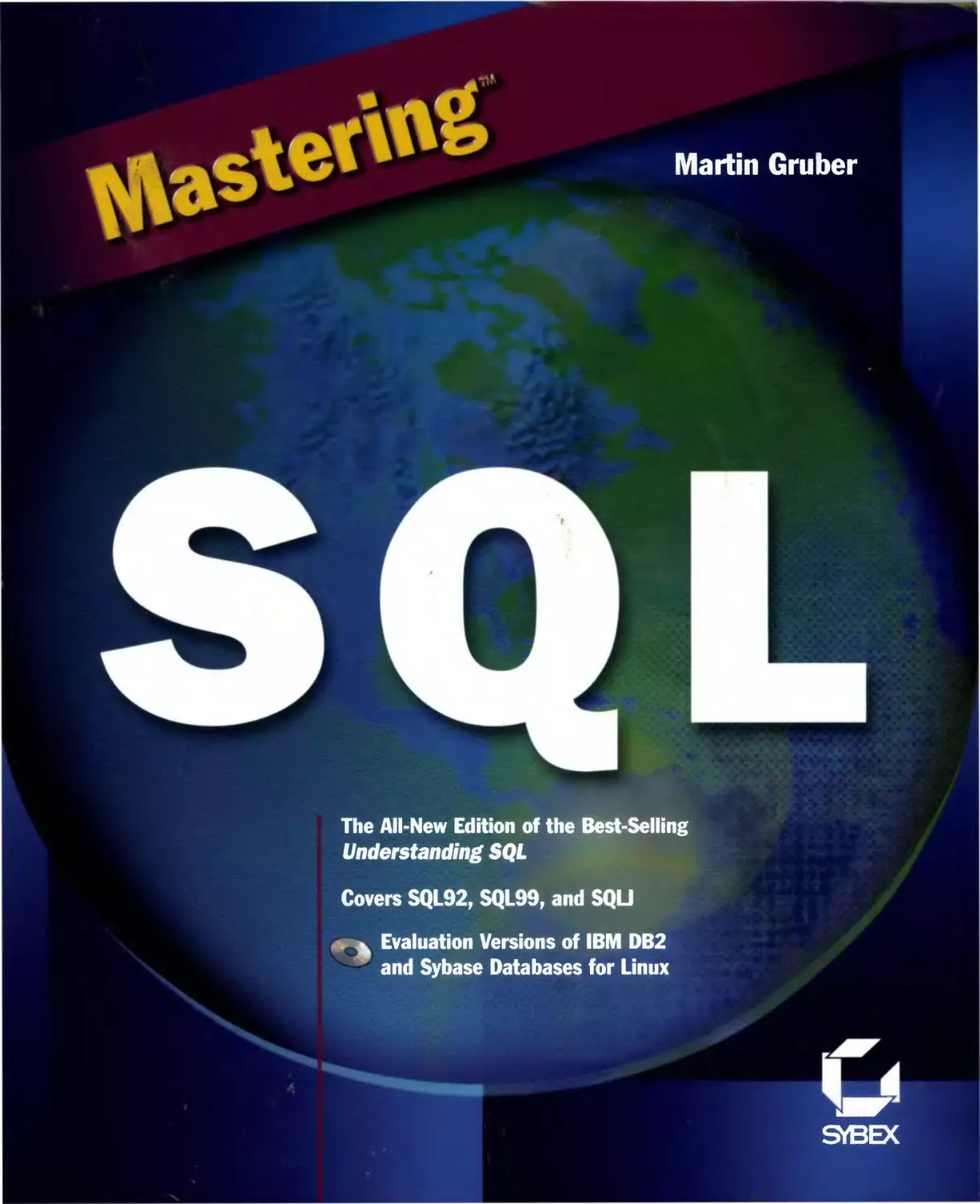
                    Martin Gruber
The All-New Edition of the Best-Selling
Understanding SQL
Covers SQL92, SQL99, and SQU
Evaluation Versions of IBM DB2
and Sybase Databases for Linux
SVBEX

Syntax of the SELECT Statement
SELECT [DISTINCT]
{ value expression
[AS column name]}.,..}
| {qualifier.-}
I *
FROM { {table name [AS] [correlation name]}.,..
[ WHERE predicate ]
[ GROUP BY {table name \ correlation name}.column name
[ COLLATE collation name ] ]
[ HAVING predicate ]
[ {UNION | INTERSECT | EXCEPT} [ALL]
select statement | {TABLE table name}
| table value constructor ]
[ORDER BY {{output column | positive integer} [ASC |
DESC].,..}];
Please note that ellipsis with an interposed comma (.,..) indicates that the
preceding element may be repeated indefinitely, with the individual
occurrences separated by commas.
Syntax of INSERT, UPDATE, and
DELETE Statements
INSERT INTO table name
[ {column name. ,..) ]
{ VALUES(va7ue.f..) }
| subquery ;
UPDATE table name
SET {column name = {value expression
| NULL
| DEFAULT}}.,..
[ { WHERE predicate }
! { WHERE CURRENT OF cursor name } ];
DELETE FROM table name
[ { WHERE predicate }
| { WHERE CURRENT OF cursor name } ];

Mastering SQL

Mastering™ SQL
Martin Gruber
STBBC
San Francisco • Paris • Dusseldorf • Soest • London

Associate Publisher: Richard Mills
Contracts and Licensing Manager: Kristine O'Callaghan
Acquisitions & Developmental Editor: Denise Santoro-Lincoln
Editor: Linda Recktenwald
Project Editor: Julie Sakaue
Coauthor of Chapter 26: Keith Hare
Technical Editors: Keith Hare and John Zukowski
Technical Reviewer: David Thompson
Book Designer: Kris Warrenburg
Graphic Illustrators: Tony Jonick and Jerry Williams
Electronic Publishing Specialist: Kris Warrenburg
Project Team Leaders: Lisa Reardon and Teresa Trego
Proofreaders: Patrick Peterson, Dave Nash, Nancy Riddiough,
and Emily Hsuan
Indexer: Ted Laux
CD Coordinator: Kara Schwartz
CD Technicians: Ginger Warner and Keith McNeil
Cover Designer: Design Site
Cover Illustrator/Photographer: Sergie Loobkoof, Design Site
SYBEX is a registered trademark of SYBEX Inc.
Mastering is a trademark of SYBEX Inc.
Screen reproductions produced with Collage Complete.
Collage Complete is a trademark of Inner Media Inc.
TRADEMARKS: SYBEX has attempted throughout this book to
distinguish proprietary trademarks from descriptive terms by
following the capitalization style used by the manufacturer.
The author and publisher have made their best efforts to prepare
this book, and the content is based upon final release software
whenever possible. Portions of the manuscript may be based upon
pre-release versions supplied by software manufacrurer(s). The
author and the publisher make no representation or warranties of
any kind with regard to the completeness or accuracy of the
contents herein and accept no liability of any kind including but not
limited to performance, merchantability, fitness for any particular
purpose, or any losses or damages of any kind caused or alleged
to be caused directly or indirectly from this book.
Copyright ©2000 SYBEX Inc., 1151 Marina Village Parkway,
Alameda, CA 94501. World rights reserved. No part of this
publication may be stored in a retrieval system, transmitted, or
reproduced in any way, including but not limited to photocopy,
photograph, magnetic or other record, without the prior
agreement and written permission of the publisher.
Library of Congress Card Number: 99-64121
ISBN: 0-7821-2538-7
Manufactured in the United States of America
10 987654321

Software License Agreement: Terms and Conditions
The media and/or any online materials accompanying this book
that are available now or in the future contain programs and/or
text files (the "Software") to be used in connection with the book.
SYBEX hereby grants to you a license to use the Software, subject
to the terms that follow. Your purchase, acceptance, or use of the
Software will constitute your acceptance of such terms.
The Software compilation is the property of SYBEX unless
otherwise indicated and is protected by copyright to SYBEX or other
copyright owner(s) as indicated in the media files (the "Owner(s)").
You are hereby granted a single-user license to use the Software for
your personal, noncommercial use only. You may not reproduce,
sell, distribute, publish, circulate, or commercially exploit the
Software, or any portion thereof, without the written consent of
SYBEX and the specific copyright owner(s) of any component
software included on this media.
In the event that the Software or components include specific
license requirements or end-user agreements, statements of
condition, disclaimers, limitations or warranties ("End-User License"),
those End-User Licenses supersede the terms and conditions
herein as to that particular Software component. Your purchase,
acceptance, or use of the Software will constitute your acceptance
of such End-User Licenses.
By purchase, use or acceptance of, the Software you further agree
to comply with all export laws and regulations of the United
States as such laws and regulations may exist from time to time.
Software Support
Components of the supplemental Software and any offers
associated with them may be supported by the specific Owner(s) of that
material but they are not supported by SYBEX. Information
regarding any available support may be obtained from the
Owner(s) using the information provided in the appropriate
readme files or listed elsewhere on the media.
Should the manufacturer(s) or other Owner(s) cease to offer
support or decline to honor any offer, SYBEX bears no responsibility.
This notice concerning support for the Software is provided for
your information only. SYBEX is not the agent or principal of the
Owner(s), and SYBEX is in no way responsible for providing
any support for the Software, nor is it liable or responsible for any
support provided, or not provided, by the Owner(s).
Warranty
SYBEX warrants the enclosed media to be free of physical defects
for a period of ninety (90) days after purchase. The Software is
not available from SYBEX in any other form or media than that
enclosed herein or posted to www.sybex.com. If you discover a
defect in the media during this warranty period, you may obtain
a replacement of identical format at no charge by sending the
defective media, postage prepaid, with proof of purchase to:
SYBEX Inc.
Customer Service Department
1151 Marina Village Parkway
Alameda, C A 94501
(510) 523-8233
Fax: (510) 523-2373
e-mail: info@sybex.com
WEB: HTTP://WWW.SYBEX.COM
After the 90-day period, you can obtain replacement media of
identical format by sending us the defective disk, proof of
purchase, and a check or money order for $10, payable to SYBEX.
Disclaimer
SYBEX makes no warranty or representation, either expressed or
implied, with respect to the Software or its contents, quality,
performance, merchantability, or fitness for a particular purpose. In
no event will SYBEX, its distributors, or dealers be liable to you or
any other party for direct, indirect, special, incidental,
consequential, or other damages arising out of the use of or inability to use
the Software or its contents even if advised of the possibility of
such damage. In the event that the Software includes an online
update feature, SYBEX further disclaims any obligation to
provide this feature for any specific duration other than the initial
posting.
The exclusion of implied warranties is not permitted by some
states. Therefore, the above exclusion may not apply to you. This
warranty provides you with specific legal rights; there may be
other rights that you may have that vary from state to state. The
pricing of the book with the Software by SYBEX reflects the
allocation of risk and limitations on liability contained in this
agreement of Terms and Conditions.
Shareware Distribution
This Software may contain various programs that are distributed
as shareware. Copyright laws apply to both shareware and
ordinary commercial software, and the copyright Owner(s) retains all
rights. If you try a shareware program and continue using it, you
are expected to register it. Individual programs differ on details
of trial periods, registration, and payment. Please observe the
requirements stated in appropriate files.
Copy Protection
The Software in whole or in part may or may not be
copyprotected or encrypted. However, in all cases, reselling or
redistributing these files without authorization is expressly forbidden
except as specifically provided for by the Owner(s) therein.

CONTENTS AT A GLANCE
Introduction xxiii
Part I: Introducing SQL
Chapter 1: Introducing Relational Databases 3
Chapter 2: SQL: An Overview 19
Part II: Creating a Database
Chapter 3
Chapter 4
Chapter 5:
Chapter 6
Part III: Queries
Creating, Changing, and Dropping Tables 35
Constraining the Values of Your Data 45
Maintaining Referential Integrity 61
Entering, Deleting, and Changing Data 79
Chapter 7: Using SQL to Retrieve Information from Tables 91
Chapter 8: Using IN, BETWEEN, LIKE, IS NULL,
and Aggregate Functions 115
Chapter 9: Working with Expressions 141
Chapter 10: Querying Multiple Tables at Once 161
Chapter 11: Placing Queries Inside One Another 199
Chapter 12: Using Subquery Operators 223
Chapter 13: Merging Multiple Queries 255

Part IV: More That You Can Do with Data
Chapter 14: Introducing: Views 283
Chapter 15: Changing Values through Views 297
Chapter 16: Determining Who Can Do What 311
Chapter 17: Transactions and Concurrency 329
Chapter 18: How a SQL Database Is Kept in Order 345
Part V: Advanced Topics
Chapter 19: Designing a Database 355
Chapter 20: Working with International Character Sets 385
Chapter 21: Using SQL with Other Languages (Embedded SQL) 399
Chapter 22: Using Dynamic SQL in Applications 429
Chapter 23: Optimizing SQL 455
Part VI: SQL99
Chapter 24: SQL99: An Overview 473
Chapter 25: Core SQL99 495
Chapter 26: Combining SQL and Java—SQLJ and JDBC 513
Part VII: Syntax and Command Reference
Chapter 27: Introduction to the Syntax and Command Reference 561
Chapter 28: SQL Statement Reference 583
Chapter 29: Common Elements 693
Appendix A: Answers 773
Index
801

TABLE OF CONTENTS
Introduction xxiii
Part I Introducing SQL
1 Introducing Relational Databases 3
What Is a Relational Database? 4
The Need for a Second Table 6
Joining Tables 8
Columns Are Named, Numbered, and Typed 9
How a Relational Database Fits Together 9
A Sample Database Schema 10
Status of Relational and Other Systems 14
Summary 15
Putting SQL to Work 16
2 SQL: An Overview 19
How Does SQL Work? 20
How Do the Standards Fit In? 21
Forms of SQL 22
The Subdivisions of SQL 23
The Various Types of Data 23
Terminology 26
Conventions 26
Some Basic SQL Statements 28
Summary 30
Putting SQL to Work 31
Part II Creating a Database
Creating, Changing, and Dropping Tables 35
Defining the Environment 36
Using the CREATE TABLE Command 38

X Table of Contents
Altering a Table Once It Has Been Created 40
Dropping a Table 41
Summary 42
Putting SQL to Work 42
Constraining the Values of Your Data 45
Declaring Constraints 46
Using Constraints to Exclude NULLs 47
Specifying the Primary Key 48
Primary Keys of More Than One Column 48
Making Sure Values Are Unique 49
Checking Column Values 51
Using Check to Predetermine Valid Input Values 52
Check Conditions Based on Multiple Columns 53
Naming and Dropping Constraints 53
Deferring Constraints 54
Assigning Default Values 55
Default Values and NULLs 56
Summary 57
Putting SQL to Work 58
Maintaining Referential Integrity 61
Foreign and Parent Keys 62
The FOREIGN KEY Constraint 63
Declaring Columns As Foreign Keys 64
FOREIGN KEY As a Table Constraint 64
Foreign Key As a Column Constraint 65
Omitting Primary-Key Column Lists 65
Using Foreign Key to Predetermine Valid Input Values 66
Primary vs. Unique Parent Keys 66
Foreign Key Restrictions 67
Multicolumn Foreign Keys 67
Understanding the Foreign Keys in the Sample Tables 68
The Effects of the Constraints 70
Referential Triggered Actions 70
Foreign Keys That Refer Back to Their Own Tables 73
Summary 75
Putting SQL to Work 75

Table of Contents xi
Entering, Deleting, and Changing Data 79
Entering Values into Tables—The INSERT Statement 80
Inserting NULLs 81
Naming Columns for Insert 81
Inserting the Results of a Query 81
Removing Rows from Tables—The DELETE Statement 83
Changing Field Values—The UPDATE Statement 84
Updating Only Certain Rows 84
Updating Multiple Columns at Once 84
Using Value Expressions in Update 85
Updating to NULL Values 85
Summary 86
Putting SQL to Work 86
Part III Queries
7 Using SQL to Retrieve Information from Tables 91
Making a Query 92
Using the SELECT Statement 92
Selecting All Columns the Easy Way 94
Selecting Only Certain Columns 94
Eliminating Redundant Data 95
Qualified Selection—The Where Clause 98
Using Inequalities in Predicates 100
Working with NULL Values 103
Using Boolean Operators in Predicates 103
Summary 112
Putting SQL to Work 113
8 Using IN, BETWEEN, LIKE, IS NULL,
and Aggregate Functions 115
The IN Operator 116
The BETWEEN Operator 118
The LIKE Operator 122
The IS NULL Operator 125
Using NOT with Special Operators 125
Summarizing Data with Aggregate Functions 127
How Do You Use Aggregate Functions? 127

xii Table of Contents
Aggregates Built on Expressions 131
The GROUP BY Clause 132
The HAVING Clause 134
Don't Nest Aggregates 137
Summary 138
Putting SQL to Work 138
9 Working with Expressions 141
Using Value Expressions in the SELECT Clause 142
Expressions among Selected Columns 142
More Advanced Uses of Value Expressions 146
Datetime and Interval Expressions 147
Value Functions 148
Datatype Conversion (CAST) Expressions 149
Conditional (CASE) Expressions 150
Ordering Output by Column Values 152
Ordering by Multiple Columns 153
Ordering Aggregate Groups 155
Ordering Output by Column Number 156
Using ORDER BY with NULLs 157
Summary 157
Putting SQL to Work 158
10 Querying Multiple Tables at Once 161
Joining Tables 162
Table and Column Names 162
Making a Natural Join 163
Making an Unnatural Join 165
Compound and Join Predicates 166
Equijoins and Non-equijoins 167
OUTER Joins 168
Joins of More Than Two Tables 170
Joining a Table to Itself 172
Aliases 172
More on Aliases 175
Using Self Joins with Circular Relationships 175
More Complex Uses of Joins 177
Finding Patterns in the Data 177

Table of Contents xiii
Joining Tables That Are Not Used in the Output 178
Special Join Operators 180
Summary 195
Putting SQL to Work 195
Placing Queries Inside One Another 199
How Do Subqueries Work? 200
The Values That Subqueries Can Produce 201
Using Aggregate Functions in Subqueries 203
Using IN with Subqueries That Produce Multiple Rows 204
Subqueries and Joins 209
Subqueries in HAVING 210
Correlated Subqueries 211
How the Correlated Subquery Works 212
Using Correlated Subqueries to Find Anomalies 216
Correlating a Table with Itself 216
Correlated Subqueries in HAVING 218
Correlated Subqueries and Joins 219
Summary 220
Putting SQL to Work 220
Using Subquery Operators 223
How Does EXISTS Work? 224
Selecting Columns with EXISTS 226
Using EXISTS with Correlated Subqueries 226
Combining EXISTS with Joins 227
Using NOT EXISTS 228
EXISTS and Aggregates 229
A More Advanced Subquery Example 230
The Special Operator ANY or SOME 232
Using IN or EXISTS Instead of ANY 233
How ANY Can Be Confusing 237
The Special Operator ALL 241
Equalities and Inequalities with ALL 243
Nonequalities with ALL 244
Keeping ANY, ALL, and EXISTS Straight 246
How ANY, ALL, and EXISTS Deal with NULLs,
Empty Result Sets, and UNKNOWNS 246

xiv Table of Contents
When the Subquery Comes Back Empty 246
ANY and ALL vs. EXISTS with NULLs 247
Using COUNT in Place of EXISTS 248
Summary 251
Putting SQL to Work 251
13 Merging Multiple Queries 255
Uniting Multiple Queries As One 256
When Can You Make a UNION between Queries? 257
UNION and Duplicate Elimination 258
Using Strings and Expressions with Union 260
Using UNION with ORDER BY 261
Using UNION to Implement Outer Joins and Similar Operations 263
Other Ways of Combining Multiple Queries 271
Using INTERSECT 272
Using EXCEPT or MINUS 273
Using ALL with INTERSECT and EXCEPT 276
Summary 277
Putting SQL to Work 278
Part IV More That You Can Do with Data
14 Introducing: Views 283
What Are Views? 284
Using the CREATE VIEW Statement 284
Updating Views 287
Naming Columns 288
Grouped Views 289
Views and Joins 290
Views and Subqueries 292
Using Multiple Queries in Views 292
What Views Cannot Do 293
Dropping Views 294
Summary 294
Putting SQL to Work 295
15 Changing Values through Views 297
Updating Views 298
Determining Whether a View Is Updatable 300

Table of Contents xv
Updatable vs. Read-Only Views 301
Determining Which Views Are Updatable 301
Checking the Values Placed in Views 303
Predicates and Excluded Columns 304
Checking Views That Are Based on Other Views 305
Summary 307
Putting SQL to Work 308
16 Determining Who Can Do What 311
Users and Privileges 312
Types of Privileges 313
Object Privileges 314
Granting Object Privileges 315
Using the ALL and PUBLIC Arguments 318
Granting with the GRANT Option 319
Taking Privileges Away 320
Cascading Revokes 320
Using Views to Filter Table Privileges 322
Who Can Create Views? 322
Limiting the SELECT Privilege to Certain Columns 323
Limiting Privileges to Certain Rows 323
Granting Access Only to Derived Data 324
Using Privileges to Refine Constraints 324
Privileges on Other Kinds of Objects 326
Other Kinds of Privileges 326
Summary 327
Putting SQL to Work 327
17 Transactions and Concurrency 329
When Does a Change Become Permanent? 330
How SQL Deals with Multiple Users at Once 332
Types of Concurrency Problems 332
How to Deal with Concurrency Problems 335
Using Pessimistic Locking 336
Using Optimistic Locking 340
Summary 342
Putting SQL to Work 343

xvi Table of Contents
18 How a SQL Database Is Kept in Order 345
The System Catalog 346
The Standard Information Schema 347
Summary 350
Putting SQL to Work 350
Part V Advanced Topics
19 Designing a Database 355
Modeling a Real-World Situation 356
Employing the Entity-Relationship (ER) Model 358
The Elements of the ER Model 359
Creating a Simple ER Model 361
Diagramming Entity-Relationship Models 364
Deriving Database Tables from the ER Model 369
Normalizing a Database 373
First Normal Form 375
Functional Dependencies 376
Second Normal Form 377
Third Normal Form 378
Boyce-Codd Normal Form 382
Summary 383
Putting SQL to Work 383
20 Working with International Character Sets 385
Working with International Text 386
Using Character Sets 388
Using Collations 389
Coercibility 392
Where Character Sets and Collations Are Specified 393
Using Translations 395
Summary 396
Putting SQL to Work 396
21 Using SQL with Other Languages (Embedded SQL) 399
How Do You Create Applications in SQL? 400
What Is Involved in Embedding SQL? 402
Why Embed SQL? 402

Table of Contents
How Do You Embed SQL? 403
How Embedded SQL Actually Works 403
Privileges of an Embedded SQL Application 405
Using Host-Language Variables with SQL 406
Declaring Variables 408
Retrieving Values into Variables 409
Using Cursors 411
Using SQLCODE and SQLSTATE 414
Using SQLSTATE to Control Loops 416
Using GOTO and WHENEVER 417
Updating Cursors 419
Indicator Variables 421
Using Indicator Variables to Emulate SQL NULLs 423
Other Uses of Indicator Variables 424
Summary 425
Putting SQL to Work 426
22 Using Dynamic SQL in Applications 429
How Does Dynamic SQL Work? 430
Generating Dynamic Statements 431
Executing Statements Immediately 432
Preparing Statements Once and Executing Them Repeatedly 433
Specifying the Scope of Prepared Statements 434
Using Dynamic Parameters 435
Executing Prepared Statements 436
Using Descriptor Areas 439
Using Dynamic Cursors 447
Updating and Deleting through Dynamic Cursors 450
Summary 451
Putting SQL to Work 452
23 Optimizing SQL 455
Using Indexes 457
When to Use Indexes 460
Types of Indexes 461
Rephrasing Queries 464
Summary 468
Putting SQL to Work 468

i Table of Contents
Part VI SQL99
24 SQL99: An Overview
The Structure of the Standard and the Levels of Conformance
New Types of Data
Extensions to SQL Statements
Programmatic Extensions to SQL
Persistent Stored Modules (SQL/PSM)
A Quick Overview of Object-Oriented Concepts
Integrating Objects into the Relational World
Creating Your Own Datatypes
Using UDTs As Tables (Typed Tables)
Summary
Putting SQL to Work
25 Core SQL99
What Is Core?
LOBs
Using CLOBs and NCLOBs
External SQL-Invoked Routines
Distinct User-Defined Datatypes (UDTs)
Summary
Putting SQL to Work
26 Combining SQL and Java—SQU and JDBC
Integrating SQL and Java
The Status of JDBC and SQLJ
What Is Java?
Classes and Methods
Java Virtual Machines
JAR Files
What Do SQL and Java Offer One Another?
General Issues
SQL in an Object-Oriented World
Datatype Matching
NULL Values
Exception-Handling
Using JDBC
473
474
478
479
480
482
484
486
489
491
492
493
495
496
496
501
502
508
511
511
513
514
515
518
518
519
520
520
523
523
524
526
527
528

Table of Contents xix
Making and Managing Database Connections 531
Building Statements 533
Results Sets 535
Managing JDBC Transactions 536
Cleanup 537
DatabaseMetaData 538
Using Embedded SQLJ 539
Connecting to Databases and Managing
Database Connection Context 540
Execution Context 542
Selecting Data 544
Updating Data 547
Managing SQLJ Transactions 548
Cleanup 548
Persistent Stored SQLJ—Using Java Methods inside the Database 549
Installing a JAR File 551
What Does Java Look Like in the Database? 554
SQLJ UDTs—Using Java Classes As SQL
User-Defined Types 554
Summary 555
References 556
Putting SQL to Work 556
Part VII Syntax and Command Reference
27 Introduction to the Syntax and Command Reference 561
Notable Features of Standard SQL 562
Users, Schemas, and Sessions 562
Schema Definition Statements 563
Temporary Tables 563
Read-Only, Scrollable, Insensitive, and Dynamic Cursors 564
Client/Server Orientation 565
Enhanced Transaction Management 566
Application-Owned Privileges (Definer's Rights) 567
Standardized Connection Procedure 567
Standardized System Tables 568
Standardized Error Codes and Diagnostics 568
Domains 569

XX Table of Contents
Assertions and Deferability of Constraints
International Language Support
Date, Time, and Interval Datatypes
Binary Datatypes
Datatype Conversions
Built-in Value Functions
New Operators for Strings
Row and Table Value Constructors
Referential Integrity Refinements
Conditional Expressions
Automatic Flagging of Variations on the Standard
Modules and Compilation Units
Contents Grouped by Subject
Defining and Changing Objects
Manipulating Data
Establishing Security and Data Controls
Setting Up the Session Parameters
Static Coded Applications
Dynamic Coded Applications
Troubleshooting
SQL Statement Reference
ALLOCATE CURSOR
ALLOCATE DESCRIPTOR
ALTER DOMAIN
ALTER TABLE
CLOSE
COMMIT WORK
CONNECT
CREATE ASSERTION
CREATE CHARACTER SET
CREATE COLLATION
CREATE DOMAIN
CREATE SCHEMA
CREATE TABLE
CREATE TRANSLATION
CREATE VIEW
DEALLOCATE DESCRIPTOR
570
571
572
573
573
573
574
575
576
577
577
578
578
578
579
580
580
580
581
581
583
586
588
589
590
592
593
594
595
597
599
601
603
606
612
613
617

Table of Contents xxi
DEALLOCATE PREPARE
DECLARE CURSOR
DECLARE LOCAL TEMPORARY TABLE
DELETE
DESCRIBE
DISCONNECT
DROP ASSERTION
DROP CHARACTER SET
DROP COLLATION
DROP DOMAIN
DROP SCHEMA
DROP TABLE
DROP TRANSLATION
DROP VIEW
EXECUTE
EXECUTE IMMEDIATE
FETCH
GET DESCRIPTOR
GET DIAGNOSTICS
GRANT
INSERT
OPEN
PREPARE
REVOKE
ROLLBACK
SELECT
SET CATALOG
SET CONNECTION
SET CONSTRAINTS MODE
SET DESCRIPTOR
SET NAMES
SET SCHEMA
SET SESSION AUTHORIZATION
SET TIME ZONE
SET TRANSACTION
UPDATE
618
618
621
623
625
628
629
630
631
632
633
633
634
635
636
639
641
643
645
647
651
652
654
657
660
661
679
680
681
682
684
685
685
686
687
689

lodt Table of Contents
29 Common Elements 693
Aggregate Functions 694
Authorization IDs 697
CASE Expressions 698
CAST Expressions 701
Collations 706
Constraints 711
Datatypes 721
Datetime Value Functions 732
Descriptor Areas 733
Numeric Value Functions 739
Predicates 741
Row and Table Value Constructors 760
String Value Functions 761
Subqueries 764
Value Expressions 766
Appendix A Answers 773
Index
801

xxiii
INTRODUCTION
JQL (usually pronounced "sequel") stands for Structured Query Language;
because of the pronunciation, this book will refer to "a SQL (sequel) statement"
rather than "an SQL (S-Q-L) statement". SQL is a language that enables you to
create and operate on relational databases, which are sets of related information
stored in tables. Relational databases are managed by programs called database
management systems (DBMSs), of which a variety are on the market: IBM's DB2
Universal Database, Oracle, Microsoft SQL Server and Access, Sybase Adaptive
Server Enterprise and SQL Anywhere Studio, Informix Information Server,
Ingres, MySQL, mSQL, and others. These products use SQL for all of their
database operations. Although they all extend standard SQL to support proprietary
features, they all conform to standard SQL, as defined by the standards
organizations ANSI and ISO. This book covers standard SQL.
Mastering SQL provides an introduction to database concepts, an in-depth
tutorial in the SQL language, and a complete reference on the currently dominant
ANSI/ISO standard. It assumes no backgroundfor the reader but is designed to
be a book you won't outgrow quickly. The idea is to work through the first five
parts, which teach you how to use the language. These chapters contain
numerous examples, including ideas on how to deal with variations on the standard
situations as well as exercises at chapter's end, so you can strengthen your mastery.
If you already have some SQL background, you can skim through these chapters
to fill in the blanks.
Part VI covers SQL99, a new SQL standard that, as of this writing, has just been
published and is therefore not yet implemented. It also contains a sizable chapter
on combining SQL with Java, in accordance with the SQLJ and JDBC standards.
This is the forward-looking part of the book.
Part VII is the reference, which is divided into three chapters. The first chapter
of the reference is a separate introduction just for the reference, so you should look
there for details. As you gain mastery of the language, the reference will come in
increasingly handy. It is more concise than the earlier material, which means it
does not walk you through as many examples, but it does provide more thorough
coverage. Read the earlier chapters to understand how things work and then

MdV Introduction
check the reference to explore all the possibilities. This arrangement enables the
main body of the book to move quickly and explain things clearly without
getting bogged down in a mass of detail. The reference provides the detail. Most
SQL books take one or the other of these approaches (ease of understanding or
thoroughness), so we believe we offer the best of both worlds.
The database world is becoming more and more integrated, which has boosted
the importance of a standard language that can be used to operate in many
different kinds of computer environments and on many different DBMSs. A standard
language allows you to learn one set of commands and use it to create, retrieve,
alter, and transfer information regardless of whether you are working on a
personal computer, a workstation, or a mainframe. It also enables you to write
applications that access multiple databases, as we frequently see with applications that
use the ODBC API. In our increasingly interconnected computer world, a user
equipped with such a language has tremendous power to utilize and integrate
information from a variety of sources in a great number of ways.
Because of its elegance and independence from machine specifics, as well as its
support by the industry leaders in relational-database technology, SQL has
become, and will for the foreseeable future remain, that standard language. For
this reason, anyone who expects to work with databases in the early 21st century
needs to know SQL.
The SQL standard is defined jointly by ANSI (American National Standards
Institute) and the ISO (International Organization for Standardization). These
organizations have jointly published a series of SQL standards since 1986. Each
such standard is a superset of its predecessors. These standards tend to be ahead
of the industry by several years, believe it or not. As of this publication (2000),
most commercial products conform to SQL92, so this book focuses on that
standard. Elements of SQL92 have not yet been widely implemented even now, but
the book focuses on those that have. Part of the book covers SQL99, which is a
more recent standard. However, as we mentioned, most commercial database
programs extend SQL beyond the ISO definition, adding other useful features. In
this book, we basically will be following the ISO standard, but with an eye toward
the most common variations. You should consult the documentation on the
software package(s) you will be using to see where they vary from the standard.

Introduction xxv
Who Can Use This Book?
Mastering SQL requires no more than a minimal knowledge of computers and
none of databases. SQL is in a number of ways considerably easier to use than
many languages that are less compact because it doesn't require you to define the
procedures used to achieve the desired results. This book will lead you through
the language step by step, providing examples along the way and exercises in
each chapter to sharpen your comprehension and skills. You will be able to
perform useful tasks almost immediately; then you will build more complex skills
layer by layer.
Because SQL is part of so many programs that run on so many different
computers, we make no assumptions about the specific context in which you are using it.
SQL can be used interactively, coded in applications, or dynamically generated by
applications. We designed this book to be as general purpose as possible. You will
be able to apply what you learn here directly to any context in which SQL is used.
Although Mastering SQL is designed to be accessible to database beginners, it
presents SQL in considerable depth. We created the examples to reflect a variety
of situations, many of which commonly occur in business environments. Certain
examples are fairly complex in the interest of showing all the implications of a
particular feature. The discussion of SQL is not restricted to what is technically
correct; it also explores the implications of various features and approaches. We
believe you will not find another book on SQL that has the accessibility and the
depth of this one.
How Is This Book Organized?
Mastering SQL is divided into seven parts, each of which covers a logical category
of SQL statements. These parts are subdivided further into chapters. Parts I
through VI have a narrative flow; each chapter builds on what came before and
concludes with practice questions to sharpen and solidify your understanding.
(Appendix A contains the answers to all practice questions.) Part VII is the
reference, which is divided into three chapters. Following the reference is Appendix
A, which, as just mentioned, contains the answers to all practice questions. To
find even more reference information, please go to the companion CD. There, you
will find Appendices B through I, in addition to an electronic version of Appendix A.

XXvi Introduction
Depending on how you will be using SQL, you may find that some of the later
information exceeds your needs. Not all users design databases or write
applications for them. As a tutorial, this book is written so that one chapter will flow into
the next, but feel free to skim sections that you may not require.
We use a single set of tables to derive the bulk of the book's examples. You will
become quite familiar with these tables—and thus be able to understand clearly
the points being made with them.
Here is a complete summary of the contents of Mastering SQL:
• Part I introduces the basic concepts that underlie databases and SQL.
• Chapter 1 defines a relational database, including the important
concept of primary and foreign keys, and gives examples similar to real-
life situations. It also contains the three tables from which we will
derive the bulk of our examples and explains their contents.
• Chapter 2 orients you to the world of SQL. It covers such general issues
as the structure of the language, the different types of data recognized
by SQL, and some common SQL conventions and terminology It also
provides a few simple examples of SQL statements to give you a flavor
of the language.
• Part II shows you how to set up a database, including creating the basic
structures and filling them with data.
• Chapter 3 explains how to create tables. After reading this chapter, you
will be able to do useful work with SQL.
• Chapter 4 shows you how to constrain the data that can be entered into
tables, so as to enforce both structural features of the database and the
business rules.
• Chapter 5 elaborates on constraints to show you how to build and
enforce parent and foreign key relationships.
• Chapter 6 demonstrates how to enter data into the tables you have
created, how to change it, and how to delete it.
• Part III shows you how to retrieve and work with information from your
database.

Introduction xxvii
• Chapter 7 introduces queries, which are requests for information from
the database. Queries are the most elaborate aspect of SQL, and the
next several chapters expand on them.
• Chapter 8 introduces some operators that are specific to the SQL
language. It also discusses aggregate (or summary) functions, a set of
operators that derive data from tables rather than simply extracting it.
Aggregate functions provide single values dynamically derived from
groups of values in the database.
• Chapter 9 explains some things you can do with value expressions,
such as those that constitute the output of a query. These things include
performing mathematical operations on the value expression, inserting
text in it, ordering it in various ways, converting it between datatypes,
and enabling its value to be conditional.
• Chapter 10 shows one way a single query can draw information from
more than one table at a time. The approach shown in this chapter is
called a join. A join combines information from multiple tables,
typically in terms of a relationship expressed in the join.
• Chapter 11 discusses subqueries. These are queries nested within other
SQL statements, whose output becomes part of the statements that
contain them.
• Chapter 12 introduces SQL operators that work with subqueries. These
include EXISTS, ANY, ALL, SOME, and, in some cases, IN. By using
subqueries, these operators act on entire queries rather than on simple
values.
• Chapter 13 shows you how to combine the output of multiple queries
directly, rather than placing one inside another, as with subqueries, or
defining a relationship between the tables, as with joins.
• Part IV explains some features of how databases work beyond the simple
data, including such things as access and concurrency control.
• Chapter 14 talks about the view, a "window" that shows the partial
contents of some other table or group of tables. Even if you do not
expect to create tables as such, you may want to look over this
discussion of views, because they are quite useful and are commonly created
by many users who don't create tables.

• Chapter 15 concentrates on the complex issue of changing the values in
a view. When you change the values in a view, you actually change
them in the underlying table. Some related issues are also discussed in
this chapter.
• Chapter 16 talks about privileges—who has the ability to query tables,
who has the ability to change their contents, how these abilities can be
given to and taken from users, and so on.
• Chapter 17 deals with how changes to the data can be made permanent
or reversed and how the DBMS deals with simultaneous access to the
same data by different users or applications.
• Chapter 18 describes how SQL database systems keep your data
structured and shows you how to access and use this information.
Part V covers database design, optimization, internationalization, and
application development.
• Chapter 19 shows you how to analyze a real-life situation and derive a
logical design for a database schema.
• Chapter 20 details internationalization issues—specifically, how
standard SQL deals with multiple character sets.
• Chapter 21 focuses on the special problems and procedures associated
with putting SQL statements inside other languages to create
applications. This is commonly referred to as Embedded SQL. The chapter
includes SQL features relevant only to the embedded form, such as
cursors and the FETCH command.
• Chapter 22 is about Dynamic SQL. This term refers to applications that
generate SQL statements dynamically at runtime.
• Chapter 23 addresses optimization techniques, which are ways of
making your SQL code more efficient.
Part VI covers SQL99 and SQLJ.
• Chapter 24 provides an overview of SQL99, showing how the whole
standard fits together.
• Chapter 25 covers Core SQL99. This is the basic functionality of SQL99
that provides a foundation for all of the optional enhancements.

Introduction xxix
• Chapter 26 is about combining SQL with Java. The two relevant
standards here are SQLJ and JDBC. We discuss both, though we cover SQLJ
in more detail since it has received less attention and promises to be
more important in the long run.
• Part VII is a complete reference to SQL92, which is the standard
commercially implemented as of this writing (2000).
• Chapter 27 explains how the reference fits together and provides a
glimpse at some of the more obscure features of the standard.
• Chapter 28 is an alphabetical listing of all SQL statements recognized
by the standard. Each entry has a syntax diagram, an explanation,
some examples, and a summary of the levels of standard conformance
relevant to that statement.
• Chapter 29 is an alphabetical listing of the basic elements other than
data objects with which SQL deals. These include datatypes,
Authorization IDs, special value functions, and such things.
• Appendices
• Appendix A provides answers to the exercises that close Chapters 1
through 26 of the text.
• Appendix B describes the changes needed to transition between one
version of standard SQL and another.
• Appendix C describes the standard error and status message that SQL
statements return.
• Appendix D discusses the standard INFORMATION_SCHEMA, a set
of tables that describes the content of the database itself.
• Appendix E describes how datatypes and other elements map between
SQL and other languages. You employ this information when you
develop applications in other languages and use SQL to access the
database, as you do in Embedded and Dynamic SQL.
• Appendix F describes the standard approach to creating standalone
modules of SQL code that can be called by applications.
• Appendix G provides a formal definition of the linguistic elements of
SQL, the conventions for identifiers, the rules regarding separators,
and so on.

XXX Introduction
• Appendix H provides a formal description of how applications can
generate and execute SQL dynamically.
• Appendix I is the Glossary
You will find Appendices B through I along with an electronic version of Appendix A
on the companion CD.
Conventions of This Book
The main text of Mastering SQL refers frequently to the more detailed information
in the reference. These references conform to the following conventions:
• Term references written in ALL CAPS are to Chapter 28, which covers
complete SQL statements. Example: see "SELECT" in the reference.
• Term references written in Initial Caps are to Chapter 29, which covers
elements common to multiple SQL statements. Example: see "Datatypes" in
the reference.
Words in italics are terminology. In the text, terms are italicized when they are
first explained. Example: a primary key is a value that uniquely distinguishes each
row of a table. In the syntax diagram explaining SQL statements, terms are
italicized to indicate that they stand for something other than themselves. Example:
ALTER TABLE table name. The italics on table name indicate that this represents
the name of some table, rather than the words "table name".
In our examples, we will show you the text you should enter into your
database program and then show you the output as it appears in one database
product (we used DB2 Universal Database, the flagship database product from IBM,
for taking our screenshots). Not all statements produce output as such, though
all should produce some acknowledgment of execution when they are used
interactively. Output from other products may look different, but the content
will be the same.
Occasionally in the text and consistently in the reference, we will describe the
syntax of a statement formally using the industry-standard BNF (Backus Naur
Form, aka Backus Normal Form) conventions with a few extensions. The
conventions are as follows.

Introduction
• The symbol ::= means "is defined as". It is used to further clarify parts of a
statement's syntax diagram.
• Keywords appear in all uppercase letters. These reserved words are literals
that are actually written as part of the statement.
• Placeholders for specific values, such as domain name in the CREATE
DOMAIN statement, appear in italic type. These placeholders identify the
type of value that should be used in a real statement; they are not literals to
be written as part of the statement. This use of italics takes the place of items
in angle brackets in conventional BNF diagrams.
• Optional portions of a statement appear in square brackets ([ and ]).
• A vertical bar (I) indicates that whatever precedes it may optionally be
replaced by whatever follows it.
• Braces ({ and }) indicate that everything within them is to be regarded as a
unit for the purpose of evaluating other symbols (e.g., vertical bars or
ellipses).
• Ellipses (...) indicate that the preceding portion of the statement may be
repeated any number of times.
• Ellipses with an interposed comma (.,..) indicate that the preceding portion
may be repeated any number of times, with the individual occurrences
separated by commas. The final occurrence should not be followed by a
comma.
The above is not a standard BNF convention; we use it for clarity in representing the
many SQL statements that use this construct. If we did not adopt this convention,
the syntax diagrams would be considerably more awkward and difficult to read.
• Parentheses (()) used in syntax diagrams are literals. They indicate that
parentheses are to be used in forming the statement. They do not specify a
way of reading the diagram as braces or square brackets do.
• Carriage returns or line feeds in SQL are treated the same as blanks—they
simply delimit the elements of statements. We used carriage returns and
spacing in our syntax diagrams simply for readability; you need not
duplicate them in your SQL code. For more detail on SQL's lexical conventions,
see Appendix G.

AT

Introducing SQL
■ CHAPTER 1: Introducing Relational Databases
■ CHAPTER 2: SQL: An Overview

CHAPTER
ONE
Introducing Relational
Databases
■ What Is a Relational Database?
■ How a Relational Database Fits Together
■ A Sample Database Schema

4 Chapter 1 • Introducing Relational Databases
Before you can use SQL, you must understand what relational databases are.
In this chapter, we will explain this concept and show you how relational
databases are useful. We won't discuss SQL specifically here, so if you already
understand these concepts fairly well, you may wish to merely skim this chapter. In any
case, you should look at the three tables that are introduced and explained at the
chapter's end; these will be the basis of most of our examples in this book. A
second copy of them is available on the inside cover.
What Is a Relational Database?
A database is a structured set of persistent information stored by a computer
program. The term persistent means the data survives the termination of the program
or user session that created it. A relational database is a body of such information
stored in two-dimensional tables. There are other structures that could be used—at
one time, most databases were structured as hierarchies or as networks—but the
relational approach has proved superior for most purposes and is currently the
industry standard. Ted Codd, then a researcher for IBM, developed the relational
model in the 1970s.
A simple way to picture a relational database is to think of an address book.
The book contains many entries, each of which corresponds to a given individual.
For each individual, there may be several independent pieces of data, such as
name, telephone number, and address. Suppose you were to format this address
book as a table with rows and columns. Each row would correspond to a certain
individual; each column would contain a value for each type of data—name,
telephone number, and address—represented in each row. Assuming it is an address
book of clients, the address book might look like Table 1.1.
TABLE 1.1: The Clients Table
Name
Gerry Farish
Celia Brock
Julio Abregon
Address
127 Caesar Chavez St.
246 3rd St.
778 Avenida Tarragon
City
San Francisco
Sonoma
Patzcauro
State
CA
CA
MICH
Country
USA
USA
MEX

What Is a Relational Database? 5
You may find the terms "record" for row and "field" for column used in the
database literature.
There is only one problem with an address book like this—what if there were
two Celia Brocks? Among your personal circle of friends, this situation may be
unlikely, but databases often grow to have thousands or even millions of entries,
so it is a real problem.
You might think that the solution would be to reference the rows by their order
in the table. But which order should this be? The order in which they are entered?
This order is arbitrary. The order in which they are stored in the computer's file
system? Also arbitrary. It is much better to be independent of order, and such
independence is one of the strengths of the relational approach. To maintain
maximum flexibility, the rows of the table are, by definition, in no particular order. A
database differs from a conventional address book in this respect. The entries in
an address book are usually ordered alphabetically. In relational database
systems, users have the powerful capability of ordering their information in
whatever manner they like as they retrieve it.
To make this process work, you assign each person a unique identifier—a
value, almost always a number, that is different for each person. The number can
be either one already associated with the person—such as social security
number—or one you assign them yourself. This number, which must be unique for
each person in the database, is called the primary key. Every table you create in a
database must have a primary key so that the individual rows can be logically
identified.
Here's the Clients table with a primary key column added. As you can see, the
primary key in Table 1.2 is an identification number that gives a unique number
to each client.
TABLE 1.2: The Clients Table with Primary Key Added
ld_Num Name Address City State Country
1007 Gerry Farish 127 Caesar Chavez St. San Francisco CA USA
1008 Celia Brock 246 3rd St. Sonoma CA USA
1010 Julio Abregon 778 Avenida Tarragon Patzcauro MICH MEX

6 Chapter 1 • Introducing Relational Databases
What we have here is the foundation of a relational database as defined at the
beginning of this discussion—a two-dimensional (row and column) table of
information. Relational databases seldom consist of a single table, however. Such a table
is little more than a filing system. By creating several tables of interrelated
information, you can perform more complex and powerful operations on your data. The
power of the database lies in the relationships that you can construct between the
pieces of information, rather than in the pieces of information themselves.
The Need for a Second Table
What happens when a column can logically have multiple values for the same
row? Let's suppose we need to add a telephone number column to the Clients
table. Well, most people have at least two phone numbers—home and work; and
they may have more—fax, cell phone, beeper, vacation home, voice mail, and so
on. One of the basic premises of the relational model is that column values are
atomic—one value per column in each row, period. Put in more than one value and
the DBMS (Database Management System) will treat them as one value anyway
The solution is to build another table (called, say, Client_Phone), with one
column for the phone number and a second for a description of the type of number—
home, fax, e-mail, and so on (we use the underscore in Client_Phone because SQL
does not permit spaces within the names of objects). Of course, we also have to
relate the phone number to the person we will find on the other end—the person
represented in our first table—so we must find a way to relate the two tables to
one another.
We do this by also putting the primary key—our unique identifying column
from the Clients table—in the Client_Phone table. Since this number is unique for
every client, we always know which client a given number matches. (For clarity's
sake, we could also include the name in Client_Phone, but this would be
redundant and take up more disk space. Since the number links the two tables, we can
always determine the correct name to match a given number.) The id_num column
in Client_Phone is called a foreign key, and we say that it references the primary
key of Clients. (In this book, keys referenced by foreign keys are called parent keys.)
Table 1.3 illustrates this relationship. If all the foreign key values in Client_Phone
reference values that actually are present in Clients, the system has referential
integrity. If they do not, we're in trouble, because it would mean that there are
phone numbers in the database for clients who are nonexistent or who cannot be
identified.

What Is a Relational Database? 7
TABLE 1.3: The Client_Phone Table
Id Num
1007
1008
1008
Phone
4156479772
7074568232
7079402092
Type
home
work
home
We also need a primary key for the Client_Phone table—every table should have
a primary key. We can't use idjnum because it is not unique (it will be repeated for
each phone number of the same client, as for the two numbers for 1008, Celia
Brock, above). What about using the phone number itself? This solution is better,
but it is possible that we will get two clients in the same household or office. If this
were to happen, we still would want to track their phone numbers separately. If
we were to use the phone number as the primary key, we could use it in only one
row of the Client_Phone table and therefore could associate it with only one
id_num. But it is the phone number of two clients. What if one of the clients
moved and the other did not? This situation would require a lot of special
handling that it probably wouldn't get.
A primary or a foreign key need not be a single column. We can combine the
id_num and phone columns. Such a combination should always be unique
because, if we list the same number for the same person twice, we've really
made the same entry twice and should delete one anyway. So the combination
of idjnum and phone is the logical primary key of the Client_Phone table. A
key of more than one column is variously referred to by different products as a
multicolumn, composite, or concatenated key.
To summarize, each table has a group of one or more columns that must, as a
group, have different values for each row. This value, or group of values together,
makes up the primary key and serves to identify the row. A table may also have a
group of one or more columns that indicate a relationship to another table. This
group is called a foreign key, and the group of columns in the other table to which
it relates is called its parent key. A parent key must be a unique identifier, so that
you can tell which row of the parent key table a foreign key is referring to. The
foreign key will have the same number and type of columns as the parent key,
although it may use different names. The foreign key values do not have to be,
and generally are not, unique in their own table, only in the table of the parent
key. A system has referential integrity if all foreign key values are present in the
referenced parent key.

8 Chapter 1 • Introducing Relational Databases
As we said, a parent key must be a unique identifier, which means it must be
either a primary key or a unique key. A unique key is a group of one or more
columns that must be distinct for logical reasons, although not for the sake of
database structure. For example, if your database stores insurance ID numbers for
employees, but uses social security numbers as the primary key in a table, the
insurance ID numbers might be a unique key. Generally, parent keys are primary
keys. Since every table should have a primary key, there should always be one that
you can use. Since primary keys, like foreign keys, are a fundamental part of the
database structure, they are also a more logical choice than unique keys, which
are distinct for reasons external to the database structure.
Joining Tables
Now, how do we relate the second table to the first so we can relate the client
telephone numbers to the other information from the first table? The two tables
remain separate entities in the database, but when we extract the information
contained in them, we can link each foreign key value to its parent key and to
whatever other columns we might want to see from either table. We don't need
to specify any other kind of linkage between the two tables. The fact that one has
foreign key values that match values in the primary key of the other is sufficient
to determine which rows of the two tables are related (in this case, refer to the
same client). Therefore, you perform operations by specifying them logically.
An operation that extracts information from the database is called a query. Queries
are implemented in SQL with the SELECT statement, which we will briefly
introduce in the next chapter. A query that extracts data from more than one table at the
same time by relating columns in one table to columns in the other(s) is called a join.
A join of a foreign key to its parent key is usually (although not in the official SQL92
standard) called a natural join, because it is built into the structure of the database. It
reunites what we put asunder in separate tables for the sake of the relational
structure. With a join, you could produce all of your information for each client—name,
address, phone number, and so on—and it will all be correctly correlated. We will
explain joins more thoroughly in Part III of this book.

How a Relational Database Fits Together 9
Columns Are Named, Numbered, and Typed
Unlike the rows, the columns of a table are ordered and named. Thus, in our Clients
table, Table 1.2, the third column from the left is the address column. Naturally, this
means that each column of a given table must have a different name to avoid
ambiguity. These names should indicate the content of the column. In the sample tables
in this book, we will use some abbreviations as column names, such as cname for
customer name and odate for order date. We have also given each table a single
numeric column as a primary key. Like many nerdly conventions, these help to
save you typing. The next section will explain these tables and their keys in detail.
Columns also have datatypes. All data in a given column will be of the same
type: text, numeric, date, and so on. This is because each entry in a column is
logically supposed to contain the same type of information about each row.
How a Relational Database Fits Together
Now that you understand the pieces that make up a relational database, let's look
at how those pieces fit together. There are two basic matters with which we
should be concerned.
First of all, there is the question of how tables are to be grouped. Must all tables
in a database be interrelated? No. A group of interrelated tables is called a schema.
A database can contain any number of schemata (sometimes the informal plural
schemas is used instead of schemata in the database literature). Originally (in SQL89),
all tables under control of a single user were automatically in the same schema. The
SQL92 standard changed this situation, but you may still encounter the old
practice. We further discuss the implications of this below. The various SQL standards,
including SQL99, are further explained in Chapter 2.
Second, there is the question of users. An operating system intended for use
only on a standalone personal computer or an embedded system may or may not
recognize individual users, but one intended for most any other use will
recognize distinct users. Likewise, any DBMS capable of being used anywhere but on a

10 Chapter 1 • Introducing Relational Databases
standalone PC (and even some of those) will recognize individual users. A
database user does not necessarily correspond to an OS user, however. Many OS users
may appear the same to the database, and a particular OS user may connect as
different database users. Database users do, however, have the following features
in common with OS users:
• They are identified with a logon procedure, generally involving a username
and password.
• Once they log on, they initiate a session (also called a connection) with the
DBMS. This session continues until terminated. Within the session, a
sequence of statements (or commands) is issued. Statements from
simultaneous sessions of the same or different users form independent sequences.
• They have a set of privileges that indicate what they may and may not do.
• Just as an OS user typically has ownership of some set of files and
directories and may have access to others as well, a database user typically has
ownership of one schema and may have access to others as well. Depending
on the particular database system used, a database user can own one or
several schemata. Often an application that must access a schema does so as the
same user regardless of which OS user is executing the application. This
simplifies matters considerably.
A Sample Database Schema
Tables 1.4,1.5, and 1.6 constitute a simple relational database that is small enough
to follow easily, but complex enough to illustrate the major concepts and
practices involved in using SQL. These tables are printed in this chapter and also on
the inside cover as we will refer to them throughout this book.
You will notice that the first column of each table contains numbers whose
values are different for every row. As you may have guessed, these are the primary
keys of the tables. Some of these numbers also appear in columns of other tables.
These are foreign keys referencing the primary keys. Although it is not necessary
that foreign keys have the same names as the primary keys they reference, we
have adopted this convention for clarity's sake.

A Sample Database Schema 11
TABLE 1.4: Salespeople
Snum
Sname
City
Comm
1001
1002
1004
1007
1003
Peel
Serres
Motika
Rifkin
Axel rod
London
San Jose
London
Barcelona
New York
.12
.13
.11
.15
.10
TABLE 1.5: Customers
Cnum
2001
2002
2003
2004
2006
2008
2007
Cname
Hoffman
Giovanni
Liu
Grass
Clemens
Cisneros
Pereira
City
London
Rome
San Jose
Berlin
London
San Jose
Rome
Rating
100
200
200
300
NULL
300
100
Snum
1001
1003
1002
1002
1001
1007
1004
TABLE 1.6: Orders
Onum
3001
3003
3002
3005
3006
Amt
18.69
767.19
1900.10
5160.45
1098.16
Odate
10/03/2000
10/03/2000
10/03/2000
10/03/2000
10/03/2000
Cnum
2008
2001
2007
2003
2008
Snum
1007
1001
1004
1002
1007

12 Chapter 1 • Introducing Relational Databases
TABLE 1.6 (CONTINUED): Orders
Onum
3009
3007
3008
3010
3011
Amt
1713.23
75.75
4723.00
1309.95
9891.88
Odate
10/04/2000
10/04/2000
10/05/2000
10/06/2000
10/06/2000
Cnum
2002
2004
2006
2004
2006
Snum
1003
1002
1001
1002
1001
The snum field of the Customers table indicates to which salesperson a customer
is assigned. The snum number relates to the Salespeople table, which gives
information about these salespeople. Obviously, the salespeople to whom the customers
are assigned should exist—that is to say, the snum values in the Customers table
should also be present in the Salespeople table. If such is the case, we say that the
system is in a state of referential integrity.
The tables themselves are intended to resemble a real-life business situation,
where you would use SQL to keep track of the salespeople, their customers, and
the customers' orders. They are, of course, much simplified over all the material
that would need to be tracked in a realistic example. Let's take a moment to look
at these three tables and the meaning of their various columns.
The columns of the Salespeople table
COLUMN CONTENT
snum A unique number assigned to each salesperson (an
employee number). This is the primary key of the table.
sname The last name of the salesperson.
city The location of the salesperson. This indicates one of a
set of company offices.
comm The salesperson's commission on orders in decimal form.

A Sample Database Schema 13
The columns of the Customers table
COLUMN CONTENT
cnum A unique number assigned to each customer. This is the
primary key of the table.
cname The last name of the customer.
city The location of the customer. This actually indicates a
company office, rather than the city where the customer
resides.
rating A numeric code indicating the level of preference assigned
to this customer. Higher numbers indicate greater
preference. NULL indicates a customer who has not yet been
assigned a rating.
snum The number of the salesperson assigned to this customer.
This is a foreign key referencing Salespeople (snum). Since
we don't want a customer to languish if his assigned
salesperson is not available, we have enabled a mechanism for
other salespeople to handle this customer when the one
normally assigned is not available. We explain this
mechanism below.
The columns of the Orders table
COLUMN CONTENT
onum A unique number given to each purchase.
amt The amount of the purchase.
odate The date of the purchase.
cnum The number of the customer making the purchase. This is
foreign key referencing Customers (cnum).
snum The number of the salesperson credited with the sale. This
is a foreign key referencing Salespeople (snum). It normally
would be the salesperson assigned to the customer in the
Customers table, but may not be, as explained below.

14 Chapter 1 • Introducing Relational Databases
There are a number of things to note about the above design. First, detailed
information about salespeople and customers, such as full names and contact
information, is not included. A realistic database would obviously include such
information and may well put some of it in these tables (we discuss when and
how to do so under "Designing a Database" in Part V of this book). We have
omitted it here to keep the tables as simple as possible, so that the complexity of
the tables would not get in the way of understanding examples.
Second, customers are assigned to salespeople, and then each order is
associated with both a salesperson and a customer. Does each match of salesperson and
customer in the Orders table have to be the same as the matches in the Customers
table? In other words, does the salesperson assigned to a customer invariably get
credit for each order of that customer? We have assumed not. If we had assumed
so, the snum column in the Orders table would be superfluous, since we could
use the Customers table to determine which salesperson would get credit for the
sale. Doing it this way is more flexible. If the salesperson assigned to a customer
is unavailable, another could handle the sale, and the two could split the
commission. Such complexity may be introduced into a database by the business rules,
and we thought it best to deal with it straight on. For the sake of simplicity,
however, we have not introduced any such anomalies into the sample data.
Finally, the commission in the Salespeople table need not be static. It may be
something that is periodically calculated on, for example, year-to-date sales.
Certain issues arise from storing derived information directly in the database this
way, and we will discuss those issues under database design in Part V of this
book. Suppose that calculating the commission is complex or involves accessing
several databases. In such cases, it makes sense to occasionally (say, monthly)
derive the commission and store it here. Otherwise, another approach may be
better.
Status of Relational and Other Systems
Relational database systems are the most widely used database systems in the
world today. These systems have solved many of the problems that plagued the
earlier nonrelational products. Those products required programmers and database
administrators to become engaged with the details of how the data was stored and
structured in the database, which made applications complex to develop and
nightmarish to modify. It also made the problem of having several applications use the
same data more complex. Relational systems allow you to work with the data at a

Summary 15
higher level. All operations on the data are handled by a program called a DBMS,
which responds only to statements expressed in a high-level language.
Another kind of database that is becoming popular is the object-oriented database
model derived from the object-oriented programming methodology. In object-
oriented (OO) programming languages such as Java and C++, program modules are
independent entities called objects that encapsulate both data and the operations that
can be performed on it. If you have a need for a persistent store of such objects—
that is to say, if you wish these objects to keep track of some data between one
execution of the program and another—you would create an object-oriented database
(OODB). Object-oriented programming has a number of advantages, all of which
are beyond the scope of this book. Suffice it to say that the importance of OO
programming, coupled with the established position and usefulness of relational
systems, has led to a clamor for a graceful combination of the two approaches. This is
one of the problems the SQL99 standard, explained in Part VI of this book,
addresses.
Summary
Now you know what is meant by a relational database, a concept that sounds
more complicated than it really is. You also have learned some fundamental
principles about how tables are structured—how rows and columns work, how
primary keys distinguish rows from one another, and how columns can refer to
values in other columns.
You are now familiar with the sample tables. Brief and simple as they are, they
are adequate to demonstrate most of the features of the language, as you shall
see. On occasion, we will introduce another table or postulate some different data
in one of these tables to show you some other possibilities.
Now you are ready to dive into SQL itself. The next chapter gives you a bird's-
eye view of the language, orienting you to the terrain and putting a lot of the
material you may need to refer to in one familiar place.

16 Chapter 1 • Introducing Relational Databases
Putting SQL to Work
1. What is the primary key of the Orders table?
2. What is another word for row? For column?
3. Why can you not ask to see the first five rows of a table?

CHAPTER
TWO
SQL: An Overview
■ How Does SQL Work?
■ The Various Types of Data
■ Some Basic SQL Statements

20 Chapter 2 • SQL: An Overvieww
I his chapter will acquaint you with the structure of the SQL language as well
as with certain general issues, such as the types of data that columns can contain
and the status of the various official SQL standards and local variations. This is
intended to provide a context for the more specific information in subsequent
chapters. You will also get a quick tour of the language, including sample statements, so
you can see how the language works. You do not need to remember every detail
mentioned in this chapter. The overview presented here consolidates, in one easily
located area, many of the details that you may need to refer to as you proceed to
master the language. We have put all this information at the beginning of the book
to orient you to the world of SQL without oversimplifying it and to give you a
familiar place to go back to when you have questions. This material will become much
clearer when we move into the specifics of SQL statements, starting in Chapter 3.
How Does SQL Work?
SQL is a language oriented specifically around relational databases. It eliminates
a lot of the work you would have to do if you were using a general-purpose
programming language, such as C. To build a relational database in C, you would
have to start from scratch. You would have to define an object called a table that
could grow to have any number of rows, and then create step-by-step procedures
for putting values in it and retrieving them. If you wanted to find some particular
rows, you would have to enumerate each step of the process like this:
1. Look at a row of the table.
2. Perform a test to see if it is one of the rows you want.
3. If so, store it somewhere until the whole table is examined.
4. See if there are any more rows in the table.
5. If there are more rows, go back to step 1.
6. If there are no more rows, output all values stored in step 3.
(Of course, this is not an actual set of C instructions, just an English-language
rendition of the logical steps that would be involved.)

How Does SQL Work? 21
SQL, however, spares you all this. Commands in SQL (traditionally called
statements) can operate on entire tables as single objects and can treat any quantity of
information extracted or derived from them as a single unit as well.
How Do the Standards Fit In?
As we mentioned in the Introduction, the SQL standard is defined jointly by the
ISO (International Organization for Standardization) and ANSI (the American
National Standards Institute). Since ANSI is part of the ISO, we will refer to both
organizations jointly as the ISO. SQL was not invented by these bodies; it is
essentially a product of IBM research. But other companies picked up on SQL right
away. In fact, at least one company beat IBM to the punch with a marketable SQL
product.
After a number of competing SQL products were on the market, the ISO defined
the standard to which they would all conform (defining such standards is the ISO's
function). Doing this after the fact, however, presented some problems. The early
ISO standards were somewhat limited: The ISO simply left a lot of material out of
the standard, so that existing products would not have too much trouble
conforming without sacrificing the upward compatibility of their previous versions.
Later standards were more complete. Here is the list of the major ANSI/ISO SQL
standards:
SQL86 This provided a minimum functionality that all existing products
had in common. Hence, it basically standardized syntax that was
somewhat at variance.
SQL89 This made only one major change to SQL86, which was to add
support for mechanisms to enforce foreign key relationships (referential
integrity).
SQL92 This was a major update of the standard. Instead of simply
certifying and standardizing the overlap among existing products, the ISO
specified future growth for the language, including much functionality
that had not yet been implemented by anyone, at least not in the way
specified. Since conforming to this standard is rather ambitious, the ISO
specified three distinct levels of conformance: Entry, Intermediate, and Full. As
of this publication (2000), most database vendors are still at Entry level,
with some features from the higher levels thrown in.

22 Chapter 2 • SQL: An Overview
SQL99 This is the new standard being finalized as this book is written.
It further extends SQL92 to include integration with object-oriented
approaches, programmatic extensions, and other features.
This book provides a tutorial in SQL92. The reference section in Part VII covers
SQL92 completely. Part VI covers SQL99.
Note that database vendors still have local variations on the standard. Many
vendors provide both a standard and a non-standard mode so that you can choose
whether to code to the standard or to use the local variations.
Forms of SQL
In a sense, there are three SQLs: Interactive, Static, and Dynamic. For the most
part, the forms operate the same way, but they are used differently.
• Interactive SQL is used to operate directly on a database to produce output
for human utilization. In this form of SQL, you enter a statement now, it is
executed now, and you can see the output (if any) immediately.
• Static SQL consists of SQL statements hard-coded as part of an application
or code module. The most common form of this is Embedded SQL, where
SQL code is interspersed in the source code of a program written primarily
in another language, such as C or Pascal. Enabling these other languages
to deal with SQL's structure and its style of data management does require
some extensions to Interactive SQL. The output of SQL statements in
Embedded SQL is "passed off" to variables or parameters usable by the
program in which it is embedded.
• Dynamic SQL is also part of an application or code module, but the specific
SQL code to be executed is generated at runtime rather than coded in
advance. Some extensions to Static SQL are required to make this possible.
In this book, we will present SQL first in its interactive form. This will enable us
to discuss statements and their effects without worrying about how they interface
with other languages. Interactive SQL is also the common ground, as almost
everything about Interactive SQL applies to the other forms as well, and it constitutes the
bulk of the language. We'll deal with the changes needed to use the static and
dynamic forms in the latter parts of this book.

The Various Types of Data 23
The Subdivisions of SQL
In all of its forms, SQL has multiple sections, or subdivisions. Since you are likely to
encounter this terminology when reading about SQL, we will provide some
explanation. Unfortunately, these terms are not used consistently in all implementations.
They are emphasized by the ISO and are useful on a conceptual level, but many
SQL products do not treat them separately in practice, so they essentially become
functional categories of SQL statements. The most commonly referenced areas are:
• Data Definition Language (DDL, also called Schema Definition Language
by the ISO) consists of those commands that create the objects (tables,
indexes, views, and so on) in the database.
• Data Manipulation Language (DML) is a set of commands that determine
which values are present in the tables at any given time.
• Data Control Language (DCL) consists of features that determine whether a
user is permitted to perform a particular action. The ISO considers this part
of DDL.
Don't let these names put you off. These are not different languages per se, but
divisions of SQL statements into groups according to their functions.
The Various Types of Data
Although all of the data in a given column is of the same logical type, not all the
types of values that can occupy the columns of a table are the same. The most
obvious distinction is between numbers and text. You can't put numbers in
alphabetical order or subtract one name from another. Since relational database systems
enable you to construct ad-hoc relationships between pieces of information, the
various types of data must be clearly distinguished from one another so that the
appropriate processes and comparisons can be applied.
In SQL, you do this by assigning each column a datatype that indicates the kind
of value the column will contain. All of the values in a given column must be of
the same type. In the Customers table, for example, cname and city are strings of
text, whereas rating, snum, and cnum are numbers. For this reason, you could not
enter Highest or None into the rating column, which has a numeric datatype.
This limitation is fortunate because it imposes some structure on your data. You

24 Chapter 2 • SQL: An Overview
NOTE
frequently will be comparing some or all of the values in a given column so that
you can perform an action on some rows and not on others. You could not do this
if the column's values had mixed datatypes.
The standard datatypes can be divided into the following categories:
This is a list of logical categories, not of types. There are several distinct datatypes
in most of these categories.
• Text, such as single characters, fixed-length text strings, and varying-length
text strings. These are enclosed in single quotes (apostrophes) when
referenced, as follows: 'I am a text string'.
• Some products also support double-quotes or single left and right quotes,
but these are non-standard. Pairs of apostrophes should always work.
• Exact numeric, such as integers and decimal numbers. An integer would be 2,
and a decimal number would be 2.5.
• Approximate numeric, which is to say floating point numbers with a base of
10, as are used in scientific notation.
• Datetime. These can be date only, time only, or a combination. For example,
1/1/2000.
• Intervals, which is to say intervals of time between datetime values, such as
ten seconds or three months. To see how these are represented and used, see
"Datatypes" in the reference.
• Binary, which is to say binary data that, in a computer, could represent
anything.
For details on these datatypes, see "Datatypes" in the reference section. Some
vendors supplement the above categories with special-purpose types like money.
The ISO defines several different types of number values, the distinctions
between which are frequently subtle and sometimes confusing. The complexity of
these types can, at least in part, be explained by the effort to make SQL
compatible with a variety of other languages.

The Various Types of Data :■ 25
Table 2.1 shows the ISO types we shall rely on for most of the discussion in
this book.
TABLE 2.1: Datatypes Most Commonly Referenced
Datatype Description
CHAR(nL/m) A fixed-length text string of num characters. If num is omitted, the default is 1.
VARCHAR(nL/m) A varying-length text string of no more than num characters. If num is omitted,
the default is defined by the implementation. The chief difference between a
fixed and varying length string is that the former allocates enough disk space for the
maximum for each entry, which wastes space but can make searches more efficient.
INTEGER An exact numeric type with no decimal point. Also written INT.
DECIMAL An exact numeric type with a written or implied decimal point. Also written DEC.
DATE A datetime type with the fields year, month, and day.
The character types consist of all the printable characters, including the
numbers. However, the number 1 is not the same as the character '1'. The character '1'
is just another printable piece of text, not recognized by the system as having the
numeric value 1. While 1 + 1 = 2, T + T does not equal '2'.
CHARACTER values are stored in the computer as binary values, but appear to
the user as printable text. The conversion follows a format defined by the system
you are using. For English and some other languages, this conversion format will
almost always be ASCII (possibly with extensions), though it may also be EBCDIC
(used in some larger computers). Certain operations, such as alphabetical ordering
of column values, may vary with the format. Generally speaking, the default
sorting for alphabetical ordering will be determined by the format, but, in SQL92, you
can override this with the use of explicit collating sequences, as explained in
Chapter 20.

26 Chapter 2 • SQL: An Overview
Terminology
Following are some key SQL terms that you should be familiar with:
• Keywords are words that have a special meaning in SQL. They are
understood to be instructions or parts of instructions, not text or names of objects.
We will indicate keywords by printing them in all CAPS. You should take
care not to confuse keywords with terminology. SQL has certain special
terms that are used to describe it. Among these are such words as "query",
"clause", and "predicate", which are important in describing and
understanding the language, but do not mean anything to SQL itself.
• Statements, or commands, are instructions you give to a SQL database.
Statements consist of one or more logically distinct parts called clauses. Clauses
generally begin with a keyword for which they are named and consist of
keywords and arguments. Examples of clauses you will encounter are FROM
Salespeople and WHERE city = ' London'. Arguments complete or modify
the meaning of a clause. In the examples above, Sal espeopl e is the argument,
and FROM is the keyword of the FROM clause. Likewise, ci ty = ' London' is
the argument of the WHERE clause.
• Objects are structures in the database that are given names and stored
persistently. They include base tables, views (the two kinds of tables), and
indexes. Notice that this differs from the meaning of "object" used in object-
oriented programming.
Conventions
When we show you how statements are formed, we will generally do so by
example. There is, however, a more formal method of describing statements using a set of
standardized conventions called the Backus-Naur Form (BNF). We use this
extensively in the reference and occasionally elsewhere. We have extended this slightly
(with the .,.. convention) to cover a common SQL construct that otherwise would
complexify the diagrams considerably. We also use italics rather than angle brackets
for placeholders, as explained below. The conventions we use are as follows:
• The symbol ::= means "is defined as". It is used to further clarify parts of a
statement's syntax diagram.
• Keywords appear in all uppercase letters. These reserved words are literals
that are actually written as part of the statement.

The Various Types of Data 27
• Placeholders for specific values, such as domain name in the CREATE
DOMAIN statement, appear in italic type. These placeholders identify the
type of value that should be used in a real statement; they are not literals to
be written as part of the statement. These take the place of items in angle
brackets in conventional BNF diagrams. White space within italicized terms
is for readability, not separation. Table name is one term, not two. Outside of
italicized terms, blanks and other white space separate distinct statement
elements.
Optional portions of a statement appear in square brackets ([ and ]).
A vertical bar ( I ) indicates that whatever precedes it may optionally be
replaced by whatever follows it.
Braces ({ and }) indicate that everything within them is to be regarded as a
whole for the purpose of evaluating other symbols (e.g., vertical bars or
ellipses).
Ellipses (...) indicate that the preceding portion of the statement may be
repeated any number of times.
Ellipses with an interposed comma (.,..) indicate that the preceding portion
may be repeated any number of times, with the individual occurrences
separated by commas. The final occurrence should not be followed by a comma.
Note: This is not a standard BNF convention; we use it for clarity in
representing the many SQL statements that use the construct. If we did not adopt
this convention, the syntax diagrams would be considerably more awkward
and difficult to read.
• Parentheses () used in syntax diagrams are literals. They indicate that
parentheses are to be used in forming the statement. They do not specify a way of
reading the diagram as braces or square brackets do.
• Carriage returns or line feeds in SQL are treated the same as blanks—they
simply delimit the elements of statements. We use carriage returns and
spacing in our syntax diagrams simply for readability; you need not
duplicate them in your SQL code.
•
•

28 Chapter 2 • SQL: An Overview
Some Basic SQL Statements
In order for you to get a flavor of SQL, we're going to show you some sample
SQL statements. Don't worry if you do not fully understand them right now. The
object here is to let you see how the pieces we will be examining in detail fit into
the larger picture.
Assuming you are not working on a standalone PC system, you must begin by
connecting to the DBMS, so that your identity and privileges can be established.
This will create a session between you as a database user and the DBMS (for the
time being, we will set aside the preliminaries like creating the database in the first
place and defining the various users). The most common way to initiate a session
with a DBMS is with a statement like the following:
CONNECT TO MyDatabse USER Darvin/Sasquatch;
This statement is an example based on Full SQL92 conformance. Since most
products are not at this level of conformance, they may not support this precise
syntax. Check your system documentation for details.
• CONNECT is the keyword that indicates which SQL statement this is. SQL
statements begin with keywords.
• TO MyDatabase is the database to which you are connecting.
• Darvin is your database username. It need not correspond to your operating
system username.
• Sasquatch is your database password. If you had not wanted to type this in
the clear, you could have omitted it, and you would then have been prompted
to enter it hidden (in most implementations). If your database is so configured,
you could also possibly connect without a password. In this case, the database
authorizes you based on your OS user identity, though this still does not imply
a one-to-one correspondence between OS and database users.
• The semi-colon (;) is the SQL statement terminator. Although a semi-colon is
the official SQL statement terminator, some implementations support
alternative ones as well. If you use Embedded SQL, the statement terminator is
simply whichever terminator is normally used in the host language (the language
within which you are embedding SQL, for example, C, Pascal, or Java).

Some Basic SQL Statements 29
When you enter this statement, you should get some acknowledgment of
success or failure, such as:
user Darvin connected.
Now suppose you wanted to create the Salespeople table we introduced in the
preceding chapter. You would use the CREATE TABLE statement, as follows:
CREATE TABLE Salespeople
(snum INTEGER NOT NULL PRIMARY KEY,
sname CHAR(15) NOT NULL,
city CHAR(15) NOT NULL,
comm DECIMAL);
components of this statement are as follows:
CREATE TABLE are the keywords indicating what this statement does.
Salespeople is the name given the table.
The items in parenthesis are a list of the columns in the table. Each column
has a name and a datatype. It may also have one or more constraints (NOT
NULL, PRIMARY KEY), which we will explain later.
Again, the spacing is for readability. We could have put all this code on one line
with no change in effect. This statement too will produce a response, such as:
Table Salespeople created.
Though you have created the table, as yet it contains no data. To put a row in
the table, you would enter the following:
INSERT INTO Salespeople VALUES (1001, 'Peel', 'London', .12);
This inserts the list of values in parentheses into the Salespeople table. Note that the
values are given in the same order as the columns into which they are being inserted
and that the text data values are enclosed in right-single quotes (apostrophes).
Finally, let's assume that you want to retrieve the row you just placed in the
Salespeople table. The operation that retrieves data from the database is called a query
and is implemented with the SELECT statement, which is the most sophisticated in
SQL. With SELECT, you choose criteria that determine which rows of a table to
output. This set of criteria is called a predicate. The use of predicates is consistent with
The

30 Chapter 2 • SQL: An Overview
the general relational approach of defining operations by logic rather than by details
of implementation. Here is a SELECT statement to retrieve Peel's row:
SELECT snum, sname, city, comm
FROM Salespeople
WHERE sname = 'Peel';
This statement would select all columns for every salesperson named Peel. There
happens to be only one, of course, but if there were more, all would be selected.
To get around this, and choose exactly the row you want, you should use a
predicate that tests for the PRIMARY KEY, which is snum, thusly:
SELECT snum, sname, city, comm
FROM Salespeople
WHERE snum = 1001;
Finally, if you wanted to take out the row you had entered, you would do it
with a predicate, just like you did for the query, as follows:
DELETE FROM Salespeople
WHERE snum = 1001;
It is not necessary to name any columns because a DELETE statement always
takes out the entire row. To take out individual column values, you would use a
different statement, UPDATE, which we will discuss later.
That concludes the brief tour. We have only superficially touched on each of
these statements to give you an idea how it all fits together. In the following
chapters, we will look at these and other statements in detail.
Summary
Whew! You have quickly covered a lot of ground in this chapter. But our
intention has simply been to fly high over the SQL territory so you could have an idea
of its overall shape. When we return to the ground in the next chapter, things will
become much more concrete. Now you know a fair amount about SQL—how it is
structured, how it is used, how it conceives of data, how and by whom it is defined
(and some inconsistencies emerging from that), and some of the conventions and
terminology used to describe it. You have also seen simple examples of some of its

Putting SQL to Work 31
most important statements. In that discussion, we defined two concepts that will
become very important:
• The predicate, which is a set of criteria used to decide whether a statement
will or will not be executed against a particular row of a table. This concept
will become more concrete as we discuss it further.
• The query, which is a request for information from the database. In other
words, a SELECT statement.
We've given you a lot of information for a single chapter; you don't have to
remember all of the details, but you can refer to them as you need to. The
important thing is the big picture.
In Chapter 3, we will go hands-on, showing the CREATE TABLE statement in
greater detail.
Putting SQL to Work
1. Which SQL statement is used to place data in tables?
2. Which subdivision of SQL is used to create tables?
3. What is a predicate?
4. What is a query?

A

Creating a Database
■ CHAPTER 3: Creating, Changing, and Dropping Tables
■ CHAPTER 4: Constraining the Values of Your Data
■ CHAPTER 5: Maintaining Referential Integrity
■ CHAPTER 6: Entering, Deleting, and Changing Data

CHAPTER
THREE
Creating, Changing, and
Dropping Tables
■ Defining the Environment
■ Using the CREATE TABLE Command
■ Altering a Table Once It Has Been Created
■ Dropping a Table

36 Chapter 3 • Creating, Changing, and Dropping Tables
In this chapter, we will show you how to create a database schema and
populate it. We will discuss the creating, altering, and dropping of tables. This refers to
the definitions of the tables themselves, not to the data stored in them. You may
or may not need to perform these operations yourself, but a conceptual
understanding of them will increase your comprehension of SQL and of the nature of
the tables that you use. This puts us in the area of SQL called DDL (Data
Definition Language), where SQL data objects are created.
Defining the Environment
Since users must perform all actions in a database, including the creation of objects,
one of the first logical steps in setting up a database is to create some users.
Unfortunately, the whole business of creating users and databases is an area where the
standard is weak or silent, and companies need to take their own approaches. Also, if
you are in a large multi-user environment, you probably will not have to create
users and databases anyway. You will be using a set of user accounts and schemata
that have already been established. Nonetheless, we will give you some flavor of
how this process works. Keep in mind that what we show here is a typical syntax
and procedure, but your mileage may vary depending on the specific DBMS
platform you are using. Once we get into areas where the standard is more developed
(which are most areas), you will be better able to use our code samples without
modification.
The DBMS automatically defines one or more users so that this process has a
place to begin. It will also define at least one default schema for you to CONNECT
to. For the most part, these are database superusers such as SYS (for System),
which will naturally have a default password. Therefore, you would first
CONNECT as SYS:
CONNECT TO DEFAULT USER SYS/SomePassword;
Once you have so connected, you can create users:
CREATE USER Chris IDENTIFIED BY pumpkin;
This statement creates a new user with a database login name of Chris and a
password of pumpkin. Note that although Chris and pumpkin are, in a sense,
text strings, they are not enclosed in single quotes. This is because they are not

Defining the Environment 37
SQL data values, but are rather identifiers. An identifier is simply a name for
something that is or will become meaningful to the DBMS.
In some systems, you will also have to give Chris the right to connect to the
DBMS. We will explain rights such as these later in the book. For now, just realize
that you may also have to enter a statement like the following:
GRANT CONNECT TO Chris;
Now that you have created Chris, you can CONNECT as her, to wit:
CONNECT TO DEFAULT USER Chris/pumpkin;
This initiates a new database session where you are the user Chris. Your previous
session is terminated.
When you created the user called Chris, you also created a default schema called
Chris where objects created by this person can be stored. This schema is initially
empty, and Chris does not necessarily have the right to place objects in it. Giving
Chris this power is something we will cover in Chapter 16, ''Determining Who
Can Do What". In some systems (specifically those that are at least Intermediate-
level SQL92-compliant, and possibly others that have decided to implement this
feature), multiple schemata could be created for Chris either by her or by others.
For more information on this feature, look up CREATE SCHEMA in the statement
reference. For the most part, we will assume that there is one (possibly empty)
schema per user and that the schema and user share the same name. Such is the
usual situation and was required in earlier versions of SQL.
For now, let's assume that the user Chris now exists and has the privileges
necessary to begin constructing a database schema. How does she go about doing
so? This question actually contains two logical parts: How does she go about
determining which tables to create? And how does she construct the SQL
statements needed to construct the tables? The first question brings up the whole topic
of database design, which would be a major digression at this point. We will
cover that topic in Part V of this book. By all means, skip ahead to Part V if you
need to design a practical database right away.
For the time being, suffice it to say the following:
• A schema should map some set of real-world entities and the relationships
between them. For example, the schema we introduced previously tracks
the activities of three inter-related entities: Salespeople, Customers, and

38 Chapter 3 • Creating, Changing, and Dropping Tables
Orders. Each of these has a definable existence in the world quite apart from
the needs of our database.
• Relationships between entities are generally expressed with foreign key/
parent key mechanisms. For example, in the company we are modeling,
customers are assigned to salespeople. We express this by having a foreign
key called snum in the Customers table that references the primary key, also
called snum, of the Salespeople table.
Those things being said, let's move on to the specific SQL statement used to
create SQL tables.
Using the CREATE TABLE Command
We define tables with the CREATE TABLE command. This command creates an
initially empty table—a table with no rows. We enter values with the INSERT
statement, which we will explain later in this book. The CREATE TABLE command
basically defines a table name as describing a set of named columns in a specified
order. It also defines the data types and sizes of the columns. Each table must have
at least one column. Here is the syntax of the CREATE TABLE command:
CREATE TABLE tablename
({columnname datatype[(size)]}.,..);
This and other syntax diagrams follow the extended BNF notation that we
described in Chapter 2 of this book.
Note that the above is a simplified syntax description. It doesn't include
constraints, which we will discuss in the next chapter, nor does it include temporary
tables or indexes, which we will discuss later in this book. For a complete syntax
of CREATE TABLE, see the reference under "CREATE TABLE".
As mentioned in Chapter 2, datatypes vary somewhat between products. For
the sake of compatibility with the standard, however, they should all at least
support the standard ISO types. These are enumerated in the reference under
"Datatypes".

Using the CREATE TABLE Command 39
Since blank spaces are used to separate parts of statements in SQL, they may
not be part of a table's name (or that of any other object, such as an index). An
underscore ( _) is most commonly used to separate words in table names.
The meaning of the size argument varies with the datatype. If you omit it, your
system will assign a value automatically. For numeric values, this is usually the
best course, because it will make all your fields of a given type the same size and
release you from concern about union compatibility (see Chapter 13 or the
reference under "SELECT"). Besides, the use of the size argument with some of the
numeric types is not a simple matter. If you need to store large numbers, however,
you will naturally want to ensure that the columns are long enough and of the
appropriate scale to contain them.
The one datatype for which you should generally assign a size is CHAR. Here
the size argument is an integer that specifies the maximum number of characters
that the column can hold. The column's actual number of characters can range
from zero to this number. The default is 1, which means the column can contain
only a single letter. This is not what you usually want.
The user who creates the tables owns them, and the names of all tables in a given
schema must be different from one another, as must the names of all the columns
within a given table. Separate tables may use the same column names, even if they
are in the same schema. An example of this is the city column in both the
Salespeople and Customers tables. Users other than the owner of a table will refer to
that table by preceding its name with that of its schema followed by a dot; for
example, Chris' table Employees would become Chris.Employees when referred
to by another user. The following command would create the Salespeople table:
CREATE TABLE Salespeople
(snum INTEGER,
sname CHAR(IO),
city CHAR(IO),
comm DECIMAL);
The order of the columns in the table is determined by the order in which they
are specified. In other words, since snum comes first, snum will be the first column
of the table. Each column definition consists of a column name, the datatype, and
optionally the size. The column definitions do not have to be on separate lines as
above—that is done only for readability—but they do have to be separated by
commas.

40 Chapter 3 • Creating, Changing, and Dropping Tables
Altering a Table Once It Has Been Created
The ALTER TABLE statement is used to change the definitions of extant tables.
Because this is so often necessary in practical terms, most vendors have
implemented ALTER TABLE since the early days of SQL. However, it was not part of
the SQL standard until SQL92 and was only required for Intermediate
conformance then. Therefore, there is still some inconsistency in how this statement
works, but there is also increasing convergence between the versions. In SQL92,
ALTER TABLE can do the following:
• Add a column to a table.
• Drop a column from a table.
• Add a table constraint to a table.
• Drop a constraint from a table.
• Add a default value to a column.
• Drop a default value from a column.
The syntax to achieve this is as follows:
ALTER TABLE tablename
{ ADD [COLUMN] column definition }
| {ALTER [COLUMN] column name
{SET DEFAULT default option } | {DROP DEFAULT }}
| { DROP [COLUMN] column name }
| {ADD table constraint definition }
| { DROP CONSTRAINT constraint name };
Note that the above is slightly simplified. For a complete explanation, see
ALTER TABLE in the reference. Let's look at some examples of ALTER TABLE
usage.
The following statement adds a column called fname (for first name) to the
Salespeople table:
ALTER TABLE Salespeople ADD fname char(10);
Note the following:
• The syntax of the column definition is the same as used in the CREATE
TABLE statement.

Dropping a Table 41
• We didn't include the keyword COLUMN after ADD, although we could
have. The syntax diagram indicates it is optional, and it doesn't change the
meaning at all. This makes the standard compatible with different existing
products.
• If any rows currently exist in the table (i.e., if the table is not empty), the
column is added with NULLs in place for those rows.
• The new column will be the last column of the table.
If we wanted London to be the default city, we could achieve it as follows:
ALTER TABLE Salespeople ALTER COLUMN city ADD DEFAULT 'London';
ALTER TABLE is invaluable when you need to redefine a table, but you should
design your database as much as possible to avoid relying on it. Changing the
structure of a table already in use is full of hazards. Views of the table, which are
secondary tables extracting data from other tables (see Part IV), may no longer
function properly, and applications may run incorrectly or not at all. In addition,
you must make the implications of the change clear to all users accessing the
table. For these reasons, you should try to design your tables to meet your
anticipated, as well as current, needs and use ALTER TABLE only as a last resort.
If your system doesn't support ALTER TABLE, or if you want to avoid using it,
you can simply create a new table with the desired change in its definition, and
transfer the old data to it. You will need to independently grant users with access
to the old table access to the new table.
Dropping a Table
Dropping a table is actually a two-step process, as follows:
• First you must empty the table of any data by using the DELETE statement.
• Then you can destroy the definition of the table by using the DROP TABLE
statement.
You must own (have created) the schema in which a table resides in order to
drop it. The syntax to remove the definition of your table from the system once it
is empty is
DROP TABLE tablename [RESTRICT | CASCADE];

42 [ Chapter 3 • Creating, Changing, and Dropping Tables
The RESTRICT or CASCADE clause refers to what happens when other objects
(such as views, see Part IV) exist that depend on this table. If RESTRICT is
specified, the DROP is disallowed; if CASCADE is specified, dependent objects are
automatically dropped as well. DROP TABLE is required only for intermediate-
level SQL92 conformance. Implementations that don't claim such conformance do,
in fact, support DROP TABLE, but usually without the RESTRICT or CASCADE
business. In the standard, the RESTRICT or CASCADE business can also apply to
ALTER TABLE DROP COLUMN.
Once this statement is issued, the table name is no longer recognized and no
more statements can be given on that object.
Summary
You are now fluent in the basics of data definition. You can create, modify, and
drop tables. In creating tables, you specify the columns they will contain and the
datatypes of each. You also know how to add columns or constraints to a table or
to drop them. DROP TABLE allows you to get rid of tables that have outlived
their usefulness. It drops only empty tables, and therefore does not destroy data.
In the next chapter, we will cover a more sophisticated aspect of table creation:
constraints. These enable you to control which values may or may not be entered
into tables.
Putting SQL to Work
1. Write a CREATE TABLE statement that would produce our Customers
table.
2. Write an ALTER TABLE statement that would drop the rating column from
the Customers table. Assume the table is currently empty.
3. Write a statement that would drop the Customers table and the Order table
that references it.

CHAPTER
FOUR
Constraining the Values of
Your Data
■ Declaring Constraints
■ Using Constraints to Exclude NULLs
■ Specifying the Primary Key
■ Making Sure Values Are Unique
■ Checking Column Values
■ Naming and Dropping Constraints
■ Deferring Constraints
■ Assigning Default Values

46 Chapter 4 • Constraining the Values of Your Data
In the previous chapter, you learned how tables are created. Now we will
elaborate on that point to show you how you can place constraints on tables.
Constraints are parts of a table definition that limit the values you can enter into its
columns. We will also show you how to define default values in this chapter. A
default is a value that is inserted automatically into any column of a table when a
value for that column is omitted from an INSERT statement on that table. NULL
is the most widely used default, but we will show you how to define others.
Technically, defaults are not constraints, but the procedures involved in defining the
two are quite similar.
Declaring Constraints
When you create a table (or, sometimes, when you alter one), you can place
constraints on the values that can be entered into its columns. If you do this, SQL
generally will reject any values that violate the criteria you define. (The exception
is if the constraint is deferred. See "Constraints" in the reference.) The two basic
types of constraints are column constraints and table constraints. The difference
between the two is that column constraints apply only to individual columns,
whereas table constraints apply to groups of one or more columns.
In CREATE TABLE statements, you append column constraints to the end of
column definitions after the datatype and before the comma. You place table
constraints at the end of the table definition, after the last column definition but
before the closing parenthesis. The following is the syntax for the CREATE
TABLE statement, expanded to include constraints:
CREATE TABLE tablename
{{columnname datatype column constraint]...,
[table constraint (columnname .,..) .,..];
(For the sake of brevity, we have omitted the size argument, which is sometimes
used with datatype.) The columns given in parentheses after the table constraint(s)
are those to which the given table constraint applies. The column constraints,
naturally, apply to the columns whose definitions they follow. The rest of this chapter
will describe the various types of constraints and their use.

Using Constraints to Exclude NULLs 47
Unless otherwise noted, table constraints described in this chapter can also be
added to tables after the fact by using the ALTER TABLE statement explained in
the previous chapter.
Using Constraints to Exclude NULLs
You can use the CREATE TABLE statement to prevent a column from permitting
NULLs by using the NOT NULL constraint. This constraint can be only of the
column variety.
NULLs are special designations that mark a column as having no value for the
row at hand. As useful as NULLs can be, there are cases where you will want to
ensure against them. Obviously, primary keys should never be NULL, as this
would severely undermine the functionality of primary keys, which is
identifying each row of a table. There would be no way to distinguish the NULL rows
from one another. In addition, columns such as names should, in many cases, be
required to have definite values. For example, you would probably want a name
for every customer in the Customers table.
If you place the keywords NOT NULL immediately after the datatype
(including size) of a column, any attempts to put NULL values in that column will be
rejected. Otherwise, SQL will assume that NULLs are permitted.
For example, let us improve our definition of the Salespeople table by not
allowing NULLs in the snum or sname columns:
CREATE TABLE Salespeople
(snum INTEGER NOT NULL,
sname CHAR(IO) NOT NULL,
city CHAR(IO),
comm DECIMAL);
It is important to remember that any column with a NOT NULL constraint must
be assigned values in every INSERT clause that affects the table. In the absence of
NULLs, SQL will have no values to put in these columns unless a default value,
described later in this chapter, is assigned.

48 Chapter 4 • Constraining the Values of Your Data
Specifying the Primary Key
Until now, we have been discussing primary keys solely as logical concepts.
Although we should know, for any table, what the primary key is and how it is to
be used, we have not assumed that SQL "knows". There is, however, a constraint
you can use to define a group of one or more columns as a primary key.
Unsurprisingly, this is called the PRIMARY KEY constraint. The PRIMARY KEY constraint can
be of the table or column variety. Only one primary key (of any number of columns)
can be defined for a given table. Primary keys cannot allow NULL values. In the
older (pre-SQL92) standards, this meant they had to be explicitly declared NOT
NULL. More recently, PRIMARY KEY automatically implies NOT NULL. Check
your system documentation to see what it requires. Most systems do not reject the
inclusion of NOT NULL even if it is not required. Therefore, that is the convention
we will follow in the examples in this book.
Here is an improved version of our definition of the Salespeople table:
CREATE TABLE Salespeople
(snum INTEGER NOT NULL PRIMARY KEY,
sname CHAR(IO) NOT NULL,
city CHAR(IO),
comm DECIMAL);
Primary Keys of More Than One Column
The PRIMARY KEY constraint can also apply to multiple columns, forcing a
unique combination of values. Suppose your primary key is a name (this is not
recommended and is only mentioned for the purpose of illustration), and you
have first and last names stored in two different columns (so you could organize
the data by either one). Obviously, neither the first nor last names can be forced to
be unique by themselves, but we may well wish every combination of the two to
be unique. We can apply the PRIMARY KEY table constraint to the pair:
CREATE TABLE Namefield
(firstname CHAR(IO) NOT NULL,
lastname CHAR(IO) NOT NULL,
city CHAR(IO),
PRIMARY KEY (firstname, lastname));
One problem with this approach is that we may have to force the uniqueness—
by entering Mary Smith and M. Smith, for example—which can easily be
confusing, because your employees may not know which is which. This is one reason it

Making Sure Values Are Unique 49
is better to define some numeric column that can distinguish one row from
another and have it be the primary key. You can then apply the UNIQUE
constraint (described below) to the two name columns, if desired.
Making Sure Values Are Unique
At times, you will want to make sure that all of the values entered into a column
are different from one another. Primary keys clearly call for this, but there are also
other situations where it may be appropriate. If you place the UNIQUE column
constraint on a column when you create a table, the database will reject any attempt
to introduce into that column a value in one row that is already present in another.
The UNIQUE constraint differs from the PRIMARY KEY constraint in the
following ways:
• A table may use the PRIMARY KEY constraint only on one column or group
of columns. It may use the UNIQUE constraint any number of times.
• Columns with the PRIMARY KEY constraint may not contain NULLs.
Those with the UNIQUE constraint may.
• These constraints interact differently with the FOREIGN KEY constraint.
We'll introduce this difference in the next chapter.
Here is a further refinement of our definition of the Salespeople table:
CREATE TABLE Salespeople
(snum INTEGER NOT NULL PRIMARY KEY,
sname CHAR(IO) NOT NULL UNIQUE,
city CHAR(IO),
comm DECIMAL);
As you can see, UNIQUE columns can also be declared in the same table as
PRIMARY KEY columns. What you accomplish by declaring the sname column to be
unique is to ensure that two Mary Smiths will be entered in different ways—Mary
Smith and M. Smith, for example. While doing so is not necessary from a functional
standpoint—the snum column as the primary key provides a distinction between
the two rows—it may be easier for people using the data in the tables to keep the
two Smiths separate in their minds if the names are not identical.

50 Chapter 4 • Constraining the Values of Your Data
More to the point, the UNIQUE constraint should be used wherever data
values are required to be distinct for logical reasons unrelated to database structure.
For example, we are using a locally generated number called snum to identify
our salespeople. We may also track their social security numbers for tax or other
purposes. In this case, we may add an SSN column to the Salespeople table. From
the viewpoint of the database structure, there is no reason why the SSN column
could not permit duplicate values. We don't rely on it as a primary key. Since we
know, however, that every employee should have a different SSN, and that data
entry errors are common with long numbers, it may make sense to force SSNs to
be unique. Non-unique SSNs almost certainly indicate a data error, even though
they are no problem for our database as such. Columns (other than primary keys)
whose values are required to be unique are often called unique keys.
Note that NULLs are considered distinct for the purposes of the UNIQUE
constraint. That is to say, a column with a UNIQUE constraint can have any number
of NULL values, and these will not be considered duplicates.
Should we then allow our prospective SSN column to contain NULLs? Probably.
What would happen if we got an employee who was not a US citizen? Perhaps
this person would have a similar identification number from his own country, but
there is no authority, as far as I know, that ensures that foreign identification
numbers will not clash with US social security numbers. If you wanted to do this,
you should create a second column indicating nationality and create a UNIQUE
constraint on the two in combination with a UNIQUE table constraint.
Declaring a group of columns unique differs from declaring the individual
columns unique in that it is the combination of values, not each individual value,
that must be unique. Group uniqueness is respective of order, so that a pair of
rows with the column values 'a', 'b' and 'b', 'a' are considered to be different from
one another. Our database is structured so that each customer is assigned one and
only one salesperson. This means that each combination of customer number and
salesperson number in the Customers table should be unique. You can ensure this
by defining the Customers table in the following manner:
CREATE TABLE Customers
(cnum INTEGER NOT NULL,
cname CHAR(IO) NOT NULL,
city CHAR(IO),
rating INTEGER,
snum INTEGER NOT NULL,
UNIQUE (cnum, snum));

Checking Column Values 51
Notice that this table constraint is not necessary if we use the PRIMARY KEY
(or, for that matter, UNIQUE) constraint on cnum, as we should. If the cnum
column is different for each row, there cannot be two rows with identical
combinations of cnum and snum. The same would apply if we had declared the snum
column unique, although this would not be appropriate in this instance because
salespeople can be assigned multiple customers. Therefore, the UNIQUE table
constraint is most useful when we do not want to force the individual columns to
be unique.
Suppose, for example, that we designed a table to keep track of the total orders
per day per salesperson. Each row of this table would represent a total of any
number of orders, rather than an individual order. In this case, we could eliminate some
possible errors by ensuring that each day has no more than one row for a given
salesperson, that is, that each combination of snum and odate is unique. Here's
how we could create such a table called Salestotal:
CREATE TABLE Salestotal
(snum, INTEGER NOT NULL,
odate, DATE NOT NULL,
totamt, DECIMAL,
UNIQUE (snum, odate));
What about cases where NULLs are permitted in groups of columns that have
the UNIQUE table constraint? We can summarize the rules for evaluating these
cases as follows:
• If two rows are identical in all their non-NULL columns, and neither has a
NULL in a column where the other does not have one, the two rows are not
UNIQUE and violate the constraint.
• If the two rows are entirely NULL, the constraint is not violated.
• In any other case, the constraint is not violated.
Checking Column Values
Of course, you might want to place any number of restrictions on the data that
can be entered into your tables—to see if the data is in the proper range or the
correct format, for example—that SQL cannot possibly account for beforehand.
For this reason, SQL provides the CHECK constraint, which allows you to define

52 Chapter 4 • Constraining the Values of Your Data
a condition that a value entered into the table must satisfy before it can be accepted.
The CHECK constraint consists of the keyword CHECK followed by a
parenthesized predicate, which employs the column(s) in question. Any attempt to update
to or insert column values that will make this predicate FALSE will be rejected.
Note that the predicate must actually be FALSE, not merely UNKNOWN. For more
information, see "Predicates" in the reference.
Let's look once more at the Salespeople table. The comm column is expressed
as a decimal, so that it can be multiplied directly with a purchase amount to
produce the right dollar figure. Someone used to thinking of it in terms of
percentages, however, might be inclined to forget this. If that person were to enter 14
instead of .14 for a commission, it would be equivalent to 14.0, a legitimate
decimal value, and would be accepted. To guard against this possibility, we can
impose a CHECK column constraint to make sure that the value entered is less
than 1.
CREATE TABLE Salespeople
(snum INTEGER NOT NULL PRIMARY KEY,
sname CHAR(IO) NOT NULL,
city CHAR(IO),
comm DECIMAL CHECK (comm < 1) );
Using CHECK to Predetermine Valid Input Values
We can even use a CHECK constraint to restrict a column to specific values and
thereby reject mistakes. For example, suppose the only cities in which we had sales
offices were London, New York, San Jose, and Barcelona. As long as we know that
all of our salespeople will be operating from one of these offices, we need not allow
other values to be entered. If nothing else, using a restriction such as this will
prevent typographical and similar errors from being accepted. Here is how we would
restrict a column to specific values:
CREATE TABLE Salespeople
(snum INTEGER NOT NULL PRIMARY KEY,
sname CHAR(IO) NOT NULL,
city CHAR(IO) CHECK
(city IN ('London', 'New York','San Jose', 'Barcelona')),
comm DECIMAL CHECK (comm < 1) );
Of course, if you are going to use such a restriction, you should realize that you
may have to use the ALTER TABLE statement to change the constraints whenever
your company opens a new office (hopefully this is frequently). To do this, you

Naming and Dropping Constraints 53
would have to name the constraint so that you could later drop it and add a new
one that would include the new office among the valid values. If you were using
a system that could not use ALTER TABLE to remove constraints, you would
have to CREATE a new table and transfer the information from the old table to it
whenever you need to change a constraint. This is not something you will want
to do often, and at times it may not be practical at all. A better way to do this is
with a second table listing valid values and a FOREIGN KEY constraint. We will
show how in the next chapter.
CHECK Conditions Based on Multiple Columns
You can also use CHECK as a table constraint, which is useful for those cases
where you want to involve more than one column of a row in a condition.
Suppose that commissions of .15 and above were permitted only for salespeople in
Barcelona. We could enforce this with the following CHECK table constraint:
CREATE TABLE Salespeople
(snum INTEGER PRIMARY KEY,
sname CHAR(IO) NOT NULL UNIQUE,
city CHAR(IO),
comm DECIMAL,
CHECK (comm < .15 OR city = 'Barcelona') );
As you can see, two different columns have to be examined to determine if the
predicate is true. Keep in mind, however, that they are two different columns of the
same row. Many SQL implementations are not capable of referencing multiple rows
of a table in a CHECK constraint. In this case, you could not use a CHECK
constraint to make sure all the commissions in a given city were the same, for example.
One way to get around this would be to define a view using WITH CHECK
OPTION as discussed in Part IV and under "CREATE VIEW" in the reference.
Naming and Dropping Constraints
Starting with Intermediate-level SQL92, constraints can be named. Although not
many vendors claim this level of conformance as of this publication (2000), some do
support constraint naming. The point of naming constraints is so that you can drop
them. Note that a constraint name must be different from every other constraint or
assertion name (see "CREATE ASSERTION" in the reference) in the same schema.

54 Chapter 4 • Constraining the Values of Your Data
Here's how to create a version of Salespeople that provides a named version of
a CHECK table constraint we used previously:
CREATE TABLE Salespeople
(snum INTEGER NOT NULL PRIMARY KEY,
sname CHAR(IO) NOT NULL UNIQUE,
city CHAR(IO),
comm DECIMAL,
CONSTRAINT LuckyBarcelona CHECK
(comm < .15 OR city = 'Barcelona') );
The name of the constraint is LuckyBarcelona (strictly speaking, it is
LUCKYBARCELONA, since SQL92-compliant systems convert the names of
objects to entirely uppercase). To drop this constraint from the Customers table, you
use the ALTER TABLE statement introduced in the previous chapter, as follows:
ALTER TABLE Customers DROP CONSTRAINT LuckyBarcelona;
You could also have omitted the optional word CONSTRAINT.
Deferring Constraints
As of SQL92, it is possible to defer the checking of constraints. This means that
the constraint is not tested immediately when a statement that may violate it is
issued, but is instead checked later. There are two main reasons for doing so:
• Some legitimate sequences of operations require constraints to be
temporarily violated.
• Sometimes it is better for performance to check batches of constraints all
at once.
We can't discuss this situation meaningfully until we talk about transactions in
Part IV of this book. This feature is not universally supported anyway. You can
find out about it in the reference under "Constraints".

Assigning Default Values 55
Assigning Default Values
When you insert a row into a table without having a value in it for every column,
SQL must have a default value to put in the excluded column(s) or the statement
will be rejected. The most common default value is NULL. This is the default by
default. That is to say, it is the default for any column that has not been given a NOT
NULL constraint or had another default assigned with the clause we explain here.
DEFAULT value assignments are defined in the CREATE TABLE statement in
the same way as column constraints, although, technically speaking, DEFAULT
values are not constraints—they do not limit the values you can enter, but merely
specify what happens if you do not enter any. Suppose you are running the New
York office of your company, and the vast majority of your salespeople are based
in New York. You might decide to define New York as the default city value for
your Salespeople table, saving the trouble of entering it each time:
CREATE TABLE Salespeople
(snum INTEGER PRIMARY KEY,
sname CHAR(IO) NOT NULL,
city CHAR(IO) DEFAULT = 'New York',
comm DECIMAL CHECK (comm < 1) );
Of course, entering New York into a table each time a new salesperson is
assigned is not such a great deal of trouble, and habitually omitting a column
may lead to its being neglected even when it should have some other value. A
default value of this type might be more advisable if, for example, you had a long
office number, indicating your own office, in the Orders table. Long numeric
values are error prone, so, if the vast majority (or all) of your orders will have your
own office number on them, it may be advisable for that number to become the
default. If the updating of the data in your database is achieved through an
application rather than interactively, it may also make sense to enforce defaults there,
though usually it does not. Putting the default right in the database ensures that it
is not neglected by some future application that updates the data. It also makes
changing the default much easier, since it has to be changed in only one place.

56 Chapter 4 • Constraining the Values of Your Data
Default Values and NULLs
First, let's briefly summarize the rules regarding default values and NULLs:
• If a column has neither a NOT NULL constraint nor a DEFAULT clause, any
INSERT into that table that fails to provide a value for that column will
insert a NULL into that column.
• If a column has a DEFAULT clause, regardless of whether it has a NOT
NULL constraint, any INSERT into that table that fails to provide a value for
that column will insert the indicated default value into that column.
• If the column has a NOT NULL constraint and no specified default value,
every INSERT into the table must provide a value for that column or the
INSERT will be rejected as an error.
In the second option above, we can use a default value as an alternative to a
NULL. Why would we want to do this? Since NULLs utilize three-valued logic,
they tend to have the following disadvantages:
• They tend to be excluded from a lot of predicates. For example, you might
think that a predicate such as (x <5)OR(x>=5) would have no choice
but to always be TRUE. If, however, x is NULL, the predicate is UNKNOWN.
Operations such as SELECT and UPDATE statements that use such
predicates to determine which rows to affect will never affect the rows with the
NULLs unless you account for these sorts of effects.
• They create counterintuitive logic problems in advanced query situations
such as subqueries and joins. We will cover these situations in Chapter 7 of
this book. See also "Three-Valued Logic" under the Predicates entry in the
reference.
For these reasons, you may decide that NULLs are more trouble than they are
worth. You can define a special default value, such as zero or blank, that actually
functions less as a value than as an indication that there is no value present—in
other words, a custom-made NULL. The difference between this and a regular
NULL is that SQL will treat this the same as any other value. In fact, the problems
created by NULLs are so great that one prominent writer in the field, Chris Date,
recommends that you do exactly this. Others, however, disagree, since
conventional defaults have their own problems.

Summary 57
Suppose that customers are not assigned ratings initially. Every six months, you
raise the rating of all your lower-rated customers, including those who
previously had no rating assigned, provided that all has gone well with them. If you
want to select all these customers as a group, a query such as the following would
exclude all customers with NULL ratings:
SELECT *
FROM Customers
WHERE rating <= 100;
However, if you had defined a DEFAULT of 000 for the rating column,
customers without ratings would have been selected along with the others. Which
method is better depends on the situation. If you were using the column in
question to determine which rows to select with a query, would you usually want to
include the rows without values or exclude them?
Another characteristic of defaults of this type is that they make it a good idea
for you to declare the column in question NOT NULL. If you are using a default
in order to avoid NULLs, this is probably good protection against mistakes. Of
course, you could just reserve NULLs for cases where there really is no value that
applies, not even the default, but mixing NULLs and defaults is error-prone, so
you are usually better off picking one approach or the other.
You could also, in principle, use a UNIQUE or PRIMARY KEY constraint with
this column. If you do, however, keep in mind that only one row at a time may
have the default value. Any row that contains the default value will have to be
updated before another row with the default could be inserted. This is not how
you usually want to use defaults, so default values are not usually given to rows
with UNIQUE and PRIMARY KEY constraints (especially the latter).
Summary
You have now mastered several ways of controlling the values that can be entered
into your tables. You can use the NOT NULL constraint to exclude NULLs, the
UNIQUE constraint to force all the values in a group of one or more columns to be
different, the PRIMARY KEY constraint to do basically the same thing as UNIQUE
but to a different end, and the CHECK constraint to define your own custom-made
criteria that values must meet before they can be entered. In addition, you can
use a DEFAULT clause, which will automatically insert a default value into any

58 Chapter 4 • Constraining the Values of Your Data
column not named in an INSERT, just as NULLs are inserted when the
DEFAULT clause is not present and there is no NOT NULL constraint.
The FOREIGN KEY or REFERENCES constraint that you will learn about in
Chapter 5 is similar to these, except that it relates a group of one or more columns
to another and thereby affects the values that can be entered into either of these
groups at once.
Putting SQL to Work
1. Create the Orders table so that all onum values as well as all combinations
of cnum and snum are different from one another and so that NULL values
are excluded from the date column.
2. Create the Salespeople table so that the default commission is 10 percent
with no NULLs permitted, and snum is the primary key.
3. Create the Orders table, making sure that the onum is greater than the cnum
and the cnum is greater than the snum (these restrictions, of course, will
probably be of little practical use, but they provide exercise in the use of the
constraints). Allow no NULLs in any of these three columns.

CHAPTER
FIVE
Maintaining Referential
Integrity
■ Foreign and Parent Keys
■ The FOREIGN KEY Constraint

62 Chapter 5 • Maintaining Referential Integrity
When we introduced the sample tables in this book, we pointed out certain
foreign and parent key relationships that existed among some of their columns.
The snum column of the Salespeople table, for example, matches the snum
column of both the Customers and Orders tables. The cnum column of the
Customers table matches the cnum column of the Orders table, as well. We called this
type of relationship referential integrity.
In this chapter, you will be investigating referential integrity more closely and
finding out about the constraint that you can use to maintain it. You will also see
how this constraint is enforced when you update the data. Because referential
integrity involves relating columns or groups of columns to one another, its
enforcement can be somewhat more complex than that of the other constraints. For this
reason, it is good to have a basic familiarity with it, even if you do not plan to create
tables. Your update statements can be affected by referential-integrity constraints
(as by other constraints, but referential-integrity constraints can affect other tables
besides those in which they are located). Certain query functions, such as joins, are
frequently structured in terms of referential-integrity relationships (as we will show
in Chapter 10).
Foreign and Parent Keys
As shown in Chapter 1, when all of the values in one column of a table must be
present in a column of another table, we say that the first column refers to, or
references, the second. It indicates a direct relationship between the meaning of the
two columns. For example, the customers in the Customers table each have an
snum column that indicates the salesperson to whom he or she is assigned in the
Salespeople table. For each order in the Orders table, there is one and only one
salesperson and one and only one customer, as indicated by the snum and cnum
columns in the Orders table. Therefore, the snum column of the Customers table
is a foreign key, and the snum column it references in the Salespeople table is its
parent key. Likewise, the cnum and snum columns of the Orders table are foreign
keys referring to their parent keys of the same names in the Customers and
Salespeople tables.
A foreign key indicates that any given row of a given table references one and
only one row of the table containing the parent key, although multiple foreign
key values may reference the same parent-key value. For this reason, the parent

The FOREIGN KEY Constraint 63
key must have a constraint that enforces uniqueness: either the PRIMARY KEY or
the UNIQUE constraint. Generally speaking, it should be the former. Also, it is
worth pointing out that the foreign key must match the entire primary or unique
parent key; if the primary key has three columns, all three must be in the foreign
key that references it.
When a column is a foreign key, it is specially linked to the table it references.
You are, in effect, saying "every value in this column (the foreign key) is directly
related to a value in another column (the parent key)". Each value (each row) of
the foreign key should unambiguously refer to one and only one value (row) of
the parent key. If this is, in fact, the case, your system is said to be in a state of
referential integrity.
You can see why this is so. The foreign key snum in the Customers table has the
value 1001 for the rows of Hoffman and Clemens. Suppose we had two rows in
the Salespeople table with the snum = 1001. How would we know to which of the
two salespeople Hoffman and Clemens were assigned? Likewise, if there were no
such rows in the Salespeople table, we would have Hoffman and Clemens assigned
to a salesperson who did not exist! The implication is clear: every value in the
foreign key must be present once, and only once, in the parent key
The fact that a given foreign-key value can refer to only one parent-key value does
not imply the reverse: any number of foreign keys can refer to the same parent-key
value. You can see this in the sample tables. Both Hoffman and Clemens are
assigned to Peel, so both of their foreign-key values match the same parent key,
which is fine. A foreign-key value must refer to only a single parent-key value,
but that parent-key value can be referred to by any number of foreign-key values.
The FOREIGN KEY Constraint
SQL supports referential integrity with the FOREIGN KEY constraint. This
constraint restricts the values you can enter into your database to force a foreign key
and its parent key to conform to the principles of referential integrity. One effect
of an enforced FOREIGN KEY constraint is to reject values for the column(s)
constrained as a foreign key that are not already present in the parent key. This
constraint also affects your ability to change or remove the values of the parent key
(we will discuss this later in the chapter).

64 Chapter 5 • Maintaining Referential Integrity
Declaring Columns As Foreign Keys
You use the FOREIGN KEY constraint in the CREATE TABLE (or possibly ALTER
TABLE) statement as you would any other constraint (see the previous chapter).
You name the parent key you are referencing within the FOREIGN KEY
constraint. Like most constraints, it can be of the table or column variety, with the
table form allowing multiple columns to be used as a single foreign key.
FOREIGN KEY As a Table Constraint
Here is the syntax of the FOREIGN KEY table constraint:
FOREIGN KEY column list REFERENCES pktable [column 77*st]
You can use this syntax in either a CREATE TABLE or an ALTER TABLE
statement. The first column list is a parenthesized list of one or more columns of the
table being created or altered in this command, separated by commas. The pktable
is the table containing the parent key This may be the same table that is being
created or altered by the current command (more on this point later). The second
column list is a parenthesized list of those columns that will constitute the parent
key The two column lists—that of the foreign key and that of its parent key—
must be compatible. Compatibility is defined by the following criteria:
• The lists must have the same number of columns.
• In the sequence given, the first, second, third, and so on, column of the foreign-
key column list must have the same datatypes and sizes as the first, second,
third, and so on, of the parent-key column list. The columns in the two
column lists need not have the same names, although we have done it this way
in our examples to make the relationship clearer.
Here is the definition of the Customers table with snum defined as a foreign
key referencing the Salespeople table:
CREATE TABLE Customers
(cnum INTEGER NOT NULL PRIMARY KEY,
cname CHAR(IO),
city CHAR(IO),
snum INTEGER,
FOREIGN KEY (snum) REFERENCES Salespeople(snum));

The FOREIGN KEY Constraint 65
FOREIGN KEY As a Column Constraint
The column-constraint version of the FOREIGN KEY constraint is also called
the REFERENCES constraint, because it does not actually contain the words
FOREIGN KEY. It simply uses the word REFERENCES and then names the
parent key, like this:
CREATE TABLE Customers
(cnum INTEGER NOT NULL PRIMARY KEY,
cname CHAR(IO),
city CHAR(IO),
snum INTEGER REFERENCES Salespeople(snum));
The above defines Customers snum as a foreign key whose parent key is
Salespeople.snum. It is equivalent to this table constraint:
FOREIGN KEY (snum) REFERENCES Salespeople(snum)
Omitting Primary-Key Column Lists
With either table or column FOREIGN KEY constraints, you may omit the
column list of the parent key if the parent key has the PRIMARY KEY constraint. In
case of multiple-column keys, naturally, the order of the columns in the foreign
and primary keys must match, and, in any case, the principles of compatibility
between the two keys still apply. For example, if we had placed the PRIMARY
KEY constraint on the snum column in the Salespeople table, we could use it as a
foreign key in the Customers table (similar to the previous example) with this
command:
CREATE TABLE Customers
(cnum INTEGER NOT NULL PRIMARY KEY,
cname CHAR(IO),
city CHAR(IO),
snum INTEGER REFERENCES Salespeople);
This feature has been built into the language to encourage you to use primary
keys as parent keys.

66 Chapter 5 • Maintaining Referential Integrity
Using FOREIGN KEY to Predetermine
Valid Input Values
In the previous chapter, we showed you how to use a CHECK constraint to restrict
the possible cities for your salespeople to the small number of cities you know to
be valid. As we mentioned there, a drawback of this approach is the necessity to
change the constraint each time your company adds or closes an office. An
alternative would be to store the valid values in another table and make the city column
in Salespeople a foreign key referencing it. The sequence of operations to do this
would be as follows:
CREATE TABLE Officecities
(office CHAR(IO) NOT NULL PRIMARY KEY);
CREATE TABLE Salespeople
(snum INTEGER NOT NULL PRIMARY KEY,
sname CHAR(IO) NOT NULL,
city CHAR(IO) REFERENCES Officecities,
comm DECIMAL CHECK (comm < 1) );
The advantage of this is that changing the set of valid city values is simply a
matter of updating the Officecities table, which is much less of a hassle than dropping
and adding a constraint. This example also illustrates the use of a parent key with
a different name than the foreign key referencing it.
Primary vs. Unique Parent Keys
Having your foreign keys reference only primary keys, as we have done in the
sample tables, is a good policy. When you use foreign keys, you are not linking
them simply to the parent keys that they reference; you are linking them to the
specific row of the table where that parent key is found. The parent key by itself
provides no information that is not already present in the foreign key.
The significance, for example, of the snum column as a foreign key in the
Customers table is the link it provides, not to the snum value that it references, but to
the other information in the Salespeople table, such as the salespeople's names,
their locations, and so on. A foreign key is not simply a link between two identical
values; it is a link, through those two values, between two entire rows of the
tables in question. You can use that snum column to relate any information in a
row from the Customers table to the referenced row of the Salespeople table, such

The FOREIGN KEY Constraint 67
as whether they live in the same city, who has a longer name, or whether the
salesperson of a given customer has any other customers.
Since the purpose of a primary key is to identify rows uniquely, it is the most
logical and least ambiguous choice for a foreign key. For any foreign key that
takes a unique key as a parent key, you should be able to create a foreign key that
takes the primary key of that same table to the same effect. Having a foreign key
that has no other purpose but to link rows, like having a primary key with no
other purpose but to identify them, is a good way to keep the structure of your
database clear and simple and is therefore less likely to create difficulties.
Foreign Key Restrictions
In general, a foreign key may contain only values that are actually present in the
parent key or NULLs. Any other values you attempt to enter into that key will be
rejected. We have noted one exception in the reference under "Constraints" in the
discussion of the MATCH clause. You may declare foreign keys to be NOT NULL,
but it is not necessary and, in many cases, not desirable. For example, suppose
you enter a customer without knowing at first to which salesperson he will be
assigned. The best way to deal with this situation would be with a NULL that
could later be updated to a valid value.
Multicolumn Foreign Keys
In actuality, a foreign key need not consist of only a single column. Like a primary
key, a foreign key can be of any number of columns, all of which are treated as a
unit. A foreign key and the parent key it references must, of course, have the same
number and types of columns, in the same order. We have used single-column
foreign keys exclusively in our sample tables; they are perhaps the most
common. For the sake of keeping our discussion simple, we will often speak of a
foreign key as a single column, but this is not necessarily the case. Unless
otherwise noted, whatever we say about a column that is a foreign key will also
hold true for a group of columns that is a foreign key.
In general—that is, unless you specifically disallow it with NOT NULL
constraints—a foreign key can contain NULLs. For a single-column foreign key, this
is fairly straightforward; a NULL in the foreign key is valid but means that there
is no parent key that the foreign key matches. A NULL parent key would not be a
match, because a NULL is not considered a proper value, but rather a marker for

68 Chapter 5 • Maintaining Referential Integrity
the fact that there is no value present and the appropriate value is unknown or
inapplicable.
For a multicolumn foreign key, though, this becomes a bit trickier, since such a
key can be partially NULL and partially filled with valid values. If the parent key
is a UNIQUE rather than a PRIMARY KEY, then it too can be partially NULL.
How should matches of these be evaluated? Strictly speaking, we cannot say
whether NULLs match known data items or even each other because they
represent unknown content. There is considerable debate in this area, which we won't
go into here. Suffice it to say that NULLs don't match anything—not even other
NULLs.
To deal with this, SQL92 lets you specify a MATCH clause that controls the
desired behavior. The MATCH clause is rather complicated, so rather than go
into it here, we refer you to "Constraints" in the reference, where it is explained.
Understanding the Foreign Keys in the Sample Tables
Let's assume that all of the foreign keys built into our sample tables are declared
and enforced with FOREIGN KEY constraints. The code to create our three
sample tables is shown in Listing 5.1.
LISTING 5.1 Code to Create Sample Tables with Foreign Keys
CREATE TABLE Salespeople
(snum INTEGER NOT NULL PRIMARY KEY,
sname CHAR(IO) NOT NULL,
city CHAR(IO),
comm DECIMAL);
CREATE TABLE Customers
(cnum INTEGER NOT NULL PRIMARY KEY,
cname CHAR(IO) NOT NULL,
city CHAR(10),
rating INTEGER,
snum INTEGER,
FOREIGN KEY (snum) Custtosales REFERENCES Salespeople);
CREATE TABLE Orders
(onum INTEGER NOT NULL PRIMARY KEY,
amt DECIMAL,
odate DATE NOT NULL,
cnum INTEGER NOT NULL,

The FOREIGN KEY Constraint 69
snum INTEGER NOT NULL,
FOREIGN KEY (snum) Ordtosales REFERENCES Salespeople,
FOREIGN KEY (cnum) Ordtocust REFERENCES Customers);
Several attributes of these definitions merit discussion. As we stated when we
first introduced these tables, we chose not to make the cnum and snum columns
of the Orders table a single foreign key referencing Customers because we want
flexibility in crediting a salesperson for a sale even if he is not the salesperson
normally assigned to the customer. Suppose the business rules had changed, and
we had to modify the tables to assume that the salesperson assigned to the
customer got credit for every sale. Here is one possibility:
ALTER TABLE Orders DROP CONSTRAINT Ordtosales;
ALTER TABLE Orders DROP COLUMN snum;
Now the only way to determine which salesperson gets credited with a sale is to
look in the Customers table to see which salesperson is assigned to the Customer.
This ensures that for every customer credited with an order, the salesperson
credited with that order is the same as indicated in the Customers table.
On the other hand, perhaps you will be so frequently accessing the Orders table
that you do not want to reference the Customers table each time to determine the
correct salesperson. Making this linkage requires an operation called a join that is
not without performance cost. Therefore, it might be better for practical reasons
to include both the snum and cnum in the Orders table, as we do, but to make
sure the match of the two is the same as it is in the Customers table. You could
achieve this with the following:
ALTER TABLE Orders DROP CONSTRAINT Ordtosales;
ALTER TABLE Orders DROP CONSTRAINT Ordtocust;
ALTER TABLE Orders ADD CONSTRAINT Bothmatch
FOREIGN KEY (cnum, snum) REFERENCES Customers (cnum, snum);
Defining the foreign key in this manner maintains the integrity of the database,
even though it does prevent you from making exceptions and crediting any
salesperson other than the one assigned to a customer with sales for that customer.
Excluding mistakes often means also excluding the ability to make exceptions,
and, of course, whether to allow exceptions is a business, not a database, decision.

70 Chapter 5 • Maintaining Referential Integrity
The Effects of the Constraints
How do these constraints affect what you can and cannot do with update
statements? For the columns defined as foreign keys, the answer is fairly
straightforward: Any values you put into these columns with an INSERT or UPDATE
statement (explained in Chapter 6) must already be present in their parent
keys. You may put NULLs in these columns, even if NULLs are not allowed in
the parent keys, unless the foreign-key columns have NOT NULL constraints.
You may DELETE any rows with foreign keys without affecting the parent
keys at all.
As far as changes to the parent-key values are concerned, the answer is a little
trickier. As defined previously to SQL92, any parent-key value currently
referenced by a foreign-key value cannot be deleted or changed. This means, for
example, that you could not remove a customer from the Customers table while
he or she still has orders in the Orders table. Depending on exactly how you are
using these tables, this rule can be either desirable or troublesome. It is certainly
better, however, than a system that would allow you to remove a customer with
current orders and leave the Orders table referencing nonexistent customers.
Referential Triggered Actions
In SQL92, the question of how parent-key changes affect foreign keys became
considerably more complicated through the introduction of referential triggered
actions. These are not yet universally supported, so we will just briefly touch on
them here. Referential triggered actions enable you to specify when creating a
FOREIGN KEY constraint what you would like to have happen to the foreign-key
values when the referenced parent-key values are deleted or changed. There are
two kinds of operations that can change the present content of a parent key, as
follows:
• UPDATE statements change existing values in the database. The relevant
issue here is what happens to a foreign-key value when the parent-key
value it references is changed.
• DELETE statements remove existing rows from the database. The relevant
issue here is what happens to a foreign-key value when the parent-key row
it references is deleted.

The FOREIGN KEY Constraint 71
A third kind of operation that changes the existing content of a database table is
INSERT, which adds a new row. Since a new row cannot previously have been
referenced by a foreign key, referential triggered actions do not apply to INSERT
You determine the proper behavior for UPDATE statements and DELETE
statements independently by specifying UPDATE effects and DELETE effects,
respectively. Either of these offers the same four possibilities:
•
CASCADE means that the foreign-key value will be changed to match the
parent-key value. For UPDATE effects, this means the foreign-key value will
be changed to the new parent-key value. For DELETE effects, this means
that all rows containing foreign keys that match a parent key being deleted
are deleted as well. Note that, since foreign-key relationships are really
relationships between rows, it is the entire row, rather than simply the foreign-
key values themselves, that is deleted.
• SET NULL means that the foreign-key value will be set to NULL. Naturally,
this is not an option if the foreign key has the NOT NULL constraint.
• SET DEFAULT means that the foreign-key value will be set to the specified
DEFAULT value or, if there is none such, to NULL. This is not an option if the
foreign key has the NOT NULL constraint and has no DEFAULT specified.
• NO ACTION is the default and is the behavior expected from systems that
do not support referential triggered actions as such. In this scenario, the
foreign key remains unchanged. If, however, this would leave the foreign key
with an invalid reference, the statement attempting to change the parent key
is rejected.
The syntax you use to specify referential triggered actions is as follows:
[ ON UPDATE { CASCADE
| SET NULL
| SET DEFAULT
| NO ACTION } ]
[ ON DELETE { CASCADE
| SET NULL
| SET DEFAULT
| NO ACTION } ]
You can specify one and only one effect of each type, or you can omit one or
both entirely. Let's look at some examples.

72 Chapter 5 • Maintaining Referential Integrity
For the sake of argument, let's suppose you have reason to change the snum
column of the Salespeople table on occasion. Perhaps these numbers are actually
assigned by divisions and change when your salespeople are transferred. (Routinely
changing primary keys is actually not something we recommend in practice. This is
one argument for having primary keys that have no other use or meaning than to
act as primary keys: they should not need to be changed.) When you change a
salesperson's number, you want him to keep all of his customers. If he is leaving the
company, however, you do not want to remove his customers when you remove him
from the database. Instead, you want to make sure you assign them to someone
else. To achieve this, you could specify an UPDATE effect of CASCADE and a
DELETE effect of NO ACTION, as shown here:
CREATE TABLE Customers
(cnum INTEGER NOT NULL PRIMARY KEY,
cname CHAR(IO) NOT NULL,
city CHAR(IO),
rating INTEGER,
snum INTEGER REFERENCES Salespeople
ON UPDATE CASCADE ON DELETE NO ACTION);
If you now tried to remove Peel from the Salespeople table, the statement
would be rejected unless you changed the snum values of customers Hoffman
and Clemens to that of another salesperson. On the other hand, you could
change Peel's snum value to 1009, and those of Hoffman and Clemens would
automatically change as well.
Another possibility is SET NULL. Perhaps when salespeople leave the
company, their current orders are not credited to anyone. On the other hand, you
want to cancel all orders automatically for customers whose accounts you
remove. Changes of salesperson or customer number can simply be passed along.
This is how you would create the Orders table to have these effects:
CREATE TABLE Orders
(onum INTEGER NOT NULL PRIMARY KEY,
amt DECIMAL,
odate DATE NOT NULL,
cnum INTEGER NOT NULL REFERENCES Customers
ON UPDATE CASCADE ON DELETE CASCADE,
snum INTEGER REFERENCES Salespeople
ON UPDATE CASCADE ON DELETE SET NULL);

The FOREIGN KEY Constraint 73
There is also some variation in how referential triggered actions behave according
to the MATCH clause you specify. See "Constraints" in the reference.
Note that many commercial products already supported some or all of this
functionality before it became part of the standard, so you may encounter non-standard
variations of it. Here are the preceding two examples as implemented using one
common non-standard variation:
CREATE TABLE Customers
(cnum INTEGER NOT NULL PRIMARY KEY,
cname CHAR(IO) NOT NULL,
city CHAR(IO),
rating INTEGER,
snum INTEGER REFERENCES Salespeople,
UPDATE OF Salespeople CASCADES,
DELETE OF Salespeople RESTRICTED);
and
CREATE TABLE Orders
(onum INTEGER NOT NULL PRIMARY KEY,
amt DECIMAL,
odate DATE NOT NULL,
cnum INTEGER NOT NULL REFERENCES Customers,
snum INTEGER REFERENCES Salespeople,
UPDATE OF Customers CASCADES,
DELETE OF Customers CASCADES,
UPDATE OF Salespeople CASCADES,
DELETE OF Salespeople NULLS);
Foreign Keys That Refer Back to Their Own Tables
As we mentioned, the FOREIGN KEY constraint can name its own table as its
parent-key table. Far from being a simple anomaly, this feature can come in
handy Suppose we had an Employees table with a column called manager. This
column contains the employee number of each employee's manager. However,
since each manager is also an employee, he or she will be present in this table as
well. Let's create the table, declaring empno (employee number) as the primary
key and manager as a foreign key referencing it:
CREATE TABLE Employees
(empno INTEGER NOT NULL PRIMARY KEY,
name CHAR(IO) NOT NULL,
manager INTEGER REFERENCES Employees);

74 Chapter 5 • Maintaining Referential Integrity
(Since the foreign key is referencing the primary key of the table, naturally we can
omit the column list.) Here are some possible contents of Table 5.1.
TABLE 5.1: A Sample Employees Table
Empno Name Manager
1003 Terrence 2007
2007 Atali NULL
1688 McKenna 1003
2002 Collier 2007
As you can see, everyone but Atali references another employee in the table as
his or her manager. Atali, being the highest in the table, must have his value set to
NULL. This brings up another principle of referential integrity. A foreign key that
refers back to its own table must allow NULLs. If it does not, how could you insert
the first row? Even if this first row referred to itself, the parent-key value is supposed
to be already present when the foreign-key value is entered.
This principle holds true even if a foreign key refers to its own table indirectly—
that is, by referring to another table that then refers to the foreign key's table. For
example, suppose our Salespeople table had an additional column that referenced
the Customers table, so that each table referred to the other, as shown in the
following CREATE TABLE statement:
CREATE TABLE Salespeople
(snum INTEGER NOT NULL PRIMARY KEY,
sname CHAR(10) NOT NULL,
city CHAR(IO),
comm DECIMAL,
cnum INTEGER REFERENCES Customers);
CREATE TABLE Customers
(cnum INTEGER NOT NULL PRIMARY KEY,
cname CHAR(10) NOT NULL,
city CHAR(10),
rating INTEGER,
snum INTEGER REFERENCES Salespeople);

Putting SQL to Work 75
This functionality is variously called circular relationships, recursive relationships,
reflexive relationships, or cross-referencing. SQL supports it theoretically, but this
functionality can present problems in practice. Whichever table of the two is
created first will reference a table that does not yet exist, for one thing. In the interest
of supporting circularity, SQL will actually allow this, but neither table is usable
until both are created. On the other hand, if these two tables are created by different
users, the problems become more difficult. Circularity can be a useful tool, but it is
not without its ambiguities and hazards. The preceding example, for instance, is not
very usable: it restricts salespeople to a single customer, and it needn't be
circular, even to achieve that. We recommend that you be very careful how you use it
and study closely exactly how your system handles update and delete effects as
well as privileges and transaction processing before you create a circular system
of referential integrity. (We'll discuss privileges and transaction processing in
Chapters 22 and 23, respectively See also the discussion of database design in Part V.)
Summary
Now you have a pretty good handle on referential integrity. The basic idea is that
all foreign-key values refer to a specific row of the parent key. This means that each
foreign-key value must be present once and only once in the parent key. Whenever
a value is placed in a foreign key, the parent key is checked to make sure that value
is present; otherwise, the statement is rejected. The parent key must have a
PRIMARY KEY or UNIQUE constraint to ensure that a value will not be present
more than once. Attempts to change a parent-key value that is currently present in
the foreign key will have the effect you specify in a referential triggered action; by
default, they are rejected. In the next chapter, you will learn how to place data into
the tables we have created using the INSERT, UPDATE, and DELETE statements.
Putting SQL to Work
1. Create a table called Cityorders. This will contain the same onum, amt, and
snum columns as the Orders table and the same cnum and city columns as
the Customers table, so that each customer's order will be entered into this
table along with his or her city. Onum will be the primary key of Cityorders.
All of the columns in Cityorders will be constrained to match the Customers

76 Chapter 5 • Maintaining Referential Integrity
and Orders tables. Assume the parent keys in these tables already have the
proper constraints.
2. Here is an advanced problem. Redefine the Orders table as follows: add a
new column called prev, which will identify, for each order, the onum of the
previous order for that current customer. Implement this with a foreign key
referring to the Orders table itself. The foreign key should refer as well to
the cnum of the customer, providing a definite enforced link between the
current order and the one referenced.
3. Let's assume each order can contain any number of items, which must be
individually tracked for inventory purposes. The relationship of items to
orders, then, is a classic many-to-one relationship requiring the use of
another table. This table will be called Items and will include, for each item,
the item number, name, price, and the associated order number, from which
all the order information can be derived. Create the Items table.
4. Redefine the Customers table so that a deletion of a salesperson sets the
salesperson assignment of all his customers to NULL, while an update of a
salesperson's snum value is automatically reflected in the Customers table,
so that all the salesperson's customers remain properly assigned.

CHAPTER
six
Entering, Deleting, and
Changing Data
■ Entering Values into Tables—The INSERT Statement
■ Removing Rows from Tables—The DELETE Statement
■ Changing Field Values—The UPDATE Statement

80 Chapter 6 • Entering, Deleting, and Changing Data
I his chapter introduces the statements that control which values are present
in a table at any given time. When you have finished this chapter, you will be able
to place rows into a table, remove them, and change the individual values present
in each row. We'll explore the use of queries to generate entire groups of rows for
insertion, as well as the use of predicates to control the changing of values and the
deletion of rows. The material in this chapter constitutes the bulk of the knowledge
you need to create and manipulate the information in a database.
Values are placed in and removed from fields with three Data Manipulation
Language (DML) statements: INSERT, UPDATE, and DELETE. Confusingly enough,
these are all referred to in SQL as update statements in a generic sense. We shall
simply use the lowercase "update" to indicate these statements generically and
the uppercase for the keyword UPDATE, as for all keywords.
Entering Values into Tables—The INSERT
Statement
You enter all rows in SQL using the update command INSERT. In its simplest
form, INSERT uses the following syntax:
INSERT INTO table name
VALUES( value .,..);
So, for example, to enter a row into the Salespeople table, you could use the
following statement:
INSERT INTO Salespeople
VALUES (1001, 'Peel', 'London', .12);
Update statements produce no output as such, but your program should give
you some acknowledgment that data has been affected. The table name (in this
case, Salespeople) must have been defined previously in a CREATE TABLE
statement, and each value enumerated in the VALUES clause must match the datatype
of the column into which it is being inserted. The values, of course, are entered into
the table in the order named, so that the first value named goes into column 1
automatically, the second into column 2, on so on.

Entering Values into Tables—The INSERT Statement 81
Inserting NULLs
If you have to enter a NULL, you do it just as you would a value. Suppose you
did not yet have a city field for Peel. You could insert her row with a NULL in
that field as follows:
INSERT INTO Salespeople
VALUESClOOl, 'Peel', NULL, .12);
Since NULL is a special marker, not a character value, it is not enclosed in single
quotes.
Naming Columns for Insert
You can also specify the columns into which you wish to insert a value by name.
This allows you to insert into them in any order. Suppose you are taking values
for the Customers table from a printed report, which puts them in the following
order: city, cname, and cnum. For simplicity's sake, you want to enter the values
in that same order:
INSERT INTO Customers(city, cname, cnum)
VALUESC'London', 'Hoffman', 2001);
You will notice that we have omitted the rating and snum columns. This means
that they will be set automatically to default values for this row. The default will
be either NULL or an explicitly defined default, as explained in Chapter 4. If a
constraint prevents a NULL from being accepted in a given column, and that
column has no explicit default, you must provide that column with a value for any
INSERT command against the table.
Listing the column names is often a good idea even when it is not strictly
necessary. It makes your code more understandable and maintainable.
Inserting the Results of a Query
You can also use the INSERT command to take or derive values from one table
and place them in another by using it with a query. As we mentioned in Chapter 2,
a query is a SELECT statement. It retrieves data from the database. When used
within an INSERT statement, it takes data from one place in the database and

82 Chapter 6 • Entering, Deleting, and Changing Data
puts it into another in a single step. To do this, you simply replace the VALUES
clause with an appropriate SELECT statement, as in this example:
INSERT INTO Londonstaff
SELECT *
FROM Salespeople
WHERE city = 'London';
This statement takes all values produced by the query—that is, all rows from
the Salespeople table with the city value = ' London ' —and places them in the
table called Londonstaff. In order for this to work, the Londonstaff table must
fulfill the following conditions:
• It must have already been created with a CREATE TABLE command.
• It must have four columns that match those of the Salespeople table in
terms of datatype; that is, the first, second, and so on columns of each
table must be of a comparable type (they need not have the same name;
comparable datatypes are outlined in the reference under "Datatypes").
The general rule is that the columns of the table being inserted into must match
the columns output by the query, in this case, the entire Salespeople table.
Londonstaff is now an independent table that happens to have some of the same
values as Salespeople. If the values in Salespeople change, the change will not be
reflected in Londonstaff (although you could create this effect by defining a view,
as discussed in Part IV). Because either the query or the INSERT statement can
specify columns by name, you can, if you wish, move only selected columns as well as
reorder the columns that you select. You could also use the values in expressions.
For example, you could give everyone in London a raise thusly:
INSERT INTO Londonstaff
SELECT snum, sname, city, comm * 1.1
FROM Salespeople
WHERE city = London';
Of course, the old commission values would still be intact in the Salespeople
table itself. If you actually wanted to use this approach, you would probably have
to DELETE the London people from Salespeople, as shown later in this chapter.
Suppose you decide to build a new table called Daytotals, which would simply
keep track of the total dollar amount ordered each day. You have to fill Daytotals
with the information already present in Orders. Assuming that the Orders table

Removing Rows from Tables—The DELETE Statement 83
covers the past fiscal year, rather than the few days in our example, you can see
the advantages of using the following INSERT statement to calculate and enter
the values:
INSERT INTO Daytotals(date, total)
SELECT odate, SUM(amt)
FROM Orders
GROUP BY odate;
This would be a useful query in an application that you would run periodically
as a batch job. If so, you might want to modify it with a where clause that only
selected the recent dates, rather than reinserting what had already been placed in
the table.
Note that, as we suggested earlier, the column names of the Orders and Dayto-
tals tables do not have to match. Also, if date and total are the only columns in the
table, and they are in the given order, their names could be omitted.
Removing Rows from Tables—The DELETE
Statement
You can remove rows from a table with the update command DELETE. This
command can remove only entire rows, not individual column values, so no column
argument is needed or accepted. To remove all the contents of Salespeople, you
would enter the following statement:
DELETE FROM Salespeople;
The table would now be empty and could be destroyed with a DROP TABLE
command, as we explained in Chapter 3.
Usually, you want to delete just some specific rows from a table. To determine
which rows are deleted, you use a predicate. As you may recall, a predicate is an
expression that can be TRUE, FALSE, or (in the presence of NULLs) UNKNOWN.
For instance, to remove salesperson Axelrod from the table, you would enter
DELETE FROM Salespeople
WHERE snum = 1003;

84 Chapter 6 • Entering, Deleting, and Changing Data
We used snum instead of sname because it is the best policy to use primary
keys when you want an action to affect one and only one row. That is what
primary keys are for.
Of course, you can also use DELETE with a predicate that selects a group of
rows, as in this example:
DELETE FROM Salespeople
WHERE city = 'London';
Changing Field Values—The UPDATE
Statement
Now that you can enter and delete rows from a table, you need to learn how to
change some or all of the values in an existing row. You do so with the UPDATE
statement. This statement has an UPDATE clause that names the table affected
and a SET clause that indicates the change(s) to be made to certain column(s). For
example, to change all customers' ratings to 200, you would enter
UPDATE Customers
SET rating = 200;
Updating Only Certain Rows
Of course, you do not always want to set all rows of a table to a single value, so
UPDATE, like DELETE, can take a predicate. Here's how to perform the same
change on all customers of salesperson Peel (snum 1001):
UPDATE Customers
SET rating = 200
WHERE snum = 1001;
Updating Multiple Columns at Once
You need not, however, restrict yourself to updating a single column per UPDATE
statement. The SET clause can accept any number of column assignments, separated
by commas. All of these assignments will still be made to the table a single row at

Changing Field Values—The UPDATE Statement 85
a time. Suppose Motika had resigned, and we wanted to reassign her number to a
new salesperson named Gibson:
UPDATE Salespeople
SET sname = 'Gibson', city = 'Boston', comm = .10
WHERE snum = 1004;
This would give Gibson all of Motika's current customers and orders, because
these are linked to Motika by snum. In practice, however, reassigning primary
keys is usually not a good idea. For one thing, it would become difficult to
disentangle Gibson from Motika in the archived historical data.
You cannot, however, update multiple tables in a single statement, partly
because you cannot use table prefixes with the columns being changed by the SET
clause. In other words, you cannot say SET Salespeople, sname = 'Gibson'in
an UPDATE statement; you can say only SET sname = 'Gibson1.
Using Value Expressions in UPDATE
It is possible to use value expressions in the SET clause of the UPDATE statement,
however, including expressions that employ the column being modified. Suppose
you decide to double the commission of all your salespeople. You could use the
following expression:
UPDATE Salespeople
SET comm = comm * 2;
Whenever you refer to an existing column value in the SET clause, the value
produced will be that of the current row before UPDATE makes any changes.
Naturally, you can combine features to, say, double the commission of all
salespeople in London with this statement:
UPDATE Salespeople
SET comm = comm * 2
WHERE city = 'London';
Updating to NULL Values
The SET clause can update to NULLs much as the INSERT statement inserts
them. So, if you wanted to set all ratings for customers in London to NULL, you
would enter the following statement:
UPDATE customers

86 Chapter 6 • Entering, Deleting, and Changing Data
SET rating = NULL
WHERE city = 'London';
This will null all the ratings of customers in London.
Summary
You have now mastered the essentials of manipulating the contents of your
database with three simple statements: INSERT is used to place rows in the database;
DELETE, to remove them; and UPDATE, to change the values in rows previously
inserted. You have learned to use predicates with UPDATE and DELETE to
determine which rows will be affected by the statement. Of course, predicates as such
are not meaningful for INSERT, because the row in question does not exist in the
table until after the INSERT statement is executed. You can, however, use queries
with INSERT to put entire sets of rows into a table at once. And you can do this with
the columns in any order. You have learned that you can place default values in
columns if you do not explicitly state a value. You have also seen the use of the
standard default value, which is NULL. You can also use subqueries in these
statements, which we will discuss after we have more thoroughly explained
queries in the next part of the book.
Putting SQL to Work
1. Write a command that puts the following values, in their given order, into
the Salespeople table: city—San Jose, name—Blanco, comm—NULL,
snum—1100.
2. Write a command that removes all orders from customer Clemens from the
Orders table.
3. Write a command that increases the rating of all customers in Rome by 100.
4. Salesperson Serres has left the company. Assign her customers to Motika.

PART

Queries
■ Chapter 7: Using SQL to Retrieve Information from Tables
■ Chapter 8: Using IN, BETWEEN, LIKE, IS NULL, and Aggregate Functions
■ Chapter 9: Working with Expressions
■ Chapter 10: Querying Multiple Tables at Once
■ Chapter 11: Placing Queries inside One Another
■ Chapter 12: Using Subquery Operators
■ Chapter 13: Merging Multiple Queries

CHAPTER
SEVEN
Using SQL to Retrieve
Information from Tables
■ Making a Query
■ Using the SELECT Statement
■ Qualified Selection—The WHERE Clause

92 Chapter 7 • Using SQL to Retrieve Information from Tables
In this chapter we will show you how to retrieve information from tables. We
will teach you how to omit or reorder columns and how to automatically eliminate
redundant data from your output. To do this, we will elaborate on the SELECT
statement that was briefly introduced in Chapter 2 and will be discussed for the
next several chapters.
Making a Query
SQL stands for Structured Query Language, though these days the acronym is
much more commonly used than the name. The name is derived from the fact
that queries are the most frequently used aspect of SQL. What is a query? A query
is a statement you give your DBMS that tells it to produce certain specified
information. Queries in SQL are all constructed from a single statement. The structure
of this statement is deceptively simple, because you can extend it enough to allow
some highly sophisticated evaluating and processing of data. This statement is
called SELECT
Using the SELECT Statement
In its simplest form, SELECT instructs the database to retrieve the contents of a table.
For example, you could produce the Salespeople table by typing the following:
SELECT snum, sname, city, comm
FROM Salespeople;
The output for this query is shown in Figure 7.1.
In other words, this statement simply outputs all of the data in the table. Here is
an explanation of each part of the statement:
SELECT A keyword that tells the database this statement is a query. All
queries begin with this word followed by white space.
snum, sname... A list of the columns from the table that are being
selected by the query. Any columns not listed here would not be included
in the output of the statement.

Using the SELECT Statement 93
FROM Salespeople A keyword, like SELECT, that must be present in
every query. It is followed by a space and then the name of the table being
used as the source of the information. In this case, that table is Salespeople.
FIGURE 7.1:
The SELECT statement
Command Center
fiesults Edit Help
■ DO
<3j
i^-MEi+iaioi^iiiaieii&u I 1
Script Results | Access Plan |
>B200001 The SQL command completed successfully.
Command entered
SELECT snum, sname, city, conn
FROM Salespeople;
3
SNUM
SNAME
CITV
COMM
1001 Peel
1002 Serres
1004 Motika
1007 Rifkin
1003 Axelrod
London
San Jose
London
Barcelona
New York
0.12
0.13
0.11
0.15
0.10
5 record(s) selected.
J
It is worth noting here that a query of this nature will not necessarily order its
output in any particular way The same statement executed on the same data at
different times may not even produce the same ordering. You can order output
from SQL statements directly through the use of a special clause. Later, we will
explain how to do this. For now, simply recognize that, in the absence of explicit
ordering, your output will not necessarily come in a definite order.

94 Chapter 7 • Using SQL to Retrieve Information from Tables
Selecting All Columns the Easy Way
If you want to see every column of a table, there is an optional abbreviation you can
use. You can substitute an asterisk (*) for a complete list of the columns as follows:
SELECT *
FROM Salespeople;
Doing so will produce the same result as our previous statement.
To sum up, the SELECT statement begins with the keyword SELECT. After this
comes a list of the names of the columns you wish to see, separated by commas. If
you wish to see all of the columns of a table, you can replace this list with an
asterisk (*). The keyword FROM is next, followed by a space and the name of the
table that is being queried.
Selecting Only Certain Columns
To look only at specific columns of a table, simply omit the columns you do not
wish to see from the SELECT clause. For example, this query
SELECT sname, comm
FROM Salespeople;
will produce the output shown in Figure 7.2.
You will often see tables that have a large number of columns containing data,
not all of which is relevant to the purpose at hand. Therefore, you will find the
ability to pick and choose your columns quite useful.
By the way, even though the columns of a table do have a specific order (unlike
the rows), this does not mean that you have to retrieve them in that order. An
asterisk (*) will produce all the columns in their proper order, but if you indicate
the columns separately, you can put them in any order you want. Although these
are very simple examples, they say something important about queries, which is
that queries enable you to extract and rearrange, rather than simply output, your
data. As we go further into the SELECT statement in the next few chapters, it will
become clear that a single SELECT statement can access, correlate, and derive
information across the entire database.

Using the SELECT Statement 95
FIGURE 7.2:
Selecting certain columns
Command Center
fiesufts JEdit Help
□ *
^j ifti imitag^i^flBjgH n
Script Results | Access Ran |
11
Connand entered
SELECT snane, conn
FROM Salespeople;
SHAME
CO MM
Peel
Serres
Motika
Rifkin
Axelrod
0.12
0.13
0.11
0.15
0.10
5 record(s) selected.
±j_
J
Eliminating Redundant Data
DISTINCT is an argument that provides a way for you to eliminate duplicate
values from your output. You put DISTINCT in the SELECT clause. Suppose you
want to know which salespeople currently have orders in the Orders table. You
don't need to know how many orders each one has; you need only a list of
salesperson numbers (snums). You could enter
SELECT snum
FROM Orders;
to get the output shown in Figure 7.3.

96 Chapter 7 • Using SQL to Retrieve Information from Tables
FIGURE 7.3:
SELECT with duplicates
Command Center
fiesulU Edit Help
Dx
iSlliSlali* £> El E^
Script R«suft* | Access Ran |
Command entered
SELECT snun
FROM Orders;
SNUM
^3
1001
1004
1007
1002
1007
1003
1002
1001
1002
1001
10 record(s) selected.
J
To produce a list without duplications, which would be easier to read, you
could enter the following:
SELECT DISTINCT snum
FROM Orders;
The output for this query is shown in Figure 7.4.
In other words, DISTINCT keeps track of which values have come up before, so
they will not be duplicated on the list. This is a useful way to avoid redundant data,
but it is important that you be aware of what you are doing. If you should not have
redundant data, then you should not use DISTINCT, because it can hide a problem. For
example, you might assume that all your customers' names are different. If
someone put a second Clemens in the Customers table, however, and you used SELECT
DISTINCT cname, you would not even see evidence of the duplication. Both would
appear to be a single customer. Since you don't expect redundancy in this case, you
shouldn't use DISTINCT. Also, if DISTINCT is really not needed, it can cause your
system to do extra work, which will make your queries run more slowly.

Using the SELECT Statement 97
Command Center _ f3 X
fjesults Edit jjeip
Script Results | Access Ran |
SELECT DISTINCT snun
FROM Orders;
SNUM
1001
1002
1003
1004
1007
5 record(s) selected.
I<l
i
A
A
*T
The Parameters of DISTINCT
DISTINCT applies to all of the columns in the SELECT clause. When the
combination of all output columns is a duplicate of a previously selected combination, the
duplicate is eliminated. Therefore, it can be specified only once in a SELECT
statement (except when used within aggregate functions, as explained in Chapter 8). If
the clause shown in Figure 7.4 had selected multiple columns, DISTINCT would
have eliminated the rows where all of the column values were identical. Rows in
which some values were the same and some different would have been retained.
Since DISTINCT applies to the entire output row, not a specific column, it makes
no sense to repeat it.
DISTINCT vs. ALL
As an alternative to DISTINCT, you may specify ALL. This has the opposite effect:
duplicate output rows are retained. Since this effect is also what happens if you
FIGURE 7.4:
SELECT without duplicates

98 Chapter 7 • Using SQL to Retrieve Information from Tables
specify neither DISTINCT nor ALL, ALL is essentially a clarifier, rather than a
functional argument.
Qualified Selection—The WHERE Clause
Tables tend to get very large as time goes on and more and more rows are added.
Because usually only certain rows interest you at a given time, SQL enables you
to define criteria to determine which rows are selected for output. The WHERE
clause of the SELECT statement enables you to define a predicate, a condition that
can be TRUE, FALSE, or UNKNOWN for any given row of a table. The statement
extracts only those rows from the table for which the predicate is TRUE. We have
seen predicates before, of course—in Chapters 4 and 6, for example—but SELECT
tends to make more sophisticated use of them than other statements (we will
discuss predicates more thoroughly later in this chapter).
By the way, a common term for the rows of a table that are being evaluated by a
predicate is candidate rows. Those rows that make the predicate TRUE are the
selected rows.
Suppose you want to see the names and commissions of all salespeople in
London. You could enter this statement:
SELECT sname, city
FROM Salespeople
WHERE city = 'London';
When a WHERE clause is present, the database program goes through the
entire table one row at a time and examines each row to determine if the
predicate is TRUE. Therefore, for the Peel record, the program will look at the current
value of the city column, determine that it is equal to 'London' and include this
row in the output. The Serres record will not be included, and so on. The output
for the above query is shown in Figure 7.5.
Notice that the city column is not included in the output, even though its value
is used to determine which rows are selected. This is perfectly acceptable. It is not
necessary for the columns used in the WHERE clause to be present among those
selected for output.

Qualified Selection—The Where Clause 99
FIGURE 7.5:
SELECT with a
WHERE clause
Command Center
fiesults Edit Help
Dx
Script Results | Access Plan)
"H
Command entered
[SELECT snane, city
FROM Salespeople
WHERE city = 'London';
SNA ME
CITV
Peel
Motika
London
London
2 record(s) selected.
±J_
J
Let's try an example with a numeric field in the WHERE clause. The rating field
of the Customers table is intended to separate the customers into groups based on
some criteria that can be summarized by a number, such as a credit rating or a
rating based on the volume of previous purchases. Such numeric codes can be
useful in relational databases as a way of summarizing complex information. We
can select all customers with a rating of 100 as follows:
SELECT *
FROM Customers
WHERE rating =
100;
We didn't use the single quotes here because rating is a numeric field. The results
of the query are shown in Figure 7.6.

100 j Chapter 7 • Using SQL to Retrieve Information from Tables
FIGURE 7.6:
SELECT with a numeric field
in the predicate
Command Center
Results Edit Help
I
^itsie-i isi+siEiiiii&iiaiESUi*! ]
I <H
Script Results | Access Plan |
-Dx!
i -i i
SELECT *
FROM Customers
WHERE rating = 100;
CNUM CNAME CITV RATING SNUM
2001 Hoffnan London 100
2007 Pereira Rone 100
2 record(s) selected.
1001
1004
A
Using Inequalities in Predicates
A relational operator is a mathematical symbol that indicates a certain type of
comparison between two values. You have already seen how equalities, such as 2 + 3 = 5
or ci ty = ' London', are used. There are other relational operators as well. Suppose
you want to see all salespeople with commissions above a certain amount. You
would use a greater-than type of comparison. These are the relational operators that
SQL recognizes:
= Equal to
> Greater than
< Less than
>= Greater than or equal to
<= Less than or equal to
<> Not equal to

Qualified Selection—The Where Clause 101
As with equalities, all of these operators are UNKNOWN when NULLs are used
in a comparison.
These operators have the standard meanings for numeric values. For example,
suppose you wanted to see all customers with a rating above 200. Since 200 is a
scalar value, as are the values in the rating column, you could use a relational
operator to compare them:
SELECT *
FROM Customers
WHERE rating > 200;
The output for this query is shown in Figure 7.7.
FIGURE 7.7:
A query using an inequality
Command Center
fiesults £dit Melp
-Dx
Script Results | Access Ran |
[select *
FROM Customers
WHERE rating > 200;
— Command entered *l
CNUM
CNAME
CITV
RATING
SNUM
2004 Grass Berlin
2008 Cisneros San Jose
2 record(s) selected.
300
300
1002
1007
^
Of course, if you also wanted to see the customers with a rating equal to 200,
you would use the predicate:
rating >= 200

102 Chapter 7 • Using SQL to Retrieve Information from Tables
For character values, the meaning of relational operators depends on the
sorting order, with the following possibilities:
• If the DBMS is fully SQL92-compliant, it will support collations (also known
as collating sequences). A collation is a database object that specifies how a set
of characters is to be sorted. You have considerable flexibility in creating and
assigning collations. A DBMS that supports collations will almost inevitably
have a sensible default sorting order for any character sets whose support is
built into the program. Much of the point of treating characters sets and
collations as objects, rather than simply as part of database functionality, is that
doing so makes it possible to expand a DBMS to support more character sets
than it was originally intended to do.
• If the DBMS is not fully SQL92-compliant, it may simply default to sorting
the characters according to the binary numbers that represent them
internally. For the English language, this sorting will almost always follow the
ASCII standard mappings, possibly with extensions. ASCII mappings sort
in alphabetical order provided that the case is consistent; however, all
uppercase letters precede all lowercase. Therefore, ' a' < ' b', but ' a' >
' B'. Conceivably, you could be using an EBCDIC-based system. In this
scheme, sortings are alphabetical, but all lowercase letters precede all
uppercase.
• The DBMS may provide a sensible, case-insensitive sort that cannot be
altered and is therefore part of the product's functionality rather than a
database object like a collation.
In any of the above schemes, the question arises of how to sort non-alphabetic
(i.e., numbers and punctuation) characters within the character set. There will be
some defined order, and it should be specified in your system documentation,
but there are no general rules, since these sorts are not commonly meaningful
(what would ' * ' < ' a' mean?).
Another standard datatype you can use with inequalities is DATETIME. This,
of course, can refer to dates, times, or combinations of both and is therefore not
always sortable: '11/24/99' > '11:52:43' is, of course, meaningless.
By the way, values that can be sorted are called scalar values. SQL predicates
typically compare scalar values using either relational operators or special SQL
operators to see if the comparison is TRUE. We explain some special SQL
operators in the next chapter.

Qualified Selection—The Where Clause 103
For at least two SQL datatypes, inequality comparisons may make no sense:
• Straight binary data, often referred to as BLOBs (Binary Large Objects).
Suppose you stored jpeg images of your employees in a database. Sorting these
by their binary representations would simply order them based on the color
of their first pixels—a rather meaningless sort.
• SQL99 permits users to create abstract structured datatypes (UDTs). Sort
orders may not be meaningful for these.
That being said, application developers do sometimes use these types in ways
such that sorting is useful, and the semantics of SQL permits such sorts.
For more on SQL99, see Part VI.
Working with NULL Values
Frequently, a table will contain rows that do not contain values for every column,
either because the information is incomplete or because the column simply does
not apply to every case. SQL provides for these instances by allowing you to enter
a NULL into the column in place of a value. When a column value is NULL, it
means that the database program has specially marked that column as not having
any value for that row. Since NULL is technically not a value, it does not have a
datatype. It can be placed in any type of column. Nonetheless, a NULL in SQL is
frequently referred to as a NULL value.
Suppose you have a new customer who has not yet been assigned a salesperson.
Rather than wait for the salesperson to be assigned, you want to enter the
customer into the database now, so that he or she does not get lost in the shuffle. You
can enter a row for the customer with a NULL for snum and fill in that column
with a value later, when a salesperson is assigned. NULLs, however, significantly
change the way that the logic of SQL works, as we show in the next section.
Using Boolean Operators in Predicates
The basic Boolean operators used in most programming languages are recognized
in SQL but operate a little differently than usual because of NULLs. In most
computer languages, Boolean expressions are expressions that can be either TRUE or

104 Chapter 7 • Using SQL to Retrieve Information from Tables
FALSE. In SQL, they can also be UNKNOWN. Hence, SQL uses three-valued logic
(3VL), rather than the traditional two-valued kind. Boolean operators relate one
or more Boolean values and produce a single Boolean value: TRUE, FALSE, or
UNKNOWN. The Boolean operators recognized in SQL are the standard AND,
OR, and NOT. Other, more complex, Boolean operators exist (such as "exclusive
or", often written XOR), but you can build them from our three simple pieces. In
traditional (two-valued) Boolean logic, the operators work as follows:
• NOT takes a single Boolean expression (in the form NOT A) as an argument
and changes its value from FALSE to TRUE or from TRUE to FALSE.
• AND takes two Boolean expressions (in the form A AND B) as arguments
and evaluates to TRUE if they are both TRUE. Otherwise, it is FALSE.
• OR takes two Boolean expressions (in the form A OR B) as arguments and
evaluates to TRUE if either is TRUE. Otherwise, it is FALSE.
Of course, SQL's three-valued logic makes this considerably more complex.
Tables 7.1,7.2, and 7.3 illustrate how NOT, OR, and AND work in 3VL.
TABLE 7.1: Truth Values Using NOT In Three-Valued Logic
Expression
NOT TRUE
NOT FALSE
NOT UNKNOWN
Truth Value
FALSE
TRUE
UNKNOWN
As you can see, the difference here is that NOT does not change the value of
UNKNOWN. It is still UNKNOWN. This is an important difference for SQL
predicates, since UNKNOWN in most respects behaves the same as FALSE, and
this difference can mislead you if you have not accounted for it. The following
two tables are formatted somewhat like the multiplication tables of which you
were so fond in elementary school. The truth values are given across the top row
and along the left column. To find the result of an OR (in Table 7.2) or an AND (in
Table 7.3) applied to two truth values, look at the intersection of the row for one
truth value with the column of the other.

Qualified Selection—The Where Clause 105
TABLE 7.2: Truth Values Using OR in Three-Valued Logic
OR TRUE FALSE UNKNOWN
TRUE TRUE TRUE TRUE
FALSE TRUE FALSE UNKNOWN
UNKNOWN TRUE UNKNOWN UNKNOWN
You can remember this logic as follows:
• TRUE OR (any truth value) is TRUE.
• UNKNOWN OR (any truth value other than TRUE) is UNKNOWN.
• FALSE OR FALSE is FALSE.
TABLE 7.3: Truth Values Using AND in Three-Valued Logic
AND TRUE FALSE UNKNOWN
TRUE TRUE FALSE UNKNOWN
FALSE FALSE FALSE FALSE
UNKNOWN UNKNOWN FALSE UNKNOWN
You can remember this logic as follows:
• FALSE AND (any truth value) is FALSE.
• UNKNOWN AND (any truth value other than FALSE) is UNKNOWN.
• TRUE AND TRUE is TRUE.
By relating Boolean expressions with Boolean operators, you can greatly
increase the sophistication of predicates. Suppose you want to see all customers
in London who have a rating below 200:
SELECT *
FROM Customers
WHERE city = 'London'
AND rating < 200;

106 Chapter 7 • Using SQL to Retrieve Information from Tables
The output for this query is shown in Figure 7.8. There is only one customer who
fills the bill.
FIGURE 7.8:
SELECT using a
Boolean operator
: Command Center
Results Edit Help
HDG
^a,. ©
Script Results | Access Plan |
|L
SELECT *
FROM Customers
UHERE city = 'London*
AND rating < 200;
CNUM CNRME CITV
2001 Hoffman London
1 record(s) selected.
Command entered *\
RRTING SNUM
100 1001
±L
J
What, you may ask, about Clemens, Customer #2006? He is in London but has
a NULL rating. Let's examine the logic. For Clemens, ci ty = ' London' is TRUE,
and rati ng < 200 is UNKNOWN (it translates to NULL < 200). Therefore, the
predicate is TRUE AND UNKNOWN, which is UNKNOWN. Since a predicate
selects only rows that make it TRUE, Clemens is not selected. Notice that if we
had said rati ng > 200, he still would not have been selected. SQL provides a
special operator for dealing with NULLs, which we will introduce in the next
chapter.
If you had used OR, you would have gotten all customers who fulfilled either
condition. The following query select all who were either located in San Jose or
had a rating above 200:
SELECT *
FROM Customers
WHERE city = 'San Dose'
OR rating > 200;

Qualified Selection—The Where Clause 107
The output for this query is shown in Figure 7.9.
FIGURE 7.9:
SELECT using OR
Command Center
fiesufts Edit Help
-Dx
Script Results | Access Plan |
|r
SELECT *
FROM Customers
WHERE city = "San
OR rating > 200;
CNUM CNAME
2003 Liu
2004 Grass
2008 Cisneros
3 record(s) selected
n ^ t- «^
Jose"
CITV RATING
San Jose
Berlin
San Jose
SNUM
| Hi
1002
1002
1007
I
-
J
You can use NOT to reverse the value of a Boolean. Here is an example of a
NOT query:
SELECT *
FROM Customers
WHERE city = 'San Jose'
OR NOT rating > 200;
This query's output is shown in Figure 7.10.

108 Chapter 7 • Using SQL to Retrieve Information from Tables
FIGURE 7.10:
SELECT using NOT
: Coi—land Ce- ei
Results Edit Help
|0p>
Script
iH5^ iesi+5!isiie> &mm .
Results j Access Plan ]
| Connand entered —
SELECT *
FROM Customers
WHERE city = "San Jose"
OR NOT rating > 200;
CNUM CNAME CITV RATING
2001 Hoffnan London
2007 Pereira Rone
2002 Giouanni Rone
2003 Liu San Jose
2008 Cisneros San Jose
<l
SNUM
100
100
200
200
300
1001
1004
1003
1002
1007
I
-Dx
-—-A
-J
The query selected all of the records except Grass and Clemens. Grass was not
in San Jose, and his rating was greater than 200, so he failed both tests. Clemens
failed the city test, and his rating was UNKNOWN. Each of the other rows met
one or the other (or both) of these criteria. Notice that the NOT operator must
precede a Boolean whose value it is to change, not be located before the relational
operator as you might do in English. It is incorrect to enter
rating NOT > 200
as a predicate, even though that is how we would say it in English.
This brings up another point. How would SQL evaluate the following?
SELECT *
FROM Customers
WHERE NOT city = 'San Jose'
OR rating > 200;
Does the NOT apply only to the ci ty = 'San Jose'expression or to both that
and the rati ng > 200 expression? As written, the correct answer would be the
former. SQL will apply NOT only to the Boolean expression immediately
following it. The output for this query is shown in Figure 7.11.

Qualified Selection—The Where Clause 109
FIGURE 7.11:
SELECT using a
compound NOT
Command Center
Besuits Edit Help
3S
|J?| ;|E|i:|EI,e>.l£)lEllS)|.&l*l©l
Script Results | Access Plan |
Connand entered
SELECT *
FROM Customers
WHERE NOT city = "San Jose"
OR rating > 200;
CNUM
CNAME
CITV
RATING
SNUM
2001
2007
2002
200H
2006
2008
Hoffman
Pereira
Giouanni
Grass
Clenens
Cisneros
London
Rone
Rone
Berlin
London
San Jose
100
100
200
300
-
300
1001
1004
1003
1002
1001
1007
Dx
=3
«L
—j
J
You could obtain another result with this statement:
SELECT *
FROM Customers
WHERE NOT (city = 'San Jose'
OR rating > 200);
SQL understands parentheses to mean that everything inside them will be
evaluated first and treated as a single expression by everything outside them (which is
the standard interpretation in Boolean logic, much other mathematics, and many
programming languages). In other words, SQL takes each row and determines if
the city = 'San Jose' or the rating > 200. If either condition is TRUE, the
Boolean expression inside the parentheses is TRUE. However, if the Boolean
expression inside the parentheses is TRUE, the predicate as a whole is FALSE,
because NOT turns the TRUEs into FALSEs and vice versa. The output for this
query is shown in Figure 7.12.

110 Chapter 7 • Using SQL to Retrieve Information from Tables
FIGURE 7.12:
SELECT with NOT and
parentheses
Command Center
Results Edit Help
l^?i
Script
m iEai$-ii3icii-5iia«aui*]©]
Results) Access Plan |
O M *■ M
SELECT *
FROM Customers
WHERE NOT (city = "San Jose"
OR rating > 200);
CNUM CNAME CITV RATING SNUM
2001 Hoffnan London 100
2007 Pereira Rone 100
2002 Giouanni Rone 200
3 record(s) selected.
<i
1001
100i»
1003
I
Dx
±1
A
Here is a deliberately complex example. See if you can follow its logic (the
output is shown in Figure 7.13):
SELECT *
FROM Orders
WHERE NOT ((odate = '10/03/2000' AND snum > 1002)
OR amt > 2000.00);
Although Boolean operators are simple individually, they are not so simple
when combined into complex expressions. The way to evaluate a complex
Boolean is to evaluate the Boolean expression(s) most deeply nested in
parentheses, combine these into a single Boolean value, and then combine this value with
the higher nested values.
Here is a detailed explanation of how we evaluated the example in Figure 7.13.
• First of all, none of the columns tested (odate, snum, and amt) happen to
contain NULLs. Therefore, there will be no UNKNOWN predicates, and we
can limit ourselves to conventional (two-valued) Boolean logic, which for
this example will be complex enough. In a realistic situation, you could only
be justified in this assumption if all the columns being tested had the NOT
NULL constraint.

Qualified Selection—The Where Clause 111
FIGURE 7.13:
A complex query
Command Ceil - r
fiesults Edit Help
|%
Scrip*
\u\jf\ mmmia\g>mm\&b i i
Results | Access Han |
L r» ■* <4 *- i* m
SELECT *
FROM Orders
WHERE NOT ((odate = '10/03/2000' AND snun > 1002)
OR ant > 2000.00);
ONUM AMT ODATE CNUM SNUM
3003 767.19 10/03/2000 2001 1001
3009 1713.23 10/01/2000 2002 1003
3007 75.75 10/01/2000 2004 1002
3010 1309.95 10/06/2000 2004 1002
h record(s) selected.
no
^j
. A
The most deeply nested Boolean expressions in the predicate—odate =
' 10/03/2000' and snum > 1002—are joined by an AND, forming one
Boolean expression that will evaluate to TRUE for all rows that meet both
of these conditions. Call this compound Boolean expression Bl.
Bl is joined with the amt > 2000.00 expression (B2) by an OR, forming a
third expression, B3.
B3 is TRUE for a given row if either Bl or B2 is TRUE for that row.
B3 is wholly contained in parentheses preceded by a NOT, forming the final
Boolean expression, B4, which is the condition of the predicate. Thus B4, the
predicate of the query, is TRUE whenever B3 is FALSE and vice versa.
B3 is FALSE whenever Bl and B2 are both FALSE.
Bl is FALSE for a row if the order date of the row is not 10/03/2000 or if its
snum value is not greater than 1002.
B2 is FALSE for all rows with an amount that is not above 2000.00. Any row
with an amount above 2000.00 would make B2 TRUE; as a result, B3 would
be TRUE and B4 FALSE. Therefore, all such rows are eliminated from the
output.

112 Chapter 7 • Using SQL to Retrieve Information from Tables
• Of the remaining rows, those on October 3 with snum greater than 1002
(such as the row for onum 3001 on October 3 with snum of 1007), make Bl
TRUE, thereby making B3 TRUE and the predicate of the query FALSE.
These are also eliminated. The output shows the rows that are left.
Here is an alternative, slightly simpler, formulation of the above query:
SELECT *
FROM Orders
WHERE (odate <> 10/03/2000 OR snum <= 1002)
AND amt <= 2000.00;
Summary
Now you know several ways to make a table give you the information that you
want, rather than simply spilling out its contents. You can reorder the columns of
the table or eliminate any of them. You can decide whether you want to see
duplicate values.
Most important, you can define a condition called a predicate that determines
whether a particular row of a table, possibly from among thousands, will be
selected for output. Predicates can become very sophisticated, giving you great
precision in controlling which rows are selected by a query. It is this ability to
decide exactly what you want to see that makes SQL queries so powerful. The
next several chapters will consist, for the most part, of features that expand the
power of predicates.
You can find values that relate to a given value in any one of a number of
ways—all definable with the various relational operators. You can also use the
Boolean operators AND and OR to combine multiple conditions, each of which
could stand alone in predicates, into a single predicate. The Boolean operator
NOT, as you have seen, can reverse the meaning of a condition or group of
conditions. You can control the effect of all of the Boolean and relational operators by
the use of parentheses, which determine the order in which the operations are
performed. You can take these operations to any level of complexity; you have
had some taste of how conditions that are quite involved can be built up out of
these simple parts.
Now that we have shown how standard mathematical operators are used, we
can move on to operators that are exclusive to SQL. We will do this in the next
chapter.

Putting SQL to Work 113
Putting SQL to Work
1. Write a SELECT statement that produces the order number, amount, and
date for all rows in the Orders table.
2. Write a query that produces all rows from the Customers table for which the
salesperson's number is 1001.
3. Write a query that produces the Salespeople table with the columns in the
following order: city, sname, snum, comm.
4. Write a query that will produce the snum values of all salespeople with
orders currently in the Orders table without any repeats.
5. Write a query that will give you the names and cities of all salespeople in
London with a commission above .10.
6. Write a query on the Customers table whose output will exclude all
customers with a rating < = 100, unless they are located in Rome.
7. What will be the output from the following query?
SELECT *
FROM Orders
WHERE (amt < 1000
OR
NOT (odate = '10/03/2000'
AND cnum > 2003));
8. What will be the output of the following query?
SELECT *
FROM Orders
WHERE NOT ((odate = '10/03/2000' OR snum > 1006)
AND amt > = 1500);
9. What is a simpler way to write this query? Assume that the comm column
cannot contain NULLs.
SELECT snum, sname, city, comm
FROM Salespeople
WHERE (comm >= .12
OR
comm < .14);

CHAPTER
EIGHT
Using IN, BETWEEN, LIKE,
IS NULL, and Aggregate
Functions
■ The IN Operator
■ The BETWEEN Operator
■ The LIKE Operator
■ The IS NULL Operator
■ Summarizing Data with Aggregate Functions

116 I Chapter 8 • Using IN, BETWEEN, LIKE, IS NULL, and Aggregate Functions
In addition to the relational and Boolean operators we discussed in the last
chapter, SQL uses a group of special operators that includes IN, BETWEEN,
LIKE, and IS NULL. In this chapter, you will learn how to use these, as you
would the relational operators, to produce more sophisticated and powerful
predicates.
You will also move beyond simply using queries to extract values from the
database and discover how you can use them to derive information from those values.
You will do so with aggregate or summary functions that take groups of values
and reduce them to a single value. You will learn how to use these functions, how
to define the groups of values to which they will be applied, and how to determine
which of the resulting grouped values are selected for output. You will also see
under what conditions you can combine column values with this derived
information in a single query.
The IN Operator
IN explicitly defines a set in which a given value may or may not be included.
Based on what you have learned up to now, if you wanted to find all salespeople
who were located in either Barcelona or London, you would have to use the
following query (its output is shown in Figure 8.1):
SELECT *
FROM Salespeople
WHERE city = 'Barcelona'
OR city = 'London';
Here is an easier way to get the same information:
SELECT *
FROM Salespeople
WHERE city IN ('Barcelona', 'London');
The output for this query is shown in Figure 8.2.

The IN Operator 117
FIGURE 8.1:
Finding salespeople in
Barcelona or London
Command Center
fiesufts £dit Help
^
Script
JflHfflJis"
aiiij^liaisii&u \Q]
Results j Access Plan |
OniTMTt-tnH nn*-ni*r>H
SELECT *
FROM Salespeople
WHERE city = "Barcelona"
OR city = 'London';
SNUM SNAME CITV COMM
1001 Peel London 0.12
1004 Motika London 0.11
1007 Rifkin Barcelona 0.15
3 record(s) selected.
<l
no
^
. ^
FIGURE 8.2:
SELECT using IN
Command Center
Results £dit Help
|^
Script
Itel^MEDl'i'SlS! Di&lHlEmi^l©]
Results | Access Han |
r*n.n.Ti-in«4 nn4-n^nrf
SELECT *
FROM Salespeople
WHERE city IN ('Barcelona* „ 'London');
SNUM SNAME CI TV COMM
1001 Peel London 0.12
1004 Motika London 0.11
1007 Rifkin Barcelona 0.15
3 record(s) selected.
<i
HDD
^
, A

118 Chapter 8 • Using IN, BETWEEN, LIKE, IS NULL, and Aggregate Functions
As you can see, IN defines a set by explicitly naming the members of the set in
parentheses, separated by commas. It then checks the various values of the named
column to try to find a match. If it finds one, the predicate is TRUE. When the set
contains numeric rather than character values, of course, the single quotes are
omitted. Let's find all customers matched with salespeople 1001,1007, and 1004.
The output for the following query is shown in Figure 8.3:
SELECT *
FROM Customers
WHERE snum IN (1001, 1007, 1004);
FIGURE 8.3:
SELECT using IN with
numbers
Command Center
Results Edit Help
1DO
um* lattsiaTftiaiiaiBBiifHo
Script Result | Access Plan |
| Connand entered —
SELECT *
FROM Customers
WHERE snum IN (1001, 1007, 1004);
CNUM CNAME CITY RATING
2001 Hoffman London
2007 Pereira Rone
2006 Clemens London
2008 Cisneros San Jose
*i record(s) selected.
I«l
SNUM
100
100
-
300
1001
1004
1001
1007
I
^
A
The BETWEEN Operator
The BETWEEN operator is similar to IN. Rather than enumerating a set as IN
does, BETWEEN defines a range that values must fall into to make the predicate
TRUE. You use the keyword BETWEEN followed by the beginning value, the
keyword AND, and the ending value. Unlike IN, BETWEEN is sensitive to order,
and the first value in the clause must be first in alphabetic or numeric order (notice

The BETWEEN Operator 119
that, unlike English, SQL does not say value "is BETWEEN" value and value, but
simply value "BETWEEN" value and value). This format applies as well to the
LIKE operator. (The keyword IS is reserved for use in the IS NULL operator). The
following query will extract from the Salespeople table all salespeople with
commissions between .10 and .12 (the output is shown in Figure 8.4):
SELECT *
FROM Salespeople
WHERE comm BETWEEN
.10 AND .12;
FIGURE 8.4:
SELECT using BETWEEN
Command Center
Eesults £dft Help
□ x
Script Results j Access Plan |
I Command entered -*T
SELECT *
FROM Salespeople
WHERE conn BETWEEN .10 AND .12;
SNUM
SNA ME
CITY
COMM
1001 Peel London
1004 Motika London
1003 flxelrod New York
3 record(s) selected.
0.12
0.11
0.10
iL
j
Notice that the BETWEEN operator is inclusive; that is, values matching either
of the two boundary values (in this case, .10 and .12) cause the predicate to be
TRUE. SQL does not directly support a noninclusive BETWEEN. You must either
define your boundary values so that an inclusive interpretation is acceptable or
do something like this:
SELECT *
FROM Salespeople
WHERE (comm BETWEEN .10, AND
AND NOT comm IN (.10, .12);
■ 12)
The output for this query is shown in Figure 8.5.

120 Chapter 8 • Using IN, BETWEEN, LIKE, IS NULL, and Aggregate Functions
FIGURE 8.5:
Making BETWEEN
nonindusive
Command Center
fieaJs £dfc Help
-Dx
Script
ffMBK laia -5QE^
J5sulls]| Access Plan |
Command entered *|
SELECT *
FROM Salespeople
WHERE conn BETWEEN .10 AND .12
AND NOT conn IN (.10, .12);
SNUM SHAME CITV
1004 Motika London
1 record(s) selected.
COMM
0.11
J
Admittedly, this statement is a bit clumsy, but it does show how you can
combine these new operators with Boolean operators to produce more complex
predicates. Basically, you use IN and BETWEEN just as you do relational operators to
compare values, one of which happens to be a set (for IN) or a range (for
BETWEEN).
In BETWEEN, it is important to emphasize the importance of the order in
which the boundary values are given. Take, for example, the following query:
SELECT *
FROM Salespeople
WHERE comm BETWEEN .12 AND .10;
This is not equivalent to the previous example. In fact, this version will never be
TRUE, because .12 > .10. BETWEEN is interpreted as meaning that the first value
precedes or equals the target, and the second follows or equals the target, never
the reverse. Literally, the preceding BETWEEN example is translated as follows:
SELECT *
FROM Salespeople
WHERE comm >= .12 AND comm <= .10;

The BETWEEN Operator 121
This, of course, is not true for any real number. Although this may seem obvious
enough as it stands, it can cause confusion in applications where the numbers
used in the SQL statement may be variables instead of constants. The principle to
remember is that the first comparison value in the BETWEEN clause should always
be less than the second.
Also like relational operators, BETWEEN operates on character columns in terms
of the collation. This means you can use it to select ranges from alphabetical ordering.
It is important when you do so to be consistent in your use of capitalization.
This query selects all customers whose names fall in a certain alphabetical
range:
SELECT *
FROM Customers
WHERE cname BETWEEN 'A' AND 'G';
The output for this query is shown in Figure 8.6.
FIGURE 8.
Using BETWEEN
alphabetically
Command Center
fiesutts Edit Help
lafx
Script Results | Access Plan |
|| Command entered
SELECT *
FROM Customers
WHERE cname BETWEEN 'A' AND 'Ga:
^
CNUM CNAME CI TV
2006 Clemens London
2008 Cisneros San Jose
2 record(s) selected.
RATING
SNUM
300
1001
1007
J
Notice that Giovanni and Grass are omitted, even though BETWEEN is inclusive.
This is because of the way BETWEEN compares strings of unequal length. The

122 Chapter 8 • Using INf BETWEEN, LIKE, IS NULL, and Aggregate Functions
string 'G' is shorter than the string 'Giovanni', so BETWEEN pads the 'G' with
blanks. The blanks precede the letters in alphabetical order (in most common
collations), so Giovanni is not selected. The same applies to Grass. It is
important to remember this if you are using BETWEEN to extract alphabetical ranges.
You will usually go one letter beyond the last letter you want to include or add a z
(several if necessary) after your second boundary value. If the system you use is
fully SQL92-compliant, a particular collation will have a PAD ATTRIBUTE that
determines whether the padding with blanks described above actually occurs.
For more information, see "Collations" in the reference.
The LIKE Operator
LIKE is used with text string datatypes, against which it is used to find
substrings. In other words, it searches a text column to see if part of it matches a
string. To do this, it uses wildcards, special characters that will match anything.
There are two types of wildcards used with LIKE:
• The underscore character (_) stands for any single character. For example,
'b_t' will match 'bat' or 'bit', but it will not match 'brat'.
• The percent sign (%) stands for a sequence of any number of characters
(including zero characters). '%p%t' will match 'put', 'posit', or 'opt', but not
'spite'.
Let's find all the customers whose names begin with G (the output is shown in
Figure 8.7):
SELECT *
FROM Customers
WHERE cname LIKE 'G%';
LIKE can be handy if you are searching for a name or other value and you
cannot remember all of it. Suppose you were unsure whether to spell the name of
one of your salespeople Peal or Peel. You can simply use the part you know and
the wildcards will find all possible matches (the output of this query is shown in
Figure 8.8):
SELECT *
FROM Salespeople
WHERE sname LIKE 'P_ _1';

The LIKE Operator 123
FIGURE 8.7:
SELECT using LIKE with %
Command Center
fiesults Edit Help
I&^im^i isi+;i3ii*i£iraieui*ie]
Script Results | Access Plan |
SELECT *
FROM Customers
UHERE cnane LIKE *GV;
CNUti CNAME CI TV RATING SNUti
2002 Giouanni Rone 200
2004 Grass Berlin 300
2 record(s) selected.
1003
1002
I
-DD
d
A
FIGURE 8.8:
SELECT using LIKE with,
(underscore)
Command Center
fiesults Edit fielp
j^i lai^mn^iBra^iiaBi j, jg,ei
Script Fiesults | Access Plan |
Command entered
SELECT *
FROM Salespeople
UHERE sname LIKE 'P 1";
SNUM SNAME CI TV
1001 Peel London
1 record(s) selected.
COMM
0.12
iL
HDD
d
J

124 Chapter 8 • Using IN, BETWEEN, LIKE, IS NULL, and Aggregate Functions
The underscore wildcards each represent a single character, so a name like Prettel
would not show up. A % wildcard at the end of the string is necessary in many
implementations if the length of the sname column is greater than the number of
characters in the name Peel and the sname column is a fixed-length (CHAR) rather
than varying-length (VARCHAR) text datatype. In such a case, the sname column
value is actually stored as the name Peel, followed by a series of spaces to bring
the total number of characters up to the fixed length specified for the column.
Therefore, the character T is not considered the end of the string. The % wildcard
simply matches all the empty padding. This would not be necessary if the sname
column were of type VARCHAR.
So what do you do if you need to search for a percent sign or an underscore in a
string? In a LIKE predicate, you can define any single character as an escape
character. An escape character is used immediately before a percent sign or underscore
in the predicate and means that the percent sign or underscore will be interpreted
literally as a character rather than as a wildcard. For example, we could search our
sname column for the presence of underscores, as follows:
SELECT *
FROM Salespeople
WHERE sname LIKE '%/_%' ESCAPE */*;
With the current data there is no output, because we have not included any
underscores in our salespeople's names. The ESCAPE clause defines / as an escape
character. The escape character is used in the LIKE string, followed by a percent sign,
an underscore, or itself (to be explained shortly). Whenever such a character is so
prefixed, it will be searched for as a literal, rather than with its usual wildcard
meaning. The escape character must be a single character and applies only to the
single character immediately following it. In the example above, both the
beginning and ending percent signs are still treated as wildcards—only the underscore
represents itself.
As we mentioned, the escape character can also be used on itself. In other words,
if you want to search the column for your escape character, you will simply enter it
twice. The first one acts as an escape character meaning "take the following
character literally as a character", and the second one is that character—the escape
character itself. Here is the preceding example revised to search for occurrences of
the string _/ in the sname column:
SELECT *
FROM Salespeople
WHERE sname LIKE *%/_//%* ESCAPE '/';
Again, there is no output with the current data. The string being matched consists
of any sequence of characters (%), followed by the underscore character (/_), the
escape character (//), and any sequence of trailing characters (%).

The IS NULL Operator 125
The IS NULL Operator
As we discussed in the previous chapter, when a NULL is compared to any value,
even another NULL, the result is neither TRUE nor FALSE, but UNKNOWN.
Often you will need to distinguish between FALSE and UNKNOWN—between
rows containing column values that fail a predicate condition and those
containing NULLs in those columns. For this reason, SQL provides the special operator IS,
which is used with the keyword NULL to locate and treat NULL values.
To find all records in our Customers table with NULL values in the city column,
we could enter:
SELECT *
FROM Customers
WHERE city IS NULL;
This query currently produces no output because we have no NULL values in the
city column. NULL values are very important, and we will return to them later.
Using NOT with Special Operators
The special operators we have covered in this chapter can be immediately
preceded by the Boolean NOT. This is in contrast to relational operators, which must
have the NOT before the entire expression. For example, if we want to eliminate
NULLs from our output rather than finding them, we would use NOT to reverse
the meaning of the operator:
SELECT *
FROM Customers
WHERE city IS NOT NULL;
In the absence of NULLs (which is currently the case), this query would produce
the entire Customers table. It is the equivalent of entering
SELECT *
FROM Customers
WHERE NOT city IS NULL;
which is also acceptable.
In Intermediate-level SQL92, IS NULL can test sets of values, rather than simply
testing single values. Some products that do not claim Intermediate conformance
may nonetheless support this functionality. In this case, NOT value, value IS NULL
is not necessarily the same as value, value IS NOT NULL. For details, look in the
reference under "Predicates."

126 Chapter 8 • Using INf BETWEEN, LIKE, IS NULL, and Aggregate Functions
We can also use NOT with IN:
SELECT *
FROM Salespeople
WHERE city NOT IN ('London', 'San Jose');
This is another way of saying
SELECT *
FROM Salespeople
WHERE NOT city IN ('London', 'San Jose');
The output for this query is shown in Figure 8.9. You can use NOT BETWEEN
and NOT LIKE the same way. By the way, these queries will not produce any rows
that have NULL city values. For those rows, the predicate NULL IN ( ' London' ,
' San Jose') is unknown. Hence the predicate NOT (NULL IN (' London,' 'San
Jose')) is also unknown, as implied by the 3VL truth table from the previous
chapter. Again, if you have to deal with NULLs, use the IS NULL operator. That's
what it's for. If you wanted to include NULL city values among those not in San
Jose or London, you could rephrase the query like this:
SELECT *
FROM Salespeople
WHERE NOT city IN ('London', "San Jose')
OR city IS NULL;
FIGURE 8.9:
Using NOT with IN
Command Center
fiesults £dit Help
DO
isl^l - HBl^fMIIitoHSIlfaUl^lO'
Script Results | Access Plan |
IF
SELECT *
FROM Salespeople
WHERE NOT city IN ('London', 'San Jose');
- Command entered *|
SNUM
SHAME
CITY
COMM
1007 Rifkin Barcelona
1003 flxelrod New York
2 record(s) selected.
0.15
0.10
J

Summarizing Data with Aggregate Functions 127
Summarizing Data with Aggregate
Functions
A query can produce generalizations about groups of values as well as individual
column values. It does this through the use of aggregate functions. Aggregate
functions produce a single value for an entire group of columns. Here is a list of these
functions:
• COUNT produces the number of rows or non-NULL column values that the
query selected.
• SUM produces the arithmetic sum of all selected values of a given column.
• AVG produces the average (mean) of all selected values of a given column.
• MAX produces the largest of all selected values of a given column.
• MIN produces the smallest of all selected values of a given column.
How Do You Use Aggregate Functions?
Aggregate functions are used like column names in the SELECT clause of queries
and, with one exception, take column names as arguments. Only numeric columns
can be used for SUM and AVG. For COUNT, MAX, and MIN, any datatype can be
used. When used with character columns, MAX and MIN will be interpreted in
terms of the collation, which is to say that, generally speaking, MIN will mean first
and MAX last, in alphabetical order (for more information, see "Collations" in the
reference). NULL values are ignored in all calculations.
To find the SUM of all of our purchases from the Orders table, we could enter
the following query, whose output is shown in Figure 8.10:
SELECT SUM(amt)
FROM Orders;
This query, of course, differs substantially from selecting a column in that it
returns a single value, regardless of how many rows are in the table. Because of
this restriction, you cannot select aggregate functions and columns at the same
time, unless you use the GROUP BY clause (described shortly).
Finding the average amount would be a similar operation (the output of the
following query is shown in Figure 8.11):
SELECT AVG(amt)
FROM Orders;

128 :; Chapter 8 • Using IN, BETWEEN, LIKE, IS NULL, and Aggregate Functions
FIGURE 8.10:
Selecting a sum
Command Center
Results £dit Help
# s+*!3firS m
Script Results | Access Plan |
DO
J
d
SELECT SUM(amt)
FROM Orders;
1
26658.HO
1 record(s) selected.
<l
2
I >C
FIGURE 8.11:
Selecting an average
Command Center
Results Edit Help
|BH£|Blc>;&iaB9
Scrpt Result | Access Ran |
SELECT AUG(amt)
FROM Orders;
Command entered —
2665.8400000000000000000000000
1 record(s) selected.
«j_
.no
~3
J

Summarizing Data with Aggregate Functions 129
Special Attributes of COUNT
The COUNT function is slightly different. It counts the number of values in a given
column or the number of rows in a table. When it is counting column values, you
can combine it with DISTINCT to produce a count of the different values in a given
column.
Counting Values We could use COUNT, for example, to count the salespeople
currently listing orders in the Orders table (the output is shown in Figure 8.12):
SELECT COUNT(DISTINCT snum)
FROM Orders;
If we had not specified DISTINCT, we would have gotten a count of all rows that
had non-NULL snum values. This would be a count of the number of orders for
which any salesperson was credited, which is a different question from the
number of salespeople.
Command Center - D X
fiesults Edit Help
Script Result* | Access Plan |
I Command entered
SELECT COUNT (DISTINCT snum)
FROM Orders;
1
5
1 record(s) selected
H
Notice in the above example that we placed DISTINCT, followed by the name of
the column it is being applied to, in parentheses, not immediately after SELECT as
we have seen DISTINCT used before. You can select multiple COUNTs of DISTINCT
FIGURE 8.12:
Counting column values
J

130 Chapter 8 • Using INf BETWEEN, LIKE, IS NULL, and Aggregate Functions
columns in a single query, and you can mix DISTINCT and non-DISTINCT
aggregates.
You can use DISTINCT in this way with any aggregate function, but you most
often use it with COUNT With MAX and MIN, it simply has no effect, and with
SUM and AVG, you usually want to include repeated values, because these
legitimately affect the total and the average of all column values.
Counting Rows To count the total rows in a table, use the COUNT function
with an asterisk in place of a column name, as in the following example, the
output of which is shown in Figure 8.13:
SELECT C0UNT(*)
FROM Customers;
FIGURE 8.13:
Counting rows instead
of values
Command Center
fiesults £di( Help
|%
Scrip*
I ^MHi^iai i
Results | Access Plan |
h\mv$m\ u iei
-DE
I d
SELECT C0UNT(*)
FROM Customers;
1
7
1 record(s) selected.
. A
COUNT with the asterisk includes both NULLs and duplicates, so you cannot
use DISTINCT. For this reason, it can produce a higher number than the COUNT
of a particular column, which eliminates all rows that have NULL data in that
column and may also eliminate duplicates.
Including Duplicates in Aggregate Functions Aggregate functions can
also take the argument ALL, which is placed before the column name, like

Summarizing Data with Aggregate Functions 131
DISTINCT, but means the opposite: to include duplicates. The differences
between ALL and * when used with COUNT are as follows:
• ALL still takes a column name as an argument.
• ALL will not count NULL values.
Since * is the only argument that includes NULLs and it is used only with COUNT,
functions other than COUNT disregard NULLs in any case. The following
statement will COUNT the non-NULL rating columns in the Customers table
(including repeats):
SELECT COUNT(ALL rating)
FROM Customers;
Aggregates Built on Expressions
Until now, you have used aggregate functions with single columns as arguments.
You can now also use aggregate functions with arguments that consist of scalar
expressions involving one or more columns. (If you do this, DISTINCT is not
allowed.) We will cover expressions more thoroughly in the next chapter. Just to
give you a taste of using expressions, however, suppose you wanted to represent
the commission values as percentages rather than decimals. You would simply
multiply them by 100, of course. If you wanted to find the average commission
and express it as a percentage, you could use the following query, the output of
which is shown in Figure 8.14:
SELECT AVG(comm * 100)
FROM Salespeople;
The preceding query was phrased to illustrate the use of expressions within
aggregate functions. As it happens, however, that is not always the best place to
put them. It would probably be more efficient to write
AVG(comm) * 100
than to write
AVG(comm * 100)
because the latter only has to do the mathematical calculation once. Although it is
conceivable that your DBMS will be clever enough to figure this out and execute
the second version as though it were written like the first, don't count on it.

132 Chapter 8 • Using IN, BETWEEN, LIKE, IS NULL, and Aggregate Functions
FIGURE 8.14:
An aggregate built on a value
expression
. B
s
Command Center
esufts Edit Help
dipt Results | Access Plan |
I
SELECT AUG(cnmm * 100)
FROM Salespeople;
1
12.200000000000000000
1 record(s) selected.
-DE3
d
. A
The GROUP BY Clause
The GROUP BY clause allows you to define a subset of the values in a particular
column and apply an aggregate function to the subset. The subset is a group
defined as having the values in some column other than the one being aggregated
in common. For example, suppose you wanted to find the largest order taken by
each salesperson. You could do a separate query for each salesperson, selecting
the MAX amt from the Orders table for each snum value. GROUP BY, however,
lets you put it all in one statement. You group the query by the snum values and
then calculate the MAX separately for each such group. Here is the code to
achieve this:
SELECT snum, MAX(amt)
FROM Orders
GROUP BY snum;
The output for this query is shown in Figure 8.15.

Summarizing Data with Aggregate Functions 133
Command Center O X
Besults Edit Help ^_^
j%]fe i ^k iQi^i^ulS" <s la m . .
Script Results | Access Plan |
SELECT snum, HftX(ant)
FROM Orders
GROUP BV
SNUM 2
1001
1002
1003
1004
1007
5 record(s)
l«i
snum;
9891.88
5160.45
1713.23
1900.10
1098.16
selected.
O M «- ~ M
^
d
i >r
As you can see, GROUP BY applies the aggregate functions independently to a
series of groups that are defined as having a column value in common. In this case,
each group consists of all the rows with the same snum value, and the MAX
function is applied separately to each such group. This means the column to which
GROUP BY applies has, by definition, only one value per output group, as do the
aggregate functions. The result is a compatibility that allows aggregates and
columns to be combined in this way.
You can also use GROUP BY with multiple columns. To refine the above example
further, suppose you wanted to see the largest order taken by each salesperson on
each date. To do this, you would group the Orders table by the combination of date
and salesperson, and apply the MAX function to each group, like this:
SELECT snum, odate, MAX(amt)
FROM Orders
GROUP BY snum, odate;
The output for this query is shown in Figure 8.16. Of course, empty groups—that
is, dates when the current salesperson had no orders—are not shown.
FIGURE 8.15:
Finding maximum amounts
for each salesperson

134 Chapter 8 • Using IN, BETWEEN, LIKE, IS NULL, and Aggregate Functions
FIGURE 8.16:
Finding each salesperson's
largest orders for each day
Command Center
' fiesults Edit Help
Script Re its | Access Ran |
^10 .
nnmm-i rf nnf-nb-nH
SELECT snum, odate, MflX(amt)
FROM Orders
GROUP BV snum, odate;
[SNUM ODATE 3
1001 10/03/2000
1001 10/05/2000
1001 10/06/2000
1002 10/03/2000
1002 10/0V2000
1002 10/06/2000
1003 10/04/2000
100ii 10/03/2000
1007 10/03/2000
9 record(s) selected.
<i
767.19
i*723.00
9891.88
5160.45
75.75
1309.95
1713.23
1900.10
1098.16
HDD
^
, j*\
The HAVING Clause
Suppose, in the previous example, you had wanted to see just the maximum
purchases over $3,000.00. You cannot use aggregate functions in a WHERE
clause (unless you use a subquery, as explained later), because predicates are
evaluated in terms of a single row, whereas aggregate functions are evaluated
in terms of groups of rows. This means you could not do something like the
following:
SELECT snum, odate, MAX(amt)
FROM Orders
WHERE MAX(amt) > 3000.00
GROUP BY snum, odate;
In a strict ISO interpretation of SQL, this query would be rejected. It is awkward
and illogical anyway: the WHERE clause is for filtering rows before they are formed
into groups by GROUP BY. To filter the groups—for example, to see the maximum
purchases over $3,000.00—you would use the HAVING clause. The HAVING clause
defines criteria used to eliminate certain groups from the output, just as the WHERE
clause does for individual rows. The correct statement would be the following.

Summarizing Data with Aggregate Functions 135
SELECT snum, odate, MAX(amt)
FROM Orders
GROUP BY snum, odate
HAVING MAX (amt) > 3000.00;
The output for this query is shown in Figure 8.17.
FIGURE 8.17:
Eliminating groups of
aggregate values
Command Center
fiesults Edit Help
GO
igj leal*,; is"5" & ei m a
Script Results | Access Ran |
Command entered
SELECT snum, odate, MAX(amt)
FROM Orders
GROUP BY snum, odate
HAUING MflX (ant) > 3000.
SNUM ODATE 3
1001 10/05/2000
1001 10/06/2000
1002 10/03/2000
3 record(s) selected.
4723.00
9891.88
5160.45
J
Arguments to the HAVING clause follow the same rules as those to the
SELECT clause of a command using GROUP BY. They must have a single value
per output group. The following statement would be illegal:
SELECT snum, MAX(amt)
FROM Orders
GROUP BY snum
HAVING odate = '10/03/2000';
The HAVING clause cannot reference the odate column because it can have (and
indeed does have) more than one value per output group. Hence, for a given
group, the odate can be both equal and unequal to 10/03/2000', depending on

136 Chapter 8 • Using INf BETWEEN, LIKE, IS NULL, and Aggregate Functions
the group member with which you are concerned. To avoid this situation, the
HAVING clause must reference only aggregates themselves and columns chosen
by GROUP BY. Here is the correct way to state the above query (the output is
shown in Figure 8.18):
SELECT snum, MAX(amt)
FROM Orders
WHERE odate = '10/03/2000'
GROUP BY snum;
FIGURE 8.18:
Each salesperson's maximum
for October 3
Command Center
flesults £dit Help
-Dx
QtjS Ci" 3 (3!
Script Results | Access Ran |
Td
Command entered
SELECT snum, MRX(amt)
FROM Orders
WHERE odate = '10/03/2000'
GROUP BV snum;
SNUM
1001
1002
1004
1007
767.19
5160.45
1900.10
1098.16
h record(s) selected.
As we mentioned, HAVING can take only arguments that have a single value
per output group. In practice, references to aggregate functions are the most
common, but columns chosen by GROUP BY are also permissible. For instance,
we could look at the largest orders for Serres and Rifkin:
SELECT snum, MAX(amt)
FROM Orders
GROUP BY snum
HAVING snum IN (1002, 1007);
The output for this query is shown in Figure 8.19.

Summarizing Data with Aggregate Functions 137
FIGURE 8.19:
Using HAVING with GROUP
BY columns
Command Center
fiesiite Edit Help
p m +* in "d': 3m m
Script Results | Access Plan |
SELECT snuiri, MAX (ant)
FROM Orders
GROUP BV snum
HfiUING snun IN (1002, 1007);
SNUM 2
1002 5160.45
1007 1098.16
2 record(s) selected.
-Ll
D
X I
d
Don't Nest Aggregates
In a strict interpretation of ISO SQL, you cannot take an aggregate of an
aggregate. Suppose you wanted to find out which day had the higher total amount
ordered. If you tried to do this
SELECT odate, MAX( SUM(amt))
FROM Orders
GROUP BY odate;
your statement would probably be rejected. (Some implementations don't enforce
this restriction, which is advantageous because nested aggregates can be useful,
even if they are somewhat problematic.) In the above command, for example,
SUM is to be applied to each odate group and MAX to all of the groups,
producing a single value for all of the groups. Yet, the GROUP BY clause implies that
there should be one row of output for each odate group.

138 Chapter 8 • Using IN, BETWEEN, LIKE, IS NULL, and Aggregate Functions
Summary
Now you can construct predicates in terms of relationships specially defined by
SQL. You can search for values in a certain range (BETWEEN) or in an
enumerated set (IN), or you can search for character values that match text within
parameters that you define (LIKE). You have also learned some things about special
functionality that SQL needs to deal with missing data—a reality of the database
world—and the NULL values used to represent it. You can extract or exclude
NULLs from your output by using the IS NULL (or IS NOT NULL) operator.
You are also able to use queries a little differently by deriving, rather than
simply locating, data. This very powerful tool goes beyond the aggregate functions
introduced in this chapter. It means that you may not necessarily have to keep
track of certain information if you can formulate a query to derive it. A query will
give you up-to-the-minute results, whereas a table of totals or averages will be
only as good as the last time it was updated. This is not to suggest that aggregate
functions can completely supplant the need to track such information
independently, but they frequently can, and it is better when they do.
You can apply these aggregates to groups of values defined by a GROUP BY
clause. These groups have a column value in common, and they can reside within
other groups that have a column value in common. Meanwhile, predicates are
still used to determine to which rows the aggregate function is applied. Combined,
these features make it possible for you to produce aggregates based on tightly
defined subsets of the values in the column. Then you can define another condition
to exclude certain of the resulting groups with the HAVING clause.
Now that you have become adept with many facets of how a query produces
values, we will show you, in the next chapter, some things that you can do with
the values it produces.
Putting SQL to Work
1. Write two queries that will produce all orders taken on October 3 or 4,2000.
2. Write a query that will produce all of the customers whose names begin
with a letter from A to G.

Putting SQL to Work 139
3. Write a query that selects all customers whose names begin with C, either
upper- or lowercase.
4. Write a query that selects all orders save those with zeros or NULLs in the
amt (amount) column.
5. Write a query that counts all orders for October 3.
6. Write a query that counts the number of different non-NULL city values in
the Customers table.
7. Write a query that selects each customer's smallest order.
8. Write a query that selects the first customer, in alphabetical order, whose
name begins with G.
9. Write a query that selects the highest rating in each city.
10. Write a query that counts the number of salespeople registering orders for
each day. (If a salesperson has more than one order on a given day, he or she
should be counted only once.)

CHAPTER
NINE
Working with Expressions
■ Using Value Expressions in the SELECT Clause
■ More Advanced Uses of Value Expressions
■ Ordering Output by Column Values

! 142 Chapter 9 • Working with Expressions
I his chapter will extend your ability to work with the output produced by
queries. You will learn how to insert text and constants among the selected
columns, how to use the selected columns in mathematical expressions, whose
results will then become the output, how to convert datatypes, how to select
conditionally among a set of candidate values, how to work with entire rows
and tables as single values, and how to make the values you output emerge in
a specified order. This last feature includes the ability to order your output by
any column or any values derived from a column.
Most of these expressions are not limited to queries but can be used wherever
value expressions are used in statements like UPDATE and INSERT as well.
Using Value Expressions in the SELECT
Clause
Many SQL-based databases provide special features that allow you to refine the
output from your queries. Naturally, these vary greatly from product to product,
and discussion of them is beyond our scope here. However, there are some
standard features that allow you to do more than simply output column values and
aggregate data.
Expressions among Selected Columns
Let's suppose you want to perform simple numeric computations on the data to
put it in a form more appropriate to your needs. SQL allows you to place scalar
expressions and constants among the selected columns. These expressions can
supplement or replace columns in the SELECT clauses, and they can involve one
or more selected columns themselves. For example, you might consider it
desirable to present your salespeople's commissions as percentages rather than
decimal numbers. Simple enough:
SELECT snum, sname, city, comm * 100
FROM Salespeople;
The output from this query is shown in Figure 9.1.

Using Value Expressions in the SELECT Clause 143
FIGURE 9.1:
Putting an expression in
your query
Command Center
Results £dit Hdp
.ax
l^i iBinar^aiEg&iHol
Script L5~3AccessP,anl
SELECT snun, snane, city, conn *
FROM Salespeople;
SNUM SHAME CI TV
1001 Peel London
1002 Serres San Jose
1004 Motika London
1007 Rifkin Barcelona
1003 flxelrod New Vork
5 record(s) selected.
hi I
md
100
entered —
i4
12.00
13.00
11.00
15.00
10.00
3
^
Naming Expression Columns in Output
The last column output by the preceding example has no name as such. Its name
is not properly comm, because its content is not the same as the comm column
from which its content is derived. The columns output by the SELECT clause are
called output columns. As this example shows, output columns are not necessarily
table columns. We will refer to columns that are not directly taken from tables as
expression columns. Expression columns do not automatically have names. It is up
to the implementation to label such columns. There are two commonly used
possibilities: either the column is unlabeled, or it is labeled with the expression that
produced it, in this case comm * 100.
SQL92 includes a way for you to provide names for columns in output by
including an AS clause. Some implementations had previously supported this feature
with alternative syntax and may therefore still use their previous version or both

144 Chapter 9 • Working with Expressions
versions. Here is how the SQL92 version works. To repeat the above example,
labeling the new column "percentage", you would enter the following query:
SELECT snum, sname, city, comm * 100 AS percentage
FROM Salespeople;
Putting Text in Your Query Output
The letter A, when signifying nothing but itself, is a constant, just as the number 1
is. You have the ability to insert constants in the SELECT clause of a query,
including text. However, character constants, unlike numeric constants, cannot be
used in expressions. You can have the expression 1 + 2 in your SELECT clause,
but you cannot use an expression such as ' A' + ' B '. This restriction is
reasonable if you keep in mind that A and B here are simply letters, not variables or
symbols for anything besides themselves. Nonetheless, the ability to insert text in
the output from your queries is quite handy.
You could refine the previous example by marking the commissions as
percentages with the percent sign (%). Doing so enables you to put such items as
symbols and comments in the output, as in the following example:
SELECT snum, sname, city, '%', comm * 100 AS percentage
FROM Salespeople;
Notice also the use of the AS clause. This provides a column name for the derived
column, so that there will be a header for the column in the output. If you neglect
to provide such a header, your system will typically default either to a blank
header or to the expression, in this case, comm * 100.
You can use this same feature to label output with inserted comments. You must
remember, however, that the same comment will be printed with every row of
the output, not simply once for the table. Therefore, this feature is seldom
useful for more than display niceties. Suppose you are generating output for a
report that indicates the number of orders for each day. You could label your
output (see Figure 9.2) by forming the query as follows:
SELECT 'For', odate, ', there are',
COUNT(DISTINCT onum), 'orders.'
FROM Orders
GROUP BY odate;

Using Value Expressions in the SELECT Clause 145
FIGURE 9.2:
Combining text, column
values, and aggregates
Command Center
Besults £dit Help
Dx
Script Results J Access Plan |
d
Command entered
SELECT 'For', odate, ', there are',
COUNT (DISTINCT onum), 'orders.'
FROM Orders
GROUP BV odate;
ODATE
For 10/03/2000
For 10/04/2000
For 10/05/2000
For 10/06/2000
there are
there are
there are
there are
h record(s) selected.
5 orders.
2 orders.
1 orders.
2 orders.
^
We cannot correct the grammar of the output for October 5 without making this
query much more complicated than it is. As you can see, a single unvarying
comment for each row of a table can be helpful but has limitations. It is sometimes
more elegant and useful to produce a single comment for the output as a whole
or different comments for different rows.
The various programs using SQL often provide tools, such as report generators
or form interfaces, that are designed to format and refine output. Embedded SQL
can also exploit the formatting capabilities of the language in which it is embedded.
SQL itself is primarily concerned with operating on data. Its output is essentially
information, and a program using SQL can often take that information and put it in
a more attractive form. Doing so, however, is beyond the scope of SQL itself.

146 Chapter 9 • Working with Expressions
More Advanced Uses of Value
Expressions
SQL92 provides a number of more sophisticated forms and uses of value
expressions. Basically, value expressions in SQL92 fall into the following categories:
• Numeric expressions are mathematical expressions involving EXACT
or APPROXIMATE NUMERIC datatypes. We have already seen some
examples of these.
• String expressions are specific to the manipulation of text or binary string
datatypes. We have seen examples of these as well. SQL92 provides for a
rather rich set of string expressions, not all of which are widely
implemented as yet. For more information on these, see Chapter 29 under "String
Value Functions".
• Datetime expressions are specific to the manipulation of DATETIME
datatypes.
• Interval expressions are specific to the manipulation of INTERVAL
datatypes.
• Value functions are special expressions that have values set by the DBMS.
They fall into the following categories:
• User value functions, which represent database users
• Datetime value functions, which give system-defined values such as
the current date
• CAST expressions are expressions that convert one datatype to another.
• CASE expressions are expressions that can have one of several values
depending on the values of some predicates. This is similar to the CASE logic, or
multiple uses of the IF.. .THEN logic, found in many programming languages.
Note, however, that conditional expressions are still value expressions. That is
to say, they are used in place of values within SQL statements, rather than
controlling a flow of execution from one statement to another.
• Row and table value constructors are expressions that enable you to directly
specify a set of values that will function as a row or a table within a SQL
statement. These effectively function as subqueries, and we defer discussion
of them until we cover subqueries.

More Advanced Uses of Value Expressions 147
These expressions come into play at varying levels of SQL92 conformance,
although some of them, such as user value functions, have been supported by
many implementations regardless of the standard for some time. We will cover
them here, so that you will have all the possibilities (save row and table
constructors) outlined in one place.
You have seen value expressions used in the SELECT clause of queries. In the
older versions of SQL, this was pretty much the only option. In SQL92, however,
you can use a value expression most anywhere that you could use a simple value
of the same datatype and structure (for row and table value constructors).
Datetime and Interval Expressions
Since datetime expressions involve the use of INTERVALS, we will discuss the
two together. There are a number of expressions you can use that are specific to
the DATETIME datatypes. Those datatypes are as follows:
• DATE represents a date, such as 12/16/99.
• TIME represents a time, such as 4:26:55.
• TIMESTAMP represents a combination of date and time, such as 12/16/99
4:26:55.
Some implementations use the term "timestamp" differently, to mean an
indication of the precise time when an event occurred, or even as a term for optimistic
locking (see Chapter 17), since the latter inevitably involves timestamps.
Note that the datatype simply determines the type of content the column
contains. It does not determine how that content is represented. Most DBMSs give
you a choice of several kinds of display, such as 12/28/02, December 28,2002, or
Dec-28-2002. A corollary of this is that you cannot tell whether the date is
represented internally with two or four digits simply by seeing how it is displayed.
INTERVALS represent periods of time between DATETIME values, for example,
one week, one hour, or three days, ten minutes, and four seconds. Using INTERVALS,
you can add and subtract DATETIME values intelligently. You can also apply
NUMERIC operations to INTERVALS (such as multiplying a number of weeks by
two). INTERVALS must deal with the somewhat mutable character of dates. A
month can have any number of days from 28 to 31, and the INTERVAL value of a

148 Chapter 9 • Working with Expressions
month must change dynamically when used to reflect this reality. Because of such
complexities, there are a number of restrictions to how INTERVALS can be used,
which are outlined in Chapter 29 under "Datatypes". What we offer here is a brief
overview of INTERVALS.
INTERVALS look much like DATETIME values. Both DATETIME and
INTERVAL types, when used as literals, are delimited with single quotes and preceded
by the name of the datatype. For example, here is the INTERVAL 4 years, 11
months:
INTERVAL YEAR TO MONTH '4/11'
(We do not end the preceding expression with a semicolon because it is not a SQL
statement. It is merely a value expression you would use within a SQL
statement.) So, if you wanted to specify a date 4 years and 11 months past a specified
date, you could do it as follows:
DATE '2/4/98' + INTERVAL YEAR TO MONTH '4/11'
You can also derive INTERVALS by adding and subtracting DATETIME values.
Here is an example:
DATE '2/4/98' - DATE '2/2/98'
This expression would produce an INTERVAL value of days that would be
written as follows:
INTERVAL DAY '2'
Value Functions
Value functions are functions built into SQL that produce values based on the context
in which the issuing statement is executed. They fall into the following categories:
• User value functions identify a user whose identity is relevant to the
question at hand.
• Datetime value functions provide context information such as the current
date and time.
The purpose of the user value functions is to identify the user issuing a
statement. For example, suppose you have an HTML form that is dynamically
generated and used to update the database. You may want to fill this form with

More Advanced Uses of Value Expressions 149
default values, depending on who the user is. This gets a little more complicated
than it would seem at first glance, however. Let's look at these three variations:
• SESSIONJJSER is the database user identified in the CONNECT statement
that created the current session.
• CURRENTJLFSER is the user whose privileges actually determine what can
or cannot be done. By default and usually, this is the same as the SESSION_
USER, but there are exceptions that are a bit complicated to go into now. See
Chapter 29 under "Authorization IDs".
• SYSTEMJJSER is the OS user.
You can refer to any of these users in a SQL statement and get a text string
containing the current value for that parameter.
Datatype Conversion (CAST) Expressions
It's possible to convert one datatype to another within a SQL statement. Doing so,
of course, does not affect the datatype of the data in the database; it just changes
the datatype for the purposes of the current SQL statement. SQL can, in fact,
perform some kinds of conversion automatically. The primary reasons to change
datatypes are:
• To make comparisons that would otherwise be invalid.
• To control how a conversion that could be done automatically is actually
performed.
• To produce a datatype that can be properly handled in another language,
for example in Embedded SQL, or in an interface.
You convert datatypes using the CAST expression. Here is an example:
CAST ('12/03/2001' AS DATE)
This expression coverts the given text string into a date. Why didn't we just declare
it a date in the first place? Usually, you would use this expression with variables or
values retrieved from the database, rather than with literals. Suppose we were
developing an Intranet application that would use material from our database.
Everything in an HTML page is text. Therefore, depending on how we went about
creating our application (there are innumerable possibilities), we might need to

150 Chapter 9 • Working with Expressions
convert text to other datatypes that SQL recognizes or vice versa. Here is a SQL
statement that converts two numeric columns from the Orders table into text:
SELECT CAST(onum AS CHAR), CAST(amt AS CHAR)
FROM Orders;
For more information, including a table of valid datatype conversions, see "CAST
Expressions" in Chapter 29.
Conditional (CASE) Expressions
A conditional expression can have any one of several values, depending on which
of several predicates is satisfied or on which of several values is matched. Here is
the syntax:
{ CASE value expression
{ WHEN value expression
THEN { value expression | NULL } }...
| { WHEN predicate
THEN { value expression | NULL } }...
[ ELSE { value expression | NULL } ]
END }
| { NULLIF (value expression, value expression) }
| { COALESCE (value expression.,..) }
Stated less formally, the CASE expression has three forms, each of which begins
with a keyword: CASE, NULLIF, and COALESCE. Actually, there are four forms,
because there are two variations on the CASE form, one using value expressions
and one using predicates. The value expression form of CASE works like this:
suppose we had made a mistake and realized that Peal's name was not spelled
the way we had thought. We should, of course, fix this in the database, but if we
are not privileged enough users to update the contents of the Salespeople table
but only to display it, we cannot do this ourselves. To keep Peal from spotting the
goof, we could use a line like this in a query:
SELECT CASE sname WHEN 'Peel' THEN 'Peal' END
FROM Salespeople
WHERE snum = 1001;
This expression goes through the Salespeople table and finds Peel's row. The
CASE statement then checks the sname value of each selected row (in this case,
there is only one, but this need not be so). If it finds the sname is 'Peel ', the
value of the expression is ' Peal ', so our substitution is effected in the output,

More Advanced Uses of Value Expressions 151
though the data in the table is still incorrect. What would happen if it found a
row with a different sname? Although in this case we would probably want it to
leave the sname alone, the truth is that it would set it to NULL (in the output;
again the value in the database would not be affected). To get around this
problem, you could do the following:
SELECT CASE sname WHEN 'Peel' THEN 'Peal' ELSE sname END
FROM Salespeople
WHERE snum = 1001;
Here is a predicate form version that does the same thing:
SELECT CASE WHEN sname = 'Peel' THEN 'Peal' ELSE sname END
FROM Salespeople
WHERE snum = 1001;
Notice that with the predicate form, you need not and do not put a value directly
after the keyword CASE. The predicate version is also more complex in that it is
based on three-valued logic (see Chapter 7), which you must keep in mind. On
the other hand, you can perform much more complex operations with a string of
predicates that you can by simply attempting to match an expression.
Regardless of which form of CASE you use, the following rules apply:
• You cannot mix the two forms. A given CASE expression is either all value
expression form or all predicate form.
• Either form can take any number of WHEN.. .THEN clauses. These are
traversed in order, and the first one that satisfies the test determines the value.
If you have more than one WHEN condition that fulfill the criteria, this is
not a problem, but be aware that only the first one in the sequence counts.
• An optional ELSE clause may follow all the WHEN.. .THEN clauses. If the
ELSE clause is not included, ELSE NULL is implied.
• Finally, the entire CASE form is terminated with the keyword END.
NULLIF is a simple variation on CASE. It takes two values as arguments. If the
two are the same, it produces a NULL; otherwise, it produces the first value of the
two. Here is an example:
SELECT NULLIF(snum, 1001), sname
FROM Salespeople;

152 Chapter 9 • Working with Expressions
For Peel's row, snum = 1001, this query would produce a NULL and the name
1 Peel '. For other rows, it would produce the snum and matching sname.
COALESCE is somewhat similar. It traverses a list of values and produces the
first one that is not NULL. If all are NULL, it produces NULL. Note that all the
values used in a COALESCE expression must be comparable, though they need not be
the exact same datatype. Rules determining which datatypes are comparable are
given in Chapter 29 under "Datatypes". Here is an example:
SELECT C0ALESCE(snum, cnum)
FROM Orders;
If snum is not NULL, COALESCE equals the value of snum. Else, if cnum is not
NULL, COALESCE equals the value of cnum. Otherwise, it is NULL.
A good use of COALESCE is to generate values where NULLs are found.
Suppose you were writing some code to insert orders into the Orders table. You
derive values for the various columns from user input, except for onum. The
value for onum is the previous highest value plus one. How would you insert the
first row? When there is no previous highest value—i.e., when there are no rows
in the table—the MAX value is NULL. However, NULL +1 is NULL, not 1,
whereas 1 is the starting value you want. Many DBMSs provide mechanisms
called sequences to deal with this (common) situation, but if you had to do it by
hand, you could do the following:
INSERT INTO Orders (onum, odate, amt, cnum, snum)
VALUES (1 + COALESCE(SELECT MAX(onum) FROM Orders, 0),
•10/14/2000', 42.66, 2002, 1001);
COALESCE here will equal the highest current onum value in the Orders table,
unless there is none such, in which case it will coalesce to its second value, which
is 0. Add 1 to COALESCE and you have the next logical onum.
Ordering Output by Column Values
As we have pointed out, tables are unordered sets, and the data that comes out
of them does not necessarily emerge in any particular sequence. SQL uses the
ORDER BY statement to allow you to impose an order on your output. This
statement orders the query output according to the values in one or more selected
columns. Multiple columns are ordered one within another, just as with GROUP BY,
and you can specify ascending (ASC) or descending (DESC) for each column.
Ascending is the default.

Ordering Output by Column Values 153
Let's look at our Orders table arranged by customer number (notice the values
in the cnum column):
SELECT *
FROM Orders
ORDER BY cnum DESC;
The output is shown in Figure 9.3.
FIGURE 9.3:
Ordering output by a
descending column
Command Center
fiesults
-
Script
,____
£dit Melp
^ &*
s+sHjasiae)*.
Results | Access Plan |
SELECT *
ONUM
16
<I
Command entered
FROM Orders
ORDER BV
cnum DESC;
AMT ODATE CNUM
3006
3001
3002
3011
3008
3010
3007
3005
3009
3003
record(s
1098.16 10/03/2000
18.69 10/03/2000
1900.10 10/03/2000
9891.88 10/06/2000
14723.00 10/05/2000
1309.95 10/06/2000
75.75 10/04/2000
5160.45 10/03/2000
1713.23 10/04/2000
767.19 10/03/2000
) selected.
I
SNUM
2008
2008
2007
2006
2006
2004
2004
2003
2002
2001
1007
1007
1004
1001
1001
1002
1002
1002
1003
1001
D x
-...J
>; I
i I
U
'A- I
=** *!' II
:j
-> ■ I
*"« I
i
-r
Ordering by Multiple Columns
We could also order the table by another column, amt for example, within the
cnum ordering (the output is shown in Figure 9.4):
SELECT *
FROM Orders
ORDER BY cnum DESC, amt DESC;

154 Chapter 9 • Working with Expressions
FIGURE 9.4:
Ordering output by
multiple columns
Command Center
£e$u!ts
\%
Script
£<ft Help
\..-m\
EB!+*|i5l| o SOB
ResOfc | Access Plan |
SELECT *
f» wn. ,nH «n«-
FROM Orders
ORDER BV
cnum DESC, ant DESC;
ONUM AMT ODATE CNUM
3006
3001
3002
3011
3008
3010
3007
3005
3009
3003
10 record(s
<l
1098.16 10/03/2000
18.69 10/03/2000
1900.10 10/03/2000
9891.88 10/06/2000
4723.00 10/05/2000
1309.95 10/06/2000
75.75 10/04/2000
5160.45 10/03/2000
1713.23 10/04/2000
767.19 10/03/2000
) selected.
i
^
ered
SNUM
2008
2008
2007
2006
2006
2004
2004
2003
2002
2001
1007
1007
1004
1001
1001
1002
1002
1002
1003
1001
Dx
-.|
_j
▼J I
jj
You can use ORDER BY in this manner with any number of columns at once.
Notice that, in all cases, the columns being ordered are among the columns
selected. This is an ISO requirement that most, but not all, systems enforce. The
following statement, for instance, would be illegal:
SELECT cname, city
FROM Customers
ORDER BY cnum;
Since cnum was not a selected column, ORDER BY cannot find it to use for
ordering the output. Even if your system does allow this, the significance of the ordering
would not be evident from the output, so including all columns used in the
ORDER BY clause is usually advisable.

Ordering Output by Column Values 155
Ordering Aggregate Groups
You can also use ORDER BY with GROUP BY to order groups. If so, ORDER BY
always follows the GROUP BY and HAVING clauses. Here's an example from the
last chapter with an added ORDER BY clause. In that example, the output was
grouped, but the order of the groups was arbitrary; now we force the groups to be
placed in sequence:
SELECT snum, odate, MAX(amt)
FROM Orders
GROUP BY snum, odate
ORDER BY snum;
The output is shown in Figure 9.5. Since we did not specify ascending or
descending order, ascending is used by default.
FIGURE 9.5:
Ordering by a group
Command Center
Besufts £drt Help
§
l^-l* |Sl|4:|l3|£]€)]ialE2)|&U I©]
IOO
Script Resiits | Access Plan |
SELECT snun, odate, MAX(ant)
FROM Orders
GROUP BV snum, odate
ORDER BV snum;
Command entered *l
SNUM
ODATE
1001 10/03/2000
1001 10/05/2000
1001 10/06/2000
1002 10/03/2000
1002 10/04/2000
1002 10/06/2000
1003 10/04/2000
1004 10/03/2000
1007 10/03/2000
9 record(s) selected.
«l
767.19
4723.00
9891.88
5160.45
75.75
1309.95
1713.23
1900.10
1098.16
i
J

156 i Chapter 9 • Working with Expressions
Ordering Output by Column Number
In place of column names, you can use numbers to indicate the columns being used
to order the output. These numbers will refer not to the order of the columns in the
table, but to their order in the output. In other words, the first column mentioned in
the SELECT clause is, for the purposes of ORDER BY, column number 1, regardless
of where it is found in the table. For example, you can use the following statement
to see certain columns of the Salespeople table, ordered in descending order of
commission (the output is shown in Figure 9.6):
SELECT sname, comm
FROM Salespeople
ORDER BY 2 DESC;
FIGURE 9.6:
Ordering using numbers
•"• Command Center
Results Edit Help
HDD
1^1: lBHsiai][Sj.^-i31gl[&
Script Results | Access Plan |
[SELECT sname, conn
FROM Salespeople
ORDER BV 2 DESC;
SNAME
Rifkin
Serres
Peel
Motika
Axelrod
0.15
0.13
0.12
0.11
0.10
5 record(s) selected.
"3
Connand entered
J
One of the main purposes of this feature of the ORDER BY clause is to enable
you to use ORDER BY with unlabeled output columns as well as table columns.
Columns resulting from aggregate functions, constants, or expressions in the
SELECT clause of a query are perfectly usable with ORDER BY, provided that

Summary 157
you refer to them by number. For example, let's count the orders of each of our
salespeople and output the results in descending order:
SELECT snum, COUNT(onum)
FROM Orders
GROUP BY snum
ORDER BY 2 DESC;
In this case, you should use the column number, because an output column has
no name; you should not use the aggregate function itself. In strict ISO SQL, the
following query would not work, although some systems relax this requirement:
SELECT snum, COUNT(DISTINCT onum)
FROM Orders
GROUP BY snum
ORDER BY COUNT(DISTINCT onum) DESC;
Using ORDER BY with NULLs
If the column that you are using to order your output contains NULL values, they
will either follow or precede every other value in the column. ISO has left this option
up to the individual program. A given program uses one or the other form.
Summary
In this chapter, you have learned how to make your queries do more than
produce column values or aggregate function data from a table. You can use columns
in expressions. For example, you can multiply a numeric column by 10 or even
multiply it by another numeric column. In addition, your ability to put constants,
including characters, in your output allows you to put text directly in a query and
have it output with the table data. This enables you to label or explain your
output in various ways. You can use special functions to reference the current user,
date, or time and perform arithmetic using dates. You have learned how to use
conditional value expressions and how to convert datatypes one to another.
You have also learned how to impose an order on your output. Even though the
table itself remains unordered, the ORDER BY clause enables you to control the
order of the rows of a given query's output. Query output can be in ascending or
descending order, and columns can be nested one within another.

158 Chapter 9 • Working with Expressions
Now that you have seen what you can do with the output from a query based on
a single table, it is time to move on to the advanced query features. In Chapter 10,
you will learn how to query any number of tables in a single statement, forging
relationships between them as you do so.
Putting SQL to Work
1- Assume each salesperson has a 12 percent commission. Write a query on the
Orders table that will produce the order number, the salesperson number,
and the amount of the salesperson's commission for that order.
2. Write a query on the Customers table that will find the highest rating in
each city. Put the output in this form:
For the city (city), the highest rating is: (rating).
3. Write a query that lists customers in descending order of rating. Output the
rating column first, followed by the customer's name and number.
4. Write a query that totals the orders for each day and places the results in
descending order.
5. Write a query that shows the city of all Paris customers as Brussels but
leaves all the other customers listed with their correct cities.
6. Write an UPDATE statement that increases the ratings of all customers by
100. Assume that customers can have NULL ratings, in which case their
ratings should be set to 100.

CHAPTER
TEN
Querying Multiple Tables
at Once
■ Joining Tables
■ Joining a Table to Itself
■ More Complex Uses of Joins

162 Chapter 10 • Querying Multiple Tables at Once
Up until now, each query we have examined has been based on a single table.
In this chapter, you will learn how to query any number of tables with a single
statement. This is an extremely powerful feature because it not only combines
output from multiple tables, but also expresses the relationships between them
and can be used to construct relationships that were not originally built into the
database design. You will learn about the various forms these relationships can
take, as well as how to define and use them to answer specific needs.
Joining Tables
One of the most important features of SQL queries is their ability to define
relationships between multiple tables and draw information from the tables in terms of
these relationships, all within a single statement. This kind of operation is called a
join, and it is one of the powerhouse operations of SQL. As we showed in Chapter 1,
you break related information down into separate tables when you represent it in a
relational database structure. This is part of what is called normalization. Joins are
the technique you use to reconstruct those relationships on the fly. Joins, however,
are logical operations, like other SQL statements. They do not rely on FOREIGN
KEY constraints or the other mechanisms by which the integrity of normalized data
is maintained. Therefore, you can also use joins to find kinds of patterns in your
data other than those you deliberately built in the structure of the schema. With
joins, you can directly relate the information in any number of tables and thus are
able to make connections between disparate pieces of data.
In a join, the tables are listed in the FROM clause of the query, separated by
commas. The predicate of the query can refer to any column of any table joined
and, therefore, can be used to make connections between them. Usually, the
predicate will compare the values in columns of different tables to determine whether
a WHERE condition is met.
Table and Column Names
The name of a column of a table actually consists of the table name followed by a
dot and then the column name. Here are some examples:
Salespeople.snum
Customers.city
Orders.odate

Joining Tables 163
Previously, you have been able to omit the table names because you were
querying only a single table at a time, and SQL is intelligent enough to assume the
proper table-name prefix by default in this case. Even when you query multiple
tables, you will still be able to omit the table names, provided that all of the columns
in the various tables have different names. But such is not always the case. For
example, we have two sample tables with columns called "city". If we were to
join them (as we will momentarily), we would have to say Salespeople.city or
Customers.city, so that the DBMS could know which one we meant.
Making a Natural Join
The most common kind of join is called a natural join. Natural joins are so named
because they express relationships that already exist in the structure of the
database. You may recall from Chapter 1 that when we design a database schema, we
often put related information about an entity in separate tables. For example, we
put the telephone numbers of our clients in a different table than the rest of the
information we had about them. Later we showed you how to use the CREATE
TABLE statement to define foreign and parent keys that embody the relationships
between the various tables. Now we will show you the SQL operation used to
rejoin what was put asunder for the sake of normalizing the database structure.
For example, to show the names of all customers matched with the salespeople
serving them, we would use this query:
SELECT Customers.cname, Salespeople.sname
FROM Customers, Salespeople
WHERE Salespeople.snum = Customers.snum;
The output of this query is shown in Figure 10.1.
What SQL basically does in a join is take the tables joined and examine every
combination of rows possible, taking one row from each of the two (or more)
joined tables (this operation is known as a Cartesian product, after Rene Descartes).
These combinations are then tested against the predicate, just as individual rows are
tested in a single table query. In the preceding example, the DBMS first took the row
of salesperson Peel from the Salespeople table and combined it with each row of the
Customers table, one at a time. If a combination produced values that made the
predicate TRUE—in this case, if the snum field of a Customer table row were 1001,
the same as Peel's—the DBMS selected the requested values from that combination
for output. It then did the same thing for every other salesperson in the Salespeople
table. Formally speaking, the join creates a Cartesian product of the two tables and

164 Chapter 10 • Querying Multiple Tables at Once
then selects from the result based on the predicate. (If you don't understand
Cartesian products, don't worry about it, but such an understanding may clarify the logic
of the operation.) Even though you need to include the table name only when the
column name by itself is ambiguous, it is often a good idea to include all table names
in joins for the sake of clarity and consistency. Despite this suggestion, we will, in
our examples, generally use table names only when necessary, so that it will be
clear when they are needed and when they are not.
FIGURE 10.1:
Joining salespeople to their
customers
Command Center
Besults Edit Help
-D*
^a iai- is3iFiMi"5i^iEiBi^i lei
Script Resets | Access Ran |
Command entered -
SELECT Customers.cname, Salespeople.sname
FROM Customers, Salespeople
WHERE Salespeople.snum = Customers.snum;
=3
CNAME
SNAME
Hoffman
Clemens
Liu
Grass
Giouanni
Pereira
Cisneros
Peel
Peel
Serres
Serres
flxelrod
Motika
Rifkin
7 record(s) selected.
iL
J
Our preceding example also illustrates a join in which the columns used to
determine the predicate of the query—in this case, the snum columns of both
tables—have been omitted from the output, which is perfectly all right. The
output shows which customers are serviced by which salespeople; the snum values
that constitute the link are not, in themselves, relevant here. If you do omit such
columns, however, you should make sure the output is self-explanatory.

Joining Tables 165
Making an Unnatural Join
Since the whole idea of relational databases was conceived with them in mind,
natural joins are far the most common kind. However, unnatural joining is also an
option (there is no standard term for "other than natural" joins, but the obvious
one may seem a bit amusing). This means that you can find relationships based
on the data content rather than the database design. Suppose you had not yet
assigned your customers to salespeople and you wanted to match your salespeople
to your customers according to the city in which they lived so that you could make
the assignment. To see all the combinations of salespeople and customers who
shared a city, you would need to take each salesperson and search the Customers
table for all customers in the same city as that salesperson (or you could do the
reverse and search for salespeople who matched customers). You could do this by
entering the following statement (the output is shown in Figure 10.2):
SELECT Customers.cname, Salespeople.sname,
Salespeople.city
FROM Salespeople, Customers
WHERE Salespeople.city = Customers.city;
FIGURE 10.2:
An unnatural join
"■; Command Center
Results Edit Help
-DS3
u m i(3i^i!^i3iaiBi[giriM
Script Result | Access Plan)
['"" U"'""1 "' -'.-.I.U.^^^-1.-^...... iUUi.liLi.UU, J, ,L,„.„..i^U,„.. ____ . r-M.->m.-M
SELECT Customers.cname, Salespeople.sname,
Salespeople.city
FROM Salespeople, Customers
WHERE Salespeople.city = Custoners.city;
CNAME SNAME CI TV
Hoffman Peel London
Clemens Peel London
Hoffman Motika London
Clemens Motika London
Liu Serres San Jose
Cisneros Serres San Jose
6 record(s) selected.
I«l 1
d
S

166 Chapter 10 • Querying Multiple Tables at Once
Compound and Join Predicates
Suppose in the preceding example that we were interested only in customers and
salespeople in the cities of Barcelona or London. In this case, we would modify
the query as follows:
SELECT Customers.cname, Salespeople.sname,
Salespeople.city
FROM Salespeople, Customers
WHERE Salespeople.city IN ('London', 'Barcelona')
AND Salespeople.city = Customers.city;
The output of this query is shown in Figure 10.3.
FIGURE 10.3:
A join with a compound
predicate
* Command Center
Fjesults £dit Help
Dx
mttm a'<5
Script Results | Access Ran |
Command entered ■*>!
Salespeople.sname,
SELECT Customers.cname
Salespeople.city
FROM Salespeople, Customers
WHERE Salespeople.city IN ('London1, 'Barcelona')
AND Salespeople.city = Customers.city;
CNAME
SNAME
CITY
Hoffman
Clemens
Hoffman
Clemens
Peel
Peel
Motika
Motika
London
London
London
London
J* record(s) selected.
iL
The compound predicate consists of a join predicate, Sal espeopl e. ci ty =
Customers.city, and a conventional predicate, Salespeople.city IN
( ' London ' , ' Barcel ona' ). Notice that we put the conventional predicate
first for the sake of efficiency. Because joins involve combining many rows,
they can be slow to execute. By eliminating irrelevant data before the join is
performed, we lessen the size of the resulting join. In practice, this may or

Joining Tables 167
may not make a difference. Since performance is so important for many database
uses, DBMSs include an optimizer that attempts to find the most efficient way to
execute a query regardless of how it is phrased. Optimizers are not perfect,
however, so it still makes sense to try to phrase your queries with performance in mind.
This is particularly the case with unnatural joins, because the DBMS expects to
perform joins over foreign keys and therefore prepares for them. Ad hoc joins like this
are unexpected and may take longer, so it is more likely to be useful to optimize
them by hand. We will cover this subject in more detail in Chapter 23 of this book.
Equijoins and Non-equijoins
Joins that use predicates based on equalities are called equijoins. Our examples in
this chapter up to now have all fallen into this category because the conditions in
the WHERE clauses have all been based on equality expressions—for example,
City = ' London'or Salespeople, snum = Orders, s num. Equijoins are the most
common sort of join, but there are others. You can, in fact, use any of the SQL
operators in a join. Here is an example of another kind of join (its output is shown
in Figure 10.4):
SELECT sname, cname
FROM Salespeople, Customers
WHERE sname < cname
AND rating < 200;
This statement is seldom useful. It produces all combinations of salesperson
and customer names such that the former precedes the latter alphabetically and
the latter has a rating of less than 200. Usually, you will not need to construct such
complex relationships, and, for this reason, you will probably find equijoins to be
the most useful, but it is good to be acquainted with the other possibilities. One
area where obscure sorts of joins can come into play is what is called data mining.
If you have a lot of information in your database, you can use ad hoc joins like
this to find patterns, such as those used for demographic analysis.

168 Chapter 10 • Querying Multiple Tables at Once
FIGURE 10.4:
A join based on an
inequality
> Command Center
fiesufts Edit Help
-DS3
BSLME3MD1 s Bi m &
Script Results | Access Ran |
|_ Command entered
SELECT sname, cname
FROM Salespeople, Customers
WHERE sname < cname
AND rating < 200;
=3
SNAME
CNAME
flxelrod
Peel
Motika
flxelrod
Hoffman
Pereira
Pereira
Pereira
h record(s) selected.
iT
OUTER Joins
An important issue concerns the possible incompleteness of joins. For example,
suppose we added the following row to the Salespeople table:
Snum
Sname
City
Comm
1020
Wang
Bangkok
.11
Now suppose we wanted to see a list of our salespeople with each one's current
orders listed. We could do this with a natural join of the Salespeople and Orders
tables, as follows:
SELECT Salespeople.snum, onum, odate
FROM Salespeople, Orders
WHERE Salespeople.snum = Orders.snum;
The results of this query are shown in Figure 10.5.

Joining Tables 169
FIGURE 10.5:
A join excluding Wang
Command Center
Besufts £drt Help
3 a- Q « El "3" §B0
.Dx
Script Results | Access Ran |
Command entered
SELECT Salespeople.snum, onun, odate
FROM Salespeople, Orders
WHERE Salespeople.snum = Orders.snun;
SNUM
ONUM
ODATE
Ll.
1001
1001
1001
1002
1002
1002
1003
1004
1007
1007
3003 10/03/2000
3008 10/05/2000
3011 10/06/2000
3005 10/03/2000
3007 10/04/2000
3010 10/06/2000
3009 10/04/2000
3002 10/03/2000
3001 10/03/2000
3006 10/03/2000
, -. ., , I
J
J1
Our new salesperson, Wang, does not show up in the results because, being
new, he has no orders yet. There is no row in the Orders table that uses his snum.
Is this a problem? It depends on which information we wanted. If we were
interested in seeing only the current orders, along with their associated salespeople,
then it is not. But if we had wanted a complete list of salespeople, including the
orders for each, perhaps for use in a monthly report, this result would definitely
be problematic. In the latter case, we want a result that lists all salespeople, along
with their orders, if any. Such a query is called an OUTER join. A join like the
above that does not include unmatched rows is called an INNER join. You have
seen how INNER joins are done. How do you perform OUTER joins? Three
approaches are in common usage:
• You can use a subquery with the EXISTS operator. We'll cover this in
Chapter 12.
• You can combine two queries using the UNION operator. We'll cover this in
Chapter 13.

170 Chapter 10 • Querying Multiple Tables at Once
• You can use a special operator designed for use with OUTER joins. We cover
this in this chapter in the section "Special Join Operators."
Joins of More Than Two Tables
You can also construct queries joining more than two tables. Suppose we wanted
to see all orders, with the names of the salesperson and customer for each. Since
we want the names and not just the numbers, we have to look in the Salespeople
and Customers tables, as well as Orders. Here is the code to do it:
SELECT sname, cname, onum
FROM Salespeople, Customers, Orders
WHERE Orders.snum = Salespeople.snum
AND Orders.cnum = Customers.cnum;
Notice that this is still a natural join, since both of the join predicates connect
foreign keys to their parents. The output from this query is shown in Figure 10.6.
FIGURE 10.6:
Joining three tables for
complete order information
Command Center
Results Edit Help
.DB
E3f-s d &mm a
Script Results | Access Ran |
Command entered
SELECT sname, cname, onum
FROM Salespeople, Customers, Orders
WHERE Orders.snum = Salespeople.snum
AND Orders.cnum = Customers.cnum;
=3
SNAME
CNAME
ONUM
Peel
Peel
Peel
Serres
Serres
Serres
Axelrod
Motika
Rifkin
Rifkin
Hoffman
Clemens
Clemens
Liu
Grass
Grass
Giouanni
Pereira
Cisneros
Cisneros
3003
3008
3011
3005
3007
3010
3009
3002
3001
3006
J

Joining Tables 171
Here's a less common, double-join example. Suppose we wanted to find all
orders by customers not located in the same cities as the salespeople who took
their orders. This would involve relating all three of our sample tables (the output
is shown in Figure 10.7):
SELECT onum, cname, Orders.cnum, Orders.snum
FROM Salespeople, Customers, Orders
WHERE Orders.snum = Salespeople.snum
AND Orders.cnum = Customers.cnum
AND Customers.city <> Salespeople.city;
FIGURE 10.7:
Joining three tables to find
anomalies
Command Center
fiesults Edit Help
-Dx
ii \&\:• wp[a,a!ja|BBL jjj
Script ResuRs | Access Plan |
Command entered
SELECT onum, cnane, Orders.cnum, Orders.
FROM Salespeople, Customers, Orders
snum
WHERE Orders.snum = Salespeople.snum
AND Orders.cnum = Customers.cnum
AND Customers.city <>
ONUM CNAME CNUM
3007 Grass
3010 Grass
3009 Giouanni
3002 Pereira
3001 Cisneros
3006 Cisneros
6 record(s) selected.
«l
Salespeople.
SNUM
2001*
2004
2002
2007
2008
2008
1
city;
1002
1002
1003
1004
1007
1007
^^B
J
Jj
Although this statement looks rather complex, you can see its logic in the
following steps:
• First, perform the two natural joins. These are the first two predicates; they
match each order to the correct salesperson and customer. This part is the
same as the earlier example.

172 Chapter 10 • Querying Multiple Tables at Once
• For each such order, eliminate the row if the salesperson's and customer's
cities are the same. This is the third predicate.
• The rows that remain are output.
Joining a Table to Itself
Joining a table to itself is, in principle, just like joining it to another table. It is as
though you had two tables that happened to be identical. The table is not actually
copied, but the DBMS performs the statement as though it were.
Aliases
The syntax of the statement for joining a table to itself is the same as that for
joining multiple tables, with a single modification. When you join a table to itself, all
of the column names are repeated, complete with table-name prefixes. To refer to
these columns within the query then, you must have two different names for the
same table. You can do this by defining temporary names for the table. There are
three common names for these temporary names in the database literature:
• Range variables
• Correlation variables
• Aliases
Note that synonym is a term frequently used for a permanent alternative names
for a table. Don't confuse synonyms with aliases. Aliases are defined in a SQL
statement and are meaningful only within that statement. You define them in the
FROM clause of the query. It's quite simple: type the name of the table, leave a
space, and then type the alias for it.
Here is an example of a self join that finds all pairs of customers having the
same rating (the output is shown in Figure 10.8):
SELECT first.cname, second.cname, first.rating
FROM Customers first, Customers second
WHERE first.rating = second.rating;

Joining a Table to Itself 173
FIGURE 10.8:
Joining a table to itself
> Command Center
Results Edit Help
HDD
\^j_Z l^l»5l,B| aI§f^Bl. &l J
Script [5^3|AccessP,anl
SELECT first.cname,
FROM
WHERE
CNAME
Hoffman
Pereira
Hoffman
Pereira
Giouanni
Liu
Giouanni
Liu
Grass
Cisneros
Grass
Cisneros
«l
Customers
second
first,
first.rating =
CNAME
Hoffman
Hoffman
Pereira
Pereira
Giouanni
Giouanni
Liu
Liu
Grass
Grass
Cisneros
Cisneros
- Command
entered
.cnane, first
Customers
rating
second
second.rating
RATING
100
100
100
100
200
200
200
200
300
300
300
300
_j
=rq
J
•d
In the above statement, SQL behaves as though it were joining two tables called
"first" and "second". Both of these are actually the Customers table, but the aliases
allow them to be treated independently. The aliases first and second are defined in
the FROM clause of the query, immediately following the names of the tables being
copied. Notice that the aliases are also used in the SELECT clause, even though they
are not defined until the FROM clause. This is fine. SQL will initially accept any such
aliases on faith, but will reject the statement if they are not defined immediately in
the FROM clause of the query. The life of an alias is only as long as the statement
takes to execute. Once the query is finished, the aliases used in it are no longer
meaningful.
Now that it has two copies of the Customers table to work with, SQL can treat
this operation just as it would any other join, taking each row from one alias and
matching it with each row of the other.
Notice that our output shows every combination of values twice, the second
time in reverse order. This is because each value shows up once in each alias, and

174 Chapter 10 •Querying Multiple Tables at Once
the predicate is symmetrical. Therefore, value A in alias first is selected in
combination with value B in alias second, and value A in alias second is selected in
combination with value B in alias first. In our example, Cisneros was selected
with Grass, and then Grass was selected with Cisneros. The same thing
happened with Liu and Giovanni. Also, each row was matched with itself to output
rows such as Liu and Liu.
A simple way to avoid this duplication is to impose an order on the two values
so that one will have to be less than the other or precede it in alphabetical order.
Doing so makes the predicate asymmetrical in order that the same values in
reverse order will not be selected again. For example:
SELECT first.cname, second.cname, first.rating
FROM Customers first, Customers second
WHERE first.rating = second.rating
AND first.cname < second.cname;
The output of this query is shown in Figure 10.9.
FIGURE 10.9:
Eliminating redundant
output from a self join
Command Center
fiesutts Edit Help
_Dx
Script Results | Access Ran |
Command entered
SELECT first.cname, second.cname, first.rating
FROM Customers first, Customers second
WHERE first.rating = second.rating
AND first.cname < second.cname;
"3
CNAME
CNAME
RATING
Hoffman Pereira
Giouanni Liu
Cisneros Grass
3 record(s) selected.
<J_
100
200
300
J
Hoffman precedes Periera in alphabetical order, so that combination satisfies both
conditions of the predicate and appears in the output. When the same combination
comes up in reverse order—when Periera in alias first is matched with Hoffman

Joining a Table to Itself 175
in alias second—the second condition is not met. Likewise, Hoffman is not
selected for having the same rating as himself because his name doesn't precede
itself in alphabetical order.
More on Aliases
Although joins of a table with itself are the first situation you have encountered in
which aliases are necessary, you are not limited to using them to differentiate
between copies of a single table. You can use them anytime you want to create
alternate names for your tables in a statement. For example, if your tables have
long and complex names, you can define simple one-letter aliases, such as a and
b, and use these instead of the table names in the SELECT clause and predicate.
Aliases will also be used with correlated subqueries.
Using Self Joins with Circular Relationships
Probably the most common way to use self joins is to deal with circular
relationships. Recall the discussion "Foreign Keys That Refer Back to Their Own Tables"
in Chapter 5. There we pointed out that tables sometimes contain circular foreign
keys and offered in the following example:
Empno
1003
2007
1688
2002
Name
Terrence
Atali
McKeen
Collier
Manager
2007
NULL
1003
2007
In this table, manager is a foreign key referencing empno. The idea is that each
employee has a manager, who is also an employee and therefore is represented in
the Employees table. Suppose we wanted to see each employee coupled with his or
her manager. We could do this with a self join of the Employees table, as follows:
SELECT under.empno, under.name, over.name
FROM Employees under, Employees over
WHERE under.manager = over.empno;

176 Chapter 10 • Querying Multiple Tables at Once
The output of this query is shown in Figure 10.10. Note that "over" and "under",
though used here for clarity, may be keywords in some implementations,
requiring you to select other aliases. The logic is as follows:
• In effect, two copies of the Employees table are created. These are called by
the aliases under and over.
• For each row in under, the row in over with the empno matching under's
manager value is found.
• The empno and name from under are produced along with the name from
over, which contains the row for under's manager.
FIGURE 10.10:
A self join using a circular
relationship
■• Command Center
Results £drt Help
on
i^lD^iE3 4 ©
Script Results J Access Plan |
Command entered
SELECT under.empno, under.name, ouer.name
FROM Employees under, Employees ouer
WHERE under.manager = ouer.empno;
^
EMPNO
NAME
NAME
1688 McKeen Terrence
2002 Collier fltali
1003 Terrence fttali
3 record(s) selected.
«L
J
Notice that A tali's row is not produced. Why? Because he has no manager—he
is the boss. One of the exercises at the end of this chapter will be revising this
query to include Atali.

More Complex Uses of Joins 177
More Complex Uses of Joins
Another way we can use joins and some other advanced features of SQL is to
check for certain kinds of data anomalies. We designed our sample database with
certain business rules in mind. For example, we assume that salespeople can take
orders for customers to whom they are not assigned, though this is not the case
with the actual sample data. What should we do when this happens? Perhaps the
assigned and actual salespeople split the commission in this case. If so, we may
need a query that will find cases where the salesperson who made a sale is not
the one assigned. Here is such a query:
SELECT a.snum, b.snum, a.cnum., a.onum
FROM Orders a, Customers b
WHERE a.cnum = b.cnum
AND a.snum <> b.snum;
The first snum output is that of the salesperson who actually took the order; the
second is that of the salesperson regularly assigned. This query will produce only
cases where the two are different.
Finding Patterns in the Data
Databases are increasingly used for data analysis. Joins are a very powerful tool
you can use to find patterns and relationships in your data. We'll give you a couple
of simple examples here, but you can take this technique to any level of complexity.
You can use any number of aliases for a single table in a query, although you
would seldom use more than two in a given SELECT clause. Suppose you had
not yet assigned your customers to your salespeople. Company policy is to assign
each salesperson three customers initially, one at each of the three rating values. You,
personally, are to decide which customers to assign to each salesperson, but you use
the following query to see all of the possible combinations of customers you can
assign (the output is shown in Figure 10.11):
SELECT a.cnum, b.cnum, c.cnum
FROM Customers a, Customers b, Customers c
WHERE a.rating = 100
AND b.rating = 200
AND crating = 300;

178 Chapter 10 • Querying Multiple Tables at Once
FIGURE 10.11:
Combinations of customers
with different rating values
>• Command Center
fiesuHs Edit Help
-DO
m - \m\^\m^\&mm\h\m9\
Scrpt Results | Access Plan |
L
SELECT a.cnum, b.
cnum, c
Command
.cnun
FROM Customers a, Customers b,
WHERE a.rating =
AND b.rating
AND crating
CNUM CNUM
2001
2007
2001
2007
2001
2007
2001
2007
100
= 200
= 300;
2002
2002
2003
2003
2002
2002
2003
2003
8 record(s) selected.
«l
CNUM
2004
2004
2004
2004
2008
2008
2008
2008
entered
Customers c
j
rrrrj
_J
H
A
As you can see, this query finds all combinations of customers with the three
rating values, so that the first column consists of customers with a 100 rating, the
second of those with a 200 rating, and the last of those with a rating of 300. These
are repeated in all possible combinations. You cannot create this sort of grouping
with GROUP BY or ORDER BY, as these clauses compare values only in a single
output column.
Joining Tables That Are Not Used in the Output
You should also realize that it is not always necessary to use every alias or table
mentioned in the FROM clause of a query in the SELECT clause. Sometimes an alias
or table is queried solely so that it can be referenced in the predicate of the query. For
example, the following query finds all customers located in cities where salesperson
Serres (snum 1002) has customers (the output is shown in Figure 10.12):
SELECT b.cnum, b.cname
FROM Customers a, Customers b
WHERE a.snum = 1002
AND b.city = a.city;

More Complex Uses of Joins 179
FIGURE 10.12:
Finding customers in the
same cities as those of
Serres
, Command Center
fiesufts Edit Help
ifei<$MQ3i+-i:s]| di-siiaieil &M©l
Scnpt Results | Access Plan |
Command entered
SELECT b.cnum, b.cnane
FROM Customers a, Customers b
WHERE a.snum = 1002
AND b.city = a.city;
^
CNUri
CNAME
2004 Grass
2003 Liu
2008 Cisneros
3 record(s) selected.
J
Here is the logic of this query broken down into steps:
• The first predicate is FALSE, except when the snum column value of alias a
is 1002. So alias a eliminates all but Serres' customers.
• The second predicate uses alias b and will be TRUE for all rows with the
same city value as the current city value of a. Over the course of the query, a
will have values equal to the various cities of customers with an snum of
1002, that is, the customers of Serres.
• A row of alias b will be TRUE once for every time its city value is present in
a. Finding these rows of alias b is the only purpose of alias a, so we did not
select any columns from it. As you can see, Serres' own customers are
selected for being in the same city as themselves, so selecting them from
alias a is unnecessary.
• In short, alias a contains the rows of Serres' customers, Liu and Grass. Alias
b finds all customers located in either of their cities (San Jose and Berlin,
respectively) including, of course, Liu and Grass themselves.

180 Chapter 10 • Querying Multiple Tables at Once
You can also construct joins that involve both different tables and aliases of a
single table. The following query joins the Customers table to itself to find all
pairs of customers served by a single salesperson. At the same time, it joins the
customer to the Salespeople table to name that salesperson (the output is shown
in Figure 10.13):
SELECT sname, Salespeople.snum, a.cname, b.cname
FROM Customers a, Customers b, Salespeople
WHERE a.snum = b.snum
AND Salespeople.snum = a.snum
AND a.cnum < b.cnum;
Why is that last predicate included? This will be one of the questions in your
chapter end exercises.
FIGURE 10.13:
Joining a table to itself and
to another table
Command Center
fiesults £dit Help
HDD
|&gj I^^JB|t5ia|"iHLaiJBB & ©
Script Results j Access Plan |
Command entered
SELECT sname, Salespeople.snum, a.cname,
b.cname
FROM Customers a, Customers b, Salespeople
WHERE a.snum = b.snum
AND Salespeople.snum = a.snum
AND a.cnum < b.cnum;
^
SNAME
SNUM
CNAME
CNAME
Peel
Serres
1001 Hoffman
1002 Liu
Clemens
Grass
2 record(s) selected.
iL
J
Special Join Operators
SQL92 provides a special syntax to make it easier to perform certain kinds of
common join operations. Though this is not required for Entry-level SQL92
conformance, many vendors support this functionality with proprietary syntax that

More Complex Uses of Joins 181
achieves similar effects, and some have implemented the standard syntax even
though they may not be generally up to Intermediate conformance. Much of this
functionality is also required for Core SQL99 conformance (see Appendix B). For
a more complete explanation of these operators, look in the reference under
"SELECT".
The built-in join operators in SQL92 divide joins into a three-part hierarchy. At
the highest level, there are four kinds: CROSS JOINs, NATURAL JOINs, specified
joins, and UNION JOINs. These are defined as follows. (Don't worry if some of
these brief explanations are not perfectly transparent. We will elaborate and
provide examples shortly)
• CROSS JOIN. This is equivalent to a join without a join predicate. In other
words, it is a straight Cartesian product. Support for this feature is not
required until Full SQL92 conformance, and it is frankly not that commonly
useful for business applications, though perhaps so for scientific ones.
• NATURAL JOIN. As we stated, "natural joins" ordinarily refers to joins
based on matching foreign-key values to parent-key values. In the SQL92
standard, however, this term is used slightly differently: in a natural join,
any two columns with the same name are matched as though they were
parent and foreign key. The idea is that the NATURAL JOIN operator should be
used when a convention of the database design ensures that matching
column names do, in fact, imply parent and foreign keys. This is purely a
convention, but it is a useful and common one. We will return to this point.
• Specified join. This is a join based on a condition directly specified in the
query. All of the joins we have seen until now have been specified joins, but
these new join operators provide new mechanisms for you to do this in the
FROM, rather than the WHERE, clause of the query. The new specified joins
are of the following types:
• ON joins. These use a predicate to define the join. They are, therefore,
just like the joins we have seen, save that the predicate is part of the
FROM, rather than the WHERE, clause of the query.
• USING joins. These operate on a list of like-named columns, one from
each table joined, and perform an equijoin over those columns.
• UNION JOIN. This is different from the UNION operator used to combine
multiple queries. A UNION JOIN is similar to a CROSS JOIN in that it uses
no stated or implied predicate, but neither does it derive any Cartesian
product. It simply creates an output table that includes all rows from table A
with NULLs in the matching columns of table B and vice versa.

182 Chapter 10 • Querying Multiple Tables at Once
The natural and specified joins can be further divided into the following
categories:
• INNER JOIN. This is basically any natural or specified join that is not an
OUTER JOIN, that is to say, a join that excludes unmatched rows. Joins with
predicates are either INNER or OUTER, with INNER being the default.
• OUTER JOIN. An OUTER JOIN is a join that includes unmatched rows from
either or both of the joined tables. For a join of two tables, A and B, there are
three possible varieties of OUTER JOIN:
• LEFT OUTER JOIN. This includes all rows from table A, matched or
not, with the values from the matched rows of table B, if any.
• RIGHT OUTER JOIN. This includes all rows from table B, matched or
not, with the values from the matched rows of table A, if any.
• FULL OUTER JOIN. This includes all rows from both tables, merged
where matches are found and filled out with NULLs where they are not.
For all of the above types, the word "JOIN", usually accompanied by modifiers
that depend on the type, replaces the commas that otherwise separate table
names in FROM clauses. You will see what we mean when we deal specifically
with all of these types of joins in the following subsections.
CROSS JOINS
A CROSS JOIN is a Cartesian product that performs no selection based on
comparing values from the joined tables. All combinations of rows are used. The
effect is the same as you would get by performing a join and including no join
predicate at all. The syntax for a CROSS JOIN is:
table A CROSS JOIN table B
Here is an example of a CROSS JOIN:
SELECT Salespeople.snum, Customers.city
FROM Salespeople CROSS JOIN Customers;
The output of this query would be too long to list here. It would consist of every
snum value in the Salespeople table matched with every city value in the
Customers table, regardless of which salespeople were assigned to which customers.
Since we did not specify UNIQUE, the repeated city values would be combined
independently.

More Complex Uses of Joins 183
How useful is this syntax? Not very, since it has the same effect as omitting the
join predicate in the first place. In other words, it is the same as simply saying:
SELECT Salespeople.snum, Customers.city
FROM Salespeople, Customers;
The CROSS JOIN syntax is mostly for clarity, emphasizing that this unusual
effect is what you want, which can enhance the readability of your code.
Otherwise, someone else reading the code might believe this is simply an error.
NATURAL JOINs
As we mentioned, a natural join as defined by the standard is an equijoin
automatically done over all like-named columns in the two tables. This will translate to
natural joins in the logical sense only if the database designer has followed a
convention where all foreign keys have the same names as their parents, and no other
pairs of columns have like names. In our sample tables, we fulfill the first criterion
but not the second. All of our foreign keys—snum in the Customers table, and
both snum and cnum in the Orders table—have the same names as the parent keys
that they reference. There is also a city column in both the Salespeople and
Customers tables, however, which is not a foreign or parent key in either table. The
likeness of the names reflects the likeness of the content, but it has no relationship
to the database structure. Having parent and foreign keys share names is generally
a useful practice and has the added benefit that it will make the NATURAL JOIN
operators in SQL92 map to actual natural joins, rather than some other arbitrary
set of joins suggested by the column names. On the other hand, coming up with
two different words for "city" in our sample tables would likely have been
awkward. We will shortly show you a workaround for this problem.
This brings up another point about the standard. What if we were to do a
natural join of the Salespeople and Customers tables? The two tables have both
snum and city columns with names in common, although, as stated, only the first
would be a natural join in the logical sense. In the standard, a natural join over
these two tables would be a join over a row combination that made both pairs of
like-named columns equal.
Enough discussion in the abstract. Here is an example of a NATURAL JOIN,
SQL92 style:
SELECT a.snum, a.sname, b.cnum, b.amt
FROM Salespeople a NATURAL JOIN Orders b;

184 Chapter 10 • Querying Multiple Tables at Once
This is equivalent to the following:
SELECT a.snum, a.sname, b.cnum, b.amt
FROM Salespeople a, Orders b
WHERE a.snum = b.snum;
The output for either query would be as follows:
b.cnum b.amt
a.sunum
1007
1001
1004
1002
1007
1003
1002
1001
1002
1001
a.sname
Rifkin
Peel
Motika
Serres
Rifkin
Axel rod
Serres
Peel
Serres
Peel
2008 18.69
2001 767.19
2007 1900.10
2003 5160.45
2008 1098.16
2002 1713.23
2004 75.75
2006 4723.00
2004 1309.95
2006 9891.88
Since the only columns in the Salespeople and Orders tables with the same
names were the snum columns in each, this worked fine. However, a similar join
executed over Salespeople and Customers does not work so well:
SELECT a.snum, a.sname, b.cnum, b.cname
FROM Salespeople a NATURAL JOIN Customers b;
This would generate the following:
a.snum
1001
1001
1002
a.sname
Peel
Peel
Serres
b.cnum
2001
2006
2003
b.cname
Hoffman
Clemens
Liu

More Complex Uses of Joins 185
The equivalent hand-rolled join would be as follows:
SELECT a.snum, a.sname, b.cnum, b.cname
FROM Salespeople a, Customers b
WHERE a.snum = b.snum
AND a.city = b.city;
Because the city columns had the same name, they were "unnaturally"
included in the natural join. How do you get around this? Probably the easiest
way is to use the USING form of a specified join, as explained in the next section.
Specified Joins (ON and USING)
Specified joins are joins you directly specify by creating a predicate that states
how the join is to be done (the ON form) or by listing a set of columns that are to
be equijoined (the USING form).
The ON form is substantially identical to the old-school joins in the WHERE
clause with which we started this chapter. The ON clause provides two main
advantages:
• Because you can nest joins in the FROM clause and because you can
combine predicates in the ON and WHERE clauses, you can get more
sophisticated effects than you could easily achieve with the WHERE clause by itself.
• If you adopt the convention of placing your join predicates in ON clauses
and save the WHERE clauses for filtering predicates, it will be immediately
obvious which is which. This will make your code less confusing to read.
Here is one of the previous examples from this chapter converted to the ON
syntax. The original version was:
SELECT Customers.cname, Salespeople.sname,
Salespeople.city
FROM Salespeople, Customers
WHERE Salespeople.city IN ('London', 'Barcelona')
AND Salespeople.city = Customers.city;
The ON version will remove the join predicate to the FROM clause while
leaving the filtering predicate in the WHERE clause:
SELECT Customers.cname, Salespeople.sname,
Salespeople.city
FROM Salespeople, Customers
ON Salespeople.city * Customers.city
WHERE Salespeople.city IN ('London', 'Barcelona');

186 Chapter 10 • Querying Multiple Tables at Once
Since this is, in fact, an equijoin of two like-named columns, the USING form
could also be used:
SELECT Customers.cname, Salespeople.sname,
Salespeople.city
FROM Salespeople, Customers
USING (city)
WHERE Salespeople.city IN ('London', 'Barcelona');
This is equivalent to the previous example. To generalize, the USING form
takes a comma-separated list of column names, where each name matches one
column in each table joined, performs equijoins over all the pairs of like-named
columns, and combines the results using AND. In other words, it is just like a
NATURAL JOIN, except that it uses only the like-named columns that you
choose, rather than all like-named columns. The Orders and Customers tables
have two like-named columns, so let's use this form on them:
SELECT a.cnum, a.snum, onum, amt
FROM Customers a, Orders b
USING (cnum, snum);
Here is the output.
a.cnum
2008
2001
2007
2003
2008
2002
2004
2006
2004
2006
a.snum
1007
1001
1004
1002
1007
1003
1002
1001
1002
1001
onum
3001
3003
3002
3005
3006
3009
3007
3008
3010
3011
amt
18.69
767.19
1900.10
5160.45
1098.16
1713.23
75.75
4723.00
1309.95
9891.88

More Complex Uses of Joins 187
Notice the following:
• This is not entirely a natural join in the logical sense because the snum
column in Orders references Salespeople not Customers.
• The fact that the cnum component is, in fact, a foreign key/parent key join
doesn't matter. The join is based only on the names.
• Most importantly, both the cnum and snum for a given row of the
Customers table must match a row of the Orders table for the resulting merged
row to be selected for output. For this reason, orders credited to salespeople
other than those assigned do not show up in the results of the query.
Although the cnums will match, the snums will not.
In the natural join subsection, we pointed out that you could use the USING form
of a specified join to deal with the situation where you have like-named columns
that you do not want to use in the structure of your join. A natural join of the
Salespeople and Customers tables would be an example, as the city columns should be
excluded from the predicate of a logical natural join. If you haven't guessed it yet,
here is the syntax to do this:
SELECT *
FROM Salespeople, Customers
USING (snum);
UNION JOINS
Before we get into the subcategories of natural and specified joins, we should
cover UNION JOINs. UNION JOINs are a bit different from other joins we have
seen in that they are not based on Cartesian products, nor do they use predicates,
though you could add predicates to them in the WHERE clause, just as with any
other query. Rather, a UNION JOIN makes no attempt to correlate the data from
the two tables joined. A UNION JOIN of two tables, A and B, outputs all column
values from table A, placing NULLs in all columns taken from table B for those
rows. Then it outputs all columns from B with NULLs for all columns taken from
table A in those rows. For example, here is a UNION JOIN of the Salespeople and
Customers tables:
SELECT a.snum, sname, b.cnum, b.cname
FROM Salespeople a UNION JOIN Customers b;

188 Chapter 10 • Querying Multiple Tables at Once
The output of this would be as follows:
a.snum
1001
1002
1004
1007
1003
NULL
NULL
NULL
NULL
NULL
NULL
NULL
sname
Peel
Serres
Motika
Rifkin
Axel rod
NULL
NULL
NULL
NULL
NULL
NULL
NULL
cnum
NULL
NULL
NULL
NULL
NULL -
2001
2002
2003
2004
2006
2008
2007
cname
NULL
NULL
NULL
NULL
NULL
Hoffman
Giovanni
Liu
Grass
Clemens
Cisneros
Pereira
To make this slightly more useful, let's output all salespeople and customers in
London:
SELECT a.snum, sname, b.cnum, b.cname
FROM Salespeople a UNION JOIN Customers b
WHERE a.city = 'London'
OR b.city = 'London';
In a Full conformance SQL92 implementation, you could simplify this as follows:
SELECT a.snum, sname, b.cnum, b.cname
FROM Salespeople a UNION JOIN Customers b
WHERE 'London' IN (a.city, b.city);
The rest of the join operators in this section are subsets of natural or of specified
joins. Each of them must specify one and only one of the following:
• NATURAL, indicating a NATURAL JOIN, as explained earlier
• ON, indicating a specified join of the ON type
• USING, indicating a specified join of the USING type

More Complex Uses of Joins 189
The subcategories are the INNER and various kinds of OUTER JOINs and are,
therefore, all based on what happens to the unmatched rows. They work just the
same for NATURAL or for specified joins.
INNER JOINS
For this and the next couple of sections, let's call the first table named in the
FROM clause table A, and the second, table B.
An INNER JOIN is a join that includes no unmatched rows from either table. In
other words, it is any join other than an OUTER JOIN. The syntax is as follows:
table A [NATURAL] [INNER] JOIN table B
[{ON predicate] | {USING column 77St}];
INNER is the default and therefore a noiseword (also called "syntactic sugar"
by some programmers). If you don't specify a subtype, INNER is what you get. It
doesn't matter whether you include the noisewords, but they can clarify your
intention to those who later read your code. As we mentioned, you use one and
only one of NATURAL, ON, or USING. Here is an example:
SELECT onum, odate, amt, o.snum, sname
FROM Salespeople s NATURAL INNER JOIN Orders o;
You also could have phrased it this way:
SELECT onum, odate, amt, o.snum, sname
FROM Salespeople s NATURAL JOIN Orders o;
But you cannot use this version:
SELECT onum, odate, amt, o.snum, sname
FROM Salespeople s INNER JOIN Orders o;
Since snum is the only column that has the same name in the Salespeople and
Orders tables, the tables are joined over snum. Therefore, the example is
equivalent to the following:
SELECT Customers.cname, Salespeople.sname
FROM Customers, Salespeople
WHERE Salespeople.snum = Customers.snum;
This is the natural join we used earlier in this chapter. Here is the same join
phrased with USING:
SELECT onum, odate, amt, o.snum, sname
FROM Salespeople s JOIN Orders o
USING (snum);

190 Chapter 10 • Querying Multiple Tables at Once
LEFT OUTER JOINS
For this and the next couple of sections, let's call the first table named in the
FROM clause table A and the second, table B. A LEFT OUTER JOIN includes all
rows from table A, matched or not, plus the matching values from B if applicable.
For the rows from table A where no matches are found, NULLs will be installed
in the columns derived from column B. As usual with joins, if there are multiple
rows from table B that match table A, there will be a separate row in the results of
the query for each such match. The syntax is as follows:
table_A [NATURAL] LEFT [OUTER] JOIN table_B
[{ON predicate] | {USING column_list}~\;
Like INNER previously, OUTER is a noiseword. An OUTER JOIN must specify
LEFT, RIGHT, or FULL, and, since these terms apply only to OUTER JOINs, the
word "OUTER" is superfluous. Again, though, it helps bring your intention
across to those who read your code.
Suppose you wanted to see all the salespeople, coupled with their orders for a
particular date. An ordinary join would leave out the salespeople who had no
orders on that particular date. Here is a LEFT OUTER JOIN to achieve this effect:
SELECT sname, onum
FROM Salespeople NATURAL LEFT OUTER JOIN Orders
WHERE odate = '10/03/2000'
ORDER BY 1;
The output from this query would be as follows:
snum
1001
1002
1003
1004
1007
1007
onum
3003
3005
NULL
3002
3001
3006
Although it might seem convenient in the previous example to move the
selection predicate—WHERE odate = '10/03/2000'—into an ON clause, if you did

More Complex Uses of Joins 191
that, you could not make it a natural join, as the two are mutually exclusive. Of
course, you could express the entire join in an ON clause, as follows:
SELECT sname, onum
FROM Salespeople s LEFT JOIN Orders o
ON odate = '10/03/2000'
AND s.snum = o.snum
ORDER BY 1;
This is, however, not much different from putting it in the WHERE clause.
RIGHT OUTER JOINS
Predictably, RIGHT OUTER is the reverse of LEFT OUTER. In other words, all the
rows from table B are presented in conjunction with any matches from A or else
in conjunction with NULLs. The syntax is as follows:
table A [NATURAL] RIGHT [OUTER] JOIN table B
[{ON predicate] | {USING column list)'];
You may recall that in the discussion of OUTER JOINs, we added a new
salesperson to the Salespeople table and discussed using an OUTER JOIN to deal with
the fact that this salesperson had no customers as yet. Normally, you would solve
this with a NATURAL JOIN, but that would also include the city columns that
have the same names in the Salespeople and Customers tables, which we don't
want (because what we want is a natural join in the logical sense). Therefore, we
can use the USING form of a specified join to get exactly what we want. Here is
the query for a RIGHT OUTER JOIN:
SELECT cnum, Salespeople.snum
FROM Customers RIGHT OUTER JOIN Salespeople
USING (snum);
The output from this query would be as follows.
cnum snum
2001 1001
2002 1003
2003 1002
2004 1002
2006 1001
Continued on next page

192 Chapter 10 • Querying Multiple Tables at Once
cnum
2008
2007
NULL
1007
1004
1020
A couple of things are worth noting about this query:
• The only reason we need to use a join in this case is because we need to
reference the Salespeople table to find those salespeople, like Wang, who have
no customers assigned. If we were only interested in the salespeople who
did have customers, we could get that information entirely from the
Customers table, and we should do so, since joins are usually slower to perform
and use more resources than single-table queries.
• It matters that we used Salespeople.snum and not Customers.snum as the
output column in the SELECT clause. In INNER JOINs, it often does not
matter which of the two matched columns you choose to output, but it does in
OUTER JOINs. The snum value 1020 is not present in the Customers table, so
that value would not have been output if we had specified Customers.snum. If
both of the output columns were taken from the Customers table, where Wang
is not represented, both would have been NULL when his row was selected. If
this were an INNER JOIN it would not have mattered because we would be
selecting only rows where Salespeople, snum = Customers.snum. With an
OUTER JOIN, we are effectively selecting rows where the parent key matches
the foreign key or where no match exists. However, we must output the
column values from the side where we want all rows to be included.
Note that the above query is the exact reverse of a LEFT OUTER JOIN. In other
words, we could have phrased the above query thusly:
SELECT cnum, Salespeople.snum
FROM Salespeople LEFT OUTER JOIN Customers
USING (snum);
It does not matter that the left and right ordering of the output columns in the
SELECT clause does not reflect the order in which the tables are referenced in the
FROM clause.

More Complex Uses of Joins 193
FULL OUTER JOINs
As you may have guessed, FULL OUTER is a combination of LEFT and RIGHT
OUTER. All rows from both tables are shown, merged where matches are found,
or with NULLs filling in the columns from the other table. Here is the syntax:
table A [NATURAL] FULL [OUTER] JOIN table B
[{ON predicate] | {USING column 7fst}];
Suppose we were to add a new customer, who did not yet have a salesperson
assigned, to the Customers table the output would appear as follows:
cnum cname city rating snum
2009 Christy Bangkok 200 NULL
The NULL snum value cannot match anything in the primary key, first of all
because primary keys cannot contain NULLs and secondly because NULLs do
not match anything, even other NULLs (for most purposes). This is fine. In fact,
it is the intention: the NULL indicates that there is no matching salesperson. Now,
if we were to repeat the previous query, we would have both a customer and a
salesperson who came out unmatched. We are assuming that Wang, from earlier
in the chapter, is still present in the Salespeople table.
Here is the query you would use to view all customers, salespeople, and the
matches between them, if any:
SELECT cnum, Salespeople.snum
FROM Customers FULL OUTER JOIN Salespeople
USING (snum);
The output from this query would be as follows.
cnum snum
2001 1001
2002 1003
2003 1002
Continued on next page

194 Chapter 10 • Querying Multiple Tables at Once
cnum snum
2004
2006
2008
2007
2009
NULL
1002
1001
1007
1004
NULL
1020
This FULL OUTER JOIN is, of course, also a natural join in the logical sense.
Notice that a natural FULL OUTER JOIN makes sense only if at least one of the
following conditions is TRUE:
• The foreign key permits NULLs, as in this case. Here, the NULLs in the
output column are not, strictly speaking, the same as the NULLs in the column
itself but are the result of no match being found. This fact probably is
significant only if your DBMS supports multiple kinds of NULLs. (At least one
product, called FirstSQL, supports this, but it is not a common feature, nor
is it part of standard SQL. However, Ted Codd, the father of relational
databases, believes that different kinds of NULLs are a good idea. If you come
across discussions of four-valued or higher logic in the database literature,
this is what they are talking about. In this system, different kinds of NULLs
distinguish values that are not present for different reasons: inapplicable,
unknown, etc.)
• You are dealing with tables that were created without the proper constraints
and therefore may not be in a state of referential integrity. This problem occurs
frequently with data ported from older versions of database programs or from
sources other than relational databases. In this case, the FULL OUTER JOIN
will point out the rows lacking integrity for you. They will be the ones with
NULLs inserted on the primary-key side. NULLS on the foreign-key side
are not necessarily a problem.
• The proper constraints are in place, but they have been deferred, as is
permitted by the standard. In that case, this query could check for the
temporary integrity violations. You might want to check these and fix them before
you terminate the transaction. For more on transactions and deferrable
constraints, see Chapter 17 and "SET TRANSACTION" in Chapter 28.

Putting SQL to Work 195
If none of these conditions are the case, every value in the foreign key should
have a match, and the output column based on the foreign key should contain no
NULLs. It is, of course, arbitrary whether the foreign-key column is the left or the
right, since left and right are simply a function of the order in which the tables are
named in the FROM clause.
Summary
You are no longer restricted to looking at one table at a time. Moreover, you can
make elaborate comparisons between any of the fields of any number of tables
and use the results to decide what information you want to see. We've introduced
you to some possible uses for these abilities. You are now familiar with the terms
range variables, correlation variables, and aliases (this terminology varies from
product to product and writer to writer, so we decided to acquaint you with all three
terms). You also understand a bit more about how queries actually work.
The next step after combining multiple tables or multiple copies of a single
table in a query is combining multiple queries so that one query can produce
output that controls what another query does. We'll introduce this feature in the next
chapter.
Putting SQL to Work
1. Write a query that lists each order number followed by the name of the
customer who made the order.
2. Write a query that produces all customers serviced by salespeople with a
commission above 12 percent. Output the customer's name, the
salesperson's name, and the salesperson's rate of commission.
3. Write a query that calculates the amount of the salesperson's commission on
each order by a customer with a rating above 100.
4. Write a query that produces all pairs of salespeople who are living in the
same city. Exclude combinations of salespeople with themselves as well as
duplicate rows with the order reversed.

196 Chapter 10 • Querying Multiple Tables at Once
5. Write a query that produces the names and cities of all customers with the
same rating as Hoffman. Write the query using Hoffman's cnum rather than
his rating, so that it would still be usable if his rating changed.
6. Revise the following query so that employees who have no managers, such
as Atali in our example, will be included in the output:
SELECT under.empno, under.name, over.name
FROM Employees under, Employees over
WHERE under.manager = over.empno;
7. Why is the final predicate—a.cnum < b.cnum—included in this query?
SELECT sname, Salespeople.snum, a.cname,
b.cname
FROM Customers a, Customers b, Salespeople
WHERE a.snum = b.snum
AND Salespeople.snum = a.snum
AND a.cnum < b.cnum;

CHAPTER
ELEVEN
Placing Queries Inside One
Another
■ How Do Subqueries Work?
■ Subqueries and Joins
■ Correlated Subqueries

Chapter 11 • Placing Queries Inside One Another
^Vt the end of Chapter 10, we said queries could control other queries. In this
chapter, you will learn to do this (for the most part) by placing a query inside the
predicate of another query and using the inner query's output in the outer
query's predicate. You will find out what kinds of operators can use subqueries
and explore how subqueries work with features of SQL such as DISTINCT,
aggregate functions, and output expressions. You will learn how to use subqueries
with the HAVING clause and receive some pointers on the correct way to use
subqueries.
How Do Subqueries Work?
SQL provides you the ability to nest queries within one another. Typically, the
inner query generates values that are tested in the predicate of the outer query,
determining when it will be TRUE. For instance, suppose we knew the name but
not the snum of salesperson Motika, and we wanted to extract all of her orders
from the Orders table. Here is one way we could do it (the output is shown in
Figure 11.1):
SELECT *
FROM Orders
WHERE snum =
(SELECT snum
FROM Salespeople
WHERE sname = 'Motika');
In order to evaluate the outer (main) query, SQL first had to evaluate the query
within the WHERE clause. It did this in the same way it would have had this
query been its sole task: it searched through the Salespeople table for all rows
where the sname was equal to Motika and then extracted the snum values of
those rows.
The only row found, of course, was the one with the snum equal to 1004. Rather
than simply outputting this value, however, SQL put it in the predicate of the
main query in place of the subquery itself, so that the predicate read
WHERE snum = 1004
SQL then performed the main query as usual with the above results. Naturally, the
subquery must select one and only one column, and the datatype of this column

How Do Subqueries Work?
must be comparable to that of the value to which it is being compared in the
predicate (to find out which datatypes are comparable, see "Datatypes" in the
reference). Often, as above, the selected column and this value will have the same
name (in this case, snum), but such is not always the case.
FIGURE 11.1:
Using the subquery
Connand Ceiter
Results £dH Help
Ox
+- m "3"; SB0I
Scnpt Results ] Access Plan |
"select *
FROM Orders
WHERE snum -
(SELECT snum
FROM Salespeople
WHERE sname - 'Notika');
Command entered —
=3
ONUM
AMT
ODATE CNUN
SNUM
3002 1900.10 10/03/2000
1 record(s) selected.
2007
J
The Values That Subqueries Can Produce
It is rather convenient that our subquery in the previous example returned one
and only one value. Had it selected all snums WHERE city = ' London' instead of
WHERE sname = ' Moti ka', it would have produced several values. This would
have made the equation in the predicate of the main query impossible to
evaluate, and the statement would have produced an error.
When using subqueries in predicates based on relational operators (equations
or inequalities), you must be sure to use a subquery that will produce one and
only one row of output. If the subquery produces no values at all, the statement
will not fail, but neither will the main query produce any output. Subqueries that
produce no output cause the predicate to be considered neither TRUE nor FALSE,

202 Chapter 11 • Placing Queries Inside One Another
but UNKNOWN. However, the UNKNOWN predicate has the same effect as
FALSE in this case: the main query selects no rows (refer to Chapter 8 for more
information on the UNKNOWN predicate).
It is not a good idea to do something like this:
SELECT *
FROM Orders
WHERE snum =
(SELECT snum
FROM Salespeople
WHERE city = 'Barcelona');
Since we have only one salesperson in Barcelona, Rifkin, the subquery would
select a single snum value and therefore would execute without error. But this is
only true because of the current data. Most SQL databases can have multiple
simultaneous users, and if another user had added a new salesperson in
Barcelona to the table, the subquery would select two values and your statement
would fail. The integrity of your SQL code should not be a function of the data,
unless you use constraints to force the data to remain within the parameters you
specify.
You should also note that predicates involving subqueries normally use the
form scalar expression operator subquery, rather than subquery operator scalar
expression or subquery operator subquery. In the early versions of the SQL standard and in
many commercial products, you could not do something like the following:
SELECT *
FROM Orders
WHERE (SELECT snum
FROM Customers
WHERE cnum = 2001)
= snum;
If your DBMS rejects this query, it may simply mean that you must put the sub-
query second. The older standard and some products also prevent you from
having both of the values in the comparison produced by subqueries. This restriction
would prohibit a query like this:
SELECT *
FROM Orders
WHERE (SELECT snum
FROM Customers
WHERE cnum = 2001)
= (SELECT snum

How Do Subquerles Work? 203
FROM Customers
WHERE cnum = 2003);
Occasionally, subqueries like this can be useful, however, so many products will
accept them. They are part of SQL92, but not at the Entry level of conformance
where most products currently sit.
Using Aggregate Functions in Subqueries
One type of function that automatically can produce a single value for any
number of rows, of course, is the aggregate function. Any query using a single
aggregate function without a GROUP BY clause will select a single value for use in the
main predicate. For example, you might want to see all orders that are greater
than the average for October 4:
SELECT *
FROM Orders
WHERE amt >
(SELECT AVG(am't)
FROM Orders
WHERE odate = '10/04/2000');
The average amount for October 4 is 894.49 (1713.23 + 75.75 divided by 2). The
query selected rows with amount columns greater than this value.
Keep in mind that grouped aggregate functions—that is, aggregate functions
defined in terms of a GROUP BY clause—can produce multiple values. They are,
therefore, not allowed in subqueries of this nature. Even if you use GROUP BY
and HAVING in such a way that the subquery outputs only a single group, the
statement is still rejected on principle in Entry-level SQL92.
You should use a single aggregate function with a WHERE clause that will
eliminate the undesired groups. For example, you cannot use the following query
in a subquery to find the average commission of salespeople in London:
SELECT AVG(comm)
FROM Salespeople
GROUP BY city
HAVING city = 'London';
This is not the best way to form the query anyway. The version you want is
SELECT AVG(comm)
FROM Salespeople
WHERE city = 'London';

Z04 Chapter 11 • Placing Queries Inside One Another
Using IN with Subqueries That Produce Multiple Rows
You can use subqueries that produce any number of rows if you use the special
operator IN. (The operators BETWEEN, LIKE, and IS NULL cannot be used with
subqueries in Entry-level SQL92. Implementations vary on this point, however,
and they are supported for Intermediate or better conformance.) As you may
recall, IN defines a set of values, one of which must match the other term of the
predicate's equation in order for the predicate to be TRUE. When you use IN with
a subquery, SQL simply builds this set from the subquery's output. We can,
therefore, use IN to perform subqueries that would not work with relational operators
and find all orders attributed to salespeople in London (the output is shown in
Figure 11.2):
SELECT *
FROM Orders
WHERE snum IN
(SELECT snum
FROM Salespeople
WHERE city = 'London');
FIGURE 11.2:
Using IN with a subquery
: Command Center
Result* Edit Help
Dx
m:m^m^'Em\^mM
Script Results | Access Plan |
||_
SELECT *
FROM Orders
UHERE snum IN
(SELECT snun
FROM Salespeople
WHERE city = 'London');
Connand entered *]
ONUM
AMT
ODATE
CNUM
SNUM
3003 767.19 10/03/2000 2001 1001
3008 4723.00 10/05/2000 2006 1001
3011 9891.88 10/06/2000 2006 1001
3002 1900.10 10/03/2000 2007 1004
4 record(s) selected.
J

How Do Subqueries Work? 205
Of course you could use IN even when you are assured that the subquery will
produce a single value. In any situation where you can use the relational operator
equals ( = ), you can also use IN. Unlike relational operators, IN will not cause
the statement to fail if the subquery selects more than one value. This can be an
advantage or a disadvantage. You do not directly see the output from subqueries.
Therefore, if you believe that a subquery is going to produce only one value and
it produces several, you may not be able to tell the difference from the main
query's output. For instance, consider this statement:
SELECT onum, amt, odate
FROM Orders
WHERE snum =
(SELECT DISTINCT snum
FROM Orders
WHERE cnum = 2001);
This query selects all orders, for any customer, assigned to the salesperson who
takes the orders for customer 2001. The output for this query is shown in Figure 11.3.
FIGURE 11.3:
All orders for the
salesperson of a particular
customer using equals
> Command Center
fiesuks £dit yelp
HDD
M maa!li3^iB|BB|,*|*|Ol
Script Results | Access Ran j
Connand entered
"3
[SELECT onum, amt, odate
FROM Orders
UHERE snun =
(SELECT DISTINCT snum
FROM Orders
UHERE cnum = 2001);
ONUM
AMT
0D0TE
3003 767.19 10/03/2000
3008 4723.00 10/05/2000
3011 9891.88 10/06/2000
3 record(s) selected.
±L
J

Chapter 11 • Placing Queries Inside One Another
Here is an alternate version using IN, with the output shown in Figure 11.4:
SELECT onum, amt, odate
FROM Orders
WHERE snum IN
(SELECT snum
FROM Orders
WHERE cnum = 2001);
FIGURE 11.4:
All orders for the
salespeople of a particular
customer using IN
Command Center
Results Edit Help
Script Results | Access Ran |
& ©
[SELECT onum, ant, odate
FROM Orders
UHERE snum IN
(SELECT snum
FROM Orders
UHERE cnun = 2001);
Command entered A|
ONUM
AMT
ODATE
3003 767.19 10/03/2000
3008 J»723.00 10/05/2000
3011 9891.88 10/06/2000
3 record(s) selected.
J
The first version assumes that all of the orders for customer 2001 were credited
to her normal salesperson, which happens to be the case for all customers in our
data. What happens if such is not the case? The version using IN would give you
all orders for all salespeople who were credited with at least one sale for this
customer. If your assumption was that these orders would all be for the same
salesperson, there would be no obvious way of seeing the mistake, and reports generated
or decisions made on the basis of this query would compound the error. The version
using equals, on the other hand, would simply fail. This, at least, lets you know
there is a problem. You could then troubleshoot by executing the subquery by itself
and seeing the values that it produces.

How Do Subqueries Work? 207
Generally speaking, if you know the subquery should, for logical reasons,
produce only one value, you should use equals. IN is appropriate if the query can
legitimately produce one or more values, regardless of whether you expect it to.
Suppose I want to know the commissions of all salespeople servicing customers
in London:
SELECT comm
FROM Salespeople
WHERE snum IN
(SELECT snum
FROM Customers
WHERE city = 'London');
The output for this query shown in Figure 11.5, is the commission of Peel (snum =
1001), who has both of the London customers. This is a function only of the current
data, however. There is no apparent reason why some of the London customers
could not be assigned to someone else. Therefore, IN is the most logical form to use
for the query.
FIGURE 11.5:
Using IN with a single-
value subquery
Command Center
Results £dit Help
■ DD
Script Befits | Access Plan |
Connand entered
d
[SELECT conn
FROM Salespeople
UHERE snum IN
(SELECT snun
FROM Customers
WHERE city = 'London');
COMM
0.12
1 record(s) selected.
±L
J

Chapter 11 • Placing Queries Inside One Another
Omitting Table Prefixes from Subqueries
By the way, a table prefix for city is not necessary in the previous example,
despite the fact that a city column exists in both the Salespeople and Customer
tables. The DBMS always looks first for columns in the table(s) indicated in the
FROM clause of the current (sub)query. If it does not find a column with the
given name there, the DBMS checks the query containing the subquery, then the
query containing that query, and so on, until it either finds a valid reference or
reaches the outermost query and produces an error. In the above example, "city"
in the WHERE clause was meant to refer to Customers.city. Since the Customers
table is named in the FROM clause of the current query, the DBMS's assumption
was correct. You can override this assumption with explicit table or alias prefixes,
which we will discuss further when we talk about correlated subqueries. If there
is any chance of confusion, of course, it is best to use the prefixes.
Subqueries Take Single Columns
A common thread of all the subqueries discussed in this chapter is that they select
a single column. This restriction is mandatory, as the select output is being
compared to a single value at a time, rather than an entire row at a time. An implication
of this rule is that you cannot use SELECT * in a subquery, save in the somewhat
unusual case of single-column tables. In the next chapter, we will introduce an
exception to this rule, subqueries used with the EXISTS operator.
Using Expressions in Subqueries
You can use an expression based on a column, rather than the column itself, in the
SELECT clause of a subquery, using either relational operators or IN. For
example, the following query uses the relational operator = (the output is shown in
Figure 11.6):
SELECT *
FROM Customers
WHERE cnum =
(SELECT snum + 1000
FROM Salespeople
WHERE sname = 'Serres');
This statement finds all customers whose cnum is 1000 more than the snum of
Serres. We are assuming that the sname column has no duplicate values (you can
enforce this by using a UNIQUE constraint, discussed in Chapter 4); otherwise

Subqueries and Joins 209
the subquery might produce multiple values and the main query fail. Unless the
snum and cnum columns have meaning beyond their simple function as primary
keys, which is usually not a good idea, a query such as the above is probably not
terribly useful, but it does illustrate the point.
FIGURE 11.6:
Using a subquery with an
expression
|gf Command Center
Resufts Edit Help
m ' laai^isai cT & a i
-DO
k &
Script Results | Access Plan |
Command entered
(SELECT *
FROM Customers
UHERE cnum =
(SELECT snum + 1000
FROM Salespeople
UHERE sname = "Serres");
3
CNUM
CNfiME CITV
2002 Giouanni Rome
1 record(s) selected.
RATING SNUM
200
1003
J
Subqueries and Joins
If you think a moment about the first query example in the preceding section on
IN, you might discover that you also could have phrased it as a join, like this:
SELECT onum, amt, odate, cnum, Orders.snum
FROM Orders, Salespeople
WHERE Orders.snum = Salespeople.snum
AND Salespeople.City = 'London';

210 Chapter 11 • Placing Queries Inside One Another
Which version is better? This question gets a little complicated. In principle, the
subquery version would execute more efficiently. In the join version, the DBMS
would have to go through each possible combination of rows from the two tables
and test it against the compound predicate. It is simpler and more efficient to extract
from the Salespeople table the snum values where the ci ty = ' London', and then
to search for these values in the Orders table, which is what the subquery version
does. The inner query gives us the snums 1001 and 1004. The outer query then gives
us the rows from the Orders table where those snums are found.
However, whether or not the subquery version would be faster in practice
depends on the implementation—on how the DBMS program you are using is
designed. Your program contains an optimizer that attempts to find the most
efficient way to execute your queries. A good optimizer would convert the join
version to a subquery anyway, but there is often no easy way for you to
determine whether this is being done. It's better to write your queries with efficiency
in mind than to rely entirely on the optimizer. We shall cover optimization of
queries in Part V of this book.
Although many queries can be phrased as either subqueries or joins, there are
some that must be subqueries or must be joins.
Subqueries in HAVING
You can also use subqueries within the HAVING clause. These subqueries can
use their own aggregate functions. The following query is an example (its output
is shown in Figure 11.7):
SELECT rating, COUNT (DISTINCT cnum)
FROM Customers
GROUP by rating
HAVING rating >
(SELECT AVG(rating)
FROM Customers
WHERE city = 'San Jose');

Correlated Subqueries 211
FIGURE 1 1.7:
Finding customers with a
rating above San Jose's
average
■■ Command Center
Results £d& Help
HDD
Script Results | Access Ran |
Command entered
JSELECT rating, COUNT (DISTINCT cnum)
FROM Customers
GROUP by rating
HRUING rating >
(SELECT AUG(rating)
FROM Customers
UHERE city = 'San Jose");
=3
RATING
300 2
1 record(s) selected.
il
j
This statement counts the customers with ratings above San Jose's average.
Had there been ratings other than 300 that qualified, each distinct rating would
have been output with a count of the number of customers who had that rating.
Correlated Subqueries
When you use subqueries in SQL, you can refer in the inner query to the table in
the FROM clause of the outer query, forming a correlated subquery. When you do
this, the subquery is executed repeatedly, once for each row of the main query's
table. Correlated subqueries are among the most subtle concepts in SQL because
of the complexity involved in evaluating them. Once you have mastered them,
however, you will find that they are quite powerful, precisely because they can
perform complicated functions with such compact directions.

212 Chapter 11 • Placing Queries Inside One Another
For example, here is one way of finding all customers with orders on October 3
(the output is shown in Figure 11.8):
SELECT *
FROM Customers outer
WHERE '10/03/2000' IN
(SELECT odate
FROM Orders inner
WHERE outer.cnum = inner.cnum);
FIGURE 1 1.8:
Using a correlated
subquery
Command Center
Results Edit Help
-Dx
i iaj^iEii"5" s- mm &
Script Results | Access Ran |
Command entered
SELECT »
FROM Customers outer
WHERE '10/03/2000' IN
(SELECT odate
FROM Orders inner
UHERE outer.cnum = inner.cnum);
=3
CNUM
CNAME
CITV
RATING
SNUM
2001 Hoffman London
2003 Liu San Jose
2007 Pereira Rome
2008 Cisneros San Jose
h record(s) selected.
100
200
100
300
1001
1002
1004
1007
iL
-mi
How the Correlated Subquery Works
In the above example, "inner" and "outer" are, of course, aliases, like those
discussed in Chapter 10. In some implementations, "inner" and "outer" may
be reserved words and therefore prohibited for use as aliases. We chose these
names for the sake of clarity, as they refer to values from the inner and outer
queries, respectively Because the value in the cnum column of the outer query
varies, the inner query must be executed separately for each row of the outer

Correlated Subqueries 213
query. The row of the outer query for which the inner query is being executed at
any given time is called the current candidate row. Therefore, the procedure to
evaluate a correlated subquery is this:
1. Select a row from the table named in the outer query This will be the
current candidate row. If the outer query contains a join, each combination of
rows from the tables joined constitutes a candidate row. (If that concept
seems slightly confusing, don't worry. We explain it in more detail later in
this chapter.)
2. Store the values from this candidate row in the alias named in the FROM
clause of the outer query.
3. Perform the subquery. Wherever the alias given for the outer query is found
(in this case, outer), use the value for the current candidate row. The use of a
value from the outer query's candidate row in a subquery is called an outer
reference.
4. Evaluate the predicate of the outer query on the basis of the results of the
subquery performed in step 3. This will determine whether the candidate
row is selected for output.
5. Repeat the procedure for the next candidate row of the outer query and so
on until all the candidate rows have been tested.
In the above example, the DBMS implements the following procedure:
1. It selects the row of Hoffman from the Customers table.
2. It stores this row as the current candidate row under the alias outer.
3. It then performs the subquery. The subquery goes through the entire Orders
table to find rows where the cnum column is the same as outer.cnum, which
currently is 2001, the cnum of Hoffman's row. It then extracts the odate
column from each row of the Orders table for which this is TRUE and builds a
set of the resulting odate values.
4. Having formed a set of all odate values where the cnum is 2001, it tests the
predicate of the main query to see if October 3 is in this set. If it is (and it is),
it selects Hoffman's row for output from the main query.
5. It repeats the entire procedure using Giovanni's row as the candidate row
and keeps repeating until it has tested every row of the Customers table.

214 Chapter 11 • Placing Queries Inside One Another
As you can see, the calculations that SQL performs with these simple instructions
are fairly complex. Of course, you could also have solved the same problem with a
join, such as the following (the output for this query is shown in Figure 11.09):
SELECT first.cnum, first.cname
FROM Customers first, Orders second
WHERE first.cnum = second.cnum
AND second.odate = '10/03/2000';
FIGURE 1 1.09:
Using a join in place of a
correlated subquery
Command Centei
fiesults Edit Help
HOB
Script Results | Access Plan |
©
"3
Command entered
SELECT first.cnum, first.cname
FROM Customers first, Orders second
UHERE first.cnum = second.cnum
AND second.odate = -10/03/2000-;
CNUM
CNAME
2001 Hoffman
2003 Liu
2007 Pereira
2008 Cisneros
2008 Cisneros
5 record(s) selected.
<l_
J
Notice that here Cisneros was chosen twice, once for each order she had on the
given date. We could have eliminated this duplication by using SELECT
DISTINCT instead of simply SELECT, of course. Doing so is, however, not necessary
with the subquery version. The IN operator, as used with the subquery version,
makes no distinction between values that are selected by the subquery once and
values that are selected repeatedly Therefore, DISTINCT is not needed.

Correlated Subqueries ItS
Suppose we wanted to see the names and numbers of all salespeople who had
more than one customer. The following query would accomplish this for us (the
output is shown in Figure 11.10):
SELECT snum, sname
FROM Salespeople main
WHERE 1 <
(SELECT C0UNT(*)
FROM Customers
WHERE snum = main.snum);
FIGURE 11.10:
Finding salespeople with
multiple customers
Conmand Center
fiesults £dit Help
^i@i)5|g|,5pi»BiBHAi lei
Script Results [AccessPlan|
"3
Command entered
SELECT snum, snane
FROM Salespeople nain
WHERE 1 <
(SELECT COUNT (*)
FROM Customers
WHERE snum = main.snum);
SNUM
SNAME
1001 Peel
1002 Serres
2 record(s) selected.
J
Notice that the FROM clause of the subquery in this example makes no use of
an alias. In the absence of a table-name or alias prefix, SQL will initially assume
that any column is drawn from the table named in the FROM clause of the
current query. If there is no column of the given name (in this case, snum) in that table,
SQL will then check the outer queries. To override this assumption, table-name

Chapter 11 • Placing Queries Inside One Another
prefixes are usually necessary with correlated subqueries. Aliases are also
frequently called for to enable you to reference the same table in an inner and an
outer query without ambiguity.
Using Correlated Subqueries to Find Anomalies
Sometimes it is useful to run queries that are solely designed to find anomalies in
the data. It is always possible for faulty information to be entered into your
database, and, once entered, it can be difficult to spot. You may also want to do certain
kinds of pattern recognition. In the previous chapter, under "More Complex Uses
of Joins", we showed you how to use a join to find orders not credited to the
salesperson generally assigned to a particular customer. Here is a way to do it
using a correlated subquery:
SELECT *
FROM Orders main
WHERE NOT snum =
(SELECT snum
FROM Customers
WHERE cnum = main.cnum);
Notice that in this version we get only the information about the order itself, not
about the salesperson who normally would have been credited with the sale. This
is because the latter information is present in the table accessed in the subquery, and
the output of the subquery cannot be used in the output of the main query.
Correlating a Table with Itself
You can also use correlated subqueries based on the same table as the main query,
enabling you to extract certain complex forms of derived information. For
example, we can find all orders with above-average amounts for their customers (the
output is shown in Figure 11.11):
SELECT *
FROM Orders outer
WHERE amt >
(SELECT AVG(amt)
FROM Orders inner
WHERE inner.cnum - outer.cnum);

Correlated Subqueries 217
FIGURE 11.11:
Correlating a table
with itself
Command Center
Eesulfc Edit Help
□ x
scrip* [5J^i!LlAccessP|dnI
13
Command entered
SELECT *
FROM Orders outer
UHERE amt >
(SELECT AUG (amt)
FROM Orders inner
UHERE inner.cnum = outer.cnun);
ONUM
AMT
ODATE
CNUM
SNUM
3006 1098.16 10/03/2000
3010 1309.95 10/06/2000
3011 9891.88 10/06/2000
3 record(s) selected.
2008
2004
2006
1007
1002
1001
iL
J
Of course, in our small sample table, with most customers having only one order,
the majority of values are the same as the average and therefore not selected. Notice
that this is a subquery that cannot be translated into a join, because a join cannot
compare simple and aggregate data in this way More realistically, we may be
interested only in the orders that exceed the customer's average by at least 50 percent
(the output is shown in Figure 11.12):
SELECT *
FROM Orders outer
WHERE amt >=
(SELECT (AVG(amt) * 1.5)
FROM Orders inner
WHERE inner.cnum = outer.cnum);

M% Chapter 11 • Placing Queries Inside One Another
FIGURE 11.12:
Selecting orders >= 150
percent of average
Command Center
Results Edit Help
□
<x> ^
Script Results | Access Plan |
~3
Command entered
SELECT *
FROM Orders outer
WHERE amt >=
(SELECT (HUG (amt) * 1.5)
FROM Orders inner
WHERE inner.cnum = outer.cnum);
ONUM
AMT
ODHTE
CNUM
SNUM
3006
3010
1098.16 10/03/2000
1309.95 10/06/2000
2008
2004
1007
1002
2 record(s) selected.
1L
J
Correlated Subqueries in HAVING
Just as the HAVING clause can take subqueries, it can take correlated subqueries.
When you use a correlated subquery in a HAVING clause, you must restrict the
outer references to items that could be directly used in the HAVING clause itself.
You will recall that the predicate in the HAVING clause is applied to each row
that results after the grouping is done. Therefore, HAVING clauses can use only
aggregate functions from the SELECT clause or columns used for grouping.
These also are the only outer references you can make in correlated subqueries in
HAVING. Because the predicate of the HAVING clause is evaluated for each
group from the outer query, not for each row, the subquery is executed once for
each output group from the outer query, not for each row.

Correlated Subqueries 219
Suppose you want the sums of the amounts from the Orders table, grouped by
date, eliminating all those dates where the SUM was not at least 2000.00 above
the MAX amount:
SELECT odate, SUM(amt)
FROM Orders a
GROUP BY odate
HAVING SUM(amt) >
(SELECT 2000.00 + MAX(amt)
FROM Orders b
WHERE a.odate - b.odate);
The subquery calculates the MAX value for all rows with the same date as the
current aggregate group of the main query. The subquery must use a WHERE clause, as
shown above. The subquery itself must not use a GROUP BY or HAVING clause.
Correlated Subqueries and Joins
As you may have surmised, correlated subqueries are closely related to joins—
both involve checking each row of one table against every row of another (or an
alias of the same) table. You will find that many operations that can be performed
with one of these will also work with the other.
Some differences in application exist between the two, however, such as the
aforementioned occasional necessity for using DISTINCT with a join where it is
not needed with a subquery. Each can also do some things that the other cannot.
Subqueries, for example, can employ aggregate functions in the predicate,
making possible operations such as our previous example in which we extracted
orders that were above the average for their customers. Joins, on the other hand,
can produce rows from both of the tables being compared, whereas the output of
subqueries is used only in the predicates of outer queries. As a rule of thumb, the
form of query that seems most intuitive will probably be the best to use, but it is
good to be cognizant of both techniques for those situations where one or the
other will not work.

220 Chapter 11 • Placing Queries Inside One Another
Summary
Now you are using queries in a hierarchical manner. You have seen how using
the results of one query to control another extends the ease with which you can
perform many functions. You now understand how to use subqueries with
relational operators as well as with the special operator IN, in either the WHERE or
HAVING clause of the outer query.
You can also congratulate yourself on mastering what many consider the most
abstruse concept in SQL—the correlated subquery. You have seen how the
correlated subquery relates to the join, as well as how to use it with aggregate
functions and in the HAVING clause. All in all, you have now covered all types of
subqueries pretty thoroughly.
The next step is the introduction of some SQL special operators. These take
subqueries as arguments, as IN does, but unlike IN, they can be used only
with subqueries.
Putting SQL to Work
1. Write a query that uses a subquery to obtain all orders for the customer
named Cisneros. Assume you do not know his customer number (cnum).
2. Write a query that produces the names and ratings of all customers who
have any orders that are above the average for all orders.
3. Write a query that selects the total amount in orders for each salesperson for
whom this total is greater than the amount of the largest order in the table.
4. Write a SELECT statement using a correlated subquery that selects the
names and numbers of all customers with ratings equal to the maximum for
their city.
5. Write two queries that select all salespeople (by name and number) who
have customers in their cities whom they do not service, one using a join
and one a correlated subquery. Which solution is more elegant? (Hint: one
way to do this is to find all customers not serviced by a given salesperson
and see if any of them are in his or her city.)

CHAPTER
TWELVE
Using Subquery Operators
■ How Does EXISTS Work?
■ Using EXISTS with Correlated Subqueries
■ The Special Operator ANY or SOME
■ The Special Operator ALL
■ How ANY, ALL, and EXISTS Deal with NULLs, Empty
Result Sets, and UNKNOWNS

224 Chapter 12 • Using Subquery Operators
III ow that you are well acquainted with subqueries, we can talk about some
special operators that always take subqueries as arguments. The EXISTS operator
is used to base a predicate on whether or not a subquery produces output. In this
chapter, you will learn how to use this operator with conventional and (more
usefully) correlated subqueries. We will also discuss special considerations that come
into play when you use this operator as regards aggregates, NULLs, and Booleans.
In addition, you will extend your general proficiency with subqueries by
examining more complex applications of them than we have been seeing up to now.
You will also learn about the operators ANY, ALL, and SOME (these are
actually just two operators, as ANY and SOME are synonyms). ANY, ALL, and SOME
are similar to EXISTS in that they take subqueries as arguments. They differ from
EXISTS, however, in that they are used in conjunction with relational operators.
In this respect, they are similar to the IN operator when it is used with sub-
queries; they take all the values produced by the subquery and treat them as a
unit. However, unlike IN, they can be used only with subqueries, not with
enumerated sets.
How Does EXISTS Work?
EXISTS is an operator that produces a TRUE or FALSE value, in other words, a
Boolean expression. This means it can stand alone in a predicate or be combined
with other Boolean expressions using the Boolean operators AND, OR, and NOT.
It takes a subquery as an argument and evaluates to TRUE if it produces any
output or FALSE if it does not.
Notice that this makes it different from other predicate operators in SQL. Most
SQL operators compare values and produce UNKNOWNS if those values are
NULL. EXISTS simply checks whether a query produces output and therefore
cannot be UNKNOWN. This situation creates some special issues that we will
deal with later in this chapter. The only other operator we have seen that cannot
be UNKNOWN is IS NULL, which is specifically designed to deal with NULLs.
For example, we can decide to extract some data from the Customers table if
and only if one or more of the customers in the Customers table are located in San
Jose (the output for this query is shown in Figure 12.1):
SELECT cnum, cname, city
FROM Customers

How Does EXISTS Work?
WHERE EXISTS
(SELECT *
FROM Customers
WHERE city = 'San Jose');
FIGURE 12.1:
Using the EXISTS operator
Command Center
Results £dit Help
« ■ m ts m "E s a i
Script Results j Access Plan |
□ x
Command entered
SELECT cnum, cname, city
FROM Customers
WHERE EXISTS
(SELECT *
FROM Customers
WHERE city = "San Jose');
ra
CNUM
CNAME
CITV
2001 Hoffman London
2007 Pereira Rome
2002 Giouanni Rome
2003 Liu San Jose
2004 Grass Berlin
2006 Clemens London
2008 Cisneros San Jose
7 record(s) selected.
The inner query selected all data for all customers in San Jose. The EXISTS
operator in the outer predicate noted that the subquery produced some output
and therefore, since the EXISTS expression was the entire outer predicate, made
the predicate TRUE. The subquery (not being correlated) was performed only
once for the entire outer query and therefore had a single value for all cases. Since
EXISTS, when used in this manner, makes the predicate TRUE or FALSE for all
rows at once, it is not terribly useful for extracting specific information. For this
reason, EXISTS is almost always used with correlated subqueries.

226 Chapter 12 • Using Subquery Operators
Selecting Columns with EXISTS
In the above example, EXISTS could have just as easily selected a single column,
instead of selecting all columns by using the asterisk. This differs from the sub-
queries we have seen before that can select only a single column, as noted in
Chapter 11. However, it generally makes little difference which column EXISTS
selects, or if selects all columns, because it simply notes whether or not there is
output from the subquery and does not use the values produced at all.
Using EXISTS with Correlated Subqueries
With a correlated subquery, the EXISTS clause is evaluated separately for each row
of the table referenced in the outer query, as are other predicate operators used with
correlated subqueries. This enables you to use EXISTS as a practical predicate, one
that generates different answers for each row of the table referenced in the outer
query. Therefore, information from the inner query is, in a sense, preserved, if
not directly output, when you use EXISTS in this manner. For example, we can
find salespeople who have multiple customers as in the query below, the output
of which is shown in Figure 12.2.
SELECT DISTINCT snum
FROM Customers outer
WHERE EXISTS
(SELECT *
FROM Customers inner
WHERE inner.snum = outer.snum
AND inner.cnum <> outer.cnum);
For each candidate row of the outer query (representing a customer currently
being examined), the inner query found rows of the Customers table that matched
the snum value (had the same salesperson), but not the cnum value (matched a
different customer). If the inner query finds any such rows, it implies that there are
at least two different customers serviced by the current salesperson (that is, the
salesperson of the customer in the current candidate row of the outer query)—the
customer currently matched in the outer query and the different customer
currently selected by the subquery. The EXISTS predicate is therefore TRUE for the
current row, and the salesperson number (snum) column of the table in the outer
query is output. Notice that it does not matter how many customers the
salesperson has. EXISTS cares only whether the subquery produces output and makes no

Using EXISTS with Correlated Subqueries 227
distinction as to whether it produces one row or one hundred. We had a good
reason to specify DISTINCT in the main query, however. If we had not done so, each
of these salespeople would have been selected once for each customer that she or
he is assigned. Examine the logic of the query and see if you can tell why this is so.
FIGURE 12.2:
Combining EXISTS
with a join
Command Center
Eesults Edit Help
Script Result | Access Plan |
-Ox
Command entered
SELECT DISTINCT snun
FROM Customers outer
UHERE EXISTS
(SELECT *
FROM Customers inner
UHERE inner.snun = outer.snun
AND inner.cnun <> outer.cnun);
d
SNUM
1001
1002
2 record(s) selected.
iL
_J
Combining EXISTS with Joins
It might be useful for us to output more information about these salespeople than
their numbers, however. We can do this by joining the Customers table to the
Salespeople table (the output for the query is shown in Figure 12.3):
SELECT DISTINCT first.snum, sname, first.city
FROM Salespeople first, Customers second
WHERE EXISTS
(SELECT *
FROM Customers third
WHERE second.snum = third.snum
AND second.cnum <> third.cnum)
AND first.snum = second.snum;

Chapter 12 • Using Subquery Operators
FIGURE 12.3:
Combining EXISTS
with a join
Command Center
Eesults Edit Help
DO
* - m -*h o &\Bm & y ©
Script ResuRs | Access Plan |
|| Command entered —
SELECT DISTINCT first.snum, sname, first.city
FROM Salespeople first, Customers second
WHERE EXISTS
(SELECT »
FROM Customers third
UHERE second.snum = third.snum
AND second.cnum <> third.cnum)
AND first.snum = second.snum;
^
SNUM
SNAME
CITV
1001 Peel London
1002 Serres San Jose
2 record(s) selected.
The inner query here is the same as the previous example, save for the fact that
we changed the aliases. The outer query is a join of the Salespeople and Customers
tables, similar to ones we have seen before. The new clause of the main predicate
(AND first, snum = second, snum) is, of course, evaluated at the same level as the
EXISTS clause. It is the functional predicate of the join itself, matching the two
tables from the outer query in terms of the snum column that they have in
common. This is, therefore, a natural join. Because of the Boolean operator AND, both
of the main predicate's conditions must be TRUE in order for the predicate to be
TRUE. Therefore, the results of the subquery matter only in those cases where the
second part of the query is TRUE and the join is in effect. Combining joins and
subqueries in this way can be a quite powerful way of working with data.
Using NOT EXISTS
The previous example makes it clear that you can combine EXISTS with Boolean
operators. Naturally, the one that is easiest to use and probably most commonly
used with EXISTS is NOT. One way that we could find all salespeople with only

Using EXISTS with Correlated Subqueries $$$'
one customer would be to reverse our previous example (the output for this
query is shown in Figure 12.4):
SELECT DISTINCT snum
FROM Customers outer
WHERE NOT EXISTS
(SELECT *
FROM Customers inner
WHERE inner.snum = outer.snum
AND inner.cnum <> outer.cnum);
FIGURE 12.4:
Using EXISTS with NOT
CoTinand Center
Eesutts Edit Help
HP 13
^ •■ mnm o:&ia|E!&
Script Results | Access Plan |
Command entered
SELECT DISTINCT snum
FROM Customers outer
WHERE NOT EXISTS
(SELECT *
FROM Customers inner
UHERE inner.snum = outer.snum
AND inner.cnum <> outer.cnum);
^3
SNUM
1003
1004
1007
3 record(s) selected.
<J_
I
EXISTS and Aggregates
In a strict interpretation of the SQL standard, one thing that EXISTS cannot do is
take an aggregate function in its subquery. This makes sense. If an aggregate
function finds any rows to operate on, then EXISTS is TRUE, and it does not
matter what the value of the function is; if the function finds no rows, then EXISTS is
FALSE. Attempting to use aggregates with EXISTS in this way probably indicates

ijp Chapter 12 • Using Subquery Operators
that the problem has not been thought out properly, although some products may
accept the syntax.
Of course, a subquery to an EXISTS predicate may also use one or more sub-
queries of its own. These may be of any of the various types we have seen (or that
we will see). These subqueries, and any others within them, are allowed to use
aggregates, unless there is some other reason why they cannot. The next section
offers an example of this situation.
In either case, you could have gotten the same result more easily by selecting
the column on which you used the aggregate function, instead of using the
function itself. In other words, the predicate
EXISTS (SELECT COUNT(DISTINCT sname) FROM Salespeople)
would be equivalent to
EXISTS (SELECT sname FROM salespeople)
were the former permissible. The latter version would also probably execute
more quickly.
A More Advanced Subquery Example
The possible applications of subqueries can get very involved. You can nest two
or more of them in a single query, even inside one another. While it can take a bit
of thought to figure out how these statements will work, you can do things this
way in SQL that would take several statements in most other languages. Here is a
query that extracts the rows of all salespeople who have customers with more
than one current order. It is not necessarily the simplest solution to this problem,
but rather is intended to demonstrate advanced SQL logic. Deriving this
information means interrelating all three of our sample tables:
SELECT *
FROM Salespeople first
WHERE EXISTS
(SELECT *
FROM Customers second
WHERE first.snum = second.snum
AND 1 <
(SELECT COUNT(*)
FROM Orders
WHERE Orders.cnum = second.cnum));

Using EXISTS with Correlated Subqueries 231
The output for this query is shown in Figure 12.5.
FIGURE 12.5:
Using EXISTS with a
complex subquery
Command Center
Results Edit Help
DP
MISiMlE^Bis
Script Results | Access Plan |
Command entered
SELECT *
FROM Salespeople first
WHERE EXISTS
(SELECT *
FROM Customers second
UHERE first.snum = second.snum
AND 1 <
(SELECT COUNT (*)
FROM Orders
UHERE Orders.cnum =
second.cnum));
rg
SNUM
SNAME
CITV
COMM
1001
1002
1007
Peel
Serres
Rifkin
London
San Jose
Barcelona
0.12
0.13
0.15
3 record(s) selected.
lL
_l
We could view the evaluation of the above query like this:
• Take each row of the Salespeople table as a candidate row (outer query) and
perform the subqueries.
• For each candidate row from the outer query (Salespeople table), the middle
query finds the matching rows from the Customers table, using a natural
join. Each customer who satisfies the join becomes a candidate row for the
innermost query.
• Whenever we find a customer in the middle query who is matched to the
salesperson in the outer query, however, we must look at the innermost
query to determine if our middle query predicate will be TRUE.
• The innermost query counts the number of orders of the current customer
(current in the middle query). If this number is greater than 1, the predicate

Chapter 12 • Using Subquery Operators
of the middle query is TRUE, and rows are selected. This makes the EXISTS
predicate of the outer query TRUE for the current salesperson's row,
meaning that at least one of the current salesperson's customers has more than
one order.
This query, even though it may seem like a convoluted way to extract
information, is doing a lot of work. It is correlating three different tables to give you
information that would be difficult to derive more directly were the tables larger than
they are here, as they likely would be in the real world (although this is not the
only, or necessarily the best, way to do it in SQL). Perhaps you would have to see
this information on a regular basis—if, for instance, you had an end-of-the-week
bonus for salespeople who produced multiple orders from a single customer. In
this case, it would be worth deriving the statement and keeping it to use again
and again as the data changes (a good way to do this is with a view, which we
will discuss in Chapter 15).
The Special Operator ANY or SOME
Let us begin by examining the operator ANY or SOME. SOME and ANY are
interchangeable—wherever we use the term ANY, SOME would work just the
same. The difference in terminology reflects an effort to allow people to use the
term that they find more intuitive and to accommodate differences between
products. This is somewhat problematic; as we shall see, intuitive interpretations of
these operators can sometimes be misleading.
Here is a new way to find salespeople with customers located in their cities (the
output for this query is shown in Figure 12.6):
SELECT *
FROM Salespeople
WHERE city = ANY
(SELECT city
FROM Customers);

The Special Operator ANY or SOME
"<***'■
FIGURE 12.6:
Using the ANY operator
Command Center
Results Edit #elp
^ - m*sm 15 ~eB4
Dx
Script Results | Access Plan |
SELECT *
FROM Salespeople
WHERE city = ANY
(SELECT city
FROM Custoners);
SNUM SNAME
1001 Peel
1004 Motika
1002 Serres
3 record(s) selected
<l
CITV
London
London
San Jose
entered
C0MM
0.12
0.11
0.13
I
d
j
The ANY operator takes all values produced by the subquery, in this case all
city values in the Customers table, and evaluates to TRUE if ANY of them equal
the city value of the current row of the outer query. Of course, this means that the
subquery must select values whose datatype is comparable to what they are being
compared to in the main predicate, just as IN and relational operators must (to find
out which datatypes are comparable, see "Datatypes" in the reference). This is in
contrast to EXISTS, which simply determines whether or not a subquery produces
results and does not actually use the results, so that the datatypes of the subquery
output columns do not matter.
Using IN or EXISTS Instead of ANY
We could also have used the IN operator to construct the previous query:
SELECT *
FROM Salespeople
WHERE city IN
(SELECT city
FROM Customers);

2SI Chapter 12 • Using Subquery Operators
This query will produce the output shown in Figure 12.7.
FIGURE 12.7:
Using IN as an
alternative to ANY
■ Command Center
Results Edit Help
-
<* ■- 60 - * EI
Results | Access Plan |
j_
SELECT *
FROM Salespeople
UHERE city IN
(SELECT city
FROM Custoners);
SNUM SNAME
1001 Peel
1004 Motika
1002 Serres
3 record(s) selected
e> &mm&
Command entered
CITV COMM
London 0.12
London 0.11
San Jose 0.13
i
no
^ I
A
However, the ANY operator can use other relational operators besides = and
thereby make comparisons that are beyond the capabilities of IN. For example,
we could find all salespeople for whom there are customers who follow them in
alphabetical order (the output is shown in Figure 12.8):
SELECT *
FROM Salespeople
WHERE sname < ANY
(SELECT cname
FROM Customers);

The Special Operator ANY or SOME ijl§§
FIGURE 12.8:
Using ANY with an
inequality
Command Centei
Result £dit Help
| . i m « m a <a ei m
Script Results | Access Plan |
SELECT »
FROM Salespeople
UHERE snane < ANV
(SELECT cname
FROM Customers);
SNUM SNAME CITV
1001 Peel London
1004 Motika London
1003 Rxelrod Neu Vork
3 record(s) selected.
&
*
entered
C0MM
0.12
0.11
0.10
I
-Dx
J I
A
The query selected all rows save for those of Serres and Rifkin, because there
are no customers whose names follow these in alphabetical order. Notice that this
is basically equivalent to the following EXISTS query, whose output is shown in
Figure 12.9:
SELECT *
FROM Salespeople outer
WHERE EXISTS
(SELECT *
FROM Customers inner
WHERE outer.sname < inner.cname);

|| Chapter 12 • Using Subquery Operators
> Command Center -DE
fjesults £dit Help
Script Results | Access Plan |
|| Command entered
SELECT »
FROM Salespeople outer
WHERE EXISTS
(SELECT *
FROM Customers inner
UHERE outer.sname < inner.cname);
ISNUM SNAME CI TV
1001 Peel London
1004 Motika London
1003 Axelrod New Vork
3 record(s) selected.
«]
Any query that can be formulated with ANY (or, as we shall see, ALL) could also
be formulated with EXISTS, although the reverse is not true. Strictly speaking, the
EXISTS versions are not quite identical to the ANY or ALL versions because of a
difference in logic (two-valued vs. three-valued), which we will discuss later in this
chapter. Nonetheless, technically speaking, you could do without ANY and ALL if
you became very adroit with the use of EXISTS (and IS NULL). Many users,
however, find ANY and ALL easier to use than EXISTS, which requires correlated sub-
queries. In addition, depending on the implementation, ANY and ALL can, at least
in theory, be more efficient than EXISTS. You can execute an ANY or ALL subquery
once and use its output to determine the predicate for every row of the main query.
EXISTS, on the other hand, takes a correlated subquery, which requires the DBMS
to re-execute the entire subquery for each row of the main query. EXISTS is
therefore a less efficient formulation of the query. SQL attempts to find the most efficient
way to execute any statement, so it will likely try to convert a less efficient
formulation of a query to a more efficient one, but you can't always count on it finding the
most efficient formulation.
One reason for offering the EXISTS formulation as an alternative to ANY and
ALL is that ANY and ALL can be somewhat counterintuitive, given the way we
FIGURE 12.9:
Using EXISTS as an
alternative to ANY
C0MM
0.12
0.11
0.10
J
J

The Special Operator ANY or SOME 237
use these terms in English (as you shall soon see). By being aware of different
ways to formulate a given query, you can work around procedures that you
happen to find difficult or awkward.
How ANY Can Be Confusing
As we implied above, ANY is not entirely intuitive. If we construct a query to
select customers who have a greater rating than ANY customer in Rome, we
would get output that might be a little different from what we expected (as
shown in Figure 12.10):
SELECT *
FROM Customers
WHERE rating > ANY
(SELECT rating
FROM Customers
WHERE city = 'Rome');
FIGURE 12.10:
Greater than ANY as
interpreted by SQL
Command Center
Results Edit Help
p s ts a "3" & e i
-Dx
4* ©
Script Results j Access Plan |
SELECT *
FROM Custoners
WHERE rating > ANY
(SELECT rating
FROM Customers
WHERE city = 'Rone1);
Command entered *1
CNUM
CNAME
CITV
RATING
SNUM
2002 Giouanni Rone
2003 Liu San Jose
2004 Grass Berlin
2008 Cisneros San Jose
4 record(s) selected.
200
200
300
300
1003
1002
1002
1007
J

Chapter 12 • Using Subquery Operators
In English, we would normally be inclined to interpret a rating as being "greater
than any (where the city equals Rome)" by saying that the rating value must be
higher than the rating value in every case where the city value equals Rome. This is
not, however, the way ANY is conceived in SQL. ANY evaluates to TRUE if the
subquery finds any one or more value(s) that make the condition TRUE.
If we were evaluating ANY the way we normally would in English, only the
customers with a rating of 300 would beat Giovanni, who is in Rome and has a
rating of 200. However, the ANY subquery also found Periera in Rome with a
rating of 100. Because all the customers with a rating of 200 were higher than that,
they were selected, even though there was another Rome customer (Giovanni)
whose rating they did not beat (the fact that one of the customers selected is also
in Rome is irrelevant). Since the subquery did produce at least one value that
would make the predicate TRUE for these rows, the rows were selected.
To give another example, suppose we were to select all orders that had
amounts that were greater than at least one of the orders from October 6:
SELECT *
FROM Orders
WHERE amt > ANY
(SELECT amt
FROM Orders
WHERE odate = '10/06/2000');
The output for this query is shown in Figure 12.11.
Even though the highest amount in the table (9891.88) is on October 6, the
preceding rows have higher amounts than the other row for October 6, which had an
amount of 1309.95. Had the relational operator been >= instead of simply >, this
row would also have been selected, because it is equal to itself.

The Special Operator ANY or SOME lit
FIGURE 12.11:
Selecting amounts greater
than ANY from October 6
Command Center
fiesults Edit Help
|&b| |J?I ' HBi+SlISi a&mm&
Script Results J Access Plan}
jr
| Command entered
SELECT »
FROM Orders
UHERE amt > ANY
(SELECT amt
FROM Orders
UHERE odate = '10/06/2000');
ONUM AMT ODATE CNUM
3002 1900.10 10/03/2000
3005 5160.45 10/03/2000
3009 1713.23 10/04/2000
3008 4723.00 10/05/2000
3011 9891.88 10/06/2000
5 record(s) selected.
«l
SNUN
2007
2003
2002
2006
2006
I
1004
1002
1003
1001
1001
-Dxj
—--I
A
Naturally, you can use ANY with other SQL techniques, such as joins. This
query will find all orders with amounts smaller than any amount for a customer
in San Jose (the output is shown in Figure 12.12):
SELECT *
FROM Orders
WHERE amt < ANY
(SELECT amt
FROM Orders a, Customers b
WHERE a.cnum = b.cnum
AND b.city = 'San Jose');

Chapter 12 • Using Subquery Operators
FIGURE 12.12:
Using ANY with a join
Command Center
Results Edit Help
J9-
Dx
m a m a. s h i
Script Results | Access Plan ]
Command entered
SELECT *
FROM Orders
UHERE ant < ANY
(SELECT amt
FROM Orders a, Customers b
UHERE a.cnum = b.cnun
AND b.city = "San Jose');
=3
ONUM
AMT
ODATE
CNUM
SNUM
3002
3001
3006
3009
3007
3008
3010
767.19 10/03/2000
1900.10 10/03/2000
18.69 10/03/2000
1098.16 10/03/2000
1713.23 10/04/2000
75.75 10/04/2000
4723.00 10/05/2000
1309.95 10/06/2000
2001
2007
2008
2008
2002
2004
2006
2004
1001
1004
1007
1007
1003
1002
1001
1002
8 record(s) selected.
iL
I
Even though the smallest order in the table was for a customer in San Jose, so
was the second-largest; therefore, almost all the rows were selected. An easy
thing to remember is that < ANY means less than the largest value selected and
> ANY means greater than the smallest value selected. In fact, we could have also
phrased the above statement like this (the output is shown in Figure 12.13):
SELECT *
FROM Orders
WHERE amt <
(SELECT MAX(amt)
FROM Orders a, Customers b
WHERE a.cnum = b.cnum
AND b.city = 'San Jose');

The Special Operator ALL 241
FIGURE 12.13:
Using an aggregate
function in place of ANY
Command Cenlei
Besults £dit Help
-D*
0 +s m* a <a m m k
Script Results I Access Plan |
SELECT »
O «,4
FROM Orders
WHERE ant <
(SELECT
MAN (ant)
FROM Orders a, Customers b
UHERE a
.cnum = b.cnun
AND b.city = 'San Jose');
ONUM
3003
3002
3001
3006
3009
3007
3008
3010
8 record(s
<!
entered
ftMT 0DATE CNUM
767.19 10/03/2000
1900.10 10/03/2000
18.69 10/03/2000
1098.16 10/03/2000
1713.23 10/04/2000
75.75 10/04/2000
4723.00 10/05/2000
1309.95 10/06/2000
) selected.
SNUM
2001
2007
2008
2008
2002
2004
2006
2004
I
1001
1004
1007
1007
1003
1002
1001
1002
=z\
_j
►J
The Special Operator ALL
With ALL, the predicate is TRUE if every value selected by the subquery satisfies
the condition in the predicate of the outer query. If we wanted to revise our
previous example to output only those customers whose ratings are, in fact, higher than
every customer in Rome, we would enter the following to produce the output
shown in Figure 12.14:
SELECT *
FROM Customers
WHERE rating > ALL
(SELECT rating
FROM Customers
WHERE city = 'Rome');

242 Chapter 12 • Using Subquery Operators
FIGURE 12.14:
Using the ALL operator
Command Center
Results Edit Help
-Dx
^ m iE3i»siaTiS'iaiBitail*r
Script Results Access Plan j
[SELECT »
FROM Customers
UHERE rating > ALL
(SELECT rating
FROM Custoners
WHERE city = ■Rone');
Command entered *1
CNUM
CNAME
CITV
RATING
SNUM
2004 Grass Berlin
2008 Cisneros San Jose
2 record(s) selected.
300
300
1002
1007
ll
J
This statement examined the rating values of all customers in Rome. It then
found those customers with a higher rating than every one of the Rome
customers. The highest rating in Rome is Giovanni, with a value of 200. Therefore,
only those customers with a value higher than 200 were selected.
Just as with ANY, we can use EXISTS to produce an alternative formulation of
the same query (the output is shown in Figure 12.15):
SELECT *
FROM Customers outer
WHERE NOT EXISTS
(SELECT *
FROM Customers inner
WHERE outer.rating <= inner.rating
AND inner.city = 'Rome');

The Special Operator ALL 243
FIGURE 12.15:
Using EXISTS as an
alternative to ALL
Command Center
Results Edit Help
Jj
gs.^BDlf^ol^jEieU!* I I
HDD
Script Results | Access Plan |
|| Command entered
SELECT »
FROM Customers outer
WHERE NOT EXISTS
(SELECT *
FROM Customers inner
UHERE outer.rating <= inner.rating
AND inner.city = "Rome");
^
CNUM
CNAME
CITV
RATING
SNUM
2004 Grass Berlin
2006 Clemens London
2008 Cisneros San Jose
3 record(s) selected.
300
300
1002
1001
1007
i
Equalities and Inequalities with ALL
ALL is used primarily with inequalities rather than equalities because a value can
be "equal to all" of the results of a subquery only if all of those results are, in fact,
identical. Examine the following query:
SELECT *
FROM Customers
WHERE rating = ALL
(SELECT rating
FROM Customers
WHERE city = 'San Jose');
This statement would be legal, but we would, with the current data, get no
output. The only way this query would produce output is if all rating values in San
Jose happened to be identical. In this case, it would be similar to saying
SELECT *
FROM Customers
WHERE rating =

244 Chapter 12 • Using Subquery Operators
(SELECT DISTINCT rating
FROM Customers
WHERE city = 'San Jose');
The main difference is that this last statement would fail if the subquery
produced multiple values, whereas the ALL version would simply give no output. In
general, it is not a good idea to use queries that would work only in special cases
like this. Because your data will constantly be changing, it is not a good practice
to make assumptions about its content. If you do have a reason for such
assumptions, however, it is usually better to have queries that will fail if your
assumptions do not hold. This way, you will know that something is amiss and can take
appropriate action.
Nonequalities with ALL
You can use ALL effectively with nonequalities, that is to say with the <> operator.
To say in SQL that a value does not equal all the results of a subquery, however, is
different from saying it in English. Obviously, if the subquery returns multiple
distinct values, as is usually the case, no single value can be equal to all of them in the
usual sense. In SQL, <> ALL means the same thing that "is not equal to any" means
in common English. In other words, the predicate is TRUE if the value is not found
among the results of the subquery. Therefore, our previous example put in the
negative looks like this (the output is shown in Figure 12.16):
SELECT *
FROM Customers
WHERE rating <> ALL
(SELECT rating
FROM Customers
WHERE city = 'San Jose');
The above subquery selected all ratings where the city was San Jose. This
produced a set of two values: 200 (for Liu) and 300 (for Cisneros). The main query
then selected all rows whose rating matched neither of these—that is, all rows
with a rating of 100.

The Special Operator ALL J|45
FIGURE 12.16:
Using ALL with <>
Command Center
fiesults £dit tjelp
DE3
HI $* m a <& El E^
Script Results | Access Plan |
||_
'select *
FROM Customers
UHERE rating <> ALL
(SELECT rating
FROM Customers
WHERE city = "San Jose1);
Command entered
=3
CNUM
CNAME
CITV
2001 Hoffman London
2007 Pereira Rome
2 record(s) selected.
iL
RATING
SNUM
100
100
1001
1004
J
Notice that Clemens was not selected, even though his NULL rating is not the
same as that of either Liu or Cisneros. This, of course, is because ALL, like ANY
and IN but unlike EXISTS, utilizes three-valued logic. For Clemens' row, the
expression being evaluated is
(NULL = 200) OR (NULL = 300)
This reduces to
UNKNOWN OR UNKNOWN
which, of course, is UNKNOWN, so Clemens' row is not included.
You could have formulated the same query using NOT IN:
SELECT *
FROM Customers
WHERE rating NOT IN
(SELECT rating
FROM Customers
WHERE city = 'San Jose');

246 Chapter 12 • Using Subquery Operators
You could also have used ANY:
SELECT *
FROM Customers
WHERE NOT rating = ANY
(SELECT rating
FROM Customers
WHERE city = 'San Jose');
The output would be the same for all three statements.
Keeping ANY, ALL, and EXISTS Straight
In SQL, saying a value is greater (or less) than ANY of a set of values is the same
as saying it is greater (or less) than any single one of those values. Conversely,
saying a value does not equal ALL of a set of values means that there is no value
in the set to which it is equal.
How ANY, ALL, and EXISTS Deal with
NULLs, Empty Result Sets, and UNKNOWNS
As we mentioned, there are some differences between EXISTS and the other
operators introduced in this chapter with regard to how NULLs are handled. ANY
and ALL also differ from each other in how they react if the subquery produces
no values to use in a comparison. These differences can give your queries
unexpected results if you do not account for them.
When the Subquery Comes Back Empty
One significant difference between ALL and ANY is the way they deal with the
situation in which the subquery returns no values. You have to watch out for this,
as there is nothing intuitive about it. Basically, whenever a legal subquery fails to
produce output, the rules are as follows:
• ALL is automatically TRUE.
• ANY is automatically FALSE.

How ANY ALL# and EXISTS Deal with NULLs, Empty Result Sets, and UNKNOWNS 247
This means that the following query
SELECT *
FROM Customers
WHERE rating > ANY
(SELECT rating
FROM Customers
WHERE city = 'Boston');
would produce no output, whereas this query
SELECT *
FROM Customers
WHERE rating > ALL
(SELECT rating
FROM Customers
WHERE city = 'Boston');
would produce the entire Customers table. Since there are no customers in
Boston, of course, neither of these comparisons is very meaningful.
ANY and ALL vs. EXISTS with NULLs
NULL values are also a bit of a problem with operators like these. When SQL
compares two values in a predicate, one of which is NULL, the result is UNKNOWN.
The UNKNOWN predicate, like FALSE, causes a row to not be selected, but this
will work out differently for some otherwise-identical queries, depending on
whether they use ALL or ANY as opposed to EXISTS. Consider our previous
examples:
SELECT *
FROM Customers
WHERE rating > ANY
(SELECT rating
FROM Customers
WHERE city = 'Rome');
and
SELECT *
FROM Customers outer
WHERE NOT EXISTS
(SELECT *
FROM Customers inner

■fjaMBBIf';,
Chapter 12 • Using Subquery Operators
WHERE outer.rating > inner.rating
AND inner.city = 'Rome');
These two queries will behave just the same, except for Clemens' row, which has
a NULL rating. In the ANY version, when Clemens' rating is selected by the main
query, the NULL value makes the predicate UNKNOWN, and Clemens' row is
not selected for output. However, when the NOT EXISTS version selects this row
in the main query, the NULL value is used in the predicate of the subquery,
making it UNKNOWN in every case. This means the subquery will produce no values,
and EXISTS will be FALSE. This, naturally, makes NOT EXISTS TRUE. Therefore,
Clemens' row is selected for output. This discrepancy stems from the fact that,
unlike other types of predicates, the value of EXISTS is always TRUE or FALSE—
never UNKNOWN.
This situation constitutes an argument for using the ANY formulation. We do
not ordinarily think of a NULL value as being higher than a valid value.
Moreover, the result would have been the same if we had been checking for a lower
value. NULLs can make NOT EXISTS predicates TRUE when they have no
logical reason to be. This is part of a somewhat famous problem in SQL called the
EXISTS problem.
Using COUNT in Place of EXISTS
We have pointed out that ANY and ALL formulations can all be (imprecisely)
rendered with EXISTS, while the reverse is not true. Although such is the case, it is
also true that you can circumvent EXISTS and NOT EXISTS subqueries by
executing the same subqueries with COUNT(*) in the subquery's SELECT clause. If
more than zero rows of output are counted, it is the equivalent of EXISTS;
otherwise it is the same as NOT EXISTS. Let's look at an example (the output is shown
in Figure 12.17):
SELECT *
FROM Customers outer
WHERE NOT EXISTS
(SELECT *
FROM Customers inner
WHERE outer.rating <= inner.rating
AND inner.city = 'Rome');

How ANY ALL, and EXISTS Deal with NULLs, Empty Result Sets, and UNKNOWNS
FIGURE 12.17:
Using EXISTS with a
correlated subquery
Command Center
Dx
fiesults
£dit Help
lElKilBHa" a B m 4 . ©
Script Results | Access Ran |
||_
SELECT *
FROM Customers outer
UHERE NOT EXISTS
(SELECT *
FROM Customers inner
UHERE outer.rating <=
Command entered jj
AND inner.city = 'Rome');
inner.rating
CNUM
CNAME
CITV
RATING
SNUM
2004 Grass Berlin
2006 Clemens London
2008 Cisneros San Jose
3 record(s) selected.
300 1002
1001
300 1007
iL
J
You could also render this query as:
SELECT *
FROM Customers outer
WHERE 1 >
(SELECT C0UNT(*)
FROM Customers inner
WHERE outer.rating <= inner.rating
AND inner.city = 'Rome');
The output to this query is shown in Figure 12.18.

Chapter 12 • Using Subquery Operators
FIGURE 12.18:
Using COUNT in place
of EXISTS
Command Center
Results Edit Help
am
03 -* m a &
Script Results | Access Plan |
Connand entered
SELECT *
FROM Customers outer
WHERE 1 >
(SELECT COUNT (*)
FROM Customers inner
WHERE outer.rating <= inner.rating
hND inner.city = "Rone");
^
CNUM
CNAME
CITV
RATING
SNUM
2004 Grass Berlin
2006 Clemens London
2008 Cisneros San Jose
3 record(s) selected.
300
1002
1001
1007
1L
J
So which version is better? In general, you might as well use EXISTS rather
than COUNT for this sort of thing. Although the optimizer may be able to execute
the COUNT version just as efficiently as EXISTS, in principle the EXISTS version
is more efficient because the subquery need not be completed. As soon as the sub-
query outputs a row, the DBMS knows that EXISTS is TRUE and need not finish
executing the subquery for that row of the outer query. It is helpful to start
thinking about alternative ways of formulating SQL statements and how they are likely
to be executed. Often, the DBMS has an EXPLAIN PLAN or similar feature that
directly shows you how a particular query will be executed and possibly lets you
fine-tune its plan.
You are now beginning to see clearly how many ways there are of doing things
in SQL. If it all seems a bit confusing at this stage, you needn't worry. You will
learn to use those techniques that best suit your needs and are most intuitive for
you. At this point, we want to expose you to many different possibilities, so that
you will be able to find your own best approach.

Putting SQL to Work 251
Summary
Well, you have covered a lot of ground in this chapter. Subqueries are not a simple
topic, so we have spent some time discussing their variations and ambiguities. The
mastery you now have of them is not superficial. You know several techniques for
solving a given problem, so you can choose the one that best suits your purposes
and effectively work around any limitations of the particular product you are using.
EXISTS, although it seems simple, can be one of SQL's more abstruse operators.
It is, however, quite flexible and powerful. In this chapter, you have seen and
mastered the many possibilities that EXISTS creates for you. In the process, you have
considerably extended your comprehension of advanced subquery logic. You have
also seen a number of ambiguities of ANY, ALL, and SOME.
You now understand how different formulations of the same query will handle
errors and NULL values. The next chapter will show you how to combine the
output from any number of queries into a single body by merging the output of
multiple queries.
Putting SQL to Work
1. Write a query that uses the EXISTS operator to extract all salespeople who
have customers with a rating of 300.
2. How could you have solved the above problem with a join?
3. Write a query using the EXISTS operator that selects all salespeople with
customers located in their cities who are not assigned to them.
4. Write a query that extracts from the Customers table every customer
assigned to a salesperson who currently has at least one other customer
(besides the customer being selected) with orders in the Orders table. (Hint:
this is similar in structure to our three-level subquery example.)
5. Write a query that selects all customers whose ratings are equal to or greater
than ANY (in the SQL sense) of Serres' ratings.
6. What would be the output of the above statement?

252 Chapter 12 • Using Subquery Operators
7. Write a query using ANY or ALL that will find all salespeople who have no
customers located in their city.
8. Write a query that selects all orders for amounts greater than any (in the
usual sense) for the customers in London.
9. Write the above query using MAX.

CHAPTER
THIRTEEN
Merging Multiple Queries
■ Uniting Multiple Queries as One
■ Using UNION with ORDER BY
■ Other Ways of Combining Multiple Queries

Chapter 13 • Merging Multiple Queries
In the preceding few chapters, we discussed the various ways to place queries
inside one another. There is another way of combining multiple queries—that is,
by merging their output. In this chapter, you will learn about the clauses in SQL
that control how multiple queries are merged. These clauses include UNION,
INTERSECT, EXCEPT, and CORRESPONDING.
Uniting Multiple Queries As One
You can put multiple queries together and combine their output using the
UNION clause. The UNION clause merges the output of two or more SQL
queries into a single set of rows and columns. To output all salespeople and
customers located in London as a single body, for example, you could enter
SELECT snum, sname
FROM Salespeople
WHERE city = London'
UNION
SELECT cnum, cname
FROM Customers
WHERE city = 'London';
to get the output shown in Figure 13.1.
As you can see, the columns selected by the two statements are output as
though they were one. The column headings are omitted because the columns
produced by a UNION are not directly extracted from a single table—there are at
least two tables. Therefore, the names of the table columns from which the output
columns are taken can vary (between the two queries). Because of this ambiguity,
the simplest solution is to treat all of the output columns of UNIONs as unnamed,
which is what most products—and the standard—do.
Also notice that only the final query ends with a semicolon. The absence of the
semicolon is what makes SQL cognizant that another query is coming.

Uniting Multiple Queries As One 257
Command Center - d x
fjesufts Edit jjelp
I 7p~> ^ - - si"3" <§ m m
Script Results | Access Plan |
L
SELECT snun, sname
FROM Salespeople
WHERE city = 'London'
UNION
SELECT cnum, cnane
FROM Customers
UHERE city = 'London'
1 2
2006 Clemens
2001 Hoffman
1004 Motika
1001 Peel
h record(s) selected.
«l
_ . . .
. . . I
, ....
-tl
■d
►r1
When Can You Make a UNION between Queries?
In order for two (or more) queries to undergo a UNION, their output columns
should be UNION-compatible. This means, first of all, that all queries in the
UNION should select the same number of columns. It also implies that the
output columns to be merged should be of comparable datatypes. For example, you
would not merge a text column with a set of graphics. In actuality, products vary
considerably in how strictly they enforce this rule. Generally, they will attempt
to do a datatype conversion automatically if such makes sense. It is better,
however, to use a CAST expression to convert the datatypes yourself, if they are not
closely related, so that you have control over how the conversion is done.
The basic concept is that two types are UNION-compatible if there is a
meaningful way to convert data between them. The official datatype conversions of the
SQL92 standard are outlined in the reference under "Datatypes". In older versions
of the standard, fixed-length text strings had to be of the same maximum length,
and some products may still reflect this restriction.
FIGURE 13.1:
Forming a UNION of
two queries

258 Chapter 13 • Merging Multiple Queries
It is also worth noting that, since any datatype can be NULL, the keyword NULL
used in a SELECT clause is UNION-compatible with any datatype. We will see how
to use the NULL keyword in UNION in the section "Using UNION to Implement
Outer Joins," later in this chapter.
UNION and Duplicate Elimination
UNION will automatically eliminate duplicate rows from the output. This is an
idiosyncrasy of SQL, since single queries must specify DISTINCT to eliminate
duplicates. For example, this query, whose output is shown in Figure 13.2, has a
duplicate combination of values (1001 with London) because we did not tell SQL
to eliminate duplicates:
SELECT snum, city
FROM Customers;
FIGURE 13.2:
A single query with
duplicated output
Command Center
Eesufts £dit Help
1DE3
m f * BiiS
©
Script Result* Access Plan |
SELECT snum, city
FROM Customers;
— Command entered *l
SNUM
CITV
1001 London
1004 Rome
1003 Rone
1002 San Jose
1002 Berlin
1001 London
1007 San Jose
7 record(s) selected.
J

Uniting Multiple Queries As One 259
However, if we use UNION to combine this query with a similar one on the
Salespeople table, the same redundant combination is eliminated. Figure 13.3
shows the output of the following query:
SELECT snum, city
FROM Customers
UNION
SELECT snum, city
FROM Salespeople;
FIGURE 13.3:
A UNION eliminates
duplicate output.
:- Command Center
Eesults £dit fclelp
HDD
$r leataa^riHieui- i l
Script Results | Access Plan |
SELECT snum, city
FROM Customers
UNION
SELECT snum, city
FROM Salespeople;
SNUM
CITV
1007
1002
1001
1004
1003
1003
1004
1002
1007
Barcelona
Berlin
London
London
New York
Rome
Rome
San Jose
San Jose
Command entered
^
9 record(s) selected.
<L
J
You can get around eliminating duplicate output by specifying UNION ALL in
place of UNION, like this:
SELECT snum, city
FROM Customers
UNION ALL
SELECT snum, city
FROM Salespeople;

2§j| Chapter 13 • Merging Multiple Queries
Using Strings and Expressions with Union
In Chapter 9 you saw how to use constants and expressions among the output
columns of a query. You can also insert constants and expressions in the SELECT
clauses used with UNION. The constants and expressions you use, however,
must meet the standards of UNION-compatibility we have outlined. This feature
is useful, for example, to provide comments indicating which query produced a
given row. You can also use it to merge output columns with expressions,
provided they are UNION-compatible.
Suppose you must make a report of which salespeople produced the largest
and smallest orders on specific dates. You could unite the two queries, inserting
text to distinguish the two cases:
SELECT a.snum, sname, onum, 'Highest on', odate
FROM Salespeople a, Orders b
WHERE a.snum = b.snum
AND b.amt =
(SELECT MAX(amt)
FROM Orders c
WHERE c.odate = b.odate)
UNION
SELECT a.snum, sname, onum, 'Lowest on', odate
FROM Salespeople a, Orders b
WHERE a.snum = b.snum
AND b.amt =
(SELECT MIN(amt)
FROM Orders c
WHERE c.odate = b.odate);
The output from this command is shown in Figure 13.4.
We had to add an extra space to the ' Lowest on' string to make it match
'Highest on ' for length. Most implementations do not require you to do so, but
since it was part of the SQL89 standard, it may be possible to find one that does.
Having the words aligned can also make the output look nicer. Note also that
Peel is selected for having both the highest and lowest (in fact, the only) order for
October 5. Because the inserted strings of the two queries are different (Lowest
on as opposed to Hi ghest on), the rows are not eliminated as duplicates.

Using UNION with ORDER BY 261
FIGURE 13.4:
Selecting the highest
and lowest orders,
identified by strings
Command Center
Resub Edit Help
GE3
\^\m^m^\m^mmm&\mm
Script [B?l?3| Access Plan |
FROM Salespeople a, Orders b
WHERE a.snun - b.snun
AND b.amt =
(SELECT MAX(amt)
FROM Orders c
WHERE c.odate = b.odate)
UNION
SELECT a.snum, snane, onum, 'Lowest on', odate
FROM Salespeople a, Orders b
WHERE a.snun = b.snun
AND b.ant =
(SELECT MIN(ant)
FROM Orders c
WHERE c.odate = b.odate);
SNUM SNAME ONUM
1002 Serres 3005
1007 Rifkin 3001
1003 Axelrod 3009
1002 Serres 3007
1001 Peel 3008
1001 Peel 3008
1001 Peel 3011
U
1* ODATE
Highest on 10/03/2000
Lowest on 10/03/2000
Highest on 10/04/2000
Lowest on 10/04/2000
Highest on 10/05/2000
Lowest on 10/05/2000
Highest on 10/06/2000
^J
2T
Using UNION with ORDER BY
Up until now, we have not assumed that the data from the multiple queries
would be output in any particular order. We have simply shown the output first
from one query and then from the other. Of course, you could not rely on the
output coming in this order automatically We just did it that way to make the
examples easier to follow. You can, however, use the ORDER BY clause to order the
output from a UNION, just as you do the output from individual queries. Let's
revise our last example to order the names by order number. This will make
situations such as Peel's in the previous example more obvious, as you can see from
the output shown in Figure 13.5.

262 Chapter 13 • Merging Multiple Queries
SELECT a.snum, sname, onum, 'Highest on', odate
FROM Salespeople a, Orders b
WHERE a.snum = b.snum
AND b.amt =
(SELECT MAX(amt)
FROM Orders c
WHERE c.odate = b.odate)
UNION
SELECT a.snum, sname, onum, 'Lowest on', odate
FROM Salespeople a, Orders b
WHERE a.snum = b.snum
AND b.amt =
(SELECT MIN(amt)
FROM Orders c
WHERE c.odate = b.odate)
ORDER BY 3;
FIGURE 13.5:
Forming a UNION using
ORDER BY
: Command Center
Rest** £dt Help
HDD I
ay* |gn
■ibbi«ibm TflaiaiBi u*i€fi
Script Result* | Acce** Plan |
(SELECT MAX (ant)
FROM Orders c
WHERE c.odate = b.odate)
UNION
SELECT a.snum, sname, onum, '
FROM Salespeople a. Orders b
WHERE a.snum * b.snum
AND b.amt =
(SELECT MIN (amt)
FROM Orders c
WHERE c.odate - b.odate)
ORDER BY 3;
SNUM SNAME ONUM
1007 Rifkin 3001
1002 Serres 3005
1002 Serres 3007
1001 Peel 3008
1001 Peel 3008
1003 Axelrod 3009
1002 Serres 3010
1001 Peel 3011
Li!
Lowest on', odate
H ODATE
Lowest on 10/03/2000
Highest on 10/03/2000
Lowest on 10/0V2000
Highest on 10/05/2000
Lowest on 10/05/2000
Highest on 10/04/2000
Lowest on 10/06/2000
Highest on 10/06/2000
^J
-J
iT

Using UNION with ORDER BY 263
Since ASCENDING is the default for ORDER BY, we did not have to specify it
in this example. We can order our output by several columns within one another
and specify ASC or DESC independently for each, just as we do for single queries.
Notice that the number 3 in the ORDER BY clause indicates which column in the
SELECT clause to order. Because the columns of a UNION have no names, you
must refer to them by number. This number indicates their placement among the
other output columns.
Using UNION to Implement Outer Joins and Similar
Operations
You may recall that we introduced in Chapter 10 the concept of the outer join. An
outer join is a join of two or more tables that includes rows from one or more of
the tables where no match was found (Chapter 10 explains outer joins more
thoroughly and gives examples of their use). If you are using a product that does not
support outer join operators directly, or maintaining code written for such a
product, you may have to deal with the situation of outer joins rolled by hand using
the UNION operator.
The basic problem is that, in the absence of outer join operators, SQL predicates
have no way of dealing simultaneously with row combinations that satisfy
predicates and those that do not, given that the latter must have NULLs inserted in the
unmatched columns. You deal with this situation by having one query for the
matches and another for the unmatched cases, and then merging the two with a
UNION.
When we introduced outer joins, we assumed the following row was added to
the Salespeople table (see Table 13.1).
TABLE 13.1: A Row Added to the Salespeople Table
Snum Sname City Comm
1020
Wang
Bangkok .11

264 Chapter 13 • Merging Multiple Queries
There are no orders for this salesperson in the Orders table. If we wanted to see
our salespeople listed with their current orders, Wang would not show up in the
list. One way you could deal with this deficiency is to make a UNION of two
queries, as follows:
• One query would find all orders for salespeople who had any.
• One query would find all salespeople who had no orders and output them
with a NULL in the onum column.
Here is an example:
SELECT s.snum, sname, onum
FROM Salespeople s, Orders o
WHERE s.snum = o.snum
UNION
SELECT snum, sname, NULL
FROM Salespeople s
WHERE NOT EXISTS
(SELECT *
FROM Orders o
WHERE s.snum = o.snum)
ORDER BY 1;
While support of NULL as a keyword like this is common, some products do
not provide it and the standard does not require it in this context. You can work
around this by using the NULLIF clause introduced in Chapter 9 and feeding it
two equal constants, which will make it always NULL. Here is an example; the
output of this query is shown in Figure 13.6:
SELECT s.snum, sname, onum
FROM Salespeople s, Orders o
WHERE s.snum = o.snum
UNION
SELECT snum, sname, NULLIF(l.l)
FROM Salespeople s
WHERE NOT EXISTS

Using UNION with ORDER BY
(SELECT *
FROM Orders o
WHERE s.snum = o.snum)
ORDER BY 1;
FIGURE 13.6:
An outer join implemented
with a UNION
Command Center
Beufts Edit MeJp
Dx
flp|H« ia*fmi5i&iBBi ~m
Script [T^ulu| Access Flan |
Command entered
SELECT s.snum, sname, onum
FROM Salespeople s, Orders o
WHERE s.snum - o.snum
[UNION
"3
SELECT snum
, sname, NULLIF(1
FROM Salespeople s
WHERE
ORDER BV 1;
SNUM
1001
1001
1001
1002
1002
1002
1003
HOT EXISTS
[SELECT «
,D
FROM Orders o
WHERE s.snum
SNAME 3
Peel
Peel
Peel
Serres
Serres
Serres
Axelrod
- o.snum)
3003
3008
3011
3005
3007
3010
3009
J
NULLIF(1,1) is always NULL, of course, since 1 always equals 1. This is a good
workaround whenever you need to insert a NULL if your product does not
recognize NULL as a keyword.
One advantage of doing outer joins this way is that it is considerably more
flexible than outer join operators, as it can implement things that are not, strictly
speaking, outer joins but present similar problems. For example, in the first of the
two queries in the above example, the only reason we had to include the
Salespeople table in the join was so we could get the name as well as the snum of the
appropriate salesperson.

266 Chapter 13 • Merging Multiple Queries
Suppose we just wanted the snums and the total number of orders for each. We
could easily do this using COUNT on the Orders table without reference to the
Salespeople table, as follows:
SELECT snum, COUNT(onum)
FROM Orders
GROUP BY snum;
However, Wang would still be excluded. This statement is not technically an
outer join, because our query does not require a join to the Salespeople table, or at
least it would not if we didn't want to include Wang, who is not represented in
the Orders table. You could solve this dilemma by performing an outer join of the
two tables and simply not including any columns from the Salespeople table in
the output. The following solution, however, is more intuitive and in principle
more efficient (although whether it would execute more efficiently, in fact,
depends on how the DBMS chooses to optimize the query). The output of this
query is shown in Figure 13.7:
SELECT snum, COUNT(onum)
FROM Orders
GROUP BY snum
UNION
SELECT snum, 0
FROM Salespeople
WHERE NOT snum IN
(SELECT snum
FROM Orders)
ORDER BY 1;
Although each DBMS optimizes these sorts of operations in its own way,
probably this version would be faster than the hand-rolled outer join we showed
earlier, though not necessarily as fast as an outer join realized with an outer join
operator, as shown in Chapter 10.
You can also insert text strings into a UNION to identify the query that
produced a given row. Using this technique in outer joins and similar constructs
enables you to use predicates to classify, rather than exclude, output.

Using UNION with ORDER BY 267
FIGURE 13.7:
A complete listing of
salespeople with orders without
an outer join
Command Center
fiesuN £d* Help
HDD
k \J»\±\m\Km gjaaiBI I
Script Results |Acce$*Plan|
Command entered
SELECT snum, COUNT(onum)
FROM Orders
GROUP BV snum
UNION
SELECT snum, 0
FROM Salespeople
WHERE NOT snum IN
(SELECT snum
FROM Orders)
ORDER BV 1;
"3
We have previously used in this book the example of finding salespeople with
customers located in their cities. Instead of selecting only these rows, however,
perhaps you want your output to list all of the salespeople and indicate those
who do not have customers in their cities as well as those who do. The following
query, whose output is shown in Figure 13.8, will accomplish this:
SELECT Salespeople.snum, sname, cname, comm
FROM Salespeople, Customers
WHERE Salespeople.city = Customers.city
UNION
SELECT snum, sname, 'NO MATCH', comm
FROM Salespeople
WHERE NOT city IN
(SELECT city
FROM Customers)
ORDER BY 2 DESC;\
The second query selects whichever rows the first omits.

Chapter 13 • Merging Multiple Queries
FIGURE 13.8:
An outer join with
embedded flags
. Command Center
fiesuJts Edit Help
GO
Script
l,^l^lBl.taiia^l,g>liaiBiiAl»l®l
5S,Acce$*Plan|
_ _ n . +■ . ^I
SELECT Salespeople.snum, sname,
FROM Salespeople,
WHERE Salespeople
UNION
Customers
cname, conn
.city = Customers.city
SELECT snum, sname, 'NO MATCH",
FROM Salespeople
WHERE NOT city IN
(SELECT city
FROM Customers)
ORDER BV 2 DESC;
SELECT Salespeople.snum, sname,
SNUH SNANE
1020 Uang
1002 Serres
1002 Serres
1007 Rifkin
1001 Peel
1001 Peel
1004 Notika
100H Notika
1003 Axelrod
hi
3
NO HATCH
Cisneros
Liu
NO NATCH
Clemens
Hoffman
Clemens
Hoffman
NO HATCH
I
comm
cname, comm FROH Salespeople,
COMM
0.11
0.13
0.13
0.15
0.12
0.12
0.11
0.11
0.10
JZi
Customers WHERE Sa]
)
»j
iT
You can also add a comment or expression to your query as an extra output
column of the SELECT clause. If you do this, you will have to add some compatible
comment or expression, at the same point in the SELECT clause, to every query in
the UNION operation. UNION compatibility prevents you from adding an extra
field to one of the queries and not the other.
Suppose you wanted a list of salespeople that indicated who had more than
two customers assigned and who did not. Here is one solution; the output is
shown in Figure 13.9:
SELECT snum, sname, ' More than one customer assigned'
FROM Salespeople s
WHERE 1 <
(SELECT C0UNT(*)
FROM Customers
WHERE snum = s.snum)
UNION
SELECT snum, sname, 'No More than one customer assigned'

Using UNION with ORDER BY
FROM Salespeople s
WHERE 1 >=
(SELECT COUNT(*)
FROM Customers
WHERE snum = s.snum);
FIGURE 13.9:
A UNION that uses a
comment to characterize query
results
Command Centei
Result* £dlt Help
HDD
*3 ^ m *: m
Scrip* Resu&s | Access Plan)
a.
4 m ©
Command entered
SELECT snum, sname, ' More than one customer assigned'
FROM Salespeople s
WHERE 1 <
(SELECT C0UNT(»)
FROM Customers
WHERE snum = s.snum)
UNION
SELECT snum, sname, 'No More than one customer assigned'
FROM Salespeople s
WHERE 1 >=
(SELECT COUNT(»)
FROM Customers
WHERE snum = s.snum);
"3
SELECT snum, sname,
SHAME
More than one customer assigned* FROM Salespeople s WHERI
3
1001 Peel More than one customer assigned|
1002 Serres More than one customer assigned
1003 Rxelrod No More than one customer assigned
1004 Motika No More than one customer assigned
1007 Rifkin No More than one customer assigned
1020 Wang No More than one customer assigned
J
If you were using this query in an application, you could parse the output for
the string you included as a flag and use it to control the flow of the application.
Up until now, the outer joins we have seen implemented with UNION have
been left, rather than full, outer joins (refer to Chapter 10 for a definition of these
terms). Let's do a full outer join of the Salespeople and Customers table over city.
It will include:
• All salespeople who have at least one customer located in the same city
• All customers who have at least one salesperson located in the same city
• All salespeople with no such customers

27$ Chapter 13 • Merging Multiple Queries
• All customers with no such salesperson
Here is the query. Notice the use of parentheses, which we will explain shortly.
The output is shown in Figure 13.10:
(SELECT snum, city, 'SALESPERSON - MATCHED1
FROM Salespeople
WHERE city IN
(SELECT city
FROM Customers)
UNION
SELECT snum, city, 'SALESPERSON - NO MATCH'
FROM Salespeople
WHERE NOT city IN
(SELECT city
FROM Customers))
UNION
(SELECT cnum, city, 'CUSTOMER - MATCHED'
FROM Customers
WHERE city IN
(SELECT city
FROM Salespeople)
UNION
SELECT cnum, city, 'CUSTOMER - NO MATCH'
FROM Customers
WHERE NOT city IN
(SELECT city
FROM Salespeople))
ORDER BY 2 DESC;
The abbreviated outer join that we started with is probably more useful than
this last one. This example does, however, bring up another point. Whenever you
perform a union on more than two queries, you can use parentheses to determine
the order of evaluation. In other words, instead of simply saying
query X UNION query Y UNION query Z;
you can specify either
(query X UNION query V) UNION query Z;
or
query X UNION (query Y UNION query Z);

Other Ways of Combining Multiple Queries 271
FIGURE 13.10:
A complete outer join
Command Center
fiesufts £c» Help
HDD
te,|^l^l£ai^T^5 & H E3) & .* €>
Script f'rT»»uk$l|Acx;e«<Ran|
UNION
SELECT cnun, city, "CUSTOMER - NO HATCH1
FROM Customers
WHERE NOT city IN
(SELECT city
ORDER BV 2
1
2003
2008
1002
2002
2007
1003
2001
2006
1001
1001
2004
1007
1020
<!
-ROM Salespeople))
)ESC;
CITV
San Jose
San Jose
San Jose
Rome
Rome
New York
London
London
London
London
Berlin
Barcelona
Bangkok
i
3
CUSTOHER
CUSTOMER
SALESPERSON -
CUSTOHER
CUSTOHER
SALESPERSON -
CUSTOHER
CUSTOHER
SALESPERSON -
SALESPERSON -
CUSTOHER
SALESPERSON -
SALESPERSON -
HATCHED
HATCHED
HATCHED
NO MATCH
NO HATCH
NO MATCH
HATCHED
MATCHED
HATCHED
MATCHED
NO MATCH
NO MATCH
NO HATCH
^J
I
J
rj
±r
The reason this is useful is that you can combine UNION and UNION ALL to
eliminate some duplicates without eliminating others. The statement
(query X UNION ALL query V) UNION query Z;
will not necessarily generate the same results as
query X UNION ALL (query Y UNION query Z);
if there are duplicate rows to eliminate.
Other Ways of Combining Multiple
Queries
Now that we have covered the use of UNION, the other multiple query operators
will be fairly simple, because almost all of the principles are the same as for
UNIONs. For example, if you have more than two queries to merge, you can

Chapter 13 • Merging Multiple Queries
use parentheses to force an order of evaluation, the same as with UNION. Also
as with UNION, duplicates are eliminated by default, although the use of ALL
with these operators can be a little more complex than with UNION.
The difference between these operators and UNION is in the logical operation
that decides which rows of the individual queries to include in the output. The
general concept is that all of the operators deal with the rows output by the
individual queries as a set and decide which members of this set to include in the
final output. These operators also have an argument called CORRESPONDING,
which is a part of Full SQL92 conformance that is not yet widely implemented.
We will not go into CORRESPONDING here, but if you want to know about it,
look in the reference under "SELECT".
Note that SQL92 does not actually require these operators with the specified
behavior at less than full conformance. Nonetheless, because they are so useful,
they are broadly supported (the operator EXCEPT is sometimes found under the
synonym of MINUS). However, vendors who choose to implement these
operators without claiming Full conformance do not have to give them the specified
behavior, and they may not, especially with regard to the ALL argument.
Using INTERSECT
The INTERSECT operator finds the intersection of the rows output by the two or
more queries. This is a set-theoretical way of saying it finds those rows in common
among the sets output by the individual queries. Suppose we wanted to find which
salespeople had more than $1,500.00 total in current orders with less than two
customers assigned. Here is one approach. The output is shown in Figure 13.11:
SELECT snum
FROM Orders a
WHERE 1500.00 <
(SELECT SUM(amt)
FROM Orders b
WHERE b.snum = a.snum)
INTERSECT
SELECT snum
FROM Salespeople c
WHERE 2 >
(SELECT C0UNT(*)
FROM Customers d
WHERE d.snum = c.snum);

Other Ways of Combining Multiple Queries i$?3
FIGURE 13.11:
Merging queries using
INTERSECT
Command Cenler
Result £dk Help
BID 13
fe I MEH^l^l a <& E) m & &
Scnpt Re»iU | Acce$* Plan |
Command entered
SELECT snum
FROM Orders a
WHERE 1500.00 <
(SELECT SUH(ant)
FROM Orders b
WHERE b.snum = a.snum)
INTERSECT
SELECT snum
FROM Salespeople c|
WHERE 2 >
(SELECT COONT (*)
FROM Customers d
WHERE d.snum = c.snum);
"3
1003
1001
2 record(s) selected.
Using EXCEPT or MINUS
EXCEPT is the name of this operator as specified in the SQL standard. MINUS is a
common synonym, but its behavior may vary in details. The idea is that EXCEPT
takes two queries, A and B, and includes in the output only the rows from A that
were not also produced by B. Likewise, it excludes rows produced by B but not by
A, so the effect is that no rows output by query B are in the final output in any case.
Let's contrast EXCEPT with INTERSECT by repeating the previous example
but with the different operator. This example finds all salespeople with more than
$1,500.00 in orders and one or zero assigned customers (the latter is theoretically
possible, remember, since we have designed the database so that salespeople
could get credit for sales from non-assigned customers). The output is shown in
Figure 13.12:
SELECT snum

Chapter 13 • Merging Multiple Queries
FROM Orders a
WHERE 1500.00 <
(SELECT SUM(amt)
FROM Orders b
WHERE b.snum = a.snum)
EXCEPT
SELECT snum
FROM Salespeople c
WHERE 2 >
(SELECT COUNT (*)
FROM Customers d
WHERE d.snum = c.snum);
FIGURE 13.12:
Merging queries using
EXCEPT
Command Center
fiesub Edit Help
GO
&p|fe IgMslttlHl a. & OS B * * ©
Script Results | Acce« Plan |
Command entered
SELECT snum
FROM Orders a
WHERE 1500.00 <
(SELECT SUM(amt)
FROM Orders b
WHERE b.snum = a.snum)
EXCEPT
SELECT snum
FROM Salespeople c
WHERE 2 >
(SELECT COUNT (*)
FROM Customers d
WHERE d.snum = c.snun);
~3
1001
1002
2 record(s) selected.
Notice that, unlike the other operators introduced in this chapter, EXCEPT is
respective of the order in which the queries are stated. For example, if we were to

Other Ways of Combining Multiple Queries 275
reverse the previous example, like this, the output, as shown in Figure 13.13,
would be quite different:
SELECT snum
FROM Salespeople c
WHERE 2 >
(SELECT COUNT (*)
FROM Customers d
WHERE d.snum = c.snum)
EXCEPT
SELECT snum
FROM Orders a
WHERE 1500.00 <
(SELECT SUM(amt)
FROM Orders b
WHERE b.snum = a.snum);
FIGURE 13.13:
EXCEPT with the query
order reversed
- Command Center
Results Ed* Help
HOB
Eli ^i^mfi^m^mmm &mq]
Script [f[^*iyj Acces* Ran |
Command entered
SELECT snum
FROM Salespeople c
WHERE 2 >
(SELECT COUNT (*)
FROM Customers d
WHERE d.snum = c.snum)
EXCEPT
SELECT snum
FROM Orders a
WHERE 1500.00 <
(SELECT SUM(amt)
FROM Orders b
WHERE b.snum = a.snum);
3
1007
1020
2 record(s) selected.
iT

276 Chapter 13 • Merging Multiple Queries
Using ALL with INTERSECT and EXCEPT
The ISO standard specifies some rather sophisticated behavior for these two
operators when they are used with an ALL argument. Since, however, these operators
are required only for Full SQL92 conformance, which no one is claiming as of this
writing (2000), vendors are free not to implement this behavior, and many have not.
If the product you are using does not implement ALL as described here, it is
probably used as a noiseword and has no effect. If, however, your vendor has
implemented this functionality, it is likely to throw you off if you have not accounted for
it. For that reason, we explain the behavior specified by the standard here.
Now, since both of these operators eliminate duplicates by default, it does not
matter, in the absence of ALL, how many times query A or query B produces a
given row. When ALL is introduced, it does matter. The basic idea is that ALL
causes the merging (for INTERSECT) or elimination (for EXCEPT) to happen on a
per-occurrence basis, rather than once-for-all. To clarify this behavior, let's look
again at a previous example:
SELECT snum
FROM Orders a
WHERE 1500.00 <
(SELECT SUM(amt)
FROM Orders b
WHERE b.snum = a.snum)
EXCEPT
SELECT snum
FROM Salespeople c
WHERE 2 >
(SELECT COUNT (*)
FROM Customers d
WHERE d.snum = c.snum);
The first query (query A) will generally produce the same snum multiple times,
once for each order that a given salesperson has in the table. The second query
(query B) will produce each snum only once, because snum is the primary key of
the Salespeople table and therefore cannot be present more than once. In this form,
it does not matter how many times a given snum comes up in query A; if it comes
up at all in query B, it is eliminated. If, however, we phrased the query like this
SELECT snum
FROM Orders a
WHERE 1500.00 <

Summary 277
(SELECT SUM(amt)
FROM Orders b
WHERE b.snum = a.snum)
EXCEPT ALL
SELECT snum
FROM Salespeople c
WHERE 2 >
(SELECT COUNT (*)
FROM Customers d
WHERE d.snum = c.snum);
it would matter. For each occurrence of an snum value in query A, one occurrence
of the value would be eliminated from the output. This mean that if query A
output five duplicate rows and query B output the same row twice, the row would
show up three times in the output (five occurrences minus two occurrences).
If we specified INTERSECT ALL, each occurrence of an intersection would be
counted separately. Though this sounds complicated, all it means in practice is
that the smaller number of occurrences of a duplicate row, whether it be in query
A or query B, will be output. If query A output five duplicate rows, and query B
output the same row twice, the row would show up twice in the output. If query
A output the row twice and query B output it five times, it would still show up
twice in the output.
The easiest way to tell how your DBMS behaves is to run the EXCEPT ALL
example above and see if the output differs from the same example with EXCEPT.
Summary
Now you know how to use the UNION, INTERSECT, and EXCEPT (MINUS)
clauses, which enable you to combine any number of queries into a single body of
output. If you have a number of similar tables—tables containing similar
information but owned by different users and covering different specifics, perhaps—a
UNION can provide an easy way to blend and order the output. Likewise, UNIONs
are a good way to deal with outer joins and related problems; they give you a new
way to use conditions—not to exclude output, but to label it or to treat the parts of it
that meet the condition differently from those that do not.

278 Chapter 13 • Merging Multiple Queries
Now that you have a mastery of queries, we will show you how to treat queries
themselves as data objects when we introduce the concept of the view in the next
part of this book.
Putting SQL to Work
1. Create a union of two queries that shows the names, cities, and ratings of all
customers. Those with a rating of 200 or greater will also have the words
"High Rating", while the others will have the words "Low Rating". NULL
ratings count as low.
2. Write a statement that produces the name and number of each salesperson
and each customer with more than one current order. Put the results in
alphabetical order.
3. Form a UNION of three queries. Have the first SELECT the snums of all
salespeople in San Jose; the second, the cnums of all customers in San Jose;
and the third, the onums of all orders on October 3. Retain duplicates
between the last two queries but eliminate any redundancies between either
of them and the first. (Note: In the sample tables as given, there would be no
such redundancies because the snums, cnums, and onums all fall in
different ranges (which is a good idea, by the way). Nonetheless, this UNION is
useful as an intellectual exercise.)
4. Write a merged query that finds all salespeople who live in London and
have at least one customer in London. Output the salespeople's snums and
names.
5. Write a merged query that finds all salespeople with at least one order
above $1,000.00 that is not from a customer in their own city. Output the
snum and the cnum. Salespeople who have such orders from more than one
such customer will appear more than once.

A V

More That You Can Do
with Data
CHAPTER 14
CHAPTER 15
CHAPTER 16
CHAPTER 17
CHAPTER 18
Introducing: Views
Changing Values through Views
Determining Who Can Do What
Transactions and Concurrency
How a SQL Database Is Kept in Order

CHAPTER
FOURTEEN
Introducing: Views
■ What Are Views?
■ Using the CREATE VIEW Statement

284 Chapter 14 • Introducing: Views
r\ view is a data object that contains no data of its own. It is a kind of table
whose contents are taken from other tables through the execution of a query.
When the view is accessed, the query is executed and its output becomes the
content of the view for the duration of that statement. In this chapter, you will learn
what views are, how to create them, and a bit about their limitations and
restrictions. We will elaborate on the use of views based on advanced query features,
such as joins and subqueries, as well as some special considerations that come
into play with queries made against views.
What Are Views?
The kinds of tables that you have been dealing with up until now are called
permanent base tables. These are tables that contain data persistently stored in the database.
A view is another kind of table. Views are tables whose contents are taken or derived
from other tables. In fact, they are also known as virtual tables, or even viewed tables.
You can reference a view within a SELECT, INSERT, or other statement just as
though it were a base table, but views contain no data of their own. Views are
like windows through which you view information (as is, or in a derived form,
as you will see) that is actually stored in base tables. A view is a query that is
executed whenever the view is the subject of a statement. The output of the
query becomes the content of the view at that moment.
Using the CREATE VIEW Statement
You define views with the CREATE VIEW statement. This consists of the words
CREATE VIEW, the name of the view to be created, the word AS, and then a
query, as in the following example:
CREATE VIEW Londonstaff
AS SELECT snum, sname, city, comm
FROM Salespeople
WHERE city = 'London';
This statement, like other SQL statements that create objects, generates no output
as such, but merely generates an acknowledgement that a new database object
has been created. You now own a view called Londonstaff. Its content is the same

Using the CREATE VIEW Statement 285
information stored in the Salespeople table but restricted to salespeople in
London. You can use this view just like any other table. It can be queried, updated,
inserted into, deleted from, and joined with other tables and views.
Note that we listed all the columns in the SELECT clause. The reason for this is
that this view will still act the same if another column is added to Salespeople. If
we had used SELECT *, the view would grow a column whenever the underlying
table did, which can be a problem if this view is accessed in applications that rely
on its having a stable structure. On the other hand, if a column is dropped from the
Salespeople table, this version of the view becomes invalid. That can either mean
that the view is automatically dropped or that the column cannot be dropped from
the table. For details on this, see "ALTER TABLE" in the reference. In any case,
adding columns is both more common and more commonly supported than
dropping them, so it is more often useful to list all columns in view definitions, but it is a
judgment call you will have to make depending on the situation.
Let's query this view (the output is shown in Figure 14.1):
SELECT *
FROM Londonstaff;
FIGURE 14.1
The Londonstaff view
Command Center
fiestits £dit Help
■DO
^|^^|Bl^|BraglB)g||4|»|0
Script Ftesufts | Access Plan |
SNUM SNAME CITV
1001 Peel London
1004 liotika London
2 record(s) selected.
«l 1
COMMISSION
0.12
0.11
3
J
When you told SQL to SELECT all rows from the view, it executed the query
contained in the definition of Londonstaff. The output of that query became the
content of the view. It then executed a SELECT * against this view.

286 Chapter 14 • Introducing: Views
You may remember that, in Chapter 6, you had a table called Londonstaff, into
which you inserted this same content. (Of course, we are assuming that table is no
longer extant. If it were, you would have to pick another name for your view. Views
are treated as tables and therefore cannot have the same name as tables in the same
schema.) The advantage of using a view, instead of a base table, is that the view will
be updated automatically whenever the underlying table changes. The contents of
the view are not fixed but are reevaluated each time you reference the view in a
SQL statement. If you added another London-based salesperson to the Salespeople
table tomorrow, she would automatically appear in the Londonstaff view.
You can create a view based on any table, even another view. The query in the
view is called the underlying query, and the tables it references are called the
underlying tables. Since views can contain other views, the underlying tables can
include tables that are not referenced directly in the view, but rather are more
deeply nested within the definitions of other views. All views, however,
eventually reference a set of one or more base tables, which are called the leaf underlying
tables of the view.
Views greatly extend the control you have over your data. They are an
excellent way to give people access to some but not all of the information in a table. If
you wanted your salespeople to be able to look at the Salespeople table, but not
to see each others' commissions, you could create a view for their use (shown in
Figure 14.2) with the following statement:
CREATE VIEW Salesown
AS SELECT snum, sname, city
FROM Salespeople;
In other words, this view is the same as the Salespeople table, except that the comm
column was not named in the query and is therefore not included in the view.
It is true that the query inside the view is executed when the view is referenced
and then not again while that same SQL statement is executing. The content of
the view is constant throughout execution of a SQL statement, even though the
content of the underlying base table can change. Consider the following merged
query on Londonstaff:
SELECT *
FROM Londonstaff
WHERE comm > .12
EXCEPT
SELECT *
FROM Londonstaff
WHERE name LIKE 'G%';

Using the CREATE VIEW Statement 287
FIGURE 14.2:
The Salesown view
Command Center
Results £dft Help
Dx
l^l^iai^lgSl^leElXT
Script Results | Access Plan j
SNUli
SNA ME
CITY
"3
1001 Peel London
1002 Serres San Jose
1004 Motika London
1007 Rifkin Barcelona
1003 nxelrod New York
5 record(s) selected.
li.
J
This query should select all salespeople in London with commissions above .12
unless they have names that begin with 'G'. What if a new such salesperson were
added to the Salespeople table between when the first and second queries were
executed? It doesn't matter. Once you reference Londonstaff in a statement, the
query contained in its definition is executed, and its content does not change until
SQL reaches the semicolon. If this is a problem, you can lock the Salespeople table.
We will address this issue more thoroughly when we talk about concurrency in
Chapter 17.
Updating Views
You can now modify the content of the Salesown view using data manipulation
statements, but the modifications do not affect the view itself. They will be passed
along to the underlying table:
UPDATE Salesown
SET city = Palo Alto'
WHERE snum = 1004;
The effect of this statement is identical to performing the same statement on
the Salespeople table. However, suppose a salesperson tried to UPDATE his
commission:
UPDATE Salesown
SET comm = .20
WHERE snum = 1004;

288 Chapter 14 • Introducing: Views
This statement would be rejected, because there is no comm column in the Sales-
own view. It is important to note that some views cannot be updated. We will
explore the issue of updating views thoroughly in Chapter 15.
Naming Columns
In our examples so far, we have taken the names of the columns of our views
directly from the names of the columns in the underlying table. This is the easiest
course. However, sometimes you need to provide new names for your columns,
for example:
• When some of the columns in the SELECT clause of the underlying query
are expressions or derived values and therefore unnamed
• When the query in the view accesses multiple underlying tables, and two or
more columns in those tables have the same name
The names that will become the names of the columns are given in parentheses
after the name of the view being created. It does not matter if they match the
column names of the table being queried; they are matched to the output columns of
the query based on the order specified. Their datatypes and sizes are derived
from the columns of the underlying query that are "piped" into them. In this
scheme, if you rename any of the columns, you must rename all of them.
A more recent variation, supported in most products, is to use the AS argument
in the SELECT clause of the underlying query. This is a little more convenient.
The AS argument enables you to rename output columns. Here is the Londonstaff
view with more complete names than the underlying Salespeople table:
CREATE VIEW Londonstaff
AS SELECT snum AS Salesperson_Number, sname AS Last_Name,
city, comm AS Commission
FROM Salespeople
WHERE city = 'London';
Notice that in this version, we didn't rename the city column, because we didn't
feel like it. In fact, since the city will always be London, does it make sense to
leave this column out? It may, but there are issues involved with updating
through this view that may require the city column to be present. We will get to
these in the next chapter.

Using the CREATE VIEW Statement
Grouped Views
Grouped views are views that contain a GROUP BY clause or that are based on
other grouped views. Grouped views can be an excellent way to process derived
information continuously. Suppose each day you have to keep track of the
number of customers ordering, the number of salespeople taking orders, the number
of orders, the average amount ordered, and the total amount ordered. Rather
than repeatedly constructing a complex query, you can simply create the
following view:
CREATE VIEW Totalforday(Date, Custcount, Salescount, Ordercount,
Averageamt, Total orders)
AS SELECT odate, COUNT(DISTINCT cnum),
COUNT(DISTINCT snum), COUNT(onum),
AVG(amt), SUM(amt)
FROM Orders
GROUP BY odate;
Note that we name the columns because most of the underlying output columns
are aggregate functions and therefore unnamed. Now you can see all this
information with a simple query:
SELECT *
FROM Total forday;
Of course, what's really useful about this view is that you can now ask the same
sorts of complicated questions about the aggregate values as you would about
simple values. In many cases, you could do this anyway with the underlying query,
but it is often easier to do it in two stages, with a view and then a query on that
view. If you want to see all days with at least two orders, totaling above $1,000.00, it
just became really easy. The output is shown in Figure 14.3.
SELECT *
FROM Total forday
WHERE Ordercount >= 2 and Total orders >= 1000.00;
As you have seen, SQL queries can get quite complex, so views provide you
with an extremely flexible and powerful tool to determine just how your data will
be used. They can also make your life easier by reformatting data in useful ways
and eliminating repetitive work.

290 Chapter 14 • Introducing: Views
FIGURE 14.3:
A query on a grouped view
> Command Center
fiesulU £dil Help
-Dx
A Q
Script Results | Access Ran |
DATE
ORDERCOUNT T0TAL0RDERS
iJ
10/03/2000
10/04/2000
10/06/2000
89i»i».59
1788.98
11201.83
3 record(s) selected.
J
Views and Joins
Views need not be drawn from a single base table. Because almost any valid SQL
query can be used in a view, views can distill information from any number of
base tables or from other views. We can, for example, define a view that shows,
for each order, the salesperson and the customer by name:
CREATE VIEW Nameorders
AS SELECT onum, amt, a.snum, sname, cname
FROM Orders a, Customers b, Salespeople c
WHERE a.cnum = b.cnum
AND a.snum = c.snum;
Now you can SELECT all orders by the customer's or by the salesperson's
name, or you can see this information for any order. For example, to see all of
salesperson Rifkin's orders, you would enter the following query (the output is
shown in Figure 14.4):
SELECT *
FROM Nameorders
WHERE snum = 1007;

Using the CREATE VIEW Statement 291
FIGURE 14.4:
Rifkin's orders as seen in
Nameorders
Command Center
fiesults £dit Help
-Ox
nr~j i^':„iaitslB-^l.^l.iaitarTT
Script ResuRs I Access Plan I
lONUM AMT SNUM
3001 18.69
3006 1098.16
2 record(s) selected.
hi I
SHAME
1007 Rifkin
1007 Rifkin
CNAME
Cisneros
Cisneros
~
J
You can also join views with other tables, either base tables or views, so that
you can see all of Axelrod's orders and her commission on each one:
SELECT a.sname, cname, amt * comm AS Due_Axelrod
FROM Nameorders a, Salespeople b
WHERE a.snum = 1003
AND b.snum = a.snum;
The output for this query is shown in Figure 14.5.
FIGURE 14.5:
A join of a view and a
base table
Command Center
fiesults £dit Hep
• &- mttmci&mm
Script ResuRs | Access Plan |
|_
SHAME CNAME DUE AXELR0D
Axelrod Giouanni 171.3230
1 record(s) selected.
<i i
D X
A I
A

;$$|| Chapter 14 • Introducing: Views
In the predicate, we could have said WHERE a. snum = 1003 AND b.snum =
1003, but the predicate we used is more general. We need only change the snum
to make it apply to anyone else. Besides, snum is the primary key of Salespeople
and therefore should definitely be unique.
Views and Subqueries
Views can also use subqueries, including correlated subqueries. Perhaps your
company provides a bonus for the salesperson who has the customer with the
highest order on any given date. You could track that information with this view:
CREATE VIEW Elitesalesforce
AS SELECT b.odate, a.snum, a.sname,
FROM Salespeople a, Orders b
WHERE a.snum = b.snum
AND b.amt =
(SELECT MAX(amt)
FROM Orders c
WHERE c.odate = b.odate);
If, on the other hand, the bonus will go only to salespeople when they have had
the highest order at least ten times, you might track them in another view based
on the first:
CREATE VIEW Bonus
AS SELECT DISTINCT snum, sname
FROM Elitesalesforce a
WHERE 10 <=
(SELECT C0UNT(*)
FROM Elitesalesforce b
WHERE a.snum = b.snum);
Extracting from this table the salespeople who will receive bonuses is simply a
matter of entering the following:
SELECT *
FROM Bonus;
Using Multiple Queries in Views
As of SQL92, views can be based on multiple queries combined with the UNION,
EXCEPT, and INTERSECT operators that we introduced in the previous chapter.

Using the CREATE VIEW Statement lj$$^
This is highly useful, as it means you can treat material from several tables as
though it were from one table. You cannot, however, update such views (more on
this in the next chapter). Here is an example showing all salespeople and
customers in London:
CREATE VIEW Londonpeople
AS SELECT snum, sname, 'salesperson'
FROM Salespeople
WHERE city = 'London'
UNION
SELECT cnum, cname, ' customer'
FROM Customers
WHERE city = 'London';
As with some examples in the previous chapter, we included strings to label
which query produced a given row, so that we wouldn't confuse salespeople with
customers. We also front-padded the shorter string with blanks, so that the two
printed strings would make a nice right-justified column.
What Views Cannot Do
Many types of views (including several of our examples in this chapter) are
readonly This means that you can query them, but you cannot subject them to update
statements. (We will explore this topic in the next chapter.)
Also, you cannot use ORDER BY in the definition of a view. The output of the
query forms the content of the view, which, like a base table, is by definition
unordered. At least this is the position taken by the standard and most purists of
database theory. Many products do, in fact, permit ORDER BY in views.
Note that this does not imply the reverse. Queries on views may use ORDER
BY It is important to not confuse the queries within the views (the underlying
queries) with the queries on the views (the queries wherein the views are
referenced). Let's return briefly to our first example:
CREATE VIEW Londonstaff
AS SELECT snum, sname, city, comm
FROM Salespeople
WHERE city = 'London';
SELECT *
FROM Londonstaff;

Ifll Chapter 14 • Introducing: Views
The query within the view—the underlying query—is:
SELECT snum, sname, city, comm
FROM Salespeople
WHERE city = 'London';
The query on the view is:
SELECT *
FROM Londonstaff;
Dropping Views
The syntax to eliminate a view from the database is similar to that for removing
base tables:
DROP VIEW viewname;
There is no need, however, to first delete all the contents as there is with base
tables, because a view has no contents per se, save for the duration of a particular
statement. The underlying table(s) from which the view is drawn are not affected
when it is dropped. Remember, you must own the view in order to drop it.
Summary
Now that you can use views, your ability to track and process the content of your
database easily is greatly enhanced. Almost anything you can create
spontaneously with a query, you can define permanently as a view. Queries on these
views are, in effect, queries on queries. We have explored the use of views for
both convenience and security, as well as many of the capabilities of views for
formatting and deriving values from the ever-changing content of your database.
There is one major issue regarding views, updatability, that we chose to defer
until Chapter 15. As we indicated, you can update views as you would base
tables, with the changes applied to the table(s) from which the view is derived,
but such is not possible in all cases.

Putting SQL to Work 2§!>
Putting SQL to Work
1. Create a view that shows all of the customers who have the highest ratings.
2. Create a view that shows the number of salespeople in each city.
3. Create a view that shows the average and total orders for each salesperson
after his or her name. Assume all names are unique.
4. Create a view that shows each salesperson with multiple customers.

CHAPTER
FIFTEEN
Changing Values through
Views
■ Updating Views
■ Checking the Values Placed in Views

Chapter 15 • Changing Values through Views
In this chapter, we'll talk about the update statements—INSERT, UPDATE, and
DELETE—as they are applied to views. As we mentioned in the previous chapter,
using update statements on views is an indirect way of using them on the leaf
underlying tables referenced by the queries of the views. However, not all views
can be updated. We will discuss the rules for determining whether or not a view is
updatable and explore their implications. In addition, we will teach you how to
use the WITH CHECK OPTION clause, which controls the specific values that can
enter a table through a view.
Updating Views
What happens when you update a view? The simple answer is that the changes
are transferred to the base tables that underlie the view. Of course, views can be
based on other views, but eventually some set of one or more base tables, the leaf
underlying tables, is reached, and this is where the data is actually changed. There
are some ambiguities here, however. A view consists of the results of a query, and
when you update a view, you are updating a set of query results. But the update
does not affect the query or its results per se; it affects the values in the table(s) on
which the query was made and thereby changes the output of the query, which is
not necessarily a simple matter. The following statement will create the view
shown in Figure 15.1:
CREATE VIEW Citymatch(custcity, salescity)
AS SELECT DISTINCT a.city, b.city
FROM Customers a, Salespeople b
WHERE a.snum = b.snum;
This view shows all matches of customers with salespeople such that there is at
least one customer in custcity served by a salesperson in salescity.
For example, one row of this table—London London—indicates that at least one
customer in London is served by a salesperson in London. This row could have been
produced by the match of Hoffman with her salesperson Peel, both in London. The
same value, however, could be produced by matching Clemens, also in London,
with his salesperson, who also happens to be Peel. Since we specifically selected
distinct city combinations, only one compound row with these values was produced.
But which match of underlying table values does it represent?

Updating Views 299
> Command Center O EI
Results £dit Help
.. v^ EB+sigcTi.^iiaiBi I I I
Script Result* | Access Ran |
CUSTCITY
Sa[n Jose
London
Rone
Rone
Berlin
San Jose
6 record(s)
<l
SALESCITY
Barcelona
London
London
New York
San Jose
San Jose
selected.
1
A
-\
J
Even if you hadn't selected city combinations using DISTINCT, you would still
be in the same boat, because you would then have two rows in the view with
identical values, that is, with both columns equal to London. These two rows of the view
would be indistinguishable from one another, so you still would not be able to tell
which row of the view came from which input values of the underlying tables.
(Keep in mind that queries that omit the ORDER BY clause produce output in an
arbitrary order. This rule applies as well to queries used within views, which cannot
use ORDER BY, in a strict interpretation of the standard. Therefore, you cannot use
the order of the two rows to distinguish them.) This means that you would again be
faced with output rows that could not be definitely linked to specific rows of the
tables queried.
What if you tried to delete the row London London from the view? Would it
mean deleting Hoffman, Clemens, or both from the Customers table? Should the
DBMS also delete Peel from the Salespeople table? Such questions are impossible
to answer definitively, so deletions are not permitted on views of this nature. The
view Citymatch is an example of a read-only view, one that can be queried but not
changed.
Of course, you might think that you could solve this problem by including the
snum and cnum columns in the view, so that you could tell in fact which match is
represented. This is true, and in this case is the best solution, but keep in mind
FIGURE 15.1:
The Citymatch view

:3$$| Chapter 15 • Changing Values through Views
that our sample database is artificially simple. Realistically, situations like this do
arise, although you can limit them by designing your schemas with a high degree
of normalization (we cover database design in Chapter 19 of this book). The fact is
that some very useful views simply are not updatable.
Determining Whether a View Is Updatable
If you can perform update statements on a view, the view is said to be updatable;
otherwise it is read-only. Consistent with this terminology, we shall use the
expression "updating a view" to mean executing any of the three DML update statements
(INSERT, UPDATE, and DELETE) on the view.
How do you determine whether a view is updatable? In database theory, this
topic is still somewhat debated. The basic principle is that an updatable view is
one on which an update statement can be performed, altering one and only one
row of one underlying table at a time without affecting any other rows of any table.
Putting this principle into practice, however, can be difficult. Moreover, some views
that are updatable in theory are not updatable in fact, at least not in ISO standard
SQL. The criteria that determine whether a view is updatable are based on the
content of the underlying query. The rules the query must satisfy are as follows:
• It must be drawn on one and only one underlying table.
• It must have no aggregate functions.
• It must not specify DISTINCT.
• It must not use GROUP BY or HAVING.
• It may be defined on another view, but that view must also be updatable.
• It must not use constants, strings, or value expressions (for example, comm *
100) among the selected output columns.
• For INSERT, it must include any columns of the underlying table that have
the NOT NULL constraint, unless another default value has been specified.
• In older versions of the SQL standard, it could not use subqueries. Some
products still may enforce this, but most do not.
• It should include the primary key of the underlying table. This is not
technically a requirement, but you would be well advised to stick to it.

Updating Views 301
Updatable vs. Read-Only Views
One implication of these restrictions is that updatable views are, in effect, like
windows on the underlying tables. They show some, but not necessarily all, of a
table's contents. They can be restricted to certain rows (by the use of predicates)
or to specifically named columns (with exceptions), but they present the values
directly and do not derive information from them, such as by using aggregate
functions and expressions. They also do not compare table rows to one another
(as in joins and subqueries and as with DISTINCT).
The differences between updatable and read-only views are not merely incidental.
The purposes for which you use them are frequently different. Updatable views are
generally used just like base tables. In fact, users may not even be aware of whether
the object they are querying is a base table or a view and may have no reason to care.
These views are an excellent security mechanism for concealing parts of a table that
are confidential or are superfluous to a given user's needs. (In Chapter 16, we will
show you how to allow users to access a view, but not the underlying table.)
Read-only views, on the other hand, allow you to derive and reformat data
extensively. They give you a library of complex queries that you can execute and
re-execute, keeping your derived information strictly up to the minute. In addition,
having the results of these queries in tables that you can then use in queries
themselves (for example, in joins) has advantages over simply executing the queries.
Read-only views can also have security applications. For instance, you may want
some users to see aggregate data, such as the average salesperson's commission,
without being able to see individual commission values.
Determining Which Views Are Updatable
Let's look at some examples of updatable and read-only views:
CREATE VIEW Dateorders(odate, ocount)
AS SELECT odate, C0UNT(*)
FROM Orders
GROUP BY odate;
This view is read-only because of the presence of an aggregate function and
GROUP BY.
CREATE VIEW Londoncust
AS SELECT *
FROM Customers
WHERE city = 'London';
The preceding view is updatable.

t$| Chapter 15 • Changing Values through Views
CREATE VIEW SDsales(name, number, percentage)
AS SELECT sname, snum, comm * 100
FROM Salespeople
WHERE city = 'San Dose';
The preceding view is read-only because of the expression comm * 100. Some
DBMSs would allow deletions on this view or updates on the snum and sname
columns.
CREATE VIEW Salesonthird
AS SELECT snum, sname, city, comm
FROM Salespeople
WHERE snum IN
(SELECT snum
FROM Orders
WHERE odate = '10/03/2000');
As of SQL92, this view is updatable. In the older SQL standards, this view would
have been read-only because of the subquery.
CREATE VIEW Someorders
AS SELECT snum, onum, cnum
FROM Orders
WHERE odate IN ('10/03/2000', '10/05/2000');
This view is updatable.
CREATE VIEW SanJosePeople
AS SELECT snum, sname, 'salesperson'
FROM Salespeople
WHERE city = 'San Jose'
UNION
SELECT cnum, cname, ' customer'
FROM Customers
WHERE city = 'San Jose*;
This view is not updatable because of the UNION clause. Since it is a UNION,
rather than a UNION ALL, this is only logical: UNION eliminates duplicates by
default and therefore should be treated like DISTINCT. If it were UNION ALL,
the SQL92 standard still would not allow an update, although some products
may permit it as an extension.

Checking the Values Placed in Views 3Q3
Checking the Values Placed in Views
Another issue involving updates of views is that you can enter values that get
"swallowed" in the underlying table. Consider this view:
CREATE VIEW Highratings
AS SELECT cnum, rating
FROM Customers
WHERE rating = 300;
This view is updatable. It simply restricts your access to the table to certain rows
and columns. Suppose, then, you INSERT the following row:
INSERT INTO Highratings
VALUES (2018, 200);
The INSERT statement on this view is legal. The row would be INSERTed, through
the Highratings view, into the Customers table. Once it was there, however, it would
disappear from the view, because its rating value is not 300. The fact of such
disappearance is usually a problem. The 200 value might have been a simple typo, but
now the row is in the Customers table where you cannot even see it through the
view. A user may not be aware that he has entered a row he cannot see, and he
would be unable to DELETE it using the view in any case.
You can ensure against modifications of this sort by including WITH CHECK
OPTION in the definition of the view. Had we used WITH CHECK OPTION in
the definition of the Highratings view, like this
CREATE VIEW Highratings
AS SELECT cnum, rating
FROM Customers
WHERE rating = 300
WITH CHECK OPTION;
the DBMS would have rejected the above insertion.
WITH CHECK OPTION is a kind of all-or-nothing affair. You put it in the
definition of the view, not in an update statement, so either all update statements against
the view will be checked or none will. Usually, you do want to employ the CHECK
OPTION, so having it in the definition of the view may be a convenience. Generally,
you should use this option for updatable views unless you have a specific reason for
allowing a view to put into a table values it will not itself contain. For read-only
views, of course, CHECK OPTION is meaningless.

Chapter 15 • Changing Values through Views
Predicates and Excluded Columns
A related problem that you should be aware of involves inserting rows into a
view with a predicate based on one or more excluded columns. For instance, it
might seem sensible to define Londonstaff like this:
CREATE VIEW Londonstaff
AS SELECT snum, sname, comm
FROM Salespeople
WHERE city = 'London';
After all, why include the city value when all the city values will be the same, and
the name of the view tells us which city this view is for? But picture what happens
whenever we try to insert a row. Since we cannot specify a city value, the DBMS
would enter a default value, probably NULL, in the city column. (It would use
NULL unless we explicitly defined another default. See Chapter 4 for details.)
Since the city column would then not equal London, the inserted row would be
excluded from the view. The same would be true for any row that you tried to
insert into Londonstaff. They would all be entered through the Londonstaff view
into the Salespeople table and then be excluded from the view itself (unless the
explicitly defined default in the Salespeople table were London, a special case). A
user would be unable to enter rows into this view, yet, perhaps unknowingly,
could enter rows into the underlying table. Even if we add WITH CHECK
OPTION to the definition of the view
CREATE VIEW Londonstaff
AS SELECT snum, sname, comm
FROM Salespeople
WHERE city = 'London'
WITH CHECK OPTION;
we would not necessarily solve the problem. The result would be a view that we
could UPDATE or DELETE from, but not INSERT into. In some cases, this may be
fine; perhaps there is no reason for users with access to this view to be able to add
rows. But you should definitely determine that this is the case before you create
such a view.
Even though they may not always provide useful information, it is usually a
good idea to include in your view all columns referenced in its predicate. If you
do not want these columns in your output, you can always omit them from a

Checking the Values Placed in Views
_&±
query on the view, as opposed to the query within the view. In other words, you
could define the Londonstaff view like this:
CREATE VIEW Londonstaff
AS SELECT *
FROM Salespeople
WHERE city = 'London'
WITH CHECK OPTION;
This statement would fill the view with identical city values that you could
simply omit from the output with a query along these lines:
SELECT snum, sname, comm
FROM Londonstaff;
For that matter, there is nothing wrong with putting another view on top of
Londonstaff that is intended only for viewing, not for updating, even though it is
updatable in principle:
CREATE VIEW Londonstafflookie
AS SELECT snum, sname, comm
FROM Londonstaff;
Note that in this case it makes no sense to add the CHECK OPTION. The
underlying query of this view has no predicate. Nonetheless, the idea would be to use
Londonstafflookie for reports where you wanted the output to look nice and not
be cluttered with Londons. You would use Londonstaff itself for updates to the
salespeople in London. Of course, you would still have to update other
salespeople through direct access to the Salespeople table itself or through some other
set of views.
Checking Views That Are Based on Other Views
A thorny area regarding the CHECK OPTION is whether its restrictions should
cascade up. That is to say, should a CHECK OPTION clause apply only to
predicate of the view in which it was directly contained or also to the predicates of
other views contained in that view? For instance, consider the following view:
CREATE VIEW Highratings
AS SELECT cnum, cname, city, rating, snum
FROM Customers
WHERE rating = 300;

Jjp Chapter 15 • Changing Values through Views
Suppose we create another view based on this one, as follows:
CREATE VIEW Myhighratings
AS SELECT *
FROM Highratings
WHERE snum = 1001
WITH CHECK OPTION;
Could we then UPDATE to a rating other than 300, like this?
UPDATE Myhighratings
SET rating = 200
WHERE cnum = 2001;
After all, this does not violate the predicate in the Myhighratings view. The
restriction on low ratings is farther down in the Highratings view it references. This is an
area that earlier SQL standards did not address. SQL92 does address it, but its
solution does not come into play until the Intermediate level of conformance is reached.
The sensible default behavior, of course, would be to reject updates of this sort, and
that is what most products do. You might double-check, though, just to be sure, by
creating the above views as a simple test and attempting the updates.
What SQL92 specifies is that CHECK OPTION can be either CASCADED or
LOCAL. CASCADED means that the predicates of all underlying views are checked
and updates are rejected if any are violated. LOCAL means that only the predicate
within the current view is checked. Implementers need not support LOCAL until
they reach Full SQL92 conformance. Even then, the default behavior is CASCADED,
which is what you usually will want. Support for CASCADED is required for
Intermediate conformance. Products claiming only Entry SQL92 conformance are on their
own, but probably support the behavior of CASCADED. The syntax for these
variations is simply
WITH CASCADED CHECK OPTION
WITH LOCAL CHECK OPTION
Even if your product supports this syntax, you could omit CASCADED or
LOCAL, and it will default to CASCADED.

Summary 307
Summary
You have now mastered views pretty thoroughly. In addition to having a
checklist of rules to determine if a given view is updatable in SQL, you know the basic
concept on which the rules are based—updates to views are permissible only if
SQL can unambiguously determine which values of the underlying table to change.
This means that the update statement, when performed, must require neither
changes to multiple rows of the leaf underlying table at once nor comparisons
between multiple rows of either the base table or the query output. Since joins
involve comparing rows, they are prohibited. You also understand the differences
between some of the ways that updatable and read-only views are used.
You have learned to think of updatable views as windows, showing the data of
a single table, but optionally omitting or rearranging its columns as well as
selecting only certain rows according to a predicate criterion.
Read-only views, on the other hand, can contain most valid SQL queries; they
can therefore be a way of keeping queries you need to execute frequently in a
permanent form. In addition, having a query whose output is treated as a data object
enables you to have the clarity and convenience of making queries on the output
of queries.
You now can prevent update statements on a view from producing rows in the
underlying table that are not present in the view itself by using the WITH CHECK
OPTION clause in the view definition.
In stand-alone queries, you can usually use in a predicate one or more columns
that are not present among the selected output without causing a problem. If you
use these queries in updatable views, however, they are problematic because they
produce views that cannot have rows inserted into them (although, in the absence
of WITH CHECK OPTION, the rows may end up in the underlying table). You
have seen the implications of, and some approaches to, this problem.
We have mentioned that views have security applications. You can allow users
to access views without allowing them to directly access the tables on which the
views are based. However, before we can thoroughly discuss this aspect of views,
we must cover general questions of user access to data objects, which we will do
in the next chapter.

308 Chapter 15 • Changing Values through Views
Putting SQL to Work
1. Which of these views are updatable?
#1 CREATE VIEW Dailyorders
AS SELECT DISTINCT cnum, snum, onum, odate
FROM Orders;
#2 CREATE VIEW Custotals
AS SELECT cname, SUM(amt)
FROM Orders, Customers
WHERE Orders.chum = customer.cnum
GROUP BY cname;
#3 CREATE VIEW Thirdorders
AS SELECT *
FROM Dailyorders
WHERE odate = '10/03/2000';
#4 CREATE VIEW Thirdorders
AS SELECT *
FROM Dailyorders
WHERE odate = '10/03/2000';
2. Create a view of the Salespeople table called Commissions. This view will
include only the snum and comm columns. Through this view, someone
could enter or change commissions, but only to values between .10 and .20.
In fact, only values in the range will be visible in the view.
3. Assume you are using a system that supports LOCAL CHECK OPTION.
Create two views, one referencing the other. The first shows all orders for
October 3. The second, based on the first, excludes orders for below
$1,000.00. The second view has CHECK OPTION, but you can use it to place
orders for dates other than October 3, and they will be accepted.
4. With the view you created for question #3, could you enter an October 3
order for $900.00?

CHAPTER
SIXTEEN
Determining Who
Can Do What
■ Users and Privileges
■ Object Privileges
■ Taking Privileges Away
■ Using Views to Filter Table Privileges
■ Privileges on Other Kinds of Objects
■ Other Kinds of Privileges

Chapter 16 • Determining Who Can Do What
In this chapter, you will learn about privileges. As we mentioned in Chapter 2,
SQL is used mostly in environments that require it to recognize and differentiate
between the various users of the system. Generally speaking, those in charge of
administering the database create the other users and give them privileges. Users
who create tables, on the other hand, have control over those tables. Privileges are
what determine whether a particular user can perform a given operation. The
types of privileges correspond to several types of operations. Two SQL
statements—GRANT and REVOKE—give and take away privileges. We'll explore
how to use these statements in this chapter.
Users and Privileges
In Chapter 1, we quickly went over some basic concepts about users and
privileges in a SQL environment. It is time to examine these concepts in a little more
detail. Let's reiterate and elaborate on what we said there:
• The formal name for a database user is an Authorization Identifier
(Authorization ID).
• Conceptually, database users are similar to Operating System (OS) users. A
database user has a name that is associated with certain a set of privileges, a
set of objects, and a set of database sessions.
• There is not, however, necessarily any one-to-one correspondence between
database and OS users or between either of these and flesh-and-blood people.
• In fact, all the objects under the control of a particular user are said to be in
that user's schema. Generally, these objects should be related. Therefore,
database users often reflect the identity of the data, rather than the identity of
the person using the data. A database user is the owner of a particular set of
related database objects. It is not unusual for all applications using the data
to connect as this user, regardless of who is executing the application. This is
particularly the case with applications such as database-driven Web sites,
where you may not even know who is executing the application and you
certainly don't want to create a unique database user for each apparently
unique Web visitor.

Users and Privileges
• Database users are identified through a logon procedure, generally
involving a username and password. An application can and often does do this
invisibly to the end user.
• Once he logs on, a user initiates a session (also called a connection) with the
DBMS. This session continues until terminated. Within the session, the user
issues a sequence of statements. Statements from simultaneous sessions of
the same or different users form independent sequences.
• Users have a set of privileges that indicate what they may and may not do.
• Just as an OS user typically has ownership of some set of files and
directories and may have access to others as well, a database user typically has
ownership of one schema and may have access to others as well. A database
user can own one or several schemata. Often, an application that must
access a schema does so as the same user regardless of which operating
system user is executing the application. This simplifies matters considerably.
• Database applications can sometimes execute under privileges associated
with the application itself, rather than the user executing it.
Because database user issues have dependencies upon the general software
architecture of the database, there are more platform and especially vendor dependencies
in this area than in most areas of SQL. In fact, the SQL standard did not even address
most of these matters prior to the SQL92 standard, and its approach there is mostly
optional prior to Full conformance, which no one currently claims. Luckily, most
systems provide high-level database administration tools that make this whole job
easier. They do so, however, each in its own sweet way, gleefully frustrating aspiring
generalizes.
Suffice it to say for now that any database statement is effectively executed by
an Authorization ID. Generally, this will be that of the database user who created
the database session, but it may also be one set by an application. For a more
thorough explanation of Authorization IDs, see "CONNECT" and "SET
CONNECTION"^ Chapter 28, as well as "Authorization IDs" in Chapter 29.
Types of Privileges
Database privileges fall into two general categories: system privileges and object
privileges. System privileges control general access to the database and involve
such things as the right to connect, the right to create tables and other objects, and

314 Chapter 16 • Determining Who Can Do What
the right to administer the database. Object privileges are specific to a particular
database object—a particular table or view, for example.
Object privileges are more standardized than system privileges because they
are generally independent of system architecture and because they were
standardized, at least to a degree, early in the development of the language. However,
most vendors support object privileges beyond the standard ones. Generally
speaking, the syntax for handling object and system privileges is similar but not
identical. The same syntax may also have slightly different meaning for system
than for object privileges.
System privileges are basically non-standard. We can give you some idea how
they work, but you'll have to refer to your DBMS's own documentation for the
gory details. System privileges are not always all grouped together under that
name. Sometimes they go by names such as database authorities or admin privileges.
Any privilege that is not specific to a database object is a system privilege in the
sense that we use that term here.
Object Privileges
The following basic concepts underlie object privileges:
• Authorization IDs create and own objects.
• The owner of an object grants and revokes the privileges on the object.
• An object privilege consists logically of two components: an object to which
the privilege applies and an operation that the privilege allows.
Here are the standard operations that apply to privileges on tables and views:
ALTER A user with this privilege can perform the ALTER
TABLE statement on the table. This privilege does
not apply to views. Though not officially part of the
ISO standard, this privilege is widely supported.
What the standard actually specifies is that ALTER
TABLE statements can be issued only by the owner
of the schema that contains the table affected.

Object Privileges 315
SELECT A user with this privilege can perform queries on
the table.
INSERT A user with this privilege can perform the INSERT
statement on the table.
UPDATE A user with this privilege can perform the UPDATE
statement on the table. You may limit this privilege
to specified columns of the table.
DELETE A user with this privilege can perform the DELETE
statement on the table.
REFERENCES A user with this privilege can define a foreign key
that uses one or more columns of the table as a
parent key. You may limit this privilege to specified
columns. This privilege does not apply to views.
INDEX A user with this privilege can create an index on the
table. We discuss indexes more fully in Chapter 23.
Though not officially part of the ISO standard, this
privilege is widely supported. Indexes are widely
supported but are not part of the standard. For
more on indexes, see Chapter 23.
DROP A user with this privilege can drop the table.
Though not officially part of the ISO standard, this
privilege is widely supported. What the standard
actually specifies is that DROP TABLE statements
can be issued only by the owner of the schema that
contains the table affected.
The owner of the table or view automatically has all these privileges and can give
them to others using the GRANT statement described in the next section.
Granting Object Privileges
Let us say that Diane owns the Customers table and wants to let Adrian perform
queries on it. Diane would enter the following statement:
GRANT SELECT ON Customers TO Adrian;

316 Chapter 16 • Determining Who Can Do What
Now Adrian can perform queries on the Customers table. Without other
privileges, he can only SELECT; he cannot perform any of the actions that affect the
values in Customers (including using Customers as the parent table of a foreign key,
which restricts the changes that can be made to the values in the Customers table).
When the DBMS receives a GRANT statement, it checks the privileges of the
user issuing it to determine if the GRANT is permissible. Adrian himself could
not issue this statement. Nor could Adrian grant SELECT to another user: Diane
still owns the table (we will show you shortly how Diane could enable Adrian to
grant SELECT).
The syntax is the same for granting the other privileges. If Adrian owned the
Salespeople table, he could allow Diane to enter rows into it by entering
GRANT INSERT ON Salespeople TO Diane;
Now Diane could put new salespeople into the table.
You need not restrict yourself to granting a single privilege to a single user per
GRANT statement. Lists of privileges or users, separated by commas, are
perfectly acceptable. Stephen could grant SELECT and INSERT on the Orders table
either to Adrian
GRANT SELECT, INSERT ON Orders TO Adrian;
or to both Adrian and Diane
GRANT SELECT, INSERT ON Orders TO Adrian, Diane;
When you list privileges and users in this manner, all of the privileges in the list
are granted to all of the users. In a strict interpretation of the ISO standard, you
cannot grant privileges on multiple tables in a single statement, but most
implementations relax this rule somewhat by allowing you to name several tables,
separated by commas, so that all listed users get all listed privileges on all listed tables.
Restricting Table Privileges to Certain Columns
All object privileges use the same syntax except for UPDATE, INDEX, and
REFERENCES, which can optionally specify columns. You can grant an UPDATE
privilege like the other privileges:
GRANT UPDATE ON Salespeople TO Diane;

Object Privileges 317
This statement would allow Diane to alter the values in any or all of the
columns of the Salespeople table. However, if Adrian wanted to restrict Diane to
changing commissions, he could instead enter
GRANT UPDATE(comm) ON Salespeople TO Diane;
In other words, he simply names the column to which the UPDATE privilege is
to apply in parentheses after the privilege name. You can name multiple columns
of the table in any order, separated by commas:
GRANT UPDATE(city, comm) ON Salespeople TO Diane;
The REFERENCES privilege follows this same pattern. When you grant the
REFERENCES privilege to another user, he can create foreign keys that reference
columns of your table as parent keys. Like UPDATE, the REFERENCES privilege
can take a list of one or more columns to which the privilege will be limited. For
example, Diane can grant Stephen the right to use the Customers table as a parent-
key table with this statement:
GRANT REFERENCES(cname, cnum)
ON Customers TO Stephen;
This statement gives Stephen the right to use either or both the cnum and cname
columns as parent keys to any foreign keys in his tables. Stephen has control over
how this will be done. What he should do, of course, is use cnum, since that is the
primary key of the table. But in principle, he could define (cname, cnum) or, for
that matter, (cnum, cname) as a two-column parent key, matched by a two-column
foreign key in one of his own tables. Or he could create separate foreign keys to
reference the columns individually, provided, in either case, that Diane has
appropriately constrained the parent key(s) with either a UNIQUE or PRIMARY KEY
constraint. There is no restriction on the number of foreign keys he could base on
these parent keys, and the parent keys of various foreign keys may overlap.
As with the UPDATE privilege, you can omit the column list and thereby allow
all of your columns to be usable as parent keys. Adrian could grant Diane the
right to use all of the columns as parent keys with the following statement:
GRANT REFERENCES ON Salespeople TO Diane;
Naturally, the privilege will be usable only on columns that have the constraints
required for parent keys.
INDEX is the privilege to create an index. An index is a database object that
exists primarily to enhance performance. However, some indexes can function as

318 Chapter 16 • Determining Who Can Do What
UNIQUE constraints and therefore limit possible column values. For this reason,
their use is subject to privilege. The syntax for the INDEX privilege is the same as
for REFERENCES, although indexes are not part of standard SQL, so the syntax
may vary slightly. For more on indexes, see Chapter 23.
Using the ALL and PUBLIC Arguments
SQL supports arguments to the GRANT statement that have special meaning:
ALL PRIVILEGES (or simply ALL) and PUBLIC. You can use ALL in place of the
privilege names in the GRANT statement to give the grantee all of the privileges
on the table. For example, Diane could give Stephen the entire set of privileges on
the Customers table with this statement:
GRANT ALL PRIVILEGES ON Customers TO Stephen;
(The UPDATE, INDEX, and REFERENCES privileges naturally apply to all
columns when granted as part of ALL PRIVILEGES.) The following is an
alternate way of saying the same thing:
GRANT ALL ON Customers TO Stephen;
PUBLIC is a similar sort of catchall argument, but for users rather than privileges.
When you grant privileges to the public, all users receive them automatically. Most
often, you will apply this argument to the SELECT privilege on certain base tables
or views that you want to have available for anyone's perusal. To allow any user to
look at the Orders table, for instance, you could enter the following:
GRANT SELECT ON Orders TO PUBLIC;
Of course, you can grant any or all privileges to the public, but this is generally
not advisable. All privileges except SELECT and INDEX allow the user to change
(or, in the case of REFERENCES, constrain) the content of the table. Allowing all
users to change the content of your tables is inviting problems. Even if you have a
small company, and it is appropriate for all of your current users to be able to
perform update statements on a given table, it still may be better to grant the
privileges to each user individually, rather than to the public. PUBLIC is not restricted
to current users. Any new user added to your system will automatically receive
all privileges assigned to PUBLIC, so if you want to restrict access to the table at
all, now or possibly in the future, it is best to grant privileges other than SELECT
to individual users.

Object Privileges 3Hf'
Another possibility on some systems is to GRANT privileges to a group. A
group is simply a database object whose content is a list of users or possibly a list
of other groups. This group is not unlike the groups that exist in many operating
systems. Groups of this sort are not officially part of the ISO standard, but you
may encounter them in practice, and they will make your life easier if you have
many users.
Granting with the GRANT OPTION
Sometimes, the creator of a table wants other users to be able to grant privileges
on that table. This is particularly true in systems where one or a few people may
create most or all of the base tables in the database and then delegate
responsibility for them to those who will actually be working with them. SQL allows this
situation through the use of the WITH GRANT OPTION clause.
If Diane wanted Adrian to have the right to grant the SELECT privilege on the
Customers table to other users, she would give him the SELECT privilege and use
the WITH GRANT OPTION clause:
GRANT SELECT ON Customers TO Adrian
WITH GRANT OPTION;
Adrian would then have the right to give the SELECT privilege to third parties;
he could issue the statement
GRANT SELECT ON Diane.Customers TO Stephen;
or even
GRANT SELECT ON Diane.Customers TO Stephen
WITH GRANT OPTION;
Notice that when a user other than the schema owner references the table name,
it is preceded by the schema name. This rule applies not only to GRANT but to all
SQL statements.
A user with the GRANT OPTION on a particular privilege for a given table can,
in turn, grant that privilege on that table, with or without the GRANT OPTION,
to any other user. Doing so does not change the ownership of the table; creators
own their tables. (And the tables must be prefixed by the Authorization ID of the
owner, as above, when other users refer to them). Nevertheless, a user with the

320 Chapter 16 • Determining Who Can Do What
GRANT OPTION on all privileges for a given table wields a great deal of power
over that table.
Privileges Away
So now you've given away your privileges like business cards to everyone you
meet. People keep reading and revising your data, so that your database is a
mess. Now you need to learn how to take privileges away
The statement is called REVOKE. The syntax of REVOKE is patterned after
GRANT, but with the reverse meaning. So, to take away Adrian's INSERT
privilege on Orders, you could enter:
REVOKE INSERT ON Orders FROM Adrian;
Lists of privileges and users are acceptable just as for GRANT, so you could
also enter the following statement:
REVOKE INSERT, DELETE ON Customers
FROM Adrian, Stephen;
Cascading Revokes
Some questions arise with REVOKE that do not arise with GRANT, however. Who
has the right to revoke a privilege? When a user with GRANT OPTION on a
privilege loses it, do users to whom he or she has granted the privilege lose it as well?
The general principles are these:
• You can revoke only a privilege you have granted.
• When you revoke a privilege that you have granted with the GRANT
OPTION, all users who received the privilege as a consequence of that
GRANT OPTION lose it as well.
• Certain objects can depend on certain privileges for their existence. For
example, since a view contains a query, you can create a view of a table only
if you have the SELECT privilege on that table. If you create such a view
and then lose your SELECT privilege, what happens to the view? SQL92 lets
you specify CASCADE or RESTRICT when you revoke a privilege. If you
specify CASCADE, dependent objects such as the view are automatically
Taking

Taking Privileges Away 321
dropped. If you specify RESTRICT, the REVOKE statement itself is rejected
wherever it would mandate such an action. CASCADE is the default.
• You can also REVOKE the GRANT OPTION on a privilege without
revoking the privilege itself. When you do so, you can still specify CASCADE or
RESTRICT, as above, to the same effect. For more information, refer to the
detailed discussion under "REVOKE" in Chapter 28.
So here is the syntax to the REVOKE statement as we have just described it:
REVOKE [ GRANT OPTION FOR ]
{ ALL [PRIVILEGES] } | { privilege .,..}
ON object
FROM PUBLIC | { grantee .,..}
CASCADE | RESTRICT ;
Note that many implementations would permit you to list several objects,
although such is not part of the standard. In fact, products declaring only Entry-
level SQL92 conformity need not support REVOKE at all. All implementations
do, of course, but not strictly as the standard describes. In any case, here are some
examples:
REVOKE ALL ON Salespeople FROM Linda RESTRICT;
This statement eliminates all privileges Linda has on the Salespeople table from
her and from everyone to whom she has granted them (if she has the GRANT
OPTION). Note that ALL automatically means "all that apply". In other words, it
is not necessary for Linda to actually have all privileges for her to have all
privileges revoked. Whichever privileges she does, in fact, have will be canceled and
the rest ignored. If this REVOKE would cause the automatic destruction of any
objects, however—for example, if Linda or one of her grantees has created a view
of the Salespeople table—the statement would be rejected with an error. Here is
another example:
REVOKE GRANT OPTION FOR SELECT, INSERT ON Salespeople FROM George;
George retains the SELECT and INSERT privileges on Salespeople but loses
the GRANT OPTION for these privileges. Nonetheless, individuals who have
received these privileges as a consequence of this GRANT OPTION do not
automatically lose them.
Another issue to deal with in revoking privileges is that the same privilege may
come from more than one source. For example, suppose Jim has a table called

322 Chapter 16 • Determining Who Can Do What
Leads and gives all privileges on it with the GRANT OPTION to Mary. Jim then
gives the SELECT privilege on the table to Tom, while Mary gives him both the
SELECT and INSERT privileges. If Jim now revokes SELECT from Tom, does he
still retain the privilege? Yes, he does, because he has it from Mary. Since he has a
double GRANT of the privilege, only a double REVOKE can remove it.
Using Views to Filter Table Privileges
You can make the effects of privileges more precise by using views. Whenever
you grant a privilege on a base table to a user, it automatically applies to all rows
and, with the possible exceptions of UPDATE, INDEX, and REFERENCES, all
columns of the table. By creating a view that references the base table and then
granting privileges on the view rather than the table, you can limit these
privileges in any way expressible in the query that the view contains. This greatly
refines the basic capabilities of the GRANT statement.
You can, and often should, grant access to a view without providing access to
the underlying table. The reverse, however, is not true, at least in SQL92.
Privileges granted on a leaf-underlying table of a view apply automatically to the view
itself. Note that for views that are not updatable, this means that a user could
have automatic access to some columns of the view and not others by having
access to one of the leaf-underlying tables and not others (updatable views have
only one leaf-underlying table). This situation, however, implies a somewhat
stricter reading of the standard than you are actually likely to encounter.
Who Can Create Views?
In order to create a view, you must have the SELECT privilege on all the tables
that you reference in that view. If the view is updatable, any INSERT, UPDATE,
and DELETE privileges that you have on the underlying table will automatically
apply as well to the view. If you lack update privileges on the underlying tables,
you will not have them on the views you create, even if the views themselves are
updatable. Since foreign keys as such are not used in views, the REFERENCES
privilege is never needed to create views. These are the privileges defined by the
ISO. Nonstandard system privileges may also be involved. In the following
sections, we will assume that the creators of the views we discuss own or have the
relevant privileges on all base tables used.

Using Views to Filter Table Privileges 3J3
Limiting the SELECT Privilege to Certain Columns
Suppose you wanted to give user Claire the ability to see only the snum and
sname columns of the Salespeople table. You could do this by putting these
columns in a view
CREATE VIEW Clairesview
AS SELECT snum, sname
FROM Salespeople;
and granting Claire the SELECT privilege on the view but not on the Salespeople
table itself:
GRANT SELECT ON Clairesview to Claire;
You can create column-specific privileges like this using the other privileges
as well. However, for the INSERT statement, this will mean the insertion of default
values, and for the DELETE statement, the column limitations will not be
meaningful. You can, of course, make the UPDATE and REFERENCES privileges
column-specific without resorting to a view.
Limiting Privileges to Certain Rows
An even more useful way to filter privileges with views is to use the view to
make a privilege apply only to certain rows. You do this, naturally, by using a
predicate in the view that determines which rows are included. To grant the user
Adrian the UPDATE privilege on all Customers located in London, you could
first create this view:
CREATE VIEW Londoncust
AS SELECT *
FROM Customers
WHERE city = 'London'
WITH CHECK OPTION;
You could then grant the UPDATE privilege on it to Adrian:
GRANT UPDATE ON Londoncust TO Adrian;
This method differs from a column-specific UPDATE privilege in that all of the
columns of the Customers table are included, but the rows in cities other than
London are omitted. The WITH CHECK OPTION clause prevents Adrian from
changing the city field to any value besides London.

'Wfrt' Chapter 16 • Determining Who Can Do What
Granting Access Only to Derived Data
Another possibility is to offer users access to derived data, rather than actual
table values. Aggregate functions can often be handy if used this way You can
create a view that gives the counts, averages, and totals for the orders on each
order date:
CREATE VIEW Datetotals
AS SELECT odate, COUNT(*), SUM(amt), AVG(amt)
FROM Orders
GROUP BY odate;
Now you give user Diane SELECT on the Datetotals view:
GRANT SELECT ON Datetotals TO Diane;
Using Privileges to Refine Constraints
Privileges can interact with constraints in interesting ways. By granting privileges
on some tables and not on others, you can effectively create constraints that are
more easily modifiable. Suppose you wanted to constrain the city column of the
Salespeople table to cities where your company has an office. This would be an
easy way to reject some common errors, such as typos, and to force the same city
value to be entered always in the same way Forcing the same string value always
to be entered in exactly the same way—e.g., without abbreviations or leading
blanks—is helpful because it means that the same value will always be equal to
itself in SQL queries, which it logically should and which will make things like
GROUP BY work. However, your company may add or close an office from time
to time, so it is worthwhile to be able to change the list of valid cities.
There are a few approaches to this problem, but perhaps the most common is to
have a separate table of valid values that the Salespeople table will reference.
Only a few users will have access to the valid values table, so it will not be easily
filled with invalid values. Here is an example:
CREATE TABLE Offices
(city CHAR(IO) NOT NULL PRIMARY KEY);
CREATE TABLE Salespeople
(snum INTEGER NOT NULL PRIMARY KEY,
sname CHAR(IO) NOT NULL,
city CHAR(IO) REFERENCES Offices,
comm DECIMAL);
GRANT ALL ON Salespeople TO PUBLIC;

Using Views to Filter Table Privileges Sj
GRANT ALL ON Offices TO Jeff;
INSERT INTO Offices
VALUES ('London', 'San Jose', 'Barcelona', 'New York');
Now, only you (as the table creator) and Jeff can add new offices, but anyone
can add new salespeople to an existing office. Valid value tables such as this are
one of the relatively few common situations where it may be appropriate to have
a table that consists solely of a primary key
Another approach to the same problem is the use of views WITH CHECK
OPTION as an alternative to constraints. This entails placing the restrictions you
intend for the data in the predicate of the view and granting most users access to
the view but not the table. This has the following advantages over constraints
placed directly in tables:
• You can have different constraints for different users. For example, you could
have entries in an expenses table restricted by the signing authority of the
user. With some systems, you could also do this with a constraint in the table
that references CURRENTJJSER, coupled with a valid values table. If so,
this is a purer and less problematic solution than using a view. For more on
CURRENTJJSER, see "User Value Functions" under "Value Expressions" in
Chapter 29.
• It is easier to change than the constraint. Creating a new view is no problem,
but DBMSs vary in the degree to which you can modify or drop existing
constraints.
On the other hand, this approach has the following disadvantages:
• A constraint effected using views is one to which you can make exceptions.
This is sometimes necessary for real-world reasons, but you should avoid it
if at all possible. A constraint enables you to make certain assertions about
your data that exceptions undermine.
• What you are creating is not, properly speaking, a constraint, and you
therefore are in a theoretically ambiguous area when you take this approach.

336 Chapter 16 • Determining Who Can Do What
Privileges on Other Kinds of Objects
So far, we have been concerned only with privileges on base tables and on views.
There are, however, other kinds of objects whose access requires privileges, but which
we have not yet covered in this book. These include created temporary tables,
domains, and collations. For more information on these objects, see "CREATE
TABLE", "CREATE DOMAIN", and "CREATE COLLATION" in Chapter 28, as
well as "Collations" in Chapter 29. Created temporary tables are base tables that
are used for temporary storage. The privileges you can grant on them are the
same as for other kinds of base tables. For the other kinds of objects in the list,
only one privilege applies: USAGE. The USAGE privilege enables you to
reference an object to create another object. For example, you may create a table that
utilizes a domain if you have the USAGE privilege on the domain. If that
privilege is to be later revoked, you may specify CASCADE or RESTRICT with the
effects outlined earlier.
Other Kinds of Privileges
You may have been wondering who has the right to create tables in the first place.
While the ISO has not addressed this area of privilege as such, we cannot ignore
it. All of the standard privileges emanate from this privilege; it is the creators of
tables who grant the table privileges. Likewise, it is the creators of other objects
who grant the USAGE privilege on them. Moreover, permitting all of your users
to create base tables in a system of any size invites redundancy and inefficiency,
to say the least. Associated with this are other concerns: Who has the right to
alter, drop, or constrain tables? Should the right to create base tables be
distinguished from that to create views or to create permanent tables from temporary?
Should there be superusers—users who are generally in charge of maintaining the
database and therefore have a great many or all privileges without their being
individually granted?
Since the ISO doesn't address these concerns, and SQL is used in a variety of
environments, there is no DBMS-agnostic answer to these questions. What we
present here is an indication of the most common approach to these issues.
Privileges that are not defined in terms of specific data objects are usually called
system privileges, or database authorities. At the most basic level, these will likely
include the right to create data objects, probably (and desirably) distinguishing

Putting SQL to Work 327
between base tables (usually created by a few users) and views (commonly
created by many or all users). A system privilege to create views should supplement,
rather than replace, the object privileges that the standard requires of view
creators (explained earlier in the present chapter). In addition, in a system of any
size, some kind of superuser—a user who automatically has many or all
privileges—will generally exist, and the superuser status may be conferred with a
privilege or group of privileges. The superuser will generally be identified with a
special name such as SYS, System, or DBA (for Database Administrator).
Summary
Privileges have enabled you to see SQL from a new angle, that of SQL actions
performed by specific users in a specific database system. The GRANT statement
itself is simple enough: with it you grant one or more privileges on an object to
one or more users. If you grant a privilege WITH GRANT OPTION to a user, that
user can grant the privilege to others in turn. You now understand the previously
hinted-at uses of privileges on views—to refine privileges on the base tables or as
an alternative to constraints—and some of the advantages and disadvantages of
this approach. In the next chapter, we will continue to discuss broader issues in
SQL, such as saving or reversing changes, and understanding what happens
when different users attempt to access the same object at once.
Putting SQL to Work
1. Give Janet the right to change the ratings of the customers.
2. Give Stephen the right to give other users the right to query the Orders
table.
3. Take the INSERT privilege on Salespeople away from Claire and all users to
whom she has granted it.
4. Grant Jerry the right to INSERT or UPDATE the Customers table while
keeping his possible rating values in the range of 100 to 500.
5. Allow Janet to query the Customers table, but restrict her access to those
customers whose rating is the lowest.

CHAPTER
SEVENTEEN
Transactions and Concurrency
■ When Does a Change Become Permanent?
■ How SQL Deals with Multiple Users at Once

330 Chapter 17 • Transactions and Concurrency
I his chapter discusses two related aspects of the SQL language: transactions
and concurrency. Transactions are groups of SQL statements that are effectively
executed as single units. Concurrency refers to mechanisms that the DBMS uses to
keep operations on the same data by simultaneous users from interfering with
one another.
When Does a Change Become
Permanent?
It is easy in visualizing a database environment to picture hordes of users
entering and changing data constantly, assuming that, if the system is well designed, it
will function without glitches. In the real world, however, mistakes due to human
or computer error happen all the time, and one of the things that good computer
programmers have learned is to give people ways of undoing their actions.
A SQL statement that affects the content or structure of the database—an update
statement or a DROP TABLE statement, for instance—is not necessarily irreversible.
You can determine after the fact whether a given group of one or more statements
will effect permanent changes to the database or be disregarded. For this purpose,
statements are treated in groups called transactions. A transaction is a sequence of
SQL statements that succeed or fail as a unit.
You begin a transaction whenever you initiate a session with SQL. All statements
you enter will be part of this same transaction until you complete it by entering
either a COMMIT WORK or a ROLLBACK WORK statement. COMMIT will make
all of the changes affected by the transaction permanent, and ROLLBACK will
reverse them. A new transaction begins after each COMMIT or ROLLBACK
statement. The syntax to make all of your changes permanent since logging on, or since
the last COMMIT or ROLLBACK statement, is
COMMIT WORK;
The syntax to reverse them is
ROLLBACK WORK;
In many implementations, you set a parameter called something like AUTOCOM-
MTT, which will automatically commit all actions that execute normally. Actions that
produce errors are automatically rolled back in any case. If your system offers this

When Does a Change Become Permanent? 331
feature, you may choose to have all of your actions committed with a statement
like this:
SET AUTOCOMMIT ON;
You could return to regular transaction processing with this statement:
SET AUTOCOMMIT OFF;
It is also possible for the system to automatically set AUTOCOMMIT on when
you log in.
If a user session terminates abnormally—if the system crashes or the user reboots,
for example—the current transaction will automatically be rolled back. This is one
reason why, if you are doing your transaction processing by hand, you should
divide your statements into many different transactions. A single transaction should
not contain a lot of unrelated statements; in fact, it can frequently consist of a single
statement. Transactions that include an entire group of unrelated changes leave you
no choice but to save or reject the whole group, when you probably want to reverse
only one specific change. A good rule of thumb is to have your transactions consist
of single or of closely related statements.
Let's look at an example. Suppose you want to remove salesperson Motika
from the database. Before you DELETE her from the Salespeople table, you first
should do something with her orders and her customers. One logical solution
would be to set the snum on her orders to NULL, so that no salesperson receives
a commission on those orders, while giving her customers to Peel. Then you
could remove her from the Salespeople table:
UPDATE Orders
SET snum = NULL
WHERE snum = 1004;
UPDATE Customers
SET snum = 1001
WHERE snum = 1004;
DELETE FROM Salespeople
WHERE snum = 1004;
If you had a problem deleting Motika (perhaps there is another foreign key
referencing her that you did not know about or account for), you might want to
reverse all of the changes you made until the problem could be identified and
resolved. Therefore, this would be a good group of statements to treat as a single
transaction. You could precede the group with a COMMIT and terminate it with a
COMMIT or a ROLLBACK.

Chapter 17 • Transactions and Concurrency
How SQL Deals with Multiple Users
at Once
SQL is generally used in multi-user environments—environments where more
than one user can perform actions on the database at the same time. This creates a
potential for clashes between the various actions performed. For example,
suppose you perform the following statement on the Salespeople table:
UPDATE Salespeople
SET comm = comm * 2
WHERE sname LIKE 'RV;
While this statement is executing, Diane enters the following query:
SELECT city, AVG(comm)
FROM Salespeople
GROUP BY city;
Will the averages Diane gets reflect the changes you make to the table? It may be
unimportant whether they do or not, but it is often important that they reflect
either all or none of the changed commission values. Any intermediate result is
purely the accidental and unpredictable result of the order in which the values
were physically altered. The output of queries is not supposed to depend on
physical details, and neither should it be accidental and unpredictable.
Consider another point. Suppose you find a mistake and roll back your update
after Diane gets her output. Now Diane has a series of averages based on changes
that were cancelled, but she has no way of knowing her information is inaccurate.
Types of Concurrency Problems
The handling of simultaneous transactions is called concurrency, and a number of
possible problems can arise in it. Here are some examples:
• Updates can be made without regard to one another. For instance, a
salesperson could query an inventory table, find ten pieces of a merchandise
item in stock, and order six of them for a customer. Before this change is
made, another salesperson queries the table and orders seven of this same
item for one of his customers.
• Changes to the database can be rolled back after their effect has already
been felt, as when you cancelled your mistake after Diane got her output.

How SQL Deals with Multiple Users at Once
• One action can be affected by the partial result of another action, as when
Diane took averages while you were performing an update. Although this is
not always a problem, in many cases functions such as aggregates should
reflect the state of the database at a point of relative stability. Someone
auditing the books, for example, should be able to go back and determine
that Diane's averages existed at some point and could have remained the
same had no further updates been made after that point. Such is not the case
if an update is in progress while the function is being evaluated.
• A deadlock can occur when two users attempt to perform actions that
interfere with one another. For example, two users try to change a foreign-key
value and its parent-key value at the same time.
Let's describe these situations a little more graphically, using some standard
terminology that you may encounter elsewhere in the database literature, for
example, in your system documentation. The standard terms for concurrency
problems are these:
• Lost update
• Dirty read
• Non-repeatable read
• Phantom insert
We explain each of these terms in Tables 17.1 through 17.4 below.
TABLE 17.1: The Lost Update
Transaction #1 State of Database Transaction #2
SELECT comm comm = .12 SELECT comm
FROM Salespeople
WHERE snum= 1001;
UPDATE Salespeople comm = .10
SET comm = .10
WHERE snum = 1001;
COMMIT WORK;
comm = .14 UPDATE Salespeople
SET comm = .14
WHERE snum = 1001;
COMMIT WORK;

i|li! Chapter 17 • Transactions and Concurrency
At the end of this sequence, the comm is .14. The update to .10 has had no effect. Is
this a problem? Not necessarily. Setting the comm to .14 the following week would
have had the same override effect. However, changes to data are often based on an
understanding of what the previous value was. The user performing transaction
#2 was mistaken: she thought the current commission was .12 and it was .10. If her
intention were, in fact, to increment the comm by .02, she has failed to do this
accurately. Of course, if she had expressed that increment directly, by using a SET
comm = comm + . 02 clause in the UPDATE statement, she would have avoided
this error. However, this is not always easy to do with more complex derivations.
TABLE 17.2: The Dirty (Uncommitted) Read
Transaction #1 State of Database Transaction #2
SELECT comm comm = .12
FROM Salespeople
WHERE snum = 1001;
UPDATE Salespeople comm = .10
SET comm = .10
WHERE snum = 1001; SELECT comm
FROM Salespeople
WHERE snum = 1001;
ROLLBACK WORK; comm = .12
The query in transaction #2 retrieved a value that has disappeared from the
database. Since transaction #1 was rolled back, it is as though the comm value had
never been .10, yet that is the value transaction #2 has seen.
TABLE 17.3: The Non-repeatable Read
Transaction #1 State of Database Transaction #2
comm = .12 SELECT comm
FROM Salespeople
WHERE snum = 1001;
UPDATE Salespeople comm = .10
SET comm = .10
WHERE snum = 1001;
comm = .10 SELECT comm
FROM Salespeople
WHERE snum = 1001;

How SQL Deals with Multiple Users at Once 3|S
The query in transaction #2 has gotten two different answers to the same question
within the same transaction. This is correct: the data has in fact changed. However,
it is sometimes necessary for a transaction to be able to ensure that the data it is
working on remains constant until it has completed. This is especially true for
applications that read the data, perform some operations on it, and then store new values
that are in some way derived from or affected by the old. In such a case, this
situation would be a problem.
TABLE 17.4: The Phantom Insert
Transaction #1 State of Database Transaction #2
SELECT AVG(comm)
FROM Salespeople;
INSERT INTO Salespeople Tran's row is added
VALUES(1020, 'Tran',
'Bangkok', .15);
SELECT AVG(comm)
FROM Salespeople;
Since the INSERT in transaction #1 occurs in the midst of transaction #2, its value
will cause a difference between the same query executed twice. In a sense, this is
a special case of an unrepeatable read. The difference is that when the intervening
statement is INSERT rather than UPDATE or DELETE, the new row cannot be one
that was produced by the previous query but now has different values. It is a new
"phantom" row that did not previously exist. In practical terms, the distinction
between phantom inserts and other kinds of non-repeatable reads is that phantom
inserts are somewhat more limited in their effects. If a query selects a single row,
for example, by primary key value, you know that the content of that row will not
change because of a phantom insert, whereas other forms of non-repeatable reads
may have effects. There therefore exists a class of queries for which phantom
inserts are not a problem but other kinds of non-repeatable reads are.
How to Deal with Concurrency Problems
Now that you've seen the kinds of problems that can occur, what do you do about
them? We could envision any number of nightmare scenarios if simultaneous
transactions were uncontrolled. Luckily, SQL provides concurrency controls to address

Chapter 17 • Transactions and Concurrency
precisely these issues. In the original SQL standard, the ISO specified simply that
all simultaneous statements shall be executed in such a way that the effect is the
same as if no statement were issued until the previous one was completed
(including COMMIT or ROLLBACK where appropriate). This rule is, of course, ideal from
a data-integrity standpoint, but for practical reasons businesses often need to make
their data more accessible than that. This sort of strict standard means that only one
transaction will be able to change data at a time (though more than one may be able
to read it). If you are running an application that requires a lot of simultaneous
updates to the databases, for example, an e-commerce Web site, then you may have
to compromise on strict integrity to make your data properly accessible and your
performance acceptable.
The mechanisms SQL uses to control concurrent operations are called locks.
Locks restrict certain operations on the database while other operations or
transactions are active. Locks fall into the following two general categories:
• Pessimistic locks are locks that prevent some kinds of data access by
simultaneous transactions.
• Optimistic locks keep track of when clashes occur and roll back transactions
as necessary. Strictly speaking, these are not locks at all, but the term
optimistic locking has become standard for this approach.
As the name implies, optimistic locking is more appropriate if you expect
clashes to be rare. With optimistic locking, operations can proceed more smoothly
in general, because access to the data is unrestricted. Whenever a clash does
occur, however, work must be undone, so if clashes are frequent, it will be
difficult to get transactions to commit.
Using Pessimistic Locking
In pessimistic locking, some types of simultaneous data access are prevented. The
first operation that might cause a clash gets a lock on some or all of the data it is
using. Subsequent clashing operations are either rolled back or queued up to be
re-entered, often using a configurable parameter with a name such as NOWAIT.

How SQL Deals with Multiple Users at Once 337
Isolation Levels
SQL92 and later deal with locking by defining isolation levels that address
whether various sorts of clashes are tolerated. Table 17.5 shows the various
isolation levels and the operations they permit.
TABLE 17.5: Isolation Levels and Permitted Operations
Isolation Level
READ UNCOMMITTED
READ COMMITTED
REPEATABLE READ
SERIAUZABLE
Lost
NO
NO
NO
NO
Update
Dirty Read
YES
NO
NO
NO
Non-Repeatable
YES
YES
NO
NO
Phantom
YES
YES
YES
NO
SERIALIZABLE is the default and the highest level of control. It is the same as
what had been specified in earlier standards and is the way in principle that
relational databases are supposed to work. In SERIALIZABLE mode, each
transaction is an island, affecting the operation of no other concurrent transactions. As
we mentioned previously, this situation is ideal from a data-integrity standpoint
but less than ideal from a performance standpoint.
REPEATABLE READ allows phantom inserts but no other non-repeatable
reads. This isolation level is useful for transactions that do not use the kinds of
queries that can be affected by phantom inserts. For any given query, simply ask
yourself whether the addition of new rows to the table could possibly affect the
answer. If not, then REPEATABLE READ may be preferable to SERIALIZABLE,
as it will permit INSERTs.
READ COMMITTED allows the same query executed multiple times to return
different results but only as the result of concurrent transactions that have been
committed.
READ UNCOMMITTED allows the same query executed multiple times to
return different results, regardless of whether the concurrent transactions have
been committed.

338 Chapter 17 • Transactions and Concurrency
Share and Exclusive Locks
In general, all of the isolation levels are enforced with two logical kinds of locks:
share locks and exclusive locks. Share locks (or S-locks) can be placed by more than
one user at a time. This situation enables any number of users to access the data
but not to change it. For example, you can use share locks to enforce read
repeatability. Exclusive locks (or X-locks) allow no one but the owner of the lock to access
the data. Exclusive locks are used for statements that change the content or
structure of the table. You can use them to prevent lost updates. Moreover, you can
place both kinds of locks on the data simultaneously.
READ ONLY and READ WRITE Transactions
You may have noticed that all of the isolation levels prevent lost updates. This
means a query within a transaction effectively prohibits concurrent transactions
from updating or deleting any of the specific data it selected until the transactions
completes (commits or rolls back). This is generally what you want if you may be
updating that data. However, if you know that no such update will occur, you
have the alternative of declaring the transaction READ ONLY. The opposite of
this is a READ WRITE transaction, which can perform both queries and update
operations. A READ ONLY transaction places no locks on the data, but likewise
can contain no updates to it. READ UNCOMMITTED transactions are READ
ONLY by default; other transactions are READ WRITE by default. The general
default for transactions, then, is READ WRITE SERIALIZABLE.
When we cover embedded SQL, you will see that cursors, objects within
applications that hold the results of queries, can also be declared READ ONLY for
similar reasons to transactions.
Setting Transaction Parameters
So, now that you understand the kinds of locking problems that exist and the
solutions that the standard provides, how do you apply these solutions? In the
older standards, the solutions were all implementation-dependent, and you can
still find implementation-dependent approaches. However, SQL92 did specify a
SET TRANSACTION statement that is similar to what most vendors do and is the
likely point towards which they will converge. SET TRANSACTION is not
required for Entry-level SQL92 compatibility.

How SQL Deals with Multiple Users at Once 339
Here is an example of a SET TRANSACTION statement. We've provided a
more complete description of this statement under SET TRANSACTION in the
reference.
SET TRANSACTION
ISOLATION LEVEL REPEATABLE READ,
READ WRITE;
This statement overrides the default setting for the subsequent transaction, but
it does leave open the question of how the default is determined. As we stated,
the fundamental default is SERIALIZABLE READ WRITE, but it is possible on
some systems for a DBA, or possibly even a common user, to define a different
default. This default may be specific to a given schema or even a different area of
physical storage.
The SQL92 standard does not provide for optimistic locking. Therefore, if your
DBMS supports optimistic locking, it will use some sort of non-standard syntax to
do so, although such syntax may be incorporated into the SET TRANSACTION
statement. See your system documentation for details.
Granularity of Locks (Locking Levels)
When we say that a lock exists on a piece of data, do we mean the entire row, the
entire table, just a specific column value, or something else entirely? We are
referring to the granularity of the lock, also called the locking level. The explanation is a
little complicated because we can often define the granularity of the lock either in
logical or physical terms. That is to say, we can define it either in terms of the
logical database objects with which you are now familiar, such as tables and rows, or
in terms of objects that are used to define how the data is physically organized on
disk (or whatever medium holds it). In the latter case, we are rather heavily in the
realm of the platform-specific. Not only the DBMS itself, but also in some cases
the operating system and computer architecture on which it resides can affect the
locking level. If you encounter locking schemes defined in terms of objects such
as dbspaces, tablespaces, or pages, you are in the realm of storage parameters. It
is useful to understand these levels so that you will have some idea of how the
locking is working, although you will probably not need to engage with this
material deeply unless you are a DBA.

■tJ^jpf^ Chapter 17 • Transactions and Concurrency
Let's look at the most common possibilities:
• Table-level locking means the entire table is locked. Such locks are quickly
applied and removed but, of course, maximize the inaccessibility of the data.
• Tablespace or dbspace-level locking refers to locking of a physical storage
area on the disk that may hold part of a table or may hold several tables. At
the least, these should have been laid out so as to minimize lock conflicts.
• Row-level locking applies to a particular row of a table. It is currently the
most common type.
• Page-level locking also refers to a storage parameter. A page is a unit of data
storage of a particular, often configurable, size, for example, IK. A DBMS
can very efficiently transverse a database formatted into such pages, but the
pages will not necessarily have a one-to-one correspondence with any unit
of the logical data. Simply locking the page is very efficient performance-
wise and may be advisable if the DBA has designed the page setup with this
in mind. Otherwise, page-level locking could be a headache.
• Item-level locking means the lock applies only to a single value, a single
column of a single row. Although ideal from a concurrency standpoint,
this type tends to be slow in practice, so it is not commonly implemented
as of this writing. SQL99 provides for large, complex units of data (so-
called LOBs), so for these, item-level locking may come to make sense.
Using Optimistic Locking
Although "optimistic locking" is the industry buzzword, "optimistic concurrency
control" would probably be as accurate as it is clumsy, which is very. As we
mentioned, optimistic locking does not prevent any operations, but it cancels
operations that have created clashes. Since this is a common, but not a standard, feature
of SQL, the specifics of what your DBMS supports may vary. Nonetheless, in
principle, you should be able to apply the isolation levels from the previous
section here as well to control which clashes mandate rollbacks. Your DBMS defines
the syntax.
The mechanism optimistic locking uses is the timestamp. Whenever a transaction
touches a piece of data, the DBMS makes a record of the event in the database
along with the exact time it occurred. Whenever a transaction reads a piece of
data, the DBMS records that too, and it records when every transaction terminates

How SQL Deals with Multiple Users at Once 341
(commits or rolls back). As each change rolls in, the DBMS uses the timestamps to
attempt to verify that it is serializable with what preceded it. Failing that, it tries to
verify that the transaction has generated none of the kinds of clashes that would
violate the specified isolation level. If the transaction does create such a violation, the
DBMS rolls it back. Note that the use of the term "timestamp", though common in
the industry, differs from that of the SQL92 standard. For an explantion of how this
term is used in the standard, look under "Datatypes" in the reference.
Let's look at another table. Table 17.6 is a variation on our lost-update example
and could indeed result in a lost update. The optimistic locking scheme allows all
operations, but when transaction #2 attempts to update, it notices that there has
been an update to the data since that transaction read it. Hence, transaction #2 is
rolled back. Yes, transaction #2 does say "COMMIT WORK", but that was our
idea, not the database's. The DBMS will reject the COMMIT WORK statement
with an error message.
TABLE 17.6: Variation on the Lost-Update Example
Transaction #1 Timestamp Transaction #2
SELECT comm T = 12:01:44
FROM Salespeople
WHERE snum = 1001;
T = 12:14:27 SELECT comm
FROM Salespeople
WHERE snum = 1001;
UPDATE Salespeople T = 12:53:22
SET comm = .10;
COMMIT WORK;
T = 12:56:33 UPDATE Salespeople
SET comm = .14;
COMMIT WORK;
So which way is better? How optimistic are you? Specifically, how often do you
expect clashes to occur? If clashes occur frequently, optimistic locking will result in
many transactions failing. Otherwise, it may make everything run more quickly
Among the questions you should ask yourself in making the decision are these:
• What is the expected ratio of queries to update operations? If users are
frequently reading but infrequently changing the data, clashes will be rare,

342 Chapter 17 • Transactions and Concurrency
since concurrency is never a problem unless the data changes. An example
of this would be many of the tables in a Human Resources database. Such
items as employee salary, vacation time, and dependents may be frequently
read, but they do not change often. This database would be a candidate for
optimistic locking.
How long and complicated are my transactions going to be? The longer and
more complicated each transaction is, the more painful it will be to roll back.
If you have put a client through a whole series of Web pages to provide
information and then have to roll back the transaction, that's not good. Of
course, this problem is partly a matter of how you design your Web
application and the capabilities of your Web server and middleware, all of which
are beyond the scope of this book. Nonetheless, you should keep this sort of
consideration in mind in choosing your concurrency scheme.
Summary
The key things you have learned about in this chapter are:
• Transaction processing, or how to group changes to the database, and save
or disregard them as a unit
• Concurrency control, or how SQL keeps simultaneous statements and
transactions from interfering with one another
COMMIT and ROLLBACK are the statements used to take all changes to the
database since either the previous COMMIT or ROLLBACK or the beginning of
the session as well as to save or disregard them as a group.
Concurrency controls determine to what extent simultaneous statements will
affect one another. These are adjustable because of the trade-off between database
performance and isolation of the effects of statements.

Putting SQL to Work
Putting SQL to Work
1. Which concurrency problem does the following table illustrate?
Transaction #1 Transaction #2
SELECT AVG(rating)
FROM Customers;
UPDATE Customers
SET rating = 500
WHERE cnum > 2002;
COMMIT WORK;
SELECT AVG(rating)
FROM Customers;
2. Which concurrency problem does the following table illustrate?
Transaction #1 Transaction #2
SELECT AVG(rating)
FROM Customers;
INSERT INTO Customers
VALUES(2020, 'Harbin',
Dublin', 300, 1002);
COMMIT WORK;
SELECT AVG(rating)
FROM Customers;
3. If there is a power failure, what should happen to all changes contained in
the current uncommitted transaction?
4. If you cannot look at a row because a lock is in place, what kind of lock is it?
5. Which lock granularity places the least restriction on data access?

CHAPTER
EIGHTEEN
How a SQL Database Is
Kept in Order
■ The System Catalog
■ The Standard Information Schema

& Chapter 18 • How a SQL Database Is Kept in Order
In this chapter, you will learn how a typical SQL database keeps itself organized.
Not surprisingly, it does so with a relational database created and maintained by the
DBMS itself. This method is in keeping with the relational philosophy that all data
should be represented as tables. You can access these tables yourself for information
about privileges, tables, indexes, and so on. This chapter will show you some typical
contents of such a database. After you are familiar with the material in this chapter,
you can refer to Appendix D for more detailed information on the standard version
of this database.
The System Catalog
In order to operate as a SQL database, your DBMS must keep track of a lot of
different things: tables, views, privileges, users, and so on. Such information is called
metadata—data about data. Clearly the most logical, efficient, sensible, and
consistent way to keep track of metadata in a relational environment is to store this
information in tables. Doing so enables the computer to arrange and manipulate the
information it needs, using the same procedures as it does to arrange and
manipulate the data it stores for your needs. In fact, storing the metadata in tables directly
controlled by the DBMS is one of Ted Codd's principles that are used to distinguish
fully relational from semi-relational and non-relational systems. So there. This set of
tables is most commonly referred to as a system catalog, or simply the system tables.
The SQL standard did not address the issue of system catalogs prior to the
publication of the SQL92 standard. Therefore, vendors took their own approaches.
When the ISO decided to include the system catalog in the standard then, it
realized that vendors had proprietary solutions that they could not simply abandon.
Nonetheless, with increasing demand for applications that can transparently
access multiple DBMS products, the differences in the catalogs and the
consequent differences in the queries that would be used on them became more and
more problematic. The system catalog introduced by SQL92 is covered in detail in
Appendix D.
The tables of the system catalog are like other SQL tables: rows and columns of
data. For example, one table of the catalog contains information about the tables
in the database, with one row for each database table; another contains
information about the various columns of the tables, with one row per column, and so on.
The catalog tables are considered to be created and owned by the DBMS itself,
identified by a special name such as SYSTEM. The DBMS creates these tables and

The Standard Information Schema 347
updates them automatically as the system is used; you cannot directly subject
catalog tables to update commands. If you were to do so, it would greatly confuse
the system and make it dysfunctional.
However, users can query the catalog, which is how you find out which objects
exist in the database and what their attributes are. In the SQL standard, all users
have full access to the catalog, though some products have a more restrictive
approach than this.
The Standard Information Schema
SQL92 defines the following two sets of system tables. Each set constitutes a
special, system-defined, schema.
• The DEFINITION_SCHEMA consists of a set of base tables that could
function very well as the catalog for a SQL92-compliant database. The
only problem with the DEFINITION_SCHEMA is that it's mythical. No
one expects this schema to be implemented as such. The purpose of the
DEFINITION_SCHEMA is to make the semantics of the INFORMATION.
SCHEMA unambiguous. The INFORMATION_SCHEMA must behave as
though it were implemented over this set of tables, regardless of which
set it actually uses.
• The INFORMATION_SCHEMA consists of a series of views that are
defined on the tables of the DEFINITION_SCHEMA. Indeed, the main
purpose of the DEFINITION_SCHEMA is to make the views of the
INFORMATION_SCHEMA intelligible. It is planned (and hoped) that
DBMS products will be able to implement these views over their
proprietary system catalog, however it is structured, so that there will be a
common interface for the system tables of various products. Therefore, the
INFORMATION_SCHEMA is the one that actually matters. Various
products currently tend to support parts but not the entirety of this schema.
So what you do, then, is query the views of the INFORMATION_SCHEMA just
as you would other tables. You cannot, however, perform any operations on these
tables other than SELECT. Since the integrity of the database itself relies on the
INFORMATION_SCHEMA, the DBMS automatically updates it to reflect the
current state of things. You cannot do so. To see a list of the tables, for example,
enter the following:
SELECT *
FROM INFORMATION_SCHEMA.TABLES;

348 Chapter 18 • How a SQL Database Is Kept in Order
You would see a table like this:
CATALOGNAME
MYDATABASE
MYDATABASE
MYDATABASE
MYDATABASE
SCHEMANAME
SAMPLE
SAMPLE
SAMPLE
SAMPLE
TABLE.NAME
SALESPEOPLE
CUSTOMERS
LONDONSALES
ORDERS
TABLEJTYPE
BASE TABLE
BASE TABLE
VIEW
BASE TABLE
Regarding the first column of this table: the use of the term catalog to refer to a
collection of schemata is a feature of SQL92 that is not universally supported.
Some DBMS products support such collections under other names, while others
do not support them at all. Nonetheless, the standard INFORMATION_SCHEMA
was designed with this concept in mind. Therefore, each "catalog" in a database
will have a distinct INFORMATION_SCHEMA that describes its contents. For
that matter, the standard specifies an even higher level of the ownership
hierarchy called clusters. It is important to note that some DBMS products use this term
with an entirely different meaning, which is explained in Chapter 23 of this book.
Notice also that this table includes views. These are also a kind of table. Please
note that this query won't actually enable you to see all tables in the catalog. You
will be able to see only those tables on which you have at least some privileges.
This restriction is a security feature, as it is not always desirable to expose your
entire database structure to all users, and all users automatically have access to
the INFORMATION_SCHEMA. The DEFINITION_SCHEMA is inaccessible in
any case, even if it were directly implemented.
Commercial products may take a somewhat different approach. Many DBMS
products actually have one set of views for you to use to see your own objects and
another to see all objects or, perhaps, all objects to which you have some access.
These products are likely to retain this feature even as the SQL92 INFORMATION.
SCHEMA gets implemented. It will be a superset of the standard functionality.
Table 18.1 shows the tables of the INFORMATION_SCHEMA. Many of these
refer to objects, such as domains and assertions, that are part of the SQL92
standard but are not yet widely implemented. Because you may not actually
encounter them, we have not covered features such as these in detail, but we
include them in the reference section of the book.

The Standard Information Schema jpl;
TABLE 18.1: Tables of the INFORMATION.SCHEMA
TABLE
INFORMATION REGARDING
SCHEMATA
TABLES
COLUMNS
VIEWS
VIEW_TABLE_USAGE
VIEW_COLUMN_USAGE
TABLE.CONSTRAINTS
REFERENTIAL_CONSTRAINTS
CHECK.CONSTRAINTS
KEY_COLUMN_USAGE
ASSERTIONS
CONSTRAINT_TABLE_USAGE
CONSTRAINT_COLUMN_USAGE
TABLE.PRIVILEGES
COLUMN.PRIVILEGES
USAGE.PRIVILEGES
DOMAINS
DOMAIN.CONSTRAINTS
DOMAIN_COLUMN_USAGE
CHARACTER.SETS
COLLATIONS
TRANSLATIONS
SQL.LANGUAGES
Schemata (plural of schema). This refers to all schemata in the current
catalog, if catalogs are supported (under any name), or simply all
schemata in the database otherwise.
Tables.
Columns of the tables.
Views.
Tables referenced by the views.
Columns selected by the views.
Constraints on tables.
REFERENCES and FOREIGN KEY constraints.
CHECK constraints.
Columns used in keys.
Constraints that live independently of tables. A SQL92 feature that
lacks wide support. See CREATE ASSERTION in the reference.
Tables used by constraints.
Columns used by constraints.
Privileges that exist on tables.
Privileges that exist on specific columns of tables (i.e., REFERENCES
and UPDATE).
Privileges on objects other than tables. See GRANT in the reference.
Domains. A SQL92 feature that lacks wide support. See CREATE
DOMAIN in the reference.
Constraints contained in domains.
Columns that utilize domains.
Character sets used in the database.
Collating sequences for character sets. See Collations in the reference.
Translations. See CREATE TRANSLATION in the reference.
Supported languages and APIs (the latter applies only to SQL99, but
the table is specified in SQL92).

350 Chapter 18 • How a SQL Database Is Kept in Order
Logical relationships exist among these tables that would naturally be
implemented with primary and foreign keys. For example, each column in the
COLUMNS table should identify the table in which the column resides. This will
be a column of the TABLES table—logically, a foreign-key-to-parent-key
relationship, right? Strictly speaking, it is not such a relationship because these are views,
not base tables. Those relationships do exist, but they are among the tables of the
DEFINITION_SCHEMA rather than the INFORMATION_SCHEMA.
Nonetheless, since you cannot access the DEFINITION_SCHEMA directly, you may as well
think of these as relationships among the tables of the INFORMATION_SCHEMA.
Summary
To summarize, SQL systems use a set of tables called the system catalog to
structure the database. These tables can be queried but not updated. The SQL92
standard specifies a group of views on such tables that are collectively called the
INFORMATION_SCHEMA. As of this writing, no one has fully implemented this
schema, both because of the difficulties in accommodating such a set of views
over a set of tables that were not designed with them in mind and because not all
of the features of SQL92 have been implemented. Now that you understand the
catalog, you have completed your orientation to SQL as used in interactive
situations. In the next chapter of this book, we will teach you how to design a database.
Putting SQL to Work
1. What is metadata?
2. Which SQL statements can you execute on the system catalog?
3. According to SQL92, when you query the INFORMATION_SCHEMA, can
you see all objects in the catalog?

AT V

Advanced Topics
■ CHAPTER 19: Designing a Database
■ CHAPTER 20: Working with International Character Sets
■ CHAPTER 21: Using SQL with Other Languages (Embedded SQL)
■ CHAPTER 22: Using Dynamic SQL in Applications
■ CHAPTER 23: Optimizing SQL

CHAPTER
NINETEEN
Designing a Database
■ Modeling a Real-World Situation
■ Employing the Entity-Relationship (ER) Model
■ Normalizing a Database

,3Sfe* Chapter 19 • Designing a Database
In this chapter, we'll show you how to design a database schema, informally
referred to as "designing a database". We have saved this information for now
because not all users will need to design databases, so this may not be of interest
to everyone. Nonetheless, if you will be designing database schemata, this
chapter offers a systematic approach to doing so. Even if you will not be designing a
database yourself, it will deepen your understanding of the principles involved
and will make it easier to understand the design of databases you may encounter.
This chapter will start off considerably more abstractly than the others up until
now. Database design is, in principle, independent of SQL, since you could
implement a good design with another language if you choose. Therefore, in talking
about design, we will not get into SQL syntax specifically until it comes to
implementation. We will, however, be introducing a number of new concepts.
Though it is mostly beyond the scope of this book, we will touch on some
practical aspects of designing a database in a business situation—how to go about
getting the information you require.
The approach we will take is to use the Entity-Relationship (ER) model. This is
an industry-standard technique, and there are, in fact, numerous database design
tools based on it, some of which are bundled with standard relational DBMS
products.
Modeling a Real-World Situation
Database design is an iterative process. By this we mean that you are not likely to
get it all right the first try. You will come up with a tentative design and check it
against the requirements you are trying to meet. When you find where it fails,
you will revise it. Therefore, you should plan your project with this in mind.
Rather than gathering and analyzing all information and then producing a
perfect schema, you are more likely to reach the desired result over a number of
passes. So get through the first pass as soon as you can, but don't expect it to be
perfect. Many of the potential problems will not become clear until you actually
get to the nuts and bolts of the design.
The design process generally begins with a series of interviews with people
involved in the business (or other) situation you are trying to support with a
database. You need to get at what is essential in the structure of the data and the

Modeling a Real-World Situation 357
rules concerning how it is interrelated and which kinds of operations may be
performed upon it. These are called the business rules. A little later we will introduce
you to entities and relationships. You will be looking for entities and the
relationships between them to build a model of the data.
Many database books will tell you to keep the needs of the application you are
supporting central to your design. While this is true, you are also ahead of the
game if your database design is robust enough to support other applications that
are not currently planned. While you obviously must make sure that your design
supports all the functionality required by the application or applications that are
currently envisaged, there is no reason to assume the same database will not later
find other uses. Suppose you design a database to support e-commerce on the
Web. Over time, that database may come to contain a lot of information about the
buying habits of your customers. You could take advantage of this information
with a data-mining application, which would examine the data for patterns of
interest.
The requirements of a data-mining application are quite different from those of
online transaction processing (OLTP). Nonetheless, it would be ideal to be able to
use the same database for both, rather than having to export the data, restructure
it extensively, and then restore it into a new database structure. If the database has
been well and flexibly designed in the first place, you should be able to do this to a
degree. Realistically, you would not be likely to do data-mining on your live online
transaction database. You would copy its content in some stable state (called a
snapshot) and data-mine the copy. One thing to keep in mind, if you see any data-
mining in the future of a database you design, is that it is very helpful to make it a
historical database that keeps track of past as well as current information.
Therefore, you should try to make your database a model of those aspects of
the world your clients need to manage, if possible going a bit beyond what they
may see as the use of the database right now.
When you get to your interviews, keep in mind the following:
• You must pick the brains of both end users and management. End users
have the most detailed information about the data and their jobs, and
management determines what the priorities are for the database to achieve as
well as when you get paid.
• Often, it is best to interview people in groups so you can get a
brainstorming effect and use your time more effectively.

358 Chapter 19 • Designing a Database
• Ask open-ended questions. In speaking freely, the users will give you more
information than you would think to ask for specifically.
• Early on, it's best to do in-person interviews with a white board handy. In
later stages, when you really are just trying to pin down specifics, e-mail is a
good medium. It's fast and you get everything in writing.
• Basically, you ask people to describe their jobs, how they go about them,
what information they need, and what information they produce. Try to
examine the logical nature of the information itself.
• You're also trying to determine the business rules. You must make sure your
schema reflects the actual rules rather than some excessively neat version of
them that fits nicely into a data model. We tried to illustrate this point in the
sample tables by having salespeople sometimes making sales to customers
who are not assigned to them. You need to be able to handle this sort of
situation as elegantly as possible.
Employing the Entity-Relationship
(ER) Model
The approach to database design we take here is based on the Entity-Relationship
(ER) model, which was developed in the 1970s by Dr. Peter Chen. Strictly
speaking, what we employ is the Enhanced Entity-Relationship (EER) model, which
supplements what that paper originally outlined with other concepts that have
proven useful. The industry most commonly uses the term "ER model" regardless
of whether the EER extensions are being used, so that's what we'll do here as well.
The ER model is a general data model, as is the relational model that underlies
SQL. It provides another way of thinking about and organizing data. The view it
provides is more intuitive in terms of how people actually think about the world.
This is what makes it so useful for design, which must go from some conception
of the world to some model of it that computer programs can use. However,
because of its rigorous mathematical foundation and for other reasons, the
relational model is generally used for implementation. Therefore, the ER model is
used to derive an abstract model of the data that is then implemented with a set
of tables that conform to relational principles. However, the ER model itself exists

Employing the Entity-Relationship (ER) Model 359
at a higher level of abstraction than tables do and could be implemented
differently. For example, some object-oriented databases are based on direct
implementation of the ER model.
Luckily, there is a relatively straightforward way to translate from the ER to the
relational model, although it does not necessarily produce a one-to-one
correspondence between either entities or relationships and tables. We will first
explain the ER model in the abstract and show you the conventional means for
diagramming it, and then we'll show you how to convert from it to tables.
The Elements of the ER Model
The relational model has one fundamental concept used to model data: the
table. The ER model has a few more concepts than that. We describe its most
important concepts in the following sections.
Entities
The first basic concept is the entity. These correspond fairly closely to how we
intuitively think of an entity. They are the items that have a definable existence in
the world—Persons, Jobs, Salaries. They are logical categories of items rather
than specific items. Therefore, "Person" would be an entity and "Joan" would be
an instance of that entity. In this limited respect, entities are somewhat like classes
in the object-oriented world, but this comparison should not be taken too far.
Entities do not have methods, for example.
Entities can be further characterized as strong or weak. A strong entity is well
defined without reference to any other entity in the model, whereas a weak one
requires reference to something else in order for its individual instances to be
meaningful or to be identifiable. For example, Persons could be a strong entity and
Addresses a weak one, if Addresses are significant only in relation to Persons.
Relationships
Entities have relationships to one another. A person may have a position, for
example. These relationships can have characteristics that are independent of the
characteristics of the entities themselves.

360 Chapter 19 • Designing a Database
Relationships have a couple of important features. One of these is the degree of
the relationship. This refers to the number of entities that participate in the
relationship. The options are:
One These are called unary, circular, reflexive, or recursive relationships
and occur now and again. They are made possible by the fact that the same
entity can participate in a relationship in more than one role. For example,
most employees have managers who are themselves employees. You can
express this as the circular relationship IS_MANAGED_BY between the
Employees entity and itself. An employee participates in the relationship
in the role of manager, the role of managee, or both. This use of the term
"role" here is distinct from its use in SQL99, which relates to privileges.
For more information, see the glossary.
Two These are called binary relationships and are by far the most
common type.
Three or more These are called n-ary {ternary for three-way) relationships
and occur now and again.
Another important characteristic of relationships is their connectivity
(sometimes called maximum cardinality or simply cardinality), which refers to the
mapping of instances of entity A to entity B (for binary relationships; this concept is
easily extended to cover n-ary relationships). There are three possibilities:
One-to-one (written 1:1) For each A, there is no more than one B. This,
for example, might be the relationship between noses and mouths, since
each face has one of each. In ER models, these relationships often denote
subclasses. For example, there is a 1:1 relationship between Dodges and
Automobiles because each Dodge is an automobile, though the reverse is
not true. Dodges are a subclass of automobiles. You would normally use a
subclass if there were considerable information you wanted to track for
the subclass item that did not apply to the parent class.
One-to-many (written l:n) For each A, there are zero or more Bs, but for
each B, there is only one A. Persons and Telephone Numbers could be an
example. Each person may have any number of telephone numbers, but
each telephone number is possessed by a single person (we could
stipulate, although it may not be so in the real world). This is the most common
kind of ER relationship.

Employing the Entity-Relationship (ER) Model Ipp-
Many-to-many (written m:n) For each A, there are zero or more Bs, and
for each B, there are zero or more As. Students and Classes could be an
example. Students take several classes, and each class has a number of students.
Attributes
These can apply to either entities or relationships. An attribute is a trackable
characteristic of the entity or relationship. An attribute can be single-valued, meaning it
has one value per instance of the entity—for example, the age attribute of a person—
or multi-valued, meaning it can have several such values—for example, the phone
number attribute of a person.
You may have noticed an ambiguity here, in that we earlier used Addresses as
an entity with a l:n relationship to Persons. Are phone numbers so different from
addresses in this regard? Most multi-valued attributes could also be modeled as
weak entities with l:n relationships, and both approaches produce the same
results when mapped to tables, as we will show below. The major conceptual
difference is that an entity, even a weak one, can participate in other relationships,
whereas an attribute belongs to only one entity. In practical terms, this distinction
is usually unimportant. In fact, an alternative school of thought on the ER model
redefines multi-valued attributes as weak entities and m:n relationships as
entities, so as to make the mapping to relational tables clearer (you will see how it
does this when we cover mapping later in this chapter). This definition does not
affect the mapping itself, and it makes the ER model less intuitive as a model of
the world, though perhaps more intuitive as a template for a relational structure.
Creating a Simple ER Model
Let's look at a simple example of how we could break a situation down into the
above elements. Suppose we are designing a database to model a simplified
university enrollment situation. Here are the relevant business rules:
• Classes have one teacher and any number of students.
• Students take one or more classes.
• Teachers teach one or more classes.
• Each student receives one grade in each class.
• For each class, we must track the name, number of units, and the set of zero
or more prerequisites.

Pit Chapter 19 • Designing a Database
• For each student, we must track the name and grade level.
• For each teacher, we must track the name and position (Lecturer, Professor,
and so on).
What would be the entities, relationships, and attributes in this scenario? The
main entities are clearly Classes, Teachers, and Students. Based on the above
rules, we can derive the following relationships:
• There is a l:n relationship, teaches, between Teachers and Classes.
• There is an m:n relationship, enrolled in, between Students and Classes.
• There is a circular relationship, is a prerequisite of, between the Classes
entity and itself.
Let's look at this one a minute, because it is a little more complicated. What is
the cardinality of this relationship? Since we stated that a given class has zero or
more prerequisites, it cannot be 1:1. Is it l:n or m:n? The pivotal question is
whether a given class can be a prerequisite to more than one other class. Our
initial description of the situation doesn't say This situation is something you will
commonly encounter in database design: the initial set of questions you got
answered was insufficient and brings up more questions. No problem. This is
perfectly normal, as we'll get into later in this chapter. In any case, it is normally
true that a university class can function as a prerequisite to any of several other
classes, so we assume that a class can both have several prerequisites and be a
prerequisite to several other classes. This makes it an m:n relationship.
It is worth mentioning that the circular relationship above refers only to the
direct prerequisites for the class. If class A is a prerequisite to class B and B is a
prerequisite to C, then A is, in effect, a prerequisite to C, but it should not be listed
as such directly. We can derive this information from the other two prerequisite
relationships (A is a prerequisite to B and B is a prerequisite to C). Values that are
derivable from other information in the database should be so derived rather
than being directly stored. Why? Consider the following:
• If a prerequisite for a class changes, that change has to cascade through all
the classes that follow for who knows how many levels. This would be a
pain, and there could be more than one path through which a class can be
such a prerequisite; in which case, should it remain a prerequisite?
Representing the entire path at each point makes it difficult to disentangle the
path later.

Employing the Entity-Relationship (ER) Model '■$$$
• Students are frequently granted exemptions from prerequisites, based on
examination or other criteria. Students should not have to keep being
granted the same exemption as they progress through a sequence of
courses. Though this point is specific to school situations, it illustrates how
business rules (such as qualification by exam) can affect database design in
ways that are not obvious at first glance.
The above illustrates two general principles:
• Data derivable from other data should not, in general, be directly stored in
the database. It should be derived as needed, so that it is current up to the
second and so that modifications to the database have simpler ramifications.
In the infamous real world, exceptions are sometimes made to this rule,
primarily for the sake of performance. Such exceptions have a cost in elegance
and maintainability, however, that should be included in the calculations.
• Circular relationships should list only first-order relationships. This is a
corollary of the above, because all of the other relationships can be derived
from the first-order ones. In other words, if we know all the direct
prerequisites for all classes, we can determine all the indirect ones.
While we could derive a more complex list of entities and relationships than
this, these are the basics. The attributes, then, are those items of information we
must track. As a check on yourself, it is good to simply list all the attributes that
seem relevant and then match them to entities and relationships, rather than
asking what are the attributes of each entity and relationship. The reason is that
listing attributes and trying to find places for them may help you discover entities or
relationships you did not think of at first. If you need to track a piece of
information, you must have an entity or a relationship in which it fits. In a realistic
situation, there would probably be more attributes than those implied above, but we
keep our examples simple for clarity's sake. The attributes of interest are:
• Student and teacher names
• Class name
• Class number of units
• Student grade in class
• Teacher position
• Student grade level

;|jf|^ Chapter 19 • Designing a Database
Now you should try to match these attributes to the entities and relationships.
Each attribute should describe only one such. Is this the case the way the attributes
are listed above? Not quite, because we have already decided that Students and
Teachers are separate entities. Given this fact, the name attribute of each should
be considered distinct. Therefore, the list could be refined as:
• Student name
• Teacher name
• Class name
• Class number of units
• Student grade in class
• Teacher position
• Student grade level
If an attribute seems like it naturally belongs in more than one place, it may
be, as above, that you are thinking of two conceptually similar but distinct
attributes as the same. To which entities and relationships do these attributes belong?
Most of them obviously link to one of the primary entities as identified by the
name we have given the attribute. There is one exception: student grade in class.
This attribute involves two entities: Students and Classes. As you may have
guessed, this is an attribute of the enrolled in relationship.
The alternative version of the ER model would redefine Enrollments as an
entity with l:n relationships to both Classes and Students. Grades would then be
an attribute of this entity. As you will see, both terminologies map to the same set
of database tables.
As you might suppose, keeping track of a list of items like this would quickly
get cumbersome if the database were realistically complex. That is why there is a
standard technique to represent ER data models in ER diagrams. We introduce
these diagrams in the next section.
Diagramming Entity-Relationship Models
Entity-Relationship diagrams are a convenient visual representation of the ER
model frequently used in database design and other tools. There are actually a

Employing the Entity-Relationship (ER) Model '$f&j$i
number of variations on how these diagrams are presented. We use the following
conventions, which we believe to be the most common and clear:
• Entities are shown in rectangles.
• Strong entities have rectangles with sharp corners, and weak entities have
rectangles with rounded corners.
• Relationships are shown in diamonds.
• Lines connect the relationships to the participating entities.
• Attributes are shown in ovals and connected to the relevant entity or
relationship by a line.
• Single-valued attributes are in a single oval, and multi-valued ones have a
double oval.
• Two lines crossing a relationship line indicate a subclass relationship and
make the diamond unnecessary. An arrowhead points from the superclass
to the subclass.
• The connectivity of the relationships is shown on the connecting lines.
Applying these techniques, then, the University database from the previous
section would appear as shown in Figure 19.1
One thing you might notice from the illustration is that showing all the
attributes would seriously hinder the readability of the diagram were the number of
attributes as great as it probably would be in a realistic situation. For this reason,
it is often convenient to make the diagrams without showing all or any of the
attributes and just keep a list of the attributes attached to each entity and
relationship as an addendum independent of the diagram. In the course of designing the
database, you will make many diagrams anyway, so they may not all need to
include all the attributes. Many software tools employing ER diagrams enable
you to show or hide attributes.
A word about layout: there are, of course, many ways you could lay these items
out on the page, but laying them out intelligently will help keep your diagrams
readable as they (inevitably) become more complex. You can place the entities
anywhere. Therefore, use the relationships to decide where to put the entities,
keeping the paths between relationships and their entities as direct as you can
manage. For example, since we know both Teachers and Students have
relationships to Classes but not to each other, we put Classes in the middle. Of course, if
you are using a software tool, it may handle layout for you.

366 Chapter 19 • Designing a Database
FIGURE 19.1
ER diagram of the
University database
Students
Classes
Teachers
Tname^ ( position J
There are some features of the model that are not illustrated by the above. One
is the concept of subclasses. A subclass is a subset of the instances of an entity. The
subclass exists because there is material relevant to it that does not apply to other
members of the superclass, which is the original entity. Nonetheless, each
instance of the subclass is also an instance of the superclass. This way of thinking
may also sound familiar if you are used to object-oriented programming, though,
again, you should not take this analogy too far.
In the ER model, one or both of the following will be true of any subclass:
• It has attributes that do not apply to the rest of the superclass.
• It participates in relationships that the rest of the superclass does not.
Let's add a special category of student to our model—the teaching assistant.
Regarding this group, the following rules apply:
• Each teaching assistant is a student.
• Teaching assistants are not considered faculty.

Employing the Entity-Relationship (ER) Model 367
• Each teaching assistant has one faculty supervisor. Any number of teaching
assistants can have the same supervisor.
• Teaching assistants are assigned to classes. Each can be assigned to any
number of classes and any number can be assigned to the same class.
We now have a new entity, Teaching Assistant, that is a subclass of Student. We
have also introduced several new relationships into the model.
• There is a l:n relationship, supervises, between Teachers and Teaching
Assistants.
• There is an m:n relationship, assigned to, between Teaching Assistants and
Classes.
• There is a subclass relationship, a special kind of 1:1 relationship, between
Teaching Assistants and Students. This relationship is of a standard type for
subclasses known as IS_A. Some diagramming conventions will use a
diamond surrounding IS_A to represent this relationship, instead of the
convention we have chosen.
Figure 19.2 shows a revised version of our ER diagram.
FIGURE 19.2:
ER diagram with a subclass
Students
X
Teaching
Assistants
Teachers

368 Chapter 19 • Designing a Database
Two other things we have not seen in the example so far are multi-valued
attributes and weak entities. As we mentioned, these are closely related. You can
often treat a multi-valued attribute as a weak entity, although it may not reflect
your intuitive idea of an entity. Weak entities cannot always be sensibly treated as
multi-valued attributes, however. For one thing, a multi-valued attribute should
be an attribute of only one entity or relationship and participate in no other
relationships, whereas a weak entity can participate in relationships with many other
entities.
Consider the addition of a phone number to the Teachers entity. Since faculty
members are likely to have several such numbers, this would be a multi-valued
attribute of Teachers. You could add a similar phone number attribute to the
Students entity. You could treat these as weak entities, but it would complexify the
diagram to no advantage.
You may have noticed that we have, as yet, made no mention of primary and
foreign keys. These are, of course, concepts from the relational, not the ER, world. It is
often best in your table design to have special columns for your primary and foreign
keys that serve no other purpose. Among the reasons for this are the following:
• You don't have to rely on another source for valid and unique values. If you
use social security numbers as primary keys, for example, you must deal
with the situation of people who don't have these numbers, such as non-
U.S. citizens.
• It is easier to see what the primary and foreign keys are, making the design
more transparent.
• Database queries will execute more quickly against short numbers than
against, for example, long text or binary strings. Many other possible
unique identifiers, such as digitized fingerprints, are simply too inefficient
in practice.
• You can effectively ignore the keys in figuring out the attributes of interest
in your ER model. None of those attributes will be primary or foreign keys.
Rather, the primary and foreign keys will be material you add later, during
the conversion process, to enforce the relational structure you want.

Employing the Entity-Relationship (ER) Model 3$0
Deriving Database Tables from the ER Model
A straightforward algorithm exists for generating a database schema from an ER
diagram. This algorithm is what enables some database design tools to generate
such schemata automatically. In this case, the tool should generate SQL code that
you can modify as needed. Even if you are using such a tool, it is good to
understand the process, as you likely will need to tweak its results to meet your needs
completely.
The basic algorithm is as follows. Each entity will become a table. A primary key
will be created for this table. Each single-valued attribute of the entity will become
a column of the table. If the entity is weak, it will also contain a foreign key linking
it to the strong entity on which it depends. Other than for primary keys, there are
no general rules as to whether columns can contain NULLs. It is a judgement call
based on whether that value is required. The concept of NULLs is not relevant to
the ER model as such.
For example, here is the first pass at creating a table for the Students entity:
CREATE TABLE Students
(studnum INTEGER NOT NULL PRIMARY KEY,
name CHAR(30) NOT NULL,
gradelevel CHAR(5) NOT NULL);
Now what about name? Is it really a single-valued attribute? The student
probably has (at least) a first and a last name. It is single-valued, actually, but it is not
atomic. It can be meaningfully subdivided into smaller pieces. This violates one of
the basic principles of the relational model. Let's therefore break it up into first,
middle initial, and last, thusly:
CREATE TABLE Students
(studnum INTEGER NOT NULL PRIMARY KEY,
firstname CHAR(15) NOT NULL,
midinit CHAR(l),
lastname CHAR(15) NOT NULL,
gradelevel CHAR(5) NOT NULL);
Now the next stage in deriving a set of tables from the ER diagram is to convert
each multi-valued attribute into a table with a foreign key referencing the entity
table. For example, here is a table we could use to implement Student_Phonenum:
CREATE TABLE Student_Phonenum
(studnum INTEGER NOT NULL REFERENCES Students,
phonenumber INTEGER NOT NULL
PRIMARY KEY (studnum, phonenumber));

$ffO Chapter 19 • Designing a Database
A side point: Is it better to store phone numbers as INTEGERS or as CHAR
strings? If you store them as INTEGERS, they will take up considerably less
storage space, but you will not be able to use dashes, spaces, or parentheses as they
are usually used in phone numbers. If the database is likely to be accessed only
through applications, this may not be important. You can usually prettify the
numbers in the application, so it is better to use INTEGERS in the database. On
the other hand, if you don't want to bother with doing this, or if the database will
be accessed interactively, it may be better to go for the CHAR strings. In any case,
you should pick one approach and be consistent for a given project.
Having a composite primary key consisting of the multi-valued attribute
combined with the foreign key is kind of a default approach. It works, but sometimes
it would be too inefficient in practice. If the multi-valued attribute were digital
pictures, for example, you would not want those huge binaries to be part of your
primary key. It would take far too long for the DBMS to search for a particular
value. Therefore, you can always just create a primary key for the table, like this:
CREATE TABLE Student_Phonenum
(phoneseq INTEGER NOT NULL PRIMARY KEY,
studnum INTEGER NOT NULL REFERENCES Students,
phonenumber INTEGER NOT NULL);
The phoneseq column will just be some number generated by the system to
function as a primary key. You have to make a decision to weigh the proliferation
of meaningless numbers against the inefficiency of composite primary keys. The
phone number by itself cannot be a primary key because it is possible for students
to share a phone (indeed, it is common, given roommate situations).
A 1:1 subclass relationship is implemented by creating a second table for the
subclass and having the primary key of the subclass table also be a foreign key to
the superclass table. This ensures that for each row in the subclass, there is one
and only one matching row in the superclass, the idea being that an instance of
the subclass is also an instance of the superclass—for example, each instance of
Teaching Assistant is also an instance of Student, since each teaching assistant is a
student. With that in mind, let's take a swipe at the teaching assistants. Since this
table will reference Teachers, let's show that table first:
CREATE TABLE Teachers
(teachnum INTEGER NOT NULL PRIMARY KEY,
fname CHAR(IO) NOT NULL,
mi dint CHAR(l),
lname CHAR(IO) NOT NULL,
position CHAR(15) NOT NULL);

Employing the Entity-Relationship (ER) Model 371
And then show the Teaching_Assistants table itself:
CREATE TABLE Teaching_Assistants
(studnum INTEGER NOT NULL PRIMARY KEY REFERENCES Students,
advisor INTEGER NOT NULL REFERENCES Teachers);
Notice that what this effectively has done is add a column called advisor to
certain students but not to the rest. This column is not NULL for the others; it simply
does not exist. We use this column to implement a relationship that does not exist
for the other students.
You can create superclasses as well as subclasses. The procedure for doing this is
the same as for creating subclassing, but you simply start with the more specific
class. For example, we have phone numbers of both teachers and students. If we
wanted to keep all our phone numbers in one table, we would have a problem,
because we would have to have a foreign key referencing Students and another
referencing Teachers, when they are logically the same key (the foreign key fills
the same function in both cases, so this would be poor, illogical design). The
solution is to create a superclass of Teachers and Students called Persons. This
superclass should contain only what is common to Teachers and Students. Teachers and
Students will then have to be revised, so as to be subclasses of Persons. We leave
this problem for you as a featured exercise at the end of this chapter.
You implement a l:n relationship by adding a foreign key to the entity on the n
side referencing the entity on the 1 side. We did this in the preceding example of
the advisor relationship of the Teaching_Assistants table. Any attributes of the
relationship become columns in the table on the n side.
For an m:n relationship, you should create a table independent of each of the
entities participating in the relationship. The reason is that either entity can
participate in the relationship multiple times. Therefore, neither can function as a
primary key; it is the combination of the two that should be unique. Suppose you
tried to implement the class enrollments relationship from within the Students
table. Since a student can enroll in multiple classes, you would have multiple
entries for each student, which is unacceptable in the Students table. The reverse
would occur if you tried to put references to the students in the Classes table.
Instead, you must create a new table. First, let's show the definition of the
Classes table, since we haven't done that yet:
CREATE TABLE Classes
(classnum INTEGER NOT NULL PRIMARY KEY,
class_name CHAR(15) NOT NULL,
teacher INTEGER NOT NULL REFERENCES Teachers,
number_of_units INTEGER);

Ilj^ii Chapter 19 • Designing a Database
Given that definition, we could implement the Is_Enrolled_In relationship with
the following table:
CREATE TABLE Enrollments
(classnum INTEGER NOT NULL REFERENCES Classes,
studnum INTEGER NOT NULL REFERENCES Students,
grade CHAR(2)
PRIMARY KEY (classnum, studnum));
Notice that we did not call the table "Is_Enrolled_In". Names like that tend to
make ER diagrams clearer but sound awkward for tables. There is no reason you
have to keep the names the same in translating from one model to the other,
provided, of course, that you do not get confused as to where you are.
Another matter is the circular relationship. Since the circular relationship we
have chosen is an m:n relationship, it too must be implemented with a
standalone table. For V.n or 1:1 circular relationships, it is possible to define a foreign
key within a table that references the same table, but it is problematic, as we will
explain shortly. Here is the table to implement prerequisites:
CREATE TABLE Prerequisites
(thisclass INTEGER NOT NULL REFERENCES Classes,
prereqclass INTEGER NOT NULL REFERENCES Classes
PRIMARY KEY (thisclass, prereqclass));
This is rather a neat solution because it doesn't get us into the awkward
chicken-and-egg problem that circular relationships can. It does mean you have
to enter the classes in the Classes table before you define their prerequisite
relationships (otherwise the references would be invalid), but this is probably not a
major problem. To see a list of classes and their prerequisites, you would enter the
following query:
SELECT thisclass, class_name, prereqclass
FROM Classes, Prerequisites
WHERE classnum = thisclass
ORDER BY 1;
This, of course, is a straightforward, natural join. Since it is not an outer join,
classes without prerequisites are not included. For information on OUTER JOINS,
see Chaper 10 and "SELECT" in Chapter 28.

Normalizing a Database 373
For an example of the chicken-and-egg problem, consider if each class had no
more than one prerequisite and you tried to implement it in one table. You could
do this as follows:
CREATE TABLE Classes
(classnum INTEGER NOT NULL PRIMARY KEY,
class_name CHAR(15) NOT NULL,
number_of_uni ts INTEGER,
prereqclass INTEGER REFERENCES Classes);
This solution will work. You just have to INSERT any class before you use it as
a prerequisite. But suppose every class had to have a prerequisite. In this case, the
prereqclass column should be NOT NULL. But then, how would you INSERT the
first row? Whatever the first row references, even itself, it won't be in the table yet.
Such situations do arise. That is one of the reasons why deferrable constraints
are a feature of SQL92. With a deferrable constraint, you can allow the constraint
to remain violated until the end of the transaction, enabling you to get around
such problems. Unfortunately, this feature is not universally supported. For more
on deferrable constraints, see "SET CONSTRAINS MODE" in Chapter 28 and
"Constraints" in Chapter 29.
Normalizing a Database
A somewhat more formal approach to database design also sees a lot of use.
Unlike the ER model, which is fundamentally independent of the relational data
model, this approach is an intrinsic part of the body of theory developed by E. F.
Codd, the father of relational database theory, also in the 1970s. This approach is
called normalization.
Earlier, we mentioned that it was helpful to look at all the attributes you need
to track independently of the entities and relationships into which you see them
fitting. Normalization provides a systematic approach to this. You start out with
"attribute soup" (formally speaking, an unstructured body of attributes that
comprises an entire intended database schema is called a universal relation) and derive
the tables into which you want to divide the attributes.
In practical terms, the ER model is more intuitive than normalization. However,
normalization is more rigorously defined in terms of the relational model and can
prevent certain kinds of anomalies that arise from poor design. Therefore, the

374 Chapter 19 • Designing a Database
ordinary approach is to use the ER model and then to look at the results in terms
of normalization. Normalization, then, is generally used for checking and fine-
tuning an ER model.
To illustrate the kinds of anomalies normalization is intended to counteract,
suppose we had a table showing students with their class enrollments using the
following design (all columns are NOT NULL, and (studnum, classnum) is the
PRIMARY KEY):
studnum classnum teachnum grade"! evel
1899 477 2888 2
1899 376 3999 2
2991 410 2888 3
1777 477 2888 3
Here are some of the problems that could arise when we tried to modify the data:
• Suppose we tried to add a new course and teacher. We could not do so until
we had at least one student to enroll in the class. Of course, few students
would be likely to volunteer until the class is offered. This is called an
insertion anomaly.
• Suppose I decide to delete classnum 410? Since this is the only class in
which studnum 2991 is enrolled, the number and gradelevel for that student
are deleted as well. We have lost more information than we intended to
remove. This is called a deletion anomaly.
• Suppose I decide to change the teacher of coursenum 477 to 2185.1 have to
make this change in two places, which introduces the possibility of an
inconsistency: I could accidently make the change in one place and not the
other. This is called an update anomaly.
These are the sorts of anomalies that normalization is designed to address.
Normalization proceeds by degrees. It is not a matter of the database being
either normalized or not normalized. The question is: how normalized is it? The
answer is expressed as a normal form. A normal form is a well-defined standard
measure of the degree of normalization a schema possesses. There are six
standard normal forms: five of them are simply numbered 1 through 5, and the last is
somewhat anomalously called Boyce-Codd Normal Form (BCNF). For the
numbered forms, the higher numbers indicate higher degrees of normalization. BCNF
doesn't exactly fit in the sequence, but it is above 3, since a database must be in at

Normalizing a Database
least third normal form to be in BCNF (but it need not be in BCNF to be in fourth
normal form). Happily, there are no abnormal forms, or at least no formal
definitions of such. We will stop at BCNF, since that is as far as you commonly need to
go. For all the desirability of normalization, it is possible to over-normalize. The
more you normalize, the more tables you tend to have, which makes your schema
more complex and possibly less efficient in performance.
Since you are by now familiar with the University database example, we will
use it again to derive examples of normalization. The attribute soup is as follows:
Student number
Student name
Teacher number
Teacher name
Student phone number
Teacher phone number
Class number
Class name
Class number of units
Class prerequisites
Student grade in class
Teacher position
Student grade level
Teaching Assistant Faculty Supervisor
Let's look at the normal forms.
First Normal Form
The first normal form (INF) is the same as the requirement of a relational
database that all data values be atomic. That is to say, if a database is in INF, each row
of each table will contain no more than one value for each column (it may, of
course, contain zero values for a particular column, i.e., it could be NULL). By

Chapter 19 • Designing a Database
now, you realize that our classic example of a multi-valued attribute is phone
number. If you design a table like this
studnum name phonenumbers
3555 Doberman (477) 378-4673 (477) 839-2839 (523) 482-0012
you are not in the first normal form! As you have seen, the phone numbers
should go into a separate table because there are many of them per student.
But what about names? Aren't there also many of those per student? If you
wanted to treat the individual portions of a student's name independently, which
you generally would, you would indeed also break down name into first, middle
initial, last, etc., as we did earlier. First normal form dictates that neither the
names nor the numbers get crunched into the space of a single value, but it does
not tell us the difference between a value that can usefully be broken up within a
table and one that should go into a second table.
Functional Dependencies
Before we get deeper into these questions, we need to explain the concept of
functional dependencies. The idea of functional dependency is those things I need to
know to be able to determine something else. For example, consider the addresses
of students. Addresses in our model depend on nothing more than who the student
is. If I know which student I mean, I can determine the address (if the attribute we
use to identify students is studnum, it would be more precise to say that address
has a dependency on studnum, but we're sticking to a conceptual level for now).
We say that address has a functional dependency on student. The formal way to
express such a dependency is as follows (we use the symbol -> to represent the
phrase "is dependent on"):
student -> address
On the other hand, consider students and grades. In order to know which
grades a student has earned, I need to know something else besides who the
student is. I need to know which classes he is taking. More precisely, to determine a
particular grade of a student, I need to know both to which student and to which
class I am referring. If someone asks me what grade John got, how could I answer
without knowing the class? Therefore, grade has a functional dependency on the
combination of student and class, which is written like this:
student, class -> grade

Normalizing a Database 377
Now, as we go mucking about in the attribute soup, we may notice that certain
combinations of attributes can determine entities. For example, if I postulate that
all students have unique names, then all I need to know to identify a particular
student is her name. On the other hand, if I choose not to make this suspect
assumption (keep in mind that the principles you build into your database must
always be valid; it is not enough that they be valid for the initial or the likely data),
I might need more information. Perhaps it seems sufficiently unlikely that two
identically named students would live together that I could dare to say that the
combination of name and address can determine student. Will Garvin Talisman at
300 Boondale Rd., Richmond, always be one and only one particular student?
Pretty likely, but you can't be sure. It could be a father and son combination.
Hence, your data integrity rules should not count on this. If you have a logical
entity with no logical defining attributes, create such an attribute as a key.
For example, suppose I went swimming in the attributes and came up with a
table structured like this:
Enrollments
studnum classnum grade address
What's wrong with this picture? Well, the address attribute is overdetermined.
Address depends only on student, but grade depends on student and class. The
practical consequence is that this table will have to store the student's address
repeatedly, once for each class in which he is enrolled, and it will have to keep
those entries consistent! Not good. Such redundancy wastes space and invites
inconsistency. Written formally, here is the problem:
studnum, class -> grade
studnum -> address
The difference in functional dependencies tells us that we are dealing with two
different entities (or with an entity and a relationship). These should be in two
different tables.
Second Normal Form
Now we're ready to introduce the second normal form (2NF). The second normal
form occurs when situations like the above do not. However, let's nail this down
a little tighter. In 2NF, you're starting to pinpoint the entities. Any entity will have
some set of attributes that determines it, possibly including ID numbers and

Chapter 19 • Designing a Database
things you create to make sure that this is the case. You want to get down to the
smallest set of attributes possible. This attribute set, then, is the logical key for that
entity. You are in second normal form when all the other attributes besides the key
depend on nothing but the logical key. If there is no logical key, create one.
So, to modify the previous example, here are two tables in second normal form:
Enrollments
studnum classnum grade
Students
studnum address
These tables do not take care of all the information we need to track, but they
do track some information correctly. It is, of course, no problem that the key of
one entity (studnum) is a subset of the key of the other one (studnum, classnum).
This is likely to end up as a parent key /foreign key relationship.
If the logical key of the table is but a single column, the table is in 2NF.
The formal name for this breaking apart of tables in accordance with functional
dependencies is decomposition. The above is an example of lossless decomposition,
because all of the information (including correlations between pieces of
information) that was expressed prior to decomposition is preserved once it occurs.
Third Normal Form
Given that any table with a single-column key is in 2NF, and single-column
numeric keys are frequently useful anyway, you might think that a good way to
kludge the problem of 2NF is simply to create such keys for every table. Doing so,
however, would just bring you up against the basic problem that third normal
form (3NF) is designed to address: functional dependencies on non-key
attributes. For example, suppose we create an enrollment number attribute to force our
previous table into 2NF without decomposition:
Enrollments
enum studnum classnum grade address
This hasn't really solved the problem, has it? Address still depends only on
studnum, but now instead of being only part of the key, studnum is not in the key
at all. The requirement of 3NF is that every attribute in the table must meet either
of these criteria:
• Be part of the key.

Normalizing a Database 37t
• Depend on the value of the key, only on the value of the key, and on the
value of the entire key (i.e., 3NF includes 2NF).
A slightly more formal way to put this is that no attribute may have a transitive
dependence on the key In this case, studnum does indeed have a dependence on
enum, which is the key Address depends on studnum. Therefore, address has a
transitive dependence on enum. But this isn't good enough. Since studnum is
not a key, it cannot be assumed to be unique (and generally won't be, in this
case). Therefore, an attribute that depends on it would vary directly with it. This is
unnecessary redundancy. We should note which address goes with which studnum
once and for all. Therefore, to put this table into 3NF, we would essentially do the
same thing we did before—separate address into another table:
Enrollments
enum studnum classnum grade
Students
studnum address
Although this is similar to the solution we used before, the change of key
implies some conceptual changes as well. The key of the Enrollments table is no
longer the combination of studnum and classnum but is rather the single number
enum (enrollment number). Do all the attributes of the Enrollments table depend
on enum? Yes, they do because, given a particular enrollment, we can determine
the specific student, class, and grade that applies. Notice that what is relevant to
the attribute in determining its dependencies is not simply what it is, but what it
is intended to express. For example, Classes and Students are both entities
independent of Enrollments and do not depend on Enrollments simply to exist. But it
is not their simple existence that this table expresses. This table maps them to
Enrollments. This mapping has a dependency on Enrollments; therefore, studnum
and classnum have a functional dependency on Enrollments in this table. Their
function, if not their existence, depends on Enrollments.
Now, obviously, both the students and the classes listed in this table should
exist. The studnum and classnum attributes in this table have existence
dependencies on Students and Classes wherever the existence of those entities is established
and tracked. Their functional dependencies, however, for the functions that they are
fulfilling here, are on Enrollments. Given that they do not have existence
dependencies on Enrollments, they should not be represented solely in this table. Every
entity with an independent existence requires its own table, which this one will
reference.

380 Chapter 19 • Designing a Database
3NF is normally as far as you need go. If you use the ER model correctly, you
will generally be there automatically, so the recommended course is to go ahead
and use ER and then check your results in terms of the normal forms. Now let's
take the attribute soup, identify the functional dependencies, and build a 3NF
schema. For quick reference, here are the attributes:
• Student name
• Teacher name
• Student phone number
• Teacher phone number
• Class name
• Class number of units
• Class prerequisites
• Student grade in class
• Teacher position
• Student grade level
• Teaching Assistant Faculty Supervisor
Now, you derive the functional dependencies. If some of them aren't clear, you
probably need to get some more information about the business rules. Here's a
likely list:
studnum -> student name
studnum -> student phone number
studnum -> student grade level
classnum -> class name
classnum -> class number of units
classnum -> class prerequisite
studnum, classnum -> student grade in class
Now, if we look at the tables we created when we used the ER approach, these
should, if we did things well, be in the third normal form, in which case all attributes

Normalizing a Database 381
would have functional dependencies on the keys and only the keys. Let's see if that
holds for the following:
CREATE TABLE Students
(studnum INTEGER NOT NULL PRIMARY KEY,
firstname CHAR(15) NOT NULL,
midinit CHAR(l),
lastname CHAR(15) NOT NULL,
gradelevel CHAR(5) NOT NULL);
The dependencies should be:
studnum -> firstname
studnum -> midinit
studnum -> lastname
studnum -> grade_level
Yes, these dependencies are all correct and there are no others, so the table is in
3NF. Notice that the dependencies are one way. The firstname attribute depends
on studnum because, given studnum, I can figure out the firstname value.
However, the reverse is not true: a first name is not enough to tell me which student I
mean. Also note that the grade level does not depend on the name attributes, as
we are assuming those attributes may not be unique. That is why we need the
studnum attribute.
Here's another one:
CREATE TABLE Enrollments
(classnum INTEGER NOT NULL REFERENCES Classes,
studnum INTEGER NOT NULL REFERENCES Students,
grade CHAR(2)
PRIMARY KEY (classnum, studnum));
The dependency should be:
classnum, studnum -> grade
This is correct and is the only one. If we created an enum, of course, we would
have three dependencies, but the table would still be in 3NF.

382 Chapter 19 • Designing a Database
Finally, here's an example with a circular relationship:
CREATE TABLE Classes
(classnum INTEGER NOT NULL PRIMARY KEY,
class_name CHAR(15) NOT NULL,
number_of_units INTEGER,
prereqclass INTEGER REFERENCES Classes);
The dependencies should be:
classnum -> class_name
classnum -> number_of_units
classnum -> prereqclass
Given a class, can we determine the prerequisites? Yes, so this is also in 3NF.
Boyce-Codd Normal Form
Boyce-Codd Normal Form (BCNF) is rather a refinement of 3NF that deals with
the situation that arises when you have multiple possible keys with overlapping
components. Suppose we added class and student names as well as numbers to
the Enrollments table. Assume that these names are unique, so that they could, in
principle, function as keys themselves. Here is what the resulting Enrollments
table would look like:
Enrollments
studnum lastname fi rstname classnum classname grade
The combination of first and last student names and the class name are the new
attributes. The key for this table could be any combination of a student and a
class identifier, like this:
studnum classnum
studnum classname
lastname firstname classnum
lastname firstname classname
However, note the unnecessary redundancy here. Each time a student is enrolled
in a class, both her number and name are given. This is redundant and prone to
consistency errors. Though either the numbers or the names could function as
unique identifiers, only one of them needs to. The presence of both necessitates the

Putting SQL to Work 383
recording of the correlation of a particular name and number, and this correlation
does not depend on enrollment but is a characteristic of the student or class itself.
Therefore, BCNF would have us separate out the superfluous keys. The names, in
all probability, would go into the tables that describe the Student and Class
entities, and the numbers would be left to express the enrollments.
Summary
This chapter gave a quick yet reasonably thorough introduction to database design
using the Entity-Relationship model. We taught you the meaning of entities,
relationships, and attributes and the standard means for diagramming them. We also
showed you how to translate this abstract schema into a set of SQL CREATE
TABLE statements that could be used to implement it. Finally, we showed you
some things about normalization that you could use to verify the soundness of
your design. We also included some practical information about how to proceed
with database design in terms of what actually happens in the so-called real world.
Putting SQL to Work
1. You have phone numbers of both teachers and students. You want to keep
the phone numbers in one table, which means you must create a superclass
of Teachers and Students called Persons. This superclass should contain
only what the subclasses have in common. Having defined the superclass,
you should redefine Teachers and Students as subclasses of Persons. Write
the CREATE TABLE statements for Persons, Teachers, Students, and
Phone_Numbers.
2. If the database already contains data when you make the change described
in # 1, what is the possible conflict?
3. Create an ER diagram showing the University database with the Persons
superclass added.
4. You have an entity called Employees. Most employees have managers, who
are themselves employees. For each employee, you have a primary key
called empno and a name (only one name). Write the CREATE TABLE
statement and express the relationship.

CHAPTER
TWtMTY
Working with International
Character Sets
■ Working with International Text
■ Using Character Sets
■ Using Collations
■ Using Translations

386 Chapter 20 • Working with International Character Sets
^\lthough it originated in the United States, SQL is a global standard. For this
reason, it is a good idea for database products using SQL to go beyond the English
language and the character set used to represent it. This chapter covers special SQL
functionality intended for dealing with the various character sets that may be used
in textual data. This area is sometimes called National Language Support (NLS).
Working with International Text
Every SQL database product supports at least one set of characters—the set used
to express the language itself, including the default representation of the text and
other data. This set of characters is called SQLJTEXT. (Usually, the SQL statements
are in English characters, since the language is based on English. However, it can
be translated into other character sets, provided that these have an unambiguous
mapping to the English characters.) Given that databases are now used globally, it
is important that SQL acknowledge more than one character set. Therefore, SQL
has evolved to deal with the problem of supporting various national languages.
The SQL92 standard provided a uniform approach to this problem that is likely
to eventually find wide support among implementers, though it has not as of this
writing (2000). Currently, database products handle this matter in a proprietary
manner or not at all. Nonetheless, we cover here the approach outlined in the
standard, on the assumption that it is the likely point of eventual convergence.
The standard approach uses two sets of text datatypes—conventional text
datatypes and national language text datatypes. The difference lies in the default
character set used by each. For conventional text datatypes, the default character
set is almost invariably one that can support the English language. The national
character datatypes take the characters of another language. The idea is that
conventional text defaults to a generally used character set, such as English, freeing
the national character types to default to a character set usable by the local
language, whatever that is. Also, the "plain vanilla" text datatypes preserve
backward compatibility because they behave just as they did before NLS datatypes
were introduced.

Working with International Text 387
Table 20.1 shows the conventional and national language (NLS) text datatypes.
TABLE 20.1: Conventional and National Language (NLS) Text Datatypes
Conventional Text Datatype NLS Text Datatype
(All names in a given cell are equivalent) (All names in a given cell are equivalent)
C HARdength) NC HAR(length)
or or
CHARACTER(/engf/7) NCHARACTER(/engfh)
CHARACTER VARY\NG(maxlength) NATIONAL CHARACTER VARYING(max/engf/7)
or or
CHAR VARY\NG(maxlength) NATIONAL CHAR VARYING(max/engtf?)
or or
VARCHAR(max/engtf?) NCHAR VARYING(max/engtf?)
All versions of CHAR are fixed-length and all versions of VARCHAR are
variable-length.
When you use NLS types as literals, you must precede them by an N, as
shown here:
N 'this is a national language literal'
Although representing character sets other than the default may seem a
straightforward task, a number of issues arise from it. The first is that there is not
necessarily a one-to-one mapping of character sets to languages. Multiple languages can
sometimes use the same character set, and the same language can sometimes be
represented with different characters. This is not too much of a problem for the
handling of text data, simply because SQL is indifferent to the semantics of the
data. It doesn't care what the symbols mean, so it doesn't matter which human
language is being expressed. Nonetheless, you should remember the difference,
since the natural inclination is to think of character sets as languages, which is not
strictly correct.
In addition, you should be aware that the characters of a human language are a
set of symbols for human convenience and are independent of the binary computer
numbers that represent them internally. These characters also have multiple
mappings; for example, common English characters can follow either an ASCII,
EBCDIC, or Latin-1 encoding. These encodings give you the same English
characters but with different binary equivalents. Finally, we would like to be able to
map one set of characters to another, so that we can perform automatic conversions.

3f88 Chapter 20 • Working with International Character Sets
SQL deals with these issues by treating languages in terms of a number of
distinct objects. Among these are:
• Character repertoire, which refers to the set of characters to be represented,
what we normally would think of as the character set. Though SQL
implementations can support which ever character repertoires they like, these
repertoires should follow some national or international standard.
• Encoding, which refers to the binary codes that represent the characters
internally.
• Form-of-use, which refers to the storage allocation per character of the
encoding. In other words, is each character 7 bits, 8 bits, 2 bytes, a variable
number of bytes, or some other possibility?
• Collation, which refers to a specification that governs how the character
repertoire is to be sorted. The collation controls how comparisons such as
less than (<) and greater than (>) are evaluated and generally should map to
alphabetical ordering, if that concept applies to the language at hand, or to
some other meaningful sorting scheme if possible.
• Character set, which refers to a specific combination of a character repertoire,
a form-of-use, an encoding, and a default Collation. The same repertoire with a
different form-of-use, encoding, or default collation constitutes a distinct
character set, although this may differ from how we would think of it
informally. As you may have guessed from the term "default", collations can be
overridden without changing the character set definition.
• Translation, which refers to a mapping from one character set to another.
Given such a mapping, the DBMS can perform conversions automatically
With all these distinct objects in place, you can have applications that store data
in one character set but present it to users in another whenever appropriate.
Using Character Sets
Any DBMS will have at least one character set defined. It may ship with more sets
defined, and it may provide some way for you to update it with other character
sets, though this is beyond the scope of standard SQL. Using the character sets given
to you, however, you may create more sets, which become objects in a schema like

Using Collations liffi|p
tables and views. The basic operation is to take an existing character set and change
its default collation, retaining the character repertoire. Collations are also schema
objects, and we will show you how to create them shortly. Specifying an
alternative form-of-use or encoding for a character repertoire is also useful, of course,
but falls into the realm of the implementation-defined (see Appendix I).
Here is a statement to create a new character set from an existing one called
Ordinary_text, located in Jim's schema:
CREATE CHARACTER SET new_text AS
GET Jim.Ordinary_text
COLLATE new_collation;
We now have a new character set called new_text that is the same as
Ordinary_text except that:
• It is in our schema, not Jim's.
• It uses a collation called new_collation.
In order to execute this statement, we must have the USAGE privilege on
Jim.Ordinary_text. Note that, since the new character set is in a different schema
than the old, we could have retained the same name and called it Ordinary_text,
had we so wished.
You can use this COLLATE clause in several other statements, as we show later
in this chapter.
What if you want to change the form-of-use or encoding of a character set?
Basically, a change of this type falls into the implementation-defined area. If you want
to get rid of this character set, of course, the statement is simply
DROP CHARACTER SET new_text;
Using Collations
Given that the main action with user-defined character sets is with collations, we
will next get into how to use these. Keep in mind that there is a bit more to collations
then alphabetical ordering. All the characters in the set, including punctuation
marks, numerals, etc., must have a place in the collation. In the common sense of
collating sequences, only alphabetic and numeric sequences are generally
considered meaningful, and even these are not meaningful in relation to one another.

39ft Chapter 20 • Working with International Character Sets
Nonetheless, the collation must define where all the symbols in the repertoire fall.
Such a definition is useful, actually, since you can define the more obscure characters
in your set as having a collation that might correspond to special meanings you
wish to give them. You could then process these characters in SQL statements
using inequalities and similar operations. Since collations can be changed and
overridden, you could employ such a specialized use in a particular application
without having it be of global significance.
How a collation is defined is something the implementation decides. There are
various logical possibilities, among the most important of which are the following:
• The collation can follow the encoding. The characters in the repertoire are, like
everything else in a digital computer, represented by binary numbers. Binary
numbers are sortable. Therefore, the characters can be sorted according to the
binary numbers that represent them. This definition is the default on many
systems. It will result in different collations for English characters, depending
on whether they employed the ASCII, EBCDIC, or Latin-1 encoding.
• The collation can be enumerated. The characters in the repertoire will be
stored in some sequence, and this sequence can be defined as the collation.
Since you can place the same characters in many different sequences, you
can have multiple enumerated collations for the same character set.
• The collation can be derived from another collation. In principle, any number
of such derivations are possible, and you are therefore on your own if you
want to use an obscure derivation. What the standard supports is simple
reversal, where you can define a collation as the exact reverse of some other
collation. The collation can be standard. Basically, this means that it is
directly specified in some national or international standard that applies
and is used as a basis for the character repertoire. How this will be
presented to the DBMS is up to the implementer.
• The collation can be derived in some other way defined by the implementation.
Of these techniques, the only one that is part of standard SQL is to create a
variation on an existing collation that came with the DBMS or was added to it later in
an implementation-defined manner. The statement to create a collation this way
is as follows:
CREATE COLLATION collation name
FOR character set
FROM [collation name

Using Collations 391
| { DESC (collation name)}
| DEFAULT
| { EXTERNAL ('external collation name'))
| { TRANSLATION translation name
[ THEN COLLATION collation name ] }};
[ NO PAD | PAD SPACE ]
Let's look at the elements of the statement in detail:
• CREATE COLLATION collation name FOR character set gives the name
of the new collation and specifies a character set to which it will apply as a
default. Collations do not exist in the abstract; they are associated with a
particular character repertoire as part of a particular character set. Hence,
the FOR character set clause is required.
• FROM gives the source of the new collation. The candidates are as follows:
• collation name simply copies another collation over to the new one.
It implies that the character repertoires of the two sets are the same
(otherwise, it would be unclear how to apply the other collation), although the
form-of-use and the encoding may be different.
• DESC(co7 lation name) reverses the collation given in parentheses
and makes the result the new collation. This is a derived collation.
Again, the character repertoires of the two sets must be identical.
• DEFAULT specifies that the collation is enumerated and follows the
order of the characters in the repertoire as originally presented in the
repertoire definition.
• EXTERNAL ( ' external col lation name' ) specifies that the
collation will follow that of an external collation. An external collation is
an implementation-defined entity, so this is basically a way to
support implementation-defined collation techniques. Alternate
enumerated collations could also be defined this way.
• TRANSLATION translation name specifies that a translation (explained
later in this chapter) is to be applied to the character set, which will result
in a different character set. The resulting collation will be that of the
second character set but will be applicable only to the first character set.
Effectively, this means collating the first character set as though it were
the second. This phrase can be optionally followed by THEN COLLATION
collation name, in which case the preceding procedure is followed
and then the specified collation is applied. The specified collation must,

Chapter 20 • Working with International Character Sets
of course, be defined for the target character set of the translation,
although the resulting collation of the statement will, as before,
apply to the source character set of the translation.
PAD SPACE | NO PAD is the PAD attribute and specifies how strings of
unequal length are to be sorted. It is a modification to the specification
provided in the FROM clause. There are two possibilities:
• PAD SPACE means the shorter string is padded with spaces. A space
will be some character in the repertoire that functions as a blank
character. Its place in the sort will be a function of the collation, however
the latter is specified. This is the default.
• NO PAD means the shorter string is not padded. For sorting purposes,
this is the same as padding it with a character that precedes all other
characters in the collating sequence.
Coercibility
Any two character sets with the same repertoire may be directly compared.
However, two such character sets may not have the same collation applied to those
characters. How, then, is it determined which collation is used to evaluate the
comparison? The answer standard SQL provides to this question is coercibility.
Coercibility is a set of rules that determine which collation is used when such
comparisons are made. Each character set will have a coercibility attribute that
specifies one of the following:
• A coercibility attribute of explicit means that a COLLATE clause has directly
specified the collation in the statement at hand. For example, a COLLATE
clause (a technique for directly applying a collation explained elsewhere in
this chapter) in the ORDER BY list in a query will determine the collating
sequence used to sort the output rows (if such sorting is performed; see
"SELECT" in Chapter 28). This is an explicit collation and overrides any
other.
• A coercibility attribute of implicit means that the collation is implied. The
results of CONVERT and TRANSLATE expressions, as well as column
references, are implicit.
• A coercibility attribute of coercible means that the collation can be overridden
by an explicit or an implicit collation on the same character set. In general,

Using Collations
value specifications, the results of CAST expressions, and columns
following a collating sequence are coercible by default.
• An attribute of no collating sequence means that the character set cannot be
meaningfully sorted. No value expression with this coercibility attribute may
be referenced in the query expression contained in a view (see "CREATE
VIEW" in the reference) or used with comparison predicates (see "Predicates"
in Chapter 29). Actually, every character set defined in the database has a
collating sequence—by default the order in which the characters are specified in
the repertoire. Characters without a collating sequence can arise, however, as
the result of certain operations.
Collations and coercibility are covered in more detail in Chapter 29 under
"Collations".
Where Character Sets and Collations Are Specified
Once you specify character sets and collations, you can override them in one of
several ways. A character set, for example, can be:
• A default for a schema, which will be set with a DEFAULT CHARACTER
SET clause of a CREATE SCHEMA statement.
• A current value for a session, which will be set with a SET NAMES statement.
The value for the current session overrides that of the current schema. This means
you can have an application access a schema whose data is in one character set and
show that data in another character set, provided a translation between the two is
available.
Specifying Collations as Attributes of Objects
A collation can be:
• The default collation of the default character set of the schema.
• An attribute of a domain (see "CREATE DOMAIN" in Chapter 28).
• An attribute of a column (see "CREATE TABLE" in Chapter 28).
• Directly specified in a SQL statement using a COLLATE clause (explained
below).
Each of these cases overrides its predecessors in the list.

394 Chapter 20 • Working with International Character Sets
Specifying Collations Directly
You can directly specify a collation to be applied to the result of an operation
using the COLLATE clause. This clause can turn up in the following places:
• In string value functions. These are functions that output text strings. For
more information, see "String Value Functions" in Chapter 29.
• Appended to the output columns of a SELECT statement.
• In the GROUP BY clause of the SELECT statement. For more on GROUP BY,
see Chapter 8 and "SELECT" in Chapter 28.
• In the ORDER BY clause of the SELECT statement. For more on ORDER BY,
see Chapter 9 and "SELECT" in Chapter 28.
• Appended to the column definition in a CREATE or ALTER TABLE statement.
In this case, the COLLATE clause will follow all datatype, domain, constraint,
and default value clauses and precede the comma that separates column
definitions. For more information, see Chapters 3-5 and the following items in
Chapter 28: "CREATE TABLE", "ALTER TABLE", and "CREATE DOMAIN";
see "Constraints" in Chapter 29.
• In the definition of domains. Domains are an advanced SQL92 feature that
is not yet widely implemented. For more on domains, see "CREATE
DOMAIN" in Chapter 28.
The syntax of the COLLATE clause is simply:
COLLATE collation name;
Here is an example of a COLLATE clause used in a CREATE TABLE statement:
CREATE TABLE Customers
(cnum INTEGER NOT NULL PRIMARY KEY,
cname CHAR(IO) NOT NULL
COLLATE new_collation,
city CHAR(IO),
snum INTEGER
FOREIGN KEY (snum) REFERENCES Salespeople(snum));

Using Translations .jSHfr
The collation called new_collation is now an attribute of the cname column. As
such, it can be overridden by another COLLATE clause specified in a SELECT
statement on that column. To wit:
SELECT cnum, cname COLLATE old_collation, comm
FROM Customers
WHERE cname > 'G';
This imposes the old_collation on the cname column, overriding the definition in
the table itself for the purposes of this statement. Therefore, the predicate will select
values that follow 'G' by the logic of old_collation. Were the COLLATE clause not
present in the SELECT statement, the new_collation specified in the CREATE
TABLE statement itself would have been used.
Using Translations
A translation is a fixed, unambiguous mapping of characters from one character
repertoire to another. This, of course, has nothing to do with mapping the content
of human languages, which is well beyond the capabilities and purpose of SQL.
Translations simply mechanically substitute certain characters for others. Your
DBMS may come with some set of predefined translations and may provide you
with some implementation-defined way to augment the set. Creating translations
as the standard sees it is a matter of applying existing translations to new character
sets, which, of course, must have the same character repertoires (though not
necessarily the same form-of-use or encoding) as those for which the translation was
initially specified. In SQL99, you can invoke external routines from SQL, which
enables you to truly define your own translation by specifying some code in a
language such as C/C++, Perl, or Java that would actually perform the operation.
To see how the syntax actually works, look at "CREATE TRANSLATION" and
"DROP TRANSLATION" in Chapter 28. For more on external routines, see
Chapter 25.

^|| Chapter 20 • Working with International Character Sets
Summary
This chapter provided an overview of national language support as specified by
the SQL standard. Such an approach defines character sets, collations, and
translations as built into an implementation and also as user-created portions of schemata.
You have seen that character sets consist of repertoires, forms-of-use, encodings,
and default collations and that both character sets and collations can be specified
independently in several circumstances.
Putting SQL to Work
1. Create a collation that sorts the character set Alpha in the order of the binary
numbers that represent it internally (i.e., the encoding). Make sure that the
string ' get' will always sort before the string ' getl'.
2. Now create an alternate collation based on Alpha that sorts in reverse
binary order.

CHAPTER
TWENTY-0 NE
Using SQL with Other
Languages (Embedded SQL)
■ How Do You Create Applications in SQL?
■ What Is Involved in Embedding SQL?
■ Using Host-Language Variables with SQL
■ Using SQLCODE and SQLSTATE
■ Updating Cursors
■ Indicator Variables

400 Chapter 21 • Using SQL with Other Languages (Embedded SQL)
In this chapter you will learn how SQL is used to enhance programs written in
other languages. Although the nonprocedural character of SQL gives it many
strengths, as you have seen, it also produces a great many limitations. The most
important of these is that you cannot use plain SQL to develop applications because
it lacks flow-control and similar functionality that programs require. To overcome
these limitations, you can embed SQL in programs written in a procedural language.
The result is a hybrid application where the two languages are combined. For our
examples, we have chosen Pascal in the belief that this language is the easiest for the
uninitiated to interpret and because Pascal is one of the languages included in the
ISO standard.
How Do You Create Applications in SQL?
SQL is designed strictly for database access. It has no flow-control and other
structures that would enable you to create complex applications (this changes in
SQL99, described in Chapters 24 through 26 of this book). Therefore, to use SQL
as a programming language, you must extend its capabilities. Let's look at the
fundamental ways in which you can do this:
• You can embed hard-coded SQL statements in a program primarily written
in another language. This is Embedded SQL.
• You can write programs that derive SQL statements at runtime. This is
Dynamic SQL.
• You can write to an API (application programming interface) designed for
this purpose. The program that utilizes the API can have SQL code that is
either static or dynamic, though dynamic is more common. The API will be
either specific to a given DBMS or a cross-platform standard, such as ODBC,
JDBC, SQL/CLI (part of SQL99), or IDAPI. The API comprises a set of
hooks into a program. For proprietary APIs, that program is the DBMS
itself. For cross-platform APIs, it is a code unit sometimes called a cartridge
that acts as a universal interface to various DBMS products. The calls are
standard actions, some of which take the text of SQL statements as
parameters. The cartridge converts the API calls into calls that are appropriate for
the DBMS in question, passes the SQL statements to that DBMS, and returns

How Do You Create Applications in SQL? 401
the results to the calling program. The more important cross-platform APIs
are shown here:
• The SQL99 standard includes SQL/CLI (SQL Call Level Interface),
which is a C-language API.
• The general industry standard as of this writing is ODBC (Open
Database Connectivity). This is a C-language API based on the same earlier
standard as SQL/CLI. ODBC is thus a variation on and extension of
SQL/CLI.
• JDBC (Java Database Connectivity) is patterned after ODBC but is
designed to be called from Java rather than C. This is an industry,
though not an ISO, standard.
• You can extend SQL with procedural constructs to make it computationally
complete. This extended version of SQL will actually be executed by the
DBMS itself, rather than some external application. There are several such
extended versions (sometimes, though not so much recently, called 4GLs,
i.e., fourth-generation languages) on the market, but all are proprietary, and
the differences between products are substantial. SQL99 provides a
standard way of extending SQL in this manner, called SQL/PSM, but until (and
unless) this standard is implemented, this matter will have to be considered
implementation-dependent. We discuss SQL/PSM in Chapter 24.
• You can have bodies of SQL code called modules that are callable by
programs written in other languages. The approach is called the module
language. The module language has the same effect as Embedded SQL, since
Embedded SQL causes the generation of such modules. An advantage of
modules as such over direct Embedded SQL is that multiple applications
can access the same module, increasing code reusability. On the other hand,
programmers may find it more awkward to switch between the modules
and the host programs when coding. In this chapter, we will frequently refer
to code modules in a generic sense. We are not speaking of the SQL module
language per se, unless so stated or clear from context.

402 Chapter 21 • Using SQL with Other Languages (Embedded SQL)
What Is Involved in Embedding SQL?
In order to embed SQL in another language, you must be using a software
package that provides support for Embedded SQL in that language as well as,
naturally, support for the language itself. Obviously, you have to be familiar with the
language you are using. Mainly, you will be using SQL statements to operate on
database tables, passing output to and taking input from the program in which it
is embedded, commonly referred to as the host program.
Why Embed SQL?
Although we have spent some time illustrating what SQL can do, if you are an
experienced programmer, you have probably noticed that it is not, in itself, very
useful for writing programs. The most immediately apparent limitation is that,
while SQL can accomplish a lot with a single statement, interactive SQL basically
does things one statement at a time. The if... then, for... do, and whi 1 e...
repeat kinds of logical constructs used to structure most computer programs are
absent, so you cannot base a decision about whether, how, or how long to
perform an action on the result of another action. In addition, interactive SQL cannot
do much with values besides entering them into tables, locating or deriving them
with queries, and outputting them directly to some device. To put it a shade more
formally, SQL is not computationally complete.
The more traditional languages are, however, strong precisely where SQL is weak.
They are designed so that a programmer can begin a process and, based on the
results, decide to do one thing or another or to repeat an action until some condition
is met, creating logical paths and loops. Values are stored in variables that can be
used and changed by any number of statements. This design enables you to prompt
users for input or to read it from a file and format the output in elaborate ways
(converting numeric data to diagrams, for example).
The purpose of Embedded SQL is to combine these strengths, allowing you to
create complex procedural programs that address the database itself through
SQL—letting you set aside the complexities of operating on tables in a procedural
language that is not oriented to this kind of data structure, while maintaining the
strengths of a procedural language.

What Is Involved in Embedding SQL? 403
How Do You Embed SQL?
You place SQL statements in the source code of the host program preceded by the
phrase EXEC SQL (think EXECute SQL). These include some statements that are
special to the embedded form of SQL, which will be introduced in this chapter.
The language of the host program, which is called the host language, also dictates
some variations. The ISO currently supports the following host languages:
• Ada
• C
• COBOL
• FORTRAN
• Java (As SQLJ, an adjunct to SQL99. SQLJ is not yet formally supported by
the ISO, though it is by ANSI, the United States equivalent. For more on
SQLJ, see Chapter 26.)
• MUMPS, which has more recently been renamed M
• Pascal
• PL/I
How Embedded SQL Actually Works
When you embed SQL statements in your code that is written in another
language, you must precompile the program before you compile it. A program called
a precompiler (or a preprocessor) will go through the text of your program and
convert SQL statements into a form usable by the host language. The precompiler
you use will be specific to your host language. The whole procedure consists of
the following steps. Usually, you can give the precompiler a single command to
perform all of these steps automatically, but it is worth distinguishing them here,
because sometimes you must deal with them by hand. The following actions are
either performed automatically by the precompiler or by you:
• The source code of the Embedded SQL statements is removed from the
program and replaced with subroutine calls in the host language. While the
DBMS understands these calls, they are not intended for general use. They
are a private interface for use by Embedded SQL applications.

404 Chapter 21 • Using SQL with Other Languages (Embedded SQL)
• A file containing the Embedded SQL statements is generated. This is usually
called an access module or a database request module (DBRM).
• Then the ordinary host-language compiler must be run on the host-language
program. If this is not done automatically by the precompiler, you will do it
in the manner that you would ordinarily compile a program written in that
language. Since the Embedded SQL calls have now become external
procedure calls, the program can be compiled into object code just as it normally
would.
• A program called the linker links the private DBMS calls in the host
language to a DBMS library that provides their content.
• A program generally called BIND evaluates the contents of the access
module. It performs as much of the processing of the SQL statement as it can
now, so that the statement can be quickly executed whenever the program is
run. Specifically, BIND:
• Parses each SQL statement if the precompiler has not already done so.
This means that it examines the syntax of the statement and builds an
appropriate model of its meaning.
• Validates each SQL statement. This involves ensuring that the
statements are valid; BIND also checks privileges to the extent possible
beforehand.
• Derives an access plan (sometimes called an execution plan) for the
statement, which is an approach to executing it. The DBMS can execute a
SQL statement in several ways. For example, a join of several tables
must decide in which order to look for matches. The decision that it
makes could affect performance, so BIND will invoke the optimizer,
which attempts to figure out the best way to look for matches (the
optimizer does not always succeed in its mission). Having figured out how
it wants to execute each statement, the optimizer combines all these
approaches into one big access plan, which is associated with the
application at hand. Sometimes, you can defer this process until execution
time, in which case all access plans are derived when the application is
begun, rather than when BIND is run. The advantage to this is that the
optimizer can take advantage of information about the state of the
database at execution time. This is particularly useful if you are using a
cost-based optimizer (see Chapter 23).

What Is Involved in Embedding SQL? 405
• The results of the process thus far are an access plan accompanied by
some peripheral information, such as the results of the validation. One
of two things happens to these results. Either they are stored directly in
the database or they are stored in an external code module called an
executable image. If they are stored in the database, most products will
require you to redo the preprocessing, linking, and so on, each time the
DBMS is restarted. (An invocation of a DBMS from startup to
shutdown is called an instance.) An executable image is arguably a better
approach, because it can be reused from instance to instance. In fact, it
can be used against any copy of the database that has the appropriate
metadata. Either or both of these approaches may be available,
depending on your product.
Now when you run the compiled host program, the external procedure calls
are interpreted in terms of the library and passed to the DBMS. The DBMS
executes them in accordance with the access plan it has stored for this application (or
has gotten from the executable image) and passes output and status messages
back to the calling program. Two important results of this process are:
• The details of the procedure calls, access plans, and so on are transparent to
the application developer. He can continue to deal with things at virtually
as high a level as he does for Interactive SQL.
• The execution of SQL statements is much more efficient than for Interactive
SQL, however, because so much of the processing is pushed ahead to
compile time and therefore does not slow things down at runtime.
Privileges of an Embedded SQL Application
Applications that use Embedded SQL, like any other SQL operation, operate
under a set of privileges determining what they can and cannot do. In Interactive
SQL, the Authorization ID of the database user determines the privileges. For
Embedded SQL, there are two possibilities:
Invoker's rights This is the same as for Interactive SQL. The relevant
privileges are those of the database user executing the application.
Definer's rights This approach is not universally supported but is arguably
superior. Under this plan, the application is always executed under the
Authorization ID that created it. Why is this better? For a user to run an

406 Chapter 21 • Using SQL with Other Languages (Embedded SQL)
application under Invoker's rights, she must have all the privileges required
by any operation in that application. However, she will also have these
privileges when she executes Interactive or Dynamic SQL. In Embedded SQL, she
is restricted to the hard-coded statements in the application, so, even
though she may have a great many privileges, she can do little with them.
With Invoker's rights, these privileges are hers, to have and to hold, and to
turn as loose as she would like. Definer's rights are more secure, especially
if there is some way to restrict access to the application itself, which there
generally is, often through the operating system.
Using Host-Language Variables with SQL
The basic way in which the SQL and host-language portions of your programs will
communicate with each other is through the values in variables. Of course,
different languages recognize different datatypes for variables. The ISO defines SQL
equivalents for the host languages it recognizes (see Appendix E). The equivalents
for any other language an implementer may happen to support are implementation-
defined (see glossary). More complex host-language datatypes, such as matrices,
may not have SQL equivalents, although the extensions to SQL provided in SQL99
make it more compatible with structured data and obscure types. (See Chapter 24
for a discussion of structured data.)
You can use variables from the host program in Embedded SQL statements
wherever you would use value expressions. (SQL, when used in this chapter, will
refer to Embedded SQL, unless otherwise indicated.) The current value of the
variable will be the value used in the command. Host variables must:
• Be declared in a SQL DECLARE SECTION (discussed shortly).
• Be of a compatible datatype for their function in the SQL statement (for
example, a numeric type if they are to be inserted into a numeric field). The specific
mappings of host-language to SQL datatypes are given in Appendix E.
• Be assigned a value at the time they are used in the SQL statement, unless
the SQL statement itself will assign a value.
• Be preceded by a colon (:) when referred to in the SQL statement.

Using Host-Language Variables with SQL 407
Since host variables are distinguished from SQL column names by a colon, you
can use variables with the same names as your columns, if desired.
Suppose you have four variables in your program, called id_num, salesperson,
loc, and comm. These variables contain values that you want to insert into the
Salespeople table. You could embed the following SQL statement in your program:
EXEC SQL INSERT INTO Salespeople
VALUES (:id_num, :salesperson, :loc, :comm)
The current values of these variables would be put into the table. As you can see,
the comm variable has the same name as the column its value is being inserted
into; the rest of the variables do not. You will also notice that we've omitted the
semicolon at the end of the statement. That is because the proper termination for
an Embedded SQL statement varies with the language. Basically, it is the
conventional statement terminator for that language. The specific terminators used by the
standard languages are given in Appendix E. For example, for C, Pascal, and PL/I,
the statement terminator is the semicolon; for COBOL, it is the word END-EXEC;
and for FORTRAN, no termination mark is used. We will use the semicolon for the
sake of consistency with Interactive SQL and with Pascal. Pascal terminates both
Embedded SQL statements and its own commands with a semicolon.
The way to make a statement such as the above powerful is to enclose it in a
loop and iterate it repeatedly with different values in the variables, such as in the
following example:
while not end-of-file (input) do
begin
readln (id_num, salesperson, loc, comm);
EXEC SQL INSERT INTO Salespeople
VALUES (:id_num, :salesperson, :loc, :comm);
end;
This Pascal program fragment defines a loop that will read values from a file,
store them in the four named variables, store the values of those variables in the
Salespeople table, and then read the next four values, repeating the process until
the entire input file has been read. It assumes that each set of values is terminated
with a carriage return (for those unfamiliar with Pascal, the readl n procedure
reads input into a series of variables and moves to the next line of the input). This
gives you an easy way to transfer data from text files into a relational database.

408 Chapter 21 • Using SQL with Other Languages (Embedded SQL)
Naturally, you can first process the data in whatever ways are possible in your
host language, such as excluding any commission under .12:
while not end-of-file (input) do
begin
readln (id_num, salesperson, loc, comm);
if comm >= .12 then
EXEC SQL INSERT INTO Salespeople
VALUES (:id_num, :salesperson, :loc, :comm);
end;
Only rows that meet the comm >= . 12 condition are INSERTed. This shows how
you can use both loops and conditions as normal in the host language.
Declaring Variables
You must declare all variables that are to be referenced in SQL statements before
using them. To do this, you place the variables in a SQL DECLARE SECTION,
using the ordinary host-language syntax. You may have any number of these
sections in a program, and they may be located anywhere in code before the
variable is used, subject to restrictions defined by the host language. Such
restrictions boil down to the fact that these are variable declarations for the host
language and therefore must be located in a section of the program where that
language permits such declarations. The DECLARE SECTIONS will begin and
end with the Embedded SQL statements BEGIN DECLARE SECTION and END
DECLARE SECTION, preceded, as usual for Embedded SQL, with EXEC SQL. To
declare the variables used in the previous example, you could enter the following:
EXEC SQL BEGIN DECLARE SECTION;
Var
id-num: integer;
Salesperson: packed array (1..10) of char;
loc: packed array (1..10) of char;
comm: real;
EXEC SQL END DECLARE SECTION;
For those unfamiliar with Pascal, Var is a heading that precedes a series of
variable declarations, and packed (or unpacked) arrays are variables holding a series
of values distinguished by parenthesized numbers (for example, the third
character of 1 oc would be 1 oc(3)). The use of a semicolon after each variable definition
is a Pascal, not a SQL, requirement.

Using Host-Language Variables with SQL 409
Notice that there is nothing other than the BEGIN and END DECLARE SECTION
statements that distinguish these variables as SQL-declared variables. The Pascal
declarations themselves are the same as they would be even if we were using no
Embedded SQL in this program. Also, declaring variables in the SQL DECLARE
SECTION does not obligate you to actually use them in SQL statements. Hence, the
DECLARE SECTION is a subset of the ordinary variable declaration section for
the language and may contain a mix of SQL and ordinary host-language
variables. If you keep all your variables destined for use in SQL statements separate
from the rest, however, the precompiler knows it only needs to examine and
allocate resources for those variables. This is something of an optimization, although,
with modern machines, it is probably not significant unless you have a huge
number of variables. Therefore, it may simply be easier to turn the entire variable
declaration section of the host language into a SQL DECLARE SECTION and not
worry about which variable is used where.
Retrieving Values into Variables
In addition to putting the values of variables into tables using SQL statements,
you can use SQL to obtain values for those variables. One way to do this is with a
variation of the SELECT statement that contains an INTO clause. Let's reverse
our previous example and put Peel's row from the Salespeople table into our
host-language variables:
EXEC SQL SELECT snum, sname, city, comm
INTO :id_num, :salesperson, :loc, :comm
FROM Salespeople
WHERE snum = 1001;
The values selected are placed in the variables named in the INTO clause in the
order named. Naturally, the variables named in the INTO clause must be of the
proper datatypes to receive these values, and there must be a variable for each
column selected.
Except for the presence of the INTO clause, this query is like any other. The
INTO clause adds a considerable restriction to the query, however. It must
retrieve no more than one row. If it retrieves multiple rows, they cannot all be
inserted into the same variables at the same time. The statement will fail. For this
reason, you should use SELECT INTO only under the following conditions:
• When you use the predicate to test for a value that you know will be unique,
as in this example. The values that you know will be unique are those that

410 Chapter 21 • Using SQL with Other Languages (Embedded SQL)
have a constraint forcing uniqueness or a unique index. The constraints
forcing uniqueness are PRIMARY KEY and UNIQUE. If a UNIQUE column
permits NULLs, you should not use the predicate to test specifically for
NULLs with the IS NULL operator. The UNIQUE and PRIMARY KEY
constraints are discussed in Chapter 4 and under "Constraints" in the
reference, unique indexes are discussed in Chapter 23.
• When you use one or more aggregate functions and do not use GROUP
BY. Aggregate functions and GROUP BY are discussed in Chapter 8 in the
reference.
• When you use SELECT DISTINCT on a foreign key with a predicate
referencing a single value of the parent key, as in the following example. Note
that in this case, you are SELECTing only the foreign key value itself, not the
entire row:
EXEC SQL SELECT DISTINCT snum
INTO isalesnum
FROM Customers
WHERE snum =
(SELECT snum
FROM Salespeople
WHERE sname = 'Motika');
Assuming that Salespeople.sname and Salespeople.snum have the UNIQUE and
PRIMARY KEY constraints, respectively, of that table and that Customers.snum is
a foreign key referencing Salespeople.snum, you can rely on this query to
produce a single row. If sname does not have a constraint or index forcing
uniqueness, then this query is unreliable. If sname is not unique the query will fail.
Other cases exist where you will know that a query should produce a single
row of output, but these are relatively obscure and, in many cases, rely on your
data having an integrity that cannot be enforced with constraints. It is not good to
rely on such integrity. You are creating a program that is likely to be used for
some time, and it is best to play it safe with regard to potential failures. At any
rate, there is no need to grope for queries that produce single rows, as SELECT
INTO is only a convenience. As you will see, you can deal with queries that
produce multiple rows of output by using a cursor.

Using Host-Language Variables with SQL 411
Using Cursors
One of SQL's strengths is its ability to operate on all rows of a table that meet
certain criteria as a unit without foreknowledge of how many such rows there may
be. If ten rows satisfy a predicate, a query will output ten rows. If ten million
rows qualify, it will produce ten million rows. This does make things difficult,
however, when you try to interface to other languages. How can you assign the
output of a query to variables when you don't know how much output there will
be? The solution is to use what is called a cursor.
A cursor is an object that is associated with a query. When the query is executed,
the cursor stores its output for processing by the host program, one row at a time.
Like host variables, cursors must be declared before they are used. You do so with
the DECLARE CURSOR statement, as follows:
EXEC SQL DECLARE CURSOR Londonsales FOR
SELECT snum, sname, city, comm
FROM Salespeople
WHERE city = 'London';
The query is not executed immediately; this is only a definition. Cursors are
somewhat similar to views in that the cursor contains a query and the content of
the cursor is whatever the output of the query is at the time the cursor is opened
(explained shortly). Unlike base tables or views, however, the rows of a cursor are
ordered: there are first, second.. .last rows of a cursor. This order can either be
explicitly controlled with an ORDER BY clause in the query, be arbitrary, or
follow an implementation-defined default ordering scheme.
When you reach the point in your program where you are ready to execute the
query, you open the cursor with the following statement:
EXEC SQL OPEN CURSOR Londonsales;
The values in the cursor will be those present when you execute this statement,
not the previous DECLARE statement or any subsequent FETCH statements.
Next, you use the FETCH statement to extract the output from this query, one
row at a time:
EXEC SQL FETCH Londonsales
INTO :id_num, :salesperson, :loc, :comm;
This statement will put the values from the first row selected into the variables.
Another FETCH statement will produce the next set of values.

412 Chapter 21 • Using SQL with Other Languages (Embedded SQL)
As a side point, suppose we had defined the Londonsales cursor initially like this:
EXEC SQL DECLARE CURSOR Londonsales FOR
SELECT *
FROM Salespeople
WHERE city = 'London';
Given the current structure of the Salespeople table, this would be the exact
equivalent of what we had before. If, however, the structure of the Salespeople
table were to change—for example, if another user were to add a new column to
the Salespeople table—FETCHes on the Londonsales cursor would fail, because the
table would have more output columns than the FETCH has variables. The
application would begin to produce runtime errors, which we will show you how to
handle later in this chapter. Which approach is better? In practical terms, an
application that is being used for actual work generally should continue to run without
modification when such changes occur. This fact would argue for enumerating the
columns, as we did originally, so that your code will not fail because of such changes.
On the other hand, if you let your code fail, you can be sure that such changes will
be spotted and that you can make any necessary changes to your application. In
general, it is better to go for the more robust approach, which is enumerating the
columns, but whichever approach you choose should reflect a conscious decision.
Let's return, then, to the discussion of how to use FETCH. The idea is to put the
FETCH statement inside a loop, so that you FETCH a row, do whatever you want
with the values from that row, and loop back to FETCH the next set of values into
the same variables. For example, perhaps you want to write the output, one row
at a time, prompting the user to see if she wants to advance to the next row:
Look_at_more:= True;
EXEC SQL OPEN CURSOR Londonsales;
while Look_at_more do
begin
EXEC SQL FETCH Londonsales
INTO :id_num, :Salesperson, :loc, :comm;
writeln (id_num, Salesperson, loc, comm);
writeln ('Do you want to see more data? (Y/N)');
readln (response);
if response = 'N' then Look_at_more:= False
end;
EXEC SQL CLOSE CURSOR Londonsales;

Using Host-Language Variables with SQL 413
In Pascal, : = means "is assigned the value of", whereas = by itself still has the
usual meaning. The wri tel n procedure writes its output and then starts a new
line. The single quotes around character values in the second wri tel n and in the
i f... then statement are a Pascal convention that happens to duplicate SQL.
The effect of this fragment is to set a Boolean variable called Look_at_more to
TRUE, open the cursor, and enter the loop (since this is Pascal rather than SQL,
this is a conventional two-valued Boolean value that cannot be UNKNOWN).
Within the loop, a row is FETCHed from the cursor and output to the screen.
Then the user is prompted to see if she wants to look at the next row. Unless she
responds with N for No, the loop is repeated, and the next row of values is
FETCHed. Although you must declare Look_at_more and response as Boolean
and char, respectively, in a Pascal variable declaration section, you need not
include them in a SQL DECLARE SECTION, because they are not used in the
SQL statements.
As you can see, the colons before the variable names are not used for the non-
SQL statements. Also notice the CLOSE CURSOR statement corresponding to the
OPEN CURSOR statement. This statement, as you may have guessed, empties
the cursor of values, so that the query will have to be re-executed, with an OPEN
CURSOR statement, before more values can be FETCHed. It is not necessary for
all rows selected by the query to have been FETCHed in order to CLOSE the
cursor, although this is the usual procedure. Once the cursor is CLOSEd, SQL does
not keep track of which rows were FETCHed. If you OPEN the cursor again, the
query is re-executed at that point, and you start over from scratch.
This example does not provide any automatic exit from the loop when all the
rows have been FETCHed. When FETCH has no more rows to retrieve, it simply
places the same the values in the variables of the INTO clause. Therefore, once the
data is exhausted, these variables will be repeatedly output with the same values
as long as the user fails to terminate the loop with an entry of N. In order to
terminate the loop automatically, we need to know the status of the SQL FETCH
statement. We also have a more general need for such status, so we can handle errors
and such things. The next section shows how to determine the status.

414 Chapter 21 • Using SQL with Other Languages (Embedded SQL)
Using SQLCODE and SQLSTATE
It would be nice to know when the data was exhausted, so we could tell the user
this and exit the loop automatically. It is even more important that we know if a
SQL statement has produced an error. SQL addresses this problem by having host
variables whose special function is to return status messages every time a SQL
statement is executed. There are two such host variables:
• SQLCODE (called SQLCOD in FORTRAN) is the old way, from SQL86. It is
a numeric field indicating whether the previous statement was successful.
Although various possible number values for SQLCODE describe various
specific errors, there is no standardization, so all of the hundreds of codes
are entirely different for each DBMS. This feature is deprecated, which is to
say, grudgingly supported. Tons of application code exist referencing it, but
SQLSTATE is clearly better, so the ISO is doing what it can to promote it.
• SQLSTATE (called SQLSTA in FORTRAN) was introduced in SQL92 with
the idea of providing some standardization and richer description. It is a
five-character string variable limited to uppercase characters and digits and
defined as follows:
• The first two characters are the class, which provides general
information about the status. Some classes are specified in the standard and
others are implementation-defined.
• The next three characters are the subclass, which elaborates on or
narrows the description implied by the class. Subclasses are optional and,
like classes, can be either standard or implementation-defined.
Standard classes can take either standard or implementation-defined
subclasses. Subclasses of implementation-defined classes are, of course,
implementation-defined by definition.
• Classes and subclasses beginning with the numbers 1-4 or the letters
A-H are standard; others are implementation-defined. The standard
SQLSTATE classes and subclasses are explained in Appendix C.
These are both host-language variables, which, like other host-language variables
to be used by SQL, should be defined in a SQL DECLARE SECTION. SQLCODE is
of the host-language type that corresponds to SQL INTEGER, and SQLSTATE is of
the type that corresponds to SQL CHAR(5). (Appendix E shows which datatypes
these are for various languages.) They differ from other variables in that the DBMS

Using SQLCODE and SQLSTATE 415
will set their values automatically after the execution of each SQL statement. You
do not have to pass them in as parameters. You check their values to handle the
situations they indicate. Remember that as soon as you execute a new SQL statement,
the information from its predecessor is lost: you must copy this information into
another variable if you wish to preserve it. If you fail to define either of these
variables, SQLCODE is created by default.
For either of these host-language variables, there are three general possibilities:
successful completion with no errors or warnings, successful completion with a
warning, and error. SQLCODE recognizes only one warning condition, which is
called NOT FOUND or NO DATA. This condition means that the statement
executed correctly but did not have the ordinary effect; it is defined for various
statements as follows:
• For SELECT, no rows were selected by the query
• For FETCH, the last row had already been FETCHed, or no rows were
selected by the query in the cursor.
• For INSERT, no rows were inserted. (This implies that a query was used to
generate values for the INSERT and that it failed to retrieve any rows. An
INSERT that failed for another reason would produce an error, not the NOT
FOUND warning.)
• For UPDATE and DELETE, no rows satisfied the predicate, and therefore no
change was made to the data.
In any of these cases, SQLCODE will be set to 100.
The second possibility is that the statement executed normally, without any of
the above conditions being true. In this case, SQLCODE will be set to 0.
The third possibility is that the statement generated an error. If this happens,
any changes made to the database by the current transaction may be rolled back.
It depends on whether your implementation considers the error recoverable.
Your implementation will decide, and should document, which errors produce
automatic rollbacks. Regardless of whether an automatic rollback is performed,
SQLCODE will be set to some implementation-defined negative number. The
purpose of this number is to identify the problem as precisely as possible.
Generally, your system will provide a subprogram to execute, which will have
information about the meaning of the negative numbers your implementer has defined.

416 Chapter 21 • Using SQL with Other Languages (Embedded SQL)
So what is different with SQLSTATE? In general terms, the answer is as follows:
• Class '00000' means successful completion with no warning messages, the
same as SQLCODE 0. The five zeros mean that both the class and the
subclass are zero. In fact, if the class is '00', the subclass must be '000'.
• Class '01' means a warning condition other than NOT FOUND. This class
can take any of a variety of subclasses, so that the actual SQLSTATE value
will be '01002' or '01000'. You can check for all such values by using numeric
ranges. Even though SQLSTATE is a string, rather than numeric, variable, it
sorts in numeric order, so that expressions like SQLSTATE > '01001' are
meaningful and correct. Class '01' has no exact SQLCODE equivalent.
• Class '02' means NOT FOUND and is the equivalent of SQLCODE = 100.
This class can also take any of a variety of subclasses.
• Any class above '02' indicates an error. There are both standard and
implementation-defined subclasses for the errors.
If you have an error that produces an automatic rollback, the SQLSTATE class
will be '40', and the subclass will be implementation-defined.
SQLCODE is supported primarily for compatibility with old code. If you are
creating new code, we recommend that you use SQLSTATE. For a complete
description of the standard SQLSTATE codes, see Appendix C.
Using SQLSTATE to Control Loops
Now you can refine our previous example to exit the loop automatically if the
cursor is empty, all rows have been FETCHed, or an error is produced. You can
do this using either SQLSTATE or SQLCODE. Keep in mind that SQLSTATE is a
string datatype and therefore must be delimited by single quotes and that SQL-
STATE has both classes and subclasses in the same string and must be dealt with
accordingly.
Look_at_more:= True;
EXEC SQL OPEN CURSOR Londonsales;
EXEC SQL FETCH Londonsales
INTO :id_num, :Salesperson, :loc, :comm;
while Look_at_more
and SQLSTATE = '00000' do
begin

Using SQLCODE and SQLSTATE 417
writeln (id_num, Salesperson, loc, comm);
writeln ('Do you want to see more data? (Y/N)');
readln (response);
if response = 'N' then Look_at_more:= False;
EXEC SQL FETCH Londonsales
INTO :id_num, :Salesperson, :loc, :comm;
end;
EXEC SQL CLOSE CURSOR Londonsales;
Using GOTO and WHENEVER
The above method is fine for exiting when all rows have been FETCHed, but if
you produce an error, you need to do something about it. The following
modification of the previous example goes to an error-handling routine if an error arises.
If a warning arises, the loop exits, but the error-handling routine is not called.
Here is the code:
Look_at_more:= True;
EXEC SQL OPEN CURSOR Londonsales;
If SQLSTATE >= '02000' then goto errorjiandler;
EXEC SQL FETCH Londonsales
INTO :id_num, :Salesperson, :loc, :comm;
If SQLSTATE >= '02000' then goto errorjiandler;
while Look_at_more
and SQLSTATE = '00000' do
begin
writeln (id_num, Salesperson, loc, comm);
writeln ('Do you want to see more data? (Y/N)');
readln (response);
if response = 'N' then Look_at_more:= False;
EXEC SQL FETCH Londonsales
INTO :id_num, :Salesperson, :loc, :comm;
If SQLSTATE >= '02000' then goto errorjiandler;
end;
EXEC SQL CLOSE CURSOR Londonsales;
Notice that the actual error handling is done in Pascal, not SQL in this case.
Doing this in the host language is an option. SQL also supports GOTO for the
purpose of error handling but only in the context of the WHENEVER statement.
The WHENEVER statement allows you to define GOTOs globally, so that the

418 l Chapter 21 • Using SQL with Other Languages (Embedded SQL)
program will execute a GOTO statement automatically if a certain condition
occurs. Here are a couple of examples:
EXEC SQL WHENEVER SQLERROR GOTO Error_handler;
EXEC SQL WHENEVER NOT FOUND CONTINUE;
EXEC SQL WHENEVER SQLWARNING CONTINUE;
EXEC SQL WHENEVER SQLSTATE >= '03000' GOTO Errorjiandler;
SQLERROR, SQLWARNING, and NOT FOUND have built-in meanings.
SQLSTATE >= '03000', of course, is a hand-coded condition and indicates an error
class. The built-in values are as follows:
• SQLERROR means an error as opposed to a warning. In other words, it
means that SQLSTATE >= '03000' or SQLCODE < 0.
• NOT FOUND is another way of saying a SQLSTATE class of '02' or
SQLCODE = 100.
• SQLWARNING means a SQLSTATE class of '01' or '02' or a SQLCODE
value of 100.
Error_handler is a name for a place in the program that execution will jump to
if an error occurs (GOTO can be either one or two words in SQL). It is defined in
whatever manner is appropriate for the host language, such as a label in Pascal or
a section name or paragraph name in COBOL (hereafter we shall use the term
label). Error_handler may identify a generic error-handling routine that has been
bundled with the product, or it may indicate a routine you wrote yourself.
CONTINUE means not to do anything special for this SQLSTATE class or SQL-
CODE value. This is also the default if you do not use a WHENEVER statement
specifying that SQLSTATE class or SQLCODE value. However, having this
inactivity defined as an action gives you the ability to switch back and forth between
taking and not taking action at various points in your program.
For example, if your program includes a series of INSERT statements using
queries that really should produce values, you might want to print a special
message or do something to indicate that the queries are coming back empty and no
values are being inserted. In this case, you could enter the following:
EXEC SQL WHENEVER NOT FOUND GOTO No_rows;

Updating Cursors 419
No_rows is a label on some code containing an appropriate action. On the other
hand, if you are doing a FETCH later in the program, you may want to enter the
following at that point
EXEC SQL WHENEVER NOT FOUND CONTINUE;
because performing a FETCH repeatedly until all rows are retrieved is the normal
procedure and does not require or want special handling.
Updating Cursors
You can also use cursors to select a group of rows from a table that can then be
UPDATEd or DELETEd one by one. This usage enables you to use the host
language to do some specialized operations on your data that may not be doable
in SQL.
You do this by using a query to select the appropriate rows, storing these in a
cursor, and performing the DELETE using each current row of the cursor in turn.
First, you would declare the cursor, like this:
EXEC SQL DECLARE Belowavg CURSOR FOR
SELECT *
FROM Customers
WHERE rating <
(SELECT AVG (rating)
FROM Customers);
Then, you could create a loop to DELETE all the customers selected by the cursor.
In a more realistic example, you might do some processing of the values retrieved
in the host language to determine whether a given row should be DELETEd.
EXEC SQL WHENEVER SQLERROR GOTO Errorjiandler;
EXEC SQL OPEN CURSOR Belowavg;
while SQLSTATE = '0000' do
begi n
EXEC SQL FETCH Belowavg INTO :a, :b, :c, :d, :e;
EXEC SQL DELETE FROM Customers
WHERE CURRENT OF Belowavg;
end;
EXEC SQL CLOSE CURSOR Belowavg;

420 Chapter 21 • Using SQL with Other Languages (Embedded SQL)
The WHERE CURRENT OF clause means that the DELETE applies to the row
currently retrieved by the cursor. This is called a positioned DELETE, and an
UPDATE statement using the same technique is called a positioned UPDATE. A
positioned DELETE requires that the cursor and the DELETE statement both
reference the same table and, therefore, that the query in the cursor is not a join. The
cursor must also be updatable. To be updatable, a cursor must satisfy the same
criteria as a view (see Chapter 15). In addition, the cursor must not use ORDER
BY or UNION. Notice in the above example that we still had to FETCH the rows
from the cursor into a set of variables, even though we did not use these
variables. The syntax of the FETCH statement requires us to do so.
UPDATE works in the same way. You can increase the commission of all
salespeople who have customers with a rating of 300 in the following way. First you
declare the cursor:
EXEC SQL DECLARE CURSOR High.Cust AS
SELECT *
FROM Salespeople
WHERE snum IN
(SELECT snum
FROM Customers
WHERE rating = 300);
Then you perform the updates in a loop:
EXEC SQL OPEN CURSOR High_cust;
while SQLSTATE = '00000' do
begi n
EXEC SQL FETCH High_cust
INTO :id_num, :salesperson, :loc, :comm;
EXEC SQL UPDATE Salespeople
SET comm = comm + .01
WHERE CURRENT OF High_cust;
end;
EXEC SQL CLOSE CURSOR High_cust;
For intermediate conformance to SQL92, a DBMS should permit a cursor to be
declared as updatable or as read-only. Although most DBMSs claim only entry-
level conformance, this feature is fairly widely supported. The rules are as follows:
• A cursor can be declared FOR UPDATE only if it is updatable according to
the principles described above. A FOR UPDATE cursor imposes the same

Indicator Variables 421
kind of locks on all the data it retrieves as an UPDATE statement would,
given the isolation level currently specified.
• In some implementations, and in SQL92 Full conformance, a FOR UPDATE
cursor can take a list of columns. UPDATES will be restricted to those items.
• Any cursor can be declared READ ONLY. A READ ONLY cursor imposes
the same kind of locks on all the data it retrieves as a SELECT statement
would, given the isolation level currently specified (see Chapter 17).
• A cursor that is updatable in principle can be declared READ ONLY, but the
reverse is not true.
• READ ONLY cursors impose less-restrictive locking than updatable ones,
enabling more concurrent transactions to access the same data. This is why
it can be advantageous to declare an updatable cursor READ ONLY if, in
fact, you have no intention of using it for an UPDATE.
To declare High_cust a FOR UPDATE cursor, you would enter this statement:
EXEC SQL DECLARE CURSOR High_cust AS
SELECT *
FROM Salespeople
WHERE snum IN
(SELECT snum
FROM Customers
WHERE rating = 300)
FOR UPDATE OF comm;
Indicator Variables
NULLs are special markers defined by SQL. They produce UNKNOWN Boolean
values in comparisons. In other languages, UNKNOWN Boolean values are, well,
unknown. Therefore, you cannot get proper SQL NULL behavior by directly placing
a NULL in a host variable. Whenever you attempt to do this, the value of the host
variable into which you attempted to insert the NULL is implementation-defined.
SQLSTATE is set to an error code ('22002' to be exact) or else SQLCODE will be
set to a negative number. In either case, an error condition will be raised. You will
normally want to avoid this. Frequently, you may select NULLs along with valid
values without it being a reason to generate an error in your program. Furthermore,

422 Chapter 21 • Using SQL with Other Languages (Embedded SQL)
whatever happens to the flow of your program, the values in the host variables
will be incorrect because they will not be SQL NULLs. Indicator variables provide
an alternative method of dealing with this situation.
Indicator variables are declared in the SQL DECLARE SECTION, like other
variables. They will be of the host-language type that corresponds to a SQL EXACT
NUMERIC type, as shown in Appendix E. Whenever you perform an operation
that might place a NULL in a host-language variable, you should use an indicator
variable as a safeguard. You place the indicator in the SQL statement directly after
the host-language variable you want to protect, without an intervening blank or
comma, although you may optionally insert the noiseword INDICATOR.
An indicator variable in a statement is initially assigned a value of 0. If a NULL
is produced, however, the indicator variable is set to a negative number. You may
then test the indicator to see if a NULL value was found. Let's assume that we
have declared, in the SQL DECLARE SECTION, two Pascal variables of the
integer type, i_a and i_b. (There is nothing in the DECLARE SECTION itself that
would mark these as indicator variables. They become indicator variables when
used as such.) Here is one possibility:
EXEC SQL OPEN CURSOR High_cust;
while SQLSTATE = '00000' do
begin
EXEC SQL FETCH High.cust
INTO :id_num, :salesperson,
:1oc:i _a, :commlNDICATOR:i _b;
If i_a >= 0 and i_b >= 0 then
{This tests the indicator values. If neither
indicator is negative, no NULLs were produced.}
EXEC SQL UPDATE Salespeople
SET comm = comm + .01
WHERE CURRENT OF High.cust;
Else
{one or both NULL}
begi n
If i_a < 0 then
{This tests for the first NULL.}
writeln ('salesperson ', id_num, ' has no city');
If i_b < 0 then
{This tests for the second NULL.}
writeln ('salesperson ', id_num, ' has no
commission');
end;

Indicator Variables 423
{else}
end; {while}
EXEC SQL CLOSE CURSOR High_cust;
As you can see, we chose to include the noiseword INDICATOR in one case
and exclude it in the other for the sake of illustration; the effect is the same in
either case. Each row is FETCHed, but the UPDATE is performed only if no
NULLs were found. If NULLs were found, the else part of the program is
executed, which will print a warning message identifying where each NULL was
found.
Using Indicator Variables to Emulate SQL NULLs
Another possibility is to treat the indicator variable associated with each host-
language variable in a special way so as to emulate the behavior of SQL NULLs.
Whenever you use one of these values in your program, for example in an
i f... then construct, you can check the associated indicator variable first to see
if the value is actually a NULL. If so, you treat the variable differently. For
example, if a NULL value were retrieved from the city field for the host variable city,
which is associated with the indicator variable i_city, you could set city equal to
a series of blanks. This would only be necessary if you wanted to print it; its
value should make no difference to your program logic. Of course, you use i_city
so that it is automatically set to a negative value when a NULL occurs.
To see the necessity for this, suppose you had the following if... then construct
in your program:
if city = 'London' then
comm:= comm + .01
else comm:= comm - .01;
Any value entered into the city variable either will be equal to 'London' or it will
not. Therefore, the commission will be either incremented or decremented in
every case. However, the equivalent statements in SQL operate differently:
EXEC SQL UPDATE Salespeople
SET comm = comm + .01
WHERE city = 'London1;
and
EXEC SQL UPDATE Salespeople
SET comm = comm - .01;
WHERE city <> 'London';

424 Chapter 21 • Using SQL with Other Languages (Embedded SQL)
(Of course, the Pascal version operates only on single values, whereas the SQL
version operates on entire tables.) If the city value in the SQL version were NULL,
both of the predicates would be UNKNOWN, and the comm value would
therefore not be changed in either case. You could use the indicator variable to make
the behavior of your host language consistent with this by defining a condition
that excludes the NULLs:
If i_city >= 0 then
begin
If city = 'London' then
comm:= comm + .01
else comm:= comm - .01;
end;
{begin and end are needed only for clarity in this case.}
In a more complex program, you may want to set a Boolean variable to TRUE
whenever city is NULL. Then you could simply test this variable whenever
appropriate.
Other Uses of Indicator Variables
You can also use indicator variables to assign NULL values. Simply append them
to a host-variable name in an UPDATE or INSERT statement in the same way you
would in a SELECT statement. If the indicator variable has a negative value, a
NULL will be placed in the column. For example, the following statement will
place NULLs in the city and comm columns of the Salesperson table whenever
the indicator i_a or i_b is negative; otherwise it will place the values of the host
variables there:
EXEC SQL INSERT INTO Salespeople
VALUES (:id_num, :salesperson, :loc:i_a, :comm:i_b);
Indicator variables are also used to indicate string truncation, which occurs if
you insert a SQL character value into a host variable that is not large enough to
contain all of the characters. This situation is especially a problem with datatypes
such as VARCHAR and LONG and with SQL99 elements such as LOBs. In this
case, the variable will be filled with the beginning characters of the string, and the
trailing characters will be lost. If an indicator variable is used, it will be set to a
positive number indicating the length of the string before truncation, thereby
letting you know how much text (or whatever) was lost. You will test for this case
by seeing if the indicator is > 0 rather than < 0.

Summary jjg
Summary
SQL statements are embedded in procedural languages in order to combine the
strengths of the two approaches. Some extensions to SQL are necessary to make
this work. Embedded SQL statements are translated by a program called a
precompiler to a form usable by the compiler of the host language, basically as procedure
calls to subprograms that the precompiler creates, called access modules or
database request modules. The ISO supports Embedded SQL in these languages:
Pascal, FORTRAN, COBOL, C, MUMPS, PL/1, and, as of the SQLJ standard that is an
adjunct to SQL99, Java.
In an attempt to describe Embedded SQL in a nutshell, we'll review the most
important points in this chapter:
• All Embedded SQL statements begin with the words EXEC SQL and end in
a manner that is dependent upon the host language used.
• All host variables to be used in SQL statements must be declared in a SQL
DECLARE SECTION before they are used.
• All host variables must be preceded by a colon when they are used in a SQL
statement. They are not preceded by a colon when used in the host language.
• Queries can store their output directly in host variables using the INTO
clause if and only if they select a single row.
• Cursors can be used to store the output of a query and access it one row at a
time. Cursors are declared (which defines the query they shall contain),
opened (which executes this query), and closed (which removes the query's
output from the cursor). While a cursor is open, the FETCH statement is
used to advance it to each row of the query's output in turn.
• Cursors are updatable or read-only. To be updatable, a cursor must satisfy
all of the criteria that a view must satisfy; in addition, it must not use
ORDER BY or UNION. A cursor that is not updatable is read-only.
• If a cursor is updatable, it can be used to control which rows are affected by
embedded UPDATE and DELETE statements through the WHERE
CURRENT OF clause. The DELETE or UPDATE must be against the same table
that the cursor accesses in its query.
• Every program that uses Embedded SQL will have a host-language variable
that is either the string variable SQLSTATE or the exact numeric SQLCODE.

426 Chapter 21 • Using SQL with Other Languages (Embedded SQL)
SQLSTATE is recommended, because it is semantically richer and has some
standard error information. Nonetheless, SQLCODE is the default if neither
is declared. The value of this variable is set automatically after the execution
of every SQL statement.
• If a SQL statement executed normally but it did not produce output or the
normally expected change to the database, SQLSTATE will equal a string of
five characters beginning with '02' or SQLCODE will equal 100. If the
statement produced an error, SQLSTATE or SQLCODE will have a value that
describes the error. Otherwise, SQLSTATE will equal 'OOOOO' or SQLCODE
will equal 0.
• The WHENEVER clause can be used to define an action to be taken as soon
as a warning or an error occurs. The action can be either to go to some target
point in the program (GOTO <label>) or to do nothing (CONTINUE).
Naturally, doing nothing is the default.
• Exact numeric variables can also be used as indicator variables. Indicator
variables follow another variable name in a SQL statement, without any
intervening characters except for the (optional) word INDICATOR.
• Normally, the value of an indicator variable is 0. If a SQL statement attempts
to place a NULL into a host variable that uses an indicator, the indicator will
be set to a negative number. You can use this fact to prevent errors and to
flag SQL NULLs for special treatment in the host program.
• Indicator variables can be used to insert NULLs in SQL INSERT or UPDATE
statements. They can also take positive numbers to indicate string truncation.
Putting SQL to Work
The answers for these exercises are written in pseudocode, which is an
English-language description of the logic that the program should follow. We did
this to help the readers who may not be familiar with Pascal (or any other language
that could be used). It also keeps the focus on the concepts involved, rather than on
the particulars of one or another language. For the sake of consistency with the
examples, however, the style of the pseudocode will be very similar to Pascal. We
will omit from the programs everything that is extraneous to the matters at hand
(such as program initialization, definitions of input/output, and connections to a
database). Naturally, there is more than one way to do these exercises, and ours is
not necessarily the best way.

Putting SQL to Work 427
1. Company policy has changed and customers can no longer place orders
with salespeople other than those to whom they are assigned. You need to
write an application that changes the existing content of the database to
reflect the new rules. Design a simple program that selects all snum and
cnum combinations from both the Orders and Customers tables and checks
to see that the combinations in the former are the same as in the latter. If a
combination in the Orders table differs from that in the Customers table, the
snum value for the Orders table is changed to match. You may assume that
a cursor with a subquery is updatable and that the basic integrity of the
database, other than the error you are checking for, is sound (primary keys
are unique, all cnums in the Orders table are correct, and so on). Include a
DECLARE SECTION, and be sure to also declare any cursors used.
2. Suppose your program does not allow cursors or views employing subqueries
to be updateable. How would you have to modify the above program?
3. Design a program that prompts the user to change the city values of the
salespeople, automatically increasing commissions by .01 for salespeople
transferred to Barcelona and decreasing them by .01 for salespeople transferred to
San Jose. In addition, salespeople currently in London will lose .02 off their
commission regardless of whether their city is changed, while salespeople not
currently in London will have theirs increased by .02. The changes in
commission based on whether a salesperson is in London will be applied
independently of those based on where they are being transferred. Either the city or
comm field can contain NULLs, and you should treat them as they would be
treated in SQL. Warning: this is a slightly more convoluted program.

CHAPTER
TWENTY-TWO
Using Dynamic SQL in
Applications
■ How Does Dynamic SQL Work?
■ Generating Dynamic Statements
■ Executing Statements Immediately
■ Preparing Statements Once and Executing
Them Repeatedly
■ Using Dynamic Cursors

430 Chapter 22 • Using Dynamic SQL in Applications
In this chapter, we explain how to write applications that generate SQL on the
fly. As with Embedded SQL, you can write applications with any number of
languages, and, in fact, the language you use is somewhat less significant than it is for
Embedded SQL. The most common way to use Dynamic SQL nowadays is to write
to an API, such as ODBC, that provides an abstraction layer over any number of
DBMSs. The SQL99 standard, discussed in the next part of this book, provides a
standard for such an API, called SQL/CLI. SQL/CLI is already compatible with
ODBC. For the most part, the industry uses either ODBC or an API specific to a
particular DBMS (most DBMS products have such an API). The latter option lets you
use functionality specific to that DBMS but at the cost of code portability. Hence,
you must decide whether that specific functionality is important to you.
Note that this chapter assumes you have a basic understanding of Chapter 21.
Even if you do not plan to use Embedded SQL and therefore skipped that
chapter, it would be useful to skim it, as we make references to it here.
How Does Dynamic SQL Work?
The most basic difference between Dynamic and Embedded SQL is that the
former does not deal in hard-coded SQL statements but rather relies on program
logic to assemble appropriate SQL statements conditionally. These statements
may be passed through a call-level interface, which is to say an API, either
SQL/CLI, ODBC, IDAPI, or one that is specific to the DBMS at hand. The
interface will have various other calls besides those that specifically send SQL
statements, which will be concerned with tracking context, initializing resources, and
such things. These calls depend entirely on the API you are using and are beyond
the scope of the discussion in this chapter. However, in using Dynamic SQL, you
have to be aware of some extensions beyond conventional SQL, and these are our
present topic.
Specifically, we are covering Dynamic SQL as specified in SQL92. Since this
aspect of SQL92 is not required by products claiming less than Intermediate
conformance (that is to say, by products claiming Entry conformance or not claiming
conformance), not all products may support the functionality quite as it is given
here. Nonetheless, support for Dynamic SQL is, in fact, quite widespread and
generally conforms to the principles outlined in this chapter, though, as always,
you should check your system documentation for variations.

Generating Dynamic Statements 431
Generating Dynamic Statements
In Dynamic SQL, you assemble SQL statements as strings in your host program
logic the same way as you would assemble any other strings in that language. For
example, an online shopping application might track a list of items that a user
selects as he traverses the site (the ubiquitous "shopping cart"). When it comes
time to check out, the application submits this list in an UPDATE statement to the
database, which will register the sale, decrement inventory, and so on. The
application is written in a language like Perl or Java, generating dynamic HTML pages
and using Dynamic SQL for database access. Admittedly, you could also do this
much using Embedded SQL, but Dynamic SQL will give you more flexibility.
The capabilities that Dynamic SQL provides above and beyond those of
Embedded SQL include the following:
• Since the full text of the SQL statement is generated at runtime, keywords
and object names can be dynamically determined. You do not have to
decide at coding time which SQL statement will be used, which tables will
be referenced, and so on, as you do in Embedded SQL.
• The number of parameters passed to the statement from the host program
also can be determined on the fly.
For example, for a shopping-cart application, you will generally have no idea
how many items a user is going to order. Therefore, you may not know at coding
time how many variables to put in the SQL statement. Dynamic SQL provides an
elegant solution to this problem by letting you assemble the entire SQL statement
in program logic rather than including it in program code.
You can do this in two basic ways:
• You can send a statement to the DBMS for immediate execution.
• You can prepare a statement in advance of execution, with the idea that the
statement may be executed repeatedly. Doing so enables the statement to be
validated and optimized prior to execution. It is also required for the
execution of queries.
We cover each of these possibilities in the following sections.

432 Chapter 22 • Using Dynamic SQL in Applications
Executing Statements Immediately
To simply pass a dynamic statement to the DBMS and execute it, you use the
EXECUTE IMMEDIATE statement. For example, suppose you create a character
string variable in the host language—Java, C, Pascal, or whatnot (consistent with
the Embedded SQL chapter, we use Pascal)—called My_statement, with the
following value:
My_statement := 'INSERT INTO Orders VALUES
(3014, 382.22, '10/20/2000', 2001, 1001)';
Realistically, the value would probably be derived by concatenating various
dynamic elements. Single quotes enclose the entire SQL statement. This usage has
nothing to do with SQL per se, but is a Pascal convention for delimiting strings
that happens to be similar to the SQL convention. Likewise, the semicolon is in
this case the Pascal, rather than the SQL, statement terminator. You do not
include the statement terminator in the prepared statement. (In many of our
examples in this chapter, we include extra whitespace in the Pascal character
arrays that are used for strings. In a real situation, this may not be optimal, but
our priority here is readability.)
To execute this statement, you could enter:
EXEC SQL EXECUTE IMMEDIATE :My_statement;
The EXEC SQL, of course, indicates that this is a SQL rather than a host-language
statement, just as in Embedded SQL. As you might expect, the statement is
executed immediately. A SQLSTATE or SQLCODE value is set, just as it would be in
Embedded SQL, to provide a space for error, warning, or successful completion
messages. If this statement were in a loop, you could now change the value of
My_statement and repeat the same EXECUTE IMMEDIATE statement to perform
a new operation. If this new operation, however, differed from the old only in the
values referenced in the statement, i.e., not in SQL keywords or object names, you
would be better off using PREPARE and EXECUTE with dynamic parameters as
described in the next section of this chapter.
EXECUTE IMMEDIATE is quick without being too dirty, but it does have
limitations. Among these are the following:
• It is quick to code but not necessarily quick to execute. Since the DBMS has
no idea what kind of SQL statement may be coming, it cannot do any
parsing, validation, or optimization ahead of time—all of these will occur at
execution time. If you will be executing the same statement more than once, it

Preparing Statements Once and Executing Them Repeatedly 433
would be better to use PREPARE and EXECUTE, described in the next
section, than EXECUTE IMMEDIATE.
• The SQL statement cannot be a query because EXECUTE IMMEDIATE
provides no mechanism to store the results of a query.
• The SQL statement cannot contain dynamic parameters (explained in the
next section). Since the entire statement is dynamically constructed, this is
not such a problem.
Preparing Statements Once and
Executing Them Repeatedly
Another approach is to treat a SQL statement as a temporary object, created by
the application, that is executed repeatedly. This approach has the following
advantages over EXECUTE IMMEDIATE:
• Queries are possible.
• Performance is much improved. All the parsing, validating, and so on can
be done before the statement is executed, and execution itself can therefore
proceed more rapidly.
• You can create multiple variations on the same statement by using dynamic
parameters.
To achieve these results, you use two statements: PREPARE and EXECUTE.
PREPARE creates an object containing the SQL statement to be executed. When
the PREPARE statement is issued, the SQL statement is passed to the DBMS, where
it is examined, interpreted, validated, on so on. It is then stored until an EXECUTE
(not EXECUTE IMMEDIATE) statement is issued, at which time all that needs to be
done is the actual operation. Only single-row queries can be processed this simply.
Multiple-row queries are still prepared but are used in cursors rather than being
directly executed. We'll explain this procedure later in this chapter.
Here is an example of a PREPARE statement. We assume that the string
variable My_statement has the same value as above:
EXEC SQL PREPARE :This_SQI__statement
FROM :My_statement;

434 I Chapter 22 • Using Dynamic SQL in Applications
Again, SQLSTATE or SQLCODE will be set to indicate success or failure. The
DBMS will examine the statement contained in My_statement, parsing it,
validating it, and so on. If the statement is acceptable, the DBMS will build an execution
plan for it and wait for an EXECUTE statement telling it to implement that plan.
Effectively, the statement is stored as an object under the name This_SQL_statement,
which will be used to execute it later.
Specifying the Scope of Prepared Statements
Another important attribute of the PREPARE statement is its scope. The scope of
the PREPARE statement follows the word PREPARE and refers to where EXECUTE
statements that reference the object the statement creates can occur. There are two
possibilities:
• LOCAL indicates that the statement can be executed only from within the
current program, technically the current compilation unit (see the glossary).
This is the default.
• GLOBAL indicates that the statement can be executed from anywhere
within the DBMS session. Suppose you have a CGI (or similar Web-server
protocol) program that accesses a DBMS using Dynamic SQL. A common
procedure in such a situation is to keep several database connections
available and allocate them to the CGI programs as needed. This saves the
performance cost of constantly spawning new DBMS connections, which is
considerable. All the processes that access one of these connections will be
in the same SQL session unless you do something to specifically reset the
session (such as issuing a SET SESSION AUTHORIZATION statement; see
the reference).
Here is the previous example revised to provide a global scope:
EXEC SQL PREPARE GLOBAL :This_SQL_statement
FROM :My_statement;
The scope specification (GLOBAL or LOCAL) of a prepared statement is
considered part of its name. Therefore, you can have identically named prepared
statements, one LOCAL and one GLOBAL. You will be able to specify which you want
in the EXECUTE statements that utilize this prepared statement.
Normally, a prepared statement remains in existence so long as it is in scope.
If you know that you are finished with it, however, and wish to free up the

Preparing Statements Once and Executing Them Repeatedly 435
resources it is using, you can deallocate the statement. The statement to do this is
DEALLOCATE PREPARE, an example of which follows:
EXEC SQL DEALLOCATE PREPARE :This_SQL_statement;
Using Dynamic Parameters
Finally, we must address the issue of dynamic parameters. The idea of dynamic
parameters is that you often want to repeat the same basic statement several times
(making PREPARE a more sensible route than EXECUTE IMMEDIATE) but
without the statement being quite identical each time. Specifically you want to be able
to put new value expressions in the statement, but you need not change any of the
SQL keywords or object names (which would make it a different statement).
Note that these are the same elements you can specify with host-language
variables in Embedded SQL. However, since the prepared statement itself is
dynamically generated, dynamic parameters give you two levels of variation. You can
dynamically decide on a general statement and have several variations on it,
depending on the value of the dynamic parameters. Changing value expressions
in a statement does not affect how it is parsed, validated, and so on, so it makes
sense to PREPARE such a statement once and EXECUTE it repeatedly, filling in
the dynamic elements at execute time. Dynamic parameters enable you to do all
this, which will become clearer with examples.
Suppose our application decides on the basis of user actions which SQL
statement it is to execute. Having chosen a SQL statement, however, the application
may still have to execute it several times with different values. This situation
could happen with INSERTs, when you cannot know even at PREPARE time how
many rows will need to be INSERTed. In this case, you cannot generate a single
INSERT statement for all of the rows because you do not know how many values
to put in the VALUES clause. The solution is to generate a single-row INSERT
and execute it repeatedly with different values. In that case, you will use dynamic
parameters for the values.
Let's modify our previous example with some dynamic parameters. Dynamic
parameters are represented with simple question marks (?).
My_statement := 'INSERT INTO Orders VALUES
r? ? ? ? ?v ■
V. • I • I • I • I 'J I
EXEC SQL PREPARE GLOBAL :This_SQL_statement
FROM :My_statement;

436 Chapter 22 • Using Dynamic SQL in Applications
The idea, is that the EXECUTE statements that invoke This_SQL_statement will
provide values to replace those question marks. How in the world, you may
wonder, will the DBMS know which value to place in which parameter when all are
indicated in the same way? How can it tell one question mark from another? As
we will see when we discuss EXECUTE, the answer is simply that it matches
parameters to values based on the order in which the latter are provided in the
EXECUTE statement or in the SQL descriptor area.
Executing Prepared Statements
The statement to execute a prepared statement is simply called EXECUTE. Here is
the syntax of the EXECUTE statement:
EXECUTE [ GLOBAL | LOCAL ] prepared statement
[ INTO { variable.,.. }
| { SQL DESCRIPTOR [GLOBAL | LOCAL ] descriptor name } ]
[ USING { variable.,.. }
| { SQL DESCRIPTOR [ GLOBAL | LOCAL ] descriptor name } ] ;
Now this syntax, obviously, is getting a little more complex. The basic concept
is that the EXECUTE statement can use either of two ways to get input parameter
values and either of two ways to store output parameter values. Beyond this idea,
the relevant concepts are as follows:
• The input parameters are specified in the USING clause and are values that
the EXECUTE statement matches to dynamic parameters. If the prepared
statement contains no dynamic parameters, EXECUTE statements on it
should have no USING clause; otherwise, they must have one.
• The INTO clause stores the output of a single-row query and can be used
only with single-row queries—that is to say, with SELECT statements that
themselves contain an INTO clause. Multiple-row queries are dealt with by
using cursors, as explained later in this chapter. Statements other than
queries do not output data and so have no need for places to store it.
First, let's explain the terminology. We use the term input parameters for values
taken from the host language and placed in the SQL statement. Likewise, we use
output parameters for values output by the SQL statement and available to the host
language. This is standard terminology in most languages for values passed to
and from subprograms, although, strictly speaking, it applies in SQL only if the
module language (see the glossary) is employed. Nonetheless, these terms are

Preparing Statements Once and Executing Them Repeatedly 437
useful for us to speak generically about input and output values regardless of
which of the two approaches explained below is used to pass them.
We can summarize the parameter requirements as follows: if the prepared
statement contains dynamic parameters, EXECUTE must specify USING, and if
the prepared statement is a single-row query, it must specify INTO. Hence, it
could specify either, both, or neither of these clauses.
For either USING or INTO, two approaches are possible:
• Employ a list of host-language variables or value expressions separated by
commas. In this approach, the host variables are preceded by colons, just as
when they are referenced in Embedded SQL statements. For USING, you
could use constants, including literals, as well as variables. For INTO, of
course, you must use variables, since the EXECUTE operation will assign
values to them. In either case, the number of items in the list must match the
number of dynamic parameters (for USING) or SELECT output columns
(for INTO) in the prepared statement.
• Use a descriptor area. This area is allocated for holding information about
Dynamic SQL statements. We describe it later in this chapter.
You can mix and match these approaches if you like, using a descriptor area for
output and host variables for input or vice versa. In either case, the datatypes of
the parameters must be convertible to the values being placed in them, according
to the specifications outlined in the reference under "CAST Expressions".
Here is an EXECUTE statement that invokes our previously prepared
statement, filling appropriate values into the dynamic parameters:
EXEC SQL EXECUTE :This_SQL_statement
USING :onum, :amt, :odate, :cnum, :snum;
The statement that the DBMS executes is as follows:
INSERT INTO Orders VALUES
(:onum, :amt, :odate, :cnum, :snum);
Notice that our host-language variables have the same names as the columns for
which their values are destined. This is entirely unnecessary, of course—you can
use whichever names you like, subject to the restrictions of the host language—but
it is helpful, since the parameters themselves are simple question marks and
therefore easily confused. With dynamic parameters, it is seldom obvious which value

438 Chapter 22 • Using Dynamic SQL in Applications
goes with which parameter, so you can improve the readability of your code by
adopting conventions like this that make it as obvious as possible.
Also note that, as with Embedded SQL, host-language variables are preceded
by colons in SQL statements. They will not be so preceded in the host language
itself, of course; the colons merely serve to alert the SQL statement interpreter
that these are host variables, rather than SQL value expressions per se.
Now let's look at an example of an EXECUTE statement using INTO. We
assume the statement also uses dynamic parameters. Most prepared statements
use dynamic parameters, since the statement would otherwise be identical from
iteration to iteration. While there is nothing wrong with a precisely repeated
statement, it is less often useful than a varying one. First, here is the Pascal statement
that sets the string value and the PREPARE statement that creates an object
containing the query:
My_statement := 'SELECT snum, sname, city, comm
INTO ?, ?, ?, ?
FROM Salespeople
WHERE snum = ?';
EXEC SQL PREPARE LOCAL :This_SQL_statement
FROM :My_statement;
Notice that we have used the same name for the prepared statement as
previously but with a different scope. This makes it, in effect, another statement. Also
notice that we used dynamic parameters both for targets for the retrieved values
and, as before, for input parameters.
Here is the EXECUTE statement to iterate this statement:
EXEC SQL EXECUTE LOCAL :This_SQL_statement
INTO itargetsnum, :sname,
:ci tylNDICATOR:ci tynul1, :commlNDICATOR:commnul1
USING :predicatesnum;
The statement that the DBMS executes is as follows:
SELECT snum, sname, city, comm
INTO itargetsnum, :sname, :city, :comm
FROM Salespeople
WHERE snum = ipredicatesnum;
Note the following:
• We had to distinguish between targetsnum and predicatesnum. We could not
simply use a combination in/out parameter, as we can in some languages.

Preparing Statements Once and Executing Them Repeatedly
• We used indicator variables for columns that might contain NULLs. These
work the same as indicator variables in Embedded SQL, which are explained
in Chapter 21. Had we failed to do this and had a NULL retrieved, it would
have produced a runtime error. We can also include indicator variables in the
USING clause to generate NULLs—for example, to deliberately INSERT a
NULL into the database.
• We specified LOCAL in the EXECUTE statement for clarity. Since LOCAL
is the default, we did not, strictly speaking, have to do so. Had we intended
to EXECUTE the GLOBAL version, the specification would have been
mandatory.
• The datatypes for the host-language variables must be compatible with the
corresponding SQL values. If they are not, the DBMS may attempt to make
an automatic conversion, as specified in the reference under "CAST
Expressions". Failing that, the statement will be rejected.
Using Descriptor Areas
As we mentioned in the preceding section, descriptor areas, sometimes simply
called descriptors, are an alternative Dynamic SQL technique that enables you to
specify input and output parameters for prepared SQL statements. Descriptor
areas give you more knowledge about and greater control of the parameters that
will be passed to and from the prepared statement. The basic idea is that the
DBMS creates a temporary object that stores information about the parameters
used in a particular prepared statement. Another prepared statement will use a
different descriptor area.
You may recall from our discussion of EXECUTE that you specify input
parameters in the USING clause and output in the INTO clause, either, both, or neither
of which can use a descriptor area. An implication of this is that you specify
descriptor areas independently for input and for output. In fact, a given descriptor area will
always be used for one or the other, not for both. Therefore, each prepared statement
can have up to two descriptor areas matching it. Likewise, two versions of a
prepared statement, one LOCAL and one GLOBAL, take two descriptor areas each,
since they are considered two different statements. Although each descriptor
area generally is used for only one statement, you could in principle reuse the
same descriptor for different statements, provided that their parameters had
the same descriptions.

440 Chapter 22 • Using Dynamic SQL in Applications
In addition to descriptor areas being an option for EXECUTE IMMEDIATE, you
can use them with dynamic cursors, as we will show later in this chapter, or
simply to get more information about the output parameters of your SQL statement
for use in your program logic.
Each descriptor area is structured hierarchically and contains a number of items,
one for each parameter in the statement. Each of those items contains a number of
fields providing information about the parameter described by the item. Which of
these fields are actually used for a given item will vary depending on its datatype.
If a given field is not used for an item, it may still be present, but it will have some
implementation-defined value identifying it as junk.
Table 22.1 shows the fields of each item. We also show this table in the reference
under "Descriptor Areas", where we provide a more complete description of the
fields. We include the table here so you can better picture what a descriptor area
is. Keep in mind that the descriptor area will have one entire set of these fields for
each item, i.e., each parameter, in the prepared statement.
TABLE 22.1: The Descriptor Area Fields
Name of Field
TYPE
LENGTH
OCTET.LENGTH
RETURNED_LENGTH
RETURNED_OCTET_LENGTH
PRECISION
SCALE
DATETIME_INTERVAL_CODE
DATETIME_INTERVAL_PRECISION
NULLABLE
INDICATOR
Function
Datatype.
Specified length (if fixed) or maximum length (if varying) in units
relevant to datatype, e.g., characters (of whatever byte size) for
character datatypes.
Specified length or maximum length in octets (bytes).
Actual length of value in units relevant to datatype.
Actual length in octets (bytes).
See reference under "Datatypes".
See reference under "Datatypes".
See reference under "Descriptor Areas".
See reference under "Descriptor Areas".
Denotes whether the item can be NULL.
Denotes an actual NULL—the same function as an INDICATOR
variable.
Continued on next page

Preparing Statements Once and Executing Them Repeatedly 441
TABLE 22.1 CONTINUED: The Descriptor Area Fields
Name of Field
Function
DATA
NAME
UNNAMED
COLLATION_CATALOG
COLLATION_SCHEMA
COLLATION_NAME
C H ARACTER_SET_C ATALOG
CHARACTER_SET_SCHEMA
CHARACTER_SET_NAME
Contains the actual value of the parameter. Matches datatype and
description specified by the values in the following fields: TYPE,
LENGTH, PRECISION, SCALE, DATETIME_INTERVAL_CODE,
DATETIMEJNTERVAL_PRECISI0N, CHARACTER_SET_CATALOG,
CHARACTER_SET_SCHEMA, ancj CHARACTER_SET_NAME.
The name of the parameter, if any.
Denotes whether the parameter has a name.
The catalog that contains the collation.
The schema that contains the collation.
The name of the collation.
The catalog that contains the character set.
The schema that contains the character set.
The name of the character set.
For this discussion, we are interested in only a few of these fields:
• TYPE is numeric code indicating the SQL datatype of the parameter. The
valid values are shown in a table in the reference under "Descriptor Areas".
The values for the datatypes used in the sample tables are 1 for CHAR, 3 for
DECIMAL, 4 for INTEGER, and 9 for DATETIME. Implementation-defined
datatypes take negative numbers.
• NULLABLE indicates whether the field can contain a NULL. Although the
official datatype is INTEGER, it is effectively a binary field, as its possible
values are zero and one. One means that NULLs may be present, and zero
means no NULLs.
• INDICATOR functions the same as an indicator variable does when you use
that approach. Its value is relevant only if the field is NULLABLE. If this field
is a negative number, the value is NULL and the content of the DATA field is
irrelevant. If NULLABLE = 1, you should check this field. Otherwise, its
value is implementation-defined and irrelevant.

442 Chapter 22 • Using Dynamic SQL in Applications
• NAME is the name of the SQL column. There may be no such name. For
example, an output column of a query that is a value expression, rather than
a simple column reference (see Chapter 9), may be unnamed. In this case,
the UNNAMED field is set to 1, and the value of NAME is junk (i.e., it doesn't
matter). For input parameters, UNNAMED is always 1, and the value of
NAME is implementation-defined and irrelevant.
• DATA is the value of the parameter. It will be of the datatype indicated in TYPE.
OK, so now that you know what descriptor areas are, how do you use them? As
we mentioned previously, you employ descriptor areas in EXECUTE statements
in place of lists of host-language variables or value expressions. Nevertheless,
how do you create them and fill them with values?
The basic procedure is this:
• You create the descriptor area with the ALLOCATE DESCRIPTOR statement.
• You set the values of the descriptor area either automatically, with the
DESCRIBE statement, or manually, with the SET DESCRIPTOR statement.
You may also initially set them with DESCRIBE and modify them with SET
DESCRIPTOR.
• You can, if you like, retrieve the values in the descriptor area with the GET
DESCRIPTOR statement. If the descriptor contains output parameters, you
will use this statement to retrieve their values. The GET DESCRIPTOR
statement can also provide information about the input or output parameters of
the statement that may be useful to your program logic.
• You reference the descriptor in an EXECUTE statement or one of the other
kinds of statements that we will cover later in this chapter.
• You annihilate the descriptor with a DEALLOCATE DESCRIPTOR
statement. If you do not, it will remain in existence as long as it is in scope.
Creating a Descriptor
Depending on what exactly you're up to, all steps in the above list except the first
are optional. Let's look at ALLOCATE DESCRIPTOR:
EXEC SQL ALLOCATE DESCRIPTOR This_SQL_descriptor
WITH MAX 7;

Preparing Statements Once and Executing Them Repeatedly 443
This statement creates a descriptor area called This_SQL_descriptor, containing
seven items. This descriptor will work for any statement with up to seven input
or seven output parameters. Fewer are fine. As the syntax implies, the number is
intended as a maximum, since you may not know ahead of time how many
parameters your prepared statements will have. You can omit the WITH MAX
clause, in which case some implementation-defined default will apply. The WITH
MAX clause tells the DBMS how much space to set aside for the descriptor. Notice
that nothing specifies to which statement this descriptor area applies. That comes
later.
Using DESCRIBE to Initialize a Descriptor
As we mentioned, you can fill in the values in two ways. Let's start with DESCRIBE,
since it is the easier of the two and is usually where you start. DESCRIBE has the
DBMS examine the prepared statement and figure out for itself what the values in
the descriptor area should be. For the most part, this method works fine. Parameters
based on SQL columns take the datatype and nullability characteristics of the
column, for example. Here is the syntax to do this for a descriptor area intended to
contain output parameters:
EXEC SQL DESCRIBE OUTPUT :This_SQL_statement
USING SQL DESCRIPTOR This_SQL_descriptor;
This statement will use the descriptor area This_SQL_descriptor to store
information about the output parameters of This_SQL_statement. Like prepared
statements, descriptors can have either a GLOBAL or a LOCAL scope, with LOCAL as
the default. Since we did not specify, it is the local versions of This_SQL_statement
and This_SQL_descriptor that we are using. The scope for the descriptor should
match that of the statement it describes (this rule is not actually enforced, but it is
a good idea to follow it).
Likewise, OUTPUT is the default. We could have omitted this noiseword
without changing the meaning.
What the statement does is fill This_SQL_descriptor with information about the
output columns of This_SQL_statement. For each such column, it creates an item
in the descriptor and sets the values for TYPE, NULLABLE, NAME, UNNAMED,
and various other fields. Many fields are or are not relevant, depending on the
value of TYPE. The statement does not set DATA or INDICATOR, as these are
determined by the actual value of the column and are therefore not determined
until the statement is EXECUTED.

444 Chapter 22 • Using Dynamic SQL in Applications
Here is an example of how to use DESCRIBE for input parameters:
EXEC SQL ALLOCATE DESCRIPTOR Another_SQL_descriptor
WITH MAX 7;
EXEC SQL DESCRIBE INPUT :This_SQL_statement
USING SQL DESCRIPTOR Another_SQL_descriptor;
Since OUTPUT is the default, the word INPUT, following DESCRIBE, is required.
This statement fills the descriptor area with information about the dynamic input
parameters. If there are no such parameters, you will get an error, of course. The
statement decided on the datatype by looking at context in the statement,
particularly at the datatypes of values to which the dynamic parameter is compared. Note
that, since all dynamic parameters are simple question marks, they are all
unnamed. Hence, the value of UNNAMED is always 1, and the value of NAME is
undefined for input parameters.
Using SET DESCRIPTOR to Initialize a Descriptor
You can also manually set the content of descriptors areas using the SET
DESCRIPTOR statement. Usually, you want to do the initial setup of the
descriptors with DESCRIBE and then modify it if necessary with SET
DESCRIPTOR. It's just easier and less error-prone than manually setting
the fields. Basically, two situations call for SET DESCRIPTOR:
• You need an input descriptor, which implies that you are going to use it in
the USING clause of an EXECUTE statement. This means it must have
either a value in the DATA field or a negative number in the INDICATOR
field (denoting a NULL value). Since DESCRIBE does not set these fields,
you have to do it by hand.
• You need to modify some of the values that DESCRIBE has generated. For
example, the datatypes it determines for output parameters may not be
supported in your host language or may simply not be what you want. In this
case, you can manually change the value of the TYPE field for that
parameter. When you do this, you automatically clear out any existing values of the
DATA and INDICATOR fields, so you should make all changes of this
nature first and then set those fields. Changing the TYPE field usually
mandates other changes, since which fields of an item need to have values
depends on the datatype.

Preparing Statements Once and Executing Them Repeatedly 445
Here is a SET DESCRIPTOR statement that places a value in one item in a
descriptor area:
EXEC SQL SET DESCRIPTOR Another_SQL_descriptor
VALUE 1
DATA = 1001;
This statement places the value 1001 in the DATA field of the first item in the
Another_SQL_descriptor descriptor area. We don't have to fill in the other fields
or specify that this is an input descriptor area because we assume the DESCRIBE
statement from the previous section did this for us. Since that statement contains
only one dynamic parameter, this is the only parameter value we need to set. Had
there been more than one dynamic parameter, we would use a separate SET
DESCRIPTOR statement for each.
Here is a SET DESCRIPTOR statement that sets the dynamic parameter NULL:
EXEC SQL SET DESCRIPTOR Another_SQL_descriptor
VALUE 1
INDICATOR = -5;
Now the DATA field value for this item is irrelevant. The choice of -5 is arbitrary.
All the standard specifies is that negative values denote NULLs. An
implementation could distinguish between different negative numbers to provide additional
functionality, but this is uncommon. The most common NULL indicator value is -1
because it is simply the most obvious.
If we wanted to change the datatype of the dynamic parameter to CHAR, we
could do it as follows:
EXEC SQL SET DESCRIPTOR Another_SQL_descriptor
VALUE 1
TYPE = 1;
As we mentioned, 1 is the code for datatype CHAR. Of course, this statement
just trashed the DATA and/or INDICATOR values we put in previously, so if we
actually wanted to do this, we should have done it first. The DBMS will
automatically perform any datatype conversions necessary to make the new datatype
compatible with any other values to which it is compared, following the rules
listed under "CAST Expressions" in the reference. If such a conversion is not
possible, the SET DESCRIPTOR statement produces an error.

446 Chapter 22 • Using Dynamic SQL in Applications
If you want to use SET DESCRIPTOR as an alternative to DESCRIBE, it gets a
little more complicated. First, you must specify the number of items that will be
in the descriptor. How will you know? Well, if you are assembling the statements
using program logic, just count them as you put them in. If you are having the
user enter the statements, or are getting them from another application through
some sort of interface between programs (like CORBA), you will have to parse
the string variable where you have the statement stored and count the
parameters, deciding which are input and which are output parameters on the basis of
their placement in the statement. In either case, once you have derived the count,
you initialize the descriptor as follows:
EXEC SQL SET DESCRIPTOR This_SQL_descriptor
COUNT = 4;
For this example, of course, we went back to the descriptor we used for the
output parameters, of which there were four in our example. Although you must use
a separate SET DESCRIPTOR statement for each of these four items, you can set
all of the fields for a given item in one statement, thusly:
EXEC SQL SET DESCRIPTOR This_SQL_descriptor
VALUE 1
TYPE = 4,
NULLABLE = 0;
You would repeat this statement, with the appropriate changes, for each of the
other three items in the descriptor. This item, of course, matches the output
column snum, which is an INTEGER. As we mentioned, INTEGER is TYPE 4, and
the NULLABLE = 0 indicates that the column cannot contain NULLs (because the
table column for which it is derived contains the NOT NULL constraint). Since
INTEGER is a fairly simple datatype, you have to set only these two fields. For
some other datatypes, you would have to fill in more fields from Table 22.1.
Retrieving Values from Descriptors
You can also directly retrieve the values in the descriptor area, which is helpful
for having them control your program logic. You would normally do this, of
course, if you used a descriptor area for the prepared statement output. At the
end of such an EXECUTE statement, the output is in the descriptor area and has
to be made visible to your program logic. You can also do this anytime you have a

Using Dynamic Cursors 447
programmatic use for the information that the descriptor area provides. The
statement to achieve this is GET DESCRIPTOR:
EXEC SQL GET DESCRIPTOR Another_SQL_descriptor
VALUE 1
:type = TYPE, inullsok = NULLABLE, :content = DATA;
This statement goes to the first item in Another_SQL_descriptor and extracts
the TYPE and NULLABLE fields, storing their values in the host-language
variables type and nullsok. As you can see, the variable names can match the
descriptor fields or not, at your convenience. You can extract however many fields from a
given item you wish by separating the assignments with commas as above. To
extract fields from another item in the descriptor, however, you must use another
GET DESCRIPTOR statement.
You can also use GET DESCRIPTOR to find out how many items are in the
descriptor, i.e., how many input or output parameters are in the statement
associated with the descriptor. The statement used to do this is as follows:
EXEC SQL GET DESCRIPTOR Another_SQL_descriptor
:numofiterns = COUNT;
Freeing Up Descriptor Resources
Another statement that operates directly on descriptors is DEALLOCATE
DESCRIPTOR. You use this to free up the resources used by descriptor areas that
are no longer needed. The statement is simply
EXEC SQL DEALLOCATE DESCRIPTOR Another_SQL_descriptor;
This statement does not merely empty Another_SQL_descriptor of content. It
destroys the descriptor itself, so that it is thereafter undefined.
Using Dynamic Cursors
As with Embedded SQL, Dynamic SQL uses cursors to deal with the sets of data
that emerge when you execute queries. For Dynamic SQL, there are two varieties
of cursors:
• Declared cursors, which are the same sort of creature we encountered in
our discussion of Embedded SQL, though they now can have dynamic
elements.

448 Chapter 22 • Using Dynamic SQL in Applications
• Allocated cursors, which are even more dynamic than declared cursors in
that their names as well as their content can be determined at runtime. This
makes it easier for you to not have to know at coding time how many
cursors you will need.
The two statements you use to create these two kinds of cursors are DECLARE
CURSOR and ALLOCATE CURSOR, respectively. DECLARE CURSOR is, of
course, the same statement used in Embedded SQL, but instead of using a hard-
coded query, it uses a prepared statement of the type seen earlier in this chapter.
Here is an example:
My_new_statement :=
'SELECT snum, sname, city, comm
FROM Salespeople
WHERE city = ?';
EXEC SQL PREPARE :Next_SQL_statement
FROM :My_new_statement;
EXEC SQL DECLARE citycursor
CURSOR FOR Next_SQL_statement;
Of course, the dynamic parameter here behaves just as the previous input
parameters we have seen.
The other way to create a cursor is with the ALLOCATE CURSOR statement.
This statement works just the same as the dynamic version of DECLARE CURSOR,
save that you use a host variable for the cursor name, as follows:
EXEC SQL ALLOCATE :somename
CURSOR FOR :My_new_statement;
The advantage of this method is that you can keep changing the value of
: some name in a simple and predictable way, such as incrementing a number
suffix, to keep generating as many unique names as you need for all the cursors you
use. Allocated cursors are sometimes called extended dynamic cursors.
Regardless of which technique you use to create the cursor, the rest of the
procedure for using it will look familiar from the Embedded SQL chapter. Essentially,
you OPEN the cursor, you FETCH the rows from it one by one, and then you
CLOSE it. OPEN differs from the embedded version only if dynamic input
parameters are involved. In this case, you must use a USING clause just as you would
use for an EXECUTE statement. To wit:
EXEC SQL OPEN citycursor
USING :somecity;

Using Dynamic Cursors 449
This statement puts the value of :somecity in the place of the dynamic
parameter, executes the query, and fills the cursor with the query's output. Alternatively,
the value for the parameter could have come from a descriptor area, just as for
EXECUTE. The syntax would be:
EXEC SQL OPEN citycursor
USING The_next_SQL_descriptor;
For details on the use either of descriptors or of host variable lists in the USING
clause, see the sections on "Executing Prepared Statements" and "Using
Descriptor Areas", earlier in this chapter.
FETCH is similar to the embedded version, except that it can optionally include
dynamic parameters and that you can optionally store the output in a descriptor
area instead of host variables. Here is an example using host variables, which is
the same technique that Embedded SQL uses:
EXEC SQL FETCH citycursor
INTO :snum, :sname, :city, :comm;
And here is a version using a descriptor area:
EXEC SQL ALLOCATE DESCRIPTOR The_next_output_descriptor
WITH MAX 4;
EXEC SQL FETCH citycursor
INTO The_next_output_descri ptor;
You would now use the GET DESCRIPTOR statement, described earlier in this
chapter, to retrieve the values from The_next_output_descriptor.
Finally, you would use CLOSE to empty the cursor of content, as follows:
EXEC SQL CLOSE citycursor;
This statement does not destroy the cursor. Declared cursors stay around as long
as they are in scope. You can, however, destroy allocated cursors by deallocating
the prepared statements on which they are based. For example, the following
statement
EXEC SQL DEALLOCATE PREPARE :Next_SQL_statement;
would destroy any allocated cursors based on Next_SQL_statement. It would
not destroy a declared cursor, but, for either an allocated or a declared cursor, it
would automatically deallocate as well any other prepared statements that
referenced the cursor (which would be positioned UPDATEs and DELETES,
discussed shortly).

450 Chapter 22 • Using Dynamic SQL in Applications
Updating and Deleting through Dynamic Cursors
In addition to all the above methods, you can use either declared or allocated
cursors to perform positioned UPDATE and DELETE statements. These statements
are much like the embedded variety shown in the last chapter but with the usual
dynamic elements. You PREPARE and EXECUTE them just as other dynamic
statements. Before you PREPARE them, the cursor they are to reference must be
DECLAREd or ALLOCATEd, and before you EXECUTE them, the cursor must be
OPEN. Here is an example:
My_new_statement :=
'SELECT snum, sname, city, comm
FROM Salespeople
WHERE city = ?';
My_positioned_deletion :=
'DELETE FROM Salespeople
WHERE CURRENT OF citycursor';
EXEC SQL PREPARE :Next_SQL_statement
FROM :My_new_statement;
EXEC SQL DECLARE citycursor
CURSOR FOR :Next_SQL_statement;
EXEC SQL PREPARE :First_delete
FROM :My_positioned_deletion;
EXEC SQL OPEN citycursor
USING The_next_SQl__descriptor;
EXEC SQL FETCH citycursor
INTO Another_SQL_descriptor;
EXEC SQL EXECUTE :First_delete;
Note the following:
• The above code fragment defines a cursor and a statement, FETCHes the
first row of the cursor into a descriptor area, and then DELETEs that first
row from the table itself. This code fragment would probably be placed in
a loop to do a repeated FETCH and DELETE operation. Such loops would
work the same as they do in Embedded SQL; see the previous chapter for
examples.
• The assignment of My_positioned_deletion could precede the declaration of
the cursor it references because it is simply the assignment of a string to a
variable in the host language. It is not visible to SQL until it is used in a
statement beginning with EXEC SQL, which in this case will be PREPARE.

Summary 451
• Likewise, the PREPARE of the positioned deletion could precede the
opening, but not the declaration, of the cursor on which it was based.
• We chose to use PREPARE and EXECUTE partly to show where these
operations could be placed in the sequence. In this example, it may have made
more sense to simply use EXECUTE IMMEDIATE. If this part of this code
fragment were contained in a loop, however, it might make sense to PREPARE
once and EXECUTE repeatedly for performance reasons.
Positioned UPDATEs work on exactly the same principles. We will leave the
use of a positioned UPDATE as an exercise for the end of this chapter.
You may have noticed that for both positioned UPDATEs and DELETEs, the table
references are somewhat superfluous because the only table they can refer to is the
one in the cursor. Why, then, do you need to identify the table in the statement itself?
For Embedded SQL, this syntax requirement would seem unnecessary but
harmless. For Dynamic SQL, it is a bit of a pain, since you may not know in advance
which tables you are going to reference, and you could probably just use the same
positioned DELETEs for many tables more easily if you didn't have to reference the
table name in the statement itself. An aspect of the SQL92 standard, preparable
dynamic positioned DELETE (or UPDATE) statements, is designed to address this
issue. In these statements, you can leave the FROM clause out of DELETE and the
table name out of UPDATE. This, however, is a feature of Full SQL92 conformance,
which is not widely supported. For more information on this approach, see INSERT
and UPDATE in the reference.
Summary
In this chapter, we've shown you how to generate SQL dynamically in
applications. Here are the key points we have covered:
• In Dynamic SQL, you generate SQL statements as text strings in the host
language. You will pass these strings, possibly with parameter substitutions,
directly to the DBMS to be executed.
• You can use the EXECUTE IMMEDIATE statement to define (prepare) and
execute such a statement in one step.

452 Chapter 22 • Using Dynamic SQL in Applications
• Alternatively, you can PREPARE the statement in one step and EXECUTE it
in another, enabling you to pose queries and to use dynamic parameters
represented by question marks. These are assigned values when the
statement is executed.
• You can deal with the input and output parameters of dynamic statements
either directly through host-language variables or through descriptor areas,
which are dynamically created structures that store information about the
parameters of a SQL statement.
• You use cursors to deal with queries that return multiple rows of output.
These can be declared, which means named at coding time, or allocated,
which means named at runtime.
Putting SQL to Work
1. Prepare and execute a query that retrieves the total dollar value of orders for
one given customer. Output the customer's number and the total. The
customer's number should be a dynamic parameter, and the statement should
be executed using host-language variables.
For all answers in this chapter, your details of code and host language may vary.
2. In the preceding example, what would happen if predicatecnum were given
an invalid value, i.e., a value not present in the Customers table? How
should you deal with it?
3. Now revise the first answer to use descriptor areas. Allocate both
descriptors and set up the input descriptor by hand using the SET DESCRIPTOR
statement. Also, retrieve the output values from the descriptor area into
host-language variables.
4. Declare a cursor that finds all customers with ratings above a number that
will be provided at runtime through a dynamic parameter. Each of these
customers has the option to change her city value. The results of their
decisions are placed in host variables. You need not worry much about the host
logic and variable declarations, etc., only the SQL parts.

CHAPTER
TWENTY-TH Rtt
Optimizing SQL
■ Using Indexes
■ Rephrasing Queries

456 Chapter 23 • Optimizing SQL
I his chapter covers how to make your SQL operations more efficient,
primarily in terms of execution speed. Optimizing SQL is a huge and highly important
topic, and for the most part it has to be addressed in a platform-specific manner.
We offer some general rules of thumb and give you an idea of the sorts of things
you'll need to look for in your system documentation. Chances are good that
your system documentation has the information, and chances are decent that the
information it has is correct. Without some background, however, it can be
difficult to locate the answers you seek in the foot (or more)-long documentation set.
An invaluable aid in SQL optimization is the access plan. The precise format name
and use of this varies from product to product, but the general concept is that the
DBMS provides you with an analysis of how it thinks the query should be
executed. In most products, you can make changes to this plan when you know a
better way to do it. To find out about this feature, look in your system
documentation under "access plan", "explain plan", or "directives". You should use the
access plan to evaluate the impact of the techniques from this chapter that you
employ, so you can see which ones work well with your system.
The most important ways to improve system performance are:
• Use indexes. These are database objects whose primary purpose is to
improve the performance of queries. We will cover indexes in this chapter.
• Phrase your SQL with performance in mind. Unfortunately, the specifics
vary greatly from product to product. In this chapter, we introduce the
general principles involved and suggest some variations that generally tend to
improve performance.
• Adjust the physical parameters of the DBMS. By physical parameters, we
mean such things as how the data storage space is divided and how large a
cache is allocated for statements (if your product supports the caching of
statements, which some do). This area is completely product-specific, so we
will not be covering it in this chapter. Nonetheless, we mention it because it
could be worth looking up in your product documentation.
• Minimize the isolation level of locks or use optimistic locking. We covered
this topic in Chapter 17.

Using Indexes 457
Using Indexes
The primary non-platform-specific means to improve the performance of SQL
operations is with indexes (although "indices" would be a formally more correct
plural for "index", "indexes" is more widely used in the industry, so we will use
it as well). A SQL index is akin to the index of a book in that it is an ordered list of
the contents. In a way, it is more like a concordance, which is a book index that
lists every reference to every word (generally excluding trivial ones) in the book.
A SQL index lists all the values in a group of one or more columns, sorted in an
order that is meaningful for the datatype (such as numeric order for numbers or
following the collation for text strings). Associated with each value is a pointer to
the row in the table where the value occurs.
Indexes as such are not a part of any of the ISO SQL standards. The standards
tend to be "above" performance issues. Therefore, the syntax to create indexes
and their functionality does vary from product to product. There are, however,
some common features that we can touch on here.
Generally speaking, indexes operate transparently. They are chiefly used in
queries, and the DBMS decides when a query is executed which, if any, indexes
are to be used. However, you create the indexes, so you determine the
possibilities. Also, you often can use execution hints, called directives, to tell the optimizer
to do things differently, including to use or not use specific indexes, if you have
good reason to believe doing so would give a good result. Some products will use
only one index per query, so it can be helpful to specify that it use the best one if
you know which one that is.
There are several ways to categorize indexes, but the most fundamental is as
unique and non-unique. A unique index has only one entry for each value; a non-
unique index may have any number of entries. In effect, then, a unique index is
like a UNIQUE constraint: it prohibits duplicate values in the column or group of
columns. In fact, unique indexes were frequently used for this purpose in the early
days of SQL before constraints like UNIQUE and PRIMARY KEY were widely
supported. Even now, such constraints are often implemented with indexes "under the
covers". These days, though, indexes are primarily a performance optimization.
Nonetheless, unique indexes are still valid because they improve performance even
more than non-unique ones do. If you can use a unique index, you should do so.
You can use unique indexes wherever duplicates are prevented from being entered
into the table anyway, which is to say wherever a UNIQUE or PRIMARY KEY
constraint is already in effect on the same group of columns.

458 Chapter 23 • Optimizing SQL
You create an index as an object in a schema like you would other objects. Here
is an example:
CREATE INDEX Orderdate ON Orders(odate);
You are now the proud owner of an index called Orderdate on the odate
column of the Orders table. Since you did not specify, this would be a non-unique
index, which is the default. Since the odate column already contains duplicate
values, you can create only a non-unique index on it. Even if it didn't, you would
not want to use a unique index as that would prevent you from adding
duplicates in the future. You don't ordinarily view the content of indexes directly, but
just so it is perfectly clear what is happening here, let's look at an example of
what you have just created:
odate
10/03/2000
10/03/2000
10/03/2000
10/03/2000
10/03/2000
10/04/2000
10/04/2000
10/05/2000
10/06/2000
10/06/2000
RID
000010
000100
000030
000040
000060
000070
000050
000080
000090
000100
RID (Row Identifier) is a unique identifier for each row of the table. (The exact
name of this varies from product to product. ROWID is a common variation). RID
functions as a pointer to a specific row of the table that contains the value in
question. The specific meaning of the number will depend on the implementation, but
it either will be an address of the row or it will be a reference that can be converted
to such an address. It is distinct from the primary key because it is not part of the
content of the table and it is automatically a single numeric field, regardless of
whether the table has a primary key or what the primary key is. Notice that the
index is sorted by the indexed value, not by the RID.
Some products allow you to directly reference the RID in the predicate of a
query. From the standpoint of relational theory, this is cheating a little, because it
is making the implementation visible and specifying an operation that is not
based on the content of the table (the RID is not part of the content). Nonetheless,
if your DBMS supports this method, it is the fastest way to find a specific row.
Because it can go directly to the address in the RID, it doesn't even have to access

Using Indexes 459
the index, which makes it even faster than searching for the primary key. In order
to use the RID, you must first query it from the database, and many database
systems will reuse the RID values as rows are deleted.
Many products automatically create unique indexes for columns that use a
PRIMARY KEY or a UNIQUE constraint. It is an easy way to implement the
constraint, and PRIMARY KEY columns are very frequently referenced in predicates,
so the performance benefits should be considerable. Some products will even
create indexes for foreign keys, as this will make natural joins using that foreign key
much faster. Nonetheless, it is good to explicitly create indexes for these purposes
if you can afford the storage space. This "under the covers" behavior could
change with the next release of your product, adversely affecting the performance
of your code. Since this is an implementation matter, the change may not even be
documented.
Given these RID values, queries that reference the odate column in a predicate
can execute much more quickly. Note that it is predicate references that matter. It
does not matter whether odate is among the selected output columns. The
question is whether the DBMS is going to use this value to decide which rows are
output. Doing a search on the index is much faster than searching the table because
the index is sorted and it uses much less storage. How much faster would this
make a query? The following query would be an order of magnitude quicker
with the Orderdate index:
SELECT *
FROM Orders
WHERE odate = '10/04/2000';
Once the index exists, the optimizer will use it if it seems helpful. Therefore,
you don't have to change anything in the query itself to use the index.
Here is an example of how to create a UNIQUE index:
CREATE UNIQUE INDEX onlyonename
ON Salespeople(sname);
There are more complex possibilities for creating indexes, but they vary from
product to product. Refer to your system SQL documentation under "CREATE
INDEX".
If you decide that an index is no longer useful, you can drop it using the DROP
INDEX statement, like this:
DROP INDEX Orderdate;

460 Chapter 23 • Optimizing SQL
An ALTER INDEX statement is uncommon because it is usually easier and
better simply to drop the old index and create a new one.
Since CREATE INDEX and indexes are not part of standard SQL you will not find
them listed in the reference section of this book.
When to Use Indexes
Are there any disadvantages to using indexes? Certainly. The costs of an index
include the following:
• Every time the content of an indexed column is updated or deleted and
every time a new row is added, the index must be updated. This does slow
down update operations. However, indexes generally do not slow down
updates nearly as much as they accelerate queries.
• The index itself takes up storage space in addition to what the table does. The
index need not be stored with the table, however, other than being in the
same schema.
• If you are going to retrieve the bulk of the rows in the table, accessing the
index is literally a waste of time. It will slow down execution (somewhat).
These, then, are the trade-offs you must then consider: is the index worth the
space it will take, and will you get enough use and benefit of it with queries to
justify slowing down updates somewhat? To bring the matter into greater focus,
here are some questions you could ask yourself:
• How frequently will the table be queried and how frequently updated?
• How likely are the common queries and updates to be particularly slow?
• How often will the column(s) you are considering indexing be used in
predicates, especially the predicates of queries?
• How often will the column(s) you are considering indexing be used in join
predicates? Joins tend to run slower and to benefit more from indexes than
other queries.
• Which are you more short of: (execution) time or (storage) space? An index
sacrifices some of the latter for the former. Usually, the answer is that time is

Using Indexes 461
more precious than space, especially since indexes speed queries radically
while using up space modestly.
• Are there situations that call for special kinds of indexes, such as bitmap
indexes and clusters? We will cover these kinds of indexes and where they
are appropriate later in this chapter.
A good way to decide on your constellation of indexes, then, is to examine your
application code and see what it requires. If you will be using Interactive or
Dynamic SQL, of course, you will have to make the best suppositions you can. It
is useful, however, that you can CREATE and DROP indexes as you go, so you
can gradually tune up the performance the way you want it.
Types of Indexes
Beyond the unique and non-unique dichotomy, there are numerous categories of
indexes. Here we cover some of the major types, so you will understand them if
the product you are using supports them. You will specify which of these types
you desire your index to be in the CREATE INDEX statement, using syntax that
also varies somewhat from product to product.
Here are some of the major types of indexes:
• B+ trees.
• Join indexes and clusters.
• Bitmap indexes.
• R-trees. This is another variation on the idea of the tree. Here, each value is
associated with boundary values. R-trees are primarily used in geographical
(e.g., GPS), engineering, and virtual reality databases and are beyond the
business focus of this book.
B+ Tree Indexes
If you are an advanced programmer, B+ trees will be familiar creatures;
otherwise, probably not. Basically, a tree in programming is a hierarchical structure that
can be quickly traversed to find specific items. A B+ tree is a tree designed to
optimize binary searches. A binary search is a search of a group of sorted values that
keeps dividing the set of values still to be searched in half with each comparison
it makes. So a binary search for a specific value first finds the value in the middle

462 Chapter 23 • Optimizing SQL
of the range and asks if its target is greater or less than that number. Depending
on the answer, it will search the greater-than subtree or the less-than subtree. It
will then test against the midpoint of the subtree, ask the same question, and
move to the appropriate subtree in the next level down. The number of values
being searched is cut in half with each comparison.
For more on B+ trees, see any standard book on data structures. These indexes
are broadly useful, since most predicates that test against a value can be
accelerated by binary searches. For many products, B+ trees are the default index type if
you do not specify another.
B+ tree indexes can be unique or non-unique. They are even more effective if
unique.
Join Indexes and Clusters
Join indexes and clusters are two variations on the same idea. Join indexes
themselves are sometimes called cluster indexes.
The idea of a cluster is to save time matching the values of tables that are
frequently joined, by actually storing the joined values as one. In other words, when
two tables comprise a cluster, they are stored in the same physical disk location
with the frequently joined columns—usually a foreign key and the parent key it
references—merged into a single object. Effectively, the tables are converted to a
sort of meta-table that is no longer in the first normal form, but it doesn't matter
because the clusters, like indexes, are invisible to the users. This will speed joins
on these columns greatly but may also adversely affect updates more strongly
than indexes do. The fact that some primary key values may match many foreign
keys and others match none means that the stored combined rows from the two
tables can vary greatly in size. Although beyond the scope of this discussion, it is
worth at least pointing out that this variation may require you to be a little careful
about how you manage the physical parameters of the cluster, specifically the
page size and how the page is specified to grow. Again, consult your system
documentation for details.
Note that this meaning of cluster is completely different from the one used in
SQL92 and later standards.
A join index is basically the same idea, except that there is a common index of
the foreign and parent keys, rather than a merging of the tables. Each entry in this
index shows a foreign key value, the matching parent key value, the foreign key

Using Indexes 463
RID, and the parent key RID. The index is sorted by parent key. This differs from
clusters in that the tables themselves are stored conventionally; it is just the index
that is different. Parent key values that do not happen to have foreign keys
referencing them at the moment generally are excluded from join indexes, which can
mean they are not helpful for outer joins or for restriction predicates testing the
parent key
Join indexes cannot be unique per se, because uniqueness is a quality of a group
of columns in a single table, so it doesn't apply Since join indexes are commonly
applied to parent and foreign keys, the parent key will generally have a PRIMARY
KEY or a UNIQUE constraint.
Bitmap Indexes
Bitmap indexes are exotic creatures to the relational world, though they are
rather an old programming trick. They can not only speed the retrieval of data
but, depending on how they are implemented, they can save on storage.
However, they can be used only in special situations. Specifically, they are sensible
only with very low-cardinality columns.
What is a low-cardinality column? It is a column that has only a small number
of possible values: gender, yes or no, marital status, office location (if your
company has only a few), etc. The bitmap index creates a binary encoding for this
value set by counting the number of distinct values and setting aside that many
bits for its structure. Each possible value is represented by a single bit. Each row,
then, has this binary number with one and only one bit set to 1: the bit that
corresponds to the value in that row. The other bits are set to 0. The advantage of this is
twofold:
• The DBMS can use binary operations to find and compare values. Since all
other computer operations have to be converted to binary, straight binary
math executes very efficiently.
• Instead of storing the actual value, the DBMS can store the index and
convert from the bitmap to the value when the value is referenced. The bit
length of the index is likely to be considerably less than the value itself. For
example, gender stored as CHAR in an ASCII system would take at least
seven bits (or eight if your system likes even binary numbers). Stored as a
bitmap, it would take two. In principle, it is expressible in one bit, but
bitmaps are more concerned with performance than minimizing storage, so
this is not the route that was taken. Five office locations can be encoded in
five bits, rather than, say, a 10-character (80-bit) string.

464 Chapter 23 • Optimizing SQL
An area where bitmaps are really strong is when two or more columns with
such indexes are joined. The DBMS can deal with this as one big binary AND
operation. The result is very efficient.
Hence, bitmap indexes come in handy when you are correlating a lot of low-
cardinality data items. This might be the case if you are performing a demographic
analysis of your customer base. Many demographic categories are reduced to low-
cardinality value sets to simplify analysis. For example, age as such is probably too
high a cardinality for a bitmap index unless you group the possible values into a
small set of ranges (e.g., under 20,20-39,40-59,60 and over; the cardinality of this
value set is 4) and manipulate the data in terms of the ranges.
Although there is no formal reason why bitmap indexes could not be unique,
such an arrangement would obviously be of little use. It would mean the column
could have no more values than there are bits in the index, making both the
column and the index worthless.
Rephrasing Queries
In theory, it makes no difference how you phrase a SQL statement. Even though
there are many ways to phrase most queries, the optimizer in the DBMS is
supposed to convert all of them to the most efficient formulation and execute that. In
fact, however, this is not what happens, but it is close enough to make the whole
exercise of rephrasing queries highly ambiguous. Whatever you write, what
actually gets executed will probably be neither exactly what you wrote nor the
absolutely best formulation. Therefore, we can offer no hard and fast rules about
how optimally to write SQL statements. There are general principles, however,
that usually will improve performance. Figuring out which tricks apply to your
system will involve trial and error.
That said, it is well worth taking the time to understand your optimizer and
learning how to manipulate it directly. You should have some way of seeing the access
plans it comes up with. For example, in the DB2 interface we used for screen shots in
this book, all you have to do is click a folder tab to move to a graphical
representation of the access plan.
There are two general flavors of optimizer: rule-based and cost-based. Your
implementation may supply only one of these, or it may allow you to choose which you
like. A rule-based optimizer applies a series of rules to determine how to proceed,

Rephrasing Queries 465
looking at what indexes are available, whether UNIQUE constraints may limit
the possible matches, and so on. Rule-based optimizers do not, however, have
any information about the content, as opposed to the structure, of the tables. They
do not know how many rows or how many distinct values, etc. there are. This is
where cost-based optimizers come in. They keep statistical information about the
content of the database, enabling them to more intelligently optimize the queries.
They are rather like racing cars; they go like mad but make frequent pit stops. To
use a cost-based optimizer, you usually have to do more work than you would
for a rule-based, such as telling it to perform the analysis to derive its statistics,
not once but regularly, so that its statistics will be up to date.
In any case, even the cost-based optimizer uses rules to determine how to
proceed, and, if you are using a rule-based system, you can use your own general
statistic knowledge of the data to perform cost-based optimizations. Here are
some rules of thumb to make your queries run faster. Again, there are no
guarantees with these, but they are likely to work and, in any case, illustrate the kinds of
parameters that will affect performance.
1. Be careful about using value expressions or datatype conversions on
indexed values used in predicates. For example, suppose our previous
index on odate is intact and we do the following:
SELECT *
FROM Orders
WHERE CAST odate AS char LIKE ('10%');
The optimizer will not use the index on odate because the odate value as such
is not tested in the predicate; it is converted to another datatype so that it can
be tested with a LIKE predicate (for more on CAST, see "CAST Expressions"
in the reference). You could get around this for this example by using a
BETWEEN predicate, which, unlike LIKE, can operate directly on dates.
Note that some datatype conversions, including the above, can be done
automatically. Therefore, a CAST expression complete with its performance
penalties may be taking place even if not expressed. Depending on their
level of conformance, some products will accept the following formulation
(though many will not):
SELECT *
FROM Orders
WHERE odate LIKE ('10%');
Even though there is no directly stated CAST expression, the effect is the same.

466 Chapter 23 • Optimizing SQL
2. The same applies to <> (does not equal). Most products will ignore indexes
on columns that are compared in this way, on the assumption that they will
probably be not equal to most values. In fact, for similar reasons, negative
predicates (predicates that use NOT) tend to be slower than positive.
3. ANY is your friend, provided you remember to handle NULLs and empty
subqueries correctly (see Chapter 12). EXISTS can either be a friend or not,
with the same proviso about NULLs and empties. The advantage of either
of these is that they can stop execution of the subquery as soon as a single
match is found. ANY is better than EXISTS, however, as the latter requires a
correlated subquery, which will be slower unless the optimizer figures out
how to convert it to another form, which it can sometimes do.
The performance advantage does not apply to ANY if it is used with NOT
or <>. In fact, ALL could be optimal for use with NOT for the same reason
that ANY is without it: a single non-match constitutes an answer, so sub-
query execution can be halted once a non-match occurs. While most
optimizers may not be clever enough to realize this, it is worth a try. As Chapter
12 shows, there are many ways to interconvert between ALL, ANY, EXISTS,
and other subquery forms. For example, 0 < COUNT used with a subquery
is equivalent to EXISTS, save in performance. Most likely, the optimizer will
be clever enough to halt the subquery once EXISTS finds a match, but not
COUNT. Ergo, EXISTS is better for performance.
4. Place the predicates that are likely to eliminate the most rows from the
output first in the WHERE clause. Often, this means placing join predicates
before restriction predicates, since most joins use only a small fraction of the
Cartesian product. However, if the restriction predicate is searching for a
single value, it may be best to put it first.
5. LEFT and RIGHT OUTER joins are interconvertible, but LEFT joins may be
faster. For more on OUTER joins, see Chapter 10 and the reference under
"SELECT".
6. In a join, place the table with fewer rows first in the FROM clause.
7. With an indexed column referenced in a predicate, you may do a bit
better by combining equalities and inequalities. For example, you could use
column_value >= 8, rather than col umn_value > 7. The reason this
would work is that the index scan required for the latter version would first
find 7 and then look for the next higher value. The >= 8 version goes right

Rephrasing Queries 467
to 8. This assumes we are dealing with INTEGERS, not DECIMALS, of
course.
8. If you want more than 20 percent of the rows of a table, you probably are
better off without using an index anyway. Of course, if the index is there,
the optimizer may decide to use it automatically, but this is something you
may be able to override directly or by using a value expression as above.
Meaningless value expressions that serve to disable indexes would be
things like number_va 7 ue + 0.
9. NULLs are not values and, therefore, generally not indexed. Depending on
your implementation, you might not be able to use an index to speed up a
check of whether a value IS NULL or IS NOT NULL.
10. If you are referencing a multi-column index, you need not reference in the
query every column, but you must start with the first one and continue
through in the order they were indexed. Index usage stops at the first
skipped column.
11. Avoid using LIKE with expressions that begin with a wildcard, especially
with the any-length-string wildcard (%). This makes any indexes on the
column useless and means the entire value must be checked against the rest of
the match string.
12. Often a UNION of two queries will do better than a single query, primarily
because the individual queries will be simpler and therefore are more likely
to be optimized correctly. Also, depending on what kind of DBMS you have,
the two UNIONed queries could possibly be executed in parallel. Here is an
example:
SELECT *
FROM Salespeople
WHERE city = 'London'
OR sname LIKE ' P_l ' ;
is likely to be slower than
SELECT *
FROM Salespeople
WHERE city = 'London1
UNION
SELECT *
FROM Salespeople
WHERE sname LIKE ' P_l' ;

468 Chapter 23 • Optimizing SQL
Summary
In this chapter, we have given you general guidelines to the use of indexes and to
improving query performance through artful phraseology. There are several
kinds of unique and non-unique indexes, which improve performance in various
ways and have various limitations. We have also shown you how to rephrase
queries so as to help the optimizer execute them efficiently.
Putting SQL to Work
1. I have several tables containing statistical information that I want to
correlate. The items I will be comparing include age group, gender, marital
status, and own/rent home. What kind of index should I put on these
columns?
2. On which sorts of columns can I place unique indexes?
3. How could you rephrase the following query to make it possibly more
efficient?
SELECT *
FROM Customers
WHERE cnum > 2002
OR city = 'London';
4. How could you rephrase the following query to make it possibly more
efficient?
SELECT onum, o.cnum, cname, odate, amt
FROM Orders o, Customers c
WHERE NOT amt < 1000.00
AND o.cnum = c.cnum;
5. How could you rephrase the following query to make it possibly more
efficient?
SELECT *
FROM Orders
WHERE amt > ALL
(SELECT amt
FROM Orders

Putting SQL to Work 469
WHERE NOT odate > '10/03/2000')
AND snum IN
(SELECT s.snum
FROM Customers c, Salespeople s
WHERE c.city LIKE London'
AND s.snum = c.snum);
The meaning of this query is to find all orders for amounts that exceeds the
all amounts on or preceding October 3 from customers assigned to
salespeople who have customers in London. Since you happen to know that
there are no orders in the table before October 3, you could use this
information in your optimization. This last point is the kind of thing you would be
able to do that your optimizer may not. It certainly could not if it were rule-
based, and it may not even think to keep that particular statistic if it were
cost-based.

A V

SQL99
■ CHAPTER 24: SQL99: An Overview
■ CHAPTER 25: Core SQL99
■ CHAPTER 26: Combining SQL and Java—SQLJ and JDBC

CHAPTER
TWENTY-*OUR
SQL99: An Overview
■ The Structure of the Standard and the Levels of
Conformance
■ New Types of Data
■ Extensions to SQL Statements
■ Programmatic Extensions to SQL
■ A Quick Overview of Object-Oriented Concepts
■ Integrating Objects into the Relational World

474 Chapter 24 • SQL99: An Overview
JQL99, formerly known as SQL3 (just as SQL92 was formerly known as
SQL2), is a new standard, which was approved by the ISO and by ANSI in 1999.
This standard greatly extends SQL beyond its previous capabilities. In this
chapter, we will show you how the whole standard works and how the various pieces
fit together. We will also explain some of its more important features in detail.
First, we will discuss the standard itself and explain the various parts and
conformance levels. Then, we will provide an overview of the new functionality,
starting with the new datatypes and continuing with the extensions to common
SQL statements. Next, we will give an overview of the programmatic extensions
to SQL that are part of SQL99. Finally, we will discuss the integration of relational
and object-oriented approaches to data, which is one of the most important
features of the new standard and the approach that SQL99 takes to this problem.
This approach is based on user-defined structured datatypes, which include
methods as well as data, and on tables that can function as object classes.
The Structure of the Standard and the
Levels of Conformance
The SQL92 standard was structured into three levels of conformance—Entry,
Intermediate, and Full—so that implementers could conform to it gradually. As it
turns out, most implementers have gotten stuck at Entry level because they are
primarily interested in focusing on proprietary features. Hence, SQL99 takes a
different approach. It uses a Core functionality that is a prerequisite for any sort
of conformance. This is a superset of Entry SQL92, so implementations can go
directly from Entry SQL92 to Core SQL99. Beyond that functionality are several
types of enhanced conformance. Implementations that support Core can also
support any, all, or none of the enhanced levels. Core conformance also requires that
the DBMS support either Embedded SQL or directly coded modules.
The standard itself consists of several documents, which correspond to logical
subdivisions of the standard. The main purpose of this arrangement is to offer
some hope of taming this beast. These document divisions do not correspond
directly to the conformance levels, which are specified below. Rather, some of
these modules were completed and published independently before the standard
itself, but they have since been incorporated into the standard. The versions of

The Structure of the Standard and the Levels of Conformance 475
these modules in the standard supersede previously published versions. Let's
take a brief look at the parts of the standard:
SQL Framework Provides the logical concepts that underlie the other
parts of the standard.
SQL Foundation Builds on the material in Framework and specifies, for
the more fundamental parts of the standard, the actual nuts and bolts of the
language, rather than just the conceptual apparatus. Both Framework and
Foundation are utilized by the other parts, though neither corresponds
directly to Core SQL. Core SQL is rather a subset of Foundation and, as
such, is directly based on the material in Framework.
SQL/CLI (Call-Level Interface) Specifies a standard API (Application
Programming Interface) through which SQL operations can be called. This
interface is adapted from the old SQL Access Group standard that also
forms the basis for the ODBC (Open Database Connectivity) standard,
which is currently widely used in the industry Because of their common
pedigree, SQL/CLI and ODBC are already mostly the same, and, if you
know ODBC, you should be able to write to a SQL/CLI interface with only
minor modification. The general consensus is that SQL/CLI and ODBC
should and will converge rather than diverge as time goes on.
SQL/PSM (Persistent Stored Modules) Refers to procedural extensions
to SQL that make it computationally complete and therefore suitable for
the development of full applications. More commonly, these extensions
will be used to create more sophisticated standard operations that can be
invoked by any application that can access the database. For example,
SQL/PSM can be used to support triggers, which are modules of code
automatically executed in response to specified changes in the data. Some
proprietary products already do this, such as Oracle's PL/SQL.
SQL/Bindings Specifies how SQL is to be bound to various host
languages, excluding Java, which is dealt with separately. This section is
relevant to Embedded and Dynamic SQL. Although neither of those are new
features of the language, various new features, such as multimedia and
user-defined datatypes, require extensions to the interface between SQL
and the host languages.
SQL/MM (Multimedia) This extends SQL to deal intelligently with
large, complex, and sometimes streaming items of data, such as video,
audio, and spatial data (for use in Global Positioning Systems or Virtual
Reality applications).

476 Chapter 24 • SQL99: An Overview
SQL/OLB (Object Language Bindings) Part 0 (as they call it) of the SQLJ
specification for embedding SQL in Java. We cover this topic in Chapter 26
of this book. Strictly speaking, this is a distinct standard based on Entry-
level SQL92 and developed parallel to SQL99.
These documents, however, generally do not correspond to the levels of SQL99
conformance that are defined. Those levels are defined in terms of "packages" of
related SQL functionality that an implementation must support to claim a
particular variety of enhanced conformance. The standard also allows itself
extensibility by explicitly stating that other groupings of SQL99 features may emerge. We
show the types of enhanced conformance that are defined in the SQL99 standard
itself in Table 24.1.
TABLE 24.1: SQL99 Conformance Levels
Conformance Level Basic Functionality
Core This level is explained in detail in Chapter 25.
Enhanced Datetime Facilities This level indicates full support for DATETIME datatypes,
including the INTERVAL datatype and TIME ZONE
specification. Most of this level was also part of Full SQL92
conformance and is covered under "Datatypes" in the reference.
Enhanced Integrity Management This level indicates support for advanced referential integrity
features, including:
• Assertions (See "CREATE ASSERTION" in the reference.)
• Referential triggered actions (See Chapter 5 and
"CREATE TABLE" in the reference.)
• Triggers (Explained in this chapter.)
• Subqueries in CHECK constraints (See "CREATE TABLE"
in the reference.)
Active Database This level indicates support for triggers (explained later in this
chapter).
OLAP Facilities This level indicates support for the use of advanced query and
table features, including:
• Full Outer Joins (See Chapter 10 and "SELECT" in the
reference.)
• Row and Table Value Constructors (See "Row and Table
Value Constructors" in the reference.)
• INTERSECT operator (See Chapter 13 and "SELECT" in
the reference.)
Continued on next page

The Structure of the Standard and the Levels of Conformance 477
TABLE 24.1 CONTINUED: SQL99 Conformance Levels
Conformance Level Basic Functionality
PSM (Persistent Stored Modules) This level refers to extensions to SQL to make it
computationally complete by providing control-flow and such things. In
this case, there is a one-to-one correspondence between the
section of the standard and the enhancement conformance
level, so that the mapping of SQL parts to conformance levels
is neither orthogonal nor consistently non-orthogonal. An
implementation has PSM-enhanced conformance if it supports
Core SQL and everything in the SQL/PSM document. Among
the elements of this document are:
• Stored procedures and functions, including variables and
flow-control statements (Explained in this chapter.)
• Overloading of procedures and functions (Explained in
this chapter.)
• Additions to the standard INFORMATION_SCHEMA to
cover the new functionality
CLI (Call-Level Interface) This level indicates support for SQL/CLI.
Basic Object Support This level indicates support for the first level of object
relational integration, which includes:
• Overloading of SQL-invoked external routines (Invocation
of external routines from SQL is part of Core.)
• User-defined datatypes (UDTs)
• Reference datatypes
• Typed tables
• Arrays, including arrays of reference types and of UDTs
Most of these items are explained in this chapter.
Enhanced Object Support This is the second level of object relational support. It includes
all of Basic Object Support with additions such as:
• Writing your own constructors
• Multiple inheritance, which means that a UDT can have
more than one superclass

478 Chapter 24 • SQL99: An Overview
New Types of Data
As you have seen in this book, SQL has a variety of datatypes that it traditionally
supports, including:
• Fixed-length and varying-length CHARACTER strings
• INTEGER, DECIMAL, and FLOATing point numbers
• DATEs and TIMEs
• BINARY data
SQL99 adds several new creatures to the mix. These include:
LOBs (Large Objects) These are actually special cases of datatypes that
SQL had already supported, but the pre-SQL99 versions were of
comparatively modest size. New datatypes were needed to deal with items of data
that could be much larger than what SQL supported previously. LOBs
come in two delicious flavors:
• BLOBs (Binary Large Objects): These are large items of data that, being
binary, can be anything but are intended primarily for multimedia
data, such as audio, video, and graphics.
• CLOBs (Character Large Objects): These are similar to BLOBs but
specifically represent large bodies of text. CLOBs are intended for use
in such things as text databases.
Reference More commonly known in programming as handles, these are
variables that give the location of a value rather than expressing it directly.
This location is not necessarily anything as literal as a memory address.
These locations have to be meaningful across networks. Hence, they are
some kind of reference that the DBMS can interpret and extract the value
of as required. The idea is twofold: to enable coded references to items
unknown at coding time, which is one of the traditional uses of pointers in
programming, and to enable references to large values as an alternative to
direct representation of them, so that they need not be shipped over the
network or loaded into memory until and unless needed.
Boolean Boolean datatypes are now supported. These differ from single-
bit BINARY data because they are SQL Booleans: they can be UNKNOWN,

Extensions to SQL Statements 479
as well as TRUE or FALSE. For more on UNKNOWNS and three-valued
logic in SQL, see Chapter 7.
Rows A row can now be treated as a datatype.
Tables A table can be a datatype. This is primarily done to make tables
more like classes, so that the relational model can better support the object-
oriented paradigm. Such tables are called typed tables and are based on
user-defined datatypes (UDTs). We cover both UDTs and typed tables later
in this chapter.
Arrays (a.k.a. collections) An array is an ordered list of elements, where
each element is of the same basic type, such as a DATE or an INTEGER.
They are standard in many programming languages but are new to
standard SQL primarily because, again, they violate the first normal form.
Arrays will largely be used for technical or geographical databases.
UDTs (User-defined datatypes) Users can now define their own
datatypes by subclassing the given types or by creating new structured
types that behave like objects in the OO world. Along with defining the
type, the user can specify functions that can be applied to the type or
methods that are included in it. These functions and methods can be used
in SQL statements and the values they return referenced in predicates. We
cover this subject later in this chapter.
Extensions to SQL Statements
Several familiar SQL statements have been extended in SQL99. In some cases,
these statements duplicate advanced features of SQL92 that generally have not
been implemented, and in other cases they do not. Among the most important of
these new features are:
The use of queries as named objects in SELECT statements
The ability to pattern tables after other tables (the LIKE clause of
CREATE TABLE)
The ability to subclass and superclass tables
Recursive queries Recursion is a basic programming concept and is such
a favorite conceptual toy of nerds that it has been applied even to acronyms

480 Chapter 24 • SQL99: An Overview
(GNU's Not Unix, WINE Is Not an Emulator). Essentially, a recursive
operation is one defined in terms of itself. Such an operation proceeds by
invoking variations on itself until some, generally trivial, case is found that
can be solved without invoking a variation. Once this case is solved, all the
variations based upon it also can be solved. If you don't understand
recursion, refer to any general programming textbook. Recursive queries are,
logically enough, queries that invoke variations on themselves. They are
used chiefly for expounding circular relationships of the sort explained in
Chapters 5 and 19.
Regular expressions in predicates Regular expressions are another
standard programming trick that is new to SQL. A regular expression is a
concise way to specify complex string operations for searches and other
comparisons. Conceptually, they are similar to the wildcards used in
LIKE, but much more complex. SQL supports them with a new
predicate called SIMILAR. To find out about regular expressions, search the
Web or Linux/Unix documentation for "grep".
The DISTINCT FROM predicate This, of course, is distinct from
DISTINCT as used in the SELECT clause of queries. DISTINCT FROM,
the predicate, is equivalent to <>, save that it applies to entire rows rather
than single values.
Programmatic Extensions to SQL
SQL99 extends SQL with programmatic capabilities. Most of these extensions are
part of SQL/PSM, but some of them are included in Core SQL or in SQL/OLB.
Various portions of this functionality are required for the Core, PSM, and Basic
Object Support conformance levels. The basic problems that the programmatic
extensions are designed to address are as follows:
To make SQL computationally complete This is a fancy way of saying
that SQL will be usable as a stand-alone application language. It will no
longer need to be combined with another language, as with Embedded
and Dynamic SQL, to create a complete program. This functionality is part
of SQL/PSM, and some of it is also used for Basic Object Support. The
extensions to achieve this fall into the following categories:
• Flow control: This creates a flow of conditional execution from one SQL
statement to another. In other words, this is IF statements, loops, and
such things.

Programmatic Extensions to SQL 481
• Procedures and functions: Sequences of SQL statements created with
flow control can be named and called. Such sequences can include
variables that are meaningful only from within them, i.e., they have a local
scope.
To enable SQL to function as a data repository for object-oriented (OO)
languages, particularly Java The main problem here is that OO
languages combine data (instance variables) with the operations upon it
(methods) in objects. These objects are the basic structural foundation of
OO languages, just as tables are the basic structural foundation of SQL.
Hence, a fully functional data repository for an OO language is also a
method repository, which means it includes executable code. This is a
completely different paradigm than SQL was designed to support. This is
perhaps the most important part of the standard, so we will cover it later in
this chapter and, insofar as it regards Java, in Chapter 26 of this book.
To make SQL extensible Extensibility is supported by enabling SQL to
invoke programs written in other languages, such as Java or C. The term
for this is SQL-invoked external routines, and the statements that implement
it are CALL and RETURN. This is one of the more advanced parts of Core
SQL, which we cover in Chapter 25.
To enable SQL to deal with UDTs intelligently We cover UDTs later in
this chapter.
To allow you to create database triggers Triggers are pieces of code
stored in the database that are automatically executed whenever specified
operations or changes to the data occur. These triggers are called database
triggers to distinguish them from application triggers, which generally have
the same function but reside within applications. Database triggers are
generally better than application triggers for several reasons, most
fundamentally because the specified operation will be performed regardless of
which application, or which interactive user, effects the change to the
database. Many implementers already support database triggers as a
proprietary feature, and application triggers are an older approach that has for
the most part been supplanted by database triggers. The referential
triggered actions discussed in Chapter 5 of this book can be considered a special
kind of database trigger, though they do not use the SQL99 trigger syntax.
Triggers are part of SQL Foundation.

482 Chapter 24 • SQL99: An Overview
Persistent Stored Modules (SQL/PSM)
SQL/PSM is both a section of the SQL99 standard and an enhanced conformance
level of that standard. Not unlike Oracle's PL/SQL, it is a programmatic
extension of the SQL language that makes it computationally complete and therefore
usable for creating applications. You need not use it for complete applications,
however. It is fine, and in fact intended, that you use it for procedures and
functions that encapsulate a series of SQL statements, including flow-control and
variables that are meaningful within the procedure or function. It also interacts well
with some features of Basic Object Support. If you are familiar with traditional
procedural programming languages, SQL/PSM will actually make SQL into a
more familiar creature than it perhaps has been. However, SQL/PSM is simpler
and more elegant than SQL combined with procedural languages because it is
designed around such SQL peculiarities as three-valued logic (see Chapter 7 and
"Predicates" in the reference) and because it uses SQL datatypes directly.
One area of Core SQL99 that complements SQL/PSM particularly well is the
invocation of external routines. This refers to the ability to invoke subprograms
written in another language from a SQL database. The same SQL statements,
CALL and RETURN, are used for invoking SQL routines as are used for external
routines.
Since SQL/PSM introduces sequentiality into SQL, we need to introduce a new
concept, that of the SQL statement sequence. This concept simply refers to a set of SQL
statements executed sequentially, rather like a program fragment. Now that SQL is
procedural, such sequences become basic units of work.
Let's take a look at the basic features of SQL/PSM:
SQL/PSM includes several flow-control statements of types familiar from other
languages. The formal names for these are SQL-control statements, and they are
of the following types:
CASE This statement conditionally executes one of several SQL
sequences, depending on whether two values are equal or one is a WHEN
clause. It is conceptually similar to, but actually distinct from, the CASE
expression from SQL92, which can be used as a value expression (see
"CASE Expressions" in the reference).
IF The old standby; it executes a sequence if a predicate is TRUE. It
includes ELSEIF and ELSE.

Programmatic Extensions to SQL 483
WHILE Another favorite; it tests a predicate and repeats a sequence over
and over until that predicate is FALSE or UNKNOWN.
REPEAT A variation on WHILE; it executes the sequence, then tests
the predicate. Exits when the predicate is TRUE (not FALSE and not
UNKNOWN). REPEAT ensures that the sequence is executed at least
once, which WHILE does not do.
LOOP Repeats a statement sequence until explicitly told to exit or until
an error occurs.
FOR A SQL-oriented variant on the old workhorse; it executes a
statement for each row of a table.
As we mentioned, SQL/PSM introduces procedures and functions into SQL.
These are like procedures and functions in other languages. They are subprograms
that take input and possibly output parameters. Functions additionally return a
value directly and so are used in the place of value expressions in SQL statements
(see "Value Expressions" in the reference). Methods, which are part of Basic Object
Support are not required for PSM conformance but, if supported, are
implemented as a special kind of function. The statements you use to create these things
are CREATE PROCEDURE and CREATE FUNCTION (and, possibly, CREATE
METHOD). There are also corresponding ALTER and DROP statements for these
objects.
Another new feature is error handlers. Previously, SQL supported status
parameters, but the actual error handling had to be done in another language. Now, you
can have SQL itself react to detected errors.
Finally, there are variables. These stay in scope for the duration of the procedure,
method, or function within which they are contained or for the entire "module".
(The meaning of this term if modules are not directly supported, which they
usually aren't, is implementation-defined. However, it probably means the entire
application for Embedded or Dynamic SQL or the entire session for Interactive
SQL.) Variables are created with the DECLARE statement and given values
with the SET statement. They can be of any standard SQL datatype or, if UDTs
are supported, can be UDTs, including structured UDTs. We provide example
of UDT variables later in this chapter.

484 . Chapter 24 • SQL99: An Overview
A Quick Overview of Object-Oriented
Concepts
If you do not have a background in object-oriented (OO) programming, some of
the terms and concepts used to explain this portion of SQL99 are likely to be
confusing to you. Therefore, we are going to digress a moment to introduce a few
basic OO concepts. If you know this material already, please feel free to skip
ahead to the next subsection.
In the OO world, both data and operations upon it are combined and modeled as
objects. You can do everything that can be done with an object by executing a method
on the object. Data can reside in an object, and, if you want to retrieve or change
some data that resides in the object, you execute a method on the object. The most
important difference between these methods and the functions and procedures used
in more traditional prograrriming languages is that the methods are executed by the
object itself in whatever manner the object sees fit. A procedure is executed by a
program; the program finds in memory or storage the data on which it is supposed to
operate, and it performs its operation. A method is more like a message sent to the
object, which will itself do the executing. This is called encapsulation.
Each object, then, consists fundamentally of two things: the methods that it
executes and the data that it holds (the latter are called instance variables). Objects fall
into classes, and each object of a given class will have the same set of methods
and the same instance variables, though not necessarily the same values in those
variables. To create an object of a given class, you execute a special kind of method
on the class called a constructor. This creates a new object of the given class. This
process is called instantiation, and the new object is an instance of the class. Now
the term instance variable may make more sense. An instance variable is a variable
that can have different values for each instance of the class; it varies with the
instance. The methods remain the same for all instances of a given class.
Any of the methods in an object can invoke other methods on other objects,
which is how the control flow of the program is created. A method is invoked on
some object and begins a cascade. Of course, the execution of methods is itself
conditional, so that OO programs are computationally complete.
A class can be subclassed. This means that a new class, called the subclass, is
created with the old class, called the superclass, as a starting point. All of the methods

A Quick Overview of Object-Oriented Concepts 4$S
and instance variables of the old class are initially passed to the new. The new
class can do either or both of two things:
• It can supplement the instance variables and methods it inherited with
new ones.
• It can override the methods it inherited. This means that it defines a new
method with the same name as, but a different implementation than, one of
the methods it inherited. Since instance variables can be accessed only
through methods, this technique can also be used to effectively change
which instance variables the subclass has.
This brings us to another key concept of the OO world: polymorphism.
Polymorphism refers to the fact that the same method executed on different objects, or with
different parameters or context, need not do the same thing, though it is good
programming practice for there to be some conceptual similarity among the various
versions of the method (otherwise, it would be more logical to use different
methods). For example, in the material world, the verb "to open" has a different
meaning for doors than for jars, though the two meanings are not unrelated. In the OO
world, "open" would be a method that is executed differently for door objects
than for jar objects. Although polymorphism often reflects a method that has been
inherited from a superclass and overridden, it need not. Any two objects can use
methods with like names and different implementations, but the similarity of
names should reflect a conceptual similarity, just as variable names, though in
principle arbitrary, should have intelligible meaning where practicable.
Last, we come to the concept of an interface, which comes from the Java language.
An interface is basically a way of dealing with the fact that there is, in principle, no
easy way of telling which methods an object implements. An interface is a group of
methods. Any object that supports that interface will have implementations of
those methods. The declarations of the object classes indicate which interfaces they
support. Unfortunately, they do not, in Java, have to support the entire interface. A
single method will do. So, this is hardly a foolproof way to know that a given object
supports a given method.
This overview was quick and dirty, but we hope it was sufficient for you to
understand what follows. For more information, see a good book on object-oriented
programming or a decent text on an OO language like Java or Smalltalk.

486 Chapter 24 • SQL99: An Overview
Integrating Objects into the Relational
World
This section covers the Basic Object Support enhanced conformance level—not to
be confused with the Enhanced Object Support enhanced conformance level,
though I bet it will be. (The multiple meanings of "enhanced" in the standard will
do little to enhance clarity.) Although support for SQL/PSM is not required for
implementations that want to support Basic Object, certain SQL/PSM features
are also features of Basic Object: basically procedures, functions, and variables.
One of the least enviable tasks of SQL99 was the integration of two different
views of the world: the relational one and the object-oriented one. These two
horses not only pull in different directions, but they are attached to different carts.
Specifically, a key concept of the object-oriented world is encapsulation.
Everything is an object, but each object is a "black box"—the contents of the object are
invisible from outside. Likewise, data and the operations performed on it are
both stuffed in that same black box.
Relational systems, on the other hand, do not marry data to the operations
upon it and keep both the data and the operations visible, subject to security
constraints. All data is stored in tables, and the same operations—the set of valid SQL
statements—can be performed on all of it, provided the proper privileges are in
place. Even though SQL does divide its data into "objects" called tables, these are
hardly black boxes. Not only are the contents of the tables made visible by
operations that have nothing to do with the tables per se, but the contents can be mixed
from different tables in a completely ad-hoc fashion through the use of joins, sub-
queries, UNIONs, and similar operations.
One of the strengths of the object-oriented approach is flexibility: each object is
its own little world with its own little rules. The relational model, however,
makes a virtue of universality: all data is combinatorial fodder for the same
relatively simple set of operations.
The fact of the matter is, though, that the relational data model has come to
dominate the database field, while the object-oriented approach is becoming
more and more important in programming, particularly in C++ and Java.
Awkward or not, there are simply too many practical advantages to be gained by
gluing an object head onto the relational body. Furthermore, the fact that the two
approaches have contrary virtues does mean that a coherent combination of them

Integrating Objects into the Relational World 487
can be very powerful. It could combine the diversity of the object approach with
SQL's ability to efficiently pose general questions about the data regardless of
which "object" holds it, which is hard to do in a purely object-oriented system.
This, then, is one of the most onerous and valuable tasks to which the SQL99
committee set itself.
The approach that emerged has the following features:
• Users can define their own datatypes (UDTs). These datatypes can behave
as objects in the OO sense. A UDT contains data fields (which would be
called instance variables in the OO world) and methods. Certain basic
methods are created automatically.
• A table can also be defined as a datatype. In fact, you do so by basing tables
on UDTs. The main purpose of this is so that tables can be subclassed and
hence behave more like objects.
• Methods are implemented as a special kind of function that is associated
with an object.
• SQL procedures and functions can be overloaded. This means that there can
be more than one version of the same routine, having the same name but
different parameters.
• References and arrays, as described earlier, are part of Basic Object
Functionality. This includes arrays of UDTs or of references and references to
arrays or UDTs.
You create UDTs with the CREATE TYPE statement. UDTs fall into the
following two categories:
Distinct UDTs These are extensions of datatypes somewhat similar to
SQL92 domains (see "CREATE DOMAIN" in the reference). A distinct
UDT is based on a standard datatype. It cannot be a subclass or a
superclass, and it cannot be instantiated. It does, however, have automatically
generated constructor, mutator, and observer methods, all of which we
explain later in this section.
Structured UDTs These are similar to and are intended to emulate
classes in the OO world.

488 Chapter 24 • SQL99: An Overview
UDTs work as follows:
• A UDT has one or more attributes. If it has more than one, it is a structured
datatype; otherwise it is distinct. Strictly speaking, the term "attributes"
does not apply to distinct types, but it is simpler for this discussion to speak
as though it does. In any case, it is a somewhat unfortunate choice of term,
because "attribute" is a more formal name for "column" in relational
database theory, and the attributes of UDTs do not map to it precisely, save when
UDTs are used as typed tables (explained below).
• Distinct types are considerably simpler than structured ones and do not
serve quite the same purpose. They function as refinements of datatypes but
do not support most of the functionality of objects. Most of the rest of this
discussion applies to structured UDTs, which are more complex and
interesting. A distinct UDT has these characteristics:
• It is based on some standard datatype.
• It can neither be a subclass nor be subclassed (it is always FINAL).
• It cannot be instantiated.
• For structured UDTs, attributes correspond to instance variables.
• For structured UDTs, a declaration of whether the UDT is instantiable is
included in the definition. If it is not, it cannot be directly instantiated. In
that case, you must create subclasses of the UDT and instantiate those. This
is a common OO feature known as an abstract superclass. The idea is that the
abstract superclass provides a general definition for a category of objects, all
of which will require more elaboration. Again, distinct UDTs are not
instantiable by definition.
• An object contains a group of methods. If the datatype is instantiable, one
constructor method is created automatically and named for the datatype.
Other method types are mutator and observer. One of each of these is
created automatically for each attribute. The observer is used to read the
attribute value, and the mutator is used to change it. You can also explicitly
place methods in classes, which can be implemented with SQL-invoked
external routines (part of Core) or with SQL procedures and functions.
• Optionally, it is used as a superclass. This is a type from which the UDT is
subclassed. This feature, of course, is provided to support inheritance. A
UDT with no superclass is a maximal superclass; one with no subclasses is a

Integrating Objects into the Relational World
leaf class. A UDT that cannot have subclasses is final; other ones are not final.
The differences between a leaf class and a final class are twofold: a leaf class
may just happen not to have subclasses at the moment, whereas a final class
cannot have subclasses, and a leaf class does have a superclass, since it is
part of a class hierarchy. A final class may simply be a class that is not
involved in an inheritance hierarchy, and, in fact, all distinct types fall into
this category. Multiple inheritance, which would complexify this simple tree
structure, is a feature of Enhanced (rather than Basic) Object Support.
Syntactically, subclasses are defined with an UNDER clause and require a new
privilege that exists on UDTs, which is also called UNDER. A subclass
inherits the attributes and methods of the superclass, which it may
supplement and/or override.
• A distinct UDT can be used in a column. A structured UDT can be used in a
column or be used as a table, with each attribute of the UDT becoming a
column of the table. Tables generated from UDTs in this manner are called
typed tables and have some special features that they inherit from the UDTs.
For example, such tables can be subclassed. We explain this concept in
greater detail later in this chapter.
For the sake of those of you who are familiar with object-oriented programming, we
have adopted the standard terms "subclass" and "superclass" for UDTs. However,
the SQL99 standard actually uses "subtype" and "supertype".
Creating Your Own Datatypes
A UDT is a database object and therefore resides in a schema like a table,
collation, or view. To create a UDT, you use the CREATE TYPE statement; to destroy
one, you use DROP TYPE. There is also an ALTER TYPE statement. Here is an
example of CREATE TYPE:
CREATE TYPE persons AS
fname VARCHAR(20),
lname VARCHAR(20)f
address VARCHAR(20)f
picture BINARY
NOT INSTANTIABLE
NOT FINAL;

490 Chapter 24 • SQL99: An Overview
Since it has several attributes, this is a structured UDT. The reason we did not
make this type final is that we intend to use it as a superclass; the reason we did
not make it instantiable is that we intend to use it as an abstract superclass. Recall
(or refer back to) the University database we used to explain design in Chapter 19.
We ended up creating Persons as a superclass of Students and Teachers, because
some aspects of those two entities are common to both, and because both are
logically subclasses of Persons. However, any person entered into that schema should
not simply be a person; they should fall into a more specific role such as student or
teacher. Persons is a class that should be instantiated only through its subclasses.
Hence, it is logical to make Persons an abstract superclass with Students and
Teachers as subclasses.
Here, then, is how you would create a Students subclass of Persons:
CREATE TYPE Students UNDER Persons AS
gradelevel INTEGER
INSTANTIABLE
NOT FINAL;
Now, we have an instantiable class. Note that we did not have to list the fname,
Iname, etc. again, because they are inherited from the superclass. If these were
modified in the superclass, the changes would automatically be reflected here as well.
To instantiate this class, then, we would use the constructor method that is
automatically created for us. Here is an example:
DECLARE studl student;
SET studl = studentO;
This statement makes use of the partial procedural feature set that is a part of
Basic Object Support (BOS), specifically the use of variables, which, under BOS,
can be of UDT datatypes. The DECLARE statement creates a variable to hold our
new instance. The constructor for the UDT student is student(). Therefore, the
SET statement creates a new student object and stores it in the studl variable. We
could set the values in this object by using built-in mutator methods named for
the attributes they affect. To wit:
SET studl = student.fnameCGerry');
SET studl = student.InameCDustbin');
We are setting further components of the studl object. The mutators are
student.fname() and student.lname(). Notice that we are not setting a value in
anything called "student", although the syntax may give that appearance. The
values are not part of the class "student", but of the instance, in this case, studl.
The term "student" is simply telling in which UDT the fname and Iname mutators

Integrating Objects into the Relational World 491
are located, just as schema names can prefix table names to indicate the schema
in which the table resides. Mutator methods are very simple: they take a value
expression and store it in the appropriate attribute. Keep in mind that studl is
currently working storage. To put this information into the database, we would
have to use an INSERT statement, like this:
INSERT INTO Studentlist
VALUES(studl.fnamef studl.1 name);
Of course, we haven't seen that Studentlist table before. Did we just CREATE it
as we normally would? We could do so, of course, but we could also base the
table directly on the student UDT We show how to do this in the next section.
Before we get into that, however, we should show you how to retrieve values
from attributes. Just as a UDT automatically has a mutator to set the value of each
attribute, it automatically has an observer method to retrieve that value. Like the
mutator, the observer automatically takes the name of the attribute on which it
works. How does the DBMS tell the difference between a mutator and an observer
based on a given attribute? By looking at how the method is used, the DBMS can
determine whether a value is being set or retrieved. Here is an example:
SELECT studl. fnameO, studl.InameO
FROM Studentlist;
The methods here are obviously observers simply because they fall in the
SELECT clause of a query. The parentheses are part of the syntax requirements
for methods.
Using UDTs As Tables (Typed Tables)
One of the interesting peculiarities of structured UDTs is that they can function
either as column values or as entire tables. In the former case, they violate the first
normal form, which will make them many enemies among relational purists. In
any case, mapping UDTs to tables is a bit more logical, especially considering
how both tables and classes can map to entities in the ER model (see Chapter 19),
which is how we have been approaching it. When you make a table of a UDT, the
following things happen:
• Each attribute becomes a column. This is logical because "attribute" is a
more formal term for "column" in relational theory and because the two
concepts are related. An attribute of a table or of a UDT is an atomic value
that it stores. Nonetheless, UDT attributes are still peculiar from a relational
viewpoint.

492 | Chapter 24 • SQL99: An Overview
• Each row of the table corresponds to an instance of the UDT. Hence, the
table is essentially the class, and the rows are the objects. This maps neatly
to the ER model, where the entities represent logical classes that are
instantiated (see Chapter 19).
• The object aspects of the UDT are retained, even though they do not fit into
conventional SQL tables. That is to say:
• The automatically defined constructor, mutator, and observer methods
of the UDT become associated with the table and can still be executed
upon it.
• Any methods you specified directly as part of the UDT are also
retained. Such methods are created as schema objects, just as
procedures and functions are (in fact, in SQL99 methods are regarded as a
special kind of function, though this is not necessarily the case in OO
programming generally), but they are associated with UDTs.
The syntax to CREATE a typed table is rather simple:
CREATE TABLE Studentlist
OF students;
This statement CREATEs the Studentlist table as described. You can also
CREATE typed tables as subclasses of other typed tables. When you do so, each row
of the subclass is also a row of the superclass, which is consistent with how
subclasses work in the ER model (again, see Chapter 19).
Summary
In this chapter, we have quickly gone over the big picture of SQL99 and offered
more detailed coverage of a couple of its more important features, particularly
Persistent Stored Modules (PSM) and user-defined datatypes (UDTs). These two
items extend SQL into the two prevailing programming paradigms in the world
today: procedural and object-oriented, respectively. We have given you some idea
of the conceptual and practical difficulties inherent in this, especially in the case of
the object-oriented (OO) material. We have also provided a quick and dirty
introduction to OO concepts, in case this material was new to you.

Putting SQL to Work 493
Putting SQL to Work
1. Create a Teachers UDT as a subclass of Persons. This subclass will have the
following features:
• It will include a salary column of type DECIMAL.
• It will include a rank column of type VARCHAR.
• It will be instantiable.
• It will not be possible to further subclass this UDT
2. Now, create a table called current_teachers, based on the Teachers UDT
Note: tables can take the same name as the UDTs on which they are based or
other UDTs for that matter. We are just adapting another convention for
clarity.
3. Now, create a teacher and place her in the current_teachers table. The
teacher will be named Molly Bramm, with a salary of $58,000.00 and a rank
of Associate Professor. Rather than simply lobbing values into the table, you
will do this:
• Instantiate the Teachers class using a constructor.
• Place the proper values into the attributes using mutators.
• Store the result as a row in the current_teachers table.

CHAPTER
TWENTY- FIVf
Core SQL99
■ What Is Core?

496 Chapter 25 • Core SQL99
^ore SQL99 is that portion of the SQL99 standard that is intended to act as a
basis for the rest of it. Implementations claiming any sort of SQL99 conformance
must support Core SQL99 and may optionally support one of the enhanced
conformance levels outlined in the previous chapter. For the sake of brevity, in this
chapter we will generally refer to Core SQL99 simply as "Core". This chapter will
show you how to use Core, which will apply to any SQL99 system.
What Is Core?
For the most part, Core consists of modest extensions to Entry SQL92, many of
which were part of the more advanced portions of SQL92 anyway. However, it
does move SQL into some new areas for supporting the enhanced levels as well.
The major new areas of functionality in Core are as follows:
LOBs (Large Objects) These are very large data items, either binary or
text string.
External SQL-invoked routines These are procedures or functions in
other languages that can be directly called from SQL, greatly extending the
functionality of the DBMS.
Distinct datatypes These are the simpler of the two types of user-defined
datatypes (UDTs). They are atomic and are basically specializations of
existing datatypes.
We'll expand each of these areas in the following sections.
LOBs
As we explained in the previous chapter, LOBs come in two flavors: binary (Binary
Large Objects, or BLOBs) and character text string (Character Large Objects, or
CLOBs). Both of these types address how to deal with data items that are too large to
practically manipulate in the same way as the data items with which databases
traditionally work. In both cases, the solution is to treat such obese data items as values
in columns like you would other SQL data items but to implement them differently
BLOBs and CLOBs are quite similar in how they work, but the intended uses are
different. BLOBs are intended chiefly for what has come to be called multimedia—
graphics, audio, video, and the like. They are also useful in many scientific and

What Is Core? 497
engineering applications. CLOBs are basically intended for dealing with large
bodies of text, such as Web pages, rather than the simple text values for which
relational databases were designed.
Never use a LOB as a primary key because it would be far too inefficient. Create
some short number instead.
Locators
One of the key differences between LOBs and other datatypes is the use of objects
called locators that access LOBs by reference. This means that whenever you pass
a LOB through a parameter or variable of Embedded SQL, Dynamic SQL, the
module language, or a SQL-invoked routine (explained later in this chapter), you
can use a four-byte integer to retrieve the LOB later, when and where you
actually need to use it, rather than retrieving the value directly whenever referenced.
Locators are handy for the following reasons:
• Not all languages can handle LOBs stored directly in variables.
• Most often, the DBMS is on a different machine than the application that
accesses it. Sending LOBs across the network can bog down everyone using
the network, so it is not something to do until and unless it is necessary.
• Even if they are on the same machine, the DBMS generally has one area of
allocated working memory, the application another, and the output (say a
page dynamically generated and sent through a Web server) possibly a third.
This could lead to the same gargantuan LOB being replicated in memory
more than once.
Locators deal with these problems by passing to the host language references to
the LOBs, rather than passing the LOBs themselves. A locator is a variable in the
host language that the DBMS knows to treat differently than other variables.
Specifically, it stores a four-byte integer in the variable that acts as a unique
identifier for the LOB the locator represents. Hence, a locator is a sort of pointer, but
with some rather nifty features that make it easier to use than pointers in most
languages. Locators have the following features:
• Locators operate transparently. You need not perform some special
operation to go from the pointer to the value it indicates. The application
determines based on the context whether it needs the actual value or merely a
reference to it and behaves accordingly.

498 Chapter 25 • Core SQL99
• Locators are typed to match the datatypes to which they point. There are
BLOB locators, CLOB locators, and NCLOB (national language support
CLOB) locators, as well as UDT and array locators, for products that
support those advanced SQL99 features (not part of Core).
• Locators are declared in host programs like other variables but are followed
by the keywords AS LOCATOR. They are of the datatype that corresponds
to SQL INTEGER or EXACT NUMERIC (see Appendix E or, for Java,
Chapter 26).
• Locators are valid until the end of the transaction. These are non-holdable
locators. SQL99 also specifies holdable locators that can remain valid
throughout a session, but these are not part of Core.
• Locators are not valid across sessions, so there is no point in storing them.
Here is an example of a locator declaration. This declaration, of course, goes in
the code of the host language, in this case Pascal:
var
EXEC SQL BEGIN SQL DECLARE SECTION;
picturejiandle: integer AS LOCATOR;
EXEC SQL END SQL DECLARE SECTION;
Now that picturejiandle exists, you can use it to represent a LOB. Let's
suppose we have added a snapshot column to the Salespeople table that contains a
digitized photograph of each employee. We could do the following:
EXEC SQL SELECT snapshot
INTO :picturejiandle
FROM Salespeople
WHERE snum = 1003;
The locator picturejiandle now contains a number that will be used to
retrieve the actual value of the snapshot for salesperson 1003 when the time
comes. How precisely this is achieved is an implementation-defined matter.
When picturejiandle has such a value, it is considered valid. When it does not, it
is invalid. All locators automatically become invalid at the end of the current
transaction.

What Is Core? 499
There are three functions in SQL/CLI that are designed for use with locators:
SQLGetLengthO, SQLGetPositionO, and SQLGetSubStringO. Since SQL/CLI
is not part of Core, we will not discuss it in this chapter. We will mention, however,
that these three functions, unlike the bulk of SQL/CLI, are not included in ODBC
because the latter is not designed with locators in mind.
Using BLOBs
As we mentioned, BLOBs are simply binary data items that can be quite large and
can be referenced by locators. BLOBs can be anything, but they will probably be
used primarily for large, complex items of data such as graphics, video, and audio—
in other words, those datatypes commonly called multimedia in the software
world. In the SQL99 standard, BLOBs are formally called Binary Large Objects
or Binary Strings. Binary Strings are distinct from BIT Strings. The latter term
refers to the datatype BIT. BIT Strings are not required to be extraordinarily
large as BLOBS are, and there is nothing unconventional in how they are
handled. They are part of SQL92 and are appropriate for smaller binary data items.
Whenever you need to refer to a BLOB or other binary data, you do it in
hexadecimal (hex) notation. As you may know, hex is a base 16 number system that is
used as a more concise way to express binary numbers. There are 16 possible
values for each digit, which is the same number of values that four bits can express.
Therefore, each hex digit represents four bits. The 16 digits are the numbers 0-9
and the letters a-f. Further information on hex is beyond the scope of this book;
see any standard programming text if you need more information. You write hex
numbers in SQL as shown here:
X 'aa9073f9c79bbe900'
This is a hex literal. The uppercase X is necessary to denote that what follows is
hex rather than conventional text characters, which, of course, are also enclosed
in single quotes. You can also break hex literals across lines, like this:
X 'aa9073f9c79bbe900'
'89e9a6cc45d7d990dca257a'
The DBMS automatically concatenates both of these lines into a single hex
number. The separate lines are independently bracketed in single quotes, but only the
first takes an X argument. The separator between the two parts of the number has
to be a newline, rather than just a body of white space, even though, for most
other purposes, newlines are simply equivalent to any other white space.

5®| Chapter 25 • Core SQL99
Here is the text to add a snapshot column to the Salespeople table:
ALTER TABLE
ADD COLUMN snapshot BLOB(500K);
or
ALTER TABLE
ADD COLUMN snapshot BINARY LARGE OBJECT(500K);
This is much the same as adding any other type of column: BLOB (or BINARY
LARGE OBJECT) is the datatype and 500K is the length. Although strictly
speaking an implementation matter, the length will probably be the maximum rather
than the allocated length. If a given snapshot is only 200K, the value won't be
padded to 500K. Length functions differently in the VARCHAR datatype than in
the CHAR datatype, for example. Length can either be in bytes (the default),
kilobytes (expressed as K), megabytes (expressed as M), or gigabytes (expressed as G).
(Contrary to the popular misconception, K, M, and G do not correspond to a
thousand, a million, and a billion bytes, respectively, because these are not round
numbers in the binary world. Rather, they indicate 1,024,1,048,576, and 1,073,741,824
bytes, respectively, because these numbers are even powers of two.) If the
length is omitted, some implementation-defined default will apply
The operations you can perform on BLOBs are somewhat restricted. Many of
the operations you would use for other datatypes are simply not meaningful. For
example, BLOBs are not sortable. It makes no sense to say that one BLOB is less
than another. Therefore, the only comparison operators you can apply to BLOBs
are = and <>. To be =, two BLOBs must be the exact same length; if one is zero-
padded and the other is not, the two are not equal. This is because a large set of
zeros could well be meaningful in a BLOB—in most raster (pixel map) graphics
formats, it would indicate a field of black—so it cannot be assumed to be padding.
Keep this in mind if you write any code that manipulates BLOB data directly.
BLOBs can use the concatenation and substring operators that have been
available for strings since SQL92. We describe these operators in the reference under
"String Value Functions". You can also use a function called LENGTH to
determine the size of a BLOB. You will do this frequently while working with a BLOB
as a locator so that you know how much data you will be dealing with before you
actually retrieve it.

What Is Core? 501
These additional principles apply to BLOBs:
• They cannot be produced by CASE expressions. This functionality is
supported at the Extended LOB Support level but not at Core. For more
information on this topic, see "CASE Expressions" in the reference.
• They can use most of the functionality of character strings; for example,
most string value functions apply, as does the LIKE predicate. Not all of this
is required for Core, however.
• They cannot be cast to or from other datatypes with CAST expressions (See
"CAST Expressions" in the reference).
• If any of a group of concatenated BLOBs is NULL, the resulting BLOB
is NULL.
Using CLOBs and NCLOBs
There are actually two kinds of CLOBs: CLOBs and NCLOBs. The latter are national
language support (NLS) CLOBs. The difference between CLOBs and NCLOBs is
precisely the same as that between the CHAR and NCHAR datatypes. We described
this difference in Chapter 20.
CLOBs are intended primarily for large bodies of text. Picture an online library
What would a data item for such a library be? A page? A book? Clearly not a word.
A body of text is something you need to treat as a whole while also being able to
independently treat its parts if desired. Even a Boolean search of the sort that Web
search engines provide would be complicated and extremely inefficient to
implement with LIKE. Hence, large bodies of text form a new category of single items—
those that also have components that need to be independently treated. CLOBs
also may have uses beyond these relatively obvious ones. For example, VRML
(Virtual Reality Modeling Language) is ASCII-based, and VRML components
could be treated as CLOBs. Likewise, many potential scientific and technical
applications use forms of data that can be expressed as CLOBs. Because it is
difficult to generalize about what CLOBs may be used for or how they will be
structured, there is little direct functionality in Core for directly manipulating
the internals of CLOBs. That will have to be left to the implementation, the
application, the user, or to the external routines described elsewhere in this
chapter.

502 Chapter 25 • Core SQL99
For the most part, the rules concerning CLOBs are the same as those for BLOBs,
described in the previous section. The main differences are as follows:
• Unlike BLOBs, CLOBs are sortable. You can compare them in terms of
inequalities, such as < or >=. In fact, like other text datatypes, CLOBs have
collations and can have translations. For more information on these items,
see Chapter 20 and "Collations" in the reference.
• Datatypes other than BLOBs can be cast as CLOBs, although CLOBs cannot be
cast as other datatypes. Other datatypes can be cast neither to nor from BLOBs.
For more on datatype casting, see "CAST Expressions" in the reference.
• CLOBs are a special kind of text datatype, and therefore the special
attributes and functions associated with text datatypes are available. For
example, CLOBs have character sets and collations and can have translations.
You can use string value functions on them.
Let's suppose we wanted to keep our salespeople's resumes in the Salespeople
table. Here some variations on the statement to add the resume column:
ALTER TABLE Salespeople ADD COLUMN resume CLOB(20K);
ALTER TABLE Salespeople ADD COLUMN resume NCLOB(20K);
ALTER TABLE Salespeople
ADD COLUMN resume CHARACTER LARGE 0BJECT(20K);
ALTER TABLE Salespeople
ADD COLUMN resume NATIONAL CHARACTER LARGE OBJECT(20K);
The national character versions, of course, will have a different character set.
External SQL-Invoked Routines
Another of the important Core SQL extensions is the ability to invoke from SQL
routines written in other languages, such as C, Java, Perl, and so on. Core SQL
provides a way for you to do this by specifying routines as SQL objects that are
essentially wrappers for routines written in another language. The wrapper
provides an interface from SQL to the other language, so that the routine can operate
as part of SQL despite the fact that it is not written that way. The specification
provided in the standard for this is necessarily somewhat incomplete because
platform- and language-specific issues inevitably come into play. Since the DBMS
cannot itself execute these external routines, it must pass execution elsewhere to
do so. Also, these routines will not be stored as data in the DBMS, so there must
be some way to specify where they are, such as in a shared (or dynamic linked)
library These are implementation-defined matters.

What Is Core? 503
Nonetheless, Core SQL is relatively sophisticated in the support it does
provide. In part, this is because the syntax for creating and invoking external
routines is the same as that for SQL procedures and functions. However, the latter
are not part of Core but are instead part of the Persistent Stored Modules (PSM)
enhanced conformance level. Other than the actual content of the procedure or
function, the syntax for creating and executing SQL and external routines is
mostly the same.
External routines can be functions, procedures, or methods. Methods are
considered a special case of functions and are only relevant if the DBMS supports
abstract UDTs, which are not part of Core (for more on abstract UDTs, see
Chapter 24). The difference between functions and procedures is the standard one in
programming: functions return a value and are therefore used as value
expressions, whereas procedures simply do something and are therefore used as
statements. Procedures can also return one or more values through output parameters
but not directly as functions do. Methods are functions whose return value is an
object (a structured UDT).
External routines are objects in a schema, just like tables and views. The actual
code will generally reside elsewhere (strictly speaking, this is an implementation
matter), but the wrapper will be a database object. There are a number of
corollaries to this fact:
• You can create, alter, and drop SQL-invoked routines, using the CREATE,
ALTER, and DROP PROCEDURE or FUNCTION statements, respectively,
and the DROP ROUTINE statement, which drops either a procedure or a
function.
• The use of a routine is controlled by an EXECUTE privilege on the routine.
You automatically have the EXECUTE privilege on any routines you create
and can GRANT it to and REVOKE it from others at will.
• Routines can be created as part of a CREATE SCHEMA statement but only if
they are to be part of the schema being created (for more on CREATE
SCHEMA, see the reference under "CREATE SCHEMA").
• A function can take only input parameters. A procedure can take input (IN),
output (OUT), or combination (INOUT) parameters. Therefore, a function
can produce only one value, the return value, while a procedure can produce
as many as you like, one for each output or INOUT parameter. Actually, one
of the input parameters to the function can be an INOUT parameter, in
which case its final value will be the return value of the function. This
enables you to have the effect of functions for routines written in languages
that do not support them directly.

;Jp;: Chapter 25 • Core SQL99
• The return values for functions and the parameter values for functions and
procedures are SQL datatypes. Conversion to the host-language datatypes is
handled just as it is for Embedded SQL (see Appendix E).
• The standard gotchas from Embedded SQL apply. Specifically, this means
you can either use or not use indicator variables to indicate NULLs or string
truncation. This is a parameter to the CREATE statement, as we shall see.
• If you are using LOBs, you can have the routine return locators.
• The host languages you can use are implemented-defined. The standard
supports all of those supported for Embedded SQL. Java, as specified in
SQLJ, will be a common extension, as perhaps will be Perl.
• You can use Embedded SQL statements in the external routine, but that
complicates matters a lot because you then have to connect to a database from
the external routine, which will be independent of the database connection
from which you are calling the routine. Doing so is asking for trouble and
usually will not achieve anything you could not achieve another way.
So now let's look at some examples of all this in action. First, here is the syntax
of the CREATE PROCEDURE and CREATE FUNCTION statements as these are
implemented in Core SQL. We omit portions of the syntax relevant only to non-
Core features or to external routines that contain SQL:
{CREATE PROCEDURE} | {CREATE FUNCTION} routine_name
(iparameterjdeclaration.,..])
[RETURNS datatype [CAST FROM datatype [AS LOCATOR]]
LANGUAGE 7anguage_specification
[PARAMETER STYLE {SQL | GENERAL}]
[DETERMINISTIC | NOT DETERMINISTIC]
[{RETURN NULL ON NULL INPUT} | {CALL ON NULL INPUT}]
EXTERNAL [NAME external_routine_name]
[PARAMETER STYLE {SQL | GENERAL}];
parameter_deelaration ::=
[ IN | OUT | INOUT ]
[ SQL_parameter_name ]
datatype [AS LOCATOR]
The following sections explain the components of the above statements.

What Is Core? 5#f'
Routine Name
The routine_name is a SQL identifier. Since Core does not require support for
overloading (having multiple routines with the same name), it may have to be unique
for all routines within the schema. Otherwise, the semantics of overloading will
be implementation-defined (for Core, though not for more advanced levels of
conformance).
Parameter List
Next comes a comma-separated list of parameters. As the syntax diagram above
shows, the list must be present, but it may be empty, which is expressed as an
empty pair of parentheses.
Each parameter has a mode, either IN, OUT, or INOUT. The mode indicates
whether parameter is to pass a value to the routine (IN), receive a value from it
(OUT), or both (INOUT). The mode applies only to procedures; the mode of all
parameters to functions is IN. For procedures, it is optional for each parameter,
and the default for any parameters not specified is IN. We mentioned earlier that
a function could take an INOUT parameter. This is true, but you do not declare
the INOUT parameter as such. Rather, you set one (and only one) of the
parameters in the function in the body and that value becomes the INOUT parameter
and the RETURN value of the function. Naturally, the datatype of that parameter
must either be the same as the datatype the function returns, as specified by the
RETURNS clause, or be CAST to that datatype in the RETURNS clause.
The SQL_parameter_name is an optional name that you can use to refer to the
parameter within the routine. The reason the name is optional is that parameters
are matched to references in the routine on the basis of the order in which they
occur. The first parameter in the list gets assigned to the first target available, the
second to the second, and so on. The name is merely a convenience to help you
keep the parameters straight.
Finally, you specify the datatype of the parameter. This will map to the datatype
of the host-language routine according to the rules for Embedded SQL, which are
given in Appendix E; for Java, it will map according to the rules for Embedded
SQLJ, which are given in Chapter 26. If you wish the parameter to be a locator, of
course, you can specify AS LOCATOR.

Ht Chapter 25 • Core SQL99
Returns
The RETURNS clause applies only to functions. It specifies the datatype the
function returns, which may be CAST from another datatype. The CAST follows the
principles given under "CAST Expressions" in the reference. You generally use it
to convert from a SQL datatype that the host language can support to one it
cannot. Again, you can include an AS LOCATOR clause to have the function return a
locator.
Language
The LANGUAGE clause simply specifies the host language. The Core SQL
supported languages are the same as those supported for Embedded SQL (Appendix E).
The SQL/PSM enhanced level adds SQL itself as a supported language. Java is a
common addition and, if supported, is almost bound to follow the principles of
Embedded SQLJ given in Chapter 26. There can be but one language clause and
one language. The host language may be able to call subroutines in still other
languages (as Java can, for example), but that is of no concern to SQL. It pays
attention to only the language it calls directly. By the way, the language the standard
supports is called C. If you are using C++, you will still refer to it as C in the
LANGUAGE clause, unless your implementation extends the standard by
recognizing C++ as such.
In theory, this clause is optional. However, the default is SQL, which is not part
of Core. So, for Core SQL, this clause is mandatory.
Parameter Style
If the PARAMETER STYLE is SQL, then you can append indicators to the
variables that match the parameters in the host-language routine, and the DBMS will
set and use them appropriately (see Chapter 21). Your DBMS may also have the
routine set the current value of SQLSTATE, so as to provide you with status
information. If the PARAMETER STYLE is GENERAL, you're just passing
values around. In this case, you have to be careful of NULLs, of course, although
the ON NULL INPUT clause (described below) gives you an alternative way to
deal with these.
You can specify the PARAMETER STYLE here or as part of the EXTERNAL
clause. It does not matter which you choose, but it must be one or the other,
not both.

What Is Core? 507
Deterministic or Non-deterministic
The notion of DETERMINISTIC and NON-DETERMINISTIC routines is based on
that of deterministic and possibly non-deterministic queries (see "SELECT" in the
reference). The general idea is that a deterministic query or routine is guaranteed
to always provide the same answer given the same inputs and the same current
data, whereas a non-deterministic one has no such guarantee. Most queries are
deterministic (again, the exceptions are outlined under "SELECT" in the
reference). How determinism will be determined when applied to external routines is
implementation-defined, but the general principle is that a routine that will always
give the same output provided it has the same input parameters is deterministic and
other routines are non-deterministic. You're a bit on your own here: the DBMS has
no way of verifying whether the option you choose is, in fact, correct, since this
could depend on host-language logic. The default is non-deterministic because that
is the safest bet. If you rely on the routine being deterministic when it is not, you
could get programming or data-consistency errors, whereas the reverse is likely
to be only an inconvenience.
On NULL Input
The question is what to do when one of the input parameters is NULL. The host
language cannot necessarily handle SQL NULLs. In fact, it surely cannot, unless
you have used indicator variables in the routine and specified the SQL
PARAMETER STYLE (see above). Therefore, the best way to deal with NULLs—at least for
functions, which must return a value—is to have the function itself return NULL.
This is what RETURN NULL ON NULL INPUT does. The response is immediate,
since the function is not actually even called. CALL ON NULL INPUT, the
default, calls the function as normal and hopes for the best.
External
The EXTERNAL clause specifies that we are dealing with an external, not a SQL,
routine. Since only external routines are part of Core, this is a requirement as
far as we are concerned in this chapter. The rest of the statement is part of the
EXTERNAL clause and therefore also applies only to external routines. The
NAME, as indicated, is optional. The binding of the external routine to its SQL
wrapper is implementation-defined, so it may or may not rely upon you supplying
a name here, and that name may or may not involve some entire path.

508 Chapter 25 • Core SQL99
Parameter Style
This clause has the same meaning as the previous PARAMETER STYLE above.
You may specify it here or there, but not in both places.
Now that we've shown you the pieces, let's see some examples:
CREATE PROCEDURE Calculate_payment
(IN total_balance DEC, IN months_to_pay INT, OUT payment DEC)
LANGUAGE C
PARAMETER STYLE SQL
CALL ON NULL INPUT
EXTERNAL NAME paycalc;
This creates a SQL wrapper called Calculate_payment for a C procedure called
paycalc. How the program or library containing paycalc is bound to the DBMS is
an implementation-defined matter. This procedure takes the input parameters
total_balance and months_to_pay and stores the result of its calculations in the
output parameter payment. The CALL ON NULL INPUT goes logically with the
SQL PARAMETER STYLE; we can go ahead and call the procedure because we
have a way of handling the NULLs. While no relationship is necessary between
the PARAMETER STYLE and the ON NULL INPUT clause, when you have to
use a GENERAL PARAMETER STYLE you often use RETURN NULL ON NULL
INPUT. A GENERAL PARAMETER STYLE might be mandatory if you were
invoking a procedure from a library that you were not free to modify.
So how do you invoke this thing? With a CALL statement. Luckily, the CALL
statement is considerably simpler than CREATE PROCEDURE. Here is an example:
exec sql CALL Calculate_payment(:total_amount,
:number_of_months, :monthly_payment);
Distinct User-Defined Datatypes (UDTs)
As we explained in Chapter 24, user-defined datatypes (UDTs) fall into two
categories: distinct and structured. Since only the former are part of Core, we discuss
only the former here, though we summarized the latter in Chapter 24.
Distinct UDTs are distinctly less sexy than the structured type. Simply put, a
distinct UDT is a renamed conventional datatype that restricts possible
comparisons. A data item of a given distinct UDT (hereafter, distinct type) can be
compared only to other items of the same distinct type, not to anything else that
happens to be of the same original datatype.

What Is Core? S09
To see the logic of this, let's think a bit about domains. Domains are part of
Intermediate SQL92 and are also part of SQL99, though not of Core. Nonetheless,
distinct types and domains complement each other. However, the idea of a domain in
database theory, as strongly advocated by Ted Codd, the father of relational
database, is somewhat different from that found in the standard. In theory, a domain
denotes a set of values within which, and only within which, direct comparisons
make sense. For example, it makes no sense to compare social security numbers
and telephone numbers, even though both are numbers and could be of the same
datatype: they are in different domains.
A domain in the standard, however, is something slightly different. It is a
conventional datatype combined with one or more of the following:
• One or more constraints
• A default value
• A collation
All of the above are optional for any given domain, though it would be
senseless to have a domain that did not include at least one of them (for more
information on domains, see "CREATE DOMAIN" in the reference). Thus, you could
create a marital_status domain based on the CHAR datatype. This domain could
be restricted to the values 'S', 'M', and 'D', with a default of 'S' and no collation
(which would mean the collation of the underlying datatype applies by default).
You probably would not do this for only one marital status column, of course, but
you would if you had a huge number of such columns in various tables and wanted
to standardize the possible values and the default across all of them. What you do is
use the domain in place of the datatype in all CREATE TABLE statements that have
such columns. Then you do not need to code the constraint and the default
separately and can be assured that they will be the same for all marital_status columns.
This is very practical, but it does not restrict comparisons as Codd's domains would.
Values in the domain marital_status could still be compared in queries to any other
text string, such as names, even though the comparison would make no sense.
Domains as the SQL standards have defined them do not provide the particular type
of integrity protection that Codd sought.
Therefore, the standards committee came up with distinct types, which pretty
much do what Codd wanted for domains. Social security numbers (SSNs) could
be one distinct type and telephone numbers another. Both could be based on the
INTEGER datatype, but attempts to compare SSNs to phone numbers would
produce an error. That's the idea. Such a comparison indicates that you are doing

510 Chapter 25 • Core SQL99
something wrong, so the error helps you find the mistake. However, distinct
types do not do what SQL92 domains do, which is to standardize constraints and
so on. So, if you have an implementation that supports both Core and domains,
you can combine them by creating a distinct type and then creating domains
based upon the distinct type. You do not have to do this, however. Domains and
distinct types exist independently of one another, so you can use either, both, or
neither, as suits you.
Now that you understand the rationale, here is an example of how to create a
distinct type:
CREATE TYPE phone_number AS INTEGER(IO) FINAL;
CREATE TYPE ssn AS INTEGER(9) FINAL;
CREATE TABLE Student
(studnum INTEGER(IO) NOT NULL PRIMARY KEY,
phone_num phone_number,
ssn_num ssn);
That's it! The distinct type definition doesn't change the meaning or possible
values of the datatype at all; it just restricts comparisons. Since these are both based
on INTEGERS, they would have to be strict numbers—no dashes or parentheses.
The FINAL argument is a required part of the CREATE TYPE syntax, though it is
really more meaningful for structured types. It means the datatype being created
cannot be subclassed further, which is always true for distinct types, since they are
not subclassed in the first place. While you could consider a distinct type to be a
subclass of the base datatype in some logical sense, it is not a subclass according to
how that term is used in standard SQL. It is also true, however, that you cannot
base distinct types on other distinct types, forming a hierarchy. In this sense, you
could say that every distinct type is indeed FINAL.
If you do decide you want to compare a distinct type to some other type, you
can always cast it as another datatype in the SQL statement wherein you want to
make the comparison. These casts follow the rules laid down in the reference
under "CAST Expressions". The valid casts of the distinct type are the same as
those of the datatype on which it is based.
A distinct type is an object in a schema, just like a table, or, for that matter, a
domain. Although you cannot alter it (what would you change?), you can drop it
thusly:
DROP TYPE phone_number;

Putting SQL to Work 511
Also, like other schema objects, a distinct type is preceded by the schema name
if referenced from outside the schema. A USAGE privilege is associated with each
distinct type, and anyone who wishes to CREATE a TABLE with a column of that
type must have the privilege. The creator of the type, of course, automatically has
the USAGE privilege with the GRANT OPTION. For more on privileges, see
"GRANT" in the reference.
Summary
You have now seen how the most important parts of Core SQL99 work. Core
enables you to deal with multimedia data transparently without most of the
difficulty that usually comes from trying to move such unwieldy data items around.
It lets you create your own datatypes, which are subtypes of the regular datatypes
and which preserve operational integrity by prohibiting certain kinds of illogical
comparisons.
Core also lets you invoke host-language routines from within SQL. This
capacity somewhat changes the function of the database. Now it becomes not only a
repository of data, but also an effective repository of code related to that data,
from which it can, to a degree, dynamically construct applications. This capacity
is furthered in the PSM and Object Support enhanced conformance levels, which,
between them, turn the DBMS into an engine, in effect, for dynamically deriving
and executing entire applications in response to changes in the data.
Putting SQL to Work
1. We've decided to begin storing Web pages for our customers. Each
customer will have one page, stored as a CLOB. The Web pages themselves will
be a distinct type. Create the type and then alter the Customers table so that
it contains a column for the pages.
2. Let's elaborate further. Each customer Web page may have any number of
graphics. Since these are a multi-valued attribute of the Customers table,
they will be stored in a separate table (see Chapter 19 for a refresher on this
topic). Create a distinct type for pictures and a new Webpics table to hold
the graphics.

CHAPTER
TWINTY-SIX
Combining SQL and Java
SQU and JDBC
■ Integrating SQL and Java
■ What Is Java?
■ What Do SQL and Java Offer One Another?
■ General Issues
■ Using JDBC
■ Using Embedded SQU
■ Persistent Stored SQU—Using Java Methods
inside the Database
■ SQU UDTs—Using Java Classes As SQL
User-Defined Types

'514 Chapter 26 • Combining SQL and Java—SQU and JDBC
In this chapter, you will learn how SQL can be combined with Java. This appears
to be perhaps the strongest trend in application development and is being driven
primarily by two standards: JDBC and SQLJ. These two standards are designed to
be interoperable. JDBC is a similar architecture to the ODBC standard whereas
SQLJ relates more closely to Embedded SQL.
The purpose of this chapter is to introduce these two emerging standards for
application development. In previous chapters we explained the framework for
using SQL within other languages but spent little time discussing the different
constructs within the languages themselves. In order to fully explain the
implementations of JDBC and SQLJ, we need to break this pattern and spend some
time providing a background for Java. Those of you who are well versed in this
language can fast-forward to the more technical explanations related to SQL. For
those of you with limited knowledge of the Java language, we will spend some
time explaining the fundamentals so that you might glean more from the
technical explanations later in the chapter.
This chapter is not meant to provide the reader with a full understanding of the
Java language but merely to better explain the topic.
Integrating SQL and Java
As we have seen, there are several ways that SQL can be combined with other
languages. All of them apply to Java. There is also progress, in the more advanced
portions of SQLJ, in making Java an integral part of the DBMS itself. Hence, Java
and SQL appear likely to merge to a greater extent than SQL has been merged
with any other language. For this reason, SQL and Java merit a separate, rather
long, chapter in this book.
The ways in which Java and SQL come together include the following:
JDBC This is an API, patterned after ODBC, that enables Java objects to
call SQL databases. Effectively, it is Java support for Dynamic SQL.
SQLJ This breaks into various parts, which are described below. Suffice
it to say, SQLJ provides Java support for Embedded SQL and for the
integration of Java objects into the DBMS. The first of these has been standard

Integrating SQL and Java
SQL functionality for other languages since SQL86; the second is a new
idea specific to Java/SQL integration, though it has some things in
common with the SQL99 external routines and UDTs discussed in the previous
two chapters.
Although SQL has been widely integrated into other programming languages
and tools, one programming paradigm in which SQL was missing was object-
oriented languages such as C++, Eiffel, and Smalltalk. This omission was widely
recognized and often discussed during the development of SQL99, but no one
took the time and effort to write the specifications for embedding SQL in object-
oriented languages—until Java.
Java sprung onto the application development scene in the early 1990s as a
programming language with a variety of special features, including:
• An orientation toward working over networks such as the Internet
• The ability to have portable executable code, which is supported through
the use of virtual machines
• The ability for applications to be dynamically built from independently
compiled code pieces
The Status of JDBC and SQU
Early on, the Java developers/specifiers at Sun Microsystems recognized a need
for accessing persistent data in a SQL database. To accomplish this, they created a
specification for an API called JDBC (Java Database Connectivity).
JDBC is a dynamic interface patterned after ODBC (Open Database Connectivity),
which is compatible with SQL/CLI. The difference between the two interfaces is
that JDBC is designed to be invoked from Java rather than from C/C++. While
JDBC is very useful, not every application needs the power and flexibility of a
dynamic interface. For some applications, Static SQL embedded in the Java
source code is sufficient.
SQLJ is a new standard for enabling Java to interact with SQL and to be
incorporated into the functionality of SQL-based DBMSs. Unlike JDBC, which was drafted
by Sun Microsystems, SQLJ is produced by an industry consortium. Hence, SQLJ
is an official, though not a complete, standard while JDBC is complete but still
unofficial in that it is not the product of a recognized standards body. The SQLJ
consortium is closely coordinating its work with ANSI, the U.S.-specific equivalent of the

$f& Chapter 26 • Combining SQL and Java—SQL) and JDBC
NOTE
ISO, and includes many members of the ANSI SQL standards committee. Hence,
it is expected that SQLJ standards are likely to be incorporated into both the ANSI
and ISO SQL standards (which are themselves coordinated) or at least remain
compatible with them.
Officially, the SQU group is not a consortium, since the term "consortium" implies
some legal stuff that isn't there. One term that has been used is the "SQU non-
consortium." Since we are more interested in the technology than the legal terms,
we will stick with the slightly inaccurate but descriptive name "SQU consortium".
The JDBC standard is also continuing to progress and is being coordinated with
SQLJ, in the hope that the two will remain fully compatible. As of now, you can
intermix Dynamic SQL using JDBC with Static SQL using Embedded SQLJ
(defined below) to your heart's content.
SQLJ consists of the following parts. Note that the following terms are our own
(Gruber's), though we have proposed them to the standards committee. There
are, as yet, no concise standard terms, though naturally the published standards
have (abstruse and rather epic) names. These names along with those of all
documents referenced in this chapter are provided in the References section at the end
of this chapter.
Embedded SQLJ This part of the standard is for embedding SQL in Java
source code, similar to Embedded SQL used with other languages (see
Chapter 21) and is referred to as SQL/OLB (Object Language Bindings).
Since it was completed in 1998, Embedded SQLJ is not an enhanced level
of SQL99 conformance and does not require Core SQL99 conformance, but
only Entry-level SQL92 conformance. This was done so that this portion of
SQLJ could be standardized and implemented more quickly than is usual
for SQL and similar standards. Formally speaking, SQLJ is actually based
on both SQL92 and the PSM portion of SQL99, which was published
before the main SQL99 standard. As it turns out, the only part of PSM that
Embedded SQLJ relies on is the CALL statement. The CALL statement has
also made it into Core SQL99 and was explained in the previous chapter.
The SQLJ consortium refers to Embedded SQLJ as SQLJ Part 0.
Persistent Stored SQLJ (PSSJ) This part of the standard is for storing
and executing Java bytecode in a database. It is therefore conceptually
somewhat similar to the PSM features of SQL99 (see Chapter 24), with the

Integrating SQL and Java 517
important difference that the language being stored is Java or, more likely,
a combination of Java and SQL, rather than an extended version of SQL
itself. As this book is written, the SQLJ consortium has finished its work
and the standards bureaucracy is crossing the last t and dotting the last /.
The SQLJ consortium refers to Persistent Stored SQLJ as SQLJ Part 1.
SQLJ UDTs This part of the standard is for treating Java objects like
SQL99 structured UDTs (see Chapter 24), so that Java becomes a truly
integral part of the DBMS. As we speak, work on this is still in progress. SQL
UDTs themselves are, of course, part of the Object Support levels of SQL99,
rather than of Core, so they are also not implemented as of this writing.
For these reasons, we will not cover SQLJ UDTs in detail in this chapter.
SQL99 UDTs, however, are covered in Chapter 24. The SQLJ consortium
refers to SQLJ UDTs as SQLJ Part 2.
By processing Embedded SQLJ only as an ANSI standard and not as an ISO
standard, the SQLJ consortium was able to complete a standard much quicker
than possible with the ISO process (two years, minimum) and to get a standard in
place based on Entry-level SQL92. The ISO SQL standards committees are
currently processing Embedded SQLJ as an ISO standard, but this version will be
completed after SQL99 and so will be based on SQL99, not SQL92.
In fact, the Embedded SQLJ standard is based on Java and JDBC, neither of
which are yet official standards. Until recently, it would not have been possible to
create an ANSI standard based on a non-standard, proprietary specification such
as Java, and it is not yet clear whether the same is possible under ISO requirements.
Hence, there is some red tape involved in making SQLJ an official ISO standard.
This issue will be resolved, but slowly. In any case, ODBC and JDBC are both pretty
much accepted industry standards, despite their lack of canonization by the official
committee, so this will not necessarily stop the advance of SQLJ. The embedded
level of SQLJ has already been commercially implemented as of this writing (not
the case for any level of SQL99).
Embedded SQLJ is based on JDBC VI.20, as specified in JDBC: A Java SQL API,
Version 1.20. This document is available on the Web at http: //Java. sun. com/.
Since the source URLs for Web documents frequently change, we have not
included a complete path.

:'00:: Chapter 26 • Combining SQL and Java—SQU and JDBC
What Is Java?
Java is a programming language designed to facilitate lots of coffee-related puns.
The details of Java are beyond the scope of this book but it is useful to
understand several characteristics of the Java language, some of which are attributes of
object-oriented languages in general:
Classes and methods Datatypes and the operations on the datatypes
Java Virtual Machine A runtime environment that executes a special
form of Java binary code
JAR files Java archives
Other object-oriented (OO) attributes, such as encapsulation, inheritance, and
polymorphism, are covered in Chapter 24.
Java is an object-oriented programming language and therefore conforms to the
principles of OO languages outlined in Chapter 24, in the section "A Quick
Overview of Object-Oriented Concepts". The explanation below outlines how
these concepts apply specifically to Java.
Classes and Methods
A Java class is a potentially complex object that consists of a definition of
variables and constants, called instance variables, and routines that operate on those
variables, called methods. The components of a class can be either public or
private. Public components can be accessed outside of the class, while private
components can be accessed only within the class.
Methods in Java fill the same role as do functions and procedures in other
languages and are sometimes informally referred to by those terms. A function is a
subprogram that returns a value expression to the location in code where it is
referenced. A procedure is a subprogram that does not. Java adopts from C the
convention of defining procedures as functions whose return value is void. A Java
method declaration includes the datatype of the return value. If this type is the
keyword "void", then the method has no return value (i.e., it is a procedure). For
more on procedures and functions, see Chapters 24 and 25.
In Java, to invoke an instance of a method, the method must be qualified by the
instance of the class. In the following example, prepareStatement( ) is a method

What Is Java? 51$
(function) of the class instance myConn. (In a later example, we will see the
declaration of my Conn.)
The first line of the example declares UpdateOrders to be an instance of type
PreparedStatement and sets the instance to the result of the function prepare-
StatementO.
The second line invokes the method setBi gDeci mal ( ) to associate the variable
surcharge with the first placeholder in the SQL statement stored in Update-
Orders.
The third line invokes the procedure executeUpdate.
The fourth line invokes the destructor cl ose. This releases the statement's
database and JDBC resources.
PreparedStatement updateOrders = myConn.prepareStatement
("UPDATE ORDERS SET AMT = AMT + ? ");
updateOrders.setBigDecimal(lfsurchargeLocalVar);
updateOrders.executeUpdate( );
updateOrders.close( )
Java Virtual Machines
Java applications can run in the context of a Java Virtual Machine. A Java Virtual
Machine (VM) is a runtime environment that executes a special form of Java binary
code called bytecode and converts this into appropriate calls for the local operating
system. Hence, the same bytecode is binary-compatible across any platform that
has a Java VM. This is superb from a portability standpoint but less than optimal
for performance because of the intervening VM layer. For some platforms, you can
get programs that compile Java to native code from either source or bytecode,
improving performance but sacrificing binary portability. As a compromise, you
can use a Just-in-Time (JIT) compiler, which converts bytecode to native code just
before execution, which to some degree limits compile-time optimization. You
can also create multiple versions of the program, going native where possible and
providing bytecode where not. Bytecode is almost always preferable for applets,
since you don't know which OS the user will have (and JIT uses bytecode). On
the server, it may be better to go native for performance.

Chapter 26 • Combining SQL and Java—SQU and JDBC
JAR Files
A JAR file is a Java archive. One or more Java classes can be packaged in a JAR
file, which can then be distributed and downloaded as needed. As part of the
packaging, a JAR file can contain a unique binary signature to verify that the JAR
file really contains what it claims to contain. JAR files are the mechanism
Persistent Stored SQLJ employs to store and use Java routines in a SQL database.
What Do SQL and Java Offer One
Another?
Java and SQL make a highly logical combination, since each has functionality the
other lacks. Specifically, SQL adds to Java all of the standard database virtues,
including logical data independence, concurrency control, and heightened
security control. Also, Java applications that use SQL automatically have access to all
the data contained in SQL databases, which is considerable. In other words, SQL
is combined with Java for primarily the same reasons it is combined with other
languages. Therefore, when Java and SQL are combined, it is done basically the
same way as when SQL is combined with other languages: SQL is used for database
operations, and Java is used for program logic and non-data functionality. However,
Java has some special features in this regard because it is an object-oriented rather
than a procedural language. As with other languages, Java can be statically coded,
as in Embedded SQL (see Chapter 21), or dynamically generated, as in Dynamic
SQL (see Chapter 22). The former is Embedded SQLJ and the latter JDBC.
Java is currently seeing considerable use for Internet and Intranet applications.
For these applications, Java can be employed in either or both of two forms:
• Applets, which are small Java programs that are dynamically loaded into a
Web browser or other client and executed there
• Server-side applications (sometimes called servlets), which are Java
programs that are executed within a Web server
Either of these forms may use SQL to access a DBMS, but server-side applications
do so more commonly and more extensively. This is primarily because server-side
applications perform more complex work with data and because extra complexities
are involved in accessing a database from an applet. Applets are most frequently

What Do SQL and Java Offer One Another? 521
used to enhance a Web page interface. For example, the general pattern of a typical
Java e-commerce site would be that it uses a server-side application to execute
program logic and dynamically derive Web pages that it then sends to the browser.
These Web pages may also include applets to enhance the experience or
functionality that the Web page provides.
From the standpoint of a SQL database, a Java application using JDBC or
Embedded SQLJ is just the same as any other application. From the SQL database
standpoint, there is not necessarily any real difference between a COBOL application
with Embedded SQL and a Java application with Embedded SQLJ. There are,
however, some special considerations of Java, and of Web-based applications, when
used in this way:
• Java is generally used in architectures with at least three tiers: browser, Web
server, and DBMS. There may be any number of additional middleware layers
between the Web server and the DBMS. From the standpoint of the DBMS, the
access is coming from the layer that immediately calls it, not from the browser.
Even for applets, calls to the DBMS are likely to be made to a cartridge or
module, which then passes them to the DBMS. (The Embedded SQLJ
standard does not specify this level of detail, so the details may vary among
vendors and also depend on how you write your application.)
• Authentication and security are extremely important. The end user is not
necessarily an employee working on a terminal in a facility owned by the
enterprise. He could be anyone on the Internet. Authentication and security
are important even for Intranet applications, since Intranets are typically
connected to the Internet. Therefore, you should keep in mind the security
vulnerabilities introduced by the situation. Of course, part of the solution to
this problem lies in firewalls and in operating system security.
• For Internet users, performance is even more critical than usual. While an
employee may suffer through performance issues, a customer on the Internet
probably won't. If two companies offer a similar product at similar prices,
the one with the best information and the fastest interface is likely to get the
most business. This situation is, of course, made more difficult by the fact
that performance on the Internet depends largely on the client connection
and on the level of Internet traffic itself, so it is not entirely in your hands.
Nonetheless, you must be careful to make conservative assumptions about
the conditions that will actually hold and code to those. An application that
will be accessed by people with 28.8 modems should be user-tested with such
access, from outside the firewall, at times when the Internet is congested.

§22 Chapter 26 • Combining SQL and Java—SQU and JDBC
• Concurrent access is more complicated. How many concurrent users will
your application have? On the Internet, concurrent access is no longer
limited by the number of devices physically connected to the computer; it is
limited by the number of simultaneous ports the Web server will support
and the bandwidth of the network connection.
In short, a Java-based SQL database application is just another database
application, only more so.
SQL databases get even more interesting when you start storing and using Java
routines in the database and mixing Java datatypes and classes with SQL
datatypes and UDTs (user-defined types). We will address these issues and
possibilities in later sections.
Embedded SQLJ is designed so that it can work as a translator that takes the
SQLJ source code and translates it into the appropriate JDBC calls. Though it
need not be so implemented, it probably will be by most implementers, as this
enables them to mix Embedded SQLJ and JDBC to their heart's content.
Given that Embedded SQLJ can be implemented as a translator to JDBC, what
are the advantages of using Embedded SQLJ over JDBC? Let's look at a few:
Simpler source code Writing directly to an API requires a large number
of calls that are encapsulated in the relatively high-level statements that
SQLJ employs. Some projects have found a 10:1 reduction in source code
complexity, which, of course, speeds development and eases debugging.
Metadata validation at compile time You will find your programming
errors earlier. A consequence of this is that the metadata must be in place at
compile time. That is to say, all tables and other database objects
referenced in the Embedded SQLJ program have to be created before the
program is precompiled.
Strongly typed cursors (iterators) By position iterators are matched to the
datatypes of the iterators (explained later in this chapter, but essentially
SQLJ's version of a cursor) and the SELECT statement at compile time. If
the datatypes are not compatible, the Embedded SQLJ precompiler throws
an exception (i.e., generates an error). By name iterators take this process a
step further and match on both name and datatype.
Offline pre-compilation This aids performance because compilation
does not have to occur at execution time.

General Issues :;5tlr
Definer's rights Some DBMSs may allow your Embedded SQLJ
program to use definer's rights. That is, the Authorization ID used for
checking access rights is the programmer's and not the end user's. Since the
concept of definer's rights is very loosely defined in SQL92, not all DBMSs
support it. We explained Definer's and Invoker's rights in Chapter 21.
You should use Embedded SQLJ where you can (for simplicity and performance)
and JDBC where you must (for runtime flexibility). Since JDBC is independent of
the database, Embedded SQLJ is also independent of the database. That is, a
compiled Embedded SQLJ program can attach to any SQL database implemented with
any SQL DBMS as long as there are appropriate JDBC drivers and the databases
have all of the tables and columns used by the program. This is a significant change
from SQL embedded in procedural languages where you must compile a program
against a specific DBMS or even a specific SQL database.
General Issues
A number of issues are common to both the JDBC and Embedded SQLJ interfaces.
The following sections discuss these topics.
SQL in an Object-Oriented World
One of the critical points in understanding how Embedded SQLJ and JDBC
interact with Java is that both are based on SQL92, not SQL99. Therefore, neither takes
advantage of the SQL99 OO capabilities.
There is no special syntax in Embedded SQLJ or JDBC for creating tables as or
mapping them to Java classes. The programmer must create any mappings.
While SQL99 supports complex user-defined datatypes and other object-oriented
concepts, SQL database concepts and implementations do not completely map to
object-oriented programming languages, and OO programming languages do not
completely map to SQL database concepts.
For more details about object-oriented concepts, see the section "A Quick
Overview of Object-Oriented Concepts" in Chapter 24.

Chapter 26 • Combining SQL and Java—SQU and JDBC
Datatype Matching
As with the other languages with which SQL interacts (see Appendix E), Java
developers face the issue of how to map SQL datatypes to the datatypes used in
the other language. With Java, there is an additional issue: Which methods are
used to set and retrieve values of that datatype? The reason Java works this way,
of course, is that it is an object-oriented language, and therefore all of the items on
which it operates are objects. You perform operations on objects using methods.
All Java type specifications are case sensitive. Types prefixed with java.math
are defined in the Java math package. Types prefixed with java.sql are defined in
the JDBC package. Table 26.1 illustrates mapping from SQL types to Java types.
Table 26.2 shows mapping from Java types to SQL types.
TABLE 26.1: Mapping from SQL Types to Java Types
SQL Type
Java type
CHAR
VARCHAR
LONGVARCHAR
NUMERIC
DECIMAL
BIT
TINYINT
SMALLINT
INTEGER
BIGINT
REAL
FLOAT
DOUBLE
BINARY
VARBINARY
Java.lang.String
Java.lang.String
Java.lang.String
Java.math.BigDecimal
Java.math.BigDecimal
boolean
byte
short
int
long
float
double
double
byte[]
byte[]
Continued on next page

General Issues "J85;
TABLE 26.1 CONTINUED: Mapping from SQL Types to Java Types
SQL Type
Java Type
LONGVARBINARY
DATE
TIME
TIMESTAMP
byte[]
Java.sql.Date
java.sql.Time
java.sql.Timestamp
TABLE 26.2: Mapping from Java Types to SQL Types
Java Type
SQL Type
Java.lang.String
Java.math.BigDecimal
boolean
byte
short
int
long
float
double
byte[]
Java.sql.Date
java.sql.Time
java.sql.Timestamp
VARCHAR or LONGVARCHAR
NUMERIC
BIT
TINYINT
SMALUNT
INTEGER
BIGINT
REAL
DOUBLE
VARBINARY or LONGVARBINARY
DATE
TIME
TIMESTAMP
The Java type boolean is mapped to a SQL BIT datatype. However, a SQL92 BIT
datatype is a BIT string, not a single bit as implied by "boolean". There is no
direct support in JDBC for SQL92 BIT and BIT VARYING strings of length greater
than one.

Chapter 26 • Combining SQL and Java—SQU and JDBC
SQL also defines ASCII, Binary, and Unicode stream classes that are derived
from j ava. i o. InputSt ream. These enapsulate streaming data. The details of
using these classes are beyond the scope of this book.
Java and JDBC offer no direct support for the SQL92 INTERVAL datatype.
LONGVARCHAR is a SQL99 datatype that got slipped into JDBC.
The following datatypes listed above are not actually standard SQL
datatypes. They will be mapped to standard datatypes as determined by the SQL
implementation.
• BIGINT
• TINYINT
• VARBINARY
• LONGVARBINARY
NULL Values
The Java scalar types boolean, byte, short, int, long, float, and double do not
support SQL NULL values. However, additional types that do support NULL values
are available in the java.lang package. Table 26.3 shows mapping from SQL types
to Java types with NULLs. Note that these datatypes all begin with a capital letter,
distinguishing them from the types that do not support NULLs.
TABLE 26.3: Mapping from SQL Types to Java Types with NULLs
SQL Type Java Type with NULL
BIT
TINYINT
SMALLINT
INTEGER
BIGINT
REAL
FLOAT
java.lang.Boolean
java.lang. Byte
java.lang.Short
java.lang.Integer
java.lang.Long
java.lang.Float
java.lang.Double
Continued on next page

General Issues 527
TABLE 26.3 CONTINUED: Mapping from SQL Types to Java Types with NULLs
SQL Type Java type with NULL
DOUBLE Java.lang.Double
BINARY java.lang.Byte[]
VARBINARY java.lang.Bytef]
LONGVARBINARY Java. lang. Byte[]
Java is case-sensitive, and your program's ability to support SQL NULLs can
therefore hinge on a single letter. For example, if you place a SQL NULL in a
variable defined as type "float" (lowercase f), it will generate an error, while one placed
in a "Float" variable will work. All Java datatypes that are composite or that
support variable sizes support NULLs, although the primitive fixed-length types do
not. You can use the Java NULL to represent the SQL NULL and so avoid the need
for NULL indicator variables, discussed in Chapter 21. Of course, if you want, you
can use NULL indicator variables with host variables that are simple datatypes.
Java is not based on three-valued logic, however. Therefore, to get the full effect of
NULLs in SQL, you should detect or create them and structure your logic
accordingly. There are methods for working with NULLs that will be mentioned in the
next section.
Exception-Handling
The Java language allows you to build very complete exception-trapping and
exception-handling into your programs using its try-catch syntax. JDBC adds
specific support for SQL with the classes j ava. sql. SQLExcept i on (a subclass of
Java.lang. Exception), Java, sql .SQLWarning (a subclass of Java, sql
.SQLException), and Java.sql .DataTruncation (a subclass of Java.sql
. SQLWarni ng). These classes add support for both catching and interpreting
SQL exceptions and for creating and throwing SQL exceptions. These classes
map directly to SQLCODE and SQLSTATE values as follows:
• java.sql.DataTruncation corresponds to a SQLSTATE of '01004'.
• java.sql.SQLWarning corresponds to a SQLSTATE of '02', with any subclass,
or to a SQLCODE of 100.

528v: Chapter 26 • Combining SQL and Java—SQL) and JDBC
• java.sql.SQLException corresponds to any other non-zero SQLSTATE or
SQLCODE.
For more information on these conditions, or on SQLSTATE and SQLCODE, see
Chapter 21 and Appendix C.
The following code fragment shows some of the capabilities of Java exception
handling:
import java.sql.SQLException;
try
{
//Embedded SQL3 or JDBC statement
//that generates an exception
} catch (SQLException currExc)
{ // Handle a SQL Exception
System.err.println( "Exception at location:") ;
System.err.println(currExc);
string currSQLState = currExc.getSQLStateO;
// could now do something specific based
// on the SQLstate
}
This example wraps a try-catch around a SQL statement that might throw a
SQL exception. The exception is assigned to currExc in the catch statement. As
with any other programrrdng language, the appropriate response to a SQL
exception in a JDBC or Embedded SQL program depends on what your program needs
to do.
Using JDBC
JDBC is a form of Dynamic SQL that provides a uniform API to various DBMSs. It
does this through the use of a code module called a driver or cartridge that receives
calls from the executing Java object, translates them into calls to a particular DBMS,
and then communicates with the DBMS on behalf of the program that invoked it.
This approach is based on that of ODBC, and, in fact, you can get drivers called
jdbcodbc bridges, which enable JDBC drivers to call ODBC drivers that then call the
DBMS in turn. Although this gives you a way to support DBMSs for which there

ing JDBC WK
may not be a JDBC driver available, adding two intervening layers in two
different languages is asking for trouble. Don't do it unless you have to.
JDBC comes in the form of a package, which is a formal group of Java classes.
Depending on which version of Java Software Development Kit (SDK) you have,
this package will have one or the other of the following names:
• package.java.sql
• package.javax.sql
For our purposes, the differences between the two do not matter, and we will
assume you are using the former.
Under JDBC, database interaction is encapsulated in methods. Hence, you do
not directly code DECLARE CURSOR or EXECUTE IMMEDIATE statements, as
you saw in Chapter 22. Rather you invoke Java methods that act as wrappers for
these statements. By wrappers is meant that you deal with the methods, and the
methods generate the Dynamic SQL for you. JDBC has special methods for
getting metadata information, although you could also use SQL queries against the
INFORMATIOINLSCHEMA for some of this information, as was shown in
Chapter 18. Of course, such SQL statements would still be encapsulated in methods.
Like all other methods in Java, those that encapsulate database operations are
contained in classes. Here are the main classes JDBC uses for database operations.
Most of these JDBC classes implement interfaces with the same names as the class,
so you may encounter these names used for interfaces elsewhere in the literature:
Dri verManager Objects of this class select and interact with JDBC drivers.
Connection Objects of this class encapsulate database connections
(sessions).
Statement Objects of this class each encapsulate a single SQL statement
at a time. They can be reused for multiple statements one after another,
however. These are statements prepared and executed in one step.
PreparedStatement Objects of this class each encapsulate a prepared
statement.
Resul tSet Objects of this class store the results of queries. That is to say,
they encapsulate cursors, one object per cursor.

Chapter 26 • Combining SQL and Java—SQLJ and JDBC
DatabaseMetaData Objects of this class store information about the
DBMS, its capabilities, and the objects it contains.
Resul tSetMetaData Objects of this class describe Resul tSets in detail.
We won't be covering this particular class in this discussion, but we
mention it so that you can look it up more easily if you need this information.
The following relationships hold among these objects (though somewhat
analogous, these relationships are not derived from the ER model like those in Chapter 19):
• There is a l:n relationship between Dri verManagers and Connections.
That is to say, several Connecti ons may use the same driver, but each
Connect! on will use only one driver, which will, in turn, be under the control of
oneDriverManager.
• There is a l:n relationship between Connecti ons and Statements or Pre-
paredStatements. That is to say, several Statements may take place in the
same Connecti on, but each Statement takes place in the context of one and
only one Connecti on.
• There is a l:n relationship between Statements or PreparedStatements
(for the rest of this discussion, lowercase statement objects will be a generic
term covering both variations) and Resul tSets. That is to say, each
statement object can have several Resul tSets (if the statement is not a query, it
can produce none) because the statement object can be iterated multiple
times (for distinct statements with Statement or for the same statement for
PreparedStatement). A given Resul tSet contains the output of one
statement object.
These relationships become important because they determine the context
relationships among the objects. A Connecti on has to exist in the context of a driver,
and therefore of a Dri verManager object. For that reason, it is a method in
Dri verManager that is used to create a database connection for a Connecti on
object. The Connecti on object, like all Java objects, does have a constructor that
is invoked when you create an instance of the class. However, this constructor
merely allocates the object; it does not create the actual connection. To do this,
you use the getConnection() method of the Dri verManager class, as you will
see shortly.
Likewise, statement objects exist in the context of Connecti ons and are given
values by methods in Connecti ons. Resul tSets exist in the context of statement
objects and are given values by methods in those classes. Later, in the Embedded
SQLJ section, we will elaborate further on the concept of context.

Using JDBC 531
Making and Managing Database Connections
The basic procedure to make a database connection is as follows:
• Load the JDBC driver. Although setting up and configuring your system
with JDBC is beyond the scope of this discussion, loading the appropriate
JDBC driver is something you do from within your Java code using the
fornameO method.
• Create a Connection object
• Use Dri verManager .getConnectionO to create a database connection
associated with the Connecti on object.
The following code fragment illustrates these steps. Note the comments in the
code for explanation:
Connection myConn = null;
// This line creates an instance of the Connection class
// called "myConn". It is initialized to an empty value,
// which is distinct from a SQL NULL.
try {
CI ass.forName("jdbc.dri verl");
//This method loads the driver called "jdbc.driverl"
// The quotation marks are not part of the name.
myConn = DriverManager.getConnection
("jdbc:default:connecti on",
"Ashley",
"LeFanu");
// This is the method that actually creates the
// connection. Note that it is a method in the DriverManager,
// not the Connection, class. It connects to the database
// identified by jdbc:default:connection (this is
// called a db-url}. Ashley and LeFanu are
// the username and password respectively.
// The Connection object myConn is now associated
// with a specific database connection.
catch (Exception currException)
{
System.err.println("JDBC connection error:") ;
System.err.pri ntln(currException);
System.exit(l);
}

S|||| Chapter 26 • Combining SQL and Java—SQU and JDBC
Driver Classes
In the previous example, jdbc.driverlis the name of a class that is a valid
JDBC driver. This name is specific to a particular JDBC driver implementation.
Examples are:
• sun.jdbc.odbc.JdbcOdbcDri ver
• oracle.jdbc.dri ver.OracleDri ver
According to the JDBC 1.2 specification, a JDBC driver should register itself
with the JDBC driver manager when its class is loaded. However, some drivers
may require the programmer to register the driver after it is loaded. The
previous example could be expanded to register the driver using the Dri verManager
. regi sterDri ver() method, as shown here:
Connection myConn = null;
try {
CI ass.forName("jdbc.driverl");
DriverManager.registerDriver
((Driver)myDrvrClss.newInstanceO
);
myConn = DriverManager.getConnection(...)
}
You will need to read the documentation for the drivers you are using to find
out whether they register themselves or you need to register them.
Database Universal Resource Locator
A db-url string has the form jdbc: jdbc-vendor: vendor-speci f i c-i nfo. Some
examples are:
• jdbc:default:connecti on
• jdbc:my_subprotocol:my_subname
• j dbc:odbc:odbc-data-sou rce
The vendor-specific-information is, well, vendor specific. You will need to read
the documentation for your DBMS or JDBC driver vendor to locate the
information you must include.

Using JDBC 533
getConnection()
There are three forms of Dri verManager.getConnection():
• DriverManager.getConnection(String)
• DriverManager.getConnection(String, Properties)
• DriverManager.getConnection(String, String, String)
The first string in each form is always the db-url. The first form uses only the
db-url. In the second form, Properties is a list of tag-value pairs. This list will
probably include a username and password. A vendor would require this form
when additional information is needed. The third form is the one used above
where the second and third parameters are the username and password.
Building Statements
From within a database connection, you issue statements. Therefore you use a
method in the Connection class to create values for the objects that
encapsulate SQL statements. The most important of these objects are Statement and
PreparedStatement (there are other classes for more specialized operations,
some of which we will introduce shortly). The Statement class wraps EXECUTE
IMMEDIATE, whereas the PreparedStatement class wraps EXECUTE (PREPARE
itself is wrapped by Connecti on. prepareStatementO). PreparedStatements
can take dynamic parameters (which are usually called placeholders in the Java
world) and be executed multiple times with differing values for these. For more
on this, see Chapter 22. The methods used to create statement objects are as follows.
To create a one-time statement:
Connecti on.createStatement();
To create a prepared statement:
Connection.prepareStatement("SELECT * FROM Salespeople");
These methods return objects of types Statement and PreparedStatement,
respectively. Note that in the case of the prepared statements, you give the query
string when the object is initialized. This is the equivalent of Dynamic SQL
PREPARE. For Statements, you give the statement later at execute time, which will
be the equivalent of Dynamic SQL EXECUTE IMMEDIATE (though you need not
include the EXECUTE IMMEDIATE syntax, only the content of the dynamic
statement). The statement objects use the following methods.

534 Chapter 26 • Combining SQL and Java—SQLJ and JDBC
executeQuery () This executes a query. For Statement objects, the text
of the query or a string variable containing the same is passed as an input
parameter (if it is the text, it will be double-quoted). Also, for Statement
objects, the query can return but a single row (in other words, it must be
usable in a SELECT ...INTO form, as shown in Chapter 21). For Prepared-
Statement objects, executeQueryO takes no parameters. There are other
methods used to set the dynamic parameter values. In either case, the results
of the query will be stored in a cursor wrapped in a Resul tSet. Since this
method returns a Resul tSet object, there should be a Resul tSet declared
to receive it.
executeUpdateO This executes a DML update statement in the generic
sense—that is to say, either an INSERT, an UPDATE, or a DELETE. It
follows the same rules as executeQuery( ), save that it does not produce a
Resul tSet object, but merely a count of the number of rows affected by
the operation.
close() This is used only by the Statement class and frees the
resources (allocated memory and so on) used by the statement. The Con-
nection and Resul tSet classes have similar close() methods that also
free up resources.
For PreparedStatements, you use a group of methods beginning with "set" to
set the dynamic parameter values. Some examples are setDate()and setlntC).
The other datatypes have corresponding methods. There is also a setNul 1 ()
method you can use to set an input parameter of any datatype to a SQL NULL.
Here is a code fragment that creates a PreparedStatement:
PreparedStatement updateOrders = myConn.prepareStatement
("UPDATE ORDERS
SET amt = amt + ? ");
// Creates a PreparedStatement object
updateOrders.setBi gDeci mal(1,surchargeLocalVar);
// Assigns a value to the dynamic parameter
int updatedCount = updateOrders.executeUpdate( );
// Executes the statement. updatedCount is a variable that holds
// the number of rows updated (the return value of
// executeUpdateO.)
PreparedStatement insertOrders = myConn.prepareStatement
("INSERT INTO ORDERS(onum, amt, odate, cnum, snum)
VALUES(?,?,?,?,?)" };

Using JDBC |S8
// Creates another PreparedStatement object
insertOrders.setlnt(l, onumLocalVar);
i nsertOrders.setBigDecimal(2, amtLocalVar);
insertOrders.setDate(3, odateLocalVar);
insertOrders.setlnt(4, cnumLocalVar);
insertOrders.setlnt(5, snumLocalVar);
// Sets several dynamic parameters.
insertOrders.executeUpdate( );
// Executes the statement
In the previous examples, the statement is prepared and then executed only
once. However, once a statement is prepared, it could be executed many times.
For example, the i nsertOrders statement could be prepared once, then the input
of data accepted from a form and the insert into the database performed in a loop.
When the statement is executed, the contents of the variables are evaluated and
used to fill in the dynamic parameters.
If the statement is syntactically invalid, the prepareStatementO method will
throw a SQLException.
Results Sets
A SQL query processed by the executeQue ry( ) method creates a cursor that
returns rows into a JDBC ResultSet. Initially, the ResultSet is positioned before the
first row in the cursor. The next( ) method is used to fetch the next record in the
cursor. Therefore, the next ( ) method wraps the SQL FETCH statement. Each
column in the cursor can be accessed using getXXX( ) methods where XXX is the
datatype of the column. Each of the getXXXC ) methods has two forms. One
accepts the column name as the parameter, while the other accepts the column
index—its relative position in the SELECT statement. The column index form is
likely to be faster and is unambiguous. The column name form is more immune
to change, but if a ResultSet contains two columns with the same name, only the
first matching column is returned. It is possible for a ResultSet to have more than
one like-named column because it is based on the SELECT columns of the query,
rather than the columns of any particular table. You can retrieve SQL NULLs
using the getNul 1 ( ) method. Let's look at this example:
int snum = 0;
String sname = null;
String city = null;
float commission =0.0;

Chapter 26 • Combining SQL and Java—SQL) and JDBC
// The above are program variables that will hold values
// from the query output. Note that they can but need not
// be the same as the column names on which they are based.
PreparedStatement GetSalesPeople = myConn.prepareStatement
("SELECT snum, sname, city, comm
FROM Salespeople" };
// Creates a PreparedStatement holding the indicated query.
ResultsSet Salespeople = GetSalesPeople.executeQueryO;
// Creates a ResultSet holding the output of the query.
Salespeople.next();
// Performs a FETCH on the ResultSet cursor, i.e., advances it
// one row.
While (SalesPeople.getWarningsO == null )
// While neither error nor no data.
{
snum = Salespeople.getlnt(l);
sname = SalesPeople.getString(2);
// The above two retrieve column values by index.
city = SalesPeople.getString("city");
commission = SalesPeople.getFloat("comm");
// The above two retrieve column values by name.
System.out.println (sname + " has an SNUM of " + snum);
// Print a string involving snum and sname.
SalesPeople.nextO;
// FETCH cursor.
}
Salespeople.close();
// This closes and deallocates the cursor, freeing the resources
// used.
Managing JDBC Transactions
By default, a JDBC connection is created in autocommit mode. That is, a
transaction is implicitly started each time a statement is executed. If the statement is
successful, the transaction is committed. If the statement fails, the transaction is
rolled back.
While this may be desirable behavior in some instances, in others it is useful to
have the JDBC program explicitly control the transaction characteristics. JDBC
includes a number of methods that allow you to find out the current transaction
characteristics and change them. Look at the methods in this code fragment:

Using JDBC 537
if (myConn.getAutoCommitO)
// The getAutoCommitO method returns true if autocommit is set on.
then
{myConn.setAutoCommi t(false);
// Disable autocommit. Now autocommit is definitely false.
}
boolean everythingOK = true;
// We'll pretend that there is some code here
// that uses exception handling to set
// everythingOK to false if there is a problem
if (everythingOK)
then
{myConn.commitO;
}
else
{myConn.rollbackO;
}
// The above manually commits on no error and rolls back on error.
// Whether there was an error was determined by whatever you did
// with everythingOK, rather than automatically. Therefore, you get
// to define which conditions mandate a rollback.
The method i sReadOnl y( ) enables you to find out if a connection is read
only, and setReadOnlyO lets you change that characteristic. The method
getTransacti onlsol ation() enables you to find out the current isolation
level while setTransacti onlsol ati on( ) enables you to change the isolation
levels. Invoking setReadOnlyO and setTransacti onlsol ati on() while a
transaction is active will throw a SQLException. For more on transactions, see
Chapter 17 and "SET TRANSACTION" in Chapter 28.
Cleanup
The following example uses the cl ose() method to clean up the resources used
by the i nsertOrders statement and myConn connection.
myConn.closeO; // Close the connection
Closing the Connection automatically closes all Statement, PreparedStatement,
Resul tSet, and other objects associated with it. This is important to remember,
because, if you close the Connecti on, references to the Resul tSet also become
invalid. You can close Resul tSets and Statements, but not PreparedStatements,

T Chapter 26 • Combining SQL and Java—SQU and JDBC
without closing the Connection. It is generally a good idea to clean up after
yourself to free up resources.
DatabaseMetaData
The JDBC DatabaseMetaData interface is a set of methods for finding out
information about a database. Using these methods allows you to create a program
that first queries the SQL database to find out what syntax it supports and what
tables are available, then create SQL statements to query and update that data.
The Connection .getMetaData() method returns a DatabaseMetaData object:
DatabaseMetaData myConnMetaData = myConn.getMetaData();
You can get information about the JDBC driver associated with your connection
as shown here:
String drvrNam = myConnMetaData.getDriverNameO;
String drvrVer = myConnMetaData.getDriverVersionO;
You can get information about the SQL product to which you are connected
like this:
String dbProdName =
myConnMetaData. getDatabaseProductNameO;
String dbProdVersion =
myConnMetaData. getDatabaseProductVersionO;
boolean entrySQL92 =
myConnMetaData.supportsANSI92EntryLevelSQL();
boolean intermediateSQL92 =
myConnMetaData. supportsANSI92Intermediatel_evelSQL() ;
boolean fullSQL92 =
myConnMetaData.supportsANSI92Ful1 LevelSQL();
All JDBC drivers are supposed to return a true for the method
supportsANSI92EntryLevelSQL().
You can get information about the SQL database to which you are connected in
this manner:
String currDBURL = myConnMetaData.getURLO;
ResultSet myTables = myConnMetaData.getTables
(catalogNameString
,schemaPatternStri ng

Using Embedded SQU 539
,tableNamePatternStri ng
,tableTypesList[]
);
ResultSet myColumns = myConnMetaData.getColumns
(catalogNameStri ng
,schemaPatternStri ng
,tableNamePatternStri ng
,columnNamePatternStri ng
);
The tabl eTypesLi st argument is an array of strings that contain values such
as TABLE, VIEW, SYSTEM TABLE, GLOBAL TEMPORARY, and LOCAL
TEMPORARY. These values are the types of objects that the DBMS recognizes.
Using Embedded SQLJ
In many respects, Embedded SQLJ is just SQL embedded in another
programming language, as described in Chapter 21. As with other languages, Static SQL
statements are intermingled with the ordinary code of the language. A program
called a precompiler converts these embedded statements to Java calls to an API
that can be executed against a database. In the case of SQLJ, it is most commonly
converted to JDBC calls, although it could also be converted to another API. If
another API is used, however, the behavior must emulate JDBC in several respects,
such as the handling of connection context. This feature enables you to intermix
SQLJ and JDBC seamlessly. As with other embedded forms of SQL, syntax
checking and optimization occur at precompile time, rather than runtime. The
advantages and disadvantages of SQLJ as opposed to JDBC are pretty much the same as
Embedded vs. Dynamic SQL generally save that Embedded SQLJ also has a
considerably simpler syntax than JDBC.
As with other forms of Embedded SQL, Embedded SQLJ is implemented
primarily as a feature by DBMS vendors. Such vendors will supply the precompiler that
examines Java source (not byte) code and converts the flagged SQL statements. As
of this writing, vendors supporting Embedded SQLJ include IBM, Oracle, Informix,
Sybase, and Compaq. Installing and configuring tools for these vendors is a
platform-specific matter and therefore beyond the scope of this discussion. The
package of classes that support SQLJ is usually called sql j . runti me.
In most languages, the text that flags Embedded SQL code is the keywords
EXEC SQL; in Embedded SQLJ, it is the string #sql. The statement terminator is

540 Chapter 26 • Combining SQL and Java—SQLJ and JDBC
the semicolon. The SQLJ class libraries you reference in your code are in the
package sql j . runti me, and classes you create that use SQLJ end in the
extension .sql j.
Connecting to Databases and Managing
Database Connection Context
Applications that access a DBMS over a network generally need to be concerned
with one or more kinds of context. The reason is that all traffic between the two
entities—the application and the DBMS—is realized as a series of network calls,
and each entity may be communicating with several others. The DBMS could be
communicating with different Web servers, for example, and each Web server
with different DBMSs. However, both the DBMS session and the application
generally have state (a DBMS session always does), which means that certain things
must be consistent. If a variable is set when an application initiates a session, it
should still be set when the application contacts that session again, unless
something has specifically been done to change it. This is called maintaining state. Since
potentially numerous entities can simultaneously use the DBMS, and these
entities in some cases can also be in contact with other DBMSs, there must be a way
to consistently correlate the state of the DBMS with the state of the application—
and possibly with other kinds of state as well. This is called context, and it is
generally maintained by passing identifiers between the application and the DBMS.
Each of these identifies a particular context and is called a context handle.
Sometimes, context must be handled simultaneously at multiple levels, e.g., the DBMS
session context, the network context, and the SQL transaction context.
In the case of SQLJ, there are the following kinds of context handles:
Connect!onContext This tracks the SQL database connection. The
convention is a little different here, as Connecti onContext is the name of the
interface, but you create and name the class that implements it yourself, as
you will see. The class you create effectively wraps a JDBC Connecti on
object (discussed earlier in this chapter) and any number of Executi
onContext objects (below). A given SQL statement can either specify a
connection context or use the default.
ExecutionContext This is for tracking information relevant to the
execution of a particular SQL statement. Each Executi onContext tracks
information for one statement. If a new statement is issued using this
context, the information for the previous statement is lost. You can retain this

Using Embedded SQU 541
information by having multiple Executi onContexts in the Connecti on-
Context. You should do this for statements that are intended to be
executed concurrently.
The creation of a SQLJ connection context takes place in two stages. First, you
use the keyword "context" to create a new context class. This is called a generated
context class, and it automatically inherits a body of appropriate methods and
variables. Then you instantiate this generated class using arguments that also create
the JDBC Connecti on object that will underlie it. Here is an example that creates a
SQLJ connection context and then performs two database operations, one using
the new context and one using the default:
#sql context MyDBContext;
// This creates a generated context class called MyDBContext.
MyDBContext myContext = new MyDBContext
("j dbc:default:connecti on", "Ashley", "LeFanu")
// This instantiates the MyDBContext class as the object
// myContext. It also creates the JDBC Connection object
// that will underlie the SQLD context object. Note that
// the parameters you pass in are the same as for the
// getConnectionO JDBC method, as shown in the previous
// section of this chapter.
#sql [myContext] { UPDATE ORDERS
SET amt = amt + isurchargeLocalVar);
// This statement takes place on the created
// connection context.
#sql { INSERT INTO ORDERS(onum, amt, odate, cnum, snum)
VALUES(:onumLocalVar,:amtLocalVar,
:odatel_ocalVarf :cnuml_ocalVar,
:snuml_ocalVar) };
// This statement takes place on the default connection
// context.
If myContext is the current default context, these two SQL statements operate
on the same database connection. If not, they operate on different database
connections and possibly on different DBMSs entirely.
Clearly, you need a mechanism to both set the default context and find the
current default context. You accomplish this using the setDef aul tContext( ) and
getDef aul tContext() methods. Since the default context object is a static
variable, Embedded SQLJ programs that are multi-threaded or reentrant should use
an explicit connection context.

542 Chapter 26 • Combining SQL and Java—SQU and JDBC
In a SQL statement, the database context is a variable that is evaluated at
runtime. Therefore, it is possible to use the same SQL statement against different
connection contexts, as shown here:
#sql context CurrDBContext;
if {some condition}
// We assume there is a test here to control program flow.
then
{CurrDBContext = myContext;}
else
{CurrDBContext = yourContext;}
// The following statement is executed against whichever
// context was set by the preceding test.
#sql [CurrDBContext] {UPDATE ORDERS
SET amt = amt + isurchargeLocalVar };
An Embedded SQLJ connection context object is similar to but slightly different
than a JDBC Connection object. The primary difference is the default transaction
characteristics. We'll discuss transaction characteristics in more detail in a later
section.
An Embedded SQLJ connection context object can be constructed from a JDBC
Connection object. In the following example, myConn is a JDBC Connection
object:
#sql context MyDBContext;
MyDBContext myContext = new MyDBContext(myConn);
A JDBC Connection object can be created from an Embedded SQLJ connection
context object using the getConnecti on( ) method, which is one of the methods
that your generated context class will automatically have. In the following example,
myContext is an Embedded SQLJ connection context object:
Connection sharedConn = null;
sharedConn = myContext.getConnection();
This sharing of connections enables you to seamlessly mix SQLJ and JDBC
operations.
Execution Context
The execution context methods defined in the class sql j . runti me. Executi on-
Context allow the developer to control some characteristics of the execution
environment and to get information about the execution of the most recent SQL
statement. The Execution Context is implemented with the class sql j . runti me

Using Embedded SQU
. Executi onContext. You can specify the execution context for a statement
following the connection context, as you will see.
There are a number of statement parameters that you can either set or retrieve
using methods in the Executi onContext class. The set versions, which, of course set
the values, are listed below. To retrieve these values, substitute get for set in the
method name.
setMaxRows () The maximum number of rows that a ResultSetlterator
can contain. If the query produces more rows than this, the remainder are
discarded and no exception(error) is thrown. Iterators, which are explained
later in this chapter, are SQLJ objects that wrap JDBC ResultSet objects. For
a ResultSetlterator of unlimited size, set this option to 0.
setMaxFieldSize() The maximum number of bytes returned from a
column of datatype BINARY, VARBINARY, LONGVARBINARY, CHAR,
VARCHAR, or LONGVARCHAR. Truncated bytes are not returned and no
exception is thrown. The setMaxFi el dSi ze( ) method deals strictly in bytes
and is not affected by the number of bytes in either the Java or SQL
characters.
setQueryTimeout () The maximum number of seconds a query will
process. Zero, the default, is unlimited. If the timeout is exceeded, a
SQLException is thrown.
The following information can be returned from the last SQL statement execution:
getUpdateCount () Returns the number of rows affected by the last
INSERT, UPDATE, or DELETE statement.
• 0 is returned if the last SQL statement was not a DML (Data
Manipulation Language) statement.
• QUERY_COUNT is returned if the last statement created an iterator or
a result set.
• EXCEPTION_COUNT is returned if the last statement produced an
exception.
getWarni ngs () Returns the first SQL warning returned by the last SQL
statement. Additional warnings are chained to the first warning.
Let's look at an example that uses both connection and execution contexts:
Executi onContext execContext = new Executi onContextQ;

I Chapter 26 • Combining SQL and Java—SQU and JDBC
// Creates an execution context. We assume the connection
// context is an in the previous examples.
execContext.setQueryTimeout(l);
// Wait for only 1 second for query results. Otherwise, cancel.
#sql [myContext, execContext]
// This specifies both the connection and the execution
// context, in that order.
{ UPDATE ORDERS
SET amt = amt + -.surchargeLocalVar };
System.out.pri ntln
("Updated " + execContext.getUpdateCountO + " rows");
Note that the characteristics set for and the information returned from an
execution context apply only to SQL statements that use that execution context. In
this example
#sql [myContext, execContextl]
{ UPDATE ORDERS
SET amt = amt + :surchargeLocalVar };
System.out.println
("Updated " + execContext2.getUpdateCount() + " rows");
the pri ntl n( ) information is from some previous SQL statement, not the
immediately preceding UPDATE statement.
Selecting Data
Selecting a single row in an Embedded SQLJ program looks exactly like selecting
a single row in any other language with Embedded SQL. For more details on
doing this, see Chapter 21.
A SQL statement that returns multiple rows is handled differently in Embedded
SQLJ programs than in the other Embedded SQL languages. With SQL embedded in
a procedural language, you would use a cursor to loop through multiple rows
returned by a SELECT statement. SQLJ uses a similar but not identical construct,
called an iterator. You can use two different forms of iterators: bind by position
and bind by name.

Using Embedded SQU H|fc
Bind by Position Iterators
In the following example, a bind by position iterator class is generated with a list of
Java datatypes. The generated class, ByPos in this example, is used to declare an
instance, posi ter, that is then associated with a SQL SELECT statement.
#sql iterator ByPos (int, String, String, BigDecimal)
{
ByPos positer;
// declare a by position iterator object
int sNum = 0;
String sName = null;
String City = null;
BigDecimal commission =0.0;
// In this example, the variable names can but do not have
// to match the column names whose values they will hold.
// Since the matching is case-insensitive, all but commission
// do happen to match, though.
// populate it
#sql positer = { SELECT snum, sname, city, comm
FROM Salespeople };
#sql { FETCH :positer INTO :sNum,:sName,:City,:commissi on };
while ( !positer.endFetch() )
{
System.out.pri ntln
(sName + " has an SNUM of " + sNum);
System.out.pri ntln
('City: ' + positer.City);
System.out.println
('Commission: ' + positer.commissi on);
#sql { FETCH :positer INTO :sNum
,:sName
,:City
,:commissi on };
}
positer.closeO;
// done with iterator so clean up
}
The SELECT statement effectively populates the iterator. Each FETCH returns
the next row into the Java variables. The predicate method end Fetch ( ) is set to

546 Chapter 26 • Combining SQL and Java—SQU and JDBC
true after the last row is fetched. This is not so different from how FETCH works
with cursors, as we discussed in Chapter 21.
In this example, the data could be retrieved from the SQL database when the
SELECT statement is executed, or each row could be retrieved when the FETCH
is executed. The exact timing depends on the SQL database and may even
depend on the strategy chosen by the query optimizer.
The iterator generates accessor methods for each of the columns with a name of
getCol A/( ), where N is the specific column number.
Bind by Name
A bind by name iterator class includes pairs of datatypes and names. Columns in
the SELECT statement are bound to variables in the iterator by name, not by
position, and the names are case insensitive. That is, the names specified in the
generated iterator class ByName have to match the names when an instance of the
iterator (namiter) is associated with a SELECT statement, but the case and the
order of the names do not. Let's look at an example:
#sql iterator ByName (int sNum,
String sName,
String City,
BigDecimal Comm);
// Although these names have to match the table columns
// whose values they will hold. The matching is not
// case-sensitive, unlike most things in Java.
// Therefore, the above versions work.
{
ByName namiter = null;
// declare a by name iterator object
#sql namiter = { SELECT snum, sname, city, comm
FROM Salespeople };
String s;
int i;
// advances to next row
while ( namiter.next() )
{
i = namiter.SNumO;
// set variable to sNum
s = namiter.SName();
// set variable to sName

Using Embedded SQU 547
System.out.println (s + " has an SNUM of " + i);
System.out.printlnCCity: ' + namiter.CityO);
System.out.println('Commission: ' + namiter.CommO);
}
namiter.close();
// done with iterator so clean up
}
The iterator method next ( ) advances the iterator by one row. If a record is
found, the predicate method returns a true. (We use lower-case to distinguish
Java true and false from SQL's TRUE and FALSE. Java's logic is not three-valued,
although JDBC does provide methods for dealing with SQL NULLs.) If the end of
the iterator is reached, the predicate method returns a false.
The iterator generates accessor methods for each of the columns, in this example,
sNum(), sName(), Ci ty(), and Comm(). These names are case sensitive.
Updating Data
You can update data using either a searched UPDATE or a positioned UPDATE.
A searched UPDATE is based on a SQL predicate. This is the form of UPDATE
we have generally used in this book. The following example modifies the rows of
the Salespeople table based on the current value of the Java variable sNum:
#sql [myContext]
{ UPDATE Salespeople
SET comm = comm + .01
WHERE snum = :sNum};
A positioned UPDATE is based on which row is currently in the iterator. This is
similar to the use of positioned UPDATES through cursors, which is explained in
Chapter 21 and in the reference under "UPDATE". Here's an example:
#sql [myContext]
{ UPDATE SALESPEOPLE
SET comm = comm + .01
WHERE CURRENT OF mamiter};
For positioned UPDATES, a by-position iterator works exactly the same as a
byname iterator.

54$ Chapter 26 • Combining SQL and Java—SQU and JDBC
Managing SQLJ Transactions
When you create an Embedded SQLJ connection context, the fourth parameter
controls whether or not autocommit is enabled:
#sql context MyDBContext;
MyDBContext myContext = new MyDBContext
("db-url"
, "username"
,"password"
,true // enable autocommit
);
This code enables autocommit. In SQLJ, unlike JDBC, the default for autcommit
is false. You can change the autocommit characteristic by mapping a JDBC
Connection to an Embedded SQLJ connection context, then using the JDBC setAuto-
CommitO method.
With the exception of the autocommit characteristic, you control Embedded
SQLJ transactions the same way as you control transactions in any other language
with Embedded SQL, save that the keyword "WORK" is optional, as shown here:
#sql [myContext] commit;
#sql [myContext] rollback;
If you specify a connection context, the commit and rollback statements apply
only to that context. If you do not specify a context, the commit and rollback
apply to the current default connection context.
Cleanup
With Embedded SQLJ, you have less control over cleanup than with JDBC. You
can close an iterator and you can close a database connection. Iterators should
be closed as soon as you are finished with them. Database connections should be
closed when you are finished with everything you need to do to a particular SQL
session.
The following example closes the database connection context myContext
along with any underlying JDBC Connection:
myContext.close(CLOSE_CONNECTION);

Persistent Stored SQL)—Using Java Methods inside the Database 549
You could keep the underlying JDBC Connection active by invoking cl ose( )
with the value KEEP_CONNECTION. CLOSE_CONNECTION and KEEP_
CONNECTION are predefined static variables.
Persistent Stored SQLJ—Using Java
Methods inside the Database
SQL/PSM-1996, which later evolved into the PSM portion of SQL99, introduced
the concepts of creating, storing, and invoking routines (functions and
procedures) within a SQL database. It also introduced the ability to define SQL
interfaces for external routines. The latter feature found its way into Core SQL99. In
PSM96, stored routines must be written in SQL, while external routines can be
written in any language. Persistent Stored SQLJ simply expands these abilities to
allow the stored routines to be written in Java, using expansions to the PSM96
syntax for defining external routines. This is what became the Core SQL external
routine syntax explained in the previous chapter. In other words, Java code is
invoked like external routines, but is, in fact, stored in the database. These Java
routines can be Java without any sort of database access, Java with JDBC, or Java
with embedded SQLJ. The routines are invoked from SQL statements that could
be SQL embedded in a program written in Java or some other language. The
additional points you must learn to use Persistent Stored SQLJ are really quite
small.
To insert a Java class into your database, the class must be contained in a Java
JAR file. The mechanism you use to create a Java JAR file depends on the Java
development tool you are using and so is beyond the scope of this book. The
basic sequence you will use is:
• Install a JAR file with the sql j . i nstal l_j ar procedure.
• Create a SQL name for each Java method in the JAR that you want to access
using CREATE PROCEDURE or CREATE FUNCTION. You do not need to
create SQL names for methods that you do not want to use.
• GRANT and REVOKE usage privileges either on the individual methods in
the JAR or to the entire JAR.

Stl Chapter 26 • Combining SQL and Java—SQL) and JDBC
• You may need to use sql j . al ter_j ava_path to specify a path for name
resolution of support classes within Java classes.
Once you have a JAR installed in your database, you may need to update it
using the procedure sql j . repl ace_j ar or to get rid of it using the procedure
sql j. remove_jar.
The examples in the following sections use the MyCl ass class, as shown below:
public class MyClass
{
//A method that returns a string. "Public" means it is
// visible from outside of this object,
public static String Continent(String city)
throws SQLException
{
if (city.equals("London") ||
city.equals("Barcelona") ||
city.equals("Rome"} ||
city.equals("Berlin"))
return "Europe";
else if
(city.equals "San Jose" ||
city.equals "New York"
)
return "North America";
else
return "Unknown"; }
// end of continent
// Update all orders
public static void updateOrders
(Java.math.BigDecimal surchargeLocalVar)
throws SQLException
{
// database context is current database
#sql { UPDATE ORDERS
SET amt = amt + :surchargeLocalVar)
};
// end of update_orders
}
// end of class MyClass

Persistent Stored SQL)—Using Java Methods inside the Database 551
For the purposes of further discussion, we assume that this class has been
compiled and placed in the JAR file h: /sql j/Cl assExampl e. jar.
Installing a JAR File
The sql j . i nstal l_jar procedure takes three parameters:
• A URL pointing to a JAR file.
• The JAR name that will be used inside the SQL database.
• An integer. If the integer is non-zero and there are install actions in a
deployment descriptor in the JAR file, the install actions are executed at the
end of the i nstal l_jar procedure.
The following example installs the JAR with a local filename of h: /sql j/
ClassExample_jar as Cl assExampl e_jar within a SQL database:
sql.i nstall_jar('fi1e:h:/sqlj/ClassExample.j ar'
,'ClassExample_jar'
,0);
Note that while it is entirely possible to give a JAR a completely different name
within a SQL database than the outside filename, it will lead to confusion and
maintenance problems later. As always, consistent naming is extremely important.
Once a JAR file is installed, you must create SQL procedure and function
specifications for the methods you wish to access. You can access a Java method only if
it is visible. A Java method is visible in SQL only if it is public, static, and mappable.
A method is mappable if the Java datatypes of the parameters (and the return type
for functions) can be mapped to SQL datatypes. Methods that are not visible
cannot be accessed from SQL, but they can be accessed from visible methods.
The following is an example of the code you would execute from SQL to create
SQL FUNCTION and PROCEDURE wrappers for the Java methods Conti nent()
and UpdateOrdersC). This code conforms to the principles of Core SQL99, as
outlined in Chapter 25. Since the FUNCTION you are creating is a database object,
you do not have to do this from within Java, although you may You can use
interactive SQL or any other SQL interface. Since this code is not necessarily entered
from within Java, we have omitted the specific Embedded SQLJ syntax, such as
the #sql string:
CREATE FUNCTION continent(city VARCHAR(30))

Chapter 26 • Combining SQL and Java—SQL) and JDBC
RETURNS VARCHAR(30)
NO SQL
EXTERNAL NAME 'CIassExample_jar:myClass.Continent1
LANGUAGE JAVA
PARAMETER STYLE JAVA;
GRANT EXECUTE ON FUNCTION continent TO PUBLIC;
CREATE PROCEDURE update_orders(surcharge DECIMAL)
MODIFIES SQL DATA
EXTERNAL NAME 'ClassExample_jar:myClass.UpdateOrders'
LANGUAGE JAVA
PARAMETER STYLE JAVA;
GRANT EXECUTE ON PROCEDURE update_orders TO PUBLIC;
The characteristics NO SQL, CONTAINS SQL, and MODIFIES SQL DATA are
hints that the DBMS can use. These have the same meanings as for external
routines, as described in the previous chapter. The default is CONTAINS SQL. The
Persistent Stored SQLJ standard says that a CONTAINS SQL method "can invoke
SQL operations, but cannot read or modify SQL data, i.e., the method cannot
perform SQL OPEN, CLOSE, FETCH, SELECT, INSERT, UPDATE, or DELETE
operations." That is, with a CONTAINS SQL method you can do such things as control
transactions and call procedures, but you cannot change data in the database.
You probably have noticed that defining the SQL FUNCTIONS and
PROCEDURES could get very tedious for a JAR file with numerous methods. This script
could be included in the JAR file using anafterlnstallO method (see your
Java documentation for details). This is a Java script that, in this case, chiefly
executes SQL. It does not require Embedded SQL syntax because Java simply passes
the script content to the database. It may require some configuration, however.
SQLActions[ ] = {
"BEGIN INSTALL
-- include CREATE and GRANT statements here
CREATE FUNCTION continent(city VARCHAR(30))
RETURNS VARCHAR(30)
NO SQL
EXTERNAL NAME 'CIassExample_jar:myClass.Continent'
LANGUAGE JAVA
PARAMETER STYLE JAVA;
GRANT EXECUTE ON FUNCTION continent TO PUBLIC;
CREATE PROCEDURE update_orders(surcharge DECIMAL)

Persistent Stored SQU—Using Java Methods inside the Database
MODIFIES SQL DATA
EXTERNAL NAME ,ClassExample_jar:myClass.UpdateOrders'
LANGUAGE JAVA
PARAMETER STYLE JAVA;
GRANT EXECUTE ON PROCEDURE update_orders TO PUBLIC;
END INSTALL \
"BEGIN REMOVE
-- include any REVOKE and DROP statements here
END REMOVE "
}
Note that you use thi s j ar instead of the SQL JAR name. When this script is
executed by sql. i nstal 1 _j ar, the SQL JAR name will replace thi s j ar with the
actual name of the JAR file.
If this JAR file has a name of cl assexampl e_depl oy. sql, you could build a
JAR file that contains the following:
• The text file cl assexampl e_depl oy. sql
• The class file for MyCl ass
• A manifest file (look this up in your Java documentation) with the following
manifest entry:
Name: classexample_deploy.sql
SQLJDeploymentDescriptor: TRUE
This manifest entry identifies cl assexampl e_depl oy. sql as a deployment
descriptor in the JAR. With this script in place, you can call sql j . i nstal l_jar
with a non-zero as the third parameter:
-- Get the city and continent for customers.
SELECT city, continent(city)
FROM Customers;
-- Add a 10.00 surcharge to all orders
CALL update_orders(10.00);
After the JAR is installed, the SQL commands between the BEGIN INSTALL
and END INSTALL are executed.

554 Chapter 26 • Combining SQL and Java—SQU and JDBC
You can also add statements to revoke access and drop the procedure and
function definitions before the JAR is deleted by a call to sql j . remove_j ar.
What Does Java Look Like in the Database?
Once you have installed a JAR file in the database and defined the appropriate
procedures and functions, you can access it the same way you access any other
stored procedure or function. For example:
- GET the city and continent for customers.
SELECT city, continent(city)
from customers;
- ADD a 10.00 surcharge to all orders
CALL update_orders(10.00);
The Persistent Stored SQLJ standard does not define the details of exactly how
Java routines are executed within your SQL database—this is left to each DBMS
vendor.
Given the volume and diversity of Java classes that are now available,
Persistent Stored SQLJ allows you to quickly add very powerful, pretested capabilities
to the database.
SQLJ UDTs—Using Java Classes As SQL
User-Defined Types
The goal of SQLJ UDTs is to allow Java classes to be used within a SQL database
as the base for defining SQL99 UDTs. This is an expansion of Persistent Stored
SQLJ and so takes advantage of sql. i nstal l_jar and sql. remove_jar.
Additional syntax allows you to create a UDT from a class in a JAR installed in your
SQL database. Not only can you store and manipulate these UDTs in your SQL
database, but you can also pass them to a Java program without change.

Summary 5§5
SQLJ UDTs require at the very least the SQL99 package Basic Object Support
and may require some features from Enhanced Object Support. Since the SQLJ
UDT specification is still a work in progress, it is not completely clear how all of
the pieces fit together.
Summary
There are two ways to integrate Java and SQL: JDBC and SQLJ.
JDBC, defined by Sun, is a uniform API for accessing various DBMSs. It is based
on ODBC and uses Dynamic SQL. In JDBC, there are various standard objects that
encapsulate the Embedded SQL statements.
SQLJ falls into three parts: Embedded SQLJ, Persistent Stored SQLJ, and
SQLJ UDTs.
Embedded SQLJ is basically embedded SQL applied to Java, but it is based on
JDBC so that the two can be seamlessly intermingled. Embedded SQLJ provides
an easier syntax and improves performance by moving some operations from
runtime to compile time, as do other forms of embedded SQL. Embedded SQLJ
also provides facilities for handling context, so that state can be maintained
between the DBMS and application. As of this writing (2000), there are several
implementations of SQLJ on the market. These are mostly implementations of
Embedded SQLJ.
Persistent Stored SQLJ is a technique for storing Java bytecode in a database
and executing it from within SQL. For execution, it utilizes the external routine
functionality, which is part of Core SQL99 (see Chapter 25). Hence, the bytecode
can be stored and invoked, but the DBMS understands little of its content or
structure. Implementations of this are emerging as we speak.
SQLJ UDTs are a way to achieve a true hybrid of the object-oriented and
relational database approaches by treating Java objects as SQL99 structured UDTs
(see Chapter 24). Structured UDTs are executable objects treated as datatypes or
as table types by the DBMS. As of this writing, SQLJ UDTs are still in the future.

55$ Chapter 26 • Combining SQL and Java—SQU and JDBC
References
ANSI X3.135-1992 (R1998), Information Systems - Database Languages SQL,
and ISO/IEC 9075:1992, Information technology - Database Languages SQL
ANSI/ISO/IEC 9075-4-1996, Information technology - Database Languages
SQL - Part 4: Persistent Stored Modules (SQL/PSM)
ANSI X3.135.10-1998, Information systems - Database Languages SQL - Part 10:
Object Language Bindings (SQL/OLB)
ANSI 331.1-1999 Database Languages - SQLJ - Part 1: SQL Routines using the
Java(TM) Programming Language
The Java Language Specification, James Gosling, Bill Joy, and Guy Steele,
Addison-Wesley, 1996
JDBC: A Java SQL API Version 1.20, Graham Hamilton and Rick Cattell,
JavaSoft, 10 January 1997
Putting SQL to Work
1. Prepare and execute a JDBC statement to insert a new Salesperson record
for Faloon, who lives in Pittsburgh, gets a 10% commission, and has a
Salesperson number of 1042. Use the connection myConn and clean up after you
are finished.
2. Rewrite your answer to question 1 as an Embedded SQLJ statement against
the connection context myContext.

A V

Syntax and Command
Reference
■ CHAPTER 27: Introduction to the Syntax and Command Reference
■ CHAPTER 28: SQL Statement Reference
■ CHAPTER 29: Common Elements

CHAPTER
TWENTY-SEVtN
Introduction to the Syntax
and Command Reference
■ Notable Features of Standard SQL
■ Contents Grouped by Subject

Ulif Chapter 27 • Introduction to the Syntax and Command Reference
I he following is a complete reference to the SQL92 standard, which is the version
implemented commercially as of this publication (2000). It also includes some coverage of
common variations on the standard. The reference has the following structure.
• Chapter 27: Introduction. This is the part you're reading now.
• Chapter 28: Statement Reference. This is an alphabetical reference on every SQL
statement in the standard.
• Chapter 29: Common Elements. This is an alphabetical reference on elements
that are common to many of the SQL statements in Chapter 28.
The rest of this introduction provides a listing of contents grouped by subject and
an overview of the notable features of the standard. The contents listing is at the end of
this Chapter.
Notable Features of Standard SQL
This section provides a brief overview of some of the more specialized features of the
SQL92 standard that may have only been touched on in the rest of this book. It is
introductory to the reference that follows it.
Users, Schemas, and Sessions
Here is an overview of the SQL environment as defined in the standard. This aspect is
little changed by SQL99.
First, there is the organization of the data itself. Data is contained in tables, tables
are group into schemata, and schemata are grouped into catalogs. The catalogs can be
further grouped into clusters.
Some database products have been using these terms slightly differently than defined
in the standard, and your system documentation may reflect this.
From the viewpoint of a particular SQL session, a cluster is the world. It contains all
of the tables that session can access, and all interrelated tables must be in the same
cluster. The standard does, however, give implementations the option of using cross-cluster
catalogs.
Clarifying the context of SQL requires identifying who or what issues SQL
statements. In the standard, an entity that produces SQL statements is technically called
a SQL agent. A SQL agent is associated with an Authorization ID, which is an
identifier that has a group of privileges permitting certain actions. For the most part, this

Notable Features of Standard SQL 563
reference will simplify by just using the term "Authorization ID". The Authorization ID
could be a user directly executing SQL, or it could be an application. It is the
Authorization ID that establishes a connection to a DBMS. Once the connection is made, a session
is begun. Optionally, implementations may allow SQL agents to switch to some other
connection and session possibly as a different Authorization ID. (Hence, SQL Agent and
Authorization ID are not strictly synonymous, but only the latter concept is relevant to
the execution of SQL itself, generally speaking. Almost all of how connection switching
is actually done is still implementation-defined.) At any one time, there will be a current
session that is active and perhaps some others that are dormant. The Authorization ID
under which the statements are run is that of the user or, if the module language is
being used, that of the module.
Schema Definition Statements
A schema is a named set of database objects that are under the control of a single
Authorization ID and can be treated as a whole for certain purposes. Previously, the
SQL standard defined procedures for creating and dropping tables and other objects,
but it simply equated schemata with Authorization IDs. To accommodate users who
may want to create more than one schema, the new standard includes statements for
creating and dropping schemata as well as tables and other objects. It also allows
schemata to be grouped into catalogs and these into clusters.
See Also: CREATE SCHEMA, DROP SCHEMA, and SET SCHEMA in Chapter 28.
Temporary Tables
We have in this book kept the discussion of base tables primarily confined to
permanent base tables. These are base tables that store data whose content remains intact
from session to session. Since such data is the whole point of a database, permanent
base tables are by far the most important kind. However, you can also create
temporary base tables, whose data is not retained from one session to the next. These are
primarily useful for intermediate results and other kinds of working storage.
Temporary tables fall into two categories: created and declared.
Created temporary tables are objects with a persistent identity in the database from
session to session. Although the data is not held between sessions, the empty tables are
there for you when you begin each session, so you do not have to create them afresh
each time. Created temporary tables come in two flavors: local and global. The
difference between these is the scope. For more on created temporary tables, see CREATE
TABLE, which is the statement used to create them, in Chapter 28.

ilit Chapter 27 • Introduction to the Syntax and Command Reference
Declared temporary tables are objects that exist only in applications (or modules)
and do not have a persistent identity in the database. You include the code to create
these in applications. Once the application exits, the DBMS never heard of the declared
temporary table. For the sake of completeness, these tables are usually called declared
local temporary tables, though there is no global variety. For more on declared
temporary tables, see DECLARE LOCAL TEMPORARY TABLE, which is the statement used
to create them, in Chapter 28.
See Also: CREATE TABLE, DECLARE LOCAL TEMPORARY TABLE, and DROP TABLE in
Chapter 28.
Read-Only, Scrollable, Insensitive, and Dynamic Cursors
A cursor is an object used to store the output of a query for processing in an
application. In SQL89, a cursor that was updatable in principle—that is, one that didn't
violate any of a series of rules that prohibited update statements—was updatable in fact.
In SQL92, you have the option of declaring it read-only Besides enhancing security,
read-only cursors can improve performance by reducing the need to lock the data.
Sensitivity has to do with the reflection in the cursor of external changes to the data.
Since a cursor translates SQL's set-at-a-time operation into the item-at-a-time
operation of conventional languages, it spreads what would otherwise be a simultaneous
occurrence over time. In other words, a cursor can be opened and then read (FETCHed)
gradually. This creates the possibility that the cursor's data could be changed while it
still is being read. What happens if another statement changes some data yet to be
read in an opened cursor? In the early standards, the answer was "God only knows."
Possibly, this is not the ideal answer. In SQL92, on the other hand, you can declare the
cursor to be insensitive, in which case the rest of the world will be gleefully ignored by
the cursor. Only read-only cursors can be insensitive. Currently, you cannot, in the
standard, declare a cursor sensitive, meaning that external changes to the data will be
reflected in the cursor. (You still have the option of leaving the cursor indeterminate.
What happens when you do this is implementation-dependent. It is not unreasonable,
however, to hope that the implementation at least will behave consistently in this
matter and tell you what to expect in the system documentation.)
You can also scroll cursors now. Although the rows of a table are, in principle,
unordered, once these rows are placed in a cursor they will have some order, whether
arbitrary or imposed. Previously, you had to operate on these rows one at a time,
beginning with the first and proceeding straight through to the end. Now you can
jump around, go back to where you were, and so on. A cursor that permits this is
called a scroll cursor, such a cursor must be read-only.

Notable Features of Standard SQL 565
See Also: CLOSE, DECLARE CURSOR, FETCH, and OPEN in Chapter 28. For additional
information specifically on the use of cursors in Dynamic SQL, see ALLOCATE CURSOR,
EXECUTE, EXECUTE IMMEDIATE, and PREPARE.
Client/Server Orientation
Standard SQL is designed around the concepts of client/server or of multi-tiered
architectures. It enables you to manage connections, recognizing that a very common
database configuration is one in which front-end software on one computer, called the
client, attempts to extract information from a back-end DBMS located on another
computer, called the server. Many of the new features regarding standardized connection
procedures, locking schemes, and error diagnostics were motivated by the desire to
enable clients to communicate with a variety of DBMSs, possibly on a variety of
servers, in the same way
What Is a Client/Server Architecture?
In a client/server architecture, multiple computers are connected over a network. The
computers are grouped into clients and servers. Users directly interact with clients to
perform most of the front-end user interface functions. Servers perform various
intensive tasks in response to requests from clients. A DBMS typically resides on a server and
responds to SQL requests from the clients. SQL is well suited to such an arrangement
because as a declarative language it is very concise, and the network therefore does not
get bogged down passing detailed instructions back and forth between the client and
server. Nonetheless, the language is sufficiently precise for the server to perform the
required task autonomously without further client input. Particularly for queries, this is
an improvement over the older file server approach, where the server may transmit an
entire table to the client and leave it to extract the data that it needs.
Client/server architectures do, however, introduce the issue of connections. A client
must be connected to a server in order to communicate with it. Since the standard has
to be neutral with regard to the particularities—which platforms and networks are
being used, for example—much is necessarily left up to the implementation here. But
the 92 standard does define what a SQL connection is and provide some ground rules
for how one behaves. The standard is tailored to the realities of client-server
computing, in which clients may want to interface to multiple servers and servers normally
interface to multiple clients.
This is not to say that the standard can be applied only to client/server architectures,
however. SQL92, like its predecessors, is a functional specification. Any configuration—
stand-alone PC, traditional minicomputer, or mainframe computer—that functions as
specified is acceptable.

566 Chapter 27 • Introduction to the Syntax and Command Reference
How Do the Internet and Intranets Fit into This?
The Web and Intranets that utilize the HTTP protocol are sometimes viewed as simple
client/server architectures. In this analysis, the Web browser is commonly regarded as a
"client" of a Web server, such as Apache or iPlanet. When a DBMS is involved, however,
it is usually as another layer behind the Web server. This is called a three-tiered
architecture. There may, in fact, be any number of additional layers, particularly between the
web server and the DBMS. These situations are generally termed n-tiered architectures. In
these situations, the web server is a server to the browser but a client to the DBMS. Since
"client" and "server" refer to functions of a software module rather than its
fundamental nature, there is nothing wrong with this approach. Since this is a database-centric
book, we will be viewing Web servers and middleware chiefly as clients.
See Also: CONNECT, DISCONNECT, and SET CONNECTION in Chapter 28.
Enhanced Transaction Management
As discussed in Chapter 17, a transaction is a group of successive SQL statements that
succeed or fail as a unit—a failure in the transaction causes the whole sequence to be
canceled, or rolled back. The DBMS automatically begins a transaction whenever you
issue a statement that calls for one and no other transaction is active. Transactions are
ended by a COMMIT WORK statement (to save the changes) or a ROLLBACK
statement (to disregard them) or by a system crash or disconnect. If a transaction cannot be
committed, it will be rolled back; ROLLBACK can never fail.
SQL92 provides features that make transactions considerably more sophisticated.
However, these features are part of Intermediate, rather than Entry, SQL92
conformance. These features are useful enough that many of them are, in fact, implemented,
but variations abound. Among the special features of transactions in SQL92 are the
following:
• Transactions can be specified as read-only. This means that statements within
the transaction that attempt to change the content or structure of the database
will produce an error. This will tend to improve performance of concurrent
operations as it reduces the need to lock the data.
• You can defer constraint checking until the end of the transaction, and you can
choose which constraints you wish to defer. Constraints control the data that
may be placed in the database. See the discussions under SET CONSTRAINTS
MODE in Chapter 28 and Constraints in Chapter 29.
• Transactions can specify the isolation levels of the locks placed on the data. See
the discussion under SET TRANSACTION in Chapter 28.

Notable Features of Standard SQL 567
• Transactions can specify the size of the diagnostics area for statements within
the transaction. See the discussion in Appendix C.
See Also: COMMIT WORK, ROLLBACK, SET CONSTRAINTS MODE, and SET
TRANSACTION in Chapter 28.
Application-Owned Privileges (Definer's Rights)
Actions performed on a database are associated with an Authorization ID, a name that's
unique within the database. This allows the privileges linked to a particular
Authorization ID to determine which actions may be taken by a user. For example, an
Authorization ID could have the privilege to retrieve data from a table or to use a translation
on a character set. Generally, an Authorization ID is associated directly with a user and
defines possible actions whether the user is employing stand-alone SQL or running an
application that interfaces to the database. It is often useful with applications to grant
privileges to the application itself instead of to the user, so that users can execute the
statements in the application without having the same privileges in other contexts.
Applications, especially if they use Static SQL, can greatly control what users do with
their privileges and thus offer a good deal of security. There is further discussion of
this in Chapter 21.
Application-owned privileges are sometimes said to embody definer's rights, whereas
a module that makes users execute it under their own privileges is enforcing invoker's
rights. There are other terms as well, since some products have had application-owned
privileges for a while as a nonstandard feature.
See Also: Chapter 16; Authorization IDs and User Value Functions in Chapter 29; and
Appendix F on the CD.
Standardized Connection Procedure
In earlier standards, SQL statements were associated with Authorization IDs, but how
a particular Authorization ID was associated with a particular statement was up to
the implementation. Authorization IDs had privileges to perform certain statements
and, if they created objects such as tables, had control over those objects. They were
generally understood to be users, although the standard did not actually say this. And
in fact, users, from the standpoint of a DBMS or an operating system, may not have a
one-to-one correspondence to each other or to real-world users. In some commercial
environments, a single Authorization ID could be shared by several real-world users,
or users could have multiple Authorization IDs. This is particularly common with a

56i Chapter 27 • Introduction to the Syntax and Command Reference
DBMS for which a Web server is a client. Also, the way an Authorization ID was
identified by the DBMS—the connection procedure—was left up to the implementers.
The SQL92 standard standardizes much of this and makes it explicit that users,
directly or through applications, establish connections to the DBMS. Thus, it is possible
for a given user to have several concurrent connections, only one of which will be active
at a time. Users explicitly switch between connections using the SET CONNECTION
statement.
See Also: CONNECT, DISCONNECT, and SET CONNECTION in Chapter 28.
Standardized System Tables
A catalog in the standard is a collection of schemata. It contains an INFORMATION.
SCHEMA, which is a set of tables that describes the contents of the schemata—what
columns are in the various tables, what views are defined, what privileges are
associated with which Authorization IDs, and so on. It is these tables themselves that are
called the "catalog" in some commercial products. The standardized INFORMATION.
SCHEMA specified by SQL92 allows both users and applications to use the same SQL
statements to get information about any schema under any DBMS that they may be
using. The INFORMATION_SCHEMA is laid out in Appendix D and described in
Chapter 18.
Standardized Error Codes and Diagnostics
Two standard error variables are supported. In the old approach, information about
the result of a SQL operation was transmitted through a numeric variable called SQL-
CODE. This variable would be set automatically after the execution of each SQL
statement to indicate what happened when the statement was executed. There were three
possibilities:
• A value of 0 indicated successful completion.
• A value of 100 indicated that the statement executed properly but had no effect or
produced no output. For example, a query that produced no data or an attempt to
delete a row that wasn't there would produce a SQLCODE value of 100.
• Any negative number indicated an error.
Of course, the idea was for the specific negative number to indicate the specific error,
but the mapping was left up to the implementation, so now they are all different. For
the sake of the upward-compatibility of existing products and maintainability of
existing applications, SQLCODE is still supported, but it has been deprecated, which means
that it is not recommended now and may not be supported in the future.

Notable Features of Standard SQL l^ftf
The new approach is to use another variable called SQLSTATE. This is a five-
character text string with standard values for various error classes. It also provides
for implementation-defined error conditions. In fact, errors are classified at two levels
of detail: class and subclass. Often, an error message will use a standard class and a
proprietary subclass, so that the standard tells you the general nature of the error and
the subclass gives you more specific information. There are no standard subclasses,
but if the class describes the error adequately, the subclass may be omitted (set to '000').
The standard also now provides a diagnostics area with multiple error messages
and codes produced by the execution of a single statement. You access this using the
GET DIAGNOSTICS statement. For a detailed description of the diagnostics area, see
Appendix C.
See Also: GET DIAGNOSTICS in Chapter 28 and Appendix B.
Domains
Relational theorists such as E. F. Codd, the father of relational database theory, have
long promoted the use of domains to account for the fact that data may need to be
typed more precisely than can be achieved with a standard set of datatypes. For
example, telephone numbers are not the same type of data as social security numbers
even though both are numbers. Although they could be of the same datatype, it
makes no sense to directly compare them; they are in different domains.
SQL92 supports domains, but they are not quite what Codd had in mind, because
they do not restrict possible comparisons. As discussed in Chapter 25, the distinct
UDTs of SQL99 are closer to Codd's conception of domains and complement SQL92
domains rather well. A domain in SQL92 is effectively a standard datatype
accompanied by some combination of standard refinements. It gives you a convenient way to
bundle the refinements. You create these domains as objects in a schema and then
declare columns of tables to be of domains rather than datatypes. A domain definition
contains a datatype, but it may also contain clauses that specify a default value, one or
more constraints (rules that restrict the values allowed in particular columns), and a
collation (a sorting order for character sets) to apply to the domain. Domains once defined
can still be altered or even dropped.
Domains are a convenient way to reproduce customized packages of constraints,
default values, and collating sequences uniformly across a schema. They will be
particularly useful to apply the same constraint to several tables, for example, to perform
check-digit validation on ID codes. They could also come in handy in large and
complex schemata or in schemata that use complex data requiring many constraints, as in
some engineering applications.

i§§v
Chapter 27 • Introduction to the Syntax and Command Reference
See Also: Chapter 25; ALTER DOMAIN, CREATE DOMAIN, and DROP DOMAIN in
Chapter 28; and Constraints and Datatypes in Chapter 29.
Assertions and Deferability of Constraints
Constraints are rules that you establish to restrict the values that can be placed in your
columns. In basic SQL, constraints are contained in the definitions of base tables and
are of two kinds: column constraints and table constraints. The former are part of a
column definition and check their rules whenever a statement attempts to insert or
change a value in that column. The latter are part of the table definition and therefore
can accommodate rules that involve checking multiple columns of the table. In both
kinds, the constraints can be either of certain predefined kinds—NOT NULL, for
example, or UNIQUE—or can be CHECK constraints that allow the table creator to
create value expressions using the column values. If the expression is FALSE, the
constraint is not satisfied, and the statement is rejected.
An extension of this concept is assertions—constraints that exist in the schema as
independent objects, not in a table. This means that they can refer to multiple tables in
their predicates. They can also be used to ensure that a table is never empty, which
cannot be done within the table itself. Assertions allow you to design general principles
that your data must meet, for example, to design validity checks. Assertions can be
created and dropped. You can also put constraints in domains, as discussed under
"Domains" elsewhere in this chapter.
SQL92 constraints are named, either explicitly or automatically by the DBMS. This
enables them to be deferred (explained shortly) or dropped from tables or domains. You
drop constraints using the ALTER TABLE, ALTER DOMAIN, and DROP ASSERTION
statements.
You have the option of deferring the checking of constraints (for the rest of this
discussion, "constraints" can be taken to mean constraints in tables, constraints in
domains, or constraints in assertions, unless otherwise specified) until the end of the
transaction. This gets rather sophisticated. Basically, a constraint can be checked at
any of the following times:
1. After every statement that affects the table(s) to which it refers
2. At the end of every transaction that contains one or more statements that affect
the table(s) to which it refers
3. At any time between 1 and 2 when the user or application decides it should be
checked and therefore forces the issue
When you define a constraint, you specify whether it must be checked immediately
after each statement or may be deferred until the end of the transaction. If you choose

Notable Features of Standard SQL 571
the latter, you can also specify whether it will default to being checked immediately or
default to being deferred. Then, during your transaction, you can change this default by
setting a constraints mode, which explicitly controls whether your deferrable constraints
are checked immediately after each statement or deferred until the end of the transaction
(your non-deferrable constraints, by definition, must be checked immediately). You can
set the constraints mode for all constraints at once or for specified ones. If you set
your constraints mode at any time to immediate, the constraints you indicate will be
checked immediately. Use this technique when you want the third type of checking
listed above. The statement to force or defer the checking of constraints is SET
CONSTRAINTS MODE.
There are certain things you can do only if you can defer constraints. For example,
you may want to have two tables each with a foreign key referencing the other.
Suppose additionally that the foreign keys both have the NOT NULL constraint, so that
neither table can have a foreign key value entered until a matching parent key value
exists in the other, and neither can accept any rows without having some foreign key
values. Whichever table you attempt to insert into first will get an integrity violation,
because the parent key in the other table will not yet exist. This is an example of
circularity. The solution is to defer the checking of the FOREIGN KEY constraint until after
you have been able to insert rows into both tables. Circularity is discussed further in
Chapters 5 and 19.
Keep in mind, however, that if you get a constraint violation at the end of a
transaction, you will lose all of the work accomplished in that transaction. Unless you are
very concerned with performance and can save a bit of time by performing all of your
checks at once, you probably should check your constraints as soon as possible, rather
than putting it off until the end of a long transaction. If you use SET CONSTRAINTS
MODE to force checking of constraints before you terminate the transaction, you're
better off. If any constraint is currently violated, setting the constraints mode to
immediate will fail. This lets you know there is a problem without rolling back the
transaction. For more on transactions, see Chapter 17.
See Also: Chapters 4, 5, 17, 19; CREATE ASSERTION, CREATE TABLE, DROP
ASSERTION, and SET TRANSACTION in Chapter 28; and Constraints in Chapter 29.
International Language Support
One of the things that truly qualifies SQL92 as a worldwide standard is its support for
customized character sets. No longer is SQL anchored to English. The standard enables
implementers and users great flexibility in defining their own character sets. For
example, characters need not be one-byte long as English-language letters usually are;
they can even vary in length. They do have to be sortable. There must be some defined

SJ2 Chapter 27 • Introduction to the Syntax and Command Reference
collation (ordering) sequence so that a statement like character 1 < character 2 can
be evaluated as TRUE or FALSE (provided neither character 1 nor 2 is NULL).
Normally, collations should correspond to alphabetical ordering. In any case, collations can
be overridden, even for standard character sets. You can also define your own
translations from one character set to another. The character sets, collations, and translations
are all defined as objects in the schema, and users must have the USAGE privilege on
them to use them.
See Also: Chapter 20; CREATE CHARACTER SET, CREATE COLLATION, CREATE
TRANSLATION, DROP CHARACTER SET, DROP COLLATION, and DROP TRANSLATION in Chapter
28; and CAST Expressions, Collations, and Datatypes in Chapter 29.
Date, Time, and Interval Datatypes
Dates and times have special features that make it difficult to handle them properly as
simply character strings or numbers. Hence, they have their own datatypes. There is
also an interval datatype for doing math with date and time values. These types work
as follows:
• A date value consists of a year, a month, and a day
• A time value consists of hours, minutes, seconds, and decimal fractions of a second.
• A timestamp is a combination of date and time.
With time and timestamp, you also have the option of specifying decimal fractions
of seconds. Timestamp, in fact, defaults to four decimal places, e.g., 11:09:48.5839.
Time itself defaults to no decimal. Either time or timestamp can also have a time zone
indication that shows how far the indicated time is offset from Universal Coordinated
Time (UCT).
The standard also supports two types of intervals: year-month and day-time.
Intervals are used to represent the differences between various days and times; they enable
you to perform date and time arithmetic. For example, if you subtract the time 2:00
from the time 5:30, you get the interval 3:30, for three hours and thirty minutes.
Likewise, you could take the date value of July 2003, add an interval month value of three,
and get the date value of October 2003. Note that, although intervals are either year-
month or day-time, not all of the components of the year or time have to be expressed.
Interval arithmetic will work with what you give it. The reason for the two types is that
we cannot say in general how many days are in a month. It depends on the month. This
means we would not know, when incrementing the day values in a theoretical month-
day interval, when we could switch and increment the month value. It is undetermined.

Notable Features of Standard SQL 573
""■E See Also: Datatypes in Chapter 29.
Binary Datatypes
SQL92 support binary data. This is different from the BLOBs (Binary Large Objects)
of SQL99 in that SQL92 provides no special features, such as SQL99 locators, for
managing binary data. In SQL92, binary data is treated simply as string data. For more on
SQL99 BLOBs, see Chapter 25. For more on SQL92 binary datatypes, see Datatypes in
Chapter 29.
There are two types of binary data in SQL 92: fixed-length and varying-length.
Although you will frequently need to use varying-length data, using the fixed-length
type improves performance and reduces storage space. One place where you may be
able to use fixed-length is with digitized images. If all of the images are of the same
size and resolution (which is likely), and no image compression is used (which is
possible), they should all be of the same size.
NOTE
See Also: Chapters 24 and 25 and Datatypes in Chapter 29.
Datatype Conversions
SQL is a strongly typed language. Although all datatypes are, of course, ultimately
represented in the DBMS as binary numbers, operations cannot freely mix them or
operate on them as binaries or as numbers, as is possible in some computer languages. This
has advantages and disadvantages. Often it is useful to convert from one datatype to
another, but problems can arise if this process is not controlled. The standard allows
you to convert datatypes by using the CAST expression. This enables you to instruct
the DBMS to convert an integer to a character string or a character string to binary
data. This is especially handy for joins and unions, where all columns being joined or
merged have to be of similar datatypes.
NOTE
See Also: CAST Expressions and Datatypes in Chapter 29.
Built-in Value Functions
SQL provides system values in the form of built-in string variables whose values are
automatically set by the system to reflect the Authorization IDs being used to identify

574 Chapter 27 • Introduction to the Syntax and Command Reference
the current user and the currently applicable privileges. There are three types: SESSION_
USER, CURRENTJJSER, and SYSTEMJJSER.
CURRENTJJSER, also known as USER, refers to the Authorization ID used to
determine which actions currently can be performed. This will be the Authorization
ID either of the user or of a (possibly emulated) module. The latter would be the case
whenever a module that has an Authorization ID of its own is being executed (see
"Application-Owned Privileges" elsewhere in this chapter). Otherwise, CURRENT_
USER identifies the user. In any case, the Authorization ID associated with the user
will be contained in the variable SESSIONJJSER. (Note that although SESSION.
USER is set automatically, implementations do have the option of allowing user
override with the SET SESSION AUTHORIZATION statement.)
SYSTEM_USER is the current user as identified by the operating system. Most
often, this would be the same as SESSION_USER, but how operating system users
correspond to Authorization IDs is implementation-defined, so the two may differ.
Refer to your system documentation for details on this. There are also built-in
functions for DATE and TIME values. These are as follows: CURRENT_DATE, which
provides (surprise!) the current date, CURRENT_TIME, which does the same for time,
and CURRENT_TIMESTAMP, which is a combination of the other two.
See Also: SET SESSION AUTHORIZATION in Chapter 28 and Authorization IDs,
Privileges, and Value Expressions in Chapter 29.
New Operators for Strings
The standard provides a concatenation operator and several functions that operate on
text strings. We can divide these into two categories. First, there are those that operate
on strings and produce strings as output: the CONCATENATE operator (written I I),
SUBSTRING, UPPER, LOWER, TRIM, TRANSLATE, and CONVERT. Then there are
those that operate on strings but produce numeric output: POSITION, CHAR_LENGTH,
OCTETJJENGTH, and BIT_LENGTH.
Of the first group, only CONCATENATE is dyadic, meaning it operates on two strings
at once. It simply appends the second string to the first, so that ' Mary ' | | ' Schmary'
becomes ' MarySchmary'. SUBSTRING takes a string, a starting position within it,
and a number of characters to extract and produces a new string, so that SUBSTRING
( ' Astarte' FROM 2 FOR 4) returns ' star'. UPPER and LOWER convert a string to
all upper or all lowercase, respectively; either of these operations is called a fold. TRIM is
used to remove leading or trailing blanks from strings. You can specify leading, trailing,
or both.
TRANSLATE and CONVERT address SQL's use of various and customized character
sets. TRANSLATE converts from one character set to another. CONVERT keeps the

Notable Features of Standard SQL lip
character set the same but switches to a different definition of how the character set is
represented.
POSITION finds the starting position of one string within another, so that POSITION
( ' star ' IN ' Astarte ' ) returns 2. If there is no match for the substring, POSITION
returns 0. The other three functions all give you the length of a string, either in the
number of characters, the number of octets (8-bit sequences, commonly called bytes),
or the number of bits.
See Also: Chapter 20; CREATE CHARACTER SET, CREATE COLLATION, and
CREATE TRANSLATION in Chapter 28; and Collations and String Value Functions in
Chapter 29.
Row and Table Value Constructors
Predicates in SQL compare values in terms of operators like = or in terms of SQL's
own operators and return a value of TRUE, FALSE, or (in the presence of NULLs)
UNKNOWN, based on the result of the comparison. Previously, SQL predicates could
compare single values to single values or could, in some situations, compare single
values to a column of values derived from a subquery (a query used to derive values for
use within another query). In SQL92, SQL can deal with sets of values that correspond
to entire rows or entire tables. This functionality is part of Full SQL92 conformance,
which, as of this writing (2000), is claimed by few if any vendors. Nonetheless, the
feature is useful enough that some products support it as an extension to their standard
conformance level. For example, previously you could have a predicate that said
WHERE cl = 3
or one that said
WHERE cl = 3 AND c2 = 5
In SQL92, you could express the latter as
WHERE (cl, c2) = (3, 5)
This functionality is more than just a convenience, however. It enables you to do
things you could not do before, such as comparing a row produced by a subquery to
an enumerated row of values. You can even use subquery operators such as ANY or
ALL (see Chapter 12) with such subqueries.
If an inequality is used instead of =, the expression is evaluated as a sort with the
first value having the highest priority and each subsequent value the next highest. In
other words,
(1, 7, 8) < (2, 0, 1)
is TRUE because 1 < 2 and once a pair of unequal values is found, the rest of the
values don't matter.

576 Chapter 27 • Introduction to the Syntax and Command Reference
NOTE
A table value constructor consists of a set of row value constructors, preceded by
the word VALUES and separated by commas. This syntax enables table value
constructors to neatly extend the standard syntax for INSERT.
See Also: INSERT in Chapter 28 and Predicates and Row and Table Value Constructors
in Chapter 29.
Referential Integrity Refinements
In SQL89, foreign keys consisted of one or more columns in a table (table A) that
referenced one or more columns in another table (table B). This meant that, for every row
of table A where the foreign key was not NULL, there had to be a row in table B with
the same values in its referenced columns—the parent key. The parent key in table B
had to have either the UNIQUE or the PRIMARY KEY constraint, so that it would be
assured of having unique values.
In SQL92, things have grown more complex. First, matches of a foreign key to its
parent can be either partial or full. The distinction comes when you have a composite
(multicolumn) foreign key that is partially NULL. A partial match is a match of values
that are not NULL in the foreign key; a full match is a match of all values. You specify
in the FOREIGN KEY constraint which type of match is enforced.
Also, the standard supports referential triggered actions, known in some existing
products as update effects and delete effects. These specify what happens when you
change a parent key value that is referenced by one or more foreign key values. You
can specify this effect independently for ON UPDATE and for ON DELETE, and for
each there are four possibilities:
SET NULL This sets to NULL all foreign keys that reference a parent key
being deleted or changed.
SET DEFAULT This sets all columns in the referencing foreign keys to the
value defined as a default in the default value clause that applies to them. If
there is no such value, the default is NULL.
CASCADE A change in the parent key value automatically produces the
same change in the foreign key value(s).
NO ACTION The foreign key value does not change. If this would produce
an integrity violation, the statement is disallowed. Keep in mind, however, that
you can defer checking for an integrity violation until the end of the transaction,
so there is time to change the foreign key value to a new one that would still be
valid. For more information on deferring the check of the integrity constraint,
refer to the discussion of "Assertions and Deferability of Constraints" in this
chapter.

Notable Features of Standard SQL 577
If none of the four is specified, NO ACTION is the default.
See Also: Chapter 5; CREATE TABLE in Chapter 28; and Constraints in Chapter 29.
Conditional Expressions
CASE (conditional) expressions are similar to the case statements found in many
programming languages. They are not statements, however, but expressions. Rather than
directing actions, they have values and can be used practically anywhere a value
expression can. The expressions list one or more predicates and give a value for each.
The predicates are tested in the order listed. As soon as one is found that is TRUE, the
CASE expression the CASE expression returns the value corresponding to that
predicate to the SQL statement in which it is contained. There may be an ELSE clause at the
end of the CASE expression that determines the value of the clause if none of the
predicates are TRUE. If there is no ELSE clause, ELSE NULL is implied.
Two other new expressions are actually just shorthand for certain types of CASE
expressions: NULLIF and COALESCE. NULLIF relates two values. If the two are the
same, the condition is TRUE and NULLIF returns the value NULL. Otherwise,
NULLIF returns the first of the values. COALESCE lists a series of values. It traverses the
list until it finds the first one that is not NULL. It then assumes this value. If no non-
NULL value is found, it assumes the NULL value. Both NULLIF and COALESCE can
be expressed, albeit less succinctly, with CASE.
See Also: Chapter 9 and CASE Expressions in Chapter 29.
Automatic Flagging of Variations on the Standard
This feature is very useful for knowing when you can simply follow the standard and
this book and when you have to resort to reading the system documentation. It also
helps you to write SQL code that will work the same on all engines. Basically, the flag-
ger is a program that reviews the SQL source code in applications or modules and
determines whether each statement conforms to SQL92, is an implementer extension
or variation, or is in error. It then flags (marks) the statement appropriately. Of course,
if the statement contains syntactic errors, the flagger may not be able to tell whether
the intended statement is standard or an implementation extension. The flagger will
flag at a certain level of standard conformance: Entry, Intermediate, or Full. Features
that conform to a higher level of conformance than specified will be flagged as
extensions. In addition to extensions, the flagger will also indicate variations—statements
that are acceptable to the standard in syntax but behave somewhat differently in the

578 Chapter 27 • Introduction to the Syntax and Command Reference
implemented version. ISO accepts these if flagged, so that the implementer's
existing products can be upwardly compatible.
Modules and Compilation Units
Although this is not actually a new feature of SQL92, it is an aspect of how the SQL
standard works that seems to get more complicated as time goes on, so it is worth
explaining here. As mentioned in Chapter 21, the standard supports multiple "binding
styles": one is the module language where modules of SQL code are called, and the
other is Embedded SQL, where SQL code is directly interspersed in the source code of
another language. Dynamic SQL is an extension of Embedded SQL in this regard. The
standard is actually written in terms of the (infrequently used) module language and
then specifies ways for Embedded SQL to emulate its behavior. Hence, things like
scope, application-owned privileges, and the like are frequently specified in terms of
modules. When Embedded SQL code is pre-compiled, it does indeed generate modules
called compilation units, but the mapping of these to the module language modules is
implementation-defined and not necessarily one-to-one. The upshot is that the
meaning of things like scope and application-owned privileges is largely left up to the
implementation. The implementation, should, however, have well-defined
compilation units that have a well-defined mapping to modules. For details, however, you
will have to resort to your system documentation.
Contents Grouped by Subject
This section groups the statements and common elements in the reference according
to their logical function, which will make it easier to find the statement you need to
perform a specific task. Once you find the desired statement, you can search for it
alphabetically in the reference itself.
Defining and Changing Objects
CREATE SCHEMA Creates a schema*
DROP SCHEMA Eliminates a schema.*
CREATE TABLE Creates a table.
DECLARE LOCAL TEMPORARY TABLE Creates a temporary table*
ALTER TABLE Changes the definition of a table.
DROP TABLE Eliminates a table.
CREATE DOMAIN Creates a domain.*

Contents Grouped by Subject $§&
ALTER DOMAIN Changes the definition of a domain.*
DROP DOMAIN Eliminates a domain.*
CREATE CHARACTER SET Defines a custom character set.
DROP CHARACTER SET Eliminates a character set.
CREATE COLLATION Specifies a collating sequence.*
DROP COLLATION Eliminates a collating sequence.*
CREATE TRANSLATION Defines a translation.
DROP TRANSLATION Eliminates a translation.
CREATE VIEW Creates a persistent derived table.*
DROP VIEW Eliminates a derived table.*
ALLOCATE CURSOR Dynamically creates a cursor.*
DECLARE CURSOR Creates a cursor*
Constraints* Details on data restrictions.
Datatypes Details on types of data.
Row and Table Value Constructors Direct specifications of rows and tables.
Appendix D INFORMATION.SCHEMA
Manipulating Data
SELECT Retrieves rows from tables.
INSERT Puts rows in tables.
UPDATE Changes data values.
DELETE Removes rows from tables.
COMMIT WORK Makes changes permanent.
ROLLBACK Disregards changes.
OPEN Readies a cursor* for use.
FETCH Retrieves rows from cursors.*
CLOSE Empties a cursor* of data.
Aggregate Functions Take totals, counts, averages, etc.
CASE Expressions Specify conditional values.
CAST Expressions Convert datatypes.
Datetime Value Functions Reference current date or time.
Numeric Value Functions Perform arithmetic operations.

K Chapter 27 • Introduction to the Syntax and Command Reference
Predicates Define sophisticated tests of data for operations.
Row and Table Value Constructors Specify rows and tables.
String Value Functions Operate on character or bit strings.
Subqueries Queries* used within other statements.
Establishing Security and Data Controls
CREATE ASSERTION Defines a general rule for data.
DROP ASSERTION Eliminates a general rule for data.
SET CONSTRAINTS MODE Controls when constraints* are checked.
SET SESSION AUTHORIZATION Specifies the current session user.
SET TRANSACTION Prevents or allows changing of data.
GRANT Gives users or applications privileges on objects.*
REVOKE Takes away privileges on objects.*
Constraints Details on restricting data.
Setting Up the Session Parameters
CONNECT Starts a SQL session.
DISCONNECT Ends a SQL session.
SET CONSTRAINTS MODE Controls when constraints* are checked.
SET NAMES Sets name defaults.
SET SCHEMA Specifies the current schema.*
SET SESSION AUTHORIZATION Specifies the current session user.
SET TIME ZONE Specifies the current time zone.
SET TRANSACTION Prevents or allows changing of data.
Static Coded Applications
CLOSE Empties a cursor* of data.
DECLARE CURSOR Creates a cursor*
OPEN Readies a cursor* for use.
FETCH Retrieves rows from cursors.*
Appendix E Mapping SQL to Other Languages.*
Appendix F Specification of the Module Language*

Contents Grouped by Subject 581
Dynamic Coded Applications
ALLOCATE CURSOR Defines a cursor* dynamically.
ALLOCATE DESCRIPTOR Sets aside descriptor area*
DEALLOCATE DESCRIPTOR Destroys descriptor area*
DESCRIBE Automatically fills descriptor area.*
SET DESCRIPTOR Manually fills descriptor area.*
GET DESCRIPTOR Retrieves information from descriptor area.*
Descriptor Areas Details on descriptor* contents.
PREPARE Generates a SQL statement dynamically.
DEALLOCATE PREPARE Destroys a prepared SQL statement.
EXECUTE Executes a prepared SQL statement.
EXECUTE IMMEDIATE Prepares and executes a SQL statement.
DECLARE CURSOR Creates a cursor*
OPEN Readies a cursor* for use.
FETCH Retrieves rows from cursors.*
Appendix H Specification of Dynamic SQL*
Troubleshooting
GET DIAGNOSTICS Retrieves error messages from diagnostics area.*
Appendix E Embedded SQL Includes information on status parameters*
Appendix C Error Codes
NOTE
The asterisk (*) indicates terms that may be found in the Glossary in Appendix I.

CHAPTER
TWtNTY-CIGHT
SQL Statement Reference

Chapter 28 • SQL Statement Reference
I his is an alphabetical reference to the statements recognized by the SQL92
standard. Although SQL99 is published, as of this publication (2000), it is SQL92 that you
will find in the marketplace. We cover SQL99 elsewhere in this book, though at a
lesser level of detail than this reference provides. Elements common to multiple
statements, such as datatypes, predicates, and value expressions, are covered in the next
chapter. If you are unsure of the name of the statement you need, see the Contents
Grouped by Subject chart at the end of Part VII or the Index. To understand the
context in which these statements are used, consult the earlier parts of the book.
Each entry presents the following information: the purpose of the statement, its syntax
and usage rules, its requirements for various levels of standard conformance, and cross-
references to related subjects. References that appear in UPPERCASE letters are to
statement entries in this chapter; those in Mixed Case are to entries for other SQL
elements in Chapter 29.
The SQL92 standard is designed so that implementers can bring their products into
conformance gradually. The standard defines three levels of conformance, each
incorporating its predecessor: Entry, Intermediate, and Full. The entire standard builds on
the previous SQL86 and SQL89 standards, so these can be considered prior levels of
conformance. Unless otherwise noted, any feature required for some level of
conformance is also required for any higher level, so that all Entry features are also required
for the Intermediate level, and all SQL86 features are also part of SQL89 and SQL92.
SQL99 is an exception; it builds directly on Entry-level SQL92. Keep in mind that
conformance to the standard is, in any case, optional. ISO does not enforce or officially
certify conformance. The National Institute of Standards and Technology (NIST) used to
certify SQL conformance but has abandoned this role. It is not clear at this writing
whether anyone else will take it up.
Each entry describes the features of the statement as required for Full ISO SQL92
conformance. Following each description is an outline of the conformance levels, showing
what features are not required by products claiming lesser levels of conformance to
the 92 standard or claiming conformance to an earlier standard. The conformance
levels are shown here:
Intermediate Not required for Intermediate-level conformance to
the ANSI/ISO SQL92 standard.
Entry Not required for Entry-level conformance to the
ANSI/ISO SQL92 standard.
SQL89 Not required for conformance to the 1989 ANSI/ISO
SQL standard.
SQL86 Required for conformance to the 1986 ANSI/ISO SQL
standard.

Non Not required by any ANSI/ISO official standard, but
commonly used.
Except for Non, each of these levels implies conformance to all of its predecessors
unless otherwise noted, so that any SQL code that conforms to Entry 92 also conforms
to SQL89, and code that conforms to Full 92 also conforms both to Intermediate and
Entry.
The syntax diagrams use conventions that mostly follow the BNF (Backus Naur
Form) standard, but we have introduced some variations to enhance readability. The
conventions we use are as follows:
• The symbol ::= means "is defined as". It is used to further clarify parts of a
statement's syntax diagram.
• Keywords appear in all uppercase letters. These reserved words are literals that
are actually written as part of the statement.
• Placeholders for specific values, such as domain name in the CREATE
DOMAIN statement, appear in italic type. These placeholders identify the type of
value that should be used in a real statement; they are not literals to be written as
part of the statement. The Usage discussion explains their possible values and any
restrictions on them. This is not a standard BNF convention.
• Optional portions of a statement appear in square brackets ([ and ]).
• A vertical bar (I) indicates that whatever precedes it may optionally be replaced
by whatever follows it.
• Braces ({ and }) indicate that everything within them is to be regarded as a
whole for the purpose of evaluating other symbols (e.g., vertical bars or
ellipses).
• Ellipses (...) indicate that the preceding portion of the statement may be
repeated any number of times.
• Ellipses with an interposed comma (.,..) indicate that the preceding portion may
be repeated any number of times, with the individual occurrences separated by
commas. The final occurrence should not be followed by a comma.
Ellipses with an interposed comma, as described above, are not a standard BNF
convention; we use them for simplicity and clarity in representing the many SQL
statements that use this construct. Without them, the diagrams would be considerably
more complex.
• Parentheses (()) used in syntax diagrams are literals. They indicate that
parentheses are to be used in forming the statement. They do not specify a way of
reading the diagram as braces or square brackets do.

586 Chapter 28 • SQL Statement Reference
NOTE
Carriage returns or line feeds in SQL are treated the same as blanks—they simply
delimit the elements of statements. In other words, they are white space. Carriage
returns and spacing are used in our syntax diagrams for readability only; you need not
duplicate them in your SQL code.
It is worth pointing out here the distinction between two terms that will frequently
turn up in discussion of the standard: implementation-dependent and implementation-
defined. The two are not quite the same. The former means that the implementation
can simply do what it likes; the latter also allows the implementation to do as it sees
fit but requires that it commit itself—the implementation's behavior must be both
documented and consistent.
The terminology we use here is not always the official ISO terminology. The official
terminology can get quite labyrinthine, so we have simplified things somewhat. For this
reason, we sometimes use different terms than the ISO or even use the same terms
somewhat differently. For example, "predicate" in the standard is an expression using
=, BETWEEN, EXISTS, or similar operators that can be TRUE, FALSE, or UNKNOWN. A
"search condition" is some combination of predicates using AND, OR, NOT, and
parentheses and also can be TRUE, FALSE, or UNKNOWN. In this book, we have effectively
defined "predicate" recursively to incorporate both of these terms into a single term.
ALLOCATE CURSOR
(Dynamic SQL Only) Associates a Cursor with a Prepared Statement
Syntax
ALLOCATE extended cursor name
[INSENSITIVE] [SCROLL]
CURSOR FOR extended statement name;
Usage
The ALLOCATE CURSOR statement is used in Dynamic SQL to associate a cursor
with a SQL statement previously readied by a PREPARE statement. It differs from the
dynamic version of DECLARE CURSOR in that the cursor name is a host-language
variable. This means you can use an ALLOCATE CURSOR statement to create an
indefinite number of cursors by executing it repeatedly with different values for the
name parameter. For examples of ALLOCATE CURSOR in use, see Chapter 22.

ALLOCATE CURSOR 587
The extended statement name is the name of an object previously created with a
PREPARE statement, which must be a properly formed SELECT statement, suitable
for use in a cursor. ALLOCATE CURSOR must conform to the rules for cursors
specified under DECLARE CURSOR. INSENSITIVE means that the content of the cursor will
not be changed if the data changes while it is in use. SCROLL enables you to retrieve the
rows of the cursor in any order you want, but it may only be used with read-only
cursors. Both of these are explained in more detail under DECLARE CURSOR. If applicable,
an updatability clause may be appended to the SELECT statement in order to restrict the
cursor's updatability and thus limit its lock usage. If so, it is included in the SELECT
string given to the PREPARE statement, rather than part of this statement. Again, see
DECLARE CURSOR. For an explanation of locking, see Chapter 17.
The extended cursor name is a simple target specification, that is, a host-language
variable that cannot have an indicator variable appended. At the time the ALLOCATE
CURSOR statement is executed, the variable must have a value, and that value must be
different from the names of all existing allocated cursors in the same module or
compilation unit.
To destroy (deallocate) the cursor, close it using the CLOSE statement and then
simply deallocate the prepared statement on which it is based, using the DEALLOCATE
PREPARE statement.
Example
In the following example, the content of the host variable cursorname will be set to
the name of the allocated scrollable cursor. We assume that cursorname is of a text
string type, although the specific type will depend upon the host language. The
current value of cursorname will become the name used to refer to the cursor in other
SQL statements. Statement5 is a prepared SELECT statement. It is assumed that the
application numbers statements as they are prepared.
ALLOCATE :cursorname SCROLL CURSOR
FOR :statement5;
Conformance Levels
Intermediate The implementation is not required to support the ALLOCATE
CURSOR statement at this level.
NOTE
See Also: Chapter 22, DECLARE CURSOR and PREPARE in this chapter, and
Appendices E and H.

Chapter 28 • SQL Statement Reference
ALLOCATE DESCRIPTOR
(Dynamic SQL Only) Creates a Descriptor Area
Syntax
ALLOCATE DESCRIPTOR descriptor name
[ WITH MAX num occurrences ];
Usage
A descriptor area is an area used in Dynamic SQL to store information about the
parameters of a dynamically generated SQL statement. There can be one descriptor
area for input variables and another for output. Host-language variables provide an
alternative to descriptor areas for either or both of these purposes. Descriptor areas are
used because the statements in Dynamic SQL are generated spontaneously at runtime,
with dynamic parameters represented by simple question marks. The ALLOCATE
DESCRIPTOR statement creates a descriptor area with the given name and the number
of allocated descriptor items specified by num occurrences. The actual descriptor area
can have this number of items or fewer. If the WITH MAX clause is not used, some
implementation-dependent default greater than zero will apply. For examples of
descriptor areas in use, see Chapter 22. For a detailed explanation of the content of
descriptor areas, see Descriptor Areas in Chapter 29.
Example
The following statement allocates a 17-item descriptor area called descrip_stat5.
ALLOCATE DESCRIPTOR 'descrip_stat5'
WITH MAX 17;
Conformance Levels
Intermediate The name of the descriptor and the number specified in the WITH
MAX clause may be restricted to being literals rather than
variables. This is not true for Full conformance.
Entry There is a discrepancy in the standard in that it does not state that
descriptor areas are not required for Entry-level conformance, but
it does state that Dynamic SQL generally is not so required. Since
descriptors are used only in Dynamic SQL, we assume the intent is
that descriptors are not required at this level.
SQL89 Dynamic SQL and descriptors areas were not part of the standard.

ALTER DOMAIN i; : ^
See Also: Chapter 22; DEALLOCATE DESCRIPTOR, DESCRIBE, GET DESCRIPTOR, and
SET DESCRIPTOR in this chapter; and Descriptor Areas in Chapter 29.
ALTER DOMAIN
Changes the Definition of a Domain
Syntax
ALTER DOMAIN domain name
{ SET DEFAULT default }
| { DROP DEFAULT }
| { ADD constraint clause )
| { DROP CONSTRAINT constraint name };
Usage
ALTER DOMAIN changes the definition of a domain by adding or dropping a default
or constraint. Domains are alternatives to datatypes on which columns can be based.
For more on domains, see CREATE DOMAIN. ALTER DOMAIN can be issued only
by the owner of the schema that contains the domain. Any changes you specify with it
instantly affect all columns based on the domain.
SET DEFAULT defines a default value that will be applied to all columns based on
the domain unless overridden by a default defined on the particular column (see
CREATE TABLE). The new default applies to rows added to the tables after this
statement is issued; default values already present in the data are unaffected. For example,
if you change a default city from London to Tokyo, rows in columns based on this
domain that previously had London set by default will not have their values changed,
but new rows will have Tokyo.
DROP DEFAULT removes the existing default. In the absence of an existing default,
it will produce an error.
ADD places a new constraint on the domain. This constraint will use the keyword
VALUE wherever it references the column value to be checked. In other words, VALUE
replaces a specific column reference, as any number of columns could be based on this
domain.

Chapter 28 • SQL Statement Reference
DROP CONSTRAINT eliminates a constraint. If the constraint was not assigned a
name when created, it will have some name assigned by the DBMS (for any level of
SQL92 conformance). Any such generated name will be listed in the INFORMATION.
SCHEMA. The standard does not allow multiple changes in the same ALTER DOMAIN
statement. In other words, you cannot drop a default and add a constraint at the
same time.
Example
The following statement restricts the range of values that can be entered into the
domain id_nums to those between 0 and 10000 inclusive (the domain, of course, is
assumed to have a numeric datatype).
ALTER DOMAIN id_nums ADD range_check
CHECK(VALUE BETWEEN 0 AND 10000);
This constraint is not deferrable.
Conformance Levels
Intermediate ALTER DOMAIN is not required at this level.
Entry No support for domains is required at this level.
See Also: CREATE DOMAIN and DROP DOMAIN in this chapter, Constraints in Chapter 29,
and Appendix D.
ALTER TABLE
Changes the Definition of an Existing Base Table
Syntax
ALTER TABLE table name
{ ADD [COLUMN] column definition }
| { ALTER [COLUMN] column name alter action]
| { DROP [COLUMN] column name RESTRICT | CASCADE }
| { ADD table constraint definition }
| { DROP CONSTRAINT constraint name

ALTER TABLE 511
RESTRICT | CASCADE };
alter action ::=
{ SET DEFAULT default option } | { DROP DEFAULT }
Usage
The table affected cannot be a view or a declared local temporary table. (See CREATE
VIEW and DECLARE LOCAL TEMPORARY TABLE, respctively, in this chapter.) The
ALTER TABLE statement must be issued by the owner of the schema in which the
table is located.
ADD COLUMN places a new column in the table, which will be its new last
column. The optional word COLUMN is allowed for clarity; it is not needed and has no
effect. The DBMS can distinguish ADD COLUMN from ADD used for table constraints
because the latter use begins with a keyword while the former begins with a column
name, which cannot be a keyword. The new column is defined just as it would have
been in a CREATE TABLE statement. It may include constraints, a default, and a
collating sequence.
If the table is not empty at the time the new column is added, the column will be
initially set to the default value for every row in the table. This implies that there must be a
default value for the added column. The default will be that defined for the column
or, if none such, that defined for the domain or, if none such, NULL. If the column
has the NOT NULL constraint, and the table is not empty when the column is added,
either the column or its domain, if any, must have a default value. Users with
privileges on the table will also have them on the new column, unless those privileges are
column-specific (see Chapter 16).
ALTER COLUMN is used to create or drop a default value for the column. Again, the
word COLUMN is optional. The default value, of course, should match the datatype of
the column or of its domain, whichever is applicable. The default may include user
value functions. (See Value Expressions in Chapter 29 for more information.)
DROP COLUMN is used to eliminate a column from the table. Any data currently in
the column is destroyed. Naturally, there are restrictions. First, the column to be dropped
may not be the only one in the table. (If this is what you want to do, use DROP TABLE.)
If you specify RESTRICT, the statement will fail if the column is currently referenced
in any views, constraints, or assertions, except for constraints that are contained in the
table and reference only the specified column. Sometimes, references to a column can
be hidden; for example, a view that includes SELECT * (SELECT all columns) will

?i fe *.f Chapter 28 • SQL Statement Reference
include the column even without naming it. So may one that uses the NATURAL JOIN
operation (see SELECT).
If you specify CASCADE, such referencing objects will be dropped, and all column-
specific privileges on the column will be revoked from all users.
WARNING
With CASCADE, views referencing the column will not be modified—they will be
dropped.
ADD table constraint definition will add a new table constraint to the table, and
DROP will drop an existing one. If RESTRICT is specified for DROP, the column must
not currently be used as the parent key to any foreign key. If CASCADE is specified,
any such foreign keys will have their REFERENCES or FOREIGN KEY constraint
dropped as well. If the foreign key is also a parent (possible but unusual), any foreign
keys that reference it will also lose their constraints.
Example
This statement adds a column called country to the Clients table. The column is a fixed-
length text string with a ten-character maximum length and a default value of USA.
ALTER TABLE Clients ADD country CHAR(IO) DEFAULT = 'USA';
Conformance Levels
Intermediate ALTER TABLE is required for Intermediate or Full SQL92
conformance. It has been supported by many products for some time but
not in a fully standardized fashion.
NOTE See Also: Chapter 3; CREATE TABLE, DROP TABLE, and CREATE DOMAIN in this chapter;
and Constraints and Datatypes in Chapter 29.
CLOSE
(Static or Dynamic SQL) Closes a Currently Open Cursor
Syntax
CLOSE cursor name;

COMMIT WORK
Usage
If the cursor is not currently open, the CLOSE statement will produce an error. It does
not matter whether any or all of the rows have been fetched. Once the cursor is closed,
its content is lost. If it is reopened, the query contained will be executed again with
possibly different results (if the data has been changed in the interim). For more on
cursors, see DECLARE CURSOR and Chapter 21.
Conformance Levels
SQL86 CLOSE is required by the original 86 standard.
NOTE See Also: Chapter 21 and ALLOCATE CURSOR, DEALLOCATE CURSOR, DECLARE
CURSOR, FETCH, and OPEN in this chapter.
COMMIT WORK
Makes Current Changes Permanent
Syntax
COMMIT [WORK];
Usage
The COMMIT WORK statement terminates a transaction (a group of statements
executed together) and attempts to make the changes dictated by statements within the
transaction permanent. This attempt can fail because, for example, of a system crash
or a constraint violation. If the transaction cannot be committed, it will be rolled back
(aborted). In the more advanced conformance levels, WORK is an optional word
provided for clarity; it has no effect. For examples of transactions and the COMMIT
statement, see Chapter 17.
If your system is configured so that transaction management is under the control of
the operating system, this statement produces an error.
Before the COMMIT is performed, all constraints that were deferred are checked.
After the execution of all statements in the transaction, the database must be in a state
that satisfies all constraints. Otherwise, the transaction is rolled back. For more on
deferring constraints, see Constraints in Chapter 29.

$Wy Chapter 28 • SQL Statement Reference
When the transaction is committed, all open cursors are closed, and any temporary
tables whose definitions specify ON COMMIT DELETE ROWS are emptied of data.
Conformance Levels
Intermediate Deferability of constraints is not required by the standard.
Entry The keyword WORK is not optional.
See Also: Chapter 17; CLOSE, ROLLBACK, and SET TRANSACTION in this chapter; and
Constraints in Chapter 29.
CONNECT
Establishes a Connection to the DBMS
Syntax
CONNECT TO { SQL environment spec
[ AS connection name ]
[ USER user name'] }
| DEFAULT ;
Usage
Since some connection procedure is necessary in most SQL environments, most
products already have their own approach to this problem. The standard technique
indicated here won't be required until Full SQL92 conformance is reached, although many
products may try to implement it even if they do not claim such conformance.
If there is already an active connection between the user and the DBMS, the
previous connection becomes dormant, and the new one is current.
DEFAULT indicates implementation-defined values for SQL environment spec,
connection name, and user name. Likewise, omitting the AS or USER clauses implies that the
implementation has some technique for naming the connection and for ascertaining
the Authorization ID under which the statement should be run. The Authorization ID
may be obtained from the operating system, for example, or it and a password may be
prompted for. Other than meeting the basic conventions (outlined in Appendix G),
restrictions as to format and possible values of all of these are implementation-defined.

CREATE ASSERTION 595
It is also up to the implementation to determine from the SQL environment spec which
server to connect to, what protocol to use, and so on.
If the CONNECT statement is issued by a SQL module or compilation unit emulation
thereof, this module may have its own Authorization ID. If so, it is implementation-
defined whether the user name must be that Authorization ID or could instead be the
user's own ID. In any other case, the username would be the Authorization ID normally
identifying the user. For more on modules, see Appendix F.
If the user already has a connection with the indicated connection name, the
statement will produce an error. This includes the DEFAULT. If the statement produces an
error, the current connection, if any, will remain the current connection.
Example
The following statement initiates a connection to the environment called Marketing_
Dept under the Authorization ID (for SESSIONJJSER) Carrie:
CONNECT TO Marketing_Dept USER Carrie ;
Conformance Levels
Full Only required at this level.
Non Some form of connection initiation is supported by all major products, but it
may not precisely follow the standard.
See Also: DISCONNECT and SET CONNECTION in this chapter and Authorization IDs in
Chapter 29.
CREATE ASSERTION
Defines an Assertion
Syntax
CREATE ASSERTION constraint name
CHECK ( predicate )
[ constraint attributes ];

Chapter 28 • SQL Statement Reference
Usage
An assertion is a schema object whose content is a CHECK constraint, which is to say a
predicate preceded by the keyword CHECK. The constraint is violated if the predicate
is FALSE. The rules, behavior, and syntax of CHECK constraints are described in
Chapter 29 under Constraints. An assertion is not part of a table definition but exists
independently of any particular table and can refer in its predicate to any tables in the
schema. It can be used to ensure that tables are not empty, which cannot be done from
within the tables because constraints within tables are checked only when table
values are inserted, updated, or deleted. The assertion must conform to the following
principles:
• The name must be supplied. With other types of constraints, you have the
option of letting the DBMS name the constraint for you (although it is usually
not a good idea). For assertions, you do not have this option.
• If the assertion is created as part of a CREATE SCHEMA sequence, and the
assertion's name is qualified by a schema name, the latter must be the name of
the schema being created.
• The predicate cannot reference a temporary table. Temporary tables are
explained under CREATE TABLE.
• The predicate cannot use target specifications (the variables used to output data
to the host language in Static SQL) or dynamic parameter specifications (which
serve a similar function in Dynamic SQL).
• The predicate may not use datetime value functions or user value functions
(CURRENTJJSER and so on).
• The assertion is named as a constraint. Therefore, its name must be different
from the name of every other constraint in the schema.
• The predicate cannot contain a query that is possibly non-deterministic
(possibly non-deterministic queries are defined in this chapter under SELECT).
• For every column specifically referenced in the predicate, the creator of the
assertion must have the REFERENCES privilege on that column or the CREATE
ASSERTION statement will fail.
• For every table referenced without regard to column names (for example, if an
assertion containing the aggregate function COUNT (*) were used on the table
to impose a maximum size), you must have the REFERENCES privilege on at
least one column of that table.
• The assertion fails if it is FALSE at the time the constraint is checked. A value of
UNKNOWN, which can be caused by NULLs, will not cause a failure (see
Chapter 7 or Predicates in Chapter 29 for an explanation of NULLs and
UNKNOWNS).

CREATE CHARACTER SET 597
• The constraint attributes clause allows you to define whether the constraint can
be deferred and whether it is deferred by default. If no constraint attributes are
included, the constraint will not be deferrable and will be effectively checked
after every relevant statement (see Constraints in Chapter 29).
If the text of the constraint is too long to fit in the allocated space in the INFORMATION.
SCHEMA (the set of tables that describe the content of the database), you will get a
warning message, but the statement will not fail. The text will be truncated in the
INFORMATION_SCHEMA but will still execute as though it were present in full.
Example
The following statement defines an assertion on the Salespeople table that ensures that
either the salary or commission columns must have a value (both may have values).
The constraint will be deferrable but checked immediately by default.
CREATE ASSERTION Check_on_pay
CHECK (Salespeople.salary IS NOT NULL
OR Salespeople.commissi on IS NOT NULL)
DEFERRABLE INITIALLY IMMEDIATE;
Conformance Levels
Intermediate Support for assertions is not required at this level.
NOTE
See Also: CREATE SCHEMA, DROP ASSERTION, and SET CONSTRAINTS MODE in this
chapter; Constraints, Datetime Value Functions, Predicates, and Value Expressions (for
User Value Functions) in Chapter 29; and Appendix G.
CREATE CHARACTER SET
Defines a Character Set
Syntax
CREATE CHARACTER SET character set name [ AS ]
GET character set source
[ COLLATE collation name
| COLLATION FROM collation source ];

Ill; Chapter 28 • SQL Statement Reference
Usage
The CREATE CHARACTER SET statement defines a character set for text strings. As
part of its internationalization, SQL92 provides this facility primarily to enable the use
of languages other than English. This statement can also be used to change the default
collation of a character set by defining a new version of it with a different collation.
Each SQL implementation comes with one or more character sets already defined.
These will either follow national or international standards or be defined by the
implemented One of these sets is the SQL TEXT character set that is used to express the SQL
language itself. This statement enables you to create new character sets by changing the
existing definitions and supplying new names.
A character set consists of a repertoire, an encoding a form-of-use, and a collation. A
repertoire is a set of characters, an encoding is a way of representing them internally
in the database (i.e., as binary numbers), a form-of-use is a data format used by the
encoding, and a collation is a way of sorting them. The form-of-use is associated with
the repertoire and generally need only be considered separately if you want to change
it (see String Value Functions in Chapter 29). This statement combines the repertoire of
some existing character set with a collation to define a new character set. A character
set is an object in the schema. It has an owner, and other users must be granted the
USAGE privilege on it to access it.
A character set follows the ordinary rules for schema objects. That is to say, it must
be created by the schema owner, its name must be unique within the schema, and if it
is part of a CREATE SCHEMA sequence, it will be part of the schema being created
and cannot specify another with a qualified name. The creator of the character set will
be able to grant the USAGE privilege on it to others. If the CREATE CHARACTER SET
statement is contained in a module or compilation unit, the current Authorization ID,
whether that of the user or the module, must be that of the schema owner.
The GET clause identifies the character set that provides the repertoire. To use a
character set as the source of your repertoire, you must have the USAGE privilege on
that character set. In this case, you would simply be creating a new character set with
the same repertoire but a different collation than the old. For example, you might use
this to make ASCII and EBCDIC collate the same way, which of course they normally
do not. You would own and control access over this new character set.
Lastly, you define the default collation for this character set. If a CREATE
CHARACTER SET statement is part of a CREATE SCHEMA sequence, you may use a
COLLATE clause to explicitly specify a collation. Otherwise, you must use
COLLATION FROM and apply some predefined collation or other collation source as
defined under CREATE COLLATION.

CREATE COLLATION
Example
The following statement defines a new character set based on the ASCII repertoire but
with the reverse collating sequence, so that ' a' > ' b'.
CREATE CHARACTER SET Backwards_ASCII
GET ASCII COLLATION FROM DESC(ASCII);
Conformance Levels
Intermediate At this level, being able to simultaneously define a character set
and collation in a CREATE SCHEMA sequence is not required.
Entry Entry-level conformance does not require support for the CREATE
CHARACTER SET statement.
See Also: Chapter 20; CREATE SCHEMA and DROP CHARACTER SET in this chapter;
Collations in Chapter 29; and Appendix G.
CREATE COLLATION
Defines a Collating Sequence
Syntax
CREATE COLLATION collation name
FOR character set specification
FROM collation source
[ NO PAD | PAD SPACE ]
collation source ::=
collation name
| DESC C collation name )
| DEFAULT
| EXTERNAL ('external collation name')
| { TRANSLATION translation name
[ THEN COLLATION collation name ] };

Chapter 28 • SQL Statement Reference
Usage
Text strings in SQL are normally sortable. This means that they fall in some intrinsic
sequence, such as alphabetical order. You can apply relational operators such as less
than and greater than to such strings, and the expression will be evaluated in terms of
the collating sequence. For example, ' a' < ' b' means "' a' precedes ' b' in the
collating sequence/7 and ' c' > ' b' means "' c' follows ' b' in the collating sequence".
Strings of more than one character are sorted by comparing the first character of each,
then the second, and so on until a difference between the two strings is found. That
difference deterrrtines the sorting order.
A collation is a named schema object that defines a collating sequence. As with
other schema objects, all collations in a schema must have distinct names. If they are
part of a CREATE SCHEMA sequence, and a schema name is prefixed to their own, it
must be the name of the schema being created.
The Authorization ID issuing the CREATE COLLATION statement must have the
USAGE privilege on all collations and translations referenced within it. This
Authorization ID will own and have the USAGE privilege on the created collation but will
have the GRANT OPTION on this privilege only if it also has the GRANT OPTION
on all the contained collations and translations.
If the collation source is a collation name, that collation is duplicated. It may be a
collation from a different schema, so you can transfer customized collations between
schemas this way. You can also define a new version of a collation with a different pad
attribute (explained below). Naturally, if the collation is drawn from a schema other
than the current default, the name must be preceded by the schema name and a dot.
If the collation source specifies DESC (descending) followed by a collation name, the
new collation will be the reverse of the old.
If the collation source specifies DEFAULT, the collation will be the order in which the
characters are represented in the repertoire. This is implementation-defined.
If the collation source specifies EXTERNAL, the nature of the collation and any
restrictions upon it are implementation-defined.
If the collation source specifies TRANSLATION, an already-existing translation will
be applied to the character set. The source character set of the translation must be the
same as that of the collation being here defined. If the THEN COLLATION clause is
used, its character set must match the target of the translation. For more on tranlations,
see CREATE TRANSLATION.
Example
The following statement defines a collation based on the Cursive character set. The
collation will follow the order in which the characters are represented in the repertoire.
CREATE COLLATION Normal.cursive

CREATE DOMAIN 601
FOR Cursive
FROM DEFAULT;
Conformance Levels
Intermediate Support for the CREATE COLLATION statement is not required.
NOTE See Also: Chapter 20; CREATE CHARACTER SET, CREATE SCHEMA, and CREATE
TRANSLATION in this chapter; Collations in Chapter 29; and Appendix G.
CREATE DOMAIN
Defines a Domain
Syntax
CREATE DOMAIN domain name [ AS ] datatype
[ DEFAULT default value ]
[ constraint definition... ]
[ COLLATE collation name ];
constraint definition ::=
[ constraint name definition ]
check constraint
[ [NOT] DEFERRABLE ]
[ {INITIALLY IMMEDIATE}
| {INITIALLY DEFERRED}]
Usage
The CREATE DOMAIN statement creates a domain, an object in the schema that
serves as an alternative to a datatype in defining columns. A domain specifies a
datatype and additionally offers options for defining a default value, a collation, and
one or more constraints. Ideally, it denotes a logical category of values.
AS is provided for clarity; it is not necessary and has no effect. You can create a
domain without specifying any of the optional clauses. You might do this to group

Chapter 28 • SQL Statement Reference
columns into comparisons that make sense. For example, it makes no sense to
compare social security numbers and telephone numbers even though both may be the
same datatype—they are in different domains. Domains can also be a useful way to
standardize complex packages of constraints or an unusual collation. The UDTs in
Core SQL99 provide another approach to this that complements domains, as we
discuss in Chapter 25.
Only the Authorization ID that owns the schema can create, and thus own, the
domain. This Authorization ID must have the REFERENCES privilege on every
column referenced in the domain and the USAGE privilege on every domain, character
set, translation, or collation so referenced. This Authorization ID will have the USAGE
privilege on the domain. If the Authorization ID was granted all of the privileges
listed above with GRANT OPTION specified, it will be able to pass along the USAGE
privilege on the domain itself.
If the CREATE DOMAIN statement is part of a CREATE SCHEMA sequence, and
the domain name is prefixed with a schema name, the domain must be part of the
schema being created. Also, if a character string datatype is used with no character set
or no collation specified, the schema defaults apply. (Collations can only be specified
for character string datatypes.)
The optional arguments follow the same rules as the same arguments used in other
contexts. See CREATE TABLE and Constraints and Collations in Chapter 29.
All constraints must be expressed as CHECK constraints. As is ordinarily the case
with constraints, the naming and attributes are optional. The attributes determine the
deferability of the constraint, as described in Chapter 29 under Constraints. If the
attributes are omitted, the constraint cannot be deferred. If the name is omitted, and
your system conforms at least to Entry SQL92, the DBMS will assign a name, which
you can determine by querying the INFORMATION_SCHEMA (see Appendix D).
Note also that domains cannot be circular. That is, a domain may contain
constraints that reference columns; and these columns may be based on domains that
have constraints of their own that reference columns in turn. But at no point in this
chain should the domain we started with come up again. All domains referenced
directly or indirectly in the constraints of a domain are said to be in usage by those
constraints. No domain may be in usage by its own constraints.
Example
The following statement creates a domain called id_nums, which is to be filled with
positive integers. The default value will be NULL.
CREATE DOMAIN id_nums AS integer CHECK(VALUE > 0);

CREATE SCHEMA 803
Conformance Levels
Intermediate At this level, the user cannot name the constraints or specify a
collation. The constraints are named, but by the DBMS rather than
the user.
Entry Domains are not required at this level.
See Also: Chapter 25; ALTER DOMAIN, CREATE TABLE, and DROP DOMAIN in this
chapter; and Constraints in Chapter 29.
CREATE SCHEMA
Defines a Schema
Syntax
CREATE SCHEMA schema name clause
[ DEFAULT CHARACTER SET character set ]
[ { CREATE DOMAIN statement
| CREATE TABLE statement
| CREATE VIEW statement
| GRANT statement
| CREATE ASSERTION statement
| CREATE CHARACTER SET statement
| CREATE COLLATION statement
| CREATE TRANSLATION statement
[ character set ] } ]...;
schema name clause ::=
schema name
| AUTHORIZATION authorization ID
| schema name AUTHORIZATION authorization ID

Chapter 28 • SQL Statement Reference
Usage
The CREATE SCHEMA statement creates a schema, a named group of related objects.
It may contain several other statements to create objects in the schema, such as tables,
character sets, and domains, and to grant privileges on them. All of these objects are
effectively materialized at the same time. Therefore, some circular references are
possible that would not be normally, such as having two tables each with a foreign key
referencing the other table as parent. Objects and privileges may also be added later
to the schema.
The creator of a schema owns it and largely controls the usage of the objects in it.
The right to create schemas is itself implementation-defined. The schema is part of a
group of one or more schemas called a catalog. Its name must be unique within the
catalog.
The schema name clause specifies the name of the schema. This may be a full name,
in the form
cluster.catalog.schema
If the cluster and catalog are not specified, defaults may apply in an
implementation-defined manner.
If no AUTHORIZATION clause is used, there are two possibilities:
• If the CREATE SCHEMA statement is part of a module or compilation unit (see
Appendix F, and the module has its own Authorization ID, the schema will be
under the Authorization ID of the module. This means that use will be
controlled by any user executing the module (see Appendix F and Chapter 21).
• Otherwise, the schema will be under the Authorization ID of the SQL session
user who creates it. For more on SQL session users, see User Value Functions in
Chapter 29.
If no schema name is given in the CREATE SCHEMA statement, but just the
AUTHORIZATION clause, the Authorization ID is used as the schema name. The
implicit assumption is that one Authorization ID will create only one schema, at least
within the current catalog. This was the approach of the SQL86 standard, and SQL92
supports it, in large part for compatibility.
If both the Authorization ID and the schema name are indicated, the first indicates
the owner and the second the schema. In any case, the schema name must be unique
within its catalog.
The DEFAULT CHARACTER SET clause determines the character set that will be
used for all columns and domains with CHARACTER STRING datatypes if none
other is specified. If it is omitted, there will be some implementation-defined default.
If the AUTHORIZATION clause is used and the CREATE SCHEMA statement is part
of a module, then the CREATE SCHEMA statement and any other statements that are
part of it (for example, CREATE TABLE, CREATE DOMAIN, or any of the statements

CREATE SCHEMA I ^
listed in the syntax diagram above) will operate under the indicated Authorization ID.
After the CREATE SCHEMA statement and all of its contained statements have
executed, the rest of the statements in the module will revert to the Authorization ID and
the schema that were in effect before the CREATE SCHEMA statement.
Example
The following statement creates a schema called Joes_Schema, populated with a single
domain and a single table and performing a single GRANT.
CREATE SCHEMA Joes_Schema AUTHORIZATION Joe
DEFAULT CHARACTER SET ASCII
CREATE DOMAIN id_nums AS integer CHECK(VALUE > 0)
CREATE GLOBAL TEMPORARY TABLE Fluctuations
( item_num id_nums NOT NULL PRIMARY KEY,
item_name CHAR(IO) NOT NULL,
start_price DEC(4,2),
max_price DEC(4,2),
min_price DEC(4,2),
avg_price DEC(4,2),
end_price DEC(4,2)
ON COMMIT PRESERVE ROWS )
GRANT SELECT ON Fluctuations TO Sarah;
Conformance Levels
Intermediate Intermediate-level conformance need not allow assertions,
collations, or translations as parts of a CREATE SCHEMA sequence.
Entry Entry-level conformance does not require support for domains or
character sets. It also does not mandate being able to name the
schema—your only option may be to omit the name clause so that
the schema is named after the Authorization ID of its creator (as
specified in SQL89).
NOTE
See Also: CREATE ASSERTION, CREATE CHARACTER SET, CREATE COLLATION, CREATE
DOMAIN, CREATE TABLE, CREATE TRANSLATION, CREATE VIEW, DROP SCHEMA,
GRANT, and REVOKE in this chapter; Authorization IDs and Collations in Chapter 29;
and Appendix G.

606 Chapter 28 • SQL Statement Reference
CREATE TABLE
Creates a Permanent or Temporary Base Table
Syntax
CREATE [ {GLOBAL | LOCAL} TEMPORARY ] TABLE table name
( [column definition
| [table constraint ] }.,..
[ ON COMMIT { DELETE | PRESERVE } ROWS ] );
column definition ::=
column name
[domain name \ datatype[(size)] }
[ column constraint...]
[ default value ]
[ collate clause ]
Usage
If TEMPORARY is specified, the table is temporary, and either GLOBAL or LOCAL must
be specified; otherwise the table is a permanent base table and neither GLOBAL nor
LOCAL apply. The disctinction between permanent and temporary base tables will
be clarified later in this entry The ON COMMIT clause can only be used for
temporary tables. If the table is temporary, and the ON COMMIT clause is omitted, then
ON COMMIT DELETE ROWS is implied.
The table will contain one or more column definitions and zero or more table
constraints, all separated by commas. The order of the columns in the CREATE TABLE
statement determines their order in the table. A column definition must include:
• The name of the column. The column must be named as outlined in Appendix G.
• Either a datatype or a domain that will apply to all column values.
The table creator must have the USAGE privilege on a domain to define a column
on it. Some datatypes will accept size arguments indicating, for example, the length of
a fixed-length character string or the scale and precision of a decimal number. The
meaning and format of these vary with the datatype, but there will be defaults in any
case. See Datatypes in Chapter 29 for more information on these arguments. For
examples of CREATE TABLE in use, see Chapters 3,4, and 5.

CREATE TABLE 607
In addition to the elements shown above, there are a number of optional elements
that can be included in column definitions. These elements, discussed below, may be
specified in any order.
Default Values and Collations
One such element is a default value for the column. If a default is given for a column
specified on a domain that already has its own default, the default of the column
overrides that of the domain. If the NOT NULL constraint (described below) is specified for
a column, then either a default value must be defined or every INSERT or UPDATE
command on the column must leave it with a specified value.
You may also specify a collating sequence for the column, if that column has a
character string datatype or is defined on a domain with such a datatype. This sequence
overrides the ordinary collating sequence of the character set or of the domain. See
Collations in Chapter 29 for more detail on collating sequence.
Column and Table Constraints
You may also place one or more constraints on the table. Constraints following the
definition of a column apply to that column; those standing alone as table constraints
may reference any one or more columns in the table. Starting with SQL92 (any level),
constraints are named, although the names may be generated internally, rather than
defined by the table creator. The following description of the types of constraints is an
overview; see Chapters 4 and 5 and Constraints in Chapter 29 for more detailed
information. The possible constraints are:
NOT NULL In the standard, this can only be a column
constraint. This forbids NULLs from being entered
into a column.
UNIQUE This mandates that every column value, or
combination of column values if a table constraint, be
unique.
PRIMARY KEY This has the same effect as UNIQUE, except that
none of the columns in a PRIMARY KEY constraint
may contain NULLs, while those in a UNIQUE
constraint may. (Note that this is not true for Entry-
level SQL92 conformance, as noted under the
conformance levels. In fact, Entry-compliant
implementations may allow NULLs in UNIQUE
\as an extension to the standard.) Also, the
PRIMARY KEY constraint behaves a bit differently
with foreign keys (explained later in this entry). This
constraint may be used only once in a given table.

Chapter 28 • SQL Statement Reference
FOREIGN KEY I
REFERENCES
CHECK This is followed by a predicate, in parentheses, that
uses column values in some expression whose
value can be TRUE, FALSE, or (in the presence of
NULLs) UNKNOWN. The constraint is violated
only when the predicate is FALSE. See Predicates
in Chapter 29.
FOREIGN KEY is the table constraint version;
REFERENCES is for column constraints. For a table
constraint, the words FOREIGN KEY are followed
by a parenthesized list of the column names in this
table that will do the referencing. After that, the
two versions are the same: the keyword
REFERENCES followed by the name of the table
containing the parent key and a parenthesized list of the
column(s) that are to be referenced. This constraint
identifies the columns as a foreign key referencing
a parent key in the same or (usually) another table.
The parent key must have the PRIMARY KEY or
the UNIQUE constraint. If the former, the column
name(s) can be omitted from the FOREIGN KEY or
REFERENCES constraint. Note that you can
specify what happens when a parent key is changed or
deleted, and you can specify full or partial matches
of foreign to parent keys, which behave differently
when NULLs are present. See Constraints in
Chapter 29 for details.
You can define constraints so that they are not checked until the end of the current
transaction. This is very useful when, for example, you want to update a table that
references itself as a parent key This operation usually creates intermediate states
where referential integrity has to be violated. By default, constraints are not
deferrable. See SET CONTRAINTS MODE or Constraints in Chapter 29 for more
information.
Temporary Tables
Temporary tables are tables whose data is destroyed at the end of every SQL session, if
not earlier. They are used for intermediate results or working storage. There are three
kinds: global temporary tables, created local temporary tables, and declared local
temporary tables. The first two are created with the CREATE TABLE statement by
specifying GLOBAL TEMPORARY or LOCAL TEMPORARY, respectively. Declared
local temporary tables are created with the DECLARE LOCAL TEMPORARY TABLE
statement. The difference between the first two types, which we will call created

CREATE TABLE
temporary tables, and the third, the declared tables, is that the created tables have
definitions that are permanent parts of the schema, even though their data is not.
Declared tables are created at runtime by a SQL module or a program that uses SQL;
outside that module or program, their names and definitions are not stored in the
database.
The difference between the global and local tables created by this statement is their
visibility. Although neither can be seen by other SQL sessions (and thus by other
users), the data in global temporary tables can be accessed by any program or module
within the session. Created local tables, on the other hand, cannot share data between
modules or compilation units. For further discussion of modules and compilation
units, see Appendix F.
To summarize, temporary tables are base tables. The data they contain is their own,
not (as with views) an indirect representation of the data in other tables. They
typically are created and filled with data by applications or modules. But this data is not
saved in the database. It is automatically destroyed at the end of a SQL session, and
when the table is to be used again, new data must be inserted into it. Global
temporary tables have definitions stored permanently (that is, until dropped like any other
table with a DROP TABLE statement) in the schema. Their data can be accessed by
any statement within the same SQL session. Created local temporary tables also have
definitions that are permanent parts of the database schema, but their data can be
accessed only by the SQL module or program that called them. Declared local
temporary tables, created with the DECLARE LOCAL TEMPORARY TABLE statement, do
not even have definitions that are part of the database schema. Their definitions are
part of the code in a module or Embedded SQL program, and they are defined when
that code is executed. Table 28.1 summarizes the characteristics of the various types of
base tables. Since declared tables are created with a different statement, we will omit
them from the remainder of this discussion.
TABLE 28.1: Characteristics of Base Tables
Table Type
Permanent
Global Temporary
Created Local
Declared Local
Visibility of Data
Universal (subject to
Session
Module or C.U.
Module or C.U.
privileges)
Definition
Permanent
Permanent
Permanent
Module or C.U.
Data Persistence
Permanent
Session
Session
Session
The ON COMMIT clause specifies what happens at the end of the transaction.
DELETE ROWS will empty the table, while PRESERVE ROWS will retain the data for

im* chaPter 28 • SQL Statement Reference
the next transaction in the session. If the transaction rolls back (is aborted), the table is
returned to its state at the end of the previous transaction, with the rows either
deleted or preserved. If the aborted transaction was the first in the session, the
table is emptied. As we mentioned, DELETE is the default, so be sure to specify
PRESERVE if you will ever want to retain the data across transaction boundaries.
You can always empty the table, but you cannot preserve the data in a table that
specifies ON COMMIT DELETE ROWS.
Ownership and Access Control
Like all database objects, a table resides in a schema and is created by the owner of
that schema. If the table name is qualified by a schema name in the CREATE TABLE
command, it identifies the containing schema. If the table name is not so qualified, it
will be part of the current default schema. (See Appendix G for details.) As with all
schema objects, if the table is part of a CREATE SCHEMA sequence, then the schema
being created will be the containing schema. In any case, the table name must be
unique within its schema.
Tables and other database objects are created and owned by Authorization IDs,
which means users in most contexts (the exception is with modules, see Appendix F).
The owner of an object controls the privileges others have on it. In a sense, then, all
privilege flows from the right to create objects. Who has this right? In SQL89, it was
undefined. In SQL92, tables are grouped into schemas and can only be created by the
owner of the schema (which can be a module) in which they reside. Who has the
right, then, to create a schema? That is still undefined.
There are, of course, very good reasons why it is impractical to standardize this
point, but since it must be addressed, implementers have taken their own approaches.
One that is used in some major products is to define a privilege called, for example,
"resource" that gives the user the right to create objects. This is granted by some user
with the DBA privilege—a superuser privilege. Users without the resource privilege
will at least have the connect privilege—the right to log on.
Example
The following statement creates a global temporary table whose rows will be
preserved between transactions. The primary key is based on the id_nums domain; the
other columns are based on standard datatypes.
CREATE GLOBAL TEMPORARY TABLE Fluctuations
( item_num id_nums NOT NULL PRIMARY KEY,
item_name CHAR(IO) NOT NULL,
start_price DEC,

CREATE TABLE 611
max_price DEC,
min_price DEC,
avg_price DEC,
end_price DEC
ON COMMIT PRESERVE ROWS );
Conformance Levels
Intermediate
Entry
SQL89
SQL86
Implementations at this level are not required to
support temporary tables and collation definitions.
Certain special features of foreign keys, namely
partial matches and update effects (see Constraints
in Chapter 29), do not come into play at this level.
Also, at this level you may have to name the
columns of a multicolumn FOREIGN KEY
constraint in the same order that the parents they
match were named in the UNIQUE or PRIMARY
KEY constraint that applies to them. Note: If your
system has conformed to the new standardized
INFORMATION.SCHEMA (and perhaps even if it
has not), you can find the order there. In the
standard INFORMATION_SCHEMA, you would look
in the view KEY_COLUMN_USAGE. At this level
you may not be able to name constraints. If that is
the case, internal names must be generated.
If UNIQUE or PRIMARY KEY is specified, NOT
NULL should be specified too (this was the old
standard's approach, and it remains permissible
until the Intermediate level of SQL92 conformance).
Naming of constraints, either by the user or the
system, is not supported at this level.
Use of the FOREIGN KEY and REFERENCES
constraints is not supported at this level; they were
added to the standard in SQL89.
NOTE
See Also: Chapters 3, 4, and 5; ALTER TABLE, COMMIT WORK, CREATE SCHEMA,
CREATE VIEW, DECLARE LOCAL TEMPORARY TABLE, DROP TABLE, and ROLLBACK in
this chapter; Constraints and Datatypes in Chapter 29; and Appendix F.

p Chapter 28 • SQL Statement Reference
CREATE TRANSLATION
Translates Text Strings from One Character String to Another
Syntax
CREATE TRANSLATION translation name
FOR source character set
TO target character set
FROM translation name
| { EXTERNAL ('translation name^ }
| IDENTITY ;
Usage
The CREATE TRANSLATION statement defines a translation from one character set
to another. Once defined, the translation can be applied by using the TRANSLATE
statement. A translation is an object in the schema and follows the conventional rules
for such objects.
The translations that a given product supports are implementation-defined. This
statement effectively allows you to define new translations based on the existing ones.
Example
The following statement imposes an external translation on the ASCII character set.
The resulting character set is called Czech. The external translation is called Convertl,
and the translation defined here is called Convert2. Effectively, this makes an
imported translation part of the schema.
CREATE TRANSLATION Convert2 FOR ASCII TO CZECH
FROM EXTERNAL ('Convertl');
Conformance Levels
Intermediate Not required at the Intermediate level or below.
NOTE
See Also: Chapter 20; CREATE CHARACTER SET and CREATE COLLATION in this
chapter; Collations and Datatypes in Chapter 29; and Appendix G.

CREATE VIEW .$$£"
CREATE VIEW
Defines a View
Syntax
CREATE VIEW table name [(column list)]
(AS SELECT statement
[WITH [CASCADED | LOCAL] CHECK OPTION] );
Usage
The CREATE VIEW statement creates a view, also known as a virtual or derived table.
A view is an object that is treated as a table but whose definition contains a query, which
is to say a valid SELECT statement (see SELECT). Views are referenced in SQL
statements just like base tables are. When the view is referenced in a statement, the query is
executed and its output becomes the content of the view for the duration of that
statement. In some cases, views can be updated, in which case the changes are transferred to
the underlying data in the base table(s) referenced by the query. Views are not the same
as temporary tables, which do contain their own data, even though it is not preserved
between sessions (see CREATE TABLE and DECLARE LOCAL TEMPORARY TABLE).
As with a base table, the rows of a view are by definition unordered. Therefore,
ORDER BY may not be specified in the query. Note that the query may access more
than one base table and that therefore a view may combine data from several tables.
As is usual with database objects, views are part of a schema and can be created
only by the schema owner. If the CREATE VIEW statement is part of a CREATE
SCHEMA sequence and the view name is preceded by a schema name, the names
must match. The name of the view must be distinct from all other table names—both
base tables, including temporary tables, and views—in the same schema. Views can
be based on other views, but at some point must refer to some set of base tables.
Let's look at some terminology. The tables or views directly referenced in a query—
whether that query stands alone or is part of a view definition—are called the "simply
underlying tables" of the query (or the view). These combined with all the tables they
reference, and all the subsequently referenced tables—all the way down to and
including the base tables that contain the data—are called the "generally underlying tables".
The base tables—the ones that do not reference any other tables but actually contain
the data—are called the "leaf underlying tables". View definitions cannot be circular.
That is, no view can be among its own generally underlying tables.
The view also may not contain a target specification (a host vaiable, possibly
accompanied by an indicator viariable) or a dynamic parameter specification. (These are relevant

Ilii Chapter 28 • SQL Statement Reference
only to Static and Dynamic SQL, respectively If you want to pass parameters in this
fashion, you probably want to use a cursor; see DECLARE CURSOR).
The list of columns is used to provide the columns with names that will be used
only in this view. You may use it if you do not want to retain the names that the
columns have in the underlying base table(s). You must name the columns whenever
the following apply:
• Any two of the columns would otherwise have identical names.
• Any of the columns contain computed values or any values other than column
values directly extracted from the underlying tables, unless an AS clause is used
in the query to name them.
• There are any joined columns with distinct names in their respective tables,
unless an AS clause is used in the query to name them.
If you do name the columns, you naturally cannot use the same column name twice
in the same view. If you name the columns, you must name all of them, so the number
of columns in the name list has to be the same as that in the SELECT clause of the
contained query. You may use SELECT * in the query to select all columns; if you do this, it
will be converted internally to a list of all columns. This conversion is for your
protection, because it means that if someone were to add a column to an underlying table
using the ALTER TABLE statement, it would not change the definition of your view.
Note that the columns in the view may not have a coercibility attribute of No
Collating Sequence. This is only relevant for character string datatypes. Coercibility
attributes are discussed under Collations in Chapter 29.
Views and Privileges
Privileges exist on views just as on other tables. In order to create a view, you must
have the SELECT privilege on every simply underlying table referenced within it,
including any underlying views. If you have this privilege with the GRANT OPTION
for every such table, then you will also have it with GRANT OPTION on the view.
Otherwise, you will own the view but still be unable to grant others to right to query
it—it will basically be a view for your personal use. You can grant INSERT, UPDATE,
and DELETE privileges on the view as well if you have these privileges on the
underlying tables with GRANT OPTION, provided that the view is updatable (as explained
below). The REFERENCES privilege works in a similar manner: if you have it on all
referenced columns, you have it on the view; and if you have it with GRANT OPTION,
then you retain the GRANT OPTION for the privilege on the view.

CREATE VIEW 615
Inserting, Updating, and Deleting Values in Views
When you perform any of these operations on a view, the changes are transferred to
the base table that contains the data. Such operations can be permitted only if the
changes that must be made to the underlying table (always singular, as we shall see
shortly) are unambiguous. The principle is that an insertion of or change to one row
in the view must translate to an insertion of or change to one row in the leaf
underlying table. If this is the case, the view is said to be updatable. The specific conditions
outlined in the standard for a view to be updatable are these:
• It must be drawn on one and only one simply underlying table; in other words,
no joins.
• It must contain one and only one query; in other words, no usage of UNION,
EXCEPT, or INTERSECT.
• If the simply underlying table is itself a view, that view also must be updatable.
• The SELECT clause of the contained query may specify only column references,
not value expressions or aggregate functions, and no column may be referenced
more than once.
• The contained query may not specify GROUP BY or HAVING.
• The contained query may not specify DISTINCT.
• In SQL92, subqueries are permissible, but only if they do not refer to any of the
generally underlying tables on which the view is based.
These are fairly stringent restrictions, and some products may relax some of them.
CHECK OPTION
The CHECK OPTION clause can be specified only for updatable views. It verifies that
INSERT and UPDATE statements against the view do not populate the generally
underlying tables with rows that will be excluded from the view. In other words, if I
wanted a view of employees that would show only those working in London, I could
put WHERE ci ty = ' London ' in the query. If I then inserted a row into the view that
had Barcelona in the city column, it would be inserted into the leaf underlying table
but would not show up in my view. Usually, such an insertion is a mistake, so you
normally should use CHECK OPTION with updatable views. With CHECK OPTION,
INSERTS and UPDATES are allowed only if they produce rows that satisfy the
predicate of this view.
The CASCADED I LOCAL option determines whether the predicates of any
underlying views are checked as well. You could have several layers of views between this
view and the base table data. If an UPDATE or INSERT produces a row that violates
the predicates of any of them, that row will not "trickle up" into the view. Should all of

Chapter 28 • SQL Statement Reference
the predicates therefore be checked for every INSERT or UPDATE? The CASCADED
option says yes, and it is the default. The LOCAL option will check only the predicate
contained in this view. This does not override the predicates in the underlying views; if
any of them excludes a row, it still will be added to the leaf underlying table without
appearing in the present view. This can create subtle problems, as rows may
disappear for reasons that are not obvious from examining the topmost view alone. For this
reason, it is probably better in most cases to specify CASCADED or leave it as the
default.
Note that CHECK OPTION is a sort of constraint. Unlike most types of constraints,
however, it cannot be deferred. It will be effectively checked after every INSERT or
UPDATE command.
Views and Security
Views are very useful to control what users do with the data. By granting access to
views rather than the base tables, you can prevent users from seeing various rows and
columns. In certain situations, you can use CHECK OPTION to effectively define
constraints that are specific to various users. Place the constraints in the predicate of the
view, specify CHECK OPTION, and give the users privileges on the view rather than
the base table. Keep in mind that these users also will not see any existing rows that
violate the constraint through the view, which may or may not be a problem.
Example
The following statement creates a read-only view called Price_Variations based on the
Fluctuations table (see the CREATE TABLE example). Since the view calculates the
extent of price variation between the minimum and the maximum, and this is a
calculated column, the output columns must be named. WITH CHECK OPTION cannot be
specified, as the view is not updatable.
CREATE VIEW Price_Variations (item_id, item_name, price_variation)
(AS SELECT item_id, name, max_price - min_price
FROM Fluctuations
WHERE start_price > end_price);
Conformance Levels
Intermediate Not required to allow specification of CASCADED or LOCAL for
CHECK OPTION. If no specification is supported, it will default
to CASCADED.

DEALLOCATE DESCRIPTOR 617
Entry Not required to support UNION, EXCEPT, or INTERSECT, even
for read-only views. Not required to support subqueries in updat-
able views.
See Also: CREATE TABLE, DROP VIEW, GRANT, and SELECT in this chapter; Predicates in
Chapter 29; and Appendix G.
DEALLOCATE DESCRIPTOR
(Dynamic SQL Only) Destroys a Descriptor Area
Syntax
DEALLOCATE DESCRIPTOR descriptor name;
Usage
The DEALLOCATE DESCRIPTOR statement deallocates, which is to say effectively
removes, the named descriptor area, which must have been previously created with
an ALLOCATE DESCRIPTOR statement. Descriptor areas are used in Dynamic SQL
to provide information about and values for the parameters of dynamically generated
SQL statements. For more on descriptor areas, see Chapter 22 and Descriptor Areas in
Chapter 29.
Conformance Levels
Intermediate Implementations at this level are required only to support literals
as descriptor names.
Entry No Dynamic SQL or descriptor support is required.
NOTE
See Also: Chapters 14 and 15; Chapter 22; ALLOCATE DESCRIPTOR, DESCRIBE, GET
DESCRIPTOR, and SET DESCRIPTOR in this chapter; and Descriptor Areas in Chapter 29.

#fS Chapter 28 • SQL Statement Reference
DEALLOCATE PREPARE
(Dynamic SQL Only) Destroys a Prepared Statement
Syntax
DEALLOCATE PREPARE prepared statement;
Usage
Prepared statements are statements generated from text strings at runtime. They are
created using the PREPARE statement and destroyed using the DEALLOCATE
PREPARE statement. If the prepared statement is currently referenced in a cursor, that
cursor must be closed when the DEALLOCATE PREPARE statement is issued. The
cursor and all prepared statements referencing it will be destroyed as well.
Conformance Levels
Intermediate Implementations at this level are not required to support this
statement.
NOTE See Also: Chapter 22; ALLOCATE CURSOR, CLOSE, DECLARE CURSOR, OPEN, and
PREPARE in this chapter.
DECLARE CURSOR
(Static or Dynamic SQL) Defines a Cursor
Syntax
DECLARE cursor name [ INSENSITIVE ] [ SCROLL ] CURSOR
FOR { SELECT statement
[ updatability clause ] }
|{ prepared statement };
updatability clause::=
FOR { READ ONLY | UPDATE [ OF column list] } ]

DECLARE CURSOR iff;
Usage
The DECLARE CURSOR statement defines a cursor, an object used in applications to
contain the output of a query and sometimes to perform updates on the tables
referenced in the query. It is similar to a view in that its definition is a query and its content
is the output of that query when it is opened (see OPEN). It differs from a view in that
it does not act as a table, but rather as a way of breaking down the set-at-a-time
operation of SQL into item-at-a-time operations for handling by an application. It is a sort of
variable that stores the output of the query so that it can be processed by the
application one row at a time.
The cursor name chosen must be unique within the module or compilation unit.
The cursor can either be hard-coded (Static SQL) or created at runtime from a
statement previously readied with a PREPARE statement (Dynamic SQL). In the former
case, a SELECT statement and optional updatability clause will be specified. With the
latter, a prepared statement containing the SELECT statement—and including the
updatability clause if one is desired—will be used.
Ordering the Rows
Unlike those of a base table or view, the rows of an opened cursor have a definite order.
If you wish, you may use an ORDER BY clause in the SELECT statement to impose an
order. Otherwise, the order is implementation-dependent and possibly arbitrary. Even if
your implementation provides a default ordering (which is common), for example by
primary key, you should not consider it reliable unless your system documentation says
it is. Generally, if the order of the rows is significant, you should use an ORDER BY
clause. ORDER BY allows you to sort the rows by any one or more columns of the
cursor. You may specify ascending or descending independently for each column used to
sort, with ascending as the default. For more detail on ORDER BY, see SELECT.
Sensitivity of Cursors
If you specify INSENSITIVE, the cursor's contents will be fixed once it is opened. Any
changes made by other statements to the underlying data while the cursor is open
will be ignored by the cursor. Only read-only cursors (explained below) can be
defined as INSENSITIVE.
Scroll Cursors
If you specify SCROLL, you will not have to fetch the rows of the cursor in order once
it is opened. SCROLL defines the cursor so that you can go back and forth through the
rows when you fetch them. SCROLL can be specified only for read-only cursors.

jg Chapter 28 • SQL Statement Reference
Updating Cursors
A cursor is either updatable or read-only Some cursors are not updatable by their nature
and are therefore read-only even if this is not explicitly specified. If a cursor is updatable
in principle, you can make it read-only with an updatability clause, although the reverse
is not true. The updatability clause can also restrict the updatability of the cursor to
specified columns. This clause can specify FOR UPDATE only if the cursor is updatable in
principle. If the cursor is not updatable in principle, READ ONLY may be specified for
clarity but will not change the behavior of the cursor. To be updatable in principle, a
cursor must satisfy the following conditions:
• It may not specify INSENSITIVE, SCROLL, or ORDER BY.
• It must be drawn on one and only one simply underlying table (see CREATE
VIEW). In other words, no joins.
• It must contain one and only one query. In other words, no use of UNION,
EXCEPT, or INTERSECT.
• If the simply underlying table is a view, that view must itself be updatable.
• The SELECT clause of the contained query may specify only column references,
not derived values or aggregate functions, and no column may be referenced
more than once.
• The contained query may not specify GROUP BY or HAVING.
• The contained query may not specify DISTINCT.
A cursor that satisfies the above conditions is updatable in principle and by default
permits UPDATE statements on all columns. Therefore, if FOR UPDATE is specified
for such a cursor with no column list, it is simply for clarity and has no effect.
If you know that you will do no updating through an updatable cursor, declaring it
read-only is a good idea. Data that might be changed must be locked, and this can
slow down operations by other users. For the same reason, you may want to specify
FOR UPDATE OF with a column list to lock only specific columns in the table. For
more information on locking, see Chapter 17.
Dynamic Cursors
Dynamic cursors are cursors created in Dynamic SQL at runtime. In Dynamic SQL
you generally do not know, when you are writing the application, the specific content
of the cursors the users will need. You may not even know how many cursors will
need to be created. Therefore you can define cursors and have the SELECT statement
and perhaps even the name filled in at runtime. You implement the latter option with
the ALLOCATE CURSOR statement, which allows you to define any number of
cursors with the same statement by simply executing the statement repeatedly with
different values for the name parameter and query. See ALLOCATE CURSOR for more
information on this topic.

DECLARE LOCAL TEMPORARY TABLE 621
With the Dynamic SQL version of DECLARE CURSOR, you define a cursor name in
the code but leave the query to be filled in at runtime. In this case, you use a prepared
statement in place of the SELECT statement and the updatability clause. The content of
this prepared statement will in fact be a SELECT statement, possibly appended by an
updatability clause, but the text of this statement will be generated dynamically at
runtime by the application. For examples, see Chapter 22.
See PREPARE for information on how to define the query that the cursor will use.
Example
The following statement defines a scrollable, insensitive cursor called
London_Clients, which contains the entries for all clients located in London. Because
it is scrollable and insensitive, the cursor will automatically be read-only.
DECLARE London_Clients INSENSITIVE SCROLL CURSOR
FOR SELECT ID_NUM, NAME
FROM Clients
WHERE city = 'London';
Conformance Levels
Intermediate Implementations at this level are not required to support
insensitive cursors.
Entry Implementations at this level are not required to support scroll
cursors or updatability clauses (FOR UPDATE without a column list is
implicit if the cursor is updatable; otherwise, read-only is implicit).
They need not support Dynamic SQL or dynamic cursors at all.
See Also: Chapters 21 and 22; Read-Only, Scrollable, Insensitive, and Dynamic Cursors
in Chapter 27; and ALLOCATE CURSOR, CLOSE, CREATE VIEW, DEALLOCATE PREPARE,
FETCH, OPEN, PREPARE, and SELECT in this chapter.
DECLARE LOCAL TEMPORARY TABLE
Defines a Local Temporary Table
Syntax
DECLARE LOCAL TEMPORARY TABLE qualified table name

Chapter 28 • SQL Statement Reference
( [column definition
| [tab7e constraint ] }.,..
[ ON COMMIT { DELETE | PRESERVE } ROWS ] );
Usage
NOTE
Temporary tables, unlike views, contain data of their own, but that data is not
preserved between SQL sessions. In the case of declared local temporary tables, which
are created with the DECLARE LOCAL TEMPORARY TABLE statement, the table
definitions are not preserved either; the tables are defined at runtime (the other two
types of temporary tables, which do have persistent definitions, are defined with the
CREATE TABLE statement). The DECLARE LOCAL TEMPORARY TABLE statement
is contained in some application SQL code, such as a module, or some Embedded
SQL code. When that code is executed, the declared table is created. When the module
or compilation unit is exited, the definition and content of the declared local
temporary table (which we will refer to as "declared tables" for the remainder of this
discussion) is destroyed. In other words, a DELETE and a DROP TABLE statement are
effectively executed. Not being a persistent part of the database, the definition of the
declared table is not recorded in the INFORMATION_SCHEMA.
In the module language approach, all temporary table declarations must precede all
procedures, which will contain the various other SQL statements used in the module.
A declared table does not reside in a schema as other tables do. The "schema" of
which it is a part is derived in some implementation-dependent manner from the SQL-
session identifier that invoked the module and the name of the module itself. Since
you generally cannot know when writing Static SQL code what the SQL-session
identifier will be, the standard provides a built-in variable that represents the containing
schema. That variable is the word MODULE, which is to be prefixed to the declared
table's name wherever referenced just as a schema name would be, for example,
MODULE.MY_TABLE. This system allows a unique instance of the table to be defined
for each session that invokes the containing module. Each such instance will be
invisible to other sessions or modules. If Embedded or Dynamic SQL is used rather than the
module language, support for declared tables is an implementation extension that
should behave in a similar manner to the module approach.
The rules for columns, datatypes, constraints, defaults, and so on in declared
tables are the same as for the other kinds of temporary tables described under
CREATE TABLE. Likewise, the ON COMMIT clause operates in the same way as it does
in CREATE TABLE: if DELETE ROWS (the default) is specified, the table is
automatically emptied of values at the close of each transaction, although its definition will
survive the transaction so that a second DECLARE TABLE within the same module

DELETE i|#
will not be necessary. If PRESERVE ROWS is specified, the table will be emptied of
values at the end of the session or when it is destroyed, whichever comes first. The
table will be destroyed (dropped) when the module or compilation unit that
contains the DECLARE statement is exited.
All of the conventional table privileges—INSERT, UPDATE, DELETE, SELECT, and
REFERENCES—exist on declared tables but are not grantable. Therefore, each user
will have these privileges on the versions of the table that she creates.
Example
The following statement creates a temporary table called Daily_Stats, which
presumably will contain data to be used for further calculations by the application. The data
inserted in the table will persist across transactions.
DECLARE LOCAL TEMPORARY TABLE Daily_Stats
(statnum INTEGER NOT NULL PRIMARY KEY,
average DECIMAL(4,2),
maximum DECIMAL(4,2),
minimum DECIMAL(4,2)
ON COMMIT PRESERVE ROWS );
Conformance Levels
Intermediate Implementations at this level are not required to support this
statement.
See Also: CREATE SCHEMA, CREATE TABLE, DROP TABLE, and GRANT in this chapter;
Authorization IDs in Chapter 29; and Appendix F.
DELETE
Removes Rows from Tables
Syntax
DELETE FROM table name
[ { WHERE predicate }
| { WHERE CURRENT OF cursor name } ];

Chapter 28 • SQL Statement Reference
Usage
The DELETE statement can be coded directly or, in Dynamic SQL, be a prepared
statement, which is a statement whose text is generated at runtime (see PREPARE). The
DELETE statement removes rows from temporary or permanent base tables, views, or
cursors. In the last two cases, the deletions are transferred to the base table from
which the view or cursor extracts its data.
The WHERE CURRENT OF form is used for deletions from cursors. The row
currently in the cursor is removed. This is called a positioned deletion. The WHERE
predicate form is used for deletions from base tables or views. All rows that satisfy the
predicate are removed at once. This is called a searched deletion. If the WHERE clause is
absent, it is also a searched deletion, but all rows of the table or view are removed (be
careful!). The following restrictions apply to both types:
• The Authorization ID performing the deletion must have the DELETE privilege
on the table.
• If the deletion is performed on a view or cursor, that view or cursor must be
updatable (see CREATE VIEW and DECLARE CURSOR).
• If the current transaction mode is read-only (see SET TRANSACTION), and the
table being deleted from is not temporary, then the deletion is disallowed. Note
that this logically should include views that are based on temporary tables,
although the standard seems ambiguous on this point.
Using Searched Deletions
The predicates used in DELETE statements, like those in SELECT and UPDATE, use
one or more expressions—for example, 1 ocati on = ' London' —and test whether
they are TRUE, FALSE, or (in the presence of NULLs) UNKNOWN for each row
based on the values within that row. Each row for which the predicate is TRUE will be
deleted.
If a row that satisfies the predicate for a searched deletion has been marked for
deletion or update, by this or another transaction, through a cursor that is still open (see
OPEN), it will produce the warning "Cursor operation conflict", but the deletion will
proceed.
Using Positioned Deletions
Positioned deletions use cursors and therefore only apply to Static or Dynamic, not to
Interactive, SQL. You can use a positioned deletion if there is a cursor within the
current module or compilation unit that references the table, and this cursor has been

DESCRIBE
opened within the current transaction, has had at least one row FETCHed, and has
not yet been CLOSEd (see OPEN and FETCH). The last row FETCHed will be deleted.
Using Prepared DELETE Statements
In Dynamic SQL, you generally do not know in advance the statements that will need
to be issued. You may not even know the name of the table from which the values are
being deleted when you write the code. For these situations, SQL provides the
PREPARE statement, which you use to generate the text of dynamic statements at
runtime. When you use PREPARE to generate a positioned deletion, the FROM table
name clause of the DELETE statement may be omitted, and whatever table underlies
the cursor will be assumed. This frees you from having to know the table name in
advance, and the cursors can simply be generated dynamically as needed with the
ALLOCATE CURSOR statement (see Chapter 22 and ALLOCATE CURSOR).
Example
The following statement removes from the Clients table everyone whose name begins
with W:
DELETE FROM Clients
WHERE NAME LIKE 'W%';
Conformance Levels
Intermediate Implementations at this level are not required to support prepared
statements.
Entry Implementations at this level are not required to support Dynamic SQL.
See Also: Chapters 2, 6, 21, and 22; ALLOCATE CURSOR, CREATE VIEW, DECLARE
CURSOR, OPEN , PREPARE, and SET TRANSACTION in this chapter; and Predicates in
Chapter 29.
DESCRIBE
(Dynamic SQL Only) Provides Information about a Prepared Statement
Syntax
DESCRIBE [ INPUT | OUTPUT ]

Chapter 28 • SQL Statement Reference
SQL statement
USING SQL DESCRIPTOR descriptor name;
Usage
The DESCRIBE statement stores information about the input or output parameters of
the prepared SQL statement in the named SQL descriptor area, which previously
must have been allocated with an ALLOCATE DESCRIPTOR statement. The prepared
statement itself must have been created with a PREPARE statement. To access the
information that DESCRIBE stores, use the GET DESCRIPTOR statement. If neither
INPUT nor OUTPUT is specified, OUTPUT will be used by default.
The basic idea is that a given DESCRIBE statement examines either all input or all
output parameters in the Dynamic SQL statement. It uses the context of how these
parameters are used in the statement to figure out datatypes, nullability
characteristics, and so on of the parameters. It then stores this information about the parameters
in the descriptor area. Each item in the descriptor area describes one parameter. The
actual value of the parameter is set with a SET DESCRIPTOR statement or
automatically. For more information, see SET DESCRIPTOR, Descriptor Areas, in Chapter 29
and Chapter 22.
Describing Output Columns
You specify OUTPUT in order to provide information about the output columns of
the statement. If the statement is not SELECT or FETCH, then the descriptor item
COUNT is set to zero and the others are not set (this indicates a problem, as other
statements will not use output parameters). Otherwise, COUNT is set to the number
of output columns. If this number is greater than the number of descriptor items, a
warning condition is raised and no other descriptor fields are set. Otherwise, the
descriptor item areas are set in the same sequence as they appear in the SELECT list.
Each descriptor item area will have values set as follows:
• TYPE is set to a code indicating the datatype. The codes are listed under
Descriptor Areas in Chapter 29.
• NULLABLE is set to 1 if the resulting column may contain NULLs or to 0 if it
may not.
• NAME is set to the name of the column.
• UNNAMED is set to 1 if the name of the output column is implementation-
dependent; otherwise, it is set to 0. (If the name is implementation-dependent,
it's because the output column is not a simple replicant of an input column but
is part of a value expression, aggregate function, union, or similar operation and
has not been named in an AS clause. See SELECT for more information.)

DESCRIBE 627
How the other relevant fields are set depends on the datatype of the column.
However, the settings of these fields for a particular datatype are the same whether
DESCRIBE INPUT or DESCRIBE OUTPUT is specified, so they are explained later
in this entry.
Describing Input Parameters
You specify DESCRIBE INPUT to provide information about the dynamic parameter
specifications in the prepared statement. COUNT is set to the number of parameter
specifications in the statement. If this number is greater than the number of allocated
descriptor areas, a warning message is produced and the other descriptor areas are
not set. Also, if this number is zero, the other descriptor areas are not set. Otherwise,
they are set as follows:
• TYPE is set to the code listed under Descriptor Areas in Chapter 29 that matches
the datatype of the column.
• NULLABLE is set to 1. This indicates that the input parameter may be NULL.
• NAME and UNNAMED are set to implementation-dependent values.
Settings That Are the Same for Either Input or Output
Whether you specify INPUT or OUTPUT, the DATA and INDICATOR are not relevant;
these and other unused fields are set by DESCRIBE to implementation-dependent
values. To set the DATA or INDICATOR fields, use the SET DESCRIPTOR statement. The
values that depend on the datatype are described below for various datatypes. For
more on the meaning of these paramenters, for example, precision and scale, see
Datatypes in Chapter 29.
If the datatype is any CHARACTER STRING type, then:
• LENGTH is set to the length (if fixed) or maximum length (if varying) of the
string in characters.
• OCTET_LENGTH is set to the maximum possible length in octets (bytes).
• CHARACTER_SET_CATALOG, CHARACTER_SET_SCHEMA, and
CHARACTER_ SET_NAME are set to the catalog, schema, and name of the
string's character set.
• COLLATION_CATALOG, COLLATION_SCHEMA, and COLLATION _NAME
are set to the catalog, schema, and name of the string's collation.
Note that if the language being interfaced to is C or C++, the LENGTH and OCTET_
LENGTH values will not include the implementation-defined string-termination
character.
If the type is a BIT (binary) STRING, LENGTH is set to the length (if fixed) or
maximum length (if varying) in bits, and OCTET_LENGTH is set to the maximum possible
length in octets (bytes).

638
Chapter 28 • SQL Statement Reference
If any EXACT NUMERIC type is indicated, PRECISION and SCALE are set to the
appropriate precision and scale.
If any APPROXIMATE NUMERIC type is indicated, PRECISION is set to the
appropriate figure.
If a DATETIME type is indicated, then:
• LENGTH is set to the length in positions.
• DATETIME_INTERVAL_CODE is set to the code indicated in Descriptor Areas
in Chapter 29.
• PRECISION is set to the TIME precision or the TIMESTAMP precision, if either
applies, that is, if the datatype is TIME or TIMESTAMP, respectively.
If an INTERVAL type is indicated, then:
• DATETIME_INTERVAL_CODE is set to the code indicated in Descriptor Areas
in Chapter 29.
• DATETIME_INTERVAL_PRECISION is set to the INTERVAL'S leading field
precision.
• PRECISION is set to the fractional seconds precision, if applicable.
Conformance Levels
Intermediate Implementations at this level are not required to support variables
for descriptor names.
Entry Implementations at this level are not required to support Dynamic
SQL at all.
See Also: Chapter 22; , ALLOCATE DESCRIPTOR, DEALLOCATE DESCRIPTOR, GET
DESCRIPTOR, and SET DESCRIPTOR in this chapter; and Datatypes and Descriptor Areas
in Chapter 29.
DISCONNECT
Destroys Connections to the DBMS
Syntax
DISCONNECT connection | ALL | CURRENT;

DROP ASSERTION 629
Usage
The DISCONNECT statement terminates one or more connections between the
current SQL-agent and the DBMS. If ALL is specified, it means all connections for the
current user. If a connection is named, that connection is terminated; alternatively,
you can specify either ALL connections or the CURRENT connection, by using those
keywords. To start a connection, which will initially be the current one, use the SET
CONNECTION statement while some connection is still current. If there is no current
connection, of course, you use CONNECT to set a new current connection. In most
implementations, CURRENT is also the default.
Conformance Levels
Intermediate Implementations at this level are not required to support
DISCONNECT.
See Also: Chapter 3 and CONNECT and SET CONNECTION in this chapter.
DROP ASSERTION
Removes an Assertion from the Schema
Syntax
DROP ASSERTION constraint name',
Usage
The DROP ASSERTION statement is used to remove an assertion from the schema.
Assertions are constraints that stand alone as objects, rather than being part of a table or
domain definition; they are created with the CREATE ASSERTION statement. You can
use assertions to ensure that a table is not empty, which you could not do from a
constraint within the table itself. Assertions are also more logical for constraints that enforce
business rules that are not a function of a particular table. The Authorization ID
dropping the assertion must own the schema in which it resides.

03$ Chapter 28 • SQL Statement Reference
Conformance Levels
Intermediate Implementations at this level are not required to support DROP
ASSERTION. But, of course, most or all DBMSs support some kind
of DISCONNECT procedure.
See Also: CREATE ASSERTION in this chapter and Authorization IDs and Constraints in
Chapter 29.
DROP CHARACTER SET
Destroys the Definition of a Character Set
Syntax
DROP CHARACTER SET character set name;
Usage
The DROP CHARACTER SET statement destroys a character set, which must have
been previously defined with a CREATE CHARACTER SET statement. It must be
issued by the owner of the schema that contains the character set, and no constraints,
views, collations, or translations may be referencing the character set at the time it is
dropped. If there are any, this statement produces an error, and the character set is
not dropped. When the character set is destroyed, all Authorization IDs lose their
privileges on it.
Conformance Levels
Entry Implementations at this level are not required to support the DROP
CHARACTER SET statement.
NOTE
See Also: Chapter 20; CREATE CHARACTER SET and CREATE SCHEMA in this chapter;
and Authorization IDs and Collations in Chapter 29.

DROP COLLATION 631
DROP COLLATION
Destroys a Collation
Syntax
DROP COLLATION collation name;
Usage
The DROP COLLATION statement destroys a collation, which must have been
previously defined with a CREATE COLLATION statement. It must be issued by the
Authorization ID that owns the schema in which the collation resides. Except in a
COLLATE FROM clause, no view may reference it in a query; neither may any
constraint—whether contained in a table definition, domain, or assertion—reference it in
a predicate. If any views or constraints do so reference it, the DROP COLLATION
statement is rejected with an error.
If collx is the name of the collation being deleted, other references to collx are dealt
with as follows:
• The definitions of all other collations that reference collx are modified by
deleting all THEN COLLATION collx or DESC (collx) clauses.
• All character-set definitions that reference collx are modified by deleting all
COLLATION FROM collx or DESC (collx) clauses.
• The definitions of all column or domain definitions that reference collx are
modified by deleting COLLATE collx clauses.
• All views and constraints that use a COLLATE FROM collx clause have that
clause deleted.
Conformance Levels
Intermediate Implementations at this level are not required to support the DROP
COLLATION statement.
NOTE
See Also: Chapter 20; CREATE CHARACTER SET, CREATE COLLATION, and CREATE
SCHEMA in this chapter; and Collations and Constraints in Chapter 29.

Chapter 28 • SQL Statement Reference
DROP DOMAIN
Destroys a Domain
Syntax
DROP DOMAIN domain name CASCADE | RESTRICT ;
Usage
The DROP DOMAIN statement destroys a domain, which must have been previously
created with a CREATE DOMAIN statement. It must be issued by the owner of the
schema in which the domain resides. If RESTRICT is specified, the domain must not
be currently referenced by any tables, views, or constraints. If it is, the statement will
get an error. If CASCADE is specified, the effects on all columns based on the domain
are as follows:
• The datatype of the domain becomes the datatype of the column.
• If the column has no default value and the domain does, the default of the
domain becomes the default of the column. If both the column and the domains
have defaults, that of the column overrides that of the domain.
• Each constraint that is part of the domain is passed on to the column, provided
that the Authorization ID dropping the domain has the necessary privileges to
effect the change to the column. In other words, for each constraint C that is
contained in the domain to be dropped, the following statement is effectively
attempted under the privileges of the current SQL-session Authorization ID:
ALTER TABLE table name ADD C;
If the Authorization ID lacks the requisite privileges to execute this statement,
the change is not made, but the domain is still dropped.
All users lose their privileges on the domain, and its definition is destroyed.
Conformance Levels
Entry Implementations at this level are not required to support the DROP
DOMAIN statement.
See Also: Chapter 25; ALTER TABLE, CREATE DOMAIN, and GRANT in this chapter; and
Constraints in Chapter 29.

DROP TABLE :i
DROP SCHEMA
Destroys a Schema
Syntax
DROP SCHEMA schema name CASCADE | RESTRICT ;
Usage
The DROP SCHEMA statement drops the named schema. The current Authorization ID
must own the schema being dropped. If RESTRICT is specified, the schema must
currently be empty of objects—permanent, global temporary, or created local temporary
tables, as well as views, domains, assertions, character sets, collations, and translations—
or the DROP SCHEMA statement will fail. If CASCADE is specified, any such objects
are dropped along with the schema. This syntax form has the same effect as explicitly
dropping each object with the appropriate DROP statement and specifying
CASCADE where applicable (which would be for DROP TABLE, DROP VIEW, and DROP
DOMAIN).
Conformance Levels
Entry Implementations at this level are not required to support DROP
SCHEMA.
See Also: CREATE SCHEMA, DROP ASSERTION, DROP CHARACTER SET, DROP
COLLATION, DROP DOMAIN, DROP TABLE, DROP TRANSLATION, and DROP VIEW in this
chapter.
DROP TABLE
Destroys a Base Table
Syntax
DROP TABLE table name CASCADE | RESTRICT ;

Chapter 28 • SQL Statement Reference
Usage
The DROP TABLE statement is used to drop the various kinds of tables that can be
created with a CREATE TABLE statement: permanent base tables, global temporary
tables, and created local temporary tables. Views are dropped with the DROP VIEW
statement, and declared local temporary tables are automatically dropped at the end
of the session wherein they are declared. The Authorization ID that issues that
statement must be the owner of the table or the DROP TABLE statement will produce an
error.
If RESTRICT is specified, no views or constraints may currently be referencing the
table to be dropped. If CASCADE is specified, such referencing objects will be
dropped along with the table. For constraints, this means that the constraint itself will
be dropped. If the constraint is contained in a table or domain definition, the
containing object will not be dropped.
The definition of the table is destroyed and all users lose their privileges on it.
Conformance Levels
Entry Implementations at this level are not required to support DROP
TABLE.
See Also: Chapters 3; CREATE TABLE in this chapter; and Constraints in Chapter 29.
DROP TRANSLATION
Destroys a Translation
Syntax
DROP TRANSLATION translation name;
Usage
The DROP TRANSLATION statement destroys a translation previously created using
a CREATE TRANSLATION statement. The Authorization ID issuing the statement
must own the schema in which the translation resides. The translation must not be
currently referenced by any views or constraints or the DROP statement will produce
an error. If any character sets or collations use a translation collation based on this

DROP VIEW 635
translation, that collation is removed from their definitions. The translation definition
is destroyed, and all users lose their privileges on it.
Conformance Levels
Intermediate Implementations at this level are not required to support the DROP
TRANSLATION statement.
See Also: Chapter 20; CREATE TRANSLATION in this chapter; and Collations in Chapter 29.
DROP VIEW
Destroys a View
Syntax
DROP VIEW view name CASCADE | RESTRICT ;
Usage
The DROP VIEW statement drops a view, which must previously have been created
with a CREATE VIEW statement. The Authorization ID issuing the DROP VIEW
statement must own the schema within which the view resides. If RESTRICT is specified, the
view may not be referenced by any other views or by any assertions or the DROP
statement will produce an error. If CASCADE is specified, such referencing objects are
dropped along with the view. The view definition is destroyed, and all users lose their
privileges on the view.
Conformance Levels
Entry Implementations at this level are not required to support the DROP VIEW
statement.
NOTE
See Also: Chapters 14 and 15 and CREATE VIEW and CREATE ASSERTION in this chapter.

Hi Chapter 28 • SQL Statement Reference
EXECUTE
(Dynamic SQL Only) Executes a Prepared Statement
Syntax
EXECUTE [ GLOBAL | LOCAL ] prepared statement
[ INTO { output parameter.,.. }
| { SQL DESCRIPTOR [GLOBAL | LOCAL ] descriptor name } ]
[ USING { input parameter.,.. }
| { SQL DESCRIPTOR [ GLOBAL |LOCAL ] descriptor name } ] ;
Usage
The EXECUTE statement executes a statement previously generated with the PREPARE
statement. It provides values for any dynamic input and output parameters associated
with the prepared statement. The USING clause is for input parameters and the INTO
clause for output. A given EXECUTE statement will use either or both of these clauses
depending on whether the prepared statement contains input parameters, output
parameters, or both. Conceivably, the EXECUTE statement could use neither USING
nor INTO, if no dynamic parameters are present in the prepared statement. This would
be somewhat unusual, however, since such statement are generally better suited for
EXECUTE IMMEDIATE. Prepared statements do not contain INOUT parameters
(parameters functioning as both an INPUT and an OUTPUT). For more on prepared
statements, see PREPARE. For either input or output parameters, you can use a descriptor
area or a list of host-language variables (or parameters for the module approach; in this
entry, we use the term variables for both approaches to simplify the discussion) to provide
the values for the dynamic parameters embedded in the prepared statement.
The GLOBAL and LOCAL options refer to the scope of the prepared statement or
descriptor area. If the scope is LOCAL, the statement or area is accessible only by
statements within the module or compilation unit in which it was created (see Appendix F);
otherwise, it is accessible to any statement in the session. If the scope of the statement
or descriptor is GLOBAL, it must be specified. LOCAL is the default. Since the scope is
technically part of the name, two prepared statements or descriptor areas may have the
same names but a different scope and still be distinctly named.
In the USING and INTO clauses, variable are preceded by colons (:) and may be
appended by indicators (see Chapter 21). Any SQL descriptor areas used must
previously have been allocated with an ALLOCATE DESCRIPTOR statement and not yet
deallocated with DEALLOCATE DESCRIPTOR.
The USING clause indicates from where the values for the dynamic input
parameters contained in the prepared statement are to be taken. It will indicate either a list of

EXECUTE 637
variables that will have been assigned values by the host-language procedure calling
the SQL EXECUTE statement or a descriptor area from which the values are to be drawn.
If the former, the variables from the host language will be matched to the dynamic
parameters (represented in the prepared statement by simple question marks) contained
in the prepared statement on an ordinal basis. If the latter, the descriptor items will be
matched to the dynamic parameters on an ordinal basis.
The INTO clause indicates where the output from the prepared statement will be
stored. If output parameters are used, they will be assigned values by the EXECUTE
statement. The host-language variables or descriptor items will be matched to the
output columns on an ordinal basis. The decision to use variables or descriptor areas
for input or output is actually two independent decisions; the two approaches may be
mixed.
Note that either, both, or neither of these clauses (USING and INTO) may be used,
but neither may be used more than once in a given EXECUTE. The following rules
apply:
• If the prepared statement contains dynamic input parameters, the USING clause
must be present.
• If the prepared statement is a SELECT or FETCH statement, the INTO clause
must be present. These are the statements that use output parameters.
• If the prepared statement is a SELECT, it must be of the single-row variety.
SELECT statements that retrieve multiple rows should be put in dynamic
cursors (see DECLARE CURSOR and ALLOCATE CURSOR).
• If the prepared statement references a created or declared local temporary table,
this EXECUTE statement must be located in the same module or compilation
unit as the corresponding PREPARE statement.
For the USING clause, if any, the following rules also hold:
• If a variable list is used, and its number of variables does not match the number
of input variables in the prepared statement, an error is generated and the
EXECUTE statement fails.
• If a descriptor area is used, the items within it must have been already set,
including, for each item, either the DATA or the INDICATOR field, using a SET
DESCRIPTOR statement.
• If a SQL descriptor area is used, the current value of COUNT in that area must
equal the number of input parameters used in the prepared statement and must
be between zero and the MAX number of items specified when the descriptor
was allocated, inclusively.
• If a descriptor area is used, the descriptor items naturally must match the
parameters in the prepared statement. (See Descriptor Areas in Chapter 29.)

638 Chapter 28 • SQL Statement Reference
• If an indicator parameter or the INDICATOR field of a descriptor item is
negative, a NULL is placed in the matching input parameter in the prepared
statement, and the value of the parameter or of the DATA field of the descriptor item
is irrelevant. Otherwise, the value of the parameter or the DATA field of the
descriptor area will be placed in the matching parameter.
• If the datatype of a descriptor item or parameter is not the same as the matching
dynamic parameter of the prepared statement, an automatic CAST expression
will be attempted to convert the parameter or descriptor item to the datatype of
the dynamic parameter. The rules for CAST conversions are explained in CAST
Expressions in Chapter 29. If the CAST fails, an error is generated, and the
EXECUTE statement fails.
• If a descriptor area is used, the values of the NAME and UNNAMED fields of
the descriptor items are ignored.
For the INTO clause, the following rules apply:
• The number of listed output parameters, or the count of descriptor area items,
as the case may be, must equal the number of output columns in the prepared
statement.
• If a descriptor area is used, your implementation may require that you already
have set its fields to match the dynamic parameter specifications in this
prepared statement. If so, you would do this with the DESCRIBE or the SET
DESCRIPTOR statement. These settings will become invalid once the DATA
field is set by the EXECUTE statement. Hence, you must reset the descriptor
each time you execute the prepared statement. Some implementations may
relax this restriction.
• If the datatypes of the parameters or the value of the TYPE fields of the
descriptor items do not match the datatypes of the output columns of the prepared
statement, an automatic CAST expression will be attempted, conforming to the
principles outlined in CAST Expressions in Chapter 29, to convert the value to
the appropriate datatype. If the CAST expression fails, an error is generated,
and the EXECUTE statement fails.
• If a descriptor area is used, the values in the fields of each of its items must
accurately describe the output column value to be inserted into the item's DATA
field (provided that the column is not NULL), possibly after the casting
specified above.
• If output parameter variables are used, they must be able to hold the value
produced by the casting specified above, or an error is produced.
• If the value of an output column is NULL, then either the descriptor item's
INDICATOR field or the indicator appended to the variable, as appropriate, is
set to -1. If variables are used without appended indicators and NULLs arise, an
error is produced. In the presence of a negative indicator, the value of the

EXECUTE IMMEDIATE
descriptor item's DATA field, or of the variable, as appropriate, is implementation-
dependent.
If the value of the output column is not NULL, the indicator DATA field or the
variable is set to that value, possibly after the casting specified above.
If a descriptor area is used, and the value of an item after casting is a VARCHAR
or BIT VARYING type, RETURNED_LENGTH is set to the length of the value in
characters or bits, respectively, and RETURNED_OCTET .LENGTH to the
length in octets (bytes).
Example
The following statement executes a prepared statement called stmt6, taking a series of
values from a set of three input parameters and storing the results in a SQL descriptor
area called Desc_ll. The descriptor area has a global scope, but the prepared
statement does not.
EXECUTE stmt6
USING :name, :city, :occup
INTO GLOBAL Desc_ll;
Conformance Levels
Intermediate Implementations at this level are required only to support literals (no
variables) for descriptor names.
Entry Implementations at this level are not required to support Dynamic SQL.
NOTE See Also: Chapter 22; EXECUTE IMMEDIATE, PREPARE, and SELECT in this chapter; and
CAST Expressions and Descriptor Areas in Chapter 29.
EXECUTE IMMEDIATE
(Dynamic SQL Only) Prepares a Statement from a Text String and Executes It
Syntax
EXECUTE IMMEDIATE SQL statement variable;

BfcL
Chapter 28 • SQL Statement Reference
Usage
The EXECUTE IMMEDIATE statement prepares a statement for execution from a
variable containing a text string that expresses the statement to be executed. It then
executes the statement, effectively combining the functionality of the PREPARE and
EXECUTE statements, albeit with certain limitations—for example, the statement
cannot be prepared once and executed repeatedly as can be done using the separate
PREPARE and EXECUTE statements. Also, neither input nor output parameters may be
used. This restriction implies that the statement to be executed cannot be SELECT or
FETCH.
EXECUTE IMMEDIATE fails if any of the following conditions is TRUE:
• The datatype of the SQL statement variable does not correspond to a
CHARACTER STRING type. To see which datatypes in your host language correspond to
which SQL types, see Appendix E.
• The content of the SQL statement variable does not equal the text of a valid and
legal (for the current Authorization ID) SQL statement.
• The SQL statement variable contains a comment. For information on comments,
see Appendix G.
• The SQL statement contains one or more dynamic input parameters.
• The SQL statement is SELECT or FETCH.
• The SQL statement references a cursor that does not exist.
• The SQL statement references a cursor name that can match more than one
cursor. This implies that one of the cursors is an extended dynamic (allocated)
cursor whose name was generated at runtime.
If none of these conditions hold, the statement is prepared and immediately executed.
Example
The following statement takes a string variable called Delete_7, whose content is the
text of a valid SQL statement (presumably DELETE), and executes it.
EXECUTE IMMEDIATE :Delete_7;
Conformance Levels
Entry Implementations at this level are not required to support Dynamic SQL.
NOTE
See Also: Chapter 22 and ALLOCATE CURSOR, DECLARE CURSOR, EXECUTE,
PREPARE, and SELECT in this chapter.

FETCH
FETCH
Retrieves a Row from an Open Cursor
Syntax
FETCH [ [ orientation ] FROM ]
cursor name INTO target spec .,.. ;
orientation ::=
NEXT | PRIOR | FIRST | LAST |
{ ABSOLUTE | RELATIVE offset }
Usage
The FETCH statement retrieves the values from one row of a cursor into the list of
target specs in order, so that the first output column of the cursor goes in the first
target spec, the second column in the second target, and so on. The target spec is an
output parameter in the module language and a host-language variable in Embedded or
Dynamic SQL. The cursor will have been created with a DECLARE CURSOR or an
ALLOCATE CURSOR statement and opened with an OPEN CURSOR statement,
before any rows are fetched.
Recall that the rows of cursors, unlike those of base tables or views, are by definition
ordered, although this order may be arbitrary. At any time, an opened cursor has a
position among the rows it contains; it may be before a row, on a row, or after the last row.
When first opened, it is positioned before the first row. The FETCH statement
repositions the cursor and then copies the values from the row on which it is currently
positioned to the target specifications. By repositioning the cursor, the FETCH statement
also determines which row of the cursor is the current row and therefore can be used in
conjunction with the positioned versions of the DELETE and UPDATE statements to
change the contents of the table retrieved by the cursor (assuming it is updatable; see
DECLARE CURSOR).
The orientation specifies where the cursor is to be repositioned. NEXT is the default
if the orientation is omitted and is, in any case, the only possibility unless SCROLL
was specified for the cursor when it was defined (see DECLARE CURSOR). SCROLL
may be specified only for read-only cursors. The offset is of an EXACT NUMERIC
type with a scale of zero—in effect, an integer. This may be a literal or a host-language
variable of an appropriate type—that is to say, a type that maps to SQL INTEGER.
The options for orientation are defined as follows.

Chapter 28 • SQL Statement Reference
• If the cursor is currently positioned before the first row, NEXT moves the cursor
onto that row. If it is on a row, NEXT moves it onto the next one. If it is after the
last row, NEXT produces the no-data condition (explained below).
• If the cursor is currently positioned after the last row, PRIOR moves it onto that
row. If it is currently positioned on a row other than the first one, PRIOR moves
it onto the previous one. If it is currently positioned on or before the first row,
PRIOR produces the no-data condition.
• FIRST moves the cursor onto the first row.
• LAST moves the cursor onto the last row.
• ABSOLUTE offset moves the cursor onto that row (i.e., if offset = 7, it moves to
the seventh row). If offset is greater than the number of rows, the no-data
condition is produced.
• RELATIVE offset moves forward offset rows if offset is positive or backward offset
rows if offset is negative. If this option moves the cursor before the first or after
the last row, the no-data condition is produced.
The no-data condition indicates that there is no row to be FETCHed in the indicated
position. In this case, a warning message is produced, and the target specs are not set.
Since rows are normally FETCHed until this happens, the no-data condition does not
necessarily denote an error. FETCHing from an empty cursor also produces the no-
data condition. When the no-data condition arises, the cursor position is defined as
follows:
• If the last FETCH specified (or defaulted to) NEXT, specified LAST, or specified
ABSOLUTE or RELATIVE using numeric arguments that were too large, the
cursor is positioned after the last row.
• Otherwise, the cursor is positioned before the first row.
If an error arises during derivation of any derived columns in the cursor, the
position of the cursor remains unchanged. Unless an orientation is specified, FROM is
optional. It may be omitted; if included, it has no effect.
Example
The following statement moves the cursor Paris_Sales back three rows and places its
output in a series of target specifications. It assumes Paris_Sales is a scrollable cursor.
FETCH RELATIVE -3
FROM Paris_Sales
INTO :name, :id_num, :num_of_clients;

GET DESCRIPTOR life
Conformance Levels
Entry Implementations at this level are not required to support orientations
(in which case NEXT is effectively used) or to allow the word FROM.
Also, they may require that only EXACT NUMERIC column values can
be fetched into EXACT NUMERIC targets, rather than performing an
automatic CAST.
See Also: Chapters 21 and 22 and ALLOCATE CURSOR, CLOSE CURSOR, DECLARE
CURSOR, and OPEN in this chapter.
GET DESCRIPTOR
(Dynamic SQL Only) Retrieves Information from a SQL Descriptor Area
Syntax
GET DESCRIPTOR descriptor name
{ simple target spec = COUNT }
| { VALUE item number
{simple target spec = desc field].,.. };
Usage
The GET DESCRIPTOR statement retrieves information from SQL descriptor areas,
which store information about input and output parameters for dynamically created
SQL statements and can also store values for them. Each descriptor area describes all
the input or all the output parameters of one statement. The content and structure of
descriptor areas are described in detail in Chapter 29 under Descriptor Areas. By
"simple target specifications" is meant host variables (or parameters for the module
language) without appended indicator variables. The descriptor areas must first be
allocated with the ALLOCATE DESCRIPTOR statement; then the information is
stored in them with either the DESCRIBE or the SET DESCRIPTOR statement. The
descriptor name can be either a literal or a host-language variable.
A descriptor area consists of a list of descriptor items and a COUNT field denoting
the size of the list. Each descriptor item corresponds to one parameter or target
specification in the statement and contains a number of fields:
• TYPE indicates the datatype. (Depending on the datatype, there may also be a
variety of related fields providing descriptive information such as the length.

'^H^ Chapter 28 • SQL Statement Reference
The irrelevant fields for a given datatype, such as PRECISION for a character
string, are ignored.)
• DATA gives the actual content of the parameter or target if it is not NULL.
• INDICATOR will set to a negative value to indicate whether the parameter or
target is NULL, in which case the value of DATA is irrelevant.
This statement will retrieve either the COUNT, which is the number of descriptor
items in the descriptor area, or specific information about a specific descriptor item.
The items are listed in the descriptor area in the order in which they are used in the
statement being described, so they can be referred to by this ordinal number (item
number). The fields of the item that you want to see are referred to by name (desc field)
as listed under Descriptor Areas in Chapter 29.
Since it is the INDICATOR field of a descriptor item that establishes whether a
value is NULL, neither the DATA field nor any of the descriptive fields of the item can
contain SQL NULLs. For any given datatype, some of the fields in the item will be
inapplicable. These will be set to implementation-dependent defaults but not to SQL
NULLs. If you retrieve DATA and its value is NULL, you must retrieve the
INDICATOR in the same statement, or you will get an error. Therefore, you should retrieve the
INDICATOR whenever the DATA value might be NULL, check the INDICATOR to see
if it is NULL, and have the program logic act appropriately If the INDICATOR is
negative, and the descriptor item therefore NULL, the value of DATA is implementation-
dependent and does not matter.
You will also get an error if you specify an item number greater than the maximum
number of items in the descriptor area, i.e., the number of occurrences defined when
the descriptor area was allocated. If your item number is within this range but still
greater than the number of descriptor items actually used—the value of COUNT—
you will not get an error but merely a no-data condition. For an explanation of NO
DATA, see Appendix E.
Example
The following statement retrieves the TYPE, NULLABLE, and NAME fields from the
seventh descriptor item (corresponding to the seventh dynamic parameter in the
described statement) into a series of target specifications.
GET DESCRIPTOR :Desc_7
VALUE 7
:data_type = TYPE,
:can_contain_nulls = NULLABLE
:column_name = NAME;

GET DIAGNOSTICS $j|$£
Conformance Levels
Intermediate Implementations at this level are not required to support the use of
anything but literals for descriptor names.
Entry Implementations at this level are not required to support
Dynamic SQL.
See Also: Chapter 22; ALLOCATE DESCRIPTOR, DEALLOCATE DESCRIPTOR, DESCRIBE,
and SET DESCRIPTOR in this chapter; and Datatypes and Descriptor Areas in Chapter 29.
GET DIAGNOSTICS
Retrieves Diagnostic information about the Previous SQL Statement
Syntax
GET DIAGNOSTICS { statement information item.,..)
| condition information;
statement information item ::=
simple target spec = NUMBER | MORE
| COMMAND_FUNCTION | DYNAMIC_FUNCTION
| R0W_C0UNT
condition information ::=
EXCEPTION condition number
condition information item.,..
condition information item ::=
simple target spec = cond info item name
cond info item name ::=
CONDITION_NUMBER
| RETURNED_SQLSTATE
| CLASS_ORIGIN

||||i Chapter 28 • SQL Statement Reference
| SUBCLASS_ORIGIN
| SERVER_NAME
| CONNECTION_NAME
| CONSTRAINT_CATALOG
| CONSTRAINT_SCHEMA
| CONSTRAINT_NAME
| CATALOG_NAME
| SCHEMA_NAME
| TABLE_NAME
| COLUMN_NAME
| CURSOR_NAME
| MESSAGE_TEXT
| MESSAGE_LENGTH
| MESSAGE_OCTET_LENGTH
condition number ::= simple value specification
Usage
The GET DIAGNOSTICS statement retrieves information from the DBMS regarding
the exception and completion conditions of the immediately preceding SQL statement
within the same session. Exception conditions are errors that prevent a statement
from being executed; completion conditions are warnings that indicate possible errors
but still allow the statement to execute. This information is stored in a diagnostics
area and further clarifies the codes provided through SQLCODE or (preferably) SQL-
STATE. It is in the form of various fields that are retrieved into simple target
specifications—target specifications without indicator variables.
The statement information items provide information about the statement—which
statement it was, how many rows were affected (for example, if it was an UPDATE
statement), and so on. The condition information provides the SQLSTATE or SQL-
CODE value along with supplemental information—for example, if an error was a
cursor conflict, you can find out the name of the cursor with which the conflict arose.
Also, the diagnostics area can specify several error codes produced by the same
statement, whereas SQLSTATE and SQLCODE can only specify one. The diagnostics area
is discussed in detail in Appendix C.

GRANT 647
Example
The following statement retrieves the error conditions for the previous statement,
which we will assume was a prepared statement. It will find out the number of error
or warning conditions this statement raised (NUMBER), whether this number
exceeded what could be stored in the diagnostics area (MORE), and what the
prepared statement itself was (DYNAMIC_FUNCTION). These values are stored in three
target specifications.
GET DIAGNOSTICS
:how_many_errors = NUMBER,
:diagnostics_overflow = MORE,
:prepared_statement = DYNAMIC_FUNCTION;
Conformance Levels
Entry Implementations at this level are not required to support GET
DIAGNOSTICS.
SQL89 Implementations at this level are not required to support SQLSTATE.
Non Diagnostic areas are widely used but in a nonstandardized way.
NOTE See Also: Appendix C.
GRANT
Gives Privileges to Users
Syntax
GRANT privilege.,.. ON object name
TO { grantee.,.. } | PUBLIC
[ WITH GRANT OPTION ];
privilege ::=
{ ALL PRIVILEGES }
| { SELECT
| DELETE

Chapter 28 • SQL Statement Reference
| { INSERT [ (column name.,..) ] }
| { UPDATE [ (column name.,..) ] }
| { REFERENCES [ (column name.,..) ] }
| USAGE }
object name ::=
[ TABLE ] table name
| DOMAIN domain name
| COLLATION collation name
| CHARACTER SET character set name
| TRANSLATION translation name
Usage
The GRANT statement gives the grantees—that is, Authorization IDs that represent
users or, possibly, modules—the right to perform the specified actions on the named
objects. The USAGE privilege applies to all other types of objects besides tables, whereas
the other kinds of privileges apply only to tables. Tables here may be permanent base
tables, temporary tables, or views. The Authorization ID issuing the GRANT, which we
will refer to as the grantor for the remainder of this discussion, must have the privilege
itself with the GRANT OPTION and may grant it with this option, which allows the
grantee to grant the privilege further.
ALL PRIVILEGES confers all the applicable privileges that the grantor is entitled to
grant. For global or created local temporary tables, only ALL PRIVILEGES may be
specified. Privileges may not be granted on declared local temporary tables. PUBLIC
denotes all Authorization IDs, present and future.
SELECT, INSERT, UPDATE, and DELETE allow the grantee to execute the
statements of the same names on the object. USAGE confers the ability to use the object to
define another object—for example, to use a translation to define a collation.
REFERENCES confers the ability to use the table as a parent to a foreign key or to refer to it
in a constraint. INSERT, UPDATE, and REFERENCES may be restricted to specified
columns of the tables; if the list of columns is omitted, however, they apply by default
to all columns, including columns added to the table later. If there are any columns
that the grantor has not the right to confer (does not have the GRANT OPTION on),
those columns are ignored by the GRANT, but the privilege is GRANTed on the others.

°™T m
There is interest in a column-specific SELECT privilege for a future upgrade of the
standard, and provision has been made for this in the current design of the standard
INFORMATION_SCHEMA, but the fields of the INFORMATION.SCHEMA provided for
this purpose currently have no meaning.
Cascading of Privileges
Privileges can cascade up, meaning that privileges granted on some object can imply
grants of privileges on other objects. These situations are covered by the following
principles:
• If the grantee owns an updatable view and is being GRANTed privileges on its
leaf underlying table (the base table wherein the data finally resides, regardless
of any intervening views), these privileges will be GRANTed for the view as
well. If specified, the GRANT OPTION also cascades up. There is only one leaf
underlying table for an updatable view; see CREATE VIEW.
• If the grantee owns an updatable view that immediately references the table on
which privileges are being GRANTed (in other words, if the reference appears
in the FROM clause without an intervening view), these privileges also cascade
up, including the GRANT OPTION if applicable.
• If the grantee owns a view, updatable or not, that grantee will already have the
SELECT privilege on all tables referenced in its definition as well as on the view
itself. If the grantee gains the GRANT OPTION on SELECT on all the referenced
tables, he also acquires the GRANT OPTION on the SELECT privilege on the view.
• Likewise, the GRANT OPTION cascades up in domains. If a grantee owns a
domain and acquires the GRANT OPTION on REFERENCES for all tables
referenced in any domain constraints and on USAGE for all domains, character sets,
collations, and translations referenced in the domain, that grantee gets the
USAGE privilege on the domain with the GRANT OPTION.
• Likewise, if a grantee owns a collation or translation and gets the GRANT OPTION
on the character set on which it is based, the GRANT OPTION cascades up to the
collation or translation.
• The REFERENCES privilege cascades up in a more complex fashion. If the
grantee owns a view and, after this GRANT statement has been executed, will
have the REFERENCES privilege on every column referenced in the view, and if
the grantor has the REFERENCES privilege on at least one column of each table
referenced in that view, then the grantee gets the REFERENCES privilege on the
view, with the GRANT OPTION if such was specified for this statement.
In all of the above situations, the grantor of the privilege is _SYSTEM, which
denotes an automatic GRANT.

Chapter 28 • SQL Statement Reference
For each privilege that is GRANTed, a privilege descriptor is created. For column-
specific privileges, a separate descriptor is generated for each column. The privilege
descriptor indicates:
• The grantee that has received the privilege.
• The privilege itself (the action that can be performed).
• The object on which the privilege is GRANTed, which may be one of those listed
above or a column.
• The grantor that conferred the privilege. For automatic GRANTs, this is the
built-in value .SYSTEM.
• Whether the privilege is grantable (GRANTed with the GRANT OPTION).
Multiple identical privilege descriptors are combined, so that a privilege GRANTed
twice by the same grantor need only be revoked (cancelled) once. Likewise, if two
privilege descriptors differ only in that one confers the GRANT OPTION and the
other does not, they are merged into a single privilege with the GRANT OPTION. If
the grantor lacks the ability to GRANT the privileges attempted, a completion
condition is raised—a warning that privileges were not GRANTed will appear. Revocation
of privileges is also complicated. See REVOKE for details.
Example
The following statement gives the user (or, theoretically, the module) Emil column-
specific INSERT and UPDATE privileges with the GRANT OPTION on the
Salespeople table:
GRANT INSERT(snum, name, city), UPDATE(name)
ON Salespeople
TO Emil
WITH GRANT OPTION;
Conformance Levels
Intermediate Implementations at this level are not required to support privileges
on character sets, domains, collations, or translations.
Entry Implementations at this level are not required to support the
optional word TABLE.
NOTE
See Also: Chapter 16; CREATE CHARACTER SET, CREATE COLLATION, CREATE
DOMAIN, CREATE TABLE, CREATE TRANSLATION, and CREATE VIEW in this chapter;
and Authorization IDs and Collations in Chapter 29.

INSERT 651
INSERT
Inserts Rows into a Table
Syntax
INSERT INTO table name
[ (column_name.,..) ]
{ VALUESOa7ue.f..) }
| query
| {DEFAULT VALUES};
Usage
The INSERT statement enters one or more rows into table name. The rows are either the
output of the query or a table value constructor. A table value constructor consists of
the keyword VALUES followed by one or more row value constructors, separated by
commas. A row value constructor is a parenthesized, comma-separated lists of values.
Hence, the VALUES clause can be followed by one or more parenthesized lists of
values, and each such parenthesized list constitutes a row to be INSERTed. For more on
row and table value constructors, see Row and Table Value Constructors in Chapter 29.
In Entry SQL and older versions of SQL, the VALUES clause can take but a single list of
values and INSERT but a single row unless a query were used.
Naturally, these rows must have the same datatypes as the columns being inserted
into. The column name list identifies which columns of the table the values are being
INSERTed into; all columns not in the list will have their default values INSERTed
automatically. If any such columns cannot receive defaults (for example, if they have
the NOT NULL constraint but have no other default value specified), the INSERT will
fail. If the list is omitted, all columns of the table are the target of the INSERT. The
number of columns and the order in which you list them must match the number and
order of the output columns of the corresponding query or the number and order of
the columns of all row value constructors in the VALUES clause version.
The Authorization ID under which this statement is issued must have the INSERT
privilege on all named columns of the target table or on all such columns if the list is
omitted. The table may be a view. If so, the view must be updatable (see CREATE
VIEW), in which case the new rows are INSERTed into the base table ultimately
containing the data from which the view is derived (the leaf underlying table). Keep in
mind that the view may specify WITH CHECK OPTION, which restricts the values that
can be inserted through it. In fact, there can be any number of intervening views before
the base table is reached, and if these specify WITH CASCADED CHECK OPTION,
they also can cause INSERTs to be rejected. (Views may be used in this manner as a

Wm
Chapter 28 • SQL Statement Reference
security mechanism, enabling some users to make changes within tightly controlled
parameters without constraining the base table itself.) Also, if the current
TRANSACTION MODE is read-only, the table must be temporary or the INSERT is rejected.
Example
The following statement puts a row into the table Salespeople, using a single-row
table value constructor. Even though table value constructors generally were not
part of the pre-92 SQL standards, the particular language construction has been
specified since SQL86.
INSERT INTO Salespeople (ID_num, lname, fname, city, country)
VALUES ( 1023, 'Blanco', 'Mercedes', 'Barcelona', 'Spain');
Conformance Levels
Intermediate Implementations at this level may exclude references to the
target table in the query expression, except where they are column
qualifiers.
Entry Implementations at this level may limit the table value constructor
to that of a single row—in effect, to a row value constructor but
with the VALUES keyword present. Also, EXACT NUMERIC types
may be restricted to matching only other EXACT NUMERIC types
(see Datatypes in Chapter 29). Entry-level implementations are also
allowed to exclude truncation, so that, for character string
datatypes, the length of the target must be at least as great as the
length of the value being INSERTed or the INSERT fails.
N0TE See Also: Chapter 6 and 15; CREATE VIEW, SELECT, and SET TRANSACTION in this
chapter; and Authorization IDs, Datatypes, Predicates, and Row and Table Value
Constructors in Chapter 29.
OPEN
(Static or Dynamic SQL) Readies a Cursor for Use
Syntax
OPEN cursor name [USING values source];

OPEN
values source ::=
parameter list
| {SQL DESCRIPTOR descriptor name)
Usage
The OPEN statement opens a cursor that will have been previously defined with a
DECLARE CURSOR or (an alternative in Dynamic SQL) an ALLOCATE CURSOR
statement. Any parameters or variables (including built-in variables such as
CURRENT_USER) are filled in with their current values. The query contained in the
cursor is executed and the data retrieved. The data is now ready to be processed one
row at a time through the use of the FETCH statement.
If the cursor is INSENSITIVE, changes made to the data by other statements within
the same transaction will not affect the content of the cursor while it is open. If it is
not INSENSITIVE, whether such changes are visible is implementation-defined. You
declare a cursor INSENSITIVE when defining it with the DECLARE CURSOR or the
ALLOCATE CURSOR statement. The cursor will remain open until a CLOSE
statement is issued or until the end of the transaction, regardless of whether all of its rows
are FETCHed.
The USING clause only comes into play in Dynamic SQL and only if the query in the
cursor uses dynamic input parameters, which are indicated with question marks (?).
The OPEN CURSOR statement does not produce the output of the query; FETCH does
that. Therefore, it cannot take output parameters, and all dynamic parameters in the
statement must be input parameters. The USING clause specifies, in order, the values to
put in the dynamic parameters. You have two options. One is to list a series of
conventional variables (or parameters for the module language) passed from the application.
You must prefix these with colons, and you may append indicator, if you want to make
it possible to insert NULLs into the dynamic parameters (see Chapter 22; Parameters and
Variables under Value Expressions in Chapter 29; and Appendix H).
The other option is to take the values from a descriptor area. In this case, the words
SQL DESCRIPTOR precede the name of the descriptor area. If a descriptor area is
used, its COUNT field must equal the number of dynamic input parameters in the
query. Otherwise, the number of variables listed in the USING clause (excluding
indicators) must equal that of the dynamic input parameters in the query. In either case,
the USING parameters or descriptor items must match or be convertible to, in order,
the datatypes of dynamic parameters in the query, based on the criteria for
comparability of datatypes described in Chapter 29 under Datatypes.

■/•PJS Chapter 28 • SQL Statement Reference
Conformance Levels
Entry Implementations at this level are not required to support Dynamic SQL
and therefore not required to support dynamic cursors.
See Also: ALLOCATE CURSOR, CLOSE, COMMIT WORK, DECLARE CURSOR, FETCH,
PREPARE, and ROLLBACK in this chapter and Datatypes in Chapter 29.
PREPARE
(Dynamic SQL Only) Generates a SQL Statement from a Character String
Syntax
PREPARE [ GLOBAL | LOCAL ] SQL statement name
FROM character string variable]
Usage
In Dynamic SQL, you frequently cannot know beforehand the SQL statements that
will be required at runtime. Therefore, the standard enables you to generate
statements at runtime by first storing the text of the desired statement in a character string
variable and then converting this variable into a SQL statement. Providing a
technique for generating proper SQL syntax based on the actions of the user or
application is the application's responsibility. Once the character string is generated, however,
there are two statements that can effect the conversion. EXECUTE IMMEDIATE
converts the character string and executes the statement at once. The PREPARE statement
creates a SQL statement from the text that can then be repeatedly executed using
EXECUTE or, if the statement is a query, incorporated into a cursor using an ALLOCATE
CURSOR or DECLARE CURSOR statement. Prepared statements can use dynamic
parameters.
PREPARE neither provides values for input parameters nor retrieves them for
output parameters. EXECUTE, OPEN CURSOR, and FETCH do so. This is one of the
points of repeated execution of prepared statements: you can repeat the statement
with different values for the input parameters each time and get different values for
the output as well.

PREPARE 'v "''•*"
NOTE
If a statement has already been prepared with the same name as the one we are
attempting to prepare here, it will automatically be replaced, possibly without warning
(no warning is required by the standard).
You have the option of specifying a scope of GLOBAL or LOCAL. The scope refers
to the visibility of the prepared statement. If GLOBAL is specified, the prepared
statement may be accessed by any EXECUTE, DECLARE CURSOR, or ALLOCATE
CURSOR statement in the session. Otherwise, it may be accessed only from within the
module or compilation unit (see Chapter 21 and Appendix H). If the scope is not
specified, LOCAL is the default. Two prepared statements with the same name but with
different scopes are considered two distinctly named statements.
The character string stored in the variable must, once leading and trailing blanks
are removed, match the text of some valid SQL statement without comments. It may
use dynamic parameters, but all of the following criteria must be satisfied:
• No dynamic parameter may be contained in a SELECT clause.
• A dynamic parameter may not be used on both sides of a dyadic operator. That
is to say, expressions such as ? = ? or ? > ? are prohibited.
• No dynamic parameter may be used in the following expressions:
• ? COLLATE collation (See Collations in Chapter 29.)
• EXTRACT {extract field FROM ?) (See Datetime Value Functions in
Chapter 29.)
• No dynamic parameter specification may be the argument to an aggregate
function (see Chapter 8 and Aggregate Functions in Chapter 29).
• No dynamic parameter may be used in a row value constructor that is tested
with the IS NULL predicate (see Predicates and Row and Table Value
Constructors in Chapter 29).
• No dynamic parameter may be the second element in a row value constructor
used with the OVERLAPS operator (see Row and Table Value Constructors and
Datetime Value Functions in Chapter 29).
• No dynamic parameter may be the first operand of COALESCE or of the first
WHEN condition in a CASE expression, or both operands of a NULLIF
expression (see CASE Expressions in Chapter 29).
• No dynamic parameter may be in the same column position for each row of a
table value constructor, unless the statement is an INSERT and the constructor is
used to generate values for it (see Chapters 5 and 22; INSERT, and Row and
Table Value Constructors in Chapter 29).

Chapter 28 • SQL Statement Reference
• If a dynamic parameter is a row value constructor used with an IN predicate, it
may not be both the entire constructor and the first element in the list to be
matched (see Predicates and Row and Table Value Constructors in Chapter 29).
Since ALLOCATE CURSOR generates cursor names at runtime, these are allowed to
duplicate the names of the more permanent cursors created with DECLARE CURSOR.
The text of the prepared statement may refer to cursors of either type but will produce
an error if the reference is ambiguous because of name duplication.
Once the conditions described above have been met, the statement is ready to be
executed. Whether a prepared statement continues to be valid past the end of a
transaction or needs to be prepared once again is implementation-dependent.
Example
The following statement converts the text string variable SQLstmt5 to the prepared
statement Statement5. This statement will be accessible throughout the session. The
content of the string variable is also shown. The statement uses a dynamic parameter
for the city value that must be matched; this will be assigned a value when the
statement is executed using an EXECUTE statement. The leading and trailing blanks will be
removed automatically. As you can see, the statement terminator (;) is not part of the
prepared statement.
SQLstmt5 ::= ' DELETE FROM Salepeople WHERE city = ? '
PREPARE GLOBAL Statement5 FROM :SQLstmt5;
Conformance Levels
Intermediate Implementations at this level are not required to support any of
the following as prepared statements: CREATE ASSERTION,
DROP ASSERTION, CREATE COLLATION, DROP
COLLATION, CREATE TRANSLATION, DROP TRANSLATION, SET
SCHEMA, SET CATALOG, SET NAMES, SET CONSTRAINTS
MODE, SELECT (used outside of cursors; in other words, a
single-row SELECT).
Entry Implementations at this level are not required to support
Dynamic SQL at all.
NOTE
See Also: Chapter 22; ALLOCATE CURSOR, DECLARE CURSOR, EXECUTE and
EXECUTE IMMEDIATE in this chapter; and Predicates and Row and Table Value
Constructors in Chapter 29.

REVOKE 657
REVOKE
Removes the Privilege to Perform an Action
Syntax
REVOKE [ GRANT OPTION FOR ]
{ ALL PRIVILEGES } | { privilege .,..}
ON object
FROM PUBLIC | { grantee .,..}
CASCADE | RESTRICT ;
Usage
The REVOKE statement removes privileges or the GRANT OPTION on them from
Authorization IDs that will have previously received them with the GRANT
statement. Authorization IDs generally refer to users but may also mean modules or
compilation untis (see Authorization IDs in Chapter 29). The privileges follow the
definitions and rules outlined under GRANT The GRANT OPTION is the ability to
grant the privileges received in turn to others. If GRANT OPTION FOR is specified,
the grantee loses the ability to grant the named privileges on the named object but
retains the privileges themselves for his own use; if GRANT OPTION FOR is not
specified, the grantee loses the named privileges. A grantee that loses a privilege
automatically loses GRANT OPTION as well, so a separate statement to REVOKE the
GRANT OPTION is not necessary. If no column list is given for a column-specific
privilege, the REVOKE statement applies to all columns on which the privilege (or
GRANT OPTION on the privilege) currently is held and which the issuer of this
statement has the authority to REVOKE.
Although REVOKE has been part of commercial SQL implementations throughout the
history of the language, it is not required for Entry SQL92 and earlier SQL standards. In
practice, this means everyone supports it but may not follow precisely what the
standard specifies, especially in the area of dependencies, where the standard is highly
abstruse.
In any case, the revoker of the privilege will be the same Authorization ID that
GRANTed it. To clearly explain CASCADE and REVOKE, we must explain
dependencies. Following are the basic principles that govern dependencies. The standard is
slightly more complicated than this, but our explanation conforms to what you are
likely to actually find in practice.

Chapter 28 • SQL Statement Reference
• GRANT OPTION on a privilege includes subsets of that privilege. That is to say,
if you have GRANT OPTION on SELECT for five columns of a table, you can
GRANT SELECT on any of those five columns independently; you do not have
to GRANT it on all of them.
• A privilege is either dependent or independent.
• An independent privilege is one directly GRANTed by the owner of the object
in question or automatically GRANTed by the DBMS. Automatic GRANTs have
a grantor of _SYSTEM and include such things as the GRANT of all privileges
on an object to its creator. For more on automatic GRANTs, see GRANT.
• If a user (user A) is not the creator of an object but has GRANT OPTION on a
privilege (privilege X), she can GRANT the privilege to user B. The privilege
user B now has is considered a separate privilege (privilege Y) that is directly
dependent on privilege X.
• If user A GRANTed privilege X WITH GRANT OPTION, and user B GRANTs
privilege Y to a third user (C, who now has privilege Z), privilege Z is directly
dependent on privilege Y and indirectly dependent on privilege X.
• Several people can GRANT the same privilege to any given user. If these GRANTs
differ only in their dependencies, that is, on who is GRANTing them, the
privileges are merged, and we say that these privileges have multiple dependencies.
The multiple dependencies are treated independently unless they are redundant
(for example, the same GRANT executed twice by the same grantor to the same
grantee would not result in two dependencies. If the grantors were different, it
would).
• Privileges with GRANT OPTION are also merged with identical privileges
without, but the GRANT OPTION has a separate dependency. Suppose user A
GRANTs user B a privilege WITH GRANT OPTION, and user C GRANTs the
same privilege without GRANT OPTION. If user A REVOKEs the privilege,
user B still has it but without GRANT OPTION.
• Some objects require privileges on other objects. For example, to CREATE a
VIEW, you must have the SELECT privilege on all columns of all tables
directly referenced in the view. Likewise, to CREATE a DOMAIN using a
particular COLLATION, you must have the USAGE privilege on that
COLLATION. The objects that can have such dependencies are as follows:
• Base tables can contain constraints that reference other tables. Such
constraints rely on the REFERENCES privilege on those tables. Table constraints
can also utilize domains, character sets, collations, and translations, all of
which require the USAGE privilege.
• Views require the SELECT privilege on all columns referenced in them.
The query contained in a view can also make direct use of some other
kinds of objects, such as domains (for CAST expressions) or collations.
These objects require the USAGE privilege.

REVOKE 659
• Domains can use constraints, with the same consequences as for base
tables.
• Assertions use constraints, with the same consequences as for base tables.
• Note that some objects, like character sets, require privileges but do not
depend on them.
• The above objects are said to be directly dependent on the privileges used to
create them and indirectly dependent on any privileges on which those privileges
depend.
• Consider a database full of privileges GRANTed like this. Picture each privilege
as an oval having an arrow pointing to each other privilege that directly
depends on it. Each independent privilege has a star on top of the oval. Now
add rectangles indicating all objects that depend on privileges (other objects are
not relevant). There are also arrows pointing to them from the privileges on
which they directly depend. This type of picture is called a dependency graph;
it may or may not actually be implemented by the DBMS as a data structure, but
it is a useful tool for you to use to understand dependencies. (For complex
schemata, having an application or tool that actually draws these things can be
handy.)
• When a privilege or GRANT OPTION on one is REVOKEd, all privileges
directly or indirectly dependent can be REVOKEd as well. All arrows indicating
such dependencies are removed from the dependency graph. Arrows to objects
that depend on these privileges are also removed.
• At this point, examine the graph and see if there are any privileges, other than
independent privileges, or any objects with no arrows pointing to them. If so,
these are "abandoned". Also, see if there are any groups of privileges and objects
that point to one another but do not include any independent privileges. These
also are abandoned. The principle is that from any dependent privilege or object, you
should be able to trace a path back through the arrows to an independent privilege. If you
cannot, the privilege or object is abandoned.
OK, now that you know all this, how do RESTRICT and CASCADE work? If the
revocation of a privilege creates abandoned privileges or objects, the following happen:
• If the REVOKE statement specifies RESTRICT, then REVOKE fails and nothing
is changed. REVOKE RESTRICT is the safe approach.
• If the REVOKE statement specifies CASCADE, then any or all of the following
occur, depending on what dependencies exist. All abandoned privileges are
automatically REVOKEd.
• All abandoned views are dropped.
• All abandoned constraints residing directly in tables are removed from
those tables. This is achieved with an automatically executed ALTER

I Chapter 28 • SQL Statement Reference
TABLE statement, which may be how the CASCADE effect will show up in
the logs. The tables are otherwise unaffected.
The same for abandoned constraints residing in domains. In effect, an
ALTER DOMAIN statement is issued.
If an abandoned constraint resides in an assertion, the assertion is dropped.
NOTE
It does not matter whether the user performing the REVOKE has the right to perform
the above operations. They are automatic. You should keep the security implications of
this in mind when GRANTing privileges.
Example
The following statement removes the SELECT privilege on Salespeople from
Authorization ID Burns. Any dependent privileges are revoked, and dependent objects are
dropped or altered as indicated.
REVOKE SELECT ON Salespeople FROM Burns CASCADE;
Conformance Levels
Entry Implementations at this level are not required to support REVOKE.
Non Most if not all nonconformant products do support REVOKE but it may
not behave exactly as described here. The syntax is fairly, but not
absolutely, standard.
NOTE
See Also: Chapter 16 and GRANT in this chapter.
ROLLBACK
Ends a Transaction, Canceling All Changes
Syntax
ROLLBACK [ WORK ];

SELECT 661
Usage
The ROLLBACK statement terminates the current transaction. A transaction is a group
of one or more SQL statements that are effectively executed at the same instant and
succeed or fail as a group. With ROLLBACK, they all fail, and their effects are canceled
(the successful transaction-termination statement is COMMIT). ROLLBACK can never
fail, but it can be overridden, if the SQL transaction is part of some implementation-
dependent encompassing transaction. If this happens, you will get an invalid
transaction state error. Otherwise, the ROLLBACK will proceed. All open cursors will be
closed.
Conformance Levels
Entry Implementations at this level may require the word WORK rather than
having it be optional.
See Also: COMMIT WORK and SET TRANSACTION in this chapter.
SELECT
Retrieves Rows from One or More Tables
Syntax
SELECT [DISTINCT]
{ { aggregate function \ value expression
[AS column name']}.,..}
| [qualifier.*]
I *
INTO target spec.,..
FROM { [table name [AS] [correlation name]
[ (column name.,..) ] }
| [subquery
| joined table
| table value constructor
| {TABLE table name) )

662 Chapter 28 • SQL Statement Reference
[AS] correlation name [(column name.,..)]}
} ....
[ WHERE predicate ]
[ GROUP BY {table name \ correlation name].column name
[ COLLATE collation name ] ]
[ HAVING predicate ]
[ {UNION | INTERSECT | EXCEPT} [ALL]
[CORRESPONDING [BY (column name.,..)] ]
select statement | {TABLE table name)
| table value constructor ]
[ ORDER BY {{output column [ ASC | DESC ]}.,..}
| {{positive integer [ ASC | DESC ]}.,..};
Usage
The SELECT statement is used to formulate queries—requests for information from
the database. The issuer of the statement must have the SELECT privilege on all tables
accessed. Queries may be stand-alone statements or used in the definitions of views
and cursors. You can also use them as subqueries to produce values that will be used
within other statements, including the SELECT statement itself. Sometimes, a sub-
query will be evaluated separately for each row processed by the outer query. Values
from that outer row will be used in the subquery. Queries of this type are called
correlated subqueries. For more information, see Chapters 11 and 12 and Subqueries in
Chapter 29.
The output of a query is itself a table, and the SELECT clause defines the columns of
that table (the output columns). The output columns can either be taken directly from
the table(s) on which the query operates, be derived from the values in those tables, or
be direct value expressions not using the content of the tables.
The INTO clause is used only in Embedded SQL, Dynamic SQL, or the module
language and only for queries that return but a single row. It simplifies operations for these
queries by making a cursor (see Chapter 21 and DECLARE CURSOR) unnecessary.
The FROM clause determines the one or more tables from which the data will be
taken or derived. These sources may include temporary or permanent base tables,
views, or the results of subqueries and other operations that return tables.
The WHERE clause defines the criteria that rows must meet in order to be used for
deriving the output. These criteria are defined using predicates, which are described
later in this entry and discussed in more detail in Predicates in Chapter 29.
The GROUP BY clause groups the output over identical values in the named columns.
If the GROUP BY clause is used, every value expression in the output columns that

SELECT
includes a table column must be included in it, unless the columns are used as
arguments to aggregate functions. GROUP BY is used to apply aggregate functions to groups
of rows defined by having identical values in specified columns. If no GROUP BY clause
is used, either all or none of those output columns in the SELECT clause based on tables
must use aggregate functions. If all of them use aggregate functions, all rows satisfying
the WHERE clause (if any) or all rows produced by the FROM clause (if there is no
WHERE clause) are treated as a single group for deriving the aggregates.
The HAVING clause defines criteria that the groups of rows defined in the GROUP BY
clause must satisfy to be output by the query. HAVING is meaningful only with GROUP
BY, although some products may not reject the use of HAVING without GROUP BY.
UNION, INTERSECT, and EXCEPT are used to combine the output of multiple
queries. They are explained in detail below.
ORDER BY forces the output of the one or more queries to emerge in a particular
sequence.
The following list shows the order in which the clauses of the SELECT statement
are effectively evaluated:
1. FROM
2.
3.
4.
5.
6.
7.
8.
9.
WHERE
GROUPBY
HAVING
SELECT
UNION or EXCEPT
INTERSECT
ORDER BY
INTO
The individual clauses are described in greater detail in the following sections, in the
order in which they are specified in the syntax.
The SELECT Clause
The SELECT clause appears first but is not the first logical step. The other clauses
produce a set of rows, the source rows, from which the output is to be derived. The
SELECT clause determines which columns from these rows are output. It may
directly output these columns, or it may use them in aggregate functions or value
expressions. Value expressions can be NUMERIC, STRING, DATETIME, or
INTERVAL; they may include CAST expressions, CASE statements, aggregate functions, and
subqueries (for more information, see Aggregate Functions, CASE Expressions, CAST
Expressions, and Value Expressions in Chapter 29). If DISTINCT is specified, the rows

Chapter 28 • SQL Statement Reference
are compared and, if any duplicate rows are found, only one copy appears in the
output. This comparison occurs after all expressions have been evaluated, as the last step
before output. The SELECT clause may contain any of the following:
• Aggregate functions, which are functions that extract single values from groups
of column values—for example, SUM or COUNT.
• An asterisk (*), which means all of the columns of all tables listed in the FROM
clause are output, in the order in which they appear in the FROM clause.
• A value expression, which in a SELECT clause usually is or includes a column
name from one of the tables identified in the FROM clause. Either the column's
value is directly output or it becomes part of some expression, such as AMOUNT *
3. The column name that you can specify with the AS clause is the name of the
output column. If the output columns are directly taken from one and only one
column referenced in the FROM clause, it will inherit the name of that column
by default. You can override this name by using the AS clause, if desired. The
names of columns not directly taken from input columns are implementation-
dependent. You are not required to name any output columns. It makes no
difference whether you include the word noiseword AS—if omitted, it is implied.
• The {qualifier.*} sequence, which produces all input columns as output columns,
except that the common columns of any joined tables are removed. The qualifier
is a name or correlation variable denoting a table referenced in the query. In
order for the qualifier to have a point, this should be a joined table, probably
created in the FROM clause using the join operators we will introduce later in
this entry.
An output column from the query can contain NULLs if any of the following are true:
It includes the name of a column that can contain NULLs.
It is suffixed with an indicator parameter or an indicator variable. For example,
SELECT :prog-var:prog-var-indicator FROM tablename.
It contains a subquery.
It contains a CASE, COALESCE, or NULLIF argument.
It contains an aggregate function other than COUNT.
The query contains an outer join (explained later in this entry).
Otherwise, the output column cannot contain NULLs. It is important to know
whether NULLs may be present because, if you are using either Static or Dynamic
SQL, you probably will want to use an indicator parameter or variable if NULLs may
be encountered. If you don't, they could cause you an error (see Chapter 21).
NOTE
In the last case listed above, the output column value would be NULL whenever no
rows are selected from which the aggregate can be derived. With COUNT, the value in
this situation is 0 rather than NULL.

SELECT
The INTO Clause
You can use this clause whenever you know that a particular query will produce only
one row and when you have a host language into whose variables you can store the
output. Situations where you know you will output only one row include when you
are searching for a specific primary key value and when you are using aggregate
functions with no GROUP BY clause. The target specs consists of host-language
variables, possibly appended by indicator variables, that can hold the values in the output
columns in the SELECT clause. The target specs should match the SELECT columns in
the order given. For more on the use of INTO, see Chapters 21 and 22.
The FROM Clause
The FROM clause names the source tables for the query. These tables may be any of
the following:
• Tables or views named and accessed directly
• Tables derived on the spot with a subquery.
• Built-in joins (explained later in this entry).
• Table value constructors. This is a way to directly specify a set of values as
constituting a table for the duration of this statement. See Row and Table Value
Constructors in Chapter 29.
• Explicit tables. These consist simply of the word TABLE followed by the name
of a table or view. It is the equivalent of SELECT * FROM tablename.
You can follow tables specified with any of the above techniques with correlation
names. A correlation name (also called a range variable or an alias) provides an
alternative name for the table it follows. These names last only for the duration of the
statement. They are an option of convenience for base tables and views but are
required for tables produced by subqueries or table value constructors. They can be
used to qualify ambiguous column references in the rest of the statement, as can the
table names that they replace.
A join, explained later in this entry, is a technique for combining multiple tables into
one. You may choose to join a table to itself, which is treated as a join of two identical
tables; in this case, you will have to use correlation names to distinguish the two
copies. The correlation name will prefix the column name—separated by a period, as
usual (see Appendix G). The column name lists here are for renaming columns, just as
they are in the SELECT clause. The names used here, however, are not for the output;
they are for references to the columns made in the remainder of the statement,
particularly in the WHERE clause. They are optional but may be required to clarify column
references in some cases.

Chapter 28 • SQL Statement Reference
Joins
If more than one table is named in the FROM clause, they are all implicitly joined.
This means that every possible combination of rows (one from each table) will, in
effect, be derived, and that this concatenation will be the table on which the rest of the
query operates. The concatenated table is called a Cartesian product or a cross join.
Usually, you want to eliminate most of the rows and focus on the data you want,
typically in terms of some relationship. To do this, you can use the WHERE clause. As
an alternative, you can use built-in join operators to perform the entire join in the
FROM clause, treating the result as a derived table for processing by the rest of the
query. For that matter, the two techniques can be combined, although this usually
produces more confusion than it is worth. The old standard did not support built-in
join operators, so if you have already learned to perform your joins by hand, you may
find it natural to stick with that method. Otherwise, you are likely to find the built-in
joins simpler for any of a group of standard operations. For more detail on joins than
is provided here, see Chapter 10.
First, let's look at the built-in join operators that you would use in the FROM clause.
The syntax to create a joined table this way is as follows:
cross join ::=
table A CROSS JOIN table B
natural join ::=
table A NATURAL
[join type] JOIN table B
union join ::=
table A UNION JOIN table B
specified join ::=
table A
[join type] JOIN table B
{ON predicate)
| {USING (column name.,..)}
join type ::=
INNER
| { { LEFT | RIGHT | FULL } [OUTER] }

SELECT 667
All of that just to replace a table name in the FROM clause! Nonetheless, it can be
simpler than doing the same joins by hand, as you will see. The syntax above refers to
a join of two tables (it is possible to join any number of tables, but these operations
can be broken down into multiple joins of two tables). The result of this join is a table,
which can be treated as a source table for the rest of the query. One and only one of the
following is to be specified: CROSS, NATURAL, UNION, ON, or USING. The join type
arguments (INNER, LEFT, and so on) serve to further qualify joins that use NATURAL,
ON, or USING.
You can optionally place the entire join in parentheses. Why would you want to do
this? Correlation names can follow either the entire join, to rename the table and
possibly columns that result from it, or simply follow the individual tables being joined.
Sometimes you must use correlation names for the individual tables to avoid
ambiguity. If the join is parenthesized, a correlation name following it, outside the
parentheses, applies to the result table of the join. Correlation names following the individual
tables specified as part of the join apply to the tables and can be referenced in the join
itself. In the absence or parentheses, a correlation name following a join is assumed to
apply to the last table in the join, not the result table. The use of correlation names will
become clearer in the examples that follow.
The two tables joined actually can be the same table, in which case the join is
performed as though two identical tables are being joined. This is called a self-join and
can be useful in some situations.
A join over a column is a join in which only those rows from the Cartesian product
of table A and table B where the values in that column are the same are retained; these
two columns are merged into one (the join column or common column). Naturally,
the datatypes of the joined columns have to be comparable (as defined in Chapter 29
under Datatypes).
The joins fall into the following categories:
• A CROSS join, as defined above, is a straight Cartesian product. A CROSS join is
shown in Table 28.2.
• A natural join has a slightly different meaning in the SQL standard than it does
in database theory generally. In theory, a natural join is a join of a foreign to its
parent key In the standard, a natural join is a join of two tables over all columns
that have the same name, one in each table. You can make the standard joins the
same as theoretical ones by making sure that all your foreign keys have the
same names as their parents and that all other columns have unique names.
Natural joins in either the standard or theoretical sense fall into the following
categories, which in the standard are called join types. In all of these, the word
OUTER, if used, is optional and has no effect:
• INNER, which means that only rows where matches are found are
included in the output. This type is shown in Table 28.3.

Chapter 28 • SQL Statement Reference
• LEFT [OUTER], which means that all rows from table A are included, with
matching rows from table B where found and NULLs where not found.
This type is shown in Table 28.4.
• RIGHT [OUTER], which is the reverse of a LEFT OUTER join. All rows for
table B are included with NULLs in rows unmatched in table A. This type is
shown in Table 28.5.
• FULL [OUTER]. This is a combination of LEFT and RIGHT OUTER. All
rows from both tables are included, merged where matches are found, and
filled out with NULLs where not. This type is shown in Table 28.6.
• A UNION join consists of all columns of both tables, with no matching or
Cartesian product derivation. You concatenate all of the columns from table B onto table A.
All the rows from table A are output, with NULLs in the columns from table B. Then
all the rows from table B are output, with NULLs in the columns from table A. This
is a fairly exotic type of join that sees little use. (Note that a UNION join is not the
same as the UNION operator used to merge the output of multiple SELECT
statements, described later in this entry.) This type is shown in Table 28.7.
• A specified join uses ON or USING. Either of these can use the join types
explained under natural joins:
• USING is just like a natural join, except that you name the columns to be
used in the join. The columns still have to have the same names in both
tables. If your foreign and parent keys have the same names, but you may
have other like-named columns as well (watch for common column names
like "city" or "last name"), this is a way to restrict your join to the actual
matching columns to directly name the columns to be joined. The standard
calls this a named columns join. This type is shown in Table 28.8.
• ON lets you specify a predicate, and the row combinations that satisfy that
predicate are considered matched. This is pretty much the same way you
hand-code a join in the main query anyway, but if you want to do all the
work in the FROM clause, or if you want to have an easy way to embed joins,
ON is your baby. The standard calls this a join condition, though all joins
are over (written or implied) predicates (conditions). This type is shown in
Table 28.9.
A CROSS Join
A complete CROSS join of these two tables would take 35 rows (seven rows in one
table times five in the other). We're just going to show you enough to get the idea. In
this and many other of these join examples, we are not including all columns of the
joined tables. That would require the table to be too wide to make easily readable. The
letters s and c are simple correlation names for the joined tables (not the result table).
Salespeople s CROSS JOIN Customers c

SELECT ||^|
TABLE 2 8.2: A Portion of a CROSS Join
S.snum
1001
1001
1001
1001
1001
1001
1001
1002
1002
Sname
Peel
Peel
Peel
Peel
Peel
Peel
Peel
Serres
Serres
S.city
London
London
London
London
London
London
London
San Jose
San Jose
Cnum
2001
2002
2003
2004
2006
2008
2007
2001
2002
Cname
Hoffman
Giovanni
Liu
Grass
Clemens
Cisneros
Pereira
Hoffman
Giovanni
A NATURAL INNER Join
The NATURAL INNER join retrieves all rows where both the city and snum columns
of both tables have the same value. It is based on the fact that they have the same name.
Although for an INNER JOIN, it does not strictly matter which table the commonly
named columns come from (since the values are the same in both), it does matter for an
OUTER JOIN, and the syntax requires you to specify. This mandates the use of
correlation names.
Salespeople s NATURAL INNER JOIN Customers c
Table 28.3 shows a NATURAL join, in the standard, not theoretical, sense, of the
Salespeople and Customers tables.
TABLE 2 8.3: A NATURAL INNER Join
Sname S.snum C.city Cnum Cname
Peel 1001 London 2001 Hoffman
Serres 1002 San Jose 2003 Liu
Peel 1001 London 2006 Clemens

670 Chapter 28 • SQL Statement Reference
A LEFT OUTER Join
Here is the previous example as a LEFT OUTER join:
Salespeople s NATURAL LEFT OUTER JOIN Customers c
TABLE 28.4: A LEFT OUTER Join
Sname
S.snum
C.city
Cnum
Cname
Peel
Serres
Peel
Motika
Rifkin
Axel rod
1001
1002
1001
1004
1007
1003
London
San Jose
London
NULL
NULL
NULL
2001
2003
2006
NULL
NULL
NULL
Hoffman
Liu
Clemens
NULL
NULL
NULL
A RIGHT OUTER Join
Here is the previous example as a RIGHT OUTER JOIN:
Salespeople s NATURAL RIGHT OUTER JOIN Customers c
TABLE 2 8.5: A RIGHT OUTER Join
Sname
S.snum
Ccity
Cnum
Cname
Peel
Serres
Peel
NULL
NULL
NULL
NULL
1001
1002
1001
NULL
NULL
NULL
NULL
London
San Jose
London
Rome
Berlin
San Jose
Rome
2001
2003
2006
2002
2004
2008
2007
Hoffman
Liu
Clemens
Giovanni
Grass
Cisneros
Pereira

SELECT 671
A FULL OUTER Join
Here is the previous example as a FULL (RIGHT and LEFT) OUTER join:
Salespeople s NATURAL FULL OUTER DOIN Customers c
TABLE 28.6: A FULL OUTER Join
Sname
S.snum
C.city
Cnum
Cname
Peel
Serres
Peel
Motika
Rifkin
Axe I rod
NULL
NULL
NULL
NULL
1001
1002
1001
1004
1007
1003
NULL
NULL
NULL
NULL
London
San Jose
London
NULL
NULL
NULL
Rome
Berlin
San Jose
Rome
2001
2003
2006
NULL
NULL
NULL
2002
2004
2008
2007
Hoffman
Liu
Clemens
NULL
NULL
NULL
Giovanni
Grass
Cisneros
Pereira
A UNION Join
Here is a UNION join. Note that it is basically a way to concatenate the two tables,
while keeping the result in a tabular structure:
Salespeople UNION JOIN Customers
TABLE 2 8.7: A UNION Join
Snum
Sname
City
Cnum
Cname
1001
1002
1004
1007
Peel
Serres
Motika
Rifkin
London
San Jose
London
Barcelona
NULL
NULL
NULL
NULL
NULL
NULL
NULL
NULL
Continued on next page

$ft Chapter 28 • SQL Statement Reference
TABLE 28.7 CONTINUED: AUNIONJoin
Snum
Sname
City
Cnum
Cname
1003
NULL
NULL
NULL
NULL
NULL
NULL
NULL
Axel rod
NULL
NULL
NULL
NULL
NULL
NULL
NULL
New York
NULL
NULL
NULL
NULL
NULL
NULL
NULL
NULL
2001
2002
2003
2004
2006
2008
2007
NULL
Hoffman
Giovanni
Liu
Grass
Clemens
Cisneros
Pereira
A Specified Join with USING
The following is a natural join in the theoretical sense between the two tables.
Salespeople s JOIN Customers c USING snum
TABLE 2 8.8: A Specified Join with USING
Cnum
Cname
Ccity
S.snum
Sname
2001
2002
2003
2004
2006
2008
2007
Hoffman
Giovanni
Liu
Grass
Clemens
Cisneros
Pereira
London
Rome
San Jose
Berlin
London
San Jose
Rome
1001
1003
1002
1002
1001
1007
1004
Peel
Axelrod
Serres
Serres
Peel
Rifkin
Motika
A Specified Join with ON
Here's a specified join using ON. Not a commonly useful predicate, but we got bored
with simple equalities:
ON snum + 1000 = cnum

SELECT «*
TABLE 28.9: A Specified Join with ON
Snum
1001
1002
1004
1007
1003
Sname
Peel
Serres
Motika
Rifkin
Axe I rod
City
London
San Jose
London
Barcelona
New York
Cnum
2001
2002
2004
2007
2003
Cname
Hoffman
Giovanni
Grass
Pereira
Liu
Note that all of these kinds of joins determine which rows are included in the
output. Even joins over specified columns, such as natural and specified USING joins,
actually retrieve all the columns of the underlying tables. The deterrnination of which
columns of these rows to include in the output is an independent matter determined
by the SELECT clause.
Subqueries can be used in the FROM clause, but these may not use aggregate
functions. WHERE clause subquery predicates are discussed in the next section and under
Predicates in Chapter 29.
The WHERE Clause
The WHERE clause contains a predicate, which is a set of one or more expressions that
can be TRUE, FALSE, or UNKNOWN. NULLs compared to any value, including other
NULLs, produce UNKNOWNS. Other values are compared according to collating
sequence (for character string types), numerical order (for numeric types),
chronological order (for datetime types), or magnitude (for interval types). These comparisons are
expressed using the following operators: =, <, <=, >, >=, and <> (does not equal).
Operators such as * (multiplication) or I I (concatenation) may be applied depending
on the datatype (see Datatypes in Chapter 29).
In addition to the standard comparison operators, SQL provides the following
special predicate operators. (These are explained in more detail in Chapter 29 under
Predicates.) Assume that A, B, and C are all value expressions, which can be or include
column names or be direct expressions (possibly using column names or aggregate
functions) in the appropriate datatype. They could also be variables (Embedded
SQL), parameters (module language), or dynamic parameters (Dynamic SQL). For
more information, see Value Expressions in Chapter 29. For example, assuming they
are numbers, A could be 1000 (a direct expression, in this case, a literal), B could be
snum (a column name), and C could cnum/2 (a value expression incorporating a
column name). Following are the predicates.

til- Chapter 28 • SQL Statement Reference
BETWEEN
B BETWEEN A AND C
This statement is equal to (A <= B) AND (B <= C). A and C must be specified in
ascending order. B BETWEEN C AND A would be interpreted as (C <= B) AND (B <=
A ), which would be FALSE if (A <= B) AND (B <= C) were TRUE, unless all three
values were the same, in which case, both component predicates would be TRUE. If
any of the values is NULL, the predicate is UNKNOWN.
IN
A IN (C, D .,..)
This statement is TRUE if A equals any value in the list. If any of the values is NULL,
the predicate is UNKNOWN.
LIKE
A LIKE 'string'
This statement assumes that A is a character string datatype and searches for the
specified substring. Fixed and varying-length wildcards may be used (see Predicates in
Chapter 29). If A or the string is NULL, the predicate is UNKNOWN.
IS NULL
A IS NULL
This statement specifically tests for NULLs. Unlike most other predicates, it can only
be TRUE or FALSE—not UNKNOWN. It is TRUE if A contains a NULL, FALSE
otherwise.
SOME or ANY
A comp op SOME | ANY subquery
SOME and ANY have equivalent meanings. The subquery produces a set of values. If,
for any value V so produced, A comp op V is TRUE, then the ANY predicate is TRUE.
The comparison operators are the standard ones outlined above (=, <=, etc.)
ALL
A comp op ALL subquery
ALL is similar to ANY except that all of the values produced by the subquery have to
make A comp op VTRUE.

SELECT 675
EXISTS
EXISTS subquery
This statement is TRUE if the subquery produces any rows, and FALSE otherwise. It is
never UNKNOWN. To be meaningful, it must use a correlated subquery (explained
later in this entry).
UNIQUE
UNIQUE subquery
If the subquery produces no identical rows, UNIQUE is TRUE; otherwise, it is FALSE.
For the purposes of this predicate, identical rows are devoid of NULLs; otherwise,
they are not identical.
MATCH
row value constructor MATCH arguments subquery
MATCH tests for the presence of the constructed row among those of the table
produced by the subquery. The arguments allow you to specify FULL or PARTIAL matches
and whether the matched row has to be unique. MATCH is examined in more detail
in Chapter 29 under Predicates; also look at Row and Table Value Constructors.
OVERLAPS
row value constructor OVERLAPS row value constructor
OVERLAPS is a rather specialized predicate for determining when two date or time
periods overlap. It must be used with DATETIME datatypes, possibly in conjunction
with INTERVAL datatypes. Again, see Predicates in Chapter 29.
Combining Predicates
These predicates are combined using the conventional Boolean operators AND, OR,
and NOT For TRUE and FALSE values, these predicates have the conventional results;
if UNKNOWNS are involved, the results are those outlined in Chapter 29 under
Predicates. Parentheses may be used to force an order of evaluation. When all is said and
done, the rows selected by the WHERE clause, whether directly extracted from tables
or based on Cartesian products, are the ones that go on to be processed by the
subsequent clauses. For a given row to be SELECTed, it must make the predicate TRUE.
The GROUP BY Clause
The GROUP BY clause is used to define groups of output rows to which aggregate
functions (COUNT, MIN, AVG, and so on) can be applied. If this clause is absent, and
aggregate functions are used, the column names in the SELECT clause must all be

Chapter 28 • SQL Statement Reference
contained in aggregate functions, and the aggregate functions will be applied to all
rows that satisfy the query. Otherwise, each column referenced in the SELECT list
outside an aggregate function will be a grouping column and be referenced in this clause.
All rows output from the query that have all grouping column values equal will
constitute a group (for the purposes of GROUP BY, all NULLs are considered equal). The
aggregate function will be applied to each such group. Let's look at a simple example:
SELECT snum, AVG(amt), MAX(amt)
FROM Orders
GROUP BY snum;
All orders with the same snum value—the same salesperson—constitute a group, and
the highest and the average amount for each group are calculated and output. If we
wanted these figures calculated independently for each date, we could also make odate
a grouping column. Then the aggregates would be calculated for each unique
combination of snum and odate. Grouping can be done over joins, in which case table or
correlation name prefixes to the column names may be necessary to resolve ambiguities.
If a COLLATE FROM clause is used, it will provide the collation defined for the
output column derived from the grouping column. The coercibility attribute of the
output column is then explicit. Naturally, the COLLATE CLAUSE can only be applied
if the grouping column is a character set datatype. See Collations and Datatypes in
Chapter 29.
The HAVING Clause
Just as the WHERE clause defines a predicate to filter rows, the HAVING clause is
applied after the grouping performed by GROUP BY to define a similar predicate for
filtering groups based on the aggregate values. It is needed to test for aggregate
function values, as these are not derived from single rows of the Cartesian product
defined by the FROM clause, but from groups of such rows, and therefore cannot be
tested in a WHERE clause.
UNION, INTERSECT, EXCEPT, and CORRESPONDING
These statements take entire SELECT statements (queries), minus any ORDER BY
clauses, as arguments in this form:
query A {UNION | INTERSECT | EXCEPT} [ALL] query B
The output columns of each of the queries must be comparable (as defined in
Chapter 29 under Datatypes) in the order specified—the first output column of query A
with the first of query B, the second of each, and so on—because these columns will
now be merged. If CORRESPONDING, described below, is used, the output columns
can be in any order.

SELECT 677
UNION includes any row output by either query. If ALL is specified, duplicate
output rows are all retained. Otherwise, only one copy of each duplicate is retained.
EXCEPT outputs the rows from query A, except for any also produced by query B.
These are eliminated from the output, and duplicates within the output of query A are
output only once. If EXCEPT ALL is specified, the number of times a duplicate row
appears in the output of query B is subtracted from the number of times it appears in
query A, and it is output that many times—provided, of course, that the number is
greater than zero.
If INTERSECT is specified, any rows that appear in the output of both query A and
query B are output once each. Other rows are not output. INTERSECT ALL will have
the duplicate rows appear the number of times that they appear in query A or the
number they appear in query B—whichever is smaller.
Note that you may string together any number of queries with the above operators.
You may also use parentheses to force an order of evaluation.
CORRESPONDING restricts the operation to columns in the SELECT clauses of the
two queries whose names are the same and whose datatypes are comparable. (Of
course, you may be able to force this by using the AS clause to assign names or a
CAST expression to convert datatypes. See CAST Expressions in Chapter 29.) If a list
of columns is supplied with CORRESPONDING, they all must be commonly named
and typed columns as just described. The operation is restricted to these columns. If no
list is supplied, all such like named and typed columns are used.
In either case, only the like named and typed columns will be output. They will
emerge in the order listed or, if no list is used, in the order in which they appear in the
first query. With CORRESPONDING, it is not necessary for each SELECT list to have
the same number of columns with matching datatypes in the same order—otherwise,
it is necessary.
The ORDER BY Clause
Finally, the ORDER BY clause is used to sort the output. The rows are sorted
according to the values in the columns listed here; the first column listed gets the highest
priority, and the second column determines the order within duplicate values of the
first, the third within duplicate values of the second, and so on. You may specify ASC
(for ascending, the default) or DESC (for descending) independently for each column.
Character sets will be sorted according to their collations. You may also use integers
rather than names to indicate columns. The integers refer to the placement of the
column among those in the SELECT clause, so that the first column is indicated with a 1,
the fifth with a 5, and so on. If any output columns are unnamed, of course, you will
have to use a number.

678 Chapter 28 • SQL Statement Reference
Possibly Nondeterministic Queries
In some cases, it is possible for the same query to produce different output tables on
different implementations because of subtle implementation-dependent behaviors.
Such queries are called possibly nondeterministic queries. A query is possibly
nondeterministic if any of the following is true:
• It specifies DISTINCT and the datatype of at least one column of the source row
is character string.
• One column of the source rows is of a character string datatype and is used in
either the MIN or the MAX aggregate function.
• A character set column is used as a grouping column in GROUP BY or in a
UNION.
• A HAVING clause uses a character string column within a MIN or MAX function.
• It uses UNION without specifying ALL.
• It uses INTERSECT or EXCEPT.
Possibly nondeterministic queries cannot be used in constraints (see Constraints in
Chapter 29).
Example
The following statement determines the total and average sales for each salesperson
on each day of a given week, excluding days where the total was less than $100.00.
SELECT snum, SUM(amt), AVG(amt), odate
FROM Orders
WHERE odate BETWEEN '10-01-2000' AND '10-08-2000'
GROUP BY snum, odate
HAVING SUM(amt) > 100.00;
Conformance Levels
Intermediate Implementations at this level are not required to support the use of
table value constructors or the use of the TABLE clause (explicit
tables). They are not required to support multiple specifications of
DISTINCT in the same SELECT list. This would apply to uses of
DISTINCT within aggregate functions. They are not required to support
a COLLATE clause for GROUP BY, UNION joins, or CROSS joins.
Nor are they required to support the use of subqueries to derive
tables for the FROM clause.

SET CATALOG 679
Entry Implementations at this level are not required to support the built-
in join operators. If the FROM clause directly references a view
based on aggregate data, and that view uses a GROUP BY clause,
you may be restricted from referencing any other tables in the
FROM clause, and WHERE, GROUP BY, HAVING, and further
aggregates in the SELECT list of the present query may all be
prohibited. Predicates may be prohibited from referencing aggregate
functions. Qualifiers may be disallowed. EXCEPT, INTERSECT,
and CORRESPONDING may all be excluded, and it may not be
possible to make UNIONs of joins.
See Also: Chapters 7 and 12; ALLOCATE CURSOR, CREATE VIEW, DECLARE CURSOR,
and GRANT in this chapter; Aggregate Functions, Collations, Datatypes, Predicates,
Row and Table Value Constructors, and Subqueries in Chapter 29; and Appendix G.
SET CATALOG
Determines the Default Catalog
Syntax
SET CATALOG catalog name;
Usage
SQL schemata are grouped into catalogs, and these into clusters, although
implementations have the option of allowing cross-cluster catalogs. This statement defines the
default catalog within which the current session operates. Any unqualified schema
names used in SQL statements will be implicitly qualified by this catalog name. The
default prior to the use of this statement is implementation-defined. Once the leading
and trailing blanks, if any, are removed, the catalog name must conform to the proper
conventions for such names, which is to say it must be a properly formed SQL
identifier (see Appendix G) and conform as well to any implementation-defined restrictions
on catalog names.

Chapter 28 • SQL Statement Reference
Conformance Levels
Intermediate Implementations at this level are not required to support this
statement or to support catalogs.
See Also: Users, Schemas, and Sessions in Chapter 27 and CREATE SCHEMA and SET
SCHEMA in this chapter.
SET CONNECTION
Determines Which Connection Is Active
Syntax
SET CONNECTION connection name | DEFAULT ;
Usage
The SQL92 standard gives you the ability to have more than one simultaneous
connection between a user and a DBMS. The connections are created with the CONNECT
statement and destroyed with DISCONNECT. Once you have created several
connections using CONNECT, you can use the SET CONNECTION statement to switch
between them. The named connection becomes current, and the current one becomes
dormant with no other change in its state. The connection name may be a variable
(Embedded SQL), parameter (module language), or literal.
Conformance Levels
Intermediate Implementations at this level are not required to support this
statement.
NOTE
See Also: CONNECT and DISCONNECT in this chapter.

SET CONSTRAINTS MODE 681
SET CONSTRAINTS MODE
Determines When Constraints Are Checked
Syntax
SET CONSTRAINTS MODE constraint name.,.. | ALL
[DEFERRED | IMMEDIATE];
Usage
Constraints are expressions involving table data, functioning as tests that must be
satisfied for the data to be allowed into the database. They can be part of table
definitions, domain definitions, or assertion definitions. When created as part of one of
these objects, they are specified as DEFERRABLE or NOT DEFERRABLE. If they are
NOT DEFERRABLE, they are effectively checked after every statement. Otherwise,
checking can be deferred until the end of the transaction. This statement determines
when the DEFERRABLE constraints are checked. If ALL is specified, the statement
applies to all DEFERRABLE constraints. If not, it applies to the constraints that are
named in the list. If IMMEDIATE is specified, all specified constraints are effectively
checked now and after every subsequent statement. If DEFERRED is specified, all
specified constraints are effectively checked at the end of the transaction. If any
DEFERRED constraints are violated when you attempt to set their mode to
IMMEDIATE, the SET CONSTRAINTS MODE statement fails.
Example
The following statement will cause all constraints to be checked immediately. If any
are violated, the transaction will be rolled back.
SET CONSTRAINTS MODE ALL IMMEDIATE;
Conformance Levels
Intermediate Implementations at this level are not required to support this
statement.
NOTE
See Also: Chapter 17 and ALTER DOMAIN, ALTER TABLE, COMMIT WORK, CREATE
ASSERTION, CREATE DOMAIN, CREATE TABLE, and ROLLBACK in this chapter.

Pli Chapter 28 • SQL Statement Reference
SET DESCRIPTOR
(Dynamic SQL Only) Directly Stores Values in a Descriptor Area
Syntax
SET DESCRIPTOR [GLOBAL | LOCAL] descriptor name
{ COUNT = integer }
| { VALUE item number
{ descrip item = value }., .. };
Usage
This statement stores values in the descriptor area, or simply descriptors, or changes
the number of parameters described therein. Descriptors are used in Dynamic SQL to
provide and retrieve values for parameters of dynamically generated statements; see
Chapter 22 and Descriptor Areas in Chapter 29. A given descriptor describes either all
dynamic input or all dynamic output parameters of a given statement. For each such
parameter, there is one item consisting of a number of fields.
The descriptor shall have been previously created with an ALLOCATE
DESCRIPTOR statement. GLOBAL or LOCAL refers to the scope and, if specified, must agree
with the scope of the descriptor as defined in the ALLOCATE DESCRIPTOR
statement that created it. If the scope is GLOBAL, it must be specified in this statement.
LOCAL is the default and therefore optional. The following descriptor items cannot be
changed by this statement but must be set automatically by the system: RETURNED.
LENGTH, RETURNED_OCTET_LENGTH, NULLABLE, COLLATION.CATALOG,
COLLATION.SCHEMA, COLLATION.NAME, and NAME.
If you set values other than DATA, the value of DATA becomes undefined.
Therefore, a given SET DESCRIPTOR statement either sets the DATA field, which contains
a value for the parameter, or sets the other fields that describe the parameter. In some
situations, when you set certain fields, others are set automatically, as follows:
• If you set TYPE to CHARACTER or CHARACTER VARYING, then CHARACTER.
SET.CATALOG, CHARACTER_SET_SCHEMA, and CHARACTER _SET_
NAME are all set to the value for the default character set, and LENGTH is set
tol.
• If you set TYPE to BIT or BIT VARYING, then LENGTH is set to 1.
• If you set TYPE to DATETIME, then PRECISION is set to 0.
• If you set TYPE to INTERVAL, then DATETIME_INTERVAL_PRECISION is set
to 2.

SET DESCRIPTOR jg|||
• If you set TYPE to NUMERIC or DECIMAL, then SCALE is set to 0 and
PRECISION to the implementation-defined default value.
• If you set TYPE to FLOAT, then PRECISION is set to the implementation-
defined default value. (This reflects the state of the standard as of this writing.
The default SCALE of 0 may be subject to change.)
• If you set DATETIME_INTERVAL_CODE and TYPE to DATETIME, and you
specify DATE, TIME, or TIME WITH TIME ZONE, then PRECISION is set to 0.
• If you set DATETIME_INTERVAL_CODE and TYPE to DATETIME, and you
specify TIMESTAMP or TIMESTAMP WITH TIME ZONE, then PRECISION is
set to 6.
• If you set DATETIME_INTERVAL_CODE and TYPE to INTERVAL, then, if you
specify DAY TO SECOND, HOUR TO SECOND, MINUTE TO SECOND, or
SECOND, PRECISION is set to 6, and if you do not specify one of the above,
PRECISION is set to 0.
For all of the above cases, fields not mentioned may be automatically set to
implementation-dependent values. In any case, the above are defaults that generally
can be overridden by subsequently setting the descriptor field directly with this
statement. When a group of descriptor fields are set in a single statement, they are set in
the following order: TYPE, DATETIME_INTERVAL_CODE, DATETIME_INTERVAL_
PRECISION, PRECISION, SCALE, CHARACTER_SET_CATALOG, CHARACTER.
SET.SCHEMA, CHARACTER_SET_NAME, LENGTH, INDICATOR, and DATA. So,
for example, the default PRECISION created when you set TYPE can be overridden
with a PRECISION specification in the same statement. Note that this effect is
independent of the order in which the fields are listed in the SET DESCRIPTOR statement.
Naturally, the datatypes of the values being set must match those of the descriptor
item targets, and values being inserted into the DATA field must match the
description of that field given by the other items, as least for TYPE, LENGTH, OCTET_
LENGTH, PRECISION, and SCALE. Also note that the values of the descriptor area
items following a failed SET DESCRIPTOR statement are implementation-dependent;
this differs from most statements, which definitely leave the data in its previous state
if they fail. Also, there may be implementation-dependent restrictions on changing
fields previously set by a DESCRIBE statement. DESCRIBE is an alternative way to set
descriptor areas; it automatically derives values by examining a prepared statement.
Example
The following statement sets the TYPE (to the code for CHARACTER) and LENGTH
fields of the fourth item (which would describe the fourth dynamic parameter) of the

>J|Pfe Chapter 28 • SQL Statement Reference
descriptor area called Statement5_Desc. The scope of GLOBAL must be specified, as it
is part of the descriptor name.
SET DESCRIPTOR GLOBAL :Statement5_Desc VALUE 4
TYPE = 1, LENGTH = 25;
Conformance Levels
Intermediate Implementations at this level may require a descriptor name to be
a literal—a simple name. Otherwise, it could be a variable.
Entry No Dynamic SQL support is required.
OTE See Also: ALLOCATE DESCRIPTOR, DESCRIBE, and GET DESCRIPTOR in this chapter and
Descriptor Areas in Chapter 29.
SET NAMES
Sets the Default Character Set
Syntax
SET NAMES character set name;
Usage
The SET NAMES statement defines the default character set used for SQL statements.
Trailing and leading blanks are removed, and then the character set name must identify
a character set suitable for SQL text. The default remains in force for the duration of
the session or until a new one is defined. The character set name may be a variable or
parameter.
Conformance Levels
Intermediate Implementations at this level are not required to support this
statement.
NOTE
See Also: Chapter 20 and CREATE CHARACTER SET and CREATE SCHEMA in this chapter.

SET SESSION AUTHORIZATION Jj$|3;
SET SCHEMA
(Dynamic and Interactive SQL) Sets the Current Schema
Syntax
SET SCHEMA schema name;
Usage
The SET SCHEMA statement defines the schema that will be used by default to qualify
unqualified object names in interactive or prepared SQL statements. After leading and
trailing blanks are removed, the schema name must identify an existing schema to
which the current Authorization ID has access. The schema name may be prefixed with
a catalog name; if so, both the schema and the catalog are set, and the named schema
naturally must reside within the named catalog. Otherwise, some implementation-
defined default catalog containing the schema will apply. It may be useful to override
this default because schema names need only be unique within their catalogs. You
could have a development and a production schema with the same name in different
catalogs, for example. The default schema remains in force until a new one is defined
or until the end of the session.
Conformance Levels
Intermediate Implementations at this level are not required to support this
statement.
See Also: CREATE SCHEMA and SET CATALOG in this chapter.
SET SESSION AUTHORIZATION
Changes the Authorization under Which Statements Are Executed
Syntax
SET SESSION AUTHORIZATION Authorization ID;

686 Chapter 28 • SQL Statement Reference
Usage
Once leading and trailing blanks are removed, the Authorization ID named in the
statement must be one that the current Authorization ID can access and switch to. The rules
for determining which other Authorization IDs, if any, an Authorization ID may switch
to are implementation-defined. If the switch is legal, the SQL-session Authorization ID—
the value of the built-in variable SESSIONJJSER—is changed, as are the Authorization
IDs controlling access to temporary tables.
Conformance Levels
SQL89 Implementations at this level are not required to support this
statement.
See Also: Authorization IDs in Chapter 29.
SET TIME ZONE
Defines the Local Time Zone Displacement
Syntax
SET TIME ZONE interval value | LOCAL;
Usage
Time zones in SQL are used for clock arithmetic and for time stamps. The default time
zone for your session is implementation-defined. This statement changes that time
zone. The INTERVAL value must be of the INTERVAL HOUR TO MINUTE type and
must be between '-12:59' and '+13:00'. The time zone will be incremented or
decremented by the indicated amount. Alternatively, LOCAL returns you to the initial
default.
Conformance Levels
Entry Implementations at this level are not required to support this
statement.

SET TRANSACTION 687
See Also: Datetime Value Functions in Chapter 29.
SET TRANSACTION
Sets the Attributes of the Next Transaction
Syntax
SET TRANSACTION { ISOLATION LEVEL
{ READ UNCOMMITTED
| READ COMMITTED
| REPEATABLE READ
| SERIALIZABLE }
| { READ ONLY | READ WRITE }
| { DIAGNOSTICS SIZE num of conditions } }.,.. ;
Usage
The SET TRANSACTION statement specifies whether a transaction shall be read-only
or read/write, what the level of isolation from concurrent transactions will be, and how
many conditions to allocate for the diagnostics area for the transaction. It must be
specified while no transaction is active, and it will apply to the subsequent transaction. If
you specify ISOLATION LEVEL, you will follow it with one of these: READ
UNCOMMITTED, READ COMMITTED, REPEATABLE READ, or SERIALIZABLE.
You may also specify READ ONLY or READ WRITE or allocate a diagnostics area by
specifying DIAGNOSTICS SIZE. You may specify any or all of these, separated by
commas.
The ISOLATION LEVELs determine whether and how this transaction will be
affected by concurrent transactions—transactions from different SQL sessions that are
accessing the same data. There are three phenomena that the isolation levels are
designed to address:
• Dirty Read: One transaction modifies a row, and another reads it before the
change is committed. If the transaction is rolled back (canceled), the change
does not take place, and the second transaction has read a row that never really
existed.

Chapter 28 • SQL Statement Reference
• Non-repeatable Read: One transaction reads a row. A second transaction deletes
or modifies it and COMMITS before the first one does. Now the first transaction
could perform the same read and get different results.
• Phantom: One transaction reads a group of rows that satisfy a predicate.
Another INSERTs or UPDATES rows, so that they too satisfy the predicate. Now
the same query performed by the first transaction will get different results.
Table 28.10 shows which isolation levels permit which of these phenomena.
TABLE 28.10: Isolation Levels and Permitted Reads
Isolation Level
READ UNCOMMITTED
READ COMMITTED
REPEATABLE READ
SERIALIZABLE
Dirty Read
Yes
No
No
No
Non-Repeatable
Yes
Yes
No
No
Phantom
Yes
Yes
Yes
No
READ ONLY and READ WRITE simply refer to the updatability of the transaction—
whether the transaction is permitted to make changes to the structure or content of the
database or merely to extract data. If you know that no writes will be necessary,
declaring the transaction READ ONLY may improve the performance of this or of concurrent
transactions.
When specifying ISOLATION LEVELs and updatability, you must conform to the
following principles:
• If you omit the ISOLATION LEVEL, SERIALIZABLE is implied.
• If READ WRITE is specified, the ISOLATION LEVEL may not be READ
UNCOMMITTED.
• If the ISOLATION LEVEL is READ UNCOMMITTED, the transaction is READ
ONLY by default; otherwise it is READ WRITE by default.
• The number of conditions must be a positive integer.
The DIAGNOSTICS SIZE clause allocates a number of items within which
diagnostics information may be stored. This information can be retrieved with the GET
DIAGNOSTICS statement. The content of diagnostics areas and the specific error
codes are listed in Appendix C.

UPDATE
Example
The following statement will specify that the subsequent transaction can write as well
as read data, that it will have a REPEATABLE READ isolation level, and that room for
14 error messages will be allocated in the diagnostics area.
SET TRANSACTION ISOLATION LEVEL REPEATABLE READ,
READ WRITE, DIAGNOSTICS SIZE 14;
Conformance Levels
Entry Implementations at this level are not required to support this
statement.
NOTE
See Also: Chapter 17; COMMIT WORK, GET DIAGNOSTICS, and ROLLBACK in this
chapter; and Appendix C.
UPDATE
Changes the Values in a Table
Syntax
UPDATE table name
SET { column name =
[ value expression
| NULL
| DEFAULT }}.,..
[ {WHERE predicate )
| {WHERE CURRENT OF cursor name } ];
Usage
This statement changes one or more column values in an existing row of a table. The
table may be a temporary or permanent base table or a view. Any number of columns
may be set to values, and the whole column name = value expression clause is followed
by a comma if there is another such to follow. As an alternative to an explicit value,
the column may be set to NULL or to the DEFAULT defined for the column (see
CREATE TABLE) or the domian (see CREATE DOMAIN). The value expression may refer to

699 Chapter 28 • SQL Statement Reference
the current value in the columns. Any such references refer to the values of all of the
columns before any of them were updated by this statement. This allows you to do
such things as double all column values (if numeric) by specifying
column name = column name * 2
Value expressions also can use subqueries, CASE expressions, and CAST
expressions (see Value Expressions in Chapter 29).
The UPDATE will be applied to all rows that fulfill the WHERE clause or, if the
WHERE clause is omitted, to all rows. The WHERE clause is one of two types. The
WHERE predicate form is like the WHERE predicate clause in the SELECT statement
(see SELECT and Predicates in Chapter 29). It uses an expression that can be TRUE,
FALSE, or UNKNOWN for each row of the table to be updated, and the UPDATE is
performed wherever it is TRUE. The WHERE CURRENT OF form can be used in
Static or Dynamic SQL if an updatable cursor directly (in other words, not through
views) referencing the target table is open and positioned on a row (see OPEN,
FETCH). The UPDATE is applied to the row on which it is positioned. When using
WHERE CURRENT OF in Dynamic SQL, you can omit the table name from the
UPDATE clause, and the table in the cursor is implied.
In either case, for the UPDATE to be successful, the following conditions must be met:
• The issuer of the statement must have the UPDATE privilege on each column of
the table that is being set (see GRANT).
• If the target table is a view, it must be updatable (see CREATE VIEW).
• If the current transaction state is read-only, the target table must be temporary.
• If the UPDATE is done through a cursor that specifies ORDER BY, it may not set
the values of any columns specified in the ORDER BY clause.
• The value expression in the SET clause must not, directly or through views,
reference the leaf-underlying table (the base table where the data ultimately
resides) of the target table.
• The value expression may not use aggregate functions save in subqueries (see
Aggregate Functions and Subqueries in Chapter 29).
• Each column of the target table can be altered only once by a given UPDATE
statement.
• If the UPDATE is on a cursor that specified FOR UPDATE, each column being
set will have been specified or implied by that FOR UPDATE (see DECLARE
CURSOR).
• If the UPDATE is made through a view, it may be constrained by a WITH
CHECK OPTION clause (see CREATE VIEW).

UPDATE 691
Example
The following statement doubles the commission of salespeople in Hong Kong and
sets their salary to some default value already defined for the column.
UPDATE Salespeople SET comm = comm * 2, salary = DEFAULT
WHERE city = 'Hong Kong';
Conformance Levels
Intermediate Implementations at this level are not required to support
UPDATES on cursors that use ORDER BY. In an UPDATE using
the WHERE predicate that is made on a view, neither the
predicate nor the value expression in the FROM clause can reference
the leaf-underlying table. Also at this level, letting the table name
be implied for a Dynamic SQL UPDATE using WHERE
CURRENT OF may be disallowed.
Entry No support for Dynamic SQL is required. Neither is support for
specifying DEFAULT in place of a value expression. Also,
matches of the value expression to the column in which it is
being put are defined fairly tightly, so that for character strings,
the value expression may not be longer than the column (no
truncation allowed), and exact numeric types cannot be updated
to approximate numerics. (That is, there are no automatic
conversions; see Datatypes in Chapter 29.)
NOTE
See Also: Chapters 6 and 21; CREATE TABLE, CREATE VIEW, DECLARE CURSOR,
FETCH, GRANT, OPEN, and SELECT in this chapter; and Aggregate Functions,
Datatypes, Predicates, Subqueries, and Value Expressions in Chapter 29.

CHAPTER
TWENTY-NINE
Common Elements

1114 Chapter 29 • Common Elements
I his part of the reference contains detailed information about the elements of
SQL statements; it supplements what is listed in Chapter 28 under the statements
themselves, as material included in this chapter is common to several statements.
Both chapters are extensively cross-referenced. References that appear in
UPPERCASE letters are to statement entries in Chapter 28; those in Mixed Case are to entries
for other SQL elements in this chapter.
Aggregate Functions
Calculate a Single Value from a Set of Values
Syntax
aggregate function ::=
{ COUNT (*) } |
{{ AVG
| SUM
| MAX
| MIN
| COUNT }
([DISTINCT | ALL] value expression) )
Usage
Aggregate functions, sometimes called set functions, take a group of values in the
SELECT or HAVING clause of a query (which can be a subquery) and produce a
single value. The group will be either one defined with a GROUP BY clause or all of the
values produced by the query. (Queries are requests for information from the
database and are implemented in SQL with the SELECT statement, as discussed in
Chapters 7 through 12 and under SELECT in Chapter 28. This discussion will assume you
understand the basics of queries.)
The COUNT function has two forms. The first listed above, which uses the asterisk
(*), counts the number of rows output by the query. It does not count individual
column values and pays no attention to whether rows are DISTINCT or whether NULLs
are included. The other form of COUNT and all of the other functions automatically
disregard NULLs, although they should raise a completion condition (send a warning
message) when this happens.

Aggregate Functions ff5
NOTE
NOTE
The elimination of NULLs is performed after the value expression is evaluated, so NULLs
in the data may be counted if the value expression uses CASE or COALESCE
expressions. For that matter, values could be eliminated based on a predicate specified in a
NULLIF expression, although they are normally eliminated based on the predicates in
the WHERE clause of the containing query.
If DISTINCT is specified for these aggregates, duplicate values will be counted only
once in the aggregate figure; otherwise, duplicate values are treated the same as other
values, regardless of whether ALL is specified (ALL is the default). Let's examine the
role of the functions:
• The second form of COUNT counts all non-NULL column values.
• AVG takes the average (mean) of all the values. This function and SUM (below)
may not be applied to CHARACTER STRING, BIT STRING, or DATETIME
datatypes, although they may be applied to INTERVAL and, naturally,
NUMERIC datatypes.
• SUM totals the values. It may be applied to the same datatypes as AVG.
• MAX returns the largest of the values, based on the rules for comparisons
outlined under Predicates. MAX may be applied to any datatype and will follow
the rules for comparison specified for comparison predicates under Datatypes.
• MIN is the reverse of MAX. It returns the least of the values.
You should also be aware of a number of rules. Among these rules are the
following:
• If the query returns no rows—or no rows in a given group—so that the
aggregate function has no data to be applied on, COUNT produces a zero, and the
other functions produce NULLs.
• The value expression may not itself contain an aggregate function or a
subquery
The effect of taking an aggregate of an aggregate—for example, the highest
average—can often be achieved by defining a view using the innermost aggregate (AVG)
and then putting the outermost aggregate (MAX) in the query on (rather than the
query within) the view.
• If the aggregate function is used in a subquery, the value expression may
contain an outer reference, but if it does, no other column references are allowed in
the same expression. (An outer reference is a reference in a subquery to values
in a containing query; see Subqueries.) An aggregate using an outer reference

Chapter 29 • Common Elements
also must be contained either directly in a SELECT clause or in a subquery in a
HAVING clause (see Chapter 8 and SELECT in Chapter 28). If the latter, it must
be contained in a subquery defined in the HAVING clause (not the WHERE),
and the table referenced must come from that query at the same level of nesting
as that HAVING clause.
• The result of COUNT is an INTEGER. Other aggregates inherit the datatypes
of their value expressions, although the precision is implementation-defined in
the case of SUM and both the precision and scale are implementation-defined
in the case of AVG, with the value expression's precision and scale being the
minimum values allowed. For an explanation of precision and scale, see
Datatypes.
• If SUM produces a value that is out of range for its datatype, you will get an
error.
When contained in the SELECT list of a query that does not use GROUP BY, the
aggregate functions are applied to the whole output of the query. If GROUP BY is
used, each set of rows that has equal values for the column or group of columns
specified in the GROUP BY clause constitutes a group, and the aggregate functions are
applied independently to each such group. HAVING filters groups based on
aggregate rather than individual values. GROUP BY and HAVING are explained in more
detail under SELECT in Chapter 28.
Conformance Levels
Intermediate Implementations at this level may require the value expression to
be a simple column reference if DISTINCT is specified.
Entry Implementations at this level need not allow ALL to be specified
for COUNT and may require that the value expression contain a
column reference to the output columns of the SELECT clause
(which it normally does, except when using an outer reference). If
the value expression uses an outer reference, implementations may
require that expression to be a simple column name. No value
expression may generally contain an aggregate function (for
example, in the view referenced; this may prevent you from using views
to take aggregates of aggregates as suggested, although many
products don't enforce this restriction).
9 .
- TE See Also: Chapter 8; SELECT in Chapter 28; and Collations, Datatypes, Predicates, Sub-
queries, and Value Expressions in this chapter.

Authorization IDs 697
Authorization IDs
Determine the Privileges under Which Statements Are Issued
Usage
An Authorization Identifier (Authorization ID) is a unique identifier that is associated
with a SQL session, a set of owned objects, and a set of privileges on objects. Its format
is that of an identifier as outlined in Appendix G. Up to three Authorization IDs may
be active at any given moment in a session. You can refer to these in statements by the
built-in user value functions SESSIONJJSER, SYSTEMJJSER, and CURRENTJJSER.
The SESSIONJJSER is the Authorization ID named in the USER clause of the
CONNECT statement that initiated the session. If the CONNECT statement lacked a
USER clause, or if the session was initiated in some implementation-defined manner,
then the SESSIONJJSER is implementation-defined. The SESSIONJJSER can be
changed with the SET SESSION AUTHORIZATION statement; the restrictions on this
are implementation-defined.
The CURRENTJJSER (also referred to simply as the USER) is the Authorization ID
whose privileges determine what can actually be done. By default, it is the same as
the SESSIONJJSER, but there are two exceptions: in CREATE SCHEMA sequences
and in the module language. Either a schema definition or a module may specify an
Authorization ID, which will become the CURRENTJJSER while that CREATE
SCHEMA statement or module is being executed.
The SYSTEMJJSER is the user as defined by the operating system. It is derived in
an implementation-dependent manner and is provided primarily so that there is a
way to map DBMS users to operating system users, as there is no requirement that
there be consistent name usage or a one-to-one correspondence between the two.
Indeed, there frequently is not.
When a CREATE SCHEMA is issued under the privileges of an Authorization ID, that
Authorization ID becomes the owner of the schema and the objects within it. Objects
include base tables, views, domains, assertions, character sets, collations, and
translations. This owner will have the right to create new objects in the schema. As the owners
of objects, Authorization IDs may GRANT privileges on them to other users, subject to
one restriction (explained below). They may also have privileges on other objects, which
will have been explicitly or implicitly GRANTed (through a GRANT to PUBLIC, for
example) by the owners of those objects (see Chapter 16 and GRANT in Chapter 28).
Whenever a statement is issued on an object, the privileges of the CURRENTJJSER are
evaluated, and an error is produced if sufficient privileges to perform the operation
do not exist.

Chapter 29 • Common Elements
NOTE
If you create an object that references other objects—such as a domain referencing a
character set or a view referencing a base table—that you do not own, you will be
prevented from granting any privileges on your own object that imply grants of privileges on
the referenced objects unless you have the GRANT OPTION on the implied privileges (for
more detail, see GRANT and the various CREATE statements in Chapter 28).
Conformance Levels
SQL89 Each statement and each schema is associated with an Authorization
ID, effectively corresponding to the current user, but how this
association is determined is implementation-defined.
Non A widely used convention is that Authorization IDs may have system-
level privileges as well as privileges on objects.
NOTE
See Also: Chapter 16; CREATE ASSERTION, CREATE CHARACTER SET, CREATE
COLLATION, CREATE DOMAIN, CREATE SCHEMA, CREATE TABLE, CREATE TRANSLATION,
CREATE VIEW, GRANT, and REVOKE in Chapter 28; Value Expressions in this chapter;
and Appendix E
CASE Expressions
Allow Values to Be Specified Conditionally
Syntax
{CASE value expression
{ WHEN value expression
THEN { value expression | NULL } }...)
I(CASE
{ WHEN predicate
THEN { value expression | NULL } }...}
[ ELSE { value expression | NULL } ]
END }
| { NULLIF (value expression, value expression) }
| { COALESCE (value expression.,..) }

CASE Expressions 699
Usage
A CASE expression is used in a SQL statement in place of a value when there is more
than one possible value you might want to use depending on conditions. CASE is the
most general form; it allows you to define either a predicate or a value expression you
attempt to match and then to set the value as desired if the predicate is TRUE or the
match occurs. NULLIF and COALESCE both represent situations that could be
covered by the CASE form, but they are more elegantly expressed using these forms.
The CASE Form
The CASE form takes one or more WHEN and THEN clauses of either of the two
forms and one optional ELSE clause. The WHEN clauses are all tried in sequence. As
soon as one succeeds, the matching THEN clause provides the value of the CASE
expression. If none of the WHEN clauses succeed, the ELSE clause provides a value. If
the ELSE clause is omitted, ELSE NULL is implied. At least one of the THEN clauses
or the ELSE clause must specify a result other than NULL (otherwise, since NULL is
the default ELSE value, the CASE expression would always produce NULLs and
would therefore be senseless). The CASE form is terminated with the keyword END.
All of the WHEN clauses in a given CASE expression must be of the same form—
either value expression WHEN value expression or WHEN predicate. In the first form, the
WHEN condition is satisfied whenever the value expression in a WHEN clause equals
the value expression in the CASE clause. This means, of course, that the datatypes of
all the value expressions following WHEN clauses must be comparable to the first
value expression. (Datatypes are comparable if they are convertible. See Datatypes in
this chapter for the standards on convertibility.) In the second form, the WHEN
condition is satisfied whenever the predicate is TRUE. In both forms, the value expression in
the THEN clause indicates the value that will be the result of the CASE expression if the
matching WHEN condition is satisfied, and the value expression in the ELSE clause
indicates the value that will result if none of the WHEN clauses are satisfied. If more
than one WHEN condition is satisfied, the first one in the statement is used to
determine which THEN clause produces the result.
The datatype of the result of the CASE expression depends on the datatypes of the
values contained in the various THEN clauses and the ELSE clause, if any. We will call
these the candidate values. The candidate values must all be comparable. The following
are the criteria that the candidate values must meet and that determine the datatype
of the result:
• If any of the candidate values are CHARACTER strings, they must all be
CHARACTER strings using the same repertoire. The result will be a
CHARACTER string.

700 Chapter 29 • Common Elements
• If any of them is a BIT string, they must all be BIT strings, and the result will
be, too.
• If they are CHARACTER or BIT strings and any of them are varying-length, the
result is a varying-length CHARACTER or BIT string, respectively; otherwise,
the result is a fixed-length CHARACTER or BIT string equal in length to the
longest of the specified strings (measured in characters or bits as appropriate).
• If they are all EXACT NUMERIC, the result will be EXACT NUMERIC with a
scale equal to the largest of their scales and an implementation-defined precision.
• If any of them is APPROXIMATE NUMERIC, they must all be EXACT or
APPROXIMATE NUMERIC, and the result will be APPROXIMATE NUMERIC
with an implementation-defined precision.
• If any of them is a DATETIME type, they all will be the same DATETIME type,
and this will be the type of the result.
• If any of them is an INTERVAL, they all will be INTERVALS. If any specifies
YEAR or MONTH, they all will specify only YEAR or MONTH. If any specifies
DAY, HOUR, MINUTE, or SECOND (precision), then none of them will specify
YEAR and MONTH. Within these parameters, the precision of the result includes
all time units from the largest to the smallest specified by any of the THEN
clauses.
The NULLIF and COALESCE Forms
The NULLIF form compares the two values given to it. If they are equal according to
the principles outlined under comparison predicates (see Predicates), NULL is the
result. Otherwise, the result is the first value. If VI and V2 are the two values, NULLIF
(VI, V2) is equivalent to the following CASE expression:
CASE WHEN V1=V2 THEN NULL ELSE VI END
COALESCE takes a series of comparable values and returns the first one that is not
NULL or returns NULL if there is none such. Again using VI and V2, COALESCE
(VI, V2) is equivalent to:
CASE WHEN VI IS NOT NULL THEN VI ELSE V2 END
COALESCE expressions with more than two values as arguments are equivalent to
CASE expressions with more THEN clauses, one for each argument. If VI, V2, and so
on to Wn (where n is an arbitrary number) are the arguments, the equivalent CASE
expression is:
CASE WHEN VI IS NOT NULL THEN VI
ELSE COALESCE (V2, . . . ,Vn ) END

CAST Expressions 701
In other words, try each value in sequence. If its value is NULL, perform the
COALESCE operation with the remaining values until you find a non-NULL value or until
there are no values left, in which case COALESCE returns a NULL.
Conformance Levels
Entry Implementations are not required to support CASE expressions at this
level.
See Also: Chapter 9 and Datatypes and Predicates in this chapter.
CAST Expressions
Used to Convert from One Datatype to Another
Syntax
CAST ( { value expression | NULL }
AS { datatype | domain } )
Usage
Use this expression in place of a value expression when the result of that value
expression needs to be converted to another datatype or domain. If the CAST is into a domain,
the Authorization ID performing the action must have the USAGE privilege on that
domain.
We can call the datatype of the value expression we are converting from the source
datatype (SD) and the datatype we are converting to—or the datatype of the domain
we are converting to, as the case may be—the target datatype (TD). Not all
conversions are allowed. Table 29.1 shows which conversions are valid. There are three
possibilities: Y (yes) means that the conversion is valid without restriction, N (no) means
that the conversion is not valid, and M (maybe) means that the conversion is valid if
certain conditions to be outlined are met. The source datatypes are listed vertically
along the left edge, while the targets are listed horizontally across the top.

702 Chapter 29 • Common Elements
TABLE 29.1: Valid Datatype Conversions
EN
AN
C
B
D
T
TS
YM
DT
EN
Y
Y
Y
N
N
N
N
M
M
AN
Y
Y
Y
N
N
N
N
N
N
VC
Y
Y
M
Y
Y
Y
Y
Y
Y
FC
Y
Y
M
Y
Y
Y
Y
Y
Y
VB
N
N
Y
Y
N
N
N
N
N
FB
N
N
Y
Y
N
N
N
N
N
D
N
N
Y
N
Y
N
Y
N
N
T
N
N
Y
N
N
Y
Y
N
N
TS
N
N
Y
N
Y
Y
Y
N
N
YM
M
N
Y
N
N
N
N
Y
N
DT
M
N
Y
N
N
N
N
N
Y
Note: The following abbreviations are used: EN = EXACT NUMERIC, AN = APPROXIMATE NUMERIC, C = CHARACTER (Fixed- or Varying-
length), FC = Fixed-length CHARACTER, VC = Varying-length CHARACTER, B = BIT STRING (Fixed- or Varying-length), FB = Fixed-length BIT
STRING, VB = Varying-length BIT STRING, D = DATE, T = TIME, TS = TIMESTAMP, YM = YEAR-MONTH INTERVAL, DT = DAY-TIME INTERVAL.
The following are the applicable restrictions:
• If SD is INTERVAL and TD is EXACT NUMERIC, then SD is allowed only one
DATETIME field.
• If SD is EXACT NUMERIC and TD is INTERVAL, then TD is allowed only one
DATETIME field.
• If SD and TD are both CHARACTER STRINGS, they must have the same
character repertoires.
• If TD is a CHARACTER STRING, the collating sequence of the result is the default
collating sequence for its repertoire, and the result is coercible (See Collations).
If NULL or the result of the value expression is specified, the result of the CAST
expression is NULL. This helps you to define empty columns of appropriate
datatypes where needed—for example, in queries combined in a UNION expression (see
SELECT in Chapter 28) without having to actually define columns or insert data. If
NULL is not specified, the target value (TV, the value that will result from the CAST
expression) is derived from the source value (SV, the value of the value expression)
following the specifications outlined below.
If the target datatype (TD) is EXACT NUMERIC then:
• If the source datatype (SD) is EXACT or APPROXIMATE NUMERIC, and SV can
be represented in TV without losing any leading digits, the conversion to a number

CAST Expressions 703
of equivalent value in the new type is effected; otherwise, an error—numeric value
out of range—is produced. Trailing digits can be rounded or truncated, although
which of these will be done is implementation-defined.
• If the source datatype (SD) is a CHARACTER STRING, then leading and
trailing blanks are removed, and what is left must be the character representation of
an optionally signed exact number.
• If the source datatype (SD) is INTERVAL, then the same rules as outlined above
for EXACT and APPROXIMATE NUMERICs apply
If the target datatype (TD) is APPROXIMATE NUMERIC, then the rules are the
same as outlined above for EXACT NUMERICs, except that the source datatype may
not be an INTERVAL.
If the target datatype (TD) is a CHARACTER STRING, then let its length, if it is
fixed-length, or its maximum length, if it is varying-length, be called the target length
(TL). The target length is measured in the number of characters. The following
stipulations apply:
• If the source datatype is EXACT or APPROXIMATE NUMERIC, the character
repertoire of the target must include all of the characters actually used to
represent the number. (It need not include all that could be used to express a number
of that type, although it normally would. So, for example, if the character
repertoire did not include the minus sign, you would have no problem unless a
negative number were actually encountered.)
• If the source datatype is EXACT or APPROXIMATE NUMERIC, and the
number of characters needed to represent the source value (SV) is shorter than the
target length, the SV is padded with blanks; if SV is longer, an error is produced.
If the source is APPROXIMATE NUMERIC and its value is zero, the
representation will be x '0E0' (zero exponent zero).
Some host languages interpret 0E0 as 1. This obviously will garble APPROXIMATE
NUMERIC zeros produced by SQL and introduce subtle or dramatic errors. When
building applications, you should handle these zeros as a special case, unless you know that
your host language adopts the same convention as SQL.
• If the source datatype is fixed or variable-length STRING, and the number of
characters in the source value exceeds the target length, truncation occurs and
produces a warning, unless the truncation is only of trailing blanks.
• If the source datatype is BIT STRING, things get complicated. Let's call the length
of the source value (SV) in bits the source length (SL) and the bit length of the
character with the shortest bit length in the form-of-use of the target datatype
(TD) the minimum character length (MCL). SL is divided by MCL, and the
remainder is the number of zero-valued bits that are appended to the source

Chapter 29 • Common Elements
value (SV). If that remainder (and thus the number of such bits added) is not
zero, then a warning—implicit zero-bit padding—is raised. In any case, the BIT
STRING is converted according the form-of-use of the target datatype. If the
resulting string is of a different length than the target length (TL), then either
truncation (if it is too long) or zero-bit padding (if too short) occurs, and an
appropriate warning condition is raised.
• If the source datatype is DATETIME or INTERVAL, then it is converted to the
shortest character string that can express its value with the appropriate precision.
If this character string is longer than the target length, an error is produced; no
truncation is allowed in this case. Otherwise, if it is shorter, it is padded with
blanks. Again, the character repertoire of the target must be able to express the
character string produced from the DATETIME or INTERVAL source.
If the target value (TV) is BIT STRING, then let SL be the length of the source value
in bits and TL be the length in bits of either the target value, if the target is fixed-length,
or of the maximum target value, if it is varying-length. The source value (SV) is
converted to a BIT STRING. If this string is longer than TL, truncation occurs. If it is
shorter and the target is fixed-length, it is padded on the right with zero-bits. In
either of these cases, an appropriate warning condition is raised.
If the target datatype (TD) is DATE, then:
• If the source datatype is CHARACTER STRING, leading and trailing blanks are
removed, and if the remaining string represents a valid DATE value, the
conversion is effected. Otherwise, an error is produced.
• If the source datatype is DATE, the conversion is automatic.
• If the source datatype is TIMESTAMP, the target value is set to the YEAR,
MONTH, and DAY fields of the source value, adjusted by the time-zone
displacement if any.
If the target datatype is TIME, then:
• If the source datatype is CHARACTER STRING, leading and trailing blanks are
removed, and if the remaining string represents a valid TIME value, the
conversion is effected. If not, an error is produced.
• If the source datatype is TIME, and if the target specifies WITH TIME ZONE,
the implied or explicit time-zone displacement of the source is inherited.
Otherwise, the target inherits the time-zone displacement of the current SQL session.
• If the source is TIMESTAMP, the target value is set to the HOUR, MINUTE, and
SECOND fields of the source value. If the target specifies WITH TIME ZONE,
the implied or explicit time-zone displacement of the source is inherited.
Otherwise, the target inherits the time-zone displacement of the current SQL session.

CAST Expressions
If the target datatype is TIMESTAMP, then:
• If the source datatype is CHARACTER STRING, leading and trailing blanks are
removed, and if the remaining string represents a valid TIMESTAMP value, the
conversion is effected. Otherwise, an error is produced.
• If the source datatype is DATE, the values of its YEAR, MONTH, and DAY
fields become the values of the same fields in the target. The HOUR, MINUTE,
and SECOND fields of the target are set to zero. If WITH TIME ZONE is
specified for the target, the time-zone displacement for the current SQL session is
inherited.
• If the source datatype is TIME, the values of its HOUR, MINUTE, and SECOND
fields become the values of the same fields in the target. The YEAR, MONTH, and
DAY fields of the target are set to those produced by an execution of CURRENT_
DATE (see Datetime Value Functions). If WITH TIME ZONE is specified for the
target, the explicit or implied time-zone displacement for the source is inherited.
If the target datatype is INTERVAL, then:
• If the source datatype is EXACT NUMERIC, and if the source value can be
represented in the target without the loss of leading significant digits, the
conversion is effected. Otherwise, an error is produced.
• If the source datatype is CHARACTER STRING, leading and trailing blanks are
removed, and, if the result is a valid INTERVAL value, the conversion is effected.
Otherwise, an error is produced.
• If the source datatype is INTERVAL, and the precisions of the source and target
are the same, the conversion is automatic. If not, the source is converted to a
single number expressed in its least significant (smallest) units. If this number
cannot be converted to the precision of the target without loss of precision of its
most significant field, an error is produced. Otherwise, the conversion is
effected.
Finally, if the target datatype is contained in a domain, the target value produced
must satisfy any constraints in that domain.
Conformance Levels
Entry Support for CAST expressions is not required at this level.
NOTE
See Also: Chapter 9; CREATE DOMAIN in Chapter 28; and Datatypes and Datetime
Value Functions in this chapter.

IIP Chapter 29 • Common Elements
Collations
Objects in the Schema That Define Collating Sequences
Usage
Character sets in SQL are normally sortable, which means they can be placed in some
order, called a collating sequence, and compared in terms of it—for example, ' a' < ' b'
means 'a' precedes 'b' in the collating sequence. A collation is a schema object that defines
a collating sequence used on a character set. In most cases, it is desirable to design the
collating sequence to approximate alphabetical order, although this necessarily will be
imperfectly realized with many character sets. Each character has a unique place in the
collating sequence, and a given letter in upper- and lowercase is two different
characters. The default collations for the standard ASCII and EBCDIC character sets place all
the characters of one case before all the characters of the other because they collate in
terms of the encoding—the numeric values that constitute the internal representation of
the characters. For this reason, it may be desirable to define custom collations for these
character sets (if your implementation has not done this for you already), as well as for
any others that you may use.
Where You Use Collations
You use the CREATE COLLATION statement to define a collation (see Chapter 16 and
CREATE COLLATION in Chapter 28). You must have the USAGE privilege on all
character sets and translations referenced in that statement. You will now have the
USAGE privilege on your collation and possibly will be able to share it with others
using the GRANT statement (see GRANT in Chapter 28).
Once created, a collation may be referenced in a number of statements in a
COLLATE clause following the value expression to which it is to apply. The syntax of the
COLLATE clause is:
COLLATE collation name
For example, this can be used in a CREATE CHARACTER SET statement to define
the default collating sequence for that character set. It also can define a default for a
domain that overrides that of the character set or for a column that overrides that of
its domain, if any (see CREATE DOMAIN, ALTER DOMAIN, CREATE TABLE, and
ALTER TABLE in Chapter 28). Any of these, in turn can be overridden with COLLATE
clauses appended to value expressions, which can include column references,
aggregate functions, scalar subqueries, CASE expressions, and CAST specifications (see Value
Expressions, Subqueries, CASE Expressions, and CAST Expressions), and string value
functions, such as SUBSTRING, FOLD, CONVERT, TRANSLATE, and TRIM (see String
Value Functions). These value expressions are used in the SELECT and GROUP BY
clauses of queries (see SELECT in Chapter 28) and in predicates (see Predicates).

Collations 707
Coercibility
Each collating sequence has a coercibility attribute with one of the following values:
• An explicit coercibility attribute means that a COLLATE clause has directly
specified the collation in the statement at hand. For example, a COLLATE clause in
the GROUP BY list in a query will determine the collating sequence used to
sort the output rows, if such sorting is performed (see SELECT in Chapter 28).
This is an explicit collation and overrides any other.
• An implicit coercibility attribute means that the collation is implied. The results
of CONVERT and TRANSLATE expressions, as well as column references, are
implicit.
• A coercible value for the coercibility attribute means that the collation can be
overridden by an explicit or an implicit collation on the same character set. In
general, value specifications, the targets (results) of CAST expressions, and
columns following a collating sequence are coercible by default.
• An attribute of no collating sequence means that the character set cannot be
meaningfully sorted. No value expression with this coercibility attribute may be
referenced in the query expression contained in a view (see CREATE VIEW in
Chapter 28) or used with comparison predicates (see Predicates). Actually, every
character set defined in the database has a collating sequence—by default the
order of the binary numbers that represent the characters in the encoding.
Characters without a collating sequence can arise, however, as the result of certain
operations (see Collations).
The following tables show how the collating sequence and coercibility are deterrnined
whenever operators are used on character strings or whenever characters strings
are compared. A collating sequence labeled "default" indicates the default collating
sequence, and X means any collating sequence. Of course, if the coercibility attribute
is "no collating sequence", the collating sequence does not exist.
Table 29.2 shows the rules for monadic operators. These are operators that reference
only a single string, namely FOLD and TRIM. SUBSTRING is also treated for this
purpose as a monadic operator, with the string being examined considered the operand.
The leftmost two columns of the table indicate the coercibility and collating sequence
for the character string before the operator is applied. For each such combination, the
resulting coercibility and collating sequence are shown on the right.
Table 29.3 shows the coercibility and collating sequences that result from using
operators that take two strings as arguments and produce a string as a result; these
are called dyadic operators. In this and Table 29.4, X means any collating sequence of
the first operand, Y means any collating sequence of the second operand, and Y<> X
means Y does not equal X.
Table 29.4 shows how comparison of character strings with differing collations will
be collated.

Chapter 29 • Common Elements
TABLE 29.2: Collating Sequences and Coercibility Rules for Monadic Operators
Operand
Result
Coercibility
Collating Sequence Coercibility
Collating Sequence
Coercible
Implicit
Explicit
Default
X
X
Coercible
Implicit
Explicit
Default
X
X
No Collating Sequence
No Collating Sequence
TABLE 29.3: Collating Sequences and Coercibility Rules for Dyadic Operators
Operand 1
Coercibility
Coercible
Coercible
Coercible
Coercible
Implicit
Implicit
Implicit
Implicit
Implicit
No Collating
Sequence
Collating
Sequence
Default
Default
Default
Default
X
X
X
X
X
Operand 2
Coercibility
Coercible
Implicit
No Collating
Sequence
Explicit
Coercible
Implicit
Implicit
No Collating
Sequence
Explicit
Any, except
Explicit
Collating
Sequence
Default
Y
Y
Default
X
YoX
Y
Any
Result
Coercibility
Coercible
Implicit
No Collating
Sequence
Explicit
Implicit
Implicit
No Collating
Sequence
No Collating
Sequence
Explicit
No Collating
Sequence
Collating
Sequence
Default
Y
Y
X
X
Y
Continued on next page

Collations
TABLE 29.3 CONTINUED: Collating Sequences and Coercibility Rules for Dyadic Operators
Operand 1
Operand 2
Result
Coercibility Collating Coercibility Collating Coercibility Collating
Sequence Sequence Sequence
No Collating
Sequence
Explicit
Explicit
Explicit
Explicit
Explicit
X
X
X
X
X
Explicit
Coercible
Implicit
No Collating
Sequence
Explicit
Explicit
X
Default
Y
X
YoX
Explicit
Explicit
Explicit
Explicit
Explicit
Not Permitted:
Invalid Syntax
X
X
X
X
X
TABLE 29.4: Collating Sequences Used for Comparisons
Comparand 1
Coercibility
Coercible
Coercible
Coercible
Coercible
Implicit
Implicit
Implicit
Collating
Sequence
Default
Default
Default
Default
X
X
X
Comparand 2
Coercibility
Coercible
Implicit
No Collating
Sequence
Explicit
Coercible
Implicit
Implicit
Collating
Sequence
Default
Y
Y
Default
X
YoX
Collating
Sequence Used
for Comparison
Default
Y
Not Permitted:
Invalid Syntax
Y
X
X
Not Permitted:
Invalid Syntax
Continued on next page

Ft© Chapter 29 • Common Elements
TABLE 29.4 CONTINUED: Collating Sequences Used for Comparisons
Comparand 1
Comparand 2
Collating
Sequence Used
for Comparison
Coercibility
Collating
Sequence
Coercibility
Collating
Sequence
Implicit
Implicit
No Collating
Sequence
Explicit
Not Permitted:
Invalid Syntax
No Collating
Sequence
No Collating
Sequence
Explicit
Explicit
Explicit
Explicit
Explicit
X
X
X
X
X
Any except
Explicit
Explicit
Coercible
Implicit
No Collating
Sequence
Explicit
Explicit
Any
X
Default
Y
X
YoX
Not Permitted:
Invalid Syntax
X
X
X
X
X
Not Permitted:
Invalid Syntax
Operations that involve more than two operands, for example CASE expressions
with more than two THEN clauses, are treated for the purpose of determining
collation as a series of dyadic operations. The first two operands are compared, and the
resulting collating sequence and coercibility attribute are used in comparison to the
third operand, and so on until all the operands have been included in the comparison.
Conformance Levels
Intermediate Support for explicit collations is not required at this level.
NOTE
See Also: Chapter 20; CREATE CHARACTER SET, CREATE COLLATION, and DROP
COLLATION in Chapter 28; and Datatypes, Predicates, and String Value Functions in this
chapter.

Constraints
Put Restrictions on the Data That May Be Entered into Tables
Syntax
table constraint :: =
[ CONSTRAINT constraint name ]
{ PRIMARY KEY (column name.,..)}
| { UNIQUE (icolumn name.,..)}
| { FOREIGN KEY (column name.,..)
REFERENCES table name {(column name.,..)]
[ referential specification ] }
| { CHECK predicate }
[ [NOT] DEFERRABLE ] ]
column constraint ::=
[ CONSTRAINT constraint name ]
{ NOT NULL }
| { PRIMARY KEY }
| { UNIQUE }
| { REFERENCES table name {.(column name)]
{ referential specification ] }
| { CHECK predicate }
{ { INITIALLY DEFERRED | INITIALLY IMMEDIATE ]
[ [NOT] DEFERRABLE ] ]
referential specification::=
{ MATCH { FULL | PARTIAL } ]
[ ON UPDATE { CASCADE
| SET NULL
| SET DEFAULT
| NO ACTION } ]
[ ON DELETE { CASCADE
| SET NULL
| SET DEFAULT
| NO ACTION } ]

Chapter 29 • Common Elements
Usage
Constraints define conditions that data must meet in order to be entered into the
database. They can be included in the definitions of columns, temporary or permanent
base tables, domains, or assertions. Although constraints cannot be used in views, views
also offer facilities for controlling column values (see CREATE VIEW in Chapter 28).
Table constraints apply to one or more columns of one or more tables; they are used in
table definitions, domains, and assertions. Column constraints apply to single columns,
except for the REFERENCES constraint, which applies to two columns—the referencing
column and the referenced column—which are usually in separate tables. Column
constraints follow the definition of the constrained column within its table definition (for
REFERENCES, this is the table containing the referencing, rather than the referenced,
column). There are equivalent table constraints for all column constraints. Domains and
assertions use only CHECK constraints.
You may optionally name the constraint; this will allow you to drop or alter it later
by referring to its name. If the constraint is not named, an implementation-dependent
default name will be generated (this was not true in SQL89).
If the data is in such a state that a deferred constraint is violated, and a statement
causes the constraint to be checked, one of two things happens. If the statement
that causes the constraint to be checked is COMMIT WORK, the transaction is
rolled back. Otherwise, the statement that causes the constraint to be checked will
fail. This includes SET CONSTRAINTS MODE itself, so if you want to know whether
a constraint has been violated, you can attempt to change the constraint's mode and
see if you get an error.
In general, all references in table constraints to columns are to columns in the table
where the table constraint resides. (The exceptions are in some CHECK predicates
and the REFERENCES list within FOREIGN KEY constraints.) The meanings of the
various table constraints are as follows:
• PRIMARY KEY means that the group of one or more named columns is the unique
identifier for the table. The combination of values in a PRIMARY KEY is
constrained to be distinct for each row; duplicates and NULLs will be rejected. Only
one PRIMARY KEY constraint may exist for a given table. Formally speaking,
PRIMARY KEY is equivalent to the following CHECK constraint (see Predicates):
CHECK(UNIQUE (SELECT key columns FROM table name)
AND
(key columns) IS NOT NULL)
• UNIQUE is like PRIMARY KEY, except that any number of UNIQUE constraints
may coexist in the same table. For Entry-level SQL92, columns that take the
PRIMARY KEY or the UNIQUE constraint must be declared NOT NULL.
The NULL check need not be built into the constraint, as above. However, at
Intermediate-level and in SQL99, NOT NULL is implied for PRIMARY KEY

Constraints
and optional for UNIQUE. Here is the CHECK constraint that is the equivalent
to UNIQUE:
CHECKCUNIQUE (SELECT key columns FROM table name»
• FOREIGN KEY names a group of columns in this table that will be a foreign key
referencing a group of columns in this or another table. The group of columns in
the referenced table must have either the PRIMARY KEY or the UNIQUE
constraint. In the former case, the column name list can be omitted from the
REFERENCES clause—the table's PRIMARY KEY is the default. The referenced
columns must be of the same datatypes as the referencing columns, in the
specified order. A table may reference itself, which enables circular relationships. See
Chapters 5 and 9. This constraint is discussed in more detail below.
• CHECK defines a predicate that will refer to one or more values from one or
more tables, unless it is contained in a domain. If the predicate is FALSE when
the constraint is checked, the constraint is violated. This constraint is also
discussed in more detail below.
These are the definitions of the column constraints:
• NOT NULL means that the column may not contain the NULL value.
• PRIMARY KEY is the same as the table-constraint version, except that no
column list may be used. As a column constraint, it automatically applies only to
the column whose definition it follows.
• UNIQUE is the same as the table-constraint version, also with the proviso that a
column list need not and cannot be used.
• REFERENCES is the column-constraint version of the FOREIGN KEY constraint.
A referencing column list is not used; the column being constrained is the
referencing column. A referenced column list, if used, will have only one column. If
the referenced column has the PRIMARY KEY constraint, it need not be named.
• CHECK is also the same as the table-constraint version, except that all column
references in the predicate must be to the constrained column unless they are
contained in subqueries (see Subqueries).
The FOREIGN KEY and REFERENCES Constraints
As noted above, these are two variations on the same constraint, and we will use the
term "FOREIGN KEY constraint" to refer to both of them unless otherwise noted.
A FOREIGN KEY constraint requires that all values present in the foreign key be
matched by values in the parent key—in other words, that the foreign key have
referential integrity. This means that someone using a set of columns as a parent key is placing
controls on what can be done with those columns. For this reason, the REFERENCES

Chapter 29 • Common Elements
privilege on those columns is required to define a foreign key on them. In addition,
the following rules must be satisfied:
• Each column in the foreign key must reference a column of the same datatype in
the parent key. The columns must be specified in the same order in the FOREIGN
KEY and in the UNIQUE or PRIMARY KEY constraints, and no column may be
specified more than once.
• If the foreign key table is a persistent base table, the parent key table must also
be such a table.
• If the foreign key table is a global local temporary table, the parent key table
must also be such a table.
• If the foreign key table is a created local temporary table, the parent key table
must be either a global or created local temporary table.
• If the foreign key table is a declared local temporary table, the parent key table
can be any sort of temporary table.
• If the parent key table specifies ON COMMIT DELETE ROWS, the foreign key
table must do so as well.
In addition to the above, there are two issues that must be addressed in ensuring
that the values in the foreign key are matched in the parent:
• What is meant by a match?
• What happens when a change to the parent key data is attempted that would
affect the match?
The first of these two questions is addressed by the match type, determined by the
MATCH FULL or PARTIAL clause. The second is addressed by referential triggered
actions, determined by the ON UPDATE and ON DELETE clauses.
Match Types
A match, of course, basically means that the values in any row of the foreign key are
present in some row of the parent. The complexity arises when NULLs are factored in.
NULLs in principle represent data items whose values are unknown. Strictly
speaking, then, we cannot say whether they match known data items or even each other.
There is considerable debate in this area, which we won't go into here. Suffice it to say
that NULLs don't match anything—not even other NULLs. Other than that, the
standard lets you take one of three approaches:
• If the MATCH clause is omitted, then a partially NULL foreign key is acceptable
regardless of whether there are parent key values that match. Otherwise, all of
the values in the foreign key must be present in some row of the parent.

Constraints
• If MATCH FULL is specified, then each row of the foreign key must be entirely
NULL, or it must have no NULLs and be entirely matched by some row of the
parent key.
• If MATCH PARTIAL is specified, then the foreign key may be partially NULL,
and the non-NULL values of each row of the foreign key must match the
corresponding values in the parent key Since parent key values may be identical in
those columns where they match the foreign key and differ in others, it is possible
for more than one parent key row to match the same foreign key row. Such
parent key rows are called nonunique matching rows; others are unique matching rows.
Notice that unique matching rows are unique in the parent key; it is possible for
more than one foreign key row to reference the same parent key row, and, for
each foreign key that matches only one such row, this parent key row will be the
unique matching row. A parent key row may be a unique matching row of some
group of foreign key values and a nonunique matching row of others, since the
matches could be based on different non-NULL columns in the foreign keys.
Unique and nonunique matching rows work differently with referential
triggered actions, as discussed below (don't worry, we have examples coming).
To illustrate the types of matches, we will use the Client_Phone table shown in
Table 29.5. In this table, the combination of ID_NUM and PHONE is the primary key
We will also use another table, shown in Table 29.6, that tracks each phone call made
to a client. This table has a foreign key (CLIENTJD, PHONE) that references
Client_Phone (ID_NUM, PHONE). The primary key of the Calls_to_Clients table is
CALLJD.
TABLE 2 9.5: TheClient.PhoneTable
ID.NUM
1809
1809
1996
1996
1777
1777
PHONE
415 555 8956
510 555 6220
212 555 0199
212 555 7878
503 555 2279
503 555 9188
TYPE
home
work
work
cell
fax
home
AVAIL
after 6 p.m.
9-5 MF
app. 10-7
any
any
after 7 p.m.

Chapter 29 • Common Elements
TABLE 2 9.6: TheCalls_to_ClientsTable
CALL ID
2201
2202
2204
2207
2209
CLIENT ID
1809
1809
NULL
NULL
1811
PHONE
415 555 8956
NULL
212 5550199
NULL
503 555 9188
MADE.BY
Terrence
Liu
MacLeish
MacLeish
Liu
Rows of Calls_to_Clients are identified by CALLJD; those of Client_Phone are
identified by the combination of PHONE and ID_NUM. However, we will refer to
them simply by their order as shown to make the discussion less awkward. For each
of the three types of MATCH specification (FULL, PARTIAL, and neither), the
following list identifies the rows of Client_Phone that each row of Calls_to .Clients matches
and, for PARTIAL, whether it matches them uniquely (in other words, whether the
matching Client_Phone rows are unique matching rows).
• If FULL is specified, call 2201 matches the first row, and call 2207 is an
acceptable foreign key value, but it does not match anything (foreign keys can be
NULL). The other rows of Calls_to_Clients violate referential integrity and
would be rejected.
• If PARTIAL is specified, call 2201 matches the first row, and call 2207 is still an
acceptable, unmatched value. In addition, call 2202 matches the first and second
rows, and call 2204 uniquely matches the third row. Call 2209 violates referential
integrity and would be rejected.
• If neither FULL nor PARTIAL is specified, call 2201 matches the first row. None
of the other calls match any row, but since the foreign keys are partially or
entirely NULL, they would not be rejected.
As you can see, omitting the MATCH clause produces the most tolerant and
possibly the most problematic behavior. It is usually safest and least confusing to specify
MATCH FULL by default.
For column constraints, or for foreign keys where all columns have the NOT NULL
constraint, MATCH clauses are ignored, and the effect is the same as if none were used.
Referential Triggered Actions
The referential triggered actions specify what happens when a change to a parent key
could affect its match with a foreign key. The ON UPDATE and ON DELETE versions
allow you to specify this effect separately for UPDATE and for DELETE statements.

Constraints 717 *
(INSERT statements, of course, don't directly affect referential integrity, since the rows
generated could not have been previously referenced.) You may specify at most one
ON DELETE and one ON UPDATE clause in a given constraint. The options are
discussed in the following paragraphs.
CASCADE makes the same change to the foreign key as is made to the parent. If the
operation is DELETE, the entire row of the foreign key table is deleted; if UPDATE,
the changes made to the parent key table cause the same changes in the
corresponding columns of the foreign key table. If MATCH PARTIAL is specified and the
triggered action is ON DELETE CASCADE, only the unique matching rows are deleted.
If MATCH PARTIAL is specified and the triggered action is ON UPDATE CASCADE,
the change is made to all unique matching rows, provided that this change can be
cascaded consistently to all matching rows.
If SET NULL is specified with an ON DELETE triggered action, then all foreign key
columns in matching rows—or all in unique matching rows if MATCH PARTIAL is
specified—are set to a value of NULL. With an ON UPDATE triggered action, then, if
no match type was specified, those columns that reference altered values are set to
NULL. Otherwise, if MATCH FULL is specified, the entire referencing foreign key is
set to NULL. If MATCH PARTIAL is specified, then only the columns that reference
altered values are set to NULL and only for unique matching rows.
SET DEFAULT works almost like SET NULL, except that the columns are set to
the default value specified in their table definition or in their domain definition (see
CREATE TABLE and CREATE DOMAIN in Chapter 28). A second difference from
SET NULL is that, when MATCH FULL is specified with an ON UPDATE SET
DEFAULT triggered action, the change is made only to those columns whose
referenced values have been altered, not to all columns of the foreign key. Note that,
since NULLs don't match anything, they don't reference anything, and that
therefore a change to a column in the parent key that is NULL in the foreign key will
leave the foreign key NULL rather than install its default value.
NO ACTION is the default if you do not specify a triggered action. NO ACTION
specifies that no automatic change will be made to the foreign key data in response to
changes in the parent key. If such changes would leave the data without referential
integrity—in other words, if the FOREIGN KEY constraint would be violated—the
changes are not allowed.
We will use Tables 29.5 and 29.6 again to illustrate the operation of referential
triggered actions. If the second and third rows of the Client_Phone table are deleted, then:
• If FULL or neither is specified, there are no matching rows, and therefore no
changes to the Calls_to_Clients table are made. If a triggered action of NO
ACTION is specified, the delete is still allowed because there are no matches.
• If PARTIAL were specified, then, since call 2202 is a nonunique matching row of
row 2, it would not be changed by any referential action and, if NO ACTION
were specified, would not prevent the deletion of row 2, as it would still have a

^ISf; Chapter 29 • Common Elements
valid reference to row 1. The deletion of row 3, on the other hand, would be
rejected because 2204 is a unique matching row of row 3 (of course, if the
deletions of rows 2 and 3 were part of the same statement or transaction, the one
rejection would cause both to fail). If SET CASCADE were specified, the
deletion of row 3 would cause call 2204 to be deleted also.
• If SET NULL were specified, the CLIENTJD and PHONE for call 2204 would
be set to NULL; for SET DEFAULT, the PHONE column would be set to the
default of the column or domain.
Let's say we updated rows 1 and 3 to the following:
ID NUM PHONE TYPE AVAIL
NULL 415 555 8956 home after 6 p.m.
1996 212 555 8888 work app. 10-7
This changes the first ID_NUM and the third PHONE values; the referential triggered
actions would be as follows:
• If MATCH FULL is specified, the change to row 3 would have no effect on the
Calls_to_Clients table, nor would it be rejected: there are no matching rows. If
ON UPDATE CASCADE is specified, the update would be rejected, because the
attempt to cascade the change of row 1 to NULL to the foreign key in Calls_to_
Clients would produce a partially NULL foreign key there, which is not
permissible for MATCH FULL. Likewise, NO ACTION would fail, because it would
leave call 2201 without a valid reference. If SET NULL or SET DEFAULT is
specified, the CLIENTJD and PHONE columns of Calls_to_Clients would both be
set to NULL or to default values, respectively.
• If neither FULL nor PARTIAL is specified, the effects are the same as for
MATCH FULL with two exceptions:
• If CASCADE is specified, the update will be permitted, and the CLIENT_
ID column for call 2201 in Calls_to_Clients will be set to NULL.
• If SET NULL is specified, only the CLIENTJD will be set to NULL, whereas
with MATCH FULL the PHONE column would be set to NULL as well.
• If MATCH PARTIAL is specified, then the effects deriving from the update of
row 1 are the same as if neither were specified. For the update of row 3, if NO
ACTION is specified, the update would be rejected, as it would leave call 2204
without a valid reference (it would still contain the old phone number, which is
not now present in the parent key). If CASCADE, SET NULL, or SET DEFAULT
is specified, the PHONE column for 2201 would be set to the new phone number,
to NULL, or to a default value, respectively

Constraints Jlfil
The CHECK Constraint
Formally speaking, a CHECK constraint is violated if the following predicate
is TRUE:
EXISTS ( SELECT * FROM tables WHERE NOT (predicate^
where tables are the tables referenced in or containing the constraint, and predicate is
the predicate contained in the constraint (see Predicates). Notice that if the predicate
is UNKNOWN, EXISTS will be FALSE and the constraint will be satisfied (see "Three-
Valued Logic" in the Predicates entry and Chapters 7 and 12).
If the CHECK constraint is contained in a domain, the keyword VALUE will be used
instead of a column reference. Whenever a column based on that domain is updated,
the constraint will be checked by substituting the name of that column for the keyword
VALUE and checking the value in the row that is under examination by the constraint.
A CHECK constraint must also meet the following criteria:
If it is contained in a permanent base table or a domain, then the predicate may
not reference temporary tables.
If it is contained in a global temporary table, then the predicate can reference
only global temporary tables.
If it is contained in a created local temporary table, then the predicate can
reference only global or created local temporary tables.
If it is contained in a declared local temporary table, then it may not reference a
permanent base table.
If it is contained in a temporary table definition that specifies ON COMMIT
PRESERVE ROWS, then it may not reference a temporary table that specifies
ON COMMIT DELETE ROWS.
It may not reference a datetime value function or a user value function.
It may not use a query that is possibly nondeterministic (see SELECT in
Chapter 28).
The creator of the CHECK constraint must have the REFERENCES privilege on
any columns named in the constraint.
If a table is referenced in the constraint, but no columns from it are specifically
indicated (for example, if SELECT * is used), the creator of the CHECK constraint
must have the REFERENCES privilege on at least one column of that table.
If the text of the predicate is too long for the allocated space in the INFORMATION.
SCHEMA, it is truncated and a warning condition is raised.

Chapter 29 • Common Elements
When Constraints Are Checked
A constraint is defined when created as either DEFERRABLE or NOT DEFERRABLE.
If neither is specified, NOT DEFERRABLE is the default. A constraint that is NOT
DEFERRABLE is checked after every statement (INSERT, UPDATE, or DELETE) that
may produce values in violation of it. A DEFERRABLE constraint can be checked
immediately or at the end of each transaction; that is, its mode may be either
IMMEDIATE or DEFERRED (the mode of constraints that are NOT DEFERRABLE is always
effectively IMMEDIATE).
Constraints whose mode is IMMEDIATE are checked whenever a statement is issued
that may produce values that violate the constraint or one (SET CONSTRAINTS MODE)
that directly mandates the immediate checking of the constraint. A constraint's mode at
the beginning of a session is determined by whether INITIALLY IMMEDIATE or
INITIALLY DEFERRED was specified when it was created. The SET CONSTRAINTS
MODE statement can then be used to change the mode of a DEFERRABLE constraint at
any time. The two clauses—DEFERRABLE or NOT DEFERRABLE and INITIALLY
IMMEDIATE or INITIALLY DEFERRED—may be specified in either order.
Conformance Levels
Intermediate Implementations at this level are not required to support
temporary tables. FOREIGN KEY constraints need not allow the MATCH
type to be specified or to support ON UPDATE referential
triggered actions. It may be required that the order of the columns as
named in the FOREIGN KEY constraint match the order they were
named in the PRIMARY KEY or UNIQUE constraint. Intermediate-
level implementations do not have to allow subqueries in the
predicate of a CHECK constraint, and they may allow that predicate to
access tables without the constraint creator having the REFERENCES
privilege on them. They might not support ALTER DOMAIN.
Entry Implementations at this level are not required to support user
naming of constraints. If PRIMARY KEY or UNIQUE is specified, NOT
NULL must be specified for each column in the constraint (the old
approach from SQL89). Entry-level implementations are not required
to support referential triggered actions. They are not required to
support adding and dropping table constraints or to support domains.
SQL89 Constraints are not named.

Datatypes 721
See Also: ALTER DOMAIN, ALTER TABLE, CREATE ASSERTION, CREATE DOMAIN,
CREATE TABLE, CREATE VIEW, DELETE, ROLLBACK, SELECT, SET CONSTRAINTS MODE, and
UPDATE in Chapter 28 and Predicates and Subqueries in this chapter.
Datatypes
Definitions and Characteristics of SQL Datatypes
Syntax
datatype ::=
{ {CHARACTER[(7ength)]}
| {CHAR[(7engtfi)]}
| {CHARACTER VARYING(7ength)}
| {CHAR VARYINGC7ength)}
| {VARCHAR(7ength)}
[CHARACTER SET(repertoire name \ form-of-use name )] }
| {NATIONAL CHARACTER[(7ength)]}
| {NATIONAL CHAR[(7ength)]}
| {NCHAR[(7ength)]}
| {NATIONAL CHARACTER VARYINGC7ength)}
| {NATIONAL CHAR VARYINGC7ength)}
| {NCHAR VARYINGClength)}
| {BIT[C7ength)]}
| {BIT VARYINGC7ength)}
| {NUMERIC[ Cprec7S7'on[, sca7e]) ]}
| {DECIMAL[ Cprec7S7'on[, sca7e]) ]}
| {DEC[ Cprec7S7'on[, sca7e]) ]}
| INTEGER
| INT
| SMALLINT
| {FLOAT[Cprec7S7'on)]}
I REAL

Chapter 29 • Common Elements
| {DOUBLE PRECISION}
| DATE
| {TIME[(precision) ]
[ WITH TIME ZONE ]}
| {TIMESTAMP[(prec7S7on)]
[ WITH TIME ZONE ]}
| {INTERVAL interval qualifier]
Usage
Every column of every table in a SQL database must have a datatype. The datatype will
be part of either the column definition itself (see CREATE TABLE in Chapter 28) or
the definition of the domain on which the column is based (see CREATE DOMAIN
in Chapter 28). The SQL standard takes a two-tiered approach to datatypes.
Officially, there are seven basic datatypes, but most of these have several variations that
go by different names, and it is the names of the variations that you use when you
specify a datatype for a column or a domain. For clarity, we will define each
variation as a separate datatype and consider the larger groupings categories. The DBMS
itself, however, does not necessarily distinguish datatypes within categories. The
category plus values for the relevant arguments (precision, length, and so on) can be
sufficient to define the datatype. Therefore, INTEGER in the standard is usually referred
to as "EXACT NUMERIC with scale 0", i.e., a decimal number with no didgits
following the decimal point, and the datatypes of SQL items (such as descriptor area
fields) are officially defined as such. The categories are as follows:
CHARACTER STRING All datatypes that represent text, whatever the
character set used.
NATIONAL CHARACTER Effectively the same as the CHARACTER
STRING types, except that the character set is some implementation-defined
set that corresponds to the language that will be in most general use. For our
purposes, we will put these types in the same category with CHARACTER
STRING for the remainder of this discussion.
BIT STRING Straight binary data.
EXACT NUMERIC Numbers that represent exact figures.
APPROXIMATE NUMERIC Numbers expressed in scientific notation
(mantissa and exponent) that represent approximate figures.
DATETIME Dates, times, or combinations of both.
INTERVAL The quantity of time between various dates and times.
The specific types for each of the categories are described in later sections of this
entry.

Datatypes 723
Comparability of Datatypes
If values are to be compared, or if columns are to be joined or to be combined using
UNION, EXCEPT, or INTERSECT operators (see SELECT in Chapter 28), the values
or columns must be of comparable datatypes. All datatypes within categories other
than CHARACTER, NATIONAL CHARACTER, DATETIME, or INTERVAL are
comparable (the restrictions on DATETIME and INTERVAL comparability are discussed
under "DATETIME Types" and "The INTERVAL Type", respectively, later in this
entry). CHARACTER and NATIONAL CHARACTER types are comparable, within
or between the CHARACTER and NATIONAL categories, if they use the same
character repertoire. EXACT NUMERIC and APPROXIMATE NUMERIC are also
comparable. If datatypes are not comparable, they can in some cases be converted by using a
CAST expression (see CAST Expressions for a table of the valid type conversions).
CHARACTER STRING Types
CHARACTER STRINGS can be fixed- or varying-length. CHARACTER STRINGS are set
off in SQL statements with single quotes (apostrophes—not left and right single
quotes in the standard, though some products relax this restriction) before and after.
Blank spaces between quotes represent blank spaces, and single quotes themselves
are represented within a string with a concatenation of two single quotes ('') for each
single quote expressed. Double quotes are different characters than pairs of single
quotes and do not require this special treatment within strings.
NATIONAL CHARACTER STRING types behave in the same way as
CHARACTER STRING types, except that, when specified as literals in SQL statements,
NATIONAL CHARACTER types are preceded by an N and a space. The
CHARACTER STRING and NATIONAL CHARACTER STRING datatypes are each described
below along with any arguments, other than character set specifications, that may be
appended to them when they are specified:
• CHARACTER [(length)], which can be abbreviated CHAR, is a fixed-length text
string. The length is a positive integer specifying the number of characters that
the column holds. It is effectively a maximum; values of lesser length will be
padded with blanks. Although the length argument is technically optional, the
default (and the minimum) is 1, so it is usually necessary.
• NATIONAL CHARACTER [(length)] is the NATIONAL CHARACTER STRING
equivalent of CHARACTER. It can be abbreviated NATIONAL CHAR or NCHAR.
• CHARACTER VARYING (length), also known as CHAR VARYING and VAR-
CHAR, is a text string of varying length. Here the length argument literally
specifies a maximum and is not optional; it can be anything from 1 to the
implementation-defined maximum. The length of the data value can be
anything from 0 to the value of length.

Chapter 29 • Common Elements
• NATIONAL CHARACTER VARYING, NATIONAL CHAR VARYING, and
NCHAR VARYING are all names for the NATIONAL CHARACTER STRING
equivalent of VARCHAR.
For all of the types listed above, there will be some implementation-defined
maximum for the length argument.
If a character set specification is used, it will be of the following form:
CHARACTER SET(repertoire name | form-of-use name )
In other words, either the repertoire or the form-of-use may be specified and the other
will be implied. Which repertoires and forms-of-use are supported and how they are
associated is implementation-defined. They may follow national or international
standards, or they may themselves be implementation-defined. If the character set
specification is omitted, some default will apply.
Every implementation is required to support a character repertoire called SQL_
TEXT. This will contain all the characters necessary to express the SQL language, plus
all characters contained in other character sets supported by the implementation.
BIT STRING Types
BIT strings, of course, are binary numbers—sequences of zeros and ones. Long BIT
strings containing complex data—for example, digitized images or sound—are often
called BLOBS (Binary Large Objects). There are two bit datatypes (that's "two bit" not
"two-bit"): BIT and BIT VARYING. Each is followed by a parenthesized positive
integer indicating the length in bits. BIT strings are fixed-length. The length may be
omitted, but the default is 1, so usually a length will need to be specified. Unlike fixed-length
CHARACTER strings, fixed-length BIT strings impose a minimum as well as a
maximum length. In other words, any attempt to insert a string shorter than the
indicated length will produce an error. BIT VARYING strings are varying-length, and the
length, which will be the maximum length, must be specified. There will be some
implementation-defined length that cannot be exceeded in any case (some
implementations may not enforce this restriction).
BIT strings can be represented in SQL statements in binary or hexadecimal form.
Hexadecimal is a base-16 number system where each digit represents four binary
digits; it provides a more concise and readable way to express binary values. The
characters used to represent hexadecimal (or hex) are the digits 0-9 and the letters A-F.
(Either upper- or lowercase letters A-F may be used to the same effect.) If a BIT string
literal is represented in a SQL statement in binary form, it will be preceded by the
letter B; if it is hex, it will be preceded by the letter X and delimited with single quotes.
BIT strings in the standard can be compared and thus sorted. The details for how
this is done are described under Predicates.

Datatypes 725
EXACT NUMERIC Types
EXACT NUMERIC numbers have a specified or implied precision and scale. The
precision is the total number of significant digits used to express the number; the scale is
the number of significant digits to the right of the decimal point. Naturally, the scale
cannot exceed the precision. Also, the precision may be either binary, meaning that it
is expressed as the bit-length of the number, from which the number of digits can be
derived, or decimal, in which case it directly indicates the number of digits. The scale
is decimal. If the precision is omitted, an implementation-defined default applies; if
the scale is omitted, the default is 0, which means that the number is effectively an
INTEGER and the decimal point is dropped. The EXACT NUMERIC types are these:
• NUMERIC [(precision[, scale])]. This may specify neither precision nor scale,
specify both precision and scale, or just specify precision and leave scale as the
default, which is 0. The precision, whether specified or default, is decimal rather
than binary
• DECIMAL [(precision^ scale])], also known as DEC. This is very similar to
NUMERIC, but with the subtle difference that the implementation may choose a
precision greater than that specified. NUMERIC specifies an actual precision;
DECIMAL specifies a minimum precision. Of course, in either case the precision
could be omitted in favor of the implementation's default.
• INTEGER, also known as INT. The scale is 0, and the precision is an implementation-
defined default. Whether this default is decimal or binary is also implementation-
defined.
• SMALLINT. This is the same as INTEGER except that the precision may be less
than that of INT. Whether the precision actually is less is implementation-
defined. INT and SMALLINT precisions will be either both decimal or both
binary—whichever the implementation chooses.
APPROXIMATE NUMERIC Types
APPROXIMATE NUMERIC numbers are expressed in scientific notation and have a
precision, but no scale as such. The mantissa and the exponent are both signed, and
the sign and magnitude of the exponent essentially determine the scale. The precision
is binary (see EXACT NUMERIC above) and is that of the mantissa. The number of
digits that can be in the exponent (not, properly speaking, a precision) is implementation-
defined. The capital letter E (without quotes; this is not a text string) is the exponentiation
symbol. The APPROXIMATE NUMERIC types are as follows:
• FLOAT [{precision)]. The precision you specify here is a minimum. The
implementation is free to exceed it. There is, however, an implementation-defined

726 Chapter 29 • Common Elements
maximum precision, and the precision you specify here cannot exceed that
number. For FLOAT and only FLOAT, the precision is always binary. This means the
number you give will be the number of bits rather than a number of digits.
• REAL. For this type, the precision is decimal and implementation-defined.
• DOUBLE PRECISION. Here, too, the precision is decimal and implementation-
defined but is greater than that of REAL.
In any case, there will be some implementation-defined maximum precision that
applies to all the above types.
DATETIME Types
DATETIME types in SQL consist of multiple fields representing different parts of an
expression indicating the date and/or time. These are delimited with separators— minus
signs (-) separate the fields of a date, and colons (:) those of a time. Where dates and
times are combined, the two are separated with a blank space.
DATETIME values are comparable if they have the same fields. Individual fields of
DATETIME values can be accessed with the EXTRACT expression. (See Numeric
Value Functions. Although it works on DATETIMEs, EXTRACT produces a numeric
result and is so considered a numeric value function.) There are three DATETIME
datatypes:
• DATE is a set of three integer fields: YEAR, MONTH, and DAY. Four positions
are allocated for years and two each for months and days, in the format yyyy-
mm-dd. With separators, the total number of positions is 10.
• TIME [{precision)} [WITH TIME ZONE] is also a set of three numeric fields:
HOUR, MINUTE, and SECOND. With separators, the length is 8 positions. You
can optionally use the precision argument to specify fractional seconds up to an
implementation-defined maximum number of positions, which will be at least
6. SECOND is therefore a DECIMAL; the other fields are INTEGERS. When
fractional seconds are used, the total number of positions in the TIME item increases
by the positions of the fractional seconds plus 1 to account for the decimal point.
You can also optionally specify a time zone displacement. This indicates an amount
to offset the time to account for divergence from UCT (Universal Coordinated
Time). The time zone displacement adds two new fields—TIMEZONE_HOUR
and TIMEZONE_ MINUTE— to the value of the TIME datatype. The possible
values for TIMEZONE_HOUR are integers ranging from -12 to +13. For TIME-
ZONE_MINUTE, they are 0 to 59. In effect, the sign on the TIMEZONE_HOUR
field applies to both. If WITH TIME ZONE is omitted, the default for the session
applies. The addition of a time zone increases the length of the column by
6 positions.

Datatypes 727
• TIMESTAMP [(precision)] [WITH TIME ZONE] is a combination of DATE and
TIME. Fractional seconds and time zones are options just as with TIME. The
length of the TIMEZONE datatype is 19 positions plus whatever is added by
fractional seconds or the time zone option.
When values for any of these types are given as literals in a SQL statement, they are
surrounded by single quotes and preceded by the name of the type followed by a
blank space. For example, a TIMESTAMP value would look like this:
TIMESTAMP '2000-07-12 10:38:54'
The possible values for DATETIME fields are shown in Table 29.7.
TABLE 2 9.7: Valid Values for DATETIME Fields
Field Name
Valid Values
YEAR
MONTH
DAY
HOUR
MINUTE
SECOND
0001 to 9999
01 to 12
Within the range 1 to 31, but further constrained by the values of the MONTH and
YEAR fields, according to the rules for well-formed dates in the Gregorian calendar
00 to 23
00 to 59
00 to 61.9..., where 9... means repeating 9s for as many digits as are specified by
the precision
TIMEZONE_HOUR 00 to 13
TIMEZONE_MINUTE 00 to 59
NOTE
DATETIME datatypes allow dates in the Gregorian format to be stored in the date
range 0001-01-01 CE (Common Era, the same as AD in ISO nomenclature) through
9999-12-31 CE. The range for SECOND allows for as many as two "leap seconds".
Interval arithmetic that involves leap seconds or discontinuities in calendars will
produce implementation-defined results (we hope).

Chapter 29 • Common Elements
The syntax for assigning a value to the TIME ZONE is to append
AT {TIME ZONE interval } | LOCAL
to the end of the DATE value. LOCAL indicates that the time zone should be the default
for the session. If the entire AT clause is omitted, LOCAL is the default. If TIME ZONE
is specified, it will be indicated with a value of type INTERVAL containing the fields
HOUR and MINUTE. INTERVALS are described in the following section.
The INTERVAL Type
INTERVALS are datatypes that denote the quantity of time between two DATETIME
values. For example, between 12:00 and 12:30 is an interval of 00:30, or a half-hour.
DATETIME values can be incremented or decremented by INTERVALS or added or
subtracted to produce INTERVALS. The fields of the INTERVAL are numbers as in the
DATETIME fields, but the numbers can be signed to indicate a direction in time.
When used as literals, INTERVALS are preceded by the word INTERVAL and
delimited with single quotes. The separators used are the same as for the DATETIME types.
The definition of an INTERVAL includes an interval qualifier that indicates which
fields of the DATE and TIME fields are to be included in the INTERVAL. The syntax
diagram of this element is:
interval qualifier ::*
range of fields \ single field
range of fields ::=
{ { YEAR | DAY | HOUR | MINUTE }
[(precision)] }
TO { YEAR | MONTH | DAY | HOUR | MINUTE }
| { SECOND [(precision)] }
single field ::=
{ { YEAR | MONTH | DAY | HOUR | MINUTE }
[(precision)] }
| { SECOND [(leading precision[, frac precision])] }
In other words, the interval qualifier may specify either a range of fields or a single
field. If it specifies a range, the field before TO is called the start field, and the field
following TO is called the end field. The start and end fields may be the same, in which
case the effect is the same as if a single field had been specified.
The start field may not be SECOND. If you want seconds as the only field, specify
SECOND as a single field. The optional precision argument following the start field is

Datatypes
a positive integer indicating the number of positions to place in the leading field. The
default is 2. The optional precision argument following the SECOND field represents
the fractional precision—the number of digits to the right of the decimal point that
will be used to represent the value. The following criteria must be met:
• The start field must be of equal or greater significance than the end field, where
the descending order of significance of the fields is YEAR, MONTH, DAY,
HOUR, MINUTE, SECOND.
• All fields falling between the start and end fields in the descending order of
significance are included. In other words, an interval cannot be DAY, MINUTE
without the intervening HOUR.
i
• If the start field is YEAR, the end field must be MONTH.
• The start field cannot be MONTH.
In effect, these restrictions mean that INTERVALS are either any single DATETIME
field, YEAR possibly subdivided into MONTH, or fields less significant than MONTH,
possibly subdivided into fields that are less significant still. YEAR and DAY are always
either start fields or single fields. INTERVALS with YEAR and/or MONTH fields are
called year-month INTERVALS; others are called day-time INTERVALS. Year-month and
day-time INTERVALS are not comparable to each other in the terms discussed at the
beginning of this entry. However, other INTERVALS are comparable.
For single-field INTERVALS, you may specify any DATETIME field, again with the
optional precision. If the single field is SECOND, the precision can have two parts—
the leading precision and the fractional (frac) precision. The former is the number of
digits preceding the decimal point, with a default of 2. The latter is the number
following the decimal point, with a default of 6.
The length of the INTERVAL is calculated according to the following principles:
• If the interval qualifier is a single field, the INTERVAL is the length of that field.
If that field is SECOND, the length is the leading precision plus the fractional
precision plus 1 (for the decimal point); otherwise, the length equals the
specified or implied precision.
• All fields between the start and end fields have a length of 2, but each adds 3
positions to the length of the INTERVAL because of the necessary separator.
• The length of an INTERVAL that uses a range of values is calculated as follows:
add the start field precision, the length of the end field (which is calculated just
as though the end field were a single field as described above) plus 1 (for the
separator), and the length of the intervening fields plus separators, which is 3
for each intervening field.
Anything that can be expressed in the precision specified or implied is a valid value
for the start field or the sole field of an INTERVAL. YEAR and DAY are always start or
sole fields. The valid values for the fields when not used as start or sole fields are
shown in Table 29.8.

Chapter 29 • Common Elements
TABLE 29.8: Valid Values for Intervening and End Fields in INTERVAL Items
Field
Valid Value Range
MONTH
HOUR
MINUTE
SECOND
-1 to 11
-23 to 23
-59 to 59
-59.9° to
-59.9° to 59.9°, where 9° means repeating 9s for as many digits as are specified by
the precision
Operations Involving DATETIMEs and INTERVALS
Arithmetic operators can be used on DATETIMEs and INTERVALS. The result will be
a value expression that can be used in SQL statements where value expressions
normally are—for example, among the output columns of queries or as values to be
placed into a table with an INSERT statement. See Value Expressions and Chapter 10.
Table 29.9 defines the operations that are possible.
TABLE 2 9.9: Valid Operators Involving DATETIMEs and INTERVALS
Operand 1
Operator
Operand 2
Result Type
DATETIME
DATETIME
INTERVAL
INTERVAL
INTERVAL
NUMERIC
-
+ or-
+
+ or -
*or/
*
DATETIME
INTERVAL
DATETIME
INTERVAL
NUMERIC
INTERVAL
INTERVAL
DATETIME
DATETIME
INTERVAL
INTERVAL
INTERVAL
These operations, of course, also obey the natural rules associated with dates and
times according to the Gregorian calendar. The meanings are as follows:
• DATETIME - DATETIME = INTERVAL. This compares two DATETIMEs and
finds the INTERVAL of time between them. The two DATETIMEs must be
comparable (as defined under DATETIME earlier in this entry). If the first DATE-
TIME is chronologically later, the INTERVAL is positive.

Datatypes 731
• DATETIME (+ or -) INTERVAL = DATETIME. This increments (+) or
decrements (-) the DATETIME by the INTERVAL. If the DATETIME has a TIME
ZONE component, it is preserved in the resulting DATETIME value.
• INTERVAL + DATETIME = DATETIME. This is equivalent to DATETIME +
INTERVAL described above.
• INTERVAL (+ OR -) INTERVAL = INTERVAL. Adds or subtracts the numbers in
the various fields of the INTERVALS. Keep in mind that INTERVAL values are
signed and that subtracting a negative increases the value of the answer.
• INTERVAL (* or /) NUMERIC = INTERVAL. NUMERIC here means any
EXACT or APPROXIMATE NUMERIC type. The various fields of the
INTERVAL are multiplied or divided by the NUMERIC figure and values are
converted to appropriate units and carried into fields of greater or lesser
significance as necessary.
• NUMERIC * INTERVAL = INTERVAL. This is the equivalent of INTERVAL *
NUMERIC, described above.
For example, the following expression increments the value of a DATETIME value
by a year-month INTERVAL value:
DATE '2000-11-28' + INTERVAL '0002-4'
This will evaluate to the following DATETIME value:
DATE '2003-03-28'
In addition to the above operations, time periods can be compared to see whether
they overlap. This is done with the OVERLAPS predicate as described in the
Predicates entry of this chapter.
Compatibilities with Other Languages
When it needs to pass values to or from an application, SQL will either use variables
(in Embedded SQL), parameters (in the module language), or dynamic parameters (in
Dynamic SQL). However, the datatypes supported by various languages differ both
from each other and from the SQL datatypes. In particular, DATETIME and
INTERVAL are supported by none of the languages specified in the standard. Also, SQL
values can be NULL, which has no equivalent in most languages because NULLs
produce UNKNOWN values in comparisons, whereas even values such as zero or an
empty string will produce TRUE or FALSE values in comparisons in conventional
languages. Indicator variables are appended to conventional variables to indicate the
presence of NULLs and allow the application to respond appropriately. The details of
how to pass SQL values through variables or parameters, as well as the exact
equivalents for SQL datatypes in the various standard-supported languages, are outlined in
Chapter 21 and Appendices E and F.

732 Chapter 29 • Common Elements
Conformance Levels
Intermediate At this level, support for BIT STRINGs is not required,
CHARACTER STRINGs need not allow character set specifications, and
DATETIME and INTERVAL datatypes need not support a
specified precision for fractional seconds.
Entry At this level, support for varying-length character strings, as well
as NATIONAL CHARACTER, DATETIME, and INTERVAL
datatypes is not required, although VARCHAR, DATE, and TIME
are very widely supported, sometimes augmented with TIME-
STAMP and INTERVAL. Also, empty strings may be disallowed,
although most implementations do allow them.
NOTE
See Also: Chapters 1, 3, 9, 20, 24, and 25; CREATE CHARACTER SET and SELECT in
Chapter 28; CAST Expressions, Collations, Datetime Value Functions, and Predicates
in this chapter; and Appendices E and F.
Datetime Value Functions
Functions That Produce Date and Time Values
Usage
Datetime value functions are used in place of value expressions and produce system-
determined values when referenced. There are three kinds, one for each of the DATE-
TIME datatypes:
• CURRENT_DATE. The date according to the system clock. The datatype of this
item is DATE.
• CURRENT_TIME [(precision)]. The time according to the system clock. The
current session TIME ZONE is automatically included. The precision argument, if
supplied, specifies the decimal fractions of a second to be included in the time.
This follows the principles outlined in the Datatypes entry under "DATETIME
Types". The datatype of this item is TIME WITH TIME ZONE.
• CURRENT.TIMESTAMP [(precision)]: A combination of CURRENT.DATE
and CURRENT_TIME. The precision argument has the same meaning as
specified under CURRENT.TIME. The datatype of this item is TIMESTAMP WITH
TIME ZONE.

Descriptor Areas
Conformance Levels
Intermediate Implementations at this level are not required to allow a
specification of the fractional seconds for CURRENT_TIME or CURRENT.
TIMESTAMR
Entry Implementations at this level are not required to support datetime
value functions.
See Also: Datatypes and Value Expressions in this chapter.
Descriptor Areas
(Dynamic SQL Only) An Effective Way to Deal with Dynamic Parameters
Usage
Dynamically-generated SQL statements can often use dynamic parameters as input or
output parameters. There are two ways to set the values for the input parameters or
retrieve them from the output parameters. You can use host-language variables (or
parameters in the module language), or you can use descriptor areas. This entry is
concerned with descriptor areas. For examples of both approaches in practice, see
Chapter 22.
A descriptor area, sometimes just called a descriptor, consists of a series of items, each
of which stores information about a single dynamic parameter. Each item has a
number of fields: one field can hold a value for the parameter, another indicates whether it
is NULL, and the rest provide descriptive information, such as the datatype, length,
and so on of the parameter. Which of these fields are relevant depends on the
datatype of the parameter.
When you execute a dynamic statement, you can specify that a descriptor area is to
be used for all input parameters, all output parameters, or both. In the case of "both",
you use a separate descriptor area for input and for output. You specify a descriptor
for the input parameters with the USING clause, and you specify one for the output
parameters with an INTO clause. These clauses are the same for any of the statements
that use them, and either of them can take a list of host-language variables or the
name of a descriptor area. The statements that use these clauses are as follows:
• EXECUTE is used to execute statements previously assembled with the
PREPARE statement. The prepared statements can include most SQL statements,
including queries that are known to produce only one row of output (single-row

734 Chapter 29 • Common Elements
queries). EXECUTE can use either USING or INTO. INTO would be used only
for queries.
• OPEN CURSOR in Dynamic SQL can execute a cursor that was dynamically
created with either a DECLARE CURSOR or an ALLOCATE CURSOR
statement. Such a cursor may have dynamic input parameters, and these will be
given values with a USING clause in the OPEN CURSOR statement.
• FETCH is the statement that actually retrieves the data from open cursors.
Therefore, it will use an INTO clause to store the output columns of the query in
the cursor. FETCH retrieves the cursor contents one row at a time.
Of course, a given statement can have either, neither, or both kinds of dynamic
parameters. The upshot is that a given descriptor area handles either all input or all
output parameters for a given statement. A single descriptor does not handle both
kinds of parameters, nor would it normally be used for more than one statement,
though it could if the parameters for the statements were the same. However, you can
execute the same statement repeatedly with different values specified in or entering
the descriptor, which is largely the point.
Descriptor areas are created with the ALLOCATE DESCRIPTOR statement. When
you create (allocate) a descriptor, you specify the maximum number of items it can
hold. The values in the fields can either be manually specified with the SET
DESCRIPTOR statement or automatically set with the DESCRIBE statement. However, for
input parameters, you must use SET DESCRIPTOR to set the values. DESCRIBE
cannot do this. The normal situation would be to:
• Use DESCRIBE to initialize the descriptor.
• Use SET DESCRIPTOR to change any fields you think you need to change.
• For input parameters, use SET DESCRIPTOR again to set the DATA field. You
cannot set the DATA field, which actually contains the value for the parameter,
at the same time as the other descriptor fields.
You can retrieve the content of the descriptor with the GET DESCRIPTOR
statement.
The fields of a descriptor area item are shown in Table 29.10.
TABLE 29.10: The Descriptor Area Fields
Name of Field Datatype
TYPE INTEGER
LENGTH INTEGER
OCTET_LENGTH INTEGER
Continued on next page

Descriptor Areas
TABLE 29.10 CONTINUED: The Descriptor Area Fields
Name of Field
Datatype
RETURNEDJ.ENGTH
RETURNED_OCTET_LENGTH
PRECISION
SCALE
DATETIME_INTERVAL_CODE
DATETIME_INTERVAL_PRECISION
NULLABLE
INDICATOR
DATA
INTEGER
INTEGER
INTEGER
INTEGER
INTEGER
INTEGER
INTEGER
INTEGER
Matches
Matches datatype and description specified by the values in
the following fields: TYPE, LENGTH, PRECISION, SCALE,
DATETIME_INTERVAL_CODE, DATETIME_INTERVAL_
PRECISION, CHARACTER_SET_CATALOG, CHARACTER_SET_
SCHEMA, and CHARACTER_SET_NAME
NAME
CHARACTER string with character set SQL_TEXT and length
not less than 128 characters
UNNAMED
COLLATION_CATALOG
INTEGER
CHARACTER string with character set SQL_TEXT and length
not less than 128 characters
COLLATION_SCHEMA
CHARACTER string with character set SQL_TEXT and length
not less than 128 characters
COLLATION_NAME
CHARACTER string with character set SQL_TEXT and length
not less than 128 characters
CHARACTER_SET_CATALOG
CHARACTER string with character set SQL_TEXT and length
not less than 128 characters
CHARACTER_SET_SCHEMA
CHARACTER string with character set SQL_TEXT and length
not less than 128 characters
CHARACTER_SET_NAME
CHARACTER string with character set SQL_TEXT and length
not less than 128 characters
Most of the fields apply only to particular datatypes and therefore may or may not
be relevant depending on the value of the datatype of the parameter, which is specified

Chapter 29 • Common Elements
in the TYPE field. The values in those fields that are not relevant are implementation-
dependent. The fields that do not depend on the value of TYPE are described below:
• TYPE itself, naturally, will always be present and indicate the datatype of the
parameter following the codes indicated in Table 29.10.
• NULL ABLE indicates whether the parameter may contain NULL values. A
value of 1 indicates that it may, and a value of 0 indicates that it may not.
• INDICATOR is a descriptor field that indicates whether the parameter actually
does contain a NULL. If NULLABLE is 1, you should always check this value
(for output parameters) or set it when you want to specify NULLs (for input
parameters). If an output parameter is NULL, and the INDICATOR field is not
retrieved (with the GET DESCRIPTOR statement, naturally), an error is
produced. A negative INDICATOR value means that the parameter is NULL, and
the value of DATA is irrelevant; otherwise, the parameter is not NULL, and the
value of DATA must be appropriate for its datatype and description as indicated
in the other fields. This applies to both input and output parameters, so
INDICATOR fields may be set negative to insert NULLs.
• DATA is the content of the parameter. Its value must match the description given
by the TYPE and other relevant fields (precision and so on), unless the
INDICATOR field shows that it is NULL, in which case its value is implementation-
defined and effectively undefined (and irrelevant).
• NAME indicates the name of the parameter.
• UNNAMED specifies whether the name of the parameter is implementation-
dependent or imposed. The name is imposed if SQL syntax dictates what the
name is—for example, if it is taken directly from a column name or specified
with an AS clause (see SELECT in Chapter 28). If the name is implementation-
dependent, UNNAMED is set to 1; otherwise, it is set to 0.
The numeric codes for the various datatypes as used in the TYPE field are shown in
Table 29.11.
TABLE 29.11: Valid Values for the TYPE Descriptor Field
Datatype Code
Implementation-defined < 0
BIT 14
BIT VARYING 1 5
CHARACTER 1
Continued on next page

Descriptor Areas
TABLE 29.11 CONTINUED: Valid Values for the TYPE Descriptor Field
Datatype Code
CHARACTER VARYING 12
DATE, TIME, or TIMESTAMP 9
DECIMAL 3
DOUBLE PRECISION 8
FLOAT 6
INTEGER 4
INTERVAL 10
NUMERIC 2
REAL 7
SMALLINT 5
The CODE number indicates the datatype of the parameter specified on the left in
the above table. The fields that are relevant for the various datatypes indicated by
TYPE are defined below:
• If TYPE indicates NUMERIC, then PRECISION and SCALE are the precision
and scale values for the NUMERIC datatype.
• If TYPE indicates DECIMAL, then PRECISION and SCALE are the precision
and scale values for the DECIMAL datatype.
• If TYPE indicates FLOAT, then PRECISION is the precision value for the FLOAT
datatype.
• If TYPE indicates BIT or BIT VARYING, then LENGTH is the length or
maximum length value for the BIT datatype.
• If TYPE indicates CHARACTER or CHARACTER VARYING, then LENGTH
is the length or maximum length value for the CHARACTER datatype,
CHARACTER_SET_NAME indicates the character set on which it is based,
and CHARACTER_SET_CATALOG and CHARACTER_SET_SCHEMA indicate
the catalog and schema where that character set resides. Likewise, COLLATION.
NAME, COLLATION_CATALOG, and COLLATION_SCHEMA contain the
same information for the collation of the character set.
• If TYPE indicates DATE, TIME, or TIMESTAMP, then DATETIME_INTERVAL_
CODE is a code specified in Table 29.10, and PRECISION is the fractional
seconds precision, if any, of the TIME or TIMESTAMP.

||p Chapter 29 • Common Elements
• If TYPE indicates INTERVAL, then DATETIME_INTERVAL_CODE is a code
specified in Table 29.11, and DATETIME_INTERVAL_PRECISION and
PRECISION are the leading field precision and fractional seconds precision, if any,
respectively.
All implementation-defined datatypes are negative numbers, and the set of fields
that are relevant for such types is also implementation-defined.
For DATETIME and INTERVAL datatypes, the DATETIME_INTERVAL_CODE is
used to indicate which fields are present in the DATETIME or INTERVAL. The
meaning of the value in the field can vary depending on whether the datatype is DATE-
TIME or INTERVAL. The possible values for DATETIMEs are shown in Table 29.12,
while those for INTERVALS are shown in Table 29.13.
TABLE 29.12: Valid Values for DATETIME_INTERVAL_CODE if the Datatype Is DATE
Datetime Datatype
Code
DATE
TIME
TIME WITH TIME ZONE
TIMESTAMP
TIMESTAMP WITH TIME ZONE
TABLE 29.13: Valid Values for DATETIME_INTERVAL_CODE if the Datatype Is INTERVAL
Interval Fields
Code
DAY
DAY TO HOUR
DAY TO MINUTE
DAY TO SECOND
HOUR
HOUR TO MINUTE
HOUR TO SECOND
MINUTE
3
8
9
10
4
11
12
5
Continued on next page

Numeric Value Functions 739
TABLE 29.13 CONTINUED: Valid Values for DATETIMEJNTERVAL.CODE if the Datatype Is
INTERVAL
Interval Fields Code
MINUTE TO SECOND
MONTH
SECOND
YEAR
YEAR TO MONTH
13
2
6
1
7
Conformance Levels
Entry Support for Dynamic SQL, which is where descriptor areas are used, is
not required at this level. In fact, most products support it, but not
necessarily conforming to the specifications of the standard.
NOTE
See Also: ALLOCATE DESCRIPTOR, DEALLOCATE DESCRIPTOR, DESCRIBE, GET
DESCRIPTOR, and SET DESCRIPTOR in Chapter 28; Predicates (for discussion of three-
valued logic and NULLs) and Datatypes in this chapter; and Appendix H.
Numeric Value Functions
Functions That Produce Numeric Values
Syntax
numeric value function ::=
{ POSITION (character string IN character string) }
| {EXTRACT ( datetime field
FROM [datetime value expression \ interval value expression] ) }
| {CHARJ.ENGTH | CHARACTERSENGTH (string value expression)}
| {OCTETJ.ENGTH (string value expression) }
| {BIT_LENGTH (string value expression) }

Chapter 29 • Common Elements
Usage
Numeric value functions operate on nonnumeric datatypes but produce numeric
results. They can be used in SQL statements wherever numeric value expressions are
used. When a numeric value expression produces a number, it is said to equal that
number. The rules are outlined in the following paragraphs.
POSITION
For POSITION, both strings must have the same character repertoire but not
necessarily the same character set (see Chapter 20). In other words, their collating sequences
and forms-of-use may differ. The result is an INTEGER. If either string is NULL,
POSITION is also NULL. If the first string is a subset of the second, POSITION is set
to the character position in the second string where the first string begins. All matches
after the first are ignored. If the first string is empty, POSITION = 1. If no match is
found, POSITION = 0. For example, the following expression finds the starting
position of the first occurrence of 'press' in 'Express':
POSITION ('press' IN 'Express')
The resulting value would, of course, be 3.
EXTRACT
For EXTRACT, if the DATETIME or INTERVAL on which the extract is performed is
NULL, EXTRACT is NULL as well. Otherwise, EXTRACT equals the value of the field
specified. The fields that can be extracted are YEAR, MONTH, DAY, HOUR,
MINUTE, SECOND, TIMEZONE.HOUR, and TIMEZONE.MINUTE. The last two
can be extracted only from DATETIME values of type TIME or TIMESTAMP that
specify WITH TIME ZONE. If the extracted field is SECOND, the datatype of
EXTRACT is EXACT NUMERIC with some implementation-defined precision and
scale, such that the fractional seconds can be expressed without truncation.
Otherwise, the datatype is INTEGER. For example, the following expression produces an
integer corresponding to the month value of the INTERVAL literal:
EXTRACT MONTH FROM INTERVAL '2010-05'
The resulting value would, of course, be 05.
CHARACTERLENGTH
CHARACTER.LENGTH may be abbreviated as CHAR.LENGTH. The string literal,
string datatype, or other string value expression on which it operates is a CHARACTER
or BIT STRING as specified under String Value Functions in this chapter. If the string

Predicates 741
value function output (hereafter string) is NULL, then CHAR_LENGTH is NULL.
Otherwise, if the string is a CHARACTER datatype, CHAR.LENGTH returns the
number of characters in it, which will be an INTEGER.
An empty character string Is not NULL; It will produce a CHAR_LENGTH of zero. For BIT
STRINGS, CHARJ.ENGTH is equivalent to OCTETJ.ENGTH.
OCTETLENGTH
OCTET_LENGTH also is NULL if the string is NULL. Otherwise, OCTET_LENGTH is
the BIT_LENGTH of the string divided by 8 and rounded up to the nearest INTEGER.
Octets are sequences of 8 bits each, and in some obscure circles are called bytes
(although people have been known to take liberties with the definition of bytes,
which is why the standard went for octets).
BITLENGTH
BIT_LENGTH, too, returns NULL if the string is NULL. Otherwise, it returns an
INTEGER indicating the number of bits used to represent the value, which will be
zero for a zero-length (as opposed to NULL) string.
Conformance Levels
Intermediate Support for POSITION and BIT_LENGTH is not required at this
level.
Entry Support for numeric value functions is not required at this level.
See Also: Datatypes, String Value Functions, and Value Expressions in this chapter.
Predicates
Expressions That Can Be TRUE, FALSE, or UNKNOWN
Syntax
predicate ::=
[(] [NOT]

Chapter 29 • Common Elements
{ comparison predicate
| between predicate
| in predicate
| like predicate
| null predicate
| quantified comparison predicate
| exists predicate
| unique predicate
| match predicate
| overlaps predicate }
[AND | OR predicate ] [)]
[IS [NOT] truth value]
truth value ::=
TRUE | FALSE | UNKNOWN
Usage
Predicates are expressions that apply comparison operators (the comp op element
shown in the syntax) and/or SQL predicate operators (IN, EXISTS, and so on) to
values, to produce a truth value of TRUE, FALSE, or UNKNOWN. Predicates may be
either a single such expression or a combination of any number of them using the
standard Boolean operators AND, OR, and NOT, as well as the special SQL operator IS,
and possibly using parentheses to impose an order of evaluation. Predicates are used
in the WHERE and HAVING clauses of SELECT statements and subqueries to
determine which rows or aggregate groups are to be selected (see SELECT in Chapter 28
and Subqueries), in constraints to determine whether a constraint is violated (see
Constraints), and in the UPDATE and DELETE statements to determine on which rows the
change should be made (see the UPDATE and DELETE entries in Chapter 28). The
individual types of predicates are explained in separate sections later in this entry.
Many of these predicates use row value constructors, which are parenthesized lists
of one or more values. We note here that the parentheses may be omitted if a list
contains but a single value. For more information, see Row and Table Value Constructors.
Three-Valued Logic (3VL)
With the exceptions of the EXISTS, IS NULL, UNIQUE, and MATCH predicates,
predicates in SQL can be TRUE, FALSE, or UNKNOWN. UNKNOWNS arise when NULLs
are compared to any value including other NULLs. Since we don't know what the

Predicates 743
value is, we can't say what the result of the comparison should be. UNKNOWN truth
values can be operated on by the Boolean operators AND, OR, and NOT, as well as by
the SQL operator IS, with the results shown in Tables 29.14 through 29.17.
TABLE 29.14: Truth Values Using NOT in Three-Valued Logic
Expression Truth Value
NOT TRUE FALSE
NOT FALSE TRUE
NOT UNKNOWN UNKNOWN
TABLE 29.15: Truth Values Using OR in Three-Valued Logic
OR TRUE FALSE UNKNOWN
TRUE
FALSE
UNKNOWN
TRUE
TRUE
TRUE
TRUE
FALSE
UNKNOWN
TRUE
UNKNOWN
UNKNOWN
TABLE 29.16: Truth Values Using AND in Three-Valued Logic
AND TRUE FALSE UNKNOWN
TRUE
FALSE
UNKNOWN
TRUE
FALSE
UNKNOWN
FALSE
FALSE
FALSE
UNKNOWN
FALSE
UNKNOWN
TABLE 29.17: Truth Values Using IS in Three-Valued Logic
IS TRUE FALSE UNKNOWN
TRUE
FALSE
UNKNOWN
TRUE
FALSE
FALSE
FALSE
TRUE
FALSE
FALSE
FALSE
TRUE

Chapter 29 • Common Elements
In Table 29.14, the expression on the left produces the truth value on the right. The
other tables should be read like multiplication tables; the value indicated at the
intersection of a column and a row is that produced by applying the operation (OR, AND,
or IS) to the values indicated on the left and on top.
The rules of thumb (which cover most but not all combinations, hence the tables)
are these:
• TRUE OR anything is TRUE.
• FALSE AND anything is FALSE.
• Any truth value ANDed or ORed with itself produces itself.
• IS is TRUE if the two truth values are the same and FALSE otherwise.
It is important to keep in mind that NULLs can not only be stored in the database,
they can be generated by queries or CAST expressions (see CAST Expressions). In
particular, outer joins (see Chapter 10 and SELECT in Chapter 28) can insert NULLs
into the output of a query, even if none are present in the tables being joined. Outer
joins merge the rows of two tables wherever matching values are found in one or
more columns. Where no matches are found for a row from one of the tables, that row
may be included (depending on the type of outer join) but with NULLs inserted into
the columns whose values would have been taken from the other table had there been
a match. Although useful, three-valued logic is problematic and controversial. (If you
love a good fight, the legitimacy of 3VL is the biggest one in SQL.) The IS operator is
provided primarily to give you a way to test for UNKNOWNS and ensure that the
results are either TRUE or FALSE, as IS never produces an UNKNOWN.
Among the problems to be careful of in 3VL is its inability to generalize. Consider
this predicate:
X > 1 OR X < 2
Obviously, any integer X will make this predicate TRUE. If X is NULL, however, the
predicate will still come out UNKNOWN, as its two components would individually
be UNKNOWN, and UNKNOWN AND UNKNOWN is UNKNOWN. This is one of
the arguments against 3VL.
When all is said and done, the predicate will finally be either TRUE, FALSE, or
UNKNOWN. Rows are selected by SELECT statements or subqueries if their values
make the predicate in the WHERE clause TRUE. Likewise, rows are changed by
INSERT or UPDATE statements if their values make the predicate in the WHERE clause
TRUE. The predicate in the HAVING clause of a SELECT statement applies to values
derived from groups of rows (see SELECT in Chapter 28 and Aggregate Functions);
groups are selected for output if their values make the predicate TRUE. Constraints,
however, are satisfied if the predicate is either TRUE or UNKNOWN; only a truth value
of FALSE violates a constraint.

Predicates
Comparison Predicates
NOTE
comparison predicate ::=
row value constructor comp op row value constructor
comp op ::=
<
<=
>
>
<>
The syntax for a row value constructor is shown under Row and Table Value Constructors.
Comparison predicates compare two sets of one or more values that are in the form of
simple value expressions, subqueries, or row value constructors. A row value
constructor is a sequence of one or more values. Each row value constructor must have the same
number of values and in such an order that the values in corresponding positions are of
comparable datatypes (see Datatypes for the precise definition of comparability). Each
such pair of values is called a pair of corresponding values. For subqueries, the values
produced by the subquery are treated as though they were the content of a row value
constructor. Likewise, for simple value expressions, although, in this case, the row value
constructor would have only one element. For the rest of this discussion, we shall speak
mostly in terms of row value constructors, but the substance applies to sets of values
specified by any of these techniques, unless otherwise stated or clear from context.
If either or both of a pair of corresponding values is NULL, the result of the
comparison of those two values is UNKNOWN. Otherwise, the two values are compared
in terms of the comparison operator, which will be one of the following: =, <, <=, >,
>=, <>, and the resulting expression is evaluated as TRUE or FALSE. NUMERIC
values are compared according to their algebraic values. CHARACTER STRINGS are
compared according to their collating sequences, as determined by the rules specified
under Collations in Table 29.4. If the strings are of unequal length, then the shorter is
padded prior to comparison according to the pad attribute of the applicable collating
sequence. If the attribute is PAD SPACE (the default), the shorter string is padded
with whatever character in the repertoire is defined as the blank space character. If the
attribute is NO PAD, then the shorter string is padded with some implementation-
dependent character from outside the character set that collates lower than any
character within it. Then the strings are compared.

iBi Chapter 29 • Common Elements
Two strings are equal if they collate the same. For example, the following two
strings are not the same but would be considered equal, provided that they were
collated with the PAD SPACE attribute:
'Weston'
'Weston
In some cases, it is possible for two strings of unequal length or representing
different sequences of characters to collate the same. If such strings are referenced in an
aggregate function, are subject to exclusion by a DISTINCT argument in a SELECT
clause, are used in UNION, INTERSECT, or EXCEPT operations, or are used in a
GROUP BY clause to partition aggregate groups (for all of these, see SELECT in
Chapter 28), which of these distinguishable but equal values is used is implementation-
dependent.
BIT STRINGS are compared bit by bit until the first difference is found or until the
end of at least one of the strings is reached. On the first bit difference, the BIT STRING
value that equals 1 is the greater. If there is no bit difference and the strings are of
unequal length, then the longer string is greater. If there is no bit difference and no
difference in length, then the strings are equal.
DATETIMEs are compared according to their placement in chronological time. A
later date has a greater value.
INTERVALS are first converted into appropriate units, meaning that all fields are
converted into the units of the least significant field of either value, and these values
are compared as NUMERlCs.
Now that we understand how the individual elements of the row value constructor
list are compared, we will examine how the entire lists are compared in terms of the
results of the individual comparisons. We can call the first row value constructor RCl
and the second RC2. The rules are these:
• If all of the corresponding values are equal, then RCl = RC2.
• Otherwise, both lists are traversed until the first difference or NULL is found
among the corresponding values. If a difference is found, then those
corresponding values are compared, and the truth value using any given comparison
operator is the same as it would be using the same comparison operator on
those two values. RCl <> RC2 is TRUE if there are any differences in the
corresponding non-NULL values.
• RCl <> RC2 is FALSE if and only if RCl = RC2 is TRUE.
• RCl = RC2 is FALSE if and only if RCl <> RC2 is TRUE.
• If either RCl > RC2 or RCl = RC2 is TRUE, then RCl >= RC2 is TRUE.
• If either RCl < RC2 or RCl = RC2 is TRUE, then RCl <= RC2 is TRUE.
• RCl < RC2 is FALSE if and only if RCl >= RC2 is TRUE.

Predicates 747
• RCl > RC2 is FALSE if and only if RCl <= RC2 is TRUE.
• RCl <= RC2 is FALSE if and only if RCl > RC2 is TRUE.
• RCl >= RC2 is FALSE if and only if RCl < RC2 is TRUE.
• In any other case, the truth value of the comparison is UNKNOWN.
Some of the above may seem obvious, but it is useful for reference because of the
subtleties of 3VL. For example, if the only difference between the RCl and RC2 is the
presence of NULLs in one or the other, then RCl = RC2 is not TRUE; nor is it FALSE.
It is UNKNOWN, as is RCl <> RC2. Notice that this effect will be achieved even if
both row value constructors have the NULLs only in corresponding values. NULL =
NULL is UNKNOWN. For example, assuming a collating sequence that corresponds
to alphabetical ordering, the first of the following comparison predicates would be
TRUE, the second FALSE, and the third UNKNOWN:
('bat', 'raven')>=('bat', 'cat')
('bat', 'beat') >= ('cat', NULL)
('bat', NULL) >=Cbat\ 'man')
The BETWEEN Predicate
between predicate ::=
row value constructor [NOT] BETWEEN
row value constructor AND row value constructor
The syntax for a row value constructor is shown under Row and Table Value Constructors.
BETWEEN predicates check to see whether the first row value constructor falls in an
ascending range specified by the other two. As with comparison predicates, the row
value constructors must all have the same number of values, and the corresponding
values must be comparable. We can call the first row value constructor RCl, the
second RC2, and the third RC3.
RCl BETWEEN RC2 AND RC3
is equivalent to
RCl >= RC2 AND RCl <= RC3
and
RCl NOT BETWEEN RC2 AND RC3
is equivalent to
NOT (RCl BETWEEN RC2 AND RC3)

Chapter 29 • Common Elements
(parentheses added for clarity). Notice that if RC1 BETWEEN RC2 AND RC3 is TRUE, this does
not mean that RC1 BETWEEN RC3 AND RC2 is also TRUE. The first would be translated as
RCl >= RC2 AND RC1 <= RC3
whereas the second would be translated as
RCl >= RC3 AND RCl <= RC2
These statements could both be TRUE only if RCl, RC2, and RC3 were all equal.
Here are some examples. The first of the following BETWEEN predicates would be
TRUE, the second FALSE, and the third UNKNOWN.
(4, 6) BETWEEN (3, 9) AND (5, NULL)
(4, 6) BETWEEN (5, 3) AND (NULL, 9)
(4, 6) BETWEEN (3, 9) AND (NULL, 5)
The IN Predicate
in predicate ::=
row value constructor
[NOT] IN table subquery
| (va7ue expression.,..)
The syntax for row value constructors is shown under Row and Table Value
Constructors, and that for table subqueries is shown in Subqueries.
IN predicates determine whether the row value constructor is found in the set of
values that either is specified directly or is produced by a table subquery. If the values
are specified, it is equivalent to a table value constructor. The table subquery is a
SELECT statement that produces zero or more rows of one or more columns each—in
other words, a conventional table (see Subqueries in this chapter and SELECT in
Chapter 28 for more information). In any case, the row value constructor preceding
the word IN (the match target) is compared to the output rows of the table subquery or
the row value constructors of the table value constructor as the case may be (in either
case, call these the specified rows). If the match target is equal to at least one of the
specified rows according to the rules laid out in the Comparison Predicates section of this
entry, then the truth value of the IN predicate is TRUE. If for every specified row (X)
the match target <> X, then the truth value is FALSE. If a subquery is used and comes
back empty (returns no rows) then the IN predicate is FALSE. If none of the foregoing
conditions are met, the truth value is UNKNOWN. This happens when a partially
NULL row matches in all of its non-NULL components.

Predicates $^fef
For example, the first of the following IN predicates would be TRUE, the second
FALSE, and the third UNKNOWN:
(4, 6) IN VALUES (3, 9), (5, NULL), (4, 6)
(4, 6) IN VALUES (3, 9), (5, NULL), (3, 6)
(4, 6) IN VALUES (3, 9), (5, 0), (NULL, 6)
Although the above examples are specified with row value constructors, subqueries
that produce the same sets of rows would have the same effect.
Note that IN used with a subquery is equivalent to the quantified comparison
predicate SOME used with an equals operator and the same subquery.
The LIKE Predicate
like predicate ::=
string value expression
[NOT] LIKE string value expression
[ ESCAPE character ]
LIKE compares two strings, one of which can contain wildcards, to see if they match.
These strings are value expressions of some string datatype and may be generated
however value expressions may (see Value Expressions). The first string, the match
value, is searched for substrings that are specified by the second, the pattern. The optional
ESCAPE clause allows you to define an escape character as described below. All three
expressions must be comparable as defined under Datatypes. Two wildcards may be
used in the pattern:
• The underscore (_) stands for any single character in the match value.
• The percent sign (%) stands for any sequence of zero or more characters in the
match value.
If you want to search for either of these wildcards as literals, you must use the
ESCAPE clause to define an escape character. Whenever this character is used in the
pattern, it must precede either the underscore or the percent sign and will indicate
that the underscore or percent sign is to be interpreted literally, not as a wildcard.
The truth value of a LIKE predicate conforms to the following principles:
• If either the match value, pattern, or escape character is NULL, the truth value is
UNKNOWN.
• If both the match value and the pattern are zero-length strings, the truth value
is TRUE.
• Otherwise, if the match value can be subdivided into segments such that each
equals (as defined under Comparison Predicates) a string in the pattern or is
represented in the pattern by a wildcard, where the segments and wildcards are

^pj Chapter 29 • Common Elements
in the same sequence in the pattern as the matching segments in the match
value, then LIKE is TRUE.
• If none of the above conditions hold, LIKE is FALSE.
No padding or truncating of the match value is done. If the pattern does not
describe the entire match value, but really just a substring, you must place percent
signs at the beginning and/or the end of the pattern to match (account for) the
extraneous material in the match value. This implies that two strings that are equal
according to the standards outlined under Comparison Predicates in this entry still may not
be LIKE one another as defined here. The comparison predicate may pad the shorter
string with blanks automatically, whereas LIKE will not match trailing blanks unless a
trailing percent sign wildcard is used.
In the following examples, the first LIKE predicate is TRUE, the second FALSE, and
the third UNKNOWN.
'Sherwood.Forest * LIKE '%wood|_For%' ESCAPE '|*
'SherwoocLForest ' LIKE '%wood|.Forest' ESCAPE '|'
■Sherwood_Forest ' LIKE '%wood|_For%' ESCAPE NULL
The comparison between the match value and the pattern must follow some
collating sequence and coercibility attribute. These are based on the tables in the Collations
entry as specified below.
If the escape character is not specified, then the collating sequence used is determined
by Table 29.4, taking the match value as comparand 1 and the pattern as comparand 2.
Otherwise, let CI be the coercibility attribute and collating sequence of the match value
and C2 be the coercibility attribute and collating sequence of the pattern. Taking CI as
the operand 1 coercibility and C2 as the operand 2 coercibility, calculate the resulting
collating sequence and coercibility according to Table 29.3. Call this result C3. Now take C3
as the coercibility attribute and collating sequence of comparand 1 and the escape
character—with its coercibility attribute and collating sequence—as comparand 2,
and let Table 29.4 determine the collating sequence and coercibility used in the LIKE
predicate. Fun, eh?
The NULL Predicate
null predicate ::=
row value constructor IS [NOT] NULL
The syntax for a row value constructor is shown under Row and Table Value Constructors.
NULL predicates are designed specifically to check for the presence of NULL values.
For this reason, they are never UNKNOWN—only TRUE or FALSE. If all of the
values in the row value constructor are NULL, then IS NULL is TRUE. If they are all

Predicates
FALSE, then IS NOT NULL is TRUE. Notice that IS NOT NULL will not necessarily
have the same value as NOT (IS NULL). This was not true in older SQL standards.
There, the NULL predicate took a column reference where it now takes a row value
constructor, and therefore value IS NOT NULL was the same as NOT (value IS NULL).
This is no longer the case, unless the row value constructor happens to contain a
single value. Table 29.18 shows the truth table for the NULL predicate.
The expression column on the left indicates the number of values in the row value
constructor and whether they are NULL, not NULL, all NULL, some NULL, or none
NULL. The other columns show the appropriate truth values for variations of the
NULL predicate to row value constructor R.
For example, the first and last of the following predicates are TRUE, and the second
and third are FALSE:
(NULL, NULL) IS NULL
(NULL, 5) IS NULL
(NULL, 5) IS NOT NULL
NOT ((NULL, 5) IS NULL)
TABLE 29.18: Truth Table for the NULL Predicate
EXPRESSION
1 value: NULL
1 value: NOT NULL
> 1 value: all NULL
> 1 value: some NULL
> 1 value: none NULL
R IS NULL
TRUE
FALSE
TRUE
FALSE
FALSE
R IS NOT NULL
FALSE
TRUE
FALSE
FALSE
TRUE
NOT R IS NULL
FALSE
TRUE
FALSE
TRUE
TRUE
NOT R IS NOT
NULL
TRUE
FALSE
TRUE
TRUE
FALSE
Quantified Comparison Predicates
quantified comparison predicate ::=
row value constructor comp op { ANY | ALL | SOME }
table subquery
NOTE
The syntax for row value constructors is shown under Row and Table Value
Constructors, and that for table subqueries is shown in Subqueries.

Chapter 29 • Common Elements
Quantified comparison predicates are a special type of comparison predicate that,
rather than comparing two row value constructors, compares a row value constructor
to the set of rows produced by a table subquery. The row value constructor (RC) is
compared individually to each row from the subquery, but a single value is produced that
describes the results of the entire set of comparisons. Either all of the comparisons were
TRUE, some of them were, or none of them were. As in comparison predicates, RC and
the subquery output must have the same number of columns, and corresponding
values must be comparable. The rules for determining collating sequences and coercibility
for character string datatypes are also the same as for comparison predicates. Simple
single value expressions may also be used, which are treated like row constructors of
only one column. In the earlier standards, only simple value expressions could be used.
The quantifier that precedes the comparison operator is one of three types: ANY,
ALL, or SOME. ANY and SOME are synonymous, and we will use SOME to indicate
either of them for the remainder of this discussion. The truth value result is
determined as follows:
• Whether SOME or ALL is specified, if all of the comparisons between RC and
each row produced by the subquery are TRUE, the result is TRUE.
• If the subquery returns zero rows and ALL is specified, the result is TRUE. If the
subquery returns zero rows and SOME is specified, the result is FALSE.
• If ALL is specified and any of the comparisons between RC and the subquery
rows are FALSE, then the result is FALSE.
• If SOME is specified and there is at least one comparison between RC and the
subquery rows that is TRUE, the result is TRUE.
• If SOME is specified and every comparison between RC and the subquery rows
is FALSE, the result is FALSE.
• In any case not covered by the preceding, the result is UNKNOWN.
ANY and ALL can be confusing in certain situations. For example, in ordinary
English a value is normally considered greater than any of a set of values if it is greater
than every member of the set. In SQL, that meaning would be expressed by > ALL.
The expression > ANY would be true if RC were greater than at least one member of
the set. SOME is probably a less-confusing term in this regard. The thing to remember
is that you are looking at a group of comparisons between RC and each row returned
by the subquery. Of this group, are ALL of the comparisons TRUE? Are SOME of the
comparisons TRUE? Another point of confusion comes when using a zero-row sub-
query. Comparing a value to ANY (zero-row subquery) will result in a FALSE.
Comparing a value to ALL (zero-row subquery) will result in a TRUE.
In the following examples, we show the rows produced by a subquery rather than
the subquery itself. This, of course, is not the proper syntax, but it makes the predicate
more readable.

Predicates m/m
Of the following SOME predicates, the first is TRUE, the second FALSE, and the
third UNKNOWN:
(2100.00, 97) > ANY
(2500.00, 99
18000.00, NULL
2000.00, 118)
(2100.00, 97) = SOME
(2500.00, 97
2100.00, NULL
2000.00, 118)
(NULL, NULL) = SOME
(2500.00, 99
NULL, NULL
2000.00, NULL)
Of the following ALL predicates, again, the first is TRUE, the second FALSE, and
the third UNKNOWN:
(2100.00, 97) > ALL
(2000.00, 97
1800.00, NULL
2000.00, 118)
(2100.00, 97) <> ALL
(2100.00, 77
2100.00, 97
NULL, 97)
(2100.00, 97) = ALL
(2100.00, 97
2100.00, NULL
2100.00, 97)

,| ' .'Jv Chapter 29 • Common Elements
The EXISTS Predicate
exists predicate ::=
EXISTS table subquery
NOTE
The syntax of the table subquery element is shown under Subqueries.
EXISTS is a predicate that takes a subquery as an argument and is TRUE if that subquery
produces any rows and FALSE otherwise. Although predicates determine when sub-
queries produce rows, and most predicates can be TRUE, FALSE, or UNKNOWN,
subqueries either produce rows or they do not. If the predicates are UNKNOWN, of
course, they do not.
Normally, EXISTS is used with a correlated subquery. This is a subquery that has an
outer reference, which is a reference to a value in some containing query. The sub-
query may have different results depending on this value and must be evaluated
differently for each row of the containing query (see Subqueries). Therefore, a correlated
subquery produces different answers for the different rows of the containing query,
and EXISTS can also have different values for each such row. Otherwise, EXISTS
would have the same value for every row of the query, which is not a very useful
predicate.
Be careful in the presence of possible NULLs. If the predicate of the subquery is
UNKNOWN, no row is produced, and EXISTS is FALSE. That might not be a
problem, but if the predicate of the containing query is NOT EXISTS, this FALSE becomes
TRUE, whereas UNKNOWN would stay UNKNOWN. This problem has been
thoroughly analyzed by Chris Date, a leading relational theorist. A rule of thumb is that if
the subquery in an EXISTS predicate tests a value that might be NULL, use the IS
NULL predicate to find the NULLs and handle them appropriately. Many but not all
EXISTS predicates can also be expressed as quantified predicates.
Since EXISTS uses correlated subqueries, clarity requires that examples use entire
queries rather than the EXISTS predicates in isolation. The following example uses the
Salespeople table as shown elsewhere in this book. For the sake of simplicity, we have
built both the outer query and the subquery on the same table—this is not required by
the EXISTS syntax. This query finds all rows with city values that are also present in
some other row. This produces a list of salespeople with other salespeople in their
cities (alerting us to territory conflicts). It will produce two rows of output for each
such match (matching salesperson A to B and then matching B to A), so we specified
DISTINCT.
SELECT DISTINCT *
FROM Salespeople outerquery
WHERE EXISTS
(SELECT *

Predicates JS5
FROM Salespeople innerquery
WHERE innerquery.city = outerquery.city
AND innerquery.snum <> outerquery.snum);
The innerquery.snum <> outerquery.snum predicate is necessary to prevent every
row from being selected in a match with itself.
The UNIQUE Predicate
unique predicate ::=
UNIQUE table subquery
The syntax of the table subquery element is shown under Subqueries.
UNIQUE tests to see whether a subquery has produced any duplicate rows. It is
either TRUE or FALSE never UNKNOWN. All of the rows from the subquery are
compared as row value constructor = row value constructor comparison predicates. If
this expression is TRUE for any combination of two subquery rows, UNIQUE is
FALSE; otherwise, it is TRUE. This implies that if any NULLs are present in a row,
it is automatically UNIQUE.
The following examples show the rows that would be produced by the subquery
rather than the subquery itself. This is not the proper syntax, but it enhances
readability. The first predicate is TRUE, and the second is FALSE.
UNIQUE (3, 7, NULL
3, 7, NULL
3, 7, 9)
UNIQUE (3, 7, NULL
3, 7, 9
3, 7, 9)
The MATCH Predicate
match predicate ::=
row value constructor MATCH [UNIQUE]
[PARTIAL | FULL] tab7e subquery

Chapter 29 • Common Elements
NOTE
The syntax for row value constructors is shown under Row and Table Value
Constructors, and that for table subqueries is shown in Subqueries.
MATCH checks to see whether the row value constructor matches any of the rows
produced by the subquery. It differs from IN in that it enables you to specify ways of
handling partial matches, which are matches between partially NULL rows. Such
matches are ignored by IN or the equivalent = ANY. The comparability and collating
sequence of the row value constructor (RC) and the rows produced by the subquery
follow the rules outlined earlier in this entry under Comparison Predicates.
MATCH behaves differently depending on whether PARTIAL, FULL, or neither is
specified. "Neither" is its own case; there is no default. If PARTIAL is specified, then:
• If RC is entirely NULL, then MATCH is TRUE.
• Otherwise, if UNIQUE is not specified, and there is at least one row from the
subquery that contains all the corresponding non-NULL values of RC, then
MATCH is TRUE.
• Otherwise, if UNIQUE is specified, and there is only one row from the sub-
query that matches the non-NULL values of RC as described above, then
MATCH is TRUE.
• Otherwise, MATCH is FALSE.
In the following examples, we show the rows produced by the subquery rather
than the subquery itself. This is not the proper syntax, but it enhances readability. The
first of the following predicates is TRUE, and the second is FALSE:
(34, NULL, 99) MATCH UNIQUE PARTIAL
(34, 87, 96
34, 87, 99
NULL, 87, 96)
(34, NULL, 99) MATCH UNIQUE PARTIAL
(34, 45, 99
34, 87, 99
NULL, 87, 96)
FULL essentially follows the same principles, except that if RC is partially NULL, it
won't match anything. Specified more formally, the rules are:
• If RC is entirely NULL, then MATCH is TRUE.
• Otherwise, if RC contains any NULLs, then MATCH is FALSE.

Predicates 757
• Otherwise, if UNIQUE is not specified, and there is at least one row from the
subquery that equals RC (as defined under Comparison Predicates), then
MATCH is TRUE.
• Otherwise, if UNIQUE is specified, and there is only one row from the subquery
that equals RC, then MATCH is TRUE.
• Otherwise, MATCH is FALSE.
The first of the following predicates is TRUE, and the second is FALSE:
(NULL, NULL, NULL) MATCH UNIQUE FULL
(NULL, 88, 99
34, 88, 99
34, 88, 99)
(34, 88, 99) MATCH UNIQUE FULL
(34, 88, 99
34, 99, 88
34, NULL, 88
34, 88, 99)
If neither PARTIAL nor FULL is specified, the rules are as follows:
• If RC is partially or entirely NULL, then MATCH is TRUE.
• Otherwise, if UNIQUE is not specified, and there is at least one row from the
subquery that equals RC (as defined under Comparison Predicates), then
MATCH is TRUE.
• Otherwise, if UNIQUE is specified, and there is only one row from the subquery
that equals RC, MATCH is TRUE.
• Otherwise, MATCH is FALSE.
The first of the following predicates is TRUE, and the second is FALSE:
(34, NULL, 99) MATCH
(34, 87, 96
34, 87, 103
NULL, 87, 34)
(34, 88, 99) MATCH UNIQUE
(34, 88, 99
NULL, 88, 99
34, 99, 88
34, 88, 99)

758 Chapter 29 • Common Elements
NOTE
If you specify neither PARTIAL nor FULL, be careful of NULLs. If there are any NULLs in
your row value constructor (RC), they will match anything. You can prevent this by
using CASE expressions to convert the NULLs to something else, like zeros or blank
strings.
The OVERLAPS Predicate
overlaps predicate ::=
row value constructor OVERLAPS row value constructor
NOTE
The syntax for a row value constructor is shown under Row and Table Value Constructors.
OVERLAPS is a specialized predicate for determining whether time periods overlap
each other. The row value constructors will each have two elements, and the first of
each will be DATETIME values with the same group of fields (see Datatypes). The
second element of each row value constructor may be either a DATETIME or an
INTERVAL datatype, and they do not have to be the same. If the second element is a
DATETIME, it must have the same group of fields as the first element. If it is an
INTERVAL, the fields in the INTERVAL must be such that it can be added to the
DATETIME first element. The two row value constructors specify two periods of
time. The first element of each is one boundary date, and the second, if a DATETIME
type, is the other boundary date or, if an INTERVAL, is added to the first element to
derive the second boundary date. If the INTERVAL is negative, the second boundary
date will fall before the first; likewise if the second DATETIME specified
chronologically precedes the first. In either case, call the chronologically earlier of the two
boundary dates the start date and the later of the two the termination date. The start and
termination dates derived from the first row value constructor are SI and Tl; those
derived from the second are S2 and T2.
If the first element of either list is NULL, the other boundary date, however
derived, becomes the start date, and NULL becomes the termination date. Note that,
if the first element of a list is NULL and the second an INTERVAL, the start and
termination dates will both be NULL, and the result of OVERLAPS will be UNKNOWN. If
the second element is NULL, the first element is the start date and the termination
date again is NULL.
Using the values derived from the preceding paragraphs, the following expression
(a single predicate) is evaluated:
( SI > S2 AND NOT ( SI >= T2 AND Tl >= T2 ) )
OR

Predicates
( S2 > SI AND NOT ( S2 >= Tl AND T2 >= Tl ) )
OR
( SI = S2 AND ( Tl <> T2 OR Tl = T2 ) )
Although complex, the effect of this fits with the intuitive sense of overlapping
periods of time.
In the first of the following examples, OVERLAPS is TRUE; in the second, it is
FALSE; and in the third, it is UNKNOWN:
(DATETIME '2001-11', INTERVAL '0004-01')
OVERLAPS (DATETIME '2001-11', DATETIME '2001-02')
(DATETIME '2001-11', INTERVAL '-0004-01')
OVERLAPS (DATETIME '2001-11', DATETIME '2001-02')
(DATETIME NULL, INTERVAL '0004-01')
OVERLAPS (DATETIME '2001-11', DATETIME '2001-02')
Conformance Levels
Intermediate Implementations at this level are not required to support MATCH. Nor
are they required to support value expressions other than value
specifications (literals, host variables, parameters, or user value
functions) in an enumerated list of values for IN.
Entry Implementations at this level are not required to support UNIQUE or
OVERLAPS. They may require that, in LIKE predicates, MATCH
values be column references rather than general value expressions and
that patterns and escape characters be value specifications. They may
refuse to accept row value constructors for IS NULL—only references
to single columns.
NOTE
See Also: Chapters 6, 7, and 12; SELECT, UPDATE, DELETE, and CREATE TABLE in
Chapter 28; and Aggregate Functions, CAST Expressions, Datatypes, Constraints, and
Subqueries in this chapter.

Chapter 29 • Common Elements
Row and Table Value Constructors
Structures That Define Sets of Values to Be Used in Expressions
Syntax
constructor element ::=
{ value expression }
| NULL
| DEFAULT
row value constructor ::=
constructor element
| (constructor element.,..)
| row subquery
table value constructor ::=
VALUES row value constructor.,..
Usage
Row value constructors are groups of one or more value expressions in the specified
sequence and are comparable to table rows, to which they can be compared in many
predicates (see Predicates). If the row value constructor is a single element, the
parentheses can be omitted.
A table value constructor is a group of row value constructors corresponding to a
set of rows. Table value constructors are comparable to tables, including those
resulting from queries. For example, you can have a query and exclude rows with certain
values by using the EXCEPT operator and putting the values you want to exclude in a
table value constructor following EXCEPT (see SELECT in Chapter 28).
Row value constructors obey the following principles:
• NULL or DEFAULT can be specified only if the row value constructor (RC) is
contained in a query that is producing rows for an INSERT statement. For
NULL, however, many implementations may choose to disregard this
restriction and support the specification of NULL in contexts other than INSERT as an
extension of the standard.
• If a subquery is used, it must be a row subquery (see Subqueries). In other words,
an error is produced if the results of the subquery contain more than one row.
• If a subquery is used and produces no rows, the RC is entirely NULL.

String Value Functions 761
The following is an example of a row value constructor:
(24, NULL, 'Demetrious')
For a table value constructor, all the row value constructors must have the same
number of values (including NULLs) and must align vertically (speaking logically,
not visually) in columns of comparable values, so that the first, second, third, and so
on columns of each match. The following is an example of a table value constructor:
VALUES
(24, NULL, 'Demetrious'),
(98, 77, 'Lamark'),
( 0, 444, NULL)
Conformance Levels
Intermediate Implementations at this level may restrict row value constructors to
single elements, unless they are contained in table value
constructors. Such implementations also may be limited to using the table
value constructor as a query expression to produce values to be
inserted into a table (see INSERT in Chapter 28), and the table
constructors themselves may be restricted to a single row, in the form
of a list even if it contains a single element. Effectively, these
caveats emulate the structures used in SQL89.
Entry Implementations at this level may disallow the specification of
DEFAULT in row value constructors.
SQL89 Implementations at this level need not support row or table value
constructors.
NOTE See AJSo: |NSERT and select jn chapter 28 and Predicates and Subqueries in this
chapter.
String Value Functions
Functions That Operate On and Produce Strings
Syntax
string value function ::-
{

Chapter 29 • Common Elements
{SUBSTRING (character value expression
| bit value expression
FROM start position
[ FOR string length ] ) }
| { {UPPER | LOWER} (character value expression') }
| { CONVERT (character value expression
USING form-of-use conversion name) }
| { TRANSLATE (character value expression
USING translation name) }
| { TRIM ([ [LEADING | TRAILING | BOTH]
[character value expression]
FROM character value expression) }
}
[COLLATE FROM collation name]
[ || [string value expression \ string value function) ]
Usage
String value functions operate on strings and produce strings. The strings may be of a
CHARACTER datatype or, for concatenation (I I) and SUBSTRING, a BIT datatype.
The various functions are described in the following paragraphs.
SUBSTRING extracts a substring from the character or bit value expression, starting
at the position indicated in the FROM clause and running for the number of positions
indicated in the FOR clause or to the end of the value expression, whichever comes
first. If the FOR clause is omitted, it runs to the end of the value expression by default.
A position here is one character or bit in the value expression, as appropriate. If the
value expression, starting position, or length is NULL, the result of the function is also
NULL. If the starting position exceeds the length of the string or if the string length is
zero, the result is a zero-length string. The datatype of the SUBSTRING result is a
varying-length character or BIT string with a maximum length equal to the length (if
fixed) or maximum length (if varying) of the value expression from which the substring
was extracted. If the value expression is a character string, the collating sequence and
coercibility of the result are as determined by Table 29.2 (see Collations), with the value
expression being the single operand.
UPPER I LOWER converts the string to all uppercase or all lowercase, respectively.
Either of these operations can be referred to as a fold. The character set of the result is
that of the string, and the collating sequence and coercibility follow Table 29.2 (see
Collations).

String Value Functions 783
CONVERT changes the string's form-of-use, the specification for the encodings
used to represent the character repertoire internally—for example, the number of bits
per character. The form-of-use used must be defined for the character repertoire of the
string being converted. The result will have the Implicit coercibility attribute, and its
collating sequence will be the default for its character repertoire (see Collations).
TRANSLATE changes the character set of the string. This differs from changing the
form-of-use in that the character repertoire—the set of characters as represented
visually, rather than just internally—may be changed. The translation must have already
been defined by the implementation or with a CREATE TRANSLATION statement. It
will consist of some one-to-one or many-to-one mapping of character elements from
two (not necessarily distinct) repertoires. The result is a varying-length character
string with an implementation-defined maximum length and the character repertoire
of the target character set of the translation. If the string being translated is NULL, the
result of the expression is still NULL.
TRIM removes occurrences of the specified character from the beginning and/or
end of the string. By default, it removes blank spaces from both ends of the string. You
may specify any single character in the repertoire of the string instead of blank, and
you may just TRIM the characters from the beginning (LEADING) or end
(TRAILING) of the string. Specifying BOTH is equivalent to the default and so is used only
for clarity. The character being removed must have a length of one (no multiple-
character sequences), and if either it or the value expression being trimmed is NULL,
the result of the function is also NULL. The collating sequence and coercibility of the
result follow Table 29.2 (see Collations); the value expression being trimmed is
considered that table's monadic operand.
The COLLATE FROM clause, if specified, imposes a different collation on the result of
the string value function. The coercibility attribute in this case is Explicit (see Collations).
Concatenate (II) takes two strings—either of which can be directly expressed as a
literal, be taken or derived from a column value, or be the result of one of the other
functions—and appends the second to the first. It can append characters to character
strings or bits to BIT strings but may not mix the two, nor may it mix character
repertoires. The collating sequence and coercibility of the result follow Table 29.3. The two
strings being concatenated are the two operands. If either of the strings being
concatenated is NULL, the result of the concatenation also is NULL. If both of the
strings are fixed-length, the result of the concatenation is fixed-length; otherwise, it
is varying-length. If the result of the concatenation is varying-length and exceeds
the implementation-defined maximum length for varying-length strings, and it
cannot be shortened sufficiently by eliminating trailing blanks (for character strings) or
zeros (for BIT strings) to fall within this length, an error is produced. If it is fixed-
length and exceeds the implementation-defined maximum, an error is produced
without truncation being attempted.

764 Chapter 29 • Common Elements
Conformance Levels
Intermediate Implementations at this level may disallow the use of a COLLATE
FROM clause, the use of BIT strings, and/or the use of
UPPER I LOWER, TRANSLATE, or CONVERT.
Entry Implementations at this level may disallow SUBSTRING, TRIM, or
concatenate(I I).
See Also: Chapter 20; CREATE CHARACTER SET, CREATE COLLATION, and CREATE
TRANSLATION in Chapter 28; and Collations and Value Expressions in this chapter.
Subqueries
Queries Used to Produce Values for Processing within Other Statements
Usage
Queries are SELECT statements, which are statements that extract or derive data from
tables and views (see SELECT in Chapter 28). Subqueries are queries that produce
data that is not the final output of the statement but will be further processed within
the statement. Subqueries can be used in the predicates of other queries or of DELETE
or UPDATE statements and may be used as well in the FROM clauses of queries, in
row value constructors, or in value expressions. Wherever used, they are enclosed in
parentheses. The fact that subqueries can be used in the predicates of queries means
that they can also be used within other subqueries to any level of nesting. There are
three types of subqueries:
• Subqueries that can produce any number of rows are called table subqueries.
• Subqueries that can produce no more than one row, but may contain any
number of column values in that row, are called row subqueries.
• Subqueries that can produce no more than one value are called scalar
subqueries.
Since each of these three types is a more restricted case of its predecessor, each may
be used wherever its predecessors may; scalar may be used as row subqueries
(provided a row with a single value is acceptable in context) and row as table subqueries.
Scalar subqueries are used in comparison predicates that are not quantified (in other
words, do not use ANY, ALL, or SOME; see Predicates) and, in SQL92, may be used
anywhere value expressions may unless explicitly excluded. Row subqueries may be
used in row value constructors, and table subqueries are used in FROM clauses (see

Subqueries
SELECT in Chapter 28) and in those predicates other than simple comparison
predicates that use subqueries.
The syntax for all three kinds of subqueries is the same. Row subqueries are
distinguished from table subqueries by the effect; the predicate of the row subquery,
combined possibly with the use of DISTINCT in the SELECT clause, must ensure that no
more than one row is returned or else an error will be produced by the statement
containing the subquery. In general, a row subquery should test for a primary key or unique
value or use aggregate functions without specifying a GROUP BY clause. A scalar sub-
query is distinguished from a row subquery by only having one output column specified
in the SELECT clause. However, it must still satisfy the same criteria for producing but a
single row. A subquery with only one output column but multiple rows is still defined as
a table subquery.
Often, a subquery contained in a predicate may refer to a value from the table(s)
being tested in that containing predicate. This is called an outer reference and a subquery
that employs it is a correlated subquery. An outer reference may have different values
for each candidate row being evaluated by the containing predicate; therefore, the
subquery must be evaluated independently for each such value. This is normally the
case with the EXISTS predicate (see Predicates) and is not uncommon with other
types of predicates. The containing predicate may contain the subquery at any level of
nesting. It is possible that the name of some column referenced in a subquery may be
the same as the name of a column referenced in the containing query or in some outer
query in which the containing query is itself a subquery. By default, a column name
applies to the matching table with the most local scope—that is to say, the table
referenced in the current query or in the first containing query encountered as one moves
out in levels of nesting. If the column name can match more than one table with the
same scope, in other words, at the same nesting level, the name is ambiguous and
must be qualified with a table or correlation name prefix (correlation names are
temporary names for tables used for clarifying ambiguities and for convenience; see
Chapter 10 and SELECT in Chapter 28). Such prefixes also can be used to override the
default interpretation and specify that a column name is to match a table at some level
of nesting farther "outside" than would otherwise apply.
Conformance Levels
Entry At this level, subqueries may prohibit the use of UNION, INTERSECT, and
EXCEPT, and subqueries used in comparison predicates may prohibit the
use of the GROUP BY or HAVING clauses, either directly in the subquery
or in any views referenced by the subquery at any level of nesting.

?$> Chapter 29 • Common Elements
See Also: Chapter 10; CREATE CURSOR, CREATE VIEW, DELETE, INSERT, SELECT, and
UPDATE in Chapter 28; and Predicates and Row and Table Value Constructors in this
chapter.
Value Expressions
Specify a Value to Be Used in a Statement
Usage
Value expressions are used in SQL statements to produce values of various types for
output or for further processing by the statement. Provided they conform to the
principles outlined in this entry, they may be any combination of literals (values that
represent themselves), column references, aggregate functions, numeric or string value
functions, CAST expressions, CASE expressions, user value functions, scalar sub-
queries, host variables possibly appended with indicator variables (in Embedded
SQL), parameters possibly appended with indicator parameters (in the module
language), and dynamic parameters (in Dynamic SQL). Complete value expressions may
also be used as elements of value expressions, in which case parentheses to force an
order of evaluation may be necessary.
Value expressions have datatypes, and all of the datatypes used to construct them
(except for indicator parameters or variables, hereafter called indicators in this entry)
must be comparable, and all operations performed must be suitable for those types
(see Datatypes). The various value expressions categorized by datatype are as follows:
• Numeric value expressions are constructed from combinations of values of
EXACT NUMERIC and APPROXIMATE NUMERIC datatypes.
• Character value expressions are constructed from combinations of values of
CHARACTER and/or NATIONAL CHARACTER datatypes.
• Bit value expressions are constructed from combinations of values of the BIT
datatypes.
• Datetime value expressions are constructed from combinations of DATETIME
datatypes or from combinations of DATETIME and INTERVAL datatypes.
• Interval value expressions are constructed from combinations of INTERVAL
datatypes.
• User value functions such as CURRENTJJSER or SESSIONJJSER (see
Authorization IDs) also are value expressions.
The various types of value expressions are described in the following sections.

Value Expressions 767
Numeric Value Expressions
In numeric expressions, the expression is evaluated as a series of numeric values and
monadic or dyadic (one-operand or two-operand) operations performed in a
specified or implied order. The monadic operands are monadic plus (+) and monadic
minus (-). The latter changes the sign of the operand, while the former does nothing
but is allowed by the syntax. The dyadic operators are addition (+), subtraction (-),
multiplication (*), and division (/). The order of evaluation can be controlled by
parentheses. In the absence of these, numeric value functions (such as POSITION; see
Numeric Value Functions) are evaluated before operations like multiplication (*) and
division (/), and these are performed before addition (+) and subtraction (-). Beyond
that, evaluation is left to right. The following principles hold:
• If any of the operands is NULL, the result of the expression also is NULL.
• The result of any dyadic operation with two EXACT NUMERIC operands is
EXACT NUMERIC. The result of any dyadic operation with at least one
APPROXIMATE NUMERIC operand is APPROXIMATE NUMERIC. In either
case, the precision is implementation-defined.
• If the result of an addition or subtraction is EXACT NUMERIC, the scale is that
of the larger of the two operands.
• If the result of a multiplication is EXACT NUMERIC, the scale is the sum of the
scales of the two operands.
• If the result of a division is EXACT NUMERIC, the scale is implementation-
defined.
• If the result of an operation other than division is EXACT NUMERIC, and that
result cannot be precisely represented in the precision and scale specified, a
range error is produced.
• If the result of a division operation is EXACT NUMERIC, that value may be
rounded or truncated, implementation-defined, to fit into the given precision
and scale. If leading significant digits must be lost for it to fit, however, an error
is produced.
• If the result of an operation is APPROXIMATE NUMERIC, the scale does not
apply (see Datatypes).
• If the result of an operation is APPROXIMATE NUMERIC, the exponent must fall
within the implementation-defined maximum range or a range error is produced.
Character and Bit Value Expressions
In CHARACTER types, the values expressed may be literal strings set off with single
quotes (apostrophes), column values, or string value functions. If they are literals,
they optionally may be preceded by an underscore (_) followed without intervening

MP
Chapter 29 • Common Elements
characters by the name of the character set. If this character-set specification is
omitted, the default for the session will apply All the values expressed must be drawn
from the same character repertoire (not necessarily the same set). Different character
repertoires can be mixed only if there is a defined translation to convert some of them
to the repertoire of the others (see CREATE TRANSLATION in Chapter 28).
The other string types are preceded by an uppercase letter that identifies the type.
This letter precedes the left quote that begins the string and does not itself go in
quotes. The letter is N for NATIONAL CHARACTER types, B for BIT strings
represented in binary form, and X for BIT strings represented in hexadecimal form (see
Datatypes).
If multiple strings are specified with one or more intervening separators, they will
be concatenated.
Datetime Value Expressions
Datetime value expressions consist of values of type DATETIME (see Datatypes),
optionally incremented or decremented by values of type INTERVAL. The DATE-
TIME values may be represented by datetime value functions such as CURRENT_
DATE (see Datetime Value Functions) or by column references or literals. When a
literal is used, it must be preceded by the name of the DATETIME datatype (DATE,
TIME, or TIMESTAMP), followed by a separator, and it must be delimited by single
quotes ('). If an INTERVAL modifier is given, it may be preceded by a plus (+) or
minus (-) sign. Since the interval is itself signed, either of these may result in an
increment or decrement of the DATETIME value. Naturally, the INTERVAL and DATE-
TIME values must match according to the rules described under Datatypes. If either
the DATETIME or INTERVAL value is NULL, the result of the expression is NULL.
The DATETIME value optionally may append an AT TIME ZONE clause, which
may specify either a time zone or the keyword LOCAL. LOCAL indicates the session
default and is also the default if the TIME ZONE clause is omitted. The TIME ZONE,
if specified, may take a variable or parameter as an argument but without an
appended indicator (see Parameters and Variables later in this entry), which means in
effect that it cannot be NULL (since NULLs in variables and parameters can exist only
with the use of indicators). It may also take a literal but not a column reference.
INTERVAL Value Expressions
An INTERVAL value expression consists of an INTERVAL value possibly modified by
the addition or subtraction of another comparable INTERVAL value (all year-month
INTERVALS are comparable, as are all day-time INTERVALS; see Datatypes) or by
being multiplied or divided by a number. The INTERVAL value may be derived by
subtracting two comparable DATETIME values, in which case the pair of DATETIME

Value Expressions I^BB
values must be parenthesized to force the order of evaluation, and an interval
qualifier must be appended to indicate the fields that the resulting INTERVAL value
should contain. If any of the DATETIME or INTERVAL values is NULL, the result of
the expression is also NULL. If the INTERVAL value is a literal (rather than, say, a
column reference or a variable), it must be preceded by the keyword INTERVAL and a
separator and delimited with single quotes ('). The interval arithmetic to produce the
resulting INTERVAL value is performed according to the principles outlined under
"The INTERVAL Type" in Datatypes.
User Value Functions
Value expressions may also be user value functions. These are special built-in SQL
variables with the following meanings:
• CURRENTJJSER (or simply USER) indicates the Authorization ID under
whose privileges SQL statements are currently being evaluated.
• SESSION_USER indicates the Authorization ID associated with the current SQL
session.
• SYSTEM_USER indicates the user name associated with this session by the
operating system.
All three of these can have the same value or they all can be different. They are
explained in greater detail under Authorization IDs.
Parameters and Variables
Finally, value expressions may be variables, parameters, or dynamic parameters. All
of these are used to pass values back and forth between the DBMS and the
application. Variables are used in Embedded SQL, parameters in the module language, and
dynamic parameters in Dynamic SQL (see Appendices E, F, and H, respectively).
Variables and non-dynamic parameters (for the remainder of this discussion, parameters
will mean non-dynamic parameters unless otherwise indicated) are prefixed with a
colon (:) and generally may have integer variables or parameters called indicators
appended to them. The indicators are set negative to indicate a NULL value, in which
case the value of the variable or parameter is undefined for the purposes of the host
language and NULL for the purposes of SQL. A positive indicator value occurs if a
CHARACTER or BIT string is too long to fit in the variable or parameter. In this case,
the value is truncated, and the indicator is set to the number of characters or bits, as
appropriate, that were in the string prior to truncation. If this number is too great to
be expressed in the precision of the indicator, an error is produced. In the absence of a
NULL or truncated value, the indicator is set to zero.

770 Chapter 29 • Common Elements
Dynamic parameters are represented with question marks and may not be appended
by indicators. Dynamic parameters can be described by descriptor items in lists created
with an ALLOCATE DESCRIPTOR statement (see ALLOCATE DESCRIPTOR in
Chapter 28 and Descriptor Areas in this chapter); each item has a number of fields, one of
which is INDICATOR. That field can be used in the same way as the appended
indicators for variables and parameters. In any case, variables, parameters, and dynamic
parameters may be used to pass values in either direction between the DBMS and the
application.
Conformance Levels
Intermediate At this level, implementations are not required to support character
set or collation specifications for CHARACTER literals, BIT
STRING literals of either variety (binary or hexadecimal), or
fractional seconds beyond six digits.
Entry At this level, implementations are not required to support
NATIONAL CHARACTER, DATETIME, or INTERVAL type
expressions or to support empty strings or automatic or specified
concatenation. CASE and CAST expressions may be excluded, as
may scalar subqueries, except when the latter are used in a row
value constructor for a comparison predicate (see Predicates, Row
and Table Value Constructors).
NOTE
See Also: ALLOCATE DESCRIPTOR, CREATE TRANSLATION, DELETE, INSERT, SELECT,
and UPDATE in Chapter 28; Authorization IDs, CASE Expressions, CAST Expressions,
Datatypes, Datetime Value Functions, Descriptor Areas, Numeric Value Functions,
Predicates, Row and Table Value Constructors, and String Value Functions in this chapter;
and Appendices E, F, and H.

APPENDIX
A
Answers

774 Appendix A • Answers
Chapter 1
1. onum
2. Record. Field. The more formal terms are tuple and attribute, respectively,
but we did not introduce those in the chapter.
3. Because the rows of a table are by definition in no particular order. Some
database systems do allow you to wriggle out of this, however.
Chapter 2
1. INSERT
2. Data Definition Language (DDL)
3. A set of criteria that determine whether a given SQL statement will be
executed against a particular row of a table, for example, whether a particular
row would be retrieved by a SELECT statement.
4. A statement that retrieves data from the database; a SELECT statement.
Chapter 3
1. CREATE TABLE Customers
(cnum integer,
cname char(10),
city char(lO),
rating integer,
snum integer);
This statement could be further refined with constraints we will introduce in the
next chapter.
2. ALTER TABLE Customers DROP rating;
or
ALTER TABLE Customers DROP COLUMN rating;

Chapter 4
A more complete SQL92 response would include a RESTRICT or CASCADE clause.
See "ALTER TABLE" in Chapter 28.
3. DROP TABLE Customers CASCADE;
Chapter 4
1. CREATE TABLE Orders
(onum INTEGER NOT NULL PRIMARY KEY,
amt DECIMAL,
odate DATE NOT NULL,
cnum INTEGER NOT NULL,
snum INTEGER NOT NULL,
UNIQUE (snum, cnum));
or
CREATE TABLE Orders
(onum INTEGER NOT NULL UNIQUE,
amt DECIMAL,
odate DATE NOT NULL,
cnum INTEGER NOT NULL,
snum INTEGER NOT NULL,
UNIQUE (snum, cnum));
The first solution is preferable.
2. CREATE TABLE Salespeople
(snum INTEGER NOT NULL PRIMARY KEY,
sname CHAR(15),
city CHAR(15),
comm DECIMAL NOT NULL DEFAULT = .10);
3. CREATE TABLE Orders
(onum INTEGER NOT NULL PRIMARY KEY,
amt DECIMAL,
odate DATE,
cnum INTEGER NOT NULL,
snum INTEGER NOT NULL,
CHECK ((cnum > snum) AND (onum > cnum)));

776 Appendix A • Answers
Chapter 5
1. CREATE TABLE Cityorders
(onum INTEGER NOT NULL PRIMARY KEY,
amt DECIMAL,
cnum INTEGER,
snum INTEGER,
city CHAR (15),
FOREIGN KEY (onum, amt, snum)
REFERENCES Orders (onum, amt, snum),
FOREIGN KEY (cnum, city)
REFERENCES Customers (cnum, city) );
2. CREATE TABLE Orders
(onum INTEGER NOT NULL,
amt DECIMAL,
odate DATE,
cnum INTEGER NOT NULL,
snum INTEGER,
prev INTEGER,
UNIQUE (cnum, onum),
FOREIGN KEY (cnum, prev) REFERENCES Orders (cnum, onum) );
3. CREATE TABLE Items
(inum INTEGER NOT NULL PRIMARY KEY,
iname CHAR(15) NOT NULL,
price DECIMAL(6,2),
onum INTEGER NOT NULL REFERENCES Orders);
4. CREATE TABLE Customers
(cnum INTEGER NOT NULL PRIMARY KEY,
cname CHAR(IO) NOT NULL,
city CHAR(IO),
rating INTEGER,
snum INTEGER REFERENCES Salespeople ON UPDATE CASCADE
ON DELETE SET NULL);
Chapter 6
1. INSERT INTO Salespeople (city, cname, comm, snum)
VALUES ('San Jose', 'Blanco', NULL, 1100);
2. DELETE FROM Orders WHERE cnum = 2006;

Chapter 7 777
3. UPDATE Customers
SET rating = rating + 100
WHERE city = 'Rome';
4. UPDATE Customers
SET snum = 1004
WHERE snum = 1002;
Chapter 7
1. SELECT onum, amt, odate
FROM Orders;
2. SELECT *
FROM Customers
WHERE snum = 1001;
3. SELECT city, sname, snum, comm
FROM Salespeople;
4. SELECT DISTINCT snum
FROM Orders;
5. SELECT sname, city
FROM Salespeople
WHERE city = 'London'
AND comm > .10;
6. SELECT *
FROM Customers
WHERE rating > 100
OR ci ty = 'Rome';
or
SELECT *
FROM Customers
WHERE NOT rating <= 100
OR city = 'Rome';
or
SELECT *
FROM Customers
WHERE NOT (rating <= 100
AND city <> 'Rome');
There may be other solutions as well.

778 Appendix A • Answers
7. onum
3001
3003
3005
3009
3007
3008
3010
3011
8. onum
3001
3003
3006
3009
3007
3008
3010
3011
9. SELECT *
FRON
amt
18.69
767.19
5160.45
1713.23
75.75
4723.00
1309.95
9891.88
amt
18.69
767.19
1098.16
1713.23
75.75
4723.00
1309.95
9891.88
1 Salespeopli
odate
10/03/2000
10/03/2000
10/03/2000
10/04/2000
10/04/2000
10/05/2000
10/06/2000
10/06/2000
odate
10/03/2000
10/03/2000
10/03/2000
10/04/2000
10/04/2000
10/05/2000
10/06/2000
10/06/2000
e;
cnum
2008
2001
2003
2002
2004
2006
2004
2006
cnum
2008
2001
2008
2002
2004
2006
2004
2006
snum
1007
1001
1002
1003
1002
1001
1002
1001
snum
1007
1001
1007
1003
1002
1001
1002
1001
Chapter 8
1. Any two of the following:
SELECT *
FROM Orders
WHERE odate IN ('10/03/2000', '10/04/2000');
or
SELECT *
FROM Orders
WHERE odate BETWEEN '10/03/2000' AND '10/04/2000';

Chapter 8 779
or
SELECT *
FROM Orders
WHERE (odate = '10/03/2000') OR (odate = '10/04/2000');
or
SELECT *
FROM Orders
WHERE (odate >= '10/03/2000') AND (odate <= '10/04/2000');
The last formulation is poor. Depending on your program, it may run
inefficiently because it is deriving a range when all it needs are two values. For
the same reason, the IN version may be more efficient than the BETWEEN,
although there is a greater likelihood of your DBMS being intelligent
enough to make the conversion in this case.
2. SELECT *
FROM Customers
WHERE cname BETWEEN 'A' AND 'GZ';
For most common collations, BETWEEN 'A' and 'G' would fail to produce names
beginning with G, as these would follow the plain letter G in alphabetical order.
SELECT *
FROM Customers
WHERE (cname LIKE 'C%') or (cname LIKE 'c%');
SELECT *
FROM Orders
WHERE amt <> 0
AND (amt IS NOT NULL);
or
SELECT *
FROM Orders
WHERE NOT (amt = 0
OR amt IS NULL);
SELECT C0UNT(*)
FROM Orders
WHERE odate = '10/03/2000';
NOTE
3.
4.
6.
SELECT C0UNT(DISTINCT city)
FROM Customers;

780 Appendix A • Answers
7. SELECT cnum, MIN(amt)
FROM Orders
GROUP BY cnum;
8. SELECT MIN(cname)
FROM Customers
WHERE cname LIKE 'G%';
9. SELECT city, MAX(rating)
FROM Customers
GROUP BY city;
10. SELECT odate, COUNT(DISTINCT snum)
FROM Orders
GROUP BY odate;
Chapter 9
1. SELECT onum, snum, amt * .12;
2. SELECT 'For the city ', city, ', the highest rating is ',
MAX(rating)
FROM Customers
GROUP BY city;
3. SELECT rating, cname, cnum
FROM Customers
ORDER BY rating DESC;
4. SELECT odate, SUM(amt)
FROM Orders
GROUP BY odate
ORDER BY 2 DESC;
5. SELECT cnum, cname,
CASE city WHEN 'London' THEN 'Brussels' ELSE city END
FROM Customers;
6. UPDATE Customers
SET rating = C0ALESCE(rating, 0) + 100;

Chapter 10 781
Chapter 10
1. SELECT onum, cname
FROM Orders, Customers
WHERE Customers.cnum = Orders.cnum;
2. SELECT cname, sname, comm
FROM Salespeople, Customers
WHERE Salespeople.snum = Customers.snum
AND comm > .12;
3. SELECT onum, comm * amt
FROM Salespeople, Orders, Customers
WHERE rating > 100
AND Orders.cnum = Customers.cnum
AND Orders.snum = Salespeople.snum;
4. SELECT first.sname, second.sname
FROM Salespeople first, Salespeople second
WHERE first.city = second.city
AND first.sname < second.sname;
You need not use these particular aliases.
5. SELECT a.cname, a.city
FROM Customers a, Customers b
WHERE a.rating = b.rating
AND b.cnum = 2001;
6. SELECT under.empno, under.name, over.name
FROM Employees under LEFT OUTER JOIN Employees over
WHERE under.manager = over.empno;
7. If it were not included, each match of customers would appear in the output
twice, with the second time in the reverse order of the first. Also, each
customer would be selected as matching himself.

782 Appendix A • Answers
Chapter 11
1. SELECT *
FROM Orders
WHERE cnum =
(SELECT cnum
FROM Customers
WHERE cname = 'Cisneros');
or
SELECT *
FROM Orders
WHERE cnum IN
(SELECT cnum
FROM Customers
WHERE cname = Cisneros);
2. SELECT DISTINCT cname, rating
FROM Customers, Orders
WHERE amt >
(SELECT AVG(amt)
FROM Orders)
AND Orders.cnum = Customers.cnum;
3. SELECT snum, SUM(amt)
FROM Orders
GROUP BY snum
HAVING SUM(amt) >
(SELECT MAX(amt)
FROM Orders);
4. SELECT cnum, cname
FROM Customers outer
WHERE rating =
(SELECT MAX(rating)
FROM Customers inner
WHERE inner.city = outer.city);
5. Correlated subquery solution:
SELECT snum, sname
FROM Salespeople main
WHERE city IN
(SELECT city
FROM Customers inner
WHERE inner.snum <> main.snum);

Chapter 12 783
Join solution:
SELECT DISTINCT first.snum, sname
FROM Salespeople first, Customers second
WHERE first.city = second.city
AND first.snum <> second.snum;
The correlated subquery finds all customers not serviced by a given
salesperson and checks to see if any of them are located in his or her city. The join
solution is simpler and more intuitive. It finds cases where the city fields
match and the snums do not. Therefore a join is a more elegant solution to
this problem, given what we have studied up till now. However, there is a
more elegant subquery solution that we will encounter later.
Chapter 12
1. SELECT *
FROM Salespeople first
WHERE EXISTS
(SELECT *
FROM Customers second
WHERE first.snum = second.snum
AND rating = 300);
2. SELECT a.snum, sname, a.city, comm
FROM Salespeople a, Customers b
WHERE a.snum = b.snum
AND b.rating = 300;
3. SELECT *
FROM Salespeople a
WHERE EXISTS
(SELECT *
FROM Customers b
WHERE b.city = a.city
AND a.snum <> b.snum);
4. SELECT *
FROM Customers a
WHERE EXISTS
(SELECT *
FROM Orders b
WHERE a.snum = b.snum
AND a.cnum <> b.cnum)

784 Appendix A • Answers
5.
SELECT *
FROM Customers
WHERE rating >= ANY
(SELECT rating
FROM Customers
WHERE snum = 1002);
6.
cnum
cname
City
Rating
snum
2002
2003
2004
2008
SELECT *
FROM
WHERE
Sa"
: CI
(SELECT
FROM
Giovanni
Liu
Grass
Cisneros
lespeople
ity <> ALL
city
Customers);
Rome
San Jose
Berlin
San Jose
200
200
300
300
1003
1002
1002
1007
or
SELECT *
FROM Salespeople
WHERE NOT city = ANY
(SELECT city
FROM Customers);
8. SELECT *
FROM Orders
WHERE amt > ALL
(SELECT amt
FROM Orders a, Customers b
WHERE a.cnum = b.cnum
AND b.city = 'London );
9. SELECT *
FROM Orders
WHERE amt >
(SELECT MAX(amt)
FROM Orders a, Customers b
WHERE a.cnum = b.cnum
AND b.city = London);

Chapter 13
Chapter 13
1. SELECT cname, city, rating, High Rating'
FROM Customers
WHERE rating >= 200
UNION
SELECT cname, city, rating, ' Low Rating'
FROM Customers
WHERE rating < 200
OR rating IS NULL;
or
SELECT cname, city, rating, High Rating'
FROM Customers
WHERE rating >= 200
UNION
SELECT cname, city, rating, ' Low Rating'
FROM Customers
WHERE NOT rating >= 200
OR rating IS NULL;
2. SELECT cnum, cname
FROM Customers a
WHERE 1 <
(SELECT C0UNT(*)
FROM Orders b
WHERE a.cnum = b.cnum)
UNION
SELECT snum, sname
FROM Salespeople a
WHERE 1 <
(SELECT C0UNT(*)
FROM Orders b
WHERE a.snum = b.snum)
ORDER BY 2;
3. SELECT snum
FROM Salespeople
WHERE city = San Jose'
UNION
(SELECT cnum
FROM Customers
WHERE city = 'San Jose'
UNION ALL

786 Appendix A • Answers
SELECT onum
FROM Orders
WHERE odate = '10/03/2000');
4. SELECT snum, sname
FROM Salespeople
WHERE city = London'
INTERSECT
SELECT a.snum, sname
FROM Customers a, Salespeople b
WHERE a.snum = b.snum
AND a.city = 'London';
5. SELECT snum, cnum
FROM Orders
WHERE amt > 1000.00
EXCEPT
SELECT a.snum, cnum
FROM Salespeople a, Customers b
WHERE a.snum = b.snum
AND a.city = b.city;
Chapter 14
1. CREATE VIEW Highratings
AS SELECT cnum, cname, city, rating, snum
FROM Customers
WHERE rating =
(SELECT MAX(rating)
FROM Customers);
2. CREATE VIEW Salescount(city, salesperson_count)
AS SELECT city, COUNT(snum)
FROM Salespeople
GROUP BY city;
3. CREATE VIEW DailyOrders(sname, average, total)
AS SELECT sname, AVG(amt), SUM(amt)
FROM Salespeople s, Orders o
WHERE s.snum = o.snum
GROUP BY snum;
4. CREATE VIEW Multicust
AS SELECT *

Chapter 15 787
FROM Salespeople a
WHERE 1 <
(SELECT COUNT(*)
FROM Customers b
WHERE a.snum = b.snum);
Chapter 15
1. #1 is not updatable because it uses DISTINCT Since onum is a primary key,
as a practical matter, no duplicates can be eliminated, but in the ISO standard
and in most products, this view would be rejected on the basis of syntax.
#2 is not updatable because it uses a join, an aggregate function, and
GROUP BY.
#3 is not updatable because it is based on #1, which is not updatable.
#4 is updatable.
2. CREATE VIEW Commissions
AS SELECT snum, comm
FROM Salespeople
WHERE comm BETWEEN .10 AND .20
WITH CHECK OPTION;
3. CREATE VIEW 0ct3orders
AS SELECT onum, odate, amt, cnum, snum
FROM Orders
WHERE odate ='10/03/2000';
CREATE VIEW High0ct3orders
AS SELECT onum, odate, amt, cnum, snum
FROM 0ct3orders
WHERE amt >= 1000.00
WITH LOCAL CHECK OPTION;
4. No.

Appendix A • Answers
Chapter 16
1. GRANT UPDATE(rating) ON Salespeople to Janet;
2. GRANT SELECT ON Orders TO Stephen WITH GRANT OPTION;
3. REVOKE INSERT ON Salespeople FROM Claire CASCADE;
4. CREATE VIEW Jerrysview
AS SELECT cnum, cname, city, rating, snum
FROM Customers
WHERE rating BETWEEN 100 AND 500
WITH CHECK OPTION;
GRANT INSERT, UPDATE ON Jerrysview TO Jerry;
5. CREATE VIEW Janetsview
AS SELECT cnum, cname, city, rating, snum
FROM Customers
WHERE rating =
(SELECT MIN(rating)
FROM Customers)
WITH CHECK OPTION;
GRANT SELECT ON Janetsview TO Janet;
Chapter 17
1. A non-repeatable read.
2. A phantom insert.
3. They should be rolled back.
4. An exclusive lock (X-lock).
5. Item-level locking.
Chapter 18
1. Data that describes data.
2. SELECT.
3. No. You can see only those on which you have at least one privilege.

Chapter 19 ^HR$
Chapter 19
1. CREATE TABLE Persons
(personnum INTEGER NOT NULL
PRIMARY KEY,
firstname CHAR(15) NOT NULL,
midinit CHAR(2),
lastname CHAR(15) NOT NULL);
CREATE TABLE Teachers
(teachnum INTEGER NOT NULL
PRIMARY KEY
REFERENCES Persons,
position CHAR(IO) NOT NULL);
CREATE TABLE Students
(studnum INTEGER NOT NULL
PRIMARY KEY
REFERENCES Persons,
gradejevel CHAR(5) NOT NULL);
CREATE TABLE Phone_Numbers
(phonenum INTEGER NOT NULL,
personnum INTEGER NOT NULL
REFERENCES Persons,
PRIMARY KEY (phonenum, personnum));
2. Previously, there was no reason a student and a teacher could not have the
same primary key number (studnum or teachnum), since they were entirely
distinct entities. Now that they are both subclasses of Persons, such a clash
cannot be allowed. It would violate the PRIMARY KEY constraint in the
Persons table. This likely means that one or the other will have to have their
primary key updated, which is something to avoid if possible. It's always
good to check for problems like these beforehand. Here is a query to do it:
SELECT studnum
FROM Students
INTERSECT
SELECT teachnum
FROM Teachers;
If this query produces any output, it will be a list of clashes. Otherwise,
you're OK.

Appendix A • Answers
3. See the graphic below.
Teaching
Assistants
Teachers
position
name
Persons
Students
4. CREATE TABLE Employees
(empno INTEGER NOT NULL
PRIMARY KEY,
name CHAR(15) NOT NULL,
manager INTEGER
REFERENCES Employees);:
Note that, since the manager column allows NULLs, there is no chicken-
and-egg problem here. Presumably the CEO has no manager.
Chapter 20
1. CREATE COLLATION new_collation
FOR Alpha
DEFAULT
NO PAD;

Chapter 21 791
2. CREATE COLLATION new_collation2
FOR Alpha
DESC new_collation
NO PAD;
Chapter 21
The answers for these exercises are written in pseudocode, which is an
English-language description of the logic that the program should follow. We did
this to help the readers who may not be familiar with Pascal (or any other language
that could be used). It also keeps the focus on the concepts involved, rather than on
the particulars of one or another language. For the sake of consistency with the
examples, however, the style of the pseudocode will be very similar to Pascal. We
will omit from the programs everything that is extraneous to the matters at hand
(such as program initialization, definitions of input/output, and connections to a
database). Naturally, there is more than one way to do these exercises, and ours is
not necessarily the best way.
1. EXEC SQL BEGIN DECLARE SECTION;
SQLSTATE: char(5);
cnum: integer;
snum: integer;
custnum: integer;
salesnum: integer;
EXEC SQL END DECLARE SECTION;
EXEC SQL DECLARE Wrong_Orders AS CURSOR FOR
SELECT cnum, snum
FROM Orders a
WHERE snum <>
(SELECT snum
FROM Customers b
WHERE a.cnum = b.cnum);
{We are still using SQL to do the main work here.
The query above locates the rows of the Orders table
that are not in agreement with the Customers table.}
EXEC SQL DECLARE Cust_assigns AS CURSOR FOR
SELECT cnum, snum
FROM Customers;

79J' Appendix A • Answers
{This cursor is used to provide the correct snum values.}
begin {main program}
EXEC SQL OPEN CURSOR Wrong_Orders;
while SQLSTATE = '00000' do
{Loop until Wrong_Orders is empty}
begin
EXEC SQL FETCH Wrong_Orders INTO
(rcnum, :snum);
if SQLSTATE = '00000' then
{If Wrong_0rders is empty, we don't want this loop to do anything.)
begin
EXEC SQL OPEN CURSOR Cust_Assigns;
repeat
EXEC SQL FETCH Cust_Assigns
INTO (icustnum, :salesnum);
until icustnum = :chum;
{The repeat FETCH until... command will go through the
Cust_Assigns cursor until the row that matches the current
cnum of Wrong_Orders is found.}
EXEC SQL CLOSE CURSOR Cust_assigns;
{We close the cursor, so that we will start out fresh
next time through the loop.
The value we need from this cursor is stored
in the salesnum variable.}
EXEC SQL UPDATE Orders
SET snum = :salesnum
WHERE CURRENT OF Wrong_0rders;
end; {If SQLSTATE = '00000'}
end; {While SQLSTATE...do}
EXEC SQL CLOSE CURSOR Wrong_0rders;
end; {main program}
2. Given the program we used, the solution would be to simply include
onum, the primary key of the Orders table, in the Wrong_Orders cursor.
In the UPDATE statement, you would then use the predicate WHERE
onum = .ordernum (assuming a declared integer variable ordernum)
instead of a WHERE CURRENT OF Wrong_Orders. The resulting
program would look like this (we omitted most comments from the
previous version):
EXEC SQL BEGIN DECLARE SECTION;
SQLSTATE: char(5);

Chapter 21 72$
ordernum: integer;
cnum: integer;
snum: integer;
custnum: integer;
salesnum: Integer;
EXEC SQL END DECLARE SECTION;
EXEC SQL DECLARE Wrong_Orders AS CURSOR FOR
SELECT onum, cnum, snum
FROM Orders a
WHERE snum <>
(SELECT snum
FROM Customers b
WHERE a.cnum = b.cnum);
EXEC SQL DECLARE Cust_assigns AS CURSOR FOR
SELECT cnum, snum
FROM Customers;
begin {main program}
EXEC SQL OPEN CURSOR Wrong_Orders;
while SQLSTATE = '00000' do {Loop until Wrong_Orders is empty.}
begin
EXEC SQL FETCH Wrong_Orders
INTO (lordernum, :cnum, :snum);
if SQLSTATE = '00000' then
begin
EXEC SQL OPEN CURSOR Cust_Assigns;
repeat
EXEC SQL FETCH Cust_ Assigns
INTO (:custnum, :salesnum);
until :custnum = :cnum;
EXEC SQL CLOSE CURSOR Cust_Assigns;
EXEC SQL UPDATE Orders
SET snum = :salesnum
WHERE CURRENT OF Wrong_Orders;
end; {If SQLSTATE = '00000'}
end; {While SQLSTATE...do}
EXEC SQL CLOSE CURSOR Wrong_Orders;
end; {main program}
3. EXEC SQL BEGIN DECLARE SECTION;
SQLCODE: integer;
{Decided to do an example using SQLCODE.}
Newcity: array[l.. 12] of char;

Appendix A • Answers
Commnull: boolean;
Citynull: boolean;
Response: char;
EXEC SQL END DECLARE SECTION;
EXEC SQL DECLARE CURSOR Salesperson AS
SELECT * FROM SALESPEOPLE;
begin {main program}
EXEC SQL OPEN CURSOR Salesperson;
EXEC SQL FETCH Salesperson
INTO (:snum, :sname, :city:i_cit, :comm:i_com);
{FETCH first row.}
while SQLCODE = 0 do
{While there are rows in Salesperson.}
begin
if i_com < 0 then commnull: = true;
if i_cit < 0 then citynull: = true;
{Set Boolean flags that will indicate NULLs.}
if citynull then
begin
write ('No current city value for salesperson ',
snum,' Would you like to provide one? (Y/N)');
{Prompt indicates city is NULL.}
read (response);
{The response will be used later.}
end {if citynull}
else {not citynull}
begin
If not commnull then
{To perform comparison and operations only on nonNULL comm values.}
begin
if city = 'London' then comm: = comm - .02
else comm: = comm + .02;
end;
{end If not commnull, begin and end
are for clarity, as there is but one statement.}
write ('Current city for salesperson ',
snum, ' is ', city,
'Do you want to change it? (Y/N)');
{Note: Salespeople not currently assigned a city will not have their
commissions changed on the basis of whether they reside in London.}
read (response);

Chapter 21
{Response now has a value regardless of whether citynull is true or
false.}
end; {else not citynull}
if response = 'Y' then
begin
write ('Enter new city value: ');
read (newcity);
if not commnull then
{This operation can be performed only on nonNULL values.}
case newcity of:
begin
'Barcelona': comm:= comm + .01,
'San Jose': comm:= comm - .01
end; {case and if not commnull}
EXEC SQL UPDATE Salespeople
SET city = :newcity, comm = :comm:i_com
WHERE CURRENT OF Salesperson;
{Indicator variable will put a NULL in comm if appropriate.}
end; {If response = 'Y'f if response <> 'Y'f no
change is made.}
EXEC SQL FETCH Salesperson
INTO (:snumf :sname, :city:i_cit,
:comm:i_com);
{FETCH next row}
end; {while SQLCODE = 0}
EXEC SQL CLOSE CURSOR Salesperson;
end; {main program}
Chapter 22
NOTE
For all answers in this chapter, your details of code and host language may vary.
1. Another_query :=
'SELECT a.cnum, SUM(amt)
FROM Customers a, Orders b
WHERE a.cnum = b.cnum
and a.cnum = ?';

Appendix A • Answers
EXEC SQL PREPARE Custtotal FROM :Another_query;
EXEC SQL EXECUTE Custtotal
USING ipredicatecnum
INTO itargetcnum, :total;
2. The query would produce no rows. As a result, a NOT FOUND, also known
as NO DATA, condition would arise. This would be reflected in the current
value of SQLCODE or SQLSTATE. You should check this value for this
situation and write your program code to deal with it appropriately
3. Another_query :=
'SELECT a.cnum, SUM(amt)
FROM Customers a, Orders b
WHERE a.cnum = b.cnum
and a.cnum = ?';
EXEC SQL ALLOCATE DESCRIPTOR Custinput
WITH MAX 5;
{This maximum is arbitrary, of course. We only need one item for
input and two for output.}
EXEC SQL ALLOCATE DESCRIPTOR Custoutput
WITH MAX 5;
EXEC SQL SET DESCRIPTOR Custinput
COUNT = 1;
EXEC SQL SET DESCRIPTOR Custinput
VALUE 1
TYPE = 4,
NULLABLE = 0;
EXEC SQL SET DESCRIPTOR Custinput
VALUE 1
DATA = ipredicatesnum;
EXEC SQL PREPARE :Custtotal FROM :Another_query;
EXEC SQL EXECUTE :Custtotal
USING Custinput
INTO Custoutput;
EXEC SQL GET DESCRIPTOR Custoutput
VALUE = 1
DATA = itargetcnum;
EXEC SQL GET DESCRIPTOR Custoutput
VALUE = 2
DATA = -.total;

Chapter 22 797
4. A_query :=
'SELECT cnum, cname, city, rating, snum
FROM Customers
WHERE rating > ?';
EXEC SQL PREPARE :rating_query
FROM :A_query;
EXEC SQL DECLARE rating_search
CURSOR FOR :rating_query;
EXEC SQL OPEN rating_search
USING iratingthreshold;
WHILE SQLCODE >= 0 DO
BEGIN
EXEC SQL FETCH rating_search
INTO :custnumber, icustname, icustcity,
:custrating, :custsalesperson;
EXEC SQL UPDATE Customers
SET city = :newcity
WHERE CURRENT OF rating_search;
END;
EXEC SQL CLOSE rating_search;
Chapter 23
1. Bitmap.
2. Always on columns that have the PRIMARY KEY or the UNIQUE
constraint. But you can increase performance by putting them on any
combination of columns where a business rule requires uniqueness.
3. SELECT *
FROM Customers
WHERE cnum >= 2003
UNION
SELECT *
FROM Customers
WHERE city = 'London';
4. SELECT onum, o.cnum, cname, odate, amt
FROM Customers cf Orders o
WHERE c.cnum = o.cnum
AND amt >= 1000.00;

ir Appendix A • Answers
5. SELECT *
FROM Orders
WHERE amt >
(SELECT MAX(amt)
FROM Orders
WHERE odate = '10/03/2000')
AND snum IN
(SELECT snum
FROM Customers
WHERE city = 'London');
Some things to note about this answer:
• The aggregate function version of the first subquery (> MAX ) would
probably do better than > ALL if there is an index on odate and amt.
• For doing a MIN or MAX comparison, there is a reasonable chance that
the compiler would refer to the index. For an ALL comparison, this is
less likely. If this were a correlated subquery, there would be a strong
argument for ALL, however, because the > ALL version can abort the
subquery as soon as it finds a value greater than the amt in the main
query. The MAX version will have to complete the subquery. However,
using MAX, the optimizer will definitely realize that it has to make a
comparison to only one value produced by the subquery. With ALL, it
may think it has to make separate comparisons for each value produced.
• Since there are no dates before 10/03/2000, NOT > 10/03/2000 is the
same as = 10/03/2000 (it is never less than). Equalities do better than
inequalities.
• Since we are looking at the salespeople assigned to the customers,
rather than those credited with the sale, the join in the second subquery
was superfluous.
Chapter 24
1. CREATE TYPE Teachers UNDER Persons AS
salary DECIMAL,
rank VARCHAR
INSTANTIABLE
FINAL;

Chapter 25 |j§J
-."•feA-.
2. CREATE TABLE current_teachers
OF teachers;
3. DECLARE teachl teachers;
SET teachl = teachersO;
SET teachl = teachers.fname('Molly');
SET teachl = teachers.lname('Bramm');
SET teachl = teachers.salary(58000.00);
SET teachl = teachers.rank('Associate Professor');
INSERT INTO current_teachers
VALUES(teachers.fname, teachers.1 name,
teachers.salary, teachers.rank);
Chapter 25
1. CREATE TYPE webpage AS CL0B(40k) FINAL;
ALTER TABLE Customers ADD COLUMN customer_page webpage;
2. CREATE TYPE webgraphic AS BLOB(IM) FINAL;
CREATE TABLE Webpics
(picnum integer NOT NULL PRIMARY KEY,
cnum integer REFERENCES Customers,
picture webgraphic);
Chapter 26
1. String snameLocalVar = "Faloon";
String cityLocalVar = "Pittsburgh";
BigDecimal commLocalVar = 0.10;
Integer snumLocalVar = 1042;
PreparedStatement insertSalesperson = myConn.prepareStatement
("INSERT INTO Salespeople(snum, sname, city.comm)
VALUESC?,?,?,?,?)" };
insertSalesperson.setlnt(l, snumLocalVar);
insertSalesperson.setString(2, snameLocalVar);
insertSalesperson.setString(3, cityLocalVar);

Appendix A • Answers
insertSalesperson.setBigDecimal(4, commLocalVar);
insertSalesperson.executeUpdateO;
2. String snameLocalVar = "Faloon";
String cityLocalVar = "Pittsburgh";
BigDecimal commLocalVar = 0.10;
int snumLocalVar = 1042;
#sql [myContext] {INSERT INTO Salespeople
(snum, sname, city, comm)
VALUES
(:snumLocalVar, :snameLocalVar,
:cityLocalVar, :commLocalVar) };
#sql [myContext] commit;

INDEX
Note to the Reader: Throughout this index boldfaced page numbers indicate primary discussions
of a topic. Italicized page numbers indicate illustrations.
A
ABSOLUTE clause, 642
abstract superclasses, 488,490
access control, 610
access modules, 404
access plans, 404-405,456
active connections, 680
Active Database conformance level, 476
Ada language, 403
ADD clause
in ALTER DOMAIN, 589
in ALTER TABLE, 591-592
ADD COLUMN clause, 591
adding table elements, 40
addition
of date values, 147
in expressions, 767
admin privileges, 314
afterlnstall() method, 552
aggregate functions, 127,128, 694-696
COUNT, 129-131,129-130
duplicates in, 130-131
EXISTS with, 229-230
expressions in, 131,132
with GROUP BY, 132-136,133-137
with host-language variables, 410
nesting, 137
ordering with, 155, 255
with privileges, 324
in subqueries, 203, 695
with views, 300
aliases
in self joins, 172-175, 273-274
in subqueries, 216
ALL argument and operator, 241-243, 752-753
for constraints, 681
with COUNT, 130
vs. DISTINCT, 97-98
with empty results, 246-247
equalities and inequalities with, 243-244
with GRANT, 318
with INTERSECT and EXCEPT, 276-277
with nonequalities, 244-246, 245
with NULLs, 247-248
for object privileges, 318-319
in optimizing, 466
with WHERE, 674

||j|§ ALL PRIVILEGES clause—ASCII format
ALL PRIVILEGES clause, 318, 648
ALLOCATE CURSOR statement, 448,
586-587
ALLOCATE DESCRIPTOR statement, 442,
588-589
allocated cursors, 448
ALTER COLUMN statement, 591
ALTER DOMAIN statement, 589-590
ALTER FUNCTION statement, 503
ALTER INDEX statement, 460
ALTER privilege, 314
ALTER PROCEDURE statement, 503
ALTER TABLE statement, 40-41, 394, 590-592
ALTER TYPE statement, 489
American National Standards Institute
(ANSI), 21
amt column, 13
AND operator
in natural joins, 186
in three-valued logic, 104-105, 743
angle brackets (<>) in statement conventions,
27,585
anomalies
correlated subqueries for, 216
types of, 374
ANSI (American National Standards
Institute), 21
ANY operator, 232-233, 233, 752-753
confusion with, 237-240, 237, 239-241
with empty results, 246-247
vs. EXISTS, 235-237,236
vs. IN, 233-235, 234-235
with NULLs, 247-248
in optimizing, 466
in WHERE, 674
APIs (application programming
interfaces), 400
apostrophes (')
for date values, 768
in dynamic SQL, 432
for strings, 723
for text, 24
applets, 520
application-owned privileges, 567
application programming interfaces (APIs),
400
application triggers, 481
applications, creating, 400-401
APPROXIMATE NUMERIC datatype, 24, 722,
725-726
in CASE, 700
in CAST, 702-703
in expressions, 146, 766-767
arguments, 26
arrays, 479
AS clause
for column names, 143-144
for connections, 594
for domains, 601
for views, 284, 288
AS LOCATOR clause, 498
ASC keyword, 152, 263, 677
ASCII format
for characters, 25
in sorting, 102

assertions—Binary Large Objects (BLOBs) 803
assertions, 570-571
creating, 595-597
dropping, 629-630
ASSERTIONS table, 349
assigning default values, 55-57
associating cursors with prepared statements,
586-587
asterisks (*)
for all columns, 94
in date operations, 730-731
in expressions, 767
AT TIME ZONE clause, 768
atomic values, 6
attributes
collations as, 393
in ER diagrams, 365, 368
in ER model, 361, 369
for transactions, 687-689
for UDTs, 488,491
authentication in Java, 521
authorization, changing, 685-686
AUTHORIZATION clause, 604
Authorization Identifiers, 312, 697-698
for collations, 600
for connection procedures, 567
for domains, 602
for inserting rows, 651
for object privileges, 314
for SQL Agents, 562-563
for tables, 610
autocommit feature, 330-331
in Embedded SQLJ, 548
inJDBC,536
automatic flagging of standards variations,
577-578
automatic rollbacks, 415
AVG function, 127,131,695-696
B
B+ tree indexes, 461-462
Backus-Naur Form (BNF), 26,585
bars (I)
for concatenation, 762-763
in statement conventions, 27,585
base tables
destroying, 633-634
permanent, 284
temporary tables as, 609
Basic Object Support, 477,482,486
BCNF (Boyce-Codd Normal Form), 382-383
BEGIN DECLARE SECTION, 408^09
BETWEEN operator, 118-122,119-121,
747-748
with NOT, 126
in WHERE, 674
BIGINT datatype, 524-526
binary datatypes, 24, 573
for BLOBs, 499
comparisons with, 103
mapping to Java, 524,527
binary form for BIT STRINGS, 724
Binary Large Objects (BLOBs)
comparisons with, 103
in Core SQL99,496

Binary Large Objects (BLOBs)—cartridges
inSQL99,478
using, 499-501
binary precision, 725
binary relationships, 360
binary searches, 461
bind by name iterators, 522, 546-547
bind by position iterators, 522, 545-546
BIND program, 404
binding styles, 578
BIT datatypes, 722, 724
for BLOBs, 499
in CASE, 700
in CAST, 703-704
in expressions, 766
mapping to Java, 524-526
in predicate comparisons, 746
BIT_LENGTH function, 741
bitmap indexes, 463-464
bitvalue expressions, 767-768
blanks
in CAST, 704
in names, 6, 39
in strings, 723
trimming, 763
BLOBs (Binary Large Objects)
comparisons with, 103
in Core SQL99,496
in SQL99,478
using, 499-501
BNF (Backus-Naur Form), 26,585
Boolean datatypes, support for, 478-479
Boolean operators, 103-112,106-111
Boyce-Codd Normal Form (BCNF), 382-383
braces ({}) in statement conventions, 27,585
brackets ([]) in statement conventions, 27,585
bridges in JDBC, 528
built-in functions, 573-574
business rules
in database design, 357-358
in ER model, 361
by name iterators, 522, 546-547
by position iterators, 522, 545-546
bytecode, 519
c
C language, 403
call-level interface, 401,430,475,477
CALL ON NULL INPUT, 508
candidate rows
in correlated subqueries, 213
in WHERE, 98
candidate values in CASE, 699
capital letters in statement conventions, 26,
585
cardinality
of columns, 463-464
in ER model, 362
in relationships, 360
carriage returns in statement conventions, 27,
586
Cartesian products, 163-164
cartridges
as interfaces, 400
in JDBC, 528

CASCADE clause—characters |
CASCADE clause
in DROP SCHEMA, 633
in DROP TABLE, 42, 634
in DROP VIEW, 635
in GRANT, 649-650
in referential triggered actions, 71-72,576,
717-718
in REVOKE, 320-322, 657, 659
CASCADED clause for views, 305-306,
615-616
CASE expressions, 150-151,482,577, 698-700
with BLOBs, 500
COALESCE form, 152,577, 700-701
NULLIF form, 151,577, 700-701
case-sensitivity
in Java, 527
in sorting, 102
CAST expressions, 149-150,573, 701-705
with CLOBs, 502
in optimizing, 465
in UNION, 257
catalogs
default, 679-680
for schemas, 604
system, 346-347
changes
authorization, 685-686
committing, 330-331, 593-594
domain definitions, 589-590
objects, 578-579
row values. See UPDATE statement and
updating
table definitions, 590-592
CHAR datatype, 25, 387, 723
in expressions, 766
mapping to Java, 524
for phone numbers, 370
size of, 39
CHAR VARYING datatype, 387
Character Large Objects (CLOBs)
vs. BLOBs, 502
in Core SQL99,496
in SQL99,478
uses of, 501
CHARACTER_LENGTH function, 740-741
CHARACTER_SET_CATALOG field, 441
CHARACTER_SET_NAME field, 441
CHARACTER_SET_SCHEMA field, 441
character sets, 388-389,571
collations for, 389-392,598
creating, 597-599
default, 684
destroying, 630
mapping, 387,395
specifying, 393-394
translating, 395,612, 763
CHARACTER_SETS table, 349
CHARACTER STRING datatype, 705,
722-724. See also strings
in CASE, 699-700
in CAST, 703-705
statements from, 654-656
CHARACTER VARYING datatype, 387, 723
characters
constants, 144

806 characters—COLLATION.CATALOG field
expressions, 767-768
in LIKE, 122,124, 749
CHECK constraint, 719
for assertions, 596
for column values, 51-53,608
setting, 681
CHECK_CONSTRAINTS table, 349
CHECK OPTION clause, 303-306, 324,
615-616
Chen, Peter, 358
circular domains, 602
circular relationships, 360,362-363
in ER model, 372-373
problems in, 15
self joins with, 175-176,176
circularity, 571
city column, 12-13
classes
driver, 532
generated context, 541
in Java, 518-519
leaf, 489
in SQLSTATE, 414
subclasses. See subclasses
superclasses. See superclasses
clauses, 26
cleanup
in Embedded SQLJ, 548-549
in JDBC, 537-538
CLI (Call-Level Interface), 401,430,475,477
Client_Phone table, 6-7
client/server orientation
architecture, 565
Internet and intranets in, 566
Clients Table, 4-5
CLOBs (Character Large Objects)
vs. BLOBs, 502
in Core SQL99,496
inSQL99,478
uses of, 501
CLOSE CURSOR statement, 413
close() method
in Embedded SQLJ, 548-549
in JDBC, 534,537
CLOSE statement, 592-593
closing
connections, 548-549
cursors, 413, 592-593
cluster indexes, 462-463
clusters
and indexes, 462
in schema, 348
inSQL92,562
cname column, 13
cnum column, 13
COALESCE form in CASE, 150,152,511,
700-701
COBOL language, 403
Codd, E. F., 4
on domains, 509,569
and normalization, 373
on NULL kinds, 194
coercibility of collations, 392-393, 707-710
coercible attribute, 392-393, 707
COLLATE clause, 389,394-395
COLLATE FROM clause, 763
collating sequences, 706
for comparisons, 709-710
creating, 599-601
COLLATION_CATALOG field, 441

COLLATION_NAME field—compilation units i 807
COLLATION_NAME field, 441
COLLATION_SCHEMA field, 441
collations, 706
in character sets, 389-392, 598
coercibility of, 392-393, 707-710
conformance levels in, 710
default, 607
destroying, 631
in domains, 509
with relational operators, 102
specifying, 393-395
for string functions, 763
uses of, 706
COLLATIONS table, 349
collections, 479
colons (:)
in embedded SQL, 406-407
for parameters, 769
in statement conventions, 26,585
for time, 726
column constraints, 607-608, 712
FOREIGN KEY, 65
vs. table constraints, 46
column numbers, ordering by, 156-157, 256
COLUMN_PRIVILEGES table, 349
columns, 4-5
for bitmap indexes, 463-464
checking values in, 51-53
in ER model, 369
with EXISTS, 226
expressions in, 142-145, 243, 245
for foreign keys, 64
in inserting rows, 81
in joins, 162-163
names for, 9, 81,162-163, 288, 606, 614
ordering by, 152-157,153-156
privileges for, 316-318, 323
in relational databases, 9
in SELECT, 92-94,95
size of, 38
in subqueries, 208
in UDTs, 491
in views, 288, 304-305, 614
COLUMNS table, 349
combining predicates, 675
comm column, 12
commands. See statements
commas (,)
in column definitions, 39
in joins, 162
in parameter lists, 505
for privileges, 316
in statement conventions, 27,585
comments in queries, 268
COMMIT statement, 330-331,566, 593-594
comparability of datatypes, 723
comparison predicates, 100-103, 745-747,
751-753
comparisons
CLOBs, 502
collating sequences for, 709-710
of strings, 749
compatibility
of datatypes, 731
of keys, 64
compilation units, 578

composite keys—constraints
composite keys, 7,370
compound predicates, 166-167,166
CONCATENATE operator, 574
concatenation
of BLOBs, 500
of keys, 7
of strings, 574, 762-763
concordances, 457
concurrency problems
dealing with, 335-336
optimistic locking in, 340-342
pessimistic locking in, 336-340
types of, 332-335
concurrent access in Java, 522
conditions
CASE expressions, 150-151, 482, 577,
698-700
with BLOBs, 500
COALESCE form, 152,577,700-701
NULLIF form, 151,577, 700-701
predicates. See predicates
conformance levels
in SQL99,474,476-478
in statement references, 584
CONNECT statement, 28, 594-595
Connection interface, 529-530
ConnectionContext context handle, 540-541
connections
active, 680
in client/server architecture, 565
creating, 594-595
destroying, 628-629
in Embedded SQLJ, 540-542
initiating, 10,313
in JDBC, 531-533
standardized procedures for, 567-568
connectivity
in ER diagrams, 365
in relationships, 360
constants
in Java, 518
in query output, 144
in UNION, 260
for views, 300
constraint attributes clauses, 597
CONSTRAINT_COLUMN_USAGE table, 349
CONSTRAINTJTABLEJJSAGE table, 349
constraints, 711
adding, 40
CHECK, 719
for assertions, 596
for column values, 51-53,608
setting, 681
checking, 681, 720
conformance levels of, 720
declaring, 46-47
deferring, 54,566, 570-571
in domains, 509
dropping, 40, 53-54
for excluding NULLs, 47
FOREIGN KEY, 63-64, 713-714
for columns, 65
effects of, 70
in referential integrity, 63-75,576
for tables, 64, 608
for validating input values, 66

for host-language variables, 409-410
match types in, 714-716
names for, 53-54,596
privileges for, 324-325
REFERENCES, 713-714
referential triggered actions, 716-718
for tables, 607-608, 712
for unique values, 49-51
uses of, 712-713
constraints mode, 571
constructors
as expressions, 146
in object-oriented programming, 484
for values, 575-576, 760-761
context handles, 540-541
contexts, 540-544
Continent() method, 551
CONTINUE condition, 418
conventions, 26-27,584-586
conversions
CAST expressions for, 149-150,573,
701-705
with CLOBs, 502
in optimizing, 465
in UNION, 257
CONVERT operator, 574, 763
Core conformance level, 476
Core SQL99 standard, 496
CLOBs and NCLOBs in, 501-502
distinct UDTs in, 508-511
external SQL-invoked routines in, 502-508
LOBs in, 496-501
correlated subqueries, 211-212, 212, 754, 765
constraints—CREATE TYPE statement
for anomalies, 216
EXISTS with, 226-232, 227-229, 231
in HAVING, 218-219
and joins, 219
operation of, 212-216,214-215
tables in, 216-217,217-218
for views, 292
correlation names for joins, 172, 667
CORRESPONDING argument
in INTERSECT, 272
in SELECT, 676-677
cost-based optimizers, 465
COUNT function, 127,694-695
for aggregate functions, 130-131
and EXISTS, 248-249, 249
for rows, 130,130
for values, 129-130, 229
CREATE ASSERTION statement, 595-597
CREATE CHARACTER SET statement,
597-599
CREATE COLLATION statement, 391,
599-601, 706
CREATE DOMAIN statement, 601-603
CREATE FUNCTION statement, 503-504
CREATE INDEX statement, 458^59
CREATE PROCEDURE statement, 503-504
CREATE SCHEMA statement, 503, 603-605
CREATE TABLE statement, 29, 38-39, 606-611
collations in, 394
constraints in, 46
CREATE TRANSLATION statement, 612
CREATE TYPE statement, 487,489

CREATE VIEW statement—datatypes
CREATE VIEW statement, 284-287,285,
613-617
created temporary tables, 563, 608-609
createStatement() method, 533
criteria. See predicates
CROSS JOINs, 182-183, 668-669
cross-platform APIs, 401
cross-referencing, problems in, 75
curly braces ({)) in statement conventions,
27, 585
CURRENT_DATE function, 732
current schema, setting, 685
CURRENT_TIME function, 732
CURRENT_TIMESTAMP function, 732
CURRENTJJSER value
for Authorization IDs, 697
in expressions, 766, 769
in functions, 149
uses for, 574
cursors, 411-413, 564-565
associating with prepared statements,
586-587
closing, 592-593
declaring, 618-621
destroying, 449
dynamic, 447-451, 620-621
in Java, 522
opening, 652-654
retrieving rows from, 641-643
scrollable, 564, 587,619
sensitivity of, 564,587, 619
updating, 419-421,450-451, 620
Customers table, 11,13
D
Data Control Language (DCL), 23
data control statements, 580
Data Definition Language (DDL), 23
DATA field, 441^42, 736
data input. See INSERT statement
Data Manipulation Language (DML), 23
data mining, 167
data repositories, 481
database authorities, 314,326
database connections
in Embedded SQLJ, 540-542
in JDBC, 531-533
database design, 356
entity-relationship models in, 358-359
creating, 361-364
deriving database tables from, 369-373
diagramming, 364-368, 366-367
elements of, 359-361
normalization in, 373-375
Boyce-Codd Normal Form, 382-383
first normal form, 375-376
functional dependencies in, 376-377
second normal form, 377-378
third normal form, 378-382
real-world modeling in, 356-358
database request modules (DBRMs), 404
database triggers, 481
database universal resource locators, 532
DatabaseMetaData interface, 530, 538-539
datatypes, 9, 23-25, 572-573, 721-722
APPROXIMATE NUMERIC, 725-726

datatypes—declared temporary tables 811 |
BIT STRING, 724
CHARACTER STRING, 723-724
comparability of, 723
compatibility of, 731
conformance levels of, 732
converting
CAST expressions for, 149-150,573,
701-705
with CLOBs, 502
in optimizing, 465
in UNION, 257
DATETIME, 726-728
in descriptors, 441
in embedded SQL, 406
EXACT NUMERIC, 725
in expressions, 766
for host-language variables, 439
INTERVAL, 728-731
in Java, 524-526
for parameters, 505
for phone numbers, 370
size of, 39
in SQL99,478-479
in table creation, 38
in UNION, 257
uses of, 722
Date, Chris, 56
date and time arithmetic, 147,572, 728-731
DATE datatype, 25, 572, 726
in CAST, 704-705
in expressions, 147
mapping to Java, 524-525
DATETIME datatype, 24, 722, 726-728
in CASE, 700
in CAST, 704
in expressions, 147-148, 766, 768
functions for, 148, 732-733
with inequalities, 102
with OVERLAPS, 758
in predicate comparisons, 746
DATETIME_INTERVAL_CODE field, 440
DATETIME_INTERVAL_PRECISION
field, 440
DAY field, 726
in CASE, 700
in CAST, 705
in intervals, 729
valid values for, 727
day-time intervals, 572
db-url strings, 532-533
DBRMs (database request modules), 404
dbspace-level locking, 340
DCL (Data Control Language), 23
DDL (Data Definition Language), 23
deadlocks, 333
DEALLOCATE DESCRIPTOR statement,
447, 617
DEALLOCATE PREPARE statement, 435, 618
DECIMAL datatype, 25,524, 725
decimal numbers, 24
decimal precision, 725
DECLARE CURSOR statement, 448, 618-621
DECLARE LOCAL TEMPORARY TABLE
statement, 621-623
declared cursors, 447
declared temporary tables, 564,608-609

IJPf declaring—destroying
declaring
constraints, 46-47
cursors, 618-621
host-language variables, 408-409
decomposition, 378
default catalogs, setting, 679-680
DEFAULT CHARACTER SET clause, 393, 604
default character sets, setting, 393, 604, 684
DEFAULT clause
in CONNECT, 594-595
in CREATE COLLATION, 391, 600
default schemas, 37
default values
adding and dropping, 40
assigning, 55-57
in domains, 509
for passwords, 36
in row constructors, 760
for tables, 607
with UPDATE, 689
DEFERRABLE constraints
with assertions, 570-571
checking, 54, 566, 720
for circular relationships, 373
setting, 681
definer's rights, 405-406, 567
defining objects, statements for, 578-579
DEFINITION_SCHEMA, 347, 350
degrees of relationships, 360
DELETE privilege, 315, 648
DELETE statement
for cursors, 419,450-451
in referential triggered actions, 70-72
for rows, 30, 83-84, 623-625
for transactions, 610
deleting. See destroying; removing
deletion anomalies, 374
dependencies in normalization, 376-377,
379-380
deprecated features, 414
derived collations, 390
derived data, privileges for, 324
DESC keyword
in CREATE COLLATION, 391, 600
in ORDER BY, 152,263,677
DESCRIBE statement, 443-444,625-628
descriptors, 439, 733-739
creating, 442-443, 588-589
destroying, 447, 617
fields in, 440-442
initializing, 443-446
retrieving values from, 446-447,643-645
storing values in, 682-684
designing databases. See database design
destroying. See also removing
assertions, 629-630
character sets, 630
collations, 631
columns, 40
connections, 628-629
constraints, 40, 53-54
cursors, 449
default values, 40
descriptors, 447, 617
domains, 632
indexes, 459

destroying—dropping
prepared statements, 618
schema, 633
tables, 41-42, 633-634
translations, 634-635
UDTs, 489
views, 294, 635
DETERMINISTIC routines, 507
diagnostics
retrieving information from, 645-647
standardized, 568-569
for transactions, 687-688
DIAGNOSTICS SIZE clause, 687-688
diagramming ER models, 364-368, 366-367
directives, 456-457
dirty reads, 334, 687-688
disabling indexes, 467
disappearance in views, 303
DISCONNECT statement, 628-629
DISTINCT clause
in aggregate functions, 130, 695
in COUNT, 129, 694
with host-language variables, 410
in SELECT, 95-98, 96-97
with views, 300
DISTINCT FROM clause, 480
distinct UDTs
in Core SQL99, 508-511
in object-oriented programming, 487-488
division, 767
DML (Data Manipulation Language), 23
DOMAIN_COLUMN_USAGE table, 349
DOMAIN_CONSTRAINTS table, 349
domains, 509, 569
changing definitions of, 589-590
creating, 601-603
destroying, 632
DOMAINS table, 349
dots (.) in column names, 162
DOUBLE datatype, 524-525,527
DOUBLE PRECISION datatype, 726
double quotes (")
for strings, 723
for text, 24
DriverManager interface, 529-530
drivers in JDBC, 528, 532
DROP ASSERTION statement, 629-630
DROP CHARACTER SET statement, 389, 630
DROP clause in ALTER TABLE, 592
DROP COLLATION statement, 631
DROP COLUMN clause, 591
DROP CONSTRAINT clause, 590
DROP DEFAULT clause, 589
DROP DOMAIN statement, 632
DROP FUNCTION statement, 503
DROP INDEX statement, 459
DROP privilege, 315
DROP PROCEDURE statement, 503
DROP ROUTINE statement, 503
DROP SCHEMA statement, 633
DROP TABLE statement, 41-42, 633-634
DROP TRANSLATION statement, 634-635
DROP TYPE statement, 489
DROP VIEW statement, 294, 635
dropping. See destroying

814 duplicates—enumerated collations
duplicates
in aggregate functions, 130-131
in queries, 95-98,96-97
with UNION, 258-259,258-259
dyadic operators
in collations, 707-709
in expressions, 767
for strings, 574
dynamic coded applications, 581
dynamic parameters, 435-436
dynamic SQL, 22,400
cursors in, 447-451, 620-621
executing statements in, 432-433
generating statements in, 431
operation of, 430
prepared statements in. See prepared
statements
EBCDIC format
for characters, 25
in sorting, 102
EER (Enhanced Entity-Relationship), 358
ellipses (~el) in statement conventions,
27,585
ELSE clause, 151, 699
Embedded SQL, 22
benefits of, 402
language support for, 403
operation of, 403-405
privileges of, 405-406
Embedded SQLJ, 516, 539-540
cleanup in, 548-549
database connections in, 540-542
execution contexts in, 542-544
selection in, 544-547
transactions in, 548
updating in, 547
empty results, subqueries with, 246-247
emulating NULLs, 423-424
encapsulation, 484,486
encoding in character sets, 388, 390, 598
END DECLARE SECTION, 408^409
end field for intervals, 728-729
endFetch() method, 545-546
Enhanced Datetime Facilities conformance
level, 476
Enhanced Entity-Relationship (EER), 358
Enhanced Integrity Management
conformance level, 476
Enhanced Object Support conformance level,
477
enhanced transaction management, 566-567
entering data. See INSERT statement
entities
in ER diagrams, 365,368
in ER model, 359, 369
entity-relationship (ER) models, 358-359
creating, 361-364
deriving database tables from, 369-373
diagramming, 364-368, 366-367
elements of, 359-361
Entry conformance level, 474, 584
enumerated collations, 390

environment—explicit coercibility
environment, 36-38
equal signs (=)
in predicates, 100, 745
in statement conventions, 26, 585
equality
with ALL, 243-244
ofBLOBs,500
ofCLOBs,502
equijoins, 167
errors and error handling
GET DIAGNOSTICS for, 646
host-language variables for, 414-416
with NULLs, 421
inSQL/PSM,483
standardized, 568-569
escape characters, 124, 749-750
ESCAPE clause in LIKE, 124, 749
EXACT NUMERIC datatype, 722, 725
in CASE, 700
in CAST, 702-703, 705
in expressions, 146, 766-767
for indicator variables, 422
EXCEPT operator, 273-275, 274-275
ALL with, 276-277
in SELECT, 676-677
for views, 292-293
exception conditions
GET DIAGNOSTICS for, 646
in Java, 527-528
excluded columns in views, 304-305
excluding NULLs, constraints for, 47
exclusive locks, 338
EXEC SQL statement, 403
executable images, 405
EXECUTE privilege, 503
EXECUTE statement, 433
for descriptors, 733
for dynamic cursors, 450-451
for prepared statements, 436-438, 636-639
EXECUTE IMMEDIATE statement, 432^33,
639-640
executeQuery() method, 534-535
executeUpdate() method, 534
executing
dynamic SQL statements, 432-433
prepared statements, 436-439, 636-639
text strings, 639-640
execution contexts, 542-544
execution plans, 404
ExecutionContext context handle, 540-541
existence dependencies, 379
EXISTS operator, 224-225, 225, 754-755
with aggregate functions, 229-230
vs. ANY, 235-237, 236
with correlated subqueries, 226-232,
227-229,231
and COUNT, 248-249, 249
example using, 230-232, 231
with joins, 169, 227-228, 228
NOT EXISTS, 228-229, 229
with NULLs, 247-248, 754
in optimizing, 466
selecting columns with, 226
in WHERE, 675
explain plans, 456
explicit coercibility, 392, 707

816 exponents in scientific notation—FLOAT datatype
exponents in scientific notation, 725
expression columns, 143
expressions
aggregate functions built on, 131,132
character and bit value, 767-768
in columns, 142-145,143,145
conditional, 150-152
conformance levels of, 770
datatype conversion, 149-150
with dates, 147-148, 766, 768
functions in, 148-149
INTERVAL, 147-148, 766, 768-769
numeric, 767
as parameters and variables, 769-770
in queries, 268
inSQL99,480
in subqueries, 208-209, 209
in UNION, 260, 261
in UPDATE, 85
user, 769
uses of, 146-147, 766
for views, 300
extended dynamic cursors, 448
extensibility in SQL99,481
EXTERNAL clause
for collations, 391, 600
for external SQL-invoked routines, 507
external collations, 391, 600
external SQL-invoked routines, 502-504
DETERMINISTIC and
NON-DETERMINISTIC in, 507
EXTERNAL in, 507
LANGUAGE in, 506
names in, 505
NULL in, 507
parameter lists in, 505
PARAMETER STYLE in, 506, 508
RETURNS in, 506
EXTRACT function, 726, 740
F
FALSE value, 104-105, 744
FETCH statement, 411-413, 449, 641-643
for descriptors, 734
for dynamic cursors, 450
fields
in descriptors, 440-442
in tables. See columns
filtering privileges, 322-325
FINAL argument, 510
final UDTs, 489
finding
anomalies, 216
NULL values, 125-126, 226
patterns, 177-178,178
strings, 749-750
substrings, 122-124,123
FIRST clause, 642
first normal form (INF), 375-376
fixed-length binary data, 573
fixed-length strings, 723
flagging of standards variations, 577-578
flexibility in object-oriented programming, 486
FLOAT datatype, 524, 526, 725-726

floating point numbers—getDatabaseProductVersionO method 817
floating point numbers, 24
flow control in SQL99,480
flow-control statements, 482
fold operations, 707, 762
FOR clause, 762
FOR statements, 483
FOR UPDATE cursors, 420-421,620
FOREIGN KEY constraints, 713-714
for columns, 65
effects of, 70
for input validation, 66
in referential integrity, 63-75, 576
for tables, 64,608
foreign keys
columns for, 64
in ER models, 368-369
multicolumn, 7, 67-68
in natural joins, 183
privilege for, 315
in referential integrity, 62-63
in referential triggered actions, 70-73, 717
referring to own tables, 73-75
for relationships, 38
restrictions on, 67
in sample tables, 68-69
form-of-use in character sets, 388,598
forname() method, 531
FORTRAN language, 403
4GLs, 401
FROM clause
in CREATE COLLATION, 391
for joins, 162,666-673
in optimizing, 466
in SELECT, 93,665-673
in SUBSTRING, 762
FULL clause, 717
Full conformance level, 474,584
FULL matches, 715-718, 756-758
FULL OUTER JOINs, 193, 671
FUNCTION statement, 503
functional dependencies, 376-377,379-380
functions
aggregate. See aggregate functions
built-in, 573-574
Datetime, 732-733
in expressions, 148-149
as external routines, 503
numeric, 739-741
in object-oriented programming, 487
in SQL/PSM, 483
in SQL99,481
string, 761-764
6
generally underlying tables, 613
generated context classes, 541
GET clause, 598
GET DESCRIPTOR statement, 447,449,
643-645
GET DIAGNOSTICS statement, 645-647
getcolN() method, 546
getConnectionO method, 530-531, 533,542
getDatabaseProductNameO method, 538
getDatabaseProductVersionO method, 538

818 getDefaultContextQ method—HOUR field
getDefaultContext() method, 541
getDriverName() method, 538
getDriverVersion() method, 538
getMetaData() method, 538
getNull() method, 535
getTransactionIsolation() method, 537
getUpdateCount() method, 543
getWarnings() method, 543
GLOBAL scope
for descriptors, 443, 682
in EXECUTE, 439, 636
in PREPARE, 434, 655
global temporary tables, 563, 608-609
GOTO statement, 417-419
GRANT OPTION clause
in GRANT, 319-320
in REVOKE, 657
GRANT statement, 315-318, 647-650
for external routines, 503
GRANT OPTION clause in, 319-320
granularity of locks, 339-340
greater than signs (>) in predicates, 100, 745
GROUP BY clause
with aggregate functions, 132-136,133-137
collations in, 394
in ORDER BY, 155
in SELECT, 675-676
in subqueries, 203
with views, 300
grouped views, 289, 290
grouping data. See aggregate functions
groups, uniqueness of, 50
W
handles
in Embedded SQLJ, 540-541
for locators, 498
in SQL99, 478
HAVING clause
with GROUP BY, 135-136
with ORDER BY, 155
in SELECT, 676
in subqueries, 203, 210-211, 211, 218-219,
696
with views, 300
hexadecimal form
for BIT STRINGS, 724
for BLOBs, 499
holdable locators, 498
host-language variables, 406-408
cursors, 411-413
declaring, 408-409
in dynamic SQL, 437-A39
retrieving values into, 409-410
SQLCODE and SQLSTATE, 414-419
host languages, 403
for external routines, 504, 506
LOB references in, 497
host programs, 402
HOUR field, 726
in CASE, 700
in CAST, 704-705
in intervals, 729-730
valid values for, 727

I
identifiers, 37. See also Authorization
Identifiers
IF statements, 482
IMMEDIATE constraints, 681, 720
implementation-defined behavior, 406, 586
implementation-dependent behavior, 586
implicit coercibility, 392, 707
IN operator, 116-118,117-118, 748-749
vs. ANY, 233-235, 234-235
with NOT, 126
with subqueries, 204-207, 204-207
in WHERE, 674
IN (input) parameters for external routines,
503, 505
included values in sets, 116
INDEX privilege, 315, 317-318
indexes, 457
advantages and disadvantages of, 460-461
B+ tree, 461-462
bitmap, 463-464
creating, 458-459
defined, 26
destroying, 459
disabling, 467
join and cluster, 462-463
INDICATOR field, 440-441, 736
indicator variables, 421-423, 769
in dynamic SQL, 439
for NULL emulation, 423-424
uses of, 424
identifiers—instance variables
inequalities
with ALL, 243-244
in predicates, 100-103,101
INFORMATION_SCHEMA, 347-350, 568
inheritance, 485
initializing descriptors, 443-446
INNER JOINS, 189
INOUT parameters, 503,505
input
entering. See INSERT statement
validating
checking for, 52-53
FOREIGN KEY constraints for, 66
input parameters
in EXECUTE, 436
for external routines, 503
in prepared statements, 627
insensitive cursors, 564,587, 619
INSERT privilege, 315, 648
INSERT statement, 80, 651-652
naming columns for, 81
for NULLs, 81
phantom inserts with, 335
for query results, 81-83
in referential triggered actions, 71
with views, 300
inserting values in views, 615
insertion anomalies, 374
instance variables
in Java, 518
in object-oriented programming,
484-485,487

820 instances—Java language
instances
of DBMS, 405
in object-oriented programming, 484
instantiation, 484
INTEGER datatype, 24-25, 725
mapping to Java, 524-526
for phone numbers, 370
Interactive SQL, 22
interfaces
inJDBC,529
in object-oriented programming, 485
Intermediate conformance level, 474, 584
international language support, 386-388,
571-572
International Organization for
Standardization (ISO), 21
Internet in client/server orientation, 566
INTERSECT operator, 272, 273
ALL with, 276-277
in SELECT, 676-677
for views, 292-293
INTERVAL datatype, 24, 572, 722, 728-731
in CASE, 700
in CAST, 703-705
in expressions, 147-148, 766, 768-769
with OVERLAPS, 758
in predicate comparisons, 746
interviews in database design, 357-358
INTO clause
in EXECUTE, 436-438, 636-637
in SELECT, 409, 665
intranets, 566
invalid handles, 498
invoker's rights, 405-^06, 567
IS operator, 119, 743
IS NOT NULL operator, 751
IS NULL operator, 125-126,126, 67A
ISO (International Organization for
Standardization), 21
isolation levels
in pessimistic locking, 337
for transactions, 566, 687-688
isReadOnly() method, 537
italic type in statement conventions, 27, 585
item-level locking, 340
iterative processes, 356
iterators
in Embedded SQLJ, 544-547
in Java, 522
J
JAR files
in Java, 520
in PSSJ, 551-554
java.io.InputStream package, 526
Java language, 403, 514-517. See also
Embedded SQLJ; JDBC (Java Database
Connectivity) standard
benefits of, 520-523
classes and methods in, 518-519
datatypes in, 524-526
exception-handling in, 527-528
issues in, 523-528
JAR files in, 520

Java language—large objects (LOBs) 821
Java Virtual Machines in, 519
NULL values in, 526-527
Persistent Stored SQLJ, 516-517, 549-554
java.sql.DataTruncation class, 527
java.sql.SQLException class, 527-528
java.sql.SQLWarning class, 527
Java Virtual Machines, 519
JDBC (Java Database Connectivity) standard,
401, 514-516, 528-530
cleanup in, 537-538
connections in, 531-533
database universal resource locators in, 532
DatabaseMetaData in, 538-539
driver classes in, 532
results sets in, 535-536
statements in, 533-535
transactions in, 536-537
jdbcodbc bridges, 528
job descriptions in database design, 358
join indexes, 462-463
joining tables, 8,162, 666-668
compound and join predicates in,
166-167, 266
CROSS JOINs, 182-183, 668-669
equijoins and non-equijoins, 167,168
EXISTS with, 169, 227-228, 228
for finding patterns, 177-178,178
FULL OUTER JOINs, 193, 671
INNER JOINs, 189
LEFT OUTER JOINs, 190-191, 670
multiple tables, 170-172,170-171
NATURAL INNER, 669
natural joins, 163-164, 264,183-185
with ON, 185, 672-673
operators for, 180-182
in optimizing, 466
OUTER joins, 168-170, 269
RIGHT OUTER JOINs, 191-192,466, 670
self joins, 172-176, 273-274, 276
specified joins, 185-187
and subqueries, 209-211, 222, 219
table and column names in, 162-163
UNION JOINs, 187-189, 671-672
unnatural joins, 165, 265
unused tables in, 178-180,179-180
with USING, 185-187, 672
for views, 290-292, 292
Just-in-Time (JIT) compilers, 519
K
KEY_COLUMN_USAGE table, 349
keys. See foreign keys; primary keys
keywords
defined, 26
in dynamic SQL, 431
L
LANGUAGE clause, 506
language support, 386-388, 571-572
large objects (LOBs)
BLOBs, 499-501
in Core SQL99, 496-497

Ilp^ large objects (LOBs)—LOWER operator
LOCAL scope
in CHECK OPTION, 306
for descriptors, 443, 682
in EXECUTE, 439, 636
in PREPARE, 434, 655
for time zones, 686, 768
for views, 615-616
local temporary tables, 563, 608-609, 621-623
local time zone displacement, 686
locators in LOBs, 497-499
locking
optimistic, 340-342
pessimistic, 336
isolation levels in, 337
locking levels in, 339-340
READ ONLY and READ WRITE
transactions in, 338
share and exclusive locks in, 338
transaction parameters in, 338-339
with READ ONLY cursors, 421
locking levels, 339-340
logon procedures, 10, 313
LONGVARBINARY datatype, 524-527
LONGVARCHAR datatype, 524-525
LOOP statements, 483
loops, SQLSTATE variable for, 416-417
lossless decomposition, 378
lost updates, 333, 341
low-cardinality columns, 463-464
LOWER operator, 574, 762
with external routines, 504
locators in, 497-499
in SQL99, 478
LAST clause, 642
leading blanks
in CAST, 704
trimming, 763
leaf classes, 489
leaf underlying tables, 286, 613
LEFT OUTER JOINs, 190-191, 466, 670
LENGTH field, 440
length of datatypes, 722
less than signs (<) in predicates, 100, 745
levels of conformance
in SQL99, 474, 476-478
in statement references, 584
LIKE operator, 122-124, 223, 749-750
with NOT, 126
in optimizing, 467
in WHERE, 674
line feeds in statement conventions, 27, 586
lines in ER diagrams, 365
linkers, 404
literals
hex, 499
in NLS, 387
in statement conventions, 27, 585
LOBs (large objects)
BLOBs, 499-501
in Core SQL99, 496-497
with external routines, 504
locators in, 497-499
in SQL99, 478

maintaining state—modules 823
M
maintaining state, 540
managers in database design, 357
manipulating data, statements for, 579-580
mantissas in scientific notation, 725
many-to-many relationships, 361
mappable methods, 551
mapping
character sets, 387, 395
Java datatypes, 524-526
MATCH clause, 755-758
for constraints, 714-716
for foreign keys, 68
for referential triggered actions, 73, 717
in WHERE, 675
match targets and values
in IN, 748
in LIKE, 749
MAX function, 127, 695
maximal superclasses, 488-489
maximum cardinality, 360
MCL (minimum character length) in CAST,
703
merging multiple queries, 256, 257
with ALL, 276-277
duplicates in, 258-259, 258-259
with EXCEPT and MINUS, 273-275,
274-275
with INTERSECT, 272,273
ordering in, 261-271, 262, 265, 267-269, 271
outer joins in, 263-271, 265, 267-269, 271
restrictions in, 257-258
strings and expressions in, 260, 261
metadata
in Java, 522
system catalog for, 346
methods
as external routines, 503
in Java, 518-519
mutator, 490-491
in object-oriented programming,
484-485, 487
overriding, 485
in PSSJ, 551
inSQL/PSM,483
MIN function, 127, 695
minimum character length (MCL) in
CAST, 703
MINUS operator, 273-275, 274-275
minus signs (-)
in date operations, 726, 730-731, 768
in expressions, 767
MINUTE field, 726
in CASE, 700
in CAST, 704-705
in intervals, 729-730
valid values for, 727
modeling in database design
entity-relationship. See entity-relationship
(ER) models
real-world, 356-358
module languages, 401
modules, 401, 578

Ill monadic operators—NO DATA condition
monadic operators
in collations, 707
in expressions, 767
MONTH field, 726
in CASE, 700
in CAST, 705
in intervals, 729-730
valid values for, 727
multi-user environments, 332
multi-valued attributes
in ER diagrams, 365, 368
in ER model, 361
multimedia, 475,499
multiple columns
CHECK conditions based on, 53
with GROUP BY, 133
for keys, 7,48-49, 67-68
ordering by, 153-154,154
UPDATE for, 84-85
multiple queries
merging. See merging multiple queries
in views, 292-293
multiple tables. See joining tables
multiple users, 332-336
multiplication, 767
MUMPS language, 403
mutator methods, 490-491
N
n-ary relationships, 360
n-tiered architectures, 566
NAME field in descriptors, 441^42, 626, 736
names
for columns, 9, 81,162-163, 288, 606, 614
for constraints, 53-54, 596
for cursors, 619
in dynamic SQL, 431
for expression columns, 143-144
in external SQL-invoked routines, 505
in joining tables, 162-163
for schemas, 604
in self joins, 172
spaces in, 6, 39
for tables, 39
national character datatypes, 386-387,
722-724, 766
National Language Support (NLS), 386-387
national language support CLOBs (NCLOBs),
501-502
NATURAL INNER joins, 669
NATURAL JOIN operator, 183-185
natural joins, 8,163-164, 264,183-185, 669
NCHAR datatypes, 387
NCLOBs (national language support CLOBs),
501-502
nesting aggregate functions, 137
NEXT clause, 642
next() method
in Embedded SQLJ, 547
in JDBC, 535,
NLS (National Language Support), 386-387
NO ACTION statement, 71-72, 576, 717
no collating sequence attribute, 393, 707
NO DATA condition, 415

NO PAD clause—NULLIF clause 825
NO PAD clause
for collations, 392
for predicate comparisons, 745-746
noise words, 189
NON-DETERMINISTIC routines, 507
non-equijoins, 167,168
non-holdable locators, 498
non-repeatable reads, 334, 688
non-unique indexes, 457
nonequalities with ALL, 244-246, 245
nonunique matching rows, 715
normalization, 162, 373-375
Boyce-Codd Normal Form, 382-383
first normal form, 375-376
functional dependencies in, 376-377
second normal form, 377-378
third normal form, 378-382
NOT DEFERRABLE constraints, 681, 720
not equals operations in optimizing, 466
NOT EXISTS operator, 228-229, 229
NOT FOUND condition, 415-416,418
NOT NULL constraint, 47, 607, 713
NOT operator
in optimizing, 466
with special operators, 125-126, 226
in three-valued logic, 104,107,108-110, 743
NULL predicate, 750-751
NULL values
with BLOBs, 500
in CASE, 150-152, 699
in CAST, 702
in comparisons, 101
compatibility of, 731
constraints for, 47
with COUNT, 130, 694-695
as defaults, 55-57
in descriptors, 441
emulating, 423-424
in ER model, 369
with EXISTS, 247-248, 754
in external SQL-invoked routines, 507
finding, 125-126,126
in foreign keys, 67-68
in host-language variables, 421-422
inserting, 81
in Java, 526-527
inJDBC,535
kinds of, 194
in LEFT OUTER JOINs, 190
in match types, 715
in optimizing, 466-467
with ORDER BY, 157
in primary keys, 48
in referential integrity, 576
in referential triggered actions, 717-718
in row constructors, 760
in subqueries, 247-248
in SUBSTRING, 762
in UNION, 258, 263-264
in unique columns, 49-51
with UPDATE, 689
updating to, 85-86
in WHERE, 103
NULLABLE field, 440-441, 626, 736
NULLIF clause
in CASE, 150-151, 577, 700-701
in UNION, 264

fli NUMERIC datatypes—order
NUMERIC datatypes, 24, 722, 725-726
in CASE, 700
in CAST, 702-703, 705
in expressions, 146, 766-767
for indicator variables, 422
mapping to Java, 524-525
numeric expressions, 146, 767
numeric functions, 739-741
0
Object Language Bindings (OLB), 476
object-oriented concepts, 484-485
object-oriented databases (OODBs), 15
object-oriented environments, 523
object-oriented (OO) languages, 481
object privileges, 314-315
ALL and PUBLIC for, 318-319
GRANT option for, 319-320
granting, 315-316
restricting, 316-318
objects, 15
defined, 26
in dynamic SQL, 431
integrating, 486-492
OCTET_LENGTH field, 440, 741
odate column, 13
ODBC (Open Database Connectivity),
401, 515
OLAP Facilities conformance level, 476
OLB (Object Language Bindings), 476
omitting primary-key column lists, 65
ON clause with joins, 185, 672-673
ON COMMIT clause, 609
ON DELETE clause, 716-717
ON UPDATE clause, 716-717
ON UPDATE SET DEFAULT clause, 717
one-to-many relationships, 360
one-to-one relationships, 360
onum column, 13
OODBs (object-oriented databases), 15
Open Database Connectivity (ODBC),
401, 515
OPEN statement, 652-654
OPEN CURSOR statement, 411, 734
open-ended questions in database design, 358
Operating System (OS) users, 312
operators
Boolean, 103-112,106-111
for joining tables, 180-182
relational, 100, 201,234
for strings, 574-575
optimistic locking, 340-342
optimization, 456
indexes for, 457-464
in Java, 519
of queries, 464-467
optimizers
for BIND, 404
and unnatural joins, 167
optional portions in statement conventions,
27, 585
OR operator, 104-105, 207, 743
order, 152-153, 253
in BETWEEN, 118,120

order—pattern tables 827
of cursor rows, 619
of expression evaluation, 767
and group uniqueness, 50
of rows, 5
of SELECT columns, 94
ORDER BY clause, 152-153,153
for aggregate groups, 155,155
COLLATE in, 394
with column numbers, 156-157,156
for multiple columns, 153-154, 254
with NULLs, 157
in SELECT, 677
with UNION, 261-271,262,265,267-269,
271
in views, 293
Orders table, 11-13
OUT (output) parameters, 503,505
OUTER joins, 168-170, 269
with EXISTS, 169,227-228,228
with UNION, 263-271,265,267-269,271
outer references, 213
output columns
in prepared statements, 626-627
with SELECT, 143
output parameters in EXECUTE, 436
OVERLAPS predicate, 675, 758-759
overloading procedures and functions, 487
overriding methods, 485
ownership, 10
and object privileges, 314
of schema, 313
in tables, 610
P
PAD SPACE clause
for collations, 392
for predicate comparisons, 745-746
page-level locking, 340
pairs of corresponding values, 745
PARAMETER STYLE clause, 506, 508
parameters
in EXECUTE, 436
expressions as, 769-770
for external routines, 503, 505-506, 508
for performance, 456
in prepared statements, 435-436,627
statements for, 580
for transactions, 338-339
parent keys, 6-8
for join indexes, 463
in referential integrity, 62-63
for relationships, 38
unique, 66-67
parentheses ()
in expressions, 109-110, 767
for joins, 667
in statement conventions, 27,585
PARTIAL matches, 715-718, 756-758
Pascal language, 403
passwords
for connections, 28
defaults for, 36
pattern tables, 479

828 patterns—predicates
patterns
finding, 177-178,178
in LIKE, 749
percent signs (%)
in LIKE, 122,124, 749
in optimizing, 467
performance, 456
in dynamic SQL, 433
indexes for, 457-464
in Java, 519,521
of queries, 464-467
of updates, 460
periods (.) in column names, 162
permanent base tables, 284
persistent information, 4
persistent stored modules (SQL/PSM),
482-483
Persistent Stored SQLJ (PSSJ), 516-517,
549-554
pessimistic locking, 336
isolation levels in, 337
locking levels in, 339-340
READ ONLY and READ WRITE
transactions in, 338
share and exclusive locks in, 338
transaction parameters in, 338-339
phantom inserts, 335, 688
phone numbers, datatypes for, 370
physical parameters for performance, 456
PL/1 language, 403
placeholders
inJDBC,533
in statement conventions, 27, 585
plus signs (+)
in date operations, 730-731, 768
in expressions, 767
polymorphism, 485
POSITION operator, 575, 740
positioned DELETES, 420, 624-625
positioned UPDATES, 420
possibly nondeterministic queries, 678
PRECISION field, 440
precision of datatypes, 722, 725
precompiling programs
in Embedded SQL, 403
in Java, 522
predicates, 29, 741-742
BETWEEN, 747-748
Boolean operators in, 103-112,106-111
in CASE expressions, 150
comparison, 100-103, 745-747, 751-753
conformance levels of, 759
for constraints, 596
for DELETE, 83-84
EXISTS, 226, 754-755
for host-language variables, 409^10
IN, 748-749
inequalities in, 100-103,101
for joins, 162,166-167, 266
LIKE, 749-750
MATCH, 755-758
NULL, 750-751
in ON and WHERE, 185
OVERLAPS, 758-759
for SELECT, 98
in SQL99, 480

predicates—procedures 829
for subqueries, 201
three-valued logic in, 104, 742-744
UNIQUE, 755
for UPDATE, 84
uses of, 742
in views, 304-305
in WHERE, 675
PREPARE statement, 433^34, 450-451,
654-656
prepared statements, 433-434
associating cursors with, 586-587
DELETE, 625
descriptors for. See descriptors
destroying, 618
dynamic parameters in, 435-436
executing, 436-439, 636-639
information about, 625-628
scope of, 434-435
PreparedStatement interface, 529-530,
533-534
prepareStatement() method, 533,535
preprocessors, 403
PRESERVE clause, 610
primary-key column lists, omitting, 65
PRIMARY KEY constraint, 48, 607, 712-713
primary keys
in ER models, 368-369
with host-language variables, 410
LOBs as, 497
multiple columns for, 48-49
need for, 7
for relating tables, 6
specifying, 48-49
vs. unique parent keys, 66-67
uniqueness of, 5
with views, 300
println() method, 544
PRIOR clause, 642
privileges, 10, 312-313
application-owned, 567
authorization IDs for, 314, 697-698
cascading, 649-650
for columns, 316-318, 323
for connecting, 37
for constraints, 324-325
for derived data, 324
for domains, 602
for embedded SQL applications, 405-406
filtering, 322-325
granting, 647-650
in Java, 523
object, 314-315
ALL and PUBLIC for, 318-319
GRANT option for, 319-320
granting, 315-316
restricting, 316-318
in PSSJ, 549
revoking, 320-322, 657-660
for rows, 323
for tables, 606
types of, 313-314, 326-327
in views, 614
views for, 322-325
procedures
as external routines, 503
in object-oriented programming, 487

I procedures—relating tables
in SQL/PSM, 483
inSQL99,481
programmatic extensions in SQL99,480-483
PSM (Persistent Stored Modules), 475,477
PSSJ (Persistent Stored SQLJ), 516-517,
549-554
PUBLIC argument, 318-319
Q
quantified comparison predicates, 751-753
queries, 8,29. See also SELECT statement;
WHERE clause
cursors from, 411
in dynamic SQL, 433
inJDBC,534
making, 92
multiple. See merging multiple queries
with multiple tables. See joining tables
as named objects, 479
optimizing, 464-467
possibly nondeterministic, 678
privilege for, 315
subqueries. See subqueries
query results, inserting, 81-83
question marks (?) in prepared
statements, 435
questions in database design, 358
R
range variables for self joins, 172
rating column, 13
READ COMMITTED isolation level, 337, 687
READ ONLY cursors, 421, 564, 620
READ ONLY transactions, 338, 566, 687-688
read-only views, 299-302
READ UNCOMMITTED isolation level, 337,
687-688
READ WRITE transactions, 338, 687-688
readability, spacing for, 29
REAL datatype, 524-526, 726
real-world modeling, 356-358
records. See rows
recursive queries, 479-480
recursive relationships, 75, 360
redefining tables, 41
redundant data, 95-98, 96-97
REFERENCES constraints, 608, 713-714
References in SQL99,478
REFERENCES privilege, 315, 317, 648
REFERENTIAL_CONSTRAINTS table, 349
referential integrity, 6,12, 62
foreign and parent keys in, 6-7, 62-63
FOREIGN KEY constraints in, 63-75
refinements to, 576-577
referential triggered actions, 70-73, 716-718
reflexive relationships, 75, 360
registerDriver method, 532
regular expressions, 480
relating tables, 6

relational databases—rows 831
relational databases, 4-6
columns in, 9
groupings in, 9-10
joining tables in, 8
sample schema, 10-15
second tables in, 6-8
relational operators
with ANY, 234
in predicates, 100
in subqueries, 201
relationships
in ER diagrams, 365
in ER model, 359-361
expressing, 38
RELATIVE clause, 642
removing. See also destroying
through dynamic cursors, 450-451
privileges, 657-660
rows, 30, 83-84, 623-625
values in views, 615
REPEAT statements, 483
REPEATABLE READ isolation level, 337, 687
repertoires in character sets, 598
rephrasing queries, 464-467
requirements in statement references, 584
reserved words in statement conventions,
26, 585
RESTRICT clause
in ALTER TABLE, 591
in DROP SCHEMA, 633
in DROP TABLE, 42, 634
in DROP VIEW, 635
in REVOKE, 320-321,659
results
empty, 246-247
inserting, 81-83
results sets in JDBC, 535-536
ResultSet interface, 529-530
ResultSetMetaData interface, 530
retrieving
cursor rows, 641-643
descriptor information, 446-447, 643-645
diagnostic information, 645-647
variable values, 409-410
RETURN NULL ON NULL INPUT, 508
return values for external routines, 504
RETURNED_LENGTH field, 440
RETURNED_OCTET_LENGTH field, 440
RETURNS clause, 506
REVOKE statement, 320-322,503, 657-660
RIGHT OUTER JOINs, 191-192,466, 670
rights. See privileges
roles in relationships, 360
ROLLBACK statement, 330-331,566, 660-661
row-level locking, 340
row subqueries, 764-765
rows, 4-5
changing. See UPDATE statement and
updating
constructors for, 146, 575-576, 760-761
counting, 130,130
in cursors, 619
as datatypes, 479
in Embedded SQLJ, 543
inserting. See INSERT statement
and predicates, 98

tl|2 rows—SELECT statement
privileges for, 323
removing, 30, 83-84, 623-625
retrieving from cursors, 641-643
in UDTs, 492
rule-based optimizers, 464-465
S
S-locks, 338
Salespeople table, 11-13
scalar subqueries, 764-765
scalar values, sorting, 102
SCALE field, 440
scale of EXACT NUMERIC datatype, 725
Schema Definition Language, 23
schema definition statements, 563
schemas, 9
character sets for, 393
creating, 603-605
current, 685
default, 37
destroying, 633
ownership of, 313
in SQL92, 562-563
standard information, 347-350
SCHEMATA table, 349
scientific notation, 725
scope
in CHECK OPTION, 306
for descriptors, 443, 682
in EXECUTE, 439, 636
in PREPARE, 434, 655
of prepared statements, 434-435
for time zones, 686, 768
for views, 615-616
scrollable cursors, 564, 587, 619
searched deletions, 624
SECOND field, 726
in CASE, 700
in CAST, 704-705
in intervals, 729-730
valid values for, 727
second normal form (2NF), 377-378
security See also privileges
in Java, 521
statements for, 580
for views, 616
SELECT privilege, 315, 648
SELECT statement, 8, 29-30, 92-93, 93,
661-664
aggregate functions in, 127-137,128-130,
132-137
for all columns, 94
BETWEEN in, 118-122,119-121
COLLATE in, 394-395
conformance levels in, 678-679
DISTINCT in, 95-98, 96-97
expressions in. See expressions
FROM in, 93, 665-673
GROUP BY in, 675-676
HAVING in, 676
IN operator in, 116-118,117-118
with INSERT, 81-82
INTO in, 409, 665
IS NULL in, 125-126,126

SELECT statement—simply underlying tables 833
LIKE in, 122-124,123
for merging multiple queries. See merging
multiple queries
with multiple tables. See joining tables
ORDER BY in, 677
for particular columns, 94, 95
possibly nondeterministic queries in, 678
qualifying. See WHERE clause
selected rows, 98
selections
in Embedded SQLJ, 544-547
with EXISTS, 226
self joins
aliases in, 172-175,173-174
with circular relationships, 175-176,176
semicolons (;)
in multiple queries, 256
as statement terminators, 28
sensitivity of cursors, 564, 587, 619
sequences, COALESCE for, 152
SERIALIZABLE isolation level, 337, 687
server-side applications, 520
servers in client/server architecture, 565
servlets, 520
session parameters, statements for, 580
SESSIONJJSER value
for Authorization IDs, 697
in expressions, 766, 769
in functions, 149
uses for, 574
sessions
initiating, 10, 313
in SQL92, 562-563
SET CATALOG statement, 679-680
SET clause in UPDATE, 84-85
SET CONNECTION statement, 680
SET CONSTRAINTS MODE statement, 571,
681
SET DEFAULT clause
in ALTER DOMAIN, 589
in referential integrity, 71, 576, 717
SET DESCRIPTOR statement, 444-^46,
682-684
SET NAMES statement, 684
SET NULL statement, 71-72, 576, 717-718
SET SCHEMA statement, 685
SET SESSION AUTHORIZATION statement,
685-686
SET TIME ZONE statement, 686
SET TRANSACTION statement, 338-339,
687-689
setAutoCommit() method, 548
setDate() method, 534
setDefaultContext() method, 541
setlnt() method, 534
setMaxFieldSize() method, 543
setMaxRows() method, 543
setQueryTimeout() method, 543
setReadOnly() method, 537
sets
IN operator for, 116-118,117-118, 748-749
in subqueries, 204-207, 204-207
setTransactionIsolation() method, 537
share locks, 338
simply underlying tables, 613

single quotes (')—SQL99 standard
single quotes (')
for date values, 768
in dynamic SQL, 432
for strings, 723
for text, 24
single-valued attributes
in ER diagrams, 365, 368
in ER model, 361, 369
size
of columns, 38
of datatypes, 39
of diagnostics area, 687-688
slashes (/)
in date operations, 730-731
in expressions, 767
SMALLINT datatype, 524-526, 725
sname column, 12
snapshots in database design, 357
snum column
in Orders, 13
in Salespeople, 12
SOME operator, 232-233, 233, 752-753
confusion with, 237-240, 237, 239-241
with empty results, 246-247
vs. EXISTS, 235-237, 236
vs. IN, 233-235, 234-235
with NULLs, 247-248
in optimizing, 466
in WHERE, 674
sortable character sets, 706
sorting
BLOBs, 500
character format in, 25
in character sets, 388, 390
CLOBs, 502
collations for. See collations
source code in Java, 522
source datatype (SD) in CAST, 701-703
spaces
in CAST, 704
in names, 6, 39
in statements, 39
in strings, 723
trimming, 763
spacing for readability, 29
specified joins, 185-187
SQL agents, 562-563
SQL/Bindings, 475
SQL/CLI (Call-Level Interface), 401, 475
SQL DECLARE SECTION, 408
SQL Foundation, 475
SQL Framework, 475
sql.install_jar procedure, 553-554
SQL-invoked external routines, 481
SQL_LANGUAGES table, 349
SQL/MM (Multimedia), 475
SQL/OLB (Object Language Bindings), 476
SQL/PSM (Persistent Stored Modules), 475,
482-483
sql.remove_jar procedure, 554
SQL statement sequences, 482
SQL_TEXT characters, 386, 724
SQL86 standard, 21
SQL89 standard, 21
SQL92 standard, 21,562
SQL99 standard, 22,474

SQL99 standard—strings 835
Core. See Core SQL99 standard
datatypes in, 478-479
integrating objects in, 486-492
levels of conformance in, 474,476-478
object-oriented concepts, 484-485
programmatic extensions in, 480-483
statement extensions in, 479-480
structure of, 474-476
SQLCODE variable, 414-^16
SQLERROR condition, 418
SQLGetLength function, 499
SQLGetPosition function, 499
SQLGetSubString function, 499
sqlj.alter_java_path procedure, 550
sqlj.installjar procedure, 549, 551
sqlj.removejar procedure, 550
sqlj.replace_jar procedure, 550
sqlj.runtime class, 542
SQLJ standard, 514-515. See also Embedded
SQLJ
in object-oriented environments, 523
parts of, 516-517
PSSJ, 516-517, 549-554
status of, 515-517
UDTs, 554-555
SQLSTATE variable, 414-^16, 569
for controlling loops, 416-417
with GOTO and WHENEVER, 417-419
SQLWARNING condition, 418
square brackets ([]) in statement conventions,
27, 585
standard information schema, 347-350
standards, SQL, 21-22, 577-578. See also Core
SQL99 standard; SQL99 standard
start field for intervals, 728-729
Statement interface, 529-530
Statement object in JDBC, 533-534
statements, 21, 28-30
defined, 26
for defining and changing objects, 578-579
for dynamic coded applications, 581
in dynamic SQL
executing, 432-433
generating, 431
in JDBC, 533-535
for manipulating data, 579-580
reference for, 584-586
for security and data controls, 580
for session parameters, 580
spaces in, 39
in SQL99,479-480
for static coded applications, 580
for troubleshooting, 581
states in Embedded SQLJ, 540
static coded applications, statements for, 580
Static SQL, 22
strings, 705, 722-724
for BLOBs, 499
in CASE, 699-700
in CAST, 703-705
comparing, 749
concatenating, 574, 762-763
executing, 639-640
in expressions, 146
functions for, 761-764

836 strings—superusers, need for
LIKE with, 122, 749
operators for, 574-575
for phone numbers, 370
statements generated from, 654-656
translating, 612
truncating, 424
in UNION, 260, 261, 266
for views, 300
strong entities
in ER diagrams, 365
in ER model, 359
structured UDTs, 487-490
subclassed classes, 484
subclasses
in ER diagrams, 365-367
in ER model, 370
in object-oriented programming, 484,490
in SQL99, 479
SQLSTATE, 414
subdivisions of SQL, 23
subqueries, 764-766
aggregate functions in, 203, 695
ALL operator with, 241-243
equalities and inequalities with, 243-244
nonequalities with, 244-246,245
ANY operator for, 232-233, 233
confusion with, 237-240, 237, 239-241
vs. EXISTS, 235-237, 236
vs. IN, 233-235, 234-235
with NULLs, 247-248
columns in, 208
correlated, 211-212, 212, 754, 765
for anomalies, 216
EXISTS with, 226-232, 227-229, 231
in HAVING, 218-219
and joins, 219
operation of, 212-216, 214-215
tables in, 216-217,217-218
for views, 292
COUNT in, 248-250, 249-250
with empty results, 246-247
EXISTS in. See EXISTS operator
expressions in, 208-209, 209
HAVING in, 210-211, 211, 218-219
IN operator with, 204-207, 204-207
and joins, 209-211, 211,219
NULLs in, 247-248
operation of, 200-201, 201
table prefixes in, 208
values from, 201-203
for views, 292
subsets, GROUP BY for, 132
SUBSTRING operator, 574, 707, 762
substrings
and BLOBs, 500
finding, 122-124,123
subtraction
of date values, 147
in expressions, 767
SUM function, 127, 695-696
summarizing data. See aggregate functions
superclasses
in ER diagrams, 365-366
in ER model, 371
in object-oriented programming, 484,
488^90
in SQL99,479
superusers, need for, 326

supportsANSI92EntryLevelSQL() method—TIME datatype 837
supportsANSI92EntryLevelSQL() method,
538
synonyms for self joins, 172
syntactic sugar, 189
syntax for statements, 584-585
system catalog, 346-347
system-defined schema, 347
system privileges, 313-314, 326
system tables, 346, 568
SYSTEMJJSER value
for Authorization IDs, 697
in expressions, 769
in functions, 149
uses for, 574
T
table constraints, 607-608, 712
adding and dropping, 40
vs. column constraints, 46
FOREIGN KEY, 64
TABLE_CONSTRAINTS table, 349
table-level locking, 340
table-name prefixes, 208,215-216
table names in joining tables, 162-163
TABLE_PRIVILEGES table, 349
table subqueries, 764-765
tables, 6, 20. See also columns; rows
changing definitions of, 40-41, 590-592
constructors for, 146, 575-576, 760-761
in correlated subqueries, 216-217, 217-218
creating, 29, 38-39, 606-611
as datatypes, 479
default values and collations for, 607
in DEFINITION.SCHEMA, 347
destroying, 41-42, 633-634
from ER models, 369-373
example, 610-611
joining. See joining tables
names of, 39
as objects, 26
ownership and access control in, 610
in SELECT, 93
temporary, 563-564, 608-610, 621-623
UDTs as, 491-492
TABLES table, 349
tablespace locking, 340
target datatype (TD) in CAST, 701-705
temporary names in self joins, 172
temporary tables, 563-564, 608-610, 621-623
terminators, statement, 28
ternary relationships, 360
text, 24. See also strings
in CLOBs, 501
international, 386-388
in query output, 144-145,145
THEN clause, 151,699
THEN COLLATION clause, 600
third normal form (3NF), 378-382
three-tiered architectures, 566
three-valued logic (3VL), 104-105, 742-744
time
arithmetic with, 147,572, 728-731
functions for, 732-733
TIME datatype, 572, 726

838 TIME datatype—unary relationships
in CAST, 704-705
in expressions, 147
mapping to Java, 524-525
time periods, overlapping, 758
TIME ZONE clause, 768
time zone displacement, 686
timeouts in Embedded SQLJ, 543
TIMESTAMP datatype, 572, 727
in CAST, 704-705
in expressions, 147
mapping to Java, 524-525
in optimistic locking, 340-341
TIMEZONE_HOUR field, 726-727
TIMEZONE_MINUTE field, 726-727
TINYINT datatype, 524-526
TO keyword with CONNECT, 28
trailing blanks
in CAST, 704
trimming, 763
transactions, 330-331
attributes of, 687-689
committing, 593-594
concurrency in. See concurrency problems
in Embedded SQLJ, 548
in JDBC, 536-537
managing, 566-567
rolling back, 330-331, 566, 660-661
transitive dependence, 379
TRANSLATE operator, 574, 763
translating character sets, 395, 612, 763
TRANSLATION clause, 391, 600
translations
in collations, 391, 600
creating, 612
destroying, 634-635
using, 395
TRANSLATIONS table, 349
trees, 461-462
triggered actions, 70-73, 576, 716-718
triggers
SQL/PSM support for, 475
in SQL99, 481
TRIM operator, 707, 763
troubleshooting, statements for, 581
TRUE value, 103-105, 744
truncating
in LIKE, 750
strings, 424
try-catch syntax, 527-528
two-dimensional tables, 4
TYPE field, 440-441, 626, 736-738
typed tables, 479,489
U
UCT (Universal Coordinated Time), 572
UDTs (user-defined datatypes), 479
comparisons with, 103
in Core SQL99, 508-511
creating, 489-491
distinct, 487-488, 508-511
in object-oriented programming, 487-488
in SQLJ, 517, 554-555
as tables, 491-492
unary relationships, 360

underlying queries and tables in views—user-defined datatypes (UDTs) 40MT"
underlying queries and tables in views,
286, 613
underscore characters (_)
in expressions, 767
in LIKE, 122,124, 749
in names, 39
UNION ALL clause, 259,271
UNION-compatible columns, 257
UNION JOINs, 187-189, 671-672
UNION operator
duplicates in, 258-259, 258-259
for merging queries, 256, 257
in optimizing, 467
ORDER BY with, 261-271, 262f 265,
267-269, 271
outer joins with, 169, 263-271, 265,
267-269, 271
restrictions in, 257-258
in SELECT, 676-677
strings and expressions in, 260, 261, 266
for views, 292-293, 302
UNIQUE constraint, 49-51, 713
with host-language variables, 410
for tables, 607
unique identifiers, 5
unique indexes, 457-459,463
unique matching rows, 715
unique parent keys, 8, 66-67
UNIQUE predicate, 675, 755
Universal Coordinated Time (UCT), 572
universal relation, 373
UNKNOWN values, 56
in comparisons, 745
compatibility of, 731
and EXISTS, 224
with inequalities, 101
in subqueries, 202
in three-valued logic, 104-105, 744
UNNAMED field, 441,626, 736
unnatural joins, 165,165
updatable views, 300-302
update anomalies, 374
update_orders procedure, 552
UPDATE privilege, 315-317, 648
UPDATE statement and updating, 84,
689-691
concurrency problems with, 332
cursors, 419-421, 450-451, 620
in Embedded SQLJ, 547
expressions in, 85
for multiple columns, 84-85
for NULL values, 85-86
predicates for, 84
in referential triggered actions, 70-72
views, 287-288, 298-302, 299, 615
update statements, 80
UpdateOrders() method, 551
UPPER operator, 574, 762
uppercase letters in statement conventions,
26,584-585
USAGE privilege, 326,511
USAGE_PRIVILEGES table, 349
usage rules in statement references, 584
USER clause, 594
user-defined datatypes (UDTs), 479
comparisons with, 103

840 user-defIned datatypes (UDTs)—views
in Core SQL99, 508-511
creating, 489-491
distinct, 487-488, 508-511
in object-oriented programming, 487-488
in SQLJ, 517, 554-555
as tables, 491-492
usernames in CONNECT, 28
users, 9, 562-563
creating, 36
in database design, 357
expressions for, 769
features of, 10
functions for, 148
multiple, 332-336
privileges for. See privileges
USING clause
in EXECUTE, 436-437, 636-637
with joins, 185-187, 672
in OPEN, 653
V
valid handles, 498
valid input
checking for, 52-53
constraints for, 66
values
changing. See UPDATE statement and
updating
checking, 51-53, 303, 608
constructors for, 575-576, 760-761
counting, 129-130,129
default. See default values
entering. See INSERT statement
expressions. See expressions
functions. See functions
retrieving
from descriptors, 446-447
into variables, 409-410
storing in descriptors, 682-684
from subqueries, 201-203
unique, 49-51, 713
in views, 303, 615
VALUES clause, 651
VARBINARY datatype, 524-527
VARCHAR datatype, 25,387,524-525
variables
expressions as, 769-770
host-language. See host-language variables
indicator, 421-424,439, 769
in Java, 518
in object-oriented programming, 484-485,
487
inSQL/PSM,483
variations from standards, automatic flagging
of, 577-578
varying-length binary data, 573
varying-length strings, 723
vertical bars (I)
for concatenation, 762-763
in statement conventions, 27, 585
VIEW_COLUMN_USAGE table, 349
VIEW_TABLE_USAGE table, 349
views, 284
based on views, 305-306
checking values in, 303, 615-616
columns for, 288, 304-305, 614

views—year-month intervals 841
creating, 613-617
defining, 284-287, 285, 287
destroying, 294, 635
grouped, 289, 290
in INFORMATION_SCHEMA, 347-348
joins for, 290-292, 291
limitations of, 293-294
multiple queries in, 292-293
as objects, 26
predicates in, 304-305
for privileges, 322-325
privileges in, 614
read-only, 299-302
security for, 616
subqueries for, 292
updatable, 300-302
updating, 287-288, 298-302, 299, 615
values in, 615
VIEWS table, 349
Virtual Machines, Java, 519
virtual tables. See views
visible methods in PSSJ, 551
VRML (Virtual Reality Modeling Language),
501
w
warnings
in Embedded SQLJ, 543
host-language variables for, 415^16
weak entities
in ER diagrams, 368
in ER model, 359, 369
Web-based applications, 521
WHEN clause, 151, 699
WHENEVER statement, 417-419
WHERE clause, 98-99, 99-100, 673-675
Boolean operators in, 103-112,106-111
inequalities in, 100-103,101
NULL values in, 103
in optimizing, 466
WHERE CURRENT OF clause, 420, 624
WHILE statements, 483
white space in statement conventions, 27, 585
wildcard operators
in LIKE, 122,124, 749
in optimizing, 467
WITH CHECK OPTION clause, 303-306, 324
WITH GRANT OPTION clause, 319
WITH MAX clause, 443
WITH TIME ZONE clause, 705
wrappers, 529
X
X-locks, 338
Y
YEAR field, 726
in CASE, 700
in CAST, 705
in intervals, 729
valid values for, 727
year-month intervals, 572

Mastering
Linux
Le.r i e about
(w
Mastering Linux, Premium Edition
ISBN: 0-7821-2555-7
Arman Danesh ■ US $49.99 * >
rfrf*
W
Red Hat Linux 6
Ufr*le1
WordPerfect 9
for inux
**—{*mmm*U*
Mastering Red Hat Linux 6
ISBN: 0-7821-2613-8
Arman Danesh ■ US $39.99
Linux/
Mastering WordPerfect 9
for Linux
ISBN: 0-7821-2595-6
Alan Simpson ■ US $34.99
«*** *I Urn.»*. m!$i$.9$U
I Didn't
Know You Could
Do That...
v*
Insider tips
& tricks!
Linux! 1 Didn't Know You
Could Do That...
ISBN: 0-7821-2612-X *-
Nicholas D. Wells
US $19.99
™J te^ fa**
*
0
Linux Complete
ISBN: 0-7821-2567-0
Linux Documentation Project
US $19.99
with books from
yb
■ Comprehensive coverage
■ Practical knowledge
Expert authors
■ Linux demystified!
StBBC
www.sybex.com

Become an Expert in Microsoft BackOffice
/ with 24seven books from Network Press
• This new series offers the advanced information you need to keep your
systems and networks running 24 hours a day, seven days a week.
• On-the-job case studies provide solutions to real-world problems.
• Maximize your system's uptime—and go home at 5!
• $34.99; Vh" x 9"; 544-704 pages; softcover
seven
Saver 5.5
5
seven
Jim McBee
0-7821-2505-0
NT Server 4
seven
Matthew Strebe
0-7821-2507-7
Windows Clent
seven
Allen Jones
0-7821-2532-8
SQLServer?
2°4
seven
Rick Sawtell, Michael Lee
0-7821-2508-5
IIS 4 and
Proxy Server 2
i~
seven
M. Shane Stigler,
Mark A. Linsenbardt
0-7821-2530-1
Systems
Management
Server 2
seven
William Heldman
0-7821-2623-5
Available 4th Quarter 1999
Terminal Server
and MetaFrame
seven
Mark Minasi, Christa Anderson
0-7821-2594-8
Available 1st Quarter 2000
THE ESSENTIAL RESOURCE FOR SYSTEMS ADMINISTRATORS
Visit the 24seven Web site at www.24sevenbooks.com for more information and sample chapters.
O

TAKE YOUR CAREER TO THE NEXT LEVEL
/■
with 24seven books from Network Press
• This new series offers the advanced information you need to keep your
systems and networks running 24 hours a day, seven days a week.
• On-the-job case studies provide solutions to real-world problems.
• Maximize your system's uptime—and go home at 5!
• $34.99; 7lA" x 9"; 544-704 pages; softcover
seven
Remote Access
2°4
seven
Paul Robichaux
0-7821-2531-X
Linux
Network Servers
£
seven
Craig Hunt
0-7821-2506-!
TCP/IP
24
seven
Gary Govanus
0-7821-2509-3
Firewalls
24
seven
Matthew Strebe
0-7821-2529-8
NetWare 5
24
seven
John Hales, Nestor Reyes
0-7821-2593-X
THE ESSENTIAL RESOURCE FOR SYSTEMS ADMINISTRATORS
Visit the 24seven Web site at www.24sevenbooks.com for morejnformation and sample chapters.
NETWORK

w*
MsrkMlnmiCh
AtxlHSon Brian -
DotigTaombft
Windows 2000
Server 2nd Edition
Mastering™ Windows 2000 Server
Mark Minasi, et al
0-7821-2774-6 • $49.99 US
Available Ql, 2000
***
**
Windows 2000
Profes ional
Windows 2000 Professional
Mark Minasi, et al
0-7821-2448-8-$39.99 US
Available Ql, 2000
The most
comprehensive
and accurate
Windows 2000
books available!
Windo s
Regis!
00 •
Acti e
Dire •
King
Mastering™
Windows 2000 Registry
Peter Hipson
0-7821-2615-4 • $39.99 US
Available Ql, 2000
i Windows
2000
INSTANT REFERENCE
O
Windows 2000 Instant Reference
Jutta VanStean
0-7821-2572-7 -$19.99 US
Available Ql, 2000
Mastering™ Active Directory
Robert King
0-7821-2659-6-$39 99 US
Available Ql, 2000
Windows 2000
Professional
*
, lh)Q333JflfflnB
■' ■' ' -\.
Teach Yourself the 19 tssehti H S I's
r"
Windows 2000 Professional:
In Record Time™
Peter Dyson & Pat Coleman
0-7821-2450-$29.99 US
Available Ql, 2000
StBEX
Your #1 Resource
for Windows 2000 books!
For more information
about these titles,
visit us at
www.sybex.com

What's on the CD?
This book is accompanied by a CD that contains:
• Sybase's SQL Anywhere Studio 6.0.3 for Linux
• IBM's DB2 Universal Database Version 6.1 for Linux*
• Nine Appendixes
Appendix A: Answers
Appendix B: Upgrade Path from SQL92 to Core SQL99
Appendix C: Error Codes
Appendix D: Information Schema
Appendix E: Mapping SQL to Other Languages
Appendix F: Specification of the Module Language
Appendix G: SQL Linguistic Definitions and Conventions
Appendix H: Specification of Dynamic SQL
Appendix I: Glossary
• Adobe Acrobat Reader 4
*By installing or using IBM'S DB2 Universal Database Version 6.1 for Linux
you accept the license terms contained on the CD-ROM. DB2 Universal
Database Version 6.1 for Linux is for evaluation only and not for resale AND IS
disabled 60 days from install.
Licensed Materials—IBM® DB2® Universal Database Version 6.1 for Linux®.

Mastering
Linux
Le rn e about
ffmW
Mastering Linux, Premium Edition
ISBN: 0-7821-2555-7
Arman Danesh • US $49.99 ' * •$
with books from
be
$&£
»s**
RedHatLinux6
Mastering Red Hat Linux 6
ISBN: 0-7821-2613-8
Arman Danesh • US $39.99 ''
mux
«u**e1
WordPerfects
• jjj& : IIUX
O
Mastering WordPerfect 9
for Linux
ISBN: 0-7821-2595-6
Alan Simpson • US $34.99
Wwtfs«ttMM«MM
^JM
Lr 1 Didn't
I Know Von Could
Do That...
r'. ~—■
1
Insider tips
& tricks!
Linux! I Didn't Know You
Could Do That...
ISBN: 0-7821-2612-X
Nicholas D. Wells •
US$19.99
i
'■"T" ^
Unux Complete
ISBN: 0-7821-2567-0
Linux Documentation Project
US $19.99
Comprehensive coverage
Practical knowledge
Expert authors
Linux demystified!
SrBBC
www.sybex.com

Mastering
s
THE CLASSIC SQL RESOURCE, NOW FULLY UPDATED TO
COVER SQL92 AND SQL99
Mastering SQL is the ideal resource for all your SQL programming needs.
Comprehensive, authoritative, and product independent, this book offers a
practical approach to this all-important programming and query language.
Inside, you'll learn SQL by using SQL—to develop database applications,
administer databases, and work interactively with data. As you go, you'll benefit
from the author's clear explanations of relational database technology's
conceptual underpinnings, and you'll acquire an approach to problem solving that
will help you apply SQL techniques as effectively as possible. The book
assumes no prior background but covers the language thoroughly. In addition
to the hands-on tutorial material, the book provides a complete SQL reference.
This is not a book you will quickly outgrow.
• Developing applications that
use SQL
• Designing and implementing
databases
• Performing operations on data
• Analyzing and deriving data using
complex queries
• Combining SQL with other
languages
• Building applications that generate
SQL dynamically
Coverage Includes
• Enforcing business rules on data
• Finding and correcting data
anomalies
Resolving concurrency issues
Handling database errors
programmatically
Optimizing SQL operations
Using dynamic and embedded
SQL
Combining SQL and Java—
SQLJ and JDBC
Featured on the CD
60-day trial versions of IBM's DB2® Universal Database Version 6.1 for
Linux and Sybase's SQL Anywhere Studio 6.0.3 for Linux, plus bonus
appendices from the book.
Use SQL Effectively in W<
Data Mining, OLTP, and
Other Database Applicati
Write Complex Queries—
or Develop Programs Tha
Write Them for You
Put SQL to Work with
Conventional Procedural
Languages and Java
Tap SQL99's Core and Ja
Integration Functionality
Includes a Complete
SQL Reference
About the Author:
Martin Gruber is a programme
and writer who specializes in
database programming and
design. He has also taught dat
base courses at the university
level and is the author of the
best-selling Understanding SQL
and SQL Instant Reference, bo
from Sybex.
o
SrBEX®
US $39.99
CAN $59.95
UK £29.99
ISBN 0-7A21-E53fl-7
USER LEVEL ALL LEVELS
(BOOKTYPE |~HOW-TO/REFERENCE
CATEGORY DATABASES
H2521111225b*.
90000
1
H 1
!Mi