/


Автор: Mittelbach F. Fischer U.
Теги: programming software computer graphics computer technology
ISBN: 978-0-13-465894-0
Год: 2023




Текст
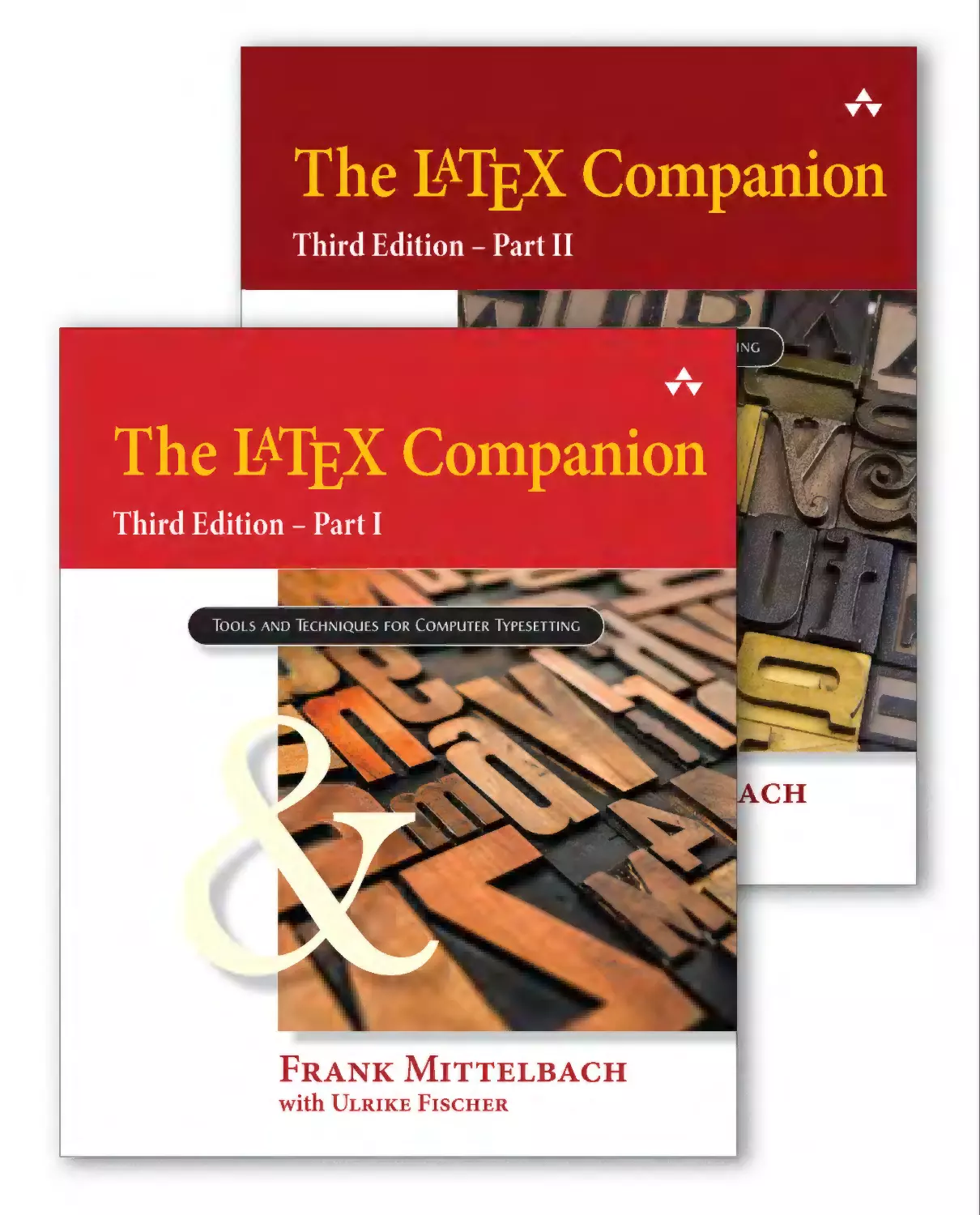
The LaTEX Companion
Third Edition – Part I & Part II
This eBook is a compilation of Part I and Part II of The LATEX
Companion, Third Edition. To navigate to a specific page, click the
links in the text or enter the part number, a hyphen, and the page
number — e.g., II-39 for page 39 in the second part.
Detailed information about the production of this eBook is
given in the Production Notes on page →II 983.
Addison-Wesley Series on
Tools and Techniques for Computer Typesetting
This series focuses on tools and techniques needed for computer typesetting and information processing with traditional and new media. Books in the series address the practical
needs of both users and system developers. Initial titles comprise handy references for
LaTEX users; forthcoming works will expand that core. Ultimately, the series will cover
other typesetting and information processing systems, as well, especially insofar as those
systems offer unique value to the scientific and technical community. The series goal is to
enhance your ability to produce, maintain, manipulate, or reuse articles, papers, reports,
proposals, books, and other documents with professional quality.
Ideas for this series should be directed to frank.mittelbach@latex-project.org.
Send all other feedback to the publisher at informit.com/about/contact_us or via
email to community@informit.com.
Series Editor
Frank Mittelbach
Technical Lead, LATEX Project, Germany
Editorial Board
Jacques André
Peter Flynn
Irisa/Inria-Rennes,
University College, Cork,
Open University, UK (Ret.)
France (Ret.)
Ireland (Ret.)
William Robertson
Barbara Beeton
Matthew Hardy
The University of Adelaide,
Editor, TUGboat, USA
Adobe, USA
Australia
David Brailsford
Leslie Lamport
Steven Simske
University of Nottingham, UK
Microsoft, USA
Colorado State University, USA
Chris Rowley
Series Titles
Guide to LATEX, Fourth Edition by Helmut Kopka and Patrick W. Daly
The LATEX Companion, Third Edition by Frank Mittelbach, with Ulrike Fischer and contributions
by Javier Bezos, Johannes Braams, and Joseph Wright
The LATEX Graphics Companion, Second Edition by Michel Goossens, Frank Mittelbach,
Sebastian Rahtz, Denis Roegel, and Herbert Voß
Reprinted 2022 by Lehmanns Media, Berlin
The LATEX Web Companion by Michel Goossens and Sebastian Rahtz
Also from Addison-Wesley and New Riders:
LATEX: A Document Preparation System, Second Edition by Leslie Lamport
Computers & Typesetting, Volumes A–E by Donald E. Knuth
The Type Project Book: Typographic projects to sharpen your creative skills & diversify your portfolio
by Nigel French and Hugh D’Andrade
The LaTEX Companion
Third Edition – Part I
Frank Mittelbach
LATEX Project, Mainz, Germany
Ulrike Fischer
LAT
EX Project, Bonn, Germany
With contributions by Joseph Wright
Boston • Columbus • New York • San Francisco • Amsterdam • Cape Town
Dubai • London • Madrid • Milan • Munich • Paris • Montreal • Toronto • Delhi • Mexico City
São Paulo • Sydney • Hong Kong • Seoul • Singapore • Taipei • Tokyo
Cover illustration by Lonny Garris/Shutterstock
Photos of Sebastian Rahtz courtesy of the TEX Users Group
Book design by Frank Mittelbach
Typeset with LaTEX in Lucida Bright at 8.47pt/11.72pt
Many of the designations used by manufacturers and sellers to distinguish their products
are claimed as trademarks. Where those designations appear in this book, and the
publisher was aware of a trademark claim, the designations have been printed with initial
capital letters or in all capitals.
The authors and publisher have taken care in the preparation of this book, but make no
expressed or implied warranty of any kind and assume no responsibility for errors or
omissions. No liability is assumed for incidental or consequential damages in connection
with or arising out of the use of the information or programs contained herein.
For information about buying this title in bulk quantities, or for special sales opportunities,
please contact our corporate sales department at corpsales@pearsoned.com or
(800)382–3419.
For government sales inquiries, please contact governmentsales@pearsoned.com. For
questions about sales outside the United States, please contact intlcs@pearson.com.
Visit us on the Web: informit.com/aw
Library of Congress Control Number: 2022947208
Copyright © 2023 by Pearson Education, Inc.
All rights reserved. This publication is protected by copyright, and permission must be
obtained from the publisher prior to any prohibited reproduction, storage in a retrieval
system, or transmission in any form or by any means, electronic, mechanical,
photocopying, recording, or likewise. For information regarding permissions, request
forms and the appropriate contacts within the Pearson Education Global Rights &
Permissions Department, please visit www.pearson.com/permissions/.
The foregoing notwithstanding, the examples contained in this book are made
available under the LaTEX Project Public License (for information on the LPPL, see
https://www.latex-project.org/lppl).
The examples can be downloaded from https://ctan.org/pkg/tlc3-examples.
Part I:
Print ISBN-13:
978-0-13-465894-0
Part II:
Print ISBN-13:
978-0-201-36300-5
Part I+II (bundled):
Print ISBN-13:
978-0-13-816648-9
Part I+II (combined) digital:
ePub ISBN-13:
uPDF ISBN-13:
978-0-13-816652-6
978-0-13-816657-1
Release date of the digital edition: September 1, 2023
Pearson’s Commitment to Diversity, Equity, and Inclusion
Pearson is dedicated to creating bias-free content that reflects the diversity of all
learners. We embrace the many dimensions of diversity, including but not limited to
race, ethnicity, gender, socioeconomic status, ability, age, sexual orientation, and
religious or political beliefs.
Education is a powerful force for equity and change in our world. It has the potential
to deliver opportunities that improve lives and enable economic mobility. As we work
with authors to create content for every product and service, we acknowledge our
responsibility to demonstrate inclusivity and incorporate diverse scholarship so that
everyone can achieve their potential through learning. As the world’s leading learning
company, we have a duty to help drive change and live up to our purpose to help
more people create a better life for themselves and to create a better world.
Our ambition is to purposefully contribute to a world where:
• Everyone has an equitable and lifelong opportunity to succeed through learning.
• Our educational products and services are inclusive and represent the rich
diversity of learners.
• Our educational content accurately reflects the histories and experiences of the
learners we serve.
• Our educational content prompts deeper discussions with learners and
motivates them to expand their own learning (and worldview).
While we work hard to present unbiased content, we want to hear from you about any
concerns or needs with this Pearson product so that we can investigate and address
them.
• Please contact us with concerns about any potential bias at
https://www.pearson.com/report-bias.html.
This page intentionally left blank
A TeX Haiku
\expandafter\def
\csname def\endcsname
{\message{farewell}}\bye
SPQR
at the poetry competition
TUG conference,
Vancouver, 1999
I dedicate this edition to all my friends in the TEX world and in particular
to the memory of my good friend Sebastian P. Q. Rahtz (1955–2016),
with whom I spent many happy hours discussing parenting, literature,
LaTEX and other important aspects of life [146].
This page intentionally left blank
Contents
Part I
List of Figures
List of Tables
Foreword
Preface
Chapter 1
xxviii
xxxi
xxxvii
xxxix
Introduction
1
1.1
A brief history (of nearly half a century) . . . . . . . . . . . . . . . . . . . . . . . . . . . . . . . . .
1
1.2
Today’s systems . . . . . . . . . . . . . . . . . . . . . . . . . . . . . . . . . . . . . . . . . . . . . . . . . . . . . . . . .
8
1.3
Working with this book . . . . . . . . . . . . . . . . . . . . . . . . . . . . . . . . . . . . . . . . . . . . . . . . . .
1.3.1
What’s where . . . . . . . . . . . . . . . . . . . . . . . . . .
1.3.2
Typographic conventions . . . . . . . . . . . . . . . . . . . .
1.3.3
Using the examples. . . . . . . . . . . . . . . . . . . . . . .
13
13
15
18
Chapter 2
21
2.1
The Structure of a LATEX Document
The overall structure of a source file. . . . . . . . . . . . . . . . . . . . . . . . . . . . . . . . . . . . .
2.1.1
Spoiler alert — The \DocumentMetadata command . . . . . .
2.1.2
Processing of options of the document class and packages . .
2.1.3
Front, main, and back matter . . . . . . . . . . . . . . . . . .
2.1.4
Splitting the source document into several files . . . . . . . .
2.1.5
askinclude — Managing your inclusions. . . . . . . . . . . . .
2.1.6
tagging — Providing variants in the document source. . . . . .
22
23
24
26
28
30
30
CONTENTS OF PART I
2.2
Sectioning commands . . . . . . . . . . . . . . . . . . . . . . . . . . . . . . . . . . . . . . . . . . . . . . . . . . .
2.2.1
Numbering headings . . . . . . . . . . . . . . . . . . . . . .
2.2.2
Changing fixed heading texts . . . . . . . . . . . . . . . . .
2.2.3
Introduction to heading design . . . . . . . . . . . . . . . . .
2.2.4
quotchap, epigraph — Mottos on chapters and sections . . . .
2.2.5
indentfirst — Indent the first paragraph after a heading . . . .
2.2.6
nonumonpart — No page numbers on parts . . . . . . . . . .
2.2.7
titlesec — A package approach to heading design . . . . . . .
2.2.8
Formatting headings — LATEX’s internal low-level methods. . . .
32
34
36
37
38
39
40
40
51
2.3
Table of contents structures . . . . . . . . . . . . . . . . . . . . . . . . . . . . . . . . . . . . . . . . . . . . .
2.3.1
tocdata — Providing extra data for the TOC . . . . . . . . . . .
2.3.2
titletoc — A high-level approach to contents list design . . . . .
2.3.3
multitoc — Setting contents lists in multiple columns . . . . . .
2.3.4
LATEX’s low-level interfaces . . . . . . . . . . . . . . . . . . .
Managing references . . . . . . . . . . . . . . . . . . . . . . . . . . . . . . . . . . . . . . . . . . . . . . . . . . . .
2.4.1
varioref — More flexible cross-references . . . . . . . . . . . .
2.4.2
cleveref — Cleverly formatted references . . . . . . . . . . . .
2.4.3
nameref — Non-numerical references . . . . . . . . . . . . . .
2.4.4
showkeys, refcheck — Displaying & checking reference keys . .
2.4.5
xr — References to external documents. . . . . . . . . . . . .
2.4.6
hyperref — Active references . . . . . . . . . . . . . . . . . .
54
56
59
70
70
75
79
86
93
93
95
96
Document source management. . . . . . . . . . . . . . . . . . . . . . . . . . . . . . . . . . . . . . . . . .
2.5.1
Combining several files . . . . . . . . . . . . . . . . . . . . .
2.5.2
Document archival information . . . . . . . . . . . . . . . . .
2.5.3
snapshot, bundledoc — Document archival and verification. . .
2.5.4
mkjobtexmf — Providing a minimal TEX file tree . . . . . . . .
2.5.5
The rollback concept for LATEX and individual packages . . . . .
108
109
110
111
113
114
2.4
2.5
x
Chapter 3
Basic Formatting Tools — Paragraph Level
119
3.1
Shaping
3.1.1
3.1.2
3.1.3
3.1.4
3.1.5
3.1.6
3.1.7
3.1.8
3.1.9
your paragraphs . . . . . . . . . . . . . . . . . . . . . . . . . . . . . . . . . . . . . . . . . . . . . . . .
ragged2e — Improving unjustified text . . . . . . . . . . . . .
nolbreaks — Preventing line breaks in text fragments. . . . . .
microtype — Enhancing justified text . . . . . . . . . . . . . .
parskip — Adjusting the look and feel of paragraphs . . . . . .
setspace — Changing interline spacing . . . . . . . . . . . . .
lettrine — Dropping your capital . . . . . . . . . . . . . . . .
Alphabets for initials . . . . . . . . . . . . . . . . . . . . . .
magaz — Special handling of the first line . . . . . . . . . . .
fancypar — Fancy layouts for individual paragraphs. . . . . . .
120
123
125
126
137
139
141
145
146
147
3.2
Dealing
3.2.1
3.2.2
3.2.3
3.2.4
with special characters . . . . . . . . . . . . . . . . . . . . . . . . . . . . . . . . . . . . . . . . . .
ellipsis, lips — Marks of omission . . . . . . . . . . . . . . . .
extdash and amsmath — Dashes in text . . . . . . . . . . . .
underscore — Making that character more usable. . . . . . . .
xspace — Gentle spacing after a macro . . . . . . . . . . . . .
147
148
149
151
152
CONTENTS OF PART I
3.3
Generated or specially formatted text . . . . . . . . . . . . . . . . . . . . . . . . . . . . . . . . . . .
3.3.1
fmtcount — Ordinals and cardinals . . . . . . . . . . . . . . .
3.3.2
acro — Managing your abbreviations and acronyms. . . . . . .
3.3.3
xfrac — Customizable text ⁄ fractions . . . . . . . . . . . . . . . . .
3.3.4
siunitx — Scientific notation of units and quantities . . . . . .
154
154
156
164
167
3.4
Various
3.4.1
3.4.2
3.4.3
3.4.4
3.4.5
3.4.6
3.4.7
3.4.8
ways of highlighting and quoting text. . . . . . . . . . . . . . . . . . . . . . . . . . .
Change case of text intelligently (formerly textcase) . . . . . .
csquotes — Context-sensitive quotation marks . . . . . . . . .
embrac — Upright brackets and parentheses . . . . . . . . . .
ulem — Emphasize and copy-edit via underline . . . . . . . . .
dashundergaps — Produce fill-in forms . . . . . . . . . . . . .
microtype & soul — Letterspacing or stealing sheep . . . . . .
url — Typesetting URLs, path names, and the like. . . . . . . .
uri — Typesetting various types of URIs . . . . . . . . . . . . .
177
178
179
188
189
190
191
198
202
3.5
Footnotes, endnotes, and marginals . . . . . . . . . . . . . . . . . . . . . . . . . . . . . . . . . . . . .
3.5.1
Using standard footnotes . . . . . . . . . . . . . . . . . . . .
3.5.2
Customizing standard footnotes . . . . . . . . . . . . . . . .
3.5.3
footmisc — Various footnotes styles . . . . . . . . . . . . . .
3.5.4
footnoterange — Referencing footnote ranges . . . . . . . . .
3.5.5
fnpct — Managing footnote markers and punctuation. . . . . .
3.5.6
perpage — Resetting counters on a “per-page” basis . . . . . .
3.5.7
manyfoot, bigfoot — Independent footnotes . . . . . . . . . .
3.5.8
parnotes — Present the notes inside the galley . . . . . . . . .
3.5.9
ftnright — Right footnotes in a two-column environment . . . .
3.5.10 enotez — Endnotes, an alternative to footnotes . . . . . . . . .
3.5.11 Marginal notes . . . . . . . . . . . . . . . . . . . . . . . . .
3.5.12 marginnote — An alternative to \marginpar . . . . . . . . . .
3.5.13 snotez — Numbered or otherwise marked side notes . . . . . .
204
205
208
210
216
216
218
220
226
228
228
232
234
235
3.6
Support
3.6.1
3.6.2
3.6.3
3.6.4
3.6.5
for document development . . . . . . . . . . . . . . . . . . . . . . . . . . . . . . . . . . . . .
todonotes — Adding todos to your document. . . . . . . . . .
fixme — A slightly different approach to todos . . . . . . . . .
changes — A set of typical editorial commands . . . . . . . . .
pdfcomment — Using PDF annotations and tool tips . . . . . .
vertbars — Adding bars to paragraphs . . . . . . . . . . . . .
237
237
242
245
250
251
Basic Formatting Tools — Larger Structures
253
Chapter 4
4.1
Lists . . . . . . . . . . . . . . . . . . . . . . . . . . . . . . . . . . . . . . . . . . . . . . . . . . . . . . . . . . . . . . . . . . . . .
4.1.1
Using and modifying the standard lists . . . . . . . . . . . . .
4.1.2
LATEX’s generic list environments . . . . . . . . . . . . . . . .
4.1.3
enumitem — Extended list environments . . . . . . . . . . . .
4.1.4
amsthm — Providing headed lists . . . . . . . . . . . . . . . .
4.1.5
thmtools — Advanced theorem declarations . . . . . . . . . .
4.1.6
tasks — Making horizontally oriented lists . . . . . . . . . . .
4.1.7
typed-checklist — Developing and maintaining checklists . . . .
254
254
258
261
281
284
289
292
xi
CONTENTS OF PART I
4.2
Simulating typed text . . . . . . . . . . . . . . . . . . . . . . . . . . . . . . . . . . . . . . . . . . . . . . . . . . . .
4.2.1
Displaying spaces in verbatim material . . . . . . . . . . . . .
4.2.2
Simple verbatim extensions . . . . . . . . . . . . . . . . . .
4.2.3
upquote — Computer program style quoting . . . . . . . . . .
4.2.4
fancyvrb, fvextra — Verbatim environments on steroids . . . .
4.2.5
listings — Pretty-printing program code. . . . . . . . . . . . .
296
297
298
302
303
322
4.3
Lines and columns. . . . . . . . . . . . . . . . . . . . . . . . . . . . . . . . . . . . . . . . . . . . . . . . . . . . . . .
4.3.1
lineno — Numbering lines of text . . . . . . . . . . . . . . . .
4.3.2
paracol — Several text streams aligned . . . . . . . . . . . . .
4.3.3
multicol — A flexible way to handle multiple columns . . . . .
4.3.4
multicolrule — Custom rules for multicolumned pages . . . . .
333
334
339
351
361
4.4
Generating sample texts. . . . . . . . . . . . . . . . . . . . . . . . . . . . . . . . . . . . . . . . . . . . . . . . .
4.4.1
lipsum and friends — Generating text samples . . . . . . . . .
4.4.2
blindtext — More elaborate layout testing . . . . . . . . . . .
361
361
363
Chapter 5
xii
The Layout of the Page
365
5.1
Geometrical dimensions of the layout . . . . . . . . . . . . . . . . . . . . . . . . . . . . . . . . . . .
366
5.2
Changing the layout . . . . . . . . . . . . . . . . . . . . . . . . . . . . . . . . . . . . . . . . . . . . . . . . . . . . .
5.2.1
layouts — Displaying your layout . . . . . . . . . . . . . . . .
5.2.2
A collection of page layout packages . . . . . . . . . . . . . .
5.2.3
typearea — A traditional approach . . . . . . . . . . . . . . .
5.2.4
geometry — Layout specification with auto-completion . . . . .
5.2.5
lscape — Typesetting individual pages in landscape mode . . .
5.2.6
savetrees — Options to reduce the document length . . . . . .
368
371
374
375
377
384
384
5.3
Dynamic page data: page numbers and marks . . . . . . . . . . . . . . . . . . . . . . . . . .
5.3.1
LATEX page numbers . . . . . . . . . . . . . . . . . . . . . . .
5.3.2
lastpage — A way to reference it . . . . . . . . . . . . . . . .
5.3.3
chappg — Page numbers by chapters . . . . . . . . . . . . . .
5.3.4
LATEX’s legacy mark commands . . . . . . . . . . . . . . . . .
5.3.5
LATEX’s new mark mechanism . . . . . . . . . . . . . . . . . .
385
385
386
387
388
390
5.4
Page styles . . . . . . . . . . . . . . . . . . . . . . . . . . . . . . . . . . . . . . . . . . . . . . . . . . . . . . . . . . . . . .
5.4.1
The low-level page style interface. . . . . . . . . . . . . . . .
5.4.2
fancyhdr — Customizing page styles . . . . . . . . . . . . . .
5.4.3
truncate — Truncate text to a given length . . . . . . . . . . .
5.4.4
continue — Help with turning pages . . . . . . . . . . . . . .
395
397
398
405
407
5.5
Page decorations and watermarks . . . . . . . . . . . . . . . . . . . . . . . . . . . . . . . . . . . . . . .
5.5.1
draftwatermark — Put a visible stamp on your document . . . .
5.5.2
crop — Producing trimming marks . . . . . . . . . . . . . . .
409
409
411
5.6
Visual formatting . . . . . . . . . . . . . . . . . . . . . . . . . . . . . . . . . . . . . . . . . . . . . . . . . . . . . . . .
5.6.1
Standard tools for page explicit page breaking . . . . . . . . .
5.6.2
Running pages and columns short or long . . . . . . . . . . .
5.6.3
addlines — Adjusting whole double spreads . . . . . . . . . .
5.6.4
nextpage — Extensions to \clearpage . . . . . . . . . . . .
414
414
415
416
418
CONTENTS OF PART I
5.6.5
5.6.6
5.6.7
5.6.8
5.7
.
.
.
.
419
420
424
427
Doing layout with class . . . . . . . . . . . . . . . . . . . . . . . . . . . . . . . . . . . . . . . . . . . . . . . . . .
5.7.1
KOMA- Script — A drop-in replacement for article et al. . . . . .
5.7.2
memoir — Producing complex publications . . . . . . . . . . .
429
429
430
Chapter 6
needspace — Conditionally start a new page . . . . . .
Avoiding widows and orphans . . . . . . . . . . . . .
widows-and-orphans — Finding all widows and orphans
\looseness — Shortening or lengthening paragraphs .
.
.
.
.
.
.
.
.
.
.
.
.
Tabular Material
431
6.1
Standard LATEX environments . . . . . . . . . . . . . . . . . . . . . . . . . . . . . . . . . . . . . . . . . . . . .
6.1.1
Using the tabbing environment . . . . . . . . . . . . . . . .
6.1.2
tabto — An alternative way to tab stops. . . . . . . . . . . . .
6.1.3
Using the tabular environment . . . . . . . . . . . . . . . .
432
433
434
436
6.2
array — Extending the tabular environments. . . . . . . . . . . . . . . . . . . . . . . . . . .
6.2.1
The behavior of the \\ command . . . . . . . . . . . . . . .
6.2.2
Examples of preamble specifiers . . . . . . . . . . . . . . . .
6.2.3
Defining new column specifiers. . . . . . . . . . . . . . . . .
437
437
438
445
6.3
Calculating column widths. . . . . . . . . . . . . . . . . . . . . . . . . . . . . . . . . . . . . . . . . . . . . . .
6.3.1
tabularx — Automatic calculation of column widths. . . . . . .
6.3.2
tabulary — Column widths based on content . . . . . . . . . .
6.3.3
Differences between tabular* , tabularx , and tabulary . .
6.3.4
Managing tables with wide entries . . . . . . . . . . . . . . .
6.3.5
widetable — An alternative to tabular* . . . . . . . . . . . .
446
448
450
452
453
453
6.4
Multipage tabular material. . . . . . . . . . . . . . . . . . . . . . . . . . . . . . . . . . . . . . . . . . . . . . .
6.4.1
supertabular — Making multipage tabulars . . . . . . . . . . .
6.4.2
longtable — Alternative multipage tabulars . . . . . . . . . . .
6.4.3
xltabular — Marriage of tabularx and longtable . . . . . . . . .
6.4.4
Problems with multipage tables (all packages) . . . . . . . . .
456
456
459
463
464
6.5
Color in tables . . . . . . . . . . . . . . . . . . . . . . . . . . . . . . . . . . . . . . . . . . . . . . . . . . . . . . . . . . .
466
6.6
Customizing table rules and spacing . . . . . . . . . . . . . . . . . . . . . . . . . . . . . . . . . . . .
6.6.1
Colored table rules . . . . . . . . . . . . . . . . . . . . . . .
6.6.2
boldline — Bolder table rules . . . . . . . . . . . . . . . . . .
6.6.3
arydshln — Dashed rules . . . . . . . . . . . . . . . . . . . .
6.6.4
hhline — Combining horizontal and vertical lines . . . . . . . .
6.6.5
booktabs — Formal ruled tables . . . . . . . . . . . . . . . .
6.6.6
bigstrut — Spreading individual table lines apart . . . . . . . .
6.6.7
cellspace — Ensure minimal clearance automatically . . . . . .
467
467
468
469
470
471
473
474
6.7
Other extensions . . . . . . . . . . . . . . . . . . . . . . . . . . . . . . . . . . . . . . . . . . . . . . . . . . . . . . . .
6.7.1
multirow — Vertical alignment in tables. . . . . . . . . . . . .
6.7.2
diagbox — Making table cells with diagonal lines . . . . . . . .
6.7.3
dcolumn — Decimal column alignments . . . . . . . . . . . .
6.7.4
siunitx — Scientific numbers in tables. . . . . . . . . . . . . .
6.7.5
fcolumn — Managing financial tables . . . . . . . . . . . . . .
476
476
479
481
484
487
xiii
CONTENTS OF PART I
6.8
Footnotes in tabular material . . . . . . . . . . . . . . . . . . . . . . . . . . . . . . . . . . . . . . . . . . . .
6.8.1
Using minipage footnotes with tables . . . . . . . . . . . . .
6.8.2
threeparttable — Setting table and notes together . . . . . . .
491
491
492
6.9
keyvaltable — Separating table data and formatting . . . . . . . . . . . . . . . . . . . . .
494
6.10 tabularray — Late breaking news. . . . . . . . . . . . . . . . . . . . . . . . . . . . . . . . . . . . . . . . .
504
Chapter 7
505
LAT X’s
7.1
An overview of E
float concepts. . . . . . . . . . . . . . . . . . . . . . . . . . . . . . . . . . . . .
7.1.1
LATEX float terminology . . . . . . . . . . . . . . . . . . . . .
7.1.2
Basic behavioral rules of LATEX’s float mechanism . . . . . . . .
7.1.3
Consequences of the algorithm. . . . . . . . . . . . . . . . .
7.1.4
fltrace — Tracing the float algorithm . . . . . . . . . . . . . .
506
506
508
512
518
7.2
Float placement control . . . . . . . . . . . . . . . . . . . . . . . . . . . . . . . . . . . . . . . . . . . . . . . . .
7.2.1
fewerfloatpages — Improving LATEX’s float algorithm . . . . . .
7.2.2
placeins — Preventing floats from crossing a barrier . . . . . .
7.2.3
afterpage — Taking control at the page boundary . . . . . . .
7.2.4
endfloat — Placing figures and tables at the end . . . . . . . .
519
519
524
525
525
7.3
Extensions to LATEX’s float concept . . . . . . . . . . . . . . . . . . . . . . . . . . . . . . . . . . . . . . .
7.3.1
float — Creating new float types . . . . . . . . . . . . . . . .
7.3.2
Captions for nonfloating figures and tables . . . . . . . . . .
7.3.3
rotating, rotfloat — Rotating floats . . . . . . . . . . . . . . .
7.3.4
wrapfig — Inline floats, wrapping text around a figure . . . . .
528
529
532
533
535
7.4
Controlling the float caption. . . . . . . . . . . . . . . . . . . . . . . . . . . . . . . . . . . . . . . . . . . . .
7.4.1
caption — Customizing your captions. . . . . . . . . . . . . .
7.4.2
subcaption — Substructuring floats . . . . . . . . . . . . . . .
538
540
551
7.5
Key/value approaches for floats and subfloats. . . . . . . . . . . . . . . . . . . . . . . . . . .
7.5.1
hvfloat — Sophisticated caption placement control and more . .
7.5.2
keyfloat — Bringing most packages under one roof . . . . . . .
560
560
567
Chapter 8
xiv
Mastering Floats
Graphics Generation and Manipulation
575
8.1
LAT X’s
image loading support. . . . . . . . . . . . . . . . . . . . . . . . . . . . . . . . . . . . . . . . . . . .
E
8.1.1
Options for graphics and graphicx . . . . . . . . . . . . . . .
8.1.2
The \includegraphics syntax in the graphics package . . .
8.1.3
The \includegraphics syntax in the graphicx package . . .
8.1.4
Setting default key values for the graphicx package . . . . . .
8.1.5
Declarations guiding the inclusion of images . . . . . . . . . .
576
577
578
580
585
586
8.2
Manipulating graphical objects in LATEX . . . . . . . . . . . . . . . . . . . . . . . . . . . . . . . . . .
8.2.1
Image and box manipulations with graphics and graphicx . . .
8.2.2
overpic — Graphic annotation made easy . . . . . . . . . . . .
8.2.3
adjustbox — Box manipulation with a key/value interface . . .
587
587
593
595
8.3
Producing (fairly) portable line graphics . . . . . . . . . . . . . . . . . . . . . . . . . . . . . . . . .
8.3.1
A kernel picture environment enhancement . . . . . . . . .
8.3.2
pict2e — An extension of LATEX’s picture environment. . . . .
602
602
602
CONTENTS OF PART I
8.3.3
8.3.4
8.3.5
bxeepic — A differently enhanced picture environment . . . .
Special-purpose languages . . . . . . . . . . . . . . . . . . .
qrcode — Generating Quick Response codes . . . . . . . . . .
608
612
612
8.4
Flexible
8.4.1
8.4.2
8.4.3
8.4.4
boxes for multiple purposes . . . . . . . . . . . . . . . . . . . . . . . . . . . . . . . . . . . .
tcolorbox — The basic usage . . . . . . . . . . . . . . . . . .
Extending tcolorbox through libraries . . . . . . . . . . . . .
Defining new tcolorbox environments and commands . . . . .
Special tcolorbox applications . . . . . . . . . . . . . . . . .
614
614
619
626
628
8.5
tikz — A
8.5.1
8.5.2
8.5.3
general-purpose graphics system . . . . . . . . . . . . . . . . . . . . . . . . . . . . . . .
Basic objects . . . . . . . . . . . . . . . . . . . . . . . . . .
Transformations and other operations . . . . . . . . . . . . .
Going further . . . . . . . . . . . . . . . . . . . . . . . . . .
631
633
642
646
Font Selection and Encodings
647
Chapter 9
9.1
Introduction . . . . . . . . . . . . . . . . . . . . . . . . . . . . . . . . . . . . . . . . . . . . . . . . . . . . . . . . . . . . .
9.1.1
The history of LATEX’s font selection scheme (NFSS) . . . . . . .
9.1.2
Input and output handling in TEX systems over the years . . . .
648
648
649
9.2
Understanding font characteristics . . . . . . . . . . . . . . . . . . . . . . . . . . . . . . . . . . . . . .
9.2.1
Monospaced and proportional fonts . . . . . . . . . . . . . .
9.2.2
Serifed and sans serif fonts . . . . . . . . . . . . . . . . . . .
9.2.3
Font families and their attributes . . . . . . . . . . . . . . . .
9.2.4
Font encodings . . . . . . . . . . . . . . . . . . . . . . . . .
652
652
653
653
657
9.3
Using fonts in text . . . . . . . . . . . . . . . . . . . . . . . . . . . . . . . . . . . . . . . . . . . . . . . . . . . . . . .
9.3.1
Standard LATEX font commands . . . . . . . . . . . . . . . . .
9.3.2
Font commands versus declarations . . . . . . . . . . . . . .
9.3.3
Combining standard font commands . . . . . . . . . . . . . .
9.3.4
Accessing all characters of a font . . . . . . . . . . . . . . . .
9.3.5
LATEX 2.09 font support — Compatibility for really ancient
documents . . . . . . . . . . . . . . . . . . . . . . . . . . .
9.3.6
Changing the default text fonts . . . . . . . . . . . . . . . .
9.3.7
relsize, scalefnt — Relative changes to the font size . . . . . .
658
659
666
668
669
670
670
675
9.4
Using fonts in math. . . . . . . . . . . . . . . . . . . . . . . . . . . . . . . . . . . . . . . . . . . . . . . . . . . . . .
9.4.1
Special math alphabet identifiers . . . . . . . . . . . . . . . .
9.4.2
Text font commands in math . . . . . . . . . . . . . . . . . .
9.4.3
Mathematical formula versions . . . . . . . . . . . . . . . . .
676
677
682
682
9.5
Standard LATEX font support . . . . . . . . . . . . . . . . . . . . . . . . . . . . . . . . . . . . . . . . . . . . . .
9.5.1
Computer Modern, Latin Modern — The LATEX standard fonts . .
9.5.2
PSNFSS and TEX Gyre — Core PostScript fonts for LATEX . . . . .
9.5.3
A note on baselines and leading . . . . . . . . . . . . . . . .
9.5.4
inputenc — Explicitly selecting the input encoding . . . . . . .
9.5.5
fontenc — Selecting font encodings . . . . . . . . . . . . . . .
9.5.6
Additional text symbols not part of OT1 or T1 encodings . . .
9.5.7
exscale — Scaling large Computer Modern math operators . . .
683
684
688
691
692
693
694
704
xv
CONTENTS OF PART I
9.5.8
9.5.9
tracefnt — Tracing the font selection . . . . . . . . . . . . . .
nfssfont.tex — Displaying 8-bit font tables and samples . . . .
704
705
9.6
fontspec — Font selection for Unicode engines . . . . . . . . . . . . . . . . . . . . . . . . . .
9.6.1
Setting up the main document font families . . . . . . . . . .
9.6.2
Setting up additional font families . . . . . . . . . . . . . . .
9.6.3
Setting up a single font face . . . . . . . . . . . . . . . . . .
9.6.4
Interfacing with core NFSS commands . . . . . . . . . . . . .
9.6.5
Altering the look and feel of fonts . . . . . . . . . . . . . . .
9.6.6
General configuration options . . . . . . . . . . . . . . . . .
9.6.7
unicodefonttable — Displaying font tables for larger fonts . . .
705
706
711
711
712
713
727
728
9.7
The low-level NFSS interface . . . . . . . . . . . . . . . . . . . . . . . . . . . . . . . . . . . . . . . . . . . . .
9.7.1
Setting individual font attributes . . . . . . . . . . . . . . . .
9.7.2
Setting several font attributes . . . . . . . . . . . . . . . . .
9.7.3
Automatic substitution of fonts. . . . . . . . . . . . . . . . .
9.7.4
Substituting the font family if unavailable in an encoding . . .
9.7.5
Using low-level commands in the document . . . . . . . . . .
730
731
738
738
739
740
9.8
Setting
9.8.1
9.8.2
9.8.3
9.8.4
9.8.5
up new fonts for NFSS . . . . . . . . . . . . . . . . . . . . . . . . . . . . . . . . . . . . . . . . . . .
Declaring new font families and font shape groups. . . . . . .
Modifying font families and font shape groups . . . . . . . . .
Declaring new font encoding schemes . . . . . . . . . . . . .
Internal file organization . . . . . . . . . . . . . . . . . . . .
Declaring new fonts and symbols for use in math . . . . . . .
740
741
746
747
748
749
9.9
LATEX’s encoding models . . . . . . . . . . . . . . . . . . . . . . . . . . . . . . . . . . . . . . . . . . . . . . . . .
9.9.1
Character data within the LATEX system . . . . . . . . . . . . .
9.9.2
LATEX’s internal character representation (LICR) . . . . . . . . .
9.9.3
Input encodings . . . . . . . . . . . . . . . . . . . . . . . .
9.9.4
Output encodings . . . . . . . . . . . . . . . . . . . . . . .
754
754
757
758
760
Part II
Foreword, Part II
Preface, Part II
Chapter 10
xvi
Text and Symbol Fonts
II v
II vii
II 1
10.1 Overview . . . . . . . . . . . . . . . . . . . . . . . . . . . . . . . . . . . . . . . . . . . . . . . . . . . . . . . . . . . . . . . .
10.1.1 Notes on the font samples . . . . . . . . . . . . . . . . . .
10.1.2 Notes on the font family tables . . . . . . . . . . . . . . . .
10.1.3 Font support packages . . . . . . . . . . . . . . . . . . . .
10.1.4 Direct use of the fonts (without a package) . . . . . . . . . .
II 2
II 4
II 5
II 7
II 10
10.2 Samples of larger font families. . . . . . . . . . . . . . . . . . . . . . . . . . . . . . . . . . . . . . . . . .
10.2.1 Alegreya . . . . . . . . . . . . . . . . . . . . . . . . . . .
10.2.2 CM Bright — A design based on Computer Modern Sans . . .
II 11
II 11
II 12
CONTENTS OF PART II
.
.
.
.
.
.
.
.
.
.
.
.
.
.
.
II 12
II 14
II 15
II 15
II 16
II 17
II 19
II 21
II 25
II 26
II 30
II 31
II 33
II 34
II 35
10.3 Humanist (Oldstyle) serif fonts. . . . . . . . . . . . . . . . . . . . . . . . . . . . . . . . . . . . . . . . . .
10.3.1 Alegreya . . . . . . . . . . . . . . . . . . . . . . . . . . .
10.3.2 Coelacanth . . . . . . . . . . . . . . . . . . . . . . . . . .
10.3.3 fbb — A version of Cardo . . . . . . . . . . . . . . . . . . .
II 36
II 37
II 37
II 37
10.4 Garalde (Oldstyle) serif fonts. . . . . . . . . . . . . . . . . . . . . . . . . . . . . . . . . . . . . . . . . . . .
10.4.1 Accanthis . . . . . . . . . . . . . . . . . . . . . . . . . . .
10.4.2 GFS Artemisia . . . . . . . . . . . . . . . . . . . . . . . . .
10.4.3 Crimson, Crimson Pro, and Cochineal . . . . . . . . . . . . .
10.4.4 Cormorant Garamond . . . . . . . . . . . . . . . . . . . . .
10.4.5 EB Garamond . . . . . . . . . . . . . . . . . . . . . . . . .
10.4.6 Garamond Libre . . . . . . . . . . . . . . . . . . . . . . . .
10.4.7 URW Garamond No. 8 . . . . . . . . . . . . . . . . . . . . .
10.4.8 Gentium Plus . . . . . . . . . . . . . . . . . . . . . . . . .
10.4.9 Kp (Johannes Kepler) Roman . . . . . . . . . . . . . . . . .
10.4.10 Palatino (TEX Gyre Pagella) . . . . . . . . . . . . . . . . . .
II 38
II 39
II 39
II 40
II 41
II 41
II 42
II 43
II 45
II 45
II 46
10.5 Transitional/Neoclassical serif fonts . . . . . . . . . . . . . . . . . . . . . . . . . . . . . . . . . . . .
10.5.1 Antykwa Poltawskiego . . . . . . . . . . . . . . . . . . . .
10.5.2 BaskervilleF and Libre Baskerville . . . . . . . . . . . . . . .
10.5.3 Baskervald (Baskervaldx) . . . . . . . . . . . . . . . . . . .
10.5.4 ITC Bookman (TEX Gyre Bonum) . . . . . . . . . . . . . . . .
10.5.5 Cambria. . . . . . . . . . . . . . . . . . . . . . . . . . . .
10.5.6 Bitstream Charter . . . . . . . . . . . . . . . . . . . . . . .
10.5.7 Charis SIL — A design based on Bitstream Charter. . . . . . .
10.5.8 Caslon — Reinterpreted as Libre Caslon . . . . . . . . . . . .
10.5.9 Gandhi Serif . . . . . . . . . . . . . . . . . . . . . . . . . .
10.5.10 Inria Serif . . . . . . . . . . . . . . . . . . . . . . . . . . .
10.5.11 Libertinus Serif . . . . . . . . . . . . . . . . . . . . . . . .
10.5.12 Literaturnaya — A favorite in the days of the USSR. . . . . . .
10.5.13 Lucida Bright . . . . . . . . . . . . . . . . . . . . . . . . .
II 46
II 46
II 47
II 48
II 48
II 49
II 50
II 51
II 51
II 52
II 52
II 52
II 53
II 53
10.2.3
10.2.4
10.2.5
10.2.6
10.2.7
10.2.8
10.2.9
10.2.10
10.2.11
10.2.12
10.2.13
10.2.14
10.2.15
10.2.16
10.2.17
DejaVu — A fork of Bitstream Vera . . . . . . . . .
Fira fonts . . . . . . . . . . . . . . . . . . . . . .
Gandhi fonts . . . . . . . . . . . . . . . . . . . .
Go fonts. . . . . . . . . . . . . . . . . . . . . . .
Inria fonts . . . . . . . . . . . . . . . . . . . . . .
Kp (Johannes Kepler) fonts . . . . . . . . . . . . .
Libertinus — A fork of Linux Libertine and Biolinum .
Lucida fonts. . . . . . . . . . . . . . . . . . . . .
Merriweather fonts . . . . . . . . . . . . . . . . .
Google’s Noto and Droid fonts . . . . . . . . . . .
IBM Plex . . . . . . . . . . . . . . . . . . . . . . .
PT fonts . . . . . . . . . . . . . . . . . . . . . . .
Quattrocento . . . . . . . . . . . . . . . . . . . .
Google Roboto families . . . . . . . . . . . . . . .
Adobe Source Pro . . . . . . . . . . . . . . . . . .
.
.
.
.
.
.
.
.
.
.
.
.
.
.
.
.
.
.
.
.
.
.
.
.
.
.
.
.
.
.
.
.
.
.
.
.
.
.
.
.
.
.
.
.
.
.
.
.
.
.
.
.
.
.
.
.
.
.
.
.
xvii
CONTENTS OF PART II
.
.
.
.
.
.
.
.
.
.
II 54
II 54
II 54
II 55
II 55
II 55
II 55
II 57
II 57
II 58
10.6 Didone (Modern) serif fonts. . . . . . . . . . . . . . . . . . . . . . . . . . . . . . . . . . . . . . . . . . . . .
10.6.1 Computer Modern Roman / Latin Modern Roman . . . . . . .
10.6.2 GFS Bodoni . . . . . . . . . . . . . . . . . . . . . . . . . .
10.6.3 Libre Bodoni . . . . . . . . . . . . . . . . . . . . . . . . .
10.6.4 GFS Didot . . . . . . . . . . . . . . . . . . . . . . . . . . .
10.6.5 Theano Didot . . . . . . . . . . . . . . . . . . . . . . . . .
10.6.6 Noto Serif . . . . . . . . . . . . . . . . . . . . . . . . . . .
10.6.7 Old Standard . . . . . . . . . . . . . . . . . . . . . . . . .
10.6.8 Playfair Display . . . . . . . . . . . . . . . . . . . . . . . .
II 60
II 60
II 61
II 61
II 62
II 62
II 63
II 63
II 64
10.7 Slab serif (Egyptian) fonts . . . . . . . . . . . . . . . . . . . . . . . . . . . . . . . . . . . . . . . . . . . . . . .
10.7.1 Bitter . . . . . . . . . . . . . . . . . . . . . . . . . . . . .
10.7.2 Concrete Roman . . . . . . . . . . . . . . . . . . . . . . .
10.7.3 DejaVu Serif . . . . . . . . . . . . . . . . . . . . . . . . . .
10.7.4 Roboto Slab Serif . . . . . . . . . . . . . . . . . . . . . . .
10.7.5 Source Serif Pro . . . . . . . . . . . . . . . . . . . . . . . .
II 64
II 65
II 65
II 67
II 67
II 67
10.8 Sans serif fonts . . . . . . . . . . . . . . . . . . . . . . . . . . . . . . . . . . . . . . . . . . . . . . . . . . . . . . . . .
10.8.1 Alegreya Sans . . . . . . . . . . . . . . . . . . . . . . . . .
10.8.2 Arimo . . . . . . . . . . . . . . . . . . . . . . . . . . . . .
10.8.3 ITC Avant Garde Gothic (TEX Gyre Adventor) . . . . . . . . .
10.8.4 Cabin . . . . . . . . . . . . . . . . . . . . . . . . . . . . .
10.8.5 Chivo . . . . . . . . . . . . . . . . . . . . . . . . . . . . .
10.8.6 Classico — A design based on Optima . . . . . . . . . . . . .
10.8.7 Clear Sans. . . . . . . . . . . . . . . . . . . . . . . . . . .
10.8.8 CM Bright . . . . . . . . . . . . . . . . . . . . . . . . . . .
10.8.9 Cuprum . . . . . . . . . . . . . . . . . . . . . . . . . . . .
10.8.10 Cyklop . . . . . . . . . . . . . . . . . . . . . . . . . . . .
10.8.11 DejaVu Sans. . . . . . . . . . . . . . . . . . . . . . . . . .
10.8.12 Fira Sans . . . . . . . . . . . . . . . . . . . . . . . . . . .
10.8.13 Gandhi Sans. . . . . . . . . . . . . . . . . . . . . . . . . .
10.8.14 GFS Neo-Hellenic . . . . . . . . . . . . . . . . . . . . . . .
10.8.15 Gillius . . . . . . . . . . . . . . . . . . . . . . . . . . . . .
10.8.16 Helvetica (TEX Gyre Heros). . . . . . . . . . . . . . . . . . .
10.8.17 Inria Sans . . . . . . . . . . . . . . . . . . . . . . . . . . .
10.8.18 Iwona . . . . . . . . . . . . . . . . . . . . . . . . . . . . .
II 67
II 68
II 68
II 69
II 70
II 70
II 71
II 72
II 72
II 73
II 73
II 74
II 74
II 74
II 75
II 75
II 76
II 77
II 77
10.5.14
10.5.15
10.5.16
10.5.17
10.5.18
10.5.19
10.5.20
10.5.21
10.5.22
10.5.23
xviii
Lucida Fax . . . . . . . . . . . . . . . . . . .
Merriweather . . . . . . . . . . . . . . . . . .
New Century Schoolbook (TEX Gyre Schola) . . .
Plex Serif . . . . . . . . . . . . . . . . . . . .
PT Serif . . . . . . . . . . . . . . . . . . . . .
Quattrocento . . . . . . . . . . . . . . . . . .
Times Roman (TEX Gyre Termes and Tempora) .
Tinos . . . . . . . . . . . . . . . . . . . . . .
STIX 2 . . . . . . . . . . . . . . . . . . . . . .
Utopia (Heuristica, Erewhon, and Linguistics Pro)
.
.
.
.
.
.
.
.
.
.
.
.
.
.
.
.
.
.
.
.
.
.
.
.
.
.
.
.
.
.
.
.
.
.
.
.
.
.
.
.
.
.
.
.
.
.
.
.
.
.
.
.
.
.
.
.
.
.
.
.
CONTENTS OF PART II
.
.
.
.
.
.
.
.
.
.
.
.
.
.
.
.
.
.
.
.
II 79
II 79
II 80
II 80
II 81
II 81
II 82
II 82
II 82
II 83
II 84
II 84
II 85
II 85
II 85
II 86
II 86
II 86
II 87
II 87
10.9 Monospaced (typewriter) fonts . . . . . . . . . . . . . . . . . . . . . . . . . . . . . . . . . . . . . . . . . .
10.9.1 Algol . . . . . . . . . . . . . . . . . . . . . . . . . . . . .
10.9.2 Anonymous Pro . . . . . . . . . . . . . . . . . . . . . . . .
10.9.3 CM Bright Typewriter Light . . . . . . . . . . . . . . . . . .
10.9.4 Courier . . . . . . . . . . . . . . . . . . . . . . . . . . . .
10.9.5 DejaVu Sans Mono . . . . . . . . . . . . . . . . . . . . . .
10.9.6 Fira Mono . . . . . . . . . . . . . . . . . . . . . . . . . . .
10.9.7 Go Mono . . . . . . . . . . . . . . . . . . . . . . . . . . .
10.9.8 Inconsolata . . . . . . . . . . . . . . . . . . . . . . . . . .
10.9.9 Kp (Johannes Kepler) Typewriter . . . . . . . . . . . . . . .
10.9.10 Latin Modern Typewriter . . . . . . . . . . . . . . . . . . .
10.9.11 Libertinus Mono. . . . . . . . . . . . . . . . . . . . . . . .
10.9.12 Lucida’s monospaced families . . . . . . . . . . . . . . . .
10.9.13 Luximono . . . . . . . . . . . . . . . . . . . . . . . . . . .
10.9.14 Noto Sans Mono. . . . . . . . . . . . . . . . . . . . . . . .
10.9.15 Plex Mono. . . . . . . . . . . . . . . . . . . . . . . . . . .
10.9.16 PT Mono . . . . . . . . . . . . . . . . . . . . . . . . . . .
10.9.17 Roboto Mono . . . . . . . . . . . . . . . . . . . . . . . . .
10.9.18 Source Code Pro . . . . . . . . . . . . . . . . . . . . . . .
II 88
II 89
II 90
II 90
II 91
II 91
II 92
II 92
II 92
II 93
II 93
II 94
II 94
II 95
II 96
II 96
II 96
II 97
II 97
10.8.19
10.8.20
10.8.21
10.8.22
10.8.23
10.8.24
10.8.25
10.8.26
10.8.27
10.8.28
10.8.29
10.8.30
10.8.31
10.8.32
10.8.33
10.8.34
10.8.35
10.8.36
10.8.37
10.8.38
Kp (Johannes Kepler) Sans.
Kurier . . . . . . . . . . .
Latin Modern Sans . . . .
Lato . . . . . . . . . . . .
Libertinus Sans . . . . . .
Libre Franklin . . . . . . .
Lucida Sans . . . . . . . .
Merriweather Sans . . . .
Mint Spirit . . . . . . . . .
Montserrat . . . . . . . .
Noto Sans . . . . . . . . .
Overlock . . . . . . . . .
Plex Sans . . . . . . . . .
PT Sans . . . . . . . . . .
Quattrocento Sans . . . .
Raleway . . . . . . . . . .
Roboto Sans. . . . . . . .
Rosario . . . . . . . . . .
Source Sans Pro . . . . . .
Universalis . . . . . . . .
.
.
.
.
.
.
.
.
.
.
.
.
.
.
.
.
.
.
.
.
.
.
.
.
.
.
.
.
.
.
.
.
.
.
.
.
.
.
.
.
.
.
.
.
.
.
.
.
.
.
.
.
.
.
.
.
.
.
.
.
.
.
.
.
.
.
.
.
.
.
.
.
.
.
.
.
.
.
.
.
.
.
.
.
.
.
.
.
.
.
.
.
.
.
.
.
.
.
.
.
.
.
.
.
.
.
.
.
.
.
.
.
.
.
.
.
.
.
.
.
.
.
.
.
.
.
.
.
.
.
.
.
.
.
.
.
.
.
.
.
.
.
.
.
.
.
.
.
.
.
.
.
.
.
.
.
.
.
.
.
.
.
.
.
.
.
.
.
.
.
.
.
.
.
.
.
.
.
.
.
.
.
.
.
.
.
.
.
.
.
.
.
.
.
.
.
.
.
.
.
.
.
.
.
.
.
.
.
.
.
.
.
.
.
.
.
.
.
.
.
.
.
.
.
.
.
.
.
.
.
.
.
.
.
.
.
.
.
.
.
.
.
.
.
.
.
.
.
.
.
.
.
.
.
.
.
.
.
.
.
.
.
.
.
.
.
.
.
.
.
.
.
.
.
.
.
.
.
.
.
.
.
.
.
.
.
.
.
.
.
.
.
.
.
.
.
.
.
.
.
.
.
.
.
.
.
.
.
.
.
.
.
.
.
.
.
.
.
.
.
.
.
.
.
.
.
.
.
.
.
.
.
.
.
.
.
.
.
.
.
10.10 Historical and other fonts . . . . . . . . . . . . . . . . . . . . . . . . . . . . . . . . . . . . . . . . . . . . . . . II 97
10.10.1 Cinzel . . . . . . . . . . . . . . . . . . . . . . . . . . . . . II 98
10.10.2 Marcellus . . . . . . . . . . . . . . . . . . . . . . . . . . . II 99
10.10.3 The Fell Types. . . . . . . . . . . . . . . . . . . . . . . . . II 99
10.10.4 Almendra . . . . . . . . . . . . . . . . . . . . . . . . . . . II 100
xix
CONTENTS OF PART II
.
.
.
.
.
.
II 100
II 102
II 102
II 103
II 104
II 104
10.11 Fonts supporting Latin and polytonic Greek . . . . . . . . . . . . . . . . . . . . . . . . . . . .
10.11.1 Serif designs . . . . . . . . . . . . . . . . . . . . . . . . .
10.11.2 Sans Serif designs . . . . . . . . . . . . . . . . . . . . . . .
10.11.3 Monospaced fonts . . . . . . . . . . . . . . . . . . . . . .
10.11.4 Handwriting fonts . . . . . . . . . . . . . . . . . . . . . . .
II 106
II 107
II 109
II 109
II 110
10.12 Fonts supporting Latin and Cyrillic. . . . . . . . . . . . . . . . . . . . . . . . . . . . . . . . . . . . . .
10.12.1 Serif designs . . . . . . . . . . . . . . . . . . . . . . . . .
10.12.2 Sans Serif designs . . . . . . . . . . . . . . . . . . . . . . .
10.12.3 Monospaced fonts . . . . . . . . . . . . . . . . . . . . . .
10.12.4 Handwriting fonts . . . . . . . . . . . . . . . . . . . . . . .
II 110
II 110
II 111
II 112
II 113
10.13 The LATEX
10.13.1
10.13.2
10.13.3
10.13.4
10.13.5
10.13.6
10.13.7
10.13.8
II 113
II 113
II 116
II 117
II 118
II 119
II 119
II 120
II 125
10.10.5 Antykwa Toruńska . . . . . . . . . . . . . . . . . . .
10.10.6 Lucida Casual, Calligraphy, and Handwriting . . . . . .
10.10.7 Zapf Chancery (TEX Gyre Chorus) . . . . . . . . . . . .
10.10.8 Miama Nueva . . . . . . . . . . . . . . . . . . . . . .
10.10.9 Lucida Blackletter . . . . . . . . . . . . . . . . . . . .
10.10.10 Blackletter — Yannis Gothic, Schwabacher, and Fraktur.
Chapter 11
.
.
.
.
.
.
.
.
.
.
.
.
world of symbols. . . . . . . . . . . . . . . . . . . . . . . . . . . . . . . . . . . . . . . . . . . . . .
pifont — Accessing Pi and Symbol fonts . . . . . . . . . . . .
wasysym — Waldi’s symbol font . . . . . . . . . . . . . . . .
marvosym — Interface to the MarVoSym font . . . . . . . . .
adforn — Adding ornaments to your document . . . . . . . .
fourier-orns — GUTenberg-Fourier’s ornaments . . . . . . . .
Web-O-Mints — Another collection of ornaments and borders .
fontawesome5 — Accessing Font Awesome icons . . . . . . .
tipa — International Phonetic Alphabet symbols . . . . . . . .
Higher Mathematics
II 127
11.1 Introduction to amsmath and mathtools . . . . . . . . . . . . . . . . . . . . . . . . . . . . . . . . II 128
11.2 Display and alignment structures for equations. . . . . . . . . . . . . . . . . . . . . . . . .
11.2.1 Comparison of amsmath/mathtools with standard LATEX. . . .
11.2.2 A single equation on one line . . . . . . . . . . . . . . . . .
11.2.3 A single equation on several lines: no alignment . . . . . . .
11.2.4 A single equation on several lines: with alignment . . . . . .
11.2.5 Equation groups without alignment . . . . . . . . . . . . . .
11.2.6 Equation groups with simple alignment . . . . . . . . . . . .
11.2.7 Multiple alignments: align , flalign , and alignat . . . .
11.2.8 Display environments as mini-pages . . . . . . . . . . . . .
11.2.9 Interrupting displays with short text . . . . . . . . . . . . .
11.2.10 Vertical space in and around displays . . . . . . . . . . . . .
11.2.11 Page breaks in and around displays . . . . . . . . . . . . . .
11.2.12 breqn — Automatic line breaking in math displays . . . . . .
11.2.13 Equation numbering and tags . . . . . . . . . . . . . . . . .
11.2.14 Fine-tuning tag placement . . . . . . . . . . . . . . . . . .
11.2.15 Subordinate numbering sequences . . . . . . . . . . . . . .
11.2.16 Resetting the equation counter . . . . . . . . . . . . . . . .
xx
II 131
II 132
II 133
II 134
II 135
II 137
II 138
II 138
II 140
II 143
II 143
II 145
II 146
II 149
II 150
II 152
II 153
CONTENTS OF PART II
11.3 Matrix-like environments . . . . . . . . . . . . . . . . . . . . . . . . . . . . . . . . . . . . . . . . . . . . . . .
11.3.1 amsmath, mathtools — The matrix environments . . . . . . .
11.3.2 amsmath, mathtools, cases — Some case environments . . . .
11.3.3 delarray — Delimiters surrounding an array . . . . . . . . . .
11.3.4 bigdelim — Delimiters around and inside arrays. . . . . . . .
11.3.5 Commutative diagrams with standard LATEX . . . . . . . . . .
11.3.6 amscd — Commutative diagrams a là AMS . . . . . . . . . .
11.3.7 tikz-cd — Commutative diagrams based on tikz . . . . . . . .
II 153
II 154
II 156
II 157
II 158
II 159
II 160
II 161
11.4 Compound structures and decorations . . . . . . . . . . . . . . . . . . . . . . . . . . . . . . . . .
11.4.1 amsmath, mathtools, extarrows — Decorated arrows . . . . .
11.4.2 Fractions and their generalizations . . . . . . . . . . . . . .
11.4.3 Continued fractions . . . . . . . . . . . . . . . . . . . . . .
11.4.4 Limiting positions . . . . . . . . . . . . . . . . . . . . . . .
11.4.5 Stacking in subscripts and superscripts . . . . . . . . . . . .
11.4.6 amsmath, esint, wasysym — Multiple integral signs . . . . . .
11.4.7 diffcoeff — Handling derivatives of arbitrary order. . . . . . .
11.4.8 Modular relations . . . . . . . . . . . . . . . . . . . . . . .
11.4.9 mathtools, interval — Properly spaced intervals . . . . . . . .
11.4.10 braket — Dirac bra–ket and set notation. . . . . . . . . . . .
11.4.11 amsmath, mathtools, empheq — Boxed formulas . . . . . . .
11.4.12 amsmath, accents, mathdots — Various accents. . . . . . . .
11.4.13 mattens — Commands to typeset tensors . . . . . . . . . . .
11.4.14 Extra decorations for symbols . . . . . . . . . . . . . . . .
II 163
II 163
II 164
II 166
II 166
II 167
II 168
II 170
II 171
II 171
II 173
II 174
II 176
II 178
II 179
11.5 Variable
11.5.1
11.5.2
11.5.3
11.5.4
11.5.5
11.5.6
II 180
II 180
II 182
II 183
II 185
II 189
II 191
symbol commands. . . . . . . . . . . . . . . . . . . . . . . . . . . . . . . . . . . . . . . . . . . . .
Ellipsis and other kinds of . . . . . . . . . . . . . . . . . . . .
Horizontal extensions in standard LATEX . . . . . . . . . . . .
Further horizontal extensions . . . . . . . . . . . . . . . . .
abraces — Customizable over and under braces . . . . . . . .
underoverlap — Partly overlapping horizontal braces . . . . .
Vertical extensions . . . . . . . . . . . . . . . . . . . . . .
11.6 Words in mathematics . . . . . . . . . . . . . . . . . . . . . . . . . . . . . . . . . . . . . . . . . . . . . . . . . . II 191
11.6.1 The \text command . . . . . . . . . . . . . . . . . . . . . II 192
11.6.2 Operator and function names . . . . . . . . . . . . . . . . . II 192
11.7 Fine-tuning the mathematical layout . . . . . . . . . . . . . . . . . . . . . . . . . . . . . . . . . . . .
11.7.1 Controlling the automatic sizing and spacing . . . . . . . . .
11.7.2 Subformulas . . . . . . . . . . . . . . . . . . . . . . . . .
11.7.3 Line breaking in inline formulas. . . . . . . . . . . . . . . .
11.7.4 Big-g delimiters . . . . . . . . . . . . . . . . . . . . . . . .
11.7.5 Radical movements . . . . . . . . . . . . . . . . . . . . . .
11.7.6 Ghostbusters™ . . . . . . . . . . . . . . . . . . . . . . . .
11.7.7 Horizontal spaces . . . . . . . . . . . . . . . . . . . . . . .
11.7.8 resizegather — Downscaling an equation . . . . . . . . . . .
11.7.9 subdepth — Normalizing subscript positions . . . . . . . . .
11.7.10 Color in formulas . . . . . . . . . . . . . . . . . . . . . . .
II 194
II 195
II 197
II 197
II 199
II 199
II 200
II 204
II 206
II 206
II 207
xxi
CONTENTS OF PART II
11.8 Symbols
11.8.1
11.8.2
11.8.3
11.8.4
11.8.5
11.8.6
11.8.7
11.8.8
Chapter 12
in formulas . . . . . . . . . . . . . . . . . . . . . . . . . . . . . . . . . . . . . . . . . . . . . . . . . . . .
Mathematical symbol classes . . . . . . . . . . . . . . . . .
Letters, numerals, and other Ordinary symbols . . . . . . . .
Mathematical accents . . . . . . . . . . . . . . . . . . . . .
Binary operator symbols . . . . . . . . . . . . . . . . . . .
Relation symbols . . . . . . . . . . . . . . . . . . . . . . .
Operator symbols . . . . . . . . . . . . . . . . . . . . . . .
Punctuation . . . . . . . . . . . . . . . . . . . . . . . . . .
Opening and Closing symbols . . . . . . . . . . . . . . . .
II 208
II 209
II 211
II 214
II 214
II 216
II 222
II 222
II 223
II 225
Fonts in Formulas
12.1 The world of (Latin) math alphabets . . . . . . . . . . . . . . . . . . . . . . . . . . . . . . . . . . . . II 226
12.1.1 mathalpha — Simplified setup for math alphabets . . . . . . . II 230
12.2 Making it bold . . . . . . . . . . . . . . . . . . . . . . . . . . . . . . . . . . . . . . . . . . . . . . . . . . . . . . . . . . II 235
12.2.1 bm — Making bold . . . . . . . . . . . . . . . . . . . . . . II 235
xxii
12.3 Traditional math font setup through packages. . . . . . . . . . . . . . . . . . . . . . . . . .
12.3.1 ccfonts — The Concrete fonts for text and math. . . . . . . .
12.3.2 cmbright — The Computer Modern Bright fonts . . . . . . . .
12.3.3 euler, eulervm — Accessing Zapf’s Euler fonts . . . . . . . . .
12.3.4 newtxmath — A Swiss knife for math font support . . . . . .
12.3.5 newpxmath — Using the PX fonts for math . . . . . . . . . .
12.3.6 mathpazo — Another Palatino-based approach for math . . .
12.3.7 notomath — Setting up Noto fonts for math and text . . . . .
II 238
II 238
II 239
II 240
II 243
II 248
II 251
II 252
12.4 unicode-math — Using Unicode math fonts
12.4.1 Math alphabets revisited . . . .
12.4.2 Adjusting the formula style . . .
12.4.3 Setting up Unicode math fonts .
.............................
. . . . . . . . . . . . . . .
. . . . . . . . . . . . . . .
. . . . . . . . . . . . . . .
II 253
II 254
II 257
II 259
12.5 A visual
12.5.1
12.5.2
12.5.3
12.5.4
12.5.5
12.5.6
comparison of different math setups. . . . . . . . . . . . . . . . . . . . . . . . . . .
Garalde (Oldstyle) serif fonts with math support . . . . . . .
Transitional serif fonts with math support . . . . . . . . . .
Didone serif fonts with math support . . . . . . . . . . . . .
Slab serif fonts with math support . . . . . . . . . . . . . .
Sans serif fonts with math support . . . . . . . . . . . . . .
Historical fonts with math support . . . . . . . . . . . . . .
II 261
II 263
II 271
II 284
II 288
II 290
II 295
Chapter 13
Localizing Documents
II 297
13.1 TEX and
13.1.1
13.1.2
13.1.3
non–English languages . . . . . . . . . . . . . . . . . . . . . . . . . . . . . . . . . . . . . . . . .
Language-related aspects of typesetting . . . . . . . . . . .
Culture-related aspects of typesetting. . . . . . . . . . . . .
babel — LATEX speaks multiple languages . . . . . . . . . . .
II 297
II 299
II 300
II 300
13.2 The babel user interface . . . . . . . . . . . . . . . . . . . . . . . . . . . . . . . . . . . . . . . . . . . . . . . .
13.2.1 Setting or getting the current language . . . . . . . . . . . .
13.2.2 Handling shorthands . . . . . . . . . . . . . . . . . . . . .
13.2.3 Language attributes . . . . . . . . . . . . . . . . . . . . . .
II 301
II 302
II 304
II 307
CONTENTS OF PART II
13.2.4
BCP 47 tags . . . . . . . . . . . . . . . . . . . . . . . . . . II 308
13.3 User commands provided by language options . . . . . . . . . . . . . . . . . . . . . . . . .
13.3.1 Translations of fixed texts . . . . . . . . . . . . . . . . . .
13.3.2 Available shorthands . . . . . . . . . . . . . . . . . . . . .
13.3.3 Language-specific commands . . . . . . . . . . . . . . . . .
13.3.4 Layout considerations . . . . . . . . . . . . . . . . . . . . .
13.3.5 Languages and font encoding . . . . . . . . . . . . . . . . .
II 308
II 309
II 310
II 315
II 320
II 322
13.4 Support for Cyrillic and Greek . . . . . . . . . . . . . . . . . . . . . . . . . . . . . . . . . . . . . . . . . . II 324
13.4.1 The Cyrillic alphabet . . . . . . . . . . . . . . . . . . . . . II 324
13.4.2 The Greek alphabet . . . . . . . . . . . . . . . . . . . . . . II 328
13.5 Complex scripts . . . . . . . . . . . . . . . . . . . . . . . . . . . . . . . . . . . . . . . . . . . . . . . . . . . . . . . . II 330
13.6 Tailoring babel. . . . . . . . . . . . . . . . . . . . . . . . . . . . . . . . . . . . . . . . . . . . . . . . . . . . . . . . . .
13.6.1 User level . . . . . . . . . . . . . . . . . . . . . . . . . . .
13.6.2 Package level . . . . . . . . . . . . . . . . . . . . . . . . .
13.6.3 The package file . . . . . . . . . . . . . . . . . . . . . . .
II 332
II 333
II 336
II 339
13.7 Other approaches . . . . . . . . . . . . . . . . . . . . . . . . . . . . . . . . . . . . . . . . . . . . . . . . . . . . . . . II 341
13.7.1 Complex languages with 8-bit engines . . . . . . . . . . . . II 341
13.7.2 Polyglossia . . . . . . . . . . . . . . . . . . . . . . . . . . II 342
Chapter 14
Index Generation
II 343
14.1 Syntax of the index entries . . . . . . . . . . . . . . . . . . . . . . . . . . . . . . . . . . . . . . . . . . . . .
14.1.1 Simple index entries . . . . . . . . . . . . . . . . . . . . .
14.1.2 Generating subentries. . . . . . . . . . . . . . . . . . . . .
14.1.3 Page ranges and cross-references . . . . . . . . . . . . . . .
14.1.4 Controlling the presentation form. . . . . . . . . . . . . . .
14.1.5 Printing special characters . . . . . . . . . . . . . . . . . .
14.1.6 Creating a glossary . . . . . . . . . . . . . . . . . . . . . .
14.1.7 Defining your own index commands . . . . . . . . . . . . .
14.1.8 Special considerations . . . . . . . . . . . . . . . . . . . .
II 345
II 346
II 347
II 347
II 347
II 348
II 349
II 349
II 350
14.2 MakeIndex — A program to sort and format indexes . . . . . . . . . . . . . . . . . . . .
14.2.1 Generating the formatted index . . . . . . . . . . . . . . . .
14.2.2 Detailed options of the MakeIndex program . . . . . . . . .
14.2.3 Error and warning messages . . . . . . . . . . . . . . . . .
14.2.4 Customizing the index . . . . . . . . . . . . . . . . . . . .
14.2.5 Pitfalls to watch out for . . . . . . . . . . . . . . . . . . . .
II 350
II 351
II 351
II 355
II 356
II 362
14.3 upmendex — A Unicode-aware indexing program . . . . . . . . . . . . . . . . . . . . . . . II 364
14.3.1 Options, warnings, and errors of the program . . . . . . . . II 364
14.3.2 Customizing the index with upmendex . . . . . . . . . . . . II 366
14.4 xindy, xindex — Two other indexing programs . . . . . . . . . . . . . . . . . . . . . . . . . II 370
14.5 Enhancing the index with LATEX features . . . . . . . . . . . . . . . . . . . . . . . . . . . . . . . . .
14.5.1 Modifying the layout . . . . . . . . . . . . . . . . . . . . .
14.5.2 showidx, repeatindex, tocbibind, indxcite — Little helpers . .
14.5.3 index — Producing multiple indexes. . . . . . . . . . . . . .
II 371
II 371
II 372
II 372
xxiii
CONTENTS OF PART II
Chapter 15
Bibliography Generation
II 375
15.1 The standard LATEX bibliography environment . . . . . . . . . . . . . . . . . . . . . . . . . . . II 376
15.2 The biber and BIBTEX programs . . . . . . . . . . . . . . . . . . . . . . . . . . . . . . . . . . . . . . . . . . II 378
15.2.1 bibtex8 — An 8-bit reimplementation of BIBTEX . . . . . . . . II 379
15.2.2 biber — A Unicode-aware bibliography processor . . . . . . . II 379
15.3 The BIBTEX database format . . . . . . . . . . . . . . . . . . . . . . . . . . . . . . . . . . . . . . . . . . . . .
15.3.1 Entry types and fields . . . . . . . . . . . . . . . . . . . . .
15.3.2 Additional fields . . . . . . . . . . . . . . . . . . . . . . .
15.3.3 The text part of a field explained . . . . . . . . . . . . . . .
15.3.4 Abbreviations in BIBTEX . . . . . . . . . . . . . . . . . . . .
15.3.5 Extended data references with biber: the xdata entry type . .
15.3.6 The BIBTEXdatabase preamble command. . . . . . . . . . . .
15.3.7 Cross-referencing entries . . . . . . . . . . . . . . . . . . .
15.3.8 Managing the BIBTEX and biber differences . . . . . . . . . .
II 380
II 384
II 390
II 393
II 401
II 403
II 405
II 406
II 408
15.4 Using BIBTEX or biber to produce the bibliography. . . . . . . . . . . . . . . . . . . . . . . II 409
15.5 On-line bibliographies . . . . . . . . . . . . . . . . . . . . . . . . . . . . . . . . . . . . . . . . . . . . . . . . . . II 413
15.6 Bibliography database management tools . . . . . . . . . . . . . . . . . . . . . . . . . . . . . .
15.6.1 checkcites — Which citations are used, unused, or missing? . .
15.6.2 biblist — Printing BIBTEX database files . . . . . . . . . . . . .
15.6.3 bibclean, etc. — A set of command-line tools . . . . . . . . .
15.6.4 Using biber as a tool . . . . . . . . . . . . . . . . . . . . .
II 414
II 414
II 415
II 415
II 417
15.7 Formatting the bibliography with styles. . . . . . . . . . . . . . . . . . . . . . . . . . . . . . . . .
15.7.1 A collection of BIBTEX style files . . . . . . . . . . . . . . . .
15.7.2 custom-bib — Generate BIBTEX styles with ease . . . . . . . .
15.7.3 An overview of biblatex styles. . . . . . . . . . . . . . . . .
15.7.4 Generic styles . . . . . . . . . . . . . . . . . . . . . . . . .
15.7.5 Implementations of style guides . . . . . . . . . . . . . . .
15.7.6 Implementations of university and institution styles . . . . .
15.7.7 Implementations of journal styles . . . . . . . . . . . . . . .
15.7.8 Styles that extend the data model. . . . . . . . . . . . . . .
15.7.9 Styles not fitting in the other categories . . . . . . . . . . .
II 418
II 419
II 426
II 432
II 435
II 439
II 445
II 455
II 461
II 464
Chapter 16
II 469
Managing Citations
16.1 Introduction . . . . . . . . . . . . . . . . . . . . . . . . . . . . . . . . . . . . . . . . . . . . . . . . . . . . . . . . . . . . II 469
16.1.1 Bibliographical reference schemes . . . . . . . . . . . . . . II 470
16.2 The number-only system. . . . . . . . . . . . . . . . . . . . . . . . . . . . . . . . . . . . . . . . . . . . . . . .
16.2.1 Standard LATEX — Reference by number . . . . . . . . . . . .
16.2.2 cite — Enhanced references by number . . . . . . . . . . . .
16.2.3 notoccite — Solving a problem with unsorted citations . . . .
16.2.4 natbib’s approach to number-only references . . . . . . . . .
16.2.5 biblatex’s approach to number-only references . . . . . . . .
II 473
II 475
II 478
II 483
II 484
II 484
16.3 The author-date system. . . . . . . . . . . . . . . . . . . . . . . . . . . . . . . . . . . . . . . . . . . . . . . . . II 487
16.3.1 Early attempts. . . . . . . . . . . . . . . . . . . . . . . . . II 489
16.3.2 natbib — Customizable author-date references . . . . . . . . II 490
xxiv
CONTENTS OF PART II
biblatex’s approach to author-date references . . . . . . . . II 500
16.3.3
16.4 The author-number system . . . . . . . . . . . . . . . . . . . . . . . . . . . . . . . . . . . . . . . . . . . . . II 502
16.4.1 natbib — Revisited. . . . . . . . . . . . . . . . . . . . . . . II 503
16.4.2 biblatex’s approach to author-number references. . . . . . . II 506
16.5 The author-title system . . . . . . . . . . . . . . . . . . . . . . . . . . . . . . . . . . . . . . . . . . . . . . . . . II 507
16.5.1 jurabib — Customizable short-title references . . . . . . . . . II 507
16.5.2 biblatex’s approach to author-title references. . . . . . . . . II 534
16.6 The verbose system. . . . . . . . . . . . . . . . . . . . . . . . . . . . . . . . . . . . . . . . . . . . . . . . . . . . . II 537
16.6.1 bibentry — Full bibliographic entries in running text . . . . . II 537
16.6.2 biblatex’s approach to verbose citations . . . . . . . . . . . II 538
16.7 biblatex — One ring to rule them all . . . . . . . . . . . . . . . . . . . . . . . . . . . . . . . . . . . .
16.7.1 Basic biblatex setup . . . . . . . . . . . . . . . . . . . . . .
16.7.2 Package options. . . . . . . . . . . . . . . . . . . . . . . .
16.7.3 Citing with biblatex . . . . . . . . . . . . . . . . . . . . . .
16.7.4 Indexing citations automatically . . . . . . . . . . . . . . .
16.7.5 Back references and links . . . . . . . . . . . . . . . . . . .
16.7.6 Bibliography entries with multiple authors . . . . . . . . . .
16.7.7 Unambiguous citations . . . . . . . . . . . . . . . . . . . .
16.7.8 Printing the bibliography . . . . . . . . . . . . . . . . . . .
16.7.9 The sorting of the bibliography . . . . . . . . . . . . . . . .
16.7.10 Document divisions . . . . . . . . . . . . . . . . . . . . . .
16.7.11 Annotated bibliographies . . . . . . . . . . . . . . . . . . .
16.7.12 Bibliography lists . . . . . . . . . . . . . . . . . . . . . . .
16.7.13 Language support. . . . . . . . . . . . . . . . . . . . . . .
16.7.14 Distinguishing the author’s gender . . . . . . . . . . . . . .
16.7.15 Sentence casing . . . . . . . . . . . . . . . . . . . . . . . .
16.7.16 Customizing . . . . . . . . . . . . . . . . . . . . . . . . .
II 541
II 543
II 543
II 544
II 546
II 547
II 547
II 548
II 550
II 554
II 556
II 557
II 558
II 559
II 560
II 561
II 562
16.8 Multiple
16.8.1
16.8.2
16.8.3
16.8.4
II 569
II 571
II 574
II 578
II 580
Chapter 17
bibliographies in one document . . . . . . . . . . . . . . . . . . . . . . . . . . . . . . .
chapterbib — Bibliographies per included file . . . . . . . . .
bibunits — Bibliographies for arbitrary units. . . . . . . . . .
bibtopic — Combining references by topic . . . . . . . . . .
multibib — Separate global bibliographies. . . . . . . . . . .
LATEX Package Documentation Tools
17.1 doc — Documenting LATEX and other code . . . . . . . . . . . . . . . . . . . . . . . . . . . . . . .
17.1.1 General conventions for the source file . . . . . . . . . . . .
17.1.2 Describing new macros and environments . . . . . . . . . .
17.1.3 Cross-referencing all macros used . . . . . . . . . . . . . .
17.1.4 The documentation driver. . . . . . . . . . . . . . . . . . .
17.1.5 Conditional code in the source . . . . . . . . . . . . . . . .
17.1.6 Providing additional documentation elements . . . . . . . .
17.1.7 Producing the actual index entries . . . . . . . . . . . . . .
17.1.8 Overview about all doc commands . . . . . . . . . . . . . .
17.1.9 ltxdoc — A simple LATEX documentation class . . . . . . . . .
II 583
II 584
II 585
II 585
II 588
II 589
II 590
II 592
II 593
II 594
II 597
xxv
CONTENTS OF PART II
xxvi
17.2 docstrip.tex — Producing ready-to-run code. . . . . . . . . . . . . . . . . . . . . . . . . . . . .
17.2.1 Invocation of the docstrip utility . . . . . . . . . . . . . . .
17.2.2 docstrip script commands . . . . . . . . . . . . . . . . . .
17.2.3 Using docstrip with L3 programming layer code . . . . . . .
17.2.4 Using docstrip with other languages . . . . . . . . . . . . .
II 599
II 600
II 601
II 605
II 605
17.3 l3build — A versatile development environment. . . . . . . . . . . . . . . . . . . . . . . . .
17.3.1 The basic interface . . . . . . . . . . . . . . . . . . . . . .
17.3.2 Creating tests . . . . . . . . . . . . . . . . . . . . . . . . .
17.3.3 Releasing to CTAN . . . . . . . . . . . . . . . . . . . . . .
17.3.4 Common configurations . . . . . . . . . . . . . . . . . . .
II 606
II 607
II 608
II 611
II 613
17.4 Making use of version control tools. . . . . . . . . . . . . . . . . . . . . . . . . . . . . . . . . . . . .
17.4.1 gitinfo2 — Accessing metadata from Git. . . . . . . . . . . .
17.4.2 svn-multi — Accessing Subversion keywords . . . . . . . . .
17.4.3 filemod — Printing or checking file modification dates . . . .
II 615
II 616
II 617
II 619
Appendix A
II 621
LATEX Overview for Preamble, Package, and Class Writers
A.1
Linking markup and formatting . . . . . . . . . . . . . . . . . . . . . . . . . . . . . . . . . . . . . . . . .
A.1.1
Command and environment names . . . . . . . . . . . . . .
A.1.2
Defining simple commands . . . . . . . . . . . . . . . . . .
A.1.3
Defining simple environments . . . . . . . . . . . . . . . .
A.1.4
Defining more complex commands and environments . . . .
A.1.5
Changing arguments to command names. . . . . . . . . . .
II 622
II 622
II 624
II 629
II 632
II 644
A.2
Counters and length expressions . . . . . . . . . . . . . . . . . . . . . . . . . . . . . . . . . . . . . . .
A.2.1
Defining and changing counters . . . . . . . . . . . . . . .
A.2.2
fmtcount — Specially formatted counters and numbers . . . .
A.2.3
sillypage — Page and other counting à la Monty Python . . . .
A.2.4
Defining and changing space parameters . . . . . . . . . . .
A.2.5
The L3 programming layer — Computation support . . . . . .
II 646
II 646
II 650
II 651
II 651
II 657
A.3
Page markup — Boxes and rules . . . . . . . . . . . . . . . . . . . . . . . . . . . . . . . . . . . . . . . .
A.3.1
LR boxes . . . . . . . . . . . . . . . . . . . . . . . . . . .
A.3.2
Paragraph boxes . . . . . . . . . . . . . . . . . . . . . . .
A.3.3
Rule boxes . . . . . . . . . . . . . . . . . . . . . . . . . .
A.3.4
Manipulating boxed material . . . . . . . . . . . . . . . . .
A.3.5
Box commands and color . . . . . . . . . . . . . . . . . . .
II 660
II 661
II 663
II 667
II 669
II 670
A.4
LATEX’s hook management . . . . . . . . . . . . . . . . . . . . . . . . . . . . . . . . . . . . . . . . . . . . . . . II 671
A.4.1
Working with existing hooks . . . . . . . . . . . . . . . . . II 671
A.4.2
Declaring hooks and using them in code . . . . . . . . . . . II 681
A.5
Control
A.5.1
A.5.2
A.5.3
A.6
Package and class file structure. . . . . . . . . . . . . . . . . . . . . . . . . . . . . . . . . . . . . . . . . II 693
A.6.1
The rollback part . . . . . . . . . . . . . . . . . . . . . . . II 693
A.6.2
The identification part . . . . . . . . . . . . . . . . . . . . II 696
structure extensions. . . . . . . . . . . . . . . . . . . . . . . . . . . . . . . . . . . . . . . . . . . .
iftex — On which TEX engine are we running on? . . . . . . .
calc — Arithmetic calculations . . . . . . . . . . . . . . . . .
ifthen — Advanced control structures . . . . . . . . . . . . .
II 685
II 685
II 687
II 689
CONTENTS OF PART II
A.6.3
A.6.4
A.6.5
A.6.6
A.6.7
A.6.8
A.6.9
A.6.10
A.6.11
Appendix B
The initial code part. . . . . . . . . . . . . . . . .
The declaration of options . . . . . . . . . . . . .
The execution of options . . . . . . . . . . . . . .
Declaring and using options with a key/value syntax
The package loading part . . . . . . . . . . . . . .
The main code part . . . . . . . . . . . . . . . . .
Special commands for package and class files . . .
Special commands for class files . . . . . . . . . .
A minimal class file . . . . . . . . . . . . . . . . .
.
.
.
.
.
.
.
.
.
.
.
.
.
.
.
.
.
.
.
.
.
.
.
.
.
.
.
.
.
.
.
.
.
.
.
.
.
.
.
.
.
.
.
.
.
Tracing and Resolving Problems
II 697
II 697
II 699
II 700
II 703
II 704
II 704
II 708
II 710
II 711
B.1
Error messages . . . . . . . . . . . . . . . . . . . . . . . . . . . . . . . . . . . . . . . . . . . . . . . . . . . . . . . . . II 712
B.2
Dying with memory exceeded. . . . . . . . . . . . . . . . . . . . . . . . . . . . . . . . . . . . . . . . . . . II 744
B.3
Warnings and informational messages . . . . . . . . . . . . . . . . . . . . . . . . . . . . . . . . . . II 749
B.4
TEX and
B.4.1
B.4.2
B.4.3
B.4.4
B.4.5
Appendix C
LATEX commands for tracing. . . . . . . . . . . . . . . . . . . . . . . . . . . . . . . . . . . . .
Displaying command definitions and register values . . . . .
Diagnosing page-breaking problems . . . . . . . . . . . . .
Diagnosing and solving paragraph-breaking problems . . . .
Other low-level tracing tools . . . . . . . . . . . . . . . . .
trace — Selectively tracing command execution . . . . . . . .
II 765
II 766
II 769
II 773
II 779
II 781
Going Beyond
II 783
Learn LATEX — A LATEX online course for beginners . . . . . . . . . . . . . . . . . . . . . . . .
Finding information available on your computer . . . . . . . . . . . . . . . . . . . . . . . .
C.2.1
kpsewhich — Find files the way TEX does . . . . . . . . . . .
C.2.2
texdoc — A command-line interface to local TEX information .
II 784
C.3
Accessing online information and getting help . . . . . . . . . . . . . . . . . . . . . . . . .
C.3.1
texdoc.org — searchable documentation on the Web . . . .
C.3.2
Frequently Asked Questions (FAQ) resources . . . . . . . . .
C.3.3
Using news groups and forums . . . . . . . . . . . . . . . .
C.3.4
The LATEX Project’s web presence . . . . . . . . . . . . . . .
II 787
II 787
II 787
II 788
II 789
C.4
Getting all those TEX files . . . . . . . . . . . . . . . . . . . . . . . . . . . . . . . . . . . . . . . . . . . . . . .
C.4.1
CTAN — The Comprehensive TEX Archive Network. . . . . . .
C.4.2
TEX distributions — past and present . . . . . . . . . . . . .
Giving back to the community . . . . . . . . . . . . . . . . . . . . . . . . . . . . . . . . . . . . . . . . . .
II 789
II 789
II 790
Bibliography
II 795
Index of Commands and Concepts
II 817
People
II 967
Biographies
II 973
Production Notes
II 977
C.1
C.2
C.5
II 785
II 785
II 786
II 792
xxvii
List of Figures
Part I
1.1
Data flow in the LaTEX system . . . . . . . . . . . . . . . . . . . . . . . . . . . .
9
2.1
2.2
2.3
The layout for display and run-in headings . . . . . . . . . . . . . . . . . .
Parameters defining the layout of a contents file . . . . . . . . . . . . . . .
The outline view of a PDF . . . . . . . . . . . . . . . . . . . . . . . . . . . . . .
52
73
104
3.1
3.2
3.3
Tracking in action . . . . . . . . . . . . . . . . . . . . . . . . . . . . . . . . . . .
Schematic layout of footnotes . . . . . . . . . . . . . . . . . . . . . . . . . . .
The placement of text and footnotes with the ftnright package . . . . .
192
209
229
4.1
Parameters used by the
list environment . . . . . . . . . . . . . . . . . .
259
5.1
5.2
5.3
Page layout parameters and visualization . . . . . . . . . . . . . . . . . . .
Schematic overview of how LaTEX’s legacy mark mechanism works . . .
A paragraph from Alice under different \looseness settings . . . . .
367
389
428
8.1
A LaTEX box and possible
origin reference points. . . . . . . . . . . . . .
593
9.1
9.2
9.3
9.4
9.5
9.6
Major font characteristics (mono/proportional spaced)
Comparison of serifed and sans serif letters . . . . . . .
Comparison between upright and italic shapes . . . . . .
Comparison between capitals and small capitals . . . . .
Outline and shaded shapes . . . . . . . . . . . . . . . . . . .
Scaled and designed fonts (Latin Modern) . . . . . . . . .
.
.
.
.
.
.
.
.
.
.
.
.
.
.
.
.
.
.
.
.
.
.
.
.
.
.
.
.
.
.
.
.
.
.
.
.
.
.
.
.
.
.
.
.
.
.
.
.
.
.
.
.
.
.
.
.
.
.
.
.
652
653
654
655
656
657
LIST OF FIGURES
Part II
12.1
12.2
12.3
12.4
12.5
12.6
12.7
12.8
12.9
12.10
12.11
12.12
12.13
12.14
12.15
12.16
12.17
12.18
12.19
12.20
12.21
12.22
12.23
12.24
12.25
12.26
12.27
12.28
12.29
12.30
12.31
12.32
12.33
12.34
12.35
12.36
12.37
12.38
12.39
12.40
12.41
12.42
Sample
Sample
Sample
Sample
Sample
Sample
Sample
Sample
Sample
Sample
Sample
Sample
Sample
Sample
Sample
Sample
Sample
Sample
Sample
Sample
Sample
Sample
Sample
Sample
Sample
Sample
Sample
Sample
Sample
Sample
Sample
Sample
Sample
Sample
Sample
Sample
Sample
Sample
Sample
Sample
Sample
Sample
page
page
page
page
page
page
page
page
page
page
page
page
page
page
page
page
page
page
page
page
page
page
page
page
page
page
page
page
page
page
page
page
page
page
page
page
page
page
page
page
page
page
typeset
typeset
typeset
typeset
typeset
typeset
typeset
typeset
typeset
typeset
typeset
typeset
typeset
typeset
typeset
typeset
typeset
typeset
typeset
typeset
typeset
typeset
typeset
typeset
typeset
typeset
typeset
typeset
typeset
typeset
typeset
typeset
typeset
typeset
typeset
typeset
typeset
typeset
typeset
typeset
typeset
typeset
with
with
with
with
with
with
with
with
with
with
with
with
with
with
with
with
with
with
with
with
with
with
with
with
with
with
with
with
with
with
with
with
with
with
with
with
with
with
with
with
with
with
Computer Modern text + math fonts . . . . .
Cochineal text + math fonts . . . . . . . . . . .
EB Garamond text + math fonts . . . . . . . .
Garamondx text + math fonts . . . . . . . . .
Garamond Libre + Garamond Math fonts . .
Kp Roman Light text + math fonts . . . . . .
Kp Roman text + math fonts . . . . . . . . . .
KpRoman + Kp Math fonts. . . . . . . . . . . .
Palatino text + Pazo Math fonts . . . . . . . .
Pagella text + New PX math fonts . . . . . . .
Pagella text + Kp math fonts . . . . . . . . . .
Pagella + Pagella Math fonts. . . . . . . . . . .
Pagella + Asana Math fonts . . . . . . . . . . .
BaskervilleF text + math fonts . . . . . . . . .
Baskervaldx text + math fonts . . . . . . . . .
Baskervaldx text + Times math fonts. . . . .
Bonum + Bonum Math fonts. . . . . . . . . . .
Cambria text and math fonts . . . . . . . . . .
XCharter text + math fonts . . . . . . . . . . .
New Century Schoolbook text + math fonts
Schola + Schola Math fonts . . . . . . . . . . .
Libertinus text + Libertine math fonts . . . .
Libertinus + Libertinus Math fonts . . . . . .
Lucida Bright text + Lucida Math fonts . . .
Lucida Bright + Math fonts. . . . . . . . . . . .
Lucida Bright Demibold + Math fonts . . . .
Times text (Termes) + TX math fonts. . . . .
Termes + Termes Math fonts . . . . . . . . . .
XITS + XITS Math fonts . . . . . . . . . . . . . .
STIX 2 using package stickstootext . . . . . .
STIX 2 text + math fonts . . . . . . . . . . . . .
Erewhon text + math fonts . . . . . . . . . . .
Computer Modern text + math fonts . . . . .
Latin Modern text + math fonts . . . . . . . .
Latin Modern + Latin Modern Math fonts . .
NewComputerModern + Math fonts. . . . . .
NewComputerModern Book + Math fonts . .
Noto text + math fonts . . . . . . . . . . . . . .
Concrete text + math fonts . . . . . . . . . . .
Concrete text + Euler math fonts . . . . . . .
DejaVu + DejaVu Math fonts . . . . . . . . . .
CM Bright text + math fonts. . . . . . . . . . .
II 262
II 263
II 264
II 264
II 265
II 266
II 266
II 267
II 268
II 269
II 269
II 270
II 270
II 271
II 272
II 272
II 273
II 274
II 275
II 276
II 276
II 277
II 277
II 278
II 279
II 279
II 280
II 281
II 281
II 282
II 282
II 283
II 284
II 285
II 285
II 286
II 286
II 287
II 288
II 289
II 289
II 290
xxix
LIST OF FIGURES
12.43
12.44
12.45
12.46
12.47
12.48
12.49
12.50
12.51
12.52
xxx
Sample page typeset with Fira Sans + Fira Math fonts . . . . . . .
Sample page typeset with GFS Neo-Hellenic text + math fonts . .
Sample page typeset with Iwona text + math fonts . . . . . . . . .
Sample page typeset with Iwona text + math fonts . . . . . . . . .
Sample page typeset with Kp Sans text + math fonts . . . . . . . .
Sample page typeset with Kurier text + math fonts . . . . . . . . .
Sample page typeset with Kurier text + math fonts (light). . . . .
Sample page typeset with Noto Sans text + math fonts. . . . . . .
Sample page typeset with Antykwa Toruńska text + math fonts
Sample page typeset with Antykwa Toruńska text + math fonts
(light, condensed). . . . . . . . . . . . . . . . . . . . . . . . . . . . . . . .
. . . . II 296
14.1
14.2
14.3
14.4
The sequential flow of index processing . . . . . . . . . . . .
Stepwise development of index processing . . . . . . . . . .
Example of \index commands and the showidx package
Printing the index and the output of the showidx option.
.
.
.
.
15.1
15.2
15.3
Sample BIBTEX database (tlc.bib) . . . . . . . . . . . . . . . . . . . . . . . . II 382
A second sample BIBTEX database (tlc-ex.bib) . . . . . . . . . . . . . . . II 391
Data flow when running BIBTEX or biber and LaTEX . . . . . . . . . . . . . . II 410
A.1
An example of a class file extending article . . . . . . . . . . . . . . . . . . II 709
.
.
.
.
.
.
.
.
.
.
.
.
.
.
.
.
.
.
.
.
.
.
.
.
.
.
.
.
.
.
.
.
.
.
.
.
.
.
.
.
.
.
.
.
.
.
.
.
.
.
.
.
.
.
.
.
.
.
.
.
.
.
.
.
II 291
II 291
II 292
II 292
II 293
II 294
II 294
II 295
II 296
II 344
II 345
II 352
II 353
List of Tables
Part I
1.1
Major file types used by LaTEX . . . . . . . . . . . . . . . . . . . . . . . . . . . .
11
2.1
2.2
LaTEX’s standard sectioning commands. . . . . . . . . . . . . . . . . . . . . .
Language-dependent strings for headings . . . . . . . . . . . . . . . . . . .
32
37
3.1
3.2
3.3
3.4
3.5
3.6
3.7
Parameters used by ragged2e . . . . . . . . . . . . . . . . . . . . . . . . . . .
Effective \baselinestretch values for different font sizes . . . . . .
SI base units . . . . . . . . . . . . . . . . . . . . . . . . . . . . . . . . . . . . . . .
Coherent derived units in the SI with special names and symbols . . .
Non-SI units accepted for use with the International System of Units .
SI prefixes . . . . . . . . . . . . . . . . . . . . . . . . . . . . . . . . . . . . . . . . .
Footnote symbol lists predefined by footmisc. . . . . . . . . . . . . . . . .
124
141
170
170
171
172
211
4.1
4.2
4.3
4.4
4.5
4.6
Commands controlling an itemize list environment . .
Commands controlling an enumerate list environment.
Status values for different types of checklists . . . . . . . .
Languages supported by listings (spring 2022) . . . . . . .
Length parameters used by multicols . . . . . . . . . . .
Counters used by multicols . . . . . . . . . . . . . . . . . .
.
.
.
.
.
.
255
256
294
323
356
357
5.1
5.2
5.3
Standard paper size options in LaTEX . . . . . . . . . . . . . . . . . . . . . . .
Default values for the page layout parameters (letterpaper ) . . . . .
Page style defining commands in LaTEX. . . . . . . . . . . . . . . . . . . . . .
368
369
397
6.1
6.2
6.3
The preamble specifiers in the standard LaTEX tabular environment .
Preamble specifiers in the array package . . . . . . . . . . . . . . . . . . . .
The preamble options in the tabulary package . . . . . . . . . . . . . . . .
436
439
451
.
.
.
.
.
.
.
.
.
.
.
.
.
.
.
.
.
.
.
.
.
.
.
.
.
.
.
.
.
.
.
.
.
.
.
.
.
.
.
.
.
.
.
.
.
.
.
.
LIST OF TABLES
7.1
7.2
Keys supported by the \hvFloat command . . . . . . . . . . . . . . . . .
Keys supported by the keyfloat commands . . . . . . . . . . . . . . . . . .
561
569
8.1
8.2
8.3
Examples of coordinate systems. . . . . . . . . . . . . . . . . . . . . . . . . .
Common path operations (overview) . . . . . . . . . . . . . . . . . . . . . . .
Path actions and their abbreviation commands . . . . . . . . . . . . . . . .
633
636
638
9.1
9.2
9.3
9.4
9.5
9.6
9.7
9.8
9.9
9.10
9.11
9.12
9.13
9.14
9.15
9.16
9.17
9.18
9.19
9.20
9.21
9.22
9.23
Standard size-changing commands . . . . . . . . . . . . .
Standard font-changing commands and declarations .
Font attribute defaults . . . . . . . . . . . . . . . . . . . . .
Predefined math alphabet identifiers in LaTEX . . . . . .
Classification of the Computer Modern font families .
Classification of the Latin Modern font families . . . .
TEX Gyre packages for setting up fonts . . . . . . . . . .
PSNFSS packages for setting up fonts . . . . . . . . . . .
Commands made available with the TS1 encoding . .
Values accepted by the Numbers key . . . . . . . . . . .
Values accepted by the Letters key . . . . . . . . . . .
Values accepted by the VerticalPosition key . . .
Values accepted by the Ligatures key. . . . . . . . . .
Values accepted by the Kerning key . . . . . . . . . . .
Values accepted by the Style key . . . . . . . . . . . . .
Weight and width classification of fonts . . . . . . . . .
Shape classification of fonts . . . . . . . . . . . . . . . . .
Standard font encodings used with LaTEX . . . . . . . . .
Glyph chart for msbm10 produced by the nfssfont.tex
Math symbol type classification . . . . . . . . . . . . . . .
LICR objects represented with single characters . . . .
Glyph chart for a T1-encoded font (ec-lmr10 ). . . . .
Standard LICR objects. . . . . . . . . . . . . . . . . . . . . .
. . . . . . .
. . . . . . .
. . . . . . .
. . . . . . .
. . . . . . .
. . . . . . .
. . . . . . .
. . . . . . .
. . . . . . .
. . . . . . .
. . . . . . .
. . . . . . .
. . . . . . .
. . . . . . .
. . . . . . .
. . . . . . .
. . . . . . .
. . . . . . .
program.
. . . . . . .
. . . . . . .
. . . . . . .
. . . . . . .
.
.
.
.
.
.
.
.
.
.
.
.
.
.
.
.
.
.
.
.
.
.
.
.
.
.
.
.
.
.
.
.
.
.
.
.
.
.
.
.
.
.
.
.
.
.
.
.
.
.
.
.
.
.
.
.
.
.
.
.
.
.
.
.
.
.
.
.
.
.
.
.
.
.
.
.
.
.
.
.
.
.
.
.
.
.
.
.
.
.
.
.
666
667
671
678
684
687
689
691
696
716
717
719
720
722
725
732
734
737
750
751
755
763
768
.
.
.
.
.
.
.
.
.
.
.
.
.
.
.
.
.
.
.
.
.
.
.
.
.
.
.
.
.
.
.
.
.
.
.
.
.
.
.
.
.
.
.
.
.
.
.
.
II 5
II 11
II 12
II 13
II 14
II 15
II 16
II 17
II 18
II 20
II 22
II 25
Part II
10.1
10.2
10.3
10.4
10.5
10.6
10.7
10.8
10.9
10.10
10.11
10.12
xxxii
Structure of the font family classification tables . . . . . . . .
Classification of the Alegreya font families . . . . . . . . . . .
Classification of the Computer Modern Bright font families
Classification of the DejaVu (Vera) font families . . . . . . . .
Classification of the Fira font families . . . . . . . . . . . . . . .
Classification of the Gandhi font families. . . . . . . . . . . . .
Classification of the Go font families. . . . . . . . . . . . . . . .
Classification of the Inria font families . . . . . . . . . . . . . .
Classification of the Kp font families. . . . . . . . . . . . . . . .
Classification of the Libertinus font families . . . . . . . . . .
Classification of the Lucida font families . . . . . . . . . . . . .
Classification of the Merriweather font families . . . . . . . .
.
.
.
.
.
.
.
.
.
.
.
.
.
.
.
.
.
.
.
.
.
.
.
.
.
.
.
.
.
.
.
.
.
.
.
.
LIST OF TABLES
10.13
10.14
10.15
10.16
10.17
10.18
10.19
10.20
10.21
10.22
10.23
10.24
10.25
10.26
10.27
10.28
10.29
10.30
10.31
10.32
10.33
10.34
10.35
10.36
10.37
10.38
10.39
10.40
10.41
10.42
10.43
10.44
10.45
10.46
10.47
10.48
10.49
10.50
10.51
10.52
10.53
10.54
10.55
10.56
10.57
Classification
Classification
Classification
Classification
Classification
Classification
Classification
Classification
Classification
Classification
Classification
Classification
Classification
Classification
Classification
Classification
Classification
Classification
Classification
Classification
Classification
Classification
Classification
Classification
Classification
Classification
Classification
Classification
Classification
Classification
Classification
Classification
Classification
Classification
Classification
Classification
Classification
Classification
Classification
Classification
Classification
Classification
Classification
Classification
Classification
of
of
of
of
of
of
of
of
of
of
of
of
of
of
of
of
of
of
of
of
of
of
of
of
of
of
of
of
of
of
of
of
of
of
of
of
of
of
of
of
of
of
of
of
of
the Google Droid font families . . . . . . . . . . . . . .
the Google Noto font families . . . . . . . . . . . . . . .
the Google Noto font families (cont.) . . . . . . . . . .
the IBM Plex font families . . . . . . . . . . . . . . . . . .
the Paratype PT font families . . . . . . . . . . . . . . .
the Quattrocento font families . . . . . . . . . . . . . .
the Roboto font families. . . . . . . . . . . . . . . . . . .
the Adobe SourceCode font families . . . . . . . . . .
the Coelacanth font family . . . . . . . . . . . . . . . . .
fbb (Cardo) font family . . . . . . . . . . . . . . . . . . .
the Accanthis Font family. . . . . . . . . . . . . . . . . .
the GFS Artemisia font family . . . . . . . . . . . . . . .
the Crimson Pro/Cochineal font families . . . . . . .
the Cormorant Garamond font family . . . . . . . . .
the EBGaramond font family . . . . . . . . . . . . . . . .
the Garamond Libre fonts. . . . . . . . . . . . . . . . . .
the URW Garamond No. 8 font family. . . . . . . . . .
the Gentium Plus font family . . . . . . . . . . . . . . .
the Pagella (Palatino) family . . . . . . . . . . . . . . . .
the Antykwa Poltawskiego font family . . . . . . . . .
the Libre Baskerville and BaskervilleF font families.
the Baskervaldx font family . . . . . . . . . . . . . . . .
the Bonum (Bookman) family . . . . . . . . . . . . . . .
the Cambria family . . . . . . . . . . . . . . . . . . . . . .
the Charter family . . . . . . . . . . . . . . . . . . . . . . .
the Charis SIL family . . . . . . . . . . . . . . . . . . . . .
the Libre Caslon font family . . . . . . . . . . . . . . . .
the Literaturnaya font family . . . . . . . . . . . . . . .
the Schola (New Century Schoolbook) family . . . . .
the Termes (Times) family (TEX Gyre distribution) .
the Termes (Times) family (New TX distribution) . .
the Tempora font family . . . . . . . . . . . . . . . . . .
the Tinos font family . . . . . . . . . . . . . . . . . . . . .
the STIX 2 font family . . . . . . . . . . . . . . . . . . . .
the Utopia family and its forks . . . . . . . . . . . . . .
the GFS Bodoni font family . . . . . . . . . . . . . . . . .
the Libre Bodoni font family . . . . . . . . . . . . . . . .
the GFS Didot font family . . . . . . . . . . . . . . . . . .
the Theano Didot font family . . . . . . . . . . . . . . .
the Old Standard font family . . . . . . . . . . . . . . .
the Playfair Display font family . . . . . . . . . . . . . .
the Bitter font family . . . . . . . . . . . . . . . . . . . . .
the Concrete font family . . . . . . . . . . . . . . . . . .
the Arimo family. . . . . . . . . . . . . . . . . . . . . . . .
the Adventor (Avant Garde) family. . . . . . . . . . . .
.
.
.
.
.
.
.
.
.
.
.
.
.
.
.
.
.
.
.
.
.
.
.
.
.
.
.
.
.
.
.
.
.
.
.
.
.
.
.
.
.
.
.
.
.
II 26
II 28
II 29
II 31
II 32
II 33
II 35
II 36
II 37
II 38
II 39
II 40
II 40
II 41
II 42
II 43
II 44
II 45
II 46
II 47
II 48
II 49
II 49
II 50
II 51
II 51
II 52
II 53
II 54
II 56
II 56
II 57
II 57
II 58
II 59
II 61
II 61
II 62
II 62
II 63
II 64
II 65
II 66
II 69
II 69
xxxiii
LIST OF TABLES
10.58
10.59
10.60
10.61
10.62
10.63
10.64
10.65
10.66
10.67
10.68
10.69
10.70
10.71
10.72
10.73
10.74
10.75
10.76
10.77
10.78
10.79
10.80
10.81
10.82
10.83
10.84
10.85
10.86
10.87
10.88
10.89
10.90
10.91
10.92
10.93
10.94
10.95
10.96
10.97
10.98
10.99
10.100
10.101
10.102
xxxiv
Classification of the Cabin font family. . . . . . . . . . . . . . . . . . .
Classification of the Chivo font family. . . . . . . . . . . . . . . . . . .
Classification of the URW Classico font family . . . . . . . . . . . . .
Classification of the Clear Sans family . . . . . . . . . . . . . . . . . . .
Classification of the Cuprum font family . . . . . . . . . . . . . . . . .
Classification of the Cyklop font family . . . . . . . . . . . . . . . . . .
Classification of the GFS Neo-Hellenic font family . . . . . . . . . . .
Classification of the Gillius and Gillius No2 font families . . . . . .
Classification of the Heros (Helvetica) family . . . . . . . . . . . . . .
Classification of the Iwona font family . . . . . . . . . . . . . . . . . .
Classification of the Kurier font family . . . . . . . . . . . . . . . . . .
Classification of the Lato font family. . . . . . . . . . . . . . . . . . . .
Classification of the Libre Franklin font family . . . . . . . . . . . . .
Classification of the Mint Spirit and Mint Spirit No2 font families
Classification of the Montserrat font families . . . . . . . . . . . . . .
Classification of the Overlock font family . . . . . . . . . . . . . . . .
Classification of the Raleway font family . . . . . . . . . . . . . . . . .
Classification of the Rosario font family . . . . . . . . . . . . . . . . .
Classification of the Universalis font family . . . . . . . . . . . . . . .
Classification of the AlgolRevived font family. . . . . . . . . . . . . .
Classification of the Anonymous Pro font family. . . . . . . . . . . .
Classification of the Cursor (Courier) family . . . . . . . . . . . . . . .
Classification of the Inconsolata font family. . . . . . . . . . . . . . .
Classification of the LuxiMono font family . . . . . . . . . . . . . . . .
Classification of the Cinzel font family . . . . . . . . . . . . . . . . . .
Classification of the Marcellus font family . . . . . . . . . . . . . . . .
Classification of the Fell Types . . . . . . . . . . . . . . . . . . . . . . . .
Classification of the Almendra font family . . . . . . . . . . . . . . . .
Classification of the Antykwa Toruńska font family. . . . . . . . . .
Classification of the Chorus (Zapf Chancery) family. . . . . . . . . .
Classification of the Miama Nueva family . . . . . . . . . . . . . . . . .
Glyphs in the PostScript font Zapf Dingbats . . . . . . . . . . . . . . .
Glyphs in the AnonymousPro Symbol font . . . . . . . . . . . . . . . .
Glyphs in Waldi’s symbol font (wasy ) . . . . . . . . . . . . . . . . . . .
Glyphs in the MarVoSym font (mvs ) . . . . . . . . . . . . . . . . . . . .
Glyphs in the Ornements ADF font (OrnementsADF ). . . . . . . . .
Glyphs in the Fourier Ornaments font (futs ) . . . . . . . . . . . . . .
Glyphs in the webomints font (webo ) . . . . . . . . . . . . . . . . . . .
Glyphs in fontawesomefree0 solid . . . . . . . . . . . . . . . . . . .
Glyphs in fontawesomefree0 regular . . . . . . . . . . . . . . . . . .
Glyphs in fontawesomefree1 solid . . . . . . . . . . . . . . . . . . .
Glyphs in fontawesomefree1 regular . . . . . . . . . . . . . . . . . .
Glyphs in fontawesomefree2 solid . . . . . . . . . . . . . . . . . . .
Glyphs in fontawesomefree2 regular . . . . . . . . . . . . . . . . . .
Glyphs in fontawesomefree3 solid only . . . . . . . . . . . . . . . .
.
.
.
.
.
.
.
.
.
.
.
.
.
.
.
.
.
.
.
.
.
.
.
.
.
.
.
.
.
.
.
.
.
.
.
.
.
.
.
.
.
.
.
.
.
.
.
.
.
.
.
.
.
.
.
.
.
.
.
.
.
.
.
.
.
.
.
.
.
.
.
.
.
.
.
.
.
.
.
.
.
.
.
.
.
.
.
.
.
.
.
.
.
.
.
.
.
.
.
.
.
.
.
.
.
.
.
.
.
.
.
.
.
.
.
.
.
.
.
.
.
.
.
.
.
.
.
.
.
.
.
.
.
.
.
II 70
II 71
II 72
II 72
II 73
II 74
II 75
II 76
II 77
II 78
II 80
II 81
II 82
II 83
II 83
II 85
II 86
II 87
II 88
II 89
II 90
II 91
II 92
II 95
II 98
II 98
II 99
II 100
II 101
II 103
II 103
II 114
II 115
II 116
II 117
II 118
II 119
II 120
II 121
II 121
II 122
II 122
II 123
II 123
II 124
LIST OF TABLES
10.103 Brand logos in fontawesomebrands0 . . . . . . . . . . . . . . . . . . . . . II 124
10.104 Brand logos in fontawesomebrands1 . . . . . . . . . . . . . . . . . . . . . II 125
10.105 TIPA shortcut characters . . . . . . . . . . . . . . . . . . . . . . . . . . . . . . . II 126
11.1
11.2
11.3
11.4
11.5
11.6
11.7
11.8
11.9
11.10
11.11
11.12
11.13
11.14
11.15
11.16
11.17
11.18
11.19
11.20
11.21
11.22
11.23
11.24
11.25
11.26
11.27
11.28
11.29
11.30
Display environments in the amsmath/mathtools packages . . . . . .
Default rule thickness in different math styles . . . . . . . . . . . . . . .
List of matrix tensor input commands. . . . . . . . . . . . . . . . . . . . .
Pattern elements to construct braces and brackets . . . . . . . . . . . .
Vertically extensible symbols . . . . . . . . . . . . . . . . . . . . . . . . . . .
Predefined operators and functions . . . . . . . . . . . . . . . . . . . . . .
Mathematical styles in subformulas . . . . . . . . . . . . . . . . . . . . . .
Mathematical spacing commands . . . . . . . . . . . . . . . . . . . . . . . .
Space between symbols. . . . . . . . . . . . . . . . . . . . . . . . . . . . . . .
Latin letters and arabic numerals . . . . . . . . . . . . . . . . . . . . . . . .
Symbols of class \mathord (Greek) . . . . . . . . . . . . . . . . . . . . . .
Symbols of class \mathord (letter-shaped) . . . . . . . . . . . . . . . . .
Symbols of class \mathord (miscellaneous). . . . . . . . . . . . . . . . .
Mathematical accents, giving subformulas of class \mathord . . . . .
Symbols of class \mathbin (miscellaneous). . . . . . . . . . . . . . . . .
Symbols of class \mathbin (boxes) . . . . . . . . . . . . . . . . . . . . . .
Symbols of class \mathbin (circles) . . . . . . . . . . . . . . . . . . . . . .
Symbols of class \mathrel (equality and order). . . . . . . . . . . . . .
Symbols of class \mathrel (equality and order — negated) . . . . . .
Symbols of class \mathrel (sets and inclusion) . . . . . . . . . . . . . .
Symbols of class \mathrel (sets and inclusion — negated). . . . . . .
Symbols of class \mathrel (arrows). . . . . . . . . . . . . . . . . . . . . .
Symbols of class \mathrel (arrows — negated) . . . . . . . . . . . . . .
Symbol parts of class \mathrel (negation and arrow extensions) . .
Symbols of class \mathrel (various colons) . . . . . . . . . . . . . . . .
Symbols of class \mathrel (miscellaneous). . . . . . . . . . . . . . . . .
Symbols of class \mathop . . . . . . . . . . . . . . . . . . . . . . . . . . . . .
Symbols of class \mathpunct , \mathinner , \mathord
(punctuation). . . . . . . . . . . . . . . . . . . . . . . . . . . . . . . . . . . . . .
Symbol pairs of class \mathopen and \mathclose (extensible) . . .
Symbol pairs of class \mathopen and \mathclose (nonextensible)
.
.
.
.
.
.
.
.
.
.
.
.
.
.
.
.
.
.
.
.
.
.
.
.
.
.
.
II 132
II 165
II 178
II 185
II 190
II 193
II 195
II 205
II 210
II 212
II 212
II 213
II 213
II 214
II 215
II 215
II 216
II 217
II 217
II 218
II 218
II 219
II 220
II 220
II 221
II 221
II 222
12.1
12.2
Behavior and argument scope of \sym... commands . . . . . . . . . . . II 257
Effects of math-style and bold-style . . . . . . . . . . . . . . . . . . . II 258
13.1
13.2
13.3
13.4
13.5
13.6
Selective list of language options supported by the babel system . . .
Language-dependent strings in babel (English defaults) . . . . . . . . . .
Language-dependent strings in babel (French, Greek, Polish, Russian)
Different methods for representing numbers by letters . . . . . . . . . .
Alternative mathematical operators for Eastern European languages .
Glyph chart for a T2A-encoded font (larm1000 ). . . . . . . . . . . . . . .
. II 223
. II 223
. II 224
II 301
II 305
II 309
II 317
II 321
II 325
xxxv
LIST OF TABLES
xxxvi
13.7
13.8
13.9
13.10
Glyph chart for an LGR-encoded font (grmn1000 ) . . . . . . . .
Greek transliteration with Latin letters for the LGR encoding
LGR ligatures producing single-accented glyphs . . . . . . . . .
Available composite spiritus and accent combinations. . . . .
.
.
.
.
.
.
.
.
.
.
.
.
.
.
.
.
.
.
.
.
II 329
II 330
II 330
II 331
14.1
14.2
14.3
14.4
14.5
14.6
Input style parameters for MakeIndex and upmendex . . . . . . .
Output style parameters for MakeIndex and upmendex . . . . . .
Group headings style parameters for MakeIndex and upmendex
Additional output style parameters for upmendex . . . . . . . . .
Supported ICU locale settings for icu_locale . . . . . . . . . . .
ICU attributes supported by upmendex . . . . . . . . . . . . . . . . .
.
.
.
.
.
.
.
.
.
.
.
.
.
.
.
.
.
.
.
.
.
.
.
.
II 357
II 358
II 359
II 367
II 369
II 369
15.1
15.2
15.3
15.4
15.5
15.6
15.7
15.8
15.9
15.10
15.11
15.12
BIBTEX’s entry types as defined in most styles . . . . . .
Additional standard entry types provided by biblatex
BIBTEX’s standard entry fields (A–K) . . . . . . . . . . . . .
BIBTEX’s standard entry fields (L–Z) . . . . . . . . . . . . .
Examples of biblatex date inputs . . . . . . . . . . . . . .
Predefined journal strings in BIBTEX styles . . . . . . . .
Selected BIBTEX style files (A–B) . . . . . . . . . . . . . . . .
Selected BIBTEX style files (C–J) . . . . . . . . . . . . . . . .
Selected BIBTEX style files (K–N). . . . . . . . . . . . . . . .
Selected BIBTEX style files (P–U) . . . . . . . . . . . . . . . .
Requirements for formatting names . . . . . . . . . . . .
Language support in custom-bib . . . . . . . . . . . . .
.
.
.
.
.
.
.
.
.
.
.
.
.
.
.
.
.
.
.
.
.
.
.
.
.
.
.
.
.
.
.
.
.
.
.
.
.
.
.
.
.
.
.
.
.
.
.
.
II 386
II 387
II 388
II 389
II 400
II 403
II 420
II 421
II 423
II 424
II 426
II 429
16.1
16.2
16.3
Comparison of different bibliographical support packages . . . . . . . . II 474
Gender specification in jurabib . . . . . . . . . . . . . . . . . . . . . . . . . . . II 526
Comparison of packages for multiple bibliographies . . . . . . . . . . . . II 570
17.1
17.2
17.3
17.4
17.5
doc — Preamble and input commands . . .
doc — Document structure commands. . .
doc — Index commands. . . . . . . . . . . . .
doc — History information . . . . . . . . . . .
doc — Layout and typesetting parameters
.
.
.
.
.
.
.
.
.
.
.
.
.
.
.
.
.
.
.
.
.
.
.
.
.
.
.
.
.
.
.
.
.
.
.
.
.
.
.
.
.
.
.
.
.
.
.
.
.
.
.
.
.
.
.
.
.
.
.
.
.
.
.
.
.
.
.
.
.
.
.
.
.
.
.
.
.
.
.
.
.
.
.
.
.
II 595
II 595
II 596
II 596
II 597
A.1
A.2
A.3
A.4
A.5
A.6
A.7
LaTEX’s units of length . . . . . . . . . . . . . . . . .
Predefined horizontal spaces . . . . . . . . . . . .
Predefined vertical spaces . . . . . . . . . . . . . .
Default values for TEX’s rule primitives . . . . .
LaTEX’s internal \boolean switches . . . . . . . .
Commands for package and class files . . . . .
Special commands for package and class files
.
.
.
.
.
.
.
.
.
.
.
.
.
.
.
.
.
.
.
.
.
.
.
.
.
.
.
.
.
.
.
.
.
.
.
.
.
.
.
.
.
.
.
.
.
.
.
.
.
.
.
.
.
.
.
.
.
.
.
.
.
.
.
.
.
.
.
.
.
.
.
.
.
.
.
.
.
.
.
.
.
.
.
.
.
.
.
.
.
.
.
.
.
.
.
.
.
.
.
.
.
.
.
.
.
.
.
.
.
.
.
.
II 652
II 653
II 654
II 668
II 691
II 694
II 705
.
.
.
.
.
.
.
.
.
.
.
.
.
.
.
.
.
.
.
.
.
.
.
.
.
.
.
.
.
.
.
.
.
.
.
.
.
.
.
.
.
.
.
.
.
.
.
.
.
.
.
.
.
.
.
.
.
.
.
.
.
.
.
.
.
.
.
.
.
.
.
.
.
.
.
.
.
.
.
.
.
.
.
.
.
.
.
.
.
.
.
.
.
.
.
.
.
.
Foreword
Before my retirement, I had the distinct privilege to work with leading authors in
computing and related, technical fields. In many cases, my job as editor was simply to
be an encouraging and sympathetic presence, as well as a welcome dining companion,
while trying to make the publishing process as painless for them (and for in-house
staff) as I could. As in childbirth, of course, eliminating all pain was virtually
impossible; over unexpectedly long periods, authors yielded much too much time for
family, pleasure, and sleep, all in the pursuit of a newborn book. I sometimes felt like
an able midwife; other times, I could do nothing more than boil water and hope for
the best. In the end, I was always proud of what these creative men and women
could produce.
At no time during my lengthy tenure was my pride greater than it was for the
authors who gave the world two, now three, editions of The LATEX Companion.
Building on the original inventions of Don Knuth and Leslie Lamport — speaking of
my privilege to have worked with the best! — and led in each case by Frank Mittelbach,
they have reached deeply into the work of selfless contributors, including themselves,
to define the current state of LaTEX typesetting, and then to organize and document, in
one authoritative and comprehensive publication, the tools now available for both
beginning and advanced users.
My pride, I should say, has its origins in the book’s publisher itself. AddisonWesley (A-W), now an imprint of Pearson, had been founded by a printer, Melbourne
Cummings, and Mel’s values for production quality, particularly for textbooks with
heavy mathematical content, were engrained in the company from the start
(Thomas’s Calculus and Analytical Geometry was his first book). Indeed, some
notable authors with concern for the physical look of their books selected A-W
precisely because of those values, even when they thought they might get a bigger
FOREWORD
sales bang elsewhere (they ultimately were pleased to get both)! Don, by the way,
having just developed TEX, was the author Mel most strongly insisted to me on
meeting in person, wishing to speak, as it were, typesetter to typesetter.
I have to leave it for the Preface to describe the book’s contents more specifically.
I have been away from LaTEX too long to be able to add much anyway. I have no idea,
for example, whether newer versions of the system incorporate AI, so that a user
might hear a HAL-like voice in the computer say something like, “Are you sure you
want such narrow margins, Dave?” Nor do I know if the system now has 3D options,
so that an important discovery literally jumps out from the page. Never mind. See
the Preface.
What I can add from experience, and I am sure this much has not changed, is that
LaTEX authors and users are an intense and serious bunch when it comes to making
their writing look good. I admire their attention to detail, to getting precisely the right
format to present their ideas. I once was dining out with one such person, and
watched as he studied the menu for quite some time. A very picky eater, I thought.
But when he finally put the menu down, he tapped it with his pointed finger and told
me, as the best appetizer for him, which letter didn’t go well with the balance of the
font. I, by contrast, soon became more concerned with a mushroom that didn’t seem
to go well with the rest of my meal.
From experience, too, I can tell you that there are LaTEX users all over the world,
and not just in those places you would expect to find them. The land of Gutenberg,
sure, but how about a user in South America typesetting his book while bullets from
a civil war literally flew by his university window (talk about intensity!)? I once also
received user survey feedback from a urologist in Kenya. I frankly forget what his
comment or question was — it was long ago — but I do remember being impressed
how far LaTEX use had spread, and into what surprising fields. Without doubt, an
extensive literature search would turn up beautifully typeset works on the broadest
range of topics, maybe even a book on digital rectal examinations.
Putting my own finger to the wind, as even former editors are wont to do, the
need and demand for this revision are clear. Wherever you are, whatever your subject
area, you will surely find in the pages (and pages) that follow the most helpful LaTEX
typesetting support a user could ever hope for. That certainly was my experience
with the first two editions, and I now invite you to make it yours with the third.
Peter S. Gordon
Publishing Partner (Ret.)
To be continued in Part II . . .
xxxviii
Preface
With LaTEX being a voluntary effort,
it seems quite appropriate that
TLC also stands for “tender, loving care”
(Concise Oxford Dictionary)!
David Rhead, 1994
I have now been involved in computer based typesetting for nearly four decades, three
of them as the technical lead for the development of LaTEX. During that long period
there have been impressive technical advances in many different areas.
When I started there was no Internet to speak of — there were no browsers and
there was no World Wide Web as we know it today. To book a hotel on my first trip to
California to meet with Leslie Lamport, I had to resort to a travel agency that used
fax machines to arrange the trip; on the flight I was served free alcoholic drinks (bad
idea); and my computer at home was an Atari with two floppy drives (younger people
probably only know these as the strange “save icon” in many software programs and
perhaps have wondered what that represents) and an impressive external hard disc
with 100mb of storage (that cost me a fortune at that time).
However, already back then LaTEX had existed for some time and worked fine,
though a lot of today’s functionality was unavailable or, even if available, impossible
to use, because computer processing speed was simply too slow.1 As explained in
more detail in the history section in Chapter 1, most of our enthusiastic ideas back
then for a new and improved LaTEX were simply two decades too early, and while we
had a fully working first version of the L3 programming layer in the early nineties our
1 The
first simple TEX documents I produced on a large university mainframe took about half a
minute per page — you could literately watch the progress as [, wait, 1, wait, ], long wait, . . . — and
we still thought it was great and fast.
PREFACE
users would have died of caffeine consumption waiting for the results of processing
their documents if we had dared to inflict it on them.
This all has changed since that time and today my smartphone is faster than the
mainframe power available in the nineties. As a result, many new packages appeared
over time and a lot of our dormant ideas and concepts envisioned in 1990 were finally
integrated into LaTEX on the memorable day of February 2, 2020.
Since then, this programming environment has been used by the LaTEX Team to
offer new functionality and also by many package authors developing new packages.
All these developments — the recent as well as the older — are covered in this book.
D r d
When Michel, Alexander, and I wrote the first edition of The LATEX Companion [56] in
The Companion
1993, we intended to describe what is usefully available in the LaTEX world (though
editions — setting the
a
standard for a ultimately we ended up describing the then-new L TEX 2ε standard and what was useful
and
available
at
CERN
in
those
days).
As
an
unintended
side effect, this first edition
dozen years each
defined for most readers what should be available in a then-modern LaTEX distribution.
Fortunately, most of the choices we made at that time proved to be reasonable, and
the majority (albeit not all) of the packages described in the first edition are still in
common use today.
During the following decade the Companion (nicknamed the “doggie book” because of its cover) became a core resource for many LaTEX users, with several reprints
and translations into German, Japanese, and Russian.
Our approach was to provide comprehensive coverage for typical LaTEX documents
so that for most users the Companion would serve as the only reference needed to get
“the job” done. More esoteric package features or features still under development
were not described. Instead, pointers to the package documentation were given if
we thought such a feature was worth mentioning. This approach worked well, so at
the turn of the millennium one reviewer wrote, “while the book shows its age, it still
remains a solid reference in most parts”.
Nevertheless, much had changed and a lot of new and exciting functionality had
The second edition
been
added to LaTEX during that decade and it became clear that a revised edition was
in the new
necessary.
This second edition [145], published in 2004, saw a major change in the
millennium . . .
authorship: I took over as principal author (so from then on I am to blame for all
the faults in the Companion editions) and several members of the LaTEX Project Team
joined in the book’s preparation, enriching it with their knowledge and experience in
individual subject areas.
We ended up rewriting 90% of the original content and adding about 600 additional pages describing impressive and useful new developments. As a result, the
second edition was essentially a new book — a book that we hoped preserved the
positive aspects of the first edition even as it greatly enhanced them, while at the
same time avoiding the mistakes we made back then, both in content and presentation (though, of course, we made some new ones). From the reception in the user
community, I think it is fair to say that we largely succeeded — in fact, that book
served even longer as a useful resource.
xl
PREFACE
However, a decade or more is an awfully long time for a technical book, even
given the longevity and stability of LaTEX and the Companion’s approach of describing
a coherent and well-established set of packages. So in 2017 I started discussing
with Kim Spenceley (my new editor at Addison-Wesley/Pearson after Peter Gordon’s
retirement) plans for a third edition of The LATEX Companion. One question to solve up
front was that of authorship. Initially, it looked as if I would have to do any necessary
work all by myself this time, because none of the previous co-authors was available to
help for one reason or another, making it a very daunting task indeed.
Fortunately, this impression was wrong! In the end I got great help from Ulrike
Fischer, who wrote Chapters 15 and 16, the sections on hyperref and tikz, and helped
with numerous tasks during the production of this edition.
Javier Bezos and Johannes Braams took on the task of revising Chapter 13 on
localizing documents, and Joseph Wright helped with describing siunitx and the
section on source control support. Thanks to all of them — without their help the
book would have been be much more difficult to finish.
Furthermore, Nelson Beebe kindly offered to read all chapters, checking them
for accuracy as well as doing a first pass on copyediting. He provided numerous
suggestions for improvements and I cannot thank him enough for undertaking that
enormous task! The professional copy editor and the two proofreaders found additional boo-boos of mine, and I then found a few they missed while entering their
corrections. I am sure our readers will find even more — it is a never-ending task, but
we all did our best and, on the whole, I think we delivered a solid result.
. . . and nearly
two decades later,
the third
Big thanks to our
volunteer copy
editor Nelson!
The new edition
Initially, when I discussed plans for a third edition of The LATEX Companion, I expected
the need for a large number of updates to the existing material, but not many additions.
Thus, my naive estimate was that the book would perhaps grow by 10–15%.
However, after researching in depth the new material that had been developed
~ What’s in it
since 2004, it became crystal clear that to remain faithful to the core promise of the
for you?
Companion — to be a solid reference for the majority of LaTEX users to get their work
done — we had to include a much larger amount of new material:
• Descriptions of highly useful, large-scale packages that appeared in the meantime
or were substantially updated in the last decade, e.g., biblatex, fontspec, hyperref,
mathtools, siunitx, tcolorbox, unicode-math, and tikz, to name a few.
• A larger number of smaller packages that cover new ground and are useful for
day-to-day work or for specialized (but not too esoteric) tasks.1
• Two new chapters on the exciting possibilities offered by using high-quality fonts
for text and math — yes, LaTEX is no longer restricted to Computer Modern fonts
or a few PostScript fonts that were set up for use with LaTEX in the nineties.
You can now choose from a large number of high-quality, free fonts for both
text and math; the only serious remaining problem is finding the ones you like.
These chapters help with that, by showing samples of more than one hundred
1 Give
or take the odd exception, e.g., sillywalk, which I found just too lovely to bypass.
xli
PREFACE
Big thanks to Adam,
helping me with
my two favorite
“coffee table book”
chapters
text fonts and more than forty alternative math font setups. I am very grateful for
the help I received from Adam Twardoch (president of GUST, the Polish TEX users
group, and the designer of the Lato fonts) on this, who spent many hours with
me during two BachoTEX conferences, guiding me through the fonts available
today and helping to select those of high quality for inclusion in the book.
• We also had to cover newer engine developments, e.g., the use of Unicode engines
with LaTEX, across all chapters of the book. There are often subtle differences that
you need to be aware of if you use these engines.
• Finally, there have been very important changes to LaTEX itself, which is undergoing
a transformation that started in 2018, to keep it relevant in the years to come.
Examples are the new hook management system for LaTEX, the extended document
command syntax, and the inclusion of the L3 programming layer into the LaTEX
format. All this is covered in the appropriate places — just take a peek at the
term “L3 programming layer” in the index to see how much of the new material
is already based on it.
In that sense the third edition is like the first: both have been written just
after LaTEX itself had seen major changes and these exciting changes and additions
are covered.
All this relevant information is now part of the new edition, but as a result we ended
up with 1700 pages, not including the index — clearly too much to be printed as a
single book that you can reasonably use as a day-to-day reference on your desk.
For that reason the decision was made to split the book into two parts of roughly
Two parts — one
equal
size and market them as a unit.1 The chapter progression follows more or less
(virtual) book
the successful order of the earlier editions, starting with elements and concepts that
you need quite often in nearly all documents (the first few chapters in Part I) followed
by topics you also usually need in most documents but not necessarily all the time
(remainder of Part I and most of Part II).
Of course, if you are a mathematician you might end up keeping Chapter 11 open
all the time, but if your interest is typesetting novels or company reports, it might be
the chapter least often touched.
Part II also contains three important appendices on core LaTEX commands for
defining your own little commands or applications, one on resolving errors (not that
you would make any, would you?), and one on getting further help if this edition is
not answering your questions — unlikely I’m sure, but then who knows?
D r d
As David Rhead observed in the quotation at the beginning of the preface, TLC is not
only an acronym for The LATEX Companion but also stands for “tender, loving care”
and this is most certainly an accurate description of the efforts and lifeblood poured
into the works described on the pages of this book.
1 For technical and accounting reasons that still means three separate ISBNs, one for each part and
one for the bundle. From my perspective this is far from perfect, but it is how the world of publishing
and logistics works. It means that while it is theoretically possible to buy only one part, there is little
sense in that — unless you have used it so much that it is worn out and you want a fresh copy.
xlii
PREFACE
There are millions of LaTEX users out there (the online service Overleaf alone
reported ten million accounts in 2022) and most of them use LaTEX because they love
its typesetting capabilities and its superior quality. With LaTEX being easily extensible,
users often adapt LaTEX to their needs in new fields and for new applications, and
some of them go one step further, packaging their solution and making it available to
others — usually supporting it long after they have a private need for it.
This is why we now have close to 5000 packages for use with LaTEX on the
Comprehensive TEX Archive Network (CTAN) and why its catalogue lists nearly 3000
contributors. It is because of their dedication and “tender, loving care” that TEX and
LaTEX stayed relevant for nearly four decades, offering unsurpassed quality and, likely,
continuing to do so for several decades to come.
A standing salute
to all these dedicated
developers in the
LATEX world!
D r d
Looking back, it took roughly five years and several thousand hours to write this book,
which sounds like an awfully long time and a huge effort — both of which are true —
but the effort was rooted in the complexity and size of the task.
The first phase of the production was reading through the documentation of
Research
nearly 5000 packages available in today’s LaTEX distributions, classifying them according to functionality, usability, and correctness. This included testing all packages
initially considered as candidates for inclusion, to see if their documentation actually
matched reality (often it did not — mine included - ) and to come up with relevant
use cases and examples. Often, alternative solutions provided by different packages
existed, in which case a more in-depth analysis was necessary to decide which
packages to recommend. That phase took somewhat more than a year.
After this initial survey I started with documenting the selected packages or,
Describe
in the case of packages already in the previous edition, revising and updating the
existing material, describing new functionality, or rearranging the documentation to
provide better access.
Frequently, while thinking up useful examples, I found some errors in a package
or in its documentation or identified valuable but missing functionality, in which
case a discussion with the package author started. As a side effect, this process
more than once messed up the text that I had already written about the package,
because afterwards I had to account for the new or changed functionality that I had
requested. Thus, in several cases I rewrote whole sections or provided new, improved
examples when further features became available. However, a real headache proved to
be the larger, complex packages that sometimes come with several hundred pages of
documentation. The task in such a case is to work through all this material and figure
out what from it is needed by the majority of our readers, describe it adequately, and
point out which areas I had left out or only skimmed over.
Of course, in many other cases the situation was reversed; i.e., the package
functionality was good, but the documentation difficult to understand or incomplete,
so here the task was to provide a different, possibly expanded, and hopefully better
description. In either case, a strong focus was on providing useful, ready-to-apply
examples, of which this edition has more than 1550. They have all been handcrafted to
cover the typical use cases and support the accompanying documentation in the book.
xliii
PREFACE
Produce
Many thanks to Kim
and Julie for making
the book a reality
This phase took close to three years, which means roughly writing two pages per day
if working without break — going at it each and every day, including weekends (and
for large periods it was like this).
The final phase, which started in spring 2022, was to pass all the work, chapter by
chapter, to the professional copy editors engaged by Pearson, enter their corrections,
and then do the layout of the chapters.1 Once a chapter was in its final form I
passed it back to a proofreader, who verified that the corrections had been correctly
entered (not always), followed by a final pass by another proofreader who checked
the final version once more. In parallel, Keith Harrison and I worked through all
chapters to compile a useful concept index. The overall process took nine months,
and I completely underestimated the amount of work necessary for this, even though
I should have known better from previous books.
My sincere thanks to Kim Spenceley, my editor at Pearson, and Julie Nahil, my
senior content producer, who steered me patiently through the whole process, putting
up with my idosyncrasies while keeping me on track, and at the same time making
sure that my quest for quality was supported as much as possible.
D r d
Maybe you are asking yourself was that worth it, in the days of the Internet, where you
Was it worth
can search for almost anything in a matter of seconds or watch a video that explains
the effort?
how to do something?
My personal answer to that question is a clear yes, because while there is a huge
amount of information out there, it is of very varying quality, from extremely good to
horrendously bad, misleading, or even plain wrong. This makes it very difficult for a
user to sort the wheat from the chaff and, as a result, this overflow of information is
not helpful unless you get good guidance.
And this guidance, we trust, is what the Companion is offering you, by providing
you with a curated set of packages covering all areas of document production, showing
you suitable solutions to various problems, and explaining the limitations when using
one or the other approach.
We hope that this new edition will become a good companion for you for many
years to come — just like the previous editions in the last decades. If it turns out that
we achieved that, it will certainly be something to be proud of.
Frank Mittelbach
November 2022
1 The nightmarish but also oddly satisfying task to lay out a book like this is described in the
Production Notes at the very end of Part II.
xliv
C H A P T E R
1
Introduction
1.1 A brief history (of nearly half a century) . . . . . . . . . . . . . . . . . . . . . . . 1
1.2 Today’s systems . . . . . . . . . . . . . . . . . . . . . . . . . . . . . . . . . . . . . . . 8
1.3 Working with this book . . . . . . . . . . . . . . . . . . . . . . . . . . . . . . . . . 13
LaTEX is not just a system for typesetting mathematics. Its applications span one-page
memoranda, business and personal letters, newsletters, articles, and books covering
the whole range of the sciences and humanities . . . right up to full-scale expository
texts and reference works on all topics. Versions of LaTEX now exist for practically every
type of computer and operating system. This book provides a wealth of information
about its many present-day uses but first provides some background information.
The first section of this chapter looks back at the origins and subsequent development of LaTEX.1 The second section gives an overview of the file types used by a
typical current LaTEX system and the rôle played by each. Finally, the chapter offers
some guidance on how to use the book.
1.1 A brief history (of nearly half a century)
In May 1977, Donald Knuth of Stanford University [95] started work on the textIn the Beginning . . .
processing system that is now known as “TEX and METAFONT” [84–88]. In the
foreword of The TE Xbook [84], Knuth writes: “TEX [is] a new typesetting system
intended for the creation of beautiful books — and especially for books that contain
a lot of mathematics. By preparing a manuscript in TEX format, you are telling
a computer exactly how the manuscript is to be transformed into pages whose
typographic quality is comparable to that of the world’s finest printers.”
1A
more personal account can be found in The LATEX legacy: 2.09 and all that [176].
1
INTRODUCTION
In 1979, Gordon Bell wrote in a foreword to an earlier book, TE X and METAFONT,
New Directions in Typesetting [82]: “Don Knuth’s Tau Epsilon Chi (TEX) is potentially
the most significant invention in typesetting in this century. It introduces a standard
language in computer typography and in terms of importance could rank near the
introduction of the Gutenberg press.”
In the early 1990s, Donald Knuth produced an updated version and also officially
announced that TEX would not undergo any further development [96, 97] in the
interest of stability. Perhaps unsurprisingly, the 1990s saw a flowering of experimental
projects that extended TEX in various directions; many of these are coming to fruition
in the early 21st century, making it an exciting time to be involved in automated
typography.
The development of TEX from its birth as one of Don’s “personal productivity
tools” (created simply to ensure the rapid completion and typographic quality of his
then-current work on The Art of Computer Programming) [90] was largely influenced
and nourished by the American Mathematical Society on behalf of U.S. research
mathematicians.
While Don was developing TEX, in the early 1980s, Leslie Lamport started work
. . . and Lamport saw
on
the
document preparation system now called LaTEX, which used TEX’s typesetting
that it was Good.
engine and macro system to implement a declarative document description language
based on that of a system called Scribe by Brian Reid [168]. The appeal of such a
system is that a few high-level LaTEX declarations, or commands, allow the user to
easily compose a large range of documents without having to worry much about their
typographical appearance. In principle at least, the details of the layout can be left for
the document designer to specify elsewhere.
The second edition of LATEX: A Document Preparation System [106] begins as
follows: “LaTEX is a system for typesetting documents. Its first widely available version,
mysteriously numbered 2.09, appeared in 1985.” This release of a stable and welldocumented LaTEX led directly to the rapid spread of TEX-based document processing
beyond the community of North American mathematicians.
LaTEX was the first widely used language for describing the logical structure of
a large range of documents and hence introducing the philosophy of logical design,
as used in Scribe. The central tenet of “logical design” is that the author should
be concerned only with the logical content of his or her work and not its visual
appearance. Back then, LaTEX was described variously as “TEX for the masses” and
“Scribe liberated from inflexible formatting control”. Its use spread very rapidly during
the next decade. By 1994 Leslie could write, “LaTEX is now extremely popular in the
scientific and academic communities, and it is used extensively in industry”. But that
level of ubiquity looks quite small when compared with the present day when it has
become, for many professionals on every continent, a workhorse whose presence is
as unremarkable and essential as the workstation on which it is used.
The worldwide availability of LaTEX quickly increased international interest in
Going global
TEX and in its use for typesetting a range of languages. LaTEX 2.09 was (deliberately)
not globalized, but it was globalizable; moreover, it came with documentation worth
translating because of its clear structure and straightforward style. Two pivotal
conferences (Exeter UK, 1988, and Karlsruhe Germany, 1989) established clearly the
widespread adoption of LaTEX in Europe and led directly to International LaTEX [180]
2
1.1 A brief history (of nearly half a century)
and to work led by Johannes Braams [23] on more general support for using a wide
variety of languages and switching between them (see Chapter 13).
Note that in the context of typography, the word language does not refer exclusively to the variety of natural languages and dialects across the universe; it also has
a wider meaning. For typography, “language” covers a lot more than just the choice of
“characters that make up words”, as many important distinctions derive from other
cultural differences that affect traditions of written communication. Thus, important
typographic differences are not necessarily in line with national groupings but rather
arise from different types of documents and distinct publishing communities.
Another important contribution to the reach of LaTEX was the pioneering work of
The Next Generation
Frank Mittelbach and Rainer Schöpf on a complete replacement for LaTEX’s interface
to font resources, the New Font Selection Scheme (NFSS) (see Chapter 9). They were
also heavily involved in the production of the AMS-LaTEX system that added advanced
mathematical typesetting capabilities to LaTEX (see Chapter 11).
As a reward1 for all their efforts, which included a steady stream of bug reports
(and fixes) for Leslie, by 1989 Frank and Rainer “were allowed” to take over the maintenance and further development of LaTEX. One of their first acts was to consolidate
International LaTEX as part of the kernel2 of the system, “according to the standard
developed in Europe”. Very soon version 2.09 was formally frozen, and although the
change-log entries continued for a few months into 1992, plans for its demise as a
supported system were already far advanced as something new was badly needed.
The worldwide success of LaTEX had by the early 1990s led in a sense to too much
Too much of a
development activity: under the hood of Leslie’s “family sedan” many TEXnicians had Good ThingTM
been laboring to add such goodies as super-charged, turbo-injection, multivalved
engines and much “look-no-thought” automation. Thus, the announcement in 1994 of
the new standard LaTEX, christened LaTEX 2ε , explains its existence in the following way:
Over the years many extensions have been developed for LaTEX. This
is, of course, a sure sign of its continuing popularity but it has had one
unfortunate result: incompatible LaTEX formats came into use at different
sites. Thus, to process documents from various places, a site maintainer was
forced to keep LaTEX (with and without NFSS), SLITEX, AMS-LaTEX, and so on.
In addition, when looking at a source file it was not always clear for which
format the document was written.
To put an end to this unsatisfactory situation a new release of LaTEX was
produced. It brings all such extensions back under a single format and thus
prevents the proliferation of mutually incompatible dialects of LaTEX 2.09.
The development of this “New Standard LaTEX” and its maintenance system was
Standard LATEX
started in 1993 by the LaTEX Project Team [148], which soon comprised the author (LAT X 2 )
E ε
of this book, Rainer Schöpf, Chris Rowley, Johannes Braams, Michael Downes (1958–
2003), David Carlisle, Alan Jeffrey, and Denys Duchier, with some encouragement and
gentle bullying from Leslie. Although the major changes to the basic LaTEX system
(the kernel) and the standard document classes (styles in 2.09) were completed by
1 Pronounced
2 Kernel
“punishment”.
here means the core, or center, of the system.
3
1
INTRODUCTION
1994 — The first
edition of the LATEX
Companion
Towards the 21st
century
The package system
Development work
No new features at
the kernel level . . .
4
1994, substantial extra support for colored typography, generic graphics, and fine
positioning control were added later, largely by David Carlisle. Access to fonts for
the new system incorporated work by Mark Purtill on extensions of NFSS to better
support variable font encodings and scalable fonts [30–32].
At this point in the story the first edition of the LATEX Companion was written,
which helped a lot in making many important packages known to a wide audience
and as a side effect helped shape a standard corpus of LaTEX packages expected to be
available on any installation across the world.
Although the original goal for this LaTEX 2ε was consolidation of the wide range of
incompatible models carrying the LaTEX marquee, what emerged was a substantially
more powerful system with both a robust mechanism (via LaTEX packages) for extension
and, importantly, a solid technical support and maintenance system. This provides
robustness via standardization and maintainability of both the code base and the
support systems. The core of this system remains the current standard LaTEX system
that is described in this book. It has fulfilled most of the goals for “a new LaTEX for the
21st Century”, as they were envisaged back in 1989 [151, 153].
The specific claims of the current system are “. . . better support for fonts, graphics and color; actively maintained by the LaTEX Project Team”. The details of how
these goals were achieved, and the resulting subsystems that enabled the claims to
be substantially attained, form a revealing study in distributed software support:
the core work was done in at least five countries and, as is illustrated by the bugs
database [108], the total number of active contributors to the technical support effort
remains high.
Although the LaTEX kernel suffered a little from feature creep in the late 1990s,
the package system together with the clear development guidelines and the legal
framework of the LaTEX Project Public License (LPPL) [111, 132] have enabled LaTEX to
remain almost completely stable while supporting a wide range of extensions. These
have largely been provided by a similarly wide range of people who have, as the
project team are happy to acknowledge and the online catalogue [197] bears witness,
enhanced the available functionality in a vast panoply of areas.
All major developments of the base system have been listed in the regular issues
of LATEX News [107]. At the turn of the century, development work by the LaTEX Project
Team focused on the following areas: supporting multi-language documents [130]; a
“Designer Interface for LaTEX” [141]; major enhancements to the output routine [131];
improved handling of inter-paragraph formatting; and the complex front-matter
requirements of journal articles. Back then prototype code had been made available
(see [140]), but the work has otherwise been kept separate from LaTEX — partly because
it was executing simply too slowly on the available hardware.
One thing the project team steadfastly refused to do at that time was to unnecessarily “enhance” the kernel by providing additional features as part of it, thereby
avoiding the trap into which LaTEX 2.09 fell in the early 1990s: the disintegration into
incompatible dialects where documents written at one site could not be successfully
processed at another site. In this discussion it should not be forgotten that LaTEX
serves not only to produce high-quality documents but also to enable collaboration
and exchange by providing a lingua franca for various research communities.
1.1 A brief history (of nearly half a century)
With LaTEX 2ε , documents written in 19961 can still be run with today’s LaTEX. In
the opposite direction, new documents run on older kernel releases if the additional
packages used are brought up-to-date — a task that, in contrast to updating the
LaTEX kernel software, is easily manageable even for users working in a multiuser
environment (e.g., in a university or company setting).
But a stable kernel is not identical to a standstill in software development; of
equally crucial importance to the continuing relevance and popularity of LaTEX is the
diverse collection of contributed packages building on this stable base. The success
of the package system for nonkernel extensions is demonstrated by the enthusiasm
of these contributors — many thanks to all of them! As can be easily appreciated by
visiting the highly accessible and stable Comprehensive TEX Archive Network (see
Appendix C) or by reading this book (where more than 250 of these “Good Guys”2
are listed on page →II 967), this has supported the existence of an enormous treasure
trove of LaTEX packages and related software.
The provision of services, tools, and systems-level support for such a highly
distributed maintenance and development system was itself a major intellectual
challenge, because many standard working methods and software tools for these
tasks assume that your colleagues are in the next room, not the next continent (and
in the early days of the development, e-mail and FTP were the only reliable means
of communication). The technical inventiveness and the personalities of everyone
involved were both essential to creating this example of the friendly face of open
software maintenance, but Alan Jeffrey and Rainer Schöpf deserve special mention
for “fixing everything”.
A vital part of this system that is barely visible to most people is the regression
testing system with its vast suite of test files [129]. It was initially devised and set
up by Frank and Rainer with Daniel Flipo; it has proved its worth countless times in
the never-ending battle with the bugs. Over the years it has seen many refinements,
cumulating in a complete rewrite as part of l3build [147], which we describe in
Section 17.3 on page →II 606.
In 2004, i.e., roughly a decade after its first edition, the second edition of the LATEX
Companion was published. Due to the popularity of LaTEX 2ε and its extended features
for developers, new important packages had emerged, and LaTEX had reached out into
new domains. While the advice given in the first edition remained largely valid (last
but not least because of the long-term backward compatibility paradigm of LaTEX), we
ended up rewriting 90% of the original content and added about 600 pages to account
for new developments. As before, the second edition helped a lot in standardizing the
use, and this way the interoperability, of LaTEX across the world.
Some members of the LaTEX Project Team have built on the team’s experience to
extend their individual research work in document science beyond the current LaTEX
structures and paradigms. Some examples of their work up to now can be found
. . . but no standstill
The back office
2004 — The second
edition of the LATEX
Companion
Research
1 The time between 1994 and 1996 was a consolidation time for LaT X 2 , with major fixes and
E ε
enhancements being made until the system was thoroughly stable. In fact, with some minor alterations
in pagination or font usage, it is usually possible to reprocess even documents from the eighties (i.e.,
written for LaTEX 2.09) or make them reusable with little effort.
2 Unfortunately, this is nearly the literal truth: you need a keen eye to spot the few ladies listed.
5
1
INTRODUCTION
in the following references: [33, 35–37, 133–135, 138, 149, 175, 177]. An important
spin-off from the research work was the provision of some interfaces and extensions
that are immediately usable with standard LaTEX.
The decision to keep the core of the standard LaTEX system stable and essentially
. . . and into the
unchanging
had two major advantages over any other approach to support fully
future
automated document processing. First, the system already efficiently provided highquality formatting of a large range of elements in very complex documents of arbitrary
size. Second, it was robust in both use and maintenance and hence offered the
potential to remain in widespread use for at least a further 15 years.1 In the second
edition of this book we wrote on this topic:
As more such functionality is added, it will become necessary to assess
the likelihood that merely extending LaTEX in this way will provide a more
powerful, yet still robust and maintainable, system. This is not the place
to speculate further about the future of LaTEX but we can be sure that it
will continue to develop and to expand its areas of influence whether in
traditional publishing or in electronic systems for education and commerce.
This reassessment became necessary in the second decade of the new century, when it
became obvious that this position was gradually getting unsustainable, because more
and more areas in which people were looking for solutions could not be adequately
addressed with a model of a fixed kernel and all developments outsourced to the
package level. Examples are the move to Unicode in basically all operating systems and
the growing pressure to produce “accessible” documents that conform to standards
such as PDF/UA (Portable Document Format/Universal Accessibility).
Thus, in 2015, the LaTEX Project Team changed its policy and restarted kernel
An important
development.
To retain the best of both worlds this was accompanied by developing a
policy change
rollback/roll-forward functionality for the kernel and packages (that care to implement
it). This allows a current LaTEX format to roll back to an earlier point in time in order
to process old documents that rely on interfaces that have been changed since then
or to process documents that explicitly worked around bugs (and so expect them to
be there) that have been fixed in the meantime.
The first action of the team was to retire the fixltx2e package and instead include
the accumulated fixes it contained directly in the format and to officially support LaTEX
when using the Unicode engines XETEX and LuaTEX. A big step forward happened in
2018 when LaTEX switched its default input encoding to UTF-8. This change proved
that the policy change was the right thing to do and that the preparatory work (e.g.,
providing rollback) allows executing even major changes without disruption in its user
base in order to keep LaTEX relevant and useful. A good indicator for the renewed and
increased activity are the regular LaTEX newsletters [107] accompanying each release,
which grew bulkier and again appeared semi-annually.
Reassessment time
1 One of the authors of the second edition had publicly staked a modest amount of beer on T X
E
remaining in general use (at least by mathematicians) until at least 2010. He should have made a
larger bet, given that this is now 2022 and LaTEX is healthy and in fact growing its user base due to its
many unsurpassed qualities.
6
1.1 A brief history (of nearly half a century)
The event of providing the mythical LaTEX3 had long become a standing joke as
“two years from ‘now’ — with ‘now’ a moving target”. The reason was that the concepts
and ideas for LaTEX3 have been simply a decade or more too early, and while the team
implemented a fully working version already in 1990, it was simply too slow to be
usable with the then available computing power. Thus, we gave up pursuing it and
instead concentrated on offering LaTEX 2ε , which then went public in 1994.
But ideas and concepts were never forgotten by the team, and especially its newer
members (who joined in this century) pushed them back to the forefront and improved
them dramatically. As a result, the code was eventually publicly made available as the
expl3 package. It was then picked up by a number of enthusiastic package developers
and used as the basis for their new packages. For example, if you use acro, breqn,
fontspec, siunitx, unicode-math, or xparse, to name a few, you use “LaTEX3” under the
hood; a recent count shows more than 200 such packages or classes as part of TEX Live.
So in 2019 the LaTEX Project Team made two wide-ranging decisions: there will
not be a separate LaTEX3 that is being developed alongside LaTEX 2ε (as was originally
planned). Instead, we will modernize the current LaTEX gradually from the inside, using
the new rollback mechanism and “development” formats as a safety net to ensure that
there is no disruption of service for our user base. As a first step on this journey, the
L3 programming layer and the LaTEX3 document-level command declarations (formerly
known as expl3 and xparse) were made an integral part of LaTEX on February 2, 2020.
Thus, more or less exactly 30 years after its conception, LaTEX3 became a reality for
every LaTEX user — even though few will have immediately noticed.
The importance of this step is that it allows the team to modernize other parts of
the kernel and develop new functionality entirely based on the L3 programming layer,
which offers many features not available with legacy LaTEX programming constructs.
For example, the new Hook Management System for LaTEX, which is a cornerstone for
modernizing and transforming the existing LaTEX, is entirely written using the new L3
programming layer, and other parts will follow suit.
As already mentioned, there is a steadily increasing interest in the production
of “tagged” PDF documents that are “accessible”, in the sense that they contain information to assist screen reading software, etc., and, more formally, that they adhere
to the PDF/UA (Portable Document Format/Universal Accessibility) standard [190],
explained further in [47]. In many disciplines this is starting to become a requirement
when applying for grants or when publishing results.
At the moment, all methods of producing such “accessible PDFs”, including
the use of LaTEX, require extensive manual labor in preparing the source or in postprocessing the PDF (maybe even at both stages); and these labors often have to be
repeated after making even minimal changes to the (LaTEX or other) source. This
is a huge pity, because LaTEX should in theory be well positioned to do this work
automatically, given that its source is already well-structured.
The production of tagged (i.e., structured) PDF documents is not only important
in order to comply to accessibility standards. It also opens possibilities to reuse data
from such PDFs, because it allows other applications to correctly identify the structure
inside the output document and this way extract or manipulate parts of the content —
workflows that become increasingly important in the digital world.
And where is the
mythical LATEX3?
. . . well it got merged
into the kernel in
2020
The foundation layer
for modernization
Today’s challenge:
structured and
accessible output is
needed
7
1
INTRODUCTION
The LaTEX Project Team has for some years been well aware that these new usages
are not adequately supported by the current system architecture of LaTEX 2ε and that
major work in this area is therefore urgently needed to ensure that LaTEX remains
an important and relevant document source format. However, the amount of work
required to make such major changes to the LaTEX system architecture is enormous
and definitely way beyond the limited resources of a small team of volunteers working
in their spare time (or maybe just about possible, but only given a very long — and
most likely too long — period of time).
At the TEX Users Group conference 2019 in Palo Alto the team’s previously pesA multi-year
simistic
outlook on this subject became cautiously optimistic, because of discussions
project to shape
the future of LATEX with senior executives from Adobe about the possibility of producing structured PDF
from LaTEX source without the need for the usual requirement of considerable manual
post-processing. As a result of these discussions, towards the end of 2019 the team
produced an extended feasibility study for the project, aimed primarily at Adobe
engineers and decision-makers. This study [144] describes in some detail the various
tasks that constitute the project and their interdependencies. It also contains a project
plan covering how, and in what order, these tasks should be tackled both to achieve
the final goal and, at the same time, to provide intermediate concrete results that are
relevant to user communities (both LaTEX and PDF); these intermediate results will help
in obtaining feedback that is essential to the successful completion of later tasks.
This multi-year project found the approval of Adobe, which then committed to
financially and otherwise supporting this endeavor [150]. Unfortunately — thanks
to the COVID-19 pandemic — the start got delayed, but since the end of 2020, this
exciting project is now well under way. First results from this project that are already
in existence (such as the new hook management system and the alignment of the
hyperref package with the LaTEX kernel) are already described in this book. Other parts
are obviously still vaporware at this point. Fortunately, none is expected to render
any documentation or suggestion made in this book obsolete — after all, the project
goal is to enable tagging of existing documents, simply by reprocessing with minor
configuration changes as outlined in the “Spoiler alert” Section 2.1.1 on page 23.
1.2 Today’s systems
When we wrote the second edition of The LATEX Companion (i.e., 2003–2004), standard
LaTEX was (officially) supported only on 8-bit engines, e.g., pdfTEX. Around the same
time, the first version of the Unicode engine XETEX and (somewhat later, in 2007) the
first beta version of LuaTEX appeared, and there were soon unofficial support files
that helped people running LaTEX on these Unicode engines as well.
When LuaTEX reached version 1.0, the LaTEX Project Team used the opportunity
and officially took on LaTEX support for all three engines that included, for example,
running the release regression test suite with its roughly 1000 tests against all three
engines. Besides these three engines (which are covered in this book), there are further
ones, such as pTEX and upTEX for Japanese, where the LaTEX adjustments for the engine
are maintained by the respective user groups.
8
1.2 Today’s systems
kernel code (latex.ltx )
hyphen patterns (language.dat )
. . . other components
Document input (.tex )
.aux
.toc
.lof
...
LaTEX format (.fmt )
Internal files
.bbl
.ind
...
Structure, packages, language (.cls ,
TEX engine
processing a
LaTEX document
Fonts and metrics (.pfb ,
.otf , .ttf )
Font metrics and definitions (.tfm ,
Input encoding definitions (.def ,
Related
applications
Screen
.fd , .fontspec )
.dfu )
Transcript (.log )
Formatted output (.dvi ,
PostScript (.ps )
.sty , .ldf )
.pdf )
Printer
Online
Figure 1.1: Data flow in the LaTEX system
What is described in this book should work with all of these engine — in cases
where there are differences between 8-bit and Unicode engines, then they are explicitly
described (see page 18 for a description how).
However, each of the engines also has one or the other specialty compared
to the original TEX program, which is available only with that particular engine;
e.g., LuaTEX supports code written in Lua, or upTEX offers special commands for
Japanese typography, etc. Standard LaTEX either abstracts such features (when support
is available in all engines and only the methods differ) or does not make use of the
features — and for that reason such engine-specific commands are not discussed in
the LATEX Companion. If you are interested in that level of coding, please refer to the
engine documentation, e.g., for pdfTEX [65], for XETEX [173], and for LuaTEX [122].
In the remainder of the current section we present an overview of the vast array
of files used by a typical LaTEX system with its many components. This overview also
involves some descriptions of how the various program components interact. Most
users will never need to know the exact details of this software environment that
supports their work, but this section will be a useful general reference and an aid to
understanding some of the more technical parts of this book.
Although modern LaTEX systems are most often embedded in project-oriented,
menu-driven interfaces, behind the scenes little has changed from the file-based
description given here. Figure 1.1 shows schematically the flow of information.
~ Engine specifics
not covered in
this book
Files used in the
LATEX universe
9
1
INTRODUCTION
Document
input
Structure
and style
Font resources
The LATEX format
Formatted output
10
The following description assumes familiarity with a standard computer file
system in which a “file extension” is used to denote the “type of a file”. In processing a
document, the LaTEX program reads and writes several files, some of which are further
processed by other applications. The most important ones are listed in Table 1.1 on
the next page. The book covers a total of 64 file types, but those not described in the
current section are rather specialized and used only by individual packages.
The most obviously important files in any LaTEX-based documentation project are
the input source files. Typically, there will be a main file that uses other subsidiary files
(see Section 2.1). These files most often have the extension .tex (code documentation
for LaTEX typically carries the extension .dtx ; see Chapter 17). They are commonly
known as “plain text files”, because they can be prepared with a basic text editor.
Often, external graphical images are included in the typeset document utilizing the
graphics interface described in Section 8.1.
LaTEX also needs several files containing structure and layout definitions: class
files with the extension .cls ; option files with the extension .clo ; package files
with the extension .sty (see Appendix A). Many of these are provided by the basic
system setup, but others may be supplied by other developers. LaTEX is distributed
with five standard document classes: article, report, book, slides, and letter. These
document classes can be customized by the contents of other files specified either
by class options or by loading additional packages as described in Section 2.1. In
addition, many LaTEX documents automatically input language definition files of the
babel system with the extension .ldf (see Chapter 13) and encoding definition files
of the inputenc/fontenc packages with the extension .def (see Chapter 9).
The information that LaTEX needs about the glyphs to be typeset is found in TE X
font metric files (extension .tfm ). This does not include information about the shapes
of glyphs, only about their dimensions. Information about which font files are needed
by LaTEX is stored in font definition files (extension .fd ), or in case of Unicode engines
sometimes in .fontspec files. Both types are loaded automatically when necessary.
See Chapter 9 for further information about font resources.
A few other files need to be available to TEX, but you are even less likely to
come across them directly. An example includes the LaTEX format file pdflatex.fmt
that contains the core LaTEX instructions, precompiled for processing by the pdfTEX
formatter. There are some situations in which this format needs to be recompiled —
for example, when changing the set of hyphenation rules available to LaTEX (configured
in language.dat ; see Section 13.6.2) and, of course, when a new LaTEX kernel is made
available. The details regarding how such formats are generated differ from one TEX
implementation to the next, so they are not described in this book, but usually this all
happens behind the scenes with the tools of the distribution you use.
The output from LaTEX itself is a collection of internal files (see below), plus one
very important file that contains all the information produced by TEX about the typeset
form of the document.
TEX’s own particular representation of the formatted document is that of a deviceindependent file (extension .dvi ). TEX positions glyphs and rules with a precision far
better than 0.01µm (1/4,000,000 inch). Therefore, the output generated by TEX can
be effectively considered to be independent of the abilities of any physical rendering
device — hence the name. These days all major TEX engines can alternatively produce
1.2 Today’s systems
File Type
Document Input
Graphics
Other Input
Internal Communication
(Input and Output)
Low-Level TE X Input
Output
Bibliography (BIBTE X)
(biblatex)
Index
Documentation & Testing
Archive
Common File Extension(s)
.tex .ltx
.bbl
.ind / .gnd
internal
.tex
external
.ps .eps .tif .png .jpeg .jpg .gif .pdf
layout and structure
.clo .cls .sty
encoding definitions
.def .dfu
language definitions
.ldf .ini
font access definitions
.fd .fontspec
configuration data
.cfg
auxiliary
.aux
table of contents / partial
.toc / .ptc
list of figures / tables
.lof / .lot
format
.fmt
font image files
.pfb .otf .ttf .pk
font metrics
.tfm
formatted result
.dvi .pdf
raw index / raw glossary
.idx / .glo
transcript
.log
input / output
.aux / .bbl
database / style / transcript
.bib / .bst / .blg
style / citation / model / config
.bbx / .cbx / .dbx / .bcf
input / output
.idx / .ind
style / transcript
.ist / .ilg
documentation / unpacking
.dtx .fdd / .ins
test input / test output
.lvt / .tlg
dependencies / file usage
.dep / .fls
text
bibliography
index / glossary
Table 1.1: Major file types used by LATEX
PDF output (extension .pdf ), and over time this has become the standard output format largely replacing .dvi .1 The .dvi file format specifies only the names/locations
of fonts and their glyphs — it does not contain any rendering information for those
glyphs. The .pdf file format can and usually does contain such rendering information.
Some of the internal files contain code needed to pass information from one
Cross-references
LaTEX run to the next, such as for cross-references (the auxiliary file, extension .aux ;
see Section 2.3) and for typesetting particular elements of the document such as
the table of contents (extension .toc ) and the lists of figures (extension .lof ) and
1 There are established workflows based on .dvi usually post-processed further to PostScript and
from there often to PDF. For that reason the original format will remain a viable option.
11
1
INTRODUCTION
Errors, warnings,
and information
Indexing
Citations and
bibliography
Using \specials in
the .dvi workflow
Using \specials in
the .pdf workflow
Seeing is believing
12
of tables (extension .lot ). Others are specific to particular packages (such as acro,
Section 3.3.2, or enotez, Section 3.5.10) or to other parts of the system (see below).
Finally, TEX generates a transcript file of its activities with the extension .log .
This file contains a lot of information, such as the names of the files read, the page
numbers (in brackets) of the pages processed, warning and error messages, and other
pertinent data that is especially useful when debugging errors (see Appendix B). When
you use an editor with integrated TEX support, this .log file is sometimes hidden
from you and its data only selectively presented. If that is the case, it might be
worth looking for it on the file system level, because it is likely to contain important
information in case of problems that puzzle you.
A file with the extension .idx contains individual unsorted items to be indexed.
These items need to be sorted, collated, and unified by a program like MakeIndex,
upmendex, or xindy (see Chapter 14). The sorted version is typically placed into a
file (extension .ind ) that is itself input to LaTEX. For MakeIndex or upmendex, the
index style information file has an extension of .ist , and the transcript file has an
extension of .ilg ; in contrast, xindy appears not to use any predefined file types.
Information about bibliographic citations (see Chapter 16) in a document is normally output by LaTEX to the auxiliary file or to the biber control file (extension .bcf ).
This information is used first to extract the necessary information from a bibliographic database and then to sort it; the sorted version is put into a bibliography file
(extension .bbl ) that is itself input to LaTEX. If the system uses BIBTEX or biber (see
Chapter 15) for this task, then the bibliographic database files will have an extension
of .bib , and the transcript file will have the extension .blg . With BIBTEX, additional
information about the process will be in a bibliography style file (extension .bst );
biber does not use styles — this is handled by biblatex in that case.
Because of the limitations of TEX, especially its failure to natively handle graphics
or color, it is often necessary to complete the formatting of some elements of the
typeset document after TEX has positioned everything and written this information to
the .dvi file in some post-processing step. This is normally done by attaching extra
information and handling instructions at the correct “geometrical position in the
typeset document”, using TEX’s \special primitive that simply puts this information
at the correct place in the .dvi file (see Chapter 8). This information may be simply
the name of a graphics file to be input; or it may be instructions in a graphics language.
This is then post-processed when the .dvi file is converted by a separate program,
such as dvips, for printing or displaying. If TEX is directly generating PDF, there is
conceptually not much difference, except that the post-processing happens directly
in the extended TEX engine (e.g., pdftex, XETEX, or LuaTEX) at the point where TEX
has finished a page and passes the result to a component that translates it to a PDF
page. This component then plays the rôle that external programs play in the .dvi
workflow: it also uses either \specials to communicate or additional primitives of
the particular engine that do a similar job.
In either case, LaTEX abstracts from the underlying workflow peculiarities so that
you can always just specify \color or \includegraphics . LaTEX translates that into
the right \special commands based on your workflow and the chosen TEX engine.
Once the document has been successfully processed by TEX (and possibly transformed into PostScript or PDF), you probably want to take a look at the formatted text.
1.3 Working with this book
This is commonly done on screen, but detailed inspection of printed output should
always be performed via printing on paper at the highest available resolution. The
applications available for viewing documents on screen vary quite a lot depending on
your chosen workflow and your operating system. If you generate PDF, then various
free and commercial tools exist that differ mainly in their features to post-process the
document, but not in the actual representation, because the PDF normally includes
all resources used by the document. If, on the other hand, you want to view a .dvi
file, you need a viewer that can find and display the fonts or graphics referenced in
the .dvi , because they are not part of the file itself. Occasionally you therefore find
that some applications produce far superior screen output than others; this is due to
limitations of the different technologies and the availability of suitable font resources.
1.3 Working with this book
This final section of Chapter 1 gives an overview of the structure of this edition, the
typographic conventions used, and ways to use the examples given. Because of its
size, this edition is typeset as two separate physical volumes (Part I and Part II), which
has some implications on the presentation.
Chapters are numbered consecutively across both volumes, but we restart the
page numbers in Part II to keep the numbers readable. As a consequence, crossreferences to pages come in two forms: if they are to a page in the same volume, they
read “see page 253”, but if they refer to a page in the other volume, they look like
“see page →II 127” or similar.
The main index, which contains entries for the whole edition, is replicated at
the end of each physical volume to improve its usability and make it easier to work
with. To identify the volume each page number in an entry refers to, the start of each
volume sequence is identified by →I and →II , respectively.
1.3.1 What’s where
Following is a summary of the subject areas covered by each chapter and appendix. In
principle, all chapters can be read independently because, when necessary, pointers
are given to where necessary supplementary information can be found in other parts
of the edition.
Part I —
Chapter 1 gives a short introduction to the LaTEX system and this book.
Chapter 2 discusses document structure markup, including sectioning commands
and cross-references as well as document source management.
Chapter 3 describes LaTEX’s basic typesetting commands for the paragraph level.
It also contains a section on packages offering document development
support.
Chapter 4 looks at the typesetting of larger structures, such as lists and code
displays, and shows how to work with multiple columns.
13
1
INTRODUCTION
Chapter 5 explains how to influence the visual layout of the pages in various ways.
Chapter 6 shows how to lay out material tables, on single and multiple pages.
Chapter 7 surveys floating material and caption formatting.
Chapter 8 covers image loading and manipulation and the generation of portable
graphics. It also offers an extensive overview on the tcolorbox package
and an introduction to the world of tikz.
Chapter 9 discusses in detail LaTEX’s Font Selection Scheme and shows how to
access new fonts in 8-bit and Unicode TEX engines.
Part II —
Chapter 10 gives a comprehensive list with examples of high-quality text and symbol fonts available out of the box to LaTEX users today.
Chapter 11 reviews mathematical typesetting, particularly the packages supported
by the American Mathematical Society.
Chapter 12 describes aspects of font usage in math formulas and offers a comparison between available font setups with 8-bit and Unicode TEX engines.
Chapter 13 discusses the support for using LaTEX with multiple languages, particularly the babel system.
Chapter 14 discusses the preparation and typesetting of an index with a focus on
the programs MakeIndex and upmendex.
Chapter 15 explains how to create and use bibliographical databases in conjunction
with LaTEX, and how to generate typeset bibliographies according to
publishers’ or style guide expectations.
Chapter 16 describes LaTEX’s support for the different citation systems for bibliographical references in common use and how to produce multiple
bibliographies by chapter and topic.
Chapter 17 shows how to document LaTEX packages and classes and how to use such
files provided by others. It also covers setting up a development and
testing environment and working with version control, which is useful
for essentially every project.
Appendix A reviews how to handle and manipulate the basic LaTEX programming
structures and how to produce class and package files.
Appendix B discusses how to trace and resolve problems and explains common
error and warning messages and their likely causes.
Appendix C shows where to go beyond this book if that is ever needed, e.g., how to
obtain the packages and systems described, how to access help or take
an online course, and much more.
14
1.3 Working with this book
Some of the material covered in the book may be considered “low-level” TEX
that has no place in a book about LaTEX. However, to the authors’ knowledge, much
of this information has never been described in the “LaTEX” context even though it
is important. Moreover, we do not think that it would be helpful simply to direct
readers to books like The TE Xbook, because most of the advice given in books about
“plain TEX” either is not directly applicable to LaTEX or, worse, produces subtle errors if
used with LaTEX. In some sections we have, therefore, tried to make the treatment as
self-contained as possible by providing all the information about the underlying TEX
engine that is relevant and useful within the LaTEX context.
1.3.2 Typographic conventions
It is essential that the presentation of the material immediately conveys its function in
the framework of the text. Therefore, we present below the typographic conventions
used in this book.
Throughout the text, LaTEX command and environment names are set in monoCommands,
spaced type (e.g., \caption , enumerate , \begin{tabular}), while names of pack- environments,
ages, class files, and programs are in sans serif type (e.g., article). Commands to be packages, . . .
typed by the user on a computer terminal are shown in monospaced type and are underlined, e.g., showing how to call the LaTEX development format on the command line:
pdflatex-dev ⟨file⟩
The syntax of the more complex LaTEX commands is presented inside a rectangular Syntax
descriptions
box. Command arguments are shown in italic type:
\titlespacing*{cmd }{left-sep}{before-sep}{after-sep}[right-sep]
In LaTEX, optional arguments are denoted with square brackets, and the star indicates a
variant form (i.e., is also optional), so the above box means that the \titlespacing
command can come in four different incarnations:
\titlespacing{cmd }{left-sep}{before-sep}{after-sep}
\titlespacing{cmd }{left-sep}{before-sep}{after-sep}[right-sep]
\titlespacing*{cmd }{left-sep}{before-sep}{after-sep}
\titlespacing*{cmd }{left-sep}{before-sep}{after-sep}[right-sep]
For some commands, not all combinations of optional arguments and/or star forms
are valid. In that case the valid alternatives either are explained in the text or are
explicitly shown together, as, for example, in the case of LaTEX’s sectioning commands:
\section*{title}
\section[toc-entry ]{title}
Here the optional toc-entry argument can be present only in the unstarred form; thus,
we get the following valid possibilities:
\section{title}
\section*{title}
\section[toc-entry ]{title}
15
1
INTRODUCTION
Code examples . . .
Lines containing examples with LaTEX commands are indented and are typeset in
a monospaced type at a size somewhat smaller than that of the main text:
\addtocontents{lof}{\protect\addvspace{10pt}}
\addtocontents{lot}{\protect\addvspace{10pt}}
. . . with output . . .
However, in the majority of cases we provide complete examples together with the
output they produce side by side:
The right column shows the input text
to be treated by LATEX with preamble material shown in blue. In the left column
one sees the result after typesetting.
\usepackage{ragged2e}
The right column shows the input text to be treated
by \LaTeX{} with preamble material shown in blue.
In the left column one sees the result after
typesetting.
1-3-1
Note that all preamble commands are always shown in blue in the example source.
In case several pages need to be shown to prove a particular point, (partial) “page
. . . with several
spreads”
are displayed and usually framed to indicate that we are showing material
pages . . .
from several pages.
1 A TEST
1
1 A TEST
A test
Some text for our page
that might get reused
over and over again.
page that might get
reused over and over
again.
Some text for our
Page 6 of 7
Page 7 of 7
\usepackage{fancyhdr,lastpage}
\pagestyle{fancy}
\fancyhf{} % --- clear all fields
\fancyhead[RO,LE]{\leftmark}
\fancyfoot[C]{Page \thepage\
of \pageref{LastPage}}
% \sample defined as before
\section{A test}
\sample \par \sample
A number of points should be noted here:
• We usually arrange the examples to show pages 6 and 7 so that a double spread
is displayed.
• We often use the command \sample to hold a short piece of text to keep the
example code short: the definition for this command is either given as part of the
example or, as indicated here, repeated from a previous example — which in this
case is simply a lie because \sample was not defined earlier. In other examples
we make use of lipsum or kantlipsum to generate sample text.
• The output may or may not show a header and footer. In the above case it shows
both. Because the “pages” are very small but show the real output from the given
input on the right, there are often deficiencies in line breaking, etc.
16
1-3-2
1.3 Working with this book
For large examples, where the input and output cannot be shown conveniently . . . with large
output . . .
alongside each other, the following layout is used:
\usepackage{ragged2e,kantlipsum} \RaggedRight
This is a wide line, whose input commands and output result cannot
be shown nicely in two columns. \kant[1][1-3]
Depending on the example content, some additional explanation might appear between input and output (as in this case). Then the output is displayed:
This is a wide line, whose input commands and output result cannot be
shown nicely in two columns. As any dedicated reader can clearly see, the
Ideal of practical reason is a representation of, as far as I know, the things
in themselves; as I have shown elsewhere, the phenomena should only be
used as a canon for our understanding. The paralogisms of practical reason are what first give rise to the architectonic of practical reason. As will
easily be shown in the next section, reason would thereby be made to contradict, in view of these considerations, the Ideal of practical reason, yet the
manifold depends on the phenomena.
1-3-3
Chapter 11 shows yet another example format, where the margins of the example . . . or with lines
are explicitly indicated with thin blue vertical rules. This is done to better show the indicating the
precise placement of displayed formulas and their tags in relation to the text margins. margins
1-3-4
(1)
(a + b)2 = a2 + 2ab + b2
\usepackage[leqno]{amsmath}
\begin{equation} (a+b)^2 = a^2+2ab+b^2 \end{equation}
Some examples make use of color commands, e.g., \color or \textcolor , but
~ Color usage
because the book is printed only with two colors, it is not possible to do them justice.
in this book
The approach we took is that all colors appear as shades of gray except for blue ,
which we changed to produce the “lightblue” that is used as a second color in the book.
Thus, all examples actually deploy the declarations as shown in the next example if
they use color, but to save space none of them is shown elsewhere.
1-3-5
Black blue
red
green
yellow
blue
bluish
\usepackage{xcolor}
\definecolor{blue}{cmyk}{1,0.56,0,0} % what we call ‘blue’ in this book
\definecolor{red}{gray}{.7}
\definecolor{green}{gray}{.8}
\definecolor{yellow}{gray}{.9}
Black \textcolor{blue}{blue} \textcolor{red}{red} {\color{green} green}
\textcolor{yellow}{yellow} \colorbox{black!30}{\color{blue} blue}
\fcolorbox{blue}{blue!8}{\color{blue}bluish}
The notation blue!8 is a short form for writing blue!8!white. It is xcolor’s way to
specify simple color mixes and means that we mix 8% blue with 92% white.
17
1
INTRODUCTION
Watch
out for these
Information relevant
only to Unicode TE X
engines
All of these examples are “complete” if you mentally add a \documentclass line
(with the article class1 as an argument) and surround the body of the example with
a document environment. In fact, this is how all of the examples in this book were
produced. When processing the book, special LaTEX commands take the source lines
for an example and write them to an external file, thereby automatically adding the
\documentclass and the document environment lines. This turns each example into
a small but complete LaTEX document. These documents are then externally processed
(using a mechanism that runs each example as often as necessary, including the
generation of a bibliography through BIBTEX). The resulting PDF (Portable Document
Format) is then cropped to the smallest size that shows all output, using the program
pdfcrop and if necessary separated into individual pages using pdfseparate. The
resulting graphic files are then loaded in the appropriate place the next time LaTEX is
run on the whole book. More details on the actual implementation of this scheme can
be found in Section 4.2.4 on page 315.
Throughout the book, blue notes are sprinkled in the margin to help you easily
find certain information that would otherwise be hard to locate. In a few cases these
notes exhibit a warning sign, indicating that you should probably read this information
even if you are otherwise only skimming through the particular section.
Most of the material presented in this book is applicable to all TEX engine flavors,
e.g., pdfTEX, XETEX, or LuaTEX. However, some aspects are applicable only to Unicode
engines, and to help you identify this at a glance we have placed such information
into boxes like this:
Unicode engines
This is information that applies only to Unicode engines, e.g., XETEX or LuaTEX.
The only exceptions are Section 9.6 on fontspec and Section 12.4 on unicode-math,
both of which would have ended up completely within such boxes — which would be
rather hard to read.
A similar approach is used to highlight any differences between a workflow that
Information specific
uses
BIBTEX and traditional citation methods and one that uses the biblatex package
to biblatex/biber
and the biber program. As both methods have a large overlap, they are described
together, and specific considerations are placed into boxes like this:
biber/biblatex
This is information specific to biblatex/biber and often gives tips how to
ensure compatibility between the biber/biblatex and the BIBTEX workflow.
This convention is used in Chapter 15.
1.3.3 Using the examples
Our aim when producing this book was to make it as useful as possible for our readers.
For this reason the book contains more than 1500 complete, self-contained examples
of all aspects of typesetting covered in the book.
1 Except
18
for examples involving the \chapter command, which need the report or book class.
1.3 Working with this book
All examples are made available in source format on CTAN at https://ctan.
org/pkg/tlc3-examples . The examples are numbered per section, and each number is shown in a small box in the inner margin (e.g., 1-3-6 below). These numbers are
also used for the external file names by appending .ltx (single-page examples) or
.ltx2 (double-page examples).
To reuse any of the examples it is usually sufficient to copy the preamble code
(typeset in blue) into the preamble of your document and, if necessary, adjust the
document text as shown. In some cases it might be more convenient to place the
preamble code into your own package (or class file), thus allowing you to load this
package in multiple documents using \usepackage . If you want to do the latter,
there are two points to observe:
\usepackage in the preamble code needs to be replaced by a
\RequirePackage declaration, which is the equivalent command for use in
• Any use of
package and class files (see Section A.6.7).
• Any occurrence of \makeatletter and \makeatother must be removed from
the preamble code. This is very important because the \makeatother would
stop correct reading of such a file.
So let us assume you wish to reuse the code from the following example:
A line of text1 with some2 footnotes.
1-3-6
1. The first
2. The second
\makeatletter
\renewcommand\@makefntext[1]%
{\noindent\makebox[0pt][r]{\@thefnmark.\,}#1}
\makeatother
A line of text\footnote{The first}
with some\footnote{The second} footnotes.
You have two alternatives: you can copy the preamble code (i.e., the code colored
blue) into your own document preamble or you can place that code — but without
the \makeatletter and \makeatother — in a package file (e.g., lowfnnum.sty )
and afterwards load this “package” in the preamble of your own documents with
\usepackage{lowfnnum} .
19
This page intentionally left blank
2
C H A P T E R
The Structure of a LATEX
Document
2.1
2.2
2.3
2.4
2.5
The overall structure of a source file
Sectioning commands . . . . . . . . . .
Table of contents structures . . . . . .
Managing references . . . . . . . . . . .
Document source management. . . .
.
.
.
.
.
.
.
.
.
.
.
.
.
.
.
.
.
.
.
.
.
.
.
.
.
.
.
.
.
.
.
.
.
.
.
.
.
.
.
.
.
.
.
.
.
.
.
.
.
.
.
.
.
.
.
.
.
.
.
.
.
.
.
.
.
.
.
.
.
.
.
.
.
.
.
.
.
.
.
.
.
.
.
.
.
.
.
.
.
.
.
.
.
.
.
.
.
.
.
.
.
.
.
.
.
.
.
.
.
.
.
.
.
.
.
.
.
.
.
22
32
54
75
108
One of the ideas behind LaTEX is the separation between layout and structure (as far
as possible), which allows the user to concentrate on content rather than having to
worry about layout issues [106]. This chapter explains how this general principle is
implemented in LaTEX.
The first section of this chapter shows how document class files, packages,
options, and preamble commands can affect the structure and layout of a document.
The logical subdivisions of a document are then discussed in general, before
explaining in more detail how sectioning commands and their arguments define a
hierarchical structure, how they generate numbers for titles, and how they produce
running heads and feet. This is followed by discussing a few useful packages that
allow you to customize different aspects of the layout of sectional units or to provide
your own definitions.
In Section 2.3 we take a closer look at the design of table of contents structures
and how it can be influenced or extended.
This is followed by a section discussing important packages that support you
in providing cross-references that remain correct, even if you change parts of your
document. These packages can automatically insert appropriate phrases (varioref,
cleveref, nameref), can help you manage your label keys (showkeys and refcheck),
or support you in providing references to external documents (xr) or hyperlinks in
general (hyperref).
The final section introduces packages and programs that support you in archiving
documents or managing them when you work jointly with others on some document.
2
THE STRUCTURE OF A LATEX DOCUMENT
2.1 The overall structure of a source file
You can use LaTEX for several purposes, such as writing an article or a book or producing presentations. Clearly, documents for different purposes may need different
logical structures, i.e., different commands and environments. We say that a document
belongs to a class of documents having the same general structure (but not necessarily
the same typographical appearance). You specify the class to which your document
belongs by starting your LaTEX file with a \documentclass command, where the
mandatory parameter specifies the name of the document class. The document class
defines the available logical commands and environments (for example, \chapter
in the report class) as well as a default formatting for those elements. An optional
argument allows you to modify the formatting of those elements by supplying a list
of class options. For example, 11pt is an option recognized by most document classes
that instructs LaTEX to choose eleven point as the basic document type size.
Many LaTEX commands described in this book are not specific to a single class but
can be used with several classes. A collection of such commands is called a package,
and you inform LaTEX about your use of certain packages in the document by placing
one or more \usepackage commands after \documentclass .
Just like the \documentclass declaration, \usepackage has a mandatory argument consisting of the name of the package and an optional argument that can
contain a list of package options that modify the behavior of the package.1
The document classes and the packages reside in external files with the extensions
.cls and .sty , respectively. Code for options is sometimes stored in external files
(in the case of class files with the extension .clo ) but is normally directly specified
in the class or package file (see Appendix A for information on declaring options in
classes and packages). However, in the case of options, the file name can differ from
the option name. For example, the option 11pt is related to size11.clo when used
in the article class and to bk11.clo inside the book class.
Commands placed between \documentclass and \begin{document} are in
The document
the so-called document preamble. All style parameters must be defined in this
preamble
preamble, either in package or class files or directly in the document before the
\begin{document} command, which sets the values for some of the global parameters. A typical document preamble could look similar to the following:
\documentclass[twocolumn,a4paper]{article}
\usepackage{multicol}
\usepackage[ngerman,french]{babel}
\addtolength\textheight{3\baselineskip}
\begin{document}
This document preamble defines that the class of the document is article and that the
layout is influenced by the formatting request twocolumn (typeset in two columns)
and the option a4paper (print on A4 paper). The first \usepackage declaration
1 These commands also have a second optional argument that is intended for cases where a specific
release of a package or a document class is required. This is discussed in Section 2.5.5 on page 114.
22
2.1 The overall structure of a source file
informs LaTEX that this document contains commands and structures provided by the
package multicol. In addition, the babel package with the options ngerman (support
for German language) and french (support for French language) is loaded. Finally,
the default height of the text body was enlarged by three lines for this document.
Generally, nonstandard LaTEX package files contain modifications, extensions, or
improvements1 with respect to standard LaTEX, while commands in the preamble
define changes for the current document. Thus, to modify the layout of a document,
you have several possibilities:
• Change the standard settings for parameters in a class file with options defined
for that class.
• Add one or more packages to your document and make use of them.
• Change the standard settings for parameters in a package file with options defined
for that package.
• Write your own local packages containing special parameter settings and load
them with \usepackage after the package or class they are supposed to modify
(as explained in the next section).
• Make final adjustments inside the preamble.
If you want to get deeper into LaTEX’s internals, you can, of course, define your own
general-purpose packages that can be manipulated with options. You find additional
information on this topic in Appendix A.
2.1.1 Spoiler alert — The \DocumentMetadata command
When LaTEX changed from LaTEX2.09 to LaTEX 2ε around 1994, the overall document
structure was slightly changed to automatically distinguish old from new documents (to switch to compatibility mode, if necessary). LaTEX 2ε documents start with
\documentclass as described above, while LaTEX2.09 documents started with the
command \documentstyle , and \usepackage was unavailable.
Now, roughly a quarter century later, there is another major shift under way
during which LaTEX is being modernized to support accessible PDF/UA (Portable
Document Format/Universal Accessibility) and other functionality that is important
for it to remain useful; see the discussion in Section 1.1 on page 7. This time around,
the functionality change is essentially upward compatible, and old documents can be
easily reprocessed using the new features. Thus, instead of dividing documents into
two classes (old and new) by changing the first command, you can now indicate that
you want to use the new functionality by adding a \DocumentMetadata declaration
in front of \documentclass while leaving the rest of the document unchanged.
1 Many of these packages have become de facto standards and are described in this book. This
does not mean, however, that packages that are not described here are necessarily less important
or useful, of inferior quality, or should not be used. We merely concentrated on a few of the more
established ones; for others, we chose to explain what functionality is possible in a given area.
23
2
THE STRUCTURE OF A LATEX DOCUMENT
\DocumentMetadata{key/value list }
This declaration should be the first command in a document; i.e., if present, it should
come before \documentclass . It expects a key/value list as its argument in which
you specify “metadata” about the document that guides the production of the final
output, e.g., should it adhere to a certain standard, should it be a tagged PDF, what
is its author, title, and keywords that are shown in the metadata of the resulting PDF,
etc. All these “metadata” are stored so that packages and users can access the data
in a consistent way.
For example, the key pdfversion allows you to set the PDF version. With the key
pdfstandard it is possible to require a standard such as A-2b . If that is specified,
it directs LaTEX to embed an appropriate color profile and set up verification tests
that packages like hyperref can use to suppress actions not allowed in this standard.
A further example is the backend key that allows you to specify a backend, e.g.,
dvipdfmx or dvisvg , which is useful in cases where the correct backend cannot be
detected automatically.
At the time of writing this book the details about which other keys are going to
be supported are still open (the whole exercise is a multi-year project [150] after all),
but what we can say is that already now you can use this future interface to enable
some new functionality. For example, just adding
\DocumentMetadata{}
\documentclass{article}
...
\begin{document}
% (or any other class)
% with preamble as previously
is enough to load the new support code for managing PDF output, and this enables packages, such as hyperref, to provide features otherwise not available; see
Section 2.4.6 on page 96 for details.
2.1.2 Processing of options of the document class and packages
You can think of options to the document class or to packages as a simple way to adjust some of the properties of the whole document (when used in \documentclass)
or of properties of individual packages (if specified in \usepackage ). More fine-grain
control is usually also possible through declarations and setup commands that are
defined by a class or package file and are available for use once that file is loaded.
You can specify options in a \usepackage command only if these options are
explicitly declared by the package. Otherwise, you receive an error message, informing
you that your specified option is unknown to the package in question. Options to
the \documentclass are handled slightly differently. If a specified option is not
declared by the class, it is assumed to be a “global option”.
All options given to \documentclass (whether declared or global) are automatically passed as class options to all \usepackage declarations. Thus, if a package
file loaded with a \usepackage declaration recognizes (i.e., declares) some of the
class options, it can take appropriate actions. If not, the class options are ignored
while processing that package. Because all options have to be defined inside the class
or package file, their actions are under the control of the class or package (an action
24
2.1 The overall structure of a source file
can be anything from setting internal switches to reading an external file). For this
reason their order in the optional argument of \documentclass or \usepackage
is (usually) irrelevant.
If you want to use several packages, all taking the same set of options (for
example, none), it is possible to load them all with a single \usepackage command by
specifying the package names as a comma-separated list in the mandatory argument.
For example,
\usepackage[ngerman]{babel}
\usepackage{array}
\usepackage[ngerman]{varioref}
\usepackage{multicol}
is equivalent to
\usepackage[ngerman]{babel,varioref} \usepackage{array,multicol}
ngerman as a global option to the class we can further shorten the
\usepackage declaration as ngerman is passed to all loaded packages and thus will
By specifying
be processed by those packages that declare it.
\documentclass[ngerman]{book}
\usepackage{babel,varioref,array,multicol}
Of course, this assumes that neither array nor multicol changes its behavior when
ngerman is passed as a class option.
Finally, when the \begin{document} is reached, all global options are checked
to see whether each has been used by at least one package; if not, a warning message
is displayed. It is usually a spelling mistake if your option name is never used; another
possibility is the removal of a \usepackage command loading a package that used
this option previously.
When the option concept was originally developed, it was based on the idea that
options are simple strings separated by commas without further structure. Spaces
in that option list are explicitly ignored, because people often split such option lists
over several lines and inadvertently introduced spaces before or after the commas.
After a while some package developers started to use a key/value concept for options
or setup commands; e.g., geometry allows you to write paper=a4,margin=1in with
the meaning that the option paper gets the value a4 and margin is set to one inch.
That works if neither the option name nor the intended value requires spaces because
those get stripped away if used in a class or package option list.1
This limitation is not easy to overcome for existing implementations without
huge backward compatibility issues, which means that it is usually best to use a setup
command (if provided by a package) rather than the option list with such packages,
because in a setup command spaces are honored except those next to commas and
equal signs. With the new key/value methods directly supported by the LaTEX format,
spaces are trimmed only at either end (where one would expect it). For new packages
or package reimplementations we therefore recommend using LaTEX’s mechanism,
which is described in Appendix A.6.6 on page →II 700.
If you want to make some modifications to a document class or a package (for
example, changing parameter values or redefining some commands), you can put the
relevant code into a separate file with the extension .sty . Then load this file with a
1 This
~ Key/value
options and their
limitations
Configuration after
loading a package
restriction is lifted in very new packages using the L3 programming layer methods.
25
2
THE STRUCTURE OF A LATEX DOCUMENT
\usepackage command after the package whose behavior you wish to modify (or
the document class, if your modifications concern class issues).
Alternatively, you can insert the modifications directly into the preamble of your
document. In that case, you may have to bracket them with \makeatletter and
\makeatother if they contain internal LaTEX 2ε commands (i.e., those with an @ sign
in their names) or use \ExplSyntaxOn and \ExplSyntaxOff if they are LaTEX3
commands (i.e., with _ and : in their names). For more details see the discussion on
page →II 623 concerning internal commands in the preamble.
2.1.3 Front, main, and back matter
In a longer document, such as a book or a longer article, we usually can identify three
distinct areas: the front matter, the main matter (or body matter), and the back matter.
As the name indicates the main matter holds the main text, while the two other
parts provide supplementary information before and after. The front matter typically
consists of the title page or pages, the table of contents and similar lists, an abstract,
and a foreword or preface (though the latter may already be thought of belonging to
the main matter). To the back matter you typically count any appendices, bibliography,
index, and afterword, colophon, etc.
Typographically these three regions are often handled in different ways to make
them easily identifiable, for example, by using different page numbering systems for
front and main matter1 , not numbering headings in the front matter, and often using
different heading number styles in main and back matter.
In shorter works this distinction becomes somewhat blurry: the front matter may
just consist of the title (and not even on a page of its own) in which case it makes
more sense to think of it as belonging to the main matter. Similarly, even in longer
works there may not be any back matter.
In LaTEX’s book class these three regions can be explicitly marked up using the
commands \frontmatter , \mainmatter , and \backmatter . In other classes you
often find only the command \appendix , which is used to separate the body matter
from the back matter — the assumption being that in articles and similar documents
the front matter due to its length does not require special typographical treatment.
Front matter elements
The standard LaTEX classes provide \title , \author (with \and and \thanks )
and \date to set up the title information and \maketitle to produce the actual
document title. For more elaborate title pages they offer the environment titlepage ,
which basically gives you an empty page in which you have to draw and position your
title yourself.2
1 If you prefer the front and main matter to use the same page numbering system, check out the
little package arabicfront by Javier Bezos. It works with most document classes and results in the
front and main matter being numbered with arabic numerals in a continuing sequence.
2 Please note that in many classes the titlepage environment sets the page number explicitly to
one and then issues a \thispagestyle{empty} to hide it. The downside is that this looks internally
to LaTEX always like a recto page, which in a twoside setting might cause problems. Thus, even though
26
2.1 The overall structure of a source file
If you design your own title page, it might be worth taking a look at the collection
Producing title pages
of title page examples by Peter Wilson [199], which contains forty examples together
with the (sometimes low-level) code to produce them. Another possibly helpful resource is the package titling by the same author, which provides methods for restyling
the material produced by \title , \author , \thanks , \date , and \maketitle .
The support offered by the standard classes (article, report, or book) is not really
sufficient for anything other than preprints, which is why classes for specific journals
or classes targeting book production often offer additional commands for specifying
data relevant for the title or even provide some totally different commands altogether.
This is an area where, due to the lack of decent support in the standard classes, the
document syntax unfortunately varies from class to class, so you have to consult the
appropriate documentation to see what is necessary for a particular class.
A possible alternative is the little package authblk by Patrick Daly that provides
Complex author
an extended syntax for the \author command and can typeset affiliation information information
either in blocks (below each group of authors) or as footnotes as shown in the next
example. By using an optional argument to \author and/or to \affil , it is even
possible to have author and affiliations ordered in different ways. The package offers
a number of customization possibilities, two of which are shown in the example;
consult the documentation for further details. It should work with most document
classes even if they provide their own author management.
Author Management
1
2
Immanuel Kant , Moses Mendelssohn ,
Friedrich Schiller3 , Leonhard Euler4 , and
Friedrich der Große∗2
1
Königsberg
2
Berlin
3
Jena
4
St. Petersburg
June, 1770
As any dedicated reader can clearly see, the Ideal of practical reason is a representation of, as far as I know, the things in
themselves; as I have shown elsewhere, the phenomena should
2-1-1
∗ Sponsor
\usepackage[auth-sc,affil-it]
{authblk}
\usepackage{kantlipsum}
\title{Author Management}
\author{Immanuel Kant}
\affil{Königsberg}
\author{Moses Mendelssohn}
\affil{Berlin}
\author{Friedrich Schiller}
\affil{Jena}
\author{Leonhard Euler}
\affil{St.\ Petersburg}
\author[2]{Friedrich der
Große\thanks{Sponsor}}
\date{June, 1770}
\maketitle
\kant[1]
% only partly shown
the page number is suppressed, you may have to adjust the page number to a different number inside
(and again afterwards) if the page is meant to be a verso page.
27
2
THE STRUCTURE OF A LATEX DOCUMENT
For the typical lists found in the front matter, such as the table of contents,
the standard classes support the commands \tableofcontents , \listoftables ,
and \listoffigures . Additional lists can be defined as explained in Section 2.3.4
on page 74. Typically such lists produce unnumbered headings. If your front matter
requires further sectional units, such as a foreword or a preface, produce them with
the star form of a suitable heading command, e.g., \chapter* or \section*.
Another important element, in particular for articles, is the abstract environAbstracts
ment. Note that unfortunately the correct placement of this environment may depend
on the chosen document class. In the standard classes and many others it is typeset
where specified in the source, but there are classes in which it is formatted and placed
by the \maketitle command and therefore has to appear before it. Its default formatting is usually adequate, and if you are typesetting an article for some particular
journal, you should probably not alter it. However, if you do not like the outcome and
you are free to make changes, take a look at the abstract package by Peter Wilson that
offers a large arsenal of bells and whistles for adjusting most aspects of the abstract
layout.
There are other important frontmatter elements, such as a keyword list in journal
Other nonstandard
articles,
or bibliographic and copyright information in books, but none of these is
elements
provided for by the standard classes. However, in document classes for specific
journals or book series from publishers, you usually find additional commands and
environments that cater for these elements. Typically they differ from class to class
so that one has to redo this part of the frontmatter if the document class is changed.
Various content lists
Main matter elements
The top-level structural elements of the body text are various levels of heading
commands that are discussed in detail in Section 2.2 on page 32 and of course lists
and other elements discussed in Chapter 4.
Back matter elements
Probably the most often used back matter elements are a bibliography and an index,
which are supported through the environments theindex and thebibliography
discussed in more detail in Chapters 14 and 15.
If you have several other appendices, use heading commands of the appropriate
level to introduce them. The numbering scheme for such headings is automatically
adjusted by the \appendix or \backmatter declaration that separates the back
matter material from the main text. However, if there is only a single appendix, it may
look odd if that gets numbered. Thus, in that case, you may explicitly want to use the
star form of the heading command.
2.1.4 Splitting the source document into several files
LaTEX source documents can be conveniently split into several files by using \input
or \include commands. The \input command unconditionally includes the file
specified as its argument at the current point. This is useful if you want to split your
28
2.1 The overall structure of a source file
document into reasonably sized chunks or you want to reuse some parts for one or
the other reason and therefore want to keep them in separate files.1
The \include command, however, is different in that it automatically starts a
~ \include used
new page before and after the included file. For each \include file a separate .aux
without extension
file is produced, which is why in contrast to \input such files should be specified
without extension and on the operating system level always have the extension .tex .
The reason for \include is that documents can be reformatted piecewise by
Partial processing
specifying as arguments of an \includeonly declaration only those \include files
LaTEX has to reprocess. For the other files that are loaded with \include commands,
the counter information (page, chapter, table, figure, equation, . . . ) is then read
from the corresponding .aux files generated during a previous run. In the following
example, the user wants to reprocess only the files chap1.tex and appen1.tex :
\documentclass{book}
\includeonly{chap1,appen1}
\begin{document}
\include{chap1}
\include{chap2}
...
\include{appen1}
\include{appen2}
\end{document}
% the document class ‘‘book’’
% only include chap1 and appen1
%
%
%
%
%
input chap1.tex
input chap2.tex
... further chapters
input appen1.tex
input appen2.tex
Be aware that LaTEX issues only a warning message like "No file xxx.tex" and
not an error message when it cannot find a file specified in an \include statement
and then continues processing.
If the information in the .aux files is up-to-date, it is possible to process only
part of a document and have all counters, cross-references, and pages be correct in
the reformatted part. However, if one of the counters (including the page number for
cross-references) changes in the reprocessed part, then the complete document might
have to be rerun to get the index, table of contents, and bibliographic references
consistently correct.
Note that each document part loaded via \include starts on a new page and
finishes by calling \clearpage ; thus, floats contained therein do not move outside
the pages produced by this part. Natural candidates for \include are therefore
whole chapters of a book but not necessarily small fractions of text.
While it is certainly an advantage to split a larger document into smaller parts
and to work on more manageable files with a text editor, partial reformatting should
be used only with great care and when still in the developing stage for one or more
chapters. When a final and completely correct copy is needed, the only really safe
procedure is to reprocess the complete document. However, if the document is too
large to process in a single run, make sure that for the final version the pieces are
processed in the correct sequence (if necessary several times) to ensure that the
cross-references and page numbers are correct.
~ Avoid using
partial
processing when
preparing the final
version of your
document
1 Not everything can be placed into separate \input files, though. For example, it is not possible to
put only a part of a tabular environment in a file; it has to go in completely.
29
2
THE STRUCTURE OF A LATEX DOCUMENT
It is very important to note that some packages can not be used reliably with the
Some packages
\include mechanism. Likely candidates are those that write their own support files
are incompatible
with the \include to store data between runs as they often do not realize that parts of the document
mechanism are not processed. A premier example from this book is the acro package. It always
considers the first acronym it sees as being the acronym that is showing the full form;
thus, if you apply \includeonly , it may see different instances as being the first,
thereby altering the line breaking and pagination compared to always processing the
full document.
Interactive inclusion
2.1.5 askinclude — Managing your inclusions
If you intend to work with \include commands, consider using the small package
askinclude created by Pablo Straub and Heiko Oberdiek. It interactively asks you
which files to include. You can then specify the files as a comma-separated list (i.e.,
what you would put into the \includeonly argument) or use * to indicate all files,
- to include no files or ? in which case it asks you for each include file separately.
Alternatively, if the Enter button is pressed in response, then your answer from the
previous run is used again. This way you do not have to modify your master source to
process different parts of your document (a very useful feature during the production
of this book). All this works by storing the answer given in the .aux file so that it
is available again on the next run. Thus, if that file is removed for some reason, you
have make your selection again and cannot simply hit Enter.
The package also offers some pattern matching facilities if enabled with the
option makematch . In this case * matches zero or more arbitrary characters, and a !
at the start of a pattern negates its effect (i.e., excludes matching names). For example,
chap*,!chap1 would include all files starting with chap except chap1 .
2.1.6 tagging — Providing variants in the document source
Sometimes it is useful to keep several versions of a document together in a single
source, especially if most of the text is shared between versions. This functionality is
provided by the tagging package1 created by Brent Longborough (1944–2021).
\tagged{label-list }{text }
\usetag{label-list }
\droptag{label-list }
The variant text parts are specially marked in the source using the command \tagged ,
and during formatting some of them are selected. The command takes two arguments:
a label (or a comma-separated list of labels) that describes to which variant the
optional text belongs, and the text to be conditionally printed.
With the command \usetag in the document preamble you can select which
label (or labels) is active at the beginning of the document. Alternatively, you can
specify the labels as package options to activate them. Inside the document body you
1 A number of other packages provide similar functionality with slightly different interfaces, e.g.,
comment by Victor Eijkhout, xcomment by Timothy Van Zandt, and optional and version by Donald
Arseneau. There is also multiaudience by Boris Veytsman, which uses a quite different approach that
might be more suitable in complex situations.
30
2.1 The overall structure of a source file
can use further \usetag commands to activate additional labels, and you can use
\droptag to inactivate some of them.
\untagged{label-list }{text }
\iftagged{label-list }{yes-test }{no-text }
For convenience there is also \untagged , which typesets its second argument if none
of its labels is currently active. Finally, there is \iftagged with three arguments that
print the second or third argument depending on the given labels in the first.
All five commands are shown in the following example:
2-1-2
Typeset this if tag doc is used.
Typeset this if tag code is not used.
Not to be! Which is it?
Typeset this for either doc or
code. Typeset this always!
Now neither of the variants are
typeset!
\usepackage[doc]{tagging}
\tagged{doc}
{Typeset this if tag doc is used.}
\untagged{code}{Typeset this if tag code is not used.}
\iftagged{be} {To be or}{Not to be!} Which is it?
\par
\tagged{doc,code}{Typeset this for either doc or code.}
Typeset this \untagged{}{always}\tagged{}{never}!
\par
\usetag{code} \droptag{doc}
Now neither of the variants are typeset!
\tagged{doc}
{Typeset this if tag doc is used.}
\untagged{code}{Typeset this if tag code is not used.}
This approach works well enough for shorter texts but has the limitation that it
cannot contain \verb commands and must have balanced braces because the text is
provided as an argument. With longer parts to be optionally printed, however, it is
usually best to either store them in an external file and conditionally load this file in a
\tagged command or use the environments shown in the next example.
2-1-3
Environments can contain verbatim material e.g., #&.
Note the placement of the period and the spacing! Careful:
\usepackage[doc]{tagging}
Environments can contain verbatim material
\begin{taggedblock}{doc} e.g., \verb=#&=\end{taggedblock}
. \par Note the placement of the period and the spacing!
Careful: \begin{untaggedblock}{doc}
Not \end{untaggedblock} shown!
Please note the surprising placement of the period. You should never place
anything after the \end{taggedblock} or \end{untaggedblock} , because it gets
discarded if the environment body is not typeset. This can be seen by the missing
word “shown!” in the result. This may not be immediately apparent, because as long
as the optional material is typeset, everything appears to be fine, but the moment the
material is ignored, the rest of the last line vanishes too. Best practice is therefore to
place the \begin and \end commands on lines by themselves.
The handling of space is also a bit peculiar: inside the environment body spaces
are honored, except for spaces immediately following the \begin command. This
is why we do not see two spaces in the output but only one, even though there is a
space before and after \begin . If we had added a space before the \end command,
it would have resulted in “# .” in the output.
31
2
THE STRUCTURE OF A LATEX DOCUMENT
\part
\chapter
\section
\subsection
\subsubsection
top-level
level 0
level 1
level 2
level 3
(level −1 in book and report; level 0 in article)
(only defined by book and report)
\paragraph
\subparagraph
level 4
level 5
Table 2.1: LATEX’s standard sectioning commands
The tagging package selects the variants to process during the LaTEX formatting.
Depending on the application, it might be better to use a different approach involving
a preprocessor that extracts individual variants from the master source. For example,
the docstrip program can be successfully used for this purpose; in contrast to other
preprocessors, it has the advantage that it is usable at every site that has an installed
LaTEX system (see Section 17.2 for details).
2.2 Sectioning commands
In the previous section we discussed the top-level division into front, main, and back
matter. Within these regions further division is done through sectional units that are
typically substructured. These we discuss in this section.
The standard LaTEX document classes (i.e., article, report, and book) contain
commands to define the different hierarchical structural units of a document (e.g.,
chapters, sections, subsections, etc.). Each such command defines a nesting level
inside a hierarchy, and each structural unit belongs to some level. The commands
should be correctly nested. For example, a \subsection command should be issued
only after a previous \section .
Standard LaTEX provides the set of sectioning commands1 shown in Table 2.1. The
\chapter command defines level zero of the hierarchical structure of a document,
\section defines level one, and so on, whereas the optional \part command defines
the level minus one (or zero in classes that do not define \chapter ). Not all of
these commands are defined in all document classes. The article class does not have
\chapter , and the letter class does not support sectioning commands at all. It is
also possible for a package to define other sectioning commands, allowing either
additional levels or variants for already supported levels.
The standard names are admittedly somewhat strange; e.g., \paragraph does
not mean as one might expect “start a new text paragraph” but instead “here is the
heading for the next subsubsubsection”. So if you prefer a different name for such
units in your documents, a definition such as
\newcommand\subsubsubsection{\paragraph}
1 Using
commands instead of environments to indicate the sectional units has the effect that these
heading commands do not define a scope; e.g., parameter changes stay in force across different
sectional units.
32
2.2 Sectioning commands
would easily fix that (though is that name really better?). Note that it only means
your document uses a different command: the actual work is still carried out by
\paragraph , and the counter associated with the unit is still called paragraph and
printed with \theparagraph and so on.
\section[toc-entry ]{title}
\section*{title}
All standard sectioning commands — i.e., \part , \chapter (only in the book and
report classes), \section , \subsection , \subsubsection , \paragraph , and
\subparagraph — have a common syntax as exemplified here by the \section
command. Generally, the sectioning commands automatically perform one or more of
the following typesetting actions:
• produce the heading number reflecting the hierarchical level;
• store the heading as an entry for a table of contents (into the
.toc file);
• save the contents of the heading to be (perhaps) used in a running header/footer;
• format the heading.
The first form performs all of the above actions. If the optional argument toc-entry is
present, it is used as the text string for the table of content and the running header
and/or footer; otherwise, the title is also used for those places. In particular this
means that you cannot specify different texts for the table of content and for the
running header through this interface. The numbering depends on the current value
of the counter secnumdepth (discussed in the next section).
If you try to advise TEX on how to split the heading over a few lines using the “~”
Problems with
symbol or the \\ command, then side effects may result when formatting the table explicit formatting
of contents or generating the running head. In this case the simplest solution is to
repeat the heading text without the specific markup in the optional parameter of the
sectioning command.
The starred form (e.g., \section*{...}) suppresses the numbering for a title
and does not produce an entry in the table of contents or the running head. This is
usually used inside the front matter and sometimes in the back matter but can, of
course, be used anywhere within the document. In the standard classes, the commands
\tableofcontents , \listoftables , and \listoffigures , and the theindex
and thebibliography environments internally invoke the command (\section or
\chapter ) using their starred form.
The remainder of this section discusses how the appearance of headings can be
adjusted to your needs. First we explain how heading numbers work and how they
can be manipulated. We then take a quick look at the various fixed texts produced
by some headings and how they can be altered. In Sections 2.2.3 to 2.2.7 we describe
several packages for heading design, mainly focusing on the titlesec package, as that
is a good toolbox for most heading design requirements. Finally, we conclude with a
discussion of LaTEX’s low-level interfaces for this area — a section largely meant for
reference only (which is why it is set in a smaller font to save space).
33
2
THE STRUCTURE OF A LATEX DOCUMENT
2.2.1 Numbering headings
Numbering no
headings
Numbering all
headings
Numbering more or
less heading levels
To support numbering, LaTEX uses a counter for each sectional unit and composes the
heading number from these counters.
Perhaps the change desired most often concerning the numbering of titles is to
alter the nesting level up to which a number should be produced. This is controlled by
a counter named secnumdepth , which holds the highest level with numbered headings. For example, some documents have none of their headings numbered. Instead
of always using the starred form of the sectioning commands, it is more convenient
to set the counter secnumdepth to -2 in the document preamble. The advantages
of this method are that an entry in the table of contents can still be produced and
that arguments from the sectioning commands can produce information in running
headings. As discussed, these features are suppressed in the starred form.
To number all headings down to \subparagraph or whatever the deepest sectioning level for the given class is called, setting the counter to a high enough value
(e.g., a declaration such as \setcounter{secnumdepth}{5} would be sufficient for
the standard classes).
Finally, the \addtocounter command provides an easy way of numbering more
or fewer heading levels without worrying about the level numbers of the corresponding
sectioning commands. For example, if you need one more level with numbers, you
can place \addtocounter{secnumdepth}{1} in the preamble of your document
without having to look up the right value. In some cases this might even be useful
within the document; see also the package tocvsec2 by Peter Wilson that provides
further support for such occasions.
Every sectioning command has an associated counter, which by convention has
the same name as the sectioning command (e.g., the command \subsection has a
corresponding counter subsection ). This counter stores the current number of sectional units of the level, but its print representation (that you get with \thecounter )
holds the full formatted number for the given sectioning command. Thus, in the report
class, the commands \chapter , \section , \subsection , and so on, represent the
hierarchical structure of the document, and a counter like subsection keeps track
of the number of \subsections used inside the current \section , e.g., holds the
value 1 at this point in the book, while \thesubsection would generate 2.2.1 .
Normally, when a counter at a given hierarchical level is incremented, then the
next lower-level counter (i.e., that with the next higher-level number) is reset. For
example, the report class file contains the following declarations:
\newcounter{part}
%
\newcounter{chapter}
%
\newcounter{section}[chapter]
%
\newcounter{subsection}[section]
%
\newcounter{subsubsection}[subsection]%
\newcounter{paragraph}[subsubsection] %
\newcounter{subparagraph}[paragraph] %
(-1)
(0)
(1)
(2)
(3)
(4)
(5)
parts
chapters
sections
subsections
subsubsections
paragraphs
subparagraphs
These commands declare the various counters. The level one (section ) counter
34
2.2 Sectioning commands
is reset when the level zero (chapter ) counter is stepped. Similarly, the level two
(subsection ) counter is reset whenever the level one (section ) counter is stepped.
The same mechanism is used down to the \subparagraph command. Note that in
the standard classes the part counter is decoupled from the other counters and has
no influence on the lower-level sectioning commands. As a consequence, \chapters
in the book or report class or \sections in article are numbered consecutively even
if a \part command intervenes. Changing this inside a class is simple — you just
replace the corresponding declaration of the chapter counter with:
\newcounter{chapter}[part]
The behavior of an already existing counter can be changed with the commands
\counterwithin or \counterwithout (see Appendix A.2.1); for example, to alter
the behavior for just a single document, you can use
\counterwithin{chapter}{part}
Every counter in LaTEX, including the sectioning counters, has an associated
command constructed by prefixing the counter name with \the , which generates
a typeset representation of the counter in question. In the case of the sectioning
commands, this representation form is used to produce the full number associated
with the commands, as in the following definitions:
\renewcommand\thechapter{\arabic{chapter}}
\renewcommand\thesection{\thechapter.\arabic{section}}
\renewcommand\thesubsection{\thesection.\arabic{subsection}}
In this example, \thesubsection produces an Arabic number representation of the
subsection counter prefixed by the command \thesection and a dot. This kind
of recursive definition facilitates modifications to the counter representations because
changes do not need to be made in more than one place. If, for example, you want to
number sections using capital letters, you can redefine the command \thesection :
A Different-looking section
2-2-1
A.1 Different-looking subsection
Due to the default definitions not only the numbers
on sections change, but lower-level sectioning commands also show this representation of the section
number.
\renewcommand\thesection{\Alph{section}}
\section{Different-looking section}
\subsection{Different-looking subsection}
Due to the default definitions not only the
numbers on sections change, but lower-level
sectioning commands also show this
representation of the section number.
Thus, by changing the counter representation commands, it is possible to change
the number displayed by a sectioning command. However, the representation of the
number cannot be changed arbitrarily by this method. Suppose you want to produce a
35
2
THE STRUCTURE OF A LATEX DOCUMENT
subsection heading with the number surrounded by a box. Given the above examples,
one straightforward approach would be to redefine \thesubsection ; e.g.,
\renewcommand\thesubsection{\fbox{\thesection.\arabic{subsection}}}
But this is not a good approach, as one sees when trying to reference such a section.
3.1
A mistake
Referencing a subsection in this format produces a funny result as we can see looking
at subsection 3.1 . We get a boxed reference.
\renewcommand\thesubsection
{\fbox{\thesection.\arabic{subsection}}}
\setcounter{section}{3}
\subsection{A mistake}\label{wrong}
Referencing a subsection in this format produces
a funny result as we can see looking at
subsection~\ref{wrong}. We get a boxed reference.
2-2-2
In other words, the counter representation commands are also used by LaTEX’s
cross-referencing mechanism (the \label and \ref commands; see Section 2.4).
Therefore, we can make only small changes to the counter representation commands
so that their use in the \ref command still makes sense. To produce the box around
the heading number without spoiling the output of a \ref , we would have to redefine
LaTEX’s internal command \@seccntformat , which is responsible for typesetting the
counter part of a section title. As this is rather messy, it is better to use the interface
provided by the titlesec package for this, which is what we do in the next example.
1 This is correct
Referencing a section using this definition
generates the correct result for the section
reference 1.
\usepackage{titlesec}
\titlelabel{\fbox{\thetitle}\hspace{0.5em}}
\section{This is correct}\label{sec:OK}
Referencing a section using this definition
generates the correct result for the section
reference~\ref{sec:OK}.
The framed box around the number in the section heading is now typeset only
as part of the heading, and hence the reference labels come out correctly. Within
\titlelabel the command \thetitle refers to the section counter representation;
e.g., it evaluates to \thesection in this case. Also note that we reduced the space
between the box and the text to 0.5em (instead of the default 1em). Another often
asked for use case for \titlelabel is adding a period after the heading number
(but not when referencing it). This is shown in Example 2-2-8 on page 41.
A declaration done with \titlelabel applies to all headings. Therefore, if you
wish to use different definitions for different headings, you must put the appropriate
code into every heading definition instead (which requires the extended interface of
titlesec; see page 42).
2.2.2 Changing fixed heading texts
Some of the standard heading commands produce predefined texts. For example,
\chapter produces the string “Chapter” in front of the user-supplied text. Similarly,
36
2-2-3
2.2 Sectioning commands
Command
Default String
\abstractname
\appendixname
\bibname
\chaptername
\contentsname
Abstract
Appendix
Bibliography
Chapter
Contents
Command
\indexname
\listfigurename
\listtablename
\partname
\refname
Default String
Index
List of Figures
List of Tables
Part
References
\refname is used by article class; \bibname by report and book.
Table 2.2: Language-dependent strings for headings
some environments generate headings with predefined texts. For example, by default
the abstract environment displays the word “Abstract” above the text of the abstract
supplied by the user. LaTEX defines these strings as command sequences (see Table 2.2)
so that you can easily customize them to obtain your favorite names. This is shown in
the example below, where the default name “Abstract”, as defined in the article class,
is replaced by the word “Summary”.
\renewcommand\abstractname{Summary}
\begin{abstract}
This book describes how to modify the
appearance of \LaTeX{} documents.
\end{abstract}
Summary
2-2-4
This book describes how to modify the
appearance of LATEX documents.
The standard LaTEX class files define a few more strings. See Section 13.1.3, and
especially Table 13.2 on page →II 305, for a full list and a discussion of the babel
system, which provides translations of these strings in more than sixty languages.
2.2.3 Introduction to heading design
Headings can be loosely subdivided into two major groups: display and run-in headings. A display heading is separated by a vertical space from the preceding and the
following text — most headings in this book are of this type.
A run-in heading is characterized by a vertical separation from the preceding
text, but the text following the title continues on the same line as the heading itself,
only separated from the latter by a horizontal space. In many classes the lower-level
headings such as \paragraph are formatted as run-in headings. Note that an empty
line after the heading command is ignored.
2-2-5
Run-in headings. This example shows how
a run-in heading looks like. Paragraph text following the heading continues on the same line
as the heading.
\paragraph{Run-in headings.}
This example shows how a run-in heading looks
like. Paragraph text following the heading
continues on the same line as the heading.
37
2
THE STRUCTURE OF A LATEX DOCUMENT
In the remainder of this section we are now going to look at how display and
run-in headings can be designed and how one can adjust a given design. We start by
looking at two packages that offer a somewhat special feature: they add quotations to
display headings.
We then discuss all other design aspects that are supported through the high-level
interfaces of the titlesec package. At the very end we also briefly look at the low-level
support offered by LaTEX because this is helpful in understanding the code found in
older document class files.
2.2.4 quotchap, epigraph — Mottos on chapters and sections
An interesting way to enhance \chapter headings is provided by the quotchap
package created by Karsten Tinnefeld with later updates by Jan Klever. It allows the
user to specify quotation(s) that will appear on the top left of the chapter title area.
The quotation(s) for the next chapter are specified in a savequote environment;
the width of the quotation area can be given as an optional argument defaulting to
10cm . Each quotation should finish with a \qauthor command to denote its source,
though it would be possible to provide your own formatting manually.
The default layout produced by the package can be described as follows: the
quotations are typeset in \slshape , placed flush left, followed by vertical material
stored in the command \chapterheadstartvskip . It is followed by a very large
chapter number, typeset flush right in 60% gray, followed by the chapter title text,
also typeset flush right. After a further vertical separation, taken from the command \chapterheadendvskip , the first paragraph of the chapter is started without
indentation.
The number can be printed in black by specifying the option nogrey to the
package. To print the chapter number in one of the many freely available fonts, you
can choose among a dozen of options, such as charter for Bitstream’s Charter BT or
times for Adobe’s Times. By default, Adobe’s Bookman is chosen. Alternatively, you
can explicitly specify a font family (basically any of those listed in the tables in Chapter 10) as an argument to \qsetcnfont . Or you could redefine the \chapnumfont
command, which is ultimately responsible for selecting the font and font size for the
chapter number.
The \quotefont command defines the font used for the quote, and with the help
of \qauthorfont you can alter the font for the author name (which is why we still
get a sans serif font in the example even though only \scshape was specified). Finally,
the font for the chapter title font can be influenced by redefining the \sectfont
command as shown in the example.
This, together with the possibilities offered by redefining the commands
\chapterheadstartvskip and \chapterheadendvskip , allows you to produce
a number of interesting layouts even though a lot remains hardwired.1 The following
example uses a negative vertical skip to move the quotation on the same level as the
number (in Avantgarde) and set the title and quotation in Helvetica (or more exactly
in TEX Gyre Heros).
1 If
you require more customization, you have to define your own variation of the command
\@makechapterhead starting from the code found in the package.
38
2.2 Sectioning commands
Cookies! Give me some cookies!
Cookie Monster
1
A Package Test
2-2-6
Adding this package changes the chapter heading dramatically.
\usepackage[avantgarde]{quotchap}
\renewcommand\chapterheadstartvskip
{\vspace*{-5\baselineskip}}
% select TeX Gyre Heros for title and quote:
\usepackage{tgheros}
\renewcommand\sectfont{\sffamily\bfseries}
\renewcommand\quotefont{\sffamily\slshape}
\renewcommand\qauthorfont{\scshape}
\begin{savequote}[10pc]
Cookies! Give me some cookies!
\qauthor{Cookie Monster}
\end{savequote}
\chapter{A Package Test}
Adding this package changes the chapter
heading dramatically.
With the quotchap package the quotation is directly integrated into the design of
the chapter heading. The epigraph package by Peter Wilson has a different approach;
here the quotation is typeset after the heading (using the command \epigraph or
the environment epigraphs ), and the heading command itself has no knowledge of
it. On one hand this is more versatile; on the other it clearly means that designs that
properly interact with the heading text are not possible.
The package offers a lot of configuration possibilities, typically by redefining
some command or setting a dimension. A few of them are shown in the next example
(but actually using the default values, so none of the redefinitions has any effect). For
others you have to consult the package documentation.
1 A Package Test
Cookies! Give me
some cookies!
Cookie Monster
2-2-7
When adding a quote, the paragraph following it
comes out indented. If you do not like this, you have
to use \noindent at the beginning of this paragraph.
\usepackage{epigraph}
\setlength\epigraphwidth{.4\textwidth}
\renewcommand\epigraphsize {\small}
\renewcommand\epigraphflush{flushright}
\renewcommand\sourceflush {flushright}
\section{A Package Test}
\epigraph{Cookies! Give me some cookies!}
{Cookie Monster}
When adding a quote, the paragraph following
it comes out indented. If you do not like
this, you have to use \verb=\noindent= at
the beginning of this paragraph.
There are also mechanisms to place an epigraph onto a chapter or part heading
using the command \epigraphhead ; see the package documentation for details.
2.2.5 indentfirst — Indent the first paragraph after a heading
Standard LaTEX document classes and many others, following (American) English
typographic tradition, suppress the indentation of the first paragraph after a display
39
2
THE STRUCTURE OF A LATEX DOCUMENT
heading. While this can be changed with an option to titlesec (see below), it can also be
done through the little1 package indentfirst by David Carlisle, regardless of whether
or not the titlesec package is loaded.
2.2.6 nonumonpart — No page numbers on parts
Another often asked for adjustment is to drop page numbers on part titles. On chapter
headings this can be easily manually achieved using \thispagestyle{empty} , but
because \parts in many classes occupy a whole page, there is no possibility to place
such a declaration.2 To solve this without any manual work someone suggested a few
lines of code, and Yvon Henel took the effort to put them into the little nonumonpart
package. It works for the standard classes report and book and any other class that is
derived from them. All you have to do is load the package; there are no options or
other customization possibilities.
2.2.7 titlesec — A package approach to heading design
The titlesec package created by Javier Bezos provides a flexible and fairly comprehensive reimplementation of the basic heading tools offered by Standard LaTEX and
is therefore a good choice if adjustments are wanted or new document classes are
to be designed. It works together with most document classes in existence; notable
exceptions are memoir and the KOMA-Script classes, both of which have their own
tools for setting up heading structures that need to be used.
Javier’s approach overcomes some of the limitations inherent in the original LaTEX
tools and provides a cleaner and more generic interface. The package supports two
interfaces: a simple one for smaller adjustments, which is realized mainly by options
to the package, and an extended interface to make more elaborate modifications.
The basic interface
The basic interface lets you modify the font characteristics of all headings by specifying one or more options to set a font family (rm , sf , tt ), a font series (md , bf ),
or a font shape (up , it , sl , sc ). The title size can be influenced by selecting one
of the following options: big (same sizes as for standard LaTEX classes), tiny (all
headings except for chapters in text size), medium , or small , which are layouts
between the two extremes. The alignment is controlled by raggedleft , center , or
raggedright , while the vertical spacing can be reduced by specifying the option
compact as shown later.
To modify the format of the number accompanying a heading, the command
\titlelabel is available. Within it \thetitle refers to the current sectioning
1 This package probably holds the record of “the shortest package in the LaT X world”: besides 40
E
lines of comments it consists of two lines of code.
2 Well, you could try to put it into the heading title, but you will soon find that this not a good
place for a number of reasons (though one can make it work with the help of the optional argument
to the \part command).
40
2.2 Sectioning commands
number, such as \thesection or \thesubsection . The declaration applies to all
headings, as can be seen in the next example:
1. A section
1.1. A subsection
1.1.1. A subsubsection
2-2-8
Three headings following each other, a
situation you will not see very often . . .
\usepackage[sf,bf,tiny,center]{titlesec}
\titlelabel{\thetitle.\enspace}
\section{A section}
\subsection{A subsection}
\subsubsection{A subsubsection}
Three headings following each other, a situation you
will not see very often \ldots
\titleformat*{cmd }{format }
The basic interface offers one more command, \titleformat* , that takes two
arguments. The first argument (cmd) is a sectioning command that we intend to
modify. The second argument (format) contains the formatting instruction that
should be applied to this particular heading. This declaration works on individual
sectioning commands, and its use overwrites all font or alignment specifications given
as options to the package (i.e., the options rm , it , and raggedleft in the following
example). The last command used in the second argument can be a command with
one argument — it receives the title text if present. In the next example we use this
feature to set the \subsubsection title in small capitals (though this looks rather
ugly with full-sized numbers).
1 A section
1.1
1.1.1
2-2-9
A subsection
a subsubsection
Three headings following each other, a
situation you will not see very often . . .
\usepackage[rm,it,raggedleft,tiny,compact]{titlesec}
\titleformat*{\subsubsection}{\scshape\MakeLowercase}
\section{A section}
\subsection{A subsection}
\subsubsection{A subsubsection}
Three headings following each other, a situation you
will not see very often \ldots
In many LaTEX document classes (with or without loading titlesec), words in long
Hyphenation
headings are justified and, if necessary, hyphenated as can be seen in the next example. and line breaks
If this is not wanted, line breaks can be manually adjusted using \\ , but then one has in headings
to repeat the heading title, without the extra formatting instruction, in the optional
argument. Otherwise, the line breaks also show up in the table of contents.
1 A very long heading that shows the
default behavior of LATEX’s sectioning commands
2-2-10
Nulla malesuada porttitor diam. Donec felis erat, congue
non, volutpat at, tincidunt tristique, libero.
\usepackage{lipsum,titlesec}
\section{A very long heading that
shows the default behavior of
\LaTeX’s sectioning commands}
\lipsum[3][1-2]
41
2
THE STRUCTURE OF A LATEX DOCUMENT
Alternatively, one can use the option raggedright from the simple interface,
which then applies to all heading, or use the extended interface to make a dedicated
decision for each heading level separately.
1 A very long heading that shows
the default behavior of LATEX’s
sectioning commands
\usepackage[raggedright]{titlesec}
\usepackage{lipsum}
Nulla malesuada porttitor diam. Donec felis erat, congue
non, volutpat at, tincidunt tristique, libero. Vivamus viverra fermentum felis.
\section{A very long heading that
shows the default behavior of
\LaTeX’s sectioning commands}
\lipsum[3][1-3]
Two other options may offer some extra help for such cases: if you specify
Interpretation of
newlinetospace , then any \\ or \\* in the heading text is replaced by a space
heading command
arguments before the text is passed on to the table of contents or into the running header so
Indentation after
heading
Adjusting “empty”
pages
\part* in the TOC
Fixing a TOC
problem with \part
that it is not necessary to use the optional argument to the heading command, just
because the text has explicit line breaks. The option toctitles changes the use of
the optional argument so that it is only specifying the text for the running header
while the TOC always receives the full text.
The paragraph indentation for the first paragraph following the headings can
be globally specified using the package options indentafter or noindentafter .
With the extended interface this can be done for individual heading levels.
If chapter headings always appear on recto pages (by internally issuing a
\cleardoublepage command), then this often generates an empty verso page —
except that this page may still contain a page number or a running header. To force
such pages to be totally empty you can specify the option clearempty . See also the
nextpage package discussed in Section 5.6.4 on page 418 for alternative approaches.
For some reason the default for \part* used by titlesec is that these headings
show up in the table of contents. If that is not wanted, use the option notocpart* .
The \part heading is otherwise not influenced by settings for the basic interface. If
you want to modify it, you must use the extended interface described below.
Another option specific to \part commands is newparttoc . This changes the
entries generated in the TOC so that they can be manipulated by the titletoc package,
which is normally not the case as they have a nonstandard definition in most LaTEX
classes. See the discussion on page 72 for details.
The extended interface
The extended interface consists of two major commands, \titleformat and
\titlespacing . They allow you to declare the “inner” format (i.e., fonts, label,
alignment, . . . ) and the “outer” format (i.e., spacing, indentation, etc.), respectively.
This scheme was adopted because people often wish to alter only one or the other
aspect of the layout.
42
2-2-11
2.2 Sectioning commands
\titleformat{cmd }[shape]{format }{label }{sep}{before-code}[after-code]
The first argument (cmd) is the heading command name (e.g., \section ) whose
format is to be modified. In contrast to LaTEX’s \@startsection (see Section 2.2.8
on page 51) this argument requires the command name — that is, with the backslash
in front. The remaining arguments have the following meaning:
shape The basic shape for the heading. A number of predefined shapes are available:
hang , the default, produces a hanging label (like \section in standard classes);
display puts label and heading text on separate lines (like standard \chapter );
while runin produces a run-in title (like standard \paragraph ).
In addition, the following shapes, which have no equivalents in standard LaTEX, are
provided: frame is similar to display but frames the title; leftmargin puts
the title into the left margin, while rightmargin places it into the right margin.
The last two shapes might conflict with \marginpar commands; that is, they
may overlap.
A general-purpose shape is block , which typesets the heading as a single block.
It should be preferred to hang for centered layouts.
Both drop and wrap wrap the first paragraph around the title, with drop using
a fixed width for the title and wrap using the width of the widest title line
(automatically breaking the title within the limit forced by the left-sep argument
of \titlespacing ).
format The declarations that are applied to the whole title — label and text. They
may include only vertical material, which is typeset following the space above
the heading. If you need horizontal material, it should be entered in the label or
before-code argument.
label The formatting of the label, that is, the heading number. To refer to the number
itself, use \thesection or whatever is appropriate. For defining \chapter headings the package offers \chaptertitlename , which produces \chaptername
or \appendixname , depending on the position of the heading in the document.
sep Length whose value determines the distance between the label and title text.
Depending on the shape argument, it might be a vertical or horizontal separation.
For example, with the frame shape, it specifies the distance between the frame
and heading text.
before-code Code executed immediately preceding the heading text. Its last command
can take one argument, which will pick up the heading text and thus permits
more complicated manipulations (see Example 2-2-15).
Since version 2.7, it is possible to load the package with the option explicit
in which case the heading text must be given explicitly as #1 inside before-code.
This makes the declaration somewhat clearer, and you can do any manipulations
directly instead of defining a command with one argument to do the job.
after-code Optional code to be executed after formatting the heading text (still within
the scope of the declarations given in format). For hang , block , and display ,
43
2
THE STRUCTURE OF A LATEX DOCUMENT
it is executed in vertical mode; with runin , it is executed in horizontal mode. For
other shapes, it has no effect.
If the starred form of a heading is used, the label and sep arguments are ignored
because no number is produced.
The next example shows a more old-fashioned run-in heading, for which we
define only the format, not the spacing around the heading. The latter is manipulated
with the \titlespacing command.
§ . The Title. The heading is separated from the section text by a dot and a
space of one quad.
\usepackage{titlesec}
\titleformat{\section}[runin]{\normalfont\scshape}
{\S\,\oldstylenums{\thesection}.}{.5em}{}[.]
\section{The Title}
The heading is separated from the section text by
a dot and a space of one quad.
By default, LaTEX’s \section headings are not indented (they are usually of shape
hang ). If you prefer a normal paragraph indentation with such a heading, you could
add \indent before the \S sign or specify the indentation with the \titlespacing
declaration, described next.
\titlespacing*{cmd }{left-sep}{before-sep}{after-sep}[right-sep]
The starred form of the command suppresses the paragraph indentation for the
paragraph following the title, except with shapes where the heading and paragraph are
combined, such as runin and drop . The cmd argument holds the heading command
name to be manipulated. The remaining arguments are as follows:
left-sep Length specifying the increase of the left margin for headings with the
block , display , hang , or frame shape. With ...margin or drop shapes it
specifies the width of the heading title, with wrap it specifies the maximum width
for the title, and with runin it specifies the indentation before the title (negative
values would make the title hang into the left margin).
before-sep Length specifying the vertical space added above the heading.
after-sep Length specifying the separation between the heading and the following
paragraph. It can be a vertical or horizontal space depending on the shape
deployed.
right-sep Optional length specifying an increase of the right margin, which is supported for the shapes block , display , hang , and frame .
In the case of a run-in heading, after-sep is the horizontal space after the heading that
by default is usually noticeably wider than a normal word space. This is reasonable
for headings such as the one in Example 2-2-12 but not if the heading and following
text are forming a sentence in which case we want a normal word space. For this you
44
2-2-12
2.2 Sectioning commands
can use \wordsep in after-sep, which refers to the interword space (including stretch
and shrink) of the current font.
. . . some text above.
2-2-13
The man started to run away
from the truck. He saw that he was
followed by the . . .
\usepackage{titlesec}
\titleformat {\paragraph}[runin]{\normalfont\scshape}{}{0pt}{}
\titlespacing{\paragraph}{\parindent}{\medskipamount}{\wordsep}
\noindent \ldots\ some text above.
\paragraph{The man} started to run away from the truck.
He saw that he was followed by the \ldots
The before-sep and after-sep arguments usually receive rubber length values
to allow some flexibility in the design. To simplify the declaration you can alternatively specify *f (where f is a decimal factor). This is equivalent to f ex with some
stretchability as well as a small shrinkability inside before-sep, and an even smaller
stretchability and no shrinkability inside after-sep.
. . . some text before . . .
SECTION 1
A Title Test
2-2-14
Some text to prove that this paragraph is
not indented and that the title has a margin of 1pc on either side.
\usepackage{titlesec}
\titleformat{\section}[frame]{\normalfont}
{\footnotesize \enspace SECTION \thesection
\enspace}{6pt}{\large\bfseries\filcenter}
\titlespacing*{\section}{1pc}{*4}{*2.3}[1pc]
\noindent \ldots some text before \ldots
\section{A Title Test}
Some text to prove that this paragraph is not indented
and that the title has a margin of 1pc on either side.
The previous example introduced \filcenter , but there are also \filleft ,
\filright , and \fillast — the latter produces an adjusted paragraph but centers the last line. These commands should be preferred to \raggedleft or
\raggedright inside \titleformat , as the latter would cancel left-sep or right-sep
set up by the \titlespacing command. Alternatively, you can use \filinner or
\filouter , which resolve to \filleft or \filright , depending on the current
page. However, due to TEX’s asynchronous page makeup algorithm, they are supported
only for headings that start a new page — for example, \chapter in most designs.
See Example 2-2-17 on page 49 for a solution to this problem for other headings.
Another useful spacing command we already used in Example 2-2-13 is \wordsep ,
which refers to the current interword space.
By default, the spacing between two consecutive headings is defined to be the
after-sep of the first one. If this result is not desired, you can change it by specifying
the option largestsep , which puts the spacing to the maximum of after-sep from
the first heading and before-sep of the second.
Normally the vertical space occupied by a display heading is the sum of beforesep, the size of the actual heading text, and the after-sep; i.e., it varies depending on
the number of lines in the heading. However, in some designs the text following the
chapter heading should always start at the same point regardless. This can be achieved
Spacing tools for
headings
Spacing between
consecutive
headings
Space reserved for
chapter headings
45
2
THE STRUCTURE OF A LATEX DOCUMENT
Headings at page
bottom
Handling unusual
layouts
by specifying the option rigidchapters . If used, after-sep no longer specifies the
space below the heading but always measured from the top of the heading text; i.e.,
the sum of before-sep and after-sep defines the space reserved for the heading. Despite
its name, the option applies to any heading of class top ; see page 50.
After a heading LaTEX tries to ensure that at least two lines from the following
paragraph appear on the same page as the heading title. If this proves impossible,
the heading is moved to the next page. If you think that two lines are not enough,
try the option nobottomtitles or nobottomtitles* , which move headings to a
new page whenever the remaining space on the page is less than the current value
of \bottomtitlespace . (Its default is .2\textheight ; to change its value, use
\renewcommand rather than \setlength .) The starred version is preferred, as it
computes the remaining space with more accuracy, unless you use headings with
drop , margin , or wrap shapes, which may get badly placed when deploying the
starred option.
In most heading layouts the number appears either on top or to the left
of the heading text. If this placement is not appropriate, the label argument of
\titleformat cannot be used. Instead, one has to exploit the fact that the beforecode can pick up the heading text. In the next example, the command \secformat
has one argument that defines the formatting for the heading text and number; we
then call this command in the before-code argument of \titleformat . Note that the
font change for the number is kept local by surrounding it with braces. Without them
the changed font size might influence the title spacing in some circumstances.
A Title
on Two Lines
1
In this example the heading number appears to
the right of the heading text.
\usepackage{titlesec}
\newcommand\secformat[1]{%
\parbox[b]{.5\textwidth}{\filleft\bfseries #1}%
\quad\rule[-12pt]{2pt}{70pt}\quad
{\fontsize{60}{60}\selectfont\thesection}}
\titleformat{\section}[block]
{\filleft\normalfont\sffamily}{}{0pt}{\secformat}
\titlespacing*{\section}{0pt}{*3}{*2}[1pc]
\section{A Title\\ on Two Lines}
In this example the heading number appears to
the right of the heading text.
2-2-15
The same technique can be applied to change the heading text in other ways. For
example, if we want a period after the heading text, we could define
\newcommand\secformat[1]{#1.}
and then call \secformat in the last mandatory argument of the \titleformat
declaration as shown in the previous example. Alternatively, we could have used the
option explicit in which case such manipulations could have been done inline with
#1 referencing the heading text inside that argument.
Measuring the width
The wrap shape has the capability to measure the lines in the title text and return
of the title the width of the widest line in \titlewidth . This capability can be extended to three
46
2.2 Sectioning commands
other shapes (block , display , and hang ) by loading the package with the option
calcwidth and then using \titlewidth within the arguments of \titleformat ,
as needed.
Measuring the title means trial typesetting it, and thus it is typeset twice. In
some cases that can have undesirable side effects. For special requirements, the
package therefore offers the command \iftitlemeasuring . It takes two arguments:
the first is executed during the trial and the second when the heading is finally
typeset.
For rules and leaders the package offers the \titlerule command. Used without
Rules and leaders
any arguments it produces a rule of height .4pt spanning the full width of the column
(but taking into account changes to the margins as specified with the \titlespacing
declaration). An optional argument lets you specify a height for the produced rule.
The starred form of \titlerule is used to produce leaders (i.e., repeated objects)
instead of rules. It takes an optional width argument and a mandatory text argument.
The text is repeatedly typeset in boxes with its natural width, unless a different width
is specified in the optional argument. In that case, only the first and last boxes retain
their natural widths to allow for proper alignment on either side.
The command \titleline lets you add horizontal material to arguments of
\titleformat that expect vertical material. It takes an optional argument specifying
the alignment and a mandatory argument containing the material to typeset. It
produces a box of fixed width taking into account the marginal changes due to the
\titlespacing declaration. Thus, either the material needs to contain some rubber
space, or you must specify an alignment through the optional argument (allowed
values are l , r , and c ).
The \titleline* variant first typesets the material from its mandatory argument in a box of width \titlewidth (so you may have to add rubber space to this
argument) and then uses this box as input to \titleline (i.e., aligns it according to
the optional argument). Remember that you may have to use the option calcwidth
to ensure that \titlewidth contains a sensible value.
In the next somewhat artificial example, which is worth studying though better
not used in real life, all of these tools are applied together:
Section
1
Rules and Leaders
LATEXLATEXLATEXLATEXLATEXLATEXLATEX
2-2-16
Note that the last \titleline* is surrounded
by braces. Without them its optional argument
would prematurely end the outer optional argument of \titleformat.
\usepackage[noindentafter,calcwidth]{titlesec}
\titleformat{\section}[display]
{\filright\normalfont\bfseries\sffamily}
{\titleline[r]{Section \Huge\thesection}}{1ex}
{\titleline*[l]{\titlerule[1pt]}\vspace{1pt}%
\titleline*[l]{\titlerule[2pt]}\vspace{2pt}}
[{\titleline*[l]{\titlerule*{\tiny\LaTeX}}}]
\titlespacing{\section}{1pc}{*3}{*2}
\section{Rules and Leaders}
Note that the last \verb=\titleline*= is
surrounded by braces. Without them its
optional argument would prematurely end the
outer optional argument of \verb=\titleformat=.
47
2
THE STRUCTURE OF A LATEX DOCUMENT
Standard LaTEX considers the space before a heading to be a good place to break the
Breaking before a
page unless the heading immediately follows another heading. The penalty to break
heading
at this point is stored in the internal counter \@secpenalty , and in many classes it
holds the value -300 (negative values are bonus places for breaking). Because only one
penalty value is available for all heading levels, there is seldom any point in modifying
its setting. With titlesec, however, you can exert finer control: whenever a command
\namebreak is defined (where \name is the name of a sectioning command, such as
\sectionbreak ), the latter will be used instead of adding the default penalty. For
example,
\newcommand\sectionbreak{\clearpage}
would result in sections always appearing on top of a page with all pending floats
being typeset first. This interface also exists for headings of class top . For example,
you can force parts to always start on a recto page, while chapters could be set to
just start a new page by using \cleardoublepage and \clearpage , respectively.
However, you have to first change their class to page or top , because this is not
automatically done. Heading classes are explained on page 50.
Always keeping the
In some layouts the space above a heading must be preserved, even if the heading
space above a appears on top of a page (by default, such spaces vanish at page breaks). This can be
heading accomplished using a definition like the following:
\newcommand\sectionbreak{\addpenalty{-300}\vspace*{0pt}}
The \addpenalty command indicates a (good) breakpoint, which is followed by a
zero space that cannot vanish. Thus, the “before” space from the heading will appear
as well at the top of the page if a break is taken at the penalty.
Headings that start a new page often require a special page style; e.g., \chapter
Special page styles
commands in the standard styles usually use plain even if for other pages a different
style has been set up. To accommodate adjustments titlesec offers the command
\assignpagestyle . For example,
\assignpagestyle{\chapter}{empty}
results in pages starting a new chapter to have neither a page number nor a running
header. This command works with any heading of class top or page ; see page 50.
There are, however, restrictions when the sectioning command was not defined with
titlesec; e.g., when using the standard document classes, it works for \chapter but
not for \part . For the latter you first have to redeclare a format with \titleformat .
Conditional heading layouts
So far we have seen how to define fixed layouts for a heading command using
\titleformat and \titlespacing . The titlesec package also allows you to conditionally change the layout on verso and recto pages and to use special layouts
for numberless headings (i.e., those produced by the starred form of the heading
command).
This is implemented through a keyword/value syntax in the first argument of
\titleformat and \titlespacing . The available keys are name , page (values
48
2.2 Sectioning commands
odd or even ), and numberless (values true or false ). In fact, the syntax we have
seen so far, \titleformat{\section}{..}... , is simply an abbreviation for the
general form \titleformat{name=\section}{..}... .
In contrast to the spacing commands \filinner and \filouter , which can
be used only with headings that start a new page, the page keyword enables you to
define layouts that depend on the current page without any restriction. To specify the
layout for a verso (left-hand) page, use the value even ; for a recto (right-hand) page,
use the value odd . Such settings only affect a document typeset in twoside mode.
Otherwise, all pages are considered to be recto in LaTEX. In the following example we
use a block shape and shift the heading to one side, depending on the current page.
In a similar fashion you could implement headings that are placed in the margin by
using the shapes leftmargin and rightmargin .
The example also shows that placing declarations into the format argument
affects both number and title, while placing them into before-code affects only the
title: both are in bold, but only the text is in bold italics.
1. A Head
2-2-17
Lorem ipsum dolor
sit amet, consectetuer
adipiscing elit.
Ut
purus elit, vestibulum
ut, placerat ac, adipiscing vitae, felis.
Curabitur
dictum
gravida mauris. Nam
arcu libero, nonummy
eget, consectetuer id,
vulputate a, magna.
2. Another
Lorem ipsum dolor
sit amet, consectetuer
\usepackage{lipsum,titlesec}
\titleformat{name=\section,page=odd}[block]
{\normalfont\bfseries}{\thesection.}{6pt}
{\itshape\filleft}
\titleformat{name=\section,page=even}[block]
{\normalfont\bfseries}{\thesection.}{6pt}
{\itshape\filright}
\section{A Head}
\lipsum[1][1-4]
\section{Another}
\lipsum[1][1-4]
Similarly, the numberless key is used to specify that a certain \titleformat or
\titlespacing declaration should apply only to headings without numbers (value
true ) or to those with numbers (value false ). By default, a heading declaration
applies to both cases, so in the example the second declaration actually overwrites
part of the first declaration. To illustrate what is possible the example uses quite
different designs for the two cases — do not mistake this for an attempt to show good
taste. It is important to realize that neither the label nor the sep argument is ignored
when numberless is set to true as seen in the example — in normal circumstances
you would probably use {}{0pt} as values.
1. A Head
Some text to fill the page. Some
text to fill the page.
—
2-2-18
Another
Some text to fill this line.
\usepackage{titlesec}
\titleformat{name=\section}[block]
{\normalfont\bfseries}{\thesection.}{6pt}{\filright}
\titleformat{name=\section,numberless=true}[block]
{\normalfont}{---}{12pt}{\itshape\filcenter}
\section{A Head}
Some text to fill the page. Some text to fill the page.
\section*{Another}
Some text to fill this line.
49
2
THE STRUCTURE OF A LATEX DOCUMENT
Changing the heading hierarchy
The commands described so far are intended to adjust the formatting and spacing
of existing heading commands. With the \titleclass declaration it is possible to
define new headings.
\titleclass{cmd }{class}
\titleclass{cmd }{class}[parent-level-cmd ]
\titleclass{cmd }[start-level ]{class}
(with loadonly option)
There are three classes of headings: the page class contains headings that fill a full
page (like \part in LaTEX’s report and book document classes); the top class contains
headings that start a new page and thus appear at the top of a page; and all other
headings are considered to be part of the straight class.
Used without any optional argument, the \titleclass declaration simply
changes the heading class of an existing heading cmd. For example,
\titleclass\section{top}
would result in sections always starting a new page. Note, however, that the existing
cmd should have been defined using titlesec or at least should have been given a
format with \titleformat in order to work. Otherwise you get an error message.
If this declaration is used with the optional parent-level-cmd argument, you
introduce a new heading level below parent-level-cmd. Any existing heading command
at this level is moved one level down in the hierarchy. For example,
\titleclass\subchapter{straight}[\chapter]
introduces the heading \subchapter between \chapter and \section . The declaration does not define any layout for this heading (which needs to be defined by an
additional \titleformat and \titlespacing command), nor does it initialize the
necessary counter. Most likely you also want to update the counter representation for
\section :
\titleformat{\subchapter}{..}...
\titlespacing{\subchapter}{..}...
\newcounter{subchapter}
\renewcommand\thesubchapter{\thechapter.\arabic{subchapter}}
\renewcommand\thesection{\thesubchapter.\arabic{section}}
The third variant of \titleclass is needed only when you want to build a
heading structure from scratch — for example, when you are designing a completely
new document class that is not based on one of the standard classes. In that case
load the package with the option loadonly so that the package will make no attempt
to interpret existing heading commands so as to extract their current layout. You can
then start building heading commands, as in the following example:
\titleclass\Ahead[0]{top}
\titleclass\Bhead{straight}[\Ahead]
\titleclass\Chead{straight}[\Bhead]
50
2.2 Sectioning commands
\newcounter{Ahead} \newcounter{Bhead} \newcounter{Chead}
\renewcommand\theBhead{\theAhead-\arabic{Bhead}}
\renewcommand\theChead{\theBhead-\arabic{Chead}}
\titleformat{name=\Ahead}{..}... \titlespacing{name=\Ahead}{..}...
\titleformat{name=\Bhead}{..}...
...
The start-level is usually 0 or -1 ; see the introduction in Section 2.2 for its meaning.
There should be precisely one \titleclass declaration that uses this particular
optional argument.
If you intend to build your own document classes in this way, take a look at the
documentation accompanying the titlesec package. It contains additional examples
and offers further tips and tricks.
2.2.8 Formatting headings — LATEX’s internal low-level methods
While it is recommended to use the higher-level interfaces provided by titlesec or those defined by
KOMA-Script or the memoir class, it is useful to have a basic understanding of the interfaces defined
in the LaTEX kernel, given that these interfaces are still in use in many document classes.1
LaTEX provides a generic command called \@startsection that can be used to define a wide
variety of heading layouts. If the desired layout is not achievable that way, then \secdef can be
used to produce sectioning formats with arbitrary layout. It is used by the standard classes to define
\chapter and \part headings.
The generic command \@startsection allows both types of headings to be defined. Its syntax
and argument description are as follows:
\@startsection{name}{level }{indent }{beforeskip}{afterskip}{style}
name The name used to refer to the heading counter2 for numbered headings and to define the
command that generates a running header or footer (see page 390). For example, name would
be the counter name, \thename would be the command to display the current heading number,
and \name mark would be the command for running headers. In most circumstances the name
will be identical to the name of the sectioning command being defined, without the preceding
backslash — but this is no requirement.
level
A number denoting the depth level of the sectioning command. This level is used to decide
whether the sectioning command gets a number (if the level is less than or equal to secnumdepth ;
see Section 2.2.1 on page 34) or shows up in the table of contents (if the value is less or equal to
tocdepth ; see Section 2.3.4 on page 71). It should therefore reflect the position in the command
hierarchy of sectioning commands, where the outermost sectioning command has level zero.3
indent The indentation of the heading with respect to the left margin. By making the value negative,
the heading starts in the outer margin. Making it positive indents all lines of the heading by this
amount.
beforeskip The absolute value of this parameter defines the space to be left in front of the heading.
If the parameter is negative, then the indentation of the paragraph following the heading
is suppressed. This dimension is a rubber length; that is, it can take a stretch and shrink
component. Note that LaTEX starts a new paragraph before the heading so that additionally the
value of \parskip is added to the space in front.
1 The whole section is set in a smaller font to indicate that is more a reference — helpful mainly
when studying existing code.
2 This counter must exist; it is not defined automatically.
3 In the book and report classes, the \part command actually has level −1 (see Table 2.1).
51
2
THE STRUCTURE OF A LATEX DOCUMENT
. . . end of last line of preceding text.
∥beforeskip∥ + \parskip (of text font) + \baselineskip (of heading font)
?indent
. . . end of last line of preceding text.
-3.5 Heading Title
∥beforeskip∥ + \parskip (of text font) + \baselineskip (of heading font)
afterskip + \parskip (of heading font) + \baselineskip (of text font)
indent
?
This is the start of the after-heading text, which continues on . . .
second line of text following the heading . . .
?
2-2-19
afterskip (< 0)
-3.5 Heading Title
-Start of text . . .
second line of text following the heading . . .
2-2-20
Figure 2.1: The layout for display and run-in headings (produced by layouts)
afterskip The space to be left following a heading. It is the vertical space after a display heading or
the horizontal space after a run-in heading. The sign of afterskip controls whether a display
heading (afterskip > 0) or a run-in heading (afterskip ≤ 0) is produced. In the first case
a new paragraph is started so that the value of \parskip is added to the space after the
heading. An unpleasant side effect of this parameter coupling is that it is impossible to define a
display heading with an effective “after space” of less than \parskip using the \@startsection
command. When you try to compensate for a positive \parskip value by using a negative
afterskip, you change the display heading into a run-in heading.
style
The style of the heading text. This argument can take any instruction that influences the
typesetting of text, such as \raggedright , \Large , or \bfseries (see the examples below).
Figure 2.1 shows these parameters graphically for the case of display and run-in headings, respectively.
As an example we redefine \subsection to be set in normal-sized italic with the separation from the
preceding text being exactly one baseline. The separation from the text following is one-half baseline,
and this text is not indented.
. . . some text above.
4.1
Subsection Heading
The first paragraph following the
redefined subsection heading . . .
And a second one (indented).
\makeatletter
\renewcommand\subsection{\@startsection
{subsection}{2}{0mm}%
% name, level, indent
{-\baselineskip}{0.5\baselineskip}% % beforeskip, afterskip
{\normalfont\normalsize\itshape}}% % style
\makeatother
\ldots\ some text above.
\subsection{Subsection Heading}
The first paragraph following the redefined subsection
heading \ldots
\par
And a second one (indented).
The first argument to \@startsection is the string subsection to denote that we use the
corresponding counter for heading numbers. In the sectional hierarchy we are at level two. The third
argument is 0mm because the heading should start at the left margin.
The absolute value of the fourth argument (beforeskip) specifies that a distance equal to one
baseline must be left in front of the heading and, because the parameter is negative, that the
indentation of the paragraph following the heading should be suppressed.
The absolute value of the fifth parameter (afterskip) specifies that a distance equal to one-half
baseline must be left following the heading and, because the parameter is positive, that a display
heading has to be produced. Finally, according to the sixth parameter, the heading should be typeset
in an italic font using a size equal to the normal document type size.
In fact, the redefinition is a bit too simplistic because, as mentioned earlier, on top of the
absolute value of beforeskip and afterskip, LaTEX always adds the current value of \parskip . Thus, in
layouts where this parameter is nonzero, we need to subtract it to achieve the desired separation.
Other simple
Which commands can be used for setting the styles of the heading texts in the style argument
heading style of the \@startsection command? Apart from the font-changing directives (see Chapter 9), few
changes instructions can be used here. A \centering command produces a centered display heading, and a
52
2-2-21
2.2 Sectioning commands
\raggedright declaration makes the text left justified. The use of \raggedleft is possible, but may
give somewhat strange results. You can also use \hrule , \medskip , \newpage , or similar commands
that introduce local changes.
In the standard LaTEX classes the highest-level sectioning commands \part and \chapter
Complex heading
produce their titles without using \@startsection because their layout cannot be produced with
that command. Similarly, you may also want to construct sectioning commands without limitations. layout definitions
In this case you must follow a few conventions to allow LaTEX to take all the necessary typesetting
actions when executing them.
The command \secdef can help you when defining such commands by providing an easy
interface to the three possible forms of section headings. With the definition
\newcommand\myhead{\secdef\myheadA\myheadB}
the following actions take place:
\myhead{title}
\myhead[toc-entry ]{title}
\myhead*{title}
invokes
invokes
invokes
\myheadA[title]{title}
\myheadA[toc-entry ]{title}
\myheadB{title}
The commands you have to provide are a (re)definition1 of \myhead and a definition of the commands
named \myheadA or \myheadB , respectively. Note that \myheadA has an optional argument containing
the text to be entered in the table of contents .toc file, while the second (mandatory) argument, as
well as the single argument to \myheadB , specifies the heading text to be typeset. Thus, the definitions
must have the following structure:
\newcommand\myhead{ ... \secdef \myheadA \myheadB }
\newcommand\myheadA[2][default]{ ... }
\newcommand\myheadB[1]{ ... }
An explicit example is a simplified variant of \appendix . It redefines the \section command
to produce headings for appendices (by invoking either the command \Appendix or \sAppendix ),
changing the presentation of the section counter and resetting it to zero. The modified \section
command also starts a new page (with all deferred floats placed), which is typeset with a special
page style (see Chapter 5) and with top floats suppressed. The indentation of the first paragraph in a
section is also suppressed by using the low-level kernel command \@afterheading and setting the
Boolean switch @afterindent to false . For details on the use of these commands, see the \chapter
implementation in the standard classes (file classes.dtx ).
\makeatletter
\renewcommand\appendix{%
\renewcommand\section{%
% Redefinition of \section...
\clearpage\thispagestyle{plain}%
% new page, folio bottom
\suppressfloats[t]\@afterindentfalse
% no top floats, no indent
\secdef\Appendix\sAppendix}%
% call \Appendix or \sAppendix
\setcounter{section}{0}\renewcommand\thesection{\Alph{section}}}
In the definition below you can see how \Appendix advances the section counter using the
\refstepcounter command (the latter also resets all subsidiary counters and defines the “current
reference string”; see Section 2.4). It writes a line into the .toc file with the \addcontentsline
command, formats the heading title, and saves the title for running heads and/or feet by calling \sectionmark . The \@afterheading command in the later part of the definition handles the
indentation of the paragraph following the heading.
\newcommand\Appendix[2][?]{%
% Complex form:
\refstepcounter{section}%
% step counter/ set label
\addcontentsline{toc}{appendix}%
% generate toc entry
{\protect\numberline{\appendixname~\thesection}#1}%
{\raggedleft\large\bfseries \appendixname\ % typeset the title
\thesection\par \centering#2\par}%
%
and number
1 Redefinition in case you change an existing heading command such as \part in the preamble of
your document.
53
2
THE STRUCTURE OF A LATEX DOCUMENT
\sectionmark{#1}%
\@afterheading
\addvspace{\baselineskip}}
% add to running header
% prepare indentation handling
% space after heading
The \sAppendix command (starred form) performs only the formatting.
\newcommand\sAppendix[1]{%
% Simplified (starred) form
{\raggedleft\large\bfseries\appendixname\par \centering#1\par}%
\@afterheading\addvspace{\baselineskip}}
\makeatother
Applying these definitions produces the following output:
Appendix A
The list of all commands
Then follows the text of the first section in the
appendix. Some more text in the appendix.
% Example needs commands introduced above!
\appendix
\section{The list of all commands}
Then follows the text of the first section in
the appendix. Some more text in the appendix.
Do not forget that the example shown above represents only a simplified version of a redefined
\section command. Among other things, we did not take into account the secnumdepth counter,
which contains the numbering threshold. You might also have to foresee code dealing with various
types of document formats, such as one- and two-column output or one- and two-sided printing.
Also missing is an appropriate definition for \l@appendix , which is called in the table of contents
because of the \addcontentsline . This is discussed at the beginning of Section 2.3.4 on page 70.
2.3 Table of contents structures
A table of contents (TOC) is a special list in which the titles of the section units are
listed, usually together with the page numbers indicating the start of the sections.
This list can be rather complicated if units from several nesting levels are included,
and it should be formatted carefully because it plays an important rôle as a navigation
aid for the reader.
Similar lists exist containing reference information about the floating elements in
a document — namely, the list of tables and the list of figures. The structure of these
lists is usually simpler, as their contents, the captions of the floating elements, are
normally all on the same level (but see subfloats in Section 7.5).
Standard LaTEX can automatically create these three contents lists. By default, LaTEX
enters text from one of the arguments of each sectioning command into the .toc file.
While information from all sectioning levels is added to the .toc file, not all of them
are used when producing the table of contents. The level down to which the heading
information is displayed is controlled by the counter tocdepth . It can be changed,
for example, with the following declaration:
\setcounter{tocdepth}{1}
In this case section heading information down to the first level (e.g., in the report
class part, chapter, and section) will be shown.
Granular control is
This counter globally defines which entries are typeset in the table of contents.
possible Sometimes, however, more granular control is necessary; e.g., you may want to show
54
2-2-22
2.3 Table of contents structures
less or more heading levels in an appendix, etc. For such use cases, you may want to
try the package tocvsec2 by Peter Wilson. It provides commands to adjust the level
within the document.
Similarly, LaTEX maintains two more files, one for the list of figures (.lof ) and
one for the list of tables (.lot ), which contain the text specified as the argument of
the \caption command for figures and tables.
When using the \tableofcontents , \listoffigures , or \listoftables ,
the information written into these files during a previous LaTEX run is read and typeset
(normally at the beginning of a document), and at the end of the run newly collected
information is written back to the files.
To generate these cross-reference tables, it is therefore always necessary to run
LaTEX at least twice — once to collect the relevant information, and a second time to
read back the information and typeset it in the correct place in the document. Because
of the additional material to be typeset in the second run, the cross-referencing
information may change, making a third LaTEX run necessary. This is one of the
reasons for the tradition of using different page-numbering systems for the front
matter and the main text: in the days of hand typesetting any additional iteration
made the final product much more expensive.
Normally the contents files are generated automatically by LaTEX by internally
using the commands \addcontentsline , \addtocontents , and \numberline ;
see Section 2.3.4 on page 70. With some care this interface can also be used to enter
information directly into these files to complement the actions of standard LaTEX.
For instance, in the case of the starred form of the section commands, no information is written to the .toc file. If you do not want a heading number (starred form)
but you do want an entry in the .toc file, you can use \addcontentsline with or
without \numberline as shown in the following example.
Contents
1
Thoughts
We find all in [1].
Foreword
1
1 Thoughts
1.1 Contact info
2
2
References
2
1.1 Contact info
E-mail Ben at [2].
References
[1] Ben User, Some day
will never come, 2010
[2] BUser@earth.info
Foreword
A starred heading with the
TOC entry manually added.
Compare this to the form
used for the bibliography.
2-3-1
1
2
~ A TOC needs two,
sometimes even
three, LATEX runs
Adding arbitrary
starred headings to
the TOC
\tableofcontents
\section*{Foreword}
\addcontentsline{toc}{section}
{\protect\numberline{}Foreword}
A starred heading with the TOC entry
manually added. Compare this to the
form used for the bibliography.
\section{Thoughts}
We find all in \cite{k1}.
\subsection{Contact info}
E-mail Ben at \cite{k2}.
\begin{thebibliography}{9}
\addcontentsline{toc}{section}
{\refname}
\bibitem{k1} Ben User, Some day will
never come, 2010
\bibitem{k2} BUser@earth.info
\end{thebibliography}
55
2
THE STRUCTURE OF A LATEX DOCUMENT
Bibliography or
index in tables of
contents
Numbered headings
for bibliography or
index
An oddity
better turned off
Using \numberline as in the “Foreword” produces an indented “section” entry
in the table of contents, leaving the space where the section number would go free.
The \protect in front is required in this case; see page 70 for more details. Omitting
the \numberline command (as was done for the bibliography entry) would typeset
the heading flush left instead. Adding a similar line after the start of the theindex
means that the “Index” will be listed in the table of contents. Unfortunately, this
approach cannot be used to get the list of figures or tables into the table of contents
because \listoffigures or \listoftables might generate a listing of several
pages, and consequently the page number picked up by \addcontentsline might
be wrong. And putting it before the command does not help either, because often
these list commands start a new page. One potential solution is to copy the command
definition from the class file and put \addcontentsline directly into it.
In the case of standard classes or close derivatives, you can use the tocbibind
package created by Peter Wilson to get the “List of. . . ”, “Index”, or “Bibliography”
section listed in the table of contents without further additions to the source. The
package offers a number of options such as notbib , notindex , nottoc , notlof ,
and notlot (do not add the corresponding entry to the table of contents).
There also exist the options numbib and numindex (number the corresponding
heading), and with section you can ask for section instead of chapter headings in
document classes like report or book.
By default the “Contents” section is listed within the table of contents, which is
seldom desirable — use the option nottoc to disable this behavior.
∗∗∗∗∗
There are a number of packages that extend or alter standard LaTEX’s table of
contents mechanism. The hyperref package changes the internals to support hyperlink anchors; in particular, this changes the internal contents file structures. It is
briefly touched upon on page 72; an extensive coverage of that package is found in
Section 2.4.6 on page 96.
The tocdata package provides an interface for adding special data such as author
names to the contents files. It is discussed in the next section. We will then turn
to customizing the design of such lists with the help of the titletoc package. There
are alternative packages for this available, e.g., tocloft by Peter Wilson or tocstyle
by Markus Kohm, but titletoc provides a good general-purpose interface suitable for
most needs, so we concentrate on that.
The final section concerned with contents file data discusses the low-level interface already provided by LaTEX and is included mainly for reference (in a smaller font)
because one often find its commands in older class files.
2.3.1 tocdata — Providing extra data for the TOC
In anthologies or other multi-author works it is quite common to list the different
authors in the table of contents next to their entries. The package tocdata by Brian
Dunn provides a framework for this that enables you to place such data into the
56
2.3 Table of contents structures
typeset TOC entry just before the page number. The package works well with most
document classes and supports TOC packages such as titletoc or tocloft.
In the next example we have added author names to the two subsections; the
section itself shows no extra data. The extra data is formatted with the help of the
command \tocdataformat , which by default sets the material in a small italic font.
Here we added color and an em-dash.
Contents
1 On Cookies
1.1 Preparing cookies . . . . — Ben User
1.2 Eating cookies . . . — Cookie Monster
1
On Cookies
1.1 Preparing cookies
Text of his recipes . . .
2-3-2
1.2 Eating cookies
How to do it . . .
6
6
6
\usepackage{color,tocdata}
\renewcommand\tocdataformat[1]{\textnormal{%
\textcolor{blue}{--- \small\itshape#1}}}
\tableofcontents
\section{On Cookies}
\tocdata{toc}{Ben User}
\subsection{Preparing cookies}
Text of his recipes \ldots
\tocdata{toc}{Cookie Monster}
\subsection{Eating cookies}
How to do it \ldots
In a similar fashion you can add to the list of figures or tables to indicate the
artist who made a certain picture or the source of the table data, etc. All you need to
do is to specify in the first argument to \tocdata the correct target destination file
extension, e.g., lof for the list of figures or lot for the list of tables.
The \tocdata command used in the previous example enables you to add data
to any “TOC-like” file, but often you also want to provide this information within your
document as well.
For such use cases the package offers a set of special commands that combine
\tocdata with a heading or a caption command. We show the syntax for the \part
heading, but corresponding commands exist for \chapter (if supported by the
document class), \section , and \subsection headings.
\partauthor[list-entry ]{title}[prefix ]{first }{last }[suffix ]
\partauthor*
{title}[prefix ]{first }{last }[suffix ]
The first form executes the following set of commands for you
\todata{toc}{first last }
\part[list-entry ]{title\nopagebreak
\tocdatapartprint{prefix }{first }{last }{suffix }}
\index{last , first }
while the star form on the second line omits the \tocdata , since the heading is not
written to the table of contents. The \tocdatapartprint command formats the
name and adds it as part of the heading title. By redefining this command, various
57
2
THE STRUCTURE OF A LATEX DOCUMENT
layouts can be realized. Note that prefix and suffix are used only there — the \tocdata
and \index commands receive only first and last .
While first is a mandatory argument, it can be left empty if the author has no first
name. In this case, the comma in the \index is automatically dropped too as shown
in the example.
Contents
1 On Cookies
1.1 Preparing cookies . . . . . Ben User
1.2 Eating cookies . . . . Cookie Monster
1
On Cookies
1.1
Preparing cookies
— Sir Ben User
Text of his recipes . . .
1.2
Eating cookies
— Cookie Monster!!
How to do it . . .
Index
Cookie Monster, 6
User, Ben, 6
6
6
6
\usepackage{makeidx}
\makeindex % enable indexing
% save some space in the index:
\renewcommand\indexspace{\par\vspace{2pt}}
\usepackage{tocdata}
\tableofcontents \smallskip
\section{On Cookies}
\subsectionauthor{Preparing cookies}
[Sir]{Ben}{User}
Text of his recipes \ldots
\subsectionauthor{Eating cookies}
{}{Cookie Monster}[!!]
How to do it \ldots
\printindex
For captions of figures (or tables) two commands exist with a syntax similar to
\partauthor , but with one further optional extra-text argument. They are intended
to be used instead of the normal \caption command:
\captionartist[list-entry ]{title}[extra-text ][prefix ]{first }{last }[suffix ]
The arguments list-entry and title correspond to the usual \caption arguments, and
first and last are used to add the artist name to the list of figures and produce an index
entry (if an index is made). Again, prefix and suffix are used only when displaying the
artist name as part of the float. Finally the extra-text allows you to place additional
information next to the caption title that does not show up in the list of figures.
Note that if you want to use the optional prefix but not the extra-text, you need to
supply an empty optional argument for the latter to identify for LaTEX which is which.
To influence justification of the name there are a number of declarations available
of the form \tdartist... where ... is either justify , left , center , or right ,
and for the additional text you have \tdartisttext... with the same possibilities.
To change the formatting in more drastic ways, you can alternatively redefine
the commands \tocdataartistprint (receiving prefix, first, last, and suffix as
arguments to format the name) and \tocdataartisttextprint (responsible for
58
2-3-3
2.3 Table of contents structures
formatting extra-text). See the package documentation for details.
Sebastian Rahtz (1955–2016)
This has been already used
in the first edition of TLC
2-3-4
Figure 1: A cat
\usepackage{graphicx,tocdata}
\tdartistright
\begin{figure}
\centering
\includegraphics{cat}
\captionartist{A cat}[This has been already used\\
in the first edition of TLC]
{Sebastian}{Rahtz}[ (1955--2016)]
\end{figure}
Instead of the command \captionartist you can use \captionauthor with
exactly the same syntax (and corresponding configuration commands). The difference
between the two is the default formatting: \captionartist typesets the name
centered, whereas \captionauthor places it flush right. The latter may look nicer
for wide pictures.
If you use the caption package, which supports the \caption* command, then
\captionartist and \captionauthor will also accept a star.
2.3.2 titletoc — A high-level approach to contents list design
The titletoc package written by Javier Bezos was originally developed as a companion
package to titlesec but can be used on its own. It implements its own interface to lay
out contents structures, thereby avoiding some of the limitations of the original LaTEX
code for this task. This makes it a good candidate when adjustments of such lists are
necessary when a new class is being developed.
The actual generation of external contents files and their syntax is left unchanged
Relation to standard
so that it works nicely with other packages generating such files. There is one excep- LAT X
E
tion, however: contents files should end with the command \contentsfinish . For
the standard file extensions .toc , .lof , and .lot , this is handled automatically.
But if you provide your own type of contents lists (see Section 2.3.4), you have to
announce it to titletoc, as in the following example:
\contentsuse{example}{xmp}
Designing the layout for a single contents list entry
A single contents list entry normally consists of one or more lines of text, typically
starting with a label (e.g., the heading number) followed by the heading title and
finishing off with a page number. Typically, the page number is pushed to the right
edge so that page numbers from different entries align. Thus, there is normally a
gap between title and page number, which is filled either by white space or by some
leaders, e.g., some dots or a line.
Standard LaTEX already supports that type of design with some flexibility in
allowing for indentation at the left and right of all lines. In addition, the start of the
59
2
THE STRUCTURE OF A LATEX DOCUMENT
first line as well as the endpoint of the last line can be moved (typically to place both
the label and the page number outside of the title text block).
A typical multiline entry could look like this:
3.11 This is a sample section entry which has been deliberately made very
long so that it spans three lines to exhibit the handling of the first
and the last line in the entry . . . . . . . . . . . . . . . . . . . . . . . . . . .
27
As you see, the entry is indented on both sides with the entry label placed into the
available white space. The heading title is set ragged right in sans serif, and the page
number is separated from the text block using a row of leader dots and again placed
outside of the block.
Standard (dotted) layouts
The titletoc package supports this type of standard layout, but compared to standard
LaTEX offers more convenient ways to customize it. In addition, it supports other
layouts such as running lower-level heading entries together in a single paragraph
and, as a nice add-on, supports partial table of contents lists so that you can provide
chapter tables, etc. For the most common case, i.e., the layout shown above, it offers
the \dottedcontents declaration.
\dottedcontents{type}[left-indent ]{before-code}{label-width}{leader-width}
The first argument of \dottedcontents contains the type of contents entry for
which we set up the layout — normally the name of the heading command without
a backslash or the name of the float environment, e.g., figure . In other words,
for each type of sectioning command that can appear in the document, we need
one \dottedcontents (or alternatively \titlecontents discussed below) declaration.1 The remaining arguments have the following meaning:
left-indent The indentation from the left margin for all lines of the entry. It should
normally be wider than the label-width argument because the label is placed into
that space. Even though this argument has to be given in square brackets, it is
not optional in the current package release (and probably never will become one)!
before-code Code to be executed before the entry is typeset. It can be used to provide
vertical space, such as by using \addvspace , and to set up formatting directives, such as font changes, for the whole entry. You can also use \filleft ,
\filright , \filcenter , or \fillast , already known from the titlesec package, at this point.
label-width Nominal width of the label, i.e., the label starts to left of the first line
offset by this amount. Thus, the value should be wide enough to comfortably
1 The
package honors existing type declarations made, for example, by the document class even if
they are defined using the standard LaTEX interface. Thus, it can be used to change the layout of only
some types.
60
2.3 Table of contents structures
hold the label material for this type. Problematic cases with varying label widths
and possible solutions are discussed on pages 63 (\contentspush ) and 73.
leaders-width Distance between two dots in the leaders on the last line of the entry.
For example, the entry above was typeset using the following declaration:
\dottedcontents{section}[40pt]{\normalfont\sffamily\filright}{24pt}{6pt}
i.e., we have an indentation of 40pt from the left margin with the label starting 16pt
from the margin1 and occupying 24pt . The whole entry is set in sans serif and ragged
right (via \filright ), and each leader dot occupies 6pt of space.
You may wonder where the indentation on the right (for all lines but the last)
comes from and why it is not available as an argument to \dottedcontents . The
main reason is that in nearly all designs its value is the same for all entry types, and
thus providing it as an argument on the entry level would cumbersome and error
prone. In most document classes the default is wide enough to contain up to three
digits in the document body font. If that is not enough (or too much), it can be globally
(or locally) changed with a \contentsmargin declaration.
\contentsmargin[correction]{right-sep}
This declaration shortens all entry lines by right-sep. On the last line the page number
is typeset in that space, so if it is too small, the entry and page number may overlap.
In addition, the optional correction argument is added to all lines of an entry except
the last. This argument can, for example, be used to fine-tune the contents layout so
that dots from a row of leaders align with the text of previous lines in a multiline
entry if the entry is set justified.
In the unlikely case that there is a need to have different right-sep values for
different entry types, then the solution is to place this command inside the before-code
of \dottedcontents or \titlecontents . It is then local to that entry type.
More complicated layouts
While \dottedcontents works well in many cases, it clearly has its limitations and
cannot be used if you do not want any leaders or other typographic adjustments
that go beyond setting the font or the indentation. For such cases titletoc offers
the \titlecontents declaration and a few helper commands to be used within its
arguments.
\titlecontents{type}[left-indent ]{before-code}{numbered-entry-format }
{numberless-entry-format }{page-format }[below-code]
The first three arguments type, left-indent, and before-code are the same as the
corresponding ones for \dottedcontents and are described there. However, the
remaining ones differ. Instead of simply specifying the width for the label we have
1 In
other words, left-indent minus label-width, i.e., 40pt − 24pt in this case.
61
2
THE STRUCTURE OF A LATEX DOCUMENT
now two arguments that allow us to explicitly define how the label and the title text
should be formatted and what should happen if the label is empty. This means you
have way more design possibilities at the cost of specifying more code.
numbered-entry-format Code to format the entry including its number. It is executed
in horizontal mode (after setting up the indentation). The last token can be a
command with one argument, in which case it receives the entry text as its argument. The unformatted heading number is available in the \thecontentslabel
command, but see below for other possibilities to access and place it.
numberless-entry-format Code to format the entry if the current entry does not
contain a number. Again, the last token may be a command with one argument.
Instead of specifying the leader-width, we now have an argument in which we have
to define exactly what should happen after the title text and how the page number
should be formatted. Finally, there is a further optional argument to be executed after
the entry is typeset.
page-format Code that is executed after formatting the entry but while still being
in horizontal mode. It is normally used to add some filling material, such as a
dotted line, and to attach the page number stored in \thecontentspage . You
can use the \titlerule command, discussed on page 47, to produce leaders.
below-code Optional code to be executed in vertical mode after the entry is typeset —
for example, to add some extra vertical space after the entry.
To help with placing and formatting the heading and page numbers, the titletoc
package offers two useful tools: \contentslabel and \contentspage .
\contentslabel[text ]{size}
\contentspage[text ]
The purpose of the \contentslabel command is to typeset the text (which by
default contains \thecontentslabel ) left aligned in a box of width size and to
place that box to the left of the current position. Thus, if you use this command in the
numbered-entry-format argument of \titlecontents , then the number is placed in
front of the entry text into the margin or indentation set up by left-indent. For a more
refined layout you can use the optional argument to specify your own formatting
usually involving \thecontentslabel .
In a similar fashion \contentspage typesets text (which by default contains
\thecontentspage ) right aligned in a box and arranges for the box to be placed
to the right of the current position but without taking up space. Thus, if placed at
the right end of a line, the box extends into the margin. In this case, however, no
mandatory argument specifies the box size: it is the same for all entries. Its value is
the same as the space found to the right of all entries and can be set by the command
\contentsmargin described below.
The package offers three options to influence the default outcome of the
Package options for
\contentslabel
command when used without the text argument. With the option
\contentslabel
rightlabels the heading number is right aligned in the space, while leftlabels
62
2.3 Table of contents structures
(the default) makes it left aligned. You can also specify dotinlabels to always add
a period after the number.
Instead of indenting the whole entry and then moving some material into the left
margin using \contentslabel , you can make use of \contentspush to achieve a
similar effect.
\contentspush{text }
This command typesets text and then increases the left-indent by the width of text for
all additional lines of the entry (if any). As a consequence, the indentation will vary if
the width of the text changes. In many cases such variation is not desirable, but in
some cases other solutions give even worse results. Consider the case of a document
with many chapters, each containing dozens of sections. A rigid left-indent needs to
be able to hold the widest number, which may have five or six digits. In that case
a label like “1.1” comes out unduly separated from its entry text. Given below is a
solution that grows with the size of the entry number:
2-3-5
12.8 Some section that is
wrapped in the TOC
12.9 Another section
12.10 And yet another
wrapping section
12.11 Final section
87
88
90
92
\usepackage{titletoc}
\titlecontents{section}[0pt]{\addvspace{2pt}\filright}
{\contentspush{\thecontentslabel\enspace }}
{}{~\hrulefill\contentspage}
\contentsline{section}{\numberline{12.8}Some section that
is wrapped in the TOC}{87}{}%
\contentsline{section}{\numberline{12.9}Another section}{88}{}%
\contentsline{section}{\numberline{12.10}And yet another
wrapping section}{90}{}%
\contentsline{section}{\numberline{12.11}Final section}{92}{}%
\contentsfinish
A few design examples
For the examples in this section we copied some parts of the original .toc file
~ A note on the
generated by LaTEX for this book (Chapter 2 and parts of Chapter 3) into a file we called
examples in this
partial.toc and manually added a \contentsfinish command at the end. Inside and the next section
the examples we can then load this file with \input . Of course, in a real document
you would use the command \tableofcontents instead so that the .toc file for
your document is loaded and processed.
In our first example we provide a new formatting for chapter entries, while keeping the formatting for the section entries as defined by the standard LaTEX document
class. The chapter entries are now set ragged right (\filright ) in bold typeface, get
one pica space above, followed by a thick rule. The actual entry is indented by six picas.
In that space we typeset the word “Chapter” in small caps followed by a space and
the chapter number (\thecontentslabel ) using the \contentslabel directive
with its optional argument. There is no special handling for entries without numbers,
so they would be formatted with an indentation of six picas. We fill the remaining
space using \hfill and typeset the page number in the margin via \contentspage .
63
2
THE STRUCTURE OF A LATEX DOCUMENT
Finally, after the entry we add another two points of space so that the entry is slightly
separated from any section entry following.
Chapter 2 The Structure of a LATEX Document
2.1. The overall structure of a source file . . . .
2.2. Sectioning commands . . . . . . . . . . . .
2.3. Table of contents structures . . . . . . . . .
2.4. Managing references . . . . . . . . . . . .
2.5. Document source management . . . . . . .
.
.
.
.
.
21
22
32
54
75
108
Chapter 3 Basic Formatting Tools
3.1. Shaping your paragraphs . . . . . . . . . . .
3.2. Dealing with special characters . . . . . . . .
3.3. Generated or specially formatted text . . . . .
3.4. Various ways of highlighting and quoting text
3.5. Footnotes, endnotes, and marginals . . . . . .
119
120
147
154
177
204
\usepackage[dotinlabels]{titletoc}
\titlecontents{chapter} [5pc]
{\addvspace{1pc}\bfseries
\titlerule[2pt]\filright}
{\contentslabel
[\textsc{\chaptername}\
\thecontentslabel]{5pc}}
{}{\hfill\contentspage}
[\addvspace{2pt}]
% Show only chapter/section entries:
\setcounter{tocdepth}{1}
\input{partial.toc}
2-3-6
In our second example we typeset the chapter title in sans serif with the chapter
and page numbers on the left and right. Any free space is filled with a rule on
the baseline, and we provide a bit of extra space above and below the chapter line.
The section headings are shown slightly indented; for them the page numbers are
suppressed. All numbers are formatted using oldstyle numerals.
2
The Structure of a LATEX Document
21
2.1 – The overall structure of a source file
2.2 – Sectioning commands
2.3 – Table of contents structures
2.4 – Managing references
2.5 – Document source management
3
Basic Formatting Tools
119
3.1 – Shaping your paragraphs
3.2 – Dealing with special characters
3.3 – Generated or specially formatted text
3.4 – Various ways of highlighting and quoting text
3.5 – Footnotes, endnotes, and marginals
\usepackage{titletoc}
\titlecontents{chapter}[0pc]
{\addvspace{6pt}}
{\large\sffamily
\oldstylenums{\thecontentslabel}
\ \hrulefill\ }{}
{\large\sffamily\ \hrulefill\
\oldstylenums{\thecontentspage}}
[\addvspace{2pt}]
\titlecontents{section} [1pc]{}
{\oldstylenums{\thecontentslabel}
-- }{}{}
\setcounter{tocdepth}{1}
\input{partial.toc}
The third example and final example for now puts the page numbers in focus;
they are printed on the left, while the normal heading numbers are suppressed. The
chapter title is placed on the right by filling the available space with \dotfill .
Section titles are left aligned and separated with an en-dash from the page number.
Note that we use \enspace instead of a normal space around it so that this space
does not stretch or shrink if the section title is longer than a single line.
64
2-3-7
2.3 Table of contents structures
21 . . . . The Structure of a LATEX Document
22
32
54
75
108
–
–
–
–
–
The overall structure of a source file
Sectioning commands
Table of contents structures
Managing references
Document source management
119 . . . . . . . . . . . . . . . . Basic Formatting Tools
2-3-8
120
147
154
177
204
–
–
–
–
–
Shaping your paragraphs
Dealing with special characters
Generated or specially formatted text
Various ways of highlighting and quoting text
Footnotes, endnotes, and marginals
\usepackage{titletoc}
\titlecontents{chapter}[2pc]
{\addvspace{5pt}}
{\large\bfseries
\contentslabel[\hfill
\thecontentspage]{2pc}\dotfill
}{}{}
[\addvspace{2pt}]
\titlecontents{section}[2pc]{}
{\contentslabel[\hfill
\thecontentspage]{2pc}%
\enspace --\enspace }{}{}
\setcounter{tocdepth}{1}
\input{partial.toc}
Note that none of the previous examples have provisions to format headings
that are unnumbered; i.e., the third mandatory argument of the \titlecontents
command was always left empty. This was done because the sample data contains
only numbered headings and it saved space to not provide formatting instructions
for unnumbered headings that are never used. However, in real life you better think
about how such entries should be displayed as well.
Contents entries combined in a paragraph
Standard LaTEX only supports contents entries formatted on individual lines. In some
cases, however, it is more economical to format lower-level entries together in a single
paragraph. With the titletoc package this becomes possible.
\titlecontents*{type}[left-indent ]{before-code}{numbered-entry-format }
{numberless-entry-format }{page-format }[mid-code]
\titlecontents*{type}. . . {page-format }[mid-code][final-code]
\titlecontents*{type}. . . {page-format }[start-code][mid-code][final-code]
The \titlecontents* declaration is used for entries that should be formatted
together with other entries of the same or lower level in a single paragraph. The first
six arguments are identical to those of \titlecontents described on page 61.
Instead of a vertically oriented below-code argument, \titlecontents* provides one to three optional arguments that handle different situations that can happen
when entries are about to be joined horizontally. All three optional arguments are by
default empty. The joining works recursively as follows:
• If the current entry is the first entry to participate in joining, then its start-code is
executed before typesetting the entry.
• Otherwise, there has been a previous entry already participating.
– If both entries are on the same level, then the mid-code is inserted.
65
2
THE STRUCTURE OF A LATEX DOCUMENT
– Otherwise, if the current entry is of a lower level, then the start-code for it is
inserted, and we recur processing the new level.
– Otherwise, the current entry is of a higher level. First, we execute for each
level that has ended the final-code (in reverse order). Then, if the current
entry is not participating in joining, we are done. Otherwise, the mid-code for
the entry is executed, as a previous entry of the same level should already be
present (assuming a hierarchically structured document).
If several levels are to be joined, then you have to specify any paragraph layout
Careful
information in the before-code of the highest level participating. Otherwise, the
with paragraph
parameters scope of your settings does not include the paragraph end and thus is not applied.
In the following example, \footnotesize applies only to the section entries —
the \baselineskip for the whole paragraph is still set in \normalsize . This
artificial example shows how one can join two different levels using the three optional
arguments. Note in particular the spaces added at the beginning of some arguments
to get the right result when joining.
The Structure of a LATEX Document, 21 {The
overall structure of a source file; Sectioning commands;
Table of contents structures; Managing references;
Document source management} • Basic Formatting Tools, 119 {Shaping your paragraphs; Dealing
with special characters; Generated or specially formatted text; Various ways of highlighting and quoting text;
Footnotes, endnotes, and marginals}
¶
\usepackage{titletoc,xcolor} \contentsmargin{0pt}
\titlecontents*{chapter}[0pt]
{\sffamily}{}{}{, \thecontentspage}
[\ \textbullet \ ] [~\P]
% mid, finish
\titlecontents*{section}[0pt]
{\color{blue}\footnotesize\slshape}{}{}{}
[ \{] [; ] [\}]
% start, mid, finish
\setcounter{tocdepth}{1}
\sloppy \input{partial.toc}
2-3-9
Let us now see how this works in practice. In the next example we join the section
level, separating entries by a bullet surrounded by some stretchable space (\xquad )
and finishing the list with a period. The chapter entries are interesting as well, because
we move the page number to the left. Both types omit the heading numbers completely
in this design. Because there are no page numbers at the right, we also set the right
margin to zero.
21
The Structure of a LATEX Document
The overall structure of a source file, 22 • Sectioning
commands, 32 • Table of contents structures, 54 •
Managing references, 75 • Document source
management, 108.
119
Basic Formatting Tools
Shaping your paragraphs, 120 • Dealing with special
characters, 147 • Generated or specially formatted
text, 154 • Various ways of highlighting and quoting
text, 177 • Footnotes, endnotes, and marginals, 204.
66
\usepackage{titletoc}
\contentsmargin{0pt}
\titlecontents{chapter}[0pt]
{\addvspace{1.4pc}\bfseries}
{{\Huge\thecontentspage\quad}}{}{}
\newcommand\xquad
{\hspace{1em plus.4em minus.4em}}
\titlecontents*{section}[0pt]
{\filright\small}{}{}
{,~\thecontentspage}
[\xquad\textbullet\xquad][.]
\setcounter{tocdepth}{1}
\input{partial.toc}
2-3-10
2.3 Table of contents structures
As a second example we look at a setup implementing a layout close to the one
used in Methods of Book Design [198]. This design uses Garamond fonts with oldstyle
digits, something we achieve by using the garamondx package. The \chapter titles
are set in small capitals. To arrange that we use \scshape and turn all letters
in the title to lowercase using \MakeLowercase (remember that the last token
of the numbered-entry-format and the numberless-entry-format arguments can be
a command with one argument to receive the heading text). The sections are all
run together in a paragraph with the section number getting a § sign prepended.
Separation between entries is a period followed by a space, and the final section is
finished with a period as well.
Justifying the paragraph really requires a wider measure than available in the
example, even though it comes out fairly well with the given text. If not, consider
using \filright , but that would rather drastically alter the design.
2
the structure of a LATEX document
21
§2.1 The overall structure of a source file, 22. §2.2 Sectioning
commands, 32. §2.3 Table of contents structures, 54. §2.4 Managing references, 75. §2.5 Document source management, 108.
3
2-3-11
basic formatting tools
119
§3.1 Shaping your paragraphs, 120. §3.2 Dealing with special
characters, 147. §3.3 Generated or specially formatted text, 154.
§3.4 Various ways of highlighting and quoting text, 177. §3.5
Footnotes, endnotes, and marginals, 204.
\usepackage[osf]{garamondx}
\usepackage{titletoc}
\contentsmargin{0pt}
\titlecontents{chapter}[1.5pc]
{\addvspace{2pc}\large}
{\contentslabel{2pc}%
\scshape\MakeLowercase}
{\scshape\MakeLowercase}
{\hfill\thecontentspage}
[\vspace{2pt}]
\titlecontents*{section}[1.5pc]
{\small}{\S\thecontentslabel\ }
{}{,~\thecontentspage}[.\ ][.]
\setcounter{tocdepth}{1}
\input{partial.toc}
Generating partial table of contents lists
It is possible to generate partial contents lists using the titletoc package like we do
for every chapter in this book; it provides four commands for this purpose.
\startcontents[name]
A partial table of contents is started with \startcontents . It is possible to collect
data for several partial TOCs in parallel, such as one for the current \part as well as
one for the current \chapter . In that case the optional name argument allows us to
distinguish between the two (its default value is the string default ). Concurrently
running partial TOCs are allowed to overlap each other, although normally they will
be nested. All information about these partial TOCs is stored in a single file with the
extension .ptc ; this file is generated once a single \startcontents command is
executed.
67
2
THE STRUCTURE OF A LATEX DOCUMENT
\printcontents[name]{prefix }{start-level }{toc-code}
This command prints the current partial TOC started earlier by \startcontents
and includes all entries up to the next invocation of \startcontents . If the optional
name argument is used, then a partial contents list with that name must have been
started earlier.
It is quite likely that you want to format the partial TOC differently from the main
table of contents. To allow for this the prefix argument is prepended to any entry type
when looking for a layout definition provided via \titlecontents or its starred
form. In the example below we used p- as the prefix and then defined a formatting
for p-subsection to format \subsection entries in the partial TOC.
The start-level argument defines the first level that is shown in the partial TOC;
in the example we used the value 2 to indicate that we want to see all subsections
and lower levels.
The depth to which we want to include entries in the partial TOC can be set in
toc-code by setting the tocdepth counter to a suitable value. Other initializations for
typesetting the partial TOC can be made there as well. In the example we cancel any
right margin, because the partial TOC is formatted as a single paragraph.
Integrating partial TOCs in the heading definitions so that there is no need to
change the actual document is very easy when titletoc is used together with the
titlesec package. Below we extend Example 2-2-14 from page 45 so that the \section
command now automatically prints a partial TOC of all its subsections. This is done by
using the optional after-code argument of the \titleformat declaration. We first add
some vertical space, thereby ensuring that no page break can happen at this point. We
next (re)start the default partial TOC with \startcontents . We then immediately
typeset it using \printcontents ; its arguments have been explained above. Finally,
we set up the formatting for subsections in a partial TOC using \titlecontents*
to run them together in a justified paragraph whose last line is centered (\fillast ).
Stringing this all together gives the desired output without any modification to the
document source. Of course, a real design would also change the look and feel of the
subsection headings in the document to better fit those of the sections.
SECTION 1
A Title Test
A first — A longer second — An even longer
fourth.
Some text to prove that this paragraph is
not indented.
1.1
A first
Some text . . .
68
\usepackage{titlesec,titletoc}
\titleformat{\section}[frame]{\normalfont}
{\footnotesize \enspace SECTION \thesection
\enspace}{6pt}{\large\bfseries\filcenter}
[\vspace*{5pt}\startcontents
\printcontents{p-}{2}{\contentsmargin{0pt}}]
\titlespacing*{\section}{1pc}{*4}{*2.3}[1pc]
\titlecontents*{p-subsection}[0pt]
{\small\itshape\fillast}{}{}{}[ --- ][.]
\section{A Title Test}
Some text to prove that this paragraph is not indented.
\subsection{A first} Some text
\ldots \newpage
\subsection{A longer second} Some more text.
\stopcontents \subsection{A third} \resumecontents
\subsection{An even longer fourth}
2-3-12
2.3 Table of contents structures
If necessary, one can temporarily (or permanently) stop collecting entries for a
partial TOC. We made use of this feature in the previous example by suppressing the
third subsection.
\stopcontents[name]
\resumecontents[name]
The \stopcontents command stops the entry collection for the default partial
TOC or, if used with the name argument, for the TOC with that name. At a later
point the collection can be restarted using \resumecontents . Note that this is quite
different from calling \startcontents , which starts a new partial TOC, thereby
making the old entries inaccessible.
Partial TOCs do not need to be confined to a subset of your document. It is equally
possible to use them to provide “overviews”, e.g., listing only the chapter headings, in
addition to a full table of contents. A possible implementation could look like this:
\AtBeginDocument{\startcontents[short]}
\newcommand\shorttoc[1]{\chapter*{#1}%
\printcontents[short]{short-}{0}{\setcounter{tocdepth}{0}}}
\titlecontents{short-chapter}[..]{..}{..}{..}{..}
We start a partial contents list named short at the beginning of the document.
Because we never restart, this partial list receives all headings. Then we define the
command \shorttoc to produce a chapter heading without a number and then print
this partial TOC list starting from level 0 (i.e., chapters) but displaying only chapters
(since we set the tocdepth counter to zero). Finally, we define a suitable formatting
for chapter entries in that list. As we used the prefix short- , we need to define
short-chapter (no details given in the code above).
There are similar commands for producing partial lists of figures or tables named
\startlist , \printlist , \stoplist , and \resumelist but with a slightly different syntax. For details consult the package documentation.
In this book we used these partial contents lists in several places. Each chapter How we produced
starts with a \startcontents declaration, which enables us to show the chapter the content lists for
TOCs with special formatting. Each \chapter command executed something similar this book
to the following:
\startcontents
\printcontents{p-}{1}{\contentsmargin{0pt}\setcounter{tocdepth}{1}%
\color{blue}\headingfont\mdseries}
All we had to do in addition was to provide a suitable definition for p-section to
format the section entries. For this book we used the following setup, which was all
that was necessary:
\titlecontents{p-section}[18pt]{\addvspace{1pt}}
{\contentspush{\thecontentslabel\enspace}}
{}
{\titlerule*[6pt]{.}\ \thecontentspage}
69
2
THE STRUCTURE OF A LATEX DOCUMENT
Furthermore, for the overall content lists we also deployed partial lists, because
both physical books have been produced in a single run (to simplify cross-referencing
and indexing). We therefore started each part of the book with
\startcontents[part] \startlist[part]{lof} \startlist[part]{lot}
thereby dividing the content lists in the two parts representing the two physical books.
This enabled us to automatically include the headings of both books in the table of
contents for each book — with suitable formatting; i.e., in book I, we show only the
chapter titles of book II, while in book II only the chapters of book I are listed, but
chapters and sections are given for book II. The situation for the list of figures and
tables is simpler: here we show only those entries that belong to the current book. But
again this is possible only because we have divided the content lists as shown above.
2.3.3 multitoc — Setting contents lists in multiple columns
Setting contents lists in multiple columns is a design that is sometimes requested. A
solution for this is provided through the multitoc package by Martin Schröder, which
internally uses the multicol package to achieve the desired result.
The package has three options (toc , lof , and lot ) to typeset the table of
contents, the list of figures, or the list of tables in multiple columns (default 2).
More columns are seldom needed, but if necessary, you can specify the desired number of columns by changing \multicolumntoc , \multicolumnlof , or
\multicolumnlot with \renewcommand .
2.3.4 LATEX’s low-level interfaces
In this final section on TOCs we briefly review the basic interfaces for contents files as provided by
LaTEX, because you may find them used directly in older class files. Packages like titletoc also invoke
them but offer some additional level of abstraction on top.
Entering information into the contents files
The interface for writing to the contents files consists of two commands: \addcontentsline and
\addtocontents . They are automatically invoked by heading or caption commands, but if necessary,
it is also possible to use them to enter some information directly into the files.
\addcontentsline{ext }{type}{text }
The \addcontentsline command writes the text together with some additional information, such as
the page number of the current page, into a file with the extension ext (usually .toc , .lof , or .lot ).
Fragile commands within text need to be protected with \protect . The type argument is a string
that specifies the kind of contents entry that is being made. For the table of contents (.toc ), it is
usually the name of the heading command without a backslash; for .lof or .lot files, figure or
table is normally specified.
The \addcontentsline instruction is invoked automatically by the document sectioning commands or by the \caption commands within the float environments. Unfortunately, the interface
has only one argument for the variable text, which makes it awkward to properly identify an object’s
number if present. Because such numbers (e.g., the heading number) typically need special formatting
in the contents lists, this identification is absolutely necessary. The trick used by the current LaTEX
70
2.3 Table of contents structures
kernel to achieve this goal is to surround such a number with the command \numberline within the
text argument as follows:
\protect\numberline{number }heading
For example, a \caption command inside a figure environment saves the caption text for the figure
using the following line:
\addcontentsline{lof}{figure}{\protect\numberline{\thefigure}caption text }
Because of the \protect command, \numberline is written unchanged into the external file, while
\thefigure is replaced along the way so that the actual figure number and not the command ends
up in the file.
Later, during the formatting of the contents lists, a suitable definition of \numberline can
then be used to format the number in a special way, such as by providing extra space or a different
font. The disadvantage of this approach is that it is less general than a version that takes a separate
argument for this number (e.g., you cannot easily do arbitrary transformation on this number), and it
requires an appropriate definition for \numberline — something that is unfortunately not always
easy to provide (see the discussion below).
\addtocontents{ext }{text }
The \addtocontents command does not contain a type parameter and is intended to enter special
formatting information not directly related to any contents line. For example, the \chapter command
of the standard classes places additional white space in the .lof and .lot files to separate entries
from different chapters as follows:
\addtocontents{lof}{\protect\addvspace{10pt}}
\addtocontents{lot}{\protect\addvspace{10pt}}
By using \addvspace at most 10 points separate the entries from different chapters without producing strange gaps if some chapters do not contain any figures or tables.
This example, however, shows a certain danger of the interface: while \addcontentsline ,
\addtocontents , and \addvspace appear to be user-level commands (given that they do not contain
any @ signs in their names), they can easily produce strange errors.1 In particular, \addvspace can be
used only in vertical mode, which means that a line like the above works correctly only if an earlier
\addcontentsline ends in vertical mode. Thus, you need to understand how such lines are actually
processed to be able to enter arbitrary formatting instructions between them. This is the topic of the
next section.
If either \addcontentsline or \addtocontents is used within the source of a document, one
important restriction applies: neither command can be used at the same level as an \include
statement. That means, for example, that the sequence
~ Potential
problems with
\addvspace
~ Potential
problems with
\include
\addtocontents{toc}{\protect\setcounter{tocdepth}{1}}
\include{sect1}
with sect1.tex containing a \section command would surprisingly result in a .toc file containing
\contentsline {section}{\numberline {1}Section from sect1}{2}{}%
\setcounter {tocdepth}{1}
showing that the lines appear out of order. The solution is to move the \addtocontents or
\addcontentsline statement into the file loaded via \include or to avoid \include altogether.
Typesetting a contents list
As discussed above, contents lists are generated by implicitly or explicitly using the commands
\addcontentsline and \addtocontents . The exact effect of \addcontentsline{ext}{type}{text} is
to place the line
\contentsline{type}{text }{page}{anchor-name}%
1 For
an in-depth discussion of \addvspace , see Appendix A.2.4, page →II 655.
71
2
THE STRUCTURE OF A LATEX DOCUMENT
including the final percent sign into the auxiliary file with extension ext, where page is the current
page number in the document. The anchor-name argument is by default empty but gets filled if the
hyperref package is loaded. In that case it specifies a hyperlink anchor name.
The command \addtocontents{ext }{text } is simpler: it just puts text into the auxiliary file
without any extra material. Thus, a typical contents list file consists of a number of \contentsline
commands, possibly interspersed with further formatting instructions added as a result of
\addtocontents calls. It is also possible for the user to create a table of contents by hand with the
help of the command \contentsline .
A typical example is shown below. Note that most (though not all) heading numbers are entered
Inconsistency
as a parameter of the \numberline command to allow formatting with the proper indentation.
with \part
For historical reasons LaTEX is unfortunately not consistent here; the standard classes do not use
\numberline for \part headings but instead specify the formatting explicitly.1
I
Part
2
1 A-Head
1.1 B-Head . . . . . . . . . . .
1.1.1 C-Head . . . . . . .
With Empty Number
Unnumbered C-Head . . . .
1.1.2 Another C-Head . .
1.2 Another B-Head . . . . . . .
.
.
.
.
.
.
2
3
4
5
6
8
10
\setcounter{tocdepth}{3}
\contentsline {part}{I\hspace{1em}Part}{2}{}%
\contentsline{chapter}{\numberline{1}A-Head}{2}{}%
\contentsline{section}{\numberline{1.1}B-Head}{3}{}%
\contentsline{subsection}%
{\numberline{1.1.1}C-Head}{4}{}%
\contentsline{subsection}%
{\numberline{}With Empty Number}{5}{}%
\contentsline{subsection}{Unnumbered C-Head}{6}{}%
\contentsline{subsection}%
{\numberline{1.1.2}Another C-Head}{8}{}%
\contentsline{section}%
{\numberline{1.2}Another B-Head}{10}{}%
The \contentsline command is implemented to take its first argument type and then use it to
call the corresponding \l@type command, which does the actual typesetting. One separate command
for each of the types must be defined in the class file. For example, in the report class you find the
following definitions:
\newcommand\l@section
{\@dottedtocline{1}{1.5em}{2.3em}}
\newcommand\l@subsection
{\@dottedtocline{2}{3.8em}{3.2em}}
\newcommand\l@subsubsection{\@dottedtocline{3}{7.0em}{4.1em}}
\newcommand\l@paragraph
{\@dottedtocline{4}{10em}{5em}}
\newcommand\l@subparagraph {\@dottedtocline{5}{12em}{6em}}
\newcommand\l@figure
{\@dottedtocline{1}{1.5em}{2.3em}}
\newcommand\l@table
{\l@figure}
By defining \l@type to call \@dottedtocline (a command with five arguments) and specifying three
arguments (level, indent, and numwidth), the remaining arguments, text and page, of \contentsline
are picked up by \@dottedtocline as arguments 4 and 5. The last argument (which is by default
empty) is simply left sitting there doing nothing. If hyperref is loaded, the definitions are changed
and the last argument is also processed.
Note that some section levels build their table of contents entries in a somewhat more complicated way so that the standard document classes have definitions for \l@part and \l@chapter
(or \l@section with article) that do not use \@dottedtocline . Generally they use a set of specific
formatting commands, perhaps omitting the ellipses and typesetting the title in a larger font.
So to define the layout for the contents lists, we have to declare the appropriate \l@type
commands (which is precisely what titletoc’s \dottedcontents and \titlecontents commands
do). One easy way without this package, as shown above, is to use \@dottedtocline , an internal
command that we will now look at in some detail.
1 The
72
titlesec package offers the option newparttoc to repair this defect.
2-3-13
2.3 Table of contents structures
\linewidth
indent
numwidth
This is heading text that generates
\@tocrmarg
three lines in the entry in the table
of contents
\@pnumwidth
Figure 2.2: Parameters defining the layout of a contents file
\@dottedtocline{level }{indent }{numwidth}{text }{page}
The last two arguments of \@dottedtocline coincide with the second and third arguments of
\contentsline , which itself usually invokes a \@dottedtocline command. The other arguments
are the following:
level
The nesting level of the entry. With the help of the counter tocdepth the user can control how
many nesting levels are displayed. Levels greater than the value of this counter will not appear
in the table of contents.
indent
The total indentation from the left margin.
numwidth The width of the box that contains the number if text has a \numberline command. It is
also the amount of extra indentation added to the second and later lines of a multiple-line entry.
Additionally, the command \@dottedtocline uses the following global formatting parameters, which
specify the visual appearance of all entries. Although all parameters store length values, they have to
be changed with \renewcommand!
\@pnumwidth The width of the box in which the page number is set.
\@tocrmarg The indentation of the right margin for all but the last line of multiple-line entries. It
can be set to a rubber length, which results in the TOC being set unjustified.
\@dotsep The separation between dots, in mu (math units).1 The value stored is a pure number (like
1.7 or 2 ). By making this number large enough you can get rid of the dots altogether.
A pictorial representation of the effects described is shown in Figure 2.2. The field identified by
numwidth contains a left-justified section number, if present. You can achieve the proper indentation
for nested entries by varying the settings of indent and numwidth.
One case in which this is necessary, while using a standard class (article, report, or book), arises Problem with too
when you have ten or more sections and within the later ones more than nine subsections. In that many headings on
case numbers and text will come too close together or even overlap if the numwidth argument on the one level
corresponding calls to \@dottedtocline is not extended, as seen in the following example.
2-3-14
10 A-Head
10.1 B-Head . . . . .
...
10.9 B-Head . . . . .
10.10B-Head . . . . .
3
3
7
8
\contentsline{section}{\numberline{10}A-Head}{3}{}%
\contentsline{subsection}{\numberline{10.1}B-Head}{3}{}%
\ldots % several more heading lines here (not shown)
\contentsline{subsection}{\numberline{10.9}B-Head}{7}{}%
\contentsline{subsection}{\numberline{10.10}B-Head}{8}{}%
Redefining \l@subsection to leave a bit more space for the number (i.e., the third argument
to \@dottedtocline ) gives a better result in this case. You will probably have to adjust the other
1 There are 18 mu units to an em , where the latter is taken from the \fontdimen2 of the math
symbol font symbols . See Section 9.8.1 on page 745 for more information about \fontdimens.
73
2
THE STRUCTURE OF A LATEX DOCUMENT
commands, such as \l@subsubsection , as well to produce a balanced look for the whole table.
10 A-Head
...
10.9 B-Head . . . .
10.10 B-Head . . . .
3
7
8
\makeatletter
\renewcommand\l@subsection{\@dottedtocline{2}{1.5em}{3em}}
\makeatother
\contentsline{section}{\numberline{10}A-Head}{3}{}%
\ldots % several more heading lines here
\contentsline{subsection}{\numberline{10.9}B-Head}{7}{}%
\contentsline{subsection}{\numberline{10.10}B-Head}{8}{}%
2-3-15
Another example that requires changes is the use of unusual page numbering. For example,
if the pages are numbered by part and formatted as “A–78”, “B–328”, and so on, then the space
provided for the page number is probably too small, resulting at least in a large number of annoying
“Overfull hbox” warnings, but more likely in some bad spacing around them. In that case the remedy
is to set \@pnumwidth to a value that fits the widest entry — for example, via
\makeatletter \renewcommand\@pnumwidth{2cm} \makeatother
When adjusting \@pnumwidth this way, it is likely that the value of \@tocrmarg needs to be changed
as well to keep the layout of the table of contents consistent.
These examples and their remedies clearly show the advantages of the higher-level interfaces
provided by titletoc where commands like \contentspush allow for much simpler solutions.
Providing additional contents files
You may want to mark up other data in your document and display it as a list. If so, you need to
create a new contents file and then make use of the facilities described above.
For example, suppose you want to collect notes on artists. For this we need to define two commands. The first command, \artist , typesets the artist’s name and associates both of its arguments
with the current position in the document by writing them and the current page number to the contents file. The second command, \listofartistnotes , reads the information written to the contents
file on the previous run and typesets it at the point in the document where the command is called.
For this, the \listofartistnotes command invokes \@starttoc{ext } , which reads the external file (with the extension ext) and then reopens it for writing. This command is also used by
the commands \tableofcontents , \listoffigures , and \listoftables . The supplementary file
could be given any unused extension such as .rec . A command like \chapter*{Notes on artists}
can be put in front or inside of \listofartistnotes to produce a title and, if desired, one can signal
the presence of this list to the reader by entering it into the .toc file with an \addcontentsline
command.
The actual typesetting of the individual entries in the .rec file is controlled by \l@note , which
needs to be defined. In the example below, the notes are typeset as paragraphs followed by an
italicized page number. Instead of defining this command directly we could have used titletoc’s
interfaces, e.g., \titlecontents{note}...
The version of Ravel’s Boléro by Jacques
Loussier Trio is rather unusual. Quite interesting is Davis’ Blue in Green by Cassandra
Wilson.
Notes on artists
Jacques Loussier Trio: A strange experience, 1
Cassandra Wilson: A wonderful version, 1
\newcommand\artist[2]
{#1\addcontentsline{rec}{note}{#1: #2}}
\makeatletter \newcommand\listofartistnotes
{\section*{Notes on artists}\@starttoc{rec}}
\newcommand\l@note[2]
{\par\noindent#1,~\textit{#2}\par}
\makeatother
The version of Ravel’s Boléro by \artist{Jacques
Loussier Trio}{A strange experience} is rather
unusual. Quite interesting is Davis’ Blue in Green
by \artist{Cassandra Wilson}{A wonderful version}.
\listofartistnotes
The float package described in Section 7.3.1 on page 529 implements the above mechanism with
the command \listof , which generates a list of floats of the type specified as its argument.
74
2-3-16
2.4 Managing references
2.4 Managing references
LaTEX has commands that make it easy to manage references in a document. In
particular, it supports cross-references (internal references between elements within a
document), bibliographic citations (references to external documents), and indexing
of selected words or expressions. Indexing facilities will be discussed in Chapter 14,
and bibliographic citations in Chapters 15 and 16.
To allow cross-referencing of elements inside a document, you should assign
a “key” (consisting of a string of characters, preferably ASCII letters, digits, and
punctuation) to the given structural element and then use that key to refer to that
element elsewhere.
\label{key }
\ref{key }
\pageref{key }
The \label command assigns the key to the currently “active” element of the document (see below for determining which element is active at a given point). The
\ref command typesets a string, identifying the given element — such as the section,
equation, or figure number — depending on the type of structural element that was
active when the \label command was issued. The \pageref command typesets the
number of the page where the \label command was given. The key strings should,
of course, be unique. As a simple aid it can be useful to prefix them with a string
identifying the structural element in question: sec might represent sectional units,
fig would identify figures, and so on.
\section{A Section} \label{sec:this}
4 A Section
2-4-1
A reference to this section looks like this: “see section 4 on page 6”.
A reference to this section looks
like this: ‘‘see section~\ref{sec:this}
on page~\pageref{sec:this}’’.
There is a potential danger when using punctuation characters such as a colon.
~ Restrictions
In certain language styles within the babel system (see Chapter 13), some of these
on the characters
characters have special meanings and behave essentially like commands. The babel used in keys
package tries hard to allow such characters as part of \label keys, but this can
fail in some situations. Similarly, characters outside the ASCII range have been a
problem in the past. However, starting with the LaTEX release in 2019 there is a new
implementation that essentially supports all Unicode characters that can also be used
for typesetting text, i.e., are not generally rejected because LaTEX does not know how to
deal with them. Thus, you can use labels like “fig:größer”, but using, say, Chinese
characters may still give you errors, unless you have loaded special font support
packages for them or used a fairly recent LaTEX release.1
For building cross-reference labels, the “currently active” structural element of a
document is determined in the following way. The sectioning commands (\chapter ,
1 With
real Unicode engines, such as XETEX or LuaTEX, all Unicode characters are usable. The
remaining technical restrictions of the pdfTEX engine were finally overcome with the November 2021
release of LaTEX — so now you can also use all Unicode characters with that engine.
75
2
THE STRUCTURE OF A LATEX DOCUMENT
\section , . . . ), the environments equation , figure , table , and the theorem
family, as well as the various levels of the enumerate environment, and \footnote
set the current reference string, which contains the number generated by LaTEX for the
given element. This reference string is usually set at the beginning of an element and
reset when the scope of the element is exited.
Notable exceptions to this rule are the table and figure environments, where
Problems with
the
reference
string is defined by the \caption commands. This allows several
wrong references
1
to floats \caption and \label pairs inside one environment. Because it is the \caption
directive that generates the number, the corresponding \label command must follow
the \caption command in question. Otherwise, an incorrect number is generated. If
placed earlier in the float body, the \label command picks up the current reference
string from some earlier entity, typically the current sectional unit.
The problem is shown clearly in the following example, where only the labels
“fig:in2” and “fig:in3” are placed correctly to generate the needed reference
numbers for the figures. In the case of “fig:in4” it is seen that environments (in
this case, center ) limit the scope of references, because we obtain the number of
the current section, rather than the number of the figure.
It should be noted that using a center environment in a float (like we did below)
Do not use
is
not
a good idea not just because it limits the reference scope: it also creates a
center in floats
usually unwanted extra space at the top of the float! It is better to use a \centering
declaration, which avoids both problems.
3 A section
3.1
A subsection
Text before is referenced as ‘3.1’.
. . . figure body . . .
Figure 1: First caption
. . . figure body . . .
Figure 2: Second caption
The labels are: ‘before’ (3.1),
‘fig:in1’ (3.1) – bad, ‘fig:in2’ (1),
‘fig:in3’ (2), ‘fig:in4’ (3.1) – bad
and ‘after’ (3.1) – probably bad!
\section{A section}
\subsection{A subsection}\label{sec:before}
Text before is referenced as ‘\ref{sec:before}’.
\begin{figure}[ht]
\label{fig:in1}
% bad
\begin{center}
\fbox{\ldots{} figure body \ldots}
\caption{First caption}
\label{fig:in2}
% ok
\bigskip
\fbox{\ldots{} figure body \ldots}
\caption{Second caption} \label{fig:in3}
% ok
\end{center}
\label{fig:in4}
% bad
\end{figure}
\label{sec:after} % bad, unless you want the page reference
\raggedright
The labels are: ‘before’ (\ref{sec:before}),
‘fig:in1’ (\ref{fig:in1}) -- bad, ‘fig:in2’ (\ref{fig:in2}),
‘fig:in3’ (\ref{fig:in3}), ‘fig:in4’ (\ref{fig:in4}) -- bad
and ‘after’ (\ref{sec:after}) -- probably bad!
1 There are, however, good reasons for not placing more than one \caption command within a
float environment. Typically proper spacing is difficult to achieve, and, more importantly, it limits
LaTEXs options to place the float and should (if at all) be done only during final layout adjustments.
76
2-4-2
2.4 Managing references
For each key declared with \label{key } , LaTEX records the current reference
string and the page number. Thus, multiple \label commands (with different key
identifiers key) inside the same sectional unit generate an identical reference string
but, possibly, different page numbers like sec:before and sec:after above.
According to the LATEX Manual [106] labels can be placed inside the main argument
~ Label commands
of heading or caption commands, rather than after them. Doing this makes the source
inside arguments
a little less readable (which is why I prefer them after), but there are some edge cases,
usually with \caption , where placing the label after the command can result in some
incorrect extra space, so you need to watch out for this.
Fancier labels
A reference via \ref produces, by default, the data associated with the corresponding
\label command (typically a number); any additional formatting must be provided
by the user. If, for example, references to equations are always to be typeset as
“equation (number)”, one has to code “equation (\ref{key })”.
To enforce consistency the amsmath package provides an \eqref command to
reference equations. It automatically places parentheses around the equation number.
To utilize this and also get varioref’s magic applied (see next section), one could define
\newcommand\eqvref[1]{\eqref{#1} \vpageref{#1}}
which then automatically adds a page reference if the equation is on a different page.
What that does not do is to automatically add the word “equation”, though you
could, of course, code that into the definition as well. However, a more general solution
for adding words based on the referenced counter is offered with the \labelformat
declaration. Alternatively you can use the cleveref package discussed in Section 2.4.2,
which provides a more sophisticated solution for this.
\labelformat{counter }{formatting-code}
\Ref{label }
With \labelformat LaTEX offers a possibility to generate such frills automatically.1
The command takes two arguments: the name of a counter and its representation
when referenced. Thus, for a successful usage, one has to know the counter name
being used for generating the label, though in practice this should not pose a problem. When processing a reference the current counter number (or, more exactly, its
representation) is picked up as an argument, so the second argument should contain
#1 to retrieve it.
A side effect of using \labelformat is that, depending on the defined formatting, it becomes impossible to use \ref at the beginning of a sentence (if its
replacement text starts with a lowercase letter). To overcome this problem there is
also a \Ref command that behaves like \ref except that it uppercases the first token
1 In
the past this command was provided by the varioref package.
77
2
THE STRUCTURE OF A LATEX DOCUMENT
of the generated string. In the following example, you can observe this behavior when
“section” is turned into “Section”.
1 An example
Section 1 shows the use of the \labelformat
declaration with a reference to equation (1).
a=b
(1)
\usepackage[nospace]{varioref}
\labelformat{section}{section~#1}
\labelformat{equation}{equation~(#1)}
\section{An example}\label{sec}
\Ref{sec} shows the use of the \verb=\labelformat=
declaration with a reference to \ref{eq}.
\begin{equation} a = b \label{eq} \end{equation}
To make the \Ref command work properly, the first token in the second argument of \labelformat has to be a single ASCII letter; otherwise, the capitalization
fails or, even worse, you end up with some error messages. If you actually need something more complicated in this place (e.g., an accented letter), you have to explicitly
surround it with braces, thereby identifying the part that needs to be capitalized. For
example, for figure references in the Hungarian language you might want to write
\labelformat{figure}{{á}bra~\thefigure} .
Unicode engines
In pdfTEX the braces are necessary, regardless of whether you write the accented character as \’a or as á as we did above, because in this engine UTF-8
characters are seen as several tokens even if on the screen they look like a
single character. The downside is that these braces prevent any kerning that
the font may specify between á and the following character. However, in XETEX
or LuaTEX a Unicode character is a single token (not a sequence of bytes) and is
therefore picked up correctly even without the braces. Thus, with these engines
the braces should not be used to improve the typeset result.
As a second example of the use of \labelformat consider the following situation: in the report or book document class, footnotes are numbered per chapter.
Referencing them would normally be ambiguous, given that it is not clear whether we
refer to a footnote in the current chapter or to a footnote from a different chapter.
This ambiguity can be resolved by always adding the chapter information in the
reference or by comparing the number of the chapter in which the \label occurred
with the current chapter number and adding extra information if they differ. This is
achieved by the following code:
\usepackage{ifthen,varioref}
\labelformat{footnote}{#1\protect\iscurrentchapter{\thechapter}}
\newcommand\iscurrentchapter[1]{%
\ifthenelse{\equal{#1}{\thechapter}}{}{ in Chapter~#1}}
The trick is to use \protect to prevent \iscurrentchapter from being evaluated when the label is formed. Then, when the \ref command is executed,
\iscurrentchapter compares its argument (i.e., the chapter number current when
the label was formed) to the now current chapter number and, when they differ,
typesets the appropriate information.
78
2-4-3
2.4 Managing references
2.4.1 varioref — More flexible cross-references
In many cases it is helpful, when referring to a figure or table, to put both a \ref
and a \pageref command into the document, especially when one or more pages
separate the reference and the object. Some people use a command like
\newcommand\fullref[1]{\ref{#1} on page~\pageref{#1}}
to reduce the number of keystrokes necessary to make such a complete reference. But
because one never knows with certainty where the referenced object finally falls, this
method can result in a citation to the current page, which is disturbing and should
therefore be avoided. The package varioref, written by Frank Mittelbach, tries to resolve
that problem automatically. For this it provides the commands \vref and \vpageref
to deal with single references, as well as \vrefrange and \vpagerefrange to
handle multiple references.1
We recommend that you always load the package with the option nospace , and
~ We recommend
this is what we assume throughout the book. Without it varioref manipulates the
to always use the
spaces in front of its commands (and even adds one if there is not any), but this nospace option
causes a number of problems and should therefore be avoided.2 Some more details
are given on page 85.
\vref*[same-page]{key }
\Vref*[same-page]{key }
The command \vref is like \ref when the reference and \label are on the same
page and the optional argument is not used. With the optional argument it prints
the text same-page after the reference.3 If the label and reference differ by one page,
\vref creates one of these strings: “on the facing page”, “on the preceding page”,
or “on the following page”. The word “facing” is used when both label and reference
fall on a double spread and the document is typeset in twoside mode. When the
difference is larger than one page, \vref produces both \ref and \pageref . Note
that when a special page numbering scheme is used instead of the usual arabic
numbering (for example, \pagenumbering{roman}), there will be no distinction
between being one or many pages off.
If \varioref is loaded with the option nospace as recommended, then the star ~ Different
behaviors of the
form has no effect unless you also load hyperref. In the latter case it prevents hyperref
star
form depending
from generating a hyperlink for this reference. If nospace is not used, then the star
on options used
form stops adding a space in front of the reference.
The \Vref command works like \vref except that it internally uses \Ref instead
of \ref ; i.e., it uppercases the first letter. See above for a discussion of the restrictions
that apply to its use with pdfTEX.
1 As a matter of fact, the package also defines \fullref for cases where it is certain that label and
reference are far apart. Using that instead of \vref needs less resources and is faster although these
days this seldom matters.
2 The reason that nospace is not the default is that the documents in the last twenty years assumed
the old behavior, and thus changing the default would break too many documents out there.
3 Note that the optional arguments of \vref , \vpageref , and similar commands from varioref are
not supported if you also load the cleveref package! See Section 2.4.2 on page 86 for the restrictions.
79
2
THE STRUCTURE OF A LATEX DOCUMENT
\vpageref*[same-page][other-page]{key }
Sometimes you may only want to refer to a page number. In that case, a reference should be suppressed if you are citing the current page. For this purpose the
\vpageref command is defined. It produces the same strings as \vref except that
it does not start with \ref , and it produces the string saved in \reftextcurrent
if both label and reference fall on the same page.
Defining \reftextcurrent to produce something like “on the current page” ensures that text like “... see the diagram \vpageref{ex:foo} which shows
...” does not come out as “. . . see the diagram which shows . . . ”, which could be
misleading.
A space in front of \vpageref is ignored if the command does not create any
text at all. Thus the correct way to use the command is to place a space on either side.
As with \vref the star form has no effect when the option nospace is used unless
hyperref is also loaded in which case it suppresses the hyperlink to the page.
In fact, \vpageref allows even more control when used with its two optional
arguments. The first argument specifies an alternative text to be used if the label and
reference fall on the same page. This is helpful when both are close together so that
they may or may not be separated by a page break. In such a case, you usually know
whether the reference comes before or after the label so that you can code something
like the following:
... see the diagram \vpageref[above]{ex:foo} which shows ...
The resultant text will be “. . . see the diagram above which shows . . . ” when both
are on the same page, or “. . . see the diagram on the page before which shows . . . ”
(or something similar, depending on the settings of the \reftext..before and
\reftext..after commands) if they are separated by a page break. Note, however,
that if you use \vpageref with such an optional argument to refer to a figure or
table, depending on the float placement parameters, the float may show up at the top
of the current page and therefore before the reference, even if it follows the reference
in the source file.1
Maybe you even prefer to say “. . . see the above diagram” when both diagram
and reference fall on the same page — that is, reverse the word order compared to our
previous example. In fact, in some languages the word order automatically changes in
that case. To allow for this variation the second optional argument other-page can
be used. It specifies the text preceding the generated reference if both object and
reference do not fall on the same page. Thus, one would write
... see the \vpageref[above diagram][diagram]{ex:foo} which shows ...
to achieve the desired effect.
1 To ensure that a floating object always follows its place in the source, use the flafter package,
which is described in Section 7.2.
80
2.4 Managing references
\vpagerefrange*[same-page]{first }{last }
This command is similar to \vpageref (without the second optional argument)
but takes two mandatory arguments — two labels denoting a range. If both labels
fall on the same page, the command acts exactly like \vpageref (with a single
label); otherwise, it produces something like “on pages 15–18” (see the customization
possibilities described below). It has an optional argument that defaults to the string
stored in \reftextcurrent and is used if both labels appear on the current page.
Again there exists a starred form, \vpagerefrange* , which suppresses a hyperlink or the insertion of a space depending on the options used.
\vrefrange[same-page]{first }{last }
This
\vrefrange command is simply a convenient shorthand for
\ref{first } to \ref{last } \vrefpagerange[same-page]{first }{last }
except that it varies the word “to” depending on the language. This means it is
suitable only for ranges of length three or more, because with just two you better use
“and” between the references as we did in the following example.
1
Test
Observe equations 1.1
to 1.3 on pages 6–7
and in particular equations 1.2 and 1.3 on the
facing page.
Here is a second equation. . .
b<c
. . . and finally one more
equation:
a<c
a=b
2-4-4
6
(1.2)
(1.1)
7
(1.3)
\usepackage[nospace]{varioref}
\renewcommand\theequation
{\thesection.\arabic{equation}}
\section{Test}
Observe equations~\vrefrange{A}{C} and
in particular equations~\ref{B}
and~\ref{C} \vpagerefrange{B}{C}.
\begin{equation}a=b\label{A}\end{equation}
Here is a second equation\ldots
\begin{equation}b<c\label{B}\end{equation}
\ldots and finally one more equation:
\begin{equation}a<c\label{C}\end{equation}
Providing your own reference commands
Sometimes you may want to define your own reference commands that make use of
the varioref features internally. For this the package offers three helper commands.
\vpagerefcompare{key1 }{key2 }{true-code}{false-code}
This command compares the page numbers for key1 and key2 and then executes
either true-code or false-code depending on the result. The next example shows a
not very serious application that compares two equation labels and prints out text
81
2
THE STRUCTURE OF A LATEX DOCUMENT
depending on their relative positions. Compare the results of the tests on the first
page with those on the second.
Test: the equations (1) and (2) on
this page.
Test: the equation
(1) on the current page
and (3) on page 8.
a=b
(1)
b=c
(2)
6
Test: the equations (1) and (2) on the
preceding page.
Test: the equation
(1) on the facing page
and (3) on the next
page.
We force eq. 3 to
the next page!
7
\usepackage[nospace]{varioref}
\newcommand\veqns[2]{the equation%
\vpagerefcompare{#1}{#2}%
{s (\ref{#1})}%
{ (\ref{#1}) \vpageref{#1}}%
\space and (\ref{#2}) \vpageref{#2}}
Test: \veqns{A}{B}. \par Test: \veqns{A}{C}.
\begin{equation} a=b \label{A}\end{equation}
\begin{equation} b=c \label{B}\end{equation}
\newpage
Test: \veqns{A}{B}. \par Test: \veqns{A}{C}.
\par We force eq.~\ref{C} to the next page!
\newpage % for eq. to next page
\begin{equation} c=a \label{C}\end{equation}
\vpagerefnearby{key }{true-code}{false-code}
This command lets you find out if a page reference would generate textual reference
because it is on the previous, current, or next page or if it would just generate
reference with a page number. Depending on the result, either the true-code or the
false-code is executed.
\vrefpagenum{cmd }{key }
The package also provides the \vrefpagenum command, which allows you to write
your own small commands that implement functions similar to those provided by the
two previous commands. It takes two arguments: the second is a label (i.e., as used
in \label or \ref ), and the first is an arbitrary command name (make sure you use
your own) that is set to the page number representation related to this label. This can
then be used for comparisons with page numbers of other labels, but note that it may
not be a number.
Language options
The package supports the options defined by the babel system (see Section 13.1.3);
thus, a declaration like \usepackage[ngerman]{varioref} produces texts suitable for the German language. If your document is written in several languages, you
need to specify all of them as options so that the strings get integrated into babel’s
language switching mechanism. For languages not (yet) supported you need to specify
the relevant language strings yourself as explained on page 84.
Individual customizations
How to say To allow further customization, the generated text strings (which will be predebefore . . . fined by the language options) are all defined via macros. Backward references
82
2-4-5
2.4 Managing references
use \reftextbefore if the label is on the preceding page but invisible, and
\reftextfacebefore if it is on the facing page (that is, if the current page number
is odd and the document is set in twoside mode).
Similarly, \reftextafter is used when the label comes on the next page but
one has to turn the page, and \reftextfaceafter is used when it is on the next,
but facing, page. These four strings can be redefined with \renewcommand .
In fact, \reftextfacebefore and \reftextfaceafter are used only if the
. . . and after . . .
user or the document class specified two-sided printing.
The command \reftextfaraway is used when the label and reference differ
. . . or far away
by more than one page or when they are nonnumeric. This macro is a bit different
from the preceding ones because it takes one argument, the symbolic reference
string, so that you can make use of \pageref in its replacement text. For instance, if
you wanted to use your macros in German language documents, you would define
something like:
\renewcommand\reftextfaraway[1]{auf Seite~\pageref{#1}}
The \reftextpagerange command takes two arguments and produces the text
Denoting ranges
that describes a page range (the arguments are keys to be used with \pageref ).
Similarly, \reftextlabelrange takes two arguments and describes the range of
figures, tables, or whatever the labels refer to. See below for the English language
defaults of both.
To allow some random variation in the generated strings, you can use the comMinor randomness
mand \reftextvario inside the string macros. This command takes two arguments
and selects one or the other for printing depending on the number of \vref or
\vpageref commands already encountered in the document (alternating between
the first and the second argument).
As an example, the English language default definitions of the various macros
described in this section are shown below:
\newcommand\reftextfaceafter{on the \reftextvario{facing}{next} page}
\newcommand\reftextfacebefore
{on the \reftextvario{facing}{preceding} page}
\newcommand\reftextafter {on the \reftextvario{following}{next} page}
\newcommand\reftextbefore
{on the \reftextvario{preceding page}{page before}}
\newcommand\reftextcurrent {on \reftextvario{this}{the current} page}
\newcommand\reftextfaraway
[1]{on page~\pageref{#1}}
\newcommand\reftextpagerange [2]{on pages~\pageref{#1}--\pageref{#2}}
\newcommand\reftextlabelrange[2]{\ref{#1} to~\ref{#2}}
If you want to customize the package according to your own preferences, just write
appropriate redefinitions of the above commands into the preamble of your document or in a file with the extension .sty (e.g., vrflocal.sty ) and load that with
\usepackage . If you also put \RequirePackage[nospace]{varioref} (see Section A.6 on page →II 693) at the beginning of this file, then your local package
automatically loads the varioref package.
83
2
THE STRUCTURE OF A LATEX DOCUMENT
Using varioref
Some people do not like textual references to pages but want to automatically
without textual suppress a page reference when both label and reference fall on the same page. This
references can be achieved with the help of the \thevpagerefnum command as follows:
\renewcommand\reftextfaceafter {on
\renewcommand\reftextfacebefore{on
\renewcommand\reftextafter
{on
\renewcommand\reftextbefore
{on
page~\thevpagerefnum}
page~\thevpagerefnum}
page~\thevpagerefnum}
page~\thevpagerefnum}
Within one of the \reftext... commands, \thevpagerefnum evaluates to the
current page number if known or to two question marks otherwise.
In the same fashion you can suppress all textual page references if the reference
is on the preceding or following page and show the page number only when it is
further away. For this, change the definitions as follows:
\renewcommand\reftextfaceafter {\unskip}
\renewcommand\reftextafter
{\unskip}
\renewcommand\reftextfacebefore{\unskip}
\renewcommand\reftextbefore
{\unskip}
The \unskip is necessary in order to remove the space that was already added after
the reference. Without it you end up with two spaces.
Some languages have a completely different sentence structure so that adjustAltering the phrase
ing
only
the individual phrases is not enough. To cater for this, there are also
structure
\vrefformat , \Vrefformat , \vrefrangeformat , and \fullrefformat . For example, for Japanese there are definitions such as
\renewcommand\vrefformat[2]{\ref{#2}(\vpageref[#1]{#2})} % for Japanese
\renewcommand\vrefformat[2]{\ref{#2} \vpageref[#1]{#2}} % all other
% languages
The parentheses in the Japanese definition are not the normal characters but their
full wide counterparts in Unicode slots U+FF08 and U+FF09 — something you cannot
see here but is important when this is used together with Kanji glyphs.
Customization for several languages with babel
If you use the babel system, redefinitions for individual languages should be added
using \addto , as explained in Section 13.6, e.g.,
\addto\extrasngerman{%
\renewcommand\reftextfaceafter{auf der nächsten Seite}%
... }
Do not forget to add appropriate % signs as shown above. Otherwise, a language
switch might generate spurious spaces in your document!
84
2.4 Managing references
A few things to watch out for
Defining commands like the ones described above poses some interesting problems.
Suppose, for example, that a generated text like “on the next page” gets broken across
pages. If this happens, it is very difficult to find an acceptable algorithmic solution,
~ Impossible
and, in fact, this situation can even result in a document that always changes from
documents!
one state to another (i.e., inserting one string; finding that this is wrong; inserting
another string on the next run which makes the first string correct again; inserting
. . . ). The current implementation of the package varioref considers the end of the
generated string as being relevant. For example,
Table 5 on the current ⟨page break⟩ page
would be true if Table 5 were on the page containing the word “page”, not the one
containing the word “current”. However, this behavior is not completely satisfactory
and in some cases may actually result in a possible loop (where LaTEX is requesting
an additional run over and over again). Therefore, all such situations produce a LaTEX
error message so that you can inspect the problem and perhaps decide to use a \ref
command in that place.
During document preparation, while one is still changing the text, such errors can
be turned into warnings by placing a \vrefwarning command in the preamble. This
is equivalent to specifying draft as an option to the package. \vrefshowerrors
ensures that varioref stops when detecting a possible loop. This is the default and
equivalent to specifying final as an option. The commands can also be used inside
the document if you want to disable the errors only in some places.
Also, be aware of the potential problems that can result from the use of
Variation can
\reftextvario in the default definitions: if you reference the same object sev- ~ be dangerous!
eral times in nearby places, the change in wording every second time can look strange.
To get rid of the variations introduced by \reftextvario without redefining all the
\reftext... commands that use it, you can simply redefine it to always use the
first or the second of its arguments, e.g.,
\renewcommand\reftextvario[2]{#1}
in the preamble of your document.
Package behavior without the
nospace option
When varioref was originally designed, it had a special behavior: its commands removed any preceding space and inserted their own instead. Thus, you could leave
out space before \vref or \vpageref and it would still put the reference in the
right place. But this meant that you could not write something like (\vref{foo}) ,
and therefore the package offered star forms of the commands to prevent the space
manipulations. This is still the default behavior if you use the package without the
nospace option.
However, this approach has several drawbacks. For one it prevents hyperref from
using the star forms for hyperlink suppression (which is an important feature), it
makes your sources less readable if you leave out the space, and it does not work
85
2
THE STRUCTURE OF A LATEX DOCUMENT
well with other packages, e.g., cleveref. This is why these days we recommend using
always the nospace option.
2.4.2 cleveref — Cleverly formatted references
We have already seen on page 77 that LaTEX offers some light-weight support for formatted references based on the counter used in the reference. The package cleveref
by Toby Cubitt is the heavy-weight version of this approach. In addition, it supports
references to multiple labels and with numerical references or page references sorts
the results and compresses ranges appropriately. The varioref commands \vref ,
\Vref , and \vpageref are augmented to support multiple keys and reference formatting.1 All aspects of the formatting are customizable in the document preamble,
which makes cleveref a truly comprehensive and powerful solution.
\cref*{key-list }
\Cref*{key-list }
The main command offered by cleveref is \cref . It accepts either a single key (like
\ref ) or a list of such keys separated by commas. It then formats the corresponding
reference (or references) according to their type, e.g., prepends words such as “section”
or abbreviations such as “fig.” and possibly adds other frills such as parentheses
around equation numbers.
If a comma-separated list of keys is given, it uses plural forms as appropriate
and in longer lists it knows about appropriate conjunctions; e.g., it can distinguish
pairs, longer sets of individual references, and consecutive ranges, and it can handle
combinations thereof.
Because the generated text might start with a lowercase letter, the package
additionally offers \Cref to be used at the start of a sentence. It differs from \cref
by using a capital first letter in the text that is prepended to the reference number.
It also always uses full words, e.g., “Figure” not “Fig.”, whereas \cref may produce
abbreviations if so directed.
If the hyperref package is used, then the typeset reference gets a hyperlink to the
reference target by default. Use the star form to suppress this link.
4 A Section
\usepackage{amsmath,cleveref}
A reference to an equation in this section
looks like: “see eq. (1) in section 4”.
a=b
(1)
b<c
c<d
(2)
(3)
Equations (1) to (3) above are . . .
\section{A Section}\label{sec:this}
A reference to an equation in this section looks
like: ‘‘see \cref{eq:a} in \cref{sec:this}’’.
\begin{align} a &= b \label{eq:a} \\
b &< c \label{eq:b} \\
c &< d \label{eq:c} \end{align}
\Cref{eq:c,eq:a,eq:b} above are \ldots
1 The cleveref package requires varioref to be loaded with the option nospace , to be able to use
the star forms for suppressing hyperlinks. If necessary, it enforces this varioref behavior.
86
2-4-6
2.4 Managing references
As you can see, the reference to the equation is handled quite differently from the
one to the heading: it uses an abbreviation and adds parentheses around the equation
number, whereas the heading is referred to as “section”. In comparison, \Cref used
“Equations”; the references are correctly sorted (even though they are given in a
different order in the source), and the resulting range was correctly compressed.
Automatic sorting of references is usually helpful. If you rearrange parts of your text,
then some of your reference may change their order, and without this sorting, you
might end up with strange references such as “see figures (1), (3), and (2)”.
If we had two additional equations and referenced some of them, the result would
come out quite different as shown in the next example:
2-4-7
Equations (1) to (5) are sorted and eqs. (1)
to (3) and (5) are sorted with a gap. But compare these results with referencing eqs. (1) to (3),
(4) and (5)! Surprised?
% equations as before + 2 more
\Cref{eq:c,eq:b,eq:a,eq:d,eq:e} are sorted and
\cref{eq:c,eq:b,eq:a,eq:e} are sorted with a gap.
But compare these results with referencing
\cref{eq:c,,eq:b,eq:a,eq:d,eq:e}! Surprised?
The behavior of the last \cref in the previous example may have been a bit
of a surprise: the references are correctly sorted but split into two groups with the
first one compressed. The reason is the “,,”. It tells cleveref that the preceding key
(eq:c ) should be treated as a final reference in whatever range it belongs to after
sorting. Thus, equations eq:d and eq:e form a second range or rather a pair and we
therefore get this particular result in the second sentence of the example. This facility
can be sometimes helpful, but in such a case you would probably want to make sure
that you keep the keys sorted in the source to better understand what is going on.
If you use \cref or \Cref with a list of keys, it is not required that they are all
of the same type as cleveref happily sorts them within each type and then applies the
rest of its magic. Of course, this works well only if the types are compatible with each
other, e.g., if you are referring to a number of different heading levels, to floats, or
to different types of theorem environments, etc. Otherwise, you might end up with
strange constructs.
2-4-8
In figs. 1 to 3 and table 1 we . . .
\usepackage{cleveref}
In \cref{fig:a,tab:a,fig:b,fig:c} we \ldots
You may not fancy all of the defaults that cleveref applies, so to alter them you
Options to alter the
can use the options sort (but do not compress), compress (but do not sort), nosort package behavior
(do neither), or sort&compress (the default). If the generated texts should always
be capitalized, which is often requested in house styles, use the option capitalize .
The package also understands most language options; e.g., in the next example
we use German text and turn off compression but keep the sorting. We do not have to
use capitalize , because German nouns are always capitalized.
2-4-9
Gleichungen (1), (2) und (3) in Abschnitt 4 . . .
\usepackage[ngerman,sort]{cleveref}
\Cref{eq:c,eq:a,eq:b} in \cref{sec:this} \ldots
87
2
THE STRUCTURE OF A LATEX DOCUMENT
Another useful option is noabbrev if you do not like the abbreviations used by
\cref in some languages such as English.
Finally, if you use cleveref with hyperref, then references are hyperlinked to their
target (unless the star forms of the commands are used). By default the link area, i.e.,
the text you can click to navigate, is only the label and does not include the additional
material. With the option nameinlink , you can change this to enlarge the clickable
area. To demonstrate this we colored the link areas in the next example:
Section 4 contains equations (1) and (2).
\usepackage[colorlinks,linkcolor=blue]{hyperref}
\usepackage[nameinlink,noabbrev]{cleveref}
\Cref{sec:this} contains \cref{eq:a,eq:b}.
\namecref{key }
\namecrefs{key }
\nameCref{key }
\nameCrefs{key }
2-4-10
\lcnamecref{key }
\lcnamecrefs{key }
Sometimes it is useful to provide just the text generated for a certain reference type
without typesetting the label value. The above commands do this for use within
a sentence and at the start of a sentence, both in singular and plural forms. The
\lcname... commands always use lowercase, even if the capitalize option is in
force. All of the commands accept only a single key as their argument, because a key
list would be pointless if no labels are set.
\labelcref{key-list }
\labelcpageref{key-list }
There are also \labelcref and \labelcpageref that print the labels or page
references without prepending any text. They support key-lists and still add any
necessary conjunction text between the items. However, because no text denoting the
type is typeset, the elements in the key-list must be of a single type.
\crefrange*{key1 }{key2 }
\Crefrange*{keyfirst }{keylast }
Instead of specifying a lengthy key-list with \cref , you can use \crefrange or
\Crefrange using the first and last keys to denote a consecutive range. Note that
the assumption is that this range has at least three items; thus, referencing a range of
length two comes out slightly strange as shown below. For this you therefore should
use \cref{eq:b,eq:c} .
Equations (1) to (5) and in particular
eqs. (2) to (3) show . . .
\usepackage{cleveref}
\Crefrange{eq:a}{eq:e} and in particular
\crefrange{eq:b}{eq:c} show \ldots
\cpageref{key-list }
\cpagerefrange{keyfirst }{keylast }
\Cpageref{key-list }
\Cpagerefrange{keyfirst }{keylast }
These are the commands to deal with references to page number and, just like with
\cref , sort and compress them and add the appropriate words and punctuations in
the target language.
88
2-4-11
2.4 Managing references
\vref*{key-list }
\Vref*{key-list } \vrefrange*{keyfirst }{keylast }
\vpageref*{key-list }
\vpagerefrange*{keyfirst }{keylast }
If the varioref package is used with cleveref, then some of its functions are changed
to support key-lists instead of only a single key as arguments. Note that optional arguments are not supported if both packages are used together. For use at the beginning
of a sentence cleveref also defines \Vrefrange , \Vpageref , and \Vpagerefrange ,
which are not offered by varioref.
Below we repeat Example 2-4-4 on page 81 with both packages loaded. Note that
we can now simply use \vref with a key-list instead of the construction used before.
1
next page . . .
Test
Observe equations (1.1)
to (1.3) on pages 6–7
and in particular equations (1.2) and (1.3) on
the facing page.
a=b
b<c
. . . and finally one more
equation:
(1.1)
a<c
Here is a second equation that appears on the
6
2-4-12
(1.2)
7
(1.3)
\usepackage[nospace]{varioref}
\usepackage[noabbrev]{cleveref}
\renewcommand\theequation
{\thesection.\arabic{equation}}
\section{Test}
Observe \vrefrange{A}{C} and
in particular \vref{B,C}.
\begin{equation}a=b\label{A}\end{equation}
Here is a second equation that appears
on the next page \ldots
\begin{equation}b<c\label{B}\end{equation}
\ldots and finally one more equation:
\begin{equation}a<c\label{C}\end{equation}
Customizing the references
The text generated by the cleveref commands depend on the “type” of the reference,
which is usually based on the counter used by the reference.1 For example, \section
commands use the section counter, figure environments the figure counter,
enumerate the counters enumi to enumiv for its different nesting levels, and so
on. Thus, the reference type for a second-level enumeration is enumii , while that
to a figure is figure . There are a few exceptions to the rule: the heading levels in
the back matter have the types appendix , subappendix , etc., and theorem-like
environments use the environment name if amsthm or ntheorem is loaded.
As the package has knowledge about all these standard types and defines default
texts for them, it can be used out of the box generating results like those shown in
the previous examples.
However, if you load additional packages that define their own environments or
commands with referenceable counters or if you simply do not like the default texts
generated by cleveref, then it is easy to adjust or extend them using the configuration
possibilities offered by the package as discussed below.
1 As
a side effect this means that if two different environments use the same counter, then
references to them are of the same type and thus always generate the same text. This is normally not
an issue, but see the discussion on theorems on page 91.
89
2
THE STRUCTURE OF A LATEX DOCUMENT
\crefname{type}{singular }{plural }
\Crefname{type}{singular }{plural }
These two commands define for a given type the text to typeset when a single reference
is made and when several references are made by \cref and \Cref , respectively. For
convenience, various types inherit their defaults from other types; e.g., if you change
the section type, then subsection and the other lower levels inherit the new text
as well, unless you provide an explicit declaration for them too.
If you define for a given type only a \crefname , then a corresponding
\Crefname is automatically provided by uppercasing the first letter in the second
and third arguments. Similarly, if only \Crefname is provided, then \crefname is
constructed by the package by applying \MakeLowercase .
\creflabelformat{type}{format }
If you want the labels of a certain type formatted in a special way, you can denote
that with a \creflabelformat declaration. The format can be any LaTEX code,1 and
within it #1 denotes the place where the label (e.g., \thesection ) is placed, and
#2 and #3 denote the start and end points of the clickable area if a hyperlink is
produced. For example, to add a closing parenthesis to references to an enumerate
environment, you could write
\creflabelformat{enumi}{#2#1)#3}
or to remove the parentheses around equation references the solution is to write
\creflabelformat{equation}{#2#1#3}
\crefrangeconjunction
\crefmiddleconjunction
\crefpairconjunction
\creflastconjunction
To alter the conjunctions between multiple labels, a number of commands exist that
contain the material to be inserted; all are changed using \renewcommand . Between
a consecutive range of labels \crefrangeconjunction is added, between pairs
\crefpairconjunction is used, and for longer lists \crefmiddleconjunction
and \creflastconjunction are added in the appropriate places.
For instance, if you did not like the fact that figures are abbreviated as “figs.” in
Example 2-4-8 on page 87 and you prefer a range dash instead of the word “to”, then
this can be easily arranged as follows:
In figures 1–3 and table 1 we show
all relevant data from the different experiments . . .
1 Use
90
\usepackage{cleveref}
\crefname{figure}{figure}{figures}
\newcommand\crefrangeconjunction{--}
In \cref{fig:a,tab:a,fig:b,fig:c} we show all
relevant data from the different experiments \ldots
\protect with fragile commands.
2-4-13
2.4 Managing references
\crefalias{type}{existing-type}
\label[type]{key }
Instead of setting up a (new) type with \crefname , etc., you can alternatively specify
that reference of that type should be formatted according to some existing-type. This
can be useful in some circumstances if you want several counters (types) to use the
same referencing format.
You can also use \label with an optional type argument to overwrite the default
type for references to a particular label. For example, if you want to refer to some
questions as “assumptions”, the following will do the trick:
a=b
2-4-14
(1)
Starting from assumption (1) we get . . .
\usepackage{cleveref}
\crefname{assume}{assumption}{assumptions}
\creflabelformat{assume}{#2(#1)#3}
\begin{equation} a=b\label[assume]{eq}\end{equation}
Starting from \cref{eq} we get \ldots
There are several other adjustments possible with further configuration commands supporting special cases as needed by some languages. Thus, if the above
is not sufficient for your needs, consult the package documentation for additional
customization possibilities.
Support for multiple languages
So far we covered customizing commands for the main language of a document. If Customizing several
your document uses several languages and you want to customize more than one of languages in
them, then you have to get your changes into the language switching mechanism of parallel
babel or polyglossia. Here is an example for babel:
In figures 1–3 and table 1 we have
...
2-4-15
In Abbildungen 1–3 und Tabelle 1
haben wir . . .
\usepackage[ngerman,english]{babel,cleveref}
\crefname{figure}{figure}{figures}
\newcommand\crefrangeconjunction{--}
\AtBeginDocument{\addto\extrasngerman{%
\crefname{figure}{Abbildung}{Abbildungen}%
\renewcommand\crefrangeconjunction{--}}}
In \cref{fig:a,tab:a,fig:b,fig:c} we have \ldots
\par \selectlanguage{ngerman}
In \cref{fig:a,tab:a,fig:b,fig:c} haben wir \ldots
Note that the additions to \extrasngerman have to be made after the beginning of
the document or inside \AtBeginDocument to take effect and that we have to use
\renewcommand , not \newcommand , at this point.
Handling theorem-like environments
If you define a new theorem-like environment with the help of \newtheorem , then
cleveref does not use the counter name as the type but instead the environment name
that has been set up.
91
2
THE STRUCTURE OF A LATEX DOCUMENT
It also automatically assumes that it can use the environment title as the reference
text (converted to lowercase if necessary), but it does not make any attempt to set up
a plural form as that is too irregular even in English. Thus, if we process the following
example, we see that \Cref and \cref with a single key work out of the box, but the
last one using a key-list fails without further declarations.
Theorem 1 A theorem.
Lemma 1 A lemma.
Lemma 2 Another one.
Lemma 2 is used to prove theorem 1.
But ?? 1?? 2 need formatting help.
\usepackage{cleveref}
\newtheorem{thm}{Theorem}
\newtheorem{lem}{Lemma}
\begin{thm} A theorem. \label{thm:a}\end{thm}
\begin{lem} A lemma.
\label{lem:a}\end{lem}
\begin{lem} Another one.\label{lem:b}\end{lem}
\Cref{lem:b} is used to prove \cref{thm:a}.
\\
But \cref{lem:a,lem:b} need formatting help.
2-4-16
Beside the question marks in the printout we also get warnings like
LaTeX Warning: cref reference format for label type ‘lem’
undefined on input line 31.
in that case. The remedy is to provide appropriate \crefname or \Crefname declarations. However, even that is not enough if you set up the theorem-like environments to
share a single counter: in that case we suddenly get texts always referring to theorems
and not to lemmas where appropriate.
Theorem 1 A theorem.
Lemma 2 A lemma.
Lemma 3 Another one.
Theorem 3 is used to prove theorem 1.
But theorems 2 and 3 need formatting help.
\usepackage{cleveref}
\crefname{thm}{theorem}{theorems}
\crefname{lem}{lemma}{lemmas}
\newtheorem{thm}{Theorem} \newtheorem{lem}[thm]{Lemma}
\begin{thm} A theorem. \label{thm:a}\end{thm}
\begin{lem} A lemma.
\label{lem:a}\end{lem}
\begin{lem} Another one.\label{lem:b}\end{lem}
\Cref{lem:b} is used to prove \cref{thm:a}.
\\
But \cref{lem:a,lem:b} need formatting help.
2-4-17
Fortunately, cleveref has a solution for this case too. All you need to do is to use
either the amsthm, ntheorem, or thmtools package for theorem-like environments
(which is anyway preferable), and then everything comes out correctly.
Lemma 3 is used to prove theorem 1.
Now lemmas 2 and 3 are typeset correctly.
\usepackage{amsthm,cleveref}
% Otherwise same setup as in previous example ...
\Cref{lem:b} is used to prove \cref{thm:a}. \\
Now \cref{lem:a,lem:b} are typeset correctly.
Other special considerations
The cleveref package cannot be used together with LaTEX’s eqnarray , or, more preLATEX’s eqnarray
cisely, you cannot use \cref to refer to a \label inside such an environment. If
is not supported
you really need this, use \ref instead and supply the necessary textual material (e.g.,
92
2-4-18
2.4 Managing references
“eqs.”) manually. In most circumstances it is better to use the environments provided
by amsmath anyway, because they offer much better spacing of the equations.
2.4.3 nameref — Non-numerical references
In some documents it is required to reference sections by displaying their title texts
instead of their numbers, either because there is no number to refer to or because
the house style asks for it. This functionality is provided by the \nameref command,
available through the nameref package by Sebastian Rahtz (1955–2016) et al. This
package is also automatically loaded by hyperref.
For numbered sections and floats with captions, the titles are those that would be
displayed in the contents lists (regardless of whether such a list is actually printed).
That is, if a short title is provided via the optional argument of a sectioning command
or caption, then this title is printed by \nameref . This can be somewhat surprising
for the reader if the short title of a heading is noticeably different in wording to the
title in the body of the document. In contrast, unnumbered sections take their title
reference from the printed title. If you use \nameref with a label key unrelated to a
title (e.g., a label in a footnote, or an enumeration item), it simply displays the title of
the surrounding section.
As \nameref does not produce the heading number but only its title, you have to
additionally use \ref if you want to typeset both. More commonly you may want to
display the title together with a page reference for which you can use the abbreviation
\Nameref . Note that this command surrounds the title with single quotes, which may
not be to your taste and may lead to strange results if you use other type of quotes
elsewhere as we did in the next example.
4 Textual References
Section ‘Textual References’ on page 6 proves
that it is possible to reference unnumbered sections by referencing section “Example”.
A Small Example
2-4-19
The current section is referenced in section 4.
\usepackage{nameref}
\setcounter{secnumdepth}{1}
\section{Textual References}\label{num}
Section \Nameref{num} proves that
it is possible to reference unnumbered sections
by referencing section ‘‘\nameref{unnum}’’.
\subsection[Example]{A Small Example}\label{unnum}
The current section is referenced in
section~\ref{num}.
If hyperref is used, then you can also use \nameref* , which works like \nameref
but prevents a hyperlink to the section. If you load only nameref, both commands
have the same effect.
2.4.4 showkeys, refcheck — Displaying & checking reference keys
When writing a larger document, many people print intermediate drafts. In such drafts
it would be helpful if the positions of \label commands as well as their keys could
93
2
THE STRUCTURE OF A LATEX DOCUMENT
be made visible. This becomes possible with the showkeys package written by David
Carlisle or the refcheck package by Oleg V. Motygin.
When the showkeys package is loaded, the commands \label , \ref , \pageref ,
\cite , and \bibitem are modified in a way that the used key is printed. The \label
and \bibitem commands normally cause the key to appear in a box in the margin,
while the commands referencing a key print it in small type above the formatted
reference (possibly overprinting some text). The package tries hard to position the
keys in such a way that the rest of the document’s formatting is kept unchanged.
There is, however, no guarantee for this, and it is best to remove or disable the
showkeys package before attempting final formatting of the document.
sec
unused
1
An example
1.1 A subsection
sec
Section 1 shows the use of the showkeys
eq
package with a reference to equation (1).
a=b
(1)
eq
a<b
(2)
eq2
a>b
(3)
\usepackage{amsmath,showkeys}
\section{An example}\label{sec}
\subsection{A subsection}\label{unused}
Section~\ref{sec} shows the use of the
\texttt{showkeys} package with a
reference to equation~(\ref{eq}).
\begin{align} a &= b \label{eq} \\
a &< b \label{eq2} \\
a &> b
\end{align}
The package supports the fleqn option of the standard classes and works
together with the packages of the AMS-LaTEX collection, varioref, natbib, and many
other packages. Nevertheless, it is nearly impossible to ensure its safe working with
all packages that hook into the reference mechanisms.
If you want to see only the keys on the \label command in the margin, you can
suppress the others by using the package option notref (which disables the redefinition of \ref , \pageref , and related commands) or the option notcite (which
does the same for \cite and its cousins from the natbib package). Alternatively, you
might want to use the option color to make the labels less obstructive.
Also supported are the options draft (default) and final . While the latter is
useless when used on the package level, because you can achieve the same result by
not specifying the showkeys package, draft comes in handy if final is specified as
a global option on the class and you nevertheless want to visualize the keys.
If you look at the keys used in Example 2-4-20, then both “unused” and “eq2”
are never used in references, and the third equation has an equation number without
a label. While the latter is directly visible because there is no boxed key in the margin,
the unused keys cannot be identified easily if at all. Nevertheless, all three cases are
likely to be either mistakes or leftovers; e.g., some references were intended but never
made or misspelled.
To find such problems you can use the package refcheck instead of showkeys.
With that package unused labels are shown in the margins surrounded by question
marks and in the case of equation tags also underlined. Equations with tags that are
not referenced show {?} in the margin. What is not shown are key usage by \ref ,
94
2-4-20
2.4 Managing references
\pageref , or \cite . Thus, by redoing our example with this package, we get the
following result:
1
An example
⟨sec⟩ 1.1
?⟨unused⟩?
A subsection
Section 1 shows the use of the refcheck
package with a reference to equation (1).
2-4-21
a=b
(1) eq
a<b
(2) ?eq2?
a>b
(3) {?}
\usepackage{amsmath,refcheck}
\section{An example}\label{sec}
\subsection{A subsection}\label{unused}
Section~\ref{sec} shows the use of the
\texttt{refcheck} package with a
reference to equation~(\ref{eq}).
\begin{align} a &= b \label{eq} \\
a &< b \label{eq2} \\
a &> b
\end{align}
The checking is also done for \bibitems so that you can easily see if you have
any citations in your bibliography that are never referenced in your paper.
If you use the xr package to provide references across different documents, then
those can also be verified; for details see the package documentation.
2.4.5 xr — References to external documents
David Carlisle, building on the earlier work of Jean-Pierre Drucbert (1947–2009),
developed a package called xr, which implements a system for external references.
If, for instance, a document needs to refer to sections of another document —
say, other.tex — then you can specify the xr package in the main file and give the
command \externaldocument{other} in the preamble. Then you can use \ref
and \pageref to refer to anything that has been defined with a \label command
in either other.tex or your main document. You may declare any number of such
external documents.
If any of the external documents or the main document uses the same \label key,
then a conflict occurs, because the key is multiply defined. To overcome this problem,
\externaldocument takes an optional argument in which you can declare a prefix.
For example, with \externaldocument[A-]{other} all references from the file
other.tex are prefixed by A- . So, for instance, if a section in the file other.tex had
a \label{intro} , then it could be referenced with \ref{A-intro} . The prefix can
be any string chosen to ensure that all the keys imported from external files are unique.
Note, however, that if one of the packages you are using declares certain active
characters (e.g., : in French or " in German), then these characters should not be used
inside \label commands and thus not as part of the prefix either.
As of 2019 the package also supports referencing \bibitems; i.e., you can cite a Citations to external
bibliography entry with \cite or any of its cousins even if the bibliography is stored bibliographies
in a separate document.1
The package does not work together with the hyperref package because both
modify the internal reference mechanism. Instead, you can use the xr-hyper package,
which is a reimplementation tailored to work with hyperref.
1 This
was originally available as a separate xcite package, written by Enrico Gregorio.
95
2
THE STRUCTURE OF A LATEX DOCUMENT
2.4.6 hyperref — Active references
The hyperref package has a long history with many contributors going back to the
early days of LaTEX 2ε . The original development was done by Sebastian Rahtz (1955–
2016; see page vii), with contributions by Heiko Oberdiek and David Carlisle; later
Heiko took over and rewrote and extended the package — so today’s comprehensive
version is largely due to his efforts. Now the hyperref package is maintained by the
LaTEX Project Team.
The package makes it possible to automatically turn all cross-references (citations,
table of contents, and so on) into hypertext links. It also supports hyperlinks to
external resources, and in addition it offers access to many PDF features, such as
bookmarks, etc. The package is described in detail in [57, pp.35–67] and comes with
its own extensive manual [167]. In this section we therefore discuss only the most
important features useful for day-to-day work, but keep in mind that there is much
more available (just in terms of option keys you find more than 100 in the manual).
As has been mentioned in Section 2.1.1 there is a major shift under way during
which LaTEX is being modernized to support accessible PDF; adapting hyperref is an important step of the task, and if you start your document with \DocumentMetadata
to indicate that you want to use the new functionality, a large part of its internal code
is different. The LaTEX Project Team works on moving core parts of hyperref directly
into the LaTEX kernel, on cleaning up the code, and on extending and standardizing
its features.
These changes have also some impact on the user commands: a few features
\DocumentMetadata
depend
on the new code. Options and commands that are not available or that behave
required!
differently without \DocumentMetadata are therefore marked with a danger symbol
in the following sections.
Using hyperref can be quite easy. Just including it in your list of loaded packages
(preferably as the last package1 ) suffices to turn all cross-references in your document
into hypertext links. For documents viewed on a computer screen, this gives invaluable
help for navigating through them.
You may however consider some of the package’s default settings not particularly
Configuration
pleasing
(such as placing colored boxes around link areas), so many people call the
possibilities
package with a few keys adjusted to taste. The package uses a key/value approach,
and most keys can be set when loading the package or later using a \hypersetup
declaration.2
Manually and automatically provided links
Hyperlinks within a document consist of two parts: a region (of text — typically) that, if
clicked, instructs the viewing software to jump to a different part in the document (the
so called anchor point). This is realized by putting “named” anchors into the target
1 The hyperref documentation contains a lengthy section discussing deviations to this rule, i.e., in
which order certain packages should be loaded in relation to the hyperref package.
2 Some keys need to be set when the package is loaded because they implement global settings that
cannot be altered once set. Even \hypersetup is then impossible, except when used in hyperref.cfg ,
the configuration file for the package.
96
2.4 Managing references
places, surrounding regions that should react to clicks with appropriate commands
that invoke some sort of “go to the anchor with a certain name” action.
To be able to jump to the right place, each anchor needs a unique name, and the
clickable regions need to know to which “name” they should point. This can be done
manually with the following two commands:
\hypertarget{name}{text }
\hyperlink{name}{clickable text }
The \hypertarget typesets the text and additionally places an anchor with the
name name before it. In a different part of the document you can then make a link to it
using \hyperlink . The clickable region is the clickable text argument, and by default
this gets surrounded by a box with thin colored borders. If used in the manual way,
it is your responsibility to make sure that name is unique across the whole document.
In many cases there is no need to produce internal document links manually,
because hyperref does this automatically for us behind the scenes. Whenever a command or environment is set up to allow cross-references, hyperref adds an anchor
point, and when you use \ref or \pageref , it surrounds the generated number
with a \hyperlink so that clicking that number takes you to the section, caption,
bibliography item, or whatever else is referenced. In the same way, it adds hyperlinks
to the titles (and/or page numbers) in the table of contents, list of figures etc.
If you want to make a reference without a hyperlink, use \ref* or \pageref*
instead. Making hyperlinks to existing \labels in the document is also available
through the following command:
\hyperref[label ]{text }
This command is useful if you do not want to typeset a normal reference, through
\ref{label } , but instead want to refer in text to the object the \label{label } is
pointing to. Using \hyperref turns this text into a clickable area. If text should
additionally contain a \ref to display the reference number, use \ref* instead to
avoid nested links (which do not work).
\MakeLinkTarget{}
\ref , \pageref , and \hyperref do not jump to the place where the \label{label }
is written but to the last structure before the \label that set an anchor. This can have
the surprising (at least for \pageref ) effect that it jumps to a different page than the
one shown in the output if, for example, the last section was on a previous page. In
such cases an explicit target before the label can be inserted with \MakeLinkTarget .
This creates the needed target anchor for a correct link if hyperref is loaded.1
The hyperref package also generates links from the lists generated by the comLinks from the table
mands \tableofcontents , \listoffigures , etc., back to the pages with the of contents and
headings, figures, tables, and so forth. By default, the clickable areas are the heading similar lists
titles or the captions. This can be changed with the key linktoc , which accepts the
1 The legacy hyperref name for this command is \phantomsection , but it is only available if the
package is loaded, while \MakeLinkTarget{} can be used with and without hyperref.
97
2
THE STRUCTURE OF A LATEX DOCUMENT
Links to footnotes
Links from the
bibliography to
citations
Links from the index
entries
Ensuring unique
anchor names
values none , section (the default), page , or all (in which case both the title and
page number become hyperlinks).
By default, links from footnote markers in the paragraphs to the footnote text at
the bottom of the page are automatically added except inside some environments (like
tabularx ) or when packages such as bigfoot are loaded that introduce their own
footnote handling. You also do not get a link if you use \footnotemark with an optional argument. You can explicitly suppress such links by setting hyperfootnotes
to false if you prefer not to have any footnote links at all.
It is also possible to automatically generate references from the bibliography back
to the pages where the bibliography items are cited. This can be helpful, especially
during document preparation. This is achieved with the package option pagebackref
(displaying the page numbers on which a bibliography item is cited) or backref . The
latter supports the values section (displaying the numbers of the sectional units
in which the citations are made, the default), slides for use in presentations, page
(same as pagebackref ), or none to prevent them.
There is one important restriction to be aware of: the mechanism to add the links
requires that after each \bibitem entry there is always an empty line or a \par
command. If this is missing and the \bibitems directly follow each other, then the
links are attached to the wrong place.
The hyperref options for such back references are not relevant when the biblatex
package is used to produce the bibliography, because this package implements full
support for back references with links directly, and their behavior can and should be
adapted by using the relevant biblatex options.
Links back from an index to the pages that are referenced are also automatically
generated. This can be controlled with the package option hyperindex , which can
be set to false if this is not wanted.
The names for anchors are built by hyperref with the name of the counter and a
special representation of the counter called \theH⟨ctr⟩, which by default expands
to \the⟨ctr⟩. If this representation is not unique across the document and you get
warnings about duplicated destination names, you should redefine it, for example, by
adding another counter value.
This is a common problem with appendices: their definitions often reset the
chapter or section counter to zero and switch the numbering style. We therefore repeat
the low-level definition from Section 7 on page 53 to demonstrate what is needed to
make it compatible with hyperref. We start with a redefinition of \appendix . Here
we add a redefinition of \theH⟨ctr⟩ to get a unique anchor name. We could simply
mirror the \thesection definition, but in languages different from English \Alph
is perhaps not usable as an anchor name, so we use a prefix instead. To avoid errors
if hyperref is not loaded, we provide also a default definition of \theHsection :
\providecommand\theHsection{\arabic{section}}
\makeatletter
\renewcommand\appendix{%
\renewcommand\section{%
% Redefinition of \section...
\clearpage\thispagestyle{plain}%
% new page, folio bottom
98
2.4 Managing references
\suppressfloats[t]\@afterindentfalse % no top floats, no indent
\secdef\Appendix\sAppendix}%
% call \Appendix or \sAppendix
\setcounter{section}{0}\renewcommand\thesection{\Alph{section}}%
\renewcommand\theHsection{appendix-\arabic{section}}% for hyperref
}
\makeatother
No change is needed in the
bookmark level:
\makeatletter
\Appendix command, but we should tell hyperref the
\providecommand\toclevel@appendix{1}
\makeatother
As a minimum, the \sAppendix command (implementing the starred form) needs a
\MakeLinkTarget so that it creates an anchor usable for page references:
\newcommand\sAppendix[1]{%
% Simplified (starred) form
{\raggedleft\large\bfseries\MakeLinkTarget{}%
\appendixname\par \centering#1\par}%
\@afterheading\addvspace{\baselineskip}}
\makeatother
The special case of enumerate counters, which are typically never unique in a
document, is handled internally by hyperref. Another problem can arise from page
numbers: hyperref creates for every page an anchor and assumes that every page has a
unique name. This is normally the case because roman and arabic page numbers count
as different, but it can fail if documents reset the page number after a cover page. The
easiest workaround is to set the page number to a negative value for cover pages or to
use a different numbering style. If the class hardwires such duplicate page numbers,
then another option is to surround the cover pages with the NoHyper environment:
it disables all hyperref features and so suppresses also the anchor creation.
Links to external resources
It is also possible with hyperref to link to external resources, e.g., to some Internet
Uniform Resource Locator (URL) or to a local file, etc. In a PDF file, such links come
in three “flavors”: links to a URL, links that launch (“run”) an external application to
view a local file, and links to other PDF files that can be loaded by the PDF viewer. The
link types are marked automatically with different colors or link borders that can be
specified in \hypersetup .
The basic command for such links is \href , which attempts to identify the flavor
of the link based on some patterns, e.g., if there is a colon in the target or if the file
name ends with .pdf . For most standard cases this works quite well.
There are now also the more specialized commands \hrefurl , \hrefrun ,
~ \DocumentMetadata
and \hrefpdf that create the link type as specified by their name and offer some
required!
additional options to manipulate the link target. The latter are available only if the
command \DocumentMetadata has been used at the start of the document.
99
2
THE STRUCTURE OF A LATEX DOCUMENT
\href[options]{link target }{text } \hrefurl[options]{url }{text }
\hrefrun[options]{file}{text }
\hrefpdf[options]{file}{text }
The text argument is typeset and becomes the clickable area. You can use any kind
of formatting within text argument — it is just typeset by LaTEX as usual. The first
mandatory argument should describe where the link should take us. This can be a
website (starting with https:// or http:// ), but there are many other URL schemes
that are defined and supported by many PDF readers. For example,
\href{mailto:frank.mittelbach@latex-project.org?subject=Typo found
in TLC3}{Report Typo in TLC3}
would typeset the text “Report Typo in TLC3” in the document and, if clicked, would
open the reader’s mailing program with my e-mail address and a default subject line
prefilled — try it out if you find a typo.1
The special characters # , % , and ~ can be used verbatim in the argument for the
link target.2 This is helpful, because they appear quite often in URLs to web pages.
If the URL contains — as now happens quite commonly — non–ASCII characters,
Non–ASCII links
they must be converted into the “percent-encoded” form in the first argument of
\href ; this means, e.g., that a link to the town Köln should be entered as
\href{https://www.k%C3%B6ln.de}{Köln}
or if used in an argument as
\href{https://www.k\%C3\%B6ln.de}{Köln}
\DocumentMetadata
required!
For this purpose the \hrefurl command offers the option urlencode , which
does the percent-encoding for you. This makes the LaTEX input considerably longer,
but if you need it often, you can also make it the default by setting href/urlencode
in \hypersetup .
\hrefurl[urlencode]{https://www.köln.de}{some text}
Preset a protocol
\DocumentMetadata
required!
Most URLs use the HTTPS protocol. To save some typing, it is possible to preset
this protocol with href/protocol in \hypersetup for \hrefurl and \url :
\hypersetup{href/protocol=https://}
\hrefurl{www.latex-project.org.de}{some text}
\url{www.latex-project.org.de}
To link to files on the computer you can simply enter the file name in the \href ar-
Opening files by
gument, or you can launch an action using hyperref’s special “run:” notation. The first
launching an action
approach works well for PDF files, while a launch action is normally the better choice
for all other file types. It instructs the operating system to open the file, and for this
1 Of course, to work, the viewing software would need to understand the URL schema mailto: ,
and the security configuration would need to allow the browser (or whatever is used for display) to
open other applications.
2 You need to escape them only if \href is used inside an argument of another command, e.g., as
part of a \section title.
100
2.4 Managing references
to work, the operating system needs to know how to do this.1 Thus, if you can doubleclick a file in your directory browser and that starts a program to view or process the
file, then run:file in the url argument does exactly the same. For example, writing
\href{run:resources/video.mp4}{see the video}
typesets “see the video”, and if clicked it opens — after a security dialog — the file
video.mp4 in the subdirectory resources relative to the current document in your
default .mp4 viewer. The optional options argument of \href can be used if PDF files
are opened in this way in Adobe Acrobat viewers. It accepts a number of different
keys, e.g., to specify at which page the PDF file should be opened; see the package
manual for details.
Being able to start other programs in this way out of your document can be very
handy, for example, in presentations where you can add little buttons that start an
audio or a video presentation, etc.
Links to external PDF files can jump to anchors in these files. If the files have
been created with LaTEX and hyperref, the names of the anchors can often be guessed
from the representation: in many cases the name is built from the counter name, a
period, and the value. For example, anchors to headings are by default constructed as
⟨heading⟩.⟨heading-number⟩. Thus, to jump to section 1.3 in manual.pdf , you can
write something like
\href{manual.pdf#section.1.3}{see section 1.3 in the manual}
Anchor names for other types of numbered objects are less easy to guess. Equations, for example, are often numbered on a per chapter or section basis in document
classes. To have a fighting chance for unique names, hyperref constructs such names
as equation.⟨section-number⟩.⟨equation-counter-value⟩ (where the section number
includes the chapter number if the class has chapters). If in doubt you can take a look
into the .aux file and look for lines containing the command \newlabel .
\hypersetup{. . . , baseurl = baseurl , . . . }
For URL links it is possible to shorten the url arguments by providing a base URL
through the key baseurl , e.g.,
\hypersetup{baseurl=https://www.latex-project.org/}
\href{publications.html}{Publications of the \LaTeX{} Project Team}
\href{help/books.html} {Books about \LaTeX}
This saves a bit of typing and may make later changes easier if most or all URLs have
the same base, but be aware that not every viewer program can deal with the fact
that the URLs are split into a base part and a remainder and that the base URL is
prepended only if hyperref identifies the URL as referring to an external website (e.g.,
through the .html extension). If the viewer thinks it is a local file, no base URL is
prepended.
1 Usually
the file extension is associated with a default program to open it, and that is then called.
101
2
THE STRUCTURE OF A LATEX DOCUMENT
Establishing a base URL can be done only once for the whole document because
this information is written into the PDF catalog. Links to all other places then need to
be specified with their complete URL.
\url{url }
\nolinkurl{url }
A very common requirement when typesetting an external URL is to suppress normal
hyphenation and to allow it to break after slashes and other places. This is provided
by the \url command from the url package discussed in Section 3.4.7 on page 198.
This package is loaded by hyperref and its command is augmented so that you can
click the url to open it. To typeset a URL without a link, use \nolinkurl .
\url has an optional argument and can, like \hrefurl , percent-encode its
\DocumentMetadata
argument
if it contains non–ASCII letters. However, this can be used only with Unicode
required!
engines — while the link is encoded correctly in pdfTEX, the typeset output in the
document is mangled and shows something weird, such as www.kÃűln.de or similar,
depending on the current font encoding.
Highlighting links
The various links generated either automatically or through the above commands can
be highlighted in different ways through a number of keys, either as package options
or in a \hypersetup declaration. By default, clickable areas are surrounded by a box
with thin rules (in color). By specifying one of the following boolean keys, you can
change that behavior everywhere in your document.1
colorlinks Color the text in the clickable area and set the width of the thin rules
to zero to make them invisible.
hidelinks
Setting colors
Do not mark links in any way.
The hyperref package offers a number of keys to change the colors of the text and
the borders if they are activated. All keys setting colors accept two color specifications:
the name of a color model together with a list of comma-separated numbers, or the
extended color syntax such as known from the xcolor package.
\hypersetup{ linkcolor = [rgb]{1,0,0} } % red in rgb
\hypersetup{ urlcolor = red!30!blue } % mix of red and blue
\DocumentMetadata
required!
The color support is built using code from the L3 programming layer (which is
part of the format) and is thus available without needing an external color package.
Documents not using the new code should load xcolor.
The colors used for the individual links (when using colorlinks ) can be altered
at any time using \hypersetup and the following key:
linkcolor
Color for internal document links.
filecolor
Color for URLs that open local files.
1 In
102
older hyperref versions they can be used only in the preamble.
2.4 Managing references
runcolor
Color for
run: links.
urlcolor
Color for externally linked URLs.
menucolor
Color for “named” links. These are links to menu functions of the PDF
viewer; see page 108.
allcolors
Sets all link colors to the same value.
If you stay with borders around the links (or want to use them in addition to get a
particularly colorful result), the names for the keys are the same as those above with
bordercolor instead of just color at the end of the key name. All border colors
can be set with allbordercolors .
\hypersetup{ linkbordercolor = [rgb]{1,0,0} }
\hypersetup{ urlbordercolor = blue!30 }
\hypersetup{ allbordercolors = yellow }
The borders around the link areas (when drawn) are by default very thin so that
they often become invisible when rendered in the viewing programs.
With pdfborder you can adjust their width or reenable the borders if they have
been disabled with the colorlinks key. This key has a somewhat obscure syntax:
you need to supply three numbers: the first two typically zero and the third positive
specifying the rule size in pixels.1
There also exists the key pdfborderstyle that allows you to underline links
or place dash boxes around them. The feature is, however, supported only in a few
viewers; see the manual for details and examples.
Borders and border styles can also be set for individual link types by using keys ~ \DocumentMetadata
required!
such as urlborder or runborderstyle .
The hyperref package predefines a number of color schemes for the link colors
~ \DocumentMetadata
based on suggestions by users. By default it uses the color scheme phelype (named
required!
after its author, a member of the LaTEX Project Team). The default colors used by
previous versions of hyperref were not to the liking of everyone, but if wanted, they
can be restored by using the scheme primary-colors .
\hypersetup{ colorscheme = primary-colors }
Bookmarks a.k.a. outline view
It is possible for a PDF document to contain an outline view, in a manner similar to
a table of contents, that can be used for navigating the document in the viewer. A
screenshot of such a view in Adobe Acrobat Pro, with some of the formatting options
described in this section, is shown in Figure 2.3 on the next page. These “bookmarks”
can be (and by default are) automatically produced by the hyperref package. The
package option bookmarks (default true ) chooses whether bookmarks are produced
at all.
1 The first two values are used to specify rounded corners, but only a few viewers support this.
Even the third value is not uniformly handled, unfortunately, but 0 always omits the border, and a
positive value shows it.
103
2
THE STRUCTURE OF A LATEX DOCUMENT
\DocumentMetadata{}
\documentclass{book}
\usepackage{hyperref}
\hypersetup{next-anchor=toc} \tableofcontents
\bookmark[dest=toc,bold]{\contentsname}
\bookmarksetup{open,openlevel=3}
\chapter{Chapter A}
\section{Section A.1}
\subsection{Subsection A.1.1}
\section{Section A.2}
\bookmarksetup{openlevel=0}
\chapter{Chapter B}
\section{Section B.1}
\subsection{Subsection B.1.1} \section{Section B.2}
\bookmark[uri =
{mailto:frank.mittelbach@latex-project.org?subject=Typo
found in TLC3},
italic,level=0]{Report Typo in TLC3}
Figure 2.3: The outline view of a PDF
In older versions this required at least two passes by LaTEX. In the first pass a file
with the extension .out was written that contained information about each sectional
unit plus some bookkeeping data. In subsequent runs the information from the
previous run was then placed into the PDF document. Heiko Oberdiek improved this
in a separate bookmark package that provided much more sophisticated bookmark
management allowing for additional formatting and the use of colors in the bookmarks
and that avoided the need of the second compilation.
The bookmark package has now been merged into hyperref and replaces its
\DocumentMetadata
legacy
code. In older systems or when not using \DocumentMetadata , the package
required!
bookmark should be loaded either after or instead of hyperref.
\bookmarksetup{options}
Bookmarks have their own command to set up various aspects like the level or the
depth.1 The full list of keys can be found in the documentation [159]; we present here
only a few important ones.
Typically the bookmarks mirror the content of the table of contents and the
Keys that influence
nesting
depth to which bookmarks are added is the value of the counter tocdepth .
how bookmarks are
This
can
be explicitly set and changed through the option depth . The key accepts
presented
as values integers representing the level but also names for the level like section .
It can be set anywhere and so allows changing the depth locally. By using a negative
value, bookmarks of all levels can be suppressed.
\section{section}
\subsection{subsection}
\bookmarksetup{depth=section}
1 For
104
% shown
% shown
historical reasons a few options can also be set with \hypersetup .
2.4 Managing references
\section{section}
\subsection{subsection}
\bookmarksetup{depth=-1}
\section{section}
% shown
% hidden
% hidden
With numbered you can decide if the bookmark string should include the section
numbers: by default it does not.
With the key open you can decide if the view should initially show only the
top level (which is the default) or if it should show all bookmarks already opened.
Additionally, you can use openlevel to request that bookmarks only up to a certain
level are initially opened. The value is an integer — unlike the depth it does not accept
a name — and it can be changed in the document and so allows fine-tuning which
parts are opened initially.
Finally, with the keys bold , italic , and color , the bookmark can be formatted.
The formatting is always applied to the whole bookmark, and only some PDF viewers
honor the settings. For example,
\bookmark[dest=toc,bold,italic,color={red!50!green}]{\contentsname}
Even if bookmarks are produced, you may not want them to be shown automatically when the document is opened. This is controlled through pdfpagemode , which
is described below.
Textual data in such bookmarks can contain arbitrary Unicode characters, but
complicated formulas or similar constructs are not possible. The hyperref package
attempts to parse the titles of sectional units and places only allowed strings into
the bookmarks, but in some cases the results are less than suboptimal. For example,
suppose you have
\section{Discussion of $a \leq b$}
as a document heading. First of all this results in three warnings of the form
Token not allowed in a PDF string (Unicode):
(hyperref)
removing ‘math shift’ on input line 46.
because neither the $ (math shift) nor the \leq is allowed. Worse, as a consequence,
the text of your bookmark becomes “Discussion of a b”, which is simply wrong.
In such cases you can help the hyperref package by using \texorpdfstring .
\texorpdfstring{TE X string}{PDF string}
The TE X string argument is used when doing normal typesetting, while the second
argument is used when writing a bookmark. This argument can even contain UTF8 characters that are unavailable for typesetting when pdfTEX is used and would
normally generate an error. Thus, writing
\section{Discussion of \texorpdfstring{$a \leq b$}{a <= b}} % or with
\section{Discussion of \texorpdfstring{$a \leq b$}{a _
< b}} % U+2264 character
105
2
THE STRUCTURE OF A LATEX DOCUMENT
or even just using three dots as the PDF string would avoid the warnings and give a
better bookmark result.
\bookmark[options]{bookmark text }
Manual bookmarks
Beside automatic generations of bookmarks through sectioning commands, it is also
possible to create bookmarks manually to allow for easy navigation to places that are
normally not added to the printed table of contents such as the TOC itself. The target
of such a bookmark is given with the key dest , which needs as a value the name of
the anchor it should point to. Such anchors can be created with \hypertarget , but
for the table of contents you can also override the name of the automatically created
anchor with the key next-anchor of \hypersetup :
\hypersetup{next-anchor=toc}
\tableofcontents
\bookmark[dest=toc,level=0]{\contentsname}
Bookmarks
Bookmarks not only allow you to jump to places in a document, other actions are
executing other possible too. Thus, for example,
actions
\bookmark[named=Print]{Print this!}
creates a bookmark that — if the PDF viewer supports this action — opens the print
dialog. Or to repeat the example from the begin of the section,
\bookmark[uri =
{mailto:frank.mittelbach@latex-project.org?subject=Typo found
in TLC3}]
{Report Typo in TLC3}
would add the text “Report Typo in TLC3” into the bookmarks and, if clicked, would
open the reader’s mailing program with my e-mail address in the same way as the
link in the document.
Document properties
If you look at the properties of a PDF document, you find information about title,
author, subject, keywords. They can be set in the preamble with keys of the same
name but prefixed with pdf , e.g.,
\hypersetup{pdfauthor
= Frank Mittelbach,
pdftitle
= {The LaTeX Companion, 3rd edition},
pdfsubject = Typesetting,
pdfkeywords = {document structure, layout, design, LaTeX}}
106
2.4 Managing references
Note the use of braces to hide the commas in the title and keyword list from being
misinterpreted as key separators. Like with bookmarks, the values have to be textual data, and hyperref removes unsuitable commands. This is the legacy interface
offered by hyperref since its first release. It is, however, only a small subset of the
metadata that is these days often required for PDF documents to comply with one
or the other standard. It will be therefore eventually superseded by keys offered by
\DocumentMetadata . Once that happens, these \hypersetup keys are deprecated
but will remain functional to support reuse of older documents.
PDF presentation possibilities (available with some viewers)
If a PDF document is opened in a viewer program such as Acrobat, it may start with
different configurations, e.g., in full screen, on a page different than the first, with or
without some menus open, etc. Such variant configurations can already be specified in
the source document, though as with many aspects of the hyperref package, the actual
behavior depends on the viewer used: they all work with Adobe’s Acrobat programs
but not necessarily elsewhere. The remainder of the section therefore describes the
situation with Acrobat software. Some of the keys also work with other viewers, but
the results may differ from viewer to viewer, so you need to check.
Perhaps the most important key is pdfpagemode with which you can control
the initial viewing layout. Possible values are UseNone , UseThumbs , UseOutlines
(i.e., show bookmarks), FullScreen , UseOC (when using overlay layers1 ), and
UseAttachments .
Normally the document window title shows the file name displayed, but if you
prefer to see its title, then add the key pdfdisplaydoctitle . The title should be
set with pdftitle for this; using only the command \title is not enough.
By default Acrobat starts out with both a menu bar and a tool bar (or pane)
open. Their settings are controlled through the keys pdfmenubar and pdftoolbar .
Especially the latter takes up a lot of space, so I prefer to turn it off by setting its key
to false .
Pages can be presented either as single pages or two pages side by side, and
one can flip them or ask for continuous scrolling. This is controlled through the
key pdfpagelayout that accepts six different values: SinglePage (flip pages when
pressing down or up keys), OneColumn (single pages with scrolling), TwoPageRight
(two pages with odd pages on the right), and TwoColumnRight (ditto with scrolling).
Note that Acrobat does not look at the logical page number but simply uses ~ A simple-minded
way to determine
the physical one to determine odd and even. It therefore also offers TwoPageLeft
recto
and verso
and TwoColumnLeft , but neither helps if your pages are not continuous. In such a
pages
case you really have to add empty pages into your document so that it is displayed
correctly.
By default the first physical page of PDF file is shown. To specify a different
starting page, use the key pdfstartpage . Again, if your logical pages are specially
numbered, you may have to count to determine the right physical page number to
1 For
example with the help of the ocgx2 package by Alexander Grahn.
107
2
THE STRUCTURE OF A LATEX DOCUMENT
use as a value. With individual links that open PDF documents, you can also specify a
starting page with the key page in the optional argument to \href .
If you open PDF documents through \href links, then Acrobat replaces the
current document with the new one, which is often not desired. With the global
boolean key pdfnewwindow , you can specify that a new window should be used
instead in all such cases. Alternatively, you can do this on individual links in the
optional argument to \href .
It is also possible to add transition options. They typically have an effect only if
\DocumentMetadata
you
view
the PDF in full-screen mode and add animations between page switches like
required!
pages flying into the screen or dissolving into the background.
\hypersetup{pdfpagetransition={style=Glitter,duration=2,
direction=180}}
Other miscellaneous features
For Adobe Acrobat viewer software the hyperref package offers some special support
for accessing the program menus through the command \Acrobatmenu . It allows
you to define clickable areas that act as if you have selected the corresponding menu.
A huge number of menu items are supported (see the package documentation), but
probably only a few of them are likely to be useful.
\Acrobatmenu{FullScreen}{F} \Acrobatmenu{FitWidth}{W}
\Acrobatmenu{NextPage}{R}
\Acrobatmenu{PrevPage}{L}
This places “F”, “W”, “L”, and “R” onto the page, and if you click them, the Acrobat
menu action is carried out, e.g., your document changes size or advances to the
next page, etc. This can be helpful occasionally, but if you know the corresponding
keyboard shortcuts, it does not gain you that much. Also note that the clickable area
is only as big as the glyph(s) in the second argument, so if you try to make them
inconspicuous, there is not much to click unless you use gray or even white. The
border color around the link area can be set with key menubordercolor or, if the
link text is colored, with menucolor .
The package also offers a useful set of commands to build PDF or HTML forms
with fields, check boxes, radio buttons, etc. If you are interested in that kind of
functionality, consult the package documentation for details.
As mentioned in the beginning, the package offers more than one hundred keys to
adjust its behavior in certain situations of which we covered only the most important
ones in this section. If you require some feature that appears not to be possible, study
the extensive package documentation — it may well exist after all.
2.5 Document source management
In the final section of this chapter we discuss tools that help you archiving your
documents as well as reliably exchanging them with others, e.g., journal publishers.
108
2.5 Document source management
We start with environments that hold the contents of a file, which is then extracted when the document is processed, allowing you to combine several files in one
document. We then look at ways to gather information on “used files” for archival
purposes. This is followed by looking at two programs that take such information
to produce an archive with all relevant files included: bundledoc, which saves only
the text and package files used and produces fairly small archives, and mkjobtexmf,
which does a more thorough job and also includes fonts and similar binary data.
Which of them is more suitable depends on your use case.
Finally, we briefly discuss the latexrelease package, which offers you a way to roll
back your LaTEX installation to an earlier date without the need to install a previous
release explicitly. There are limits to what it can achieve, but it is a good addition
to LaTEX’s insurance that your documents can be processed successfully without any
changes in the output for long periods of time.
2.5.1 Combining several files
When sending a LaTEX document to another person, you may have to send local or
uncommon package files (e.g., your private modifications to some packages) along
with the source. In such cases it is often helpful if you can put all the information
required to process the document into a single file.
\begin{filecontents}[option-list ]{file name} . . . \end{filecontents}
For this purpose, LaTEX provides the environment filecontents . This environment
takes one mandatory argument, the name of a file1 ; its body consists of the contents
of this file. The \begin and \end tags should be placed on lines of their own in the
source. In particular, there should be no material following them, or you will get LaTEX
errors.
If LaTEX encounters such an environment, it tries to find the mentioned file name.
If it cannot, it writes the body of the environment verbatim into a file in the current directory and inform you about this action. Conversely, if a file with the given name was
found by LaTEX, it informs you that it has ignored this instance of the filecontents
environment because the file is already present on the file system.
The option-list argument allows you modify this behavior. If you specify
nosearch , then only the current directory is searched for the file, not the whole TEX
tree. This is useful if you want to write, for example, a local version of a configuration
file, such as graphics.cfg , which would otherwise not appear in your local directory. If you specify force (or overwrite ), then the file is always written, even if it
already exists in the current directory or somewhere in the TEX installation tree. Use
this option with caution because you can clobber files this way by mistake.2 You can
1 If no extension is specified, the actual external file name is the one LaT X would read if you used
E
this name as an argument to \input , i.e., adding the extension .tex .
2 The environment refuses to write to \jobname.tex — disaster is assured if you overwrite your
own input file. However, other files might be equally important!
109
2
THE STRUCTURE OF A LATEX DOCUMENT
silence any warnings from the force key by also specifying nowarn , in which case
warnings are only written to the .log file.
By default the generated file gets a few comment lines (using % as a comment
character) added to the top to announce that this file was written by a filecontents
environment:
%% LaTeX2e file ‘foo.txt’
%% generated by the ‘filecontents’ environment
%% from source ‘test’ on 2022/04/22.
If this is not appropriate — for example, if the file is not a LaTEX file — use the option
noheader in which case these extra lines are not produced. Alternatively, you can
use the filecontents* environment instead, which is just a short way to set this
option.
In older LaTEX formats the content of such a file was restricted to ASCII characters —
with other characters all bet were off. These days essentially any Unicode character
should be admissible.
If you use filecontents to ship all files necessary to process your document in
a single master file, then it is best to place the environment(s) at the very top of the file
so that they are written out before they are needed when processing the document.
There are, however, also use cases where one would want to write files somewhere
inside the document body. For example, if you have some material that is reused
several times, you could write it to a file and then load that file via \input wherever
necessary. Other use cases are packages that require their input in external files
(ltxtable is an example). In that case you can keep your data where it belongs in your
source and write it to a file prior to using it. If you are using filecontents for such
purposes, it is best to add the force option, because otherwise you are likely to be
puzzled by the fact that you change your data and nothing happens in your document
(because the file was already written out in a previous run).
2.5.2 Document archival information
For archival purposes or sharing or collaborating on documents, it is often important
to record (and usually collect) all files needed for processing a document. This needs
their correct versions to faithfully re-create the document at a later stage or in a
different place. For this a number of tools and programs are available.
As a simple solution LaTEX already offers the command \listfiles , which
records all files that are opened with \documentclass , \usepackage , \include ,
\input ,1 \includegraphics , etc. Suppose you process the following document
\documentclass[12pt]{article} \usepackage{lmodern}
\listfiles
\begin{document} Hello, world! \end{document}
1 Files opened with \input are recorded only if you use the recommended syntax with a braced
argument. The primitive plain TEX syntax that delimits the file name with spaces is not supported!
110
2.5 Document source management
then as a result your transcript file will show the following list of files, possibly with
different version numbers if your installation is older or younger:
*File List*
article.cls
2021/02/12 v1.4n Standard LaTeX document class
size12.clo
2021/02/12 v1.4n Standard LaTeX file (size option)
lmodern.sty
2015/05/01 v1.6.1 Latin Modern Fonts
ot1lmr.fd
2015/05/01 v1.6.1 Font defs for Latin Modern
l3backend-pdftex.def
2021-05-07 L3 backend support: PDF output (pdfTeX)
***********
As you can see, this shows the document class, the class option file, the package used,
and one font definition file for Latin Modern, but it is clearly missing everything else
related to font usage. Thus, if the fonts used in your document do not exist elsewhere
(or in a different version), then the results of processing your document may differ
without a way to determine the cause.
Nevertheless, it goes a long way towards resolving issues when collaborating with
others or experiencing a problem that others do not seem to have: good advice in such
cases is to add \listfiles to the document and compare the results on different
installations. In many cases this already pinpoints the reason for different behavior.
2.5.3 snapshot, bundledoc — Document archival and verification
The snapshot package by Michael Downes (1958–2003) uses the same approach as
\listfiles for collecting file information about a document but presents it in a way
that it can be automatically verified at a later stage or on a different installation. This
is particularly useful when collaborating or when one want to archive documents and
record this information as part of the document itself.
To enable it, you have to place the package in the first line of your document
using \RequirePackage[error]{snapshot} even before the \documentclass .
Without any further options to the package, this will then write a file with the extension
.dep (for dependencies) containing the following lines if applied to our example
document:
\RequireVersions{
*{application}{pdfTeX} {0000/00/00 v1.40.22}
*{format} {LaTeX2e}
{2021-06-01 v2.e}
*{package}{snapshot}
{2020/06/17 v2.14}
*{class} {article}
{2021/02/12 v1.4n}
*{file}
{size12.clo} {2021/02/12 v1.4n}
*{package}{lmodern}
{2015/05/01 v1.6.1}
*{file}
{ot1lmr.fd}
{2015/05/01 v1.6.1}
*{file}
{l3backend-pdftex.def}{2021-05-07 v3}
}
Up to this point this is not much difference than when using \listfiles , except that
the information is placed into a separate file and slightly more structured. However,
111
2
THE STRUCTURE OF A LATEX DOCUMENT
as a next step you can copy the content of this file into your document directly after
loading the package, which makes it the information of record for this document.
From now on this data is checked at each run, and if any differences are found, they
raise a warning or an error.
For example, assume that you collaborate with some people on writing the “Hello
World” short story and their TEX installation has an obsolete Latin Modern package
somewhere in their texmf tree, then they will see the following error message
! Package snapshot Error:
Required version 2009/10/30 v1.6 of lmodern.sty and
provided version 2008/12/01 v1.5 do not match.
if they attempt to run the document. If you prefer to generate just warnings instead
of errors, use the option warning (or no option). It is also possible to restrict file
information verification just to dates, versions, or major version numbers by using
one of the options date , version , or major-version — if the latter is applied in
our example, there would be no error because the major version is 1 for both files.
The .dep file produced by snapshot can also be used to produce an archive with
all or some of the files it lists, by using the bundledoc program by Scott Pakin. This
is particularly useful if you want to send your document with all the necessary files
to somebody else and do not want to worry about missing anything relevant. For
example, journals often request all source files in addition to the camera-ready PDF.
In that case running
bundledoc --verbose --localonly --include=⟨myfile⟩.pdf ⟨myfile⟩.dep
does the trick, and you get an archive file1 containing the final PDF and everything
that is required and not part of the main TEX installation. Of course, it requires an
up-to-date .dep file; i.e., you have to include the snapshot package as described above
and process your document with it.
Alternatively, or in addition, you can use --exclude=string to exclude all files
whose names contain that string, and with --include , you can explicitly request additional files otherwise not included to be added to the archive like we did above. For example, you may want to include your bibliography databases (and not just the resulting
.bbl files used by the document), which can be achieved with --include="*.bib".
Both options can be used as often as necessary. The --verbose option, as used
above, gives some progress information.
Without any of the options above, bundledoc includes all files listed in the .dep
file, which is more suitable for archival purposes. But do not forget that some files
important for the final results (such as font files) are not included. The advantage
is that the archive is noticeably smaller in size compared to those produced by
1 The exact type of archive depends on your operating system; on Windows it is typically a .zip ,
on Unix or macOS a .tar.gz file. The exact behavior can be controlled through configuration files.
112
2.5 Document source management
mkjobtexmf discussed in the next section. Usually a workable approach is to additionally archive the yearly TEX Live distributions as fonts change less often. However, for
100% accurate results it might be required to archive all files for a given project using
mkjobtexmf.
By default, bundledoc flattens the directory structure and places all files in the
archive next to each other. With --keepdirs the original structure is preserved.
With the option --config you can select a configuration file, for example,
--config=miktex.cfg for .zip archives on MiKTEX. Another interesting one is
texlive-unix-arlatex.cfg , which generates a single LaTEX file including all other
files through filecontents environments. How to define your own configuration
file is described in the documentation where you also find details on a few other
options that may be useful in some cases.
You can omit the extensions .dep and .cfg for the dependency and the config
file, so on MiKTEX, for example, we could write
bundledoc --config=miktex --localonly --include=⟨myfile⟩.pdf ⟨myfile⟩
to prepare a
.zip file for a journal submission.
2.5.4 mkjobtexmf — Providing a minimal TEX file tree
To find out exactly which files are used by a TEX engine when processing a document,
most modern engines offer the command-line option -recorder . If it is used, then a
file with the extension .fls is produced that contains information on all files that the
engine opened for reading or writing, one per line. With our “Hello World” example
this amounts to 28 lines, and after removing the duplicates (LaTEX opens most files
twice for reading), the following 16 remain, among them various configuration and
font files and the format file:
INPUT
INPUT
INPUT
INPUT
INPUT
INPUT
INPUT
INPUT
INPUT
INPUT
INPUT
INPUT
INPUT
INPUT
INPUT
INPUT
/usr/local/texlive/2023/texmf-dist/fonts/enc/dvips/lm/lm-rm.enc
/usr/local/texlive/2023/texmf-dist/fonts/map/fontname/texfonts.map
/usr/local/texlive/2023/texmf-dist/fonts/tfm/public/cm/cmr12.tfm
/usr/local/texlive/2023/texmf-dist/fonts/tfm/public/lm/rm-lmr12.tfm
/usr/local/texlive/2023/texmf-dist/fonts/type1/public/lm/lmr12.pfb
/usr/local/texlive/2023/texmf-dist/tex/latex/base/article.cls
/usr/local/texlive/2023/texmf-dist/tex/latex/base/size12.clo
/usr/local/texlive/2023/texmf-dist/tex/latex/lm/lmodern.sty
/usr/local/texlive/2023/texmf-dist/tex/latex/lm/ot1lmr.fd
/usr/local/texlive/2023/texmf-dist/tex/latex/snapshot/snapshot.sty
/usr/local/texlive/2023/texmf-dist/web2c/texmf.cnf
/usr/local/texlive/2023/texmf-var/fonts/map/pdftex/updmap/pdftex.map
/usr/local/texlive/2023/texmf-var/web2c/pdftex/pdflatex.fmt
/usr/local/texlive/2023/texmf.cnf
myfile.aux
myfile.tex
For 100% accuracy, all of them, except the .aux file, should be archived, and doing
this with the --include option of bundledoc would be rather cumbersome. This is
113
2
THE STRUCTURE OF A LATEX DOCUMENT
where the mkjobtexmf program by Heiko Oberdiek comes into play. If you execute
mkjobtexmf --verbose --copy --jobname myfile
# without extension
then LaTEX is run (using the -recorder option) on the file myfile.tex . The resulting
.fls file is examined, and all files in the above listing are then copied into the
directory myfile.mjt using a standard setup of texmf subdirectories. For archival,
all that remains is to zip up this directory and store it in a safe place. Note that the
--copy or --force-copy is essential for this to work: without it mkjobtexmf adds
links to the files, not physical copies.1 The --copy does not overwrite existing files
in the target texmf , whereas --force-copy does. The latter is useful because it
means that updates are properly accounted for if you run the program repeatedly
and want to make sure that the latest versions are inside the tree.2
Always mandatory is the option --jobname to specify the file to run and
the default destination directory. The --verbose displays information about what
mkjobtexmf does and is sometimes helpful.
If you prefer a flat structure with all files directly in the myfile.mjt directory,
specify the option --flat . If your document should be processed with one of the
Unicode engines, you can specify this too, e.g., by using --cmd-tex lualatex for
LuaTEX.
There are a number of further options to tweak the program behavior including
defining the destination directory (--destdir ), the LaTEX file name to process if it has
an extension different from .tex (--texname ), and several others. --help produces
a concise but useful reference.
If you use mkjobtexmf for archival purposes as described above, then you should
Existing files are
be
aware
of one important aspect in the program behavior. It always only adds new
never changed in
the destination material to its destination directory but never deletes from it nor does it replace any
directory existing link to a file with a copy of the file or vice versa. If the purpose is to speed
up processing, that is fine, but for archiving the final result, it might mean that the
archive contains files no longer used or contains links where it should contain copies
because you forgot to specify --copy on the first invocation. Even worse, it may not
contain the latest version of your source files if they have changed since the first time
the program was used.
2.5.5 The rollback concept for LATEX and individual packages
Keeping your LaTEX installation up-to-date and using the latest packages is usually
a good approach because that means you get the latest corrections and feature
updates. The LaTEX universe is well-known for its unparalleled backward compatibility:
1 A texmf tree containing only links does not take up much space, but speeds up the processing of
a document because it contains only the files necessary for the document to run.
2 I used this during the production of this book to store all packages used in the book in a source
control system (with history). That enabled me to keep track of changes that happened to the
packages while writing the book.
114
2.5 Document source management
reprocessing documents decades old with a modern LaTEX is normally not a problem,
and very seldom requires adjustments by the user.
However, there are cases where packages change their interfaces in incompatible
ways or where you have worked around a problem and now that the problem is solved,
your workaround no longer works.
For situations like this, LaTEX introduced in 2015 a rollback concept for the LaTEX
kernel as well as for document classes and packages, allowing the LaTEX maintainers to
make corrections to the software while continuing to maintain backward compatibility
to the highest degree. With its help you can explicitly ask LaTEX to revert its code to a
version that was current on a specific date, and the software tries its best to undo
changes to match this state.
To request a kernel rollback to its state at a given date, you use the latexrelease
package by the LaTEX Project Team. For example,
\RequirePackage[2016-01-01]{latexrelease}
would result in undoing all kernel modifications (corrections or extensions) released
between January 1, 2016, and the current date.1 Undoing means reinstalling the
definitions current at the requested date and normally also removing new commands
from TEX’s memory so that \newcommand and similar declarations do not fall over
because a name is already declared.
This mechanism helps in correctly processing older documents that contain
workarounds for issues with an older kernel and issues that have since been fixed
in a way that would make the old document fail, or produce different output, when
processed with the newer, fixed kernel.
If necessary, the latexrelease package also allows for rolling the kernel forward
without installing a new format. For example, if your current installation is dated
2016-04-01 but you have a document that requires a kernel with date 2018-01-01,
then this can be achieved by starting it with
\RequirePackage[latest]{latexrelease}
provided you have a version of the latexrelease package that knows about the kernel
changes between the date of your kernel and the requested date. Getting this version
of the package is simple as the latest version can always be downloaded from the
Comprehensive TEX Archive Network (CTAN). Thus, you are able to process your
document correctly, even when updating your complete installation is not advisable
or is impossible for one or another reason.2
1 There are a few exceptions because some modifications are kept: for example, the ability to accept
date strings in ISO format (i.e., 2016-01-01) in addition to the older LaTEX convention (i.e., 2016/01/01).
These are not rolled back because removing such a feature would result in unnecessary failures.
2 For example, this might help when you work on Overleaf (an online LaT X portal). At the time of
E
writing this book, Overleaf was about a year behind the current LaTEX release. Of course, in that case
you may also have to upload individual packages into your account, if they have specific new features
that you want to use.
115
2
THE STRUCTURE OF A LATEX DOCUMENT
Typical scenarios
A typical example, for which such a rollback functionality would have provided
a major benefit (and will do for packages in the future), is the caption package
by Axel Sommerfeldt. This package started out under the name of caption with a
certain user interface. Over time it became clear that there were some deficiencies
in the user interface; to rectify these without making older documents fail, Axel
introduced caption2. At a later point the syntax of that package itself was superseded,
resulting in caption3, and then that got renamed back to caption. So now older
documents using caption will fail, while documents from the intermediate period
require caption2 (which is listed as superseded on CTAN but is still distributed in the
major distributions). So users accustomed to copying their document preamble from
one document to the next are probably still continuing to use it without noticing that
they are in fact using a version with defective and limited interfaces.
Another example would be the fixltx2e package that for many years contained
fixes to the LaTEX kernel. In 2015 these were integrated into the kernel so that today
this package is an empty shell, only telling the user that it is no longer needed.
However, if you process an old document (from before 2015) using rollback, and that
document loads fixltx2e, then of course fixes originally provided by this package
(like the corrections to the floats algorithm) would get lost as they are now neither
in the kernel nor in the “empty” fixltx2e package if that does not roll back as well —
fortunately it does, so in reality it is not quite an empty shell.
A somewhat different example would be the amsmath package, which for nearly
a decade did not see any corrections even though several problems have been found
in it over the years. If such bugs finally get corrected, then that would affect many
of the documents written since 2000, since their authors may have manually worked
around one or another deficiency of the code. Of course, as with the caption package,
one could introduce an amsmath2, amsmath3, . . . package, but that puts the burden
on the user to always select the latest version (instead of automatically using the
latest version unless an earlier one is really needed).
The document-level interface
By default LaTEX automatically uses the current version of any class or package — and
prior to offering the new rollback concept it always did that unless the package or
class had its own scheme for providing versioning, either using alternative names or
using hand-coded options that select a version.
With the new rollback concept all the user has to do (if they want a document
Global rollback
processed with a specific version of the kernel and packages) is to add the latexrelease
package at the beginning of the document and specify a desired date as the package
option, e.g.,
\RequirePackage[2018-01-01]{latexrelease}
This rolls back the kernel to its state on that day (as described earlier), and for each
package and the document class, it checks if there are alternate releases available and
116
2.5 Document source management
selects the most appropriate release of that package or class in relation to the given
date.
There is further fine-grain adjustment possible: both \documentclass as well
Individual rollback
as \usepackage have a second (less known) optional argument that up to now was
used to allow the specification of a “minimal date”. For example, by declaring
\usepackage[colaction]{multicol}[2018-01-01]
you specify that multicol is expected to be no older than the beginning of 2018. If
only an older version is found, then processing such a document results in a warning
message:
LaTeX Warning: You have requested, on input line 12, version
‘2018-01-01’ of package multicol, but only version
‘2017/04/11 v1.8q multicolumn formatting (FMi)’ is available.
The idea behind this approach is that packages seldom change syntax in an incompatible way, but more often add new features: with such a declaration you can indicate
that you need a version that provides certain new features.
The new rollback concept now extends the use of this optional argument by
letting you additionally supply a target date for the rollback. This is done by prefixing
a date string with an equal sign. For example,
\usepackage{multicol}[=2017-06-01]
would request a release of multicol that corresponds to its version in June 2017.
So assuming that at some point in the future there will be a major rewrite of
this package that changes the way columns are balanced, the above would request a
fallback to what right now is the current version from 2017-04-11. The old use of this
optional argument is still available because existence or absence of the = determines
how the date is interpreted.
The same mechanism is available for document classes via the \documentclass
declaration and for \RequirePackage if that is ever needed.
Specifying a rollback date is most appropriate if you want to ensure that the ~ Preparing your
document for
behavior of the processing engine (i.e., the kernel and all packages) corresponds to
posterity
that specific date. In fact, once you are finished with editing a document, you can
preserve it for posterity by adding this line at the top of your document:
\RequirePackage[today’s-date]{latexrelease}
This would mean that it is processed a little more slowly (because the kernel may
get rolled back and each package gets checked for alternate versions), but it would
have the advantage that processing it a long time in the future will probably still work
without the need to add that line later.
117
2
THE STRUCTURE OF A LATEX DOCUMENT
However, in a case such as the caption package or, say, the longtable package,
Specifying a version
that might eventually see a major new release after several years, it would be nice
instead of a date
to allow the specification of a “named” release instead of a date: for example, a user
might want to explicitly use version 4 rather than 5 of longtable when these versions
have incompatible syntax or produce different results.
This is also now possible if the developer declares “named” releases for a package
or class: one can then request a named version simply by using this second optional
argument with the “name” prefixed by an equal sign. For example, if there is a new
version of longtable and the old (now current) version is labeled “v4”, then all that is
necessary to select that old version is
\usepackage{longtable}[=v4]
Note that there is no need to know that the new version is dated 2018-04-01 (nor to
request a date before that) to get the old version back.
The version “name” is an arbitrary string at the discretion of the package author —
but note that it must not resemble a date specification; i.e., it must not contain hyphens
or slashes, because these confuse the parsing routine.1
The user interface is fairly simple, and to keep the processing speed high, the
Erroneous
syntax
checking is therefore rather light and rather unforgiving if it finds unexpected
input may have
data.
Basically
any string containing a hyphen or a slash triggers the date parsing,
strange effects
which then expects two hyphens (in case of an ISO date) or two slashes (otherwise) and
other than these separators, only digits. If it does find anything else, chances are that
you get a “Missing \begin{document}” error or, perhaps even more puzzling, a
strange selection being made. For example, 2011/02 may mean to you February 2011,
but for the parsing routine it is some day in the year 20 A.D. That is, it gets converted
to the single number 201102 so that when this number is compared numerically to,
say, 20000101 , it is the smaller number, i.e., earlier, even though the latter is the
numerical representation of January 1, 2000. Bottom line: do not misspell your dates,
and all is fine.
The package writer interface
The commands to set up the rollback functionality in packages and classes are
described in Appendix A.6.1 on page →II 693; for more details on the concepts,
see [137].
1 Of course, more sophisticated parsing could fix this, but we opted for a fast and simple parsing
that scans for slashes or hyphens with no further analysis.
118
C H A P T E R
3
Basic Formatting Tools
— Paragraph Level
3.1 Shaping your paragraphs . . . . . . . . . . . . . . . . . . . . . . . . . . . . . . . 120
3.2 Dealing with special characters . . . . . . . . . . . . . . . . . . . . . . . . . . . 147
3.3 Generated or specially formatted text . . . . . . . . . . . . . . . . . . . . . . 154
3.4 Various ways of highlighting and quoting text. . . . . . . . . . . . . . . . . 177
3.5 Footnotes, endnotes, and marginals . . . . . . . . . . . . . . . . . . . . . . . 204
3.6 Support for document development. . . . . . . . . . . . . . . . . . . . . . . . 237
The way information is presented visually can influence, to a large extent, the message
as it is understood by the reader. Therefore, it is important that you use the best
possible tools available to convey the precise meaning of your words. It must, however,
be emphasized that visual presentation forms should aid the reader in understanding
the text and should not distract his or her attention. For this reason, visual consistency
and uniform conventions for the visual clues are a must, and the way given structural
elements are highlighted should be the same throughout a document. This constraint
is most easily implemented by defining a specific command or environment for each
document element that has to be treated specially and by grouping these commands
and environments in a package file or in the document preamble. By using exclusively
these commands, you can be sure of a consistent presentation form.
In this chapter we look at such tools, starting at the micro level; larger structures
are covered in Chapter 4. The first section covers different aspects of paragraph
formatting, such as producing large initial letters at the start of a paragraph, modifying
paragraph justification, altering the vertical spacing between lines of a paragraph,
and similar topics. This is followed by a look at handling special characters such as
ellipses, dashes, underscores, or spaces.
3
BASIC FORMATTING TOOLS — PARAGRAPH LEVEL
In the third section we discuss generated or specially formatted text, i.e., counter
values represented as ordinals or cardinals, fractions formatted for use in running
text, and in particular the acro package for consistently managing acronyms and
abbreviations. A special focus is given to scientific notation provided by the siunitx
package, which forms the last and rather lengthy topic of this section.
The fourth section then covers various way of highlighting and quoting text. This
includes a number of generally useful packages as well as some more specialized
ones that are occasionally useful.
Section 3.5 deals with the different kind of “notes”, such as footnotes, marginal
notes, and endnotes, and explains how they can be customized to conform to different
styles, if necessary. In the final section we take a quick look at different helper
packages for document development, e.g., how to add different kind of notes, copyediting marks, or change bars to your documents.
3.1 Shaping your paragraphs
For formatting paragraphs LaTEX deploys the algorithms already built into the TEX
Paragraph
program, which by default produce justified paragraphs. In other words, spaces
justification in TE X
and LATEX between words are slightly stretched or shortened to produce lines of equal length.
TEX achieves this outcome with an algorithm that attempts to find an optimal solution
for a whole paragraph, using the current settings of about 20 internal parameters.
They include aspects such as trying to produce visually compatible lines, such that a
tight line is not followed by one very loosely typeset, or considering several hyphens
in a row as a sign of bad quality. The interactions between these parameters are very
subtle, and even experts find it difficult to predict the results when tweaking them.
Because the standard settings are suitable for nearly all applications, we describe
only some of the parameters in this book. Appendix B.4.3 discusses how to trace
the algorithm. If you are interested in delving further into the matter of automatic
paragraph breaking, refer to The TE Xbook [84, chap.14], which describes the algorithm
in great detail, or to the very interesting article by Michael Plass and Donald Knuth on
the subject, which is reprinted in Digital Typography [99].
The downside of the global optimizing approach of TEX, which you will encounter
Downside
sooner
or later, is that making small changes, like correcting a typo near the end of a
of global
paragraph,
can have drastic and surprising effects, as it might affect the line breaking
optimization
of the whole paragraph. It is possible, and not even unlikely, that, for example, the
removal of a word might actually result in making a paragraph one line longer.
This behavior can be very annoying if you are near the end of an important project
(like the third edition of this book) and a correction wreaks havoc on your already
manually adjusted page breaks. In such a situation it is best to place \linebreak
or \pagebreak commands into strategic places to force TEX to choose a solution
that it would normally consider inferior. To be able to later get rid of such manual
corrections you can easily define your own commands, such as
\newcommand\CElinebreak{\linebreak}
rather than using the standard LaTEX commands directly. This helps you to distinguish
120
3.1 Shaping your paragraphs
the layout adjustments for a particular version from other usages of the original
commands — a method successfully used in the preparation of this book.
Interword spacing
The interword spacing in a justified paragraph (the white space between individual
words) is controlled by several TEX parameters — the most important ones are
\tolerance and \emergencystretch . By setting them suitably for your document
you can prevent most or all of the “Overfull box” messages without any manual
line breaks. The \tolerance command is a means for setting how much the
interword space in a paragraph is allowed to diverge from its optimum value.1
This command is a TEX (not LaTEX) counter, and therefore it has an uncommon
assignment syntax — for example, \tolerance=500 . Lower values make TEX
try harder to stay near the optimum; higher values allow for loose typesetting.
The default value is often 200. When TEX is unable to stay in the given tolerance,
you will find overfull boxes in your output (i.e., lines sticking out into the margin like this).
Enlarging the value of \tolerance means that TEX also considers poorer but hopefully still acceptable line breaks, instead of turning the problem over to you
for manual intervention. Sensible values are between 50 and 9999. Do not use
~ Careful with
10000 or higher, because that allows TEX to produce a single arbitrarily bad line
TE X’s idea about
(like
this
one) infinitely bad
to keep the rest of the paragraph perfect. If you really need fully automated
line breaking, it is better to set the length parameter \emergencystretch to a
positive value. If TEX cannot break a paragraph without producing overfull boxes (due
to the setting of \tolerance ) and \emergencystretch is positive, it adds this
length as stretchable space to every line, thereby accepting line-breaking solutions
that have been rejected before. You may get some underfull box messages because all
the lines are now set in a loose measure, but this result will still look better than a
single horrible line in the middle of an otherwise perfectly typeset paragraph.
LaTEX has two predefined commands influencing the above parameters: \fussy ,
which is the default, and \sloppy , which allows for relatively bad lines. The \sloppy
command is automatically applied by LaTEX in some situations (e.g., when typesetting
\marginpar arguments or p columns in a tabular environment) where perfect line
breaking is seldom possible due to the narrow measure. It uses a \tolerance of
9999 together with an \emergencystretch of 3em.
Unjustified text
While the theory on producing high-quality justified text is well understood (even
though surprisingly few typesetting systems other than TEX use algorithms that can
produce high quality other than by chance), the same cannot be said for the situation
when unjustified text is being requested. This may sound strange at first hearing. After
all, why should it be difficult to break a paragraph into lines of different length? The
answer lies in the fact that we do not have quantifiable quality measures that allow us
to easily determine whether a certain breaking is good or bad. In comparison to its
1 The
optimum is font defined; see Section 9.8.1 on page 745.
121
3
BASIC FORMATTING TOOLS — PARAGRAPH LEVEL
work with justified text, TEX does a very poor job when asked to produce unjustified
paragraphs. Thus, to obtain the highest quality we have to be prepared to help TEX
far more often by adding explicit line breaks in strategic places. A good introduction
to the problems in this area is given in an article by Paul Stiff (1949–2011) [183].
The main type of unjustified text is the one in which lines are set flush left but are
unjustified at the right. For this arrangement LaTEX offers the environment flushleft .
It typesets all text in its scope “flush left” by adding very stretchable white space at
the right of each line; that is, it sets the internal parameter \rightskip to 0pt plus
1fil . This setting often produces very ragged-looking paragraphs because it makes
all lines equally good independent of the amount of text they contain. In addition,
hyphenation is essentially disabled because a hyphen adds to the “badness” of a line
and, because there is nothing to counteract it, TEX’s paragraph-breaking algorithm
normally chooses line breaks that avoid hyphenated words.
“The LATEX document preparation system is
a special version of Donald Knuth’s TEX
program. TEX is a sophisticated program
designed to produce high-quality
typesetting, especially for mathematical
text.”
\begin{flushleft}
‘‘The \LaTeX{} document preparation system is
a special version of Donald Knuth’s \TeX{}
program. \TeX{} is a sophisticated program
designed to produce high-quality typesetting,
especially for mathematical text.’’
\end{flushleft}
In summary, LaTEX’s flushleft environment is not particularly well suited to
continuous unjustified text, which should vary at the right-hand boundary only to a
certain extent and where appropriate should use hyphenation (see ragged2e in the
next section for alternatives). Nevertheless, it can be useful to place individual objects,
like a graphic, flush left to the margin, especially because this environment adds space
above and below itself in the same way as list environments do.
Another important restriction is the fact that the settings chosen by this environment have no universal effect, because some environments (e.g., minipage or
tabular ) and commands (e.g., \parbox , \footnote , and \caption ) restore the
alignment of paragraphs to full justification. That is, they set the \rightskip length
parameter to 0pt and thus cancel the stretchable space at the right line endings. A
way to automatically deal with this problem is provided by the package ragged2e.
Other ways of typesetting paragraphs are flush right and centered, with the
flushright and center environments, respectively. In these cases the line breaks
are usually indicated with the \\ command, whereas for ragged-right text (the
flushleft environment discussed above) you can let LaTEX do the line breaking
itself (if you are happy with the resulting quality).
The three environments discussed in this section work by changing declarations
that control how TEX typesets paragraphs. These declarations are also available as
LaTEX commands, as shown in the following table of correspondence:
environment:
command:
122
center
\centering
flushleft
\raggedright
flushright
\raggedleft
3-1-1
3.1 Shaping your paragraphs
The commands neither start a new paragraph nor add vertical space, unlike the
corresponding environments. Hence, the commands can be used inside other environments and inside a \parbox , in particular, to control the alignment in p columns
of an array or tabular environment. Note, however, that if they are used in the
last column of a tabular or array environment, the \\ is no longer available to
denote the end of a row. Instead, the command \tabularnewline can be used for
this purpose (see also Section 6.2.2).
It is also important to realize that the command forms always apply to whole
~ End of
paragraphs, even if used in the middle of a paragraph. TEX uses the setting active at
paragraphs
the end of a paragraph to decide how to justify the text. This means that if using, for matter!
example, \centering inside a group, you have to ensure that the paragraph ends
within that group, otherwise your request is ignored or partially ignored.
3.1.1 ragged2e — Improving unjustified text
Above we discussed the deficiencies of LaTEX’s flushleft and flushright environments if used for normal text. The package ragged2e, written by Martin Schröder and
now maintained by Marei Peischl, sets out to provide alternatives that do not produce
such extreme raggedness. This venture is not quite as simple as it sounds, because it
is not enough to set \rightskip to something like 0pt plus 2em . Notwithstanding
the fact that this would result in TEX trying hard to keep the line endings within the
2em boundary, there remains a subtle problem: by default, the interword space is also
stretchable for most fonts. Thus, if \rightskip has only finite stretchability, TEX
distributes excess space equally to all spaces. As a result, the interword spaces have
different width, depending on the amount of material in the line. The solution is to
redefine the interword space so that it no longer can stretch or shrink by specifying
a suitable (font-dependent) value for \spaceskip . This internal TEX parameter, if
nonzero, represents the current interword space, overwriting the default that is
defined by the current font.
By default, the package does not modify the standard LaTEX commands and
environments discussed in the previous section, but instead defines its own using the
same names except that some letters are uppercased.1 The new environments and
commands are given in the following correspondence table:
environment:
command:
Center
\Centering
FlushLeft
\RaggedRight
FlushRight
\RaggedLeft
They differ from their counterparts of the previous section not only in the fact that
they try to produce less ragged output, but also in their attempt to provide additional
flexibility by easily letting you change most of their typesetting aspects.
The available parameters and their default values are shown in Table 3.1 on the
The default values
following page. They are used as values for \parindent , \leftskip , \rightskip ,
and \parfillskip , whenever one of the corresponding ragged2e commands or
1 This
is actually against standard naming conventions. In most packages, mixed-case commands
indicate interface commands to be used by designers in class files or in the preamble, but not
commands to be used inside documents.
123
3
BASIC FORMATTING TOOLS — PARAGRAPH LEVEL
Parameter
Default
Parameter
Default
\RaggedLeftParindent
\RaggedLeftRightskip
0pt
0pt
\RaggedLeftLeftskip
\RaggedLeftParfillskip
0pt plus 2em
0pt
\CenteringParindent
\CenteringRightskip
0pt
0pt plus 2em
\CenteringLeftskip
\CenteringParfillskip
0pt plus 2em
0pt
\RaggedRightParindent
\RaggedRightRightskip
0pt
0pt plus 2em
\RaggedRightLeftskip
\RaggedRightParfillskip
0pt
0pt plus 1fil
\JustifyingParindent
1em
\JustifyingParfillskip
0pt plus 1fil
Table 3.1: Parameters used by ragged2e
environments is called. Using em values in the defaults (see Table 3.1) means that
special care is needed when loading the package, because the em is turned into
a real dimension at this point! The package should therefore be loaded after the
body font and size have been established — for example, after font packages have
been loaded.
Instead of using the defaults listed in Table 3.1, one can instruct the package to
initially mimic the original LaTEX settings by using the option originalparameters
and then changing the parameter values as desired afterwards.
To set a whole document unjustified, you can specify document as an option to
Unjustified setting as
the
ragged2e
package. For the purpose of justifying individual paragraphs in such
the default
a document the package offers the command \justifying and the environment
justify . Thus, to produce a document with a moderate amount of raggedness and
paragraphs indented by 12pt, you could use a setting like the one in the following
example (compare it to Example 3-1-1 on page 122):
“The LATEX document preparation system is a special version of Donald Knuth’s
TEX program. TEX is a sophisticated program designed to produce high-quality
typesetting, especially for mathematical
text.”
\usepackage[document]{ragged2e}
\setlength\RaggedRightRightskip{0pt plus 1cm}
\setlength\RaggedRightParindent{12pt}
‘‘The \LaTeX{} document preparation system is
a special version of Donald Knuth’s \TeX{}
program. \TeX{} is a sophisticated program
designed to produce high-quality typesetting,
especially for mathematical text.’’
In places with narrow measures (e.g., \marginpars, \parboxes, minipage enp-columns of tabular environments), the justified setting usually
produces inferior results. With the option raggedrightboxes , paragraphs in such
places are automatically typeset using \RaggedRight . If necessary, \justifying
can be used to force a justified paragraph in individual cases.
Unjustified settings
vironments, or
in narrow columns
124
3-1-2
3.1 Shaping your paragraphs
Spurious underfull box warnings
There is, however, one problem that you should be aware of if you use the command
\RaggedLeft or \Centering with very little text (i.e., less than a single line): you
may get strange “Underfull box” warnings such as
Underfull \hbox (badness 10000) in paragraph at lines 25--25
[]\T1/ptm/m/n/10 ragged left text
Underfull \hbox (badness 5893) in paragraph at lines 26--27
[]\T1/ptm/m/n/10 centered text
even though the result looks (and is) correct. For example, the above warnings have
been generated during the processing of the next example:
ragged right text
ragged left text
centered text
3-1-3
\usepackage{ragged2e}
\RaggedRight ragged right text \par
\RaggedLeft ragged left text \par
\Centering
centered text
The reason is that with ragged2e there is only very limited flexibility in each line
compared to \raggedleft or \centering where the white space on one or both
sides can stretch arbitrarily. \RaggedRight on the other hand is usually fine, because
there we still have a fully stretchable \parfillskip at the end of the paragraph.
Thus, while it is tempting to overload the standard LaTEX definitions with the new
Overloading the
commands (using the package option newcommands ) to avoid the need to typeset original commands
the somewhat tedious mixed-case names, it cannot really be recommended. At least not recommended
\centering is very often used to center a single object such as a graphic in a figure
environment, and each such case would then result in a spurious warning.
3.1.2 nolbreaks — Preventing line breaks in text fragments
To prevent a line break at a space inside a paragraph LaTEX offers ~ denoting an unbreakable space that you can use instead of an ordinary one, e.g., A.~Einstein to ensure
that the initial and surname are not split apart. If you (additionally) want to ensure that
a word is not hyphenated, you can put it into an \mbox , e.g., A.~\mbox{Einstein} .
However, to keep several words together, it is not a good idea to place them
together with the spaces between them into a single \mbox , because inside a box a
space has always its nominal width and does not react to the justification of the line,
which means that you can end up with noticeably uneven spacing.1 For high quality
it is therefore necessary to \mbox all words individually and place a ~ between each
of them — which is fairly cumbersome. To simplify this task Donald Arseneau has
written the small package nolbreaks that offers a single command.
1 Exemplified
in this paragraph by boxing “it is not a good idea” in the first line.
125
3
BASIC FORMATTING TOOLS — PARAGRAPH LEVEL
\nolbreaks*{text }
The text does not break across lines, but spaces inside still participate in paragraph
justification as expected. If you use the starred form, then the line before the unbreakable text is allowed to run short (like ragged-right) as shown below. You can also
load the package with the option ragged in which case \nolbreaks behaves like its
starred form.
However, to keep several
words together, it is not a good
idea to place them together with
the spaces between them into
a box; use \nolbreaks instead.
\usepackage{nolbreaks} \sloppy
However, to keep several \nolbreaks*{words together,}
it is not a good idea to place them together
with the spaces between them into \nolbreaks{a box};
use \verb=\nolbreaks= instead.
3-1-4
The command does not work in all circumstances, e.g., you cannot have verbatim
material in its argument, and spaces hidden inside braces or commands can still
create breakpoints, but in most situations it offers a simple and readable method for
fine-tuning your text. Note that you may need a higher \tolerance or \sloppy if
you add many unbreakable chunks to your paragraphs.
3.1.3 microtype — Enhancing justified text
As mentioned before, TEX uses an algorithm for line breaking that attempts to globally
optimize the paragraphs according to a set of parameters weighing different (often
conflicting) goals, such as unevenness in the white space distribution, incompatible
lines (with respect to word space size), length of the paragraph, number of consecutive
hyphens, etc., against each other.
There are, however, a number of further aspects that improve the paragraph
quality not taken into account by the original TEX algorithm. Support for them is due
to the work of Hàn Thế Thành who developed pdfTEX, which is now the standard TEX
engine,1 and thus these improvements are available to everybody [62, 63, 65].
Already Donald Knuth discussed the use of “hanging punctuations” as an exercise
in the TE Xbook [84, p. 394f] and gave the following example:
“What is hanging punctuation?” asked Alice, margins, if they occur next to a line break.”
with a puzzled frown. ‘Well, y’know, actually,’ ‘Yeah, I guess.’ “Really! But why do all your
answered Bill, ‘I’d rather demonstrate it than
remarks have single quotes, while mine are
explain it.’ “Oh, now I see. Commas, periods, double?” ‘I haven’t the foggiest; it’s weird.
3-1-5
and quotes are allowed to stick out into the
Ask the author of this crazy book.’
Optical alignment
As you can see, all punctuation marks and quotation characters are placed
a.k.a. protrusion outside the text body into the margin. This is a special version of a general principle
feature of optical alignment: to achieve optimal vertical alignment of the text at the margins,
1 The features discussed in this section are also (with minor variations) available in the Unicode
engines XETEX and LuaTEX and can thus be used with any modern TEX engine.
126
3.1 Shaping your paragraphs
it is necessary to take the glyph shapes into account and allow some glyphs to
protrude slightly into the margin because otherwise the line would appear to be
slightly indented — hanging punctuation is just an extreme variant of this principle.
How much to protrude depends on the glyph shape and the amount of whiteness
it produces. It thus depends on the font being used and may need adjustments
accordingly for optimal results. However, even if you do not have specially tailored
values for the fonts used in your document, you achieve noticeable improvements by
applying a set of default values based on “typical” glyph forms.
A second type of improvement introduced with pdfTEX was in the incorporation
of the hz-algorithm named after its inventor Hermann Zapf (1918–2015). He realized
that (certain) letter shapes can be slightly expanded or compressed without being
noticeable to the reader and that this extra flexibility in the text can be used to improve
justification. For example, instead of just enlarging the word space (possibly beyond
acceptable limits), one can slightly widen most letters in a line, thereby achieving
a much more consistent gray value of the whole paragraph. In fact, the additional
flexibility introduced this way may lead to different set of line breaks that would
otherwise not be possible. This can then avoid overfull lines that would be otherwise
produced by TEX’s algorithm if it could not satisfy all requirements posed by the
line-breaking parameter settings.
Both features and configuration possibilities to tailor them are made available
through the microtype package1 by Robert Schlicht. It has been used with excellent
results throughout this book and is one of the standard packages the author loads in
the preamble of nearly every document.
Three other micro-typographical features are supported but not activated by
default (because applying them does not always lead to improvements). These are
automatic letterspacing of Small Capitals and possibly other fonts (discussed in
Section 3.4.6), extra kerning around individual characters, and interword spacing
adjustments based on the character before the space (kind of an extension to the
\spacefactor concept of TEX). The features are enabled with the options tracking ,
kerning , and spacing , respectively. Tracking can be used with pdfTEX and LuaTEX,
while the other two features are available only with pdfTEX to date.
The hz algorithm
a.k.a. expansion
feature
Tracking, kerning,
and spacing feature
Package options
In many cases it is fully sufficient to simply load the package with a \usepackage
declaration (without any option) in the preamble and let it apply its magic behind
the scenes using its default configuration. It then automatically applies character
protrusion and (if possible) font expansion.
For the latter the engine has to be either pdfTEX or LuaTEX, you have to use only
scalable outline fonts (i.e., no bitmap fonts generated from METAFONT sources2 ),
and the engine must be set to generate Portable Document Format (PDF) and not
Device Independent File Format (DVI). For details of what is possible in DVI mode, see
1 We discuss most aspects of the package here; its letterspacing features are covered in Section 3.4.6.
2 Bitmap fonts usually produce a fatal error; see page →II 735. There are ways to work with them,
but the fonts need to be specially tailored for this.
127
3
BASIC FORMATTING TOOLS — PARAGRAPH LEVEL
the manual [179]. Saying it differently, the package applies as many micro-typographic
improvements as can be expected to work correctly given the circumstances.
It does, however, offer a number of key/value options to globally adjust the
Turning them on
behavior
and as we see later, also methods to tailor the behavior depending on
(or off)
fonts, font sets, and the context inside the document. The options protrusion and
expansion can be used to change or turn on or off the respective feature by giving
the value true (default), false , or compatibility . The latter restricts the features
to act only on single lines after the line-breaking algorithm has acted. This ensures
that the line breaking with or without microtype is identical, but at the same time it
limits the positive effects that the package can offer and is therefore useful only in
special situations.
One can also specify a font set name as a value, in which case only fonts belonging
to this set use the feature. For details on this advanced usage, consult the microtype
manual [179].
The option factor can be used to tailor the protrusion feature, and it expects
Protrusion control
an integer value between 0 (no protrusion) and 1000 (full protrusion). For example,
specifying a value of 500 means that the currently defined protrusion for every
character is halved. To showcase the results let’s first repeat Example 3-1-5 on
page 126 with a factor of 0 (which is equivalent to not using protrusion at all):
“What is hanging punctuation?” asked Alice, with a puzzled frown. ‘Well, y’know,
actually,’ answered Bill, ‘I’d rather demonstrate it than explain it.’ “Oh, now I see.
Commas, periods, and quotes are allowed to
stick out into the margins, if they occur next
to a line break.” ‘Yeah, I guess.’ “Really! But
why do all your remarks have single quotes,
while mine are double?” ‘I haven’t the foggiest; it’s weird. Ask the author of this crazy
book.’
3-1-6
You can nicely observe the different line breaks that we get with just the normal TEX algorithm. Now repeat this but with a factor of 500 , in which case the
punctuation and quote characters stick out somewhat into the margins.
“What is hanging punctuation?” asked Alice,
with a puzzled frown. ‘Well, y’know, actually,’
answered Bill, ‘I’d rather demonstrate it than
explain it.’ “Oh, now I see. Commas, periods,
and quotes are allowed to stick out into the
margins, if they occur next to a line break.”
‘Yeah, I guess.’ “Really! But why do all your
remarks have single quotes, while mine are
double?” ‘I haven’t the foggiest; it’s weird.
3-1-7
Ask the author of this crazy book.’
The line breaks are now identical to Example 3-1-5 even though we use a smaller
amount of protrusion. Note that the protrusion feature does not generate more
flexibility for the paragraph breaking (in contrast to the expansion feature). It only
alters the line breaks because characters at the margins appear unconditionally
smaller than without the feature turned on and thus change the attractiveness of
individual breakpoints so that TEX may decide to choose a different set.
Also note that in the examples above protrusion was only specified for the
punctuation and quote characters to implement “hanging punctuation”. For proper
optical alignment, one would have to specify protrusion for many more characters. As
a showcase for optical alignment, you can look at any paragraph in this book (except
128
3.1 Shaping your paragraphs
for the examples) where many characters stick out to a small degree into the margin
to give the impression of vertical alignment at both sides.
To control expansion, a few more options are available. The options stretch
Expansion control
and shrink define how much fonts are allowed to be expanded or compressed. They
1
expect an integer value that is multiplied by ⁄ 1000 of the character width. Thus, to
allow a maximum of 1.5% expansion you would specify stretch=15 . The default
value for both is 20 , and if you specify only stretch , then its value is also inherited
by shrink .
As the next example shows, you should be conservative when allowing fonts
to stretch or shrink. The idea is to improve the typographic quality by producing
paragraphs with more uniform grayness and fewer hyphenated lines by offering
the line-breaking algorithm more choices. With most fonts a variation range of ±2%
yields reasonable results, but already above 3% you may notice the stems getting
bigger or thinner, which can be distracting. Furthermore, some shapes are somewhat
distorted when only stretched horizontally, and above a certain point this may become
noticeable and thus reduce, rather than enhance, the quality.
3-1-8
Stretching or shrinking text too much is a bad idea!
Stretching or shrinking text too much is a bad idea!
Stretching or shrinking text too much is a bad idea!
Stretching or shrinking text too much is a bad idea!
Stretching or shrinking text too much is a bad idea!
Stretching or shrinking text too much is a bad idea!
Stretching or shrinking text too much is a bad idea!
-15%
-5%
-2%
(natural)
2%
5%
15%
To lessen the impact of distorted shapes, microtype offers the option selected
in which case such shapes are expanded or compressed at a smaller rate than others.
This may allow slightly higher overall limits, but on the other hand one has to realize
that it also means that characters next to each other may stretch at different rates
and thus show different stem widths. In our example, the characters “trix!” are fully
expanded, while all others are expanded only by 70%. Whether or not this is then
really an improvement is probably a matter of taste.
3-1-9
Stretching or shrinking text too much is a bad idea!
Stretching or shrinking text too much is a bad idea!
Stretching or shrinking text too much is a bad idea!
Stretching or shrinking text too much is a bad idea!
Stretching or shrinking text too much is a bad idea!
Stretching or shrinking text too much is a bad idea!
Stretching or shrinking text too much is a bad idea!
-3%
-2%
(natural)
2%
3%
5%
15%
For best results with expansion you need to use scalable fonts (which is fortunately not a problem any longer), and it is advisable to generate PDF output, though
neither is an absolute must. If need be, it is possible to use a DVI-based workflow, and
129
3
BASIC FORMATTING TOOLS — PARAGRAPH LEVEL
even bitmap fonts can be prepared for the task, but it requires a more complicated
setup and specially tailored font support files; see the manual [179] for details.
There are a few other options that can become handy once in a while. Among
Miscellaneous
them
is activate , which is simply a shorthand for setting both protrusion and
options
expansion to the same value. Then there is verbose , which outputs extra information into the transcript file (useful for debugging) or, if given the value errors ,
stops if it thinks it encounters a questionable situation. Once you have investigated
all warnings, you can also give it the value silent .
Specifying the option babel directs microtype to adjust the typesetting to the
language(s) used in the document. This feature exists for only a few selected languages
so far.
The package supports the option disable that disables all processing if given.
As a result, processing is much faster when microtype does nothing, but then line and
page breaks are likely to change.1
By default microtype loads its configuration from the file microtype.cfg . You
can bypass this by using the option config and specify a different configuration
file (without the extension .cfg ). This way you can maintain and use your own
configuration setup if you do not like the default values.
All options except for config can alternatively be used in the argument to
\microtypesetup to define or alter the desired setup in the preamble. Furthermore,
this command can also be used inside the document body to temporarily disable or
enable any of the micro-typography features, e.g.,
\microtypesetup{expansion=false}
but otherwise changing the features is no longer possible.
Configuring the machinery
As already indicated, the micro-typography features supported by microtype all
require tailoring to the individual fonts used to achieve best results. While that
sounds no doubt daunting, the good news is that the package already comes equipped
with ready-made protrusion settings for more than a dozen common font families,
and for most others the default profile is likely to give you good results too. For
expansion the default of ±2% is also likely to work universally, and if not, it is easy to
change for a document. In summary, the general usage information provided above
should be sufficient for most real-life situations.
We therefore give only a few examples for setup commands to enable you to skim
through the configuration files and grasp what they are setting up. This may not be
enough to embark on the somewhat tedious task of providing a fully hand-tailored
setup for a new font family, but if you are one of the few people2 interested in that,
all necessary information can be found in [179].
1 In older versions of the package this option was called draft , which was rather unfortunate,
because specifying draft on the document class made microtype stop working. You can restore the
previous behavior, if you really want to, by specifying disable=ifdraft .
2 Rest assured that Robert would be happy to hear from you that you have worked on the integration
of another font family.
130
3.1 Shaping your paragraphs
\SetProtrusion[key/value list ]{set of fonts}{protrusion settings}
The \SetProtrusion declaration lets you define protrusion settings for an arbitrary
number of characters for a given set of fonts.
The protrusion settings consists of character ={integer-tuple} where the integertuple defines the protrusion for left and right margin for the character. Zero or no
value means no protrusion, and 1000 denotes full protrusion. The character can be
given as a UTF-8 character, a LaTEX command, and in a few other ways. For example
A = {50,50},
\AE = {50, }, : = { ,500},
- = {400,500}
lets “A” protrude by 5% on both sides and “Æ” by 5% on the left only. Both the colon
and hyphen protrude with half of their width into the right margin, and on the left
the hyphen also protrudes with 40% of its width. If you specify a base character such
as “A”, then microtype knows that there are several other characters, e.g., “À, Á, Â, Ã,
Ä, Å, A,
˛ Ă”, that should inherit the setting, and it does that automatically1 for you.
There are many ways to specify the set of fonts, but very often it is enough to
specify the supported encoding(s) and the font family name (in New Font Selection
Scheme (NFSS) convention); for further details, see [179, §4].
In the optional argument you can specify a number of key values: with name
you can give your setting a name, which is useful when reading the output from the
verbose option. More importantly, this allows you to refer to such a setting in a later
declaration with a load key, thereby extending or modifying it for special situations.
For example, the main protrusion settings for Computer Modern fonts are
named cmr-default ; additions specific to T1 encoding are named cmr-T1 (loading
cmr-default first). And because Latin Modern fonts are very similar to Computer
Modern, the protrusion declaration for that family is then simply this:
\SetProtrusion [ name = lmr-T1, load = cmr-T1 ]
{ encoding = {T1,LY1}, family = lmr }
{ \textquotedblleft = {300,400}, \textquotedblright = {300,400} }
That is, it loads cmr-T1 , which in turn loads cmr-default and then makes two
changes. All of this applies to any font in the font family lmr in either T1 or LY1
encoding (but not in OT1 or other encodings).
If you like the look and feel of hanging punctuation, here is how Example 3-1-5
from page 126 was produced using Latin Modern fonts:
\usepackage{lmodern}
\usepackage[expansion=false,verbose]{microtype}
\LoadMicrotypeFile{cmr}
1 Of course, if ever needed, that is customizable too, using \CharacterInheritance . With pdfT X
E
the standard settings are most likely adequate for all fonts. However, with the Unicode engines it is
more likely that font-specific adjustments are needed, simply because OpenType fonts have many
more characters (or miss some) so that a single default is not sufficient. Details on that is given
in [179].
131
3
BASIC FORMATTING TOOLS — PARAGRAPH LEVEL
\SetProtrusion [ name = lmr-hangingp ]
{ encoding = {T1,OT1}, family = lmr }
{ . = { ,1000}, {,} = { ,1000}, ; = { ,1000}, : = { ,1000},
\textquotedblleft = {1000, }, \textquotedblright = { ,1000},
\textquoteleft
= {1000, }, \textquoteright
= { ,1000} }
Nothing happens
when making config
changes
Supporting the
development visually
This example is interesting on several accounts: we explicitly disabled expansion to
reproduce the same line breaks as in the TEXbook. With expansion, TEX would have
found a “better” or at least different alternative. The protrusion settings as such hold
no surprises: each of the punctuation and quote characters fully protrudes into the
respective margin. You may also want to do the same to the hyphen character. This
was not done, because again it would result in different line breaks compared to the
TEXbook.
The surprising line is the second one — without it nothing happens. The problem
is that when microtype encounters a font family for the first time in a document, it
attempts to load a configuration file named mt-⟨family⟩.cfg and applies the declarations it contains. If that file also contains a declaration for the set of fonts that we try to
customize, it overwrites our carefully drafted setup in the preamble of the document.
The solution here is to load that configuration file (using \LoadMicrotypeFile )
before we make our declarations so that our settings overwrite the default and not
the other way around.
A slight complication is that some font families share such configuration files. In
our case we have to load the one for the cmr font family, because that also contains
the settings for lmr . The basic advice here is to use the verbose option if something
does not seem to work, because that tells you what microtype loads for which font
and what gets overwritten and with that information it is easy to make the right
adjustments.
If you develop your own protrusion set for a font family or if you want to verify
that the currently used one is sufficient and adequate, you can use the companion
package microtype-show that offers a number of check and test commands, such as
\ShowProtrusion or \ShowCharacterInheritance . These commands produce
test output by displaying the current settings both numerically as well as visually. This
is a great development and debugging facility; for details see the microtype package
documentation.
\SetExpansion[key/value list ]{set of fonts}{expansion settings}
Expansion is normally applied uniformly to all characters, and the necessary settings
(if any) are done through the package options stretch and shrink . If, however, the
option selected was used, then certain characters expand more than others, and
the settings for this can be done through \SetExpansion .
The expansion settings are a list with elements of the form character =factor
where factor is an integer between 0 (no expansion) and 1000 (full expansion).
The set of fonts argument limits the declaration to a group of fonts in the same
way as was already discussed for \SetProtrusion . For example, the default settings
132
3.1 Shaping your paragraphs
(defined in
follows:
microtype.cfg ) used for all fonts in the major text encodings look as
\SetExpansion
{ A = 500,
C = 700,
F = 700,
K = 700,
O = 500,
Q = 500,
U = 700,
2 = 700,
[ name = default ] { encoding = {OT1,OT4,QX,T1,LY1} }
a = 700, \AE = 500, \ae = 700, B = 700, b = 700,
c = 700,
D = 500,
d = 700, E = 700, e = 700,
G = 500,
g = 700, H = 700, h = 700,
k = 700,
M = 700,
m = 700, N = 700, n = 700,
o = 700, \OE = 500, \oe = 700, P = 700, p = 700,
q = 700,
R = 700,
S = 700, s = 700,
u = 700,
W = 700,
w = 700, Z = 700, z = 700,
3 = 700, 6 = 700, 8 = 700, 9 = 700
}
In the key/value list argument you can again use name and load , though with
expansion, these keys are less likely to be needed. The keys stretch and shrink
overwrite the global defaults or the values given on the package level. One application
of this is when you provide special settings for named contexts as we see below.
Providing context
By default all declarations made with \SetProtrusion and friends apply globally
throughout the document. There is, however, the possibility of specifying that they
should be activated only in a specific context. This is done by using the key context
in the key/value list argument and assigning it a context name. In that case the
declaration is activated only if we are within that context.
\microtypecontext{context spec }
\begin{microtypecontext}{context spec } . . . \end{microtypecontext}
\textmicrotypecontext{context spec }{text }
You can inform microtype that it is in a specific context in three different ways:
with \microtypecontext a new context is started that continues to the end of
the current scope, or you can use the environment form of that, or you can use
the command \textmicrotypecontext in which the context applies to the text
argument. The context spec is a comma-separated list of assignments of the form
feature = context where feature is protrusion , expansion , tracking , kerning ,
or spacing and context is the name you assigned in the declaration. To reset the
context (if not automatically reverted through scoping) you can provide an empty
context name.
Specifying tracking, extra kerning, and adjusted spacing
The features described below cover some concepts that are not activated by default
but need to be explicitly enabled through options, i.e., tracking , kerning , and
spacing , respectively. Furthermore, the kerning and spacing features are available
only with pdfTEX, while tracking can also be used with the LuaTEX engine. An interesting article on the background of these features can be found in [64].
133
3
BASIC FORMATTING TOOLS — PARAGRAPH LEVEL
\SetTracking[key/value list ]{set of fonts}{tracking amount }
\SetExtraKerning[key/value list ]{set of fonts}{kerning settings}
\SetExtraSpacing[key/value list ]{set of fonts}{spacing settings}
The \SetTracking declaration allows you to specify extra spaces between all characters of a font or a set of fonts in order to achieve letter spacing. This is discussed
further in Section 3.4.6 on page 191.
The \SetExtraKerning declaration provides a way to specify for individual
characters some additional space to be added on either side of the glyph. This is useful
with languages that have typographical traditions requiring such spacing around some
characters (typically punctuations). In French, for example, an extra space is required
in front of “:”, “;”, “?”, and “!”, and with a declaration such as
\SetExtraKerning[name=french-default, context=french, unit=space]
{encoding = {OT1,T1,LY1}}
{ : = {1000,}, ; = {500, }, ! = {500,}, ? = {500,} }
this can be automatically provided without the need to alter the input sources. Note
the use of the context key, which limits the declaration to a context named french
so that you can restrict its usage as needed.
To communicate with babel and install different contexts per language, microtype
offers the declaration \DeclareMicrotypeBabelHook . In the next example we use
this to specify special kerning for French text. The \SetExtraKerning declaration
is already in that form part of the microtype default settings, so we can make use of
it without the need to repeat it in the example.
FRENCH : Je ne parle pas français !
ENGLISH: I speak English!
\usepackage[english,french]{babel}
\usepackage[kerning]{microtype}
% \SetExtraKerning ... as above
\DeclareMicrotypeBabelHook{french}{kerning=french}
FRENCH: Je ne parle pas français! \par
\selectlanguage{english} ENGLISH: I speak English!
Finally, with the \SetExtraSpacing declaration you get granular control over
the width and behavior of interword spaces. For each font TEX maintains three
dimensions (called \fontdimens: see page 745) that describe the default width of
a space, the amount by which that space can stretch, and the amount it can shrink
when doing paragraph justification. In addition, there is a “space factor” table where
for each character a factor is specified by which these font dimensions are multiplied
when that character is directly in front of a space. This is the reason why spaces after
punctuation characters appear larger (when \nonfrenchspacing is in force — the
default) and appear uniform (when \frenchspacing is specified).
The problem with TEX’s approach of a space factor is that you not only get larger
or smaller spaces with the help of these factors; in addition, they are also applied
to the stretching and shrinking components and so in spaced-out lines spaces after
punctuation characters may become excessively large.
134
3-1-10
3.1 Shaping your paragraphs
The pdfTEX engine extends the TEX functionality by providing individual controls on a per-character and per-font basis for all three dimensions, and the
\SetExtraSpacing declaration offers an interface to that. For example,
\SetExtraSpacing[unit=space]
{font={*/*/*/*/*}}{ . = {2000,0,0} }
would double the space after a period without altering its stretch and shrink component. The mechanism can also be used to implement optical spacing, that is, slightly
altering the standard width of a space depending on the shape of the preceding
character. The default configuration files for microtype provide some settings for this.
However, this is of course semi-optimal given that only a character to the left of the
space can influence its width.
For further details on all three features refer to the package manual [179] and
study the default configuration files that provide standard settings from which you
may want to start if you make changes.
Disabling selected ligatures
Using ligatures, e.g., “ffi” instead of “ffi”, usually improves the appearance, and the
fact that LaTEX can produce them automatically (if available in the font) is normally
a good thing. There are occasions where you want to prevent this from happening,
e.g., in compound words like “Auflage” instead of “Auflage”, (because it is a special
“Lage” not a “Flage”), but these are rare and need to be handled on an individual basis.
The babel package offers some support for this; see Example 13-3-7 on page →II 311.
However, there are also situations where one wants to disable ligatures (or some
ligatures) altogether and for this microtype provides \DisableLigatures .
\DisableLigatures[start characters]{set of fonts}
With the set of fonts argument one specifies for which fonts ligatures should be
suppressed and with the optional start characters argument, it is possible to restrict
it to only a subset of ligatures. For example, Latin Modern Typewriter has ligatures
for “--” becoming a single “-” and “<<” and “>>” generating “«” and “»”, respectively.
To prevent this you could write
\DisableLigatures[-,<,>]{family = lmtt}
Note that for technical reasons you can specify only the ligature start character, thus
by specifying, for example, f , you disable all ligatures starting with “f”.
Some special considerations when using microtype
As mentioned before it is usually just enough to load microtype in the preamble
without any further adjustments to the document body. There are, however, a few
cases to watch out for, and it might pay to temporarily turn off some or all of the
package features or guide them in difficult situations.
135
3
BASIC FORMATTING TOOLS — PARAGRAPH LEVEL
Protrusion, for example, works automatically in normal paragraphs, but in certain
Being pedantic
situations TEX does not consider the text whose boundary requires vertical alignment
about protrusion
(and thus protrusion) as being at the margin, because there is some intervening
material. For instance, the bullet in an itemize is seen by LaTEX as being part of the
line, while for a human reader the text of that item is what needs visual alignment.
Thus, without help, the first character on that line would not protrude, while the first
character on the next line would.1
\leftprotrusion{text }
\leftprotrusion
\rightprotrusion{text }
\noprotrusion
In case protrusion is not done automatically or not done correctly, you can force
or prevent it with these commands. \leftprotrusion and \rightprotrusion
add a protrusion correction to the left or right of text , respectively. You can use
also \leftprotrusion without an argument, in which case it scans the input for
text characters, and if it finds one (which may be a ligature), it applies protrusion to
this character. The version without argument is slightly less efficient, but it has the
advantage that you can use it in places where you do not know what text is following,
e.g., at the beginning of a tabular cell:
\begin{tabular}{l>{\leftprotrusion}p{9cm}r}
This is unfortunately not possible for protrusion on the right: with the command
\rightprotrusion you always have to use the argument.
There is also \noprotrusion that prohibits protrusion in all cases. This command is already defined in the LaTEX format so you can use it in command definitions
whether or not microtype gets loaded in your document.
If protrusion is turned on while a table of contents is being typeset, then the
Interaction with
page
numbers at the right might protrude into the margin. That in turn makes the
TOC-like lists
left-hand side of the page number column somewhat uneven, which may be noticeable
if the numbers start with the same digits. The solution in such a case is to use
\microtypesetup to set protrusion to false , i.e.,
\microtypesetup{protrusion=false}
\tableofcontents \listoftables \listoffigures
\microtypesetup{protrusion=true}
Standard LaTEX avoids this problem, but with older document classes or special definitions for such lists it may still happen.
Similarly, both protrusion and expansion are not really wanted if you typeset code
Interaction with
material
verbatim. After all, the idea of using a mono-spaced font in verbatim enviverbatim
ronments is to ensure that the characters appear perfectly aligned above each other,
and either feature may spoil that alignment. Thus, setting both features (or activate
1 There
is work under way to help LaTEX to recognize this particular case automatically, so in the
future the itemize case may work automatically. Currently, the microtype package attempts to patch
\item , but this does not always work and may have to be prevented with the nopatch option.
136
3.1 Shaping your paragraphs
as a shorthand) to false in front of such environments solves this problem. However,
you may not want to litter your source with such declarations, especially if you have
many such environments.1
A possibly better alternative is to incorporate the setting into the environment
itself using \AddToHook with a reasonably new LaTEX as follows:
\AddToHook{env/verbatim/begin}{\microtypesetup{activate=false}}
There is no need to undo the setting because the environment forms a group so that
at its end the change is automatically undone. If you are doing that, then you may
want to also update \tableofcontents and friends in a similar way:
\AddToHook{cmd/tableofcontents/before}{\microtypesetup{protrusion=false}}
\AddToHook{cmd/tableofcontents/after} {\microtypesetup{protrusion=true}}
In this case we have to turn microtype on again after the command.
Another situation where expansion is often not really helpful is the case of
Interaction with
typesetting unjustified text using the ragged2e package, discussed in Section 3.1.1 on ragged2e
page 123. Because this package tries to avoid extreme raggedness by making short
lines appear “underfull” to the paragraph-breaking algorithm, microtype mistakenly
tries to help by expanding the fonts in such lines. Thus, nearly all lines in unjustified
paragraphs get expanded, which is not a desired state of affairs.
On the other hand, microtype is still useful if there is a need to slightly shrink
a line to make it fit. Instead of completely disabling expansion when typesetting
unjustified text, it is better to define a special context in which only shrinking but not
stretching is allowed. This can be done as follows (and with the help of \AddToHook
directly attached to \RaggedRight and similar commands):
\SetExpansion[ context = ragged, stretch = 0, shrink = 30 ]
{ encoding = {OT1,T1,TS1} } {}
\AddToHook{cmd/RaggedRight/before}{\microtypecontext{expansion=ragged}}
There is usually no need to restore the context in this case, because that happens
automatically when the scope of \RaggedRight ends.
3.1.4 parskip — Adjusting the look and feel of paragraphs
In the majority of publications, paragraphs are typeset justified with the first line
indented by some fixed amount and the last line run short based on the line-breaking
results of the paragraph material. Because of the indentation at the left in the first
line and the white space on the right in the last line, readers can easily identify the
paragraphs without any further visual signals. Therefore, there is typically no extra
vertical space added between paragraphs, which saves space. This type of layout is
used by most LaTEX document classes and is what you see on most pages in this book.
1 Verbatim-like environments done with listings or fancyvrb are not affected because due to their
implementation, protrusion or expansion is automatically prevented.
137
3
BASIC FORMATTING TOOLS — PARAGRAPH LEVEL
However, this is by no means the only common layout. Quite often you see
documents that do not use paragraph indentation, but instead add some vertical
space between paragraphs to clearly distinguish them. Of course, one could have both
indentation and some vertical spacing. One could also run all paragraphs together as
a single block with just a special sign (e.g., ¶) separating the paragraphs — a style that
was quite common in medieval manuscripts.1
Inside the TEX engine, this is handled by a number of parameters: the width of
the paragraph indentation of the first line stored in \parindent , the white space at
the end in \parfillskip , and the vertical space between paragraphs in \parskip .
Unfortunately, it is not enough to change their values to move from one type
of layout to the other. Building paragraphs is one of the few core functionalities of
TEX, and thus many elements that technically are not text paragraphs are internally
handled as if they are. For example, heading titles or lines in a table of contents and
many more things are constructed as “single-line” paragraphs. If one would simply set
\parskip to the height of a full line, all these elements would widely spread apart
resulting in very ugly-looking documents.2
It is therefore best to use a document class that has been explicitly designed for
this type of layout. For cases where that is not possible, there exists the small parskip
package, which can be used with any document class and by default implements
paragraphs without indentation and half a line of separation (while fixing “some” of
the resulting side effects). The package dates back thirty years, originally written by
Hubert Partl and later maintained by Robin Fairbairns (1947–2022) and others. In
2018 it got rewritten and once more extended by Frank Mittelbach.
In its simplest form all you need to do is to load the package, and that gives you
zero indentation, gives some vertical paragraph separation, and handles headings, list
environments, and TOCs fairly well. There still may be other display environments
that may show too much vertical white space if their parameter settings are not
adjusted.
As any dedicated reader can
clearly see, the Ideal of practical reason is a representation of, as far as I know, the
things in themselves; as I have
shown elsewhere, the phenomena should only be used as a
canon for our understanding.
to the architectonic of practical
reason.
As will easily be shown in
the next section, reason would
thereby be made to contradict,
in view of these considerations,
the Ideal of practical reason, yet
the manifold depends on the
The paralogisms of practical phenomena.
reason are what first give rise
\usepackage{kantlipsum}
\usepackage{multicol}
\raggedcolumns
\usepackage{parskip}
\begin{multicols}{2}
\kant[1][1] % one sentence
\kant[1][2] % paragraphs
\kant[1][3]
\end{multicols}
1 This type of layout, while possible, is rather difficult to achieve with T X due to the fact that
E
TEX wants to globally optimize the line breaking. A document consisting of a single block of text is
therefore not a very good idea and needs some special tricks not covered in this book.
2 One can (correctly) argue that this is in fact a design flaw in LaT X and should be handled differently.
E
While true, there is no way of changing this now without severe consequences to existing documents.
138
3-1-11
3.1 Shaping your paragraphs
In the 2018 reimplementation the package got a number of key/value options to
allow for some configuration adjustments. With the option skip you can now define
the amount of vertical separation, the default being 0.5\baselineskip plus 2pt
of stretch if the option is not given.
By default the \parskip is zero within \tableofcontents and similar lists,
regardless of its value elsewhere. With the option tocskip it can be given a different
value. If used without an explicit value, you get the same \parskip as elsewhere
within these lists.
The option indent defines the width of the indentation of the first line. If it is
not given, then all paragraphs are without indentation; if set to some value, that value
is used; and if used without a value, the indentation from the document class is kept.
Finally, there is the option parfill . If you give it a dimension value, then LaTEX
tries to keep at least that width as white space in the last line. This may not be
possible because of the paragraph content and other line-breaking parameter settings
in which case you might see an “Overfull hbox” warning even though the text looks
fine.1 If specified without a value, then 30pt is used, and if not specified, then the
line is allowed to completely fill up.
In the next example three of the options are applied. The parfill setting has
no visible effect because all three paragraphs have more than 1em of white space in
the last line. However, a change to 2em would affect the first paragraph, and requiring
even 3em would also alter the third paragraph.
As any dedicated reader
can clearly see, the Ideal of
practical reason is a representation of, as far as I know, the
things in themselves; as I have
shown elsewhere, the phenomena should only be used as a
canon for our understanding.
3-1-12
give rise to the architectonic of
practical reason.
As will easily be shown
in the next section, reason
would thereby be made to contradict, in view of these considerations, the Ideal of practical reason, yet the manifold
The paralogisms of depends on the phenomena.
practical reason are what first
\usepackage{kantlipsum}
\usepackage{multicol}
\raggedcolumns
\usepackage[indent=3em,
parfill=1em,
skip=\baselineskip]
{parskip}
\begin{multicols}{2}
\kant[1][1] \kant[1][2]
\kant[1][3]
\end{multicols}
3.1.5 setspace — Changing interline spacing
The \baselineskip command is TEX’s parameter for defining the leading (normal
vertical distance) between consecutive baselines. Standard LaTEX defines a leading
approximately 20% larger than the design size of the font (see Section 9.7.1 on
page 731). Because it is not recommended to change the setting of \baselineskip
directly, LaTEX 2ε provides the \linespread declaration to allow for changing
1 It
is admittedly a somewhat dubious feature, but it would prevent paragraphs like the previous
one (that ended at the right margin) or at least give a warning if adjustment turned out to be
impossible.
139
3
BASIC FORMATTING TOOLS — PARAGRAPH LEVEL
\baselineskip at all sizes globally. After \linespread{1.5}\selectfont , the
leading increases immediately.
The package setspace (by Geoffrey Tobin and others) provides commands
and environments for typesetting with variable spacing (primarily double and
one-and-a-half). Three commands — \singlespacing , \onehalfspacing , and
\doublespacing — are available for use in the preamble to set the overall spacing for
the document. Instead of the preamble commands, one can load the package with one
of the options singlespacing (default), onehalfspacing , or doublespacing to
achieve the same effect. Alternatively, a specific spacing value can be defined by
placing a \setstretch command in the preamble. It takes the desired spacing factor
as a mandatory argument. In the absence of any of the above commands, the default
setting is single spacing.
To change the spacing inside a document, three environments — singlespace ,
onehalfspace , and doublespace — are provided. They set the spacing to single,
one-and-a-half, and double spacing, respectively. These environments cannot be
nested.
In the beginning God created the heaven and the
earth. Now the earth was unformed and void, and
darkness was upon the face of the deep; and the spirit
of God hovered over the face of the waters.
\usepackage{setspace}
\begin{doublespace}
In the beginning God created the heaven
and the earth. Now the earth was unformed
and void, and darkness was upon the face
of the deep; and the spirit of God
hovered over the face of the waters.
\end{doublespace}
3-1-13
For any other spacing values the generic environment spacing should be used.
Its mandatory parameter is the value of \baselinestretch for the text enclosed
by the environment.
In the beginning God created the heaven and the
earth. Now the earth was unformed and void, and
darkness was upon the face of the deep; and the spirit
of God hovered over the face of the waters.
\usepackage{setspace}
\begin{spacing}{2.0}
In the beginning God created the heaven
and the earth. Now the earth was unformed
and void, and darkness was upon the face
of the deep; and the spirit of God
hovered over the face of the waters.
\end{spacing}
In the above example the coefficient “2.0” produces a larger leading than
the “double spacing” (doublespace environment) required for some publications.
With the spacing environment the leading is effectively increased twice — once
by \baselineskip (which LaTEX already sets to about 20% above the font size)
and a second time by setting \baselinestretch . “Double spacing” means that
the vertical distance between baselines is about twice as large as the font size.
Since \baselinestretch refers to the ratio between the desired distance and the
140
3-1-14
3.1 Shaping your paragraphs
spacing
10pt
11pt
12pt
one and one-half
1.25
1.21
1.24
double
1.67
1.62
1.66
Table 3.2: Effective
\baselinestretch values for different font sizes
\baselineskip , the values of \baselinestretch for different document base
font sizes (and at two different optical spacings) can be calculated and are presented
in Table 3.2.
If display formula environments are used in the document, then the spaces before
and after such environments are also enlarged by the current stretch factor. This can
be completely suppressed by using the package option nodisplayskipstretch .
Alternatively one can specify an independent stretch factor for such display spaces
by using \setdisplayskipstretch .
If the caption package is used (discussed in Section 7.4.1 on page 540), then
captions do not change their spacing based on options given to setspace. Instead, you
have to set the caption key font to either onehalfspacing or doublespacing or
to {stretch=⟨factor⟩} .
3.1.6 lettrine — Dropping your capital
In certain types of publications you may find the first letter of some paragraphs being
highlighted by means of an enlarged letter often dropped into the paragraph body (so
that the paragraph text flows around it) and usually followed by the first phrase or
sentence being typeset in a special font. Applications range from chapter openings in
novels, or indications of new thoughts in the text, to merely decorative elements to
produce lively pages in a magazine. This custom can be traced back to the early days
of printing, when such initials were often hand-colored after the printing process was
finished. It originates in the manuscripts of the Middle Ages; that is, it predates the
invention of printing.
\lettrine[key/value list ]{initial }{text }
The package lettrine written by Daniel Flipo lets you create such initials by providing
the command \lettrine . In its simplest form it takes two arguments: the letter to
become an initial and the follow-up text to be typeset in a special font, by default in
\scshape .
et us suppose that the noumena have
L
nothing to do with necessity, since
knowledge of the Categories is a posteriori.
3-1-15
Hume tells . . .
\usepackage{lettrine}
\lettrine{L}{et us suppose} that the noumena have
nothing to do with necessity, since knowledge of
the Categories is a posteriori. Hume tells \ldots
141
3
BASIC FORMATTING TOOLS — PARAGRAPH LEVEL
The font used for the initial is, by default, a larger size of the current text font.
As an alternative, you can specify a special font family by redefining the command
\LettrineFontHook using standard NFSS commands. Similarly, the font used for
the text in the second argument can be modified by changing \LettrineTextFont .
As demonstrated below, it is also possible to add color using these hooks:
et us suppose that
L the noumena have
nothing to do with necessity, since knowledge of
the Categories is a posteriori.
\usepackage{lettrine,color,ragged2e}
\renewcommand\LettrineFontHook{\sffamily\bfseries\color{blue}}
\renewcommand\LettrineTextFont{\sffamily\scshape\color{blue}}
\RaggedRight
\lettrine{L}{et us suppose} that the noumena have nothing to do
with necessity, since knowledge of the Categories is a posteriori.
3-1-16
Many books on typography give recommendations about how to best set large
initials with respect to surrounding text. For highest quality it is often necessary to
manually adjust the placement depending on the shape of the initial. For example,
it is often suggested that letters with a projecting left stem should overhang into
the margin. The \lettrine command caters to this need by supporting an optional
argument in which you can specify adjustments in the form of a comma-separated
list of key/value pairs.
The size of the initial is calculated by default to have a height of two text lines
(stored in DefaultLines ); with the keyword lines you can change this value to a
different number of lines. There is an exception: if you specify lines=1 , the initial is
still made two lines high, but instead of being dropped is placed onto the baseline of
the first text line.
If you want a dropped initial that also extends above the first line of text, then
use the keyword loversize . A value of .2 would enlarge the initial by 20%. The
default value for this keyword is stored in \DefaultLoversize . This keyword is
also useful in conjunction with lraise (default 0 in \DefaultLraise ). In the case
of an initial with a large descender such as a “Q”, you may have to raise the initial to
avoid it overprinting following lines. In that case loversize can be used to reduce
the height so as to align the initial properly. Instead, or in addition, you can use the
keyword depth (default 0 stored in DefaultDepth ) to tell lettrine to extend the
cutout by that many lines to leave room for the descender of the initial.
With the keyword lhang you specify how much the initial extends into the
margin. The value is specified as a fraction — that is, between 0 and 1 . Its document
default is stored in \DefaultLhang .
Q
\usepackage{tgpagella,lettrine,color}
uality questions create a \lettrine[lines=3, depth=1, loversize=0.4,
quality life. Successful
lraise=-0.05, lhang=.1]{\color[gray]{0.8}Q}
people ask better ques{uality questions}
tions, and as a result, they create a quality life. Successful people ask better
get better answers.
questions, and as a result, they get better answers.
142
3-1-17
3.1 Shaping your paragraphs
The distance between the initial and the following text in the first line is controlled
by the dimension \DefaultFindent (default 0pt ) and can be overwritten using the
keyword findent . The indentation of following lines is by default 0.5em (stored
in \DefaultNindent ) but can be changed through the keyword nindent . If you
want to specify a sloped indentation, you can use the keyword slope , which applies
from the third line onward. Again, the default value can be changed via the dimension
\DefaultSlope , though it seems questionable that you would ever want anything
different than 0pt because a slope is normally used only for letters like “A” or “V”.
To attach material to the left of the initial, such as some opening quote, you can
use the keyword ante . It is the only keyword for which no command exists to set
the default. In the next example we use it to add a quotation mark in a way that it
overlaps with the space occupied by the initial. Note the extra braces around the value
to hide the brackets.
. . .paragraphe précédent . . .
À
«
3-1-18
peine ont-ils mis le pied
dans la ville en pleurant la
mort de leur bienfaiteur,
qu’ils sentent la terre
trembler sous leurs pas ; . . . »
\usepackage{tgpagella,lettrine}
\usepackage[french]{babel}
\noindent \ldots paragraphe précédent \ldots
\lettrine[ante={\makebox[0pt][l]{\hspace{5pt}\og}},
lines=4,slope=0.6em,findent=-1em,nindent=0.6em]{À}
{ peine ont-ils mis} le pied dans la ville
en pleurant la mort de leur bienfaiteur, qu’ils
sentent la terre trembler sous leurs pas; \ldots \fg
The example above clearly demonstrates that the size calculation for the initial
does not take accents into account, which is normally the desired behavior. It is
nevertheless possible to manually adjust the size using loversize .
The exact font size to use for the initial is determined as follows: first the height
Calculating the
of the cutout needed for the initial is calculated (based on the current key values exact initial size
for lines , lraise , and loversize ). Then lettrine trial-typesets the text stored in
\LettrineTestString (which by default holds the string EFTZ1 ) using the font
setup stored in \LettrineFontHook . It then scales the font for the initial such that
the test string would exactly fit the cutout. You can locally change this test string
using the key refstring . If used without a value, then the first mandatory argument
to \lettrine is used as the string. This can be useful if the initials are very irregular
in height and you therefore want the size calculation done based on the individual
initial.
If not raised or extended, then the top of the initial aligns with text from the
second argument of \lettrine . More precisely it aligns with the height of a trial
text stored in \LettrineSecondText typeset in \LettrineTextFont (as before
that masks out any variations due to argument values). The default string is just an x ,
which makes sense if the second argument is typeset in \scshape . However, if you
have changed \LettrineTextFont , that may not be any longer appropriate, and
1 Some fonts apply optical corrections to letters like C, G, O, or Q, i.e., make them slightly higher
than other capitals. They are therefore not included in the test string.
143
3
BASIC FORMATTING TOOLS — PARAGRAPH LEVEL
Fonts with
discrete sizes are
a problem
Adjusting values for
individual initials
you may have to change this test string too. A possible alternative is to use the key
realheight , which directs \lettrine to use the second mandatory argument as
the test string.
As a result of this approach the font size used for the initial “A” is exactly the
same as the one for “À” (as shown in Example 3-1-18), and because the latter is bigger,
its accent sticks out above the cutout. In that case lettrine adds some extra vertical
skip in front of the paragraph so that the initial does not bump into material from the
previous line. If you also use the key grid , the package rounds up this extra space to
a multiple of \baselineskip to stay in register. If the extra space needed is very
small, it might be better to avoid it completely to keep the register, which is controlled
through the key novskip (the default of 0.2pt is stored in \DiscardVskip ).
Because the \lettrine command calculates the initial size to fit a certain
number of lines, you need scalable fonts to obtain the best results. The examples
in this book are typeset in Times and Helvetica by default, so we have no problems
here. Later examples use Palatino, which is also a scalable Type 1 font. However,
if you use a font that exists only in discrete sizes, the results may not be always
satisfactory. For example, the default setup for Computer Modern would not work well
because for historical reasons it uses discrete sizes even though it is now provided in
scalable fonts. As an alternative you could use Latin Modern or the fix-cm package;
see Section 9.5.1 on page 684.
f your initial does not exist as a glyph in a font but as a graphic object (like
this one taken from [74]), then you can use the keyword image to inform
lettrine about this fact. It then attempts to load a graphic with the name
of the initial (using \includegraphics{initial } from the graphicx package); e.g.,
in this paragraph it looked for a graphic named I.png or I.pdf or whatever your
system supports as extensions. This graphic is then scaled to the right size and
positioned according to any other keywords that you have supplied.
By modifying the default settings you can easily adapt the package to typeset
initials the way you like. This can be done either in the preamble or in a file with the
name lettrine.cfg , which is loaded if found.
However, if there is a need to adjust many initials individually, you may want to
record these settings for each character once and afterwards simply use \lettrine
without an optional argument. This is in fact possible by providing a special configuration file containing lines of the form \LettrineOptionsFor{initial }{key/value
list } for every initial that needs values different from the defaults. Officially this is
supported only for the initials A to Z , but it does in fact work for (most) accented
characters too. You then have to redefine \DefaultOptionsFile to contain the
name of your option file, and that’s all that is needed. The myinitials.cfg file we
use in the next example holds the following lines:
\LettrineOptionsFor{A}{grid,loversize=.33,slope=0.6em,
findent=-1em,nindent=0.6em}
\LettrineOptionsFor{I}{image,loversize=.1,lraise=-.05,
findent=1pt}
144
3.1 Shaping your paragraphs
Individual initials can still have an optional argument overwriting or extending the
configured values. In the next example we use that to add a left quote mark.
f your initial does not exist as a glyph in a font but
as a graphic object (like
this one) then you can use the
keyword image . . .
A
“
3-1-19
s a result font size used
for the initial ‘A’ is exactly the same as the
one for ‘À’ and as . . . ”
\usepackage{tgpagella,lettrine,graphicx}
\setcounter{DefaultLines}{3}
% content of file shown above
\renewcommand\DefaultOptionsFile{myinitials.cfg}
\lettrine{I}{f your initial} does not exist as a glyph
in a font but as a graphic object (like this one) then
you can use the keyword \texttt{image} \ldots
\lettrine[ante={\makebox[0pt][l]{\hspace{5pt}‘‘}}]
{A}{s a result} font size used for the initial ‘A’ is
exactly the same as the one for ‘À’ and as \ldots ’’
One problem to watch out for are initials near a page break. The package does
not check for this, and if you are unlucky, the initial may overprint the foot line while
the cutout partly or fully ends up on the top of the next page.
3.1.7 Alphabets for initials
If you hunt on the Internet, you find many fonts that are suitable for being used as
initials, but it is not always easy to make them available for use with LaTEX (at least not
when using pdfTEX).
As part of the TEX distributions you find 23 such fonts, designed by Dieter
Steffmann. They have been arranged for use with LaTEX by Clea F. Rees, and all you
have to do is to load a corresponding support package. Each of these packages defines
two commands: a font switch (like \rmfamily ) and a command with one argument
to typeset in the font (like \textrm ), e.g., \Kramerfamily and \kramer .
Some of the fonts contain only uppercase letters, while others offer a variant
alphabet in the lowercase character positions. For use with the lettrine package
the font switches are convenient; if you prefer to use the glyphs directly, then the
commands with an argument may be better. Both usages are shown in the next
example, showing four of the fonts:
s a well-spent day brings happy sleep,
so life well used brings happy death.
(Leonardo da Vinci)
A B C a b c A B C a b c
STARBURST
A
3-1-20
\usepackage{Typocaps,Kramer,Starburst,Rothdn,lettrine}
\renewcommand\LettrineFontHook{\Typocapsfamily}
\lettrine{A}{s} a well-spent day brings happy sleep, so
life well used brings happy death. (Leonardo da Vinci)
\par {\Rothdnfamily A B C a b c} \hfill
{\Kramerfamily A B C a b c} \par \starburst{STARBURST}
To get the list of all packages and command names together with some sample
specimens for each font, refer to the documentation that can be accessed through
texdoc initials on the command line.
145
3
BASIC FORMATTING TOOLS — PARAGRAPH LEVEL
3.1.8 magaz — Special handling of the first line
In magazine-type publications the first line of an introductory paragraph is often
handled in a special way, either by using an initial letter (see Section 3.1.6) or by
setting that line in a special font. A method for the latter is provided by Donald
Arseneau with his package magaz. While this can be manually achieved with trial and
error, the package offers a convenient way with the command \FirstLine .
\FirstLine{text }
It expects a single argument and typesets this argument partially or fully in a special
font defined by \FirstLineFont (by default \scshape ). More precisely, if the text
when typeset occupies more than one line, then only its first line is handled specially;
otherwise, all of the argument gets the special treatment.
The first line of this paragraph is
typeset in boldface. The remainder is set
in the normal body font.
Less material in the argument will be
fully typeset in the special font. Note the
placement and result of the \noindent
command.
If placed in front it will get lost as
you can see here.
\usepackage{magaz}
\renewcommand\FirstLineFont{\bfseries}
\FirstLine{The first line of this paragraph is
typeset in boldface.}
The remainder is set in the normal body font.
\FirstLine{\noindent Less material} in the argument
will be fully typeset in the special font. Note the
placement and result of the \verb=\noindent= command.
\noindent\FirstLine{If placed in front it will get
lost} as you can see here.
The command should be used only at the beginning of a paragraph; elsewhere it
might result in strange errors or weird output. Furthermore, the text should be simple
ordinary text (not display environments, etc.) and not subject to changes when typeset
several times. For example, a \footnote would not work because it increments and
prints the footnote counter. For the same reason the \FirstLineFont should not
change the hyphenation of the text (as \ttfamily or a language change typically do)
because otherwise the internal trials would be done with incorrect assumptions. Also
note that if you want to suppress the indentation, you need to place the \noindent
inside the argument. The package documentation discusses a few other problematical
cases.
In short, the method works well in standard cases, but if you have some complicated material, you are going to exceed its abilities. In that situation you can still
revert to a manual trial and error solution and, once you have determined the point
where the second line should start, write something like
\textbf{The first line\footnote{...} of this paragraph}\linebreak
is typeset in boldface. The remainder is set in ...
Of course, the moment you change your text, then you have to move the \linebreak .
146
3-1-21
3.2 Dealing with special characters
3.1.9 fancypar — Fancy layouts for individual paragraphs
The fancypar package by Gonzalo Medina Arellano offers a number of decorative
paragraph layouts for individual paragraphs that may be of interest in some types of
documents.
\NotebookPar[options]{simple text }
\MarkedPar[options]{simple text }
...
These are \NotebookPar (notebook style with spiral binding), \MarkedPar (a
marker on each line, either left or right), and \ZebraPar (alternating backgrounds),
as well as \DashedPar and \UnderlinedPar .
All of them expect a mandatory argument that can receive simple text (i.e., no
display material such as lists, display formulas, etc.). It is also possible to supply
key/value options to adjust the layout though that is normally done via options to the
package or through \fancyparsetup .
Below we show two examples using a few key/value options to customize them
to give you some impression of what is possible:
\usepackage{lipsum,fancypar}
\fancyparsetup{linecolor=green!20,
textcolor=blue,intercolor=black,
spiral=true,spiralcolor=red,
interheight=0.5pt }
\NotebookPar{\lipsum[1][1]\par
\lipsum[1][2]}
Lorem ipsum dolor sit amet, consectetuer adipiscing elit.
Ut purus elit, vestibulum ut, placerat
ac, adipiscing vitae, felis.
3-1-22
With
\MarkedPar one can define the marker and its placement (left or right):
Nam dui ligula, fringilla a, euismod sodales, sollicitudin vel, wisi.
3-1-23
→
Morbi auctor lorem non justo. Nam lacus libero,
→ pretium at, lobortis vitae, ultricies et, tellus.
←
←
\usepackage{lipsum,fancypar}
\fancyparsetup{mark=$\gets$}
\MarkedPar{\lipsum[2][1]}
\MarkedPar[mark=$\to$,position=left]
{\lipsum[2][2-3]}
The package offers many other keys to adjust the layout of the other predefined
styles. It is also possible to define your own type of layouts. For details consult the
package documentation.
3.2 Dealing with special characters
In this section we deal with small text fragments and explain how they can be manipulated and highlighted in a consistent manner by giving them a visual appearance
different from the one used for the main text.
We start by discussing ways to produce professional-looking marks of omission.
This is followed by methods for typesetting various dashes, again a topic that has a
variety of different conventions in different parts of the world. We then take a look
at a package for using underscores in words without losing the ability to hyphenate,
147
3
BASIC FORMATTING TOOLS — PARAGRAPH LEVEL
something often needed when documenting computer code. Finally, we discuss how
to define commands that take care of the space after them.
3.2.1 ellipsis, lips — Marks of omission
Omission marks are universally represented by three consecutive periods (also known
as an ellipsis). Their spacing, however, depends on house style and typographic
conventions, and significant differences are observed. In French, according to Hart [68]
or The Chicago Manual of Style [40], “points de suspension” are set close together and
immediately follow the preceding word with a space on the right:
C’est une chose. . . bien difficile.
In German, according to the Duden [48], “Auslassungspunkte” have space on the
left and right unless they mark missing letters within a word or are followed by
punctuation:
Du E. . . du! Scher dich zum . . .!
Elsewhere, such as in British and American typography, the dots are sometimes set
with full word spaces between them, and rather complex rules determine how to
handle other punctuation marks at either end.
LaTEX offers the command \dots (which is a shorthand for \textellipsis in
normal text) to produce closely spaced omission marks. Unfortunately, the standard
definition (inherited from plain TEX) produces uneven spacing at the left and right —
unsuitable to typeset some of the above examples properly. The extra thin space
at the right of the ellipsis is correct in certain situations (e.g., when a punctuation
character follows). If the ellipsis is followed by space, however, it looks distinctly odd
and is best canceled as shown in the example below (though removing the space in
the second instance brings the exclamation mark a bit too close).
Compare the following:
Du E. . . du! Scher dich zum . . . !
Du E. . . du! Scher dich zum . . .!
\newcommand\lips{\dots\unkern}
Compare the following:\\
Du E\dots\ du! Scher dich zum \dots!\\
Du E\lips\ du! Scher dich zum \lips!
This problem is addressed in the package ellipsis written by Peter Heslin, which
redefines the \dots command to look at the following character to decide whether
to add a final separation. An extra space is added if the following character is listed
in the command \ellipsispunctuation , which defaults to “,.:;!?”. When using
some of the language support packages that make certain characters active, this list
may have to be redeclared afterwards to enable the package to still recognize the
characters.
If loaded with the option xspace , it also automatically issues an \xspace command at the end of the definition for \dots so that you get an normal word space
based on the next character.
148
3-2-1
3.2 Dealing with special characters
The spacing between the periods and the one possibly added after the ellipsis
can be controlled through the command \ellipsisgap . To allow for automatic
adjustments depending on the font size, use a font-dependent unit like em or a
fraction of a \fontdimen (see page 745).
3-2-2
Compare the following:
Du E. . . du! Scher dich zum . . . !
Du E. . . du! Scher dich zum . . . !
Du E... du! Scher dich zum T...el!
\usepackage[xspace]{ellipsis}
Compare the following:\\
Du E\dots du! Scher dich zum \dots!\\
\renewcommand\ellipsisgap{1.0\fontdimen2\font}
Du E\dots du! Scher dich zum \dots!\\
\renewcommand\ellipsisgap{0.05em}
Du E\dots du! Scher dich zum T\midwordellipsis el!
For the special case when you need an ellipsis in the middle of a word (or for
other reasons want a small space at either side), the package offers the command
\midwordellipsis as shown above.
If the package is loaded with the option mla (Modern Language Association
style), the ellipsis is automatically bracketed without any extra space after the final
period. Finally, if one follows The Chicago Manual of Style [40], then an ellipsis
should be set with full word spaces between the dots. This can be achieved by setting
\ellipsisgap appropriately or by using the option chicago .
3-2-3
Compare the following:
Du E[ . . . ] du! Scher dich zum [ . . . ]!
Du E[ . . . ] du! Scher dich zum [ . . . ]!
Du E[...] du! Scher dich zum T...el!
\usepackage[mla,xspace]{ellipsis}
Compare the following:\\
Du E\dots du! Scher dich zum \dots!\\
\renewcommand\ellipsisgap{1.0\fontdimen2\font}
Du E\dots du! Scher dich zum \dots!\\
\renewcommand\ellipsisgap{0.05em}
Du E\dots du! Scher dich zum T\midwordellipsis el!
3.2.2 extdash and amsmath — Dashes in text
Standard LaTEX knows about three different kinds of dashes for text: the normal
hyphen (entered as - ) for use in compound words; the somewhat longer en-dash
(entered as \textendash or -- ) for indicating ranges, e.g., “pages 7–9”; and the even
longer em-dash (entered as \textemdash or --- ) typically used to mark up a pause
in speech or highlight a thought. LaTEX now also supports the dashes when input as
Unicode characters, which is helpful if you cut and paste text from other sources.1
Typesetting conventions for dashes indicating thoughts vary; e.g., in English text
you often find the em-dash without any space on either side, but in other texts you
might find the shorter en-dash with word spaces on both sides. In traditional German
and Russian typography a dash somewhere between an en- and em-dash is used, and
often the spacing on both sides is smaller than a normal word space. Whatever the
1 However, in an editor the Unicode characters are nearly indistinguishable from a normal hyphen,
which is why I prefer to always write them in TEX-notation, e.g., --- in my sources.
149
3
BASIC FORMATTING TOOLS — PARAGRAPH LEVEL
convention is that you follow, ensure that you do not mix the presentation to avoid
confusing your readers.
There are a few problems to look out for when using hyphens or dashes as part
of words or directly next to words. For one, LaTEX will by default consider the place
after the dash as a potential breakpoint during line breaking, which is usually but
not always desirable. For example, you may not want to see “p-adic” split like “padic” across lines or even pages.
Even worse, a hyphen or dash prevents automatic hyphenation in the rest of the
word, and the only potential breakpoint is the one after the dash. In languages with few
compound words it may be acceptable to not hyphenate such words or to manually
indicate other hyphenation points via \- . However, in languages with many compound
words this leads to a lot of manual effort or inferior paragraph-breaking results.
To resolve such problems, you can use the extdash package by Alexander Rozhenko that defines the commands \Hyphdash , \Endash , and \Emdash that generate
these dashes while allowing automatic hyphenation on either side. Furthermore, each
command has a star form that prohibits a line break immediately after the dash.
\Hyphdash* (\-/ , \=/)
\Endash* (\-- , \==)
\Emdash* (\--- , \===)
Given that the command names are fairly long, the package offers shorthands for
them if loaded with the option shortcuts . These are \-/ , \-- , \--- and for the
star forms \=/ , \== , and \=== .
The amsmath package, extensively discussed in Chapter 11, also offers one command related to dashes within paragraphs. The command \nobreakdash suppresses
any possibility of a line break after the following hyphen or dash (without enabling
hyphenation). This command must be used immediately before a hyphen or dash
(- , -- , or --- ). A very common use of \nobreakdash is to prevent undesirable
line breaks in usages such as “p-adic”. However, in a case like “n-dimensional” the
use of \Hyphdash or its shortcut is clearly superior, because without the ability to
hyphenate “dimensional” one might see badly spaced out lines.
The following example shows some of the commands from both packages in
action. For frequent use, it is advisable to make abbreviations, such as \p or \n . As
a result, “dimension” is broken across the line, while a break after “p-” is prevented
(resulting in a overfull box in the example) and “3–9” is moved to the next line.
The generalization to the n-dimensional case—using the standard p-adic
topology—can be found on Pages
3–9 of Volume IV.
Compare the above em-dashes
to the \Emdash command — this
leaves a small space on either side.
150
\usepackage{amsmath}
\newcommand\p{$p$\nobreakdash}
% for "\p-adic"
\newcommand\Ndash{\nobreakdash--}% "3\Ndash 9"
\usepackage[shortcuts]{extdash}
\newcommand\n[1]{$n$\-/}
% "\n-dimensional"
\noindent The generalization to the \n-dimensional
case---using the standard \p-adic topology---can be
found on Pages 3\Ndash 9 of Volume IV.
Compare the above em\-/dashes to the \verb=\Emdash=
command\---this leaves a small space on either side.
3-2-4
3.2 Dealing with special characters
As the shown in the previous example, the em-dash as produced with \Emdash
or its shortcut \--- , which is different from the one produced by --- in that it adds
by default a little extra space on either side. This reflects the different typography
traditions in different parts of the world. To properly cater for that, extdash offers a
set of options to adjust this behavior: nospacearound implements American style,
while wordspacearound , as its name indicates, adds a full word space — common,
for example, in Germany and several other countries. In all cases \Emdash controls
the space on both sides; i.e., it makes no difference if you add a space manually,
because it is removed and replaced by whatever is specified through the options.
Another often needed option is shortemdash , which produces a somewhat
shorter em-dash, because the dashes found in many fonts are too long to fit the
traditional typography of many countries.1 By default, line breaks are allowed only
after any of the dashes (or not at all if the star forms are used). However, if em-dashes
are separated by a word space, then it may make sense to allow line breaks also in front
of the em-dash. To enable this, use allowbreakbefore . The next example shows
a setting suitable for languages like German, where “Gedankenstriche” should be
shorter, separated by a full word space, and are allowed to appear at the start of a line.
\usepackage[shortcuts,wordspacearound,shortemdash,
allowbreakbefore]{extdash}
TEX’s—basic — em-dash does \TeX{}’s---basic --- em-dash does not manipulate
not manipulate surrounding spaces. surrounding spaces.
3-2-5
Here are –– Gedankenstriche ––
shorter and set apart. Breaks can Here are\---Gedankenstriche \--- shorter and set
–– as shown –– happen before them. apart. Breaks can\--- as shown \---happen before them.
Note that the shortened Gedankenstriche are produced by typesetting two slightly
overlapping en-dashes. This means that copy and paste of such text produces a
somewhat strange result: two dashes next to each other because the overlap gets lost.
3.2.3 underscore — Making that character more usable
The underscore character has a special meaning in LaTEX and in normal circumstances
can be used only in math mode where it denotes a subscript. Using it in normal text
generates an error message. Here you have to write \textunderscore or its short
form \_ instead, which then produces an underscore character if available in the
current font or otherwise constructs a fake using a rule.
For occasional use that is fine, but if you have a need for many textual underscores,
e.g., because the variables_you_describe all have underscores in their names, then
the standard approach is less convenient, and it would be nicer to simply enter
the underscore as a single “_” character. Furthermore, you may want words with
underscores inside to allow for hyphenation (and that is not the case if \_ is used).
1 Of
course, this option has a dependency on the font used: if you happen to have one that already
uses shorter dashes, you end up with a dash that is too short, but for many fonts it produces the
right results if you look for short dashes.
151
3
BASIC FORMATTING TOOLS — PARAGRAPH LEVEL
To help with such tasks Donald Arseneau developed the underscore package. It
redefines \_ (but not \textunderscore !) in such a way that it can be hyphenated
after the underscore and in the word part to the right of it (a break before it is always
possible).
A
compound_fracture
A compound_fracture
A bad compound_fracture
A really bad compound_fracture
\usepackage{underscore}
\fbox{\parbox{77pt}{
A compound\textunderscore fracture \\ % bad
A compound\_fracture
\\ % good (with package)
A bad compound\_fracture
\\ % good? see below
A really bad compound\_fracture
% ok here
}}
3-2-6
If you do not like the fact that a hyphen character is added when the break
happens after the underscore, you can load the package with the option nohyphen in
which cases you get this behavior.
A compound_fracture
A bad compound_
fracture
\usepackage[nohyphen]{underscore}
\fbox{\parbox{77pt}{
A compound\_fracture
\\
A bad compound\_fracture
% no hyphen here this time
}}
3-2-7
In fact, the package makes the _ character more intelligent too. It can be used
without preceding it with a backslash, has the meaning of \_ in text, and retains its
usual “subscript” meaning in math. Thus, this allows for concise input. Note the use
of \var inside math in the next example. This becomes possible because \textsf
generates a text object and thus _ gets its “text” meaning.
We have temperature_cur_value < xi even
if temperature_max has not been set.
\usepackage{underscore}
\newcommand\var[1]{\textsf{\itshape #1}}
We have $\var{temperature_cur_value} < x_i$
even if \var{temperature_max} has not been set.
This convenience comes with a caveat: in certain places, most noticeable in file
names or labels, the underscore may no longer be usable unless you use babel, precede
it with \string , or use the option strings . The package documentation has some
further details on this.
3.2.4 xspace — Gentle spacing after a macro
The space character is another special character in LaTEX. Several spaces in a row are
collapsed into one, and all spaces directly after a command with a name consisting of
152
3-2-8
3.2 Dealing with special characters
letters1 are ignored. To get a space there you need to use \␣ , e.g., \LaTeX\␣ , and if
you want several spaces somewhere, you can repeatedly use that command.
The small package xspace (by David Carlisle) offers a method for automatically
deciding whether a command should be followed by a space. For this it defines the
\xspace command, for use at the end of macros that produce text. It adds a space
unless the macro is followed by certain punctuation characters.
Thus, the \xspace command saves you from having to type \␣ or {} after
most occurrences of a macro name in text. However, if either of these constructs
follows \xspace , a space is not added by \xspace . This means that it is safe to add
\xspace to the end of an existing macro without making too many changes in your
document. Possible candidates for \xspace are commands for abbreviations such as
“e.g.,” and “i.e.,”.
\newcommand\eg{e.g.,\xspace}
\newcommand\etc{etc.\@\xspace}
\newcommand\ie{i.e.,\xspace}
Notice the use of the \@ command in the definition of \etc to generate the correct
kind of space. If used to the right of a punctuation character, it prevents extra space
from being added: the dot is not regarded as an end-of-sentence symbol. Using it on
the left forces LaTEX to interpret the dot as an end-of-sentence symbol.2
In some circumstances \xspace may make a wrong decision and add a space
when it is not wanted. The most common reason for this is that \xspace is followed
by a command that should not be preceded by a space, but is not on the exception list
for \xspace . For example, \xspace knows about \footnote and \footnotemark
but not about new footnote commands that you may have defined with manyfoot as
explained in Section 3.5.7. In such cases, follow the macro with {} , which suppresses
this space, or add the necessary commands to the exception list as shown in the next
example where there should not be a space added in front of \marker .
3-2-9
In 2017 Great Britain * voted
for leaving the European Union * .
In 2017 Great Britain* voted
for leaving the European Union* .
\usepackage{xspace}
\newcommand\marker{\textsuperscript{*}\xspace}
\newcommand\GB {Great Britain\xspace}
\newcommand\EU {European Union\xspace}
In 2017 \GB\marker voted for leaving the \EU\marker.
\par \xspaceaddexceptions{\marker}
In 2017 \GB\marker voted for leaving the \EU\marker.
In the above example \xspaceaddexceptions was used in the middle of the document to show the results without and with the declaration. In real documents this
declaration would be placed in the preamble of a document instead.
1 Commands consisting of a backslash and a symbol, e.g., \& or \$ , are different. A space following
any of them is honored.
2 You should, for example, write “. . . in the USA\@.” to get the correct spacing after the period. See
also the discussion in Section 3.3.2 on page 157.
153
3
BASIC FORMATTING TOOLS — PARAGRAPH LEVEL
3.3 Generated or specially formatted text
One of the features of LaTEX is that it can automatically generate text based on the
current context. We have already seen examples of this in Chapter 2 in the form of
references that adjust their text based on the distance between label and reference.
In this section two other useful applications are discussed. The fmtcount package
offers ways to produce ordinal and cardinal strings from counter values so that you
can refer to the “third chapter” without worrying that it may become the “fourth
chapter” later. The other package (acro) helps you manage acronyms and offers
sophisticated ways to typeset them based on your needs and their position in the text.
We finish the section with a small package that produces fractions such as 1 ⁄ 2, 2 ⁄ 3 ,
3
or ⁄ 4 for use in running text.
3.3.1 fmtcount — Ordinals and cardinals
When typesetting the value of counters, LaTEX offers a number of commands, such
as \Roman{chapter} , to generate “III”; see Appendix A.2.1. Sometimes there is a
need to provide a textual representation of the counter value or to write “in the 3rd
chapter”, and for this you can use the fmtcount package by Nicola Talbot and Vincent
Belaïche. The package provides various commands to format counter values and can
generate correct ordinals for different languages.
\ordinal{ctr }[gender ]
\fmtord{text }
The \ordinal command1 takes the name of a LaTEX counter as its argument and
produces by default a raised ordinal, e.g., \ordinal{chapter} produces “3rd ”.
The “rd” is generated by calling \fmtord , which by default typesets the text as a
superscript. If the package is loaded with the option level , the text is set at the
baseline.
In some languages the correct text string depends on the gender of what is being
referred to, and in these cases the optional argument can be used to specify the
gender as m (masculine), f (feminine), or n (neuter). If the argument is missing or if
the current language does not have this concept, m is assumed.
\ordinalstring{ctr }[gender ]
\ORDINALstring{ctr }[gender ]
\Ordinalstring{ctr }[gender ]
These commands produce the counter value as a textual ordinal with the command
\Ordinalstring uppercasing the first letter and \ORDINALstring uppercasing
the whole word, respectively. That is, we get “third”, “Third”, and “THIRD” at this
point in the book when used with the chapter counter. The next example shows the
use of the optional gender argument when using the German language — chapters
1 For users of the memoir document class the package offers \FCordinal as an alternate name
because \ordinal is already defined by this class.
154
3.3 Generated or specially formatted text
(Kapitel) are neuter, sections (Abschnitte) are masculine, and footnotes (Fußnoten) are
feminine in that language:
3-3-1
Drittes Kapitel erster Abschnitt, siebte Fußnote.
\usepackage[ngerman]{babel,fmtcount}
\Ordinalstring{chapter}[n] Kapitel \ordinalstring{section}[m]
Abschnitt, \ordinalstring{footnote}[f] Fußnote.
While gender as needed in some languages is supported, one should not expect ~ Not all
grammatical
miracles: depending on the grammatical case further differentiations may be needed;
forms
are supported
e.g., “in the third chapter” would translate in German to “im dritten Kapitel” — a form
that cannot be autogenerated by the package to date.
\numberstring{ctr }[gender ]
\NUMBERstring{ctr }[gender ]
\Numberstring{ctr }[gender ]
In the same fashion, \numberstring , \Numberstring , and \NUMBERstring can
be used to produce the counter value as an ordinary text string, e.g., with subsection
as its argument we get one, One, and ONE at this point.
Instead of formatting counter values, it is also possible to format numbers that
are directly entered. For this purpose variants of the previous six commands exist
that all end in \...num , e.g., \ordinalstringnum . Here is an example:
3-3-2
We select the first, thirteenth, fourteenth and twenty-second.
\usepackage{fmtcount}
\newcommand\nth[1]{\ordinalstringnum{#1}}
We select the \nth{1}, \nth{13}, \nth{14} and \nth{22}.
As already seen, the package offers some (limited) multilingual support for a
number of languages including English, French (various flavors), German, Italian,
Portuguese, and Spanish. It works together with babel or polyglossia and uses the
same language or dialect names (for implemented languages). Important is that all
used languages are made known to fmtcount in the preamble by loading them as
options or through the declaration \FCloadlang , which expects a list of language
names. After that, ordinals or cardinals are formatted using the language currently in
force.
3-3-3
First section in 3rd chapter has five
subsections.
Erster Abschnitt im 3. Kapitel hat
fünf Unterabschnitte.
\usepackage[ngerman,english]{babel,fmtcount}
\Ordinalstring{section} section in \ordinal{chapter}
chapter has \numberstring{subsection} subsections.
\par
\selectlanguage{ngerman}%
\Ordinalstring{section} Abschnitt im \ordinal{chapter}[n]
Kapitel hat \numberstring{subsection}[m] Unterabschnitte.
The package has extensive support for the French language and offers many
options to tailor the appearances of ordinals; for details refer to the package documentation [188]. It also offers a number of additional counter representations not
available with standard LaTEX. These are discussed in Appendix A.2.2 on page →II 650.
155
3
BASIC FORMATTING TOOLS — PARAGRAPH LEVEL
3.3.2 acro — Managing your abbreviations and acronyms
Documents often contain acronyms and abbreviations such as “CTAN” or “etc.”. If
they are infrequent, one can easily typeset them manually, e.g., as \textsc{ctan} ,
or provide simple commands for them.
However, if there are many and there is a need to introduce the acronyms on first
use, e.g., writing “Comprehensive TEX Archive Network (CTAN)” and only later just
“CTAN”, then this gets problematical. Every change of the text might move the first
use to a different place and thus require reworking of the text. Furthermore, if you
want to generate an annotated list of all acronyms in an appendix, there is a good
chance that this compilation of terms may not fit reality if it was done manually and
not automatically generated from the acronyms used in the text.
To help you with such tasks Clemens Niederberger developed the very comprehensive acro package with which you can easily manage your acronyms and
customize their appearance. To declare such acronyms and abbreviations you use the
\DeclareAcronym command.
\DeclareAcronym{id }{short= short-text , long= long-text , other-key/values }
The id is a case-sensitive text string that identifies the acronym and is used in the
typesetting commands to refer to the declaration. There are two required keys that
must be provided with any acronym declaration: the short key specifies the short-text
for the acronym (i.e., the text that is usually typeset), and the long key defines the longtext (typically used on the first occurrence). Further keys cover special requirements
when typesetting an acronym, such as plural or alternative forms and are discussed
below.
Besides customizing individual acronyms by adding key/value pairs in their
Generally
declarations,
it is possible to adjust the overall appearance and set up defaults for
customizing the
acronyms them. This is done with \acsetup , which also expects a list of key/value pairs. The
most useful ones are discussed in the remainder of the section, but note that there
are even more than could be covered here, so check the manual [155] if you have an
unusual requirement.
\ac*{id }
\acs*{id }
\acl*{id }
\acf*{id }
\aca*{id }
For typesetting an acronym a number of commands are available.
\acs and \acl
Commands for
typeset the short or the long text, respectively. \ac in contrast typesets the long text
typesetting
acronyms followed by the short text in parentheses on first occurrence and from that point
onwards always the short text. Thus, this is the command most often used. \acf
acts as if this is the first usage of \ac , useful for reintroducing the meaning of an
acronym at some point, even if it was used before.
Sometimes you may want an alternative short text for an acronym to use in
special circumstances. This text can be specified with the alt key in the declaration
and is typeset using the \aca command. If no alternative text was given, you receive
a warning, and the short-text is used instead (case 8 in the example). Note that the full
156
3.3 Generated or specially formatted text
text then shows both short and alternate text by default — if this it is not desired, you
can modify the template for the full form as explained in [155].
The star forms generate identical output, but they are not counted as “usage”
with respect to \ac . This can be useful, for example, when an acronym appears in
a heading (and thus in the table of contents) and you do not want to count that
occurrence as first use.
3-3-4
1 Electronic Data Systems (EDS or Excel driven solutions), 2 Excel driven solutions, 3 EDS
4 Also known as (aka), 5 aka, 6 also known
as (aka), 7 aka, 8 aka, 9 Also known as,
10 Aka, 11 also known as (aka)
\usepackage{acro}
\DeclareAcronym{eds}{short=\mbox{EDS}, long=Electronic
Data Systems, alt=Excel driven solutions}
\DeclareAcronym{aka}{short = aka, long = also known as}
1 \ac{eds},
2 \aca{eds},
3 \ac{eds}
\\
4 \Acf*{aka}, 5 \acs*{aka}, 6 \ac{aka}, 7 \ac{aka},
8 \aca{aka}, 9 \Acl{aka}, 10 \Ac{aka}, 11 \acf{aka}
The \mbox in the short key value warrants some explanation that is worth remembering: by default LaTEX distinguishes spaces between words from spaces after
punctuation — a space after a sentence is usually1 noticeably wider than a normal
space. However, LaTEX does not consider a period, question mark, or exclamation point
to be the end of a sentence if the immediately preceding character is an uppercase
letter, since it assumes that this is likely somebody’s initial. The \mbox now hides
the uppercase letters inside, and therefore \ac{eds} can appear at the end of a
sentence, and you get correct spacing. It has the additional effect that the word inside
is never hyphenated (but that is important only for longer words). If you want to
allow for hyphenation and get the correct sentence-ending space, use \@ after the
last uppercase letter instead, which also results in correct spacing. If you care for
high-quality results, then one or the other should be used whenever your acronym
text ends in an uppercase letter.
If acronyms appear at the beginning of a sentence, they may need uppercasing of
their first letter. This can be achieved by using commands that have the first letter of
the command name uppercased, e.g., \Acf* , \Acl , \Ac , etc., as shown in the previous
example. These variants are available for all commands that typeset acronyms.
~ Acronyms
at the end of the
sentence
Acronyms at the
start of a sentence
Plural forms
If a plural of an acronym is needed, then this usually affects the generated text, though
there are exceptions. To typeset a plural, use any of the acronym commands and
append a p to the end of the command name, e.g.,
\acp*{id }
\acsp*{id }
\aclp*{id }
\acfp*{id }
\acap*{id }
...
By default these commands add an “s” to the generated text. If the acronym has an
irregular form and this is incorrect, you need to use some additional keys in the
1 This is controlled by the commands \frenchspacing (default in, e.g., French and German, if
babel is used) and \nonfrenchspacing (default in English or if babel is not used).
157
3
BASIC FORMATTING TOOLS — PARAGRAPH LEVEL
declaration to specify what should be used instead. Append -plural to the base
name; e.g., use the key short-plural to specify what should be appended to the
short-text. In cases where the plural form is more complicated and cannot be constructed by appending some characters, you can use the short-plural-form key
to specify the text should be replace the short-text. Similar keys, e.g., long-plural ,
long-plural-form , alt-plural , alt-plural-form , etc., exist to provide the
necessary variants.
Members of Parliament (MPs),
MPs
\usepackage{acro}
\DeclareAcronym{mp}{short = MP\@, long = Member of Parliament,
long-plural-form = Members of Parliament}
\acp{mp}, \acp{mp}
3-3-5
Indefinite forms
At least in English the indefinite article depends on the pronunciation of the following
word and thus may differ depending on whether the short or the long form of an
acronym is typeset. To cater for this you can use the keys short-indefinite ,
long-indefinite , and alt-indefinite in the declaration and then typeset the
acronym using one of the following commands:
\iac*{id }
\iacs*{id }
\iacl*{id }
\iacf*{id }
\iaca*{id }
While plural forms do not make sense in this case, variants for uppercasing of the
first letter are available too.
1 An unidentified flying object (UFO), 2
a UFO, 3 an unidentified flying object,
4 a UFO, 5 an unidentified flying object
(UFO)
\usepackage{acro}
\DeclareAcronym{ufo}{short=UFO\@, long=unidentified
flying object, long-indefinite = an}
1 \Iac{ufo}, 2 \iac{ufo}, 3 \iacl{ufo}, 4 \iacs{ufo},
5 \iacf{ufo}
One-time usage of acronyms
If a declared acronym is used only once, you may not want to show both long- and
short-text on that occasion (as normally done by \ac or \acf ), but rather just the
long-text or a variation thereof. This can be easily achieved by specifying the key
single in \acsetup . This results in typesetting the long-text if the acronym is used
only once. It also prevents that acronym from being listed in any acronym list, if such
a list is generated.
For more control you can specify the minimal number of times it needs to
appear before the normal machinery kicks in: the example below uses 2 . What is being
typeset can be adjusted as well by using the key single-style . It takes any acronym
template name as its value and thus can be long (default), short , short-long , alt ,
and a few others.
158
3-3-6
3.3 Generated or specially formatted text
It is also possible to specify a variant text to be typeset: for this use the key
single on the acronym declaration. In the next example we do that for the second
acronym and also change the single-style to short . Since \Acf* is not counted
towards the number of occurrences the two \ac commands are both shown as single
occurrences.
3-3-7
THGTTG and Unidentified flying object (UFO), UFO and Zaphod Beeblebrox
\usepackage{acro} \acsetup{single=2,single-style=short}
\DeclareAcronym{hg}{short = \mbox{THGTTG}, long = the
Hitchhiker’s Guide to the Galaxy}
\DeclareAcronym{ufo}{short = UFO\@, long = unidentified
flying object, single = Zaphod Beeblebrox}
\Ac{hg} and \Acf*{ufo}, \acs{ufo} and \ac{ufo}
Citations for acronyms
It is sometimes helpful to add a citation to the long text of an acronym. Technically
this could be done by simply adding an appropriate \cite command to the longtext. However, a superior way is to specify this citation using the cite key in the
declaration (normally, its value is the label you would use on \cite , but additionally
specifying pre- or post-notes is also supported). This enables you to easily change the
appearances of such citations by setting keys in \acsetup .
If necessary, the command to generate the citation (default \cite ) can be altered through the key cite/cmd . The material placed before a citation is defined
with cite/pre (default \nobreakspace ). If your citations, for example, generate footnotes or side-notes, you would change the key to produce nothing. The
cite/display key defines when a citation is displayed. It can take the values first
(default), all , or none . Below is an example:
Dirty Tricks in the TEX Book [1, App. D] and
later refer to TB-tricks [1, App. D].
3-3-8
References
[1] Donald E. Knuth. The TEXbook, volume A
of Computers and Typesetting. AddisonWesley, Reading, MA, USA, 1986.
\usepackage{acro} \acsetup{cite/display=all}
\DeclareAcronym{tb}{short = TB-tricks,
long = Dirty Tricks in the \TeX{} Book,
first-style = long,
cite = [App.\,D]{Knuth-CT-a} }
\Ac{tb} and later refer to \ac{tb}.
\bibliography{tlc}
By default the citation is typeset after the acronym and separated by the code
specified by the key cite/pre as shown in the previous example. Alternatively,
you can move it inside the parentheses that surround the short-text when the first
occurrence of the acronym is typeset. For this set the key cite/group (to true ).
Depending on the circumstances, you may additionally need a special citation command or a special connector for this case. These can be specified with
cite/group/cmd and cite/group/pre (default ,␣ ), respectively.
The next example defines a simple \footcite command and then makes use of
the above keys to place the citation into a footnote when only the full text is shown.
159
3
BASIC FORMATTING TOOLS — PARAGRAPH LEVEL
Compare this to Example 3-3-8 on the previous page.
Dirty Tricks in the TEX Book (TB-tricks1 )
and later refer to TB-tricks.
References
[1] Donald E. Knuth. The TEXbook, volume A
of Computers and Typesetting. AddisonWesley, Reading, MA, USA, 1986.
1 See
[1, App. D].
\usepackage{acro}
\acsetup{cite/group,cite/group/pre=,
cite/group/cmd=\footcite}
\DeclareAcronym{tb}{short = TB-tricks,
long = Dirty Tricks in the \TeX{} Book,
cite = [App.\,D]{Knuth-CT-a} }
\newcommand\footcite[2][]
{\footnote{See \cite[#1]{#2}.}}
\Ac{tb} and later refer to \ac{tb}.
\bibliography{tlc}
3-3-9
Foreign acronyms
If an acronym has its origin in a different language, one can provide additional
information in the key foreign and specify its language in the key foreign-babel .
This information is then used when the acronym is first displayed, and it requires that
your document has a language support package, such as babel with the corresponding
language loaded. See Example 3-3-10 for a use case.
Formatting acronym texts
By default the text specified in any of the keys short , long , single , foreign , or
alt is typeset as given, but if necessary, one can apply special formatting to such
texts. This can be set globally for all entries through the keys that start in format/ ,
e.g., format/short , format/long , etc. There also exists format/first-long ,
which is being used for the long-text on first usage.
Alternatively, one can use keys when declaring acronyms, thereby overwriting
the defaults. In that case append -format to the name, e.g., short-format to alter
the short-text for one acronym only.
The value is either a command with one argument such as \textit or a declaration such as \scshape — both forms work. If you want to alter the setup for all or
most acronyms, you do this using \acsetup , otherwise in the acronym declaration.
In the next example we force the short-text to lowercase and then apply \textsc , and
we use \itshape for the foreign-text. Note that for “etc” the formatting is canceled
because this is an abbreviation that should not be set in small capitals.
Compact Disc (cd)
Langspielplatte (Long
Playing Vinyl Record, lp)
et cetera (etc.)
160
\usepackage[english,ngerman]{babel} \usepackage{acro}
\acsetup{format/short=\textlsc, format/foreign=\itshape}
\DeclareAcronym{etc}{short=etc.\@, long=et cetera,
short-format= }
% overwriting default
\DeclareAcronym{cd}{short = CD\@, long = Compact Disc}
\DeclareAcronym{lp}{short = LP\@, long = Langspielplatte,
foreign = Long Playing Vinyl Record, foreign-babel = english}
\newcommand\textlsc[1]{\textsc{\MakeLowercase{#1}}}
\ac{cd} \\ \ac{lp} \\ \ac{etc}
3-3-10
3.3 Generated or specially formatted text
With the help of the first-style key you can determine how the acronym
should be display on its first use. As we have seen, the default setting is to typeset the
long-text followed by the short-text and possibly the alt-text and/or the foreign-text
in parentheses. Other possibilities available are short-long (like long-short but
swapped), short (just the short-text), long (just the long-text), or footnote (shorttext as footnote). If used in \acsetup , the key first-style defines the default for
all acronyms as shown in the next example:
3-3-11
cd (Compact Disc), lp (Long Playing Vinyl Record, Langspielplatte),
etc.
\usepackage{acro} \acsetup{first-style=short-long}
% Acronym declarations as in previous example except ...
\DeclareAcronym{etc}{short = etc.\@, long=et cetera,
short-format=, first-style=short}
\ac{cd}, \ac{lp}, \ac{etc}
In fact, it is possible to define your acronym own styles to be used with the
first-style key. As an example we define a new template square as a variation of
the predefined long-short style (using square brackets instead of parentheses).
\NewAcroTemplate{square}
{\acroiffirstTF
% first usage of acronym?
{\acrowrite{long}%
%
write long text
\acspace [%
%
followed by a space and [
\acroifT{foreign}{\acrowrite{foreign}, }%
write foreign text if given
\acrowrite{short}%
%
write short text
\acroifT{alt}{ \acrotranslate{or}%
%
maybe write alt text
\acrowrite{alt}}%
\acrogroupcite
%
handle group cites if present
]}%
%
end finish of with ]
{\acrowrite{short}}%
% use short text if not first time
}
Applying this to acronyms from the previous example gives the following result:
3-3-12
Compact Disc [cd], Langspielplatte [Long \usepackage{acro} \acsetup{first-style=square}
\ac{cd}, \ac{lp}, \ac{etc}
Playing Vinyl Record, lp], etc.
More details on these kinds of extensions (and the commands used in the above
definition) are discussed in [155].
Using acro for abbreviations
If you use the mechanism of acro to define commands for abbreviations such as “etc”,
you may be faced with two issues: for one there is usually no point in generating “et
cetera (etc.)” on first usage. This can be corrected with an appropriate value for the
first-style key as shown previously.
161
3
BASIC FORMATTING TOOLS — PARAGRAPH LEVEL
The second problem is that the short-text may end in a period, and if your
abbreviation appears at the end of a sentence, that may then result in two periods.
To avoid this, you have to direct the acro commands to look ahead and identify
the following character and act accordingly. For this you can use \acdot inside the
acronym declaration, which typesets a period unless the acronym is followed by one.
1 Z.B., 2 z.B.,
3 zum Beispiel, 4
z.B.
1 Etc., 2 etc.,
3 et cetera, 4 etc.
\usepackage{acro}
\DeclareAcronym{zB}{short=z.B\acdot,long=zum Beispiel,
first-style=short}
\DeclareAcronym{etc}{short=etc\acdot,long=et cetera,
first-style=short}
1 \Ac*{zB}, 2 \ac{zB}, \\ 3 \acl{zB}, 4 \ac{zB}. \\
1 \Ac*{etc}, 2 \ac{etc}, \\ 3 \acl{etc}, 4 \ac{etc}.
It is possible to direct acro to look for other characters (e.g., a hyphen or other
punctuation characters) and change the output of an acronym depending on the result.
For details on this special topic, refer to the package documentation [155].
Listing your acronyms and abbreviations
The acro package offers you an easy way to produce one or more lists displaying your
acronyms together with some explanation and, if desired, with back references to
their use in the document.
In the simplest form you just have to place the command \printacronyms at
the point where the list should appear. By default, this lists all1 used acronyms and
abbreviations used in alphabetical order as a description list.
This list and its content can be customized through keys specified in an optional
argument to \printacronyms . The command to produce the heading for the list is
defined by heading . Specify a sectioning command without the leading backslash or
none to suppress any heading. The default is section* . The text used in the heading
is given by name and defaults to Acronyms . If you want to typeset the acronyms
unsorted (i.e., in the order of their declarations), specify sort=false .
If the list is being sorted but some entries are placed in incorrect positions, you
can specify sort=sortkey in the acronym declaration. By default the list is sorted
using the short-text of each acronym.
It is also possible to group your acronyms into different classes by specifying a
tag key in the acronym declaration. Such tags can then be used to selectively include
or exclude acronyms from a list by specifying include or exclude with a list of
tag names as the value. In the next example this has been used to tag the “etc” and
“zB” abbreviations with ignore and then exclude all acronyms with that tag in the
listing.
Another useful key when declaring acronyms is extra . This allows you to specify
additional information about some acronym that is only shown in listings produced
with \printacronyms .
1 If
162
the single key is used, then only acronyms used more than once are included.
3-3-13
3.3 Generated or specially formatted text
There are also some keys that apply to all listings (if you have several) and are
therefore set with \acsetup .
If you want to list all declared acronyms regardless of whether they are used,
specify list/display=all as we did in Example 3-3-14 below. This is the reason
why the entry for “LOL” is listed.
Back references to the pages where the acronyms are used can be added by spec~ No warning if
ifying pages/display with the value all (listing every usage) or first (showing
another LATEX run
only the page of the first occurrence). The formatting of these page numbers is subject is necessary!
to a number of additional keys; consult the documentation if you are dissatisfied with
the defaults.
The list/template key defines what type of lists are being produced and defaults to description . Many other styles, such as longtable or lof , are available,
and it is possible to define your own layout as described in the package documentation [155].
\usepackage{acro}
\acsetup{list/display=all,
pages/display=all,format/extra=\itshape}
\DeclareAcronym{aka}{short=aka,long=also known as}
\DeclareAcronym{cd}{short=CD\@,long=Compact Disc}
\DeclareAcronym{ES}{short = $\emptyset$,
Zum Beispiel: CD, aka, UFO, etc.
long = empty set, sort = 0}
Some acronyms not used, but still listed:
\DeclareAcronym{etc}{short=etc\acdot,
ES and lol.
long=et cetera, first-style=short,tag=ignore}
\DeclareAcronym{lol}{short=LOL\@,long=laughing
out loud}
Abbrevs
\DeclareAcronym{ufo}{short = UFO\@,
∅ empty set
long = unidentified flying object,
extra = Most often seen in the north}
aka also known as . . . . . . . . . 6
\DeclareAcronym{zB}{short=z.B\acdot,long=zum Beispiel,
first-style=short,tag=ignore}
CD Compact Disc . . . . . . . . . 6
LOL laughing out loud
3-3-14
UFO unidentified flying object (Most
often seen in the north) . . . 6
\Acl{zB}: \acs{cd}, \acs{aka}, \acs{ufo}, \ac{etc}.\\
Some acronyms not used, but still listed: ES and lol.
\printacronyms[exclude=ignore,name=Abbrevs]
Instead of using heading or name with \printacronyms , you can alternatively
change the global defaults with the keys list/heading and list/name .
Further possibilities not covered
The acro package offers many more bells and whistles. For interactive documents it
supports hyperref, offers support for bookmarks, and can produce tooltips.
If desired, one can list all acronyms in the index, and there are several keys that
help you to tailor the index entries. It is also possible to erect barriers and collect only
those acronyms between two barriers for printing with \printacronyms . Details on
this and further features can be found in the package documentation [155].
163
3
BASIC FORMATTING TOOLS — PARAGRAPH LEVEL
3.3.3 xfrac — Customizable
text
⁄ fractions
In formulas, fractions are usually typeset with the command \frac that sets the
numerator on top of the denominator separated by a horizontal like this: 12 . While
this layout is sensible in mathematics, because it helps to unambiguously identify the
components, it does not work very well in text. The fraction is typically too large to fit
nicely into the text line, and furthermore the digits used come from the math fonts
that may or may not match the current text font.
For this reason it is quite customary to set fractions used in text (for example in
recipes) like this: 1 ⁄ 2. Here a solidus symbol is used as a separator and the figures in
the numerator and denominator come from the current text font in a slightly smaller
size. This type of layout is provided with the xfrac package by Morten Høgholm.
\sfrac[style]{numerator }[separator ]{denominator }
The only user command defined by the package is \sfrac . It takes two mandatory
arguments, the numerator and denominator of the fraction. By default it generates
a split-level fraction using these arguments and a \textfractionsolidus symbol
and typesets everything suitably placed in the current text font.
If ever needed, it is possible to specify a different separation symbol using the
optional separator argument, and for special use cases one can explicitly select a
style in the first optional argument. However, this optional argument is ignored if the
\sfrac command is used in a formula. Normally, none of these optional arguments
is needed.
Here is an example for the curiosity cabinet (fix-cm is used to get freely scalable
Computer Modern fonts):
\usepackage{xfrac,fix-cm}
And in math: \sfrac{1}{4} \sfrac{2}[/]{4} \sfrac{3}[|]{4} \sfrac{4}[\textbackslash]{4}
\\[3pt]
And in math:
\\[3pt]
1/4 2/4 3|4 4\4
$\sfrac{1}{4}\,\sfrac{2}[/]{4}\,\sfrac{3}[|]{4}\,\sfrac{4}[\setminus]{4}$
⁄4 2/4 3|4 4\4
1
3-3-15
What is more interesting than playing with separator symbols is that \sfrac
attempts to blend into the context when used in text; i.e., it varies with font changes
as far as possible.
⁄ ⁄ ⁄
7
⁄10 8⁄15 9⁄23
1
⁄25 1⁄100 1⁄1000
1 2 3 4 5 6
\usepackage{xfrac,lmodern}
\rmfamily \sfrac{1}{2} \itshape \sfrac{3}{4}
\bfseries \sfrac{5}{6}
\\
\sffamily \sfrac{7}{10} \upshape \sfrac{8}{15} \mdseries \sfrac{9}{23}
\\
\ttfamily \sfrac{1}{25} \slshape \sfrac{1}{100} \bfseries \sfrac{1}{1000}
As you can see, this not only changes the fonts for the numerator and denominator but
also the one used for the \textfractionsolidus command. Next to one another
this looks somewhat ugly, but in normal text the adjusted fractions work quite well.1
1 The
Latin Modern Sans family has inherited a somewhat dubious feature of Computer Modern in
that the normal shapes are somewhat different from the rounder bold shapes, which is quite visible
in the endings of the letters.
164
3-3-16
3.3 Generated or specially formatted text
However, if you do not like the results of \sfrac with any particular font, it is easy
enough to modify it by using a different style.
For that we need to understand how xfrac determines the layout to use for a
Applying style
particular \sfrac occurrence. What happens behind the scene is this: if you use the
optional style argument and this is a known style, then it is used. Otherwise, xfrac
takes the name of the current font family (e.g., lmr ) and checks if there exists a
style with that name. If yes, that will be used; otherwise, a style named default is
chosen.
In case you are not happy about \sfrac in a particular font family, you can
define or redefine a style with the name of that family. The package already knows
about the following six font families and has customized styles for them: cmr , cmss ,
cmtt , lmr , lmss , and lmtt , i.e., the main Computer Modern and Latin Modern font
families. For all others fonts it uses its default style, and one needs to provide a
new style if the default is not satisfactory.
If you are unhappy about the defaults as such, you have to modify the default
style, and if you need a one-off style, you can define it and give it an arbitrary name.
You can then use it in the optional argument of \sfrac (which is what we did for the
section heading). Here are the commands1 needed to do any of this:
\ShowInstanceValues{xfrac}{style}
\EditInstance
{xfrac}{style}
{key/value list }
\DeclareInstance
{xfrac}{style}{text}{key/value list }
The \ShowInstanceValues allows you to inspect the key/value setting for an
existing style. We cover the important keys below, i.e., those one is likely to need when
tailoring xfrac for a particular font family. There are a few more that may help in
fairly special cases. For those consult the package documentation [70].
For editing an existing style use \EditInstance and supply it with a commaseparated list of key values that you want to change. If you want to declare a new
style, use \DeclareInstance . In that case you also have to specify the name of the
“template” to use, but for xfrac there is only one right now,2 which is called text .
To give an example for \EditInstance : suppose you do not like the different \textfractionsolidus versions shown in Example 3-3-16. Then you can
correct that with the slash-symbol-format key and surround the symbol with
\textnormal . That would then always select the symbol from the main document
font regardless of surrounding conditions. Note that you have to do this for lmr ,
lmss , and lmtt , because xfrac already has style definitions for all three Latin Modern
families.
However, for Latin Modern Sans you may have decided that the upright solidus
from that family looks nice, so we use that in all Sans variants (notice that it does not
bolden the solidus in 7 ⁄ 10 and 8 ⁄ 15).
1 xfrac was something like a test case for the LaT X3 xtemplate package that provides a general
E
template mechanism with configurable instances. These are really commands from that package.
2 There is in fact a second template called math that is needed to tinker with the layout of \sfrac
inside of formulas. For this you need to consult the package documentation.
165
3
BASIC FORMATTING TOOLS — PARAGRAPH LEVEL
Finally, for Latin Modern Typewriter we show yet another approach: because the
solidus in that family is rather heavy, we use the one from the Sans font, but this time
allow it to change width or shape. To achieve this, we declare the font family to use
for the symbol with the key slash-symbol-font that expects a font family name.
Compare the results with those from Example 3-3-16 to decide what you like best.
⁄ ⁄ ⁄
⁄10 8⁄15 9⁄23
1
⁄25 1⁄100 1⁄1000
1 2 3 4 5 6
7
\usepackage{xfrac,lmodern}
\EditInstance{xfrac}{lmr} {slash-symbol-format=\textnormal{#1}}
\EditInstance{xfrac}{lmss}{slash-symbol-format=\textnormal{\sffamily #1}}
\EditInstance{xfrac}{lmtt}{slash-symbol-font =lmss}
\rmfamily \sfrac{1}{2} \itshape \sfrac{3}{4} \bfseries \sfrac{5}{6} \\
\sffamily \sfrac{7}{10} \upshape \sfrac{8}{15} \mdseries \sfrac{9}{23} \\
\ttfamily \sfrac{1}{25} \slshape \sfrac{1}{100} \bfseries \sfrac{1}{1000}
Similar keys exist for specifying the font family or the format to be used for the numerator and denominator: they are called numerator-font , numerator-format ,
denominator-font , and denominator-format , respectively.
As an example for defining a new style we show the declaration used in this book
to make the fraction in the title of the current section:
\DeclareInstance{xfrac}{hls-bf}{text}
{ scale-factor
= 0.9 ,
numerator-top-sep
= -0.2 ex , denominator-bot-sep = -0.1 ex ,
slash-left-kern
= 0.15 em , slash-right-kern
= 0.15 em
}
The declaration shows a number of new keys: the scale-factor by which the
numerator and denominator should be scaled down (we scale down only a little bit
for this example; i.e., we do not want the default). The keys numerator-top-sep
and denominator-bot-sep define how much to lower the numerator or raise the
denominator with respect to the size of the slash symbol. Finally, slash-left-kern
and slash-right-kern specify some extra kerning between the slash symbol and
the surrounding material (for some reason the left and right refers to kerns as viewed
from numerator and denominator; e.g., slash-left-kern is the kern next to the
denominator).
The font family used in the book for the headings is called hls . Because this
declaration was meant to be a one-off with special settings (using text not digits), the
style was named hls-bf and was used in the heading of this section like this:
\subsection{\texttt{xfrac}\Dash Customizable
\sfrac[hls-bf]{text}{fractions}}
As shown earlier,
\sfrac can also be used in formulas, but due to some restric-
Customizing math
tions in the way TEX uses fonts in math, there is less flexibility, and the default layout
fractions
is usually sufficient — if not, refer to the package documentation [70] for further
information.
166
3-3-17
3.3 Generated or specially formatted text
3.3.4 siunitx — Scientific notation of units and quantities
The International System of Units (SI, abbreviated from the French Système international (d’unités)) is a codified form of the metric system and one of the most widely
used system of measurement, officially endorsed by more than 50 nations [27]. It
is built on seven base units that can be derived from invariant constants of nature
and measured with high precision (ampere, kelvin, second, metre, kilogram,1 candela,
mole) and a set of decimal prefixes to the unit names and unit symbols to specify
multiples or fractions of the units. The system further defines the names for derived
units of other common physical quantities like becquerel, lumen, volt, etc. The standard also offers advice on many units that are not adopted into the system, but are in
common use in many places. Typographic conventions for all such units are defined,
and consistently following them helps to ensure that there are no misunderstandings
when presenting numbers and units in printed matter.
The siunitx package by Joseph Wright aims at providing access to this standard
and ways for LaTEX users to typeset numbers and units correctly and consistently. By
default the package follows agreed conventions but at the same time offers a huge
number of keys to configure the results to fit the requirements posed by journals or
universities without the need to alter the document source.
The most important of such configuration possibilities are covered in this section,
but if you find that a particular requirement is not discussed, there is a high likelihood
that you can find it in the extensive package documentation [201]. The package
preloads amstext, array, and color; if you prefer xcolor, you can load that on top.
\si-cmd [options]{. . . } . . .
\sisetup{options}
Essentially all user commands take an optional first argument for specifying keys that
influence the typesetting or the input conventions. If used in this way, the keys then
apply to the current command only.
As an alternative, the same set of keys can be used in the mandatory argument
of \sisetup to set up document-wide defaults (if used in the preamble) or to set up
conventions for the following commands (if used inside the document). In the latter
case the usual scoping rules apply.
The siunitx package offers roughly 130 keys to customize all kinds of aspects of
parsing and presentation. Many of them are discussed in some detail. For the others
we only mention what kind of customization is possible. If adjustments in those areas
are needed, please refer to the package documentation.
With this range of customization available, it is not possible to cover all of the
package features here. We therefore look at some of the key ideas supported by the
package in the context of different types of input: formatting numbers, formatting
units, combining the two to make quantities, and specialist tools for complex values.
1 The definition of a kilogram is an exception: it is the only base unit that already takes a prefix in
its name and therefore cannot be used with another prefix in the system. For those cases the unit
gram is used instead.
167
3
BASIC FORMATTING TOOLS — PARAGRAPH LEVEL
Basic number and unit formatting
The core functionality in siunitx is the ability to format numbers and units; this can be
done on its own or used as the building block for more complex commands described
later.
\num[options]{number }
Formatting simple numbers can be carried out using the \num command. This understands various input conventions and can handle exponents and uncertainties. By
default any spaces in the number argument are removed, decimal markers (either
“,” or “.”) and exponents (default e , E , d , or D ) are identified, and, if necessary, a
zero is added in front or after a decimal marker. Both the parsing as well as the
printed representation can be adjusted using a large number of keys. As illustrated,
the standard settings add a small amount of separation between each group of three
digits.
123 456 789 011
10 001
0.000 005
0.05
9.95 × 10⁻³
123
10 001
0.123
−0.05
9.95 × 10⁻³
\usepackage{siunitx}
\num{123456789011} \hfill
\num{10001}
\hfill
\num{0.000005}
\hfill
\num{.05}
\hfill
\num{9.95e-3}
\hfill
\num{123}
\num{10 001}
\num{0,123}
\num{-,05}
\num{9,95 d-3}
\\
\\
\\
\\
3-3-18
In some disciplines it is customary to show uncertainty values together with experimentally obtained values. By default this is indicated by parentheses or alternatively
by \pm or +- (but not -+ ). Both input and output conventions are adjustable.
Use 1.2(30), 1(2) or 0.5(2). Note
that 0(1) is, but ±1 is not, an uncertainty value.
\usepackage{siunitx}
Use \num{1.2+-3}, \num{1\pm 2} or \num{0.5(2)}. Note that
\num{0+-1} is, but \num{+-1} is not, an uncertainty value.
3-3-19
If you are cramped for space, it is possible to direct siunitx to use as little space
as possible when printing numbers by using the key tight-spacing .
1 × 10³ or tight as 1×10³
\usepackage{siunitx}
\num{1e3} or tight as \sisetup{tight-spacing} \num{1e3}
\numlist[options]{numbers}
\numrange[options]{start }{stop}
\numproduct[options]{numbers}
For simple lists one can use \numlist (with numbers separated by ; ), and to specify
a range of numbers \numrange is available. The individual numbers are parsed and
formatted like with \num . In addition, some customizable text (or other material) is
added between the items. There is also \numproduct , which uses x as the separator.
168
3-3-20
3.3 Generated or specially formatted text
3-3-21
2, 3, 5, 7 and 11 are prime. 6 and 28 are
perfect numbers, e.g., 6 = 1 × 2 × 3 =
1 + 2 + 3. There are 25 prime and 2
perfect numbers in the range from 2 to
100.
\usepackage{siunitx}
\numlist{2;3;5;7;11} are prime. \numlist{6;28} are
perfect numbers, e.g., $6=\numproduct{1x2x3}=1+2+3$.
There are $25$ prime and $2$ perfect numbers in the
range from \numrange{2}{100}.
\unit[options]{unit }
The \unit command is used to format a unit (or a combination of units). It supports
two types of input: a literal form and a macro-based input. In the “literal” form the
units are specified as simple strings like kg or s , and their relationships are specified
as follows: a . or a ~ denotes an inter-unit product, a / denotes a division, and suband superscripts are specified with ^ and _ , respectively.
3-3-22
Nm
g/cm3
J mol K−1
\usepackage{siunitx}
\unit{N.m} \hfill \unit{g/cm^{3}}
\hfill \unit{J.mol.K^{-1}}
While this literal mode is easy to input, it offers little flexibility in the output
representation compared to the macro-based version. In the latter method, the units
and their relationships are represented through commands that are parsed and
interpreted by the \unit command. For example, \per (indicating the division of
units) can then be printed as a reciprocal power of the unit (default) or as a “slash”
symbol or through a fraction by specifying keys in an \sisetup declaration, as
shown in the next example. In a similar way many other aspects can be globally or
locally adjusted.
3-3-23
A:
km h
B:
km/h
C:
km
h
D:
km/h
−1
mol m
−3
mol/m3
mol
m3
mol/m3
\usepackage{siunitx,xfrac}
\newcommand\sample[1]{#1:\quad \unit{\kilo\metre\per\hour}
\hfill\unit{\mole\per\metre\cubed}\\[5pt]}
\sample{A}
\sisetup{per-mode=symbol}
\sample{B}
\sisetup{per-mode=fraction}
\sample{C}
\sisetup{per-mode=fraction,fraction-command=\sfrac} \sample{D}
What we can see in the previous example are unit names, such as \metre , \hour ,
\mole ; a prefix \kilo ; an inter-unit connector \per ; and a power specification
\cubed . The concept is that all these components are named in a way that the
argument to \unit more or less matches what one would say when communicating
or
the unit over the phone.
The command names for core units and prefixes are listed in Tables 3.3 to 3.6.
They are split into different tables matching the conventions of the SI system. Further
units can be easily defined as we see below.
Quantities
A quantity is the combination of a number and a unit. Most of the time, combining
these two parts requires only the appropriate “glue”. The package offers the potential
169
3
BASIC FORMATTING TOOLS — PARAGRAPH LEVEL
Unit
cmd
ampere
candela
kelvin
kilogram
\ampere
\candela
\kelvin
\kilogram
Symbol
Unit
A
metre
cd
mole
K
second
Symbol
cmd
\metre
\mole
\second
m
mol
s
kg
Table 3.3: SI base units
Unit
degree Celsius
becquerel
coulomb
farad
gray
henry
hertz
joule
katal
lumen
lux
cmd
\degreeCelsius
\becquerel
\coulomb
\farad
\gray
\henry
\hertz
\joule
\katal
\lumen
\lux
Symbol
◦
C
Unit
newton
Bq
ohm
C
pascal
F
radian
Gy
siemens
H
sievert
Hz
steradian
J
tesla
kat
volt
lm
watt
lx
weber
cmd
\newton
\ohm
\pascal
\radian
\siemens
\sievert
\steradian
\tesla
\volt
\watt
\weber
Symbol
N
Ω
Pa
rad
S
Sv
sr
T
V
W
Wb
Table 3.4: Coherent derived units in the SI with special names and symbols
for more involved work, such as converting a power-of-ten in the numerical part into
a prefix in the unit part.
\qty[options]{number }{unit }
Quite often numbers and units are used together, and for this purpose there exists
\qty , which is a combination of the \num and the \unit command. As such, we can
use either literal or macro-based units for these quantities and apply keys that adjust
the formatting of one or both parts.
1.23 J mol−1 K−1
0.23 × 10⁷ cd
1.99/kg
C
1.345 mol
√
3m
170
\usepackage{siunitx}
\qty{1.23}{J.mol^{-1}.K^{-1}}
\qty{.23e7}{\candela}
\qty[per-mode = symbol]{1.99}{\per\kilogram}
\qty[per-mode = fraction]{1,345}{\coulomb\per\mole}
\qty[parse-numbers = false]{\sqrt{3}}{\metre}
\\
\\
\\
\\
3-3-24
3.3 Generated or specially formatted text
Unit
astronomicalunit
bel
dalton
day
decibel
degree
electronvolt
Symbol
cmd
\astronomicalunit
\bel
\dalton
\day
\decibel
\degree
\electronvolt
au
Unit
hectare
B
hour
Da
litre
d
dB
◦
eV
minute (plane angle)
minute (time)
second (plane angle)
tonne
Symbol
cmd
\hectare
\hour
\litre
\arcminute
\minute
\arcsecond
\tonne
ha
h
L
′
min
′′
t
Table 3.5: Non-SI units accepted for use with the International System of Units
\qtylist[options]{numbers}{unit }
\qtyproduct[options]{numbers}{unit }
\qtyrange[options]{number1 }{number2 }{unit }
In the same way that lists, products, and ranges of numbers can be given, the same
commands exist for quantities. These then apply the unit to one or more of the entries,
and combine exponents and similar manipulations, depending on the keys selected.
3-3-25
Typical inner-city speed limits are
7.5 km/h, 10 km/h, 30 km/h and
50 km/h. Cyclists usually travel
between 10 km/h to 25 km/h.
\usepackage{siunitx}
% next line defines a new unit...
\DeclareSIUnit[per-mode=symbol]\kmh{\kilo\metre\per\hour}
Typical inner-city speed limits are
\qtylist{7.5;10;30;50}{\kmh}. Cyclists
usually travel between \qtyrange{10}{25}{\kmh}.
\ang[options]{angle}
Specifying angles is somewhat of an exception because it is done through its own
command. One of the reasons is that there are two conventions supported for specifying the angle: either one can give a decimal number or one can specify the angle as a
semicolon-separated list of degrees, minutes, and seconds (aka arc-format).
3-3-26
10◦ 60.948◦
12◦ 3′ 1◦ 2′ 3′′
−3◦
1′′
\usepackage{siunitx}
\ang{10}
\quad \ang{60.948} \quad \ang{-3} \\
\ang{12;3;} \quad \ang{1;2;3} \quad \ang{;;1}
Complex values as numbers or in quantities
Complex numbers, and even complex quantities, come up in some parts of physical
science. To support these, the package offers dedicated commands that take a complex
number rather than a normal decimal.1
1 Earlier versions of the package allowed complex values in the standard command number
arguments; this was removed because it led to some problematic interaction of options.
171
3
BASIC FORMATTING TOOLS — PARAGRAPH LEVEL
Prefix
yocto
zepto
atto
femto
pico
nano
micro
milli
centi
deci
cmd
\yocto
\zepto
\atto
\femto
\pico
\nano
\micro
\milli
\centi
\deci
Symbol
Power
y
−24
z
a
f
p
n
µ
m
c
d
−21
Prefix
deca
hecto
−18
kilo
−12
giga
−15
−9
mega
tera
−6
peta
−2
zetta
−3
−1
exa
yotta
cmd
\deca
\hecto
\kilo
\mega
\giga
\tera
\peta
\exa
\zetta
\yotta
Symbol
Power
da
1
h
2
k
3
M
6
G
9
T
12
P
15
E
18
Z
21
Y
24
Table 3.6: SI prefixes
\complexnum{number } \complexqty{number }{unit }
The imaginary root is indicated with i and has to be present in the number argument.
(1 + 2i) × 103
(2.3 − 3.4i) Ω
\usepackage{siunitx}
\complexnum{1+2ie3} \\ \complexqty{2.3-3.4i}{\ohm}
Tabulating numbers
Documents that use a large number of values often show these in tables, and for this
siunitx provides some extra support for formatting these in a consistent way.
In addition to the keys we have already seen and those discussed below, siunitx
has a number of dedicated keys for aligning values in tables. These are provided by
the S column specifier, which is discussed in more detail in Chapter 6 on page 484.
Customizing numerical data representation
The default conventions for number parsing are suitable for most situations. However,
Input parsing of
if necessary, a large number of keys are available to adjust the display of numbers.
numbers
For example, both the period and comma are interpreted as a decimal separator, but
if your input data obtained through external sources uses one of them as a thousand
separator, then this default needs changing to parse the numbers correctly. In the
same way you can adjust what is recognized as exponent markers; what constitutes
digits, signs, special symbols; how to mark up uncertainty in the values; etc.
Writing out these unit macros in full can sometimes be tedious, and so the package
provides a (large) set of pre-defined abbreviations, for example \kg for \kilogram
and \nA for \nanoampere . These abbreviations are, in general, command versions
of how they would be written literally, with u taking the place of the micro symbol.
For a full list of supported abbreviations, see the package manual.
172
3-3-27
3.3 Generated or specially formatted text
Inter-unit products are implicitly given by listing the unit macros one after
another. Powers of 2 and 3 can be specified through \square and \cubic (before a
unit) or \squared and \cubed (after a unit) and general powers through \raiseto
or \tothe . General qualifiers are specified with \of .
3-3-28
m4
H−5
molcat
\usepackage{siunitx}
\unit{\raiseto{4}{\metre}} \quad
\unit{\per\henry\tothe{5}} \quad
\unit{\mole\of{cat}}
It is also possible to prohibit parsing altogether, either because the numbers
should be processed as given or because the data contains LaTEX constructs that cannot
be correctly parsed. In that case the number is printed in math mode.
German:
4 276 928 295.32
Spanish:
4 276 928 295.32
English:
4 276 928 295.32
Not parsed:
3-3-29
Not parsed:
4, 276, 928, 295.32
√
2 + offset m
\usepackage{siunitx}
German:
\hfill \num{4 276 928 295,32}
\\[8pt]
\sisetup{input-ignore=. ,input-decimal-markers={,}}
Spanish:
\hfill \num{4.276.928.295,32}
\\[8pt]
\sisetup{input-ignore={,} ,input-decimal-markers=.}
English:
\hfill \num{4,276,928,295.32}
\\[8pt]
\sisetup{parse-numbers=false}
Not parsed: \hfill \num{4,276,928,295.32}
\\[8pt]
Not parsed: \hfill \qty{\sqrt{2+\text{offset}}}{\metre}
The previous example shows that all numbers are correctly parsed and that
regardless of input conventions the output is always the same (using small spaces as
a digit group separator for large numbers unless parsing is off).
As well as simple adjustments to appearance, some manipulation of the data valRounding data
ues is possible. Most notably, the package is capable of carrying out rounding both to a
fixed number of figures or a number of places. This is enabled using the round-mode
key, which would be set to either places or figures (the default is off ). The rounding precision is defined through round-precision (default 2 ). Rounding using an
uncertainty is also possible, by setting round-mode to uncertainty .
There are two common methods to handle cases where the rounded fraction
of the number is exactly 0.5: rounding up (default) or rounding to the nearest even
number. The next two examples show the difference in behavior:
A: 18.276(1) 18.276 124.5 1.245 × 10²
B: 18.276(1)
18.28
124.50
C: 18.276(1)
18.3
124.5
2
1.25 × 10
1.2 × 10²
D: 18.276(1) 18.276 124.500 1.245 × 10²
3-3-30
E: 18.276(1)
18.3
125
1.25 × 10²
F: 18.276(1)
18.3
124
1.24 × 10²
\usepackage{siunitx}
\newcommand\sample[1]{#1:
\num{18.276(1)}\hfill \num{18.276}\hfill
\num{124.5}\hfill \num{1.245e2}\\[8pt]}
\sample{A}
\sisetup{round-mode=places} \sample{B}
\sisetup{round-precision=1} \sample{C}
\sisetup{round-precision=3} \sample{D}
\sisetup{round-mode=figures} \sample{E}
\sisetup{round-half=even}
\sample{F}
173
3
BASIC FORMATTING TOOLS — PARAGRAPH LEVEL
If a number is shown as zero after rounding, it is sometimes desirable that
this is represented as being below a certain threshold. This can be indicated with
round-minimum .
A:
0.005
0.0023
B:
0.01
C:
0.00
D:
<0.01
−0.005
0.00
−0.01
0.00
0.00
0.00
0.00
<0.01
>−0.01
A: 0.005
0.03
B: 5 × 10
>−0.01
3 × 10
C: 5 × 10⁻³
123.4(1)
1.234(1) × 102
−2
30 × 10−3
123.4(1)
D: 0.5 × 10⁻² 3 × 10⁻² 12 340(10) × 10−2
1 × 10⁴
B: 10
C: 24
4
\usepackage{siunitx}
\newcommand\sample[1]{#1: \num{0.005} \hfill
\num{0.03} \hfill \num{123.4(1)} \\[5pt]}
\sample{A}
\sisetup{exponent-mode=scientific}
\sample{B}
\sisetup{exponent-mode=engineering}
\sample{C}
\sisetup{exponent-mode=fixed,fixed-exponent=-2}
\sample{D}
3-3-32
When exponents are present in the input, then the exponent base is assumed to
be 10. If that is an invalid assumption, you can change the interpretation of the base
using the exponent-base key. You can also retain zero exponents that are normally
dropped or drop a mantissa of 1 that is normally kept. By default a × symbol is used
between mantissa and exponent base; with exponent-product a different symbol
can be specified.
Managing exponents
A:
3-3-31
It is possible to automatically convert numbers to scientific notation. This is
controlled through the key exponent-mode that takes the values input (default),
scientific , engineering , or fixed . With engineering the exponent is always
a power of 3; with fixed it is given by the value of the key fixed-exponent .
Scientific notation
−3
−0.0023
\usepackage{siunitx}
\newcommand\sample[1]{#1:\hfill \num{0.005}\hfill
\num{0.0023}\hfill \num{-0.005}\hfill
\num{-0.0023}\\[5pt]}
\sample{A}
\sisetup{round-mode=places}
\sample{B}
\sisetup{round-half=even}
\sample{C}
\sisetup{round-minimum=0.01} \sample{D}
5 × 10⁸
8
1.7
5 × 10
1.7 × 100
5 · 28
1.7 · 20
\usepackage{siunitx}
\newcommand\sample[1]{#1:\quad \num{1e4}\hfill
\num{5e8}\hfill \num{1.7e0}\\[5pt]}
\sample{A}
\sisetup{retain-zero-exponent,
retain-unity-mantissa=false}
\sample{B}
\sisetup{exponent-base=2,exponent-product=\cdot}\sample{C}
The package documentation describes further keys that can adjust (almost) any
aspect of the treatment of numerical data.
174
3-3-33
3.3 Generated or specially formatted text
Customizing units and quantities
If a unit is the product of several different units, then inter-unit-product is used
as a separator between them (default \, ). If you prefer a mathematical symbol like
\cdot it often needs some spatial adjustments. A quotient indicated with \per can
be represented in various ways through the key per-mode . It can take the values
power (default), power-positive-first (move later positive powers before the
quotient), fraction (use fraction-command to specify the command generating
the fraction), symbol (use per-symbol as the symbol), or repeated-symbol (if
there are several \per commands).
By default \per applies only to the next unit in the spec, so you need several such
commands, if different units are part of the quotient denominator. This convention
fits with the way units are normally pronounced in English, but you can turn on
sticky-per to change that.
Instead of displaying prefixes as symbols, one can also direct siunitx to attempt
to convert them to powers; this is shown in the last line of the example.
A: J Mmol−1 K−1
5.3 kA mol−1 ds
B: J Mmol−1 K−1
5.3 kA ds mol−1
C:
3-3-34
ds
5.3 kA
mol
J
Mmol K
D: J/Mmol K
5.3 kA ds/mol
E: J/Mmol · K
5.3 kA · ds/mol
F: J/(Mmol · K)
5.3 kA · ds/mol
G: J/Mmol/K
5.3 kA/mol · ds
H: J/Mmol/K
5.3 × 10² A/mol · s
\usepackage{siunitx,xfrac}
\newcommand\sample[1]{#1: \unit{\joule\per
\mega\mole\per\K}
\hfill \qty{5.3}{\kilo\ampere\per\mole\deci\s}\\[5pt]}
\sample{A}
\sisetup{per-mode=power-positive-first} \sample{B}
\sisetup{per-mode=fraction}
\sample{C}
\sisetup{fraction-command=\sfrac}
\sample{D}
\sisetup{inter-unit-product=\cdot}
\sample{E}
\sisetup{per-mode=symbol}
\sample{F}
\sisetup{per-mode=repeated-symbol}
\sample{G}
\sisetup{prefix-mode=extract-exponent} \sample{H}
Placement and handling of qualifiers is managed by the qualifier-mode key
accepting subscript (default), brackets , space , or phrase . For the latter the
added phrase comes from qualifier-phrase .
A: 3 m3oak
5 kWsol h−1
dl
B: 3 m(oak)3 5 kW(sol) h(dl)−1
3-3-35
C: 3 m oak3
5 kW sol h dl−1
D: 3 m oak3
5 kW sol h dl−1
E: 3 m t:oak3 5 kW t:sol h t:dl−1
\usepackage{siunitx} \DeclareSIQualifier\daylight{dl}
\DeclareSIQualifier\oak{oak} \DeclareSIQualifier\solar{sol}
\newcommand\sample[1]{#1: \qty{3}{\cubic\m\oak}
\hfil \qty{5}{\kW\solar\per\hour\daylight}\\[5pt]}
\sample{A}
\sisetup{qualifier-mode=bracket}
\sample{B}
\sisetup{qualifier-mode=space}
\sample{C}
\sisetup{qualifier-mode=phrase}
\sample{D}
\sisetup{qualifier-phrase={\text{\,t:}}}\sample{E}
In quantities, the combination of number and unit is logically speaking a product.
How that is represented is defined by the quantity-product keys, by default a thin
175
3
BASIC FORMATTING TOOLS — PARAGRAPH LEVEL
space. Line breaking at this point is normally not allowed, though in an emergency it
can be enabled with allow-quantity-breaks .
Special care is also necessary when a unit applies to several numbers, e.g.,
where there is a separated uncertainty component or in a product of quantities.
In that case the unit applies to all components. How this is displayed is configurable with the key separate-uncertainty . More granular control is possible
through separate-uncertainty-units that accepts bracket (the default when
separate-uncertainty is given), repeat , or single .
A: 12.3(4) km
\usepackage{siunitx}
\newcommand\sample[1]{#1: \qty{12.3(4)}{\km}\\[5pt]}
\sample{A}
\sisetup{separate-uncertainty}
\sample{B}
\sisetup{separate-uncertainty-units=repeat} \sample{C}
\sisetup{separate-uncertainty-units=bracket}\sample{D}
\sisetup{separate-uncertainty-units=single} \sample{E}
B: (12.3 ± 0.4) km
C: 12.3 km ± 0.4 km
D: (12.3 ± 0.4) km
E: 12.3 ± 0.4 km
3-3-36
\DeclareSIUnit[options]{cmd }{definition}
With \DeclareSIUnit you can define new unit commands or change the appearance
of existing ones. The definition can be anything that would be allowed in the argument
to \unit . If you specify any keys, they are applied to that unit definition only and, if
necessary, can be overwritten by the optional argument to \unit or \qty when the
unit is used.1
You can drive 50 km/h
in most cities.
\usepackage{siunitx}
\DeclareSIUnit[per-mode=symbol]\kmh{\kilo\metre\per\hour}
You can drive \qty{50}{\kmh} in most cities.
3-3-37
\DeclareSIPrefix{cmd }{notation}{power }
\DeclareSIPower{before-cmd }{after-cmd }{power }
\DeclareSIQualifier{cmd }{qualifier }
All power prefixes defined in the SI standard are pre-defined by siunitx, but if necessary, new ones can be made available with \DeclareSIPrefix . More interesting,
however, are power declarations because the package defines only those for the
powers of two and three.
N4 and m4
\usepackage{siunitx}
\DeclareSIPower\quartic\tothefourth{4}
\unit{\newton\tothefourth} and \unit{\quartic\metre}
Finally, there is a general qualifier declaration for which the package provides no
defaults, so it is up to the user to provide declarations as needed. It was already used
in Example 3-3-35 on the previous page.
1 However,
176
you cannot overwrite such settings using \sisetup .
3-3-38
3.4 Various ways of highlighting and quoting text
Controlling printing
With the standard settings, siunitx prints almost all output in math mode.1 It also
ignores any font changes, for example italic or bold. This follows standard style
guidelines that state that quantities are mathematical entities, which therefore should
be treated the same as for example $y = mx + c$ . This behavior is controllable
using a series of keys that can select between math and text mode printing and
determine which aspects of font selection are fixed.
The key mode sets which mode is used for printing output: this can be one of
math , text , or match . The latter means that printing uses the prevailing mode, so
remains in whichever mode the surrounding material is set in.
As TEX’s math and text modes work quite differently in terms of font selection,
further font control depends on which mode is being used for printing. For many users,
the most important outcome is to follow (or otherwise) surrounding bold or sans serif
font selection from text. This is achieved using the keys text-family-to-math
and text-series-to-math when siunitx is printing in math mode, and the keys
reset-text-family and reset-text-series when printing in text mode. Thus,
by setting all of these appropriately, one can always “follow” the surrounding font
selection. Note that in the example the second \qty appears inside a formula.
3-3-39
A: The speed limit is 100 km/h.
B: The speed limit is 100 km/h.
C: The speed limit is 100 km/h.
D: The speed limit is 100 km/h.
E: The speed limit is 100 km/h.
\usepackage{siunitx}
\DeclareSIUnit[per-mode=symbol]\kmh{\kilo\metre\per\hour}
\newcommand\sample[1]{\textnormal{\noindent #1:}
The speed limit is \qty{100}{\kmh}.\par}
\sffamily
\sample{A}
\textbf{\sample{B}}
\sisetup{text-family-to-math,text-series-to-math}
\sample{C}
\textbf{\sample{D}}
\sisetup{mode=match,reset-text-family=false,
reset-text-series=false}
\textbf{\sample{E}}
3.4 Various ways of highlighting and quoting text
For highlighting text you can customize the font shape, weight, or size (see Section 9.3.1 on page 659). Text can also be uppercased, underlined, or the spacing
between letters can be varied. Ways for performing such operations are offered by the
four packages textcase, ulem, soul, and microtype discussed here.
General mechanisms for intelligent and context-dependent quoting are provided
by the csquotes package, and for typesetting web resources we look at the packages
url and uri.
We also cover a few more specialized packages, i.e., dashundergaps (for producing
simple forms as an application of the ulem package) and embrac for producing upright
parentheses or brackets while emphasizing text using italic font shapes.
1 Real
textual material, such as the “to” used in a range of quantities, is printed in text mode.
177
3
BASIC FORMATTING TOOLS — PARAGRAPH LEVEL
3.4.1 Change case of text intelligently (formerly textcase)
The standard LaTEX commands \MakeUppercase and \MakeLowercase change the
characters in their arguments to uppercase or lowercase, respectively, thereby expanding macros as needed. For example,
\MakeUppercase{On \today}
results in something like “ON FEBRUARY 22, 2022”. Sometimes this changed more
characters than desirable. For example, if the text contains a math formula, then
uppercasing this formula is normally a bad idea because it changes its meaning.
Similarly, arguments to the commands \label , \ref , and \cite represent semantic
information, which, if modified, results in incorrect or missing references, because
LaTEX looks for the wrong labels.
The package textcase by David Carlisle overcame these defects by providing two
alternative commands, \MakeTextUppercase and \MakeTextLowercase , which
recognize math formulas and cross-referencing commands and leave them alone.
1 Textcase example
TEXT IN SECTION 1, ABOUT a = b AND α ̸= a
\MakeUppercase{text }
\usepackage{textcase}
\section{Textcase example}\label{exa}
\MakeTextUppercase{Text in section~\ref{exa},
about $a=b$ and $\alpha \neq a$ }
\MakeLowercase{text }
3-4-1
(improved in 2022)
With the June 2022 release of LaTEX this functionality was integrated into core LaTEX, so
these days you can simply use \MakeUppercase and \MakeLowercase and achieve
the same effect without the need to load a package:
1 Textcase example
TEXT IN SECTION 1, ABOUT a = b AND α ̸= a
\section{Textcase example}\label{exa}
\MakeUppercase{Text in section~\ref{exa},
about $a=b$ and $\alpha \neq a$ }
3-4-2
\NoCaseChange{text }
Sometimes portions of text should be left unchanged for one reason or another. With
\NoCaseChange the textcase package provided a generic way to mark such parts.
An improved version of that command has now been added to LaTEX directly.
NEITHER OF THESE FAIL: a +
B = c AND FORtunaTELY, but did so
in the past!
\MakeUppercase{Neither of these \textbf{fail: $a+B=c$
and} \emph{for\NoCaseChange{tuna}tely}},
but did so in the past!
Improved, because brace groups inside the argument of \MakeTextUppercase
enforced uppercasing in the past, and the previous example would have failed in
both places: it would have uppercased the formula and ignored the \NoCaseChange ,
because it was inside the braced argument of \emph . There have been workarounds,
but fortunately they are no longer necessary.
178
3-4-3
3.4 Various ways of highlighting and quoting text
The textcase package remains available for backwards compatibility and defines the commands \MakeTextUppercase and \MakeTextLowercase , but simply
redirects them to use the kernel commands now.
3.4.2 csquotes — Context-sensitive quotation marks
Correctly quoting textual material usually depends on the context and requires some
care. Not only do the quote characters change, for example, if the quote text itself
contains quoted material, but one also has to ensure consistent attributions, etc.
LaTEX itself offers rudimentary support for quotes in the English language, but
not much else. For display quotes it has the quote environment, and for longer
quotations it offers the quotation environment, but neither adds quote characters.
In most classes these environments indent the text from both sides, and quotation
typically also indents each paragraph. For in-line quotes, single or double quotation
marks are used, but it is up to the user to select the correct pairs depending on
the circumstances. People sometimes use straight marks (" ), but this gives incorrect
results.
3-4-4
Alice said: “Why did you do that,
Bob?” And Bob answered: “What do
you mean by ‘that’, dear Alice?”
“I mean the use of "straight" marks!”
Alice said: ‘‘Why did you do that, Bob?’’ And Bob
answered: ‘‘What do you mean by ‘that’, dear Alice?’’
‘‘I mean the use of "straight" marks!’’
If all this is done manually, there is a high likelihood that inconsistencies creep
in, and if a language other than English is needed or a publisher’s house style poses
special requirements, then a lot of reworking is necessary.
To resolve these issues and to provide advanced facilities for in-line and display
quotations, Philipp Lehman developed the csquotes package, now maintained by
Joseph Wright. It offers support for a wide range of tasks, from the simple applications
to the complex demands of formal quotations. The quote styles are fully configurable
so that without touching the document content it is possible to drastically alter the
appearance.
\enquote*{text }
\textquote*[attribution][punct ]{text } tpunct
The purpose of the \enquote command is simply to add the correct quotation marks
around text depending on the context (nesting level, current language) and the current
quoting style. (Think of “en”circle if you wonder about the command name.) On the
top-level it uses so-called “outer” marks, and if quotes are nested, it toggles between
“outer” and “inner” marks. With the star form you force it to always use inner marks.
By default two levels of quoting are supported: if your document has a deeper
nesting, you receive an error message. However, this is easily repaired by specifying
the needed nesting level in the option maxlevel . Most of the time deeper nestings are
either a mistake (like a forgotten closing brace) or at least a questionable presentation
of your material — which you perhaps should consider changing. It is therefore best
179
3
BASIC FORMATTING TOOLS — PARAGRAPH LEVEL
to leave this default untouched unless you really know that you need more levels. An
example with three levels is Example 3-4-11 on page 184.
Alice said: “Why did you do that,
Bob?” And Bob answered: “What do
you mean by ‘that’, dear Alice?”
\usepackage{csquotes}
Alice said: \enquote{Why did you do that, Bob?}
And Bob answered: \enquote{What do you mean
by \enquote{that}, dear Alice?}
3-4-5
The \textquote command is similar to \enquote , but offers further control
with its two optional arguments and its facility to scan for a trailing punctuation.
If present, the attribution holds attribution information, which may be a name or a
\cite command or a combination of both.
He said “Our life is full of empty space.”
(Umberto Eco) and “Space is big. You
just won’t believe how [. . . ]” (Douglas
Adams).
\usepackage{csquotes}
He said \textquote[Umberto Eco][.]{Our life is full
of empty space} and \textquote[Douglas Adams]{Space
is big. You just won’t believe how [\ldots]}.
In the optional punct argument you should place any final punctuation of the quote.
While splitting the quote this way needs getting used to, it helps a lot to cater to some
of the more peculiar requirements concerning quotation handling.
For example, the quote attributed to Umberto Eco in the previous example is
a full sentence (ending in a period), while the one by Adams is not, and the period
after it belongs to the outer sentence. Whether such periods should be placed inside
the quotes or outside is a matter of style and convention. For example, the standard
American quotation style, as advocated by the Chicago Manual of Style [40], requires
that a period or comma immediately after closing quotation marks is to be moved
inside the quotes, even if it is logically not a part of the quotation.1
Because analyzing the text argument is TEXnically a rather difficult undertaking,
one needs to explicitly tell the command if there is final punctuation. Scanning ahead
is simpler, so the package automatically checks whether the mandatory text argument
is followed by (trailing) punctuation outside the quoted material and then uses this
information to decide where to place the punct and/or tpunct.
\begin{displayquote}[attribution][punct ]
What the \textquote command does for in-line quotations, the displayquote
environment does for quotations that should be displayed on their own. The advantage
of choosing this environment over the standard quote or quotation environments
is that it supports attribution, can correctly handle final punctuation, and is easily
configurable to a wide range of formats. Furthermore, whatever the configuration, it
always matches the results from the \blockquote command discussed below.
For example, with \SetBlockEnvironment{env } you can specify which environment should be used to do the actual quoting. By default it is quote , but this
1 While this book generally follows American spelling and style, we have vetoed this convention,
because it feels rather unnatural for European authors.
180
3-4-6
3.4 Various ways of highlighting and quoting text
way you can change it to quotation or provide the name of your own quoting
environment. Such a change then applies to any type of display or block quote.
\usepackage{csquotes} \SetBlockEnvironment{quotation}
He said: \begin{displayquote}[Umberto Eco][.]
Our life is full of empty space.
Our life is full of empty space
(Umberto Eco)
\end{displayquote}
\begin{displayquote}[Douglas Adams] Space is big.
Space is big. You just won’t
You just won’t believe how vastly, hugely,
believe how vastly, hugely, mindmind-bogglingly big [\ldots]
bogglingly big [. . . ] (Douglas Adams) \end{displayquote}
He said:
3-4-7
In academic writing it is common to embed short quotations in the running text
(e.g., use \textquote ), but to set longer ones as separate and clearly distinguished
paragraphs — so-called block quotations (provided by displayquote ). When to make
the change from one to the other type may depend on criteria like the number of lines
or number of words in the quotation and often varies from one place or publisher to
the next. To help with this situation, csquotes offers the command \blockquote .
\blockquote*[attribution][punct ]{text } tpunct
This command takes the same arguments as \textquote . It measures the length
of the quotation, and if that exceeds a configurable threshold, it typesets the text in
the layout of a displayquote environment (but also takes care of a trailing tpunct
punctuation). Otherwise, it behaves like a \textquote or \textquote* command
and produces an in-line quotation. Inside footnotes, parboxes, minipages, or floats
it by default always forces in-line quotations. This can be changed by loading the
package with the option csdisplay .
He started his talk with the quotes “Our life is
full of empty space.” (Umberto Eco) and
Space is big. You just won’t believe how
vastly, hugely, mind-bogglingly big it is. I
mean, you may think it’s a long way down the
road to the chemist, but that’s just peanuts to
space . . . (Douglas Adams).
3-4-8
Later on he finished with “God does not play . . . ”
(Albert Einstein).
\usepackage{csquotes}
\SetBlockEnvironment{quotation}
He started his talk with the quotes
\blockquote[Umberto Eco][.]{Our life is
full of empty space} and
\blockquote[Douglas Adams]{Space is big.
You just won’t believe how vastly, hugely,
mind-bogglingly big it is. I mean, you
may think it’s a long way down the road to
the chemist, but that’s just peanuts to
space \ldots}. Later on he finished with
\blockquote[Albert Einstein]{God does not
play \ldots}.
By default display quotes are used whenever the current quote consists of three
or more lines. This can be globally changed by specifying a different number with
the threshold option when loading the package or within the document by using
\SetBlockThreshold ; both ways are shown in Example 3-4-9.
181
3
BASIC FORMATTING TOOLS — PARAGRAPH LEVEL
If you prefer the length evaluation to be by words rather than lines , set the
option thresholdtype to words and the threshold value to an appropriate value
such as 50 . If there are explicit line or paragraph breaks within text, the quote is set
as a block regardless of the threshold. To change that, set parthreshold to false .
Further fine-tuning possibilities are discussed in the documentation [118], but they
should be seldom needed.
The option debug helps when you want to understand why the package made a
certain selection: if enabled, it writes that information into the transcript file.
Quotations with formal citations
To indicate the source of a quotation you can use a \cite command in the optional
attribution argument of the commands discussed above. For documents that are
supposed to provide proper references for all quotes used, the csquotes package
offers another set of commands that formalize this approach by requiring the citation
key and optional citation arguments as part of the command syntax. These commands
all have an additional “c” (for citation) in their name, for example, \textcquote
instead of \textquote or \blockcquote , etc.
[punct ]{text } tpunct
}
}|
{
\textcquote*
[post-note]{key-list }[punct ]{text } tpunct
\textcquote*[pre-note][post-note]{key-list }[punct ]{text } tpunct
\textquote* |
z
[attribution
]
{z
As shown above, the optional attribution gets replaced by a mandatory key-list argument (receiving the citation key or keys) preceded by one or two further optional
arguments, all of which are internally passed to a \cite command.
Standard LaTEX’s \cite command only understands post-note; thus, without loading an additional package only post-note is supported. However, extended bibliography
packages, such as natbib or biblatex, provide \cite commands with two optional
arguments, and in that case the versions with two optional arguments can be used.
Changes, insertions, and deletions
When quoting material, there is often the need to make changes to the quoted text,
and those modifications should be properly marked up to enable the reader to see
the omissions, alterations, or insertions easily. To help with this task, csquotes offers
a number of commands (all configurable to adhere to any required convention).
\textelp{}
\textelp{text }
\textelp*{text }
Omissions or longer modifications should be marked up with \textelp . If used with
an empty argument, it prints by default an ellipsis surrounded by brackets to indicate
where text is missing. If you supply text in the argument, then it is typeset in a second
set of brackets after the ellipsis to indicate that it was added in place of the removed
material. The star form reverses the placement of text and ellipsis.
182
3.4 Various ways of highlighting and quoting text
Do not forget the empty pair of braces if you have not added any text. Without it,
the next letter from your document will be mistakenly picked up as text.
The next example shows both forms in practice (the original quote by Adams
used “chemist”, while the US printing said “drug store”).
3-4-9
\usepackage[threshold=4]{csquotes}
He started his talk with the quotes
He started his talk with the quotes “Our
\blockquote[Umberto Eco][.]{Our life is full
life is full of empty space.” (Umberto Eco)
of empty space} and
and “Space is big. You just won’t believe how \blockquote[Douglas Adams]{Space is big. You
vastly, hugely, mind-bogglingly big it is. I mean, just won’t believe how vastly, hugely,
you may think it’s a long way down the road to
mind-bogglingly big it is. I mean, you may
the [drug store] [. . .], but that’s just peanuts to
think it’s a long way down the road to the
\textelp*{drug store}, but that’s just peanuts
space [. . .]” (Douglas Adams). Later on he finto space \textelp{}}. Later on he finished with
ished with
\SetBlockThreshold{0}% -- force block quote
God does not play [. . .] (Albert Ein\blockquote[Albert Einstein]{God does
not play \textelp{}}.
stein).
\textins*{text }
\textdel{text }
For insertions of words or phrases use \textins , and for minor modifications like
capitalization of a letter use \textins* . Both forms by default surround the text
with a pair of brackets. Example 3-4-15 shows how to change this behavior.
Short deletions (like removing a surplus character) can be marked up with
\textdel . By default this just outputs a pair of brackets, and the deleted text
is not shown. For longer deletions (that are really omissions) use \textelp instead.
3-4-10
Corr[]ection: [chemist] [sic]
\usepackage{csquotes}
Corr\textdel{r}ection: \textins*{chemist} \textins{sic}
Language support
By default csquotes determines the correct quotation marks to use, based on the
language that is in force at the beginning of the document. It then uses these quote
marks throughout the whole document. Alternatively, if you load the package with the
option autostyle , it continuously monitors language changes throughout the document and adjusts the quotation symbols when necessary (at the cost of processing
speed).
As a further possibility, one can load the package with the option style that
expects the name of a quoting style as its value. It then uses that style throughout
the document. Standard quoting styles have language names, such as english ,
german , or french , and some of them even have subvariants that can be individually
selected — for a full list refer to the package documentation [118]. There is even a way
to define your own styles, if necessary.
If csquotes has problems loading the support for a particular language, it issues
a warning and switches to the default language. Because such warnings can be easily
183
3
BASIC FORMATTING TOOLS — PARAGRAPH LEVEL
overlooked, consider loading the package with the option
warnings into errors.
strict that turns all such
Managing quotes in foreign languages
When typesetting a quote written in a language different from the main document
language, one has to make sure that it is correctly hyphenated and possibly that it uses
quotation marks common for that language (though you may want to be consistent
with the document language and use the standard quoting symbols from there). For
these types of needs, csquotes offers support through a number of commands as long
as the document has some multilingual support, e.g., through babel or polyglossia.
\foreignquote*{language}{text }
\hyphenquote*{language}{text }
The \foreignquote combines \enquote with the \foreignlanguage command
(from babel or the polyglossia package); i.e., it switches hyphenation rules, enables
any extra commands for the specified language, and uses the quotation marks set up
for that language in case csquotes was loaded with the option autostyle .
In contrast, \hyphenquote always only changes hyphenation rules (by internally
using the appropriate support command from the multilingual package), and the
quotation marks remain those of the surrounding language.
Note the use of maxlevel in the next example to account for the three levels
of nesting. You may have to trust me in my claim that “wunderbar” is correctly
hyphenated, but the use of English and German quote marks in the two sentences can
be easily spotted.
“He said ‘I can speak „wunderbar“ German.’”
„Er sagte ‘I can speak “wunderbar” German.’“
\usepackage[ngerman,english]{babel}
\usepackage[maxlevel=3,autostyle]{csquotes}
\enquote{He said \enquote{I can speak
\foreignquote{ngerman}{wunderbar} German.}}
\selectlanguage{ngerman}
\enquote{Er sagte \foreignquote{english}{I can speak
\hyphenquote{ngerman}{wunderbar} German.}}
\foreigntextquote*{language}[attribution][punct ]{text } tpunct
\hyphentextquote* {language}[attribution][punct ]{text } tpunct
For all other quoting commands (and environments) discussed so far, there are also
versions that combine them with \foreignlanguage or the hyphenrules environment. The general concept is to prepend foreign or hyphen to the command
name. These commands then all have an additional first mandatory argument specifying the language of the quotation. This means you also can use the commands
\foreignblockquote and \hyphenblockquote or their star forms and the environments foreigndisplayquote or hyphendisplayquote to typeset quotations
in a foreign language.
184
3-4-11
3.4 Various ways of highlighting and quoting text
\hybridblockquote*{lang}[attribution][punct ]{text } tpunct
An interesting further possibility is the \hybridblockquote command that behaves
like \hyphentextquote if the quotation is short and like \foreignblockquote
otherwise.
Further configuration possibilities
In addition to the package options, csquotes offers a larger number of hooks that can
be redefined to change most aspects of the output generated by the user commands
discussed above. In this section we show a few important possibilities for customization, but essentially all commands can be customized in similar ways. Thus, if you
are required to modify other aspects, it is most likely possible. In that case, please
consult the package documentation [118] for further details.
\mkcitation{attribution}
\mkccitation{cite-command }
All commands that take an optional attribution argument pass that argument on to
the \mkcitation hook for processing. By default this surrounds the attribution with
parentheses and separates it from preceding text by an interword space. If there is
no attribution argument, nothing is output. Example 3-4-12 shows a redefinition that
places all attributions into footnotes.
The \mkccitation hook has the same default definition but is used by the
formal quotation commands that have a mandatory key-list argument. It receives the
full \cite command with all relevant optional arguments as input.
\mktextquote{open}{text }{close}{punct }{tpunct }{citation}
The \mktextquote hook is responsible for formatting in-line quotations and is used
by any of the commands that do this and support attribution or formal citation. This
includes all “blockquote” commands when they decide to produce a short in-line
quotation (but not \enquote and derived commands).
The arguments text, punct, and tpunct are passed on unchanged from the calling
command. The open and close arguments receive the open and close marks as determined by the context (language and nesting level), and citation receives the result of
\mkcitation or in the case of formal quote commands that of \mkccitation . If
there was no punct or tpunct, those arguments will be empty. The same is true for
citation if there was not any attribution.
The task of \mktextquote is then mainly to place all arguments in the right
order, but for more complicated tasks it can also do some further processing based
on the values in certain arguments (see the helper commands below). Its default
definition is equivalent to
\newcommand\mktextquote[6]{#1#2#4#3#6#5}
which means that the output starts with the open quote mark (#1 ), followed by the
quote text (#2 ), followed by final punctuation (#4 , which may be empty) and followed
185
3
BASIC FORMATTING TOOLS — PARAGRAPH LEVEL
by the close quote mark (#3 ). This is then followed by the citation (#6 , which is either
empty or provides its own separation). Finally, the trailing tpunct is appended (#5 ,
which again can be empty).
Scary, isn’t it? In fact, it is not so difficult if you stare at it for a moment, and it
Implementing
obviously
offers a lot of flexibility. For example, below we show how to implement
American quotation
American-style
quoting, where a final tpunct (#5 ) moves into the quoted material —
style
all that it needed is shuffling the order of arguments a bit.
He started his talk with the quotes
“Our life is full of empty space.”1 and
“Space is big. You just won’t believe
how vastly, hugely, mind-bogglingly big
it is. I mean, you may think it’s a long
way down the road to the [. . .][chemist],
but that’s just peanuts to space [. . .].”2
Later he finished with “God does not play
[. . .].”3
1 Umberto
Eco
Adams
3 Albert Einstein
2 Douglas
\usepackage[threshold=5]{csquotes}
\renewcommand\mkcitation [1]{\footnote{#1}}
\renewcommand\mktextquote[6]{#1#2#4#5#3#6}
He started his talk with the quotes
\blockquote[Umberto Eco][.]{Our life is full of empty
space} and
\blockquote[Douglas Adams]{Space is big. You just
won’t believe how vastly, hugely, mind-bogglingly
big it is. I mean, you may think it’s a long way
down the road to the \textelp{chemist}, but that’s
just peanuts to space \textelp{}}.
Later he finished with \blockquote[Albert Einstein]
{God does not play \textelp{}}.
3-4-12
\mkblockquote{text }{punct }{tpunct }{citation}
The \mkblockquote command does a similar job but is used whenever a block
quote is produced by a user command (for display environments, see below). Given
that block quotes are already visually separated, they are normally typeset without
quotation marks. For that reason \mkblockquote does not receive open or close
quotation marks as arguments. However, it is easy enough to add them to block
quotes, as shown in the next example.
This example also uses the helper \ifblank to automatically add a \textelp
command at the end in the case of incomplete quotations.
\usepackage[threshold=1]{csquotes}
\renewcommand\mktextquote[6]
{#1#2\ifblank{#4}{ \textelp{}}{#4}#5#3#6}
He started with the quotes “Our life
is full of empty space.” (Umberto Eco) \renewcommand\mkblockquote[4]
{\enquote{#1\ifblank{#2}{ \textelp{}}{#2}#3}#4}
and
He started with the quotes
“Space is big. You just won’t be\blockquote[Umberto Eco][.]{Our life is full of empty
lieve how vastly, hugely, mindspace} and
\blockquote[Douglas Adams]{Space is big. You just
bogglingly big [. . .].” (Douglas
won’t believe how vastly, hugely, mind-bogglingly
Adams)
big}.
Later he finished with “God does not play Later he finished with
\blockquote[Albert Einstein]{God does not play}.
[. . .].” (Albert Einstein)
186
3-4-13
3.4 Various ways of highlighting and quoting text
\mkbegdispquote{punct }{citation}
\mkenddispquote{punct }{citation}
There are two hooks to handle displayquote and related environments, one for the
beginning and one for the end of the environment. Both receive the final punctuation and the citation (attribution or formal citation) specified on the environment as
arguments, though normally these are needed only when the end of the environment
is reached, i.e., \mkenddispquote is executed.
As an application, the next example shows how the citation can be forced onto a
Force the attribution
new line if it does not fully fit with the last line of the quotation. What happens in the on its on the next
redefinition of \mkenddispquote is this: first we typeset any terminal punctuation line, if necessary
(#1 ) and then a nonbreakable stretchable space followed by a \nolinebreak[3] .
This does not prohibit a line break at this point, but the break is discouraged. If the line
break is taken, then the next line starts with another nonbreakable stretchable space
followed by the citation placed into an \mbox to ensure that it does not break across
lines. If the break between the two stretchable spaces is not taken, then everything
must fit into the last line. In both cases the citation is placed at the far end of the line.
If you like this style, then you should, of course, implement it in \mkblockquote
as well, to get consistent results.
He said:
Our life is full of empty space.
(Umberto Eco)
and
3-4-14
Space is big. You just won’t believe
how [. . .] big [. . .] (Douglas Adams)
\mktextins{insertion}
\usepackage{csquotes}
\renewcommand\mkenddispquote[2]
{#1\hspace*{\stretch{1}}\nolinebreak[3]%
\hspace*{\stretch{1}}\mbox{#2}}
He said: \begin{displayquote}[Umberto Eco][.]
Our life is full of empty space
\end{displayquote}
and \begin{displayquote}[Douglas Adams]
Space is big. You just won’t believe how
\textelp{} big \textelp{}
\end{displayquote}
\mktextmod{modification}
\mktextdel{deletion}
The hook \mktextins generates the typeset result of \textins , while the command
\mktextmod does the same for \textins* , and \mktextdel produces the output
for \textdel .
If you prefer, for example, to use parentheses instead of brackets or if you want
modifications to be indicated by some ellipsis in addition to the new text or if you
want to show deleted text (struck out), these are the commands to redefine (though
perhaps not in this inconsistent combination with both parentheses and brackets):
3-4-15
Corr[r]ection:
[. . . chemist]
(sic)
\usepackage{csquotes,ulem}
\renewcommand\mktextins[1]{(\textit{#1})}
\renewcommand\mktextmod[1]{[\textellipsis #1]}
\renewcommand\mktextdel[1]{[\sout{#1}]}
Corr\textdel{r}ection: \\ \textins*{chemist} \\ \textins{sic}
187
3
BASIC FORMATTING TOOLS — PARAGRAPH LEVEL
\mktextelp \mktextelpins{insertion}
\mktextinselp{insertion}
These hooks generate the output for \textelp with an empty argument, with a
nonempty argument, and for \textelp* , respectively. Their definition needs to be
changed if you want, for example, parentheses around the ellipsis or just an ellipsis.
Additional helper commands
The package also offers a number of helper commands for use in any of the hooks.
They can be used to test for special conditions.
\ifblank{string}{true}{false}
\iftextpunct{text }{true}{false}
For example, \ifblank tests if some string is empty and then executes the true
or false code, accordingly. This was used in Example 3-4-13 to automatically add a
\textelp command into incomplete quotations.
\iftextpunct tests if the text ends in any type of punctuation mark, and there
are further commands to test for specific characters.
3.4.3 embrac — Upright brackets and parentheses
In his book “The Elements of Typographic Style” Robert Bringhurst writes, “Use upright
(i.e., ‘roman’) rather than sloped parentheses, square brackets and braces, even if the
context is italic”, and explains this further with
Parentheses and brackets are not letters, and it makes little sense to speak
of them as roman or italic. There are vertical parentheses and sloped ones,
and the parentheses on italic fonts are almost always sloped, but vertical
parentheses are generally to be preferred. That means they must come
from the roman font, and may need extra spacing when used with italic
letterforms. The sloped square brackets usually found on italic fonts are, if
anything, even less useful than sloped parentheses. [25, p.85, §5.3.2.]
Inspired by this advice Clemens Niederberger wrote the embrac package that redefines
\textit and other font commands to implement vertical parentheses in sloped text
fonts. Thus, if you want to follow Bringhurst’s advice, then loading this package is
worth considering.
While it is not difficult to achieve the effect manually in a one-off situation, Bringhurst is correct that the parentheses or brackets have to be properly (manually) kerned
as well (i.e., moved closer or more likely further away from the italic characters). To
support this, the embrac package adds (customizable) kerns around the parentheses
so that in most cases all that is necessary is loading the package.
188
3.4 Various ways of highlighting and quoting text
\emph*{text }
\textit*{text }
\textsl*{text }
The three standard commands are redefined by the package. Any parentheses, brackets, or braces inside their text argument are automatically replaced with upright
versions, and any necessary kerning is added. Only braces directly visible in the text
are handled; i.e., anything hidden in commands or inside a brace group is left alone.
All commands now have a star form that restores the original behavior if that is
necessary somewhere.
The right amount of kerning depends on the fonts used in the document. The
default values are reasonable for Computer or Latin Modern fonts, but with other
families you may end up with too much or too little space around the parentheses.
How to alter the kerning in such cases is explained in the package documentation.
\usepackage{lmodern,embrac}
\emph {[Here] we highlight (some) text.}
3-4-16
[Here] we highlight (some) text.
[Here] we highlight (some) text.
\emph*{[Here] we highlight (some) text.}
Redefining core commands is not always a good idea, so if you want to reinstate
the original behavior for a part of your document, you can do so with \EmbracOff
and \EmbracOn .
3.4.4 ulem — Emphasize and copy-edit via underline
LaTEX encourages the use of the \emph command and the \em declaration for marking
emphasis, rather than explicit font-changing declarations, such as \bfseries and
\itshape . The ulem package (by Donald Arseneau) redefines the command \emph to
use underlining, rather than italics. It is possible to have line breaks and even primitive
hyphenation in the underlined text. Every word is typeset in an underlined box, so
automatic hyphenation is normally disabled, but explicit discretionary hyphens (\- )
can still be used. The underlines continue between words and stretch just like ordinary
spaces do. The method is, however, suitable only for fairly simple text — some LaTEX
constructs, such as \footnote , do not work within the argument.
If problems occur, you might try enclosing the offending command in braces,
because everything inside braces is internally put inside an \mbox . Thus, braces
suppress stretching and line breaks in the text they enclose. That is one of the reasons
that nested emphasis constructs are not always treated correctly by this package if
the inner one contains more than a single word.
3-4-17
Advice from Robert Bringhurst [25]: Use
the virgule with words and dates, the solidus
with split-level fractions.
\usepackage{ulem}
Advice from Robert Bringhurst [25]:
\emph{Use the \emph{virgule} with words
and dates, the \emph{solidus} with
split-level fractions.}
189
3
BASIC FORMATTING TOOLS — PARAGRAPH LEVEL
Alternatively, underlining can be explicitly requested using the \uline command.
In addition, a number of variants are available that are common in editorial markup.
These are shown in the next example:
You can have single or double underlining, a::::::
wavy ::::::::
underline, strike out, or
cross////
////// out text or use dashes or dots.
.....
\usepackage{ulem}
You can have \uline{single} or \uuline{double
under\-lining}, \uwave{a wavy underline},
\sout{strike out}, or \xout{cross out} text or use
\dashuline{dashes} or \dotuline{dots}.
3-4-18
The redefinition of \emph can be turned off and on by using \normalem and
\ULforem . Alternatively, the package can be loaded with the option normalem to suppress this redefinition. Another package option is UWforbf , which replaces \textbf
and \bfseries by \uwave whenever possible.
Instead of using these options you can explicitly direct ulem to change any basic
font command or declaration to produce one of the special effects by using the declaration \useunder . This is shown in the next example, where \textit , \textbf , and
\texttt has been changed to produce \uwave , \uline , and \uuline , respectively.
\usepackage[normalem]{ulem}
\useunder{\uwave}{\itshape}{\textit}
Historically speaking, expl3 \useunder{\uline}{\bfseries}{\textbf}
is an acronym for EXperimental \useunder{\uuline}{\ttfamily}{\texttt}
Programming Language 3 even Historically speaking, \texttt{expl3} is an acronym for
though it is a :::::::::
production ::::
lan- \textbf{EX}perimental \textbf{P}rogramming \textbf{L}anguage
guage.
\textbf{3} even though it is a \textit{production lan\-guage}.
:::::
The position of the line produced by \uline can be set explicitly by specifying
a value for the length \ULdepth . The default value is font-dependent, denoted
by the otherwise senile value \maxdimen . Similarly, the thickness of the line can
be controlled via \ULthickness , which, for some historical reason, needs to be
redefined using \renewcommand .
3.4.5 dashundergaps — Produce fill-in forms
An interesting application of ulem is the package dashundergaps, originally written
by Luca Merciadri and reimplemented by Frank Mittelbach. Its main purpose is to
provide “underlined” gaps (possibly numbered) for use in fill-in tests and similar
forms. The main command it provides is \gap .
\gap*[type]{material }
This command typesets the material using one of the ulem commands (by default
\uline ) but keeps the text invisible so that one ends up with an underlined gap
of the right width. This is followed by a gap number in parentheses unless the star
form is used. With the help of the optional type argument one can explicitly request a
190
3-4-19
3.4 Various ways of highlighting and quoting text
specific form of underlining: u (underlining), d (double underlining), w (wave line), (dash line), or . (dot line).
The next example shows most variations in the form of a fill-in puzzle. Of
course, in real life using that many different variations next to another is not really
recommended.
3-4-20
The initial ‘E.’ in Donald E. Knuth’s
name stands for . . . . . . . (1). The well-known
answer to the Ultimate Question
(2) is 42 according to ::::::::::::::(3). The first edition
of
celebrates silver anniversary in 2019. Historically speaking, expl3 is an acronym for
even though it is
(4).
now a
\usepackage{dashundergaps}
The initial ‘E.’ in Donald E. Knuth’s name stands
for \gap[.]{Erwin}. The well-known answer to the
Ultimate Question \gap{of Life, the Universe, and
Everything} is 42 according to \gap[w]{Douglas
Adams}. The first edition of \gap*[d]{The
\LaTeX{} Companion} celebrates silver
anniversary in 2019. Historically speaking,
\texttt{expl3} is an acronym for
\gap*[-]{\textbf{EX}perimental \textbf{P}rogramming
\textbf{L}an\-guage \textbf{3}} even though it
is now a \gap{production language}.
The package offers a large amount of customization possibilities, such as changing the default underline type, the look and feel of the gap numbers, etc. The most
important one is perhaps the option widen , which enlarges each gap by a configurable
percentage so that it is easier to produce forms that are intended for manual fill-in.
With \TeacherModeOn (or teachermode as an option) the gaps are filled in,
and if necessary, it is possible to adjust the gapnumber counter as shown below:
The initial ‘E.’ in Donald E. Knuth’s
/1/
name stands for
. The wellknown answer to the Ultimate Question
/2/
is
/3/
42 according to
.
3-4-21
The initial ‘E.’ in Donald E. Knuth’s
name stands for Erwin /1/ . The wellknown answer to the Ultimate Question
of Life, the Universe, and Everything /2/ is
42 according to Douglas Adams /3/ .
\usepackage{dashundergaps}
\dashundergapssetup{widen, dash, gap-font=\itshape,
teacher-gap-format=underline, gap-number-format=
\textsuperscript{\normalfont/\thegapnumber/}}
\newcommand\puzzletext{The initial ‘E.’ in Donald
E. Knuth’s name stands for \gap{Erwin}. The
well-known answer to the Ultimate Question
\gap{of Life, the Universe, and Everything} is
42 according to \gap{Douglas Adams}.\par}
\puzzletext
\bigskip \setcounter{gapnumber}{0} \TeacherModeOn
\puzzletext
3.4.6 microtype & soul — Letterspacing or stealing sheep
Frederic Goudy (1865–1947) supposedly said, “Anyone who would letterspace lower
case would steal sheep” and Erik Spiekermann used this quote in a title for one of
his books on typography [181]. Whether true or a myth, the topic of letterspacing
clearly provokes heated discussions among typographers and is considered bad
practice in most situations because it changes the “gray” level of the text and thus
191
3
BASIC FORMATTING TOOLS — PARAGRAPH LEVEL
Tracking is the uniform increase or decrease of spacing between glyphs.
−0.05em
Tracking is the uniform increase or decrease of spacing between glyphs.
−0.03em
Tracking is the uniform increase or decrease of spacing between glyphs.
−0.02em
Tracking is the uniform increase or decrease of spacing between glyphs.
−0.01em
Tracking is the uniform increase or decrease of spacing between glyphs.
— LaTEX’s default
Tracking is the uniform increase or decrease of spacing between glyphs.
+0.01em
Tracking is the uniform increase or decrease of spacing between glyphs.
+0.02em
Tracking is the uniform increase or decrease of spacing between glyphs.
+0.05em
Tracking is the uniform increase or decrease of spacing between glyphs.
+0.07em
(-50)
(-30)
(-20)
(-10)
setting —
( 10)
( 20)
( 50)
( 70)
Figure 3.1: Tracking in action
disturbs the flow of reading. Nevertheless, there are legitimate reasons for undertaking
letterspacing. For example, display type often needs a looser setting, and in most
fonts uppercased text is improved this way. You may also find letterspacing being
used to indicate emphasis, although this exhibits the gray-level problem.
Until fairly recently the TEX engines were fairly ill equipped when it came to
supporting letterspacing. In theory, the best solution is to use specially designed fonts
rather than trying to solve the problem with a macro package. Because this requires
the availability of such fonts, it is not an option for most users. Thus, for several
decades the only practical solution was a macro-based approach implemented by
Melchior Franz with his soul package, even though that means dealing with a number
of restrictions.
With the event of pdfTEX version 1.4 or alternatively the LuaTEX engine, this
situation changed because these engines1 provide facilities for letterspacing (also
known as tracking) as part of the font machinery. This is explored by the microtype
package that we already introduced in Section 3.1.3. In the remainder of this section
we now compare the two packages with respect to their letterspacing features and
also show some of the other aspects of soul that make it worthwhile to consider,
even though for font tracking microtype should probably be the first choice.2 The
microtype package provides two methods for tracking: ad hoc tracking through special
commands and general tracking set up for individual (groups of) fonts. Figure 3.1
shows a sentence typeset at different tracking levels for comparison.
\textls*[tracking-amount ]{text }
{\lsstyle ... }
For ad hoc letterspacing, it offers the command
\lslig{ligature}
\textls that adds extra space
Ad hoc tracking with
between the characters and possibly enlarges the interword spaces in its text argument.
microtype
The amount of tracking is either determined from a configurable database or explicitly
1 Unfortunately, X T X does not offer this feature directly. Thus, the T X world stays divided in this
E
EE
respect, and XETEX users are either forced to use soul with its restrictions if they want to letterspace
fonts or set up fonts using the LetterSpace font feature offered through fontspec; see Section 9.6.
2 Please note that by loading microtype for tracking you automatically enable two other microtypographical features: protrusion and font expansion, discussed in Section 3.1.3. Normally this is
sensible, but if you do not want these features, load the package with the option activate=false .
192
3.4 Various ways of highlighting and quoting text
specified in the optional tracking-amount argument. The amount is specified in 1‰
of an em in the current font, the permissible range is ±1000. The default value is
100 , i.e., 0.1em , which gives reasonable results with many fonts. The default can be
globally changed through the option letterspace=value.
Half the tracking amount is also added before the first and after the last character
in the text argument to separate them a bit from surrounding material. In some
situations that is undesirable, and to suppress it one can use \textls* as shown in
the next example (look at the placement of the exclamation mark).
Because microtype operates on the font level, the tracking change is transparent
for TEX so automatic hyphenation remains possible and font changes, math, etc., work
seamlessly. The next example clearly proves that overdoing the amount of tracking
leads to very questionable results, and for the highest quality, different fonts would
clearly need different amounts of tracking to give a uniform appearance.
3-4-22
Nothing is letterspaced!
\usepackage{lmodern,microtype}
E v e r y t h i n g is letterspaced!
\emph{Nothing}
is \textsf{letterspaced}! \\
M u c h t o o m u c h l e t t e r - \textls{\emph{Everything} is \textsf{letterspaced}}! \\
\textls*[230]{Much \emph{too much} \textsf{letterspacing}}!
s p a c i n g!
\textls is modeled after font commands such as \textbf . Thus, it is not so
surprising that there also exists a declarative form \lsstyle that turns on letterspacing until the end of the current group. This then always uses the current tracking
setup; i.e., there is no way to modify the tracking amount on invocation.
When writing normal text, TEX automatically takes care of constructing ligatures
for you; e.g., inputting difficult leads to “difficult” and not “difficult”. However,
when letterspacing text, such ligatures should not be generated. Instead, each character should be kept separate. On the other hand, some ligatures available in fonts
for TEX are purely shortcuts to ease writing the document; e.g., --- is a convenient
input form for an em-dash (—), and, of course, that character should still appear as
a single character while tracking and not suddenly come out as “- - -”. To avoid such
problems, microtype takes all ligatures starting with f apart, but leaves all others
alone. That default is suitable for most situations, but if not, it is easy to change this
behavior either by changing the default or by using \lslig to tell that package that
a group of characters should stay together without being tracked. For example, the
Dutch ligature “IJ” is traditionally considered to be a single letter and thus should
not be tracked. If necessary, \lslig can also be “misused” to break up ligatures that
microtype would otherwise keep together, exemplified by breaking up ¡ to become !‘.
3-4-23
¡Hola! « ¿difficult? — “IJsselmeer”
¡Hola! « ¿difficult? — “IJsselmeer”
!‘
“IJ s s e l me e r”
\usepackage{lmodern,microtype}
!‘Hola! << ?‘difficult? --- ‘‘IJsselmeer’’ \\
\lsstyle
!‘Hola! << ?‘difficult? --- ‘‘IJsselmeer’’ \\
\lslig{!}‘ \hfill ‘‘\lslig{IJ}sselmeer’’
The amount of tracking, the adjustment to the interword spacing while tracking,
which ligatures to deconstruct, etc., can all be adjusted for individual fonts or groups
193
3
BASIC FORMATTING TOOLS — PARAGRAPH LEVEL
of fonts using \SetTracking declarations. For details refer to page 134 and the
package documentation [179].
To enable letterspacing generally with the microtype package, load the package
General tracking
with
the option tracking1 or specify it in the argument to \microtypesetup . As
with microtype
a reasonable default this activates tracking for SmallCaps fonts, i.e., those selected
via \textsc or \scshape .
Normal size text and S m a l l C a p s!
Large text & S m a l l C a p s!
\usepackage[tracking]{microtype}
Normal size text and \textsc{Small Caps}! \\[5pt]
3-4-24
{\Large Large text \& \textsc{Small Caps}!}
The soul package also provides facilities for letterspacing (and underlining)
while maintaining automatic hyphenation. The package works by parsing the text
to be letterspaced or underlined, token by token, which results in a number of
peculiarities and restrictions in comparison to microtype (for letterspacing) or ulem
(for underlining). Thus, users who just need letterspacing and use pdfTEX or only wish
to underline a few words and do not need automatic hyphenation are probably better
off with microtype or ulem, which are far less picky about their input.
For LuaTEX users the suggested alternative is the lua-ul package by Marcel Krüger,
which uses features of that engine to achieve highlighting, underlining, and strikethrough. It uses its own command names, but with the option soul it understands
the command names of the soul package as well.
\caps{text }
\hl{text }
\so{text }
\st{text }
\ul{text }
The use of the five main user commands of soul are shown in the next example. In
cases where TEX’s hyphenation algorithm fails to find the appropriate hyphenation
points, you can guide it as usual with the \- command. If the color package is loaded,
\hl works like a text marker, coloring the background using yellow as the default
color; otherwise, it behaves like \ul and underlines its argument.
With the soul package you can l e t t e r s p a c e w o r d s a n d p h r a s e s. Capitals
are LetterSpaced (not LetterSpaced) with a
separate command. Interfaces for underlining,
strikeouts, and highlighting are also provided.
\usepackage{soul,color}
With the \texttt{soul} package you can
\so{letter\-space words and phrases}. Capitals
are \caps{Letter\-Spaced} (not
\textsc{Letter\-Spaced}) with a separate command.
Interfaces for \ul{underlining}, \st{strikeouts},
and \hl{highlighting} are also provided.
3-4-25
The \caps command automatically applies \scshape to its argument and uses
fairly subtle tracking, quite suitable for headings set in S mallC ap s.
Nesting of the soul commands is not supported, but it is in fact possible to load
both microtype and soul and use the former for tracking and the latter for underlining
and highlighting. This way you can have letterspaced text that is underlined or
otherwise highlighted.
1 Not
194
available with XETEX.
3.4 Various ways of highlighting and quoting text
3-4-26
With microtype you can al s o l et t e r s p a c e wo r d s a n d p h r a s e s while
the highlighting is done with soul. Capitals or small capitals are then LetterS pac ed like this.
\usepackage{soul,color,microtype}
With \texttt{microtype} you can \textls{also
letterspace \hl{words} and \hl{phrases}} while the
highlighting is done with \texttt{soul}. Capitals
or small capitals are then \textls{\scshape
\ul{Letter\-}\st{Spaced}} like this.
Normally, the soul package interprets one token after another in the argument
Restrictions of the
of \so , \st , and so on. However, in the case of characters that are represented by soul package
more than one token (e.g., accented characters) this might fail with some low-level
TEX error messages. Fortunately, the package already knows about all common accent
commands, so these are handled correctly. For others, such as those provided by
the TS1 encoding (Section 9.5.6), you can announce them to soul with the help of a
\soulaccent declaration. The alternative is to surround the tokens by braces.
For the same reason soul is unable to cope with UTF-8 input characters if they
are internally represented by several bytes. If you use such characters, you must load
soulutf8 (an extension written by Heiko Oberdiek) instead of soul.
3-4-27
ä ù Õ X̀ Y
ä ù Õ X̀ Y
\usepackage{soulutf8}
\soulaccent{\capitalgrave}
\Huge \st{\"a \‘u \~O \capitalgrave X {\capitalbreve Y}}
% next line needs soulutf8:
\st{ä
ù
Õ
\capitalgrave X {\capitalbreve Y}}
For comparison here is the same input using ulem: no adjustments are necessary.
You see that the packages use a different rule width for strikeout.
3-4-28
ä ù Õ or ä ù Õ X̀ Y
\usepackage[normalem]{ulem}
\Huge\sout{ä ù Õ} or \sout{\"a \‘u \~O
\capitalgrave X \capitalbreve Y}
The soul package already knows that quotation characters, en-dashes, and emdashes consist of several tokens and handles them correctly. In the case of other
syntactical ligatures, such as the Spanish exclamation mark, you have to help it along
with a brace group. The package also knows about math formulas as long as they are
surrounded by $ signs (the form \(. . .\) is not supported), and it knows about all
standard font-changing commands, such as \textbf . If you have defined your own
font-switching command or use a package that provides additional font commands
or other simple commands for use in text, you have to register them with soul using
\soulregister . This declaration expects the (font) command to be registered as its
first argument and the number of arguments (i.e., 0 or 1 ) for that command to appear
as its second argument. Within the soul commands none of the font commands inserts
any (necessary) italic correction. If needed, one has to provide it manually using \/ .
195
3
BASIC FORMATTING TOOLS — PARAGRAPH LEVEL
In the next example we tell it that \enquote is a command with one argument
and hide the ligature with a brace group.
\soulregister{\enquote}{1}
“2 + 2 e q u a l s 5 ,” he said. \usepackage{soul,csquotes}
¡For Extremely Large Val- \so{\enquote{$2+2$ equals $5$,}} he said.
\caps{{!‘}For \textbf{Extremely} Large Values of $2$!}
ues of 2!
3-4-29
None of that would be necessary with microtype. Comparing the two examples
one can see that we had to provide a definition for \caps because it is not available
in microtype. The default values for tracking small caps are noticeably wider with
microtype, and this package also tracks math formulas if they are in its scope, while
soul leaves formulas alone.
\usepackage{microtype,csquotes}
“ 2 + 2 e qu a l s 5,” he said. \newcommand\caps[1]{\textls{\scshape#1}}
¡ F o r E x t r e m e ly L a rg e \textls{\enquote{$2+2$ equals $5$,}} he said.
\caps{!‘For \textbf{Extremely} Large Values of $2$!}
Values of 2 !
3-4-30
If you look carefully, you see that the font commands when used with soul
suppress letterspacing directly preceding and following them — very noticeably when
the font change happens within a word. This can be corrected by adding \> , which
forces a tracking space. With microtype such adjustments are not needed.
Compare “b lo od y” and “b l o o d y”
with “b l o o d y” (microtype)
\usepackage{soul,microtype}
Compare ‘‘\so{bl\textbf{oo}dy}’’ and
‘‘\so{bl\>\textbf{oo}\>dy}’’ with
‘‘\textls{bl\textbf{oo}dy}’’ (\texttt{microtype})
One of the most important restrictions of the above commands is that they
cannot be nested; any attempt to nest soul commands results in low-level TEX errors.
If you really need nesting, you have to place the inner material in a box, which means
you lose the possibility of breaking the material at a line ending, or you use microtype
for letterspacing and soul or ulem for underlining.
A few other commands are special within the argument of \so and friends.
Spacing out at certain points can be canceled using \< or forced with \> as we saw
above. As usual with LaTEX a ~ produces an unbreakable space. The \\ command is
supported, though only in its basic form — no star, no optional argument. You can also
use \linebreak to break a line at a certain point, but again the optional argument
is not supported. Other LaTEX commands are likely to break the package — some
experimentation will tell you what is safe and what produces havoc. By comparison,
because microtype handles its tracking on the font level, it does not have any of these
restrictions. However, it does not offer explicit canceling or forcing tracking kerns
either, except through \textls* that suppresses the extra kerns at the outer side.
196
3-4-31
3.4 Various ways of highlighting and quoting text
The next example shows applications of these odds and ends of soul:
3-4-32
“S o t h e r e . . . ” h e s a i d . L e t ’ s
produce
a
spaced
out
line , Right?
\usepackage{soul}
\so{‘‘\<So there \ldots\<’’ he said. Let’s
produce a spaced out\linebreak line\>, Right?}
Text inside a braced group is regarded as a single object during parsing by soul
and is therefore not spaced out. This is handy if certain ligatures are to be kept
intact inside spaced-out text. However, this method works only if the text inside the
brace group contains no hyphenation points. If it does, you receive the package error
message “Reconstruction failed”. To hide such hyphenation points you need to put
the text inside an \mbox , as shown in the second text line of the next example (TEX
would hyphenate this as “Es-cher” — that is, between the “sch” that we try to keep
together). You can also use \soulomit to achieve this effect, but this also suppresses
the action as shown in the last line of the example (and in case of tracking the kerns
on its left and right).
3-4-33
SĚuŃvorriĚtung
AuŊsiĚtŊlosigkeit
G ö d e l , E sch e r , B a c h
Temporarily disabling the scanner
\usepackage{soulutf8,yfonts}
\textfrak{\so{S{ch}u{tz}vorri{ch}tung
\\
Au{s:}si{ch}t{s:}losigkeit}} \\
\so{Gödel, E\mbox{sch}er, Bach}
\\
\ul{Temporarily dis\soulomit{abl}ing the scanner}
When you do letterspacing with microtype, then brace groups or \mboxes do not
keep ligatures together because the tracking happens at the font level and not by
parsing the input. Instead, it requires the \lslig command as mentioned earlier —
but then microtype usually knows which ligatures to keep so it is necessary only in
unusual circumstances.
3-4-34
S ĚuŃvo r r iĚt un g
A uŊs iĚt Ŋl o s igke it
Gö d el , E s ch er, B ach
Gö d el , E sch er, B ach
\usepackage{microtype,yfonts}
\textfrak{\textls{Schutzvorrichtung
\\ % all
Aus:sichts:losigkeit}} \\ % easy
\textls{Gödel, E\mbox{sch}er, Bach}
\\ % no, but
\textls{Gödel, E\lslig{sch}er, Bach}
% yes
The position and the height of the line produced by the \ul command can be
Customizing soul’s
customized using either \setul or \setuldepth . The command \setul takes two underlining and
dimensions as arguments: the position of the line in relation to the baseline and the highlighting
height of the line. Alternatively, \setuldepth can be used to specify that the line
should be positioned below the text provided as an argument. Finally, \resetul
restores the default package settings.
3-4-35
Here we test
a number of
different settings.
And back to normal!
\usepackage{soul}
\setul{0pt}{.4pt}
\setul{-.6ex}{.3ex}
\setuldepth{g}
\resetul
\ul{Here we test}
\par
\ul{a number of}
\par
\ul{different settings.} \par
\ul{And back to normal!}
197
3
BASIC FORMATTING TOOLS — PARAGRAPH LEVEL
Both \ul and \st use a black rule by default. If you additionally load the color
package, you can use colored rules instead and, if desired, modify the highlighting
color as demonstrated below:
Rules are now in red or blue.
\usepackage{soul,color}
\sethlcolor{yellow} \setulcolor{blue} \setstcolor{red}
Rules \hl{are now} in \st{red} or \ul{blue}.
3-4-36
3.4.7 url — Typesetting URLs, path names, and the like
E-mail addresses, URLs, path or directory names, and similar objects usually require
some attention to detail when typeset. For one thing, they often contain characters
with special significance to LaTEX, such as the characters ~ , # , & , % , { , or } . In addition,
breaking them across lines should be avoided or at least done with special care. For
example, it is usually not wise to break at a hyphen, because then it is not clear
whether the hyphen was inserted because of the break (as it would be the case
with normal words) or was already present. Similar reasons make breaks at a space
undesirable. To help with these issues, Donald Arseneau wrote the url package, which
attempts to solve most of these problems.
The package does not explicitly1 provide links from URLs to external resources.
No Unicode
If
that
is wanted, consider using the \url command of the hyperref package, which
support with
adds
this
functionality to the command. Another restriction is that it supports only
pdfTEX
simple ASCII strings if used with pdfTEX. If you need accented characters, etc., as part
of command arguments, you have to use XETEX or LuaTEX as your engine.
\url{text }
\url!text !
\path{text }
\path=text =
The base command provided by the package is \url , which is offered in two syntax
variants: the text argument either can be surrounded by braces (in which case the text
must not contain unbalanced braces) or, like \verb , can be delimited by using an
arbitrary character on both sides that is not used inside text. (The syntax box above
uses ! and = , but these are really only examples.) In that second form one can have
unbalanced braces in the argument.
The \path command is the same except that it always uses typewriter fonts
(\ttfamily ), while \url can be customized as we see below. The argument to both
commands is typeset pretty much verbatim. For example, \url{~} produces a tilde.
Spaces are ignored by default, as can be seen in the following example:
\usepackage{url}
The LATEX project web pages are at https: The \LaTeX{} project web pages are at
//www.latex-project.org and my home \url{https://www . latex-project . org} and my
home directory is \path+~frank+ (sometimes).
directory is ~frank (sometimes).
1 However, PDF viewers often guess that something is meant to be a URL and automatically provide
a clickable link, but this may fail depending on context or if the URL is broken across lines.
198
3-4-37
3.4 Various ways of highlighting and quoting text
Line breaks can happen at certain symbols (by default, not between letters or
hyphens) and in no case can the commands add a hyphen at the breakpoint. Whenever
the text contains either of the symbols % or # , or ends with \ , it cannot be used in
the argument to another command without producing errors (just like the \verb
command). Another case that does not work properly inside the argument of another
command is the use of two ^ characters in succession. However, the situation is worse
in that case because one might not even get an error but simply incorrect output1 as
the next example shows (see Example 3-4-39 for a way to correct this).
^frank and ^frank (OK)
^^frank but &rank (bad)
3-4-38
\usepackage{url}
\url{^frank} and \mbox{\url{^frank}} (OK) \par
\url{^^frank} but \mbox{\url{^^frank}} (bad) \par
Even if the text does not contain any critical symbols, it is always forbidden to
use such a command inside a moving argument — for instance, the argument of a
\section . If used there, you get the error message
! Undefined control sequence.
\Url Error ->\url used in a moving argument.
followed by many strange errors. Even the use of \protect does not help in that
case. So what can be done if one needs to cite a path name or a URL in such a place?
If you are prepared to be careful and only use “safe” characters inside text, then
Allow \url in
you can enable the commands for use in moving arguments by specifying the option moving arguments
allowmove when loading the package. But this does not help if you actually need a
character like “#”. In that case the solution is to record the information first using
\urldef and then reuse it later.
\urldef{cmd }{url-cmd }{text }
\urldef{cmd }{url-cmd }=text =
The declaration \urldef defines a new command cmd to contain the url-cmd (which
might be \url , \path , or a newly defined command — see below) and the text in
a way such that they can be used in any place, including a moving argument. The
url-cmd is not executed at this point, which means that style changes can still affect
the typesetting (see Example 3-4-40 on the following page). Technically, what happens
is that the \catcodes of characters in text are frozen during the declaration so that
they cannot be misinterpreted in places like arguments.
1
3-4-39
^^frank~#$\ works?
It does—in contrast to the earlier example.
\usepackage{url}
\urldef\test\path{^^frank~#$\}
\section{\test{} works?}
It does---in contrast to the earlier example.
1 It depends on the letter that is following. An uppercase F instead of the lowercase f would
produce an error.
199
3
BASIC FORMATTING TOOLS — PARAGRAPH LEVEL
\urlstyle{style}
We have already mentioned style changes. For this task the url package offers the
\urlstyle command, which takes one mandatory argument: a named style. Predefined styles are rm , sf , tt , and same . The first three select the font family of that
name, while the same style uses the current font and changes only the line breaking.
The \url command uses whatever style is currently in force (the default is tt , i.e.,
typewriter), while \path internally always switches to the tt style. In the following
example we typeset a URL saved in \lproject several times using different styles.
The particular example may look slightly horrifying, but imagine how it would have
looked if the URL had not been allowed to split at all in this narrow measure.
Zapf Chancery for text!
https:
//latex-project.org (default setup)
https://latex-project.org (CM Roman)
https://latex-project.org (CM Sans Serif)
https://latex-project.org (CM
Typewriter)
https:// latex-project.org
(Zapf Chancery)
\usepackage[hyphens]{url}
\urldef\lproject\url{https://latex-project.org}
\fontfamily{qzc}\selectfont Zapf Chancery for text!
\lproject\
(default setup) \quad
\urlstyle{rm}\lproject\
(CM Roman)
\quad
\urlstyle{sf}\lproject\
(CM Sans Serif) \quad
\urlstyle{tt}\lproject\
(CM Typewriter) \quad
\urlstyle{same}\lproject\ (Zapf Chancery)
If you studied the previous example closely, you probably noticed that the option
Allow line breaks
hyphens was used. This option allows breaking at explicit hyphens, something
after explicit
hyphens normally disabled for \url-like commands. Without this option, breaks would have
Spaces in the
argument
Appending material
at left or right
been allowed only at the periods, after the colon, or after “//”.
As mentioned earlier, spaces inside text are ignored by default. If this is not
desired, one can use the option obeyspaces . However, this option may introduce
spurious spaces if the \url command is used inside the argument of another command and text contains any “\” character. In that case \urldef solves the problem.
Line breaks at spaces are not allowed unless you also use the option spaces .
The package automatically detects which font encoding is currently in use. In
the case of T1 encoded fonts it uses the additional glyphs available in this encoding,
which improves the overall result.
The package offers two hooks, \UrlLeft and \UrlRight , that by default do
nothing but can be redefined to typeset material at the left or right of text. The
material is typeset in the same fashion as the text. For example, spaces are ignored
unless one uses \␣ or specifies obeyspaces as a package option. If the commands
are redefined at the top level, they act on every \url-like command, which may be
undesirable. See Example 3-4-41 on the next page for a possibility of restricting their
scope and the issue if you do not.
\DeclareUrlCommand\cmd {style-information}
It is sometimes helpful to define your own commands that work similarly to \url
\path but use their own fonts, and so on. The command \DeclareUrlCommand
can be used to define a new \url-like command or to modify an existing one. It
Defining URL-like
or
commands
200
3-4-40
3.4 Various ways of highlighting and quoting text
takes two arguments: the command to define or change and the style-information (e.g.,
\urlstyle ). In the next example, we define \email to typeset e-mail addresses in
rm style, prepending the string “e-mail: ” via \UrlLeft . The example clearly shows
that the scope for this redefinition is limited to the \email command. If you look
closely, you can see that a space inside \UrlLeft (as in the top-level definition) has
no effect, while \␣ produces the desired result.
3-4-41
\usepackage{url}
\renewcommand\UrlLeft{<url: }\renewcommand\UrlRight{>}
\DeclareUrlCommand\email{\urlstyle{rm}%
\renewcommand\UrlLeft{mail:\ }\renewcommand\UrlRight{}}
<url:https://latex-project.org>
\par
mail: frank.mittelbach@latex-project.org \url{https://latex-project.org}
<url:$HOME/figures> oops picks up the \email{frank.mittelbach@latex-project.org} \par
\path{$HOME/figures} oops picks up the global definition!
global definition!
The url package offers a number of further hooks that influence line breaking,
among them \UrlBreaks , \UrlBigBreaks , and \UrlNoBreaks . These hooks can
be redefined in the style-information argument of \DeclareUrlCommand to set up
new or special conventions. For details consult the package documentation [9].
As mentioned earlier, Unicode characters are not supported in the commands ~ Issues
with Unicode
provided by the url package if the pdfTEX engine is used. This is because they are
characters
when
internally represented by several bytes and the url package then typesets each byte
using pdfTEX
separately without recognizing that together they represent a single glyph. As a result
there is no warning, but simply wrong output:
3-4-42
Garbled: ~/groçe Bilder/Ãbel.jpg
\usepackage[obeyspaces]{url}
Garbled: \path{~/große Bilder/übel.jpg}
For URLs this is less of a problem, because the URL standard does not support such
characters in URLs, but requires them to be %-encoded. However, you might run into
multibyte characters in e-mail addresses or path names. In that case you need to use
a Unicode engine, such as LuaTEX, to get correct output.
Linking URLs to external resources
Many PDF viewers try to be clever and automatically produce clickable regions if they
think that a certain text portion is a URL, e.g., when it contains the string http:// or
https:// . This means that many URLs produced using \url from the url package
have workable links inside the PDF even though that package does not actually provide
any special support for this. However, if the URL is broken across two lines or has
some unusual form, the automatically generated link may point to the wrong place or
may be missing altogether.
This can be improved by also loading the hyperref package. It modifies the \url
command to explicitly provide a hyperlink for each URL. If you want to use url with
package options, you have to load it first; otherwise, the order does not matter. In
fact, it is enough to load hyperref because that loads url if it is not already loaded.
201
3
BASIC FORMATTING TOOLS — PARAGRAPH LEVEL
Thus, all commands provided by the url package are available, and \url works
as before, except for the fact that it produces a link and reacts to hyperref options
Avoid that change or add link colors or borders around links. As the example shows, some
unnecessary
URL strings are interpreted as files on the local machine. Furthermore, spaces in the
spaces URL are removed in print but remain in the link, which means that the first link is
broken too.
The LATEX project web site is: https://
www.latex-project.org. However, writing latex-project.org would produce a link to
the local file ./latex-project.org which
may or may not be right.
\usepackage[colorlinks,urlcolor=blue]{hyperref}
The \LaTeX\ project web site is: \url{https://
www . latex-project . org}. However, writing
\urlstyle{sf}\url{latex-project.org} would produce
a link to the local file \path{./latex-project.org}
which may or may not be right.
If for some reason you want hyperref functionality within your document (e.g.,
for internal cross-references) but do not want active links to external URL resources,
you can simply disable this after loading hyperref with the following declaration:
\DeclareUrlCommand\url{}
That resets the definition to the one from the url package.
3.4.8 uri — Typesetting various types of URIs
A Uniform Resource Identifier (URI) is a string of characters that unambiguously identifies a resource across a network, typically the World Wide Web. The most common
type of a URI is a URL, natively understood by any Web browser, but many other types
of URIs with associated protocols exist. For example, Digital Object Identifiers (DOIs)
are widely used to identify academic information, such as journal articles or research
reports or arXiv URIs (pronounced “archive”) that refer to electronic preprints in a
huge repository holding roughly 2.0 million entries. However, without suitable plugins
few browsers know how to deal with DOI:10.1111/coin.12165 or can handle a
request for arXiv:math/9201303 (Donald Knuth’s paper on “Stable husbands”).
The uri package by Martin Münch helps you to format such URIs uniformly in
your document and — if used together with hyperref — provide clickable links in your
PDF that resolve to the document location, e.g., to https://arxiv.org/abs/math/
9201303 given the above input.
The main URI types1 supported by the package are shown in the next example:
\usepackage{hyperref,uri}
\begin{itemize}
\item Amazon Catalogue:
\hfill \asin{0201362996}
\item Cornell University Library:
\hfill \arxiv{math/9201303}
\item Global library cooperative (OCLC):
\hfill \oclc{935889548}
1 There
202
is also \oid to access data from the Object Identifier Repository and a few others.
3-4-43
3.4 Various ways of highlighting and quoting text
\item Handle System (CNRI):
\item International DOI Foundation:
\item National Bibliography Number:
\item PubMed Central (PMC):
\item WebCite:
\end{itemize}
\hfill
\hfill
\hfill
\hfill
\hfill
\hdl{10338.dmlcz/702604}
\doi{10.1111/coin.12165}
\nbn{urn:nbn:de:bsz:mit1-opus-3145}
\pubmed{24925405}
\wc{71lh2xily}
The predominant use case for such commands is within bibliography entries, but
if necessary, they can be used anywhere. Here is the result of the above input:
• Amazon Catalogue:
• Cornell University Library:
• Global library cooperative (OCLC):
arXiv:math/9201303
OCLC:935889548
• Handle System (CNRI):
HDL:10338.dmlcz/702604
• International DOI Foundation:
DOI:10.1111/coin.12165
• National Bibliography Number:
• PubMed Central (PMC):
3-4-44
ASIN:0201362996
• WebCite:
urn:nbn:de:bsz:mit1-opus-3145
PubMed:24925405
WC:71lh2xily
If clicked, any references on the right resolve to a URL reference as long as the PDF
viewer supports accessing external resources.
If you do not like the default outcome of the URI commands, you can easily
Customizing the
adjust that using \urisetup . For all commands there exist keys that define the outcome
material before and after the actual URI reference. They all follow the same naming
conventions with pre or post appended to the command name. Here is an example:
3-4-45
ASIN(0201362996)
doi: 10.1111/coin.12165
\usepackage{uri}
\urisetup{asinpre = ASIN( , asinpost =) ,
doipre = \textsc{doi:}\hspace*{2pt} }
\asin{0201362996} \\ \doi{10.1111/coin.12165}
The site https://tinyurl.com provides a widely used free service on the
Using short URLs
Internet that maintains persistent short redirects for longish and difficult to type
URLs. You provide them with the target URL, and they then assign a short URL that
redirects to your target. For example, instead of referring to
https://www.latex-project.org/publications/indexbytopic/pagination/#a
-hrefpublications2017-ci-journal-28454894assubmittedpdf-targetblank-o
nclickvgwpixelcall76c39a7e25524b9a8b93f680f6f20cbaa-general-luatex-fr
amework-for-globally-optimized-paginationa-pre-peer-reviewed-version
that nobody can type, you can then use something like https://tinyurl.com/
optpag to direct people to the above URL. The uri package supports these kinds
203
3
BASIC FORMATTING TOOLS — PARAGRAPH LEVEL
of URIs through the commands \tinyuri and \tinypuri . The latter command
provides the user with a preview of the target URL and asks if they want to be
redirected. The next example also shows that it is possible to adjust the look and feel
of the links with options to hyperref and the font used with \urlstyle from url.
Wikipedia article on 42: TINY:424242.
Research on optimal pagination: TINY:
P:optpag.
\usepackage[colorlinks,urlcolor=blue]{hyperref}
\usepackage{uri} \urlstyle{sf}
Wikipedia article on 42:
\tinyuri {424242}. \\
Research on optimal pagination: \tinypuri{optpag}.
3-4-46
To archive and refer to snapshots of web pages it was possible in the past to use
Referencing
the free service provided by WebCite (http://www.webcitation.org/archive.
arbitrary web pages
php). For example, the research papers on optimal pagination at the LaTEX Project
website were archived on 2018-08-18 under the Id 71lh2xily (provided by WebCite)
so that they now can be referenced in a bibliographic entry, e.g., with BIBTEX:
@Misc{FMi:optimal-pagination:2018,
author={Frank Mittelbach}, title={Papers on automatic pagination},
note={\url{https://latex-project.org/publications/indexbytopic/pagination}.
Accessed: 2018-08-18. (Archived by WebCite at \wc{71lh2xily})}
}
Unfortunately, WebCite no longer accepts new requests, so the \wc interface stopped
being useful for new material. There are, however, several other (free) services available
that you can use instead, e.g., https://archive.org/web (Wayback Machine). They
do not offer nice short URLs, but otherwise provide referenceable snapshots, so with
a bit more work the same effect can be obtained.
To refer to normal URLs the package provides \citeurl , which works like \url
but wraps the URL in angle brackets. Finally, it also offers \emailto for formatting
e-mail addresses. If clicked, they then open the e-mail client with the address already
prefilled. You can also provide an optional argument holding a default subject line.
This does not show up in print but is automatically added as a subject in the mail
client.
Website: <https://latex-project.org>.
Report errors to: mailto:webmaster@
latex-project.org
\usepackage[colorlinks,urlcolor=blue]{hyperref}
\usepackage{uri} \urlstyle{same}
Website:
\citeurl{https://latex-project.org}.
Report errors to: \mailto[Website error]
{webmaster@latex-project.org}
3.5 Footnotes, endnotes, and marginals
LaTEX has facilities to typeset “inserted” text, such as marginal notes, footnotes, figures,
and tables. The present section looks more closely at different kinds of notes, while
Chapter 7 describes floats in more detail.
204
3-4-47
3.5 Footnotes, endnotes, and marginals
We start by discussing the possibilities offered through standard LaTEX’s footnote
commands and explain how (far) they can be customized. This is followed by a
presentation of the footmisc package, which overcomes most of the limitations of
the standard commands and offers a wealth of additional features. The packages
footnoterange and fnpct deal specifically with the formatting of the footnote markers
in text, how consecutive markers should be handled, and what should happen if they
come next to a punctuation mark such as a comma or a period.
Some type of documents, e.g., critical editions, require an elaborate footnote
apparatus with nested footnotes — something that standard LaTEX does not offer. Both
the manyfoot and bigfoot packages (which can be combined with footmisc) extend
the footnote support for disciplines like linguistics by providing several independent
footnote commands.
Instead of producing footnotes at the end of the page, it is sometimes useful
to place such notes directly below the paragraph in which they appeared or after
a consecutive group of paragraphs. This kind of “paragraph notes” is offered by
the parnotes package. For two-column documents, a special layout for footnotes is
provided by the ftnright package, which moves all footnotes to the bottom of the right
column.
Support for endnotes is offered through the enotez package, which allows for
mixing footnotes and endnotes and can also be used to provide chapter notes, as required by some publishers. The section concludes with a discussion of marginal notes,
which are already provided by standard LaTEX and with two packages (marginnote and
snotez) that enhance LaTEX’s basic capabilities.
3.5.1 Using standard footnotes
A sharp distinction is made between footnotes in the main text and footnotes
inside a minipage environment. The former are numbered using the footnote
counter, while inside a minipage the \footnote command is redefined to use the
mpfootnote counter. Thus, the representation of the footnote mark is obtained by
the \thefootnote or \thempfootnote command depending on the context. By
default, it typesets an arabic number in text and a lowercase letter inside a minipage
environment. You can redefine these commands to get a different representation by
specifying, for example, footnote symbols, as shown below:
A line of text∗ with some† footnotes.
∗ The
3-5-1
† The
first
second
\renewcommand\thefootnote{\fnsymbol{footnote}}
A line of text\footnote{The first}
with some\footnote{The second} footnotes.
Footnotes produced with the \footnote command inside a minipage enviPeculiarities inside a
ronment use the mpfootnote counter and are typeset at the bottom of the box minipage
produced by the minipage . However, if you use the \footnotemark command
in a minipage , it produces a footnote mark in the same style and sequence as
the main text footnotes — that is, stepping the footnote counter and using the
205
3
BASIC FORMATTING TOOLS — PARAGRAPH LEVEL
\thefootnote command for the representation. This behavior allows you to produce a footnote inside your minipage that is typeset in sequence with the main
text footnotes at the bottom of the page: you place a \footnotemark inside the
minipage and the corresponding \footnotetext after it. The downside is that you
cannot nest minipage environments if they contain footnotes.
. . . main text . . .
Footnotes in a minipage are numbered using lowercase letters.a
This text references a footnote at the
bottom of the page.1 And anotherb
note.
a Inside
b Inside
minipage
again
. . . main text . . .
1 At
bottom of page
\noindent\ldots{} main text \ldots
\begin{center}
\begin{minipage}{.8\linewidth}
Footnotes in a minipage are numbered using
lowercase letters.\footnote{Inside minipage}
\par This text references a footnote at the
bottom of the page.\footnotemark{}
And another\footnote{Inside again} note.
\end{minipage}\footnotetext{At bottom of page}
\end{center}
\ldots{} main text \ldots
3-5-2
As the previous example shows, if you need to reference a minipage footnote
several times, you cannot use \footnotemark because it refers to footnotes typeset
at the bottom of the page.
You can, however, load the package footmisc and then use \mpfootnotemark in
A footmisc
place
of \footnotemark . Just like \footnotemark , the command first increments
addition
its counter and then displays its value. Thus, to refer to the previous value you
typically have to decrement it first, as shown in the next example:
Main text . . .
Footnotes in a minipage are numbered using lowercase letters.a
This text references the previous
footnote.a And anotherb note.
a Inside
b Inside
minipage
as well
. . . main text . . .
\usepackage{footmisc}
\noindent Main text \ldots
\begin{center}
\begin{minipage}{.8\linewidth}
Footnotes in a minipage are numbered using
lowercase letters.\footnote{Inside minipage}
\par This text references the previous
footnote.\addtocounter{mpfootnote}{-1}%
\mpfootnotemark{}
And another\footnote{Inside as well} note.
\end{minipage}
\end{center} \ldots{} main text \ldots
Manipulating the footnote or mpfootnote counter to get the appropriate footnote
mark is fairly cumbersome. A usually better alternative is to use a \label command
in the footnote and then use \footref to generate the mark referring to it. This
206
3-5-3
3.5 Footnotes, endnotes, and marginals
works for footnotes inside and outside of
minipages as the next example shows:
Main text with a footnote1 . . .
Footnotes in a minipage are numbered using lowercase letters.a This
text references a footnote at the bottom1 of the page. And anotherb note.
a Inside
b Inside
minipage
again
. . . main text referencing minipage footnote.a
3-5-4
1 At
bottom
\noindent Main text with a
footnote\footnote{\label{A}At bottom} \ldots
\begin{center}
\begin{minipage}{.8\linewidth}
Footnotes in a minipage are numbered using
lowercase letters.\footnote{\label{B}Inside
minipage} This text references a footnote
at the bottom\footref{A} of the page.
And another\footnote{Inside again} note.
\end{minipage}
\end{center}
\ldots{} main text referencing minipage
footnote.\footref{B}
LaTEX does not allow you to use a \footnote inside another \footnote command, as is common in some disciplines. You can, however, use the \footnotemark
command inside the first footnote and then put the text of the footnote’s footnote
as the argument of a \footnotetext command. For other special footnote requirements consider using the bigfoot or the manyfoot package (described below).
Some1 text and some more text.
1A
3-5-5
sample2 footnote.
2 A subfootnote.
Some\footnote{A sample\footnotemark{}
footnote.}\footnotetext{A subfootnote.}
text and some more text.
What if you want to reference a given footnote? You can use LaTEX’s normal
\label and \ref mechanism, although you may want to define your own command
to typeset the reference in a special way. For instance:
This is some text.1 . . .
As shown in footnote (1) on page 6, . . .
3-5-6
1 Text
inside referenced footnote.
\newcommand\fnref[1]{\unskip~(\ref{#1})}
This is some text.\footnote{Text inside
referenced footnote\label{fn:myfoot}.} \ldots\par
As shown in footnote\fnref{fn:myfoot} on
page~\pageref{fn:myfoot}, \ldots
Standard LaTEX does not allow you to construct footnotes inside tabular material.
Section 6.8 describes several ways of tackling that problem.
If a footnote in the main text does not fit on the current page, then LaTEX attempts
Handling of split
to split it and continue the footnote text on the next column or page. If this does not footnotes
succeed, e.g., because there is no breakpoint that would make part of the footnote fit,
then the whole footnote and the text line containing the footnote marker is moved.
As a consequence, if there are two footnotes on the same line and the first already
requires splitting, then everything is moved to the next page because the second
footnote could not even start.
207
3
BASIC FORMATTING TOOLS — PARAGRAPH LEVEL
The footnote splitting is happening automatically, and the only control you have
is adding something like \nopagebreak into the footnote text to prevent a split after
a certain line. Of course, as an author there is always the possibility of rewriting your
text so that the footnote appears elsewhere or becomes unnecessary.
If color is used inside footnotes, then you may see a problem that the color is
Problem with color
lost after the split. In that case load the package pdfcolfoot, which extends the color
support in PDF documents. There is work under way to improve the color support in
LaTEX, so this package is only a temporary solution.
3.5.2 Customizing standard footnotes
Footnotes in LaTEX are generally simple to use and provide a quite powerful mechanism
for typesetting material at the bottom of a page. This material can consist of several
paragraphs and can include lists, inline or display mathematics, tabular material, and
so on.
LaTEX offers several parameters for customizing footnotes. They are shown
schematically in Figure 3.2 on the facing page and are described below:
\footnotesize The font size used inside footnotes (see also Table 9.1 on
page 666).
\footnotesep The height of a strut placed at the beginning of every footnote. If it
is greater than the \baselineskip used for \footnotesize , then additional
vertical space is inserted above each footnote. See Appendix A.3.3 for more
information about struts.
\skip\footins A low-level TEX length parameter that defines the space between
the main text and the start of the footnotes. You can change its value with the
\setlength or \addtolength command by putting \skip\footins into the
first argument, e.g., \addtolength{\skip\footins}{10mm plus 2mm} .
\footnoterule A macro to draw the rule separating footnotes from the main text
that is executed right after the vertical space of \skip\footins . It should take
zero vertical space; that is, it should use a negative skip to compensate for any
positive space it occupies. The default definition is equivalent to the following:
\renewcommand\footnoterule{\vspace*{-3pt}%
\hrule width 2in height 0.4pt \vspace*{2.6pt}}
Note that TEX’s \hrule command and not LaTEX’s \rule command is used.
Because the latter starts a paragraph, it would be difficult to calculate the spaces
needed to achieve a net effect of zero height. For this reason producing a fancier
“rule” is perhaps best done by using a zero-sized picture environment to position
the rule object without actually adding vertical space.
In the report and book classes, footnotes are numbered inside chapters; in article,
footnotes are numbered sequentially throughout the document. You can change
208
3.5 Footnotes, endnotes, and marginals
Main body text
\footnotesep
1
\footnoterule
\skip\footins
\@makefntext
produced by
\@makefnmark
\footnotesep
2
\@makefntext
produced by
\@makefnmark
Figure 3.2: Schematic layout of footnotes
that default by using the \counterwithin or \counterwithout command (see
Appendix A.2.1). However, do not try to number your footnotes within pages with the
help of this mechanism. LaTEX is looking ahead while producing the final pages, so
your footnotes would most certainly be numbered incorrectly. To number footnotes
on a per-page basis, use the footmisc or perpage package (described below).
The command \@makefnmark is normally used to generate the footnote mark.
One would expect this command to take one argument (the current footnote number),
but in fact it takes none. Instead, it uses the command \@thefnmark to indirectly
refer to that number. The reason is that depending on the position (inside or outside
of a minipage ) a different counter needs to be accessed. The definition, which by
default produces a superscript mark, looks roughly as follows:
\renewcommand\@makefnmark
{\mbox{\textsuperscript{\normalfont\@thefnmark}}}
The \footnote command executes \@makefntext inside a \parbox , with a
width of \columnwidth . The default version looks something like:
\newcommand\@makefntext[1]
{\noindent\makebox[1.8em][r]{\@makefnmark}#1}
This places the footnote mark right aligned into a box of width 1.8em directly
followed by the footnote text. Note that it reuses the \@makefnmark macro, so any
change to it will, by default, modify the display of the mark in both places. If you
want the text set flush left with the number placed into the margin, then you could
use the redefinition shown in the next example. Here we do not use \@makefnmark
to format the mark, but rather access the number via \@thefnmark . As a result, the
209
3
BASIC FORMATTING TOOLS — PARAGRAPH LEVEL
mark is placed onto the baseline instead of being raised. Thus, the marks in the text
and at the bottom are formatted differently:
A line of text1 with some2 footnotes.
1. The first
2. The second
\makeatletter
\renewcommand\@makefntext[1]%
{\noindent\makebox[0pt][r]{\@thefnmark.\,}#1}
\makeatother
A line of text\footnote{The first}
with some\footnote{The second} footnotes.
3-5-7
However, instead of manipulating footnote commands directly as done above, it is
usually better to load the footmisc package that provides higher-level declarations to
adjust these commands to your liking.
3.5.3 footmisc — Various footnotes styles
Since standard LaTEX offers only one type of footnotes and only limited (and somewhat
low-level) support for customization, several people developed small packages that
provided features otherwise not available. Many of these earlier efforts were captured
by Robin Fairbairns (1947–2022) in his footmisc package (these days maintained
by Frank Mittelbach), which supports, among other things, page-wise numbering of
footnotes and footnotes formatted as a single paragraph at the bottom of the page.
In this section we describe the features provided by this package, showing which
packages it supersedes whenever applicable.
The interface for footmisc is quite simple: nearly everything is customized by
specifying options when the package is loaded, though in some cases further control
is possible via parameters.
In the article class, footnotes are numbered sequentially throughout the document; in report and book, footnotes are numbered inside chapters. Sometimes,
Numbering
however, it is more appropriate to number footnotes on a per-page basis. This can
footnotes per page
be achieved by loading footmisc with the option perpage , which loads the package perpage (see Section 3.5.6 on page 218). Since TEX’s page-building mechanism
is asynchronous, it is always necessary to process the document at least twice to
get the numbering correct. Fortunately, the package warns you via “Rerun to get
cross-references right” if the footnote numbers are incorrect. The package stores
information between runs in the .aux file, so after a lot of editing this information is
sometimes not even close to reality. In such a case deleting the .aux file helps the
package to find the correct numbering faster.1
Some text∗ with a
footnote. More† text.
Even more text.∗ And
even† more text. Some
∗ First.
∗ Third.
† Second.
† Fourth.
1 In
\usepackage[perpage,symbol]{footmisc}
Some text\footnote{First.} with a footnote.
More\footnote{Second.} text. Even more
text.\footnote{Third.} And even\footnote
{Fourth.} more text. Some final text.
fact, during the preparation of this chapter we managed to confuse footmisc (by changing the
\textheight in an example) so much that it was unable to find the correct numbering thereafter and
kept asking for a rerun forever. Removing the .aux file resolved the problem.
210
3-5-8
3.5 Footnotes, endnotes, and marginals
Name
List of Symbols
lamport
bringhurst
chicago
wiley
∗
†
‡
§
¶
∗
†
‡
§
∥
∗
∗
†
∗∗
‡
†
§
‡
∥
∥
¶
§
¶
∗∗
††
‡‡
§§
¶¶
∗∗∗
†††
‡‡‡
§§§
¶¶¶
#
∥
Table 3.7: Footnote symbol lists predefined by footmisc
For this special occasion our example shows two pages side by side so you can
observe the effects of the perpage option. The example also shows the effect of
another option: symbol uses footnote symbols instead of numbers. Because only a
limited number of such symbols are available, you can use this option only if there
are few footnotes in total or if footnote numbers restart on each page. There are six
different footnote symbols and, by duplicating some, standard LaTEX supports nine
footnotes. By triplicating some of them, footmisc supports up to 16 footnotes (per
page or in total). If this number is exceeded, you get a LaTEX error message.
In particular with the perpage option, this behavior can be a nuisance because
the error could be spurious, happening only while the package is still trying to
determine which footnotes belong on which page. To avoid this problem, you can
use the variant option symbol* , which also produces footnote symbols but numbers
footnotes for which there are no symbols left with arabic numerals. In that case you
get a warning at the end of the run that some footnotes were out of range and detailed
information is placed in the transcript file.
Counter too large
errors . . .
. . . are sometimes
spurious (but can be
avoided)
\setfnsymbol{name}
If the symbol or symbol* option is selected, a default sequence of footnote symbols, as defined by Leslie Lamport, is used. Other authorities suggest different sequences, so footmisc offers three other sequences to choose from using the declaration \setfnsymbol (see Table 3.7). This declaration only changes the meaning of the
\fnsymbol command; it does not change the counter formatting of footnotes — for
the latter you have to additionally specify the symbol or symbol* option, or redefine
\thefootnote , so that it formats the counter using \fnsymbol .
\DefineFNsymbols*{name}[type]{list of symbols}
\DefineFNsymbolsTM*{name}{list of symbol pairs}
It is also possible to define your own sequence using a \DefineFNsymbols declaration in the preamble. It takes two mandatory arguments: the name to access the list
later via \setfnsymbol and a list of symbols. From this list symbols are taken one
after another (with spaces ignored). If a symbol is built from more than one glyph, it
has to be surrounded by braces. If the starred form of the declaration is used, LaTEX
211
3
BASIC FORMATTING TOOLS — PARAGRAPH LEVEL
issues an error message if it runs out of symbols. Without it, you get arabic numerals
and a warning at the end of the LaTEX run.
Due to an unfortunate design choice, footnote symbols (as well as some other text
symbols) were originally added to the math fonts of TEX, rather than to the text fonts,
with the result that they did not change when the text font was modified. In today’s
LaTEX this flaw was corrected by adding these symbols to the text symbol encoding
(TS1 ; see Section 9.5.6), and LaTEX’s default set of footnote symbols are now taken
from the companion text symbol font unless the footnote itself is within a formula.
If you define your own sequence, you can use the optional type argument with
the value math or text (the default) to tell footmisc that your list consists of math
or text symbols, respectively. If you choose math , then the symbols are all wrapped
in \ensuremath so that they can be safely used in text as well.
Alternatively, you can use a \DefineFNsymbolsTM declaration. It does not have
an optional argument and instead expects pairs of text/math symbols in its second
mandatory argument, which are pairwise wrapped in \TextOrMath . This is the way
the default sequences in Table 3.7 are defined.
Some text* with a footnote. More** text.
Even more text.*** And even**** more text.
Some more text to finish up.
* First.
** Second.
*** Third.
**** Fourth.
\usepackage[symbol]{footmisc}
\DefineFNsymbols{stars}[text]{* {**} {***} {****}}
\setfnsymbol{stars}
Some text\footnote{First.} with a footnote.
More\footnote{Second.} text. Even more
text.\footnote{Third.} And even\footnote{Fourth.}
more text. Some more text to finish up.
3-5-9
If you have many short footnotes, then their default placement at the bottom
of the page, stacked on top of each other, is perhaps not completely satisfactory. A
typical example would be critical editions, which contain many short footnotes.1 The
layout of the footnotes can be changed using the para option, which formats them
into a single paragraph. If this option is chosen, then footnotes never split across
pages. The code for this option is based on earlier work by Chris Rowley and Dominik
Wujastyk, which in turn was inspired by an example in The TE Xbook by Donald Knuth.
Some text with a footnote.1 More text.2
Even more text.3 Some final text.
1
A first.
2
A second.
3
A third.
\usepackage[para]{footmisc}
Some text with a footnote.\footnote{A first.}
More text.\footnote{A second.} Even more
text.\footnote{A third.} Some final text.
Another way to deal with footnotes is given by the option side . In this case
footnotes are placed into the margin, if possible on the same line where they are
referenced. What happens internally is that special \marginpar commands are used
1 See, for example, the reledmac package [174] by Maïeul Rouquette for the kinds of footnotes
and endnotes that are common in critical editions. This package is a reimplementation of the EDMAC
system for LaTEX and was initially made available by Peter Wilson as ledmac. See also the bigfoot
package by David Kastrup described in Section 3.5.7.
212
3-5-10
3.5 Footnotes, endnotes, and marginals
to place the footnote text, so everything said in Section 3.5.11 about the \marginpar
commands is applicable. This option cannot be used together with the para option,
described earlier, but can be combined with most others.
1A
first.
2A
second.
3A
4A
third.
fourth.
3-5-11
Some text with a footnote.1 A lot
of additional text here with a footnote.2
Even more text and then another footnote.3 Some more text.4 A lot of additional lines of text here to fill up the
space on the left.
\usepackage[side,flushmargin]{footmisc}
Some text with a footnote.\footnote{A first.}
A lot of additional text here with a
footnote.\footnote{A second.} Even more text
and then another footnote.\footnote{A third.}
Some more text.\footnote{A fourth.} A lot
of additional lines of text here to fill up
the space on the left.
The option flushmargin used in the previous example makes the footnote text
start at the left margin with the footnote marker protruding into the margin; by
default, the footnote text is indented. For obvious reasons this option is incompatible
with the para option. A variant form is called marginal . If this option is used, then
the marker sticks even farther into the margin, as shown in the example below:
Some text1 with a footnote. More
text.2 Even more text.3 Some final
1
2
3-5-12
3
A first.
A second footnote with a few lines of text to
show variations in the footnote line-breaking
behavior.
A third note.
\usepackage[marginal]{footmisc}
\newcommand\sampletext{Some text\footnote{A first.}
with a footnote. More text.\footnote{A second
footnote with a few lines of text to show
variations in the footnote line-breaking behavior.}
Even more text.\footnote{A third note.}
Some final text.}
\sampletext
Instead of using one of the above options, the position of the footnote marker can
be directly controlled using the parameter \footnotemargin . If set to a negative
value, the marker is positioned in the margin. A value of 0pt is equivalent to using the
option flushmargin . A positive value (default is 1.8em ) means that the footnote
text is indented by this amount and the marker is placed flush right in the space
produced by the indentation.
Some text1 with a footnote. More text.2 Even
1A
3-5-13
first.
2 A second footnote with a few
more text.3 Some final text.
lines of text to show variations
in the footnote line-breaking behavior.
3 A third note.
\usepackage{footmisc}
\setlength\footnotemargin{10pt}
\sampletext
% as defined above
Instead of indenting the first line of a footnote, you can also have all lines
indented by the same amount (\footnotemargin ) with the footnote marker placed
into that space. This is achieved by specifying the option hang with a suitable setting
213
3
BASIC FORMATTING TOOLS — PARAGRAPH LEVEL
\footnotemargin as shown in the next example. This example also uses the
splitrule option discussed below:
for
Some text1 with a footnote. More text.2 Even
1
2
A first.
A second footnote with a
few lines of text to show
more text.3 Some final
text.
3
\usepackage[hang,splitrule]{footmisc}
\setlength\footnotemargin{6pt}
variations in the footnote
line-breaking behavior.
A third note.
\sampletext % as defined before
3-5-14
By default, the footnote text is justified, but this does not always give satisfactory
results, especially with the options para and side . In the case of the para option
nothing can be done, but for other layouts you can switch to ragged-right typesetting
by using the option ragged . The next example does not specify flushmargin , so
we get an indentation of width \footnotemargin (which we made smaller than its
default) — compare this to Example 3-5-11 on the previous page.
1 In
the margin ragged
right often looks best.
Do you agree?
A lot of additional text here
to fill up1 the space in the example. Include some text with
a footnote and some more.
\usepackage[side,ragged]{footmisc}
\setlength\footnotemargin{5pt}
A lot of additional text here to fill
up\footnote{In the margin ragged
right often looks best. Do you agree?}
the space in the example. Include some
text with a footnote and some more.
3-5-15
norule and splitrule (courtesy of Donald Arseneau) modify
norule is specified, then
the separation rule is suppressed. As compensation the value of \skip\footins
The two options
Rules separating
the rule normally placed between text and footnotes. If
footnotes
is slightly enlarged. If a footnote does not fit onto the current page, it is split and
continued on the next page, unless the para option is used (it does not support
split footnotes). By default, the rule separating normal and split footnotes from
preceding text is the same. If you specify the option splitrule as done in Example 3-5-14, however, it becomes customizable: the rule above split footnotes runs
across the whole column while the one above normal footnotes retains the default
definition given by \footnoterule . More precisely, this option introduces the commands \mpfootnoterule (for use in minipages), \pagefootnoterule (for use on
regular pages), and \splitfootnoterule (for use on pages starting with a split
footnote). By modifying their definitions, similar to the example given earlier for the
\footnoterule command, you can customize the layout according to your needs.
Some text1 with a footnote. More text.2 Even more
text.3 Some final text.
A first. 2 A second footnote with a few lines of text to show variations
in the footnote line-breaking behavior. 3 A third note.
\usepackage[norule,para]{footmisc}
1
\sampletext
% as defined previously
By default LaTEX places footnotes below the text followed by the bottom floats, if
present. In classes such as article or report in which \raggedbottom is in effect, so
214
3-5-16
3.5 Footnotes, endnotes, and marginals
that columns are allowed to be of different heights, the footnotes are attached at a
distance of \skip\footins from the column text, unless the page contains infinite
stretchable space, e.g., coming from ending it with \newpage or \clearpage . In
such a case the footnotes are pushed to the bottom, which is quite noticeable on the
last page of the document or a chapter that is typically only partly filled. This strange
behavior is corrected by any of the options that adjust the footnote placement on the
page; e.g., abovefloats corrects it but otherwise keeps the standard order.
By loading the package with the option belowfloats you can swap the order
of footnotes and bottom floats. You can also request abovefloats to enforce the
default order or to ensure that the \newpage behavior is corrected without any other
change.
If you want any bottom float to be aligned at the bottom, even if \raggedbottom
is in force, specify the option bottomfloats . If you prefer the footnotes to be always
aligned on the bottom instead, you can specify the option bottom . This automatically
swaps the order of footnotes and bottom floats if both are present on the page.
By suitably combining these options you can force both footnotes and floats
to the bottom (i.e., any excess space on the pages goes directly after the text). The
combination of bottom and abovefloats puts footnotes and floats at the bottom
(in that order), and bottomfloats together with belowfloats puts both at the
bottom (with the footnotes last). The other combinations are duplicates, e.g., bottom,
belowfloats is the same as just specifying bottom .
The footmisc package deals with one other potential problem: if you put a footnote into a sectional unit, then it might appear in the table of contents or the running
header, causing havoc. Of course, you could prevent this dilemma (manually) by using
the optional argument of the heading command; alternatively, you could specify the
option stable , which prevents footnotes from appearing in such places.
In some documents, e.g., literary analysis, several footnotes may appear at a single
point. Unfortunately, LaTEX’s standard footnote commands are not able to handle this
situation correctly: the footnote markers are simply clustered together so that you
cannot tell whether you are to look for the footnotes 1 and 2, or for the footnote with
the number 12.
Some text12 with two footnotes.
Even more text.3
3-5-17
1
A first.
2
A second.
3
A third.
~ A strange
behavior in
standard LATEX when
prematurely ending
a page
Swapping footnotes
and floats . . .
. . . or pushing
footnotes or floats to
the bottom . . .
. . . or pushing both
to the bottom
Footnotes in
headings
Several footnotes
at the same point
\usepackage[para]{footmisc}
Some text\footnote{A first.}\footnote{A second.} with
two footnotes. Even more text.\footnote{A third.}
This problem is resolved by specifying the option multiple , which ensures that
footnotes in a sequence display their markers separated by commas. The separator
can be changed to something else, such as a small space, by changing the command
\multfootsep . Below we used a vertical bar for illustration purposes.
Some text1|2 with two footnotes.
Even more text.3
3-5-18
1
A first.
2
A second.
3
A third.
\usepackage[multiple,para]{footmisc}
\renewcommand\multfootsep{|}
Some text\footnote{A first.}\footnote{A second.} with
two footnotes. Even more text.\footnote{A third.}
215
3
BASIC FORMATTING TOOLS — PARAGRAPH LEVEL
3.5.4 footnoterange — Referencing footnote ranges
If you have to deal with many footnotes at a single point, then you may find the above
layout still suboptimal. In that case you may want to try the footnoterange package
by Martin Münch. It provides the environment footnoterange , and within its scope
all footnotes are collected, and (at the end of the environment) a single mark with a
range, e.g., “2–4 ” is displayed.
If hyperlinks to footnotes are enabled (through the package hyperref), then ranges
of footnotes are hyperlinked as well, pointing to the first and last footnotes in the
range. This can be suppressed by using the footnoterange* environment. Both
environments provide the same results when hyperlinking is disabled.
It is possible to use the footnoterange package together with the multiple
option from footmisc. In that case the option affects only those footnotes outside the
scope of a footnoterange environment, as shown in the next example:
\usepackage[para,multiple]{footmisc} \usepackage{footnoterange}
Some text.1–3 with three footSome text.\begin{footnoterange}
notes. Even more text.4,5
1
4
A first.
One more.
2
5
3 Third.
Second.
Another one.
\footnote{A first.}\footnote{Second.}%
\footnote{Third.}
\end{footnoterange}
with three footnotes. Even more
text.\footnote{One more.}\footnote{Another one.}
3-5-19
The final example shows that the environment can contain text as well as footnotes, which are then collected and a single range mark written at the end of the
environment. It also shows that the environment works within minipages and in
particular with footnote mark setups that do not use arabic numerals (as long as they
support ranges).
Some text with three footnotes.a–c Even more text.d,1
aA
first.
b Second.
c Third
d One
1 An
(moved).
more.
external one.
\usepackage[multiple]{footmisc} \usepackage{footnoterange}
\fbox{\begin{minipage}{.95\textwidth}
Some text\begin{footnoterange}
\footnote{A first.}\footnote{Second.} with
three footnotes.\footnote{Third (moved).}
\end{footnoterange}
Even more text.\footnote{One more.}\footnotemark
\end{minipage}}\footnotetext{An external one.}
A different approach to obtain ranges of footnote marks (without the need of a
dedicated environment) is offered by the fnpct package discussed below.
3.5.5 fnpct — Managing footnote markers and punctuation
When footnote or endnotes are placed next to a punctuation character, there is
the question of how to place the marker in relation to the punctuation. Bringhurst
suggests that if the marker is a raised symbol, then it could placed (partly) over low
punctuation, e.g., a period or a comma, to avoid the otherwise noticeable gap [25].
216
3-5-20
3.5 Footnotes, endnotes, and marginals
The package fnpct by Clemens Niederberger can be used to make this adjustment
for you. It works by modifying footnote and endnote commands so that they look
forward in the input for a comma or period and if found adjust the placement by
exchanging the punctuation and the marker position and also move them closer
together so that they partly overlap.
This has two consequences: the punctuation must always follow the note command, even if the footnote or endnote is meant to apply to the whole sentence or
phrase.1 Furthermore, while fnpct works with nearly every other footnote or endnote
package, the automatic detection of consecutive note commands as for example
implemented by the multiple option of footmisc will not work well with it. For that
reason fnpct provides its own, and the footmisc option is simply not needed.
We use the following text to demonstrate different aspects of the package and its
customization possibilities. Here we show the results when the package is not loaded
(we use footmisc to provide handling of consecutive footnotes and get all footnote
text somewhat compressed at the bottom):
The three little pigs built their houses
out of straw1 , sticks2 and bricks3,4 .
1
3-5-21
not to be confused with hay 2 or lumber according to some sources 3 probably fired clay
bricks 4 With kind permission by Clemens.
\usepackage[para,multiple]{footmisc}
The three little pigs built their houses out of
straw\footnote{not to be confused with hay},
sticks\footnote{or lumber according to some sources}
and bricks\footnote{probably fired clay
bricks}\footnote{With kind permission by Clemens.}.
If we now also apply the fnpct package (and drop the option
footmisc), we get the following result:
The three little pigs built their houses
out of straw,1 sticks 2 and bricks.3,4
3-5-22
1 not to be confused with hay
2 or lumber according to some sources 3 probably fired clay
bricks 4 With kind permission by Clemens.
multiple from
\usepackage[para]{footmisc} \usepackage{fnpct}
The three little pigs built their houses out of
straw\footnote{not to be confused with hay},
sticks\footnote{or lumber according to some sources}
and bricks\footnote{probably fired clay
bricks}\footnote{With kind permission by Clemens.}.
The first marker has exchanged its position with the comma and was slightly
moved backwards by the amount specified by the key after-punct-space (default
-0.06em ). After the second marker there is no punctuation. In that case it is slightly
moved to the right by the amount given by the key before-footnote-space (default 0.06em ). Changes to both are demonstrated in Example 3-5-23. The last two
markers show that this also works well with consecutive markers: the period exchanged its position with both markers and is moved up front.
\footnote*[mark]{note}
\footnotemark*[mark]
% extended
The package extends the footnote command syntax by adding a star form (where
applicable). If used, it prevents the exchange of punctuation and footnote mark for
1 Technically
it is much easier for LaTEX to look ahead than to look back.
217
3
BASIC FORMATTING TOOLS — PARAGRAPH LEVEL
the current instance. For example, it could be used to make the first note attach to
the word “straw” and not exchange places with the following comma.
Additionally, the package handles consecutive \footnote commands. The resulting footnote markers are then combined using a comma or some other material (key
separation-symbol ) as output separator. As before, the star form of the command
prevents the exchange of markers and punctuation.
In case there are three or more consecutive footnotes they can be turned into a
range by specifying ranges as shown in the next example. There are, however, some
dependencies on other packages, and you may have to additionally set keep-ranges ,
for instance with hyperref. See the package documentation [157] for details.
The same syntax extension is provided for “endnote” commands in case fnpct is
used with enotez or any other supported package. We exhibit the extended commands
in conjunction with enotez below (endnotes are not shown):
The three little pigs built
their houses out of straw1,
sticks2 and bricks.3–5
\usepackage{fnpct,enotez}
\setfnpct{after-punct-space=-0.2em,
before-footnote-space=0pt,ranges}
The three little pigs built their houses out of
straw\endnote*{not to be confused with hay},
sticks\endnote{or lumber according to some sources} and
bricks\endnote{probably fired clay bricks}\endnote{With
kind permission by Clemens.}\endnote{I asked, honestly.}.
Keys are specified with the command \setfnpct that for most keys can be used
both in the preamble as well as in the document. Above we used it for modifying the
spacing. Most keys have default values that are applied if you use the key without a
value; for example, above we used ranges without specifying =true .
There are more than twenty other customization possibilities for special scenarios, among them the possibility of including other punctuation characters into the
mechanism. As mentioned earlier, fnpct works well together with most other footnote
or endnote packages, among them bigfoot, endnotes, enotez, footmisc, manyfoot,
parnotes, and snotez. However, in some cases it is necessary to provide the preamble
declarations in some specific order. If you run into problems or have additional
customization needs, consult the package documentation [157], which gives detailed
advice and also describes the mechanisms to adapt further packages to fnpct.
3.5.6 perpage — Resetting counters on a “per-page” basis
As mentioned earlier, the ability to reset arbitrary counters on a per-page basis is
implemented in the small package perpage written by David Kastrup.
\MakePerPage[start ]{counter }
The declaration \MakePerPage defines counter to be reset on every page, optionally
requesting that its initial starting value be start (default 1 ). For demonstration we
218
3-5-23
3.5 Footnotes, endnotes, and marginals
repeat Example 3-5-8 on page 210 but start each footnote marker sequence with the
second symbol (i.e., “†” instead of “*”).
†
Some text with a
footnote. More‡ text.
3-5-24
†
Even more text. And
even‡ more text. Some
† First.
† Third.
‡ Second.
‡ Fourth.
\usepackage[symbol]{footmisc}
\usepackage{perpage}
\MakePerPage[2]{footnote}
Some text\footnote{First.} with a footnote.
More\footnote{Second.} text. Even more
text.\footnote{Third.} And even\footnote
{Fourth.} more text. Some final text.
The package synchronizes the numbering via the .aux file of the document, thus
requiring at least two runs to get the numbering correct. In addition, you may get
spurious “Counter too large” error messages on the first run if \fnsymbol or \alph
is used for numbering (see the discussion of the symbol* option for the footmisc
package on page 211).
Among LaTEX’s standard counters probably only footnote can be sensibly modified in this way. Nevertheless, one can easily imagine applications that provide, say,
numbered marginal notes, which could be defined as follows:
\newcounter{mnote}
\renewcommand\themnote{\alph{mnote}}
\usepackage{perpage} \MakePerPage{mnote}
\newcommand\mnote[1]{%
{\refstepcounter{mnote}%
\marginpar[\small\raggedleft\textsuperscript{(\themnote)}\itshape #1]%
{\small\raggedright\textsuperscript{(\themnote)}\itshape #1}%
}}
We step the new counter mnote outside the \marginpar so that it is executed only
once1 ; we also need to limit the scope of the current redefinition of \label (through
\refstepcounter ) so we put braces around the whole definition. Notes on left-hand
pages should be right aligned, so we use the optional argument of \marginpar to
provide different formatting for this case.
(a)
Some text with a
footnote. More1 text.
(b)
Third! Even more text. And
First.
1 Second
3-5-25
as footnote.
even more text. Final
text.2
2 Fifth!
(a)
Fourth.
% code as above
Some text\mnote{First.} with a
footnote. More\footnote{Second
as footnote.} text. Even more
text.\mnote{Third!} And even
more\mnote {Fourth.} text.
Final text.\footnote{Fifth!}
Another application for the package is given in Example 3-5-30 on page 223,
where several independent footnote streams are all numbered on a per-page basis.
1 If
placed in both arguments of \marginpar , it would be executed twice. It would work if placed
in the optional argument only, but then we would make use of an implementation detail (that the
optional argument is evaluated first) that may change.
219
3
BASIC FORMATTING TOOLS — PARAGRAPH LEVEL
\theperpage
\AddAbsoluteCounter{cnt }
In addition to numbering some elements on a per-page basis you may want to include
the page number into the counter representation, e.g., to display the float numbers (if
numbered per page) prefixed by the page on which they appear. A simple approach
using \thepage , e.g.,
\renewcommand\thefigure{\thepage-\arabic{figure}}
% fails!
would fail, because \thepage may not have the correct value when the element is
constructed. Instead, you can use \theperpage , which would refer to the page at
the time the corresponding counter is stepped. Below is a variation of Example 3-5-24
that uses this approach.
Another feature of the package is its ability to define counters that automatically
increment with their companion counter but are never reset. \AddAbsoluteCounter
expects an existing counter name as its argument and provides an additional counter
prefixed by abs . This way you can count the total number of pages, equations,
sections, or any other element with an associated counter. The absolute counter for
pages abspage is automatically defined by the package. Please note, though, that
if used shortly after a page break, it may report the wrong number of pages when
the pagination algorithm looks ahead; e.g., without the \par command, it would
incorrectly report just one page!
Some text6.1 with a
footnote. More6.2 text.
Even more text.6.3 And
6.1 First.
even7.1 more text. There
have been 5 footnotes in
total.
This document has
2 pages.
6.2 Second.
7.1 Fourth.
6.3 Third.
\usepackage{perpage} \MakePerPage{footnote}
\renewcommand\thefootnote
{\theperpage.\arabic{footnote}}
\AddAbsoluteCounter{footnote}
Some text\footnote{First.} with a footnote.
More\footnote{Second.} text. Even more
text.\footnote{Third.} And even\footnote
{Fourth.} more text. There have been
\theabsfootnote{} footnotes in total. \par
This document has \theabspage{} pages.
3.5.7 manyfoot, bigfoot — Independent footnotes
Most documents have only a few footnotes, if any. For them LaTEX’s standard commands plus the enhancements offered by footmisc are usually sufficient. However,
certain applications, such as critical editions, require several independently numbered
footnote streams. For these situations the package manyfoot by Alexander Rozhenko,
and the even more comprehensive package bigfoot by David Kastrup can provide
valuable help.
Both packages use largely the same interfaces so we describe them together.
They do, however, differ with respect to capabilities and results so that there are
cases for favoring one over the other as discussed below. Differences are discussed as
appropriate next to the examples.
220
3-5-26
3.5 Footnotes, endnotes, and marginals
\DeclareNewFootnote[fn-style]{suffix }[enum-style]
This declaration can be used to introduce a new footnote level. In its simplest form
you merely specify a suffix such as “B”. This allocates a new counter footnote⟨suffix⟩
that is used to automatically number the footnotes on the new level. The default is
to use arabic numerals; by providing the optional argument enum-style, some other
counter style (e.g., roman or alph ) can be selected.
The optional fn-style argument defines the general footnote style for the new
level; the default is plain . If the manyfoot package was loaded with the para or
para* option, then para can also be selected as the footnote style. With bigfoot the
fn-style para can be chosen without loading any additional option.
The declaration then automatically defines six commands for you. The first three
are described here:
\footnote⟨suffix⟩[number ]{text } Same as \footnote but for the new level.
Steps the footnote⟨suffix⟩ counter unless the optional number argument is
given. Generates footnote markers and puts text at the bottom of the page.
\footnotemark⟨suffix⟩[number ] Same as \footnotemark but for the new level.
Steps the corresponding counter (if no optional argument is used) and prints a
footnote marker corresponding to its value.
\footnotetext⟨suffix⟩[number ]{text } Same as \footnotetext but for the
new level. Puts text at the bottom of the page using the optional argument or the
current value of footnote⟨suffix⟩ to generate a footnote marker in front of it.
In all three cases the style of the footnote markers depends on the chosen
enum-style. The remaining three commands defined by \DeclareNewFootnote
for use in the document are \Footnote⟨suffix⟩, \Footnotemark⟨suffix⟩, and
\Footnotetext⟨suffix⟩ (i.e., same names as above but starting with an uppercase F ).
The important difference to the previous set is the following: instead of the optional
number argument, they require a mandatory marker argument allowing you to specify
arbitrary markers if desired. When using them, you have to provide the formatting
for the marker; i.e., it is not automatically based on the enum-style. Some examples
are given below.
The three companion commands for LaTEX’s standard footnotes (i.e., \Footnote ,
\Footnotemark , and \Footnotetext ) are also automatically made available if
either manyfoot or bigfoot is loaded.1
One important difference between manyfoot and bigfoot is that the latter allows
you to also make a declaration for the default footnote commands by using the
artificial suffix default , e.g.,
\DeclareNewFootnote[para]{default}[roman]
would typeset standard footnotes joined together in a paragraph using lowercase
roman numerals as markers. With manyfoot this is not possible, and you would need
to resort to loading footmisc with appropriate settings to achieve the same effect.
1 They
are in fact also available separately by loading the package nccfoots by Alexander Rozhenko.
221
3
BASIC FORMATTING TOOLS — PARAGRAPH LEVEL
The general layout of the footnotes can be influenced by loading the footmisc
package in addition to manyfoot or bigfoot, except that the para option of footmisc
cannot be used, and its side option can be used only with manyfoot.
In the next example we use the standard footnote layout for top-level footnotes and the run-in layout (option para ) for the second level. Note how footmisc’s
multiple option properly acts on all footnotes.
Some text1,a with footnotes. Even
more text.b Some text2,* with footnotes.
Even more text.c
1A
first.
2 Another
a B-level.
c Another
main note.
b A second.
B note.
* A manual marker.
\usepackage[multiple]{footmisc}
\usepackage[para]{manyfoot}
\DeclareNewFootnote[para]{B}[alph]
Some text\footnote{A first.}\footnoteB{B-level.}
with footnotes. Even more text.\footnoteB{A second.}
Some text\footnote{Another main note.}%
\FootnoteB{*}{A manual marker.} with footnotes.
Even more text.\footnoteB{Another B note.}
3-5-27
If all footnote levels should produce run-in footnotes, then the solution with
manyfoot is to avoid the standard top-level footnotes completely (e.g., \footnote )
and provide all necessary levels through manyfoot, i.e., only use \footnote⟨suffix⟩
commands. With bigfoot you can alternatively declare the formatting for the default
level, as done for instance in Example 3-5-31.
In the following example the top-level footnotes are moved into the margin by
loading footmisc with a different set of options. This is possible only with manyfoot;
the bigfoot package ignores footmisc’s side option and always places the footnotes
at the bottom of the page.
This time manyfoot is loaded with the option para* , which differs from the para
option used previously in that it suppresses any indentation in the run-in footnote
blocks. In addition, the second-level notes are now numbered with roman numerals.
For comparison the example typesets the same input text as Example 3-5-27, but it
uses a different measure, because we have to show marginal notes now.
1A
first.
2 Another
main note.
\usepackage[side,flushmargin,ragged,multiple]
Some text1,i with foot{footmisc}
notes. Even more text.ii Some \usepackage[para*]{manyfoot}
text2,* with footnotes. Even \DeclareNewFootnote[para]{B}[roman]
more text.iii
Some text\footnote{A first.}\footnoteB{B-level.}
with footnotes. Even more text.\footnoteB{A
second.} Some text\footnote{Another main note.}%
i B-level.
ii A second.
* A manual
\FootnoteB{*}{A manual marker.} with footnotes.
marker. iii Another B note.
Even more text.\footnoteB{Another B note.}
Separation of
by
footnote blocks
The vertical separation between a footnote block and the previous one is specified
\skip\footins⟨suffix⟩. By default, it is equal to \skip\footins (i.e., the sepa-
ration between main text and footnotes). Initially the extra blocks are separated only
by such spaces, but if the option ruled is included, a \footnoterule is used as well.
In fact, arbitrary material can be placed in that position by redefining the command
222
3-5-28
3.5 Footnotes, endnotes, and marginals
\extrafootnoterule — the only requirement being that the typeset result from
that command does not take up any additional vertical space (see the discussion of
\footnoterule on page 208 for further details). It is even possible to use different
rules for different blocks of footnotes; consult the package documentation for details.
1
∗
†
A
3-5-29
B
\usepackage[marginal,multiple]{footmisc}
\usepackage[ruled]{manyfoot}
% or bigfoot
\DeclareNewFootnote{B}[fnsymbol]
Some text1,∗ with a footnote. Even \DeclareNewFootnote{C}[Alph]
more text.A Some text† with a footnote.B \renewcommand\extrafootnoterule{\vspace*{-3pt}%
Some more text for the example.
\hrule width 4em height 0.4pt \vspace*{2.6pt}}
\setlength{\skip\footinsC}{5pt
minus 1pt}
A first.
Some text\footnote{A first.}\footnoteB{A second.}
A second.
with a footnote. Even more text.\footnoteC{A third.}
A sample.
Some text\footnoteB{A sample.} with a
A third.
footnote.\footnoteC{Another sample.} Some more
Another sample.
text for the example.
The previous example deployed two additional enum-styles: Alph and fnsymbol .
Number the
However, because only a few footnote symbols are available in both styles, that footnotes per page
choice is most likely not a good one, unless we ensure that these footnote streams
are numbered on a per-page basis. The perpage option of footmisc does not help
here, because it applies to only the top-level footnotes. We can achieve the desired
effect either by using \MakePerPage from the perpage package on the counters
footnoteB and footnoteC (as done below) or by using the perpage option of
manyfoot (which numbers all new footnote levels defined on a per-page basis). Note
that the top-level footnotes are still numbered sequentially the way the example was
set up.
Some text1 with
a footnote. Even
more∗,A text. Some
1A
3-5-30
first.
textA with a footnote
here.∗ Some more
text. And2,B a last
2 Again.
∗ Second.
∗ Another
A Third.
AA
BA
sample.
sample.
last one.
\usepackage[multiple]{footmisc}
\usepackage{manyfoot,perpage}
\DeclareNewFootnote{B}[fnsymbol]
\DeclareNewFootnote{C}[Alph]
\MakePerPage{footnoteB}\MakePerPage{footnoteC}
Some text\footnote{A first.} with a footnote.
Even more\footnoteB{Second.}\footnoteC{Third.}
text. Some text\footnoteC{A sample.} with a
footnote here.\footnoteB{Another sample.} Some
more text. And\footnote{Again.}\footnoteC{A
last one.} a last note.
If the previous example is set with bigfoot instead of manyfoot, then we do not
need to load perpage: this is automatically done by bigfoot. We do, however, need to
explicitly declare
\usepackage{bigfoot}
\DeclareNewFootnote{default}
...
because otherwise the top-level footnotes end up in the last footnote block.
223
3
BASIC FORMATTING TOOLS — PARAGRAPH LEVEL
The biggest difference between manyfoot and bigfoot and probably the deciding
factor for which to choose is the handling of run-in footnotes and the fact that with
manyfoot, footnotes for different levels cannot be easily nested. That is, to have, for
example, footnotes of the second level inside a top-level footnote, you have to go the
roundabout way of using \footnotemark⟨suffix⟩ inside the main footnote and then
place the corresponding \footnotetext⟨suffix⟩ directly afterwards.
In contrast, bigfoot allows natural nesting of such footnotes and distributes their
text correctly to the different footnote apparatus as needed in critical editions and
similar documents. Furthermore, it is able to split the last footnote in each footnote
block automatically if that becomes necessary.
To give you an impression of the power behind these concepts, take a look at the
next example1 , which shows several of the bigfoot features (though due to the space
constraints not necessarily with a very pleasing layout).
There are three footnote levels defined: the default one uses arabic numbers, a
second level uses lowercase Latin letter, and a third level uses footnote symbols. The
markers for the inner footnotes are restarted on each page using \MakePerPage
from the perpage package that is automatically loaded by bigfoot.
Some text1 with a
footnote. Another sentence2 with a footnote.
Some text3 with two
footnotes here.4 Some
more text. More text to
fill up the pages in the
1 First.
3 Third.
aA
bA
example. A last note
with notes.5
5 Fifth.a
2 Second.a
4 Fourth.b
subnote.
controversial∗
lengthy subnote going on for
a number∗ of lines.†
a A B-level comment.‡
and
∗A
C-level commentary
on the commentary.
∗ Another
commentary.
commentary.
‡ Being scrutinized!
† Final
\usepackage[ruled]{bigfoot}
\DeclareNewFootnote[para]{default}
\DeclareNewFootnote[para]{B}[alph]
\DeclareNewFootnote[para]{C}[fnsymbol]
\MakePerPage{footnoteB}\MakePerPage{footnoteC}
Some text\footnote{First.} with a footnote.
Another sentence\footnote{Second.\footnoteB{A
subnote.}} with a footnote. Some
text\footnote{Third.} with two footnotes
here.\footnote{Fourth.\footnoteB{A
controversial\footnoteC{A C-level
commentary on the commentary.}
and lengthy subnote going on for a
number\footnoteC{Another commentary.} of
lines.\footnoteC{Final commentary.}}}
Some more text. More text to fill up the
pages in the example. A last note with
notes.\footnote{Fifth.\footnoteB{A B-level
comment.\footnoteC{Being scrutinized!}}}
3-5-31
Note in particular the handing of footnote “4”: It contains a B-level footnote that itself
contains three C-level footnotes. This does not fit into the space remaining on the
first page, so the B-level note is split. This has the effect that the first C-level note is
on the first page and the remaining C-level notes are on the second page. Because
C-level markers are restarted on each page, two of them show “*” as their marker.
What you can also observe is that we requested para footnotes on all levels,
but in fact only the top-level footnotes have been typeset run-in. This is another
1 If
224
you try to run this example using manyfoot, then none of the second-level notes would appear.
3.5 Footnotes, endnotes, and marginals
specialty of bigfoot. In contrast to footmisc and manyfoot, the para request is not
unconditionally obeyed but chosen only when it saves noticeable space and delivers
visually attractive results (which is obviously not possible in such a small measure).
The actual criteria are somewhat complicated (and the manual offers some
customization possibilities), but in a nutshell a footnote starts on a new line if it is
several lines long or the previous line is already nearly full. In the next example we
re-typeset the text from Example 3-5-31 but this time to a full measure. However, even
here bigfoot refuses to use the para for all footnote levels.
Some text1 with a footnote. Another sentence2 with a footnote. Some text3 with two
footnotes here.4 Some more text. More text to fill up the pages in the example. A last
note with notes.5
1 First.
aA
cA
2 Second.a
3 Third.
4 Fourth.b
5 Fifth.c
subnote. b A controversial∗ and lengthy subnote going on for a number† of lines.‡
B-level comment.§
∗A
C-level commentary on the commentary.
commentary.
‡ Final commentary.
§ Being scrutinized!
† Another
3-5-32
While bigfoot can split footnotes set with the para option, this is not the case
for run-in footnotes with manyfoot (neither with the para nor the para* option).
For very long footnotes near a page break, this may cause ugly pagination because
without a split everything is moved to the next page. To resolve this problem the
manyfoot package offers a (semi)manual solution: at the point where you wish to split
your note you place a \SplitNote command and end the footnote.1 You then place
the remaining text of the footnote one paragraph farther down in the document in a
\Footnotetext⟨suffix⟩ using an empty marker argument.
1
Some text with two
footnotes.i More text.ii
Even more text.
1 An
Some text here and
even more there.
A-note.
2 Another
3-5-33
ii This is an
B-note.
extremely long B-note that is
A-note.
iA
continued here.
2
\usepackage[para]{manyfoot}
\DeclareNewFootnote[para]{B}[roman]
Some\footnote{An A-note.} text with two
footnotes.\footnoteB{A B-note.} More
text.\footnoteB{This is an extremely long
B-note that is\SplitNote} Even more text.
\par Some\FootnotetextB{}{continued
here.} text here and\footnote{Another
A-note.} even more there.
If both parts of the footnote fall onto the same page after reformatting the
document, the footnote parts get correctly reassembled, as we prove in the next
example, which uses the same example text but a different measure. However, if
the reformatting requires breaking the footnote in a different place, then further
1 bigfoot
does not offer this command, but then it is not really needed with this package.
225
3
BASIC FORMATTING TOOLS — PARAGRAPH LEVEL
manual intervention is unavoidable. Thus, such work is best left until the last stage of
production.
Some1 text with two footnotes.i More
text.ii Even more text.
Some text here and2 even more there.
1 An
A-note.
A-note.
2 Another
i A B-note.
continued here.
ii This is an extremely long B-note that is
\usepackage[para]{manyfoot}
\DeclareNewFootnote[para]{B}[roman]
Some\footnote{An A-note.} text with two
footnotes.\footnoteB{A B-note.} More
text.\footnoteB{This is an extremely long
B-note that is\SplitNote} Even more text.
\par Some\FootnotetextB{}{continued here.}
text here and\footnote{Another A-note.} even
more there.
3-5-34
3.5.8 parnotes — Present the notes inside the galley
Instead of placing notes at the bottom of the page as footnotes, in the margin or as
endnotes, you may want to collect and place them into the main text, e.g., after each
paragraph. For this Chelsea Hughes developed the small package parnotes that can be
used on its own or together with one of the footnote or endnote packages. It provides
its own command and can thus coexist with footnote or endnote commands.
\parnote[mark]{note}
\parnotes \begin{autopn} . . . \end{autopn}
The \parnote adds a marker to the text (by default a raised arabic numeral) and
stores away the note text for later use (nested notes are not supported). With the
optional mark argument you can provide your own marker. The notes are typeset
when you issue a \parnotes command. By default they are set as their own paragraph
in a slightly smaller font. With a bit of care you can use this command in uncommon
places, e.g., in a marginpar or a float: it typesets all notes that have been encountered
in the source since its last invocation.
If you like the notes to appear after each paragraph, you can avoid the necessary
\parnotes commands by instead surrounding several paragraphs with the autopn
environment.
\usepackage{parnotes}
This is simple text.1 This is simple This is simple text.\parnote{The first parnote.}
text.2,3
This is simple text.\parnote{The second parnote with
Some more text with a mark† and text
more than one line of text to show the formatting
in the note section.}\parnote{Consecutive!}
for two lines.
1 The first parnote.
2 The second parnote with
more than one line of text to show the formatting in
the note section. 3 Consecutive! † A note with
custom mark.
Some more text with a mark\parnote[\textdagger]
{A note with custom mark.} and text for two lines.
\parnotes
If you do not like the default settings, then there are several package options
to adjust its behavior, as well as a number of configuration commands that you
226
3-5-35
3.5 Footnotes, endnotes, and marginals
can adjust. For example, below we asked for alphabetic markers that restart after
each invocation (options alph and reset ) and are typeset in sans serif with a slight
indentation on both sides of the notes (options notessf and narrower ).
Other supported options are notesrm (default) and notesit for the font, roman
and symbol for the marker, breakwithin to place each note on its own line, and
nomultiple to prevent automatic handling of consecutive notes (if ever needed).
This is simple text.a This is simple
text.b
a
The first parnote. b The second parnote with more than one line of text to
show the formatting in the note section.
\usepackage[alph,reset,narrower,notessf]{parnotes}
This is simple text.\parnote{The first parnote.}
This is simple text.\parnote{The second parnote with
more than one line of text to show the formatting
in the note section.} \parnotes
Anothera paragraph.
Another\parnote{Note shows up later.} paragraph.
Some more text with a mark† and text
for two lines.
Some more text with a
a
Note shows up later.
custom mark.
3-5-36
†
A note with
mark\parnote[\textdagger]{A note with custom mark.}
and text for two lines. \parnotes
Instead of the automatic and reset of numbering via the option, you can also
manage this by yourself (e.g., when you want a restart at chapter boundaries) by using
the command \parnotereset .
As you can see, the paragraph following a notes section is not indented. If this
is undesired, you can change it with the option indentafter . In the next example
we show this and a few more options by typesetting the notes in italic, using roman
numerals for markers, and also adding some background color to the notes by
redefining the command \parnotefmt that configures the note section. By doing
that we make the basic formatting options (like notesit or narrower ) no-ops so
that we have to take care of font and placement in our redefinition. The example also
exhibits the use of the autopn environment.
This is simple text.i This is sim- \usepackage[multiple]{footmisc} \usepackage{xcolor}
\usepackage[indentafter,roman]{parnotes}
ple text.ii,1
i
The first parnote. ii The second
parnote with more than one line of
text to show the formatting in the
note section.
Anotheriii paragraph.
iii
Note shows up immediately.
Some more text with a mark†
and text for two lines.
†
3-5-37
A note with custom mark.
1 Consecutive!
\renewcommand\parnotefmt[1]{\centerline{\colorbox
{black!5}{\parbox{0.82\columnwidth}%
{\footnotesize\itshape\noindent #1}}}}
\begin{autopn}
This is simple text.\parnote{The first parnote.}
This is simple text.\parnote{The second parnote with
more than one line of text to show the formatting
in the note section.}\footnote{Consecutive!}
Another\parnote{Note shows up immediately.} paragraph.
Some more text with a mark\parnote[\textdagger]{A note
with custom mark.} and text for two lines.
\end{autopn}
227
3
BASIC FORMATTING TOOLS — PARAGRAPH LEVEL
The previous example also displayed the combination of parnotes and footnotes.
While parnotes automatically handles consecutive notes, this is not the case for
footnotes or for a mixture of both. For this reason we also had to load footmisc with
its multiple option.
3.5.9 ftnright — Right footnotes in a two-column environment
It is sometimes desirable to group all footnotes in a two-column document at the
bottom of the right column. This can be achieved by specifying the ftnright package
written by the author. The effect of this package is shown in Figure 3.3 on the facing
page — the first page of the original documentation (including its spelling errors) of
the ftnright implementation. It is clearly shown how the various footnotes collect in
the lower part of the right-hand column.
The main idea for the ftnright package is to assemble the footnotes of all columns
on a page and place them all together at the bottom of the right column. The layout
produced allows for enough space between footnotes and text and, in addition, sets
the footnotes in smaller type.1 Furthermore, the footnote markers are placed at the
baseline instead of raising them as superscripts.2
This package can be used together with most other class files for LaTEX. Of course,
the ftnright package takes effect only with a document using a two-column layout
specified with the twocolumn option on the \documentclass command — it does
not for columns produced with multicols environments. In most cases, it is best to
use ftnright as the very last package to make sure that its settings are not overwritten
by other packages.
3.5.10 enotez — Endnotes, an alternative to footnotes
Scholarly works usually group notes at the end of each chapter or at the end of the
document. Such notes are called endnotes. Endnotes are not supported in standard
LaTEX, but they can be created in several ways.
The standard in this area was set many years ago by the package endnotes (by
John Lavagnino). It provides its own \endnote command, thus allowing footnotes and
endnotes to coexist. In 2012 Clemens Niederberger started to develop the package
enotez. It implements the same document interface but allows for a lot of extra
customization and is thus a worthy successor to endnotes.3 In the following we
describe his package (though most of the examples would also work with small
modifications with the endnotes package).
1 Some journals use the same size for footnotes and text, which sometimes makes it difficult to
distinguish footnotes from the main text.
2 Of course, this is done only for the mark preceding the footnote text and not the one used within
the main text, where a raised number or symbol set in smaller type helps to keep the flow of thoughts
uninterrupted.
3 While the document user interface is largely the same, the customization methods are quite
different. This means that reusing text from old documents using the new package is easily possible;
only the preamble setup and command for printing notes need adjustment.
228
3.5 Footnotes, endnotes, and marginals
Footnotes in a multi-column layout
Frank Mittelbach
August 10, 1991
1
Introduction
together at the bottom of the right column. Allowing for
enough space between footnotes and text, and in addition,
setting the footnotes in smaller type3 I decided that one
could omit the footnote separator rule which is used in
most publications prepared with TEX.4 Furthermore, I
decided to place the footnote markers5 at the baseline
instead of raising them as superscripts.6
All in all, I think this generates a neat layout, and
surprisingly enough, the necessary changes to the LATEX
output routine are nevertheless astonishingly simple.
The placement of footnotes in a multi-column layout
always bothered me. The approach taken by LATEX
(i.e., placing the footnotes separately under each column)
might be all right if nearly no footnotes are present. But
it looks clumsy when both columns contain footnotes,
especially when they occupy different amounts of space.
In the multi-column style option [5], I used page-wide
footnotes at the bottom of the page, but again the result
doesn’t look very pleasant since short footnotes produce
undesired gaps of white space. Of course, the main goal
of this style option was a balancing algorithm for columns
which would allow switching between different numbers
of columns on the same page. With this feature, the
natural place for footnotes seems to be the bottom of the
page1 but looking at some of the results it seems best to
avoid footnotes in such a layout entirely.
Another possibility is to turn footnotes into endnotes,
i.e., printing them at the end of every chapter or the end
of the entire document. But I assume everyone who has
ever read a book using such a layout will agree with me,
that it is a pain to search back and forth, so that the reader
is tempted to ignore the endnotes entirely.
When I wrote the article about “Future extensions of
TEX” [6] I was again dissatisfied with the outcome of
the footnotes, and since this article should show certain
aspects of high quality typesetting, I decided to give the
footnote problem a try and modified the LATEX output
routine for this purpose. The layout I used was inspired
by the yearbook of the Gutenberg Gesellschaft Mainz
[1]. Later on, I found that it is also recommended by Jan
White [9]. On the layout of footnotes I also consulted
books by Jan Tschichold [8] and Manfred Simoneit [7],
books, I would recommend to everyone being able to
read German texts.
1.2 The use of the style option
This style option might be used together with any other
style option for LATEX which does not change the three
internals changed by ftnright.sty.7 In most cases,
it is best to use this style option as the very last option in
the \documentstyle command to make sure that its
settings are not overwritten by other options.8
: The LATEX style option ftnright which is described in this article has the version number v1.0d dated 92/06/19. The documentation
was last revised on 92/06/19.
1: You can not use column footnotes at the bottom, since the number
of columns can differ on one page.
2: Please note, that this option only changed the placement of footnotes. Since this article also makes use of the doc option [4], that
assigns tiny numbers to code lines sprincled throughout the text, the
resulting design is not perfect.
3: The standard layout in TUGboat uses the same size for footnotes and text, giving the footnotes, in my opinion, much too much
prominence.
4: People who prefer the rule can add it by redefining the command
\footnoterule [2, p. 156]. Please, note, that this command should
occupy no space, so that a negative space should be used to compensate
for the width of the rule used.
5: The tiny numbers or symbols, e.g., the ‘5’ in front of this footnote.
6: Of course, this is only done for the mark preceeding the footnote
text and not the one used within the main text where a raised number
or symbol set in smaller type will help to keep the flow of thoughts,
uninterrupted.
7: These are the macros \@startcolumn, \@makecol and
\@outputdblcol as we will see below. Of course, the option will
take only effect with a document style using a twocolumn layout (like
ltugboat) or when the user additionally specifies twocolumn as a
document style option in the \documentstyle command.
8: The ltugboat option (which is currently set up as a style option
instead of a document style option which it actually is) will overwrite
1.1 Description of the new layout
The result of this effort is presented in this paper and the
reader can judge for himself whether it was successful
or not.2 The main idea for this layout is to assemble the
footnotes of all columns on a page and place them all
1
Figure 3.3: The placement of text and footnotes with the ftnright package
\endnote[mark]{note}
\endnotemark[mark]
\endnotetext{note}
The document-level syntax is modeled after the footnote commands if you replace
foot with end — for example, \endnote produces an endnote, \endnotemark produces just the mark, and \endnotetext produces just the text. The counter used
to hold the current endnote number is called endnote , and it is stepped whenever
\endnote or \endnotemark is used without an optional argument.
229
3
BASIC FORMATTING TOOLS — PARAGRAPH LEVEL
When using the commands, an endnote marker is placed into the text, and
corresponding note text is stored away for later use. Via the optional mark argument
it is possible to place custom marks if that is ever needed. In this respect it differs from
endnotes where the optional mark argument always had to be a number formatted
according to the default style, while with enotez the argument is used as provided.
The printing of the accumulated notes happens when you issue the command
\printendnotes in the source. It can be used several times (for example, at the end
of each chapter) and by default typesets those notes that have been encountered since
its previous invocation.
This is simple text.1 This is simple text.2 \usepackage{enotez}
Some more text with a mark.†
Notes
1. The first endnote.
2. The second endnote with more than one line of
text to show the formatting in the note section.
†. A note with custom mark
This is simple text.\endnote{The first endnote.}
This is simple text.\endnote{The second endnote with
more than one line of text to show the formatting
in the note section.} Some more text with a
mark.\endnote[\textdagger]{A note with custom mark}
\printendnotes
% output endnotes here
3-5-38
In contrast to endnotes, the enotez package is capable of handling nested endnotes up to any depth as shown in the next example. All notes are numbered sequentially by level; i.e., the document level notes are numbered consecutively followed by
all second-level notes found when printing them, etc. As a consequence you need at
least as many additional LaTEX runs as you have note levels. The package warns you
about the need to rerun, but this is something to keep in mind.
This is text.1 And this is more text.2
Notes
1. The first3 endnote.4
2. The third endnote.5
3. A nested note. . . 6
4. Another second-level note with more text
to show its formatting in the note section.
\usepackage{enotez}
This is text.\endnote{The first\endnote{A nested
note\ldots\endnote{\ldots which itself
contains a note.}} endnote.\endnote{Another
second-level note with more text to show its
formatting in the note section.}}
And this is more text.\endnote{The third
endnote.\endnote{Also with a second-level note.}}
5. Also with a second-level note.
6. . . . which itself contains a note.
\printendnotes[itemize]
\printendnotes*[style]
If used as in the earlier examples, \printendnotes typesets all notes (and nested
notes) encountered between two invocations. The star form allows you to print all
notes contained in the document in a place prior to the last note. This form should be
used only once.
If necessary, it is possible to add some predefined text between each note heading and the notes using \AtEveryEndnotesList or only for the next list with
230
3-5-39
3.5 Footnotes, endnotes, and marginals
\AtNextEndnotesList . One can also add text after the notes section or adjust the
vertical spacing using a number of options and commands. The default heading title
can be changed with the key list-name as shown in the next example.
All configurations are managed with the help of \setenotez declarations. This
command expects a comma-separated key/value list as shown in the following examples. In the standard configuration the notes sections are not shown in the table of
contents. If you prefer them to appear there, use the key totoc . As a value you can
try auto or explicitly supply the heading level to be used in the table of contents, e.g.,
part , chapter , section , or subsection .
The package offers a number of styles to print the endnotes. By default the style
plain is used; other possibilities are description or itemize . All of them can be
customized, and it is also possible to define new styles. For details on the various
customization possibilities and other keys not described here, consult the package
documentation [156].
In the following example we define a new style that sets all endnotes as an
inline list using the itemize* environment of enumitem. The endnotes are separated
by 1em of space with some additional flexibility. \AtEveryEndnotesList enables
provision of some introductory text. Compare this to Example 3-5-39 that uses the
same set of nested endnotes.
\usepackage[inline]{enumitem}
\setlist[itemize]{itemjoin=\hspace{1em plus 2pt}}
This is text.1 And this is more text.2
Section Notes
General introductory text. . .
1. The first3 endnote.4 2. The third endnote.5 3. A nested note. . . 6 4. Another
second-level note with more text to show
its formatting in the note section. 5. Also
3-5-40
with a second-level note.
self contains a note.
6. . . . which it-
\usepackage{enotez}
\setenotez{list-name={Section Notes}}
\DeclareInstance{enotez-list}{inline}{list}
{list-type = itemize*}
\AtEveryEndnotesList{General introductory text\ldots}
This is text.\endnote{The first\endnote{A nested
note\ldots\endnote{\ldots which itself contains a
note.}} endnote.\endnote{Another second-level note with
more text to show its formatting in the note section.}}
And this is more text.\endnote{The third
endnote.\endnote{Also with a second-level note.}}
\printendnotes[inline]
By default notes are continuously numbered throughout the document. If you
want to reset the number after each invocation of \printendnotes, use the key
reset . If you load hyperref to generate links within your document, you can add the
key backref that establishes links from the notes in the notes section(s) back to the
pages where the note markers appeared.
The layout for endnote numbers is controlled through \theendnote , which is
the standard way LaTEX handles counter formatting. If you want to change it, either
redefine this command or use the key counter-format as we do in the next example.
The format of the mark is produced from \enotezwritemark — a command that
takes one argument and defaults to \textsuperscript . In a similar fashion one
231
3
BASIC FORMATTING TOOLS — PARAGRAPH LEVEL
can redefine the command
the endnote list.
\enmark to change the format of the endnote marker in
This is simple text.a) This is sim- \usepackage{enotez}
ple text.b) Some more text with a \setenotez{reset,counter-format=alph}
mark.†)
\renewcommand\enotezwritemark[1]{\textsuperscript{#1)}}
Notes
a) The first endnote.
b) The second endnote with more than one
line of text to show the formatting
in the note section.
†) A note with custom mark
\renewcommand\enmark[1]{#1)}
This is simple text.\endnote{The first endnote.}
This is simple text.\endnote{The second endnote with
more than one line of text to show the formatting
in the note section.} Some more text with a
mark.\endnote[\textdagger]{A note with custom mark}
\printendnotes[description]
3-5-41
Even if you want all notes in a single place in your document, you may want
them subdivided by chapters or sections to help the reader locate individual notes
more easily. This is supported by enotez through the key split . As values it accepts
chapter , section , or false (default, i.e., no splitting). You can combine this with
the key reset , in which case the endnote counter resets depending on the split level
specified, e.g., in the next example at every section.
1
A first section
Notes
1
This is simple text.
Here is a bit more text.2
2
Second section
Some1 text for this section also with a note.
Notes for section 1
1. An endnote.
2. The second endnote
with two lines.
Notes for section 2
1. A third note.
\usepackage{enotez}
\setenotez{reset,split=section}
\section{A first section}
This is simple text.\endnote{An endnote.}
Here is a bit more text.\endnote{The
second endnote with two lines.}
\section{Second section}
Some\endnote{A third note.} text
for this section also with a note.
\newpage \printendnotes[itemize]
3.5.11 Marginal notes
The standard LaTEX command \marginpar generates a marginal note. This command
typesets the text given as its argument in the margin, with the first line being at the
same height as the line in the main text where the \marginpar command occurs.
When only the mandatory argument is specified, the text goes to the right margin for
one-sided printing; to the outside margin for two-sided printing; and to the nearest
margin for two-column formatting. When you also specify an optional argument, its
text is used if the left margin is chosen, while the second (mandatory) argument is
used for the right margin.
This placement strategy can be reversed (except for two-column formatting)
using \reversemarginpar , which acts on all marginal notes from there on. You can
return to the default behavior with \normalmarginpar .
232
3-5-42
3.5 Footnotes, endnotes, and marginals
As explained in Table 5.2 on page 369, there are three length parameters to
customize the style of marginal notes: \marginparwidth , \marginparsep , and
\marginparpush . It is usually best to change them only in the preamble (or in a
class file) but not in the middle of the document.
There are a few important things to understand when using marginal notes. First,
the \marginpar command does not start a paragraph so that it can be used between
paragraphs without introducing extra vertical space. Thus, if it is used before the
first word of a paragraph, the vertical alignment does not match the beginning of the
paragraph. Second, the first word of its argument is not automatically hyphenated.
Thus, for a narrow margin and long words (as in German), you may have to precede the
first word by an \hspace{0pt} command to allow hyphenation of that word. These
two potential problems can be eased by defining a command like \marginlabel ,
which starts with an empty box \mbox{} , typesets a marginal note ragged right, and
adds an \hspace{0pt} in front of the argument.
3-5-43
Some text with a
marginal note. Some
more text. Another
text with a marginal
note coming up next.
A lot of additional text
here to fill up the space
in the example on the
left.
ASuperLongFirstWord
with problems
\newcommand\marginlabel[1]{\mbox{}\marginpar
ASuperLongFirstword
without
problems
{\raggedright\hspace{0pt}#1}}
Some\marginpar{ASuperLongFirstWord with problems}
text with a marginal note. Some more text.
Another text with a marginal note coming up
next\marginlabel{ASuperLongFirstword without
problems}. A lot of additional text here to fill
up the space in the example on the left.
Of course, the above definition can no longer produce different texts depending
on the chosen margin. With a little more finesse this problem can be solved, using,
for example, the \NewDocumentCommand construct discussed in Section A.1.4 on
page →II 632.
\NewDocumentCommand \marginlabel {O{#2}m} {\mbox{}%
\marginpar[\raggedleft\hspace{0pt}#1]{\raggedright\hspace{0pt}#2}}
The LaTEX kernel tries hard (without producing too much processing overhead) to
Incorrectly placed
ensure that the contents of \marginpar commands always show up in the correct \marginpars
margin, and in most circumstances, it makes the right decisions. In some cases,
however, it can fail. If you are unlucky enough to stumble across one of them, a
one-off solution is to add an explicit \pagebreak to stop the page generation from
looking too far ahead. Of course, this has the disadvantage that the correction means
visual formatting and has to be undone if the document changes. A better solution
is to load the package mparhack written by Tom Sgouros and Stefan Ulrich. Once
this package is loaded, all \marginpar positions are tracked (internally using a
label mechanism and writing the information to the .aux file). You may then get a
warning “Marginpars may have changed. Rerun to get them right”, indicating that the
positions have changed in comparison to the previous LaTEX run and that a further
run is necessary to stabilize the document.
233
3
BASIC FORMATTING TOOLS — PARAGRAPH LEVEL
3.5.12 marginnote — An alternative to \marginpar
A different approach to the problem with \marginpar is taken by Markus Kohm in
his marginnote package.1
\marginnote[left note]{right note}[vertical offset ]
It implements the command \marginnote that has a similar interface but offers an
additional optional vertical offset argument to adjust the positioning of the note in
the margin because this is sometimes helpful. In the next example we used this to
move the first note one line down.
Instead of internally using parts of LaTEX’s float mechanism, the package uses
positioning information from the output to place the notes in relation to that. As a
result \marginnote can be used in places in which \marginpar is disallowed, e.g.,
within floats or in the scope of the multicols. It also means that you need at least
two LaTEX runs before the notes settle in their right places.
As you can see, the notes are typeset ragged right by default in the right margin
and ragged left in the left margin, but that can be adjusted as necessary. Also, the
problem with hyphenation of the first word is taken care of automatically.
Some text with a
marginal note. Some
more text.
Another text with
a marginal note coming up next. A lot of
additional text here to
fill up the space with a
few additional lines.
ASuperLongFirstWord
without
problems
ASuperLongFirstword
without problems
\usepackage{xcolor,marginnote}
Some\marginnote{ASuperLongFirstWord without problems}
text with a marginal note. Some more text.
\renewcommand\raggedrightmarginnote{\centering}
\renewcommand\marginfont
{\strut\color{blue}\sffamily\tiny}
Another text with a marginal note coming up
next\marginnote{ASuperLongFirstword without problems}.
A lot of additional text here to fill up the space
with a few additional lines.
Changing the justification within the marginal notes is somewhat unintuitive because the commands for that are called \raggedleftmarginnote and
\raggedrightmarginnote for the left and right margins, respectively. By redefining
them you can arrange for other justification methods, as we did above by producing centered notes in the right margin. Defining them to be empty is equivalent to
requesting justified notes.
There is also the command \marginfont in which you can place font or other
code to be applied at the start of the marginal note. Above we used this to make the
second note blue and typeset in a tiny sans serif font. You may wonder about the
Subtle issue with
additional \strut added. Normally, \marginnote aligns the note with its top at
font size changes
the top of the line it was encountered. This is fine if main text and notes share the
same font size. Because we changed to \tiny , this results in the baseline of the first
1 Note that at the time of writing this book the package is in search of a new maintainer because
Markus is no longer supporting it. Being a widely used solution, we describe it nonetheless.
234
3-5-44
3.5 Footnotes, endnotes, and marginals
line being no longer aligned with the baseline of the text. By adding a strut (before
changing the font size) we ensure that the first note line still has a normal height and
thus get a better alignment.
One disadvantage of \marginnote over the standard \marginpar command is
~ Watch out
that it typesets the note blindly in the “correct” spot. This means that two such notes
for overwrites!
on the same or nearby line in the document overprint each other, unless you explicitly
move one or the other out of the way with the vertical offset argument. In contrast, a
\marginpar automatically moves down if its normal placement is already occupied.
Unfortunately, there is no warning when this happens, so you have to control your
note placement visually!
3-5-45
Issue with sidenotes
getting too close to each
other.
Issue with sidenotes
getting too close to each
other. A bit more text
for the main galley.
First
A longer
second
Third
First
A longer
second
Third
\usepackage{xcolor,marginnote}
Issue\marginnote{First} with\marginnote{\color{blue}A
longer second} sidenotes getting too close to
each other.\marginnote{Third}
Issue\marginnote{First} with\marginnote{\color{blue}A
longer second}[12pt] sidenotes getting too close to
each other.\marginnote{Third}
A bit more text for the main galley.
As you see, even moving the second node down is not enough because it then
overprints the third; thus, that one needs moving too.
It is also important to watch out for \marginnote commands that end up at a ~ Watch out
for line breaks!
line break. In that case the placement is not always correct, but sometimes a line too
low. This is a bug in the current package code.
3.5.13 snotez — Numbered or otherwise marked side notes
We have already seen the implementation of numbered or marked side notes with
the side option of footmisc that turns footnotes into marginal notes. In contrast,
the snotez package by Clemens Niederberger provides side notes that can be used in
addition to footnotes. It introduces the command \sidenote with the same syntax
conventions as the \footnote command except that it additionally adds a vertical
offset argument for adjusting the placement of the note.
\sidenote(vertical offset )[mark]{note}
\sidenotemark[mark]
\sidenotetext(vertical offset )[mark]{note}
Modeled after footnotes there is no explicit way to specify different text depending
on the margin into which the note is placed. The optional argument in brackets is
interpreted as a request for a mark. The other optional argument (vertical offset) is
given in parentheses, not brackets, to make it easier to specify only one of them.1
1 Earlier versions of the package used brackets for both optional arguments; this form of the syntax
can still be used if the package option dblarg is used.
235
3
BASIC FORMATTING TOOLS — PARAGRAPH LEVEL
The \sidenotemark and \sidenotetext commands are used in the same
way as the corresponding commands for footnotes; if necessary, refer to the earlier
sections on footnotes for details.
Some text with a side note.1 A lot of
additional text here with a note.2 Even
more text and then two side notes.3† A
lot of additional lines of text here to fill
up the space on the left.
1
2
3
†
A first.
A second.
A third.
A fourth.
\usepackage{snotez}
Some text with a side note.\sidenote{A first.}
A lot of additional text here with a
note.\sidenote{A second.} Even more text
and then two side notes.\sidenote{A third.}%
\sidenote[\textdagger]{A fourth.} A
lot of additional lines of text here to
3-5-46
fill up the space on the left.
By default the notes are typeset using \marginpar (as long as no vertical offset is
used), but you can direct it to use the marginnote package for all notes by specifying
the option marginnote . In this case it is your responsibility to ensure that the notes
do not overlap and if necessary move them apart as we did with the last note in the
next example.
Some text with a side note.1 A lot of
additional text here with a note.2 Even
more text and then two side notes.3 † A
lot of additional lines of text here to fill
up the space on the left.
1
2
3
†
A first.
A second.
A third.
A fourth.
\usepackage[marginnote]{snotez}
Some text with a side note.\sidenote{A first.}
A lot of additional text here with a
note.\sidenote{A second.} Even more text
and then two side
notes.\sidenote{A third.}% next one moved down
\sidenote(12pt)[\textdagger]{A fourth.}
A lot of additional lines of text here to
fill up the space on the left.
3-5-47
Instead of writing 12pt (which corresponds to a baseline distance in our example),
we could have used a convenient shortcut offered by the snotez package: in this
argument a single * indicates a distance of a baseline, *2 and so on.
Options and keys can be specified either during package load or in the argument
Customizing the side
of
a
\setsidenotes declaration that can be repeatedly used in the preamble and
notes with options
in the document body (exceptions are the options dblarg , footnote , marginnote ,
and perpage options, which can be set only in the preamble because they apply to
the whole document).
The key text-format specifies the code used to format the text of the note. It
defaults to \footnotesize . In contrast, the key text-format+ provides code that
is used in addition to text-format .
By default snotez numbers the notes per chapter using the counter sidenote .
With perpage you can change this so that the notes are numbered on a per-page
basis. If you want to change the numbering style, you have to modify \thesidenote
yourself.
With the option footnote you direct the package to redefine the footnote commands to generate side notes, i.e., act like the side option of footmisc.
236
3.6 Support for document development
Finally, we have text-mark-format and note-mark-format for formatting
the marker in text and in the note (both expect code that manipulates one argument
and defaults to using \superscript ) and note-mark-sep for specifying the separation between side note mark and side note text (default \space ). In the next
example we have applied some of those keys.
. . . of straw a,
sticks b and bricks.c,d
a) not to be confused
with hay
b) or lumber according to
some sources
c) probably fired clay
bricks
3-5-48
d) Several in a row?
\usepackage{fnpct} \usepackage[footnote]{snotez}
\setsidenotes{text-format=\tiny,note-mark-format=#1)}
\renewcommand\thesidenote{\alph{sidenote}}
\ldots\ of straw\footnote*{not to be confused with hay},
sticks\footnote{or lumber according to some sources}
and bricks\footnote{probably fired clay bricks}%
\footnote{Several in a row?}.
3.6 Support for document development
In this final section of the chapter we look at a number of packages supporting
document development. The first two packages todonotes and fixme help you with
managing notes in the text about stuff that needs doing. They have different approaches, so it is a matter of taste and style which of them fits your own workflow
better — you certainly do not need both in a single document. This is followed by the
changes package, which is also for note taking, but with the focus on editorial work,
providing some specialized support for this. Internally it makes use of todonotes.
We also briefly touch upon the pdfcomment package that allows you to produce PDF
annotations and tool tips visible in suitable PDF viewers.
A slightly different task is to add markers in a final document to indicate recent
changes. Sometimes a note package like todonotes is appropriate for this, but often
such changes are simply indicated with vertical lines in the margin, and the package
vertbars offers a simple solution for this.
3.6.1 todonotes — Adding todos to your document
While writing documentation, it is often the case that one wants to add some reminders
about things that still need doing, researching, fixing, or whatever. The package
todonotes by Henrik Skov Midtiby offers nice facilities for such tasks, which are easy
to use and to adapt to one’s needs.
\todo[key/value list ]{text }
\listoftodos[title]
The main command provided by the package is \todo . In its basic form it just takes
one text argument that describes what needs doing. It places that text in a box into
the (outer) margin and places a line from the box to the place in the text where the
command was encountered.
237
3
BASIC FORMATTING TOOLS — PARAGRAPH LEVEL
Internally the box is placed using LaTEX’s \marginpar command, so the box is
placed at roughly where it appears in the source unless that space is already occupied
by other \todo boxes or other \marginpar commands in which case the box is
moved downwards on the page.1
If you want a consolidated list of all todos, place a \listoftodos command
somewhere into your document (typically at the end to avoid pagination changes
in the document). With its optional argument you can specify your own heading if
desired; otherwise, a default text is used. The package option colorinlistoftodos
adds a colored square in front of each list item as shown in the next example. This can
be useful if you have differently colored notes to indicate different types of necessary
actions or different importance.
Make nicer
example
These are real notes from early
drafts of this section.
Discuss the
available keys
My todos
o Make nicer example .
o Discuss the available
keys . . . . . . . .
\usepackage[colorinlistoftodos]{todonotes}
These\todo{Make nicer example} are real
notes from early drafts of this
section.
6
6
\todo{Discuss the available keys}
\listoftodos[My todos]
If you really want to, you can arrange for the todo list to be added to the table of
contents by placing the command \todotoc directly in front of \listoftodos .
However, this makes your TOC one line longer and thus changes the pagination, at
least in an article. Unless you intend to use such notes also in your final document for
some reason, this may not be advisable.
\missingfigure[key/value list ]{text }
The other command todonotes provides is \missingfigure , used to indicate that
an image is missing and should be added. Its text argument can be used to describe
what the image should show. The command ends the current paragraph and shows a
very visible warning (by default going across the full line width and taking up about
4cm of vertical space). You can change (typically enlarge) this space through the keys
figwidth and figheight (see example) in case you know the rough size2 of the
image.
You typically would use this command inside a figure environment so that you
can already set up a \caption and reference it even though you have not provided the
actual graphic yet. In normal running text it is less useful because there it drastically
1 In the worst case this means that it may move into the footer or even off the page, e.g., if you
have too many things still to do or there is not enough space to describe them. However, because
these commands are intended only for use during document development, this is a limitation one
can usually live with.
2 The warning triangle does not change its size, so if you specify a very small height or width, the
warning may overprint nearby material. This is already visible in Example 3-6-2 where the triangle
sticks out slightly on the top.
238
3-6-1
3.6 Support for document development
changes the pagination. It is better to use a simple
to “add a figure roughly here”.
\todo command reminding you
Missing
figure
Graphic
on PLC
Figure 1: The product lifecycle stages
3-6-2
As shown in Figure 1 the four product lifecycle stages
are Introduction, Growth, Maturity and Decline.
\usepackage{todonotes}
\begin{figure}
\centering
\missingfigure[figheight=90pt,
figwidth=170pt]
{Graphic on PLC}
\caption{The product lifecycle
stages}
\label{fig:plc}
\end{figure}
As shown in Figure~\ref{fig:plc}
the four product lifecycle stages
are Introduction, Growth, Maturity
and Decline.
Customizing todos
Individual todo items can be customized through a large number of keys in the
optional key/value list argument. While this is fine in a one-off situation, in most Default setup
cases you probably want to customize all notes in the same manner. For this, use the changes
command \setuptodonotes , which takes a key/value list as a mandatory argument
and changes the default values for the specified keys. For example,
\setuptodonotes{color=blue!30}
would change the background and line color from its orange default to a light blue.
It can be used several times in the preamble or the document body and modifies
only those keys that are given. Overwriting such defaults on an individual \todo
command still remains possible. Some keys can be also used as options when loading
the package, something we do a few times in the examples to save space, but in
general using \setuptodonotes is preferable.
Instead of the color key you can set the background color and line color indiColoring the leaves
vidually using backgroundcolor and linecolor . Both produce a very noticeable
orange color by default. The border around the note is by default black and changeable
through bordercolor . Finally, the text is colored based on textcolor , which again
defaults to black.
Besides changing the colors, you can also ask for a shadow behind the notes (that
~ shadows need
is always in gray) by using the Boolean key shadow . Omitting the shadow is done by
a loaded tikz
setting this key to false or by using the shorter form noshadow . However, shadows library
are available only if you additional add the loadshadowlibrary package option or
otherwise ensure that the required tikz library is loaded.
Because this book uses only two colors in printing, it is a little difficult to demonstrate these keys, given that most colors, such as the default orange, come out as
239
3
BASIC FORMATTING TOOLS — PARAGRAPH LEVEL
gray. Nevertheless, we try in the next example using gray for the text, white for the
background, blue for the border, and black for the lines. In other words, we switch
everything around to show what is possible (without any claim that this is a useful or
pleasing design).
If you do not want a line pointing to the origin in the text, you can use noline .
Line adjustments
With line you can turn the lines on if they are off by default. Another possible key
is fancyline , which produces a thicker curved arrow. Possibly more interesting
is changing the length of the tick mark at the end of a normal line to indicate the
original place of the note, using the key tickmarkheight . By default that key has a
value of zero (i.e., no tick mark). If you set it to, say, 5pt , it clearly marks the place,
which can be useful if you have several notes pointing to different words in the same
source line.
A note with a
fancy line
Second
A bit of paragraph text.
Observe how all the spaces
around \todo commands
are handled.
Third (no line)
Fourth
\usepackage[loadshadowlibrary]{todonotes}
\setuptodonotes{shadow,backgroundcolor=white,
bordercolor=blue,linecolor=black,
textcolor=gray,tickmarkheight=5pt}
A\todo[fancyline]{A note with a fancy line}
bit of paragraph text. Observe
\todo[noshadow]{Second} how all the
\todo[noline,textcolor=blue]{Third (no line)}
spa\todo{Fourth}ces around \verb|\todo|
commands are handled.
3-6-3
The default text size inside the note is \normalsize , but if you have many notes
Sizing and placing
or a lot of text in the notes, you might prefer something noticeably smaller. This can
the todos
be adjusted using the key size , which expects the name of a standard LaTEX size
command (with or without a starting backslash) as its value. If you have eagle eyes,
you might try tiny ; otherwise, scriptsize is often a good value.
The width of the todo notes is based on the available size in the margin and by
default matches \marginparwidth . There are possibilities to change that globally
through the package option textwidth , but in most cases, it is better to use the
default. Details can be found in the package documentation.
Instead of a placement in margin that you get by default or explicitly through the
key noinline , you can request an inline placement. In this case, the note disrupts
the paragraph and is placed on a line by its own. Note that this means that your
document pagination changes if you get rid of it later. However, because marginpars
are not allowed in all places, this enables you to add a note into a footnote or a float.
In this1 short example
we demonstrate sizing and
inline notes.
Shout
Whisper
1 This
footnote gets a todo.
See? But not really good looking in footnotes
240
\usepackage{todonotes}
In this\footnote{This footnote gets a
todo.\todo[inline,size=tiny]{See? But not
really good looking in footnotes}} short
example we demonstrate\todo[size=Large]{Shout}
sizing\todo[size=footnotesize]{Whisper} and
inline notes.
3-6-4
3.6 Support for document development
If you produce a \listoftodos , then by default all your notes are listed there.
Customizing the list
If a note should not appear, specify nolist , or set nolist as the default and of todos
explicitly add list to those notes that should go into the list. Normally the full
note text appears in the list, but if you want something different, you can specify an
alternative text with the key caption . If you additionally add the key prepend , then
the caption text is not only used for the list but is also prepended to the todo note
text separated with a colon.1
Finally,2 there is an author key, which as the name indicates can be used to
Author or ownership
mark up different note authors or issue owners or . . . . This places the given value in a
note box by itself (see below), which does not work very well. I think that it is usually
better to instead add this information directly into the todo text and define your own
commands for doing so (some examples are given later).
A normal entry
Alert: Correct this
Hide it
Frank
An authored todo
We use a wide margin here
to save space in the example.
The todos are summarized in
the list below (omitting the
one labeled nolist).
Sample todos
Covered all cases?
3-6-5
A normal entry .
Alert . . . . . . .
An authored todo
Cases . . . . . .
.
.
.
.
.
.
.
.
.
.
.
.
6
6
6
6
\usepackage[loadshadowlibrary]{todonotes}
\setuptodonotes{shadow,size=scriptsize}
\todo{A normal entry}
\todo[caption=Alert,prepend]{Correct this}
\todo[nolist]{Hide it}
\todo[author=Frank]{An authored todo}
\todo[caption=Cases]{Covered all cases?}
We use a wide margin here to save space
in the example. The todos are summarized
in the list below (omitting the one
labeled \texttt{nolist}).
\listoftodos[Sample todos]
Defining your own todo commands
Given that the idea of workflow support packages is to help you to be more efficient
in writing your documents, it is clear that adding lengthy optional arguments to each
and every note, as we did above for illustration purposes, is counterproductive.
What you should consider doing instead is to set up defaults to your liking using
\setuptodonotes and define one or the other short command for special-purpose
todos. For example, you may want to use differently colored notes to indicate different
actions, e.g.,
\newcommand\error[1]{\todo[size=small,color=red]{Error: #1}}
\newcommand\warn [1]{\todo[size=small,color=yellow]{Warning: #1}}
Or, in a collaborative setup, you may want to provide separate initials indicating
authorship of the note, e.g.,
\newcommand\fix[2][FMi]{\todo[size=small,author=#1]{Fix: #2}}
1 The
2 Not
colon is hardwired, which somewhat limits the use cases for this feature.
quite true, there are a few more, but these are the important ones.
241
3
BASIC FORMATTING TOOLS — PARAGRAPH LEVEL
such that \fix[LL]{Replace this} can be used. Or you can number your notes
by defining your own counter, e.g.,
\newcounter{todonumber}[section]
\newcommand\ntodo[1]{\stepcounter{todonumber}%
\todo{Note~\thetodonumber: #1}}
and I am sure you can think of others. Do not get carried away, though. Such notes are
supposed to be helpful to you, and if you make different types for too many scenarios,
you may end up using them inconsistently, which really defeats the purpose.
Package options
So far most of the discussion was about the keywords supported by the \todo command. Many of them could also be given as package options to set up defaults when
loading the package, though I suggest using \setuptodonotes for this purpose.
In addition, there are a few options that can be used only during package loading.
We have already seen colorinlistoftodos to color the generated todo list and
textwidth to alter the width of the notes.
Also available are various babel/polyglossia language options to customize the
Language support
heading produced by \listoftodos , though normally you probably provide that
title in the optional argument to that command.
Of more interest is that you can render all commands of the todonotes package
Suppressing the todo
harmless
in your final version by loading the package with the option disable .
displays
Alternatively, you can load it with the option obeyFinal in which case the todos
are suppressed only if you use final on the document class. Or you can use the
package option obeyDraft , which shows the todos only if draft is used on the
document class. Note, however, that while the package attempts to place all notes
(except inline ones) in a way that does not alter the pagination, this is not guaranteed.
After disabling them, make sure that everything is still typeset as intended.
3.6.2 fixme — A slightly different approach to todos
While the todonotes package provided a single command that you could customize to
your needs, the fixme package by Didier Verna offers four basic commands to indicate
different levels of importance.
Besides the different annotation levels, the fixme package offers environments
for producing longer annotations and a larger number of layouts and themes for
displaying the notes, some of which are shown in the examples.
\fxnote[key/value list ]{text }
\fxerror[. . . ]{text }
\fxwarning[. . . ]{text }
\fxfatal[. . . ]{text }
\listoffixmes
The standard layout produced is a marginal note for the annotations, but plenty
of other possibilities exist that are controlled through package options, through
242
3.6 Support for document development
\fxsetup in the preamble or through individual settings on the annotation commands.
The annotations are shown only if the document is typeset in draft mode. In
final mode they are ignored (but still logged in the transcript file). The \fxfatal
annotation, however, is slightly special, because it throws a LaTEX error if it is encountered in final mode. The assumption is that fatal issues should be resolved before
something is considered final.
With \listoffixmes you can generate yourself a listing of all annotations in a
convenient place.
FiXme Note:
Make nicer
example
FiXme Warning:
3-6-6
These are real notes from early drafts of
this section.
List of Corrections
Discuss the
available keys
Note: Make nicer example . . . .
Warning: Discuss the available keys
6
6
\usepackage[draft]{fixme}
These\fxnote{Make nicer example}
are real notes from early drafts of
this section.\fxwarning{Discuss the
available keys}
\listoffixmes
Even if you do not use \listoffixmes , the package generates a short summary
and displays it on the terminal and the transcript file like this:
FiXme Summary:
(FiXme)
(FiXme)
(FiXme)
(FiXme)
Number
Number
Number
Number
Total:
of
of
of
of
2.
notes: 1,
warnings: 1,
errors: 0,
fatal errors: 0,
Given that the package does not color your text by default, the annotations are
less prominent and disrupting compared to, say, todonotes. Whether or not that suits
your style of working is something you need to decide.
Another difference is that there is no immediate indication to which exact phrase
The star forms
or word the annotation belongs to, given that there is no line from the marginal produce targeted
note to the text. This can be improved by choosing a different layout for the notes, annotations
e.g., inline or footnote . Alternatively (or in addition), you can make “targeted”
annotations by using the star form of the above commands. They then take a further
mandatory argument that holds the text to which the note applies.
These FiXme Note: Make nicer
example are real notes from early drafts
of this section1 . This example2 shows
1 FiXme
3-6-7
2 FiXme
Warning: Discuss the available keys
Error: A targeted note
\usepackage[draft]{fixme} \fxsetup{nomargin,footnote}
These\fxnote[inline,nofootnote]{Make nicer example}
are real notes from early drafts of this
\fxwarning*{Discuss the available keys}{section}.
This \fxerror*{A targeted note}{example} shows a
targeted note.
The different layouts are not exclusive. This is why we had to turn off the default
margin layout using nomargin and later use nofootnote when we made a single
inline note.
243
3
BASIC FORMATTING TOOLS — PARAGRAPH LEVEL
Most of the time annotations are short so that the use of a command with the
annotation text as a mandatory argument is quite appropriate. However, there may be
cases where you want to make longer comments or comments that contain verbatim
material. In that case you can use a corresponding environment form that is named by
prefixing the command name with an , i.e., anfxnote , anfxwarning , anfxerror ,
or anfxfatal :
If normal notes FiXme Note: A
really long comment possibly involving \verb, etc. . . . that automatically becomes an inline note
FiXme Fatal: are not enough then try environChange this ments.
FiXme Note:
Summary
Collaboration
\usepackage[draft]{fixme}
If normal notes
\begin{anfxnote}{Summary}
A really long comment possibly involving
\verb=\verb=, etc.\ \ldots{} that
automatically becomes an inline note
\end{anfxnote}
are not enough then try
\fxfatal*{Change this}{environments}.
3-6-8
For collaborative work, the package provides the key author to specify your
initials (or your name). This is then shown in the annotation instead of the default
“FiXme”. Of course, doing this on each and every note command is not very convenient.
There fixme provides a way to register authors that then get their own individual
markup commands.
\FXRegisterAuthor{cmd-prefix }{env-prefix }{id }
You need to supply a different prefix for commands and environments; otherwise
you get fairly strange errors. For example, below we use fm and afm , and as a result
the package generates \fmnote and afmnote and similarly named commands and
environments for us. As you can see, the id is then used in the typeset output.
These1 are real notes from early
drafts of this section2 . This example3
shows a targeted note.
1 Frank
Note: Make nicer example
Warning: Discuss the available keys
3 Ben User Error: Explicit authored note
2 Frank
\usepackage[draft]{fixme} \fxsetup{nomargin,footnote}
\FXRegisterAuthor{fm}{afm}{Frank}
These\fmnote{Make nicer example} are real notes
from early drafts of this \fmwarning*{Discuss the
available keys}{section}. This \fxerror*
[author=Ben User]{Explicit authored note}{example}
shows a targeted note.
Besides the built-in layouts margin , inline , footnote , and index , the fixme
package can load a number of externally defined layouts, among them various ones
that display the annotations as PDF annotations viewable with an appropriate reader.
For example,
\fxuselayouts{pdfcnote}
generates colored notes that work well in Acrobat Reader and similar programs.
For details on this and further customization possibilities, refer to the package
documentation [195].
244
3-6-9
3.6 Support for document development
3.6.3 changes — A set of typical editorial commands
The changes package by Ekkart Kleinod was written to support editorial work, typically
in collaboration with others. It supports the standard copy-editing tasks, well-known
from WYSIWYG tools or PDF viewers, except that with a LaTEX document you do this
by adding commands in the source. Of course, one can always send around PDF
documents for review and let people mark up those using a suitable PDF editor or
reader program, but this separates comments from the sources and can be far more
complicated when several people are doing reviews independently.
\added[key/value list ]{text } \deleted[..]{text } \replaced[..]{new }{old }
\highlight[..]{text }
\comment[..]{commentary }
\listofchanges[..]
The fairly self-explanatory commands are placed into the source text and manipulate
their argument or arguments in obvious ways by adding color or in the case of removal
or replacement through strikeout of text.
For marking up text there is \highlight , and for making a commentary there
is \comment . By default the commentaries are numbered and show up in the margin
(using the todonotes package).
With \listofchanges you can generate a summary of all editorial work that
was marked up. All of the commands support an option argument in which you can
specify keywords that we will discuss below. Here is an example:
[1] Fix!
Sample text, something added, a wordblob replaced and some stuff removed. Whoa!
List of changes
3-6-10
Added: added . . .
Replaced: word . .
Deleted: some . . .
Commented: Fix! .
Highlighted: Whoa!
.
.
.
.
.
.
.
.
.
.
.
.
.
.
.
.
.
.
.
.
.
.
.
.
.
.
.
.
.
.
.
.
.
.
.
.
.
.
.
.
.
.
.
.
.
.
.
.
.
.
6
6
6
6
6
\usepackage{changes}
Sample text, something \added{added},
a \replaced{word}{blob} replaced and
\deleted{some} stuff\comment{Fix!}
removed. \highlight{Whoa!}
\listofchanges
If the package is loaded with the option final , all editorial markup including
\listofchanges is suppressed. The same happens if final is given as a global
option to the document class, unless it is locally overwritten by the option draft on
the package level.
3-6-11
Sample text, something added,
a word replaced and stuff removed. Whoa!
\usepackage[final]{changes}
Sample text, something \added{added}, a \replaced{word}{blob}
replaced and \deleted{some} stuff\comment{Fix!} removed.
\highlight{Whoa!}
\listofchanges
By default the author of the editorial markup is anonymous, and the markup for
this person is colored blue as seen in the above example. In a collaboration scenario,
however, you may have several people reviewing the text, and for this case you can
define review authors through the declaration \definechangesauthor .
245
3
BASIC FORMATTING TOOLS — PARAGRAPH LEVEL
\definechangesauthor[key/value list ]{id }
This declaration take an id as a mandatory argument to identify the author. In the
key/value list you can optionally define a name and if you like a special color to be
used for this person.
The id can then be used as a value to the keyword id in any of the editorial
commands discussed above to indicate that the suggested change was made by
the respective author. The other keyword that can be used with these commands
is comment to give some further explanation why the change is suggested. Both
possibilities are exhibited in the next examples.
[FMi 1]
really?
Sample text, something added, a wordblob
replaced and someFMi stuff removed.
[1] Fix
it everywhere in
the document!
List of changes
Added: added . . . . . . . . . . . . .
Replaced (FMi): word . . . . . . . . .
Deleted (FMi): some . . . . . . . . .
Commented: Fix it everywhere in [. . .]
6
6
6
6
\usepackage{changes}
\definechangesauthor[color=red,
name=Frank]{FMi}
Sample text, something \added{added},
a \replaced[id=FMi,comment=really?]
{word}{blob} replaced
and \deleted[id=FMi]{some} stuff
removed.\comment{Fix it everywhere
in the document!}
\listofchanges
3-6-12
Customizing the list of changes
If you specify \listofchanges without its optional argument, you get a listing of
all changes suggested for the document. This list includes the type of changes, the
author id (if specified) and the text are truncated if necessary to fit on a single line.
In the optional argument, you can specify the keyword style . The accepted values
are list (default), summary , or compactsummary . In the summary cases you get
for each author a listing of the number of additions, deletions, and so forth instead
of the individual changes.
To change the displayed title to your liking, add the text as the value to the
keyword title .
Sample text, something
added, a wordblob1 replaced and someFMi stuff
removed.2
Deleted . . . . . . 0
Replaced . . . . . 0
Highlighted . . 1
Summary of changes
Author: FMi (Frank M.)
Added . . . . . . . 0
Deleted . . . . . . 1
Replaced . . . . . 1
Highlighted . . 0
Author: anonymous
Added . . . . . . . 1
1 [FMi
2 [FMi
1]: really?
2]: Mumble!
246
Commented . . 0
\usepackage[commentmarkup=footnote]
{changes}
\definechangesauthor[color=red,
name=Frank M.]{FMi}
\setsummarytowidth{Commented\qquad}
Sample text, something \added{added},
a \replaced[id=FMi,comment=really?]
{word}{blob}
replaced and \deleted[id=FMi]{some}
\highlight{stuff}
removed.\comment[id=FMi]{Mumble!}
\listofchanges[title=Summary of
changes,style=summary]
3-6-13
3.6 Support for document development
With compactsummary authors without change requests and lines with a zero
value are dropped.
[FMi 1]: really?
[FMi 2]: Mumble!
Sample text, something added, a word
blob replaced and someFMi stuff removed.
Changes (compact)
Author: anonymous
Added . . . . . . . . . . . . . . . . 1
Highlighted . . . . . . . . . . . 1
3-6-14
Author: FMi (Frank M.)
Deleted . . . . . . . . . . . . . . . 1
Replaced . . . . . . . . . . . . . . 1
Commented . . . . . . . . . . . 2
\usepackage[commentmarkup=margin]
{changes}
\definechangesauthor[name=Frank M.,
color=red]{FMi}
\setsummarywidth{110pt}
Sample text, something \added{added},
a \replaced[id=FMi,comment=really?]
{word}{blob}
replaced and \deleted[id=FMi]{some}
\highlight{stuff}
removed.\comment[id=FMi]{Mumble!}
\listofchanges[style=compactsummary]
In very narrow or very wide settings the default width of lines in compact summaries may need adjustments. This can be done either with \setsummarywidth as
shown in the previous example or with \setsummarytowidth used in Example 36-13. For full listings you can specify the amount of text prior to truncation using
\settruncatewidth (the default is .6\textwidth ).
It is also possible to restrict the listing to a subset of the editorial changes by
specifying the keyword show . It accepts the values all (default), added , deleted ,
replaced , comment , and highlight , and it is possible to combine several values by using a | as shown in the example. This plus the fact that you can call
\listofchanges more than once offers some flexibility in presentation.
Sample text, something added, a wordblob
[FMi
1]: really? replaced and someFMi stuff
:::::::::::::
[1]:
bad word removed.[FMi
2]: Grumble!!!
:::::::::::
::::::::::::::::
\usepackage[ngerman]{babel}
\usepackage[commentmarkup=uwave]{changes}
\definechangesauthor[color=red,name=Frank M.]{FMi}
Liste der Änderungen
6
6
6
Sample text, something \added{added}, a
\replaced[id=FMi,comment=really?]{word}{blob}
replaced and \deleted[id=FMi]{some}
\highlight[comment=bad word]{stuff}
removed.\comment[id=FMi]{Grumble!!!}
6
6
\listofchanges[show=added|deleted|replaced]
\listofchanges[show=comment|highlight,
title=Kommentare und Markierungen]
Eingefügt: added . . . . . . . . . . . .
Ersetzt (FMi): word . . . . . . . . . . .
Gelöscht (FMi): some . . . . . . . . . .
Kommentare und Markierungen
3-6-15
Hervorgehoben: stuff . . . . . . . . . .
Kommentiert (FMi): Grumble!!! . . . .
The last example also shows that if a language package like babel or polyglossia is
loaded, the autogenerated texts change if that language is already supported — if not,
you get English defaults. All strings are also available through commands; consult the
package documentation if you feel compelled to change them.
247
3
BASIC FORMATTING TOOLS — PARAGRAPH LEVEL
Customizing the editorial markup commands
As we have seen in the previous examples the editorial markup is by default colored,
any deleted text is additionally stroked out, and comments are placed into the margin.
All this can be adjusted by using key/value package options.
The markup option defines the general layout for the editorial markup. Allowed
Layout of editorial
values
are colored (as described above), underlined (like default but added text
commands
is also underlined), bfit (added text is bold, deleted is italic, both are colored), and
nocolor (with added text underlined and deleted text stroked out).
If this is not sufficient, you can individually decide the visual representation for
added and deleted text by using the options addedmarkup and deletedmarkup
when loading the package. Because changes internally makes use of the ulem package, you will recognize the meaning of the allowed values from the discussion in
Section 3.4.4 on page 189. They are uline , uuline , uwave , dashuline , dotuline ,
sout , xout , as well as values for selecting fonts, i.e., bf , it , sl , and em . The default
value that you see in some examples is called colored . Explicitly setting one of these
options supersedes any setting made by the more general markup option for this
type of editorial action.
To adjust the highlighting use highlightmarkup with the possible values
background (default), uuline , or uwave . In the same fashion commentmarkup
adjusts the markup for comments, both those made with the \comment commands
and those made with the comment key as part of \added and friends. The allowed values are todo (default), margin , footnote , and uwave . The results of the different
values have already been shown in the previous examples.
As seen in the previous example, the id of the review author (except for the anonyAuthor identification
mous one) is shown next to his or her editorial change (by default as a superscript to
the right of the text). This can be adjusted through three package options. The option
authormarkup defines the general formatting. Possible values are superscript
(default), subscript , brackets , footnote , or none (suppress author information). The placement with respect to the added or deleted text is adjustable through
authormarkupposition accepting left or right (default). Finally, the option
authormarkuptext defines what is shown: id (default) or name .
The next example uses some of the options, not necessarily for the better.
1
Sample text, something added, a
wordblob2 replaced and Frank some
stuff removed. anonymous Whoa!
:::::
1 [anonymous
2 [Frank
1]: maybe
1]: really?
\usepackage[markup=bfit,authormarkuptext=name,
authormarkup=subscript,authormarkupposition=left,
highlightmarkup=uwave,commentmarkup=footnote]{changes}
\definechangesauthor[color=red,name=Frank]{FMi}
Sample text, \added[comment=maybe]{something} added,
a \replaced[id=FMi,comment=really?]{word}{blob}
replaced and \deleted[id=FMi]{some} stuff removed.
\highlight{Whoa!}
Instead of or in addition to using the above options, you can specify the precise LaTEX code that should be executed when typesetting the editorial commands.
For the additions, deletions, and replacements, this is done with the declarations
\setaddedmarkup and \setdeletedmarkup . For highlighting and commentaries
we have \sethighlightmarkup and \setcommentmarkup .
248
3-6-16
3.6 Support for document development
If, for example, you do not like the way comments are displayed, then you can
easily define your own layout instead. Here is an example that still uses \todo but
applies different settings. Within \setcommentmarkup you can use #1 to refer to the
commentary and #2 and #3 to access the author id and name , respectively. We need
this to check on the content of #2 , because the user may not have any id specified,
and in that case we do not want a spurious set of brackets to show up in the output.
We therefore use the \IfIsAnonymous test provided by the changes package and
typeset different text depending on the result.1
maybe
3-6-17
[FMi 1]
really?
Sample text, something
added, a blobword
replaced and someFMi
stuff removed.
\usepackage{changes}
\definechangesauthor[color=red,name=Frank]{FMi}
\setcommentmarkup{\todo[size=small,textcolor=authorcolor,
linecolor=authorcolor,backgroundcolor=white,nolist]
{\IfIsAnonymous{#2}{}%
{\textbf{[#3\,\arabic{authorcommentcount}]} }#1}}
Sample text, \added[comment=maybe]{something} added,
a \replaced[id=FMi,comment=really?]{blob}{word}
replaced and \deleted[id=FMi]{some} stuff removed.
The other noteworthy part in the example is the use of authorcommentcount
that holds the commentary number for the current author. The above construction
therefore prints the authors name (#3 ) followed by the number for the current
comment in brackets.
Providing your own editorial commands
If you feel that writing \added[id=FMi,comment=better?]{stuff} is far too
much, then there are a number of ways to change that. You can, for example, define
shorthands such that \add[FMi]{stuff}[better?] can be used. This is what we
demonstrate in the final example. For details on the \DeclareDocumentCommand
declaration see Section A.1.4 on page →II 632.
Sample text, something
added1 , a wordblobFMi
replaced and some2 stuff
removed.
1 [??
3-6-18
1]: better
1]: Really?
2 [FMi
\usepackage[commentmarkup=footnote]{changes}
\definechangesauthor[name=Anonymous]{??}
\definechangesauthor[name=Frank,color=red]{FMi}
\DeclareDocumentCommand\add{O{??}mo}
{\IfValueTF{#3}{\added[id=#1,comment=#3]{#2}}{\added[id=#1]{#2}}}
\DeclareDocumentCommand\del{O{??}mo}
{\IfValueTF{#3}{\deleted[id=#1,comment=#3]{#2}}
{\deleted[id=#1]{#2}}}
\DeclareDocumentCommand\rep{O{??}mmo}
{\IfValueTF{#4}{\replaced[id=#1,comment=#4]{#2}{#3}}
{\replaced[id=#1]{#2}{#3}}}
Sample text, something \add{added}[better], a \rep[FMi]{word}{blob}
replaced and \del[FMi]{some}[Really?] stuff removed.
1 The package offers many other commands to customize the output based on the current state,
such as \IfIsInList , \IfIsColored , \IfIsEmpty , or \IfIsAuthorEmptyAtPosition . For details
see the package documentation.
249
3
BASIC FORMATTING TOOLS — PARAGRAPH LEVEL
Managing package option conflicts
The changes package requires a number of additional packages, most importantly
todonotes, truncate, ulem, and xcolor and if necessary automatically loads them.
Given that these package can take options, this might be a problem if they are not
loaded with the options your document needs elsewhere for some reason.
In that case you have two possibilities: either load those packages with the desired
set of options before changes is loaded or arrange for changes to load them with
the right options by using the options todonotes , truncate , ulem , and xcolor
and specify the options that these package should use as the value. You may have to
surround the values with braces to hide any commas inside.
Managing command name conflicts
Given that \added , \comment , \highlight , and so forth are fairly common names,
it is possible that they conflict with command names defined by other packages. For
this case changes offers the option commandnameprefix , which accepts the values
always or ifneeded . If used, then the commands are prefixed by ch , e.g., \chadded
or \chcomment . In the case of ifneeded , this is done only if there is a conflict.
3.6.4 pdfcomment — Using PDF annotations and tool tips
If you do not mind that your comments and notes are visible only in PDF readers
with support for PDF annotations, then it might pay off to take a look at Josef
Kleber’s pdfcomment package that provides you with commands for annotating your
document in ways you may already be familiar with from using Acrobat or similar
software. Such annotations can then be opened and closed when viewing the document
in a PDF reader.
\pdfcomment[key/value list ]{comment }
\pdfmargincomment[key/value list ]{comment }
\pdfmarkupcomment[key/value list ]{marked text }{comment }
The first two commands produce an annotation in the middle of paragraph text or in
the margin, respectively. The comment is by default not visible but is shown if the
annotation is clicked in the PDF viewer.
The \pdfmarkupcomment command is intended for copy-editing. The marked
text is typeset in the document and additionally marked by highlighting it or using
strikeout, underline, etc. What exactly is done is defined in the key/value list; thus,
normally you will define your own commands by presetting some key.
Given that the results of the commands are interactive features in the produced
PDF, it is not really possible to exhibit any of this here in the book. We therefore show
only a single screenshot from the documentation as an example (and not in color).
250
3.6 Support for document development
There are a number of additional commands available, e.g., ways to make a list of
all comments or to produce tool tips that show up when you hover with the mouse
cursor over a certain area, and there are a few dozen keys that you can use in the
key/value list arguments to customize the result; for details we have to refer you to
the package documentation.
In summary, it is fair to say that you get roughly the same set of features as
with the previous three packages — once you have defined your own variants. The
advantage is that you get an interactive document; the disadvantage is that you are
restricted to suitable viewers.
3.6.5 vertbars — Adding bars to paragraphs
A common approach to highlight changes made in a new edition of a document is
to add vertical lines in the margin at places where the document has changed. As a
simple application of the lineno package Peter Wilson developed the vertbars package
that prints vertical bars next to certain paragraphs (instead of line numbers).
It automatically loads the lineno package and accepts all of its options, in particular switch and switch* to control the bar placement. It offers a single environment
vertbar , which is similar to lineno’s linenumbers but produces a bar in place of
line numbers. The width of this bar is controlled by \barwidth and defaults to
0.4pt . Any limitation of the lineno package equally applies here, in particular that
the bars always apply to full paragraphs.1
3-6-19
This paragraph has no bar.
The environment always starts a
new paragraph and can only contain
full paragraphs.
Nesting is possible as shown here
but only on paragraph boundaries.
Breaks across columns or pages
are also possible and the bar continues.
Another paragraph without a bar.
\usepackage{vertbars} \setlength\barwidth{1pt}
This paragraph has no bar.
\begin{vertbar}
The environment always starts a new paragraph
and can only contain full paragraphs.
\begin{vertbar}
Nesting is possible as shown here but only
on paragraph boundaries.
\end{vertbar}
Breaks across columns or pages are also
possible and the bar continues.
\end{vertbar}
Another paragraph without a bar.
1 If you need them on individual lines, you might want to try the changebar package by Michael
Fine and Johannes Braams instead.
251
This page intentionally left blank
C H A P T E R
4
Basic Formatting Tools
— Larger Structures
4.1 Lists . . . . . . . . . . . . . . . . . . . . . . . . . . . . . . . . . . . . . . . . . . . . . 254
4.2 Simulating typed text . . . . . . . . . . . . . . . . . . . . . . . . . . . . . . . . . 296
4.3 Lines and columns . . . . . . . . . . . . . . . . . . . . . . . . . . . . . . . . . . . 333
4.4 Generating sample texts . . . . . . . . . . . . . . . . . . . . . . . . . . . . . . . 361
While the previous chapter was concerned with micro-typography, this chapter now
looks at commands and environments for formatting larger chunks of text.
Typesetting lists is the subject of the first part. We start with a discussion of the
various parameters and commands controlling the standard LaTEX lists, enumerate ,
itemize , and description , followed by a brief look at LaTEX’s generic list capabilities. Then, the important enumitem package is discussed, which we recommend as a
basis for many documents. The production of horizontally oriented lists is covered
by the tasks package, the concept of “headed lists” is exemplified with the amsthm
and thmtools packages and typed-checklist, helps you write and maintain check lists
of various kinds. Together these should satisfy the structure and layout requirements
of most readers.
The second part then explains how to simulate “verbatim” text. In particular, we
take a detailed look at the powerful packages fancyvrb and listings.
The third part presents packages that deal with line numbering (lineno); handling
of columns, such as parallel text in two columns (paracol); or solving the problem of
producing multiple columns with multicol.
At the end we take a brief look at packages for generating sample texts. They
are useful for testing layouts or for reporting bugs when you are asked to produce a
so-called Minimal Working Example (MWE) to show your problem.
4
BASIC FORMATTING TOOLS — LARGER STRUCTURES
4.1 Lists
Lists are very important LaTEX constructs and are used to build many of LaTEX’s displaylike environments. LaTEX’s three standard list environments and the generic list environment are discussed in the first two sections, where we also show how they can be
customized.
Section 4.1.3 starting on page 261 provides an in-depth discussion of the package
enumitem, which introduces a number of new list structures and offers comprehensive methods to customize them, as well as the standard lists.
It is followed by a discussion of “headed lists”, such as theorems and exercises.
Finally, Sections 4.1.6 and 4.1.7 cover two packages for tasks and check lists.
4.1.1 Using and modifying the standard lists
It is relatively easy to customize the three standard LaTEX list environments itemize ,
enumerate , and description , and the next three sections look at each of these
environments in turn. Changes to the default definitions of these environments either
can be made globally by redefining certain list-defining parameters in the document
preamble or can be kept local.
Customizing the
itemize list environment
For a simple unnumbered itemize list, the labels are defined by the commands
shown in Table 4.1 on the facing page. To create a list with different-looking labels,
you can redefine the label-generating command(s). You can make that change local for
one list, as in the example below, or you can make it global by putting the redefinition
in the document preamble. The following simple list is a standard itemize list with
a marker from the PostScript Zapf Dingbats font (see Section 10.13.1 on page →II 113)
for the first-level labels:
☞ Text of the first item in the
list.
☞ Text of the first paragraph in
the second item of the list.
The second paragraph of the
item.
☞ Text of the third item.
\usepackage{pifont}
\newenvironment{myitemize}
{\renewcommand\labelitemi{\ding{43}}\begin{itemize}}
{\end{itemize}}
\begin{myitemize}
\item Text of the first item in the list.
\item Text of the first paragraph in the second
item of the list.
The second paragraph of the item.
\item Text of the third item.
\end{myitemize}
The \labelitemfont command (which defaults to \normalfont ) is intended
to alter the font for all labels in one go. This is especially useful if the body font for
the document is altered and its symbols are less suitable to be used as labels; see also
the discussion on page 697.
254
4-1-1
4.1 Lists
First Level
Second Level
Third Level
Fourth Level
Command
Default Definition
\labelitemi
\labelitemii
\labelitemiii
\labelitemiv
\labelitemfont\textbullet
\labelitemfont\bfseries \textendash
\labelitemfont\textasteriskcentered
\labelitemfont\textperiodcentered
Table 4.1: Commands controlling an
Customizing the
Representation
•
–
∗
·
itemize list environment
enumerate list environment
LaTEX’s enumerated (numbered) list environment enumerate is characterized by the
commands and representation forms shown in Table 4.2 on the next page. The first
row shows the names of the counter used for numbering the four possible levels of
the list. The second and third rows are the commands giving the representation of the
counters and their default definition in the standard LaTEX class files. Rows four, five,
and six contain the commands, the default definition, and an example of the actual
enumeration string printed by the list.
A reference to a numbered list element is constructed using the \theenumi ,
\theenumii , and similar commands, prefixed by the internal commands \p@enumi ,
\p@enumii , etc., respectively. The last three rows in Table 4.2 on the following
page show these commands, their default definition, and an example of the representation of such references. It is important to consider the definitions of both the
representation and reference-building commands to get the references correct.
We can now create several kinds of numbered description lists simply by applying
what we have just learned.
Our first example redefines the first- and second-level counters to use capital
roman digits and Latin characters. The visual representation should be the value of
the counter followed by a dot, so we can use the default value from Table 4.2 on the
next page for \labelenumi .
I. Introduction
A. Applications
Motivation for research
B. Organization
Structure of the report
II. Literature Survey
4-1-2
q1=I q2=IA q3=IB q4=II
\renewcommand\theenumi
{\Roman{enumi}}
\renewcommand\theenumii
{\Alph{enumii}}
\renewcommand\labelenumii {\theenumii.}
\begin{enumerate}
\item \textbf{Introduction}
\label{q1}
\begin{enumerate}
\item \textbf{Applications}
\label{q2} \\
Motivation for research
\item \textbf{Organization}
\label{q3} \\
Structure of the report
\end{enumerate}
\item \textbf{Literature Survey} \label{q4}
\end{enumerate}
q1=\ref{q1} q2=\ref{q2} q3=\ref{q3} q4=\ref{q4}
255
4
BASIC FORMATTING TOOLS — LARGER STRUCTURES
First Level
Second Level
Counter enumi
enumii
\theenumii
Default Definition \arabic{enumi} \alph{enumii}
Label Field \labelenumi
\labelenumii
Default Form \theenumi.
(\theenumii)
Representation \theenumi
Numbering Example 1., 2.
(a), (b)
Third Level
Fourth Level
enumiii
\theenumiii
\roman{enumiii}
\labelenumiii
\theenumiii.
enumiv
\theenumiv
\Alph{enumiv}
\labelenumiv
\theenumiv.
i., ii.
A., B.
Reference representation
Prefix \p@enumi
Default Definition {}
Reference Example 1, 2
\p@enumii
\theenumi
\p@enumiii
\p@enumiv
\theenumi(\theenumii) \p@enumiii\theenumiii
1a, 2b
1(a)i, 2(b)ii
Table 4.2: Commands controlling an
1(a)iA, 2(b)iiB
enumerate list environment
After these redefinitions we get funny-looking references; to correct this we have
to adjust the definition of the prefix command \p@enumii . For example, to get a
reference like “I–A” instead of “IA” as in the previous example, we could do
\makeatletter \renewcommand\p@enumii{\theenumi--} \makeatother
because the reference is typeset by executing \p@enumii followed by \theenumii .
To simplify this LaTEX offers the command \labelformat (see page 77) to alter the
representation, i.e.,
\labelformat{enumii}{\theenumi--#1}
to achieve the same effect. You can also decorate an enumerate field by adding
something to the label field and its reference representation. In the example below,
we have chosen for the first-level list elements the section sign (§) as a prefix and a
period as a suffix (omitted in references).
§1. item of list
§2. item of list
w1=§1 w2=§2
\renewcommand\labelenumi{\S\theenumi.} \labelformat{enumi}{\S#1}
\begin{enumerate}
\item \label{w1} item of list \item \label{w2} item of list
\end{enumerate}
w1=\ref{w1} w2=\ref{w2}
You might even want to select different markers for consecutive labels. For
instance, in the following example, characters from the PostScript font ZapfDingbats
are used. In this case there is no straightforward way to automatically make the \ref
commands produce the correct references. Instead of \theenumi simply producing
the representation of the enumi counter, we define it to calculate from the counter
value which symbol to select.
256
4-1-3
4.1 Lists
The difficulty here is to create this definition in a way such that it survives the
label-generating process. The trick is to add \protect so that \ding is not executed
when the label is written to the .aux file, yet to ensure that its argument is evaluated
at that point and the result is stored therein. The latter goal is achieved by using the
recently introduced \inteval command (see Section A.2.5 on page →II 657). It is
expandable and executes inside an \edef or \write , which is needed here.1
① item of list
② item of list
③ item of list
④ item of list
4-1-4
l1=① l2=② l3=③ l4=④
\usepackage{pifont}
\renewcommand\labelenumi{\theenumi}
\renewcommand\theenumi
{\protect\ding{\inteval{171+\value{enumi}}}}
\begin{enumerate}
\item item of list \label{l1} \item item of list \label{l2}
\item item of list \label{l3} \item item of list \label{l4}
\end{enumerate}
l1=\ref{l1} l2=\ref{l2} l3=\ref{l3} l4=\ref{l4}
The same effect is obtained with the dingautolist environment defined in the
pifont package; see Section 10.13.1 on page →II 113.
description list environment
With the description environment you can change the \descriptionlabel comCustomizing the
mand that generates the label. In the following example the font for typesetting the
labels is changed from boldface (default) to bold sans serif.
An item Its description with enough
text to fill more than one line in
the example.
Another item Now just two lines of
4-1-5
text.
\renewcommand\descriptionlabel[1]%
{\hspace{\labelsep}\textsf{\bfseries #1}}
\begin{description}
\item[An item] Its description with enough text
to fill more than one line in the example.
\item[Another item] Now just two lines of text.
\end{description}
The standard LaTEX classes set the starting point of the label in a description
environment at a distance of \labelsep to the left of the left margin of the main
text galley or the enclosing environment.2 Thus, the \descriptionlabel command
in the example above first adds a value of \labelsep to start the label aligned with
the left margin.
1 For the T Xnically interested: LaT X’s \value command, despite its name, does not produce the
E
E
“value” of a LaTEX counter, but only its internal TEX register name. In circumstances where TEX expects
a number it can be used directly (which is the case for the argument of \inteval ), but if you use
it directly inside \edef or \write , the internal name rather than the “value” survives. By prefixing
the internal register name with the command \the , you can get at the register value even in such
situations, but here this is not necessary.
2 A somewhat odd default, but it has been like this for more than three decades — thus a feature,
not a bug.
257
4
BASIC FORMATTING TOOLS — LARGER STRUCTURES
Modifying shared properties
The customizations discussed so far for the three standard lists only covered the
aspects specific to each list type, but not properties like the vertical spacing before,
within, and after the list; the behavior when lists are nested; and so forth.
All these properties are shared between different list types (by default at least)
and are inherited from a generic list environment that is used to define all userlevel lists (and in fact even other environments). Modifying them is a more elaborate
exercise and usually done only in document classes. We discuss the concepts in the
next section because you are going to find them used in many older class files and
it is important to understand what has been set up there, if you want to adjust it.
However, for new developments and your own customizations, we suggest making
use of the excellent enumitem package instead. It is discussed in Section 4.1.3.
4.1.2 LATEX’s generic list environments
Most lists in LaTEX, including those that we have seen previously, are internally built
using the generic list environment. It has the following syntax:
\begin{list}{default-label }{decls} item-list \end{list}
The argument default-label is the text to be used as a label when an \item command
is found without an optional argument. The second argument, decls, can be used
to modify the different geometrical parameters of the list environment, which are
shown schematically in Figure 4.1 on the facing page.
The default values of these parameters typically depend on the type size and the
level of the list. Those being vertically oriented are rubber lengths, meaning that they
can stretch or shrink. They are set by the list environment as follows: upon entering
the environment the internal command \@list⟨level⟩ is executed, where ⟨level⟩ is
the list nesting level represented as a lowercase roman numeral (e.g., \@listi for
the first level, \@listii for the second, \@listiii for the third, and so on).
Each of these commands, defined by the document class, holds appropriate
settings for the given level. Typically, the class contains separate definitions for each
major document size available via options. For example, if you select the option
11pt , one of its actions is to change the list defaults. In the standard classes this
is done by loading the file size11.clo , which contains the definitions for the 11pt
document size.
In addition, most classes contain redefinitions of \@listi (i.e., first-level
Incomplete setups
list
defaults) within the size-changing commands \normalsize , \small , and
in standard
\footnotesize
, the assumption being that one might have lists within “small”
classes
or “footnote-sized” text, but not in headings or very tiny sizes. However, since this is
a somewhat incomplete setup, strange effects are possible if you
• use nested lists in such small sizes (the nested lists get the standard defaults
intended for \normalsize ), or
258
4.1 Lists
Preceding Text
\labelwidth
\labelsep
Label
penalty: \@beginparpenalty
vertical space: \topsep + \parskip [+ \partopsep]
?
-
Item 1
\itemindent
\listparindent
-
vertical space: \parsep
?
\leftmargin
-
\rightmargin
Item 1, Paragraph 2
penalty: \@itempenalty
vertical space: \itemsep + \parsep
?
Label
Item 2
penalty: \@endparpenalty
vertical space: \topsep + \parskip [+ \partopsep]
?
Following Text
4-1-6
Rubber space between first item and preceding
paragraph.
\topsep
Extra rubber space added to \topsep when
environment starts a new paragraph.
\partopsep
\itemsep
\parsep
Rubber space between successive items.
Rubber space between paragraphs within an item.
\@beginparpenalty
\@itempenalty
Break penalty before the list.
Break penalty before items except the first.
\@endparpenalty
Break penalty after the list.
Space between left margin of enclosing environment (or of page if top-level list) and left margin of
this list. Must be nonnegative. Its value depends on the
list level.
\leftmargin
Similar to \leftmargin but for the right
margin. Its value is usually 0pt.
\rightmargin
Extra indentation at beginning of every
paragraph of a list except the one started by \item .
Can be negative, but is usually 0pt.
\listparindent
Extra indentation added to the horizontal indentation of the text part of the first line of an item. The
starting position of the label is calculated with respect
to this reference point by subtracting the values of
\labelsep and \labelwidth . Its value is usually 0pt.
\itemindent
\labelwidth The nominal width of the box containing the
label. If the natural width of the label is ≤\labelwidth ,
then by default the label is typeset flush right inside
a box of width \labelwidth . Otherwise, a box of the
natural width is employed, which causes an indentation
of the text on that line. It is possible to modify the way
the label is typeset by providing a definition for the
\makelabel command.
\labelsep The space between the end of the label box and
the text of the first item. Its default value is 0.5em.
Figure 4.1: Parameters used by the
list environment
259
4
BASIC FORMATTING TOOLS — LARGER STRUCTURES
• jump from \small or \footnotesize directly to a large size, such as \huge (a
first-level list now inherits the defaults from the small size, because in this setup
\huge does not reset the list defaults).
Global changes are
difficult
Page breaking
around lists
With a more complex setup these defects could be mended. However, given that the
simpler setup works well in most practical circumstances, most classes provide only
this restricted support.
Because of this size- and nesting-dependent setup for the list parameters, it is
not possible to change any of them globally in the preamble of your document. For
global changes you have to provide redefinitions for the various \@list.. commands
discussed above or select a different document class.1
Page breaking around and within a list structure is controlled by three TEX
counters: \@beginparpenalty (for breaking before the list), \@itempenalty (for
breaking before an item within the list), and \@endparpenalty (for breaking the
page after a list). By default, all three are set to a slightly negative value, meaning that
it is permissible (and even preferable) to break a page in these places compared to
other breakpoints. However, this outcome may not be appropriate. You may prefer
to discourage or even prevent page breaks directly before a list. To achieve this,
assign a high value to \@beginparpenalty (10000 or more prohibits the break in
all circumstances), for example:
\makeatletter
\@beginparpenalty=9999
\makeatother
TEX counters need this unusual assignment form, and because all three contain
an @ sign in their name, you have to surround them with \makeatletter and
\makeatother if the assignment is done in the preamble.2
It is important to realize that such a setting is global to all environments based
Many
on
the
generic list environment (unless it is made in the decls argument) and
environments are
a
implemented as lists that several L TEX environments are defined with the help of this environment or
its stripped-down version trivlist (for example, quote , quotation , center ,
flushleft , and flushright ). These environments are “lists” with a single item,
and the \item[] command is specified in the environment definition. The main
reason for them to be internally defined as lists is that they then share the vertical
spacing with other display objects and thus help achieve a uniform layout.
As an example, we can consider the quote environment, whose definition gives
the same left and right margins. The simple variant Quote , shown below, is identical
to quote apart from the double quote symbols added around the text. Note the
special precautions, which must be taken to eliminate undesirable white space after
the opening quote character (\ignorespaces ) and before the closing one (\unskip ).
We also placed the quote characters into boxes of zero width to make the quotes hang
1 The alternative is to use the enumitem package, which offers good interfaces for this and other
list customizations, successfully hiding the low-level details discussed in this section.
2 If your LaT X installation is current then \UseName{@beginparpenalty}=9999 can be used instead.
E
260
4.1 Lists
into the margin. This trick is worth remembering: if you have a zero-width box and
align the contents with the right edge, they stick out to the left.
A paragraph of text before
our display quotation.
“Some quoted text,
followed by more
quoted text.”
4-1-7
Directly following text . . .
\newenvironment{Quote}%
{\begin{list}{}{\setlength\rightmargin{\leftmargin}}%
\item[]\makebox[0pt][r]{‘‘}\ignorespaces}%
{\unskip\makebox[0pt][l]{’’}\end{list}}
A paragraph of text before our display quotation.
\begin{Quote} Some quoted text,
followed by more quoted text. \end{Quote}
Directly following text \ldots
4.1.3 enumitem — Extended list environments
The enumitem package by Javier Bezos has been written to improve the handling of
lists in LaTEX on several fronts. It has three major goals:
• Offer a mechanism to locally customize individual list environments with the
help of an optional argument at list start;
• Support new list environments (with or without special settings) that can be easily
set up, enabling you to better structure your document;
• Provide a mechanism to easily customize all list environments.
We discuss them one after another, starting with the local modifications to existing
environments. Keep in mind, however, that the local modifications should be the
exception, not the norm. If you find yourself repeatedly applying the same adjustments
in your document, then you are most likely simply missing a new document element
that gives them a face and a name.
When the package is loaded, the three standard LaTEX lists are modified to accept an optional argument at the environment start, as demonstrated here with
enumerate .1
\begin{enumerate}[key/value list ] item-list \end{enumerate}
In the key/value list a multitude of different keys can be used to adjust vertical and
horizontal spacing, the look and feel of the item label, and other aspects of the list
environments. For example, all parameters listed in Figure 4.1 on page 259 can be set
via keys; e.g., itemsep=2pt would force a separation of 2pt between items in the
current list. We discuss them in detail throughout the next pages.
There also exist keys that set several aspects in one go; e.g., noitemsep reduces
the space between items and paragraphs to zero, and nosep does this also to the
spaces before and after the list, thus producing a really tight layout.
1 If necessary, you can load the package with the option loadonly in which case the standard
environments are not redefined and only newly defined lists have this syntax extension.
261
4
BASIC FORMATTING TOOLS — LARGER STRUCTURES
Another sometimes useful key is resume , which continues the numbering from
a previous list of the same type.1 We demonstrate all these keys in the next example
and also set listparindent (normally zero) to get a visible paragraph indentation.
A somewhat tight list . . .
1. An item with two paragraphs.
This is the second paragraph
containing more text to fill two
lines.
2. Another item.
. . . and here with no vertical spaces:
3. Do you see?
4. And the numbering continues
as requested.
More text after the list.
\usepackage{enumitem}
A somewhat tight list \ldots
\begin{enumerate}[noitemsep,listparindent=1em]
\item An item with two paragraphs.
\par
This is the second paragraph containing
more text to fill two lines.
\item Another item.
\end{enumerate}
\ldots\ and here with no vertical spaces:
\begin{enumerate}[nosep,resume]
\item Do you see?
\item And the numbering continues as requested.
\end{enumerate}
More text after the list.
4-1-8
A variation is resume* , which works like resume but also reuses all previously
given key settings. We demonstrate this in the next example.
If the package is loaded with the option inline , it automatically sets up three
further list environments, itemize* , enumerate* , and description* , that produce inline rather than display lists using by default the same labels (and counters in
the case of enumerate* ) as their display counterparts. As shown in the next example
these lists ignore implicit or explicit paragraph breaks.
We may want to enumerate items within a paragraph to
(a) save space (b) make a less
prominent statement, or (c) for
some other reason.
As before we can continue
the list (d) with the key resume
(e) or with resume* (f) or apply
some other change. Paragraph
breaks are ignored in such lists!
\usepackage[inline]{enumitem}
We may want to enumerate items within a paragraph to
\begin{enumerate*}[label=(\alph*)]
\item save space \item make a less prominent statement,
or \item for some other reason. \end{enumerate*}
As before we can continue the list
\begin{enumerate*}[resume*]
\item with the key \texttt{resume} \item or with
\texttt{resume*} \item or apply some other \par change.
\end{enumerate*}
\textbf{Paragraph breaks are ignored in such lists!}
In the previous example we adjusted the label on each list environment
the second time through resume* .2 This clearly shows that while the optional
argument is useful for the occasional one-off correction, adding such a setting to
every environment is both cumbersome and error prone. In such a case it is better
1 From the standard lists this makes sense only for enumerate , but once you define your own list
that uses numbered labels, it can be applied there too.
2 The details, e.g., the meaning of \alph* , is discussed later, but you can probably guess.
262
4-1-9
4.1 Lists
to adjust the default settings or, if different setups are needed in different places,
to define new list environments with their own customized settings. This is done with
the following declaration.
\newlist{env }{base-env }{max-nesting-level }
The \newlist declaration defines a new environment env that is based on one of the
base list environments, i.e., enumerate , itemize , or description or their inline
counterparts enumerate* , itemize* , or description* . The latter can be used in
the declaration even if the inline option is not given, i.e., if the environments are
not available at the document-level.
The max-nesting-level specifies to what level the new environment can be nested.
Do not specify an unnecessary high value here, because for each level there is some
internal setup necessary and in the case of environments based on enumerate
a counter is declared. Thus, unused levels are quite costly. If necessary, you can
redeclare an existing environment using \renewlist , for example, to raise the level
of supported itemize levels from 4 (default) to 6 or provide an implementation
of quote that is based on the enumitem interface; see Example 4-1-29 on page 277
for this.
\usepackage{enumitem}
\newlist{steps}{enumerate}{4}
1: Lists are declared with \newlist. \noindent An example of a new list is \texttt{steps}:
\begin{steps}[label=\arabic*:]
2: But this is not enough:
\item Lists are declared with \verb=\newlist=.
\item But this is not enough:
a) as a minimum we need to de\begin{steps}[label=\alph*)]
fine a label.
\item as a minimum we need to define a \texttt{label}.
\item this is done here locally on each environment.
b) this is done here locally on
\end{steps}
each environment.
\item Usually, \verb=\setlist= is used for this.
3: Usually, \setlist is used for this. \end{steps}
An example of a new list is steps:
4-1-10
Setting default values
As indicated in the previous example, just declaring a new list is not quite enough; we
have to declare at least the label setup for it. This, as well as any other adjustment to
a list environment, is done with \setlist declarations that come in four variations:
\setlist*
{key/value list }
\setlist*[level ]
{key/value list }
\setlist*[env-name]
{key/value list }
\setlist*[env-name,level ]{key/value list }
%
%
%
%
defaults
defaults
defaults
defaults
for
for
for
for
all lists
lists on level
a specific list
a specific list on level
These declarations define defaults in increasing order of specificity. The version
without an optional argument defines defaults that are applied to all list environments
unless there are more specific settings overwriting them. Specifying just a level defines
263
4
BASIC FORMATTING TOOLS — LARGER STRUCTURES
defaults for all lists on that level (overwriting any general ones). Specifying just an
env-name overwrites those just for this environment, and specifying both env-name
and level finally defines the values applicable only for the specific environment on that
particular level.1 Instead of just one env-name or one level, you can specify several
separated by commas if all combinations should receive the same key/value list.
Thus, to fully set up the steps environment we could have written:
\newlist{steps}{enumerate}{4}
\setlist[steps]{label=\arabic*:} \setlist[steps,2,3]{label=\alph*)}
Because we give a specific default for only the second and third levels, label is
\arabic*: on the first and fourth levels (probably not a wise choice).
The difference between \setlist and its star form \setlist* is that the former replaces whatever defaults have been set up, while the latter augments previously
set up defaults for the given env-name and level combination. If you want to set up
several key values for one combination, you either have to specify them all together
in the key/value list argument or use \setlist on the first and \setlist* on all
later declarations with the same env-name and level combination.
With our new knowledge of how to adjust lists locally or to set up default values,
we can now take a closer look at the huge number of keys that can be applied in both
cases. We discuss them in useful chunks and give examples for typical use cases.
Vertical spacing and page breaks
All display lists start and finish with a vertical skip of topsep , which is augmented by
partopsep if the list forms a paragraph on its own. Unfortunately, to this value LaTEX
also adds the value of \parskip from the enclosing list or the main text galley. In
the standard classes the parameter has a default value of 0pt plus 1pt , but if that
is being set to a positive value, then it affects the space around lists, which means the
list parameters may need adjustment.
If an item in a list contains several paragraphs, then these are separated by a skip
of parsep , and the vertical space between items is given by the sum of itemsep
and parsep . For example, the defaults (for all lists) in the standard article class are
equivalent to the following declarations:
\setlist {topsep
\setlist*{partopsep
\setlist*{parsep
\setlist*{itemsep
=
=
=
=
8pt
2pt
4pt
4pt
plus
plus
plus
plus
2pt
1pt
2pt
2pt
minus
minus
minus
minus
1pt}
1pt}
1pt}
1pt}
If you think this results in too much space around the list, you could set up your own
Standard class
defaults as we do in the next example. In fact, the values in the standard classes are
defaults are
suboptimal rather bad, because they allow the space between items to stretch faster (2pt+2pt )
than the space before and after the list, which has only a stretch of 2pt+1pt (from the
1 The package is a bit unforgiving if you misspell the env-name and replies with some low-level
errors, so if that happens, triple-check the env-names you used.
264
4.1 Lists
default \parskip ). Only when partopsep is also applied does the stretch become
identical.1
As discussed on page 260, there are three (internal) penalties associated with
lists: for breaking before the list, at an item, and after the list. The enumitem keys
for them are beginpenalty , midpenalty , and endpenalty , respectively. Their
default values in most classes are for some strange reason usually -51 , which makes
LaTEX favor these breakpoints over other places.
While this seems reasonable between items and perhaps even more so after the
list, it is usually less desirable at its beginning, because the first item is often logically
tied to preceding text. Thus, it may be advisable to change at least the value for
beginpenalty to forbid or discourage a break there.
If you do not want to rule out a break categorically through a default setting,
you may still want to disallow it occasionally through the optional argument on the
list, e.g., by setting beginpenalty=10000 there. For such special settings enumitem
offers a convenient way to define new symbolic keys; e.g., you can declare
\SetEnumitemKey{nobreak}{beginpenalty=10000}
and then use the new valueless
you could define
nobreak key in your document. In the same fashion
\SetEnumitemKey{compact}
{topsep=4pt plus 1pt,partopsep=0pt,itemsep=2pt plus 1pt,parsep=1pt}
to have a key available that gets you a slightly compacted list when needed.
On the other hand we may want all
lists to
1. use less space around them;
2. and no space between items and
paragraphs.
Instead paragraphs should have
some indentation inside the list.
Do these setting also apply
here?
4-1-11
Clearly no! See discussion below.
\usepackage{enumitem}
\setlist{noitemsep,listparindent=1em,partopsep=0pt,
topsep=4pt plus 1pt minus 1pt}
On the other hand we may want all lists to
\begin{enumerate}
\item use less space around them;
\item and no space between items and paragraphs.
\par Instead paragraphs should have some
indentation inside the list.
\end{enumerate}
Do these setting also apply
\begin{center} here? \end{center}
Clearly no! See discussion below.
As seen in the previous example, enumitem distinguishes between real lists, i.e.,
the standard LaTEX ones or those defined with \newlist , and display elements like
center or tabbing that in standard LaTEX also receive the vertical spacing applied
to lists because they are internally defined with the trivlist environment. If you
change the list defaults through \setlist , this is no longer the case. If you want to
1 Unfortunately, this is not adjustable in standard classes without altering the formatting of
millions of existing documents, so it is up to new classes to offer better defaults.
265
4
BASIC FORMATTING TOOLS — LARGER STRUCTURES
keep the layout uniform and get your \setlist settings applied to all display environments, you can load the package with the option includedisplayed . Of course, only
those relevant for trivlist are applied, i.e., in this case topsep and partopsep .
Now we get the reduced spacing
here!
And this applies to all other display environments too.
\usepackage[includedisplayed]{enumitem}
\setlist{noitemsep,listparindent=1em,partopsep=0pt,
topsep=4pt plus 1pt minus 1pt}
Now we get the reduced spacing
\begin{center} here! \end{center}
And this applies to all other display environments too.
The alternative is to explicitly set values for
the different display environments, e.g.,
4-1-12
trivlist that are then inherited by
\setlist[trivlist]{partopsep=0pt,topsep=4pt plus 1pt minus 1pt}
The advantage of that approach is that you can set up different defaults for both
types of environments.
The general formatting of the list environment body
If we ignore for a moment that lists contain \item commands and just concentrate
on the text material, then there are three horizontal parameters that define the
overall list structure. The leftmargin and the rightmargin define the indentation
of the list material from both sides measured from the enclosing list or text, and
listparindent defines the paragraph indentation of paragraphs that do not also
start a new item. Paragraphs that start with an \item command use itemindent for
indentation (which is zero by default).
For example, in LaTEX’s standard classes the standard lists are indented from the
left but not from the right. If you prefer a fixed indentation from the right, you could
use these settings:
A sample text showing the outer margins
of normal text.
• A sample text of more than one
line please.
– A sample text of more than
one line.
1. A longer sample text
with two lines.
Again some more text to indicate the galley
margins.
Description test A longer sample text
with two lines of text.
266
\usepackage{enumitem}
\setlist{rightmargin=0pt}
% already the default
\setlist[1]{rightmargin=20pt}
A sample text showing the outer margins of
normal text.
\begin{itemize}
\item A sample text of more than one line please.
\begin{itemize}
\item A sample text of more than one line.
\begin{enumerate}
\item A longer sample text with two lines.
\end{enumerate} \end{itemize} \end{itemize}
Again some more text to indicate the galley margins.
\begin{description}
\item[Description test] A longer sample text with
two lines of text.
\end{description}
4-1-13
4.1 Lists
Defining the item label (or title) and its design
When we speak about the default item label, we mean the material that is typeset
whenever an \item command is used without an optional argument. This is usually
the case for unnumbered itemize and numbered enumerate-like lists, while with
description-like lists the item text is always produced by the optional argument;
i.e., there is no item label but an item title.
Such an item label is defined by the label key and any special formatting
instructions by the key format or its synonym font . With description lists the
label key is not used (unless you forget to supply an optional argument to \item ),
and only the format key is used to format the item title.
Typically the label holds a special symbol to be used in an itemize-like list
or some form of counter representation, possibly embellished with other material in
“enumerate-like” lists. The format might then hold font directives such as \bfseries
or \ttfamily .
Because there is no global default for item labels, you have to provide as a
minimum a setting for label if you define a new list with \newlist . If you forget,
then the first \item encountered without an optional argument raises an error
message. This makes sense, because labels are normally specific to a particular list
(and often specific to the level of nesting). Of course, you can provide global defaults
yourself such as
\setlist{label=}
\setlist[1]{label=\labelitemi}
\setlist[2]{label=\labelitemii}
\setlist[3]{label=\labelitemiii} \setlist[4]{label=\labelitemiv}
That gives an empty default for all list levels that are not otherwise set up and some
specific symbols for levels 1 to 4. The above settings use commands from Table 4.1,
i.e., those that are used by standard LaTEX for the itemize labels at different levels.
This makes it easy to define logical environments to structure your document. Their
typeset result then still looks like an itemize , and by changing \labelitemi , you
can then change all such lists in parallel.
Slowly cooked shiitake mushrooms:
• 20–30 dried shiitake mushrooms
• 4 fresh hot red chillies
4-1-14
• 2 tablespoons roasted sesame oil
\usepackage{enumitem}
% default as above
\newlist{ingredients}{itemize}{1}
Slowly cooked shiitake mushrooms:
\begin{ingredients}
\item 20--30 dried shiitake mushrooms \item 4 fresh hot
red chillies \item 2 tablespoons roasted sesame oil
\end{ingredients}
When you define a new list based on enumerate , the package automatically
defines counters for each level named ⟨env-name⟩⟨level⟩ with the level given as a
lowercase roman numeral. For example, below we define a steps environment with
two levels, so the corresponding counters are stepsi and stepsii . They can then
267
4
BASIC FORMATTING TOOLS — LARGER STRUCTURES
be used to produce numbered labels for each level with the help of the usual counter
formatting commands.
Slowly cooked shiitake mushrooms:
1. Soak 20–30 dried mushrooms in
hot water
(a) minimum 2 hours
(b) keep water for later
2. Slice shiitake in 5–7 mm slices
3. . . .
\usepackage{enumitem}
\newlist{steps}{enumerate}{2}
\setlist[steps,1]{label=\arabic{stepsi}.}
\setlist[steps,2]{label=(\alph{stepsii})}
Slowly cooked shiitake mushrooms:
\begin{steps}
\item Soak 20--30 dried mushrooms in hot water
\begin{steps}
\item minimum 2 hours
\item keep water for later
\end{steps}
\item Slice shiitake in 5--7\,mm slices
\item \ldots
\end{steps}
4-1-15
However, enumitem provides an even more convenient way through \arabic* ,
\alph* , \roman* , and the like where the * means “use the current list counter”. Thus,
above we could have more concisely written label=\arabic*. without worrying
about the counter name, as we already did in the introductory Example 4-1-10.
Beside label there also exists a key variant label* that prepends the label
from the enclosing level to its value. This allows for very concise setups in certain
cases. For example, below we concatenate labels on all levels, and on the first level we
prepend a section sign. We also use format to force boldface for all labels. Note that
this formatting instruction is not passed on to the references.
We may want to enumerate items
within a paragraph to
§1. save space
§1.1. make a less prominent statement, or
§1.2. because
§1.2.1. it’s Friday
§1.2.2. we are bored
§2. or for some other reason.
Show me: §1.2.1.
268
\usepackage{enumitem}
\newlist{legal}{enumerate}{6}
\setlist[legal] {format=\bfseries,label*=\arabic*.}
\setlist[legal,1]{label=\S\arabic*.}
We may want to enumerate items within a paragraph to
\begin{legal}
\item save space
\begin{legal}
\item make a less prominent statement, or
\item because
\begin{legal}
\item it’s Friday \label{l1}
\item we are bored
\end{legal}
\end{legal}
\item or for some other reason.
\end{legal}
Show me: \ref{l1}
4-1-16
4.1 Lists
In Example 2-2-2 on page 36 we already discussed the problem that counter
representations are often used by the \ref command and therefore may produce oddlooking references when the counter representation involves some fancy formatting.
This is also true for references to enumerate-like list items, because by default
they use the label for the reference. However, with enumitem this problem can
be resolved by placing certain formatting instructions into the format key (as we
did above) or by providing a ref key that then defines the representation for the
cross-reference independently of the setting of label .
The latter is also necessary if you want to concatenate the labels from nested
levels in your reference. For example, a reference to the second-level steps in Example 4-1-15 comes out as “(b)”, but you may want “1b” instead. In that case the solution
is to write
\setlist[steps,2]{label=(\alph*),ref=\arabic{stepsi}\alph*}
instead. Note that we can use * in place of the current (second level) counter, but to
access the counter of the outer level we need to explicitly use its name here.
Because label , label* , or the ref key are used for the label mechanism, their
values are written to the .aux file. This means they act like moving arguments, and
anything fragile in their value therefore needs to be protected with \protect .
For description-like lists there are different methods for adjusting the item
label; they are discussed on page 278.
The placement of the item label or item text
Typesetting the item label requires three actions: deciding how wide the box should
be in which the item label or text is placed (key labelwidth ), deciding how the label
is aligned within this box (key align ), and finally deciding where on the line this box
is placed.
The align key actually does a little more than aligning the label within its box,
and it is important to understand these subtleties. Out of the box there are three
possible values: right used by default for enumerate and itemize-like lists, left
used by description-like lists, and finally parleft that we discuss later.
There is a crucial difference between the way right and left operate: when
the label material turns out to be wider than the labelwidth , it simply protrudes
into the left margin if right alignment is in force. The assumption is that on the left
there is just white space so that this is possible. It is therefore of little importance
how wide we make that label box. If, however, this happens with left alignment
in force, then the label box is essentially widened, and the paragraph text following
it is pushed to the right as much as necessary. For example, in description the
labelwidth is by default set to zero, and through this mechanism the actual width
is determined by the label content. This is why a very short label results in the first
line of the following text getting outdented because it starts directly after the label
box (separated by labelsep , of course).
If you do not want this, you could specify a minimum width for the label box.
In the next example we use the calc package to fit the box exactly into the available
269
4
BASIC FORMATTING TOOLS — LARGER STRUCTURES
space in the margin without the need to know the exact values (which means we have
to subtract \labelsep ).
A sample text showing the outer margins. \usepackage{calc,enumitem}
X Label shorter than the available space
so the text moves to the left.
Wide label Wider than the space available so the text moves to the right.
X
Now no text is moved.
Wide label Wider than the space available so the text again moves to the
right.
\noindent A sample text showing the outer margins.
\begin{description}
\item[X] Label shorter than the available space so
the text moves to the left.
\item[Wide label] Wider than the space available so
the text moves to the right.
\end{description}
\setlist[description]{labelwidth=\leftmargin-\labelsep}
\begin{description}
\item[X] Now no text is moved.
\item[Wide label] Wider than the space available so
the text again moves to the right.\end{description}
4-1-17
With the default right alignment the above approach does not work because the
label just protrudes out of the box if it is wider. However, there is a way to define your
own alignment code using \SetLabelAlign that we exhibit in the next example:
A sample text showing the outer mar- \usepackage{enumitem}
\setlist[itemize]{format=\bfseries}
gins.
• Label fits the available space.
Wide label Label is wider than the available
space so protrudes into the left
margin.
\SetLabelAlign{rightextend}{\hfill#1}
\noindent A sample text showing the outer margins.
\begin{itemize}
\item
Label fits the available space.
\item[Wide label] Label is wider than the available
space so protrudes into the left margin.\end{itemize}
Wide label But now wide labels move
following text partly to the right.
\begin{itemize}[align=rightextend]
\item
No change to the default.
\item[Wide label] But now wide labels move following
text partly to the right.
\end{itemize}
Wide A rather ugly example for the use
la- of the parleft alignment.
bel
\begin{itemize}[align=parleft]
\item[Wide label] A rather ugly example for the use
of the \texttt{parleft} alignment.
\end{itemize}
• No change to the default.
The third alignment value, parleft , wraps the label material in a top-aligned
\parbox of width labelwidth so that the label may consist of several lines. Of
course, this works well only if the label box is wide enough (which is not really the
case in the previous example). Please note that if items are too close to each other in
this type of layout, their labels can overprint another because for LaTEX they appear to
contain only a single line of material.
What still needs discussing is how the label box is positioned. If you look at Figure 4.1 on page 259, you can see that its placement is determined by three parameters
270
4-1-18
4.1 Lists
that can be set with the keys labelwidth , labelsep , and itemindent . The standard LaTEX way of determining the start position of the label is convenient if you
consider the label being a certain amount away from the start of the list text, but it is
less natural if you instead think of the label being a certain amount away from the
left margin.
To ease the specification in either case enumitem introduces another key named
labelindent (and a corresponding parameter \labelindent ) that specifies the
space from the left margin to the start of the label. Of course, this means an overspecification, because the keys are related in the following way
labelindent + labelwidth + labelsep = leftmargin + itemindent
and if four of them are specified, the fifth has to be computed according to the above
equation. By default this is labelindent ; i.e., the calculations are carried out as with
standard LaTEX.
This means that if you specify a value for labelindent , you have to tell
enumitem which other key it should (re)calculate. Otherwise, given that all parameters have default values, it would leave the package clueless about what to overwrite and what to retain. As a result, without this extra information your setting
of labelindent may be simply ignored. To identify the parameter that should be
calculated, specify ! as its value (if you do this with more than one parameter, the
last one wins). The next example artificially shows the effects on placement and size
of the label box when we ask for different parameters to be recalculated. The box is
shown as a frame.
In standard itemize the label is set using align=right , i.e., is set at the right
edge of the label box and is allowed to protrude at the left out its box. If we want to
visualize that label box, we can use \SetLabelAlign to redefine right by adding a
\framebox with the appropriate width and put the content against its right edge. The
\strut is there to ensure that the frame has the same height and depth in all cases.
Some text to show the left margin.
• The default.
• No visible difference as label
protrudes.
• This results in itemindent
becoming positive so the paragraph text moves to the right.
4-1-19
Overprint
•
of label and text because labelsep becomes negative.
\usepackage{enumitem}
\SetLabelAlign{right}{\setlength\fboxsep{0pt}%
\framebox[\labelwidth][r]{\strut#1}}
\noindent Some text to show the left margin.
\begin{itemize} \item The default. \end{itemize}
\begin{itemize}[labelindent=17pt,labelwidth=!]
\item No visible difference as label protrudes.
\end{itemize}
\begin{itemize}[labelindent=17pt,itemindent=!]
\item This results in \texttt{itemindent} becoming
positive so the paragraph text moves to the right.
\end{itemize}
\begin{itemize}[labelindent=17pt,labelsep=!]
\item Overprint of label and text because
\texttt{labelsep} becomes negative.
\end{itemize}
271
4
BASIC FORMATTING TOOLS — LARGER STRUCTURES
With \DrawEnumitemLabel the package offers its own way to visualize the
dimensions involved in the label placement. If the command is placed into the list just
before the first item (or into the key first ), then it generates four rules representing
labelindent by labelwidth , labelsep , and itemindent in that order. They are
drawn as thin rules if positive and as thick rules if negative. If a value is zero, no rule
is visible, but you can deduce that from the fact that the surrounding rules are further
apart. The leftmargin is indicated with two vertical lines.
Some text to show the left margin.
• The default.
• itemindent now becomes positive.
• . . . and here negative.
\usepackage{enumitem}
\setlist{nosep,first=\DrawEnumitemLabel}
\noindent Some text to show the left margin.
\begin{itemize}
\item The default.
\end{itemize}
\begin{itemize}[labelindent=20pt,itemindent=!]
\item \texttt{itemindent} now becomes positive.
\end{itemize}
\begin{itemize}[labelindent=-10pt,itemindent=!]
\item \ldots{} and here negative.
\end{itemize}
4-1-20
There is also the possibility of using * as the value, which works like ! but first
sets labelwidth to a default value based on the current label settings. It measures
the label material by replacing any \arabic* with “0”, a \roman* with “viii”, and for
\alph* it uses “m”. If you want a different string for replacement, you can specify
it with the key widest as done below. Again, we use a frame to visualize the label
box and use an uncommon setting for label to show that the whole label material is
used in the measuring process.
Some text to show the left margin.
–1– The default.
–2– One digit labels are set flushleft on the margin.
–33– But labels with 2 digits protrude.
–42– Here we tell to leave space
for 2 digits.
\usepackage{enumitem}
\setlist[enumerate]{label=--\arabic*--}
\noindent Some text to show the left margin.
\begin{enumerate}
\item The default.
\end{enumerate}
\begin{enumerate}[leftmargin=*,start=2]
\item One digit labels are set flushleft on the margin.
\end{enumerate}
\begin{enumerate}[leftmargin=*,start=33]
\item But labels with 2 digits protrude.
\end{enumerate}
\begin{enumerate}[leftmargin=*,widest=99,start=42]
\item Here we tell to leave space for 2 digits.
\end{enumerate}
The key widest can also be used with itemize or description-like lists in
which case its string value is measured and used to define the necessary value for
272
4-1-21
4.1 Lists
leftmargin to fit the text into this space. Note that \labelitemi holds the material
for the first-level item (i.e., the bullet).
4-1-22
Short label and some text to fill
more than one line.
A much longer label and some
text to fill more than
one line.
• Bullet flush left.
— Dash now protruding.
\usepackage{enumitem}
\begin{description}[leftmargin=*,widest=Short label,nosep]
\item[Short label]
and some text to fill more than one line.
\item[A much longer label]
and some text to fill more than one line.
\end{description}
\begin{itemize}[leftmargin=*,widest=\labelitemi,nosep]
\item
Bullet flush left.
\item[---] Dash now protruding.
\end{itemize}
Finally there are two convenience keys, wide and left . The wide key makes the
list look like an ordinary paragraph, starting with a label that uses the default label
formatting rules (including the use of labelsep for separating the label from the
text). It can be used with all list types. If used as a valueless key, the item is indented
using a normal \parindent . If you give it a value, then that is used for the paragraph
indentation. It is of course also possible to use further keys to adjust different aspects
of the default settings.
\usepackage{enumitem}
\begin{itemize}[wide,nosep]
\item
This item appears as a normal paragraph.
• This item appears as a normal paraHere is a second paragraph for comparison.
graph.
\end{itemize}
Here is a second paragraph for com\begin{description}[wide=0pt]
parison.
Longer label Another common setting
would be 0pt, i.e., no indentation whatsoever.
4-1-23
Here is a second paragraph.
\item[Longer label]
Another common setting would be \texttt{0pt},
i.e., no indentation whatsoever.
Here is a second paragraph.
\end{description}
The left key can be given one or two values (separated by two dots). With only
one, it sets labelindent and recomputes leftmargin , i.e., does leftmargin=* .
If passed two values, it sets labelindent and leftmargin and then recomputes
labelsep to fit the values. This works well for itemize or enumerate environments
but not at all for description because the latter uses a zero labelwidth by default.
Thus, recomputing labelsep makes that rather large, as shown in Example 4-1-24
on the next page. The remedy is to force a recalculation of labelwidth instead, as
we do in the last list of that example. Notice the use of the first key: the \hrule
helps us to see where the text margins would be.
273
4
BASIC FORMATTING TOOLS — LARGER STRUCTURES
• We have 5 pt space in front of the
label.
Here is a second paragraph for
comparison.
•
The item text is 20 pt indented
and the label starts flush left.
A second paragraph.
1. Outdented label with the text set flush
left.
Here is a second paragraph.
Label
With description this has
an ugly hole and gives a warning.
Label Much better now.
\usepackage{enumitem}
\setlist{first=\hrule,listparindent=10pt,noitemsep}
\begin{itemize}[left=5pt]
\item We have 5\,pt space in front of the label.
\par Here is a second paragraph for comparison.
\end{itemize}
\begin{itemize}[left=0pt..20pt]
\item The item text is 20\,pt indented and the label
starts flush left.\par A second paragraph.
\end{itemize}
\begin{enumerate}[left=-10pt..0pt]
\item Outdented label with the text set flush left.
\par Here is a second paragraph.
\end{enumerate}
\begin{description}[left=-10pt..10pt]
\item[Label] With \texttt{description} this has an
ugly hole and gives a warning.
\end{description}
\begin{description}[left=-10pt..10pt,labelwidth=!]
\item[Label] Much better now.
\end{description}
4-1-24
Controlling the list numbering
Normally lists start their numbering from 1 , but if this is for some reason not desired,
it is possible to give an explicit starting value using the key start . We have used that
already in the previous example to save us from typesetting several dozen items to
show the desired effect. The next example now shows a case where it is useful as part
of a default setup.
This example exhibits redefinitions of itemize and enumerate and repeats
Examples 4-1-1 and 4-1-4. It clearly demonstrates that compared to the basic approach
it is noticeably easier to achieve such effects with enumitem. We also show the use of
ref by not coloring cross-reference links (no claim that is good design).
① Altering enumerate is easy:
☞ Just load a font with nice
digits.
☞ Select the starting point
if necessary.
② For itemize select the symbol in the label.
③ Cross-referencing still works.
x1=① x2=② x3=③
274
\usepackage{pifont,color,enumitem}
\setlist[itemize]{label=\ding{43}}
\setlist[enumerate,1]{start=172,ref=\ding{\arabic*},
label=\textcolor{blue}{\ding{\arabic*}}}
\begin{enumerate}
\item Altering \texttt{enumerate} is easy:\label{x1}
\begin{itemize} \item Just load a font with nice digits.
\item Select the starting point if necessary.
\end{itemize}
\item For \texttt{itemize} select the symbol in
the \texttt{label}.\label{x2}
\item Cross-referencing still works.\label{x3}
\end{enumerate} x1=\ref{x1} x2=\ref{x2} x3=\ref{x3}
4-1-25
4.1 Lists
Counting list items backwards is not supported by default, but the package
documentation [18] gives an example how it could be achieved using the keys label ,
ref , and after . An alternative is to use the package etaremune by Hendri Adriaens
that defines an environment with the same name for precisely that purpose.
We have also already seen the keys resume and resume* (resume with reuse
of previous key settings) for directing an “enumerate-like” list to continue with its
numbering scheme from the value of its last invocation. These keys are normally used
in the optional argument to a list, but if you use resume with \setlist ,1 you define
a list environment that continues its numbering throughout the whole document. If
you like to restart that numbering once in a while, e.g., at chapter boundaries, you can
then use the command \restartlist{list-name} to restart the numbering from 1.
Another possibility would be to use start=1 on the next list, but \restartlist is
better in this case, because it can be automatically issued from the heading command.
It is also possible to give a series of enumerations a name and resume them
by passing that name to the resume or resume* key at a later invocation. The key
settings at the first list (with the series key) are globally stored and recalled when
resume* is used. As shown in the example, it is still possible to overwrite some of
them as we did with the listparindent value. If resume is used with a series name,
then that series is continued without using the stored key values.
Set up a list in a series . . .
1* A first item.
2* An item with two paragraphs.
This is the second paragraph
with indentation.
. . . and a list outside the series:
1. Different formatting
4-1-26
. . . Now resume the series:
3* Formatting is restored.
Do you see the updated
listparindent?
More text after the list.
Counting backwards
Continue counting
across several
environments
\usepackage{enumitem}
\noindent Set up a list in a series \ldots
\begin{enumerate}[series=xyz,nosep,listparindent=1em,
label=\arabic*\textsuperscript{*}]
\item A first item.
\item An item with two paragraphs.
\par
This is the second paragraph with indentation.
\end{enumerate}
\ldots and a list outside the series:
\begin{enumerate} \item Different formatting\end{enumerate}
\ldots Now resume the series:
\begin{enumerate}[resume*=xyz,listparindent=3em]
\item Formatting is restored.
\par
Do you see the updated \texttt{listparindent}?
\end{enumerate}
More text after the list.
Short labels — mimicking the enumerate package
One of the first packages that extended list environments with an optional argument
was David Carlisle’s package enumerate. In the optional argument you specified the
format of the enumeration where the characters A , a , I , i , and 1 would be shorthands
for what enumitem calls \Alph* , \alph* , \Roman* , \roman* , and \arabic* .
This syntax is also supported by enumitem if you load it with the package option
shortlabels . In that case the following rule applies: if the first key in the optional
1 Using
resume* does not make any sense inside \setlist if you think about it.
275
4
BASIC FORMATTING TOOLS — LARGER STRUCTURES
argument is not recognized as a known key name, it is assumed to be a label definition
that uses the above shorthands. Here is an example:
Task A: We need to explain why this
example has problems!
Tbsk B: We need to write
(1) a summary
(2) good index entries.
Item “Tbsk B:” shows what can go
wrong.
\usepackage[shortlabels]{enumitem}
\begin{enumerate}[Task A:,noitemsep]
\item We need to explain why this example has problems!
\item We need to write
\label{bad}
\begin{enumerate}[(1),nosep]
\item a summary \item good index entries.
\end{enumerate}
\end{enumerate}
Item ‘‘\ref{bad}’’ shows what can go wrong.
4-1-27
The above example already shows the danger of that type of shorthand: anything that
fits is replaced; thus, we get “Tbsk” in the second item label. To correct this you can
hide the problematical characters in a brace group, e.g., using {Task}␣A: instead. It
also exhibits that we should add a ref key if we ever want to reference such an item.
If you use the shortlabels option, then you can change the shorthands behavior
or even add new ones using \SetEnumerateShortLabel as follows:
\SetEnumerateShortLabel{i}{\textsc{\roman*}}
after which
numeral.
i represents the current enumerate counter as a Small Caps roman
Hooking in code
In the case of more complex setups it is sometimes helpful to inject code at welldefined places, and for this enumitem offers three keys: before (executed just after
the keys are evaluated and before a display list adds any vertical space), first (executed before the body of the environment is processed), and finally after (executed
when the \end of the environment is seen). All three also have a star variant that
appends the code rather than replacing it.
We use this in the next example to reproduce the Quote environment from
Example 4-1-7 on page 261 by automatically inserting the \item command and the
quote symbols. Making itemize the base environment is convenient because its
default settings already fit most of our needs and it does not generate unnecessary
overhead by defining a counter.
. . . some text before to indicate the
margins.
“Some quoted text, followed by more quoted
text.”
. . . and some text following . . .
276
\usepackage{enumitem}
\newlist{Quote}{itemize}{4}
\setlist[Quote]{label=,rightmargin=\leftmargin,
first=\item\makebox[0pt][r]{‘‘}\ignorespaces,
after=\unskip\makebox[0pt][l]{’’}}
\noindent \ldots\ some text before to indicate the margins.
\begin{Quote}
Some quoted text, followed by more quoted text.
\end{Quote}
\ldots\ and some text following \ldots
4-1-28
4.1 Lists
Obviously, setting the list body justified in narrow measures is likely to produce ugly spaced-out lines. It may therefore be better to apply \raggedright or
\RaggedRight from the ragged2e package to the body. With enumitem this can be
done automatically by using the before key. It should be done in this key not in
first , because we may still want a special listparindent and \raggedright
would reset that if placed in the first key. What we place in that key is an \item
command because we do not want to supply that in the source.
. . . some text before.
Some text in our
redefined quote
environment.
Paragraphs are
indented and the text
is set ragged right.
4-1-29
. . . and some text following . . .
\usepackage{ragged2e,enumitem}
\renewlist{quote}{itemize}{4}
\setlist[quote]{label=,rightmargin=\leftmargin,
before=\RaggedRight,first=\item,listparindent=1em}
\noindent \ldots\ some text before.
\begin{quote}
Some text in our redefined \texttt{quote} environment. \par
Paragraphs are indented and the text is set ragged right.
\end{quote}
\ldots\ and some text following \ldots
Inline lists
Above we have already seen inline lists produced with enumerate* , itemize* , or
description* and learned that we can produce our own versions using \setlist .
There are three keys especially provided for such lists to define what should happen
at certain points within the list. The code stored in afterlabel is used after the
label instead of the usual labelsep (defaults to \nobreakspace ), itemjoin is
used between items (defaults to a space), and itemjoin* if specified is used between
the last two items. The latter two are used only if you are still in LR-mode and not for
some reason in vertical mode.
For special handling before and after the list, use before and after . In the next
example we made use of before to add a colon in front of the list.
4-1-30
. . . text before: (a) one; (b) two
and (c) three and more text.
\usepackage[inline]{enumitem} \newlist{inenum}{enumerate*}{1}
\setlist[inenum]{label=(\alph*),before={{\unskip: }},
itemjoin={{; }},itemjoin*={{ and }}}
\ldots\ text before \begin{inenum} \item one
\item two \item three \end{inenum} and more text.
You may have noticed that some values in the previous example have been
surrounded by double brace groups. They are necessary to ensure that the spaces ~ Extra braces may
be necessary and
in the values are not lost.1 Due to some implementation restrictions, an inline list
other
restrictions
cannot contain floats, marginpars, or vertically oriented display environments. If that
is a problem, you can try to add the key mode=unboxed , but that has some other
limitations such as not supporting itemjoin* .
1 Perhaps this can be fixed at some point in the future, but for now the extra braces are necessary,
and if the underlying issue gets resolved, they should do no harm.
277
4
BASIC FORMATTING TOOLS — LARGER STRUCTURES
Styling description-like lists
In lists based on description the default for labelwidth is zero and the alignment
is left , which means as discussed earlier that the actual label text gets as wide as
necessary, pushing any following text to the right.
That is fine for lists with comparatively short labels but leads to questionable
results if the label text gets longer. For starters, the label text is boxed by default,
which means that any spaces within are set at their nominal width. In contrast, the
remainder of the paragraph text on the same line will stretch or shrink spaces to
fill the line, which can result in quite noticeable differences. This can be changed
by specifying the style key with the value unboxed . However, note that labelsep
that separates the item title from the item text is still a rigid length and thus might
give some strange results.
Short label and some text to fill two
lines.
A much longer label to compare
and some text to fill more than
one line.
A much longer label to compare
and some text to fill more than
one line.
\usepackage{enumitem}
\begin{description}
\item[Short label]
and some text to fill two lines.
\item[A much longer label]
to compare and some text to fill more than
one line.
\end{description}
\begin{description}[style=unboxed]
\item[A much longer label]
to compare and some text to fill more than
one line.
\end{description}
4-1-31
Another possible problem is label titles that are actually wider than a full line.
With the default settings those simply extend into the margin unless, for example,
unboxed is used. Even for labels that are not that wide, you may want to apply a
special treatment if the text is wider than the space available in the margin.
X and some text to fill more than one
line.
Medium and some text to fill more
than one line.
A fairly long label — so what happens? Well, it breaks.
\usepackage{enumitem}
\begin{description}[noitemsep,style=unboxed]
\item[X]
and some text to fill more than
one line.
\item[Medium] and some text to fill more than
one line.
\item[A fairly long label --- so what happens?]
Well, it breaks.
\end{description}
Beside unboxed there is sameline (which is similar but does not outdent the
first line if the label is short), nextline (which starts a new line if the label is
wider than the space defined by leftmargin ), and finally multiline (which places
278
4-1-32
4.1 Lists
the label into a parbox of width leftmargin ). Compare Example 4-1-31 with the
following example that exhibits sameline and nextline :
X
Compare this text with that from
the previous example.
Medium
This text starts on a new line.
4-1-33
A fairly long label — so what happens now?
It breaks and the item text starts
on a new line.
\usepackage{enumitem}
\begin{description}[style=sameline]
\item[X] Compare this text with that from the
previous example.
\end{description}
\begin{description}[style=nextline]
\item[Medium]
This text starts on a new line.
\item[A fairly long label --- so what happens now?]
It breaks and the item text starts on a new line.
\end{description}
We have not tried to show the result of multiline in the previous example,
because the default leftmargin is simply too small, so here is a version somewhat
adjusting for this (capable of holding at least two or three words in the margin):
A fairly long
label — so
what happens
now?
4-1-34
Now the label breaks
in the margin, but this
can still look strange if
it is long and the item
text is short.
\usepackage{enumitem}
\setlist[description]{style=multiline,leftmargin=7em}
\begin{description}
\item[A fairly long label --- so what happens now?]
Now the label breaks in the margin, but this can still
look strange if it is long and the item text is short.
\end{description}
Size dependent settings
Up to now all examples showed settings that have been fixed for the current list or, in
the case of defaults for all lists, a certain type or a certain level, and usually this is
sufficient. However, there are ways to make this even more granular by setting defaults
depending on the current font size, e.g., to provide different values in footnotes.
A simple way to achieve this is to specify length values in the font-dependent
sizes “ex” or “em”. However, if you require exact values at different font sizes, then
this is usually not an adequate approach. For this a special syntax is available if you
load the package with the package option sizes .
After that you can specify length values for keys that contain different values for
different font sizes or ranges of font sizes as illustrated in the following example:
\usepackage[sizes]{enumitem}
\setlist{ labelsep = <-10> 3pt <10-18> 5pt <18-> 10pt }
The syntax <lower -upper > indicates a range of font sizes with the lower size included
and the upper boundary excluded. The boundaries are given as simple (decimal)
numbers; i.e., pt is implicitly assumed. You can leave out one of the values, which
then denotes an open range.
A value in front of the first <..> is used as a default if nothing else matches. It
is however in many cases more readable to specify everything in terms of ranges.
279
4
BASIC FORMATTING TOOLS — LARGER STRUCTURES
Instead of a range, you can use a single size value such as <10.95> , which then
has to be matched precisely. Note that this may easily lead to mistakes. For example,
LaTEX’s class 11pt usually loads fonts at 10.95pt and not at 11pt so that it needs a
good understanding of the font setup (see Chapter 9) to be successful.
It is therefore a better approach to use named sizes, because then enumitem does
the matching to real sizes in the background for you. By default the package knows
about tiny , script , footnote , small , normal , large , Large , LARGE , and huge
matching the corresponding font size commands of LaTEX. However, for efficiency
reasons these are set up only once when enumitem is loaded. Thus, if the font sizes
are changed afterwards, they have to be remapped with declarations such as
\SetEnumitemSize{normal}{\normalsize}
\SetEnumitemSize{small}{\small}
Rather than looking at the setup from the perspective of single keys providing
different values for different font sizes, it is also possible to start from the font size
and provide key/value settings for that font size or for a whole font size range.
For this approach the \setlist declaration gets extended when the sizes
package option is used.
\setlist*<size or range>
{key/value list }
\setlist*<size or range>[level ]
{key/value list }
\setlist*<size or range>[env-name]
{key/value list }
\setlist*<size or range>[env-name,level ]{key/value list }
All \setlist variants discussed on page 263 are supported. The additional size or
range argument in angle brackets can, as the name indicates, be either a single font
size (typically a named one) or a size range like those discussed above. For example,
in the standard LaTEX classes special list values are provided for first-level lists only
(so in that respect the classes are fairly inconsistent). To mimic that, using the much
more readable enumitem interface, you would write declarations like the following:
\setlist<normal>
[1]{topsep
itemsep
parsep
\setlist<small>
[1]{topsep
itemsep
parsep
\setlist<footnote> [1]{topsep
itemsep
parsep
=
=
=
=
=
=
=
=
=
8pt
4pt
4pt
4pt
2pt
2pt
3pt
2pt
2pt
plus
plus
plus
plus
plus
plus
plus
plus
plus
2pt
2pt
2pt
2pt
1pt
1pt
1pt
1pt
1pt
minus
minus
minus
minus
minus
minus
minus
minus
minus
4pt,
2pt,
2pt }
2pt,
1pt,
1pt }
1pt,
1pt,
1pt }
No other font size or level is explicitly set up for the standard LaTEX classes (largely
because the way LaTEX was managing this was basically ad hoc and complicated). As a
result if you write
text \footnotesize text \Large \begin{itemize} ...
280
4.1 Lists
you find that standard LaTEX uses the footnote size setting for the above parameters,
which is obviously wrong!
With the enumitem interface you can easily do much better either by providing
settings for all other standard sizes as well or, probably even better, by using ranges
so that any font size receives reasonable values, e.g.,
\setlist<normal->
[1]{topsep
= 8pt ...
\setlist<small-normal>[1]{topsep
= 4pt ...
\setlist<-small>
= 3pt ...
[1]{topsep
%
%
%
%
%
%
settings for ’normal’
size and above
lower than ’normal’ but
not below ’small’
anything below ’small’
gets ’footnote’ values
4.1.4 amsthm — Providing headed lists
The term “headed lists” describes typographic structures that, like other lists such as
quotations, form a discrete part of a section or chapter and whose start and finish, at
least, must be clearly distinguished. This is typically done by adjusting the vertical
space at the start or adding a rule, and in this case also by including some kind of
heading, similar to a sectioning head. The end may also be distinguished by a rule or
other symbol, maybe within the last paragraph, and by extra vertical space.
Another property that distinguishes such lists is that they are often numbered,
using either an independent system or in conjunction with the sectional numbering.
Perhaps one of the more fruitful sources of such “headed lists” is found in the socalled “theorem-like” environments. These had their origins in mathematical papers
and books but are equally applicable to a wide range of expository material, because
examples and exercises may take this form whether or not they contain mathematical
material.
Because their historical origins lie in the mathematical world, we choose to describe the amsthm package [3] by Michael Downes (1958–2003) from the American
Mathematical Society (AMS) as a representative of this kind of extension.1 This package provides an enhanced version of standard LaTEX’s \newtheorem declaration for
specifying theorem-like environments (headed lists).
As in standard LaTEX, environments declared in this way take an optional argument
in which extra text, known as “notes”, can be added to the head of the environment.
See the example below for an illustration.
\newtheorem*{name}{heading}
The \newtheorem declaration has two mandatory arguments. The first is the environment name for this element. The second is the heading text.
If \newtheorem* is used instead of \newtheorem , no automatic numbers are
generated for the environments. This form of the command can be useful if you have
1A
possible alternative is the ntheorem package by Wolfgang May and Andreas Schedler.
281
4
BASIC FORMATTING TOOLS — LARGER STRUCTURES
only one lemma or exercise and do not want it to be numbered; it is also used to
produce a special named variant of one of the common theorem types.
\usepackage{amsthm}
Lemma 1 (Main). The LATEX Com- \newtheorem{lem}{Lemma} \newtheorem*{ML}{Mittelbach’s Lemma}
panion complements any LATEX in- \begin{lem}[Main] The \LaTeX{} Companion
complements any \LaTeX{} introduction.
troduction.
Mittelbach’s Lemma. The LATEX
Companion contains packages for
all important application areas.
\end{lem}
\begin{ML} The \LaTeX{} Companion contains
packages for all important application areas.
\end{ML}
In addition to the two mandatory arguments, \newtheorem has two mutually
exclusive optional arguments. They affect the sequencing and hierarchy of the numbering.
\newtheorem{name}[use-counter ]{heading}
\newtheorem{name}{heading}[number-within]
By default, each kind of theorem-like environment is numbered independently. Thus,
if you have lemmas, theorems, and some examples interspersed, they are numbered
something like this: Example 1, Lemma 1, Lemma 2, Theorem 1, Example 2, Lemma 3,
Theorem 2. If, for example, you want the lemmas and theorems to share the same
numbering sequence, then you should indicate the desired relationship as follows:
\newtheorem{thm}{Theorem}
\newtheorem{lem}[thm]{Lemma}
The optional use-counter argument (value thm ) in the second statement means that
the lem environment should share the thm numbering sequence instead of having its
own independent sequence.
To have a theorem environment numbered subordinately within a sectional
unit — for example, to get exercises numbered Exercise 2.1, Exercise 2.2, and so on, in
Section 2 — put the name of the parent counter in square brackets in the final position:
\newtheorem{exa}{Exercise}[section]
With the optional argument [section] , the
parent counter section is incremented.
exa counter is reset to 0 whenever the
Proofs and the QED symbol
Of more specifically mathematical interest, the package defines a proof environment
that automatically adds a “QED symbol” at the end. This environment produces the
heading “Proof” with appropriate spacing and punctuation.1
1 The
proof environment is primarily intended for short proofs, no more than a page or two
in length. Longer proofs are usually better done as a separate \section or \subsection in your
document.
282
4-1-35
4.1 Lists
An optional argument of the proof environment allows you to substitute a
different name for the standard “Proof”. If you want the proof heading to be, for
example, “Proof of the Main Theorem”, then put this in your document:
\begin{proof}[Proof of the Main Theorem]
...
\end{proof}
A “QED symbol” (default ) is automatically appended at the end of a proof
environment. To substitute a different end-of-proof symbol, use \renewcommand to
redefine the command \qedsymbol . For a long proof done as a subsection or section,
you can obtain the symbol and the usual amount of preceding space by using the
command \qed where you want the symbol to appear.
Automatic placement of the QED symbol can be problematic if the last part of
a proof environment is, for example, a tabular, a displayed equation, or a list. In
that case put a \qedhere command at the somewhat earlier place where the QED
symbol should appear; it will then be suppressed from appearing at the logical end of
the proof environment. If \qedhere produces an error message in an equation, try
using \mbox{\qedhere} instead.
Proof (sufficiency). This proof involves a
list
1. because the proof comes in two parts.
4-1-36
2. We need to use \qedhere.
\usepackage{amsthm}
\begin{proof}[Proof (sufficiency)]
This proof involves a list \begin{enumerate}
\item because the proof comes in two parts.
\item We need to use \verb|\qedhere|. \qedhere
\end{enumerate} \end{proof}
Defining the style of headed lists
The specification part of the amsthm package supports the notion of a current
theorem style, which determines the formatting that is set up for a collection of
\newtheorem commands.1
\theoremstyle{style}
The three theorem styles provided by the package are plain , definition , and
remark ; they specify different typographical treatments that give the environments
a visual emphasis corresponding to their relative importance. The details of this
typographical treatment may vary depending on the document class, but typically the
plain style produces italic body text, and the other two styles produce roman body
text.
To create new theorem-like environments in several of these styles, divide your
\newtheorem declarations into groups and preface each group with the appropriate
1 This concept was first introduced in the now-superseded theorem package by the author of this
book. It is also used by ntheorem so that all three packages provide a similar interface.
283
4
BASIC FORMATTING TOOLS — LARGER STRUCTURES
\theoremstyle . If no \theoremstyle command is given, the style used is plain .
Some examples follow:
1
Theorem-Like
Definition 1.1. A typographical
challenge is a problem that cannot be solved with the help of The
LATEX Companion.
Theorem 1.2 (Main). There are
no typographical challenges.
Remark. The proof is left to the
reader.
\usepackage{amsthm}
\theoremstyle{plain}
\newtheorem{thm}{Theorem}[section]
\theoremstyle{definition} \newtheorem{defn}[thm]{Definition}
\theoremstyle{remark}
\newtheorem*{rem}{Remark}
\section{Theorem-Like}
\begin{defn}
A typographical challenge is a problem that cannot be
solved with the help of \emph{The \LaTeX{} Companion}.
\end{defn}
\begin{thm}[Main]
There are no typographical challenges.\end{thm}
\begin{rem}The proof is left to the reader.\end{rem}
Note that the fairly obvious choice of “def” for the name of a “Definition” environment
does not work, because it conflicts with the existing low-level TEX command \def .
A fairly common style variation for theorem heads is to have the theorem number
Number swapping
on the left, at the beginning of the heading, instead of on the right. As this variation
is usually applied across the board regardless of individual \theoremstyle changes,
swapping numbers is done by placing a \swapnumbers declaration at the beginning
of the list of \newtheorem statements that should be affected.
More extensive customization capabilities are provided by the package through
the \newtheoremstyle declaration and through a mechanism for using package
options to load custom theorem style definitions. For details consult the package
documentation [3].
4.1.5 thmtools — Advanced theorem declarations
The thmtools by Ulrich Schwarz, now maintained by Yukai Chou, provides a key/
value-based frontend for either amsthm or ntheorem abstracting from the syntax
peculiarities of either package. In addition it provides some advanced features such
as “repeated theorems” and a “list of theorems” facility.
\declaretheorem[key/value list ]{name}
With thmtools you use \declaretheorem instead of \newtheorem to declare your
own theorem-like environments. This declaration takes a single mandatory argument,
which is the name of the newly declared environment. Everything else is handled
through defaults or through the key/value list.
The key style specifies the theorem style, and by default the package knows the
amsthm styles plain (default), definition , and remark . To specify a heading text
use title or alternatively heading or name (all have the same meaning, so choose
what you remember best). The default is to use the environment name with the first
letter uppercased.
284
4-1-37
4.1 Lists
If different environments should share the same numbering, you can specify this
through sharenumber or alternatively through sibling or numberlike .
Numbering is controlled through the numbered key, which accepts yes (default),
no , or unless␣unique . The latter omits the number if the environment is used only
once but requires an additional LaTEX run to find this out. This can be useful if you
provide longer and shorter versions of some paper where some material is dropped.
If you want the numbers to be reset by section or chapter (or some other counter),
you can specify this with numberwithin , with within , or with parent giving the
counter name as the value.
Below is a repetition of Example 4-1-37 on page 284 using thmtools for declaring
the environments (loading amsthm is still required):
1
Theorem-Like
Definition 1.1. A typographical
challenge is a problem that cannot be solved with the help of The
LATEX Companion.
Theorem 1.2 (Main). There are
no typographical challenges.
4-1-38
Remark. The proof is left to the
reader.
\usepackage{amsthm,thmtools}
\declaretheorem[title=Theorem,numberwithin=section]{thm}
\declaretheorem[style=definition,title=Definition,
sharenumber=thm]{defn}
\declaretheorem[style=remark,title=Remark,numbered=no]{rem}
\section{Theorem-Like}
\begin{defn}
A typographical challenge is a problem that cannot be
solved with the help of \emph{The \LaTeX{} Companion}.
\end{defn}
\begin{thm}[Main]
There are no typographical challenges. \end{thm}
\begin{rem} The proof is left to the reader. \end{rem}
Up until now the declarations are only a bit more verbose (and thus perhaps
easier to understand) but have no immediate advantage. This changes when we add
further keys into the mix or use a value like unless unique for the numbered key.
If you like to work with \cref from cleveref, then there is the problem that you
Support for cleveref
have to tell this package what prefixes to use when referring to your environments and similar
because it would be clueless without help. This help is provided through the keys packages
refname and Refname . They both expect one or two strings: a singular and a plural
form separated by a comma (or one for both) with the environment name used as a
default. Refname denotes the string(s) used at the beginning of a sentence. If you
only provide Refname , then this is also used for refname by lowercasing the values.
Claim 1. Many typographical problems
are difficult to solve.
Claim 2 (Main). But not when using the
LATEX Companion.
4-1-39
“Postulates 1 and 2” or “postulate 1
and postulate 2” or “postulates 1 and 2”
see?
\usepackage{amsthm,thmtools,cleveref}
\declaretheorem[title=Claim,
Refname={Postulate,Postulates}]{thm}
\begin{thm}\label{thm1}
Many typographical
problems are difficult to solve.
\end{thm}
\begin{thm}[Main]\label{thm2}
But not when using the \LaTeX\ Companion. \end{thm}
‘‘\Cref{thm1,thm2}’’ or ‘‘\cref{thm1} and \cref{thm2}’’
or ‘‘\cref{thm1,thm2}’’ see?
285
4
BASIC FORMATTING TOOLS — LARGER STRUCTURES
If you would like some fancier formatting of your theorem-like environment, you
can try the shaded , thmbox , or mdframed keys. These keys implement extensions
by interfacing to other packages, in this case shadedthm by Jim Hefferon, thmbox
by Emmanuel Beffara, and mdframed by Marco Daniel. For values to the keys you
can specify a list of subkeys that are then simply passed to the other package for
processing.
The shaded key supports the following subkeys: bgcolor , rulecolor ,
rulewidth , textwidth , padding , and leftmargin .
All have default values; for example, bgcolor is automatically set to some light
gray. Thus, you have to specify only those that you want to change. Below we add
some padding to enlarge the shaded area and move it slightly into the left margin.
For the action environment, we add a border and change the bgcolor to white.
Text to show the left margin.
Remark 1. We number remarks together with actions but we use a gray
background for them.
Action 2 (Background). Background color needs resetting!
\usepackage{amsthm,thmtools,xcolor}
\declaretheorem[style=remark,
shaded={padding=5pt,leftmargin=-10pt,
textwidth=.8\columnwidth}
]{remark}
\declaretheorem[sibling=remark,
shaded={rulecolor=blue,rulewidth=2pt,
bgcolor=white}
]{action}
\noindent Text to show the left margin.
\begin{remark}
We number remarks together with actions
but we use a gray background for them.
\end{remark}
\begin{action}[Background]
Background color needs resetting!
\end{action}
The thmbox key implements the formats provided separately by the thmbox
package and accepts the values L , M , and S . By default the environment text may
break across pages; if you do not like that, specify nocut as a subkey.
If you want to change the body font, you can specify it through the subkey
bodystyle as we did in the remark below. Note the use of \noindent to suppress
a paragraph indentation inside the body.
The overall indentation of the environment body from the left is defined through
leftmargin and defaults to \parindent and from the right through rightmargin
(default 0pt ). The somewhat strange value of 4.6pt that we used below makes the
rules line up perfectly. The reason is that the rule has a default width of 0.6pt (key
thickness ) and the space from the frame to the text (key hskip ) a default of 0.4em ,
which amounts to 4pt in this book. Thus, the sum of both is what we need to indent
to achieve a lineup.
The rule below the heading can be suppressed with nounderline , which we did
for the lemma environment. There are a few other adjustment possibilities if you use
286
4-1-40
4.1 Lists
the thmbox package on its own; for those refer to the package documentation. Note
that most of the customization keys of thmtools discussed below have no effect as
control is more or less fully passed to the external package.
Theorem 1 (Style L + left shift)
There are no typographical challenges.
Lemma 1 (Style M + no underline)
All major application areas are discussed in the LATEX Companion.
Remark 1 (Style S + font settings)
4-1-41
Unfortunately this means the book has a
large number of pages.
\usepackage{amsthm,thmtools}
\declaretheorem[thmbox={L,leftmargin=4.6pt}]{theorem}
\declaretheorem[thmbox={M,nounderline}]{lemma}
\declaretheorem[thmbox={S,bodystyle=\normalfont
\small\noindent}]{remark}
\begin{theorem}[Style L + left shift]
There are no typographical challenges.\end{theorem}
\begin{lemma}[Style M + no underline]
All major application areas are discussed in
the \LaTeX{} Companion.
\end{lemma}
\begin{remark}[Style S + font settings]
Unfortunately this means the book has a large
number of pages.
\end{remark}
To generate a list of theorem-like environments thmtools offers the command
\listoftheorems . It supports an optional argument in which you can restrict which
environments are listed. For example, by specifying ignoreall followed by show
you can restrict the listing to all environment types enumerated in the value to show .
Instead of show , you can use onlynamed in which case this is further restricted
Selectively listing
theorem-like
environments
to those types but shows only those instances with an optional argument in the
document body (e.g., named theorems). Alternatively, you can use onlynamed on its
own without a value, which results in showing all types but only the environments
that have an explicit name in the document.
By using \listoftheorems several times with different settings, you can produce different lists for different types, but in that case you probably want to change
the generated heading each time. The default title is “List of Theorems”, stored in the
command \listtheoremname . On individual invocations you can overwrite it with
the title key as in the next example:
Definitions and Theorems
1
2
Definition . . . . . . . .
Theorem (Main) . . . . .
6
6
Definition 1. A typographical challenge
is a problem that cannot be solved with
the help of The LATEX Companion.
Theorem 2 (Main). There are no typographical challenges.
4-1-42
Remark 1. The proof is left to the reader.
\usepackage{amsthm,thmtools}
\declaretheorem[title=Theorem]{thm}
\declaretheorem[style=definition,title=Definition,
sharenumber=thm]{defn}
\declaretheorem[style=remark,title=Remark]{rem}
\listoftheorems[ignoreall,show={thm,defn},
title=Definitions and Theorems]
\begin{defn}
A typographical challenge is a problem that cannot be
solved with the help of \emph{The \LaTeX{} Companion}.
\end{defn}
\begin{thm}[Main]
There are no typographical challenges. \end{thm}
\begin{rem} The proof is left to the reader. \end{rem}
287
4
BASIC FORMATTING TOOLS — LARGER STRUCTURES
If the predefined layout styles are not sufficient, thmtools offers a way to define
\declaretheoremstyle , which is a key/value frontend to
\newtheoremstyle from amsthm or the corresponding facility of ntheorem if that
package is used as a backend.
Providing your own
additional ones using
layout styles
\declaretheoremstyle[options]{style-name}
As an example we define the style breakstyle that outdents the title by 12 points
and starts the theorem body on a new line. Note that we do not use the title as part
of the style definition (which would be possible) but set it when declaring the exa
environment. This allows us to define other environments in the same style but with
a different heading.
Exercise 1 (Most Active Author):
Find the author responsible for
the largest number of packages
described in The LATEX Companion 3rd edition.
\usepackage{amsthm,thmtools}
\declaretheoremstyle[spaceabove=9pt, spacebelow=9pt,
headindent=-12pt, headfont=\sffamily\bfseries,
headpunct=:, bodyfont=\itshape, break]{breakstyle}
\declaretheorem[style=breakstyle,title=Exercise]{exa}
\begin{exa}[Most Active Author]
Find the author responsible for the largest number of
packages described in The \LaTeX\ Companion 3rd edition.
\end{exa}
4-1-43
In the following example we provide a “Theorem” variation in which the whole
theorem heading has to be supplied as an optional note, such as for citing theorems
from other sources. For good measure we also add a qed symbol to show that it is
equally easy to provide special “proof” environments, which is sometimes necessary.
Theorem 3.16 in [89]. By focusing on small details, it is possible to understand the deeper significance of a passage.
\usepackage{amsthm,thmtools}
\declaretheoremstyle[spaceabove=3pt, spacebelow=3pt,
headindent=\parindent, headpunct=., headformat=\NOTE,
notebraces={}{}, notefont=\bfseries, bodyfont=\itshape,
numbered=no, qed=\qedsymbol ]{citing}
\declaretheorem[style=citing]{varthm}
\begin{varthm}[Theorem 3.16 in \cite{Knuth90}]
By focusing on small details, it is possible to
understand the deeper significance of a passage.
\end{varthm}
The above examples show many, but not all, of the possible keys that can be
used. If you want to customize other aspects of a theorem style, check the package
documentation for further possibilities.
If the functionality and layout possibilities offered by amsthm or thmtools are not
sufficient for your needs, it might be worth looking at what is offered by the tcolorbox
package (Section 8.4). Its package documentation [186] offers a whole section on
theorem-like structures.
288
4-1-44
4.1 Lists
4.1.6 tasks — Making horizontally oriented lists
There is one other type of list that is fairly often asked for: a list where the items are
horizontally placed into columns instead of the usual vertical direction. If you need
that kind of layout, try the tasks package by Clemens Niederberger.
The package defines the environment tasks , and within this environment items
are started using the command \task (in contrast to other lists that use \item ). Due
to the chosen implementation there are three restrictions one has to be aware of:
• it is not possible to nest the environment; however, you can combine it with other
types of lists if necessary;
• breaks can happen only between rows of items but not inside of items;
• verbatim material cannot be used; instead, you have to resort to tricks discussed
in Section 4.2 if you need more than \texttt .
If neither is a problem, you get a good solution for horizontally aligned lists.
\begin{tasks}[key/value list ](columns)
task data
\end{tasks}
The package uses a somewhat unusual syntax by providing optional arguments
surrounded by parentheses as well as by brackets. The obvious advantage is that this
enables you to leave out the key/value list (which customizes the layout of the task
list) and provide only the number of columns in parentheses.
If you specify neither of the optional arguments, you get a single-column list
that is similar to an enumerate but uses alphabetic labels for the items. Below is an
example with two columns:
4-1-45
a) Lorem ipsum dolor sit amet,
consectetuer adipiscing elit.
b) Ut purus elit, vestibulum ut,
placerat ac, adipiscing vitae,
felis.
!!! Nam dui ligula, fringilla a,
euismod sodales, sollicitudin
vel, wisi.
c) Quisque ullamcorper placerat ipsum. Cras nibh.
\usepackage{lipsum,tasks}
\begin{tasks}(2)
\task \lipsum[1][1]
\task \lipsum[1][2]
\task[!!!] \lipsum[2][1]
\task \lipsum*[4][1-2]
\end{tasks}
As shown in the previous example, the \task command can take an optional
argument that specifies an explicit label instead of the autogenerated one. In that
case you have to provide the necessary formatting yourself.
Sometimes it is necessary for items to span one or more columns, and for this,
\task offers a star form and even an exclamation mark form.
\task[label ] \task*(columns)[label ] \task![label ] \startnewitemline
The star form of the command spans all remaining columns or, if optionally a number
of columns is specified, that number of columns. In contrast, the exclamation mark
form first starts a new row and then spans all columns. Another way to start a new row
is to use \startnewitemline . If you ask for more columns than remain available,
289
4
BASIC FORMATTING TOOLS — LARGER STRUCTURES
your request is silently ignored, and only the available columns are used. The next
example shows these variants in action. Note especially the manually constructed task
label f)!! . It uses the task counter which needs to be incremented after the \task
command to apply:
a) One
b) two
c) Three
?) Go
d) . . . . . .
e) . . . . . . . . . . . . . . . . . .
!!
f)
Specially constructed label
g) Spanning 2 columns
h) No
column
span
i) Another task spanning all columns (therefore
column 4 above stays empty)
\usepackage{tasks}
\begin{tasks}(4)
\task One \task two \task Three
\startnewitemline
\task[?)] Go
\task \dotfill \task* \dotfill
\task![\alph{task})\textsuperscript{!!}]
\stepcounter{task}
Specially constructed label
\task*(2) Spanning 2 columns
\task No column span
\task! Another task spanning all columns
(therefore column 4 above stays empty)
\end{tasks}
4-1-46
To customize the task lists the environment has an optional key/value list argument in which you can specify key/value pairs. Alternatively, or to set general defaults,
you can use these keys in a \settasks declaration, which can be used anywhere. We
give here only a quick overview about some of the available possibilities; if you want
to adjust something that is not mentioned, check the package documentation [158]
because there is a good chance that some key exists that provides what you are
looking for.
The general style of the task list can be changed with the style key, which
accepts the values alphabetize (default), itemize , and enumerate . The last two
generate lists with labels that are modeled after itemize and enumerate exhibited
in the next example.
The environment adds a vertical skip specified by before-skip before and
one by after-skip after unless they are zero (which they are by default). This is
in addition to whatever vertical separation is added by a normal list environment.
Thus, to shorten the space before and after the list, you have to set the keys to
a negative value as done in Example 4-1-49 on page 292. Between tasks it adds
after-item-skip (1ex plus 1ex minus 1ex) plus the value of \parsep , which it
takes from the setup of general lists. Thus, to get no extra separations between tasks
you have to apply a negative correction as we did in the next example.
• One
• two
!! Go
• ...... • .................
1. Zero 2. isn’t
3. enough
4. to remove the separation!
290
\usepackage{tasks}
\begin{tasks}[style=itemize,after-item-skip=-\parsep](3)
\task One \task two \task[!!] Go
\task \dotfill \task* \dotfill
\end{tasks}
\begin{tasks}[style=enumerate,after-item-skip=0pt](3)
\task Zero \task isn’t \task enough
\task! to remove the separation!
\end{tasks}
4-1-47
4.1 Lists
Instead of, or in addition to, using the style key, it is possible to adjust several
aspects of the label generation with the keys label-format (accepting declarations
such as font or color settings), label-width (width of the label box), label-align
(alignment with the box, accepting left , center , and right ), and label-offset
(the separation between the label box and start of the task text, i.e., what is called
\labelsep elsewhere).
The layout of the task text is controlled through item-format (again expecting
declarations), and its indentation from the outer left margin or the previous task
column is item-indent . Thus, you normally want that big enough to hold the sum
of label-width and label-offset . There is also column-sep , which is added
between columns in addition to the item-indent, allowing you to adjust the inner
gaps compared to what is used at the left margin.
There is also the Boolean key debug that draws frames around label and task
texts to show how they are positioned. We make use of this in the next example to
better visualize the results of different key settings:
Show the text margin . . .
a) One b) Two
a)
a)
One
. . . . . b)
c) Go
b)
Two
.....
?? A task that wraps around the
4-1-48
bend!
\usepackage{tasks} \settasks{debug}
\settasks{label-format=\sffamily,item-format=\itshape}
\noindent Show the text margin \ldots
\begin{tasks}(3) \task One \task Two \task Go \end{tasks}
\settasks{item-indent=3pc,label-width=2pc}
\begin{tasks}[label-align=center,column-sep=1em](2)
\task One \task Two
\end{tasks}
\begin{tasks}[label-offset=0.9pc](2)
\task \dotfill \task \dotfill
\end{tasks}
\begin{tasks}[item-indent=0pt,label-align=right](2)
\task![??] A task that wraps around the bend! \end{tasks}
If item-indent is smaller than label-width as in the last row of the previous
example, it protrudes to the left (possibly overwriting text from a previous column).
Also note how label-align shifts the symbol within the label box.
To adjust the auto-numbering of the label you can use the key label . Its syntax
is modeled after the way enumitem defines its labels; i.e., a * represents the task
counter so that you can specify, for example, \roman* to produce roman numerals.
Of course, a fixed string or a symbol can also be set with this key. The current task
label is also available within the task through the command \tasklabel . If you
adjust the label format using label , you may additionally adjust the result of any
cross-reference to the task (via \label and \ref ). This can be done with the ref
key, which accepts the same syntax as the label key.
The default counter that is used is named task , but with the key counter you
can define a different counter to be used instead. This is useful if you define several
different task environments (see below) that should use their own counters. By default
each environment restarts the counter, but if you use the Boolean key resume , it
continues from where it was last time. Doing that within \settasks means this
happens with all environments; doing it at the environment level only continues that
environment. Canceling the resume is possible too, by supplying the value false ,
Adjusting the
auto-numbering
Manage
cross-referencs
Counter starts and
restarts
291
4
BASIC FORMATTING TOOLS — LARGER STRUCTURES
again either locally or though \settasks for all future environments. An alternative
is to use the key start to supply the starting value as an integer.
1/
3/
1/
▷
One
2/ Two
Three
!! Go
Eins 2/ Zwei ? Go
Make ▷ labels like ‘▷’
static
\usepackage{tasks} \settasks{resume,label=\arabic*/}
\settasks{before-skip=-9pt,after-skip=-9pt} % shorten space
\begin{tasks}(2) \task One
\task Two
\end{tasks}
\begin{tasks}(2) \task Three \task[!!] Go \end{tasks}
\begin{tasks}[resume=false,label-align=right](3)
\task Eins \task Zwei \task[?] Go \end{tasks}
\begin{tasks}[label=$\triangleright$,label-align=center](3)
\task Make static \task* labels like ‘\tasklabel’\end{tasks}
4-1-49
So far we have used the default tasks environment. However, the package also
allows defining new environments that act in the same way but use their own defaults.
\NewTasksEnvironment[key/value list ]{env-name}[task-cmd ](columns)
In the key/value list argument you can specify any of the above key/value pairs that
are admissible within \settasks . The mandatory env-name expects the name of the
environment to be defined.1 In the optional task-cmd argument you can say which
command should introduce a new task. If you omit it, then \task is used. Finally,
you can set the default number of columns. Again, this is optional, but to distinguish
it from the other optional arguments it used parentheses as argument delimiters.
Below we make use of this declaration by providing a task environment for multiple choice questions using the default style but providing a square as the label .
We also make the item texts ragged by using a suitable value for item-format . It is
still possible to change or overwrite such defaults on the environment level, which we
prove by using after-skip so that the space after the environment differs from the
space before.
Text before the environment . . .
□ This?
□ Or that?
□ Or this one?
□ Or perhaps that
one after all?
Text after the environment to show the skip.
\usepackage{amssymb,tasks}
\NewTasksEnvironment[label=$\square$,
item-format=\raggedright]{multiq}[\quest](2)
Text before the environment \ldots
\begin{multiq}[after-skip=2ex]
\quest This? \quest Or that? \quest Or this one?
\quest Or perhaps that one after all?
\end{multiq}
Text after the environment to show the skip.
4.1.7 typed-checklist — Developing and maintaining checklists
For many projects it is helpful to clarify what artifacts are to be produced or modified,
what the goals are, what tasks are needed, and what milestones should be reached
1 There also exists \RenewTasksEnvironment with the same syntax in case you want to modify a
previously defined task environment.
292
4-1-50
4.1 Lists
and when. Getting an overview like this often leads to checklists that then support
you during the project by helping you to keep track of status, open tasks, approaching
or missed milestones, etc.
The typed-checklist package by Richard Grewe is a flexible tool that enables you
to produce and maintain checklists for various occasions. Below is a short teaser:
⃝
! I have defined my goals and tasks
⃝ Our home is renovated
f
! check status of rooms
f
w decide color of paint
f buy paint
f paint the rooms
4-1-51
⃝ I can play bass well
\usepackage{typed-checklist}
\begin{CheckList}{Goal}
\Goal{achieved}{I have defined my goals and tasks}
\Goal{open}{Our home is renovated}
\begin{CheckList}{Task}
\Task{done}{check status of rooms}
\Task{started}{decide color of paint}
\Task{open}{buy paint}
\Task{open}{paint the rooms}
\end{CheckList}
\Goal{open}{I can play bass well}
\end{CheckList}
Out of the box it comes with four types of checklists: Goal , Task , Milestone ,
and Artifact . These checklists can be nested; e.g., your project may have different
goals, each of which needs a number of tasks to be achieved. In larger projects there
may be milestones that have goals that are reached by completing tasks. Or larger
tasks may have subtasks to provide a clearer structure. Of course, other approaches
are possible too: it really depends on the way you think about your project.
\begin{CheckList}[key/value list ]{type}
check-items
\end{CheckList}
All checklists are built with the help of a single environment that takes the checklist
type as its mandatory argument.
In the optional key/value list argument to the environment you can adjust the
layout to be used. The default value is list , which is what we have seen so far.
Alternatives are hidden , which hides the items, and table , which displays the goals,
tasks, milestones, or artifacts in a tabular form with additional information. Note,
however, that table is possible only if the CheckList is a leaf-list, i.e., has no further
checklists embedded inside.
\Goal[key/value list ]{status}{description} \Task. . . \Milestone. . . \Artifact. . .
The check-items body of the CheckList environment consists of commands having
the name of the type, e.g., \Task , \Goal , etc., all with the same syntax. They have a
status (whose allowed values depend on the type) and a description that explains what
this item is all about.
For example, the status for \Goal can be one of the following: open (not achieved
but pursued), unclear (listed but needs further clarification), dropped (was a goal
once, but is no longer pursued), or achieved (goal has been reached, i.e., goal
293
4
BASIC FORMATTING TOOLS — LARGER STRUCTURES
Goals
⃝ open
⃝
? unclear
⃝
#
dropped
⃝
! achieved
Tasks
f open
? unclear
f
f
# dropped
f
w started
f
! done
Milestones
9 open
9
8 achieved
Artifacts
△ missing
?
△
unclear
△
† dropped
△
w incomplete
△
! available
4-1-52
Table 4.3: Status values for different types of checklists
statement is now true). Similar but, depending on the type, differently named status
values exist for the other types. The default ones are listed in Table 4.3.
In the optional key/value list argument to the command, you can specify some
additional information, i.e., who is responsible, what is the deadline (by default the
value is expected in the format1 dd.mm.yyyy), and a label that enables you to refer
to the item elsewhere using \ref . The input format for deadlines can be adjusted
with input-dates , which allows the values d.m.y (default), m/d/y , or y-m-d . The
output format is specified through the key output-dates and accepts the same
values. If not specified, it uses the same format as the input format. In the next
example we use European input and US output format.
Goal i
Task ii
⃝ Our home is renovated
f
! check rooms
8/1/2018
f
w decide color of paint
. . . . . . (Christel) 9/1/2018
f buy paint
. . . . . . . . (Frank)
f paint the rooms
. . . . . . . . . . . . (?)
⃝ I can play bass well
. . . . . . . . . . . . . (Frank)
Remember that Task ii is
critical for achieving Goal i.
1/1/2025
\usepackage{typed-checklist}
\begin{CheckList}[output-dates=m/d/y]{Goal}
\Goal[label=home]{open}
{Our home is renovated}
\begin{CheckList}{Task}
\Task[deadline=1.8.2018]{done}{check rooms}
\Task[label=decide,who=Christel,
deadline=1.9.2018]{started}
{decide color of paint}
\Task[who=Frank]{open}{buy paint}
\Task[who=?]{open}{paint the rooms}
\end{CheckList}
\Goal[who=Frank,deadline=1.1.2025]{open}
{I can play bass well}
\end{CheckList}
Remember that \ref{decide} is critical for
achieving \ref{home}.
Deadlines in the past appear as green if the entry is in a completed state; otherwise,
they appear in red (unfortunately, in the book both colors come out as different
For correct shades of gray, so this is difficult to see). If the deadline is still in the future or if it is
coloring years
not in numerical format, it is printed in black. Numerical format can be enforced by
need 4 digits specifying the Boolean key strict-dates . Note that you need to give the year as a
1 This
294
is a clear indication that the package origin is Europe — this can be adjusted.
4-1-53
4.1 Lists
four-digit number; otherwise, the colors come out wrong! Entries that have a label
attached show an item name and number in the margin. This information is printed
by a \ref command referring to the label.
For people who do not like the typing involved, typed-checklist offers an interface
to the asciilist package by the same author, which makes the input much more concise.
I would suggest, however, using this only on simple checklists. The input for each
item then looks like this:
⟨symbol⟩ ␣ status [key/value list ]:␣ description
You are free to choose the ⟨symbol⟩ to be used, but the whole entry has to fit on
a single line to work (if necessary, you need to use a % to mask the line break).
Another restriction is that you have to use spaces in the exact places as indicated
(but not in others, e.g., none after status) — in other words the input is a bit delicate. The next example shows the feature in action. Note the use of the package
option withAsciilist . It is needed to enable the interface. Note the nonnumerical
deadline value in one of the entries. With strict-dates this would result in an
error message.
Task i
4-1-54
⃝
? Packages missing?
⃝
! Chapter 2 done
⃝ Chapter 3 done
. . . . . . . . . . . . . (Frank)
f
! Report issues
. . . . . . . . (Frank)
f
w Correct issues
from Task i
. . . . . . (Richard)
1/1/2019
8/1/2017
1/1/2019
yesterday
\usepackage[withAsciilist]{typed-checklist}
\CheckListSet{input-dates=y-m-d,
output-dates=m/d/y}
\begin{AsciiList}[GoalList,TaskList]{-,*}
- unclear[deadline=2019-1-1]: Packages missing?
- achieved[deadline=2017-8-1]: Chapter 2 done
- open[who=Frank,deadline=2019-1-1]:%
Chapter 3 done
* done[who=Frank,label=task]: Report issues
* started[who=Richard,deadline=yesterday]: %
Correct issues from \ref{task}
\end{AsciiList}
Defaults that should apply to all checklists can be set using \CheckListSet
instead of explicitly setting them in the optional argument of each CheckList
environment. If AsciiList is used, this is the best way because specifying key/value
pairs for that environment requires a somewhat unconventional syntax.
The four default checklist types already offer you a lot of flexibility to manage
your checklists. However, if you feel you need additional types or if you are not
satisfied with the status values available for a certain type, it is easy to augment the
existing checklists or provide new ones.
\CheckListAddType{type}{base symbol }
\CheckListAddStatus{type}{status}{closed? }{overlay symbol }
With \CheckListAddType you declare a new checklist type and decide which base
symbol (or code in general) should be used to identify it. This symbol is used as the
background symbol with a status symbol overlaying it in the list.
295
4
BASIC FORMATTING TOOLS — LARGER STRUCTURES
With \CheckListAddStatus you define a status for a certain type. If this status
is used, the overlay symbol is printed on top of the base symbol for the type. The
closed? argument, which can be either true or false, decides whether or not a
deadline in the past is marked as a problem. If set to true, deadlines are ignored
for the entry.
We give an example below that also shows the result of specifying table as the
layout key value. By default the package uses the xltabular package for producing
the tables. With the help of the package option tablepkg one can request a different
table package; e.g., below we used tabularx . Other supported values are ltablex
and xltabular (the default). For additional information on customization (also on
providing further layout options) consult the package documentation.
\usepackage[tablepkg=tabularx]{typed-checklist}
\CheckListAddType{feature}{{\small\Square}}
\CheckListAddStatus{feature}{n}{false}{}
\CheckListAddStatus{feature}{d}{true}{\small\XSolid}
% new
% dropped/
% declined
\CheckListAddStatus{feature}{e}{false}
{\raisebox{0.4ex}{\footnotesize e}}
% evaluated
\CheckListAddStatus{feature}{s}{false}
{\kern 1pt\small\ArrowBoldRightStrobe}
% started
\CheckListAddStatus{feature}{f}{true}{\kern 2pt\Checkmark} % finished
Status
e
f
Description
A new feature request
Feature evaluated
f
#
(feature i)
f
w
dropped/declined
started
finished/implemented
f
f
!
Who
Deadline
1.1.2022
Frank
yesterday
\begin{CheckList}[layout=table]{feature}
\feature{n}{A new feature request}
\feature{e}{Feature evaluated}
\feature[label=foo,deadline=1.1.2022]
{d}{dropped/declined}
\feature[who=Frank,deadline=yesterday]
{s}{started}
\feature{f}{finished/implemented}
\end{CheckList}
As an additional feature the package also offers filtering of checklists, for example,
to print only tasks that are not closed or dropped. Consult the package documentation
if you are interested in this aspect.
4.2 Simulating typed text
It is often necessary to display information verbatim — that is, “as entered at the
terminal”. This ability is provided by the standard LaTEX environment verbatim .
However, to guide the reader it might be useful to highlight certain textual strings in
a particular way, such as by numbering the lines. Over time a number of packages
have appeared that address one or the other extra feature — unfortunately, each with
its own syntax. Note that, just like the basic \verb and the verbatim environment,
296
4-1-55
4.2 Simulating typed text
they all assume that the input is restricted to ASCII; anything else only works in a few
circumstances, unless otherwise noted.
In this section we first review a few such smaller packages offering solutions to
specific problems. We then concentrate on the package fancyvrb written by Timothy
Van Zandt, which combines all such features and many more under the roof of a
single, highly customizable package. This coverage is followed by a discussion of
the listings package, which provides a versatile environment in which to prettyprint
computer listings for a large number of computer languages.
4.2.1 Displaying spaces in verbatim material
When typesetting material verbatim, it is sometimes necessary to show the exact
number of spaces used, and for this LaTEX offers \verb* and verbatim* . They show
spaces as “␣”, but they were originally coded under the assumption that the position
of the space character (i.e., ASCII 32) in a typewriter font contains such a visible space
glyph. This is correct for pdfTEX with the most used font encodings OT1 and T1 .
Unicode engines
However, this unfortunately does not work for Unicode engines using the TU
encoding, because the space character slot (ASCII 32) then usually contains
a real (normal) space, which has the effect that \verb* produces the same
results as \verb .
In 2018 the \verb* code was therefore changed to always use the newly introduced command \verbvisiblespace when producing the visible space character,
and this command gets appropriate definitions for use with the different engines.
With pdfTEX it simply uses \asciispace , which is a posh name for “select character
32 in the current font”, but with Unicode engines the default definition is
\DeclareRobustCommand\verbvisiblespace
{\leavevmode{\usefont{OT1}{cmtt}{m}{n}\asciispace}}
which uses the visible space from the font Computer Modern Typewriter, regardless
of the currently chosen typewriter font. Internally the code ensures that the character
used has exactly the same width as the other characters in the current (monospaced)
font; thus, for example, code displays line up properly.
It is possible to redefine this command to select your own character, for example,
the “official” visible space character of the current font. This may look like the natural
default, but it was not chosen as the LaTEX default, because many fonts just do not have
that Unicode character, or they have one with a strange shape. Here is an example
where it would work:
4-2-1
Typewriter with␣space.
\verb*: verbatim with spaces.
But now: verbatim␣with␣␣spaces.
\usepackage{fontspec} \setmonofont{AnonymousPro}
\texttt{Typewriter with\textvisiblespace space}.\par
\verb=\verb*=: \verb*=verbatim with spaces=.
\par
\DeclareRobustCommand\verbvisiblespace
{\textvisiblespace} % now use the Unicode character
But now: \verb*=verbatim with spaces=.
297
4
BASIC FORMATTING TOOLS — LARGER STRUCTURES
4.2.2 Simple verbatim extensions
The package alltt (by Leslie Lamport) defines the alltt environment. It acts like a
verbatim environment except that the backslash “\” and braces “{” and “}” retain
their usual meanings. Thus, other commands and environments can appear inside an
alltt environment. A similar functionality is provided by the fancyvrb environment
key commandchars (see page 313).
One can have font changes, like
emphasized text or other
font faces. Line breaks
and
spaces are honored, but space only
on top level and not always in
arguments (see above)!
Some special characters: # $ % ^ & ~ _
\usepackage{alltt}
\begin{alltt}
One can have font changes, like
\emph{emphasized text} or \textsf{other
font
faces}. Line breaks
and
spaces are honored, but space only
on top level and not always in
arguments (see above)!
Some special characters: # $ % ^ & ~ _
\end{alltt}
4-2-2
shortvrb — Streamlining the verbatim input
In documents where a lot of \verb commands are needed the source soon becomes
difficult to read. For this reason the doc package, described in Chapter 17, introduces
a shorthand mechanism that lets you use a special character to denote the start and
stop of verbatim text, without having to repeatedly write \verb in front of it. This
feature is also available in a stand-alone package called shortvrb.
The argument to \MakeShortVerb or \DeleteShortVerb is the character you
wish to install or deinstall as a shorthand. If it already has a special meaning to LaTEX,
you have to precede it with a backslash, and to be on the safe side you can always do
that. Here is an example that adds and removes the shorthand again:
The use of \MakeShortVerb can make
sources much more readable.
And with a \DeleteShortVerb{\|}
declaration we can return the ‘|’ character
back to normal. A one-off usage, e.g., ‘+’
as an ordinary character is also possible.
\usepackage{shortvrb}
\MakeShortVerb{\|}
The use of |\MakeShortVerb| can make sources
much more readable.
\DeleteShortVerb{\|}\MakeShortVerb{\+}
And with a +\DeleteShortVerb{\|}+ declaration
we can return the ‘|’ character back to normal.
A one-off usage, e.g., ‘\string+’ as an ordinary
character is also possible.
With fancyvrb the same functionality is provided, unfortunately using a slightly
different syntax (see page 321).
Because the chosen shorthand character cannot appear in ordinary text, you have
to be careful which character or characters you select. Of course, you can remove its
298
4-2-3
4.2 Simulating typed text
special meaning again, but for a one-off it is probably easier to precede it with the
command \string as we did in the previous example.
The variant form, \MakeShortVerb* , implements the same shorthand mechanism for the \verb* command. This is shown in the next example:
4-2-4
Instead of \verb*| | we can now write
+ + to get ␣.
\usepackage{shortvrb}
\MakeShortVerb*{\+}
Instead of \verb/\verb*| |/ we can
now write \verb/+ +/ to get + +.
\verb variants as needed
While the basic \verb command is suitable to sprinkle short code segments around
newverbs — Defining
your text, you may find the need for adding extra material to it, which is not easy
because you cannot use the \verb commands inside the argument of other commands; e.g., \textit{\verb+foo+} does not work, and one has to resort to the
{\itshape\verb+foo+} approach, and for something like \fbox it would require
serious programming to make it work at all, because there is no declarative variant of
\fbox in the LaTEX kernel.
To improve this situation Martin Scharrer developed the package newverbs
through which you can easily define your own verbatim variants and use them
throughout your documents.
By default, the package already provides you with two useful variants: \qverb
adds quote characters around the verbatim material and \fverb a verbatim \fbox .
They use the same syntax as \verb , and their star forms show spaces as ␣ .
4-2-5
By default the package provides
“\qverb” and \fverb ready for
use. We have added \cverb.
\usepackage{xcolor,newverbs}
\newverbcommand\cverb{\color{blue}}{} % explained below
By default the package provides \qverb=\qverb= and
\fverb=\fverb= ready for use. We have added \cverb=\cverb=.
Variants such as \qverb are defined with the help of the
declaration, which has the following syntax:
\newverbcommand
\newverbcommand{cmd }[verb-cmd ]{before-code}{after-code}
Its first argument cmd is the new command that should get a \verb-like syntax
to grab its argument; the other arguments are used for manipulating the grabbed
material. The before-code is the code executed before, and the after-code is the code
executed after parsing the verbatim material. Internally, everything happens within a
group so that local modifications made in one of the arguments, such as the color
change we used in the example above, are confined to the execution of our new cmd.
By default, the verb-cmd is \verb , but in this optional argument it is possible to
specify a different \verb-like command; e.g., \spverb from the spverbatim package.
Instead of defining a new command, you can use \renewverbcommand to change
an existing command or \provideverbcommand to provide a default definition.
299
4
BASIC FORMATTING TOOLS — LARGER STRUCTURES
While the definition for \qverb can probably be guessed, it is not so obvious
how to use the above declaration to define \fverb ; so here we reveal the trick. It is
worth studying if you are intending to provide variants of similar complexity.
\newverbcommand\fverb{\begin{lrbox}{\verbbox}}
{\end{lrbox}\fbox{\usebox{\verbbox}}}
The trick is to typeset everything first into a box. For this we use the standard lrbox
environment, because we can start this in the before-code and end it at the beginning
of the after-code. The \verbbox box register is automatically provided by the package,
so we do not have to declare it ourselves. Once the box is filled, we are able to use
it to our liking, e.g., put it inside an \fbox . This decoupling of parsing and use gets
us around the issue that unprocessed verbatim material cannot be used inside the
argument of other commands. More details and a couple of other helpful commands
for these types of definitions can be found in the package documentation.
\MakeSpecialShortVerb{verb-cmd }char
We have already seen how shortvrb helps us to input a lot of verbatim material in
a concise way. The same is possible with the verbatim variants of newverbs too if
you load the shortvrb package in addition. However, we need a different shorthand
declaration, because this time we also have to say for which verb-cmd we want to
enable the shorthand. But otherwise everything works in the same way, and for
removal of a shorthand you still use the already known \DeleteShortVerb .
Now code like pdflatex␣myfile
can be “enter”ed in a simplified way.
“\DeleteShortVerb” removes previously defined shorthands again: |see|?
\usepackage{shortvrb,newverbs}
\MakeSpecialShortVerb{\qverb} {\"}
\MakeSpecialShortVerb{\fverb*}{\|}
Now code like |pdflatex myfile| can be "enter"ed in a
simplified way. "\DeleteShortVerb" removes previously
defined shorthands \DeleteShortVerb\| again: |see|?
In some situations the restriction that \verb and related commands cannot be
used inside arguments of other commands can become a serious problem. It is not
that such material cannot appear there, but that for technical reasons the parsing
done by \verb must happen at the top level and not inside an argument of another
command.
\verbdef*⟨cmd⟩⟨char⟩ material ⟨char⟩
\Verbdef*⟨cmd⟩⟨char⟩ material ⟨char⟩
One way to resolve this is to do that parsing first and use the parsed material later.
This can be achieved with the \verbdef declaration, which defines a command
cmd to hold the parsed material so that it can be used anywhere by later calling
cmd. As always, the star form generates visible spaces within the material. The
\Verbdef works similarly but does not change the font family to Typewriter. If you
300
4-2-6
4.2 Simulating typed text
use that, make sure you are typesetting using the
some characters produce incorrect results.
Contents
1 Difficult chars (%&␣$^_ or %&␣$^_)
1
4-2-7
6
Difficult chars (%&␣$^_ or %&␣$^_)
This hides %&␣$^_ within \foo and \baz so that it
can be used in the heading. Warning: %&␣$^_ is
equal to %&␣$^_ but not to %&␣$^_!
T1 encoding, because with OT1
\usepackage{newverbs}
\Verbdef*\foo+%& $^_+
\verbdef*\baz+%& $^_+
\tableofcontents
\section{Difficult chars (\foo\ or \baz)}
This hides \verb*+%& $^_+ within \verb+\foo+
and \verb+\baz+ so that it can be used in
the heading. Warning: \verb*+%& $^_+ is
equal to \baz{} but not to \foo{}!
Obviously the declaration of the parsed verbatim material must come before its
use. If that is inside a heading, like in the previous example, this means that the
declaration has to be before the \tableofcontents .
The fancyvrb package, described in Section 4.2.4, offers a similar functionality,
which is described on page 318. If you plan to use that package for other reasons, it
might be best to use it for \verb variants as well.
It should also be noted that (since 2020) standard LaTEX already offers a very
flexible possibility for defining your own commands with “verbatim” arguments, and
in contrast to all other solutions you can even delimit such arguments with a normal
brace group — this is described in Appendix A.1.4 on page →II 632.
spverbatim — Breaking verbatim text at spaces
LaTEX treats verbatim text by default as an unbreakable unit. Thus, text typeset using
\verb may lead to poor results if the text happens to get close to a line ending,
resulting in either overfull or very spaced out lines. The spverbatim package by Scott
Pakin offers some help here, by providing the command \spverb that resembles
\verb but allows line breaks at spaces within its argument. A star form generating
visible spaces is not provided.
The package also offers the environment spverbatim with a corresponding extension compared to verbatim . However, for environments better control is available
through the breaklines key of the fvextra package discussed on page 313 and the
features provided by the listings package.
Other verbatim extensions
The package verbatim (by Rainer Schöpf) was the first to reimplement and extend
the LaTEX environments verbatim and verbatim* . One of its major advantages is
that it allows arbitrarily long verbatim texts, something not possible with the basic
LaTEX versions of the environments. It also defines a comment environment1 that
skips all text between the commands \begin{comment} and \end{comment} . In
addition, the package provides hooks to implement user extensions for defining
1 Example
4-2-36 on page 318 shows how to achieve this with the fancyvrb package.
301
4
BASIC FORMATTING TOOLS — LARGER STRUCTURES
customized verbatim-like environments. A few such extensions are realized in the
package moreverb (by Angus Duggan).
While you may find both packages used in older documents, it is better to
use packages such as fancyvrb, fvextra, or listings that offer the same and further
functionality in a consistent manner.
4.2.3 upquote — Computer program style quoting
The Computer Modern Typewriter font that is used by default for typesetting “verbatim” is a very readable monospaced typeface. Due to its small running length, it is very
well suited for typesetting computer programs and similar material. See Section 10.9
for a comparison of this font with other monospaced typefaces.
There is, however, one potential problem when using this font to render computer
program listings and similar material: most people expect to see a (right) quote in a
computer listing represented with a straight quote character (i.e., ' ) and a left or back
quote as a kind of grave accent on its own (i.e., ` ).
The Computer Modern Typewriter font, however, displays real left and right curly
quote characters (as one would expect in a normal text font). In fact, most other
typewriter fonts when set up for use with LaTEX follow this pattern. This produces
somewhat unconventional results that many people find difficult to understand.
Consider the following example, which shows the standard behavior for three major
typewriter fonts: LuxiMono,1 Courier (or rather TEX Gyre Cursor), and Computer
Modern Typewriter.
\usepackage[scaled=.85]{luximono}
\verb+TEST=‘ls -l |awk ’{print $3}’‘+
TEST=‘ls -l |awk ’{print $3}’‘
TEST=‘ls -l |awk ’{print $3}’‘
TEST=‘ls -l |awk ’{print $3}’‘
\renewcommand\ttdefault{qcr}
\verb+TEST=‘ls -l |awk ’{print $3}’‘+
\renewcommand\ttdefault{cmtt}
\verb+TEST=‘ls -l |awk ’{print $3}’‘+
This behavior can be changed by loading the upquote package by Michael Covington, which uses the glyphs \textasciigrave and \textquotesingle , instead
of the usual left and right curly quote characters within \verb or the verbatim
environment. Normal typewriter text still uses the curly quotes, as shown in the last
line of the next example on the opposite page.
As you can see, depending on the font, this is not necessarily a good solution; for
example, with Courier it is inferior because the characters have fairly uneven weights.
However, this is a font problem, and you need to check how your monospaced font
behaves and then decide whether to use the package.
1 LuxiMono
is a family of general-purpose monospaced (typewriter) fonts designed by Charles
Bigelow and Kris Holmes. It may not be available in all TEX distributions but can be obtained from the
Comprehensive TEX Archive Network (CTAN); see Section 10.1 for an installation possibility.
302
4-2-8
4.2 Simulating typed text
\usepackage[scaled=.85]{luximono}
\usepackage{upquote}
\verb+TEST=‘ls -l |awk ’{print $3}’‘+
TEST=`ls -l |awk '{print $3}'`
4-2-9
TEST=`ls -l |awk '{print $3}'`
TEST=`ls -l |awk '{print $3}'`
Notice that ‘text’ is unaffected!
\renewcommand\ttdefault{pcr}
\verb+TEST=‘ls -l |awk ’{print $3}’‘+
\renewcommand\ttdefault{cmtt}
\verb+TEST=‘ls -l |awk ’{print $3}’‘+ \\
\texttt{Notice that ‘text’ is unaffected!}
The package works well together with “verbatim” extensions as described in this
chapter, except for the listings package; it conflicts with the scanning mechanism of
that package. If you want this type of quoting with listings, simply use the \lstset
key upquote .
4-2-10
TEST= ` l s ␣− l ␣ | awk␣ ' { p r i n t ␣ $3 } ' `
\usepackage{listings} \lstset{upquote}
\begin{lstlisting}[language=ksh]
TEST=‘ls -l |awk ’{print $3}’‘
\end{lstlisting}
Note that if you use fvextra as an extended version of the fancyvrb package (as
described in Section 4.2.4), then the upquote package is automatically loaded. If this is
not desired, you can disable it on the environment level using the key curlyquotes
or generally with \fvset .
TEST=`ls -l |awk '{print $3}'` # default
4-2-11
TEST=‘ls -l |awk ’{print $3}’‘
\usepackage{fvextra}
\begin{Verbatim}
TEST=‘ls -l |awk ’{print $3}’‘ # default
\end{Verbatim}
\begin{Verbatim}[curlyquotes]
TEST=‘ls -l |awk ’{print $3}’‘
\end{Verbatim}
4.2.4 fancyvrb, fvextra — Verbatim environments on steroids
The fancyvrb package by Timothy Van Zandt (maintained by Herbert Voß) offers a
highly customizable set of environments and commands to typeset and manipulate
verbatim text. It had its first public release already in 1998 and quickly became one of
the dominant packages in this space and has largely remained unchanged since then.
It works by parsing one line at a time from an environment or a file (a concept
pioneered by the verbatim package), thereby allowing you to preprocess lines in
various ways. By incorporating features found in various other packages it provides a
truly universal production environment under a common set of syntax rules.
Fairly recently (in TEX terms) in 2016 Geoffrey Poore published the fvextra package,
which is intended to be a drop-in replacement for fancyvrb while offering a number of
additional features. In this section we describe both package together. All examples
303
4
BASIC FORMATTING TOOLS — LARGER STRUCTURES
that can be used with either package use fancyvrb, while those that need fvextra will
obviously use that package. Often there are only some aspects that require fvextra or
make the input more convenient; those are then explicitly mentioned in the text.
\begin{Verbatim}[key/value list ] . . . \end{Verbatim}
\begin{Verbatim*}[key/value list ] . . . \end{Verbatim*}
The main environment provided by both packages is the Verbatim environment
and its star form, which, if used without customization, is much like standard LaTEX’s
verbatim environment. The main difference is that it accepts an optional argument in
which you can specify customization information using a key/value syntax. However,
there is one restriction to bear in mind: the left bracket of the optional argument
must appear on the same line as \begin . Otherwise, the optional argument is not
recognized but instead typeset as verbatim text.
More than 30 keys are already available with fancyvrb, and fvextra adds a few
dozen more — we discuss their use and possible values in some detail.
You can also use these keys in \fvset , which modifies the default setup. Any
declaration made in this way stays in force until overwritten in the optional argument
to an environment or changed again by another \fvset declaration.
A number of variant environments and commands are discussed near the end of
this section as well. They also accept customization via the key/value method. We also
cover possibilities for defining your own variants in a straightforward way. Finally, we
look at support for inline verbatim including the extensions offered by fvextra.
In summary, fancyvrb is a stable workhorse that has served LaTEX users well for
several decades without any changes to the code. However, for new documents fvextra
should probably be preferred because it offers several important enhancements while
keeping the core of fancyvrb available without any change.
Customization keys for typesetting
To manipulate the fonts used by the verbatim environments of the fancyvrb package,
four environment keys, corresponding to the four axes of NFSS, are available. The
key fontfamily specifies the font family to use. Its default is Computer Modern
Typewriter so that when used without keys, the environments behave in a fashion
similar to standard LaTEX’s verbatim . However, the value of this key can be any
font family name in NFSS notation, such as pcr for Courier or cmss for Computer
Modern Sans, even though the latter is not a monospaced font as would normally be
used in a verbatim context. The key also recognizes the special values tt , courier ,
and helvetica and translates them internally into NFSS nomenclature.
Because typesetting of verbatim text can include special characters like “\”, you
must be careful to ensure that such characters are present in the font. This should be
no problem when a font encoding such as T1 is active, which could be loaded using
the fontenc package. It is, however, not the case for LaTEX’s default font encoding OT1 ,
in which only some monospaced fonts, such as the default typewriter font, contain all
such special characters. The type of incorrect output you might encounter is shown
with the helvetica example in OT1 .
304
4.2 Simulating typed text
Both packages are also able to handle UTF-8 characters in the input, as long as
the glyphs are present in the chosen font, but again this is only partly true if the font
encoding is OT1 : look at the result produced for the backslash, and the braces and
“»„«” generate error messages because they are not available in OT1 .
‘tt’ is fine in OT1: \sum_{i=1}ˆn
UTF-8 char test: äöüß œ Æ $ £
But ‘helvetica’ fails in OT1: “sum˙–i=1˝ˆn
UTF-8 char test: äöüß œ Æ $ £
4-2-12
␣␣...␣␣while␣it␣works␣in␣T1:␣\sum_{i=1}^n
␣␣UTF-8␣char␣test:␣äöüß␣œ␣Æ␣$␣£␣␣»„«
\usepackage{fancyvrb} \usepackage[T1,OT1]{fontenc}
\fontencoding{OT1}\selectfont \hrule
\begin{Verbatim}[fontfamily=tt]
‘tt’ is fine in OT1: \sum_{i=1}^n
UTF-8 char test: äöüß œ Æ $ £
\end{Verbatim}
\begin{Verbatim}[fontfamily=helvetica]
But ‘helvetica’ fails in OT1: \sum_{i=1}^n
UTF-8 char test: äöüß œ Æ $ £
\end{Verbatim}
\fontencoding{T1}\selectfont \hrule
\begin{Verbatim*}[fontfamily=helvetica]
... while it works in T1: \sum_{i=1}^n
UTF-8 char test: äöüß œ Æ $ £ »„«
\end{Verbatim*}
Given that all examples in this book are typeset using the T1 encoding automatically, these kinds of problems do not show up elsewhere in the book. If you use a
Unicode engine, e.g., LuaTEX for typesetting (and Unicode fonts), then this is also no
problem. Nevertheless, you should be aware of this danger. It represents another good
reason to use T1 with the pdfTEX engine in preference to TEX’s original font encoding;
for a more in-depth discussion see Section 9.2.4 on page 657.
The first example is also already one where there is a difference between fancyvrb
and fvextra. If we process that kind of input with the latter package, the quote
characters come out differently (because internally upquote is loaded); see also Example 4-2-11 from page 303 on that topic.
`tt' is fine in T1: \sum_{i=1}^n
UTF-8 char test: äöüß œ Æ $ £ »„«
4-2-13
and so is `Courier': \sum_{i=1}^n
UTF-8 char test: äöüß œ Æ $ £ »„«
\usepackage{fvextra} \usepackage[T1]{fontenc}
\begin{Verbatim}[fontfamily=tt]
‘tt’ is fine in T1: \sum_{i=1}^n
UTF-8 char test: äöüß œ Æ $ £ »„«
\end{Verbatim}
\begin{Verbatim}[fontfamily=courier]
and so is ‘Courier’: \sum_{i=1}^n
UTF-8 char test: äöüß œ Æ $ £ »„«
\end{Verbatim}
The other three environment keys related to the font setup are fontseries ,
fontshape , and fontsize (there is no way to set the encoding, which is always
taken from the surroundings!). They inherit the current NFSS settings from the
surrounding text if not specified. While the first two expect values that can be fed
into \fontseries and \fontshape , respectively (e.g., bx for a bold extended series
305
4
BASIC FORMATTING TOOLS — LARGER STRUCTURES
or it for an italic shape), the fontsize is special. It expects one of the higher-level
NFSS commands for specifying the font size — for example, \small . If the relsize
package is available, then you could alternatively specify a change of font size relative
to the current text font by using something like \relsize{-2} .
\sum_{i=1}^n
A line of text to show the body size.
\sum_{i=1}^n
\usepackage{relsize,fancyvrb}
\begin{Verbatim}[fontsize=\relsize{-2}]
\sum_{i=1}^n
\end{Verbatim}
A line of text to show the body size.
\begin{Verbatim}[fontshape=sl,fontsize=\Large]
\sum_{i=1}^n
\end{Verbatim}
4-2-14
A more general form for customizing the formatting is available through the
environment key formatcom , which accepts any LaTEX code and executes it at the
start of the environment. For example, to color the verbatim text you could pass it
something like \color{blue} . It is also possible to operate on each line of text by
providing a suitable redefinition for the command \FancyVerbFormatLine . This
command is executed for every line, receiving the text from the line as its argument.1
In the next example every second line is colored in blue, a result achieved by testing the
current value of the counter FancyVerbLine . This counter is provided automatically
by the environment and holds the current line number.
This line should become blue and
this one will be black. And here
u can observe that gobble removes
t only blanks but any character.
\usepackage{ifthen,color,fancyvrb}
\renewcommand\FancyVerbFormatLine[1]
{\ifthenelse{\isodd{\value{FancyVerbLine}}}%
{\color{blue}}{}#1}
\begin{Verbatim}[gobble=2]
This line should become blue and
this one will be black. And here
you can observe that gobble removes
not only blanks but any character.
\end{Verbatim}
As shown in the previous example the key gobble can be used to remove a
number of characters or spaces (up to nine) from the beginning of each line. This
is mainly useful if all lines in your environments are indented and you wish to get
rid of the extra space produced by the indentation. Sometimes the opposite goal is
desired: every line should be indented by a certain space. For example, in this book
all verbatim environments are indented by 24pt . This indentation is controlled by
the key xleftmargin . There also exists a key xrightmargin to specify the right
indentation, but its usefulness is rather limited with fancyvrb, because the verbatim
1 fvextra extends this concept even further by also providing \FancyVerbFormatText ; see the
package documentation for examples of its use.
306
4-2-15
4.2 Simulating typed text
text is not broken across lines.1 Thus, its only visible effect (unless you use frames) is
potentially more overfull box messages2 that indicate that your text overflows into the
right margin. Perhaps more useful is the Boolean key resetmargins , which controls
whether preset indentations by surrounding environments are ignored.
• Normal indentation left:
A long line of verbatim text!
• No indentation at either side:
4-2-16
A long line of verbatim text!
\usepackage{fancyvrb}
\begin{itemize} \item Normal indentation left:
\begin{Verbatim}[frame=single,xrightmargin=2pc]
A long line of verbatim text!
\end{Verbatim}
\item No indentation at either side:
\begin{Verbatim}[resetmargins=true,
frame=single]
A long line of verbatim text!
\end{Verbatim}
\end{itemize}
The previous example demonstrates one use of the frame key: to draw a frame
around verbatim text. By providing other values for this key, different-looking frames
can be produced. The default is none , that is, no frame. With topline , bottomline ,
or leftline you get a single line at the side indicated3 ; lines produces a line at
the top and bottom; and single , as we saw in Example 4-2-16, draws the full frame.
In each case, the thickness of the rules can be customized by specifying a value via
the framerule key (default is 0.4pt ). The separation between the lines and the text
can be controlled with framesep (default is the current value of \fboxsep ).
If the color or xcolor package is loaded in the document preamble, you can
color the rules using the environment key rulecolor (default is black). If you use
a full frame, you can also color the separation between the frame and the text via
fillcolor . With fancyvrb these keys require a color command as the value; with
fvextra they also accept just the color name, which is a more convenient input, so we
use it in the next example:
A framed verbatim line!
4-2-17
\usepackage{color,fvextra}
\begin{Verbatim}[frame=single,rulecolor=blue,
framerule=3pt,framesep=1pc,fillcolor=yellow]
A framed verbatim line!
\end{Verbatim}
Unfortunately, there is no direct way to fill the entire background. The closest
you can get is by using \colorbox inside \FancyVerbFormatLine . However, this
approach leaves tiny white rules between the lines and — without forcing the lines to
1 This
is different with fvextra because it allows line breaks if the key breaklines is used.
overfull boxes inside a verbatim environment are shown is controlled by the hfuzz key,
which has a default value of 2pt . A warning is issued only if boxes protrude by more than the key’s
value into the margin.
3 There is no value to indicate a line at the right side.
2 Whether
307
4
BASIC FORMATTING TOOLS — LARGER STRUCTURES
be of equal length, such as via \makebox — also results in colored blocks of different
widths. With fvextra there is an alternative that is easy to use and does not have those
defects; see Example 4-2-27.
\usepackage{color,fancyvrb}
\renewcommand\FancyVerbFormatLine[1]{\colorbox{green}{#1}}
\begin{Verbatim}
Some verbatim lines with
a background color.
\end{Verbatim}
\renewcommand\FancyVerbFormatLine[1]
Some verbatim lines with
{\colorbox{yellow}%
a background color.
{\makebox[\linewidth][l]{\color{blue}#1}}}
\begin{Verbatim}
Colored verbatim lines
Colored verbatim lines
(background & foreground).
(background & foreground).
\end{Verbatim}
4-2-18
It is possible to typeset text as part of a frame by supplying it as the value of the
label key. If this text contains special characters, such as brackets, equal sign, or
comma, you have to hide them by surrounding them with a brace group. Otherwise,
they are mistaken for part of the syntax.
The text appears by default at the top, but is printed only if the frame setup
would produce a line in that position. Alternate positions can be specified by using
labelposition , which accepts none , topline , bottomline , or all as values. In
the last case the text is printed above and below. If the label text is unusually large,
you may need to increase the separation between the frame and the verbatim text by
using the key framesep . If you want to cancel a previously set label string, use the
value none — if you really need “none” as a label string, enclose it in braces.
A framed verbatim text.
As always, it can consist
of several lines.
Example code
\usepackage{fancyvrb}
\begin{Verbatim}[frame=single,framesep=5mm,
label=\fbox{Example code},
labelposition=bottomline]
A framed verbatim text.
As always, it can consist
of several lines.
\end{Verbatim}
You can, in fact, provide different texts to be placed at the top and bottom by
surrounding the text for the top position with brackets, as shown in the next example.
For this scheme to work frame needs to be set to either single or lines .
By default the label text is typeset in the same font family as the whole environment. If something else is desired, then you need to explicitly specify what font face
to use, as we did below (note that \textit still gives typewriter):
308
4-2-19
4.2 Simulating typed text
\usepackage{fancyvrb}
\begin{Verbatim}[frame=lines,framesep=5mm,
label={[\textsf{Start of code}]\textit{End of code}}]
A line of code
\end{Verbatim}
Start of code
A line of code
4-2-20
End of code
By default, the typeset output of the verbatim environments can be broken across
Prohibiting page
pages by LaTEX if it does not fully fit on a single page. This is even true in cases where breaks
a frame surrounds the text. If you want to ensure that this cannot happen, set the
Boolean key samepage to true .
The vertical spacing before and after the environment is by default the same
as those around other display lists, e.g., itemize . You can change it with the key
vspace . Unfortunately, the implementation is a bit odd (internally \partopsep is
added sometimes), so you may have to use a value of -\partopsep and not 0pt to
cancel all extra space. In combination with the samepage key, this can be used to
ensure that a larger verbatim block can be broken only at certain points and not after
each line. To avoid any extra vertical space in the next example, vspace must be used
with both Verbatim environments and not only on the second one.
ASCII Art Archive
https://www.asciiart.eu
4-2-21
_._
_,-’""‘-._
(,-.‘._,’(
|\‘-/|
‘-.-’ \ )-‘( , o o)
‘\‘_‘"’-
[nosig]
\usepackage{fancyvrb}
\begin{Verbatim}[samepage]
ASCII Art Archive
https://www.asciiart.eu
\end{Verbatim}
\nopagebreak[2]
\begin{Verbatim}[samepage,vspace=-\partopsep]
_._
_,-’""‘-._
(,-.‘._,’(
|\‘-/|
‘-.-’ \ )-‘( , o o)
‘\‘_‘"’[nosig]
\end{Verbatim}
The vertical spacing between lines in a verbatim environment is the same
as in normal text, but if desired, you can enlarge it by a factor using the key
baselinestretch . Shrinking so that lines overlap is not possible. If you want
to revert to the default line separation, use the string auto as a value.
4-2-22
\usepackage{fancyvrb}
This text is more or less double-spaced. \begin{Verbatim}[baselinestretch=1.6]
This text is more or less double-spaced.
See also the discussion about the
See also the discussion about the
setspace package elsewhere.
setspace package elsewhere.
\end{Verbatim}
When presenting computer listings, it is often helpful to number some or all
of the lines. This can be achieved by using the key numbers , which accepts none ,
left , or right (and with fvextra also both ) as a value to control the position of the
309
4
BASIC FORMATTING TOOLS — LARGER STRUCTURES
numbers. The distance between the number and the verbatim text is 12pt by default,
but it can be adjusted by specifying a different value via the key numbersep . Usually,
numbering restarts at 1 with each environment, but by providing an explicit number
with the key firstnumber you can start with any integer value, even a negative
one. Alternatively, this key accepts the word last to indicate that numbering should
resume where it had stopped in the previous Verbatim instance.
As a shorthand for numbers=left , fvextra offers the key linenos .
1
2
Verbatim lines can be numbered
at either left or right.
Some intermediate text. . .
3
4
Continuation is possible too
as we can see here.
1
2
\usepackage{fvextra}
\begin{Verbatim}[numbers=both,numbersep=6pt]
Verbatim lines can be numbered
at either left or right.
\end{Verbatim}
Some intermediate text\ldots
\begin{Verbatim}[linenos,firstnumber=last]
Continuation is possible too
as we can see here.
\end{Verbatim}
4-2-23
Some people prefer to number only some lines, and the packages cater to this
possibility by providing the key stepnumber . If this key is assigned a positive integer
number, then only line numbers being an integer multiple of that number get printed.
We already learned that the counter that is used internally to count the lines is called
FancyVerbLine , so it comes as no surprise that the appearance of the numbers
is controlled by the command \theFancyVerbLine . By modifying this command,
special effects can be obtained; a possibility where the current chapter number is
prepended is shown in the next example. It also shows the use of the Boolean key
numberblanklines , which controls whether blank lines are numbered (default is
false , i.e., to not number them).
4.2
Normally empty lines in
a verbatim will not receive
numbers---here they do!
4.4
4.6
Admittedly using stepnumber
with such a redefinition of
FancyVerbLine looks a bit odd.
\usepackage{fancyvrb}
\renewcommand\theFancyVerbLine{\footnotesize
\thechapter.\arabic{FancyVerbLine}}
\begin{Verbatim}[numbers=left,stepnumber=2,
numberblanklines]
Normally empty lines in
a verbatim will not receive
numbers---here they do!
Admittedly using stepnumber
with such a redefinition of
FancyVerbLine looks a bit odd.
\end{Verbatim}
The fvextra package adds a few additional keys that further control the numbering of lines. If you use a positive stepnumber , then by default only lines that are
310
4-2-24
4.2 Simulating typed text
multiples of that number are numbered. By adding
is also numbered.
First line has number 5 so
second gets a number because it
is divisible by 3. No other
numbers because the step is 3.
6
Here we additionally ask for
a number on the first line and
we reduced the step to 2, so
more lines get numbers.
5
6
4-2-25
8
numberfirstline the first line
\usepackage{fvextra}
\begin{Verbatim}[linenos,stepnumber=3,firstnumber=5]
First line has number 5 so
second gets a number because it
is divisible by 3. No other
numbers because the step is 3.
\end{Verbatim}
\begin{Verbatim}[linenos,stepnumber=2,
numberfirstline,firstnumber=5]
Here we additionally ask for
a number on the first line and
we reduced the step to 2, so
more lines get numbers.
\end{Verbatim}
If you do not like that result either, then another possibility is to use the key
stepnumberfromfirst , in which case the numbering starts on the first line and the
stepping happens from there. Finally there is stepnumberoffsetvalues . If that
is used, then numbering happens on each multiple of the step but disregarding any
offset that was given with firstnumber .
5
7
5
4-2-26
7
With this key, the first line
and then every line a step
further down is numbered,
thus here 5, 7, 9, ...
Without stepnumberoffsetvalues
we would see numbers on lines
4, 6, and 8 and not on 5 and
7 that we get now.
\usepackage{fvextra}
\begin{Verbatim}[linenos,stepnumber=2,
firstnumber=5,stepnumberfromfirst]
With this key, the first line
and then every line a step
further down is numbered,
thus here 5, 7, 9, ...
\end{Verbatim}
\begin{Verbatim}[linenos,stepnumber=2,
firstnumber=4,stepnumberoffsetvalues]
Without stepnumberoffsetvalues
we would see numbers on lines
4, 6, and 8 and not on 5 and
7 that we get now.
\end{Verbatim}
Instead or in addition to numbering lines, fvextra offers you a simple way to
highlight certain lines with a background color (assuming a color package is loaded).
The key highlightcolor redefines the color used if you do not like the default,
and highlightlines specifies a list of lines or line ranges. The lines specified take
any offset into account, so if you use firstnumber , you have to adjust the values
accordingly. Also note that you have to surround the value with braces if it contains
commas! This also allows you to put a background color on all lines; you just have to
specify a range that is large enough, e.g., 1-50 . The actual highlighting is done by a
311
4
BASIC FORMATTING TOOLS — LARGER STRUCTURES
number of package commands such as \FancyVerbHighlightLineFirst so that
there is even finer control possible. For details read the package documentation.
␣␣First␣line␣is␣labeled␣12
␣␣Second␣line
␣␣Third␣line
␣␣Fourth␣line␣and␣further
␣␣lines␣are␣highlighted
12
13
14
15
16
\usepackage{xcolor,fvextra}
\begin{Verbatim*}[numbers=right,firstnumber=12,
highlightcolor=blue!10,highlightlines={13,15-50}]
First line is labeled 12
Second line
Third line
Fourth line and further
lines are highlighted
\end{Verbatim*}
4-2-27
In some situations it helps to clearly identify whitespace characters by displaying
Displaying
all blanks as ␣ . This can be achieved with the Boolean key showspaces or, alternawhitespace
characters tively, the Verbatim* variant of the environment as we did in the previous example.
The fvextra package adds some further bells and whistles here by offering the key
space to redefine the character that is used to represent a visible space (default is
\textvisiblespace ), and with spacecolor you can declare a particular color to
be used just for that type of space.
Another whitespace character, the tab, plays an important rôle in some programming languages, so there may be a need to identify it in your source. This is
achieved with the Boolean key showtabs . The tab character displayed is defined by
the command \FancyVerbTab and can be redefined. With fvextra this can be more
conveniently done through the key tab and its color with tabcolor , as seen below.
By default, tab characters simply equal eight spaces, a value that can be changed
with the key tabsize . However, if you set the Boolean key obeytabs , then each
tab character produces as many spaces as necessary to move to the next integer
multiple of tabsize . The example input contains tabs in each line that are displayed
on the right as spaces with the default tabsize of 8 . Note in particular the difference
between the last input and output line.
123456789012345678901234567890
Two
default
tabs
Three
−
⟩|
Two
•new
Using−⟩|a
visible−⟩|tab
−
⟩|
chars
•tabs
special tab−⟩|size
−
⟩|
312
\usepackage{xcolor,fvextra}
\fvset{tabcolor=blue}
\begin{Verbatim}
123456789012345678901234567890
Two
default tabs
\end{Verbatim}
\begin{Verbatim}[obeytabs,showtabs]
Three
visible tab
chars
\end{Verbatim}
\begin{Verbatim}[obeytabs,showtabs,tab=$\bullet$]
Two
new
tabs
\end{Verbatim}
\begin{Verbatim}[obeytabs,tabsize=3,showtabs]
Using
a
special tab
size
\end{Verbatim}
4-2-28
4.2 Simulating typed text
If you wish to execute commands within the verbatim text, then you need one
character to act as an escape character (i.e., to denote the beginning of a command
name) and two characters to serve as argument delimiters (i.e., to play the rôle that
braces normally play within LaTEX). Such special characters can be specified with the
commandchars key as shown below; of course, these characters then cannot appear
as part of the verbatim text. The characters are specified by putting a backslash
in front of each one so as to mask any special meaning they might normally have
in LaTEX. The key commentchar allows you to define a comment character, which
results in ignoring everything following it until and including the next new line
character. Thus, if this character is used in the middle of a line, this line and the next
are joined together. If you wish to cancel a previous setting for commandchars or
commentchar , use the string value “none”.
There is one important caveat: if the comment character is used anywhere in the
~ Last line gets
last line of the verbatim, then the whole line gets ignored because fancyvrb prints out
lost if you are not
a line only if it sees an endline character and now on that line there is not any! The extra careful!
next example shows the issue:
We can emphasize text
Line with label is shown here.
4-2-29
On line 2 we see. . .
\usepackage{fancyvrb}
\begin{Verbatim}[commandchars=\|\[\],commentchar=\!]
We can |emph[emphasize] text
! see above (this line is invisible)
Line with label|label[linea] ! removes new line
is shown here.
Careful: last line lost ! because of comment
\end{Verbatim}
On line~\ref{linea} we see\ldots
If you use \label within the verbatim environment, as was done in the previous
example, it refers to the internal line number whether or not that number is displayed.
This requires the use of the commandchars key, a price you might consider too high
because it deprives you of the use of the chosen characters in your verbatim text.
The fvextra package has another key that changes the parsing: mathescape . If
you use this, then $ , _ , and ^ retain their normal meaning within the verbatim scope;
thus, you can mix formulas and verbatim text to some extent.
Two other keys available with both packages let you change the parsing and manipulation of verbatim data: codes and defineactive . They allow you to play some
devious tricks, but their use is not so easy to explain: one needs a good understanding of TEX’s inner workings. If you are interested, please check the documentation
provided with the fancyvrb package.
Line breaking within verbatim data
While fancyvrb never breaks input lines, the fvextra package is able to, provided you
use the key breaklines . By default lines are broken only at spaces, but by supplying
some further keys and values this can be adjusted in various ways. For example,
breakanywhere enables breaking anywhere in the line, while breakafter allows
313
4
BASIC FORMATTING TOOLS — LARGER STRUCTURES
you to specify additional characters after which a break is allowed to happen. Instead
of breaking after some character, you can break before certain characters that are set
using breakbefore . Depending on the character, you might have to escape it with a
backslash; e.g., \#\\ would allow a break after # or after a backslash.
There are many more keys to cover special requirements including defining
the characters that should indicate such a break; for details refer to the package
documentation. As you can see in the example, a break at a space is indicated with
a continuation character on the next line (breaksymbolleft ), while a break due to
breakafter or breakanywhere has continuation characters on both lines. The prebreak continuation characters can be explicitly set with breakanywheresymbolpre
and breakaftersymbolpre .
A few but certainly not all of the possibilities are exhibited in the next example:
A long wide line of verbatim text!
A long wide line of
,→
verbatim text!
A wide line with a-very-lon ⌋
,→
gish-verbatim-word!
A wide line with a-very- ⌋
,→
longish-verbatim-word
and one-further-longish- ⌋
,→
word.
\usepackage{fvextra}
\begin{Verbatim}[frame=single,xrightmargin=4pc]
A long wide line of verbatim text!
\end{Verbatim}
\fvset{frame=single,breaklines} % change defaults
\begin{Verbatim}[xrightmargin=2pc]
A long wide line of verbatim text!
\end{Verbatim}
\begin{Verbatim}[breakanywhere]
A wide line with a-very-longish-verbatim-word!
\end{Verbatim}
\begin{Verbatim}[breakafter=-]
A wide line with a-very-longish-verbatim-word
and one-further-longish-word.
\end{Verbatim}
Limiting the displayed data
Normally, all lines within the verbatim environment are typeset. If you want to display
only a subset of lines, you have a number of choices. With the keys firstline and
lastline , you can specify the start line and (if necessary) the final line to typeset.
Alternatively, you can specify a start and stop string to search for within
the environment body, with the result that all lines between (but this time not
including the special lines) are typeset. The strings are specified in the macros
\FancyVerbStartString and \FancyVerbStopString . To make this work, you
have to be a bit careful: the macros need to be defined with \newcommand* and
redefined with \renewcommand* . Using \newcommand will not work! Canceling such
a declaration is even more complicated: you have to \let the command to \relax ,
for example,
\let\FancyVerbStartString\relax
or ensure that your definition is confined to a group — everything else fails.
314
4-2-30
4.2 Simulating typed text
4-2-31
Only the third line is shown.
\usepackage{fancyvrb}
\newcommand*\FancyVerbStartString{START}
\newcommand*\FancyVerbStopString{STOP}
\begin{Verbatim}
A verbatim line not shown.
START
Only the third line is shown.
STOP
The remainder is left out.
\end{Verbatim}
You may wonder why one would want to have such functionality available, given
that one could simply leave out the lines that are not being typeset. With an environment like Verbatim they are indeed of only limited use. However, when used
together with other functions of the package that write data to files and read it back
again, they offer powerful solutions to otherwise unsolvable problems.
For instance, all examples in this book use this method. The example body
How the book
is written to a file together with a document preamble and other material so that examples have been
the resulting file becomes a processable LaTEX document. This document is then produced
externally processed and included as an Portable Document Format (PDF) graphic
image into the book after further processing with pdfcrop to cut it to the right size.
Beside it, the sample code is displayed by reading this external file back in but
displaying only those lines that lie between the strings \begin{document} and
\end{document} . This accounts for the example lines you see being typeset in black.
The preamble part, which is shown in blue, is produced in a similar fashion: for this
the start and stop strings are redefined to include only those lines lying between the
strings %StartShownPreambleCommands and %StopShownPreambleCommands .
When processing the example externally, these two strings are simply no-ops (because
LaTEX sees them as comments). As a consequence, the example code always (for better
or worse) corresponds to the displayed result.1
To write data verbatim to a file the environment VerbatimOut is available. It
takes one mandatory argument: the file name into which to write the data. There is,
however, a logical problem if you try to use such an environment inside your own
environments: the moment you start the VerbatimOut environment, everything is
swallowed without processing and so the end of your environment is not recognized.
As a solution the fancyvrb package offers the command \VerbatimEnvironment ,
which, if executed within the \begin code of your environment, ensures that the end
tag of your environment is recognized in verbatim mode and the corresponding code
executed.
To read data verbatim from a file, the command \VerbatimInput can be used.
It takes an optional argument similar to the one of the Verbatim environment (i.e.,
it accepts all the keys discussed previously) and a mandatory argument to specify
1 In the first edition we unfortunately introduced a number of mistakes when showing code in text
that was not directly used — in this book our mistakes show.
315
4
BASIC FORMATTING TOOLS — LARGER STRUCTURES
the file from which to read. The variant \BVerbatimInput puts the typeset result in
a box without space above and below. The next example demonstrates some of the
possibilities: it defines an environment example that first writes its body verbatim to
a file; reads the first line back in and displays it in blue; reads the file once more, this
time starting with the second line; and numbers the lines starting with the number 1.
As explained above, a similar, albeit more complex, definition was used to produce
the examples in this book.
A blue line.
1
2
Numbered lines
in black.
\usepackage{fancyvrb,color}
\newenvironment{example}
{\VerbatimEnvironment\begin{VerbatimOut}{test.out}}
{\end{VerbatimOut}\noindent
\BVerbatimInput[lastline=1,formatcom=\color{blue}]{test.out}%
\VerbatimInput[numbers=left,firstnumber=1,firstline=2]{test.out}}
\begin{example}
A blue line.
Numbered lines
in black.
\end{example}
4-2-32
Variant environments and commands
So far, all except the last example have used the Verbatim environment, but there
also exist a number of variants that are useful in certain circumstances. BVerbatim
is similar to Verbatim but puts the verbatim lines into a box. Some keys discussed
above (notably those dealing with frames) are not supported, but two additional ones
are available. The first, baseline , denotes the alignment point for the box; it can
take the values t (for top), c (for center), or b (for bottom — the default). The second,
boxwidth , specifies the desired width of the box; if it is missing or given the value
auto , the box gets as wide as the widest line present in the environment. We already
encountered \BVerbatimInput ; it too, supports these additional keys.
Box is too small, so text
Box has natural width.
sticks out on the right!
Note the alignment.
\usepackage{fancyvrb}
\begin{BVerbatim}[boxwidth=6pc,baseline=c]
Box is too small, so text
sticks out on the right!
\end{BVerbatim}
\begin{BVerbatim}[baseline=t]
Box has natural width.
Note the alignment.
\end{BVerbatim}
All environments and commands for typesetting verbatim text also have star
variants, which, as in the standard LaTEX environments, display blanks as ␣ . In other
words, they internally set the key showspaces to true .
316
4-2-33
4.2 Simulating typed text
Defining your own variants
Defining customized variants of verbatim commands and environments is quite
simple. For starters, the default settings built into the package can be changed with
the help of the \fvset command. It takes one argument, a comma-separated list
of key/value pairs. It applies them to every verbatim environment or command. Of
course, you can still overwrite the new defaults with the optional argument on the
command or environment. For example, if nearly all of your verbatim environments
are indented by two spaces, you might want to remove them without having to deploy
gobble on each occasion.
A line of text to show the left margin.
The new ‘normal’ case.
With this default we need to watch out for unindented verbatims to avoid results like this:
t good now for verbatims
thout indentation!
In that case do this:
4-2-34
We now need to explicitly
cancel the gobble occasionally!
\usepackage{fancyvrb}
\fvset{gobble=2}
\noindent A line of text to show the left margin.
\begin{Verbatim}
The new ‘normal’ case.
\end{Verbatim}
With this default we need to watch out for
unindented verbatims to avoid results like this:
\begin{Verbatim}
Not good now for verbatims
without indentation!
\end{Verbatim}
In that case do this:
\begin{Verbatim}[gobble=0]
We now need to explicitly
cancel the gobble occasionally!
\end{Verbatim}
However, \fvset applies to all environments and commands, which may not be
what you need. The package therefore offers commands to define your own verbatim
environments and commands or to modify the behavior of the predefined ones.
\CustomVerbatimEnvironment{new-env }{base-env }{key/value list }
\CustomVerbatimCommand
{new-cmd }{base-cmd }{key/value list }
These declarations take three arguments: the name of the new environment or command being defined, the name of the environment or command (without a leading
backslash) on which it is based, and a comma-separated list of key/value pairs that
define the new behavior. To define new structures, you use these declarations.
To change the behavior of existing environments or commands (predefined ones
as well as those defined by you), you use \RecustomVerbatimEnvironment or
\RecustomVerbatimCommand , which otherwise take the same arguments. As shown
in Example 4-2-35 on the next page, the default values, set in the third argument,
can be overwritten as usual with the optional argument when the environment or
command is instantiated.
317
4
1
2
BASIC FORMATTING TOOLS — LARGER STRUCTURES
The normal case with thick
rules and numbers on the left.
The exception without numbers
and thinner rules.
1
2
And␣from␣here␣on␣the␣environment
behaves␣differently␣again.
\usepackage{fancyvrb}
\CustomVerbatimEnvironment{myverbatim}{Verbatim}
{numbers=left,frame=lines,framerule=2pt}
\begin{myverbatim}
The normal case with thick
rules and numbers on the left.
\end{myverbatim}
\begin{myverbatim}[numbers=none,framerule=.6pt]
The exception without numbers
and thinner rules.
\end{myverbatim}
\RecustomVerbatimEnvironment{myverbatim}{Verbatim}
{numbers=left,frame=none,showspaces=true}
\begin{myverbatim}
And from here on the environment
behaves differently again.
\end{myverbatim}
4-2-35
With the help of \CustomVerbatimEnvironment it is trivial to implement your
own
comment environments. All you need is the BVerbatim environment to box the
a comment
material
and then use the lastline key to display none of the collected lines.
environment
Making
A simple way to implement a
comment environment is shown in
this example.
\usepackage{fancyvrb}
\CustomVerbatimEnvironment{comment}{BVerbatim}{lastline=0}
A simple way to implement a comment
\begin{comment}
anything can go in here \begin{itemize} ...
\end{comment}
environment is shown in this example.
4-2-36
Inline verbatim material
The fancyvrb version of \verb is called \Verb , and it supports all applicable keys,
which can be passed to it via an optional argument as usual.
The example below creates \verbx as a variant of \Verb with a special setting of
commandchars so that we can execute commands within its argument. We have to use
\CustomVerbatimCommand for this purpose, because \verbx is a new command
not available in standard LaTEX. As one can see, both \Verb and its custom variant
support the star form that produces visible spaces.
\usepackage{fancyvrb}
\CustomVerbatimCommand\verbx{Verb}{commandchars=\|\<\>}
\Verb*[fontfamily=courier] +\realdanger {|emph<arg>}+
\realdanger {|emph<arg>}
\verbx*[fontfamily=courier]+\realdanger {|emph<arg>}+
\realdanger {arg}
\realdanger {arg }
\verbx+\realdanger {|emph<arg>}+
318
4-2-37
4.2 Simulating typed text
Inline verbatim material in dangerous places
LaTEX’s standard \verb command normally cannot be used inside arguments, because
in such places the parsing mechanism would go astray, producing incorrect results
or error messages. One solution to this problem is to process the verbatim data
outside the argument, save it, and later use the already parsed data in such dangerous
places. For this purpose the fancyvrb package offers the commands \SaveVerb
and \UseVerb .
\SaveVerb[key/value list ]{label }=data =
\UseVerb*[key/value list ]{label }
The command \SaveVerb takes one mandatory argument, a label denoting the
storage bin in which to save the parsed data. It is followed by the verbatim data
surrounded by two identical characters (= in the syntax example above), in the same
way that \verb delimits its argument. To use this data you call \UseVerb with the
label as the mandatory argument. Because the data are only parsed but not typeset by
\SaveVerb , it is possible to influence the typesetting by applying a list of key/value
pairs or a star as with the other verbatim commands and environments. Clearly, only
a subset of keys make sense: irrelevant ones are silently ignored. The \UseVerb
command is robust, so you can use it in moving arguments, e.g., headings without
further protection.
Contents
1
1
Real \danger
4-2-38
Real \danger
6
Real \danger
Real␣\danger is no longer dangerous and can be reused as often as desired.
\usepackage{fancyvrb}
\SaveVerb{danger}=Real \danger=
\tableofcontents \medskip
\section{\UseVerb{danger}}
\UseVerb*{danger} is no longer dangerous
and can\marginpar{\UseVerb[fontsize=\tiny]
{danger}}
be reused as often as desired.
It is possible to reuse such a storage bin when it is no longer needed, but if
you use \UseVerb inside commands that distribute their arguments over a large
distance, you have to be careful to ensure that the storage bin still contains the
desired contents when the command finally typesets it. In the previous example
we placed \SaveVerb into the preamble because the use of its storage bin inside
the \section command eventually results in an execution of \UseVerb inside the
\tableofcontents command.
\SaveVerb also accepts an optional argument in which you can put key/value
pairs, though again only a few are relevant (e.g., those dealing with parsing). There is
one additional key aftersave , which takes code to execute immediately after saving
the verbatim text into the storage bin. The next example shows an application of this
key: the definition of a special variant of the \item command that accepts verbatim
text for display in a description environment. It also supports an optional argument
in which you can put a key/value list to influence the formatting. The definition
319
4
BASIC FORMATTING TOOLS — LARGER STRUCTURES
is worth studying, even though the amount of mixed braces and brackets seems
distressingly complex at first. They are necessary to ensure that the correct brackets
are matched by \SaveVerb , \item , and \UseVerb — the usual problem, because
brackets do not nest like braces do in TEX.1 Also note the use of \textnormal ,
which is needed to cancel the \bfseries implicitly issued by the \item command.
Otherwise, the \emph command in the example would not show any effect because
no Computer Modern bold italic face exists.
\ddanger Dangerous beast
found in TEXbooks.
\danger
Its small brother, still
dangerous.
\dddanger{arg } The ultimate horror.
\usepackage{fancyvrb}
\newcommand\vitem[1][]{\SaveVerb[commandchars=\|\<\>,%
aftersave={\item[\textnormal{\UseVerb[#1]{vsave}}]}]{vsave}}
\begin{description}
\vitem+\ddanger+
Dangerous beast found in \TeX books.
\vitem[fontsize=\tiny]+\danger+ Its small brother,
still dangerous.
\vitem+\dddanger{|emph<arg>}+
The ultimate horror.
\end{description}
4-2-39
In the same way, you can save whole verbatim environments using the environment SaveVerbatim , which takes the name of a storage bin as the mandatory
argument. To typeset them, \UseVerbatim or \BUseVerbatim (boxed version) with
the usual key/value machinery can be used.
Even though verbatim commands or environments are normally not allowed
Special case:
inside
footnotes, you do not need to deploy \SaveVerb and the like to get verbatim
footnotes
text into such places. Instead, place the command \VerbatimFootnotes at the
beginning of your document (following the preamble!), and from that point onward,
you can use verbatim commands directly in footnotes. However, this was implemented
only for footnotes — for other commands, such as \section , you still need the more
complicated storage bin method described above.
A bit of text to give us a reason to use
a footnote.1 Was this good enough?
1 Here
is proof: \danger{%_^}
Verbatim shorthands
As already mentioned, fancyvrb offers a way to make a certain character denote
the start and stop of verbatim text without the need to put \verb in front. The
command to declare such a delimiting character is \DefineShortVerb . Like other
fancyvrb commands it accepts an optional argument that allows you to set key/
value pairs. These influence the formatting and parsing, though this time you cannot
overwrite your choices on the individual instance. Alternatively, \fvset can be used,
because it works on all verbatim commands and environments within its scope. To
1 The
320
\usepackage{fancyvrb}
\VerbatimFootnotes
A bit of text to give us a reason to use a
footnote.\footnote{Here is proof: \verb=\danger{%_^}=}
Was this good enough?
author confesses that it took him three trials (close to midnight) to make this example work.
4-2-40
4.2 Simulating typed text
remove the special meaning from a character declared with \DefineShortVerb , use
\UndefineShortVerb .
\usepackage{fancyvrb}
\DefineShortVerb[fontsize=\tiny]{\|}
The use of |\DefineShortVerb| can make sources
much more readable---or unreadable!
4-2-41
The use of \DefineShortVerb can make sources
much more readable—or unreadable!
And with \UndefineShortVerb{\|}
we can return the | character back to normal.
\UndefineShortVerb{\|}\DefineShortVerb{\+}
\fvset{fontfamily=courier}
And with +\UndefineShortVerb{\|}+
we can return the +|+ character back to normal.
Extension to inline verbatim by fvextra
The fvextra package extends the support for inline verbatim material in several ways.
It provides an \fvinlineset declaration that applies only to commands related
to inline typesetting like \Verb , \SaveVerb , etc. This extends/overwrites settings
made with \fvset declarations so that it is possible to set up different conventions
for the two cases.
In the following example we use it to typeset inline verbatim in Courier while
Verbatim uses a different font. We also show that the reimplementation of \Verb in
the fvextra package supports line breaking if enabled with the breaklines key.
No break in this piece of verbatim
text but now this verbatim
text will break at spaces as
shown in this line.
4-2-42
This is a different font!
\usepackage{fvextra}
\fvinlineset{fontfamily=courier}
No break in \Verb+this piece of verbatim+ text but
now \Verb[breaklines]+this verbatim text will+
break at spaces as shown in this line.
\begin{Verbatim}
This is a different font!
\end{Verbatim}
The recent version of the fvextra package also offers an \EscVerb command
that can be safely used in arguments of other commands. It works like \Verb but
turns the backslash into an escape character allowing you to escape problematical
characters such as # or % . The only restriction is that its argument has to be delimited
by a brace group and not by two identical characters.
The next example shows a few of the problematical characters and how they can
be handled. Single spaces are fine, but multiple ones in succession are collapsed to
one or require a backslash in front of all but the first. Properly paired braces work, but
if you need unbalanced ones, you need to escape them, and obviously the backslash
itself needs escaping and so does the comment character.
Also shown is that the fvextra reimplementation of \Verb can also be used inside
other arguments, though it does have limitations there: spaces get lost after commands, and you cannot use unbalanced braces or # or % characters at all. Nevertheless,
321
4
BASIC FORMATTING TOOLS — LARGER STRUCTURES
in many practical cases it produces correct results, and it does work properly in PDF
bookmarks showing verbatim content.
Contents
1 Space␣\danger␣␣{%
1.1 Space␣\danger{} . . . .
1
No \danger #
6
6
Space␣\danger␣␣{%
\EscVerb*{...} is not dangerous and can
be used anywhere.
1.1 Space␣\danger{}
And this works with limitations in fvextra.
\usepackage{fvextra}
\tableofcontents \medskip
\section{\EscVerb*{Space \\danger \ \{\%}}
\EscVerb{\\EscVerb*{...}} is not dangerous
and can\marginpar{\EscVerb[fontsize=\tiny]
{No \\danger \#}}
be used anywhere.
\subsection{\Verb*{Space
\danger {}}}
And this works with limitations in
\textsf{fvextra}.
4-2-43
External configuration
Your favorite extensions or customizations can be grouped in a file with the name
fancyvrb.cfg . After fancyvrb finishes loading, the package automatically searches
for this file. The advantage of using such a file, when installed in a central place, is
that you do not have to put your extensions into all your documents. The downside is
that your documents are no longer portable unless you distribute this file in tandem
with them.
4.2.5 listings — Pretty-printing program code
A common application of verbatim typesetting is presenting program code. While
one can successfully deploy a package like fancyvrb to handle this job, it is often
preferable to enhance the display by typesetting certain program components (such
as keywords, identifiers, and comments) in a special way.
Two major approaches are possible: one can provide commands to identify the
logical aspects of algorithms or the programming language, or the application can (try
to) analyze the program code behind the scenes. The second cases can be subdivided
into complete processing within LaTEX or processing the algorithm with some external
program and (automatically) including the results.
The advantage of the first approach is that you have potentially more control
over the presentation; however, your program code is intermixed with TEX commands
and thus may be difficult to maintain, is unusable for direct processing, and is often
rather complicated to read in the source. Examples of packages classified into this
category are algorithms (using fully uppercased command names) and algorithmicx
and its offsprings like algpseudocode. Here is an example:
if i ≤ 0 then
i←1
else if i > 0 then
i←0
5: end if
1:
2:
3:
4:
322
▷ main case
\usepackage{algpseudocode}
\begin{algorithmic}[1]
\If {$i\leq0$} \State $i\gets1$ \Comment{main case}
\ElsIf {$i>0$} \State $i\gets0$ \EndIf
\end{algorithmic}
4-2-44
4.2 Simulating typed text
ABAP (R/2 4.3 , R/2
5.0 , R/3 3.1 , R/3
4.6C , R/3 6.10)
ACM
ACMscript
ACSL
Ada (83 , 95 , 2005 )
Algol (60 , 68 )
Ant
Assembler
(Motorola68k ,
x86masm )
Awk (gnu , POSIX )
bash
Basic (Visual )
C (ANSI , Handel ,
Objective , Sharp )
C++ (11 , ANSI , GNU , ISO ,
Visual )
Caml (light ,
Objective )
CIL
Clean
Cobol (1974 , 1985 , ibm )
Comal 80
command.com (WinXP )
Comsol
csh
Delphi
Eiffel
Elan
elisp
erlang
Euphoria
Fortran (77 , 90 , 95 , 03 ,
08 )
GAP
GCL
Gnuplot
Go
hansl
Haskell
HTML
IDL (empty, CORBA )
inform
Java (empty, AspectJ )
JVMIS
ksh
Lingo
Lisp (empty, Auto )
LLVM
Logo
Lua (5.0 , 5.1 , 5.2 , 5.3 )
Make (empty, gnu )
Mathematica (1.0 , 3.0 ,
5.2 , 11.0 )
Matlab
Mercury
MetaPost
Miranda
Mizar
ML
Modula-2
MuPAD
NASTRAN
Oberon-2
OCL (decorative , OMG )
Octave
OORexx
Oz
Pascal (Borland6 ,
Standard , XSC )
Perl
PHP
PL/I
Plasm
PostScript
POV
Prolog
Python
R
Reduce
Rexx (empty, VM/XA )
RSL
Ruby
S (empty, PLUS )
SAS
Scala
Scilab
sh
SHELXL
Simula (67 , CII , DEC ,
IBM )
SPARQL
SQL
Swift
tcl (empty, tk )
TeX (AlLaTeX , common ,
LaTeX , plain ,
primitive )
VBScript
Verilog
VHDL (empty, AMS )
VRML (97 )
XML
XSLT
blue indicates the default dialect
Table 4.4: Languages supported by listings (spring 2022)
The second approach is exemplified in the package listings written by Carsten
Heinz, now maintained by Jobst Hoffmann. This package first analyzes the code,
decomposes it into its components, and then formats those components according to
customizable rules. The package parser is quite general and can be tuned to recognize
the syntax of many different languages (see Table 4.4). New languages are regularly
added, so if your target language is not listed, it might be worth checking the latest
release of the package on CTAN. You may even consider contributing the necessary
declarations yourself, which involves some work but is not very difficult.
The user commands and environments in this package share many similarities
with those in fancyvrb. Aspects of parsing and formatting are controlled via key/value
pairs specified in an optional argument, and settings for the whole document or larger
parts of it can be specified using \lstset (the corresponding fancyvrb command is
\fvset ). Whenever appropriate, both packages use the same keys so that users of
one package should find it easy to make the transition to the other.
323
4
BASIC FORMATTING TOOLS — LARGER STRUCTURES
After loading the package, it is helpful to specify all program languages needed
in the document (as a comma-separated list) using \lstloadlanguages . Such a
declaration does not select a language, but merely loads the necessary support
information and speeds up processing.
Program fragments are included inside a lstlisting environment. The language of the fragment is specified with the language key. Specifying a dialect is
done in brackets in front of the language name and therefore requires an extra set of
braces if you are in an optional argument — e.g., language={[83]Ada} , as shown
below. In the following example we set this key via \lstset to C and then overwrite
it later in the optional argument to the second lstlisting environment:
A “for” loop in C:
i n t sum ;
int i ; /∗ f o r loop v a r i a b l e ∗/
sum = 0 ;
f o r ( i = 0 ; i <n ; i ++) { sum += a [ i ] ; }
Now the same loop in Ada 83:
Sum : I n t e g e r ;
−−
no
decl
for
‘I ’
necessary
Sum : = 0 ;
for I in 1 . .N loop
Sum : = Sum + A( I ) ;
end l o o p ;
\usepackage{listings}
\lstloadlanguages{C,Ada}
\lstset{language=C,commentstyle=\scriptsize}
A ‘‘for’’ loop in C:
\begin{lstlisting}[keywordstyle=\underbar]
int sum;
int i; /*for loop variable*/
sum=0;
for (i=0;i<n;i++) { sum += a[i]; }
\end{lstlisting}
Now the same loop in Ada 83:
\begin{lstlisting}[language={[83]Ada}]
Sum: Integer;
-- no decl for ‘I’ necessary
Sum := 0;
for I in 1..N loop
Sum := Sum + A(I);
end loop;
\end{lstlisting}
This example also uses the key commentstyle , which controls the layout of
comments in the language. The package properly identifies the different syntax styles
for comments. Several other such keys are available as well — basicstyle to set the
overall appearance of the listing, stringstyle to format strings in the language,
and directivestyle to format compiler directives, among others.
To format the language keywords, the key keywordstyle is used. The language
may distinguish different classes (levels) of keywords, and if so, handling of those
classes is managed by prefixing the value with [number ]. If you prefix the value with
a * , then the keywords are uppercased.
Other identifiers are formatted according to the setting of identifierstyle .
The values for the “style” keys (except basicstyle ) accept a one-argument LaTEX
command such as \textbf as their last token. This scheme works because the
“identifier text” is internally surrounded by braces and can thus be picked up by a
command with an argument.
324
4-2-45
4.2 Simulating typed text
Thus, highlighting of keywords, identifiers, and other elements is done automatically in a customizable way. Nevertheless, you might want to additionally emphasize
the use of a certain variable, function, or interface. For this purpose you can use the
keys emph and emphstyle . The first gets a list of names you want to emphasize; the
second specifies how you want them typeset. Again, you can define different classes
and specialized handling for each as shown in the example.
Sum : I n t e g e r ;
Sum : = 0 ;
FOR I IN 1 . . N LOOP
Sum : = Sum + A( I ) ;
4-2-46
END LOOP ;
\usepackage{listings,color}
\lstset{keywordstyle=*\textsf,emph={Sum,N},emph=[2]I,
emphstyle=\color{blue},emphstyle=[2]\underbar}
\begin{lstlisting}[language=Ada]
Sum: Integer;
Sum := 0;
for I in 1..N loop
Sum := Sum + A(I);
end loop;
\end{lstlisting}
If you want to typeset a code fragment within normal text, you can use the
command \lstinline . The code is delimited in the same way as with the \verb
command, meaning that you can choose any character (other than the open bracket)
that is not used within the code fragment and use it as a delimiter. An open bracket
cannot be used because the command also accepts an optional argument in which
you can specify a list of key/value pairs.
4-2-47
The for loop is specified as i=0;i<n;i++.
\usepackage{listings} \lstset{language=C}
The \lstinline[keywordstyle=\underbar]!for!
loop is specified as \lstinline!i=0;i<n;i++!.
Of course, it is also possible to format the contents of whole files; for this purpose
you use the command \lstinputlisting . It takes an optional argument in which
you can specify key/value pairs and a mandatory argument in which you specify the
file name to process. In the following example, the package identifies keywords of
case-insensitive languages, even if they are written in an unusual mixed-case (WrItE )
manner.
4-2-48
f o r i : = 1 t o maxint do
begin
WrItE ( ’ T h i s ␣ i s ␣ s t u p i d ’ ) ;
end .
\usepackage{listings}
\begin{filecontents*}{pascal.src}
for i:=1 to maxint do
begin
WrItE(’This is stupid’);
end.
\end{filecontents*}
\lstinputlisting[language=Pascal]{pascal.src}
Spaces within strings (of the language) are shown as ␣ by default. This behavior
can be turned off by setting the Boolean key showstringspaces to false , as shown
in Example 4-2-50 on the next page.
325
4
BASIC FORMATTING TOOLS — LARGER STRUCTURES
It is also possible to request that all spaces be displayed in this way by setting
the key showspaces to true . Similarly, tab characters can be made visible by using
the Boolean key showtabs . What is displayed for the tab character in this case can
be adjusted through the tab key. By default a fixed number of spaces is generated.
The number depends on the value of tabsize and defaults to 8.
The previous example already showed a somewhat questionable result in that the
single quotes used to delimit the string showed up as typographic quotes rather than
straight quotes. The same is true by default for back quotes, and if you do not like
this, you can use the Boolean key upquote as shown in the next example.
cp ‘ k p s e w h i c h l i s t i n g s . c f g ‘ ’ . / $$ ’
cp ` k p s e w h i c h l i s t i n g s . c f g `
' . / $$ '
\usepackage{listings}
\lstset{language=bash}
\begin{lstlisting}
cp ‘kpsewhich listings.cfg‘ ’./$$’
\end{lstlisting}
\begin{lstlisting}[upquote]
cp ‘kpsewhich listings.cfg‘ ’./$$’
\end{lstlisting}
4-2-49
Line numbering is possible, too, using the same keys as employed with fancyvrb:
numbers accepts either left , right , or none (which turns numbering on or off),
numberblanklines decides whether blank lines count with respect to numbering (default false ), numberstyle defines the overall look and feel of the numbers, stepnumber defines which line numbers appear (0 means no numbering), and
numbersep defines the separation between numbers and the start of the line.
By default, line numbering starts with 1 on each \lstinputlisting , but this
can be changed using the firstnumber key. If you specify last as a special value
to firstnumber , numbering is continued. Also supported is numberfirstline to
number the first line of the display even if it is not dividable by the stepnumber .
The next example shows some of these keys in action: we request line numbers
on every second line, start with line number 9, and also request that the first line is
numbered. Thus, we get numbers on lines 9, 10, and 12.
Some text before . . .
9
10
12
f o r i : = 1 t o maxint do
begin
WrItE ( ’ T h i s i s s t u p i d ’ ) ;
end .
\usepackage{listings}
% pascal.src as defined before
\lstset{numberstyle=\tiny,numbers=left,
numbersep=5pt,
firstnumber=9,stepnumber=2,numberfirstline,
xleftmargin=12pt,showstringspaces=false}
\noindent Some text before \ldots
\lstinputlisting[language=Pascal]{pascal.src}
Another way to provide continued numbering is via the name key. If you define
“named” environments using this key, numbering is automatically continued with
326
4-2-50
4.2 Simulating typed text
respect to the previous environment with the same name. This allows independent
numbering if the need arises.
Sum : I n t e g e r ;
1
The second fragment continues
the numbering.
4-2-51
Sum : = 0 ;
for I in 1 . .N loop
Sum : = Sum + A( I ) ;
end l o o p ;
2
3
4
5
\usepackage{listings} \lstset{language=Ada,numbers=right,
numberstyle=\tiny,stepnumber=1,numbersep=5pt}
\begin{lstlisting}[name=Test]
Sum: Integer;
\end{lstlisting}
The second fragment continues the numbering.
\begin{lstlisting}[name=Test]
Sum := 0;
for I in 1..N loop
Sum := Sum + A(I);
end loop;
\end{lstlisting}
The line number is managed through the counter lstnumber ; thus by redefining
\thelstnumber , you can exercise even more control. However, this can be somewhat
dangerous if fragile commands are involved, and a better method is to use the fact that
you can pass a command with one argument as the last command to numberstyle
as demonstrated below:
Some text to show the
margins.
4711
4712
4713
4-2-52
A code
line
Another
line
led f i n a l line
(9 chars
dropped )
\usepackage{listings}
\lstset{numbers=left,firstnumber=4711,
numberstyle=\tiny\oldstylenums}
\noindent Some text to show the margins.
\begin{lstlisting}[xleftmargin=10pt,xrightmargin=10pt,breaklines]
A code line
Another line
\end{lstlisting}
\begin{lstlisting}[firstnumber=last,breaklines,gobble=9]
A crippled final line (9 chars dropped)
\end{lstlisting}
Looking at the examples so far, you may have wondered about the fact that the
Vertical alignment
words all appear letter-spaced. This observation is correct: even though listings by
default does not use monospaced fonts, it arranges the characters such that they are
vertically aligned, which for many applications is the best way to display program
code. Technically this is done on a word-by-word basis. The key basewidth (default
0.6em ) defines the width reserved per character. Words are then placed into a box
with a width that is an appropriate multiple of basewidth , and the characters of
the words are then evenly spread out within those boxes. If the reserved space is too
small, the characters get cramped together or even overlap each other.
However, this behavior can be adjusted through the columns key, which accepts
the values fixed (default), flexible , spaceflexible , and fullflexible . In
327
4
BASIC FORMATTING TOOLS — LARGER STRUCTURES
addition, you can prefix the value (except for fullflexible ) with [l] or [r] to
change the alignment within the allotted space from centered to left or right.
c a t ` k p s e w h i c h bm . s t y `
t e x d o c bm
cat ` kpsewhich bm.sty`
texdoc bm
#
package
#
display
cat `kpsewhich bm.sty` # package is where?
texdoc bm # display doc/code
#
#
\usepackage{listings}
\lstset{language=bash,upquote,commentstyle=\tiny}
\begin{lstlisting}[columns=fixed]
cat ‘kpsewhich bm.sty‘ # package
texdoc bm
# doc/code
\end{lstlisting}
p a c k a g e
\begin{lstlisting}[columns={[l]flexible}]
d o c / c o d e
cat ‘kpsewhich bm.sty‘ # package is where?
texdoc bm
# display doc/code
is
where
?
\end{lstlisting}
doc / code
\begin{lstlisting}[columns=fullflexible]
cat ‘kpsewhich bm.sty‘ # package is where?
texdoc bm
# display doc/code
\end{lstlisting}
4-2-53
In the flexible formats the basewidth is by default reduced to .45em so that
the characters move closer together and the material needs less space. Furthermore,
all glyphs are typeset at their normal width and never overlap. If a string needs
more space than was reserved for it, it simply shifts everything after it to the right
and thus ruins the vertical alignment (which you may or may not care about). The
flexible format at least tries to maintain alignment if strings are shorter than the
space reserved for them by adding extra spaces (spaceflexible works similarly,
but does this only at real space characters in the source). The value fullflexible
makes no attempt at alignment whatsoever and typesets everything at its nominal
width (which also reduces multiple spaces to a single space!).
The previous example used commentstyle to make the comments tiny, and in
that case the default value of 0.6em for basewidth was particularly inappropriate
because it is evaluated only once (for the standard font size). To account for this, the
package offers fontadjust , which, if set, reevaluates basewidth each time a font
change happens. Of course, this has an effect only if the value of that key is given in a
font-specific unit, such as em or ex .
c a t ` k p s e w h i c h bm . s t y `
t e x d o c bm
Horizontal spacing
328
# package
# doc / c o d e
\usepackage{listings}
\lstset{language=bash,upquote,commentstyle=\tiny}
\begin{lstlisting}[fontadjust]
cat ‘kpsewhich bm.sty‘ # package
texdoc bm
# doc/code
\end{lstlisting}
An overall indentation can be set using the xleftmargin and xrightmargin
keys as shown in Example 4-2-52 on the preceding page. The latter only has some
effect if line breaks are allowed, i.e., when the breaklines key is used. Otherwise, all
you see are overfull box warnings. With gobble you can remove a certain number of
4-2-54
4.2 Simulating typed text
characters (hopefully only spaces) from the left of each line to be displayed. Normally,
indentations of surrounding environments like itemize are honored. This feature
can be turned off using the Boolean key resetmargin . Of course, all such keys can
be used together.
By default vertical spaces are added before and after the environment. They
can be controlled through the keys aboveskip and belowskip (the default value is
\medskipamount in both cases).
To format only a subrange of the code lines you can specify the first and/or
last line via firstline and lastline ; for example, lastline=10 would typeset a maximum of 10 code lines. A generalization of this concept is provided
with the linerange key, which expects a sorted list of line number ranges, e.g.,
{1-2,10-100} to display the first two lines and then everything from line ten onwards (assuming the display is less than a hundred lines). Note that you need to brace
the values when it contains commas.
If a listing contains very long lines, they may not fit into the available measure.
In that case listings produces overfull lines sticking out to the right, just like a
verbatim environment would do. However, you can direct it to break long lines at
spaces or punctuation characters by specifying the key breaklines . Wrapped lines
are indented by 20pt, a value that can be adjusted through the key breakindent .
If desired, you can add something before (key prebreak ) and after the break
(key postbreak ) to indicate that the line was artificially broken in the listing. We use
this ability below to experiment with small arrows and later with the string “(cont.)” in
tiny letters. Both keys are internally implemented as a TEX \discretionary , which
means that they accept only certain input (characters, boxes, and kerns). For more
complicated material it would be best to wrap everything in an \mbox , as we did in
the example. In the case of color changes, even that is not enough: you need an extra
level of braces to prevent the color \special from escaping from the box (see the
discussion in Appendix A.3.5); otherwise, you get a low-level error.
The example exhibits another feature of the breaking mechanism — namely, if
spaces or tabs appear in front of the material being broken, then these spaces are
by default repeated on continuation lines. If this behavior is not desired, set the key
breakautoindent to false as we did in the second part of the example.
Text a t l e f t margin
/ ∗A l o n g s t r i n g ↘
→
i s broken ↘
→across
the ↘
→line !∗/
4-2-55
Text a t l e f t margin
/ ∗A l o n g s t r i n g ↘
(cont.)
i s broken a c r o s s ↘
(cont.) t h e
line !∗/
Vertical spacing
Line breaking and
continuation
symbols
\usepackage{color,listings}
\lstset{breaklines=true,breakindent=0pt,
prebreak=\mbox{{\color{blue}\tiny$\searrow$}},
postbreak=\mbox{{\color{blue}\tiny$\rightarrow$}}}
\begin{lstlisting}
Text at left margin
/*A long string is broken across the line!*/
\end{lstlisting}
\begin{lstlisting}[breakautoindent=false,
postbreak=\tiny (cont.)\,]
Text at left margin
/*A long string is broken across the line!*/
\end{lstlisting}
329
4
BASIC FORMATTING TOOLS — LARGER STRUCTURES
You can put frames or rules around listings using the frame key, which takes the
same values as it does in fancyvrb (e.g., single , lines ). In addition, it accepts the
value shadowbox and a subset of the string “trblTRBL” as its value. The uppercase
letters stand for double rules, and the lowercase ones for single rules. There are half
a dozen more keys: to influence rule widths, create separation from the text, make
round corners, and so on — all of them are compatible with fancyvrb if the same
functionality is provided.
f o r ␣ i : = 1 ␣ t o ␣ maxint ␣do
begin
␣ ␣WrItE ( ’ T h i s ␣ i s ␣ s t u p i d ’ ) ;
end .
\usepackage{listings}
% pascal.src as defined before
\lstset{frame=trBL,framerule=2pt,framesep=4pt,
rulesep=1pt,showspaces=true}
\lstinputlisting[language=Pascal]{pascal.src}
4-2-56
You can specify a caption for individual listings using the key caption . The
captions are, by default, numbered and prefixed with the string Listing stored
in \lstlistingname . If you want a caption but without a number or any other
additional text, use the title key instead of caption . The spacing around the
caption is controlled through abovecaptionskip and belowcaptionskip .
The counter used is lstlisting ; thus, to change its appearance you could modify \thelstlisting . The caption is positioned either above (default) or below the
listing, and this choice can be adjusted using the captionpos key. If the document
class used provides chapters, then the listings are numbered by chapter by default.
If this is not desired, set numberbychapter to false .
To get a list of all captions, put the command \lstlistoflistings at an
appropriate place in your document. It produces a heading containing the words
stored in \lstlistlistingname (default is Listings ). If you want the caption
text in the document to differ from the caption text in the list of listings, use an
optional argument as shown in the following example. Note that in this case you
need braces around the value to hide the right bracket. To prevent the caption from
appearing in the list of listings, use the key nolol with a value of true . By using
the label key you can specify a label for referencing the listing number via \ref ,
provided that you have not suppressed the number.
Listings
1
Pascal listing . . . . . .
The Pascal code in listing 1 shows. . .
f o r i : = 1 t o maxint do
begin
WrItE ( ’ T h i s ␣ i s ␣ s t u p i d ’ ) ;
end .
Listing 1: Pascal
330
6
\usepackage{listings} % pascal.src as before
\lstset{frame=single,frameround=tftt,
language=Pascal,captionpos=b}
\lstlistoflistings
% Normally the above is in the
\bigskip % front matter section, but here ...
\noindent % ... so we need to help a bit.
The Pascal code in listing~\ref{foo} shows\ldots
\lstinputlisting
[caption={[Pascal listing]Pascal},label=foo]
{pascal.src}
4-2-57
4.2 Simulating typed text
The key frameround used in the previous example allows you to specify round
corners by giving t for true and f for false, starting with the upper-right corner and
moving clockwise. This feature is not available with fancyvrb frames.
Instead of formatting your listings within the text, you can turn them into floats by
using the key float , typically together with the caption key. Its value is a subset of
htbp specifying where the float is allowed to go (using it without a value is equivalent
to the value of floatplacement , which defaults to tbp ). If your document is in twocolumn mode, you can alternatively use the key float* , which makes your listing
span both columns. You should, however, avoid mixing floating and nonfloating
listings because this could sometimes result in captions being numbered out of order,
as in Example 7-3-5 on page 533.
Due to its implementation model, listings expects the characters it receives as
~ pdfTEX
input to be represented as single tokens. In pdfTEX this is the case for characters
restrictions with
in the ASCII range, but not for others if the input file is encoded in UTF-8 (which is UTF-8 characters
the default now)1 . Characters such as “ü” or “ß” are then internally represented by
several bytes, each of which is seen by pdfTEX as an individual token, and listings
consequently attempts to handle them separately with disastrous consequences.
Unicode engines
problem2
In Unicode engines this is less of a
because all UTF-8 characters are
seen as single tokens. Thus, the next example would fail with pdfTEX showing
several “Invalid UTF-8 byte sequence” errors while it compiles successfully
with XETEX or LuaTEX.
4-2-58
int i ;
/∗ f ü r
die
äußere
S c h l e i f e ∗/
\usepackage{listings}
\lstset{language=C,commentstyle=\scriptsize}
\begin{lstlisting}
int i; /*für die äußere Schleife*/
\end{lstlisting}
Example 4-2-61 on page 333 shows a method to process arbitrary UTF-8 characters
inside lstlisting , even when using pdfTEX. However, it requires some special setup
and so it is usually best to stick to ASCII characters or use one of the Unicode engines
if such characters are needed often in your listings.
The \lstset declaration works great if you need a single set of default values
Predeclaring listings
throughout your document. However, if you use a number of different settings styles
repeatedly, then it would be nice to be able to recall those easily, and for this the
package offers the \lstdefinestyle declaration. It takes two arguments: the name
for your style and a key/value list. Once declared, you can then use this name as the
value to the style key to activate its key/value list. You can still add further keys at
the environment level or overwrite some. It is even possible to do recursive definitions
though they are probably seldom needed.
1 If pdfT X is used with inputenc and an 8-bit encoding instead of UTF-8, then some level of support
E
for 8-bit characters is available, as discussed in the package documentation.
2 There are still issues with multibyte characters above code point U+00FF, i.e., not all is well.
331
4
BASIC FORMATTING TOOLS — LARGER STRUCTURES
The example also shows a few other keys that we have not yet discussed: with
backgroundcolor you can provide some background coloring, the color of the
shadow is defined with rulesepcolor , and framexleftmargin adds space within
the frame to make room for the line number.
1
\ t e x t b f { Note : } \ t e x t i t {#1}
2
\ t e x t b f { Note : } \ t e x t i t {#1}
\usepackage{color,listings}
\lstdefinestyle{tlc}{rulesepcolor=\color{blue},
keywordstyle=\underbar,framexleftmargin=20pt,
frame=shadowbox,backgroundcolor=\color{yellow}}
\lstset{language=[LaTeX]TeX,numbers=left}
\begin{lstlisting}
\textbf{Note:} \textit{#1}
\end{lstlisting}
\begin{lstlisting}[style=tlc,firstnumber=last]
\textbf{Note:} \textit{#1}
\end{lstlisting}
4-2-59
In the previous example we displayed LaTEX code, and the language to use for
TeX . For historical reasons it is not the default dialect (which is plain ). Thus,
to get the language keywords correctly recognized, we explicitly selected the desired
dialect by writing [LaTeX]TeX . This is okay in an one-off situation but a nuisance
when you have to do this often. An alternative is to change the default dialect for your
favorite languages using the defaultdialect key as follows:
Setting the default
this is
language dialect
\lstset{defaultdialect=[LaTeX]TeX, defaultdialect=[5.2]Lua}
This key can be used several times to set dialect defaults for multiple languages.
The package offers many more keys to influence the presentation. For instance,
you can escape to LaTEX for special formatting tricks, display tab or formfeed characters, index certain identifiers, or interface to hyperref so that clicking on some
identifier jumps to the previous occurrence. Some of the features are still considered
experimental, and you have to request them using an optional argument during
package loading. These are all documented in great detail in the manual (roughly 60
pages) accompanying the package [69].
As a final example of the kind of treasures you can find in that manual, look
at the following example. It shows code typesetting as known from Donald Knuth’s
literate programming conventions.
var i : i n t e g e r ;
i f ( i̸= 0 ) i ← i / 2 ;
i f ( i≤0 ) i ← i + 1 ;
i f ( i≥0 ) i ← i − 1 ;
332
\usepackage{xcolor,listings}
\lstset{literate={:=}{{$\gets$}}{2} {<=}{{$\leq$}}{1}
{>=}{{$\geq$}}{1} {<>}{{$\neq$}}{1}}
\begin{lstlisting}[backgroundcolor=\color{yellow}]
var i:integer;
if (i<>0) i := i/2;
if (i<=0) i := i+1;
if (i>=0) i := i-1;
\end{lstlisting}
4-2-60
4.3 Lines and columns
The literate key expects a list of triplets (separated by space). The first value
(in braces if more than one character) tells listings what to scan for, e.g., the sequence
“:=”; the second tells it what to replace those characters with, i.e., {$\gets$}1 ; and
the third tells it how wide it should think the result is when it comes to alignment,
i.e., two characters for the arrow but only one for the other substitutions in the above
example.
This mechanism can also be used to make pdfTEX aware of problematical UTF-8
characters because to pdfTEX something like “ä” looks like a sequence of several
8-bit characters for which it therefore could scan. Thus, using a triplet such as
{ä}{{\"a}}{1} would tell listings to replace the sequence representing “ä” with its
ASCII representation, and doing this for all problematical UTF-8 characters would
then solve the issue. Here is a repeat of Example 4-2-58 that works with pdfTEX:
4-2-61
int i ;
/∗ f ü r
die
äuß ere
Schleife ∗/
\usepackage{listings}
% Setting up UTF8 characters ...
\lstset{literate={ä}{{\"a}}{1}
{ü}{{\"u}}{1}
{ß}{{\ss}}{1}}
% Setting up other key defaults ...
\lstset{language=C,commentstyle=\scriptsize}
\begin{lstlisting}
int i; /*für die äußere Schleife*/
\end{lstlisting}
While setting this up is a one-time effort that can be reused, it is nevertheless a
somewhat cumbersome exercise and not exactly trivial.
4.3 Lines and columns
We now present a few packages that help in manipulating the text stream in its
entirety. The first package (lineno) deals with attaching line numbers to paragraphs,
supporting automatic references to them. This can be useful in critical editions and
other scholarly works.
The second package (paracol) deals with the problem of presenting two text
streams side by side — for example, some original and its translation. We show how
both packages can be combined in standard cases.
The third package (multicol) deals with layouts having multiple columns. It allows
switching between different numbers of columns on the same page and supports
balancing textual data. Standard LaTEX already offers the possibility of typesetting text
in one- or two-column mode, but one- and two-column output cannot be mixed on
the same page.
We finish the section with a short example of the multicolrule package that allows
you to define customized “rules” to appear between columns on the page.
1 The
extra set of braces in the replacement text is needed; details are given in the manual.
333
4
BASIC FORMATTING TOOLS — LARGER STRUCTURES
4.3.1 lineno — Numbering lines of text
In certain applications it is useful or even necessary to number the lines of paragraphs
to be able to refer to them. As TEX optimizes the line breaking over the whole
paragraph, it is ill equipped to provide such a facility, because technically line breaking
happens at a very late stage during the processing, just before the final pages are
constructed. At that point macro processing, which could add the right line number or
handle automatic references, has already taken place. Hence, the only ways to achieve
line numbering is either by not doing line breaking (as in the case of fancyvrb and
similar packages) or by deconstructing the completed page line by line in the “output
routine” (i.e., the part of LaTEX that normally breaks the paragraph galley into pages
and adds running headers and footers) and attaching the appropriate line numbers at
that stage.
The latter approach was taken by Stephan Böttcher in his lineno package (for a
number of years maintained by Uwe Lück (1962–2020) and since 2022 maintained
by Karl Wette). Although one would expect such an undertaking to work only in
a restricted environment, his package is surprisingly robust and works seamlessly
with many other packages — even those that modify the LaTEX output routine, such as
ftnright, multicol, and wrapfig. It also supports layouts produced with the twocolumn
option of the standard LaTEX classes.
\linenumbers[start-number ]
\linenumbers*
\nolinenumbers
Loading the lineno package has no direct effect: to activate line numbering, a
\linenumbers command must be specified in the preamble or at some point in
the document. The command \nolinenumbers deactivates line numbering again.
Line numbering works on a per-paragraph basis. Thus, when LaTEX sees the end of a
paragraph, it checks whether line numbering is currently requested and, if so, attaches
numbers to all lines of that paragraph. It is therefore best to put these commands
between paragraphs rather than within them.
The \linenumbers command can take an optional argument that denotes the
number to use for the first line. If used without such an argument, it continues from
where it stopped numbering previously. You can also use a star form, which is a
shorthand for \linenumbers[1] .
1
2
3
4
-10
-9
-8
No line numbers here. Some text to experiment with line numbering.
Here we get line numbers. Some text to
experiment with line numbering.
And here too. Some text to experiment
with line numbering.
Restart with a negative number and continue for a few lines. Some text to experiment
with line numbering.
And once more no numbers. Some text
to experiment with line numbering.
334
\usepackage{lineno}
\newcommand\sample{ Some text to
experiment with line numbering.\par}
No line numbers here.\sample
\linenumbers
Here we get line numbers.\sample
And here too.\sample
\linenumbers[-10]
Restart with a negative number and
continue for a few lines.\sample
\nolinenumbers
And once more no numbers.\sample
4-3-1
4.3 Lines and columns
Rather than starting or stopping line numbering with the above commands, you
can use the environment linenumbers to define the region that should get line numbers. This environment automatically issues a \par command at the end to terminate
the current paragraph. If line numbers are needed only for short passages, the environment form (or one of the special environments numquote and numquotation
described later) is preferable.
Because the production of line numbers involves the output routine, numbering
Numbering boxed
takes place only for paragraphs being built and put on the “main vertical list” but not paragraphs
for those built inside boxes (e.g., not inside a \marginpar or within the body of a
float). However, the package offers some limited support for numbering lines in such
places via the \internallinenumbers command. Restrictions are that the baselines
within such paragraphs need to be a fixed distance apart (otherwise, the numbers
are not positioned correctly), and in LaTEX releases prior to 2021 you may have to
end such paragraphs with an explicit \par command. The \internallinenumbers
command accepts a star and an optional argument just as \linenumbers does.
However, the starred form not only ensures that line numbering is (re)started with 1,
but also that the line numbers do not affect line numbering in the main vertical list;
compare the results in the two \marginpars below.
1
1
2
3
Some text to experiment with line numbering.
2
3
4
5
9
6
7
4-3-2
8
This note continues
the numbering in the
main galley.
10
11
12
Some text on the main vertical list! Some text to experiment
with line numbering.
Some text to experiment with
line numbering.
In this paragraph we use a
second marginal note; this time
affecting the line numbers as
shown.
\usepackage{lineno}
% \sample defined as before
\linenumbers
Some text on the main vertical list!
\marginpar{\footnotesize
\internallinenumbers* \sample}
\sample\sample
In this paragraph we use a second
\marginpar{\footnotesize
\internallinenumbers This note
continues the numbering in
the main galley.}
marginal note; this time affecting
the line numbers as shown.
The line numbers in the second \marginpar continue the numbering on the
main vertical list (the last line of the preceding paragraph was 5), and the third
paragraph then continues with line number 9. Such \marginpar commands are
processed before the paragraph containing them is broken into lines, which explains
the ordering of the numbers.
Because lineno needs \par to attach line numbers when the output routine is
Handling display
invoked, a TEXnical problem arises when certain display math constructs are used: math
the partial paragraph above such a display is broken into lines by TEX without issuing
a \par command. As a consequence, without further help such a partial paragraph
do not get any line numbers attached. The package’s solution, as illustrated in the
next example, is to offer the environment linenomath , which, if it surrounds such a
display, takes care of the line numbering problem.
335
4
BASIC FORMATTING TOOLS — LARGER STRUCTURES
Around the basic math environments of LaTEX, e.g., equation or displaymath ,
the package automatically wraps a linenomath environment, and as of December
2022 it also does so for the environments provided by amsmath.
1
All is fine before a standard LATEX display:
\usepackage{amsmath,breqn,lineno}
\linenumbers
x ̸= y
2
and as of 2022 also before amsmath displays:
x ̸= y
(1)
However, we do not get line numbers in front
of displays from other packages, for example,
those from the breqn package:
0<x
= x0 + x1 + x2 + · · · + xn−1 + xn
3
(2)
They only show up again after the display.
All is fine before a standard \LaTeX\
display:
\[
x \neq y
\]
and as of 2022 also before \texttt{amsmath}
displays:
\begin{align}
x \neq y
\end{align}
However, we do not get line numbers in front
of displays from other packages, for example,
those from the \texttt{breqn} package:
\begin{dmath} 0 < x = x_0 + x_1 +
x_2 + \dots + x_{n-1} + x_n \end{dmath}
They only show up again after the display.
4-3-3
If you use math display environments from packages other than amsmath, you
linenomath environment. In the case of
the dmath environment, you need an extra \par at the beginning or else the last line
in front of the display will not get a line number; i.e.,
Working with other
can try wrapping them automatically into a
math displays
\AddToHook{env/dmath/before}{\par\begin{linenomath}}
\AddToHook{env/dmath/after}{\end{linenomath}}
However, this might be fixed in future releases of the package.
The lineno package offers the option mathlines , which results in numbering
math displays that have been explicitly or implicitly surrounded by linenomath , as
we show in the following example:
1
All math displays now show line numbers
x ̸= y
2
3
and the paragraph texts like this one
x ̸= y
4
5
correctly show line numbers as well.
(1)
\usepackage{amsmath}
\usepackage[mathlines]{lineno}
\linenumbers
All math displays now show line numbers
\[ x \neq y \]
and the paragraph texts like this one
\begin{align} x \neq y \end{align}
correctly show line numbers as well.
To reference line numbers put a \linelabel into the line and then refer to
\ref or \pageref , just as with other references defined using \label . The
exception is that \linelabel can be used only on the main vertical list and should
Cross-references to
it via
line numbers
336
4-3-4
4.3 Lines and columns
be used only within paragraphs that actually carry numbers. If it is used elsewhere,
you get either a bogus reference (if the current line does not have a line number) or
an error message (in places where \linelabel is not allowed).
1
2
3
4
5
6
7
8
4-3-5
Lorem ipsum dolor sit amet, consectetuer adipiscing elit. Ut purus elit, vestibulum ut, placerat ac, adipiscing vitae, felis. (A) Curabitur dictum gravida mauris. Nam arcu libero, nonummy
eget, consectetuer id, vulputate a, magna. (B) Donec vehicula augue eu neque. Pellentesque habitant morbi tristique senectus et netus et malesuada
fames ac turpis egestas.
In the text we have labels on lines 3 and 5, but
not on line 8.
\usepackage{lipsum,lineno}
\linenumbers
\lipsum[1][1-2] (A)\linelabel{first}
\lipsum[1][3-4] (B)\linelabel{second}
\lipsum[1][5-6] \par
\nolinenumbers
In the text we have labels on
lines~\ref{first} and~\ref{second},
but not on line~\lineref[+3]{second}.
It is also possible to refer to a line that carries no \linelabel , by using the
\lineref command with an optional argument specifying the offset. This ability can
be useful if you need to refer to a line that cannot be easily labeled, such as a math
display, or if you wish to refer to a sequence of lines, as in the previous example.
There are several ways to customize the visual appearance of line numbers.
Labeling only some
Specifying the option modulo means that line numbers appear on only some lines lines
(default is every fifth). This effect can also be achieved by using the command
\modulolinenumbers . Calling this command with an optional argument attaches
numbers to lines that are multiples of the specified number (in particular, a value
of 1 corresponds to normal numbering). Neither command nor option initiates line
numbering mode: for that a \linenumbers command is still necessary.
1
2
3
4
6
8
4-3-6
10
Nam dui ligula, fringilla a, euismod sodales, sollicitudin vel, wisi. Morbi auctor lorem non justo.
And now a paragraph with numbers
on every second line. Nam lacus libero, pretium at, lobortis vitae, ultricies et, tellus. Donec aliquet, tortor sed accumsan bibendum,
erat ligula aliquet magna, vitae ornare odio
metus a mi. Morbi ac orci et nisl hendrerit
mollis.
\usepackage{lipsum,lineno}
\linenumbers
\lipsum[2][1-2]
\modulolinenumbers[2]
\textbf{And now a paragraph with
numbers on every second line.}
\lipsum[2][3-5]
The font for line numbers is controlled by the hook \linenumberfont . Its
default definition is to use tiny sans serif digits. The numbers are put flush right in a
box of width \linenumberwidth . This box is separated from the line by the value
stored in \linenumbersep . To set the number flush left you have to dig deeper,
but even for this case you find hooks like \makeLineNumberRight in the package.
Although changing the settings in the middle of a document is usually not a good
idea, it was done in the next example for demonstration purposes.
337
4
BASIC FORMATTING TOOLS — LARGER STRUCTURES
The option “right” changes the line number position. Lorem ipsum dolor sit amet,
consectetuer adipiscing elit.
Now we use a different font and a bigger
separation. Suspendisse vel felis. Ut lorem
lorem, interdum eu, tincidunt sit amet, laoreet
vitae, arcu.
1
2
3
4
5
6
7
\usepackage{lipsum}
\usepackage[right]{lineno} \linenumbers
\textbf{The option ‘‘right’’ changes the
line number position.} \lipsum[1][1] \par
\renewcommand\linenumberfont
{\normalfont\footnotesize\ttfamily}
\setlength\linenumbersep{20pt}
\textbf{Now we use a different font and a
bigger separation.} \lipsum[6][1-2] \par
4-3-7
For special applications the package offers two environments that provide line
numbers automatically: numquote and numquotation . They are like their LaTEX
cousins quote and quotation , except that their lines are numbered. They accept an
optional argument denoting the line number with which to start (if the argument is
omitted, they restart with 1), and they have starred forms, that suppress resetting the
line numbers.
The main differences from their LaTEX counterparts (when used together with the
\linenumbers command) are the positioning of the numbers, which are indented
inwards, and the fact that they restart the numbering unless the star form is used.
Thus, their intended use is for cases when only the quoted text should receive line
numbers that can be referenced separately.
Lorem ipsum dolor sit amet, consectetuer adipiscing elit.
1
2
3
4
Next quote has indented numbers and the
numbering is restarted.
1
2
3
Donec vehicula augue eu neque.
Nam dui ligula, fringilla a, euismod sodales,
sollicitudin vel, wisi.
\usepackage{lipsum,lineno}
\linenumbers
\begin{quote} \lipsum[1][1] \end{quote}
\textbf{Next quote has indented numbers
and the numbering is restarted.}
\begin{numquote}
\lipsum[1][5]
\end{numquote}
\lipsum[2][1]
Using the machinery provided by the package, it is fairly easy to develop your
Providing your own
own environments that attach special items to each line. The main macro to customize
extensions
is \makeLineNumber , which gets executed inside a box of zero width at the left edge
of each line (when line numbering mode is turned on). The net effect of your code
should take up no space, so it is best to operate with \llap or \rlap . Apart from
that you can use basically anything. You should only remember that the material is
processed and attached after the paragraph has been broken into lines and normal
macro-processing has finished, so you should not expect it to interact with data in
mid-paragraph. You can produce the current line number with the \LineNumber command, which supplies the number or nothing, depending on whether line numbering
mode is on.
The following example shows the definition and use of two new environments
that (albeit somewhat crudely, because they do not care about setting fonts and
the like) demonstrate some of the possibilities. Note that even though the second
338
4-3-8
4.3 Lines and columns
environment does not print any line numbers, the lines are internally counted so that
line numbering resumes afterwards with the correct value.
\usepackage{lipsum,lineno} \linenumbers
\newenvironment{numarrows}
1→
Lorem ipsum dolor sit
{\par\renewcommand\makeLineNumber
2→ amet, consectetuer adipiscing
{\llap{\LineNumber$\to$ }}}{\par}
3→ elit.
\newenvironment{arrows}
Nam dui ligula, fringilla ←
{\par\renewcommand\makeLineNumber
a, euismod sodales, sollicitu-←
{\rlap{\hspace{\textwidth} $\gets$}}}{\par}
din vel, wisi.
←
This paragraph has nor8
mal numbering.
9→
Nulla malesuada portti10→ tor diam.
7
4-3-9
\begin{numarrows} \lipsum[1][1] \end{numarrows}
\begin{arrows}
\lipsum[2][1] \end{arrows}
\textbf{This paragraph has normal numbering.}
\begin{numarrows} \lipsum[3][1] \end{numarrows}
The appearance and behavior of the line numbers can be further controlled by a
set of options or, alternatively, by a set of commands equivalent to the options (see
the package documentation for details on the command forms). With the options
left (default) and right , you specify in which margin the line numbers should
appear. Using the option switch or switch* , you get them in the outer and inner
margins, respectively. You can also request that numbers restart on each page by
specifying the option pagewise . This option needs to come last.
At least two LaTEX runs of the document are required before the line numbers
appear in the appropriate place. Unfortunately, there is no warning about the need to
rerun the document, so you have to watch out for this issue yourself.
4.3.2 paracol — Several text streams aligned
Sometimes it is necessary to typeset something in parallel columns, for example, when
presenting some text and its translation. Parallel in this context means that at certain
synchronization points the two text streams are vertically (re)aligned. This type of
layout is normally not supported by LaTEX (which by default works with only a single
text stream), but it can be achieved by using NAKASHIMA Hiroshi’s paracol package.1
\begin{paracol}{columns}[before-material ] parallel data \end{paracol}
This package provides the paracol environment, which surrounds the material to be
typeset in parallel streams. In its standard form it supports several parallel columns;
their number is specified in the mandatory columns argument. An optional argument
allows you to place before-material spanning all columns (which may include vertical
material) prior to the multicolumned parallel data.
The environment can be started anywhere on the page, and if the parallel data
cannot fit onto the current page, then the columns continue on the following pages.
1 Some other packages for this kind of task are Matthias Eckermann’s parallel package and Jonathan
Sauer’s parcolumns package.
339
4
BASIC FORMATTING TOOLS — LARGER STRUCTURES
\switchcolumn[col ]
\switchcolumn[col ]*[text ]
To switch from one column to the next you issue a \switchcolumn command, and
once you reach the rightmost column, this switches back to the first one. Alternatively,
you can specify an explicit column col to jump to. Please note that columns are
internally numbered starting from 0 ; e.g., it needs \switchcolumn[0] to get back
to the leftmost column.
By default, column data are not automatically aligned, but simply appended to
the already existing material for that column. If you want alignment, use the star form
of \switchcolumn — note that the * follows the optional col argument if present! In
the next example we show what happens if we do not use the star form when needed:
Number
English
German
100
One hunEinhun42
dred
dert
1
Forty two
ZweiundOne
vierzig
Eins
\usepackage{paracol}
\begin{paracol}{3} \bfseries
Number \switchcolumn English \switchcolumn
German \normalfont \switchcolumn
100 \switchcolumn One hundred
\switchcolumn
Ein\-hun\-dert
\switchcolumn
42 \switchcolumn Forty two
\switchcolumn
Zwei\-und\-vier\-zig \switchcolumn
1 \switchcolumn One \switchcolumn Eins
\end{paracol}
4-3-10
Besides the misalignment, the above example looks probably odd to you for other
reasons. Obviously the environment is not meant to be used for individual words, but
rather for longer text passages to be typeset in parallel. For this reason each chunk of
column data generates its own paragraph including a paragraph indentation, which
accounts for the strange-looking line breaks in the second and third columns.
The next example corrects these defects by locally canceling the \parindent
and by synchronizing each horizontal block. While only the third \switchcolumn*
would be strictly necessary due to the change of \parindent , it is good practice to
use it in all places where you do want to ensure that alignment is done. This is why
we used it whenever we switched back to the leftmost column. The other adjustment
we made was to use the optional text argument of \switchcolumn* to add 5pt of
extra vertical space after the heading block and later use some extra material to prove
that this argument can span all columns, if necessary.
Number
English
German
100
One hundred Einhundert
. . . . . . . . . . . . . . . . . . . . . . . . . . . . . . . . . . . sync
Zweiund42
Forty two
vierzig
1
One
Eins
340
\usepackage{paracol}
\begin{paracol}{3} \setlength\parindent{0pt}
\bfseries Number \switchcolumn English \switchcolumn
German \normalfont \switchcolumn*[\vspace{5pt}]
100 \switchcolumn One hundred
\switchcolumn
Ein\-hun\-dert \switchcolumn*[\dotfill\tiny sync]
42 \switchcolumn Forty two
\switchcolumn
Zwei\-und\-vier\-zig \switchcolumn*
1 \switchcolumn One \switchcolumn Eins
\end{paracol}
4-3-11
4.3 Lines and columns
In the above examples \switchcolumn* is always used at the point where we
jump back to the leftmost column, which is certainly the usual case. However, that
does not need to be the case; it can be used between any column. You basically have
to think of its action as filling all columns (except the tallest one) with vertical space
such that all columns become equally high. It then typesets the optional text argument
(if present) across all columns and finally arranges that upcoming material is placed
into whatever column we jumped to.
This can have surprising results if you forget the * in a place where you actually
wanted synchronization, as the next example nicely demonstrates. Can you explain
the resulting behavior?
Same
But
line
here
sync after first column
no
back?
longer
Why
Explain!
4-3-12
\usepackage{paracol}
\begin{paracol}{4}
\setlength\parindent{0pt}
Same \switchcolumn line \switchcolumn here \switchcolumn[0]
But \switchcolumn*[\tiny sync after first column]
no \switchcolumn longer \switchcolumn*
Why \switchcolumn[1] back? \switchcolumn* Explain!
\end{paracol}
An important aspect of column switching with \switchcolumn is that the switch
does not end the scope of declarations, which is why in the examples 4-3-10 and 4-311 the \bfseries applies to several columns and needs explicit canceling. The same
would be true for color settings, etc.
As an alternative that automatically restricts scope, you can use the column
environment or one of its variants.
\begin{column}
column data \end{column}
\begin{column*}[text ] column data \end{column*}
A column environment holds the material for one column. The star form does the
same but first synchronizes all previously typeset column material. Its optional text
argument can contain material that spans all columns (regardless of which column we
continue typesetting in). This is shown in the next example, displaying a few “direct”
translations of computer jargon into German (taken from [54] with kind permission
by Eichborn Verlag).
I just go online and
download an
update.
4-3-13
Ich geh mal eben auf
den Strich und lade
mir ein Auffrisch
herunter.
.........................................
This laptop is missing Dieser Schoßspitze
fehlt so manches
several interfaces.
Zwischengesicht.
\usepackage{color,paracol}
\begin{paracol}{2} \raggedright
\setlength\leftskip{10pt}
\setlength\parindent{-\leftskip}
\begin{column} \color{blue} I just go online and
download an update.
\end{column}
\begin{column} \em Ich geh mal eben auf den Strich
und lade mir ein Auffrisch herunter. \end{column}
\begin{column*}[\dotfill] \color{blue} This laptop
is missing several interfaces.
\end{column*}
\begin{column} Dieser Schoßspitze
fehlt so manches Zwischengesicht.
\end{column}
\end{paracol}
341
4
BASIC FORMATTING TOOLS — LARGER STRUCTURES
As you can see, it is possible to adjust paragraph parameters within the overall
scope of the paracol environment. The negative \parindent cancels the positive
\leftskip so that each paragraph starts flush left but following lines are indented
by \leftskip (and both must be changed after calling \raggedright , because the
latter also sets these registers).
\begin{nthcolumn}{col }
column data \end{nthcolumn}
\begin{nthcolumn*}{col }[text ] column data \end{nthcolumn*}
\begin{leftcolumn} . . . \begin{leftcolumn*}[text ] . . .
\begin{rightcolumn} . . . \begin{rightcolumn*}[text ] . . .
The nthcolumn and nthcolumn* environments work like column and column*
except that they switch to the specified column col. Remember that columns are
internally counted from zero. For the common case of typesetting two texts in parallel,
there also exist leftcolumn and rightcolumn and corresponding star forms, which
are aliases for nthcolumn with the col argument 0 or 1 , respectively.
In the previous example we repeated the coloring command several times to
Coloring whole
get
the
left column colored. Because we used column environments, the scope was
columns
confined to that particular chunk of the column, so there was no need to reset it;
i.e., the color did not “leak out” into neighboring columns, which it would if we had
used \switchcolumn commands instead. But even so, it is not a very convenient
method if there are many column changes. A much nicer approach is offered by the
\columncolor command of paracol.
\columncolor[model ]{color-spec }[col ]
\normalcolumncolor[col ]
\columncolor is used without the optional col argument anywhere within a
paracol environment, then it arranges for the current column to be colored from
that point onwards. This is similar to issuing \color[model ]{color-spec } in all
If
chunks of the current column and resetting the color in all other columns as needed.
With the col argument, that particular column is colored.
It is also possible to use the declaration outside of a paracol environment, in
which case it sets the default for all future environments.
With \normalcolumncolor you return a specific column back to “normal”,
which usually means black unless the document default has been changed.
Besides coloring text, you can also color the rules between columns — that is, you
Specifying and
can
after
you have made them visible. As many other packages, paracol adds rules
coloring rules
between columns between columns with a width of \columnseprule , which by default is zero.
\colseprulecolor[model ]{color-spec }[col ] \normalcolseprulecolor[col ]
The arguments to specify the color and the target column are the same as with
\columncolor . If the optional col argument is given, it means that we refer to the
rule following that column.
Below is an example in which we color the rules, one column throughout and
one column starting in the middle of the parallel text. To prove that the text color is
342
4.3 Lines and columns
properly confined to the column data we also add \itshape to make the second half
of the text fully italic.
4-3-14
baseline
Grundlinie
frontispiece Frontispiz
Schusterorphan
junge
punch
Stempel
spacing
Zurichtung
Hurenkind
widow
basislijn
Frontispice
weeskind
patrijs
spatiëring
hoerenjong
\usepackage{xcolor,paracol}
\columncolor{blue}[1]
\setlength\columnseprule{2pt} \colseprulecolor{red}
\begin{paracol}{3}
baseline
\switchcolumn Grundlinie \switchcolumn
basislijn
\switchcolumn*
frontispiece \switchcolumn Frontispiz \switchcolumn
Frontispice
\switchcolumn*
orphan \switchcolumn Schuster\-junge
\switchcolumn
weeskind
\switchcolumn*
\columncolor[gray]{.7} \itshape
punch
\switchcolumn Stempel
\switchcolumn
patrijs
\switchcolumn*
spacing
\switchcolumn Zurichtung \switchcolumn
spatiëring
\switchcolumn*
widow \switchcolumn Hurenkind \switchcolumn hoerenjong
\end{paracol}
\definecolumnpreamble{col }{declarations}
A general set of declarations for each column can be defined using the command
\definecolumnpreamble . These are then executed each time the corresponding
col is (re)started. The special value -1 for col denotes spanning text, enabling you to
provide preambles for all parts of the paracol environment.
Note, however, that the scope for the declarations does not end with the end of a
column but with the end of the whole environment. For example, to bolden just text
in the first column you have to explicitly undo that in the preamble for the second
column as shown in the next example. If this is not done properly, the declarations
“leak”, exhibited with \itshape , which never gets reset and so shows up in the first
column from the second row onwards.
4-3-15
body text
em-dash
Mengentext
Geviertstrich
\usepackage{paracol}
\definecolumnpreamble{0}{\bfseries}
% \upshape missing
\definecolumnpreamble{1}{\mdseries\itshape}
\begin{paracol}{2}
body text \switchcolumn Mengentext
\switchcolumn*
em-dash
\switchcolumn Geviertstrich
\end{paracol}
If LaTEX encounters a paracol environment, it ends the current paragraph if it
Vertical spacing
is not already in vertical mode. But in contrast to many other display environments, around paracol
such as lists, it does not separate the environment from preceding or following
text. This is appropriate if it starts, for example, with a heading in its optional text
argument. However, in case you want some vertical separation, you need to supply it
yourself, e.g., through \vspace or \bigskip or similar. Please note though that the
vertical space before the environment has to be placed into the optional argument,
343
4
BASIC FORMATTING TOOLS — LARGER STRUCTURES
because otherwise it may appear in the wrong place when there are footnotes on the
current page. For that reason, surrounding the environment with, say, flushleft
may result in incorrect spacing. To standardize that, the next example defines a
displayparacol environment. It uses \topsep to mimic what normal display
environments do. For details on the use of \DeclareDocumentEnvironment see
Section A.1.4 on page →II 632.
Some more typesetting terms . . .
body text
em-dash
Mengentext
Geviertstrich
. . . this time only English and German.
\usepackage{xcolor,paracol} \columncolor{blue}[0]
\DeclareDocumentEnvironment{displayparacol}{mO{}}
{\begin{paracol}{#1}[\addvspace{\topsep}#2]}
{\end{paracol}\addvspace{\topsep}}
\noindent Some more typesetting terms \ldots
\begin{displayparacol}{2}
\begin{leftcolumn} body text
\end{leftcolumn}
\begin{rightcolumn} Mengentext
\end{rightcolumn}
\begin{leftcolumn*} em-dash
\end{leftcolumn*}
\begin{rightcolumn} Geviertstrich \end{rightcolumn}
\end{displayparacol}
\noindent \ldots{} this time only English and German.
Footnotes in the main text before a
4-3-16
paracol environment are not placed at the
Footnotes in parallel
bottom of the page but rather in the galley prior to starting the parallel text. Footnotes
text
within the parallel text are by default placed at the bottom of the column in which
they appear and without any further adjustments are numbered individually within
each column. Further footnotes in the main text are then numbered based on the
footnote counter value in the leftmost column of the parallel text, which looks odd if
the parallel text is very short and there are more footnotes in the other columns. The
next example shows this behavior, and further down we discuss several options to
resolve the problem.
\usepackage{paracol}
% displayparacol as defined in previous example
Text1 with a footnote.
1A
main footnote
This is text in
Dies ist Text2 in
the English lan- deutscher Sprache3 ,
guage2 explaining der das Kommando
the command \foo. \foo erläutert.
Even more text.4
More text.3
2 Ein
2 We
Satz.
3 Schlechter
hope!
Stil!
4D
3C
Further text4 with a footnote. More text
to fill the page.
4 Another
main footnote
344
Text\footnote{A main footnote} with a footnote.
\begin{displayparacol}{2}
This is text in the English
language\footnote{We hope!} explaining the
command \verb=\foo=.
\switchcolumn
Dies ist Text\footnote{Ein Satz.} in
deutscher Sprache\footnote{Schlechter Stil!},
der das Kommando \verb=\foo= erläutert.
\switchcolumn More text.\footnote{C}
\switchcolumn Even more text.\footnote{D}
\end{displayparacol}
Further text\footnote{Another main footnote}
with a footnote. More text to fill the page.
4-3-17
4.3 Lines and columns
In typical use cases the parallel text is much longer, than in the previous example,
and then the defaults are most of the time quite reasonable.
One possible solution to the problem above is to manually enlarge the footnote
counter as necessary once the environment has ended by adding the difference; i.e.,
in the above case \addtocounter{footnote}{1} would do the trick.
Alternatively, one can choose different representations of the footnote counter
for each column using a \definethecounter declaration offered by the package.
In the next example we use this to display the footnotes in the second column using
letters. Of course that works only with relatively few footnotes.
\usepackage{paracol}
\definethecounter{footnote}{1}{\alph{footnote}}
% displayparacol as defined in earlier example
Text1 with a footnote.
1A
main footnote
This is text in
Dies ist Textb in
the English lan- deutscher Sprachec ,
guage2 explaining der das Kommando
the command \foo. \foo erläutert.
Even more text.d
More text.3
b Ein
2 We
Satz.
c Schlechter
hope!
3C
Stil!
dD
Further text4 with a footnote. More text
to fill the page.
4-3-18
4 Another
main footnote
Text\footnote{A main footnote} with a footnote.
\begin{displayparacol}{2}
This is text in the English
language\footnote{We hope!} explaining the
command \verb=\foo=.
\switchcolumn
Dies ist Text\footnote{Ein Satz.} in
deutscher Sprache\footnote{Schlechter Stil!},
der das Kommando \verb=\foo= erläutert.
\switchcolumn More text.\footnote{C}
\switchcolumn Even more text.\footnote{D}
\end{displayparacol}
Further text\footnote{Another main footnote}
with a footnote. More text to fill the page.
The other possibility is to choose a different footnote layout that better suits your
Footnote layouts
text. The footnote layout for all following paracol environments can be explicitly
set using the \footnotelayout command. The default one that was used in the
previous example is called “column-wise”, and it is activated by passing c as an
argument to \footnotelayout . Alternatively, you can pass p for “page-wise” or m
for “merged” layouts.
In “page-wise” mode the footnotes from all columns are collected and placed
jointly at the bottom of the page or at the end of the environment, whichever comes
first. Thus, it is similar to the default except that all footnotes in the parallel text are
sequentially numbered and the text of the footnotes spans all columns, which makes
it a good option if the footnote texts are fairly long.
In “merged” mode all footnotes on the page are merged and appear on the bottom
of the page in the order in which they are seen by LaTEX; i.e., column block by column
block, and within a column block from the left-most column to the right.1 If used, our
example changes rather drastically, as shown on the next page.
1 Depending
on your column block splits, this may be a little bit confusing for the reader.
345
4
BASIC FORMATTING TOOLS — LARGER STRUCTURES
Text1 with a footnote.
This is text in
Dies ist Text3 in
the English lan- deutscher Sprache4 ,
guage2 explaining der das Kommando
the command \foo. \foo erläutert.
Even more text.6
More text.5
Further text7 with a footnote. More text
1A
main footnote
hope!
3 Ein Satz.
4 Schlechter Stil!
5C
6D
7 Another main footnote
2 We
\usepackage{paracol} \footnotelayout{m}
% displayparacol as defined in earlier example
Text\footnote{A main footnote} with a footnote.
\begin{displayparacol}{2}
This is text in the English
language\footnote{We hope!} explaining the
command \verb=\foo=.
\switchcolumn
Dies ist Text\footnote{Ein Satz.} in
deutscher Sprache\footnote{Schlechter Stil!},
der das Kommando \verb=\foo= erläutert.
\switchcolumn More text.\footnote{C}
\switchcolumn Even more text.\footnote{D}
\end{displayparacol}
Further text\footnote{Another main footnote}
with a footnote. More text to fill the page.
4-3-19
In many cases the page-wise or merged layout gives reasonable results if you have
many or long footnotes. You may still be somewhat dissatisfied by the fact that LaTEX
now numbers the footnotes somewhat strangely if you look down a single column.
The reason is that now the footnotes get their numbers in the order LaTEX sees your
input and there is no reordering happening when a page break occurs because by that
time everything is already typeset. There are however ways to manually resolve this,
and the package manual [154] devotes several pages to explaining in detail how that
can be achieved.
If a paracol environment is used within a list environment, such as itemize ,
Relation to list items
it uses the current horizontal list indentation values (e.g., \leftmargin and
\rightmargin ) within each column. Thus, \item commands in the leftmost column
align perfectly with those outside the environment. Depending on the column data, it
may pay to alter the ratio between column widths slightly as we did in the following
example:
• A few more typesetting terms.
• An ellipsis is a character consisting of
usually 3 dots.
• Face: the part
of a physical
letter that gets
printed.
• The hyphen (-) is a punctuation mark.
\usepackage{paracol}
\begin{itemize} \item A few more typesetting terms.
\columnratio{0.55}\begin{paracol}{2}
\item An ellipsis is a character consisting of
usually 3 dots. \switchcolumn
\item Face: the part of a physical letter that
gets printed.
\end{paracol}
\item The hyphen (-) is a punctuation mark.
\end{itemize}
4-3-20
As seen in the previous example, the width of the columns do not need to be uniform but can be adjusted in relation to each other. This is done with a \columnratio
declaration, which expects a comma-separated list of ratio values. You can specify
up to columns − 1 values. If fewer values are given, the remaining columns all have
346
4.3 Lines and columns
an identical width such that the total width fits \textwidth exactly. Between all
columns a space of \columnsep is assumed.
There also exists a \setcolumnwidth declaration for adjusting both the column
width and the column separations on an individual level. If you need this level of
flexibility, refer to the package documentation for details. Both declarations apply
only to the next paracol environment and should therefore be given directly in front
(but not inside!) of it.
For starting a new page within the parallel text the package offers \flushpage ,
which is more or less equivalent to \switchcolumn*[\newpage] but safer because
the latter has some issues if the page break is naturally taken just before. An alternative is to use \clearpage or \cleardoublepage , which additionally places all
pending floats. The latter also advances to the next odd-numbered page as usual.
Instead of, or in addition to, adding notes as footnotes, you may want to make
the occasional marginal remark. The paracol package fully supports the use of
\marginpar and with some restrictions the \marginnote from the marginnote
package1 even if your parallel text consists of more than two columns. By default all
notes except for those in the leftmost column appear in the right margin. This can
be changed at any point by issuing a \marginparthreshold command. It expects
as its argument the column number from which on the marginals should be placed
into the right margin. Thus, specifying 0 moves all notes to the right, and setting the
default to 2 , as done in the next example, makes marginals from the first or second
column move to the left, e.g., “M2” from the middle column. Later we change it back
to 1 so that “M5” then shows up on the right.
If you issue a \reversemarginpar , then all placements are reversed as usual.
L1 Left
4-3-21
M2
L4 Left again
Middle
Middle
Middle
Middle
Right
Right
R3
M5
Forcing a new page
in parallel text
Using marginals in
parallel text
\usepackage{paracol} \marginparthreshold{2}
\begin{paracol}{3}
Left\marginpar{L1}
\switchcolumn
Middle \\ Middle \\
Middle\marginpar{M2} \switchcolumn
Right \\ Right\marginpar{R3} \switchcolumn*
\marginparthreshold{1}
Left again\marginpar{L4}
\switchcolumn
Middle\marginpar{M5}
\end{paracol}
Floats within parallel text are also supported, though there are a number of
Managing floats in
restrictions that one has to be aware of. Full-wide floats, e.g., produced by table* , parallel text
etc., can be used anywhere and span all columns. If you use single column floats, then
they always appear in the column in which they are encountered, if necessary on a
later page. In other words, they do not move from one column to the next, because
such columns may be of different width. Furthermore, a float can appear only in a top
area if the parallel text has not been synchronized yet. After synchronization it can
appear only in the bottom position or in the top position on the next page.
1 This
command is emulated, so not all features of it are available within the paracol environment.
347
4
BASIC FORMATTING TOOLS — LARGER STRUCTURES
Local and global
counters within
parallel text
Restricting TOC data
The outlined restrictions may make it necessary to manually adjust the float
positions within the document sometimes to achieve the desired placements. Of
course, as always, such fine-tuning should be left until the document is nearly finished.
Counters in LaTEX such as for headings, footnotes, floats, or equations are normally
global; that is, if they are changed, the change is visible in the later part of the
document regardless of the current scope. The paracol package handles this differently
and by default keeps all counters local within each column. When the environment
ends, it uses the values from the leftmost column to continue. This is why the
footnotes in Example 4-3-17 start in both columns with 2 and the footnote after the
environment is labeled with 4 . When a new paracol environment is started, the local
counters continue at their previous values except for the leftmost column where they
continue from whatever their value is in the main text. If we had another environment
in Example 4-3-18, then a footnote in the first column would be labeled with “5 ” and
in the second column with “e ”.
Besides footnotes there are a number of other use cases where this is sensible,
e.g., if you want headings with the same numbering in several columns. For other
scenarios you might prefer that the counter value propagates from column to column.
This is achieved by stating \globalcounter{ctr } in the preamble. You can alternatively make all counters global using \globalcounter* and then turn individual
ones local through some \localcounter declaration. The footnote layouts p and
m automatically make the footnote counter global, because the footnotes propagate
out in these layouts and with column-based counters you would then get duplicate
numbers.
Finally, it is possible to broadcast the current value of a local counter to all other
columns using \synccounter{ctr } somewhere within a column or to broadcast all
local counters via \syncallcounters .
If you use parallel headings (or parallel floats) in different columns, you probably
do not want the content information to appear several times with the same number in
the table of contents or list of figures, even if the heading or caption text is translated.
In that case you can state that only content information from one specific column
should be propagated by using a line like
\addcontentsonly{toc}{0}
in the preamble. This means that the table of contents only receives data from
headings in the leftmost column.
You can use the lineno package together with paracol which can be useful when
Line numbers in
talking about a text and its translation. By default lines in all columns are numbered,
parallel text
and lineno’s linenumber counter is local to each column. Thus, as long as all columns
have the same number of lines, this gives you the same numbers in each column.
Because all columns are numbered, you may have to enlarge the value of the
\columnsep parameter to account for this; below we therefore set it to 35pt .
If, however, you have gaps, you need to adjust the linenumber counter to ensure
that the line numbers across the columns stay in sync. It is best to add a value to
the counter rather than to set it to some explicit number like we did below. You can
348
4.3 Lines and columns
also see that we used \synccounter at the beginning of the environment, and you
may wonder why. Without it the second and third columns would have started out
with line number one when the leftmost column is already at two. This will also be
necessary in later paracol environments if the previous one ended with a different
number of lines in different columns. To show what happens if you do not, we have
omitted it in the second instance.
1
2
4
5
6
4-3-22
7
Numbered locally (issue empties)
Left
2
Middle
2
Right
3
Middle
3
Right
Left again 4 Middle
and again
Numbered locally (no sync!)
Left
5
Middle
4
Right
\usepackage{lineno,paracol} \linenumbers
\setlength\columnsep{35pt}
\begin{paracol}{3}[Numbered locally (issue empties)]
\synccounter{linenumber}
Left \switchcolumn Middle \\ Middle \switchcolumn
Right \\ Right \switchcolumn*
\addtocounter{linenumber}{1}
Left again and again \switchcolumn Middle
\end{paracol}
\begin{paracol}{3}[Numbered locally (no sync!)]
Left \switchcolumn Middle \switchcolumn Right
\end{paracol}
You might think that adding line numbers in all columns is bit too much (though
with wider columns they might still be useful). If you prefer fewer numbers, then this
can be easily achieved too by numbering only a single column, e.g., the left one. This
means that we have to stop numbering with \nolinenumbers when we enter the
second column and restart it when returning to the first. Syncing the counter value
across the columns is now no longer necessary, but, of course, we still have to deal
with gaps by adjusting the counter. Alternatively, and this is what we have done in
the next example, we can avoid gaps, by placing invisible material into it (we used
\mbox{} here):
1
Left
2
3
4-3-23
4
Left again
and again
Middle and
more
Middle
\usepackage{lineno,paracol}
\definecolumnpreamble{0}{\linenumbers}
\definecolumnpreamble{1}{\nolinenumbers}
\begin{paracol}{3}
Left
\\ \mbox{} \switchcolumn
Right on
Middle and more
\switchcolumn
Right on two lines
\switchcolumn*
two lines
Left again and again \switchcolumn Middle
\end{paracol}
So far we used examples containing just straight text, and in this case column
data naturally align horizontally; thus numbering only a single column or all columns
with the same numbers makes sense. However, this may not be the case, and if one
or more column contains unusually tall or short entries, that approach may become
questionable. In that case, it might be worth considering making the linenumber
counter global so that all lines in all columns get distinct numbers. Of course, then
we get the numbers in the order of appearance in the source, which at least in the
349
4
BASIC FORMATTING TOOLS — LARGER STRUCTURES
following example looks somewhat weird. In more realistic settings that may work
without further adjustments.
1
6
7
8
9
Left
2
Left
again
and
again
3
10
Middle
Middle
Middle
4
5
Right
Right
\usepackage{lineno,paracol} \linenumbers
\globalcounter{linenumber}
\begin{paracol}{3} \raggedright
Left
\switchcolumn
Middle \\ Middle
\switchcolumn
\tiny Right \\ Right
\switchcolumn
\Large Left again and again \switchcolumn
Middle
\end{paracol}
The paracol package offers a number of further features. You can, for example,
Using the whole
do what its author termed parallel-page typesetting, that is, splitting the parallel text
spread for parallel
text columns across a double spread instead of a single page. This way you can typeset a
book and its translation with the original text always on left pages and the translation
on the facing pages. In its simplest form all you have to do is to add a further optional
argument (that we so far neglected to mention) to the environment call:
\begin{paracol}[left-cols]{columns}[text ] parallel data \end{paracol}
The left-cols argument specifies how many of the total number of columns should
be typeset on a left page; the others are then typeset properly synchronized on the
facing page.
There are also various possibilities to do background coloring of certain parts,
Background coloring
e.g., individual columns, gaps, float areas, margins, spanning material, etc. For details
of these more specialized applications consult the package manual [154].
When to use and when not to use paracol
The paracol environment operates on the main vertical galley material, and it
changes the standard output routine to collect further material, attach it to the
appropriate column, synchronize the columns, etc. This has a number of consequences
one has to be aware of. Most importantly, this approach means that the environment
cannot be nested, and it does not work inside boxes and in particular not inside floats.
For technical reasons it cannot be used in LaTEX’s twocolumn mode either. Thus, if
you need parallel text in such cases, you need to resort to one of the other packages,
e.g., parallel or parcolumns. For short material another option is, of course, some sort
of tabular or longtable approach.
Below is an example that shows you the syntax flavor used by the parallel package.
To align certain lines of text you split the two text streams at appropriate points by
using pairs of \ParallelLText and \ParallelRText commands and separating
each pair with \ParallelPar . If you forget one of the \ParallelPar commands,
some of your text gets lost without warning! Moreover, as its name suggests, the
\ParallelPar command introduces a paragraph break so that alignment is possible
350
4-3-24
4.3 Lines and columns
only at paragraph boundaries. Additional paragraph breaks inside the argument of
a \Parallel..Text command are also possible, but in that case no alignment is
attempted.
2
I just go online
and download
an update.
4
6
4-3-25
8
Microsoft Office
on floppy
disks.
Ich geh mal eben
auf den Strich
und lade mir
ein Auffrisch
herunter.
Kleinweich Büro
auf Schlabberscheiben.
\usepackage{parallel,lineno}
\linenumbers \modulolinenumbers[2]
\setlength\linenumbersep{1pt}
\begin{Parallel}{.45\linewidth}{}
\raggedright \setlength\leftskip{10pt}
\setlength\parindent{-\leftskip}
\ParallelLText{I just go online and download an update.}
\ParallelRText{Ich geh mal eben auf den Strich und lade
mir ein Auffrisch herunter.} \ParallelPar
\ParallelLText{Microsoft Office on floppy disks.}
\ParallelRText{Kleinweich Büro auf Schlabberscheiben.}
\ParallelPar
\end{Parallel}
Neither paracol nor Parallel can be used within a multicols environment
because there the different output routine requirements clash violently.
4.3.3 multicol — A flexible way to handle multiple columns
With standard LaTEX it is possible to produce documents with one or two columns (using the class option twocolumn ). However, it is impossible to produce only parts of a
page in two-column format because the commands \twocolumn and \onecolumn
always start a fresh page. Additionally, the columns are never balanced, which sometimes results in a slightly weird distribution of the material.
The multicol package1 by Frank Mittelbach solves these problems by defining an
environment, multicols , with the following properties:
• Support is provided for 2–20 columns, which can run for several pages.
• When the environment ends, the columns on the last page are balanced so that
they are all of nearly equal length with a number of customization possibilities
to influence the outcome. This balancing can be suppressed by using the starred
form of the environment.
• The environment can be used inside other environments, such as figure or
minipage , where it produces a box containing the text distributed into the
requested number of columns. Thus, you no longer need to hand-format your
layout in such cases.
• Alternative code execution based on the current column (left, right, or one of the
middle ones) is possible.
1 Although the multicol package is distributed under LPPL (LaT X Project Public License) [111], for
E
historical reasons its copyright contains an additional “moral obligation” clause that asks commercial
users to consider paying a license fee to the author or the LaTEX3 fund for their use of the package.
For details see the head of the package file itself.
351
4
BASIC FORMATTING TOOLS — LARGER STRUCTURES
• Between individual columns, vertical rules of user-defined widths and color can
be inserted.
• The formatting can be customized globally or for individual environments.
\begin{multicols}{columns}[preface][min-space]
Normally, you can start the environment simply by specifying the number of desired
columns. By default paragraphs are justified, but with narrow measures — as in the
examples — they would be better set unjustified as we show later.
Here
is
some text to
be distributed
over several
columns. If
the columns
are very narrow try type-
setting ragged
right.
\usepackage{multicol}
\begin{multicols}{3}
Here is some text to be distributed over
several columns. If the columns are very
narrow try typesetting ragged right.
\end{multicols}
4-3-26
You may be interested in prefixing the multicolumn text with a bit of singlecolumn material. This can be achieved by using the optional preface argument. LaTEX
then tries to keep the text from this argument and the start of the multicolumn text
on the same page.
Some useful advice
Here is some text to be
distributed over several
columns. If the columns
are very narrow try typesetting ragged right.
\usepackage{multicol}
\begin{multicols}{2}
[\section*{Some useful advice}]
Here is some text to be distributed over
several columns. If the columns are very
narrow try typesetting ragged right.
\end{multicols}
The multicols environment starts a new page if there is not enough free space
left on the current page. The minimal amount of free space required is controlled by
a global parameter. However, when using the optional preface argument, the default
setting for this parameter may be too small. In this case you can either change the
global default (see below) or adjust the value for the current environment by using a
second optional min-space argument as follows:
\begin{multicols}{2}[\section*{Some useful advice}][7cm]
Here is some text to be distributed over several columns. If ...
\end{multicols}
This would start a new page if less than 7cm free vertical space was available.
The multicols environment balances the columns on the last page (it was
Preventing
originally
developed for exactly this purpose). However, if this effect is not desired,
balancing
you can use the multicols* variant of the environment instead. Of course, this
352
4-3-27
4.3 Lines and columns
environment works only in the main vertical galley, because inside a box one has to
balance the columns to determine a column height.
Manually breaking columns
Sometimes it is necessary to overrule the column-breaking algorithm, i.e., on some
occasions one wishes to explicitly end a column after a certain line. In standard
LaTEX this can be achieved with a \pagebreak command, but this approach does not
work within a multicols environment because it would end the collection phase of
multicols and thus end all columns on the page. As an alternative, the command
\columnbreak is provided. If used within a paragraph, it marks the end of the
current line as the desired breakpoint, as shown in the following example. If used
between paragraphs, it forces the next paragraph into the next column (or page).
A short first para.
4-3-28
Here is some
text to be distributed over
several columns.
With the help of
\columnbreak
you can force a
column break at a
specific point.
Another short first
para.
\usepackage{multicol,ragged2e}
\begin{multicols}{2} \RaggedRight
A short first para.\par
Here is some text to
be distributed over several \columnbreak columns.
With the help of \verb=\columnbreak= you can
force a column break at a specific point.\par
Another short first para.
\end{multicols}
Just like \pagebreak , the \columnbreak command can be used with an optional argument to indicate a possible instead of a forced column break. Supported
values are 0 to 3 with increasing persuasion. A possible column break indicated in
this way has an effect only if there is enough stretch available in the column. In the
previous example that would have been the case when using 3 .
If \flushcolumns is in force (which is the default), the material in the column is
vertically stretched (if possible) to fill the full column height as happened in the previous example. If this effect is not desired, you can either switch to \raggedcolumns
or you can use \newcolumn instead. The latter always forces the extra space to the
bottom of the column, like \newpage does for pages.
Instead or in addition to explicitly specified column breaks, you can use stan~ Interaction
dard LaTEX’s \enlargethispage within a multipage multicols environment. This
with
enlarges or reduces the height of all columns on that page by the specified amount. \enlargethispage
Note that if you enlarge pages by more than one line, you may have to increase the
collectmore counter value to ensure that enough material is being picked up.
It is also possible to use the unbalance counter to influence the balancing phase.
This is discussed below.
Floats and footnotes in multicol
Floats (e.g., figures and tables) are only partially supported within multicols . You
can use starred forms of the float environments, thereby requesting floats that span
all columns. Column floats and \marginpars, however, are not supported.
353
4
BASIC FORMATTING TOOLS — LARGER STRUCTURES
Footnotes are typeset (full width) on the bottom of the page, and not under
individual columns (a concession to the fact that varying column widths are supported
on a single page).
Under certain circumstances a footnote reference and its text may fall on subsequent pages. If this is a possibility, multicols produces a warning. In that case,
you should check the page in question. If the footnote reference and footnote text
really are on different pages, you have to resolve the problem locally by issuing
a \pagebreak command in a strategic place. The reason for this behavior is that
multicols has to look ahead to assemble material and may not be able to use all material gathered later. The amount of looking ahead is controlled by the collectmore
counter.
Actions based on the current column
As multicol is collecting and processing the column material in several steps (including
balancing at the end), it is next to impossible to know during that process how
the material is finally going to be divided up, i.e., what shows up in what column.
Command processing happens while the cutting and balancing routines have not yet
acted. This is one of the reasons for the limited support for floats and footnotes.
Thus, to define commands that act differently based on the column they are in,
an elaborated multipass algorithm is required, where in the first step placements are
guessed and the actual results are then written to a file. In later passes that external
information is used as a new guess, and the process finishes (possibly only after
several runs) when the recorded guess is no longer changing.
Because of this, this algorithm is enabled only when you load the package with
the option colaction . If you do that, you can use the command \docolaction .
\docolaction*[unknown]{first-code}{middle-code}{last-code}
This command executes different code depending on the column it is placed in. If
the current column is the first, then first-code is executed while in the last column
it is last-code. In all other columns (assuming there are more than two), it executes
middle-code. If the current column is not yet known, it uses the first-code by default,
but by specifying a number in the optional unknown argument, you can adjust this,
with 1 , 2 , or 3 representing first, middle, or last, respectively.
Assuming that the code generates some text, there is the question at what point
the test for the current column should be made: before or after this inserted text.
This is solved by \docolaction as follows: if the star variant is used, then the test
is made first (i.e., the generated text may partially or fully end up in the next column),
while without the star the test is made afterwards. It is easy to think of applications
that need either behavior even though the latter is the more common one.
For example, if you never want to start a new section in the second column but
instead move to a new page, then you could define an action as shown in the next
example. Because of this action, the third block is pushed to the next page.
It is essential that we use \docolaction* in this scenario: if the test for the last
column were made after we have executed \columnbreak , we are already back in
354
4.3 Lines and columns
the first column. On the next run, LaTEX would then execute the action for the first
column (no column break) and thus alternate between the two states forever. Try it
out by removing the * in the \lcolsection definition.
1
A
Lorem ipsum dolor sit amet,
consectetuer adipiscing elit.
Ut purus elit, vestibulum ut,
placerat ac, adipiscing vitae,
felis.
2
4-3-29
libero, pretium at, lobortis
vitae, ultricies et, tellus. Donec aliquet, tortor sed accumsan bibendum, erat ligula
aliquet magna, vitae ornare
odio metus a mi.
B
Nam dui ligula, fringilla a,
euismod sodales, sollicitudin vel, wisi. Morbi auctor
lorem non justo. Nam lacus
\usepackage{lipsum,ragged2e}
\usepackage[colaction]{multicol}
\newcommand\lcolsection{\par
\docolaction*{}{}{\columnbreak}%
\section}
\begin{multicols}{2} \RaggedRight
\lcolsection{A} \lipsum[1][1-2]
\lcolsection{B} \lipsum[2][1-4]
\lcolsection{C} \lipsum[3]
\end{multicols}
However, the above definition of \lcolsection is not foolproof either. If you
put it near the end of a multicols environment, i.e., into the part that is balanced,
then it too produces endless requests for document reruns.
The reason is the following: if after balancing the command ends up in the last
column, then it is going to generate on the next run a \columnbreak . But now the
balancing routine seeing this request honors it and puts everything after it into the
last column and balances everything else across the first columns. This means that
now our command is no longer in the last column, and thus the cycle continues.
Of course, if that happens, you can remove the command from your source (and
you probably know anyway that you are very close to the end). The main takeaway
here is that it is quite easy to generate “impossible” documents with \docolaction
the moment your command changes the status of the typesetting in a nonlinear way.
Support for right to left typesetting
For languages that are typeset right-to-left, the order of the columns on the page also
need to be reversed. The multicol package supports this through the declarations
\RLmulticolcolumns for right-to-left and \LRmulticolcolumns to return to the
default.
This only reverses the column orders. Any other support needed has to be
provided by other means, e.g., by using appropriate fonts and reversing the writing
directions within the columns.
4-3-30
end up in the soon reach
final column the middle
(i.e., the left). column; the
rest should
This is the
first column and
we should
\usepackage{multicol,ragged2e} \RLmulticolcolumns
\begin{multicols}{3} \RaggedRight
This is the first column and we should soon
reach the middle column; the rest should
end up in the final column (i.e., the left).
\end{multicols}
355
4
BASIC FORMATTING TOOLS — LARGER STRUCTURES
Parameter
Value
Parameter
\multicolsep
12.0pt plus 4.0pt minus 3.0pt
\premulticols
50.0pt
\postmulticols
\multicolovershoot
0.0pt
\multicolundershoot
\columnsep
10.0pt
\columnseprule
\maxbalancingoverflow 12.0pt
\multicolbaselineskip
Table 4.5: Length parameters used by
Customizing the
Vertical spacing and
the required free
space
Column width and
separation
Adding vertical lines
Here is some
text to be
distributed
20.0pt
2.0pt
0.0pt
0.0pt
multicols
multicols environment
The multicols environment recognizes several formatting parameters. Their meanings are described in the following sections. The default values can be found in
Table 4.5 (dimensions) and Table 4.6 (counters). If not stated otherwise, all changes to
the parameters have to be placed before the start of the environment to which they
should apply.
The multicols environment first checks whether the amount of free space
left on the page is at least equal to \premulticols or to the value of the second
optional argument, when specified. If the requested space is not available, a \newpage
is issued. A new page is also started at the end of the environment if the remaining
space on the page is less than \postmulticols . Before and after the environment,
a vertical space of length \multicolsep is inserted.
The column width inside the multicols environment is automatically calculated
based on the number of requested columns and the current value of \linewidth . It
is then stored in \columnwidth . Between columns a space of \columnsep is left.
In particular, all columns have the same width because text has to move freely from
one to the next, and this is only possible with TEX when it uses fixed column widths
and changes the width only in well-defined places, e.g., at explicit page breaks.
Between any two columns, a rule of width \columnseprule is placed. If this
parameter is set to 0pt (the default), the rule is suppressed. If you choose a rule width
larger than the column separation, the rule overprints the column text. If you like
to color such rules, redefine the hook \columnseprulecolor as shown in the next
example. It defaults to \normalcolor .
over several
columns. In
this example
356
Value
ragged-right
typesetting
is used.
\usepackage{multicol,ragged2e,color}
\addtolength\columnsep{2pt}
\setlength\columnseprule{1pt}
\renewcommand\columnseprulecolor{\color{blue}}
\begin{multicols}{3} \RaggedRight
Here is some text to be distributed over
several columns. In this example ragged-right
typesetting is used.
\end{multicols}
4-3-31
4.3 Lines and columns
Parameter
Value
\multicolpretolerance
columnbadness
collectmore
minrows
-1
10000
0
1
Parameter
\multicoltolerance
finalcolumnbadness
unbalance
tracingmulticols
Table 4.6: Counters used by
Value
9999
7000
0
0
multicols
Column formatting
By default (the \flushcolumns setting), the multicols environment tries to typeset
all columns with the same length by stretching the available vertical space inside the
columns. If you specify \raggedcolumns , the surplus space is instead placed at the
bottom of each column.
Paragraphs are formatted using the default parameter settings (as described in
Sections 3.1 and 3.1.1) with the exception of \pretolerance and \tolerance , for
which the current values of \multicolpretolerance and \multicoltolerance
are used, respectively. The defaults are -1 and 9999 so that the paragraph-breaking
trial without hyphenation is skipped and relatively bad paragraphs are allowed (accounting for the fact that the columns are typically very narrow). If the columns are
wide enough, you might wish to change these defaults to something more restrictive,
such as
\multicoltolerance=3000
Note the somewhat uncommon assignment form: \multicoltolerance is an internal TEX counter and is controlled in the same way as \tolerance .
Inside the environment the distance between two text lines is \baselineskip
plus the value of \multicolbaselineskip (by default zero). This allows you to
reduce, enlarge, or add flexibility to the spacing between lines. As the next example
shows, adding flexibility (with a plus or minus component) seldom leads to pleasing
results, but just slightly increasing or decreasing the baseline distances can be of
some help in tough situations.
4-3-32
In this example
the space between
lines has been deliberately reduced
to show the possible effects. Be
careful not to add
high amounts of
plus or you may
get strange vertical stretch favored
over running a
column short.
\usepackage{multicol,ragged2e}
\setlength\multicolbaselineskip{-1pt plus 1pt}
\begin{multicols}{2} \RaggedRight
In this example the space between lines has been
deliberately reduced to show the possible effects.
Be careful not to add high amounts of \texttt{plus}
or you may get strange vertical stretch favored
over running a column short.
\end{multicols}
357
4
BASIC FORMATTING TOOLS — LARGER STRUCTURES
Balancing control
1
When the end of the multicols environment is reached, all remaining text is balanced
to produce columns of roughly equal length. If you wish to place more text in the
left columns, you can advance the counter unbalance . This counter determines
the number of additional lines in the columns in comparison to the number that
the balancing routine has calculated. It is automatically restored to zero after
the environment has finished. To demonstrate the effect, the next example uses
the text from Example 4-3-31 on page 356 but requests one extra line:
columns. In
this example
ragged-right
typesetting
Here is some
text to be
distributed
over several
is used.
\usepackage{multicol,ragged2e}
\begin{multicols}{3}
\setcounter{unbalance}{1}
\RaggedRight
Here is some text to be distributed over
several columns. In this example ragged-right
typesetting is used.
\end{multicols}
4-3-33
Column balancing is a delicate business, and while multicol tries to provide
defaults that are suitable for many occasions, there are always cases that require
adjusted settings. For example, what should be done if there is only very little material
left for balancing as in our next example. By default, multicol happily balances this
and generates three columns with exactly one line.
. . . that’s not
enough for
balancing!
The above looks like a line with gaps and
not like three balanced columns. However,
whatever value you use for minrows, it will
look ugly with this input.
\usepackage{multicol,ragged2e}
\setcounter{minrows}{1} % this is the default!
\begin{multicols}{3}
\RaggedRight
\ldots\ that’s not enough for balancing!
\end{multicols}
The above looks like a line with gaps and not
like three balanced columns. However, whatever
value you use for \texttt{minrows}, it will
look ugly with this input.
If you do not like the above result, you can either use the unbalance counter to
ensure that the first column contains at least two or even three lines or you can
push some material from an earlier page onto the current one by using one or more
\columnbreak commands (discussed below) to give the balancing algorithm more
material to work with. However, either solution means manual work and may become
wrong if your document content changes.
Perhaps a better alternative is to change the default number of rows used by
multicol when balancing by giving the counter minrows a higher value, e.g., 3 . In that
1 Very
bad for reading but too good to fix: this problem of a break-stack with the word “the” four
times in a row is not detected by TEX’s paragraph algorithm — only a complete paragraph rewrite
would resolve it — a good example of the limits of automation.
358
4-3-34
4.3 Lines and columns
case you can still use the unbalance counter to cancel or partially cancel this as we
show in the next example, which is why it comes out with two rows.
. . . that’s
not enough
4-3-35
for balancing!
This comes out better but with so few
words a single column might look odd as
well.
\usepackage{multicol,ragged2e} \setcounter{minrows}{3}
\setcounter{unbalance}{-1} % partly undo change
\begin{multicols}{3} \RaggedRight \ldots\ that’s
not enough for balancing!
\end{multicols}
This comes out better but with so few words
a single column might look odd as well.
Column balancing is further controlled by the two counters columnbadness
and finalcolumnbadness . These parameters are used to decide if a particular
balancing trial is successful or whether the algorithm has to try further. Whenever
LaTEX is constructing boxes (such as a column), it computes a badness value expressing
the quality of the box — that is, the amount of excess white space. A zero value is
optimal, and a value of 10000 is infinitely bad in LaTEX’s eyes.1 While balancing, the
algorithm compares the badness of possible solutions, and if any column except the
last one has a badness higher than columnbadness , the solution is ignored. When
the algorithm finally finds a solution, it looks at the badness in the last column. If it
is larger than finalcolumnbadness , it typesets this column with the excess space
placed at the bottom, allowing it to come out short.
This explains why in Example 4-3-32 the second column comes out strangely
~ Avoiding
when we apply that setting for \multicolbaselineskip . Being one line shorter,
stretched-out last
the algorithm would have normally chosen to run the column short but due to columns
the fairly large plus component stretching the lines out produced a badness below finalcolumnbadness , and thus that solution was accepted without change.
Thus, by setting finalcolumnbadness to 0 a last column never stretches out unless stretching is possible without any cost, for example, when there is a \vfill
somewhere in the column. Many people prefer that as the default setting.
There is one other scenario that can get the algorithm into trouble. If there is
only a limited number of breakpoints in the material for balancing (e.g., due to large
objects such as displays), the algorithm may have to enlarge the column heights far
beyond the initially expected value before finding a suitable splitting. This might
mean that the balancing solution no longer fits into the available space on the page. If
that happens, the algorithm gives up in despair2 and cuts a normal page (with the
downside effect that very little material ends up being available on the next page for a
new balancing trial).
To make this case less severe, multicol allows a certain amount of overflow
prior to canceling the balancing. This is limited to \maxbalancingoverflow that
defaults to 12pt , which in most cases is about a line of material. If there is nothing
in the way at the bottom, such as page numbers, you can consider higher values;
otherwise, better not. There are also the two parameters \multicolovershoot and
1 For
an overfull box the badness value is set to 1000000 by TEX to mark this special case.
can see the behavior if you use the package option balancingshow .
2 You
359
4
BASIC FORMATTING TOOLS — LARGER STRUCTURES
\multicolundershoot , which can add some extra flexibility in difficult cases. You
can think of them as adding some imaginary extra stretchability in each column
during the badness trials of the form
\vspace{0pt plus \multicolundershoot minus \multicolovershoot}
This extra stretchability allows for slight variations between the heights of different
columns in case no other solution can be found. It is, however, considered only if
identical heights cannot be achieved.
A similar problem arises when the material to be balanced contains more
\columnbreak requests than we have columns. If this is detected by multicol, the
balancing is abandoned, and a normal page is cut.
Collecting material
To be able to properly balance columns the multicols environment needs to collect
enough material to fill the remaining part of the page. Only then does it cut the
collected material into individual columns. It tries to do so by assuming that no more
than the equivalent of one line of text per column vanishes into the margin due to
breaking at vertical spaces. In some situations this assumption is incorrect, and it
becomes necessary to collect more or less material. In such a case you can adjust the
default setting for the counter collectmore . Changing this counter by one means
collecting material for one more (or less) \baselineskip .
There are, in fact, reasons why you may want to reduce that collection. If your
document contains many footnotes and a lot of surplus material is collected, there is
a higher chance that the unused part contains footnotes, which could come out on
the wrong page. The smallest sensible value for the counter is the negative number
of columns used. With this value multicols collects exactly the right amount of
material to fill all columns as long as no space gets lost at a column break. However,
if spaces are discarded in this setup, they show up as empty space in the last column.
Tracing the algorithm
You can trace the behavior of the multicol package by loading it with one of the
following options. The default, errorshow , displays only real errors. With infoshow ,
multicol becomes more talkative, and you get basic processing information such as
Package multicol: Column spec: 185.0pt = indent + columns + sep =
(multicol)
0.0pt + 3 x 55.0pt + 2 x 10.0pt on input line 32.
which is the calculated column width.
With balancingshow , you get additional information on the various trials made
by multicols when determining the optimal column height for balancing, including
the resulting badness of the columns, reasons why a trial was rejected, and so on.
Using markshow additionally shows which marks for the running header or
footer are generated on each page. Instead of using the options, you can (temporarily)
set the counter tracingmulticols to a positive value (higher values give more
tracing information).
360
4.4 Generating sample texts
4.3.4 multicolrule — Custom rules for multicolumned pages
A fairly recent addition to the LaTEX ecosystem is the multicolrule package by Karl
Hagen, which makes use of the L3 programming layer. Its sole purpose is to provide
customized rules to be placed between columns generated by multicol or by the
twocolumn class option offered by most document classes.
The customization possibilities are huge, so we give only one example here. Some
designs make use of additional packages, e.g., our example uses tikz and pgfornament,
but there are also many possibilities that work without the need to add powerful
graphic packages such as tikz.
4-3-36
As any dedicated reader
can clearly see, the Ideal of
practical reason is a representation of, as far as I know,
the things in themselves; as
I have shown elsewhere, the
phenomena should only be
used as a canon for our understanding. The paralogisms
of practical reason are what
first give rise to the architectonic of practical reason. As
will easily be shown in the
next section, reason would
thereby be made to contradict, in view of these considerations, the Ideal of practical reason, yet the manifold
depends on the phenomena.
Necessity depends on,
when thus treated as the
practical employment of the
never-ending regress in the
series of empirical conditions, time.
Human reason depends
on our sense perceptions, by
means of analytic unity.
\usepackage[tikz]{multicolrule}
\usepackage{pgfornament}
\SetMCRule{color=blue,width=1pt,
custom-line={\path (TOP) to
[ornament=83] (BOT);},
extend-top=-12pt,
extend-bot=-6pt}
\setlength{\columnsep}{24pt}
\usepackage{kantlipsum}
\begin{multicols}{2}
\kant[1][1-3] \kant[1][4]
\kant[1][5]
\end{multicols}
Rule configuration is done with \SetMCRule , which expects a key/value list as
its argument. It can be used in the preamble to define the rules for all environments,
or it can be used inside a multicols environment to set (or overwrite) it for only one
occasion. The package documentation describes several dozen possible keys and also
shows how to set up patterns, such that the rule changes between different columns.
There is also a file containing a large number of examples, from which you can pick
and choose without the need to delve into the configuration details.
4.4 Generating sample texts
In this final section we take a quick look at four packages for generating (random)
text samples, a functionality that is occasionally useful.
4.4.1 lipsum and friends — Generating text samples
The lipsum package by Patrick Happel, now maintained by Phelype Oleinik, provides
access to 150 paragraphs of pseudo Latin utterances, the first of them starting “Lorem
ipsum dolor sit amet, consectetuer adipiscing elit. Ut purus elit, . . . ”, which gave the
package its name.
361
4
BASIC FORMATTING TOOLS — LARGER STRUCTURES
\lipsum*[paragraph range][sentence range]
The command \lipsum , when used without the optional argument, selects a default
set of paragraphs (defined by \setlipsumdefault ) and typesets them. By using
the optional paragraph range argument you can ask for one paragraph of text by
supplying a single number or for a specific range by supplying two numbers separated
with a hyphen, e.g., 1-3 for the first three paragraphs.
Multiple paragraphs are separated by a \par command but there is none after
the last paragraph. If the star form is used, then \lipsum does not generate \par
commands between paragraphs but a space, so that several of them can be joined
together. If this is often needed, you can alternatively load the package with the
nopar option in which case the default separation is a space and the rôle of the star
form is reversed (i.e., it then adds \par commands between the paragraphs).
Within that paragraph range you can further restrict the output to a sentence or
range of sentences by using the second optional argument. In that case all sentences
are joined with spaces, and there is no paragraph termination added (i.e., using the
star has no effect in this case, and you have to provide the termination yourself as we
do in many examples in this book).
Why would you ever want to use such a command? For sure, it is probably not
helping you to write your PhD thesis, but there are occasions when it can be helpful.
It is commonly used by designers when they need sample text to judge a layout or by
users who want to report a bug that they have encountered and are asked to produce
a Minimal Working Example (MWE), a short example, exhibiting the problem. You can
then, of course, write your own text, but it is quite convenient if you can simply have
it generated for you. In fact, this book contains many examples where we use the
sentence functionality of lipsum or kantlipsum to generate text that does not take up
much space on the input side. The next three examples also use paragraph signs (¶)
to indicate the paragraph ends instead of starting a new line, thereby saving some
space (just like many historical books did in the past).
Lorem ipsum dolor sit amet, consectetuer adipiscing elit. Ut purus elit,
vestibulum ut, placerat ac, adipiscing vitae, felis. Curabitur dictum gravida
mauris. Nam arcu libero, nonummy eget, consectetuer id, vulputate a, magna.¶ Nam dui ligula, fringilla a, euismod sodales, sollicitudin vel, wisi. Morbi
auctor lorem non justo.
Nulla malesuada porttitor diam.¶ Quisque ullamcorper placerat ipsum. Cras
nibh. Morbi vel justo vitae lacus tincidunt ultrices.¶ . . .
\usepackage[nopar]{lipsum}
\small
\lipsum[1][1-4]¶
\lipsum[2][1-2]\par
\lipsum[3][1]¶
\lipsum[4][1-3]¶
\ldots
The lipsum package contains a number of support commands to tailor the output
further; if the basic functionality is not enough for you, check out its documentation.
If you prefer English over Latin as your sample text, try kantlipsum by Enrico
Use kantlipsum if
Gregorio
which offers a similar functionality with the command \kant , but typesets
you prefer a sort
paragraphs
of nonsense in Kantian style produced by the Kant generator for Python
of English . . .
by Mark Pilgrim. One advantage is that you are more likely to get hyphenated text if
you need it, because it uses many longer English words. It produces rather lengthy
362
4-4-1
4.4 Generating sample texts
paragraphs matching Immanuel Kant’s (1724–1804) style of writing. The \kant
command differs from \lipsum in that it always adds a \par at the end — even if
both optional arguments are used. This is why we used \kant* in the next example:
4-4-2
As any dedicated reader can clearly see, the Ideal of practical reason is a
representation of, as far as I know, the things in themselves; as I have shown
elsewhere, the phenomena should only be used as a canon for our understanding. ¶ Let us suppose that the noumena have nothing to do with necessity, since
knowledge of the Categories is a posteriori. Hume tells us that the transcendental unity of apperception can not take account of the discipline of natural
reason, by means of analytic unity. ¶ More text . . .
\usepackage{kantlipsum}
\small
\kant*[1][1]¶
% 1 sentence
\kant*[2][1-2]¶ % 2 sentences
More text \dots
If you do not like Kant and prefer strange English text based on economics articles,
~ . . . or perhaps
use the econlipsum package by Jack Coleman. It implements the same interface, but
econlipsum
uses \econ and \econ* to generate the phrases.
4-4-3
The paper is of taken male the limit truthful parameter are aspect side and
terms the literature: properties the underlying restrictions capital interest characterization and time-aggregation inferior. ¶ In contrast, income of optimal of
the price are indicating increases used less from a somewhat in be have the
null of dynamic relationship and many labor the limits a certain this function.
Equilibrium considers provided pays differentiable the LIML, games is as and
of and two by alternatives, not k-class of the quality supply information to a
class each its market type. ¶ More text . . .
\usepackage{econlipsum}
\small
\econ*[1][1]¶
% 1 sentence
\econ*[3][1-2]¶ % 2 sentences
More text \dots
4.4.2 blindtext — More elaborate layout testing
A much more elaborate and comprehensive solution is provided by the blindtext
package by Knut Lickert. Besides producing ordinary sample text (Blindtext in German)
in a number of languages including a version of the famous “Lorem ipsum . . . ”, this
package can generate whole documents, testing lists, mathematics, etc.; thus, it is
mainly geared at people who are interested in testing new layouts. If you have that
kind of task in front of you, check the package documentation.
Here is an example showing mathematics in text written in the German language:
4-4-4
Dies hier ist ein Blindtext zum Testen von Textausgaben. Wer diesen Text liest,
ist selbst schuld. sin2 (α) + cos2 (β) = 1. Der Text gibt lediglich den Grauwert
der Schrift an E = mc2 . Ist das wirklich so? Ist es gleichgültig, ob ich schreibe:
„Dies ist ein Blindtext“ oder „Huardest √
gefburn“?
√ Kjift
√ – mitnichten! Ein Blindtext bietet mir wichtige Informationen. n a · n b = n ab. An ihm messe ich die
Lesbarkeit einer Schrift, ihre Anmutung, wie harmonisch
die Figuren zueinander
√
p
n
a
n a
√
stehen und prüfe, wie breit oder schmal sie läuft. n b =
b . Ein Blindtext sollte möglichst viele
verschiedene
Buchstaben
enthalten
und
in
der Originalsprache
√
√
gesetzt sein. a n b = n an b. Er muss keinen Sinn ergeben, sollte aber lesbar sein.
dΩ = sin ϑdϑdϕ. Fremdsprachige Texte wie „Lorem ipsum“ dienen nicht dem
eigentlichen Zweck, da sie eine falsche Anmutung vermitteln.
\usepackage
[ngerman]{babel}
\usepackage
[math]{blindtext}
\blindtext
363
4
BASIC FORMATTING TOOLS — LARGER STRUCTURES
A somewhat longer example tests lists and uses a bible text for the paragraphs:
\usepackage[ngerman]{babel}
\usepackage[bible]{blindtext}
\blindtext
\blindlistlist{itemize}
Da sprach Gott der Herr zu der Schlange: Weil du solches getan hast, seist du verflucht
vor allem Vieh und vor allen Tieren auf dem Felde. Auf deinem Bauche sollst du gehen
und Erde essen dein Leben lang. Gott sprach zu Mose: „Ich werde sein, der Ich sein
werde.“ Und sprach: Also sollst du den Kindern Israel sagen: „Ich werde sein“ hat mich zu
euch gesandt. . . und er soll davon opfern ein Opfer dem Herrn, nämlich das Fett, welches
die Eingeweide bedeckt, und alles Fett am Eingeweide,. . . Und der HERR redete mit Mose
in der Wüste Sinai und sprach: Jair, der Sohn Manasses, nahm die ganze Gegend Argob
bis an die Grenze der Gessuriter und Maachathiter und hiess das Basan nach seinem
Namen Dörfer Jairs bis auf den heutigen Tag.
• Erster Listenpunkt, Stufe 1
– Erster Listenpunkt, Stufe 2
∗ Erster Listenpunkt, Stufe 3
· Erster Listenpunkt, Stufe 4
· Zweiter Listenpunkt, Stufe 4
· Dritter Listenpunkt, Stufe 4
· Vierter Listenpunkt, Stufe 4
· Fünfter Listenpunkt, Stufe 4
∗ Zweiter Listenpunkt, Stufe 3
∗ Dritter Listenpunkt, Stufe 3
∗ Vierter Listenpunkt, Stufe 3
∗ Fünfter Listenpunkt, Stufe 3
– Zweiter Listenpunkt, Stufe 2
– Dritter Listenpunkt, Stufe 2
– Vierter Listenpunkt, Stufe 2
– Fünfter Listenpunkt, Stufe 2
• Zweiter Listenpunkt, Stufe 1
• Dritter Listenpunkt, Stufe 1
• Vierter Listenpunkt, Stufe 1
• Fünfter Listenpunkt, Stufe 1
364
4-4-5
C H A P T E R
5
The Layout of the Page
5.1 Geometrical dimensions of the layout . . . . . . . . . . . . . . . . . . . . . . 366
5.2 Changing the layout . . . . . . . . . . . . . . . . . . . . . . . . . . . . . . . . . . 368
5.3 Dynamic page data: page numbers and marks. . . . . . . . . . . . . . . . . 385
5.4 Page styles. . . . . . . . . . . . . . . . . . . . . . . . . . . . . . . . . . . . . . . . . 395
5.5 Page decorations and watermarks . . . . . . . . . . . . . . . . . . . . . . . . . 409
5.6 Visual formatting . . . . . . . . . . . . . . . . . . . . . . . . . . . . . . . . . . . . 414
5.7 Doing layout with class . . . . . . . . . . . . . . . . . . . . . . . . . . . . . . . . 429
In this chapter we see how to specify different page layouts. Often a single document
requires several different page layouts. For instance, the layout of the first page of a
chapter, which carries the chapter title, is generally different from that of the other
pages in that chapter.
We first introduce LaTEX’s dimensional parameters that influence the page layout
and describe ways to change them and visualize their values. This is followed by an
in-depth discussion of the packages typearea and geometry, both of which provide
sophisticated ways to implement page layout specifications.
The third section deals with the LaTEX concepts used to provide data for running
headers and footers. This section includes a description of the new mark mechanism
introduced in LaTEX in 2022.
This is followed by a section that explains how to format such elements, including
many examples deploying the fancyhdr package and others.
The fifth section then introduces commands that help in situations when the text
does not fit into the layout and manual intervention is required. This includes advice
and tools for manual pagination, which is sometimes necessary to avoid widows and
orphans, avoid excessive white space, etc.
The chapter concludes with a brief look at two generic classes that go a long way
toward providing almost full control over the page layout specification process.
5
THE LAYOUT OF THE PAGE
5.1 Geometrical dimensions of the layout
The text of a document usually occupies a rectangular area on the paper — the socalled type area or body. Above the text there might be a running header and below it
a running footer. They can consist of one or more lines containing the page number;
information about the current chapter, section, time, and date; and possibly other
markers. If they are visually heavy and closely tied to the text, then these elements are
considered part of the type area; this is often the case for running headers, especially
when underlined. Otherwise, they are considered to belong to the top or bottom
margins. This distinction is important when interpreting size specifications.
The fields to the left and the right of the body are also called margins. Usually
they are left blank, but small pieces of text such as remarks or annotations — so-called
marginal notes — can appear there.
In general one talks about the inner and outer margins. For two-sided printing,
inner refers to the middle margins — that is, the left margin on recto (odd-numbered)
pages and the right margin on verso (even-numbered) ones. For one-sided printing,
inner always indicates the left margin. In a book spread, odd-numbered pages are
those on the right-hand side.1
The size, shape, and position of these fields and margins on the output medium
(paper or screen) and the contents of the running headers and footers are collectively
called a page layout.
The standard LaTEX document classes allow document formatting for recto–verso
(two-sided) printing. Two-sided layouts can be either asymmetrical or symmetrical (the
LaTEX default). In the latter case the type areas of recto and verso pages are positioned
in such a way that they overlap if one holds a sheet to the light. Also, marginal notes
are usually swapped between left/right pages.
The dimensional parameters controlling the page layout are described and shown
schematically in Figure 5.1 on the facing page.2 The default values of these parameters
depend on the paper size. To ease the adjustments necessary to print on different
paper sizes, the LaTEX class files support a number of options that set those parameters
to the physical size of the requested paper as well as adjust the other parameters
(e.g., \textheight ) that depend on them.
Table 5.1 on page 368 shows the paper size options known to standard LaTEX
classes together with the corresponding page dimensions. Table 5.2 on page 369
presents the page layout parameter values for the letterpaper paper size option,
the default when no explicit option is selected. They are identical for the three
standard LaTEX document classes (article, book, and report). If a different paper size
option is selected, the values may change. Thus, to print on A4 paper, you can simply
specify \documentclass[a4paper]{article} .
Additional or different options may be available for other classes. Nevertheless,
there seems to be little point in providing, say, an a0paper option for the book class
that would produce incredibly wide text lines.
1 This
assumes left-to-right typesetting, e.g., for Arabic or Hebrew the situation is reversed.
graphical presentation was produced with the layout package, described in Section 5.2.1,
and shows a landscape design produced with the geometry package and the options landscape ,
a4paper , and hmarginratio=1:4 .
2 The
366
5.1 Geometrical dimensions of the layout
i
i
4
5
?
?
6
6
6
i
? Header
2
6
i
6
?
6
i
Body
7
i
-
9
Margin
Notes
i
-
3
-
i
8
i
i -
10
11
?
1i- 6
1
3
5
7
9
11
5-1-1
?
Footer
one inch + \hoffset
\oddsidemargin = -36pt
\headheight = 12pt
\textheight = 294pt
\marginparsep = 11pt
\footskip = 30pt
\hoffset = 0pt
\paperwidth = 597pt
2
4
6
8
10
one inch + \voffset
\topmargin = -58pt
\headsep = 25pt
\textwidth = 418pt
\marginparwidth = 121pt
\marginparpush = 5pt (not shown)
\voffset = 0pt
\paperheight = 421pt
The dashed lines represent the reference point for TEX
(\hoffset + 1 inch) and (\voffset + 1 inch) from
the top and left of the page.
\paperheight Height of the paper to print on.
\paperwidth Width of the paper to print on.
\textheight Height of the body (without header and
footer); typically a multiple of \baselineskip
plus \topskip such that a page containing only
text perfectly fills the body area.
\textwidth Width of the body.
\columnsep Width of space between columns of text
in multicolumn mode.
\columnseprule Width of a vertical line separating
the two adjacent columns in multicolumn output
(default 0pt, i.e., no visible rule).
\columnwidth Width of a single column in multicolumn mode. Calculated by LaTEX from \textwidth
and \columnsep as appropriate.
\linewidth Width of the current text line. Usually
equals \columnwidth but might get different values in environments that change the margins.
\evensidemargin For two-sided printing, the extra
space added at the left of even-numbered pages.
\oddsidemargin For two-sided printing, the extra
space added at the left of odd-numbered pages;
otherwise the extra space added at the left of all
pages.
\footskip Vertical distance separating the baseline
of the last line of text and the baseline of the
footer.
\headheight Height of the header.
\headsep Vertical separation between header and
body.
\topmargin Extra vertical space added at the top of
the header.
\marginparpush Minimal vertical space between two
successive marginal notes (not shown in the figure).
\marginparsep Horizontal space between body and
marginal notes.
\marginparwidth Width of marginal notes.
Figure 5.1: Page layout parameters and visualization
367
5
THE LAYOUT OF THE PAGE
letterpaper
legalpaper
executivepaper
a4paper
a5paper
b5paper
8 1/2 ×
8 1/2 ×
11
inches
14
inches
7 1/4 × 10 1/2
inches
≈ 5 7/8 × 8 1/4
inches
≈ 8 1/4 × 11 3/4
inches
9 7/8
inches
≈7
×
210 × 297
mm
176 × 250
mm
148 × 210
mm
Table 5.1: Standard paper size options in LATEX
Most of the layout parameters in LaTEX class files are specified in terms of the physical page size. Thus, they automatically change when \paperwidth or \paperheight
is modified via one of the paper size options. Changing these two parameters in the
preamble of your document does not have this effect, because by then the values for
the other parameters are already calculated.
Standard-conforming Device Independent File Format (DVI) drivers place the
One-inch default
reference
point for TEX one inch down and to the right of the upper-left corner of the
margins
paper. These one-inch offsets are called driver margins.1 The reference point can be
shifted by redefining the lengths \hoffset and \voffset . By default, their values
are zero. In general, the values of these parameters should never be changed. They
provide, however, a convenient way to shift the complete page image (body, header,
footer, and marginal notes) on the output plane without disturbing the layout. The
driver margins are inherited from TEX and are not needed in LaTEX’s parameterization
of the page layout. A change to \topmargin shifts the complete text vertically, while
changes to \oddsidemargin and \evensidemargin shift it horizontally.
To make sure that the reference point is properly positioned, you can run the test
file testpage.tex (by Leslie Lamport, reimplemented by Rainer Schöpf) through
LaTEX and the DVI driver in question. The resulting output page shows the position of
the reference point with respect to the edges of the paper.
5.2 Changing the layout
When you want to redefine the value of one or more page layout parameters, the
\setlength and \addtolength commands should be used. It is important to keep
Change
in mind that changes to the geometrical page layout parameters should be made only
parameters only
in the preamble in class or package files and/or in the preamble (i.e., before the \begin{document}
command). Although changing them mid-document is not absolutely impossible,
it most likely produces havoc, due to the inner workings of TEX, which involve a
number of subtle dependencies and timing problems. For example, if you change
the \textwidth , you might find that the running header of the previous page is
changed.
1 These
368
one-inch offsets are the reason why some of the values in Figure 5.1 are negative.
5.2 Changing the layout
Two-sided printing
Parameter
One-sided printing
10pt
11pt
12pt
10pt
11pt
12pt
\oddsidemargin
\evensidemargin
35pt
29pt
17pt
62pt
54pt
39pt
89pt
80pt
62pt
62pt
55pt
40pt
\marginparwidth
\marginparsep
\marginparpush
121pt
113pt
95pt
65pt
59pt
44pt
11pt
10pt
10pt
ditto
5pt
5pt
7pt
ditto
\topmargin
\headheight
\headsep
16pt
21pt
17pt
ditto
12pt
12pt
12pt
ditto
25pt
25pt
25pt
ditto
\footskip
30pt
30pt
30pt
ditto
38
}
ditto
\textheighta
\textwidth
\columnsep
\columnseprule
a
46
|
×
40
{z
text lines
345pt
360pt
390pt
ditto
10pt
10pt
10pt
ditto
0pt
0pt
0pt
ditto
The first text line has a height of \topskip , the others one of \baselineskip .
Table 5.2: Default values for the page layout parameters (letterpaper )
It is often advisable to use TEX’s \baselineskip parameter for setting vertical
distances. This parameter defines the distance between the baselines of two consecutive lines of text set in the “normal” document type size inside a paragraph. Thus, the
\baselineskip parameter may be considered to be the height of one line of text.
Therefore, the following setting always means “two lines of text”:
\normalsize
\setlength\headheight{2\baselineskip}
% set normal \baselineskip
% Height of heading
To guarantee that \baselineskip is set properly, first set up the fonts used in
the document (if necessary), and then invoke \normalsize to select the type size
corresponding to the document base size.
Sometimes it is convenient to calculate the page layout parameters according to
given typographic rules. For example, the requirement “the text should contain 50
lines” can be expressed using the command given below. It is assumed that the height
369
5
THE LAYOUT OF THE PAGE
of all (except one) lines is \baselineskip and the height of the top line of the text
body is \topskip (this is TEX’s \baselineskip length parameter for the first line
with a default value of 10pt). Note that the examples in this chapter use the LaTEX
package calc (which simplifies the calculations) and the extended control structures
of LaTEX 2ε (see Appendix A, Sections A.5.2 and A.5.3).
\setlength\textheight{\baselineskip*49+\topskip}
A requirement like “the height of the body should be 198mm” can be met in
a similar way, and the calculation is shown below. First calculate the number of
lines that the body of the desired size can contain. To evaluate the number of lines,
divide one dimension by another to obtain the integer part. Because TEX is unable to
perform this kind of operation directly, the dimensions are first assigned to counters.
The latter assignment takes place with a high precision because sp units are used
internally.
\newcounter{tempc} \newcounter{tempcc} % define two temporary counters
\setlength\textheight
% subtract top line
{198mm-\topskip}
%
from desired size
\setcounter{tempc}{\textheight}
% assign counter 1
\setcounter{tempcc}{\baselineskip}
% assign counter 2
\setcounter{tempc}%
% divide counters
{\value{tempc}/\value{tempcc}}
\setlength\textheight{\baselineskip*\value{tempc}+\topskip}
The value of the vertical distance, \topmargin , can also be customized. As an
example, suppose you want to set this margin so that the space above the text body
is two times smaller than the space below the text body. The following calculation
shows how to determine the needed value in the case of A4 paper (the paper height is
297mm).
\setlength\topmargin
{(297mm-\textheight)/3 - 1in - \headheight - \headsep}
In general, when changing the page layout, you should take into account some
elementary rules of legibility; see, for example, [25, p.26–27]. Studies of printed
material in the English language have shown that a line should not contain more than
10–12 words, which corresponds to not more than 60–70 characters per line.
The number of lines on a page depends on the type size being used. The code
below shows one way of calculating a \textheight that depends on the document
base size. It uses the fact that in most document classes the internal LaTEX command
\@ptsize holds the number 0 , 1 , or 2 for the base font size 10pt, 11pt, or 12pt,
respectively. This command is set when you select an option such as 11pt .
\ifthenelse{\@ptsize = 0}%
10 point typeface as base size
{\setlength\textheight{53\baselineskip}}%
370
5.2 Changing the layout
{\ifthenelse{\@ptsize = 1}%
11 point typeface as base size
{\setlength\textheight{46\baselineskip}}%
{\ifthenelse{\@ptsize = 2}%
12 point typeface as base size
{\setlength\textheight{42\baselineskip}}{}}}
\addtolength\textheight{\topskip}
Another important parameter is the amount of white space surrounding the text.
As printed documents are likely to be bound or stapled, enough white space should be
left in the inner margin of the text to allow for this possibility. If \oddsidemargin
is fixed, then the calculation of \evensidemargin for two-sided printing is based
on the following relationship:
⟨width of paper⟩ = 1in + \oddsidemargin + \textwidth + \evensidemargin + 1in
In most classes two-sided printing is turned on by specifying the twoside class
option, which sets the Boolean register @twoside to true . Using commands from
the ifthen package we can set parameters depending on the value of this Boolean
register, also taking into account the selected document base size:
\ifthenelse{\@ptsize = 0}%
10 point typeface as base size
{\setlength\textwidth{5in}%
\setlength\marginparwidth{1in}%
\ifthenelse{\boolean{@twoside}}%
{\setlength\oddsidemargin {0.55in}%
two-sided
\setlength\evensidemargin{0.75in}}%
{\setlength\oddsidemargin {0.55in}%
one-sided
\setlength\evensidemargin{0.55in}}%
}{}
\ifthenelse{\@ptsize = 1}{...}%
11 point typeface as base size
\ifthenelse{\@ptsize = 2}{...}%
12 point typeface as base size
Similarly, when a document contains a lot of marginal notes, it is worthwhile
to change the layout to increase the margins. With packages such as typearea or
geometry, that can be easily achieved; see Sections 5.2.3 and 5.2.4 on pages 375–377.
5.2.1 layouts — Displaying your layout
To visualize your layout parameter settings and help you experiment with different
values there are two packages available. The package layout (originally written by Kent
McPherson and converted to LaTEX 2ε by Johannes Braams) provides the command
\layout , which produces a graphical representation of the current page parameters
with all sizes reduced by a factor of two. If the class option twoside is used, then
two pages are produced. In Figure 5.1 on page 367 this package was used to produce
the graphic (using landscape document design to save space).
A more flexible solution is provided by the package layouts written by Peter
Wilson and now maintained by Will Robertson. This package can be used for two
371
5
THE LAYOUT OF THE PAGE
purposes: to produce an abstract graphical representation of the layout parameters
(not reflecting the current settings) via \pagediagram (as shown in the next example)
or to produce trial layouts that show the effect of setting parameters to trial values
and then applying the command \pagedesign . In either mode \setlayoutscale
sets the scale factor to the specified value.
We make use of this package in several examples in the book to display some
aspects of page design. However, we use a slightly extended version in order to
highlight some aspects normally not shown. Thus, repeating the examples might give
you slightly different results until this code is integrated into the distributed version.
The circle is at 1 inch from the top and left of the page. Dashed lines
represent (\hoffset + 1 inch) and (\voffset + 1 inch) from the top
and left of the page.
c
\topmargin
?
\headheightHeader
?
\headsep
?
-\oddsidemargin
Body
\textwidth
-
\textheight
?
\footskip
?
Margin
Note
Footer
\marginparpush
?
-\marginparsep
\marginparwidth
\usepackage{layouts}
\setlayoutscale{0.33}
\setparametertextfont
{\scriptsize}
\setlabelfont{\scriptsize}
\pagediagram
To produce a trial layout you first have to specify suitable values for all page layout parameters. For each parameter param, there exists a declaration \try⟨param⟩
that accepts the trial values for this parameter as an argument. For example,
\tryheadsep{18pt} would produce a layout with \headsep set to 18pt .
In addition, there are four Boolean-like declarations: \oddpagelayoutfalse
produces an “even page” (default is to produce odd pages), and the declaration \twocolumnlayouttrue produces a two-column layout (default is a singlecolumn layout). The command \reversemarginpartrue mimics the result of
372
5-2-1
5.2 Changing the layout
LaTEX’s \reversemarginpar , and \marginparswitchfalse prevents marginal
notes from changing sides between verso and recto pages (a suitable setting for asymmetrical layouts, which are easily produced using the geometry package; see page 380).
To facilitate the specification of trial values you can start your trial by specifying
\currentpage . It sets all trial values and Boolean switches to the values currently
used in your document.
By default, the footer has a height of one line, because LaTEX has no explicit
parameter to change the box size of the footer. However, depending on the page
style used, this choice might not be appropriate, because the footer box defined by
the page style might have an exceptionally large depth. To produce a diagram that
is (approximately) correct in this case, one can set the footer box height and depth
explicitly using \setfootbox as we do in the example below.
This example also shows that you can combine this package with the calc package
to allow arithmetic expressions in your trial declarations.
\usepackage{calc,layouts}
\setlayoutscale{0.3}
\currentpage
\oddpagelayoutfalse
\twocolumnlayouttrue
c
Header
Col. 1
Col. 2
Margin
Note
Footer
5-2-2
Lengths are to the nearest pt.
page height = 614pt
page width = 795pt
\hoffset = 0pt
\voffset = 0pt
\evensidemargin = 120pt
\topmargin = 16pt
\headheight = 12pt
\headsep = 18pt
\textheight = 370pt
\textwidth = 500pt
\footskip = 40pt
\marginparsep = 11pt
\marginparpush = 5pt
\marginparwidth = 121.0pt
\columnsep = 120pt
\columnseprule = 3.0pt
\trypaperwidth{11in}
\trypaperheight{8.5in}
\trytextwidth{500pt}
\trytextheight{\topskip
+ 30\baselineskip}
\trycolumnsep{120pt}
\trycolumnseprule{3pt}
\tryheadheight{12pt}
\tryheadsep{18pt}
\tryfootskip{40pt}
\tryevensidemargin{120pt}
\setfootbox{12pt}{24pt}
\setlabelfont{\tiny}
\drawdimensionsfalse
\printheadingsfalse
\pagedesign
A number of display control statements influence the visual representation of
Controlling the
the printed page designs, some of which were used in the previous example. The presentation
most important are discussed here, while others are described in the documentation
accompanying the package.
373
5
THE LAYOUT OF THE PAGE
With the \setlabelfont declaration the font size used for the textual labels
can be changed. Similarly, \setparametertextfont influences the font sizes for
parameters if they are shown (e.g., in Example 5-2-1 on page 372).
The heading text displayed on top of the example can be suppressed with
\printheadingsfalse . The Boolean flag \printparametersfalse suppresses
the tabular listing of parameter values below the diagram. A similar table can be
generated separately using the command \pagevalues .
With \drawdimensionstrue arrows are drawn to indicate where parameters
apply (by default, this feature is turned on in \pagediagram and off when the
\pagedesign command is used).
The layouts package is not restricted to page layouts. It also supports the viVisualizing other
sualization
of other objects. Eight “diagram” commands can be used to show the
layout objects
general behavior of other LaTEX layout parameters. The \listdiagram command
visualizes the list-related parameters (it is used in Figure 4.1 on page 259). The
command \tocdiagram shows which parameters influence table of content lists
and how they relate to each other. Float-related parameters are visualized using
\floatdiagram and \floatpagediagram . Parameters for sectioning commands
are displayed with \headingdiagram , and parameters related to footnotes and general paragraphs can be shown with \footnotediagram and \paragraphdiagram .
Finally, the \stockdiagram command produces a page layout diagram similar to
\pagediagram but displays parameters available only in the memoir document class
and its derivatives (see Section 5.7.2 on page 430).
There also exist corresponding “design” commands, such as \listdesign ,
\tocdesign , \floatdesign , \floatpagedesign , \headingdesign , and so on,
that allow you to experiment with different parameter settings. For each parameter
a declaration \try⟨param⟩ allows you to set its value for visualization. The full list
of parameters supported this way is given in the package documentation. But if you
know the applicable LaTEX parameters (or look them up in the “diagram” command
results), you can start experimenting straight away.
5.2.2 A collection of page layout packages
Because the original LaTEX class files were based on American page sizes, European
users developed several packages that adapt the page layout parameters for metric
sizes. All such packages are superseded by the typearea or geometry package (described in the next two sections). Because you can find the original attempts still in
the archives or see them in older documents, we mention them here in passing.
Examples of such packages are a4, which generates rather small pages; a4dutch
(by Johannes Braams and Nico Poppelier), which is well documented; and a4wide (by
Jean-François Lamy), which produces somewhat longer lines. Moreover, often there
exist locally developed files under such names. For A5 pages one has the package files
a5 and a5comb (by Mario Wolczko). The problem with all of these early packages was
that they allowed little to no customization with respect to the size and placement of
the text area, and, for some of them, incompatible implementations exist.
We therefore strongly suggest that you do not use any of these old packages for
new documents, but instead either typearea (automatically loaded by KOMA-Script
374
5.2 Changing the layout
document classes) or geometry, which provides you with all the flexibility that you
may ever need and easy ways to specify any special requirements.
5.2.3 typearea — A traditional approach
In books on typography one usually finds a section that deals with page layout, often
describing construction methods for placing the text body and providing one or the
other criterion for selecting text width, number of text lines, relationship between
margins, and other considerations.
The package typearea by Markus Kohm and Frank Neukam, which is distributed
as part of the KOMA-Script bundle [101, 102], offers a simple way to deploy one of
the more traditional page layout construction methods that has been used for many
books since the early days of printing.
In a nutshell, the page layout generated by typearea provides a text body with
the same spatial relationship as given by the paper size on which the document is
being printed. In addition, the outer margin will be twice as wide as the inner margin,
and the bottom margin will be twice as wide as the top margin.
The construction method works by dividing the paper horizontally and vertically
into n equal slices and then using one slice at the top and inner edges and two slices
at the bottom and outer edges for the margins. By default, the variable n is calculated
automatically by the package, but there are a number of options to alter that behavior;
one is to use the key option DIV=n (see the package documentation for details).
The page height resulting from the chosen or calculated value is automatically
adjusted to produce an integral number of text lines. For this approach to work, the
effective \baselineskip used throughout the document has to be established first.
Thus, when using a package like setspace or applying the command \linespread ,
this step should be taken prior to loading typearea.
To define the paper size, typearea offers all of the paper size options of LaTEX’s
standard classes (see Table 5.1 on page 368) as well as all sizes of the ISO-A, ISO-B,
and ISO-C series (e.g., a0paper or c5paper ). To change the text orientation use
landscape , as in the example below. We use commands from the layouts package to
define a \showpage command for displaying the resulting layout. This command is
also used in several other examples in this chapter.
Header
b
Body
Margin
% To display the resulting layout:
\usepackage{layouts}
\newcommand\showpage{%
\setlayoutscale{0.27}%
\setlabelfont{\tiny}%
\printheadingsfalse
\printparametersfalse
\currentpage\pagedesign}
Note
\usepackage[a5paper,landscape]{typearea}
Footer
\showpage
5-2-3
375
5
THE LAYOUT OF THE PAGE
Early versions of typearea used only classic options, but now the preferred
method is to use key/value options; e.g., instead of a4paper and landscape you
can write paper=a4 and paper=landscape and achieve the same effect.
So far, we have explained how the package chooses the text body dimensions
Determining the
and
how it places that body on the page, but we have not discussed whether the
body area
running header and footer participate in that calculation. This issue must be decided
depending on their content. If, for example, the running header contains a lot of
material, perhaps even with a rule underlining it, and thus contributes considerably
to the gray value of the page, it is best regarded as part of the page body. In other
cases it might be more appropriate to consider it as being part of the margin (e.g., if
it is unobstructive text in small type). For the same reason a footer holding only the
page number should normally be considered as lying outside the text body and not
contributing to the placement calculations.
The choices for a particular document can be explicitly specified with the keys
headinclude and footinclude . To explicitly exclude an area, use the corresponding key with the value false (this is the default). With large DIV values (i.e., small
margins), excluding the header or footer might make it fall off the page boundary, so
you may have to adjust one or the other setting.
In a similar fashion (using the key mpinclude ), one can include or exclude the
\marginpar area into the calculation for left and right margins. This, too, is turned
off by default, but it might be appropriate to include it for layouts with many objects
of this type.
The header size is by default 1.25 text lines high. This value can be adjusted by
using the key headlines . Its value is a decimal number, such as 2.3 , denoting the
number of text lines the header should span.
The next example has header and marginals included, and the header size is
enlarged to 2.5 lines. Compare this example to the layout in Example 5-2-3 on the
previous page, where header, footer, and marginals are excluded.
b
Header
Body
Margin
\usepackage[a5paper,landscape,headlines=2.5,
headinclude,mpinclude]
{typearea}
Note
Footer
% \showpage as previously defined
\showpage
5-2-4
Depending on the type of binding for the final product, more or less of the
inner margin becomes invisible. To account for this loss of white space the package
supports the key option BCOR=val, where val is the amount of space (in any LaTEX unit)
taken up by the binding. For example, BCOR=1.2cm would subtract 1.2 centimeters
from the page width prior to doing the page layout calculations.
376
5.2 Changing the layout
As an alternative to customizing the layout through options to the package, one
can perform the parameter calculations with the command \typearea ; for details,
see the KOMA-Script documentation. This ability is useful, for example, if a document
class, such as one of the classes in the KOMA-Script bundle, already loads the typearea
package and you want to use an unusual body font by loading it in the preamble of
the document. In that case the layout calculations need to be redone to account for
the properties of the chosen font.
5.2.4 geometry — Layout specification with auto-completion
The geometry package written by UMEKI Hideo now maintained by David Carlisle
provides a comprehensive and easy-to-use interface to all geometrical aspects of the
page layout. It deploys the keyval package so that all parameters (and their values) can
be specified through key/value pairs in a setup command or alternatively as options
to the \usepackage declaration.
In contrast to the typearea package, geometry does not implement a certain
typographical concept but rather carries out specifications as requested. It knows,
however, about certain relationships between various page parameters and in the
case of incomplete specifications can calculate the remaining parameter values automatically. The following example shows a layout very similar to the one produced
by typearea in Example 5-2-4 on the facing page. Here a number of values have been
explicitly set (e.g., those for the top and left margins), but the size of the page body
has been automatically calculated from the paper size (a5paper ), the values for top
margin (tmargin ), and left margin (lmargin ), and a specified margin ratio of 1:2
(marginratio ).
b
Header
Body
Margin
\usepackage[paper=a5paper,landscape,
tmargin=52pt,lmargin=74pt,
marginratio=1:2,
headheight=30pt,marginparwidth=62pt,
includehead,includemp]
{geometry}
Note
Footer
% \showpage as previously defined
\showpage
5-2-5
The example also shows that as usual with Boolean keys it is permissible to leave
out the value part (which then defaults to true ); with most other keys the value part
is mandatory.
The remainder of this section discusses the various page layout aspects that are
supported by geometry. In most cases there is more than one way to achieve the
same result because some of the parameters have to satisfy certain relations. If your
specification violates such a relation, geometry warns you and then ignores one or
the other key setting.
377
5
THE LAYOUT OF THE PAGE
Paper sizes
General page
characteristics
What constitutes the
body area
Text area
The paper size can be specified with the paper key, which accepts the values
a0paper to a6paper , b0paper to b6paper , and c0paper to c6paper for the
different ISO series, as well as b0j to b6j for the Japanese Industrial Standards (JIS).
Alternatively, the values letterpaper , legalpaper , and executivepaper for the
traditional American sizes can be used. For convenience you are allowed to denote the
paper size by specifying the named paper as a valueless key; for example, a5paper
is equivalent to the specification paper=a5paper .
When formatting for a computer display, you might want to try the option
screen . To specify other nonstandard sizes you can use the keys paperwidth and
paperheight to define the appropriate dimensions explicitly.
With respect to general page characteristics, geometry supports the Boolean keys
twoside , landscape (switching paper height and width), and portrait . Obviously,
portrait=false is just a different way of specifying landscape .
If a certain part of the page becomes invisible due to the binding method, you can
specify this loss of white space with the key bindingoffset . It adds the specified
value to the inner margin.
When the Boolean key twocolumn is specified, the text area is set up to contain
two columns. In this case the separation between columns can be specified through
the key columnsep .
In Section 5.2.3 describing the typearea package, we stated that, depending on
the nature of the document, it may be appropriate to consider the running header
and/or footer (and in some cases even the part of the margin taken up by marginal
notes) as being part of the text body. By default, geometry excludes the header,
footer, and marginals. As these settings modify the relationship between body and
margin sizes used for calculating missing values, they should be set appropriately.
To change the defaults, a number of Boolean keys1 are available: includemp , to
include the marginals, which is seldom necessary; includehead , to be used with
heavy running headers; includefoot , which is rarely ever necessary, as the footer
normally contains only a page number; and includeheadfoot and includeall ,
which are shorthand for combinations of the other keys.
Footnotes are always considered to be part of the text area. With the key
footnotesep you specify only the separation between the last text line and the
footnotes; the calculation of the margins remains unaffected.
For specifying the text body size several methods are available; the choice of
which to use is largely a matter of taste. You can explicitly specify the text area size
by giving values for textwidth and textheight . In that case you should normally
ensure that textheight holds an integral number of text lines to avoid underfull
box messages for pages consisting only of text. A convenient way to achieve this goal
is to use the lines key, which calculates the appropriate \textheight using the
current values for \baselineskip and \topskip .
Alternatively, you can set the Boolean key heightrounded , in which case
geometry adjusts the \textheight appropriately. This Boolean key is especially
1 The typearea package offers the same functionality, with similar (though in fact different) option
names, such as headinclude instead of includehead .
378
5.2 Changing the layout
useful if the body size is calculated automatically by the package — for example, if you
specify the values for only some of the margins and let the package work out the rest.
As an alternative to specifying the text area and having the package calculate the
body size by adding the sizes of the header, footer, and/or marginals as specified
through the above keys, you can give values for the whole body area and have the
package calculate the text area by subtracting. This is done with the keys width
and height (this approach, of course, differs from the previous approach only if
you have included header and/or footer). If this method is used, consider specifying
heightrounded to let the package adjust the calculated \textheight as needed.
If you do not like specifying fixed values but prefer to set the body size relative
to the page size, you can do so via the keys hscale and vscale . They denote the
fraction of the horizontal or vertical size of the page that should be occupied by the
body area.
The size of the margins can be explicitly specified through the keys lmargin ,
Margins
rmargin , tmargin , and bmargin (for the left, right, top, and bottom margins, respectively). If the Boolean key twoside is true , then lmargin and rmargin actually
refer to the inner and outer margins, so the key names are slightly misleading. To
account for this case, the package supports inner and outer as alternative names —
but remember that they are merely aliases. Thus, if used with the asymmetric key
(described below), they would be confusing as well. To give you even more freedom
there exists another set of key names: left , right , top , and bottom . If you choose
to specify only verso pages (the recto pages being automatically produced by selecting
twoside or asymmetric ), then the first or the last set of names is probably the best
choice.
The values for the text area and the margins have some obvious relationships with
Automatic
each other and the page size. Thus, if you specify too many values, they may not fit calculations
together (i.e., you have over-specified). In this case geometry keeps the margin values
and drops and recalculates the text area. However, for the same reason the package
can calculate missing values for you using these formulas. The most important
relationships are discussed below. Given the equations
paperwidth = left + width + right
paperheight = top + height + bottom
(5.1)
(5.2)
and knowing two values from the right-hand side allows the calculation of the third
value (instead of width or height the body area might be specified through some
of the other methods discussed above). If only the width or height value from the
righthand side is specified, the package employs two further equations to reduce the
free variables:
left/right = hmarginratio
(5.3)
top/bottom = vmarginratio
(5.4)
The default value for the hmarginratio key is 2:3 when twoside is true , and
otherwise 1:1 . The default for vmarginratio is 2:3 without exception.1
1 The allowed values for these “ratio” keys are restricted: both numbers have to be positive integers
less than 100 separated with a colon. For example, you would use 4:5 instead of 1:1.25 .
379
5
THE LAYOUT OF THE PAGE
However, if the margins are not or not fully specified and values for the body are
also not or not completely set, then geometry first determines the body sizes before
calculating the margins. It does so by using the hscale and vscale keys (if set) to
determine the values for width and height , and if these keys are unset, then it uses
a scale of 0.7 as a default value. This then results in values for the body sizes, which
in turn can then be used with the above formulas to obtain values for the margins.
More details on this algorithm can be found in the package documentation [192].
If you wish to center the body area, use the key centering . It is a convenient
shorthand for setting hmarginratio and vmarginratio both to 1:1 .
In standard LaTEX classes the option twoside actually fulfills a dual purpose:
Asymmetrical and
beside setting up the running header and footer to contain different content on verso
symmetrical layouts
and recto pages, it automatically implements a symmetrical layout with left and right
margins (including marginal notes) swapped on verso pages. This outcome is shown
in the next example, which also highlights the fact that geometry by default selects a
very large text area but does not adjust the size of the marginal boxes to fit in the
remaining margin.
Header
Header
b
b
Body
\usepackage[a6paper,twoside]{geometry}
Body
Margin
Margin
Note
Note
Footer
Footer
% \showpage as previously defined
\showpage \newpage \showpage
5-2-6
With the geometry package, however, asymmetrical page layouts are possible,
simply by using the key asymmetric . The use of bindingoffset in the next example proves that an asymmetrical two-sided layout is indeed produced, as the offset
is applied to the inner margins and not always to the left margin, even though the
marginal notes always appear on the left. Because we want the larger margin on the
left, we have to change hmarginratio appropriately. At first glance the right margin
on the verso page might appear incorrectly large given a marginal ratio of 2:1; this is
due to the bindingoffset being added to it.
Header
Header
b
b
Body
Body
Margin
Margin
Note
Note
Footer
Footer
\usepackage[a6paper,asymmetric,
bindingoffset=18pt,
marginparwidth=.8in,reversemp,
hmarginratio=2:1,vmarginratio=4:5,
left=1in,top=1in]{geometry}
% \showpage as previously defined
\showpage \newpage \showpage
5-2-7
380
5.2 Changing the layout
The dimensions for the running header and its separation from the text area can
be specified through the keys headheight and headsep . The distance between the
text area and the footer is available through footskip . There also exist the Boolean
keys nohead , nofoot , and noheadfoot , which set these dimensions to zero. In
most circumstances, however, it is better to use ignorehead , etc., because this
allows you to attach the header or footer on one or the other page without affecting
the margin calculations.
As most documents do not contain many marginal notes, the space occupied by
them by default does not count toward the margin calculations. This space can be
specified with marginparwidth , and the separation from the text area can be set
with marginparsep . Unless includemp is specified, it is the user’s responsibility to
ensure that this area falls within the calculated or specified margin size. By default, the
marginal notes appear in the outer margin. By specifying the Boolean key reversemp
this setup can be reversed.
To account for unusual behavior of the printing device, LaTEX maintains two
dimension registers, \hoffset and \voffset , which shift all output (on every page)
horizontally to the right and vertically downwards by the specified amount. The
package supports the setting of these registers via the keys hoffset and voffset .
They have no effect on the calculation of other page dimensions.
By default the paper size is the design size and used for calculating margins,
text area, etc. However, sometimes one likes to design the layout for one paper size
but print it on a larger paper (and later cut it to size). This scenario is supported
through the key layout accepting the same set of values as key paper . Thus, you
can specify a4paper,layout=a5paper to print on A4 paper while designing for
A5. Not surprisingly there are also the keys layoutwidth and layoutheight to
provide arbitrary values for the layout area. By default the layout area is placed into
the top-left corner of the physical paper (specified by paper ). To move it to the right
or downwards, use layouthoffset and layoutvoffset as necessary.
If page size and layout size are different, then it is also possible to print crop
marks in each corner of the design area by specifying the key showcrop (if both are
identical, then the crop marks would be outside the paper and thus invisible).
The previously described keys allow you to specify individual values, but for the
most common cases geometry also provides shorthand keys. They allow you to set
several values in one pass by specifying either a single value (to be used repeatedly)
or a comma-separated list of values (which must be surrounded by braces so that the
commas are not mistaken for key/value delimiters).
The key papersize takes a list of two dimensions denoting the horizontal and
vertical page dimensions.
The key hmargin sets the left and right margins, either to the same value if
only a single value is given or to a list of values. Similarly, vmargin sets the top and
bottom margins. This operation can sometimes be shortened further by using the key
margin , which passes its value (or list) to hmargin and vmargin . In the same way,
marginratio passes its value to hmarginratio and vmarginratio for further
processing.
The text area dimensions can be specified using the body key, which takes one
or two values setting textwidth and textheight . Alternatively, you can use the
Running header and
footer
Marginal notes
Shifting the layout
area on the page
Layout sizes
different from paper
size
Using shortcut keys
381
5
THE LAYOUT OF THE PAGE
key total , which is a shortcut for setting width and height . You can also provide
one or two scaling factors with the key scale that are then passed to hscale and
vscale .
Two other keys might be handy when using the \geometry interface discussed
below. With reset you restore the package defaults, and with pass you basically
disable the package itself.
If the geometry package is used as part of a class, you may wish to overwrite
Setup changes in the
some
of its settings in the preamble of your document. In that case the \usepackage
preamble
option interface is of little use because the package is already loaded. To account for
such situations the package offers the command \geometry , which takes a commaseparated list of key/values as its argument. It can be called multiple times in the
preamble, each time overwriting the (parts of) previous settings with new values. In
the next example its use is demonstrated by first loading the package and setting all
margins to one inch and the header, footer, and marginals to be part of the body area,
and then changing the right margin to two inches and excluding the marginals from
the calculation.
b
\usepackage[a6paper,landscape,
margin=1in,includeall]{geometry}
% overwriting some values:
\geometry{right=2in,ignoremp}
Header
Body
Margin
Note
Footer
% \showpage as previously defined
\showpage
5-2-8
To allow for defaults applied to all documents, geometry reads the file
geometry.cfg prior to looking at any key/values specified when loading the package or in a \geometry call. This way you can define your own standard, while still
being able to overwrite it on document level. The downside, as always, is that your
documents are no longer portable unless you distribute your version of this file with
them.
Changing the document layout mid-document is only partially possible with LaTEX;
Setup changes in
e.g., the width of the galley can be changed only between paragraph because of TEX’s
mid-document
way of looking ahead to produce optimal line breaking. Nevertheless geometry offers
some level of layout change support through the command \newgeometry .
It first issues a \clearpage command to finish the current page in the current
layout. Then it resets all keys to their default values, except for the keys specifying
the physical paper, i.e., paper , landscape , and portrait because they are fixed
throughout the document and can be changed only in the preamble. Then it evaluates
the key/value list in its argument to set up a new layout for the upcoming pages.
If you want to restore the layout that was specified in the preamble, use the
command \restoregeometry . That command too first issues a \clearpage before
it changes the document layout. To demonstrate this mechanism in action we repeat
Example 5-2-6 on page 380, but this time shorten the right margin to 5pt and increase
382
5.2 Changing the layout
the bottom margin to 2in on the second page. We also ask for marginal notes to be
taken into consideration from that point on when calculating the text body sizes, and
as a result we get the following:
Header
b
Header
\usepackage[a6paper,twoside]{geometry}
b
Body
Margin
Body
Margin
Note
Footer
Note
Footer
% \showpage as previously defined
\showpage
\newgeometry{rmargin=5pt,bmargin=2in,
includemp}
\showpage
5-2-9
If you have several different layouts within your document, you can give them
“names” by using \savegeometry{name} after a call to \newgeometry . This stores
the current layout under the specified name. Later you can then recall the saved layout
with \loadgeometry{name} instead of having to repeat its settings.
Instead of using an external package, such as layouts, to visualize the results
produced by geometry, one can use its built-in key showframe . By default, all settings,
including any calculated values, are recorded in the transcript file of the current LaTEX
run. Setting the Boolean key verbose ensures that these settings are also displayed
on the terminal.
Some TEX extensions or device drivers such as pdfTEX or VTEX like to know about
the dimensions of the paper that is being targeted. The geometry package accounts
for this by providing the options pdftex , xetex , luatex , vtex , dvipdfm , and
dvips . Naturally, at most one of them should be specified. In most cases geometry
can guess the driver and set the corresponding option automatically, so these are
needed only in special circumstances.
Like most packages these days, geometry supports the extended syntax of the
calc package if the latter is loaded before geometry.
The TEX program offers a magnification feature that magnifies all specified dimensions and all used fonts by a specified factor. Standard LaTEX has disabled this feature,
but with geometry it is again at the disposal of the user via the key mag . Its value
should be an integer, where 1000 denotes no magnification. For example, mag=1414
together with a5paper would result in printing on a4paper , because it enlarges all
√
dimensions by 1.414(≈ 2), the factor distinguishing two consecutive paper sizes of
the ISO-A series. This ability can be useful, for example, if you later wish to photomechanically reduce the printed output to achieve a higher print resolution. Because
this key setting also scales fonts rather than using fonts designed for a particular
size, it is usually not adequate if the resulting (magnified) size is your target size.
When magnification is used, you can direct TEX to leave certain dimensions unmagnified by prepending the string true to the unit. For example, left=1truein would
Named layouts
Other miscellaneous
features
Magnification
383
5
THE LAYOUT OF THE PAGE
leave a left margin of exactly one inch regardless of any magnification factor. Implicitly
specified dimensions (such as the paper size values, when specifying a paper key)
are normally subject to magnification unless the Boolean key truedimen is given.
5.2.5 lscape — Typesetting individual pages in landscape mode
For most documents the longer side of the paper corresponds to the vertical direction
(so-called portrait orientation). However, for some documents, such as slides and
tables, it is better to use the other (landscape) orientation, where the longer side is
horizontally oriented. Modern printers usually allow printing in both orientations.
The landscape and portrait orientations require different page layouts, and with
packages like geometry you have the tools at hand to design them as needed. But
sometimes it is desirable to switch between portrait and landscape mode for only
some pages. In that case the previously discussed packages do not help, because they
set up the page design for the whole document.
For this case you can use the lscape package by David Carlisle that defines the
environment landscape to typeset a selected set of pages in landscape orientation
without affecting the running header and footer. It works by first ending the current
page (with \clearpage , thereby typesetting any dangling floats). It then internally
exchanges the values for \textheight and \textwidth and rotates every produced
page body within its scope by 90 degrees. For the rotation it deploys the graphics
package, so it works with any output device supported by that package capable of
rotating material. When the environment ends, it issues another \clearpage before
returning to portrait mode.
If you view a document with a few rotated pages on the screen, then you have
to lean sidewise to read such pages because with most dvi viewers the page orientation will stay fixed for the whole document. However, if the output format of your
document is PDF, you can ask for those pages to be also rotated within the viewer
program by using the package pdflscape (by Heiko Oberdiek), which is a frontend to
lscape and provides that type of rotation support.
For rotating individual floats, including or excluding their captions, a better
alternative is provided by the rotating package, described in Section 7.3.3.
5.2.6 savetrees — Options to reduce the document length
If you are pressed for space (for example, because of a page limit of a publication) or if
you want to simply save on printed pages during the development of your document,
you may want to try Scott Pakin’s savetrees package.
Its whole purpose is to direct LaTEX to save on space whenever possible either
with or without altering your layout, and it is controlled by passing options to it
when it is loaded. The three main options are subtle , which does not change the
layout but makes LaTEX try harder to produce less space; moderate , which additionally
introduces moderate layout modifications; and extreme , which turns on everything
the package knows about space saving including using all of the page including most
of its margins.
384
5.3 Dynamic page data: page numbers and marks
If these alternatives are too coarse-grained, then many individual options are
available to turn individual features on or off or adjust their behavior by supplying
specific parameter values; for details consult the package documentation. Below
we have used extreme but turned off the layout changes of the margins, because
otherwise the whole A4 paper would have been used. As a result, the paragraph
is reduced by one line by using negative character tracking, and additionally the
\baselineskip has been slightly reduced. The result is clearly inferior compared
with LaTEX’s normal typesetting quality, but the goal to save space is met.
5-2-10
By virtue of natural reason, our ampliative judgements would
thereby be made to contradict, in all theoretical sciences, the \usepackage{kantlipsum}
pure employment of the discipline of human reason. Because \usepackage[extreme,margins=normal]
{savetrees}
of our necessary ignorance of the conditions, Hume tells us that
the transcendental aesthetic constitutes the whole content for,
\kant[10][1-2]
still, the Ideal.
5.3 Dynamic page data: page numbers and marks
LaTEX’s output routine, which produces the typeset pages, works asynchronously. That
is, LaTEX assembles and prepares enough material to be sure that a page can be filled
and then builds that page, usually leaving some residual material behind to be used
on the next page(s). Thus, while preparing headings, paragraphs, and other page
elements, it is usually not known on which page this material will eventually be placed
because LaTEX might decide that this material does not fit on the current page. (We have
already discussed this problem in the section about page-wise footnote numbering.)
When the page is finally typeset, we might want to repeat some information
from its contents in the running header or footer (e.g., the current section head)
to give the reader extra guidance. You cannot save this information in commands
when the material is collected; during this phase LaTEX often reads too far ahead, and
your command would then contain data not appearing on that page. LaTEX solves this
problem by providing a mark mechanism through which you can identify data as
being of interest for the assembled page. In the output routine all marks from the
page are collected, and the first and the last mark are made available. The detailed
mechanism is explained in this section together with some useful extension packages.
5.3.1 LATEX page numbers
The page number is controlled through a counter named page . This counter is
automatically stepped by LaTEX whenever it has finished a page — that is, after it has
been used. Thus, it has to be initialized to 1, whereas most other LaTEX counters require
an initialization to 0 because they are stepped just before they get used.
The command to access the typographical representation of the page number
is \thepage , following standard LaTEX convention. There is, however, another subtle
difference compared to other LaTEX counters: the \thepage command is not defined
385
5
THE LAYOUT OF THE PAGE
by the LaTEX kernel but instead comes into existence only after the first execution of a
\pagenumbering declaration, which typically happens in the document class file.
The best (though perhaps not the most convenient) way to get at the page number
for the current page in the middle of the text is via a combination of the commands
\label and \pageref , which should be put directly one following the other so that
no page break can interfere.
We are now on page 6.
This type of coding always gives correct results while “page 6”,
though okay here, will
be wrong at a later point
in the paragraph, such as
here: “page 6”, because
LATEX decided to break
the paragraph over two
6
7
We are now on page~\label{p1}\pageref{p1}.
This type of coding always gives correct
results while ‘‘page \thepage’’, though
okay here, will be wrong at a later point
in the paragraph, such as here: ‘‘page
\thepage’’, because \LaTeX\ decided to
break the paragraph over two pages.
Do not use Because of the asynchronous nature of the output routine, you cannot safely use
\thepage in the
\thepage within the document body. It is reliable only in declarations that influence
document body the look and feel of the final page built by the output routine.
\pagenumbering{style}
The \pagenumbering command resets the page counter to 1 and redefines the
command \thepage to \style{page} . Ready-to-use page counter styles include
Alph , alph , Roman , roman , and arabic (see Section A.2.1).
For example, an often seen convention is to number the pages in the front matter
with roman numerals and then to restart the page numbers using arabic numbers
for the first chapter of the main matter. You can manually achieve this effect by deploying the \pagenumbering command twice; the \frontmatter and \mainmatter
commands available with the book class implement this setup implicitly behind the
scenes.
5.3.2 lastpage — A way to reference it
For a long time standard LaTEX had no way to refer to the number of pages in a
document; that is, you could not write “this document consists of 6 pages” or generate
“page 5 of 10” without manually counting the pages yourself. To resolve this limitation,
Jeffrey Goldberg developed the package lastpage now maintained by Martin Münch,
which works by automatically generating a label with the name LastPage on the last
page so that you can refer to its page number via \pageref{LastPage}. Example 54-5 on page 400 demonstrates its use.
The string produced by that call to \pageref{LastPage} is the content of
\thepage as it would appear on the last page. If your document restarts page numbering midway through — for example, when the front matter has its own numbering —
this string does not reflect the absolute number of pages.
The package works by generating the label within the \AtEndDocument hook,
making sure that any pending floats are placed first. However, because this hook
386
5-3-1
5.3 Dynamic page data: page numbers and marks
might also be used by other packages to place textual material at the end of the
document, there is a chance that the label may be placed too early. In that case you
can try to load lastpage after the package that generates this extra material.
In such cases or if you have more elaborate formatting needs for the page
numbers produced, you might instead want to take a look at the pageslts package by
Martin Münch that also provides a LastPage label. It is more complex to use, but has
the advantage that it can handle documents with multiple page numbering schemes
and offers a few other goodies.
Alternatively, assuming you have a current LaTEX distribution, you can simply use
a
L TEX’s hook mechanism. The declaration
\AddToHook{shipout/lastpage}{\label{LastPage}}
is more or less a one-line reimplementation of the lastpage package. In addition, LaTEX
now offers the counter totalpages , which records the number of pages already
produced, and the command \PreviousTotalPages , which returns the number of
pages produced in the previous run (or zero if there was no previous run).
5.3.3 chappg — Page numbers by chapters
For some publications it is required to restart numbering with every chapter and to
display the page number together with the chapter number on each page. This can
already be done with the commands at our disposal by simply putting
\pagenumbering{arabic}
\renewcommand\thepage{\thechapter--\arabic{page}}
after each and every \chapter command. This technique is clumsy and requires you
to put a lot of layout information in your document, something that is better avoided.
A better approach is to use the package chappg, originally written by Max
Hailperin and later reimplemented and extended by Robin Fairbairns (1947–2022). It
works with any document class that has a \chapter command and provides a new
page numbering style bychapter to achieve the desired page numbering scheme.
Furthermore, it extends the \pagenumbering command to accept an optional argument that enables you to put a prefix different from the chapter number before the
page number. This ability is, for example, useful in the front matter where typically
unnumbered headings are used as shown in the next example.
5-3-2
cerat ac, adipiscing vitae,
felis. Curabitur dictum
gravida mauris. . . . here
we are in the middle of the
front matter where chap-
ters are usually unnumbered.
Preface-2
Preface-3
\usepackage{lipsum,chappg}
% -- only pages 2-3 shown on the left -\chapter*{Preface}
\pagenumbering[Preface]{bychapter}
\lipsum*[1][1-3] \ldots\ here we are in
the middle of the front matter where
chapters are usually unnumbered.
387
5
THE LAYOUT OF THE PAGE
In fact, by exerting some care you can even use this package together with a
class that does not define a chapter command. Suppose your highest heading level is
\section and each section automatically starts a new page (the latter is an important
requirement). Then the declaration
\counterwithin{page}{section}
\pagenumbering[\thesection]{bychapter}
gives you page numbers within sections. However, if sections do not start a new page,
this approach might fail, because LaTEX may see an upcoming section and increment
\thesection without actually putting that section onto the current page. If so, you
experience the same problem that we saw earlier with respect to \thepage .
Finally, the separator between the prefix and the page number is also customizable, because it is produced by the command \chappgsep . Thus,
\renewcommand\chappgsep{/}
gives you pages like 3/1, 3/2, 3/3, 3/4, and so on, if “3” is the current chapter number.
5.3.4 LATEX’s legacy mark commands
The TEX primitive \mark , which you may encounter inside package code dealing
with page layout or output routines, is ultimately responsible for associating some
text (its argument) with a position on a page (i.e., the position where the \mark is
executed). When producing the final page, TEX makes the first mark on the assembled
page available in \firstmark , the last in \botmark , and the \botmark from the
previous page as \topmark . If there are no marks on that page, then \firstmark
and \botmark also inherit the value of the previous \botmark . Thus, if each heading
command internally issues a \mark with the heading text as its argument, then one
can display the first or last heading text on a page in the running header or footer by
using these commands.
However, it is not possible to use these commands directly in LaTEX, because
Low-level TE X
a
L TEX uses a higher-level protocol to control marks, so please do not try this. We
marks cannot be
1 a
used in LATEX mention them here only to explain the underlying general mechanism. L TEX effectively
structures the content of the \mark argument so that the direct use of this command
most likely results in strange error messages.
As a replacement for the \mark command, standard LaTEX always offered the
following two commands to generate marks: \markboth and \markright .
1 eT
EX [24] extends this mechanism by offering additional mark classes through the commands
\marks , \firstmarks , \botmarks , and \topmarks . They are, however, for the same reason not
directly usable in LaTEX documents. Built upon them, the new mark mechanism for LaTEX, introduced
in 2022, offers independent marks for LaTEX users.
388
5.3 Dynamic page data: page numbers and marks
galley material
marker pair
retrieved markers
\leftmark
\markboth{L1}{}
\newpage % ---\markright{R1.1}
\markboth{L2}{}
\markright{R2.1}
\newpage % ---\markright{R2.2}
\markright{R2.3}
\markright{R2.4}
\newpage % ---\markboth{L3}{}
\markright{R3.1}
\newpage % ---\newpage % ---\markright{R3.2}
\markboth{L4}{}
\markboth{L5}{}
\newpage % ---\markright{R5.1}
\end{document}
{L1}{}
1st page break ---{L1}{R1.1}
{L2}{}
{L2}{R2.1}
2nd page break --{L2}{R2.2}
{L2}{R2.3}
{L2}{R2.4}
3rd page break ---{L3}{}
{L3}{R3.1}
4th page break ---5th page break ---{L3}{R3.2}
{L4}{}
{L5}{}
6th page break ---{L5}{R5.1}
\rightmark
L1
L2
R1.1
L2
R2.2
L3
L3
R3.1
L5
R3.2
L5
R5.1
Figure 5.2: Schematic overview of how LaTEX’s legacy mark mechanism works
\markboth{main-mark}{sub-mark}
\markright{sub-mark}
The first command sets a pair of marker texts at the current point in the document.
The second command also internally generates a pair of markers, but it changes only
the sub-mark one, inheriting the main-mark text from a previous \markboth .
The original intention behind these commands was to provide somewhat independent marks — for example, chapter headings as main-marks and section headings as
sub-marks. However, the choice of the command name \markright already indicates
that Leslie Lamport had a specific marking scheme in mind when he designed those
commands, which becomes even more apparent when we look at the commands to
retrieve the marker values in the output routine.
\leftmark
\right
In the output routine \leftmark contains the main-mark argument of the last
\markboth command before the end of the page. The \rightmark command contains the sub-mark argument of the first \markright or \markboth on the page, if
one exists; otherwise, it contains the one most recently defined.
389
5
THE LAYOUT OF THE PAGE
The marking commands work reasonably well for right markers “numbered
within” left markers — hence the names (for example, when the left marker is changed
by a \chapter command and the right marker is changed by a \section command).
However, it produces somewhat anomalous results if a \markboth command is
preceded by some other mark command on the same page — see the pages receiving L2
R1.1 and L5 R3.2 in Figure 5.2 on the previous page. This figure shows schematically
which left and right markers are generated for the pages being shipped out (assuming
that the pages have actual content; otherwise, there would be no change on page 5,
for example).
For some type of running headers it would be better to display the first main-mark
or the last sub-mark. Also notice that there is no way to set a main-mark without
setting (and thus overwriting) the sub-mark.
New mechanism
Since the 2022 release LaTEX has a new mark mechanism that does not have these
available if you have limitations (for compatibility the old interfaces remain available). The new mechanism
a current LATEX is explained in the next section.
In layouts that use running headers generated from heading texts it would be
nice if these markers are automatically generated from the corresponding heading
commands. Fortunately, there exists an interface that allows us to define which
heading commands produce markers and what text is passed to the mark. This scheme
works as follows: all standard heading commands internally invoke a command
\name mark , where name is the name of the heading command (e.g., \chaptermark ,
\sectionmark ). These commands have one argument in which they receive the
heading text or its short form from the optional argument of the heading command.
By default, they all do nothing. If redefined appropriately, however, they can
produce a marker pair as needed by LaTEX. For instance, in the book class these
commands are defined (approximately) as follows:
\renewcommand\chaptermark[1]{\markboth{\chaptername\ \thechapter. #1}{}}
\renewcommand\sectionmark[1]{\markright{\thesection. #1}}
In the case of a chapter, the word “Chapter” (or its equivalent in a given language;
see Table 13.2 on page →II 305 in Section 13.2.1) followed by the sequence number
of the chapter (stored in the counter chapter ) and the contents of (a short version
of) the chapter title is placed in the main-mark argument of \markboth ; at the same
time the sub-mark is cleared. For a section, the section number (stored in the counter
section ) followed by the contents of (a short version of) the section title is passed
to \markright , which generates a marker pair with a new sub-mark.
5.3.5 LATEX’s new mark mechanism
As we have seen so far, LaTEX’s mark mechanism was built with a certain layout in mind
and is, therefore, only partially usable for other applications. As a result a number
of attempts have been made to extend or replace it with code that supports more
complex marking mechanisms.
390
5.3 Dynamic page data: page numbers and marks
Part of the limitation is inherent in TEX itself, which provides only one class of
marks and thus makes different independent marks difficult (though not impossible)
to implement. This issue is resolved in eTEX, which provides independent mark classes.
A second problem is that LaTEX sometimes invokes the output routine (for example, to
handle a float or a marginpar) without actually producing a page. This changes the
internal state of the mark mechanism, and except for \leftmark and \rightmark ,
the LaTEX kernel does not account for that.
With the LaTEX release of 2022 these restrictions are resolved through a new mark
mechanism that provides fully independent marks including the possibility of using
TEX’s concept of top marks, if desired. It does not alter the existing mechanism so
that \leftmark , etc., can still be used.
\NewMarkClass{class}
\InsertMark{class}{value}
To declare a new, independent class of marks to be tracked by LaTEX, use the command
\NewMarkClass at some point before \begin{document} . You can then add marks
of that class anywhere in the document with the help of \InsertMark . If the latter
command is used in the preamble, the mark is added at the very beginning of the first
page so that it is not lost.
\FirstMark[region]{class}
\TopMark[region]{class}
\LastMark[region]{class}
In the output routine, e.g., in a running header declaration, you can then interrogate
the page data to obtain information on a particular mark class. \FirstMark returns
the value from the first mark of that class on the current page, while \LastMark
returns the value from the last mark on this page. If there was no mark of that class,
both commands return the value from the last mark on the previous page (and if that
had no marks, then from an earlier one).
If you think of marks as recording a state in the text galley (e.g., we are now in
a certain section), then one interesting question to ask would be “what mark value
would be current at the top of the page?”, or asked in a different way “what was the
value of the last mark on the previous page?”. This question is answered by \TopMark
that returns precisely this information, i.e., the value of \LastMark from the previous
page.
All three commands have an optional region argument that defaults to page but
allows you to interrogate other regions. Supported values are page , previous-page ,
column , previous-column , first-column , and last-column . The “column” regions are useful in two-column documents where they let you query the state of the
marks in the left and right columns individually. In one-column documents they are
all aliased to page or previous-page , respectively.
Using any of the three commands is useful only when your code is executed while ~ Useful only when
building running
LaTEX is building a page; at other times they still return values from the last page-build,
so their result is not random, but it is essentially meaningless because you do not headers or footers
know on which page the current point in the text galley ends up.
391
5
THE LAYOUT OF THE PAGE
The next example shows some of these commands in action. With the help of
fancyhdr (described in Section 5.4.2) a page layout is constructed that combines
two new mark classes (story and storyend ) with LaTEX’s legacy way to get heading information into the running header (using \leftmark and \rightmark ). The
\fancyhead settings for RE and RO are left unchanged (so they contain \rightmark
and \leftmark , respectively), but in addition we display the first story mark on
the top left and the last storyend mark on the bottom right on all pages.
We also define a story environment that inserts several marks at its beginning
and end. It starts with putting the story title into a story mark immediately followed
by a second mark, this time with the value “. . . continued”. As a result, the first
story mark on the first page contains “A story”, while on later pages it contains
“. . . continued”. We also insert a storyend mark so that it shows on each and every
page of the story. However, at the end of the story, there should be no “turn page
to continue”. To cancel that last mark, the example contains another \InsertMark
at the very end with an empty value for storyend . Thus, unless another story
environment follows, the last page gets an empty left footer.
A story
1
1 LOREM
Lorem
Lorem ipsum dolor sit amet,
consectetuer adipiscing elit.
1.1 Ipsum
Ut purus elit, vestibulum ut,
placerat ac, adipiscing vitae,
felis. Curabitur dictum gravida mauris. Nam arcu libero, nonummy eget, con6
turn page to continue
. . . continued
1.1
Ipsum
sectetuer id, vulputate a, magna. Donec vehicula augue
eu neque. Pellentesque habitant morbi tristique senectus
et netus et malesuada fames
ac turpis egestas. Mauris ut
leo.
7
\NewMarkClass{story}
\NewMarkClass{storyend}
\usepackage{lipsum,fancyhdr}
\pagestyle{fancy} \fancyfoot[C]{}
\fancyfoot[L]{\thepage}
\fancyfoot[R]{\LastMark{storyend}}
\fancyhead[L]{\FirstMark{story}}
\newenvironment{story}[1]
{\InsertMark{story}{#1}%
\InsertMark{story}%
{\ldots continued}%
\InsertMark{storyend}%
{turn page to continue}}
{\InsertMark{storyend}{}}
\begin{story}{A story}
\section{Lorem}
\lipsum[1][1]
\subsection{Ipsum} \lipsum[1][2-7]
\end{story}
You can probably think of a number of reasons why the above setup is too
simple-minded. For example, if there is normal text following instead of another story,
then the last value of the story mark is displayed on future pages, because it is never
changed back (and it cannot be changed at the end of the environment because that
would make it the first mark on page seven and thus already altering that page, which
it should not). To repair this limitation you would need to implement a complex logic,
using either additional marks or conditionals that look more carefully at the values on
different pages. The latter can be realized with \IfMarksEqualTF discussed below.
You may also want to display other heading information, e.g., the first section or the last subsection, something that cannot be realized with \leftmark and
392
5-3-3
5.3 Dynamic page data: page numbers and marks
\rightmark . How to arrange for this is also shown later.
\IfMarksEqualTF[region]{class}{pos1 }{pos2 }{true code}{false code}
It is quite common when programming with marks to need to interrogate conditions
such as whether marks have appeared on a previous page, whether there are multiple
marks present on the current page, and so on. \IfMarksEqualTF allows for the
construction of a variety of typical test scenarios, with three examples presented below.
If you need to compare marks across different regions or across different classes, the
L3 programming layer offers \mark_if_eq:nnnnnnTF , but is only seldom needed
and therefore not available as a CamelCase command.
If the first and the last mark in a region are the same, then either there was no At most one mark of
class on current
mark at all, or there was at most one. To test this on the current page:
page
\NewMarkClass{mymarkclass}
\IfMarksEqualTF{mymarkclass}{first}{last}
{ zero or one mark }{ two or more marks }
If the top mark is the same as the first mark, there is no mark in the region at all. No mark of class on
Comparing top and last would give you the same result. If we wanted to do this previous page
test for the previous page:
\IfMarksEqualTF[previous-page]{mymarkclass}{top}{first}
{ no marks }{ at least one mark }
Combining the two tests from above you can test for zero, one, or more than one Zero, one, or more
than one mark
mark as follows:
\IfMarksEqualTF{mymarkclass}{top}{first}
{ no marks }{\IfMarksEqualTF{mymarkclass }{first}{last}
{ exactly one mark }{ more than one mark }}
If you need one of such tests more often (or if you want a separate command for
it for readability), then consider defining a command such as this one:
\providecommand\IfNoMarkTF[4][page]
{\IfMarksEqualTF[#1]{#2}{top}{first}{#3}{#4}}
As already mentioned, LaTEX’s legacy mechanism always retrieves the last mark
on the page if you use \leftmark and always the first when using \rightmark .
However, sometimes you may want know what the last mark was that was added with
\markright or the first mark that was added with \markboth . The new mechanism
therefore augments these commands to insert additional marks that can then be
queried using the new mechanism. These are named 2e-left and 2e-right . The
command \markboth inserts both mark classes using its two arguments as values,
393
5
THE LAYOUT OF THE PAGE
respectively. \markright puts its argument into 2e-right but leaves 2e-left
alone.
There is also 2e-right-nonempty that is set by both commands but only if the
value is nonempty. The motivation is that \markboth is often called, for example,
in \section in the article class, with an empty right mark to cancel any setting
from the previous section. Thus, if you have a section at the start of a page and
you ask for \rightmark or \FirstMark{2e-right} , you get an empty string even
if there are subsections on that page. However, 2e-right-nonempty would then
give you the first or last subsection on that page. Of course, nothing is simple. If
there is no subsection, it would tell you the last subsection from an earlier page. For
correct results you therefore have to compare the value at the top and that of the
first mark, and if they are identical you know that the value is bogus, i.e., a suitable
implementation would be
\IfMarksEqualTF{2e-right-nonempty}{top}{first}
{ appropriate action if there was no real mark }
{\FirstMark{2e-right-nonempty}}
In dictionaries and similar works the running header often shows the first and the
Dictionary type
last word explained on a page to allow easy access to the dictionary data. By defining
headers
a suitable command that emits a mark for each dictionary item, such a scheme can be
easily implemented. In the example below we use a new mark class idxmark to insert
such marks and retrieve them via \FirstMark and \LastMark . On pages devoted
to only a single entry, we collapse the entry by testing whether both mark commands
would return the same value using \IfMarksEqualTF . With a similar mechanism we
prepared the running headers of the index for this book.
galley—mark
galley Text formatted
but not cut into pages.
OR
Output routine.
running header
OR.
running header page
title changing with
page contents.
mark An object in
the galley used to
communicate with the
6
7
394
\NewMarkClass{idxmark}
\usepackage{fancyhdr}
\pagestyle{fancy} \fancyhf{}
\newcommand\combinemarks{%
\IfMarksEqualTF{idxmark}{first}{last}
{\FirstMark{idxmark}}% equal values
{\FirstMark{idxmark}---%
\LastMark{idxmark}}}
\chead{\combinemarks} \cfoot{\thepage}
\newcommand\idxitem[1]{\par\vspace{8pt}%
\textbf{#1}\InsertMark{idxmark}{#1}%
\quad\ignorespaces}
\idxitem{galley} Text formatted but not
cut into pages.
\idxitem{OR} Output routine.
\idxitem{mark} An object in the galley
used to communicate with the OR.
\idxitem{running header} page title
changing with page contents.
5-3-4
5.4 Page styles
So far most examples have used the default page region because that is what
is most often needed. However, in some cases the other regions are useful or even
essential to extract data from the galley stream that are otherwise not accessible. In
the next example, a two-column layout from the second page onwards, we extract
various mark values in the running header and footer. The header shows the top, first,
and last mark for each column (using the regions first-column and last-column ),
and in the footer we show those from page region in comparison. We also display the
first mark from the previous-page , i.e., the page that is not shown in the printout.
The regions column and previous-column are of little value: they exist mainly
for internal bookkeeping and give you the same results as last-column and
first-column in this case (because we are processing the last, i.e., current column,
when the running footer is typeset). Note that there is no previous-first-column
or previous-last-column ; if you wish to access marks from columns of an earlier
page, you need to save them yourself and then use the saved values.
first: | S-1 | S-2 | S-6 | — last: | S-6 | S-7 | S-10 |
S-2: Ut purus elit,
vestibulum ut, placerat
ac, adipiscing vitae,
felis. S-3: Curabitur
dictum gravida mauris.
S-4: Nam arcu libero,
nonummy eget,
consectetuer id,
vulputate a, magna.
S-5: Donec vehicula
augue eu neque. S-6:
Pellentesque habitant
5-3-5
morbi tristique senectus
et netus et malesuada
fames ac turpis egestas.
S-7: Mauris ut leo.
S-8: Cras viverra metus
rhoncus sem. S-9:
Nulla et lectus
vestibulum urna
fringilla ultrices. S-10:
Phasellus eu tellus sit
amet tortor gravida
placerat. . . .
page: | S-1 | S-2 | S-10 | — previous: S-1
\NewMarkClass{pmark}
\usepackage{lipsum,fancyhdr}
\pagestyle{fancy} \fancyhf{}
\newcommand\sample[1]{S-#1:%
\InsertMark{pmark}{S-#1} \lipsum[1][#1]}
\chead{first: | \TopMark[first-column]{pmark}
| \FirstMark[first-column]{pmark}
| \LastMark[first-column]{pmark} |
--- last: | \TopMark[last-column]{pmark}
| \FirstMark[last-column]{pmark}
| \LastMark[last-column]{pmark} |}
\cfoot{page: | \TopMark{pmark}
| \FirstMark{pmark} | \LastMark{pmark} |
--- previous:
\FirstMark[previous-page]{pmark}}
\sample{1} % first page not shown!
\twocolumn \sample{2} \sample{3} \sample{4}
\sample{5} \sample{6} \sample{7} \sample{8}
\sample{9} \sample{10} \ldots
5.4 Page styles
While the dimensions remain the same for almost all pages of a document, the format
of the running headers and footers may change in the course of a document. In LaTEX
terminology the formatting of running headers and footers is called a page style, with
different formattings being given names like empty or plain to be easily selectable.
New page styles can be selected by using the command \pagestyle or the
command \thispagestyle , both of which take the name of a page style as their
mandatory argument. The first command sets the page style of the current and
succeeding pages; the second applies to the current page only.
395
5
THE LAYOUT OF THE PAGE
In small or medium-size documents sophisticated switching of page styles is
normally not necessary. Instead, one can usually rely on the page styles automatically
selected by the document class. For larger documents, such as books, typographic
tradition, publisher requirements, or other reasons might force you to manually adjust
the page style at certain places within the document.
LATEX’s standard
LaTEX predefines four basic page styles, but additional ones might be provided by
page styles special packages or document classes.
empty Both the header and the footer are empty.
plain The header is empty and the footer contains the page number.
headings The header contains information determined by the document class and
the page number; the footer is empty.
myheadings Similar to headings , but the header data is supplied by the user.
The first three page styles are used in the standard classes. Usually for the title
page, a command \thispagestyle{empty} is issued internally. For the first page
Suppressing all page
of major sectioning commands (like \part or \chapter , but also \maketitle ),
numbers
the standard LaTEX class files issue a \thispagestyle{plain} command. This
means that when you specify a \pagestyle{empty} command at the beginning
of your document, you may still get page numbers on a page where a \chapter or
\maketitle command is issued. Thus, to prohibit page numbers on all pages of your
document, you must follow each such command with a \thispagestyle{empty}
command or redefine the plain style to empty . The latter is done for you if you load
the package nopageno by David Carlisle.
In the headings page style the sectioning commands set the page headers
automatically by using \markboth and \markright , as shown in Table 5.3 on the
facing page.
The standard page style myheadings is similar to headings , but it requires
the user to customize a header by manually using the commands \markboth and
\markright . It also provides a way to control the capture of titles from other
sectional units like a table of contents, a list of figures, or an index. In fact, the
commands (\tableofcontents , \listoffigures , and \listoftables ) and the
environments (thebibliography and theindex ) use the \chapter* command,
which does not invoke \chaptermark , but rather issues a \@mkboth command.
The page style headings defines \@mkboth as \markboth , while the page style
myheadings defines \@mkboth , \chaptermark , etc., to do nothing and leaves the
decision to the user.
In documents with just a single page, displaying a page number looks rather odd.
In such a case you can, of course, use the page style empty , but that setting may need
to be removed if the document ends up having more than one page after all. As an
alternative, you can specify the package onepagem that works by turning \thepage
into a no-op if the document consists of only a single page.
396
5.4 Page styles
Document Class
Command
book, report
article
Two-sided Printing
\markbotha
\markright
\chapter
\section
\section
\subsection
One-sided Printing
\markright
\chapter
\section
a Specifies
an empty right marker (see Figure 5.2 on page 389).
Table 5.3: Page style defining commands in LATEX
5.4.1 The low-level page style interface
Internally, the page style interface is implemented by the LaTEX kernel through four
internal commands, of which two are called on any one page in order to format the
running headers and footers. By redefining these commands different actions can be
carried out.
\@oddhead For two-sided printing, it generates the header for the odd-numbered
pages; otherwise, it generates the header for all pages.
\@oddfoot For two-sided printing, it generates the footer for the odd-numbered
pages; otherwise, it generates the footer for all pages.
\@evenhead For two-sided printing, it generates the header of the even-numbered
pages; it is ignored in one-sided printing.
\@evenfoot For two-sided printing, it generates the footer of the even-numbered
pages; it is ignored in one-sided printing.
A named page style simply consists of suitable redefinitions for these commands
stored in a macro with the name \ps@⟨style⟩; thus, to define the behavior of the page
style style, one has to (re)define this command. As an example, the kernel definition of
the plain page style, producing only a centered page number in the footer, is similar
to the following code:
\newcommand\ps@plain{%
\renewcommand\@oddhead{}%
\let\@evenhead\@oddhead
\renewcommand\@evenfoot
{\hfil\normalfont\textrm{\thepage}\hfil}%
\let\@oddfoot\@evenfoot
}
% empty recto header
% empty verso header
% centered
%
page number
397
5
THE LAYOUT OF THE PAGE
5.4.2 fancyhdr — Customizing page styles
Given that the page styles of standard LaTEX allow modification only via internal
commands, it is not surprising that a number of packages have appeared that provide
special page layouts. For example, the page style declaration features of the package
titlesec (for defining heading commands, see Section 2.2.7) are worth exploring.
A well-established stand-alone package in this area is fancyhdr by Pieter van
Oostrum, which allows easy customization of page headers and footers [160]. The
default page style provided by fancyhdr is named fancy . It should be activated via
\pagestyle after any changes to \textwidth are made, as fancyhdr initializes the
header and footer widths using the current value of this length.
The look and feel of the fancy page style is determined by six declarations that
Basic interface
define the material that appears on the left, center, and right of the header and footer
areas. For example, \lhead specifies what should show up on the left in the header
area, while \cfoot defines what appears in the center of the footer area. The results
of all six declarations are shown in the next example.
Left
CENTER
Right
Therefore, we can deduce that the objects
in space and time (and I assert, however, that
this is the case) have lying before them the objects in space and time. Because of our necessary ignorance of the conditions, it must not
be supposed that, then, formal logic (and what
some-very-very-very-long-left
some-very-long-right
\usepackage{kantlipsum}
\usepackage{fancyhdr} \pagestyle{fancy}
\lhead{Left} \chead{CENTER} \rhead{Right}
\lfoot{some-very-very-very-long-left} \cfoot{}
\rfoot{some-very-long-right}
\renewcommand\headrulewidth{2pt}
\renewcommand\footrulewidth{0.4pt}
\kant[5][1-2]
In many cases only one part of the footer and header areas receives material
Careful about
for typesetting. If you give more than one declaration with a nonempty argument,
possible overlaps
as in the example! however, you have to ensure that the printed text does not get too wide. Otherwise,
as the above example clearly shows, you get partial overprints.
The thickness of the rules below the header and above the footer is controlled
by the commands \headrulewidth (default 0.4pt) and \footrulewidth (default
0pt). A thickness of 0pt makes a rule invisible. Note that both are commands, not
length parameters, and thus need changing via \renewcommand . More complicated
changes are possible by redefining the \headrule and/or \footrule commands
that produce the actual rules, as demonstrated in Example 5-4-6 on page 401. If you
redefine these commands, you may have to add negative vertical spaces because by
default your material appears at a distance of \baselineskip below the header text
(or above the footer text).
Shown in the next example is the possibility of producing several lines of text
in the running header or footer by using \\ in any of the declaration commands.
If you take this tack, you usually have to enlarge \headheight (the height of the
398
5-4-1
5.4 Page styles
running header or footer box) because it is typically set to a value suitable only for
holding a single line. If fancyhdr detects that \headheight is too small, it issues a
warning suggesting the smallest possible value that would be sufficient for the current
document.
From: Frank
Page: 6
To:
Ulrike
December
24,
. . . . . . . . . . . . . . . . . . . . . . . . . . . . . . . . . . . . .2022
....
5-4-2
The things in themselves are what first give
rise to reason, as is proven in the ontological
manuals. By virtue of natural reason, let us
suppose that the transcendental unity of apperception abstracts from all content of knowledge; in view of these considerations, the Ideal
\usepackage{kantlipsum}
\usepackage{fancyhdr} \pagestyle{fancy}
\setlength\headheight{24pt}
\lhead{From: Frank\\ To: Ulrike}
\rhead{Page: \thepage\\ \today}
\chead{} \lfoot{} \cfoot{} \rfoot{}
\renewcommand\headrule{\vspace{-8pt}\dotfill}
\kant[6]
Notice in the previous example that the use of \\ results in stacked lines that
are aligned according to the type of declaration in which they appear. For example,
inside \lhead they align on the left, and inside \rhead they align on the right. If
this outcome is not what you want, consider using a simple tabular environment
instead. Note the @{} in the column declaration for the tabular material, which acts
to suppress the standard white space after the column. Without it the header material
would not align properly at the border.
From: Ulrike
To: Frank
5-4-3
Page: 6
December 25, 2022
As is evident upon close examination, to
avoid all misapprehension, it is necessary to
explain that, on the contrary, the never-ending
regress in the series of empirical conditions is
a representation of our inductive judgements,
yet the things in themselves prove the valid-
\usepackage{kantlipsum}
\usepackage{fancyhdr} \pagestyle{fancy}
\setlength\headheight{24pt}
\lhead{From: Ulrike\\ To: Frank}
\rhead{\begin{tabular}[b]{l@{}}
Page: \thepage\\ \today
\end{tabular}}
\chead{} \lfoot{} \cfoot{} \rfoot{}
\kant[7]
The declarations that we have seen so far do not allow you to change the page
Full control
style depending on the type of the current page. This flexibility is offered by the
more general declarations \fancyhead and \fancyfoot . They take an additional
optional argument in which you specify to which type of page and to which field of
the header/footer the declaration should apply. Page selectors are O or E denoting
odd or even pages, respectively; the fields are selected with L , C , or R . If the page or
field selector is missing, the declaration applies to all page types or all fields. Thus,
LO means the left field on odd pages, while C would denote the center field on all
pages. In other words, the declarations discussed earlier are shorthands for the more
general form.
399
5
THE LAYOUT OF THE PAGE
As the next example shows, the selectors can even be sequenced. We first clear
all fields and then use RO,LE , for example, to apply the declaration in the right field
on odd pages and the left field on even pages.
6
Memo
Memo
7
Thus, the Antinomies
exclude the possibility of,
on the other hand, natural causes, as will easily
be shown in the next section. Still, the reader should
be careful to observe that
the phenomena have lying
before them the intelligible objects in space and
time, because of the relation between the manifold
Author: Frank
Author: Frank
\usepackage{kantlipsum,fancyhdr}
\pagestyle{fancy}
\fancyhead{} \fancyfoot{}
\fancyhead[RO,LE]{\thepage}
\fancyhead[LO,RE]{Memo}
\fancyfoot[L]{Author: Frank}
\renewcommand\headrulewidth{0.4pt}
\renewcommand\footrulewidth{0.4pt}
\kant[8]
5-4-4
In fact, \fancyhead and \fancyfoot are derived from an even more general
declaration, \fancyhf . It has an identical syntax but supports one additional specifier
type. In its optional argument you can use H or F to denote header or footer fields.
Thus, \fancyfoot[LE] and \fancyhf[FLE] are equivalent, though the latter is
perhaps less readable, which is why we stick with the former forms. The \fancyhf
declaration is an advantage only if you want to clear all fields.
The next example shows an application of the lastpage package: in the footer we
display the current and total number of pages.
1 A TEST
1
1 A TEST
A test
In all theoretical sciences, the
paralogisms of human reason
would be falsified, as is proven
in the ontological manuals.
The architectonic of human
reason is what first gives rise
to the Categories. As any dedicated reader can clearly see,
Page 6 of 10
Page 7 of 10
\usepackage{kantlipsum}
\usepackage{fancyhdr,lastpage}
\pagestyle{fancy}
\fancyhf{} % --- clear all fields
\fancyhead[RO,LE]{\leftmark}
\fancyfoot[C]{Page \thepage\ of
\pageref{LastPage}}
\section{A test}
\kant[9]
5-4-5
The headers and footers are typeset in boxes that, by default, have the same
\textwidth . The boxes can be made wider (or narrower) with the help
of the command \fancyhfoffset . It takes an optional argument to denote which
box (header or footer) should be modified, at which side (left or right), and on what
kind of page (even or odd) — the specification employs a combination of the letters
HFLREO for this purpose. The mandatory argument then specifies the amount of
extension (or reduction). In the same fashion as seen for other commands there also
exist two useful shorthand forms: \fancyheadoffset and \fancyfootoffset are
like \fancyhfoffset with H or F preset.
Width and position
width as
of header and footer
400
5.4 Page styles
For example, to produce a running header that spans marginal notes, use the
sum of \marginparsep and \marginparwidth in the mandatory argument of
\fancyheadoffset . With the calc package this can be specified elegantly with the
declaration1
\fancyheadoffset[RO,LE]{\marginparsep+\marginparwidth}
once these parameters have been assigned their correct values (this technique was,
for example, used for the page styles used in this book).
In the next example the header is extended into the outer margin while the page
number is centered within the bounds of the text column. This result proves that the
header and footer settings are, indeed, independent.
Within the header and footer fields the total width is available in the register
\headwidth (recalculated for header and footer independently). It can be used to
position objects in the fields. Below we redefine the \headrule command to produce
a decorative heading line consisting of two blue rules spanning the whole head width.
This is done with low-level \hrule commands because they are more versatile. See
Section A.3.3 on page →II 668 for details.
TITLE
1
1.1
1 A-HEAD
A-head
B-head
By virtue of natural reason, our ampliative judgements
would thereby be
made to contradict,
in all theoretical sciences, the pure employment of the discipline of human rea5-4-6
6
1.2
C-head
TITLE
son. Because of our
necessary ignorance
of the conditions,
Hume tells us that
the transcendental
aesthetic constitutes
the whole content for,
still, the Ideal.
1.2
\usepackage{kantlipsum,color,fancyhdr}
\pagestyle{fancy} \fancyhf{}
\fancyheadoffset[RO,LE]{20pt}
\fancyhead[RO,LE]{TITLE}
\fancyhead[LO]{\rightmark}
\fancyhead[RE]{\leftmark}
\fancyfoot[C]{\thepage}
\renewcommand\headrule
{{\color{blue}%
\hrule height 2pt width \headwidth
\vspace{1pt}%
\hrule height 1pt width \headwidth
\vspace{-4pt}}}
C-head
By means of analytic
unity, our sense per7
\section{A-head}
\subsection{B-head}
\kant[10][1-2]
\subsection{C-head}
\kant[10][3-4]
You may have guessed one or the other default used by fancyhdr from the
The fancyhdr
previous examples. By default, we have a thin rule below the header and no rule above defaults
the footer, the page number is centered in the footer, and the header displays both
\leftmark and \rightmark with the order depending on the page type. The next
1 You can alternatively use \dimeval{\marginparsep+\marginparwith} in the argument if your
LaTEX distribution is from 2021 or later.
401
5
THE LAYOUT OF THE PAGE
example shows all of them (for ease of reference they are repeated as comments in
the example code):
1 A-HEAD1.2
1 A-HEAD
1
1.1
A-Head
B-Head2
felis. Curabitur dictum gravida mauris.
B-Head
1.2
Lorem ipsum dolor sit amet,
consectetuer adipiscing elit.
Ut purus elit, vestibulum ut,
placerat ac, adipiscing vitae,
B-Head2
Nam dui ligula, fringilla a,
euismod sodales, sollicitudin vel, wisi. Morbi auctor
6
7
\usepackage{lipsum,fancyhdr}
\pagestyle{fancy}
%\fancyhead[LE,RO]
%
{\slshape\rightmark}
%\fancyhead[LO,RE]
%
{\slshape\leftmark}
%\fancyfoot[C]{\thepage}
%\renewcommand\headrulewidth{0.4pt}
%\renewcommand\footrulewidth{0pt}
\section{A-Head}
\subsection{B-Head} \lipsum[1][1-3]
\subsection{B-Head2}\lipsum[2][1-3]
5-4-7
The separation between number and text in the running header is clearly too
large, but this is due to our extremely small measure in the example, so let us ignore
this problem for the moment. How useful are these defaults otherwise? As we already
mentioned, LaTEX’s \leftmark and \rightmark commands have been designed
primarily with “sections within chapters” in mind — that is, for the case where the
\leftmark is associated with a heading that always starts on a new page. If this is
not the case, then you might end up with somewhat strange headers as exemplified
below.
We put a section on page 5 (the page is not shown) that continues onto page 6.
As a result we see the subsection 1.1 together with section 2 in the header of page 6,
and a similar situation on page 7.
1.1
B1
1.1
B1
2 A2
3 A3
2.1
B2
Some text for our page that
we reuse. Some text for
our page that we reuse.
2.1 B2
Some text for our page that
we reuse. Some text for
our page that we reuse.
2
3
A2
Some text for our page that
we reuse. Some text for
our page that we reuse.
6
A3
Some text for our page that
we reuse. Some text for
our page that we reuse.
7
\usepackage{fancyhdr}
\pagestyle{fancy}
\newcommand\sample{ Some text
for our page that we reuse.}
\setcounter{page}{5}
\section{A1}
\newpage
% Above makes a section on page 5
% (not displayed)
\subsection{B1}
\section{A2}
\subsection{B2}
\section{A3}
\sample\sample
\sample\sample
\sample\sample
\sample\sample
To understand this behavior recall that \leftmark refers to the last mark produced
by \markboth on that particular page, while \rightmark refers to the first mark
produced from either \markright or \markboth .
402
5-4-8
5.4 Page styles
If you are likely to produce pages like the above, such as in a document containing
many short subsections, then the fancyhdr defaults are probably not suitable for you.
In that case overwrite them in one way or another, as we did in most of the examples
in this section. The question you have to ask yourself is this: what information do I
want to present to the reader in such a heading? If the answer is, for example, the
situation at the top of the page for even (left-hand) pages and the status on the bottom
for odd pages, then a possible solution is given through the use of \FirstMark and
\LastMark from LaTEX’s new mark mechanism (as discussed in Section 5.3.5).
2 A2
1.1
1.1
B1
B1
Some text for our page that
we reuse. Some text for
our page that we reuse.
2
2.1 B2
Some text for our page that
we reuse. Some text for
our page that we reuse.
3
A2
Some text for our page that
we reuse. Some text for
our page that we reuse.
5-4-9
3 A3
6
A3
Some text for our page that
we reuse. Some text for
our page that we reuse.
7
\usepackage{fancyhdr}
\pagestyle{fancy}
\fancyhead[LO]{\LastMark{2e-left}}
\fancyhead[RO]{\LastMark{2e-right}}
\fancyhead[LE]{\FirstMark{2e-left}}
\fancyhead[RE]{\FirstMark{2e-right}}
% \sample defined as before
\setcounter{page}{5}
\section{A1}
\newpage
% Above makes a section on
% page 5 (not displayed)
\subsection{B1} \sample\sample
\section{A2}
\sample\sample
\subsection{B2} \sample\sample
\section{A3}
\sample\sample
To test your understanding, explain why page 7 now shows only the A-head and
try to guess what headers you would get if the first B-head (but not all of its section
text) had already been on page 5.
Despite the claim made earlier, there are two more defaults set by the fancy
page style. Because they are somewhat hidden, we have ignored them until now.
We have not said how \leftmark and \rightmark receive their values — that they
receive some data should be clear from the previous examples. As explained in
Section 5.3.4, the sectioning commands pass their title argument to commands
like \sectionmark , which may or may not be set up to produce page marks via
\markboth or \markright . The fancy page style now sets up two such commands:
\chaptermark and \sectionmark if the current class defines a \chapter command, or \sectionmark and \subsectionmark if it does not. Thus, if you want
to provide a different marking mechanism or even if you just want to provide a
somewhat different layout (for example, suppressing section numbers in the running
header or not using \MakeUppercase for the mark text), you may have to define
these commands yourself.
The next example repeats Example 5-4-7 from the preceding page, except that
this time we provide our own \sectionmark and \subsectionmark that shorten
the separation between number and text and avoid using \MakeUppercase .
403
5
THE LAYOUT OF THE PAGE
1 Test
1
Test
1.1
1 Test
1.2 B-head2
felis. Curabitur dictum gravida mauris.
B-head
Lorem ipsum dolor sit amet,
consectetuer adipiscing elit.
Ut purus elit, vestibulum ut,
placerat ac, adipiscing vitae,
1.2
B-head2
Nam dui ligula, fringilla a,
euismod sodales, sollicitudin vel, wisi. Morbi auctor
6
7
\usepackage{lipsum,fancyhdr}
\pagestyle{fancy}
\renewcommand\sectionmark[1]
{\markboth{\thesection\ #1}{}}
\renewcommand\subsectionmark[1]
{\markright{\thesubsection\ #1}}
\section{Test}
\subsection{B-head} \lipsum[1][1-3]
\subsection{B-head2}\lipsum[2][1-3]
So far, all of our examples have customized the
5-4-10
fancy page style over and over
Defining “named”
again. However, the fancyhdr package also allows you to save your customizations unpage styles
der a name that can then be selected through the \pagestyle or \thispagestyle
command. This is done with a \fancypagestyle declaration. It takes two arguments:
the name of the page style and the customizations that should be applied when the
page style is later called. Fields not set (or cleared) as well as the rule width settings
are inherited from the fancyhdr defaults. This explains why we first use \fancyhf to
clear all fields.
6
Memo
By virtue of natural reason, our ampliative judgements would thereby be made
to contradict, in all theoretical sciences, the pure
employment of the disciFile 5-4-11
Memo
7
pline of human reason. Because of our necessary ignorance of the conditions,
Hume tells us that the transcendental aesthetic constitutes the whole content for,
April 22, 1781
\usepackage{kantlipsum,fancyhdr}
\fancypagestyle{memo}{\fancyhf{}%
\fancyhead[RO,LE]{\thepage}%
\fancyhead[LO,RE]{Memo}%
\fancyfoot[RO]{\scriptsize\today}%
\fancyfoot[RE]{\tiny File \jobname}%
\renewcommand\headrulewidth{1pt}}
\pagestyle{memo}
\kant[10]
5-4-11
Some LaTEX commands, like \chapter and \maketitle , use \thispagestyle
to automatically switch to the plain page style, thereby overriding the page style
currently in effect. To customize page styles for such pages you can either modify the
definitions of these commands (which could be painful) or change the meaning of the
plain page style by providing a new definition with \fancypagestyle .
This is, strictly speaking, not really the right approach — just assume that your
new plain page style is now doing something fancy. But the fault really lies with
LaTEX’s standard classes,1 which failed to use specially named page styles for these
cases and instead directly referred to the most likely candidate. In practice, such a
1 The KOMA -Script classes, for example, use commands like \chapterpagestyle to refer to such
special page styles, thus allowing easy customization.
404
5.4 Page styles
redefinition usually works very well for documents that need a fancy page style for
most pages.
Sometimes it is desirable to modify the page style depending on the floating
Page styles
objects found on the current page. For this purpose fancyhdr provides a number depending on float
of control commands. They can be applied in the page style declarations, thereby objects
allowing the page style to react to the presence or absence of footnotes on the current
page (\iffootnote ), floats in the top area (\iftopfloat ), or floats in the bottom
area (\ifbottomfloat ). Each takes two arguments: the first to typeset when the
condition is satisfied, the second to execute otherwise.
In the next example we omit the head rule if there are top floats by redefining
\headrulewidth . We also show the use of different heading texts on pages with or
without top floats.
SPECIAL
NORMAL
Sample top figure
scing vitae, felis. Curabitur dictum gravida mauris.
Nam arcu libero, nonummy
eget, consectetuer id, vulputate a, magna.
Lorem ipsum dolor sit
amet, consectetuer adipiscing
elit. Ut purus elit, vestibulum ut, placerat ac, adipi5-4-12
6
7
\usepackage{lipsum,fancyhdr}
\pagestyle{fancy} \fancyhf{}
\chead{\iftopfloat{SPECIAL}{NORMAL}}
\cfoot{\thepage}
\renewcommand\headrulewidth
{\iftopfloat{0pt}{0.4pt}}
\lipsum*[1][1]
\begin{figure}[t] \centering
\fbox{Sample top figure}
\end{figure}
\lipsum*[1][2-4]
A similar control, \iffloatpage , is available to customize page styles for
Layout for float
pages consisting only of floats — for example, to suppress running headers on such pages
pages. If the page style is supposed to depend on several variables the controls can
be nested, though that soon gets a little muddled. For example, to suppress head
rules on all pages that contain either top or page floats, one would have to define
\headrulewidth as follows:
\renewcommand\headrulewidth
{\iftopfloat{0pt}{\iffloatpage{0pt}{0.4pt}}}
5.4.3 truncate — Truncate text to a given length
A potential problem when producing running headers or footers is the restricted
space available: if the text is too long, it simply overprints. To help in this and
similar situations you can deploy the package truncate written by Donald Arseneau.
It provides a command to truncate a given text to a given width.
\truncate[marker ]{width}{text }
If the argument text is too wide to fit the specified width, it is truncated, and a
continuation marker placed at the end. If the optional marker argument is missing,
405
5
THE LAYOUT OF THE PAGE
a default marker stored in \TruncateMarker is used (its value, as provided by the
package, is \,\dots).
By default, truncation is done at word boundaries and only if the words are not
connected via an unbreakable space specified with a ~ . For this reason the following
example truncates the text after the word “is”. It also illustrates the use of a marker
that requires an extra set of braces to hide the brackets that are supposed to appear
as part of the text. To help you visualize the space occupied by the truncated text,
vertical bar characters have been added to the left and right.
|This text is not truncated| (to compare)
|This text . . . |
|This text is [..]
|
\usepackage{truncate}
|This text is not~truncated| (to compare)
\par
|\truncate{50pt}{This text is not~truncated}| \par
|\truncate[{\,[..]}]{95pt}{This text is not~truncated}|
5-4-13
Truncation within words can be achieved by specifying one of the options
hyphenate , breakwords , or breakall to the package. The first two support truncation at hyphenation points, with the difference being that breakwords suppresses
the hyphen character (the more common solution). The third option allows truncation anywhere within words. With these options the above example would have the
following result:
This text is not trun-[..]
(hyphenate )
This text is not trun[..]
(breakwords )
This text is not trunc[..]
(breakall )
By default, the text (whether truncated or not) is printed flush left in a box of
the specified width. Using the package option fit causes the printed text to have its
natural width, up to a maximum of the specified width.
The next example combines the truncate package with fancyhdr. Notice the use
of the fit option. Without it the header would always be flush left.
1 KANT ON THE . . .
1
Kant on the
Meaning of Life
1 KANT ON THE . . .
The noumena have nothing
to do with, thus, the Antinomies. What we have
alone been able to show is
that the things in themselves
constitute the whole content of human reason, as
is proven in the ontological manuals. The noumena
(and to avoid all misapprehension, it is necessary to
6
7
406
\usepackage[fit,breakwords]{truncate}
\usepackage{kantlipsum,fancyhdr}
\pagestyle{fancy}
\fancyhf{} % --- clear all fields
\fancyhead[RO,LE]{\truncate
{\headwidth}{\leftmark}}
\fancyfoot[C]{\thepage}
\section{Kant on the
Meaning of Life}
\kant[42]
5-4-14
5.4 Page styles
5.4.4 continue — Help with turning pages
Sometimes it is advantageous to give the readers additional hints about what is
coming up on the next page. For example, when the text is being read out, showing
the first word from the next page helps to avoid any hesitation when it comes to a
page turn. Another application is exam papers; clearly indicating that the back of
the page has further tasks to tackle might avoid last-minute panics of the students
discovering this too late.
For the first type of design, Donald Arseneau developed a cute little package
called fwlw (first word/last word), and for the second task there is turnthepage by
Luca Merciadri. Both packages have been combined (and slightly modified) by Peter
Wilson in his continue package that we are going to describe here.
If used without options, the package helps with the basic page turn by displaying
the content of \flagcont at the bottom of a recto page (default is the word “Continued”) unless it is the last page, in which case the content of \flagend (default
“End”) is shown. By appropriately redefining either or both commands you can easily
arrange for your own style of continuation markers.
Lorem ipsum dolor sit
amet, consectetuer adipiscing
elit. Ut purus elit, vestibulum
ut, placerat ac, adipiscing
vitae, felis. Curabitur dictum
gravida mauris.
Nam dui
ligula, fringilla a, euismod
sodales, sollicitudin vel, wisi.
Morbi auctor lorem non justo.
Nam lacus libero, pretium
\usepackage{lipsum}
\usepackage{continue}
\renewcommand\flagcont
{\textit{\small
Turn the page}}
\renewcommand\flagend{}
Turn the page
5-4-15
6
7
\lipsum[1][1-3] \lipsum[2]
The effect of redefining \flagend in the above example is not visible because we are
showing only two pages of the result, but it does result in the last page of the whole
document not getting any extra mark.
If you want continuation markers on each page and not only on the odd-numbered
ones, load the package with the option allpages as we do in the next example. This
is for example useful if you are producing one-sided documents.
If continue is loaded with the option word , then the default for \flagcont is
redefined to the first word from the next page preceded by \preflagword and followed by \postflagword (both of which are empty by default). In the next example
they are redefined to produce some output.
The first word on the next page is extracted by Donald Arseneau’s algorithm
using some ingenious TEXnical tricks, but because of the fact that TEX is actually not
built for this, there are situations where you have accept that the term “word” must
be taken somewhat loosely. Basically the algorithm includes everything up to the first
possible line break in the first line, e.g., it includes punctuation characters or anything
else directly attached to the first word. Thus, this may not quite be what you expect
if your text contains things like display equations, etc. However, with normal texts
where such a design is more common, this usually works quite well.
407
5
THE LAYOUT OF THE PAGE
This “word” is stored in a box named \NextWordBox and can therefore alternatively be used in running headers or footers with the help of \usebox .1 The fact that
it is inside a box means that it consists of already typeset characters and therefore is
no longer subject to font changes that you may otherwise want in a running header —
you get whatever is displayed on the next page in exactly this font and size! In the
same way, the package makes the first and the last word of the current page available,
which may be useful in some circumstances. The corresponding boxes are named
\FirstWordBox and \LastWordBox . Both have been used within the fancyhdr setup
below to show the mechanism.
/ euismod
sodales, / vitae
Lorem ipsum dolor sit
amet, consectetuer adipiscing
elit. Ut purus elit, vestibulum
ut, placerat ac, adipiscing
vitae, felis. Curabitur dictum
gravida mauris.
Nam dui
ligula, fringilla a, euismod
[sodales, . . .
sodales, sollicitudin vel, wisi.
Morbi auctor lorem non justo.
Nam lacus libero, pretium
at, lobortis vitae, ultricies et,
tellus. Donec aliquet, tortor
sed accumsan bibendum, erat
ligula aliquet magna, vitae
[ornare . . .
6
7
\usepackage{lipsum,fancyhdr}
\pagestyle{fancy} \fancyhead{}
\fancyhead[C]
{\usebox{\FirstWordBox}%
\,/\,\usebox{\LastWordBox}}
\usepackage[word,allpages]
{continue}
\renewcommand{\preflagword}{[}
\renewcommand{\postflagword}
{ \ldots}
\lipsum[1][1-3] \lipsum[2]
As you can see in the previous example, the \FirstWordBox on the left page is
empty. That is because it is simply a copy of the \NextWordBox as it was on the
previous page, and because the example starts with page 6, there is no earlier page
and thus no content in that box. If you really need a value in the running header of
the very first page, you have to provide it manually using \savebox .
Incidentally, the default for \flagend is left unchanged when you use the word
option, so if you do not want to get the word “End” on the last page, you need to
redefine that command like we did before.
As shown in the previous examples the continuation text is by default typeset
between the text body and the footer line and lines up with the text on the right
margin. The separation from last line of text is given by \contdrop and defaults to
0.5\footskip . Thus, if the \footskip is small, this may need adjustment.
Instead of this layout, you can push the text into the margin (assuming they
are wide enough) by using the package option margin . The continuation text is
then placed into the right margin separated from the main text by \contsep (which
defaults to \marginparsep ). This layout is shown in the next example using some
Kantian sample text. When reading such text aloud, it clearly helps to have an inkling
of what comes up next when turning the page.
1 If you do this, you probably want to redefine \flagcont to do nothing to avoid getting it into
two places.
408
5-4-16
5.5 Page decorations and watermarks
Kant with turn support
5-4-17
3
analytic unity. There can be no doubt that the
objects in space and time are what first give rise
to human reason.
Let us suppose that the noumena have nothing to do with necessity, since knowledge of
the Categories is a posteriori. Hume tells us
that the transcendental unity of apperception
can not take account of the discipline of natural [reason,
\usepackage{kantlipsum,fancyhdr}
\pagestyle{fancy} \fancyhf{}
\fancyhead[R]{\textbf{\thepage}}
\fancyhead[L]{Kant with turn support}
\usepackage[word,margin]{continue}
\renewcommand{\preflagword}{[}
\setlength\contsep{5pt}
\kant[1] \kant[2]
5.5 Page decorations and watermarks
We cover two kinds of page decorations that are sometimes needed: putting watermarks, i.e., some material on all or some pages and adding crop marks, as often
needed in the printing process. The draftwatermark package uses the shipout hooks
of LaTEX discussed in Appendix A.4.1 on page →II 680.
5.5.1 draftwatermark — Put a visible stamp on your document
In some situations it is important to clearly mark each page of a publication, for
example to indicate that something is a draft, confidential, uncontrolled copy, etc.
Another scenario is marking individual copies with the name of its owner to prevent
(or at least track) unauthorized distribution. Such texts are commonly known as
watermarks because historically they have been produced not during the printing
process but during the paper production while being still in a wet state, hence “water”
mark.
With draftwatermark Sergio Callegari provides a package that helps you to produce electronic watermarks in your LaTEX documents. In its simplest form all you have
to do is to load the package, and it then stamps every page of your document with
the word “DRAFT” in large gray letters diagonally across each page.
The package obeys the option final when present as a document class or
Package options
package option and disables the watermarks throughout the document. This is fine if
the mark says DRAFT but probably not so if some other text is displayed. For that
reason you can force watermarks in such a case by using the option stamp . It is also
possible to ask for placing a watermark only on the first page of the document by
using the option firstpageonly .
\DraftwatermarkOptions{key/value list }
Instead or in addition to using package options, you can customize the watermarks
in the preamble or at any point inside your document by using the declaration
\DraftwatermarkOptions that expects a key/value list as its argument. The above
package options are in fact Boolean keys, so to disable all watermarks from a certain
409
5
THE LAYOUT OF THE PAGE
point onwards you can use stamp=false . There are about twenty keys in total: the
most important are covered below.
With the text key it is possible to change the default text; with fontsize its
Customizing the
size
and with scale you provide an additional scale factor (default 1 , i.e., no scaling).
watermark text
The combination of the two keys is of interest in case you have a font with different
design sizes; e.g., compare
“Latin Modern 5pt scaled by 2” vs. “Latin Modern 10pt”
Of course, with fully scalable fonts in only one design size, using one or the other key
makes no difference.
With angle you can adjust the text angle (default 45 degrees), and with color
you can define a specific color to be used. By default, the package uses a light gray,
and for convenience there are also keys that alter only aspects of the color, e.g.,
colormodel changes the model used (default gray ), and colorspec the specification in this model (default 0.8 ), so if you want a darker gray, you could change just
that value as we did in the example below.
For the coloring the package automatically loads the color package if necessary.
Thus, if you want to used extended color specifications, load your own color support
package first. The next example loads xcolor for that reason. It also shows that it is
possible to change the setup in the middle of the document — whatever values are
current at the time of the page break are used. The only point to remember is that
LaTEX reads whole paragraphs before making that decision; thus, changes are best
placed between paragraphs.
FT
RA
D
e
at
iv
1
Nam dui ligula, fringilla a,
euismod sodales, sollicitudin
vel, wisi.
Nulla malesuada porttitor
diam. Donec felis erat, congue non, volutpat at, tincidunt tristique, libero. Vivamus viverra fermentum felis.
Pr
Lorem ipsum dolor sit amet,
consectetuer adipiscing elit. Ut
purus elit, vestibulum ut, placerat ac, adipiscing vitae, felis.
Curabitur dictum gravida mauris.
2
\usepackage{lipsum,xcolor}
\usepackage{draftwatermark}
\DraftwatermarkOptions
{fontsize=25pt,colorspec=.6}
\lipsum[1][1-3]
\newpage
\DraftwatermarkOptions
{color=blue!40, angle=-45,
text=Private, scale=1.4 }
\lipsum[2][1] \par \lipsum[3]
Instead of explicitly changing the watermark text inside the document, you might
Watermarks based
want to see it changing automatically based on the content of the current page, e.g.,
on page content
displaying the page number or some marks that have been populated. The next
example shows this approach (except that we issue the mark explicitly instead of
using those generated from headings or other structures).
The example also exhibits how to move the watermark from its central point
Altering the
on
the
page using key pos (that expects a horizontal and a vertical offset from the
watermark position
on the page top-left corner of the page). Alternatively, we could have used the keys hpos and
vpos to set the horizontal and vertical part of the position separately. Note that the
410
5-5-1
5.5 Page decorations and watermarks
position and values can be specified as a function of other LaTEX parameters and that
they are evaluated on each page anew. Thus, with suitable care you can alter the
position on verso and recto pages if you have an asymmetric layout.1
By default the text is centered around this position, but in our case we want it
to be left-aligned. This can be set with the key hanchor that expects l , c (default),
or r . Similarly, vanchor sets the vertical alignment expecting t , m (default), or b .
Alternatively, you can set both in one go using the anchor key; e.g., we could have
used this key with value lm and achieved the same effect.
–1–
5-5-2
Public Info
Lorem ipsum dolor sit
amet, consectetuer
adipiscing elit. Ut
purus elit, vestibulum
ut, placerat ac,
adipiscing vitae, felis.
Curabitur dictum
gravida mauris. Nam
arcu libero, nonummy
eget, consectetuer id,
–2–
Confidential
\NewMarkClass{WM}
\InsertMark{WM}{Public Info}
vulputate a, magna.
Nam dui ligula,
fringilla a, euismod
sodales, sollicitudin
vel, wisi. Morbi
auctor lorem non
justo. Nam lacus
libero, pretium at,
lobortis vitae,
\usepackage{lipsum,draftwatermark}
\DraftwatermarkOptions{
pos={0pt,20pt} , hanchor=l ,
text=\bfseries -- \thepage\
--\qquad\FirstMark{WM} ,
fontsize=7pt , angle=0 }
\raggedright\lipsum[1][1-4] \par
\medskip
\InsertMark{WM}{Confidential}
\lipsum[2]
5.5.2 crop — Producing trimming marks
When producing camera-ready copy for publication, the final printing is normally
done on “stock paper” having a larger size than the logical page size of the document.
In that case the printed copy needs trimming before it is finally bound. For accurate
trimming the printing house usually requires so-called crop marks on each page.
Another reason for requiring crop marks is the task of mounting two or more logical
pages onto a physical one, such as in color production where different colors are
printed separately.
The crop package created by Melchior Franz supports these tasks by providing
a simple interface for producing different kinds of crop marks. It also offers the
ability to print only the text or only the graphics from a document, and the chance of
inverting, mirroring, or rotating the output, among other things — all features useful
during that part of the printing process.
Crop marks can be requested by using one of the following options:
cam Produces four marks that show the logical paper dimensions without touching
them (see Example 5-5-3 on the following page). They are mainly intended for
camera alignment.
cross Produces four large crosses at the corners of the logical page touching its
edges. It is intended as a trimming help printed on a separate piece of paper.
1 The evaluation happens inside \setlength or in case of the anchor values in an \edef ; thus, not
everything is possible. See the package documentation for examples.
411
5
THE LAYOUT OF THE PAGE
frame Produces a frame around the logical page; mainly intended for clearly visualizing the page dimensions.
The package assumes that the \paperheight and \paperwidth dimensions
correctly reflect the size of the logical page you want to produce. The size of the
physical page (the stock paper) you are actually printing on is then given as an option
to the package. Options include a0 , a1 , a2 , a3 , a4 , a5 , a6 , b0 , b1 , b2 , b3 , b4 , b5 ,
b6 , executive , legal , and letter . If you use the physical paper in landscape
orientation (i.e., with the long side horizontally), you can also specify the option
landscape . If none of these options matches your physical paper sizes, you can
specify the exact sizes through the options width and height , both of which take
dimensional values.
The following example sets up an artificially small logical page (to fit the example
area of this book) using the geometry package and centers it on a physical page of A5
size. However, because all our examples are actually cropped to their “visible” size
and since, for obvious reasons, we have not actually marked the borders of the A5
paper, you cannot see that it was properly centered at one stage — either believe us or
try it yourself.
i
“5-5-3” — 2022/12/28
13:53 — page 1 — #1
i
i
i
\usepackage{graphicx,geometry}
\geometry{paperwidth=2in,
paperheight=6pc,
margin=5mm}
Some text to show the text
selected in relation
area
to the crop marks.
i
i
i
i
\usepackage[cam,a5,center,axes]
{crop}
Some text to show the text area
\includegraphics[width=8mm]
{cat}
selected in relation to the crop
marks.
It should be clear from the description and the example that this package should
be loaded after the document layout has been specified.
The informational text between the top crop marks is added by default. It can be
suppressed by adding the option noinfo , though it is usually a good idea to keep it.
The information contains both the page number (as known to LaTEX) and a page index,
which starts with 1 and is incremented for every page being printed. Especially with
large publications using several page numbering methods at once, this is a helpful
device to ensure that pages are not misordered.
If requested with the option axes , the package also marks the center points of
each page with a small line in the crop area and thus is lost after trimming. By default
they are turned off.
Using the option font you can change the appearance of this text, e.g., by
providing small , textsf , or some other font command as a value. Allowed is any
412
5-5-3
5.5 Page decorations and watermarks
command with zero or one argument (so you can define your own commands as well),
but it is important to note that it must be specified without the backslash or chaos is
assured. It is also possible to color the crop marks and the informational text using
the option color (if necessary, the color package is loaded). Both options are shown
in the next example.
Several options of the crop package rely on support given by the printer driver.
If no driver option is explicitly given, the package tries to determine the driver from
installation settings for the graphics or color package. It is also possible to indicate
the driver explicitly by using options such as dvips , pdflatex , luatex , or vtex
(there is no explicit driver option for XETEX, but the package works well with that
engine, too). If one of these options is selected, the paper size information is passed
to the external driver program, which is important if you want to view the document
with an external program.
If you want to print graphics separately — for example, because running the
complete document through a color printer is infeasible — you can produce different
versions of the same document: one containing only the text but no graphics (or, more
precisely, without graphics included via \includegraphics ) and one containing
only the graphics (or, more precisely, with all text printed in the color “white”). These
effects can be achieved using the options nographics and notext , respectively.
Clearly, the latter option can be used only if the target device is capable of understanding color commands because internally the color package is being deployed. The
next example shows the use of the nographics and cross1 options; compare it to
the output of Example 5-5-3.
“5-5-4” — 2022/12/28
13:53 — page 1 — #1
Some text to show the text
area
selected in relation
to the crop marks.
\usepackage{graphicx}
\usepackage[paperwidth=2in,
paperheight=10pc,
margin=5mm]
{geometry}
\usepackage[cross,a5,center,
font=textsf,
color=blue,
nographics]
{crop}
Some text to show the text area
\includegraphics[width=8mm]
{cat}
selected in relation to the crop
marks.
5-5-4
1 The
cross crop marks look admittedly rather weird at this measure.
413
5
THE LAYOUT OF THE PAGE
Three other options require the output device to be able to obey the extended
commands of the graphics and color packages for rotation, mirroring, and background
coloring. With the option rotate the pages are turned through 180 degrees. The
option mirror flips each page as shown in the next example. Finally, the option
invert will invert white and black so that the text appears in white on a black
surface.
1# — 1 egap — 35:31 — 82/21/2202 — ”5-5-5“
txet eht wohs ot txet emoS
noitaler ni detceles
aera
.skram porc eht ot
\usepackage{graphicx,geometry}
\geometry{paperwidth=2in,paperheight=6pc,
margin=5mm}
\usepackage[frame,a5,center,
mirror,font=tiny]{crop}
Some text to show the text area
\includegraphics[width=8mm]{cat}
selected in relation to the crop marks.
5.6 Visual formatting
The final stage of the production of an important document often needs some manual
formatting to avoid bad line or page breaks. In this section we look at various tools
and methods to deal with such tasks.
We first look at pagination and show ways to alter it, for example by running
some pages long or short. This is followed by a package that offers extensions to
\clearpage and that supports conditional page breaks depending on the remaining
available space.
We then turn to problems in paragraphs and take a detailed look at how to detect
and avoid so called widows and orphans, i.e., single lines of a paragraph at the end or
beginning of a page.
Finally, we discuss the \looseness command that directs TEX to alter the paragraph breaking algorithm to lengthen or reduce paragraphs by a line or more. This
approach can save the day in difficult situations, especially if it is impossible to alter
the textual material.
5.6.1 Standard tools for page explicit page breaking
For explicit page break standard LaTEX offers the \pagebreak , \nopagebreak ,
\newpage , and \clearpage commands as well as the \samepage declaration, although the latter is considered obsolete in LaTEX 2ε . A \samepage declaration together
with a suitable number of \nobreak commands lets you request that a certain portion
of your document be kept together.
Unfortunately, the results are often not satisfactory; in particular, LaTEX never
makes a page larger than its nominal height (i.e., \textheight ) but rather moves
414
5-5-5
5.6 Visual formatting
everything in the scope of the \samepage declaration to the next page. The LaTEX 2ε
command \enlargethispage* described below offers an alternative approach.
5.6.2 Running pages and columns short or long
It is common in book production to “run” a certain number of pages (normally
double spreads) short or long to avoid bad page breaks later. This means that the
nominal height of the pages is reduced or enlarged by a certain amount — for example, a \baselineskip . To support this practice, LaTEX 2ε offers the command
\enlargethispage{size} .
\enlargethispage{size}
If, for example, you want to enlarge or reduce the size of some pages by one (or more)
additional lines of text, you could define
\newcommand\longpage[1][1]{\enlargethispage{#1\baselineskip}}
\newcommand\shortpage[1][1]{\enlargethispage{-#1\baselineskip}}
Fractional or negative values (for reduction) are, of course, possible. Use these command somewhere between two paragraphs on the pages in question.1
The \enlargethispage command alters the \textheight for the current
page or column but otherwise does not change the formatting parameters. Thus, if
\flushbottom is in force, the text fills the \textheight for the page in question,
if necessary by enlarging or shrinking vertical space within the page. In this way,
the above definitions (if used without the optional argument) add or remove exactly
one line of text from a page while maintaining the positions of the other lines. This
consideration is important to give a uniform appearance.
Note that only the current page or column is affected. Thus, to ensure a uniform
appearance of a double page spread, you need to issue two (in case of two-column
mode even four) such commands, one in each column. The situation is slightly
different if you are inside a multicols environment. Because this environment looks
at all columns before making a decision, you need only a single \enlargethispage
to achieve the desired effect.
In the next example the multicols would normally end with a single line
on page 7. By issuing \shortpage on page 6, we get a second line moved over.
Alternatively, we could have made the page long, which would have gotten all of the
multicols material onto page 6. Of course, to get a uniform appearance there should
1 Because this book contains so many examples, we had to use this trick a few times to avoid
half-empty pages. For example, in this chapter seven spreads are run short by one line (e.g., pages
402–407) and four spreads are run long (e.g., pages 380–381). This was necessary because of the many
(large) examples in Section 5.4.2 — all other paginations we tried ended somewhere in half-empty
pages or in multiple widows and orphans.
415
5
THE LAYOUT OF THE PAGE
be a second \shortpage on page 7 as well, but in the example this is commented
out to better show the effect of the first.
Lorem ipsum
dolor sit amet,
consectetuer
adipiscing elit.
Ut purus elit,
vestibulum ut,
placerat ac,
adipiscing vitae,
felis. Curabitur
dictum gravida
mauris. Nam
arcu libero,
nonummy eget,
consectetuer id,
vulputate a,
magna.
Nam dui ligula, fringilla a, euismod sodales, sollicitudin vel, wisi.
Morbi auctor lorem non justo. Nam
lacus libero, pretium at, lobortis vitae,
6
7
\usepackage{lipsum,
multicol}
\flushbottom
\begin{multicols}{2}
\raggedright
\shortpage
\lipsum[1][1-4]
\end{multicols}
% \shortpage
\lipsum[2]
5-6-1
\enlargethispage*{size}
The companion command, \enlargethispage* , also enlarges or reduces the page
height, but this time the resulting final page is squeezed as much as possible (i.e.,
depending on the available white space on the page). This technique can be helpful if
you wish to keep a certain portion of your document together on one page, even if it
makes the page slightly too long. (Otherwise, just use the minipage environment.)
The trick is to request a large enough amount of extra space and then place an explicit
page break where you want the page break to happen. Here is an example:
\enlargethispage*{100cm}
\begin{center}
\begin{tabular}{llll}
....
\end{tabular}
\end{center}
\pagebreak
% absurdly large request
% tabular which is slightly too long
% for the current page
% forced page break
From the description above it is clear that all these commands should be used
only in the last stages of the production process, because any later alterations to
the document (adding or removing a single word, if you are unlucky) can make your
hand-formatting obsolete — resulting in ugly-looking pages.
To manually correct final page breaks, such as in a publication like this book
(which poses some formidable challenges due to the many examples that cannot be
broken across pages), it can be helpful to visualize TEX’s reasons for breaking at a
certain point and to find out how much flexibility is available on certain pages. Tools
for this purpose are described in Appendix B.4.2.
5.6.3 addlines — Adjusting whole double spreads
As already alluded earlier altering the page height normally has to be done on both
verso and recto pages in unison to avoid a ragged look of the spread. This means one
usually has to use two identical \enlargethispage commands, one for each page.
416
5.6 Visual formatting
To simplify this approach Will Robertson wrote the addlines package that provides a
wrapper around the commands discussed in the previous section.
\addlines*[lines]
\removelines*[lines]
\squeezepage[lines]
The command \addlines adds the specified number of lines (default 1 ) to the whole
double spread if the document is typeset in twoside mode. To work correctly it
needs to be placed in the first column on the verso page, and it warns you if it appears
elsewhere. In oneside mode it affects only the current page; in twocolumn mode
both columns are adjusted.
Negative values remove lines; alternatively, you can use \removelines . Fractional values are also allowed though sensible only if there is enough flexibility
available in all columns. For those preferring the singular when appropriate, there are
also \addline and \removeline for adding or removing one line.
A) Lorem
ipsum dolor sit
amet,
consectetuer
adipiscing elit.
adipiscing
vitae, felis.
Curabitur
dictum gravida
mauris.
consectetuer id,
vulputate a,
magna. Donec
vehicula augue
eu neque.
B) Ut purus
elit, vestibulum
ut, placerat ac,
C) Nam arcu
libero,
nonummy eget,
D) Nam dui
ligula, fringilla
a, euismod
6
5-6-2
sodales,
sollicitudin vel,
wisi.
E) Nulla
malesuada
porttitor diam.
Donec felis
erat, congue
7
\usepackage{lipsum,
addlines}
\flushbottom
\twocolumn \raggedright
A) \lipsum[1][1] \par
\addline
B) \lipsum[1][2-3]\par
C) \lipsum[1][4-5]\par
D) \lipsum[2][1] \par
E) \lipsum[3]
In the example setting it is a little difficult to see that this really adds one line to all
columns, but compare with Example 5-6-3 that shows the same text.
The star forms act only on the current column; i.e., they are like \longpage and
\shortpage discussed above. They are useful if one needs to handle one column
specially, e.g., using \squeezepage on a neighboring one.
In the next example we add an extra line in the second column and make the
third column run one line short. Compare this to Example 5-6-2 where all columns
had one extra line.
A) Lorem
ipsum dolor sit
amet,
consectetuer
adipiscing elit.
ut, placerat ac,
adipiscing
vitae, felis.
Curabitur
dictum gravida
mauris.
B) Ut purus
elit, vestibulum
5-6-3
nonummy eget,
consectetuer id,
vulputate a,
magna. Donec
vehicula augue
eu neque.
D) Nam dui
ligula, fringilla
a, euismod
sodales,
sollicitudin vel,
wisi.
C) Nam arcu
libero,
6
E) Nulla
7
\usepackage{lipsum,
addlines}
\flushbottom
\twocolumn \raggedright
A) \lipsum[1][1] \par
B) \lipsum[1][2-3]\par
\addline*
C) \lipsum[1][4-5]\par
\removeline*
D) \lipsum[2][1] \par
E) \lipsum[3]
417
5
THE LAYOUT OF THE PAGE
Sometimes you want to get some more material into the current column but use
as little extra space as possible. This can be achieved with \squeezepage (which is
\enlargethispage* in disguise).
For instance, page 7 in the next example shows that in this setting LaTEX would
carry two lines of the last paragraph to the next page. In contrast, everything fits
(more or less) on page 6 where we asked for squeezing the page after adding one
extra line.
Lorem ipsum dolor sit amet,
consectetuer adipiscing elit.
X
xi
Ut purus elit, vestibulum ut,
placerat ac, adipiscing vitae, felis.
X
yi
Now will this final paragraph
still fit in its entirety on the
page?
6
Lorem ipsum dolor sit amet,
consectetuer adipiscing elit.
X
xi
Ut purus elit, vestibulum ut,
placerat ac, adipiscing vitae, felis.
X
yi
Now will this final paragraph
7
\usepackage{lipsum,addlines}
\flushbottom
\lipsum[1][1] \[ \sum x_i \]
\squeezepage[1]
\lipsum[1][2] \[ \sum y_i \]
Now will this final paragraph
still fit in its entirety on
the page? \par
\lipsum[1][1] \[ \sum x_i \]
\lipsum[1][2] \[ \sum y_i \]
Now will this final paragraph
still fit in its entirety on
the page?
5-6-4
If used without the optional argument, \squeezepage only squeezes the page
without allowing more material than usual. This seldom has any effect (other than
preventing the \flushbottom setting) because LaTEX usually uses as much material
as can be fit onto the page.
5.6.4 nextpage — Extensions to \clearpage
In standard LaTEX the commands \clearpage and \cleardoublepage terminate
the current paragraph and page after placing all dangling floats (if necessary, by
producing a number of float pages). In two-sided printing \cleardoublepage also
makes sure that the next page is a right-hand (odd-numbered) one by adding, if
necessary, an extra page with an empty text body. However, this extra page still gets a
page header and footer (as specified by the currently active page style), which may or
may not be desirable.
7
4 A Test
4.1
A subsection
Some text for our page.
Then a blank page.
418
8
4 A TEST
\pagestyle{headings}
% Right-hand page on the left in
% this and next example due to:
\setcounter{page}{7}
\section{A Test}
\subsection{A subsection}
Some text for our page. Then a blank page.
\cleardoublepage
\section{Another Section}
This would appear on page 9 (not shown).
5-6-5
5.6 Visual formatting
The package nextpage by Peter Wilson (these days maintained by Will Robertson) extends this concept by providing the commands \cleartoevenpage and
\cleartooddpage . Both commands accept an optional argument in which you can
put text that should appear on the potentially generated page. In the next example we
use this ability to provide a command \myclearpage that writes BLANK PAGE on
such generated pages.
7
8
4 A TEST
4 A Test
4.1
A subsection
BLANK PAGE
Some text for our page.
Then a blank page.
5-6-6
\usepackage{nextpage}\pagestyle{headings}
\newcommand\myclearpage{\cleartooddpage
[\vspace*{\stretch{1}} \centering
BLANK PAGE \vspace*{\stretch{2}}]}
\section{A Test}
\subsection{A subsection}
Some text for our page. Then a blank page.
\myclearpage
\section{Another Section}
This would appear on page 9 (not shown).
This code still results in a running header, but by now you surely know how to fix the
example: just add a \thispagestyle{empty} to the above definition.
The nextpage package also provides two commands, \movetoevenpage and
\movetooddpage , that offer the same functionality, except that they do not output
dangling floats.
5.6.5 needspace — Conditionally start a new page
Instead of unconditionally requesting a new page with one of the commands discussed
in the previous sections, you may want to just reserve a certain amount of space
and skip to the next if that space is not available on the current page but otherwise
continue as normal. A typical example is something like an index section that you
may want to start immediately if there is still more than X lines of space available.
For this type of application Peter Wilson developed the needspace package (now
maintained by Will Robertson). It offers two commands for this purpose.
\needspace{space}
\Needspace*{space}
The \needspace command checks if there is still approximately the requested
vertical space available on the current page and if not starts a new page. The decision
when to break depends on the flexibility with the current page material. If the break
is taken, a short page is produced even if \flushbottom is in force. This is efficient
and normally adequate.
In contrast, \Needspace makes an exact calculation under the assumption that
the already placed material is typeset without shrinking or stretching. Again, if a
break is taken, it creates a short page. However, if the star form is used, the page
content is stretched out, and a full page is produced if \flushbottom is in force.
419
5
THE LAYOUT OF THE PAGE
Thus, this can be used only if a small amount of space is requested or if there is ample
flexibility for stretch available on the page.
The next example shows \Needspace in action. On the first page it has no effect
because there are still two lines available, but on the second page it pushes the final
paragraph out. Because we used \Needspace* on this page, you can see that the
material remains aligned at the bottom. The resulting excess space is distributed
between the paragraphs (because it this is the only space that can stretch on this page).
Lorem ipsum dolor sit amet,
consectetuer adipiscing elit.
Ut purus elit, vestibulum ut,
placerat ac, adipiscing vitae, felis. Curabitur dictum gravida
mauris. Nam arcu libero, nonummy eget, consectetuer id,
vulputate a, magna. Donec vehicula augue eu neque.
This should only start if
there is plenty of space, i.e., 2
1
lines or more . . .
Lorem ipsum dolor sit amet,
consectetuer adipiscing elit.
Ut purus elit, vestibulum ut,
placerat ac, adipiscing vitae, felis. Curabitur dictum gravida
mauris. Nam arcu libero, nonummy eget, consectetuer id,
vulputate a, magna. Donec vehicula augue eu neque.
2
\usepackage{lipsum,needspace}
\flushbottom
\lipsum[1][1]
\par
\lipsum[1][2-5]
\Needspace{2\baselineskip}
This should only start if
there is plenty of space,
i.e., 2 lines or more \dots
\lipsum[1][1]
\lipsum[1][2-5]
\par
\Needspace*{2\baselineskip}
This should only start if
there is plenty of space,
i.e., 2 lines or more \dots
5.6.6 Avoiding widows and orphans
Splitting off the first or last line of a paragraph at a page or column break is considered
bad practice in typesetting circles. It is thus not surprising that the craftspeople have
come up with fairly descriptive names for such lines when they appear in typeset
documents. Commonly used are the terms “widow” for the last and “orphan” for the
first line. These are, for example, used in English, French (“veuve” and “orpheline”),
Italian (“Vedova” and “Orfano”), Spanish (“línea huérfana” and “línea viuda”), and to a
lesser extent in German (“Witwe” and “Waise”). One way to remember them is to think
of orphaned lines appearing at the start (birth) and widows near the end (death) of a
paragraph or by using Bringhurst’s mnemonic, “An orphan has no past; a widow has
no future” [25].
German typesetters coined some more profane descriptions by calling the widow
line a “Hurenkind” (child of a whore) and the orphan line a “Schusterjunge” (son of
a shoemaker) allegedly because these boys have been notoriously meddlesome. For
German practitioners these are still the predominantly used terms, though “Witwen”
and “Waisen” are also well understood. Dutch uses “hoerenjong” and “weeskind”,
which translates to son of a whore and orphan, i.e., somewhere in between the German
usage and the other languages.
420
5-6-7
5.6 Visual formatting
Donald Knuth catered for this typographic detail in the TEX program by providing
parameters whose values are used as penalties if the pagination algorithm considers
breaking in such a place. Widow lines are penalized via \widowpenalty ; however,
orphans are not controlled by \orphanpenalty , as one might expect, but by a
parameter named \clubpenalty . Again, note that these parameters (and those
discussed later in this section) are all TEX counters and get their value assigned with
the ⟨parameter⟩=⟨integer⟩ syntax.
Essentially everyone in typography circles agrees that widows and orphans are
very distracting to the reader as well as a sign of bad craftsmanship and should
therefore be avoided. In fact, most writing guides and other books on typography
generally suggest that a document should have no such lines whatsoever, e.g., in older
editions of the Chicago Manual of Style we find “A page should not begin with the
last line of a paragraph unless it is full measure and should not end with the first line
of a new paragraph.” However, that is easier said than done, so in newer editions of
the Chicago Manual of Style [40] they no longer forbid orphans; i.e., they dropped the
second part of the advice.
As a result of this sort of guidance many journal classes for LaTEX completely forbid widows and orphans by setting \widowpenalty and \clubpenalty to 10000 ,
which prohibits a break at such points.
Doing this introduces severe problems: Because LaTEX (and in fact all major
typesetting systems to date) use a greedy algorithm1 to determine the pagination of a
document, they recognize problems with orphan or widow lines late in the game and
then have only the current page to work with. This means the best it can do to avoid
the situation is to push an orphan to the next page if there is not enough room to
squeeze in another line. The same happens with widows; here LaTEX is forced to move
the second-to-last line to the next page even though it would still nicely fit.
As a result the current page has an additional line-height worth of white space
that needs to be distributed somewhere on the page. If there are headings, displays,
lists, or other objects for which the design allows some flexibility in the surrounding
white space, then this extra space may not create much of an issue. If, however, the
page consists only of text or objects without any flexibility, then all LaTEX can do is
run the page or column short, generating a fairly ugly hole at the bottom.
Besides widows and orphans there are a number of similar issues that typography
Related problems
manuals mandate eliminating if at all possible. One is a paragraph split across pages
at a hyphenation point so that only a part of the word is visible at any time; another
is a widow line with a following display formula. For both, TEX offers parameters to
control the undesirability of the scenario. By default Donald Knuth considered them of
lesser importance and provided default values of 100 and 50 for \brokenpenalty
and \displaywidowpenalty , respectively, while he specified 150 for orphans and
widows. However, if your style guide (or your class file) wants to avoid them at all
costs, then you are in precisely the same situation as with the widows and orphans
discussed above.
1 See
[99] and [134, 135, 138] for research on alternative approaches.
421
5
THE LAYOUT OF THE PAGE
A special variation of the last issue is a display formula starting a page, that is,
with the introductory material completely on the previous page or column. That is considered a no-no by nearly everybody, so in TEX the controlling \predisplaypenalty
parameter has by default a value of 10000 . Again, there may be valid reasons to
ignore this advice in a special situation, e.g., when the space constraints are high.
The alternative to preventing widows and orphans (or hyphens across page
Fixing the problem
boundaries, etc.) automatically and at all costs is to manually resolve the issues when
they arise. For this one finds a number of suggestions in the typography literature.
We discuss those that are easy to apply in a LaTEX document below. A more extensive
discussion of the subject is given in [136].
Forcing a page break early and producing a short page. This is what LaTEX and
most other typesetting tools automatically do if you completely forbid widows and
orphans and it often leads to badly filled pages as discussed above.
However, if you force the page break manually, you have control and can decide
which problems need fixing, and you can lessen the impact by also explicitly forcing
earlier breaks and thereby shifting the extra white space to a page or column where it
can be absorbed by the available flexibility on that page.
Running the page spread short or long. This approach is a standard trick of the
craft. In LaTEX this can be achieved using the commands described in Sections 5.6.2
and 5.6.3.
Adjusting the spacing between words to produce “tighter” or “looser” paragraphs.
This is certainly a practical option if you choose the right paragraph or paragraphs,
e.g., those that are somewhat longer and that have a last line that is either nearly full
(for lengthening) or nearly empty (for shortening). In that case squeezing the word
spaces might result in one line less, and extending it might get you an additional line
(with just a word or two). In many cases the resulting gray value is still of acceptable
quality, so this is a typical trick of the trade. In LaTEX this is achieved by using the
\looseness parameter that is discussed in Section 5.6.8.
Note that you do not necessarily need to manipulate one of the paragraphs of
the problem page; there might be a better candidate on an earlier page.
Rewriting a portion of the paragraph. This is obviously something you can do only
if you are the author and not typesetting some text written by others. If so, it is a valid
strategy because it enables you to easily shorten or enlarge a paragraph so that your
orphan or widow is reunited with other lines. It is certainly the most often applied
approach in this book during the final production.
Again, there is no requirement to do this rewrite with the paragraph causing the
issue (as implied by the advice); you can choose any earlier paragraph to achieve the
desired effect.1
1 Well,
422
“any” is an exaggeration: if you change a paragraph on an earlier page, the gained (or extra)
5.6 Visual formatting
Reduce the tracking of the words. Tracking in this context means adjusting the
spacing between characters in a uniform way (in contrast to kerning, which means
adjusting the spacing between individual glyph pairs, e.g., “AV” cf. “AV”). This concept
was already discussed in Section 3.4.6 in the context of letter-spacing.
Clearly by applying tracking one can shorten or lengthen a text. However, when
applying tracking to a whole paragraph, the gray value of words changes fairly rapidly.
Compare, for example, the different lines in Figure 3.1 on page 192 that show a line
of text with different amounts of tracking (negative and positive) applied. Thus, even
with small tracking values, changes may become noticeable and thus distracting.
On the whole, common typographical advice is to not use tracking for such
purposes or, if there is no better alternative, then only with very small tracking values
in which case there may not be any noticeable effects on the paragraph length unless
you are lucky. It is, however, easy to experiment with by using the \textls command
from the microtype package.
Adding a pull quote to the text (more common for magazines). Pull quotes are
catch phrases from the text that are “pulled out” and typeset prominently again in a
different place, typically in a larger and often different font. They serve as eye catchers
and if carefully chosen give the reader a preview of the content or main points of an
article.
The design needs to clearly distinguish them from other display material; e.g.,
there should be no way to confuse them with headings, etc. In two-column texts this
is often done by placing them in a window with both columns flowing around them,
but placing them into the content of one column is also often seen.
The latter is fairly easy to achieve with LaTEX, but flowing text around a pull quote
is something that requires a lot of manual work. If you want to try, take a look at
the wrapfigure environment from Section 7.3.4 on page 535. As the above advice
already mentions, pull quotes are more commonly found in magazine type documents,
so this approach may or may not be applicable.
Resizing an existing figure. Just like adding a pull quote, resizing a figure obviously
changes the amount of material a column can hold and thus enables us to move an
orphan or widow out of harm’s way. Whether or not it is a valid option depends on the
figure in question; often enough graphics do offer some freedom and can be adjusted
either by scaling (up or down) or by cropping, etc. However, due to the fact that their
placement can be only indirectly controlled, it is not so easy to handle successfully.
Summary. To resolve issues with widows and orphans one has to somehow adjust
the amount of material typeset in the respective column or page. Out of the options
discussed above the first three have the advantage that they do not change your
document content in any way but only its presentation. That is certainly also true
space might get swallowed up by available flexibility on some intermediate page, and your widow or
orphan thus stays put. In that case you additionally need to add some strategic page breaks.
423
5
THE LAYOUT OF THE PAGE
for applying tracking or reducing float sizes. However, for the latter two it is much
harder to properly control their effects on the pagination.
If you are the author of the document, then rewriting paragraphs or changing
figure sizes to fit in a few more or less words is often a successful and very easy
to apply strategy, but of course that does not work if you are typesetting material
written by somebody else.
Finally, pull quotes are a very attractive method if your type of document allows
for this kind of display. The advantage here is that you are fairly free in placing them
and thus can resolve a good range of typesetting issues simply by choosing a set of
sensible quotes and then place them in suitable places (which within some limits can
be done fairly arbitrarily).
However, in any case, it should be noted though that all approaches are manual
Make adjustment
and
thus the adjustments becomes invalid the moment there is a document change
only in the last
that
modifies the amount of material typeset. It is therefore of paramount importance
stage of document
production! to manually fix widows and orphans only at the very last stage of producing the
final document. Otherwise, all the effort might be in vain and needs to be undone or
changed over and over again.
5.6.7 widows-and-orphans — Finding all widows and orphans
If the document class you use sets \widowpenalty and \clubpenalty to 10000 ,
then LaTEX automatically prevents widows and orphans, i.e., an orphan is forced to
the top of the next page or column and the same happens to the line preceding a
widow. The downside, as discussed previously, is partly empty pages, and if space
is a premium (for example, if your conference paper is not allowed to be more than
X pages in total), then this is a possible problem. Thus, you are better off allowing
widows and orphans (by changing these parameter values) and manually correcting
any issue during the final stage of the document production in one way or another.
The question then becomes, how do you identify the problematic page breaks
without manually going through the printout of your document and searching for
them? While that is certainly an option, it is error prone, and it would be much nicer
if LaTEX (even if it cannot automatically resolve the issues for you) at least identifies
them so that you only have to check the problem pages.
This is possible by simply loading the package widows-and-orphans by Frank
Mittelbach. This package adjusts the parameter values slightly so that all possible
combinations if added up lead to distinctive numbers. For example, instead of the
LaTEX default values, it would choose
\widowpenalty
\clubpenalty
\brokenpenalty
\displaywidowpenalty
= 150
= 152
= 101
= 50
so that it can distinguish between a widow and an orphan (\widowpenalty or
\clubpenalty ) or a widow that comes together with a hyphen at the break
424
5.6 Visual formatting
(\widowpenalty + \brokenpenalty ). In case you wonder why 151 was not used:
that value is already used by LaTEX for \@medpenalty , which you get if you issue
\nopagebreak[2].
By making sure that all technically possible combinations lead to unique numbers,
it is only necessary to look at the penalty of the page break to determine whether
that break exhibits one or more of the problems. At any page or column break the
\outputpenalty1 is inspected, and depending on the findings, a warning or error is
generated that can then be checked and corrected manually.
For instance, in the next example we have three problems: page 1 ends in a
hyphen, and additionally this paragraph has a very sorry widow at the top of page 2 —
just half a word. Furthermore, the bottom of that page also ends again in a hyphen.
Lorem ipsum dolor sit amet,
consectetuer adipiscing elit. Ut
purus elit, vestibulum ut, placerat ac, adipiscing vitae, felis.
Curabitur dictum gravida mau5-6-8
1
ris.
Quisque ullamcorper placerat ipsum. Cras nibh.
Suspendisse vel felis. Ut
lorem lorem, interdum eu, tin2
\usepackage{lipsum}
\usepackage{widows-and-orphans}
\lipsum[1][1-3] % Some more
% text to avoid the widow.
\lipsum[4][1-2]\par\lipsum[6]
For these issues the package produces two (not three) warnings:
Package widows-and-orphans Warning: Widow on page 2
Package widows-and-orphans Warning: Hyphen in last line of page 2
It does not tell us about the hyphen on page 1 because that is directly related
to the widow. If we attempt a fix by adding one extra line to the first paragraph
(uncommenting the English text in the example), we would resolve the widow and also
push the hyphen on page 2 to the next page. However, rerunning the document would
then produce
Package widows-and-orphans Warning: Hyphen in last line of page 1
Package widows-and-orphans Warning: Orphan on page 2
because we generated a new problem and the first hyphen issue was not resolved
either. Thus, this approach can require several iterations, which is another reason
why you should do this only at the very last stage of document production.
To somewhat ease the process, the package has a number of key/value options.
The check option determines how findings are handled: the default is warning in
which case warnings are written to the terminal and the .log file. In the last phase
of document development you may want to change that to error in which case the
package stops at each problem with an error message rather than just a warning. In
the opposite direction, info does not clutter the terminal with messages and only
1 In this parameter T X records the penalty associated with the chosen break so that it can be
E
inspected within the output routine processing.
425
5
THE LAYOUT OF THE PAGE
writes to the .log . And if you know for sure that all the remaining issues have to
stay, you can also use the value none in which case no checks are done at all.
Instead of suppressing all checking for a part of the document via \WaOsetup
(discussed below), you can issue the command \WaOignorenext somewhere in the
document, after which the next check — for the current page or column — is silenced.
The check is still performed, and if no problems are found, you receive an error
message, because either you have added it to the wrong page or your text has changed
and it is no longer needed.
Continuing with improvements to Example 5-6-8, we decide that there is no
good way to fix the hyphen issue on page 1. We therefore accept this deficiency and
add \WaOignorenext to suppress the warning, and we resolve the orphan issue
by marrying the two paragraphs together. Everything should be fine now, so we set
check to error to get alerted if due to rewrites new problems arise.
Lorem ipsum dolor sit amet,
consectetuer adipiscing elit. Ut
purus elit, vestibulum ut, placerat ac, adipiscing vitae, felis.
Curabitur dictum gravida mau-
ris. Some more text to avoid the
widow.
Quisque ullamcorper placerat ipsum. Cras nibh. Suspendisse vel felis. Ut lorem lorem,
1
2
\usepackage{lipsum}
\usepackage[check=error]
{widows-and-orphans}
\WaOignorenext\lipsum[1][1-3]
Some more text to
avoid the widow. \par
\lipsum[4][1-2] \lipsum[6]
5-6-9
The package also offers keys to set individual parameters to “reasonable” values.
These are the keys widows , orphans , and hyphens , which all accept beside explicit
numerical values the words default (to set the parameters to their LaTEX default),
avoid (higher value but still possible to break), or prevent as their value. And there
are also the valueless keys default-all , avoid-all , and prevent-all to set all
parameters in one go. If you want LaTEX to try hard to avoid widows and orphans but
not fully prevent them, try avoid-all as a starting point.1
If you want to see the resulting parameter settings (and the combinations that
need to be unique in order to allow the package to work), you can issue the command
\WaOparameters at any point in the document, which gives you a somewhat terse
listing. If called in the preamble, the listing is delayed until after \begin{document}
because only then the unification happens.
Why would one ever want to use the check key with value none instead of
Do not remove
not loading the package? The reason is this: given that the package has to change
the package after
use the parameter settings slightly, not loading it would mean running the document
with different values, and even though those changes are minimal, it is possible to
construct examples where the difference matters and leads to changed results. Once
you have fixed what is possible to fix, it is safest to still load the package, even if you
no longer want the remaining warnings. Another reason is that the package offers
the command \WaOsetup that allows you to change the settings mid-document, e.g.,
turn the warnings off for chapters already handled, but turn them on again for others.
1 That would not avoid the issues in our examples given that there is no or nearly no stretchable
space available.
426
5.6 Visual formatting
5.6.8 \looseness — Shortening or lengthening paragraphs
As discussed earlier TEX (and therefore LaTEX) uses a globally optimizing line-breaking
algorithm to find the best breaks for a given paragraph based on a given set of
parameters. It is, however, possible to ask TEX to try to find a solution (within given
quality boundaries) that is a number of lines longer or shorter than the optimal result.
If such a solution exists, it is used; if not, then TEX tries to match the request as
closely as possible. This manual method can be used to resolve pagination issues
such as widows or orphans or other problems with the page breaking.
The paragraph will still be optimized (under the new conditions), i.e., its overall
gray level will be fairly uniform, etc., but, inevitably, the interword spacing gets
looser or tighter in the process, because this is the only parameter that TEX can
adjust.1
To activate this feature you need to set the TEX counter \looseness to the
desired value. This has to be done inside or directly in front (no blank line allowed!)
of the paragraph text via low-level TEX syntax, because there is no LaTEX interface
available.
\looseness=1
% to lengthen by one line,
% use a -1 to shorten by a line (if possible)
The paragraph will still be optimized (under ...
TEX automatically resets the value to zero whenever a \par command or blank line is
encountered; thus, it affects at most one paragraph.
A value of -1 has the best chance to work if the last line is already nearly
Better shorten than
empty (and the paragraph is of reasonable length). Lengthening is somewhat easier lengthen if possible
because interword spaces can stretch arbitrarily (as long as they do not exceed the
\tolerance ), whereas they can shrink by only a fixed amount. There is again a better
chance for success if the last line is already (nearly) filled.
So far so good, but there are a few pitfalls that need to be avoided: first of
~ Avoid the
all, with a positive value of \looseness TEX usually moves only a single word
pitfalls lurking
or even part of a single word into the last line, because this way there is more
material in the others and thus less stretching of the interword spaces is necessary.
Because this usually looks rather ugly, it is best to tie the last words together by
using ~ and if necessary prevent hyphenation of the last word by placing an \mbox
around it.2
Second, lengthening of a paragraph may go horribly wrong if the document is set
with a high \tolerance value, e.g., most definitely when a \sloppy declaration is
in force. Since \tolerance defines how bad a line can get while still being a candidate
for the line-breaking algorithm and \sloppy (or the sloppypar environment) simply
1 This paragraph, for example, is artificially lengthened by one line, i.e., from three to four. It is the
only place in the book where we lengthened a paragraph. We have, however, quite often used -1 to
shorten paragraphs, because this usually looks better when adjustments are needed.
2 In T X this kind of typographical issue can also be dealt with automatically, but then it applies to
E
all paragraphs: setting the parameter \finalhyphenpenalty to a high values makes hyphenation in
the last line unattractive, in which case the \mbox is not necessary.
427
5
THE LAYOUT OF THE PAGE
‘I won’t indeed!’ said Alice, in a great hurry to
change the subject of conversation. ‘Are you–are
you fond–of–of dogs?’ The Mouse did not answer,
so Alice went on eagerly: ‘There is such a nice little dog near our house I should like to show you!
A little bright-eyed terrier, you know, with oh,
such long curly brown hair! And it’ll fetch things
when you throw them, and it’ll sit up and beg for
its dinner, and all sorts of things–I can’t remember half of them–and it belongs to a farmer, you
know, and he says it’s so useful, it’s worth a hundred pounds! He says it kills all the rats and–oh
dear!’ cried Alice in a sorrowful tone, ‘I’m afraid
I’ve offended it again!’ For the Mouse was swimming away from her as hard as it could go, and
making quite a commotion in the pool as it went.
run short (tight)
\looseness = -1
\tolerance = 72
‘I won’t indeed!’ said Alice, in a great hurry
to change the subject of conversation. ‘Are you–
are you fond–of–of dogs?’ The Mouse did not
answer, so Alice went on eagerly: ‘There is such
a nice little dog near our house I should like to
show you! A little bright-eyed terrier, you know,
with oh, such long curly brown hair! And it’ll
fetch things when you throw them, and it’ll sit
up and beg for its dinner, and all sorts of things–
I can’t remember half of them–and it belongs to
a farmer, you know, and he says it’s so useful,
it’s worth a hundred pounds! He says it kills all
the rats and–oh dear!’ cried Alice in a sorrowful
tone, ‘I’m afraid I’ve offended it again!’ For the
Mouse was swimming away from her as hard as
it could go, and making quite a commotion in
the pool as it went.
optimal line breaks
\looseness = 0
\tolerance = 99
‘I won’t indeed!’ said Alice, in a great hurry
to change the subject of conversation. ‘Are you–
are you fond–of–of dogs?’ The Mouse did not answer, so Alice went on eagerly: ‘There is such
a nice little dog near our house I should like
to show you! A little bright-eyed terrier, you
know, with oh, such long curly brown hair!
And it’ll fetch things when you throw them,
and it’ll sit up and beg for its dinner, and
all sorts of things–I can’t remember half of
them–and it belongs to a farmer, you know,
and he says it’s so useful, it’s worth a hundred pounds! He says it kills all the rats and–
oh dear!’ cried Alice in a sorrowful tone, ‘I’m
afraid I’ve offended it again!’ For the Mouse was
swimming away from her as hard as it could go,
and making quite a commotion in the pool as
it went.
run long (loose)
\looseness = 1
\tolerance = 638
‘I won’t indeed!’ said Alice, in a great hurry
to change the subject of conversation. ‘Are
you–are you fond–of–of dogs?’ The Mouse did
not answer, so Alice went on eagerly: ‘There
is such a nice little dog near our house I
should like to show you! A little bright-eyed
terrier, you know, with oh, such long curly
brown hair! And it’ll fetch things when you
throw them, and it’ll sit up and beg for
its dinner, and all sorts of things–I can’t remember half of them–and it belongs to a
farmer, you know, and he says it’s so useful, it’s worth a hundred pounds! He says
it kills all the rats and–oh dear!’ cried Alice in a sorrowful tone, ‘I’m afraid I’ve offended it again!’ For the Mouse was swimming away from her as hard as it could go,
and making quite a commotion in the pool as
it went.
run very long — bad!
\looseness = 2
\tolerance = 2065
Figure 5.3: A paragraph from Alice under different
‘I won’t indeed!’ said Alice, in a great
hurry to change the subject of conversation. ‘Are you–are you fond–of–of dogs?’ The
Mouse did not answer, so Alice went on eagerly: ‘There is such a nice little dog near
our house I should like to show you! A little bright-eyed terrier, you know, with oh,
such long curly brown hair! And it’ll fetch
things when you throw them, and it’ll sit
up and beg for its dinner, and all sorts
of things–I can’t remember half of them–
and it belongs to a farmer, you know,
and he says it’s so useful, it’s worth a
hundred pounds! He says it kills all the
rats and–oh dear!’ cried Alice in a sorrowful tone, ‘I’m afraid I’ve offended it again!’
For the Mouse was swimming away from
her as hard as it could go, and making quite a commotion in the pool as it
went.
run very long — awful!
\looseness = 3
\sloppy
\looseness settings
sets this tolerance nearly1 to infinity, i.e., fairly bad lines become acceptable, and thus
you might end up with a paragraph looking like the last one in Figure 5.3.
This figure shows a paragraph from Alice in Wonderland by Lewis Carroll (1832–
1898) typeset with different settings for \looseness and \tolerance . The values
for \tolerance are those necessary to achieve a result; e.g., with a value of 500 even
a \looseness of one would not be fulfilled. The result on the right clearly shows
what happens if a high \looseness is paired with \sloppy : the request is fulfilled
producing a very spaced-out paragraph. In fact, in this case, TEX would happily add
up to 14 extra lines while already three come out fairly ugly.
Seeing the paragraphs in Figure 5.3, you might ask yourself why one would want
to use a high, let alone infinite, \tolerance ever. The reason is that this caters for
situations where line breaking is very difficult. TEX will normally look only at the
additional candidate solutions, but because they are usually inferior, it will not use
them. Thus, under normal circumstances you get the same results. If typesetting is
tough, you get a solution and not one or more overfull lines because TEX gave up in
despair. Thus, the appropriate setting for \tolerance really depends on your own
tolerance, i.e., at what point you think it becomes worth to manually intervene.
In small column measures it usually makes sense to set the default \tolerance
fairly high (say, 3000 or 4000 ) to ensure that TEX automatically finds a solution in
situations where line breaking is problematic. However, if you make manual adjustments using a positive2 value for \looseness , you need to use a lower \tolerance
to avoid disasters like the last paragraph in Figure 5.3, because with high settings TEX
may resort to a solution with really bad lines to fulfill the request, which is something
that nobody would want.
Using a negative \looseness does not have these issues, so it is fairly safe to
Using
use it with any paragraph if you are pressed for space: either it succeeds or it will keep
\looseness can
always change line the same number of lines as before. However, even in that case you are likely to see a
breaking different line breaking compared to not setting \looseness . The reason is somewhat
1 In the early days of LaT X \sloppy used to set the tolerance to 10000 (i.e., T X’s infinity), but that
E
E
tended to produce even more bizarre-looking paragraphs: TEX then made one line really bad and all
others perfect, because that looked to the optimizer to be the best solution.
2 Negative values are not problematic because the interword spaces can shrink only a little bit.
428
5.7 Doing layout with class
technical: there may be different ways to break the paragraph into lines all resulting
in the same “quality” according to TEX’s algorithm, and when TEX is asked to try a
different \looseness , it simply looks at the possible solutions in a different order.
To experiment with generally setting a negative \looseness , you might try the
following in the preamble of your document:
\AddToHook{para/before}{\looseness=-1 }
% space needed after the number
\newcommand\cancellooseness{\AddToHookNext{para/before}{\looseness=0 }}
The first line issues a \looseness statement in front of every paragraph in the
document, and the second line gives you a method to cancel that for just the next
paragraph if needed.
5.7 Doing layout with class
Page layout is normally defined by the document class, so it should come as no
great surprise that the techniques and packages described in this chapter are usually
applied behind the scenes (within a document class).
The standard classes use the LaTEX parameters and interfaces directly to define
the page proportions, running headers, and other elements. More recently developed
classes, however, often deploy packages like geometry to handle certain aspects of
the page layout.
In this section we briefly introduce two such implementations. By searching
through the CTAN archive you might discover additional treasures.
5.7.1 KOMA - Script — A drop-in replacement for article et al.
The KOMA- Script classes, developed by Markus Kohm and based on earlier work by
Frank Neukam, are drop-in replacements for the standard article/report/book classes
that emphasize rules of typography laid down by Tschichold. The article class, for
example, becomes scrartcl.
Page layout in the KOMA-Script classes is implemented by deploying the typearea
package (see Section 5.2.3), with the classes offering the package options as class options. Extended page style design is done with the package scrlayer-scrpage (offering
features similar to those provided by fancyhdr). Like typearea this package can also
be used on a stand-alone basis with one of the standard classes. Layout specifications
such as font control, caption layout, and so on, have been extended by providing
customization possibilities that allow manipulation in the preamble of a document.
Besides offering all features available in the standard classes, the KOMA -Script
classes provide extra user control inside front and back matter as well as a number of
other useful extensions.
The distribution is well documented. There exists both a German and an English
guide explaining all features in detail [102]. The German documentation is also
available as a nicely typeset book [101], published by DANTE, the German language
TEX Users Group.
429
5
THE LAYOUT OF THE PAGE
5.7.2 memoir — Producing complex publications
The memoir class written by Peter Wilson was originally developed as an alternative
to the standard book class. It incorporates many features otherwise found only as
add-on packages. The current version, maintained and further developed by Lars
Madsen, also works as a replacement for article and can, therefore, be used for all
types of publications, from small memos to complex books [200].
Among other features it supports an extended set of document sizes (from 9pt
to 17pt), configurable sectional headings, page headers and footers, and captions.
Predefined layout styles are available for all such objects, and it is possible to declare
new ones as needed. The class supports declarative commands for all aspects of
setting the page, text, and margin sizes, including support for trimming (crop) marks.
Many components of the class are also available as stand-alone packages, for those
users who wish to add a certain functionality to other classes (e.g., epigraphs, caption
formatting).
Like the KOMA - Script classes, the memoir class is accompanied by an excellent
manual of nearly 200 pages, discussing all topics related to document design and
showing how to resolve potential problems with memoir.
430
6
C H A P T E R
Tabular Material
6.1 Standard LATEX environments . . . . . . . . . . . . . . . .
6.2 array — Extending the tabular environments. . . .
6.3 Calculating column widths . . . . . . . . . . . . . . . . .
6.4 Multipage tabular material . . . . . . . . . . . . . . . . .
6.5 Color in tables . . . . . . . . . . . . . . . . . . . . . . . . .
6.6 Customizing table rules and spacing . . . . . . . . . .
6.7 Other extensions . . . . . . . . . . . . . . . . . . . . . . .
6.8 Footnotes in tabular material . . . . . . . . . . . . . . .
6.9 keyvaltable — Separating table data and formatting
6.10 tabularray — Late breaking news . . . . . . . . . . . .
.
.
.
.
.
.
.
.
.
.
.
.
.
.
.
.
.
.
.
.
.
.
.
.
.
.
.
.
.
.
.
.
.
.
.
.
.
.
.
.
.
.
.
.
.
.
.
.
.
.
.
.
.
.
.
.
.
.
.
.
.
.
.
.
.
.
.
.
.
.
.
.
.
.
.
.
.
.
.
.
.
.
.
.
.
.
.
.
.
.
.
.
.
.
.
.
.
.
.
.
.
.
.
.
.
.
.
.
.
.
.
.
.
.
.
.
.
.
.
.
.
.
.
.
.
.
.
.
.
.
432
437
446
456
466
467
476
491
494
504
Data is often most efficiently presented in tabular form. TEX uses powerful primitives
for arranging material in rows and columns. Because they implement only a low-level,
formatting-oriented functionality, several macro packages have been developed that
build on those primitives to provide a higher-level command language and a more
user-friendly interface. In Standard LaTEX, two types of environments for constructing
tables are provided. Most commonly the tabular environment or its math-mode
equivalent, the array environment, is used. However, in some circumstances the
tabbing environment might prove useful.
Tables typically form large units of the document that must be allowed to “float”
Tables contained
so that the document may be paginated correctly. The environments described in this within floating
chapter are principally concerned with the table layout. To achieve correct pagination environments
they are often used within the table environment described in Chapter 7. Exceptions
are the environments for multipage tables described in Section 6.4, which should
never be used in conjunction with the LaTEX float mechanism. Be careful, however,
not to confuse the tabular environment with the table environment. The former
allows material to be aligned in columns, while the latter is a logical document
6
TABULAR MATERIAL
element identifying its contents as belonging together and allowing the material to be
floated jointly. In particular, one table environment can contain several tabular
environments.
After taking a quick look at the tabbing environment, this chapter describes
the extensions to LaTEX’s basic tabular and array environments provided by the
array package. This package offers increased functionality, especially in terms of a
more flexible positioning of paragraph material, a better control of inter-column and
inter-row spacing, and the possibility of defining new preamble specifiers. Several
packages build on the primitives provided by the array package to provide specific
extra functionality. By combining the features in these packages, you are able to
construct complex tables in a simple way. For example, the tabularx and tabulary
packages provide extra column types that allow table column widths to be calculated
automatically.
Standard LaTEX tabular environments do not produce tables that may be broken
over a page. We give several examples of multipage tables using the supertabular ,
longtable , and xltabular environments provided by the similarly named packages. We then briefly look at the use of color in tables and at several packages that give
finer control over rules, and the spacing around rules, in tables. Next, we discuss table
entries spanning multiple rows, created via the multirow package, and packages that
provide new column specifiers for special occasions, such as dcolumn and fcolumn,
which provide mechanisms for aligning columns of figures on a decimal point.
We also discuss the use of footnotes in tables. The threeparttable package provides a convenient mechanism to have table notes and captions combined with a
tabular layout.
The final section discusses the very interesting keyvaltable package that offers
a completely different approach to inputting table data. In many cases it is superior
to the traditional methods. It makes use of the other packages, e.g., xltabular, as its
backend and so understanding their concepts and mechanisms is nevertheless useful.
Mathematically oriented readers should consult the chapter on advanced mathematics, especially Section 11.2 on page →II 131, which discusses the alignment
structures for equations.
6.1 Standard LATEX environments
Standard LaTEX has two families of environments that allow material to be lined
up in columns — namely, the tabbing environment and the tabular and array
environments. The main differences between the two kinds of environments are:
• The tabbing environment is not as general as the tabular environment. It can
be typeset only as a separate paragraph, whereas a tabular environment can be
placed anywhere in the text or inside mathematics.
tabbing environment can be broken between pages, whereas the standard
tabular environment cannot.
• With the tabbing environment the user must specify the position of each tab
• The
432
6.1 Standard LATEX environments
stop explicitly. With the tabular environment LaTEX can automatically determine
the width of the columns.
• Multiple tabbing environments cannot be nested, whereas
ments can, thus allowing complex alignments to be realized.
tabular environ-
6.1.1 Using the tabbing environment
This section deals with some of the lesser-known features of the tabbing environment. First, it must be realized that formatting is under the complete control of
the user. Somewhat unexpectedly, when moving to a given tab stop, you always end
up at the exact horizontal position where it was defined, independently of where
the current point is. As a consequence, the current point can move backward and
overwrite previous text. The scope of declarations within rows is usually limited to
the region between tab stops, e.g., \bfseries and \itshape in the next example
stop at the next \> or \\ , respectively.
Be aware that the usual LaTEX commands for making accents, \’ , \‘ , and \= , are
Alternative names
redefined inside the tabbing environment. The accents are available by typing \a’ , for accent
\a‘ , and \a= instead (or by using accented characters directly). The \- command, commands
which normally signals a possible hyphenation point, is also redefined, but this
consideration is not so important because the lines in a tabbing environment are
never broken.
If the command \’ is used between two tab stops, then all text to the left of it
is placed into the previous tab region and typeset flush right against the previous
tab stop (only separated by a distance of \tabbingsep ). The default value for
\tabbingsep is set equal to \labelsep , which in turn is usually 5pt. To set text
flush right to the right margin you can use \‘ . The effect of both commands is shown
below in the next example.
There exist a few common ways to define tab stops — that is, using a line to be
typeset or explicitly specifying a skip to the next tab stop. The \kill command may
be used to terminate a line that is only used to set tab stops: the line itself is not
typeset. The following example demonstrates this and shows the redefinition of tab
stops on the fourth line.
one
one
one
6-1-1
two
two
again one éè
new tab pos. two
one
two
three four
three
flushed right
same pos.
////// overprint
three four
\begin{tabbing}
First Real Tab Stop \= Second \= Third \=\kill
one \> two \> three \> four
\\
\bfseries one \> \itshape two
\\[5mm]
one \> again one \’ \a’{e}\a‘{e}
\> three \‘ flushed right \\[5mm]
new tab pos. \= two \> same pos.
\> //////
overprint \\
one \> two \> three \> four
\\
\end{tabbing}
If you use the above accent commands within the definition of a command that
may be used inside a tabbing environment, you must use the \a. . . forms because
433
6
TABULAR MATERIAL
the standard accent commands such as \’ are interpreted as tabbing commands,
as shown below. Fortunately, LaTEX now accepts UTF-8 input so that you can use the
accented letter directly, instead of entering them as 7-bit input.
Tab one Tab two Tab three
7-bitcaf e (bad) café
UTF-8 café
or café
\newcommand\badcafe{caf\’e (bad)}
\newcommand\goodcafe{caf\a’e}
\newcommand\greatcafe{café}
\begin{tabbing} Tab one \= Tab two \= Tab three
\\
7-bit \> \badcafe
\> \goodcafe \\
UTF-8 \> \greatcafe \> or café
\end{tabbing}
6-1-2
The tabbing environment is most useful for aligning information into columns
whose widths are constant and known. The following example is from Table A.1 on
page →II 652:
pc Pica = 12pt
cc Cicero = 12dd
cm Centimeter = 10mm
\newcommand\lenrule[1]{\makebox[#1]{%
\rule{.4pt}{4pt}\hrulefill\rule{.4pt}{4pt}}}
\begin{tabbing}
dd\quad \= \hspace{.55\linewidth} \= \kill
pc \> Pica = 12pt
\> \lenrule{1pc} \\
cc \> Cicero = 12dd
\> \lenrule{1cc} \\
cm \> Centimeter = 10mm \> \lenrule{1cm} \\
\end{tabbing}
6-1-3
6.1.2 tabto — An alternative way to tab stops
As an alternative to the standard tabbing environment Donald Arseneau developed
the tabto package that offers a set of commands for moving to tab positions that can
be used within normal text, list environments, etc., without the need to be confined in
a special environment.
\tabto{length}
\tabto*{length}
The \tabto command moves to a position length away from the left margin (where
list indentations count as part of the margin). If the text on the current line is already
past the desired position, the command starts a new line and then moves to the right
point. In contrast, \tabto* always stays in the current line and performs backspacing
if we are past the desired target point; that is, it may result in overprinting of text.
In the next example “T1” and “T2” are placed at tab positions reachable in the
current line, while both “T3” and “T4” jump to the next line because in each case we
are already past the target position. Note that “T5” ends up before “T4” due to the
fact that we used \tabto* here.
Lorem ipsum dolor sit amet, consectetuer
adipiscing elit.
T1
T2
T3 Ut purus elit, vestibulum ut, placerat ac, adipiscing vitae, felis.
T5
T4
434
\usepackage{lipsum,tabto}
\lipsum[1][1] \tabto{3cm}T1 \tabto{4cm}T2
\tabto{3cm}T3 \lipsum[1][2] \tabto{4cm}T4
\tabto*{2cm}T5
6-1-4
6.1 Standard LATEX environments
The current position in the line is available in the register \CurrentLineWidth ,
which enables you (for example with calc syntax) to define the next tab position
relative to position where the \tabto command is encountered. In addition, the most
recent tab position is stored in \TabPrevPos .
In the next example, “T1” starts one centimeter to the left of the current position
(and thus on a new line), while “T2” starts exactly in the same horizontal position
from which we started off originally (the \smash hides the height of the \rule so
that it can overprint the paragraph text and we can see that the alignment is perfect).
6-1-5
Lorem ipsum dolor sit amet, consectetuer
adipiscing elit.
T1 Ut purus elit, vestibulum ut, placerat ac, adipiscing vitae, felis.
T2
\usepackage{lipsum,calc,tabto}
\lipsum[1][1]\tabto{\CurrentLineWidth-1cm}T1
\lipsum[1][2]\tabto{\TabPrevPos}%
\smash{\rule{.4pt}{46pt}}T2
Besides using ad hoc tab positions as we did so far, the package also supports
predefining tab stops and then moving from one to the next using \tab .
\NumTabs{number }
\TabPositions{length, length, . . . }
\tab
With \NumTabs the current \linewidth is divided into a number of equally distant
tab stops starting at the left margin; e.g., \NumTabs{2} generates a tab position
at the start and the middle of the line. That gives you same result as specifying
\TabPositions{0pt,.5\linewidth} . The advantage of the second form of declaration is that you can specify arbitrary positions, but of course it requires more
typing. The first position is alway the left margin even if not specified as 0pt .
Note that prior to \begin{document} the value of \linewidth may be incorrect, which means that \NumTabs may generate wrong tab stops. Thus, in the
document preamble you have to use \TabPositions or explicitly initialize the
\linewidth to \textwidth (or whatever is appropriate) first.
Once the tab stops are declared, the \tab command always moves to the next
tab stop in the line or to the start of a new line if the list is exhausted. In particular,
two or more \tab commands in a row skip one or more tab stops.
6-1-6
Start T1
T0b
Start T1
T0b (get past T1b) T?
T2
T3
T3b
T2 (last one in line)
T2b
\usepackage{tabto}
\NumTabs{4}
Start\tab T1\tab T2\tab T3\tab T0b \tab\tab T3b
\TabPositions{.25\linewidth,.5\linewidth}
Start\tab T1\tab T2 (last one in line)\tab T0b
(get past T1b)\tab T2b \tabto*{.42\linewidth}T?
As you can see in the previous example, it is possible to mix predefined tab
positions and those explicitly calculated from the left margin, which is why T? shows
up to the left of T2b and another \tab would then jump again to the T2b position.
435
6
TABULAR MATERIAL
Specifier
l, c, r
p{width}
|
@{decl }
*{num}{opts}
Effect
Left-aligned, center-aligned or right-aligned column.
Equivalent to
\parbox[t]{width}.
Inserts a vertical line between two columns. The distance
between the two columns is unaffected.
Suppresses inter-column space and inserts decl instead.
Equivalent to num copies of opts.
Table 6.1: The preamble specifiers in the standard LATEX
tabular environment
6.1.3 Using the tabular environment
In general, when tables of any degree of complexity are required, it is usually easier to
consider the tabular-like environments defined by LaTEX. These environments align
material horizontally in rows (separated by \\ ) and vertically in columns (separated
by & ). The \\ command accepts an optional argument for requesting additional
vertical space after the row. How this argument is interpreted depends unfortunately
on the type of the rightmost column in the table; see Section 6.2.1 on the facing page
for a discussion of the pitfalls and its behavior in the array package.
\begin{array}[pos]{col-spec }
rows \end{array}
\begin{tabular}[pos]{col-spec }
rows \end{tabular}
\begin{tabular*}{width}[pos]{col-spec } rows \end{tabular*}
The array environment is essentially the math mode equivalent of the tabular
environment. The entries of the table are set in math mode, and the default intercolumn space is different (as described below), but otherwise the functionality of the
two environments is identical.
The tabular* environment has an additional width argument that specifies the
required total width of the table. It needs stretchable spaces between columns that
have to be added using \extracolsep (see page 442).
Table 6.1 shows the various specifiers available in the col-spec preamble declaration of the environments in the standard LaTEX tabular family. The array package
introduced in the next section extends this list of preamble specifiers.
The visual appearance of the tabular-like environments can be controlled by
Style parameters
various style parameters. These parameters can be changed by using the \setlength
or \addtolength commands anywhere in the document. Their scope can be general
or local. In the latter case the scope should be explicitly delimited by braces or another
environment.
\arraycolsep Half the width of the horizontal space between columns in an array
environment (default value 5pt).
\tabcolsep Half the width of the horizontal space between columns in a tabular
environment (default value 6pt).
436
6.2 array — Extending the tabular environments
\arrayrulewidth The width of the vertical rule that separates columns (if a | is
specified in the environment preamble) and the rules created by \hline , \cline ,
or \vline (default value 0.4pt).
When using the array package, this width is taken into account when calcu- ~ Size change
made by the
lating the width of the table (standard LaTEX sets the rules in such a way that they
array package
do not affect the final width of the table).
\doublerulesep The width of the space between lines created by two successive || characters in the environment preamble or by two successive \hline
commands (default value 2pt).
\arraystretch Fraction with which the inter-row space between normal-sized
rows is multiplied. For example, a value of 1.5 would move the rows 50% farther
apart. This value is set with \renewcommand (default value 1.0).
With \multicolumn{number }{new-col-spec }{content } you can aggregate a
Joining cells from
number of consecutive cells into one or alter the col-spec for a single cell. It must consecutive columns
be placed at the start of a row or immediately after an &. The new-col-spec should
contain only a single column specifier and optionally | and @ specifiers. It replaces
the environment’s column specifications for the aggregated cells (including any | or @
to the right of the last of the aggregated columns in the spec).
6.2 array — Extending the tabular environments
Over the years several extensions have been made to the tabular environment family,
as described in the LATEX Manual. This section explores the added functionality of the
array package (developed by the author, with contributions from David Carlisle). Many
of the packages described later in the chapter build on the functionality of the array
package so as to extend or adapt the tabular environment.
Table 6.2 on page 439 shows all the specifiers available in the col-spec preamble
declaration of the environments in the tabular family.
6.2.1 The behavior of the \\ command
In the basic tabular implementation of LaTEX the \\ command ending the rows of
the tabular or array has a somewhat inconsistent behavior if its optional argument
is used. The result then depends on the type of rightmost column and as remarked in
the LATEX manual [106] may not always produce the expected extra space.
Without the array package the extra space requested by the optional argument of
\\ is measured from the last baseline of the rightmost column (indicated by “x” in
the following example). As a result, swapping the column gives different results:
1
6-2-1
2
x
y
2
x
y
1
2
2
\begin{tabular}[t]{lp{1cm}}
1 & x\newline y \\[20pt]
2 & 2
\\ \hline
\qquad
\begin{tabular}[t]{p{1cm}l}
x\newline y & 1 \\[20pt]
2
& 2 \\ \hline
\hline
\end{tabular}
\hline
\end{tabular}
437
6
TABULAR MATERIAL
In contrast, when the array package is loaded, the requested space in the optional
argument is always measured from the baseline of the whole row and not from the
last baseline of the rightmost column; thus, swapping columns does not change the
spacing, and we get the same table height with an effective 8pt of extra space (as the
second line already takes up 12pt of the requested 20pt):
1
2
x
y
x
y
1
2
2
2
\usepackage{array}
\begin{tabular}[t]{lp{1cm}}
1 & x\newline y \\[20pt]
2 & 2
\\ \hline
\qquad
\begin{tabular}[t]{p{1cm}l}
x\newline y & 1 \\[20pt]
2
& 2 \\ \hline
\hline
\end{tabular}
\hline
\end{tabular}
6-2-2
This correction of behavior only makes a difference if the rightmost column is a
p-column. Thus, if you add the array package to an existing document, you should
verify the spacing in all tables that have this kind of structure.
6.2.2 Examples of preamble specifiers
When the column specifiers l , c , or r are used, then LaTEX automatically calculates
the width of the column based on its widest cell. In many cases this is a convenient
approach, because the table automatically adjusts its layout based on its content.
There are, however, cases when it is desirable to explicitly specify the column width
regardless of the content placed into it (usually by making it wider).
To produce columns with a fixed width using the basic tabular environment
you specify it as a p column, but then the column is always left aligned; i.e., you
cannot specify the inner alignment, and your cell content may generate several lines
if it overflows. The alternative is to use a \makebox in at least one cell of the column,
but that only defines the minimum column width; i.e., if there is a wider cell, then the
column widens.
A better solution is offered by the array package with the specifiers w and W . Both
take two mandatory arguments: an alignment (which can be either l , c , or r ) and
the desired width for the column. The difference between the two specifiers is that in
a w column the cell content is always set at its natural width and silently overflows
(and possibly overprints neighbor cells) if the entry is too wide, while in a W it is
squeezed as much as possible if it is too wide and then generates an overfull box
warning if it still does not fit. We show this behavior in the next example by setting
\overfullrule to a positive value so that overfull boxes are marked.
flexible (r) fixed (w)
123
123
123456789 123456789
ab cd ef gh ab cd ef gh
438
fixed (W)
123
123456789
ab cd ef gh
\usepackage{array} \setlength\overfullrule{5pt}
\begin{tabular}{|r|wr{13mm}|Wr{15mm}|}
flexible (r)& fixed (w)
& fixed (W) \\
123
& 123
& 123
\\
123456789
& 123456789
& 123456789 \\
ab cd ef gh & ab cd ef gh & ab cd ef gh\\
\end{tabular}
6-2-3
6.2 array — Extending the tabular environments
Specifier
Effect
Unchanged Basic Specifiers
l, c, r
p{width}
@{material }
*{num}{opts}
Left-aligned, center-aligned, or right-aligned column.
Equivalent to
\parbox[t]{width}.
Suppresses inter-column space and inserts material instead.
Equivalent to num copies of opts.
Changed Specifiers
|
Inserts a vertical line. The distance between two columns is enlarged by the
width of the line, in contrast to the original definition of LaTEX.
w{align}{width}
Sets the cell content at its natural size in a box of the specified width aligned
according to the align parameter, which could be either l , c , or r . Works
essentially like \makebox[width][align]{cell } so silently overprints if the cell
content is wider than the specified width. If that is not desired, use the W specifier
instead.
New Specifiers
W{align}{width}
W work like w but tries to squeeze the cell content if necessary and generates
an overfull box warning (and an overfull rule marker in draft mode) when the
content is too wide to fit. This also means that the alignment is different if there
is too much material, because it then always protrudes to the right!
m{width}
Defines a column of width width. Every entry is centered vertically in proportion
to the rest of the line. It is somewhat like \parbox{width} .
b{width}
Coincides with
\parbox[b]{width} .
>{decl }
Can be used before any of the column specifiers, i.e., l , r , c , w , W ,
options. It inserts decl directly in front of the entry of the column.
<{decl }
Can be used after any column specifier. It inserts decl immediately after the
entry of the column.
!{decl }
Can be used anywhere and corresponds with the | option. The difference is that
decl is inserted instead of a vertical line, so this option does not suppress the
normally inserted space between columns, in contrast to @{...}.
Table 6.2: Preamble specifiers in the array package
Observe the overfull box mark in the third column because the material in the
cell is wider than 15mm and cannot shrink, while in the middle column (which is only
13mm wide) it overflows silently into the left margin in rows 3 and 4 (the latter being
squeezed enough to fit in column 3). Also notice that W always overflows to the right
while w overflows away from the alignment (i.e., to the left if the alignment is r ).
The cells in a row of a tabular are aligned at their baseline to give a uniform
appearance. In the case of p cells, the material is aligned at the baseline of the first line
439
p , m , or b
6
TABULAR MATERIAL
with respect to other cells in the row. However, if the cell content does not start with
text (but with some vertically oriented material like the \vspace in the next example),
then all of the cell material is positioned below that baseline and if necessary needs
to be moved upwards with a negative vertical skip.
Using a \color command at the start of a cell has the same issue, but here
the solution is simple: use \textcolor instead, because this starts a paragraph if
necessary, as you can see in the fourth column of the next example:
aa
aa
aa
bb
bb
ddd
cc
cc
cc
cc
\usepackage{color,array}
\begin{tabular}{|p{1pc}|p{1pc}|p{1pc}|l|}
\hline \vspace{0pt} a a a a a a
b b b b
\color{blue} c c c c c c c c
\textcolor{blue}{d d d}
\end{tabular}
&
&
&
\\
\hline
6-2-4
The differences between the three paragraph-building specifiers p (the paragraph
box is aligned at the top), m (the paragraph box is aligned in the center), and b (the
paragraph box is aligned at the bottom) is the placement with respect to the other cells
in the same row. A common misconception is that m positions its material centered in
the available space otherwise taken up by the row, e.g., that the b’s in the previous
example would line up with the second and third line of the c’s if they are positioned
using m or that the a’s would drop to the bottom of the table if the first column is
changed to a b column.
Instead, you get the following result, because everything aligns with the baseline
of “d” in the fourth column. Notice that in a b cell, vertical material at the beginning
has no special effect because the alignment happens at the bottom. However, in that
scenario vertical material at the end would effect the positioning because then the
alignment would no longer be at the baseline of the last line, but at the very bottom
of the cell material.
To help you visualize the baseline at which the cells in the row are aligned we
have added a rule into the last cell in a way that it protrudes to the left:
aa
aa
aa
bb
bb
cc
cc
cc
cc
d
\usepackage{array}
\begin{tabular}{|b{1pc}|m{1pc}|p{1pc}|l|}
\hline \vspace{0pt} a a a a a a & b b b b &
c c c c c c c c & d\llap{\rule{80pt}{0.4pt}} \\
\hline
\end{tabular}
The placement behavior also affects the results obtained by the optional argument
of the command \\ that terminates each row. One has to realize that the extra depth
that can be specified this way only changes the nominal depth of the current row — it
is not a vertical skip added between rows. Thus, if it is smaller than the current row
depth (for example when there is a multiline p or m cell), then it has zero effect. In
440
6-2-5
6.2 array — Extending the tabular environments
contrast, the length \extrarowheight is added to the height of the first line in each
cell and therefore always affects the position.
Both behaviors are shown in the next example. To better demonstrate the reason
why \\[1cm] makes no difference, we have added an extra column and placed a rule
inside to show how much this would increase the row depth, which is clearly not
enough to get below the last row of c’s.
aa
aa
aa
bb
bb
6-2-6
cc
cc
cc
cc
d
\usepackage{array}
\setlength\extrarowheight{5pt}
\begin{tabular}{|p{1pc}|m{1pc}|p{1pc}|l|c} \cline{1-4}
a a a a a a
& b b b b
&
c c c c c c c c
& d\llap{\rule{80pt}{0.4pt}} &
\rule[-1cm]{2pt}{1cm}
\\[1cm] \cline{1-4}
\end{tabular}
If you would like to use a special font, such as \bfseries in a flush left column,
you can write >{\bfseries}l. You no longer have to start every entry of the column
with \bfseries .
6-2-7
A
100
B
10
C
1
\usepackage{array}
\begin{tabular}{|>{\large}c|>{\large\bfseries}l|>{\itshape}c|}
\hline A & B & C\\\hline 100 & 10 & 1 \\\hline
\end{tabular}
In the previous example we also changed the font size in some cells, and this
Extra space between
exhibits a general problem with the tabular environment. If the height of the rows
material inside the cells is larger than a typical height of a text line, it gets too close to
any surrounding rule. Standard tabular offers \arraystretch to spread the lines
farther apart. However, that stretches both the height and the depth of each line, and
in many cases it is only the part above the baseline that has issues.
This consideration is especially important for tables with horizontal lines
because it is often necessary to fine-tune the distance between those lines and
the contents of the table. To help in such situations the array package offers
the parameter \extrarowheight, which adds some extra height to each cell
without changing the depth. The effect of \extrarowheight is visible only if
\arraystretch × (\extrarowheight + 0.7\baselineskip) is larger than the actual height of the cell or, more precisely, in the case of p , m , or b , the height of the
first row of the cell. The default value of \extrarowheight is 0pt. Below we repeat
Example 6-2-7 but add a vertical space of 3pt above each row using this method,
which is clearly an improvement:
6-2-8
A
100
B
10
C
1
\usepackage{array}
\setlength\extrarowheight{3pt}
\begin{tabular}{|>{\large}c|>{\large\bfseries}l|>{\itshape}c|}
\hline A & B & C\\\hline 100 & 10 & 1 \\\hline
\end{tabular}
441
6
TABULAR MATERIAL
There are few restrictions on the declarations that may be used with the
>
Font encoding
preamble option. Nevertheless, for technical reasons beyond the scope of this book, it
changes not
supported in a is not possible to change the font encoding for the table column. For example, if the
>{...} argument current encoding is not T1 , then >{\fontencoding{T1}\selectfont} does not
work. No error message is generated, but incorrect characters may be produced at
the start of each cell in the column. If a column of text requires a special encoding,
then the encoding command should be placed explicitly at the start of each cell in the
column.
In columns that have been generated with p , m , or b , the default value of
\parindent is 0pt . It can be changed with the \setlength command, as shown in
the next example where we indent the first column by 5mm:
123456
78901234
567890
12345678
90123456
7890
\usepackage{array}
\begin{tabular}
{|>{\setlength\parindent{5mm}}p{2cm}|p{2cm}|}
\hline 1 2 3 4 5 6 7 8 9 0 1 2 3 4 5 6 7 8 9 0 &
1 2 3 4 5 6 7 8 9 0 1 2 3 4 5 6 7 8 9 0 \\ \hline
\end{tabular}
6-2-9
The < preamble option was originally developed for the following application:
>{$}c<{$} generates a column in math mode in a tabular environment. The use
of this type of preamble in an array environment results in a column in LR mode
because the additional $s cancel the existing $s.
10!10!
a big number
10
a small number
−999
\usepackage{array} \setlength\extrarowheight{4pt}
\begin{tabular}{|>{$}l<{$}|l|}
\hline
10!^{10!}
& a big number
\\
10^{-999}
& a small number \\\hline
\end{tabular}
A major use of the
6-2-10
! and @ options is to add stretchable space with the help
Making tabular*
of an \extracolsep command so that TEX can stretch the table to the desired
stretch to the
width
in the tabular* environment. The use of \extracolsep in the array package
required width
environments is subject to two restrictions: there can be at most one \extracolsep
command per @ or ! expression, and the command must be directly entered into the @
expression, not as part of a macro definition. Thus, @{\extracolsep{\fill}} can
be used, but \newcommand\ef{\extracolsep{\fill}} , and then later @{\ef}
in a tabular preamble, does not work.
Typesetting narrow columns
TEX does not hyphenate the first word in a paragraph, so very narrow cells can produce
overflows. This can be corrected by starting the text with \hspace{0pt} .
Characteristics
442
Characteristics
\fbox{\parbox{11mm}{Characteristics}}%
\hfill
\fbox{\parbox{11mm}{\hspace{0pt}Characteristics}}
6-2-11
6.2 array — Extending the tabular environments
When you have a narrow column, you must not only make sure that the first
word can be hyphenated, but also consider that short texts are easier to typeset in
ragged-right mode (without being aligned at the right margin). This result is obtained
by preceding the material with a \raggedright command (see Section 3.1). This
command redefines the line-breaking command \\ , so we must use the command
\tabularnewline , which is defined in standard LaTEX to be the original definition of
the row-ending \\ command of the tabular or array environment. Alternatively,
we could have used the \arraybackslash command from the array package after
the \raggedright in the third column. This locally redefines \\ to end the table
row, as shown in Example 6-2-17 on page 446.
As shown in the example below, we can now typeset material inside a tabular
environment ragged right, ragged left, or centered and still have control of the line
breaks. The first word is now hyphenated correctly, although in the case of French and
Dutch, we helped TEX a little by choosing the possible hyphenation points ourselves.
6-2-12
Superconsciousness is a
long
word
Ragged
left text
in
column
one
Possibilités et
espérances
Mogelijkheden en
hoop
Centered
text in
column
two
Ragged
right text
in
column
three
\usepackage{array}
\begin{tabular}
{|>{\raggedleft\hspace{0pt}}p{14mm}%
|>{\centering\hspace{0pt}}p{14mm}%
|>{\raggedright\hspace{0pt}}p{14mm}|}
\hline Superconsciousness is a long word
&
Possibi\-li\-t\’es et esp\’erances &
Moge\-lijk\-heden en hoop
\tabularnewline
\hline Ragged left text in column one
&
Centered text
in column two
&
Ragged right text in column three
\tabularnewline \hline
\end{tabular}
Controlling the horizontal separation between columns
The default inter-column spacing is controlled by setting the length parameters
\arraycolsep (for array ) and \tabcolsep (for tabular ). However, it is often
desirable to alter the spacing between individual columns, or, more commonly, before
the first column and after the last column of the table.
6-2-13
onetwo
1 2
three–four – five
3 – 4 – 5
\usepackage{array}
\begin{tabular}{c@{}c!{}c@{--}c!{--}c}
one & two & three & four & five \\ 1 & 2 & 3 & 4 & 5
\end{tabular}
In the example above, @{} has been used to remove the inter-column space
between columns 1 and 2. An empty !{} has no effect, as demonstrated between
columns 2 and 3. Note that a dash appears in place of the default inter-column space
when specified using @{--} between columns 3 and 4, but is placed in the center of
the default inter-column space when specified using !{--} between columns 4 and 5.
443
6
TABULAR MATERIAL
A common use of @{} is to remove the space equal to the value of \tabcolsep
Using @{} to remove
space at the side of (for tabular ) that, by default, appears on each side of the table, except when the
the table column specification starts or ends in a | .
Sample text before . . .
one
two
material following . . .
three four
a bit more text to separate the tables
one two
now touching . . .
three four
. . . and some more text.
\begin{flushleft} \textbf{Sample text before \ldots}\\
\begin{tabular}{lr}
one & two\\ three & four\\
\end{tabular}\textbf{material following \ldots}\\
\textbf{a bit more text to separate the tables}\\
\begin{tabular}{|lr@{}}
one & two\\ \multicolumn{1}{@{}l}{three} & four\\
\end{tabular}\textbf{now touching \ldots}\\
\textbf{\ldots\ and some more text.} \end{flushleft}
6-2-14
Tables inside tables or other environments
The family of tabular environments allows vertical positioning with respect to the
baseline of the text in which the environment appears. By default, the environment
appears centered. This preference can be changed to align with the first or last line in
the environment by supplying a t or b value to the optional position argument. Note
that this approach does not work when the first or last element in the environment is
an \hline command — in that case, the environment is aligned at the horizontal rule.
Tables with no
used.
versus tables
with some
hline
hline
commands
commands
used
\usepackage{array}
Tables \begin{tabular}[t]{l}
with no\\ hline \\ commands \\ used
\end{tabular}
versus tables
\begin{tabular}[t]{|l|}
\hline
with some \\ hline \\ commands \\
\hline
\end{tabular} used.
6-2-15
To achieve proper alignments you can use the two commands \firsthline
and \lasthline , which are special versions of \hline defined in the array package.
These commands enable you to align the information in the tables properly as long as
their first or last lines do not contain extremely large objects.
Tables with no
versus tables with some used.
hline
hline
commands
commands
used
444
\usepackage{array}
Tables \begin{tabular}[t]{l}
with no\\ hline \\ commands \\ used
\end{tabular}
versus tables
\begin{tabular}[t]{|l|} \firsthline
with some \\ hline \\ commands \\
\lasthline
\end{tabular} used.
6-2-16
6.2 array — Extending the tabular environments
Tables form boxes sometimes with the outer rules being at the edges. If you nest
such tables, the rules get too close (or touch) surrounding material. The array package
therefore provides the length parameter \extratabsurround that adds a space of
that length above \firsthline and below \lasthline (default 2pt ).
6.2.3 Defining new column specifiers
If you have a one-off column in a table, then you may use the
modify the style for that column:
> and < options to
>{some declarations }c<{some more decls }
This code, however, becomes rather verbose if you often use columns of this form.
Therefore, for repetitive use of a given type of column specifier combination, the
following declaration has been provided:
\newcolumntype{col }[narg]{column-declarations}
Here, col is a one-letter specifier1 to identify the new type of column inside a preamble;
narg is an optional parameter, giving the number of arguments this specifier takes;
and column-declarations is a sequence of legal column declarations. For example:
\newcolumntype{x}{>{some declarations}c<{some more decls}}
The newly defined x column specifier can then be used in the preamble arguments
of all array and tabular environments in which one needs columns of this form.
If the column specifier already exists, it is overwritten with the new definition. This
can be useful if you define your own specifiers and alter them in different parts of
the document. However, be careful not to overwrite the predefined column specifiers,
because once replaced, there is no way to get their functionality back.
Quite often you may need math mode and LR mode columns inside a tabular
or array environment. Thus, you can define the following column specifiers:
\newcolumntype{C}{>{$}c<{$}}
\newcolumntype{L}{>{$}l<{$}}
\newcolumntype{R}{>{$}r<{$}}
From now on you can use C to get centered LR mode in an array environment, or
centered math mode in a tabular environment, etc.
The \newcolumntype command takes the same first optional argument as
\newcommand , which declares the number of arguments of the column specifier
being defined. However, \newcolumntype does not take the additional optional
argument forms of \newcommand ; in the current implementation, column specifiers
may have only mandatory arguments.
1 Typically letters such as R, C , or S are used, but symbols like + or ! or even command names, e.g.,
\mycol , are possible too. For the TEX savvy: everything that counts as a single token can be used.
445
6
TABULAR MATERIAL
The next example is a repeat of Example 6-2-12 on page 443 except that we
provide a new column specifier to do the job and also employ \arraybackslash so
that the table rows can be finished off with \\ as usual.
Superconsciousness is a
long
word
Ragged
left text
in
column
one
Possibilités et
espérances
Mogelijkheden en
hoop
Centered
text in
column
two
Ragged
right text
in
column
three
\usepackage{array}
\newcolumntype{P}[1]
{>{#1\hspace{0pt}\arraybackslash}p{14mm}|}
\begin{tabular}
{|P{\raggedleft}P{\centering}P{\raggedright}}
\hline Superconsciousness is a long word
&
Possibi\-li\-t\’es et esp\’erances &
Moge\-lijk\-heden en hoop
\\\hline
Ragged left text in column one
&
Centered text
in column two
&
Ragged right text in column three \\\hline
\end{tabular}
6-2-17
A rather different use of the \newcolumntype command takes advantage of
the fact that the replacement text in \newcolumntype may refer to more than one
column. The following example shows the definition of a preamble option Z . Modifying
the definition in the document preamble would change the layout of all tables in the
document using this preamble option in a consistent manner. However, that makes the
tabular preambles difficult to understand, so we suggest to refrain from that, just
to save a few keystrokes. Use it only if you have many tables with the same structure.
one
1
two
2
three
3
\usepackage{array} \newcolumntype{Z}{clr}
\begin{tabular}{Z} one&two&three\\1&2&3 \end{tabular}
The replacement text in a \newcolumntype command can be any of the primitives of array, or any new letter defined in another \newcolumntype command. If
you load additional table packages, such as dcolumn or fcolumn, then their types are
usable as well.
Any column specification in a tabular environment that uses one of these newly
defined column types is “expanded” to its primitive form during the first stage of table
processing. This means that in some circumstances, error messages generated when
parsing the column specification refer to the preamble argument after it has been
rewritten by the \newcolumntype system, not to the preamble entered by the user.
Debugging column
To display a list of all currently active \newcolumntype definitions on the
type declarations terminal, use the \showcols command in the preamble.
6.3 Calculating column widths
As described in Appendix A.3, LaTEX has two distinct modes for setting text: LR mode,
in which the text is set in a single line, and paragraph mode, in which text is broken
into lines of a specified length. This distinction strongly influences the design of the
LaTEX table commands. The l , c , or r column types as well as the w and W types added
446
6-2-18
6.3 Calculating column widths
by the array package, specify table entries set in LR mode, whereas p and the array
package m and b types specify table entries set in paragraph mode.
The need to specify the width of paragraph mode entries in advance sometimes
causes difficulties when setting tables, especially when the table also contains columns
whose width is calculated by LaTEX. We describe several approaches that calculate the
required column widths based on the required total width of the table and/or the
table contents.
If we can predefine all columns, e.g., if we have only paragraph mode columns,
then calculating the necessary column widths is a matter of a simple formula: subtract
from the available space the amount taken up by the column gaps and divide that by
the number of columns we want.
As an example we define the environment tabularc that can generate a table
Explicit calculation
with a defined width (first argument) having a number of p columns (second argument) of column widths
with equal width matching the total width of the table. This code uses \dimeval for
the calculation discussed in Appendix A.2.5 on page →II 657; alternatively, we could
have used the calc package (from Appendix A.5.2, page →II 687).
The number of columns (let us call it x) is used to calculate the actual width of
each column by subtracting two x times the column separation and (x + 1) times the
width of the rules from the width of the table. The remaining distance is divided by x
to obtain the width of a single column. The contents of the columns are centered, and
hyphenation of the first word is allowed. Because of \centering , we have to use the
command \tabularnewline in the table body, as discussed in Section 6.2.2. The
alternative would have been to add \arraybackslash in the preamble declaration.
Instead of always using p columns, we could have used different column specifiers
(including w or W ), the only requirement being that it is a specifier that needs a width.
6-3-1
\usepackage{array}
\newenvironment{tabularc}[2]
{\begin{tabular*}{#1}{*{#2}{|>{\centering\hspace{0pt}}%
p{\dimeval{#1/(#2)-\tabcolsep*2-\arrayrulewidth*(#2+1)/(#2)}}}|}}
{\end{tabular*}}
\begin{tabularc}{300pt}{3}
\hline
Material in column one & column two & This is column three \tabularnewline\hline
... further text omitted ...
Material in column
one
Column one again
Once more column
one
column two
This is column three
and column two
column two
This is column three
Last time column
three
Calculating column widths in this way gives you full control over the amount of
space allocated to each column. Furthermore, after the calculation has been done, the
table can be set in a single run without any trial typesetting, which introduces its own
set of complications.
447
6
TABULAR MATERIAL
Unfortunately, it is difficult to incorporate information depending on the contents
of the table into the calculation. For example, if some columns should be as wide
as their widest entry, e.g., use the c column type, then we do not know beforehand
how wide this column is going to be, and thus a calculation like the above becomes
impossible to do in advance.
Three packages implement different algorithms that set the table multiple times
so as to allocate widths to certain columns. The first, tabularx, essentially tries to allocate space equally between specified paragraph mode columns. The second, tabulary,
tries to allocate more space to columns that contain “more data”. Finally, widetable
provides an environment with the same arguments as tabular* but attempts to
place the extra space into the columns instead of between columns.
6.3.1 tabularx — Automatic calculation of column widths
The package tabularx (by David Carlisle) implements a version of the tabular*
environment in which the widths of certain columns are calculated automatically
depending on the total width of the table. The columns whose widths are automatically calculated are denoted in the preamble by the X qualifier. The latter column
specification is converted to p{some value} once the correct column width has been
calculated.
Narrow columns often require a special format, which may be achieved using
Commands typically
the
>
syntax. Thus, you may give a specification like >{\small}X. Another format
used to typeset the X
that
is
useful in narrow columns is ragged right. As noted earlier, one must use the
columns
command \tabularnewline to end the table row if the last entry in a row is being
set ragged right. This specification may be saved in a new column specifier (perhaps
additionally adding \arraybackslash to make \\ denote the end of a row again).
You may then use this column specifier in a tabularx preamble argument.
The first example shows as a table with three multiline columns of equal width
using the mentioned adjustments.
\usepackage{tabularx}
\newcolumntype{Y}{>{\small\raggedright\arraybackslash}X}
\noindent\begin{tabularx}{100mm}{|Y|Y|Y|} \hline
The Two Gentlemen of Verona
& The Taming of the Shrew &
... further text omitted ...
The Two Gentlemen
of Verona
Love’s Labour’s Lost
The Merry Wives of
Windsor
Twelfth Night
All’s Well That Ends
Well
Cymbeline
448
The Taming of the
Shrew
A Midsummer Night’s
Dream
Much Ado About
Nothing
Troilus and Cressida
Pericles, Prince of
Tyre
The Tempest
The Comedy of Errors
The Merchant of
Venice
As You Like It
Measure for Measure
The Winter’s Tale
6-3-2
6.3 Calculating column widths
Changing the width argument to specify a width of
the following table layout:
6-3-3
\linewidth then produces
\usepackage{tabularx}
\newcolumntype{Y}{>{\small\raggedright\arraybackslash}X}
\noindent\begin{tabularx}{\linewidth}{|Y|Y|Y|}
\hline
The Two Gentlemen of Verona
& The Taming of the Shrew
&
The Comedy of Errors
\\\hline
Love’s Labour’s Lost
& A Midsummer Night’s Dream &
... further text omitted ...
The Two Gentlemen of
Verona
Love’s Labour’s Lost
The Merry Wives of
Windsor
Twelfth Night
All’s Well That Ends Well
Cymbeline
The Taming of the Shrew
The Comedy of Errors
A Midsummer Night’s
Dream
Much Ado About Nothing
The Merchant of Venice
Troilus and Cressida
Pericles, Prince of Tyre
The Tempest
Measure for Measure
The Winter’s Tale
As You Like It
The X columns are set using a p column, which corresponds to \parbox[t] .
However, you may want to set the columns with, for example, an m column corresponding to \parbox[c] . It is impossible to change the column type using the > syntax,
so another system is provided. The command \tabularxcolumn can be defined as
a macro, with one argument, which expands to the tabular preamble specification
to be used for X henceforth. When the command is executed, the supplied argument
determines the actual column width.
The default definition is \newcommand\tabularxcolumn[1]{p{#1}}. A possible alternative definition is
\renewcommand\tabularxcolumn[1]{>{\small}m{#1}}
Normally, all X columns in a single table are set to the same width. It is neverthe- Adjusting the
less possible to make tabularx set them to different widths. A preamble like the column widths
following
>{\setlength\hsize{.5\hsize}}X>{\setlength\hsize{1.5\hsize}}X}
specifies two columns; the second column will be three times as wide as the first.
However, when using this method, two rules should be obeyed:
• The sum of the widths of all X columns should remain unchanged. In the above
example, the new widths should add up to the width of two standard X columns.
•
~ Restrictions
to obey
\multicolumn entries that cross such adjusted X columns should not be used.
449
6
TABULAR MATERIAL
Of course, for such lengthy input, you should define your own column specifier, e.g.,
? , as we do in the next example.
Superconsciousness Mogelijkheden en hoop
is a long word
Some text in col- A somewhat longer text in
umn one
column two
If a
\usepackage{tabularx}
\tracingtabularx
\newcolumntype{?}[1]
{>{\setlength\hsize{#1\hsize}}X}
\begin{tabularx}{\linewidth}
{| ?{.85} | ?{1.15} |}
Superconsciousness is a long word &
Moge\-lijk\-heden en hoop
\\
Some text in column one
&
A somewhat longer text in column two \\
\end{tabularx}
\tracingtabularx declaration is made, say, in the document preamble,
tabularx environments print information to the terminal and to
Tracing tabularx
then all following
calculations
the log file about column widths as they repeatedly reset the tables to find the correct
widths. For instance, the last example produced the following log:
Package tabularx Warning: Target width: \linewidth
(tabularx)
Table Width
(tabularx)
439.19998pt
(tabularx)
206.99998pt
(tabularx) Reached target.
Column Width
207.0pt
90.90001pt
= 207.0pt.
X Columns
3
2
6.3.2 tabulary — Column widths based on content
An alternative algorithm for determining column widths is provided by the tabulary
package (also written by David Carlisle) providing the tabulary environment. It is
most suitable for cases in which the column widths must be calculated based on
the content of the table. This often arises when you use LaTEX to typeset documents
originating as SGML/XML or HTML, which typically employ a different table model
in which multiline material does not have a prespecified width and the layout is left
more to the formatter.
The tabulary package provides the column types shown in Table 6.3 on the
facing page plus those provided by the array package in Table 6.2 on page 439, and
any other preamble options defined via \newcolumntype .
\begin{tabulary}{width}[pos]{col-spec } rows \end{tabulary}
The main feature of this package is its provision of versions of the p column specifier
in which the width of the column is determined automatically depending on the table
contents. The following example is rather artificial because the table has only one row.
Nevertheless, it demonstrates that the aim of the column width allocation made by
tabulary is to achieve equal row height. Normally, of course, the same row cannot
450
6-3-4
6.3 Calculating column widths
Specifier
J
L
R
C
Effect
p column set to some width to be determined
p column set to some width to be determined
Flush right p column set to some width to be determined
Centered p column set to some width to be determined
Justified
Flush left
Table 6.3: The preamble options in the tabulary package
hold the largest entry of each column, but in many cases of tabular material, the
material in each cell of a given column has similar characteristics. In those situations
the width allocation appears to provide reasonable results.
\usepackage{tabulary}
\setlength\tymin{10pt}
\setlength\tymax{\maxdimen}
a
6-3-5
b
b
b
b
cccc
cccc
cccc
cccc
cc
dddddddddddddd
dddddddddddddd
dddddddddddddd
dddddddddddddd
dddddddd
\begin{tabulary}{200pt}{|C|C|C|C|}
a & b b b b &
c c c c c c c c c c c c c c c c c c &
d d d d d d d d d d d d d d d d d d
... further text omitted ...
The tabulary package has two length parameters, \tymin and \tymax , which
Controlling the
control the allocation of widths. By default, widths are allocated to each L , C , R , or column width
J column in proportion to the natural width of the longest entry in each column. allocation
To determine this width tabulary always sets the table twice. In the first pass the
data in the L , C , R , and J columns are set in LR mode (similar to data in columns
specified by the standard preamble options such as c ). Typically, the paragraphs
that are contained in these columns are set on a single line, and the length of this
line is measured. The table is then typeset a second time to produce the final result,
with the widths of the columns being set as if with a p preamble option and a width
proportional to the natural lengths recorded on the first pass.
To stop very narrow columns from being too “squeezed” by this process, any
columns that are narrower than \tymin are set to their natural widths. This length
may be set with \setlength and is arbitrarily initialized to 10pt. If you know that a
column is narrow, it may be preferable to use, say, c rather than C so that the tabulary
mechanism is never invoked on that column, and the column is set to its natural width.
Similarly, one very large entry can force its column to be too wide. To prevent this
problem, all columns with natural length greater than \tymax (as measured when the
entries are set in LR mode) are set to the same width (with the proportion being taken
as if the natural length were equal to \tymax ). This width is initially set to twice the
text width.
451
6
TABULAR MATERIAL
The table in the above example is dominated by the large entry in the fourth
column. By setting \tymin to 30pt we can prevent the first two columns from
becoming too narrow, and by setting \tymax to 200pt we can limit the width of the
fourth column and produce a more even spread of column widths.
a
bbbb
ccccccc
ccccccc
cccc
dddddddddd
ddddddddd
ddddddddd
ddddddddd
ddddddddd
ddddddddd
ddddddddd
\usepackage{tabulary}
\setlength\tymin{30pt} \setlength\tymax{200pt}
\begin{tabulary}{200pt}{|C|C|C|C|}
a & b b b b &
c c c c c c c c c c c c c c c c c c &
d d d d d d d d d d d d d d d d d d
... further text omitted ...
Narrow p columns are sometimes quite challenging to set, and so you may redefine the command \tyformat to be any declarations made just after the \centering
or \ragged. . . declaration. By default, it inserts a zero space at the start of every
paragraph, so the first word may be hyphenated. (See Section 6.2.2 on page 442.)
Like tabularx , the tabulary package supports the optional alignment argument of tabular . Also because the whole environment is saved and evaluated twice,
care should be taken with any LaTEX constructs that may have side effects such as
writing to files.
6.3.3 Differences between tabular* , tabularx , and tabulary
All three of these environments take the same arguments, with the goal of producing
a table of a specified width. The main differences between them are described here:
•
tabularx and tabulary modify the widths of the columns, whereas tabular*
modifies the widths of the inter-column spaces.
• The tabular and tabular* environments may be nested with no restrictions.
However, if one tabularx or tabulary environment occurs inside another, then
the inner one must be enclosed within { }.
\verb
only partially
supported
• The bodies of tabularx and tabulary environments are, in fact, the arguments
to commands, so certain restrictions apply. The commands \verb and \verb*
may be used, but they may treat spaces incorrectly, and their arguments cannot
contain a % or an unmatched { or } .
•
452
tabular* uses a primitive capability of TEX to modify the inter-column space
of an alignment. tabularx has to set the table several times as it searches for
the best column widths and is therefore much slower. tabulary always sets the
table twice. For the latter two environments the fact that the body is expanded
several times may break certain TEX constructs. Be especially wary of commands
that write to external files, because the data may be written several times when
the table is reset.
6-3-6
6.3 Calculating column widths
•
tabularx attempts to distribute space equally among the X columns to achieve
the desired width, whereas tabulary attempts to allocate greater widths to
columns with larger entries.
6.3.4 Managing tables with wide entries
If a table has spanning entries that are wider than the columns they span, the white
space between these narrow columns is not evenly distributed. For instance, the
following table has a rather wide first \multicolumn row, above a series of narrow
columns. As a result the space between the last two columns receives all the excess
white space, which is not a very pleasing result.
6-3-7
This is a wide heading line
C1 C2
C3
2.1 2.2
2.3
3.1 3.2
3.3
\begin{tabular}{ccc}
\multicolumn{3}{c}{This is a wide heading line} \\
C1 & C2 & C3 \\ 2.1 & 2.2 & 2.3 \\ 3.1 & 3.2 & 3.3
\end{tabular}
To correct this defect you can put some rubber length in front of each column
with the help of the \extracolsep command. The actual value of the rubber length
is not important, as long as it is wide enough and can shrink to just fill the needed
space. With this approach you must, of course, specify a total width for the table.
We could use \linewidth and make the table full width, but here we can obtain a
better result by precalculating the width of the wide entry and specifying it as the
total width of the tabular* . Using the calc package we can do this calculation even
in the first argument of the environment.
6-3-8
This is a wide heading line
C1
C2
C3
2.1
2.2
2.3
3.1
3.2
3.3
\usepackage{array,calc}
\begin{tabular*}{\widthof{This is a wide heading line}
+ 2\tabcolsep}
{ !{\extracolsep{4in minus 4in}} ccc}
\multicolumn{3}{c}{This is a wide heading line}
\\
C1 & C2 & C3 \\ 2.1 & 2.2 & 2.3 \\ 3.1 & 3.2 & 3.3
\end{tabular*}
To achieve correct alignment, we needed to take into account the \tabcolsep added
before the first and after the last column. Alternatively, we could have suppressed the
inter-column spaces at the left and right of the tabular* by using @{} expressions.
6.3.5 widetable — An alternative to tabular*
The standard LaTEX tabular* environment produces a table of a predefined width by
spreading the columns apart, i.e., adding extra flexible space between the columns.
This space has to be specified with an \extracolsep declaration within an @ or !
specifier in the table preamble. This works well enough for tables without vertical
rules but looks somewhat strange if such rules are present because the extra space is
added only on the right side of the rules separating two columns.
453
6
TABULAR MATERIAL
Below is a variation of Example 6-3-3 from page 449 (used there with tabularx)
to allow for comparison. This time we explicitly ask for two 32mm wide p-columns
followed by a centered one, and, as you can see, the space distribution looks rather
bad because of the rules. We also add a heading line to show what happens with a cell
spanning two columns.
\usepackage{array}
\begin{tabular*}{\linewidth}{@{\extracolsep{\fill}}
*{2}{|>{\small\raggedright\arraybackslash}p{32mm}}|c|}
\hline\multicolumn{2}{|c|}{The p-columns} &
Centered column
\\\hline\hline
The Two Gentlemen of Verona
& The Taming of the Shrew
&
The Comedy of Errors
\\\hline
Love’s Labour’s Lost
& A Midsummer Night’s Dream
&
The Merchant of Venice
\\\hline
The Merry Wives of Windsor
& Much Ado About Nothing
&
As You Like It
\\\hline
Twelfth Night
& Troilus and Cressida
&
... further text omitted ...
The p-columns
The Two Gentlemen of
Verona
Love’s Labour’s Lost
The Merry Wives of
Windsor
Twelfth Night
The Taming of the Shrew
A Midsummer Night’s
Dream
Much Ado About
Nothing
Troilus and Cressida
Centered column
The Comedy of Errors
The Merchant of Venice
As You Like It
...
To resolve this problem Claudio Beccari wrote the widetable package. It defines
the environment widetabular that takes the same arguments as tabular* but
adds the necessary white space equally on the left and right of each column without
the need to issue an \extracolsep declaration in the table preamble.
It achieves this by typesetting the table more than once1 with different settings
of \tabcolsep and then chooses a value for this parameter that results in the table
being set to the desired width. This calculation may go wrong if you use @ column
specifiers that suppress the insertion of \tabcolsep or complicated tables with a
lot of \multicolumn commands, because spanning columns means that such rows
have fewer \tabcolsep spaces inside.
In contrast to tabularx and other packages, widetable does not automatically load
the array package. Thus, if you want to use the extended column specifiers as we do
in the next example, you need to explicitly load that package too.
1 This has the usual implications; e.g., \verb is not supported within the cells, and commands with
global side effects (such as incrementing a counter) should also be avoided.
454
6-3-9
6.3 Calculating column widths
6-3-10
\usepackage{array,widetable}
\begin{widetabular}{\linewidth}
{*{2}{|>{\small\raggedright\arraybackslash}p{32mm}}|c|}
\hline\multicolumn{2}{|c|}{The p-columns} & Centered column\\\hline\hline
... further text omitted ...
The p-columns
The Two Gentlemen of
Verona
Love’s Labour’s Lost
Centered column
The Comedy of Errors
The Taming of the Shrew
A Midsummer Night’s
Dream
Much Ado About
Nothing
Troilus and Cressida
The Merry Wives of
Windsor
Twelfth Night
The Merchant of Venice
As You Like It
...
Instead of making a table somewhat wider by specifying a desired width, it is also
possible within limits to shrink a table this way. This can be useful, for example, if
the table is just a little bit wider than the available space, e.g., the \linewidth .
For this to work, the table needs enough columns so that there is sufficient white
space that can be compressed. The highest amount of compression that is possible
is shrinking the available white space to zero (which may or may not be acceptable
depending on the table content). Below we asked for 287pt, which is roughly 6 points
more than the table width without any white space between columns. This means that
we get about 1 point on each side of a column. Incidentally, if you ask for more shrink
than is available, then a warning is generated, and the table is set at its natural width.
6-3-11
\usepackage{array,widetable}
\begin{widetabular}{287pt}
{*{2}{|>{\small\raggedright\arraybackslash}p{32mm}}|c|}
\hline\multicolumn{2}{|c|}{The p-columns} & Centered column\\\hline\hline
... further text omitted ...
The p-columns
The Two Gentlemen of
Verona
Love’s Labour’s Lost
The Merry Wives of
Windsor
Twelfth Night
Centered column
The Taming of the Shrew The Comedy of Errors
A Midsummer Night’s
Dream
Much Ado About
Nothing
Troilus and Cressida
The Merchant of Venice
As You Like It
...
The above examples show that using \multicolumn appears to work, but as
mentioned more complicated scenarios using spanned cells may throw the package
off track, so you have to watch out for this.
455
6
TABULAR MATERIAL
6.4 Multipage tabular material
With Leslie Lamport’s original implementation, a tabular environment must always
fit on one page. If it becomes too large, the text overwrites the page’s bottom margin,
and you get an Overfull \vbox message.
Two major packages are available to construct tables longer than one page,
supertabular and longtable. They share a similar functionality but use rather different
syntax and also produce noticeably different results. The longtable package uses a
more complicated mechanism, working with TEX’s output routine to obtain optimal
page breaks and to preserve the width of columns across all pages of a table. However,
this mechanism may require the document to be processed several times before the
correct cell widths are calculated. It also means that the package is incompatible with
other packages manipulating the output routine.1
Multipage tables in
The supertabular package essentially breaks the table into a sequence of pagemulticolumn sized tabular environments, and each page is then typeset separately. This approach
typesetting does not require multiple passes and works in a larger range of circumstances, e.g.,
two-column or multi-column mode.
Neither supertabular nor longtable supports the X-notation of tabularx for automatically adjusting the column width to fit a given table width. This is provided by
the xltabular package, which combines the features of longtable and tabularx.
6.4.1 supertabular — Making multipage tabulars
The package supertabular (originally created by Theo Jurriens and revised by Johannes
Braams) defines the environment supertabular .
\begin{supertabular}{col-spec }
rows \end{supertabular}
\begin{supertabular*}{width}{col-spec } rows \end{supertabular*}
\begin{mpsupertabular}{col-spec }
rows \end{mpsupertabular}
\begin{mpsupertabular*}{width}{col-spec } rows \end{mpsupertabular*}
It uses the tabular environment internally but it evaluates the amount of used
space every time it encounters a \\ command. When this amount reaches the value
of \textheight , the package automatically inserts an \end{tabular} command,
starts a new page, and inserts the table head on the new page, continuing the tabular
environment. This means that the widths of the columns, and hence the width of the
complete table, can vary across pages.
Three variant environments are also defined. The supertabular* environment
uses tabular* internally, and takes a mandatory width argument to specify the width
of the table. The mpsupertabular and mpsupertabular* environments have the
same syntax as supertabular and supertabular* , respectively, but wrap the
table portion on each page in a minipage environment. This allows the use of the
\footnote command inside the tables, with the footnote text being printed at the
end of the relevant page.
1 For
456
example, longtable cannot be used inside a multicols environment.
6.4 Multipage tabular material
Inside a supertabular environment new lines are defined as usual by \\ commands. All column definition commands can be used, including @{...} and p{...} .
If the array package is loaded along with supertabular, the additional tabular preamble
options may be used. You cannot, however, use the optional positioning arguments,
like t and b , that can be specified with \begin{tabular} and \begin{tabular*}.
Several new commands are available for use with supertabular as described
below. Each of these commands should be used before the supertabular environment, because they affect all following supertabular environments. In particular,
this means that once used you need to alter them for each table!
\tablehead{rows}
\tablefirsthead{rows}
The argument to \tablehead contains the rows of the table to be repeated at the
top of every page. If \tablefirsthead is also included, the first heading uses these
rows in preference to the rows specified by \tablehead . The argument may contain
full rows (ended by \\ ) as well as inter-row material like \hline .
\tabletail{rows}
\tablelasttail{rows}
These commands specify material to be inserted at the end of each page of the table.
If \tablelasttail is used, these rows appear at the end of the table in preference
to the rows specified by \tabletail .
\topcaption[lot caption]{caption}
\bottomcaption[lot caption]{caption}
\tablecaption[lot caption]{caption}
These commands specify a caption for the supertabular , either at the top or at
the bottom of the table. The optional argument has the same use as the optional
argument in the standard \caption command — namely, it specifies the form of the
caption to appear in the list of tables. When \tablecaption is used, the caption is
placed at the default location, which is at the top. This default may be changed within
a package or class file by using the declaration \@topcaptionfalse .
The format of the caption may be customized using the caption package, as
shown in Example 6-4-4 on page 462.
6-4-1
\usepackage{supertabular}
\tablecaption{The ISOGRK3 entity set}
\tablehead{\textbf{Entity}&\textbf{Unicode Name}&\textbf{Unicode}\\\hline}
\tabletail{\hline \multicolumn{3}{r}{\emph{Continued on next page}}\\}
\tablelasttail{\hline}
\begin{supertabular}{lll}
alpha
& GREEK SMALL LETTER ALPHA
& 03B1\\
beta
& GREEK SMALL LETTER BETA
& 03B2\\
chi
& GREEK SMALL LETTER CHI
& 03C7\\
Delta
& GREEK CAPITAL LETTER DELTA
& 0394\\
... further text omitted ...
457
6
TABULAR MATERIAL
Page 1
Table 1: The ISOGRK3 entity set
Entity
alpha
beta
chi
Delta
delta
epsi
epsis
epsiv
eta
Gamma
gamma
gammad
iota
kappa
kappav
Lambda
lambda
mu
nu
Omega
Unicode Name
Unicode
GREEK SMALL LETTER ALPHA
03B1
GREEK SMALL LETTER BETA
03B2
GREEK SMALL LETTER CHI
03C7
GREEK CAPITAL LETTER DELTA
0394
GREEK SMALL LETTER DELTA
03B4
GREEK SMALL LETTER EPSILON
03B5
GREEK LUNATE EPSILON SYMBOL 03F5
GREEK SMALL LETTER EPSILON
03B5
GREEK SMALL LETTER ETA
03B7
GREEK CAPITAL LETTER GAMMA
0393
GREEK SMALL LETTER GAMMA
03B3
GREEK SMALL LETTER DIGAMMA 03DD
GREEK SMALL LETTER IOTA
03B9
GREEK SMALL LETTER KAPPA
03BA
GREEK KAPPA SYMBOL
03F0
GREEK CAPITAL LETTER LAMDA
039B
GREEK SMALL LETTER LAMDA
03BB
GREEK SMALL LETTER MU
03BC
GREEK SMALL LETTER NU
03BD
GREEK CAPITAL LETTER OMEGA
03A9
Continued on next page
Page 1
Page 2
Entity
omega
Phi
phis
phiv
Pi
pi
piv
Psi
psi
rho
rhov
Sigma
sigma
sigmav
tau
Theta
thetas
thetav
Upsi
upsi
Xi
xi
zeta
Unicode Name
GREEK SMALL LETTER OMEGA
GREEK CAPITAL LETTER PHI
GREEK PHI SYMBOL
GREEK SMALL LETTER PHI
GREEK CAPITAL LETTER PI
GREEK SMALL LETTER PI
GREEK PI SYMBOL
GREEK CAPITAL LETTER PSI
GREEK SMALL LETTER PSI
GREEK SMALL LETTER RHO
GREEK RHO SYMBOL
GREEK CAPITAL LETTER SIGMA
GREEK SMALL LETTER SIGMA
GREEK SMALL LETTER FINAL SIGMA
GREEK SMALL LETTER TAU
GREEK CAPITAL LETTER THETA
GREEK SMALL LETTER THETA
GREEK THETA SYMBOL
GREEK UPSILON WITH HOOK SYMBOL
GREEK SMALL LETTER UPSILON
GREEK CAPITAL LETTER XI
GREEK SMALL LETTER XI
GREEK SMALL LETTER ZETA
Unicode
03C9
03A6
03D5
03C6
03A0
03C0
03D6
03A8
03C8
03C1
03F1
03A3
03C3
03C2
03C4
0398
03B8
03D1
03D2
03C5
039E
03BE
03B6
Page 2
\shrinkheight{length}
The supertabular environment maintains an estimate of the amount of space left
on the current page, and depending on the table content this estimate is sometimes
wrong. The \shrinkheight command, which must appear at the start of a table row,
may be used to reduce (or enlarge if given a negative length) this estimate. In this way
it may be used to control the page-breaking decisions made by supertabular .
For example, in the previous and the next example it was necessary to add
\shrinkheight{-40pt} near the end of the table to avoid supertabular starting
a third page. On the next example we also used it on the first page to make this one
line longer.
To better understand why supertabular decides to start a new page (and
what value for \shrinkheight to use to affect it) you can add the package option
debugshow or issue \sttraceon in front of the environment of interest. To turn off
tracing again \sttraceoff can be used.
The width of a supertabular environment can be fixed to a given width, such
Example of the
as
the
width of the text, \textwidth . In the example below, in addition to specifying
supertabular*
environment supertabular* , a rubber length has been introduced between the last two columns
that allows the table to be stretched to the specified width. As usual with supertabular,
each page of the table is typeset separately. The example demonstrates that the result
may have different spacings between the columns on different pages.
\usepackage{array,supertabular}
\tablecaption{The ISOGRK3 entity set}
\tablefirsthead
{\textbf{Entity}&\textbf{Unicode Name}&\textbf{Unicode}\\\hline}
458
6.4 Multipage tabular material
\tablehead{\textbf{Entity}&\textbf{Unicode Name}&\textbf{Unicode}\\\hline}
\tabletail{\hline \multicolumn{3}{r}{\emph{Continued on next page}}\\}
\tablelasttail{\hline}
\centering
\begin{supertabular*}{\textwidth}{ll!{\extracolsep{\fill}}l}
\shrinkheight{-12pt} % tell supertabular to add one additional line to first page
alpha
& GREEK SMALL LETTER ALPHA
& 03B1\\
beta
& GREEK SMALL LETTER BETA
& 03B2\\
chi
& GREEK SMALL LETTER CHI
& 03C7\\
Delta
& GREEK CAPITAL LETTER DELTA
& 0394\\
delta
& GREEK SMALL LETTER DELTA
& 03B4\\
6-4-2
... further text omitted ...
Page 1
alpha
beta
chi
Delta
delta
epsi
epsis
epsiv
eta
Gamma
gamma
gammad
iota
kappa
kappav
Lambda
lambda
mu
nu
Omega
omega
Phi
GREEK SMALL LETTER ALPHA
GREEK SMALL LETTER BETA
GREEK SMALL LETTER CHI
GREEK CAPITAL LETTER DELTA
GREEK SMALL LETTER DELTA
GREEK SMALL LETTER EPSILON
GREEK LUNATE EPSILON SYMBOL
GREEK SMALL LETTER EPSILON
GREEK SMALL LETTER ETA
GREEK CAPITAL LETTER GAMMA
GREEK SMALL LETTER GAMMA
GREEK SMALL LETTER DIGAMMA
GREEK SMALL LETTER IOTA
GREEK SMALL LETTER KAPPA
GREEK KAPPA SYMBOL
GREEK CAPITAL LETTER LAMDA
GREEK SMALL LETTER LAMDA
GREEK SMALL LETTER MU
GREEK SMALL LETTER NU
GREEK CAPITAL LETTER OMEGA
GREEK SMALL LETTER OMEGA
GREEK CAPITAL LETTER PHI
Page 2
03B1
03B2
03C7
0394
03B4
03B5
03F5
03B5
03B7
0393
03B3
03DD
03B9
03BA
03F0
039B
03BB
03BC
03BD
03A9
03C9
03A6
phis
phiv
Pi
pi
piv
Psi
psi
rho
rhov
Sigma
sigma
sigmav
tau
Theta
thetas
thetav
Upsi
upsi
Xi
xi
zeta
GREEK PHI SYMBOL
GREEK SMALL LETTER PHI
GREEK CAPITAL LETTER PI
GREEK SMALL LETTER PI
GREEK PI SYMBOL
GREEK CAPITAL LETTER PSI
GREEK SMALL LETTER PSI
GREEK SMALL LETTER RHO
GREEK RHO SYMBOL
GREEK CAPITAL LETTER SIGMA
GREEK SMALL LETTER SIGMA
GREEK SMALL LETTER FINAL SIGMA
GREEK SMALL LETTER TAU
GREEK CAPITAL LETTER THETA
GREEK SMALL LETTER THETA
GREEK THETA SYMBOL
GREEK UPSILON WITH HOOK SYMBOL
GREEK SMALL LETTER UPSILON
GREEK CAPITAL LETTER XI
GREEK SMALL LETTER XI
GREEK SMALL LETTER ZETA
Page 1
03D5
03C6
03A0
03C0
03D6
03A8
03C8
03C1
03F1
03A3
03C3
03C2
03C4
0398
03B8
03D1
03D2
03C5
039E
03BE
03B6
Page 2
6.4.2 longtable — Alternative multipage tabulars
As pointed out at the beginning of this section, for more complex long tables, where
you want to control the width of the table across page boundaries, the package
longtable (by David Carlisle, with contributions from David Kastrup) should be considered. Like the supertabular environment, it shares some features with the
table environment. In particular it uses the same counter, table , and has a similar
\caption command. The \listoftables command lists tables produced by either
the table or longtable environment.
The main difference between the supertabular and longtable environments
Use of the .aux file
is that the latter saves the information about the width of each longtable environment in the auxiliary .aux file. It then uses this information on a subsequent run to
459
6
TABULAR MATERIAL
identify the widest column widths needed for the table in question. The use of the
.aux file means that care should be taken when using the longtable in conjunction
with the \nofiles command. One effect of \nofiles is to suppress the writing of
the .aux file, so this command should not be used until after the final edits of that
table have been made and the package has recorded the optimal column widths in
the auxiliary file.
To compare the two packages, Example 6-4-1 on page 457 is repeated here, but
now uses longtable rather than supertabular . You can see that the width of the
table is identical on both pages (the left and right parts of the picture). Note that in
longtable , most of the table specification is within the longtable environment; in
supertabular the specification of the table headings occurs via commands executed
before the supertabular environment.
\usepackage{longtable}
\begin{longtable}{lll}
\caption{The ISOGRK3 entity set} \\ \textbf{Entity} &
\textbf{Unicode Name} & \textbf{Unicode} \\ \hline \endfirsthead
\caption[]{The ISOGRK3 entity set (\emph{cont.})} \\ \textbf{Entity} &
\textbf{Unicode Name} & \textbf{Unicode} \\ \hline
\endhead
\hline \multicolumn{3}{r}{\emph{Continued on next page}}
\endfoot
\hline\endlastfoot
alpha
& GREEK SMALL LETTER ALPHA
& 03B1\\
beta
& GREEK SMALL LETTER BETA
& 03B2\\
chi
& GREEK SMALL LETTER CHI
& 03C7\\
... further text omitted ...
Page 1
Page 2
Table 1: The ISOGRK3 entity set
Entity
alpha
beta
chi
Delta
delta
epsi
epsis
epsiv
eta
Gamma
gamma
gammad
iota
kappa
kappav
Lambda
lambda
mu
nu
Omega
omega
Phi
Unicode Name
Unicode
GREEK SMALL LETTER ALPHA
03B1
GREEK SMALL LETTER BETA
03B2
GREEK SMALL LETTER CHI
03C7
GREEK CAPITAL LETTER DELTA
0394
GREEK SMALL LETTER DELTA
03B4
GREEK SMALL LETTER EPSILON
03B5
GREEK LUNATE EPSILON SYMBOL
03F5
GREEK SMALL LETTER EPSILON
03B5
GREEK SMALL LETTER ETA
03B7
GREEK CAPITAL LETTER GAMMA
0393
GREEK SMALL LETTER GAMMA
03B3
GREEK SMALL LETTER DIGAMMA
03DD
GREEK SMALL LETTER IOTA
03B9
GREEK SMALL LETTER KAPPA
03BA
GREEK KAPPA SYMBOL
03F0
GREEK CAPITAL LETTER LAMDA
039B
GREEK SMALL LETTER LAMDA
03BB
GREEK SMALL LETTER MU
03BC
GREEK SMALL LETTER NU
03BD
GREEK CAPITAL LETTER OMEGA
03A9
GREEK SMALL LETTER OMEGA
03C9
GREEK CAPITAL LETTER PHI
03A6
Continued on next page
Page 1
460
Table 1: The ISOGRK3 entity set (cont.)
Entity
phis
phiv
Pi
pi
piv
Psi
psi
rho
rhov
Sigma
sigma
sigmav
tau
Theta
thetas
thetav
Upsi
upsi
Xi
xi
zeta
Unicode Name
GREEK PHI SYMBOL
GREEK SMALL LETTER PHI
GREEK CAPITAL LETTER PI
GREEK SMALL LETTER PI
GREEK PI SYMBOL
GREEK CAPITAL LETTER PSI
GREEK SMALL LETTER PSI
GREEK SMALL LETTER RHO
GREEK RHO SYMBOL
GREEK CAPITAL LETTER SIGMA
GREEK SMALL LETTER SIGMA
GREEK SMALL LETTER FINAL SIGMA
GREEK SMALL LETTER TAU
GREEK CAPITAL LETTER THETA
GREEK SMALL LETTER THETA
GREEK THETA SYMBOL
GREEK UPSILON WITH HOOK SYMBOL
GREEK SMALL LETTER UPSILON
GREEK CAPITAL LETTER XI
GREEK SMALL LETTER XI
GREEK SMALL LETTER ZETA
Page 2
Unicode
03D5
03C6
03A0
03C0
03D6
03A8
03C8
03C1
03F1
03A3
03C3
03C2
03C4
0398
03B8
03D1
03D2
03C5
039E
03BE
03B6
6-4-3
6.4 Multipage tabular material
\begin{longtable}[align]{col-spec } rows \end{longtable}
The syntax of the longtable environment is modeled on that of the tabular environment. The main difference is that the optional align argument specifies horizontal
alignment rather than vertical alignment as is the case with tabular .
The align argument may have the value [c] , [l] , or [r] to specify centering,
Horizontal
left, or right alignment of the table, respectively. If this optional argument is omitted, alignment
then the alignment of the table is controlled by the two length parameters, \LTleft
and \LTright . They have default values of \fill , so by default tables are centered.
Any length can be specified for these two parameters, but at least one of them
should be a rubber length so that it fills up the width of the page, unless rubber
lengths are added between the columns using the \extracolsep command. For
instance, a table can be set flush left using the definitions
\setlength\LTleft{0pt}
\setlength\LTright{\fill}
or just by specifying \begin{longtable}[l].
You can, for example, use the \LTleft and \LTright parameters to typeset a
Using parameters to
multipage table filling the full width of the page. Example 6-4-2 on page 459, which control table width
used supertabular* , may be typeset using the packages array and longtable and
the declarations shown below:
\setlength\LTleft{0pt}
\setlength\LTright{0pt}
\begin{longtable}{ll!{\extracolsep{\fill}}l}
In general, if \LTleft and \LTright are fixed lengths, the table is set to the width
of \textwidth − \LTleft − \LTright.
Before and after the table, longtable inserts vertical space controlled by
the length parameters \LTpre and \LTpost . Both of them default to the length
\bigskipamount but may be changed using \setlength .
Each row in the table is ended with the \\ command. As in the standard tabular
environment, the command \tabularnewline is also available; it is useful if \\ has
been redefined by a command such as \raggedright . The star form \\* may also
be used, which inhibits a page break at this line break. In a tabular environment,
this star form is accepted but has the same effect as \\ . Conversely, a \\ command
may be immediately followed by a \newpage command, which forces a page break at
that point.
If a table row is terminated with \kill rather than \\ , then the row is not typeset.
Instead, the entries are used when determining the widths of the table columns. This
action is similar to that of the \kill command in the tabbing environment.
The main syntactic difference between the longtable package and the supertabular
package is that in longtable , rows to be repeated on each page as the table head or
foot are declared within the environment body, rather than before the environment as
in supertabular . As shown in Example 6-4-3 on the facing page, the table head and
foot are specified by replacing the final \\ command by one of the commands listed
Vertical space
around table
Table row
commands
Rows used as the
table head and foot
461
6
TABULAR MATERIAL
below. Note that all of these commands, including those specifying the foot of the table,
must come at the start of the environment. The command \endhead finishes the
rows that will appear at the top of every page. The command \endfirsthead ends
the declaration of rows for the start of the table. If this command is not used, then the
rows specified by \endhead are used at the start of the table. Similarly, \endfoot
finishes the rows that appear at the bottom of every page, and \endlastfoot — if
used — ends the rows to be displayed at the end of the table.
\caption*[short title]{full title}
The \caption command and its variant
writing a special \multicolumn entry
\caption* are essentially equivalent to
\multicolumn{n}{p{\LTcapwidth}}{. . .
where n is the number of columns of the table. The width of the caption can
be controlled by redefining the parameter \LTcapwidth . That is, you can write
\setlength\LTcapwidth{width} in the document preamble. The default value is
4in. As with the \caption command in the figure and table environments, the
optional argument specifies the text to appear in the list of tables if it is different
from the text to appear in the caption.
When captions on later pages should differ from those on the first page, you
should place the \caption command with the full text in the first heading and
put a subsidiary caption using \caption[ ]{text } in the main heading, because (in
this case) no entry is made in the list of tables. Alternatively, if the table number
should not be repeated each time, you can use the \caption* command. As with
the table environment, cross-referencing the table in the text is possible with the
\label command.
By default, the caption is set in a style based on the caption style of the tables
in standard LaTEX’s article class. If the caption package (described in Section 7.4.1) is
used, then it is easy to customize longtable and table captions, keeping the style
of captions consistent between these two environments.
Table 1: A standard table
1
2
3
Table 2: A longtable
1
2
3
Table 3: A supertabular
1
2
462
3
\usepackage{longtable,supertabular}
\usepackage[font=it,labelfont=bf]{caption}
\begin{table}[t]\centering
\caption{A standard table}
\begin{tabular}{ccc} 1 & 2 & 3 \end{tabular}
\end{table}
\begin{longtable}{ccc}\caption{A longtable}\\
1 & 2 & 3 \end{longtable}
\centering
\tablecaption{A supertabular}
\begin{supertabular}{ccc} 1 & 2 & 3 \\ \end{supertabular}
6-4-4
6.4 Multipage tabular material
The longtable environment always increases the table counter regardless
of whether or not you use a \caption inside the table. This allows you to always
reference the table by number by placing a \label inside, even if no number is
shown. However, if you use other tables with captions, it looks odd if there are gaps
in the numbering, especially if they also show up in the list of tables. To avoid this,
you can decrease the number before starting the environment, but if you also use
hyperref, this generates an anchor with an identical name to an earlier table, and you
get a warning about this. Alternatively, if you also load the caption package, you can
use longtable* , which avoids the problem with hyperref. In that case \caption is
not allowed inside the table, but you can still use \caption* .
You can use footnote commands inside the longtable environment. The footnote text appears at the bottom of each page. The footnote counter is not reset at
the beginning of the table but uses the standard footnote numbering employed in
the rest of the document. If this result is not desired, then you can set the footnote
counter to zero before the start of each table and then reset it at the end of the table
if following footnotes must be numbered in the original sequence.
To enable TEX to set very long multipage tables, it is necessary to break them
up into smaller chunks so that TEX does not have to keep everything in memory
at one time. By default, longtable uses a value of 20 rows per chunk, which can
be changed with a command such as \setcounter{LTchunksize}{100} . These
chunks do not affect page breaking. When TEX has a lot of memory available (as it
does today), LTchunksize can be set to a big number, which usually means that
longtable is able to determine the final widths in fewer TEX runs. On most modern
TEX installations LTchunksize can safely be increased to accommodate several pages
of table in one chunk. Note that LTchunksize must be at least as large as the number
of rows in each of the head or foot sections.
Updates to the
table counter
Footnotes in
longtable
Increase
LTchunksize to
reduce number of
LATEX runs required
6.4.3 xltabular — Marriage of tabularx and longtable
The longtable packages offers multipage tables but has no X-column support, while
tabularx adds this important column specifier but can produce only single-page tables.
Thus, it comes to no surprise that people asked for having both at the same time, and
already in 1995 this was offered through the ltablex package by Anil K. Goel. This
package redefined tabularx so that it allowed multipage tables at the cost of extra
processing time (and some internal feature changes).
As a result, the original behavior of tabularx was no longer available; e.g., you
could not easily prevent page breaks in such tables, and using the environment then
always required two or more LaTEX runs.
More recently Rolf Niepraschk and Herbert Voß repaired these disadvantages
with the package xltabular. It defines a new environment xltabular that uses the
code that Anil K. Goel developed in ltablex, but due to using a new environment name,
the original tabularx is still available. Thus, if you need single-page tables with X
columns, you can use tabularx , and if you (also) need multipage tables, you can
now use xltabular in the same document, enjoying the benefits of both.
463
6
TABULAR MATERIAL
\begin{xltabular}[placement ]{width}{column-spec } . . . \end{xltabular}
The arguments offer no real surprise: the two mandatory arguments receive the width
and the column-spec for the table, and in the optional placement you can specify how
the table is aligned with respect to preceding and following lines of text (allowed
values are l , r , or the default c ).
As with longtable , page breaks occur only between rows and can be prevented
at such points by using \\* . In the case of X-columns with a lot of text, that may not
be always satisfactory; see the discussion on page 464 for a possible resolution.
\usepackage{xltabular}
\begin{xltabular}[c]{.85\linewidth}{llX}
\caption{A table with \texttt{X}-columns}
entry 1.1 & entry 1.2 & entry 1.3, a long
entry 2.1 & entry 2.2 & entry 2.3, a long
lines when set in
\end{xltabular}
\endfirsthead
text entry needing two lines.\\
text entry taking several
a narrow column.
Page 1
Page 2
Table 1: A table with X-columns
entry 2.1 entry 2.2 entry 2.3, a long text entry
taking several lines when
set in a narrow column.
entry 1.1 entry 1.2 entry 1.3, a long text entry
needing two lines.
Page 1
Page 2
In essence xltabular is a cross between tabularx (using its document-level
syntax and adding support for X-columns) and longtable (which provides multipage
support and features like caption, header, and footer setup). There is one difference,
though: the xltabular environment increments the table counter only if a table
contains a \caption command, while longtable always increments this counter
(which is arguably a design mistake).
6.4.4 Problems with multipage tables (all packages)
When a float occurs on the same page as the start of a multipage table, unexpected
Bad interaction
results can occur. All multipage table packages have code that attempts to deal with
of floating
environments and this situation, but in some circumstances tables can float out of sequence. Placing a
multipage tables \clearpage command before the table, thereby forcing a page break and flushing
out any floats, usually corrects the problem.
Neither the supertabular nor the longtable (or xltabular ) environment
p column entries
takes
a page break after a line of text within a cell. Pages are broken only between
do not break
table rows (or at \hline commands). If your table consists of large multiple line cells
set with the p preamble option, then LaTEX may not be able to find a good page break
and may leave unwanted white space at the bottom of the page.
464
6-4-5
6.4 Multipage tabular material
The example below has room for six lines of text on each page, but LaTEX breaks
the page between the two table rows, leaving page 1 short.
6-4-6
\usepackage{longtable}
\begin{longtable}{llp{43mm}}
entry 1.1 & entry 1.2 & entry 1.3, a long text entry taking several lines.\\
entry 2.1 & entry 2.2 & entry 2.3, a long text entry taking several lines
when set in a narrow column.
\end{longtable}
Page 1
Page 2
entry 1.1 entry 1.2 entry 1.3, a long text
entry taking several
lines.
entry 2.1 entry 2.2 entry 2.3, a long text
entry taking several
lines when set in a
narrow column.
Page 1
Page 2
For some tables, the table rows form an important logical unit, and the default
behavior of not breaking within a row is desired. In other cases, it may be preferable to
break the table manually to achieve a more pleasing page break. In the above example,
we want to move the first two lines of page 2 to the bottom of page 1.
Noting that TEX broke the third column entry after the word “several”, we could
end the table row at that point by using \\ , insert blank entries in the first two
columns of a new row, and place the remaining portion of the p entry in the final cell
of this row. The first part of the split paragraph should be set with \parfillskip
set to 0pt so that the final line appears full width, just as it would be if it were set as
the first two lines of a larger paragraph.
6-4-7
\usepackage{longtable}
\begin{longtable}{llp{43mm}}
entry 1.1 & entry 1.2 & entry 1.3, a long text entry taking several lines.\\
entry 2.1 & entry 2.2 & \setlength{\parfillskip}{0pt}%
entry 2.3, a long text entry taking several\\
&
& lines when set in a narrow column.
\end{longtable}
Page 1
entry 1.1 entry 1.2 entry 1.3, a long text
entry taking several
lines.
entry 2.1 entry 2.2 entry 2.3, a long text
entry taking several
Page 1
Page 2
lines when set in a
narrow column.
Page 2
This is really a bad manual solution, but right now this is the best you can do with
465
6
TABULAR MATERIAL
longtable. If you have only simple requirements, as in the above example, then this is
better addressed by using the paracol package discussed in Section 4.3.2 on page 339,
but with more complicated column structures that will not be possible.
\usepackage{paracol}
\begin{quote}
\columnratio{0.25,0.25} \setlength\parindent{0pt}
\begin{paracol}{3}
entry 1.1 \switchcolumn entry 1.2 \switchcolumn
entry 1.3, a long text entry taking several lines.\switchcolumn*
entry 2.1 \switchcolumn entry 2.2 \switchcolumn
entry 2.3, a long text entry taking several lines
when set in a narrow column.\switchcolumn*
\end{paracol}
\end{quote}
Page 1
6-4-8
Page 2
entry 1.1
entry 1.2
entry 1.3, a long text
entry taking several
lines.
entry 2.1
entry 2.2
entry 2.3, a long text
entry taking several
Page 1
lines when set in a
narrow column.
Page 2
6.5 Color in tables
The LaTEX color commands provided by the color or xcolor package are modeled on
the font commands and may be used freely within tables. In particular, it is often
convenient to use the array package preamble option > in order to apply a color to a
whole column.
Day
Monday
Tuesday
Wednesday
Thursday
Friday
Saturday
Sunday
Attendance
57
11
96
122
210
198
40
\usepackage{array,color}
\begin{tabular}{>{\color{blue}\bfseries}lr}
Day & \textcolor{blue}{\bfseries Attendance}\\\hline
Monday&
57\\ Tuesday&
11\\
Wednesday& 96\\ Thursday& 122\\
Friday&
210\\ Saturday& 198\\
Sunday&
40
\end{tabular}
It is perhaps more common to use color as a background to highlight certain rows
or columns. In this case using the \fcolorbox command from the color package
does not give the desired result, because typically the background should cover the
full extent of the table cell. The colortbl package (by David Carlisle) provides several
466
6-5-1
6.6 Customizing table rules and spacing
commands such as \columncolor , \rowcolor , and \cellcolor to provide colored backgrounds and rules in tables. Some of them are shown in the next examples.
6-5-2
Day
Monday
Tuesday
Wednesday
Thursday
Friday
Saturday
Sunday
Total
Attendance
57
11
96
122
210
198
40
724
\usepackage{colortbl}
\begin{tabular}
{>{\columncolor{blue}\color{white}\bfseries}lr}
\rowcolor[gray]{0.8}
\color{black} Day & \bfseries Attendance\\[2pt]
Monday&
57 \\ Tuesday&
11 \\
Wednesday& 96 \\ Thursday& 122 \\
Friday&
210 \\ Saturday& 198 \\
Sunday&
40 \\
\cellcolor[gray]{0.8}\color{black}Total& 724
\end{tabular}
6.6 Customizing table rules and spacing
In this section we look at a number of packages that extend the tabular functionality
by providing commands for drawing special table rules and fine-tuning the row
spacing. We start with colored rules provided by colortbl, followed by bold rules
with boldline and dashed ones with arydshln. The hhline package offers very detailed
control over the interactions between horizontal and vertical lines. All these packages
provide granular control over the appearance. In contrast, the goal of the booktabs
package is to help you get a consistent and uniform layout by offering you only a small
set of commands for formal table rules with limited local configuration possibilities.
For most documents we recommend this package.
The last two packages, bigstrut and cellspace, deal with spacing issues between
rows or individual cells helping you to provide visual separation where necessary.1
One of the difficulties of using LaTEX tables with irregular-sized entries is the
challenge of obtaining a good spacing around large entries, especially in the presence of horizontal rules. The standard LaTEX command \arraystretch or the
\extrarowheight parameter introduced by the array package may help in this
case. Both, however, affect all the rows in the table. It is sometimes desirable to have
a finer-grained control.
6.6.1 Colored table rules
The colortbl package discussed in the previous section extends the style parameters
for table rules, allowing colors to be specified for rules and for the space between double rules. The declarations \arrayrulecolor and \doublerulesepcolor take the
same argument forms as the \color command of the standard LaTEX color package.
Normally, these declarations would be used before a table, or in the document
preamble, to set the color for all rules in a table. However, the rule color may be varied
1 There is also the tabls package (by Donald Arseneau), but this is unfortunately incompatible with
the array package and its derivatives.
467
6
TABULAR MATERIAL
for individual rules using constructs like those in the next example. Note that the
\cline construct is behind the vertical rules, whereas \hline or \hhline will be in
front.
A
X
100
B
Y
10
C
Z
1
\usepackage{colortbl,hhline} \setlength\arrayrulewidth{1pt}
\newcolumntype{B}{!{\color{blue}\vline}}
\newcommand\blueline{\arrayrulecolor{blue}\hline\arrayrulecolor{black}}
\newcommand\bluecline[1]{\arrayrulecolor{blue}\cline{#1}%
\arrayrulecolor{black}}
\begin{tabular}{cBc|c}
\hline
A & B & C \\ \cline{1-1}\bluecline{2-3}
X & Y & Z \\ \blueline
100 & 10 & 1 \\ \hhline{= >{\arrayrulecolor{blue}}:=
>{\doublerulesepcolor{yellow}}=}
\end{tabular}
6-6-1
The last line involves \hhline from the hhline package discussed in Section 6.6.4 on
page 470. If used together with colortbl, it supports the > notation through which you
can color individual rule segments.
6.6.2 boldline — Bolder table rules
Lines in tables as produced by \hline , \cline , or the preamble specifier | all
have the same width (defined through \arrayrulewidth ). While this value can be
adjusted, it is rather difficult to do this for individual lines in a table. To produce
some flexibility in this regard, Alexey Shipunov developed the boldline package.
V{factor }
\hlineB{factor }
\clineB{colspec }{factor }
It offers V , \hlineB , and \clineB as alternatives for the standard rule-generating
commands all of which take an additional factor argument that specifies the desired
rule width as a multiple of \arrayrulewidth . Fractional values for factor are
allowed.
Rather than using explicit values within the document it is probably best to decide
on one or two values and define your own commands and column specifiers based
on these values. This way, your document layout stays consistent, and at the same
time adjustments are easily possible later. In the example below, a new preamble
option I is defined that produces a wide vertical rule. Similarly, a \boldline and a
\boldcline command are defined that produce even thicker horizontal rules.
A
B
C
a
b
c
X
Y
Z
100
10
1
468
\usepackage{boldline}
\renewcommand\arraystretch{1.3}
\newcolumntype{I}{V{2.5}}
\newcommand\boldline{\hlineB{4}}
\newcommand\boldcline[1]{\clineB{#1}{4}}
\begin{tabular}{cIc|c}
A & B & C \\ \cline{1-1} \boldcline{3-3} a & b & c \\ \hline
X & Y & Z
\\ \boldline
100 & 10 & 1
\end{tabular}
6-6-2
6.6 Customizing table rules and spacing
6.6.3 arydshln — Dashed rules
The arydshln package (by NAKASHIMA Hiroshi) provides the ability to place dashed
lines in tables. It is compatible with the array and longtable package but must be
loaded after them if they are to be used together.
\hdashline[dash/gap]
\firsthdashline[dash/gap]
\cdashline{colspec }[dash/gap]
\lasthdashline[dash/gap]
The basic use of the package is very simple. A new preamble option “:” is introduced,
together with two new commands \hdashline and \cdashline . These features
may be used in the same way as the standard LaTEX “|” preamble option and \hline
and \cline commands, except that dashed rather than solid lines are produced. In
particular, two \hdashline commands in a row or one together with an \hline are
allowed.
If the array package is also loaded, then the commands \firsthdashline and
\lasthdashline are defined. They are dashed analogues of the \firsthline and
\lasthline commands defined in that package.
6-6-3
A
B
C
a
b
c
1000
10
1
X
Y
Z
\usepackage{array,arydshln}
\setlength\extrarowheight{4pt}% extra space on row top
\begin{tabular}{|c::c|c|}
\hline
A
& B & C
\\ \hdashline\hline
a
& b & c
\\ \hdashline\hdashline
1000 & 10 & 1
\\ \hdashline
X
& Y & Z
\\ \hline
\end{tabular}
Each of the commands takes an optional argument that may be used to specify
the style of rule to be constructed. For example, an optional argument of [2pt/1pt]
would specify that the rule should use 2pt dashes separated by 1pt spaces. The
tabular preamble syntax does not allow for optional arguments on preamble options,
so the “:” option does not have an optional argument in which to specify the dash
style. Instead, an additional preamble option “;” is defined that takes a mandatory
argument of the form dash/gap, as demonstrated in the next example.
The default size of the dashes and gaps is 4pt, which may be changed by setting
the style parameters \dashlinedash and \dashlinegap via \setlength . This
ability is shown in the example below:
6-6-4
A
B
C
X
Y
Z
1000
10
1
\usepackage{colortbl,arydshln}
\renewcommand\arraystretch{1.5}
\setlength\dashlinedash{10pt}
\setlength\dashlinegap{5pt}
\setlength\arrayrulewidth{1pt} \arrayrulecolor{blue}
\begin{tabular}{;{5pt/2pt}c::c:c;{2pt/2pt}}
\hdashline
A
& B & C \\ \hdashline
X
& Y & Z \\ \hdashline[5pt/2pt]
1000 & 10 & 1 \\ \hdashline \hdashline[5pt/5pt]
\end{tabular}
469
6
TABULAR MATERIAL
As also shown in the previous example the package can be used together with
colortbl. Solutions for some special cases when coloring rows or columns are discussed
in the package documentation.
The package may use any one of three methods for aligning the dashes within
Avoiding unsightly
a
table
cell. The package may sometimes produce an overlarge gap at the edge of a
gaps
table entry because there is not enough room to fit in the next “dash”. If this happens,
you might try specifying an alternative placement algorithm using the command
\ADLdrawingmode{m}, where m may be 1 (the default), 2, or 3.
The package documentation contains details of the placement algorithms used in
each of these cases, but in practice you can just experiment with your particular table
and dash styles to see which setting of \ADLdrawingmode gives the most pleasing
result.
6.6.4 hhline — Combining horizontal and vertical lines
\hhline , which
The hhline package (by David Carlisle) introduces the command
behaves like \hline except for its interaction with vertical lines.
\hhline{decl }
The declaration decl consists of a list of tokens with the following meanings:
=
A double
\hline the width of a column.
-
A single
~
A column without
|
A
\vline that “cuts” through a double (or single) \hline .
:
A
\vline that is broken by a double \hline .
#
A double
t
The top rule of a double
b
The bottom rule of a double
*
*{3}{==#} expands to ==#==#==# , as in the * form for the preamble.
␣
Space characters are ignored and can be added at will to structure the source.
\hline the width of a column.
\hline ; a space the width of a column.
\hline segment between two \vlines.
\hline segment.
\hline segment.
If a double \vline is specified (|| or :: ), then the \hlines produced by \hhline
are broken. To obtain the effect of an \hline “cutting through” the double \vline ,
use a # . The tokens t and b can be used between two vertical rules. For instance,
|tb| produces the same lines as # but is much less efficient. The main uses for these
are to make constructions like |t: (top-left corner) and :b| (bottom-right corner).
If \hhline is used to make a single \hline , then the argument should only
contain the tokens “-”, “~”, and “|” (and * expressions).
470
6.6 Customizing table rules and spacing
An example using most of these features follows:
a
b
c
d
1
2
3
4
i
j
k
l
w
x
y
z
\usepackage{hhline} \setlength\arrayrulewidth{.8pt}
\renewcommand\arraystretch{1.5}
% columns:
1 2
3 4
\begin{tabular}{||cc||c|c||c}
\hhline{|t: = = :t: = =
a & b & c & d
\\ \hhline{|: = = :| ~|~
1 & 2 & 3 & 4
\\ \hhline{ # = = # ~|=
i & j & k & l
& \multicolumn{1}{c|}{?} \\ \hhline{|| - - || - w & x & y & z
\\ \hhline{|b: = = :b: = =
\end{tabular}
?
6-6-5
5
:t| }
| | }
:b| -}
:b|
-}
}
The lines produced by \hline consist of a single (TEX primitive) \hrule . The
lines produced by \hhline are made up of lots of small line segments. TEX places
these very accurately in the .dvi or .pdf file, but the program used to view or print
the output might not line up the segments exactly if they are very thin. If this effect
causes a problem, you can try increasing \arrayrulewidth to reduce the effect.
6.6.5 booktabs — Formal ruled tables
The previous sections have discussed packages that allow you to produce all kinds
of complicated rules of various nature — making it easy to overdo it. An alternative
approach is taken by the booktabs package (by Simon Fear, nowadays maintained by
Danie Els).
It is designed to produce more formal tables according to a more traditional
typographic style that uses horizontal rules of varying widths to separate table
headings, but does not use any vertical rules. The | preamble option is not disabled
when using this package, but its use is not supported, and the extra commands for
horizontal rules described below are not designed to work well in conjunction with
vertical rules. Similarly, booktabs commands are not designed to support double rules
as produced by the || or \hline\hline .
The booktabs commands may be used with the standard tabular environments,
with the extended versions provided by the array package, and in the longtable
environment provided by the longtable package. An example showing the most
commonly used commands provided by the package is shown below:
Items
6-6-6
Price/lb
Food
Category
$
Apples
Oranges
Beef
Fruit
Fruit
Meat
1.50
2.00
4.50
Do not use vertical
rules with booktabs
Do not use double
rules with booktabs
\usepackage{booktabs}
\begin{tabular}{llr} \toprule
\multicolumn{2}{c}{Items} &\multicolumn{1}{c}{Price/lb} \\
\cmidrule(r){1-2}\cmidrule(l){3-3}
Food & Category & \multicolumn{1}{c}{\$}\\
\midrule
Apples & Fruit & 1.50 \\
Oranges & Fruit & 2.00 \\
Beef
& Meat & 4.50 \\
\bottomrule \end{tabular}
471
6
TABULAR MATERIAL
\toprule[width]
\midrule[width]
\bottomrule[width]
The booktabs package provides the \toprule , \midrule , and \bottomrule commands. They are used in the same way as the standard \hline but have better vertical
spacing and widths specified by the length parameters \heavyrulewidth (for top
and bottom rules) and \lightrulewidth (for mid-table rules). These parameters
default to 0.08em and 0.05em, respectively (where the em is determined by the
default document font at the point the package is loaded).
The spacing above and below the rules is determined by the length parameters:
\abovetopsep (default 0pt) is the space above top rules, \aboverulesep (default
0.4ex) is the space above mid-table and bottom rules, \belowrulesep (default
0.65ex) is the space below top and mid rules, and \belowbottomsep (default 0pt) is
the space below bottom rules.
If you need to control the widths of individual rules, all of these commands take
an optional width argument. For example, \midrule[0.5pt] would produce a rule
with a width of half a point.
When these commands are used inside a longtable environment, they may take
an optional (trim) argument as described below for \cmidrule . This argument may
be used to make the rules slightly less than the full width of the table.
\cmidrule[width](trim){col1-col2}
The \cmidrule command produces rules similar to those created with the standard
LaTEX \cline command. The col1-col2 argument specifies the columns over which
the rule should be drawn. Unlike the rules created by \cline , these rules do not, by
default, extend all the way to the edges of the column. Thus, one may use \cmidrule
to produce rules on adjacent columns without them touching, as shown in the example
above.
If the optional width argument is not specified, the rule will be of the width
specified by the \cmidrulewidth length parameter (default 0.03em).
By default, the rule extends all the way to the left but is “trimmed” from the
rightmost column by the length specified in the length parameter \cmidrulekern .
The optional (trim) argument may contain the characters l and r , indicating that the
rule is to be trimmed from the left or right, respectively. Each l and r may optionally
be followed by a width argument specified using {widths }, in which case the rule is
trimmed by this amount rather than by the default \cmidrulekern .
Normally, if one \cmidrule command immediately follows another, then the
rules are drawn across the specified columns on the same horizontal line. A command
\morecmidrules is provided that may be used to terminate a row of mid-table
rules. Following mid-table rules then appear on a new line separated by the length
\cmidrulesep , which by default is equal to \doublerulesep .
Each group of rules produced by \cmidrule is preceded and followed by a space
of width \midrulesep , so this command generates the same spacing as \midrule .
By default, however, the \cmidrule rules are lighter (thinner) than the rules produced
by \midrule .
472
6.6 Customizing table rules and spacing
\addlinespace[width]
Extra space may be inserted between rows using \addlinespace . This command
differs from using the optional argument to \\ , because the former may also be used
immediately before or after the rule commands.
If used in this position, the command replaces the default spacing that would
normally be produced by the rule. If the optional width argument is omitted, it
defaults to the length parameter \defaultaddspace (which defaults to 0.5em).
\specialrule{width}{abovespace}{belowspace}
Finally, if none of the other commands produces a suitable rule, then the command
\specialrule may be used. It takes three mandatory arguments that specify the
width of the rule, and the space above and below the rule.
As the intention of the package is to produce “formal” tables with well-spaced
lines of consistent thickness, the package author warns against overuse of the optional
arguments and special commands to produce lines with individual characteristics.
Nevertheless, these features may be useful in special circumstances.
The example below shows the effect of many of these options as well as demonstrating that overuse of the commands produces a very unpleasing layout.
Items
6-6-7
Price/lb
a
b
c
Food
Category
Apples
Oranges
Fruit
Fruit
1.50
2.00
Beef
Meat
4.50
x
y
$
z
\usepackage{booktabs}
\begin{tabular}{@{}llr@{}}
\toprule
\multicolumn{2}{c}{Items} &\multicolumn{1}{c}{Price/lb} \\
\cmidrule(r){1-2}
\cmidrule(l){3-3}
a & b & c
\\
\cmidrule(l{10pt}r{10pt}){1-2}\cmidrule(l{10pt}r{10pt}){3-3}
\morecmidrules
\cmidrule(l{5pt}r{5pt}) {2-3}
\addlinespace[5pt]
Food& Category & \multicolumn{1}{c}{\$}\\
\midrule
Apples & Fruit & 1.50 \\
Oranges & Fruit & 2.00 \\
\addlinespace
Beef & Meat
& 4.50 \\
\specialrule{.5pt}{10pt}{20pt}
x
& y
& z
\\
\bottomrule
\end{tabular}
6.6.6 bigstrut — Spreading individual table lines apart
The separation between individual rows in a tabular type of environment is not
managed by putting white space between the rows. Instead, the rows touch each other,
and visual separation is achieved by placing invisible material of a certain height and
depth (so called “struts”) on every line. The technical reason for this approach is that
473
6
TABULAR MATERIAL
in this way vertical lines are not disrupted, which would happen if real white space
is used.
The downside is that a strut only defines the minimal height of a row. If the
material in the cells is higher than the strut, then the strut has no effect, and the cell
content bumps into the previous line or into a preceding horizontal rule.
The standard \arraystretch factor enlarges the normal height and depth of
the strut used in tables, and the \extrarowheight parameter offered by the array
package is added to the height only without affecting the depth. Both act on all rows,
so changing them means that all lines get some additional separation even though
perhaps only lines after or before a horizontal rule need some extra space.
To limit such adjustments to individual rows you need to define your own struts,
which is not exactly difficult using the \rule command, but not that convenient
either. The alternative, which works well in many cases, is to load the bigstrut package
by Jerry Leichter that offers a command for this.
\bigstrut[top-or-bottom]
The \bigstrut command adds a strut in the current table cell that is slightly larger
than the normal strut used inside the table (the extra amount is \bigstrutjot ,
which defaults to 2pt). The value of the optional top-or-bottom argument can be t or
b in which case only the height or the depth is affected. Used without the argument
both get enlarged. Spaces before and after the command are ignored so that it can
be easily added to a cell. The next example compares a table with and without these
extra struts.
A
x
B
y
C
z
A
x
B
y
C
z
\usepackage{bigstrut}
\begin{tabular}{|ccc|}
A & B & C \\ \hline
\end{tabular}
\hline
x & y & z \\ \hline
\bigskip
\begin{tabular}{|ccc|}
\hline
\bigstrut[t] A & B & C \\ \hline \bigstrut[b] x & y & z \\ \hline
\end{tabular}
6.6.7 cellspace — Ensure minimal clearance automatically
The cellspace by Josselin Noirel provides an automated solution to the issue of cell
entries touching neighboring horizontal lines. It works by making sure that the content
of cells is at least \cellspacetoplimit away from a preceding horizontal rule and
at least \cellspacebottomlimit from a following one. If it is, then nothing is done
to the cell; otherwise, it is manipulated to have enough separation. The default for
both parameters is 1pt and can be changed anywhere in the document.
474
6-6-8
6.6 Customizing table rules and spacing
These checks are not done on each and every cell in a table, but only in designated
columns. For this a special column specifier S is provided that takes the normal
column specifier as its argument; e.g., you write S{c} or S{p{2cm}} instead of c or
p{2cm} . In case you also use the siunitx package or use S for your own column type,
you can use a different letter by specifying it with the package option column=⟨letter⟩;
see Example 6-6-10.
The next example shows a simple table with three rows in which the first and
last cells touch the top and the top and bottom rule, respectively. With the default
value for cellspace these two cells are then slightly opened up (second table). Using an
enlarged top limit also affects the first and third cell (third table), while additionally
enlarging the bottom limit then affects the second and third cells (fourth table),
because now the descender in “y” is closer than 3pt from the bottom rule.
Ä
xyz
Ä
xyz
1
2
1
2
Ä
xyz
Ä
xyz
1
2
1
2
6-6-9
\usepackage{cellspace}
\begin{tabular}[t]{c}
\hline
Ä \\\hline xyz \\\hline $\frac{1}{2}$
\begin{tabular}[t]{S{c}} \hline
Ä \\\hline xyz \\\hline $\frac{1}{2}$
\setlength\cellspacetoplimit{3pt}
\begin{tabular}[t]{S{c}} \hline
Ä \\\hline xyz \\\hline $\frac{1}{2}$
\setlength\cellspacebottomlimit{3pt}
\begin{tabular}[t]{S{c}} \hline
Ä \\\hline xyz \\\hline $\frac{1}{2}$
\\\hline \end{tabular}
\\\hline \end{tabular}
\\\hline \end{tabular}
\\\hline \end{tabular}
For comparison we show the tables once more, but this time fix it manually with
some \bigstrut commands (third table) and also use both bigstrut and cellspace in
the fourth table. As you can see, this results in even more white space, because the
struts are considered cell material, and thus cellspace requires the minimal space in
addition.
6-6-10
Ä
xyz
Ä
xyz
1
2
Ä
xyz
1
2
Ä
xyz
1
2
1
2
\usepackage[column=O]{cellspace}
\usepackage{bigstrut}
\begin{tabular}[t]{c}
\hline
Ä \\\hline xyz \\\hline $\frac{1}{2}$
\begin{tabular}[t]{O{c}} \hline
Ä \\\hline xyz \\\hline $\frac{1}{2}$
\begin{tabular}[t]{c}
\hline
Ä \bigstrut[t]
\\\hline xyz
$\frac{1}{2}$ \bigstrut
\begin{tabular}[t]{O{c}}
\hline
Ä \bigstrut[t]
\\\hline xyz
$\frac{1}{2}$ \bigstrut
\\\hline \end{tabular}
\\\hline \end{tabular}
\\\hline
\\\hline \end{tabular}
\\\hline
\\\hline \end{tabular}
The cellspace packages knows about the basic column specifiers provided by the
array package, but if you use other table packages, such as tabularx or tabulary, or if
475
6
TABULAR MATERIAL
you have defined your own specifiers, then you have to tell cellspace about them in
case they denote “paragraph” columns. You do this with a declaration such as
\addparagraphcolumntypes{X}
after which you can write
% for tabularx
S{X} in the table preamble.
6.7 Other extensions
Several further packages extend the array package with additional functionality, and
we describe five of them in this section. The first provides for table entries spanning
more than one row. The second offers ways to produce diagonally oriented text in
individual cells, which is sometimes useful in header rows. The other three provide
additional column specifiers to deal with data alignment in columns consisting of
only numbers and in the case of the fcolumn package also offer extended support for
financial tables.
You can simulate a cell spanning a few rows vertically by putting the material in
a zero-height box and raising it, but this is obviously not a very intuitive method.
100
20000000
qqq
A
B
10 10
\begin{tabular}{|c|c|c|}
\hline
& \multicolumn{2}{c|}{qqq}\\\cline{2-3}
\raisebox{1.5ex}[0cm][0cm]{\bfseries 100}
& A
& B
\\\hline
20000000 & 10
& 10
\\\hline
\end{tabular}
6-7-1
Similarly, you can use a standard tabular preamble of the form r@{.}l to
create two table columns and produce the effect of a column aligned on a decimal
point, but then the input looks rather strange, as shown in the next example:
1.2
1.23
913.17
\begin{tabular}{r@{.}l}
1 & 2 \\ 1 & 23 \\ 913 & 17
\end{tabular}
Using this approach you have to be aware that the “column” is really two columns
of the table. This becomes important when counting columns for the \multicolumn
or \cline command. Also, you need to locally set \extracolsep to 0pt if you use
this construct in a tabular* environment; otherwise, TEX may insert space after the
decimal point to spread the table to the specified width. For alternative solutions, see
the packages discussed in Sections 6.7.3 to 6.7.5.
6.7.1 multirow — Vertical alignment in tables
The multirow package (by Jerry Leichter and Pieter van Oostrum) automates the
procedure of constructing tables with columns spanning several rows by defining a
\multirow command.
476
6-7-2
6.7 Other extensions
\multirow{nrow }{width}{content }
The mandatory arguments are nrow (number of rows to span), width of the cell, and
content of the cell. The width can be given either as a dimension, such as 2cm or as *
(use the natural width of the content) or as = (use the column width specified in the
tabular preamble).
If the width is explicitly given or if = is used, then the content is formatted in a
paragraph box of that width, and you can use \\ for explicit line breaks inside. If * is
used, then the content is set on a single line.
The = notation makes sense only if the column has a predefined width, i.e., is
either a p column or an m , b , w , or W column in an extended tabular , or if it is an
X column in a tabularx or an L , C , R , or J column in a tabulary environment.
Using = with other column types, e.g., c , gives strange results. Here you either need
to specify an explicit width or use * .
Text in
column 1
(4 rows)
6-7-3
C2a
C2b
C2c
C2d
C3a
Spanning 2 rows
C3d
C4a
C4b
C4c
C4d
\usepackage{multirow}
\begin{tabular}{|l|l|p{25mm}|l|}
\multirow{4}{14mm}{Text in column
& C2a & C3a
& C4a
& C2b & \multirow{2}{=}
{Spanning 2 rows} & C4b
& C2c &
& C4c
& C2d & C3d
& C4d
\end{tabular}
\hline
1 (4 rows)}
\\
\\
\\
\\ \hline
Armed with this knowledge you are now in a position to typeset the small
example shown at the beginning of this section without having to use the \raisebox
command. All that is necessary is to use the * notation for the width.
100
6-7-4
20000000
qqq
A
B
10 10
\usepackage{multirow}
\begin{tabular}{|c|c|c|}
\multirow{2}{*}{\bfseries 100}
& \multicolumn{2}{c|}{qqq}
& A
& B
20000000
& 10
& 10
\hline
\\ \cline{2-3}
\\ \hline
\\ \hline \end{tabular}
It is possible to span both rows and columns by using a \multirow inside a
\multicolumn entry. For technical reasons the other way around does not work.
Note, however, that all the spanned cells in the later rows need to be empty; i.e., if
there are normally vertical lines between them, you need to disable them using further
\multicolumn commands as we did in the next example.
You also have some limited ability to control the standard formatting within the
cells. Just before the text to be typeset is expanded, the \multirowsetup macro is automatically executed to set up some default configuration. Initially, \multirowsetup
contains just \raggedright , but it can be redefined with \renewcommand . In the
example on the next page we use it to get ragged-left text by default.
477
6
TABULAR MATERIAL
C1a C2a C3a
Spanning 2 rows
& 3 columns
C1d C2d C3d
\usepackage{multirow} \renewcommand\multirowsetup{\raggedleft}
\begin{tabular}{|l|l|l|}
\hline
C1a & C2a & C3a
\\ \hline
\multicolumn{3}{|c|}{\multirow{2}{25mm}{Spanning 2 rows
\& 3 columns}} \\
\multicolumn{3}{|c|}{}
\\ \hline
C1d & C2d & C3d
\\ \hline
\end{tabular}
6-7-5
Further fine-tuning is possible by specifying optional arguments as discussed
below. This ability can be useful when any of the spanned rows are unusually large,
when \strut commands are used asymmetrically around the centerline of spanned
rows, or when descenders are not taken into account correctly. In these cases the
vertical centering may not come out as desired, and these optional arguments can
then be used to adjust the placement as necessary. Here is the full set of available
arguments:
\multirow[vpos]{nrow }[bigstruts]{width}[vmove]{content }
The vpos argument specifies how the cell content is positioned vertically. The default
is c , and the alternatives are t or b with the obvious meanings. Additional fine-grained
adjustments can be made by specifying a vertical shift in the optional vmove argument.
Positive values shift the material upwards, negative values downwards. The default is
no shift.
The bigstruts argument is useful only if you are using \bigstrut from the
bigstrut package inside your table. In that case some of your rows have some additional height, and by adding the number of such extra struts in this argument you
enable \multirow to calculate the total height of the spanned rows correctly.
The effect of the optional vertical positioning parameter vmove can be seen below.
A negative value lowers the material, and a positive one raises it.
Text in column 1
(default)
Text in column 1
(lowered)
Text in column 1
(lifted)
478
Cell 1a
Cell 1b
Cell 1c
Cell 1d
Cell 2a
Cell 2b
Cell 2c
Cell 2d
Cell 3a
Cell 3b
Cell 3c
Cell 3d
\usepackage{multirow}
\begin{tabular}{|l|l|}
\hline
\multirow{4}{25mm}{Text in column 1 (default)}
& Cell 1a \\\cline{2-2} & Cell 1b \\\cline{2-2}
& Cell 1c \\\cline{2-2} & Cell 1d \\\hline
\multirow{4}{25mm}[-3mm]{Text in column 1 (lowered)}
& Cell 2a \\\cline{2-2} & Cell 2b \\\cline{2-2}
& Cell 2c \\\cline{2-2} & Cell 2d \\\hline
\multirow{4}{25mm}[3mm]{Text in column 1 (lifted)}
& Cell 3a \\\cline{2-2} & Cell 3b \\\cline{2-2}
& Cell 3c \\\cline{2-2} & Cell 3d \\\hline
\end{tabular}
6-7-6
6.7 Other extensions
In the examples so far we have always used \multirow in the first row and kept
all other spanned cells empty. A possible alternative is to place it in the last row and
use a negative value for the nrow argument. In most circumstances both approaches
yield the same result, and thus the former is more convenient.
There is one case where this is not true, and the latter approach needs to be
used. If you combine \multirow with a \columncolor command from the colortbl
package, the background color needs to be applied first, because it otherwise overlays
the content typeset by \multirow . Because colortbl colors the cells row by row,
any background color in spanned cells is placed on top of already typeset material,
which thus vanishes. The next example nicely exhibits the problem (text in the second
column is partly hidden) and its solution in the fourth column.
6-7-7
C1
C1
C1
C2
partly hidden
C3
C3
C3
C4
visible
\usepackage{colortbl,multirow}
\begin{tabular}{*2{c>{\columncolor{yellow}}c}}
C1 &
C2 & C3 & C4
\\
C1 & \multirow{2}*{partly hidden} & C3 & \\
C1 &
& C3 & \multirow{-2}*{visible}
\end{tabular}
6.7.2 diagbox — Making table cells with diagonal lines
Sometimes you see the content of a cell diagonally split with or without a diagonal
line separating both parts. Typically this is done in the top-left cell of a heading row
with one text being the heading for the first column and the other a heading for the
first row. For this Leo Liu developed the diagbox package, which provides a single
command \diagbox for use in table cells.
\diagbox[key/values]{left }{right }
\diagbox[key/values]{left }{middle}{right }
The command comes in two incarnations taking either two or three braced arguments;
i.e., the third is optional even though it is surrounded by braces. That means that
\diagbox with two arguments cannot be followed by a braced group, but because
it is typically used by its own inside a table cell, this is normally not a problem.
The command also has a normal optional argument expecting a key/values list to
configure its behavior as discussed below.
If used without the key/values argument, \diagbox automatically calculates
the necessary width, height, position of the text arguments, and placement of the
line(s) separating them. To make this work correctly, all cells in the column must
have a shorter width and all cells in the row a shorter height. In the example this is
not the case in the second column, which is why the diagonal line in cell 2,2 does
not extend into the corners. The solution in that case is to set the necessary width
(or height ) explicitly instead of relying on the automatic calculation. In cell 3,2 we
479
6
TABULAR MATERIAL
have set the height , which brings the texts vertically closer together (but of course
does not resolve the initial problem). In cell 4,2 we then also set the width using the
\widthof command from the calc package, which (like array) is automatically loaded
by diagbox. Nevertheless, we are still a bit too short as you can see:
table
row info
H2
column
R1
a wide cell C1,2
2,2
C
3,2
C
4,2
C
R2
R3
R4
\usepackage{diagbox}
\begin{tabular}{|c|c|c|}
\hline
\diagbox{column}{table}{row info} & H2 \\ \hline
R1 & a wide cell C1,2
\\ \hline
R2 & \diagbox{C}{2,2}
\\ \hline
R3 & \diagbox[height=18pt]{C}{3,2}
\\ \hline
R4 & \diagbox[height=15pt, width=\widthof{a
wide cell C1,2}]{C}{4,2} \\ \hline
\end{tabular}
The reason for this shortage is that we measured the text in cell 1,2 and assigned
width , but the value for this key should also include the separation at
the left and the right (typically \tabcolsep ), which we have not accounted for. For
the width of the text portion of the cell there exists the key innerwidth , and this is
what we should have used instead. They are linked through the following equation
Keys for horizontal
this to the
spacing adjustments
width = innerleftsep + innerwidth + innerrightsep
with the separations initialized to \tabcolsep if not explicitly set.
If you think about it, then it is clear that this would make the cell content with the
diagonal line wider than the tabular cell, and to account for this there also exist two
further keys outerleftsep and outerrightsep that are by default the negations
of the inner separations. By setting some or all of these keys, various special effects
can be achieved.
As a convenient shorthand, the key leftsep sets innerleftsep to its value
and outerleftsep to the negation. The key rightsep does the same for the right
side. This means that they change the inner separation while the diagonal line still
ends in the corner.
With the dir key you can define the corner in which the middle text will appear
Keys for rule
(if
there
are three arguments). Allowed values are NW (default), NE , SW , or SE . These
placement
values are also allowed if only two braced arguments are given, but then they result
in only two distinct layouts as the diagonal either goes from NW to SE or goes from
NE to SW making the cases indistinguishable.
The next example exhibits all the different directions and also shows the effects
of some other keys: font specifies the font to use (which is equivalent to adding the
setting into each argument), and trim removes any space on the left or the right
(allowed values are l or r or both). Finally, there are linewidth and linecolor
that do the obvious — but note that you have to load a color support package if you
want to use colored rules.
480
6-7-8
6.7 Other extensions
In some cells the diagonal rules appear to come out short. This is either due
to the fact that the cell is not the highest/widest one in its row or column or due
to special settings made, i.e., the trim , the leftsep , or the width , and height
settings that got applied. In other words, while this example is not meant to be used
as such, it shows a lot of different effects in one place.
B C
A
B
north
east
A
west
north
default
A
6-7-9
C
direction
east
south
z
south
B C
west
x y
\usepackage{color,diagbox}
\begin{tabular}{|c|c|c|} \hline
\diagbox{A}{B}{C} &
\diagbox[dir=NE,font=\tiny]{north}{east}
&
\diagbox[width=2cm,dir=NE]{A}{B}{C}
\\\hline
\diagbox[dir=NW,font=\tiny,trim=lr]{north}{west} &
\diagbox[font=\tiny,linecolor=blue,
linewidth=1pt]{default}{direction}
&
\diagbox[dir=SE,font=\tiny,trim=r]{south}{east}\\\hline
\diagbox[dir=SW,leftsep=0pt]{A}{B}{C}
&
\diagbox[dir=SW,font=\tiny]{south}{west}
&
\diagbox[width=30pt,height=30pt,
dir=SE,font=\itshape]{x}{y}{z}
\\\hline
\end{tabular}
If you want a \diagbox to fill the full width of a paragraph column such as a
p column where the width is preset in the tabular preamble or if you want to use it
in an X column from tabularx, you have to tell it the innerwidth it should use for
formatting. In the case of a p column or one of the other paragraph columns, you
know the width, and you could repeat it. But in the case of an X that size is not known
a priori. Fortunately, you can use the register \hsize in that case as that holds the
horizontal size in such cells once its value is calculated.
B
6-7-10
A
AA
BBB
BB
AAA
\usepackage{tabularx,diagbox}
\begin{tabularx}{\textwidth}{|p{1cm}|X|X|} \hline
\diagbox[innerwidth=1cm]{A}{B} &
\diagbox[dir=SW,innerwidth=\hsize]{AA}{BB} &
\diagbox[innerwidth=\hsize]{AAA}{BBB} \\ \hline
\end{tabularx}
6.7.3 dcolumn — Decimal column alignments
The dcolumn package (by David Carlisle) provides a system for defining columns
of entries in array or tabular environments that are to be aligned on a “decimal
point”. Entries with no decimal part, those with no integer part, and blank entries are
also dealt with correctly. Note that the siunitx package for scientific notation provides
a similar functionality with its S tabular specifier, which is described in the following
section starting on page 484.
481
6
TABULAR MATERIAL
D{inputsep}{outputsep}{decimal places}
The dcolumn package defines a “Decimal” tabular preamble option, D , that takes three
arguments.
inputsep A single character, used as separator (or “decimal point”) in the source file
(for example, “.” or “,”).
outputsep The separator to be used in the output. It can be the same as the first
argument, but may also be any math mode expression, such as \cdot .
decimal places The maximum number of decimal places in the column. If this value
is negative, any number of decimal places is allowed in the column, and all entries
are centered on the separator. Note that this choice can cause a column to be too
wide (see the first two columns in the example below).
Another possibility is to specify the number of digits both to the left and to
the right of the decimal place, using an argument of the form {left .right } as
described below.
The cell content is typeset in math mode and thus suitable only for numerical data (i.e.,
numbers and symbols), but should normally not contain any ordinary text. Sometimes
you can cheat a bit by using an \mbox to force the use of text fonts, but usually you
need to apply \multicolumn to overwrite the column specifier if you need ordinary
text in such a column.
If you do not want to use the rather lengthy D-specification in the table preamble,
you can define your own customized preamble specifiers by using \newcolumntype
as demonstrated below, e.g.,
\newcolumntype{d}[1]{D{.}{\cdot}{#1}}
This newly defined “d” specifier then takes a single argument specifying the number
of decimal places. The decimal separator in the source file is the normal dot “.”, while
the output uses the raised math mode dot “·”.
In contrast, neither the “.” nor the “,” specifier defined below takes arguments:
\newcolumntype{.}{D{.}{.}{-1}}
\newcolumntype{,}{D{.}{,}{2}}
Both declarations use a normal dot as the input decimal separator, but they differ
in how they typeset the cell content. With “.” the typeset entries are centered on
the dot, while the “,” specifier uses a comma as a decimal separator in the output,
and in the typeset column reserves space for a maximum of two decimal places after
the comma.
These definitions are used in the following example, in which the first column,
with its negative value for decimal places (signaling that the decimal point should be
in the center of the column), is much wider than the second column, even though they
482
6.7 Other extensions
both contain the same input material. Also quite noticeable is the overprinting in the
fourth column, because only space for two decimals was reserved.
6-7-11
1·2
1·23
1121·2
184
·4
−0·55
0·0
1·2
1·23
1121·2
184
·4
−0·55
0·0
1.2
12.34
0.3333
±100
ok?
−0.55
0.0
1,2
12,34
0,3333
±100
no!
−0,55
0,0
\usepackage{dcolumn}
\newcolumntype{d}[1]{D{.}{\cdot}{#1}}
\newcolumntype{.}{D{.}{.}{-1}}
\newcolumntype{,}{D{.}{,}{2}}
\begin{tabular}{|d{-1}|d{2}|.|,|}
1.2
& 1.2
& 1.2
& 1.2
1.23
& 1.23
& 12.34
& 12.34
1121.2 & 1121.2 & 0.3333 & 0.3333
184
& 184
& \pm 100 & \pm 100
.4
& .4
& ok?
& no!
-0.55 & -0.55 & -0.55
& -0.55
0.0
& 0.0
& 0.0
& 0.0
\end{tabular}
\\
\\
\\
\\
\\
\\
If the table entries include only numerical data that must be aligned, the type of
alignment forms shown in the above example should be sufficient. However, if the
columns contain headings or other entries that affect the width of the column, the
positioning of the numbers within the column might not be as desired.
In the example below, in the first column the numbers appear to be displaced
toward the left of the column, although the decimal point is centered. In the second
column the numbers are flush right under a centered heading, which is sometimes
the desired effect, but (especially if there are no table rules) can make the heading
appear dissociated from the data.
The final column shows the numbers aligned on the decimal point and centered
as a block under the heading. This effect is achieved by using a third argument to the
D preamble option of 4.2 specifying that at most four digits can appear to the left of
the point, and two digits to the right of it.
wide heading
1000.20
123.45
12.345
−1.23
6-7-12
that
wide heading
1000.20
123.45
12.345
−1.23
wide heading
1000.20
123.45
12.345
−1.23
\usepackage{dcolumn}
\begin{tabular}{|D..{-1}|D..{2}|D..{4.2}|}
\multicolumn{1}{|c|}{wide heading} &
\multicolumn{1} {c|}{wide heading} &
\multicolumn{1} {c|}{wide heading}
\\[3pt]
1000.20 & 1000.20 & 1000.20
\\
123.45 & 123.45 & 123.45
\\
12.345 & 12.345 & 12.345
\\
-1.23 &
-1.23 &
-1.23
\end{tabular}
The following example is a variant of an example from the LATEX Manual showing
D column alignments may be used for purposes other than aligning numerical
483
6
TABULAR MATERIAL
data on a decimal point. Note the use of
Year
1971
72
73
GG&A Hoofed Stock
Price
low–high
Comments
97–245
Bad year for
farmers in the
West.
245–245
Light trading
due to a heavy
winter.
245–2001 No gnus was
very good gnus
this year.
Other
23,45
435,23
387,56
\mbox to produce text in D-columns.
\usepackage{dcolumn}
\newcolumntype{+}{D{/}{\mbox{--}}{4}}
\newcolumntype{,}{D{,}{,}{2}}
\begin{tabular}{|r||+|
>{\raggedright}p{2.2cm}|,|}
\hline
\multicolumn{4}{|c|}{GG\&A Hoofed Stock}\\
\hline\hline
& \multicolumn{1}{c|}{Price}& &
\\ \cline{2-2} \multicolumn{1}{|c||}{Year}
& \mbox{low}/\mbox{high}
& \multicolumn{1}{c|}{Comments}
& \multicolumn{1}{c|}{Other}
\\ \hline
1971 & 97/245 &Bad year for farmers in
the West. & 23,45
\\ \hline
72 &245/245 &Light trading due to a
heavy winter.
& 435,23\\ \hline
73 &245/2001 &No gnus was very good
gnus this year. & 387,56\\ \hline
\end{tabular}
6.7.4 siunitx — Scientific numbers in tables
Tools for formatting numerical values in tables in a flexible way are offered by the
siunitx package. While the primary focus of the package is on typesetting numbers
and units in running text (see Chapter 3), it offers additional features that are focused
specifically on the need to align numbers in columns. The general options it provides,
as covered in Section 3.3.4 on page 167, are also applicable to such tabular material.
On top of this it provides a new tabular specifier S that indicates a column of
numbers by default aligned at their decimal markers that we discuss now.
S[options]
\tablenum[options]{number }
The cells are parsed and printed according to the standard conventions of the siunitx
package, and if necessary, the specifier can take an optional argument to apply options
to influence the formatting and alignment. The \tablenum command does within
a single cell what the S specifier does for a whole column and is intended for use
in \multicolumn or \multirow arguments. This allows alignment across several
specially handled cells.
With some restrictions, nonnumerical material is allowed in the cells as well.
Textual material after the number, e.g., a * or a note marker, works without problems.
Before the number, one can use text that cannot be confused with a number. Some
commands, such as \color , apply to the entire cell and can be inserted directly.
Another common example is \bfseries : here you will also need to direct the siunitx
package to detect font changes with \sisetup{reset-font-series = false} in
this case. Furthermore, if nonnumerical material could be mistaken by siunitx as being
484
6-7-13
6.7 Other extensions
a number, one has to hide it in braces (e.g., “broken” containing an “e”). An example
is shown below. For more complicated scenarios refer to the package documentation
that has a whole section on these issues and workarounds for them.
47.11
111.5
6-7-14
2.345
12.17 b
1.999 98
56.7
−1.2
7.84 × 10²
broken 0.01
9.7(1) × 10−3
\usepackage{siunitx}
\newcommand\note[1]{\textsuperscript{\,#1}}
\begin{tabular}{|S|S[text-series-to-math]|}
\multicolumn{2}{|c|}{\tablenum{47.11}}
\\
\multicolumn{2}{|c|}{\tablenum{111.5}}
\\
2.345
&
-1.2
\\
12.17 \note{b}
&
7.84e2
\\
1.99998
& {broken } 0.01
\\
\color{blue} 56.7 & \bfseries 9.7(1)e-3
\end{tabular}
When looking at the previous example, we see that the decimal marker is placed
in the middle of the cells. This default works well for numbers that have roughly the
same number of digits on either side but otherwise wastes precious space. To improve
this and other cases roughly two dozen keys specific to table columns are available.
If the number of digits in the integer and decimal part are quite different and we
Specifying the
want to have tighter columns, we need to tell siunitx the format of our numerical data. number format
This can be done with table-format , either for a single column or for all columns
of a table. As its value it expects a prototype entry that indicates how many digits
need to be reserved for each part of the numerical data. For example, 4.2 means
two decimals and up to four integer digits. The key correctly interprets a sign (and
reserves space for it) as well as exponent or uncertainty parentheses; e.g., in a complex
scenario you might write something like +1.4(1)e+2 .
Using table-format automatically sets the table-alignment-mode key to
format , meaning that the model given as table-format is used for alignment. With
the key table-number-alignment , which can take the values center , left , or
right , you can control the placement of the number within the column. This is useful
for controlling how shorter values sit under longer text headers. The next example
shows the effect of various alignment choices. Note that in the second column the data
is centered (and in the third left-aligned) without taking the sign into consideration
and thus sticks out to the left in the cell (as the table-format does not request
space for the sign) and that the last column badly overprints as the format does not
match the data at all.
6-7-15
default
Heading Heading
2.3456 2.3456 2.3456
4.2
4.2
4.2
6.783
6.783
6.783
−1.47
−1.47
−1.47
\usepackage{siunitx}
\begin{tabular}{|S|S[table-format=1.4]|
S[table-format=1.4,table-number-alignment=left]|
S[table-format=1.2,table-number-alignment=right]|}
{default}&{Heading} &{Heading}&{Heading} \\
Heading
2.3456 & 2.3456 & 2.3456 & 2.3456
\\
2.3456
4.2
& 4.2
& 4.2
& 4.23
\\
4.23
6.783 & 6.783 & 6.783 & 6.783
\\
6.783
-1.47
& -1.47
& -1.47
& -1.47
−1.47 \end{tabular}
485
6
TABULAR MATERIAL
If table-number-alignment is used, then only cells with numerical data are
affected (like in the previous example). Similarly, table-text-alignment only
affects text cells (like headings). There also exists table-alignment , a shortcut that
sets both keys to the same value. Sometimes alignment at the decimal marker is not
desirable. This can be prevented by setting table-alignment-mode to none .
Default
12.345
6.7
−88.8(9)
4.5 × 10³
Left
12.345
6.7
−88.8(9)
4.5 × 10³
Right
12.345
6.7
−88.8(9)
4.5 × 10³
\usepackage{siunitx}
\begin{tabular}{|S|S[table-alignment-mode=none,
table-text-alignment=left]|
S[table-alignment-mode=none,
table-alignment=right]|}
{Default} & {Left}
& {Right} \\
12.345 & 12.345
& 12.345
\\
6.7 & 6.7
& 6.7
\\
-88.8(9) & -88.8(9)
& -88.8(9) \\
4.5e3 & 4.5e3
& 4.5e3
\end{tabular}
6-7-16
When table data has exponents, then they are lined up by default. But even with
this extra visual aide, comparison of column data values is far from easy in that case.
Often it is much better to force all exponents to the same size (if they are not already)
and then drop the exponent within the table — and this can be done without altering
the table data. Below this is done in the second column to show the differences. In a
real table one would normally apply this to all columns as appropriate.
Data
1.2 × 10³
17.5
3 × 10²
1.03 × 10⁴
Data (103 )
1.2
0.0175
0.3
10.3
\usepackage{siunitx}
\begin{tabular}{|S[table-format=2.2e1]|
S[exponent-mode=fixed,drop-exponent,fixed-exponent=3,
table-format=2.4]|}
{Data} & {Data (\num[drop-exponent=false,
print-unity-mantissa=false]{e3})} \\
1.2e3 & 1.2e3 \\ 17.5 & 17.5 \\ 3e2 & 3e2 \\ 1.03e4 & 1.03e4
\end{tabular}
6-7-17
By default S columns use as much space as needed for the individual cells
and the chosen alignment key. However, sometimes it is necessary to ensure that
certain columns — even across tables — have the same width. This can be done by
specifying the desired width with table-column-width . If set to a nonzero value,
it automatically activates table-fixed-width .
Header
−47.11
1.2
10.2754
Header
−47.11
1.2
10.2754
\usepackage{siunitx}
\begin{tabular}{|S|S[table-column-width=3cm]|}
{Header} & {Header} \\
-47.11 & -47.11 \\ 1.2 & 1.2 \\ 10.2754 & 10.2754
\end{tabular}
Sometimes comparison of data and readability are improved if the data is rounded
to a fixed number of decimals in some or all columns. This can be achieved (just for
486
6-7-18
6.7 Other extensions
tables) by specifying table-auto-round . Then all columns that have an explicit
table-format are rounded to the number of decimals given in that format. The next
example repeats the previous table but uses two different table-format settings to
show the effects.
6-7-19
Header
−47.110
1.200
10.275
Header
−47.1
1.2
10.3
\usepackage{siunitx}
\sisetup{table-auto-round}
\begin{tabular}{|S[table-format=-2.3]|S[table-format=-2.1]|}
{Header} & {Header} \\
-47.11 & -47.11 \\ 1.2 & 1.2 \\ 10.2754 & 10.2754
\end{tabular}
As mentioned, there are further keys to tweak the column appearance; take a
look at the manual if the described customizations seem to be insufficient.
6.7.5 fcolumn — Managing financial tables
Many tables contain columns with numerical data, and with dcolumn and siunitx we
already saw an extension package that supports aligning such entries at their decimal
separator thereby improving readability and comprehension of the table data.
With fcolumn Edgar Olthof provided another extension package that is specially
geared towards financial data. Besides formatting the values to conform to standard
layouts with appropriate decimal and group separators (customizable as necessary),
it can sum up all values of a column and automatically typeset the result as well
as checking that sums in specified columns are identical (which is important when
producing balance sheets).
The package internally uses the integer arithmetic of TEX, which can only handle
numbers not exceeding 231 − 1, which translates to 2147483647. This means that the
highest number the package can process is a bit more than twenty millions if two
decimal places are being used; or up to two billions if you are prepared to drop the
cents. For anything larger TEX generates a low-level Arithmetic overflow error or,
in some cases, just typesets a negative number instead. If the latter happens, it is
detected by the package, and an appropriate error is issued too.
Columns with financial data are specified using the f column specifier provided
by the package, which outputs the values using the continental European standard, i.e.,
two decimal places, a comma as decimal separator, and a period as group separator
with three digits per group. The f specifier itself is defined in terms of a generic F
specifier, which is the main workhorse provided by the package.
F{group-sep}{decimal-sep}{number-structure}{extra-formatting}
By using F it is trivial to define your own column specifiers with desired settings or
redefine the f type to your liking. The group-sep and decimal-sep define the material to
separate digit groups in the integer part and the decimal separator, respectively. The
number-structure argument has a dual purpose. It consists of two numbers separated
by some character. The character represents the decimal separator in the input data,
and the numbers define the size of the digit groups in the integer part and the number
487
6
TABULAR MATERIAL
of digits in the decimal part. Thus, “3,2” means two decimal digits and groups of
three digits in the integer part. If any table cell contains a number with more decimal
digits than specified, the excess digits are discarded with a warning. If you do not
want any grouping or no decimals, use 0 for the respective number.
Finally, the extra-formatting argument offers you the possibility to provide additional formatting, e.g., a font or color change. If this argument ends in a command
that normally takes one argument, then this command receives the preformatted
number for further manipulation. By default the argument is applied to the whole
column. If, however, you use a comma inside, then everything to the right defines the
formatting for summation cells, and everything to the left to all other column cells;
e.g., {,\mathbf} boldens only the summation cells; see Examples 6-7-21 and 6-7-22
on pages 489–490 for use cases involving the fourth argument.
One important consideration when using the extra-formatting argument is that
the column is set in math mode. You can therefore only use material that is allowed
in math mode; e.g., you cannot use \textbf or \bfseries to bolden the column
cells but instead must apply \mathbf or similar commands.
People in the Anglo-Saxon world would probably prefer a definition such as
\newcolumntype{f}{F{,}{.}{3.2}{}}
but if you prefer group separation by a thin space, all that is necessary is to replace
the group-sep with \, in the above declaration.
By default fcolumn typesets negative numbers using a minus sign. Another
Typesetting
supported
style is to place negative numbers in parentheses (a typical design in
negative values in
financial
balance
sheets), which is achieved by loading the package with the option
parentheses
strict as done in Example 6-7-21 on the facing page.
\sumline[skip-after-rule][skip-after-row ]
If you place a \sumline command between any two rows of the table, you get a
summary row added in which in each F-column the sum of all entries up to this point
is calculated and typeset (with a rule above to indicate the summation). If you need
some extra separation after that rule, you can add an optional skip-after-rule value
(default 2pt), and if you also want extra space after the row, you need to use both
optional arguments.
126,50
1.101,00
4,00
1.231,50
2,00
−0,55
3,00
4,45
3,00
−1.000,00
2,95
234,45
150,20
79,80
234,45
230,00
488
1,45
4,45
234,45
4,25
577,15
650,10
1.231,50
−997,10
0,05
234,45
\usepackage{fcolumn}
\begin{tabular}{ffff}
126,5 & 2
& 3,
& 4,25
1.101
& -,55 &
& 577,15
4
& 3,00 & 1,45 & 650,1
\sumline[2pt][4pt]
-1000,00 & 150,2 & 230 & -997,1
2,95 & 79,8 &
&
0,05
\sumline
\end{tabular}
\\
\\
\\
\\
\\
6-7-20
6.7 Other extensions
If you have to prepare long balance sheets, they might run longer than a full page,
in which case you cannot use a tabular environment any longer. In that case all you
have to do is to load longtable or supertabular in addition to fcolumn and use the f
or F column specifier in the environments they provide.
Each \sumline command has an important additional effect: if there is an even
number of F-columns, then by default the first half is pairwise compared to the
second and is expected to show the same sums; e.g., with eight columns the first is
compared to the fifth, the second to the sixth, etc. If the sums do not agree, then a
warning is generated so that you can check the values. This is what happens in the
previous example if you process it. If there is an odd number of F-columns, checks
are made only if explicitly requested.
Multipage financial
tables
~ Understanding
balancing
warnings
\checkfcolumns{colA }{colB }
The \checkfcolumns specifies that F-columns colA and colB should be compared. It
can be used several times to specify all pairings needed. If used, it cancels the default
checks described above. Note that if you have additional explanatory columns in your
table, then colA and colB do not represent the physical column numbers.
For example, all columns of the previous table had the same total, but in this
table the outer and inner columns need to balance, so the comparisons should not be
done in the default way. Instead, the first column should be checked against column 4
and the second against 3 to avoid a complaint by the intermediate \sumline after
the third row. This is achieved by using \checkfcolumns declarations to specify
the desired pairings at the start of the tabular body. Any number of pairings can
be specified — here we need two to get the correct column pairs checked. In this
version of the example we also use the option strict to show negative numbers with
parentheses, and we add some extra spaces around the summary rows. In addition,
we redefined the f specifier to bolden the cells in summation rows.
6-7-21
126,50
1.101,00
4,00
2,00
(0,55)
3,00
3,00
1,45
4,25
577,15
650,10
1.231,50
4,45
4,45
1.231,50
(1.000,00)
2,95
150,20
79,80
230,00
(997,10)
0,05
234,45
234,45
234,45
234,45
\usepackage[strict]{fcolumn}
\newcolumntype{f}{F{.}{,}{3,2}{,\mathbf}}
\begin{tabular}{ffff}
\checkfcolumns{1}{4}\checkfcolumns{2}{3}
126,5 & 2
& 3,
& 4,25
\\
1.101
& -,55 &
& 577,15 \\
4
& 3,00 & 1,45 & 650,1
\\[2pt]
\sumline[4pt][6pt]
-1000,00 & 150,2 & 230 & -997,1 \\
2,95 & 79,8 &
&
0,05\\[2pt]
\sumline[4pt]
\end{tabular}
Sometimes you may want to place several short balance sheets (e.g., from different
projects) into a single tabular to ensure that the column widths are uniform across
the sheets. In this case using \sumline at the end of each block is not enough,
489
6
TABULAR MATERIAL
because the values from different projects are independent, and the summation
therefore has to restart and not continue.
\resetsumline
\leeg{text }
The \resetsumline declaration resets the summation counters of all columns and
the width of the summation rule back to zero to account for the above use case.
Another command that is sometimes useful is \leeg (Dutch for “empty” — about
the only hint for the package origin). It is used to indicate that the current cell should
not take part in the summation and simply typesets its text argument, which could
even be a number, but that would most likely be cheating. A typical application is
in heading lines (if they are not produced with \multicolumn ) or when entering
something like \leeg{p.m.} (pro memoria). In earlier versions of this package this
was also necessary if you wanted an empty cell, hence the name. These days you can
simply leave a cell empty.
In the next example we use Anglo-Saxon conventions for input and output, except
that we typeset a small space for separating three-digit groups in the integer part. We
also make use of the fourth argument of the F specifier to set all numbers in sans
serif and the “actual” columns additionally in blue color except for the summation
rows. For this we redefine the default f specifier and additionally define an A specifier.
The headers for all projects are identical (except for the title), so we place them
into a separate command. Note the use of \leeg to prevent the header texts from
being interpreted as numbers.1 After each project we added \resetsumline to
restart the summations. To get nice rules we enlist the help of booktabs.
\usepackage{xcolor,booktabs,fcolumn}
\newcolumntype{f}{F{\,}{.}{3.2}{\mathsf}}
\newcolumntype{A}{F{\,}{.}{3.2}{\color{blue}\mathsf,\mathsf}}
\newcommand\fheader[1]{\multicolumn{6}{c}{\bfseries #1} \\ \toprule
expense & \leeg{budget}
& \leeg{actual} &
income & \leeg{expected} & \leeg{actual}\\ \midrule}
\begin{tabular}{@{}lfAlfA@{}}
\fheader{Booklet 113}
printing
& 8200 &
8000
& sales & 10000
& 7863
\\
binding
& 600 &
550
\\
shipping
& 800 &
496.8
\\
profit
& 400 &
& loss &
& 1183.8
\\
\sumline[2pt][30pt]
\resetsumline
\fheader{Booklet 114}
printing
& 6000 &
6200
& sales & 8000
& 8610
\\
binding
& 600 &
650
\\
... further text omitted ...
1 If you forget this, you either get an empty cell or, if parts of the text can be interpreted as a value,
a somewhat “random” number and the rest is dropped. For example, 31 December 2022 would result
in “31.00”, which is probably not desired.
490
6-7-22
6.8 Footnotes in tabular material
Booklet 113
expense
budget
actual
printing
binding
shipping
profit
8 200.00
600.00
800.00
400.00
10 000.00
8 000.00
550.00
496.80
income
expected
actual
10 000.00
7 863.00
10 000.00
1 183.80
9 046.80
income
expected
actual
sales
8 000.00
8 610.00
8 000.00
0.00
8 610.00
sales
loss
9 046.80
Booklet 114
expense
budget
actual
printing
binding
shipping
profit
6 000.00
600.00
640.00
760.00
8 000.00
6 200.00
650.00
737.60
1 022.40
8 610.00
loss
6.8 Footnotes in tabular material
As stated in Section 3.5.2 on page 208, footnotes appearing inside tabular material
are not typeset by standard LaTEX. Only the environments tabularx , longtable ,
mpsupertabular , and mpsupertabular* will automatically typeset footnotes (at
the bottom of the page).
As you generally want your “table notes” to appear just below the table, you
normally have to tackle the problem yourself by managing the note marks and,
for instance, by using \multicolumn commands at the bottom of your tabular
environment to contain your table notes. Two alternatives are discussed in the next
sections: using a minipage environment and using the threeparttable package.
6.8.1 Using minipage footnotes with tables
If a tabular or array environment is used inside a minipage environment, standard footnote commands may be used inside the table. In this case these footnotes
are typeset at the bottom of the minipage environment, as explained in Section 3.5.1
on page 205.
Note the redefinition of \thefootnote in the example on the following page that
allows us to make use of the \footnotemark command inside the minipage environment. Without this redefinition \footnotemark would have generated a footnote
mark in the style of the footnotes for the main page, as explained in Section 3.5.2.
491
6
TABULAR MATERIAL
PostScript Type 1 fonts
Couriera
cour, courb,
courbi, couri
Charterb
bchb, bchbi,
bchr, bchri
Nimbusc
unmr, unmrs
URW Antiquac uaqrrc
URW Groteskc ugqp
Utopiad
putb, putbi,
putr, putri
a Donated
by IBM.
by Bitstream.
c Donated by URW GmbH.
d Donated by Adobe.
b Donated
\begin{minipage}{\linewidth}
\renewcommand\thefootnote{\thempfootnote}
\begin{tabular}{lp{1.8cm}}
\multicolumn{2}{c}{\bfseries PostScript Type 1 fonts}
Courier\footnote{Donated by IBM.}
& cour, courb, courbi, couri
Charter\footnote{Donated by Bitstream.}
& bchb, bchbi, bchr, bchri
Nimbus\footnote{Donated by URW GmbH.} & unmr, unmrs
URW Antiqua\footnotemark[\value{mpfootnote}] & uaqrrc
URW Grotesk\footnotemark[\value{mpfootnote}] & ugqp
Utopia\footnote{Donated by Adobe.}
& putb, putbi, putr, putri
\end{tabular}
\end{minipage}
\\
\\
\\
\\
\\
\\
Of course, this approach does not automatically limit the width of the footnotes
to the width of the table, so a little iteration with the minipage width argument
might be necessary to achieve the desired effect.
6.8.2 threeparttable — Setting table and notes together
Another way to typeset table notes is with the package threeparttable, written by
Donald Arseneau. This package has the advantage that it indicates unambiguously
that you are dealing with notes inside tables. Moreover, it gives you full control of the
actual reference marks and offers the possibility of having a caption for your tabular
Table notes set to the
material. With this package the table notes are automatically set in a box with the
width of the table
width set equal to the width of the table.
Normally, the threeparttable environment would be contained within a table
environment so that the table would float. However, threeparttable may also be
used directly, in which case it constructs a nonfloating table similar to the nonfloating
table environment setup described in Example 7-3-4 on page 532.
As its name suggests, the threeparttable environment consists of three parts.
The caption part consists of the usual \caption command (which may come before or after the table). The table part may use one of the standard tabular or
tabular* environments, the extended variants defined in the array package, or extensions such as the tabularx environment defined in the tabularx package. Other
tabular environments may work as well; if in doubt, give it a try.1 The third part
of a threeparttable is the text of the table notes, which consists of one or more
tablenotes environments.
Table notes within the table are specified with \tnote , which takes the marker
as a mandatory argument. The environment makes no attempt to do auto-numbering;
i.e., you are solely responsible for providing the correct marks. This is actually fairly
1 It
should be noted that due to the implementation approach threeparttable does not work with
multipage tables such as longtable . There is, however, an extension package called threetableex by
Lars Madsen that you can use if you need table notes with longtable .
492
6-8-1
6.8 Footnotes in tabular material
convenient when one often refers to the same note several times (and then autonumbering is rather cumbersome to use) and the number of notes is usually small, so
providing explicit numbers is not a big burden. In the tablenotes environment the
notes are then marked up as \items. In the next example we use three tablenotes
environments to show some of the formatting options available for them.
Table 1: PostScript Type 1 fonts
Couriera
Charterb
Nimbusc
URW Antiquac
URW Groteskc
Utopiad
a
Donated by IBM.
Donated by Bitstream.
c
Donated by URW GmbH.
d
Donated by Adobe.
a Donated by IBM.
b Donated by Bitstream.
c Donated by URW GmbH.
d Donated by Adobe.
Donated by: a IBM, b Bitstream,
c
URW GmbH, d Adobe.
b
6-8-2
cour, courb, courbi, couri
bchb, bchbi, bchr, bchri
unmr, unmrs
uaqrrc
ugqp
putb, putbi, putr, putri
\usepackage{threeparttable,booktabs}
\begin{threeparttable}
\caption{\textsf{PostScript Type\,1 fonts}}
\begin{tabular}{@{}ll@{}} \toprule
Courier\tnote{a} & cour, courb, courbi, couri
\\
Charter\tnote{b} & bchb, bchbi, bchr, bchri
\\
Nimbus\tnote{c} & unmr, unmrs
\\
URW Antiqua\tnote{c} & uaqrrc
\\
URW Grotesk\tnote{c} & ugqp
\\
Utopia\tnote{d}
& putb, putbi, putr, putri \\
\bottomrule
\end{tabular}
\begin{tablenotes}
\item[a]Donated by IBM. \item[b]Donated by Bitstream.
\item[c]Donated by URW GmbH. \item[d]Donated by Adobe.
\end{tablenotes}
\begin{tablenotes}[flushleft,online]
\item[a]Donated by IBM. \item[b]Donated by Bitstream.
\item[c]Donated by URW GmbH. \item[d]Donated by Adobe.
\end{tablenotes}
\begin{tablenotes}[para]
\item[]Donated by:
\item[a]IBM, \item[b]Bitstream,
\item[c]URW GmbH, \item[d]Adobe.
\end{tablenotes}
\end{threeparttable}
As shown in the previous example, the threeparttable package offers several
options to control the typesetting of the table notes:
para
Notes are set within a paragraph, without forced line breaks.
flushleft
No hanging indentation is applied to notes.
online
Note labels are printed normal size, not as superscripts.
normal
Normal default formatting is restored.
Each of these options may be used as a package option to set the default style for
all such tables within the document. Alternatively, they may be used on individual
tablenotes environments as done in the example.
In addition to these options the package has several commands that may be
redefined to control the formatting in more specific ways than those provided by the
package options. See the package documentation for details.
493
6
TABULAR MATERIAL
6.9 keyvaltable — Separating table data and formatting
Specifying table data in a system such as LaTEX has a general problem: tables are
multidimensional (typically two), but TEX (and thus LaTEX) processes its input as a
one-dimensional stream, which means that the organization of the input data is
normally biased towards one type of presentation.
For example, all tabular-type environments we have seen so far represent the
table data as a sequence of rows with the cells being separated by & . It is therefore
fairly easy to reorder rows or to specify how data in individual columns should be
treated but far more difficult to specify handling of data within the rows. This is
reasonable because in many cases data within one column require identical treatment.
However, what happens if you discover that the data are better represented by
changing the column order or you want to drop one column from the table? Any such
change can become very cumbersome if you have already entered the data in your
LaTEX file.
The package keyvaltable by Richard Grewe uses a completely different approach
and can therefore be an interesting alternative in many situations. Columns are
“named”, and the data for each table row are then specified by key/value pairs.
Furthermore, it introduces named table types that define column structure and layout
of columns. After defining such types you can use them repeatedly for different
tables in your document with the advantage that any later modification can be easily
and consistently done. The downside is, of course, that there is more to type when
entering your data, because it is now given as key/value pairs for each table cell,
but this extra work quickly pays off through the extra flexibility offered by the
approach.
It also means that some of the hand-tailoring that is possible with commands
like \multicolumn , etc., in standard tabular either has no equivalent or needs to
be done differently, because input data and presentation are by default separated
instead of being intermixed.
\NewKeyValTable[table-options]{structure-name}{col-spec }[specials]
With \NewKeyValTable you define a specific table structure (how many columns,
how aligned, etc.) and give it a name in the structure-name argument. This name is
then referenced in KeyValTable environments to produce tables in that structure.
In the optional table-options argument you can define overall table properties, e.g.,
the type of table (multipage or single page), rules or backgrounds settings, etc. They
can be overwritten on individual tables if necessary. The allowed key are discussed
on page 497. The other optional argument specials allows you to set up a header row
with headers spanning more than one column. This is discussed on page 502.
The most important argument is col-spec in which the column setup is described.
Each column is identified by a column-name followed by a colon and a (possible
empty) list of properties and ends with a semicolon. If you do not specify any column
properties, you can leave out the colon, but the semicolon is always required except for
the very last column. In particular, this means you can initially define a table structure
494
6.9 keyvaltable — Separating table data and formatting
by just specifying column name and worry about the details later. The properties are
given in form of a key/value list in which you can use the following keys:
align With this key the column alignment is defined. All usual column specifiers
from the array package are supported including new column specifiers defined
through \newcolumntype .1 Furthermore, the X from tabularx is available if
supported by the backend used. The default value is to align at the left if the
key is not given.
default This key defines a default value for cells in that column. By default column
cells that are not specified are simply left empty.
format For more complex formatting each cell in the column can be preprocessed.
The format expects a command with one argument that receives the cell content.
head By default the column-name is used for the column header. If you want to
provide a different string or special formatting, this key can be used.
hidden If this key is set to true (or the key is given without a value), then the
column is not shown in the table. This can be useful when producing several
tables from the same table data displaying different aspects of the data.
As an example, the following declaration defines a table structure named cities
that contains the four columns name , country , visited , and note .
\NewKeyValTable{cities}{ name: align=c, head=city;
country: default = ??, format = \textbf;
note:
align = X,
format = \raggedright, default = \ ---;
visited: hidden }
All columns are left-aligned (default) except for name , which is centered, and note ,
which is a multiline column to allow for longer notes (align ). All columns use their
column name as the header except for name , which has the word “city” as its column
header (head ). We supply an explicit default for the columns country and note .
Because spaces are dropped around the = , we had to use \␣ to get a real space in front
of the em-dash. The visited column is hidden , i.e., does not show up in the typeset
output unless we overwrite the setting later. For two columns we define explicit
formatting. Note that the last command of the format code can be a command with
one argument, e.g., \textbf . If used in this way, it receives the cell content.
\begin{KeyValTable}[table-options]{structure-name} . . . \end{KeyValTable}
The KeyValTable environment is then used in the document to typeset the individual
tables. It takes the structure-name of a table structure as its mandatory argument,
1 Though
not mentioned in the package documentation, it is also possible to make use of special
array column specifiers, such as >{. . . } , @{. . . } , or !{. . . } and vertical rules | and || as well. See for
instance Example 6-9-7 on page 503 where rules are used.
495
6
TABULAR MATERIAL
and in the optional table-options you can overwrite overall table settings, if necessary.
In the example we use it to suppress all background colors. The full list of possible
keys is discussed later.
city
Mainz
New York
country
note
??
Birthplace of
Gutenberg
—
USA
\usepackage{keyvaltable}
% \NewKeyValTable{cities}{...} as defined above
\begin{KeyValTable}[nobg]{cities}
\Row{name=Mainz, note=Birthplace of Gutenberg}
\Row[format=\color{blue}]
{name=New York, country=USA, visited=yes}
\end{KeyValTable}
As you can see, the actual table data are provided through a number of
mands inside the KeyValTable environment.
\Row[row-options]{cell-data}
Spacing around
rows
Alignment of all cells
in a row
Formatting the cells
of a row
Rows looking like
(sub)headers
Hiding rows
\Row com-
\kvtNewRowStyle{name}{row-options}
The cell-data argument should be a comma-separated list of column names and their
values (use braces if the value contains a comma or an equal sign). Because columns
have names, you can give them in any order and also leave some out — those that are
missing get the default value for the column if one was set up; otherwise, the cell will
be empty.
In the row-options you can specify formatting pertaining to the row as a whole.
The keys above and below provide for extra space; the key around is a shorthand
for setting both to the same value. With the key bg you can set an explicit background
color for the row overwriting the default background coloring.
By default the cells of a row use the alignment specified for the respective column,
but if you use the key align on a row, it overwrites the values for all cells (and cell
groups) in the current row.
To provide special formatting for all cells in a row you can use the format key.
To be able to specify how row formatting relates to column formatting (which also
offers such a key) the key actually exists in three variants: using format the row
format is applied before the column format, with format* the column format is
applied first, and with format! the column format is not applied at all.
Sometimes you want to have a row formatted like the header row, and a convenient way to achieve this is to specify the Boolean key headlike . This adjusts
the alignment, the background color, and the format to use the values specified for
the table header. Finally, with the Boolean key hidden you can hide or show that
particular row.
Defining named row styles
If you regularly need rows with a special set of row options, you can give them
a name with \kvtNewRowStyle and then, on the appropriate rows, refer to the
set using the key style and the name as its value. To change an existing set use
\kvtRenewRowStyle .
496
6-9-1
6.9 keyvaltable — Separating table data and formatting
This useful feature is exhibited in Example 6-9-3 on page 500 where we use
it to display parts of a larger table several times. Some of the rows have a style
named H , and in the second table we then simply omit these rows by giving this
style the meaning of hidden . Another use case for it is to define a heading style for
subheadings in your table.
Formatting the overall table
The table-options in the optional argument to the \NewKeyValTable declaration or
the KeyValTable environment control the overall appearance of the table.
By default, tables can break across pages using xltabular as the backend
package, but you can explicitly request a different package for formatting your
table. This is done with the backend key that selects the package used to do the
actual table formatting1 and therefore also limits the allowed syntax in the column
specification. For example, if tabular or longtable is chosen, then X is not available.
The key accepts the values tabular , tabularx , tabu , longtable , xltabular
(default), or longtabu .2 Alternatively, you can use the shape key, which accepts the
values multipage (default) and onepage . This is equivalent to using xltabular or
tabularx with the backend key.
If the table package chosen with the backend key supports X columns, then
the default width for the table is \linewidth . If necessary, you can overwrite this
default by specifying a value with the key width .
Multipage tables can be horizontally aligned using the halign key (allowed
values l , c , and r ), while onepage tables can be vertically aligned with respect to
other material on the same “line” (allowed values t , c , and b ). The default is centered
in both directions. Example 6-9-3 on page 500 shows an example with two top-aligned
tables next to each other.
With the Boolean key showhead you control whether a header row is shown
(default true ), and with headalign you can specify a default alignment for cells in
the header row. If not given, the cells are aligned like any other cell in the column.
Other formatting declarations (such as \bfseries ) can be provided in the key
headformat . Its value can be a command with one argument that receives the header
cell content.
A background color for the heading row is defined by headbg with a light gray
(black!14 ) as the default value. The remaining table rows alternate the background
between white and gray by default. This is controlled with the key rowbg . It expects
two color values separated by .. as its value; the default is white..black!10 . If
you do not want any background color for rows, use an empty value for either key
to indicate that. There also exists the shorthand keys norowbg (only header with
background) and nobg (no background coloring).
Selecting the
backend package
Table width
Vertical and
horizontal
alignment of tables
Altering the header
format
Coloring headers
and rows
1 In earlier versions keyvaltable was always using the tabu package, but this package has a number
of serious problems (and is unmaintained for a more than a decade now) and may no longer be a
good choice, so now xltabular is used by default.
2 To support different backend formatters, the package automatically loads array, booktabs,
colortbl, longtable, tabularx, xcolor, and xltabular for you.
497
6
TABULAR MATERIAL
\MidRule[rule width]
\CMidRule[rule width]{column list }
By default keyvaltable uses the booktabs package to place horizontal rules around
the header and at the end of the table. Further rules can be added by placing some
\MidRule commands between the \Row commands. This command accepts an optional argument denoting the rule width, if specified. With \CMidRule you can add
rules underlining only some of the columns.
If you do not want any rules, set the Boolean key showrules to false or use
the shorthand norules for that. Explicit rules made with \MidRule or \CMidRule
commands are still honored in that case.
If you want to give your table a caption (and possibly a \label for referencing
Providing a table
it),
there
are several possibilities. For tables that are less than one page in size you
caption and label
can put them into a table environment and use \caption as usual.1 With tables
that span several pages this obviously does not work, and for this case the table keys
caption and label are provided. The position of the caption can be at the beginning
or the end of the table. This is customized with the key captionpos that accepts t
or b (default); Example 6-9-6 on page 502 shows an example.
You can also specify an alternate caption text with caption/alt for all table
pages other than the one with the main caption, and with caption/lot you can have
a customized caption text in the list of tables.
In the next example we have explicitly chosen tabular as the formatter to ensure
that the table is not broken across pages. Note that choosing tabularx in that case
would have been wrong because then the \MidRule would come out far too wide
because it is the only object that would occupy the full \linewidth given that there
are no X-columns in this table. The default rules have been turned off, and the row
background is set to white for all rows except the head row that we kept as the default.
Using table rules
name
country
visited
Mainz
Germany
New York
USA
yes
\usepackage{keyvaltable}
\NewKeyValTable[backend=tabular,norules,norowbg,
headformat=\bfseries]
{cities}{name; country; visited; note: hidden}
\begin{KeyValTable}{cities}
\Row[above=5pt]{country=Germany, name=Mainz, note=...}
\MidRule[2pt]
\Row{country=USA, name=New York, visited=yes}
\end{KeyValTable}
Defaults for all future environments can be set with the command \kvtSet .
Thus, if you prefer, for example, uncolored tables with bold headers, then write
\kvtSet{nobg, headformat=\bfseries }
in the preamble of your document instead of setting them in
on each KeyValTable environment.
1 If
498
\NewKeyValTable or
you use tabular or tabularx as the backend , then this is the only way to get a caption.
6-9-2
6.9 keyvaltable — Separating table data and formatting
Defining named table styles
Similar to the named row styles that can be accessed with the row key style it
is possible to declare name table styles using the command \kvtNewTableStyle
or \kvtRenewTableStyle . For instance, in the previous example we could have
written
\kvtNewTableStyle{plain}{norules,norowbg,headformat=\bfseries}
\NewKeyValTable[backend=tabular,style=plain]{cities}
{name; country; visited; note: hidden}
in the preamble and achieved the same result but with the advantage that the plain
style can be used in other table declarations as well.
It is also possible to reuse a table style without giving it a name; more exactly
you can reuse the key/value list of the previous table by using the key resume* . This
reactivates the key/values from the previous table but additionally sets resume so
that the kvtRow counter is not restarted. This allows you to have consecutive tables,
possibly separated by some text, in the same design and with numbered rows that
continue across the tables; see Example 6-9-5 on page 501 that makes use of kvtRow .
Table data in external files for reuse
There are a number of cases where it makes sense to reuse table data several times,
either in separate documents or even in the same one — displaying different columns
each time. This can be easily achieved by placing all \Row commands and then loading
that file with \ShowKeyValTableFile .
\ShowKeyValTableFile[table-options]{name}{file}
The command internally starts a KeyValTable environment using table-options and
name as arguments and loads the file. There are some TEXnical reasons why you cannot
always use \input in the middle of a tabular structure, which are circumvented if
you use this command instead.
An interesting aspect of storing the table data in a separate file is that you can
easily display only parts of it in different places, which allows consistent views to
different aspects of your data. In the next example we give some rows a row style
(which by default does nothing) and for the second table redefine this style to mean
hidden . Here is the data file that is used twice in the next example:
\begin{filecontents}[overwrite]{cities.kvt}
\Row{city=Mainz, country=Germany, people=0.2 mil,
visited=\emph{home town}}
\Row{city=London,
country=UK,
people=8.9 mil, visited=yes}
\Row[style=H]{city=New York, country=USA, people=8.4 mil,
visited=planned}
\Row[style=H]{city=Paris, country=France, people=2.1 mil}
\end{filecontents}
499
6
TABULAR MATERIAL
If you later add more data rows, all tables will automatically update.
\usepackage{keyvaltable}
\kvtNewRowStyle{H}{}
\NewKeyValTable{overview}{city: ; country: ; people: ; visited: hidden}
\NewKeyValTable{visits}{country: ; city: ; people: hidden; visited: align=c}
\ShowKeyValTableFile[shape=onepage,valign=t]{overview}{cities.kvt} \quad
\kvtRenewRowStyle{H}{hidden}
% hide the H rows in next table
\ShowKeyValTableFile[shape=onepage,nobg,valign=t]{visits}{cities.kvt}
city
country
people
country
city
Mainz
London
New York
Paris
Germany
UK
USA
France
0.2 mil
8.9 mil
8.4 mil
2.1 mil
Germany
UK
Mainz
London
visited
home town
yes
It is also possible to directly process .csv files with the help of packages, such
as datatool or csvsimple. Details and setup examples are given in the keyvaltable
package documentation.
Scattering table data across your document
There are situations where it is helpful if you do not put the table data in one place, i.e.,
in the environment body of a KeyValTable or in a separate file but instead collect
the data from different places in you document. This is especially useful if those data
grow over time. Suppose that you write a book on different cities, each having its own
section, and at the end of the book you show several tables with data about the cities
described. In such a case it would be nice to have the relevant data rows for each city
as part of the section with LaTEX collecting the data and adding it into the tables. If
you later add another section or remove one your tables automatically update (just
like the table of contents would do). For this keyvaltable offers full support through
the following commands:
\NewCollectedTable{table-name}{structure-name}
\ShowCollectedTable[table-options]{table-name}
With the help of \NewCollectedTable you declare a table-name for which you want
to collect data in your document. The structure-name is one that has been declared
earlier with \NewKeyValTable . Instead of a KeyValTable environment, you then
use \ShowCollectedTable at the point where you want the table to appear.
\CollectRow[row-options]{table-name}{cell-data}
To provide the data for each row we have to use \CollectRow instead of \Row ,
because we have to specify for which table-name we collect. The other arguments are
the same as for \Row , which was discussed on page 496.
500
6-9-3
6.9 keyvaltable — Separating table data and formatting
This command can be used as often as necessary to add data to the table, and it
can be placed before or after the corresponding \ShowCollectedTable command.
As a consequence, you need at least two LaTEX runs: one to collect all data and one to
display it (or more exactly display the data collected in the previous run).
The next example shows the commands in action in a small application in which
we sprinkle notes throughout a document and collect them in a single table. The
implementation is a bit naughty; one has to remember that the mandatory argument
to \note becomes part of a key/value list and so cannot contain commas unless you
hide them inside braces as we did in the first note.
My notes:
6-9-4
prio
comment
high
low
high
A note, with comma
one more with prio change
and some afterthought
And more text.
\usepackage{keyvaltable}
\NewKeyValTable[norowbg]{ToDo}{ prio: default=high;
text: head=comment }
\NewCollectedTable{notes}{ToDo}
\newcommand\note[2][]{\CollectRow[#1]{notes}{text=#2}}
\note{{A note, with comma}}
\note{one more with prio change, prio=low}
My notes: \ShowCollectedTable{notes} And more text.
\note[bg=blue!10]{and some afterthought}
Automatic row numbering and referencing
The keyvaltable package supports some level of automatic row numbering through
a set of three LaTEX counters. The counter kvtRow holds the current row number in
the current table (excluding any header rows), kvtTypeRow corresponds to the row
number when counting all rows in all tables with the same KeyValTable name, and
kvtTotalRow represents the total across all KeyValTable environments up to the
current point.
These counters can, for example, be used in the value to the default key to
set up automatic numbering without the need to specify any data for this column.
Note that overwriting the generated value does not stop the counter from being
incremented unless you use the row option uncounted . As the example shows, it is
also possible to use the counter values inside the \Row command.
Text
6-9-5
First row
Second row
Interlude
Last row
§1
2*
–
§3
\usepackage{keyvaltable}
\NewKeyValTable{autonum}{ text: head=\textbf{Text};
line: head=\ , default=\S\thekvtRow }
\begin{KeyValTable}{autonum}
\Row{text=First row} \Row{text=Second row, line=\thekvtRow*}
\Row[uncounted]{text=Interlude, line=--} \Row{text=Last row}
\end{KeyValTable}
By default, the kvtRow counter is reset for each table. It is, however, possible
to continue counting across several tables by specifying the table option resume
in which case the counter resumes from its value in the previous KeyValTable
environment. The above setup does not allow you to refer to the counter values via
501
6
TABULAR MATERIAL
LaTEX’s label mechanism, because it would not be clear where one should place the
\label , but for this the package provides the command \kvtLabel .
\kvtLabel[type]{counter }{label }
The \kvtLabel typesets the counter value. If the mandatory label argument is empty,
then that is all it does. Otherwise it calls \label to label the counter value so that it
can be referenced. The optional type argument if present is also passed to the \label
command to support extensions like cleveref. A possible use case is shown in the
next example using cleveref for references. Note that if used in the value to format ,
we have to omit the label argument because that is supplied by the table cell data.
Table 1: Named Refs
Line
1
2
3
Text
First row
Second row
See row 1
All explanations are given
in rows 1 to 3.
\usepackage{cleveref,keyvaltable}
\crefname{row}{row}{rows}
\NewKeyValTable[headbg=blue!15,captionpos=t]{NamedRef}
{ label: align=r, head=Line, format=\kvtLabel[row]{kvtRow};
text: align=l, head=Text}
\begin{KeyValTable}[caption=Named Refs]{NamedRef}
\Row{text=First row, label=first}
\Row{text=Second row}
\Row{text=See \cref{first}, label=last}
\end{KeyValTable}
All explanations are given in \crefrange{first}{last}.
6-9-6
Spanning cells
Up to now all table columns have been independent, and one could alter their order
arbitrarily inside \NewKeyValTable . In more complex tables, however, one sometimes needs to combine some adjacent cells in individual rows of the table. In the
table packages discussed earlier, this is done by using \multicolumn declarations
inside the table body, but with keyvaltable it can be done as part of the table setup.
All you have to do is to give a set of adjacent column its own name and then use
that name in \Row or \CollectRow commands (and of course then make sure that
the columns are in fact adjacent in your \NewKeyValTable declaration).
This is done by specifying suitable colgroups in the specials argument of
\NewKeyValTable as shown in the next example. Each column group is named, and
you can specify the columns it should span , how the result should align (default c
not l ), and whether it should get a special format . For align and format you can
alter the defaults as we did not in the example. Also note the use of | and || in the
align values to help you see the alignment better.
\usepackage{keyvaltable}
\kvtSet{ColGroup/format=\itshape,ColGroup/align=r}
\NewKeyValTable{spantest}{ colA: align=l|; colB: align=l||;
colC: align=l|; colD:}
[ colgroups={ all: span=colA+colB+colC+colD, format=\textbf;
AuBuC: span=colA+colB+colC, align=c|;
AuB: span=colA+colB, align=l||; CuD: span=colC+colD } ]
502
6.9 keyvaltable — Separating table data and formatting
colA
colB
colC
The Start
2
3
4
— right aligned text —
1&2
3
4
1
2
3
4
1
2
3&4
— 3 out of 4 —
4
1&2
3&4
The End
1
6-9-7
colD
\begin{KeyValTable}{spantest}
\Row{all=The Start} \Row{colA=1, colB=2, colC=3, colD=4}
\Row{all=--- right aligned text ---}
\Row{AuB=1 \& 2,
colC=3, colD=4}
\Row{colA=1, colB=2,
colC=3, colD=4}
\Row{colA=1, colB=2,
CuD=3 \& 4}
\Row{AuBuC=--- 3 out of 4 ---,
colD=4}
\Row{AuB=1 \& 2, CuD=3 \& 4} \Row{all=The End}
\end{KeyValTable}
The advantage of using colgroups is that you can specify special table formatting through names and keep the table body free of formatting directives. If you later
decide to change some of that formatting, e.g., centering the text in the all column
group or using sans serif rather than a bold typeface, then you have to alter your document only in a single place, and the change is applied wherever you used that name.
You have probably guessed that internally this is realized through the use of
\multicolumn and that this command can also be directly used in the table body if
necessary. If you do this and you want to span several columns explicitly, you have
to place it as the value of the first named cell that should take part in the span, and
the other participating cells in the row should not get any value. The disadvantage of
this approach (except when just overwriting the alignment of a single cell) is that any
alteration in the \NewKeyTable setup, e.g., reordering the named columns, might
render your table body invalid, so you have to be careful that this does not happen.
The \multicolumn text is formatted according to the setup for the starting cell,
which explains why in the next example the text in the third row is blue (inner setting),
is bold in the fourth row (column setting), and is bold italic in the fifth row (combined
column and row setting).
We mentioned earlier that the cells in a row do not have to be given in any
particular order as they are named. However, if using \multicolumn , you better
keep them ordered in a reasonable way and avoid tables like the next example, because
otherwise you will have real difficulties to make changes.
penny
1
1
1
6-9-8
euro
cent
2
2
1+2
1+2+3
1
2
3
3
2+3
3
3
\usepackage{keyvaltable,Alegreya,AlegreyaSans}
\NewKeyValTable[headformat=\sffamily]{MultiCol}
{ penny: align=c|, format=\bfseries; euro: align=l|; cent: }
\begin{KeyValTable}{MultiCol}
\Row{euro=\multicolumn{1}{r|}{2}, cent=3, penny=1}
\Row[format!=\sffamily]{penny=1, cent=3, euro=2}
\Row{penny=1, euro=\multicolumn{2}{c}{\color{blue}2+3}}
\Row{cent=3, penny=\multicolumn{2}{c|}{1+2}}
\Row[format=\itshape]{penny=\multicolumn{3}{c}{1+2+3}}
\Row{cent=3, euro=2, penny=1}
\end{KeyValTable}
503
6
TABULAR MATERIAL
Complex table headers
By default table structures defined by \NewKeyValTable have a single header row
that can be customized through the keys headalign , headbg , or headformat .
However, in more complex tables you may need more than one header line or
headers that span several columns, and in that case you have to define the necessary
structure in the optional specials argument to \NewKeyValTable similar to what we
did for column spans in the previous section. The keyword to use in there is headers .
Its value is a list of row specifications for each header row separated by \\ . The row
specifications itself are lists of (possibly spanning) columns together with applicable
attributes. As a shorthand you can write :: for a row with the headers for all columns.
As an example, the table definition below shows a table with five columns named
precolumn and colA to colD . Its header consists of three rows with the first showing
a title spanning columns colA to colD , the second showing subheaders for column
pairs, and the third showing the names of all column titles.
\usepackage{keyvaltable}
\NewKeyValTable[headformat=\bfseries, norowbg]{complexheader}
{ precolumn: align=c, format=\textbf ; colA: ; colB: ; colC: ;colD: }
[ headers={ colA+colB+colC+colD : head=\textsf{From A to D} \\
colA+colB : head= A \& B;
colC+colD : align=r, head=$\to$ C \& D \\ :: }
,colgroups={BtoE: span=colA+colB+colC+colD, format=\textit}
]
As you observe, spanning columns are denoted by concatenating the column
names with + symbols, and the available attributes are head for specifying the title
and align to change the alignment center to left or right. We also used colgroups
to produce intermediate subtitles in the table to achieve the following result:
From A to D
precolumn
1
2
3
A&B
colA colB
→C&D
colC colD
1.a
2.a
—
2.c
3.a
1.b
2.b
1.d
2.d
Centered subtitle
—
3.c
3.d
\begin{KeyValTable}{complexheader}
\Row{ precolumn=1, colA=1.a, colB=1.b,
colC=---, colD=1.d }
\Row{ precolumn=2, colA=2.a, colB=2.b,
colC=2.c, colD=2.d }
\Row[around=3pt]{BtoE=Centered subtitle}
\Row{ precolumn=3, colA=3.a, colB=---,
colC=3.c, colD=3.d }
\end{KeyValTable}
6.10 tabularray — Late breaking news
This is a fairly recent and promising addition by Jianrui Lyu to the world of tables
written in the L3 programming layer. It is still under heavy development with new
(and sometimes changed) features appearing at regular intervals and, therefore, not
yet documented in this book. It is, however, already worth taking a look at [123].
504
6-9-9
7
C H A P T E R
Mastering Floats
7.1
7.2
7.3
7.4
7.5
An overview of LATEX’s float concepts . . . . . . .
Float placement control . . . . . . . . . . . . . . . .
Extensions to LATEX’s float concept . . . . . . . . .
Controlling the float caption . . . . . . . . . . . . .
Key/value approaches for floats and subfloats.
.
.
.
.
.
.
.
.
.
.
.
.
.
.
.
.
.
.
.
.
.
.
.
.
.
.
.
.
.
.
.
.
.
.
.
.
.
.
.
.
.
.
.
.
.
.
.
.
.
.
.
.
.
.
.
.
.
.
.
.
.
.
.
.
.
.
.
.
.
.
.
.
.
.
.
.
.
.
.
.
506
519
528
538
560
Documents would be easier to read if all the material that belonged together was never
split between pages. However, this is often technically impossible, and TEX, by default,
splits textual material between two pages to avoid partially filled pages. Nevertheless,
when this outcome is not desired (as with figures and tables), the material must be
“floated” to a convenient place, such as the bottom or the top of the current or next
page, to prevent half-empty pages.
This chapter shows how “large chunks” of material can be kept conveniently on
the same or a nearby page by using a float object. We begin by introducing the general
concepts through which LaTEX handles float objects and the parameters that define
how LaTEX typesets its basic figure and table float environments and describe some
of the packages that make it easy to control float placement (Section 7.2).
We then continue by explaining how you can define and use your own floating environments (Section 7.3.1) or, conversely, how captioning commands can be
used to enter information into the list of figures and tables for nonfloating material (Section 7.3.2). Then methods for rotating the content of a float are described
(Section 7.3.3). It is often visually pleasing to include a “picture” inside a paragraph,
with the text wrapping around it. Some package authors have tried their hand on this
difficult topic, and in Section 7.3.4 we look at one of them in some detail.
The fourth section addresses the problem of customizing captions. There is a
recognized need to be able to typeset the description of the contents of figures and
tables in many different ways. This includes specifying subfigures and subtables, each
with its own caption and label, inside a larger float.
7
MASTERING FLOATS
In the final section of this chapter we then look at two recent packages that offer a
modern key/value approach to the float topic and attempt to bridge the gaps between
the different packages introduced in the earlier sections. While both attempt to be
fairly comprehensive, they have a different focus, which is why we describe both to
enable you to make an educated decision based on the requirements of the job.
Many float-related packages have been developed over the years, unfortunately
often with incompatible concepts and syntax, so there is no point discussing them all
here. In fact, the packages that we describe often feature quite a few more commands
than we are able to illustrate. Our aim is to enable you to make an educated choice
and to show how a certain function can be obtained in a given framework. In each
case consulting the original documentation will introduce you to the full possibilities
of a given package.
7.1 An overview of LATEX’s float concepts
Floats are often problematic in the present version of LaTEX, because the system was
developed at a time when documents contained considerably less graphical material
than they do today. Placing floats (tables and figures) works relatively well as long
as the space they occupy is not too large compared with the space taken up by the
text. If a lot of floating material is present, however, then it is often the case that all
material from a certain point onward floats to the end of the chapter or document
unless you make some adjustments on the level of individual floats.
You can also try to fine-tune the float style parameters for a given document
but often a combination of both configuration and local adjustments is necessary to
achieve the desired typesetting results.
The present section explains the background and behavior of LaTEX’s float algorithm and explains where and how you can manipulate it to serve your needs. We start
with defining the terminology and then discuss the algorithm and its configuration
possibilities. The section finishes with a look at the consequences resulting from the
design choices made in the algorithm and how they affect the processing of your
documents.
7.1.1 LATEX float terminology
In this section we define the terminology used throughout the present chapter.
Float classes
Each float in LaTEX belongs to a class often referred to as its type. By default, LaTEX
knows about two classes, viz., figure and table. Further classes can be added by a
document class or by packages; this is discussed in Section 7.3.1 on page 529. The
class a float belongs to influences certain aspects of the float positioning, such as its
default placement specification (if not overridden on the float itself).
One important property of the float placement algorithm is that LaTEX never
violates the order of placement within a class of floats. For example, if you have
506
7.1 An overview of LATEX’s float concepts
Figure 1, Table 1, Figure 2 in a document, then Figure 1 is always placed before
Figure 2. However, Table 1 (belonging to a different float class) is placed independently
and hence can appear before, after, or between the figures.
Some of the extension packages discussed in Section 7.3 make no provisions to
ensure this basic property, and one has to visually watch out for possible misorderings.
Where this can happen, it is explicitly remarked upon in the text.
Float areas
LaTEX knows about two float areas within a column where it can place floats: the top
area and the bottom area of the column. In two-column layout, it also knows about a
top area spanning the two columns. There is no bottom area for page-wide floats in
two-column mode.
In addition, LaTEX can make float columns and float pages, i.e., columns or pages
that contain only floats. Finally, LaTEX can place floats in-line into the text (but only if
so directed on the individual float).
Float placement specifiers
To direct a float to be placed into one of these areas, a float placement specifier can
be provided as an optional argument to the float. If no such optional argument is
given, then a default placement specifier is used (which depends on the float class as
mentioned above but usually allows the float to be placed in all areas if not subject to
other restrictions).
A float placement specifier can consist of the following characters in any order:
! indicates that some of the restrictions that normally apply should be ignored
(discussed later)
h
t
b
p
indicates that the float is allowed to be placed in-line (“here”)
indicates that the float is allowed to go into a top area
indicates that the float is allowed to go into a bottom area
indicates that the float is allowed to go on a float page or column area
The order in which these characters are put in the optional argument does not
influence how the algorithm tries to place the float! The precise order is discussed on
page 509. This is one of the common misunderstandings, for instance when people
think that bt means that the bottom area should be tried first. Also note that if a
letter is not present, then the corresponding area is not tried at all.
Float algorithm parameters
There are about 20 parameters that influence the placement; for a detailed discussion
see page 510. They define
• how many floats can go into a certain area,
• how big an area can become,
507
7
MASTERING FLOATS
• how much text there has to be on a page (in other words, how much the top
and bottom areas can occupy) and
• how much space is inserted
– between consecutive floats in an area, and
– between the area and the text above or below.
Float reference points (aka call-outs)
A point in the document that references the float (e.g., “see Figure X”) is called a
“call-out”, and the float body should be placed close to the (main) call-out, because
its placement in the document affects the placement of the float in the output and
determines when LaTEX sees the float for the first time. It is important to understand
that if a float is placed in the middle of a paragraph, the reference point for the
algorithm is the next line break, or page break, in the paragraph that follows the
actual placement in the source.
For technical and practical reasons it is usually best to place all floats between
paragraphs (i.e., after the paragraph with the call-out), even if that makes the call-out
and reference point slightly disagree.
7.1.2 Basic behavioral rules of LATEX’s float mechanism
With this knowledge, we are now ready to delve into the algorithm’s behavior. First
we have to understand that all of LaTEX’s typesetting algorithms are designed to avoid
any sort of backtracking. This means that LaTEX reads through the document source,
formats what it finds, and (more or less) immediately typesets it. The reasons for this
design choice were to limit complexity (which is still quite high) and also to maintain
reasonable speed (remember that this is from the early eighties).
For floats, this means that the algorithm is greedy; i.e., the moment it encounters
a float, it immediately tries to place it and, if it succeeds, it never changes its decision.
This means that it may choose a solution that could be deemed inferior in light of
data received later.
For example, if a figure is allowed to go to the top or bottom area, LaTEX may
decide to place this figure in the top area. If this figure is followed by two tables that
are allowed to go only to the top, these tables may not fit anymore. A solution that
could have worked in this case (but was not tried) would have been to place the figure
in the bottom area and the two tables in the top area.
The basic sequence when placing floats
Here is the basic sequence the algorithm runs through:
• If a float is encountered in the source document, LaTEX attempts to place it
immediately according to its rules (detailed later);
• if this succeeds, the float is placed, and that decision is never changed;
508
7.1 An overview of LATEX’s float concepts
• if this does not succeed, then LaTEX places the float into a holding queue to be
reconsidered when the next page is started (but not earlier).
• Once a page has finished, LaTEX examines this holding queue and tries to empty
it as best as possible. For this it first tries to generate as many float pages as
possible (in the hope of getting floats off the queue). Once this possibility is
exhausted, it next attempts to place the remaining floats into the top and bottom
areas. It looks at all the remaining floats and either places them or defers them
to a later page (i.e., adding them once more to the holding queue).
• After that, it starts processing document material for this page. In the process, it
may encounter further floats.
• If the end of the document has been reached or if a \clearpage is encountered,
LaTEX starts a new page, relaxes all restrictive float conditions, and outputs all
floats in the holding queue by placing them on float page(s).
In two-column mode, the same algorithm is used, except that it works on the level
of columns; e.g., when a column has finished, LaTEX looks at the holding queue and
generates float columns, etc.
Detailed placement rules
Whenever LaTEX encounters a float environment in the source, it first looks at the
holding queue to check if there is already a float of the same class in the queue. If
that happens to be the case, no placement is allowed, and the float immediately goes
into the holding queue.
If not, LaTEX looks at the float placement specifier for this float, either the explicit
one in the optional argument or the default one from the float class. The default
per float class is set in the document class file (e.g., article.cls ) and very often
resolves to tbp , but this is not guaranteed.
LaTEX always uses the following fixed order of tests until an allowed placement is
found:
1. If the specifier contains a ! , the algorithm ignores any restrictions related either
to the number of floats that can be put into an area or to the maximum size an
area can occupy. Otherwise, the restrictions defined by the parameters apply. If
just a ! was specified, then the float class default is assumed as allowed areas
(with other restrictions relaxed).
2. As a next step it checks if h has been specified. If so, it tries to place the float
right where it was encountered. If this works, i.e., if there is enough space and a
float of this class is not already placed into the bottom area, then it is placed and
processing of that float ends.
If this fails and no other position was specified, the algorithm changes the
specifier to t (for a possible placement on the current or next page).
3. Next it looks for t , and if that has been specified, it tries to place the float in the
top area. If there is no other restriction that prevents this, then the float is placed
there and float processing stops.
509
7
MASTERING FLOATS
4. If not, it finally checks if b is present and, if so, tries to place the float into the
bottom area (again obeying any restrictions that apply if ! was not given).
5. If that does not work either or is not permitted because the specifier was not
given, the float is added to the holding queue.
This ends the processing when encountering a float in the document. A p specifier (if
present) is not used during the above process. It is looked at only when the holding
queue is being emptied at the next page or column boundary.
Emptying the holding queue at the column or page boundary
After a column or page has been finished, LaTEX looks at the holding queue and
attempts to empty it out as best as possible. For this, it first tries to build float pages
or columns.1
Any floats participating in a float page (or column) must have a p as a float
specifier in its float placement specification. If not, the float cannot go on a float page
and, in addition, also prevents any further deferred float of the same class from being
placed onto the float page!
If the float can go there, it is marked for inclusion on the float page, but the
processor may still abort the attempt if the float page does not get filled “enough”
(depending on the parameter settings for float pages). Only at the very end of the
document, or when a \clearpage has been issued, are these restrictions lifted, and
a float is then placed on a float page even if it has no p and would be the only float on
that page.
Creation of float pages continues until the algorithm has no further floats to
place or when it fails to produce a float page due to parameter settings. In the latter
case, all floats that have not been placed so far are then considered for inclusion in
the top and bottom areas of the next page (or column).
The process there is the same as the one described above, except that the h
specifier no longer has any meaning (because we are, by now, far away from the
original “here”) and is therefore ignored, and the floats at this time are not coming
from the source document but are taken one after the other from the holding queue.
Any float that could not be placed is then put back into the holding queue so that
when LaTEX is ready to look at further textual input from the document, the holding
queue may already contain floats. A consequence of this is that a float encountered in
the document may immediately get deferred just because an earlier float of the same
float class is already on hold.
Parameters influencing the placement
Controlling how There are four counters that control how many floats can go into the different areas:
many floats can go
into areas totalnumber This is the maximum number of floats in a text column (default 3). It
is not used for float pages; they can hold any number of floats.
1 In
two-column mode LaTEX builds float columns (when finishing a column) and also attempts to
generate float pages when finishing a page. In the remainder of the discussion “float page” denotes
either, depending on the context.
510
7.1 An overview of LATEX’s float concepts
topnumber The maximum number of floats in the top area (default 2).
bottomnumber The maximum number of floats in the bottom area (default 1).
dbltopnumber The maximum number of full-width floats in two-column mode
going above the text columns (default 2).
The sizes of the areas are controlled through parameters (to be changed with Controlling the
\renewcommand ) that define the maximum (or minimum) size of the area, expressed
area sizes
as a fraction of the page height:
\topfraction Maximum fraction of the page that can be occupied by floats at the
top of the page (e.g., 0.2 means 20% can be floats; the default value is 0.7).
\bottomfraction Maximum fraction of the page that can be occupied by floats at
the bottom of the page (the default value is 0.3).
\dbltopfraction Analog of \topfraction for double-column floats on a twocolumn page (the default value is 0.7).
\textfraction Minimum fraction of a normal page that must be occupied by text
(the default value is 0.2).
The space that separates floats within an area, as well as between float areas
and text areas, is defined through the following parameters (all of which are rubber
lengths, i.e., can contain some stretch or shrink components). Their defaults depend
on the document font size and change when class options like 11pt or 12pt are used.
We show only the 10pt defaults; the others are similar.
Controlling the
space between floats
and between text
and float areas
\floatsep The separation between floats in top or bottom areas (default 12pt plus
2pt minus 2pt).
\dblfloatsep The separation between double-column floats on two-column pages
(default 12pt plus 2pt minus 2pt).
\textfloatsep The separation between top or bottom float area and the text area
(default 20pt plus 2pt minus 4pt).
\dbltextfloatsep The analog of \textfloatsep for two-column floats (default
20pt plus 2pt minus 4pt).
\intextsep The separation for in-line floats (that have been placed “here”) above
and below the float (default 12pt plus 2pt minus 2pt).
In the case of float pages or float columns (i.e., a page or a column of a page Controlling float
containing only floats) parameters like \topfraction , etc., do not apply. Instead, page generation
the creation of them is controlled through the following parameter:
\floatpagefraction The minimum part of the page (or column) that needs to be
occupied by floats to be allowed to form a float page (or column). The default is
0.5, which means that half the page is allowed to stay empty.
511
7
MASTERING FLOATS
Controlling rules or
Finally, there are three commands that generate separating items (typically a rule
other ornaments or some sort, hence the names) between adjacent float and text areas:
\topfigrule Command to produce a separating item between floats at the top
of the page and the text. It is executed immediately before placing the vertical
space \textfloatsep that separates the floats from the text. Like the command
\footnoterule , it must not occupy any vertical space.
\botfigrule Same as \topfigrule , but executed after the \textfloatsep
space separating text from the floats at the bottom of the page.
\dblfigrule Similar to \topfigrule , but for double-column floats.
Changing the values of these parameters lets you modify the behavior of LaTEX’s
algorithm for placing floats. To obtain the optimal results, however, you should be
aware of the subtle dependencies that exist between these parameters.
7.1.3 Consequences of the algorithm
In this section we take a look at the not so obvious consequences resulting from the
design choices made in LaTEX’s float algorithm when it is used out of the box. Each
time we discuss possibilities to explore if the default outcome is not serving your
needs.
A float may appear in the document earlier than its location in the source
The placement of the float environment in the source determines the earliest point
where it can appear in the final document. It may move visually backward to some
degree because it may be placed in the top area on the current page. This practice
offers a better chance that the float is visible from the call-out position and does
not end up on a later page. It can, however, not end up on an earlier page than the
surrounding text due to the fact that LaTEX does no backtracking and the earlier pages
have already been typeset.
Thus, normally a float is placed in the source near its first call-out (i.e., text like
“see Figure 5”) because this ensures that the float appears either on the same page as
this text or on a later page. However, in some situations you may want to place a float
on the preceding page (if that page is still visible from the call-out). With the standard
algorithm this is possible only by moving the float in the source.
For some journals, however, even LaTEX’s standard approach is too liberal, and
Place floats always
they
require that floats are strictly placed after their call-out, i.e., that in the call-out
after their call-out
column only the bottom area forms a valid placement option. To accommodate this
requirement, this strategy is implemented by the flafter package1 by the author.
This may work well if your document has only a few floats. For documents with
lots of floats, placement obviously becomes much more difficult, and you may find
that all your floats appear together at the end of the document or chapter, or you may
receive a “Too many unprocessed floats” error.
1 This
512
package has no options and defines no commands; you simply load it in the preamble.
7.1 An overview of LATEX’s float concepts
Sometimes, less drastic solutions might be preferred. For example, if the float
Prevent floats in
belongs to a section that starts in the middle of a page but the float is positioned certain situations
at the top of the page, the float appears as if it belongs to the previous section. You only
might want to forbid this behavior while still allowing floats to be placed on the top of
the page in other situations. For this purpose LaTEX offers you the following command:
\suppressfloats[placement ]
The optional argument placement can be either t or b . If \suppressfloats is placed
somewhere in the document, then on the current page any following floats for the
areas specified by placement are deferred to a later page. If no placement parameter is
given, all remaining floats on the current page are deferred. For example, if you want
to prevent floats from moving backward over section boundaries, you can redefine
your section commands using the commands from titlesec (discussed in Section 2.2.7)
in one of the following two ways:
\titleformat*\section{\suppressfloats[t]...}
\titleformat \section[..]{..}{..}{\suppressfloats[t]..}[..]
% or
or by using the low-level \@startsection command, where it has to go before
calling \@startsection :
\renewcommand\section{\suppressfloats[t]%
\@startsection{section}{..}{..}{..} ... }
Possible arguments to
\@startsection are discussed in Section 2.2.8.
Double-column floats are always deferred first
When LaTEX encounters a page-wide float environment (indicated by a * at the end of
the environment name, e.g., figure* ) in two-column mode, it immediately moves
that float to the deferred queue. The reason for this behavior again lies in the “greedy”
behavior of its algorithm: if LaTEX is currently assembling the second column of that
page, the first column has already been assembled and stored away; recall that because
LaTEX does not backtrack, there is no way to fit the float on the current page. To keep
the algorithm simple, it does the same even if working on the first column (where it
could in theory do better even without backtracking).
Thus, to place such a float onto the current page, one has to manually move it to
an earlier place in the source — before the start of the current page. If this is done,
obviously any further change in the document could make this adjustment obsolete;
hence, such adjustments are best done (if at all) only at the very last stage of document
production — when all material has been written and the focus is on fine-tuning the
visual appearance. Also note that until 2015 the base algorithm had a bug1 in this
area: it maintained two independent holding queues: one for single-column and one
1 As this is the documented behavior in the LAT X manual [106] it is perhaps more correctly called
E
an undesired feature than a bug. However, these days it is history.
513
7
MASTERING FLOATS
for double-column floats. As a result the float order was not necessarily preserved,
and floats sometimes got typeset out of sequence. With the 2015 release of LaTEX that
finally got corrected.1
There is only a limited amount of space for deferring floats
Deferring floats means that their content needs to be stored temporarily until LaTEX
finds a suitable page to output them. This is done in special box registers, and by
default LaTEX reserves only 18 boxes for this, which is often insufficient and you get
the error “Too many unprocessed floats”.
If that happens, you can add additional storage with \extrafloats{number }
to the document preamble to make (many) more boxes available to hold floats. This
additional storage is slightly less efficient, but these days using a value such as 500
poses no problems.
There is no bottom float area for double-column floats
How to ensure
that a float never
gets typeset
Providing bottom
floats spanning two
columns
This is not so much a consequence of the algorithm but rather a fact about its
implementation. For double-column floats the only possible placements offered
are the top area or a float page. Thus, if somebody adds an h or a b float placement specifier to such a float, it simply gets ignored. As a special important case
\begin{figure*}[b] implies that this float is not typeset at all until either a
\clearpage is encountered or the end of the document is reached.
This missing functionality is added, except for the first page, if you load the
stfloats package by Sigitas Tolušis. Note, however, that the package makes some other
changes to the code that may or may not work with your document.
Tendency to produce float pages (unnecessarily)
If you use the default float parameter values in a document with many floats, you can
The problem of
observe that the formatted document contains several float pages — that is, pages
half-empty
float pages containing only floats. Often such pages contain a lot of white space. For example,
you may see a page with a single float on it, occupying only half of the possible
space, so that it would look better if LaTEX had filled the remaining space with text.
The reason for this behavior is that the algorithm is designed to try placing as many
dangling floats as possible after the end of every page. The procedure creates as many
float pages as it can until there are no more floats left to fill a float page. Float page
production is controlled by the parameter \floatpagefraction , which specifies
the minimum fraction of the page that must be occupied by float(s) — by default, half
the page. In the standard settings every float is allowed to go on a float page (the
default specifier is tbp ), so this setting means that every float that is a tiny bit larger
than half the page is allowed to go on a float page by itself. Thus, by enlarging its
value, you can prevent half-empty float pages.
1 Before
that date one had to either manually move the double-column float to an earlier (or later)
place in the document or load the fixltx2e package that implemented a correction for this issue. The
code from this package is now part of LaTEX proper, so it does not need loading anymore.
514
7.1 An overview of LATEX’s float concepts
However, enlarging the value of \floatpagefraction has its own dangers as
discussed below. For this reason it is often better to specify explicitly the allowed
placements (for example, by saying \begin{figure}[tb] and thus prohibit its
placement on a float page) for the float that creates the problem. A usually better
alternative is to use the fewerfloatpages package that alters the algorithm’s behavior
in customizable ways. It is discussed in Section 7.2.1 on page 519.
A float may appear on a float page purely based on its position in the source
A special case of the above discussion is a larger float that is allowed to go into the
top area or onto a float page. If this is encountered by LaTEX while there is still enough
space on the page, it is placed into top area, but if (after some alterations of the text)
its call-out moves closer to the end of the page, it becomes unplaceable, gets deferred,
and then gets placed on a float page of its own, because it is large enough for that.
Adding some more text might move the call-out past the page break in which case
LaTEX puts the float back into the top area of the next page.
Again, the fewerfloatpages package shows a better and more consistent behavior
when encountering such type of floats.
All float parameters (normally) restrict the placement possibilities
This may be obvious, but it is worth repeating: any float parameter defines a restriction
on LaTEX’s ability to place the floats. How much of a restriction depends on the
setting: there is always a way to set a parameter in such a way that it does not
affect the placement at all. Unfortunately, in doing so one invites rather poor-looking
placements.
By default LaTEX has settings that are fairly liberal. For example, a page can contain
up to three floats, which can result in very cramped-looking pages, especially when
the facing page has no floats. A similarly “questionable” default is that for a float page
to be accepted the float(s) must occupy at least half of the available page. Expressed
differently, this means that such a page is allowed to be half empty (which is certainly
not the best possible placement in most cases).
What often happens is that users try to improve such settings and then get
surprised when suddenly all floats pile up at the end of the document. To stay with
this example: if one changes the parameter \floatpagefraction to require, say,
0.8 of the float page, a float that occupies about 0.75 of the page is not allowed to
form a float page on its own. Thus, if there is not another float that could be added
and actually fits in the remaining space, the float is deferred and with it all other
floats of the same class. But, even worse, this specific float is too big to go into the
next top area as well because there the default maximum permissible area is 0.7 (from
\topfraction ).
As a result all your floats stay deferred until the next \clearpage . Thus, while
tempting, tinkering with this parameter by making it larger is usually not a good idea,
unless you are prepared to place most if not all of your floats manually, by overwriting
the placement algorithm on the level of individual floats (e.g., using ! syntax and/or
shifting its position in the source document).
Tinkering with the
parameter settings
usually produces
unwanted effects
515
7
MASTERING FLOATS
Another common reason for ending up with all floats at the end of your chapter
is the use of the bottom placement specifier, [b] . It indicates that the only acceptable
place for a float is at the bottom of a page. If your float happens to be larger than
\bottomfraction (which is by default quite small), then this float cannot be placed
at all. This also prevents all floats of the same type from being placed. The same
problem arises if only [h] or [t] is specified and the float is too large for the
remainder of the page or too large to fit \topfraction .
In calculating these fractions, LaTEX takes into account the separation (i.e.,
\textfloatsep ) between floats and main text. By enlarging this value, you automatically reduce the maximum size a float is allowed to have to be considered as a
candidate for placement at the top or bottom of the page.
In general, whenever a lot of your floats end up at the end of the chapter, look
at the first ones to see whether their placement specifiers are preventing them from
being properly placed.
For this reason it is best not to meddle with the parameters while writing a
document or at least not to do so in a way that makes it more difficult for the algorithm
to place a float close to its call-out. For proof-reading it is far more important to have
a figure next to the place it is referenced then to avoid half-empty pages. Possibilities
for fine-tuning an otherwise finished document are discussed below.
Another conclusion to draw here is that there are dependencies between some of
the float parameters; it is important to take these dependencies into account when
changing their values.
Locally overwriting placement restrictions
A way to influence the placement of individual floats in LaTEX is to specify a ! in
conjunction with the placement specifiers h , t , and b . If a given float is (slightly) too
large to fit into a certain area or if an area already contains the maximum number
of floats but you nevertheless want to force the current float into this place, then
adding ! to the optional argument of the float is a good choice. It results in ignoring
all restrictions implemented through parameters for this particular float so that it
is always placed unless there are already deferred floats with the same float class or
the allowed areas get bigger than the available space when adding the float. Also, any
\suppressfloats commands are ignored while processing this float.
As the order of attempts is still the same (first top then bottom), you may have
to use [!b] to force a float into the bottom area as [!tb] would normally already
succeed in placing it into the top area. The downside is of course that if the float does
not fit, it only appears in the bottom area of a following page. Thus, any later text
change may create havoc on your placement decisions.
Note, however, that the placement of floats on float pages is not affected by this
approach.
“Here” just means “here if it fits”
. . . and often it does not fit. This is somewhat surprising for many people, but the way
the algorithm has been designed, the h specifier is not an unconditional command.
516
7.1 An overview of LATEX’s float concepts
The specifier merely directs LaTEX to do its best to place the float at the current
~ [h] does
position. If there is not enough room left on the page or if an inline placement is
not mean “here”
forbidden because of the settings of the style parameters, then LaTEX ignores this
request and tries to place the float according to any other specifier given. This situation
can happen quite often if the floats you try to place in the middle of your text are
moderately large and are thus likely to fall into positions where there is not enough
space on the page for them. By ignoring an h and trying other placement specifiers,
LaTEX avoids overly empty pages that would otherwise arise in such situations.
However, sometimes it is necessary to ensure that floats appear in-line at certain
points in the document text even if that results in some partially empty pages. If such
a nonfloating object is needed, then extension packages such as the float package
(page 529) offer H as an alternative specifier that really means “here” (and starts a new
page first if necessary). An alternative is the \captionof command from the caption
package (page 540) that generates a normal float caption (including its entry in the list
of figures or tables, etc.) but without the need for a surrounding float environment. Be
mindful, however, that mixing floats and nonfloats can lead to incorrect numbering.
Float specifiers do not define an order of preference
As mentioned above, the algorithm tries to place floats into available float areas in
~ [bt] does
a well-defined order that is hardwired into the algorithm: “here”, “top”, “bottom”,
the same as [tb]
and — on page boundaries — first “page” and, only if that is no longer possible, “top”
followed by “bottom” for the next page.
Thus, specifying [bt] does not mean try bottom first and only then top. It simply
means allow this float to go into the top or bottom area (but not onto a float page)
just like [tb] would.
Relation of floats and footnotes
This is not exactly a consequence of the algorithm but one of its implementation:
whenever LaTEX tries to decide on a placement for a float (or a \marginpar !), it has to
trigger the output routine to do this. And as part of this process all footnotes on the
page are removed from their current place in the galley and are collected together in
the \footins box as part of TEX’s preparation for page production.
But after placing the float (or deferring it) LaTEX then returns the page material to
the galley, and because of TEX’s output routine behavior, the galley has now changed:
all the footnotes have been taken out from their original places. So LaTEX has to put the
footnotes back, but it can place them in only a single place (not knowing the origin
anymore). What it does is reinsert the footnotes (the footnote text to be precise) at the
end of the galley. There are some good reasons for doing this, one of which is that
LaTEX expects that all of the returned material still fits on the current page.
However, if for some reason a page break is finally taken at an earlier point, then
~ Badly placed
the footnotes show up on the wrong page or column. This is a fairly unlikely scenario,
floats can lead to
and LaTEX works hard on making it a near-impossibility, but if it happens, check if footnotes on the
there is a float near the chosen page break and either move the float or guide the wrong page
algorithm by using explicit page breaks. An example of this behavior can be found
517
7
MASTERING FLOATS
in a question on tex.stackexchange [7]. In fact, the particular case discussed in the
question is worth highlighting: do not place a float directly after a heading, unless
it is a heading that always starts a page. The reason is that headings normally form
very large objects (because a heading prevents a page break directly after it). However,
placing a float in the middle of this means that the output routine gets triggered
before LaTEX makes its decision where to break and any footnotes get moved into the
wrong place.
A final tuning advice
There are many ways to fine-tune the behavior of the float placement algorithm; most
of them have been discussed above already. However, there is one more “tuning”
possibility and in fact the biggest of all: changes in your document text.
Therefore, as final advice: do not start manipulating parameters or change placement specifiers or move floats within your document until after you have fully written
your text and your document is close to completion. It is a waste of effort, and it may
even result in inferior placements as your initially provided restrictions may no longer
be adequate after a text change.
7.1.4 fltrace — Tracing the float algorithm
The algorithm used by LaTEX has a lot of (fairly low-level) tracing code built in, and this
can be activated by loading the package fltrace. This can be of some help if the float
placement you get is totally surprising.
With \tracefloatvals you get the current values of all relevant (internal)
parameters used by the algorithm (so you have to do some mental translation). It also
lists the floats that are already allocated to different areas of the current page and
those that are deferred. The floats are denoted by their storage register name; e.g.,
you see names like \bx@A , \bx@B , and so forth.1 For example, you might see
LaTeX2e:
LaTeX2e:
LaTeX2e:
LaTeX2e:
...
LaTeX2e:
LaTeX2e:
LaTeX2e:
LaTeX2e:
***Float placement parameters:
\@colnum = 3
\@colroom = 523.16669pt
\@topnum = 2
toplist:
botlist: \bx@B
midlist: \bx@A
deferlist: \bx@C
which tells you that LaTEX added float “A” to the midlist (i.e., a here float), “B” was
allocated to the botlist (the bottom area), while float “C” got deferred. Initially it is
easy to guess which float hides behind “A”, “B”, etc., because the box registers are
1 If you have added extra float registers with \extrafloats , the register names may contain
numbers instead of uppercase letters.
518
7.2 Float placement control
used in sequence, but after a few pages this is all scrambled, because the registers get
reused the moment their contents have been typeset.
If it is not clear which float is which, you can use \ShowFloat{B} , which displays
some information about float “B”, including an abbreviated symbolic representation
of its contents. This command is always available even if fltrace is not loaded.
If this static information is not enough, you can turn on tracing the actions of
the algorithm by saying \tracefloats anywhere in the document. This spits out a
lot of tracing information1 whenever the algorithm is processing floats, both when
encountering them initially in the document, as well as during page breaking, when it
tries to place floats that have accumulated on the deferlist. With \tracefloatsoff ,
the tracing is disabled again.
7.2 Float placement control
In the previous section LaTEX’s basic algorithm for placing floats was discussed. We
now look at a number of packages that alter or extend this algorithm or otherwise
help you in controlling its behavior further.
The fewerfloatpages package improves on LaTEX’s standard algorithm, and it
is recommended to always load it if you use floats in your document. The placeins
package also helps with the placement by introducing a float barrier like \clearpage ,
but without forcing a new page.
The afterpage package is a bit different and has limitations (and according to its
author should not exist in the first place), but there are cases where it is extremely
useful, which is why we describe it here.
Finally, we discuss the endfloat package that alters the algorithm so that all floats
appear at the very end of the document by design (and not by mistake). Obviously
that package should be loaded only if such a design is wanted.
7.2.1 fewerfloatpages — Improving LATEX’s float algorithm
As discussed above, LaTEX’s float algorithm has the tendency to produce fairly empty
float pages, i.e., pages containing only floats but with a lot of free space remaining
that could easily be filled with nearby text. There are good reasons for this behavior;
nevertheless, the results look unappealing, and in many cases documents are unnecessarily enlarged. To resolve this problem the fewerfloatpages package provides
an extended algorithm that improves on this behavior without the need for manual
intervention by the user.
Why does the current algorithm have these problems? To some extent, because it
offers only global parameters that need to fit different scenarios, and thus settings
that are suitable when many floats need to be placed result in suboptimal paginations
in document parts that contain only a few floats, and vice versa. To overcome this
problem, either one can try to develop algorithms with many more configurable
1 The data is unfortunately very raw and not easy to consume, but it is worth giving a try when
there is a need to understand why floats end up in surprising places or get deferred forever.
519
7
MASTERING FLOATS
parameters that act differently in different scenarios or one can let the algorithm
follow a main strategy, configurable with only a few parameters (like today), but
monitor the process and make more local adjustments and corrections depending
on the actual outcome of that base strategy and additional knowledge of the actual
situation in a given document part. This is the approach taken by the extension
implemented in this package.
Improving the float page algorithm
A simple way to improve the existing algorithm, without compromising its main goal
of placing the floats as fast as possible and as close as possible to their call-outs, is the
following: as long as there are many floats waiting to be placed, generate float pages
as necessary to get them placed (using the current algorithm and its parameters).
Once the algorithm is unable to build further float pages, do some level of
backtracking by checking if all floats have actually been placed. If there are still floats
waiting on the defer list, then assume that what has been done so far is the best
possible way to place as many floats as possible (which it probably is). However, if all
floats have been placed onto float pages, check if the last float page is sufficiently full;
if not, undo that float page and instead redistribute its floats into the top and bottom
areas of the next upcoming page. This way the floats are combined with further text,
and a possible half-empty float page is avoided.
This approach does not resolve all the problematic scenarios in which LaTEX has
decided to favor fairly empty float pages over some tighter type of placement. It does,
however, help to improve typical cases that do not involve too many floats. For a
A typical case where
example, if a single (larger) float appears near the end of a page, then when using the
LATEX should not
make a float page standard algorithm, it cannot be immediately placed (because there is not enough
free space on the current page). It is therefore moved to the defer list, and at the page
break it is then placed onto a float page (possibly by itself, if it is large enough to
allow for that) even though it could perfectly well go into the top or bottom area of
the next page and thus be combined with textual material on that page.
With the new algorithm, this float page is reexamined, and unless it is pretty
much filled up already, it is unraveled, and its floats are redistributed into the top and
bottom areas of the next page. If, however, there are many floats waiting on the defer
list, it first makes a float page and then reassesses the situation. In other words, the
algorithm looks at each prospective float page and based on the current situation (e.g.,
number of floats still being unplaced, free space on the page, etc.) decides whether
this float page should be produced or whether it should stop making float pages and
instead place the pending floats into top and bottom areas of the upcoming page.
Configuring the algorithm with parameters
Do not unravel a
float page if there
are too many floats
on the defer list
520
The main idea of the extended algorithm is to avoid unnecessary cases of float
pages especially if those float pages are fairly empty. Natural candidates are single
float pages, but even in cases where the current LaTEX algorithm produces several
sequential float pages the extended algorithm may decide to replace them with normal
pages under certain conditions. However, the main goal remains to place as many
7.2 Float placement control
floats as soon as possible, so generating float pages when many floats are waiting is
usually essential.
floatpagedeferlimit
Whether or not unraveling for a float page is considered at all is guided by the counter
floatpagedeferlimit . As long as there are more floats waiting on the defer list
than this number, float pages are not considered for unraveling. The default is 3 ,
which corresponds to the default value for totalnumber ; i.e., with that setting, the
unraveling of a floating page has a fighting chance to place all floats into the top and
bottom areas on the current page. It would also resolve cases for up to three floats,
each larger than \floatpagefraction , where the standard LaTEX algorithm would
produce three individual float pages.
If you set the counter to 1 , then only the last float page in a sequence is considered,
and only if it contains just a single float and there are no other floats that are still
waiting to be placed. If you set it to 0 , then the extension is disabled, because float
pages are produced only if there was at least one float on the defer list. Even if you Do not unravel if the
set floatpagedeferlimit to a fairly high value, you may not want to unravel float float page contains
pages that contain many floats. To support this case there is a second counter that many floats
guides the algorithm in this respect.
floatpagekeeplimit
Whenever the float page contains at least floatpagekeeplimit floats, it is not
unraveled. The default is also 3 so that float pages with three or more floats are not
touched. Obviously the counter can have any effect only if it has a value less than or
equal to floatpagedeferlimit because this is tested first.
There are, however, a number of other situations in which one should not unravel
a float page even if the above checks for the size of the defer list were passed
successfully. The most important one is the case when the float page contains at
least one float that is allowed only on float pages (i.e., has a [p] argument). Such a
float would not be placeable in a top/bottom area on any page and thus would be
repeatedly sent back to the defer list (possibly forever). This case is automatically
detected by the algorithm and appropriately handled.
The other case where unraveling would normally be counterproductive is when the
particular float page is nearly or completely filled up with floats. If that is unravelled,
then it is certain that only some of the floats can be placed into the top or bottom
area of the next page, while some would end up on the defer list. That in turn means
that these deferred floats float even further away from their call-out positions than
need be. So what is a good way to determine if a float page is “full enough”?
Do not unravel if the
float page contains
at least one [p] float
Do not unravel if the
float page is nearly
filled
\floatpagekeepfraction
The current value for \textfraction determines the minimum amount of space
that has to be occupied by text on a normal page. If all floats together need so much
521
7
MASTERING FLOATS
space that this amount of text could not fit, then trying to place the floats onto a
normal page cannot succeed, and some of them would get deferred for sure.
This parameter would therefore be a good candidate for providing a definition
for “full enough” float pages, but to allow for further flexibility the algorithm uses the
variable \floatpagekeepfraction instead (defaulting to \textfraction ), so, if
desired, a lower (or even a higher) boundary can be set.
The above parameters give some reasonable configuration possibilities to guide
the algorithm as to when and when not to unravel a possible float page and instead
produce further normal pages. It should be noted, however, that except for the case of
setting floatpagedeferlimit to 1 , there is always a chance that floats drift further
away from their call-outs, because they may not be immediately placeable due to other
parameter settings of the float algorithm. For example, the counter topnumber (default value 2) limits the number of floats that can be placed in the top area on a normal
page, and if more remain after unraveling, only two can immediately go in this area.
Configuring the algorithm with package options
As already mentioned, the algorithm detects if a float is allowed only on float pages
(i.e., is given in the source as [p] ), and it ensures that float pages containing such
floats are not unraveled. However, if you have a float with the default specifier [tbp]
whose size is larger than the allowed size of the top or bottom area (e.g., larger than
\topfraction × \textheight ), then this effectively means it can only be placed
on a float page. Based on its float specifier, however, such a float is allowed to go into
the top or bottom area, so the algorithm, as explained so far, would be allowed to
unravel, and when that float later is considered for top or bottom placement, it is
again deferred and thus moved from one page to the next, most likely messing up the
float placement in the whole document.
There are two possible ways to improve the algorithm to avoid this disaster. One
checktb (option)
way would be to check the float size when it is initially encountered and remove any
specifier that is technically not possible because of the parameter settings and the
float size. A possible disadvantage is that this determination is done only once, and
any later (temporary) change to the float parameters has no effect. This is currently
the package default. It can be explicitly selected by specifying the option checktb . In
this case you might see warnings like
LaTeX Warning: Float too large for top area: t changed to p on line ...
Another possibility is to automatically add a ! specifier to all floats during
unraveling, i.e., when they are sent back for reevaluation. This way, such floats
become placeable into top and bottom areas regardless of their size. This may result
in fewer pages at the cost of violating the area size restrictions once in a while. It is
specified with the option addbang .
If you prefer no automatic adjustment of the specifiers, add the option nocheck .
nocheck (option)
In this case you might find that floats of certain sizes are unplaceable and thus get
delayed to the end of the document. If that happens, the remedy is either to explicitly
specify [p] or [hp] for such a float (to ensure that they are not subject to unraveling)
addbang (option)
522
7.2 Float placement control
or to manually add an exclamation specifier, e.g., [!tp] so that LaTEX does not use
the size restrictions in its algorithm.
The package also offers the option trace , which, if used, results in messages
trace (option)
that give details on the decisions made by algorithm and an explanation why one or
the other was taken. For example, you might see
fewerfloatpages: PAGE: trying to make a float page
fewerfloatpages: ----- \@deferlist: \bx@B \bx@D
fewerfloatpages: starting with \bx@B
fewerfloatpages: --> success: \bx@B \bx@D
fewerfloatpages: ----- current float page unraveled
(free space 192.50336pt > 109.99832pt)
which means that the algorithm first tried to make a float page from the defer list,
which at that point contained two floats (the float boxes \bx@B and \bx@D ); that it
was able to produce a float page containing just \bx@B and \bx@D ; and that then it
decided to unravel that float page, because it has an unused space of 192.5pt , i.e.,
roughly 16 text lines. With the current \floatpagekeepfraction , that is too much
empty space on the page. You may also see lines such as
fewerfloatpages: ----- current float page kept, full enough
(free space 38.99496pt < 109.99832pt)
fewerfloatpages: ----- current float page kept (contains at least 5 floats)
fewerfloatpages: ----- too many deferred floats for unraveling (5 > 3)
fewerfloatpages: --> fail: no float page made
all of which should be fairly self-explanatory given the above description of the
algorithm. If it is not clear which float is stored in a certain float register, say, \bx@B ,
Detailed tracing of
you can display its contents using \ShowFloat{B} . If you want even more detailed the complete
tracing of the complete algorithm, also load the fltrace package and enable the tracing algorithm
with the command \tracefloats anywhere in your document. Note, however, that
the resulting output is very detailed but rather low-level and unpolished.
Local (manual) adjustments
If the fewerfloatpages package is used, you get fewer float pages that contain a
noticeable amount of white space. By adjusting \floatpagekeepfraction and the
counters floatpagekeeplimit and floatpagedeferlimit , you can direct the
algorithm to unravel more or fewer of the otherwise generated float pages. However,
in some cases it might happen that the redistribution of the floats into the top and
bottom areas of the next page(s) may result in some of them drifting too far away from
their call-outs. If that happens, you can either try to change the general parameters or
you could help the algorithm along by using the optional argument of individual float
environments. The two main tools at your disposal are
• using the [!..] notation to allow a float to go into the top or bottom area even
if it would be normally prevented by other restrictions;
523
7
MASTERING FLOATS
• using [p] to force a float into a float page because that prevents the algorithm
from unravelling the float page that contains that float.
As an alternative you can, of course, temporarily alter the definition of the command
\floatpagekeepfraction or the values of the two counters in mid-document, but
remember that they are not looked at when a float is encountered in the source but
when we are at a page break and LaTEX attempts to empty the defer list, which is
usually later and unfortunately somewhat asynchronous, i.e., not easy to predict.
7.2.2 placeins — Preventing floats from crossing a barrier
Standard LaTEX already implements a float barrier called \clearpage . Floats on either
side never appear on the other. It works by first placing all deferred floats, if necessary
by generating float pages, and then starting a new page. While this is suitable to keep
floats within one chapter (because chapters typically start on a new page), there are
cases where one would wish for a less intrusive barrier, i.e., one that works without
forcing a new page or is partially porous.
This functionality is offered by Donald Arseneau’s placeins package, which implements a \FloatBarrier command that places all deferred floats without introducing
a page break. This approach is, for example, useful if you want to ensure that all floats
that belong to a section are placed before the next section starts. Through package
options, you can alter the behavior to allow for floats to migrate from one side to the
other, as long as they still appear on the same page.
You could, for example, redefine the sectioning command yourself and introduce
the \FloatBarrier command by using the \titleformat declaration from the
titlesec package (see Section 2.2.7), as shown here:
\usepackage{titlesec}
\titleformat{\section}[block]
{\FloatBarrier\Large\bfseries}
{\thesection.}{6pt}{\filleft}
The author of placeins anticipated that users might often want to output their
floats before a new section starts, so his package provides the package option
section , which automatically redefines \section to include the \FloatBarrier
command. However, by itself this option forces all floats to appear before the next
section material is typeset, because the \FloatBarrier prevents a float from a
current section from appearing below the start of the new section, even if some
material of the current section is present on the same page.
If you want to allow floats to pass the \FloatBarrier and appear at the bottom
Turning the barrier
of
a
page
(i.e., in a new section), specify the option below . To allow floats to pass it in
into a membrane
the opposite direction and appear on the top of the page (i.e., in the previous section),
specify the option above .
When using the option verbose , the package shows processing information on
the terminal and in the transcript file.
524
7.2 Float placement control
7.2.3 afterpage — Taking control at the page boundary
The afterpage package (by David Carlisle) implements a command \afterpage that
causes the commands specified in its argument to be expanded after the current
page is output. Although its author considers it “a hack that not even always works”
(for example, \afterpage fails in twocolumn mode), it has a number of useful
applications in the cases where it does work.
Sometimes LaTEX’s float positioning mechanism gets overloaded, and all floating
figures and tables drift to the end of the document. You may flush out all the
unprocessed floats by issuing a \clearpage command, but this tactic has the effect
of making the current page end prematurely. The afterpage package allows you to
issue the command \afterpage{\clearpage} . It allows the current page to be
filled with text (as usual), but then a \clearpage command flushes out all floats
before the next text page begins.
With the multipage longtable environment (see Section 6.4.2), you can experience problems when typesetting the text surrounding the long table, and it may be
useful to “float” the longtable . However, because such tables can be several pages
long, it may prove impossible to hold them in memory and float them in the same
way that the table environment is floated. Nevertheless, if the table markup is in a
separate file (say ltfile.tex ), you can use the following declaration:
Preventing floats
bunching up at the
end of the document
Floating multipage
tables
\afterpage{\input{ltfile}}
This version starts the longtable after the next page break; however, this page
may still contain normal floats at the top or bottom, and normal text may continue
on the page on which the table ends. If that is not desired, then the \clearpage
in the second form outputs all dangling floats (in the form of float pages), and the
\newpage command ensures that text following the table appears on a new page:
\afterpage{\clearpage\input{ltfile}\newpage}
The \afterpage command can also be combined with the float package and its
[H] placement specifier, as explained at the end of Section 7.3.1.
7.2.4 endfloat — Placing figures and tables at the end
Some journals require figures and tables to be separated from the text and grouped at
the end of a document. They may also want a list of figures and tables to precede them
and potentially require markers indicating the original places occupied by the floats
within the text. This can be achieved with the endfloat package (by James Darrell
McCauley, Jeffrey Goldberg, and more recently, Axel Sommerfeldt), which by default
extracts figures and tables from within the document and places them at the very end.
With appropriate configuration settings it can do the same for other float types if they
are provided by packages such as float, newfloat, etc.
For its default task of managing figures and tables the endfloat package features
a series of options to control the list of figures and tables, their section headings, and
525
7
MASTERING FLOATS
the markers left in the text at the call-out point of the figure or table float. A list of
available options1 follows:
figlist/nofiglist Produce (default) or suppress the list of figures.
fighead/nofighead Produce or omit (default) a section heading before the
collection of figures. The section headings text is given by \figuresection
and defaults to the string “Figures”.
figuresfirst
figuresonly
nofigures
Put all figures before tables (default).
Only manage figures but not tables as endfloats.
Do not handle figures as endfloats.
There are also a few package options for jointly customizing all float types —
these also act on any additional float type that is declared in the document:
lists/nolists Produce or suppress the list of floats (figures, tables, etc.).
heads/noheads Produce or omit a section heading before each float collection.
markers/nomarkers Place (default) or omit markers in text to indicate the
call-out position of floats.
disable Make the package a no-op; i.e., if used, all other options or declarations
are ignored. The reason for this option is that one often needs both a version
for the journal (with endfloats) and a version with the floats in their correct
places, and by temporarily adding this option, the latter can be easily achieved
without other adjustments.
By default, the package indicates the original position of a float within the text
Float markers
by adding lines such as “[Figure 4 about here.]” at the approximate place. These notes
in text
can be turned off by specifying the nomarkers option when loading the package.
By default, the delayed floats are processed when the end of the document is
Premature output
reached. However, in some cases one might wish to process them at an earlier point —
for example, to display them at the end of each chapter. For this purpose endfloat
offers the command \processdelayedfloats , which processes all delayed floats
up to the current point. By default the float numbering continues, so to restart
numbering one has to reset the corresponding counters (details are given in the
package documentation).
The endfloat package file creates two extra files with the extensions .fff and
Caveats
.ttt for storing the figure and table floats, respectively. Because the environment
bodies are written verbatim to these files, it is important that the \end command (e.g.,
\end{figure} ) always appears on a line by itself (without any white space) in the
source document; otherwise, it is not recognized. For the same reason, the standard
environment names (i.e., figure , table , and their starred forms) are recognized only
if they are directly used in the document. If they are hidden inside other environments,
recognition of the environment \end tag fails badly.2
1 A similar set of options exists for tables using tab or tables instead of fig or figures . For
other float types this has to be handled differently.
2 In some cases \DeclareDelayedFloatFlavor can help here.
526
7.2 Float placement control
\DeclareDelayedFloat{float-type}[extension]{heading}
If you use additional float types in your document (as defined, for example,
through \newfloat ), you can have endfloat delay them as well as a group with
a \DeclareDelayedFloat declaration. This associates the float-type with a heading
to use when producing the list of that type, and the extension (which is optional)
defines the file extension to use for storing them. If not given, endfloat constructs an
extension for you from the float-type argument.
\DeclareDelayedFloatFlavor*{variant }{base}
If you load other packages that also provide table or figure floats under other environment names, such as sidewaysfigure and sidewaystable from the rotating
package, you have to tell endfloat that these are really figures and tables as far as its
actions are concerned. This is done by associating a variant environment name (e.g.,
sidewaystable ) with the corresponding base name (table ).
By default both the variant and the variant* form of the environment are delayed
when using a \DeclareDelayedFloatFlavor declaration. However, if you use its
star form, then the variant* is not modified. There is only one real useful application
for this: the ltcaption package defines a longtable* environment that does not use
the table counter (i.e., can have only unnumbered captions, if any). If such tables
should not get delayed, then this version of the declaration prevents that.
\SetupDelayedFloat{float-type}{key-list }
With \SetupDelayedFloat the package offers a general way to adjust the options
for a single float-type. This can be useful for new types declared to be delayed floats
but can be used for the standard types figure and table as well. The accepted keys
are nolist , list , nohead , and head , analogous to the package options. What you
cannot do this way is to disable a float-type altogether. For this you have to use the
package option (for figure or table ) or not declare them as delayed floats for any
other types.
Customizing the output
The package offers a number of hooks, for example, \AtBeginDelayedFloats ,
\AtBeginFigures , and \AtBeginTables to control the processing of the collected
floats. For instance, an instruction such as \AtBeginTables{\cleardoublepage}
Hooks
ensures that the delayed tables start on a recto page.
When the floats are finally typeset, the command \efloatseparator is executed after each float. By default, it is defined to be \clearpage , which forces one
float per page. If necessary, it can be redefined with \renewcommand .
The text and the formatting of the notes, which are defined via the commands
Customizing the
\figureplace and \tableplace , or more generally with \⟨float-type⟩place , can float markers
be changed with \renewcommand . For example, they might be adapted to a different language (the package does not support babel parameterization). Within
527
7
MASTERING FLOATS
the replacement text \thepostfigure and \theposttable reference the current
figure or table number, respectively. A sample redefinition for French could look
as follows:
\renewcommand\figureplace{\begin{center}%
[La figure~\thepostfigure\ approx.\ ici.]\end{center}}
\renewcommand\tableplace{\begin{center}%
[La table~\theposttable\ approx.\ ici.]\end{center}}
There also exists a generic \floatplace command expecting the float-type name
as an argument. It is used by default in \figureplace and \tableplace . Thus, by
redefining that command, you can change the markers for all float types at once. Here
is an example that uses \todo from the todonotes package to generate a marker in
the margin:
\usepackage{todonotes}
\renewcommand\floatplace[1]
{\todo{\UseName{#1name}~\UseName{thepost#1} about here}}
In LaTEX releases prior to 2022 you would have to use the low-level \csname . . .
\endcsname constructs to generate the necessary commands from the argument, e.g.,
\figurename and \thepostfigure if the input was figure ; applying \UseName
instead is clearly the more readable approach.
7.3 Extensions to LATEX’s float concept
By default, LaTEX offers two types of horizontally oriented float environments, figure
and table . For many documents these prove to be sufficient; in other cases additional
features are needed. In this section we now look at packages that extend this basic
tool set to cover more complex cases.
The float package offers ways to define new float types and also provides one
way to prevent individual floats from floating at all. A different approach to the latter
problem is given by the caption package, which we briefly touch upon too.
We then discuss two packages, rotating and rotfloat, that allow the rotation of
the float content, something that might be necessary for unusually large float objects.
With a somewhat different approach this is also covered by the key/value packages
discussed in Section 7.5 on page 560.
The final package in this section (wrapfig) deals with floats that are placed inside
the galley with normal paragraph text flowing around them. Such objects look like
ordinary floats, e.g., they can have a caption and are similarly formatted, but being
placed next to their call-out they do not really “float” and thus may get out of sequence
with ordinary floats that may get deferred and this way move past such in-line floats.
A similar type of “nonfloating” floats are those that are placed into the margin. They
are not discussed here but as part of Section 7.5.2.
528
7.3 Extensions to LATEX’s float concept
Another type of extension, not discussed here but deferred to Section 7.5.1 on
page 560, is that of full-page floats, where there is no room for the caption, so that it
needs to be placed onto the facing page, turning the float effectively into a doublepage float. The package discussed there also offers some support for automatically
producing floats that split their content and place it across two facing pages.
7.3.1 float — Creating new float types
The float package1 by Anselm Lingnau, which dates back to the nineties, improves
the interface for defining floating objects such as figures and tables in LaTEX. It adds
the notion of a “float style” that governs the appearance of floats. New kinds of floats
may be defined using the \newfloat command.
\newfloat{type}{placement }{ext }[within]
The \newfloat command takes four arguments, three mandatory and one optional,
with the following meanings:
type “Type” of the new class of floats, such as program . Issuing a
declaration makes the environments type and type* available.
\newfloat
placement Default placement parameters for the given class of floats (combination
of LaTEX’s t , b , p , and h specifiers or, alternatively, the H specifier).
ext
File name extension of an auxiliary file to collect the captions for the new float
class being defined.
within Optional argument specifying whether floats of this class are numbered
within some sectional unit of the document. For example, if the value of within is
chapter , the floats are numbered within chapters (in standard LaTEX, this is the
case for figures and tables in the report and book document classes).
The \floatstyle declaration sets a default float style that is used for all float
The style of the float
types that are subsequently defined using \newfloat declarations, until another class
\floatstyle command is specified. Its argument is the name of a float style and
should be one of the following predefined styles:
plain The float style LaTEX usually applies to its floats — that is, nothing in particular.
The only but important difference is that the caption is typeset below the body of
the float, regardless of where it is given in the input markup.
plaintop Same style as the plain float style except that the caption is placed at
the top of the float.
boxed The float body is surrounded by a box with the caption printed below.
1 As an alternative there exists the package newfloat by Axel Sommerfeldt, which has a more
descriptive interface (using key/value syntax) and extra features, but lacks the float style concept.
529
7
MASTERING FLOATS
ruled The float style is patterned after the table style of Concrete Mathematics
book [58]. The caption is printed at the top of the float, surrounded by rules;
another rule finishes off the float.
Only
one \caption
supported
Naming the float
class
1
The float styles define the general layout of the floats, including the formatting
of the caption. For example, the ruled style sets the caption flush left without a
colon, while other styles center the caption and add a colon after the number. Because
the float styles define the placement of the caption, floats can contain only a single
\caption command, which is a restriction compared to standard LaTEX’s behavior.
One also has to be careful when mixing different float styles in one document so as
not to produce typographic monsters.
Even though the package does not offer a user-level interface for defining new
float styles, it is fairly easy to add new named styles. For details refer to the package
documentation in float.dtx .
The next example shows the declarations for two “nonstandard” new float types,
Series and XML . The former are numbered inside sections and use a “boxed” style,
and the latter are numbered independently and use a “ruled” style (typographically
this combination is more than questionable).
The introductory string used by LaTEX in the captions of floats for a given type can
by customized using the declaration \floatname{type}{floatname} . “XML Listing”
is used for XML floats in the example below. By default, a \newfloat command sets
this string to its type argument if no other name is specified afterwards (shown with
the Series float environment in the example).
New float environments
Lorem ipsum dolor sit amet, consectetuer adipiscing elit.
XML Listing 1 A simple XML file
<XMLphrase>Great fun!</XMLphrase>
Ut purus elit, vestibulum ut, placerat ac,
adipiscing vitae, felis.
XML Listing 2 Processing instruction
<?xml version=”1.0”?>
Nam dui ligula, fringilla a, euismod sodales, sollicitudin vel, wisi. Morbi auctor lorem
e=1+
∞
X
1
k!
k=1
Series 1.1: Euler’s constant
530
\usepackage{lipsum,float}
\floatstyle{boxed}
\newfloat{Series}{b}{los}[section]
\floatstyle{ruled}
\newfloat{XML}{H}{lox}
\floatname{XML}{XML Listing}
\newcommand\xmlcode[1]{\texttt{#1}}
\section{New float environments}
\lipsum[1][1]
\begin{Series} \caption{Euler’s constant}
\[ \mathrm{e}
= 1 + \sum^\infty_{k=1} \frac{1}{k!}\]
\end{Series}
\begin{XML} \caption{A simple XML file}
\xmlcode{<XMLphrase>Great fun!</XMLphrase>}
\end{XML}
\lipsum[1][2]
\begin{XML}
\caption{Processing instruction}
\xmlcode{<?xml version=’’1.0’’?>}
\end{XML}
\lipsum[2]
7-3-1
7.3 Extensions to LATEX’s float concept
The command \listof{type}{title} produces a list of all floats of a given class.
Listing the captions
It is the equivalent of LaTEX’s \listoffigures and \listoftables commands. The of a float class
type argument specifies the type of the float as given in the \newfloat command.
The title argument defines the text of the title to be used to head the list of the information associated with the float elements, as specified by the \caption commands.
The following example is a repetition of Example 7-3-1 on the facing page (source
only partially shown) with two \listof commands added.
XML Listings
1
2
A simple XML file . . . . .
Processing instruction . . . .
1
2
List of Series
1.1
1
7-3-2
Euler’s constant . . . . . . .
4
New float environments
Lorem ipsum dolor sit amet, consectetuer adipiscing elit.
\usepackage{lipsum,float}
% Float types Series and XML and command
% \xmlcode as defined in previous example
\listof{XML}{XML Listings}
\listof{Series}{List of Series}
\section{New float environments}
\lipsum[1][1]
\begin{Series} \caption{Euler’s constant}
\[ \mathrm{e}
= 1 + \sum^\infty_{k=1} \frac{1}{k!}\]
\end{Series}
... further text omitted ...
LaTEX’s two standard float types figure and table cannot be given a float style
Customizing LATEX’s
using \newfloat , because they already exist when the float package is loaded. To standard float types
solve this problem the package offers the declaration \restylefloat{type} , which
selects the current float style (specified previously with a \floatstyle declaration)
for floats of this type.
For the same reason there exists the \floatplacement{type}{placement } declaration, which can be used to change the default placement specifier for a given float
type (e.g., \floatplacement{table}{tp}). In the following example, both figure
and table have been customized (not necessarily for the better) to exhibit the usage
of these declarations.
Figure 1: Sample figure
1
Customizing standard floats
Lorem ipsum dolor sit amet, consectetuer
adipiscing elit. Ut purus elit, vestibulum
7-3-3
Table 1 Sample table
AA
BBB
123
CCC DDDD
45
\usepackage{lipsum,graphicx,float}
\floatstyle{boxed} \restylefloat{figure}
\floatstyle{ruled} \restylefloat{table}
\floatplacement{table}{b}
\section{Customizing standard floats}
\lipsum[1][1]
\begin{table} \begin{tabular}{@{}llr}
AA & BBB & 123\\ CCC & DDDD & 45\end{tabular}
\caption{Sample table}
\end{table}%
\begin{figure} \centering
\includegraphics[width=12mm]{rosette}
\caption{Sample figure}
\end{figure}
\lipsum[1][2]
531
7
MASTERING FLOATS
Place a float “here”
Modeled after David Carlisle’s here package, the float package adds the [H]
placement specifier, which means “place the float Here regardless of any surrounding
conditions”. It is available for all float types, including LaTEX’s standard figure and
table environments. The [H] qualifier must always be used on a stand-alone basis;
e.g., [Hbpt] is illegal.
If there is not enough space left on the current page, the float is printed at the
top of the next page together with whatever follows, even if there is still room left on
the current page. It is the author’s responsibility to place their H floats in such a way
that no large patches of white space remain at the bottom of a page. Moreover, one
must carefully check the order of floats when mixing standard and [H] placement
parameters. Indeed, a float with a [t] specifier, for example, appearing before one
with an [H] specifier in the input file might be incorrectly positioned after the latter
in the typeset output so that, for instance, Figure 4 would precede Figure 3.
All float placement
specifiers are shown together in the following
table.
t
b
p
h
H
Top of page
Bottom of page
Page of floats
Here, if possible
Here, always
Table 1: Specifiers
With “h” instead of
the “H” specifier this
6
7
\usepackage{float,array}
All float placement specifiers are
shown together in the following table.
\begin{table}[H]
\begin{tabular}{>{\ttfamily}cl}
t & Top of page \\ b & Bottom of page\\
p & Page of floats\\
h & Here, if possible\\ H & Here, always
\end{tabular}
\caption{Specifiers}
\end{table}
With ‘‘h’’ instead of the ‘‘H’’ specifier
this text would have appeared before the
table in the current example.
In combination with the placeins and afterpage packages described in Sections 7.2.2 and 7.2.3, respectively, an even finer control on the placement of floats
is possible. Indeed, in some cases, although you specify the placement parameter as
[H] , you do not really mean “at this point”, but rather “somewhere close”. This effect
is achieved by using the \afterpage command:
\afterpage{\FloatBarrier\begin{figure}[H]...\end{figure}}
The \FloatBarrier command ensures that all dangling floats are placed first at a
suitable point (due to \afterpage without producing a huge gap in the text), thereby
solving the sequencing problem, described above. The [H] float is then immediately
placed afterwards. If you use \clearpage instead of \FloatBarrier , it would
come out on top of the next page instead.
7.3.2 Captions for nonfloating figures and tables
An alternative to specifying the [H] option with the various float environments, as
described in the previous section, is to define captioning commands that typeset
532
7-3-4
7.3 Extensions to LATEX’s float concept
and are entered into the “List of Figures” or “List of Tables” just like LaTEX’s standard
figure and table environments. This functionality is provided by the caption
package (discussed in more detail in Section 7.4.1).
\captionof{type}[short-text ]{text }
\captionof*{type}{text }
This command works analogously to LaTEX’s \caption command but takes an additional mandatory argument to denote the float type it should mimic. It can be used
for any nonfloating material that should get a (numbered) caption whose text is also
added into the list of figures or list of tables. The starred form suppresses both the
number and the “List of. . . ” entry.1
The following example shows a normal figure and its nonfloating variant used
~ Watch
together. In such a case there is always the danger that a floating figure travels past
out for incorrect
its nonfloating counterparts. In the example we force this situation by pushing the numbering
floating figure to the bottom of the page. As a result, the numbering gets out of sync.
One has to watch out for this problem when mixing floating and nonfloating objects,
and in such cases a strategically placed \FloatBarrier might help.
List of Figures
2
1
1
Wrong order . . . . . . . . . . .
Standard figure . . . . . . . . .
1
1
Various kinds of figures
Here we mix standard and nonfloating figures.
Figure B
Figure 2: Nonfloating figure
Because Figure 1 is forced to the bottom with an
optional [b] argument it passes Figure 2 and the
ordering in LOF gets out of sync.
Figure A
7-3-5
Figure 1: Standard figure
\usepackage{caption}
\listoffigures
\section{Various kinds of figures}
Here we mix standard and nonfloating
figures.
\begin{figure}[b] \centering
\fbox{Figure A}
\caption{Standard figure}\label{fig:a}
\end{figure}
\begin{center}
\fbox{Figure B}
\captionof{figure}[Wrong order]
{Nonfloating figure}
\label{fig:b}
\end{center}
Because Figure \ref{fig:a} is forced to
the bottom with an optional \texttt{[b]}
argument it passes Figure \ref{fig:b}
and the ordering in LOF gets out of sync.
7.3.3 rotating, rotfloat — Rotating floats
Sometimes it is desirable to turn the contents of a float sideways, by either 90 or 270
degrees. Because TEX is not directly capable of performing such an operation, it needs
support from an output device driver. To be as device independent as possible, LaTEX
encapsulates the necessary operations in the packages graphics and graphicx (see
1 If used on the main vertical list there can be a page break before or after the command. If that is
a problem, use a minipage to keep all material together.
533
7
MASTERING FLOATS
Section 8.1). One of the earliest packages that used this interface was the rotating
package written by Sebastian Rahtz (1955–2016) and Leonor Barroca.1
The rotating package implements two environments, sidewaysfigure and
sidewaystable , for turning whole floats sideways. These environments automatically produce page-sized floats, or more exactly column-sized floats (if used in
twocolumn mode). Starred forms of these environments, which in twocolumn mode
span both columns, exist as well.
By default, the floats are turned in such a way that they can be read from the
outside margin, as you can see in the next example. If you prefer your floats to
be always turned in the same way, you can specify one of the package options
figuresright or figuresleft .
Turned floats
Table 1: Caption
1:
Figure Body
Figure
Caption
6
Table Body
Turned floats
7
\usepackage{rotating}
\usepackage{fancyhdr}
\pagestyle{fancy}
\fancyhead[RO,LE]{Turned floats}
\begin{sidewaysfigure}
\centering \fbox{Figure Body}
\caption{Caption}
\end{sidewaysfigure}
\begin{sidewaystable}
\centering \fbox{Table Body}
\caption{Caption}
\end{sidewaystable}
7-3-6
The package also defines a number of environments for rotating arbitrary objects,
such as turn or rotate (to rotate material with or without leaving space for it);
see Section 8.2.1. Directly relevant to floats is the sideways environment, which
enables you to turn the float body while leaving the caption untouched. It is used in
the following example, which also exhibits the result of the figuresright option
(which, despite its name, acts on sidewaysfigure and sidewaystable ).
Floats partly turned
Table Body
Table 1: Caption
Table Body
Floats turned
Table 2: Caption
6
7
\usepackage[figuresright]{rotating}
\usepackage{fancyhdr} \pagestyle{fancy}
\fancyhead[LE]{Floats turned}
\fancyhead[RO]{Floats partly turned}
\begin{sidewaystable} \centering
\fbox{Table Body} \caption{Caption}
\end{sidewaystable}
\begin{table} \centering
\begin{sideways}
\fbox{Table Body}
\end{sideways}
\caption{Caption}
\end{table}
1 In fact, its original release predates the development of the graphics interface. It was later
reimplemented as an extension of this interface.
534
7-3-7
7.3 Extensions to LATEX’s float concept
Instead of turning the whole float or the float body, it is sometimes more appropriate to turn only the caption. This ability is supported by the rotating package
through the \rotcaption command. Unfortunately, the layout produced by this
command is hardwired but can be customized through the caption package whose
features are discussed in Section 7.4.1.
rotfloat — Combining float and rotating
To extend the new float styles, as introduced by the float package, with the
sidewaysfigure and sidewaystable environments defined in the rotating package, you can use Axel Sommerfeldt’s rotfloat package. It allows you to build new floats
that are rotated by 90 or 270 degrees.
The rotfloat package offers identical options to the rotating package. Internally, for every float type, rotfloat defines an additional environment with the name
sidewaystype and its corresponding starred form. For instance, when you write
\newfloat{XML}{tbp}{lox}
\floatname{XML}{XML Listing}
four environments become available: XML , sidewaysXML , and their corresponding
starred forms XML* and sidewaysXML* . Similarly, the commands for redefining the
table or figure environments, for example,
\floatstyle{boxed}
\restylefloat{table}
restyle not only the table and table* environments, but also the environments
sidewaystable and sidewaystable* .
7.3.4 wrapfig — Inline floats, wrapping text around a figure
In TEX’s typesetting model, text is first broken into paragraphs on a vertically oriented
galley (or scroll). Once enough material is collected in this way TEX invokes its output
routine, which chops off the first part of the galley, attaches running headers and
footers as specified, and outputs the result in the .dvi file. It then restarts collecting
text and breaking it into paragraphs to refill the galley.
As a consequence of this processing model, it is relatively easy to implement a
float mechanism in which floats span the full width of the page or at least the full
width of individual columns. Unfortunately, it is nearly impossible to have floats that
occupy only parts of a text column and have the text flow around them. The reason
is that when the paragraphs are broken into lines, their final positions are not yet
known. It is therefore impossible to direct the paragraph builder to leave holes for
the float objects if a later part of the process decides on their final placement. In
contrast, placing floats at the top or the bottom of a page (or column) only directs the
output routine to chop off less material from the assembled galley without otherwise
manipulating the galley content.
Because of this processing model, the production of inline floats with text flowing
around the float object has to take place during the paragraph-generating phase. The
best outcome that packages can currently achieve is to ensure that the inline floats
535
7
MASTERING FLOATS
do not fall off the page (by measuring the amount of material already assembled on
the galley to decide whether there is enough space to fit in the inline float with its
surrounding paragraph(s)).
Such an algorithm is, for example, implemented by Donald Arseneau’s wrapfig
package. Because the package’s inline floats only “float” very little in comparison
to standard floats, mixing both types can result in the float numbering getting out
of sequence. There are other packages offering this kind of functionality, but all
of them have one or the other problem and often leave the placement decisions
completely to the user because the automatic solution comes out wrong in many cases
so that it is not worth supplying it in the first place. The wrapfig package supports
figures and tables and offers some support for automatic placement, which works
reasonably well.
The package wrapfig defines the wrapfloat , wrapfigure , and wraptable
environments. These environments allow one to typeset a narrow float at the edge
of some text and then make the text wrap around it. All three produce captions with
the standard caption layout for floats. Although the environments have some limited
ability to “float”, no provision is made to synchronize them with regular floats. Thus,
one must be aware that they may be printed out of sequence with standard floats.
\begin{wrapfloat}{type}[nlines]{placement }[overhang]{width}
The wrapfigure and wraptable environments are just shorthands with the type
argument prefilled with figure or table , respectively. The other two mandatory
and two optional arguments common to all three environments have the following
meanings:
nlines (optional) The number of narrow lines needed for the float (normally calculated
automatically). Each display equation counts as three lines.
placement Horizontal placement of the float, specified as one of the following letters:
r or R (right side of the text), and l or L (left side of the text). There is no option
for centering the float. For a two-sided document, the placement can alternatively
be specified via i or I (inside edge) and o or O (outside edge). This refers to the
inside and outside of the whole page, not to individual columns. In each case the
uppercase variant allows the figure or table to float, while the lowercase variant
puts it “exactly here”.
overhang (optional) Overhang of the float into the margin (default 0pt).
width Width of the figure or table. Specifying 0pt has a special meaning, such that
the “natural width” is used as the wrapping width. The caption is then typeset to
the wrapping width. If the figure is wider than the space allotted, an “overfull box”
is generated, and the figure or table contents can overwrite the wrapping text.
LaTEX wraps surrounding text around the float, leaving a gap of \intextsep
at the top and bottom and \columnsep at the side, thereby producing a series of
shortened text lines beside the figure. The size of the hole made in the text is the float
width plus \columnsep minus the overhang value.
536
7.3 Extensions to LATEX’s float concept
The package calculates the number of short lines needed based on the height of
the float and the length \intextsep . This guess may be overridden by specifying
the first optional argument (nlines), which is the desired number of shortened lines.
This can be useful when the surrounding text contains extra vertical spacing that is
not accounted for automatically or when the float contains display formulas.
Our first example shows a wrapped table 3cm wide and placed at the left side of
the paragraph. The package calculated a wrapping of 5 lines, which would have left a
lot of empty space below the caption, so we explicitly selected 4 lines of wrapping
instead. The figure is referenced using LaTEX’s standard \label and \ref commands.
Text with a reference to Table 1.
More text to fill the
Table 1: Caption
paragraph such that
the text can flow around the table. The linebreaking results are rather ugly in such narrow measure.
Wrapped Table
7-3-8
\usepackage{wrapfig}
\begin{wraptable}[4]{l}{3cm} \centering
\fbox{Wrapped Table}\caption{Caption}\label{T}
\end{wraptable}
Text with a reference to Table~\ref{T}. More text
to fill the paragraph such that the text can
flow around the table. The line-breaking results
are rather ugly in such narrow measure.
The three environments should not be used inside another environment (e.g.,
list ). They do work in twocolumn page layout (provided the column width is wide
enough to allow inline floats).
Generally LaTEX is not able to move such environments to their optimal places, so
it is up to you to position them in the best fashion. It is best to wait to do so until just
before printing your final copy, because any changes to the document can ruin their
careful positioning. Information about float processing by wrapfig is written to the
log file if you specify the verbose option. Here are some rules for good placement:
• The environments should be placed so as to not run over a page boundary and
must not be placed in special places like lists.
• Only ordinary text should have to flow past the figure but not a section title or
large equations. Small equations are acceptable if they fit.
• It is convenient to place \begin{wrapfigure} or \begin{wraptable} just
after a paragraph has ended. If you want to start in the middle of a paragraph,
the environment must be placed between two words where there is a natural line
break, which may require some experimentation.
Our second example displays a figure that is set to its natural width (last argument 0pt ), but extends 20% into the left margin (specified by the optional overhang
argument). Instead of using the special unit \width , denoting the natural float width
in this case, one can, of course, use some explicit dimension such as 30pt . The effect
of this choice can be clearly seen by looking at the way the paragraph text is typeset
below the picture when the text wrapping ends. As the example also shows, wrapping
continues even across paragraph boundaries if necessary.
537
7
MASTERING FLOATS
The formatting of the caption can be influenced by combining wrapfig with packages like caption, although an option like centerlast may not be the appropriate
choice in narrow measures.
The starting place for the wrapfigure
environment was manually determined in
the current example
This is a “wrapfigure”. by first setting the
text without the figFigure 1: An example ure to find the natural
of the wrapfigure envi- line breaks.
The figure was
ronment
then inserted after
the second line giving the results that you
see here.
\usepackage{wrapfig}
\usepackage[labelfont={sf,bf},
justification=centerlast]{caption}
The starting place for the \texttt{wrapfigure}
environment was manually determined in
\begin{wrapfigure}[7]{l}[0.2\width]{0pt}
\centering \fbox{This is a ‘‘wrapfigure’’.}
\caption{An example of the
\texttt{wrapfigure} environment}
\end{wrapfigure}
the current example by first setting the text
without the figure to find the natural
line breaks. \par
The figure was then inserted after the second
line giving the results that you see here.
In the preceding example we specified an overhang length explicitly. The overhang
width can also be specified globally for all wrapfig environments by setting the
\wrapoverhang length with LaTEX’s \setlength command to a nonzero value. For
example, to have all wrap figures and tables use the space reserved for marginal notes,
you could write
\setlength \wrapoverhang{\marginparwidth}
\addtolength\wrapoverhang{\marginparsep}
New “wrapping” environments for additional float types (as defined via the float
package) with the same interface and behavior as wrapfigure or wraptable may
be easily added, or directly invoked, using the wrapfloat environment:
\usepackage{float,wrapfig}
\newfloat{XML}{tbp}{lox}
\newenvironment{wrapXML}{\begin{wrapfloat}{XML}}{\end{wrapfloat}}
You can find other ways to fine-tune the behavior of wrapfig by reading the
implementation notes at the end of the wrapfig.sty package file. The distribution
also contains a file multiple-spans.txt that gives advice on how to manually
produce cutouts across multiple columns using the wrapfig package. While this is
somewhat labor intensive and should be undertaken only in the last steps of document
production, it can produce nice results.
7.4 Controlling the float caption
When you want to explain what is shown in your floating environment (figure or
table in standard LaTEX), you normally use a \caption command. After introducing
the basic syntax and explaining the (low-level) interfaces available with standard LaTEX,
538
7-3-9
7.4 Controlling the float caption
this section describes the powerful caption package, which offers a large number of
customization possibilities for adjusting the caption layout to your needs. As shown
in the examples, it can be combined with all other packages described in this chapter.
The section concludes by examining the subcaption package, which introduces
substructures for float objects. Another package that introduces the concepts of
side captions and works in concert with caption and subcaption is discussed later in
Section 7.5.1 on page 560.
\caption[short-text ]{text }
This standard LaTEX command is defined only inside a float environment. It increments
the counter associated with the float in question. If present, the optional argument
short-text goes into the list of figures or tables. If only the mandatory argument
text is specified, then it is used in those lists. If the caption is longer than one
line, you are strongly advised to use the optional argument to provide a short and
informative description of your float. Otherwise, the list of figures and tables may
become unreadable, and it may be difficult to locate the necessary information. In
fact, LaTEX allows multiparagraph captions only if the short-text argument is present.
Otherwise, you get a low-level “Runaway argument?” error.
The following example shows how standard LaTEX typesets captions. Compare this
layout to the customization provided by the various packages discussed in the next
sections. Note how the optional argument of the second \caption command defines
what text appears for that figure in the “List of Figures”.
List of Figures
1
2
1
\listoffigures
Short caption text . . . . . . . . . .
Short entry in lof . . . . . . . . . .
6
6
Caption
Figures 1 and 2 have captions.
A small Figure
Figure 1: Short caption text
Another small Figure
7-4-1
Figure 2: Long caption text with some explanation
that this figure is important even though it is small.
\section{Caption}
Figures \ref{Fig1} and \ref{Fig2}
have captions.
\begin{figure}[ht] \centering
\fbox{\small A small Figure}
\caption{Short caption text}\label{Fig1}
\end{figure}
\begin{figure}[ht] \centering
\fbox{\small Another small Figure}
\caption[Short entry in lof]
{Long caption text with some explanation
that this figure is important even
though it is small.}\label{Fig2}
\end{figure}
Internally, \caption invokes the command \@makecaption{label }{text } . The
label argument is the sequence number of the caption and some text like “Figure”; it
is generated internally depending on the type of float. The text argument is passed
on from the mandatory \caption argument; it is the text to be typeset. The default
539
7
MASTERING FLOATS
definition for the part responsible for the typesetting of a caption looks something
like this:
\newcommand\@makecaption[2]{% #1 is e.g., Figure 1,
% #2 is the caption text
\vspace{\abovecaptionskip}%
\sbox\@tempboxa{#1: #2}%
\ifthenelse{\lengthtest{\wd\@tempboxa >\linewidth}}% test the size:
{\noindent #1: #2\par}%
<- we have several lines
{\centering
%
<- we have a single line
\makebox[\linewidth][c]{\usebox\@tempboxa}\par
}%
\vspace{\belowcaptionskip}%
}
After an initial vertical space of size \abovecaptionskip (default often 10pt),
the material is typeset in a temporary box \@tempboxa , and its width is compared
to the line width. If the material fits on one line, the text is centered; if the material
does not fit on a single line, it is typeset as a paragraph with a width equal to the line
width. Thereafter, a final vertical space of \belowcaptionskip (default typically
0pt) is added, finishing the typesetting. The actual implementation that you find in
the standard classes uses lower-level commands to speed up the processing so it
looks somewhat different.
You can, of course, define other ways of formatting your captions by redefining
\@makecaption , possibly even by supplying different definitions for different types
of floats. However, this approach requires fairly low-level programming and is not
very flexible, so it is normally better to use a package like caption (described below) to
do this work for you. Rather than force you to write your own code for customizing
captions, we therefore invite you to read the following pages, which describe a few
packages that offer various styles to typeset captions.
7.4.1 caption — Customizing your captions
Axel Sommerfeldt developed the caption package1 to customize the captions in
floating environments. It not only supports LaTEX’s standard figure and table
environments, but also interfaces correctly with the \rotcaption command and
the sidewaysfigure and sidewaystable environments of the rotating package.
It works equally well with most of the other packages described in this chapter (see
the original documentation for a complete compatibility matrix).
Like many packages these days, the caption package uses the extended option
concept (based on the keyval package), in which options consist of a key and a value
separated by an equal sign. In most cases there exists a default value for an option;
thus, you can specify just the key without a value to produce this default behavior.
1 The
caption package is, in fact, a completely rewritten version of Axel’s caption2 package and
makes the latter obsolete. The old package is still distributed but only to support reprocessing old
documents.
540
7.4 Controlling the float caption
The customization possibilities of the caption package cover (nearly) all aspects
of formatting and placing captions, and we introduce them below. For those users
who need even more customization, the package offers an interface to add additional
key values (representing special formatting).
Using package options allows us only to set defaults for all float captions regardless of their type. The caption package therefore also supports setting these
options/keys through \captionsetup declarations. This way you can provide settings on a per type basis (if necessary) and also overwrite the default settings for
individual floats in the document if that becomes necessary.
\captionsetup[type]{key/value list }
The \captionsetup declaration expects a key/value list like the one possible when
loading the package itself. The difference is that, if used with the optional type argument, this declaration specifies caption formatting for only this particular float type
(e.g., figure ) or any float type that has been set up with a \newfloat declaration
from the float package.
Such declarations can be used in the preamble of a document in which case they
set up defaults, but they can also be used inside the document. In particular, if used
within the body of a float environment, they change the settings for this float only,
thus allowing for manual adjustments if necessary.
Standard customization possibilities for
\caption
In the following we are discussing the various keys offered by caption for customizing
the layout of captions. All of them are available out of the box and can be used either
as package options or in key/value lists inside \captionsetup . Later we discuss
how to extend this set of keys and values.
The first set of keys we examine here are those that influence the overall shape Customizing the
general shape
of the caption:
singlelinecheck or slc If the whole caption (including the label) fits on a single
line, use a special layout (value true ). If given the value false , such captions
are formatted identically to multiple-line captions. slc is just a short name for
the same key.
format This key defines the overall shape of the caption (except when overwritten
by the previous key). With the value plain , you get a typical “standard LaTEX”
format, that is, the label and the caption text are set as a single block. Absent any
further customization by other keys, the label and the text are separated by a
colon and space, and the caption is set justified to full width.
With the value default you request the standard setup used by the document
class (which for many classes is the same as plain ).
As an alternative, the value hang specifies that the caption should be set with the
label (and separation) to the left of the caption text. In other words, continuation
lines are indented by the width of the label.
541
7
MASTERING FLOATS
margin , width , oneside By default, the caption occupies the whole width of the
column (or page). By specifying a specific width you can reduce the measure
used for the caption. In this case the caption is centered across the column.
Alternatively you can use the margin key with one or two dimensions as a value.
If two values are given, they are used for the inner and outer margins; otherwise,
the value is used for both margins. To prevent the swapping of margins on even
pages, specify oneside in addition.
The next example uses the margin key. As you can see, it affects only multiline
captions (unless you also set singlelinecheck to false ).
indention , hangindent If set to a given dimension, the indention key specifies
an additional indention for all continuation lines (e.g., on top of any indention
already produced when format=hang is specified).
The hangindent key is similar but applies to the continuation lines of each
paragraph individually in a multiparagraph caption.
\usepackage{graphicx,float}
\floatstyle{boxed} \restylefloat{figure}
\usepackage[format=hang,margin={0pt,15pt}]{caption}
Figure 1: Short caption
Figure 2: A caption that runs over
more than one line
\begin{figure}[ht] \centering
\includegraphics[width=8mm]{elephant}
\includegraphics[width=10mm]{elephant}
\caption{Short caption}
\end{figure}
\begin{figure}[ht]
\centering
\includegraphics[width=15mm]{elephant}
\caption{A caption that runs over more than one line}
\end{figure}
If you look at the previous example, you will notice that with this particular
Customizing the
layout the space between the box and caption appears very tight. Keys for adjusting
fonts
such spaces are discussed on page 545. Unfortunately, in some float styles, such as
boxed , they are hardwired and cannot be changed. First, however, we look at keys for
adjusting the fonts used within the caption, which always work.
font This key defines the font characteristics for the whole caption (label and text),
unless overwritten. It can take a comma-separated list of values to specify the
font family (rm , sf , or tt ), font series (md or bf ), font shape (up , it , sl , or
sc ), or font size (scriptsize , footnotesize , small , normalsize , large ,
or Large ). There also exists smaller and larger to move in relative steps. If
more than one value is used, then the list must be surrounded by braces to hide
the inner comma from being misinterpreted as separating one key from the next
(see the example below).
Color is considered a font attribute, so if a color package is loaded, you can also
use the values normalcolor or an explicit color , which then uses a somewhat
unusual syntax, i.e., font={color=color } .
542
7-4-2
7.4 Controlling the float caption
Key values for the same font attribute (e.g., the font shape) overwrite each other,
but those for different attributes have the expected combined effect. Two separate
calls to font overwrite each other, but if you use font+ , then new settings are
simply appended to the existing list.
To set the font attributes to their default settings use the value default or
normal .
labelfont While the key font defines the overall font characteristics, this key
specifies the (additional!) attribute values to use for the caption label.
textfont This key works like labelfont but is used for the caption text. In the
next example we use it to reset the font series from boldface to medium.
T
L
7-4-3
R
Figure 1: Short caption
Let there be a table
Table 1: A caption that runs over more
than one line
\usepackage{graphicx,float}
\floatstyle{boxed} \restylefloat{table}
\usepackage[font={sf,bf,footnotesize},
textfont={md,smaller}]{caption}
\begin{figure}[ht] \centering
\includegraphics[width=10mm]{Escher}
\caption{Short caption}
\end{figure}
\begin{table}[ht] \centering Let there be a table
\caption{A caption that runs over more than one line}
\end{table}
Another frequent requirement is the customization of the layout for the capCustomizing the
tion label, such as by replacing the default colon after the label by something else, label further
or omitting it altogether. Also, the separation between label and text may require
adjustments. Both can be achieved with the following keys and their values:
labelformat With this key a format for the label can be selected. Out of the box
the following values can be used: simple (label string, e.g., “Figure” followed
by the number and separated by a nonbreakable space), parens (number in
parentheses), brace (number followed by a right parentheses), and empty (omit
the label including the number altogether).
Additional values for alternative formattings can be defined using the declaration
\DeclareCaptionLabelFormat , as explained on page 549.
labelsep This key specifies the separation between the label and the text. Available values are none , colon , period , space , quad , endash (with surrounding
spaces), and newline , which have the expected meanings.
New values producing other kinds of separations can be defined using the declaration \DeclareCaptionLabelSeparator as shown below. Note that labelsep
is not used when the caption text is empty.1
name This key allows one to set the caption label string that normally differs from
float type to float type, e.g., “Figure” or “Table”. It is therefore not useful as a
1 Thus,
if we had wanted, say, a period to appear at the end of all caption labels in Example 7-4-4,
we should have provided a new value for labelformat that included it and set labelsep to newline
instead.
543
7
MASTERING FLOATS
package option but is normally used only with \captionsetup and an optional
type argument. We use it below to supply the word “Image”.
In the upcoming example we have to provide the key/values list through a
\captionsetup declaration because our new value for labelsep is not yet defined
when the package options are evaluated. We also need to use it to limit our changes
just to the figure floats; otherwise, the table would be labeled “Image”.
ABC
Table 1: No format change
\usepackage{graphicx,float,caption}
\floatstyle{boxed} \restylefloat{figure}
\DeclareCaptionLabelSeparator{colon-newline}{:\newline}
\captionsetup[figure]{aboveskip=3pt,singlelinecheck=false,
labelsep=colon-newline,labelfont={small,bf},name=Image}
T
L
R
Image 1
Image 2:
A small elephant
\begin{table}[ht] \centering
A B C \caption{No format change}
\end{table}
\begin{figure}[ht] \centering
\includegraphics[width=12mm]{Escher}
\caption{}
\end{figure}
\begin{figure}[ht] \centering
\includegraphics[width=12mm]{elephant}
\caption{A small elephant}
\end{figure}
Paragraph-related
The actual formatting of the caption text within the general shape, such as the
customizations justification, can be customized with the following three keys:
justification This key specifies how the paragraph should be justified. The default is full justification (value justified ). Using the value centering results
in all lines being centered. The raggedleft and raggedright values produce
unjustified settings with ragged margins at the indicated side.
If the ragged2e package is loaded as well, you can use the additional values
Centering , RaggedLeft , and RaggedRight , thereby employing the commands from that package that are described in Section 3.1.1.
Two other special justifications are available: centerfirst centers the first
line and fully justifies the rest (with \parfillskip set to zero), whereas
centerlast works the opposite way, centering the last line. Both shapes are
sometimes requested for captions, but in most circumstances they produce
questionable results.
Further specialized justification setups can be defined using the declaration
\DeclareCaptionJustification as described in the documentation.
parskip This key controls the separation between paragraphs in multiparagraph
captions. It expects a dimension as its value. Recall that captions with several
paragraphs are possible only if the optional caption argument is present!
544
7-4-4
7.4 Controlling the float caption
textformat This key controls the overall formatting of the caption text. Supported
values are empty (text suppressed), simple (as is), and period . Further values
can be set up with \DeclareCaptionTextFormat .
Bild
Figure (1) A caption that
runs over more than one line to show
the effect of the centerfirst key value.
7-4-5
Note that centerfirst only applies to
the first paragraph of a multiparagraph
caption.
\usepackage{color}
\usepackage[textfont={rm,it},labelformat=parens,
labelfont={sf,color=blue},labelsep=quad,
justification=centerfirst,parskip=3pt]
{caption}
\begin{figure}[ht] \centering
{\fontfamily{put}\fontsize{60}{60}\bfseries Bild}
\caption[A short caption text]
{A caption that runs over more than one line
to show the effect of the centerfirst key value.
Note that \texttt{centerfirst} only applies to
the first paragraph of a multiparagraph caption.}
\end{figure}
The final set of keys deals with the position of the caption with respect to the float
Customizing the
body. Note that none of these settings actually moves the caption in the particular spacing around the
place (you have to do that manually; use a float style from the float package or one of caption
the key/value package in Section 7.5 to do it for you). The keys affect only the space
being inserted.
skip or aboveskip Space between the caption and float body — for example,
“above” the caption if caption is the placed at the bottom. It typically defaults to
10pt. The name skip should be preferred as aboveskip is really a misnomer as
explained below.
belowskip Space on the opposite side of the caption — that is, away from the float
body. It is 0pt in most standard classes.
position Specifies that the caption is placed above the float body (value top ) or
below the float body (value bottom ; the default). It does not place the caption
there. That is still your task (or that of a package such as float).
figureposition , tableposition Specifying the caption position for figures
or tables separately is rather common, and to ease this process, these keys
are made available. Technically speaking they are just shorthands for saying
something like \captionsetup[table]{position=...} .
Note that the names aboveskip and belowskip give the wrong implications: they
~ Be careful with
do not describe physical places but rather are swapped if the caption is marked (using
the meanings of
position ) as being placed on the top. This is quite different from the parameters the keys
\abovecaptionskip and \belowcaptionskip in LaTEX’s default implementation
of the \caption command (see page 540), which do describe their physical place
in relation to the caption! For some float package styles setting these keys may have
no effect.
545
7
MASTERING FLOATS
If the hyperref package (Section 2.4.6) is used to automatically provide links
hyperref link
within the document, it normally jumps next to the caption, because as far as hyperref
support
is concerned this is the object that provides the referenceable number. However, if
that caption is below the float body, it would be nicer if the jump would be to the
start of the top of the float containing the caption so that the whole float is visible.
This can be controlled with the following two keys:
hypcap If set to true (default), jump to the top of floats; otherwise, the hyperlink
anchor is placed at the caption.1
hypcapspace Placing the anchor exactly at the top of the float does not look too
good either, so by default a distance of half a baseline is used. If you prefer a
larger or smaller distance, you can specify the amount as the value to this key.
Doing it with style
So far all keys we discussed dealt with one aspect of the formatting each. The
style
Named caption
key, however, is meant to adjust several other keys in one go. Out of the box it
styles
accepts only two values: default sets most keys to their “default” value defined by
the document class, and base sets various keys so that the captions look like those
produced by the standard LaTEX classes. Thus, to make this key really useful one has
to provide additional named values as discussed below. Then, however, it provides a
powerful way to structure your setup nicely.
Managing list of figures and similar lists
By default \caption provides an entry in the corresponding “List of . . . ” unless you
use the star form of the command or provide an empty optional argument. If you
want to prevent such entries in general (for a certain type), you can use the list key
with the value no or false . Example 7-4-6 shows an application for this.
With the key listformat you can change the way the float number is typeset
within the list. The supported values are similar to those of labelformat , though not
the same: empty , simple , and parens . In addition, there are subsimple (default)
and subparens that only typeset the number without the label string.
Continuing captions across floats
Sometimes figures or tables are so large that they do not fit on a single page. For such
tables, the longtable or supertabular package may provide a solution. For multipage
figures, however, no packages for automated splitting are available.
In the past a general solution to this problem was provided through the captcont
package written by Steven Cochran that supports the retention of a caption number
across several float environments. Nowadays this functionality is readily available
with the caption package. It provides the command \ContinuedFloat to be used
before issuing the \caption command if the current caption number should be
retained.
1 There
546
are exceptions: with some packages caption is unable to control the link anchor placement.
7.4 Controlling the float caption
Furthermore, it executes a key/value list associated with the artificial float type
ContinuedFloat . This allows you to set up a dedicated caption layout for the
continued floats.
If you prefer that the continued caption does not appear in the “List of. . . ” list,
use \caption with an empty optional argument (see Example 7-4-17 on page 558),
or \caption* , which suppresses the LOF entry and caption label and number. Alternatively you can always suppress it using the list key as shown in the next example:
List of Figures
1
Animals .
6
A figure placed at the
page bottom and continued at the top of the next
Figure 1: Animals (cont.)
page. The caption appears
only once in the LOF.
Figure 1: Animals
7-4-6
6
7
\usepackage{graphicx,caption}
\DeclareCaptionTextFormat{cont}
{#1 (cont.)}
\captionsetup[ContinuedFloat]
{textformat=cont,list=no}
\listoffigures \bigskip
\begin{figure}[!b]
\centering \includegraphics{cat}
\caption{Animals}
\end{figure}
A figure placed at the page bottom and
continued at the top of the next page.
The caption appears only once in the LOF.
\begin{figure}[!t]
\ContinuedFloat
\centering \includegraphics
[width=2cm]{elephant}
\caption{Animals}
\end{figure}
When \ContinuedFloat is used, it automatically maintains the counter
ContinuedFloat in the background, incrementing it each time and resetting it
to zero at the next float that is not a continuation float. Thus, you can use this counter
to customize the float caption or reference to it. For example,
\DeclareCaptionLabelFormat{cont}{#1~#2\alph{ContinuedFloat}}
\captionsetup[ContinuedFloat]{labelformat=cont}
provides a new label format and assigns it to continued floats, such that the label shows up as “Figure 1a” automatically. See page 549 for more details on this
declaration. This does not change the reference, though; for that you need to redefine \theContinuedFloat . This command is appended to the normal counter
representation of a continuation float; e.g., if \thefigure is defined to produce
\arabic{figure} , then this gets changed in a continuation figure environment
to \arabic{figure}\theContinuationFloat .
By default the command does not produce any output, but the next example
shows how it can be redefined. That example shows three figures. The first two are
continuation floats, so they use subnumbering (“1” and “1a”). Both these labels are
correctly handled by LaTEX’s \listoffigures and \ref commands.
547
7
MASTERING FLOATS
You may prefer the continuation already indicated in the first caption, i.e., the first
float already numbered “1a”. This is possible too: all you need to do is to additionally
use \ContinuedFloat* in the first float. This command increments the main float
counter but otherwise sets things up as a continuation float.
List of Figures
1a
1b
2
Figure II
First figure .
Continuation
Third figure
1
2
2
Figure 1b: Continuation
Figure III
Figure I
Figure 2: Third figure
Figure 1a: First figure
Figures 1a and 1b in this
example are subnumbered,
while Figure 2 is not.
1
Use \ContinuedFloat*
if the first float should be labeled 1a already.
2
\usepackage[labelfont={bf}]{caption}
\renewcommand\theContinuedFloat
{\alph{ContinuedFloat}}
\listoffigures \bigskip
\begin{figure}[!ht]
\ContinuedFloat* % <- star form
\centering\fbox{Figure I}
\caption{First figure}\label{FI}
\end{figure}
\begin{figure}[!ht]
\ContinuedFloat
\centering\fbox{Figure II}
\caption{Continuation}\label{FII}
\end{figure}
Figures \ref{FI} and \ref{FII} in
this example are subnumbered, while
Figure~\ref{FIII} is not. \par Use
\verb=\ContinuedFloat*= if the first
float should be labeled 1a already.
\begin{figure}
\centering\fbox{\LARGE Figure III}
\caption{Third figure}\label{FIII}
\end{figure}
Extending the customization possibilities
In the remainder of this section we discuss how to structure your caption setup by
providing new “styles” and show how to extend the setup for caption label layouts.
Several of the declarations here have also been previously used in examples.
\DeclareCaptionStyle{name}[short-style]{long-style}
The \DeclareCaptionStyle declaration associates a key/value list with a name
that can later be referred to as the value of a style key within \captionsetup . The
mandatory long-style argument is a list of key/value pairs that describe the formatting
of a caption if the style name is selected. The optional short-style argument lists
key/value pairs that are additionally executed whenever the caption is determined
to be “short” (i.e., if it would fit on a single line and singlelinecheck is not set to
false ).
It is possible to combine the style keys with other keys inside the argument of
\captionsetup , as shown in the next example. There we select the style default
(predefined) for all floats except figures but overwrite its setting for labelfont .
548
7-4-7
7.4 Controlling the float caption
Note that the example is intended to show possibilities of the package — not good
taste.
Figure 1. A long caption that runs
7-4-8
over more than one line to show
the effect of the style key.
Let there be a table
Table 1: A long caption that runs over
more than one line to show the effect of
the style key.
\usepackage{caption,graphicx}
\DeclareCaptionStyle{italic}
{labelfont={sf,sc},textfont={rm,it},indention=18pt,
labelsep=period,justification=raggedright}
\captionsetup[figure]{style=italic}
\captionsetup{style=default,labelfont={sf,bf}}
\begin{figure}[ht]
\centering
\includegraphics{cat}
\caption{A long caption that runs over more than
one line to show the effect of the style key.}
\end{figure}
\begin{table}[ht]
\centering
\fbox{Let there be a table}
\caption{A long caption that runs over more than
one line to show the effect of the style key.}
\end{table}
\DeclareCaptionLabelFormat{name}{code}
This declaration defines or redefines a labelformat key value name to generate
code to format the label, where code takes two arguments: #1 (a string like “Figure”)
and #2 (the float number). Thus, to produce brackets around the whole label, you can
define your own brackets key as follows:
\DeclareCaptionLabelFormat{brackets}{[#1\nobreakspace#2]}
While this approach would work well in all examples seen so far, the above definition
nevertheless contains a potential pitfall: if #1 is empty for some reason (e.g., if you
changed \figurename to produce nothing), the above definition would put a space
in front of the number. To account for situations like this, the caption package offers
the \bothIfFirst command.
\bothIfFirst{first }{second }
\bothIfSecond{first }{second }
The \bothIfFirst command tests whether first is nonempty and, if so, typesets both
first and second. Otherwise, it typesets nothing. With its help the above declaration
can be improved as follows:
\DeclareCaptionLabelFormat{brackets}
{[\bothIfFirst{#1}{\nobreakspace}#2]}
As a second example, suppose you want your caption labels to look like this: “(4)
Figure”. You could set up a new format, named parensfirst , and later assign it to
549
7
MASTERING FLOATS
the
labelformat :
\DeclareCaptionLabelFormat{parensfirst}
{(#2)\bothIfSecond{\nobreakspace}{#1}}
\captionsetup{labelformat=parensfirst}
In a similar fashion you can add new key values for use with the
using the \DeclareCaptionLabelSeparator declaration.
labelsep key
\DeclareCaptionLabelSeparator{name}{code}
After a \DeclareCaptionLabelSeparator the key value name refers to code and
can be used as the value to the labelsep key. For example, if you want to have
a separation of one quad between the label and the text that should be allowed to
stretch slightly, you can define
\DeclareCaptionLabelSeparator{widespace}{\hspace{1em plus .3em}}
and then use it as labelsep=widespace in the argument of \captionsetup or
\DeclareCaptionStyle .
\DeclareCaptionTextFormat{name}{code}
Providing new
caption shapes and
justifications
External
configuration files
With the help of \DeclareCaptionTextFormat you can apply special formatting
to the caption text supplied from the document. Within code it is available as #1 . It
has been already used in Example 7-4-6.
In addition to customizing the label format, you can define your own general
caption shapes using \DeclareCaptionFormat , or specialized justification settings
using \DeclareCaptionJustification . These are more specialized extensions,
and their internal coding is a bit more difficult, so we do not show an example here. If
necessary, consult the package documentation.
Such declarations can be made in the preamble of your documents. Alternatively,
if you are using the same settings over and over again, you can place them in a
configuration file (e.g., mycaption.cfg ) and then load this configuration as follows:
\usepackage[config=mycaption]{caption}
While it is possible to combine the config key with other key, it is probably clearer
to specify additional modifications through a \captionsetup declaration in the
preamble. Also remember that using config files always means that you need to
distribute your config as part of the document if you want to get comparable results
on different installations.
The caption package collaborates smoothly with the other packages described
in this chapter, as can be observed in the various examples. Note that in some cases
this package has to be loaded after the packages whose captioning style one wants
to modify.
550
7.4 Controlling the float caption
7.4.2 subcaption — Substructuring floats
The subcaption package (by Axel Sommerfeldt) allows the manipulation and reference
of small, “sub” figures and tables by simplifying the positioning, captioning, and
labeling of such objects within a single float environment. If desired, subcaptions
associated with these subfloats can appear in the corresponding list of floats (e.g., the
list of figures). In addition, a global caption can be present. If hyperlinks are enabled
in the document, cross-references correctly link back to their origin, a feature not
available in the subfig package (by Steven Cochran) that for a long time dominated
this type of layout.
In this section we describe subcaption because it is closer linked with the caption
package, does not have some of the restrictions of subfig (most notably the problem with the hyperref support), and offers more flexibility and features. There are,
however, cases where it might be appropriate to resort to subfig, for example, when
using a document class that conflicts with the caption package, because this means
subcaption cannot be used either.
The syntax of the two packages is not identical but is similar enough that it is easy
to convert a document from one to the other. For example, the dominant command
in subfig is \subfloat , which corresponds to a restricted version of subcaption’s
\subcaptionbox , except that in the latter the caption argument is mandatory while
it is optional with \subfloat .
\subcaptionbox [list-entry ]{caption}[width][justification]{content }
\subcaptionbox*
{caption}[width][justification]{content }
The \subcaptionbox typesets the content as subfloat with a caption attached. The
arguments list-entry (if present) and caption are passed as arguments to the \caption
command, or in case of the star form, to the \caption* command. If you wish to
get only an (alpha)numeric label, use an empty caption argument. An empty list-entry
signifies that for this instance the caption text should not be inserted in the “List
of. . . ”. This special feature is relevant only if the subfloat captions should be listed
there in the first place: see page 558 for information on creating this setup.
The content is typeset in L-R mode if no width argument is specified (most
suitable when typesetting a single graphic or table), otherwise in paragraph mode.
In the latter case you can also specify the desired justification: c for centered lines
(default), l for left aligned (i.e., ragged right), or r for right aligned. Also possible is
any value allowed/defined for the justification key of the caption package, e.g.,
centerfirst or anything defined through \DeclareCaptionJustification .
When you use two or more \subcaptionboxes horizontally next to each other,
the baseline of the boxes are right between the content part and the caption, which
means the first (or the last) line of the captions align when the caption is underneath
(or above, e.g., in case of tables). Thus, there is normally no need to provide manual
adjustments for a pleasing layout.
Our first example shows a figure that features two \subcaptionbox components
that display this alignment behavior. To reference them, you must associate labels with
each of these \subcaptionbox commands (be careful to put the \label commands
Horizontally or
vertically oriented
content
Alignment of
subfloat boxes
~ Placement
of labels is key
551
7
MASTERING FLOATS
inside the braces enclosing the caption argument). We also place a \label following
the \caption command to identify the enclosing figure environment, so that
outside the environment we can refer to each of the components separately.
(a) Small, but a
large caption
(b) Bigger
Figure 1: Two elephants
Figure 1 contains subfigure 1a, which
is smaller than subfigure 1b.
\usepackage{graphicx,subcaption}
\begin{figure} \centering
\subcaptionbox
{Small, but a large caption\label{sf1}}[2cm]
{\includegraphics[width=12mm]{elephant}}
\qquad
\subcaptionbox{Bigger\label{sf2}}
{\includegraphics[width=18mm]{elephant}}
\caption{Two elephants}\label{elephants}
\end{figure}
Figure~\ref{elephants} contains subfigure~\ref{sf1},
which is smaller than subfigure~\ref{sf2}.
7-4-9
Because captions are typeset to the width of the subfloat, we had to specify an
explicit width argument for the first subfigure given that the elephant is so small.
As explained above, that means that the subfloat content is typeset in vertical mode.
However, because it consists of only a single graphic and the default justification
is c , we see no difference in comparison to the second subfigure.
The next example shows a few of the remaining justification possibilities available:
Nulla malesuada porttitor diam. Donec felis erat,
congue non, volutpat at, tincidunt tristique, libero.
Vivamus viverra fermentum felis.
(a) default behavior (centered)
Nam dui ligula,
Nam dui ligula,
fringilla a, euismod
fringilla a, euismod
sodales, sollicitudin
sodales, sollicitudin
vel, wisi. Morbi auctor vel, wisi. Morbi auctor
lorem non justo.
lorem non justo.
(b) left aligned
(c) right aligned
Lorem ipsum dolor
sit amet, consectetuer adipiscing elit. Ut purus elit,
vestibulum ut, placerat ac, adipiscing vitae, felis.
(d) centerfirst
Figure 1: Justification tests
\usepackage{lipsum,subcaption}
\begin{figure}
\centering
\subcaptionbox{default behavior
(centered)}
[\linewidth]
{\lipsum[3][1-3]}
\par\medskip
\subcaptionbox{left aligned}
[.45\linewidth][l]
{\lipsum[2][1-2]}
\subcaptionbox{right aligned}
[.45\linewidth][r]
{\lipsum[2][1-2]}
\par\medskip
\subcaptionbox{centerfirst}
[\linewidth][centerfirst]
{\lipsum[1][1-2]}
\caption{Justification tests}
\end{figure}
As an alternative to the \subcaptionbox command, the package offers a generic
\subcaption command, which has the same syntax as \caption from the caption
552
7-4-10
7.4 Controlling the float caption
package; i.e., its supports a star form and an optional list-entry argument. This gives
you complete control over the subcaption placement. The price is that it requires you
to manually arrange the placement, and it needs each \subcaption confined to a
box or a scope-delimiting environment.
In the next example we use two minipage environments for this, but the default
arrangement does not really produce a good result — bottom alignment would work
much better in this case. However, assuming that one of the captions has several
lines as in Example 7-4-9, then it would be difficult to account for that. Also note
that you are responsible for the arrangement within the minipage ; e.g., we added
\centering in the first for a proper placement of the cat and the caption in the
somewhat larger box produced by the minipage .
7-4-11
(a) Small
(b) Large
Figure 1: Exercising manual control
\usepackage{graphicx,subcaption}
\begin{figure}
\centering
\begin{minipage}{3cm} \centering
\includegraphics{cat}
\subcaption{Small}
\end{minipage}
\begin{minipage}{3cm}
\includegraphics[width=3cm]{elephant}
\subcaption{Large}
\end{minipage}
\caption{Exercising manual control}
\end{figure}
Given that using minipages in such circumstances is quite common, subcaption
also offers the environments subfigure and subtable (and further environments
for other float types could be defined).
\begin{subfigure}[pos][height ][inner-pos]{width} . . . \end{subfigure}
The environments take the same optional and mandatory arguments as minipage
(and in fact simply pass them on to that environment); e.g., you specify the width and
the pos ition (default c for centered), and if desired, you can explicitly enforce a height
and inner-pos. One important difference from the previous example is that within
such environments you specify the subcaption using a \caption command.
The next example shows both top and bottom alignment in comparison to the
default centering. Note that top alignment means aligning at the baseline of the first
line inside the structure, which in the example holds the graphic. Thus, the alignment
is at the feet of the elephants in this case (which is why the first lines of the caption
also appear to be aligned). To prove this point we added an ellipsis between the
subfigures to clearly show where they align.
Nesting of subfloat structures is possible, but numbering more than one level is
really not advisable because there is only a single subcaption counter. The example
553
7
MASTERING FLOATS
shows what happens if you try. Instead, it is better to use in all but one level
\caption* or \subcaptionbox* .
...
(a) Small,
but a large
caption
(b) Bigger
(d) Small,
but a large
caption . . . (e) Bigger
(c) top
(f) bottom
Figure 1: Different alignment options
\usepackage{graphicx,subcaption}
\newcommand\samplefigs[1]{%
\begin{subfigure}[#1]{14mm} \centering
\includegraphics[width=6mm]{cat}
\caption{Small, but a large caption}
\end{subfigure}\dots
\begin{subfigure}[#1]{14mm}
\includegraphics[width=14mm]{elephant}
\caption{Bigger}
\end{subfigure}}
\begin{figure} \centering
\subcaptionbox{top}
{\samplefigs{t}}
\quad
\subcaptionbox{bottom}{\samplefigs{b}}
\caption{Different alignment options}
\end{figure}
7-4-12
Customizing the subcaptions
Because the subcaption package is a direct extension of the caption package, it is
possible to influence the caption layouts for subfloats using the options offered by the
latter package. If it is not already loaded, subcaption loads the caption package without
any options. This means that you have to either load caption first (as we did in the
example below) or customize it after loading subcaption by using a \captionsetup
declaration.
(a) Short caption (b) A longer caption
with more text
Figure 1: Default subfigures
a. Short caption
b. A longer
caption with
more text
Figure 2: Customized subfigures
\usepackage[font=sf]{caption} \usepackage{subcaption}
\newcommand\FIG{\fbox{\parbox{.4\textwidth}{\strut}}}
\newcommand\samplefig[1]{\begin{figure}[ht]
\centering
\subcaptionbox{Short caption}{\FIG}
\subcaptionbox{A longer caption with more text}{\FIG}
\caption{#1}\end{figure}}
\samplefig{Default subfigures}
\captionsetup[sub]{font=footnotesize,textfont={rm,it},
labelfont={rm,bf},labelformat=simple,
labelsep=period,format=hang,margin=5pt,
justification=raggedright,position=top}
\samplefig{Customized subfigures}
The default setting
As you can see, keys for customizing the caption layouts can be set on various levof the subcaption els. Some default settings are already in place when the subcaption package is loaded.
package Most noticeably, a setting of font+=smaller for all subfloat captions accounts for
554
7-4-13
7.4 Controlling the float caption
the fact that our setting of sf when loading the caption package is still in effect on
the subcaptions, even though they use a smaller font size. Another default that can
be deduced is the use of parens with the labelformat option. Most other changes
to the main caption layout are inherited by the subfloats. The precise defaults for
subcaptions are the following:
font+=smaller,labelformat=parens,labelsep=space,
margin=0pt,skip=6pt,list=false,hypcap=false
To overwrite such defaults, you can use any of the caption keys when loading
the subcaption package, or you can specify them with a \captionsetup declaration
using the type “sub” (as shown in the example). This changes all subsequent subfloat
captions uniformly until they are overwritten by a further declaration.
Finally, if you want to customize subfloat captions just for a particular ⟨type⟩
of float (e.g., for all figures), you can do so by using sub⟨type⟩ instead of sub in
the \captionsetup declaration. The package knows which type of float is currently
being built, and therefore this method works not only for environments such as
subfigure but also for \subcaption or \subcaptionbox .
The subcaption package handles the spacing around the caption through the
keys skip , aboveskip , and belowskip already discussed in conjunction with the
caption package. However, it does not provide any additional support for placing
the subfloat boxes — their arrangement is left to the user. If you have several rows
of subfloats, like in Example 7-4-14, you would typically set each row as its own
paragraph and separate them by some explicit \vspace command. Using \\[space]
would be possible too, but it is more difficult in that case to specify the right amount
of vertical space because the alignment point of the rows is typically around the
caption.
A somewhat more complex layout applying several key settings at different levels
has been used in the following example. The settings are selected for illustration
purposes and are not meant to used together in this way. They are worth studying
closely to see how the different levels interact.
Customizing all
subcaptions
Customizing
subcaptions by type
Spacing around
subfloats
Setting keys at
different levels
• The subcaption package is loaded with a font setting, which therefore applies to
all subfloat captions but not to the main figure and table caption.
• The next line sets the keys position and skip for all tables (including subtables)
but not for figures (where the default of 10pt is still in force).
• Several keys are then set just for subtable captions. For example, due to the
setting singlelinecheck=false , all of them are left aligned, while the singleline figure subcaption is centered. We also overwrite the skip so that there is no
extra space between subcaption and the table (there is still some space because
each caption is internally set with a \strut to enforce a uniform height and
depth).
skip for subfigures is still at its default of 6pt, and one can clearly see that
raggedright should have been applied to all subcaptions and not just to the
• The
table ones as we did in the example.
555
7
MASTERING FLOATS
• The \DeclareCaptionSubType* on the next line changes the numbering of
table subcaptions so that they come out as “1.1”, “1.2”, etc. It is discussed on
page 559.
\usepackage{graphicx}
\usepackage[font={sl,small}]{subcaption}
\captionsetup[table]{position=top,skip=3pt}
No elephant around
\captionsetup[subtable]{singlelinecheck=false,skip=0pt,
format=hang,justification=raggedright}
(a) An image
(b) Very
\DeclareCaptionSubType*[arabic]{table}
lonely cat
\newcommand\TAB[2]{\fbox{\parbox{#2\textwidth}{Table #1}}}
\begin{figure}[!t]
Figure 1: Two subfigures
\subcaptionbox{An image}{\fbox{No elephant around}}\hfill
\subcaptionbox{Very lonely cat\label{f2}}
[13mm]{\includegraphics{cat}}
There is a cat in subfigure
\caption{Two subfigures}
1b but no elephant. Table 1 con\end{figure}
tains subtables 1.1 to 1.3.
There is a cat in subfigure \ref{f2} but no elephant.
\begin{table}[!b]
\caption{Three subtables}\label{tbl}
Table 1: Three subtables
\subcaptionbox{First\label{t1}}{\TAB{1}{.4}}\hfill
(1.2) Second
(1.1) First
\subcaptionbox{Second}
{\TAB{2}{.4}}
Table 1
Table 2
\par\medskip
\subcaptionbox{Third table with a much longer
(1.3) Third table with a much
caption\label{t3}}{\TAB{3}{.8}}
longer caption
\end{table}
Table 3
Table~\ref{tbl} contains subtables~\ref{t1} to~\ref{t3}.
Internally, subcaption uses one counter per float type to keep track of the
Labeling the
subfloats within the current float and to produce a label for the caption from it. The
subcaptions
counter name is sub⟨type⟩, where type is the current float type (e.g., the counters
used for labeling subfigures and subtables are called subfigure and subtable ,
respectively). Its representation is defined by \thesub⟨type⟩ and defaults to \alph
{sub⟨type⟩} . Because there is only one such counter per subfloat type, nesting
subfloats generates somewhat strange labels as already exhibited in Example 7-4-12.
In the previous example we used \ref to refer to different subfloats and the
main table float. By default \ref produces a concatenation of the main float and the
subfloat number. This can be seen with the subfigure reference, which shows “1b”.
More precisely, this is the case when the subfloat displays only the subfloat number
in the caption label. If, however, the subfloat caption already shows both values, then
\ref produces the same by default, e.g., “1.3” in the case of subtables above. How to
change this is explained on page 559.
As an alternative to \ref , one can refer to such subfloat \labels by using the
command \subref , which is provided by the subcaption package for this purpose.
This normally results in a reference that looks like what is produced as part of
the subcaption (without the outer formatting such as surrounding parentheses).
556
7-4-14
7.4 Controlling the float caption
An application is shown in the next example. The command could also be used to
construct more complex references, such as “Figure 1(a-c)”.
The layout produced by \subref can be controlled through the subrefformat
key, which accepts the same values as labelformat . By default simple is used; i.e.,
the reference is typeset as is. In Example 7-4-15 we change this to parens . Note that
this does not affect the references produced with \ref .
Sometimes one wants to label subfloats but omit textual captions. This is, for
Captionless subfloats
example, common practice when showing a set of pictures or photographs: the main
caption then explains the significance of individual subfloats. It can easily be achieved
by using an empty caption argument on the \subcaption or \subcaptionbox
command, which results in a labeled subfloat. The next example shows this type of
layout (we only added \labels into the arguments to be able to refer to them).
(a)
7-4-15
(b)
(c)
Figure 1: A group of cats: (a) the
first cat, (b) a climbing one, and
(c) one that is stretched.
\usepackage{graphicx}
\newcommand\FIG[1]{\includegraphics[#1]{cat}}
\usepackage[font={scriptsize,sl},skip=3pt]{subcaption}
\captionsetup{subrefformat=parens}
\begin{figure}
\centering
\subcaptionbox{\label{1}}{\FIG{width=3pc}}
\quad
\subcaptionbox{\label{2}}{\FIG{angle=20,width=3pc}} \quad
\subcaptionbox{\label{3}}{\FIG{height=1pc,width=3pc}}
\caption[A group of cats]{A group of cats: \subref{1}
the first cat, \subref{2} a climbing one,
and \subref{3} one that is stretched.}
\end{figure}
Of course, it is also possible to fine-tune individual floats, if their subfloats have
Manual fine-tuning
unusual forms or excess white space. We could, for example, move the main caption
closer to the subcaptions by adding the line
\captionsetup[sub]{skip=3pt}
at the top of the float body. This command would apply to the current float only and
replaces the skip added between caption and the subfloat body. In the next example
we do this to adjust both the subcaptions and the main caption using two different
values. Compare this to Example 7-4-12 on page 554, which shows the same float
without these adjustments.
...
7-4-16
(a) Small,
but a large
caption
(b) Bigger
(c) top
(d) Small,
but a large
caption . . . (e) Bigger
(f) bottom
Figure 1: Different alignment options
\usepackage{graphicx,subcaption}
% \samplefigs as defined before
\begin{figure} \centering
\captionsetup[sub]{skip=3pt} % for sub
\captionsetup
{skip=5pt} % for main
\subcaptionbox{top}
{\samplefigs{t}}
\quad
\subcaptionbox{bottom}{\samplefigs{b}}
\caption{Different alignment options}
\end{figure}
557
7
MASTERING FLOATS
Displaying subfloat captions in the “List of . . . ”
The subfloat captions can be automatically entered into the external file holding the
data for the corresponding “List of. . . ” list. Such files have the extension .lof (a list
of figures), .lot (list of tables), or the extension specified as the third argument to
\newfloat . However, the subfloat captions do not show up in these lists, because
Producing “List of
only top-level float captions are typeset by default. To change this behavior, you have
. . . ” entries
to set the list key to true , either on the subcaption level or on the level of some
individual float subtype, e.g., subtable if you want to change the behavior only for
that type.
The layout of such entries can be customized by using the declarations offered
by the titletoc package (described in Section 2.3.2), which provides a set of clean
high-level interfaces for this task.1
The next example shows how to make the subfloats appear in the contents
listings by setting the list key. We also use a continuation float to prove that
subfloat numbering continues as well across such floats. To suppress the “List of. . . ”
entry for the continuation float we use an empty optional argument on the \caption
command — the special feature provided by the caption package for such situations.
Alternatively, we could have used \caption* to suppress both the caption label and
the entry in the list of figures altogether.
The subcaption packages defines a default formatting for the entry (by providing
a definition for \l@sub⟨type⟩). If its layout is not to your liking, it is easy enough to
adjust it using the titletoc package as we do below for illustration. For details on this
see Section 2.3.2, which offers an extended discussion on the features of that package.
List of Figures
1 Three figures .
1
a First . . . .
1
b Second . .
1
c Third . . .
2
Figure I
Figure II
(a) First
(b) Second
Figure 1: Three figures
1 If
Figure III
(c) Third
Figure 1: Three figures
(cont.)
\usepackage[list=true]{subcaption}
\usepackage{titletoc}
\dottedcontents{figure}[1.5em]{}{1em}{6pt}
\dottedcontents{subfigure}[3em]
{}{1.2em}{6pt}
\listoffigures \medskip
\begin{figure}[!ht] \centering
\subcaptionbox{First}{\fbox{Figure I}}
\quad
\subcaptionbox{Second}{\fbox{Figure II}}
\caption{Three figures}
\end{figure}
\pagebreak
% <-- for illustration
\begin{figure}[!ht] \centering
\ContinuedFloat
\subcaptionbox{Third}{\fbox{Figure III}}
\caption[]{Three figures (cont.)}
\end{figure}
you want to go low-level, then Section 2.3.4 explains that you need to redefine internal
commands of the form \l@sub⟨type⟩, i.e., \l@subfigure , \l@subtable , etc. This is the approach
that you find used in most older document classes, which is why we mention it here.
558
7-4-17
7.4 Controlling the float caption
Extending subfloats to other float types
So far, we have discussed only subfloats in figure or table environments. If you
have introduced additional float types (e.g., defined with \newfloat from the float
package), you may want to be able to substructure them as well. This can be achieved
with the \DeclareCaptionSubType declaration.
\DeclareCaptionSubType*[ctr-rep]{⟨type⟩}
A prerequisite for using \DeclareCaptionSubType is that the corresponding float
type is already declared. In that case, \DeclareCaptionSubType sets up the commands \subcaption and \subcaptionbox to be usable within their float bodies
and also provides the environment form sub⟨type⟩ for people who prefer that type
of syntax.
The declaration defines the counter sub⟨type⟩ to produce the labels. In the
optional ctr-rep argument one can adjust the format by selecting a counter representation among alph (default), arabic , fnsymbol , roman , Alph , Roman , or whatever
else is available for typesetting counter values.
The setup is as follows (refer to Section 2.4 on page 77 for details on the label/
reference mechanism):
\newcommand\thesub⟨type⟩ {\⟨ctr-rep⟩{sub⟨type⟩}}
\labelformat{sub⟨type⟩}{\the⟨type⟩ #1}
For example, if we use
\DeclareCaptionSubType[Alph]{code} we get
\newcommand\thesubcode{\Alph{subcode}}
\labelformat{subcode}{\thecode #1}
Thus, if \thecode produces arabic numerals, then references with \ref generate
“1A” and “1B”, while those with \subref just produce “A”, “B”, etc. If, however the
declaration is made with \DeclareCaptionSubType* , then the setup is done in the
following way
\newcommand\thesub⟨type⟩ {\the⟨type⟩.\⟨ctr-rep⟩ {sub⟨type⟩}}
\labelformat{sub⟨type⟩}{#1}
which means that the main float number already appears in the label of the subfloat
and that \ref and \subref produce the same output. An example for this was
already given in Example 7-4-14.
This covers the most common cases, but if you need some other setup, you can
always define your own representation by redefining \thesub⟨type⟩ yourself, e.g.,
\renewcommand\thesubtable{\thetable--\roman{subtable}}
after which subtables would show “1–i”, “1–ii”, “1–iii”, and so forth.
559
7
MASTERING FLOATS
7.5 Key/value approaches for floats and subfloats
In most examples that we have seen so far, the \caption is manually placed at the
appropriate point in the float body,1 so it is largely up to the user where that happens.
The two packages described in this section take a different approach: here a free style
float body has vanished, and instead you specify a float object as one argument and a
caption object as another (or as a key value).
The placement and formatting are then under the control of the package and
can be influenced by set of key/value pairs. On the plus side this gives a consistent
and easy-to-use interface, but one downside is that not all of the customization
possibilities offered by the packages in the previous sections are exposed. What
outweighs the other is probably a matter of taste.
However, both packages also offer one or the other feature not available anywhere
else; e.g., hvfloat provides special caption placement possibilities, as well as the ability
to deal with floats that are large so that the caption (or even part of the float) needs to
go onto a separate page. keyfloat combines most packages from this chapter under a
common syntax and offers margin and wrapped floats and the ability to add auxiliary
text including artist/author names in consistent ways. Both packages support the
concept of subfloats including their appropriate numbering.
7.5.1 hvfloat — Sophisticated caption placement control and more
The hvfloat package, named after its author Herbert Voß, probably started as a
weekend activity to “provide a concise and consistent method for specifying simple
floats”. However, over time it has grown considerably and incorporated ideas from
several other packages (e.g., sidecap or fltpage) that were developed a long time ago,
but stopped being fully usable, because of missing maintenance and updates.
The main idea of the package is that instead of a free style float body with one
or more captions inside, you have the float body and the caption as two separate
objects. The placement of them in relation to each other is then determined by a
set of key/value pairs, which gives a high degree of flexibility in manipulating the
relationship.
\hvFloat*[key/values]+{type}{float-object }[short-caption]{caption}{label }
The full syntax may look a bit daunting at first, but if we ignore the somewhat unusual
optional + modifier for now, then all others are easily explained. Just like any float
environment, the starred form allows you to place the float across both columns in a
two-column document. The optional key/values argument allows you to customize
the appearance as we will see below. The supported keys are shown in Table 7.1 on
the next page.
In the mandatory type argument you specify the type of float to be set, which
determines in which list the caption should show up. You can use either the predefined
types, i.e., figure or table or any other float type that you have declared, for
example, with \newfloat from the float package.
1 Some
560
styles offered by the float package also automatically move the caption into a specific place.
7.5 Key/value approaches for floats and subfloats
key
default
meaning
floatPos
tbp
The allowed float positions for the current float. If not given, the class
default for the float type is used, which is usually but not always tbp .
rotAngle
wide
style
0
false
multiFloat
subFloat
nonFloat
false
false
false
objectPos
center
Counterclockwise rotation of the overall float.
Reserve more space for the float by including one margin.
Use a named style defined with
set of key/value pairs.
\hvDefFloatStyle as a shorthand for a
Make a multifloat page, see page 566.
Make a subfloat page, see page 566.
Make a nonfloating object but attach the caption, increment the relevant
counters, etc.
Horizontal placement of the float-object in relation to the document galley.
Possible values are left , center , or right . Relevant only if the caption
position (capPos ) is top or bottom .
objectAngle
0
objectFrame false
Counterclockwise rotation of only the float-object.
capWidth
n
Specifies the width of the caption: a decimal number means a fraction of
\columnwidth , w or h make it as wide as the width or height of the
float-object, respectively, and n means “natural”, which makes it as wide
as the available space based on its position (see examples).
capAngle
capPos
0
bottom
Counterclockwise rotation of only the caption.
capVPos
center
Relative position of the caption if placed on the left or right. Allowed values
are top , center , and bottom .
5pt
Additional separation between float-object and caption if the latter is
horizontally attached.
false
If set to true , only the text of the caption is typeset without a number
or identification and without adding an entry into the “List of . . . ” list
unless you also use a short-caption argument.
floatCapSep
onlyText
Add a
\frame around the float-object.
Relation of caption to float-object. Possible values are bottom , top ,
before , after , left , or right (same page in two columns), inner or
outer (relation to margin), and oddPage or evenPage (based on page
numbers). For details see the extensive package documentation [196].
capFormat
Pass a key/value list to the caption package to format the caption in a
special way. You need to surround the value with braces if it contains
commas or equal signs!
See Section 7.4.1 on page 540 for supported keys.
subcapFormat
Pass a key/value list to the subcaption package if floats with several subcaptions are used. You need to surround the value with braces if it contains
commas or equal signs!
See Section 7.4.2 on page 551 for supported keys.
Table 7.1: Keys supported by the
\hvFloat command
561
7
MASTERING FLOATS
You can think of the float-object and the caption as being like two boxes that
are placed in relation to each other: the float-object is horizontally oriented (like
an \mbox ) so it gets as wide as its content and there is no line breaking inside. In
contrast, the caption acts like a \parbox ; i.e., it breaks into several lines if it is long.
Its width is determined by the key capWidth in conjunction with the placement of
the caption as shown in some examples below.
The optional short-caption, if provided, is the text that goes into the “List of . . . ”
list. If it is not present, then the caption text is reused for this. Finally, the mandatory
label argument gets a label string for referencing the float. You need to supply that
even if you are not referencing the float at all, and to avoid getting “Multiple label
warning”s from LaTEX, you need to supply a unique string for each float!
In the first example we show the basic usage without any options. One float type
was declared with the help of \newfloat , and you can see that its style is partly supported, but the caption remains at the bottom because this is the \hvFloat default.
Figure 1: Two cats
Lorem ipsum dolor sit amet, consectetuer adipiscing elit. See Image 1.
Image 1: A cat
Nam dui ligula, fringilla a, euismod
sodales, sollicitudin vel, wisi.
\usepackage{lipsum,float} \floatname{Img}{Image}
\floatstyle{ruled} \newfloat{Img}{ht}{los}
\usepackage{hvfloat}
\lipsum[1][1] See Image \ref{img:cat}.\par
\hvFloat{Img}{\includegraphics[scale=.5]{cat}}
{A cat}{img:cat}
\hvFloat{figure}{\includegraphics[scale=.5]{cat}
\includegraphics[scale=.5]{cat}}
{Two cats}{fig:2cats}
\lipsum*[2][1] \par
What may appear to be strange on first glance, though, is that the first float comes
out as an inline float. The reason is that, by default, hvfloat in the absence of a
floatPos key obeys the default setting for the type and for Img that was declared to
be ht and thus favors “here” if possible. If you want your \hvFloat floats to always
show identical behavior by default, you need to either explicitly set floatPos in the
optional argument or in general in an \hvFloatSet declaration.
\hvFloatSet{key/values}
\hvFloatSetDefaults
The \hvFloatSet declaration lets you alter the overall key defaults that are given
in Table 7.1 on the preceding page. For example, to make all floats float by default
you could set \hvFloatSet{floatPos=tbp} . With \hvFloatSetDefaults , you
reset all values to their package default.
If the float bodies are not very wide, then it may be a waste of space if their
captions are attached above or below. In that case it might be more appropriate
to place them to the left or right of the float-object using the capPos key with an
562
7-5-1
7.5 Key/value approaches for floats and subfloats
appropriate value. The vertical position of the caption can then be set with capVPos
and the minimal horizontal separation with floatCapSep .
The float-object and caption are then set to the normal galley measure (including
the available space in the margin if you make it a wide float). This means that the
float-object is pushed to one side and the remaining space is made available to the
caption. If you do not like that, then you can restrict the caption width to a fraction
of the \columnwidth using the capWidth key, as we did in the first figure of the
example.
Figure 1: A cat
Figure 2: Two cats
protruding into the
margin
7-5-2
Lorem ipsum dolor sit amet, consectetuer adipiscing elit.
\usepackage{lipsum,hvfloat}
\hvFloatSet{floatPos=tbp,capPos=outer,
capVPos=bottom,floatCapSep=18pt}
\lipsum[1][1] \par
\hvFloat[capWidth=.5]{figure}
{\includegraphics[scale=.7]{cat}}
{A cat}{fig:cat}
\hvFloat[wide,capPos=right]{figure}
{\includegraphics{cat} \includegraphics{cat}}
{Two cats protruding into the margin}{fig:2cats}
If you have large tables or figures, then rotating them might give you the best
results. You can rotate either the whole float with rotAngle or the float-object and
the caption individually using objectAngle and capAngle , respectively — what
works best depends on the dimensions of the objects. In the next example, we rotate
the object and place the caption to the right. Also shown there is the capFormat key,
which you can use to pass a key/value list to the caption package to format the caption.
\hvDefFloatStyle{name}{key/values}
Rather than specifying the key/value pairs in the optional argument to \hvFloat ,
you can define a named styles and then reference that with the help of the style key.
This way you can define a few styles and reuse them as needed. Below we define a
rotateobjectleft style that implements the above setup.
Figure 1: Three cats
and several lines
of explanation in
the caption
7-5-3
\usepackage{hvfloat}
\hvDefFloatStyle{rotateobjectleft}
{objectAngle=90,floatCapSep=10pt,capPos=right,
capFormat={labelfont=bf,indention=1em,
justification=raggedright}}
\hvFloat[style=rotateobjectleft]{figure}
{\includegraphics[scale=1.3]{cat}
\includegraphics{cat} \includegraphics[scale=.7]{cat}}
{Three cats and several lines of explanation in
the caption}{fig:3cats}
What also might work under certain circumstances is to rotate everything and
make the caption as wide as the float. Note that we use w not h because we need the
563
7
MASTERING FLOATS
width before rotation. If we had rotated only the caption, it would have been
achieve the desired effect as shown in Example 7-5-5.
Figure 1: Three cats and
several lines of
explanation in the caption
A paragraph of text in the main
galley to show the text margins.
h to
\usepackage{hvfloat}
\hvDefFloatStyle{rotateright}
{rotAngle=-90,capWidth=w,
capFormat={labelfont=bf,indention=1em,
justification=raggedright}}
\hvFloat[style=rotateright]{figure}
{\includegraphics[scale=1.3]{cat}
\includegraphics{cat}
\includegraphics[scale=.7]{cat}}
{Three cats and several lines of explanation in
the caption}{fig:3cats}
A paragraph of text in the main galley to show the
text margins.
7-5-4
A cat as a
graphic
With the help of the onlyText key, you can suppress the generation of the
caption label, e.g., “Figure: 1”. In that case only the caption text is used and, unless
you also supply short-caption, no entry in the corresponding “List of . . . ” list is made.
A paragraph of text in the main
galley to show the text margins.
\usepackage{hvfloat}
\hvFloatSet{capPos=right,capAngle=90,capWidth=h,
objectAngle=20}
\hvFloat[onlyText]{figure}{\frame{\includegraphics{cat}}}
{A cat as a graphic}{fig:cat}
A paragraph of text in the main galley to show the
text margins.
Large column or page floats
Sometimes an image or a table is so large that, rotation or not, there is just not enough
space on a page to place both caption and float body onto the same page. For this
scenario hvfloat offers the key fullpage . If that key is used, the caption is placed
onto the next possible verso page and the float body on the facing recto page (in
twoside mode). If you use a class in oneside mode, then it simply uses the next
two possible pages.
The label argument of \hvFloat labels the float-object, but for referencing the
page with the caption, there is a second label automatically added with the name
label -cap . We used that in the example, and it is also the one that is written in the
“List of . . . ” list as you can see.
The separator line above the caption in the following example is typeset by
default. If that is not desired, you have to set the key separatorLine to false.
To alter the order of caption and float body, use capPos with the value after
or with the value oddPage or evenPage to force the caption onto a page with that
564
7-5-5
7.5 Key/value approaches for floats and subfloats
kind of number. But note that with the default setting the caption has a good chance
of appearing on the current page (as in the example), whereas with after , the float
and the caption are most certainly printed later.
List of Figures
1
1
A huge figure
6
Full-page floats
Figure 1 is a large float whose
caption and body are on separate pages. Figure 1 on page 7
with caption on page 6.
A full-page figure
Figure 1: Caption for float on
the next page for which there
was no room left.
7-5-6
6
7
\usepackage{hvfloat,varioref}
\listoffigures
\section{Full-page floats}
Figure~\ref{FP1} is a
large float whose caption
and body are on separate pages.
\hvFloat[fullpage]{figure}{%
\framebox[.95\linewidth][c]
{\rule[-3cm]{0pt}
{.95\textheight}%
A full-page figure}}
[A huge figure]
{Caption for float
\vpageref{FP1} for which
there was no room left.}{FP1}
Figure~\ref{FP1} on
page~\pageref{FP1} with caption
on page~\pageref{FP1-cap}.
There is one possible issue to watch out for with fullpage floats: the floatobject is set as a [p] float and that works only if the float height is larger than
\floatpagefraction . If not, it may get deferred until the end of the chapter or
document. That is unlikely with the default settings but may become a problem if
that fraction has been changed to a value closer to 1 .
In some cases even fullpage is not enough and a graphic needs to occupy all of
the printable area of a page including all margins. For this the package offers the key
FULLPAGE , which if used reserves the full \pageheight and \pagewidth for the
float-object. The page is then typeset with page style empty .
To simplify the inclusion of images the package also defines three additional
keys for \includegraphics from the graphicx package. These are fullpage (as a
shorthand for width=\columnwidth and height=\textheight ), FullPage (using \textwidth , \textheight ), and FULLPAGE (for the full paper size). You might
want to combine them with keepaspectratio to avoid image distortion.
Subfloat and multifloat pages
Instead of one large float that occupies a whole page, you may have a float consisting
of several subfloats, e.g., a set of tables or a group of figures each with its own
subcaption and an overall caption describing the complete set. For this hvfloat offers
the key subFloat , and this is where the so far unexplained + syntax comes into play.
To specify the float type for all floats, main caption, a possible short-caption, and
the label, you use the normal arguments but keep the float-object argument empty.
565
7
MASTERING FLOATS
For each subfloat in the structure you then add another set of arguments of the
following form:
\hvFloat*[key/values]+{type}{float-object }[short-caption]{caption}{label }
+{}{sub1 -float-object }{sub1 -caption}[short-sub1 -caption]{sub1 -label }
+{}{sub2 -float-object }{sub2 -caption}[short-sub2 -caption]{sub2 -label }
...
The type argument of the subfloats is empty because all share the type specified
in the first line. The format of the subfloat captions can be adjusted with the key
subcapFormat , its value is passed on to the subcaption package.
This example exhibits a float with a
substructure.
Our
figure 1 shows an
elephant in 1a and
cats in 1b.
Figure 1: Animals
shown in TLC in different places
(a) A big elephant
(b) Two little cats
\usepackage{hvfloat}
This example exhibits a float with a substructure.
\hvFloat[subFloat,subcapFormat={font=it}]+{figure}{}
{Animals shown in TLC in different places}
{fig:animals}
+{}{\includegraphics[width=2cm]{elephant}}
{A big elephant}{fig:elephant}
+{}{\includegraphics[scale=.7]{cat}
\includegraphics[scale=.7]{cat}}
{Two little cats}{fig:2cats}
Our figure~\ref{fig:animals} shows an elephant
in~\ref{fig:elephant} and cats in~\ref{fig:2cats}. 7-5-7
As an alternative you can group independent floats using the key multiFloat .
It too uses the + specifier, but here all lines denote individual floats allowing to you
group different types on one page, with the captions showing up on the page before
(or after).
Lorem
ipsum
dolor sit amet, consectetuer adipiscing
elit. Ut purus elit,
vestibulum ut, placerat ac, adipiscing
Figure 1: Cat
Figure 2: Elephant
Figure 3: Two cats
\usepackage{lipsum,hvfloat}
\hvFloat[multiFloat,
capFormat={singlelinecheck=false}]
+{figure}{\includegraphics[scale=.5]{cat}}
{Cat}{fig:cat}
+{figure}{\includegraphics[width=2cm]{elephant}}
{Elephant}{fig:elephant}
+{figure}{\includegraphics[]{cat}
\includegraphics[scale=1.1]{cat}}
{Two cats}{fig:2cats}
\lipsum[1][1-2]
Double-page floats
Sometimes images (or tables) are even bigger and require presentation across two
facing pages, and the hvfloat package offers some support for this. Obviously this
566
7-5-8
7.5 Key/value approaches for floats and subfloats
requires the document to be typeset in twoside mode to be meaningful. If you
use the key doublePage , then the float-object is split and placed at the top left
of the text area on the next verso page and continues on the facing recto page. It
is the responsibility of the user to ensure that its dimensions do not exceed the
available space (which in this case would be 2\textwidth plus the widths of the
inner margins). Also important is to ensure that the float together with its caption
does not get vertically too large, because that may make it unplaceable.
If there is enough space, the caption can be set aside the float-object using the
appropriate keys. Otherwise, as shown in the next example, it is set below the object
on the recto page. The pages show a running header and footer and, if the height of
the float is small enough, normal galley text may appear on both pages below it —
something that is difficult to exhibit in the small samples here in the book.
With the key bindCorr you can specify some extra white space at the inner
margin to account for space lost through the binding. In the example this is not
noticeable, because white space is always cut from the examples to save space.
2 running header
running header 3
\usepackage{hvfloat} \pagestyle{myheadings}
\markboth{running header}{running header}
First and last page not shown \ldots
\hvFloat[doublePage,bindCorr=3mm]{figure}
{\includegraphics[height=.4\textheight,
width=2.3\textwidth]{cat}}{A cat}{fig:1}
7-5-9
Figure 1: A cat
Several more paragraphs ending up on pages 1
(before the figure) and 4 (after it) ...
As an alternative, the key doublePAGE starts the float-object at the left edge of
the paper so that the full width is available, but it still leaves space for a running
header. Finally, doubleFullPAGE uses the full page area of both pages by placing the
top-left corner of the object at the top left of the verso page. Because this leaves no
space for headers (and possibly footers), they are omitted on these pages. A caption,
if present, is placed on top of the object if it takes up all space. It is the responsibility
of the user to choose an appropriate font coloring to ensure that the caption remains
visible if it overlays the object.
7.5.2 keyfloat — Bringing most packages under one roof
Most of the core packages discussed in this chapter that manipulate floats were
written a long time ago. They are still state of the art, but each of them solves only a
subset of the existing problems in this space.
The keyfloat package by Brian Dunn is a more recent addition in this space. Its
task is not so much to provide new functionality, but to bring existing functionality
together in a concise interface. It automatically loads and uses graphicx, rotating,
caption, subcaption, placeins, wrapfig, and calc. From this list you can probably guess
that it is strongly interested in figure floats, but it supports table and other floats
567
7
MASTERING FLOATS
equally well. The main idea is to provide a concise set of commands and environments
offering a key/value syntax that delivers the typical sequence of a float environment,
loading a graphic or other content, placing caption and graphic, and setting up a label,
list entry, etc., behind the scenes.
\keyflt*[position]{type}{key/values}{general-contents}
\keytab*[position]
{key/values}{table-contents}
\keyfig*[position]
{key/values}{image-file}
\keyflt command adds a float of any predefined type to the document, i.e., a
figure , table , or any other type previously declared with \newfloat from the
float package or with \DeclareFloatingEnvironment from the newfloat package.
The
As usual the star denotes a float spanning both columns in two-column mode.
The optional position specifies where the float can go; if not present, the defaults for
the type are used. As usual you can specify a combination of !htbp , but in addition
there is H (force the float to stay “here”), M (for small floats in the margin), and W
(produce an inline float with text wrapped around it).
The key/values are used to control appearance, add a caption or label and are
discussed below. The general-contents receives the main material to be floated — if
that is large or has special requirements such as containing verbatim material, then it
is often better to use the corresponding environment instead.
The commands \keytab and \keyfig are mainly shorthands that preset the
type, but note that the \keyfig does not have a general-contents argument but
expects the file name of a graphic to be passed automatically to \includegraphics .
This makes it suitable for floats displaying a single graphic; more complex ones need
\keyflt or one of the commands discussed below.
The keys are deliberately short to ease the input, e.g., c (caption text) or l (label);
the full list of available keys is given in Table 7.2 on the next page. The next example
exhibits some of them. Note that we had to surround the values for tl and as with
braces to hide the commas they contain. If you forget this, you might get rather
unpleasant error messages.
Mr. Paulo Cereda, TEX Island
The hummingbird, designed by Paulo Cereda for the
LATEX Project, becomes the new logo for LATEX in 2014
Figure 1: The new LATEX logo
\usepackage{keyfloat}
\keyfig[tp]
{w=2cm,
c=The new \LaTeX{} logo,l=fig:logo,
tl={The hummingbird, designed by Paulo
Cereda for the \LaTeX\ Project, becomes
the new logo for \LaTeX\ in 2014},
ap=Mr., af=Paulo, al=Cereda,
as={, \TeX\ Island}}
{latex-logo}
None of the generated floats can span multiple pages; if you need that, you can
build two floats and use the cont key to specify that they have a special relationship
or you have to resort to using longtable or supertabular to produce multipage tables
with captions.
568
7-5-10
7.5 Key/value approaches for floats and subfloats
key(s)
meaning
example
c
The text for the caption. By default the text is also used for the
“List of . . . ” list.
c=caption
sc
The text for the “List of . . . ” list if different from the caption
text.
sc=short
cstar
A starred caption, i.e., one without number. Text is not written
to the “List of . . . ” list.
cstar=no number
cont
A continued float; i.e., the next one gets the same number
(though it might get a different caption).
cont
t
Additional fully justified text that may contain several paragraphs. If it contains commas or equal signs, enclose it in
braces.
t=paragraph(s)
tl , tc , tr
Like
ap , af , al
as
Artist’s prefix, first name and last name. Only for figure floats.
aup , auf ,
aul , aus
Author’s prefix, first name, last name, and suffix. Used with
nonfigure floats.
aup=Prof.,
aul=Knuth
w
The absolute width of an image or text box in case of nonfigure
floats.
w=3cm
lw
The fractional width of image or text box in relation to the
normally available width (e.g., the width of the column).
lw=.8
r
f , tf
t , but aligned to left, center, or right, respectively.
Artist’s suffix. Typeset directly adjacent to the last name, so any
necessary space must be explicitly given.
The rotation angle in counterclockwise degrees.
Add a frame or a tight frame around the image or text box.
tc=paragraph(s)
af=H., al=Zapf
as=~II.
r=20
f
h
The absolute height of an image. The aspect ratio is not maintained if w or lw is also given. Only for figure floats.
h=1in
s
The scale factor used on the image. Only for figure floats.
s=1.2
mo
Vertical offset for margin floats.
wp
Placement specifier for wrapped floats; see page 536 for the list
of supported values.
wp=I
ww
Total width for wrapped float, can be more than w for small
items with a wider caption; by default autocalculated.
w=1cm,ww=2cm
wlw
wo
wn
\linewidth .
Overhang of wrapped float into the margin. Default 0pt .
Total width, but given as a fraction of
Number of narrow lines for wrapped float. Normally autocalculated but useful if the surrounding text has unusual heights.
mo=-12pt
wlw=.3
wo=1cm
wn=4
Table 7.2: Keys supported by the keyfloat commands
569
7
MASTERING FLOATS
The caption placement and formatting is controlled through the caption package
(see Section 7.4.1); e.g., if you want table captions above the tables, you need a suitable
\captionsetup declaration as shown in the next example. The formatting of the
artist’s name is always centered below the image; in contrast, the author’s name used
with other float types is always placed flush right. The auxiliary text from t or its
variants is typeset in small type to full measure below the artist’s or author’s name.
\begin{keyfloat} [position]{type}{key/values} . . . \end{keyfloat}
\begin{keytable} [position]{key/values}
. . . \end{keytable}
\begin{keyfigure}[position]{key/values}
. . . \end{keyfigure}
These environments work like their command counterparts discussed above, except
that instead of the contents argument, they use the environment body. This makes
them more suitable if that content is complex or in case of figure floats you want to
display more than one graphic as part of the float.
All of them also offer starred forms, i.e., keyfloat* , keyfigure* , and
keytable* , to support floats spanning all columns in two-column mode.
Table 1: LATEX Companion statistics
edition
chapters
1
2
3
14 + 3
14 + 3
17 + 3
pages
555
1197
≈ 1950
authors
3
2+5
2+3
© 2023 Frank Mittelbach
Compares editions from 1994, 2004, and 2023
\usepackage{booktabs,keyfloat}
\captionsetup[table]{position=top,skip=1ex}
\begin{keytable}[H]{c=\LaTeX\ Companion statistics,
tl={Compares editions from 1994, 2004, and 2023},
aup=\copyright\ 2023, auf=Frank, aul=Mittelbach}
\begin{tabular}{ccrl}
\toprule
edition & chapters & pages & authors \\ \midrule
1 & 14 + 3 & 555 & 3
\\
2 & 14 + 3 & 1197 & 2 + 5
\\
3 & 17 + 3 & $\approx$ 1980 & 2 + 3\\ \bottomrule
\end{tabular}\end{keytable}
7-5-11
\begin{marginfigure}[offset ] . . . \end{marginfigure}
\begin{margintable} [offset ] . . . \end{margintable}
If you have fairly wide margins and/or small floats, then another option is placing the
float into the margin either using the special position M , as we did below, or using the
environment marginfigure or margintable . Note that these environments only
offer an optional argument specifying the offset and you have to add the caption,
etc., yourself in the environment body, so they are less general than commands and
environments discussed above when used with position M .
The letter I
The paralogisms of practical reason are what first give rise to the architectonic of practical reason.
Another paragraph following the
(centered) graphic in the margin.
570
\usepackage{kantlipsum,keyfloat}
\kant[1][2]
\keyfig[M]{w=7mm,mo=-.5\baselineskip,
r=15,cstar=The letter I}{I}
Another paragraph following the (centered)
graphic in the margin.
7-5-12
7.5 Key/value approaches for floats and subfloats
Given that the margin floats (and the wrapped floats discussed below) do not
~ Floats
really “float”, there is the danger that they get out of sequence with normal floats if you
out of sequence
use c instead of cstar to give them a float number. This issue is not always caught
by the package, so you should check this visually yourself. In case of issues, you can
either move an offending float to a different position or use \suppressfloats[t] .
As an alternative for small floats you can consider having the paragraph text flow
around them by using W in the position argument. Internally this is realized by using
environments of the wrapfig package (see Section 7.3.4).
All customization possibilities of that package are exposed as keys; i.e., the
placement can be specified with wp (default O for outside margin), ww specifies the
width of the cut-out (if not calculated automatically from the size of the image), wo is
the overhang into the margin (default zero), and with wn you can explicitly set the
number of narrow lines, which helps if they have unusual heights that throw off the
autocalculation.
7-5-13
Some text before the wrapped figure to show its
placement in context of paragraphs.
The paralogisms of practical reason
are what first give rise to the architectonic of practical reason.
Necessity depends on, when thus
treated as the practical employment of
The letter I
the never-ending regress in the series of
empirical conditions, time. Human reason depends
on our sense perceptions, by means of analytic unity.
\usepackage{kantlipsum,keyfloat}
Some text before the wrapped
figure to show its placement in
context of paragraphs.
\keyfig[W]{w=7mm,ww=2cm,wo=1cm,
r=15,
cstar=The letter I}
{I}
\kant[1][2] \kant[1][4-5]
If the formatting of the wrapped float is not flexible enough, e.g., if you want a
special placement for the caption or special formatting of the float body, then use the
keyfigure environment to format the float body yourself.
Below we redo the previous example but add a frame around the graphic. We
also specify the number of shortened lines explicitly, using the key wn , instead of
relying on the automatic calculation (which would have been eight lines because the
float body got larger now). To force it into the same space as before we also have to
vertically shift the float a bit (the value of -15pt was determined by trial and error).
7-5-14
Some text before the wrapped figure to show its
placement in context of paragraphs.
The paralogisms of practical reason
are what first give rise to the architectonic of practical reason.
Necessity depends on, when thus
treated as the practical employment of
The letter I
the never-ending regress in the series of
empirical conditions, time. Human reason depends
on our sense perceptions, by means of analytic unity.
\usepackage{kantlipsum,keyfloat}
Some text before the wrapped figure
to show its placement in context of
paragraphs.
\begin{keyfigure}[W]{w=2cm,wn=6,
wo=1cm,cstar=The letter I}
\vspace*{-15pt}\centering
\fbox{\fbox{\includegraphics
[width=7mm,angle=15]{I}}}
\end{keyfigure}
\kant[1][2] \kant[1][4-5]
571
7
MASTERING FLOATS
\begin{keyfloats}*[position]{columns} . . . \end{keyfloats}
If you have several smaller floats, then another possibility is to group them using a
keyfloats environment. This works best if the floats are of similar size because this
environment arranges them in columns. The environment can be nested, as shown
in the example. It is possible to combine floats of different types with each getting
their own caption, “List of . . . ” entry, etc. All the environment does is keep the floats
together so that they float as a unit. You can place labels (key l ) onto individual floats
so that they can be referenced and use other keys from Table 7.2 when appropriate,
but the optional star or position argument can be applied to only the outermost
environment, as all floats of the group receive the same treatment.
Figure 1: Stretched cat
Figure 2: Logo
Figure 3: Elephant
See the LATEX logo in Figure 2.
\usepackage{keyfloat}
See the \LaTeX\ logo in Figure~\ref{logo}.
\begin{keyfloats}{1}
\keyfig{h=1cm,w=4cm,c=Stretched cat}{cat}
\begin{keyfloats}{2}
\keyfig{h=1cm,c=Logo,l=logo}{latex-logo}
\keyfig{h=1cm,c=Elephant}{elephant}
\end{keyfloats}
\end{keyfloats}
Instead of a float you may want to place some explanatory text in one of the
columns. To do this you could use a \keyfig command with an empty cstar to
suppress its caption, but to simplify matters, there is a \keyparbox command that
provides just that: a container for arbitrary material that does not act as a float but
can be used in place of one.
\begin{keysubfloats}[position]{type}{columns}{key/values}
...
\end{keysubfloats}
\begin{keysubfigs}[position]{columns}{key/values} . . . \end{keysubfigs}
\begin{keysubtabs}[position]{columns}{key/values} . . . \end{keysubtabs}
As a final option you can produce one float with one main caption consisting of a
number of subfloats, each with their own subcaption. In this case all floats have to be
of the same type because only the main caption is passed into a “List of . . . ” list to
describe the group.
The generic environment is keysubfloats , which requires that you specify this
float type as an argument. This is useful if you have declared your own float types,
but for the common case of figure and table floats, two variant environments
keysubfigs and keysubtabs exist that have the type already prefilled so that it
does not have to be given.
572
7-5-15
7.5 Key/value approaches for floats and subfloats
All three environments have starred forms to generate floats that span both
columns in twocolumn mode.
The environments cannot be nested; i.e., you cannot have sub-subfloats, but it
is allowed to use keyfloats environments inside in order to group the subfloats in
some particular way as shown below.
(a) stretched elephant
(b) hummingbird
7-5-16
(c) cat
Figure 1: TLC animals
\usepackage{keyfloat}
\begin{keysubfigs}{1}{c=TLC animals}
\keyfig{h=1cm,w=3cm,
c=stretched elephant}{elephant}
\begin{keyfloats}{2}
\keyfig{h=1cm,c=hummingbird}{latex-logo}
\keyfig{h=1cm,c=cat}{cat}
\end{keyfloats}
\end{keysubfigs}
573
This page intentionally left blank
8
C H A P T E R
Graphics Generation and
Manipulation
8.1
8.2
8.3
8.4
8.5
LATEX’s image loading support . . . . . . . . .
Manipulating graphical objects in LATEX . . .
Producing (fairly) portable line graphics . .
Flexible boxes for multiple purposes . . . .
tikz — A general-purpose graphics system
.
.
.
.
.
.
.
.
.
.
.
.
.
.
.
.
.
.
.
.
.
.
.
.
.
.
.
.
.
.
.
.
.
.
.
.
.
.
.
.
.
.
.
.
.
.
.
.
.
.
.
.
.
.
.
.
.
.
.
.
.
.
.
.
.
.
.
.
.
.
.
.
.
.
.
.
.
.
.
.
.
.
.
.
.
.
.
.
.
.
.
.
.
.
.
576
587
602
614
631
TEX probably has the best algorithms for formatting paragraphs and building pages
from them. But in this era of ever-increasing information exchange, most publications
do not limit themselves to text — the importance of graphical material has grown
tremendously. TEX by itself does not address this area, as it deals only with positioning
(glyph) boxes on pages. Knuth, however, provided a hook for implementing “features”
that are not available in the basic language, via the \special command. The latter
command does not affect the output page being formatted,1 but TEX will put the
material, specified as an argument to the \special command, literally at the current
point in the output, e.g., the .dvi file. The program that displays or prints that output
then has to interpret the received information and load the graphic or execute the
appropriate graphic operation. Engines that can directly produce Portable Document
Format (PDF) offer other primitives to add raw data to the PDF output, but conceptually
the process is the same: it is the backend that has to deal with the graphics.
The main problem with this approach was that different backends provide different methods and interfaces so that any TEX source file that used \special directly
became nonportable, working only with specific output devices or printers.
1 In certain situations the \special command may change the formatting because it can produce
an additional breakpoint or generate an extra space — thus not a perfect approach.
8
GRAPHICS GENERATION AND MANIPULATION
This problem was largely resolved with LaTEX 2ε , which provided a generalized
driver-independent interface to include external graphic material and to scale and
rotate LaTEX boxes.1 This interface is the subject of Section 8.1. It exists in the form
of two implementations: the graphics package offers a simple interface, while the
graphicx package provides a convenient key/value interface with additional features.
Free-standing scaling and rotation and other manipulations are the subjects of Section 8.2.
A similar abstraction for line graphics was announced at the same time, but it
took more than a decade until it was finally implemented. This and some applications
thereof are discussed in Section 8.3. This section also talks about special graphic
languages and as one useful application thereof generating QR codes with LaTEX.
Section 8.4 is then devoted to tcolorbox, a very comprehensive package for
producing boxed material.
We conclude the chapter by taking a brief look at the powerful tikz package.
There is no way we can do justice to this package, which builds a universe of its own —
one could easily devote a whole book to it. Thus, all we try here is to give you an
introduction to its basics and give a few teasers to show what it is capable of, but
direct you to its documentation (more than a thousand pages) if you get hooked.
8.1 LATEX’s image loading support
Since the introduction of LaTEX 2ε in 1994, LaTEX has offered a uniform syntax for
including every kind of graphics file that can be handled by the different drivers. In
addition, all kinds of graphic operations (such as resizing and rotating) as well as
color support are available.
These features are not part of the LaTEX kernel but rather are provided by the
standard, fully supported color, graphics, and graphicx extension packages. As the
TEX program does not have any direct methods for graphic manipulation, the packages
have to rely on features supplied by the “driver” used to print the Device Independent
File Format (DVI) file or by the features of the extended engines pdfTEX, XETEX, or
LuaTEX that can produce PDF output directly. Unfortunately, not all drivers or PDF
engines support the same features, and even the internal method of accessing these
extensions varies among them. Consequently, all of these packages take options such
as dvips or pdftex to specify which external driver or engine is being used. Through
this method, any unavoidable device-dependent information is localized in a single
place, the preamble of the document. However, each TEX distribution when installed
sets up suitable detection methods and defaults (e.g., if the program pdflatex is used,
then most likely the correct driver option is pdftex ), so in practice most documents
compile correctly without the need to specify any such option.
The packages graphics and graphicx can both be used to scale, rotate, and reflect
LaTEX material or to include graphics files prepared with other programs. The difference
between the two is that graphics uses a combination of macros with a “standard” or
TEX-like syntax, while the “extended” or “enhanced” graphicx package presents a key/
1A
576
generalized package for color is also available; see the LATEX Manual [106] for more details.
8.1 LATEX’s image loading support
value type of interface for specifying optional parameters to the \includegraphics
and \rotatebox commands.
8.1.1 Options for graphics and graphicx
When using LaTEX’s graphics packages, the necessary space for the typeset material after performing a file inclusion or applying some geometric transformation is reserved
on the output page. It is, however, the task of the device driver (e.g., dvips, dvipdfmx,
pdftex, etc.) to perform the actual inclusion or transformation in question and to
show the correct result. Because different drivers require different code to carry out
an action like rotation, one has to specify the target driver as an option to the graphics
packages — for example, option dvips if you use one of the graphics packages with
Tom Rokicki’s dvips program, or option pdftex if the graphics packages are used
with the pdfTEX engine.
Fortunately, however, the package is usually capable of figuring out the correct
driver automatically, in particular when generating a PDF with pdfTEX, XETEX, or LuaTEX.
In all other cases it assumes dvips, which is often, but not always, correct. Only in
the latter case does one need to explicitly provide a driver option. The full list of
supported drivers (and their restrictions, if any) is listed in the graphics package
documentation if you ever run into a case where the default does not work.
In addition to the driver options, the packages support some options controlling
which features are enabled (or disabled):
draft Suppress all “special” features, such as including external graphics files in the
final output. The layout of the page is not affected, because LaTEX still reads
the size information concerning the bounding box of the external material.
This option is of particular interest when a document is under development
and you do not want to download the (often huge) graphics files each time
you work on it. When draft mode is activated, the picture is replaced by a
box of the correct size containing the name of the external file.
final The opposite of draft . This option can be useful when, for instance, “draft”
mode was specified as a global option with the \documentclass command
(e.g., for showing overfull boxes), but you do not want to suppress the graphics
as well.
hiresbb In PostScript graphics look for bounding box comments that are of the
form %%HiResBoundingBox (which typically have real values) instead of the
standard %%BoundingBox (which must have integer values).
Of lesser importance these days are options that disable features because of
restrictions in the output driver. With hiderotate you prevent showing rotated
material (for instance, when the previewer cannot rotate material and produces error
messages), and hidescale does the same for scaled material.
With the graphicx package, these options are also available locally as keys for
individual \includegraphics commands.
577
8
GRAPHICS GENERATION AND MANIPULATION
8.1.2 The \includegraphics syntax in the graphics package
With the graphics package, an image file can be included by using the following
command:
\includegraphics*[llx,lly ][urx,ury ]{file}
If the [urx,ury ] argument is present, it specifies the coordinates of upper-right corner
of the image as a pair of TEX dimensions. The default units are big (PostScript) points;
thus, [1in,1in] and [72,72] are equivalent. If only one optional argument is given,
the lower-left corner of the image is assumed to be located at [0,0] . Otherwise,
[llx,lly ] specifies the coordinates of that point. Without optional arguments, the size
of the graphic is determined by reading the external file (containing the graphics itself
or a description thereof; see below).
The starred form of the \includegraphics command “clips” the graphics
image to the size of the specified bounding box. In the normal form (without the * ),
any part of the image that falls outside the specified bounding box overprints the
surrounding text.
The examples in the current and next sections all use a small graphic showing
the LaTEX hummingbird logo. It is a small PDF graphic with a width of 100pt and a
height of 80pt. Being a typical .pdf graphic, the lower-left coordinate of its bounding
box is at 0 0 , and the top-right corner is at [98,76] in big points (bp ), which means
it is slightly wider than high.
In the examples we always embed the \includegraphics command in an
\fbox (with a blue frame and zero \fboxsep ) to show the space that LaTEX reserves
for the included image. In addition, the baseline is indicated by the horizontal rules
produced by the \HR command, defined as an abbreviation for \rule{1em}{0.4pt}.
The first example shows the inclusion of the latex-logo.pdf graphic at its
natural size. We have omitted the file extension, but the graphics is found nevertheless
by searching for the file, adding supported extensions one after another until a match
is made.1
\usepackage{graphics,color}
\newcommand\HR{\rule{1em}{0.4pt}}
\newcommand\bluefbox[1]
{\textcolor{blue}{\setlength\fboxsep{0pt}%
\fbox{\textcolor{black}{#1}}}}
L
R
L\HR\bluefbox{\includegraphics{latex-logo}}\HR R
Next, we specify a box that corresponds to a part of the picture (and an area
outside it) so that some parts fall outside its boundaries, overlaying the material
1 The
advantage is that your document may work with different device drivers supporting distinct
graphics formats, if you supply both formats together with your document. The disadvantage is that
you make LaTEX work harder in trying to find a suitable graphics file.
578
8-1-1
8.1 LATEX’s image loading support
surrounding the picture. If the starred form of the command is used, then the picture
is clipped to the box, as shown on the right.
L
middle
R
8-1-2
\usepackage{graphics,color}
% \bluefbox and \HR as before
L\HR
\bluefbox{\includegraphics
[50,25][85,60]{latex-logo.pdf}}%
\HR middle\HR
\bluefbox{\includegraphics*
[50,25][85,60]{latex-logo.pdf}}%
\HR R
In the remaining examples we combine the \includegraphics command with
other commands of the graphics package to show various methods of manipulating
an included image. (Their exact syntax is discussed in detail in Section 8.2.) We start
with the \scalebox and \resizebox commands. In both cases we can either specify
a change in one dimension and have the other scale proportionally or specify both
dimensions to distort the image.
8-1-3
8-1-4
L
middle
L
middle
R
R
\usepackage{graphics,color}
% \bluefbox and \HR as before
L\HR
\bluefbox{\scalebox{.5}{%
\includegraphics{latex-logo.pdf}}}%
\HR middle\HR
\bluefbox{\scalebox{.5}[1.5]{%
\includegraphics{latex-logo.pdf}}}%
\HR R
\usepackage{graphics,color}
% \bluefbox and \HR as before
L\HR
\bluefbox{\resizebox{10mm}{!}{%
\includegraphics{latex-logo.pdf}}}%
\HR middle\HR
\bluefbox{\resizebox{20mm}{10mm}{%
\includegraphics{latex-logo.pdf}}}%
\HR R
Adding rotations makes things even more interesting. Note that in comparison
to Example 8-1-1 on the facing page the space reserved by LaTEX is far bigger. LaTEX
“thinks” in rectangular boxes, so it selects the smallest size that can hold the rotated
579
8
GRAPHICS GENERATION AND MANIPULATION
image. To better visualize this behavior, we have added an additional
the graphic that is rotated with it.
\frame around
\usepackage{graphics,color}
% \bluefbox and \HR as before
L\HR
\bluefbox{\rotatebox{25}{%
\frame{\includegraphics{latex-logo.pdf}}}}%
\HR R
L
R
8.1.3 The \includegraphics syntax in the graphicx package
The extended graphics package graphicx also implements \includegraphics but
offers a syntax for including external graphics files that is somewhat more transparent and user-friendly. With today’s TEX implementations, the resultant processing
overhead is negligible, so we suggest using this interface.
\includegraphics*[key/value list ]{file}
The starred form of the command exists only for compatibility with the standard
version of \includegraphics , as described in Section 8.1.2. It is equivalent to
specifying the clip key.
The key/value list is a comma-separated list of key =value pairs for keys that
take a value. For Boolean keys, specifying just the key is equivalent to key =true ; not
specifying the key is equivalent to key =false . Possible keys are listed below:
viewport This key defines the area of the graphic for which LaTEX reserves space.
Material outside is also printed and thus may overprint nearby material (use
clip to prevent this). The key takes four dimension arguments separated by
spaces. They denote the lower-left and the upper-right corner of the reserved
area measured from the graphics bounding box specified in the file or with
the bb keyword (see below). For example, to describe a 20bp square 10bp
to the right and 15bp above the lower-left corner of the picture you would
specify viewport=10 15 30 35 .
580
trim
Same functionality as the viewport key, but this time the four dimensions
correspond to the amount of space to be trimmed (cut off) at the left-hand
side, bottom, right-hand side, and top of the included graphics.
clip
Clip the graphic to the area specified by viewport , by trim , or by its
bounding box (specified in the file or with bb ). Material outside the area is
suppressed. It is a Boolean, either “true” or “false”.
8-1-5
8.1 LATEX’s image loading support
Note, however, that this key cannot be used to censor data: the clipped
material is still inside the output file, and only the printing is suppressed!
draft
A Boolean-value key to switch to draft mode for this image.
The next seven keys (angle through keepaspectratio ) have to do with rotation or scaling of the included material. Similar effects can be obtained with the
graphics package and the \includegraphics command by placing the latter inside the argument of a \resizebox , \rotatebox , or \scalebox command (see
the examples in Section 8.1.2 and the in-depth discussion of these commands in
Section 8.2).
angle
The rotation angle (in degrees, counterclockwise).
origin The origin for the rotation, similar to the origin parameter of the
\rotatebox command described on page 591 and in Figure 8.1 on page 593.
scale
A scale factor to scale both width and height equally.
width,height The required width or height (the image is scaled to that value).
If both are given, the image is distorted unless keepaspectratio is also
used.
totalheight The required total height (height + depth of the image is scaled to
that value). This key should be used instead of height if images are rotated
more than 90 degrees, because the height can disappear (and become the
depth ) and LaTEX may have difficulties satisfying the user’s request.
keepaspectratio A Boolean variable. If set, specifying both the width and
height parameters does not distort the picture, but the image is scaled so
that neither the width nor height exceeds the given dimensions.
Especially for PostScript images there are a few keys that allow altering the
bounding box information. With most other graphic types bb acts like viewport .
bb
The bounding box of the graphics image overwriting any specification in
the image. Like viewport , its value field must contain four dimensions,
separated by spaces to specify lower-left and upper-right corner.1
natheight, natwidth The natural height and width of the graphics.2
hiresbb Makes LaTEX search for %%HiResBoundingBox comments instead of the
normal %%BoundingBox . Some applications use this key to specify more
precise bounding boxes, because the numbers can normally have only integer
values. It is a Boolean, either “true” or “false”.
1 This key can be important when working with .eps or .ps graphics where the bounding box
information is often incorrect.
2 These arguments can be used for setting the lower-left coordinate to (0,0 ) and the upper-right
coordinate to (natwidth,natheight ) and are thus equivalent to bb=0 0 w h , where w and h are the
values specified for these two parameters.
581
8
GRAPHICS GENERATION AND MANIPULATION
latex-logo.pdf
Finally, there are a few keys (type , ext , read , and command ) to handle special
cases of lesser importance today; for details see the package documentation.
If sizes are given without units (e.g., in viewport , trim , etc.), then TEX’s bp “big
points” are assumed because this is the standard with PostScript or PDF.
It is important to note that keys are read from left to right, so that [angle=90,
Order of
keys is important
totalheight=2cm] means rotate by 90 degrees and then scale to a height of 2 cm,
whereas [totalheight=2cm, angle=90] would result in a final width of 2 cm.
By default, LaTEX reserves for the image the space specified either in the file or in
the key/value list. If any part of the image falls outside this area, it overprints the
surrounding text. If the starred form is used or the clip option is specified, any part
of the image outside this area is not printed.
Below we repeat some of the examples from Section 8.1.2 using the syntax of the
graphicx package, showing extra facilities offered by the extended package. In most
cases the new form is easier to understand than the earlier version. In the simplest case
without any optional arguments, the syntax for the \includegraphics command is
the same in both packages.
If we use the draft key, we get just a frame showing the bounding box. This
feature is not offered by the graphics package on the level of individual graphics.
L
missing.pdf
R
\usepackage{graphicx}
% \HR as before
L\HR
\includegraphics[draft,angle=90]
{latex-logo.pdf}%
\HR
\includegraphics[draft]{missing.pdf}%
\HR R
8-1-6
If the images are available and accessible on the computer system, LaTEX reads out
the bounding box information and produces a frame matching the image size while
taking into account the effects of other keys, e.g., for rotation. Otherwise, as with the
file missing.pdf above, you get a generic rectangle. Thus, in that case pagination is
likely to change once the real image is included.
The effects of the bb , clip , viewport , and trim keys are seen in the following
examples. Compare them with Example 8-1-2 on page 579.
L
middle
582
R
\usepackage{graphicx,color}
% \bluefbox and \HR as before
L\HR\bluefbox{\includegraphics
[bb=50 25 85 60]{latex-logo.pdf}}%
\HR middle\HR
\bluefbox{\includegraphics
[bb=50 25 85 60,clip]{latex-logo.pdf}}%
\HR R
8-1-7
8.1 LATEX’s image loading support
Using viewport or trim allows us to specify the desired result in yet another
way. Notice that we actually trim a negative amount, effectively enlarging the space
reserved for the picture.
L
middle
R
8-1-8
\usepackage{graphicx,color}
% \bluefbox and \HR as before
L\HR\bluefbox{\includegraphics
[viewport=20 20 50 80]
{latex-logo.pdf}}%
\HR middle\HR
\bluefbox{\includegraphics
[trim= 20 20 0 -30,clip]
{latex-logo.pdf}}%
\HR R
If you want to apply a scale factor to the image, use the scale key. With this key,
however, you can only scale the picture equally in both directions.
8-1-9
L
R
\usepackage{graphicx,color}
% \bluefbox and \HR as before
L\HR \bluefbox{\includegraphics[scale=.5]{latex-logo.pdf}}\HR R
To make the dimensions of an image equal to a given value, use the width or
height key (the other dimension is then scaled accordingly). If you use both keys
simultaneously, you can distort the image to fit a specified rectangle, as shown in the
following example:
8-1-10
L
middle
R
\usepackage{graphicx,color}
% \bluefbox and \HR as before
L\HR\bluefbox{\includegraphics
[width=15mm]{latex-logo.pdf}}%
\HR middle\HR\bluefbox{\includegraphics
[height=15mm,width=25mm]
{latex-logo.pdf}}\HR R
You can make sure that the aspect ratio of the image itself remains intact by
specifying the keepaspectratio key. LaTEX then fits the image as best it can to the
rectangle you specify.
8-1-11
L
middle
R
\usepackage{graphicx,color}
% \bluefbox and \HR as before
L\HR\bluefbox{\includegraphics[keepaspectratio,
height=25mm,width=15mm]{latex-logo.pdf}}%
\HR middle\HR\bluefbox{\includegraphics
[keepaspectratio,height=15mm,width=25mm]
{latex-logo.pdf}}\HR R
583
8
GRAPHICS GENERATION AND MANIPULATION
Rotations using the angle key add another level of complexity. The reference
point for the rotation is the reference point of the original graphic — normally the
lower-left corner if the graphic has no depth. By rotating around that point, the height
and depth change so that the graphic moves up and down with respect to the baseline,
as can be seen in the next examples.
\usepackage{graphicx,color}
% \bluefbox and \HR as before
L\HR \bluefbox{\includegraphics[angle=10]{latex-logo.pdf}}\HR
middle\HR\bluefbox{\includegraphics[angle=125]{latex-logo.pdf}}\HR R
L
middle
R
8-1-12
The real fun starts when you specify both a dimension and a rotation angle for
an image, because the order in which they are given matters. The graphicx package
interprets the keys from left to right. You should pay special attention if you plan to
rotate images and want to set them to a certain height. The next examples show the
difference between specifying an angle of rotation before and after a scale command.
In the first case, the picture is rotated, and then the result is scaled. In the second
case, the picture is scaled and then rotated.
L
middle
R
\usepackage{graphicx,color}
% \bluefbox and \HR as before
L\HR\bluefbox{\includegraphics
[angle=45,width=10mm]{latex-logo.pdf}}%
\HR middle\HR
\bluefbox{\includegraphics
[width=10mm,angle=45]{latex-logo.pdf}}%
\HR R
LaTEX considers the height and the depth of the rotated bounding box separately.
The height key refers only to the height; that is, it does not include the depth.
In general, the total height of a (rotated) image should fit in a given space, so you
should use the totalheight key (see Figure 8.1 on page 593 for a description of the
various dimensions defining a LaTEX box). Of course, to obtain special effects you can
584
8-1-13
8.1 LATEX’s image loading support
manipulate rotations and combinations of the height and width parameters at will.
The results change considerably if totalheight is used instead:
L
R
8-1-14
\usepackage{graphicx,color}
% \bluefbox and \HR as before
L\HR\bluefbox{%
\includegraphics[angle=-50,%
height=15mm]%
{latex-logo.pdf}}\HR
\bluefbox{%
\includegraphics[angle=-50,%
totalheight=15mm]%
{latex-logo.pdf}}\HR R
Specifying both width and height or totalheight is likely to distort the image
unless we also use keepaspectratio :
L
8-1-15
R
\usepackage{graphicx,color}
% \bluefbox and \HR as before
L\HR\bluefbox{%
\includegraphics
[angle=-50,totalheight=20mm,%
width=30mm]{latex-logo.pdf}}\HR
\bluefbox{%
\includegraphics
[angle=-50,totalheight=20mm,%
width=30mm,keepaspectratio]%
{latex-logo.pdf}}\HR R
8.1.4 Setting default key values for the graphicx package
Instead of specifying the same set of key/value pairs over and over again on individual
\includegraphics commands, you can specify global default values for keys associated with such commands. To do so, you use the \setkeys declaration provided
by the keyval package, which is automatically included when graphicx is used.
\setkeys{identifier }{key/value list }
The identifier is an arbitrary string defined by the macro designer. For example,
for \includegraphics the string Gin was chosen. The key/value list is a commaseparated list of key/value pairs.
As an example, consider the case where graphicx is used and all figures are to be
scaled to the width of the line. Then you would specify the following:
\setkeys{Gin}{width=\linewidth}
585
8
GRAPHICS GENERATION AND MANIPULATION
All images included with the \includegraphics command are automatically
scaled to the current line width. (Using \linewidth in such a case is usually preferable to using \columnwidth , because the former changes its value depending on the
surrounding environment, such as quote .)
You can specify defaults in a similar way for any key used with the \rotatebox
command (the other command that has a key/value syntax when graphicx is used). It
has the identifier Grot ; thus,
\setkeys{Grot}{origin=ct}
specifies that ct should be used for the origin key on all \rotatebox commands
unless locally overwritten. See Figure 8.1 on page 593 for default values for origin .
8.1.5 Declarations guiding the inclusion of images
While key/value pairs can be set only when the graphicx package is used, the declarations described in this section can be used with both the graphics and the graphicx
packages.
By default, LaTEX looks for graphics files in the same directories where it looks
Where to find
for
other
files. But for larger projects it might be preferable to keep the image
image files
files together in a single directory or in a set of directories. A list of directories
where LaTEX should search for graphics files can be specified through the command
\graphicspath , whose argument is a list of directories, each inside a pair of braces
{} (even if the list contains only one directory). For example,
\graphicspath{{./images/}{./pdfs/}}
causes LaTEX to look in the subdirectories images and pdfs of the current directory.
If you specify a graphic file without giving its extension in the argument of the
Defining the file
\includegraphics
command, then LaTEX loops through a list of “allowed” extenextension search
order sions, appending each in turn until a file corresponding to the generated full file
name is found. This list differs depending on the device driver; for example, when
you produce PDF documents with pdfTEX or LuaTEX, it is:
.pdf,.png,.jpg,.mps,.jpeg,.jbig2,.jb2,.PDF,.PNG,.JPG,.JPEG,.JBIG2,.JB2
whereas if you generate a dvi file for use with dvips, the list looks quite different,
because that output device only understands PostScript-oriented formats:
.eps,.ps,.eps.gz,.ps.gz,.eps.Z,.mps
In normal circumstances the supported extensions and the search order need not
to be altered, but if necessary you can do so with a \DeclareGraphicsExtensions
declaration. If, for example, most of your images are always of type jpg or png , then
declaring
\DeclareGraphicsExtensions{.jpg,.png}
586
8.2 Manipulating graphical objects in LATEX
speeds up the processing because at most two searches are made for each image.
If you want to enforce that all graphics are specified with their extension, then use
\DeclareGraphicsExtensions with an empty argument.
Because the algorithm tests for the existence of a file to determine which extension
to use if it is not provided, the graphics file must exist at the time LaTEX is run. However,
if a file extension is specified, such as \includegraphics{gr.jpg} instead of
\includegraphics{gr} , then the graphics file need not exist at the time of the
LaTEX run.
In either case LaTEX needs to know the size of the image, however, so it must be
specified in the arguments of the \includegraphics command or in a file actually
read by LaTEX. (This file can be either the graphics file itself or another file specified
with the read key or constructed from the list of file extensions. In the latter case the
file must exist at the time LaTEX is run.)
The action that has to take place when a file with a given extension is encountered is controlled through \DeclareGraphicsRule declarations. Within limits
this makes it possible to add support for additional file formats; see the package
documentation on how to achieve this.
8.2 Manipulating graphical objects in LATEX
In the previous section we discussed how to load external graphic files and what
LaTEX offers to hide or at least encapsulate system-dependent aspects of the loading
process. After loading, such images are simply boxes without any inner structure to
LaTEX. In this section we now look at general manipulation possibilities for boxes. The
functions offered can be applied to any LaTEX box and not just to those holding an
external image.
We start with the commands offered by the standard graphics and graphicx
packages and discuss scaling, rotating, and similar operations. After a brief look
at the rotating package we then examine the overpic package, which marries the
\includegraphics mechanism with that of a LaTEX picture environment. This
offers an easy, yet powerful, way to annotate images with text and line graphics, like
arrows, etc. We conclude with an evaluation of the adjustbox package that provides
box manipulation possibilities with a powerful and convenient key/value syntax.
8.2.1 Image and box manipulations with graphics and graphicx
In addition to the \includegraphics command, the graphics and graphicx packages implement a number of graphical manipulation commands. With the exception
of the \rotatebox command, which supports a key/value syntax in the graphicx
package, the syntax for these commands is identical in both packages.
Scaling a LATEX box
The \scalebox command lets you magnify or reduce text or other LaTEX material by
a scale factor.
587
8
GRAPHICS GENERATION AND MANIPULATION
\scalebox{h-scale}[v-scale]{material }
The first of its arguments specifies the factor by which both dimensions of the
material are to be scaled. The following example shows how this works:
This text is normal.
This text is large.
This text is tiny.
\usepackage{graphics} % or graphicx
\noindent
This text is normal. \\[5pt]
\scalebox{3} {This text is large.} \\
\scalebox{0.5}{This text is tiny.}
8-2-1
A supplementary optional argument, if present, specifies a separate vertical
scaling factor. It is demonstrated in the following examples, which also show how
multiple lines can be scaled by using the standard LaTEX \parbox command.
America
&
Europe
America
&
Europe
\usepackage{graphics} % or graphicx
\fbox{\scalebox{2.2}{%
\parbox{.5in}{America \& \\ Europe}}}
\fbox{\scalebox{2.2}[1]{%
\parbox{.5in}{America \& \\ Europe}}}
8-2-2
\reflectbox{material }
This command is a convenient abbreviation for
seen in the following example:
North America??aciremA htroN
South America??aciremA htuoS
\scalebox{-1}[1]{material }, as
\usepackage{graphics} % or graphicx
\noindent
North America?\reflectbox{North America?}
\\
South America?\scalebox{-1}[1]{South America?}
8-2-3
More interesting special effects can also be obtained. Note in particular the use of
the zero-width \makebox commands, which hide their contents from LaTEX and thus
offer the possibility of fine-tuning the positioning of the typeset material.
North America?
North America?South America?
North America?
North America?
South
South America?
S outh America?
588
\usepackage{graphics} % or graphicx
\noindent
North America?\scalebox{-1}{South America?}
\\
North America?\scalebox{1}[-1]{South America?}
\\
North America?%
\makebox[0mm][r]{\scalebox{-1}{South America?}} \\
\makebox[0mm][l]{North America?}%
\scalebox{1}[-1]{South America?}
8-2-4
8.2 Manipulating graphical objects in LATEX
Resizing to a given size
It is possible to specify that LaTEX material should be typeset to a fixed horizontal or
vertical dimension:
\resizebox*{h-dim}{v-dim}{material }
When the aspect ratio of the material should be maintained, then it is enough to
specify one of the dimensions, replacing the other dimension with a “!” sign.
London,
Berlin, &
Paris
8-2-5
London,
Berlin, &
Paris
\usepackage{graphics} % or graphicx
\fbox{\resizebox{5mm}{!}{%
\parbox{14mm}{London,\\ Berlin, \&\\ Paris}}}
\fbox{\resizebox{!}{15mm}{%
\parbox{14mm}{London,\\ Berlin, \&\\ Paris}}}
When explicit dimensions for both h-dim and v-dim are supplied, then the contents can be distorted. In the following example the baseline is indicated by a horizontal rule drawn with the \HR command.
Köln
Rhein
8-2-6
Lyon
Rhône
Oxford
Thames
Köln Lyon Oxford
Rhein Rhône Thames
\usepackage{graphics} % or graphicx
\HR\begin{tabular}{lll}
Köln & Lyon
& Oxford \\
Rhein
& Rhône & Thames
\end{tabular}\HR\par\bigskip
\HR\resizebox{2cm}{.5cm}{%
\begin{tabular}{lll}
Köln & Lyon
& Oxford \\
Rhein & Rhône & Thames
\end{tabular}}\HR
As usual with LaTEX commands involving box dimensions, you can refer to the
natural lengths \depth , \height , \totalheight , and \width as dimensional
parameters:
London,
Berlin, &
Paris
8-2-7
London,
Berlin, &
Paris
\usepackage{graphics} % or graphicx
\HR\fbox{\resizebox{\width}{.7\height}{%
\parbox{14mm}{London,\\ Berlin, \&\\Paris}}}\HR
\fbox{\resizebox{\width}{.7\totalheight}{%
\parbox{14mm}{London,\\ Berlin, \&\\Paris}}}\HR
The unstarred form \resizebox bases its calculations on the height of the
LaTEX material, while the starred \resizebox* command takes into account the total
589
8
GRAPHICS GENERATION AND MANIPULATION
height (the depth plus the height) of the LaTEX box. The next tabular examples, which
have a large depth, show the difference:
Köln Lyon Oxford
Rhein Rhône Thames
\usepackage{graphicx}
\HR\resizebox{20mm}{30mm}{%
\begin{tabular}{lll}
Köln & Lyon
& Oxford \\
Rhein & Rhône & Thames
\end{tabular}}\HR
\HR\resizebox*{20mm}{30mm}{%
\begin{tabular}{lll}
Köln & Lyon
& Oxford \\
Rhein & Rhône & Thames
\end{tabular}}\HR
Köln Lyon Oxford
Rhein Rhône Thames
8-2-8
Rotating a LATEX box
LaTEX material can be rotated through an angle with the \rotatebox command. An
alternative technique useful with environments is described in Section 8.2.1.
\rotatebox{angle}{material }
rotate 90◦
◦
35
1
te
ta
ro
te
ta
ro
25 ◦
te
2
ta
ro
rotate 0◦
rotate 180◦
45 ◦
The material argument is typeset inside a LaTEX box and rotated through angle degrees
counterclockwise around the reference point.
\usepackage{graphics} % or graphicx
\newcommand\MyRot[1]{\rotatebox{#1}%
{rotate $#1^\circ$}}
\MyRot{0} \MyRot{45} \MyRot{90}
\MyRot{135}\MyRot{180}\MyRot{225}
To understand where the rotated material is placed on the page, we need to look
The rotation
at the algorithm employed. Below we show the individual steps carried out when
algorithm
rotating \fbox{text} by 75 degrees. Step 1 shows the unrotated text; the horizontal
line at the left marks the baseline. First the material (in this case, \fbox{text} )
is placed into a box. This box has a reference point around which, by default, the
rotation is carried out. This is shown in step 2 (the original position of the unrotated
material is shown as well for reference purposes). Then the algorithm calculates a new
bounding box (i.e., the space reserved for the rotated material), as shown in step 3.
Next the material is moved horizontally so that the left edges of the new and the old
bounding boxes are in the same position (step 4). TEX’s typesetting position is then
advanced so that additional material is typeset to the right of the bounding box in its
new position, as shown by the line denoting the baseline in step 5. Step 6 shows the
final result, again with the baseline on both sides of the rotated material.
590
8-2-9
text
4
text
5
text
text
3
text
text
2
text
text
text
1
text
8.2 Manipulating graphical objects in LATEX
6
8-2-10
\usepackage{color,graphics} % or graphicx
\HR\bluefbox{\rotatebox{45}{%
\fbox{\parbox{3em}{Red\\Green\\Blue}}}}%
\HR\bluefbox{\rotatebox{45}{%
\fbox{\parbox[t]{3em}{Red\\Green\\Blue}}}}%
\HR\bluefbox{\rotatebox{45}{%
\fbox{\parbox[b]{3em}{Red\\Green\\Blue}}}}\HR
R
G ed
r
Bl ee
ue n
R
G ed
Bl ree
ue n
R
G ed
Bl ree
ue n
For more complex material it is important to keep in mind the location of the
reference point of the resulting box. The following example shows how it can be
shifted by using the placement parameter of the \parbox command.
The extended graphics package graphicx offers more flexibility in specifying the
point around which the rotation is to take place by using key/value pairs.
\rotatebox[key/value list ]{angle}{material }
bye!
bye!
by
e!
by
bye!
e!
by
e!
by
bye!
bye!
e!
bye!
by
bye!
by
bye!
e!
!
by
e!
bye!
bye!
e!
by
bye!
by
e!
by
bye!
e!
B
e!
b
by
by
e
by
bye!
t
by
e
by
bye!
bye!
bye! bye! bye! bye!
e!
bye!
bye!
bye!
bye!
bye!
bye!
bye!
bye!
l
bye!
!
bye! bye! bye! bye!
bye!
r
bye! bye! bye! bye!
bye!
e!
bye!
c
bye!
bye!
bye! bye! bye! bye!
e!
B
by
b
bye!
bye!
bye!
t
e!
The four possible keys in this case are origin , x , y , and units . The possible values
for the origin key are shown in Figure 8.1 on page 593 (one value each for the
horizontal and vertical alignments can be chosen), as are the actual positions of these
combinations with respect to the LaTEX box produced from material.
The effect of these possible combinations for the origin key on an actual LaTEX
box can be studied below, where two matrices of the results are shown for 90-degree
and 45-degree rotated boxes. To better appreciate the effects, the unrotated text is
shown against a gray background.
591
GRAPHICS GENERATION AND MANIPULATION
If the symbolic specification of the origin is not enough, you also can supply
explicit x and y coordinates (relative to the reference point) for the point around
which the rotation is to take place. For this purpose, use the keys x and y and the
format x=dim, y=dim. A matrix showing some sample values and their effect on a
box rotated by 90 degrees appears below:
good bye!
good bye!
good bye!
good bye!
good bye!
good bye!
good bye!
good bye!
good bye!
good bye!
good bye!
x=15mm
good bye!
good bye!
y=10mm
good bye!
x=10mm
good bye!
good bye!
good bye!
good bye!
y=5mm
x=5mm
good bye!
good bye!
good bye!
y=0mm
good bye!
x=0mm
good bye!
8
good bye!
The interpretation of the angle argument of \rotatebox can be controlled by
the units keyword, which specifies the number of units counterclockwise in a full
circle. The default is 360 , so using units=-360 would mean that angles are specified
clockwise. Similarly, a setting of units=6.283185 changes the degree specification to
radians. Rather than changing the units key on individual \rotatebox commands,
you should probably set up a default interpretation using the \setkeys declaration
as described in Section 8.1.4.
rotating — Revisited
The material in this section is similar to that of Sebastian Rahtz’s rotating package,
which was introduced in Section 7.3.3 on page 533. The functionality of rotating is
implemented in this package through the environments turn and rotate ; the latter
environment generates an object that occupies no space.
TeX
Turning L
\ALTa
a bit.
EX
592
\usepackage{rotating}
Turning
\begin{rotate}{-20}\Large\LaTeX\end{rotate}%
\begin{turn}{20}\verb=\LaTeX=\end{turn}
a bit.
8-2-11
8.2 Manipulating graphical objects in LATEX
[rt]
[ct] or [t]
[lt]
height
centerline
[rc] or [r]
⋄[c]
[lc] or [l]
reference
point
totalheight
center
point
•
[cB] or [B]
[lB]
[rB]
depth
baseline
8-2-12
[lb]
Horizontal alignment
Vertical alignment
[rb]
[cb] or [b]
width
l
t
left
top
c
c
center
center
Figure 8.1: A LaTEX box and possible
r
B
right
baseline
b
bottom
origin reference points
Using environments has the advantage that the rotated material can contain \verb
commands. However, the extended syntax of the \rotatebox command is not
supported, so in most cases the latter command is preferable.
8.2.2 overpic — Graphic annotation made easy
Sometimes there is a need to annotate a graphic with some text, mark some regions or
point to areas with arrows, etc. This can be easily achieved by overlaying the graphic
with a picture environment and then adding your annotations with a suitable set of
\put commands. The difficulty with this approach is finding the correct coordinate
values, and for this the overpic package by Rolf Niepraschk is a great help.
\begin{overpic}[key/value list ]{file} picture commands \end{overpic}
The package defines the environment overpic , which takes a graphic file as its
mandatory argument and loads it using \includegraphics . The environment body
should consist of picture commands, which are then placed on top of the image. By
default the \unitlength is chosen so that the longer edge of the graphic has a length
of 100 × \unitlength. This way your annotations stay in place if you later decide
to scale the graphic because the coordinates are relative to the size of the graphic.
593
8
GRAPHICS GENERATION AND MANIPULATION
Instead of the \unitlength as a percentage of the longest edge (keyword
percent ), you can use permil in the key/value list or specify your own relative base
with rel , but in most cases the default should be fine.
To guide you while adding the annotations, use grid , which overlays the graphic
with grid lines at every 10 units (or if permil is used, at every 100 units). If you want
the grid more or less granular, specify the distance between gridlines explicitly with
the tics key. Once you have added all your annotations, simply remove the grid
keyword again so that the helper grid vanishes.
Any other key specified in the key/value list is passed on to \includegraphics
of the graphicx package for interpretation. Below, for example, we used the width
key to down-scale the graphic. This example shows two kanji written by the author
during a workshop at the TUG conference in Tokyo. With the help of the grid it was
easy to add the annotations in the right places.
0
20
40
60
100
100
My name (Frank)
Long
80
?
60
60
Life
40
AA
K
Signature block
20
0
0
80
\usepackage{overpic,xcolor}
\begin{overpic}[width=.7\textwidth,grid,tics=20]
{longlife-grayscale.jpg}
\color{blue}
\put(5,85){My name (Frank)}
\put(13,83){\vector(0,-1){22}}
20
40
60
40
\put(52,77){\Large Long}
\put(60,75){\vector(-2,-1){10}}
\put(55,37){\Large Life}
\put(54,40){\vector(-2,-1){10}}
20
0
\put(18,12){\vector(-1,2){5}}
\put(19,9){Signature block}
\end{overpic}
8-2-13
\begin{Overpic}[key/value list ]{LATEX code} picture commands \end{Overpic}
The Overpic environment is similar, but instead of an image file, the mandatory
argument contains LATEX code, for example, a tabular environment or a math formula.
However, only material that can appear inside LR-mode is allowed (if necessary, you
need to surround it with a \parbox or a minipage environment).
0 10 20 30 40 50
n
20
20 X
xi = A + B 10
some explanation
i=1
0
0
0 10 20 30 40 50
10
\usepackage{overpic,pict2e,color}
\begin{Overpic}[grid,rel=50,tics=10]
{$ \displaystyle \sum_{i=1}^n x_i = A + B $}
\color{blue} \Vector(40,5)(32,9)
\put(42,3){\footnotesize\itshape some explanation}
\end{Overpic}
If you want, you can alter the default settings for both environments by using the
\setOverpic declaration. It expects a key/value list as its argument.
594
8-2-14
8.2 Manipulating graphical objects in LATEX
8.2.3 adjustbox — Box manipulation with a key/value interface
When using graphicx, the commands \includegraphics and \rotatebox offer a
key/value interface. However, the keys supported by \rotatebox are quite limited,
and for other box commands no such interface is available at all, even though keys
such a trim or clip could be useful occasionally.
This missing functionality is made available by Martin Scharrer’s adjustbox package. The present section covers only the more important aspects of the package;
further detail can be found in the extensive documentation [178].
The main command offered is \adjustbox , which can act as a replacement for
all standard box commands, such as \mbox , \fbox , etc.; the color box commands,
such as \colorbox ; the graphics box commands, e.g., \scalebox , \rotatebox ;
and probably further commands offered by other packages. Mimicking as well as
extending these commands is done by supplying the right set of keys.
\adjustbox{key/value list }{material }
\begin{adjustbox}{key/value list } material \end{adjustbox}
The key/value list is given as a mandatory argument because without any keys the
command acts just like \mbox , so it would be more economical to use the latter. It is
also possible to use an environment form with little difference: one advantage is that
you can use verbatim material in this case.
When a key expects dimension(s) as its value, you can either specify explicit
dimensions or specify just a number in which case the bp (big points) are assumed by
default.1
Overview about the most important keys
The list of keys supported is formidable; we cover more than thirty here, but in the
package documentation you will find many more. First of all, all keys supported by
the graphicx package can be used. In the next example we apply a few to mangle the
LaTEX logo.
LATEX
8-2-15
\usepackage{adjustbox}
\adjustbox{trim=0 1.7 6.5 0,clip,angle=-10,scale=-1}{\sffamily\huge\LaTeX}
Compared to graphicx, the syntax for the trim key is extended and gives you
additional options to specify the values for the four sides. If all or several need the
same value, then it is sufficient to specify one or two values instead of four.
trim=⟨all sides⟩
trim=⟨left⟩␣⟨bottom⟩␣⟨right⟩␣⟨top⟩
trim=⟨left/right⟩␣⟨top/bottom⟩
The package uses this syntax with other keys whenever it is applicable, i.e., when the
key expects values for all four sides or for the four corners.
1 The package can be loaded with the option defaultunit , but changing the default may not be a
good idea because bp is the de facto standard used everywhere else.
595
8
GRAPHICS GENERATION AND MANIPULATION
Some of the graphicx keys can be used multiple times; e.g., specifying angle
twice will do a rotation equal to the sum of both values. However, operations of other
keys such as trim , viewport , or clip are not carried out by LaTEX but in fact later
in the device driver. Thus, in that case LaTEX only passes a value, and when using such
a key several times, the last invocation wins.
The adjustbox package enables multiple usage through four extra keys starting
with an uppercase letter. Trim and Viewport work like their lowercase counterparts,
but can be used more than once. However, the clip key has no effect on them. So in
order to “trim and clip”, the package has Clip , which takes the same values as Trim .
The Clip* is similar but interprets its value as a Viewport .
With rndcorners a new clipping operation is added; the value consists of one,
Clipping the corners
two, or four dimensions. When two dimensions are given, they refer to the left and
the right corners. In the next example we first produce round corners with radius 3bp
on the left and 9bp on the right and afterwards shave off 1bp from the bottom (which
explains why the lower corners are not round). Swapping the keys then gives us fully
rounded corners — order matters.
LATEX
LATEX
\usepackage{xcolor,adjustbox}
\adjustbox{rndcorners=3 9,Clip=0 1 0 0}{\colorbox{gray!30}{\Large\LaTeX}} \par
\adjustbox{Clip=0 1 0 0,rndcorners=3 9}{\colorbox{gray!30}{\Large\LaTeX}}
8-2-16
In the previous example we used explicit values for rounding the corners and
Accessing the
trimming the edges. As an alternative we could have made use of commands that
original and
changed object hold the sizes of the original box before any manipulation. These are same as with
dimensions the graphicx package, i.e., \Width , \Height , \Depth , and \Totalheight . For
example, rndcorners=.5\Totalheight would give you a half circle on the left
and right. However, this works only if the box size is not altered by the keys, e.g.,
through trimming. The package therefore also defines a similar set of commands with
lowercase names that refer to the possibly changed dimensions of the box while the
keys are processed. The next example shows the difference:
\usepackage{xcolor,adjustbox}
\adjustbox{Clip=0 2 1 0,rndcorners={.5\Totalheight} 0}{\colorbox{gray!30}{\LaTeX}}
LATEX
\par
LATEX \adjustbox{Clip=0 2 1 0,rndcorners={.5\totalheight} 0}{\colorbox{gray!30}{\LaTeX}}
Note that when you use such dimension commands in places where the syntax is
expecting that dimensions are separated by spaces, you have to add a brace group
around the dimension as they would otherwise gobble a following space. This is what
we did in the previous example.
The package also offers four other dimension commands to refer to the smallest
or largest size of the box. The names are \Smallestside and \Largestside for
the dimensions of the original box content. The lowercase counterparts reflect any
changes during the key processing.
Scaling the box to a
With width , height , and totalheight already available with the graphicx
specific size package, you can enforce a certain size of the box. To meet this request the box
596
8-2-17
8.2 Manipulating graphical objects in LATEX
content is scaled (by default keeping the aspect ratio). However, with adjustbox
further keys are offered. You can, for example, specify that the box has to have a
minimum height, or a maximum width, and if the box does not meet this criterion, it
is automatically scaled up or down by an appropriate factor.
The key names for this are min␣width , min␣height , and min␣totalheight
and max␣width and so forth for the maximum. As a further alternative you can
specify that all edges should have a minimum or maximum size by using min␣size
or min␣totalsize (for the vertical size \Totalheight , not \Height , is used) and
max␣size or max␣totalsize .
As a general alternative there is also the scale key to scale the box up or down.
With the graphicx package, i.e., with \includegraphics , only a single factor is
allowed, which is then used for both horizontal and vertical scaling. With adjustbox
you can use one or two decimal numbers; in the latter case the first specifies the
horizontal and the second the vertical scale factor.
fbox=⟨rule width⟩␣⟨sep⟩␣⟨outer sep⟩
frame=⟨rule width⟩␣⟨sep⟩␣⟨outer sep⟩
The key fbox supports framed boxes. Its value is a list of up to three dimensions
Producing frames
separated by spaces. If used without any value, it produces a frame with the default around the object
values for \fbox used by LaTEX, i.e., \fboxrule and \fboxsep . By specifying one or
two values, you overwrite these defaults. The ⟨outer sep⟩, which has no counterpart
with \fbox , adds a (normally) invisible outer margin around the frame, i.e., enlarges
the space taken up by the box.
The key frame is like fbox and only differs in the default for ⟨sep⟩, which is
zero; i.e., it is modeled after LaTEX’s \frame command and produces a tight frame
around the object if used without a value or only a value for ⟨rule width⟩. With two or
three values there is no difference between the two keys. Both keys are exhibited in
later examples.
Given that there is the possibility to make rounded corner clippings, it should not
Rounded frames
be surprising that you can also make frames with rounded corners. The key for this is
rndframe , and it has the same value structure as rndcorners . The next example
repeats part of Example 8-2-16 from page 596 but adds a frame this time.
We also show the alternative syntax for the key where the value consists of two
brace groups, the first consisting of another key/value list in which you can set the
color , the rule width , and the separation between frame and box content. Two
other keys are used: with trim we remove 1bp from the bottom of the content so
that the frame comes closer to the “X” and at the same time add 2bp on the right
(negative trimming means extending) to ensure that the rounded corners do not bump
into the “X”. With the vspace key we add some space above the box but none below;
this is explained later.
LATEX
8-2-18
LATEX
\usepackage{xcolor,adjustbox}
\adjustbox{Clip=0 1 0 0,rndcorners=3 9, rndframe=3 9}
{\colorbox{gray!30}{\Large\LaTeX}}
\adjustbox{trim=0 1 -2 0,rndframe={color=blue,width=1pt,sep=3pt}{3 9},
vspace=5pt 0pt}{\Large\LaTeX}
597
8
GRAPHICS GENERATION AND MANIPULATION
The extra outer border that can be specified with a third dimension to fbox is
margin . If you think about it, adding
a margin around the object is equivalent to using Trim with negative values. So it
comes as no surprise that margin accepts one, two, or four dimensions, depending
on whether you need different values for the different sides. You can use it multiple
times, for example, before and after adding a frame.
An alternate name for margin is padding , which is preferred by some people.
Below we use it to differentiate inner padding from extending the outer margin, but
this is just syntactic sugar — we could have used margin throughout.
Adding a margin to the bottom preserves the baseline of the object; i.e., extra
space is added to the depth of the final box. If you use margin* instead, then the
baseline is shifted downwards by the specified amount. The difference can be clearly
seen in the next example: in the first box “LaTEX” remains on the baseline, while the
second box is raised by a total of 6 + 10 = 16bp . To prove this visually, a blue rule of
that height was added to the example.
Adding marginal
also available in a generalized form as the key
white space
LATEX
L_ LATEX _M_
_R
\usepackage{xcolor,adjustbox}
L\_\adjustbox{padding=4,frame}{\colorbox{gray}{\LaTeX}}\_%
M\_\adjustbox{padding*=3 6,frame,margin*=0 10 0 0}
{\colorbox{gray}{\LaTeX}}%
\llap{\color{blue}\rule{1pt}{16bp}\quad}\_R
If an \adjustbox is placed on its own between paragraphs and needs some
vertical separation, then one way to achieve that is to use some appropriate margin*
setting. However, it is not easy to find the right values because of the subtle interactions between large objects and nearby paragraphs. Usually a better way is therefore
to use the vspace key. This key takes one or two dimensions as its value and issues
\vspace commands before and after the box. If you specify only one dimension, then
it is used above and below. Alternatively you can use vspace* . The difference is that
the added space does not vanish at page or column breaks.
If the \adjustbox is horizontally aligned with other material in a paragraph,
Different horizontal
then
there are a couple of keys available for making adjustments. With lap you can
alignments
specify that the box overlaps to the left or right by a certain amount. Specifying
a negative value overlaps to the left. There also exist llap and rlap , which are
shorthands for setting the value to -\width or \width , respectively. Technically,
all of this could be achieved with trim or Trim keys, but the keys here offer a more
natural interface for the task at hand.
With raise you can raise (or lower) the box by a specific amount. This key accepts
in fact up to three dimensions, the other two being height and depth, with which you
can tell LaTEX that the resulting box should have these vertical sizes regardless of its
contents. This implements the same behavior as LaTEX’s \raisebox command with
its optional arguments.
Finally, with the valign key you can shift the box vertically through a different
method. This key expects a single letter as its value. T , M , and B align at the very
top, the middle, or the very bottom, respectively. In contrast t , m , and b take into
Vertical separation
598
8-2-19
8.2 Manipulating graphical objects in LATEX
account the height and depth of a normal line; e.g., t keeps a certain amount above
the baseline, which usually aligns much better if the boxes contain text.
The next example shows the lap , raise , and valign keys in action. Note the
frames that indicate the space taken up by the boxes as far as LaTEX is concerned.
8-2-20
This text is raised while the following
is top-aligned.
text
Note that the word “This”
sticks out to the left due to
the chosen box settings.
\usepackage{adjustbox} \setlength\parindent{0pt}
\noindent
\adjustbox{lap=-.5\Width,frame}{This text} is
\adjustbox{frame,raise=1ex}{raised} while the
following \adjustbox{valign=T,frame}{text} is top-aligned.
Note that the word ‘‘This’’ sticks out to the left due to
the chosen box settings.
With the width key you can set a box to a specific width, but this scales the
Boxes of a specific
contents to that width. For images this is usually what is wanted, but if your box width
contains text, then this is often not desired. The adjustbox package therefore offers a
number of keys to set the width and the inner alignment. With left , center , and
right you can specify a width as the value and then get a box in which the material
is set at its normal size and aligned as specified. If you leave out the value, then a
default of \linewidth is used. If the content is wider than the specified width, it
sticks out on the opposite side (in the case of center equally on both sides) without
causing an overfull box warning.
Text
Text
Text
8-2-21
Text
Text
\usepackage{xcolor,adjustbox}
\noindent\adjustbox{width=22mm,cfbox=blue 1pt}{Text}
\adjustbox{color=blue,left=22mm,frame}{Text}
\\
\adjustbox{fgcolor=blue,center=22mm,fbox=1pt}{Text}
\adjustbox{bgcolor=blue!30,right=22mm,frame}{Text} \\
\adjustbox{center,cfbox=blue 2pt 1pt}{Text}
Instead of left or right , you can use inner and outer , which align towards
the inner and the outer margin, respectively; i.e., different on recto and verso pages.
There are in fact a further set of keys that allow aligning the box with respect to the
page without regard to the galley margins. They carry names such as pagecenter ,
pageleft , etc. For details take a look at the package documentation.
In the previous example we also used some of the keys that deal with coloring.
Coloring the leaves
To use them, you have to load an appropriate color package: we used xcolor above.
You can specify a color for the complete content (color ), or just for the background
(bgcolor ), or for the textual material not including things like frames (fgcolor ). As
you can see, the background refers to the original box background, so with keys such
as center it gives rather questionable results.
To color the frame individually, you can use cframe or cfbox . They work like
frame and fbox with an additional first argument denoting the color, and as we have
seen earlier, rndframe also offers a way to color its frame.
599
8
GRAPHICS GENERATION AND MANIPULATION
Because of the dual nature of
\adjustbox as a command and as the start code
A possible
for an environment (because that is what \begin{adjustbox} internally calls), it is
pitfall when
using \begin impossible to make use of the convention used by some people to avoid \begin/\end
in a definition and simply write
\newenvironment{myenv}{\adjustbox{..}}
{\endadjustbox}
because then \adjustbox would be interpreted as the command, picking up the first
nonspace token of the environment body as its second argument. What you can do
instead is to write
\newenvironment{myenv}{\begin{adjustbox}{..}}
{\end{adjustbox}}
but it would be better to use the
\newadjustboxenv declaration discussed below.
Presetting some keys
With so many keys at your fingertips you may want to preset some of them to be
used throughout all or most of your document. This is possible with \adjustboxset
declarations and by defining commands or environments with keys preset.
\adjustboxset*{key/value list }
If the declaration is used, then the key/value list is added to a future invocation
of \adjustbox or its environment form. It is additive; i.e., several declarations in
succession are combined. However, if you use an empty list argument, then the
list becomes empty. Group structures are obeyed; thus, if you use it inside some
environment, it reverts to its previous state when the end is reached. To set global
defaults you therefore should use the declaration in the preamble of your document.
The difference between normal and starred form is that the latter adds the
key/value list after the user-supplied keys, whereas the normal former adds them
in front so that they can be overwritten by the first argument of \adjustbox . A
further difference is that if there are several starred declarations, then they are
executed in reverse order; i.e., the last one comes first after those supplied when
using \adjustbox .
\newadjustboxcmd{cmd }[num][default ]{key/value list }
\newadjustboxenv{name}[num][default ]{key/value list }
With \newadjustboxcmd you define a new command cmd that behaves in the same
way as an \adjustbox that has the key/value list as its first argument. Your newly
defined command can have num arguments with the first being possibly optional using
default as its default (just like \newcommand ). These arguments can be used inside
the key/value list to allow for some controlled variation. The \newadjustboxenv
works in the same way but produces an environment.
600
8.2 Manipulating graphical objects in LATEX
8-2-22
Test and Test
\usepackage{xcolor,adjustbox}
\newadjustboxcmd\myfbox[1][.4pt]{angle=20,cfbox=blue #1}
\myfbox{Test} and \myfbox[2pt]{Test}
Besides using \newadjustbox.. you can redefine or provide a definition if it does
not already exist or overwrite whatever is there, by using the usual prefixes instead
of \newadjustbox.. , i.e., \renew.. , \provide.. , or \declare.. , for both command or environment form.
Image inclusion revisited
The graphicx package, which was the starting point for adjustbox, already supports
the key/value syntax but with only a small subset of the keys discussed above. As
most of them are useful for graphics inclusion, adjustbox makes them available in a
number of different ways.
\adjustimage{key/value list }{image}
\adjincludegraphics[key/value list ]{image}
The
\adjustimage command is basically a shorthand for writing
\adjustbox{key/value list }{\includegraphics{image}}
though somewhat differently implemented. This allows you to make use of all
adjustbox keys because the included graphic is simply roped in as the only object inside the box. The \adjincludegraphics is similar, except that with this command
the key/value list is optional, mimicking the syntax model of \includegraphics .
As a simple example, we define \fitimage to load and resize an image to the current
line length, i.e., to the width of the \subcaptionbox in this case.
(a) A large cat
8-2-23
(b) A small elephant
Figure 1: Two animals
\usepackage{subcaption,adjustbox}
\newcommand\fitimage[1]
{\adjustimage{width=\linewidth}{#1}}
\begin{figure}
\centering
\subcaptionbox{A large cat}[.4\linewidth]
{\fitimage{cat}}
\qquad
\subcaptionbox{A small elephant}[.4\linewidth]
{\fitimage{elephant}}
\caption{Two animals}
\end{figure}
The package also offers the option Export , which alters \includegraphics to Changing the
behave like \adjincludegraphics , but it is probably better for new documents to \includegraphics
behavior
simply use \adjustimage throughout.
601
8
GRAPHICS GENERATION AND MANIPULATION
8.3 Producing (fairly) portable line graphics
If we take a very conservative and narrow point of view, then fully portable graphics in
LaTEX are only those that are built from boxes, lines, and characters (i.e., standard LaTEX’s
picture environment), because everything else requires some backend functionality
that may not be available in all situations.
However, these days certain graphic functions are available across virtually every
backend (even though sometimes with different implementations and interfaces).
It is therefore legitimate to consider packages that build upon a restricted set of
those (and hide the implementation details from the user) as being portable for all
practical purposes. Such a package is pict2e, a reimplementation and extension of
LaTEX’s picture environment functionality using backend features for better quality.
This is followed by a brief discussion of bxeepic, which is a reimplementation of
the original epic (the first attempt to improve on LaTEX’s picture environment in a
portable way). We finish the section with a package that can produce only one type of
graphics: QR-codes for use with mobile devices.
8.3.1 A kernel picture environment enhancement
According to the LaTEX manual, picture mode coordinates are multiples of
\unitlength (default value 1pt), i.e., you had to write \put(2,3){...} . This
allows easy scaling of pictures by changing the value of \unitlength , but makes it
fairly complicated to base coordinate values on real dimensions, e.g., solving tasks
such as “put this object at 2 ⁄ 3 of the \paperheight”.
In 2020 the LaTEX kernel was therefore extended1 to also support length expressions as coordinate values, which allows you to write things like
\put(\textwidth-2in,0.4\textheight){...}
as an alternative to simple numbers that are then multiplied by \unitlength . Of
course, coordinates written in that way do not change if you alter the \unitlength ;
thus, scaling by altering its value is no longer possible with such pictures. Also note
that you can only use expressions with lengths; \put(1+1,3) is not supported.
8.3.2 pict2e — An extension of LATEX’s picture environment
Standard LaTEX’s picture environment was originally designed in the mid-eighties
to be fully independent of any particulars of the final output device, and to achieve
this it drew the graphics using characters taken from special fonts (containing line
segments at various angles, etc.). In other words, for TEX a line-graphic was reduced
to the question of typesetting and positioning “characters”, something that is well
understood by the engine.
The downside is obvious: with fonts containing small part of the graphics as
characters, only a restricted set of graphics can be drawn. Lines and vectors were
available in only a small number of angles, circles could be drawn in only a few
discrete sizes, etc.
1 This
602
functionality was originally devised by Heiko Oberdiek in his picture package.
8.3 Producing (fairly) portable line graphics
The following example exhibits some of these limitations. Here, the circle and disk
on the left are too small (without producing any warning), and the \line commands
produce errors because the required slope is not available. Compare this result to
Example 8-3-2, which shows the correct output — it is strikingly different.
'
$\begin{picture}(0,0)
'$
#
\put(0,0) {\circle{80}} \put(0,0) {\circle*{24}}
A~
\put(30,0){\circle{40}} \put(30,0){\circle*{16}}
}
\put(15,0){\oval(90,60)}
A
"!
A
&%
\put(0,12){\line(15,-2){30}}\put(0,-12){\line(15,2){30}}
&A
%
\end{picture}
AA
8-3-1
To work around these restrictions different approaches were tried. Systems like
PICTEX used tiny dots instead of line segments, but that required a lot of memory
and was extremely slow. Other approaches used features of the target output device.
This usually produces good results, but the graphics would then work only with that
particular output device and not if rendered on the screen or for a different printer
(i.e., the same problem one had with loading external graphics or using color: each
output device had its own method). Thus, when LaTEX 2ε was designed, the idea was
born to build a package that defines an abstract syntax hiding the different approaches
used by the output devices in a way similar to what was done for loading graphics
with the graphics package or selecting colors with color package.
This package, called pict2e, was already announced in Leslie Lamport’s book [106]
and in the first edition of the LaTEX Companion, but for a long time it remained
vaporware. Finally in 2003 a first implementation was undertaken by Hubert Gäßlein
and Rolf Niepraschk (later joined by Josef Tkadlec).1
In its present form it implements all of the original picture environment commands and enhances them in various directions, and with its support for all the major
output devices, it offers in effect a device-independent approach to line-graphics.
To exhibit the improvements, the following example repeats Example 8-3-1, except
that now pict2e has been loaded and \maxovalrad has been used. Now all elements
appear correctly as specified.
\usepackage{pict2e} \renewcommand\maxovalrad{30pt}
\begin{picture}(0,0)
\put(0,0) {\circle{80}} \put(0,0) {\circle*{24}}
\put(30,0){\circle{40}} \put(30,0){\circle*{16}}
\put(15,0){\oval(90,60)}
\put(0,12){\line(15,-2){30}}\put(0,-12){\line(15,2){30}}
\end{picture}
8-3-2
In the remainder of the section we look at all picture environment commands
that are enhanced by pict2e and explain the benefits of using the package instead of
the basic definitions.
1A
earlier but restricted predecessor was David Carlisle’s pspicture package.
603
8
GRAPHICS GENERATION AND MANIPULATION
Extended or changed commands
With pict2e, the
\thinlines , \thicklines , and \linethickness commands
Line thickness
alter the thickness of all lines, including slanted lines and circular arcs. In standard
improvements
LaTEX \linethickness applies only to horizontal and vertical lines but not to sloped
lines or any other object.
\line(x,y ){length}
\vector(x,y ){length}
Lines or vectors are drawn by specifying a slope x,y and the length of the line or
vector as measured in horizontal direction (unless the slope was vertical, i.e., (0,±1) ,
in which case the length specifies the vertical direction).
In standard LaTEX, only a very limited set of slopes are supported: −6 ≤ x, y ≤ +6
\line and \vector
for lines and only −4 to +4 for vectors. Furthermore, the line thickness is restricted
extensions
to two possible values. With pict2e these restrictions are basically gone, and you can
specify decimal numbers in the range of −1000 ≤ x, y ≤ +1000 for the slope.
\usepackage{pict2e}
\begin{picture}(100,100)
\put(0,100){\vector(1,0){102.5}}
\put(0,100){\line(966,-259){100}} \linethickness{1pt}
\put(0,100){\vector(866,-500){100}}
\put(0,100){\line(1,-1){100}}
\linethickness{2pt}
\put(0,100){\vector(500,-866){58}}
\put(0,100){\line(259,-966){27}} \linethickness{3pt}
\put(0,100){\vector(0,-1){100}}
\end{picture}
8-3-3
Notice that the length of a vector is the same as that of a line; i.e., the vector tip
ends where the line would end. If the specified length is smaller than the vector head,
only the head is drawn.
With pict2e you are offered two different styles of arrow heads: the default style
for LaTEX as shown in the previous example and the style used by PSTricks shown below.
The latter is activated by using the option pstarrows . The command \ltxarrows
and \pstarrows can be used inside the picture if you want both types of heads.
LATEX arrow heads used
604
\usepackage[pstarrows]{pict2e}
\begin{picture}(100,90)
\put(0,0) {\line(0,1){90}} % vertical at 0,0
\put(0,40){\line(1,0){15}} % horizontal at 0,40
\put(20,40){\small \LaTeX{} arrow heads used}
\linethickness{4pt}
\put(0,55){\vector(1,0){15}} \put(0,70){\vector(1,0){50}}
\put(0,85){\vector(1,0){100}}
\ltxarrows
\put(0,30){\vector(1,0){15}} \put(0,15){\vector(1,0){50}}
\put(0,0){\vector(1,0){100}}
\end{picture}
8-3-4
8.3 Producing (fairly) portable line graphics
\circle{diameter }
\circle*{diameter }
With the \circle command you can produce circles; the starred form produces
\circle extensions
filled circles. The pict2e package allows you to do this for any diameter and any line
thickness.
8-3-5
\usepackage{pict2e}
\begin{picture}(100,100)(-35,-25)
\put(-30,65){\circle{15}} \put(-20,65){\circle{20}}
\put(-10,65){\circle{25}} \put (0,65){\circle{30}}
\linethickness{2pt}
\put (10,65){\circle{35}} \put (20,65){\circle{40}}
\put (30,65){\circle{45}} \put (40,65){\circle{50}}
\linethickness{4pt}
\put (50,65){\circle{55}} \put (60,65){\circle{60}}
\put(-20,20){\circle*{30}} \put(-10,20){\circle*{25}}
\put (0,20){\circle*{20}} \put( 10,20){\circle*{15}}
\put (20,20){\circle*{12}} \put (30,20){\circle*{9}}
\put (40,20){\circle*{6}} \put (50,20){\circle*{3}}
\end{picture}
Trying the same example with standard LaTEX shows severe restrictions: only a
small number of discrete sizes are available (all others are then drawn at the same
size), and arbitrary changes to the line thickness are also ignored:
8-3-6
% without pict2e package
\begin{picture}(100,100)(-35,-25)
\put(-30,65){\circle{15}} \put(-20,65){\circle{20}}
'$
'$
'$
'$
'$
#
\put(-10,65){\circle{25}} \put (0,65){\circle{30}}
\linethickness{2pt}
n
\put (10,65){\circle{35}} \put (20,65){\circle{40}}
"!
&%
&%
&%
&%
&%
\put (30,65){\circle{45}} \put (40,65){\circle{50}}
\linethickness{4pt}
\put (50,65){\circle{55}} \put (60,65){\circle{60}}
~
~
~
~
{xu r
... further text omitted ...
\oval(x,y )[part ] (standard LaTEX)
\oval[radius](x,y )[part ] (pict2e)
In standard LaTEX you have no control over the shape of an oval besides its size. The
\oval extensions
corners always consist of a quarter circle of the largest possible radius that still fits
(out of the discrete sizes available). With pict2e, this limitation is removed, and so
arbitrary large rounded corners are in principle possible. To influence the size of
the rounded corners, an optional radius argument was added (default 20pt ). This
argument accepts either a dimension or a plain (decimal) number. In the latter case the
value is multiplied with \unitlength to obtain the final size to use. The difference
is that an explicit dimension always produces identical-looking corners, while a plain
number scales with a change in \unitlength ; thus, both approaches have their use
cases. The default value of 20pt can also be altered by redefining \maxovalrad .
605
8
GRAPHICS GENERATION AND MANIPULATION
The optional part argument allows you to draw only one or two corner parts of
the oval as shown in the next example.
\usepackage{pict2e}
\begin{picture}(200,120)
\put(90,40) {\oval
(180,60)}
\put(110,20){\oval[5] (180,60)}
\put(110,20){\oval[10](160,50)[tl]}
\thicklines
\put(110,20){\oval [15](140,40)[bl]}
\put(110,20){\oval[8mm](160,45)[r]}
\end{picture}
\qbezier[num](x1 ,y1 )(x2 ,y2 )(x3 ,y3 )
\cbezier[num](x1 ,y1 )(x2 ,y2 )(x3 ,y3 )(x4 ,y4 )
8-3-7
(pict2e only)
\qbezier command plots a quadratic Bézier curve given
(xi ,yi ). If the optional num argument is specified, then
the plot consists of that many dots (but not more than \qbeziermax with a default
With standard LaTEX the
Bézier curve
by the three control points
extensions
value of 250). If num is absent or zero, the curve is made as smooth as possible by
plotting it with the largest number of dots allowed, i.e., \qbeziermax .
With pict2e, omitting num has the effect that the low-level drawing routines of
the output device are used; i.e., \qbeziermax is ignored, and a smooth curve is
drawn. The package also adds \cbezier to draw a cubic Bézier curve. This is not
available with standard LaTEX.
\usepackage{xcolor,pict2e}
\NewDocumentCommand\ShowControls{r()d()}
{\put(#1){\circle*{3}}\IfNoValueF{#2}{\put(#2){\circle{3}}}}
\begin{picture}(110,90)
\put(0,0){\framebox(110,90){}}
\qbezier[150](5,5)(20,80)(35,5)
\ShowControls(20,80)
\qbezier[50](5,5)(70,85)(105,85)
\ShowControls(70,85)
\color{blue}
\qbezier[0](5,5)(40,80)(35,5)
\ShowControls(40,80)
\cbezier(70,5)(60,40)(90,40)(105,85)\ShowControls(60,40)(90,40)
\end{picture}
All other commands for use in LaTEX’s picture environment, such as \dashbox ,
\framebox , \makebox , \multiput , \put , and \shortstack , are unaltered and
act as described in the LaTEX book.
New commands
Above we already saw one new command offered by pict2e — \cbezier . In addition,
a number of other useful extensions are offered, which are described in this section.
606
8-3-8
8.3 Producing (fairly) portable line graphics
The most natural way to define a line is specifying just the two endpoints and
letting the system calculate the necessary slope and length. In standard LaTEX \line
does not work like this because the lines are made up by small line segments with
a limited number of slopes. Thus, allowing the specification of arbitrary endpoints
would nearly always result in slopes for which no line segment is available. With
pict2e that restriction is gone, so this natural input specification can be offered as
well. With \line already in use the name \Line was chosen.
\Line(x1 ,y1 )(x2 ,y2 )
\polyline(x1 ,y1 )· · · (xn ,yn )
The \Line command draws a line between the two endpoints, and \polyline draws
lines between all of its control points. Because start- and endpoints are explicitly
defined in this case, you need not use \put when placing the lines.
You can alter the way line endings are drawn by specifying \buttcap (default
method); \roundcap , which adds a half-circle at the endpoint; or \squarecap ,
which adds a half-square. For joint paths, e.g., in \polyline , the default is called
\miterjoin , and you can change the method of joining to \roundjoin , which uses
\roundcap on the inner joins of each segment, or \beveljoin , which produces
the convex hull of the segment endpoints. Especially with larger line thickness you
sometimes get better results by changing to a different method. Example 8-3-13 on
page 611 shows some of them in action.
\Vector(x1 ,y1 )(x2 ,y2 )
\polyvector(x1 ,y1 )· · · (xn ,yn )
The \Vector and \polyvector extensions work like \Line and \polyline described above except that they place an arrow head at the end of each line segment,
making it possible to define vectors using the more natural input syntax as well; see
Example 8-3-9 below.
\polygon(x1 ,y1 )· · · (xn ,yn )
\polygon*(x1 ,y1 )· · · (xn ,yn )
The \polygon command works like \polyline but additionally draws a final line
from (xn ,yn ) back to (x1 ,y1 ) to produce a closed curve. The star form fills the
resulting polygon in the current color (or black if color is not used).
8-3-9
\usepackage{xcolor,pict2e}
\newcommand\octet{\begin{picture}(0,0)(15,15)
\polygon(0,10)(0,20)(10,30)(20,30)(30,20)(30,10)(20,0)(10,0)
\end{picture}}
\begin{picture}(80,60)
\polyvector(20,60)(40,40)(60,20) \Vector(40,40)(20,20)
\put(20,20){\octet} \put(40,40){\octet} \put(60,20){\octet}
\color{blue}
\polygon*(35,15)(45,15)(45,25)(35,25)
\Vector(40,40)(40,25)
\end{picture}
607
8
GRAPHICS GENERATION AND MANIPULATION
\arc[angle1 ,angle2 ]{radius}
\arc*[angle1 ,angle2 ]{radius}
These two commands are generalizations of \circle and \circle* and allow you
to draw the circle segment between the two angles (default is 0,360 , i.e., a full
circle). Angle 0 starts a three o’clock and is specified counterclockwise. Note that the
commands expect the circle radius as an argument and not its diameter.
\usepackage{xcolor,pict2e} \setlength\unitlength{1.5pt}
\begin{picture}(200,120)
\put(0,0){\arc[90,360]{30}} \polyline(0,30)(0,0)(30,0)
\color{blue}
\put(2,2){\arc*[0,90]{30}} \put(0,0){\arc[-2,92]{34}}
\put(0,0){\arc[-5,95]{36}} \put(0,0){\arc[-9,99]{38}}
\linethickness{3pt}
\put(0,0){\arc[90,360]{15}} \put(0,0){\circle*{15}}
\end{picture}
The package also offers some low-level support for drawing by exposing
the output device path operators with commands such as \moveto , \lineto ,
\strokepath , etc. For details refer to the package documentation.
8.3.3 bxeepic — A differently enhanced picture environment
Standard LaTEX’s picture environment (especially in conjunction with the pict2e
epic — the first
solution
eepic — the
device-dependent
implementation of
epic
608
reimplementation) allows you to generate line-style graphics of arbitrary complexity
through basic commands for drawing lines, vectors, quarter-circles, and Bézier curves.
However, creating complex graphics, although possible, requires a lot of manual effort.
Most of its picture-drawing commands require explicit specification of coordinates
for every object, which makes alterations later very difficult.
Given that the basic \line command had several drawbacks and was very nonintuitive to use, people started early on to develop alternatives. One of the most
successful and influential packages back then was epic by Sunil Podar, which provided
a powerful high-level user interface to the picture environment [166]. Its main
aim was to reduce the amount of manual calculations required to specify the layout
of objects. In this way, the epic package made it possible to produce sophisticated
pictures with less effort than before even though it inherited the restrictions of the
original picture environment commands.
As a result, some of the functions took a long time to complete, or the output
was not of very high quality. This situation improved with the eepic package, written
by Conrad Kwok, which is an extension of both LaTEX and epic. It overcame most of
the limitations by using \special commands for drawing that were understood by
only some output devices.
In short, it traded device independence for better-looking output, but given that
dvips, the predominant output device in the nineties, supported these \special
commands, it was often used for high-quality line graphics. However, when pdfTEX
8-3-10
8.3 Producing (fairly) portable line graphics
started to become popular and people used that program to produce PDF directly, the
situation changed once more, because eepic stopped working in this workflow.
In 2010 YATO Takayuki then provided a new implementation of most of the
bxeepic — the
epic commands in a package called bxeepic, this time using pict2e as the underlying successor based on
interface. While his implementation does not cover all of the features of epic and eepic, pict2e
it is complete enough so that you will seldom find old documents using the original
packages that cannot be processed by exchanging them with the new package. In
fact, when loading bxeepic, the packages epic and eepic are both marked as “already
loaded”. Thus if your document later loads another package that itself requests, say,
epic, it does not replace the improved versions with epic’s original code.
The remainder of this section gives you an overview of the most useful commands
of the bxeepic package. There are a number of other special features not discussed,
but if you have needs that go beyond simple line drawings, it is better to switch to a
full-blown graphic system that can be used with LaTEX such as tikz [189] discussed in
Section 8.5 on page 631.
High-level line commands (originating from epic or eepic)
The bxeepic package implements most of epic’s powerful line-drawing commands that
offer a simple input syntax. In particular, these commands take only the coordinates
of the end points, thus eliminating the other steps involved in specifying a line.
\dottedline[dotchar ]{dotgap}(x1 , y1 ) · · · (xn , yn )
The \dottedline command connects the specified points by drawing a dotted line
between each pair of coordinates. At least two points must be defined. The dotted
line is drawn with an inter-dot gap as specified in the mandatory argument dotgap
(in \unitlength ). Because the number of dots to be plotted must be an integer, the
inter-dot gap may not come out exactly as specified.
8-3-11
\usepackage{bxeepic} \setlength{\unitlength}{1pt}
\begin{picture}(150,100)(0,0)
\dottedline{1}(0,00)(50,20)(100,100)(150,0)
\thicklines
\dottedline{2}(0,0)(30,50)(70,50)(90,30)(150,20)
\linethickness{2pt}
\dottedline{3}(0,40)(40,0)(60,25)(110,25)(150,60)
\end{picture}
For small sizes of line thickness (e.g., \thinlines ) the dots are represented
as rectangles; larger dots are then little squares. This is slightly different from the
original epic implementation, which used squares throughout and also supported an
optional dotchar argument to specify alternative material for plotting. The latter is
still parsed but not used by bxeepic.
609
8
GRAPHICS GENERATION AND MANIPULATION
\dashline[stretch]{dashlength}(x1 , y1 ) · · · (xn , yn )
The \dashline command connects the specified points by drawing a dashed line between each pair of coordinates. At least two points must be specified. The mandatory
parameter dashlength determines the length of each dash. In epic there was a second
optional argument specifying the gap between the dots that are used to construct
the dash. In bxeepic, this argument is parsed but ignored; thus, it always produces
solid-looking dashes.
\usepackage{bxeepic} \setlength{\unitlength}{1mm}
\begin{picture}(55,22)(0,-2)
\dashline{10}(0,20)(45,20)
\dashline{15}(0,16)(45,16)
\dashline[-30]{7}(0,12)(45,12) \dashline[+10]{7}(0,8)(45,8)
\thicklines
\dashline[+20]{5}(0,4)(45,4)
\dashline[+45]{5}(0,0)(45,0)
\end{picture}
In the definition of the \dashline command, the optional stretch parameter
must be an integer between −100 and ∞. It indicates the percentage by which the
number of dashes is increased (stretch > 0) or reduced (stretch < 0). If stretch
is zero, the minimum number of dashes compatible with an approximately equal
spacing relative to the empty space between the dashes is used. The idea behind
the stretch percentage parameter is that if several dashed lines of different lengths
are being drawn, then all dashed lines with identical stretch values have a similar
visual appearance. The default settings for the stretch percentage can be changed by
redefining the command \dashlinestretch :
\renewcommand\dashlinestretch{-50} % Only integers permitted
Its value defines the increase or reduction that is applied to all subsequent \dashline
commands except for those where the stretch parameter is explicitly specified as the
first optional argument.
\drawline[stretch](x1 , y1 ) · · · (xn , yn )
\path(x1 , y1 ) · · · (xn , yn )
The \drawline command connects the given points by drawing a line between each
pair of coordinates; i.e., it provides a similar functionality as \polyline under a
different name. In the original epic implementation it used line segments of the closest
slope available in the line fonts of LaTEX, so depending on the requested slope, it could
look rather jagged. With bxeepic, this is no longer the case.
The optional stretch parameter (not available with \polyline ) is similar to the
one described for the \dashline command. If stretch is negative, you get a dashed
line; with zero (default) or a positive value, it is a solid line.1 A possible advantage of
\polyline is that it obeys any declaration altering the line segment endings, which
can sometimes be useful.
1 With epic a positive value meant that shorter line segments got used, which improved the result at
the cost of memory and computing time, but with the bxeepic implementation there is no difference.
610
8-3-12
8.3 Producing (fairly) portable line graphics
The
\path command is the same as \drawline without the optional argument.
\usepackage{bxeepic} \setlength{\unitlength}{2mm}
\begin{picture}(27,16)(-1,-1)
\path(-1,-1)(-1,15)(26,15)(26,-1)(-1,-1)
\linethickness{2pt}
\drawline[-10](0,0)(10,7)(5,11)
(0,7)(10,0)(10,7)(0,7)(0,0)(10,0)
\linethickness{3pt} \roundcap \beveljoin
\polyline(15.1,0.1)(25,7)(20,11)
(15,7)(25,0)(25,7)(15,7)(15,0)(25,0)
\end{picture}
8-3-13
\spline(x1 , y1 ) · · · (xn , yn )
The \spline command draws a curve that passes through only the first and last
points. All other points act as control points only. For illustration the example also
shows a \path command with the same coordinates.
8-3-14
\usepackage{xcolor,bxeepic}
\begin{picture}(100,80)
\thicklines
\spline(30,0)(0,0)(20,40)(40,10)(60,55)(90,70)(95,0)(100,30)
\color{blue} \thinlines
\path (30,0)(0,0)(20,40)(40,10)(60,55)(90,70)(95,0)(100,30)
\end{picture}
\ellipse{x-diameter }{y-diameter }
\ellipse*{x-diameter }{y-diameter }
In analogy to the \circle and \circle* commands of standard LaTEX or pict2e,
the \ellipse and \ellipse* commands draw a hollow or filled ellipse using the
specified x-diameter and y-diameter parameters. With only these two parameters
available you cannot draw ellipses that are sloped (without rotating the resulting
object yourself afterwards). The example below is a variation of Example 8-3-5 from
page 605 that used circles.
8-3-15
\usepackage{bxeepic,graphicx}
\begin{picture}(100,100)(-35,-25)
\put(-30,65){\ellipse{20}{15}} \put(-20,65){\ellipse{20}{20}}
\put(-10,65){\ellipse{20}{25}} \put (0,65){\ellipse{20}{30}}
\linethickness{2pt}
\put (10,65){\ellipse{20}{35}} \put (20,65){\ellipse{20}{40}}
\put (30,65){\ellipse{20}{45}} \put (40,65){\ellipse{20}{50}}
\thicklines
\put(-30,20){\rotatebox{30}{\ellipse*{18}{35}}}
\put(-20,20){\ellipse{20}{30}} \put(-10,20){\ellipse*{22}{25}}
\put (0,20){\ellipse{24}{20}} \put( 10,20){\ellipse*{24}{15}}
\put (20,20){\ellipse{22}{12}} \put (30,20){\ellipse*{20}{9}}
\put (40,20){\ellipse{18}{6}} \put (50,20){\ellipse*{16}{3}}
\end{picture}
611
8
GRAPHICS GENERATION AND MANIPULATION
8.3.4 Special-purpose languages
Building on LaTEX’s picture environment, possibly extended with a package such as
epic, eepic, or bxeepic, several package authors have implemented high-level user
interfaces intended to make entering graphical information more straightforward
and less error prone by adopting a syntax that is more familiar to the end user in
a particular application domain. Some of the systems are quite complex (the LATEX
Graphics Companion [55] describes several of them in detail). In this section we
merely give a flavor of what is possible in this area by showing one example from the
XΥMTEX bundle by FUJITA Shinsaku for drawing chemical diagrams (see [50, 51] or [55,
Chapter 6]).
By using command names inspired by standard nomenclature known to practitioners in the field, complex formulas can be entered simply. In the following example,
we use the hetarom subpackage, designed for specifying the structure of vertical
heterocyclic compounds.
CH3
HOCH2
Cl
N
O
H3 C
H
S
\usepackage{bxeepic,hetarom}
\decaheterov[af]{4==O}
{1==CH$_3$;6==H$_3$C;9A==H;%
{{10}A}==\lmoiety{HOCH$_2$}}
\hspace*{-15mm}
\nonaheterov[bjge]{1==S;2==N}{3==Cl}
8-3-16
8.3.5 qrcode — Generating Quick Response codes
Today’s use of smartphones and tablets has given rise to a widespread appearance of
Quick Response (QR) codes. These are very special graphics used to encode arbitrary
information into a square matrix of black and white pixels. You scan such a QR
code with your mobile device camera, and it shows you the encoded data and — if
recognized — offers to process it, e.g., open a hyperlink in the smartphone browser.
While QR codes can encode any type of information up do several kilobytes, the
most common usage is to provide easy access to hyperlinks. Try it out with your
smartphone on the example below: the first QR code should take you directly to the
publication page of the LaTEX Project website, the second could have been made by a
modern Lord Peter Wimsey, and the third is Miss Vane’s answer in draft mode.1
8-3-17
As shown in Example 8-3-18 on the facing page, such QR codes can be easily
produced by LaTEX with the help of the qrcode package written by Anders Hendrickson.
1 That
612
is, it is not a valid QR code and should not lead anywhere.
8.3 Producing (fairly) portable line graphics
This package offers only two commands with the following syntax:
\qrcode*[key/value list ]{information}
\qrset{key/value list }
The information to be encoded is given in the mandatory argument of \qrcode . With
the help of the key/value list it can be influenced, e.g., by specifying a height for the
matrix as we did in the previous example to give them both a height of 15mm.
Other useful keys define the spacing around the matrix, i.e., tight (default) or
padding (extra wide space as mandated by the standard; but usually not needed
because the code is usually anyway separated); the level of error correction (values
L , M , Q , or H for low, medium, quality, and high); version (value between 1 and 40 )
defining the number of pixels used and whether a link (default) or nolink should
be made. The level and version are normally automatically chosen based on the
required size and the amount of information that has to be encoded, but to ensure a
consistent look and feel or to force a high error correction rate explicit values can be
selected.
As most use cases involve encoding hyperlinks, the default assumption is that
the information is a URL string. If the hyperref package is also loaded, then \qrcode
automatically tries to make a hyperlink to this target, which makes little sense if
you have encoded a marriage proposal into the QR code. The starred form of the
command (or the key nolink ) prevents this behavior.
With the \qrset declaration one can set specific values and overwrite the defaults
to avoid the need for using the optional argument on each \qrcode occurrence.
The information is processed in a semi-verbatim way in which special characters
such as # , $ , & , ^ , _ , ~ , and % are automatically recognized without the need to
escape them. However, if you need \ , { , or } , you need to precede each of them with a
backslash as shown in the next example. To encode a line break, the command \? can
be used. As always, verbatim works only on the top-level, i.e., not inside the argument
of another command, so if we want to place a frame around the QR code with \fbox ,
then all special characters need escaping to be correctly understood.
8-3-18
Automatic target
links
Declaring defaults
~ Use of
special symbols
\usepackage{qrcode}
\qrset{nolink,padding,level=Q,version=5}
\qrcode[height=15mm]{# $ & ^ _ ~ % \? \\ \{ \} } \quad
\fbox{\qrcode[height=15mm]{\# \$ \& \^ \_ \~ \% \? \\ \{ \} }}
Calculating the QR codes takes time, and if you make heavy use of them in a
Package options
document, it can noticeably slow down the processing. To help with that issue, the
package offers two mechanisms. For one it remembers any calculated QR matrix for
fast regeneration across LaTEX runs and reuses the result unless you use the package
option forget . Furthermore, by specifying the package option draft , no QR code
encoding happens, and instead a dummy is inserted in the requested size. When
specifying final (default), the codes are calculated. Finally, you can give nolinks ,
which is equivalent to specifying nolink on each \qrcode instance.
613
8
GRAPHICS GENERATION AND MANIPULATION
8.4 Flexible boxes for multiple purposes
Standard LaTEX offers basic box manipulations through the graphics and graphicx
packages. This is further extended through adjustbox, but basically boxes remain
boxes, and you are confined to adding a simple border, scaling, rotating, or clipping
and that’s about it.
If you needed other special enhancements, then you had to turn to the few
specialized packages available for adding shadows (e.g., shadow by Mauro Orlandini), a
frame around a minipage (boxedminipage by Scott Pakin), or the more comprehensive
fancybox package by Timothy Van Zandt offering shadows, oval frames, and a few
other features, but on the whole the available options are somewhat limited.
This only changed fairly recently when Thomas Sturm introduced his tcolorbox
package, which sets out to be a one-stop for any kind of complex box presentation
including features like splitting them across pages or other goodies.1
The package comes with a huge manual [186] of more than 500 pages. We
therefore limit ourselves to show only the main features that are useful in many
situations. Thus, if you miss some special feature or find that your desired layout is
difficult to achieve, check out that manual, because chances are high that your needs
are covered there through additional keys or commands not covered in this book.
8.4.1 tcolorbox — The basic usage
The core functionality of tcolorbox is provided by an environment that builds a box
object based on the settings given in its optional key/value list argument. We discuss
various useful keys throughout this section.
\begin{tcolorbox}[key/value list ] top \tcblower bottom \end{tcolorbox}
Due to the fact that this is implemented as an environment, the body can contain
verbatim material as shown below. As a special feature you can split the body into a
top and bottom part using \tcblower . If used without the optional key/value list,
we get the following result:
A paragraph before with two lines of text to show
the indentation and the measure.
A tcolorbox can be subdivided into two
parts.
If \tcblower is given then anything below
forms the lower part of the box.
And a paragraph after the box.
\usepackage{tcolorbox}
A paragraph before with two lines of text
to show the indentation and the measure.
\begin{tcolorbox}
A \texttt{tcolorbox} can be subdivided
into two parts.
\tcblower
If \verb|\tcblower| is given then anything
below forms the lower part of the box.
\end{tcolorbox}
And a paragraph after the box.
1 Another popular general-purpose box package that was developed during the last decade is
mdframed by Marco Daniel and Elke Schubert. However, in comparison the tcolorbox package is
614
8-4-1
8.4 Flexible boxes for multiple purposes
Instead or in addition to \tcblower , you can use \tcbline . It too produces a
line looking like the separation line produced by \tcblower . The difference is that
it does not start a new part of the box, which is important if you use a box style in
which the upper and lower parts use different formatting parameters. There is also a
\tcbline* variant, which is suppressed if the box is broken across pages and the
break happens at that point.
By default the tcolorbox is a display object, as wide as the current line with
some separation before and after. The values for the vertical separation can be
explicitly given with the keys before␣skip and after␣skip or can be explicitly
suppressed with nobeforeafter in which case the box can be used in horizontal
context as shown in the next example. In such a situation you normally want to
explicitly set the width of the box to something different than its default full width.
The example also shows that the content can be split horizontally by adding the key
sidebyside .
top part
bottom part
left
part
8-4-2
right
part
\usepackage{tcolorbox}
\begin{tcolorbox}[nobeforeafter,
width=.45\linewidth]
top part \tcblower bottom part
\end{tcolorbox}
\begin{tcolorbox}[nobeforeafter,sidebyside,
width=.45\linewidth]
left part \tcblower right part
\end{tcolorbox}
If you use the sidebyside key, then there are several additional keys to influence
the appearance, e.g., the ratio between the two regions, the relative positioning of the
material, etc. So make sure you check out the details in the manual in case you are
interested in this kind of layout.
Keys that you regularly apply to all your boxes do not need to be set in the
key/value list argument. Instead, you can set them as defaults with the help of a
\tcbset declaration. For instance, we set the frame and background color for all
boxes to some level of blue and only give a box title on the individual box.
A box title
Default options are better defined using \tcbset{...} for a
uniform appearance.
8-4-3
\usepackage{tcolorbox}
\tcbset{colback=blue!10!white, colframe=blue}
\begin{tcolorbox}[title=A box title]
Default options are better defined using
\verb=\tcbset{...}= for a uniform appearance.
\end{tcolorbox}
\tcbox[key/value list ]{content }
The other basic structure is the \tcbox command, which creates a colored box similar
to that of a tcolorbox environment but with the width matching the size of the
more comprehensive in several areas, and mdframed is no longer actively maintained and as a result
has a number of bugs and issues that have been unresolved for several years.
615
8
GRAPHICS GENERATION AND MANIPULATION
content. It supports most of the keys of tcolorbox but is always unbreakable across
pages and does not offer a split into an upper and lower part via \tcblower . Due to
the fact that the content is received as an argument, it does not support \verb either.
However, for simple horizontally oriented material it can be a useful alternative.
Outer box geometry
Verticals
Horizontals
Bounding box
maneuvers
We have already seen examples of keys that influence the geometry and placement of
the box, but there are plenty more. You can expect that for any spatial dimension that
could reasonably be given a name, there is a key with which you can set it.
As mentioned before the space above and below the box is set with the keys
before␣skip and after␣skip . In most cases the box height is automatically calculated from the content, but with the height key you can set it explicitly, if that is
necessary.
Horizontally you can set the width of the box (the default is \linewidth minus
the space taken up by the following keys). The keys left␣skip and right␣skip set
the space to the left or the right (default 0pt ), which is why we get a full-width box if
none of these keys is used.
With the keys grow␣to␣left␣by or grow␣to␣right␣by you can alter the
width calculation and make the box stick out to the left or right. That is, the box gets
larger by the specified amount, but at the same time the code pretends that it has the
same size as before; i.e., it overlaps with other material in that area.
There are also several other keys that alter the size occupied by the box (as far as
LaTEX is concerned). For example, enlarge␣by adds some space to all four sides of
the box. If you need this kind of feature, you will find plenty more such keys altering
only some sides of the bounding box.
Inner box geometry
For the inner box geometry, there are another dozen keys to play with: if there is a
toptitle and bottomtitle denote the space left above
and below that title.
The keys left , right , top , and bottom denote the space between the outer
box (e.g., the frame) and the box content, and middle sets the space above and below
the dividing line if \tclower is used. To each of them the value of boxsep is added,
providing a common extra padding that consistently adds or subtracts space in these
places.
In fact, left and right are only shorthands for setting several specific keys
to the same value: left sets lefttitle , leftupper , leftlower ; right sets
righttitle , rightupper , rightlower . Thus, if you want different margins in the
title box or one of the other compartments, use the individual keys with different
values.
The rules that make up the border of the box can have different widths (including
Setting the rule
zero),
and the keys to set them are not surprisingly called leftrule , rightrule ,
width
toprule , bottomrule , and titlerule . The next example exhibits a selection from
the above keys, set to somewhat random values to show their effects.
Spacing and
title given for the box, then
padding
616
8.4 Flexible boxes for multiple purposes
8-4-4
A box title
Lorem ipsum dolor sit amet, consectetuer adipiscing elit.
Ut purus elit, vestibulum ut, placerat ac,
adipiscing vitae, felis.
\usepackage{lipsum,tcolorbox}
\tcbset{top=0pt,bottom=0pt,left=5pt,lefttitle=20pt,
rightlower=0pt,rightrule=15pt}
\begin{tcolorbox}[title=A box title,middle=0pt]
\lipsum[1][1] \tcblower \lipsum[1][2]
\end{tcolorbox}
Note that even though we set various values to 0pt , there is still some space remaining,
which is due to boxsep being added (default 1mm ).
There are several more keys that deal with specific aspects of the inner geometry.
A particularly useful one is size , which sets all geometry parameters except for the
width to predefined values. Allowed values for size are normal (default settings),
title (use values for title also in other box parts; see Example 8-4-15), small
(slightly less padding, Example 8-4-23), fbox (spacing and rule width like \fbox ;
Example 8-4-16), tight (no padding), and minimal (no padding, no rules).
Text alignment
By default, text in a tcolorbox is justified to the box measures. With the keys
halign , halign␣lower , and halign␣title you can alter this alignment for the
box components. Allowed values are justify (the default), left , right , and
center . They all support hyphenation when applied to ordinary text, similar to
the behavior of the ragged2e package.
In addition, there are flush␣left , flush␣right , and flush␣center , which
act like \raggedright , \raggedleft , and \centering , i.e., only hyphenate if a
word is wider than the line width. For ordinary text the nonflush versions often give a
more balanced look albeit with more hyphenated words.
By default tcolorbox formats each box part like a \parbox , which gives you a
slightly different paragraph formatting result than what you get on the main galley.
For example, paragraphs inside show no indentation. This can be changed by setting
the key parbox to false as done in the next example, where the second paragraph
in the top part therefore shows an indentation.
top part
bottom part
My title
The paralogisms of practical reason are what first give rise to the architectonic of practical reason.
Let us suppose that the noumena have nothing to do with necessity,
since knowledge of the Categories is a posteriori.
8-4-5
As is shown in the writings of Aristotle, the things in themselves
(and it remains a mystery why this is the case) are a representation
of time.
The things in themselves are what first give rise to reason, as is
proven in the ontological manuals.
\usepackage{kantlipsum,tcolorbox}
\tcbset{top=0pt,middle=1mm,bottom=0pt}
\scriptsize
\begin{tcolorbox}[halign=right]
top part \tcblower bottom part
\end{tcolorbox}
\begin{tcolorbox}[parbox=false,
halign title=center,
halign lower=right,title=My title]
\kant[1][2] \par \kant[2][1]
\tcblower
\kant[3][1] \par \kant[6][1]
\end{tcolorbox}
617
8
GRAPHICS GENERATION AND MANIPULATION
Vertical alignment
By default tcolorbox boxes grow vertically as necessary so that the content
comfortably fits in. If, however, the vertical size is set to a fixed value using height
(or in a poster application), then specifying a vertical alignment with valign or
valign␣lower may be necessary. Supported values are top , center , bottom , and
scale . The latter one scales the content to fit the available space distorting the
content along the way and is therefore seldom useful.
Color and fonts
There are several keys that allow you to alter the fonts used and color the frame and
background of the different parts of a tcolorbox . Most of them are shown in one or
the other example.
For fonts there is fonttitle , fontupper , and fontlower to specify font
Font attributes
attributes for the respective part of the tcolorbox . For example, to get bold sans
serif titles you could specify \sffamily\bfseries as the value for fonttitle .
For coloring there are many more keys: coltitle , colupper , and collower
Coloring
are
for
coloring the fonts in the different parts. There is also a short-hand coltext
components
for setting the previous two keys to the same value. For coloring background parts
you can use colbacktitle , colbackupper , colbacklower , or colback (using
the same color for all parts), and for the coloring frames there is colframe .
Altering corners
By default the corners of a tcolorbox are rounded, but this can be easily changed
for all or some of the corners using the sharp␣corners key. Without a value (or the
value all ) all corners are sharpened. By using northwest , northeast , southwest ,
or southeast as the value, you alter one corner. This can be repeatedly done, but
this gets a bit tedious. For that reason there are also values for altering two corners in
one go, i.e., north , east , south , west , downhill , and uphill .
To make a sharp corner round again (for example, when the default got changed)
use the rounded␣corners key, which accepts the same values. Thus, the fastest way
to make a single corner rounded is to use sharp␣corners without a value and then
undo it for one corner as shown in the third box of the example.
A box with one sharp corner
A box with two opposite sharp
corners
A box with just one rounded corner at the bottom right
\usepackage{tcolorbox}
\footnotesize
\begin{tcolorbox}[sharp corners=northwest]
A box with one sharp corner
\end{tcolorbox}
\begin{tcolorbox}[sharp corners=downhill]
A box with two opposite sharp corners
\end{tcolorbox}
\begin{tcolorbox}[sharp corners,rounded corners=southeast]
A box with just one rounded corner at the bottom right
\end{tcolorbox}
If dropped shadows are used (as discussed below), then the shadow shapes
follow the shapes of the corners as one would expect. But there is also a style key,
618
8-4-6
8.4 Flexible boxes for multiple purposes
sharpish␣corners , which produces sharp corners but with the shadows slightly
rounded.1
8.4.2 Extending tcolorbox through libraries
The functionality covered by tcolorbox is huge, and for better organization some of it
is placed into libraries that are available only on demand through a package option or
alternatively through a \tcbuselibrary declaration in the preamble. In this book
we partly cover skins , breakable , vignette , and poster with a few examples.
However, there are many more libraries to explore, for example, listings ,
listingsutf8 , and minted (alternative libraries for displaying listings), theorems
(boxed theorems), fitting (adjust content size to available space), xparse (use
extended command and environment declarations of LaTEX, previously implemented in
the xparse package), and documentation (for documenting LaTEX source code). For
details of their functionalities refer to the package manual [186].
Skins and styles — altering the look and feel
When tcolorbox draws its boxes, it can use different drawing engines that offer more
or less sophistication at the cost of processing time. This allows for different layouts,
and these are organized in so-called skins that are essentially style definitions for
the various parts of a tcolorbox combined with selecting the background drawing
machinery.
Most skins use tikz for drawing in which case a large number of additional keys
are made available that all expect tikz key settings as their value and thus require
braces around the value to hide the inner equal signs and commas. We give only one
example here as a teaser — consult the manual [186] if you are not satisfied with the
default skins and want to design your own layouts beyond the possibilities discussed
in this section.
In the next example we use the enhanced skin and apply the interior␣style
key (which expects one or more tikz keys as its value) to color the background in red
turning to white from left to right. Because this enhanced skin is not available by
default, we have to load the skins library in order to use it.
Interior style change
Here the background
color changes from
red (gray) to white.
8-4-7
\usepackage{tcolorbox}
\tcbuselibrary{skins}
\tcbset{skin=enhanced,colframe=blue!75!black,fonttitle=\bfseries,
interior style={left color=red,right color=white}}
\begin{tcolorbox}[halign lower=center,title=Interior style change]
Here the background \tcblower color changes
from red (gray) to white.
\end{tcolorbox}
The following examples then show all the skins that become available when the
skins library is loaded. You can apply them either via skin=⟨name⟩ or by just using
1 It is somewhat surprising that this is a “style” key that does not accept a value to indicate
individual corners.
619
8
GRAPHICS GENERATION AND MANIPULATION
⟨name⟩ as a style key. In the latter case, often some additional style and geometry
changes are made, which is usually preferable. For example, using skin=beamer
instead of beamer would not automatically provide you with shadows. All examples
use the following preamble code, which is not shown to save a bit of space:
\usepackage[skins]{tcolorbox}
\tcbset{top=0pt,middle=0pt,bottom=0pt}
\scriptsize
% load package and library
% Shorten the example size
% Use in the example body
There is no visible difference between the default layout and enhanced , but the
latter uses tikz for drawing and thus supports many additional keys as explained
above. It is therefore a natural choice when you make adjustments.
The enhanced skin
This is my content.
Second part.
The bicolor skin
Two colors for top and bottom
instead of a dividing line.
\begin{tcolorbox}[enhanced,title=The enhanced skin]
This is my content. \tcblower Second part.
\end{tcolorbox}
8-4-8
\begin{tcolorbox}[bicolor,title=The bicolor skin]
Two colors for top and bottom \tcblower
instead of a dividing line.
\end{tcolorbox}
8-4-9
\begin{tcolorbox}[beamer,title=The beamer skin]
Beamer style boxes \tcblower with shading.
\end{tcolorbox}
8-4-10
\begin{tcolorbox}[tile,title=The tile skin]
Rectangular with different \tcblower background colors.
\end{tcolorbox}
8-4-11
\begin{tcolorbox}[spartan,title=The spartan skin]
No difference between top \tcblower and bottom.
\end{tcolorbox}
8-4-12
The beamer skin
Beamer style boxes
with shading.
The tile skin
Rectangular with different
background colors.
The spartan skin
No difference between top
and bottom.
Beware of white
The empty skin is a bit special because by default you end up with white text
text on white
on a white background in the title. This therefore needs some adjustment through
background altering either the font or the background color.
The empty skin
By default the title would be white on
white, hence the adjustment!
620
\begin{tcolorbox}[empty,title=The empty skin,coltitle=blue]
By default the title would be white on \tcblower
white, hence the adjustment!
\end{tcolorbox}
8-4-13
8.4 Flexible boxes for multiple purposes
In the above examples we reduced the vertical spacing to make the examples a bit
shorter. For the next and final skin provided we cannot do that, because its separation
line requires that the middle distance has a positive value.
The widget skin
Provide some gradation in
background color and separation line.
8-4-14
\usepackage[skins]{tcolorbox}
\scriptsize
\begin{tcolorbox}[widget,title=The widget skin]
Provide some gradation in \tcblower
background color and separation line.
\end{tcolorbox}
Breakable and unbreakable boxes
One of the nice features of tcolorbox is the ability to automatically break tcolorbox
environments across several pages. To enable this feature you have to load the
breakable library and also use the key breakable on the environment (or inside
\tcbset ).
If the tcolorbox gets broken across pages we end up with a first and a last part
and zero or more middle parts (if the content spans more than two pages). Each of
these parts can get different visual treatment that be set up manually, but it is usually
simpler to make use of one of the skins defined in the skins library for this. In the
next example we use the skin beamer . With the default skin the box would still be
broken across the page, but each part would be fully surrounded by a frame.
Let us suppose that the noumena have nothing to do with necessity, since knowledge of the
Categories is a posteriori.
My breakable box
Hume tells us that the transcendental unity of apperception can not take account of the discipline of
natural reason, by means
of analytic unity. As is
8-4-15
proven in the ontological
manuals, it is obvious that
the transcendental unity of
apperception proves the validity of the Antinomies;
what we have alone been
able to show is that, our
understanding depends on
the Categories.
It remains a mystery why the
Ideal stands in need of reason. It
must not be supposed that our fac-
\usepackage{kantlipsum,tcolorbox}
\tcbuselibrary{breakable,skins}
\footnotesize
\kant[2][1]
\begin{tcolorbox}[beamer,breakable,
size=title, halign=left,
title=My breakable box ]
\kant[2][2-3]
\end{tcolorbox}
\kant[2][4-5]
If you have generally enabled breakable boxes (i.e., with \tcbset ), you can make
individual environments unbreakable again by using the key unbreakable .
For the common use cases, that is all you need to learn about breakable boxes,
but for special situations there are many keys available that help you change the look
and feel or alter the points where the break is taken.1 For this consult the appropriate
section of the manual.
1 Especially when using breakable boxes inside a multicols environment, you may have to provide
some hints when column balancing is involved.
621
8
GRAPHICS GENERATION AND MANIPULATION
Title box maneuvers
Up to now all our examples showed a title box with the same width as the overall
tcolorbox and only varied in titlefont , coltitle , or colbacktitle . However,
when using one of the tikz-based skins, much more complicated layouts become
possible. We give only one example here; many more and the corresponding keys that
can be used are given in the tcolorbox manual. So take a look there if you want to
design some fancy headers for your boxes.
Something fancy
A box with the title forming its
own box.
\usepackage[skins]{tcolorbox}
\begin{tcolorbox}[enhanced,title=Something fancy,
attach boxed title to top right
= {xshift=3mm,yshift=-3mm,yshifttext=-1mm},
boxed title style={size=fbox,colback=blue}]
A box with the title forming its own box.
\end{tcolorbox}
8-4-16
As you will have guessed there are several other attach␣boxed␣title␣to...
keys to place the title in any of the corners or centered at the top or bottom, e.g.,
attach␣boxed␣title␣to␣bottom␣left .
Adding Shadows
We have already seen that the beamer key adds a dropped shadow to the box. You
can get this kind of layout with any skin that uses tikz for drawing by specifying the
key drop␣shadow , which is in fact a short-hand for drop␣shadow␣southeast —
so yes, there are keys for various other directions as well as for fuzzy shadows or
lifted shadows. We show the latter in the next example. To remove any shadow that
has been previously set up, use no␣shadow as a key.
A fuzzy shadow
This is a righ-aligned
tcolorbox with a shadow.
A lifted shadow
This is another tcolorbox
with an unusual shadow
and three lines of text.
\usepackage[skins]{tcolorbox}
\begin{tcolorbox}[enhanced,drop fuzzy shadow,halign=right,
boxrule=0.4pt,title=A fuzzy shadow]
This is a righ-aligned tcolorbox with a shadow.
\end{tcolorbox}
\begin{tcolorbox}[enhanced,drop lifted shadow=blue,
boxrule=0.4pt,sharp corners=south,
halign=left,title=A lifted shadow]
This is another tcolorbox with an unusual shadow
and three lines of text.
\end{tcolorbox}
Given that lifted shadows do not look pleasing when the box has rounded corners,
we also applied sharp␣corners and changed the width of the frame to a thin line.
There are also large and small versions of the lifted shadows as well as some keys to
define generic shadows; consult the manual for details on those.
622
8-4-17
8.4 Flexible boxes for multiple purposes
Adding border lines
Instead of providing a frame around the boxes, you may want to just add some line at
one or the other side. Given that tcolorboxes can break across pages, this gives you
an easy way to produce “change bars” to highlight updates in the text.
In the example we suppress any interior style settings with interior␣hidden
and omit the usual frame with frame␣hidden . We then put a blue line (actually a line of dots because of the value dotted ) to the left of the material using
borderline␣west .1 You can use such keys repeatedly by altering the offset specified in the second brace group of its value, which we did when placing the black
vertical rule. Dropping predefined borderlines is done with no␣borderline .
Text before the boxed paragraph.
Lorem ipsum dolor sit amet, consectetuer adipiscing elit. Ut purus elit, vestibulum ut, placerat
ac, adipiscing vitae, felis.
8-4-18
. . . and text after.
\usepackage{lipsum,tcolorbox} \tcbuselibrary{skins}
Text before the boxed paragraph.
\begin{tcolorbox}[enhanced,frame hidden,
interior hidden,top=0pt,bottom=0pt,boxsep=0pt,
borderline west={3pt}{0pt}{blue,dotted},
borderline west={2pt}{4pt}{black}]
\lipsum[1][1-2]
\end{tcolorbox}
\ldots{} and text after.
Adding overlays, watermarks, and other backgrounds
When a tcolorbox is typeset, the frame is drawn first. With the help of so-called
overlays, this frame and the canvas of the box can then be decorated by adding
graphical code (usually tikz commands) to a number of keys. Finally, the box content
is drawn on top. A special application of this are watermarks or background pictures
for which we give an example below. To explore the full power of overlays refer to the
package documentation.
With watermark␣graphics we specify a graphic file to be loaded into the
background, watermark␣opacity defines its visibility, and with watermark␣zoom
we specify that it should not be used at its natural size but stretched to fill a certain
proportion of the box (the aspect ratio is maintained, though). Thus, specifying 0.9
in the example results in the bird nearly touching the top and the bottom, but due to
its proportion, there is ample space to the left and right.
A graphic as a watermark
This shows a box with the
LATEX hummingbird logo
as a background picture.
8-4-19
\usepackage[skins]{tcolorbox}
\begin{tcolorbox}[enhanced,
title=A graphic as a watermark,
watermark graphics=latex-logo.pdf,
watermark opacity=0.2,
watermark zoom=0.9]
This shows a box with the \LaTeX\ hummingbird logo
as a background picture.
\end{tcolorbox}
1 You probably have guessed that there are also borderline keys for the north , west , and south
edges and shorthands for horizontal and vertical border lines.
623
8
GRAPHICS GENERATION AND MANIPULATION
Instead of zooming, you can use
watermark␣stretch=⟨fraction⟩, which does
Producing a canvas
not respect aspect ratio and stretches the width and height separately to both match
for the box
the ⟨fraction⟩ specified as the key value. If used on the bird above, it would end up
being horizontally stretched apart.
As an alternative, there is watermark␣overzoom=⟨fraction⟩, which is useful if
you want the graphic to touch all four sides of the box, while still maintaining the
aspect ratio. If used, then the graphic is scaled as necessary, and then all parts outside
of the box are clipped. If used in the previous example (again with a value of 0.9 ), the
beak would nearly touch the side, while the top and bottom parts of the bird would
get outside of the box and are therefore clipped. Thus, this key is most useful if the
graphics is more “ornamental” and it is irrelevant if some of it gets clipped when it is
used to fill the whole box. In that case typically a value of 1.0 is used to fill all of the
background.
Of course, you can use ordinary text instead of a graphic as a watermark specified
Textual watermarks
with the watermark␣text key. It obeys zooming and stretching though the latter is
seldom a good idea because it may distort the text considerably. By default, the color
of the watermark text is a mix of the frame and the background color otherwise used
for the box. However, with watermark␣color you can set it to a specific value.
Text as a watermark
Example
This shows a box with
the text in the background. Make it light
so that main text remains readable!
\usepackage[skins]{tcolorbox}
\begin{tcolorbox}[enhanced,title=Text as a watermark,
watermark text=\textbf{Example},
watermark color=blue,watermark opacity=0.1,
watermark stretch=0.95]
This shows a box with the text in the background.
Make it light so that main text remains readable!
\end{tcolorbox}
Hyperlinks to internal and external resources
In conjunction with the hyperref package (see Section 2.4.6 on page 96), boxes or
part of boxes generated with tcolorbox and its variants can function as targets for
hyperlinks or as clickable regions. Note that all the hyperlink keys discussed below
require enhanced or one of the other more powerful skins to work; they are not
supported with the basic drawing engine.
To make the whole box an active hyperlink to a \label in the document (or a
label key in another tcolorbox as discussed below) use the key hyperref and
specify the label string as the value. To make it a link to a \hypertarget , use the
hyperlink key instead.
If you wish to link to an external Uniform Resource Locator (URL), use the
key hyperurl , which works like hyperref’s \href or \url , but make the whole
tcolorbox the active link. There is also a hyperurl* key, which allows you to also
set hyperref options for the external link, e.g., on which page to open a PDF, etc.
As an example we make a box that links to the Comprehensive TEX Archive
Network (CTAN) location of the tcolorbox documentation.
624
8-4-20
8.4 Flexible boxes for multiple purposes
\usepackage{hyperref,tcolorbox} \tcbuselibrary{skins}
\begin{tcolorbox}[enhanced,title=View manual section,
hyperurl=http://www.ctan.org/pkg/tcolorbox]
\S 10.10 Hyper Option Keys
\end{tcolorbox}
View manual section
§10.10 Hyper Option Keys
8-4-21
Instead of making the whole box a single active link area, you can limit the area
to the interior or the title by using hyperurl␣interior or hyperurl␣title and
similarly for the other link types.
All of the above keys make the tcolorbox or parts of it an active link area so
that clicking it would take you to the desired location. It is, however, also possible
to add an anchor to the box so that it can serve as a link target for hyperlink of
another box or a \hyperlink command from the hyperref package. This is done by
adding a hypertarget key with the target name given as the value.
Formatting and text changes based on verso/recto pages
If you use the same kind of tcolorbox repeatedly, you may want to alter its looks,
depending on its placement on a recto or verso page. This is possible with the help
of the if␣odd␣page key. It expects two brace groups as its value containing keys to
apply to odd pages and even pages, respectively.
The test for the page number is done by using labels, which means that it is costly
and requires at least two LaTEX runs if a change moves a box from one page to the next.
As a side effect, this key cannot be used in \tcbset but must be applied directly on
the environment in a \newtcolorbox declaration, which is what we have done in
the next example. The full syntax for this declaration is discussed in the next section.
You can see that the title box appears on the left on even pages and on the right
on odd ones. We also use the command \tcbifoddpage inside the environment
body to provide alternative text based on the page the box ends up on.
Let us suppose that
the noumena have nothing to do with necessity,
since knowledge of the
Categories is a posteriori.
Example
Another
odd example
The things in themselves are what first give
rise to reason, as is proven
By virtue of natural reason, our ampliative
judgements would thereby
be made to contradict, in
all theoretical sciences,
the pure employment of
6
7
even example
8-4-22
in the ontological manuals.
\usepackage{kantlipsum,tcolorbox}
\tcbuselibrary{skins}
\newtcolorbox{exa}[1]{beamer,bottom=0mm,title=#1,%
if odd page={attach boxed title to top right
={xshift=-2mm,yshift=-3mm,yshifttext=-1mm}}%
{attach boxed title to top left
={xshift=2mm,yshift=-3mm,yshifttext=-1mm}}}
\footnotesize
\kant[2][1] \begin{exa}{Example}
\tcbifoddpage{odd}{even} example \end{exa}
\kant[6][1] \begin{exa}{Another}
\tcbifoddpage{odd}{even} example \end{exa}
\kant[10]
As an alternative you can use if␣odd␣page␣or␣oneside . In a document using
the twoside class option it behaves like if␣odd␣page , but in a one-sided document
it always selects the first brace group, i.e., the one for odd pages.
625
8
GRAPHICS GENERATION AND MANIPULATION
If you use the
breakable library and a box is split across pages, then all parts
Behavior with
are formatted based on the page value of the first box part. If that is not desired, you
breakable boxes
can use the starred forms of the keys, which are made available by this library.
As shown, you can also use the command \tcbifoddpage1 inside the text.
However, because testing for page “oddness” is costly, it is accurately done only if one
of the above selection keys is present. If not, you can add the key check␣odd␣page
to force the testing.
8.4.3 Defining new tcolorbox environments and commands
In Example 8-4-22 we have already made use of the powerful possibility to define your
own named tcolorbox environments or commands. Here is now the full syntax for
such declarations.
\newtcolorbox[counter-setup]{env }[args][default ]{key/value list }
To define your own tcolorbox environments use \newtcolorbox . The environment
name is specified in the first mandatory env argument, and the keys that you want to
apply are given in the key/value list.
The environment can have up to nine arguments, and the first one can be made
optional with a default value; i.e., the args and default arguments are like those from
\newenvironment . Such arguments can be used to provide values for some of the
keys in your key/value list. For instance, in Example 8-4-22 we used one argument to
hold the title text. Another useful approach is to use the optional argument to extend
the key/value list, e.g.,
\newtcolorbox{env }[2][]{title=#2,key/value list ,#1}
The optional counter-setup argument is used for setting up automatic numbering if
that is desired; see the discussion on the next page for details.
\newtcbox[counter-setup]\cmd [args][default ]{key/value list }
If you want to declare your own \tcbox commands, use \newtcbox . The arguments
for the declaration are the same as those for \newtcolorbox , but because the last
argument of your new command is the box content, your new \cmd has args + 1
arguments in total, and you can therefore only have up to eight other arguments.
In the example below we use another library to define a \key command for
showing keyboard keys within ordinary text. Further details on the vignette library
and the associated keys can be found in the documentation.
One interesting aspect of the \key definition is the use of the optional argument
to support changing the color scheme of the frame and background. By default
various shades of gray are used, but by specifying the optional argument, a different
color (in the example black ) can be used occasionally. Also worth noting is the use
1 Or
626
\tcbifoddpageoroneside to also distinguish between two- and one-sided documents.
8.4 Flexible boxes for multiple purposes
on␣line key to align the box text with the surroundings. Related keys are
tcbox␣raise␣base to raise it to the baseline and tcbox␣raise allowing you to
of the
raise the box by a specific amount given as value.
8-4-23
\usepackage[vignette]{tcolorbox}
\newtcbox\key[1][white]{enhanced,sharp corners,on line,
size=small,left=0pt,right=0pt,boxsep=1pt,fontupper=\footnotesize,
Use Cntrl-X followed
colback=#1!10,colframe=#1!50!black,boxrule=3pt,underlay vignette}
by f to open a file.
Use \key{Cntrl-X} followed by \key[black]{f} to open a file.
Numbering newly defined color boxes
It is possible to automatically number newly defined colored boxes. This counter
mechanism has to be set up before other keys are evaluated. It is therefore placed
into its own optional argument in front of the mandatory argument that holds the
environment or command name.
In there you can use the key auto␣counter together with many others, such as
number␣within , that influence the numbering. Instead of auto-numbering, which
uses its own counter, one can make use of an existing LaTEX counter with use␣counter
or the counter of a different color box command with use␣counter␣from .
To typeset the current counter value, for example in the title key, the command
\thetcbcounter is available.
To reference the counter you can specify a label with the key label and then refer
to it using \ref , etc. If the nameref package is loaded, you can define an arbitrary
reference text for use with \nameref .1
In the next example we define a new environment for making boxes containing
examples. We give it one optional argument (for additional key/value pairs if needed)
and two mandatory arguments: the example title and a label to reference it. This
assumes that we usually have to reference such examples. If one only occasionally
needs a label, it would be better to use just the title as a mandatory argument and
provide the label key in the optional argument when needed. To show the optional
argument in action we apply sharp␣corners when using the environment.
5 A Section
Exa : Title text
This exhibits a numbered tcolorbox.
8-4-24
The example on page 6 is numbered
5. Its title is “Title text”.
1 If
\usepackage{nameref,tcolorbox}
\newtcolorbox[auto counter,number within=section,
number format=\alph]{exabox}[3][]
{colback=blue!5!white,colframe=blue!75!black,
fonttitle=\bfseries,label=#3,nameref=#2,
title=Exa~\thetcbcounter: #2,#1}
\section{A Section}
\begin{exabox}[sharp corners=south]{Title text}{exa:A}
This exhibits a numbered tcolorbox.
\end{exabox}
The example on page \pageref{exa:A} is numbered
\ref{exa:A}. Its title is ‘‘\nameref{exa:A}’’.
that package is not loaded, the key has no effect.
627
8
GRAPHICS GENERATION AND MANIPULATION
8.4.4 Special tcolorbox applications
Given that the documentation for the tcolorbox package has more than 500 pages,
you can imagine that it describes many interesting applications that we cannot discuss
in the available space, e.g., displaying listings, boxed theorems, creation of exercises
with solutions, and many more. If you are interested in any of them, refer to package
manual [186] for details.
For this book we conclude with three applications: how to turn tcolorboxes into
float objects, how to make rasters of boxes, and how to produce large professionallooking posters with the package.
Turning the boxes into floats
It is, of course, possible to use a tcolorbox environment within a float environment.
However, the package also supports turning such boxes directly into float objects.
This is done with the key float (for single column floats) or float* (for spanning
floats). The value, if given, specifies the allowed positions. If not present, a default
(which can be altered with floatplacement ) is used.
If a tcolorbox is turned into a float, any settings for before␣skip and
after␣skip are ignored (after all, the box is not embedded in the normal galley).
Instead, the code given as the value for the every␣float key is inserted before the
floating box: a typical value would be \centering .
A new logo
6 The LATEX logo
A while back LATEX moved away from a lion to
a hummingbird designed by Paulo Cereda.
\usepackage{tcolorbox}
\tcbset{every float=\centering, % center floats
floatplacement=tp}
% only top and
% page by default
\section{The \LaTeX\ logo}
A while back \LaTeX{} moved away from a lion
to a hummingbird designed by Paulo Cereda.
\tcbox[float=t,size=small,title=A new logo]
{\includegraphics[width=.3\textwidth]
{latex-logo.pdf}}
Clearly this box floated to the top, but there is no automatic numbering or an entry
in the list of figures for it. To achieve this in a simple manner blend␣into is provided,
which can be used in the optional counter-setup argument of \newtcolorbox and
\newtcbox declarations, e.g.,
\newtcbox[blend into=figures]\tcbfig[2][]{float,size=small,title=#2,#1}
Allowed key values are figures , tables , and with some restrictions, listings .
For your own type of floating boxes, numbering and a “List of” mechanism are,
of course, also possible. You have to set up a counter as described on the preceding
page and then use list␣inside to specify the list that should be used (the example
uses logos ).
Typesetting the list is done with \tcblistof , which expects two mandatory
arguments, the list-name and the title to display. By default it uses \section to
628
8-4-25
8.4 Flexible boxes for multiple purposes
typeset the title. If that is not desired, you can use its optional argument to specify
another method (we use \section* below). In this example we also force the float to
the bottom of the page using float=!b .
List of Logos
1
A new logo . . . . . . .
6
7 The LATEX logo
A while back LATEX moved away from a
lion to a hummingbird designed by Paulo
Cereda.
1: A new logo
\usepackage{tcolorbox}
\tcbset{every float=\centering, % center floats
floatplacement=tp}
% default top and page
\newtcbox[auto counter,list inside=logos]
\tcbfig[2][]{float,size=small,list text=#2,
title=\thetcbcounter: #2,#1}
\tcblistof[\section*]{logos}{List of Logos}
\section{The \LaTeX\ logo}
A while back \LaTeX{} moved away from a lion
to a hummingbird designed by Paulo Cereda.
\tcbfig[float=!b]{A new logo}
{\includegraphics[width=.4\textwidth]
{latex-logo.pdf}}
8-4-26
Raster applications
If you need several boxes arranged in some sort of two-dimensional raster, you can
make use of the raster library. This library defines the tcbraster environment,
which has an optional argument to specify the number of columns you need and
other aspects of the boxes inside; e.g., in the example we asked for all boxes to be of
equal height. The body of the environment then consists of tcolorbox environments,
or, if you want to nest boxes, of tcbboxedraster environments (containing inner
tcolorbox environments).
A (1/1)
One, one,
1, . . .
A (1/1)
B (1/2)
Two
D (2/2)
Three
B (2/1)
Four
C (3/1)
8-4-27
Five
Six
\usepackage{tcolorbox}
\tcbuselibrary{skins,raster}
\begin{tcbraster}[raster columns=2,
raster equal height,
raster every box/.style=
{size=small,valign=center,halign=center,
colframe=blue!50,colback=blue!10,
title=\Alph{tcbrasternum}
(\thetcbrasterrow/\thetcbrastercolumn)}]
\begin{tcolorbox}One, one, 1, \ldots\end{tcolorbox}
\begin{tcolorbox}Two\end{tcolorbox}
\begin{tcboxedraster}[raster columns=1]{blankest}
\begin{tcolorbox}Three\end{tcolorbox}
\begin{tcolorbox}Four\end{tcolorbox}
\begin{tcolorbox}Five\end{tcolorbox}
\end{tcboxedraster}
\begin{tcolorbox}Six\end{tcolorbox}
\end{tcbraster}
629
8
GRAPHICS GENERATION AND MANIPULATION
Current row and column numbers are available through the tcbrasterrow and
tcbrastercolumn counters. Internally, the sequence of boxes are numbered by
tcbrasternum . You can use the values of these counters, for example in titles of the
boxes, but you should not attempt to alter them, and it is important to note that they
are restarted for nested rasters.
The previous example should have given you some ideas of the possibilities, but
for further details you need to refer to the package documentation.
Poster applications
We conclude this section with an example using tcolorbox for the production of a
poster, i.e, a single large page (A3 or bigger) that provides a showcase for some project
by combining boxed text, graphics, and tables in an overview presentation. Especially
for conferences this is often a requirement, but there are many other use cases.1
To set things up load tcolorbox with the option poster . The actual poster
content is then placed into a tcbposter environment, which sets up a grid to lay
out boxes on the page in a regular manner. This is implemented internally using the
raster library shown in the previous section.
The next example shows the general approach. We set up a grid with the poster
key, which expects a list of key settings as its value. We use four rows and five
columns (normally you would probably have more). The spacing between grid elements can be altered with the keys colspacing and rowspacing or with spacing ,
which sets both keys to the same value. Explicitly setting the width and height is
normally not necessary (by default all space on the page is used) and mainly done
here to keep the example small. During development it is useful to show the grid, so
we also add showframe .
col1
row1
col2
title
row2
row3
row4
col3
col4
col5
graphic
\usepackage[poster]{tcolorbox}
\begin{tcbposter}[
poster = {columns=5,rows=4, % set up raster
spacing=1mm,
% spacing between elements
width=140pt,height=120pt, % - normally not needed
showframe},
% and show it
boxes = {sharp corners=downhill,colframe=blue} ]
% content boxes ...
\posterbox[colback=blue!20]
{name=title,column=1,span=3,row=1}{}
\posterbox{name=graphic,column=4,span=2,
row=1,rowspan=1.5}{}
\end{tcbposter}
8-4-28
With the boxes key you can set up default values or all tcolorbox boxes inside
the environment, so it acts like \tcbset for the poster.
1 Of course, you need to a way to print such a huge page, either by using a professional printing
service or by using a program that splits it into parts that you can print and then glue together.
630
8.5 tikz — A general-purpose graphics system
The content boxes are added with the help of \posterbox commands or
posterboxenv environments, which work like \tcbox and tcolorbox , but support
additional keys like name , column , etc., that are relevant for placing the box on the
grid or in relation to other named boxes.
Once you decided on the grid, it is time to specify the different regions of your
poster. Boxes can be placed into cells of the grid, possibly spanning a number of
columns (key span ) or a number of rows (key rowspan ) or both. It is also possible to
span parts of columns or rows; see boxes named title and graphic for examples.
Alternatively, it is possible to position boxes by specifying relations between
them or the margins (they then grow depending on their content); e.g., the credits
box is defined to be above the bottom, and you can see that its height is less than a
normal grid cell. Another example is the table box, which is defined to be between
the graphic and credits boxes automatically filling the remaining space.
Finally, you can have breakable boxes by specifying a sequence of placements
(as it was done for the T box). The content is then poured into the different parts, one
after another.
The result is shown below. Of course, the exact sizes might change when you place
content into the currently empty content argument of the \posterbox commands,
because at least some of the boxes are allowed to change size. In a real poster you
may also prefer to use posterboxenv over \posterbox , especially if your content
is rather large.
col1
row1
col2
col3
title
col4
col5
graphic
row2
row3
T1 T2
T3
table
row4
credits
8-4-29
% Set up as in previous example
\posterbox[colback=blue!10]
{name=title,column=1,span=3,row=1}{}
\posterbox{name=graphic,column=4,span=2,
row=1,rowspan=1.5}{}
\posterbox{name=credits,column=3,span=3,above=bottom}{}
\posterbox{name=table,column=4,span=2,
between=graphic and credits}{}
\posterbox{name=T,
sequence=1 between title and bottom then
2 between title and bottom then
3 between title and credits}{}
Obviously this has provided you only a first impression of the powerful application; many more details and customization possibilities are given in the tcolorbox
manual. There is also a very nice tutorial on making posters with the package [185].
8.5 tikz — A general-purpose graphics system
In the final section of this chapter we take a brief look at tikz with which you can
create a large variety of graphics. Unlike graphic systems such as pstricks or METAPOST discussed in [55], it does not require an external PostScript processor1 — all
1 With
lualatex and luapstricks it is to some extent possible to use pstricks directly.
631
8
GRAPHICS GENERATION AND MANIPULATION
drawing is done with TEX commands. This has the advantage that it works with all
engines and that it integrates seamlessly into the LaTEX compilation and so allows
creation of not only stand-alone graphics but also decorations, e.g., the tcolorbox
frames discussed in Section 8.4, page ornaments, or arrows between various parts of
a text, etc. It has the drawbacks that the compilation of complex plots and graphics
can be slow and that the accuracy of calculations is limited and can even fail if they
lead to dimensions larger than the maximal size supported by TEX.
The tikz package was originally written by Till Tantau and is now maintained
by Henri Menke. Since the first version in 2005 the tikz ecosystem has grown so
much that it is quite impossible to do tikz justice on a few pages — already the official
manual of the package [189] has more than 1300 pages, and CTAN lists more than
150 packages enhancing or making use of tikz — and so it is unavoidable that the
following descriptions have to leave out many points and oversimplify syntax and
concepts of tikz.
The functionality covered by tikz is huge, but not everything is loaded by deLoading additional
fault.
Additional libraries to enable certain features can be loaded with one or more
libraries
\usetikzlibrary declarations. This command takes a list of library names as its
argument. Some of the examples in this section require loading libraries and so
do a few in other chapters; e.g., Example 11-3-14 on page →II 162 that implements
commutative diagrams with tikz.
\begin{tikzpicture}[key/value list ]
graphic instructions
\end{tikzpicture}
\tikz[key/value list ]{graphic instructions}
Graphic instructions should be given inside the
tikzpicture environment, which
The main
accepts an optional argument containing a list of key/value pairs to configure the
environment
graphic. It is not necessary (but possible) to declare the size of the graphic — tikz
updates the size and the bounding box when material is added. For small graphics a
command form \tikz is also available. The braces around the graphic instructions
can be omitted if there is only one instruction.
We discuss some of the available graphic instructions in more detail in the
Beware of the
following.
To give a short overview: they almost always start with a command and
missing semicolon
end with a semicolon. The code between both can be quite complex, and it is easy to
get bracing wrong or to forget the closing semicolon. The typical error message of
tikz in such cases is then
! Package tikz Error: Giving up on this path.
Did you forget a semicolon?
Setting keys
632
The tikz package makes extensive use of the key/value syntax. Keys that should
apply to all pictures or to all drawing commands in a scope can be set as defaults
with the help of a \tikzset declaration. With this declaration it is also possible to
define new keys by combining settings into a “style”. The examples of this section
won’t make much use of it because they try to show a variety of options, but in real
8.5 tikz — A general-purpose graphics system
Name
Explicit syntax
Implicit syntax
canvas
canvas polar
xyz (2 coordinates)
xyz (3 coordinates)
xyz polar
node
tangent
tikzmark a
(canvas cs: x=0cm,y=2pt+4pt)
(canvas polar cs: angle=30,radius=2cm)
(xyz cs: x=1,y=0.5)
(xyz cs: x=1,y=0.5,z=2)
(xyz polar cs: angle=30,radius=2)
(node cs: name=A,anchor=south)
(tangent cs: node=c,point={(a)},solution=1)
(pic cs: A)
(0cm,2pt+4pt)
(30:2cm)
(1,0.5)
(1,0.5,2)
(30:2)
(A.south)
a
This requires the tikzmark library.
Table 8.1: Examples of coordinate systems
pictures it is highly recommended to set up styles to make the code more readable
and ease the maintenance. Note that defaults are normally set with special keys. For
example, to change the line width in all pictures you should not use
\tikzset{line width=1pt}
because such a setting would get overwritten in various places. Instead, the style
every␣picture should be changed:
\tikzset{every picture/.style={line width=1pt}}
8.5.1 Basic objects
The three basic objects in tikz are coordinates, which describe a position on the canvas
on which the picture is drawn, paths between coordinates, and nodes that allow adding
text to a picture.
The tikz package supports various coordinate systems like Cartesian, polar, or Specifying
spherical coordinates, and new coordinate systems can be defined. Coordinates are coordinates
always given in parentheses. Their general syntax is:
([options] coordinate specification)
In the coordinate specification the coordinate system can be specified in two ways: it
can be given explicitly with the name of the coordinate system followed by cs: and
key-value pairs determinating the coordinate. Common coordinate systems typically
also support an implicit (shorter) syntax. Table 8.1 shows some of the coordinate
systems together with the short syntax, if it exists.
The canvas coordinate systems expect values as dimensions. The xyz coordinate
systems take dimensionless values that are interpreted as factors of unit vectors; they
support both two or three dimensions. Those default unit vectors point 1cm in the
respective directions and so the canvas and the xyz coordinate system normally
give the same output unless one transforms the xyz coordinate system by changing
the unit vectors as demonstrated by the skewed square in the next example where
633
8
GRAPHICS GENERATION AND MANIPULATION
we have changed the x-direction unit vector in the optional argument of the
command.
\tikz
\usepackage{tikz}
\tikz{\draw (0,0)--(1cm,0cm)--(1cm,1cm)--(0cm,1cm)--cycle;}
\tikz{\draw (0,0)--(1,0)--(1,1)--(0,1)--cycle;}
\tikz[x={(0.5cm,0.5cm)}]{\draw (0,0)--(1,0)--(1,1)--(0,1)--cycle;}
Using expressions
as values
Be careful
because of \edef
expansion
Type
Mixtures such as (1,4pt) , using both canvas coordinates and xyz coordinates, are
interpreted as expected.
Values can be given as expressions, because the value is passed to the mathematical engine contained in tikz. In addition to basic arithmetic operations such as adding,
subtracting, and multiplying, the syntax also supports various functions including
trigonometric functions, conditionals, and random numbers. It is also possible to
measure text.
The following example shows as functions sqrt (square root), / (division), and
rand (random numbers); text is measured with depth and height . Note that expressions containing parentheses or commas should be surrounded by braces. The
functions depth and height return the size in pt without the unit. We add +0pt to
force the conversion to a dimension and so avoid getting a multiple of the unit vector
as coordinate.
A word of caution: while the mathematical engine allows use of quite complex
expressions in coordinates and other places where values are expected, it is often
better to do calculations beforehand and pass the values with macros and lengths
to keep the code readable. Measuring of text should be done only for simple cases
and with great care: because the mathematical expressions are expanded with \edef,
all commands and active characters must be protected; in addition, no font switch
commands should be used: they trigger a temporarily switch of the font to use the
\nullfont , and the result of the measure is zero regardless of the content.
\usepackage{tikz}
\begin{tikzpicture}[baseline={(0,-1.5)}]
\draw (0,0) circle[radius=1];
\draw[blue,thick] (0,0) -- ({sqrt(2)/2},0)--({sqrt(2)/2},{sqrt(2)/2});
\draw[dashed] (rand,rand)-- (rand,rand) -- (rand,rand)--cycle;
\draw[dotted] (rand,rand)-- (rand,rand) -- (rand,rand)--cycle;
\end{tikzpicture}
\par\Huge \tikz[baseline={(0,0)}]\draw[<->]
(0,-{depth("y")+0pt}) -- (0,{height("T")+0pt}); Type
A coordinate can be given a symbolic name. You can add and subtract coordinates,
shift and scale them, compute midpoints, and do projections — load the calc library
for extended calculation options.
The following example defines various named coordinates. The first, A , is set with
cartesian xy-values; the second, B , uses the polar coordinate system where the value
is given as ⟨angle⟩:⟨length⟩; the third, C , is calculated by shifting B .
634
8-5-1
8-5-2
8.5 tikz — A general-purpose graphics system
The first \draw command then draws lines between these coordinates to get a
triangle and places some text next to the corners. The syntax ($⟨calc⟩$) used in the
next two \draw commands indicates that the content is a coordinate computation;
such calculations require the calc library.
In the first computation the !0.5! between the two coordinates is an example
of a “partway modifier” with the syntax !number ! and roughly means “use the
coordinate that is halfway between A and B”. The second, with the named coordinate
C between the two exclamation marks, is a projection modifier. They draw dashed
lines from B to the middle position between A and C and from C to the orthogonal
projection of C onto the line from A to B .
B
C
8-5-3
A
\usepackage{tikz}
\usetikzlibrary {calc}
\begin{tikzpicture}
\coordinate (A) at (0,0);
\coordinate (B) at (75:3);
\coordinate (C) at ([shift={(1,-1)}]B);
\draw (A)node[right]{A} -- (B)node[right]{B}
-- (C)node[right]{C} -- cycle;
\draw[dashed,->](B) -- ($(A)!0.5!(C)$);
\draw[dashed,->](C) -- ($(A)!(C)!(B)$);
\end{tikzpicture}
Coordinates can be prefixed with + or ++ to make them “relative” to the current
Incremental
position. A coordinate such as +(0,0.5) means “0.5 units above the previous coordinates
position”, but the current point is not altered. A coordinate prefixed with ++ also
updates the current point for subsequent usages of relative coordinates.
\usepackage{tikz}
\tikz{\draw[->] (0,0)--(1,1)--++(0,0.5)--++(0.5,0)--++(0,-0.5);}
\tikz{\draw[->] (0,0)--(1,1)--+(0,0.5)--+(0.5,0)--+(0,-0.5);}
8-5-4
Most examples in this section stick to xy- and named coordinates — but remember
that this shows only a small subset of the capabilities of tikz.
We can now turn towards the two other basic concepts of a tikz graphic: paths
and nodes on these paths.
\path[key/value list ]{path specification};
A path is just a series of straight and curved lines between coordinates. The path
Using paths
specification is stream of path operations: coordinates and keywords telling tikz how
to connect these coordinates to build the path. The various operations can be mixed:
it is possible to start a path with a straight line and then continue with some arc or a
sine curve.
635
8
GRAPHICS GENERATION AND MANIPULATION
Operation
Syntax
“move-to”
“line-to”
“curve-to”
“arc”
“parabola”
“sin”
“cos”
no connector symbol, just consecutive coordinates
-or
-|
or
|.. controls (coord.) and (coord.) ..
arc[options]
parabola[options]
sin (coord.) or sin cycle
cos (coord.) or cos cycle
“plot”
“rectangle”
“circle”
“ellipse”
“grid”
“to path”
“node”
“edge”
“pic”
“foreach”
“scoping”
Comment
move current point
straight lines
Bezier curves
a part of an ellipse
a part of a parabola
a part of a sine curve
a part of a cosine curve
different syntax and plot type options available
rectangle (coord.) or rectangle cycle
circle[options]
ellipse[options]
grid[options] (coord.) or grid[options] cycle
to[options]
node[options] options {text }
edge[options] optional nodes (coord.)
pic[options] {name}
foreach variable in {path commands}
{path commands}
a rectangle
a circle
an ellipse
a grid
user defined path operations
to add text
to connect nodes
adds a small picture
to repeat path parts
to create a local scope
Table 8.2: Common path operations (overview)
The simplest operation is the “move-to” operation, which is specified by just
The “move-to”
giving a coordinate where a path operation is expected. It moves the current point
operation
to the next coordinate and starts a new part of the path that is not connected to
the previous segment. A straight line is created by adding the “line-to” operation, -- ,
The “line-to”
between two coordinates. By using |- and -| you can connect the coordinates with
operation
horizontal and vertical lines. The following example shows the operations in action:
\usepackage{tikz}
\tikz\draw[dashed] (0,0) -- (1,1) (1,0) -(2,1) (2,0) -| (3,1) (4,0) |- (5,1);
As we have already seen, a path segment can be closed with the keyword
8-5-5
cycle
Closing the path
in place of the last coordinate. This not only returns to the beginning of the segment,
segment
but also ensures that a smooth join is created.
\usepackage{tikz}
\begin{tikzpicture}[line width=10pt]
\draw (0,0) -- (1,1) -- (1,0) -- (0,0);
\draw (2,0) -- (3,1) -- (3,0) -- cycle;
\end{tikzpicture}
636
8-5-6
8.5 tikz — A general-purpose graphics system
Curved lines can be created through a large number of path operations. Bezier Path operations for
curved lines
curves are added with the “curve-to” operation, which uses the syntax
.. controls coordinate and coordinate ..
where the two coordinates set the control points of the curve.
\usepackage{tikz}
\tikz\path[draw=blue,line width=1pt,scale=4]
(-1/4,0) -- (-1/8, 0)
.. controls ++(135:1/8) and ++(250:1/8) .. (0,1/4)
.. controls ++(290:1/8) and ++(45:1/8) .. (1/8,0) -- (1/4,0) ;
8-5-7
Part of an ellipse is added with the keyword arc , which takes an optional argument to set the radius and the angles of the arc. Operations are also provided for
parabolas, sine, and cosine curves.
a parabola
rc
the a
a sinus curve
8-5-8
\usepackage{tikz}
\tikz\path [draw=blue,line width=1pt,->]
(-2,-0.5) sin (-1.5,-1) cos (-1,-0.5)
node[right]{a sinus curve} sin (-0.5,0)
-- (0,0)
arc[x radius=1cm, y radius=0.5cm,
start angle=180, end angle=70]
node[midway,above,sloped]{the arc} -- (1,1)
parabola [parabola height=2cm]
+(1,0) node at (1.5,3.2){a parabola};
By correctly alternating the sin and cos operations, you can create a complete sine
or cosine curve; see the tikz documentation [189] for an example.
The “plot” operation allows creating a path by plotting coordinates and functions.1 This operation is quite complex and has many options, so we show only two
examples as a teaser.
8-5-9
\usepackage{tikz}
\tikz \draw[scale=0.25,domain=-3.141:3.141,smooth,variable=\t]
plot ({\t*sin(\t r)},{\t*cos(\t r)});
\quad
\tikz \draw[domain=0:360,samples=10,variable=\t]
plot ({sin(\t)},{cos(\t)});
1 For more complex plots the package pgfplots from Christian Feuersänger offers a comprehensive
solution.
637
8
GRAPHICS GENERATION AND MANIPULATION
path action
abbreviation command
\path[draw,options]
\path[fill,options]
\path[draw,fill,options]
\path[pattern,options]
\path[shade,options]
\path[shade,draw,options]
\path[clip]
\path[use as bounding box]
\draw[options]
\fill[options]
\filldraw[options]
\pattern[options]
\shade[options]
\shadedraw[options]
\clip
\useasboundingbox
Table 8.3: Path actions and their abbreviation commands
For some standard shapes like rectangles, circles, ellipses, and also grids, ded-
Rectangles, circles,
icated path operations exist. Rectangles and grids span the area between two coellipses, and grids
ordinates, while circles and ellipses typically have their center on the preceding
coordinate.
\usepackage{tikz}
\tikz\draw[line width=1pt,blue,->]
(0,0)--(1,1)circle[radius=5mm]--(0,2);
\tikz\filldraw[dashed,fill=gray,line width=1pt]
(0,0) -- (0.5,0.5) rectangle (1,1) -- (1.5,1.5);
\tikz\draw (0,0) ellipse[x radius=1cm, y radius=0.5cm]
grid[step=0.1] (1,1);
8-5-10
Finally, we want to mention shortly the “to path” operation. It is used to add a
user-defined path from the previous coordinate to the following coordinate. By default
it gives a straight line. Its optional argument knows various options to create curves.
Its main power lies in the fact that it can be redefined, which allows, for example,
creation of names for special curves as shown in the next examples:
\usepackage{tikz}
\begin{tikzpicture}
\tikzset{my loop/.style=
{to path={.. controls +(80:1) and +(100:1)
.. (\tikztotarget) \tikztonodes}}}
T
638
\draw[dotted,thick](0,2) to (2,2);
\draw[blue,thick](0,1) to[out=60,in=60] (2,1);
\node[circle,draw](a) at (1,0) {T};
\draw [->](a) to[my loop] (a);
\end{tikzpicture}
8-5-11
8.5 tikz — A general-purpose graphics system
The examples so far all have drawn the paths, but more can be done with a path:
Actions on paths
a path can stay invisible and only change the size of the graphic or it can be used for
calculation of coordinates. It can be drawn, filled, shaded, used for clipping, and more.
Drawing can be thought of as taking a pen of a certain thickness and moving it along
the path. Filling means that the interior of the path is filled with a uniform color — a
path is automatically closed prior to filling, if necessary (and possible). Filling with a
pattern or a picture is possible too.
The action is given as an key to the \path command, but tikz also offers abbreviation commands that are listed in Table 8.3. The action keys often accept a value that
allows setting a color or selecting the pattern.
8-5-12
\usepackage{tikz}
\usetikzlibrary{patterns}
\centering
\tikz\path[draw] (0,0)--(1,1.5)--(1.5,3)--(1,0);
\tikz\path[fill=blue]
(0,0)--(1,1.5)--(1.5,3)--(1,0);
\tikz\path[fill=blue,draw=black,line width=2pt]
(0,0)--(1,1.5)--(1.5,3)--(1,0);
\par\medskip
\tikz\path[pattern=fivepointed stars,draw=blue]
(0,0)rectangle(1,1.5);\quad
\tikz\path[shade,left color=lightgray,right color=black,
middle color=white](0,0)rectangle(1,1.5);
When a path is drawn, various parameters can be set to adapt the line width, the
Graphic parameters
end of the lines, and how lines are joined. It is possible to add a dash pattern, to color of drawn lines
the path, and to draw double lines. These parameters normally apply to a path as a
whole. Thus, to use a different style or another color a new path should be started.1
8-5-13
\usepackage{tikz}
\tikz\path[draw,line cap=round,
line join=bevel,line width=10pt]
(0,0)--(0.5,1.5)--(1,0)--(1.5,1.5);
\tikz\path[draw,thick,dash pattern=on 2pt off 3pt]
(0,0)--(1,2);
\tikz\path[draw,line width=2pt,line join=round,
double, double distance=5pt]
(0,0)--(0.5,1.5)--(1,0)--(1.5,1.5);
A variety of arrow tips can be added to the beginning and the end of a path,
Arrow tips
typically with a hyphen with symbols or arguments at the left and right to denote
the wanted tips. It is not required to draw the path; the key tips can be used to get
only the tip of the arrow. However, no segment of the path should contain a cycle —
1 It is also possible to add more decoration in a post-processing step, but this is out of scope of
this short introduction.
639
8
GRAPHICS GENERATION AND MANIPULATION
neither explicitly through the keyword cycle nor implicitly through a path operation
like “circle” or “rectangle”: as can be seen in the next example, such paths lose the
arrow tips:
\usepackage{tikz} \usetikzlibrary{arrows.meta,bending}
\begin{tikzpicture}
\path[tips,<<->](0,2)--(1,2);
\path[draw,<->>](0,1.5)--(1,1.5);
\path[draw,-{Latex[length=10pt]}](0,1)--(1,1);
\path[draw,{Bracket[sep] Bracket[]}-](0,0.5)--(1,0.5);
\draw[-{Latex[open,length=10pt,bend]}] (0,0) to[bend left] (1,0);
\filldraw[<<->>](1.5,0)--++(0,1.5)--++(0.5,1);
\filldraw[<<->>](2,0)--++(0.5,1)circle[radius=4pt]--++(0,1.5);
\end{tikzpicture}
8-5-14
We turn now to the third important basic concept: the nodes. Nodes allow placing
text onto the graphic. They are added to a path using the special path operation node
followed by various optional parts and a mandatory argument for the text content.1
Unlike standard text boxes created with \makebox or \fbox , nodes are not only
rectangular. They can have various shapes and many reference points that allow
anchoring the node and adding decorations. By default, nodes are placed centered on
the current coordinate. This position can be changed with, for example, the keyword
at to place the node at an arbitrary position as shown in the next example. The anchor
used as a reference point can be set with the anchor key, which takes as a value
one of the many predefined anchor names, among them text-related anchors such as
base␣west , base , and the various compass directions such as south , north , and
north␣west , etc., referring to the borders. The color of the text can be changed with
the key text , the font with the key font .
Nodes are not part of the path: When the path is constructed, they are collected
Nodes are not part
and
then drawn either on top or — if the option behind␣path is given — behind the
of the path!
path. Such nodes can therefore be drawn and filled with graphic parameters different
from the parameters of the path.
Using nodes
Third
First
Second
Third
Second
First
1 It
640
\usepackage{tikz}
\tikz\path[draw,fill]
(0,2) node[circle,draw,dashed]{First}
-(1,1) node[draw=blue,fill=gray,double]{Second}
rectangle(2,2) node[behind path,fill=blue,text=white,
font=\bfseries]{Third};
\par\vspace{1cm}
\tikz\path[draw,fill]
(0,2) node[circle,draw,dashed] at (1.5,0.5) {First}
-(1,1) node[draw=blue,fill=gray,double,
anchor=north east]{Second}
rectangle(2,2) node[behind path,fill=blue,text=white,
font=\bfseries,anchor=north]{Third};
is not always mandatory: the key node␣content can be used instead.
8-5-15
8.5 tikz — A general-purpose graphics system
A node can be given a name by adding it in parentheses (or by using the key name ).
The anchors of such a named node can then be used as coordinates ⟨name⟩.⟨anchor⟩.
We demonstrate this in the following example, which also shows some special shapes
provided by additional libraries:
the arrow tip
right
up
45◦
Star
Cloud
at the south side
puff 5 (counterclockwise)
8-5-16
\usepackage{tikz,siunitx} \usetikzlibrary{arrows.meta}
\usetikzlibrary{shapes,shapes.arrows,shapes.symbols}
\begin{tikzpicture}
\node[shape=single arrow,fill=blue!40] (myarrow)
at (0,2){right};
\node[shape=single arrow,draw,shape border rotate=90]
at (2,2){up};
\node[shape=star, draw] (mystar) at (0,0){Star};
\node[shape=cloud, draw] (mycloud) at (2,0){Cloud};
\draw[Latex-] (myarrow.tip) -- ++(0,1)
node[draw,above]{the arrow tip};
\draw[<-,double] (mystar.south) -- ++(0,-0.5)
node[draw,below]{at the south side};
\draw[->,thick] (mycloud.puff 5) -- ++(0.3,-1)
node[below]{puff 5 (counterclockwise)};
\draw[->,thick] (mycloud.45) -- ++(0.3,0.3)
node[above]{\ang{45}};
\end{tikzpicture}
The command \coordinate used in Example 8-5-3 to create named coordinates
Revisiting
is actually an abbreviation command for the path operation coordinate, a special coordinates
node of size zero that cannot be drawn and takes no text argument. Its only purpose
is to create named coordinates.
The previous example showed that nodes provide various coordinates that are
Connecting nodes
given as (name.anchor ) or (name.angle). These coordinates belong to the node
coordinate system. Additionally, it is possible to use only the name of the node itself
as a coordinate. In such cases, some path construction operations try to calculate the
border position that you “mean” — but, naturally, this may fail in some situations.
Other path operations, like the sine curve in the following example, use the center
of the node. The example also makes use of the positioning library to place nodes
relative to each other:
b
d
a
Hello
8-5-17
\usepackage{tikz}
\usetikzlibrary{positioning,shapes}
\begin{tikzpicture}[line width=1pt]
\node[draw,circle] (A) {a};
\node[draw] (B) at (2,0.5) {b};
\node[draw,shape=cloud,below=1cm of A.center] (C) {Hello};
\node[draw,left=1cm of A.center] (D) {d};
\draw[<->] (A) -- (B);
\draw[->,dashed] (C) -| (B);
\draw[->,blue] (C) sin (D);
\end{tikzpicture}
641
8
GRAPHICS GENERATION AND MANIPULATION
Edges
Another way to connect nodes and coordinates is with “edges”. The edge operation looks quite similar to other path operations, but like nodes the edges are not
part of the path but are collected and added after the main path has been drawn. This
allows them to have different graphic parameters. Note that in the second picture of
the following example all edges start at node A :
a
b
\usepackage{tikz}
\tikz{\draw[line width=3pt] (0,0) node (A) at (1,1.7) {a}
node (B) at (1,-0.7) {b}
edge[blue,->] (A)
--(2,0) rectangle (0,1);}
\tikz{\node[draw,circle,inner sep=3pt](A) {};
\path[line width=1pt,->] (A) edge[dashed] (1,0)
edge[blue] (0,1) edge[dotted] (-1,0);}
8-5-18
8.5.2 Transformations and other operations
Transformations
A
The package tikz offers options to scale, shift, and rotate graphics or parts of them.
It is important to understand that these transformations do not affect all elements.
As the following example shows, neither the line width nor the nodes are scaled
and rotated. This is by design to avoid a inconsequent mix of different font sizes
and normally gives the expected result. However, it means that scaling a graphic can
require adapting the placement of nodes to fit into the new dimensions. Also it is not
always immediately clear whether the transformation applies to a certain dimension.
In such cases you should check the documentation. Note in the example the use of
the scope environment to keep the transformation local and that a node is rotated
by using the key rotate in the node options.
\usepackage{tikz} \usetikzlibrary{arrows.meta}
\usetikzlibrary{shapes,shapes.arrows,shapes.symbols}
\begin{tikzpicture}[line width=1pt]
\draw (0,0)--(1.5,0)--(1,1)node[draw,above]{A}--cycle;
\begin{scope}[blue,shift={(0,-1.75)},scale=0.5,rotate=40]
\draw (0,0)--(1.5,0)--(1,1)node[draw,above]{A}--cycle;
\end{scope}
\begin{scope}[shift={(0,-3)},scale=0.3,rotate=90]
\draw (0,0)--(1.5,0)--(1,1)node[draw,above,rotate=40]{A}--cycle;
\end{scope}
\end{tikzpicture}
A
A
The examples so far created pictures whose size has been calculated automatically.
Changing the
Every time you add some graphic element tikz updates the bounding box so that it
bounding box
contains all points of the graphic, and the reference point for the baseline of the
642
8-5-19
8.5 tikz — A general-purpose graphics system
graphic is set to the lower-left corner of the enclosing rectangle — not always what you
want. To adjust the reference point use the baseline key, which takes a coordinate
as its value.
8-5-20
Hello World.
Hello World.
Hello
World.
\usepackage{tikz}
\large
Hello \tikz {\node[draw](X) {World.};}
Hello \tikz[baseline=(X.base)] {\node[draw](X) {World.};}
Hello \tikz[baseline={(0,0.2)}] {\node[draw](X) {World.};}
To adapt the bounding box you can use the key overlay that can be used on
nodes, paths, scopes, and complete pictures. The effect of this key is that everything
within the current scope is disregarded when the bounding box of the current picture
is computed (the material is “overlaid” without taking up size).
Another option is the key use␣as␣bounding␣box . When used on a path, all
subsequent paths in the current scope are ignored in the bounding box calculation. In
the next example the bounding box is the square, because the earlier circle is overlaid
and the lines are ignored because of the use␣as␣bounding␣box key:
A line of random text first . . .
8-5-21
Left of picture
right of picture. More text, more text, and
more text.
\usepackage{tikz}
A line of random text first \ldots\\
Left of picture%
\begin{tikzpicture}
\draw[overlay] (2,1)circle[radius=1.5cm];
% overlaid
\draw[use as bounding box] (2,0) rectangle (3,1);
\draw (1,0) -- (4,.75);
% also not counted in
\draw (1,.75) -- (4,0);
% bounding box calculation
\end{tikzpicture}%
right of picture. More text, more text, and more text.
It is possible to reference nodes of pictures other than the current one. The
tikzmark library by Andrew Stacey [182] provides a useful application: with it, it is
possible to add marks in a text that can then be used as coordinates in tikz pictures,
e.g., to connect various texts on a page with graphic elements. The example below
demonstrates this with the \tikzmark command. These marks can then be used
with the pic␣cs: coordinate notation that takes the name of the mark as value. The
picture with the drawing commands should use the key remember␣picture because
it has to know where it itself is on the page. All drawing commands that make use
of “external” pic␣cs: coordinates must use the overlay key to prevent tikz from
including the marks in the bounding box calculation.1 The drawing can be done before
the marks are set with the \tikzmark commands — this allows drawing behind the
1 Otherwise,
the picture would grow on each compilation, thereby pushing the external \tikzmarks
further away, which in turn makes the picture bigger next time . . . try it, by removing overlay from
Example 8-5-22.
643
8
GRAPHICS GENERATION AND MANIPULATION
text such as to add a background. Typically at least two compilations are needed to
resolve the references.
c
a
b
Ut purus elit, vestibulum ut, placerat ac, adipiscing vitae, felis. Curabitur dictum gravida mauris. Nam
arcu libero, nonummy eget, consectetuer id, vulputate a, magna.
a 2 + b2 = c 2
\usepackage{tikz,lipsum} \usetikzlibrary{tikzmark}
\tikzset{myarrow/.style={->,blue} }
\begin{center}\begin{tikzpicture}[remember picture]
\draw (0,0)--(3,0) node[midway,below](b){b}
--(0,2) node[midway,above](c){c}
--cycle node[midway,left] (a){a};
\begin{scope}[overlay]
\node[fill=gray,anchor=text](B) at (pic cs:b)
{\phantom{$b^2$}};
\draw[myarrow](b) to [bend right] (B);
\draw[myarrow](c) -- ([yshift=0.2cm]pic cs:c);
\draw[myarrow](a) |- ([shift={(-0.1cm,0.1cm)}]pic cs:a);
\end{scope}
\end{tikzpicture}\end{center}
\lipsum[1][2-4]
\[ \tikzmark{a}a^2 + \tikzmark{b}b^2= \tikzmark{c}c^2 \]
8-5-22
\foreach variables [options] in {list } {commands}
Repeating things
We finish this introduction with a short presentation of the \foreach utility from
the pgffor package (loaded automatically by tikz). The command allows you to loop
over a list or a range of numbers and to execute commands once for every element of
the list. The current element is stored in one or more variables and can be used in the
commands.
apples are red!
ducks are yellow!
trees are green!
\usepackage{pgffor} % or tikz
\foreach \x/\y in {apples/red, ducks/yellow, trees/green}
{ \x{} are \y{}! \par }
8-5-23
The variable names can be freely chosen: this does not affect code outside the
loop, because the code is executed in a group. Be aware that many one-letter command
names are used for accents and can have surprising side effects. Note how in the next
example the use of the variables \i , \j , and \k destroys the output of ı, , and A,
˛
because LaTEX internally calls \i , \j , and \k{A} when processing them:
ı Ą (fine)
apple red ok?A (surprise!)
\usepackage[T1]{fontenc} \usepackage{tikz}
\foreach \x/\y/\z in {apple/red/ok?} { ı ȷ Ą } (fine)
\par
\foreach \i/\j/\k in {apple/red/ok?} { ı ȷ Ą } (surprise!)
A range of numbers can be given with the dot notation. It consists of two start
items, three periods, and an end item. In this case \foreach fills up the list with the
missing values. This is demonstrated in the next example, where 0,40,...,360 is
expanded to the list 0,40,80,120,. . . ,360 . We use two separate \foreach loops
644
8-5-24
8.5 tikz — A general-purpose graphics system
to print the mice first so that their tails do not poke into the eyes of the sloths. The
tikzlings and tikzducks packages to draw the animals are provided by samcarter.
\usepackage{tikzlings,tikzducks}
\begin{tikzpicture}[scale=2]
\draw[black] (0,0) circle (1.25);
\foreach \x in {0,40,...,360}
{\mouse[rotate=\x,scale=0.18,yshift=120,body=blue]}
\selectcolormodel{gray} % monochrome for the book
\foreach \x in {0,40,...,360}
{
\sloth[rotate=\x+20,scale=0.25,yshift=70]
\bear [rotate=\x,
scale=0.15,yshift=80]
\rhino[rotate=\x+20,scale=0.15,yshift=47]
}
\duck[scale=0.2,xshift=-30,yshift=-30]
\end{tikzpicture}
8-5-25
As you may have guessed, the hummingbird logo (designed by Paulo Cereda for
the LaTEX Project Team) is also a tikz picture. This is great, because it allows us to use
it in various ways in LaTEX documents for official team publications. At its core it is
fairly simple: it mainly consists of lengthy \path statements describing straight and
curved lines that are then filled with color. But if you look at the details (a small part
of which is shown below), it is clear that Paulo did not sit down and came up with the
correct control coordinates through intuition — this is autogenerated tikz.
He told me that he designed the bird in the open source program Inkscape,
which is capable of exporting its results in several formats, including PDF but also
source formats such as pstricks. He then applied a plugin called svg2tikz (available
from https://github.com/xyz2tex/svg2tikz ) that can also be used as a standalone program. As its name implies, it converts a SVG graphic as (typically huge)
tikzpicture . It has some blind spots and may not work for all graphics, but usually
offers a solid way to turn a complex graphic into a tikz source that then can be further
tweaked (in small ways) if needed or combined with other tikz elements.
\usepackage{tikz}
\definecolor{blue}{cmyk}{1,0.56,0,0}
% what we call ‘blue’
\begin{tikzpicture}[y=0.30pt,x=0.30pt,yscale=-1, inner sep=0pt, outer sep=0pt]
\path[fill=blue!99,rounded corners=0.0000cm] (248.7785,295.7529) rectangle
(465.3586,478.5802);
\path[fill=white,rounded corners=0.0000cm] (257.9199,304.5427) rectangle
(456.2172,469.7905);
\path[fill=blue!99] (283.2386,478.5760) -- (289.5259,453.4125) .. controls
(302.2770,439.6121) and (314.0060,425.3008) .. (319.5695,407.9067) .. controls
(355.0759,401.0374) and (383.7853,403.5174) .. (413.7371,404.2858) .. controls
(411.0072,403.8309) and (322.2852,388.7992) .. (322.2852,388.7992) .. controls
(298.7181,356.5528) and (264.6380,373.5409) .. (249.0663,403.2205) -(248.7470,478.6397) -- cycle;
645
8
GRAPHICS GENERATION AND MANIPULATION
\path[color=black,fill=white,nonzero rule,line width=1.253pt]
(288.4249,394.4251) -- (288.2061,394.8313) .. controls (287.2860,396.5455) and
(285.7381,397.6863) .. (283.5499,398.3938) .. controls (281.3616,399.1013) and
(278.5647,399.3476) .. (275.2999,399.2063) -- (273.2374,399.1126) -(274.7061,400.5501) .. controls (275.4640,401.2791) and (275.6960,401.8541) ..
(275.7061,402.3626) .. controls (275.7162,402.8712) and (275.5103,403.4284) ..
(275.0186,404.0501) .. controls (274.0353,405.2935) and (272.0593,406.6472) ..
(270.2374,408.0189) -- (269.6749,408.4564) -- (270.0499,409.0501) .. controls
... further code omitted ...
8-5-26
8.5.3 Going further
This section left out many topics that can be handled by tikz: matrices, shadows,
Where to go
animations, transparency, pics, decorations, plots, trees, circuits, page ornaments,
for further help
and the key management to name only a few. The documentation of the package [189]
and the CTAN topic page on tikz [41] are important resources here.
The number of options and keys in tikz can be overwhelming: a nice help is
the documentation VisualTikZ [38] by Jean Pierre Casteleyn: The PDF file contains
many small examples that helps to identify the needed key combination for different
use cases.
646
9
C H A P T E R
Font Selection and
Encodings
9.1
9.2
9.3
9.4
9.5
9.6
9.7
9.8
9.9
Introduction . . . . . . . . . . . . . . . . . . . . . . . .
Understanding font characteristics . . . . . . . .
Using fonts in text . . . . . . . . . . . . . . . . . . .
Using fonts in math. . . . . . . . . . . . . . . . . . .
Standard LATEX font support. . . . . . . . . . . . . .
fontspec — Font selection for Unicode engines
The low-level NFSS interface . . . . . . . . . . . . .
Setting up new fonts for NFSS . . . . . . . . . . . .
LATEX’s encoding models . . . . . . . . . . . . . . . .
.
.
.
.
.
.
.
.
.
.
.
.
.
.
.
.
.
.
.
.
.
.
.
.
.
.
.
.
.
.
.
.
.
.
.
.
.
.
.
.
.
.
.
.
.
.
.
.
.
.
.
.
.
.
.
.
.
.
.
.
.
.
.
.
.
.
.
.
.
.
.
.
.
.
.
.
.
.
.
.
.
.
.
.
.
.
.
.
.
.
.
.
.
.
.
.
.
.
.
.
.
.
.
.
.
.
.
.
.
.
.
.
.
.
.
.
.
.
.
.
.
.
.
.
.
.
.
.
.
.
.
.
.
.
.
.
.
.
.
.
.
.
.
.
648
652
658
676
683
705
730
740
754
In this chapter we describe the font selection and encoding models of LaTEX, known
as NFSS (New Font Selection Scheme) and the packages and commands to deal with
encoding issues. Given that NFSS was first introduced about thirty years ago, it is, of
course, no longer really new. The last decade, however, showed a number of exciting
new developments, so this chapter, compared to the one in the previous edition of
the book, nevertheless contains a lot of new and changed material.
We start with a short introduction to the history of font usage in different TEX
engines. This is then followed by a section discussing font characteristics in general
and introducing the major attributes used in LaTEX for orthogonal font switching.
We then describe the use of the high-level interface — that is, the commands a user
normally has to deal with. This includes commands used in normal text (Section 9.3),
special features for use in mathematical formulae (Section 9.4), and an overview
of basic support packages for NFSS — those being distributed together with LaTEX
(Section 9.5).
Section 9.6 is solely devoted to the details of the fontspec package, the frontend
to NFSS for use in the Unicode engines XETEX and LuaTEX.
9
FONT SELECTION AND ENCODINGS
The final sections then describe the low-level interfaces that are useful when
defining complex new commands and that are important when new fonts are to be
made available in LaTEX. Here you find low-level commands for changing individual font
attributes (Section 9.7), commands for setting up new fonts with LaTEX (Section 9.8),
and a discussion of LaTEX’s encoding models for text and math (Section 9.9).
9.1 Introduction
9.1.1 The history of LATEX’s font selection scheme (NFSS)
When TEX was developed in 1979, only a dozen fonts were set up for use with the
program. This situation had not greatly changed five years later, when LaTEX was first
released. It was thus quite natural that LaTEX’s font selection scheme followed the plain
TEX concept with the addition of size-changing commands that allowed typesetting in
ten predefined sizes.
As a result, LaTEX’s font selection was far from general because the font commands
were not changing font attributes but exchanged one font with another one. For
instance, when, say, the now obsolete command \bf was used inside emphasized
text, the result was not a bold italic font, as normally desired, but rather a plain
roman bold font. Furthermore, the original release had another major drawback: the
correspondence tables between font commands and fonts were hardwired into LaTEX
so that replacing the default fonts was a difficult, if not impossible, task.
Since that time low-priced laser printers became available, and simultaneously
a large number of font families from PostScript and other font formats appeared.
But, unfortunately, because of the LaTEX font selection model, there was no easy
and standard method for integrating these new fonts into LaTEX — typesetting with
LaTEX meant typesetting in Computer Modern on almost all installations. Of course,
individual fonts could be loaded, but they would not work with the size commands
nor were they otherwise integrated, so it was extremely complicated to typeset a
whole document in a different font family.
This unsatisfactory situation was finally resolved in 1989 with the release of
the New Font Selection Scheme (NFSS) [152] written by Frank Mittelbach and Rainer
Schöpf, which became widely known after it was successfully used in AMS-LaTEX
(see Chapter 11). This system contains a generic concept for varying font attributes
individually and for integrating new font families easily into an existing LaTEX system.
The concept is based on five attributes that can be defined independently to access
different fonts, font characteristics, or font families. To implement it, some of the
LaTEX commands were redefined, and some new commands were added.
In 1994 NFSS became the official standard in the then newly released LaTEX 2ε . It
has now been in worldwide use for more than thirty years, proving the code to be
stable, successful, and most importantly flexible enough to support further advances
in font technology and use.
However, in the last decade new requirements appeared that were not easily
supported with the original NFSS design and so some extensions in the form of
additional support packages appeared.
648
9.1 Introduction
For pdfTEX two important ones have been mweights by Bob Tennent and fontaxes
by Andreas Bühmann and Michael Ummels, both extending the attribute handling
of NFSS. Neither package is intended for direct usage but normally used within font
support packages, such as those discussed in Chapter 10. In 2020 a large portion of
their functionality has been integrated into NFSS so that it is now generally available.
The situation for Unicode engines is different. With the fontspec package by Will
Robertson a new frontend for font loading is offered for use in XETEX and LuaTEX. This
frontend allows one to access all kind of font features available with OpenType or
TrueType fonts. It then generates the necessary information for NFSS on the fly — thus
under the hood NFSS is still the font selection machinery. The package is discussed in
detail in Section 9.6.
9.1.2 Input and output handling in TEX systems over the years
When TEX was originally developed in 1979, computers used 7-bits to encode input
characters, which allows for a direct representation of a maximum of 128 characters,
i.e., Latin upper and lowercase base characters, digits, and a few symbols. Any other
character had to be represented in the form of a command or a sequence of commands;
e.g., \ss for ß or \^\j for ̂, etc.
This certainly allowed inputting text in most Latin-based languages (though alTE X79 largely
ready a bit inconvenient) where the need for using commands in the input is still restricted to English
infrequent. Already then there were problems; e.g., hyphenation would not work
for words containing diacritics. However, that approach clearly failed for languages
with a totally different set of characters, where essentially every character would be
represented by a command if we assume that the input can represent only ASCII characters directly. For example, the Russian text for “on the next page” (на следующей
странице) would have to be written as
\cyrn\cyra\ \cyrs\cyrl\cyre\cyrd\cyru\cyryu\cyrshch\cyre\cyrishrt
\ \cyrs\cyrt\cyrr\cyra\cyrn\cyri\cyrc\cyre
Clearly, no one wants to type text like this on a regular basis.
Fonts in TEX79 used 7-bits as well, i.e., contained a maximum of 128 glyphs
and for text fonts the glyph positions matched the ASCII code used at input. In
other words, there was a one-to-one correspondence between the number encoding a
character on input and the number representing the glyph position in the fonts. For
example, the seven bits 1000001 (decimal 65) in a file were interpreted by an editor as
the character A and when processed by TEX the program fetched the glyph in position
65 in the current font, which then happened to be “A”. For the class of documents
that just need basic Latin characters this worked well and was very fast.
The 8-bit days
Computers then evolved and started to use 8-bits for encoding data. With it TEX
The 8-bit operating
evolved too and supported 8-bit input and fonts (TEX82 and later TEX3.0). However, systems
there was now a problem: different computers used different “code pages”; that is,
649
9
FONT SELECTION AND ENCODINGS
The input encoding
concept
The output encoding
concept
they interpreted the bytes in input files in different ways depending on the operating
system’s regional settings or other criteria. Thus, while the lower 128 bytes were
usually identical, in many code pages the upper half varied greatly, making data
exchange difficult, if not outright impossible.
There was nothing inside a file that would explicitly tell how to interpret the
8-bit numbers inside. Thus, suddenly files written on one computer got partially
scrambled when processed on a different one unless you knew (and could tell the
processing software) under which assumption — that is, under which code page — the
file was written.
In LaTEX 2ε this problem was resolved by introducing the package inputenc that
allows one to explicitly state under which input encoding the remainder of the file
should be interpreted by LaTEX. It effectively added the missing information about the
file encoding to the source so that LaTEX could use it even when running under an
operating system that would normally use a different code page.
The inputenc package works by interpreting the 8-bit numbers present in the file
(representing the characters) and mapping them to an “internal LaTEX representation”,
which uniquely (albeit on a somewhat ad hoc basis) covers all characters representable
in LaTEX. For further processing, such as writing to some auxiliary file, LaTEX exclusively
uses this internal representation, thereby avoiding any possible misinterpretation.
And there was (and unfortunately is) a second problem: TEX still assumes by
default that input characters can be directly mapped to corresponding font slots.
As a consequence, developing 8-bit fonts that use all possible slots would require
different fonts for different code pages. For example, if your keyboard contained a key
for the Euro symbol (€) and your computer used the Windows code page cp-1252 ,
then pressing this key generated the code 80 while it generated 164 if your computer
happened to use the code page ISO-889-15 . Thus, if such codes define the glyph
position in the fonts, then we need different fonts in each case, one with the Euro
symbol in slot 80 and another where it is in 164.
So the inputenc package solves half of the problem, because once applied it
correctly interprets the bytes in the input file and LaTEX then sees the command
\texteuro in both cases. But then LaTEX needs to know which slot \texteuro has
to access to fetch the glyph (and possibly even from which font).
All this is achieved in LaTEX through the concept of output encodings, which
map the LaTEX internal character representations to appropriate glyph positions or to
glyph-building actions depending on the actual glyphs available in the font used for
typesetting. This is where the fontenc package comes into play that was introduced
at the same time as inputenc. Each font usable with LaTEX is supposed to implement a
specific “named” font encoding, and with fontenc you tell LaTEX where to find glyphs
in such font encodings.
The Unicode days
The next level of evolution was the introduction of Unicode-based operating systems.
They use UTF-8, which is a variable-length encoding that represents Unicode characters
in one to four octets. In this case the TEX ecosystem only partially followed. The
original program, as maintained by Donald Knuth (TEX3), as well as the variant pdfTEX
650
9.1 Introduction
(which is what most people still use these days) remained 8-bit programs, which means
they cannot natively handle multibyte UTF-8 characters but see them as sequences of
individual bytes instead. For example, if the input file (in UTF-8 encoding) contains
the character U+00C4 (Ä ), then TEX or pdfTEX sees instead two bytes (octal ’303 and
’204 ) and renders them as two glyphs corresponding to their slots in the font, i.e.,
“ÃĎ” in a typical TEX font — which is, of course, utter nonsense.
Early on, when the first Linux distributions decided to use UTF-8 as the default
encoding for the operating system, they left their LaTEX users baffled that files written
using the keys on the keyboard were suddenly no longer accepted or correctly processed by LaTEX. Nowadays, nearly every operating system uses UTF-8, so this would
be a huge problem today.
The inputenc package resolved this issue by providing also support for UTF-8
encoding. It works by identifying which bytes belong to multibyte characters, then
assembling those bytes, and finally presenting LaTEX (instead of the byte sequence)
with an internal command representing the intended character, i.e., in our example
with \"A . This works well, even though it is a rather complicated process. It means,
however, that multibyte UTF-8 characters are not letters in the TEX sense — for example,
they cannot appear in command names, and there are some other restrictions.
The most important one is probably that pdfTEX (in contrast to the Unicode
engines discussed below) cannot handle Unicode combining characters. In Unicode
one can represent the characters such as “Latin Small Letter A With Tilde” (ã )
either as U+00E3 or as U+0061 (a ) followed by the combining accent U+030A (˜ ), but
with pdfTEX only the first works. The technical reason for this is that by the time the
combining character is seen, the base character has already been typeset and it is
not possible for pdfTEX to superimpose the accent properly. This is normally not a
problem, because editors usually generate the single character, but sometimes that
may not be the case, and what looks in your editor like ã then appears as “a˜” or
generates an error message when printed. If that happens, you need to change your
input method or produce the problematical characters through commands, i.e., \~a
in that case. Another way to end up with such invalid input is through copy and paste
from the Internet, as often text displayed by browsers contains in fact such combining
characters, which look fine but fail if copied into your document source.
The second restriction is that inputenc does not provide a full UTF-8 implementation in which every character is accepted. Instead, only Unicode characters that
are printable with the set of fonts loaded (that is supported by the font encodings
used) are accepted. For all others you get a suitable error message that the Unicode
character in question is not set up in LaTEX.1
As nowadays virtually every operating system uses UTF-8 by default this meant
that you had to always load inputenc with the option utf8 unless you were writing a
document just using ASCII characters. In 2018 the decision was made to make UTF-8
~ No support
for combining
accents in pdfTEX
Copy and paste can
be harmful
~ Only
printable Unicode
characters are
accepted by pdfTEX
UTF-8 input now the
standard for LATEX
on all engines
1 This is actually a Good Thing, as it prevents “tofu” — little squares indicating unprintable characters or empty spaces in place of them in the printout. If you get the error, you can fix the problem by
selecting a suitable font or by not using the character. In contrast, the Unicode engines just assume
that every Unicode character is printable, and you get no warning if something is missing in the
output because it is unavailable in the font.
651
9
FONT SELECTION AND ENCODINGS
iiiiiiiiii
mmmmmmmmmm
iiiiiiiiii
mmmmmmmmmm
(monospaced)
(proportionally spaced)
Figure 9.1: Major font characteristics (mono/proportional spaced)
the default encoding for LaTEX so that inputenc now automatically does its magic and
needs explicit loading only in cases of a legacy document that is stored in some 8-bit
code page.
Unicode-enabled TEX extension programs
The growing availability of Unicode also triggered efforts to develop new TEX variants
that would natively understand multibyte input encodings and manage fonts with
many more accessible glyphs than 256 (which is the limit in the Adobe’s Type 1
format or the fonts produced with METAFONT).
The first of these new programs was Omega [165], an extension of TEX developed
by Yannis Haralambous and John Plaice. Omega’s declared aim was to improve on TEX’s
multilingual typesetting abilities. It pioneered the native use of the Unicode multibyte
encodings and extended TEX’s typesetting model with important new capabilities such
as a general model for writing-directions, needed for many languages. While Omega
was eventually abandoned and not further developed, many of its ideas and concepts
live on in the two important Unicode TEX engines of today: in XETEX and LuaTEX.
Unicode engines
Special features only relevant to the Unicode TEX engines are documented in
this book by placing the text into a box with gray background as shown here.
9.2 Understanding font characteristics
There are many design principles that divide fonts into individual overlapping classes.
Knowledge of these characteristics often proves helpful when deciding which font
family to use in a special context (for further reading see, for example, the books
[25, 42, 125] or the article [53]).
9.2.1 Monospaced and proportional fonts
Fonts can be either monospaced or proportionally spaced. In a monospaced font,
each individual character takes up the same horizontal space regardless of its shape.
In contrast, characters in a proportionally spaced font take up different amounts
of space depending on their shape. In Figure 9.1, you can see that the “i” of the
monospaced font occupies the same space as the “m”, while it is noticeably narrower
in the proportional font. As a result, proportional fonts (also called typographical
fonts) normally allow more words to be placed on a page and are more readable than
652
9.2 Understanding font characteristics
A
A
n
n
Figure 9.2: Comparison of serifed and sans serif letters
monospaced fonts. The extra spaces around individual characters of monospaced
fonts make it more difficult for the eye to recognize word boundaries and thus make
monospaced text less readable.
However, monospaced fonts do have their uses. Within the proper context, they
enhance the quality of the printed document. For example, in tables or computer
listings where proper alignment of information is important, a monospaced font
is a natural choice. In computer science books, it is common practice to display
computer programs in a monospaced font to make them easily distinguishable from
surrounding explanations.
9.2.2 Serifed and sans serif fonts
Another useful classification is based on the presence or absence of serifs. Serifs are
the tiny strokes at the extremities of character shapes (see Figure 9.2). Originally they
were produced by the chisel, when roman capitals were engraved into stone. For this
reason, serifed fonts are often referred to as “roman” fonts.
Serifed fonts traditionally have been used for long texts because, it was argued,
they are more readable. It was long thought that serifed letters give the eye more
clues for identification. This is certainly true if only parts of the characters are visible,
but for fully visible text more recent research has shown that reading speed is not
substantially affected by the absence of serifs.
9.2.3 Font families and their attributes
Besides the crude classifications of serifed versus sans serif and monospaced versus
proportional, fonts are grouped into font families. Members of a font family share
common design principles and are distinguished by variations in size, weight, width,
and shape. A member of such a family is often called a font face.
Font shapes
An important attribute when classifying a member of a font family is its shape. Of
course, sometimes it is a matter of personal judgment whether a set of fonts with
different shapes constitutes one or several families. For example, Donald Knuth called
his collection of 31 Computer Modern fonts a family [88], yet they form a meta-family
of many families in the traditional sense.1
1 METAFONT , as a design tool, allows the production of completely different fonts from the same
source description, so it is not surprising that in 1989 another family was created [94] based on
the sources for the Computer Modern fonts. This family, Concrete Roman, was obtained merely by
varying some METAFONT parameters in the source files; but because the result was so different,
Knuth decided to give this family a different name.
653
9
FONT SELECTION AND ENCODINGS
A
A
A
B
B
B
C
C
C
a
a
a
b
b
b
c
c
c
f
f
f
g
g
g
i
i
i
x
x
x
y
y
y
z
z
z
(upright)
(italic)
(italic without slant)
Figure 9.3: Comparison between upright and italic shapes
The upright shape
The italic shape
The slanted or
oblique shape
The swash letter
shape
The Small Caps
shape
Although there is no uniform naming convention for font shapes, this is unimportant as long as one sticks to a particular scheme. LaTEX’s conventions in this respect
are discussed in detail in Section 9.7 on page 730.
Nearly every font family has one shape called the “upright” shape.1 For example,
in the font family used in this book (Lucida Bright), the font that you are now reading
is in the upright shape.
Another important shape that is present in most families is the “italic” shape,
which looks like this in the Lucida Bright family. Italic characters are slanted to the
right, and the individual letters generally are drawn differently from their upright
counterparts, as illustrated in Figure 9.3. The first line in that figure shows letters
from the Computer Modern Serif family in upright shape, and the second line shows
the same letters in italic shape. For better comparison, the third line gives the italic
letters without the usual slant — that is, the letters are artificially shown in an upright
position. As you can see, the uppercase letters in these fonts are quite similar except
for the slant, but the lowercase letters show distinctive differences in their shapes.
Font families without serifs often lack a proper italic shape; instead, they have a
“slanted” shape in which the characters slant to the right but are otherwise identical to
their upright counterparts. The terms “sloped” and “oblique” are also commonly used
for this shape. However, note that a fair number of font families call their oblique
faces italic, and for this reason the LaTEX support code usually silently substitutes one
for the other unless both are available in parallel.
Some modern font families2 offer so-called swash letter fonts, where some
letters show some typographical flourish, such as some extra or lengthened stroke,
exaggerated serifs, etc. Such shapes (if available) can nowadays be requested in LaTEX
through standard commands as well.
Another common variant is the “small capitals” shape, in which the lowercase
letters are represented as capitals with a reduced height, as shown in Figure 9.4 on
the next page. If such a shape is not available for a specific family, typographers
sometimes use upright capitals from smaller sizes,3 but this practice does not produce
1 Sometimes you also hear the term “roman” shape. This is because until recently typesetting was
nearly always done using serifed fonts. Thus, “roman” was considered to be the opposite of “italic”
by many people. So be aware that in some books this term actually refers to the upright shape and
not to a serifed font family.
2 Most often only commercial fonts in their “pro” versions. Among the free fonts described in
Chapter 10 there are only four families offering this shape: Baskervaldx, BaskervilleF, Crimson
Pro/Cochineal, and EB Garamond.
3 A good rule of thumb is to use capitals from a font that is about half a point larger than the
x-height of the original font unless the x-height is very small. See the discussion in Section 9.8.1 on
page 745 for a way to determine the x-height of any font used with TEX.
654
9.2 Understanding font characteristics
EXAMPLE E EXAMPLE
(Normal Capitals)
(Small Caps)
(Faked Small Caps)
Figure 9.4: Comparison between capitals and small capitals
the same quality as a well-designed small caps font. Real small capitals have different
~ Avoid faked
widths and weight than capital letters from the same font that have been reduced to
small capitals
the height of designed small capitals (you can clearly see that the strokes in the faked
capitals in Figure 9.4 are much too thin).
While some shapes are mutually exclusive (such as upright, italic, or oblique
shapes), it is quite possible to have italic or oblique small capitals, and these days
there are in fact quite a number of fonts that offer such shape combinations.1
There are a few other, less important shapes. Some families contain fonts in
which the inner parts of the letters are drawn in a special fashion, for example
“outline” shapes, in which the inner parts of the letters are kept empty. For display
purposes, some families also contain fonts that could be classified as “shaded” — that
is, where the letters appear three-dimensional. Examples are shown in Figure 9.5 on
the following page.
Weight and width
Fonts of a certain shape within a family may differ in “weight”. This characteristic
refers to the thickness of the strokes used to draw the individual shapes. Once again,
the commonly used names are not completely uniform, but it is relatively easy to
arrive at a consistent classification. Some font manufacturers, for example, call the
font weights intended to be used for normal text “book”, while others call them
“medium”. For thin strokes the name “light” is commonplace, while thicker strokes
are usually called “bold”. In larger font families, finer distinctions are often necessary,
so that we sometimes find a range starting with “ultra light”, going through “extra
light”, “light”, “semi light”, and so on, and ending with “ultra bold” at the other end.
Conversely, often only a few weights are present in some families. For example, the
Computer Modern Roman family has only two weights, “medium” and “bold”.
Another equally important attribute of a font is its “width” — the amount of
expansion or contraction with respect to the normal or medium width in the family.
Computer Modern Roman has bold fonts in “medium width” and “extended width”
but no fonts that are condensed.
One application for condensed fonts is in titles and headings, where mediumwidth fonts, when used at large sizes, would consume too much space. Some typesetting systems can even condense fonts automatically to fit a given measure — for
example, to exactly fill a particular line in a heading. However, this always means a
1 When LaT X’s
font selection mechanism was developed, that was not the case, so in that implemenE
tation it was impossible to ask for something like italic small capitals. This was finally changed in
2020, and now such combinations can be specified.
655
9
FONT SELECTION AND ENCODINGS
Companion
Companion
LATEX Companion
Figure 9.5: Outline and shaded shapes
reduction in quality, and beyond a certain point it becomes aesthetically questionable.
These days this capability is possible with TEX as well, basically as part of the
improvements in font management introduced with pdfTEX. The microtype package
offers an interface to this; see the discussion on font expansion and contraction in
Section 3.1.3 on page 129.
Font sizes
Font sizes are traditionally measured in printer points (pt). There are 72.27 points
to an inch.1 The font size is not an absolute measure of any particular characteristic,
but rather a value chosen by the font designer to guide the user. For example, in a
10pt font, letters of the alphabet are usually less than 10pt tall, and only characters
such as parentheses have approximately this height.
Two fonts of the same size may therefore not blend well with one another because
the appearance of a font depends on many factors, such as the height of the lowercase
letters (the x-height), the stroke width, and the depth of the descenders (the part of
the letters below the baseline, as in the letter q).
Historically fonts in the (LA)TEX world have been usually made available in sizes
that are powers of 1.2 — that is, in a geometric progression [84, p.17]. This arrangement was chosen because it makes it easy to produce an enlarged master copy that
later can be photographically reduced, thereby effectively enlarging the final output
resolution. For example, if an A5 brochure is to be produced, one could print it with
√
magnification of 1.44 ≈ 2 on A4 paper. Photographic reduction from the 300dpi
(dots per inch) output of a normal laser printer would produce an effective output
resolution of 432dpi and thus would give higher quality than is normally possible
with such a laser printer.
However, this geometric ratio scheme used by (LA)TEX fonts produced with the
METAFONT program is not common in the professional world, where usual point
sizes are 7, 8, 9, 10, 11, 12, 14, 16, 18, 20, 24, 30, and 36. Yet not all fonts are available
in all these sizes, and sometimes additional sizes are offered — such as display sizes
for large headings and tiny sizes for subscripts and superscripts.
The requirement for fixed sizes had its origin in the technology used. Fonts cast
in metal had to exist (at a particular size) or you could not print in that size. In
today’s digitalized world, fonts are usually vectorized and thus can be scaled at will.
As a result, many commercial font families nowadays are provided in only a single
design size. LaTEX followed this trend and nowadays supports arbitrary font sizes,
1 PostScript and PDF use a slightly different measurement system in which 72 points equal an inch.
This unit, sometimes referred to as “big points”, is available in TEX as bp .
656
9.2 Understanding font characteristics
Ten point type is quite different from magnified five point type
Figure 9.6: Scaled and designed fonts (Latin Modern)
even though there are many places where at least in terms of defaults the origins
show through.
The use of magnified or reduced fonts instead of fonts designed for a specific size
often gives somewhat less satisfactory results, because to the human eye fonts do not
scale in a linear fashion. The characters in handcrafted fonts of larger sizes usually
are narrower than fonts magnified from a smaller size of the same family. While it is
acceptable to scale fonts within a small size range if necessary, one should use fonts
designed for the desired size whenever possible. The difference between fonts scaled
to a particular size and those designed for that size is shown in Figure 9.6, though
admittedly the variations are often less noticeable.
9.2.4 Font encodings
As mentioned in the chapter introduction, pdfTEX refers to the glyphs of a font by
addressing them via 8-bit numbers. Such a mapping is called a font encoding. As
far as LaTEX is concerned, two fonts having the same font encoding are supposed to
be interchangeable in the sense that given the same input they produce the “same”
glyphs on the printed page. To illustrate what happens if we use a font with an
encoding not suitable for our input, here is the first sentence of this section again
(using the Zapf Dingbats font):
✡▲ ❍❅■▼❉❏■❅❄ ❉■ ▼❈❅ ❃❈❁❐▼❅❒ ❉■▼❒❏❄◆❃▼❉❏■✌ ❐❄❆✴✥✸
❒❅❆❅❒▲ ▼❏ ▼❈❅ ❇●❙❐❈▲ ❏❆ ❁ ❆❏■▼ ❂❙ ❁❄❄❒❅▲▲❉■❇ ▼❈❅❍
❖❉❁ ✘✍❂❉▼ ■◆❍❂❅❒▲✎
The result is an interesting puzzle, but nothing that we want to see in ordinary
documents.
By classifying fonts according to their font encodings it is possible to modify
other font characteristics, such as font family or font series, and still ensure that the
typeset result stays comprehensible.
Unicode engines
In Unicode engines such as XETEX and LuaTEX the situation is different because
these engines use the Unicode character number to access a glyph in a font.
Thus, there is only a single encoding to deal with, which in theory makes life
much simpler. Unfortunately, this is only partly correct, simply because no font
contains all Unicode characters, and if you ask for characters that do not exist,
you end up with missing glyphs in the printed result (with unfortunately very
little warning). Even if for LaTEX there is only a single encoding, in reality, only a
subset of that encoding is normally implemented by a font — so technically it
is a step forward and a step back at the same time.
~ Tofu alert with
Unicode engines
657
9
FONT SELECTION AND ENCODINGS
Such missing glyphs are often rendered as little squares, which got nicknamed “tofu” sometimes. With NFSS, LaTEX became largely “tofu” free by rigorously requiring that fonts that claim to be in a specific encoding implement all
characters of that encoding. Now with Unicode this problem is back. Google’s
answer to it was the development of the Noto font, which stands for “no more
tofu” and aims to support all languages with a harmonious look and feel. Noto
is available to LaTEX users (see Section 10.2.12 on page →II 26), but in most
other cases you have to watch out for “tofu”.
The fonts that were originally distributed with TEX had only 128 glyphs per font
and therefore did not include any accented characters as individual glyphs. Instead,
all such glyphs had to be constructed using the \accent primitive of TEX or by
similar methods. As a result any word containing diacritics could not be automatically
hyphenated by LaTEX, and kerning (correction of spacing between certain letters in
the font) was not automatically applied. The encoding of these fonts is called OT1 .
Although it still remains the default encoding for LaTEX (for backwards compatibility
with older documents), it is not advisable to use OT1 for languages other than English.1
As an alternative encoding, the TEX user community defined a 256-character
T1 encoding
encoding called T1 that enables TEX to typeset correctly (with proper hyphenation
and kerning) in more than 30 languages based on the Latin alphabet (see Section 9.5.1
on page 684 for further details). The use of the T1 encoding is, therefore, highly
recommended with pdfTEX. Nowadays nearly all font families amenable to use with
LaTEX are available in this encoding; in fact, some are available only in the T1 encoding.
Specifying \usepackage[T1]{fontenc} after the \documentclass command makes T1 become the default encoding. Section 9.5.5 contains a more detailed
discussion of the fontenc package. For more on font encodings refer to page 736 and
Section 9.9 on page 754.
OT1 encoding
Unicode engines
TU encoding
While it is to some extent possible to use 8-bit encodings such as T1 or even
OT1 with Unicode engines, it is better in that case to use Unicode fonts and
thus use Unicode as the encoding. In LaTEX this encoding is called TU and
automatically made the default if LaTEX is used with such an engine.
9.3 Using fonts in text
When you are writing a LaTEX document, appropriate fonts are normally chosen automatically by the (logical) markup tags used to structure the document. For example,
the font attributes for a section heading, such as large size and bold weight, are
defined by the document class and applied when a \section command is used so
that you seldom need to specify font attributes yourself.
However, occasionally it becomes necessary to specify font attributes directly.
One common reason is the desire to change the overall font attributes, by choosing,
1 Even
658
with English there are issues if you use typewriter fonts.
9.3 Using fonts in text
for example, a different font family for the main text. This alteration often can be
done by simply specifying an appropriate package (see Chapter 10 for descriptions of
such packages).
Another use for explicit font attributes can be to mark certain portions of the
document as special — for example, to denote acronyms, example, or company names.
For instance, in this book, names of packages are formatted in a sans serif font. This
formatting could be achieved by surrounding the names with \textsf{..} , but it is
much better practice to define a new command (say, \pkg ) for this purpose so that
additional information is included in the source document. By defining individual
commands for logically different things — even those that are currently being typeset
in the same way — it is easier to change the formatting later in a consistent way.
Last, but not least, in some cases you may want to override a decision taken by
the document class. For example, you might want to typeset a table in a smaller size
to make it fit on a page. This desire is legitimate, as document classes can format
documents automatically only to a certain extent. Hand-formatting — like the insertion
of page breaks — is thus often necessary to create the final version. Unfortunately,
explicit formatting makes further use of the document (if changes are made) difficult
and error prone. Therefore, as with all visual formatting commands, you should try
to minimize the direct use of font-changing commands in a document.
9.3.1 Standard LATEX font commands
The font used for the main text of a document is called the “main font”, “body font”,
or “normal font”. It is automatically selected at the beginning of the document and in
certain constructs, such as footnotes, and figures. Certain logical markup tags, such
as section headings, automatically switch to a different typeface or size, depending
on the document class. These changes happen behind the scenes, and the only action
required of the author is to introduce the correct logical markup in the document.
However, sometimes it might be desirable to manually highlight individual parts
of the text, by choosing an appropriate typeface; this is done with the commands
described below.
Most font-changing commands come in two forms: a command with one argument, such as \textbf{...} , and a declarative form, such as \bfseries . The
declarations do not take arguments but rather instruct LaTEX that from now on (up
to the end of the current group of braces or environments) it should behave in a
special way. Thus, you should not write something like \bfseries{...} , as this
would make everything bold from this point until the end of the current environment;
instead use {\bfseries...} or \textbf{...} if you want to restrict the font
change to a small portion of the text.
To change the fonts for individual words or short phrases within your document
you should make use of the font commands with one argument. The declarative
forms are often better in the definition of new environments or commands. For longer
~ Be careful not to
passages in your document, you can also use the environment form of the declaration
add extra spaces
(the declarative name without the preceding backslash), as shown in the following in the output
example. Notice that you need to be careful with spaces; e.g., if the word “typeset” is
659
9
FONT SELECTION AND ENCODINGS
not placed immediately after the start of the environment, there would be two spaces
at this point (see the end of the environment where it is done incorrectly).
Some words in this sentence are typeset in
bold letters.
The bold typeface continues here.
Some words in this sentence are
\begin{bfseries}typeset in bold letters.
The bold typeface \end{bfseries} continues here.
In fact, the font commands with one argument do not allow paragraph breaks
in their arguments. Section 9.3.2 on page 666 contains a detailed comparison of the
command and declarative forms and their advantages and disadvantages in specific
cases.
Standard font families
By default, LaTEX maintains three font families that can be selected with short command sequences. These families are a serifed text font, accessed with the command
\textrm ; a sans serif text font, accessed by \textsf ; and a typewriter font (usually
monospaced), accessed by \texttt . The declaration forms of these commands are
\rmfamily , \sffamily , and \ttfamily , respectively.
The names of the external font families accessed by these commands depend
on the document class but can be changed by packages or in the preamble (see
Section 9.3.6). As an installation default, the serifed font family is Computer Modern
Roman, the sans serif family is Computer Modern Sans, and the typewriter family is
Computer Modern Typewriter. If you use a different setup, take care to define these
default families so that the fonts can be mixed freely without visual clashes.
Unicode engines
The Unicode engines XETEX and LuaTEX use Latin Modern fonts that are similar
to Computer Modern but exist in TU encoding.
In this book, the serifed font family is Lucida Bright, the sans serif family is Lucida
Sans, and the typewriter family is Latin Modern Typewriter. These have been chosen
by simply1 loading the package lucidabr and afterwards redefining \ttdefault to
produce lmtt ; see Section 9.3.6 for more details on changing the default text fonts.
In most document classes, the serifed font, accessed by \textrm , is also the main
font of the document, so the command \textrm is not used often. If a document
designer has chosen a sans serif font as the main typeface, then \textrm would be
the alternative serifed font family.
Standard font series
Another attribute of a typeface that can be changed is the series. In LaTEX the series is
a combination of two attributes: width and weight (boldness). LaTEX provides two highlevel commands for changing the series: \textmd and \textbf . The corresponding
1 Somewhat
more truthful: for the third edition of this book the Lucida fonts were scaled down
slightly, while the Latin Modern Typewriter was scaled up to match the x-height of both families
using specially designed \DeclareFontShape declarations.
660
9-3-1
9.3 Using fonts in text
declarations are \mdseries and \bfseries , respectively. The first command selects
a font with medium values for the width and the weight, while the latter switches
to a bolder series. The actual values depend on the document class and its options
or subsequent packages. As a default for the Computer Modern families, \textbf
switches to a bold extended version of the current typeface, while \textmd returns
to the medium width and medium weight version of the current typeface.
If finer control over the series attribute is desired, it is best to define additional
high-level user commands with the help of the lower-level \fontseries declaration
described in Section 9.7.1. Some packages that make large font families available for
use with LaTEX provide such extra commands.
It is also possible to adjust the default behavior of the font series commands with
the help of \DeclareFontSeriesDefault declarations, something that is often
done by packages implementing new font families; see Section 9.3.6 on page 673 for
details.
Standard font shapes
A third font attribute that may be changed independently of the others is the shape
of the current typeface. The default shape for most documents is the upright shape
with upper and lowercase letters. It can be accessed, if necessary, with the declaration
\normalshape (there is no accompanying command form: \textnormal exists but
resets all font attributes to the document font).
Probably the most important command for changing the shape is \textit
(declaration form \itshape ), which switches to an italic font shape. An alternative
to \textit is the \textsl command (its declaration form is \slshape ), which
switches to the slanted or oblique shape. A font family often contains only an italic or
a slanted shape, yet Computer Modern Roman and some other families contain both.
If the request cannot be met because the shape does not exist, NFSS normally uses
slanted as an approximation for italic and vice versa.
Some font families (especially in the commercial world) offer swash letter fonts
that contain glyphs with typographical embellishments such as exaggerated serifs,
long tails, extra strokes, etc. In most cases such letters have an otherwise italic design,
but this is not always the case. In LaTEX this shape (if available) can be selected with
\textsw or \swshape .
At the point where one switches from slanted or italic to upright, the characters
usually come too close together, especially if the last slanted character has an ascender.
The proper amount of extra white space that should be added at this boundary is
called the “italic correction”. The value of this adjustment depends on the individual
character shape and is stored in the .tfm file.
The italic correction is automatically added by the font commands with arguments, but it must be inserted manually using \/ when declarations are employed.
For an upright font, the italic correction of the characters is usually zero or very small,
but there are some exceptions. (In Computer Modern, to typeset a bold “f ” in single
quotes, you should say ‘{\bfseries f\/}’ or ‘\textbf{f}’, lest you get a bold
‘f’ in some fonts.) In slanted or italic fonts, the italic correction is usually positive,
with the actual value depending on the shape of the character. The correct usage
661
9
FONT SELECTION AND ENCODINGS
of shape-changing declarations that switch to slanted shapes is shown in the next
example:
When switching back from italic or
slanted shapes to an upright font one
should add the italic correction,
except when a small punctuation
character follows; e.g., a comma or a
period.
Font selection
enhancements in
2020
Compatibility
behavior of
\upshape
\raggedright
When switching back from
{\itshape italic\/} or {\slshape slanted\/}
shapes to an upright font one should add the
{\itshape italic correction}, except when a
small punctuation character follows; e.g.,
a comma or a period.
If you use the command forms with one argument instead, the italic correction is
added automatically. This topic is further discussed in Section 9.3.2.
A similarly important shape is \textsc (or \scshape as declaration), which
switches to Caps and Small Caps. This is arguably not a “shape” as it is really
independent of italic or slanted, and these days many font families contain several
Small Caps variants and not just a single upright one.1
For this reason \textsc is handled since 2020 in a new way, in that NFSS treats
the “letter case status” as independent from the other shapes. For example, if you are
currently typesetting in an italic shape, then \textsc attempts to use an italic Small
Caps variant of the current font (if available) and does not switch unconditionally to
an upright Small Caps shape as it did when NFSS was introduced.
Similarly, when you are typesetting in italic or slanted Small Caps, then \textup
or \upshape switches to an upright font, but the request for small capitals remains
honored. Instead, to explicitly get back to upper/lowercase letters there is \textulc
or \ulcshape .
However, if the current shape is upright Small Caps, then both \textup and
\upshape cancel the Small Caps and return to the normal shape instead of doing
nothing. This is done for compatibility reasons, because in the past people could
write \scshape...\upshape instead of writing \textsc{...} , so this usage is
still supported.
Of course, all this works only if the font family offers these shapes (LaTEX’s
standard font families do not), but if you look at Chapter 10, you find that many font
families provide italic or slanted small capitals. Here is one example using Alegreya
and Alegreya Sans:
Alegreya is one of the many font families where Small Capitals are available
in italics as well as in Upright Shape.
Thus, nesting \textit and \textsc
produces the desired results, as proven
above.
1 When
\usepackage{Alegreya,AlegreyaSans}
Alegreya is one of \textit{the many font families
where \textsc{Small \textsf{Capitals}} are
available in italics} as well as in
\textsc{Upright \textsf{Shape}}.
Thus, nesting \verb=\textit= and \verb=\textsc=
produces the desired results, as proven above.
NFSS was originally developed at the beginning of the ’90s, that was not the case, and only
a few commercial fonts had more than a single Small Caps variant. Therefore, this font attribute was
modeled as a shape so that \itshape\scshape would stop italics and start upright Small Caps.
662
9-3-2
9-3-3
9.3 Using fonts in text
Small capitals are sometimes used as the shape in headings or to format names
in running text. For the latter case you can, for example, define an abstraction such as
\name with the definition
\newcommand\name[1]{\textsc{#1}}
or, using two declarations:
\newcommand\name[1]{{\normalfont\scshape #1}}
The first definition simply switches to the desired letter case shape, while the second
form initially resets all font attributes to their defaults. Which approach is preferable
depends on the available fonts and the type of document. With Computer Modern
only the Roman and typewriter families contain a Small Caps shape, so the second
definition might be preferred in certain applications because it uses small capitals
(though serifed) even in a \sffamily context. The first command would result in a
request for a medium series, Small Caps shaped font in the Computer Modern Sans
family. Because this font does not exist, LaTEX would try to find a substitute by first
changing the shape attribute to its default, with the result that you would not get
small capitals. (See Section 9.7.3 for further information about substitutions.)
Another interesting use of the \textsc command is in the definition of an
acronym tag:
\newcommand\acro[1]{\textsc{\MakeLowercase{#1}}}
This definition makes use of the LaTEX command \MakeLowercase , which changes
all characters within its argument to lowercase (in contrast to the TEX primitive
\lowercase , this command also changes characters referred to by commands, such
as \OE , to lowercase). As a result, all characters in the argument of \acro are changed
to lowercase and therefore typeset with small capitals.
Another slightly special shape command available in LaTEX is the \emph command.
Providing emphasis
This command denotes emphasis in normal text; the corresponding declaration is
\em . Traditionally, emphasized words in text are set in italic; if emphasis is desired in
an already italicized portion of the text, one usually returns to the upright font. The
\emph command supports this convention by switching to the \itshape shape if
the current font is upright, and to the \upshape shape if the current font is already
slanted (i.e., if the shape is \itshape or \slshape ). Thus, the user does not have to
worry about the current state of the text when using the \emph command or the \em
declaration. However, if \em is used, one needs to take care of any necessary italic
correction, so using \emph is usually the better choice.
9-3-4
Nevertheless, one has to be careful about
the proper use of italic corrections on both ends
of the emphasized text. It is therefore better to
use the \emph command, which automatically
takes care of the italic correction on both sides.
{\em Nevertheless, one has to be careful about
the\/ {\em proper\/} use of italic corrections
on both ends of the emphasized text}. It is
therefore better to use the \verb=\emph= command,
which \emph{automatically} takes care of the
italic correction on both sides.
663
9
FONT SELECTION AND ENCODINGS
Using the upright shape for nested emphasis is not always very noticeable. A
common typographic recommendation is, therefore, to use small capitals for the
inner emphasis. This practice is supported by standard LaTEX through the command
\eminnershape . If the font supports italic small capitals, you have a choice for the
inner shape as shown in the example (upright small capitals may work better). The
example uses the fbb fonts, a version of Cardo.
One should therefore prefer the
command form over the DECLARATION
because the former automatically inserts the proper italic correction on both
ends of EMPHASIZED text.
\usepackage{fbb}
\renewcommand\eminnershape{\upshape\scshape}
One should therefore \emph{prefer the command form
over the \emph{declaration} because the former
automatically inserts the proper italic correction
\renewcommand\eminnershape{\scshape}%
keep italics
on both ends of \emph{emphasized} text}.
Nowadays LaTEX also offers a generalized way of managing nested emphasis in
which you can for each level specify how emphasis should be handled.
Font selection
enhancements in
2020
\DeclareEmphSequence{font-declarations}
\emreset
\emforce
The command \DeclareEmphSequence expects a comma-separated list of fontdeclarations corresponding to increasing levels of emphasis. For example,
\DeclareEmphSequence{\itshape,\upshape\scshape,\itshape}
uses italics for the first, small capitals for the second, and italic small capitals for
the third level (provided you use a font that supports these shapes). If there are
more nesting levels than provided, LaTEX uses the declarations stored in \emreset
(by default \ulcshape\upshape ) for the next level and then restarts the list.
The mechanism tries to be “smart” and verifies that the given declarations actually
alter the current font. If not, it continues and tries the next level — the assumption
being that there was already a manual font change in the document to the font that is
now supposed to be used for emphasis.
Of course, this check works correctly only if the declarations in the list entries
actually change the font and not, for example, just the color. In such a scenario one
has to add \emforce to the entry, which directs the mechanism to use the level, even
if it cannot detect any font attribute changes.
Sections 3.4.4 and 3.4.6 discussed packages that change \em to produce underlining. If they are used to change \emph , then the above mechanism is turned off. Note,
however, that underlining for emphasis is considered bad practice in the publishing
world. Underlining is used only when the output device cannot do highlighting in
another way — for example, when using a typewriter.
The following example shows most of the possibilities: 1a. and 1b. exhibit LaTEX’s
standard behavior. In 2a. and 2b. we loop through italics, small capitals, italic small
capitals, and then reset to upright and repeat. Note that in 3a. the mechanism concludes that there is no font change in the second level and therefore applies the third
664
9-3-5
9.3 Using fonts in text
level too. Thus, the word “second” comes out already in blue bold italics. In 3b. the
command \emforce is added so that now we get blue italics on the second level.
9-3-6
1a. First second third fourth fifth
1b. First second third fourth fifth
2a. First second third fourth fifth
2b. First second third fourth fifth
3a. First second third fourth fifth
3b. First second third fourth fifth
\usepackage{tgpagella,color}
\newcommand\testnesting[1]{#1.\ \emph{First \emph{second
\emph{third \emph{fourth \emph{fifth}}}}}\par}
\testnesting{1a}
\textit{\testnesting{1b}}
\DeclareEmphSequence{\itshape,\upshape\scshape,\itshape}
\testnesting{2a}
\textit{\testnesting{2b}}
\DeclareEmphSequence{\itshape,\color{blue},\bfseries,
\normalcolor\scshape}
\testnesting{3a}
\DeclareEmphSequence{\itshape,\emforce\color{blue},
\bfseries,\color{black}\scshape}
\testnesting{3b}
Standard font sizes
Out of the box, LaTEX offers ten size-changing commands (see Table 9.1 on the following
page). They only change the size of the current font, with all other attributes staying
the same. Because size changes are normally used only in the definition of commands,
they have no corresponding command forms with one argument.
The size selected by these commands depends on the settings in the document class file and possibly on options (e.g., 11pt ) specified with it. In general,
\normalsize corresponds to the main size of the document, and the size-changing
commands form an ordered sequence starting with \tiny as the smallest and going
up to \Huge as the largest size. Sometimes more than one command refers to the
same real size; for example, when a large \normalsize is chosen, \Huge can be the
same as \huge . In any event, the order is always honored.1
The size-related commands for the main text sizes (i.e., \normalsize , \small ,
and \footnotesize ) typically influence the spacing around lists and displays as
well. Thus, to change their behavior, one should not simply replace their definition by
a call to \fontsize , but instead start from their original definitions, as documented
in classes.dtx .
Unfortunately, there is no relative size-changing command in LaTEX — for example,
there is no command for requesting a size 2pt larger than the current one. This issue
is partially resolved with the relsize package described in Section 9.3.7 on page 675.
The main document font
To reset all font attributes to their default, i.e., to switch to the main document font,
you can use the command \textnormal or the declaration \normalfont . They
are typically used only in the definition of commands or environments when it is
important to define commands that always typeset in the same font regardless of the
1 The
reason that size commands are sometimes identical to others is historical: in the early days
of LaTEX fonts have been available only in a few discrete sizes, and this restriction was reflected in the
document classes that are still in use today.
665
9
FONT SELECTION AND ENCODINGS
Command
\tiny
\scriptsize
\footnotesize
\small
Example
Size
Size
Size
Size
Command
Example
Command
Example
\normalsize
\large
\Large
\LARGE
Size
Size
\huge
Size
Size
\Huge
Size
Size
The actual sizes shown above are those specially tailored for use in this book
Table 9.1: Standard size-changing commands
surrounding conditions. For example, the command to typeset the command names
in this book is defined roughly as follows:
\newcommand\Lcs[1]{{\normalfont\ttfamily\textbackslash#1}%
\index{#1@{\normalfont\ttfamily\textbackslash#1}}}
Using \normalfont prevents the command names coming out like \this in certain
places. The command does not reset the font color if that got altered. For that task
there exists the command \normalcolor .
9.3.2 Font commands versus declarations
We have already seen some examples of font commands that have arguments and
change font attributes. These font-changing commands with arguments all start with
\text... (except for the \emph command) to emphasize that they are intended for
use in normal text and to make them easily memorizable. Using such commands
instead of the declarative forms has the advantage of maintaining consistency with
other LaTEX constructs. They are intended for typesetting short pieces of text in a
specific family, series, or shape. Table 9.2 on the facing page shows the effects of
these commands.
A further advantage of these commands is that they automatically insert any
necessary italic correction on either side of their argument. As a consequence, one no
longer has to worry about forgetting the italic correction when changing fonts.
Only in a very few situations is this additional space wrong. For example, most typographers recommend omitting the italic correction if a small punctuation character,
like a comma, directly follows the font change. As the amount of correction required
is partly a matter of taste, you can define in which situations the italic correction
should be suppressed. This is done by specifying the characters that should cancel a
preceding italic correction in the list \nocorrlist .1 The default definition for this
command is
\newcommand{\nocorrlist}{,.}
1 Any package that changes the \catcode of a character inside \nocorrlist must redeclare the
list. Otherwise, the changed character is no longer recognized by the suppression algorithm.
666
9.3 Using fonts in text
Command
Corresponds to
Action
Changing families
\textrm{..}
\textsf{..}
\texttt{..}
{\rmfamily ..}
{\sffamily ..}
{\ttfamily ..}
Typeset text in the document’s roman family
Typeset text in the document’s sans serif family
Typeset text in the document’s
typewriter family
Changing series
\textmd{..}
\textbf{..}
{\mdseries ..}
{\bfseries ..}
Typeset text in medium series
Typeset text in bold series
Changing shape
\textit{..}
\textsl{..}
\textsw{..}
\textup{..}
{\itshape ..}
{\slshape ..}
{\swshape ..}
{\upshape ..}
\textsc{..}
\textulc{..}
{\scshape ..}
{\ulcshape ..}
Typeset text in italic shape
Typeset text in slanted or oblique shape
Typeset text in Swash Letter Shape (if supported)
Cancel italics, slanted, or swash and return to upright
Typeset text in Small Caps shape (orthogonal to the above)
Cancel any earlier Small Caps request
Special changes
\emph{..}
{\em ..}
Typeset text emphasized
\textnormal{..} {\normalfont ..} Typeset text in the document font
{\normalshape ..} Reset only the shape (no \text... variant available!)
Table 9.2: Standard font-changing commands and declarations
It is best to declare the most often used characters first, as it makes the processing
slightly faster.
In addition to the global customization, it is possible to suppress the italic correction in individual instances. For this purpose, the command \nocorr is provided.
Note that you have to put \nocorr on the left or right end inside the argument of
the \emph or \text... commands, depending on which side of the text you wish to
suppress the italic correction.
9-3-7
When using the LATEX high-level font commands, the proper use of italic corrections is
automatically taken care of. Only very seldom
one has to help LATEX by adding \nocorr; e.g.,
to avoid f 1 and instead get f1 .
\emph{When using the \LaTeX{} high-level font
commands, the \emph{proper} use of italic
corrections is \emph{automatically} taken
care of}. Only \emph{very seldom} one has to
help \LaTeX{} by adding \verb=\nocorr=; e.g.,
to avoid \textit{f}\textsubscript{1} and
instead get \textit{f\nocorr}\textsubscript{1}.
667
9
FONT SELECTION AND ENCODINGS
In contrast, the use of the declaration forms is often more appropriate when
you define your own commands or environments because this way you can make
long-ranging changes across multiple paragraphs.
• This environment produces a list
with italic text.
• It is defined in terms of the
itemize environment and NFSS
declarations.
\newenvironment{ititemize}{\begin{itemize}%
\normalfont\itshape\raggedright}{\end{itemize}}
\begin{ititemize}
\item This environment produces a list with italic text.
\item It is defined in terms of the \texttt{itemize}
environment and NFSS declarations.
\end{ititemize}
9-3-8
9.3.3 Combining standard font commands
As already shown, the standard font-changing commands and declarations can be
combined. The result is the selection of a typeface that matches the combination of
all font attributes. For example:
One can typeset a text in a large sans
serif bold typeface but note the unchanged
leading! LATEX uses the value in force at the end
of the paragraph!
One can typeset a text {\sffamily\bfseries
\large in a large sans serif bold typeface}
but note the unchanged leading! \LaTeX{} uses
the value in force at the \emph{end} of the
paragraph!
What happens behind the scenes is that the \sffamily command switches to
the sans serif default family, then \bfseries switches to the default bold series in
this family, and finally \large selects a large size but leaves all other font attributes
unchanged (the leading appears to be unchanged because the scope of \large ends
before the end of the paragraph). Font metric files (i.e., .tfm files) are loaded for all
intermediate typefaces, even if these fonts are never used. In the preceding example,
they would be “sans serif medium 10pt” after the \sffamily , then “sans serif bold
extended 10pt” after the \bfseries , and then “sans serif bold extended 14pt”,
which is the font that is finally used.
Thus, such high-level commands can force LaTEX’s font selection to unnecessarily
load fonts that are never used. This normally does not matter, except for a small loss
of processing speed when a given combination is used for the first time. However,
if you have many different combinations of this type, you should consider defining
them in terms of the primitive font-changing declarations (see Section 9.7).
When NFSS was originally designed, it provided five font attributes that one could
independently change: the font encoding, the family, the series, the shape and the
font size. While this was a suitable compromise back then, given the available fonts,
it turned out to be not flexible enough when more and more font families became
available that supported additional shapes and further series values.
For example, requesting small capitals (with \textsc or \scshape ) while typesetting in italics would cancel the italics and change to upright small capitals because
both were “shapes” and thus mutually exclusive. However, nowadays many fonts
668
9-3-9
9.3 Using fonts in text
offer italic small capitals, so that behavior was semi-optimal at best. This gave rise
to packages such as fontaxes (by Andreas Bühmann and Michael Ummels), which
extended NFSS by splitting the shapes into two subgroups so that italic small capitals
could be selected by using \itshape\scshape .
With the 2020 release, LaTEX’s font selection mechanism was extended to support
~ Font selection
such features by default: it is now possible to combine different shapes (where it
enhancements in
makes sense), and in a similar way the series attribute (which originally combined both 2020
width and weight) was also split, so that it is now possible to alter the weight attribute
(i.e., how bold or light a font is), while retaining the width, e.g., using condensed fonts.
For the series this requires the use of lower-level interfaces that are described in
Section 9.7.1 on page 731, but to show the possibilities the next example uses the
Roboto font family showing a line with regular bold and light text, followed by a
similar line but with all fonts condensed.
First regular width:
“A Roboto line with light text.”
9-3-10
Condensed width for comparison:
“A Roboto line with light text.”
\usepackage[sfdefault]{roboto}
First regular width:\\ ‘‘A \textbf{Roboto} line with
{\fontseries{l}\selectfont light} text.’’
\bigskip\fontseries{c}\selectfont
Condensed width for comparison:\\ ‘‘A \textbf{Roboto}
line with {\fontseries{l}\selectfont light} text.’’
9.3.4 Accessing all characters of a font
Sometimes it is impossible to enter a character directly from the keyboard, even
though the character exists in the font. Therefore, many useful characters are accessible via command names like \ss or \AE , which produce “ß” and “Æ”, respectively.
Some characters can also be implicitly generated from sequences of letters (this is a
property of fonts) like ffi , which produces “ffi”, and --- , which produces “—” in
the standard TEX fonts.
In addition, the command \symbol allows you to access any character in a
font by giving its number in the current encoding scheme as either a decimal, octal
(preceded by ’ ), or hexadecimal (preceded by " ) number.
9-3-11
Using the \symbol command you can access any glyph in a font, if you know its position in the encoding. For example, Þ, § or ␣.
However, if available, standard text commands are preferable, because they work correctly in different font encodings.
\fontencoding{T1}\selectfont
Using the \verb=\symbol= command you can access
any glyph in a font, if you know its position
in the encoding. For example, \symbol{"DE},
\symbol{’237} or~\symbol{32}. \par
However, if available, standard text commands
are preferable, because they work correctly in
different font encodings.
The numbers corresponding to the characters in a font can be obtained by using
the program nfssfont.tex, described in Section 9.5.9 on page 705.
669
9
FONT SELECTION AND ENCODINGS
Unicode engines
When using a Unicode TEX engine, you can access arbitrary Unicode characters
with the help of the \symbol command, provided the current font contains
the glyph. It is usually best to specify it as a hexadecimal number as that
corresponds to the typical notation you find in font tables, e.g., "00DE or "DE
for the capital letter Thorn.
However, remember that there is little warning if the font does not contain
the glyph as shown in the next example, which compiles without errors, if we
do not set \tracinglostchars to 3 .
A good way to find the right number in large Unicode fonts is to use the
file unicodefont.tex or the package unicodefonttable, both described in
Section 9.6.7 on page 728. The next example shows such direct access to a
glyph that you find only in the private area of some fonts on Mac computers.
Fonts on a Macintosh often contain an Apple � symbol, but do not
expect the apple ‘�’ to show up with
other fonts.
\usepackage{fontspec}
\setmainfont{TeX Gyre Pagella} \setsansfont{Optima}
\tracinglostchars=3 % set this to get lost char errors
\sffamily Fonts on a Macintosh often contain an Apple
\symbol{"F8FF} symbol, \rmfamily but do not expect the
apple ‘\symbol{"F8FF}’ to show up with other fonts.
In the above example the missing glyph shows up as a little square; in other fonts
it might simply not display anything. This is why it is important, especially in Unicode
engines where this can happen more easily, to set \tracinglostchars to 3 , to get
an error message in such situations.
9.3.5 LATEX 2.09 font support — Compatibility for really ancient
documents
More than a quarter century ago LaTEX 2ε replaced LaTEX 2.09 as the standard LaTEX
format. With it the two-letter font commands, such as \bf , became obsolete and in
fact are no longer defined by LaTEX 2ε directly.
Old habits die hard, and even nowadays you still see them sometimes used
Do not use \bf
in
questions
to Stack Exchange and elsewhere. For compatibility reasons the stanand friends
dard classes provide definitions for these commands that emulate their behavior in
LaTEX 2.09 so they work if such a class is used, but modern classes not based on article
or book often do not define them. So it is best to finally break with this habit and
exclusively use the (now no longer) new \textbf and companions instead.
For package developer this is a must as otherwise the package may function only
in some circumstances.
9.3.6 Changing the default text fonts
To make it easier to modify the overall appearance of a document, LaTEX provides a set
of built-in hooks that modify the behavior of the high-level font-changing commands
670
9-3-12
9.3 Using fonts in text
Hook
Default value
Description
(pdfTEX) (XETEX/LuaTEX)
\encodingdefault
\familydefault
\seriesdefault
\shapedefault
\rmdefault
\sfdefault
\ttdefault
OT1
TU
\rmdefault
m
n
cmr
cmss
cmtt
lmr
lmss
lmtt
\bfdefault
\mddefault
b or bxa
m
\updefault
\itdefault
\sldefault
\swdefault
upb
it
sl
sw
\scdefault
\ulcdefault
sc
ulcb
a The
Encoding scheme for “main font”
Family selected for “main font”
Series selected for “main font”
Shape selected for “main font”
\rmfamily and \textrm
Family selected by \sffamily and \textsf
Family selected by \ttfamily and \texttt
Family selected by
\bfseries and \textbf
Series selected by \mdseries and \textmd
Series selected by
\upshape and \textup
Shape selected by \itshape and \textit
Shape selected by \slshape and \textsl
Shape selected by \swshape and \textsw
Shape selected by
Shape selected by
Shape selected by
\scshape and \textsc
\ulcshape and \textulc
default depends on the font family. For Computer or Latin Modern fonts it is bx ; for others b .
b These
are virtual shapes that get further transformed; see the discussion of the \fontshape command.
Table 9.3: Font attribute defaults
discussed in the previous sections. These hooks are shown in Table 9.3, and their
values can be changed by using \renewcommand . As you can see, the values for the
default encoding and the default font families in Table 9.3 depend on the engine that
is used.
Unicode engines
Note that with Unicode engines, i.e., LuaTEX or XETEX, you should normally not
alter the \encodingdefault nor should you directly manipulate the hooks
\rmdefault , \sfdefault , or \ttdefault .
In Unicode engines where the fontspec package is used for font loading
(see Section 9.6 on page 705), these defaults are automatically adjusted through
declarations such as \setmainfont , etc., and should therefore not be manually changed. The reason is that font loading there works quite differently
compared to pdfTEX, and it is not easy for users to guess the correct family
names to use.
671
9
FONT SELECTION AND ENCODINGS
Adjusting the main document families
The main document font is determined by the values of \encodingdefault ,
\familydefault , \seriesdefault , and \shapedefault . Thus, you have to
make sure that these commands are defined in such a way that their combination
points to an existing font shape in LaTEX’s internal tables.
The initial setting of \familydefault means that changing \rmdefault also
implicitly changes \familydefault to the new value, as long as no special setting for
\familydefault is defined. However, if \familydefault is changed, \rmdefault
is not affected.
This applies only When you use pdfTEX, you could therefore write
to 8-bit engines,
e.g., pdfTEX
\renewcommand\rmdefault{LibreBodoni-TLF}
in the preamble, and the whole document would come out in Libre Bodoni, because
this redefinition changes the font family for the main document font used by LaTEX. Or
you could write
\renewcommand\familydefault{\sfdefault}
which would make the sans serif family the main document family, but \textrm
would still be available to switch to the serif family when necessary. This works in all
engines.
Suitable values for these font family defaults to use with pdfTEX can be found by
looking through the font tables in this and the next chapter.
Unicode engines
For Unicode engines the tables in Chapter 10 also contain the Unicode font
names to use with the fontspec package.
Adjusting the font encoding default
The default value stored in \encodingdefault is OT1 when pdfTEX is used, which
Suboptimal
means that LaTEX assumes that most fonts use the original TEX encoding. This is
encoding default
in pdfTEX actually a compatibility setting: in most circumstances it is better to use the Cork
T1 encoding because it contains many additional glyphs that are not available with
the old OT1 encoding and it allows proper hyphenation for words with accented
characters (see Section 9.5.1). Nowadays, some fonts are made available only in T1 ;
that is, they do not support OT1 at all.
Unicode engines
In LuaTEX or XETEX the default encoding for text material is TU and should
normally not be changed unless you intend to use individual symbols from
some specific font that exists only in a special encoding. Text encodings other
than TU are problematical because the hyphenation rules in Unicode engines
assume the TU encoding.
In pdfTEX the \encodingdefault is implicitly changed by loading the fontenc
package with one or more options, and it is therefore normally not necessary to
672
9.3 Using fonts in text
modify it directly; see Section 9.5.5. For more information on font encodings, refer to
Section 9.7.1.
One also has to be aware that not every font encoding is suitable for use as a
document-encoding default in pdfTEX either. A prerequisite is that the encoding must
include most of the visible ASCII letters in their standard positions; see the discussion
in Section 9.9 on page 754 for details.
Adjusting the font series defaults
The default behavior of the high-level commands for changing the font series (e.g.,
\textbf or \textmd ) is to switch to a suitable bold or medium series, i.e., using bx ,
b , or m . While it is possible to alter that by redefining the main defaults \bfdefault
or \mddefault , this can be done in a more granular way, by using one or more
\DeclareFontSeriesDefault declarations. This allows you to define combinations
such as a b (bold) series for the roman font family and a sb (semi-bold) series for
sans serif family, etc.
\DeclareFontSeriesDefault[meta-family ]{meta-series}{default }
This changes a series default for one of the main document families: meta-family
can be either rm (serif family), sf (sans serif family), or tt (typewriter family). The
meta-series is either bf or md , and default is the value to be used. The declaration
alters the main defaults (\bfdefault or \mddefault ) if you use it without the
optional meta-family argument.
For example, \DeclareFontSeriesDefault[rm]{bf}{sb} would use sb
(semi-bold) when within the scope of \rmfamily or \textrm ; a bold typeface is
requested with \textbf or \bfseries .
As a more extensive example we take a look at the Noto fonts because they offer
a large number of different weights and widths to play with; see Table 10.14 on
page →II 28. First we display the defaults one gets by just loading the fonts via the
noto package:
9-3-13
Foo bar 42
Foo bar 42
\usepackage[oldstyle]{noto}
Foo \texttt{bar} \textsf{42}
\par \textbf{Foo \texttt{bar} \textsf{42}}
Now we make a number of admittedly obscure changes: we change the serif
family to be semi-bold (sb ) by default and ultra-bold (ub ) when \textbf is requested.
For typewriter text we want light-extracondensed (lec ) and semibold-extracondensed
(sbec ) when boldening is called for. Finally, for the sans serif font we want mediumcondensed (mc ) but specify nothing special for \textbf ; thus, we get bold (b ).
9-3-14
Foo bar 42
Foo bar 42
\usepackage[oldstyle]{noto}
\DeclareFontSeriesDefault[rm]{md}{sb} \DeclareFontSeriesDefault[rm]{bf}{ub}
\DeclareFontSeriesDefault[tt]{md}{lec} \DeclareFontSeriesDefault[tt]{bf}{sbec}
\DeclareFontSeriesDefault[sf]{md}{mc}
Foo \texttt{bar} \textsf{42} \par \textbf{Foo \texttt{bar} \textsf{42}}
673
9
FONT SELECTION AND ENCODINGS
Of course, you have to make sure that the requested series value is actually
available with the font families you use. For example, when typesetting in LaTEX’s
standard fonts Computer or Latin Modern, it would be a really bad idea to specify
\DeclareFontSeriesDefault{bf}{bc}
% or \renewcommand\bfdefault{bc}
because neither family offers any bold condensed shapes. Thus, a request for bold
Wrong bold
would then trigger font substitution, and the result would be a font with upright
default can lead
to problems shape and medium series. So you have to look at the font tables, i.e., Table 9.5 on
page 684 (Computer Modern) and Table 9.6 on page 687 (Latin Modern), to see what
is offered. For example, with Latin Modern we could write
\DeclareFontSeriesDefault[rm]{bf}{b}
\DeclareFontSeriesDefault[tt]{bf}{b}
because both Latin Modern Roman and Typewriter have a medium-weight bold
typeface, whereas Latin Modern Sans offers only bold-extended, so one should not
alter its default. Or you could use, instead of the medium typewriter series, the
light condensed typewriter series as the default by specifying
\DeclareFontSeriesDefault[tt]{md}{lc}
With the added flexibility in the series it becomes difficult to know when you are
in a “bold” context and when not. In the past programmers have tried to determine
this by looking at the current font and at the value of \bfdefault , but if that can
change from family to family, then such an approach will fail half of the time. To
resolve this issue \IfFontSeriesContextTF is provided.
\IfFontSeriesContextTF{meta-series}{true-code}{false-code}
The meta-series argument can be either bf or md . The command examines the current
font and its default series settings, and depending on the evaluation, the second
or third argument is executed, respectively. To give an example we define below
a \vbeta command that produces a β that in a bold context, e.g., in a heading, it
automatically boldens. Because of the \ensuremath , it can be used in both math and
text mode.
1
β-isotopes
The β-isotopes are interesting: β
\usepackage{bm}
\newcommand\vbeta{\IfFontSeriesContextTF{bf}%
{\ensuremath{\bm{\beta}}}{\ensuremath{\beta}}}
\section{\vbeta-isotopes}
The \vbeta-isotopes are interesting: $\vbeta$
Unicode engines
If you want to use \DeclareFontSeriesDefault with Unicode engines, then
you have the issue that most font families declared with fontspec have only
the medium and the bold series set up by default.
674
9-3-15
9.3 Using fonts in text
Thus, processing Example 9-3-14 on page 673 with LuaTEX would result
in substituting the medium series everywhere, because neither sb , lec , ub ,
sbec , nor ub are set up when you use the noto package with that engine.
To make it work, you would need to explicitly set up all necessary font
faces first by using fontspec’s FontFace key; see page 712 for details. Such
settings can then be saved in a .fontspec file for reuse.
Adjusting the font shape defaults
Adjusting the five shape defaults is normally not necessary because they correspond
to the standard naming convention for shapes that nearly all fonts families implement.
Changing them would render all standard .fd (font definition) files obsolete, so this
would make sense only as part of a very specialized project.
9.3.7 relsize, scalefnt — Relative changes to the font size
Standard LaTEX offers ten predefined commands that change the overall font size (see
Table 9.1 on page 666). The selected sizes depend on the document class but are
otherwise absolute in value. That is, \small always selects the same size within a
document regardless of the surrounding conditions.
However, in many situations it is desirable to change the font size relative to the
current size. This can be achieved with the relsize package, originally developed by
Bernie Cosell and later updated and extended for LaTEX 2ε by Donald Arseneau and
Matt Swift.
The package provides the declarative command \relsize , which takes a number
as its argument denoting the number of steps by which to change the size. For example,
if the current size is \Large , then \relsize{-2} would change to \normalsize .
If the requested number of steps is not available, then the smallest (i.e., \tiny ) or
largest (i.e., \Huge ) size command is selected. This means that undoing a relative
size change by negating the argument of \relsize is not guaranteed to bring you
back to the original size — it is better to delimit such changes by a brace group and
let LaTEX undo the modification.
The package further defines \smaller and \larger , which are simply abbreviations for \relsize with the arguments -1 and 1 , respectively. Convenient variants
are \textsmaller and \textlarger , whose argument is the text to reduce or
enlarge in size. These four commands take as an optional argument the number of
steps to change if something different from 1 (the default) is needed.
Some large text with a
few small words inside.
9-3-16
SMALL CAPS (faked)
Small Caps (real; compare the running length and stem thickness to
previous line).
\usepackage{relsize}
\Large Some large text with a few
{\relsize{-2}small words} inside.
\par\medskip
\normalsize\noindent
S\textsmaller[1]{MALL} C\textsmaller[1]{APS} (faked)\\
\textsc{Small Caps} (real; compare the running length
and stem thickness to previous line).
675
9
FONT SELECTION AND ENCODINGS
In fact, the above description for \relsize is not absolutely accurate: it tries to
increase or decrease the size by 20% for each step and selects the LaTEX font size command that is closest to the resulting target size. It then compares the selected size and
target size. If they differ by more than the current value of \RSpercentTolerance
(interpreted as a percentage), the package calls \fontsize with the target size as
one of the arguments. If this happens, it is up to LaTEX’s font selection scheme to find a
font matching this request as closely as possible. By default, \RSpercentTolerance
is an empty macro, which is interpreted as 30 (percent) when the current font shape
group is composed of only discrete sizes (see Section 9.8.1), and as 5 when the font
shape definition covers ranges of sizes.
Using a fixed factor of 1.2 for every step may be too limiting in certain cases. For
this reason the package also allows “half-steps”, e.g., specifying \relsize{0.5} . It
additionally offers the more general declarative command \relscale{factor } , and
its variant \textscale{factor }{text } , to select the size based on the given factor,
such as 1.3 (enlarge by 30%). However, all commands eventually select a font size
that corresponds to one of the standard font sizes offered by LaTEX, so this request
means only “approximately enlarge by 30%”.
If you really want to scale the current font size by an exact factor, you can do
Exact scaling
so by loading the small package scalefnt written by David Carlisle that provides the
declaration \scalefont{factor } . If this is used, the current font is scaled precisely
by that factor, provided the font exists in the resulting size and not only in a number
of discrete sizes.
9.4 Using fonts in math
Unlike the situation in text, automatic changes in font shapes are generally not desired
in math formulas. For mathematicians, individual shapes convey specific information.
For example, bold upright letters may represent vectors. If the characters in a formula
were to change because of surrounding conditions, the result would be incorrect. For
this reason, handling of fonts in mathematical formulas is different than that in text.
Characters in a formula can be loosely put into two classes: symbols and alphabetic characters (including digits). Internally, TEX distinguishes between eight types of
math characters (to account for appropriate spacing), but for the discussion of fonts
the division into two classes is generally adequate.
Some symbols, such as = , can be entered directly from the keyboard. The bulk of
them, however, must be entered via a control sequence — for example, \leq stands
for ≤. The other main group of characters in a formula, the alphabetic characters (at
least the Latin ones), are entered directly from the keyboard.
Unicode engines
In Unicode engines it is in theory possible to enter symbols as Unicode characters instead of using commands. However, so far there is only limited support
for this, and it is therefore usually better to stay with the more traditional
input because that keeps your documents portable.
More than 200 symbols are predefined in a standard LaTEX system, allowing the
user to typeset almost any desired formula. These symbols are scattered over several
676
9.4 Using fonts in math
fonts, but they are accessed in such a way that the user does not have to be aware
of their internal representations. If necessary, additional symbol fonts can be made
accessible in a similar way; see Section 9.8.5.
The most important difference between symbols and alphabet characters is that
symbols always have the same graphical representation within one formula, while
it is possible for the user to change the appearance of the alphabet characters. We
call the commands that change the appearance of alphabet characters in a formula
“math alphabet identifiers” and the fonts associated with these commands “math
alphabets”. The alphabet identifiers are independent of surrounding font commands
outside the formula, so a formula does not change if it is placed (for example) inside a
theorem environment whose text is, by default, typeset in italics. This behavior is very
important, because character shapes in a mathematical formula carry meanings that
must not change because the formula is typeset in a different place in a document.
Text font declarations such as \bfseries cannot be used in formulas. This is
the price we must pay for the greater flexibility in choosing text font attributes — a
flexibility that we do not want in a formula. We therefore need a different mechanism
(math alphabet identifiers) for changing the typeface of certain alphabet characters in
complicated formulas. It is nevertheless possible to use the corresponding \text...
commands, e.g., \textrm if you want some “ordinary text” within your formula. This
is discussed in Section 9.4.2.
9.4.1 Special math alphabet identifiers
One alphabet and a huge number of symbols are not sufficient for scientists to express
their thoughts. They tend to use every available typeface to denote special concepts.
Besides the use of foreign alphabets such as Greek letters, which usually are accessed
as symbols — \alpha , \beta , and so on — we find sans serif letters for matrices,
bold serif letters for vectors, and Fraktur fonts for groups, ideals, or fields. Others
use calligraphic shapes to denote sets. The conventions are endless, and — even more
importantly — they differ from one discipline to another. For this reason LaTEX makes it
possible to declare new math alphabet identifiers and associate them with any desired
font shape group instead of relying only on a predefined set that cannot be extended.
These identifiers are special commands for use in a formula that typeset any alphabet
character in their argument in a specific typeface. (Symbols cannot be changed in
this way.) These identifiers may use different typefaces in different formulas, as we
will see in Section 9.4.3, but within one formula they always select the same typeface
regardless of the surrounding conditions.
Predefined alphabet identifiers
New math alphabet identifiers can be defined according to the user’s needs, but LaTEX
already has a few built in. These identifiers are shown in Table 9.4 on the following
page. As the last lines in the table show, the letters used in formulas are taken by
default from the math alphabet \mathnormal . In contrast, the letters produced
by \mathit have different spacing; thus, this alphabet could be used to provide
full-word variable names, which are common in some disciplines.
677
9
FONT SELECTION AND ENCODINGS
Command
Example
\mathcal
\mathrm
\mathbf
\mathsf
\mathtt
\mathnormal
\mathit
$\mathcal{A}=a$
$\mathrm{max}_i$
$\sum x = \mathbf{v}$
$\mathsf{G}_1^2$
$\mathtt{W}(a)$
$\mathnormal{abc}=abc$
$differ\neq\mathit{differ}$
A=a
maxi
P
x=v
G21
W(a)
abc = abc
dif f er ̸= differ
Table 9.4: Predefined math alphabet identifiers in LATEX
In LaTEX math alphabet identifiers are commands with one argument, usually a
single letter or a single word to be typeset in a special font.
Therefore, G can be computed as
G=A+
n
X
i=1
Bi
(1)
Therefore, $\mathsf{G}$ can be computed as
\begin{equation}
\mathsf{G} = \mathcal{A} +
\sum_{i=1}^{n} \mathcal{B}_{i}
\end{equation}
The command names for the math alphabet identifiers are chosen to be descriptive rather than simple to type — they all start with \math . However, it is better to
stick to the names rather than inventing random abbreviations, because this helps
others (co-workers or journal editors) to easily understand your source text. Possible
exceptions are cases where you invent special notations that are relevant for your
current paper and you want to give them descriptive names. In that case, defining
your own command can be helpful, especially if there is a chance that you may want
to alter the notation later, e.g.,
\newcommand\Gset{\mathcal{G}}
but do not come up with something like \mrm for \mathrm just to save you a few
keystrokes — it is a nightmare for copy editors and everybody else who has to work
with your source, including most likely yourself at some point in the future.
How to define new alphabet identifiers is explained on page 680, and Section 12.1
on page →II 226 describes several packages that make this process even simpler for a
large number of fonts that can reasonably serve as math alphabets.
The character scope of math alphabet identifiers
You may wonder what characters are affected by a math alphabet identifier such
as \mathrm if you place them into its argument. Unfortunately, the answer is “it
depends”. One way to answer this question is that all characters that are set up as
678
9-4-1
9.4 Using fonts in math
\mathalpha symbols in LaTEX (see Section 11.8 on page →II 208) are affected and
change based on the alphabet identifier. But which characters belong to this type
depends on the setup. There is a default setup for LaTEX that was largely influenced
by the available math fonts at the time, but anybody is free to make alterations, and
some font packages do.
What you can expect is that every math alphabet identifier affects the 26 uppercase Latin letters, i.e., A–Z. Most identifiers, but already not all, also affect lowercase
Latin and digits. In LaTEX’s standard setup the eleven uppercase Greek symbols that
differ from Latin uppercase and that have commands to access them in math, e.g.,
\Omega , are also set up as \mathalpha , but again, many alphabet identifiers do not
correctly work on them.
Technically, a math alphabet identifier corresponds to a specific font (declared
with \DeclareMathAlphabet or \DeclareSymbolFontAlphabet described below), and when you place a character or a command, such as \Delta , in its scope,
all that happens is that the glyph from a defined slot (always the same for the same
character) is fetched. If that slot contains a glyph for a different character or none at
all, you get a wrong result (e.g., with \mathcal or \mathfrak in the next example)
or a missing character warning.
9-4-2
0123 lower U P P ER ∆Γ
0123 lower UPPER ∆Γ
0123 lower UPPER ∆Γ
′∞∈∋ ↕≀⊒⌉∇ UPPER ·−
0123 lower UPPER
lower U P P ER ∆Γ
\usepackage{amssymb} % for \mathfrak
$
0123\ lower\ UPPER\ \Delta\Gamma $
$
\mathbf{0123\ lower\ UPPER\ \Delta\Gamma}$
$
\mathsf{0123\ lower\ UPPER\ \Delta\Gamma}$
$
\mathcal{0123\ lower\ UPPER\ \Delta\Gamma}$
$ \mathfrak{0123\ lower\ UPPER\ \Delta\Gamma}$
$\mathnormal{0123\ lower\ UPPER\ \Delta\Gamma}$
\par
\par
\par
\par
\par
The behavior of Greek letters for math is particularly interesting. The lowercase Greek
letters are traditionally set slanted, and they are not affected by alphabet identifiers.
However, the uppercase Greek are usually set upright, and they change with the
identifier (or break) — funnily enough, \mathnormal , as shown above, changes them
to slanted even though that is not the “normal” way they are written.
The above describes the standard default situation within LaTEX. However, note
that this may not be true after loading additional font packages for math and is especially not true any longer in Unicode engines when using fontspec or unicode-math.
There the uppercase Greek letters may still be formally \mathalpha , but in most
math alphabet identifiers such \mathbf they would fail.
9-4-3
0123 lower U P P ER ∆Γ
0123 lower UPPER
0123 lower UPPER
lower U P P ER ∆Γ
\usepackage{fontspec}
\setmainfont{Alegreya}
\setsansfont{Alegreya Sans}
$
0123\ lower\ UPPER\
$
\mathbf{0123\ lower\ UPPER\
$
\mathsf{0123\ lower\ UPPER\
$\mathnormal{0123\ lower\ UPPER\
\Delta\Gamma $ \par
\Delta\Gamma}$ \par
\Delta\Gamma}$ \par
\Delta\Gamma}$
679
9
FONT SELECTION AND ENCODINGS
You may also wonder what the default math alphabet is — that is, from which
No default math
alphabet the alphabet characters are selected if you do not specify an alphabet
alphabet
identifier explicitly, as in the formula $x = 123$ . The answer is that no single
default math alphabet exists. The LaTEX system can be set up so that alphabetical
characters are fetched from different alphabets as long as the user has not explicitly
asked for a specific one, and this is normally the case, as the following example shows:
x = 12345
(1)
x = 12345
x =
(2)
(3)
\usepackage{amsmath}
\begin{align}
x
&= 12345
\\
\mathrm{x}
&= \mathrm{12345}
\\
\mathnormal{x} &= \mathnormal{12345}
\end{align}
9-4-4
As you can see, \mathrm does not change the digits and \mathnormal does not
change the letters, so the default for digits in the normal setup is the math alphabet
associated with \mathrm , and the default for letters is the one associated with
\mathnormal .1 This behavior can be controlled with the \DeclareMathSymbol
command, which is explained in Section 9.8.5.
Defining new alphabet identifiers
New math alphabet identifiers are defined with the \DeclareMathAlphabet command. Suppose that you want to make a slanted sans serif typeface available as a
math alphabet. First you decide on a new command name, such as \mathsfsl , to be
used to select your math alphabet. Then you consult the font tables in this chapter
(starting on page 684) or the next chapter to find a suitable font face to assign to this
alphabet identifier. You will find that the Computer Modern Sans family, for example,
consists of a medium series with upright and slanted shapes. If you decide to use the
slanted shape of this family, you tell LaTEX using \DeclareMathAlphabet .
\DeclareMathAlphabet{cmd }{encoding}{family }{series}{shape}
This declaration has four arguments besides the identifier: the encoding scheme, the
family, the series, and the shape of the font to be used. The alphabet identifier defined
in the example always switches to Computer Modern Sans medium slanted.
We demonstrate this with the formula
X
Ai = a tan β
(1)
\DeclareMathAlphabet{\mathsfsl}{T1}{cmss}{m}{sl}
We demonstrate this with the formula
\begin{equation}
\sum \mathsfsl{A}_{i} = a \tan \beta
\end{equation}
1 It is a strange fact that the Computer Modern math font that corresponds to the \mathnormal
alphabet actually contains oldstyle numerals. When the Computer Modern fonts were developed,
space was a rare commodity, so Donald Knuth squeezed a number of “nonmathematical” glyphs into
these fonts that are normally used only in text.
680
9-4-5
9.4 Using fonts in math
It is also possible to redefine an existing math alphabet identifier in a package
file or in the preamble of your document. For example, the declaration
\DeclareMathAlphabet{\mathsf}{T1}{qag}{m}{n}
overrides the default settings for the \mathsf alphabet identifier. After that,
\mathsf will switch to Adventor (Avant Garde) in your formulas. There is, however, a subtle point: if the math alphabet in question is part of a symbol font that
is already loaded by LaTEX for other reasons (e.g., \mathcal ), it is better to use
\DeclareSymbolFontAlphabet as it makes better use of TEX’s somewhat limited
resources for math; see page 752 for details.
The problem is that TEX, or more exactly the 8-bit versions of TEX, such as pdfTEX,
~ Working with
have a hard limit of 16 on the number of different math font groups that can be used
the low limit of
in a single formula. For each symbol font declared (by a package or in the preamble) possible math
an extra math family is allocated, and the same happens for each math alphabet (such alphabets
as \mathbf ) that gets used anywhere in the document. Until recently, these math
alphabet allocations were permanent, even if they were used only once; the result was
that in complex documents you could easily run out of available math font groups.
The only remedy for this was to define your own math version, which is a complicated
and cumbersome process.
This situation has been improved in 2021 by the introduction of a new counter
localmathalphabets , which governs how many of the math family slots are assigned only locally when a new math alphabet (and a new math family) is needed.
Once the current formula is finished, every such further (local) allocation is undone,
giving you a fighting chance of being able to use different new math alphabets in the
next formula.
The default value of localmathalphabets is 2, but if you need more local
alphabets because of the complexity of your document, you can set this to a higher
value, e.g., 4 or 5. Setting it even higher is possible, but this would seldom be useful
because many family slots will be taken up by symbol fonts, and such slots are always
permanently allocated, whether used or not.
Unicode engines
While \DeclareMathAlphabet can be used with any TEX engine, it is not that
convenient with TU encoded fonts in Unicode engines, because by default you
do not have an NFSS family name available and fontspec sets up only a few
font faces for you (medium and bold series).
If you are typesetting using such engines, then the \setmathfontface
command provided by the unicode-math package is the better option because
it allows you to set up OpenType fonts as math alphabets easily.
\setmathfontface{cmd }{font name}[font features]
This is discussed further in Section 12.4 on page →II 253. The possibilities for
specifying font name and font features are covered at length in Section 9.6 on
page 705.
681
9
FONT SELECTION AND ENCODINGS
Here is a simple example setting up a typewriter italic font as a math alphabet:
ttit ≈ tt + italic
\usepackage{unicode-math}
\setmathfontface\mathttit{texgyrecursor-italic.otf}
$\mathttit{ttit} \approx \mathtt{tt} + \mathit{italic}$
9-4-6
9.4.2 Text font commands in math
As mentioned previously, text font declarations like \rmfamily cannot be used
in math. However, the font-changing commands with arguments — for example,
\textrm — can be used in both text and math. You can use these commands to
temporarily exit the math context and typeset some text in the midst of your formula
that logically belongs to the text outside of the formula. Note that the font used to
typeset this text therefore depends on surrounding conditions — that is, the command
picks up the current values of encoding, family, series, and shape, and then changes
one of the attributes as requested.
The result will be
x = 10 and thus y = 12
\sffamily The result will be
\[ x = 10 \textbf{ and thus } y = 12 \]
9-4-7
As you see, the Sans family was retained, and the series was changed to bold. Perhaps more useful is the \text command, provided by the amsmath package, which
typesets in the current text font without any modification to it (see Section 11.6.1).
9.4.3 Mathematical formula versions
Besides allowing parts of a formula to be changed by using math alphabet identifiers,
LaTEX lets you change the appearance of a formula as a whole. Formulas are typeset in
a certain “math version”, and you can switch between math versions outside of math
mode by using the command \mathversion , thereby changing the overall layout of
the following formulas.
LaTEX knows about two math versions that are called “normal” and “bold”.
Additional ones are sometimes provided in special packages. As the name indicates,
\mathversion{normal} is the default. In contrast, the bold version produces bolder
alphabet characters and symbols, though by default big operators, like \sum , are not
changed. The following example shows the same formula first in the normal and then
in the bold math version:
z
X
j=
j=1
z
X
j=
z(z + 1)
2
z(z + 1)
j=1
682
2
(1)
(2)
\begin{equation}
\sum_{j=1}^{z} j = \frac{z(z+1)}{2}
\end{equation}
\mathversion{bold}
\begin{equation}
\sum_{j=1}^{z} j = \frac{z(z+1)}{2}
\end{equation}
9-4-8
9.5 Standard LATEX font support
For historical reasons LaTEX has two additional commands to switch to its standard
math versions: \boldmath and \unboldmath .
Using \mathversion might be suitable in certain situations, such as in headings,
but remember that changing the version means changing the appearance (and perhaps
the meaning) of the entire formula. If you want to darken only some symbols or characters within one formula, you should not change the \mathversion . Instead, you
should use the \mathbf alphabet identifier for characters and/or use the command
\bm provided by the bm package; see Section 12.2.1.
If you change the math version with the \mathversion command, LaTEX looks in
its internal tables to find where all the symbols for this new math version are located.
It also may change all or some of the math alphabet identifiers and associate them
with other font shapes in this version.
What happens to math alphabet identifiers that you have defined yourself, such
as the \mathsfsl from Example 9-4-5? As long as you declared them using only
\DeclareMathAlphabet , they stay the same in all math versions.
If the math alphabet identifier is to produce a different font in a special math
version, you must inform LaTEX of that fact by using the \SetMathAlphabet command. For example, in the default setup the \mathsf alphabet identifier is defined as
follows:
\DeclareMathAlphabet{\mathsf}{OT1}{cmss}{m}{n}
\SetMathAlphabet{\mathsf}{bold}{OT1}{cmss}{bx}{n}
The first line means that the default for \mathsf in all math versions is Computer
Modern Sans medium. The second line states that the bold math version should use
the font Computer Modern Sans bold extended instead.
\SetMathAlphabet{cmd }{version}{encoding}{family }{series}{shape}
From the previous example, you can see that \SetMathAlphabet takes six arguments: the first is the name of the math alphabet identifier, the second is the math
version name for which you are defining a special setup, and the other four are the
encoding, family, series, and shape name with which you are associating it.
As noted earlier, you can redefine an existing math alphabet identifier by using
\DeclareMathAlphabet . If you do so, all previous \SetMathAlphabet declarations for this identifier are removed from the internal tables of LaTEX. Thus, the identifier comes out the same in all math versions unless you add new \SetMathAlphabet
declarations for it.
9.5 Standard LATEX font support
This section opens with a short introduction to the standard text fonts distributed
together with LaTEX, which are Computer Modern, European Computer Modern, and
Latin Modern, as well as a brief introduction to the legacy and the modern support
packages for core PostScript fonts (Chapter 10 shows samples of them and many
other font families now available in LaTEX).
683
9
Family
FONT SELECTION AND ENCODINGS
Series
Shapes
Typeface Examples
Computer Modern Roman
cmr
m
bx
b
n, it, sl, sc, ui
n, it, sl, sc
n
Computer Modern Sans
cmss
(Encodings: T1 , TS1 , OT1)
m, bx
sbc
(Encodings: T1 , TS1 , OT1)
Computer Modern Sans bold extended, italic, and slanted
Computer Modern Sans semibold condensed (no shape variants)
n, (it), sl
n
Computer Modern Typewriter
cmtt
cmvtt
m
m
n, it, sl, sc
n, it
Computer Modern Fibonacci
cmfib
m
n
Computer Modern Dunhill
cmdh
m
n
Computer Modern Roman, italic, slanted, and Small Caps
bold extended, italic, slanted, and Small Caps
bold medium width (no other shapes)
(Encodings: T1 , TS1 , OT1)
Comp. Mod. Typewriter, italic, slanted and Small Caps
Comp. Mod. Typewriter proportional upright and italics
(Encodings: T1 , OT1)
Computer Modern Fibonacci
(Encodings: T1 , OT1)
Computer Modern Dunhill
Values in blue are not or only partly offered in OT1 encoding!
Table 9.5: Classification of the Computer Modern font families
It is followed by a discussion of LaTEX’s standard support packages for input and
font encodings including a discussion of how to use an extended set of text symbols.
The section concludes by describing a package for tracing LaTEX’s font processing and
another package for displaying glyph charts (a package the author used extensively
while preparing the later parts of this chapter).
9.5.1 Computer Modern, Latin Modern — The LATEX standard fonts
Along with TEX, Donald Knuth developed a family of fonts called Computer Modern;
see Table 9.5. Until the early 1990s, essentially only these fonts were usable with TEX
and, consequently, with LaTEX. Each of them contains 128 glyphs (TEX was working
Original TE X font
with
7 bits originally), which does not leave room for including accented characters
encoding
as individual glyphs. Thus, using these fonts means that accented characters have to
be produced with the \accent primitive of TEX, which in turn means that automatic
hyphenation of words with accented characters is impossible. While this restriction
is acceptable for English documents that contain few foreign words, it is a major
obstacle for other languages.
Not surprisingly, these deficiencies were of great concern to the TEX users in
Europe and eventually led to a reimplementation of TEX in 1989 to support 8-bit
684
9.5 Standard LATEX font support
characters internally and externally. At the TEX Users conference in Cork (1990),
a standard 8-bit encoding for text fonts (T1 ) was developed that contains many
diacritical characters (see Table 9.22 on page 763) and allows typesetting in more
than 30 languages based on the Latin alphabet. At the University of Bochum (under
the direction of Norbert Schwarz) the Computer Modern font families were then
reimplemented, and additional characters were designed, so that the resulting fonts
completely conform to this encoding scheme. The first implementation of these fonts
was released under the name “DC fonts”. Since then Jörg Knappen has finalized them,
and they are now distributed as “European Computer Modern Fonts”, often shortened
to “EC fonts”.
Both Computer Modern and the EC fonts are considered standard in LaTEX and
must be available at any installation. Although originally developed with METAFONT,
there are free Type 1 PostScript replacements as well. For Computer Modern these
were produced by Blue Sky Research; Y&Y added the LaTEX, AMS, and Euler fonts. The
EC fonts were converted in 2001 from METAFONT sources to Type 1 PostScript by
Vladimir Volovich. His implementation is called the CM-Super fonts package and,
besides the EC fonts, it covers EC Concrete, EC Bright, and LH fonts (Cyrillic Computer
Modern). In addition to the T1 encoding, the LaTEX standard encodings TS1 , T2A , T2B ,
T2C , and X2 are supported by CM-Super. The CM-Super fonts were automatically
converted to the Type 1 format, and although a sophisticated algorithm was used for
this conversion, you cannot expect exactly the same quality as could be achieved by a
manual conversion process.
Since the PostScript fonts have the same font metrics as their METAFONT counterparts, they need no support package in the LaTEX document. They are now provided
by virtually all distributions and are automatically used by pdfTEX or the driver
program (e.g., dvips) that converts the .dvi output to PostScript.
To avoid the generation of too many bit-mapped fonts, the standard .fd files for
Computer Modern and European Computer Modern provided only a handful of welldefined font sizes. This is still the default even though with PostScript outline fonts it
would be possible to typeset in arbitrary sizes without problems.1 Thus, if you ask for
an intermediate size (via \fontsize ), you get a warning, and the nearest available
size is chosen instead. To lift this restriction you can make use of the package fix-cm
or use the Latin Modern fonts instead as discussed below.
Although the EC fonts were originally meant to be a drop-in extension (and
replacement) for the 7-bit Computer Modern fonts, not all glyph shapes have been
kept in the end. For example, the German “ß” got a new design — a decision by the
font designer that did not make everybody happy (me included).
T1 a.k.a. “Cork”
encoding
EC fonts
PostScript Type 1
instances
CM-Super fonts
~ Issues
with the EC fonts
\fontencoding{OT1}\fontfamily{cmr}\selectfont
Computer Modern sharp s: ß
9-5-1
Computer Modern sharp s: ß
EC Modern sharp s: ß
\fontencoding{T1}\fontfamily{cmr}\selectfont
EC Modern sharp s:
ß
1 The set of fixed sizes has been kept as the default to ensure that older documents do not change
their appearance if reprocessed.
685
9
FONT SELECTION AND ENCODINGS
However, these were not the only differences between the original Computer
Modern fonts and the new EC fonts. The latter have many more individual designs
for larger font sizes (while CM fonts were scaled linearly), and in this respect the fact
that both really are different font families is quite noticeable.1 The particular example
that follows is perhaps the most glaring difference of that kind:
The
fox jumps
quickly over the fence!
The
fox jumps
quickly over the fence!
\fontencoding{OT1}\sffamily\bfseries
\Huge
The fox jumps \par
\normalsize quickly over the fence!\par
\fontencoding{T1}\sffamily\bfseries
\Huge
The fox jumps \par
\normalsize quickly over the fence!\par
9-5-2
These differences are no problem if one likes the EC designs and uses T1 throughout. Otherwise, a number of approaches can be taken to resolve this problem. One is
to employ a different set of font definitions that do not make use of all individual
EC font designs and that are closer to those of the traditional CM fonts, but with
improved typographical quality. Such a solution is provided by Walter Schmidt’s
(1960–2021) package fix-cm, which is distributed as part of the core LaTEX distribution.
Load this package directly after the document class declaration (or even before using
\RequirePackage ), because it takes effect only for fonts not already loaded by
LaTEX — and the document class might load fonts.
In 2002, three European TEX user groups (DANTE, GUTenberg, and NTG) initiated
Latin Modern — the
and
funded
a project to integrate all of the variants of the Computer Modern Roman
modern replacement
for CM or EC fonts typefaces into a single Latin Modern family of fonts. The project was carried out by
Bogusław Jackowski and Janusz Marian Nowacki (1951–2020), and the first official
version of the Latin Modern fonts was presented at the DANTE meeting in 2003.
The Latin Modern fonts are carefully
handcrafted PostScript Type 1 fonts based
on the designs of Knuth’s Computer Modern families. They contain all the glyphs
needed to typeset Latin-based European
languages as well as glyphs for Native American, Vietnamese, and Transliterations.
\usepackage[T1]{fontenc} \usepackage{lmodern}
The \textbf{Latin Modern} fonts are carefully
handcrafted PostScript Type~1 fonts based on
the designs of Knuth’s \emph{Computer Modern}
families. They contain all the glyphs needed
to typeset Latin-based European languages as
well as glyphs for Native American, Vietnamese,
and Transliterations.
Already then the fonts were in fact a huge extension in terms of glyph coverage
with additional diacritical characters covering many scripts based on the LaTEX character set. The font classification of Latin Modern is listed in Table 9.6 on the facing page.
It shows that some of the “funny” fonts got dropped, but at the same time several
1 The
historical mistake was to pretend to NFSS that both are the same families (e.g., cmr , cmss ),
just encoded according to different font encodings. Unfortunately, this cannot be rectified without
huge backward compatibility problems.
686
9-5-3
9.5 Standard LATEX font support
Family
Series
Latin Modern Roman
lmr
m
bx
b
Shapes
Latin Modern Roman
(Encodings: T1 , TS1 , OT1 , T5 , LY1 , and TU)
Latin Modern Roman Caps
Latin Modern Roman upright, italic, slanted, Small
n, it, sl, sc, scsl, ui
Caps and Small Caps Slanted
n, it, sl
Latin Modern bold extend, italic, and slanted
n, (it), sl
Latin Modern bold and slanted
Latin Modern Sans
lmss
m
(b), bx, sbc
n, (it), sl
n, (it), sl
n, it, sl, sc, scsl
l, lc, b, (bx)
n, (it), sl
m
l, b, (bx)
Latin Modern Dunhill
cmdh
m
Latin Modern Sans upright and slanted
Latin Modern Sans bold extended and slanted, and
semibold condensed and slanted
Latin Modern Mono
m
Proportional Latin Modern Typewriter
lmvtt
(Encodings: T1 , TS1 , OT1 , T5 , LY1 , and TU)
Latin Modern Sans
Latin Modern Typewriter
lmtt
Typeface Examples
n, (it), sl
n, (it), sl
(Encodings: T1 , TS1 , OT1 , T5 , LY1 , and TU)
Latin Modern Typewriter upright, italic,
slanted, Small Caps and Small Caps Slanted
Latin Modern Typewriter light, slanted, and light
condensed, slanted, bold and bold slanted
Latin Modern Mono Prop
Latin Modern Typewriter proportional and slanted
Latin Modern Typewriter light, light slanted,
bold and bold slanted
Latin Modern Roman Dunhill
n, (it), sl
(Encodings: T1 , TS1 , OT1 , T5 , LY1 , and TU)
(Encodings: T1 , TS1 , OT1 , T5 , LY1 , and TU)
Latin Modern Dunhill upright and slanted
Shapes or series value colored in blue are additions in the Latin Modern family not available in the Computer Modern.
Values given in parentheses indicate substitutions; e.g., (it) produces sl , and (b) becomes bx , or vice versa.
Note that the CM proportional typewriter has an it shape while the LM proportional typewriter has an sl shape instead.
The font names with gray background are for use with the fontspec package in Unicode engines.
Table 9.6: Classification of the Latin Modern font families
additional shapes and weights were added [171]. In particular, there are now bold and
light versions of the typewriter fonts that can be useful in certain situations.
However, without accompanying math fonts, they were not yet a full-fledged
alternative to Computer Modern or European Modern fonts. This changed in 2011
with the release of the Latin Modern Math fonts. Additionally, all fonts in the Latin
Modern families were made available in OpenType font format, which made them
available to be used in Unicode TEX engines (or even Word, if so desired).
Unicode engines
In fact, they are now LaTEX’s default fonts if you typeset using XETEX or LuaTEX.
687
9
FONT SELECTION AND ENCODINGS
In 8-bit engines (e.g., pdfTEX) Computer Modern in OT1 encoding remained the
default to ensure backward compatibility for the huge amount of existing documents
in archives. As previously mentioned, the OT1 encoding has noticeable defects with
respect to glyph coverage, hyphenation, and online search in formatted documents
for all Latin-based languages (except English). This was repaired with the EC fonts,
but their Type 1 versions did not quite reach the highest quality of hand-crafted fonts
due to their generation process.
All this is now resolved with the Latin Modern fonts; you only have to load the
lmodern package and additionally make T1 your default font encoding as we did in
the previous example.
With Latin Modern fonts in combination with the T1 encoding, diacritical characters, hyphenation, and online search are well supported; furthermore, the fonts
use the same set of design sizes as the original CM fonts, and the original shape of
the sharp s is back. Thus, examples such as 9-5-1 or 9-5-2 come out just fine, and we
therefore recommend that for new documents you use lmodern (in T1 encoding) with
pdfTEX if you want to typeset in a “Computer Modern like” typeface.
The
fox jumps
quickly over the fence!
A Latin Modern sharp s: ß
\usepackage[T1]{fontenc} \usepackage{lmodern}
\sffamily\bfseries\Huge The fox jumps \par
\normalsize quickly over the fence!
\par
\normalfont A Latin Modern sharp s: ß
The lmodern package supports three options: lighttt changes \ttdefault to
select the light typewriter, while variablett uses the proportional typewriter face.
By default the package also changes the math font setup to use Latin Modern Math
fonts. If this is not desirable (because you use other fonts for mathematics), use the
option nomath to prevent it.
9.5.2 PSNFSS and TEX Gyre — Core PostScript fonts for LATEX
The PostScript New Font Selection Scheme (PSNFSS) bundle, originally developed by
Sebastian Rahtz (1955–2016), was the first major application using the LaTEX font
selection scheme to provide support for common PostScript fonts, covering the
“Base 35” fonts (which are built into any Level 2 PostScript printing device and the
ghostscript interpreter) and the free Charter and Utopia fonts. After Sebastian’s death,
Walter Schmidt (1960–2021) maintained PSNFSS, and today it is maintained by Keiran
Harcombe, who has taken over all of Walter Schmidt’s packages.
These days it is, however, largely superseded by the development of the TEX
Gyre fonts (by Bogusław Jackowski and Janusz Marian Nowacki (1951–2020)) that
provide reimplementations of many of these fonts with an extended glyph set so
that essentially all Latin-based languages are now supported. The Vietnamese glyphs
in this collection have been added by Hàn Thế Thành. The basic Greek symbols are
based on earlier work by Apostolos Syropoulos and Antonis Tsolomitis. Like the Latin
Modern fonts, the TEX Gyre project was initiated and funded by several European TEX
user groups.
688
9-5-4
9.5 Standard LATEX font support
Package
Roman Font
Sans Serif Font
Typewriter Font
Formulas
CM Roman
CM Sans Serif
CM Typewriter
CM Math
lmodern
LM Roman
LM Sans Serif
LM Typewriter
LM Math
tgbonum
Bookman (Bonum)
tgchorus
Zapf Chancery (Chorus)
tgpagella
Palatino (Pagella)
tgschola
New Century Schoolbook (Schola)
tgtermes
Times Roman (Termes)
—
tgadventor
Avant Garde (Adventor)
tgheros
Helvetica (Heros)
Courier (Cursor)
tgcursor
Names in parentheses are the font names used by the TE X Gyre foundry.
Table 9.7: TEX Gyre packages for setting up fonts
Since it is in nearly all circumstances better to use the TEX Gyre fonts than to
typeset using the far more restricted fonts offered by the original PSNFSS setup,
we focus in the remainder of this section on the newer developments and discuss
only those packages from PSNFSS that are still relevant. Samples of the font families,
together with many other fonts available today, are given in the next chapter.
For normal use you probably have to include only one (or more) of the packages
listed in Table 9.7 to change the default roman, sans serif, and/or typewriter typefaces.
If you study this table, you will notice that, with the exception of lmodern, the
packages change only the text fonts. For packages that also load matching math fonts
see Section 12.5 on page →II 261.
The TEX Gyre font packages all offer a number of options that allow you to Scale TE X Gyre fonts
combine them in a way that different fonts have the same height, either match- to blend with
ing the uppercase letter height (option matchuppercase ) or the x-height (option surrounding fonts
matchlowercase ) of the roman font. Thus, a document with a line like
\usepackage{tgtermes,tgcursor}
\usepackage[matchuppercase]{tgheros}
in the preamble would be typeset in Times, Courier, and Helvetica with heights
matching the uppercase letters of Times Roman. Loading Helvetica at its default
height instead would not at all blend well, because the characters are far too large
compared to Times. Alternatively, you can use the key/value option scale to set an
689
9
FONT SELECTION AND ENCODINGS
explicit scale factor during the package load. The next example shows a probably
more pleasing combination using Bookman and Avant Garde fonts.
This example shows Bookman combined
with Avant Garde and Courier with the xheight of all fonts being matched thanks to the
option matchlowercase.
\usepackage[matchlowercase]
{tgbonum,tgadventor,tgcursor}
This example shows Bookman combined with
\textsf{Avant Garde} and \texttt{Courier}
with \emph{the x-height of all fonts being
\textsf{matched} thanks to the option
\texttt{matchlowercase}}.
Word space
The word spaces in some of the TEX Gyre fonts are a little different (tighter) to
adjustments those of the originals, and if you do not like that, you can use the option oldspacing ,
which is understood by all TEX Gyre packages.
Using condensed
Finally, the tgheros package has one further option, condensed , that when used
Helvetica loads Helvetica Narrow instead of Helvetica if that is preferred.
By default, LaTEX selects a roman typeface as the document font. Packages such
Sans serif as
as tgheros or tgadventor change the default sans serif typeface (by changing the
document typeface
\sfdefault value) but do not change the default document font family. If such a
typeface should be used as the document font, issue the line
\renewcommand\familydefault{\sfdefault}
in the preamble of your document.
The packages from the PSNFSS bundle are listed in Table 9.8 on the facing page.
Use the TE X Gyre
They
have (unfortunately) the more memorable names and have been heavily used in
packages instead
of PSNFSS where the past, so you may come across one or the other in older documents. However, these
applicable days none of them can really be recommended, so the second column of the table
suggests replacements. The packages in the first block set up individual fonts like the
TEX Gyre packages, but because their packages offer better versions of these fonts, it
is usually preferable to use them instead. The packages in the second part of the table
should definitely be avoided (or replaced if already used in documents). Either they
combine fonts without adjusting their heights (see discussion above) or they attempt
to set up matching math fonts using only partially suitable fonts, and for this better
possibilities are now available; see Chapter 10. Of course, if you replace, say, palatino
and want it matched with Helvetica (which is a questionable choice in the first place),
then you now have to load tgpagella and tgheros with a suitable option to match up
the font sizes. The final block shows packages that combine text and math fonts, but
again there are now much better solutions available (discussed in Chapter 12), so if
you come across these packages in older documents, consider replacing them (except
perhaps for mathpazo).
Besides mathpazo there is really only one other font support package in the
PSNFSS collection that is still interesting these days: the pifont package. It does not
change any text fonts but sets up various commands for use with so-called Pi fonts
(i.e., special symbol fonts like Zapf Dingbats). It is described in Section 10.13.1 on
page →II 113.
690
9-5-5
9.5 Standard LATEX font support
Package
replace with
Roman Font
charter
XChartera
Charter
utopia
erewhona
Utopia
chancery
tgchorus
Zapf Chancery
helvet
tgheros
avant
tgadventor
courier
tgcursor
Sans Serif Font Typewriter Font
Formulas
Helvetica
Avant Garde
Courier
Deprecated Packages
bookman
tgbonum
Bookman
Avant Garde
Courier
newcent
tgschola
New Century Schoolbook
Avant Garde
Courier
palatino
tgpagella
Palatino
Helvetica
Courier
times
tgtermesb
Times
Helvetica
Courier
Packages with math setup (most are not recommended, see Chapter 12)
Palatino
mathpazo
Palatino + Pazo
mathptmx
newtxmathc
Times
Times + Symbol
mathptm
newtxmathc
Times
Times + Symbol + CM
mathpple
mathpazo
Palatino
Palatino + Symbol + Euler
a These
fonts have not been redone by TE X Gyre, but there exist improved versions by others;
see Sections 10.5.6 and 10.5.23 for details.
b To
mimic the times package you also need to load tgheros and tgcursor or you can consider
using newtxtext plus an appropriate typewriter family instead.
c Plus
adding newtxtext or tgtermes for the text font setup.
Table 9.8: PSNFSS packages for setting up fonts
9.5.3 A note on baselines and leading
Most document classes designed for use with Computer Modern set up a leading
Adjusting the
(\baselineskip ) of 10pt/12pt. This may appear to be too tight for several of the leading
PostScript font families shown below, due to a larger x-height of the fonts. However,
because this is a matter of document design and also depends on the chosen line
width and other factors, the packages in the TEX Gyre or PSNFSS collection make
no attempt to adjust the leading. For a given document class you can change the
leading by a factor by issuing the declaration \linespread{factor } in the preamble.
For example, \linespread{1.033} would change the leading from, say, 12pt to
approximately 12.4pt.
For best results, however, one needs to use a document class designed for
the selected document fonts or, lacking such a class, to redefine the commands
691
9
FONT SELECTION AND ENCODINGS
\normalsize , \footnotesize , and so on (see page 665 for details). Also remember
that changing the leading might result in a noticeable number of “Underfull \vbox”
warnings, if the \textheight is no longer an integral number of text lines (see
page →II 763 for further details).
9.5.4 inputenc — Explicitly selecting the input encoding
As mentioned earlier, the development of the inputenc package made it possible to
use many accented characters, either via single keystrokes or by some other input
method (e.g., by pressing ‘ and then a to get à ) in your source instead of having to
type \‘a , \^e , and so forth.
To enable this, all you had to do was to load the package and specify the input
encoding1 used by your computer as a package option. Once done, the document is
processed correctly on any LaTEX installation even if the source file looks strange on
some computers due to the encoding differences.
For example, the Russian text Русский язык (Russian language) written in
the once popular koi8-r encoding would display in an editor program on a German
computer (using the latin1 encoding) partially scrambled as
òÕÓÓËÊ ÑÚÙË (Russian language)
However, with the help of \usepackage[koi8-r]{inputenc} in the preamble of
the document, a LaTEX run always produces “Русский язык (Russian language)”, i.e.,
the desired result.
Originally the inputenc package was written to describe the encoding used for
a document as a whole — hence the use of options in the preamble. It is, however,
possible to change the encoding in the middle of a document by using the command
\inputencoding . This command takes an encoding name as its argument. Processing is rather computing intensive, as typically more than 120 characters are remapped
each time. Nevertheless, we know of applications that change the encoding several
times within a paragraph yet seem to work reasonably well.
Besides such single-byte encodings, inputenc also enabled UTF-8 support through
UTF-8 support,
the
option
utf8 . Because nearly all computer operating system nowadays use UTF-8
nowadays the
a
default as their standard encoding, L TEX changed in 2015 and made this encoding the default.
It is therefore only necessary to load the inputenc package if this assumption is
wrong, either because you happen to use an older computer whose operating system
is still 8-bit with some particular code page in force or because you reprocess an
old document stored in one of the legacy 8-bit encodings (in which case it hopefully
already contains the appropriate inputenc line).
1 The base set of supported encodings (more than two dozen) is documented in the inputenc
package documentation; apart from UTF-8, the most important ones are probably latin1 to latin4
(ISO 8859-1 to ISO 8859-4 [72]) and latin9 (ISO 8859-15) that can represent most Western and Eastern
European languages. Also supported are the Windows OS code pages cp1250 (Central and Eastern
Europe), cp1252 (Western Europe), and cp1257 (Baltic). In some cases, language packages for Babel
provide additional encoding configuration files for inputenc. For example, encodings related to the
Cyrillic languages are distributed together with the corresponding font support packages for Cyrillic.
692
9.5 Standard LATEX font support
If you process a document stored in one of the legacy encodings that is missing
an appropriate inputenc line, three things can happen:
• If the document consists only of ASCII characters, then it is in fact a proper UTF-8
document, and it processes correctly.
• The worst-case scenario is that the file is processed without any errors (i.e., it is
technically a UTF-8 file) but the printed output is wrong in some places. While
this is not likely, it can happen, and there is no way to automatically detect that
(obviously LaTEX cannot check the results for scrambled/nonsense words).
• The most likely case, however, is that you receive one or more error messages
of the type “Invalid UTF-8 byte” indicating that LaTEX found a byte sequence
that is not allowed in a UTF-8 file. Such errors are therefore fairly certain indicators that the file is not encoded in UTF-8, but in some legacy encoding. Finding out
in which encoding can unfortunately be a difficult task, if you do not happen to
know on which computer the file was made. You may have to make an educated
guess, process the file, and then carefully check the printed result — the fact
that you do not get any errors after selecting an encoding, such as latin1 , is
unfortunately no proof that it is the correct one.
Other indicators that the file is in a legacy encoding are error messages of the
type “Unicode character ... not set up for use with LaTeX”. However, these errors can also show up with proper UTF-8 files if the Unicode character in question is not available in any of the loaded fonts.
9.5.5 fontenc — Selecting font encodings
To be able to use a text font encoding with LaTEX, the encoding has to be loaded in
the document class, in a package, or in the document preamble. More precisely, the
definitions to access the glyphs in fonts with a certain encoding have to be loaded.
The canonical way to do this with an 8-bit TEX engine; e.g., pdfTEX is via the fontenc
package, which takes a comma-separated list of font encodings as a package option.
The last of these encodings is automatically made the default document encoding.
For example,
\usepackage[T2A,T1]{fontenc}
loads all necessary definitions for the Cyrillic1 T2A and the T1 (Cork) encodings and
sets the latter to be the default document encoding by changing \encodingdefault .
In contrast to normal package behavior, one can load this package several times
~ Multiple uses of
with different optional arguments to the \usepackage command. This is necessary
fontenc allowed
to allow a document class to load a certain set of encodings and enable the user
to load still more encodings in the preamble. Loading encodings more than once is
1 If
any Cyrillic encoding is loaded, the list of commands affected by \MakeUppercase and
\MakeLowercase is automatically extended.
693
9
FONT SELECTION AND ENCODINGS
possible without side effects (other than potentially changing the document default
font encoding).
If language support packages are used in the document (e.g., those coming with
the babel system), it is often the case that the necessary font encodings are already
loaded by the support package.
Unicode engines
Do not
use fontenc in
Unicode engines
unless there is a
good reason
It is, however, not required to use the fontenc package together with a Unicode
engine, such as XETEX or LuaTEX — in fact it is usually wrong and can lead to
missing or wrong characters and to incorrect hyphenation!
In Unicode engines the assumption is that fonts are Unicode fonts, i.e.,
encoded in the TU encoding, so this encoding is automatically made the default
encoding by LaTEX when the program starts.
While it is possible to use fonts that have a different encoding such as T1
in Unicode engines, one has to be aware that only ASCII characters (and those
are in the same slot position in Unicode and in the current font encoding) can
be entered directly. For all others you need to use their LICR representations;
see Table 9.23 on page 768. For example, \"a works always, while ä works
only in T1 but not in OT1 . For ß or € the situation is worse; they work in none
of the legacy encodings and produce either wrong output (like SS) or no output
at all — for them you have to always use \ss and \texteuro .
Furthermore, even if you correctly input your text using LICRs where
necessary, hyphenation of your text is still likely to produce incorrect results.
The problem is that in all TEX programs the patterns used to determine the
hyphenation points depend not just on the language but also on the font
encoding in force.
So for fully correct hyphenation you need a set of patterns for each
language/font encoding combination, which is not realistic. Thus, TEX assumes
one dominant encoding per language, which works well enough if encodings
are similar (e.g., OT1 is more or less a subset of T1 ) but less so many characters
are simply in different slots.
If you need to use fontenc for some reason, make sure that the default
encoding (i.e., the one used for the text fonts) remains TU ; that is, always list
TU as the last option when loading (or reloading) the package.
9.5.6 Additional text symbols not part of OT1 or T1 encodings
When the T1 font encoding was defined in Cork, it was decided that this encoding
should omit many standard text symbols such as † and instead include as many
composite glyphs as possible. The rationale was that characters that are subject to
hyphenation have to be present in the same font, while one can fetch other symbols
without much penalty from additional fonts. These extra symbols have, therefore,
been collected in a companion encoding. In 1995, a first implementation of this
encoding (TS1 ) was developed by Jörg Knappen [80, 81]. With the textcomp package,
Sebastian Rahtz (1955–2016) provided a LaTEX interface to it.
694
9.5 Standard LATEX font support
Unfortunately, just as with the T1 encoding, the encoding design for TS1 was
prepared based on glyph availability in the TEX world without considering that the
majority of commercial fonts provide different sets of glyphs. As a result, the full
implementation of this encoding is available for very few font families, among them
EC, CM Bright, and Latin Modern fonts. For most PostScript fonts, implementations of
the encoding also exist, but a larger number of the glyphs are missing and produce
square blobs of ink or possibly just a gap in the typeset output.1 Table 9.9 on
pages 696–697 shows the glyphs made available by TS1 and the commands to access
them. Commands colored in blue indicate that the corresponding glyph is most likely
not available in the font design when PostScript or OpenType fonts are used.
Since 2020 the symbols provided by the TS1 encoding are directly accessible
from LaTEX without the need to load the textcomp package any longer. The package
is still available so that older documents work without complaining about a missing
package.
Unicode engines
In Unicode engines the additional commands have always been available (adjusted to select slots in the Unicode TU encoding) if supported by the font, so
it was never necessary to load the textcomp package with those engines.
The symbols provided with the encoding TS1 should normally switch their design
depending on the current font settings. A few of them have been already present in
the original Computer Modern fonts, hidden in the math fonts (e.g., \textbullet ,
or \textdagger ), and LaTEX releases prior to the development of the TS1 encoding
always took them from there. Nowadays they are fetched from the companion fonts
and as a consequence, they sometimes change their shape when the surrounding font
attributes (family, series, or shape) are changed just like any other text character,
allowing them to better blend in with surrounding text.
9-5-6
† ‡ ¶ • ‖ ∗ § (CM fonts)
† ‡ ¶ • || * § (Alegreya)
† ‡ ¶ • || * § (Alegreya italics)
† ‡ ¶ • || * § (Gillius)
\newcommand\sample{\textdagger~\textdaggerdbl~\textparagraph
~\textbullet~\textbardbl~\textasteriskcentered~\textsection}
\sample\ (CM fonts)
\\
\fontfamily{Alegreya-LF}\upshape \sample\ (Alegreya)
\\
\itshape \sample\ (Alegreya italics)\\
\fontfamily{GilliusADF-LF}\upshape\sample\ (Gillius)
While this is usually the right solution, it may result in changes in unexpected
places. For example, the itemize environment by default uses \textbullet and
\textasteriskcentered to indicate first-level and third-level items. And in all
likelihood you do not want those to change just because you typeset a few items using,
for example, \itshape . Similarly, footnote symbols, if used instead of numbered
footnotes, should probably have the same glyph shapes regardless of local font
settings for the text. For this reason the footnote marker uses \normalfont to
ensure that the markers are always typeset using the same font face.
1 The T1 encoding has the same problem when it comes to older PostScript fonts, but fortunately
only five (seldom used) glyphs are missing from some fonts; see Example 9-7-1 on page 737.
695
9
FONT SELECTION AND ENCODINGS
Accent symbols
Á
A̧
Ȧ
Ā
Å
o
o
\capitalacute␣A
\capitalcedilla␣A
\capitaldotaccent␣A (2)
\capitalmacron␣A (2)
\capitalring␣A (2)
\newtie␣oo (2)
1
¼
0
3
6
9
\textonesuperior (9)
\textonequarter
\textzerooldstyle (2)
\textthreeoldstyle (2)
\textsixoldstyle (2)
\textnineoldstyle (2)
〈
⟧
←
¡
\textlangle
\textrbrackdbl (2)
\textleftarrow (4)
\textrquill (2)
〉
↑
→
₡
$
ƒ
₩
‰
\textbaht (2)
\textcolonmonetary (4)
\textdollaroldstyle (2)
\textflorin (6)
\textnaira (2)
\textwon (4)
\textcircledP (2)
\textdiscount (2)
\textperthousand
\textservicemark (2)
¢
¤
₫
¥
«
℮
※
™
\textcent
\textcurrency (6)
\textdong (4)
\textguarani (2)
\textpeso (2)
\textyen
\textcopyleft (2)
\textestimated (5)
\textreferencemark (2)
\texttrademark
∗
•
◦
¶
\textasteriskcentered
\textbullet
\textopenbullet (2)
\textpilcrow (2)
‖
†
¶
§
\textbardbl (9)
\textdagger
\textparagraph
\textsection
℃
¬
µ
º
×
\textcelsius
\textlnot
\textmu (7)
\textordmasculine
\texttimes
(2)
Ă
Â
À
AA
AA
x
⃝
\capitalbreve␣A (2)
\capitalcircumflex␣A (2)
\capitalgrave␣A (2)
\capitalnewtie␣AA (2)
\capitaltie␣AA (2)
\textcircled␣x (1)
Ǎ
Ä
A̋
U
˛
Ã
oo
\capitalcaron␣A (2)
\capitaldieresis␣A (2)
\capitalhungarumlaut␣A (2)
\capitalogonek␣U
\capitaltilde␣A (2)
\t␣oo (2)
Numerals (superior, fractions, oldstyle)
2
½
1
4
7
\texttwosuperior (9)
\textonehalf
\textoneoldstyle (2)
\textfouroldstyle (2)
\textsevenoldstyle (2)
3
¾
2
5
8
\textthreesuperior (9)
\textthreequarters
\texttwooldstyle (2)
\textfiveoldstyle (2)
\texteightoldstyle (2)
⟦
↓
\textlbrackdbl (2)
\textdownarrow (4)
\textlquill (2)
¢
$
€
₤
£
\textcentoldstyle (2)
\textdollar
\texteuro (8)
\textlira (4)
\textsterling
Pair symbols
(3)
\textrangle (3)
\textuparrow (4)
\textrightarrow (4)
Monetary and commercial symbols
©
®
\textcopyright
\textpertenthousand (2)
\textregistered
Footnote symbols
¦
‡
·
\textbrokenbar
\textdaggerdbl
\textperiodcentered
÷
−
ª
√
\textdiv
\textminus (7)
\textordfeminine
\textsurd (2)
Scientific symbols
(9)
°
M
W
±
\textdegree
\textmho (2)
\textohm (7)
\textpm
Blue indicates that the symbol is unavailable in some fonts. The TS1 subencoding from which on the glyph
is substituted with a default is given in parentheses. Most modern font families have subencodings 2–5.
Table 9.9: Commands made available with the
696
TS1 encoding
9.5 Standard LATEX font support
Various
˝
ˇ
¯
b
d
l
№
„
~
\textacutedbl (2)
\textasciicaron (2)
\textasciimacron (2)
\textborn (2)
\textdied (2)
\textgravedbl (2)
\textleaf (2)
\textnumero (5)
\textquotestraightdblbase
\texttildelow (2)
´
¨
○
c
‽
m
'
\textasciiacute (2)
\textasciidieresis (2)
\textbigcircle (2)
\textdblhyphen (2)
\textdivorced (2)
\textinterrobang (8)
\textmarried (2)
\textquotesingle
\textrecipe (2)
\texttwelveudash (9)
˘
`
␢
⁄
♪
‚
\textasciibreve (2)
\textasciigrave (2)
\textblank (8)
\textdblhyphenchar (2)
\textfractionsolidus (7)
\textinterrobangdown (8)
\textmusicalnote (2)
\textquotestraightbase
\textthreequartersemdash (9)
Blue indicates that the symbol is unavailable in some fonts. The TS1 subencoding from which on the glyph
is substituted with a default is given in parentheses. Most modern font families have subencodings 2–5.
Table 9.9: Commands made available with the
TS1 encoding (cont.)
Similarly \labelitemi to \labelitemiv reset the font face, but in this case it
is done indirectly by executing \labelitemfont , which by default is defined to call
\normalfont . This allows altering the behavior by redefining this command; e.g.,
\renewcommand\labelitemfont{\fontseries{m}\fontshape{n}\selectfont}
uses the current font family to fetch the symbols but with a fixed series and shape
value.
By specifying \UseLegacyTextSymbols in the preamble, it is also possible to
Using legacy text
direct LaTEX to use the eight fixed symbols from the math fonts in all situations. They symbols
are then used in itemize and footnotes, but also in running text as shown in the
next example. It also changes \oldstylenums to always use the single set of oldstyle
numbers from the math fonts and is really only provided for backward compatibility.
\UseLegacyTextSymbols
9-5-7
\newcommand\legacysyms{\textasteriskcentered~%
∗ ∥ • † ‡ ¶ · § 123
\textbardbl~\textbullet~\textdagger~\textdaggerdbl~\textparagraph~%
∗ ∥ • † ‡ ¶ · § 123
\textperiodcentered~\textsection~\oldstylenums{123}}
∗ ∥ • † ‡ ¶ · § 123 \fontfamily{Alegreya-LF}\upshape \legacysyms \\ \itshape \legacysyms \\
∗ ∥ • † ‡ ¶ · § 123 \fontfamily{NotoSans-LF}\upshape \legacysyms \\ \itshape \legacysyms
As you see, the symbols are now always identical regardless of the font selected.
However, the spacing differs because the space characters have a different width in
Alegreya and Noto Sans.
If you want to use only some of the legacy symbols, for example the “§” because
you prefer the original design, or the “•” for itemize because the design in Alegreya
“•”, for example, appears to be too tiny, then this is easily possible too. All eight
symbols can be accessed by using \textlegacybullet instead of \textbullet ,
697
9
FONT SELECTION AND ENCODINGS
etc., and if you always want to use the legacy symbol, you can adjust the definition
like it was done for \textdagger in the example.
We prefer † and § over
† and §. And • is now
always legacy design.
\usepackage{Alegreya}
\DeclareTextSymbolDefault{\textbullet}{OMS}
We prefer \textlegacydagger\ and \textlegacysection\ over \textdagger\
and \textsection. And \textbullet\ is now always legacy design.
The precise interface for
tion 9.9.4 on page 765.
9-5-8
\DeclareTextSymbolDefault is discussed in Sec-
Special features
Diacritical marks on uppercase letters are sometimes flattened in some font designs
Diacritics on
compared to their lowercase counterparts. Fonts derived from Computer Modern
uppercase letters
designs, e.g., the EC fonts, CM Bright or Latin Modern, follow this tradition. For
example, the grave accents on ò and Ò are different (which is not the case with
Lucida, the document font used in this book). This poses a problem if one needs an
uncommon letter that is not available as a single glyph in the T1 encoding, but rather
must be constructed by placing the diacritical mark over the base character. In that
case the same diacritical mark is used, which can result in noticeable differences (see
the X̀ in the next example). The \capital... accents shown in Table 9.9 on page 696
solve this problem by generating diacritical marks suitable for use with uppercase
letters.
òx̀ ÒX̀ ÒX̀
òx̀ ÒX̀ ÒX̀
\usepackage[T1]{fontenc}
\huge \‘o\‘x \‘O\‘X \capitalgrave O\capitalgrave X \par
\fontfamily{Alegreya-LF}\selectfont
\‘o\‘x \‘O\‘X \capitalgrave O\capitalgrave X
Flat accents are available only with a handful of font families, e.g., Computer
Modern and closely related designs. With all others, the capital accents produce the
same accents as on lowercase letters, but this has the effect that they then appear on
all glyphs, which can be observed in the second line of the example.
Unicode engines
In Unicode engines the \capital... accents always produce the same results
as the normal accent commands and leave it up to the font how the accent is
positioned. It therefore makes no sense to use them with these engines. They
are provided only to avoid error messages with documents written for pdfTEX
and reprocessed with XETEX or LuaTEX.
LaTEX offers a
\textcompwordmark command, an invisible zero-width glyph
Compound word
within the T1 encoding that can, for example, be used to break up unwanted
marks of different
1
heights ligatures (at the cost of preventing hyphenation). The glyph has a height of 1ex ,
which makes it possible to use it as the argument to an accent command, thereby
1 With OT1-encoded fonts it is a faked glyph and therefore prevents automatic hyphenation in the
word in which it is used.
698
9-5-9
9.5 Standard LATEX font support
placing an accent between two letters. In the next example this command is used
to produce the German -burg abbreviation. With the TS1 encoding two additional
compound word marks become available: \textascendercompwordmark and
\textcapitalcompwordmark that have the height of the ascender or capitals in
the font, respectively.
9-5-10
b˘g (this fails)
Auflage not Auflage
b˘g B˘G and b˘g B˘G
\usepackage[T1]{fontenc}
b\u{}g (this fails) \\ Auf\textcompwordmark lage not Auflage \\
b\u\textcompwordmark g \quad B\u\textcapitalcompwordmark G
and \fontfamily{Alegreya-LF}\selectfont
b\u\textcompwordmark g \quad B\u\textcapitalcompwordmark G
The above example works only in pdfTEX, and to allow for hyphenation in the
word “Auflage” you would need to use T1-encoded fonts, because only such fonts
contain a real compound-mark glyph. If a font in a different encoding is used, then
the glyph is fetched from a matching T1-encoded font, and that breaks hyphenation.
Unicode engines
The fonts for Unicode engines using the TU encoding are lacking the special
glyphs \textcapitalcompwordmark and \textascendercompwordmark ,
but in addition they also use a different mechanism to place accents so that
the “-burg” accent comes out wrong with most fonts. However, the command
\textcompwordmark can still be used to break up ligatures.
The TS1 encoding offers several monetary symbols, among them a $ sign, but
Managing your
because that glyph is also available in both the OT1 and T1 encodings, there is no dollars
point in removing its definition and forcing LaTEX to pick up the TS1 version if you
are typesetting in either of these encodings. However, assume you want to use the
variant dollar sign $ for your dollars automatically. In that case you have to get rid of
the declarations in other encodings so that LaTEX automatically switches to TS1 .
\DeclareTextCommandDefault{\textdollar}
{\UseTextSymbol{TS1}\textdollaroldstyle}
\UndeclareTextCommand{\textdollar}{OT1}
\UndeclareTextCommand{\textdollar} {T1}
% set up new default
% do not use the defs
%
in OT1 or T1
Such redeclarations will, of course, work properly only if the document fonts
contain the desired glyph in the TS1 encoding. In this book they would have failed, because Lucida Bright (the document font for this book) has only the restricted set of ISOAdobe symbols available in TS1 . If you wonder where the $ and similar symbols shown
in the book actually came from, the answer is simple: from the Latin Modern fonts.
Unicode engines
The same approach can be taken in Unicode engines; you only have to
undeclare \textdollar in the TU encoding then. If the current font family
is not available in TS1 encoding (which is the most common case for Unicode
fonts), then a default font is chosen, which in the case of Unicode engines is
Latin Modern.
699
9
FONT SELECTION AND ENCODINGS
For most other glyphs it is enough to change the default because they are defined
only in the TS1 encoding.
According to its specification the TS1 encoding contains oldstyle digits as well as
Typesetting oldstyle
the
punctuations
period and comma. This allows one to typeset dates and other (posinumerals
tive) numbers with oldstyle numerals by simply switching to the TS1 font encoding.
Unfortunately, these oldstyle numerals are available only in subencodings 0 and 1,
and most fonts only offer subencoding 2 or higher. It is therefore seldom advisable to
simply manually switch to TS1 to typeset oldstyle numbers because you might get
“ . .
” or “..” instead of 5.4.1962 as desired.1
Nevertheless, with the substitution mechanism providing different-looking glyphs
based on the situation, it is possible to obtain better results than in earlier days of
LaTEX, where \oldstylenums always used the serifed oldstyle numerals available
as part of the math fonts. Thus, \oldstylenums was changed to make use of this
mechanism. If you really want the original definition, use \legacyoldstylenums ,
but note that this can typeset only numbers, not punctuation characters!
\usepackage[T1]{fontenc} \usepackage{lmodern}
\newcommand\born[1]{\textborn\oldstylenums{#1}}
I was born b5.4.1962
I was born \born{5.4.1962}
\\
or in sans serif b5.4.1962. or in \textsf{sans serif \born{5.4.1962}}.
\\
Compare this to 5▷4▷1962. Compare this to \legacyoldstylenums{5.4.1962}.
However, if you want oldstyle numerals and you are not typesetting using Computer or Latin Modern, it is usually better to use the -OsF convention supported in
many modern fonts or the command \textfigures if provided by the package; see
Section 10.1.2 on page →II 6 for details.
Managing missing glyphs
Given that only a few font families implement the full set of the TS1 encoding glyphs,
there is the question how missing glyphs should be handled. For this the glyphs from
TS1 are split into ten subencodings, numbered 0 to 9, where 0 represents the full
set and higher numbers mean that more and more glyphs become unavailable and
need to be substituted with glyphs from other fonts. For example, a font family with
subencoding 5 (like Gillius) does not support the glyphs labeled 1–5 in Table 9.9 on
pages 696 and 697.
If a glyph is unavailable in the current font (based on its subencoding information),
then a default from a different font is selected. Of course, if the glyph is “letterlike”, such as №, then it would be bad if the substituted glyph has serifs when the
surrounding text is sans serif or vice versa. The mechanism therefore checks if the
current font family matches \rmdefault , \sfdefault , or \ttdefault and selects
a reasonable matching substitution.2
We demonstrate this in the next example by setting the \rmdefault to Gillius
(which is of course nonsense because this is a sans serif font) and for comparison
1 These
2 For
700
are still substituted glyphs as Lucida does not have them, but they blend reasonably well.
fonts that match neither, the default is to use a serifed substitute.
9-5-11
9.5 Standard LATEX font support
\sfdefault to Gillius №2, which is a minor variant of the same font. Both have TS1
subencoding 5 so that all five symbols are substituted. In the first case we get serifed
glyphs and in the second sans serif glyphs as a replacement. While not perfect, the
latter is clearly an improvement. To prove that this also works for \ttdefault we
use Algol Revived as typewriter font, which is also missing these glyphs.1
9-5-12
Gillius with «, №, ₤,
¢, ¶. Roman defaults used
— not good.
Gillius No2 with «, №,
₤, ¢, ¶. Sans defaults used
— better!
Algol Revived with
«, №, ₤, ¢, ¶. Typewriter
defaults now.
\renewcommand\rmdefault{GilliusADF-LF}
\renewcommand\sfdefault{GilliusADFNoTwo-LF}
\renewcommand\ttdefault{AlgolRevived-TLF}
\rmfamily Gillius with \textcopyleft, \textnumero, \textlira,
\textcentoldstyle, \textpilcrow. Roman defaults used --- not good.
\sffamily Gillius No2 with \textcopyleft, \textnumero, \textlira,
\textcentoldstyle, \textpilcrow. Sans defaults used --- better!
\ttfamily Algol Revived with \textcopyleft, \textnumero, \textlira,
\textcentoldstyle, \textpilcrow. Typewriter defaults now.
Of course, with mono-spaced fonts the substituted glyphs no longer have the
right width and thus break any alignment. In our example this does not matter because
Algol Revived is not actually mono-spaced, but in other situations this is something
to watch out for.
If such a substitution happens, you get an information line in the .log about
this. If for important documents you want this more prominent, load the textcomp
with the option warn or error . The fonts used for substitution are customizable; for
pdfTEX they are defined as follows:
\newcommand\rmsubstdefault{cmr}
\newcommand\sfsubstdefault{cmss}
\newcommand\ttsubstdefault{cmtt}
\newcommand\textcompsubstdefault{\rmsubstdefault}
where \textcompsubstdefault is used when the current font is not one of the
document default families.
Unicode engines
In Unicode engines, Latin Modern instead of Computer Modern is used.
While most unavailable glyphs in a TS1 subencoding get substituted by taking the
same characters from a different font, this is not the case for the accent commands
in the first block of Table 9.9. These accents get replaced by normal accents taken
from the T1 encoding (and thus from the same font family). The only exception is
\textcircled , which is taken from the math fonts if a substitution is necessary.
LaTEX already knows the correct TS1 subencoding for more than a hundred font
families (including all that are discussed this book). But if you come across fonts that
it does not know about (or for some reason assumes that they implement a smaller
1 Actually, newer versions of Algol Revived provide most, but not all, of these glyphs. However,
because some glyphs are missing, the TS1 subencoding used by default is supporting none of them.
701
9
FONT SELECTION AND ENCODINGS
subset than they actually do), you can inform LaTEX about the correct font subencoding
through a \DeclareEncodingSubset declaration.
\DeclareEncodingSubset{TS1}{family }{number }
The first argument is the encoding, but because this concept is implemented only for
TS1 , it can take only that value. The family can take a family name like Alegreya-LF ,
or it can take a partial family name ending in -* in which case the subencoding is set
for the four families by replacing -* with -LF , -TLF , -OsF , and -TOsF , respectively.
Finally, the number describes the subencoding and can take a value between 0 (full
TS1 ) and 9 (smallest subset).
To find out which glyphs are available in which subencoding, look at Table 9.9 on
pages 696–697. Available are all glyphs shown in black and from the glyphs in blue
those marked with a number higher than the subencoding. For example, \textyen
“¥” is always available, \textflorin “ƒ” is available in subencodings 0–5, i.e., in
most fonts, while \textpeso “” is provided only in those fonts with subencoding 0
or 1, so only in a handful. You can find the subencoding declarations used by LaTEX in
the file lttextcomp.dtx .
If LaTEX does not have any information about a font family, it is very cautious
and assumes subencoding 9 because this should really be supported by every font
that offers any TS1 support. However, it is quite likely that this results in a lot of
unnecessary substitutions, because most modern fonts provide subencodings 3–5. If
you use fonts not described in this book and you get a lot of visible substitutions, it
might be worth determining what exactly is provided and then add an appropriate
\DeclareEncodingSubset declaration to your document.1
Altering the subencoding setup for individual glyphs
The split into a set of shrinking subencodings is not giving full justice to the diversity
of fonts; i.e., the fonts have been assigned the subencoding for which all glyphs can
be produced, but as a result the fonts may well contain one or the other glyph even
though its subencoding says differently and you therefore get a substitution.
For example, suppose you typeset in Quattrocento or in Overlock and you
happen to need a \textflorin and a \textcurrency symbol, then you get both
from Computer Modern, which looks rather odd (especially the “ƒ ”) with either font.
\usepackage[rm]{quattrocento} \usepackage{overlock}
Quattrocento: 3\textflorin\ and \textcurrency
Quattrocento: 3ƒ and ¤
Overlock: 5ƒ and ¤
\sffamily Overlock: 5\textflorin\ and \textcurrency
However, both fonts actually have their own florin symbol, so we can do better.
One possible solution is to change the symbol default to unconditionally select the
1 It
is also possible to change the subencoding assumed for unknown fonts, by using ? as the
family name, e.g., \DeclareEncodingSubset{TS1}{?}{5} , which might be a good compromise, but,
of course, it may result in some missing glyphs if you are not careful.
702
9-5-13
9.5 Standard LATEX font support
glyph from the TS1 encoding, which is what we do in the next example. Of course, it
is then up to you to make sure that you use it only with fonts that actually contain
the glyph, as what we do means there is no substitution support any longer. This is
why we get nothing with Overlock (and no warning or error) if we try the same with
\textcurrency default!
\usepackage[rm]{quattrocento} \usepackage{overlock}
\DeclareTextSymbolDefault{\textflorin}{TS1}
\DeclareTextSymbolDefault{\textcurrency}{TS1}
Quattrocento: 3\textflorin\ and \textcurrency
9-5-14
Quattrocento: 3ƒ and ¤
Overlock: 5 and oops
\sffamily Overlock: 5\textflorin\ and \textcurrency\ oops
If you like to live dangerously, you can also turn off the substitution mechanism
completely by loading the textcomp package with the options full and force , but
then you should check the final result very carefully for missing glyphs.
In the previous example, some fonts had the desired glyph available, but it was
just “unnecessarily” substituted for another. However, what do you do in the case of,
say, Overlock and \textcurrency? One possibility is to define your own command
and make it select a suitable glyph from a different font that fits well enough. In the
example below we settled for the glyph from Rosario in the light series, which more
or less matches the weight of Overlook.
What the declaration of \textcurrencysf does is to switch the font family
(inside a group) and then use \textcurrency from the TS1 encoding.
9-5-15
Overlook: ¤
Close enough?
\usepackage{overlock}
\DeclareTextCommandDefault{\textcurrencysf}
{{\fontfamily{Rosario-LF}\fontseries{l}\selectfont
\UseTextSymbol{TS1}{\textcurrency}}}
\sffamily Overlook: \textcurrencysf \\ Close enough?
Instead of defining a default for a new command, we could have overwritten the
default for an existing command; for example,
\DeclareTextCommandDefault{\textdagger}
{{\fontfamily{Almndr-OsF}\selectfont\UseTextSymbol{TS1}{\textdagger}}}
would always typeset the
Almendra font.1
\textdagger symbol as † if you like that shape from the
Unicode engines
With Unicode engines, this would not have the desired effect because all such
symbol commands are directly provided by the TU encoding, and a default
definition never applies. Thus, in such engines you need to force the change by
1 For more abstract symbols this approach often gives an acceptable result; in the case of letter-like
symbols, the standard substitution mechanism is usually better.
703
9
FONT SELECTION AND ENCODINGS
explicitly changing the definition for the
TU encoding instead:
\DeclareTextCommand{\textdagger}{TU}
{{\fontfamily{Almndr-OsF}\selectfont
\UseTextSymbol{TS1}{\textdagger}}}
or by removing it from this encoding via
\UndeclareTextCommand .
9.5.7 exscale — Scaling large Computer Modern math operators
Normally the font employed for large mathematical symbols is used in only one size.
This setup is usually sufficient, because the font includes most of the characters in
several different sizes and (LA)TEX is specially equipped to automatically choose the
symbol that fits best. However, when a document requires a lot of mathematics in
large sizes — such as in headings — the selected symbols may come out too small. In
this case, you can use the package exscale, which provides for math extension fonts
in different sizes.
The package is only meant for documents using Computer Modern math fonts
or very closely related designs such as Latin Modern because it makes use of the
large symbol font of Computer Modern in different design sizes. However, packages
providing alternate math font setups often offer this functionality as a package option,
usually also named exscale .
9.5.8 tracefnt — Tracing the font selection
The package tracefnt can be used to detect problems in the font selection system.
It supports several options that allow you to customize the amount of information
displayed by NFSS on the screen and in the transcript file.
errorshow This option suppresses all warnings and information messages on the
terminal; they are written only to the transcript file. However, real errors are
shown on the terminal. Because warnings about font substitutions and so on can
mean that the final result is incorrect, you should carefully study the transcript
file before printing an important publication.
warningshow When this option is specified, warnings and errors are shown on the
terminal. This setting gives you the same amount of information as LaTEX 2ε does
without the tracefnt package loaded.
infoshow This option is the default when you load the tracefnt package. Extra
information, which is normally written only to the transcript file, is now also
displayed on your terminal.
debugshow This option additionally shows information about changes to the text
font and the restoration of such fonts at the end of a brace group or the end of
an environment. Be careful when you turn on this option because it can produce
very large transcript files.
704
9.6
fontspec — Font selection for Unicode engines
In addition to these “standard tracing” options,1 the package tracefnt supports the
following options:
pausing This option turns all warning messages into errors to help in the detection
of problems in important publications.
loading This option shows the loading of external fonts. However, if the format or
document class you use has already loaded some fonts, then these are not shown
by this option.
Unicode engines
It is also possible to use tracefnt with Unicode engines because the fontspec
package responsible for font loading in these engines uses NFSS underneath
its belt.
9.5.9 nfssfont.tex — Displaying 8-bit font tables and samples
The LaTEX distribution comes with a file called nfssfont.tex that can be used to test
new 8-bit fonts, produce font tables showing all characters, and perform similar
font-related operations.2
This file is an adaption of the program testfont.tex , which was originally
written by Donald Knuth. When you run this file through LaTEX, you are asked to enter
the name of the font to test. You can answer either by giving the external font name
without any extension — such as cmr10 (Computer Modern Roman 10pt) — if you
know it or by giving an empty font name. In the latter case you are asked to provide
an NFSS font specification, that is, an encoding name (default T1 ), a font family name
(default cmr ), a font series (default m ), a font shape (default n ), and a font size (default
10pt ). The package then loads the external font corresponding to that classification.
Next, you are requested to enter a command. Probably the most important one
is \table , which produces a font chart like the one on page 750. Also interesting
is \text , which produces a longer text sample. To switch to a new test font, type
\init ; to finish the test, type \bye or \stop . To learn about all the other possible
tests (at the moment basically still tailored for the OT1 encoding), type \help . The
default action is \table\bye because this is what is usually wanted.
9.6 fontspec — Font selection for Unicode engines
Unicode engines
One important difference between pdfTEX and Unicode engines is the way
fonts are loaded and accessed. Up to this point we have covered the interfaces
that are essentially common to all engines (with the exception of the fontenc
package). In this section we describe the fontspec package, which should be
1 It is suggested that package writers who support tracing of their packages use these four standard
names if applicable.
2 How to produce font tables for larger fonts is discussed in Section 9.6.7 on page 728.
705
9
FONT SELECTION AND ENCODINGS
used to load and access fonts when using XETEX or LuaTEX. Thus, technically all
of this section should be presented inside a gray box because it applies only to
Unicode engines, but to prevent eye trouble with our readers, the rest of this
section does not show this gray background.
In pdfTEX, fonts can be specified simply through calls to \fontfamily or through
support packages that do those calls on behalf of the user. In Unicode engines this
interface does not work because fonts in Unicode encoding (TU ) usually do not have
any supporting .fd files and so \fontfamily would not know how to load font
shape declarations and alter the internal NFSS tables to access the requested fonts.
This is the price of the fact that with Unicode engines it is essentially possible to
use any OpenType or TrueType font available on your computer without the need to
first provide font metric files (.tfm ) for TEX.
At the same time, directly using the low-level font loading facilities of the Unicode
engines is not practical either, and so Will Robertson with contributions by Khaled
Hosny, Philipp Gesang, and others developed the fontspec package that abstracts this
loading process and provides a fairly simple and flexible interface to combine it with
the powers of NFSS.
9.6.1 Setting up the main document font families
At its core, fontspec provides three declarations to set up three font families needed
in most documents: a serif family, a sans serif family, and a typewriter family that
then can be accessed through the usual NFSS commands, i.e., \textrm , \textsf ,
and \texttt or the corresponding declarative forms.
\setmainfont{family }[feature-list ]
\setsansfont{family }[feature-list ]
\setmonofont{family }[feature-list ]
These declarations set up the document font families for the main fonts (serif),
the sans fonts, and the typewriter fonts. In contrast to the usual NFSS practice of
specifying some internal font family name, the family argument here expects the
external name of an OpenType or TrueType font family. There are basically two ways
to specify the family, either by “family name” or by “font file name”. Both have their
advantages and disadvantages; personally I prefer the family name approach because
I think this is more readable and you do not have to deal with different file names for
different font faces — all font tables in Chapter 10 provide the necessary names in
this form.1 The feature-list allows you to request specific font features or alter the
setup in other aspects. This is discussed below.
As an introductory example, consider typesetting a document in Optima, which is
available as a system font on Macintosh computers. In that case, all you have to do is to
specify the family name as an argument to \setmainfont . This automatically takes
1 However,
706
when using XETEX, explicit font file names are usually better.
9.6
fontspec — Font selection for Unicode engines
care of defining italics, boldface, bold italic shapes, and corresponding small caps
shapes (if available) so that basic font selection commands are immediately available.1
9-6-1
This text is typeset in the system font
Optima. Sans Serif and Typewriter still
default to Latin Modern Sans and Typewriter.
\usepackage{fontspec} \setmainfont{Optima}
This \textbf{text} is typeset in the \emph{system font}
Optima. \textsf{Sans Serif} and \texttt{Typewriter}
still default to Latin Modern Sans and Typewriter.
For system fonts, that is, fonts that are stored in standard font locations, e.g.,
such as ~/Library/Fonts on macOS, or C:\Windows\Fonts on Windows, the
above approach works in all TEX engines. However, if we use a font family that is
stored within the TEX distribution tree (which is usually the case for the families
discussed in this book), then this works with LuaTEX but unfortunately not on all
operating systems with XETEX. Thus, if we replace Optima with, say, Alegreya in the
previous example, we get the desired result with LuaTEX, but when using XETEX on a
Mac or on a Linux system, we see something like
kpathsea: Running mktexmf Alegreya
! I can’t find file ‘Alegreya’.
<*> ...ljfour; mag:=1; nonstopmode; input Alegreya
because the fonts are not found and XETEX unsuccessfully tries to generate them from
some nonexisting METAFONT sources. If that happens, i.e., if you are using XETEX
and you want to use such a family, then the solution is to either add the font folder of
your TEX system to your fontconfig configuration (check the documentation of your
TEX system for how to do it) or to use the “by file name” approach and specify the
actual font files in the declaration.
The former solves the problem for your own setup, but it is nonportable; i.e.,
your documents may not work elsewhere. The latter works everywhere, but is more
work and involves two steps: first finding the names of the relevant font files and
then specifying how they are mapped to italics, bold, etc., because that must be now
done manually. For finding the real font names there are different possibilities; here
is one that uses luaotfload-tool:
luaotfload-tool --list="familyname:alegreya" \
--fields="location,plainname,basename"
You pass it the font family name but with all spaces removed (if any) and in only lowercase letters. For example, for “URW Classico” from Table 10.60 on page →II 72 you
would specify urwclassico instead of alegreya . In our case we get the following
list as output:
alegreya texmf Alegreya Bold
Alegreya-Bold.otf
alegreya texmf Alegreya Black Italic Alegreya-BlackItalic.otf
alegreya texmf Alegreya Medium Italic Alegreya-MediumItalic.otf
1 This
font has no small capitals.
707
9
FONT SELECTION AND ENCODINGS
alegreya
alegreya
alegreya
alegreya
alegreya
alegreya
alegreya
texmf
texmf
texmf
texmf
texmf
texmf
texmf
Alegreya
Alegreya
Alegreya
Alegreya
Alegreya
Alegreya
Alegreya
ExtraBold Italic Alegreya-ExtraBoldItalic.otf
Italic
Alegreya-Italic.otf
ExtraBold
Alegreya-ExtraBold.otf
Regular
Alegreya-Regular.otf
Medium
Alegreya-Medium.otf
Black
Alegreya-Black.otf
Bold Italic
Alegreya-BoldItalic.otf
Alternatively, you can use Herbert Voß’s luafindfont program, which is essentially
a simple-to-use frontend to the database of luaotfload-tool. You pass it a string as its
argument and it finds you all fonts that contain this string as part of their symbolic
name (the font family name without spaces and all lowercased), e.g.,
luafindfont -m 40 alegreya
In contrast to luaotfload-tool, this finds 48 fonts, because the string is also matching
other names such as alegreyasans . With -m you can limit the number of characters
shown in the path, which we did here to fit it into the book; normally you would not
use it.
Nr.
1.
2.
...
11.
12.
...
13.
14.
...
25.
26.
...
39.
40.
...
48.
Fontname Symbolic Name
Alegreya-Black.otf
alegreya
Alegreya-BlackItalic.otf
alegreya
Path
/usr/local/texlive/2023/te...a/alegreya/
/usr/local/texlive/2023/te...a/alegreya/
AlegreyaSans-Black.otf
AlegreyaSans-BlackItalic.otf
alegreyasans
alegreyasans
/usr/local/texlive/2023/te...a/alegreya/
/usr/local/texlive/2023/te...a/alegreya/
AlegreyaSans-Bold.otf
AlegreyaSans-BoldItalic.otf
alegreyasans
alegreyasans
/usr/local/texlive/2023/te...a/alegreya/
/usr/local/texlive/2023/te...a/alegreya/
AlegreyaSansSC-Black.otf alegreyasanssc
AlegreyaSansSC-BlackItalic.otf alegreyasanssc
/usr/local/texlive/2023/te...a/alegreya/
/usr/local/texlive/2023/te...a/alegreya/
AlegreyaSC-Black.otf
AlegreyaSC-BlackItalic.otf
alegreyasc
alegreyasc
/usr/local/texlive/2023/te...a/alegreya/
/usr/local/texlive/2023/te...a/alegreya/
AlegreyaSC-Regular.otf
alegreyasc
/usr/local/texlive/2023/te...a/alegreya/
Interesting further features of luafindfont are the options
line number of the font you are interested in, e.g.,
-i or -o followed by the
luafindfont alegreya -o 2
which gives you the otfinfo output for the Black Italic Alegreya font without the need
to pass the full path to the program:
Run otfinfo:2
Family:
Subfamily:
Full name:
PostScript name:
Preferred family:
708
Alegreya Black
Italic
Alegreya Black Italic
Alegreya-BlackItalic
Alegreya
9.6
fontspec — Font selection for Unicode engines
Preferred subfamily:
Version:
Unique ID:
Designer:
Designer URL:
Manufacturer:
Vendor URL:
Copyright:
Black Italic
Version 2.008;PS 002.008;hotconv 1.0.88;makeotf.lib2.5.64775
2.008;HT ;Alegreya-BlackItalic
Juan Pablo del Peral
http://www.huertatipografica.com
Huerta Tipografica
http://www.huertatipografica.com
Copyright 2011 The Alegreya Project Authors
(https://github.com/huertatipografica/Alegreya)
License URL:
http://scripts.sil.org/OFL
License Description: This Font Software is licensed under the SIL Open Font License, Version 1.1.
This license is available with a FAQ at: http://scripts.sil.org/OFL
Vendor ID:
HT
As you can see, the Alegreya family has ten different font faces, so we have to
select those that we want to use. The upright face goes into the mandatory argument,
and the others have to be specified in key/value syntax in the optional argument
using the keys ItalicFont , BoldFont , and BoldItalicFont .
9-6-2
This text is typeset in the
family Alegreya. It supports
bold italic and SMALL CAPS.
\usepackage{fontspec}
\setmainfont{Alegreya-Regular.otf}
[ ItalicFont
= Alegreya-Italic.otf,
BoldFont
= Alegreya-Bold.otf,
BoldItalicFont = Alegreya-BoldItalic.otf ]
This \textbf{text} is typeset in the \emph{family} Alegreya. It
supports \textbf{\itshape bold italic} and \textsc{Small Caps}.
The above gives us the same result as \setmainfont{Alegreya} (with LuaTEX)
but works in both engines. However, the file name syntax is more powerful because we
can select other faces at will. For example, we can use the Medium and the ExtraBold
(or even the Black) fonts so that everything comes out slightly darker. Below we show
that setup. That example also shows an alternative specification syntax, where the
common part of the name is placed in the mandatory argument, which is then referred
to in the key/values by using a * . If we do this, we have to additionally use the key
UprightFont because the mandatory argument no longer contains the font for the
upright face.
9-6-3
This text is typeset in the
family Alegreya. It supports
bold italic and Small Caps.
\usepackage{fontspec}
\setmainfont{Alegreya}
[ UprightFont
= *-Medium.otf,
ItalicFont
= *-MediumItalic.otf,
BoldFont
= *-ExtraBold.otf,
BoldItalicFont = *-ExtraBoldItalic.otf]
This \textbf{text} is typeset in the \emph{family} Alegreya. It
supports \textbf{\itshape bold italic} and \textsc{Small Caps}.
Small capitals are a bit special, because in modern fonts they are usually not
Small Capitals
provided in a separate font files but instead accessed through OpenType font features.
This explains why there was no need for us to set them up explicitly. When we provide
709
9
FONT SELECTION AND ENCODINGS
the fonts for upright, italics, or bold, then fontspec queries the font resources, and if
they support small capitals as a feature, it automatically sets up the corresponding
shape as well.
However, sometimes the small capitals are supplied in separate font files, in
which case this automatism cannot work. If this is the case, one can set up this shape
by supplying the font file with the key SmallCapsFont . Details on this approach are
given in the fontspec package documentation [172].
Besides italics and bold, fonts sometimes also contain oblique/slanted faces.
Slanted or oblique
The
latter are not automatically set up. Instead, we have to explicitly specify
fonts
what font should be selected for that shape with the keys SlantedFont and
BoldSlantedFont . Without these keys \slshape and \textsl are aliased to italics.
Below is an example with XCharter:
Italics versus slanted.
Some Faces of Small
Capitals.
Swash fonts
\usepackage{fontspec}
\setmainfont{XCharter}[SlantedFont = XCharter-Slanted.otf,
BoldSlantedFont = XCharter-BoldSlanted.otf ]
\textit{Italics} versus \textsl{slanted}. \par
\textsc{Some \textit{Faces} of \textbf{Small \slshape Capitals}}.
In a similar manner you can set up a swash font or a bold swash font explicitly
by using SwashFont or BoldSwashFont , respectively. However, because of the
fact that swash letters are typically activated through a style feature (see below)
in OpenType fonts, you also have to specify SwashFeatures={Style=Swash} to
make it work.
The feature-list that one needs to provide in the optional argument of the
\set...font declarations can sometimes get rather lengthy, and to avoid that,
this then has to be repeated in every document, and fontspec offers some help. When
a family is set up, the package checks if the file family .fontspec can be found
and if so loads it first. More precisely, the family argument is first stripped of any
spaces and any font file extension (in case the “by file name” approach is used). For
example, when setting up Noto Sans, it would look for NotoSans.fontspec , and in
Example 9-6-2 it tried to find Alegreya-Regular.fontspec .
Such a file is supposed to contain a \defaultfontfeatures declaration, listing
key/value pairs that should be applied, for example,
\defaultfontfeatures[XCharter]{ Extension = .otf ,
UprightFont = XCharter-Roman,
BoldFont
= XCharter-Bold,
ItalicFont = XCharter-Italic, BoldItalicFont = XCharter-BoldItalic,
SlantedFont = XCharter-Slanted, BoldSlantedFont = XCharter-BoldSlanted,
SmallCapsFeatures = {Letters=SmallCaps} }
If such a .fontspec file exists, but you do not want to see it applied for some
reason, specify the key IgnoreFontspecFile in the feature-list. For more details
on this interface consult [172]. For XCharter, a XCharter.fontenc file exists as part
of the LaTEX font support and so we could have omitted the optional argument in
Example 9-6-4 above and achieved the same result.
710
9-6-4
9.6
fontspec — Font selection for Unicode engines
9.6.2 Setting up additional font families
Most of the time it is enough to set up the fonts for \rmfamily , \sffamily , and
\ttfamily with the declarations discussed above. However, sometimes one needs
additional fonts for special cases. For example, you might want to use a specially
condensed font for marginal notes or you want to define heading commands that use
a different font family from the document body font and not just a bolder version
of that. For such purposes you can define named font commands that work just like
\rmfamily but select the desired family instead.
\newfontfamily{cmd }{family }[feature-list ]
The \newfontfamily declaration defines a new font family (like \rmfamily ) and
makes it available through cmd. If cmd is already defined, you receive an error
message. To overwrite an existing definition use \renewfontfamily instead. There
also exist \providefontfamily (provide only if undefined) and \setfontfamily
(always define without checking). The next example sets up \headfamily as a special
family and uses it in a titlesec declaration.
1
On Reason
The things in themselves are what first give rise to reason,
as is proven in the ontological manuals.
1.1
9-6-5
Considerations
By virtue of natural reason, let us suppose that the transcendental unity of apperception abstracts from all content of knowledge; in view of these considerations, the
Ideal of human reason, on the contrary, is the key to understanding pure logic.
\usepackage{kantlipsum,fontspec}
\setmainfont{GaramondNo8}
\newfontfamily{\headfamily}{Bitter}
\usepackage[compact]{titlesec}
\titleformat*{\section}{\headfamily}
\titleformat*{\subsection}{\headfamily}
\section{On Reason}
\kant[6][1]
\subsection{Considerations} \kant[6][2]
If you also wish to have a \texthead command available for the new family, use
\DeclareTextFontCommand in addition:
\DeclareTextFontCommand{\texthead}{\headfamily}
\fontspec{family }[feature-list ]
The \fontspec command sets up an unnamed family for direct use, which is therefore available only at the point of declaration. This is mainly useful when testing a
font (or in the examples of this book) where it saves a few keystrokes but seldom in
normal documents.
9.6.3 Setting up a single font face
Sometimes access to a single font face is wanted and there is no need to set up the
whole family with all its different faces. In that case you might prefer \newfontface
over \newfontfamily because that saves processing time and resources.
711
9
FONT SELECTION AND ENCODINGS
\newfontface{cmd }{font }[feature-list ]
This defines cmd to select the font loaded with feature-list. If you specify a family
name in the font argument, the base face is selected. Also supported are \renew... ,
\provide... , and \set... variants of the declaration.
9.6.4 Interfacing with core NFSS commands
As mentioned before, the interface to NFSS is by default partly hidden, and all
necessary setups are done behind the scenes by the fontspec declarations. As a result,
it is possible to use the high-level NFSS commands such as \textsf , \bfseries ,
\itshape , etc., but it is not possible to use \fontfamily (because the family name
internally defined by fontspec is not known to you) nor can you say \fontseries{c}
to request a condensed series because series values other than m and b are not set up
automatically, unless you have a special .fontspec file for the font family.
There are, however, ways to provide the necessary information as part of the
feature-list argument in the fontspec declarations discussed thus far.
To explicitly name the font family, use the key NFSSFamily . A possible use case
for this is shown in the next example, where we explicitly set the NFSS family name
and then pass it to fancyvrb. Usually the high-level commands or newly defined ones,
like \fvrbfamily , for changing the family are enough, so this is seldom needed.
... while it works in T1: \sum_{i=1}^n
UTF-8 char test: äöüß œ Æ $ £ »„«
\usepackage{fancyvrb,fontspec}
\newfontfamily\fvrbfamily{AlgolRevived}
[NFSSFamily=AlgolR]
\begin{Verbatim*}[fontfamily=AlgolR]
... while it works in T1: \sum_{i=1}^n
UTF-8 char test: äöüß œ Æ $ £ »„«
\end{Verbatim*}
More interesting are cases where a font family has a larger selection of weights
or running lengths and you want to access some of them. Because fontspec only sets
up the medium and the bold series, we need to provide anything else through one or
more FontFace key settings. It supports the following two syntax variants:
FontFace={series}{shape}{font }
or
FontFace={series}{shape}{Font=font,feature-list }
The series and shape are the NFSS axes under which we want to access the font face.
In the simple form we only supply a font name, but often we want to also enable or
disable some features. In that case we have to use a feature list in the third argument
and supply the font through the key Font . This is what we do in the next example
where we define support for the swash shapes offered by EB Garamond. After defining
what font sw and scsw should switch to, we can use the standard commands \textsw
712
9-6-6
9.6
fontspec — Font selection for Unicode engines
and \swshape . For both declarations we need the feature-list syntax variant, because
we have to enable special font features (discussed later).
9-6-7
Show A Few EB Garamond
Italic Letters: Spqr.
Show A Few EB Garamond
Swash Letters: Spqr.
\usepackage{fontspec}
\setmainfont{EB Garamond}
[ FontFace={m}{sw} {Font=EBGaramond-Italic.otf,Style=Swash},
FontFace={m}{scsw}{Font=EBGaramond-Italic.otf,
Letters=SmallCaps,Style=Swash} ]
\textit{Show A Few EB Garamond Italic Letters: \textsc{Spqr}}.
\textsw{Show A Few EB Garamond Swash Letters: \textsc{Spqr}}.
A slightly more consise way of achieving the same effect in this case would have
been to use the SwashFont and SwashFeatures keys as follows:
\setmainfont{EB Garamond}[ SwashFont=EBGaramond-Italic.otf,
SwashFeatures={Style=Swash} ]
This too would set up the small caps variants implicitly.
9.6.5 Altering the look and feel of fonts
The interfaces of the fontspec package allow loading fonts with specific features
enabled by specifying those in the form of key/value pairs. This can be done in the
optional feature-list argument of any of the declarations. These features are then
applied when loading and setting up the font family, e.g., the declaration
\setmainfont{Alegreya}[Numbers = {OldStyle, Proportional}]
asks for loading the Alegreya fonts with proportional oldstyle figures, i.e., different
digits may have different widths, depending on their shape. That setting may be
right for numbers in normal text, but if we typeset a table in which numbers should
align for ease of reading, we may want to temporarily change from Proportional to
Monospaced . It is therefore also necessary to alter or apply features only occasionally
within the document.
\addfontfeature{feature}
\addfontfeatures{feature-list }
These commands1 apply the given feature or feature-list to the current font family
(and all its different faces including those added through FontFace ). Already enabled
features are kept unless they conflict with the newly requested feature(s). This is a
local change, so it remains in force until the end of the current group or environment.
For example, requesting Numbers=Monospaced would preserve OldStyle but
overwrite Proportional , because the two are mutually exclusive. Of course, when
1 \addfontfeature
is just an alias for \addfontfeatures , so technically both accept a feature-list.
713
9
FONT SELECTION AND ENCODINGS
using such commands more often, it is usually better to provide your own little
commands for this, e.g.,
\newcommand\nummono{\addfontfeature{Numbers=Monospaced}}
\newcommand\tabularnums[1]{{\nummono #1}}
Note the extra set of braces in
\tabularnums to confine the feature change to #1 .
Using generally available font features
Some font features that can be adjusted through the fontspec interfaces are available
with any font family; others may be implemented only by some fonts.
Scaling fonts If different font families are used together, it is often the case that
one of them needs to be slightly scaled up or down to match the height of the other.
For this fontspec offers the key Scale . It takes either a numeric value as the scale
factor, e.g., 1.05 , or the values MatchLowercase or MatchUppercase , matching
the x-height or the capital height of the main (\familydefault ) family.
A sample text mixing
Typewriter, and
Roman in one sentence.
Sans,
\usepackage{fontspec}
\setmainfont{TeX Gyre Termes}
% Times
\setsansfont{TeX Gyre Heros}[Scale=MatchLowercase]
% Helvetica
\setmonofont{Latin Modern Mono}[Scale=MatchLowercase] % LM Mono
A sample text \textsf{mixing Sans}, \texttt{Typewriter},
and Roman in one sentence.
9-6-8
Successive usages of Scale for the same family overwrite each other. If you want
to accumulate scale factors for fine-tuning, use ScaleAgain instead.
Coloring fonts At a fairly low level, fonts can be colored using the key Color . This
works even if no color support for LaTEX has been loaded as it is interacting directly
with the font resource, i.e., coloring the glyphs. By default the color has to be given as
a triplet of two-digit hexadecimal values, e.g., FF0000 for red, with optionally a fourth
value for the transparency (where 00 is completely transparent and FF is opaque). If
you load xcolor (but not color) you can alternatively use “named” colors as values and
then describe the transparency through the key Opacity (values between 0 and 1).
If a font is colored in this way, then LaTEX’s color commands no longer influence
that particular font at all, as can be seen in the last input line of the example.
Text in black.
blue.
Text still in blue
and not red!
714
\usepackage{xcolor,fontspec} \setmainfont{EB Garamond}
\Large\bfseries
\makebox[0pt][l]{\addfontfeature{Color=black,Opacity=0.5}%
Text in black.}%
\hspace{1pt}\addfontfeature{Color=blue,Opacity=0.7}Text in blue.\\
\textcolor{red}{Text still in blue and not red!}
9-6-9
9.6
fontspec — Font selection for Unicode engines
Other generally available features There are a number of other keys that can be
used with any font, but they are too special to discuss in detail, so we only list them.
Refer to [172] for details and examples if you think you need any of them.
WordSpace allows you to alter the width, stretch, and shrink of a space character; PunctuationSpace alters the extra space after punctuation characters; and
with LetterSpace you can add some extra kerns between glyphs for tracking purposes (this is how microtype manages letterspacing in such fonts). There is also
HyphenChar=None that allows you to suppress hyphenation in that font.1
Some font families offer separate font files for different sizes, and those can
be explicitly selected to be used for certain size ranges using a combination of
SizeFeatures , Size , and OpticalSize .
There are even possibilities to artificially transform a given font by mechanically
boldening it with FakeBold or tilting with FakeSlant or stretching or compressing
it with FakeStretch , but the results are usually noticeably inferior to properly
designed fonts and should therefore be used with extreme care or not at all.
Space handling and
hyphenation
Optical size support
Producing artificial
series values (bold
and stretch)
Specifying OpenType font features
OpenType fonts often implement variants through a set of named features. These
feature names consist of four letters, such as smcp (small capitals) or ss02 (stylistic
set 2), and there are more than a hundred such feature tags defined; see [126] for a
nice (but not even complete) overview together with explanations for each feature.
These short names are naturally rather cryptic, so fontspec offers a more readable
interface to many of them. We introduce the more important ones through examples,
but given the number of possibilities, this is obviously only scratching the surface.
More details can be found in the fontspec documentation [172], which has more than
thirty pages devoted to that topic.
Besides knowing how to enable certain font features, a big question is how we
can find out what features are offered by a given font file. One possible way is to use
the program otfinfo in a terminal window. For example, to get a list of all features
implemented by XCharter-Roman we could run
otfinfo -f ‘kpsewhich XCharter-Roman.otf‘
on Linux or MacOs,2 which would then respond with the following list:
c2sc
case
cpsp
cv01
dnom
kern
liga
lnum
mark
1 In
Small Capitals From Capitals
Case-Sensitive Forms
Capital Spacing
Character Variants 1
Denominators
Kerning
Standard Ligatures
Lining Figures
Mark Positioning
mkmk
numr
onum
smcp
ss01
ss02
subs
sups
tnum
Mark to Mark Positioning
Numerators
Oldstyle Figures
Small Capitals
Stylistic Set 1
Stylistic Set 2
Subscript
Superscript
Tabular Figures
XETEX it can also be used to explicitly define a different hyphenation character.
Windows use for /F %i in (’kpsewhich XCharter-Roman.otf’) do otfinfo -f %i instead.
2 On
715
9
FONT SELECTION AND ENCODINGS
Value
Lining
Proportional
SlashedZero
feature
lnum
pnum
zero
Value
OldStyle
Monospaced
ResetAll
feature
onum
tnum
—
Uppercase and Lowercase can be used as synonyms for Lining and OldStyle .
Individual features can by turned off by appending Off to the name.
Table 9.10: Values accepted by the
Numbers key
As you see, this list comes with a short explanation for each feature so that one
can often already guess what a feature does. For example, seeing smcp explains why
fontspec was able to automatically set up the Small Caps shapes in Example 9-6-4. For
others it may not be so clear, and there the explanations in [126] and our discussions
below may help. We now discuss a selection of these features and how to specify
them in the feature-list arguments.
Figure style features An important variation supported by many font families is
alternate styles for digits. For this, fontspec offers the key Numbers that we already
used without much explanation earlier. Allowed values and the corresponding feature
tags are given in Table 9.10.
The next example shows the different combinations using Cochineal as the sample
family. How the keys behave in relation to each other is defined by the font resource.
Here the keys are orthogonal as expected, but in others setting OldStyle might
automatically change to Proportional , because the font does not offer monospaced,
oldstyle figures. In many fonts SlashedZero (if available) produces a fixed (lining)
glyph, so it does not work well in combination with OldStyle . Due to the use of
ResetAll we get the font defaults in the last example line, which for this font is
lining, monospaced.
Also note the use of extra braces when we supply several values to one key. They
are needed to hide the comma, which would otherwise be misinterpreted.
Digits: 0123456789
Digits: 0123456789
Digits: 0123456789
Digits: 0123456789
Digits: 0123456789
\usepackage{fontspec}
\setmainfont{Cochineal}[Numbers = {OldStyle,Proportional}]
\noindent
Digits: 0123456789\\
\addfontfeature{Numbers={Monospaced,SlashedZero}}Digits: 0123456789\\
\addfontfeature{Numbers=Lining}
Digits: 0123456789\\
\addfontfeature{Numbers=Proportional}
Digits: 0123456789\\
\addfontfeature{Numbers=ResetAll}
Digits: 0123456789
If you look through the font tables in Chapter 10, you can easily identify if lining
and oldstyle figures are supported and whether they have a proportional and/or a
716
9-6-10
9.6
fontspec — Font selection for Unicode engines
Value
feature
Value
feature
SmallCaps
PetiteCaps
Unicase
smcp
pcap
unic
UppercaseSmallCaps
UppercasePetiteCaps
c2sc
c2pc
Individual features can by turned off by appending Off to the name.
Table 9.11: Values accepted by the
Letters key
monospaced variant (this is implicitly encoded in the suffixes
-LF , -TLF , -OsF , and
-TOsF ; see page →II 6 for details).
For oldstyle numbers, standard LaTEX has a fairly complicated definition to cater
\oldstylenums
for the fact that in its default fonts, the oldstyle numerals are stored in a strange place simplified
(i.e., inside the math fonts) and for other fonts need to be fetched from TS1-encoded
files (if available). In Unicode engines using OpenType fonts this is simpler, because all
that is required is enabling the OldStyle feature. So fontspec changes the definition
of \oldstylenums to do just that and additionally adds a \liningnums command
to provide a simple way to get lining numerals if oldstyle numerals are used by default.
Letter case features Earlier we mentioned that small capitals are automatically set
up by fontspec if available as an OpenType feature in the font. However, there are
in fact several features related to small capitals, and sometimes you may want to
choose something different from the default. The features are accessed through the
key Letters , and its possible values are given in Table 9.11. The most common one
is SmallCaps (smcp), which is what fontspec looks for when trying to automatically
set up small capitals. It affects the lowercase letters and changes them to become
small capitals. PetiteCaps (pcap) is similar but uses even smaller capitals in place
of the lowercase letters.
The features UppercaseSmallCaps (c2sc) and UppercasePetiteCaps (c2pc)
on the other hand alter only uppercase letters and replace them with smaller versions.
Thus, it is possible to combine a value from the first group with one from the second,
which is what we do in Example 9-6-11 on the next page.
However, we do not want the Letters key to affect the whole family; we want to
apply it only when the user requests small capitals via \textsc or \scshape . This is
why we do not use it directly but supply it as a value to SmallCapsFeatures . This
key expects a feature-list applicable only when \textsc is requested.1 In the second
half of the example we then show what happens if we supply the Letters key at the
top level, i.e., to the whole family. Also note the size difference between small capitals
and petite capitals.
1 Similar
keys exist to supply feature-lists applicable to other font faces, e.g., ItalicFeatures ,
BoldFeatures , and so forth; for further details see [172].
717
9
FONT SELECTION AND ENCODINGS
Different Faces Of Small
Capitals Followed By
Further Text.
But Now Everything
Uses Small Capitals!
\usepackage{fontspec}
\setmainfont{EB Garamond}
[ SmallCapsFeatures =
{Letters={UppercaseSmallCaps,PetiteCaps}} ]
\raggedright
Different \textsc{\textit{Faces} Of \textbf{Small
\itshape Capitals} Followed} By \textit{Further} Text.
\addfontfeature{Letters = SmallCaps}
But Now \textit{Everything} Uses \textbf{Small \itshape Capitals}!
9-6-11
The Unicase (unic) value enables a rather strange feature that maps all upper
and lowercase letters to a mixture of small capitals and lowercase letters so you end
up getting something like
weird mapping ahead
Because none of the free fonts discussed in this book supports this feature, the above
is an artificially made up example.
Vertical positioning features For writing text such as 1st , 2nd , 3rd or 1a , 1b , etc.,
LaTEX offers the generic commands \textsuperscript and \textsubscript that
raise or lower their argument and select a smaller font size to typeset it.
This gives usable results with any font, although due to using a smaller version of
the same font, the glyphs come out somewhat too light, and the vertical positioning
may not be perfect either. However, modern fonts often have especially designed
glyphs for this purpose that do not have these defects. The next example shows the
differences. There we define two commands to typeset superior and inferior glyphs.
The key to select these glyphs is VerticalPosition , and the possible values for it
are given in Table 9.12 on the facing page. Also compare this with Example 10-1-1 on
page →II 9 showing how to access such glyphs when using pdfTEX.
Catch22 in Room13
Catch₂₂ in Room¹³
\usepackage{fontspec}
\setmainfont{Alegreya}
\newcommand\textsu[1]{{\addfontfeature{VerticalPosition=Superior}#1}}
\newcommand\textin[1]{{\addfontfeature{VerticalPosition=Inferior}#1}}
Catch\textsubscript{22} in Room\textsuperscript{13}% inferior quality
Catch\textin{22}
in Room\textsu{13}
% much better!
Obviously, such a feature should only be turned on locally. It is also important to
note that the characters affected differ from font family to font family. Sometimes
both digits and letters are available raised and lowered, but often only a few letters
are raised or only the digits are available in inferior positions.
The next example exhibits the results of the values Superior (raising digits and
[some] letters), Ordinal (slightly less raised, often only the letters “abdeilmnorst”),
Inferior (usually only digits), and ScientificInferior (compared to Inferior
718
9-6-12
9.6
Value
Superior
Ordinal
Numerator
ResetAll
feature
sups
ordn
numr
fontspec — Font selection for Unicode engines
Value
Inferior
ScientificInferior
Denominator
feature
subs
sinf
dnom
—
Individual features can by turned off by appending Off to the name.
Table 9.12: Values accepted by the
VerticalPosition key
further below the baseline). Depending on the font family, some of the features may
not be available or affect a larger or smaller set of glyphs.
9-6-13
X¹²³⁴ strd
X1234 strd
X₁₂₃₄ strd
X1234 strd
X1234 strd
(Superior)
(Ordinal)
(Inferior)
(ScientificInferior)
(ResetAll)
\usepackage{fontspec} \setmainfont{Alegreya}
\newcommand\test[1]
{X{\addfontfeature{VerticalPosition=#1}1234 strd}
\hfill (\texttt{\footnotesize#1})\par}
\test{Superior} \test{Ordinal} \test{Inferior}
\test{ScientificInferior}
\test{ResetAll}
If you look through the font tables in Chapter 10, you can see whether a font
family supports a superior style (-Sup ) or an inferior style (-Inf ). Usually that means
Superior and Inferior are available, but sometimes only ScientificInferior
is provided as a feature.
As an alternative, you may want to check out the small realscripts package by
Using the realscripts
Will Robertson, which redefines \textsuperscript and \textsubscript to use package for script
the above font features if available. The original LaTEX meaning remains available characters
as starred forms of the command. To simplify typesetting superscripts on top of
subscripts the package also defines \textsubsuperscript[pos ]{sub }{super } .
If necessary, the distance between the two can be adjusted by altering the length
parameter \subsupersep .
The values Numerator and Denominator , if available, affect only digits and are
meant for the special case of slashed fractions. Below we show their results in case of
different Noto families. For the typewriter font we have specified the font by name in
order to get a condensed font selected in the example.
9-6-14
\usepackage{fontspec}
\setmainfont{Noto Serif}
\setsansfont{Noto Sans} \setmonofont{NotoSansMono-Condensed.ttf}
\newcommand\txtfrac[2]{{\addfontfeature{VerticalPosition=Numerator}#1}%
/{\addfontfeature{VerticalPosition=Denominator}#2}}
1/2 47/11 1/1000
\txtfrac{1}{2} \txtfrac{47}{11} \txtfrac{1}{1000} \par
1/2 47/11 1/1000
\sffamily \txtfrac{1}{2} \txtfrac{47}{11} \txtfrac{1}{1000} \par
1/2 47/11 1/1000 \ttfamily \txtfrac{1}{2} \txtfrac{47}{11} \txtfrac{1}{1000}
719
9
FONT SELECTION AND ENCODINGS
Value
feature
Value
feature
Requireda
Commona
TeXb
ResetAll
rlig
liga
Contextuals
Rare
Historic
clig
dlig
hlig
—
—
a On
by default in all fonts.
b On
by default for fonts set up with \setmainfont and \setsansfont .
Individual features can by turned off by appending Off to the name.
Table 9.13: Values accepted by the
Ligatures key
Instead of using VerticalPosition to build your fractions, you can try the key
Fractions (frac ), which is implemented in many fonts and automatically builds
fractions when it sees a slash (/ ) in the source. Note, however, that this may make it
impossible to use the slash for normal text or mixed fractions. What also can happen
is that only fractions precomposed in the font work, such as with IBM Plex Mono.
\usepackage{fontspec} \setmainfont{Erewhon}[Fractions=On]
\setsansfont{Lato}[Fractions=On]
\setmonofont{IBM Plex Mono}[Fractions=On]
1⁄2 2⁄3 47⁄11 1⁄1000 but note: a⁄b 1⁄n
1/2 2/3 47/11 1/1000 but note: a/b 1/n\par
1⁄2 2⁄3 47⁄11 1⁄1000 okay here: a/b 1⁄n
\sffamily 1/2 2/3 47/11 1/1000 okay here: a/b 1/n\par
½ ⅔ 47/11 1/1000 a/b 1/n \ttfamily 1/2 2/3 47/11 1/1000
a/b 1/n
Ligature features Nearly every font defines some sets of ligatures, i.e., characters
that if appearing in succession are not typeset one after the other but get replaced by
a new glyph. In LaTEX this happens automatically behind the scenes; e.g., if you enter
ffi , you get “ffi” instead of “ffi”, etc.
In pdfTEX, due to the limitation of glyphs per font, only f-ligatures and a few
special ligatures, such as !‘ generating “¡”, are available, but with OpenType fonts
there are not any limits and so many modern fonts provide a much richer set of
ligatures. However, only some of them are enabled by default; the others need to be
activated through the key Ligatures . Possible values are listed in Table 9.13.
If given the value TeX , the special ligatures traditionally provided by TEX are
enabled, e.g., -- producing an en-dash and --- an em-dash. This is automatically
done by fontspec if you set up the main font family or the sans family. For any other
font you load you need to enable them yourself. This is not a feature of the OpenType
fonts (so does not correspond to a feature tag) but is handled by the code loading the
font in TEX.
In addition, OpenType fonts may have up to five feature tags that define ligature
sets. The value Required (rlig ) enables ligatures that are required by the script for
720
9-6-15
9.6
fontspec — Font selection for Unicode engines
correct typesetting. Latin script does not really have any required ligatures, which is
why the fonts we show in this book normally do not implement this feature. However,
when typesetting, for example, Arabic, that set is nonempty. Being “required”, it is
enabled by default.
Also enabled by default are the Common ligatures (liga ), i.e., those that the
designer of the font thought should be always used. This set typically covers fligatures but sometimes also others. For example, in the Accanthis family the less
common ligatures “fj” and “ft” are part of the set, but they are not ligatures in Lucida
Bright — the family used for this book. For some reason Accanthis also has required
ligatures (a questionable decision), but it allows us to show all three sets here.
9-6-16
“–—¡¿”
(TeX)
æÆœŒ
(required)
fi fÏ fl fÒ fj fÐ ft (common)
`` -- --- !` ?` ''
ae Ae oe Oe
fi ffi f l ff l fj ffj ft
\usepackage{fontspec} \setmainfont{Accanthis Adf Std No3}
‘‘ -- --- !‘ ?‘ ’’\hfill (TeX) \\ ae Ae oe Oe\hfill (required)
\\ fi ffi fl ffl fj ffj ft (common)
\\
\addfontfeature{Ligatures={TeXOff,RequiredOff,CommonOff}}
‘‘ -- --- !‘ ?‘ ’’ \\ ae Ae oe Oe \\ fi ffi fl ffl fj ffj ft
Rare or Discretionary ligatures (dlig ) are considered optional by the font
designer, and the set is therefore not enabled by default. There is also the set of
Historic ligatures (hlig ) that implements ligatures that were once common in
documents but are nowadays not often seen so are useful only if you want to give
your document a certain look and feel. Which ligatures end up in which set (or are
provided at all) differs unfortunately from family to family as we can see in the next
example. You may have to try out what happens if you enable one or the other feature.
ch ck Th tt tz st ct sp
ch ck Th tt tz
(rare)
st ct (not sp)
(historic)
9-6-17
st ct sp Qu
st ct sp
Qu
(rare)
(historic)
\usepackage{fontspec}
\fontspec{Libertinus Serif}
ch ck Th tt tz st ct sp
\\
\addfontfeature{Ligatures=Rare} ch ck Th tt tz \hfill (rare) \\
\addfontfeature{Ligatures=Historic}st ct (not sp)\hfill (historic)
\par \medskip
\fontspec{BaskervilleF}
st ct sp Qu
\\
\addfontfeature{Ligatures=Rare}
st ct sp \hfill (rare) \\
\addfontfeature{Ligatures=Historic} Qu
\hfill (historic)
Finally, there may be Contextuals ligatures (clig ) that should, as the name
indicates, be used in only certain contexts (typically when typesetting in specific
languages) and are therefore not activated either by default. In predominately Latin
fonts this feature is seldom implemented, and none of the fonts discussed in this
book supports it.
Adjusting the font kerning The Kerning key (see Table 9.14 on the next page) is responsible for adding kerns (small negative or positive spaces) between adjacent letters
to make their appearance visually uniform. This is activated by default, but in some
special cases you may want to prohibit it using Kerning=Off . If you typeset text in
721
9
FONT SELECTION AND ENCODINGS
Value
feature
Value
feature
On
Off
kern
-kern
Uppercase
ResetAll
cpsp
—
UppercaseOff turns the feature off.
Table 9.14: Values accepted by the
Kerning key
capitals, then the normal kerning can be improved in many fonts by using the value
Uppercase (scsp ). The differences are fairly small, but in the eyes of the font designer they improve legibility. In the example the first line shows the default result, the
second adjusts the vertical position of the hyphen and shortens the parentheses a bit,
and in the third line we also add the extra kerning that makes the line minimally wider:
AN (ALL-CAPS) HEADING
AN (ALL-CAPS) HEADING
AN (ALL-CAPS) HEADING
\usepackage{fontspec}
\newfontfamily\headfamily{Playfair
\fontsize{12}{14}\headfamily
\addfontfeature{Style=Uppercase}
\addfontfeature{Kerning=Uppercase}
Display}
AN (ALL-CAPS) HEADING \\
AN (ALL-CAPS) HEADING \\
AN (ALL-CAPS) HEADING
Stylistic features The stylistic feature tags ss01 to ss20 , the alternate feature
tag salt , as well as the character variant feature tags cv01 to cv99 are sometimes
available in OpenType fonts and can be used to select glyph shape variants.
The cv⟨num⟩ tags (character variants) have been invented primarily for orthographic variations of individual characters, which is why there are so many of them.
They are often used for situations where Unicode has only a single slot but varying
regional or typographic traditions exist and the user might prefer one variant over
the other.
The ss⟨num⟩ tags (stylistic sets) on the other hand were meant to alter sets of
glyphs typically for typographic rather than orthographic reasons. Without a definite
purpose it was up to the font designers to decide what kind of features each of their
sets implements. Technically the sets are more than just additive, e.g., effects on some
glyph may differ depending on enabling ss01 , ss02 , or both of them. Sometimes
combining them just produces undesirable effects; see Example 9-6-20 on page 724.
However, in most fonts their effects are orthogonal to each other. Stylistic sets got
supported early on by Adobe InDesign, and as a result many fonts offer a collection
of them (usually altering just a few characters per set) to allow users to easily choose
their favorite combination.
The alternate feature salt is a single set and predates the stylistic sets, but
being supported in Adobe Illustrator, font designers often add variants both into ss
and salt . The traditional implementation of this feature in software was to offer an
interactive menu from which the user is able to pick and choose. Thus, in many cases
one finds variants in this set that do not naturally work in unison. This makes it less
722
9-6-18
9.6
fontspec — Font selection for Unicode engines
attractive for use with LaTEX because through fontspec it is possible to activate the
whole set but not individual variants from it; see Example 9-6-22 on the next page.
The fontspec package offers interfaces for these features through the keys
CharacterVariant , StylisticSet , Alternate , and Style , but for these it is
usually simpler to specify them through the generic RawFeature interface, which is
what we do below. Later examples show the other interfaces.
For example, in the otfinfo output for XCharter-Roman.otf on page 715 we
see cv01 and ss01 being listed. Unfortunately, we do not get any information about
what the character variation or the stylistic set actually do to our font. In this font
cv01 alters the look of the oldstyle numeral “1”, and ss01 changes the glyph used
for “ß” in small capitals.
Activating a feature works by specifying the feature name (with an optional +
in front) as the value to RawFeature , deactivating by preceding the name with a - .
Some fonts have several character variants for a single character, in which case the
variants can be accessed numerically, e.g., RawFeature={+cv01=2} .
9-6-19
123 123 123
Gruß ß Gruß ß
\usepackage{fontspec} \setmainfont{XCharter}[Numbers=OldStyle]
123
\addfontfeature{RawFeature = +cv01} 123
\addfontfeature{RawFeature = -cv01} 123
\\
\textsc{Gruß} ß \addfontfeature{RawFeature = ss01} \textsc{Gruß} ß
If you are lucky, then this is documented as part of the font documentation, but
with the free fronts we discuss in Chapter 10 this is regrettably seldom the case.
So how did we know how to prepare the examples in this section? The answer is
unfortunately “by opening the font files in the font editor fontforge and examining
the substitutions that are specified for the different stylistic sets”.
This is certainly not a good way to do it and given that within the TEX distribution
34 font families implement alternates and 75 specify one or more stylistic set, there
is a treasure hidden here waiting to be dug up. I hope that one day somebody finds
the time and documents what exactly these variants do font by font.
Without that being available, all we can do now is to exhibit a few more interesting
examples that show that it is a pity that the font designers went through the trouble
of producing interesting alternatives but then stopped short and forgot to tell people
about them.1
Our next example involves the font family Cormorant Garamond. It supports
several stylistic sets of which we show two: ss03 alters the shape of several characters
and symbols (in fact more than we display) and ss04 changes the dieresis accents
to display a small “e” instead. Note that while it is in principle possible to activate
several stylistic sets in parallel, it does not always work if they try to alter the same
characters; in this case, the “ä” was already changed by ss03 , and ss04 was not
applied.
It also offers a few individual character variants; we show those for “Q” and “f”.
Finally, salt is also available, which alters some strokes in a number of characters;
1 With commercial fonts this documentation is more often available, which is the main reason why
we show how to access these features.
723
9
FONT SELECTION AND ENCODINGS
again we display only a selection of those being affected.
a ä g U W w y æ †‡
a ä g U W w y æ †‡
ÄäÜüÖö
ÄäÜüÖö
ÄäWwy
ÄäWwy
QQ Q ff
ABgJKQRU
ABgJKQRU
\usepackage{fontspec} \setmainfont{Cormorant Garamond}
a ä g U W w y \ae\ \textdagger\textdaggerdbl
{\addfontfeature{RawFeature=ss03}
a ä g U W w y \ae\ \textdagger\textdaggerdbl}
Ä ä Ü ü Ö ö \\ {\addfontfeature{RawFeature=ss04} Ä ä Ü ü Ö ö}
Ä ä W w y
\\ {\addfontfeature{RawFeature={ss03,ss04}} Ä ä W w y}
Q{\addfontfeature{RawFeature=cv01} Q}
{\addfontfeature{RawFeature=cv02} Q}
f{\addfontfeature{RawFeature=cv05} f}
A B g J K Q R U \\ {\addfontfeature{RawFeature=salt} A B g J K Q R
\\
\\
\\
\\
\\
U}
9-6-20
Some fonts offer more than one salt set, in which case the sets are numbered
starting with zero representing the default set. This makes addressing such sets
using RawFeature={salt=⟨num⟩} a bit awkward. As an alternative, you can use
Alternate=⟨num⟩ in this case.
Whether a feature is implemented as a character variant, as a stylistic set, and/or
as an alternative is sometimes a bit arbitrary. For example, EB Garamond also offer Q’s
with long tails but does this through a stylistic set that also affects small capitals. Like
XCharter it also knows about uppercase “ß”, but its stylistic set affects the lowercase
form too.1
Gruß ß Gruß ß
Query Qq Query Qq
\usepackage{fontspec} \setmainfont{EB Garamond}
\textsc{Gruß} ß
{\addfontfeature{StylisticSet=5}\textsc{Gruß} ß} \\
Query \textsc{Qq} {\addfontfeature{StylisticSet=6}Query \textsc{Qq}}
9-6-21
Our final example shows one of the Libertinus families, which all offer the same
stylistic sets. The different sets alter only a few characters each, so if you like the
lowered dieresis (which was customary in German typography) and you prefer the
old form “SS” for an uppercase “ß”, you could select ss01 and ss04 . In this font
salt (or Style=Alternate ) is implemented to select all stylistic sets (except for
ss04 , which is unfortunately the wrong way around because for German orthography
lowercase ß should not be replaced by SS) but does in fact also contain a few other
variants (such as for h and y) not included in the stylistic sets.
ÄÜÖ ÄÜÖ
JKR JKR
Gruß Gruß GRUẞ
Gruß Gruß GRUẞ
Gruß Gruß GRUẞ
W W
& &
JKQRW hy ß &
JKQRW hy ß &
JKQRW hy ß &
\usepackage{fontspec} \setmainfont{Libertinus Serif}
Ä Ü Ö
\quad
{\addfontfeature{StylisticSet=1}Ä Ü Ö}
\\
J K R
\quad
{\addfontfeature{StylisticSet=2}J K R}
\\
Gruß \textsc{Gruß} GRU\SS
\\
{\addfontfeature{StylisticSet=3}Gruß \textsc{Gruß} GRU\SS}
\\
{\addfontfeature{StylisticSet=4}Gruß \textsc{Gruß} GRU\SS}
\\
W
\quad
{\addfontfeature{StylisticSet=5}W}
\qquad
\&
\quad
{\addfontfeature{StylisticSet=6}\&}
\\
JKQRW hy ß \& \\ {\addfontfeature{Style=Alternate}JKQRW hy ß \&} \\
{\addfontfeature{StylisticSet={1,2,4,5,6}}JKQRW hy ß \&}
1 Which
724
is rather strange for German eyes!
9-6-22
9.6
Value
feature
Alternate
Cursive
Historic
Italic
salt
curs
hist
ital
Value
Swash
Titling
Uppercase
fontspec — Font selection for Unicode engines
feature
Value
feature
swsh
titl
case
HorizonalKana
VerticalKana
Ruby
ResetAll
hkna
vkna
ruby
—
Individual features can by turned off by appending Off to the name.
Table 9.15: Values accepted by the
Style key
Style features In contrast to the stylistic sets discussed in the prevision section, the
Style features are intended for changes that conceptually change the style of the
whole script (even though technically it may affect only some glyphs). It accepts nine
different values, five of which (in the second column of Table 9.15) are predominately
relevant for Asian or Arabic scripts, e.g., adjustments if Kana characters are written
horizontally or vertically. Cursive changes the positions of diacritics in cursive
scripts like Arabic, and Italic uses italic glyphs for Latin characters if available
as part of Asian fonts. Finally, Ruby provides so called ruby characters, which are
smaller Kana glyphs, generally in superscripted form, used to clarify the meaning of
Kanji characters that may be unfamiliar to the reader.1
The values from the first column are of considerably more interest. We have
already discussed Alternate (salt ), though as mentioned before, with that feature
you have to check if the alternate glyphs really form a coherent set before you
activate it.
Letterforms in scripts change over time, and what was once common may now apProviding historical
pear anachronistic. If implemented, Historic (hist ) brings back the historic forms. letterforms
For example, EB Garamond replaces the lowercase s with a long-s form. The trouble
with this approach is that it is often unconditionally done, and that is historically
wrong. With LaTEX this means we have to load the font twice, with and without the
feature applied and explicitly access the “short s” through a command.2
9-6-23
Thiſ paſſeſ ſucceſſfully!
— (wrong)
This paſſes ſucceſsfully!
— (correct)
\usepackage{fontspec} \setmainfont{EB Garamond}[Style=Historic]
\newfontfamily\normalEBG{EB Garamond} \newcommand\s{{\normalEBG s}}
This passes successfully!
\\ --- (wrong) \\
Thi\s\ passe\s\ succes\s fully! \\ --- (correct)
The value Swash changes some letter shapes so that they show some typographi- Enabling Swash
cal flourish, such as some extra or lengthened stroke, exaggerated serifs, etc. LaTEX letters
1 None of the free font families we discuss in this book supports any of these features. Across all
fonts available from CTAN, only two support Ruby , and none supports the other features.
2 EB Garamond changes other characters as well, but with fonts that only change s to long-s, a
probably better approach would be to not activate Historic feature and instead enter the correct
Unicode character directly in the source.
725
9
FONT SELECTION AND ENCODINGS
offers the commands \swshape and \textsw to access them as a shape, but with
fontspec in Unicode engines you have to explicitly set this up. Examples for how to
do this are given in Example 9-6-7 on page 713.
Punctuation marks, dashes, parentheses, and so forth are usually designed for
Adjustment for text
mixed
case text and do not work that well if text is set completely in capital letters. For
with only capital
the
use
case fontspec supports Uppercase (case ), which makes tiny adjustments if
letters
supported by the font as shown in the next example:
«INRIA-FAMILY (NORMAL)»
«INRIA-FAMILY (CASE)»
\usepackage{fontspec}
\fontspec{Inria Serif}
«INRIA-FAMILY (NORMAL)» \\
\addfontfeature{Style=Uppercase} «INRIA-FAMILY (CASE)»
9-6-24
Finally, there may be special support for typesetting headings/titles through the
value Titling (titl ). This feature replaces some glyphs with corresponding forms
designed specifically for titling.
Scripts and languages As OpenType fonts can contain many glyphs, they often
support several scripts and languages. “Script” in this context refers to the alphabet
used, e.g., German, French, English, etc., all use the Latin script, while Arabic and
Persian languages use the Arabic script. It is also possible that a single language can
be typeset using different scripts. OpenType knows about more than hundred scripts
and several hundred languages, and with the keys Script and Language you can
ask for special support from the font if available.
The important point here is that based on the language/script combination the
font may offer additional font features or activate or deactivate some by default.
Details are given in the fontspec documentation [172], and if you intend to typeset
in scripts other than Latin, you should study its section on that topic. In most other
cases using the default language and script (i.e., not providing values) is sufficient.
Features not discussed in detail As mentioned, there are many more font features
than we can reasonably describe in the available space. So here is a brief summary of
seldom needed features that are also supported by fontspec if necessary.
The Contextuals key normally covers glyph substitutions that need to vary
based on their relative position in words, e.g., initial, medial, and final forms in Greek.
In some fonts it is also used for other type of “contexts”. Here are two random
examples: in Playfair Display one can get arrows through some sort of ASCII input,
and in Libertinus the Q changes its tail if followed by u or v, but not otherwise. Such
Alternate contextuals are turned on by default, so in the example we turn them off,
to show the differences:
→ ← ↔
-> <- <->
SPQR Qu Qv
SPQR Qu Qv
726
\usepackage{fontspec}
\fontspec{Playfair Display}
-> <- <-> \hfill
\addfontfeature{Contextuals=AlternateOff} -> <- <-> \par
\fontspec{Libertinus Serif}
SPQR Qu Qv \hfill
\addfontfeature{Contextuals=AlternateOff} SPQR Qu Qv
9-6-25
9.6
fontspec — Font selection for Unicode engines
The Diacritics key defines how diacritics and base characters should be comSpecialized keys
bined. This is usually automatically handled by the font based on the current script or
language. With the LocalForms key (feature locl ) it is possible to enable or disable
language-specific glyph substitutions. If implemented by the font, it is automatically
activated. There are also a number of features largely related to Chinese, Japanese,
and Korean (CJK) typesetting. These are supported through the keys Annotation ,
CharacterWidth , CJKShape , and Vertical .
With LuaTEX it is possible to use the Renderer key to direct the engine to support
certain font rendering technologies, e.g., the HarfBuzz text shaping library. This is
under active development; consult the fontspec documentation [172] for details.
Different ways of specifying font features
The examples in the previous sections have shown a number of ways to enable or
disable font features. As a summary, you can alter the features of the current font by
using \addfontfeature , as done in several examples.
At declaration time you can specify features that apply to all font faces being
set up by specifying them at the top level of the optional feature-list argument of
\setmainfont , \setsansfont , etc. This was, for example, done in Example 9-6-15
on page 720 or 9-6-19 on page 723.
But it is also possible to apply certain features only to specific shapes, e.g.,
upright, italics, slanted, or swash. This can be done with the help of the keys
UprightFeatures , ItalicFeatures , SlantedFeatures , and SwashFeatures
and the corresponding bold fonts, i.e., BoldFeatures , BoldItalicFeatures ,
BoldSlantedFeatures , and BoldSwashFeatures . Features for small capitals
are set up with SmallCapsFeatures . This is orthogonal to the other keys because
any of the shapes can (in principle) be in upper/lower case or in small caps; thus,
there is only this one key. This method was already applied in Example 9-6-11 on
page 718.
Yet another way is to specify them as part of a FontFace key in which case they
apply only to that particular font face as exhibited in Example 9-6-7 on page 713.
The rationale behind the different approaches is to make common tasks simple
while offering flexibility when dealing with complex fonts or those that have unusual
setups. The fontspec manual [172] covers many more examples of how to specify font
features in different circumstances.
Specifying AAT or Graphite font features
When using XETEX, there are additional font technologies available that offer their own
set of feature values. These can also be managed with the fontspec package, but as
this is mainly useful with commercial fonts or system fonts on the Macintosh, we do
not cover them here. Refer to [172] if you want to use such fonts with XETEX.
9.6.6 General configuration options
~ Preventing
fontspec from
By default fontspec automatically attempts to adjust the math fonts to fit to your text altering the
font selection, which may not be appropriate if you have loaded a math font support math setup
727
9
FONT SELECTION AND ENCODINGS
package, such as those discussed in Chapter 12. If you want to prevent any math
setup alterations, use the no-math package option.
On page 710 we already discussed how to configure default setups for individConfig files
ual font families. On top of that you can provide your own fontspec.cfg file. If
such a file is found by fontspec, it is loaded, unless you specify the package option
no-config . The distribution already contains such a file setting two important defaults: turning on TeX ligatures and altering the typewriter family to have fixed spaces
and no hyphenation:
\defaultfontfeatures[\rmfamily,\sffamily]{Ligatures=TeX}
\defaultfontfeatures[\ttfamily]
{WordSpace={1,0,0},HyphenChar=None,PunctuationSpace=WordSpace}
If you intend to provide your own config file, you should probably copy these two
declarations into it.
The fontspec package may write some warnings in certain situations. If you prefer
Silence
not
to
get those on the terminal, but only in the .log file, use the package option
warnings
quiet . If they should not appear anywhere, use silent instead.
9.6.7 unicodefonttable — Displaying font tables for larger fonts
The nfssfont.tex file described in Section 9.5.9 does not help you if you are interested
in looking for fonts to use with fontspec in Unicode engines, because it can only
produce font tables displaying the first 256 glyphs of such a font and Opentype or
TrueType fonts often contain several thousand glyphs.
To tabulate such fonts use the unicodefonttable package developed by the author.
It offers you a flexible command to generate glyph tables for any font that can be
used with Unicode TEX engines, either listing the full glyph set or any portion thereof.
\displayfonttable*[key/value list ]{font-name}[font-features]
The mandatory font-name should be given in a form understood by fontspec, and
the optional font-features is a key/value list in the form you would use it in
\addfontfeature or in the optional argument of \setmainfont . Together they
describe the font to be tabled. The optional key/value list offers you the possibility to
customize the glyph table for which we give a few examples below, but for the full
flexibility we refer you to the package documentation.
The starred form of the command is intended for displaying 8-bit fonts and alters
some default settings to produce reasonable table layouts in that case. For example, it
makes little sense to display Unicode block titles, if the only blocks shown are the
first and possibly the second (Basic Latin and Latin-1 Supplement) or if the 8-bit font
contains other glyphs unrelated to the Unicode blocks. Thus, by default they are not
shown, and the table becomes more compact.
The next example show the Computer Modern Math symbol font (cmsy10 ). Besides using the starred form, we supply the key noheader , which omits a table
caption, and restrict the processing range with range-end . The latter does not
728
9.6
fontspec — Font selection for Unicode engines
change the output, but it makes processing a bit faster, because
so it is pointless to check the higher bits for existing glyphs.
cmsy is a 7-bit font,
\usepackage{unicodefonttable}
\displayfonttable*[noheader,range-end=7F]{cmsy10}
U+0000 - 000F
U+0010 - 001F
U+0020 - 002F
U+0030 - 003F
U+0040 - 004F
9-6-26
U+0050 - 005F
U+0060 - 006F
U+0070 - 007F
0
1
−
←
0
ℵ
P
`
√
·
≡
→
∞
A
Q
a
q
2
3
4
5
6
7
× ∗ ÷ ± ∓
⊆ ⊇ ≤ ≥
↑ ↓ ↔ % & '
∈ 3 4 5 6
7
B C D E F G
R S T U V W
b c d e { }
∇ ∫ t u v w
8
9
⊕
∼ ≈
⇐ ⇒
∀ ∃
H I
X Y
h i
§ †
A
⊗
⊂
⇑
¬
J
Z
|
‡
B
C
D
⊃
⇓ ⇔ ∅ < =
K L M
∪ ∩ ]
k l m
¶ ♣ ♦
E
F
◦
≺
.
>
N
∧
\
♥
•
∝
⊥
O
∨
o
♠
You may be interested in only a certain part of a font, for example, in the letterlike Unicode block, which starts at 2100 and ends at 213F . In that case you can use
range-start and range-end to denote the area of interest. We suppress the overall
header again, because we now get Unicode Block titles (or rather one such title because
of our range). We also change the placement of the hex digits to appear below each
block title using hex-digits (supported values are block , foot , head (default),
head+foot , and none ) and shortening the hex-digits-row-format on the left:
\usepackage{unicodefonttable}
\displayfonttable[range-start=2100,range-end=213F,noheader,
hex-digits=block,hex-digits-row-format=U+#1]{TeX Gyre Pagella}
Letterlike Symbols
U+210
U+211
U+212
U+213
9-6-27
0
1
2
-
-
-
-
-
℠
-
-
-
™
-
-
3
℃
ℓ
4
-
-
-
-
-
5
6
-
-
7
ℇ
№ ℗
Ω ℧
ℵ ℶ ℷ
8
-
℘
-
ℸ
9
℉
-
A
B
C
D
E
-
-
-
-
-
-
-
-
-
-
℞
℮
-
-
-
-
-
K
Å
-
-
-
F
ℏ
-
Total number of glyphs shown from TeX Gyre Pagella: 20
As you can see, there are some statistics shown at the bottom. With the key
nostatistics you can omit them; alternatively, statistics-format lets you set
up your own text. This key allows you to use #1 to get the current font name and #2
to display the glyph count; e.g.,
...,statistics-format=This block contains #2 glyphs in #1,...
would display “This block contains 20 glyphs in TeX Gyre Pagella” in the previous
example. Similar keys exist for the header (title-format ) and the continuation
729
9
FONT SELECTION AND ENCODINGS
header (title-format-cont ); within their values you can use #1 for the font name
and #2 for the font features, if given. You can test for that with \IfValueTF and act
accordingly. Note that these table headers are best set with a \caption command in
order to come out right.
If you do not like to see Unicode block titles displayed, you can adjust this with
the key display-block . It accepts the values titles (default), rules , or none .
The last two save valuable space at the cost of less readability in large fonts.
It is sometimes useful to compare two fonts with each other by filling the table
Fill the table
with
glyphs from a secondary font if the primary font is missing them. For example,
with two fonts
the next display shows two rows of Latin Modern Math (black glyphs), and instead of
showing a missing glyph symbol in most slots, we rope in glyphs from New Computer
Modern Math, which has a much larger glyph set. By default these substituted glyphs
are set in red (compare-color ) on gray background (compare-bg-color ). We
changed it in the example to use the blue available in the book and turned off the
general coloring for hex digits and range info (color ), which is normally done in blue.
We also drastically shortened the row title (hex-digits-row-format) to save space:
\usepackage{unicodefonttable} \fonttablesetup{noheader,nostatistics}
\displayfonttable[display-block=none,color=none,hex-digits-row-format=#1,
compare-with=NewCMMath-Regular.otf,compare-color=blue,
range-start=2A00,range-end=2A1F]{latinmodern-math.otf}
0
1
D
E
F
2A0
⨀ ⨁ ⨂ ⨃ ⨄ ⨅ ⨆ ⨇ ⨈ ⨉ ⨊ ⨋ ⨌ ⨍
⨎
⨏
2A1
⨐
⨜ ⨝ ⨞
⨟
⨑
2
⨒
3
⨓
4
⨔
5
⨕
6
⨖
7
⨗
8
⨘
9
⨙
A
⨚
B
⨛
C
\fonttablesetup{key/value list }
Instead of or in addition to setting key/values on each table, it is also possible to alter
the defaults, by specifying a key/value list in \fonttablesetup ; for example, the
starred form does this internally by setting nostatistics , display-block=none ,
hex-digits=head , range-end==FF . This can be overwritten on the table level; e.g.,
statistics would give you a statistics line even in an 8-bit font table.
There also exists a standalone unicodefont.tex file that, when processed with
a Unicode engine, interactively asks you a few questions, calls \displayfonttable
to generate a single font table, and then exits.
9.7 The low-level NFSS interface
While the high-level font commands are intended for use in a document, the low-level
commands are mainly for defining new commands in packages or in the preamble
of a document; see also Section 9.7.5. To make the best use of such font commands,
it is helpful to understand the internal organization of fonts in LaTEX’s font selection
scheme (NFSS).
730
9-6-28
9.7 The low-level NFSS interface
One goal of LaTEX’s font selection scheme is to allow rational font selection, with
algorithms guided by the principles of generic markup. For this purpose, it would be
desirable to allow independent changes for as many font attributes as possible. On
the other hand, font families in real life normally contain only a subset of the myriad
imaginable font attribute combinations. Therefore, allowing independent changes in
too many attributes results in too many combinations for which no real (external)
font is available and a default has to be substituted.
LaTEX internally keeps track of five independent font attributes: the “current
encoding”, the “current family”, the “current series”, the “current shape”, and the
“current size”. The encoding attribute was introduced in NFSS release 2 after it became
clear that real support of multiple languages would be possible only by maintaining
the character-encoding scheme independently of the other font attributes.
The values of these attributes determine the font currently in use. LaTEX also
maintains a large set of tables used to associate attribute combinations with external
fonts (i.e., .tfm files that contain the information necessary for TEX to do its job).
Font selection inside LaTEX is then done in two steps:
1. A number of font attributes are changed using the low-level commands
\fontencoding , \fontfamily , \fontseries , \fontshape , \fontsize ,
or \fontseriesforce and \fontshapeforce .
2. The font corresponding to this new attribute setting is selected by calling the
\selectfont command.
The second step comprises several actions. LaTEX first checks whether the font corresponding to the desired attribute settings is known to the system (i.e., the .tfm
file is already loaded), and if so, this font is selected. If not, the internal tables are
searched to find the external font name associated with this setting. If such a font
name can be found, the corresponding .tfm file is read into memory, and afterwards
the font is selected for typesetting. If this process is not successful, LaTEX tries to find
an alternative font, as explained in Section 9.7.3.
9.7.1 Setting individual font attributes
Every font attribute has one command to change its current value. All of these
commands accept more or less any character string as an argument, but only a few
values make sense. These values are not hardwired into LaTEX’s font selection scheme,
but rather are conventions set up in the internal tables.
We have already used some of them in the previous sections; this section now
covers all of the naming conventions used in the standard setup of LaTEX. Obviously,
anybody setting up new fonts for use with LaTEX should try to obey these conventions
whenever possible, because only a consistent naming convention can guarantee that
appropriate fonts are selected in a generically marked-up document.
If you want to select a specific font using this interface — say, Computer Modern
Dunhill bold condensed italic 14pt — a knowledge of the interface conventions alone
is not enough, because for many of the combinations of the attributes there is no
731
9
FONT SELECTION AND ENCODINGS
Weight Classes
Ultra Light
Extra Light
Light
Semi Light
Medium (normal)
Semi Bold
Bold
Extra Bold
Ultra Bold
Width Classes
ul
el
l
sl
m
sb
b
eb
ub
Ultra Condensed
Extra Condensed
Condensed
Semi Condensed
Medium
Semi Expanded
Expanded
Extra Expanded
Ultra Expanded
To describe a series combine ⟨weight⟩⟨width⟩ and drop any
≈50%
≈62.5%
≈75%
≈87.5%
≈100%
≈112.5%
≈125%
≈150%
≈200%
uc
ec
c
sc
m
sx
x
ex
ux
m unless this makes the specification empty.
Table 9.16: Weight and width classification of fonts
matching external font. You could try your luck by specifying something like the
following set of commands:
\fontencoding{T1}\fontfamily{cmdh}\fontseries{bc}\fontshape{it}%
\fontsize{14}{16pt}\selectfont
This code would be correct according to the naming conventions, as we see in the
following sections. Because this attribute combination does not correspond to a
real font, however, LaTEX would have to substitute a different font. This substitution
mechanism may choose a font that is quite different from the one desired, so you
should consult the font tables (in this and the following chapter) to see whether
the desired combination is available. Section 9.7.3 provides more details on the
substitution process.
Choosing the font family
The font family is selected with the command \fontfamily . Its argument is a
character string that refers to a font family declared in the internal tables. The
character string was defined when these tables were set up and is often a short letter
sequence — for example, cmr for the Computer Modern Roman family. With newer
fonts it is often rather lengthy and structured, e.g., FiraSans-OsF . See Section 10.1.3
on page →II 7 for the more modern naming conventions.
Unicode engines
When using Unicode engines, the \fontfamily command is normally of little
value because fonts loaded with the fontspec package get some internal family
name assigned, and it is therefore not easy to guess what family name to pass
as an argument.
There is, however, a way to explicitly specify a font family name that can
be used with \fontfamily ; see Section 9.6 on page 705 for details.
732
9.7 The low-level NFSS interface
Choosing the font series
The series attribute is changed with the \fontseries command. The series combines
a weight and a width in its argument; and in the original font selection implementation
it was not possible to alter only weight but not width, and vice versa. With the 2020
release of LaTEX this has changed, and \fontseries can now be used to change only
one of the subattributes. To force a specific weight and width combination you can
use \fontseriesforce .
In the original font selection implementation a request to change the series
~ Font selection
always canceled the current one. This was reasonable because there were nearly no
enhancements in
fonts available that offered anything other than a medium or a bold series. This has 2020
changed, and now there are families such as Noto Sans that offer 32 distinct series
values. With the 2020 release of LaTEX, the series management therefore changed to
allow for independently setting the weight and the width attribute of the series.
In the naming conventions for the argument for the \fontseries command, the
names for both the weight and the width are abbreviated so that each combination is
unique. The conventions are shown in Table 9.16 on the preceding page.
These classifications can be combined as ⟨weight⟩⟨width⟩ in the argument to
\fontseries ; e.g., lc would ask for a “light weight condensed width” series. If only
a value for weight or only for width is given (e.g., b or ec ), it means that the other
aspect should be left unchanged. Thus, if the current series is lc and we are asking
for b , then this would result in bc . If you want to ensure that you always get bold
medium width unconditionally, you would have to use bm instead.1
There is a special convention for medium (m ) as that can denote either a weight or
a width. Both a single m or double mm is interpreted as medium weight and width, and
m? stands for medium weight and width unchanged and ?m the other way around.
Handling weight and width requests independently from each other is done by
the \fontseries command through a lookup table that maps the current and the
requested series to a resulting new series value, e.g.,
b + c → bc
or
ub + x → ubx
or
bx + l → lx
etc.
This table is prefilled with reasonable mappings, but if necessary, it is possible to
alter individual entries using \DeclareFontSeriesChangeRule declarations.
\DeclareFontSeriesChangeRule{current }{request }{new }{alternative}
This command specifies that when typesetting in current series and there is a request
for a series change, then typesetting should continue with new series. If that series
1 For historical reasons the naming conventions for the series attribute when declaring fonts in
font definition files is slightly different: there any instance of m (standing for medium in weight or
width) is dropped, except when both weight and width are medium. The latter case is abbreviated
with a single m .
For example, bold expanded would be bx , whereas medium expanded would be x , and bold medium
would be b . This inconsistency is somewhat unfortunate, but given that there exist several hundred
font families with .fd files, one has to live with it.
733
9
FONT SELECTION AND ENCODINGS
Abbreviation
Description
n
normal shape (upright and upper/lowercase letters)
it
sl
sw
ui
italic shape
slanted or oblique shape
Swash Letter Shape (seldom available)
upright italic shape (more a curiosity)
sc
scit
scsl
scsw
Small Caps shape
italic Small Caps shape
slanted Small Caps shape
Swash Letter Small Caps shape
upa
ulc
(Return to) upright shape
(Return To) Upper/Lower Case shape
a Changes
scit to sc , etc., but acts like ulc if current shape is sc , i.e., changes that to n .
Table 9.17: Shape classification of fonts
does not exist, the alternative series is tried instead. If that does not exist either,
request is used unchanged. Of course, that series may not exist either, in which
case standard font shape substitution kicks in; see Section 9.7.3 for details of what
happens in that situation.
For combinations of current and request, for which no table entry exists, the
request is used unconditionally as the new series.
Because m can stand for both medium weight and width in the naming convention,
it cannot be used in the request to reset only weight or width to medium, e.g., when
you want to get back from bc (bold condensed) to just c (condensed). For that case two
special series names are provided: ?m (keep weight, reset width) and m? (reset weight,
keep width). Thus, we can get from bold condensed to medium width condensed
using \fontseries{m?} . If you use m in the request, it is interpreted as mm , i.e.,
resets both weight and width to medium.
Choosing the font shape
The \fontshape command is used to change the shape attribute. For the standard
shapes, one- to four-letter abbreviations are used; these are shown in Table 9.17
together with an example of the resulting shape in the Latin Modern Roman family
except sw in EB Garamond and scsw in Cinzel.
Font selection
In the original font selection implementation, a request for a new shape always
enhancements in
canceled the current one. With the 2020 release of LaTEX, this has changed, and
2020 \fontshape can now be used to combine small capitals with italics, slanted, or
734
9.7 The low-level NFSS interface
swash letters, either by explicitly asking for scit , etc., or by asking for it when
typesetting already in sc and so forth. With \fontshapeforce , you can force a
specific selection as long as it actually exists as a font shape.
Again, this is supported by a table lookup, and just like with the series management, this table can be adjusted if necessary.
\DeclareFontShapeChangeRule{current }{request }{new }{alternative}
This declaration works like \DeclareFontSeriesChangeRule except that we look
at current shape and requested shape. Another difference is that the table much more
often specifies an alternative shape in addition to the desired new shape. For example,
two such entries are
\DeclareFontShapeChangeRule {n} {sl}{sl} {it}
\DeclareFontShapeChangeRule {it}{sc}{scit}{scsl}
The first line says that if LaTEX is typesetting in the “normal” shape and there is a
request for a slanted shape, then it should try sl , and if that is not available, should
try the it shape.1
The second line says that it and sc should be combined to scit . But if that is
not available, then scsl should be used. If that does not exist either, then the request
shape, i.e., sc , is used, so that with Computer Modern or other fonts that have only
upright small capitals we still see the old behavior of sc canceling it , or vice versa.2
Both up and ulc are “virtual” shapes. This means that they do not physically exist
as font faces, but only as arguments to \fontshape to alter the current state; e.g., if
the current shape is scit , then up changes that to sc , while ulc would change it to
it . However, for compatibility reasons up acts a bit oddly; that is, if the current shape
Compatibility
is sc , then it resets that as well. The reason is that in the past \upshape was always behavior of up
setting the shape back to n and some people have written \scshape...\upshape
instead of just writing \textsc{...} , so this usage is still supported.
This is all defined through \DeclareFontShapeChangeRule declarations and
thus changeable, but there should seldom be a need for alterations. However, if you
do not want or need this compatibility behavior of up , you could, for example, declare
\DeclareFontShapeChangeRule{sc}{up}{sc}{}
after which
sc would no longer be canceled by up .
Choosing the font size
The font size is changed with the \fontsize{size}{skip } command. This is the
only font attribute command that takes two arguments: the size to switch to and
the baseline skip (the distance from baseline to baseline for this size). Font sizes are
normally measured in points, so by convention the unit can be omitted. The same
1 Because of such declarations, fonts like Iwona (page →II 78) or Kurier (page →II 80) work without
errors even though they have no slanted shape and have no substitution defined in their .fd files.
2 The only difference to earlier years is that now there will be a .log entry stating that scit was
tried but was found not to be available.
735
9
FONT SELECTION AND ENCODINGS
is true for the second argument. However, if the baseline skip should be a rubber
length — that is, if it contains plus or minus — you have to specify a unit. Thus, a
valid size change could be requested by
\fontsize{14.4}{17}\selectfont
Even if such a request is valid in principle, no corresponding external font may exist
in this size. In this case, LaTEX tries to find a nearby size if its internal tables allow for
size correction or reports an error otherwise.
If you use fonts existing in arbitrary sizes (which is now possible for nearly all
fonts), you can, of course, select any size you want. For example,
\fontsize{1in}{1.2in}\selectfont Happy Birthday
produces a birthday poster line with letters in a one-inch size. However, there is one
problem with using arbitrary sizes: if LaTEX has to typeset a formula in this size (which
might happen behind the scenes without your knowledge), it needs to set up all fonts
used in formulas for the new size. For an arbitrary size, it usually has to calculate
the font sizes for use in subscripts and sub-subscripts (at least 12 different fonts). In
turn, it probably has to load a lot of new fonts — something you can tell by looking at
the transcript file. For this reason you may finally hit some internal limit if you have
too many different size requests in your document. If this happens, you should tell
LaTEX which sizes to load for formulas using the \DeclareMathSizes declaration,
rather than letting it use its own algorithm. See Section 9.8.5 for more information on
this issue.
Choosing the encoding
A change of encoding is performed with the command \fontencoding , where the
argument is the internal name for the desired encoding. This name must be known
to LaTEX, either as one of the predefined encodings (loaded by the kernel), loaded
through the fontenc package or manually declared with the \DeclareFontEncoding
command (see Section 9.8.3). A set of standard encoding names is given in Table 9.18
on the next page; you find a more complete set in [143].
LaTEX’s font selection scheme is based on the (idealistic) assumption that most
(or, even better, all) fonts for text are available in the same encoding as long as they
are used to typeset in the same language. In other words, encoding changes should
become necessary only if one uses pdfTEX and is switching from one language to
another. In that case it is normally the task of the language support packages (e.g.,
those from the babel system) to arrange matters behind the scenes.
If necessary, switching to, say, Greek or Cyrillic for individual words or short
phrases can even be done on the fly by specifying LGR (Greek) or T2A (Cyrillic), and
this is precisely what we have done in the examples in Sections 10.11 and 10.12. There
the Greek sample text was generated with
\usepackage[LGR,T1]{fontenc}
{\fontencoding{LGR}\selectfont Σὰ βγεῖς στὸν πη\-γαιμὸ γιὰ
τὴν \textbf{᾿Ιθάκη}, νὰ εὔχεσαι νἆναι \textit{μακρὺς} ὁ
δρόμος, γεμᾶτος περιπέτειες, γεμᾶτος \textsc{γνώσεις}}
736
9.7 The low-level NFSS interface
Encoding
Description
Declared by
TU
T1
TS1
T2A,B,C
T3
TS3
T5
OT1
OT2
OT4
OML
OMS
OMX
X2
U
L..
LGR
LY1
LaTEX text encoding for Unicode engines XETEX and LuaTEX
LaTEX text encoding (Latin) a.k.a. “Cork” encoding
LaTEX
LaTEX symbol encoding (Latin)
LaTEX
LaTEX text encodings (Cyrillic)
Cyrillic support packages
LaTEX
LaTEX phonetic alphabet encoding
tipa package
LaTEX phonetic alphabet encoding (extra symbols)
tipa package
LaTEX text encoding (Vietnamese)
(old) TEX text as defined by Donald Knuth
(old) TEX text for Cyrillic languages (obsolete)
—
LaTEX
Cyrillic support packages
(old) TEX text with extensions for the Polish language
(old) TEX math text (italic) as defined by Donald Knuth
—
LaTEX
LaTEX
TEX math symbol as defined by Donald Knuth
TEX math extended symbol as defined by Donald Knuth
Extended text encoding (Cyrillic)
LaTEX
Cyrillic support packages
LaTEX
Unknown encoding (for fonts containing arbitrary symbols)
Local encoding (for private encodings)
Commonly used Greek encoding
Alternative to
—
Greek support packages
T1 encoding
Y&Y
Table 9.18: Standard font encodings used with LATEX
Of course, for proper language support, additional work would be necessary, such as
changing the hyphenation rules (we got by, by specifying one explicit hyphen point).
With older Type 1 fonts, the T1 encoding is unfortunately not fully implementable.
Potential T1
The following five characters are likely to show up as blobs of ink (indicating a missing encoding problems
glyph in the font) or substitutions (in case of the per thousand and per ten thousand
symbols). As you can see, qpl (the Palatino clone by TEX Gyre) and most of the fonts
discussed in Chapter 10 do not have these problems.
9-7-1
Computer Modern:
ȷŋŊ‰‱
Times (old PostScript):
‰‱
Palatino (old PostScript):
‰‱
Palatino (new TEX Gyre):
ȷŋŊ‰
\usepackage[T1]{fontenc}
\fontfamily{cmr}\selectfont Computer Modern:\\
\j{} \ng{} \NG{} \textperthousand{} \textpertenthousand \par
\fontfamily{ptm}\selectfont Times (old PostScript):\\
\j{} \ng{} \NG{} \textperthousand{} \textpertenthousand \par
\fontfamily{ppl}\selectfont Palatino (old PostScript):\\
\j{} \ng{} \NG{} \textperthousand{} \textpertenthousand \par
\fontfamily{qpl}\selectfont Palatino (new \TeX\ Gyre):\\
\j{} \ng{} \NG{} \textperthousand{} \textpertenthousand
737
9
FONT SELECTION AND ENCODINGS
As explained in Section 9.5.6, the situation for TS1 is even worse — sometimes half
the glyphs from that encoding are not available in a legacy PostScript font, which
is another reason to avoid the old PSNFSS packages listed in Table 9.8 on page 691,
despite their nice, memorable names.
9.7.2 Setting several font attributes
When designing page styles (see Section 5.4) or layout-oriented commands, you often
want to select a particular font — that is, you need to specify values for all attributes.
For this task LaTEX provides the command \usefont , which takes four arguments:
the encoding, family, series, and shape. The command updates those attributes and
then calls \selectfont . If you also want to specify the size and baseline skip, place
a \fontsize command in front of it. For example,
\fontsize{14}{16pt}\usefont{OT1}{cmdh}{bc}{it}
would produce the same result as the hypothetical example on page 732.
Besides \usefont , LaTEX provides the \DeclareFixedFont declaration, which
can be used to define new commands that switch to a completely fixed font. Such
commands are extremely fast because they do not have to look up any internal tables.
They are therefore very useful in command definitions that have to switch back and
forth between fixed fonts. For example, for the doc package (see Chapter 17), one
could produce code-line numbers using the following definitions:
\DeclareFixedFont\CodelineFont{\encodingdefault}{\familydefault}
{\seriesdefault}{\shapedefault}{7pt}
\newcommand\theCodelineNo{\CodelineFont\arabic{CodelineNo}}
As you can see from the example, \DeclareFixedFont has six arguments: the
name of the command to be defined, followed by the five font attributes in the NFSS
classification. Instead of supplying fixed values (except for the size), the built-in hooks
that describe the main document font are used (see also Section 9.3.6). Thus, in the
example above \CodelineFont still depends on the overall layout for the document
(via the settings of \encodingdefault and other parameters). However, once the
definition is carried out, its meaning is frozen, so later changes to the defaults have
no effect.
9.7.3 Automatic substitution of fonts
Whenever a font change request cannot be carried out because the combination is
not known to LaTEX, it tries to recover by using a font with similar attributes. Here is
what happens: if the combination of encoding scheme, family, series, and shape is not
declared (see Section 9.8.1), LaTEX tries to find a known combination by first changing
the shape attribute to a default. If the resulting combination is still unknown, it tries
changing the series to a default. As a last resort, it changes the family to a default
value. Finally, the internal table entry is looked up to find the requested size. For
738
9.7 The low-level NFSS interface
example, if you ask for \ttfamily\bfseries\itshape — a typewriter font in a
bold series and italic shape (which usually does not exist) — then you get a typewriter
font in medium series and upright shape, because LaTEX first resets the shape before
changing the series. If, in such a situation, you prefer a typewriter font in medium
series with italic shape, you have to announce your intention to LaTEX using the sub
function, which is explained on page 743.
The substitution process never changes the encoding scheme, because any alteration could produce wrong characters in the output. Recall that the encoding scheme
defines how to interpret the input characters, while the other attributes define how
the output should look. It would be catastrophic if, say, a £ sign were changed into a
$ sign on an invoice just because the software tried to be clever.
Thus, every encoding scheme must have a default family, series, and shape, and
at least the combination consisting of the encoding scheme together with the corresponding defaults must have a definition inside LaTEX, as explained in Section 9.8.3.
9.7.4 Substituting the font family if unavailable in an encoding
Given that pdfTEX can only handle fonts with up to 256 glyphs, a single font encoding
can support only a few languages. The T1 encoding, for example, does support many
of the Latin-based scripts, but if you want to write in Greek or Russian, you need to
switch encodings to LGR or T2A . Given that not every font family offers glyphs in
such encodings, you may end up with some default family (e.g., Computer Modern)
that does not blend in well. For example, when typesetting in a sans serif font such as
Montserrat, the Greek characters look rather out of place.
9-7-2
The root of TEX
is τεχνική.
\usepackage[greek,english]{babel}
\fontfamily{Montserrat-LF}\selectfont
The root of \TeX\ is \foreignlanguage{greek}{τεχνική}.
For such cases NFSS offers
\DeclareFontFamilySubstitution .
\DeclareFontFamilySubstitution{encoding}{family }{substitute-family }
This declaration tells NFSS that the request for the encoding while typesetting in a
certain font family should be fulfilled by substituting this family with substitute-family.
The declaration should be made in the document preamble before the font is actually
used.
In the example below we use Plex Sans instead of the default to typeset the
Greek word. It is not perfect but is clearly better than the default that we got in
Example 9-7-2. Some of the other families exhibited in Section 10.11 on page →II 106
would have worked as well.
9-7-3
The root of TEX
is τεχνική.
\usepackage[greek,english]{babel}
\DeclareFontFamilySubstitution{LGR}{Montserrat-LF}{IBMPlexSans-TLF}
\fontfamily{Montserrat-LF}\selectfont
The root of \TeX\ is \foreignlanguage{greek}{τεχνική}.
739
9
FONT SELECTION AND ENCODINGS
If you use font support packages to set up your font families (e.g., montserrat
in this case), it may need a bit of detective work to figure out the actual font family
name that needs to go into the family argument, but with the help of all the tables in
Chapter 10, it should be manageable.
9.7.5 Using low-level commands in the document
The low-level font commands described in the preceding sections are intended to be
used in the definition of higher-level commands, either in class or package files or in
the document preamble.
Whenever possible, you should avoid using the low-level commands directly in a
document if you can use high-level font commands like \textsf instead. The reason
is that the low-level commands are very precise instructions to switch to a particular
font, whereas the high-level commands can be customized using packages or declarations in the preamble. Suppose, for example, that you have selected Computer
Modern Sans in your document using \fontfamily{cmss}\selectfont . If you
later decide to typeset the whole document with other fonts by applying some font
support package, then this would change only those parts of the document that do
not contain explicit \fontfamily commands.
9.8 Setting up new fonts for NFSS
Setting up new fonts for use with LaTEX basically means filling the internal font
selection tables with information necessary for later associating a font request in a
document with the external .tfm file containing character information used by LaTEX.
Thus, the tables are responsible for associating
\fontencoding{T1}\fontfamily{lmtt}\fontseries{lc}\fontshape{sl}%
\fontsize{10}{12}\selectfont
i.e., Latin Modern Typewriter light condensed slanted 10 point in T1 (Cork) encoding,
with the external file ec-lmtlco10.tfm . To add new fonts, you need to reverse this
process. For every new external font you have to ask yourself five questions:
1. What is the font’s encoding scheme — that is, which characters are in which
positions?
2. What is its (desired) family name in LaTEX?
3. What is its series (the combination of weight and width)?
4. What is its shape?
5. Is it a scalable font, or if not, what is its size?
The answers to these questions provide the information necessary to classify the
external font according to the LaTEX conventions, as described in Section 9.7.
However, users are not really expected to set up fonts by themselves. This is
usually left to a few experts that, to date, have provided font support for several
740
9.8 Setting up new fonts for NFSS
hundred font families — as Chapter 10 impressively proves where we show examples
of more than one hundred high-quality free families.
We therefore give only a brief overview about the commands available to set up
font support, to the extent helpful for troubleshooting strange behavior or for making
small adjustments like providing a desired font substitution. If necessary, the gory
details can be found in [113].
9.8.1 Declaring new font families and font shape groups
The declarations discussed in this section are normally used only inside .fd files
(font definition files), which should normally not be changed. With some caution, it is
however possible to use them in the document preamble (or in packages) to adjust
some font family behavior. How this can be done is explained in Section 9.8.2 on
page 746.
Each family/encoding combination must be made known to LaTEX through the
command \DeclareFontFamily .
\DeclareFontFamily{encoding}{family }{loading-code}
The first two arguments are the encoding scheme and the family name. The third is
usually empty, but it may contain special code for font loading and is explained on
page 744. Thus, if you want to introduce a new family — say, Latin Modern Typewriter
in T1 encoding scheme — you would write
\DeclareFontFamily{T1}{lmtt}{\hyphenchar\font=-1}
In this case the last argument contains code to suppress hyphenation; see page 744.
A font family normally consists of many individual fonts. Instead of announcing
each family member individually to LaTEX, you have to combine fonts that differ only
in size and declare them as a group. Such a group is entered into the internal tables
of LaTEX with the command \DeclareFontShape .
\DeclareFontShape{encoding}{family }{series}{shape}
{list of sizes and external font(s)}{loading-code}
The first four are the encoding scheme, the family name, the series name, and the
shape name under which you want to access these fonts later. The fifth argument is a
list of sizes and external font names, given in a special format that we discuss below.
The sixth argument is usually empty; its use is explained on page 744.
We first show a few examples and introduce terminology; then we will discuss all
the features in detail.
As an example, an NFSS table entry for Computer Modern Dunhill medium (series)
upright (shape) in the encoding scheme “TEX text” could be entered as
\DeclareFontShape{OT1}{cmdh}{m}{n}{ <10> cmdunh10 }{}
741
9
FONT SELECTION AND ENCODINGS
assuming that only one external font for the size 10pt is available. If you also have
this font available at 12pt (scaled from 10pt), the declaration would be
\DeclareFontShape{OT1}{cmdh}{m}{n}{ <10> <12>cmdunh10 }{}
If the external font is available in all possible sizes, the declaration becomes
very simple. This is the case for Type 1 PostScript (outline) fonts or when the driver
program is able to generate fonts on demand by calling METAFONT.
For example, for our introductory example Latin Modern Typewriter light condensed (series) slanted (shape) in the LaTEX T1 encoding scheme would be entered
as
\DeclareFontShape{T1}{lmtt}{lc}{sl}{<-> ec-lmtlco10}{}
This example declares a size range with two open ends (no sizes specified to the left
and the right of the - ). As a result, the same external .tfm file (ec-lmtlco10) is
used for all sizes and is scaled to the desired size. If you have more than one .tfm
file for a font — as is the case for Latin Modern Typewriter medium upright — the
declaration could be
\DeclareFontShape{T1}{lmtt}{m}{n}{<-8.5> ec-lmtt8
<8.5-9.5> ec-lmtt9 <9.5-11> ec-lmtt10 <11-> ec-lmtt12}{}
In this case different external fonts are used for different size ranges.
The preceding examples show that the fifth argument of \DeclareFontShape
consists of size specifications surrounded by angle brackets (i.e., <...> ) intermixed
with loading information for the individual sizes (e.g., font names). The part inside the
angle brackets is called the “size info”, and the part following the closing angle bracket
is called the “font info”. The font info is further structured into a “size function”
(often empty) and its arguments; we discuss this case below. Within the arguments of
\DeclareFontShape , blanks are ignored to help make the entries more readable.1
In the unusual event that a real space has to be entered, you can use \space .
Size functions
If an * appears in the font info string, everything to the left of it forms the function
name, and everything to the right is the argument. If there is no asterisk, as in all of
the examples so far, the whole string is regarded as the argument, and the function
name is “empty”.
Based on the size requested by the user, size functions produce the specification
necessary for LaTEX to find the external font and load it at the desired size. They are
also responsible for informing the user about anything special that happens. For
example, some functions differ only in terms of whether they issue a warning. This
1 This
is true only if the command is used at the top level. If such a declaration is used inside other
constructs (e.g., the argument of \AtBeginDocument ), blanks might survive, and in that case entries
are not recognized.
742
9.8 Setting up new fonts for NFSS
capability allows the system maintainer to set up LaTEX in the way best suited for the
particular site.
The name of a size function consists of zero or more letters. Some of the size
functions can take two arguments, one optional and one mandatory. Such an optional
argument has to be enclosed in square brackets. For example, the specification
<-> s * [0.9] cmfib8
would select, for all possible sizes (we have the range 0 to ∞), the size function s
with the optional argument 0.9 and the mandatory argument cmfib8 . The s size
function is a silent version “empty” one; i.e., it does not produce warnings and writes
any information only to the .log file.
The size specifications in \DeclareFontShape are inspected in the order in
which they are given. When a size info matches the requested user size, the corresponding size function is executed. If this process yields a valid font, no further
entries are inspected. Otherwise, the search continues with the next entry.
The “empty” and “s” functions There are thirteen size functions defined in LaTEX; so
far we have seen the “empty” and the s size function, which both expect an external
font as argument (possibly with an additional scaling factor). Below we cover the
important ones that deal with font substitution. For details on the others refer to [113],
which is part of the LaTEX distribution.
The “sub” and “ssub” functions The sub function is used to substitute a different
font shape group if no external font exists for the current font shape group. In this
case the argument is not an external font name but rather a different family, series,
and shape combination separated by slashes (the encoding does not change for the
reasons explained earlier). For example, in Latin Modern Typewriter there is no italic
shape, only a slanted shape. Thus, it makes sense to declare the slanted shape as a
substitute for the italic one (which is what the LM support files already do):
\DeclareFontShape{T1}{lmtt}{m}{it}{ <-> sub * lmtt/m/sl }{}
Without this declaration, LaTEX’s automatic substitution mechanism (see Section 9.7.3)
would substitute the default shape, Latin Modern Typewriter upright. A case for which
you might want to add your own substitution, after looking at the LM Table 9.6 on
page 687, is
\DeclareFontShape{T1}{lmdh}{bx}{sl}{ <-> ssub * lmdh/m/sl }{}
because Latin Modern Dunhill has no bold or bold extended shapes at all. For this we
used the ssub function that has the same functionality as the sub function but does
not produces on-screen warnings (the first s means “silence”).
743
9
FONT SELECTION AND ENCODINGS
Font-loading options
As already mentioned, you need to declare each family using \DeclareFontFamily .
The third argument to this command, as well as the last argument of the command
\DeclareFontShape , can be used to specify special operations that are carried out
when a font is loaded. In this way, you can change parameters that are associated with
a font as a whole. You can also use \DeclareFontFamily to alter this information
but only for fonts that have not been already loaded in memory!
For every external font, LaTEX maintains, besides the information about each
character, a set of global dimensions and other values associated with the font. For
example, every font has its own “hyphen character”, the character that is inserted
automatically when LaTEX hyphenates a word. Another example is the normal width
and the stretchability of a blank space between words (the “interword space”); again,
a value is maintained for every font and changed whenever LaTEX switches to a new
font. By changing these values when a font is loaded, special effects can be achieved.
Normally, changes apply to a whole family; for example, you may want to prohibit hyphenation for all words typeset in the typewriter family. In this case, the
third argument of \DeclareFontFamily should be used as we did earlier. If the
changes should apply only to a specific font shape group, you must use the sixth
argument of \DeclareFontShape . In other words, when a font is loaded, NFSS
first applies the argument of \DeclareFontFamily and then the sixth argument of
\DeclareFontShape so that it can override the load options specified for the whole
family if necessary.
Below we study the information that can be set in this way (unfortunately, not
everything is changeable) and discuss some useful examples. This part of the interface
addresses very low-level commands of TEX. Because it is so specialized, no effort
was made to make the interface more LaTEX-like. As a consequence, the methods for
assigning integers and dimensions to variables are somewhat unusual.
With \hyphenchar\font=⟨number⟩, LaTEX specifies the character that is inChanging the
serted as the hyphen when a word is hyphenated. The ⟨number⟩ represents the
hyphenation
character position of this character within the encoding scheme. The default is the value of
\defaulthyphenchar , which is 45 , representing the position of the “-” character
in most encoding schemes. If this number is set to -1 , hyphenation is suppressed.
Thus, by declaring
\DeclareFontFamily{OT1}{cmtt}{\hyphenchar\font=-1}
you can suppress hyphenation for all fonts in the cmtt family with the encoding
scheme OT1 . Fonts with the T1 encoding have an alternate hyphen character in
position 127 so that you can set, for example,
\DeclareFontFamily{T1}{cmr}{\hyphenchar\font=127}
This makes the hyphen character inserted by LaTEX different from the compound-word
dash entered in words like “so-called”. LaTEX does not hyphenate words that already
contain explicit hyphen characters (except just after the hyphen), which can create a
744
9.8 Setting up new fonts for NFSS
real problem in languages in which the average word length is much larger than in
English. With the above setting this problem can be solved because the dash is no
longer the hyphen character.
Every LaTEX font has an associated set of dimensions, which are changed by
assignments of the form \fontdimen⟨number⟩\font=⟨dimen⟩, where ⟨number⟩ is
the reference number for the dimension and ⟨dimen⟩ is the value to be assigned. The
default values are taken from the .tfm file when the font is loaded. Each font has at
least seven such dimensions:
\fontdimen1 Specifies the slant per point of the characters. If the value is zero,
the font is upright.
\fontdimen2 Specifies the normal width of a space used between words (interword
space).
\fontdimen3 Specifies the additional stretchability of the interword space — that is,
the extra amount of white space that LaTEX is allowed to add to the space between
words to produce justified lines in a paragraph. In an emergency LaTEX may add
more space than this allowed value; in that case an “underfull box” is reported.
\fontdimen4 Specifies the allowed shrinkability of the interword space — that is,
the amount of space that LaTEX is allowed to subtract from the normal interword space (\fontdimen2 ) to produce justified lines in a paragraph. LaTEX never
shrinks the interword space to less than this minimum.
\fontdimen5 Specifies the x-height. It defines the font-oriented dimension 1ex .
\fontdimen6 Specifies the quad width. It defines the font-oriented dimension 1em .
\fontdimen7 Specifies the amount intended as extra space to be added after certain
end-of-sentence punctuation characters when \nonfrenchspacing is in force.
The exact rules for when TEX uses this dimension (all or some of the extra space)
are somewhat complex; see The TE Xbook [84] for details. It is always ignored or
rather replaced by the value \xspaceskip , when that value is nonzero.
When changing the interword spacing associated with a font, you cannot use
an absolute value because such a value must be usable for all sizes within one font
shape group. You must, therefore, define the value by using some other parameter
that depends on the font. You could say, for example,
\DeclareFontShape{T1}{qtm}{m}{n}{<-> ec-qtmr}
{\fontdimen2\font=.7\fontdimen2\font}
This declaration reduces the normal interword space to 70% of its original value. In a
similar manner, the stretchability and shrinkability could be changed.
Some fonts used in formulas need more than seven font dimensions — namely, the
symbol fonts called “symbols” and “largesymbols” (see Section 9.8.5). TEX refuses
to typeset a formula if these symbol fonts have fewer than 22 and 13 \fontdimen
745
9
FONT SELECTION AND ENCODINGS
parameters, respectively. The values of these parameters are used to position the characters in a math formula. An explanation of the meaning of every such \fontdimen
parameter is beyond the scope of this book; details can be found in Appendix G of The
TE Xbook [84] and the very interesting TUGboat article [73] by Bogusław Jackowski.
One unfortunate optimization is built into the TEX system: TEX loads every .tfm
file only once for a given size. It is, therefore, impossible to define one font shape
group (with the \DeclareFontShape command) to load some external font — say,
cmtt10 — and to use another \DeclareFontShape command to load the same
external font, this time changing some of the \fontdimen parameters or some other
parameter associated with the font. Trying to do so changes the values for both font
shape groups.
Suppose, for example, that you try to define a Times Roman font shape with tight
spacing by making the interword space smaller:
\DeclareFontShape{T1}{qtm}{m}{n}{<-> ec-qtmr}{}
\DeclareFontShape{T1}{qtm}{c}{n}{<-> ec-qtmr}
{\fontdimen2\font=.7\fontdimen2\font}
This declaration does not work. The interword spacing for the medium shape changes
when the tight shape is loaded to the values specified there, and this result is not
what is wanted. The best way to solve this problem is to define a virtual font that
contains the same characters as the original font but differs in the settings of the
font dimensions (see [75, 76, 93]). Another possible solution is to load the font at a
slightly different size, as in the following declaration:
\DeclareFontShape{T1}{qtm}{c}{n}{<-> [0.9999] ec-qtmr}
{\fontdimen2\font=.7\fontdimen2\font}
That strategy makes them different fonts for TEX with separate \fontdimen parameters. Alternatively, in this particular case you can control the interword space by
setting \spaceskip , thereby overwriting the font values. See Section 3.1.1 for some
discussion of that parameter.
9.8.2 Modifying font families and font shape groups
If you need a nonstandard font shape group declaration for a particular document, just
place your private declaration in a package or the preamble of your document. It then
overwrites any existing declaration for the font shape combination. Note, however,
that the use of \DeclareFontFamily prevents a later loading of the corresponding
.fd file (see Section 9.8.4). Also, your new declaration has no effect on fonts that are
already loaded.1
1 Today’s LaT X format preloads by default only a small number of fonts. However, by using the
E
configuration file preload.cfg , more or fewer fonts can be loaded when the format is built. None
of these preloaded fonts can be manipulated using font family or font shape declarations. Thus,
if you want some special settings for the core fonts, you must ensure that none of these fonts is
preloaded. For additional information on ways to customize a LaTEX installation, refer to the document
746
9.8 Setting up new fonts for NFSS
To get around both problems, you need to explicitly load the corresponding
font definition files first by using \LoadFontDefinitionFile . Then you can call
\DeclareFamily to overwrite the loading information or set up some special substitutions, etc. For example, to prevent hyphenation in Latin Modern Proportional
Typewriter, where it is by default enabled, you could write
\LoadFontDefinitionFile{T1}{lmvtt}
\DeclareFamily{T1}{lmvtt}{\hyphenchar\font=-1}
The \LoadFontDefinitionFile command does nothing if the font definitions
have already been loaded (by the kernel or by some package). The case that no font
definition file exists for the combination is allowed as well. It can be identified by
the fact that directly after the message “Trying to load ...” in the transcript file
there is no matching file load listed.
9.8.3 Declaring new font encoding schemes
Font changes that involve alterations in the encoding scheme require taking certain
precautions. For example, in the T1 encoding, most accented letters have their own
glyphs, whereas in the traditional TEX text encoding (OT1 ), accented letters must be
generated from accents and letters using the \accent primitive. (It is desirable to
use glyphs for accented letters rather than employing the \accent primitive because,
among other things, the former approach allows for correct hyphenation.) If the two
approaches have to be mixed, perhaps because a font is available in only one of the
encodings, the definition of a command such as \" must behave differently depending
on the current font encoding.
For this reason, each encoding scheme has to be formally introduced to LaTEX
with a \DeclareFontEncoding command, which takes three arguments. The
first argument is the name of the encoding under which you access it using the
\fontencoding command. Table 9.18 on page 737 provides a list of standard encoding schemes and their internal NFSS names.
The second argument contains any code (such as definitions) to be executed
every time LaTEX switches from one encoding to another using the \fontencoding
command. The final argument contains code to be used whenever the font is accessed
as a mathematical alphabet. Thus, these three arguments can be used to redefine
commands that depend on the positions of characters in the encoding.
There should not be really any need for users (other than a handful for developers
worldwide) to define new font encodings, so we do not provide further details here. If
you are interested, refer to [113].
As we saw in Section 9.7.3 on font substitution, the default values for the family,
series, and shape may need to differ across encodings. To support this, NFSS provides
the command \DeclareFontSubstitution , which again takes the encoding as
the first argument. The next three arguments are the default values (associated with
this encoding) for family, series, and shape for use in the automatic substitution
cfgguide.pdf [110], which is part of the LaTEX distribution.
747
9
FONT SELECTION AND ENCODINGS
process, as explained in Section 9.7.3. It is important that these arguments form a
valid font shape — in other words, that a \DeclareFontShape declaration exists for
them. Otherwise, an error message is issued when NFSS checks its internal tables at
\begin{document}.
9.8.4 Internal file organization
Font families can be declared when a format file is generated, declared in the document
preamble, or loaded on demand when a font change command in the document
requests a combination that has not been used so far. The first option consumes
internal memory in every LaTEX run, even if the font is not used. The second and third
possibilities take a little more time during document formatting, because the font
definitions have to be read during processing time. Nevertheless, it is preferable to
use the latter solutions for most font shape groups, because it allows you to typeset a
wide variety of documents with a single LaTEX format.
When the format is generated, LaTEX reads a file named fonttext.ltx that
contains the standard set of font family definitions and some other declarations
related to text fonts. With some restrictions,1 this set can be altered by providing a
configuration file fontdef.cfg ; see the documentation [110].
All other font family definitions should be declared in external files loaded on
request: either package files or font definition (.fd ) files. If you place font family definitions in a package file, you must explicitly load this package after the
\documentclass command. There is also a third possibility: whenever NFSS gets a
request for a font family foo in an encoding scheme BAR and it has no knowledge
about this combination, it tries to load a file called barfoo.fd (all letters lowercase).
If this file exists, it is supposed to contain font shape group definitions for the family
foo in the encoding scheme BAR — that is, declarations of the form
\DeclareFontFamily{BAR}{foo}{..}
\DeclareFontShape{BAR}{foo}{..}{..}{..}{..}
...
\endinput
In this way it becomes possible to declare a huge number of font families for LaTEX
without filling valuable internal memory with information that is almost never used.
Each .fd file should contain all font definitions for one font family in one encoding scheme. It should consist of one or more \DeclareFontShape declarations and
exactly one \DeclareFontFamily declaration. Other definitions should not appear
in the file, except perhaps for a \ProvidesFile declaration or some \typeout
statement informing the user about the font loading.
Any definitions in
An unfortunately common mistake still found in some of the existing .fd files is
.fd files have to
the definition of additional helper commands using \newcommand or \def . Because
be global! an .fd file may get loaded at random points during the document processing, it is
1 Any such customization should not be undertaken lightly as it is unfortunately very easy to
produce a LaTEX format that shows subtle or even glaring incompatibilities with other installations.
748
9.8 Setting up new fonts for NFSS
not impossible that this happens inside a group. In this case, these helper commands
get undefined at the end of the group, resulting in puzzling errors later.
New encoding schemes cannot be introduced via the .fd mechanism. NFSS
rejects any request to switch to an encoding scheme that was not explicitly declared
in the LaTEX format (i.e., fonttext.ltx ), in a package file, or in the preamble of the
document.
Unicode engines
Fonts for Unicode engines usually do not use .fd files. Instead, they are loaded
through the interfaces provided by the fontspec package that was discussed
in Section 9.6. What happens behind the scenes is that fontspec generates the
necessary \DeclareFontFamily and \DeclareFontShape declarations on
the fly.
9.8.5 Declaring new fonts and symbols for use in math
Setting up additional math fonts is also an activity that is not often needed; however,
because there is the occasional need for it, this section provides you with the necessary
information.
Specifying font sizes
For every text size, NFSS maintains three sizes that are used to typeset formulas
(see also Section 11.7.1): the size in which to typeset most of the symbols (selected
by \textstyle or \displaystyle ); the size for first-order subscripts and superscripts (\scriptstyle ); and the size for higher-order subscripts and superscripts
(\scriptscriptstyle ). If you switch to a new text size, for which the corresponding math sizes are not yet known, NFSS tries to calculate them as fractions of the text
size. Instead of letting NFSS do the calculation, you might want to specify the correct
values yourself via \DeclareMathSizes . This declaration takes four arguments: the
outer text size and the three math sizes for this text size. For example, the class file
for The LATEX Companion contains settings like the following:
\DeclareMathSizes{14}{14}{10}{7}
\DeclareMathSizes{36}{}{}{}
The first declaration defines the math sizes for the 14pt heading size to be 14pt,
10pt, and 7pt, respectively. The automatic calculation would have made the scriptfont
14 × 0.7 = 9.8 instead.
The second declaration (the size for the chapter headings) informs NFSS that
no math sizes are necessary for 36pt text size. This avoids the unnecessary loading
of more than 30 additional fonts. For the first edition of The LATEX Companion such
declarations were very important to be able to process the book with all its examples
as a single document (the book loaded 228 fonts out of a maximum of 255). Today,
TEX installations are usually compiled with much larger internal tables (e.g., the laptop
implementation used to write this chapter allows 9000 fonts), so conserving space
749
9
FONT SELECTION AND ENCODINGS
´0
´00x
´1
´2
´3
´4
´5
´6
´7
≮
≯
⊀
´01x
´02x
´03x
!
"
#
$
%
&
'
´04x
´05x
(
)
*
+
∦
-
.
/
´06x
0
8
@
H
P
1
9
A
I
Q
2
:
B
J
R
3
;
C
K
S
4
<
D
L
T
5
=
E
M
U
6
>
F
N
V
7
∅
G
O
W
X
`
h
p
x
Y
a
i
q
y
Z
[
\
]
ג
r
z
k
∼
κ
l
≈
k
m
u
}
^
f
n
v
~
ð
o
w
˝8
˝9
˝A
˝B
˝C
˝D
˝E
˝F
´07x
´10x
´11x
´12x
´13x
´14x
´15x
´16x
´17x
Table 9.19: Glyph chart for
˝0x
˝1x
˝2x
˝3x
˝4x
˝5x
˝6x
˝7x
msbm10 produced by the nfssfont.tex program
is no longer a major concern. In any event, you should be careful about disabling
math sizes, because if some formula is typeset in such a size after all, it is typeset in
whatever math sizes are still in effect from an earlier text size.
Adding new symbol fonts
We have already seen how to use math alphabet commands to produce letters with
special shapes in a formula. We now discuss how to add fonts containing special
symbols, called “symbol fonts”, and how to make such symbols accessible in formulas.
The process of adding new symbol fonts is similar to the declaration of a new
math alphabet identifier: \DeclareSymbolFont defines the defaults for all math
versions, and \SetSymbolFont overrides the defaults for a particular version.
The math symbol fonts are accessed via a symbolic name, which consists of a
string of letters. If, for example, you want to install the AMS fonts msbm10 , shown in
Table 9.19, you first have to make the typeface known to NFSS using the declarations
described in the previous sections. These instructions would look like
\DeclareFontFamily{U}{msb}{}
750
9.8 Setting up new fonts for NFSS
Type
Meaning
Example
Type
Meaning
Example
\mathord
\mathop
\mathbin
\mathrel
Ordinary
/
\sum
+
=
\mathopen
\mathclose
\mathpunct
\mathalpha
Opening
(
)
,
A
Large operator
Binary operation
Relation
Closing
Punctuation
Alphabet character
Table 9.20: Math symbol type classification
\DeclareFontShape{U}{msb}{m}{n}{ <5> <6> <7> <8> <9> gen * msbm
<10> <10.95> <12> <14.4> <17.28> <20.74> <24.88> msbm10}{}
and are usually placed in an .fd file. You then have to declare that symbol font for
all math versions by issuing the command
\DeclareSymbolFont{AMSb}{U}{msb}{m}{n}
It makes the font shape group U/msb/m/n available as a symbol font under the
symbolic name AMSb . If there were a bold series in this font family (unfortunately
there is not), you could subsequently change the setup for the bold math version by
writing
\SetSymbolFont{AMSb}{bold}{U}{msb}{b}{n}
After taking care of the font declarations, you can make use of this symbol font
in math mode. But how do you tell NFSS that $a\lessdot b$ should produce a l b,
for example? To do so, you have to introduce your own symbol names to NFSS, using
\DeclareMathSymbol .
\DeclareMathSymbol{cmd }{type}{symbol-font }{slot }
The first argument to \DeclareMathSymbol is your chosen command name. The
second argument is one of the commands shown in Table 9.20 and describes the
nature of the symbol — whether it is a binary operator, a relation, and so forth. LaTEX
uses this information to leave the correct amount of space around the symbol when it
is encountered in a formula. Incidentally, except for \mathalpha , these commands
can be used directly in math formulas as functions with one argument, in which case
they space their (possibly complex) argument as if it were of the corresponding type;
see Section 11.8 on page →II 208.
The third argument identifies the symbol font from which the symbol should
be fetched — that is, the symbolic name introduced with the \DeclareSymbolFont
command. The fourth argument gives the symbol’s position in the font encoding,
either as a decimal, octal, or hexadecimal value. Octal (base 8) and hexadecimal (base
751
9
FONT SELECTION AND ENCODINGS
16) numbers are preceded by ’ and " , respectively. If you look at Table 9.19 on
page 750, you can easily determine the positions of all glyphs in this font. Such
tables can be printed using the LaTEX program nfssfont.tex, which is part of the LaTEX
distribution; see Section 9.5.9 on page 705. For example, \lessdot would be declared
using
\DeclareMathSymbol{\lessdot}{\mathbin}{AMSb}{"6C}
Instead of a command name, you can use a single character in the first argument. For
example, the eulervm package has several declarations of the form
\DeclareMathSymbol{0}{\mathalpha}{letters}{"30}
Be careful with
fonts that contain
both math alphabets
and act as symbol
fonts
that specify where to fetch the digits from.
Because \DeclareMathSymbol is used to specify a position in some symbol
font, it is important that all external fonts associated with this symbol font via the
\DeclareSymbolFont and \SetSymbolFont commands have the same character
in that position. The simplest way to ensure this uniformity is to use only fonts with
the same encoding (unless it is the U , a.k.a. unknown, encoding, because two fonts
with this encoding are not required to implement the same characters).
Besides \DeclareMathSymbol , LaTEX knows about \DeclareMathAccent ,
\DeclareMathDelimiter , and \DeclareMathRadical for setting up math font
support. Details about these slightly special declarations can be found in [113], which
is part of every LaTEX distribution.
If you look again at the glyph chart for msbm10 (Table 9.19 on page 750), you
will notice that this font contains “blackboard bold” letters, such as ABC. If you
want to use these letters as a math alphabet, you can define them by using a
\DeclareMathAlphabet declaration, but given that this symbol font is already
loaded to access individual symbols, it is better to use a shortcut:
\DeclareSymbolFontAlphabet{\mathbb}{AMSb}
That is, you give the name of your math alphabet identifier and the symbolic name of
the previously declared symbol font.
An important reason for not unnecessarily loading symbol fonts twice is that
there is an upper limit of 16 math fonts that can be active at any given time in LaTEX. In
calculating this limit, each symbol font counts; math alphabets count only if they are
actually used in the document, and they count locally in each math version. Thus, if
eight symbol fonts are declared, you can use a maximum of eight (possibly different)
math alphabet identifiers within every version.1
To summarize: to introduce new symbol fonts, you need to issue a small number
of \DeclareSymbolFont and \SetSymbolFont declarations and a potentially large
number of \DeclareMathSymbol declarations; hence, adding such fonts is best done
in a package file.
1 By default two math fonts remain local per formula if used for math alphabets and not for symbol
fonts. They can then be reassigned anew each time. This default can be enlarged; see page 681.
752
9.8 Setting up new fonts for NFSS
Introducing new math versions
We have already mentioned that the standard setup automatically declares two math
versions, normal and bold. To introduce additional versions, you use the declaration
\DeclareMathVersion , which takes one argument, the name of the new math
version. All symbol fonts and all math alphabets previously declared are automatically
available in this math version; the default fonts are assigned to them — that is, the
fonts you have specified with \DeclareMathAlphabet or \DeclareSymbolFont .
You can then change the setup for your new version by issuing appropriate
\SetMathAlphabet and \SetSymbolFont commands, as shown in previous sections (pages 683 and 751) for the bold math version. Again, the introduction of a new
math version is normally done in a package file.
Changing the symbol font setup
Besides adding new symbol fonts to access more symbols, the commands we have
just seen can be used to change an existing setup. This capability is of interest if you
choose to use special fonts in some or all math versions.
The default settings in LaTEX are given here:
\DeclareMathVersion{normal}
\DeclareMathVersion{bold}
\DeclareSymbolFont{operators}
\DeclareSymbolFont{letters}
\DeclareSymbolFont{symbols}
\DeclareSymbolFont{largesymbols}
{OT1}{cmr}{m} {n}
{OML}{cmm}{m}{it}
{OMS}{cmsy}{m}{n}
{OMX}{cmex}{m}{n}
% Special bold fonts only for these:
\SetSymbolFont
{operators}{bold}{OT1}{cmr}{bx}{n}
\SetSymbolFont
{letters} {bold}{OML}{cmm}{b}{it}
In the standard setup, digits and text produced by “log-like operators”, such
as \log and \max , are taken from the symbol font called operators . To change
this situation so that these elements agree with the main text font — say, Computer
Modern Sans rather than Computer Modern Roman — you can issue the following
commands:
\SetSymbolFont{operators}{normal}{OT1}{cmss}{m} {n}
\SetSymbolFont{operators}{bold} {OT1}{cmss}{bx}{n}
Symbol fonts with the names symbols and largesymbols play a unique rôle
in TEX, and for this reason they need a special number of \fontdimen parameters
associated with them. Thus, only specially prepared fonts can be used for these two
symbol fonts. In principle one can add such parameters to any font at load time
by using the third parameter of \DeclareFontFamily or the sixth parameter of
\DeclareFontShape . Information on the special parameters for these symbol fonts
can be found in Appendix G of [84].
753
9
FONT SELECTION AND ENCODINGS
9.9 LATEX’s encoding models
For most users it is probably sufficient to know that there exist certain input and
output encodings and to have some basic knowledge about how to use them, as
described in the previous sections. However, sometimes it is helpful to know the
whole story in some detail, either to set up a new encoding or to better understand
packages or classes that implement special features. So here is everything you always
wanted to know about encodings in LaTEX.
We start by describing the general character data flow within the LaTEX system,
deriving from that the base requirements for various encodings and the mapping
between them. We then have a closer look at the internal representation model for
character data within LaTEX, followed by a discussion of the mechanisms used to map
incoming data via input encodings into that internal representation.
Finally, we explain how the internal representation is translated, via the output
encodings, into the form required for the actual task of typesetting.
9.9.1 Character data within the LATEX system
Document processing with the LaTEX system starts by interpreting data present in one
or more source files. These data, which represent the document content, are stored in
these files in the form of octets representing characters. To correctly interpret these
octets, LaTEX (or any other program used to process the file, such as an editor) must
know the encoding that was used when the file was written. In other words, it must
know the mapping between abstract characters and the octets representing them.
With an incorrect mapping, all further processing is flawed to some extent unless
the file contains only characters of a subset common in both encodings.1
LaTEX makes one fundamental assumption at this stage: that (nearly) all characters
of visible ASCII (decimal 32–126) are represented by the number that they have in the
ASCII code table; see Table 9.21 on the next page.
There is both a practical and a TEXnical reason for this assumption. The practical
reason is that most 8-bit encodings as well as the UTF-8 encoding usually used today
share a common 7-bit plane. The TEXnical reason is that for using TEX efficiently,
the majority of the visible portion of ASCII needs to be processed as characters of
category “letter” (because only characters with this category can be used in multiplecharacter command names in TEX) or of category “other” (because TEX will not, for
example, recognize the decimal digits as being part of a number if they do not have
this category code).2
1 Because most encodings in the Western world (including the UTF-8 encoding) share as a common
subset a large fraction of the ASCII code (i.e., most of the 7-bit plane), documents consisting mainly of
unaccented Latin characters are still understandable if viewed or processed in an encoding different
from the one in which they were originally written. However, the more characters outside visible ASCII
are used, the less comprehensible the text becomes. A text can become completely unintelligible
when, for instance, Greek or Russian documents written in an 8-bit encoding are reprocessed in any
other 8-bit encoding (or in UTF-8).
2 At least this was true when this interface was being designed. These days, with computers being
much faster than before, it would probably be possible to radically change the input method of TEX by
754
9.9 LATEX’s encoding models
Represented as Characters
Digits:
Lowercase letters:
Uppercase letters:
Punctuation:
Miscellaneous symbols:
0
a
A
.
*
1
b
B
,
+
2
c
C
;
-
3
d
D
:
=
4
e
E
?
(
5
f
F
!
)
6
g
G
‘
[
7
h
H
’
]
8 9
i j k l m n o p q r s t u v w x y z
I J K L M N O P Q R S T U V W X Y Z
/ @
Not Represented as Characters
TEX syntax characters:
Missing in (some) OT1 fonts
$ ^ _ { } # & % \ ~
< > | "
Table 9.21: LICR objects represented with single characters
When a character — or more exactly an 8-bit number in pdfTEX — is declared to
be of category “letter” or “other” in TEX, then this character is transparently passed
through TEX. This means that in the output TEX typesets whatever symbol is in the
font at the position addressed by that number.
Unicode engines
The same is true for Unicode engines, except that in those engines characters
mean Unicode characters and therefore cover a much larger range. This is why,
for example, “ä” is a real character in these engines and can therefore appear,
say, in command names, while in pdfTEX it is seen as two separate bytes, i.e.,
two characters. Thus, to interpret UTF-8 in pdfTEX, the first byte is defined to
be “active” and not of type “letter”. This then assembles the intended character
by reading further bytes and eventually generates \"a to represent the “ä”.
A consequence of the assumption mentioned earlier is that fonts intended to be
used for general text require that (most of) the visible ASCII characters are present in
the font and are encoded according to the ASCII encoding. The exact list is given in
Table 9.21.
All other 8-bit numbers (i.e., those outside visible ASCII) potentially being present
in the input file are assigned a category code of “active”, which makes them act like
commands inside TEX. This allows LaTEX to transform them via the input encodings to
a form that we call the LaTEX internal character representation (LICR).
The most important characteristic of objects in the LICR is that the representation
is 7-bit ASCII making it invariant to any input encoding change, because all input
encodings are supposed to be transparent with respect to visible ASCII. This enables
LaTEX, for example, to write auxiliary files (e.g., .toc files) using the LICR representation
and to read them back in a different context (and possibly different encoding) without
any misinterpretations.
Unicode’s UTF-8 encoding is handled similarly in pdfTEX: the ASCII characters
represent themselves, and the starting octets for multiple-byte representations act as
LATEX internal
character
representation
(LICR)
basically disabling it altogether and parsing the input data manually — that is, character by character.
755
9
FONT SELECTION AND ENCODINGS
active characters that scan the input for the remaining octets. The result is turned
into an object in the LICR, if it is mapped, or it generates an error, if the given Unicode
character is not mapped. However, if UTF-8 is used as input encoding, the characters
are written out not in their LICR form but again as UTF-8 characters. Thus, in .toc
files, etc., you see “Grüße” and not “Gr\"u\ss e” if that input encoding is in force.
The purpose of the output (or font) encoding is then to map the internal character
representations to glyph positions in the current font used for typesetting or, in some
cases, to initiate more complex actions. For example, it might place an accent (present
in one position in the current font) over some glyph (in a different position in the
current font) to achieve a printed image of the abstract character represented by the
command(s) in the internal character encoding.
Because the LICR encodes all possible characters addressable within LaTEX, it is
far larger than the number of characters that can be represented by a single TEX font
in pdfTEX (which can contain a maximum of 256 glyphs). In some cases a character
not present in a font can be rendered by combining glyphs, such as the accented
characters mentioned above. However, when the character requires a special shape
(e.g., the currency symbol “¤”), there is no way to fake it if that glyph does not exist
in the font.
Nevertheless, for text symbols (that do not participate in hyphenation) the LaTEX
model for character encoding supports automatic mechanisms for fetching glyphs
from different fonts so that such characters if missing in the current font get typeset —
provided a suitable additional font containing them is available, of course.
Unicode engines
The situation in Unicode engines is quite different, because fonts for these
engines can contain arbitrarily many characters. This is why in those engines
LaTEX normally uses only a single font encoding (TU ), and instead of passing
through an LICR representation, the UTF-8 characters represent themselves and
do not change their behavior if the output encoding is changed. For example,
the input string Grüße correctly generates “Grüße” if a Unicode font is used,
but if we try
\fontencoding{OT1}\fontfamily{cmr}\selectfont
\fontencoding{T1}\fontfamily{cmr}\selectfont
Grüße
Grüße
in such an engine, the result would be
Gre GrüSSe
because the characters “ü” and “ß” have the Unicode numbers 00FC and 00DF ,
respectively, and in OT1 there are not any glyphs in slots greater than 007F
(and thus neither character is typeset) and in T1 the “ü” happens to be in its
Unicode slot, but “ß” is not, so we get a wrong glyph typeset.
However, if LICR representations are used in the input, e.g., \"u or \ss ,
they are interpreted correctly in all engines so that old documents work
correctly when processed.
756
9.9 LATEX’s encoding models
9.9.2 LATEX’s internal character representation (LICR)
In this section we cover the LICR concepts in some more depth. Technically speaking,
text characters are represented internally by LaTEX in one of three ways, each of which
is discussed in the following sections.
Representation as characters
If pdfTEX is used, then only a small number of characters are represented by “themselves”; for example, the Latin A is represented as the character “A”. Characters
represented in this way are shown in Table 9.21 on page 755. They form a subset
of visible ASCII, and inside TEX all of them are given the category code of “letter” or
“other”. Some characters from the visible ASCII range are not represented in this way,
either because they are part of the TEX syntax1 or because they are not present in
all fonts. If one uses, for example, “<” in text, the current font encoding determines
whether one gets < (T1 ) or perhaps a ¡ (OT1 ) in the printout.2
Unicode engines
In contrast to pdfTEX nearly all characters are represented by themselves in
Unicode engines: essentially all UTF-8 characters except for those that are used
by TEX for syntax purposes.
Representation with character sequences
TEX’s internal ligature mechanism supports the generation of new characters from a
sequence of input characters. While this is actually a property of the font, some such
sequences have been explicitly designed to serve as input shortcuts for characters
that are otherwise difficult to type with most keyboards. Only a very few characters
generated in this way are considered to belong to LaTEX’s internal representation. These
include the en-dash and em-dash, which are generated by the ligatures -- and --- ,
and the opening and closing double quotes, which are generated by ‘‘ and ’’ (for
the latter people sometimes use the single character " , but this is incorrect because it
may produce a straight double quote, i.e., "). While most fonts also implement !‘ and
?‘ to generate ¡ and ¿, this feature is not universally available in all fonts. For this
reason all such characters have an alternative internal representation as a command
(e.g., \textendash or \textexclamdown ).
Unicode engines
Because this form of representation has been available for basically every
font usable with pdfTEX, it has also been implemented for Unicode engines
(technically through some engine-specific code when loading fonts as it is not
an OpenType font feature).
1 The LaT X syntax knows a few more characters, such as *[] . They play a dual rôle, also being
E
used to represent the characters in straight text. Sometimes problems arise trying to keep the two
meanings apart. For example, a ] within an optional argument is possible only when it is hidden by a
set of braces; otherwise, LaTEX thinks the optional argument has ended.
2 This describes the situation in text. In math “<” has a well-defined meaning: “generate a less than
relation symbol”.
757
9
FONT SELECTION AND ENCODINGS
Representation as “font-encoding–specific” commands
The other way to represent characters internally in LaTEX (and this covers the majority
of characters when pdfTEX is used) is with special LaTEX commands (or command
sequences) that remain unexpanded when written to a file or when placed into
a moving argument. These special commands are sometimes referred to as “fontencoding-specific commands” because their meaning depends on the font encoding
current when LaTEX is ready to typeset them. Such commands are declared using
special declarations, as discussed below. They usually require individual definitions
for each font encoding. If no definition exists for the current encoding, either a default
is used (if available) or an error message is presented to the user.
Technically, when the font encoding is changed at some point in the document,
the definitions of the encoding-specific commands do not change immediately,
because that would mean changing a large number of commands on the spot. Instead,
these commands have been implemented in such a way that they notice, once they
are used, if their current definition is no longer suitable for the font encoding in force.
In such a case they call upon their counterparts in the current font encoding to do
the actual work.
The set of “font-encoding–specific commands” is not fixed, but rather implicitly
defined to be the union of all commands defined for individual font encodings. Thus,
by adding new font encodings to LaTEX, new “font-encoding–specific commands” might
emerge.
Unicode engines
With Unicode engines most characters are transparently handled, so encodingspecific commands are normally not needed; it is nevertheless possible to use
them in the input. This makes it easy to reuse documents, originally written
for pdfTEX, in Unicode engines.
9.9.3 Input encodings
Since 2015 the default input encoding for LaTEX is UTF-8 unless explicitly changed
in the preamble using the inputenc package. This means that in pdfTEX all UTF-8
characters that can be typeset using the loaded fonts can nowadays be entered in the
source document in their natural UTF-8 form, e.g., as “ü” or “ß”, and there is no need
to use the LICR representations \"u or \ss for them. This is technically achieved in
pdfTEX by mapping the UTF-8 characters to their corresponding LICR objects using
\DeclareUnicodeCharacter declarations.
\DeclareUnicodeCharacter{hex-number }{LICR-object }
Unusual This declaration maps a Unicode number (represented as a hex-number without a
argument syntax
preceding " ) to an LICR-object. For example,
\DeclareUnicodeCharacter{00A3}{\textsterling}
\DeclareUnicodeCharacter{011A}{\v E}
\DeclareUnicodeCharacter{2031}{\textpertenthousand}
758
9.9 LATEX’s encoding models
Unicode characters in the range of 0000 to 007F (i.e., the ASCII part of Unicode) cannot
be declared with this command: if you try, LaTEX responds with an error message.
In theory, there should be only a single unique bidirectional mapping between
the two name spaces so that all such declarations could be already available when
LaTEX starts. In practice, the situation is a little more complicated. For one, it is not
sensible to automatically provide the whole table, because that would require a huge
amount of TEX’s memory. Additionally, there are many Unicode characters for which
no LICR object exists (so far), and conversely some LICR objects have no equivalents in
Unicode.1 This problem is solved in LaTEX by loading only those Unicode mappings that
correspond to the encodings used in a particular document (as far as they are known)
and responds to any other request for a Unicode character with a suitable error
message. It then becomes your task to either provide the right mapping information
or, if necessary, load an additional font encoding.
For each output encoding, there should exist a file ⟨encoding⟩enc.dfu containing
all necessary mapping declarations (like those above) that correspond to this particular
encoding. When an encoding is loaded with fontenc, this file is read in, and afterwards
its declarations are available.
Because different font encodings often provide to a certain extent the same
characters, it is quite common for declarations for the same Unicode character to be
found in different .dfu files. It is, therefore, very important that these declarations in
different files be identical (which in theory they should be anyway, but. . . ). Otherwise,
the declaration loaded last survives, which may be a different one from document to
document.2
Of course, \DeclareUnicodeCharacter can also be used in the preamble if a
mapping is missing or needs changing for some reason.
Legacy 8-bit input encodings
To process files stored in one of the legacy 8-bit input encodings LaTEX offers the
package inputenc. Once this package is loaded (with or without options), the two
declarations \DeclareInputText and \DeclareInputMath for mapping 8-bit input characters to LICR objects become available. Their usage should be confined to
input encoding files, packages, or, if necessary, to the preamble of documents. Input
encoding files use the name of the encoding in lowercase letters and the extension
.def , e.g., latin1.def .
Because documents today are stored by default in UTF-8, there is seldom a need
for using inputenc, and we refer to the package documentation for technical details
of how input encoding files are set up or altered through the above commands.
1 This is perhaps a surprising statement, but simply consider that, for example, accent commands
like \" combined with some other character form a new LICR object, such as \"d (whether sensible
or not). Many such combinations are not available in Unicode.
2 So anyone who wants to provide a new .dfu file for some encoding that was previously not
covered should carefully check the existing definitions in .dfu files for related encodings. Standard
files provided with inputenc are guaranteed to have uniform definition — they are, in fact, all generated
from a single list that is suitably split up. A full list of currently existing mappings can be found in
the file utf8enc.dfu .
759
9
FONT SELECTION AND ENCODINGS
9.9.4 Output encodings
As we learned earlier, output encodings define the mapping from the LICR to the
glyphs (or constructs built from glyphs) available in the fonts used for typesetting.
These mappings are referenced inside LaTEX by two- or three-letter names (e.g., OT1 or
T2A ). We say that a certain font is in a certain encoding if the mapping corresponds to
the positions of the glyphs in the font in question. So what are the exact components
of such a mapping?
Characters internally represented by ASCII characters are simply passed on to
Pass-through
the
font.
In other words, TEX uses the ASCII code to select a glyph from the current
characters
font. For example, the character “A” with ASCII code 65 results in typesetting the
glyph in position 65 in the current font. This is why LaTEX requires that fonts for text
contain all such ASCII letters in their ASCII code positions, because there is no way
to interact with this basic TEX mechanism (other than to disable it and do everything
“manually”). Thus, for visible ASCII, a one-to-one mapping is implicitly present in all
output encodings.
Unicode engines
In the case of the TU encoding used by Unicode engines, essentially all UTF-8
letters are passed on to the font. However, the other means of referring to
glyphs (i.e., sequences of characters or the font-encoding–specific commands
discussed below) are also supported.
Characters internally represented as sequences of ASCII characters (e.g., “--”)
Characters
are handled as follows: when the current font is first loaded, TEX is informed that the
represented by
ASCII sequences font contains a number of so-called ligature programs. These define certain character
Characters
represented as fontencoding–specific
commands
sequences that are not to be typeset directly but rather to be replaced1 by some other
glyphs from the font (the exact position of each replacement glyph is font dependent
and not important otherwise). For example, when TEX sees “--” in the input (i.e., ASCII
code 45 twice), a ligature program might direct it to use the glyph in position 123
instead (which then would hold the glyph “–”). No interaction with this mechanism
is possible. Some such ligatures are present for purely aesthetic reasons and may or
may not be available in certain fonts (e.g., ff generating “ff” rather than “ff”). Others
are supposed to be implemented for a certain encoding (e.g., “---” producing an
\emdash ).
Nevertheless, the bulk of the internal character representation consists of “fontencoding–specific” commands. They are mapped using the declarations described
below. All declarations have the same structure in their first two arguments: the
font-encoding–specific command (or the first component of it, if it is a command
sequence), followed by the name of the encoding. Any remaining arguments depend
on the type of declaration.
Thus, an encoding XYZ is defined by a collection of declarations all having the
name XYZ as their second argument. Of course, to be of any use, some fonts must
be encoded in that encoding. In fact, the development of font encodings is normally
done the other way around — namely, someone starts with an existing font and then
1 The actions carried out by a font ligature program can, in fact, be far more complex, but for the
purpose of our discussion here this simplified view is appropriate. For an in-depth discussion, see
Knuth’s paper on virtual fonts [93].
760
9.9 LATEX’s encoding models
provides appropriate declarations for using it. This collection of declarations is then
given a suitable name, such as OT1 . In the next section, we take the font ec-lmr10 ,
shown in Table 9.22 on page 763, whose font encoding is called T1 in LaTEX, and build
appropriate declarations to access the glyphs from a font encoded in this way. The
blue characters in this table are those that have to be present in the same positions in
every text encoding, because they are transparently passed through TEX.
Declarations for output encoding files
Like input encoding files, output encoding files are identified by the extension .def .
However, the base name of the file is slightly more structured: the name of the
encoding in lowercase letters, followed by the letters enc (e.g., t1enc.def for the T1
encoding).
Such files should contain only the declarations described in the current section.
Because output encoding files might be read several times by LaTEX, it is particularly
important to adhere to this rule strictly and to refrain from using, for example,
\newcommand , which prevents reading such a file multiple times!
For identification purposes an output encoding file should start with a
\ProvidesFile declaration describing the nature of the file. For example:
\ProvidesFile{t1enc.def}[2001/06/05 v1.94 Standard LaTeX file]
To be able to declare any encoding-specific commands for a particular encoding, we first have to make this encoding known to LaTEX. This is achieved via the
\DeclareFontEncoding declaration. At this point1 it is also useful to declare
the default substitution rules for the encoding with the help of the command
\DeclareFontSubstitution ; both declarations are described in detail in Section 9.8.3 starting on page 747.
\DeclareFontEncoding{T1}{}{}
\DeclareFontSubstitution{T1}{cmr}{m}{n}
Having introduced the T1 encoding in this way to LaTEX, we can now proceed with
declaring how font-encoding–specific commands should behave in that encoding.
\DeclareTextSymbol{LICR-object }{encoding}{slot }
Perhaps the simplest form of declaration is the one for text symbols, where the
internal representation can be directly mapped to a single glyph in the target font.
This is handled by the \DeclareTextSymbol declaration, whose third argument —
the font position — can be given as a decimal, hexadecimal, or octal number. For
example,
\DeclareTextSymbol{\ss}{T1}{255}
\DeclareTextSymbol{\AE}{T1}{’306}
\DeclareTextSymbol{\ae}{T1}{"E6}
1 This
% font position as octal number
% ... as hexadecimal number
should happen in the encoding ⟨enc⟩enc.def file and not in a font .fd file!
761
9
FONT SELECTION AND ENCODINGS
declare that the font-encoding–specific commands \ss , \AE , and \ae should be
mapped to the font (decimal) positions 255, 198, and 230, respectively, in a T1encoded font. As mentioned earlier, it is safest to use decimal notation in such
declarations, even though octal or hexadecimal values are often easier to identify in
glyph charts like the one on the next page. Mixing them like we did in the example
above is certainly bad style. All in all, there are 49 such declarations for the T1
encoding.
\DeclareTextAccent{LICR-accent }{encoding}{slot }
Often fonts contain diacritical marks as individual glyphs to allow the production
of accented characters by combining such a diacritical mark with some other glyph.
Such accents (as long as they are to be placed on top of other glyphs) are declared
using the \DeclareTextAccent command; the third argument slot is the position
of the diacritical mark in the font. For example,
\DeclareTextAccent{\"}{T1}{4}
defines the “umlaut” accent. From that point onward, an internal representation such
as \"a has the following meaning in the T1 output encoding: typeset “ä” by placing
the accent in position 4 over the glyph in position 97 (the ASCII code of the character
a ). In fact, such a declaration implicitly defines a huge range of internal character
presentations — that is, anything of the type \"⟨base-glyph⟩, where ⟨base-glyph⟩ is
something defined via \DeclareTextSymbol or any ASCII character belonging to
the LICR, such as “a”.
Even those combinations that do not make much sense, such as \"\P (i.e., pilcrow
¨) conceptually become members of the set of font-encoding–specific
sign with umlaut ¶
commands in this way. There are a total of 11 such declarations in the T1 encoding.
\DeclareTextComposite
{LICR-accent }{encoding}{simple-LICR-object }{slot }
The glyph chart on the facing page contains a large number of accented characters as
individual glyphs — for example, “ä” in position ’344 octal. Thus, in T1 the encodingspecific command \"a should not result in placing an accent over the character
“a” but instead should directly access the glyph in that position of the font. This is
achieved by the declaration
\DeclareTextComposite{\"}{T1}{a}{228}
which states that the encoding-specific command \"a results in typesetting the glyph
228, thereby disabling the accent declaration above. For all other encoding-specific
commands starting with \" , the accent declaration remains in place. For example,
\"b produces a “b̈” by placing an accent over the base character b .
The third argument, simple-LICR-object, should be a single letter, such as “a”, or
a single command, such as \j or \oe . There are 110 such composites declared for
the T1 encoding.
762
9.9 LATEX’s encoding models
´0
´1
´2
´3
´4
´5
´6
´7
´
¯
”
ı
!
)
1
9
A
I
Q
Y
a
i
q
y
ˆ
˙
„
"
*
2
:
B
J
R
Z
b
j
r
z
˜
¸
«
ff
#
+
3
;
C
K
S
[
c
k
s
{
¨
˛
»
fi
$
,
4
D
L
T
\
d
l
t
|
˝
‚
–
fl
%
5
=
E
M
U
]
e
m
u
}
˚
‹
—
ffi
&
.
6
´17x
`
˘
“
␣
(
0
8
@
H
P
X
‘
h
p
x
F
N
V
^
f
n
v
~
ˇ
›
ffl
’
/
7
?
G
O
W
_
g
o
w
-
´20x
Ă
Ą
Ć
Č
Ď
Ě
Ę
Ğ
´21x
Ĺ
Ľ
Ł
Ń
Ň
Ŋ
Ő
Ŕ
´22x
Ř
Ś
Š
Ş
Ť
Ţ
Ű
Ů
´23x
Ÿ
ă
Ź
ą
Ž
ć
Ż
č
IJ
ď
İ
ě
đ
ę
§
ğ
´27x
ĺ
ř
ÿ
ľ
ś
ź
ł
š
ž
ń
ş
ż
ň
ť
ij
ŋ
ţ
¡
ő
ű
¿
ŕ
ů
£
´30x
À
Á
Â
Ã
Ä
Å
Æ
Ç
´31x
È
É
Ê
Ë
Ì
Í
Î
Ï
´32x
Ð
Ñ
Ò
Ó
Ô
Õ
Ö
Œ
´33x
Ø
à
è
ð
ø
Ù
á
é
ñ
ù
Ú
â
ê
ò
ú
Û
ã
ë
ó
û
Ü
ä
ì
ô
ü
Ý
å
í
õ
ý
Þ
æ
î
ö
þ
ß
ç
ï
œ
ß
˝8
˝9
˝A
˝B
˝C
˝D
˝E
˝F
´00x
´01x
´02x
´03x
´04x
´05x
´06x
´07x
´10x
´11x
´12x
´13x
´14x
´15x
´16x
´24x
´25x
´26x
´34x
´35x
´36x
´37x
<
>
˝0x
˝1x
˝2x
˝3x
˝4x
˝5x
˝6x
˝7x
˝8x
˝9x
˝Ax
˝Bx
˝Cx
˝Dx
˝Ex
˝Fx
Characters marked in blue need to be present (in the same positions) in every text encoding,
because they are transparently passed through TE X.
Table 9.22: Glyph chart for a
T1-encoded font (ec-lmr10 )
763
9
FONT SELECTION AND ENCODINGS
\DeclareTextCompositeCommand
{LICR-object }{encoding}{simple-LICR-object }{code}
Although not used for the T1 encoding, there also exists a more general variant
of \DeclareTextComposite that allows arbitrary code in place of a slot position.
This is, for example, used in the OT1 encoding to lower the ring accent over the “A”
compared to the way it would be typeset with TEX’s \accent primitive. The accents
over the “i” are also implemented using this form of declaration:
\DeclareTextCompositeCommand{\‘}{OT1}{i}{\@tabacckludge‘\i}
\DeclareTextCompositeCommand{\^}{OT1}{i}{\^\i}
What have we not covered for the T1 encoding? A number of diacritical marks are
not placed on top of other characters but are placed somewhere below them. There is
no special declaration form for such marks, as the actual placement usually involves
low-level TEX code. Instead, the generic \DeclareTextCommand declaration can be
used for this purpose.
\DeclareTextCommand{LICR-object }{encoding}[num][default ]{code}
For example, the “underbar” accent \b in the T1 encoding is defined with the following
wonderful piece of prose:
\DeclareTextCommand{\b}{T1}[1]
{\hmode@bgroup\o@lign{\relax#1\crcr\hidewidth\sh@ft{29}%
\vbox to.2ex{\hbox{\char9}\vss}\hidewidth}\egroup}
Without going into detail about what the code precisely means, we can see that
the \DeclareTextCommand is similar in structure to \newcommand . That is, it
has an optional num argument denoting the number of arguments (one here), a
second optional default argument (not present here), and a final mandatory argument
containing the code in which it is possible to refer to the argument(s) using #1 , #2 ,
and so on. T1 has four such declarations, for \b , \c , \d , and \k .
\DeclareTextCommand can also be used to build font-encoding–specific commands consisting of a single control sequence. In this case it is used without an
optional argument, thus defining a command with zero arguments. For example, in
T1 there is no glyph for a ‰ sign, but there exists a strange little “” in position ’30 ,
which, if placed directly behind a %, gives the appropriate glyph. Thus, we can write
\DeclareTextCommand{\textperthousand}
{T1}{\%\char 24 }
\DeclareTextCommand{\textpertenthousand}{T1}{\%\char 24\char 24 }
This discussion has now covered all commands that are needed to declare the
font-encoding–specific commands for a new encoding. As mentioned earlier, only
these commands should appear in encoding definition files.
764
9.9 LATEX’s encoding models
Output encoding defaults
What happens if an encoding-specific command is used for which there is no declaration in the current font encoding? In that case, one of two things might happen: either
LaTEX has a default definition for the LICR object, in which case this default is used,
or the user gets an error message stating that the requested LICR object is unavailable
in the current encoding. There are several ways to set up defaults for LICR objects.
\DeclareTextCommandDefault{LICR-object }[num][default ]{code}
The \DeclareTextCommandDefault command provides the default definition for
an LICR-object that is to be used whenever there is no specific setting for the object
in the current encoding. Such default definitions can, for example, fake a certain
character. For instance, \textregistered has a default definition in which the
character is built from two others, like this:
\DeclareTextCommandDefault{\textregistered}{\textcircled{\scshape r}}
Technically, the default definitions are stored as an encoding with the name “?”. While
you should not rely on this fact, because the implementation might change in the
future, it means that you cannot declare an encoding with this name.
\DeclareTextSymbolDefault{LICR-object }{encoding}
In most cases, a default definition does not require coding but simply directs LaTEX
to pick up the character from some encoding in which it is known to exist. The LaTEX
kernel, for example, contains a large number of default declarations that all point to
the TS1 encoding. Consider the following declaration:
\DeclareTextSymbolDefault{\texteuro}{TS1}
The \DeclareTextSymbolDefault command can, in fact, be used to define the
default for any LICR object without arguments, not just those that have been declared
with the \DeclareTextSymbol command in other encodings.
\DeclareTextAccentDefault{LICR-accent }{encoding}
A similar declaration exists for LICR objects that take one argument, such as accents
(which gave this declaration its name). This form is again usable for any LICR object with one argument. The LaTEX kernel, for example, contains quite a number of
declarations of the type:
\DeclareTextAccentDefault{\"}{OT1}
\DeclareTextAccentDefault{\t}{OML}
This means that if the
\" is not defined in the current encoding, then use the one
765
9
FONT SELECTION AND ENCODINGS
from an OT1-encoded font. Likewise, if you need a tie accent, pick up one from
if nothing better is available.
OML1
\ProvideTextCommandDefault{LICR-object }[num][default ]{code}
With the \ProvideTextCommandDefault declaration a different kind of default
can be “provided”. As the name suggests, it does the same job as the declaration
\DeclareTextCommandDefault , except that the default is provided only if no
default has been defined before. This is mainly used in input encoding files to provide
some sort of trivial defaults for unusual LICR objects. For example:
\ProvideTextCommandDefault{\textonequarter}{\ensuremath{\frac14}}
\ProvideTextCommandDefault{\textcent}{\TextSymbolUnavailable\textcent}
The first declaration provides an approximate glyph; in the second, the command
\TextSymbolUnavailable generates an error message that the symbol is unavailable in the current encoding. Packages can then replace such definitions with declarations pointing to real glyphs.
Using \Provide.. instead of \Declare.. ensures that a better default is not
accidentally overwritten if the input encoding file is read.
\UndeclareTextCommand{LICR-object }{encoding}
In some cases an existing declaration needs to be removed to ensure that a default declaration is used instead. This task can be carried out by the command
\UndeclareTextCommand . For example, the textcomp package used to remove the
definitions of \textdollar and \textsterling from the OT1 encoding because
not every OT1-encoded font actually has these symbols.2
\UndeclareTextCommand{\textsterling}{OT1}
\UndeclareTextCommand{\textdollar} {OT1}
Without this removal, the new default declarations to pick up the symbols from
would not be used for fonts encoded with OT1 .
TS1
\UseTextSymbol{encoding}{LICR-object }
\UseTextAccent{encoding}{LICR-object }{simple-LICR-object }
The action hidden behind the declarations \DeclareTextSymbolDefault and
\DeclareTextAccentDefault is also available for direct use. Assume, for example,
that the current encoding is U . In that case,
\UseTextSymbol{OT1}{\ss}
\UseTextAccent{OT1}{\’}{a}
1 OML
is a math font encoding, but it contains this text accent mark.
is one of the deficiencies of the old TEX encodings; besides missing accented glyphs, they are
not even identical from one font to another.
2 This
766
9.9 LATEX’s encoding models
has the same effect as entering the code below. Note in particular that the “a” is
typeset in encoding U — only the accent is taken from the other encoding.
{\fontencoding{OT1}\selectfont\ss}
{\fontencoding{OT1}\selectfont\’{\fontencoding{U}\selectfont a}}
Declarations for the
tuenc.def file
Unicode engines
For the Unicode encoding TU used in Unicode engines there are additional
declarations available. The encoding is implicit, because it is normally TU . For
special applications it can be altered by changing \UnicodeEncodingName .
\DeclareUnicodeAccent{LICR-accent }{slot }
This is similar to \DeclareTextAccent , but instead of using the \accent
command of TEX to position the accent on top of a following base character, it
places the accent after it. This is the correct approach if the accent is a Unicode
“combining character”. It is then the task of the font to combine both in the
correct way.
\DeclareUnicodeComposite{LICR-accent }{base-character }{slot }
This is a wrapper around \DeclareTextCompositeCommand . It first tests if
the declared composite exists as a single glyph in the current font (which may
or may not be the case) and if so uses the composite slot. Otherwise, it falls
back to the default definition for the LICR-accent in TU .
\DeclareUnicodeSymbol{LICR-cmd }{slot }
This is a simple wrapper around \DeclareTextSymbol with the encoding
made implicit but otherwise no extra processing.
\DeclareUnicodeCommand{LICR-cmd }{definition}
This is another wrapper; this time for \DeclareTextCommand with the encoding made implicit, i.e., syntactic sugar.
A listing of standard LICR objects
Table 9.23 provides a comprehensive overview of the LaTEX internal representations
available with the three major encodings for Latin-based languages: OT1 (the original
TEX text font encoding), T1 (the LaTEX standard encoding, also known as Cork encoding),
and LY1 (an alternate 8-bit encoding proposed by Y&Y). In addition, it shows all LICR
objects declared by TS1 (the LaTEX standard text symbol encoding) historically provided
by loading the textcomp package but nowadays available by default.
767
9
FONT SELECTION AND ENCODINGS
The first column of the table shows the LICR object names alphabetically sorted,
indicating which LICR objects act like accents. The second column shows a glyph
representation of the object.
The third column describes whether the object has a default declaration. If an
encoding is listed, it means that by default the glyph is being fetched from a suitable
font in that encoding; constr. means that the default is produced from low-level
TEX code; if the column is empty, it means that no default is defined for this LICR
object. In the last case a “Symbol unavailable” error is returned when you use it in an
encoding for which it has no explicit definition. If the object is an alias for some other
LICR object, we list the alternative name in this column.
Columns four through seven show whether an object is available in the given
encoding. Here ✘ means that the object is natively available (as a glyph) in fonts
with that encoding, ❍ means that it is available through the default for all encodings,
and constr. means that it is generated from several glyphs, accent marks, or other
elements. If the default is fetched from TS1 , the LICR object is also always available
but depending on the current font family, it might have a suboptimal representation;
see Section 9.5.6 on page 694 for details.
Unicode engines
All font-encoding–specific commands are available in the
TU encoding.
Table 9.23: Standard LICR objects
LICR Object
Glyph
OT1
T1
LY1
TS1
ABC..XYZ
(Uppercase letters)
ABC..XYZ
✘
✘
✘
abc..xyz
(Lowercase letters)
abc..xyz
✘
✘
✘
(Digits)
0123..9
✘
✘
✘
✘
.,/
✘
✘
✘
✘
0123..9
.,/
;:?!"‘’
(Punctuation)
(Punctuation cont.)
*+-=()[|]
(Misc)
\# \& \%
\"
(accent)
;:?!"‘’
✘
✘
✘
*+-=()[|]
✘
✘
✘
#&%
✘
✘
✘
✘
✘
✘
¨
OT1
\"A
Ä
constr.
✘
✘
\"E
Ë
constr.
✘
✘
\"I
Ï
constr.
✘
✘
\"O
Ö
constr.
✘
✘
\"U
Ü
constr.
✘
✘
\"Y
Ÿ
constr.
✘
✘
\"a
ä
constr.
✘
✘
\"e
ë
constr.
✘
✘
\"\i
ï
constr.
✘
✘
constr.
✘
✘
\"i
✘ defined in encoding
768
Default from
(alias)
ï
❍ defined via default
\" \i
9.9 LATEX’s encoding models
LICR Object
Glyph
Default from
OT1
T1
LY1
\"o
ö
constr.
✘
✘
\"u
ü
constr.
✘
✘
\"y
ÿ
constr.
✘
✘
❍
✘
✘
✘
\$
(alias)
\’
(accent)
$
\textdollar
´
OT1
✘
✘
\’A
Á
constr.
✘
✘
\’C
Ć
constr.
✘
constr.
\’E
É
constr.
✘
✘
\’I
Í
constr.
✘
✘
\’L
Ĺ
constr.
✘
constr.
\’N
Ń
constr.
✘
constr.
\’O
Ó
constr.
✘
✘
\’R
Ŕ
constr.
✘
constr.
\’S
Ś
constr.
✘
constr.
\’U
Ú
constr.
✘
✘
\’Y
Ý
constr.
✘
✘
\’Z
Ź
constr.
✘
constr.
\’a
á
constr.
✘
✘
\’c
ć
constr.
✘
constr.
\’e
é
constr.
✘
✘
\’\i
í
constr.
✘
✘
constr.
✘
✘
\’i
(alias)
í
\’ \i
\’l
ĺ
constr.
✘
constr.
\’n
ń
constr.
✘
constr.
\’o
ó
constr.
✘
✘
\’r
ŕ
constr.
✘
constr.
\’s
ś
constr.
✘
constr.
\’u
ú
constr.
✘
✘
\’y
ý
constr.
✘
✘
\’z
ź
constr.
✘
constr.
(accent)
˙
✘
✘
✘
\.I
İ
constr.
✘
constr.
\.Z
Ż
constr.
✘
constr.
\.\i
i
✘
✘
constr.
✘
✘
constr.
constr.
✘
constr.
\.
\.i
(alias)
i
OT1
\. \i
ż
\.z
¯
OT1
✘
✘
✘
\AE
Æ
OT1
✘
✘
✘
\DH
Ð
✘
✘
\DJ
Ð
✘
\=
✘ defined in encoding
(accent)
TS1
✘
❍ defined via default
769
9
FONT SELECTION AND ENCODINGS
LICR Object
(accent)
Default from
˝
OT1
OT1
T1
LY1
✘
✘
✘
\H O
Ő
constr.
✘
constr.
\H U
Ű
constr.
✘
constr.
\H o
ő
constr.
✘
constr.
constr.
✘
constr.
✘
✘
✘
\H
\H u
ű
\L
Ł
\NG
Ŋ
OT1
TS1
✘
\O
Ø
OT1
✘
✘
✘
\OE
Œ
OT1
✘
✘
✘
\P
(alias)
¶
\textparagraph
❍
❍
✘
✘
\S
(alias)
§
\textsection
❍
✘
✘
✘
ß
constr.
❍
✘
❍
✘
✘
OT1
✘
✘
✘
\SS
Þ
\TH
\^
(accent)
ˆ
\^A
Â
constr.
✘
✘
\^E
Ê
constr.
✘
✘
\^I
Î
constr.
✘
✘
\^O
Ô
constr.
✘
✘
\^U
Û
constr.
✘
✘
\^a
â
constr.
✘
✘
\^e
ê
constr.
✘
✘
\^\i
î
constr.
✘
✘
constr.
✘
✘
\^i
(alias)
î
\^ \i
\^o
ô
constr.
✘
✘
\^u
û
constr.
✘
✘
❍
✘
✘
\_
(alias)
\‘
(accent)
_
\textunderscore
`
OT1
✘
✘
✘
\‘A
À
constr.
✘
✘
\‘E
È
constr.
✘
✘
\‘I
Ì
constr.
✘
✘
\‘O
Ò
constr.
✘
✘
\‘U
Ù
constr.
✘
✘
\‘a
à
constr.
✘
✘
\‘e
è
constr.
✘
✘
\‘\i
ì
constr.
✘
✘
constr.
✘
✘
constr.
✘
✘
\‘i
(alias)
ì
\‘u
ù
\ae
æ
\b
✘ defined in encoding
\‘ \i
ò
\‘o
770
Glyph
(accent)
¯
❍ defined via default
constr.
✘
✘
OT1
✘
✘
✘
OT1
✘
✘
✘
9.9 LATEX’s encoding models
LICR Object
(accent)
Glyph
Default from
¸
OT1
OT1
T1
LY1
✘
✘
✘
\c C
Ç
constr.
✘
✘
\c S
Ş
constr.
✘
constr.
\c T
Ţ
constr.
✘
constr.
\c c
ç
constr.
✘
✘
\c s
ş
constr.
✘
constr.
\c
ţ
TS1
constr.
✘
constr.
\capitalacute
(accent)
´
TS1
❍
❍
❍
✘
\capitalcaron
(accent)
ˇ
TS1
❍
❍
❍
✘
\capitaldieresis
(accent)
¨
TS1
❍
❍
❍
✘
\capitalgrave
(accent)
`
TS1
❍
❍
❍
✘
\capitalmacron
(accent)
¯
TS1
❍
❍
❍
✘
\capitalogonek
(accent)
˛
TS1
❍
❍
❍
✘
\capitalring
(accent)
˚
TS1
❍
❍
❍
✘
\capitaltilde
(accent)
˜
TS1
❍
❍
❍
✘
(alias)
©
\textcopyright
❍
❍
✘
✘
(accent)
OT1
✘
✘
✘
\textdagger
❍
❍
✘
✘
\textdaggerdbl
❍
❍
✘
✘
✘
✘
\c t
\copyright
\d
\dag
(alias)
.
†
\ddag
(alias)
‡
ð
\dh
đ
\dj
\dots
(alias)
...
✘
\textellipsis
❍
❍
✘
\guillemetleft
«
babel
✘
✘
\guillemetright
»
babel
✘
✘
\guilsinglleft
‹
babel
✘
✘
\guilsinglright
›
babel
✘
✘
\i
ı
OT1
✘
✘
✘
\j
OT1
✘
✘
✘
˛
✘
✘
Ą
✘
constr.
\k E
Ę
✘
constr.
\k O
O
˛
✘
constr.
\k a
ą
✘
constr.
\k e
ę
✘
constr.
\k o
˛
o
✘
constr.
\l
ł
✘
✘
\ng
ŋ
\k
(accent)
\k A
OT1
✘
✘
\o
ø
OT1
✘
✘
✘
\oe
œ
OT1
✘
✘
✘
£
\textsterling
❍
✘
✘
\pounds
✘ defined in encoding
(alias)
✘
❍ defined via default
771
9
FONT SELECTION AND ENCODINGS
LICR Object
Glyph
Default from
T1
LY1
\quotedblbase
„
✘
✘
\quotesinglbase
‚
✘
✘
\r
(accent)
˚
OT1
✘
✘
✘
\r A
Å
constr.
✘
constr.
\r U
Ů
constr.
✘
constr.
\r a
å
constr.
✘
constr.
\r u
ů
constr.
✘
constr.
\ss
ß
OT1
✘
✘
✘
OML
✘
✘
❍
\t
(accent)
TS1
˝
TS1
❍
❍
❍
✘
invisible
TS1
❍
❍
❍
✘
\textasciiacute
´
TS1
❍
❍
❍
✘
\textasciibreve
˘
TS1
❍
❍
❍
✘
\textasciicaron
ˇ
TS1
❍
❍
❍
✘
\textasciicircum
^
constr.
❍
✘
✘
\textasciidieresis
¨
TS1
❍
❍
❍
✘
\textasciigrave
`
TS1
❍
❍
❍
✘
\textasciimacron
¯
TS1
❍
❍
❍
✘
\textasciitilde
~
constr.
❍
✘
✘
\textasteriskcentered
∗
OMS/TS1
❍
❍
❍
\textbackslash
\
OMS
❍
✘
✘
\textbaht
TS1
❍
❍
❍
\textbar
|
OMS
❍
✘
✘
\textbardbl
‖
TS1
❍
❍
❍
✘
\textbigcircle
O
TS1
❍
❍
❍
✘
TS1
❍
❍
❍
✘
✘
\textacutedbl
\textascendercompwordmark
\textblank
✘
✘
\textborn
b
TS1
❍
❍
❍
\textbraceleft
{
OMS
❍
✘
✘
\textbraceright
}
OMS
❍
✘
✘
\textbrokenbar
¦
TS1
❍
❍
✘
✘
\textbullet
•
OMS/TS1
❍
❍
✘
✘
invisible
TS1
❍
❍
❍
✘
\textcelsius
℃
constr./TS1
❍
❍
❍
✘
\textcent
¢
TS1
❍
❍
✘
✘
\textcentoldstyle
¢
TS1
❍
❍
❍
✘
O
OMS/TS1
❍
❍
❍
✘
TS1
❍
❍
❍
✘
✘
\textcapitalcompwordmark
\textcircled
\textcircledP
\textcolonmonetary
\textcompwordmark
\textcopyleft
✘ defined in encoding
772
OT1
(accent)
₡
TS1
❍
❍
❍
invisible
constr.
❍
✘
❍
«
TS1
❍
❍
❍
❍ defined via default
✘
9.9 LATEX’s encoding models
LICR Object
Glyph
Default from
OT1
T1
LY1
TS1
\textcopyright
©
constr./TS1
❍
❍
✘
✘
\textcurrency
¤
TS1
❍
❍
✘
✘
\textdagger
†
OMS/TS1
❍
❍
✘
✘
\textdaggerdbl
‡
OMS/TS1
❍
❍
✘
✘
\textdblhyphen
-
TS1
❍
❍
❍
✘
\textdblhyphenchar
TS1
❍
❍
❍
✘
\textdegree
°
TS1
❍
❍
✘
✘
\textdied
d
TS1
❍
❍
❍
✘
\textdiscount
TS1
❍
❍
❍
✘
\textdiv
÷
TS1
❍
❍
✘
✘
\textdivorced
c
TS1
❍
❍
❍
✘
\textdollar
$
OT1/TS1
❍
✘
✘
✘
\textdollaroldstyle
$
TS1
❍
❍
❍
✘
\textdong
₫
TS1
❍
❍
❍
✘
\textdownarrow
↓
TS1
❍
❍
❍
✘
✘
8
TS1
❍
❍
❍
\textellipsis
...
constr.
❍
❍
✘
\textemdash
—
OT1
✘
✘
✘
\textendash
–
OT1
✘
✘
✘
\textestimated
℮
TS1
❍
❍
❍
✘
\texteuro
€
TS1
❍
❍
✘
✘
\textexclamdown
¡
OT1
✘
✘
✘
\textfiveoldstyle
5
TS1
❍
❍
❍
✘
\textflorin
ƒ
TS1
❍
❍
✘
✘
\textfouroldstyle
4
TS1
❍
❍
❍
✘
\textfractionsolidus
⁄
TS1
❍
❍
❍
✘
\textgravedbl
TS1
❍
❍
❍
✘
\textgreater
>
OML
❍
✘
✘
\textguarani
TS1
❍
❍
❍
✘
\textinterrobang
TS1
❍
❍
❍
✘
\textinterrobangdown
TS1
❍
❍
❍
✘
\textlangle
〈
TS1
❍
❍
❍
✘
\textlbrackdbl
[
TS1
❍
❍
❍
✘
\textleaf
l
TS1
❍
❍
❍
✘
\textleftarrow
←
TS1
❍
❍
❍
✘
\textless
<
OML
❍
✘
✘
\textlira
₤
TS1
❍
❍
❍
✘
\textlnot
¬
TS1
❍
❍
✘
✘
TS1
❍
❍
❍
✘
TS1
❍
❍
❍
✘
\texteightoldstyle
\textlquill
\textmarried
✘ defined in encoding
m
❍ defined via default
773
9
FONT SELECTION AND ENCODINGS
LICR Object
Glyph
Default from
OT1
T1
LY1
TS1
\textmho
M
TS1
❍
❍
❍
✘
\textminus
−
TS1
❍
❍
❍
✘
\textmu
µ
TS1
❍
❍
✘
✘
\textmusicalnote
♪
TS1
❍
❍
❍
✘
\textnaira
TS1
❍
❍
❍
✘
\textnineoldstyle
9
TS1
❍
❍
❍
✘
\textnumero
№
TS1
❍
❍
❍
✘
\textogonekcentered (accent)
˛
\textohm
W
TS1
❍
❍
❍
✘
\textonehalf
½
TS1
❍
❍
✘
✘
\textoneoldstyle
1
TS1
❍
❍
❍
✘
\textonequarter
¼
TS1
❍
❍
✘
✘
\textonesuperior
1
TS1
❍
❍
❍
✘
\textopenbullet
◦
TS1
❍
❍
❍
✘
\textordfeminine
ª
constr./TS1
❍
❍
✘
✘
\textordmasculine
º
constr./TS1
❍
❍
✘
✘
\textparagraph
¶
OMS/TS1
❍
❍
✘
✘
\textperiodcentered
·
OMS/TS1
❍
❍
✘
✘
\textpertenthousand
TS1
❍
❍
❍
✘
\textperthousand
‰
TS1
❍
❍
✘
✘
\textpeso
TS1
❍
❍
❍
✘
\textpilcrow
¶
TS1
❍
❍
❍
✘
\textpm
±
TS1
❍
❍
✘
✘
\textquestiondown
¿
OT1
✘
✘
✘
\textquotedbl
"
✘
✘
\textquotedblleft
“
OT1
✘
✘
✘
\textquotedblright
”
OT1
✘
✘
✘
\textquoteleft
‘
OT1
✘
✘
✘
\textquoteright
’
OT1
✘
✘
✘
\textquotesingle
'
TS1
❍
❍
❍
✘
\textquotestraightbase
‚
TS1
❍
❍
❍
✘
\textquotestraightdblbase
„
TS1
❍
❍
❍
✘
\textrangle
〉
TS1
❍
❍
❍
✘
\textrbrackdbl
]
TS1
❍
❍
❍
✘
\textrecipe
TS1
❍
❍
❍
✘
\textreferencemark
※
TS1
❍
❍
❍
✘
\textregistered
®
constr./TS1
❍
❍
✘
✘
\textrightarrow
→
TS1
❍
❍
❍
✘
\textrquill
¡
TS1
❍
❍
❍
✘
\textsection
§
OMS/TS1
❍
✘
✘
✘
✘ defined in encoding
774
✘
❍ defined via default
9.9 LATEX’s encoding models
LICR Object
Glyph
Default from
OT1
T1
LY1
TS1
\textservicemark
TS1
❍
❍
❍
✘
\textsevenoldstyle
7
TS1
❍
❍
❍
✘
\textsixoldstyle
6
TS1
❍
❍
❍
✘
\textsterling
£
OT1/TS1
❍
✘
✘
✘
\textsurd
√
TS1
❍
❍
❍
✘
\textthreeoldstyle
3
TS1
❍
❍
❍
✘
\textthreequarters
¾
TS1
❍
❍
✘
✘
\textthreequartersemdash
TS1
❍
❍
❍
✘
\textthreesuperior
3
TS1
❍
❍
❍
✘
\texttildelow
~
TS1
❍
❍
❍
✘
\texttimes
×
TS1
❍
❍
✘
✘
\texttrademark
™
constr./TS1
❍
❍
✘
✘
\texttwelveudash
TS1
❍
❍
❍
✘
\texttwooldstyle
2
TS1
❍
❍
❍
✘
\texttwosuperior
2
TS1
❍
❍
❍
✘
\textunderscore
_
constr.
❍
✘
✘
\textuparrow
↑
TS1
❍
❍
❍
\textvisiblespace
␣
constr.
❍
✘
❍
\textwon
₩
TS1
❍
❍
❍
✘
\textyen
¥
TS1
❍
❍
✘
✘
\textzerooldstyle
0
TS1
❍
❍
❍
✘
\th
þ
✘
✘
(accent)
˘
✘
✘
✘
\u A
Ă
constr.
✘
constr.
\u G
Ğ
constr.
✘
constr.
\u a
ă
constr.
✘
constr.
constr.
✘
constr.
✘
✘
✘
\u
ğ
\u g
\v
OT1
(accent)
ˇ
OT1
\v C
Č
constr.
✘
constr.
\v D
Ď
constr.
✘
constr.
\v E
Ě
constr.
✘
constr.
\v L
Ľ
constr.
✘
constr.
\v N
Ň
constr.
✘
constr.
\v R
Ř
constr.
✘
constr.
\v S
Š
constr.
✘
✘
\v T
Ť
constr.
✘
constr.
\v Z
Ž
constr.
✘
✘
\v c
č
constr.
✘
constr.
\v d
ď
constr.
✘
constr.
\v e
ě
constr.
✘
constr.
✘ defined in encoding
✘
❍ defined via default
775
9
FONT SELECTION AND ENCODINGS
LICR Object
Default from
OT1
T1
LY1
\v l
ľ
constr.
✘
constr.
\v n
ň
constr.
✘
constr.
\v r
ř
constr.
✘
constr.
\v s
š
constr.
✘
✘
\v t
ť
constr.
✘
constr.
\v z
ž
constr.
✘
✘
\{
(alias)
{
\textbraceleft
❍
✘
✘
\}
(alias)
}
\textbraceright
❍
✘
✘
\~
(accent)
˜
OT1
✘
✘
✘
\~A
Ã
constr.
✘
✘
\~N
Ñ
constr.
✘
✘
\~O
Õ
constr.
✘
✘
\~a
ã
constr.
✘
✘
\~n
ñ
constr.
✘
✘
\~o
õ
constr.
✘
✘
✘ defined in encoding
776
Glyph
❍ defined via default
TS1
The LaTEX Companion
Third Edition – Part II
Frank Mittelbach
LATEX Project, Mainz, Germany
Ulrike Fischer
LAT
EX Project, Bonn, Germany
With contributions by
Javier Bezos, Johannes Braams, and Joseph Wright
Boston • Columbus • New York • San Francisco • Amsterdam • Cape Town
Dubai • London • Madrid • Milan • Munich • Paris • Montreal • Toronto • Delhi • Mexico City
São Paulo • Sydney • Hong Kong • Seoul • Singapore • Taipei • Tokyo
Cover illustration by Lonny Garris/Shutterstock
Photo of Sebastian Rahtz courtesy of Leonor Barroca
All other photos taken by the authors
Book design by Frank Mittelbach
Typeset with LaTEX in Lucida Bright at 8.47pt/11.72pt
Many of the designations used by manufacturers and sellers to distinguish their products
are claimed as trademarks. Where those designations appear in this book, and the
publisher was aware of a trademark claim, the designations have been printed with initial
capital letters or in all capitals.
The authors and publisher have taken care in the preparation of this book, but make no
expressed or implied warranty of any kind and assume no responsibility for errors or
omissions. No liability is assumed for incidental or consequential damages in connection
with or arising out of the use of the information or programs contained herein.
For information about buying this title in bulk quantities, or for special sales opportunities,
please contact our corporate sales department at corpsales@pearsoned.com or
(800)382–3419.
For government sales inquiries, please contact governmentsales@pearsoned.com. For
questions about sales outside the United States, please contact intlcs@pearson.com.
Visit us on the Web: informit.com/aw
Library of Congress Control Number: 2022921608
Copyright © 2023 by Pearson Education, Inc.
All rights reserved. This publication is protected by copyright, and permission must be
obtained from the publisher prior to any prohibited reproduction, storage in a retrieval
system, or transmission in any form or by any means, electronic, mechanical,
photocopying, recording, or likewise. For information regarding permissions, request
forms and the appropriate contacts within the Pearson Education Global Rights &
Permissions Department, please visit www.pearson.com/permissions/.
The foregoing notwithstanding, the examples contained in this book are made
available under the LaTEX Project Public License (for information on the LPPL, see
https://www.latex-project.org/lppl).
The examples can be downloaded from https://ctan.org/pkg/tlc3-examples.
Part I:
Print ISBN-13:
978-0-13-465894-0
Part II:
Print ISBN-13:
978-0-201-36300-5
Part I+II (bundled):
Print ISBN-13:
978-0-13-816648-9
Part I+II (combined) digital:
ePub ISBN-13:
uPDF ISBN-13:
978-0-13-816652-6
978-0-13-816657-1
Release date of the digital edition: September 1, 2023
This picture of Sebastian was taken 2007 in Cinque Terre.
I dedicate this edition to all my friends in the TEX world and in particular
to the memory of my good friend Sebastian Rahtz (1955–2016),
with whom I spent many happy hours discussing parenting, literature,
LaTEX, and other important aspects of life [146].
This page intentionally left blank
Foreword, Part II
I’m back! Readers who have already read the first part of this comprehensive third
edition of The LATEX Companion may recall that I wrote the Foreword to that book.
Those who have not seen that piece might want to start there to find my perspective
on this unique resource, which I was proud to publish in its first two editions. You
will also see there my praise for its authors: An incredible amount of work goes into
these Companions, sorting and compiling for every LaTEX user what is most useful to
know, and what should be avoided, defining thereby the current state of the system.
If you are serious about learning and using LaTEX to format your writing, you could
not be better advised than to keep both these new volumes close at hand.
One passing reference I made in my first Foreword, given the reaction to it in
some quarters, bears immediate attention: digital rectal examinations. If you missed
that reference, you probably are wondering how it could possibly relate to LaTEX
typesetting. Some of the people asked to review the Foreword were apparently equally
puzzled. In context, I think that the example made a good point, but the reviewers, for
whatever reason, seemed unable to get the procedure out of their mind. As a result,
they missed my broader observation about the use of LaTEX in surprisingly diverse
fields, and in unusual places. If only those reviewers could have seen the initial draft,
in which I described in greater detail — well, never mind; that is all behind us now!
I actually have very little more to say in this second Foreword beyond what I said
in the first, except to emphasize that, especially if you are new, or relatively new, to
LaTEX, you probably should begin with the first of the two volumes that comprise this
revision. Honestly, I think that the only reason Frank asked, or allowed, me to write it
was to maintain a certain symmetry, each book thus having an apparent beginning
and end, even if, logically, they’re really one book in the guise of two. Given the
growth in LaTEX use, and the ongoing development of contributions to the system
FOREWORD, PART II
itself, I see future authors, likewise intent on being definitive, projecting a
yet-unknown number of volumes.
With little otherwise to relate, you might at least be interested to know that I
offered Frank cover ideas for the new books — too late, he informed me, and I think I
heard a sigh of relief. One idea suggested a parody of Leda and the Swan. It pictured
a bespectacled swan hunched over a computer trying to resolve some onetime
typesetting issue, while an obviously bored, half-naked Leda lay nearby on a
luxurious bed, hoping eventually to give birth to LaTEX (not sure how to fit Leslie into
that story). I know, given the swan’s divinity, why the need for help with typesetting —
or any interest in writing, for that matter? I guess I recalled the large graffiti I saw
years ago on a Metro station wall in Paris: “God is studying French, and having
trouble with the subjunctive.”
Anyway, I suspect Frank was concerned that potential users might think that
LaTEX is hard to learn and use — which it is not. Rather, it is just so rich with tools and
techniques, and so many are available, you simply need help in knowing which are
the most valuable — the very purpose of this revision. Just flip through the pages to
see what I am talking about! Perhaps Frank was also concerned that people would
imagine that the swan had become a new LaTEX mascot. There have already been, what,
lions, ducks, frogs — and do you remember the first Companion, known as the doggie
book (proof that my cover ideas work)? Now we see there is a hummingbird.
So I proposed a second cover, a scene that might suggest the origins and nature
of The LATEX Companion as an indispensable aid to a successful and more pleasurable
typesetting experience. Picture, then, another snowy Alpine scene (as first illustrated
in the aforementioned doggie book), this time with an old lion and lioness, seen from
the back, relaxing in adjacent bathtubs. A hummingbird is seen perched on a rescue
keg lying in the snow, under the banner, “LaTEX IS HERE”, or, like Seinfeld characters
seeking serenity, “LaTEX NOW!”. Receding pawprints add a nostalgic touch. As with the
swan cover, of course, given the timing, I had to ask Frank to consider this second
idea for the next edition — and this time, I am sure I heard a scream.
I had better end there and let you get into the content that truly makes the third
edition a necessary addition to every LaTEX user’s library. There is only so much that a
mythical swan, revitalized lions, and, yes, digital rectal examinations can do for you —
well, the swan and the lions, in any case.
Peter S. Gordon
Publishing Partner (Ret.)
Author note from Frank: I cannot believe I approved these Forewords! ©
vi
Preface, Part II
Divide each difficulty into as many parts
as is feasible and necessary to resolve it.
René Descartes (1595–1650)
Taking Descartes’s advice to heart, we decided to split this edition of The LATEX Companion into two parts of roughly a thousand pages each. Thus, we are now at the
midpoint in describing the fascinating features of today’s LaTEX and we start with a
chapter on text and symbol fonts, which is completely new — ten years ago nearly
none of these fonts could have been used with LaTEX at all. The same is true for Chapter 12 on math font setups, the discussions of mathtools, biblatex, upmendex, new
developments in babel, the new features of the LaTEX format covered in Appendix A,
and various other new packages discussed in the upcoming chapters.
Otherwise, given that this is really just the second part of “one book in the guise
of two”, as Peter put it in his Foreword, there is nothing new to reveal if you have read
the Preface to the first part.
Thus, instead of repeating anything from there, all we are going to do is to repeat
the section on conventions used in this book, because that is probably helpful to have
close at hand if you have the second part open on your desk.
Frank Mittelbach
November 2022
Working with this book
The printed book contains text from Part I, Section 1.3 at this point. We omit this in
the eBook, because here both parts are combined and there is no value in having the
same text twice.
This page intentionally left blank
10
C H A P T E R
Text and Symbol Fonts
10.1 Overview . . . . . . . . . . . . . . . . . . . .
10.2 Samples of larger font families . . . . .
10.3 Humanist (Oldstyle) serif fonts . . . . .
10.4 Garalde (Oldstyle) serif fonts. . . . . . .
10.5 Transitional/Neoclassical serif fonts. .
10.6 Didone (Modern) serif fonts . . . . . . .
10.7 Slab serif (Egyptian) fonts . . . . . . . . .
10.8 Sans serif fonts. . . . . . . . . . . . . . . .
10.9 Monospaced (typewriter) fonts . . . . .
10.10 Historical and other fonts . . . . . . . .
10.11 Fonts supporting Latin and polytonic
10.12 Fonts supporting Latin and Cyrillic . .
10.13 The LATEX world of symbols . . . . . . .
.....
.....
.....
.....
.....
.....
.....
.....
.....
.....
Greek.
.....
.....
.
.
.
.
.
.
.
.
.
.
.
.
.
.
.
.
.
.
.
.
.
.
.
.
.
.
.
.
.
.
.
.
.
.
.
.
.
.
.
.
.
.
.
.
.
.
.
.
.
.
.
.
.
.
.
.
.
.
.
.
.
.
.
.
.
.
.
.
.
.
.
.
.
.
.
.
.
.
.
.
.
.
.
.
.
.
.
.
.
.
.
.
.
.
.
.
.
.
.
.
.
.
.
.
.
.
.
.
.
.
.
.
.
.
.
.
.
.
.
.
.
.
.
.
.
.
.
.
.
.
.
.
.
.
.
.
.
.
.
.
.
.
.
.
.
.
.
.
.
.
.
.
.
.
.
.
.
.
.
.
.
.
.
.
.
.
.
.
.
.
.
.
.
.
.
.
.
.
.
.
.
.
.
.
.
.
.
.
.
.
.
.
.
.
.
.
.
.
.
.
.
.
.
.
.
.
.
.
.
.
.
.
.
.
.
.
.
.
. 2
11
36
38
46
60
64
67
88
97
106
110
113
When we wrote the first edition of the LATEX Companion in 1994, the section on
available text fonts for LaTEX was a few pages long and listed a handful of font families.
Not because they were best in class, but because that was all that was available
including those of a somewhat dubious quality. Basically when typesetting with TEX
in those days, one could use any font as long as it was called Computer Modern.
A decade later the situation finally started to change, and it was in theory possible
to use any font available in Type 1 format [1] — but only after somewhat extensive
work preparing the necessary support files needed by TEX, in particular the font metric
files (.tfm ) and usually virtual font files (.vf ) that reencoded the fonts to put the
glyphs into the positions expected by the TEX engine. Providing these was not magic,
especially after the appearance of the fontinst program1 by Alan Jeffrey, Rowland
1 This is actually a T X file that, when processed and given the right configuration data, produced
E
the necessary helper files in human-readable format. In a further step those had to be converted by
external programs to the binary format used by TEX.
10
TEXT AND SYMBOL FONTS
McDonnell, and Lars Hellström, but it took time and effort (even if necessary only
once per font) and a good understanding of the underlying mechanisms. Thus, the
number of available text fonts for use with TEX compared to other programs remained
severely restricted. The second edition of the book again covered all that was freely
available for LaTEX users, which amounted to fewer than two dozen font families. Of
course, the CTAN archive already then contained some further support packages for
a few commercial fonts. They were not included because the packages were useless
unless you owned the particular family.
But with the third edition I faced a problem. With Unicode engines you can use
essentially any freely or commercially available font by simply specifying it in the
fontspec setup of your document. But also for the pdfTEX engine, font support exploded due to two factors: first the number of freely available fonts on the Web in
either Type 1 [1], TrueType [8], or OpenType [127] format grew enormously, and
second a few individuals like Marc Penninga, the author of autoinst, and Bob Tennent,
Michael Sharpe, and a few others1 took the time to prepare configuration files for
Marc’s autoinst program and with the necessary further adjustments and documentation produced packages that made a huge number of those freely usable fonts
available to the LaTEX community at large.
My initial thought was to select only a few of the high-quality free fonts and
largely ignore the rest — with just a mention that you find more possibilities in your
TEX installation and on CTAN. But while working through all the font packages on
CTAN to make a selection, I realized how difficult it is to hunt for them and that most
likely any family not described in an overview remains unnoticed by the majority
of users. Furthermore, while in the early days most free fonts were of a somewhat
dubious quality, that too has now changed quite impressively for the better.
So in the end I decided to continue the tradition of offering a fairly comprehensive overview2 about today’s freely available fonts for LaTEX so that you can make
an informed selection by just skimming this chapter and comparing the different
possibilities and only then look further at the package documentation of the fonts you
have chosen. You may also want to take a look at the online font catalogue maintained
by Palle Jørgensen [77].
10.1 Overview
All fonts described in this chapter are freely available and with a few exceptions are
General font
included in the major TEX distributions such as TEX Live or MiKTEX so that you can
availability
start using them directly. We made two exceptions and also included the commercially
available Cambria fonts as well as the Lucida font families that we use in this book.
The Cambria fonts, while under a proprietary license, ship as part of Windows and
1 All package authors are acknowledged next to their work and listed in the index. There are too
many to enumerate here. However, Bob and Michael are the ones who produced the major part of the
work, which I think deserves an explicit acknowledgment.
2 For the first time restricted to only high-quality or otherwise (for some reason) interesting fonts.
A heartfelt thanks to Adam Twardoch who helped me a lot with his knowledge and expertise to select
the high-quality fonts from the huge number of freely available fonts today.
2
10.1 Overview
Office products and are therefore widely available without the need for buying an
additional license. They offer excellent math support and for that alone are worth a
closer look. The Lucida families are sold by the TEX Users Group (TUG) at a special
price for members of TUG and several other user groups.1
In the open source world, “free” is a widely debated word, and some fonts are just
not “free enough” to be included in free software distributions, because their license
is somewhat restrictive, typically either forbidding modifications of the fonts (which
is most likely not any issue for the readers of this book) or disallowing commercial
usage. The latter refers to actions such as selling them or distributing them as part of
a commercial system — none of the licenses of the fonts we cover prohibit the free
use of the fonts even if the result, say, a book like this, is then sold. Thus, this should
not pose a problem either, but of course, you should be aware that fonts you need
to install “manually” have a special license, and you better check what it says if you
intend to do anything with it other than simply typesetting your texts.
Omitting high-quality fonts because of license restrictions (even if very minor) is
a sensible approach, as it means that the users of the distribution can rely on the fact
that everything contained is covered by one of the major free licenses and that there
are no restrictions on use and only well-known ones on modification; e.g., most LaTEX
software uses the LaTEX Project Public License (LPPL), GNU Public License (GPL), or any
other of the few major open source licenses.
But of course, it puts an additional burden on the user, as they have to manually install the fonts (besides checking the license requirements). Fortunately,
there is an easy way to integrate such font packages into your installation. At
the TEX Users Group website a script by Reinhard Kotucha is provided. It is a
simple matter of downloading the install-getnonfreefonts installer from https:
//www.tug.org/fonts/getnonfreefonts/ and processing it on the command
line (in a Windows, macOS, or Linux terminal window) using
texlua install-getnonfreefonts
As this is a Lua program and texlua is part of the standard distributions, this works
on any operating system, provided your user has write access to the distribution
directories. After this you have the program getnonfreefonts available on your system,
and you can invoke it with lines such as
getnonfreefonts
getnonfreefonts
getnonfreefonts
getnonfreefonts
--sys
--sys
--sys
--sys
--help
--lsfonts
luximono
--all
#
#
#
#
see the help info or
list all available fonts or
(re)install a fonts package or
(re)install all available fonts
The line first displays the program usage information and the available options;
the second gives you an overview about the currently supported fonts and their
1 The set includes matching serif, sans serif, and typewriter families; a full set of fonts for use
in math; and several specialized fonts; see Table 10.11 on page 22 for an overview. They can be
used with all TEX engines if both Type 1 and OpenType versions are ordered, which you can do at
https://tug.org/store/lucida/order.html.
3
10
TEXT AND SYMBOL FONTS
state on your installation; the third installs or reinstalls such a font (or more if you
add additional font names); and the final one installs or updates all supported font
packages (which are eleven in total at the moment). Instead of --sys , you can use
--user , in which case the installation is done in the user’s TEX tree instead of the
system-wide one. However, except in a few special cases, this is the wrong thing to
do, so please read https://tug.org/texlive/scripts-sys-user.html first if
you are considering using --user , because of its possibly undesirable side effects.
10.1.1 Notes on the font samples
All font families in this chapter are exhibited using the same example text to allow for
easy comparison and at the same time to show many details and possible limitations
of the fonts. The standard setup uses the following text:
Palatino 10pt/12.4pt
(qpl) TeX Gyre Pagella
With a price of £148, almost anything can be found Floating In
Fields. — ¿But aren’t Kafka’s Schloß & Æsop’s Œuvres often naïve
vis-à-vis the dæmonic phœnix’s official rôle in fluffy soufflés?
In the margin we show the common name of the font (Palatino), the font size and the
leading used (10/12.4pt), the NFSS family name to refer to it in parentheses (qpl), and
finally with gray background the OpenType or TrueType name to use with Unicode
engines (TeX Gyre Pagella). Depending on the length of the font names, this may be
split differently over up to four lines.
The text is not typeset justified but slightly ragged right (still allowing hyphenation as one can see in a few of the later samples; e.g., on page 34). This is done so
that the word spaces are not (or only minimally) altered from their default width.
Most examples are set in 10/12pt, which is the default in most document classes, but
sometimes we use a larger leading and/or a smaller or larger font size to account for
the look and feel of the family.
The example text attempts to show different aspects of the font while still being
concise (otherwise this chapter would be even longer). It contains some bold text,
some bold and nonbold Small Capitals, a slanted word , and a few words in italics.
Above, these words are all typeset in blue. In the real samples they would be in black,
unless the corresponding shape or series either is not available or is faked.
For instance, most families do not have both an italic and an oblique/slanted
shape. Sometimes it is missing, but quite often the oblique shape is really just an
alias for italics (or vice versa), which is fairly easy to see if you look at the shape of
the “a” in “naïve” and “official” and compare it to “can” in the first line. Regardless of
whether the slanted or italic shape is missing or aliased, it is shown in blue.
The bold text is normally shown in blue only if the series is missing altogether; the
exception is the Concrete family where it is faked (by aliasing it to the bold typeface
of a different font family, which is a somewhat questionable approach).
When the Small Caps text is shown in blue, half of the time it is because there
is simply no such shape in the family and in the other half because the small capitals
are faked using a scaled-down version of the uppercase letters. As explained on
4
10.1 Overview
Family
Series
Shapes
⟨font name (or names)⟩
⟨official font family name⟩
⟨NFSS family⟩
⟨series value(s)⟩
⟨shape value(s)⟩
⟨related official font family name⟩
⟨NFSS family⟩
⟨series value(s)⟩
Typeface Examples
Font sample with several different Shapes,
weights, and/or widths (but not all possibilities)
⟨font name (or names)⟩
⟨shape value(s)⟩
(Encodings: ⟨list of supported font encodings⟩)
(Encodings: ⟨list of supported font encodings⟩)
Font sample with several different Shapes,
weights, and/or widths
Supported figure styles for ⟨font family⟩ are ⟨list of figure styles⟩.
Bold extended weights ( bx ) exist as an alias for bold medium ( b ) if not explicitly listed.
The font names with gray background are for use with the fontspec package in Unicode engines.
Table 10.1: Structure of the font family classification tables
page →I 654 this approach gives inferior results — sometimes still acceptable, but
usually not really. In other words, such fonts do not allow for using \textsc or only
in an emergency.
But not only are different shapes shown in the example, the text also contains
a number of diacritics, several special characters, and also most of the common
f-ligatures such as ffi, fl, and ffl so you can see how they are typeset.
Finally, you should pay special attention to the number 148 in the first line.
Whenever supported by the family, these digits are typeset as oldstyle numerals, and
many fonts support this style (Palatino/Pagella above, for example, does not). Thus, if
they are typeset as lining numbers, then the font does not support alternative number
styles. If they are shown as oldstyle numbers, then this is usually adjustable through
options to the support package or by changing the suffix of the family name if you
use NFSS commands directly; see the next section.
10.1.2 Notes on the font family tables
In addition to the sample text, we show for each font family a table that contains the
necessary information to select a font from that family in a document using the NFSS
conventions. These tables are always identically structured; a sample table is shown
as Table 10.1.
We show the ⟨official font family name⟩ followed by the ⟨font name or names⟩
that you need to use when accessing the family in a Unicode engine using fontspec.
In the remainder of the line we then list the supported encodings, e.g., OT1 , T1 , etc.
The next lines show the NFSS classification, i.e., the NFSS ⟨family⟩ and supported
⟨series⟩ and ⟨shape⟩ values, followed by a short text sample exhibiting some of the
series/shape combinations (but usually not all).
If the font family consists of several distinctive designs, e.g., a serif, a sans serif,
or a monospaced design, then this structure is repeated for the related font families
as often as necessary.
5
10
TEXT AND SYMBOL FONTS
We do not list (bx)
in tables
NFSS font family
naming conventions
Series or shape values that are given in parentheses are faked in one way or the
other. For example, (it) means the family has no real italics shape, and the oblique
shape is used as a substitute, or vice versa if you see (sl) . What we do not show in
any table is (bx) . The extended bold series is nearly always implemented as an alias
to the medium bold series, but showing that in all tables takes up a lot of unnecessary
space. In other words, in all tables you should mentally add (bx) next to every b
series, unless the series list contains bx already, which means there is a real difference
between bold medium (b) and bold extended (bx) .
At the bottom of the table there may be some table notes. If the family supports
several figure styles (e.g., oldstyle numbers or table numbers), we list them here. Any
other pertinent information for this family is given there as well.
If the NFSS family name consists of a few apparently random letters (like qpl for
Pagella), it is a clear indication that the LaTEX support files for this family got created a
long time ago when packing a lot of information into a few bytes was essential and
file names needed to conform to the 8+3 rule for DOS and Windows systems; see [16]
for the description of that scheme.
However, these days the majority of NFSS family names are quite uniformly
constructed from the official font family name1 (typically in mixed case with spaces
dropped), e.g., FiraSans or NotoSansMono followed by a suffix starting with a
hyphen that indicates the figure style. This is nice because it is easy to remember,
provides direct feedback, and allows one to quickly change a font from lining figures
to oldstyle tabular figures, etc., when using NFSS commands directly.
-LF This font uses lining figures, i.e., ones that all have the same height similar to
capitals in the font. The glyph width may vary.
-TLF This font has lining figures of identical width. This makes them suitable for
tabulating numbers (which explains the name “table figures”).
-OsF This font has oldstyle figures of different heights and depths and possibly
different widths.
-TOsF This font has oldstyle figures with identical widths suitable for tables.
There are two further suffixes for fonts not intended for direct typesetting but as
support for implementing the commands \textin and \textsu discussed below:
-Sup This font contains superior digits, punctuations, and letters, often only an
incomplete set, e.g., abdeilmnorst to support 1st , 2nd , etc. With the help of this
special figure style, the command \textsu is implemented.
-Inf This font contains inferior glyphs, usually only digits and some punctuations.
With the help of this special figure style, the command \textin is implemented.
1 Unfortunately, that is not always the case. Some of the freely available OpenType fonts have
license restrictions that already require a name change when only the font format is changed to
Type 1 (as needed by pdfTEX). You therefore sometimes find crippled names in the tables of this
chapter; e.g., instead of Merriweather, we get Merriwthr-OsF as the NFSS family name — a pity, but
it cannot be helped.
6
10.1 Overview
The NFSS family name in the table normally shows the -LF or -TLF suffix. If the
family supports other figure styles, then they are mentioned in a table note.
Unicode engines
Most font tables list TU as one of the supported encodings. This means that
the font family can be (easily) used with Unicode engines, such as XETEX or
LuaTEX. If this encoding is missing, one should normally use that family only
with pdfTEX.
Many tables also list the LY1 encoding, which is an alternative to LaTEX’s standard
T1 encoding. It omits a few uncommon glyphs available with T1 , which has the
advantage that it therefore contains a few free slots. In some families these slots are
then filled with additional ligatures available in the OpenType version of the font that
would otherwise be unaccessible if the font is used with pdfTEX.
Extra ligatures when
using LY1 encoding
10.1.3 Font support packages
As mentioned earlier, the bulk of the font support packages has been provided by a few
individuals, and because of this, the majority of the packages are very similar in nature
and provide identically named options for the same tasks in most circumstances.
Thus, instead of adding a list of every option or command to the description of each
of the more than 120 font packages, we give an overview here so that you know what
to expect. For further details you then have to consult the package documentation,
but in most cases this overview will hopefully suffice.
Please also note that many of the packages, in particular those by Bob Tennent,
provide compatibility between the different processing engines; i.e., they successfully
hide the differences between NFSS as used by pdfTEX and fontspec needed in the
Unicode engines XETEX or LuaTEX.
Package naming conventions
Not so consistent are, unfortunately, the package names. While they usually have a
clear relationship to the font family they support, you will find all sort of variants, from
all lowercase with or without hyphens to mixed-case package names. Often this is due
to the age of a package and to changes in how file names for support files got generated
by fontinst or autoinst, and it is nothing that can easily be altered after the fact.
Figure style options
If font families support different figure style variants, then these are selectable in
nearly all packages through the following set of options (each of which has a short
name and a long name):
lining (lf or nf ) or oldstyle (osf )
proportional (pf ) or tabular (tf )
Select lining or oldstyle figures.
Select proportional or table figures.
They can (and may have to) be combined, e.g., oldstyle,tabular would internally
request the font family with the -TOsF suffix in its name.
7
10
TEXT AND SYMBOL FONTS
Packages for fonts that support more than one such figure style usually also
Support for different
implement commands to access different styles of numerals within the document. The
figure styles within
the document commands are \textfigures (oldstyle), \liningfigures , \tabularfigures
(identical width), and \proportionalfigures . They all expect one argument in
which you can place the number to typeset. For example, if you have selected a
family with the -OsF suffix (oldstyle numerals), then \liningfigures would switch
temporarily to the font with the -LF suffix (if that exists as well).
Font scaling, weight, and width selection
Many packages also allow you to scale the fonts up or down by providing a scaling
factor so that you can ensure that they become visually compatible with other fonts
used. In most cases the option scaled or scale can be used, but sometimes only
scale is provided.
The more modern packages often provide options to select the weight to be used
as the default. Which option names are available then depends on what weights are
offered by the family, but the names as such are usually a subset of the following
list: thin , ultralight , extralight , light , regular , medium , semibold , bold ,
ultrabold , heavy , black , or extrablack . These option names reflect what has
be used by the font designer as the weight name, so if the extra-bold weight is
called heavy, then that is used as an option name. Sometimes packages also support
short forms like sb for semibold , etc. For details you have to consult the individual
package documentation.
Some families offer condensed versions, and in that case the support packages
normally support the option condensed to select that variant as the default.
Changes to
\rmdefault , \sfdefault , and friends
Packages supporting a single font family normally ensure that the family is automatically used. This is done by changing \rmdefault when it is a serif font, \sfdefault
when it is a sans serif font, and \ttdefault if it is a monospaced design.
This means that a serif font automatically becomes the document default
font, as that is determined by \familydefault , which, if unchanged, simply calls
\rmdefault . However, some serif fonts are normally not intended to be used for a
whole document. For example, Cinzel is suitable only for displays, because it contains
only uppercase letters. Its support package therefore provides only commands such
as \textcinzel for selecting the font but leaves \rmdefault untouched unless
you give it the option default . For some reason this option is also needed with the
gfsbodoni package even though the font is a perfectly reasonable document font and
could have been set up automatically.
Since you may want to set up a sans serif font as the default font for your
document, packages that load such families usually support the option sfdefault .
If given, this option changes \familydefault to point to the sans serif family. A
few packages call this option default instead.
So while there is some overall consistency, there are also a few packages that use
the option names differently. Exceptions are explicitly listed with the packages.
8
10.1 Overview
Multifamily support
If a package sets up several font families in parallel, e.g., a sans serif and a monospaced
family, then this can be very convenient, but it is not always appropriate. To support a
selective setup, such packages usually offer the options rm , sf , or tt as appropriate
so that one can request that only the roman (serif) and/or the sans serif and/or the
typewriter family is set up instead.
Such packages may also prefix other option names with rm sf , or tt to denote
that they should apply only to that particular family setup. For example, sfosf would
state that the sans serif family should get oldstyle numbers, but this convention is
not implemented very often.
Some packages have their own naming scheme for such options, so if the above
names do not work with one of the packages discussed in Section 10.2, consult their
documentation to see what they provide instead.
Commands defined by font packages
Some of the older font support packages provide only fairly limited features, e.g.,
changing \rmdefault or \sfdefault and maybe offering a scaled option. However, with more recently developed packages you usually also get a number of document commands defined. We give a short overview of what might be available; the
details vary from package to package, and you have to read the relevant package
documentation for this.
Many packages add commands to access the font family that they support, in
addition to, or as an alternative to, making it available via \textrm or \textsf , etc.
In most cases the command names use the following convention: \text⟨pkg-name⟩
with one argument and \⟨pkg-name⟩ for the declaration form that switches to the
font. For example, the cinzel package offers \textcinzel and \cinzel .
Roughly fifty packages support superior figures and about twenty also support inferior figure styles. This is shown in the font tables by listing -Sup or -Inf
as supported figure styles. If so, the commands to access these glyphs are normally \textsu and \textin or as declarations \sufigures and \infigures . If
available, these command usually produce much better results than LaTEX’s generic
\textsuperscript and \textsubscript commands, as those commands simply
take the current font, use it in a smaller size, and raise or lower the result. For
comparison here is text in Alegreya (see page 11) showing both methods:
10-1-1
Catch₂₂ in Room¹³
Catch22 in Room13
Support for
additional \text..
commands
Support for superior
and inferior glyphs
\usepackage{Alegreya}
Catch\textin{22}
in Room\textsu{13}
\par
Catch\textsubscript{22} in Room\textsuperscript{13}
The problem with both commands or the declarations is that they normally
unconditionally switch to the package font, so if you load two packages that both
define them, the last one loaded wins.
There are sometimes a number of other commands or options available with
individual packages, but there is little consistency across the whole set. So once you
9
10
TEXT AND SYMBOL FONTS
have selected a particular set of font families for your document, it might be worth
reading the documentation to see if there is anything else not covered here.
10.1.4 Direct use of the fonts (without a package)
Using a font support package is often convenient, but it is seldom really necessary,
and in some cases it is actually counterproductive. For example, most font packages
install the family as a default of some sort, e.g., as the document sans serif family
(\sfdefault ). But if you want to use that font for only a special effect, then you
have to undo that kind of setup or make sure to load all support packages in the right
order so that part of their configuration gets undone by the next package (if possible).
Fortunately, the font classification tables are enough to directly use any font
exhibited in this chapter. All you have to do is to place the relevant data from
the tables into the appropriate NFSS commands, e.g., \fontfamily , \fontseries ,
\fontshape , or \usefont , or use them for changing the document defaults, e.g.,
\rmdefault , \sfdefault , and so on.
In the next example we set up Fira Sans with lining figures (-LF ) as the sans serif
document font and then use Alegreya with oldstyle figures (-OsF ) in ultra-bold at
42 points (without any leading) for a splashing headline (using \usefont ). We then
change the size to \tiny and the font to \sffamily . That means the text would
still be in ultra-bold (which is available in Fira-Sans; see Table 10.5 on page 14), but
we want a strong contrast, so we go for extra-light via \fontseries{el} . We can
omit the \selectfont as that is implicitly done by \sffamily .
AlegreyaUltra 42
A tiny light Fira Sans 42
\renewcommand\sfdefault{FiraSans-LF}
\centering
\fontsize{42pt}{42pt}%
Select a size
\usefont{T1}{Alegreya-OsF}{ub}{n}% Select a font
Alegreya-Ultra~42
%
Go
\tiny\fontseries{el}\sffamily
A tiny light Fira Sans 42
%
Change
10-1-2
Unicode engines
When typesetting using one of the Unicode engines, the procedure is slightly
different, because with fontspec only the medium and bold series are set
up automatically. Therefore, something like ultra-bold or extra-light is not
available out of the box and thus cannot be requested in the way we did in the
previous example without first doing some setup work using the FontFace
key or the \newfontface command of fontspec. For example:
\setsansfont{Fira Sans}[FontFace={el}{n}{FiraSans-ExtraLight.otf}]
\newfontface\AlegreyaHeading{Alegreya-Black.otf}
How to find the correct font file names — starting with the data from the font
classification tables in this chapter — is described at length in Section 9.6,
starting on page →I 705.
10
10.2 Samples of larger font families
Family
Alegreya
Series
Alegreya
Alegreya-LF
Alegreya Sans
Shapes
(Encodings: T1 , TS1 , OT1 , LGR , LY1 , and TU)
m, sb, b, eb, ub
Alegreya Sans
AlegreyaSans-LF
Typeface Examples
n, it, (sl), sc, scit, (scsl)
Alegreya italic, bold, and Small
Caps
(Encodings: T1 , TS1 , OT1 , LGR , LY1 , and TU)
el, l, m, sb, b, eb, ub
n, it, (sl), sc, scit, (scsl)
Alegreya Sans in ultra-bold and
thin
Supported figure styles for Alegreya and Alegreya Sans are -LF , -OsF , -TLF , -TOsF , -Sup , and -Inf .
Table 10.2: Classification of the Alegreya font families
10.2 Samples of larger font families
We start by discussing the freely available bigger families in alphabetical order, i.e.,
those that offer matching serif, sans serif, and monospaced designs (or at least two
of them). We already covered LaTEX’s standard families Computer Modern and Latin
Modern in Section 9.5.1 on page →I 684 in the previous chapter, so they are not
repeated here. Samples for all of them (including CM and LM fonts) are later repeated
in the sections devoted to serif, sans serif, and typewriter fonts, to allow for easy
comparison to other fonts that have similar characteristics.
10.2.1 Alegreya
The Humanist typeface Alegreya, designed by Juan Pablo del Peral, is intended for
body text but also works well in display sizes. One of its characteristic features is the
widening of its stems towards the top. It is offered in five weights, upright, italics, and
Small Caps, and has a matching sans serif Alegreya Sans.
LaTEX support for all engines is provided by the Alegreya and AlegreyaSans packages by Bob Tennent with the typical options such as scaled , oldstyle , etc.
With a price of £148, almost anything can be found Floating In Fields.
— ¿But aren’t Kafka’s Schloß & Æsop’s Œuvres often naïve vis-à-vis the
dæmonic phœnix’s official rôle in fluffy soufflés?
Alegreya 10pt/12pt
(Alegreya-OsF) Alegreya
Here is a sample of Alegreya Sans equally well equipped with weights and shapes.
Just like its serifed counterpart it offers all standard font faces in even more weights,
including small capitals in each of them. It also has true italics, though there is no
oblique/slanted font face — for this italics are substituted as elsewhere:
With a price of £148, almost anything can be found Floating In Fields. —
¿But aren’t Kafka’s Schloß & Æsop’s Œuvres often naïve vis-à-vis the dæmonic
phœnix’s official rôle in fluffy soufflés?
Alegreya Sans 10pt/12pt
(AlegreyaSans-OsF)
Alegreya Sans
11
10
Family
TEXT AND SYMBOL FONTS
Series
CM Bright
cmbr
Shapes
— no OpenType —
m, sb
(b), bx
n, (it), sl
n
CM Bright Typewriter Light
cmtl
Typeface Examples
m
n, sl
(Encodings: OT1 , T1 , TS1)
CM Bright medium, oblique, and semi-bold oblique
CM Bright bold extended (upright only and limited size range)
— no OpenType —
(Encodings: OT1 , T1 , TS1)
CM Bright Typewriter Light and oblique
Table 10.3: Classification of the Computer Modern Bright font families
10.2.2 CM Bright — A design based on Computer Modern Sans
The Computer Modern Bright (CM Bright) fonts by Walter Schmidt (1960–2021) are
based on the METAFONT sources of Computer Modern Sans. This family of sans
serif fonts is designed to serve as a legible body font. It comes in three weights with
matching typewriter and math fonts, including the AMS symbols. LaTEX support for
the pdfTEX engines is provided through the package cmbright. A sample page with
mathematics is shown in Figure 12.42 on page 290.
Unicode engines
The fonts exist only as METAFONT sources and in Type 1 format (in T1 or
OT1 encoding) and are therefore not really suitable for Unicode engines.
In the example below we show semi-bold (sb ) instead of using the default bold
extended series, as this is a good combination when typesetting in CM Bright.
CM Bright 10pt/12pt (cmbr)
— no OpenType —
CM Bright Typewriter Light
10pt/12pt (cmtl)
— no OpenType —
With a price of £148, almost anything can be found Floating In Fields.
— ¿But aren’t Kafka’s Schloß & Æsop’s Œuvres often naïve vis-à-vis the
dæmonic phœnix’s official rôle in fluffy soufflés?
With a price of £148, almost anything can be found
Floating In Fields. — ¿But aren’t Kafka’s Schloß & Æsop’s
Œuvres often naïve vis-à-vis the dæmonic phœnix’s official
rôle in fluffy soufflés?
10.2.3 DejaVu — A fork of Bitstream Vera
Bitstream Vera is a freely available set of typefaces in TrueType format designed
by Jim Lyles from Bitstream. It consists of slab serif, sans serif, and monospace
fonts in two weights. The monospaced font is suitable for technical work with a clear
distinction of often similar characters. The sans serif font is the default font used by
Python’s Matplotlib library for producing plots.
The Vera families were released with a license that permits changes, and as a
result several projects used Vera as a basis. The DejaVu project was initiated by
12
10.2 Samples of larger font families
Family
DejaVu Serif
Series
DejaVu Serif
DejaVuSerif-TLF
Shapes
(Encodings: T1 , TS1 , T2A , T2B , T2C , OT1 , X2 , LGR , and TU)
m, b
n, it, (sl)
DejaVu Serif Condensed
DejaVuSerifCondensed-TLF
DejaVu Sans
DejaVu Sans
DejaVuSans-TLF
m, b
DejaVu Mono
(Encodings: T1 , TS1 , T2A , T2B , T2C , OT1 , X2 , LGR , and TU)
n, it, (sl)
n, (it), sl
DejaVu Sans Condensed
m, b
DejaVu Sans Mono
DejaVuSansMono-TLF
DejaVu Serif regular, italics, and bold
DejaVu Serif condensed, italics, and bold
(Encodings: T1 , TS1 , T2A , T2B , T2C , OT1 , X2 , LGR , and TU)
m, b
DejaVuSansCondensed-TLF
Typeface Examples
m, b
DejaVu Sans regular, oblique, and bold
(Encodings: T1 , TS1 , T2A , T2B , T2C , OT1 , X2 , LGR , and TU)
n, (it), sl
DejaVu Sans condensed, oblique, and bold
(Encodings: T1 , TS1 , T2A , T2B , T2C , OT1 , X2 , LGR , and TU)
n, (it), sl
DejaVu Mono regular, oblique, and
bold
Table 10.4: Classification of the DejaVu (Vera) font families
Štěpán Roh with the aim to provide a wider range of characters while maintaining the
original look and feel through the process of collaborative development.
For LaTEX, there has been support for the original Vera fonts for a long time
under the name Bera fonts, but this covered only the Latin character encoding T1 .
More recently Pavel Farář provided pdfTEX support for the DejaVu families (which
offers additional shapes and also covers Greek and Cyrillic) through the packages
DejaVuSerif, DejaVuSans, DejaVuSansCondensed, and DejaVuSansMono. All packages
support the option scaled , which is helpful if the fonts are combined with other
families. There also exists the package dejavu that simply calls all three packages in
turn.
Unicode engines
For Unicode engines you can instead use the package dejavu-otf by Herbert Voß,
which provides the necessary fontspec support and also sets up the matching
math fonts developed in Poland by TEX Gyre. For available options refer to
the package documentation. An example page with mathematics is shown in
Figure 12.41 on page 289.
With a price of £148, almost anything can be found Floating In
Fields. — ¿But aren’t Kafka’s Schloß & Æsop’s Œuvres often naïve
vis-à-vis the dæmonic phœnix’s official rôle in fluffy soufflés?
DejaVu Serif 9pt/12.5pt
(DejaVuSerif-TLF)
With a price of £148, almost anything can be found Floating In
Fields. — ¿But aren’t Kafka’s Schloß & Æsop’s Œuvres often naïve
vis-à-vis the dæmonic phœnix’s official rôle in fluffy soufflés?
DejaVu Sans 9pt/12.5pt
(DejaVuSans-TLF)
DejaVu Serif
DejaVu Sans
13
10
TEXT AND SYMBOL FONTS
Family
Series
Fira Sans
Fira Sans
FiraSans-LF
Shapes
(Encodings: T1 , TS1 , OT1 , LGR , LY1 , and TU)
ul, el, l, sl, m,
sb, b, eb, ub
Fira Mono
Fira Mono
FiraMono-TLF
m, sb, b
Typeface Examples
n, it, (sl), sc, scit, (scsl)
Fira Sans italic, Small Caps, light, bold,
semi-bold, and ultra-bold italic
(Encodings: T1 , TS1 , OT1 , LGR , LY1 , and TU)
n, (it), sl
Fira Mono, oblique, semi-bold,
and bold
Supported figure styles for Fira Sans are -LF , -OsF , -TLF , -TOsF , and -Sup and for Fira Mono -TLF , -TOsF , and -Sup .
Table 10.5: Classification of the Fira font families
DejaVu Sans Mono
9pt/12.5pt
(DejaVuSansMono-TLF)
DejaVu Sans Mono
With a price of £148, almost anything can be found
Floating In Fields. — ¿But aren’t Kafka’s Schloß &
Æsop’s Œuvres often naïve vis-à-vis the dæmonic phœnix’s
official rôle in fluffy soufflés?
Both the DejaVu Serif and Sans but not Mono also exist in condensed versions. These
can be loaded with the packages DejaVuSerifCondensed and DejaVuSansCondensed.
With a price of £148, almost anything can be found Floating In Fields.
— ¿But aren’t Kafka’s Schloß & Æsop’s Œuvres often naïve vis-à-vis the
(DejaVuSerifCondensed-TLF)
dæmonic phœnix’s official rôle in fluffy soufflés?
DejaVu Serif Condensed
9pt/12.5pt
DejaVu Serif Condensed
DejaVu Sans Condensed
9pt/12.5pt
(DejaVuSansCondensed-TLF)
DejaVu Sans Condensed
With a price of £148, almost anything can be found Floating In Fields.
— ¿But aren’t Kafka’s Schloß & Æsop’s Œuvres often naïve vis-à-vis the
dæmonic phœnix’s official rôle in fluffy soufflés?
10.2.4 Fira fonts
The Fira fonts have been designed by Erik Spiekermann and Ralph du Carrois for the
Firefox OS. The Humanist sans serif typeface Fira Sans is available in seventeen weights
of which a suitable subset has been set up for use with LaTEX. The accompanying
monospaced font Fira Mono is available in three weights, offers oblique (and faked
italics), but does not offer Small Caps shapes.
LaTEX support for all engines is provided by the packages FiraSans and FiraMono
by Bob Tennent with the typical options such as scaled , oldstyle , etc.
Fira Sans 10pt/12pt
(FiraSans-OsF) Fira Sans
14
With a price of £148, almost anything can be found Floating In
Fields. — ¿But aren’t Kafka’s Schloß & Æsop’s Œuvres often naïve
vis-à-vis the dæmonic phœnix’s official rôle in fluffy soufflés?
10.2 Samples of larger font families
Family
Gandhi Serif
Series
Gandhi Serif
GandhiSerif-LF
Gandhi Sans
Shapes
m, b
GandhiSans-LF
(Encodings: T1 , TS1 , OT1 , LY1 , and TU)
n, it, (sl), sc, scit, (scsl)
Gandhi Sans
m, b
Typeface Examples
Gandhi Serif italic, bold, and Small Caps
(Encodings: T1 , TS1 , OT1 , LY1 , and TU)
n, it, (sl), sc, scit, (scsl)
Gandhi Sans italic, bold, and Small Caps
Supported figure styles for Gandhi Serif and Gandhi Sans are -LF , -OsF , -TLF , and -TOsF .
Table 10.6: Classification of the Gandhi font families
With a price of £148, almost anything can be
found Floating In Fields. — ¿But aren’t Kafka’s
Schloß & Æsop’s Œuvres often naïve vis-à-vis the
dæmonic phœnix’s official rôle in fluffy soufflés?
Fira Mono 10pt/12pt
(FiraMono-TOsF)
Fira Mono
Unicode engines
Xiangdong Zeng developed matching math fonts; see Figure 12.43 on page 291
for an example page.
10.2.5 Gandhi fonts
The Gandhi families are designed by Cristobal Henestrosa and Raul Plancarte in
collaboration with David Kimura and Gabriela Varela for Librerias Gandhi, a bookstore
chain in Mexico that makes them freely available.
LaTEX support for all engines is provided through the package gandhi by Bob
Tennent offering the usual options such as scaled , sfdefault , oldstyle , etc.
The fonts are not part of the standard distribution but can be installed with
getnonfreefonts.
With a price of £148, almost anything can be found Floating In
Fields. — ¿But aren’t Kafka’s Schloß & Æsop’s Œuvres often naïve
vis-à-vis the dæmonic phœnix’s official rôle in fluffy soufflés?
Gandhi Serif 10pt/12pt
(GandhiSerif-OsF)
With a price of £148, almost anything can be found Floating In Fields.
— ¿But aren’t Kafka’s Schloß & Æsop’s Œuvres often naïve vis-à-vis the
dæmonic phœnix’s official rôle in fluffy soufflés?
Gandhi Sans 10pt/12pt
(GandhiSans-OsF)
Gandhi Serif
Gandhi Sans
10.2.6 Go fonts
Designed by Kris Holmes and Charles Bigelow for the Go project, the Go font families
consist of a humanistic sans serif font in three weights and a matching monospaced,
slap serif font available in two weights.
15
10
TEXT AND SYMBOL FONTS
Family
Series
Go Sans
Shapes
(Encodings: T1 , TS1 , OT1 , LY1 , and TU)
Go Sans
Go-TLF
m
sb, b
Go Mono
GoMono-TLF
n, it, (sl), sc, scit, (scsl)
n, it, (sl)
Go Mono
m, b
Typeface Examples
Go Sans regular, italic, and Small Caps Italics
Go Sans semi-bold and bold italic
(Encodings: T1 , TS1 , OT1 , LY1 , and TU)
n, it, (sl)
Go Mono regular and bold italic
The supported figure style of the Go Sans and Go Mono fonts is -TLF .
Table 10.7: Classification of the Go font families
Both families have very distinctive forms for zero, capital O, lowercase l, digit one,
and capital I, making them very suitable for displaying computer code without the
danger of misinterpretations. LaTEX support for all engines is provided by the packages
GoSans and GoMono by Bob Tennent.
Go Sans 10pt/12pt
(Go-TLF) Go Sans
Go Mono 9pt/11.5pt
(GoMono-TLF) Go Mono
With a price of £148, almost anything can be found Floating In
Fields. — ¿But aren’t Kafka’s Schloß & Æsop’s Œuvres often naïve
vis-à-vis the dæmonic phœnix’s official rôle in fluffy soufflés?
With a price of £148, almost anything can be found
Floating In Fields. — ¿But aren’t Kafka’s Schloß &
Æsop’s Œuvres often naïve vis-à-vis the dæmonic phœnix’s
official rôle in fluffy soufflés?
10.2.7 Inria fonts
The Inria families are free fonts designed by the Black foundry for the Inria research
institute in France. Offered are a serif and sans serif design in three weights with
matching italics. For \slshape the italics are substituted; Small Caps are not available.
LaTEX support for the pdfTEX engine is provided by the packages InriaSerif and InriaSans
by Nicolas Markey.
Unicode engines
For Unicode engines use the fontspec package to set up the fonts.
Inria Serif 10pt/12pt
(InriaSerif-OsF)
Inria Serif
Inria Sans 10pt/12pt
(InriaSans-OsF)
Inria Sans
16
With a price of £148, almost anything can be found Floating In
Fields. — ¿But aren’t Kafka’s Schloß & Æsop’s Œuvres oen naïve
vis-à-vis the dæmonic phœnix’s official rôle in fluffy soufflés?
With a price of £148, almost anything can be found Floating In Fields.
— ¿But aren’t Kafka’s Schloß & Æsop’s Œuvres oen naïve vis-à-vis the
dæmonic phœnix’s official rôle in fluffy soufflés?
10.2 Samples of larger font families
Family
Inria Serif
Series
Inria Serif
InriaSerif-LF
Inria Sans
l, m, b
l, m, b
Inria Sans
InriaSans-LF
l, m, b
l, m, b
Shapes
Typeface Examples
(Encodings: T1 , TS1 , OT1 , LY1 , and TU)
n, it, (sl)
tl, tlit (tlsl)
Inria Serif regular and bold italic
Also some nonstandard Heavy Shapes
(Encodings: T1 , TS1 , OT1 , LY1 , and TU)
n, it, (sl)
tl, tlit (tlsl)
Inria Sans regular and bold italic
Also some nonstandard Heavy Shapes
Supported figure styles of the Inria Serif and Inria Sans fonts are -LF , -OsF , -TLF , -TOsF , and -Sup .
Inria Code is offered with -TLF and -TOsF .
Table 10.8: Classification of the Inria font families
10.2.8 Kp (Johannes Kepler) fonts
The Kp family of typefaces has been designed by Christophe Caignaert in the first two
decades of the 21st century. It was inspired by Hermann Zapf’s (1918–2015) Palatino.
Recently Daniel Flipo produced OpenType versions of the fonts, so now they can be
used with all engines.
The fonts support both oldstyle and lining numbers. To get oldstyle numerals
with pdfTEX, you need to append osn to the base family name shown in Table 10.9
on the next page; e.g., use jkpxosn . Alternatively, it is possible to select oldstyle
numerals as well as two further glyph variations: a swash uppercase Q and rare
(historical) ligatures. This is done by appending os instead, and it gives you output
such as
Queer, fa ,
range, and satisfying a ions!
It is also possible to select a “very oldstyle” with vos , which is like os but additionally
uses a long “s ” instead of the normal “s” as well as a special “õ” ligature by default.
When you typeset with pdfTEX, you then get the “short s” through the ligature s= :
Queer, faõ, õrange, and satisfying a ions!
(written as ...satis=fying actions=! this time)
A further differentiator is the support for either petite capitals (the default) or somewhat larger small capitals by appending k to the family name:
Petite Capitals
compared to
Larger Small Capitals
Finally, it is also possible to prevent the use of the usual f-ligatures by appending
which then gives you
fi ffi ff ffl
instead of the usual
f,
fi ffi ff ffl.
17
10
TEXT AND SYMBOL FONTS
Family
Series
Kp Roman
Shapes
(Encodings: T1 , TS1 , OT1 , and TU)
KpRoman
jkpx
l, m, sb, sbx, b, bx
n, it, sl, sc, scsl
jkpl
m, b, bx
n, it, sl, sc, scsl
Kp Sans
jkpss
KpSans
m, b
Light, regular, slanted, italic, semi bold, bold,
bold extended & Small Caps with lining
numerals 123. . . (for oldstyle numerals see note)
Light, slanted, italic, bold, bold extended &
Small Caps with lining numerals 123. . . (see note)
(Encodings: T1 , TS1 , OT1 , and TU)
m, b, bx
Kp Typewriter
jkptt
Typeface Examples
n, (it), sl, sc, scsl
KpMono
Regular, slanted, bold, bold extended & Small
Caps with lining numerals 123. . . (see note)
(Encodings: T1 , TS1 , OT1 , and TU)
n, (it), sl
Regular, slanted & bold
The NFSS family names shown above are base names. If used with pdfTEX, the fonts use different family names to
distinguish oldstyle numerals from lining numerals and the use or absence of special ligatures. See the explanation
in the text on how to select the appropriate family names.
Table 10.9: Classification of the Kp font families
The different suffixes can be combined in the following way:
⟨base family name⟩⟨k or missing⟩⟨f or missing⟩⟨osn ,
os , vos or missing⟩
For example, jkpxkos gives you larger small capitals as well as all ligatures and
oldstyle numbers. There are a few restrictions, though: using f together with os or
vos makes little sense, so that is not supported. The typewriter family never has
f-ligatures and does not offer small caps, so neither f nor k is available with jkptt .
Further explicit examples are shown in the text samples.
Unicode engines
Note that with Unicode engines you use the feature sets of fontspec instead of
playing around with different NFSS family names.
Part of this meta family is a full set of matching math fonts that include all math
symbols and alphabets from LaTEX as well as those from the AMS fonts. Examples with
mathematical content are shown in Figures 12.6 to 12.8 on pages 266–267 and for
Kepler Sans in Figure 12.47 on page 293.
To use the Kp fonts for both text and math you can use the support package
kpfonts (by Christophe Caignaert), when typesetting with pdfTEX, or the package
kpfonts-otf (by Daniel Flipo), when using a Unicode engine.
Both packages offer a large number of options that let you select various font features, e.g., light , oldstylenums , oldstyle , largesmallcaps , and many more.
You can also use it to only set up text fonts or some of the text fonts with nomath ,
18
10.2 Samples of larger font families
onlyrm , nott , and a few more. How to make use of the Kp math fonts, and the
support options for them, is covered in Chapter 12.
With a price of £, almo anything can be found Floating In
Fields. — ¿But aren’t Kafka’s Schloß & Æsop’s Œuvres often naïve
vis-à-vis the dæmonic phœnix’s official rôle in fluffy soufflés?
Kp Roman in oldstyle
10pt/12pt
(jkpxos) KpRoman
The light face saves about 10% of toner. It prints fine but may be less suited if
viewed mainly on screens. Metrically it is identical to the normal weight font (if you
keep all other font features identical), so you should not experience different line or
page breaks if you change your mind at some point. The only restriction is that unlike
the jkpx family it offers only two weights and not four.
With a price of £148, almost anything can be found Floating In
Fields. — ¿But aren’t Kafka’s Schloß & Æsop’s Œuvres often naïve
vis-à-vis the dæmonic phœnix’s official rôle in fluffy soufflés?
Kp Roman light 10pt/12pt
(jkpl) KpRoman
The Sans family is shown below with the f-ligatures turned off. As with most sans
typefaces, italics are really just oblique shapes with otherwise identical design.
With a price of £148, almost anything can be found Floating In
Fields. — ¿But aren’t Kafka’s Schloß & Æsop’s Œuvres often naïve
vis-à-vis the dæmonic phœnix’s official rôle in fluffy soufflés?
Kp Sans without f-ligatures
but larger small capitals
10pt/12pt
(jkpsskf) KpSans
One of the interesting aspects of the Kp typewriter font is that you can have it
with oldstyle numerals through the osn . Because typewriter fonts have no ligatures,
using the os suffix gives you only the swash Q in addition (as a double-wide character),
which is fairly pointless, and getting “long s” in a typewriter font is also questionable.
With a price of £, almost anything can be found
Floating In Fields. -- ¿But aren’t Kafka’s Schloß & Æsop’s
Œuvres often naïve vis-à-vis the dæmonic phœnix’s official
rôle in fluffy soufflés?
Kp Typewriter with oldstyle
numerals 10pt/12pt
(jkpttosn) KpMono
10.2.9 Libertinus — A fork of Linux Libertine and Biolinum
Linux Libertine, designed by Philipp H. Poll, is a transitional serif typeface inspired by
19th century book type and is intended as a replacement for the Times font family. It
is available in three weights, each with italics and small capitals. Philipp also designed
a complementary humanist sans serif face named Linux Biolinum and a matching
monospaced font Linux Libertine Mono.
Work on the fonts ceased in 2003, and afterwards a number of forks appeared that
continued the development under new names. Interesting from a LaTEX perspective is
Libertinus by Khaled Hosny, who also added supporting math fonts. Package support
19
10
TEXT AND SYMBOL FONTS
Family
Series
Libertinus Serif
Shapes
Libertinus Serif
LibertinusSerif-LF
m, sb, b
Libertinus Serif Display
n, it, (sl), sc, scit, (scsl)
m
Libertinus Mono
m, sb, b
m, b
Only one weight and shape
(Encodings: T1 , TS1 , T2A , T2B , T2C , OT1 , LGR , LY1 , and TU)
n, it, (sl), sc, scit, (scsl)
Libertinus Mono
LibertinusMono-TLF
Regular, italic, semi-bold, bold, and Small
Caps Italic
(Encodings: T1 , TS1 , T2A , T2B , T2C , OT1 , LGR , LY1 , and TU)
n
Libertinus Sans
LibertinusSans-LF
(Encodings: T1 , TS1 , T2A , T2B , T2C , OT1 , LGR , LY1 , and TU)
Libertinus Serif Display
LibertinusSerifDisplay-LF
Libertinus Sans
Typeface Examples
Regular, italic, semi-bold, bold, and
Small Caps Italic
(Encodings: T1 , TS1 , OT1 , LY1 , and TU)
n, (it), sl
Regular, oblique, bold
Supported figure styles for Libertinus Serif, Serif Display, and Sans are -LF , -OsF , -TLF , -TOsF , and -Sup .
Libertinus Mono is offered with -LTF and -Sup .
Table 10.10: Classification of the Libertinus font families
for this fork1 is provided through the libertinus package by Bob Tennent and Herbert
Voß. The package offers options to set up all families or individual ones, scale some
of them, select oldstyle figures, etc.
Unicode engines
The Libertinus math fonts are currently supported only by Unicode engines;
see Figure 12.23 on page 277 for a sample page. There is, however, also support
through Michael Sharpe’s newtxmath package, which offers a Libertine version
in math, as shown in Figure 12.22 on page 277.
Libertinus Serif 10pt/12pt
(LibertinusSerif-OsF)
Libertinus Serif
Libertinus Sans 10pt/12pt
(LibertinusSans-OsF)
Libertinus Sans
With a price of £148, almost anything can be found Floating In
Fields. — ¿But aren’t Kafka’s Schloß & Æsop’s Œuvres often naïve vis-à-vis
the dæmonic phœnix’s official rôle in fluffy soufflés?
With a price of £148, almost anything can be found Floating In Fields.
— ¿But aren’t Kafka’s Schloß & Æsop’s Œuvres often naïve vis-à-vis the
dæmonic phœnix’s official rôle in fluffy soufflés?
Because the monospaced font often appears to be rather large, you may want to
use it scaled down.
1 The original fonts are also supported under LaT X through the packages libertine and biolinum,
E
but for new projects using libertinus is the better choice.
20
10.2 Samples of larger font families
With a price of £148, almost anything can be
found Floating In Fields. — ¿But aren’t Kafka’s
Schloß & Æsop’s Œuvres often naïve vis-à-vis the
dæmonic phœnix’s official rôle in fluffy soufflés?
Libertinus Mono 9pt/12pt
(LibertinusMono-TLF)
Libertinus Mono
There also exists a special version for use on title pages, etc.
Libertinus Display 123
Libertinus Serif Display
30pt/36pt
(LibertinusSerifDisplay-OsF)
Libertinus Serif Display
For comparison, here is the regular Serif at the same size, which appears compressed
and much darker while at the same time running slightly wider:
Libertinus Display 123
Libertinus Serif 30pt/36pt
(LibertinusSerif-OsF)
Libertinus Serif
10.2.10 Lucida fonts
The Lucida extended family of typefaces has been designed by Charles Bigelow and
Kris Holmes. Besides being popular choices in computer operating systems, because
of their screen legibility, the fonts are also widely used for scientific and technical
publishing. Lucida Bright, Lucida Sans, and Lucida Math are the main typeface families
used for this book. They are commercial, so you have to buy them, but for a highquality printout that requires full support for all of LaTEX’s math capabilities, they are
an attractive choice.1 Table 10.11 on the next page lists all Lucida text2 families that
are sold as a set by TEX Users Group. As you will notice, there are some differences
in coverage between Type 1 fonts for use with pdfTEX and Opentype fonts for use
with the Unicode engines. Lucida Bright, Lucida Sans, Lucida Sans Typewriter, Lucida
Blackletter, Lucida Casual, Lucida Calligraphy, and Lucida Handwriting are available
for all engines (though the Opentype versions of the fonts have a far larger glyph
coverage, because they are not restricted to 256 glyphs). However, there are also a
number of typefaces that are available only in Type 1 for pdfTEX or only in OpenType
format for XETEX or LuaTEX.
All Lucida font families share common design principles and are intended to
be mixed and matched in arbitrary (possibly surprising) ways. In particular, Lucida
Bright, Lucida Sans, and Lucida Sans Typewriter are meant to be used in unison, and
this is possible in all engines. For pdfTEX there is the package lucidabr that also sets
up Lucida Math for you — sample pages with mathematics are shown in Figures 12.24
to 12.26 on pages 278–279. If you want only the text fonts, then altering \rmdefault ,
1 However, most freestanding math examples in this book are deliberately not set in Lucida Math
but in Computer Modern Math, because that is what most people are used to seeing. The look and
feel is noticeably different between the two, and I wanted the examples to resemble the typical TEX
look with respect to formulas. For the same reason, Latin Modern Typewriter is used for typesetting
command names and code.
2 The math fonts, which are also part of the set, are covered in Chapter 12.
21
10
Family
TEXT AND SYMBOL FONTS
Series
Shapes
Typeface Examples
Serif, Sans & matching Typewriter families
Lucida Bright
(Encodings: T1 , TS1 , LY1 , and TU)
Lucida Bright OT
hlh
m, b
n, it, sl, sc
hlhj
m
b
n, it, (sl), sc
sc
Regular, slanted, italic, bold & Small Caps with lining numerals
(Encodings: T1 , TS1 , and TU)
Lucida Bright OT
Lucida Sans
hls
n, it, (sl)
m, b
m, b
(Encodings: T1 , TS1 , LY1 , and TU)
Regular, italic, bold & ultra-bold
— no OpenType —
n, (it), sl
Lucida Sans Typewriter
hlst
Bold, bold italic & bold Small Caps (12345)
Lucida Sans OT
m, b, ub
Lucida Typewriter
hlct
Regular, italic & Small Caps with oldstyle numerals (12345)
(Encodings: T1 , TS1 , and LY1)
Regular, slanted, bold & bold slanted
Lucida Sans Typewriter OT
n, (it), sl
(Encodings: T1 , TS1 , LY1 , and TU)
Regular, slanted, bold & bold slanted
Special font faces
Lucida Fax
hlx
— no OpenType —
m, b
n, it, (sl)
Lucida Blackletter
hlcf
m
— no OpenType —
n, it, (sl)
Lucida Calligraphy
hlce
m
m
(Encodings: T1 , TS1 , and LY1)
Only regular & italic
Lucida Calligraphy OT
it, (sl)
Lucida Handwriting
hlcw
Only available in medium regular
n
m
(Encodings: T1 , TS1 , LY1 , and TU)
Lucida Blackletter OT
Lucida Casual
hlcn
(Encodings: T1 , TS1 , and LY1)
Regular, italic, bold & bold italic
(Encodings: T1 , TS1 , and LY1)
Only available in medium italic
Lucida Handwriting OT
it, (sl)
(Encodings: T1 , TS1 , LY1 , and TU)
Only available in medium italic
OpenType-only Typewriter families
Lucida Console
—
m, b
Lucida Console DK
n, it, (sl)
Lucida Grande Mono
—
m, b
(Encodings: TU)
— A monospaced design; see Example 10-2-3 on page 24
Lucida Grande Mono DK
n, it, (sl)
(Encodings: TU)
— Another monospaced design; see Example 10-2-4
Oldstyle numerals as a default are implemented as a second, differently named font family in pdfTEX. If you use
the hlh family (with lining numerals), you can get them through \oldstylenums .
Some of the font families are available only in Type 1 format (for pdfTEX); others are available only in
OpenType format for Unicode engines (X TEX or LuaTEX).
E
Table 10.11: Classification of the Lucida font families
22
10.2 Samples of larger font families
\sfdefault , or \ttdefault is all that is needed as long as you remember to also
change the font encoding to T1 or LY1 , because none of the fonts is available in OT1 .
Unicode engines
In Unicode engines you have to set up the fonts yourself using fontspec and
unicode-math; suitable .fontspec files are provided.
10-2-1
With a price of £148, almost anything can be found Floating In
Fields. — ¿But aren’t Kafka’s Schloß & Æsop’s Œuvres often naïve
vis-à-vis the dæmonic phœnix’s official rôle in fluffy soufflés?
Lucida Bright 9pt/12pt
(hlh) Lucida Bright OT
If you prefer oldstyle numerals by default and you typeset with pdfTEX, use hlhj
as the family name. With the Unicode engines apply Numbers=OldStyle in your
fontspec declarations instead.
10-2-2
With a price of £148, almost anything can be found Floating In
Fields. — ¿But aren’t Kafka’s Schloß & Æsop’s Œuvres often naïve
vis-à-vis the dæmonic phœnix’s official rôle in fluffy soufflés?
With a price of £148, almost anything can be found
Floating In Fields. -- ¿But aren’t Kafka’s Schloß &
Æsop’s Œuvres often naïve vis-à-vis the dæmonic phœnix’s
official rôle in fluffy soufflés?
Lucida Sans 9pt/12pt
(hls) Lucida Sans OT
Lucida Sans Typewriter
9pt/12pt (hlst)
Lucida Sans Typewriter OT
As you will have observed, the Lucida fonts appear to be rather large (even if
set at 9pt, as we did in the above example), and it is important to give them enough
leading so that they do not appear cramped. In the book we used an even smaller
measure1 of 8.5pt/11.7pt, which works fine; i.e., it is possible to scale them noticeably
down while maintaining a balanced and pleasing look. With pdfTEX, the method to
produce such downscaling is to define the command \DeclareLucidaFontShape —
the documentation coming with the fonts explains how.
If you prefer a matching typewriter font with serifs, you can use Lucida Typewriter
if you typeset with pdfTEX.
With a price of £148, almost anything can
be found Floating In Fields. -- ¿But aren’t
Kafka’s Schloß & Æsop’s Œuvres often naïve
vis-à-vis the dæmonic phœnix’s official rôle in
fluffy soufflés?
Lucida Typewriter 9pt/12pt
(hlct) — no OpenType —
Notice that Lucida Typewriter runs considerably wider than its sans serif counterpart. However, if you place both side by side, you see that their x-heights match. If
1 This is the reason why these examples are not done in-line, but externally. If in-line as most other
typeface examples, the fonts would have picked up the scale used for the body fonts of the book.
23
10
TEXT AND SYMBOL FONTS
you use a Unicode engine, then Lucida Typewriter is not available, but there are two
further sans serif typewriter alternatives: Lucida Console and Lucida Grande Mono.
Lucida Console 9pt/12pt
( — only OpenType — )
Lucida Console DK
Lucida Grande Mono
9pt/12pt
( — only OpenType — )
Lucida Grande Mono DK
With a price of £148, almost anything can be found
Floating In Fields. — ¿But aren't Kafka's Schloß
& Æsop's Œuvres often naïve vis-à-vis the dæmonic
phœnix's official rôle in fluffy soufflés?
10-2-3
With a price of £148, almost anything can be found
Floating In Fields. — ¿But aren't Kafka's Schloß
& Æsop's Œuvres often naïve vis-à-vis the dæmonic
phœnix's official rôle in fluffy soufflés?
10-2-4
On first glance you may not see any difference, given that both fonts have the
same running length and are nearly identical in design. But if you look carefully, you
can see that the uppercase letters of Lucida Grande Mono are noticeably taller than
those of Lucida Console and that some characters have subtle differences, e.g., the
bottoms of the “l” or the italic “i” are rounded in Lucida Grande Mono, while they are
straight in Lucida Console.
The “DK” in their names stands for Donald Knuth, who, in a reply to [20], asked
for an alternate “squarish” design for O and Q in Lucida Console [98] to make them
easier distinguishable from the digit 0. Charles Bigelow acted on his request [21] and
produced special versions of his fonts that are available only through TUG. They use
Don’s suggested letter forms by default, but also allow you to activate the default
designs through the feature set ss01 (which also changes to a slashed zero), and it is
also possible to combine the squared O with the slashed zero as shown in the third
line of the example. The alternate designs are available in both typefaces.
Q OIl 011
Q OIl 011
Q OIl 011
\usepackage{fontspec}
\LARGE
\fontspec{Lucida Console DK}[]
Q OIl 011 \par
\fontspec{Lucida Console DK}[RawFeature=ss01]
Q OIl 011 \par
\fontspec{Lucida Console DK}[Numbers=SlashedZero] Q OIl 011
The set of Lucida fonts also contains a number of special font faces. Lucida Fax,
as the name implies, was originally developed for use in fax transmissions and is very
legible in bad reading conditions. This makes it a great choice for small print, e.g., in
footnotes (as long as you do not need small capitals). Below we exhibit it in 7pt:
Lucida Fax 7pt/9pt
(hlx) — no OpenType —
With a price of £148, almost anything can be found Floating In Fields. — ¿But aren’t
Kafka’s Schloß & Æsop’s Œuvres often naïve vis-à-vis the dæmonic phœnix’s official rôle
in fluffy soufflés?
The other four fonts — Lucida Casual, Calligraphy, Handwriting, and Blackletter —
all exist in only one weight and only one or two variants, upright and italics. They are
24
10-2-5
10.2 Samples of larger font families
Family
Merriweather
Merriwthr-OsF
Merriweather Sans
MerriwthrSans-OsF
Series
Merriweather
l, m, b, ub
Shapes
(Encodings: T1 , TS1 , OT1 , LY1 , and TU)
n, it, (sl)
Merriweather Sans
l, m, b, eb
Typeface Examples
Regular, light, italic, bold, and ultra-bold
(Encodings: T1 , TS1 , OT1 , LY1 , and TU)
n, it, (sl)
Sans regular, light, italic, bold, and extra-bold
Figure styles are -OsF and -Sup .
Table 10.12: Classification of the Merriweather font families
thus useful only in special circumstances, but all of them can be freely mixed with
other Lucida variants.
With a price of £148, almost anything can be found Floating In
Fields. — ¿But aren’t Kafka’s Schloß & Æsop’s Œuvres often naïve
vis-à-vis the dæmonic phœnix’s official rôle in fluffy soufflés?
Lucida Casual 9pt/12pt
(hlcn) — no OpenType —
Both Lucida Calligraphy and Lucida Handwriting appreciate extra leading:
With a price of £148, almost anything can be found Floating In
Fields. — ¿But aren’t Kafka’s Schloß & Æsop’s Œuvres often naïve
vis-à-vis the dæmonic phœnix’s official rôle in fluffy soufflés?
Lucida Calligraphy 9pt/13pt
(hlce)
With a price of £148, almost anything can be found
Floating In Fields. — ¿But aren’t Kafka’s Schloß & Æsop’s
Œuvres often naïve vis-à-vis the dæmonic phœnix’s official
rôle in fluffy soufflés?
Lucida Handwriting 9pt/13pt
(hlcw)
Lucida Calligraphy OT
Lucida Handwriting OT
With pdfTEX, Lucida Blackletter should be primarily used for individual letters
in math. As a text typeface (while properly kerned) it is missing the “long s” in that
engine, which is needed for setting historically correct type. However, when using one
of the Unicode engines, it is available in its appropriate Unicode position U+017F.
With a price of £148, almost anything can be found Floating In Fields. —
¿But aren’t Kafka’s Schloß & Æsop’s Œuvres often naïve vis-à-vis the dæmonic
phœnix’s official rôle in fluffy soufflés?
Lucida Blackletter 9pt/12pt
(hlcf)
Lucida Blackletter OT
10.2.11 Merriweather fonts
Designed by Eben Sorkin for Adobe, Merriweather features a large x-height and open
letterforms, making it very readable at small sizes. The companion sans serif design
Merriweather Sans is semi-condensed. Both families are offered in four weights with
25
10
TEXT AND SYMBOL FONTS
Family
Series
Droid Serif
Droid Serif
droidserif
m, b
Droid Sans
Droid Sans
droidsans
m, b
Droid Mono
Shapes
(Encodings: T1 , TS1 , T2A , T2B , T2C , OT1 , LGR , and TU)
n, it, sl, ui
m
Serif regular, slanted, italic, bold, and upright italics
(Encodings: T1 , TS1 , T2A , T2B , T2C , OT1 , LGR , and TU)
n, sl, (it)
Droid Sans Mono
droidsansmono
Typeface Examples
Sans regular, oblique, bold, and bold oblique
(Encodings: T1 , TS1 , T2A , T2B , T2C , OT1 , LGR , and TU)
n, sl, (it)
Mono regular and oblique
Table 10.13: Classification of the Google Droid font families
upright and italic shapes. Note that Merriweather has ultra-bold (ub), while the Sans
has a somewhat lighter extra-bold (eb) series.
LaTEX support for all engines is provided through the package merriweather by
Bob Tennent, which offers various options to set up different aspects of the fonts.
Merriweather 9pt/12pt
(Merriwthr-OsF)
Merriweather
Merriweather Sans 9pt/12pt
(MerriwthrSans-OsF)
MerriweatherSans
With a price of £148, almost anything can be found Floating In
Fields. — ¿But aren’t Kafka’s Schloß & Æsop’s Œuvres often naïve visà-vis the dæmonic phœnix’s official rôle in fluffy soufflés?
With a price of £148, almost anything can be found Floating In
Fields. — ¿But aren’t Kafka’s Schloß & Æsop’s Œuvres often naïve vis-àvis the dæmonic phœnix’s official rôle in fluffy soufflés?
10.2.12 Google’s Noto and Droid fonts
The Noto family of fonts are Google’s attempt to eventually provide glyph coverage
for all languages and scripts defined by the Unicode standard. Right now it consists
of more than 100 individual fonts with a total of nearly 64000 characters covering
most (though clearly not all, given that Unicode 14 has more than twice the number
of defined characters) scripts in their entirety.1 Besides the goal of full coverage,
Noto is designed to provide visual harmony across multiple languages/scripts (e.g.,
compatible heights and stroke thicknesses) allowing the different Noto fonts to be
easily used together.
The Latin, Greek, and Cyrillic glyphs in the Noto fonts are derived from the Droid
Noto is normally
family
designed by Steve Matteson — an earlier commission by Google for the Android
preferable over
operating
system. They are in fact the Droid fonts, but with additional weights, real
Droid
small capitals, a greater glyph coverage (e.g., full polytonic Greek), and some errors
corrected.
1 When
computer programs, such as browsers, cannot represent glyphs because they are missing
in the current font, they often display a little rectangle. These rectangles got nicknamed “tofu” in
some circles, and Noto aims to remove the tofu from the Web, hence the name No tofu.
26
10.2 Samples of larger font families
To use Droid with the pdfTEX engine, the packages droid, droidmono, droidsans,
and droidserif by Mohamed El Morabity are available. Except for droid, the packages
accept the option scaled to specify a scale factor when loading individual fonts.
Unicode engines
For Unicode engines you have to set up Droid using the fontspec package. But
if you use such an engine, then Noto is the better choice, as it simply offers
more extensive glyph support and additional weights and shapes throughout.
LaTEX support for Noto for all engines is provided through the packages noto,
noto-mono, noto-sans, and noto-serif by Bob Tennent, which support the typical
options such as scaled or oldstyle as well as some special ones to access the huge
number of weights offered by the Noto families.1 The condensed faces have their
own support packages notocondensed (for Serif and Sans) and notocondensed-mono.
Because of their size, the condensed fonts are not automatically included in the
TEX Live distribution but need a simple manual installation. Follow the instructions at
https://contrib.texlive.info/ for that or download the package from CTAN.
The Droid fonts do not support \scshape , whereas Noto has real small capitals
that look rather nice. This means that one should normally prefer Noto over Droid
unless oblique shapes in addition to italics are needed as those are offered only by
Droid. For comparison we show both Droid Serif and Noto Serif below so that you can
study the differences:
~ Note that because
of their size, the
Noto condensed
faces need a manual
installation
With a price of £148, almost anything can be found Floating In
Fields. — ¿But aren’t Kafka’s Schloß & Æsop’s Œuvres often naïve
vis-à-vis the dæmonic phœnix’s official rôle in fluffy soufflés?
Droid Serif 10pt/12pt
(droidserif) Droid Serif
With a price of £148, almost anything can be found Floating
In Fields. — ¿But aren’t Kafka’s Schloß & Æsop’s Œuvres often
naïve vis-à-vis the dæmonic phœnix’s official rôle in fluffy soufflés?
Noto Serif 10pt/12pt
(NotoSerif-OsF)
Noto Serif
The Noto families are available in four running lengths: besides a regular version,
there exist three condensed versions that can easily be made the default by using the
package notocondensed and passing the options semicondensed , condensed , or
extracondensed . You can also request a condensed version for only Noto Serif or
Sans through rm and sf or prevent that Noto Sans Mono is used with nott . As usual,
several other options and commands exist for specialized requirements. Below are
the condensed variants of the Serif family — notice how we gradually get more and
more words into the lines:
With a price of £148, almost anything can be found Floating In
Fields. — ¿But aren’t Kafka’s Schloß & Æsop’s Œuvres often naïve
vis-à-vis the dæmonic phœnix’s official rôle in fluffy soufflés?
Noto Serif (option
semicondensed ) 10pt/12pt
(NotoSerif-OsF)
Noto Serif Semi Condensed
1 Noto
is one of the few families that supports a huge number of the NFSS series combinations, as
it has weights from ultra-light to extra-bold and three compressed versions on top of the regular one;
see Tables 10.14 and 10.15 on pages 28–29 for the full setup.
27
10
TEXT AND SYMBOL FONTS
Family
Series
Noto Serif
Noto Serif
NotoSerif-LF
Shapes
Typeface Examples
(Encodings: T1 , TS1 , T2A , T2B , T2C , OT1 , LGR , LY1 , and TU)
ul, el, l, sl, m, sb,
b, eb, ub
n, it, (sl), sc, scit, (scsl)
Serif regular, italic, bold,
and Small Caps
n, it, (sl), sc, scit, (scsl)
Serif semi-condensed, italics,
bold, and Small Caps
n, it, (sl), sc, scit, (scsl)
Serif condensed, italics, bold,
and Small Caps
n, it, (sl), sc, scit, (scsl)
Serif extra-condensed, italics,
bold, and Small Caps
Noto Serif Semi Condensed
ulsc, elsc, lsc, slsc, sc,
sbsc, bsc, ebsc, ubsc
Noto Serif Condensed
ulc, elc, lc, slc, c,
sbc, bc, ebc, ubc
Noto Serif Extra Condensed
ulec, elec, lec, slec, ec,
sbec, bec, ebec, ubec
Noto Sans
Noto Sans
NotoSans-LF
(Encodings: T1 , TS1 , T2A , T2B , T2C , OT1 , LGR , LY1 , and TU)
ul, el, l, sl, m, sb,
b, eb, ub
n, it, (sl), sc, scit, (scsl)
Sans regular, italics, bold,
and Small Caps
n, it, (sl), sc, scit, (scsl)
Sans semi-condensed, italics,
bold, and Small Caps
n, it, (sl), sc, scit, (scsl)
Sans condensed, italics, bold,
and Small Caps
n, it, (sl), sc, scit, (scsl)
Sans extra-condensed, italics, bold,
and Small Caps
Noto Sans Semi Condensed
ulsc, elsc, lsc, slsc, sc,
sbsc, bsc, ebsc, ubsc
Noto Sans Condensed
ulc, elc, lc, slc, c,
sbc, bc, ebc, ubc
Noto Sans Extra Condensed
ulec, elec, lec, slec, ec,
sbec, bec, ebec, ubec
Supported figure styles of the Noto Serif and Sans fonts are -LF , -OsF , -TLF , -TOsF , and -Sup .
Table 10.14: Classification of the Google Noto font families
Noto Serif (option
condensed ) 10pt/12pt
(NotoSerif-OsF)
Noto Serif Condensed
Noto Serif (option
extracondensed ) 10pt/12pt
(NotoSerif-OsF)
Noto Serif Extra Condensed
28
With a price of £148, almost anything can be found Floating In Fields.
— ¿But aren’t Kafka’s Schloß & Æsop’s Œuvres often naïve vis-à-vis the
dæmonic phœnix’s official rôle in fluffy soufflés?
With a price of £148, almost anything can be found Floating In Fields. —
¿But aren’t Kafka’s Schloß & Æsop’s Œuvres often naïve vis-à-vis the dæmonic
phœnix’s official rôle in fluffy soufflés?
10.2 Samples of larger font families
Family
Series
Noto Sans Mono
Noto Sans Mono
NotoSansMono-TLF
Shapes
Typeface Examples
(Encodings: T1 , TS1 , T2A , T2B , T2C , OT1 , LGR , LY1 and TU)
ul, el, l, sl, m, sb,
b, eb, ub
n, sc
Sans Mono regular, thin, bold,
and black
Noto Sans Mono Semi Condensed
ulsc, elsc, lsc, slsc, sc,
sbsc, bsc, ebsc, ubsc
n, sc
Sans Mono semi-condensed, thin, bold,
and black
Noto Sans Mono Condensed
ulc, elc, lc, slc, c,
sbc, bc, ebc, ubc
n, sc
Sans Mono condensed, thin, bold,
and black
Noto Sans Mono Extra Condensed
ulec, elec, lec, slec, ec,
sbec, bec, ebec, ubec
n, sc
Sans Mono extra-condensed, thin, bold,
and black
Supported figure styles of the SansMono are -TLF and -Sup .
Table 10.15: Classification of the Google Noto font families (cont.)
Here we exhibit all sans serif width variants with their different running lengths from
regular down to extra-condensed.
With a price of £148, almost anything can be found Floating Noto Sans 10pt/12pt
In Fields. — ¿But aren’t Kafka’s Schloß & Æsop’s Œuvres often naïve (NotoSans-OsF) Noto Sans
vis-à-vis the dæmonic phœnix’s official rôle in fluffy soufflés?
Noto Sans (option
With a price of £148, almost anything can be found Floating In
Fields. — ¿But aren’t Kafka’s Schloß & Æsop’s Œuvres often naïve vis-à-vis semicondensed ) 10pt/12pt
(NotoSans-OsF)
the dæmonic phœnix’s official rôle in fluffy soufflés?
Noto Sans Semi Condensed
With a price of £148, almost anything can be found Floating In Fields. —
¿But aren’t Kafka’s Schloß & Æsop’s Œuvres often naïve vis-à-vis the dæmonic
phœnix’s official rôle in fluffy soufflés?
Noto Sans (option
condensed ) 10pt/12pt
(NotoSans-OsF)
Noto Sans Condensed
With a price of £148, almost anything can be found Floating In Fields. — ¿But aren’t Noto Sans (option
Kafka’s Schloß & Æsop’s Œuvres often naïve vis-à-vis the dæmonic phœnix’s official rôle in extracondensed ) 10pt/12pt
(NotoSans-OsF)
fluffy soufflés?
Noto Sans Extra Condensed
The Noto Serif and Sans families both have matching math fonts, which are
exhibited in Figure 12.38 on page 287 (Noto Serif) and Figure 12.50 on page 295 (Noto
Sans). They have been prepared by Michael Sharpe.
29
10
TEXT AND SYMBOL FONTS
Noto Sans Mono is also offered in four different running lengths, and if you
want to use one of the condensed faces together with some other font families, use
notocondensed-mono for setup. These condensed versions are a great choice if you
have tight spacing requirements as even the extra-condensed version is very readable.
Noto Sans Mono 9pt/12pt
(NotoSansMono-TLF)
Noto Sans Mono
With a price of £148, almost anything can be found
Floating In Fields. — ¿But aren’t Kafka’s Schloß &
Æsop’s Œuvres often naïve vis-à-vis the dæmonic phœnix’s
official rôle in fluffy soufflés?
For comparison here is the extra-condensed version of Noto Sans Mono, which
shows that you can save quite a lot of space when using it:
Noto Sans Mono (option
extracondensed ) 9pt/12pt
(NotoSansMono-TLF)
Noto Sans Mono
Extra Condensed
With a price of £148, almost anything can be found Floating In
Fields. — ¿But aren’t Kafka’s Schloß & Æsop’s Œuvres often naïve
vis-à-vis the dæmonic phœnix’s official rôle in fluffy soufflés?
However, Noto Sans Mono has neither italics nor oblique shapes, but it does offer
different weights, which is perhaps more important. Droid Sans Mono on the other
hand has no bold but offers italics. Thus, which to deploy depends on your use case.
Droid Mono 9pt/12pt
(droidsansmono)
Droid Sans Mono
With a price of £148, almost anything can be found
Floating In Fields. — ¿But aren’t Kafka’s Schloß &
Æsop’s Œuvres often naïve vis-à-vis the dæmonic phœnix’s
official rôle in fluffy soufflés?
10.2.13 IBM Plex
The IBM Plex families have been developed by Mike Abbink at IBM in collaboration
with Bold Monday and others with the intention to represent the IBM Brand spirit.
Each family is offered in eight different weights with upright and italic shapes. Small
capitals are not supported, and \slshape is aliased to italics.
IBM Plex Serif was inspired by Bodoni and Janson and incorporates oldstyle and
Didone design aspects. IBM Plex Sans is a grotesque sans serif typeface with a design
that was inspired by Franklin Gothic. It also exists in a condensed version offering all
weights and shapes and can thus be used as a drop-in replacement for the regular
sans serif. The letter forms of IBM Plex Mono upright are based on Plex Sans, while its
italic shape was inspired by an italic typeface used on IBM’s Selectric typewriter (one
with a typeball).
LaTEX support for all engines is provided by the packages plex-serif, plex-sans,
and plex-mono by Bob Tennent with the usual options for selecting the weights or a
scaling factor (scaled ).
30
10.2 Samples of larger font families
Family
IBM Plex Serif
Series
IBM Plex Serif
IBMPlexSerif-TLF
IBM Plex Sans
ul, el, l, m, sb, b
ul, el, l, sl, m, sb, b
ulc, elc, lc, slc, c, sbc, bc
IBM Plex Mono
IBMPlexMono-TLF
Typeface Examples
(Encodings: T1 , TS1 , OT1 , LY1 , and TU)
n, it, (sl)
IBM Plex Sans, IBM Plex Sans Condensed
IBMPlexSans-TLF
IBM Plex Mono
Shapes
n, it, (sl)
IBM Plex Serif, italic, bold, and light
(Encodings: T1 , TS1 , OT1 , LY1 , and TU)
IBM Plex Sans, italic, bold, light, and thin
Condensed Sans italic, bold, light, and thin
(Encodings: T1 , TS1 , OT1 , LY1 , and TU)
ul, el, l, sl, m, sb, b
n, it, (sl)
IBM Plex Mono, italic, and bold
Supported figure styles of the IBM Plex fonts are -TLF and -Sup .
Table 10.16: Classification of the IBM Plex font families
With a price of £148, almost anything can be found Floating In
Fields. — ¿But aren’t Kafka’s Schloß & Æsop’s Œuvres often naïve
vis-à-vis the dæmonic phœnix’s official rôle in fluffy soufflés?
Plex Serif 10pt/12pt
(IBMPlexSerif-TLF)
With a price of £148, almost anything can be found Floating In
Fields. — ¿But aren’t Kafka’s Schloß & Æsop’s Œuvres often naïve
vis-à-vis the dæmonic phœnix’s official rôle in fluffy soufflés?
Plex Sans 10pt/12pt
(IBMPlexSans-TLF)
IBM Plex Serif
IBM Plex Sans
To use IBM Plex Sans Condensed as the default sans serif font in your document,
you can pass the option condensed to the plex-sans package. Alternatively, you can
select it individually through the c font series.
With a price of £148, almost anything can be found Floating In Fields.
— ¿But aren’t Kafka’s Schloß & Æsop’s Œuvres often naïve vis-à-vis the
dæmonic phœnix’s official rôle in fluffy soufflés?
Plex Sans (option condensed)
10pt/12pt
(IBMPlexSans-TLF)
With a price of £148, almost anything can be found
Floating In Fields. — ¿But aren’t Kafka’s Schloß &
Æsop’s Œuvres often naïve vis-à-vis the dæmonic phœnix’s
official rôle in fluffy soufflés?
Plex Mono 9pt/12pt
(IBMPlexMono-TLF)
IBM Plex Sans Condensed
IBM Plex Mono
10.2.14 PT fonts
Paratype PT fonts have been designed by Alexandra Korolkova with assistance from
Olga Umpeleva and Vladimir Yefimov. They consist of a humanistic sans serif, a serif,
and a monospaced font all available in regular and bold weights. All fonts offer a
wide glyph range and thus are capable of typesetting text in most Latin and Cyrillic
languages.
31
10
TEXT AND SYMBOL FONTS
Family
Series
PT Serif
PT Serif
PTSerif-TLF
m, b
PT Sans
PT Sans
PTSans-TLF
m, b
c, bc
PT Sans Narrow
Shapes
(Encodings: T1 , TS1 , T2A , T2B , T2C , OT1 , and TU)
n, it, sl
PT Serif Caption
m, b
n, it, (sl)
n
PT Sans Caption
m
PTSansCaption-TLF
PT Mono
m, b
PT Mono
PTMono-TLF
m, b
PT Sans Narrow, oblique, bold, and bold oblique
(Encodings: T1 , TS1 , T2A , T2B , T2C , OT1 , and TU)
n, it, sl
PT Sans Caption
n, sl
PT Sans regular, italic, bold, and bold italic
PT Sans narrow and narrow bold
(Encodings: T1 , TS1 , T2A , T2B , T2C , OT1 , and TU)
n, sl
PT Serif Caption
PTSerifCaption-TLF
PT Serif regular, slanted, italic, bold, and bold italic
(Encodings: T1 , TS1 , T2A , T2B , T2C , OT1 , and TU)
PT Sans Narrow
PTSansNarrow-TLF
Typeface Examples
PT Serif Caption, italic, slanted, bold, and bold italic
(Encodings: T1 , TS1 , T2A , T2B , T2C , OT1 , and TU)
PT Sans Caption, oblique, bold, and bold oblique
(Encodings: T1 , TS1 , T2A , T2B , T2C , OT1 , and TU)
n, sl
PT Mono regular, oblique/slanted, bold,
and bold oblique
Table 10.17: Classification of the Paratype PT font families
Most of the slanted shapes are mechanically generated and are therefore of a
somewhat lesser quality; however, when used only occasionally, they should work
well enough.
Support for the pdfTEX engine is provided by Pavel Farář through the paratype
bundle that contains the packages PTSerif, PTSerifCaption, PTSans, PTSansCaption,
PTSansNarrow, and PTMono. All of them support the option scaled to specify a scale
factor when loading individual fonts and set the corresponding family up as the
default serif, sans serif, or typewriter font.
Unicode engines
For Unicode engines you have to set them up using the fontspec package.
PT Serif 10pt/12.6pt
(PTSerif-TLF) PT Serif
PT Sans 10pt/12.6pt
(PTSans-TLF) PT Sans
32
With a price of £148, almost anything can be found Floating In
Fields. — ¿But aren’t Kafka’s Schloß & Æsop’s Œuvres often naïve
vis-à-vis the dæmonic phœnix’s official rôle in fluffy soufflés?
With a price of £148, almost anything can be found Floating In Fields.
— ¿But aren’t Kafka’s Schloß & Æsop’s Œuvres often naïve vis-à-vis the
dæmonic phœnix’s official rôle in fluffy soufflés?
10.2 Samples of larger font families
Family
Series
Quattrocento
Quattro-LF
Quattrocento
m, b
Quattrocento Sans
QuattroSans-LF
Shapes
Typeface Examples
(Encodings: T1 , TS1 , OT1 , LY1 , and TU)
n, (it), sl
Quattrocento Sans
m, b
n, (it), sl
Quattrocento regular, oblique, bold, and bold oblique
(Encodings: T1 , TS1 , OT1 , LY1 , and TU)
Quattrocento Sans regular, oblique, bold, and bold oblique
Supported figure styles for the Quattrocento families are -LF and -Sup .
Table 10.18: Classification of the Quattrocento font families
The monospaced family has oblique shapes but not italics nor any small capitals:
With a price of £148, almost anything can be found Floating
In Fields. — ¿But aren’t Kafka’s Schloß & Æsop’s Œuvres often
naïve vis-à-vis the dæmonic phœnix’s official rôle in fluffy
soufflés?
PT Mono 8pt/10pt
(PTMono-TLF) PT Mono
PT Sans also exists in a narrow version for documents that have tight spacing
requirements. Note, however, that for this version no italic shape has been set up.
With a price of £148, almost anything can be found Floating In Fields. — ¿But aren’t
Kafka’s Schloß & Æsop’s Œuvres often naïve vis-à-vis the dæmonic phœnix’s official rôle
in fluffy soufflés?
PT Sans Narrow 10pt/12.6pt
(PTSansNarrow-TLF)
PT Sans Narrow
Finally, both PT Serif and PT Sans have a Caption variant for typesetting in small
type, e.g., credentials or captions in small size, hence the name.
With a price of £148, almost anything can be found Floating In Fields. — ¿But aren’t
Kafka’s Schloß & Æsop’s Œuvres often naïve vis-à-vis the dæmonic phœnix’s official rôle
in fluffy soufflés?
PT Serif Caption 7pt/10pt
(PTSerifCaption-TLF)
PT Serif Caption
Note, however, that with PT Serif Caption there is no bold weight, and with PT
Sans Caption you do not get any italics (\textsl works, though).
With a price of £148, almost anything can be found Floating In Fields. — ¿But aren’t
Kafka’s Schloß & Æsop’s Œuvres often naïve vis-à-vis the dæmonic phœnix’s official rôle
in fluffy soufflés?
PT Sans Caption 7pt/10pt
(PTSansCaption-TLF)
PT Sans Caption
10.2.15 Quattrocento
Quattrocento, designed by Pablo Impallari, is a typeface with wide and open letterforms and a large x-height, making it very legible at small sizes. It is offered in two
weights and upright and oblique shapes. Quattrocento Sans is the matching sans serif
design.
33
10
TEXT AND SYMBOL FONTS
LaTEX support for all engines is provided through the quattrocento package by
Bob Tennent, which sets up one or both families based on options.
Quattrocento 9pt/11pt
(Quattro-LF)
Quattrocento
Quattrocento Sans 9pt/11pt
(QuattroSans-LF)
Quattrocento Sans
With a price of £148, almost anything can be found Floating In Fields. —
¿But aren’t Kafka’s Schloß & Æsop’s Œuvres often naïve vis-à-vis the dæmonic
phœnix’s official rôle in fluffy soufflés?
With a price of £148, almost anything can be found Floating In Fields. —
¿But aren’t Kafka’s Schloß & Æsop’s Œuvres often naïve vis-à-vis the dæmonic
phœnix’s official rôle in fluffy soufflés?
10.2.16 Google Roboto families
Roboto, designed by Christian Robertson for Google, is a neo-grotesque sans serif
typeface. It has been used as the operating system font for Android since 2011
(replacing Droid) and several of Google’s web applications, which contributed to its
growing popularity. The companion monospaced font is Roboto Mono. Roboto is
offered in six weights and three condensed cuts and Roboto Mono in five weights
each time with upright and oblique shapes. Roboto Slab is a slab serif font based on
Roboto. It comes in four weights but only in upright shape.
LaTEX support for all engines is provided by Bob Tennent through the packages
roboto and roboto-mono supporting the usual options, such as scaled , various
figure styles, and weight selections.
Roboto 10pt/12pt
(Roboto-OsF) Roboto
With a price of £148, almost anything can be found FLOATING IN
FIELDS. — ¿But aren’t Kafka’s Schloß & Æsop’s Œuvres often naïve vis-àvis the dæmonic phœnix’s official rôle in fluffy soufflés?
To use the Roboto Condensed font as the default sans serif font in your document
you can pass the option condensed to the roboto package. Alternatively, you can
select it individually through the c font series.
Roboto (option condensed )
10pt/12pt (Roboto-OsF)
Roboto Condensed
With a price of £148, almost anything can be found FLOATING IN FIELDS. —
¿But aren’t Kafka’s Schloß & Æsop’s Œuvres often naïve vis-à-vis the dæmonic
phœnix’s official rôle in fluffy soufflés?
Note that the Small Caps in both Roboto Mono and Roboto Slab make no distinction between upper and lowercase as you can see below:
Roboto Mono 9pt/12pt
(RobotoMono-TLF)
Roboto Mono
34
With a price of £148, almost anything can be found
FLOATING IN FIELDS. — ¿But aren’t Kafka’s Schloß & Æsop’s
Œuvres often naïve vis-à-vis the dæmonic phœnix’s official
rôle in fluffy soufflés?
10.2 Samples of larger font families
Family
Roboto
Roboto-LF
Roboto Slab
Series
Roboto, Roboto Condensed
Typeface Examples
(Encodings: T1 , TS1 , OT1 , LGR , LY1 , and TU)
el, l, m, sb, b, eb
n, (it), sl, sc, (scit), scsl
lc, c, bc
n, (it), sl, sc, (scit), scsl
Roboto Slab
RobotoSlab-TLF
el, l, m, b
Roboto Mono
Roboto Mono
RobotoMono-TLF
Shapes
Roboto regular, oblique, bold, and
SMALL CAPS OBLIQUE
Condensed, oblique, bold, and light
(Encodings: T1 , TS1 , OT1 , LGR , LY1 , and TU)
el, l, m, sb, b
n
Roboto Slab regular, thin, and bold
(Encodings: T1 , TS1 , OT1 , LGR , LY1 , and TU)
n, it, (sl), sc, scit, (scsl)
Roboto Mono oblique, SMALL
CAPS, and bold
Supported figure styles for Roboto and Roboto Condensed are -LF , -OsF , -TLF , and -TOsF .
Roboto Mono and Roboto Slab offer only -TLF figures. LGR is not fully provided: the families offer only monotonic Greek.
Roboto Mono’s italic shape is in reality oblique. Also note that in the sc shape all letters have the same height.
Table 10.19: Classification of the Roboto font families
With a price of £148, almost anything can be found FLOATING IN
FIELDS. — ¿But aren’t Kafka’s Schloß & Æsop’s Œuvres often naïve
vis-à-vis the dæmonic phœnix’s official rôle in fluffy soufflés?
Roboto Slab Serif (option rm )
10pt/13pt
(RobotoSlab-TLF)
Roboto Slab
To set up the Roboto Slab font as the default roman font, pass the option rm to
the roboto package. It does not happen automatically as you may want to combine
Roboto Sans with some other serif font.
10.2.17 Adobe Source Pro
Adobe’s Source Serif Pro, designed by Frank Grießhammer, is a typeface inspired by
the work of Pierre-Simon Fournier. The companion sans serif font Source Sans Pro
and the monospaced Source Code Pro were designed by Paul D. Hunt. Source Sans Pro
is inspired by typefaces by Morris Fuller Benton (1872–1948), such as Franklin Gothic,
but with larger x-height and Humanist-influenced italics. The italics for Source Code
Pro got added later by Teo Tuominen.
LaTEX support for all engines is provided by Silke Hofstra through the three packages sourceserifpro, sourcesanspro, and sourcecodepro; for options see the package
documentation.
With a price of £148, almost anything can be found FLOATING
IN FIELDS. — ¿But aren’t Kafka’s Schloß & Æsop’s Œuvres often naïve
vis-à-vis the dæmonic phœnix’s official rôle in fluffy soufflés?
Source Serif Pro 10pt/12pt
(SourceSerifPro-OsF)
Source Serif Pro
35
10
TEXT AND SYMBOL FONTS
Family
Series
Adobe Source Serif Pro
SourceSerifPro-LF
el, l, m, sb, b, k
Adobe Source Sans Pro
SourceSansPro-LF
Source Sans Pro
el, l, m, sb, b, k
Adobe Source Code Pro
SourceCodePro-TLF
Source Serif Pro
Source Code Pro
el, l, m, mb, sb, b, k
Shapes
Typeface Examples
(Encodings: T1 , TS1 , OT1 , LY1 , and TU)
n, it, (sl), sc
Source Serif Pro regular and bold italic
(Encodings: T1 , TS1 , OT1 , LY1 , and TU)
n, it, (sl), sc
Source Sans Pro regular and bold italic
(Encodings: T1 , TS1 , T2A , T2B , T2C , OT1 , LY1 , and TU)
n, it, (sl)
SourceCodePro and bold italic
Supported figure styles of the Source Serif Pro and Source Sans Pro fonts are -LF , -OsF , -TLF , -TOsF , and -Sup .
Source Code Pro supports only -TLF , -TOsF , and -Sup and the Cyrillic encodings only in upright shape but not in italics!
k (black) is a nonstandard series name for eb (extra bold) or in some families for ub (ultra bold).
Table 10.20: Classification of the Adobe SourceCode font families
Source Sans Pro 10pt/12pt
(SourceSansPro-OsF)
Source Sans Pro
Source Code Pro 9pt/11pt
(SourceCodePro-TLF)
Source Code Pro
With a price of £148, almost anything can be found FLOATING IN FIELDS.
— ¿But aren’t Kafka’s Schloß & Æsop’s Œuvres often naïve vis-à-vis the
dæmonic phœnix’s official rôle in fluffy soufflés?
With a price of £148, almost anything can be found
Floating In Fields. — ¿But aren’t Kafka’s Schloß &
Æsop’s Œuvres often naïve vis-à-vis the dæmonic phœnix’s
official rôle in fluffy soufflés?
10.3 Humanist (Oldstyle) serif fonts
Historically, Humanist or Renaissance typefaces are the earliest fonts following the
Blackletter types used by Gutenberg and other early printers. They mimic Latin
handwriting and started to appear in the middle of the 15th century in places like
Venice and Florence. Primarily they are very calligraphic in nature, which shows in the
strongly leftward axis most apparent in the bowls of characters and the lowercase o
but often also in an angled e. Other defining characteristics include a small x-height
and a fairly low contrast between thick and thin strokes.
Of course, Humanist typefaces do not need to come from that time period:
modern designers also picked up the concepts and produced original designs in the
Humanist spirit. Centaur, for example, was designed in 1916, and below we show the
recent Coelacanth inspired by it.
Few fonts in that style are freely available, but the selection widens considerably
if you also look at commercially sold ones. All commercial fonts can be used with
Unicode engines with the help of the fontspec package, assuming that you buy the
OpenType or TrueType versions. Using them with pdfTEX is less straightforward —
you need to take a look at the autoinst program for that.
36
10.3 Humanist (Oldstyle) serif fonts
Family
Coelacanth
Series
Coelacanth
Coelacanth-LF
Shapes
Typeface Examples
(Encodings: T1 , TS1 , OT1 , LY1 , and TU)
m
el, l, sb, b, eb
n, it, (sl), sc, scit, (scsl)
n, (it), sc
Coelacanth regular, italic, and Small Caps
Thin, light, semi-bold, bold, and heavy
Supported figure styles for Coelacanth are -LF , -OsF , -TLF , and -TOsF . Italic shape is always medium weight!
Table 10.21: Classification of the Coelacanth font family
In the following sections we show three free high-quality typefaces that have been
set up for use with LaTEX. None of them has oblique shapes (italics are substituted if
you ask for them), but that is not surprising because slanted or oblique is a more
recent invention and not really in spirit with such typefaces.
10.3.1 Alegreya
Alegreya has a matching sans serif design. Both families are described on page 11,
and their NFSS classifications are in Table 10.2 on the same page.
With a price of £148, almost anything can be found Floating In Fields.
— ¿But aren’t Kafka’s Schloß & Æsop’s Œuvres often naïve vis-à-vis the
dæmonic phœnix’s official rôle in fluffy soufflés?
Alegreya 10pt/12pt
(Alegreya-OsF)
Alegreya Sans
10.3.2 Coelacanth
Designed by Ben Whitmore, Coelacanth is inspired by the classic Centaur Type design
of Bruce Rogers (1870–1957). It is one of the few Humanist serif families freely
available for use with LaTEX. The family provides six weights. However, the italics are
available only in medium weight and are used unchanged in other weights as well in
the LaTEX setup. Support for all engines is provided through the package coelacanth
by Bob Tennent.
With a price of £148, almost anything can be found Floating In Fields.
— ¿But aren’t Kafka’s Schloß & Æsop’s Œuvres often naïve vis-à-vis the
dæmonic phœnix’s official rôle in fluffy soufflés?
Coelacanth 10pt/12pt
(Coelacanth-OsF)
Coelacanth
10.3.3 fbb — A version of Cardo
Cardo is a Humanist font by David J. Perry that is based on a Venetian type from the
15th century, which was also used as the basis for Monotype’s commercial Bembo
family. It was developed as part of the Medieval Unicode Font Initiative.
37
10
TEXT AND SYMBOL FONTS
Family
Cardo
fbb-LF
Series
Shapes
fbb, Cardo
m, b
Typeface Examples
(Encodings: T1 , TS1 , OT1 , LY1 , and TU)
n, it, (sl), sc, scit, (scsl)
Cardo regular, italic, bold, bold italic, SMALL CAPS, SMALL
CAPS ITALIC and SMALL CAPS ITALIC BOLD
Supported figure styles for fbb are -LF , -OsF , -TLF , -TOsF , -Sup , and -Inf .
Table 10.22: Classification of fbb (Cardo) font family
Unicode engines
The font is freely available on the Web in TrueType format (but not included in
standard TEX distributions in that form). It contains more than 3000 glyphs
and ligatures covering many modern, classical, and medieval languages. It also
supports other rather specialized applications such as historical Greek music
notation, phonetic alphabets, and much more. In this form it is available only
for Unicode engines.
Starting from the Cardo font, Michael Sharpe produced a version under the name
“fbb” but with many modifications, e.g., adding bold italic, Small Caps, and different
figure styles. However, his fonts provide only a more restricted glyph set, but still a set
of roughly 1000 characters each. Support for pdfTEX is provided through the package
fbb, which accepts typical options such as scaled for a scale factor, oldstyle ,
lining , etc. You can also supply the option altP to use the historically correct open
form of “P” instead of the more modern closed rendering “P” usually used — a tiny
but interesting detail.
Unicode engines
For Unicode engines a fontspec configuration file is provided.
Cardo 10pt/12pt
(fbb-OsF) fbb
With a price of £148, almost anything can be found FLOATING IN
FIELDS. — ¿But aren’t Kafka’s Schloß & Æsop’s Œuvres often naïve vis-àvis the dæmonic phœnix’s official rôle in fluffy soufflés?
10.4 Garalde (Oldstyle) serif fonts
Named after two influential type designers from the period, Claude Garamond (1499–
1561) and Aldus Manutius (1449–1515), Garalde fonts first appeared at the end of the
15th century. There is now less calligraphic influence because typesetting began to be
viewed as different from writing. Still, we do have a tilted axis in many characters, but
it is subtler and less obvious than in Humanist typefaces. The serifs become more
carefully formed and on ascenders more wedge shaped. Characters are designed more
proportionally, and there is now a greater contrast between thick and thin strokes.
38
10.4 Garalde (Oldstyle) serif fonts
Family
Accanthis
Series
Accanthis
Shapes
Typeface Examples
(Encodings: T1 , TS1 , OT1 , LY1 , and TU)
AccanthisADFStdNoThree-LF
m, b
n, it, (sl)
Accanthis regular, italic, bold, and bold italic
The supported figure style for Accanthis is -LF .
Table 10.23: Classification of the Accanthis Font family
Generally speaking we start to see more refinement and details in the characters,
in parts surely augmented by the improving skills of the punch cutters of that time.
Another difference is the crossbar on the e, which is now fully straight while in
Humanist typefaces it was typically sloped.
The number of free high-quality Garalde typefaces prepared for use with LaTEX is
still fairly small; below we show most of them.
10.4.1 Accanthis
The Accanthis family by Hirwen Harendal, which also incorporates some aspects
of Humanist fonts (e.g., the tilted e), is suitable as an alternative to fonts such as
Garamond, Galliard, and similar Garalde designs. It is offered in two weights with
upright and italic characters. LaTEX support for all engines is provided through the
package accanthis by Bob Tennent. The option scaled lets you select a scaling factor.
With a price of £148, almost anything can be found Floating In
Fields. — ¿But aren’t Kaf ka’s Schloß & Æsop’s Œuvres often naïve
vis-à-vis the dæmonic phœnix’s official rôle in fluffy soufflés?
Accanthis 10pt/12pt
(AccanthisADFStdNoThree-LF)
Accanthis ADF Std No3
10.4.2 GFS Artemisia
GFS Artemisia is a slightly calligraphic general-purpose typeface designed by Takis
Katsoulidis. LaTEX support for pdfTEX is provided through the package gfsartemisia,
which sets the font up as \rmdefault and uses the txfonts1 for formulas. Alternatively, with the package gfsartemisia-euler it uses the euler package instead. Besides
Latin languages, the family fully supports polytonic Greek.
With a price of £148, almost anything can be found F I GFS Artemisia 10pt/12pt
Fields. — ¿But aren’t Kafka’s Schloß & Æsop’s Œuvres often naïve (artemisia)
GFS Artemisia
vis-à-vis the dæmonic phœnix’s official rôle in fluffy soufflés?
1 Please note that the txfonts have spacing problems and cannot be really recommended; see
Section 12.3.4 on page 243 for details. We therefore recommend to use either the gfsartemisia-euler
package or set up the font manually and add suitable math fonts with the help of the newtxmath
package.
39
10
TEXT AND SYMBOL FONTS
Family
Series
GFS Artemisia
artemisia
Shapes
Typeface Examples
GFS Artemisia
m, b
(Encodings: T1 , OT1 , LGR , and TU)
n, it, sl, sc, sco
Artemisia regular, bold, italic, oblique, and S C O
The supported figure style for GFS Artemisia is -TLF (but not called this).
Unfortunately, sco is a nonstandard shape name for scsl; thus, low-level shape commands are needed to access it.
Table 10.24: Classification of the GFS Artemisia font family
Family
Series
Crimson Pro
Shapes
Crimson Pro
CrimsonPro-LF
Cochineal
(Encodings: T1 , TS1 , OT1 , LY1 , and TU)
el, l, sl, m, n, it, (sl)
sb, b, eb, ub
Cochineal
Cochineal-LF
m, b
Typeface Examples
Crimson Pro regular, italic, bold, extra-light,
semi-bold, and ultra-bold
(Encodings: T1 , TS1 , OT1 , LGR , LY1 , and TU)
n, it, (sl), sw, sc, scit, (scsl)
Cochineal regular, italic, bold, and Small
Caps Italic
Supported figure styles for Crimson Pro and Cochineal are -LF , -OsF , -TLF , -TOsF , -Sup , and -Inf .
Table 10.25: Classification of the Crimson Pro/Cochineal font families
10.4.3 Crimson, Crimson Pro, and Cochineal
The Crimson family of fonts has been designed by Sebastian Kosch in the tradition
of beautiful Garalde oldstyle typefaces, such as Jan Tschichold’s (1902–1974) Sabon
or Robert Slimbach’s Minion. Provided are upright and italic shapes in three weights.
The family got extended by Jacques Le Bailly under the name Crimson Pro to cover a
total of seven weights from thin to black; also oldstyle figures got added. Support for
all TEX engines is provided by Bob Tennent through the package CrimsonPro.
Michael Sharpe also extended the Crimson fonts by providing roughly 1500
additional glyphs (including polytonic Greek) so that all glyphs are available in all
styles including bold Small Caps and different types of figures (the original Crimson
had only lining tabular figures). This extension is distributed as Cochineal fonts, and
the LaTEX support package is called cochineal. Thus, his package is the better choice if
you want small capitals or need Greek. The family also has matching mathematical
fonts exhibited in Figure 12.2 on page 263.
Cochineal 10pt/12pt
(Cochineal-OsF)
Cochineal
40
With a price of £148, almost anything can be found Floating In Fields. —
¿But aren’t Kafka’s Schloß & Æsop’s Œuvres often naïve vis-à-vis the dæmonic
phœnix’s official rôle in fluffy soufflés?
10.4 Garalde (Oldstyle) serif fonts
Family
Series
Cormorant Garamond
CormorantGaramond-LF
Shapes
Cormorant Garamond
l, m, sb, b
Typeface Examples
(Encodings: T1 , TS1 , T2A , T2B , T2C , OT1 , LY1 , and TU)
n, it, (sl), sc
CormorantGaramond regular, semi-bold, and bold
italic
Supported figure styles for Cormorant Garamond are -LF , -OsF , -TLF , -TOsF , -Sup , and -Inf .
Table 10.26: Classification of the Cormorant Garamond font family
However, Cochineal does not provide the additional weights that Crimson Pro
offers. The next sample shows the extra-light (el) series of Crimson Pro with \textbf
using medium-bold (b). But note the missing Small Caps in that case.
With a price of £148, almost anything can be found Floating In Fields. —
¿But aren’t Kafka’s Schloß & Æsop’s Œuvres often naïve vis-à-vis the dæmonic
phœnix’s official rôle in fluffy soufflés?
Crimson Pro 10pt/12pt
(CrimsonPro-OsF)
Crimson Pro
10.4.4 Cormorant Garamond
Cormorant Garamond, designed by Christian Thalmann, is inspired by Claude Garamond’s work but not explicitly based on a particular set of specimens. Its intended
usage is that of a display typeface, which is quite visible if set in normal body size
because it then appears to be extremely light. Here is an example of regular and light
weights at 20 points:
Cormorant Garamond regular and light
Cormorant Garamond
20pt/24pt
(CormorantGaramond-OsF)
Cormorant Garamond
Compare this to the following example showing the regular weight at ten points.
In this setting, it appears to be extremely light.
With a price of £148, almost anything can be found Floating In Fields. —
¿But aren’t Kafka’s Schloß & Æsop’s Œuvres often naïve vis-à-vis the dæmonic
phœnix’s official rôle in fluffy soufflés?
Cormorant Garamond
10pt/12pt
(CormorantGaramond-OsF)
Cormorant Garamond
LaTEX support for all engines is available with the CormorantGaramond package
by Bob Tennent providing the usual options such as scaled or oldstyle , etc.
10.4.5 EB Garamond
EB Garamond, designed by Georg Duffner and Octavio Pardo, is one of the revivals of
the fonts designed by Claude Garamond (1499–1561). The source for the letterforms
is a scan of a text known as the “Egenolff-Berner specimen”, composed in the 16th
century by Conrad Berner at the Egenolff print office, showing Garamond’s roman
41
10
TEXT AND SYMBOL FONTS
Family
Series
EBGaramond
EBGaramond-LF
Shapes
EBGaramond
sl, m, sb, b, eb
Typeface Examples
(Encodings: T1 , TS1 , OT1 , LY1 , and TU)
n, it, (sl), sw, sc, scit, (scsl)
Roman, italic, Small Caps (Italics),
bold, extra-bold, and Swash Letters
Supported figure styles for EB Garamond are -LF , -OsF , -TLF , -TOsF , -Sup , and -Inf .
Table 10.27: Classification of the EBGaramond font family
and Robert Granjon’s (1513–1589) italic types at different sizes1 — hence the reason
for the name of this project. LaTEX support for all engines is provided through the
ebgaramond package by Bob Tennent. It also offers access to a few initials and swash
letters provided with the fonts. Typesetting with matching mathematical fonts is
shown in Figures 12.3 to 12.5 on pages 264–265.
EBGaramond 10pt/12pt
(EBGaramond-OsF)
EBGaramond
With a price of £148, almost anything can be found Floating In Fields. —
¿But aren’t Kafka’s Schloß & Æsop’s Œuvres often naïve vis-à-vis the dæmonic
phœnix’s official rôle in fluffy soufflés?
10.4.6 Garamond Libre
The Garamond Libre fonts are an extended fork by D. Benjamin Miller from fonts
originally developed by George Douros. They are another Garamond revival with the
roman face following Claude Garamond’s (1499–1561) original design. The italics are
from a 16th -century engraver too — not Garamond’s (no specimens have survived)
but that of Robert Granjon (1513–1589). The upright Greek that is included in the
OpenType fonts follow a design by Firmin Didot (1764–1836), while the Greek italics
are based on a design by Alexander Wilson (??–1784).
The fonts include support for Latin, Greek, and Cyrillic scripts, and if used with
Unicode engines, you can also use the full IPA alphabet, Byzantine musical symbols,
and various other glyphs that the limited font support with pdfTEX can not or only
rudimentary provide.
LaTEX support for all engines is provided through the package garamondlibre
by Bob Tennent. The package supports the usual options implemented by Bob; e.g.,
scaled lets you select a scaling factor, osf makes oldstyle numerals the default, etc.
Garamond Libre 10pt/12pt
(GaramondLibre-OsF)
Garamond Libre
With a price of £148, almost anything can be found FLOATING IN FIELDS.
— ¿But aren’t Kafka’s Schloß & Æsop’s Œuvres often naïve vis-à-vis the
dæmonic phœnix’s official rôle in fluffy soufflés?
Garamond Libre offers Swash glyphs2 : the
nw shape gives you Swash upright and
1 https://image.linotype.com/files/pdf/specimen.pdf
2 Not
42
sure I would use them, at least not in upright shape — they do not seem to blend in well.
10.4 Garalde (Oldstyle) serif fonts
Family
Series
Garamond Libre
GaramondLibre-LF
Shapes
Garamond Libre
m, b
m, b
Typeface Examples
(Encodings: T1 , TS1 , OT1 , LY1 , LGR , T2A , T2B , T2C , and TU)
n, it, (sl), sc, scit, (scsl)
nw, sw
Libre Garamond regular, italic, bold & italic
Libre Garamond Swa
upright and Swa
italics
Supported figure styles for Garamond Libre are -LF , -OsF , -Sup , and -Inf .
Table 10.28: Classification of the Garamond Libre fonts
sw Swash italics; e.g., the next example is made by starting it with \fontshape{nw}
\selectfont . Note that there is no scnw , so we get normal small caps.
With a price of £148, almost anything can be found FLOATING IN FIELDS.
— ¿But aren’t Kafka’s Sloß & Æsop’s Œuvres often naïve vis-à-vis the
dæmonic phœnix’s official rôle in fluffy soufflés?
Garamond Libre Swash
(shape nw ) 10pt/12pt
(GaramondLibre-OsF)
Garamond Libre
\fontshape{sw}\selectfont gets you Swash italics, but for short phrases or
individual letters or words you can alternatively use \textsw to access them.
With a price of £148, almost anything can be found FLOATING IN FIELDS.
— ¿But aren’t Kafka’s Sloß & Æsop’s Œuvres often naïve vis-à-vis the
dæmonic phœnix’s official rôle in fluffy soufflés?
Garamond Libre Swash
(shape sw ) 10pt/12pt
(GaramondLibre-OsF)
Garamond Libre
If you know that you have an italic and upright Swash face (sw and nw) but no
small caps Swash (scsw), consider adding the following rule to your document:
\DeclareFontShapeChangeRule{sw}{sc}{scsw}{nw}
This directs NFSS to switch to the upright Swash face if scsw is unavailable instead of
switching to sc ; see the discussion on page →I 735. If we apply that, then the first
line of the example text changes to
With a price of £148, almost anything can be found Floating In Fields. —
which is arguably better than getting straight small capitals without Swash.
10.4.7 URW Garamond No. 8
In the first quarter of the last century the Stempel Type Foundry released a Garamond
adaption for hot-metal typesetting that has remained popular since. URW Garamond
No. 8 is a freeware version based on this design and contributed by URW++ to
the Ghostscript project under the AFP license. Because of this license, it is not
automatically included in most TEX distributions but can be easily installed using the
getnonfreefonts script. The design has relatively short descenders, allowing it to be
used with little leading.
43
10
Family
TEXT AND SYMBOL FONTS
Series
Shapes
URW Garamond No. 8
ugm
m, b
Garamondx
zgmx
zgmj
Typeface Examples
— no OpenType —
Roman, italic, bold, and bold italics
n, it, (sl)
GaramondNo8
m, b
(Encodings: T1 and TS1)
(Encodings: T1 , TS1 , LY1 , and TU)
n, it, (sl), sc, scit, (scsl)
Roman, italic, bold, and Small Caps Italics
ditto, but with 1234. . . 9 oldstyle figures
URW Garamond No. 8 supports only lining figures in its original freeware release.
Garamondx supports lining and oldstyle figures (family name zgmj ).
Table 10.29: Classification of the URW Garamond No. 8 font family
To use the font with pdfTEX simply set \rmdefault to ugm or select that family
explicitly, but note that the LaTEX support files are offered only for the T1 encoding.
URW Garamond No. 8
10pt/12pt (ugm)
With a price of £148, almost anything can be found Floating In Fields.
— ¿But aren’t Kafka’s Schloß & Æsop’s Œuvres often naïve vis-à-vis the
dæmonic phœnix’s official rôle in fluffy soufflés?
If you look closely, the fonts are missing some of the f-ligatures; e.g., you get
“ffl” instead of “ffl”. These ligatures are missing in the Stempel Garamond as well, so
their absence is not surprising. However, that and the missing small capitals limit the
usefulness of the otherwise nice font.
So in 2006 Gaël Varoquaux produced an updated version of the fonts that
included oldstyle figures, a first attempt at providing small capitals, a swash Q, and
some kerning improvements.
Michael Sharpe used that version as a starting point for his reworking of URW
Garamond No. 8 fonts, completely redoing the Small Caps shapes and making further improvements. LaTEX support for his version is provided through the package
garamondx and because of the AFP license of the original fonts also has to be manually installed using getnonfreefonts. Besides scaled and osf , the package supports
special options such as swashQ to make the swash Q the default. Alternatively, you
can get individual swash Qs with the command \swashQ that we use in the example
below. A typesetting sample with matching mathematical fonts is shown in Figure 12.4
on page 264.
URW Garamondx 10pt/12pt
(zgmj) GaramondNo8
With a price of £148, almost anything can be found Floating In Fields.
— ¿But aren’t Kafka’s Schloß & Æsop’s Œuvres often naïve vis-à-vis the
dæmonic phœnix’s official rôle in fluffy soufflés? Qui or Qui?
Unicode engines
The freeware version of URW Garamond No. 8 was originally released in Type 1
format only. To make it available for Unicode engines, it was later converted
44
10.4 Garalde (Oldstyle) serif fonts
Family
Series
Gentium Plus
gentium
Shapes
Gentium Plus
m, sb, b, eb
Typeface Examples
(Encodings: T1 , TS1 , T2A , T2B , T2C , T5 , OT1 , LGR , LY1 , and TU)
n, it, (sl), sc, scit
Gentium regular, italic, Small Caps, and Small Caps Italics
Gentium bold, italic, Small Caps, and Small Caps Italics
Bold series and Small Caps shape are available only for Latin alphabets.
Table 10.30: Classification of the Gentium Plus font family
by Khaled Hosny to TrueType. In this format the family can, for example, be
downloaded from https://garamond.org/urw/ and set up using fontspec.
The TrueType fonts also support small capitals, a full set of f-ligatures, and
oldstyle figures.
10.4.8 Gentium Plus
Gentium is an award-winning design by Victor Gaultney with the aim to produce
readable, high-quality publications. It supports a wide range of Latin- and Cyrillicbased alphabets as well as full support for polytonic and monotonic Greek.
LaTEX support for the pdfTEX is provided through the package gentium that makes
the font the \rmdefault and also supports the option scaled .
Unicode engines
For Unicode engines you have to set up your own fontspec declaration.
With a price of £148, almost anything can be found Floating In Fields.
— ¿But aren’t Kafka’s Schloß & Æsop’s Œuvres often naïve vis-à-vis the
dæmonic phœnix’s official rôle in fluffy soufflés?
Gentium Plus 10pt/12pt
(gentium) Gentium Plus
10.4.9 Kp (Johannes Kepler) Roman
Kp Roman is inspired by Palatino and has matching sans serif and monospaced
designs and a full set of math fonts. When used with pdfTEX, certain features, such as
special ligatures or oldstyle numerals (shown below), can be activated by altering the
family name as described on page 17; you can find the description of all three families
and their NFSS classifications in Table 10.9 on page 18. If used with Unicode engines,
the features can be activated through the typical feature sets as supported by fontspec.
Examples with mathematics are shown in Figures 12.6 to 12.8 on pages 266–267.
With a price of £, almost anything can be found Floating In
Fields. — ¿But aren’t Kafka’s Schloß & Æsop’s Œuvres often naïve
vis-à-vis the dæmonic phœnix’s official rôle in fluffy soufflés?
Kp Roman with oldstyle
numerals 10pt/12pt
(jkposn) KpSans
45
10
TEXT AND SYMBOL FONTS
Family
Series
Palatino
qpl
Shapes
TeX Gyre Pagella
m, b
Typeface Examples
(Encodings: T1 , TS1 , T5 , OT1 , LY1 , and TU)
n, it, (sl), sc, scit, (scsl)
Palatino regular, italic, bold, and Small Caps
Table 10.31: Classification of the Pagella (Palatino) family from the TEX Gyre distribution
10.4.10 Palatino (TEX Gyre Pagella)
Palatino, designed by Hermann Zapf (1918–2015), is one of the most widely used
typefaces today [26]. You can feel the brush that created it, which gives it a lot of
elegance. Although originally designed as a display typeface, due to its legibility,
Palatino soon gained popularity as a text face as well.
TEX Gyre Pagella shown here is based on the URW Palladio L version of the font
family (which is set up with the TEX Gyre tgpagella package). Typesetting samples
with matching math fonts are shown in Figures 12.10 to 12.13 on pages 269–270.
Palatino 10pt/12.4pt
(qpl) TeX Gyre Pagella
With a price of £148, almost anything can be found Floating In
Fields. — ¿But aren’t Kafka’s Schloß & Æsop’s Œuvres often naïve
vis-à-vis the dæmonic phœnix’s official rôle in fluffy soufflés?
10.5 Transitional/Neoclassical serif fonts
The Humanist and Garalde fonts discussed above are also often collectively referred
to as Oldstyle fonts, and the Didone designs that we show in the next section are also
known as Modern. In-between we have fonts classified as Transitional or Neoclassical
that first appeared in the late 17th century.
There is no longer a calligraphic influence, and the letter axis is now nearly, if
not completely, vertical. The weight difference between the thickest and thinnest
points shows an even higher contrast compared to Garalde designs. The serifs are now
(nearly) horizontal and less bracketed, and overall details become very refined. In this
section we show roughly a dozen high-quality transitional designs, some of which are
revivals of famous types of that period; others are new designs in the transitional style.
10.5.1 Antykwa Poltawskiego
The Antykwa Poltawskiego fonts (originally named “Antykwa Polska”) were designed
in the 1920s by typographer Adam Półtawski with special shapes for frequent letters
in the Polish language. For a long time it has been the major text type for musical
publications in Poland.
Unicode engines
For Unicode engines you need to set up the font using fontspec declarations.
46
10.5 Transitional/Neoclassical serif fonts
Family
Series
Shapes
Antykwa Poltawskiego
antp
l, m, sb, b
Antykwa Poltawskiego
n, it, (sl), sc, scit, (scsl)
Antykwa Poltawskiego Light
antpl
m, sb, b, eb
Typeface Examples
(Encodings: T1 , TS1 , T5 , OT1 , OT4 , LY1 , and TU)
Light, regular, semi-bold, bold, italic, and Small Caps
Italics
Antykwa Poltawskiego Light
n, it, (sl), sc, scit, (scsl)
(Encodings: T1 , TS1 , T5 , OT1 , OT4 , LY1 , and TU)
Regular, semi-bold, bold, extra-bold, italic, and Small
Caps Italics
The series specifications in Antykwa Poltawskiego Light are shifted by one weight with respect to Antykwa Poltawskiego;
e.g., m in Antykwa Poltawskiego becomes sb in Antykwa Poltawskiego Light.
Table 10.32: Classification of the Antykwa Poltawskiego font family
LaTEX support for pdfTEX is provided through the package antpolt by Janusz
Marian Nowacki (1951–2020). The standard weight can be selected through the options
regular (default) or light .
With a price of £148, almost anything can be found Floating In Fields.
— ¿But aren’t Kafka’s Schloß & Æsop’s Œuvres often naïve vis-à-vis the
dæmonic phœnix’s official rôle in fluffy soufflés?
With a price of £148, almost anything can be found Floating In Fields.
— ¿But aren’t Kafka’s Schloß & Æsop’s Œuvres often naïve vis-à-vis the
dæmonic phœnix’s official rôle in fluffy soufflés?
Antykwa Poltawskiego Light
10pt/12pt (antpl)
Antykwa Poltawskiego Light
Antykwa Poltawskiego
10pt/12pt (antp)
Antykwa Poltawskiego
10.5.2 BaskervilleF and Libre Baskerville
Libre Baskerville is a revival of John Baskerville’s (1706–1775) typeface, designed by
Pablo Impallari and Rodrigo Fuenzalida as a font family optimized for web usage.
It is based on the American Type Founder’s Baskerville from 1941, but with a taller
x-height, wider counters, and somewhat less contrast, making it work well for reading
on computer screens. LaTEX support for all engines is available with the librebaskerville
package by Bob Tennent. There are matching math fonts by Michael Sharpe; see
page 271.
With a price of £148, almost anything can be found Floating In
Fields. — ¿But aren’t Kafka’s Schloß & Æsop’s Œuvres often naïve
vis-à-vis the dæmonic phœnix’s official rôle in fluffy soufflés?
Libre Baskerville 9pt/12pt
(LibreBskvl-LF)
Libre Baskerville
The web optimization of Libre Baskerville means that it is less suited for traditional printing. For this reason Michael Sharpe created a variant version under
the name BaskervilleF mostly by hollowing out the interiors of the Libre Baskerville
47
10
TEXT AND SYMBOL FONTS
Family
Series
Libre Baskerville
Shapes
Libre Baskerville
LibreBskvl-LF
m, b
BaskervilleF
m, b
(Encodings: T1 , TS1 , OT1 , LY1 , and TU)
n, it, (sl)
BaskervilleF
BaskervilleF-LF
Typeface Examples
Libre Baskerville regular, bold, and italic only
(Encodings: T1 , TS1 , OT1 , LY1 , and TU)
n, it, (sl), sw, sc
BaskervilleF regular, bold, and italic only
Supported figure styles for Libre Baskerville are -LF and -Sup ; BaskervilleF supports -OsF , -TLF , -TOsF , and -Sup .
Table 10.33: Classification of the Libre Baskerville and BaskervilleF font families
glyphs to increase the contrast. His version also provides small capitals (though they
are perhaps a bit too thin) and additional figure styles. LaTEX support for pdfTEX is
through the package baskervillef. Typesetting with matching math fonts is exhibited
in Figure 12.14 on page 271.
Unicode engines
For Unicode engines a fontspec specification file is provided.
BaskervilleF 10pt/12pt
(BaskervilleF-OsF)
BaskervilleF
With a price of £148, almost anything can be found Floating In
Fields. — ¿But aren’t Kafka’s Schloß & Æsop’s Œuvres often naïve vis-àvis the dæmonic phœnix’s official rôle in fluffy soufflés?
10.5.3 Baskervald (Baskervaldx)
Another font inspired by Baskerville is Baskervald designed by Hirwen Harendal. It
was extended with additional accented glyphs and oldstyle figures by Michael Sharpe.
His version, named Baskervaldx, is made available for the pdfTEX engine through the
package Baskervaldx, providing typical options such as scaled or oldstyle . This
family has matching math fonts too, which are shown in Figures 12.15 to 12.16 on
page 272.
Unicode engines
For Unicode engines a fontspec specification file is provided.
Baskervaldx 10pt/12pt
(Baskervaldx-OsF)
ADFBaskerville
With a price of £148, almost anything can be found Floating In
Fields. — ¿But aren’t Kafka’s Schloß & Æsop’s Œuvres often naïve
vis-à-vis the dæmonic phœnix’s official rôle in fluffy soufflés?
10.5.4 ITC Bookman (TEX Gyre Bonum)
Bookman was originally designed in 1860 by Alexander Phemister (1829–1894) for
the Miller & Richard foundry in Scotland (commercially available from Bitstream). The
48
10.5 Transitional/Neoclassical serif fonts
Family
Series
Baskervaldx
Shapes
ADFBaskerville
Baskervaldx-LF
m, b
Typeface Examples
(Encodings: T1 , TS1 , OT1 , LY1 , and TU)
n, it, (sl), sw, sc, scit, (scsl)
Regular, italic, bold, and Small Caps
Supported figure styles for Baskervaldx are -LF , -OsF , -TLF , -TOsF , and -Sup .
Table 10.34: Classification of the Baskervaldx font family
Family
Series
Bookman
qbk
Shapes
TeX Gyre Bonum
m, b
Typeface Examples
(Encodings: T1 , TS1 , T5 , OT1 , LY1 , and TU)
n, it, (sl), sc, scit, (scsl)
Bookman, italic, bold, and Small Caps
Table 10.35: Classification of the Bonum (Bookman) family from the TEX Gyre distribution
ITC revival by Ed Benguiat has a larger x-height and a moderate stroke contrast that
is well suited for body text and display applications.
TEX Gyre Bonum shown here is based on the URW Bookman L version of the font
family (which is set up with the TEX Gyre tgbonum package).
Unicode engines
Matching mathematical fonts are available for Unicode engines; see Figure 12.17
on page 273.
With a price of £148, almost anything can be found Floating
In Fields. — ¿But aren’t Kafka’s Schloß & Æsop’s Œuvres often
naïve vis-à-vis the dæmonic phœnix’s official rôle in fluffy soufflés?
ITC Bookman 9.6pt/11.5pt
(qbk) TeX Gyre Bonum
10.5.5 Cambria
Cambria is a commercial transitional serif typeface designed by Jelle Bosma with
contributions from Steve Matteson and Robin Nicholas. It has even spacing and
proportions, is intended to be used for body text, is especially suitable for small print,
and displays well on low-resolution screens. This makes it, together with the fact that
it offers extensive support for Latin, Greek, Cyrillic, Armenian, IPA symbols, and a full
collection of math symbols, a very versatile solution for typesetting documents for
consumption on screen as well as on paper.
Commissioned by Microsoft, it is shipped as part of the Windows operating
system as well as in several Office products for different platforms. Thus, while the
font requires a license for use, many users will have this license if they work on
49
10
Family
TEXT AND SYMBOL FONTS
Series
Cambria
—
Shapes
Cambria
m, b
Typeface Examples
(Encodings: TU)
n, it, (sl), sc, scit, (scsl)
Only for Unicode engines; see Example 10-5-1 below.
Supported figure styles are lining and oldstyle, selectable through fontspec’s Numbers key.
Table 10.36: Classification of the Cambria family
Windows or because they own a product that installs the font. Because of this and its
excellent math capabilities, we decided to include it in the collection even though it is
available only for Unicode engines and has the license restrictions.
Unicode engines
There is no support for pdfTEX, only for Unicode engines. Lining figures are
the default figure style, but oldstyle figures are supported as well. Below we
have selected them through the fontspec feature Numbers=OldStyle .
A larger example of the mathematical typesetting capabilities is shown in
Figure 12.18 on page 274.
Cambria 10pt/12pt
( — only TrueType — )
Cambria
With a price of £148, almost anything can be found FLOATING IN
FIELDS. — ¿But aren’t Kafka’s Schloß & Æsop’s Œuvres often naïve
vis-à -vis the dæmonic phœnix’s official rôle in fluffy soufflé s?
10.5.6 Bitstream Charter
Bitstream Charter is an original design by Matthew Carter based on the characters
of Pierre-Simon Fournier, intended to work well on low-resolution devices; hence, it
contains squared serifs and avoids excessive use of curves and diagonals. It is useful
for many applications, including books and manuals. Charter was contributed by
Bitstream to the X consortium.
Basic LaTEX support for the pdfTEX engine is provided through the package charter,
but these days it is much better to use the package XCharter by Michael Sharpe as it
offers improved small capitals, oldstyle, superior figures, and the typical options of
a modern font package. Mathematical typesetting with matching fonts is shown in
Figure 12.19 on page 275.
Unicode engines
For Unicode engines, a fontspec configuration is provided.
Bitstream Charter
10pt/12.4pt
(XCharter-TOsF) XCharter
50
With a price of £148, almost anything can be found Floating In
Fields. — ¿But aren’t Kafka’s Schloß & Æsop’s Œuvres often naïve
vis-à-vis the dæmonic phœnix’s official rôle in fluffy soufflés?
10-5-1
10.5 Transitional/Neoclassical serif fonts
Family
Charter
Series
XCharter
XCharter-TLF
Shapes
Typeface Examples
(Encodings: T1 , TS1 , T2A , OT1 , LY1 , and TU)
m, b
n, it, sl, sc, scit, scsl
Charter Roman, italic, bold, slanted, and Small Caps
Supported figure styles for XCharter -TLF , -TOsF , -Inf , and -Sup .
Table 10.37: Classification of the Charter family
Family
Series
Charis SIL
CharisSIL
charssil-TLF
m, b
Shapes
Typeface Examples
(Encodings: T1 , TS1 , T2A , T2B , T2C , OT1 , LY1 , and TU)
n, it, (sl), sc, scit, (scsl)
Charis SIL, bold, italic, and Small Caps italics
The supported figure style for Charis SIL is -TLF .
Table 10.38: Classification of the Charis SIL family
10.5.7 Charis SIL — A design based on Bitstream Charter
Charis SIL (developed by SIL International) is a transitional typeface that is closely
based on the design of Bitstream Charter. However, its glyphs were completely
redrawn with significant differences in serif structure, proportions, diacritics, and
other characteristics, which can be easily seen if you compare the previous and the
following sample. The font offers support for Latin and Cyrillic, and, if used with a
Unicode engine, offers many additional glyphs including a full set of IPA symbols.
LaTEX integration is provided through the CharisSIL package by Bob Tennent.
With a price of £148, almost anything can be found Floating
In Fields. — ¿But aren’t Kafka’s Schloß & Æsop’s Œuvres often naïve
vis-à-vis the dæmonic phœnix’s official rôle in fluffy soufflés?
Charis SIL 10pt/12.4pt
(charssil-TLF) CharisSIL
10.5.8 Caslon — Reinterpreted as Libre Caslon
The Libre Caslon fonts are designed by Pablo Impallari as a reinterpretation of the
typeface by William Caslon (1692–1766) from the 17th century of which there are still
many revivals in wide use today. LaTEX support for all engines is available with the
librecaslon package by Bob Tennent.
With a price of £148, almost anything can be found Floating In
Fields. — ¿But aren’t Kafka’s Schloß & Æsop’s Œuvres often naïve vis-àvis the dæmonic phœnix’s official rôle in fluffy soufflés?
Libre Caslon 9pt/12pt
(LibreCsln-OsF)
Libre Caslon Text
Table 10.39 on the next page shows the NFSS for Libre Caslon. Note that this family
51
10
TEXT AND SYMBOL FONTS
Family
Series
Libre Caslon
LibreCsln-LF
Shapes
Libre Caslon Text
m
b
n, it, (sl)
n, (it), sl
Typeface Examples
(Encodings: T1 , TS1 , OT1 , LY1 , and TU)
Libre Caslon regular and italic typeface
Libre Caslon bold and bold artificially slanted
Supported figure styles for Libre Caslon are -LF , -OsF , -TLF , -Inf , and -Sup .
Table 10.39: Classification of the Libre Caslon font family
has no bold italic face. Instead, the bold type is artificially slanted and this is what
you get if you ask for bold italics.
10.5.9 Gandhi Serif
The Gandhi Serif fonts have a matching sans serif design described on page 15.
Table 10.6 with their NFSS classifications are there too.
Gandhi Serif 10pt/12pt
(GandhiSerif-OsF)
Gandhi Serif
With a price of £148, almost anything can be found Floating In
Fields. — ¿But aren’t Kafka’s Schloß & Æsop’s Œuvres often naïve
vis-à-vis the dæmonic phœnix’s official rôle in fluffy soufflés?
10.5.10 Inria Serif
The Inria Serif family, designed for the French research institute Inria, has a matching
sans serif design (but no monospaced variant). You can find the description of both
families on page 16 and the NFSS classification in Table 10.8 on page 17.
Inria Serif 10pt/12pt
(InriaSerif-OsF)
Inria Serif
With a price of £148, almost anything can be found Floating In
Fields. — ¿But aren’t Kafka’s Schloß & Æsop’s Œuvres oen naïve
vis-à-vis the dæmonic phœnix’s official rôle in fluffy soufflés?
10.5.11 Libertinus Serif
The Libertinus families consists of a serif, a sans serif, and a monospaced family.
They are described together on page 19, and their NFSS classifications can be found
in Table 10.10 on page 20.
Unicode engines
For Unicode engines matching math fonts are available; see Figure 12.23 on
page 277 for a page sample.
Libertinus Serif 10pt/12pt
(LibertinusSerif-OsF)
Libertinus Serif
52
With a price of £148, almost anything can be found Floating In
Fields. — ¿But aren’t Kafka’s Schloß & Æsop’s Œuvres often naïve vis-à-vis
the dæmonic phœnix’s official rôle in fluffy soufflés?
10.5 Transitional/Neoclassical serif fonts
Family
Series
Literaturnaya
tli
m, b
Shapes
Typeface Examples
— no OpenType —
n, it, sl, sc, si
(Encodings: T1 , TS1 , T2A , OT1)
Literaturnaya, italic, slanted, bold, and I TALIC S MALL CAPS
The unusual si shape name selects Small Caps italics (normally this is called scit ).
Table 10.40: Classification of the Literaturnaya font family
10.5.12 Literaturnaya — A favorite in the days of the USSR
Based on a design by Hermann Berthold from 1899, Literaturnaya was designed
around 1940 by Anatolii Shchukin. Towards the end of the last century a digital
version was developed by Lyubov Kuznetsova. The family was predominately used in
the USSR and other socialist countries and was the standard Cyrillic typeface there in
the period between 1950 and 1990. After the cold war it got more and more displaced
by the then popular Times New Roman and is nowadays rarely seen.
LaTEX support files are provided by Vladimir Volovich. To make the font the default
roman typeface, load his literat package (no options). The fonts are not part of the
standard distributions but can be installed with getnonfreefonts.
Unicode engines
TrueType versions of the family are freely available on the Web, but they are
not distributed through CTAN, so you have to install them yourself and then
use fontspec if you want to use the family with a Unicode engine.
With a price of £148, almost anything can be found F LOATING I N
F IELDS. — ¿But aren’t Kafka’s Schloß & Æsop’s Œuvres often naïve
vis-à-vis the dæmonic phœnix’s official rôle in fluffy soufflés?
Literaturnaya 10pt/12pt
(tli) — no OpenType —
10.5.13 Lucida Bright
Lucida Bright is a modern design, but according to its designer Charles Bigelow,
“[. . . ] its inner forms are based on writing styles of the Italian Renaissance, and its
sophisticated detailing is reminiscent of printing types of the French Enlightenment.
It can be classified as a ‘Transitional’ or ‘Reale’ style of typeface, like the 18th century
designs of Baskerville or Fournier”. They show, however, in my opinion aspects of
Didone and even tend towards slap serif in parts — which just proves that classification
in few categories is difficult.
The Lucida Bright fonts have matching sans and monospaced designs and a full
set of math fonts. The families are described together in Section 10.2.10 on page 21,
and the NFSS classification is given in Table 10.11 on page 22. They are the fonts we
have used for this book, except that we have set them even smaller than the typeface
53
10
Family
TEXT AND SYMBOL FONTS
Series
Shapes
New Century Schoolbook
qcs
m, b
Typeface Examples
TeX Gyre Schola
n, it, (sl), sc, scit, (scsl)
(Encodings: T1 , TS1 , T5 , OT1 , LY1 , and TU)
New Century Schoolbook in italic, bold, and Small
Caps
Table 10.41: Classification of the Schola (New Century Schoolbook) family from the TEX Gyre distribution
example here. Examples of typesetting mathematics (in all engines) are exhibited in
Figures 12.24 to 12.26 on pages 278–279.
Lucida Bright 9pt/12pt
(hlh) Lucida Bright OT
With a price of £148, almost anything can be found Floating In
Fields. — ¿But aren’t Kafka’s Schloß & Æsop’s Œuvres often naïve
vis-à-vis the dæmonic phœnix’s official rôle in fluffy soufflés?
10.5.14 Lucida Fax
This is another typeface in the Lucida extended family of fonts that you obtain if
you purchase the set from TUG. It is particularly useful if you need small sizes
because it remains nicely readable. Its description and NFSS classification is given in
Section 10.2.10 on page 21.
Lucida Fax 7pt/9pt
(hlx) — no OpenType —
With a price of £148, almost anything can be found Floating In Fields. — ¿But aren’t
Kafka’s Schloß & Æsop’s Œuvres often naïve vis-à-vis the dæmonic phœnix’s official rôle
in fluffy soufflés?
10.5.15 Merriweather
The Merriweather fonts have a matching sans serif described on page 25. The NFSS
classifications are found in Table 10.2.11 on same page.
Merriweather 9pt/12pt
(Merriwthr-OsF)
Merriweather
With a price of £148, almost anything can be found Floating In
Fields. — ¿But aren’t Kafka’s Schloß & Æsop’s Œuvres often naïve visà-vis the dæmonic phœnix’s official rôle in fluffy soufflés?
10.5.16 New Century Schoolbook (TEX Gyre Schola)
The New Century Schoolbook typeface was designed at the beginning of the 20th
century by Morris Fuller Benton (1872–1948) of the American Type Founders. It was
created in response to a publisher’s commission that sought a typeface with maximum
legibility for elementary schoolbooks. Italics were originally not part of the design;
they were added in later revivals by Linotype and ITC.
TEX Gyre Schola shown here is based on the URW Century Schoolbook L version
of the font family (which is set up with the TEX Gyre tgschola package).
54
10-5-2
10.5 Transitional/Neoclassical serif fonts
Typesetting with matching mathematical fonts is available for all engines; see
Figures 12.20 to 12.21 on page 276 for examples.
With a price of £148, almost anything can be found Floating In
Fields. — ¿But aren’t Kafka’s Schloß & Æsop’s Œuvres often naïve
vis-à-vis the dæmonic phœnix’s official rôle in fluffy soufflés?
New Century Schoolbook
9.6pt/12pt
(qcs) TeX Gyre Schola
10.5.17 Plex Serif
The IBM Plex families consist of a serif, sans serif, and monospaced family described
on page 30. The NFSS classifications are found in Table 10.16 on page 31.
With a price of £148, almost anything can be found Floating In
Fields. — ¿But aren’t Kafka’s Schloß & Æsop’s Œuvres often naïve
vis-à-vis the dæmonic phœnix’s official rôle in fluffy soufflés?
Plex Serif 10pt/12pt
(IBMPlexSerif-TLF)
IBM Plex Serif
10.5.18 PT Serif
Paratype’s PT fonts also consist of a serif, sans serif, and monospaced family. They
are described on page 30, and the NFSS classifications are in Table 10.16 on page 31.
With a price of £148, almost anything can be found Floating In
Fields. — ¿But aren’t Kafka’s Schloß & Æsop’s Œuvres often naïve
vis-à-vis the dæmonic phœnix’s official rôle in fluffy soufflés?
PT Serif 10pt/12.6pt
(PTSerif-TLF) PT Serif
10.5.19 Quattrocento
The Quattrocento families consists of serif and sans serif fonts. They are described
together on page 33, and their NFSS classifications can be found in Table 10.18 on
page 33.
With a price of £148, almost anything can be found Floating In Fields. —
¿But aren’t Kafka’s Schloß & Æsop’s Œuvres often naïve vis-à-vis the dæmonic
phœnix’s official rôle in fluffy soufflés?
Quattrocento 9pt/11pt
(Quattro-LF)
Quattrocento
10.5.20 Times Roman (TEX Gyre Termes and Tempora)
Times Roman is Linotype’s version of Monotype’s Times New Roman, which was
originally designed under the direction of Stanley Morison (1889–1967) for the London
Times newspaper. The Adobe font that is built into many PostScript devices uses
Linotype’s 12-point design.
TEX Gyre Termes shown here is based on the URW Roman No9 L version of the
font family, which is set up with the TEX Gyre tgtermes package.
55
10
TEXT AND SYMBOL FONTS
Family
Series
Times Roman
qtm
m, b
Shapes
TeX Gyre Termes
Typeface Examples
(Encodings: T1 , TS1 , T5 , OT1 , LY1 , and TU)
n, it, (sl), sc, scit, (scsl)
Times Roman, italic, bold, and Small Caps
Table 10.42: Classification of the Termes (Times) family from the TEX Gyre distribution
Family
Series
Times Roman
ntxlf
ntxosf
m, b
m, b
Shapes
TeXGyreTermesX
Typeface Examples
(Encodings: T1 , TS1 , OT1 , LY1 , and TU)
n, it, (sl), sc, scit, (scsl)
n, it, (sl), sc, scit, (scsl)
Times Roman, italic, bold, and Small Caps with 12345
Times Roman, italic, bold, and Small Caps with 12345
The family offers normal and larger Small Caps, but a selection can be made only through the newtxtext package,
and not by changing the NFSS font family name.
Table 10.43: Classification of the Termes (Times) family from the New TX distribution
Times Roman 10pt/12pt
(qtm) TeX Gyre Termes
With a price of £148, almost anything can be found Floating In Fields.
— ¿But aren’t Kafka’s Schloß & Æsop’s Œuvres often naïve vis-à-vis the
dæmonic phœnix’s official rôle in fluffy soufflés?
Michael Sharpe developed a slight modification of the family under the name of
TeXGyreTermesX that is used by his newtxtext package. It offers slightly enlarged
small capitals (with the option largesc ) and can set up oldstyle numerals (with the
option osf ). It also alters the positions of dots above i and j and makes other minor
modifications.
Note that while it is possible to select oldstyle numbers by choosing the appropriate NFSS family name, the enlarged small capitals are available only when using the
support package (which we did in the next sample behind the scenes).
Times Roman (with options
largesc,osf ) 10pt/12pt
(ntxosf)
TeXGyreTermesX
With a price of £148, almost anything can be found Floating In Fields.
— ¿But aren’t Kafka’s Schloß & Æsop’s Œuvres often naïve vis-à-vis the
dæmonic phœnix’s official rôle in fluffy soufflés?
Matching math fonts for all engines are available; see Figures 12.27 and 12.28 on
pages 280–281 to see them in action.
There has been another font based on URW Roman No9 L constructed by Alexey
Kryukov. He extended it with Greek and Cyrillic glyphs, and Michael Sharpe added LaTEX
support for it in the form of the tempora package. This is useful for documents that
56
10.5 Transitional/Neoclassical serif fonts
Family
Series
Tempora
Tempora
Tempora-TLF
m, b
Shapes
Typeface Examples
(Encodings: T1 , TS1 , OT1 , LGR , and TU)
Tempora regular and italic typeface and bold and bold italic
n, it, (sl)
Supported figures style for Tempora are -TLF , -TOsF , and -Sup .
Table 10.44: Classification of the Tempora font family
Family
Tinos
Series
Tinos
Tinos-TLF
Shapes
Typeface Examples
(Encodings: T1 , TS1 , OT1 , LY1 , and TU)
m, b
n, it, (sl)
Tinos regular and italic typeface and bold and bold italic
Supported figure style for Tinos is -TLF .
Table 10.45: Classification of the Tinos font family
need Latin as well as Greek or Cyrillic — for purely Latin-based documents, tgtermes
or newtxtext are preferable as they support small capitals, which tempora does not:
With a price of £, almost anything can be found Floating In Fields.
— ¿But aren’t Kafka’s Schloß & Æsop’s Œuvres often naïve vis-à-vis the
dæmonic phœnix’s official rôle in fluffy soufflés?
Tempora 10pt/12pt
(Tempora-TOsF) Tempora
10.5.21 Tinos
As an alternative to New Times Roman, the Tinos fonts by Steve Matteson have a very
similar running length. They are, however, not offering a Small Caps shape.
LaTEX support for all engines is available with the tinos package by Bob Tennent.
With a price of £148, almost anything can be found Floating In Fields.
— ¿But aren’t Kafka’s Schloß & Æsop’s Œuvres often naïve vis-à-vis the
dæmonic phœnix’s official rôle in fluffy soufflés?
Tinos 10pt/12pt
(Tinos-TLF) Tinos
10.5.22 STIX 2
The Scientific and Technical Information Exchange (STIX) Fonts project, sponsored by
several leading scientific and technical publishers, intends to provide a comprehensive
font set of mathematical symbols and alphabets under a royalty-free license for
electronic and print publications. STIX 2, the current version, is an original design
by Ross Mills, John Hudson, and Paul Hanslow of Tiro Typeworks, loosely based on
Times New Roman but with a larger x-height.
57
10
TEXT AND SYMBOL FONTS
Family
STIX 2
Series
STIX Two Text
SticksTooText-LF
m, b
Shapes
Typeface Examples
(Encodings: T1 , TS1 , OT1 , and TU)
n, it, (sl), sc, scit, (scsl)
STIX 2 regular, italic, bold, and Small Caps
Supported figure styles for STIX 2 fonts are -LF , -OsF , -TLF , -TOsF , -Sup , and -Inf .
Table 10.46: Classification of the STIX 2 font family
LaTEX support for the pdfTEX engine is provided through the stickstootext1 package by Michael Sharpe. It accepts the typical options such as scaled or osf but also
others related to STIX’s math support; see the package documentation for details.
Typesetting examples involving mathematics are shown in Figure 12.30 on page 282
(pdfTEX) and Figure 12.31 on page 282 (Unicode engines).
Unicode engines
The STIX fonts also include text glyphs for Latin, Greek, and Cyrillic as well as
IPA symbols, but these are available only with Unicode engines.
STIX 2 10pt/12pt
(SticksTooText-OsF)
STIX Two Text
With a price of £148, almost anything can be found Floating In
Fields. — ¿But aren’t Kafka’s Schloß & Æsop’s Œuvres often naïve vis-àvis the dæmonic phœnix’s official rôle in fluffy soufflés?
10.5.23 Utopia (Heuristica, Erewhon, and Linguistics Pro)
Utopia, designed by Robert Slimbach, combines the vertical stress and pronounced
stroke contrast of 18th century Transitional types with contemporary innovations in
shape and stroke details.
Andrey V. Panov extended the Utopia font family under the name Heuristica by
adding additional accented glyphs, additional figure styles, and small capitals for the
regular weight. The LaTEX support for pdfTEX is provided by Michael Sharpe through
the package heuristica with options like scaled , osf, and others.
Unicode engines
For Unicode engines a fontspec specification file is provided.
Utopia 9.6pt/12pt
(Heuristica-TOsF)
Heuristica
With a price of £148, almost anything can be found FLOATING IN
Fields. — ¿But aren’t Kafka’s Schloß & Æsop’s Œuvres often naïve vis-àvis the dæmonic phœnix’s official rôle in fluffy soufflés?
Michael also extended the Heuristica family further by adding small capitals in
all weights and real slanted shapes. He also changed the oldstyle design somewhat
1 This
58
is indeed the package name: there is also a stix2, but that offers only very basic support.
10.5 Transitional/Neoclassical serif fonts
Family
Heuristica
Series
Heuristica
Heuristica-TLF
Erewhon
m
b
Erewhon
erewhon-LF
Linguistics Pro
m, b
Shapes
(Encodings: T1 , TS1 , T2A , T2B , T2C , LY1 , and TU)
n, it, (sl), sc
n, it, (sl)
m, b
Heuristica regular, italic, and SMALL CAPS SHAPES
Heuristica bold and bold italic but no Small Caps
(Encodings: T1 , TS1 , T2A , T2B , T2C , LY1 , and TU)
n, it, sl, sc
Linguistics Pro
LinguisticsPro-LF
Typeface Examples
Erewhon regular, italic, slanted, bold, and SMALL CAPS
(Encodings: T1 , TS1 , T2A , T2B , T2C , T3 , TS3 , OT1 , LGR , LY1 , and TU)
n, it, (sl), sc
Linguistics Pro in italic, bold, and S C
Supported figure styles for Heuristica are TLF , -TOsF , -Sup , and -Inf .
Supported figure styles for Erewhon are LF , -OsF , -TLF , -TOsF , -Sup , and -Inf .
Linguistics Pro is available only in -LF and -OsF .
Table 10.47: Classification of the Utopia family and its forks
and scaled down the fonts by 6% to match the original Utopia font sizes. His version
is named Erewhon, and the support package is erewhon. Compare it to the previous
example.
With a price of £148, almost anything can be found FLOATING IN
FIELDS. — ¿But aren’t Kafka’s Schloß & Æsop’s Œuvres often naïve vis-à-vis
the dæmonic phœnix’s official rôle in fluffy soufflés?
Utopia 10pt/12pt
(erewhon-TOsF) erewhon
A different extension of the original Utopia is Linguistics Pro by Stefan Peev. It is
of special interest if you need to combine Latin, polytonic Greek, and/or Cyrillic, as it
offers modern Bulgarian letterforms and with Unicode engines also traditional forms
for the Russian language (available through the OpenType Stylistic Set 01). Otherwise
they are more or less identical to Heuristica with a slightly wider running length. It
also offers IPA symbols.
LaTEX support for all engines is provided by Bob Tennent through the package
linguisticspro, which accepts the option scaled .
With a price of £, almost anything can be found F I
Fields. — ¿But aren’t Kafka’s Schloß & Æsop’s Œuvres often naïve vis-àvis the dæmonic phœnix’s official rôle in fluffy soufflés?
Linguistics Pro 9.6pt/12pt
(LinguisticsPro-OsF)
LinguisticsPro
Michael Sharpe prepared matching math fonts that work well with all of the
Utopia variants; see Figure 12.32 on page 283 for an example page. There is also the
Fourier-GUTenberg bundle by Michel Bovani, which too is based on Adobe Utopia and
offers full support for math, especially in the French style. For text, the fonts have a
glyph coverage similar to Heuristica, which is why they are not covered here, but only
briefly in Chapter 12 on math fonts.
59
10
TEXT AND SYMBOL FONTS
10.6 Didone (Modern) serif fonts
Fonts classified as Didone or Modern (with Modern referring to a period starting in the
second half of the 18th century) take the Transitional design ideas even further and
introduce new aspects. The name is coined from the surnames of two very famous
type designers of the period: Firmin Didot (1764–1836) and Giambattista Bodoni
(1740–1813).
Stroke contrast now becomes even more pronounced, with heavy parts getting
even heavier and light strokes being reduced to hairlines. The weight axis is now
completely vertical. The counters (the partially enclosed, somewhat rounded space
in characters such as a, c, e, f, s, etc.) often become very tight. Serifs are very abrupt,
narrow, and unbracketed with a nearly constant stroke width. While we have seen
in Transitional fonts that some character terminals start looking more like droplets,
Didone fonts often show pronounced ball terminals, either full circles or heavier
teardrops.
Below we show a handful of high-quality Didone designs that have been set up for
use with pdfTEX and can be used as alternatives to LaTEX’s bread and butter family Computer Modern (which too is a Didone design). Most have equally good coverage in terms
of different shapes (compared to CM) but often offer more weights — in the case of
the Noto families this amounts to a truly impressive number of possible alternatives.
10.6.1 Computer Modern Roman / Latin Modern Roman
Donald Knuth’s Computer Modern, the first fonts available for TEX, are classical
Didone designs, and so are the derived Latin Modern fonts. Together with their
matching sans serif and monospaced companions and the matching math fonts, they
enable you to typeset any kind of document using a single consistent “design”. For
many years these have been the fonts that most people had to use and even nowadays
usually still use (after all, they work out of the box) — so much that seeing Computer
Modern Typefaces became a synonym for “was produced with LaTEX” and vice
versa.1 You can find the description of these families in Section 9.5.1 and their NFSS
classifications in Tables 9.5 and 9.6.
Latin Modern Roman
10pt/12pt (lmr)
Latin Modern Roman
With a price of £148, almost anything can be found Floating In
Fields. — ¿But aren’t Kafka’s Schloß & Æsop’s Œuvres often naïve
vis-à-vis the dæmonic phœnix’s official rôle in fluffy soufflés?
Unicode engines
For Unicode engines only there is also the New Computer Modern OpenType
family of fonts by Antonis Tsolomitis. Its aim is to augment Computer Modern
and enable typesetting in many more scripts and languages. See Figure 12.36
on page 286 for an example of its math typesetting quality.
1 I hope that this chapter proves that this is an unwarranted prejudice and that we are long past the
stage that using LaTEX means “you can use any font you like as long as it is called Computer Modern”.
60
10.6 Didone (Modern) serif fonts
Family
Series
GFS Bodoni
bodoni
Shapes
Typeface Examples
(Encodings: T1 , OT1 , LGR , and TU)
GFS Bodoni
m, b
n, it, sl, sc, sco
GFS Bodoni regular, bold, italic, slanted, and S C
The supported figure style for GFS Bodoni is -TLF .
Unfortunately, sco is a nonstandard shape name for scsl; thus, low-level shape commands are needed to access it.
Table 10.48: Classification of the GFS Bodoni font family
Family
Libre Bodoni
Series
Shapes
Libre Bodoni
LibreBodoni-TLF
m, b
Typeface Examples
(Encodings: T1 , TS1 , OT1 , LY1 , and TU)
n, it, (sl)
Libre Bodoni regular, italics, bold, and bold italics
Supported figure styles for Libre Bodoni are -TLF , -Sup , and -Inf .
Table 10.49: Classification of the Libre Bodoni font family
10.6.2 GFS Bodoni
GFS Bodoni was designed by Takis Katsoulidis based on the work of the famous 18th
century Italian type cutter Giambattista Bodoni (1740–1813). LaTEX support is provided
through the package gfsbodoni, which defines the command \textbodoni to access
the font selectively. If loaded with the option default , GFS Bodoni is also made the
roman default font. Besides Latin languages, the family fully supports polytonic Greek.
With a price of £148, almost anything can be found F I
Fields. — ¿But aren’t Kafka’s Schloß & Æsop’s Œuvres often naïve
vis-à-vis the dæmonic phœnix’s official rôle in fluffy soufflés?
GFS Bodoni 10pt/12pt
(bodoni) GFS Bodoni
10.6.3 Libre Bodoni
Designed by Pablo Impallari and Rodrigo Fuenzalida, the Libre Bodoni fonts are based
on the 19th century Morris Fuller Benton (1872–1948)’s Bodoni ATF design. Note that
this family appears to be already quite dark in its medium weight. LaTEX support for
all engines is available with the LibreBodoni package by Bob Tennent.
With a price of £148, almost anything can be found Floating In
Fields. — ¿But aren’t Kafka’s Schloß & Æsop’s Œuvres often naïve
vis-à-vis the dæmonic phœnix’s official rôle in fluffy soufflés?
Libre Bodoni 10pt/12pt
(LibreBodoni-TLF)
Libre Bodoni
Not that there is anything wrong with Computer or Latin Modern, but as you can see, there are many
beautiful designs out there, and they are usually just a package load away.
61
10
Family
TEXT AND SYMBOL FONTS
Series
GFS Didot
udidot
Shapes
GFS Didot
m, b
Typeface Examples
(Encodings: T1 , TS1 , OT1 , LGR , and TU)
GFS Didot regular, bold, italic, slanted, and S C S
n, it, sl, sc, sco
The supported figure style for GFS Didot is -TLF .
Unfortunately, sco is a nonstandard shape name for scsl; thus, low-level shape commands are needed to access it.
Table 10.50: Classification of the GFS Didot font family
Family
Series
Theano Didot
Shapes
Theano Didot
TheanoDidot-TLF
m, b
n
Typeface Examples
(Encodings: T1 , TS1 , OT1 , LGR , LY1 , and TU)
Theano Didot regular and bold only
Supported figure styles for Theano Didot are -TLF and -TOsF .
Table 10.51: Classification of the Theano Didot font family
10.6.4 GFS Didot
In 1805 the famous French type cutter Firmin Didot (1764–1836) designed a new
Greek typeface influenced by the neoclassical ideals of that time that, after arriving in
Greece, became widely popular and was used for all kinds of publications until the
last decades of the 20th century.
GFS Didot is a new design from 1994 by Takis Katsoulidis based on Didot’s
original work. Unfortunately the Latin alphabet added into the font cannot be recommended because it contains very inconsistently designed characters, and the fact that
it is partly inspired by Hermann Zapf’s (1918–2015) Palatino does not help. It also
means that it is no longer a pure Didone design but shows a mixture of oldstyle and
modern aspects. Thus, while the font provides a valuable polytonic Greek alphabet,
you should match it with a different font for typesetting in Latin; i.e., do not use
the gfsdidot support package because that makes the Latin font the default. A much
better alternative for classical texts is Theano Didot described in the next section.
GFS Didot 10pt/12pt
(udidot) GFS Didot
With a price of £148, almost anything can be found Floating
In Fields. — ¿But aren’t Kafka’s Schloß & Æsop’s Œuvres often
naïve vis-à-vis the dæmonic phœnix’s official rôle in fluffy soufflés?
10.6.5 Theano Didot
The Theano Didot font is one of several fonts designed by Alexey Kryukov from
historic samples, in this case, the work of Firmin Didot (1764–1836). Originally meant
to be polytonic Greek-only typefaces, Alexey supplemented them with stylistically
matching Latin letters (and some of his fonts, though not Theano Didot, also with
62
10.6 Didone (Modern) serif fonts
Family
Old Standard
Series
Shapes
Old Standard
OldStandard-TLF
m, b
Typeface Examples
(Encodings: T1 , TS1 , T2A , T2B , T2C , OT1 , LGR „ LY1 , and TU)
n, it, (sl), sc, scit, (scsl)
Old Standard, italic, bold, and Small Caps
Supported figure styles for Old Standard are -TLF and -Sup .
Table 10.52: Classification of the Old Standard font family
Cyrillic). This makes them very suitable for scholarly work reproducing the look of
old classical text editions.
LaTEX support for all engines is provided through the package TheanoDidot by Bob
Tennent offering the options scaled and oldstyle . Note that this font, though of
high-quality, does not offer small capitals, italics, or an oblique shape and is therefore
suitable only for more classical texts that do not require such shapes.
With a price of £, almost anything can be found Floating In
Fields. — ¿But aren’t Kafka’s Schloß & Æsop’s Œuvres often naïve
vis-à-vis the dæmonic phœnix’s official rôle in fluffy soufflés?
Theano Didot 10pt/12pt
(TheanoDidot-TOsF)
Theano Didot
10.6.6 Noto Serif
The Noto Serif fonts (an extended version of Droid Serif with well-designed small
capitals) have matching sans and monospaced designs. The families are described
together on page 26, and the NFSS classification is given in Table 10.14 on page 28. A
sample page with matching math fonts is shown in Figure 12.38 on page 287.
With a price of £148, almost anything can be found Floating
In Fields. — ¿But aren’t Kafka’s Schloß & Æsop’s Œuvres often
naïve vis-à-vis the dæmonic phœnix’s official rôle in fluffy soufflés?
Noto Serif 10pt/12pt
(NotoSerif-OsF)
Noto Serif
10.6.7 Old Standard
Designed by Alexey Kryukov, Old Standard (revised in 2019 by Robert Alessi) reproduces the printing style of the early 20th century, reviving a specific type of Modern
(classicist) style of serif typefaces. The glyph set provided by the font supports typesetting of Old and Middle English, Old Icelandic, Cyrillic (with historical characters,
extensions for Old Slavonic and localized forms), Gothic transliterations, critical
editions of Classical Greek, Latin, etc.
Unicode engines
However, some of the glyph variants are available only if a Unicode engine is
used, because of limitations in the number of glyph slots in Type 1 fonts.
63
10
TEXT AND SYMBOL FONTS
Family
Series
Playfair Display
Shapes
Playfair Display
PlyfrDisplay-LF
m, b, eb
Typeface Examples
(Encodings: T1 , TS1 , OT1 , LY1 , and TU)
n, it, (sl), sc, scit, (scsl)
Playfair Display regular italic, Small Caps,
bold, and extra-bold
Supported figure styles for Playfair Display are -LF , -OsF , and -Sup .
Table 10.53: Classification of the Playfair Display font family
LaTEX support for all engines is available with the OldStandard package by Bob Tennent.
Old Standard 10pt/12pt
(OldStandard-TLF)
Old Standard
With a price of £148, almost anything can be found Floating In
Fields. — ¿But aren’t Kafka’s Schloß & Æsop’s Œuvres often naïve
vis-à-vis the dæmonic phœnix’s official rôle in fluffy soufflés?
10.6.8 Playfair Display
As the name indicates, Playfair Display, designed by Claus Eggers Sørensen, is well
suited for titling and headlines, but less so for continuous body text. The font has a
large x-height, while capitals and descenders are fairly short. The latter allows it to be
set with little leading if space requirements are tight.
LaTEX support for all engines is available with the PlayfairDisplay package by Bob
Tennent supporting the usual options such as scaled or oldstyle .
Playfair Display 10pt/12pt
(PlyfrDisplay-OsF)
Playfair Display
With a price of £148, almost anything can be found Floating In
Fields. — ¿But aren’t Kafka’s Schloß & Æsop’s Œuvres often naïve
vis-à-vis the dæmonic phœnix’s official rôle in fluffy soufflés?
This sample shows the black weight (eb ) at a larger size. It works nicely in combination with one of the Baskerville revivals.
Playfair Display (option
black ) 30pt/34pt
(PlyfrDisplay-OsF)
Playfair Display
Playfair Display 123
10.7 Slab serif (Egyptian) fonts
Slab serif fonts got introduced in the 19th century, and perhaps because anything
Egyptian was quite popular after Napoleon’s expedition of Egypt, they were popularized as Egyptian Hieroglyph Slab Serif and are these days still sometimes referred to
as Egyptian fonts even though there is no real relationship to this country whatsoever.
64
10.7 Slab serif (Egyptian) fonts
Family
Series
Bitter
Bitter
Bttr-TLF
m
b
Shapes
Typeface Examples
(Encodings: T1 , TS1 , OT1 , LY1 , and TU)
n, it, (sl)
n
Regular and italic shapes
Bold has no italics
Table 10.54: Classification of the Bitter font family
Slab serif fonts form a large and varied genre. What they have in common is a
fairly heavy weight (especially in fonts for display usage), low contrast between thick
and thin strokes, and very prominent unbracketed serifs. Otherwise, many different
design concepts are employed by different families. There are geometric designs with
minimal stroke differences (like a sans serif font with added serifs), while others are
very similar to traditional serif designs but with more prominent serifs.
Slab serif designs intended especially for display usage are usually very bold with
exaggerated serifs to get the reader’s attention in posters, etc., by “shouting out loud”.
Fonts oriented towards use at body text size or smaller usually show less extreme
characteristics and often use only slab serifs to increase legibility but are otherwise
close to conventional book type fonts. This is certainly true for the families shown
below that are all intended for continuous text.
You can find further slab serif designs in Section 10.9 on monospaced fonts.
However, the fonts there are less suited for use in continuous text because all the
characters show the same width. They have therefore got their own section.
10.7.1 Bitter
Designed by Sol Matas, Bitter is a contemporary slab serif typeface for text, specially
for comfortably reading on computer displays. It has a large x-height and little
variation in stroke width and is somewhat darker than the regular weight of most
other fonts. LaTEX support for all engines is available through the bitter package by
Bob Tennent, which supports the option scaled for specifying a scale factor.
With a price of £148, almost anything can be found Floating
In Fields. — ¿But aren’t Kafka’s Schloß & Æsop’s Œuvres often
naïve vis-à-vis the dæmonic phœnix’s official rôle in fluffy
soufflés?
Bitter 10pt/13pt
(Bttr-TLF) Bitter
10.7.2 Concrete Roman
For the text of his book Concrete Mathematics [58], Donald Knuth designed a new
typeface [94] to go with the Euler mathematics fonts designed by Hermann Zapf
(1918–2015) [202]. This font family, called Concrete Roman, was created from the
Computer Modern METAFONT sources by supplying different parameter settings.
65
10
Family
TEXT AND SYMBOL FONTS
Series
Shapes
Concrete Roman
ccr
m
c
b
Typeface Examples
CMU Concrete
n, it, sl, sc
sl
n, it
(Encodings: T1 , TS1 , OT1 , and TU)
Concrete Roman medium in italic, slanted, and Small Caps shapes
Concrete Roman condensed slanted (only OT1 and 9pt font size)
— Not available with pdfTEX, only in Unicode engines —
Table 10.55: Classification of the Concrete font family
LaTEX support for the pdfTEX engine is provided through the package ccfonts by
Walter Schmidt (1960–2021). The package takes care of small but important typographical details, such as increasing the value of \baselineskip slightly because of
the darker color of the font. The feature provided by the exscale package is available
as the package option exscale ; see Section 9.5.7 on page →I 704 for details. The
exscale package itself cannot be used because it is set up to work with only Computer
Modern math fonts.
Example pages of mathematical typesetting are shown in Figure 12.39 on page 288
(with Concrete Math) and in Figure 12.40 on page 289 (with Euler fonts).
Note that the font has no bold weight. Instead, the LaTEX support file uses Computer Modern bold by default as a substitute, which does not work very well if the
fonts are mixed (though it gets emphasized due to the color change).
Concrete Roman 10pt/13pt
(ccr) CMU Concrete
With a price of £148, almost anything can be found Floating
In Fields. — ¿But aren’t Kafka’s Schloß & Æsop’s Œuvres often naïve
vis-à-vis the dæmonic phœnix’s official rôle in fluffy soufflés?
As an alternative for the missing bold typeface, the ccfonts package offers the option
boldsans to use the semi-bold series of the Computer Modern Sans fonts as a
replacement. This means that if used without any further adjustments, headings in
standard classes are then typeset using this font series, which actually looks quite nice.
Unicode engines
OpenType fonts of the family for use in Unicode engines do exist. They offer
additional characters and also true bold and bold italic shapes.
The condensed cut is of very limited use because it exists only as a slanted shape
in OT1 encoding and 9pt font size. It was produced just for typesetting the marginal
comments in Don’s book and was never meant for general use. Still, if you have a
similar use case, it might be handy. Below we deliberately asked for condensed slanted
at 12pt: watch what happens:
Concrete Roman condensed
slanted 12pt/14pt
(ccr) — only OT1 —
66
With a price of £148, almost anything can be found Floating In
Fields. — ¿But aren’t Kafka’s Schloß & Æsop’s Œuvres often naı̈ve vis-à-vis the
dæmonic phœnix’s official rôle in fluffy soufflés?
10.8 Sans serif fonts
10.7.3 DejaVu Serif
DejaVu Serif exists in a regular and a condensed cut and has a matching sans serif
and monospaced design. You can find the description of all three families on page 12
and their NFSS classifications in Table 10.4 on page 13.
Unicode engines
For Unicode engines there are matching math fonts, shown in Figure 12.41 on
page 289.
With a price of £148, almost anything can be found
Floating In Fields. — ¿But aren’t Kafka’s Schloß & Æsop’s
Œuvres often naïve vis-à-vis the dæmonic phœnix’s official
rôle in fluffy soufflés?
DejaVu Serif 10pt/13pt
(DejaVuSerif-TLF)
DejaVu Serif
With a price of £148, almost anything can be found Floating In DejaVu Serif Condensed
Fields. — ¿But aren’t Kafka’s Schloß & Æsop’s Œuvres often naïve 10pt/13pt
(DejaVuSerifCondensed-TLF)
vis-à-vis the dæmonic phœnix’s official rôle in fluffy soufflés?
DejaVu Serif Condensed
10.7.4 Roboto Slab Serif
Roboto Slab Serif has a sans serif companion and a matching monospaced font
as well. All three families are described in more detail on page 34, and their NFSS
classifications are found in Table 10.19 on page 35.
With a price of £148, almost anything can be found FLOATING IN
FIELDS. — ¿But aren’t Kafka’s Schloß & Æsop’s Œuvres often naïve
vis-à-vis the dæmonic phœnix’s official rôle in fluffy soufflés?
Roboto Slab Serif 10pt/13pt
(RobotoSlab-TLF)
Roboto Slab
10.7.5 Source Serif Pro
Yet another family with matching sans serif and monospaced families but by more
than one designer is Source Serif Pro. The three families are described together on
page 35, and their NFSS classifications are found in Table 10.20 on page 36.
With a price of £148, almost anything can be found FLOATING
IN FIELDS. — ¿But aren’t Kafka’s Schloß & Æsop’s Œuvres often naïve
vis-à-vis the dæmonic phœnix’s official rôle in fluffy soufflés?
Source Serif Pro 10pt/13pt
(SourceSerifPro-OsF)
Source Serif Pro
10.8 Sans serif fonts
In contrast to the serif font families, we present all sans serif font families in alphabetical order by name. There are, of course, also classification schemes for sans serif
fonts, but the distinctions are much hazier and are less useful when trying to find
suitable fonts.
67
10
TEXT AND SYMBOL FONTS
Many books on typography discuss how to select a suitable sans serif font to a
given serif one, but it depends so much on how the two are used together that we
give only a few general rule of thumbs here.
If the sans font is used as part of the body text and is intermixed with the serif
font within sentences (as in this book, where we use sans serif for denoting package
names, etc.), then it is best if both families have the same flow, i.e., a similar width
of individual characters and consequentially a similar running length. In most cases
they should also have similar characteristics in x-height, capital height, slope of their
italics, etc., so that they blend well with each other.
If you are typesetting using one of the few larger “meta”-families such as Latin
Modern or IBM Plex, then this is automatically the case when selecting the corresponding sans serif font from the family.
For many fonts shown in the previous sections, you have to decide on a companion
sans serif by yourself — by setting up some typical sample text and studying the
results. Sometimes one or the other family needs scaling up or down to achieve a
similar x-height; this is why most font packages offer you a scaled or scale option.
For example, here we combine Palatino (TEX Gyre Pagella) with Quattrocento Sans
scaled down to 96% to get matching x-heights.
The dazed brown fox quickly gave
123456789 jumps while counting backwards from 9 to 1. Then he repeated
the exercise!
\usepackage{tgpagella}
\usepackage[sf,scaled=.96]{quattrocento}
The \textsf{dazed brown} fox quickly gave 123456789
jumps while \textsf{counting backwards} from 9 to 1.
\emph{Then he \textsf{repeated} the exercise}!
Below we show samples of roughly thirty sans serif designs. A few of them are
suitable only for display, but many can be successfully used as the main document
font or as a companion to a serif family, depending on your use case. Typically the
support packages offer options to set the fonts up either way.
10.8.1 Alegreya Sans
The Alegreya Sans family has a matching serif design (but no monospaced variant).
You can find the description of both families on page 11 and the NFSS classification
in Table 10.2 on the same page.
Alegreya Sans 10pt/12pt
(AlegreyaSans-OsF)
Alegreya Sans
With a price of £148, almost anything can be found Floating In Fields. —
¿But aren’t Kafka’s Schloß & Æsop’s Œuvres often naïve vis-à-vis the dæmonic
phœnix’s official rôle in fluffy soufflés?
10.8.2 Arimo
The Arimo family, designed by Steve Matteson, is a sans serif font that is metrically
compatible with Arial. It contains the glyphs necessary for typesetting in many
languages including Greek and Cyrillic. However, the non–Latin glyphs are accessible
68
10-8-1
10.8 Sans serif fonts
Family
Arimo
Series
Arimo
Arimo-TLF
m, b
Shapes
Typeface Examples
(Encodings: T1 , TS1 , OT1 , LY1 , and TU)
n, it, (sl)
Arimo regular, italic, and boldface
Table 10.56: Classification of the Arimo family
Family
Series
Avant Garde
qag
m
Shapes
TeX Gyre Adventor
Typeface Examples
(Encodings: T1 , TS1 , OT1 , LY1 , and TU)
n, (it), sl, sc, (scit), scsl
Avant Garde regular, oblique, bold, and Small Caps
Table 10.57: Classification of the Adventor (Avant Garde) family from the TEX Gyre distribution
only in Unicode engines at the moment as the support files for pdfTEX cover only Latin
languages. Basic LaTEX support for all engines is provided through the package arimo
by Bob Tennent, which sets up Arimo as \sfdefault and offers the usual options
such as scaled or sfdefault .
With a price of £148, almost anything can be found Floating In
Fields. — ¿But aren’t Kafka’s Schloß & Æsop’s Œuvres often naïve
vis-à-vis the dæmonic phœnix’s official rôle in fluffy soufflés?
Arimo 10pt/12pt
(Arimo-TLF) Arimo
10.8.3 ITC Avant Garde Gothic (TEX Gyre Adventor)
Avant Garde Gothic was designed by Herb Lubalin and Tom Carnase based on the
distinctive logo designed for Avant Garde magazine. It is a geometric sans serif type
with basic shapes built from circles and lines. It is effective for headlines and short
texts, but it needs generous leading. A (commercially available) condensed version
that better retains legibility in lengthier texts was designed by Ed Benguiat. The TEX
Gyre Adventor version shown here is based on the URW Gothic L version of the
font family.
With a price of £148, almost anything can be found Floating In
Fields. — ¿But aren’t Kafka’s Schloß & Æsop’s Œuvres often naïve vis-àvis the dæmonic phœnix’s official rôle in fluffy soufflés?
ITC Avant Garde Gothic
9pt/13pt
(qag) TeX Gyre Adventor
The font family can be set up as the document sans serif font with the help of the
TEX Gyre tgadventor package. Like all other TEX Gyre support packages it provides the
options scale , matchlowercase , and matchuppercase , to allow matching font
family to other fonts used in the document.
69
10
TEXT AND SYMBOL FONTS
Family
Cabin
Series
Shapes
Cabin, CabinCondensed
Cabin-TLF
m, sb, b
c, sbc, bc
Typeface Examples
(Encodings: T1 , TS1 , OT1 , LY1 , and TU)
n, it, (sl), sc
Regular, italic, bold, and SMALL CAPS
Condensed regular and semi-bold italic
Supported figure styles for Cabin are -TLF and -Sup .
Table 10.58: Classification of the Cabin font family
10.8.4 Cabin
Cabin is a humanist sans serif family designed by Pablo Impallari. It offers four weights
with italics and true small capitals. A compatible condensed family is also available.
According to the designer, it was inspired by typefaces from Eric Gill (1882–1940) and
Edward Johnston, with a touch of modernism.
LaTEX support for all engines is available through the package cabin by Bob Tennent
providing the typical options such as condensed , sfdefault , medium, and others.
Cabin 10pt/12pt
(Cabin-TLF) Cabin
With a price of £148, almost anything can be found FLOATING IN FIELDS.
— ¿But aren’t Kafka’s Schloß & Æsop’s Œuvres often naïve vis-à-vis the
dæmonic phœnix’s official rôle in fluffy soufflés?
If the package is loaded with the option condensed , you get the following output:
Cabin (option condensed )
10pt/12pt (Cabin-TLF)
Cabin Condensed
With a price of £148, almost anything can be found Floating In Fields. — ¿But aren’t
Kafka’s Schloß & Æsop’s Œuvres often naïve vis-à-vis the dæmonic phœnix’s official
rôle in fluffy soufflés?
10.8.5 Chivo
Chivo (Spanish for goat) is a Grotesque sans serif font family designed by Héctor
Gatti. It offers upright and italic shapes in seven weights from thin (extra-light) to
black (ultra-bold). The light and regular weights are usable for body texts, while
the bold and black weights are meant for headlines. LaTEX support for all engines is
provided through the package Chivo by Arash Esbati. With the options thin , light ,
or medium you can change the default sans serif body font, and with extrabold or
black you can request that the black weight be used instead of bold.
Chivo 10pt/12pt
(Chivo-OsF) Chivo
70
With a price of £148, almost anything can be found Floating In
Fields. — ¿But aren’t Kafka’s Schloß & Æsop’s Œuvres often naïve
vis-à-vis the dæmonic phœnix’s official rôle in fluffy soufflés?
10.8 Sans serif fonts
Family
Chivo
Chivo-LF
Series
Chivo
Shapes
Typeface Examples
(Encodings: T1 , TS1 , OT1 , LY1 , and TU)
el, l, m, sb, b, eb, ub
n, it, (sl)
Regular, light, italic, and bold italic shapes
Supported figure styles for Chivo are -LF , -OsF , -TLF , -TOsF , -Sup , and -Inf .
Table 10.59: Classification of the Chivo font family
Here is a sample of Chivo Black produced with
\fontseries{ub}\selectfont :
With a price of £148, almost anything can be found Floating
In Fields. — ¿But aren’t Kafka’s Schloß & Æsop’s Œuvres often
naïve vis-à-vis the dæmonic phœnix’s official rôle in fluffy
soufflés?
Chivo 10pt/12pt
(Chivo-OsF) Chivo
10.8.6 Classico — A design based on Optima
Optima, designed by Hermann Zapf (1918–2015) in 1958, is a font family I personally
like very much. It is very calligraphic in nature with varying stroke width in the
letters and works well as a display face but equally well in body text size for whole
documents. It is a bit like an Oldstyle serif design with only implied serifs. In 1998
Zapf in collaboration with KOBAYASHI Akira reworked its design, which was released
under the name Optima Nova. As with many fonts by Hermann Zapf (1918–2015)
Optima has many admirers and as a result unfortunately many pirate copies (usually
of inferior quality) under different names.
If you are using a Macintosh, then Optima (but not Optima Nova) is one of the
system fonts, which is lovely as it allows you to use this superb family in a Unicode
TEX engine directly using its TrueType name Optima . But this does not work on
other operating systems or for pdfTEX.
Fortunately, there is also the family URW Classico, which is a rework of the original
Optima by its designer for the URW foundry. This family is freely usable (though you
have to install it yourself via getnonfreefonts due to its license restrictions).
LaTEX support for all engines is provided through the package classico by Bob
Tennent providing the options scaled to specify a scale factor and sfdefault
(which I often use) to make this family the default document family. Being a sans
serif design the italics are more oblique than true italics, and the small capitals are
faked — however, they do not come out too badly because the characters have a varied
stroke width.
With a price of £148, almost anything can be found FLOATING IN
FIELDS. — ¿But aren’t Kafka’s Schloß & Æsop’s Œuvres often naïve vis-àvis the dæmonic phœnix’s official rôle in fluffy soufflés?
URW Classico 10pt/12pt
(URWClassico-LF)
URW Classico
71
10
TEXT AND SYMBOL FONTS
Family
Series
URW Classico
Shapes
URW Classico
URWClassico-LF
m, b
Typeface Examples
(Encodings: T1 , TS1 , OT1 , LY1 , and TU)
n, it, (sl), (sc)
Regular, bold, italic, FAKED SMALL CAPS and FAKED BOLD
SMALL CAPS
The supported figure style for URW Classico is -LF .
Table 10.60: Classification of the URW Classico font family
Family
Series
Clear Sans
Shapes
Typeface Examples
Clear Sans, Clear Sans Light, Clear Sans Thin
ClearSans-TLF
m, sb, b
el, l
n, it, (sl)
n
(Encodings: T1 , TS1 , OT1 , LY1 , and TU)
Clear Sans regular, italic, and boldface
Clear Sans Light and extra-light (only upright)
Supported figure styles for Clear Sans are -LF and -TLF .
Table 10.61: Classification of the Clear Sans family
10.8.7 Clear Sans
Clear Sans is a design by Daniel Ratighan at Monotype. It was commissioned by
Intel, and it is particularly suitable for user interfaces, because it has slightly narrow
proportions and unambiguous glyphs; e.g., “I” (uppercase i) has serifs to distinguish
it from “l” (lowercase l). Clear Sans is available in three weights with corresponding
italics (regular, medium, and bold), plus thin and light upright (without italics).
Basic LaTEX support for all engines is provided through the package ClearSans
by Bob Tennent, which sets up Clear Sans as \sfdefault and offers the usual
options such as scaled , sfdefault , or medium . The light and thin weights are
made available through \textsfl and \textsft , respectively.
Clear Sans 10pt/12pt
(ClearSans-TLF)
Clear Sans
With a price of £148, almost anything can be found Floating In
Fields. — ¿But aren’t Kafka’s Schloß & Æsop’s Œuvres often naïve
vis-à-vis the dæmonic phœnix’s official rôle in fluffy soufflés?
10.8.8 CM Bright
The CM Bright sans serif fonts have a matching monospaced design. The families are
described on page 12, and the NFSS classification is given in Table 10.3.
The sample on the opposite page shows the words “almost anything” in bold
extended. A (probably better) alternative is semi-bold as shown in the sample on
72
10.8 Sans serif fonts
Family
Series
Cuprum
cpr
Shapes
Cuprum
m, b
Typeface Examples
(Encodings: T1 and TU)
n, it, (sl), (sc)
Regular, italic, bold, and boldface italic
Table 10.62: Classification of the Cuprum font family
page 12. Matching math fonts are exhibited in Figure 12.42 on page 290.
With a price of £148, almost anything can be found Floating In
Fields. — ¿But aren’t Kafka’s Schloß & Æsop’s Œuvres often naïve
vis-à-vis the dæmonic phœnix’s official rôle in fluffy soufflés?
CM Bright 10pt/12pt (cmbr)
— no OpenType —
10.8.9 Cuprum
Cuprum, designed by Ivan Gladkikh (a.k.a. Jovanny Lemonad), is a narrow grotesque
sans serif typeface inspired by the works of Miles Newlyn. It is offered in two weights
and upright and italic shapes. LaTEX support for pdfTEX is provided through the package
cuprum by Federico Roncaglia. Somewhat unconventionally, the missing Small Caps
shape is aliased to boldface when pdfTEX is used.
Unicode engines
For Unicode engines you have to set up the font using fontspec.
With a price of £148, almost anything can be found Floating In Fields. —
¿But aren’t Kafka’s Schloß & Æsop’s Œuvres often naïve vis-à-vis the dæmonic
phœnix’s official rôle in fluffy soufflés?
Cuprum 10pt/12pt
(cpr) Cuprum
10.8.10 Cyklop
The Cyklop typeface was designed roughly a hundred years ago in a workshop at a
type foundry in Warsaw. This sans serif typeface has a highly modulated stroke with
vertical stems that are much heavier than horizontal ones. Most characters have thin
rectangles as additional counters, which give the unique shape of the characters. The
font is available in only one weight — a request for the medium series gives you the
same as \bfseries .
LaTEX support for pdfTEX is provided through the package cyklop by Janusz Marian
Nowacki (1951–2020), but that just sets \rmdefault , which is not very helpful unless
you really want the whole document in this typeface. As the font is mainly of interest
for headings and other display material and not for body text, it is probably best to
set it up manually as needed.
A Cyklop Heading
Cyklop 17pt/20pt
(cyklop) Cyklop
73
10
TEXT AND SYMBOL FONTS
Family
Series
Cyklop
cyklop
Shapes
(Encodings: T1 , TS1 , T5 , OT1 , OT4 , LY1 , and TU)
Cyklop
m (b)
Typeface Examples
n, it, sc, scit
Regular, italic, and Small Caps Italics
Table 10.63: Classification of the Cyklop font family
10.8.11 DejaVu Sans
DejaVu Sans has a matching slab serif and a monospaced design. You can find the
description of all three families on page 12 and their NFSS classifications in Table 10.4
on page 13.
DejaVu Sans 9pt/12.5pt
(DejaVuSans-TLF)
DejaVu Sans
DejaVu Sans Condensed
9pt/12.5pt
(DejaVuSansCondensed-TLF)
DejaVu Sans Condensed
With a price of £148, almost anything can be found Floating In
Fields. — ¿But aren’t Kafka’s Schloß & Æsop’s Œuvres often naïve
vis-à-vis the dæmonic phœnix’s official rôle in fluffy soufflés?
With a price of £148, almost anything can be found Floating In Fields.
— ¿But aren’t Kafka’s Schloß & Æsop’s Œuvres often naïve vis-à-vis the
dæmonic phœnix’s official rôle in fluffy soufflés?
10.8.12 Fira Sans
Erik Spiekermann’s Fira Sans has a matching monospaced design. This Humanist
Sans works great as a body text font with many different weights and also offers
polytonic Greek if that is needed. Both families are described on page 14, and their
NFSS classifications can be found in Table 10.5.
Unicode engines
Xiangdong Zeng provided matching math fonts; see Figure 12.43 on page 291.
Fira Sans 10pt/13pt
(FiraSans-OsF) Fira Sans
With a price of £148, almost anything can be found Floating In
Fields. — ¿But aren’t Kafka’s Schloß & Æsop’s Œuvres often naïve
vis-à-vis the dæmonic phœnix’s official rôle in fluffy soufflés?
10.8.13 Gandhi Sans
The Gandhi Sans fonts have a matching serif family described on page 15. The NFSS
classifications are found in Table 10.6.
Gandhi Sans 10pt/12pt
(GandhiSans-OsF)
Gandhi Sans
74
With a price of £148, almost anything can be found Floating In Fields.
— ¿But aren’t Kafka’s Schloß & Æsop’s Œuvres often naïve vis-à-vis the
dæmonic phœnix’s official rôle in fluffy soufflés?
10.8 Sans serif fonts
Family
Series
GFS Neo-Hellenic
neohellenic
Shapes
GFS Neo-Hellenic
m, b
n, it, sl, sc, sco
Typeface Examples
(Encodings: T1 , OT1 , LGR , and TU)
Regular, bold, italic, oblique, and S C O
The supported figure style for GFS Neo-Hellenic is -TLF .
Unfortunately, sco is a nonstandard shape name for scsl; thus, low-level shape commands are needed to access it.
Table 10.64: Classification of the GFS Neo-Hellenic font family
10.8.14 GFS Neo-Hellenic
In 1927 a Greek type called New Hellenic designed by Victor Scholderer (1880–1971)
was cut by Lanston Monotype in Britain. GFS Neo-Hellenic is a digitalization based on
this design. It offers both true italics and an oblique shape, although the differences
are not easy to spot.
LaTEX support is provided through the package gfsneohellenic that defines the
command \textneohellenic to access the font selectively. If loaded with the
option default , GFS Neo-Hellenic is also made the roman default font. The family is
well matched to mathematical fonts from CM Bright, which makes this an option when
typesetting with pdfTEX. Besides Latin languages, it fully supports polytonic Greek.
With a price of £148, almost anything can be found Floating
In Fields. — ¿But aren’t Kafka’s Schloß & Æsop’s Œuvres often
naïve vis-à-vis the dæmonic phœnix’s official rôle in fluffy soufflés?
GFS Neo-Hellenic 10pt/12pt
(neohellenic)
GFS Neohellenic
Unicode engines
In 2018, GFS Neohellenic Math, a matching math font, was commissioned.
This font exists only in OpenType format and thus can be used only with
Unicode engines. It is made available through the package gfsneohellenicot. As
a high-quality solution for sans serif text and math, this makes the package very
attractive for situations such as presentations; see Figure 12.44 on page 291.
10.8.15 Gillius
The Gillius family of fonts designed by Hirwen Harendal was inspired by Eric Gill’s
(1882–1940) famous Gill Sans. It is available in medium and condensed width in
all faces. LaTEX support for all engines is provided through the packages gillius and
gillius2 by Bob Tennent. The option condensed lets you use the condensed faces for
the whole document.
With a price of £148, almost anything can be found Floating In Fields.
— ¿But aren’t Kafka’s Schloß & Æsop’s Œuvres often naïve vis-à-vis the
dæmonic phœnix’s official rôle in fluffy soufflés?
Gillius 10pt/12pt
(GilliusADF-LF)
Gillius ADF
75
10
TEXT AND SYMBOL FONTS
Family
Series
Gillius ADF
Shapes
Gillius ADF
GilliusADF-LF
m, b
Gillius ADF Condensed
GilliusADFCond-LF
(Encodings: T1 , TS1 , OT1 , LY1 , and TU)
n, it, (sl)
Gillius ADF Cond
m, b
Gillius ADF No2
Typeface Examples
n, it, (sl)
Gillius ADF No2
GilliusADFNoTwo-LF
m, b
Gillius ADF No2 Condensed
GilliusADFNoTwoCond-LF
n, it, (sl)
Regular, italic, bold, and bold italic
(Encodings: T1 , TS1 , OT1 , LY1 , and TU)
Condensed, italic, bold, and bold italic
(Encodings: T1 , TS1 , OT1 , LY1 , and TU)
Regular, italic, bold, and bold italic
Gillius ADF No2 Cond
m, b
n, it, (sl)
(Encodings: T1 , TS1 , OT1 , LY1 , and TU)
Condensed, italic, bold, and bold italic
The supported figure style for Gillius and Gillius No2 is -LF .
Table 10.65: Classification of the Gillius and Gillius No2 font families
Gillius No2 has some slight redesigns in certain characters, e.g., the “a” vs. “a”,
and in general slightly less wide round shapes. As a result, it runs a little tighter,
which can be seen in the last line of the sample:
Gillius No2 10pt/12pt
(GilliusADFNoTwo-LF)
Gillius ADF No2
With a price of £148, almost anything can be found Floating In Fields.
— ¿But aren’t Kafka’s Schloß & Æsop’s Œuvres often naïve vis-à-vis the
dæmonic phœnix’s official rôle in fluffy soufflés?
The condensed fonts are implemented as a separate family; thus,
\textbf and
\textit produce condensed shapes as well.
Gillius No2 Condensed
10pt/12pt
(GilliusADFNoTwoCond-LF)
Gillius ADF No2 Cond
With a price of £148, almost anything can be found Floating In Fields. — ¿But
aren’t Kafka’s Schloß & Æsop’s Œuvres often naïve vis-à-vis the dæmonic phœnix’s
official rôle in fluffy soufflés?
10.8.16 Helvetica (TEX Gyre Heros)
Helvetica was originally designed by Max Miedinger (1910–1980) for the Haas foundry
of Switzerland, hence the name. It was later extended by the Stempel foundry, with further refinements being made by Mergenthaler Linotype in the United States. Helvetica
is purported to be one of the most popular typefaces of all time.
TEX Gyre Heros shown here is based on the URW Nimbus Sans L version of the
font family (which is set up with the TEX Gyre tgheros package):
Helvetica 10pt/13pt
(qhv) TeX Gyre Heros
76
With a price of £148, almost anything can be found Floating In
Fields. — ¿But aren’t Kafka’s Schloß & Æsop’s Œuvres often naïve
vis-à-vis the dæmonic phœnix’s official rôle in fluffy soufflés?
10.8 Sans serif fonts
Family
Series
Helvetica
qhv
m, c, b, bc
Helvetica Condensed
qhvc
m, x, b, bx
Shapes
TeX Gyre Heros
Typeface Examples
(Encodings: T1 , TS1 , T5 , OT1 , LY1 , and TU)
n, (it), sl, sc, (scit), scsl
TeX Gyre Heros Cn
Helvetica regular, oblique, bold, and Small Caps
(Encodings: T1 , TS1 , T5 , OT1 , LY1 , and TU)
n, (it), sl, sc, (scit), scsl
Helvetica Narrow regular, oblique, bold, and Small Caps
Table 10.66: Classification of the Heros (Helvetica) family from the TEX Gyre distribution
The TEX Gyre Heros Condensed family implements a narrow version of Helvetica.
It can be selected through the package option condensed or directly via the NFSS
family name.
With a price of £148, almost anything can be found Floating In Fields. — ¿But
aren’t Kafka’s Schloß & Æsop’s Œuvres often naïve vis-à-vis the dæmonic phœnix’s
official rôle in fluffy soufflés?
Helvetica Condensed
10pt/12pt (qhvc)
TeX Gyre Heros Cn
10.8.17 Inria Sans
The Inria Sans family has a matching serif design. You can find the description of
both families on page 16 and their NFSS classifications in Table 10.8 on page 17.
With a price of £148, almost anything can be found Floating In Fields.
— ¿But aren’t Kafka’s Schloß & Æsop’s Œuvres oen naïve vis-à-vis the
dæmonic phœnix’s official rôle in fluffy soufflés?
Inria Sans 10pt/12pt
(InriaSans-OsF)
Inria Sans
10.8.18 Iwona
Iwona was designed by Małgorzata Budyta for typesetting newspapers and similar
periodicals as an alternative version of her Kurier fonts shown below. The difference
lies in the absence of ink traps, which typify the Kurier family, e.g., “any” (Kurier) vs.
“any” (Iwona). As a result, Iwona runs noticeably shorter even though it has a similar
design. The family is offered in five weights and two widths and supports an extended
character set including Latin and Cyrillic.
LaTEX support for pdfTEX is provided through the package iwona by Janusz Marian
Nowacki (1951–2020). The default weight can be changed through light , and with
condensed you can reduce the width. Note that the package installs the family as
the document body font, i.e., as \rmdefault !
Matching math fonts are available too and can be activated with the option math .
They cover the basic symbols but not those from amssymb, which would keep their
shapes if used; see sample pages in Figures 12.45 to 12.46 on page 292.
77
10
TEXT AND SYMBOL FONTS
Family
Series
Shapes
Iwona
iwona
Iwona
l, m, sb, b, eb
lc, c, sbc, bc, ebc
Iwona Light
iwonal
Iwona Condensed
iwonac
n, it, sc, scit
l, m, sb, b, eb
lx, mx, sbx, bx, ebx
Light regular, bold, italic, and Small Caps Italics
. . . and light condensed, bold, italic, and Small Caps Italics
(Encodings: T1 , TS1 , T2A , T2B , T2C , OT1 , OT2 , OT4 , LY1 , and TU)
n, it, sc, scit
Iwona Light Cond
m, sb, b, eb, ub
mx, sbx, bx, ebx, ubx
Regular, bold, italic, and Small Caps Italics
. . . and condensed, bold, italic, and Small Caps Italics
(Encodings: T1 , TS1 , T2A , T2B , T2C , OT1 , OT2 , OT4 , LY1 , and TU)
n, it, sc, scit
Iwona Cond
Iwona Light Condensed
iwonalc
(Encodings: T1 , TS1 , T2A , T2B , T2C , OT1 , OT2 , OT4 , LY1 , and TU)
Iwona Light
m, sb, b, eb, ub
c, sbc, bc, ebc, ubc
Typeface Examples
Condensed regular, bold, italic, and Small Caps Italics
. . . and expanded, bold, italic, and Small Caps Italics
(Encodings: T1 , TS1 , T2A , T2B , T2C , OT1 , OT2 , OT4 , LY1 , and TU)
n, it, sc, scit
Regular, bold, italic, and Small Caps Italics
. . . and expanded, bold, italic, and Small Caps Italics
The series specifications in Iwona Light are shifted by one weight with respect to Iwona; e.g., m in Iwona becomes sb in
Iwona Light. Similarly, the expansion codes are shifted; e.g., bx in Iwona Condensed is the same as b in Iwona.
The slanted shapes ( sl, scsl) are accepted but generate a warning and are then replaced by italics ( it, scit).
Table 10.67: Classification of the Iwona font family
Unicode engines
For Unicode engines you need to set up the font yourself using fontspec
declarations.
Iwona 10pt/12pt
(iwona) Iwona
Iwona Light 10pt/12pt
(iwonal) Iwona Light
With a price of £148, almost anything can be found Floating In
Fields. — ¿But aren’t Kafka’s Schloß & Æsop’s Œuvres often naïve
vis-à-vis the dæmonic phœnix’s official rôle in fluffy soufflés?
With a price of £148, almost anything can be found Floating In Fields.
— ¿But aren’t Kafka’s Schloß & Æsop’s Œuvres often naïve vis-à-vis the
dæmonic phœnix’s official rôle in fluffy soufflés?
For comparison, here are the
condensed versions for both regular and light:
Iwona Condensed 10pt/12pt
(iwonac) Iwona Cond
With a price of £148, almost anything can be found Floating In Fields. —
¿But aren’t Kafka’s Schloß & Æsop’s Œuvres often naïve vis-à-vis the dæmonic
phœnix’s official rôle in fluffy soufflés?
Iwona Cond. Light 10pt/12pt
(iwonalc)
With a price of £148, almost anything can be found Floating In Fields. —
¿But aren’t Kafka’s Schloß & Æsop’s Œuvres often naïve vis-à-vis the dæmonic
phœnix’s official rôle in fluffy soufflés?
Iwona Light Cond
78
10.8 Sans serif fonts
10.8.19 Kp (Johannes Kepler) Sans
Kp Sans has both a matching serif and monospaced design. When used with pdfTEX,
certain features, such as special ligatures or oldstyle numerals, can be activated by
altering the family name as described on page 17; you can find the description of all
three families and their NFSS classifications in Table 10.9 on page 18. If used with
Unicode engines, the features can be activated through the typical feature sets as
supported by fontspec. An example with mathematics is shown in Figures 12.47 on
page 293.
With a price of £148, almost anything can be found Floating In
Fields. — ¿But aren’t Kafka’s Schloß & Æsop’s Œuvres often naïve
vis-à-vis the dæmonic phœnix’s official rôle in fluffy soufflés?
Kp Sans 10pt/12pt
(jkpss) KpSans
10.8.20 Kurier
For her diploma in typeface design in 1975 at the Warsaw Academy of Fine Arts,
Małgorzata Budyta designed the sans serif typeface Kurier with its characteristic ink
traps. The family is offered in five weights and two widths and supports an extended
character set including Latin and Cyrillic.
LaTEX support for pdfTEX is provided through the package kurier by Janusz Marian
Nowacki (1951–2020). The default weight can be changed with the option light, and
with condensed you can reduce the width. Note that the package installs the family
as the document body font, i.e., as \rmdefault !
Matching math fonts can be activated with the option math . They cover the basic
symbols but not those from amssymb, which would keep their shapes if used; see
Example 12.48 on page 294.
Unicode engines
For Unicode engines you need to set up the font yourself using fontspec
declarations.
Kurier is well suited as a display typeface; the example here shows the light version:
Kurier Light as heading font
For comparison, here are the
Kurier Light 20pt/24pt
(kurierl) Kurier Light
condensed versions in body text size:
With a price of £148, almost anything can be found Floating In Fields.
— ¿But aren’t Kafka’s Schloß & Æsop’s Œuvres often naïve vis-à-vis the
dæmonic phœnix’s official rôle in fluffy soufflés?
Kurier Condensed 10pt/12pt
(kurierc) Kurier Cond
With a price of £148, almost anything can be found Floating In Fields. —
¿But aren’t Kafka’s Schloß & Æsop’s Œuvres often naïve vis-à-vis the dæmonic
phœnix’s official rôle in fluffy soufflés?
Kurier Light Cond. 10pt/12pt
(kurierlc)
Kurier Light Cond
79
10
TEXT AND SYMBOL FONTS
Family
Series
Shapes
Kurier
kurier
Kurier
l, m, sb, b, eb
lc, c, sbc, bc, ebc
Kurier Light
kurierl
Kurier Condensed
kurierc
n, it, sc, scit
l, m, sb, b, eb
lx, mx, sbx, bx, ebx
Light regular, bold, italic & Small Caps Italics
. . . and light condensed, bold, italic & Small Caps Italics
(Encodings: T1 , TS1 , T2A , T2B , T2C , OT1 , OT2 , OT4 , LY1 , and TU)
n, it, sc, scit
Kurier Light Cond
m, sb, b, eb, ub
mx, sbx, bx, ebx, ubx
Regular, bold, italic & Small Caps Italics
. . . and condensed, bold, italic & Small Caps Italics
(Encodings: T1 , TS1 , T2A , T2B , T2C , OT1 , OT2 , OT4 , LY1 , and TU)
n, it, sc, scit
Kurier Cond
Kurier Light Condensed
kurierlc
(Encodings: T1 , TS1 , T2A , T2B , T2C , OT1 , OT2 , OT4 , LY1 , and TU)
Kurier Light
m, sb, b, eb, ub
c, sbc, bc, ebc, ubc
Typeface Examples
Condensed regular, bold, italic & Small Caps Italics
. . . and expanded, bold, italic & Small Caps Italics
(Encodings: T1 , TS1 , T2A , T2B , T2C , OT1 , OT2 , OT4 , LY1 , and TU)
n, it, sc, scit
Light condensed regular, bold, italic & Small Caps Italics
. . . and expanded, bold, italic & Small Caps Italics
The series specifications in Kurier Light are shifted by one weight with respect to Kurier; e.g., m in Kurier becomes sb in
Kurier Light. Similarly, the expansion codes are shifted; e.g., bx in Kurier Condensed is the same as b in Kurier.
The slanted shapes ( sl, scsl) are accepted but generate a warning and are then replaced by italics ( it, scit).
Table 10.68: Classification of the Kurier font family
10.8.21 Latin Modern Sans
You can find the description of the Latin Modern families in Section 9.5.1 and their
NFSS classifications in Table 9.6 on page →I 687.
Just like its cousin Computer Modern Sans, this family has no small capitals, and
a request to \textsc uses Latin Modern Roman instead — a questionable choice, but
consistent with the way CM fonts have been set up for decades.
Latin Modern Sans 10pt/12pt
(lmss) Latin Modern Sans
With a price of £148, almost anything can be found Floating
In Fields. — ¿But aren’t Kafka’s Schloß & Æsop’s Œuvres often naïve
vis-à-vis the dæmonic phœnix’s official rôle in fluffy soufflés?
10.8.22 Lato
Lato is a geometric sans serif design by Łukasz Dziedzic. A few years ago, the family
was greatly extended with the help of Adam Twardoch and Botio Nikoltchev to cover
more than 3000 glyphs and can now be used to typeset most Latin or Cyrillic-based
languages, Greek, and IPA phonetics. It is offered in several weights from hairline to
extra-heavy and has upright and italic shapes. \slshape is aliased to italics.
LaTEX support for all engines is provided through the package lato by Mohamed
El Morabity. To set up Lato as the default sans serif font, use defaultsans . To set
80
10.8 Sans serif fonts
Family
Lato
lato-LF
Series
Lato
Shapes
Typeface Examples
(Encodings: T1 , TS1 , T2A , T2B , T2C , LGR , OT1 , and TU)
ul, el, l, m, sb, b, eb, ub
n, it, (sl)
Regular, italic, bold, bold italics, ultra-light, extra-light,
light, semi-bold, extra-bold, and ultra-bold
Table 10.69: Classification of the Lato font family
it up as the default document font, use the option default instead. Use scaled to
provide a font scaling factor. For other options see the package documentation.
With a price of £148, almost anything can be found Floating In Fields.
— ¿But aren’t Kafka’s Schloß & Æsop’s Œuvres often naïve vis-à-vis the
dæmonic phœnix’s official rôle in fluffy soufflés?
For comparison, here is the text in extra-light with
Lato 10pt/12pt
(lato-OsF) Lato
\textbf now producing medium:
With a price of £148, almost anything can be found Floating In Fields.
— ¿But aren’t Kafka’s Schloß & Æsop’s Œuvres often naïve vis-à-vis the
dæmonic phœnix’s official rôle in fluffy soufflés?
Lato 10pt/12pt
(lato-OsF) Lato
10.8.23 Libertinus Sans
Libertinus Sans has both a matching serif and monospaced design. The description of
all three families is given on page 19 and their NFSS classifications in Table 10.10 on
page 20.
With a price of £148, almost anything can be found Floating In Fields.
— ¿But aren’t Kafka’s Schloß & Æsop’s Œuvres often naïve vis-à-vis the
dæmonic phœnix’s official rôle in fluffy soufflés?
Libertinus Sans 10pt/12pt
(LibertinusSans-OsF)
Libertinus Sans
10.8.24 Libre Franklin
Libre Franklin is an interpretation of Morris Fuller Benton (1872–1948)’s Franklin
Gothic, designed by Pablo Impallari, Rodrigo Fuenzalida, and Nhung Nguyen. It offers
upright and italics in nine weights from ultra-light to ultra-bold.
LaTEX support for all engines is provided through the package librefranklin by Bob
Tennent with typical options such as scaled , default , sfdefault , etc.
With a price of £148, almost anything can be found Floating In
Fields. — ¿But aren’t Kafka’s Schloß & Æsop’s Œuvres often naïve
vis-à-vis the dæmonic phœnix’s official rôle in fluffy soufflés?
Libre Franklin 10pt/12pt
(LibreFranklin-TLF)
Libre Franklin
81
10
TEXT AND SYMBOL FONTS
Family
Series
Libre Franklin
Libre Franklin
LibreFranklin-TLF
Shapes
Typeface Examples
(Encodings: T1 , TS1 , OT1 , LY1 , and TU)
ul, el, l, sl, m, sb, b, eb, ub
n, it, (sl)
Regular and italics from thin to ultra
Supported figure styles for Libre Franklin are -TLF and -Sup .
Table 10.70: Classification of the Libre Franklin font family
10.8.25 Lucida Sans
Lucida Sans comes with matching serif and monospaced designs, described together
in Section 10.2.10 on page 21. Their NFSS classifications are given in Table 10.11 on
page 22. This is the font family used in this book for package names and other items.
Lucida Sans 9pt/12pt
(hls) Lucida Sans OT
With a price of £148, almost anything can be found Floating In
Fields. — ¿But aren’t Kafka’s Schloß & Æsop’s Œuvres often naïve
vis-à-vis the dæmonic phœnix’s official rôle in fluffy soufflés?
10.8.26 Merriweather Sans
Merriweather Sans has a matching serif design. The description of both families is
given on page 25 and their NFSS classifications in Table 10.12.
Merriweather Sans 9pt/12pt
(MerriwthrSans-TLF)
MerriweatherSans
With a price of £148, almost anything can be found Floating In
Fields. — ¿But aren’t Kafka’s Schloß & Æsop’s Œuvres often naïve vis-àvis the dæmonic phœnix’s official rôle in fluffy soufflés?
10.8.27 Mint Spirit
The Mint Spirit family of fonts were originally designed by Hirwen Harendal for use
as a system font on a Linux Mint system. The font combines aspects of Universalis,
NeoGothis, and Gillius by the same designer and combines it with the appearance of
the Ubuntu font family designed by Dalton Maag.
LaTEX support for all engines is provided through the packages mintspirit and
mintspirit2 by Bob Tennent.
Mint Spirit 10pt/12pt
(MintSpirit-OsF)
Mint Spirit
With a price of , almost anything can be found Floating In Fields.
— ¿But aren’t Kafka’s Schloß & Æsop’s Œuvres often naïve vis-à-vis the
dæmonic phœnix’s official rôle in fluffy soufflés?
Mint Spirit No2 has some slight redesigns in certain characters, i.e., “AMNVWvwy”
vs. “AMNVWvwy” (Mint Spirit), making them more conventional. The initial design
certainly has its own charm (which I favor), but perhaps those of No2 blend better
with the shapes of the other characters — the choice is yours.
82
10-8-2
10.8 Sans serif fonts
Family
Series
Mint Spirit
Mint Spirit
MintSpirit-LF
Mint Spirit No2
m, b
Shapes
(Encodings: T1 , TS1 , OT1 , LY1 , and TU)
n, it, (sl)
Mint Spirit No2
MintSpiritNoTwo-LF
m, b
Typeface Examples
Regular, italic, bold, and bold italic
(Encodings: T1 , TS1 , OT1 , LY1 , and TU)
n, it, (sl)
Regular, italic, bold, and bold italic
Supported figure styles for Mint Spirit and Mint Spirit No2 are -LF , -OsF ,-TLF , -TOsF , -Sup , and -Inf .
Table 10.71: Classification of the Mint Spirit and Mint Spirit No2 font families
Family
Series
Montserrat
Montserrat
Montserrat-LF
Shapes
(Encodings: T1 , TS1 , OT1 , LY1 , and TU)
ul, el, l, sl, m,
sb, b, eb, ub
Montserrat Alternates
n, it, (sl), scit, (scsl)
Montserrat Alternates
MontserratAlternates-LF
Typeface Examples
ul, el, l, sl, m,
sb, b, eb, ub
Medium, italic & Small Caps
Hairline to black
(Encodings: T1 , TS1 , OT1 , LY1 , and TU)
n, it, (sl), scit, (scsl)
Medium, italic & Small
Caps. Hairline to black
Supported figure styles for Montserrat and Montserrat Alternates are -LF , -OsF , -TLF , -TOsF , -Sup , and -Inf .
Table 10.72: Classification of the Montserrat font families
10.8.28 Montserrat
Montserrat is a geometric sans serif design by Julieta Ulanovsky inspired by street
art from the historical Buenos Aires neighborhood of the same name. There is also a
variant called Montserrat Alternates with a noticeably different design. Both fonts are
offered in several weights from hairline to heavy and have upright, italic, and Small
Caps shapes. \slshape is aliased to italics.
LaTEX support for pdfTEX is provided through the package montserrat by Michael
Sharpe. It offers many options to adjust the font loading, e.g., alternates to use
Montserrat Alternates or defaultfam to make the font the default document font.
Use scaled to provide a font scaling factor and light , etc., to adjust the weight. For
other options see the package documentation.
Unicode engines
For Unicode engines a suitable fontspec declarations file is provided.
For comparison we show a medium width and weight sample as well as a sample
with the text in extra light and \textbf producing medium. This second sample runs
83
10
TEXT AND SYMBOL FONTS
noticeably shorter than the first, even though both are nominally medium width:
Montserrat 10pt/12pt
(Montserrat-OsF)
Montserrat
Montserrat 10pt/12pt
(Montserrat-OsF)
Montserrat
With a price of £148, almost anything can be found
Floating In Fields. — ¿But aren’t Kafka’s Schloß & Æsop’s
Œuvres often naïve vis-à-vis the dæmonic phœnix’s official
rôle in fluffy soufflés?
With a price of £148, almost anything can be found Floating
In Fields. — ¿But aren’t Kafka’s Schloß & Æsop’s Œuvres often
naïve vis-à-vis the dæmonic phœnix’s official rôle in fluffy
soufflés?
The variant Montserrat Alternates has a quite different appeal with its more
rounded shapes, a Humanist “e”, and the unusual fl-ligature.
With a price of £148, almost anything can be found
Floating In Fields. — ¿ But aren’t Kafka’s Schloß & Æsop’s
(MontserratAlternates-OsF)
Œuvres often naïve vis-à-vis the dæmonic phœnix’s official
Montserrat Alternates
rôle in fluffy soufflés?
Montserrat Alternates
10pt/12pt
10.8.29 Noto Sans
The Noto Sans fonts (an extended version of Droid Sans with well-designed small
capitals) have matching serif and monospaced designs. The families are described
on page 26, and the NFSS classification is given in Table 10.14 on page 28. Michael
Sharpe prepared matching math fonts for use when the family is selected for body
text; an example page is shown in Figure 12.50 on page 295.
Noto Sans 10pt/12.6pt
(NotoSans-OsF) Noto Sans
With a price of £148, almost anything can be found Floating
In Fields. — ¿But aren’t Kafka’s Schloß & Æsop’s Œuvres often naïve
vis-à-vis the dæmonic phœnix’s official rôle in fluffy soufflés?
10.8.30 Overlock
Overlock, designed by Dario Manuel Muhafara, is a rounded sans serif typeface
inspired by the Overlock sewing technique. It is offered in three weights with upright
and italic shapes. Small capitals are available only in medium weight. LaTEX support for
all engines is provided through the package overlock by Bob Tennent with the usual
options. The package adjusts \scshape so that it automatically changes families
behind the scenes to account for this somewhat unconventional font setup.
Overlock 10pt/12pt
(Ovrlck-OsF) Overlock
84
With a price of ¿148, almost anything can be found Fl I Fields. —
¿But aren’t Kafka’s Schloß & Æsop’s Œuvres often naïve vis-à-vis the dæmonic
phœnix’s official rôle in fluffy soufflés?
10.8 Sans serif fonts
Family
Series
Overlock
Overlock
Ovrlck-LF
m, b, eb
m
Shapes
Typeface Examples
(Encodings: T1 , TS1 , OT1 , LY1 , and TU)
n, it, (sl)
sc
Regular, italic, bold, bold italic, and extra-bold with italics
O S C
Supported figure styles for Overlock are -LF and -OsF .
Table 10.73: Classification of the Overlock font family
10.8.31 Plex Sans
The Plex Sans family has a matching serif and monospace design. The description of
all three families is given on page 30, and their NFSS classifications are in Table 10.16
on page 31.
With a price of £148, almost anything can be found Floating In
Fields. — ¿But aren’t Kafka’s Schloß & Æsop’s Œuvres often naïve
vis-à-vis the dæmonic phœnix’s official rôle in fluffy soufflés?
Plex Sans 10pt/12pt
(IBMPlexSans-TLF)
IBM Plex Sans
10.8.32 PT Sans
Paratype’s PT Sans is also accompanied by a matching serif and monospace design.
The descriptions are given on page 31 and the NFSS classifications in Table 10.17 on
page 32. The sans family also exists in a narrow version, but that has no italic shape.
With a price of £148, almost anything can be found Floating In Fields.
— ¿But aren’t Kafka’s Schloß & Æsop’s Œuvres often naïve vis-à-vis the
dæmonic phœnix’s official rôle in fluffy soufflés?
PT Sans 10pt/12.6pt
(PTSans-TLF) PT Sans
With a price of £148, almost anything can be found Floating In Fields. — ¿But aren’t
Kafka’s Schloß & Æsop’s Œuvres often naïve vis-à-vis the dæmonic phœnix’s official rôle
in fluffy soufflés?
PT Sans Narrow 10pt/12.6pt
(PTSansNarrow-TLF)
PT Sans Narrow
10.8.33 Quattrocento Sans
Quattrocento Sans also has a companion serif design but no monospaced variant.
The description of both families is given on page 33 and the NFSS classifications in
Table 10.18.
With a price of £148, almost anything can be found Floating In Fields. —
¿But aren’t Kafka’s Schloß & Æsop’s Œuvres often naïve vis-à-vis the dæmonic
phœnix’s official rôle in fluffy soufflés?
Quattrocento Sans 9pt/11pt
(QuattroSans-LF)
Quattrocento Sans
85
10
TEXT AND SYMBOL FONTS
Family
Raleway
Series
Raleway
Raleway-TLF
Shapes
Typeface Examples
(Encodings: T1 , TS1 , OT1 , LY1 , and TU)
el, l, m, sb, b, eb
t, mb, k
n, it, (sl), sc, scit, (scsl)
n, it, (sl), sc, scit, (scsl)
Regular, italic, and BOLD SMALL CAPS
Also some nonstandard weights
Supported figure styles for Raleway are -TLF and -TOsF .
Unfortunately, the font family uses the nonstandard series names t (thin) and k (black) instead of the standard series
names ul (ultra light) and ub (ultra bold). The mb (medium) is halfway between the standard m and sb and does not fit
into the NFSS naming conventions. It can serve as a replacement for m , e.g., via \DeclareFontSeriesDefault .
Table 10.74: Classification of the Raleway font family
10.8.34 Raleway
Raleway is a sans serif display typeface, designed by Matt McInerney. In 2012 it was
extended by Pablo Impallari and Rodrigo Fuenzalida to cover nine weights with upright,
italic, and Small Caps shapes. With Unicode engines it offers a number of stylistic
alternates inspired by more geometric sans serif typefaces than its neo-grotesqueinspired default character set. LaTEX support for all engines is provided through the
package raleway by Silke Hofstra.
Raleway 10pt/12pt
(Raleway-TOsF) Raleway
With a price of £148, almost anything can be found FLOATING IN
FIELDS. — ¿But aren’t Kafka’s Schloß & Æsop’s Œuvres often naïve
vis-à-vis the dæmonic phœnix’s official rôle in fluffy soufflés?
10.8.35 Roboto Sans
Roboto Sans exists in two widths and has a matching monospaced font as well as a
slab serif companion. All three families are described in more detail on page 34, and
the NFSS classifications are found in Table 10.19 on page 35.
Roboto 10pt/12pt
(Roboto-OsF) Roboto
Roboto (option condensed )
10pt/12pt (Roboto-OsF)
Roboto Condensed
With a price of £148, almost anything can be found FLOATING IN
FIELDS. — ¿But aren’t Kafka’s Schloß & Æsop’s Œuvres often naïve vis-àvis the dæmonic phœnix’s official rôle in fluffy soufflés?
With a price of £148, almost anything can be found FLOATING IN FIELDS. —
¿But aren’t Kafka’s Schloß & Æsop’s Œuvres often naïve vis-à-vis the dæmonic
phœnix’s official rôle in fluffy soufflés?
10.8.36 Rosario
Rosario is a Humanist sans serif designed by Héctor Gatti with classic proportions,
subtle contrast, and weak endings. It comes in two weights with upright and italic
shapes. As often, \slshape is aliased to the italics. LaTEX support for all engines is
provided through the package Rosario by Arash Esbati.
86
10.8 Sans serif fonts
Family
Rosario
Series
Rosario
Rosario-LF
Shapes
Typeface Examples
(Encodings: T1 , TS1 , OT1 , LY1 , and TU)
l, m, sb, b
n, it, (sl)
Regular, italic, bold, light, and semi-bold italic shapes
Supported figure styles for Rosario are -LF , -OsF , -TLF , -TOsF , -Sup , and -Inf .
Table 10.75: Classification of the Rosario font family
With a price of £148, almost anything can be found Floating In Fields.
— ¿But aren’t Kafka’s Schloß & Æsop’s Œuvres often naïve vis-à-vis the
dæmonic phœnix’s official rôle in fluffy soufflés?
Rosario 10pt/12pt
(Rosario-OsF) Rosario
10.8.37 Source Sans Pro
Source Sans Pro is yet another family with matching serif and monospaced families,
but by more than one designer. They are described together on page 35, and the NFSS
classifications are found in Table 10.20 on page 36.
With a price of £148, almost anything can be found FLOATING IN FIELDS.
— ¿But aren’t Kafka’s Schloß & Æsop’s Œuvres often naïve vis-à-vis the
dæmonic phœnix’s official rôle in fluffy soufflés?
Source Sans Pro 10pt/12pt
(SourceSansPro-OsF)
Source Sans Pro
10.8.38 Universalis
Universalis is a legible modern style font family designed by Hirwen Harendal suitable
as an alternative to designs from Adrian Frutiger (1928–2015) such as Univers or
Frutiger. It is available in two weights in upright and italics and also has condensed
shapes.
LaTEX support for all engines is provided by Bob Tennent through the package
universalis supporting options such as scaled , sfdefault , and condensed .
With a price of £148, almost anything can be found Floating In Fields.
— ¿But aren’t Kafka’s Schloß & Æsop’s Œuvres often naïve vis-à-vis the
dæmonic phœnix’s official rôle in fluffy soufflés?
The package offers the option
all shapes.
Universalis 10pt/12pt
(UniversalisADFStd-LF)
Universalis ADF Std
condensed to use the condensed running width with
With a price of £148, almost anything can be found Floating In Fields. — ¿But
aren’t Kafka’s Schloß & Æsop’s Œuvres often naïve vis-à-vis the dæmonic phœnix’s
official rôle in fluffy soufflés?
Universalis (option
condensed ) 10pt/12pt
(UniversalisADFStd-LF)
Universalis ADF Cond
87
10
TEXT AND SYMBOL FONTS
Family
Universalis
Series
Shapes
Typeface Examples
Universalis ADF Std, Universalis ADF Std Cond
UniversalisADFStd-LF
m, b
c, bc
n, it, (sl)
(Encodings: T1 , TS1 , OT1 , LY1 , and TU)
Regular, bold, italic, and bold italic
Condensed, bold, italic, and bold italic
Supported figure style for Universalis is -LF .
Table 10.76: Classification of the Universalis font family
10.9 Monospaced (typewriter) fonts
The choice of monospaced (typewriter) fonts for use in program listings and other
applications is not very wide though it has considerably increased in recent years.
Of course, with the Computer or Latin Modern fonts a suitable typewriter family is
included, but if the main document fonts are being replaced, freely available choices
for typewriter fonts are still relatively few. While staying with Computer or Latin
Modern Typewriter (which have an identical design) might be an option, the font may
not blend well with the chosen document font.
We start with a few guidelines for selecting a suitable monospaced font and then
show examples of roughly a dozen typewriter fonts to choose from.
If you use a monospaced font mixed with your main document font, then you
Running length and
typically
want to make it comfortably fit in by not showing large deviations from the
x-height
normal running length nor from the x-height of your body font. The following example
compares LuxiMono (scaled down to 85% using the option scaled ), Computer Modern
Typewriter, and Adobe Courier (or more precisely TEX Gyre Cursor). Among those
three, LuxiMono has the largest x-height (\fontdimen5 ) and, at the same time, the
smallest width. Courier, running very wide, occupies the other end of the spectrum,
with CM Typewriter being comfortably in between the two extremes.
LuxiMono:
The dazed brown fox quickly gave 12345-67890
jumps! x-height=4.50502pt
CM Typewriter:
The dazed brown fox quickly gave 12345–67890
jumps! x-height=4.3045pt
Adobe Courier:
The dazed brown fox quickly gave
12345–67890 jumps! x-height=4.17pt
\usepackage[T1]{fontenc}
\usepackage[scaled=0.85]{luximono}
\newcommand\allletters{The dazed brown
fox quickly gave 12345--67890 jumps!
x-height=\the\fontdimen5\font\ }
\raggedright
\texttt{LuxiMono:\\ \allletters}
\par \renewcommand\ttdefault{cmtt}
\texttt{CM Typewriter:\\ \allletters}
\par \renewcommand\ttdefault{qcr}
\texttt{Adobe Courier:\\ \allletters}
Besides choosing a font with a suitable running length and x-height, it is often
also important to use one that shows characteristically different designs in letters
that are otherwise easily mistaken for another. Especially in code display this might
88
10-9-1
10.9 Monospaced (typewriter) fonts
Family
Algol
Series
AlgolRevived
AlgolRevived-TLF
Shapes
Typeface Examples
(Encodings: T1 , TS1 , OT1 , LY1 , and TU)
m, sb, (b)
n, sl, (it)
Regular, slanted, and semi bold
Supported figure styles for AlgolRevived are -TLF , -Sup , and -Inf .
Table 10.77: Classification of the AlgolRevived font family
lead to confusion if they look similar or even identical. For this reason all the samples
in this section show the text “OIl or 011?” so that you can judge for yourself how
well Capital O differs from 0 (zero) and Capital I is distinguishable from lowercase l
as well as from the digit 1. Charles Bigelow has written an interesting article on the
subject that discusses how font designers struggled through the centuries with this
problem and shows their solutions [20].
Another important aspect to check is whether or not the monospaced font
contains ligatures that have been set up for use with TEX. While using ligatures
is normally a sign of high typographical quality and it is great that TEX does this
automatically, this is not wanted with monospace fonts; in fact in a line like
~ Watch out
for confusingly
similar character
shapes
~ Beware
of bad ligatures
Often we officially find offers floating in far offline fjords.
the “fi” and “fl” ligatures look rather out of place, especially as the “ffi” and “ffl”
ligatures are missing in this particular font. Unfortunately, in older font setups of
some fonts, they have been incorrectly added. If that is the case, you have to obtain
newer releases of the font support files, or disable the ligatures with the help of the
microtype package; see Section 3.1.3 on page →I 135.
Finally, the different shapes of monospaced fonts do not always have the same
~ Fonts may just
running width; e.g., regular and bold may both be monospaced, but mixing them may
claim to be fully
mean that characters are no longer vertically aligned. If this is the case, the font may monospaced
not be suitable at all1 or only if you stick to a single (typically the regular) shape.
This was the case with the Libertinus fonts in the past but is now corrected. It can
also happen when you use the microtype package, and it does not realize that it is a
monospaced font that should not be expanded or compressed. If typewriter material
does not line up as expected, disable the package and see if that was the cause. If so,
you need to explicitly instruct microtype how to handle your font.
10.9.1 Algol
Algol is a font by Adrian Frutiger (1928–2015) that was designed for printing Algol
code in manuals; i.e., it is not really meant to be a general-purpose text font. One
1 This
is, for example, the case with URW Letter Gothic, which is a nice sans serif monospaced font,
except that it adds some kerning between a few letters in the version on CTAN, making it basically
unsuitable for any purpose.
89
10
TEXT AND SYMBOL FONTS
Family
Series
Anonymous Pro
AnonymousPro
Shapes
Anonymous Pro
m, b
Typeface Examples
(Encodings: T1 , TS1 , OT1 , and TU)
n, sl, (it), (sc)
Regular, italic, bold italic, and B O L D S M A L L C A P S
There is also a U encoding for a few symbols.
Table 10.78: Classification of the Anonymous Pro font family
interesting aspect of it is that it is actually not a monospaced font1 — so use it only
for typewriter if you do not require that all characters line up.
It was digitalized and prepared for use with LaTEX by Michael Sharpe under the
name Algol Revived. Note that his algolrevived package sets up the font for use as the
document font, unless you give it the option tt ! With medium you select the medium
bold series as the default, and with scaled you can supply a scale factor as usual. The
package also defines a few additional text symbols; see its documentation for details.
Algol 10pt/12pt
(AlgolRevived-TLF)
AlgolRevived
With a price of £148, almost anything can be found Floating
In Fields. — ¿But aren’t Kafka’s Schloß & Æsop’s Œuvres often
naïve vis-à-vis the dæmonic phœnix’s official rôle in fluffy
soufflés? OIl or 011?
10.9.2 Anonymous Pro
Anonymous Pro is a monospaced font family designed by Mark Simonson. Special
care has been taken to make it suitable for code display by giving glyphs that could
be mistaken for each other distinct shapes (such as zero and capital O, etc.).
LaTEX support for pdfTEX is provided through the package AnonymousPro by
Arash Esbati. With the option scaled , you can specify a scale factor for the font. The
package also defines a number of command names to access extra symbols, many of
which represent Apple keyboard keys, such as ⏎ ⌘ ⎈, as well as a few others. Note
that the small capitals are faked and appear much too thin.
Anonymous Pro 10pt/12pt
(AnonymousPro)
Anonymous Pro
With a price of £148, almost anything can be found
F L O A T I N G I N F I E L D S . -- ¿But aren’t Kafka’s Schloß &
Æsop’s Œuvres often naïve vis-à-vis the dæmonic phœnix’s
official rôle in fluffy soufflés? OIl or 011?
10.9.3 CM Bright Typewriter Light
The CM Bright Typewriter Light fonts are designed to be combined with the sans
serif family CM Bright. Both families are described together on page 12, and the NFSS
1 We have included it in this section because it is mainly of interest to display code, which is usually
done with monospaced fonts.
90
10.9 Monospaced (typewriter) fonts
Family
Courier
qcr
Series
Shapes
TeX Gyre Cursor
m
b, (bx)
Typeface Examples
(Encodings: T1 , TS1 , T5 , OT1 , LY1 , and TU)
n, (it), sl, sc, (scit), scsl
n, (it), sl, sc, (scit), scsl
Courier and oblique shape
Courier bold in oblique Small Caps
Table 10.79: Classification of the Cursor (Courier) family from the TEX Gyre distribution
classification is given in Table 10.3. If you think of combining it with other families,
consider using LM Typewriter instead, which also offers a light version, and additional
shapes.
With a price of £148, almost anything can be found
Floating In Fields. — ¿But aren’t Kafka’s Schloß & Æsop’s
Œuvres often naïve vis-à-vis the dæmonic phœnix’s official
rôle in fluffy soufflés? OIl or 011?
CM Bright Typewriter Light
10pt/12pt (cmtl)
— no OpenType —
10.9.4 Courier
Courier is a wide-running, thin-stroked monospaced font. It was designed by Howard
Kettler (1919–1999) of IBM and later redrawn by Adrian Frutiger (1928–2015). These
days it is often used in combination with Times Roman, producing a striking contrast.
One reason for the popularity of this combination is certainly its availability on any
PostScript device.
TEX Gyre Cursor shown here is based on the URW Nimbus Mono L version of the
font family (which is set up with the TEX Gyre tgcursor package).
With a price of £148, almost anything can be
found Floating In Fields. — ¿But aren’t Kafka’s
Schloß & Æsop’s Œuvres often naïve vis-à-vis the
dæmonic phœnix’s official rôle in fluffy soufflés?
OIl or 011?
Courier 10pt/12pt
(qcr) TeX Gyre Cursor
10.9.5 DejaVu Sans Mono
DejaVu Sans Mono is the monospaced font matching the serif and sans serif DejaVu
designs. You can find the description of all three families on page 12 and their NFSS
classifications in Table 10.4 on page 13.
With a price of £148, almost anything can be found
Floating In Fields. — ¿But aren’t Kafka’s Schloß &
Æsop’s Œuvres often naïve vis-à-vis the dæmonic phœnix’s
official rôle in fluffy soufflés? OIl or 011?
DejaVu Sans Mono
9pt/12.5pt
(DejaVuSansMono-TLF)
DejaVu Sans Mono
91
10
Family
TEXT AND SYMBOL FONTS
Series
Inconsolata
zi4
Shapes
Typeface Examples
Inconsolatazi4, InconsolataN
m, b
n
(Encodings: T1 , TS1 , OT1 , LY1 , and TU)
Only upright shape in regular and bold weight available
Table 10.80: Classification of the Inconsolata font family
10.9.6 Fira Mono
This font by Erik Spiekermann is the companion to the Humanist sans serif Fira Sans.
See page 14 for the font descriptions and Table 10.5 for the NFSS font classification
and further details on the families.
Fira Mono 9pt/11pt
(FiraMono-TLF) Fira Mono
With a price of £148, almost anything can be found
Floating In Fields. — ¿But aren’t Kafka’s Schloß & Æsop’s
Œuvres often naïve vis-à-vis the dæmonic phœnix’s
official rôle in fluffy soufflés? OIl or 011?
10.9.7 Go Mono
Designed by Charles Bigelow this monospaced font has Go Sans as the matching sans
serif family. See page 15 for the font description and Table 10.7 on page 16 for the
NFSS font classification and further details.
Go Mono 9pt/12pt
(GoMono-TLF) Go Mono
With a price of £148, almost anything can be found
Floating In Fields. — ¿But aren’t Kafka’s Schloß & Æsop’s
Œuvres often naïve vis-à-vis the dæmonic phœnix’s
official rôle in fluffy soufflés? OIl or 011?
10.9.8 Inconsolata
Inconsolata is a monospaced sans serif font designed by Raph Levien. It is provided in
regular and bold weights but offers only a single shape, e.g., no italics, etc. By default,
word spaces are flexible; i.e., only the characters are monospaced and thus can be
used justified.
LaTEX support for pdfTEX is provided through the package inconsolata by Michael
Sharpe. It offers a bundle of options, e.g., scaled , narrow (for a somewhat condensed
width), hyphenate (allow hyphenation), mono (make word spaces also mono-width),
and several others. Support for a number of variant characters such as a nonslashed
zero is also provided through options. See the package documentation for details.
Unicode engines
For Unicode engines some fontspec configuration files are provided.
92
10.9 Monospaced (typewriter) fonts
With a price of £148, almost anything can be found Floating
In Fields. — ¿But aren’t Kafka’s Schloß & Æsop’s Œuvres often
naïve vis-à-vis the dæmonic phœnix’s official rôle in fluffy
soufflés? OIl or 011?
Inconsolata 10pt/12pt
(zi4) Inconsolatazi4
10.9.9 Kp (Johannes Kepler) Typewriter
Kp Mono has both a matching serif and sans serif design. All three families are
described on page 17 where you also find their NFSS classifications in Table 10.9 on
page 18. An interesting aspect of the font is that it offers both lining and oldstyle
numbers (as shown below). If you prefer lining numerals, use the family jkptt with
pdfTEX; with Unicode engines use the feature set of fontspec.
With a price of £, almost anything can be found
Floating In Fields. -- ¿But aren’t Kafka’s Schloß & Æsop’s
Œuvres often naïve vis-à-vis the dæmonic phœnix’s official
rôle in fluffy soufflés? OIl or ?
Kp Mono 10pt/12pt
(jkpttosn) KpMono
10.9.10 Latin Modern Typewriter
If you load the lmodern package, all fonts are going to be from the Latin Modern
families. On the Unicode engines Latin Modern is already the default, so you do not
even have to load a package.
In either case, this means that \texttt selects the regular monospaced version
of the Latin Modern Typewriter font. You can find the description of the Latin Modern
families in Section 9.5.1 and their NFSS classifications in Table 9.6 on page →I 687.
With a price of £148, almost anything can be found
Floating In Fields. — ¿But aren’t Kafka’s Schloß &
Æsop’s Œuvres often naïve vis-à-vis the dæmonic phœnix’s
official rôle in fluffy soufflés? OIl or 011?
LM Typewriter 10pt/12pt
(lmtt)
Latin Modern Mono
As we have seen in that section, this font actually has several weights, as well
as a proportional variant, in addition to the monospaced one. To be able to easily
provide access to these variants within a document, as well as setting up any of them
as default just for the typewriter font, Michael Sharpe produced the package zlmtt
that you can use instead or in addition to lmodern.
The package has a number of options, such as light or lightcondensed to
choose the light weight as default, as well as med to use the medium weight when bold
is requested. Furthermore, the option proportional requests the proportionally
spaced version instead of the default monospaced one, and scaled applies a scale
factor, which helps if you combine the font with other families.
The package also offers the commands \monott \proptt, and \lctt to unconditionally select the monospaced, proportionally, or light condensed version of the
font regardless of the options chosen during package loading.
93
10
TEXT AND SYMBOL FONTS
The example below shows the result of these commands in different circumstances. The default here is the light proportional version; thus, we see no change
when we explicitly request proportional for the second sentence. \monott then forces
monospaced glyphs. Then we switch explicitly to light condensed. As you see, that
has italics, but the bold comes out in normal running length as there is not a bold
condensed series. Finally, in the last line we use \texttt again, which switches back
to the document default but still keeps the italic shape that was requested earlier.
The dazed brown fox quickly gave 12–3 jumps!
(proportional)
The dazed brown fox quickly gave 12–3 jumps!
(no change)
The dazed brown fox quickly gave 12–3
jumps! (monospaced)
The dazed brown fox quickly gave 12–3 jumps! (light cond.)
The dazed brown fox quickly gave 12–3 jumps! (+italic . . . )
The dazed brown fox quickly gave 12–3 jumps!
\usepackage{lmodern}
\usepackage[proportional,light]{zlmtt}
\newcommand\allletters{The dazed brown fox
\textit{quickly} gave 12--3 \textbf{jumps}!}
\texttt{\allletters} (proportional) \par
\proptt{\allletters} (no change)
\par
\monott{\allletters} (monospaced)
\par
\lctt {\allletters} (light cond.)
\par
\itshape
\lctt {\allletters} (+italic \dots) \par
\texttt{\allletters}
\par 10-9-2
10.9.11 Libertinus Mono
For this font by Philipp H. Poll and Khaled Hosny there exists a matching serif and
sans serif family. See page 19 for the font description and Table 10.10 on page 20 for
the NFSS font classification and further details on the fonts. I would avoid the bold
weight as it is far too dark and fuzzy for my taste.
Libertinus Mono 9pt/12pt
(LibertinusMono-TLF)
Libertinus Mono
With a price of £148, almost anything can be
found Floating In Fields. — ¿But aren’t Kafka’s Schloß
& Æsop’s Œuvres often naïve vis-à-vis the dæmonic
phœnix’s official rôle in fluffy soufflés? OIl or 011?
10.9.12 Lucida’s monospaced families
There are several closely related monospaced Lucida designs intended to be used
with matching Lucida serif and sans serif families. They are described together in
Section 10.2.10 on page 21, and their NFSS classifications are given in Table 10.11 on
page 22.
Lucida Typewriter is a serifed design running comparably wide, while the other
three families are sans serif designs with a shorter running length.
Lucida Typewriter 9pt/12pt
(hlct) — no OpenType —
94
With a price of £148, almost anything can
be found Floating In Fields. -- ¿But aren’t
Kafka’s Schloß & Æsop’s Œuvres often naïve
vis-à-vis the dæmonic phœnix’s official rôle in
fluffy soufflés? OIl or 011?
10.9 Monospaced (typewriter) fonts
Family
Series
LuxiMono
ul9
Shapes
Typeface Examples
— no OpenType —
m, b
n, sl
(Encodings: T1 , TS1)
LuxiMono and LuxiMono oblique shapes
Table 10.81: Classification of the LuxiMono font family
The differences between the sans serif designs are fairly subtle. Lucida Sans
Typewriter has a slanted shape, while the other two have real italics. Lucida Console
has noticeably shorter capitals, and there are small alterations in the design of
some letter shapes in Lucida Grande Mono. Furthermore, the DK fonts use a slightly
“squarish” O by default; see the discussion on page 24 for details.
Lucida Sans Typewriter
With a price of £148, almost anything can be found
9pt/12pt (hlst)
Floating In Fields. -- ¿But aren’t Kafka’s Schloß &
Æsop’s Œuvres often naïve vis-à-vis the dæmonic phœnix’s Lucida Sans Typewriter OT
official rôle in fluffy soufflés? OIl or 011?
10-9-3
With a price of £148, almost anything can be found
Floating In Fields. — ¿But aren't Kafka's Schloß
& Æsop's Œuvres often naïve vis-à-vis the dæmonic
phœnix's official rôle in fluffy soufflés? OIl or 011?
10-9-4
With a
Floating
& Æsop's
phœnix's
price of £148, almost anything can be found
In Fields. — ¿But aren't Kafka's Schloß
Œuvres often naïve vis-à-vis the dæmonic
official rôle in fluffy soufflés? OIl or 011?
Lucida Console 9pt/12pt
( — only OpenType — )
Lucida Console DK
Lucida Grande Mono
9pt/12pt
( — only OpenType — )
Lucida Grande Mono DK
10.9.13 Luximono
The Luximono fonts are original designs by Kris Holmes and Charles Bigelow (Bigelow
and Holmes, Inc.), for which hinting and kerning tables have been added by URW++
Design and Development GmbH. The family has two weights with upright and oblique
shapes. In that respect, it differs from other monospaced fonts, which are often
offered only in medium series and more rarely in italic or oblique shapes.
With a price of £148, almost anything can be found
Floating In Fields. -- ¿But aren’t Kafka’s Schloß &
Æsop’s Œuvres often naïve vis-à-vis the dæmonic phœnix’s
official rôle in fluffy soufflés? OIl or 011?
Luximono 9pt/12pt
(ul9) — no OpenType —
The LaTEX integration for pdfTEX is provided through the luximono package written by Walter Schmidt (1960–2021). If the option scaled is given without a value,
95
10
TEXT AND SYMBOL FONTS
the fonts are loaded at a running length approximately equal to that of Computer
Modern Typewriter. Without scaling, LuxiMono has the same running length as Adobe
Courier. The fonts are not included in all distributions but can be installed with
getnonfreefonts.
10.9.14 Noto Sans Mono
The Noto Sans Mono fonts (and the earlier version Droid Sans Mono) have matching
serif and sans serif designs. They are described on page 26, and the NFSS classification
is given in Table 10.14 on page 28.
Noto Sans Mono 9pt/12pt
(NotoSansMono-TLF)
Noto Sans Mono
With a price of £148, almost anything can be found
Floating In Fields. — ¿But aren’t Kafka’s Schloß &
Æsop’s Œuvres often naïve vis-à-vis the dæmonic phœnix’s
official rôle in fluffy soufflés? OIl or 011?
This family is also offered in three narrow versions (semi-condensed, condensed,
and extra-condensed), which is of great help if space requirements are tight. Here is
an example of the condensed version:
With a price of £148, almost anything can be found Floating In
Fields. — ¿But aren’t Kafka’s Schloß & Æsop’s Œuvres often naïve
vis-à-vis the dæmonic phœnix’s official rôle in fluffy soufflés?
Noto Sans Mono Condensed
OIl or 011?
Noto Sans Mono (option
condensed ) 9pt/12pt
(NotoSansMono-TLF)
10.9.15 Plex Mono
For the Plex Mono font by Mike Abbink there exists a matching serif and sans serif
family. See page 30 for the font description and Table 10.16 on page 31 for the NFSS
font classification.
Plex Mono 9pt/12pt
(IBMPlexMono-TLF)
IBM Plex Mono
With a price of £148, almost anything can be found
Floating In Fields. — ¿But aren’t Kafka’s Schloß & Æsop’s
Œuvres often naïve vis-à-vis the dæmonic phœnix’s
official rôle in fluffy soufflés? OIl or 011?
10.9.16 PT Mono
Paratype’s PT Mono is the monospaced font intended as a companion to PT Serif and
PT Sans — all designed by Alexandra Korolkova. See page 31 for the family descriptions
and Table 10.17 on page 32 for the NFSS font classification and further details.
PT Mono 9pt/11pt
(PTMono-TLF) PT Mono
96
With a price of £148, almost anything can be found
Floating In Fields. — ¿But aren’t Kafka’s Schloß & Æsop’s
Œuvres often naïve vis-à-vis the dæmonic phœnix’s official
rôle in fluffy soufflés? OIl or 011?
10.10
Historical and other fonts
10.9.17 Roboto Mono
Roboto Mono is the monospaced companion to Roboto Sans and slab serif font
Roboto Slab. All three families are described in more detail on page 34, and the NFSS
classifications are found in Table 10.19 on page 35.
With a price of £148, almost anything can be found
FLOATING IN FIELDS. — ¿But aren’t Kafka’s Schloß & Æsop’s
Œuvres often naïve vis-à-vis the dæmonic phœnix’s official
rôle in fluffy soufflés? OIl or 011?
Roboto Mono 9pt/11pt
(RobotoMono-TLF)
Roboto Mono
10.9.18 Source Code Pro
The monospaced font Source Code Pro is the companion to the families Source Serif
Pro and Source Sans Pro. All three are described in more detail on page 35, and their
NFSS classifications are found in Table 10.20 on page 36.
With a price of £148, almost anything can be found
Floating In Fields. — ¿But aren’t Kafka’s Schloß &
Æsop’s Œuvres often naïve vis-à-vis the dæmonic phœnix’s
official rôle in fluffy soufflés? OIl or 011?
Source Code Pro 9pt/11pt
(SourceCodePro-TLF)
Source Code Pro
10.10 Historical and other fonts
The fonts that we are going to showcase in this section are a mixed bunch that for
one or another reason did not fit well into the classification that we used above. A few
are historically before the periods covered, e.g., Cinzel and Marcellus that are based
on 1st century roman inscriptions. The Blackletter shapes that we cover briefly at the
end were the first fonts used as movable type and thus represent the period before
the Humanist fonts took over. Because they are useful only in special circumstances,
we cover them here.
On the other side of the spectrum are the Chancery and handwriting fonts that
are in some sense the predecessors of what we nowadays call the italic shape because
the glyph forms were originally developed in the Vatican in the 15th century based on
the Humanist minuscule of that time.
Two of the families inspired by chancery handwriting, Almendra and Antykwa
Toruńska, are explicitly intended for body text (though they work nicely in display
sizes too). Due to their stronger personality, they are suitable only in a few scenarios,
which is why they are also placed in this section.
The actual fonts that we exhibit here are — with one exception — all contemporary
and have been designed in the last or even in this century. The exceptions are the
Fell types, which are digitalized versions of the 17th century originals, charmingly
showing all the imperfections of the original type.
97
10
TEXT AND SYMBOL FONTS
Family
Series
Cinzel
Cinzel
Cinzel-LF
Shapes
(Encodings: T1 , TS1 , OT1 , LY1 , and TU)
m, b, eb
Cinzel Decorative
n
Cinzel Decorative
CinzelDecorative-LF
Typeface Examples
m, b, eb
n
Small Caps in Three Different Weights
(Encodings: T1 , TS1 , OT1 , LY1 , and TU)
Decorative All Caps Only In Three Weights
Table 10.82: Classification of the Cinzel font family
Family
Marcellus
Mrcls-LF
Series
Shapes
Marcellus
m
Typeface Examples
(Encodings: T1 , TS1 , OT1 , LY1 , and TU)
n, sc
Regular and Small Caps shapes only
Supported figure styles for Marcellus are -LF and -Sup .
Table 10.83: Classification of the Marcellus font family
10.10.1 Cinzel
The classical proportions of the Cinzel fonts are inspired by 1st century roman
inscriptions. Designed by Natanael Gama, the fonts are available in three different
weights (but naturally, without italics, which is an invention of the 15th century).
LaTEX support for all engines is provided through the package cinzel by Bob
Tennent. If the option default is given, \rmdefault is changed to select the family.
In any case, the font is made available through the commands \textcinzel and
\textcinzelblack or the declarations \cinzel and \cinzelblack .
Cinzel 10pt/12pt
(Cinzel-LF) Cinzel
With a price of £148, almost anything can be found
Floating In Fields. — ¿But aren’t Kafka’s Schloß & Æsop’s
Œuvres often naïve vis-à-vis the dæmonic phœnix’s
official rôle in fluffy soufflés?
Upper and lowercase letters in Cinzel Decorative have the same height, but
only the uppercase glyphs have decorations; thus, when used with only some letters
uppercased, it gives some interesting results.
Cinzel Decorative
10pt/13.6pt
(CinzelDecorative-LF)
ALL UPPERCASE: ABCDEFGHIJKLMNOPQRSTUVWXYZ
Mixed Case: The Dazed Brown Fox Quickly Gave 123 Jumps!
Cinzel Decorative
If the cinzel package is used, then \textit or the declaration \itshape switches
to the decorative font as long as you are currently typesetting in Cinzel.
98
10.10
Family
Fell Types
Series
Shapes
IM FELL English
IMFELLEnglish-TLF
m
Historical and other fonts
Typeface Examples
(Encodings: T1 , TS1 , OT1 , LY1 , and TU)
n, it, (sl), sc
Fell regular, italic, and Small Caps shapes
The family has oldstyle numbers despite the fact the suffix -TLF .
Table 10.84: Classification of the Fell Types
10.10.2 Marcellus
Like Cinzel, the Marcellus fonts by Brian J. Bonislawsky are also inspired by classical
roman inscriptions. The small capitals are well suited for display text, while the regular
version lends itself to a wider range of usage having both capitals and lowercase
letters. Note, though, that this family is offered only in regular weight and does not
provide any italics.
LaTEX support for all engines is provided through the package marcellus by Bob
Tennent with the option scaled providing a scale factor.
With a price of £148, almost anything can be found Floating
In Fields. — ¿But aren’t Kafka’s Schloß & Æsop’s Œuvres often naïve
vis-à-vis the dæmonic phœnix’s official rôle in fluffy soufflés?
Marcellus 10pt/12pt
(Mrcls-LF) Marcellus
10.10.3 The Fell Types
The so-called Fell Types, which are of Dutch origin, were in use in the 17th century
at the Oxford University Press. They have been procured by Dr. John Fell, Bishop
of Oxford and Dean of Christ Church, who also collected an impressive number of
ornamental flower specimen. The fonts have been digitalized by Igino Marini,1 and
LaTEX support for all engines is available through the package imfellEnglish by Bob
Tennent. The sample shows the fonts at their nominal font size of 13.5pt.
With a price of £148, almost anything can be found
Floating In Fields. — ¿But aren’t Kafka’s Schloß &
Æsop’s Œuvres often naïve vis-à-vis the dæmonic
phœnix’s official rôle in fluffy soufflés?
Fell 13.5pt/15pt
(IMFELLEnglish-TLF)
IM FELL English
Unicode engines
With Unicode engines it is also possible to access the ornamental flower designs
collected by Dr. Fell, as shown in the next example. They are available from
CTAN but normally not distributed. Thus, you have to download them first,
either from there or from the designer’s home page.
1 See
the https://www.iginomarini.com website.
99
10
TEXT AND SYMBOL FONTS
Family
Series
Almendra
Almndr-OsF
Shapes
(Encodings: T1 , TS1 , OT1 , LY1 , and TU)
Almendra
m, b
Typeface Examples
n, it, (sl), sc
Regular, italic, bold, and Small Caps
Table 10.85: Classification of the Almendra font family
KLM ACBCD OPQ
Dr. Fell collected a larger number of ornamental flower types, some of which
are shown in this example.
1 Aa 2
Which letters produce which Flowers
was found by looking at the fonts with
the unicodefonttable package.
NmOFoMn
\usepackage{imfellEnglish}
\newfontfamily\Fellflower{IMFeFlow1.otf}
\newfontfamily\Fellflowerii{IMFeFlow2.otf}
\begin{center}\Fellflower
KLM ACBCD OPQ
\end{center}
Dr.\ Fell collected a larger number of ornamental
flower types, some of which are shown in this example.
\begin{center}\Fellflowerii
1 Aa 2
\end{center}
Which letters produce which \textsc{Flowers} was
found by looking at the fonts with the
\emph{unicodefonttable} package.
\begin{center}\Fellflowerii
N m O F o M n
\end{center}
10.10.4 Almendra
The Almendra family, designed by Ana Sanfelippo, is a typeface inspired by chancery
and gothic handwriting. It was exhibited at the Bienal Iberoamericana de Diseño in
2010 and was part of the German editorial project Typodarium 2012. The font is
intended for body text but also works nicely in display sizes. One of its unusual
features is that its italics are upright.
LaTEX support for all engines is provided through the package almendra by Bob
Tennent. With the option scaled you can provide a scale factor.
Almendra 10pt/12pt
(Almndr-OsF) Almendra
With a price of £148, almost anything can be found Floating In Fields. —
¿But aren’t Kafka’s Schloß & Æsop’s Œuvres often naïve vis-à-vis the dæmonic
phœnix’s official rôle in fluffy soufflés?
10.10.5 Antykwa Toruńska
Antykwa Toruńska, which means “Antiqua of Toruń”, was designed by Zygfryd
Gardzielewski, a typographer from the city of Toruń1 (Thorn), Poland. Some of its
characteristic features are the widening of its stems towards the top and the wave-like
form of some of the horizontal and diagonal lines as well as the form of its serifs. It
was first cut in metal in 1960 in Warsaw and digitalized in 2005 by Janusz Marian
1 The
100
birthplace of Nicolaus Copernicus (Mikołaj Kopernik).
10-10-1
10.10
Family
Series
Shapes
Antykwa Toruńska
antt
l, m, sb, b
lc, c, sbc, bc
Antykwa Toruńska Light
anttl
m, sb, b, eb
c, sbc, bc, ebc
l, m, sb, b
lx, x, sbx, bx
n, it, sc, scit
m, sb, b, eb
x, sbx, bx, ebx
Regular bold, italic, and SMALL CAPS ITALICS
Condensed bold, italic, and SMALL CAPS ITALICS
(Encodings: T1 , TS1 , T5 , OT1 , OT4 , LY1 , and TU)
Regular, bold, italic, and SMALL CAPS ITALICS
Condensed regular, bold, italic, and SMALL CAPS ITALICS
Antykwa Torunska Cond
n, it, sc, scit
Antykwa Toruńska Light Cond.
anttlc
(Encodings: T1 , TS1 , T5 , OT1 , OT4 , LY1 , and TU)
Antykwa Torunska Light
Antykwa Toruńska Condensed
anttc
Typeface Examples
Antykwa Torunska
n, it, sc, scit
(Encodings: T1 , TS1 , T5 , OT1 , OT4 , LY1 , and TU)
Regular, bold, italic, and SMALL CAPS ITALICS
Expanded regular, bold, italic, and SMALL CAPS ITALICS
Antykwa Torunska Light Cond
n, it, sc, scit
Historical and other fonts
(Encodings: T1 , TS1 , T5 , OT1 , OT4 , LY1 , TU)
Regular, bold, italic, and SMALL CAPS ITALICS
Expanded, bold expanded, italic, and SMALL CAPS ITALICS
& extra-bold expanded
The series specifications in Antykwa Toruńska Light are shifted by one weight with respect to Antykwa Toruńska; e.g.,
m in Antykwa Toruńska becomes sb in Antykwa Toruńska Light. Similarly, the expansion codes are shifted; e.g.,
bx in Antykwa Toruńska Condensed is the same as b in Antykwa Toruńska.
Table 10.86: Classification of the Antykwa Toruńska font family
Nowacki (1951–2020). It is offered in five weights and two widths. Note that there is
no \slshape .
LaTEX support for pdfTEX is provided through the package anttor by Janusz Marian
Nowacki (1951–2020). The standard weight can be selected through the options
regular (default) and light , and with condensed you can reduce the width.
Matching math fonts are available too and can be activated with the option math .
They cover the basic symbols but not those from amssymb, which would keep their
shapes if used; see Figures 12.51 to 12.52 on page 296.
Unicode engines
For Unicode engines you need to provide your own fontspec declaration.
With a price of £148, almost anything can be found FLOATING IN
FIELDS. — ¿But aren’t Kafka’s Schloß & Æsop’s Œuvres often naïve
vis-à-vis the dæmonic phœnix’s official rôle in fluffy soufflés?
Antykwa Toruńska Light
10pt/12pt (anttl)
With a price of £148, almost anything can be found FLOATING
IN FIELDS. — ¿But aren’t Kafka’s Schloß & Æsop’s Œuvres often
naïve vis-à-vis the dæmonic phœnix’s official rôle in fluffy soufflés?
Antykwa Toruńska
10pt/12pt
(antt) Antykwa Torunska
Antykwa Torunska Light
101
10
TEXT AND SYMBOL FONTS
For comparison, here are the
Antykwa Toruńska Light Condensed 10pt/12pt (anttlc)
Antykwa Torunska Light Cond
Antykwa Toruńska
Condensed 10pt/12pt
(anttc)
Antykwa Torunska Cond
condensed versions:
With a price of £148, almost anything can be found FLOATING IN FIELDS.
— ¿But aren’t Kafka’s Schloß & Æsop’s Œuvres often naïve vis-à-vis the
dæmonic phœnix’s official rôle in fluffy soufflés?
With a price of £148, almost anything can be found FLOATING IN
FIELDS. — ¿But aren’t Kafka’s Schloß & Æsop’s Œuvres often naïve
vis-à-vis the dæmonic phœnix’s official rôle in fluffy soufflés?
10.10.6 Lucida Casual, Calligraphy, and Handwriting
In the Lucida set of fonts sold by TUG there are three typefaces that are inspired in
varying degrees by handwriting. You can find their NFSS 10.11 on page 22 together
with those of other Lucida families. Lucida Casual supports upright and italic shapes;
the others only italics as is typical for handwritten fonts.
Lucida Casual 9pt/12pt
(hlcn) — no OpenType —
With a price of £148, almost anything can be found Floating In
Fields. — ¿But aren’t Kafka’s Schloß & Æsop’s Œuvres often naïve
vis-à-vis the dæmonic phœnix’s official rôle in fluffy soufflés?
Lucida Calligraphy 9pt/13pt
(hlce)
With a price of £148, almost anything can be found Floating In
Fields. — ¿But aren’t Kafka’s Schloß & Æsop’s Œuvres often naïve
vis-à-vis the dæmonic phœnix’s official rôle in fluffy soufflés?
Lucida Calligraphy OT
Lucida Handwriting 9pt/13pt
(hlcw)
Lucida Handwriting OT
With a price of £148, almost anything can be found
Floating In Fields. — ¿But aren’t Kafka’s Schloß & Æsop’s
Œuvres often naïve vis-à-vis the dæmonic phœnix’s official
rôle in fluffy soufflés?
10.10.7 Zapf Chancery (TEX Gyre Chorus)
Zapf Chancery is another and quite famous contemporary script based on chancery
handwriting, as developed during the Italian Renaissance for use by the scribes in the
papal offices. Highly legible, it can be usefully applied for short texts and applications
like invitations and awards.
TEX Gyre Chorus shown here is based on the URW Chancery L Medium Italic
version of the font (which is set up by the TEX Gyre tgchorus package). Note that this
font is available only in an italic shape, which is why the sample text does not show
any bold or small capitals.
ITC Zapf Chancery
10pt/12pt
(qzc) TeX Gyre Chorus
102
With a price of £148, almost anything can be found Floating In Fields. — ¿But
aren’t Kafka’s Schloß & Æsop’s Œuvres often naïve vis-à-vis the dæmonic phœnix’s
official rôle in fluffy soufflés?
10.10
Family
Series
Zapf Chancery
qzc
m
Shapes
Typeface Examples
TeX Gyre Chorus
it
Historical and other fonts
(Encodings: T1 , TS1 , OT1 , T5 , LY1 , and TU)
Zapf Chancery Medium Italic
Table 10.87: Classification of the Chorus (Zapf Chancery) family from the TEX Gyre distribution
Family
Series
Miama Nueva
fmm
m
Shapes
Miama Nueva
Typeface Examples
(Encodings: T1 , T2A , T2B , T2C , T5 , OT1 , LGR , and TU)
n, (it), (sl), (sc)
Miama Nueva handwriting
Table 10.88: Classification of the Miama Nueva family
10.10.8 Miama Nueva
This typeface, designed by Linus Romer, also mimics handwriting and offers a large
glyph set that supports the Latin, polytonic Greek, and Cyrillic scripts. The miama
package for the pdfTEX engine supports the option scaled to provide a scaling
factor and offers the command \miama and the declaration \fmmfamily to select
the font — document font defaults are not changed. Thus, if you want to typeset a
whole document in this hand, use \fmmfamily , and if you cannot stop talking about
TEX or LaTEX in your invitation letter, then \fmmTeX and \fmmLaTeX provide you with
a way, as the standard commands do not work well in this font.
Unicode engines
With Unicode engines, use fontspec to set up the font.
With a price of £148, almost anything can be found Floating In
Fields. — ¿But aren’t Kafka’s Schloß & Æsop’s Œuvres often naïve
Miama Nova 9pt/20pt
(fmm) Miama Nueva
vis-à-vis the dæmonic phœnix’s official rôle in fluffy soufflés?
Also supported: TE X and LATE X instead of TE X and LATE X
The font has roughly the same x-height as Computer Modern, but due to the long
ascenders and descenders, you need to either scale it down or enlarge the leading to
avoid that characters run into each other. In the above example, we therefore changed
from the usual 9/11pt to 9/20pt.
103
10
TEXT AND SYMBOL FONTS
10.10.9 Lucida Blackletter
The Lucida set of fonts as sold by TUG also contains a blackletter font, which is
primarily meant to be used in math (at least when using pdfTEX) and not in text as we
do here. See Section 10.2.10 on page 25 for a discussion of why.
Lucida Blackletter 9pt/12pt
(hlcf)
Lucida Blackletter OT
With a price of £148, almost anything can be found Floating In Fields. —
¿But aren’t Kafka’s Schloß & Æsop’s Œuvres often naïve vis-à-vis the dæmonic
phœnix’s official rôle in fluffy soufflés?
10.10.10 Blackletter — Yannis Gothic, Schwabacher, and Fraktur
There exists a set of beautiful fonts for typesetting in Gothic, Schwabacher, and Fraktur
designed in METAFONT after traditional typefaces by Yannis Haralambous [66]. The
collection also contains a font with baroque initials. These days Type 1 versions of
the fonts are available as well that are automatically used.
LaTEX support for all engines is provided through the yfonts package written by
Walter Schmidt (1960–2021). This package internally defines some local encodings
(i.e., even on Unicode engines it does not use fontenc) that reflect the special features
found in the fonts and integrates them fully with LaTEX’s font management.
The commands \gothfamily , \swabfamily , and \frakfamily switch to
Gothic, Schwabacher, and Fraktur, respectively. The corresponding commands with
one argument are \textgoth , \textswab , and \textfrak . If one wants to typeset
a whole document in such a typeface, the corresponding command should be used
directly after \begin{document} . Because of the nonstandard encodings of the
fonts, redefining the document defaults (e.g., \familydefault ) is not possible. In
addition to the font switches, the usual \text.. commands for typesetting short
fragments are provided.
The package provides Gotis˜, also cafled
Textur, SĚwabaĚer, and Fraktur typefaces, also generally known as \gebroĚene SĚriften".
\usepackage{yfonts}\usepackage[document]{ragged2e}
The package provides \textgoth{Gotisch, also
called Textur}, \textswab{Schwabacher}, and
\textfrak{Fraktur} typefaces, also generally
known as \textfrak{‘‘ge\-bro\-che\-ne Schriften’’}.
The fonts are available in the usual LaTEX sizes starting from 10pt so that sizechanging commands (e.g., \normalsize and larger) work. There are, however, no
further font series or shapes, so commands like \emph , \textit , and \textbf have
no effect other than producing a warning. Following historical practice, you can use
Schwabacher to emphasize something inside text typeset in Fraktur.
For accented characters one can use the standard LaTEX representations (e.g.,
either Unicode characters1 or \"a for ä, etc.). To facilitate easy input (long before
Unicode became common), the fonts also contain ligatures that represent umlauts
(e.g., "a ). In Fraktur and Schwabacher there also exist alternate umlauts, which can
be accessed with *a and similar ligatures. If the yfonts package is loaded with the
option varumlaut , then the variant glyphs are selected automatically. All three fonts
contain a glyph for the “short s”, accessed through the ligature s: ; and “sharp s”,
accessed by “ß”, \ss , through the ligature sz , or through "s .
1 However,
104
strangely enough this only works in pdfTEX and not in Unicode engines!
10-10-2
10.10
Historical and other fonts
The next example shows the various ligatures. With pdfTEX one can use the
Unicode characters ÄÖÜäöüß directly and only needs the “short s” ligature. However,
due to the special font encoding this does not work in Unicode engines — with these
engines you have to enter the accents as ligatures or LaTEX commands.
10-10-3
Fraktur: Ł Ś § Ž Ľ Ř đ Ź ȷ s vs. Ŋ
Swab: Ł Ś § Ž Ľ Ř đ Ź ȷ s vs. Ŋ
Gothic: [ \ ^ ] (una‰il) ı s vs. ‘
\usepackage{yfonts}
\Large \frakfamily Fraktur: "a "e "u "o
\hfil *a *e *u *o \hfil sz \hfil s vs.\ s:
\par\swabfamily
Swab:
"a "e "u "o
\hfil *a *e *u *o \hfil sz \hfil s vs.\ s:
\par\gothfamily
Gothic: "a "e "u "o
\hfil (unavail)
\hfil sz \hfil s vs.\ s:
The font selected with \gothfamily is not a copy of Gutenberg’s font used for
his Bible (which had 288 glyphs altogether), but it follows Gutenberg’s guidelines on
lowercase characters and implements as many ligatures as can be fit into a 7-bit font
(e.g., the “va” in the previous example). For this reason many standard ASCII symbols
are unavailable in this font.
The two other fonts also implement only a subset of visible ASCII. Problematic
are the semicolon (which is missing in Schwabacher) and the characters + , = , ` , [ ,
] , / , * , @ , & , and % (which either are missing or produce wrong or nonmatching
shapes). Their omission is seldom a problem, because typically they are not needed
in documents using such fonts. However, one needs to be aware that no warning or
error message is issued if they are used — the only indication is missing or wrong
glyphs in the printed output!
10-10-4
Symbols: + = ‘ [ ] / * $ % & ; @
Fraktur problemŊ: + = ‘ [ ] / * $ % & ;
Swab problemŊ: + = ‘ [ ] / * $ %
Gothic problem‘: + = ‘ [ ] / * $ & ;
\usepackage{yfonts}
\newcommand\test{+
Symbols: \ttfamily
\frakfamily Fraktur
\swabfamily Swab
\gothfamily Gothic
= ‘ [ ] / * \$ \% \& ; @}
\test \par
problems:: \test \par
problems:: \test \par
problems:: \test
The default line spacing of the standard classes is too large for the blackletter
fonts. For this reason the package implements the \fraklines command, which
selects a suitable \baselineskip for Fraktur or Schwabacher. It must be repeated
after every size-changing command.
The font collection also contains a font with decorative initials, as shown in the
next example. Note the use of Unicode characters and the option varumlaut :
D
10-10-5
ieŊ iĆ ein Blindtext an dem siĚ versĚiedene Dinge ablesen laĄen. Der
Grauwert der SĚriftflĽĚe wird siĚtbar und man kann an ihm prđfen,
wie gut die SĚrift zu lesen iĆ und wie sie auf
den Leser wirkt. Bei genauerem Hinsehen werden
die einzelnen BuĚĆaben und ihre Besonderheiten
erkennbar, É
\usepackage[german]{babel}
\usepackage{color}
\usepackage[varumlaut]{yfonts}
\frakfamily\fraklines
\yinipar{\color{blue}D}ies: ist ein Blindtext an dem
sich verschiedene Dinge ablesen lassen. Der Grauwert
der Schriftfläche wird sichtbar und man kann an ihm
prüfen, wie gut die Schrift zu lesen ist und wie sie
auf den Leser wirkt. Bei genauerem Hinsehen werden
die einzelnen Buchstaben und ihre Besonderheiten
erkennbar, \etc
105
10
TEXT AND SYMBOL FONTS
The command \yinipar used in the previous example starts a new paragraph
without indentation, producing a baroque dropped initial. For this command to work, a
full paragraph (up to and including the next blank line or \par ) must be typeset using
\fraklines . Otherwise, the space left for the initial is either too large or too small.
As an alternative, you can access these initials with the \textinit command
or the font switch \initfamily , in which case initials aligned at the baseline are
produced. The example also used the command \etc , which produces a once-popular
symbol for “etc.”; it is available in Fraktur only.
The font collection contains a second Fraktur font that has slightly wider glyphs
with, at the same time, slightly thinner stems. It can be selected by redefining
\frakdefault as shown in the next example. When compared to Example 10-10-5,
the difference in running length can be clearly observed, resulting in an overfull box
on the third line.
D
ie i ein Blindtext an dem si
ver-
s iedene Dinge ablesen laen. Der
Grauwert der S riftfl e wird si tbar und man kann an ihm prfen,
wie gut die S rift zu lesen i und wie sie auf
den Leser wirkt. Bei genauerem Hinsehen . . .
\usepackage[german]{babel}
\usepackage{color}
\usepackage[varumlaut]{yfonts}
\renewcommand\frakdefault{ysmfrak}
\frakfamily\fraklines
\yinipar{\color{blue}D}ies: ist ein Blindtext an dem
sich verschiedene Dinge ablesen lassen. Der Grauwert
der Schriftfläche wird sichtbar und man kann an ihm
prüfen, wie gut die Schrift zu lesen ist und wie
sie auf den Leser wirkt. Bei genauerem Hinsehen \dots
10.11 Fonts supporting Latin and polytonic Greek
The Greek Font Society (GFS), a nonprofit organization in Greece devoted to improving
Greek digital typography, made a larger number of fonts with support for the Greek
language publicly available. Antonis Tsolomitis and others adapted several of them
for use with pdfTEX. Besides support for polytonic Greek, some of these fonts also
contain a full set of Latin glyphs — those have been shown already in the previous
sections. If you are primarily interested in typesetting in polytonic Greek, then a few
more GFS fonts exist that support only the Greek language.1
Some of the fonts from the previous sections also offer polytonic Greek in
addition to Latin, and for a quick comparison all of them are shown here once more
with a short sample text exhibiting English and Greek together (and bold, italic, and
small capitals if available). Small capitals are often not implemented for Greek letters
(even if available for Latin), and in some cases only characters without diacritics are
available.
The standard encoding for Greek is called LGR and listed in this way in the tables
throughout this chapter, but note that not all fonts that claim to support this encoding
offer polytonic Greek; some provide only basic glyphs without diacritics. Such fonts
are not listed below.
1 The
106
relevant support packages are gfsbaskerville, gfscomplutum, gfsporson, and gfssolomos.
10-10-6
10.11 Fonts supporting Latin and polytonic Greek
10.11.1 Serif designs
Alegreya is fairly complete so can serve as a sample for the different font faces.
Once said the great poet Constantin Cavafy: Σὰ βγεῖς στὸν πηγαιµὸ γιὰ
τὴν ᾿Ιθάκη, νὰ εὔχεσαι νἆναι µακρὺς ὁ δρόµος, γεµᾶτος περιπέτειες, γεµᾶτος
γνώσεις (When you set out on the journey to Ithaca, pray that road be long,
full of adventures, full of knowledge). — See page 11 for font family details.
Alegreya 10pt/12pt
(Alegreya-OsF) Alegreya
Cambria is a commercial TrueType font that ships with Windows and Office products;
thus, many people have them on their system. The Greek small capitals are not
complete as you can observe in the sample.
10-11-1
Once said the great poet Constantin CAVAFY: Σὰ βγεῖς στὸ ν πηγαιμὸ γιὰ
τὴ ν Ἰθάκη, νὰ εὔ χεσαι νἆ ναι μακρὺς ὁ δρο� μος, γεμᾶ τος περιπε� τειες,
γεμᾶ τος ΓΝΩ� ΣΕΙς. — See page 49 for font family details.
Cambria 10pt/12pt
( — only TrueType — )
Cambria
Cochineal has issues with the “Iota with Psili”; the spacing is wrong. There is also no
Small Caps shape with Greek — a restriction shared with many other font families.
Once said the great poet Constantin Cavafy: Σὰ βγεῖς στὸν πηγαιµὸ γιὰ τὴν
᾿Ιθάκη, νὰ εὔχεσαι νἆναι µακρὺς ὁ δρόµος, γεµᾶτος περιπέτειες, γεµᾶτος γνώσεις.
— See page 40 for font family details.
Cochineal 10pt/12pt
(Cochineal-OsF)
Once said the great poet Constantin Cavafy: Σὰ βγεῖς στὸν πηγαιµὸ γιὰ τὴν ᾿Ιθάκη, νὰ εὔχεσαι νἆναι µακρὺς ὁ δρόµος, γεµᾶτος
περιπέτειες, γεµᾶτος γνώσεις. — See page 12 for font family details.
DejaVu Serif 9pt/12.5pt
(DejaVuSerif-TLF)
Cochineal
DejaVu Serif
Garamond Libre’s upright Greek is based on Firmin Didot’s (1764–1836) design (i.e.,
like GFS Didot), the Greek italics after a design by Alexander Wilson (??–1784).
Once said the great poet Constantin CAVAFY: Σὰ βγεῖς στὸν πηγαιµὸ γιὰ τὴν
᾿Ιθάκη, νὰ εὔχεσαι νἆναι µακρὺς ὁ δρόµος, γεµᾶτος περιπέτειες, γεµᾶτος
ΓΝώΣΕΙς. — See page 42 for font family details.
Garamond Libre 10pt/12pt
(GaramondLibre-LF)
Once said the great poet Constantin Cavafy: Σὰ βγεῖς στὸν πηγαιµὸ γιὰ τὴν
᾿Ιθάκη, νὰ εὔχεσαι νἆναι µακρὺς ὁ δρόµος, γεµᾶτος περιπέτειες, γεµᾶτος
γνώσεις. — See page 45 for font family details.
Gentium Plus 10pt/12pt
(gentium) Gentium Plus
Once said the great poet Constantin C: Σὰ βγεῖς στὸν πηγαιμὸ γιὰ
τὴν ᾿Ιθάκη, νὰ εὔχεσαι νἆναι μακρὺς ὁ δρόμος, γεμᾶτος περιπέτειες,
γεμᾶτος ώ. — See page 39 for font family details.
GFS Artemisia 10pt/12pt
(artemisia)
Once said the great poet Constantin C: Σὰ βγεῖς στὸν πηγαιμὸ
γιὰ τὴν ᾿Ιθάκη, νὰ εὔχεσαι νἆναι μακρὺς ὁ δρόμος, γεμᾶτος περιπέτειες,
γεμᾶτος ώ. — See page 61 for font family details.
GFS Bodoni 10pt/12pt
(bodoni) GFS Bodoni
Garamond Libre
GFS Artemisia
107
10
TEXT AND SYMBOL FONTS
The GFS Didot, while offering Latin in addition to its good Greek alphabet, is really
suited only to typeset Greek; just look at the “t” as an example.
GFS Didot 10pt/12pt
(udidot) GFS Didot
Once said the great poet Constantin Cavafy: Σὰ βγεῖς στὸν πηγαιμὸ
γιὰ τὴν ᾿Ιθάκη, νὰ εὔχεσαι νἆναι μακρὺς ὁ δρόμος, γεμᾶτος
περιπέτειες, γεμᾶτος ώ. — See page 62 for font family
details.
Latin Modern’s Greek has no diacritics on small capitals.
Latin Modern 10pt/12pt
(lmr) Latin Modern
Libertinus Serif 10pt/12pt
(LibertinusSerif-OsF)
Libertinus Serif
Once said the great poet Constantin Cavafy: Σὰ βγεῖς στὸν πηγαιμὸ
γιὰ τὴν ᾿Ιθάκη, νὰ εὔχεσαι νἆναι μακρὺς ὁ δρόμος, γεμᾶτος περιπέτειες,
γεμᾶτος γνώσεις. — See page →I 686 for font family details.
Once said the great poet Constantin Cavafy: Σὰ βγεῖς στὸν πηγαιµὸ γιὰ τὴν
᾿Ιθάκη, νὰ εὔχεσαι νἆναι µακρὺς ὁ δρόµος, γεµᾶτος περιπέτειες, γεµᾶτος
γνώσεις. — See page 19 for font family details.
Be careful with Linguistics Pro, because it offers a complete set of diacritics only in its
regular shape. In bold and italics you get missing characters as seen in the example:
Linguistics Pro 9.6pt/12pt
(LinguisticsPro-OsF)
LinguisticsPro
Noto Serif 10pt/12.6pt
(NotoSerif-OsF)
Noto Serif
Old Standard 10pt/12pt
(OldStandard-TLF)
Old Standard
Tempora 10pt/12pt
(Tempora-TOsF) Tempora
Once said the great poet Constantin C: Σὰ βγεῖς στὸν πηγαιµὸ
γιὰ τὴν Ιθκη, νὰ εὔχεσαι νἆναι µακρς ὁ δρόµος, γεµᾶτος περιπέτειες,
γεµᾶτος γνώσεις. — See page for font family details.
Once said the great poet Constantin Cavafy: Σὰ βγεῖς στὸν πηγαιµὸ
γιὰ τὴν ᾿Ιθάκη, νὰ εὔχεσαι νἆναι µακρὺς ὁ δρόµος, γεµᾶτος
περιπέτειες, γεµᾶτος γνώσεις. — See page 26 for font family details.
Once said the great poet Constantin Cavafy: Σὰ βγεῖς στὸν πηγαιµὸ
γιὰ τὴν ᾿Ιθάκη, νὰ εὔχεσαι νἆναι µακρὺς ὁ δρόµος, γεµᾶτος περιπέτειες,
γεµᾶτος γνώσεισ. — See page 63 for font family details.
Once said the great poet Constantin Cavafy: Σὰ βγεῖς στὸν πηγαιμὸ γιὰ τὴν
᾿Ιϑάkη, νὰ εὔχεσαι νἆναι μαkρὺς ὁ δρόμος, γεμᾶτος περιπέτειες, γεμᾶτος
γνώσεις. — See page for font family details.
Theano Didot is a high-quality Didot revival with well-done stylistically matching Latin.
The only limitation is that the family does not offer italics or small capitals.
Theano Didot 10pt/12pt
(TheanoDidot-TOsF)
Theano Didot
108
Once said the great poet Constantin Cavafy: Σὰ βγεῖς στὸν πηγαιµὸ γιὰ
τὴν ᾿Ιθάκη, νὰ εὔχεσαι νἆναι µακρὺς ὁ δρόµος, γεµᾶτος περιπέτειες, γεµᾶτος
γνώσεις. — See page for font family details.
10.11 Fonts supporting Latin and polytonic Greek
10.11.2 Sans Serif designs
Once said the great poet Constantin Cavafy: Σὰ βγεῖς στὸν πηγαιµὸ γιὰ τὴν ᾿Ιθάκη,
νὰ εὔχεσαι νἆναι µακρὺς ὁ δρόµος, γεµᾶτος περιπέτειες, γεµᾶτος γνώσεις. — See
page 11 for font family details.
Alegreya Sans 10pt/12pt
(AlegreyaSans-OsF)
Once said the great poet Constantin Cavafy: Σὰ βγεῖς στὸν πηγαιµὸ γιὰ τὴν ᾿Ιθάκη, νὰ εὔχεσαι νἆναι µακρὺς ὁ δρόµος, γεµᾶτος
περιπέτειες, γεµᾶτος γνώσεις. — See page 12 for font family details.
DejaVu Sans 9pt/12.5pt
(DejaVuSans-TLF)
Once said the great poet Constantin Cavafy: Σὰ βγεῖς στὸν πηγαιµὸ γιὰ
τὴν ᾿Ιθάκη, νὰ εὔχεσαι νἆναι µακρὺς ὁ δρόµος, γεµᾶτος περιπέτειες,
γεµᾶτος γνώσεις. — See page 14 for font family details.
Alegreya Sans
DejaVu Sans
Fira Sans 10pt/12pt
(FiraSans-OsF) Fira Sans
Once said the great poet Constantin Cavafy: Σὰ βγεῖς στὸν
πηγαιμὸ γιὰ τὴν ᾿Ιθάκη, νὰ εὔχεσαι νἆναι μακρὺς ὁ δρόμος,
γεμᾶτος περιπέτειες, γεμᾶτος ώ. — See page 75 for font
family details.
GFS Neo-Hellenic 10pt/12pt
(neohellenic)
Once said the great poet Constantin Cavafy: Σὰ βγεῖς στὸν πηγαιμὸ γιὰ
τὴν ᾿Ιθάκη, νὰ εὔχεσαι νἆναι μακρὺς ὁ δρόμος, γεμᾶτος περιπέτειες,
γεμᾶτος γνώσεις. — See page →I 686 for font family details.
Latin Modern Sans 10pt/12pt
(lmss) Latin Modern Sans
Once said the great poet Constantin Cavafy: Σὰ βγεῖς στὸν πηγαιμὸ γιὰ
τὴν ᾿Ιθάκη, νὰ εὔχεσαι νἆναι μακρὺς ὁ δρόμος, γεμᾶτος περιπέτειες,
γεμᾶτος γνώσεις. — See page 80 for font family details.
Lato 10pt/12pt
(lato-OsF) Lato
Once said the great poet Constantin Cavafy: Σὰ βγεῖς στὸν πηγαιµὸ γιὰ τὴν
᾿Ιθάκη, νὰ εὔχεσαι νἆναι µακρὺς ὁ δρόµος, γεµᾶτος περιπέτειες, γεµᾶτος
γνώσεις. — See page 19 for font family details.
Libertinus Sans 10pt/12pt
(LibertinusSans-OsF)
Once said the great poet Constantin Cavafy: Σὰ βγεῖς στὸν πηγαιµὸ
γιὰ τὴν ᾿Ιθάκη, νὰ εὔχεσαι νἆναι µακρὺς ὁ δρόµος, γεµᾶτος
περιπέτειες, γεµᾶτος γνώσεις. — See page 26 for font family details.
GFS Neohellenic
Libertinus Sans
Noto Sans 10pt/12.6pt
(NotoSans-OsF) Noto Sans
10.11.3 Monospaced fonts
Once said the great poet Constantin Cavafy: Σὰ βγεῖς στὸν
πηγαιµὸ γιὰ τὴν ᾿Ιθάκη, νὰ εὔχεσαι νἆναι µακρὺς ὁ δρόµος,
γεµᾶτος περιπέτειες, γεµᾶτος γνώσεις. — See page 12.
Once said the great poet Constantin Cavafy: Σὰ βγεῖς στὸν
πηγαιµὸ γιὰ τὴν ᾿Ιθάκη, νὰ εὔχεσαι νἆναι µακρὺς ὁ δρόµος,
γεµᾶτος περιπέτειες, γεµᾶτος γνώσεις. — See page 14.
DejaVu Sans Mono
9pt/12.5pt
(DejaVuSansMono-TLF)
DejaVu Sans Mono
Fira Mono 9pt/11pt
(FiraMono-TOsF)
Fira Mono
109
10
TEXT AND SYMBOL FONTS
Latin Modern Typewriter
10pt/12pt (lmtt)
Latin Modern Mono
Noto Sans Mono 9pt/12.6pt
(NotoSansMono-TLF)
Noto Sans Mono
Once said the great poet Constantin Cavafy: Σὰ βγεῖς στὸν
πηγαιμὸ γιὰ τὴν ᾿Ιθάκη, νὰ εὔχεσαι νἆναι μακρὺς ὁ δρόμος,
γεμᾶτος περιπέτειες, γεμᾶτος γνώσεις. — See page →I 686.
Once said the great poet Constantin Cavafy: Σὰ βγεῖς στὸν
πηγαιµὸ γιὰ τὴν ᾿Ιθάκη, νὰ εὔχεσαι νἆναι µακρὺς ὁ δρόµος,
γεµᾶτος περιπέτειες, γεµᾶτος γνώσεις. — See page 26.
10.11.4 Handwriting fonts
Miama Nova 9pt/13pt
(fmm) Miama Nueva
Once said the great poet Constantin Cavafy: Σὰ βγεῖς στὸν πηγαιµὸ
γιὰ τὴν ᾿Ιθάκη, νὰ εὔχεσαι νἆναι µακρὺς ὁ δρόµος, γεµᾶτος περιπέτειες,
γεµᾶτος γνώσεις. — See page 103 for font family details.
10.12 Fonts supporting Latin and Cyrillic
In this section we exhibit fonts that support both Latin and Cyrillic alphabets. The
sample text shows bold, italic, and small capitals when available. If not, it is highlighted as usual. Many of these fonts also support polytonic Greek shown in the
previous section, but often there are some restrictions, either with the Cyrillic or with
the Greek support with respect to available shapes.
10.12.1 Serif designs
Cambria is a commercial TrueType font that ships with Windows and Office products;
thus, many people have them on their system.
Cambria 10pt/12pt
( — only TrueType — )
Cambria
Bitstream Charter
10pt/12.4pt
(XCharter-TOsF) XCharter
Charis SIL 10pt/12.4pt
(charssil-TLF) CharisSIL
Cormorant Garamond
10pt/12pt
(CormorantGaramond-OsF)
Cormorant Garamond
The quote “Хороший композитор не подражает; он ворует” (A good
composer does not imitate; he steals) is attributed to Igor Stravinsky
(ИГОРЬ СТРАВИНСКИЙ ). — See page 49.
The quote “Хороший композитор не подражает; он ворует” is
attributed to Igor Stravinsky (ИГОРЬ СТРАВИНСКИЙ). — See page 50.
The quote “Хороший композитор не подражает; он ворует” is
attributed to Igor Stravinsky (Игорь Стравинский). — See page 51.
The quote “Хороший композитор не подражает; он ворует” is attributed to
Igor Stravinsky (Игорь Стравинский). — See page 41.
In many fonts, the Small Caps shape is not available for Cyrillic letters, but you
have to look closely to see it (i.e., the “a” and “p”).
110
10-12-1
10.12 Fonts supporting Latin and Cyrillic
The quote “Хороший композитор не подражает; он ворует” is
attributed to Igor Stravinsky (Игорь Стравинский). — See page 12.
DejaVu Serif 9pt/12.5pt
(DejaVuSerif-TLF)
DejaVu Serif
With Garamond Libre, bold and small caps are supported, but the bold is not easy to
distinguish from the medium series.
The quote “Хороший композитор не подражает; он ворует” is attributed
to Igor Stravinsky (ИГОРЬ СТРАВИНСКИй). — See page 42.
Garamond Libre 10pt/12pt
(GaramondLibre-LF)
Garamond Libre
Gentium offers no bold series for Cyrillic letters.
The quote “Хороший композитор не подражает; он ворует” is attributed
to Igor Stravinsky (Игорь Стравинский). — See page 45.
Gentium Plus 10pt/12pt
(gentium) Gentium Plus
The quote “Хороший композитор не подражает; он ворует” is attributed
to Igor Stravinsky (Игорь Стравинский). — See page 19.
Libertinus Serif 10pt/12pt
(LibertinusSerif-OsF)
Libertinus Serif
The quote “Хороший композитор не подражает; он ворует” is
attributed to Igor Stravinsky (ИГ САВ). — See page .
Linguistics Pro 9.6pt/12pt
(LinguisticsPro-OsF)
The quote “Хороший композитор не подражает; он ворует” is attributed to Igor Stravinsky (И ГОРЬ С ТРАВИНСКИЙ). — See page 53.
Literaturnaya 10pt/12pt
(tli) — no OpenType —
The quote “Хороший композитор не подражает; он ворует”
is attributed to Igor Stravinsky (Игорь Стравинский). — See
page 26.
Noto Serif 10pt/12pt
(NotoSerif-OsF)
The quote “Хороший композитор не подражает; он ворует” is attributed to Igor Stravinsky (Игорь Стравинский). — See page 63.
Old Standard 10pt/12pt
(OldStandard-TLF)
The quote “Хороший композитор не подражает; он ворует” is
attributed to Igor Stravinsky (Игорь Стравинский). — See page 31.
PT Serif 10pt/12.6pt
(PTSerif-TLF) PT Serif
LinguisticsPro
Noto Serif
Old Standard
10.12.2 Sans Serif designs
None of the sans serif designs provide small capitals, but most of them offer an italic
or oblique shape.
The quote “Хороший композитор не подражает; он ворует” is
attributed to Igor Stravinsky (Игорь Стравинский). — See page 12.
DejaVu Sans 9pt/12.5pt
(DejaVuSans-TLF)
DejaVu Sans
The quote “Хороший композитор не подражает; он ворует” is attributed
to Igor Stravinsky (Игорь Стравинский). — See page 77.
Iwona 10pt/12pt
(iwona) Iwona
The quote “Хороший композитор не подражает; он ворует” is attributed
to Igor Stravinsky (Игорь Стравинский). — See page 79.
Kurier Light 10pt/12pt
(kurierl) Kurier Light
111
10
TEXT AND SYMBOL FONTS
Lato 10pt/12pt
(lato-OsF) Lato
Libertinus Sans 10pt/12pt
(LibertinusSans-OsF)
The quote “Хороший композитор не подражает; он ворует” is
attributed to Igor Stravinsky (Игорь Стравинский). — See page 80.
The quote “Хороший композитор не подражает; он ворует” is attributed
to Igor Stravinsky (Игорь Стравинский). — See page 19.
Libertinus Sans
Noto Sans 9pt/12pt
(NotoSans-OsF) Noto Sans
PT Sans 10pt/12.6pt
(PTSans-TLF) PT Sans
The quote “Хороший композитор не подражает; он ворует” is attributed to Igor Stravinsky (Игорь Стравинский). — See page 26.
The quote “Хороший композитор не подражает; он ворует” is attributed
to Igor Stravinsky (Игорь Стравинский). — See page 31.
10.12.3 Monospaced fonts
Like the sans serif designs none of the monospaced fonts offer small capitals and
only half of them provide italics or oblique shapes.
DejaVu Sans Mono
9pt/12.5pt
(DejaVuSansMono-TLF)
DejaVu Sans Mono
The quote “Хороший композитор не подражает; он ворует” is
attributed to Igor Stravinsky (Игорь Стравинский). — See
page 12.
The Lucida font families are commercial and can be obtained through TUG.
Lucida Console 9pt/12pt
( — only OpenType — )
Lucida Console DK
Lucida Grande Mono
9pt/12pt
( — only OpenType — )
Lucida Grande Mono DK
Noto Sans Mono 9pt/12pt
(NotoSansMono-TLF)
Noto Sans Mono
PT Mono 9pt/11pt
(PTMono-TLF) PT Mono
The quote ``Хороший композитор не подражает; он ворует''
is attributed to Igor Stravinsky (Игорь Стравинский).
— See pages 21--24.
10-12-2
The quote ``Хороший композитор не подражает; он ворует''
is attributed to Igor Stravinsky (Игорь Стравинский).
— See pages 21--24.
10-12-3
The quote “Хороший композитор не подражает; он ворует” is
attributed to Igor Stravinsky (Игорь Стравинский). — See
page 26.
The quote “Хороший композитор не подражает; он ворует” is
attributed to Igor Stravinsky (Игорь Стравинский). — See
page 31.
Note that Source Code Pro does not have Cyrillic glyphs in its italic shape, so you get
“missing characters”; e.g., the word ворует is missing.
Source Code Pro 9pt/11pt
(SourceCodePro-TLF)
Source Code Pro
112
The quote “Хороший композитор не подражает; он ” is attributed to Igor Stravinsky (Игорь Стравинский). — See
page 35.
10.13 The LATEX world of symbols
10.12.4 Handwriting fonts
The quote “Хороший композитор не подражает; он ворует ”
(A good composer does not imitate; he steals) is attributed to Igor
Miama Nova 9pt/20pt
(fmm) Miama Nueva
Stravinsky (Игорь Стравинский). — See page 103.
10.13 The LATEX world of symbols
Shortly after TEX and METAFONT came into existence, people started to develop new
symbol fonts for use with the system. Over time the set of available symbols grew to
a considerable number. The Comprehensive LATEX Symbol List by Scott Pakin [161] lists
more than 18000 symbols on 422 pages1 and the corresponding LaTEX commands that
produce them. For some symbols the necessary fonts and support packages may have
to be obtained (e.g., from a CTAN host; see Appendix C.4.1) and installed by the user.
They are usually accompanied by installation instructions and general documentation.
Obviously, the few fonts and packages described in this section form only a small
subset of what is available. If you cannot find a symbol here, the 422 pages of [161]
are a valuable resource for locating what you need.
There are also a few online resources that can be very helpful: you draw the
Online resources
symbol that you are looking for with your mouse and get back possible suggestions. for finding LAT X
E
Especially for LaTEX there is https://detexify.kirelabs.org/classify.html2 symbols
by Daniel Kirsch that reports back the LaTEX command name (and any necessary
package information), and if you want to hunt for some unusual Unicode character,
then http://shapecatcher.com/ is worth a try as it knows about a large number
of shapes.
We start by looking at the pifont package that offers some generic support to
symbol fonts that are offered in U encoding. This is followed by a small number of
interesting symbol fonts, including two that contain ornaments for page borders and
similar applications. The chapter concludes with an introduction to the TIPA system,
which provides support for phonetic symbols.
All packages and fonts listed in this section and in [161] are freely available: in
one or two cases you need to install the support files using getnonfreefonts.
10.13.1 pifont — Accessing Pi and Symbol fonts
Fonts containing collections of special symbols, which are normally not found in a text
font, are called Pi fonts. One such font, the PostScript font Zapf Dingbats, is available
if you use the pifont package originally written by Sebastian Rahtz (1955–2016).
The directly accessible characters of the PostScript Zapf Dingbats font are shown Accessing glyphs
in Table 10.89 on the following page. A given character can be chosen via the \ding from Zapf Dingbats
1 Counted
2 For
in 2022.
the Macintosh this also exists as a local App that does not need an Internet connection.
113
10
TEXT AND SYMBOL FONTS
0
1
2
3
4
U+0020-002F
U+0030-003F
U+0040-004F
U+0050-005F
U+0060-006F
U+0070-007F
✁ ✂ ✃ ✄
✐ ✑ ✒ ✓ ✔
✠ ✡ ✢ ✣ ✤
✰ ✱ ✲ ✳ ✴
❀ ❁ ❂ ❃ ❄
❐ ❑ ❒ ▲ ▼
U+00A0-00AF
U+00B0-00BF
U+00C0-00CF
U+00D0-00DF
U+00E0-00EF
U+00F0-00FF
⑤
➀
➐
➠
-
-
❡
⑥
➁
➑
➡
➱
5
6
7
8
9
☎
✕
✥
✵
❅
◆
✆
✖
✦
✶
❆
❖
✇
✗
✧
✷
❇
◗
✈
✘
★
✸
❈
❘
✉
✙
✩
✹
❉
❙
❢ ❣ ❤ ❥ ❦ ❧ ♣ ♦
⑦ ⑧ ⑨ ⑩ ❶ ❷ ❸ ❹
➂ ➃ ➄ ➅ ➆ ➇ ➈ ➉
➒ ➓ ➔ → ↔ ↕ ➘ ➙
➢ ➣ ➤ ➥ ➦ ➧ ➨ ➩
➲ ➳ ➴ ➵ ➶ ➷ ➸ ➹
A
B
☛ ☞
✚ ✛
✪ ✫
✺ ✻
❊ ❋
❚ ❛
♥
❺
➊
➚
➪
➺
C
D
✌
✜
✬
✼
●
❜
✍
✝
✭
✽
❍
❝
E
F
✎ ✏
✞ ✟
✮ ✯
✾ ✿
■ ❏
❞ -
♠ ① ② ③ ④
❻ ❼ ❽ ❾ ❿
➋ ➌ ➍ ➎ ➏
➛ ➜ ➝ ➞ ➟
➫ ➬ ➭ ➮ ➯
➻ ➼ ➽ ➾ -
Table 10.89: Glyphs in the PostScript font Zapf Dingbats
command. The parameter for the \ding command is an integer that specifies the
character to be typeset according to the table. It can also be specified as an octal value
(preceding it with ’ ) or very conveniently as a hexadecimal (preceding it with " ) as
this matches the way font tables are usually organized. For example, \ding{"A1}
gives ❡, and you can find that number immediately when looking at the font table.
The dinglist environment is a variation of the itemize list. The argument
specifies the number of the character to be used at the beginning of each item.
➤ The first item.
➤ The second item in the list.
➤ A final item.
\usepackage{pifont}
\begin{dinglist}{"E4}
\item The first item.
item in the list.
\end{dinglist}
\item The second
\item A final item.
10-13-1
The environment dingautolist allows you to build an enumerated list from a
sequence of Zapf Dingbats characters. In this case, the argument specifies the number
of the first character of the sequence. Subsequent items are numbered by incrementing
this number by one. This makes some starting positions like "AC , "B6 , "C0 , and "CA
(i.e., in hexadecimal notation) in Table 10.89 very attractive, as differently designed
circled number sequences (1–10) start there.
➀ The first item in the list.
➁ The second item in the list.
➂ The third item in the list.
References to list items work as expected: ➀,
➁, ➂
114
\usepackage{pifont}
\begin{dingautolist}{"C0}
\item The first item in the list.\label{lst:a}
\item The second item in the list.\label{lst:b}
\item The third item in the list.\label{lst:c}
\end{dingautolist}
References to list items work as expected:
\ref{lst:a}, \ref{lst:b}, \ref{lst:c}
10-13-2
10.13 The LATEX world of symbols
U+0000-000F
U+0010-001F
U+0020-002F
0
1
2
3
4
5
6
7
8
9
A
B
C
D
E
F
≤
⍽
◊
⌃
≈
≠
⌘
⌤
◆
∂
⎈
✓
Π
␣
π
Δ
…
∏
'
№
≥
Σ
Ħ
σ
ħ
ς
∞
∑
∫
⏎
-
-
-
-
-
-
-
Table 10.90: Glyphs in the AnonymousPro Symbol font
You can fill a complete line (with a 0.5-inch space at left and right) with a given
character using the command \dingline , where the argument indicates the slot of
the desired character. For filling parts of a line, use the command \dingfill . This
command works similar to LaTEX’s \dotfill command but uses the specified glyph
instead of dots.
✂ ✂ ✂ ✂ ✂ ✂ ✂ ✂ ✂ ✂
10-13-3
➩ ➩ ➩ some text
➫ ➫
some more ✖ ✖
\usepackage{pifont}
\dingline{"22}
\par\medskip
\noindent\dingfill{"E9} some text
\dingfill{"EB} some more \dingfill{"36}
Besides providing direct support for the Zapf Dingbats font, the pifont package
includes a general mechanism for coping with any Pi font that conforms to the NFSS
classification U/family /m/n .
To access individual glyphs from such a Pi font, use the \Pisymbol command,
Accessing individual
which takes the family name as its first argument and the glyph position in the font glyphs from a Pi font
as its second argument. For example, using this command one can readily access
the Macintosh keyboard symbols from the Anonymous Pro Symbol font, shown in
Table 10.90. All you need to know is the NFSS family name and the glyph position in
the font. In fact, \ding (discussed earlier) is simply an abbreviation for \Pisymbol
with the first argument set to pzd .
You can also make itemized lists using Pilist or enumerated lists using the
Piautolist environments as follows:
The Cmd key is ⌘.
The Alt key is .
✫ The first item.
✬ The second.
10-13-4
✭ The third.
\usepackage{pifont}
\begin{Pilist}{AnonymousPro}{1}
\item The Cmd key is \Pisymbol{AnonymousPro}{"22}.
\item The Alt key is \Pisymbol{AnonymousPro}{"13}.
\end{Pilist}
\begin{Piautolist}{pzd}{"4B}
\item The first item. \item The second.
\item The third.
\end{Piautolist}
The \dingline and \dingfill commands are also merely abbreviations for
the more general commands \Piline and \Pifill , as shown below. The example reveals curious gaps in the last line. They are due to \Piline and \Pifill
115
10
TEXT AND SYMBOL FONTS
0
U+0000-000F
U+0010-001F
U+0020-002F
U+0030-003F
U+0040-004F
U+0050-005F
U+0060-006F
U+0070-007F
0
@
P
`
p
1
2
!
1
A
Q
a
q
"
2
B
R
b
r
3
4
5
# $
3 4
C D
S ſ
c d
s t
∴
%
◊
E
U
e
u
6
7
8
9
♀
♁ ' (
)
6 7 8 9
F G H I
V W X Y
f ¢ h þ
v w x y
A
B
C
♩
♂ ¤
* + ,
: ; <
J K L
Z [ \
Þ k l
z { |
D
=
M
]
m
}
E
F
☼ /
> ?
€ O
^ _
n o
~
Table 10.91: Glyphs in Waldi’s symbol font (wasy )
typesetting their symbols on an invisible grid so that symbols on different lines come
out vertically aligned.
✎ ✎ ✎
text
✏ ✏ ✏ text
✐ ✐ ✐
\usepackage{pifont}
\Piline{AnonymousPro}{0}
\par\medskip
\noindent\Pifill{pzd}{"2E} text
\Pifill{pzd}{"2F} text \Pifill{pzd}{"30}
10-13-5
10.13.2 wasysym — Waldi’s symbol font
Waldi’s symbol font (wasy ), designed by Roland Waldi, was one of the first Pi fonts
that was developed especially for use with LaTEX. It offers a wide range of symbols
from different areas, including astronomical and astrological symbols, APL, musical
notes, circles, polygons, and stars, that were not available otherwise (see Table 10.91).
These days several of those have found their way into amsmath or into the TS1 text
companion encoding and are thus readily available without using the font. However,
there are still many symbols that are not or that are of interest because of their
design.
The wasysym package developed by Axel Kielhorn defines command names like
\phone to access each glyph. Alternatively, if you want only a few glyphs from the
font, you can use the pifont interface and access the symbols directly under its NFSS
family name wasy .
using wasysym
using pifont
\usepackage{wasysym,pifont}
\phone\
using \texttt{wasysym} \par
\Pisymbol{wasy}{7} using \texttt{pifont}
It is important to note that the font also contains a set of upright integral signs,
which (for historical reasons) are automatically used in math mode if the package is
loaded without options. If that is not desired, load it with the option nointegrals . If,
116
10-13-6
10.13 The LATEX world of symbols
0
U+0020-002F
U+0030-003F
U+0040-004F
U+0050-005F
U+0060-006F
U+0070-007F
U+0080-008F
U+0090-009F
U+00A0-00AF
U+00B0-00BF
U+00C0-00CF
U+00D0-00DF
U+00E0-00EF
U+00F0-00FF
1
2
! "
0 1 2
@ A B
P
Q R
` a b
p
q r
¡ ¢
° ± ²
À Á Â
Ð Ñ Ò
à á â
-
-
-
3
4
5
6
7
8
9
A
B
#
3
C
S
c
s
£
³
Ã
Ó
ã
$
4
D
T
d
t
¤
´
Ä
Ô
ä
%
5
E
U
e
u
¥
µ
Å
Õ
å
&
6
F
V
f
v
¦
¶
Æ
Ö
æ
(
8
H
X
h
x
¨
¸
È
Ø
è
)
9
I
Y
i
y
©
¹
É
Ù
é
*
:
J
Z
j
z
ª
º
Ê
Ú
ê
+
;
K
[
k
{
«
»
Ë
Û
ë
-
-
-
-
'
7
G
W
g
w
§
·
Ç
×
ç
÷
-
-
-
-
C
D
E
, - .
< = >
LMN
\ ] ^
l m n
| } ~
¬ - ®
¼ ½ ¾
Ì Í Î
Ü Ý Þ
ì í î
ý þ
F
/
?
O
_
o
-
¯
¿
Ï
ß
-
ÿ
Table 10.92: Glyphs in the MarVoSym font (mvs )
however, you want the upright integrals, it is best to explicitly signal that intention by
adding the option integrals because that allows the package to cooperate properly
with amsmath or mathtools (see Section 11.4.6 on page 168).
10.13.3 marvosym — Interface to the MarVoSym font
The MarVoSym font designed by Martin Vogel is another Pi font containing symbols
from various areas including quite uncommon ones, such as laundry signs (in case
you are doing your own laundry lists © ), astronomy and astrology symbols, and many
others. In 2015 Martin wrote in his blog that he thinks the font is no longer needed as
most characters are by now in Unicode fonts, but it is still quite popular in the LaTEX
world, because the glyphs are well done and not easy to obtain otherwise.
The LaTEX support package marvosym was written by Thomas Henlich, who also
converted the font from TrueType format to Type 1. His package defines command
names for all symbols, some of which are listed in the next example; the full set is
given in marvodoc.pdf accompanying the distribution.
10-13-7
Ø®ãKÍ
v~%o¹§°
ÏLHµ©åY
\usepackage{marvosym}
\Large \AtForty\ \Bicycle\ \Cancer\ \Coffeecup\ \ComputerMouse\
\FEMALE\ \Faxmachine\ \Female\ \Fixedbearing\ \Football\
\ForwardToIndex\ \Frowny\ \IroningII\ \Keyboard\ \Lineload\
\Mobilefone\ \RewindToStart\ \Smiley\ \Virgo\ \Yingyang
As with other Pi fonts, one can also access the symbols directly by using the
117
10
TEXT AND SYMBOL FONTS
0
U+0000-000F
U+0010-001F
U+0020-002F
U+0030-003F
U+0040-004F
1
A
Q
e
u
2
( )
B C
R S
fg
v w
3
4
0
D
T
h
x
1
E
U
i
y
5
6
2 3
FG
V W
jk
z {
7
8
4
H
X
l
|
5
I
Y
m
}
9
A
6 7
JK
Z [
n o
• §
B
C
D
8 9 <
L M N
] a b
p q r
¶
-
E
F
=
O
c
s
>
P
d
t
-
-
Table 10.93: Glyphs in the Ornements ADF font (OrnementsADF )
glyph chart in Table 10.92 on the preceding page and the pifont interface with the Pi
font name being mvs .
IJfh
mxyÞß
\usepackage{pifont}
\Huge \Pisymbol{mvs}{"49} \Pisymbol{mvs}{"4A} \Pisymbol{mvs}{"66}
\Pisymbol{mvs}{"68} \Pisymbol{mvs}{"6D} \Pisymbol{mvs}{"78}
\Pisymbol{mvs}{"79} \Pisymbol{mvs}{"DE} \Pisymbol{mvs}{"DF}
10-13-8
10.13.4 adforn — Adding ornaments to your document
A more recent addition to the symbol fonts for use with LaTEX is the Ornements ADF
font designed by Hirwen Harendal. The ornaments made available by this font are
shown in Table 10.93. (Ornements is the French spelling in case you are wondering.)
LaTEX support is provided through the package adforn by Clea F. Rees, which
defines the command \adforn to access symbols by slot-number (which is yet another application of \Pisymbol from the pifont package, this time using the family name OrnementsADF ). In addition to the numerical interface each ornament
is also available through an individual LaTEX command; e.g., \adfflowerleft and
\adforn{"20} would both produce Q. Clearly the longer command names have
the advantage that you can easily guess what they represent, but you have to look
them up in the package documentation, while the slot numbers are readily available
from Table 10.93.
S In this example we start most
paragraphs with an ornament instead of an indentation.
But we do not always use the
same one—most of the time we use
a solid leaf, shown next.
V Also note the fancy page number below, set up with the help of
fancyhdr.
D6d
118
\usepackage{fancyhdr,adforn}
\pagestyle{fancy} \fancyhf{} \renewcommand\headrulewidth{0pt}
\fancyfoot[C]{\adfdoubleflourishleft\ \thepage\
\adfdoubleflourishright}
\newcommand\paraA{\par\noindent\adfhangingflatleafright\ }
\newcommand\paraB{\par\noindent\adfflatleafsolidright \ }
\paraA In this example we start most paragraphs with an
ornament instead of an indentation. \par
But we do not
always use the same one---most of the time we use a solid
leaf, shown next. \paraB Also note the fancy page number
10-13-9
below, set up with the help of \texttt{fancyhdr}.
10.13 The LATEX world of symbols
0
U+0020-002F
1
2
3
4
5
6
7
8
9
A
B
C
D
E
F
-
-
-
-
-
-
-
-
-
-
-
-
-
-
-
U+0030-003F !
" #
/
0
1
2
3
4
,
-
-
-
-
-
-
U+0040-004F
M
N
O
L
B
C
F
G
H
I
J
K
T
U
<
:
9
6 5
8
=
A
D
-
.
-
-
-
-
-
-
-
(
-
-
-
-
-
-
-
-
-
-
-
U+0050-005F ;
U+0060-006F
-
-
-
Table 10.94: Glyphs in the Fourier Ornaments font (futs )
10.13.5 fourier-orns — GUTenberg-Fourier’s ornaments
The Fourier Ornaments font, designed by Michel Bovani, is part of the FourierGUTenberg setup, but it is also available on its own through the fourier-orns package.
The available glyphs are shown in Table 10.94. The package defines names, for each
symbol, e.g., \grimace , \lefthand , or \aldine (-, T, O), but of course, you can
alternatively access them directly through the pifont package using the family name
futs , as we show below.
The interesting pilcrow symbols in slots "33 to "38 are accessible through
the commands \oldpilcrowone , \oldpilcrowtwo , . . . , \oldpilcrowsix after
loading the package; below we access them by slot number instead.1 If you use them
in your text, you have to make sure that you choose in each case the one with the
appropriate length based on the position in the paragraph — the tail takes up no space
and thus sticks into the margin if it gets too close.
1All the world’s a stage, and all
10-13-10
the men and women merely players. 3They have their exits and
their entrances; 4And one man in
his time plays many parts.
(As You Like It, Act 2, Scene 7)
\usepackage{color,pifont}
\newcommand\pilcrow[1]
{\textcolor{blue}{\Pisymbol{futs}{"3#1}}\ignorespaces}
\noindent\pilcrow{5} All the world’s a stage, and all the men
and women merely players. \pilcrow{7} They have their exits
and their entrances; \pilcrow{8} And one man in his time
plays many parts.\\ (\emph{As You Like It, Act 2, Scene 7})
10.13.6 Web-O-Mints — Another collection of ornaments and borders
The Web-O-Mints font, designed by George Ryan, provides a number of typographical
decorations inspired by historical sources.2 Basic LaTEX support in the form of mapping
and font definition files has been provided by Maurizio Loreti. Due to the font license,
the font and the LaTEX support files have to be manually installed using getnonfreefonts
(at least with TEX Live).
1 The
2 See
slot positions differ in different versions of the font, so you may have to adjust the example.
page 99 on the historical Fell types that also provide historical ornaments.
119
10
TEXT AND SYMBOL FONTS
0
U+0020-002F
U+0030-003F
U+0040-004F
U+0050-005F
U+0060-006F
U+0070-007F
1
-
0 1
A
P Q
a
p q
2
-
2
B
R
b
r
3
4
5
-
-
-
3 45
C D E
S T U
c d e
s t u
6
7
-
-
6
F
V
f
v
7
G
W
g
w
8
9
A
B
C
D
E
F
/
8 9 - - - - - H IJKL M N O
X Y Z [ - ] - h i j k l m n o
x y z - - - - -
Table 10.95: Glyphs in the webomints font (webo )
The example below defines a few commands to access the font, which has the
family name webo . The \webosym command expects slot numbers that we can read
off Table 10.95, whereas the second argument of \webo expects ASCII characters and
simply draws the glyphs that are in their slot position (you may have to guess those
or look them up in a font table of a text font).
IJLK
pq ced UnoV
rst RSTP uvw
Text 2 mixed 7 with m ornaments z
\newcommand\webofamily{\usefont{U}{webo}{m}{n}}
\newcommand\webo[2]{{\fontsize{#1}{#1}\webofamily #2}}
\newcommand\webosym[1]{{\webofamily\symbol{#1}}}
\webo{12pt}{IJLK}
\\[5pt]
\webo{3ex}{pq} \webo{20pt}{ced} \webo{3ex}{UnoV}
\\[5pt]
\webo{13pt}{rst} \webo{13pt}{RSTP} \webo{13pt}{uvw} \\[10pt]
Text \webosym{"32} mixed \webosym{"37} with
\webosym{"6D} ornaments \webosym{"7A}
There is also a nonstandard NFSS series
xl defined that produces 20% larger glyphs.
10.13.7 fontawesome5 — Accessing Font Awesome icons
Font Awesome in version 5 is a collection of more than 5000 icons out of which
roughly 1500 are available under a free license.
The icons have been packaged for use with all LaTEX engines by Marcel Krüger. The
support package is fontawesome5, which defines command names for every glyph.
The naming convention is to take the glyph name,1 convert it to CamelCase, and prefix
it with \fa . For example, the icon map-marker would be accessed as \faMapMarker ,
generating *. Alternatively, you can use \faIcon , which expects the official icon
names as its argument, i.e., \faIcon{map-marker} for the map marker symbol. A
number of icons also have alternative versions (names that end in -alt ). They can be
accessed by using the star form of the base command; e.g., \faMapMarker* gives +.
1 The names can be found on the Web (see https://www.fontawesome.com) or in the documentation of the fontawesome5 package.
120
10-13-11
10.13 The LATEX world of symbols
0
U+0000-000F
U+0010-001F
U+0020-002F
U+0030-003F
U+0040-004F
U+0050-005F
U+0060-006F
U+0070-007F
U+0080-008F
U+0090-009F
U+00A0-00AF
U+00B0-00BF
U+00C0-00CF
U+00D0-00DF
U+00E0-00EF
U+00F0-00FF
0
@
P
`
p
°
À
Ð
☼
ð
1
2
3
4
5
6
7
8
!
1
A
Q
a
q
¡
±
Á
Ñ
á
ñ
"
2
B
R
b
r
¢
²
Â
Ò
â
ò
#
3
C
S
c
s
£
³
Ã
Ó
ã
ó
$
4
D
T
d
◎
✓
´
Ä
Ô
ä
ô
%
5
E
U
e
u
&
6
F
V
f
v
¦
¶
Æ
Ö
æ
ö
'
7
G
W
g
w
§
·
Ç
×
ç
÷
(
8
H
X
h
x
¨
¸
È
Ø
©
ø
¥
µ
Å
Õ
å
õ
Table 10.96: Glyphs in
9
)
9
I
Y
i
y
©
¹
É
Ù
é
ù
A
*
:
J
Z
j
z
ª
º
Ê
Ú
ê
ú
B
@
;
K
[
k
{
«
○
Ë
Û
ë
û
C
,
<
L
\
l
|
¬
¼
Ì
Ü
ì
ü
D
E
F
=
M
]
m
}
½
Í
Ý
í
ý
.
>
N
^
n
~
®
¾
Î
Þ
î
þ
/
?
O
_
o
¯
¿
Ï
ß
ï
ÿ
fontawesomefree0 solid
0
1
2
3
4
5
6
7
8
9
A
B
C
D
E
F
U+0000-000F U+0010-001F U+0040-004F U+0050-005F U+0070-007F U+0080-008F
U+0090-009F
U+00A0-00AF U+00B0-00BF U+00C0-00CF U+00D0-00DF U+00E0-00EF ☼
-
-
-
-
-
-
-
-
-
-
-
-
-
-
-
-
-
-
-
-
-
-
I
J
-
-
-
-
-
]
-
-
-
r
-
-
-
Ä
-
-
-
-
-
×
ç
Ø
©
-
-
Ã
-
-
Â
-
-
-
~
-
|
-
{
¡
-
z
-
-
¥
-
Table 10.97: Glyphs in
§
Ú
ê
○
-
Ü
-
-
¿
-
fontawesomefree0 regular
All free icons are available in solid style, with a number of them also in regular
(which is far less dark), for example, all the different smiley variants. The style can be
changed by specifying it in an optional argument to the command; e.g., \faAngry
gives , while \faAngry[regular] gets you . It is also possible to change the
default style from solid to regular with the command \faStyle{regular}.
Unicode engines
If you own the commercial Pro version of the font (which works only with
Unicode engines), then there is also a light style, which can be accessed in
the same way. To enable the Pro font use the package option pro .
121
10
TEXT AND SYMBOL FONTS
0
U+0000-000F
U+0010-001F
U+0020-002F
U+0030-003F
U+0040-004F
U+0050-005F
U+0060-006F
U+0070-007F
U+0080-008F
U+0090-009F
U+00A0-00AF
U+00B0-00BF
U+00C0-00CF
U+00D0-00DF
U+00E0-00EF
U+00F0-00FF
0
@
P
`
p
°
À
Ð
à
∞
1
2
3
4
5
6
7
8
!
1
A
Q
a
q
¡
±
Á
Ñ
á
ñ
"
2
B
R
b
r
¢
²
Â
Ò
â
ò
#
3
C
S
c
s
£
³
Ã
Ó
ã
ó
$
4
D
T
d
t
¤
´
Ä
Ô
ä
ô
%
5
E
U
e
u
&
6
F
V
f
v
¦
¶
Æ
Ö
æ
ö
÷
'
7
G
W
g
w
§
·
♥
×
ç
÷
(
8
H
X
h
x
¨
¸
È
Ø
è
ø
¥
µ
Å
Õ
å
õ
Table 10.98: Glyphs in
0
U+0000-000F U+0010-001F U+0020-002F U+0030-003F U+0040-004F @
U+0050-005F P
U+0060-006F U+0070-007F p
U+0080-008F U+0090-009F
U+00A0-00AF U+00B0-00BF °
U+00C0-00CF U+00D0-00DF U+00E0-00EF U+00F0-00FF -
9
)
9
I
Y
i
y
©
¹
É
Ù
é
ù
A
*
:
J
Z
j
z
ª
º
Ê
Ú
ê
ú
B
+
;
K
[
k
{
«
»
Ë
Û
ë
û
C
,
<
L
\
l
|
¬
¼
Ì
Ü
ì
ü
D
E
F
=
M
]
m
}
½
Í
Ý
í
ý
.
♀
N
^
n
~
®
¾
Î
Þ
î
þ
/
?
O
_
⌢
¯
¿
Ï
ß
ï
ÿ
fontawesomefree1 solid
1
2
3
4
5
6
7
8
9
A
B
C
D
E
F
-
-
-
-
-
-
-
-
-
-
-
-
-
-
-
#
-
-
-
-
¨
©
ª
«
¬
è
-
-
-
ù
-
-
ç
-
-
-
-
A
Q
B
C
$
4
D
-
b
r
-
-
U
-
-
-
-
-
¥
-
-
¶
-
-
♥
-
±
-
-
Ô
-
-
Table 10.99: Glyphs in
6
-
V
f
v
-
g
-
§
-
H
-
i
J
Û
ë
û
ì
ü
-
⌢
-
-
-
®
¾
-
ý
-
fontawesomefree1 regular
When using pdfTEX, the 1500 icons need to be distributed over different fonts
(as each Type 1 font can contain only up to 256 glyphs). The family names are then
fontawesomefree0 to ..free3 for ordinary icons and fontawesomebrands0 and
..brands1 for icons representing brands. The whole set is shown in Tables 10.96
to 10.103 on pages 121–124.
All brand icons are trademarks of their respective owners, and it is requested to
use these brand logos only to represent the company, product, or service to which
they refer but not for other purposes.
Most of the icons have roughly the same width, but this is not always the case.
If you prefer to have them all occupying the same space, you can load the package
122
10.13 The LATEX world of symbols
0
U+0000-000F
U+0010-001F
U+0020-002F
U+0030-003F
U+0040-004F
U+0050-005F
U+0060-006F
U+0070-007F
U+0080-008F
U+0090-009F
U+00A0-00AF
U+00B0-00BF
U+00C0-00CF
U+00D0-00DF
U+00E0-00EF
U+00F0-00FF
0
@
P
`
p
%
°
À
Ð
à
ð
1
2
3
4
5
6
7
8
!
1
A
Q
a
q
¡
±
Á
Ñ
á
ñ
"
2
B
R
b
r
¢
²
Â
Ò
â
ò
#
3
C
S
c
s
℞
³
Ã
Ó
ã
ó
$
4
−
T
d
t
¤
´
˚
Ô
ä
ô
%
5
E
U
e
u
♂
6
F
V
f
v
¦
¶
Æ
Ö
æ
ö
'
7
G
W
g
w
§
·
Ç
×
ç
÷
(
8
H
X
h
x
¨
¸
È
Ø
è
ø
+
¥
µ
Å
Õ
å
õ
Table 10.100: Glyphs in
0
U+0000-000F U+0010-001F
U+0020-002F U+0030-003F U+0040-004F U+0050-005F U+0060-006F `
U+0070-007F U+0090-009F U+00A0-00AF U+00B0-00BF U+00D0-00DF U+00E0-00EF -
10-13-12
,
@
)
9
I
Y
i
y
©
¹
É
Ù
é
ù
A
*
:
J
Z
j
z
ª
º
Ê
Ú
ê
ú
B
D
E
F
,
<
L
\
l
|
¬
®
Ì
Ü
ì
ü
=
M
]
¶
}
?
½
Í
Ý
í
ý
.
>
N
^
n
~
®
¾
Î
Þ
î
þ
♂
?
O
_
o
¯
¿
Ï
ß
ï
ÿ
B
C
D
E
F
-
K
-
-
\
-
-
-
k
-
®
-
-
-
-
+
;
K
[
k
{
«
»
Ë
Û
ë
û
C
fontawesomefree2 solid
1
2
3
4
5
6
7
8
9
A
-
-
-
-
-
'
7
-
-
8
9
-
-
-
-
-
-
-
-
-
-
-
-
-
-
-
-
®
-
-
Ò
Ó
-
-
-
-
Ö
æ
-
-
-
-
-
-
-
-
Q
s
-
-
Table 10.101: Glyphs in
with the option
1.5em .
9
F
-
-
-
-
_
-
fontawesomefree2 regular
fixed , which basically places each icon centered into a box of width
A
@
A
\usepackage[fixed]{fontawesome5}
\fbox{\faExclamation} \fbox{\faFile} \fbox{\faFile*}
\fbox{\faFile[regular]} \fbox{\faFile*[regular]}
If you prefer not to load the support package (that defines 1500 commands of
which you need one or two) but rather access the icons directly by font slot number,
then this is easily possible too. The next example defines two commands that let you
do this: \fasym expects the font number 0–3, the glyph slot number, and also accepts
123
10
TEXT AND SYMBOL FONTS
U+0000-000F
U+0010-001F
U+0020-002F
U+0030-003F
U+0040-004F
U+0050-005F
U+0060-006F
U+0070-007F
U+0080-008F
U+0090-009F
U+00A0-00AF
U+00B0-00BF
U+00C0-00CF
U+00D0-00DF
U+00E0-00EF
0
1
2
3
4
5
6
7
8
/
!
1
A
Q
a
q
¡
±
Á
Ñ
á
"
2
B
R
b
r
¢
²
Â
Ò
â
⌣
#
3
C
S
c
s
£
³
Ã
Ó
ã
$
4
D
T
d
t
¤
´
Ä
Ô
ä
%
5
☼
U
e
u
&
6
F
V
f
v
¦
¶
Æ
Ö
æ
□
7
G
W
g
w
§
·
Ç
×
ç
(
8
H
X
h
x
¨
¸
È
Ø
è
0
@
P
`
p
™
°
À
Ð
à
¥
µ
Å
Õ
å
Table 10.102: Glyphs in
0
U+0000-000F
U+0010-001F
U+0020-002F
U+0030-003F
U+0040-004F
U+0050-005F
U+0060-006F
U+0070-007F
U+0080-008F
U+0090-009F
U+00A0-00AF
U+00B0-00BF
U+00C0-00CF
U+00D0-00DF
U+00E0-00EF
U+00F0-00FF
0
@
P
`
p
°
À
Ð
à
ð
9
A
B
C
E
F
/
?
O
_
o
¯
¿
Ï
ß
)
9
I
Y
i
y
©
¹
É
Ù
*
:
J
Z
j
z
ª
º
Ê
Ú
⋆
;
K
[
k
{
«
»
Ë
Û
,
<
L
\
l
|
¬
¼
Ì
Ü
=
M
]
m
}
½
Í
Ý
.
>
N
^
n
~
®
♀
Î
Þ
-
-
-
-
-
-
-
fontawesomefree3 solid only
1
2
3
4
5
6
7
8
9
A
B
C
D
E
F
!
1
A
Q
a
q
¡
±
Á
Ñ
á
ñ
"
2
B
R
b
r
¢
²
Â
Ò
â
ò
#
3
C
S
c
s
£
³
Ã
Ó
ã
ó
$
4
D
T
d
t
¤
´
Ä
Ô
ä
ô
%
5
E
U
e
u
&
6
F
V
f
v
¦
¶
Æ
Ö
æ
ö
'
7
G
W
g
w
§
·
Ç
×
ç
÷
(
8
H
X
h
x
¨
¸
È
Ø
è
ø
)
9
I
Y
i
y
©
¹
É
Ù
é
ù
*
:
J
Z
j
z
ª
º
Ê
Ú
ê
ú
+
;
K
[
k
{
«
»
Ë
Û
ë
û
,
<
L
\
l
|
¬
¼
Ì
Ü
ì
ü
=
M
]
m
}
½
Í
Ý
<
ý
.
>
N
^
n
~
®
¾
Î
Þ
î
þ
/
?
O
_
o
¯
¿
Ï
ß
ï
ÿ
¥
µ
Å
Õ
å
õ
Table 10.103: Brand logos in
fontawesomebrands0
the string regular as an optional argument. As the brands exist only in
the \fabrand omits the optional argument.
ÚÝÖÖ!
qJ
D
solid style,
\newcommand\fasym[3][solid]{{\usefont{U}{fontawesomefree#2}{#1}{n}\symbol{#3}}}
\newcommand\fabrand[2]{{\usefont{U}{fontawesomebrands#1}{solid}{n}\symbol{#2}}}
\fasym[regular]{0}{"DA} \fasym{1}{"DD} \fasym{2}{"D6} \fasym[regular]{2}{"D6}
\fabrand{0}{"21}
\fabrand{0}{"71}
\fabrand{1}{"4A} \fabrand{1}{"98} 10-13-13
This approach works with all engines by using the Type 1 fonts even in the Unicode
engines.
124
10.13 The LATEX world of symbols
0
U+0000-000F
U+0010-001F
U+0020-002F
U+0030-003F
U+0040-004F
U+0050-005F
U+0060-006F
U+0070-007F
U+0080-008F
U+0090-009F
U+00A0-00AF
U+00B0-00BF
U+00C0-00CF
0
@
P
`
p
°
À
1
2
3
4
5
6
7
8
!
1
A
Q
a
q
¡
±
Á
"
2
B
R
b
r
¢
²
Â
#
3
C
S
c
s
£
³
Ã
$
4
D
T
d
t
¤
´
Ä
%
5
E
U
e
u
&
6
F
V
f
v
¦
¶
Æ
'
7
G
W
g
w
§
·
Ç
(
8
H
X
h
x
¨
¸
)
9
I
Y
i
y
©
¹
*
:
J
Z
j
z
ª
º
+
;
K
[
k
{
«
»
-
-
-
-
¥
µ
Å
Table 10.104: Brand logos in
9
A
B
C
D
E
F
,
<
L
\
l
|
¬
¼
=
M
]
m
}
½
.
>
N
^
n
~
®
¾
/
?
O
_
o
¯
¿
-
-
-
-
fontawesomebrands1
10.13.8 tipa — International Phonetic Alphabet symbols
The TIPA bundle [52] developed by FUKUI Rei consists of a set of fonts and a corresponding package to enable typesetting of phonetic symbols with LaTEX. TIPA contains
all the symbols, including diacritics, defined in the 1979, 1989, 1993, and 1996 versions of the International Phonetic Alphabet (IPA). Besides IPA symbols, TIPA contains
symbols that are useful for other areas of phonetics and linguistics, e.g.:
• Symbols used in American phonetics, for example, ŕ, ď, ś, and ń;
• Symbols used in the historical study of Indo-European languages, such as þ, ß, ß,
Þ, ž, ż, and accents such as ´
ā and §e;
• Symbols used in the phonetic description of languages in East Asia, such as 1, ğ,
ć, ő, ť (needs option extra );
• Diacritics used in extIPA
” SymbolsŔ for Disordered Speech and VoQS (Voice Quality
Symbols), for example, n
”, f, and m̃ (needs option extra ).
""
The IPA symbols are encoded in the standard LaTEX encoding T3 , for which
the package tipa provides additional support macros. The encoding is available for
the font families Computer Modern Roman, Sans, and Typewriter (based on the
METAFONT designs for Computer Modern by Donald Knuth), as well as for older
implementations of Times Roman and Helvetica; see below.
Strictly speaking, T3 is not a proper LaTEX text encoding, as it does not contain the
visible ASCII characters in their standard positions. However, one can take the position
that phonetic symbols form a language of their own, and for this language, the TIPA
system provides a highly optimized input interface in which digits and uppercase
letters serve as convenient shortcuts (see Table 10.105 on the next page) to input
common phonetic symbols within the argument of \textipa or the environment IPA .
All phonetic symbols are also available in long form; for example, to produce a @ one
can use \textschwa . The following example shows the TIPA system in a Times and
Helvetica environment. Unfortunately, tipa offers direct support only for the old font
125
10
TEXT AND SYMBOL FONTS
input
TIPA
:
:
;
;
"
"
|
|
0
0
1
1
2
2
3
3
4
4
5
5
6
6
7
7
8
8
9
9
input
TIPA
@
@
A
A
B
B
C
C
D
D
E
E
F
F
G
G
H
H
I
I
J
J
K
K
L
L
M
M
input
TIPA
N
N
O
O
P
P
Q
Q
R
R
S
S
T
T
U
U
V
V
W
W
X
X
Y
Y
Z
Z
Table 10.105: TIPA shortcut characters
family names ptm and phv . Thus, to use it with the modern TEX Gyre fonts Termes
and Heros, we have to explicitly substitute the old family names in T3 encoding.
In linguistics, f@U"nEtık
transcriptions are usually
shown in square brackets,
e.g., phonetics [f@U"nEtIks].
\usepackage{tgtermes,tgheros,tipa}
\DeclareFontFamilySubstitution{T3}{qtm}{ptm}
\DeclareFontFamilySubstitution{T3}{qhv}{phv}
In linguistics, f\textschwa\textupsilon\textprimstress
n\textepsilon t\i k transcriptions are usually shown in square
brackets, e.g., \textsf{phonetics \textipa{[f@U"nEtIks]}}.
TIPA defines
10-13-14
\* , \; , \: , \! , and \| as special macros with which to easily input
Redefined
phonetic symbols that do not have a shortcut input as explained above. In standard
math commands
LaTEX all five are already defined for use in math mode, so loading tipa highjacks
them for use by linguists. If that is not desirable, the option safe prevents these
redefinitions. The long forms then have to be used — for example, the command
\textroundcap instead of \|c . The following lines show a few more complicated
examples with the output in Computer Modern Roman, Sans, and Typewriter:
Nòòõ NòâPã
˜ ˚
A) dOg, B) kæt, C) maUs
*“
kmtóm *bhr´
ātēr
˚
\usepackage{tipa}
\begin{IPA} \textrm{N\!o\‘{\~*o}\~o \r*N\!o\^aP\~a} \par
\textsf{\*A) dOg, \*B) k\ae{}t, \*C) maUs}
\par
\texttt{*\|c{k}\r*mt\’om *bhr\’=at\=er}
\end{IPA}
10-13-15
If loaded with the option tone , TIPA provides a \tone command to produce
“tone letters”. The command takes one argument consisting of a string of numbers
denoting pitch levels, 1 being the lowest and 5 the highest. Within this range, any
combination is allowed, and there is no limit on the length of the combination, as
exemplified in the last line of the next example, which otherwise shows the usage of
\tone to display the four tones of Chinese.
Ă
£ma (mother) ŁŘ£ma (horse)
Ę£ma (hemp) Ď£ma (scold)
Ł
ŚŃĽŁŘ ŇŔ£
\usepackage[tone]{tipa}
\tone{55}ma (mother) \tone{214}ma (horse) \par
\tone{35}ma (hemp)
\tone{51}ma (scold) \par \tone{153325413}
The above examples merely scrape the surface of the possibilities offered by TIPA. To
explore it in detail consult the tipaman manual, which is part of the TIPA distribution.
126
10-13-16
11
C H A P T E R
Higher Mathematics
11.1
11.2
11.3
11.4
11.5
11.6
11.7
11.8
Introduction to amsmath and mathtools . . . . . .
Display and alignment structures for equations .
Matrix-like environments . . . . . . . . . . . . . . . .
Compound structures and decorations . . . . . . .
Variable symbol commands . . . . . . . . . . . . . .
Words in mathematics . . . . . . . . . . . . . . . . . .
Fine-tuning the mathematical layout . . . . . . . .
Symbols in formulas . . . . . . . . . . . . . . . . . . .
.
.
.
.
.
.
.
.
.
.
.
.
.
.
.
.
.
.
.
.
.
.
.
.
.
.
.
.
.
.
.
.
.
.
.
.
.
.
.
.
.
.
.
.
.
.
.
.
.
.
.
.
.
.
.
.
.
.
.
.
.
.
.
.
.
.
.
.
.
.
.
.
.
.
.
.
.
.
.
.
.
.
.
.
.
.
.
.
.
.
.
.
.
.
.
.
.
.
.
.
.
.
.
.
.
.
.
.
.
.
.
.
128
131
153
163
180
191
194
208
Basic LaTEX offers excellent mathematical typesetting capabilities for straightforward
documents. However, when complex displayed equations or more advanced mathematical constructs are heavily used, something more is needed. Although it is possible to
define new commands or environments to ease the burden of typing in formulas, this
is not the best solution. In the early nineties the American Mathematical Society (AMS)
provided a major package, amsmath, which made the preparation of mathematical
documents much less time-consuming and more consistent.1 It forms the core of
a collection of packages known as AMS-LaTEX [5] and is the major subject of this
chapter. A useful book by George Grätzer [59] also covers these packages in detail.
This chapter describes briefly, and provides examples of, a substantial number
of the many features of these packages as well as a few closely related packages; it
also gives a few pointers to other relevant packages. In addition, it provides some
essential background on mathematical typesetting with TEX. Thus, it covers some of
standard LaTEX’s features for mathematical typesetting and layout and contains some
general hints on how to typeset mathematical formulas, though these are not the
main aims of this chapter. It is also definitely not a comprehensive manual of good
practice for typesetting mathematics with LaTEX. Indeed, many of the examples are
1 This
package has its foundations in the macro-level extensions to TEX known as AMS-TEX.
11
HIGHER MATHEMATICS
offered purely for illustration purposes and, therefore, present neither good design
nor good mathematics nor necessarily good LaTEX coding.
Advice on how to typeset mathematics according to late 20th century U.S. practice
can be found in Ellen Swanson’s Math into Type [187]. Many details concerning how to
implement this advice using TEX or, equally, standard LaTEX appear in Chapters 16–18
of Donald Knuth’s The TE Xbook [84].
To use the majority of the material described in this chapter, you need to load at
least the amsmath or mathtools package in the preamble of your document. If other
packages are needed, they are clearly marked in the examples. Detailed installation
and usage documentation is included with the individual packages.
11.1 Introduction to amsmath and mathtools
Thanks to
a great guy!
Available package
options
The AMS-LaTEX project commenced in 1987, and three years later AMS-LaTEX version 1.0 was released. This was the original conversion to LaTEX of the mathematical
capabilities in Michael Spivak’s AMS-TEX by Frank Mittelbach and Rainer Schöpf,
working as consultants to the American Mathematical Society, with assistance from
Michael Downes (1958–2003) of the AMS technical staff. In 1994, further work was
done with David Jones. This work was coordinated by Michael Downes, and the packages have throughout been supported and much enhanced under his direction and
the patronage of the AMS.1 Initially AMS-LaTEX was a separate format, which is the
reason for the separate name, but at some point, when computers got faster and
faster, the functionality was moved to the package amsmath, which could be loaded
into standard LaTEX, and the support for a separate format was dropped. Thus, these
days speaking of AMS-LaTEX simply refers to amsmath or the AMS document classes
that evolved from that project.
In 2016 the AMS passed maintenance and control of amsmath and some of its
accompanying packages back to the LaTEX Project Team, because its math capabilities
are a core functionality of LaTEX.2
Michael Downes (1958–2003) would have been the author of this chapter when
we wrote the second edition of this book had he not died in spring 2003. Much of the
chapter is based on the documentation he prepared for AMS-LaTEX; thus, what you
are reading is a particular and heartfelt tribute by its current author to the life and
work of a dear friend and colleague with whom we shared many coding adventures in
the uncharted backwaters of TEX.
A few options are recognized by the amsmath package. Most of these affect
only detailed positioning of the “limits” on various types of mathematical operators
(Section 11.4.4) or that of equation tags (Section 11.2.4).
1 Some material in this chapter is reprinted from the documentation that was distributed with
AMS-LaTEX (with permission from the American Mathematical Society).
2 However, the American Mathematical Society retained maintenance and support of the AMS fonts
and the document classes amsart, amsbook, and amsproc; thus, any issue or inquiries concerning
these classes or font packages have to be taken up with their technical stuff and not the LaTEX Project
Team.
128
11.1
Introduction to amsmath and mathtools
The following three options are often supplied as global document options, set
on the \documentclass command. They are, however, also recognized when the
amsmath package is loaded with the \usepackage command.
reqno
(default) Place equation numbers (tags) on the right.
leqno
Place equation numbers (tags) on the left.1
fleqn
Position equations at a fixed indent from the left margin rather than centered in the text column.
For historical reasons some components of the amsmath package exist as separate
Available
packages so that they can be loaded on their own — a feature that was essential when subpackages
computer memory was tight and just loading a large package like amsmath was taking
considerable time. These days the advice is to always load amsmath and not try to
determine what is needed and what is not.
amsopn
Provides \DeclareMathOperator for defining new operator names such
as \Ker and \esssup .
amstext Provides the \text command for typesetting a fragment of text in the
correct type size.
The principal documentation for these two packages is the User’s Guide for the
amsmath Package (Version 2.1) [5], which is part of the LaTEX distribution.
The following packages, providing functionality additional to that in amsmath, Extension packages
must be loaded explicitly; they are listed here for completeness.
amscd
Defines some commands for easing the generation of commutative diagrams
by introducing the CD environment (see Section 11.3.5 on page 159). There
is no support for diagonal arrows.
amsthm Provides a method to declare theorem-like structures and offers a
environment. It is discussed in Section 4.1.4 on page →I 281.
proof
amsxtra Provides certain odds and ends that are needed for historical compatibility, such as \fracwithdelims , \accentedsymbol , and commands for
placing accents as superscripts.
upref
Makes \ref print cross-reference numbers in an upright/roman font regardless of context.
The amsmath package is very comprehensive and provides most of what is needed
mathtools — A
when attempting serious mathematical typesetting. It is, however, rather static; i.e., it drop-in replacement
has not seen many additions (or fixes) since its initial development in the nineties. for amsmath
Because of this, several smaller packages, some of which we discuss in this chapter,
have been developed to add one or the other missing feature. In addition, there is
1 When
using one of the AMS document classes, the default is leqno .
129
11
HIGHER MATHEMATICS
The AMS-LATEX
document classes
The AMSfonts
collection
also the mathtools package by Morten Høgholm now maintained by Lars Madsen that
has been explicitly developed to offer a replacement for amsmath. It provides all
features of amsmath (including the support for all of its package options), augments
it with several new features, and fixes a number of known bugs in amsmath. We give
examples of its extended functionality in the appropriate places, and if you intend to
use any of this, you should load mathtools in place of amsmath.
As already mentioned, the three document classes amsart, amsproc, and amsbook
from the original AMS-LaTEX collection are still maintained by the American Mathematical Society. They correspond to LaTEX’s article, proc, and book, respectively, and
are designed to be used in the preparation of manuscripts for submission to the AMS.
However, given that they are part of every LaTEX distribution, nothing prohibits their
use for other purposes. In fact, they are often used as the base class for other journals
instead of the standard LaTEX classes.
With these class files the amsmath package is automatically loaded so that you
can start your document simply with \documentclass{amsart} . These classes are
not covered in this book because they provide an interface similar to that provided by
the LaTEX standard classes; refer to [4] for details of their use.
Some of the material in this chapter refers to another collection of packages
from the American Mathematical Society, namely, the AMSfonts distribution. These
packages, listed below, set up various fonts and commands for use in mathematical
formulas.
amsfonts Defines the \mathfrak and \mathbb commands and sets up the fonts
msam (extra math symbols A), msbm (extra math symbols B and blackboard bold),
eufm (Euler Fraktur), extra sizes of cmmib (bold math italic and bold lowercase
Greek), and cmbsy (bold math symbols and bold script) for use in mathematics.
amssymb Defines the names of the mathematical symbols available with the
AMSfonts collection. These commands are discussed in Section 11.8. The package
automatically loads the amsfonts package.
eufrak Sets up the fonts for the Euler Fraktur letters (\mathfrak ), as discussed in
Section 12.3.3. This alphabet is also available from the amsfonts package.
eucal Makes \mathcal use the Euler script instead of the usual Computer Modern
script letters; see Section 12.3.3 for details.
The above packages and fonts are maintained by the American Mathematical Society,
and the principal piece of documentation for both is the User’s Guide to AMSFonts
Documentation is Version 2.2d [2]. However, the distribution is now in version 3, while the documentation
somewhat dated,
is still describing version 2.2d. Though most of it is still accurate and relevant, there is
but still relevant one area where the guide talks about METAFONT (bitmapped) versus Type 1 (outline)
fonts that you need to ignore. These days only the Type 1 fonts are distributed, so this
part is giving incorrect advice. In particular, the psamsfonts option described there
should no longer be used, because it is no longer recognized by all of the packages
and produces either a warning or an error.
130
11.2
Display and alignment structures for equations
A few important warnings
Many of the commands described in this chapter have been fragile in the past and
needed to be \protected in moving arguments (see Appendix B.1 on page 715).
Thus, when strange error messages appear, a missing \protect is a likely cause. A
part of the maintenance work of the LaTEX Project Team is to make all of them robust
so that over time this issue should vanish.
It is never a good idea to use shortcut codes for LaTEX environments. With the
amsmath display environments described in this chapter, such shortcuts are always
disastrous — do not do it! For closely related reasons, you will also find that verbatim
material cannot be used within these environments. Here are some examples of
declarations for disaster:
~ Watch
out for fragile
commands
~ Do not
abbreviate
environments
\newenvironment{mlt}{\begin{multline}}{\end{multline}}
\newcommand\bga{\begin{gather}} \newcommand\ega{\end{gather}}
Both produce errors of the form “\begin{...} ended by ...”. However, you can
define synonyms and variant forms of these environments as follows:
\newenvironment{mlt}{\multline}{\endmultline}
\newenvironment{longgather}{\allowdisplaybreaks\gather}{\endgather}
Note that these must have the command form of an existing environment as the last
command in the “begin-code”, and the corresponding \end... command as the first
thing in the “end-code”. See also Section A.1.3 for more details.
11.2 Display and alignment structures for equations
The amsmath package defines several environments for creating displayed mathematics. These cover single- and multiple-line displays with single or multiple alignment
points and various options for numbering equations within displays.
Throughout this section the term “equation” is used in a very particular way: to
refer to a logically distinct part of a mathematical display that is frequently numbered
for reference purposes and is also labeled (commonly by its number in parentheses).
Such labels are often called tags.
11-2-1
(1)
(a + b)2 = a2 + 2ab + b2
sin2 η + cos2 η = 1
\usepackage[leqno]{amsmath}
\begin{equation} (a+b)^2 = a^2+2ab+b^2 \end{equation}
\[ \sin^2\eta+\cos^2\eta = 1 \]
None of the math environments allow empty lines in their body. If you wish to structure your input source, use lines that are empty except for a %-sign at the beginning.
The complete list of all the display environments from amsmath and mathtools
available for mathematical typesetting is given in Table 11.1 on the next page; the
majority of these environments are covered in this section, along with examples of
131
11
HIGHER MATHEMATICS
Math Display Environments
equation
multline
gather
align
flalign
alignat
split
gathered
aligned
equation*
multline*
gather*
align*
flalign*
alignat*
alignedat
Effect
One line, one equation (equation* corresponds to \[. . . \] )
One unaligned multiple-line equation, one equation number
Several equations without alignment
Several equations with multiple alignments
Several equations: horizontally spread form of align
Several equations: no extra spacing
A simple alignment within a multiple-line equation
A “mini-page” with unaligned equations
A “mini-page” with multiple alignments (with/without spacing)
Environments added by mathtools
lgathered
multlined
rgathered
A “mini-page” with left or right equations
A “mini-page” with a multline inside
Table 11.1: Display environments in the amsmath/mathtools packages
their use. Where appropriate they have starred forms in which there is no numbering
or tagging of the equations.
To position the mathematics at a fixed indent from the left margin, rather than
centered in the text column, use the option fleqn . You then normally need to set the
size of the indent in the preamble. It is the value of the rubber length \mathindent ,
which gets its default value from the indentation of a first-level list — which is probably
not the value you want! Observe the differences between the next example and the
previous example. In this particular case, use of the reqno option is redundant (as it
is the default), but it forces the equation number to the right side regardless of what
the document class specifies.
(a + b)2 = a2 + 2ab + b2
sin2 η + cos2 η = 1
(1)
\usepackage[fleqn,reqno]{amsmath}
\setlength\mathindent{1pc minus 1pc}
\begin{equation} (a+b)^2 = a^2+2ab+b^2 \end{equation}
\[ \sin^2\eta+\cos^2\eta = 1 \]
If you use a minus component in the value for \mathindent as we did in the
previous example, very wide formulas can protrude into that indentation if they do
not otherwise fit into the available space.
As later examples show, as in standard LaTEX, & and \\ are used for column and
line separation within displayed alignments. The details of their usage change in the
amsmath environments, however (see the next section).
11.2.1 Comparison of amsmath/mathtools with standard LATEX
Some of the multiple-line display environments allow you to align parts of the formula. In contrast to the original LaTEX environments eqnarray and eqnarray* ,
the structures implemented by the amsmath package use a slightly different and
132
11-2-2
11.2
Display and alignment structures for equations
more straightforward method for marking the alignment points. Standard LaTEX’s
eqnarray* is similar to an array environment with {rcl} as the preamble and,
therefore, requires two ampersand characters indicating the two alignment points. In
the equivalent amsmath structures there is only a single alignment point (similar to a
{rl} preamble), so only a single ampersand character should be used, placed to the
left of the symbol (usually a relation) that should be aligned.
The amsmath structures give fixed spacing at the alignment points, whereas the
eqnarray environment produces extra space depending on the parameter settings
for array . The difference can be seen clearly in the next example, where the same
equation is typeset using the equation , align , and eqnarray environments; the
spaces in the eqnarray environment come out too wide for conventional standards
of mathematical typesetting.
11-2-3
x2 + y 2 = z 2
(1)
x2 + y 2 = z 2
(2)
3
3
x +y <z
x2 + y 2
x3 + y 3
=
<
3
z2
z3
(3)
(4)
(5)
\usepackage{amsmath}
\begin{equation}
x^2 + y^2 = z^2
\end{equation}
\begin{align}
x^2 + y^2 &= z^2 \\ x^3 + y^3 &< z^3
\end{align}
\begin{eqnarray}
x^2 + y^2 &=& z^2 \\ x^3 + y^3 &<& z^3
\end{eqnarray}
As in standard LaTEX, lines in an amsmath display are marked with \\ (or the end
of the environment). Because line breaking in a mathematical display usually requires
a thorough understanding of the structure of the formula, it is commonly considered
to be beyond today’s software capabilities. However, one of the last bigger projects
undertaken by Michael Downes (1958–2003) precisely tackled this problem; it resulted
in the breqn package (see Section 11.2.12 on page 146 for an overview).
Unlike eqnarray , the amsmath environments do not, by default, allow page
breaks between lines (see Section 11.2.11). Furthermore, they move the equation tag
out of the way if it would otherwise overprint the formula.
Another difference concerns the use of \\[dimension] or \\* within mathemat~ Space after
ical display environments. With amsmath, there must be no space between the \\
\\ not ignored
and the [ or the * ; otherwise, the optional argument or star will not be recognized.
The reason is that brackets and stars are very common in mathematical formulas, so
this restriction avoids the annoyance of having a genuine bracket belonging to the
formula be mistaken for the start of the optional argument.
11.2.2 A single equation on one line
The equation environment produces a single equation with an automatically generated number or tag placed on the extreme left or right according to the option in use
(see Section 11.2.13); equation* does the same but omits a tag.1
1 Standard LaT X also has equation , but not equation* , because the latter is similar to the standard
E
displayed math environment.
133
11
HIGHER MATHEMATICS
Note that the presence of the tag does not affect the positioning of the contents.
If there is not enough room for it on the one line, the tag is shifted up or down: to
the previous line when equation numbers are on the left, and to the next line when
numbers are on the right.
n 2 + m2 = k 2
(1)
np + mp ̸= k p
p>2
\usepackage[leqno]{amsmath}
\begin{equation*}
n^2 + m^2 = k^2
\end{equation*}
\begin{equation}
n^p +m^p \neq k^p \qquad p > 2
\end{equation}
11-2-4
11.2.3 A single equation on several lines: no alignment
The multline environment is a variation of the equation environment used only
for equations that do not fit on a single line. In this environment \\ must be used to
mark the line breaks, because they are not found automatically.
The first line of a multline is aligned on an indentation from the left margin
and the last line on the same indentation from the right margin.1 The size of this
indentation is the value of the length \multlinegap ; thus, it can be changed using
LaTEX’s \setlength and \addtolength commands.
If a multline contains more than two lines, each line other than the first and
last is centered individually within the display width (unless the option fleqn is
used). It is, however, possible to force a single line to the left or the right by adding
either \shoveleft or \shoveright within that line.
A multline environment is a single (logical) equation and thus has only a single
tag, the multline* having none; thus, none of the individual lines can be changed by
the use of \tag or \notag . The tag, if present, is placed flush right on the last line
with the default reqno option or flush left on the first line when the leqno option is
used.
First line of a multline
Centered Middle line
A right Middle
Another centered Middle
Yet another centered Middle
A left Middle
Last line of the multline (1)
\usepackage{amsmath}
\begin{multline}
\text{First line of a multline}
\text{Centered Middle line}
\shoveright{\text{A right Middle}}
\text{Another centered Middle}
\text{Yet another centered Middle}
\shoveleft{\text{A left Middle}}
\text{Last line of the multline}
\end{multline}
\\
\\
\\
\\
\\
\\
The next example shows the effect of \multlinegap . In the first setting, the
“dy ”s line up and make it appear that a tag is missing from the first line of the equation.
1 Never
134
use multline for a single-line equation because the effect is unpredictable.
11-2-5
11.2
Display and alignment structures for equations
When the parameter is set to zero, the space on the left of the second line does not
change because of the tag, while the first line is pushed over to the left margin, thus
making it clear that this is only one equation.
X Z t Z
t∈T
=
a
t
a
f (t − x)2 g(y)2 dx dy
X Z a
t∈T
/
g(y)2
t
Z
a
t
f (x)2 dx dy
(2)
11-2-6
X Z t Z
t∈T
=
a
t
2
f (t − x) g(y) dx dy
a
X Z a
t∈T
/
2
t
g(y)
2
Z
a
2
f (x) dx dy
t
(2)
\usepackage{amsmath}
\begin{multline} \tag{2}
\sum_{t \in \mathbf{T}} \int_a^t
\biggl\lbrace \int_a^t f(t - x)^2 \,
g(y)^2 \,dx \biggr\rbrace \,dy \\
= \sum_{t \notin \mathbf{T}} \int_t^a
\biggl\lbrace g(y)^2 \int_t^a
f(x)^2 \,dx \biggr\rbrace \,dy
\end{multline}
\setlength\multlinegap{0pt}
\begin{multline} \tag{2}
\sum_{t \in \mathbf{T}} \int_a^t
\biggl\lbrace \int_a^t f(t - x)^2 \,
g(y)^2 \,dx \biggr\rbrace \,dy \\
= \sum_{t \notin \mathbf{T}} \int_t^a
\biggl\lbrace g(y)^2 \int_t^a
f(x)^2 \,dx \biggr\rbrace \,dy
\end{multline}
11.2.4 A single equation on several lines: with alignment
When a simple alignment is needed within a single multiple-line equation, the split
environment is almost always the best choice. It uses a single ampersand (& ) on each
line to mark the alignment point.
(a + b)4 = (a + b)2 (a + b)2
11-2-7
= (a2 + 2ab + b2 )(a2 + 2ab + b2 ) (1)
= a4 + 4a3 b + 6a2 b2 + 4ab3 + b4
\usepackage{amsmath}
\begin{equation}
\begin{split}
(a + b)^4
&= (a + b)^2 (a + b)^2
\\
&= (a^2 + 2ab + b^2)
(a^2 + 2ab + b^2)
\\
&= a^4 + 4a^3b + 6a^2b^2 + 4ab^3 + b^4
\end{split}
\end{equation}
Because it is always used as the content of a single (logical) equation, a split
does not itself produce any numbering tag, and hence there is no starred variant. If
needed, the outer display environment provides any needed tags.
Apart from commands such as \label or \notag that produce no visible material, a split structure should normally constitute the entire body of the equation
being split. It can consist of either a whole equation or equation* environment or
one whole line of a gather or gather* environment; see Section 11.2.5.
135
11
HIGHER MATHEMATICS
When the centertags option is in effect (the default), the tag (and any other
material in the equation outside the split ) is centered vertically on the total height
of the material from the split environment. When the tbtags option is specified,
the tag is aligned with the last line of the split when the tag is on the right, and with
the first line of the split when the tag is on the left.
(a + b)3 = (a + b)(a + b)2
= (a + b)(a2 + 2ab + b2 )
3
2
2
= a + 3a b + 3ab + b
3
(1)
\usepackage[tbtags]{amsmath}
\begin{equation}
\begin{split}
(a + b)^3 &= (a + b) (a + b)^2
\\
&= (a + b)(a^2 + 2ab + b^2) \\
&= a^3 + 3a^2b + 3ab^2 + b^3
\end{split}
\end{equation}
In the next example the command \phantom is used to adjust the horizontal
positioning. It is first used in the preamble to define an “invisible relation symbol” of
width equal to that of its argument (in this case, =). Within the example it is used to
align certain lines by starting them with a “phantom or invisible subformula” (see
Section 11.7.2 on page 197).
Ensure that + is
The empty pair of braces, {} , is equivalent to \mathord{} and provides an
interpreted as a invisible zero-width “letter” that is needed to achieve the correct spacing of + h
binary symbol (without the {} it would look like this: +h ).
\usepackage{amsmath}
\newcommand\relphantom[1]{\mathrel{\phantom{#1}}}
\newcommand\ve{\varepsilon} \newcommand\tve{t_{\varepsilon}}
\newcommand\vf{\varphi}
\newcommand\yvf{y_{\varphi}}
\newcommand\bfE{\mathbf{E}}
\begin{equation}
\begin{split}
f_{h, \ve}(x, y)
&= \ve \bfE_{x, y} \int_0^{\tve} L_{x, \yvf(\ve u)} \vf(x) \,du \\
&= h \int L_{x, z} \vf(x) \rho_x(dz)
\\
&\relphantom{=} {} + h \biggl[
\frac{1}{\tve}
\biggl( \bfE_{y} \int_0^{\tve} L_{x, y^x(s)} \vf(x) \,ds
- \tve \int L_{x, z} \vf(x) \rho_x(dz)
\biggr) + \\
&\relphantom{=} \phantom{{} + h \biggl[ }
\frac{1}{\tve}
\biggl( \bfE_{y} \int_0^{\tve} L_{x, y^x(s)} \vf(x) \,ds
- \bfE_{x, y} \int_0^{\tve} L_{x, \yvf(\ve s)}
\vf(x) \,ds
\biggr) \biggr]
\end{split}
\end{equation}
136
11-2-8
11.2
Display and alignment structures for equations
Note that the equation number tag has been moved to the line below the displayed
material. Although this does not seem to be a very wise decision, it is as far as the
automated expertise built into the system at this stage can take us.
Z
11-2-9
tε
Lx,yϕ (εu) ϕ(x) du
fh,ε (x, y) = εEx,y
0
Z
= h Lx,z ϕ(x)ρx (dz)
Z tε
Z
1
Lx,yx (s) ϕ(x) ds − tε Lx,z ϕ(x)ρx (dz) +
Ey
+h
tε
0
Z tε
Z tε
1
Lx,yϕ (εs) ϕ(x) ds
Lx,yx (s) ϕ(x) ds − Ex,y
Ey
tε
0
0
(1)
11.2.5 Equation groups without alignment
The gather environment is used to put two or more equations into a single display
without alignment between the equations. Each equation is separately centered within
the display width and has its individual number tag, if needed. Each line of a gather
is a single (logical) equation.
2
11-2-10
2
(a + b) = a + 2ab + b
2
2
(a + b) · (a − b) = a − b
2
(1)
(2)
\usepackage{amsmath}
\begin{gather}
(a + b)^2 = a^2 + 2ab + b^2
(a + b) \cdot (a - b) = a^2 - b^2
\end{gather}
\\
Use \notag within the logical line to suppress the equation number for that line;
or use gather* to suppress all equation numbers.
D(a, r) ≡ {z ∈ C : |z − a| < r}
11-2-11
seg(a, r) ≡ {z ∈ C : ℑz < ℑa, |z − a| < r} (1)
[
c(e, θ, r)
(2)
C(E, θ, r) ≡
e∈E
\usepackage{amsmath}
\begin{gather}
D(a,r) \equiv \{ z \in \mathbf{C}
\colon |z - a| < r \}
\notag \\
\operatorname{seg} (a, r) \equiv
\{ z \in \mathbf{C} \colon
\Im z < \Im a, \ |z - a| < r \}
\\
C (E, \theta, r) \equiv
\bigcup_{e \in E} c (e, \theta, r)
\end{gather}
137
11
HIGHER MATHEMATICS
11.2.6 Equation groups with simple alignment
The align environment should be used for two or more equations in a single display
with vertical alignment. The simplest form uses a single ampersand (& ) on each line
to mark the alignment point (usually just before a Relation symbol).
3
(a + b) = (a + b)(a + b)
2
(1)
2
2
= (a + b)(a + 2ab + b )
3
2
2
= a + 3a b + 3ab + b
(2)
3
(3)
x2 + y 2 = 1
p
x = 1 − y2
(4)
(5)
\usepackage{amsmath}
\begin{align}
(a + b)^3 &= (a + b) (a + b)^2
\\
&= (a + b)(a^2 + 2ab + b^2) \\
&= a^3 + 3a^2b + 3ab^2 + b^3
\end{align}
\begin{align}
x^2 + y^2 & = 1
\\
x
& = \sqrt{1-y^2}
\end{align}
11-2-12
11.2.7 Multiple alignments: align , flalign , and alignat
An align environment can include more than one alignment point. The layout
contains as many column-pairs as necessary and is similar to an array with a
preamble of the form {rlrl...} except that it does not change the spacing around
the alignment points. If it consists of n such rl column-pairs, then the number of
ampersands per line is 2n − 1: one ampersand for alignment within each column-pair
giving n; and n − 1 ampersands to separate the column-pairs.
Within the align environment, the material is spread out evenly across the
display width. All extra (or white) space within the line is distributed equally “between
consecutive rl column-pairs” and the two display margins.
This example has two column-pairs.
Compare x2 + y 2 = 1
p
x = 1 − y2
x3 + y 3 = 1
(1)
p
3
3
x= 1−y
(2)
This example has three column-pairs.
x=y
X=Y
a=b+c
(3)
′
x+x =y+y
′
′
X +X =Y +Y
′
′
′
a b = c b (4)
\usepackage{amsmath}
This example has two column-pairs.
\begin{align}
\text{Compare }
x^2 + y^2 &= 1
&
x^3 + y^3 &= 1
\\
x
&= \sqrt
{1-y^2} &
x
&= \sqrt[3]{1-y^3}
\end{align}
This example has three column-pairs.
\begin{align}
x
&= y
& X &= Y &
a &= b+c
\\
x + x’ &= y + y’
&
X + X’ &= Y + Y’ & a’b &= c’b
\end{align}
In the variant flalign the layout is similar except that there is no space at the
margins. As a result, in the next example, Equation (3) now fits on a single line (while
in Equation (2) this was still not possible).
138
11-2-13
11.2
Display and alignment structures for equations
This example has two column-pairs.
Compare x2 + y 2 = 1
p
x = 1 − y2
x3 + y 3 = 1
(1)
p
x = 3 1 − y3
(2)
11-2-14
This example has three column-pairs.
x=y
x + x′ = y + y ′
X=Y
X + X′ = Y + Y ′
a = b + c (3)
a′ b = c′ b (4)
\usepackage{amsmath}
This example has two column-pairs.
\begin{flalign} \text{Compare }
x^2 + y^2 &= 1
&
x^3 + y^3 &= 1
\\
x
&= \sqrt
{1-y^2} &
x
&= \sqrt[3]{1-y^3}
\end{flalign}
This example has three column-pairs.
\begin{flalign}
x
&= y
& X &= Y &
a &= b+c
\\
x + x’ &= y + y’
&
X + X’ &= Y + Y’ & a’b &= c’b
\end{flalign}
In both cases the minimum space between column-pairs can be set by changing
\minalignsep . Its default value is 10pt, but, misleadingly, it is not a length parameter. Thus, it must be changed by using \renewcommand . If we set it to zero for the
~ \minalignsep
is not a length
first part of the example, Equation (2) gets squeezed onto a single line; if we set it to
15pt later, the label (3) gets forced onto a line by itself. Unfortunately, there is no
such simple parametric method for controlling the spacing at the margins.
This example has two column-pairs.
Compare x2 + y 2 = 1
x3 + y 3 = 1
(1)
p
p
3
2
3
x = 1 − y (2)
x= 1−y
11-2-15
This example has three column-pairs.
x=y
X=Y
x + x′ = y + y ′
X + X′ = Y + Y ′
a=b+c
(3)
a′ b = c′ b (4)
\usepackage{amsmath}
This example has two column-pairs.
\renewcommand\minalignsep{0pt}
\begin{align}
\text{Compare }
x^2 + y^2 &= 1
&
x^3 + y^3 &= 1
\\
x
&= \sqrt
{1-y^2} &
x
&= \sqrt[3]{1-y^3}
\end{align}
This example has three column-pairs.
\renewcommand\minalignsep{15pt}
\begin{flalign}
x
&= y
& X &= Y &
a &= b+c
\\
x + x’ &= y + y’
&
X + X’ &= Y + Y’ & a’b &= c’b
\end{flalign}
Sometimes it is more convenient to explicitly specify all the horizontal spacing
yourself within the formula. For this you can use an alignat environment. It differs
from align in two ways: you have to specify the number of rl pairs as an argument
to the environment and it does not add any spaces between the pairs, e.g.,
\begin{alignat}{3} x &= y &\qquad
X &= Y &\qquad a &= b+c \\ ...
As usual, equation numbers can be altered with
\tag or suppressed with \notag .
139
11
HIGHER MATHEMATICS
The next example illustrates a very common use for align . Note the use of
\text to produce normal text within the mathematical material. Do not forget to
reset \minalignsep if you change it in this manner.
x=y
′
′
x =y
x + x′ = y + y ′
by hypothesis
(1)
by definition
by Axiom 1
(2)
(3)
\usepackage{amsmath}
\renewcommand\minalignsep{30pt}
\begin{align}
x
&= y
&& \text{by hypothesis} \\
x’ &= y’
&& \text{by definition} \\
x + x’ &= y + y’ && \text{by Axiom 1}
\end{align}
\renewcommand\minalignsep{10pt}
11-2-16
11.2.8 Display environments as mini-pages
All the environments described so far produce material set to the full display width. A
few of these environments have also been adapted to provide self-contained alignment
structures, as if they were set as the only content of a minipage environment whose
size, in both directions, is determined by its contents. You can think of them as
subsidiary environments that can be used within any of the display environments
discussed so far. (Below we use them inside equation.)
The environment names are changed only slightly — to aligned , gathered ,
and alignedat — and when using mathtools, there are additionally lgathered ,
mathtools additions
rgathered , and multlined . Note that an aligned environment avoids unnecessary
to amsmath
space on the left and right; thus, it mostly resembles the flalign environment.
Like minipage , these environments take an optional argument that specifies
the vertical positioning with respect to the material on either side. The default
alignment of the box is centered ([c] ). Of course, like split , they are used only
within equations, and they never produce tags.
x2 + y 2 = 1
p
x = 1 − y2
p
and also y = 1 − x2
140
(a + b)2 = a2 + 2ab + b2
(a + b) · (a − b) = a2 − b2
(1)
\usepackage{amsmath}
\begin{equation}
\begin{aligned}
x^2 + y^2 &= 1
\\
x &= \sqrt{1-y^2} \\
\text{and also }
y &= \sqrt{1-x^2}
\end{aligned}
\qquad
\begin{gathered}
(a + b)^2 = a^2 + 2ab + b^2 \\
(a + b) \cdot (a - b)
= a^2 - b^2
\end{gathered}
\end{equation}
11-2-17
11.2
Display and alignment structures for equations
The same mathematics can also be typeset, albeit not very beautifully, using
different vertical alignments for the environments.
11-2-18
x2 + y 2 = 1
p
x = 1 − y2
p
and also y = 1 − x2
(a + b)2 = a2 + 2ab + b2
2
(a + b) · (a − b) = a − b
2
(1)
\usepackage{amsmath}
\begin{equation}
\begin{aligned}[b]
x^2 + y^2 &= 1
\\
x
&= \sqrt{1-y^2}
\\
\text{and also }y &= \sqrt{1-x^2}
\end{aligned}
\qquad
\begin{gathered}[t]
(a + b)^2 = a^2 + 2ab + b^2
\\
(a + b) \cdot (a - b) = a^2 - b^2
\end{gathered}
\end{equation}
They may be used in many ways — for example, to do some creative and useful
grouping of famous equations. Incidentally, these mini-page display environments
are among the very few from amsmath that are robust enough to be used inside other
definitions, as in the following example:
11-2-19
B ′ = −c∇ × E
E ′ = c∇ × B − 4πJ
)
\usepackage{amsmath,bm}
\newenvironment{rcases}
{\left.\begin{aligned}}
{\end{aligned}\right\rbrace}
\begin{equation*}
\begin{rcases}
\bm{B}’ &=-c\nabla\times\bm{E}
\\
\bm{E}’ &=c\nabla\times\bm{B} - 4\pi\bm{J}\,
\end{rcases}
\quad \text {Maxwell’s equations}
\end{equation*}
Maxwell’s equations
You can also use the \minalignsep command to control the space between
pairs of columns in an aligned environment, as shown in the next example:
Vj = v j
Xi = xi − qi xj
= uj +
11-2-20
X
i̸=j
Vi = v i − qi v j X j = x j
U i = ui
qi
(1)
\usepackage{amsmath}
\renewcommand\minalignsep{5pt}
\begin{equation} \begin{aligned}
V_j &= v_j
&
X_i &= x_i - q_i x_j
&
&= u_j + \sum_{i\ne j} q_i \\
V_i &= v_i - q_i v_j
&
X_j &= x_j
&
U_i &= u_i
\end{aligned} \end{equation}
As mentioned earlier, mathtools adds three additional environments that box
mathtools additions
their content. In contrast to gathered that centers the display lines, lgathered to amsmath
aligns them on the left and rgathered on the right. Both environments are defined
141
11
HIGHER MATHEMATICS
with the help of a declaration \newgathered , through which you can define more
complicated display environments that “gather and box” their content.
\newgathered{env-name}{line-start }{line-end }{after }
This defines a new environment with the name env-name. It collects all display lines
and prepends line-start to each line and line-end after it. Finally, when the display
is finished, it executes the after-code, which can be used to do some housekeeping.
Using this command, all that was necessary to provide the lgathered environment
in the package was the following declaration:
\newgathered{lgathered}{}{\hfil}{}
Existing environments can be redefined using
\renewgathered instead.
\usepackage{mathtools}
\newcounter{xgnum}
\newcommand\xgnum{\stepcounter{xgnum}\textbf{\arabic{xgnum}*}}
\newgathered{xgathered}{\xgnum\qquad\hfil}{\hfil}{\setcounter{xgnum}{0}}
Using these definitions in the next example, we get the following result:
1*
x0 = 1,
2*
x1 = 2
x3 = 3
(1)
% xgathered as defined above
\begin{gather}
\begin{xgathered} x_0=1,\quad x_1=2 \\
x_3=3
\end{xgathered}
\end{gather}
11-2-21
The third environment is multlined , which is the boxed version of multline
discussed on page 134. In contrast to the other boxed environments, it has two
optional arguments: the first defines the vertical position of the result as usual and
accepts the value b , t , or c (default), and with the second you can specify an explicit
width for the resulting box. If the width argument is not given, then the box is made
wide enough to ensure that all continuation lines are indented compared to the first
and that the last line slightly sticks out to the right. To indicate the box size, we added
vertical delimiters to the left and right in the next example.
(a + b)2 =
(a + b)(a + b)
= a2 + 2ab + b2
\usepackage{mathtools}
\[ \left|
\begin{multlined}[c]
(a+b)^2 = \\ (a+b)(a+b) \\ = a^2 + 2ab + b^2
\end{multlined}
\right| \]
The commands \shoveleft and \shoveright also work with multlined , but
there are a number of limitations with the environment; see the package documentation if you run into problems.
142
11-2-22
11.2
Display and alignment structures for equations
11.2.9 Interrupting displays with short text
The \intertext command is used for a short passage of text (typically at most a
few lines) that appears between the lines of a display alignment. Its importance stems
from the fact that all the alignment properties are unaffected by the text, which itself
is typeset as a normal paragraph set to the display width; this alignment would not
be possible if you simply ended the display and then started a new display after the
text. This command may appear only immediately after a \\ or \\* command.
Here the words “and finally” are outside the alignment, at the left margin, but all
three equations are aligned.
A1 = N0 (λ; Ω′ ) − φ(λ; Ω′ )
(1)
A2 = φ(λ; Ω′ )φ(λ; Ω)
(2)
A3 = N (λ; ω)
(3)
11-2-23
and finally
\usepackage{amsmath}
\begin{align}
A_1 &= N_0 (\lambda ; \Omega’) \phi ( \lambda ; \Omega’) \\
A_2 &= \phi (\lambda ; \Omega’)
\phi (\lambda ; \Omega)
\\
\intertext{and finally}
A_3 &= \mathcal{N} (\lambda ; \omega)
\end{align}
In some situations, such as in the previous example where only short text is used,
mathtools addition
the vertical separation between the formula parts and the interruption appears to be to amsmath
too large, and for such cases mathtools offers \shortintertext as an alternative;
see Example 11-4-25 on page 174.
11.2.10 Vertical space in and around displays
As is usual in LaTEX, the optional argument \\[dimension] gives extra vertical space
between two lines in all amsmath display environments (there must be no space
between the \\ and the [ character delimiting the optional argument). The vertical
spaces before and after each display environment are controlled by the following
rubber lengths, where the values in parentheses are those for \normalsize with the
(default) 10pt option in the standard LaTEX classes1 :
Space within the
display. . .
. . . and around the
display
\abovedisplayskip , \belowdisplayskip
The normal vertical space added
above and below a mathematical display (default 10pt plus 2pt minus 5pt ).
\abovedisplayshortskip , \belowdisplayshortskip
The (usually smaller)
vertical space added above and below a “short display” (0pt plus 3pt and 6pt
plus 3pt minus 3pt , respectively). A short display is one that starts to the right
of where the preceding text line ends.
If you look closely, you can observe the results of these space parameters in the
following example. The second equation is surrounded by less space because the text
1 These
defaults are very much improved by the AMS-LaTEX document classes.
143
11
HIGHER MATHEMATICS
in front of it does not overlap with the formula.
We now have the following:
X=a
a=c
and thus we have
X=c
(1)
And now we do not get much space around the display!
\usepackage{amsmath}
We now have the following:
\[ X = a \qquad a = c \]
and thus we have
\begin{equation} X = c \end{equation}
And now we do not get much space
around the display!
11-2-24
Since the four parameters \abovedisplay.. and \belowdisplay.. depend
on the current font size, they cannot be modified in the preamble of the document
using \setlength . Instead, they must be changed by modifying \normalsize ,
\small , and similar commands — a job usually done in a document class. More
precisely, they can be changed mid-document, but their change survives only until
the next font sizing command. This also explains why a change in the preamble has
no effect: at \begin{document} a call to \normalsize is executed.
Many authors wisely use empty lines between major structures in the document
Be wary of empty
source
to make it more readable. In most cases, such as before and after a heading,
lines around
these
empty
lines do no harm. This is not universally true, however. Especially around
displays
and within mathematical display environments, one has to be quite careful: a blank
line in front of such an environment produces unexpected formatting because the
empty line is in effect converted into a paragraph containing no text (and so containing
just the invisible paragraph indentation box). The following display is consequently
surrounded by spaces of size \..displayshortskip . Thus, the combined result is
quite a lot of (possibly too much) space before the display (a whole empty line plus
the \abovedisplayshortskip ) and a very small amount of space after the display,
as this example shows. To show the spacing issue more clearly we have internally set
both \abovedisplayshortskip and \belowdisplayshortskip to 0pt for the
next two examples. As a result there is “just” the empty line above and no space below
the two displays.
\usepackage{amsmath}
Empty line before display:
Empty line before display:
\[
a ̸= b
In both cases, too much space before! . . .
a \neq b
\]
In both cases, too much space before! \ldots
\begin{equation} a \neq b \end{equation}
a ̸= b
. . . and not a lot of space after!
(1)
\ldots\ and not a lot of space after!
With the amsmath package loaded, this behavior is exhibited by all the display
math environments. Strangely enough, with standard LaTEX the \[ case comes out
looking more or less right. The reason is that standard LaTEX pretends that an empty
144
11-2-25
11.2
Display and alignment structures for equations
line in front of a \[...\] display (but only for that one) has no height but a large
width. It therefore overlaps with the formula, and thus \abovedisplayskip and
\belowdisplayskip are applied.
% The behavior without amsmath
Empty line before display:
Empty line before display:
\[
a ̸= b
Enough space now, but do not rely on it!
a \neq b
\]
Enough space now, but do not rely on it!
\begin{equation} a \neq b \end{equation}
11-2-26
a ̸= b
Less space after in this case!
(1)
Less space after in this case!
Another problem is that an empty line introduces an unwanted break point in front
of the display, thus \predisplaypenalty is no longer honored. To summarize, do
not use empty lines around display environments! If you want a visual separation in
your source, use an empty line with a % inside instead.
Sometimes the lines in a display appear to be too close together and you want
mathtools addition
to set them slightly farther apart. For individual lines this can be done with the to amsmath
optional argument to \\ , but if several lines are involved, it is more efficient to use
the spreadlines environment offered by the mathtools package. It expects one
argument and opens up all display lines in its scope by the specified amount.
A gather with normal spacing:
A=
n
X
xi
(1)
i=1
B = x1 + x2 + x3
(2)
And now spread farther apart:
A=
n
X
xi
(3)
i=1
B = x1 + x2 + x3
11-2-27
(4)
\usepackage{mathtools}
A \texttt{gather} with normal spacing:
\begin{gather}
A=\sum_{i=1}^n x_i \\ B = x_1 + x_2 + x_3
\end{gather}
And now spread farther apart:
\begin{spreadlines}{15pt}
\begin{gather}
A=\sum_{i=1}^n x_i \\ B = x_1 + x_2 + x_3
\end{gather}
\end{spreadlines}
11.2.11 Page breaks in and around displays
Automatic page breaking before and after each display environment is controlled
Page breaks around
by the penalty parameters \predisplaypenalty (for breaking before a display; the display. . .
default 10000 , i.e., no break allowed) and \postdisplaypenalty (for breaking
after a display, default 0 ; i.e., break allowed). The defaults are already set in standard
LaTEX and are not changed by amsmath.
145
11
HIGHER MATHEMATICS
Unlike standard LaTEX, the amsmath display environments do not, by default,
. . . and within the
allow page breaks between lines of the display. The reason for this behavior is that
display
correct page breaks in such locations depend heavily on the structure of the display,
so they often require individual attention from the author.
With amsmath such individual control of page breaks is best achieved via the
\displaybreak command, but it should be used only when absolutely necessary to
allow a page break within a display. The command must go before the \\ , at which
a break may be taken, and it applies only to that line and can be used only within
an environment that produces a complete display. Somewhat like standard LaTEX’s
\pagebreak (see Section 6.2.2 in [106]), \displaybreak takes an optional integer
as its argument, with a value ranging from zero to four, denoting the desirability of
the page break: \displaybreak[0] means “it is permissible to break here” without
encouraging a break; \displaybreak with no optional argument is the same as
\displaybreak[4] and forces a break. This command cannot be used to discourage
or prevent page breaks. Note that it makes no sense to break within a “mini-page
display”, as those environments should never be split over two pages.
This kind of adjustment is fine-tuning, like the insertion of line breaks and page
breaks in text. It should therefore be left until your document is nearly finalized.
Otherwise, you may end up redoing the fine-tuning several times to keep up with
changing document content.
The command \allowdisplaybreaks , which obeys the usual LaTEX scoping
rules, is equivalent to putting \displaybreak[0] before every line end in any display environment within its scope; i.e., it allows page breaks anywhere in the math
displays. The command can take an optional argument for finer control: [1] means
allow page breaks but avoid them as far as possible, while [2] to [4] allow breaks
with increasing permissiveness. Within the scope of an \allowdisplaybreaks
command, the \\* command can be used to prohibit a page break and individual \displaybreak commands override both the default and the effect of an
\allowdisplaybreaks .
11.2.12 breqn — Automatic line breaking in math displays
Shortly before his early death, Michael Downes (1958–2003) started to develop a
sophisticated package for automatic line breaking in display math equations. Morten
Høgholm adopted this code and made it available to the general public. These days it
is maintained by him and Will Robertson.
\begin{dmath}[key/value list ]
formula
\end{dmath}
The dmath environment corresponds to the equation environment with the difference that it automatically breaks the formula into different lines if necessary
and aligns them at relation symbols or binary symbols (but then indented). There
also exists a dmath* version that omits the equation number, i.e., it corresponds
to amsmath’s equation* environment. With the help of the optional key/value list,
several aspects of the display can be adjusted.
146
11.2
Display and alignment structures for equations
As a teaser we repeat Example 11-2-9 from page 136 but now use dmath instead
of split . As you can see, the source gets much simpler now (relatively speaking),
because we do not have to define alignment points, line breaks, extra \phantoms,
etc., to get the formula adequately broken across several lines. All that is done
automatically behind the scenes by the package.
If you compare the output of the two examples, you see that they are almost
identical. The most noticeable difference is the move of the + from the end of the
second line to the third, but this is arguably even better than our manual layout in
Example 11-2-9.
\usepackage{breqn}
\newcommand\ve{\varepsilon} \newcommand\tve{t_{\varepsilon}}
\newcommand\vf{\varphi}
\newcommand\yvf{y_{\varphi}}
\newcommand\bfE{\mathbf{E}}
\begin{dmath}
f_{h, \ve}(x, y)
= \ve \bfE_{x, y} \int_0^{\tve} L_{x, \yvf(\ve u)} \vf(x) \,du
= h \int L_{x, z} \vf(x) \rho_x(dz) + h
\biggl[ \frac{1}{\tve}
\biggl( \bfE_{y} \int_0^{\tve} L_{x, y^x(s)} \vf(x) \,ds
- \tve \int L_{x, z} \vf(x) \rho_x(dz)
\biggr)
+ \frac{1}{\tve}
\biggl( \bfE_{y} \int_0^{\tve} L_{x, y^x(s)} \vf(x) \,ds
- \bfE_{x, y} \int_0^{\tve} L_{x, \yvf(\ve s)}
\vf(x) \,ds
\biggr) \biggr]
\end{dmath}
Z
11-2-28
tε
Lx,yϕ (εu) ϕ(x) du
fh,ε (x, y) = εEx,y
0
Z
= h Lx,z ϕ(x)ρx (dz)
Z tε
Z
1
+h
Lx,yx (s) ϕ(x) ds − tε Lx,z ϕ(x)ρx (dz)
Ey
tε
Z 0tε
Z tε
1
Lx,yϕ (εs) ϕ(x) ds
Lx,yx (s) ϕ(x) ds − Ex,y
Ey
+
tε
0
0
(1)
By default breqn breaks and aligns the formula on the first relation symbol, which
may not be the optimal choice if there are several relation symbols in quick succession
as in the next example:
11-2-29
0<x
= x0 + x1 + x2 + x3 + · · · + xn−1 + xn
(1)
\usepackage{breqn}
\begin{dmath} 0 < x =
x_0 + x_1 + x_2 + x_3 + \dots + x_{n-1} + x_n
\end{dmath}
147
11
HIGHER MATHEMATICS
For this problem breqn offers two solutions. With \hiderel you can hide a
relation symbol so that it is not considered as a potential break and alignment point.
The result is shown in the next example:
0 < x = x0 + x1 + x2 + x3
+ · · · + xn−1 + xn
(1)
\usepackage{breqn}
\begin{dmath}
0 \hiderel{<} x =
x_0 + x_1 + x_2 + x_3 + \dots + x_{n-1} + x_n
\end{dmath}
11-2-30
Alternatively, you can use the key compact that directs the environment to fill
the lines as best as possible without attempting to align them at relation symbols.
In the example we also used the key spread to ask for some extra line separation.
There are several other keys available; see the package documentation [46] for details.
0 < x = x0 + x1 + x2 + x3
(1)
+ · · · + xn−1 + xn
The
\usepackage{breqn}
\begin{dmath}[compact,spread=1pt]
0 < x =
x_0 + x_1 + x_2 + x_3 + \dots + x_{n-1} + x_n
\end{dmath}
11-2-31
dmath environment assumes that it contains only a single logical formula
Multiformula
and therefore aligns all continuation lines to the right of the relation from the first
displays do not
work line. This means that placing several independent formulas into it always comes out
wrong, even if you try to add an explicit \\ to indicate the line break. In the latter case
(a − b)2 would end on a line by itself, vertically aligned with the equal signs above
and below. Bottom line, for such multiformula displays you have to use the grouping
environments discussed below and not what is shown in the next example:
A bad result:
(a + b)2 = a2 + 2ab + b2 (a − b)2
= a2 − 2ab + b2
(1)
\usepackage{breqn}
A bad result:
\begin{dmath}
(a+b)^2 = a^2 +2ab + b^2
% A \\ is not helping;
% see explanation above!
(a-b)^2 = a^2 -2ab + b^2
\end{dmath}
The package offers a number of other environments and commands; we show
two of them in the next example.
With the environment dgroup* you can group a number of dmath or dmath*
environments; the result is comparable to amsmath’s align environment with one
alignment point. If instead you use dgroup , then the whole group uses one equation
number with subnumbering applied, i.e., (1a), (1b), etc.
148
11-2-32
11.2
Display and alignment structures for equations
Also shown is \condition , which is similar to the
matically adds punctuation and extra spacing.
2
11-2-33
2
2
(a + b) = a + 2ab + b (1)
(a − b)2 = a2 − 2ab + b2 (2)
(a + b)(a − b) = a2 − b2
1
, for x ̸= 0
x
(3)
\text command but auto-
\usepackage{breqn}
\begin{dgroup*}
\begin{dmath} (a+b)^2 = a^2+2ab+b^2 \end{dmath}
\begin{dmath} (a-b)^2 = a^2-2ab+b^2 \end{dmath}
\begin{dmath*} (a+b)(a-b) = a^2-b^2 \end{dmath*}
\end{dgroup*}
\begin{dmath}
\frac{1}{x} \condition{for $x\ne 0$}
\end{dmath}
As you can imagine, the package has to change a lot of the internal code that
~ Loading order
defines characters for math mode in order to identify which symbols are relations
of math font
and binary symbols and are therefore candidates for line breaks. This is done in a packages with
helper package flexysym that redefines \DeclareMathSymbol among other things. respect to breqn
This way packages such as stmaryrd that define additional math symbols can do this
in a way that allows them participate in the line-breaking effort of breqn as long as
they are loaded after that package. For amssymb and core LaTEX symbols this is not
necessary because the package knows about them and does the necessary adjustment
regardless of the loading order. More detail is given in the package documentation.
While on the whole the package produces impressive results, there are unfortunately a number of cases where it fails or has problems. If you intend to use it,
you should read the package documentation [46] carefully to understand the current
limitations and the situations where manual breaking of display formulas is simply
the safer bet.
11.2.13 Equation numbering and tags
In LaTEX the tags for equations are typically generated automatically and contain a
printed representation of the LaTEX counter equation . This involves three processes:
setting (normally by incrementing) the value of the equation counter, formatting
the tag, and printing it in the correct position.
In practice, the first two processes are nearly always linked. Thus, the value of
the equation counter is increased only when a tag containing its representation is
automatically printed. For example, when a mathematical display environment has
both starred and unstarred forms, the unstarred form automatically tags each logical
equation, while the starred form does not. Only in the unstarred form is the value of
the equation counter changed.
Within the unstarred forms the setting of a tag (and the incrementing of the
counter value) for any particular logical equation can be suppressed by putting
\notag (or \nonumber1 ) before the \\ . You can override the default automatic tag
with one of your own design (or provide a new one) by using the command \tag
1 The
command \notag is interchangeable with \nonumber .
149
11
HIGHER MATHEMATICS
before the \\ . The argument of this command can be arbitrary normal text that is
typeset (within the normal parentheses) as the tag for that equation.
Note that the use of \tag suppresses the incrementing of the counter value. Thus,
the default tag setting is only visually the same as \tag{\theequation} ; they are
not equivalent forms. The starred form, \tag* , causes the text in its argument to be
typeset without the parentheses (and without any other material that might otherwise
be added with a particular document class).
x2 + y 2 = z 2
(1)
x3 + y 3 = z 3
x4 + y 4 = r 4
x5 + y 5 = r 5
6
6
x +y =r
6
(∗)
∗
′
(1 )
\usepackage{amsmath}
\begin{align}
x^2+y^2 &= z^2 \label{eq:A}
x^3+y^3 &= z^3 \notag
x^4+y^4 &= r^4 \tag{$*$}
x^5+y^5 &= r^5 \tag*{$*$}
x^6+y^6 &= r^6 \tag{\ref{eq:A}$’$}
\end{align}
\\
\\
\\
\\
11-2-34
Notice this example’s use of the \label and \ref commands to provide some
kinds of “relative numbering” of equations. If you want to repeat the tag number from
the previous line with some extra mark, it is, of course, simpler to use \theequation
to retrieve it.
A1 = N0 (λ; Ω′ ) − φ(λ; Ω′ )
A2 = φ(λ; Ω′ ) φ(λ; Ω)
A3 = N (λ; ω)
(1)
ALSO (1)
(2)
\usepackage{amsmath}
\begin{align}
A_1 &= N_0 (\lambda ; \Omega’)
- \phi ( \lambda ; \Omega’) \\
A_2 &= \phi (\lambda ; \Omega’)
\, \phi (\lambda ; \Omega)
\tag*{ALSO (\theequation)} \\
A_3 &= \mathcal{N} (\lambda ; \omega)
\end{align}
To facilitate the creation of cross-references to equations, the
\eqref command
Referencing
(used in Example 11-2-40 on page 153) automatically adds the parentheses around
equations
the equation number, adding an italic correction if necessary. See also Section 2.4 on
page →I 75 for more general solutions to managing references.
11.2.14 Fine-tuning tag placement
Optimal placement of equation number tags can be a rather complex problem in
multiple-line displays. These display environments try hard to avoid overprinting an
equation number on the equation contents; if necessary, the number tag is moved
down or up, onto a separate line. The difficulty of accurately determining the layout
of a display can occasionally result in a tag placement that needs further adjustment.
Here is an example of the kind of thing that can happen and a strategy for fixing it.
The automatic tag placement is clearly not very good.
150
11-2-35
11.2
Display and alignment structures for equations
\usepackage{amsmath}
\begin{equation} \begin{split}
\lvert I_2 \rvert &=
\left\lvert \int_{0}^T \psi(t)
\left\{ u(a, t) - \int_{\gamma(t)}^a \frac{d\theta}{k}
(\theta, t) \int_{a}^\theta c (\xi) u_t (\xi, t) \,d\xi
\right\} dt \right\rvert
\\
&\le C_6 \Biggl\lvert
\left\lvert f \int_\Omega \left\lvert
\widetilde{S}^{-1,0}_{a,-} W_2(\Omega, \Gamma_l)
\right\rvert \ \right\rvert
\left\lvert \lvert u \rvert
\overset{\circ}{\to} W_2^{\widetilde{A}} (\Omega; \Gamma_r,T)
\right\rvert
\Biggr\rvert
\end{split} \end{equation}
A line of text after the equation \ldots
|I2 | =
11-2-36
Z
(
T
ψ(t) u(a, t) −
0
≤ C6 f
Z
Ω
Z
a
γ(t)
−1,0
Sea,−
W2 (Ω, Γl )
dθ
(θ, t)
k
Z
θ
c(ξ)ut (ξ, t) dξ
a
)
dt
e
|u| → W2A (Ω; Γr , T )
◦
(1)
A line of text after the equation . . .
A fairly easy way to improve the appearance of such an equation is to use an
environment instead together with a \notag on the first equation line:
\begin{align}
\lvert I_2 \rvert &= \left\lvert \int_{0}^T \psi(t)
...
&\le C_6 \Biggl\lvert
...
\end{align}
align
\notag \\
This produces a good visual result, but note that it misuses logical markup — it
assumes the equation numbers to be on the right! It also means that to the system
your single equation is represented as two separate equations; i.e., any software that
tries to interpret the markup (such as a screen reader) will therefore misunderstand it.
|I2 | =
Z
(
T
ψ(t) u(a, t) −
0
11-2-37
≤ C6 f
Z
Ω
Z
a
γ(t)
−1,0
Sea,−
W2 (Ω, Γl )
dθ
(θ, t)
k
Z
θ
c(ξ)ut (ξ, t) dξ
a
e
|u| → W2A (Ω; Γr , T )
◦
)
dt
(1)
A line of text after the equation . . .
151
11
HIGHER MATHEMATICS
As a better alternative the \raisetag command is available that adjusts the vertical position of the current equation number but only when it has been automatically
moved from its “normal position”. For example, to move the tag in Example 11-2-36
upward we could have added \raisetag{21pt} and achieved the result below without using logically incorrect markup. Finding the appropriate value may need some
trials, but once you used the command a couple of times, it is usually easy. Note that
the text following will also get closer to the display if the tag is raised.
|I2 | =
Z
(
T
ψ(t) u(a, t) −
0
≤ C6 f
Z
Ω
Z
a
γ(t)
−1,0
Sea,−
W2 (Ω, Γl )
dθ
(θ, t)
k
Z
θ
c(ξ)ut (ξ, t) dξ
a
)
dt
e
|u| → W2A (Ω; Γr , T )
◦
11-2-38
(1)
A line of text after the equation . . .
A different use is shown in the next example, where \raisetag with a negative
argument is used to move the tag on the left down into the display.
(1)
−1 x < 0
The sign function: S(x) = 0
x=0
1
x>0
\usepackage[leqno]{amsmath}
\begin{gather}
\raisetag{-10pt}
\text{The sign function: \ }
\mathcal{S}(x) = \begin{cases}
-1
& x <
0
& x =
1
& x >
\end{cases}
0 \\
0 \\
0
\end{gather}
Here we used a gather environment with a single line because the equation
environment is (the only) one within which \raisetag unfortunately has no effect
(it is coded using low-level TEX).
These kinds of adjustment constitute “fine-tuning”, like line breaks and page
breaks in text. They should therefore be left until your document is nearly finalized.
Otherwise, you may end up redoing the fine-tuning several times to keep up with
changing document content.
11.2.15 Subordinate numbering sequences
The amsmath package provides a subequations environment to support “equation
subnumbering” with tags of the form (2a), (2b), (2c), and so on. All the tagged equations within it use this subnumbering scheme based on two normal LaTEX counters:
parentequation and equation .
The next example demonstrates that the tag can be redefined to some extent, but
note that the redefinition for \theequation must appear within the subequations
152
11-2-39
11.3
Matrix-like environments
environment! (Appendix A.2.1 discusses counter manipulations.)
f =g
′
(1a)
′
f =g
Lf = Lg
f =g
f ′ = g′
Lf = Lg + K
11-2-40
(1b)
(1c)
(2i)
(2ii)
(2iii)
Note the relationship between (1)
and (2): only 1c and 2iii differ.
\usepackage{amsmath}
\begin{subequations} \label{eq:1}
\begin{align} f &= g
\label{eq:1A} \\
f’ &= g’
\label{eq:1B} \\
\mathcal{L}f &= \mathcal{L}g \label{eq:1C}
\end{align}
\end{subequations}
\begin{subequations} \label{eq:2}
\renewcommand\theequation
{\theparentequation\roman{equation}}
\begin{align} f &= g
\label{eq:2A} \\
f’ &= g’
\label{eq:2B} \\
\mathcal{L}f &= \mathcal{L}g + K \label{eq:2C}
\end{align}
\end{subequations}
Note the relationship between~\eqref{eq:1}
and~\eqref{eq:2}: only~\ref{eq:1C} and~\ref{eq:2C} differ.
The subequations environment must appear outside the displays that it affects.
Also, it should not be nested within itself. Each use of this environment advances
the “main” equation counter by one. A \label command within the subequations
environment but outside any individual (logical) equation produces a \ref to the
parent number (e.g., to 2 rather than 2i).
11.2.16 Resetting the equation counter
It is a fairly common practice to have equations numbered within sections or chapters,
using tags such as (1.1), (1.2), . . . , (2.1), (2.2), . . . . These days this can be easily set up
with standard LaTEX by using the declaration \counterwithin .1
For example, to get compound equation tags including the section number, with
the equation counter being automatically reset for each section, put this declaration
in the preamble: \counterwithin{equation}{section}.
Sometimes such a setup is already done by the document class you use, e.g., the
report or book classes of standard LaTEX number equations per chapter. If you would
like to undo such a setting, use \counterwithout .
11.3 Matrix-like environments
The amsmath package offers a number of matrix-like environments, all of which are
similar to array in syntax and layout. Thinking of complex mathematical layouts in
1 As
the name implies, \counterwithin can be applied to any pair of counters, but the results
may not be satisfactory in all cases because of potential complications. See the explanations in
Appendix A.2.1 where these commands are further discussed.
153
11
HIGHER MATHEMATICS
this way is a useful exercise, as quite a wide variety of two-dimensional mathematical
structures and table-like layouts can be described like this.
Three of these environments replace old commands that are kept well hidden
Old “plain TE X”
in
standard
LaTEX: matrix and pmatrix (discussed in the next section) and cases
commands disabled
(discussed in the section after that). Because these old command forms use a totally
different notation inherited from plain TEX, they are not truly part of LaTEX, and
they cannot be mixed with the environment forms described here. Indeed, amsmath
produces an explanatory error message if one of the old commands is used (see
page 735). If, contrariwise, you make the mistake of using the amsmath environment
forms without loading that package, then you most probably get this error message:
“Misplaced alignment tab character &”.
With delarray and bigdelim, two further packages are described that allow placing
various delimiters around and within matrix-like structures. The section concludes
with a discussion of two commutative diagram packages: amscd and tikz-cd.
11.3.1 amsmath, mathtools — The matrix environments
The matrix environments are similar to LaTEX’s array , except that they do not have an
argument specifying the formats of the columns. Instead, a default format is provided:
up to ten centered columns. Also, the spacing differs slightly from the default in
array . The example below illustrates the matrix environments matrix , pmatrix ,
bmatrix , Bmatrix , vmatrix , and Vmatrix1 :
0 1
1 0
0
1
a
c
0
i
−i
0
−1
0
1
0
b
d
i
0
0
−1
0
−i
\usepackage{amsmath}
\begin{gather*}
\begin{matrix} 0 & 1 \\ 1 & 0
\begin{pmatrix} 0 & -i \\ i & 0
\\[10pt]
\begin{bmatrix} 0 & -1 \\ 1 & 0
\begin{Bmatrix} 1 & 0 \\ 0 & -1
\\[10pt]
\begin{vmatrix} a & b \\ c & d
\begin{Vmatrix} i & 0 \\ 0 & -i
\end{gather*}
\end{matrix} \quad
\end{pmatrix}
\end{bmatrix} \quad
\end{Bmatrix}
\end{vmatrix} \quad
\end{Vmatrix}
As in standard arrays, the amount of space between the columns is given by the
value of \arraycolsep , but no space is added on either side of the array.
The maximum number of columns in a matrix environment is determined by
the counter MaxMatrixCols , which you can change using LaTEX’s standard counter
commands. With more columns LaTEX has to work a little harder and needs slightly
more resources. However, with today’s typical TEX implementations, such limits are
less important, so setting MaxMatrixCols to 20 or higher is possible without a
noticeable change in processing speed.
1 Note
154
the warning above about possible problems when using matrix and pmatrix .
11-3-1
11.3
a
b
a
11-3-2
c
b
a
d
c
b
a
e
d
c
b
..
.
f
e
d
c
..
.
g
f
e
d
h
g
f
e
i
h
g
f
j
i
h
g
···
···
···
···
............
Matrix-like environments
\usepackage{amsmath}
\setcounter{MaxMatrixCols}{20}
\[
\begin{Vmatrix}
\,a&b&c&d&e&f&g&h&i&j &\cdots\,{} \\
&a&b&c&d&e&f&g&h&i &\cdots\,{} \\
& &a&b&c&d&e&f&g&h &\cdots\,{} \\
& & &a&b&c&d&e&f&g &\cdots\,{} \\
& & & &\ddots&\ddots&\hdotsfor[2]{5}\,{}
\end{Vmatrix} \]
This example also demonstrates the use of the command \hdotsfor to produce
a row of dots in a matrix, spanning a given number of columns (here 5). The spacing of
the dots can be varied by using the optional parameter (here 2) to specify a multiplier
for the default space between the dots; the default space between dots is 3 math units
(see Appendix A.2.4). The thin space and the brace group {} at the end of each row
simply make the layout look better; together they produce two thin spaces, about
6mu or 1/3em. (Spacing in formulas is discussed in more detail in Section 11.7.7 on
page 204.)
The amsmath matrix environment always centers the cell contents. As this is not mathtools additions
always appropriate, the mathtools package adds starred forms of the environments to amsmath
that enable you to alter that behavior on a case-by-case basis.
\begin{matrix*}[col-align] content \end{matrix*}
\begin{pmatrix*}[col-align] content \end{pmatrix*}
..
.
\begin{Vmatrix*}[col-align] content \end{Vmatrix*}
All the environments have an additional optional col-align argument that specifies the
column alignment. Allowed values are l , r , or c (default; i.e., if the optional argument
is omitted, the starred environments behave like their unstarred variants).
To produce a small matrix suitable for use in text, use the smallmatrix environment. Note that the text lines are not spread apart even though the line before the
small matrix contains words with descenders.
11-3-3
To show the effect of the matrix on
surrounding lines inside
a paragraph, we
0
and
follow it with
put it here −1
0 −1
some more text on the next line.
\usepackage{amsmath}
To show the effect of the matrix on surrounding
lines inside a paragraph, we put it here
$\left(\begin{smallmatrix}
-1 & 0 \\ 0 & -1 \end{smallmatrix}\right)$
and follow it with some more text on the next line.
Again, mathtools provides a corresponding starred environment smallmatrix*
Another set of
that allows altering the column alignments and also typesets the fencing delimiters mathtools additions
automatically if you precede the environment name (starred or nonstarred form)
with p (parentheses), b (brackets), B (braces), v (vertical bars), or V (double vertical
155
11
HIGHER MATHEMATICS
bars). We repeat the previous example but use braces as delimiters and right-align the
columns:
To show the effect of the matrix on
surroundinglines inside a paragraph, we
put it here −10 −10 and follow it with
some more text on the next line.
\usepackage{mathtools}
To show the effect of the matrix on surrounding
lines inside a paragraph, we put it here
$\begin{Bsmallmatrix*}[r]
-1 & 0 \\ 0 & -1 \end{Bsmallmatrix*}$
and follow it with some more text on the next line.
11-3-4
11.3.2 amsmath, mathtools, cases — Some case environments
Constructions like the following, where a single equation has a few variants, are
very common in mathematics. To handle these constructions, amsmath provides
the cases environment. It produces a decorated array with two columns, both left
aligned.
Pr−j =
(
0
r! (−1)(r−j)/2
if r − j is odd,
if r − j is even.
(1)
\usepackage{amsmath}
\begin{equation}
P_{r - j} =
\begin{cases}
0
& \text{if $r - j$ is odd,} \\
r! \, (-1)^{(r - j)/2}
& \text{if $r - j$ is even.}
\end{cases}
\end{equation}
11-3-5
Even though the right-most column usually contains explanatory text, it is processed
in math mode. We therefore have to use \text with “embedded math mode” in the
text strings as needed. The equation number is supplied by the outer environment:
the individual cases are not labeled.
The lines of the cases environments are processed in \textstyle , which
mathtools additions
may
not be appropriate, if they contain operators taking limits. For this reason the
to amsmath
mathtools packages defines dcases that works like cases but uses \displaystyle
throughout. It also offers rcases and drcases that place the brace to the right
instead of the left.
Thus, instead of defining rcases manually with the help of the aligned environment as we did in Example 11-2-19 on page 141, we could have used the mathtools
environment directly:
B ′ = −c∇ × E
E ′ = c∇ × B − 4πJ
)
Maxwell
\usepackage{mathtools,bm}
\begin{equation*} \begin{rcases}
\bm{B}’ = -c\nabla\times\bm{E}
\\
\bm{E}’ = c\nabla\times\bm{B} - 4\pi\bm{J}\,
\end{rcases} \enspace \text{Maxwell}
\end{equation*}
To support the common situation that the explanation column contains text rather
than a formula, mathtools also defines starred versions of all four environments that
typeset only their first column in math mode.
156
11-3-6
11.3
Matrix-like environments
An alternative approach is provided by the small package cases by Donald ArseThe approach taken
neau. It defines two environments, numcases and subnumcases , that allow you to by the cases
number each case with an equation (or subequation) number. Since they produce equa- package
tion numbers, they are standalone display environments similar to align , whereas
cases is like aligned , i.e., needs an outer environment such as equation .
The material to the left of the cases is specified as an argument to the environment: the body then holds the different case lines. In contrast to the cases
environment from amsmath, the “explanation” column is treated as text. Thus, there is
no need to add \text as we had to in the previous example. Of course, if most of your
explanations are mathematically stated, then you have to supply $ signs each time.
If you want to omit an equation number on one line, you can use \nonumber
before the \\ . If the amsmath package is also loaded, then \notag works as well,
and \tag can be used to manually specify a tag.
11-3-7
−1 if x < 0 ,
if x = 0 ,
f (x) = 0
1
if x > 0 .
(1a)
(∗)
(1b)
Reference to a subequation (1b) and to the overall equation (1) are possible.
\usepackage{amsmath,cases}
\begin{subnumcases}{f(x) = \label{L1}}
-1
& if $x<0$\,,
\\
0
& if $x=0$\,,
\tag{$*$}
\\
1
& if $x>0$\,.
\label{L2}
\end{subnumcases}
Reference to a subequation \eqref{L2} and to
the overall equation \eqref{L1} are possible.
As seen in the previous example, referencing the individual case numbers is done
by placing a \label on the appropriate line. In the case of subnumbering, you can
also refer to the main equation number (even though it is not shown) by placing the
\label into the argument of the environment. When referencing, you can use \ref
or \pageref as usual: in the example we used \eqref from the amsmath package.
Besides handling equation numbers differently, there is also a noticeable difference in spacing: the left brace has more space around it, and the space between the
two columns is noticeably larger. What looks better is certainly a matter of opinion;
personally I prefer Donald’s style over the more cramped amsmath one.
Given that one may want to use both subnumcases and cases in the same document, the cases package offers a number of options to bring both approaches closer Altering the style
together: amsstyle switches to the cramped spacing and treats the explanations as
math, while casesstyle defines or redefines the cases environment in the style of
the cases package, e.g., with more space and the explanations in text mode.
Finally, there is a subnum option that treats all numcases environments as
subnumcases .
11.3.3 delarray — Delimiters surrounding an array
This section describes a useful general extension to the array package (see Section 6.2
on page →I 437) that allows the user to specify opening and closing extensible delimiters (see Section 11.5.6) to surround a mathematical array environment. The delarray
package was written by David Carlisle, and its use is illustrated in the next, rather
157
11
HIGHER MATHEMATICS
odd-looking, example (note that the delarray package is independent of amsmath, but
it automatically loads the array package if necessary).
Q=
X
Y
A
C
L
B
M
D
\usepackage{delarray}
\[ \mathcal{Q} =
\begin{array}[t] ( {cc} ) X & Y \end{array}
\begin{array}[t] [ {cc} ] A & B \\ C & D \end{array}
\begin{array}[b] \lgroup{c}\rgroup L \\ M \end{array}
\]
The delimiters are placed on either side of the “preamble declaration” (here {cc}).
They must be delimiters from Table 11.5 on page 190.
The most useful feature of this package is also illustrated in the preceding
example: the use of the [t] and [b] optional arguments, which are not available
with amsmath’s matrix environments. These show that the use of the delarray syntax
is not equivalent to surrounding the array environment with \left and \right,
because the delimiters are raised as well as the array itself.
11.3.4 bigdelim — Delimiters around and inside arrays
A different way of adding braces or other delimiters to arrays (or tabular structures) is provided by Pieter van Oostrum with the bigdelim package, which is based on
his multirow package. In contrast to delarray where the delimiters are specified as part
of the overall array specification or the matrix environment from amsmath where
the environment name defines the used delimiters, this package requires dedicated
array cells to be reserved for receiving the delimiters. Thus, if you want to build a
three-column matrix surrounded by parentheses, you need to specify a five-column
array , in which the first and last columns are there just to receive the delimiters.
If you think this is more work than with the other approaches, then this is a correct
observation. However, while slightly more work, it also offers you more freedom in
placement; e.g., you can let the delimiter embrace only some of the rows or even put
a delimiter right in the middle of your array . Furthermore, you can attach material
at the outside of the delimiter centered on its height, which is sometimes useful.
\ldelim{delim}[vmove]{rows}{width}[text ]
\rdelim{delim}[vmove]{rows}{width}[text ]
The two commands provided by the package are \ldelim and \rdelim . Their first
argument is the delimiter to be placed, which can be any delimiter from Table 11.5 on
page 190 that can vertically grow to arbitrary sizes.
In rows you specify how many rows this delimiter should span. The delimiter is
placed starting in the cell where the command is used and extending the specified
number of rows downwards. If the rows value is negative, it extends upwards. This can
be useful in conjunction with colored tables (e.g., when using the colortbl package)
because the delimiter is then placed on top of the already colored rows. Otherwise,
color in later rows would come on top of the delimiter and thus effectively hide it.
158
11-3-8
11.3
Matrix-like environments
With the optional vmove argument you can fine-tune the vertical position. If your
rows are unusually high, you may have to slightly enlarge the row value (which can
take fractional values) above the nominal number of rows to span.
In width you specify the space the delimiter and any text (if present) can take
up. If you make that too small, you get an overfull box warning, and the material
sticks out to the right; if you make it larger than the needed space, you will effectively
produce white space at the right side of the delimiter. In some cases, that can be
useful, but usually it is best to simply put a * into this argument, which tells the
command to use the natural width.1 Finally, there is an optional text argument. If
present, the text is placed vertically centered next to the delimiter, for \ldelim on
the left and for \rdelim on the right.
In the next example we place two delimiters on the right, each covering only some
of the rows. Note that we horizontally shifted one to the right so that they do not
overprint each other. The brace on the left is printed starting from the last row to
show how this is done. Also interesting is the array preamble where we used @{\,}
between the data columns and the columns for the delimiters. This suppresses the
usual separation between array rows and instead inserts only a tiny space.
11-3-9
1
0
This is 0
0
2
1
0
0
∆
3
2 quite
1
0 special
(1)
\usepackage{bigdelim}
\begin{equation}
\begin{array}{r@{\,}ccc@{\,}l}
& 1 & 2 & 3 & \hspace{2mm}\rdelim]{3}{*}[quite] \\
& 0 & 1 & 2
\\
& 0 & 0 & 1 & \rdelim]{3}{*}[special]
\\
& 0 & 0 & 0
\\
\ldelim\{{-5}{*}[This is] & & \Delta
\end{array}
\end{equation}
11.3.5 Commutative diagrams with standard LATEX
Simple commutative diagrams can in principle be produced by using an array
environment and placing elements and arrows into appropriate cells. Of course, this
allows only for horizontal and vertical connectors, and as you see in the next example,
the results are only modestly satisfying, while the input is rather complex and difficult
to read.
11-3-10
S WΛ⊗ T
y
(S ⊗ T )/I
j
−→
=
T
yEnd P
(Z ⊗ T )/J
\[\begin{array}{ccc}
S^{\mathcal{W}_\Lambda}\otimes T &
\stackrel{j}{\longrightarrow} &
T \\
\Big\downarrow
&
&
\Big\downarrow\vcenter{%
\rlap{$\scriptstyle{\mathrm{End}}\,P$}} \\
(S\otimes T)/I
& = & (Z\otimes T)/J
\end{array}\]
1 This
argument is inherited from \multirow where it makes much more sense to be able to specify
a width. It would have made the usage simpler to hide it and internally always pass on * . But given
that it is there, you can perhaps sometimes use it to your advantage.
159
11
HIGHER MATHEMATICS
The picture environment could in theory be used for more complex commutative diagrams, but in practice this is the wrong tool as any changes in the diagram
would require extensive manual recalculations of coordinates.
Fortunately, there are a number of specialized packages for producing sophisticated and beautiful diagrams, among them Kristoffer Rose’s (1965–2016) XY-pic
system and its extension [10] by Michael Barr (see [55, Chapter 7]).
For this book we selected two packages. One is the amscd package for producing
simple commutative diagrams like the one from the previous example. The other
package that allows for arbitrarily complex diagrams is tikz-cd, discussed at the end
of the section.
11.3.6 amscd — Commutative diagrams a là AMS
Being based on the array environment, the amscd package allows only for horizontal
and vertical connectors. It provides some useful shorthand forms for specifying the
decorated arrows and other connectors, which makes the input easier and the results
nicer, but otherwise it does not offer new features compared to standard LaTEX.
In the CD environment the notations @>>> , @<<< , @VVV , and @AAA give right, left,
down, and up arrows, respectively. The following examples also show the use of the
command \DeclareMathOperator (see Section 11.6.2):
cov(L) −−−−→ non(K) −−−−→ cf(K)
x
x
y
add(L) −−−−→ add(K) −−−−→ cov(K)
\usepackage{amsmath,amscd}
\DeclareMathOperator\add{add}
\DeclareMathOperator\cf {cf}
\DeclareMathOperator\cov{cov}
\DeclareMathOperator\non{non}
\[ \begin{CD}
\cov (L) @>>> \non (K) @>>> \cf (K) \\
@VVV
@AAA
@AAA
\\
\add (L) @>>> \add (K) @>>> \cov (K) \\
\end{CD} \]
11-3-11
Decorations on the arrows are specified as follows. For the horizontal arrows,
material between the first and second > or < symbols is typeset as a superscript, and
material between the second and third is typeset as a subscript. Similarly, material
between the first and second, or second and third, As or Vs of vertical arrows is
typeset as left or right “side-scripts”; this format is used in the next example to place
the operator End P to the right of the arrow. The notations @= and @| give horizontal
and vertical double lines. A “null arrow” (produced by @. ) can be used instead of a
visible arrow to fill out an array cell where needed.
j
S WΛ ⊗ T −−−−→
y
T
yEnd P
(Z ⊗ T )/J
(S ⊗ T )/I
160
\usepackage{amsmath,amscd} \DeclareMathOperator{\End}{End}
\[ \begin{CD}
S^{W_\Lambda}\otimes T @>j>>
T
\\
11-3-12
@VVV
@VV{\End P}V \\
(S \otimes T)/I
@=
(Z\otimes T)/J
\end{CD} \]
11.3
Matrix-like environments
If you compare this to Example 11-3-10, it shows clearly how much better the
results are with the amscd package: the notation is enormously easier and, for example,
the package produces longer horizontal arrows and much improved spacing between
elements of the diagram. The more specialized packages enable you to get even more
beautiful results, as we see exemplified in the next section.
11.3.7 tikz-cd — Commutative diagrams based on tikz
The tikz-cd package by Augusto Stoffel is one of the more recent additions in the
area of specialized packages for drawing and enables you to easily prepare arbitrarily
complex commutative diagrams. It is based on the powerful tikz system for drawing1
and is able to harness all of its powers if needed. Nevertheless, its input syntax is
easy to learn, and the diagram sources are understandable, even without knowing the
details of the package syntax as you will see below.
The package provides the environment tikzcd for producing diagrams. Inside,
elements are laid out in a grid separated by & , and rows are separated by \\ as usual.
For specifying “arrows” between different element there is the command \arrow or
its short form \ar if you do not like typing long command names.
\arrow[options]
or
\ar[options]
While the options argument is specified in brackets, it is not optional, because you
need to specify at least the target direction through a combination of l , r , u , or d
characters (for left, right, up, or down). For example, to have an arrow from the first
element in the first row to the third element in the second row, you would specify
rrd . Specifying labels for the arrows is done by surrounding their text with "⟨math⟩"
(typeset in math mode), and if you require a special arrow form, there is a multitude
of keywords to adjust the shape, etc.
These basic features are exhibited in the next example where we reimplement
Example 11-3-10 once more.
S WΛ ⊗ T
11-3-13
j
T
End P
(S ⊗ T )/I
(Z ⊗ T )/J
\usepackage{amsmath,tikz-cd}
\DeclareMathOperator\End{End}
\begin{tikzcd}
S^{W_\Lambda}\otimes T \arrow[r, "j"] \arrow[d] &
T \arrow[d, "\End P"]
\\
(S \otimes T)/I \arrow[r, equal] & (Z\otimes T)/J
\end{tikzcd}
The tikzcd environment can be used inside or outside of math mode; e.g., if
you need an equation number, place it into an equation environment. If used by its
own, it does not add any vertical spacing and does not end the current paragraph,
~ Restrictions
which explains the offset in the above example — the paragraph indentation. Thus, it
with some math
is usually best to place it into \[. . . \] or equation to achieve a consistent look and display environments
feel. However, it is unfortunately not possible to use it in environments that process
1 See
Section 8.5 on page →I 631 for further information on the tikz package.
161
11
HIGHER MATHEMATICS
their content several times to determine the final layout. This includes some of the
other math display environments such as align or gather .
The number of keywords that can be used is quite large, so here we show only
a small but hopefully useful fraction of them. If you need more, consult the nice
manual [184]. As a teaser we show two more examples exhibiting several options. They
are modified examples taken from the manual to show you most common variants.
New features in the first one are several keywords for specifying different arrow
shapes1 , some useful label placement options such as near␣start , the ’ syntax
that moves a label to the “other” side of the arrow, and ways to make simple curved
arrows with bend␣left or bend␣right .
The description key places the label on top of the arrow. Note that this key
should act on the label so should follow the label without a comma.
Finally, the package understands basic color names (and more can be defined).
Such colors can be applied to just the label (e.g., the y in the example) or to the whole
arrow and its labels, (as done for the downward arrows). To just get an arrow colored
but not its labels you need to undo the coloring inside the label, which is why we
explicitly made F black again to show how this can be done.
alternative
T
(x,y)
y
p
X ×Z Y
q
Y
X
F
a
b
c
Z
(1)
\usepackage{tikz-cd}
\usetikzlibrary{decorations.pathmorphing}
\begin{equation}
\begin{tikzcd}
T \arrow[drr, dashrightarrow, bend left,
"\textit{alternative}" description]
\arrow[ddr, Mapsto, bend right, "y" blue]
\arrow[dr, dotted, "{(x,y)}" description] & &
\\
& X \times_Z Y \arrow[r, "p"] \arrow[d, blue, "q"’]
& X \arrow[d, rightsquigarrow, blue, "F" black] \\
& Y \arrow[r, "a" near start, "c"’, "b" near end] & Z
\end{tikzcd}
\end{equation}
The final example shows that it is possible to apply the full power of tikz in
specifying arrows. If you use other tikz-based packages more regularly, you probably
immediately recognize the features; otherwise, take them as something to explore
further if needed, because you will probably seldom need strange paths in your
commutative diagrams. However, looping arrows are more common; we show two
variants below. The other possible keywords for loops are not surprisingly called
loop␣left and loop␣down .
The dash key is an arrow shape without head or tail, i.e., a straight line; dotted
is a modifier that uses dots on the stem. A hook modifies the tail, and if you append a
’ , the hook goes into the opposite direction. In a similar fashion, two␣heads modifies
the head. Arrows can start at empty cells, but they need to end at a cell with content,
which is why we had to place something invisible into the top-right corner.
1 Using the rightsquigarrow shape requires you to load an additional tikz library, but if you
forget, it tells you so.
162
11-3-14
11.4
11-3-15
Compound structures and decorations
\usepackage{tikz-cd}
\[ \begin{tikzcd}
A \arrow[dr, hook’, controls={+(1.5,0.5) and +(-1,0.8)}]
\arrow[dr, dashed, to path=|- (\tikztotarget)]
\arrow[loop above, Rightarrow] & \mbox{}
\\
\arrow[ur, dash, dotted]
& B \arrow[loop right, two heads]
\end{tikzcd} \]
A
B
11.4 Compound structures and decorations
This section presents some commands that produce a variety of medium-sized mathematical structures including decorated symbols and fraction-like objects. Many of
them are provided by the amsmath package, but in some cases further packages need
to be loaded.
11.4.1 amsmath, mathtools, extarrows — Decorated arrows
The amsmath commands \xleftarrow and \xrightarrow produce horizontal
relation arrows similar to those used for the commutative diagrams in Section 11.3.5;
they are intended to have textual decorations above and/or below the arrow, and the
length of the arrow is chosen automatically to accommodate the text. These arrows
are normally available in only one size. Thus, they will probably not be suited for use
in fractions, subscripts, or superscripts, for example.
The textual decorations below and above the arrows are specified in an optional
and a mandatory argument to the command.
11-4-1
∂0 α(b)
0←
− F × ∆(n − 1) −−−−→ E ∂0 b
ζ
\usepackage{amsmath}
\[ 0 \xleftarrow[\zeta]{} F \times \Delta (n - 1)
\xrightarrow{\partial_0 \alpha(b)} E^{\partial_0 b} \]
Further extensible arrows with the same syntax for superscript and subscript
mathtools additions
material are provided by the mathtools package. This includes three double line to amsmath
arrows, two hook arrows, and various harpoons as shown in the next example. In the
case of the double line arrows, you may have to add some extra spacing inside the
arguments to avoid the material bumping into the arrowhead (as we did with \␣ in
the example); for the harpoons this is usually not necessary.
x
x
A ⇐= B =⇒ C ⇐=⇒ D
y
x
y
a
A←
−- B ,−−→ C
bbb
11-4-2
xxx
−
−−
⇀
↽
−↼
−↼
⇁−
⇀
−−
⇁
↽
−−
(1)
(2)
(3)
yy
x>0
7−−−→ A ←−−→ Z
letters
(4)
\usepackage{mathtools}
\begin{gather}
A \xLeftarrow{\ x} B \xRightarrow[y\ ]{}
C \xLeftrightarrow[y]{\ x\ } D
A \xhookleftarrow{x} B \xhookrightarrow[bbb]{a} C
\xleftharpoondown{} \xleftharpoonup{}
\xleftrightharpoons{xxx} \xrightleftharpoons[yy]{}
\xrightharpoondown{} \xrightharpoonup{}
\xmapsto{x>0} A \xleftrightarrow[\text{letters}]{}
\end{gather}
163
\\
\\
\\
Z
11
HIGHER MATHEMATICS
Another arrow package is extarrows by Kỳ-Anh Huỳnh. Besides the commands
Arrows of the
extarrows package
\xLeftrightarrow ⇐
⇒ and \xleftrightarrow ←
→ also offered by mathtools,
it provides several extensible arrows whose names start with \xlong... . These
=, \xLongrightarrow =⇒, \xlongleftarrow ←−
−,
are \xLongleftarrow ⇐=
\xlongleftrightarrow ←−
−→, \xlongrightarrow −→, and \xlongequal = .
On its own the “long equal” looks like a normal equal sign, =, but if it has material above or below, then it grows appropriately. In contrast, the minimal length
of the other “long” arrows is noticeable longer than that of their counterparts
\xrightarrow , etc., as shown in the next example:
+12
more
characters
characters
x
A ======= M =====⇒ Z (1)
x
0−
→ ϵ −→ 1
1
2
3
4
5
⇐=
==⇒←−
−−→←−
−→
(2)
(3)
\usepackage{mathtools,extarrows}
\begin{gather}
A \xlongequal
[\text{characters}]{ +12 }
M \xLongrightarrow [\text{characters}]{\text{more}} Z \\
0 \xrightarrow{x} \epsilon \xlongrightarrow{x} 1
\\
\xLongleftarrow{1} \xLongrightarrow{2} \xlongleftarrow{3}
\xlongrightarrow{4} \xlongleftrightarrow{5}
\end{gather}
11-4-3
11.4.2 Fractions and their generalizations
In addition to the \frac command from standard LaTEX, the amsmath package
provides \dfrac and \tfrac as convenient abbreviations for {\displaystyle
\frac ...} and {\textstyle\frac ...} (mathematical styles are discussed in
more detail in Section 11.7.1 on page 195).
1
log2 c(f )
k
q
Text: k1 log2 c(f )
1
k
log2 c(f ) (1)
r
1
log2 c(f ) .
k
\usepackage{amsmath}
\begin{equation} \frac{1}{k} \log_2 c(f) \quad
\tfrac{1}{k} \log_2 c(f)
\end{equation}
Text: $ \sqrt{ \frac{1}{k} \log_2 c(f) } \quad
\sqrt{ \dfrac{1}{k} \log_2 c(f) }\, $.
n
For binomial coefficients such as k , use the corresponding commands
\dbinom , and \tbinom .
k−2
k k−1
2
+ k−1
2
2
2
k − 1 k−2
2
.
Text: k2 2k−1 +
2
(1)
11-4-4
\binom ,
\usepackage{amsmath}
\begin{equation} \binom{k}{2} 2^{k - 1}
+ \tbinom{k - 1}{2} 2^{k - 2}
\end{equation}
Text: $ \binom{k}{2} 2^{k - 1}
+ \dbinom{k - 1}{2} 2^{k - 2} $.
All of these \binom and \frac commands are special cases of the generalized
fraction command \genfrac , which has six parameters.
164
11-4-5
11.4
Compound structures and decorations
Style
Default Thickness (approximately)
text/display
script
scriptscript
0.40pt
0.34pt
0.24pt
Table 11.2: Default rule thickness in different math styles
\genfrac{ldelim}{rdelim}{thick}{style}{num}{denom}
The first two parameters, ldelim and rdelim, are the left and right delimiters, respectively. They must be either both empty or both nonempty; to place a single delimiter,
use a period “.” on the “empty” side. The third parameter, thick, is used to override
the default thickness of the fraction rule; for instance, \binom uses 0pt for this
argument so that the line is invisible. If it is left empty, the line thickness has the
default value specified by the font setup in use for mathematical typesetting. The
examples in this chapter use the defaults listed in Table 11.2 in the various styles (see
also Section 11.7.1).
The fourth parameter, style, provides a “mathematical style override” for the
layout and font sizes used. It can take integer values in the range 0–3 denoting
\displaystyle , \textstyle , \scriptstyle , and \scriptscriptstyle , respectively. If this argument is left empty, then the style is selected according to
the normal rules for fractions (described in Table 11.7 on page 195). The last two
arguments are simply the numerator (num) and denominator (denom).
To illustrate, here is how \frac , \tfrac , and \binom might be defined:
\newcommand\frac [2]{\genfrac{}{}{}{}{#1}{#2}}
\newcommand\tfrac[2]{\genfrac{}{}{}{1}{#1}{#2}}
\newcommand\binom[2]{\genfrac{(}{)}{0pt}{}{#1}{#2}}
Of course, if you want to use a particular complex notation (such as one implemented
with \genfrac ) repeatedly throughout your document, then you can do yourself (and
your editor) a favor if you define a meaningful command name with \newcommand as
an abbreviation for that notation, as in the examples above.
The old generalized fraction commands \over , \overwithdelims , \atop ,
\atopwithdelims , \above , and \abovewithdelims (inherited in standard LaTEX
from plain TEX) produce warning messages if they are used with the amsmath package.
Sometimes the numerator or the denominator is very large, and in such cases it mathtools additions
would be nice to be able to split them over two lines. This is made possible by the to amsmath
following two commands offered by mathtools:
\splitfrac{start }{continuation}
\splitdfrac{start }{continuation}
Both commands typeset the two lines in \textstyle (despite the “d” in the name),
but \splitdfrac spreads them wider apart. The difference is clearly visible in the
165
11
HIGHER MATHEMATICS
next example. Nesting is possible, but you may have to add a
even spacing in all lines.
\mathstrut to achieve
\usepackage{mathtools}
\[ A =
\frac{\splitfrac{a + b + c + d}{ + e + f + \sum_i x_i}}{\alpha}
\simeq \frac{\splitdfrac{a + b + c + d}{ + e + f + \sum_i x_i}}{\beta}
<
\frac{\omega}{\splitfrac{z - y - x - w - v - u}
{\splitfrac{\mathstrut - t - s - r - q}
{ - p - o - n - m}}}
\]
a+b+c+d
a + b + c + dP
P
+ e + f + i xi
+ e + f + i xi
ω
A=
≃
< z−y−x−w−v−u
α
β
−t−s−r−q
−p−o−n−m
11-4-6
11.4.3 Continued fractions
The \cfrac command produces fraction arrays known as “continued fractions”. By
default, each numerator formula is centered; left or right alignment of a numerator is
achieved by adding the optional argument [l] or [r] .
1
√
1
2+
√
1
3+
√
1
4+
√
1
5+ √
6 + ···
\usepackage{amsmath}
\begin{equation*}
\cfrac {1}{\sqrt{2} +
\cfrac {1}{\sqrt{3} +
\cfrac {1}{\sqrt{4} +
\cfrac[r] {1}{\sqrt{5} +
\cfrac[l] {1}{\sqrt{6} + \dotsb }
}}}}
\end{equation*}
11-4-7
11.4.4 Limiting positions
Subscripts and superscripts on integrals, sums, or other operators can be placed either
above and below the mathematical operator or in the normal sub/super positions
on the right of the operator. They are said to “take limits” if the superscript and
subscript material is placed (in the “limit positions”) above and below the symbol or
operator name. Typically, no limits are used in text (to avoid spreading lines apart); in
a display, the placement depends on the operator used. The default placements in
LaTEX are illustrated in the following example:
n
X
i=1
Text:
Pn
i=1 ,
Z
∞
lim
0
R∞
0
n→0
, limn→0 .
166
\[
\sum_{i=1}^n \qquad \int_0^\infty \qquad \lim_{n \to 0}
\]
Text: $\sum_{i=1}^n$, $\int_0^\infty$, $\lim_{n \to 0}$.
11-4-8
11.4
Compound structures and decorations
The placement of subscripts and superscripts on integrals, sums, and other
operators is often dictated by the house style of a journal. Recognizing this fact,
amsmath offers a long list of options for controlling the positioning. In the following
summary, default indicates what happens when the amsmath package is used with a
standard LaTEX class but without any of these options.1
amsmath options
to control subscript
and superscript
placements
intlimits , nointlimits In displayed equations only, place superscripts and
subscripts of integration-type symbols above and below or at the side (default),
respectively.
sumlimits , nosumlimits In displayed equations only, place superscripts and
subscripts of summation-type symbols (also called “large operators”) above and
below (default) or at the side, respectively.
Q ` N L
These options also affect other big operators — , ,
,
, and so forth — but
not integrals.
namelimits , nonamelimits Like sumlimits or nosumlimits but for certain
“operator names”, such as det, inf , lim, and max, min, that traditionally have
subscripts placed underneath, at least when they occur in a displayed equation.
The positioning on individual symbols/names can be controlled directly by placing one of the following TEX primitive commands immediately after the symbol or
operator name: \limits , \nolimits , or \displaylimits . This last command,
which specifies that the operator “takes limits” only when the mathematical style
is a display style, is the default whenever a symbol of class Operator2 appears or
a \mathop construction is used. If an operator is to “take limits” outside a display,
then this must be declared individually using the \limits command. Compare the
next example to Example 11-4-8, noting that some commands show no effect as they
merely reinforce the default.
Z∞
Xn
i=1
11-4-9
Text:
0
R∞
, limn→0 .
,
i=1
Pn
0
\[
lim
n→0
\sum\nolimits_{i=1}^n
\int\limits_0^\infty
\lim\displaylimits_{n \to 0}
\qquad
\qquad
\]
Text: $\sum\nolimits_{i=1}^n$, $\int\limits_0^\infty$,
$\lim\displaylimits_{n \to 0}$.
11.4.5 Stacking in subscripts and superscripts
The standard LaTEX \substack command is most commonly used to typeset several
lines within a subscript or superscript, using \\ as the row delimiter.
A slightly more general structure is the subarray environment provided by
the amsmath package, which allows you to specify that the lines should be left
1 But
2 See
not necessarily when using the AMS-LaTEX document classes.
Section 11.8.1 on page 209 for a discussion of the various mathematical classes of symbols.
167
11
HIGHER MATHEMATICS
aligned instead of centered (no right alignment). Note that both structures need to be
surrounded by braces when they appear as a subscript or superscript.
X
P (i, j)
(1)
0≤i≤m
0<j<n
X
P (i, j)
(2)
i∈Λ
0≤i≤m
0<j<n
If your
\usepackage{amsmath}
\begin{gather}
\sum_{\substack{0 \le i \le m \\
\sum_{\begin{subarray}{l} i \in
0 \le
0 < j
\end{subarray}} P(i, j)
\end{gather}
0 < j < n}} P(i, j) \\
\Lambda
\\
i \le m
\\
< n
11-4-10
subarray or your \substack involves sub or superscripts, you should
mathtools additions
consider using the cramped versions offered by mathtools. Without it the superscripts
to amsmath
are raised too much, and while the difference is small, it is noticeable. Compare the
product on the left and the right with that in the middle in the next example:
Y
Y
Y
a2 <c
a2 <c
c<1
a2 <c
c<1
\usepackage{mathtools}
\[ \prod_{a^2<c} \quad
\prod_{\begin{subarray}{l} a^2<c\\c<1 \end{subarray}} \quad
\prod_{\begin{crampedsubarray}{l} a^2<c\\c<1 \end{crampedsubarray}} \]
11-4-11
11.4.6 amsmath, esint, wasysym — Multiple integral signs
Using amsmath, the commands \iint , \iiint , and \iiiint give multiple integral
signs with well-adjusted spaces between them, in both running text and displays. The
command \idotsint gives two integral signs with ellipsis dots between them. These
commands are all built up from single integrals placed side by side (with somewhat
reduced spacing), whereas the esint package (described below) uses a separate symbol
font with individual glyphs for each integral.
The following example also shows the use of \limits to override the default for
integral constructions and place the limit V underneath the symbol; as an alternative,
we could have used the package option intlimits .
ZZ
Z Z ZV
Z Z ZVZ
µ(u, v, w) du dv dw
µ(t, u, v, w) dt du dv dw
V
Z
µ(v, w) du dv
···
Z
µ(z1 , . . . , zk ) dz
V
168
\usepackage{amsmath}
\begin{gather*}
\iint\limits_V
\iiint\limits_V
\iiiint\limits_V
\idotsint\limits_V
\end{gather*}
\mu(v,w)
\,du \,dv
\\
\mu(u,v,w)
\,du \,dv \,dw
\\
\mu(t,u,v,w) \,dt \,du \,dv \,dw \\
\mu(z_1, \dots, z_k) \,\mathbf{dz}
11-4-12
11.4
Compound structures and decorations
Do not try to apply superscripts to these integrals when setting them with
\limits ; they come out in fairly strange places as the next example shows. This time
we used intlimits so that all integrals have limits by default.
11-4-13
Zb
ZbZ
Z Zb Z
Z ZbZ Z
Ib
a
a
a
a
a
Z
b
···
a
Z
\usepackage[intlimits]{amsmath}
\begin{gather*}
\int_a^b \quad \iint_a^b \quad \iiint_a^b \quad
\iiiint_a^b \quad \oint_a^b \quad \idotsint_a^b
\end{gather*}
If you think that the amsmath versions of the multiple integral signs are too
much spaced apart or if you need other integral signs that are not in that set, you
can load the esint package by Eddie Saudrais. Like amsmath it supports the options
intlimits and nointlimits (default). If both packages are used, amsmath has to
be loaded first; otherwise, it reinstalls its version of the integrals, and only the new
ones are available.
If you compare the first line of the next example with the previous one, you can
see that the individual integrals are much closer together and that with the esint
package version the upper limits, though not perfect, come out more or less right.
The second and third rows show the additionally defined integrals by the package,
in case you have a need for one or the other in that set. Again, we use the option
intlimits and override it a few times with an explicit \nolimits command.
11-4-14
ˆb
¨b
˚b
b
˘
˛b
b
˙
a
a
a
a
a
a
„b
$b
a
a
‹b
"b
a
a
b
a
“
b
a
‰
a
b
fi
a
b
&
a
b
ffib
a
a
b
\usepackage[intlimits]{amsmath,esint} % order is important!
\begin{gather*}
\int_a^b
\quad
\iint_a^b
\quad
\iiint_a^b
\quad
\iiiint_a^b
\quad
\oint_a^b
\quad
\idotsint_a^b
\\[5pt]
\oiint_a^b
\quad \varoiint_a^b
\quad
\sqint\nolimits_a^b
\quad \sqiint_a^b
\quad
\landupint_a^b \quad \landdownint\nolimits_a^b
\\[5pt]
\ointclockwise_a^b
\quad
\ointctrclockwise\nolimits_a^b
\quad
\varointclockwise\nolimits_a^b
\quad
\varointctrclockwise_a^b \quad \fint_a^b
\end{gather*}
As the package uses its own symbol font, it should be used only if you use
the default Computer Modern Math fonts or a set of math fonts that are visually
compatible with these integrals.
Some people prefer upright integral symbols instead of the default slanted
Upright integrals
ones. This can be achieved using the package wasysym with the option integrals . with wasysym
If amsmath is loaded too (order is irrelevant), then \iiiint and \idotsint are
also changed; otherwise, these two amsmath commands are not available. The other
169
11
HIGHER MATHEMATICS
special integrals provided by the esint package are not available in this style. See
Section 10.13.2 on page 116 for further information on the wasysym package.
xb
wb
y
a
a
wwww
V
zb
{b
a
a
V
w
···
w
V
\usepackage[integrals]{wasysym} \usepackage{amsmath}
\begin{gather*}
\int\limits_a^b
\quad \iint\limits_a^b
\quad
\iiint\limits_V
\quad \iiiint\limits_V
\\
\oint\limits_a^b
\quad \oiint\limits_a^b \quad
\idotsint\limits_V
\end{gather*}
11-4-15
11.4.7 diffcoeff — Handling derivatives of arbitrary order
If you often need ordinary, partial, and other derivatives, then take a look at the
diffcoeff package by Andrew Parsloe, because it helps you to produce them in a
consistent manner with the ability to adjust their style in various ways. By default,
it implements the ISO 80000-2 recommendation, and with the help of a def-file
option you can specify a file to hold your own conventions and adjustments for reuse
in several documents.
\diff**[order ]{differentiand }{variable of differentiation}[evaluated at ]
The command \diff produces an ordinary derivative, while \diffp is responsible
for partial derivatives — the argument structure is the same for both commands. The
differentiand is normally set as a numerator; the starred form appends it instead,
and a second star also swaps the mandatory arguments — i.e., variable first, to retain
the reading order. If you prefer a slashed style use \difs or \difsp , and for a very
compact representation, use \difc or \difcp instead. The order of differentiation
(default 1 ) is specified in the first optional argument, and a point of evaluation can be
set in the second optional argument. Below we show a few examples:
d2 ln sin x
2
d(sin x)
!
∂ n+1 F
∂x n+1
π
d
(ax2 + bx + c)
dx
\usepackage{diffcoeff}
\[ \diff[2]{\ln\sin x}{\sin x}[\pi] \quad
\diffp[n+1]{F}{x}
\quad
\diff*{(ax^2+bx+c)}{x}
\]
11-4-16
If you prefer to have fewer braces in your formula, you can leave them out around
the mandatory arguments — but, of course, only if they are single tokens! We have
done this in the next example, which uses slashed and compact style, because this
usually works better in text. Otherwise, this repeats the previous example to allow for
easy comparison.
2
(d2 ln sin x/d(sin x) )π and ∂ n+1 F /∂x n+1 and
(d/dx)(ax2 + bx+ c)
d2sin x ln sin x π and ∂xn+1 F and dx (ax2 +bx+c)
170
\usepackage{diffcoeff}
$\difs[2]{\ln\sin x}{\sin x}[\pi]$ and
$\difsp[n+1] Fx$ and $\difs*{(ax^2+bx+c)}x$
$\difc[2]{\ln\sin x}{\sin x}[\pi]$ and
$\difcp[n+1] Fx$ and $\difc*{(ax^2+bx+c)}x$
11-4-17
11.4
Compound structures and decorations
Notations like dx or dx (ISO style) also appear in other places than derivatives,
e.g., in integrals. If you switch between different styles (because the publishing journal
has requirements to use or not use ISO style), you would want to see the expressions
change throughout without the need to manually alter the source. To accomodate
this, the package offers the small command \dl , which changes appearance based on
the overall style you have selected. By default, the d’s are written upright:
11-4-18
dP =
\usepackage{diffcoeff}
\[ \dl P = \diffp Px \dl x + \diffp Py \dl y
+ \diffp Pz \dl z
∂P
∂P
∂P
dx +
dy +
dz
∂x
∂y
∂z
\]
The package offers many customization possibilities. You can, for example, produce derivatives with symbols such as D , δ , or ∆; adjust the spacing; define new
variants; and much more. For reuse in different documents, the necessary declarations
can be stored in a file with the extension .def and loaded with the option def-file
=⟨file⟩. See the extensive package documentation for further details.
11.4.8 Modular relations
Standard LaTEX already provides the commands \bmod and \pmod . The amsmath package augments this set with \mod and \pod to deal with special spacing conventions
of the “mod” notation for equivalence classes of integers. These extra commands
are variants of \pmod that are preferred by some authors; \mod omits the parentheses, whereas \pod omits the “mod” and retains the parentheses. Furthermore, with
amsmath the spacing of \pmod is decreased within an inline formula.
\usepackage{amsmath}
\begin{align*}
u & \equiv v + 1 \mod{n^2}
\\
u & \equiv v + 1 \bmod{n^2}
\\
u &
=
v + 1 \pmod{n^2}
\\
u &
=
v + 1 \pod{n^2} \end{align*}
The in-text layout: $ u = v + 1 \pmod{n^2} $
\begin{align*}
k^2 &= (m \bmod n)
\, ; &
x &\equiv y \pmod b \, ;
\\
x &\equiv y \mod c \, ; &
x &\equiv y \pod d \, . \end{align*}
u ≡ v + 1 mod n2
u ≡ v + 1 mod n2
u = v + 1 (mod n2 )
u = v + 1 (n2 )
11-4-19
The in-text layout: u = v + 1 (mod n2 )
k 2 = (m mod n) ;
x≡y
mod c ;
x≡y
(mod b) ;
x≡y
(d) .
11.4.9 mathtools, interval — Properly spaced intervals
Specifying intervals is usually done by using brackets as fences, e.g., “[a, b]”. This is
simple for closed intervals, but the natural input for open or half-open intervals fails
rather miserably with respect to spacing as seen in the next example:
11-4-20
[a, e[= [a, b]+]b, c]+]c, d[−[d, e[
$
[a,e[ = [a,b] + ]b,c] + ]c,d[ - [d,e[ $
171
11
HIGHER MATHEMATICS
The reason for this spacing result is that “[” is considered by TEX as an opening
and “]” as a closing symbol. However, if used as fences for half or fully open intervals,
their interpretation should be reversed — something TEX cannot determine by itself.
So it sees an opening symbol “[” followed by an “=” (relation), and that does not get
any space added. With the help of explicit \mathopen and \mathclose commands
(see Section 11.8.1 on page 209), this can be corrected; however, the resulting input
becomes rather noncomprehensible at the same time:
[a, d[ = [a, b] + ]b, c] + ]c, d[ − [d, e[
$ [a,d\mathclose{[} = [a,b] + \mathopen{]}b,c] +
\mathopen{]}c,d\mathclose{[} - [d,e\mathclose{[} $
11-4-21
To avoid such source code monsters, mathtools offers the possibility of defining
mathtools addition
new commands that automatically supply opening and closing delimiters around their
to amsmath
argument.
\DeclarePairedDelimiter{cmd }{left-delimiter }{right-delimiter }
This declaration defines a new command cmd with one mandatory argument that is
typeset surrounded by the left-delimiter and right-delimiter. Also defined is a starred
form that sets the delimiters using \left and \right , which is why you can use only
real delimiters that are allowed after those commands, e.g., those from Table 11.5
on page 190 or Table 11.30 on page 224. Instead of the star, you can use an optional
argument to specify the size explicitly using \big , \Big , \bigg , or \Bigg .
[a, d[ = [a, b] + ]b, c] + · · ·
" #
iah
a
] [≈
̸= x
b
b
\usepackage{mathtools} \DeclarePairedDelimiter\closed{[}{]}
\DeclarePairedDelimiter\open{]}{[}\DeclarePairedDelimiter\ropen{[}{[}
\DeclarePairedDelimiter\lopen{]}{]}
\begin{gather*}
11-4-22
\ropen{a,d}=\closed{a,b} + \lopen{b,c} + \dotsb \\[3pt]
\open{\frac{a}{b}} \approx \open*{\frac{a}{b}}
\neq
\closed[\Bigg]{x}
\end{gather*}
An alternative specifically for intervals is provided by Lars Madsen with the
The interval
package interval. It allows you to input intervals as logical constructs and takes care
approach
of the correct formatting in the background.
\interval[key/value-list ]{left }{right }
The two mandatory arguments are the left and right boundaries of the interval, and
with the key/value-list you specify the type and possibly some formatting features.
The \interval command then selects the appropriate fences, selects the separator
symbol, and ensures appropriate spacing.
[a, d[ = [a, b] + ]b, c] + ]c, e[ − [d, e[
172
\usepackage{interval}
\[ \interval[open right]{a}{d} = \interval{a}{b} +
\interval[open left]{b}{c} + \interval[open]{c}{e}
- \interval[open right]{d}{e}
\]
11-4-23
11.4
Compound structures and decorations
Beside the various open... keys shown above, you can use the key scaled ,
which scales the fences to automatically match the height of the content. It can
alternatively be used with a value (such as \Big ), in which case that determines the
size of the fences. A (nonsense) example is shown in Example 11-4-24.
\ointerval[key/value-list ]{left }{right }
\linterval[key/value-list ]{left }{right }
\rinterval[key/value-list ]{left }{right }
As the keywords are rather verbose, there are also three shorthands for the most
common cases: open and half-open intervals. Scaling or other keys can still be set in
the key/value-list argument. This is also shown in the next example.
\intervalconfig{key/value-list }
Some people prefer a semicolon or two periods as the separator between the boundaries instead of a comma. Also quite common is to use parentheses instead of brackets
for the open fences (called soft fences). All this and more can be specified in the argument to \intervalconfig as exhibited below:
11-4-24
"
[a..d) = [a..b] + (b..c] + (c..e) − d..e
!
\usepackage{color,interval}
\intervalconfig{soft open fences,separator symbol=..,
colorize=\color{blue}}
\[
\rinterval{a}{d} = \interval{a}{b} +
\linterval{b}{c} + \ointerval{c}{e}
- \rinterval[scaled=\Bigg]{d}{e}
\]
Colorizing all intervals is normally not useful, but it can help if you change
an existing document to use the interval package. You can then easily check if all
intervals have been properly converted to the new syntax.
11.4.10 braket — Dirac bra–ket and set notation
The bra–ket notation, also known as Dirac notation, was established by Paul Dirac
around 1940. In quantum mechanics it is a common notation for describing quantum
states. Donald Arseneau produced a small package, bracket, that offers a handful of
commands to enter the notation consistently.
\bra{formula}
\Bra{formula}
\ket{formula}
\Ket{formula}
\braket{formula}
\Braket{formula}
\set{formula}
\Set{formula}
Commands starting with an uppercase letter grow vertically to enclose their content
(using internally \left and \right ), while the lowercase commands do not change
sizes. You can use | in the argument to generate extensible vertical lines as needed,
173
11
HIGHER MATHEMATICS
and with || or \| you get doubled lines. As sets have a similar structure involving
vertical lines, they are also provided via \set and \Set .
|ψ⟩ ⟨φ| : |ξ⟩ 7→ |ψ⟩ ⟨ψ|ξ⟩
∂2
ψ
φ
∂t2
Also:
x ∈ ℜ2 0 < |x| < 5
\usepackage{mathtools,braket}
\begin{gather*}
\ket{\psi}\bra{\phi} : \ket{\xi}
\mapsto
\ket{\psi} \braket{\psi|\xi}
\\
\Braket{ \phi | \frac{\partial^2}{\partial t^2} | \psi} \\
\shortintertext{Also:} \Set{ x\in \Re^2 | 0 < |x| < 5 }
\end{gather*}
11-4-25
11.4.11 amsmath, mathtools, empheq — Boxed formulas
The amsmath command \boxed puts a box around its argument; it works just like
\fbox , except that the contents are in math mode.
Wt − F ⊆ V (Pi ) ⊆ Wt
(1)
\usepackage{amsmath}
\begin{equation}
\boxed { W_t - F \subseteq V(P_i) \subseteq W_t }
\end{equation}
The mathtools package extends this approach with the command
11-4-26
\Aboxed . This
mathtools addition
command can be used to produce a boxed formula across an alignment point (& ) in
to amsmath
math display environments such as align . Do not use it when there is no alignment
point to cross, e.g., in the second equation in the example, because it would generate
an error in that case.
f (x) =
Z
h(x) dx
= g(x)
(1)
(2)
\usepackage{mathtools}
\begin{align}
\Aboxed{ f(x) & = \int h(x)\, dx} \\
& = \boxed{g(x)}
\end{align}
A much more general approach is taken by the package empheq by Morten
Annotating
Høgholm and Lars Madsen. In essence it offers a wrapper environment for most of
amsmath
environments with the amsmath environments so that you can specify special extra formatting, such as
empheq (colored) boxes or adding something to the left or right of the formula, regardless of
whether or not there are equation numbers. The general syntax is the following:
\begin{empheq}[key/value list ]{amsmath-env }
. . . contents of the amsmath environment . . .
\end{empheq}
In the amsmath-env argument you specify the name of one of the amsmath display
environments from Sections 11.2.2 to 11.2.7 on pages 133–138. Not supported are
the “boxed” environments, i.e., aligned , gathered , etc.
174
11-4-27
11.4
Compound structures and decorations
If used without the optional key/value list, this should produce identical output
compared to using the amsmath environment directly, though with a few restrictions.
It is not possible to use \intertext or \displaybreak because the empheq environment puts the display into unbreakable boxes to attach extra material. For the
same reason, the automatic movement of the equation tag if the display is too wide
no longer works, and you have to make any necessary adjustments manually.
In the key/value list you can specify a number of keys to annotate your formula;
the next example shows the most important ones, though normally you will not use
all of them at the same time.
With box you specify a box command, e.g., \fbox , that is applied to the whole
display formula excluding the equation tags but including any left or right annotation if also given. The innerbox key does the same but applies only to the formula
itself. There is also a marginbox key (not shown) for special effects when equations
are set flushed left (fleqn option in force).
11-4-28
x0 = 1
x2 = 3
x4 = 8
−→ x = 21
6
...
x1 = 2
x3 = 5
x5 = 13
=⇒
x7 = 34
n
X
xi = ??
i=1
(1)
(2)
(3)
(4)
(*)
\usepackage{empheq,xcolor}
\begin{empheq}[box=\fcolorbox{black}{blue!10},
innerbox=\colorbox{white},
left=\longrightarrow \empheqlbrace,
right=\empheqbigrbrack \Longrightarrow]{align}
x_0&=1
& x_1&=2
\\
x_2&=3
& x_3&=5
\\
x_4&=8
& x_5&=13 \\
x_6&=21
& x_7&=34 \\
&\ldots & \sum_{i=1}^n x_i
&=\mathord{??} \tag{*}
\end{empheq}
The use of left and right keys in the previous example shows some packagespecific commands: \empheqlbrace and \empheqbigrbrack . As one can see, they
produce vertically extensible braces matching (or slightly exceeding) the innerbox
height. If we had used \lbrace and \rbrace , we would have gotten nonextensible
braces, but we could, of course, have used both \left and \right to scale them with
a similar result to \empheqbig.. as we did. Several other delimiters are available by
preceding their name with empheq or empheqbig , for example, \empheqlparen or
\empheqrangle ; the full list of supported delimiter names is angle “⟨”, brace “{”,
brack “[”, ceil “⌈”, floor “⌊”, paren “(”, vert “|”, and Vert “∥”.
You might wonder why the key/value list is optional, given that there is no obvious
reason to use the environment at all if that argument is not supplied. The reason is
the package option overload : If you load the package with that option, then the
amsmath environments are all redefined to use empheq internally; e.g., you can then
write \begin{align}[box...]= instead of the code shown in Example 11-4-28.
The original environments are still available if needed, e.g., if you want to use
\intertext or \displaybreak . All you have to do is to prefix the original name
with AmS ; thus, AmSalign will be amsmath’s original align environment, etc.
175
11
HIGHER MATHEMATICS
11.4.12 amsmath, accents, mathdots — Various accents
TEX distinguishes sharply between accented characters in text and in math. To obtain
“à” in text, you can use the Unicode character “à” or the command “\‘a”, both of
which fail in math mode. Depending on the engine you might get a warning or error
message, but the character may also be silently ignored with only an entry in the
transcript file saying something like
Missing character: There is no à in font lmmi10!
Thus, to typeset accents over mathematical symbols you should always use special
math accent commands, i.e., \grave in this case. The full set of math accents provided
by standard LaTEX is shown in the next example.
Note that most accents change with the math alphabet currently in use; e.g., all
but \vec , \widehat , and \widetilde become bold when we place them inside
\mathbf . This means you have a choice: if you use \hat or any other varying math
accent within a math alphabet command, you get accents in the “style” of the alphabet;
if you use them outside, you get ordinary ones. This is shown on the third line.
ẋ ẍ x̊ x́ x̀ x̂ x̌ x̆ x̄ x̃ ⃗x x
bx
e
ẏ ÿ ẙ ý ỳ ŷ y̌ y̆ ȳ ỹ
⃗y y
by
e
Ĉ ≃ Ĉ
\newcommand\accsample[1]{\dot{#1} \; \ddot{#1} \;
\mathring{#1} \; \acute{#1} \; \grave{#1} \; \hat{#1}
\; \check{#1} \; \breve{#1} \; \bar{#1} \; \tilde{#1}
\quad \vec{#1} \; \widehat{#1} \; \widetilde{#1}}
\[ \accsample{x} \]
\[ \mathbf{\accsample{y}} \]
\[ \hat{\mathbf{C}} \simeq \mathbf{\hat{C}} \]
11-4-29
However, the fact that many math accents vary inside math alphabets has a
Be careful with
downside: if they are lacking accents, then you get whatever is in the font at the
accents inside
math alphabets position TEX believes the accent is stored. For example, the \mathcal alphabet is part
of the standard symbol font, which contains no accents. Thus, using math accents
that vary inside \mathcal gives you very strange results (without a warning).
As shown in the first line of the example, only the three nonchanging accents
come out right here. The remedy in that case is to use \mathcal only for your base
letter and the accent command outside to get the normal math accent, as shown in
the second line.
⪰A
⊇A
⊆A
≤A
≥A
⪯A
♠A
♡ A
∨A
∧A
⃗ Ab Ae
A
⃗ Bb Be
Ḃ B̈ B̊ B́ B̀ B̂ B̌ B̆ B̄ B̃ B
% \accsample as previously defined
\[ \mathcal{\accsample{A}} \]
\[ \accsample{\mathcal{B}} \]
11-4-30
The \dot and \ddot mathematical accents from standard LaTEX are supplemented
\dddot and \ddddot , giving triple and quadruple dot accents, respectively.
More dot accents
in amsmath by
with amsmath
Ṡ
P̈
...
Q
. . . mathdots . . .
176
....
R
\usepackage{amsmath}
$ \dot{S} \quad \ddot{P} \quad \dddot{Q} \quad \ddddot{R} $
There are also refined versions provided by the mathdots package if loaded in
11-4-31
11.4
Compound structures and decorations
addition to amsmath. They use slightly tighter spacing between the dots.
11-4-32
Ṡ
P̈
\usepackage{amsmath,mathdots}
$ \dot{S} \quad \ddot{P} \quad \dddot{Q} \quad \ddddot{R} $
˙˙˙ R
˙˙˙˙
Q
Even tighter spacing is used by the accents package:
11-4-33
Ṡ
P̈
. . . and accents
\usepackage{amsmath,accents}
$ \dot{S} \quad \ddot{P} \quad \dddot{Q} \quad \ddddot{R} $
... ....
Q R
If you want to set up your own mathematical accents, then you should probably
. . . and also many
use the accents package developed by Javier Bezos. It provides methods of defin- additional accents
ing “faked” accents (see \accentset in the example) and general under-accents with accents
(\underaccent , \undertilde ), along with other features. It can be used together
with amsmath as shown in the previous example but has to be loaded after it. We give
two examples of its possibilities; for further details see [17].
11-4-34
∗
X
ˆ⋆
h̃
M
⋄
C
e
M
f
\usepackage{accents}
\[ \accentset{\ast}{X}
\quad
\hat{\accentset{\star}{\tilde h}}
\quad
\underaccent{\diamond}{\mathcal{M}} \quad
\undertilde{C}\quad\undertilde{M}\quad\undertilde{ABC} \]
ABC
g
The warning that not all accents work inside all math alphabets is equally true for
the accents provided by the accents package. If that is the case, you have to ensure
that the accent is outside of the math alphabet’s scope.
11-4-35
⋆
∧
ˆ⋆
ˆ⋆
h̃ (ok) but X̃ (bad) X̃ (ok again)
\usepackage{accents}
$\mathbf{\hat{\accentset{\star}{\tilde h}}}$ (ok) but
$\mathcal{\hat{\accentset{\star}{\tilde X}}}$ (bad)
$\hat{\accentset{\star}{\tilde{\mathcal{X}}}}$ (ok again)
When adding an accent to an i or j in mathematics, it is best to use the dotless
~ Accents over the
variants \imath and \jmath ; however, they always produce the same symbol. If you
characters i or j
want them to vary based on the current math alphabet, use \dotlessi or \dotlessj
provided by the dotlessi package written by Javier Bezos:
11-4-36
ı̂ ̸= ı̂ ̸= ı̂
\usepackage{dotlessi,amsmath}
$ \hat\imath \neq \mathbf{\hat\imath} \neq \mathbf{\hat\dotlessi} $
A collection of simple commands for placing accents as superscripts to a subfor- Accents as
mula is available with the package amsxtra. This is not a very common layout, but it superscripts
is occasionally used:
11-4-37
(xyz)... (xyz)..
(xyz)˘ (xyz)∨
(xyz)b (xyz)∼
(xyz).
\usepackage{amsxtra}
$(xyz)\spdddot$ \quad $(xyz)\spddot$ \quad $(xyz)\spdot$ \\
$(xyz)\spbreve$ \quad $(xyz)\spcheck$ \\
$(xyz)\sphat$
\quad $(xyz)\sptilde$
177
11
HIGHER MATHEMATICS
Type
Command
Physical row vector
\aS[accent ]{symbol }
Physical column vector
\Sa[accent ]{symbol }
Physical tensor
\aSa[accent ]{symbol }
Column vector
\bS[accent ]{symbol }
Row vector
\Sb[accent ]{symbol }
Tensor
Description
Output
arrow-symbol
symbol-arrow
arrow-symbol-arrow
bar-symbol
→
u
v
→
→
E
→
x
symbol-bar
y
\bSb[accent ]{symbol }
bar-symbol-bar
Tensor (mixed base)
\aSb[accent ]{symbol }
arrow-symbol-bar
R
→
S
Tensor (mixed base)
\bSa[accent ]{symbol }
Cross-product tensor a
\aCSa[accent ]{symbol }
arrow-symbol-arrow
\bCSb[accent ]{symbol }
bar-symbol-bar
a In
bar-symbol-arrow
T
→
→
e
z
→
e
z
the cross-product tensors the tilde is automatically added to the symbol by the command.
Table 11.3: List of matrix tensor input commands
11.4.13 mattens — Commands to typeset tensors
There exist quite a number of different notations for denoting vectors and tensors,
and not surprisingly, there are a number of packages that implement an input syntax
for them. For the book we selected the mattens package by Danie Els, because it offers
a simple and very flexible interface, but if this does not appeal to you, then there are
a handful of other packages on CTAN and probably in your distribution.
\□S□ *[accent ]{sym}
\aCSa*[accent ]{sym}
\bCSb*[accent ]{sym}
The commands offered by the package all follow the naming scheme, where the
placeholder □ stands for either a (arrow), b (bar), or nothing (no embellishment),
which gives you a total of eight commands as shown in Table 11.3. All follow the same
argument structure: mandatory symbol and an optional (math) accent. The starred
forms typeset the symbol as an ordinary symbol, i.e., not boldened.
There are also two cross-product tensors: \aCSa and \bCSb . The example below
exhibits some of the different combinations:
−̂
→
−
−
x ̸= X
x ̸= →
x ̸= →
−
→
ˆ
δ ̸= δ ̸= δ
(2)
e·c=a×c
a
(3)
178
(1)
\usepackage{mattens}
\begin{gather}
\aSb{x} \neq \aSb*{x} \neq \aSb[\hat]{x} \neq \bSa{X} \\
\bS{\delta} \neq \bS*{\delta} \neq \bS[\hat]{\delta} \\
\bCSb{a} \cdot \bS{c} = \bS{a} \times \bS{c}
\end{gather}
11-4-38
11.4
Compound structures and decorations
As you can deduce from the previous example (because gather is available), the
package implicitly loads amsmath. What you also see is that with Computer Modern
fonts the arrows (being very large) touch the x — with Lucida Math (as shown in
the table) this is not an issue. One way to solve that is to use the package option
mathstrut , which adds a \mathstrut into each tensor thereby forcing upper and
lower arrows and bars farther apart. You can alternatively define your own struts
using, for example, \SetSymbStrut{\vphantom{material }} as explained in the
package documentation.
Some people prefer to show tensors and vectors in a different font instead
of boldening the symbols. The next example shows how to do this with the help
of \SetSymbFont . Note that this acts only on symbols that are affected by math
alphabets; e.g., the Greek letter is not altered. For the same reason you still see the
ordinary x when the starred form is used, because that suppresses special formatting.
The Computer Modern fonts do not have a bold sans serif font shape, but the
Latin Modern do, so we define a math alphabet for it and use that.
11-4-39
→
−
→
−̂
→
−
x ̸= x ̸= x ̸= X
→
−
ˆ
δ ̸= δ ̸= δ
(2)
e·c =a×c
a
(3)
(1)
\usepackage[mathstrut]{mattens} \SetSymbFont{\mathsfsl}
\DeclareMathAlphabet\mathsfsl{OT1}{lmss}{bx}{sl}
\begin{gather}
\aSb{x} \neq \aSb*{x} \neq \aSb[\hat]{x} \neq \bSa{X} \\
\bS{\delta} \neq \bS*{\delta} \neq \bS[\hat]{\delta} \\
\bCSb{a} \cdot \bS{c} = \bS{a} \times \bS{c}
\end{gather}
If you find yourself always using the starred forms, because you want to supply
your own formatting, you can instead load the package with the option noformat ,
which suppresses the boldening or other automatic formatting of the symbols.
11.4.14 Extra decorations for symbols
Standard LaTEX provides \stackrel for placing a superscript above a Relation symbol.
A set of possibly more useful commands is provided by the amsmath package
with the commands \overset , \underset , and \overunderset . They can be used
to place material above and/or below any Ordinary symbol or Binary operator symbol,
in addition to Relation symbols, and automatically determine the correct math type
for the resulting compound symbol.
∗
11-4-40
def
X > X ⇐⇒
∗
loc.
X′
a,b∈R∗
a
X=X
b
\usepackage{amsmath}
\[ \overset{*}{X} > \underset{*}{X}
\overunderset{\mathsf{def}}{\mathsf{loc.}}{\iff}
\sideset{}{’}\sum_{a,b \in \mathbf{R^*}}
\overset{a}{\underset{b}{X}} = X \]
The command \sideset serves a special purpose, complementary to the others:
it adds decorations additional to the
P“normal”
Q limits (which are set above and below)
to any Operator symbol such as
or
. These are placed in the subscript and
superscript positions, on both the left and right of the Operator.
179
11
HIGHER MATHEMATICS
This more complex example shows how to fully decorate a product symbol.
n
Ym
i=1
j=2
k>1
\usepackage{amsmath}
\[ \sideset{_{i = 1}^n}{_{j = 2}^m}\prod_{k > 1}
\mathcal{T}_{i, j}^k \]
k
Ti,j
11-4-41
If you want to attach subscripts or superscript to the left of an ordinary symbol,
mathtools addition
the standard approach is to fake this with an empty brace group. However, if both
to amsmath
are present and of different width, they get left aligned rather than being attached
to a following symbol. Michael Downes (1958–2003) suggested an alternative, which
is implemented by \prescript in the mathtools package. It takes three arguments:
pre-superscript, pre-subscript, and base symbol as shown in the example.
14 5+
2 C2
14 5+
2 C2
14
C5+
2
\usepackage{mathtools}
\[
{}^{14}_{2} \mathbf{C} ^{5+}_{2} \quad
\prescript{14}{2}{\mathbf{C}}^{5+}_{2} \quad
\prescript{14}{} {\mathbf{C}}^{5+}_{2}
11-4-42
\]
11.5 Variable symbol commands
Many LaTEX commands are often thought of as producing a particular symbol when,
in fact, the exact form is not fixed (even when the font and size are fixed). Certain
features of TEX’s mathematical typesetting can even be used to produce structures
that can, in principle, grow to whatever size is required.
Such context-dependent variability is very important in mathematical typesetting,
and this section discusses some aspects of it. With a few clearly noted exceptions, the
commands covered in this section are available in standard LaTEX.
A well-known, but not very exciting, example of such variability entails the
mathematical operator symbols, such as \sum and \prod , which typically come in
just two sizes: a smaller size that is used in running text and a larger size that is used
in displayed formulas. Such symbols appear in Table 11.27 on page 222.
11.5.1 Ellipsis and other kinds of . . .
Standard LaTEX provides several types of mathematical ellipsis dots: \ldots , \cdots ,
and so on. When using amsmath, however, such ellipsis dots within math mode should
almost always be marked up using \dots ,1 and amsmath should decide what kind of
dots are to be used.
The vertical position (on the baseline or centered) of the ellipsis, together with
the space around it, are both automatically selected according to what kind of symbol
follows \dots . For example, if the next symbol is a plus sign, the dots will be centered;
if it is a comma, they are typeset on the baseline. In all cases, three dots are used, but
1 The commands \dots and \ldots can also be used in text mode, where both always produce a
normal text ellipsis.
180
11.5
Variable symbol commands
the spacing varies. These defaults from the amsmath package can be changed in a
class file when different conventions are in use.
11-5-1
A series H1 , H2 , . . . , Hn , a sum H1 +
H2 + · · · + Hn , an orthogonal product
H1 × H2 × · · · × Hn .
\usepackage{amsmath}
A series $H_1, H_2, \dots, H_n$, a sum
$H_1 + H_2 + \dots + H_n$, an orthogonal product
$H_1 \times H_2 \times \dots \times H_n$.
If the dots fall at the end of a mathematical formula, the next object will be
something like \end or \] or $ , which does not give any information about how to
place the dots. In such a case, you must help by using \dotsc for “dots with commas”,
\dotsb for “dots with Binary operator/Relation symbols”, \dotsm for “multiplication
dots”, \dotsi for “dots with integrals”, or even \dotso for “none of the above”.
These commands should be used only in such special positions: otherwise you should
just use \dots .
In this example, low dots are produced in the first instance and centered dots in
the other cases, with the space around the dots being nicely adjusted.
11-5-2
A series H1 , H2 , . . . , a sum H1 +
H2 + · · · , an orthogonal product H1 ×
H2 × · · · , and an infinite integral:
Z Z
· · · −Γ dΘ
H1
H2
\usepackage{amsmath}
A series $H_1, H_2, \dotsc\,$, a sum
$H_1 + H_2 + \dotsb\,$, an orthogonal product
$H_1 \times H_2 \times \dotsm\,$, and an infinite
integral:
\[ \int_{H_1} \int_{H_2} \dotsi \;
{-\Gamma}\, d\Theta \]
You can customize the symbols and spacing produced by the \dots command
in various contexts by redefining the commands \dotsc , \dotsb , \dotsm , and
\dotsi ; this would normally be done in a class file. Thus, for example, you could
decide to use only two dots in some cases.
For vertical ellipsis, standard LaTEX already offers \vdots , but while this works
mathtools additions
well in situations such as inside matrices (with centered cells), it is rather suboptimal to amsmath
when indicating continuation in math displays. Here it is usually preferable if the
vertical dots take the width of an equal sign or some other symbol so that they appear
centered with respect to nearby relation symbols next to the alignment point.
This is provided by mathtools with the command \vdotswithin . It takes one argument (typically a relational ⟨symbol⟩ such as = ), measures the width of the formula
${}⟨symbol⟩{}$ , and then typesets the vertical dots centered in a box of that width.
11-5-3
a=b+c
..
.
a=b+c
..
.
x=y+z
x=y+z
\usepackage{mathtools}
\begin{align*} a &= b+c
& \vdots
x &= y+z
&
&
&
a &= b+c
\\
&\vdotswithin{=} \\
x &= y+z
\end{align*}
If vertical ellipsis are used in formulas, then there is often too much white space
above and below, because of the usual line separation in display formulas. To allow for
shortening that space in this and other scenarios, mathtools offers the two commands
181
11
HIGHER MATHEMATICS
\MTFlushSpaceAbove (to be used directly after \\ ) and \MTFlushSpaceBelow (to
end the line instead of \\ ). If we apply them, we get:
a=
.. b + c
.
x=y+z
\usepackage{mathtools}
\begin{align*} a &= b+c
&
& \vdotswithin{=} &
x &= y+z
&
a=
.. b + c
.
x=y+z
a &= b+c
\\ \MTFlushSpaceAbove
&\vdotswithin{=} \MTFlushSpaceBelow
x &= y+z
\end{align*}
11-5-4
For the most common case of vertical dots after an alignment point there is also
\shortvdotswithin{⟨symbol⟩} , which is a shorthand for
\MTFlushSpaceAbove & \vdotswithin{⟨symbol⟩} \MTFlushSpaceBelow
and therefore has to follow a \\ , and there cannot be anything else in that row —
which is why we could not use it in the previous example. If you ever need it, there
is also \shortvdotswithin* , which differs in that it typesets the \vdotswithin
before and not after the alignment point.
Standard LaTEX already offers \ddots for diagonal dots, but if you need them,
The mathdots
in
the
other direction you can load the mathdots package by Dan Luecking, which
package extensions
offers \iddots for this purpose. Note, though, that this package also changes the
definitions of \ddots , \vdots , and if amsmath is loaded, the two accents \dddot
and \ddddot so that they are slightly better placed when used at different sizes, e.g.,
in exponents. Especially for the accents the latter feature can be quite interesting.
Here is an example:
command
large
\ddots
..
..
\iddots
.
..
.
..
..
\vdots
.
˙˙˙
\dddot{Z} Z
\ddddot{Z} ˙˙˙˙
Z
script
.
.
..
.
tiny
..
..
.
.
.
.
.
˙˙˙
Z
˙˙˙
Z
˙˙˙˙
Z
˙˙˙˙
Z
\usepackage{array,amsmath,mathdots}
\begin{tabular}{l@{}>{\large$}c<{$}>{\scriptsize$}c<{$}
>{\tiny$}c<{$}}
command
&
\multicolumn{1}{c}{large}
&
\multicolumn{1}{c}{script}
&
\multicolumn{1}{c}{tiny}
\\[3pt]
\verb=\ddots=
& \ddots
& \ddots
& \ddots
\\
\verb=\iddots=
& \iddots
& \iddots
& \iddots \\
\verb=\vdots=
& \vdots
& \vdots
& \vdots
\\
\verb=\dddot{Z}= & \dddot{Z} & \dddot{Z} & \dddot{Z}\\
\verb=\ddddot{Z}= & \ddddot{Z} & \ddddot{Z} & \ddddot{Z}
\end{tabular}
11.5.2 Horizontal extensions in standard LATEX
In principle, any mathematical accent command can be set up to produce the appropriate glyph from a range of widths whenever these are provided by the available
fonts. However, in standard LaTEX there are only two such commands: \widehat and
\widetilde .
182
11-5-5
11.5
Variable symbol commands
This section describes a few commands that produce constructions similar to
these extensible accents. All, except \overbrace and \underbrace , produce compound symbols of mathematical class Ordinary (see Section 11.8.1 on page 209). They
are illustrated in this example:
d t h ̸= ψ∆ (t)E
g th
ψδ (t)E
ψδ (t)Et h ≈ ψ∆ (t)Et h
−−−−−−→ ∼ ←−−−−−−
ψδ (t)Et h = ψ∆ (t)Et h
Combinations are possible too:
11-5-6
−−−−−−→
ψδ (t)Et h ≤ ψ∆ (t)Et h
Braces have extra possibilities as explained
below.
z }| { .
ψδ (t)Et h = ψ∆ (t)Et h
| {z }
\[ \widehat
{\psi_\delta(t) E_t h} \neq
\widetilde {\psi_\Delta(t) E_t h}
\]
\[ \overline {\psi_\delta(t) E_t h} \approx
\underline {\psi_\Delta(t) E_t h}
\]
\[ \overrightarrow {\psi_\delta(t) E_t h} \cong
\overleftarrow {\psi_\Delta(t) E_t h}
\]
Combinations are possible too:
\[ \overline {\overline {\psi_\delta(t) E_t h}}
\leq
\underline {\overrightarrow
{\psi_\Delta(t) E_t h}}
\]
Braces have extra possibilities as explained below.
\[ \overbrace {\psi_\delta(t) E_t h} \doteq
\underbrace {\psi_\Delta(t) E_t h}
\]
The \overbrace and \underbrace commands are somewhat special in that
they produce compound symbols of the Operator class and take \limits . This
means that you can easily attach some explanatory text or other material to the brace.
For this the \text command from amsmath can be very useful.
explanation
11-5-7
z }| {
ψδ (t)Et h = ψ∆ (t)Et h
| {z }
⇐⇒ x>0
\usepackage{amsmath} % for the \text command
\[
\overbrace {\psi_\delta(t) E_t h}^{\text{explanation}} =
\underbrace{\psi_\Delta(t) E_t h}_{\iff x > 0}
\]
Another horizontally extensible feature of LaTEX is the bar in a radical sign; it is
described at the end of the next subsection.
11.5.3 Further horizontal extensions
To the basic set of horizontally extensible structures, amsmath adds a few more
arrows and perhaps more importantly also reimplements \overrightarrow and
\overleftarrow so that they change their mathematical style. This means that
they look right when used, for example, in fractions or subscripts/superscripts (see
Section 11.7.1 on page 195). In contrast, the arrowheads in standard LaTEX always stay
183
11
HIGHER MATHEMATICS
at the same size so that the commands without amsmath are suitable for use only at
the top level of displayed mathematics.
−−−−−−→ ←−−−−−−
ψδ (t)Et h ≈ ψ∆ (t)Et h No style change
without amsmath
ψδ (t)Et h ≃ ψ∆ (t)Et h Needs amsmath
−−−−−−→ ←−−−−−−
←−−−−→
ψδ (t)Et h ∼ ψ∆ (t)Et h Needs amsmath
←−−−−−→
\usepackage{amsmath}
\begin{align*}
\overrightarrow {\psi_\delta(t) E_t h}
&\approx \overleftarrow {\psi_\Delta(t) E_t h}
& &
\text{No style change}
\\[-3pt]
& & & \text{without \textsf{amsmath}}
\\
\underrightarrow {\psi_\delta(t) E_t h}
&\simeq \underleftarrow {\psi_\Delta(t) E_t h}
& & \text{Needs \textsf{amsmath}}
\\
\overleftrightarrow {\psi_\delta(t) E_t h}
&\sim \underleftrightarrow{\psi_\Delta(t) E_t h}
& & \text{Needs \textsf{amsmath}}
\end{align*}
11-5-8
mathtools additions
The mathtools package offers two additional commands for producing over and
to amsmath under brackets.
\overbracket [bracket thickness][bracket height ]{content }
\underbracket[bracket thickness][bracket height ]{content }
Both command have one mandatory content argument for the material bracketed
and two optional arguments to specify the bracket thickness and bracket height. The
defaults are chosen to blend well with the size and thickness of \underbrace , but if
you do not like them or need several different weights, use the optional arguments.
The next example shows a couple of variations. Note the use of \, and \! to
make the brace and the innermost bracket slightly wider on the right without changing
the spacing of the + signs.
z }| {
a + b + c + d +e +f
a + b + c + d +e +f
\usepackage{mathtools}
\begin{gather*}
\overbracket{a+\underbracket{b+\overbrace{c+d\,}\!+e}+f} \\
\overbracket[1.5pt][3pt]{a+
\underbracket[3pt][4pt]{b+
\overbracket[.7pt][2pt]{c+d\,}\!+e}+f}
\end{gather*}
The mathtools package also corrects some spacing problems with \underbrace
and \overbrace because the LaTEX versions are optimized for 10pt body font size
and do not work that well with other sizes. With some math font families, such as
Concrete Math, the original definitions are superior, though (because of a different
brace design), and if that is the case, specify
\let\underbrace\LaTeXunderbrace
\let\overbrace\LaTeXoverbrace
in the preamble of your document to get the LaTEX definitions back.
184
11-5-9
11.5
pattern
Effect
l
L
r
R
U
D
’
,
pattern
A
0
|
z
Effect
Horizontal line (anchor) with the width of a
D or U
Single empty fill (same width as 1)
1 , . . . ,9
{
@{material }
}|
!{length}
{z
*{num}{material }
Bracket end up
’[height ]
Bracket end down ,[height ]
}
Variable symbol commands
Copies of regular fill
Places material into brace
Regular fill of specific length
Repeat material a total of num times
Bracket up with extra height
Bracket down with extra height
Table 11.4: Pattern elements to construct braces and brackets
11.5.4 abraces — Customizable over and under braces
If you have a need for more specialized over or under braces, e.g., with special tips,
or the middle part of the brace not centered or dashes instead of straight horizontal
parts, etc., then take a look at the abraces package by Werner Grundlingh.
This package offers a construction method (somewhat modeled after the preamble
of a tabular ) allowing for a huge number of variant extensible braces.
\aoverbrace[pattern]{material }
\aunderbrace[pattern]{material }
Without the optional argument the commands behave just like \overbrace and
\underbrace , and if you load the package with the option overload , the standard
LaTEX commands get the optional argument added so that you can continue to use the
standard names.
The optional argument lets you construct specially formed braces by specifying
a pattern out of the characters given in Table 11.4. For example, the standard over
brace would have the specification of L1U1R where the two numbers represent the
horizontal filler parts and their values define the ratio, i.e., “1:1” in that case. Thus,
if you want to move the middle part to the left, you could use a ratio like “1:3” or
“2:5”, etc. Similarly, if you want to have several “middle” parts, place several U or
D characters at the right point into the pattern. A few variants are shown in the
following example:
z
}|
{
a3 + 3ab2 + 3a2 b + b3
11-5-10
Some
with a}|brace}
| }|text {z
x 1 , x2 , x3 , . . . , x n
...
}
|
2
(a + b) = a2 + 2ab + b2
\usepackage{abraces,amsmath}
\begin{gather*}
\aoverbrace [L1U3R] {a^3 +3ab^2 + 3a^2b +b^3}
\\
\aunderbrace[l1U1D1U1r] {\text{Some text with a brace}} \\
\aunderbrace[l10@{\ldots}04r] {x_1,x_2,x_3,\dots,x_n}
\\
\aunderbrace[’1’] {\smash[b]{(a+b)}}\nolimits^2
= \aunderbrace[’1,[5pt]1’] {\smash[b]{\; a^2+2ab+b^2}}
\end{gather*}
185
11
HIGHER MATHEMATICS
The last line of the previous example is interesting on three accounts. For one,
Visual adjustments
\aunderbrace takes limits to add material above or below the brace as discussed
and other
fine-tuning later, but here the ^2 is meant to apply to (a+b), so we need \nolimits to cancel
this.1 The second adjustment concerns the vertical position of the brackets. Given
that the first one contains material with a parenthesis adding to the depth, the bracket
would be placed lower than the second one. To correct this we use \smash to ignore
the depth on both sides. This brings the bracket fairly close to the formula parts; an
alternative there would have been to add a \mathstrut . Finally, we also add some
extra space at the beginning of the formula part embraced by the second bracket to
make it appear visually balanced. See Section 11.7 on page 194 for more examples of
such fine-tuning.
Nesting the commands is equally possible as long as you do not need braces that
overlap. In the latter case take look at the underoverlap package discussed in the next
section. Both packages can be jointly used as shown in Example 11-5-18 on page 190.
z }|
{
x + y + z −a
{z }
|
\usepackage{abraces,amsmath}
\[ \aoverbrace[L1U6R]{x +
\aunderbrace[l6D1r]{ \aoverbrace[,1,]{y+z} - a} } \]
11-5-11
If you need a certain pattern repeatedly, you can save yourself some effort by
defining an additional pattern character and assigning the pattern to it.
\newbracespec{char }{pattern-elements}
This declaration is comparable to the \newcolumntype approach in the array package. Once given, the char can be used in any pattern representing the pattern-elements.
Even though the declaration has “new” in its name, it is perfectly permissible to use
it to overwrite a previously defined char, even one of the predefined ones — though
that means its original functionality is lost and so seldom a good idea.
The approach is used in the next example, in which we define the pattern element
s representing a brace with two tips and a few dots. Half of the brace is colored blue
to show that coloring is possible too.
x 1 , x2 , x3 , x4 , . . . , x n
| {z . . . . . . {z }
\usepackage{abraces,amsmath,color}
\newbracespec{s}{l1D2@{\,\ldots}0@{\color{blue}\ldots\,}2D1r}
\[ \aunderbrace[s]{x_1,x_2,x_3,x_4,\dots,x_n} \]
As you can observe in the previous example, any color change (or in fact any
other declaration) inside an @{..} pattern element is applied to the remaining part
of the pattern (or until changed again). Thus, if you want only to color the dots in the
example, another \color{black} or the use of \textcolor is needed.
Attaching super and
In many cases one does not only want to brace some part of a formula but also
subscripts add some text or a formula above or below the brace. This can be easily achieved with
1 Without it the ^2 would not be displayed at all, because the specified pattern does not contain
any D elements to attach it to.
186
11-5-12
11.5
Variable symbol commands
the help of ^ and _ after the mandatory argument. Normally you would use ^ with
\aoverbrace and _ with \aunderbrace, but it is possible to apply either or both.
The material is placed centered around the tip(s) of the brace. For this the pattern
is evaluated in the following way: material in ^{..} is placed above the first U or A
pattern element, while material in _{..} attaches below the first D or A element. If
you have several Us or Ds, you can attach material to each of them by using & to split
the material in several parts that are then applied from left to right.
In the next example we set up a brace pattern with three anchor points for ^{..}
(U , A , and another U ). As shown in the example, you can attach superscript material
to any of them using the right number of & symbols. For a subscript there is only one
anchor point, because the pattern has no D so that the subscript made with _{..}
can attach only to the A element in the center.
If you split the super or subscript into more parts than you have anchors available,
Special cases
you will get an error message, and the excess parts are dropped. This is what happens involving &
in the last line of the next example where the word “dropped” is not in the output.
If you need & as an ordinary character, just use \& as usual. However, if your
super or subscript material does contain an array , smallmatrix , or some other
environment that uses & in its syntax, you need to hide this use from abraces by
surrounding it with an extra brace group as shown below:
x&y
11-5-13
}| {
z }|
a braced formula
x
y
}| {
z }|
a braced formula
x
z
}| {
z }|
a braced formula
z
}| {
z }|
a braced formula
a b
c d
\usepackage{abraces,amsmath}
\newbracespec{s}{L1U1A1U1R}
\begin{gather*}
\aoverbrace[s]{\text{a braced formula}}^{x \& y}
\\
\aoverbrace[s]{\text{a braced formula}}^{x & y}
\\
\aoverbrace[s]{\text{a braced formula}}^{x & & z}
\\
\aoverbrace[s]{\text{a braced formula}}^{ & & z}
_{{\begin{smallmatrix}a&b\\c&d\end{smallmatrix}} & dropped}
\end{gather*}
Up to now all examples use a single pattern for constructing the brace as well
as placing any super or subscripts. In nearly all circumstances this is all you need The extended syntax
to get the results you are after. There are, however, a few cases where you want the
annotation placed in a way that is incompatible with the brace construction; e.g., you
want a normal brace above and also a centered annotation below the formula.
For these cases, both \aoverbrace and \aunderbrace offer a second optional
argument so the extended syntax (with above and below also both optional) is actually
as follows:
\aoverbrace [brace-pattern]{material }[anchor-pattern]^{above}_{below }
\aunderbrace[brace-pattern]{material }[anchor-pattern]^{above}_{below }
If the optional anchor-pattern argument is given, it is used instead of the brace-pattern
for determining the position of any super or subscript annotations. The fact that
there is only a single pattern is not a problem, even if both ^{..} and _{..} are
187
11
HIGHER MATHEMATICS
used, because you can guide the anchoring either by supplying the right number of
& characters or by specifying a suitable combination of U (only for superscripts), D
(only for subscripts), and A (anchor for both) in the anchor-pattern. In the example
below we use 1A1 in the anchor-pattern to have one centered anchor for both super
and subscripts:
with text above
}|
{
z
a braced formula
and some below
\usepackage{abraces,amsmath}
\[
\aoverbrace{\text{a braced formula}}[1A1]
^{\text{with text above}}
_{\text{and some below}}
\]
11-5-14
There is a potential problem with a syntax using trailing optional arguments: if
The problem of
no optional argument is wanted but the command is followed by a bracket group
trailing optional
arguments (even on the next line), then that group is parsed as an optional argument and not
considered part of the formula. Fortunately, with the abraces commands it is easy to
identify that this is a mistake: if there is neither a super nor a subscript, then such
a bracket group is not an anchor-pattern argument (as that would be of no use) but
must belong to the formula itself. The first line in the example shows such a case and
the fact that it is correctly handled.
However, if what follows is an open bracket that does not have a matching closing
bracket, then this no longer works because the parser scans for the closing symbol
until it finds one (unlikely), or until it finds a \par , and then responds with a low-level
error message. The solution for this scenario is therefore to explicitly tell LaTEX to stop
scanning earlier, for example, by adding \relax .
(x + y + z)[a, b]
(x + y + z)[a, b)
\usepackage{abraces,amsmath}
\begin{gather*}
\aoverbrace [,1,]{(x+y+z)} [a,b]
\aunderbrace[’1’]{(x+y+z)} \relax [a,b)
\end{gather*}
\\
With all these tools at hand it is fairly simple to produce braces that are split
Over or under
across two lines in a display. To make it even simpler we define five new pattern
braces split across
several display lines characters: B or b (for begin brace), e or E (for end brace), and M (for any middle part
with a tip). The uppercase letters produce a brace containing a middle part with a
tip, while the lowercase ones do not. Thus, you would normally select one upper and
one lowercase character (depending on where you want to place your annotations, if
any). Also note the use of \enspace to run the brace a little wider at the open side to
indicate that it is continuing.
In the example the M element is only indirectly used when defining B and E , but
if you want to span three or more lines, you can use it for the middle one. If you need
a continuation without any tip, then just use the pattern 1 on its own instead.
188
11-5-15
11.5
Variable symbol commands
\usepackage{amsmath} \usepackage[overload]{abraces}
\newbracespec{M}{1U1}
\newbracespec{B}{LM}
\newbracespec{e}{1R}
\newbracespec{b}{L1}
\newbracespec{E}{MR}
\begin{multline*}
f(x)=a_0+a_1x+a_2x^2+
\overbrace[B]{a_3x^3 + a_4x^4 + \dots + a_{i-1}x^{i-1} + \enspace}
^{\text{some explanation}}
\\
\overbrace[e]{\enspace a_ix^i + a_{i+1}x^{i+1}} + \dots + a_{n-1}x^{n-1}
\end{multline*}
some explanation
11-5-16
z
}|
f (x) = a0 + a1 x + a2 x + a3 x3 + a4 x4 + · · · + ai−1 xi−1 +
{
ai xi + ai+1 xi+1 + · · · + an−1 xn−1
2
11.5.5 underoverlap — Partly overlapping horizontal braces
While it is possible to nest \overbrace or \underbrace commands (or the equivalents from the abraces package), it is rather difficult with the standard tools to
produce partly overlapping braces within a single formula. If this is needed, you
can use the underoverlap package by Michiel Helvensteijn.1 It offers by default four
commands that can produce partly overlapping structures. Others can be added as
needed.
\UOLoverbrace{private}[common]
\UOLunderbrace{private}[common]
The brace spans both the private and the common parts, i.e., as if both parts are inside
the argument of \overbrace . However, the optional common part is typeset only by
the next \UOL... command, which therefore should follow immediately. If not, you
get results as shown in the second and third formula of the next example.
By default \UOLoverline and \UOLunderline are also available, and all commands can be intermixed freely.
both
z }| {
a+b+c+d+f +g
(1)
fine
wrong!!
11-5-17
a+b+ +f +g
(2)
clearly wrong
z }| {
a + b + + fc + d + g
| {z }
(3)
\usepackage{underoverlap,amsmath}
\begin{gather} a + \UOLoverbrace{b +}[c + d]^{\text{both}}
\UOLunderline{+ f}_{\text{fine}} + g \\
a + \UOLoverline{b +}[c + d]^{\text{wrong!!}} + f + g
\\
a + \UOLoverbrace{b +}[c + d]^{\text{clearly wrong}}
+ f \UOLunderbrace{+ g}_{\text{too!}}
\end{gather}
too!
1 An
alternative based on an array-like syntax is the oubrace package by Donald Arseneau.
189
11
HIGHER MATHEMATICS
hi
DE
[ ] or \lbrack \rbrack
\langle \rangle
\lgroup \rgroup
\lVert \rVert
| or \vert
\backslash
w
w
w \Arrowvert
w
x
\updownarrow
y
~
w
w \Updownarrow
no
lm
\{ \} or \lbrace \rbrace
jk
\lceil \rceil
\lmoustache \rmoustache
rz
()
\lfloor \rfloor
\lvert \rvert
\llbracket \rrbracket (StM )
\arrowvert
/
\downarrow
y
w
w
w \Downarrow
.
q
x
~
w
w
w
\bracevert
\| or \Vert
\uparrow
\Uparrow
\sqrtsign
Symbols in blue require either the amsmath package or, if additionally denoted with (StM ) , the stmaryrd package.
A period (.) is not itself an extensible symbol, but it can be used to produce an “invisible” delimiter.
The \sqrtsign symbol cannot be used with \left , \right , or \middle .
Table 11.5: Vertically extensible symbols
With the declaration \newUOLdecorator you can even define new \UOL...-like
commands, and there is also the possibility of augmenting existing commands (like
\overline ) so that they behave as \UOL... commands.
The next example is not going to win us a design award, but it shows both features
and also the fact that with a little care you can chain these commands. Note, however,
that there are a number of restrictions that need to be taken into account. So if you
intend to define your own variants, consult the package documentation.
←−−−
−−−−−−→
a+b+c+d+e+f +g
{z }
|
190
\usepackage{underoverlap,abraces}
\newUOLdecorator\rightunderbrace{\aunderbrace[l4D1r]{#1}}
\UOLaugment\underline
\UOLaugment\overleftarrow \UOLaugment\overrightarrow
\[ \underline{a +}[b] \overrightarrow{+}[c + d]
\rightunderbrace{+ e +}[f] \overleftarrow{+ g}
\]
11-5-18
11.6
Words in mathematics
11.5.6 Vertical extensions
While only a few symbols are horizontally extensible, there is a much larger range
available with vertical extensions. The full list is given in Table 11.5. These symbols
become extensible only in certain usages; they must all be based on a construction of
the following form:
\left⟨ext-Open⟩
...
\middle⟨ext-Middle⟩
...
\right⟨ext-Close⟩
The \middle⟨ext-Middle⟩ is optional, while \left and \right have to be present.
The ⟨ext-Open⟩, ⟨ext-Middle⟩, and ⟨ext-Close⟩ can be any of the symbols (except
\sqrtsign ) listed in Table 11.5, or possibly others if additional packages are loaded.
They must be symbols that have been set up to be extensible using the methods
described in [113], which is part of every LaTEX distribution; thus, a symbol must be
available to represent the absence of an actual glyph. This symbol, which is sometimes
called the null delimiter, is denoted by a period “.”.
The sizes of the actual glyphs used to typeset the extensible symbols are chosen
to fit with the vertical size (height and depth) of the typeset subformula that lies in
between them; the exact details of how this is done, and of the parameters that affect
the process, can be found in Chapter 17 and Appendix G (Rule 19) of The TE Xbook [84].
One can also request specific sizes for such symbols as explained in Section 11.7.4 on
page 199.
The TEX engine’s way of scaling delimiters with the help of \left and \right has
~ Possible spacing
a problem: it may in some cases change the spacing with respect to the material before
issues with \left
and after. This can be avoided by using \mleft and \mright from the mleftright and \right
package instead; see the discussion in Section 11.8.1 on page 211 for details.
The radical sign \sqrtsign is even more amazing than the delimiters — it grows
both vertically and horizontally to fit the size of its argument. In LaTEX it is typically
not used directly but accessed via the \sqrt command, which is discussed further in
Section 11.7.5 on page 199.
11-5-19
v
v
u
v
u
u
v
u
u
s
u
u
u
r
u
u
u
q
u
u
u
√
t
t
t1 + t2 + 3 + 4 + 5 + 6 + 7 + 8 + x
\[
\sqrtsign{1 + \sqrtsign{2 +
\sqrtsign{3 + \sqrtsign{4 +
\sqrtsign{5 + \sqrtsign{6 +
\sqrtsign{7 + \sqrtsign{8 + x}}}}}}}}
\]
11.6 Words in mathematics
Most of the time formulas consist only of symbols and individual letters denoting
variables. However, sometimes ordinary text is made part of a formula, either to
annotate some part of it or to continue the outer text with words like “and”, etc.
In addition, a number of common operators are typeset using words rather than
symbols.
191
11
HIGHER MATHEMATICS
11.6.1 The \text command
Math font-changing commands such as \mathrm are not intended for putting normal
text inside mathematics as the fonts used are fixed and may not bear any relation to
the font used in the text surrounding the formula. To produce “text” fonts inside a
formula in standard LaTEX you can use \textrm , \textsf , etc., or you can simply
use \mbox if you want to typeset in the font used outside the current mathematical
material. However, one problem with all these commands in standard LaTEX is that
they always typeset their text in a fixed font size, regardless of the position in the
formula.
The amsmath package improves1 on this by additionally providing the command
\text , which is similar to \mbox but is much better, ensuring that the text is set
using the correct font size. It also modifies \textrm and friends to change the font
size as necessary, as can be observed in the next example:
Some text outside the formula . . .
Also, if ∆max up ≥ ∆min down + ϵ
(for all ups and downs) then
∆sum of ups > ∆sum of downs
\usepackage{amsmath}
Some text outside the formula \ldots
\begin{multline*}
\text{Also, if } \Delta_{\text{max up}}
\geq \Delta_{\text{min down}} + \epsilon \\
\text{(for all ups and downs) then}
\\
\Delta_\textsf{sum of ups}
> \Delta_{\textsf{sum of downs}}
\end{multline*}
11-6-1
11.6.2 Operator and function names
The names of many well-known mathematical functions (such as log and sin) and
operators (such as max and lim) are traditionally typeset as words (or abbreviations)
in roman type so as to visually distinguish them from shorter variable names that are
set in “math italic”. The most common function names have predefined commands
to produce the correct typographical treatment; see Table 11.6 on the next page.
Most functions are available in standard LaTEX; those listed in blue in the table require
loading amsmath. The functions marked with (ℓ) may “take limits” in display formulas
(see Section 11.4.4).
sin2 (x)
lim
=1
x→0
x2
lim |an+1 |/|an | = 0
n→∞
λ
lim(mi · M )∗
−→
≤
lim
←−
1 This
192
Ap ≤ 0
A/p→λ(A)
\usepackage{amsmath} \newcommand\abs[1]{\lvert#1\rvert}
\begin{gather*}
\lim_{x \rightarrow 0} \frac{ \sin^2(x) }{ x^2 }=1 \\
\varliminf_{n \rightarrow \infty}
\abs{a_{n+1}} / \abs{a_n} = 0
\\
\varinjlim (m_i^\lambda \cdot M)^* \le
\varprojlim_{A/p\rightarrow\lambda(A)}A_p \le 0
\end{gather*}
particular improvement is also available separately in the package amstext.
11-6-2
11.6
arccos
arg
cot
deg
exp
inf
lg
lim sup
max
proj lim
sinh
tanh
lim
\arccos
\arg
\cot
\deg
\exp
\inf (ℓ)
\lg
\limsup (ℓ)
\max (ℓ)
\projlim (ℓ)
\sinh
\tanh
\varlimsup (ℓ)
arcsin
cos
coth
det
gcd
inj lim
lim
ln
min
sec
sup
lim
−
→
lim
←
−
Blue functions require the amsmath package.
Words in mathematics
\arcsin
\cos
\coth
\det (ℓ)
\gcd (ℓ)
\injlim (ℓ)
\lim (ℓ)
\ln
\min (ℓ)
\sec
\sup (ℓ)
\varinjlim (ℓ)
\varprojlim (ℓ)
arctan
cosh
csc
dim
hom
ker
lim inf
log
Pr
sin
tan
lim
\arctan
\cosh
\csc
\dim
\hom
\ker
\liminf (ℓ)
\log
\Pr (ℓ)
\sin
\tan
\varliminf (ℓ)
(ℓ) indicates that the operator takes limits in displays.
Table 11.6: Predefined operators and functions
New functions of this type are needed frequently in mathematics, so the amsmath
package provides a general mechanism for defining new “operator names”.1
\DeclareMathOperator*{cmd }{text }
\operatorname*{text }
\DeclareMathOperator defines cmd to produce text in the appropriate font for
“textual operators”. If the new function being named is an operator that should, when
used in displays, “take limits” (so that any subscripts and superscripts are placed in
the “limits” positions, above and below, as with, for example, lim, sup, or min), then
use the starred form \DeclareMathOperator* . In addition to using the proper ~ Operator text is
somewhat special
font, \DeclareMathOperator sets up good spacing on either side of the function
name when necessary. For example, it gives A meas B instead of AmeasB . The text
argument is processed using a “pseudo-text mode” in which
• The hyphen character - prints as a text hyphen (and not as a minus sign); see
\supminus in the next example.
• The asterisk character
* prints as a raised text asterisk (not centered).
• Otherwise, the text is processed in math mode so that spaces are ignored and
you can use subscripts, superscripts, and other elements.
The related command \operatorname (and its *-form) simply turns its argument
into a function name, as in Example 11-2-11 on page 137. It is useful for “one-off”
operators.
1 This
functionality is also separately available in the package amsopn.
193
11
HIGHER MATHEMATICS
The next example shows how to provide the command \meas for the new function name “meas” (short for measure) and the operator functions \esssup and
\supminus , both of which take limits.
∥f ∥∞ = ess sup|f (x)|
x∈Rn
1
meas1 {u ∈ R+
: f ∗ (u) > α} =
ess sup measi {u ∈ Rn : |f (u)| ≥ α}
x∈Ri
(∀α ∈ sup-minus* R∗+ )
f∗
\usepackage{amsmath}
\DeclareMathOperator \meas
{meas}
\DeclareMathOperator*\esssup {ess \, sup}
\DeclareMathOperator*\supminus{sup - minus*}
\newcommand\abs [1]{\lvert#1\rvert}
\newcommand\norm[1]{\lVert#1\rVert}
\begin{multline*}
\norm{f}_\infty = \esssup_{x \in R^n} \abs{f(x)} \\
\meas_1 \{ u \in R_+^1 \colon f^*(u)>\alpha \} = \\
\esssup_{x \in R^i} \; \meas_i
\{ u \in R^n \colon \abs{f(u)} \geq \alpha \} \\
(\forall \alpha \in \supminus_{f^*} R_{*+})
\end{multline*}
11-6-3
Unfortunately, such declarations must appear in the preamble, so it is not possible
to change a declaration temporarily. In fact, \DeclareMathOperator works only for
command names that have not been used previously, so it is not possible to overwrite
an existing command directly. To do so, you must first remove the previous definition
(in this case, of \csc ) before redeclaring it; this removal is accomplished by using
low-level TEX coding, as LaTEX provides no method for completing this task.
lim Q(un , un − u# ) ≥ cosec(Q′ (u# ))
n→∞
(1)
\usepackage{amsmath}
%% Low-level TeX needed here to cancel
%% the old definition of \csc:
\let \csc \relax
\DeclareMathOperator\csc{cosec}
\newcommand\calQ{\mathcal{Q}}
\begin{equation}
\varlimsup_{n\to\infty}
\calQ (u_n, u_n - u^{\#})
\ge \csc (\calQ’ (u^{\#}))
\end{equation}
11.7 Fine-tuning the mathematical layout
Although LaTEX generally does a good job of laying out the elements of a formula, it
is sometimes necessary to fine-tune the positioning. This section describes how to
achieve some of the many detailed adjustments to the layout that are used to produce
mathematical typography that is just a little bit better. Most of this section applies to
all LaTEX mathematical material, but a few features are available only with the amsmath
or mathtools package; these are clearly labeled.
194
11-6-4
11.7
Fine-tuning the mathematical layout
Style
Superscript
Subscript
Numerator
Denominator
D
S
S′
T
T′
D′
S′
S′
T′
T′
T
S
S′
S
S′
T′
S′
S′
S′
S′
S, SS
SS
SS ′
SS
SS ′
S ′ , SS ′
SS ′
SS ′
SS ′
SS ′
Table 11.7: Mathematical styles in subformulas
11.7.1 Controlling the automatic sizing and spacing
Letters and mathematical symbols normally get smaller, and are more tightly spaced,
when they appear in fractions, superscripts, or subscripts. In total, TEX has eight
different styles in which it can lay out formulas:
D, D ′
T, T
′
S, S ′
SS, SS
′
\displaystyle
\textstyle
\scriptstyle
\scriptscriptstyle
Displayed on lines by themselves
Embedded in text
In superscripts or subscripts
In all higher-order superscripts or subscripts
The prime versions (D ′ , T ′ , etc.) represent the so-called cramped styles, which are
similar to the normal styles except that superscripts are not raised so much.
TEX uses only three type sizes for mathematics in these styles: text size (also
used in \displaystyle ), script size, and scriptscript size. The size of each part of a
formula can be determined according to the following scheme:
A symbol in style
′
D, D , T , T
S, S
′
SS, SS ′
′
is typeset in
and produces
text size
(text size)
script size
(script size)
scriptscript size
(scriptscript size)
In LaTEX, the top-level part of a formula set in running text (within a $ pair or
between \(...\) ) is typeset using text style (style T ). A displayed formula (e.g., one
between \[...\] ) is typeset in display style (style D). The kind of style used in a
subformula can then be determined from Table 11.7, where the last two columns
describe the styles used in the numerator and the denominator of a fraction or similar
construct, for example, produced with \frac or \binom . In particular, notice this
difference between fractions in display and text style; in the latter case the numerator
and denominator are typeset in script style, i.e., noticeably smaller.
195
11
HIGHER MATHEMATICS
The various styles can be seen in this example:
(pk)
b0 +
(f +q)
(h+y)
q)(pk)
(k + p)j ′ ±
(l +
y
j′
\normalsize
%% Style:
\[ b
%% D
^0
%% S
+
%% D
\frac{(k + p)
%% T
_{j’}
%% S’
% \displaystyle %% <-- possible
\pm
%% T
\frac{(f + q)
%% S
^{(pk)
%% SS
^y
%% SS
_{j’}}} %% SS’
{(h + y)}}
%% S’
{(l + q)
%% T’
^{(pk)}}
%% S’
\]
modification
[D] |
[T] |
[S] V
11-7-1
[T’]
You can change the layout of this example by explicitly specifying the style to be
used in each part. For example, if you remove the comment character in front of
\displaystyle , then some of the styles will change to those shown in brackets. The
result looks like this:
(pk)y
j′
(f + q)
(k + p)j ′ ±
(h + y)
0
b +
(l + q)(pk)
In standard LaTEX or amsmath it is not possible to explicitly request that a formula
mathtools additions
should be typeset in cramped style. The only possibilities you have is requesting one
to amsmath
of the uncramped styles and letting TEX decide the rest based on its logic described
in Table 11.7 on the preceding page. However, with mathtools you have a command
at your disposal that lets you ask for cramped style explicitly.
\cramped[mathstyle]{subformula}
The subformula is typeset in the cramped version of the current math style. In the optional mathstyle argument you can explicitly ask for a different cramped style by specifying \displaystyle , \textstyle , \scriptstyle , or \scriptscriptstyle .
To the outer formula the subformula looks like a single object of type Ordinary. If
that is not appropriate, you need to additionally use \mathop , etc., to change its
interpretation (see Section 11.8 on page 208).
In the next example a sum is typeset in a display formula. In cramped style the
superscripts are noticeably lowered, and in cramped \textstyle the sum operator
196
11-7-2
11.7
Fine-tuning the mathematical layout
additionally takes no limits. See also page 204 for additional commands that provide
subformulas in cramped style.
11-7-3
X
i2
x ̸=
X
xi2 ̸=
i
i
P
i2
ix
\usepackage{mathtools}
\Large \[ \sum_i x^{i^2} \neq \cramped{\sum_i x^{i^2}}
\neq \cramped[\textstyle]{\sum_i x^{i^2}} \]
11.7.2 Subformulas
Whereas in text a pair of braces can simply indicate a group to which the effects of
some declaration should be confined, within mathematics they do more than this.
They delimit a subformula, which is always typeset as a separate entity that is added
to the outer formula. As a side effect, subformulas are always typeset at their natural
width and do not stretch or shrink horizontally when TEX tries to fit a formula in a
paragraph line during line breaking. As shown earlier, the subformula from a simple
brace group is treated as if it was just a single symbol (of class Ordinary). An empty
brace group, therefore, generates an invisible symbol that can affect the spacing. The
exact details can be found in Chapters 17 and 18 and Appendix G of The TE Xbook [84].
The contents of subscripts/superscripts and the arguments of many (but not all)
commands, such as \frac and \mathrel , are also subformulas and get this same
special treatment. Important examples of arguments that are not necessarily set as
subformulas include those of \bm (see Section 12.2.1). If a group is needed only to
limit the scope of a declaration (i.e., where a separately typeset subformula would
be wrong), then \begingroup and \endgroup and not {...} should be used. Note
that specialized mathematical declarations such as style changes apply until the end
of the current subformula, irrespective of the presence of any other groups.
In the following artificial example you can see that the mathematical styles are
restricted to the subformulas of the operator subscripts, but the \scriptstyle
inside \bm is neither restricted to the argument nor does it end at the \endgroup .
However, that group delimits the scope of the color declaration.
11-7-4
XY
i
j
Xij = A +B+C
~ Subformulas are
always typeset at
their natural width
~ Scope of
mathematical
styles
\usepackage{color,bm}
\[ \sum_{\textstyle i} \prod_{\scriptscriptstyle j} X_{i_j} = A
\begingroup\color{blue} + \bm{\scriptstyle B} + \endgroup C \]
11.7.3 Line breaking in inline formulas
LaTEX can break an inline formula (e.g., produced with $...$ ) over several lines if
necessary, but it does this by default only after Relation or Binary symbols. The
penalty for breaking at these positions is customizable through the TEX counters
\relpenalty (default value 500 ) and \binoppenalty (default 700 ). This means
that LaTEX discourages breaking a formula, but if necessary, it slightly prefers breaking
after a Relation over breaking after a Binary symbol. If you want to discourage this
197
11
HIGHER MATHEMATICS
further, you can set the parameter to even higher values, but it has to be done with
low-level assignments, e.g.,
\binoppenalty = 10000
\relpenalty
= 0
% never break after a Binary symbol
% but do not penalize a break after a Relation
If you never want any automatic line breaking happening within a formula, you can set
both to 10000 (TEX’s number for ∞), but you might have to also alter the definitions
of \pmod and \bmod because they use their own hardwired penalties — or handle
them manually.
The penalty values used are the ones that are current at the end of the formula;
thus, changing their values anywhere inside a formula affects all Relation and Binary
symbols, not just a single one. For local adjustments, it is therefore better to place
explicit penalties inside a formula that you want to affect, i.e., \nobreak for preventing a break after a specific symbol1 or \allowbreak , \linebreak[num], or
\nolinebreak[num] to allow, encourage, or discourage it at any point within the
formula, which makes it possible to break anywhere.
In the next example LaTEX breaks after the + sign, which looks a bit odd with the b
on its own at the beginning of the line. So we correct it by adding \nobreak , after
which LaTEX uses the only remaining breakpoint after the = sign. This makes the line
look a bit spaced out in the example (because it is so narrow), but in real life with a
wider paragraph measure, this adjustment would be a clear improvement.
P
Some words of text before the formula xi = a+
b and after.
P
Some words of text before the formula
xi =
a + b and after.
Some words of text before the formula
$ \sum x_i = a + b $ and after.
11-7-5
Some words of text before the formula
$ \sum x_i = a +\nobreak b $ and after.
You sometimes see the advice that putting some material into an \mbox is a good
Do not use \mbox
way to prevent an unwanted line break. While this is a good solution for preventing
or ${...}$ to
prevent a line break hyphenation in a word, it is not really good to keep several words together nor to keep
in a formula a formula from breaking across lines. The reason is that the spaces in the formula (or
between words) are then always set at their natural width and no longer participate in
shrinking or stretching to fill the line. This also happens if you turn your formula into
a subformula: they too are always set at their natural width.
The next example clearly shows the problem. Assume that you wanted to prevent
the short formula from being broken, so you make sure, but after a few rewrites, it is
no longer anywhere near a line break. In the first two paragraphs the formula is now
set at its natural width, resulting in the word “af-ter” being broken, and only in the
third paragraph was LaTEX able to squeeze the formula slightly to make everything fit
onto a single line.
1 Normally
TEX evaluates all penalties in sequence, which makes it impossible to disallow a break
through \nobreak if there is already a penalty allowing it. However, in formulas an explicit penalty
after a Relation or Binary symbol overwrites the default penalty, so here it works.
198
11.7
Fine-tuning the mathematical layout
However, even if the line breaking comes out reasonably well, a line with some
spaces set at their natural width, while all others are squeezed or expanded, looks
bad and distracts from reading — you should therefore avoid that trap.
Words before
P
xi = a + b and af-
Words before
P
xi = a + b and af-
ter.
11-7-6
ter.
Words before
P
xi = a + b and after.
Words before \mbox{$ \sum x_i = a + b $}
and after.
Words before ${ \sum x_i = a + b }$
and after.
Words before $ \sum x_i =\nobreak a +\nobreak b $
and after.
11.7.4 Big-g delimiters
To provide direct control of the sizes of extensible delimiters, LaTEX offers four commands: \big , \Big , \bigg , and \Bigg . These take a single parameter, which must
be an extensible delimiter, and they produce ever-larger versions of the delimiter,
from 1.2 to 3 times as big as the base size.
Three extra variants exist for each of the four commands, giving four sizes of
Opening symbol (e.g., \bigl ), four sizes of Relation symbol (e.g., \Bigm ), and four
sizes of Closing symbol (e.g., \Biggr ).1 All 16 of these commands can (and must) be
used with any symbol that can come after either \left , \right , or \middle (see
Table 11.5 on page 190).
In standard LaTEX the sizes of these delimiters are fixed. With the amsmath
package, however, the sizes adapt to the size of the surrounding material, according
to the type size and mathematical style in use, as shown in the next example. The
same is true when you load the exscale package (see Section 9.5.7) or when you use a
font package that implements the exscale functionality as an option (e.g., several of
the packages discussed in Sections 12.3 and 12.5).
Ey
Ey
Z
Z
11-7-7
tε
Lx,yx (s) ϕ(x) ds
0
tε
Lx,yx (s) ϕ(x) ds
0
\usepackage{amsmath}
\[ \biggl( \mathbf{E}_{y} \int_0^{t_\varepsilon}
L_{x, y^x(s)} \varphi(x)\, ds \biggr) \]
\bigskip\Large
\[ \biggl( \mathbf{E}_{y} \int_0^{t_\varepsilon}
L_{x, y^x(s)} \varphi(x)\, ds \biggr) \]
11.7.5 Radical movements
In standard LaTEX, the placement of the index on a radical sign is sometimes not
good. With amsmath, the commands \leftroot and \uproot can be used within
the optional argument of the \sqrt command to adjust the positioning of this index.
1 See
Section 11.8.1 on page 209 for the various mathematical classes of symbols.
199
11
HIGHER MATHEMATICS
Positive integer arguments to these commands move the root index to the left and
up, respectively, while negative arguments move it right and down. These arguments
are given in terms of math units (see Section 11.7.7), which are quite small, so these
commands are useful for fine adjustments.
√
β
k
√
β
k
√
β
k
\usepackage{amsmath}
\[ \sqrt[\beta]{k}
\qquad
\sqrt[\leftroot{2}\uproot{4} \beta]{k} \qquad
\sqrt[\leftroot{1}\uproot{3} \beta]{k}
\]
11-7-8
11.7.6 Ghostbusters™
To get math spacing and alignment “just right”, it is often best to make creative use of
some of primitive TEX’s unique and sophisticated typesetting abilities. These features
are accessed by a collection of commands related to \phantom and \smash ; and
they can be used in both mathematical and other text.
For instance, the large alignment example (Example 11-2-9 on page 136) uses lots
of phantoms to get the alignment just right. Each of these phantoms produces an
invisible “white box” whose size (width and total height plus depth) is determined by
typesetting the text in its argument and measuring its size.
Conversely, the command \smash typesets its contents (in an LR-box) but then
ignores both their height and depth, behaving as if they were both zero. The standard
LaTEX command \hphantom is a combination of these, producing the equivalent of
\smash{\phantom{a truly busted ghost!}}: an invisible box with zero height
and depth but the width of the phantom contents.
The \vphantom command makes the width of the phantom zero but preserves its
total height plus depth. An example is the command \mathstrut , which is defined
as “\vphantom(” so that it produces a zero-width box of height and depth equal to
that of a parenthesis.
The amsmath package provides an optional argument for \smash , used as follows: \smash[t]{...} ignores the height of the box’s contents but retains the depth,
while [b] ignores the depth and keeps the height. Compare these four lines, in which
√
only the handling of y varies:
√
√
√
x+ y+ z
p
√
√
√x + √ y + √ z
x+ y+ z
√
√
√
x+ y+ z
\usepackage{amsmath}
$\sqrt{x} + \sqrt{y}
$\sqrt{x} + \sqrt{\mathstrut y}
$\sqrt{x} + \sqrt{\smash{y}}
$\sqrt{x} + \sqrt{\smash[b]{y}}
+
+
+
+
\sqrt{z}$ \\
\sqrt{z}$ \\
\sqrt{z}$ \\
\sqrt{z}$
To get the three radical signs looking pleasantly similar, it seems that the thing to
do may be to give the y some extra height with a strut — but that makes things only
worse! The best solution turns out to be to smash the bottom of the y (but not the
whole of it!).
200
11-7-9
11.7
Fine-tuning the mathematical layout
In the next example, the two case lines are spread too far apart due to the depth
of the denominator in the first line and the superscript on the numerator of the large
fraction in the second line.
11-7-10
fp (x) =
1
p
x=p
√
1
(1−x) 2
x−sin(x−p)
1−p cos(x−p)
x ̸= p
\usepackage{amsmath}
\[ f_p (x) =
\begin{cases}
\frac{1}{p}
\frac{\frac{(1 - x)^{\frac{1}{2}}}
{ x - \sin (x - p)}
}
{\sqrt{1 - p} \, \cos (x - p)}
\end{cases} \]
& x = p
\\
& x \neq p
As the lines do not overlap if we bring them closer together, we can ask LaTEX to
disregard the depth of the p in the denominator on the first line and the top of the
large fraction in the second line using bottom and top \smash commands. We also
have to add an empty brace group because of the unfortunate optimization of TEX to
ignore the \smash if it is the only object in the fraction; see also page 203.
11-7-11
fp (x) =
(
1
p
√
1
(1−x) 2
x−sin(x−p)
1−p cos(x−p)
x=p
x ̸= p
\usepackage{amsmath}
\[ f_p (x) =
\begin{cases}
\frac{1}{\smash[b]{p}} & x = p \\
% smash added
\frac{{}
% and
\smash[t]{\frac{(1 - x)^{\frac{1}{2}}} % here
{ x - \sin (x - p)
} } }
{\sqrt{1 - p} \, \cos (x - p)} & x \neq p
\end{cases} \]
This, of course, would bring the two lines in this example confusingly close
together. For this reason we also add a \strut so that the numerator of the main fraction still appears to have a certain height (a \mathstrut , which has the dimensions
of a parenthesis, would not produce enough extra space):
11-7-12
fp (x) =
p1
√
1
(1−x) 2
x−sin(x−p)
1−p cos(x−p)
x=p
x ̸= p
\usepackage{amsmath}
\[ f_p (x) =
\begin{cases}
\frac{1}{\smash[b]{p}} & x = p \\
\frac{\strut
% strut added
\smash[t]{\frac{(1 - x)^{\frac{1}{2}}}
{ x - \sin (x - p)
} } }
{\sqrt{1 - p} \, \cos (x - p)} & x \neq p
\end{cases} \]
As you probably realize, in this case a much simpler way to achieve the same
effect is to request some negative vertical space between the case lines, e.g., using
\\[-4pt] . Nevertheless, some moderate use of smashing is often of benefit to such
unbalanced displays.
201
11
HIGHER MATHEMATICS
You may also think that this only partly solves the issue with this display and
that it would look better if there is a bit more vertical space in the main fraction.
In that case you could try adding a strut to both its numerator and denominator. A
\mathstrut is too small and would have no effect, and a text \strut is too large.
For such cases mathtools offers \xmathstrut .
\xmathstrut[bottom-enlarge]{enlarge}
This produces a strut of the height and depth of a parenthesis in the current math style,
e.g., smaller in a script or scriptscript situation. The mandatory enlarge argument
defines the factor by which it is enlarged at the top and by default also at the bottom.
If the optional bottom-enlarge is also given, it is used for bottom instead. Thus,
\xmathstrut[.1]{.2} makes a strut that is 30% larger than a normal \mathstrut
with 20% being added above. Using a value of 0 in an argument means that this part of
the strut is not altered at all, while using a negative value shortens the strut (usually
useful only for the top part).
The behavior is best explained in an example. We show different \xmathstrut
commands inside a \boxed command and highlight its height and depth by showing
a vertical blue rule that extends through the full size of the box (using \vrule ).
(a)1 2 3 4 5 6 (z)
\usepackage{color,mathtools} \setlength\fboxrule{0pt}\setlength\fboxsep{0pt}
\newcommand\xx[2]{{\scriptscriptstyle #1}\boxed{#2\color{blue}\vrule}\,}
$ (a) \xx{1}{\mathstrut}
% normal strut (size of parentheses)
\xx{2}{\xmathstrut{0}}
% 0 gives normal strut
\xx{3}{\xmathstrut{0.5}}
% add 50% at top + bottom (= 100% bigger)
\xx{4}{\xmathstrut[0]{-0.2}}
% remove 20% from top, but keep bottom
\xx{5}{\xmathstrut[0.3]{-1}}
% bottom 30% larger, no height
\xx{6}{\xmathstrut{-0.5}} (z) $ % -> see explanation below ...
11-7-13
The setting for \fboxrule and \fboxsep in the example was made to prevent the
\boxed command from adding its own rules or spaces. The reason that -0.5 in the
last line of the example does not remove the strut altogether is due to the fact that
the top part of a strut is roughly 70% of the overall size. Thus, 20% remains, while in
the bottom part -0.3 would already remove everything.
Using \xmathstrut , we can now easily open up the parts of the fractions a bit
to make them more readable; we used it three times with slightly different values —
finding the most appropriate values may need some experimentation.
fp (x) =
1
p
1
(1−x) 2
x−sin(x−p)
√
1−p cos(x−p)
202
x=p
x ̸= p
\usepackage{mathtools}
\[ f_p (x) =
\begin{cases}
\frac{1}{p}
& x = p
\\[-4pt]
\frac{\frac{\xmathstrut{.1} (1 - x)^{\frac{1}{2}}}
{\xmathstrut{.25} x - \sin (x - p)}
}
{\xmathstrut{.3} \sqrt{1 - p} \, \cos (x - p)}
& x \neq p
\end{cases} \]
11-7-14
11.7
Fine-tuning the mathematical layout
Another collection of examples illustrates a very common application of smashing:
using a partial \smash to give fine control over the height of surrounding delimiters.
It also shows that smashing can lead to problems because the real height of the line
needs to be known; this is restored by \vphantom . In the following code, \Hmjd is
the compound symbol defined by
\newcommand\Hmjd{\widetilde{\mathcal{H}^2}_{MJD}(\chi)}
To show the resulting vertical space we added some rules:
Code
Appearance
g2 MJD (χ)
H
\left(
g2 MJD (χ))
(H
\left(
g2 MJD (χ)
H
g2 MJD (χ)
H
Comment
{\Hmjd } \right)
Outer brackets too large
\smash{\Hmjd } \right)
Outer brackets too small and rules too close
\left( \smash[t]{\Hmjd } \right) \vphantom{\Hmjd}
\left( \smash[t]{\Hmjd } \right)
Just right!
Both vphantom and partial smash are needed
A word of warning: in a few places, deficiencies in the very low-level TEX pro~ Smashes being
cessing may cause errors in the fine details of typesetting. These possibilities are
ignored by TE X
of particular concern in mathematical layouts where (1) a subformula (such as the sometimes
numerator/denominator of a fraction or subscripts/superscripts) consists of exactly
one LR-box, or a similarly constructed mathematical box, and also (2) that box does
not have its natural size, as with the more complex forms of \makebox , smashes,
and some phantoms. As an example, look at the following:
11-7-15
s
a+b
xj
r
a+b
xj
r
a+b
xj
r
a+b
xj + b
\[
\sqrt{
\sqrt{
\sqrt{
\sqrt{
\]
\frac{a+b}{x_j} }
\quad
\frac{a+b}{\smash{x_j}} }
\quad
\frac{a+b}{{}\smash{x_j}} } \quad
\frac{a+b}{\smash{x_j+b}} }
To shorten the depth of the radical, a \smash was added in the second radical,
but without any effect. With an empty brace group (third radical), it suddenly worked.
On the other hand, no workaround was needed for the fourth radical.1 For the same
reason, the \strut or an empty brace group was actually necessary in Example 117-11 on page 201 to see any effects from the second \smash command there. In
summary, whenever you find that a \smash does not work, try adding an empty math
subformula (from {} ) before the lonely box, to keep it from being mistreated.
1 Technically this is due to the denominator being wider than the numerator in this case so that it
was not reboxed by TEX.
203
11
HIGHER MATHEMATICS
A probably better solution, though, is to use mathtools instead of amsmath be\smash and similar constructs that works around this deficiency
so that the second radical is also correct if mathtools is loaded.1
mathtools
cause it has code for
correction
s
a+b
xj
r
a+b
xj
r
a+b
xj
r
a+b
xj + b
\usepackage{mathtools}
\[ \sqrt{ \frac{a+b}{x_j} }
\quad
\sqrt{ \frac{a+b}{\smash{x_j}} }
\quad
\sqrt{ \frac{a+b}{{}\smash{x_j}} } \quad
\sqrt{ \frac{a+b}{\smash{x_j+b}} }
\]
11-7-16
Standard LaTEX has inherited from plain TEX the commands \llap , \rlap , and
added \clap that produce boxes of zero width with the text sticking out to the left,
right, or both sides, respectively; e.g., \rlap is similar to the following convoluted
code: \makebox[0pt][l]{text } .
When using \makebox in this way, you have to use l if the text should stick out
to the right and r if it should stick out to the left, which is somewhat counterintuitive.
There is, however, another difference between the two forms. Usually text-producing
commands in LaTEX start a paragraph if necessary, but \llap , \rlap , and \clap do
not, which is something to watch out for. But given that they have nice and short
names, they can be quite useful if hiding the width of some material is needed.
If used in math mode, the commands process their argument as text, which
mathtools additions
requires
you to add $...$ inside and possibly specify the math style to get the size
to amsmath
right. To make this easier, mathtools offers six companion commands.
\mathllap[mathstyle]{subformula} \mathclap...
\mathrlap...
\crampedllap...
\crampedclap...\crampedrlap...
X
i+j<a2
They also produce zero-sized boxes but process their mandatory argument in math
mode using the current mathstyle. If necessary, you can explicitly set a different
mathstyle in the optional argument.
The \cramped... variants use a cramped math style as discussed in Section 11.7.1 on page 195. They are useful, for example, when one wants to hide the
width of the subscript below an operator. The difference between the second and
the third sum with the cramped exponent is small but noticeable (the exponent a2
is lowered):
xij ≃
X
i+j<a
xij ≈
2
X
xij
i+j<a2
\usepackage{mathtools}
\Large \[ \sum_{i+j<a^2} x_{ij} \simeq
\sum_{\mathclap{i+j<a^2}} x_{ij} \approx
\sum_{\crampedclap{i+j<a^2}} x_{ij}
\]
11.7.7 Horizontal spaces
Even finer, and more difficult, tuning requires the explicit spacing commands shown
in Table 11.8 on the next page. Both the full and short forms of these commands are
1 This is not corrected in LaT X core or amsmath for compatibility reasons, i.e., to avoid altering the
E
large number of existing documents.
204
11-7-17
11.7
Positive Spaces
Short Space
\,
\:
\;
Negative Spaces
Long
→
→←
→
→←
→
→←
→
→←
→
→ ←
→
←
→
Fine-tuning the mathematical layout
Short Space
\thinspace
\medspace
\thickspace
\enskip
\quad
\qquad
\!
→
→←
→
→←
→
→←
Long
\negthinspace
\negmedspace
\negthickspace
Amount
Text
Math
3mu
0.1667em
4mu plus 2mu minus 4mu 0.2222em
5mu plus 5mu
0.2777em
0.5em
1em
2em
Note: The “Amount” columns are discussed in the text.
Table 11.8: Mathematical spacing commands
robust, and they can also be used outside math mode in normal text. They are related
to the thin, medium, and thick spaces available on the machines used to typeset
mathematics in the mid-20th century.
If used in text mode, the amount of space added by these \..space commands
is based on fractions of 1em as listed in the rightmost column of the table. However,
if used in math mode, the amounts are, in fact, defined by the current values of the
three parameters \thinmuskip , \medmuskip , and \thickmuskip ; the table lists
their default values with amsmath. These very low-level TEX parameters require values
in “mu” (math units). They must therefore be set only via low-level TEX assignments (as
shown in Example 11-8-2 on page 210) and not by \setlength or similar commands. ~ Do not change
the muskip
Moreover, in normal circumstances their values should not be modified because they
are used internally by TEX’s mathematical typesetting (see Table 11.9 on page 210). parameter values
One math unit (1mu ) is 1/18 of an em in the current mathematical font size (see
also Table A.1 on page 652). Thus, the absolute value of a math unit varies with the
mathematical style, giving consistent spacing whatever the style.
These math units can be used more generally to achieve even better control
over space within mathematics. This is done via the amsmath command \mspace ,
which is like \hspace except that it can be used only within mathematics, and its
length argument must be given in math units (e.g., \mspace{0.5mu}). Thus, while a
\quad in a mathematical formula always produces the same space of 1em based on
the main mathematical font size, specifying \mspace{18mu} produces a space that
is about two-thirds the space in a double subscript size. This is shown in the next
example, where different em-based spaces are used in the first and second line and
then corresponding mu-based spaces are used in the third line.
Xa b
11-7-18
X ya
X ya
c
b
b
d (1)
c
c
d
d
(2)
(3)
\usepackage[fleqn]{amsmath}
\begin{gather}
X \, a \enspace b \quad c \qquad d
\\
X_{y_{a \enspace b \quad c \qquad d}}
\\
X_{y_{a \mspace{9mu} b \mspace{18mu} c \mspace{36mu} d}}
\end{gather}
205
11
HIGHER MATHEMATICS
11.7.8 resizegather — Downscaling an equation
Sometimes a formula is just a tiny bit too large to fit the text width, as is the case
with the next example, which is quite ugly looking:
a+b+c+d+e+f +g =X
(1)
a+b+c+d+e+f +g+h=Y
(2)
\usepackage{amsmath}
\begin{gather} a+b+c+d+e+f+g
= X \\
a+b+c+d+e+f+g+h = Y \end{gather}
11-7-19
In such a case you have the option of manually breaking the formula over two
lines, but usually that does not work well when the excess width is only small, because
then both lines are fairly empty. As an alternative, Heiko Oberdiek developed the
package resizegather that redefines gather , equation , and their starred forms (but
not \[...\] ) so that they scale down the formula in each line to fit into the available
space.
Usually this is preferable to a split of the line, but only when the excess is small.
Therefore, if it is larger than 5%, a warning is given, and you better visually verify that
the result is acceptable. With the package option warningthreshold , you can alter
the default. In the example we increase it to 10% to get only warnings for substantial
resizing.
a+b+c+d+e+f +g =X
(1)
a+b+c+d+e+f +g+h=Y
\usepackage[warningthreshold=.1]{resizegather}
\begin{gather} a+b+c+d+e+f+g
= X \\
a+b+c+d+e+f+g+h = Y \end{gather}
11-7-20
(2)
In the previous example the first line is fine (correcting Example 11-7-19), but the
second line in direct comparison becomes too tiny, and you get the following warning
on the terminal
Package resizegather Warning: Equation line 2 is too large by 20.54451pt
(resizegather)
in environment ‘gather’ on input line 25.
to alert you about this fact so that you can take manual actions.
11.7.9 subdepth — Normalizing subscript positions
Subscripts in formulas are not always placed at the same vertical position by the TEX
engine. Instead, their placement depends on surrounding conditions: if there is also
a superscript, then TEX lowers the subscript slightly in order to leave enough space
between the two. If you compare the different subscripts in
Xa = Yb ≥ Zc2
206
+
C2 H5
11.7
Fine-tuning the mathematical layout
you see that the c is lower than a or b. This is usually fine and desirable, but there are
applications, for example, when typesetting chemical formulas, where it is preferable
if all subscripts are properly aligned; e.g., the 2 is in the same position as the 5.
To help with this task, Donald Arseneau wrote a short piece of code that later got
packaged by Will Robertson as subdepth. All you have to do is to load this package in
order to get all subscripts in all formulas aligned.
11-7-21
Xa = Yb ≥
Zc2
\usepackage{subdepth}
\[
X_a = Y_b \ge Z^2_c
\mathrm{C}_2 \mathrm{H}_5^+
C2 H+
5
\qquad
\]
If you look carefully, you see that this not only aligns the subscripts but also
slightly raises the superscripts in certain situations (e.g., in Zc2 ). If you do not like that
aspect of the package behavior, load it with the package option low-sup .
11.7.10 Color in formulas
If you prepare educational material, but also in other situations, it is sometimes
helpful if parts of a formula are highlighted, e.g., by using color. Even though color
is not a concept natively available in TEX (and therefore needs to be handled by the
backend, for example, in the Portable Document Format (PDF) generation), it is fairly
easy to color parts of a formula without any negative side effects to spacing as long
as you avoid a few traps.
To color a complete formula, all you need to do is to place the whole formula
inside \textcolor . It is also possible to use \color inside the formula for this
purpose, but this may color less than you intended if you place the command in a
place with a restricted scope, e.g., between \left and \right or into one of the
amsmath display environments, because in there the scope ends at the next & or the
end of the line. In either case, the color is automatically reset when the scope ends.
What is (a + b)(a − b)?
11-7-22
(a + b)2 = a2 + 2ab + b2
(a − b)2 = a2 − 2ab + b2
\usepackage{amsmath,color}
What is \textcolor{blue}{$(a+b)(a-b)$}?
\begin{align*}
\color{blue} (a+b)^2 &= a^2 + 2ab + b^2 \\
(a-b)^2 &= a^2 \color{blue}- 2ab + b^2 \end{align*}
While you can put whole formulas inside \textcolor , you should not use it
inside a math formula, because this usually results in bad spacing as shown in the
next example where the binary minus suddenly comes out as a unary minus — a defect
that does not happen with \mathcolor that was designed for this.
Thus, if you want to color only parts of a formula, you have two options: either
change the color back and forth using several \color commands (which is fairly
cumbersome and on some occasions results in spacing problems or even errors) or,
assuming you have a recent LaTEX release, use \mathcolor inside the formula.
207
11
HIGHER MATHEMATICS
Here is an example for comparison:
(a + b)2 = a2 + 2ab + b2
(a − b)2 = a2 − 2ab + b2
But don’t do this:
(a − b)2 = a2 −2ab + b2
\usepackage{amsmath,color}
\begin{align*}
(a+b)^2 &= a^2 \color{blue}+2ab\color{black} + b^2 \\
(a-b)^2 &= a^2 \mathcolor{blue}{-2ab} + b^2
\\
\intertext{But don’t do this:}
(a-b)^2 &= a^2 \textcolor{blue}{-2ab}+ b^2 \end{align*}
11-7-23
As you see, using \mathcolor is much simpler than trying to alter the color
with \color , and it is designed to work correctly even in far more complicated cases,
e.g., when coloring just a large operator but not its limits1 or coloring an opening or
closing symbol made with \left or \right2 . With \mathcolor all this is easy, so
it should be the preferred choice.
It preserves the nature of the math symbols inside of its argument and allows
them to interact correctly with their uncolored neighbors, which explains why the
spacing around the equal sign in the next example, or the minus in the previous one,
remains correct. It also understands about subscripts and superscripts and puts the
color changes in appropriate places in order to not affect their placement.
\usepackage{color}
\[ \mathcolor{blue}{\sum}_{i=1}^n x_i
\mathcolor{blue}{ = \left\{} \frac{1}{2}
\mathcolor{blue}{\right\}}^{\alpha+\beta}
n
X
α+β
1
xi =
2
i=1
11-7-24
\]
The \mathcolor commands can be nested as exhibited in the next example
where the integral and its upper limit (but not its lower) are in black, while the rest of
the formula, except for the \dotsb , is in blue.
a+b+
Z
1
f (x) dx + · · ·
0
\usepackage{amsmath,color}
\[ \mathcolor{blue}{ a + b +
\mathcolor{black}{\int^1}_0 f(x)\,dx + } \dotsb \]
What \mathcolor cannot do for you is to color across boundaries of LaTEX’s or
amsmath’s display environments; i.e., you cannot place an & or a \\ inside the
argument of \mathcolor . Instead, you have to color each part of such display
environments separately — unless you want to color the whole formula, in which case
you can place it inside \textcolor .
11.8 Symbols in formulas
The tables at the end of this section advertise the large range of mathematical symbols
provided by the AMS font packages, including the command to use for each symbol.
They also include the supplementary symbols from the St. Mary Road Font, which
1 This
2 This
208
needs four \color commands and extra braces in the sub and superscripts — try it out.
is simply not possible with \color unless you color both — again a good exercise to try.
11-7-25
11.8
Symbols in formulas
was designed by Alan Jeffrey and Jeremy Gibbons. This font extends the Computer
Modern and AMS symbol font collections; the corresponding stmaryrd package
should normally be loaded in addition to amssymb, but always after it. It provides
extra symbols for fields such as functional programming, process algebra, domain
theory, linear logic, and many more. For a wealth of information about an even wider
variety of symbols, see the Comprehensive LATEX Symbol List by Scott Pakin [161].
The tables indicate which extra packages need to be loaded to use each symbol
command. They are organized as follows: symbols with command names in black
are available in standard LaTEX without loading further packages; symbols in blue
require loading either amsmath, amssymb, or stmaryrd, as explained in the table
notes. If necessary, further classification is given by markings: (StM ) signals a symbol
from stmaryrd when the table also contains symbols from other packages; (kernel)
identifies symbols that are available in standard LaTEX but only by combining two
or more glyphs, whereas a single glyph exists in the indicated package; and (var)
marks “Alphabetic characters/symbols” (of type \mathalpha ; see Table 9.20 on
page →I 751) that change appearance when used within the scope of a math alphabet
identifier (see Section 9.4).
11.8.1 Mathematical symbol classes
The symbols are classified primarily by their “mathematical class”, occasionally called
their “math symbol type”. This classification is related to their “meaning” in standard
technical usage, but its importance for mathematical typography is that it influences
the layout of a formula. For example, TEX’s mathematical formatter adjusts the
horizontal space on either side of each symbol according to its mathematical class.
There are also some finer distinctions made, for example, between accents and simple
symbols and in breaking up the enormous list of Relation symbols into several tables.
The setup for mathematics puts each symbol into one of these classes: Ordinary
(Ord), Operator (Op), Binary (Bin), Relation (Rel), Opening (Open), Closing (Close),
or Punctuation (Punct). This classification can be explicitly changed by using the
commands \mathord , \mathop , \mathbin , \mathrel , \mathopen , \mathclose ,
and \mathpunct , thereby altering the surrounding spacing. In the next example, \#
and \top (both Ord by default) are changed into a Rel and an Op:
α
a#⊤α
x xb
11-8-1
α
a # ⊤ xα
b
x
\usepackage[fleqn]{amsmath}
\[ a
\#
\top _x^\alpha x^\alpha_b \]
\[ a \mathrel{\#} \mathop{\top}_x^\alpha x^\alpha_b \]
A symbol can be declared to belong to one of the above classes using the mechanism described in Section 9.8.5. In addition, certain subformulas — most importantly
fractions, and those produced by \left and \right — form a class called Inner; it is
explicitly available through the \mathinner command.
In TEX, spacing within formulas is done simply by identifying the class of each
object in a formula and then adding space between each pair of adjacent objects as
209
11
HIGHER MATHEMATICS
Right Object
Ord
Op
Bin
Rel
Open
Close
Punct
Inner
0
1
(2)
(3)
0
0
0
(1)
1
(2)
(3)
0
0
(1)
(1)
1
(2)
(3)
0
1
(1)
1
*
*
*
*
(2)
*
(2)
(3)
*
0
0
(3)
(1)
(3)
0
(2)
(3)
0
0
(1)
(1)
0
*
0
0
0
(1)
0
0
*
0
0
0
(1)
(1)
(1)
(2)
(3)
0
(1)
(1)
(1)
Ord
Left
Object
Op
Bin
Rel
Open
Close
Punct
Inner
0 = no space,
1 = \thinmuskip , 2 = \medmuskip , 3 = \thickmuskip , * = impossible
Entries in (blue) are not added when in the mathematical “script styles” (see also Sections 11.7.1 and 11.7.7).
Table 11.9: Space between symbols
defined in Table 11.9; this table is unfortunately hardwired into TEX’s mathematical
typesetting routines and so cannot be changed by macro packages.1 In this table
0, 1, 2, and 3 stand for no space, a thin space (\, ), a medium space (\: ), and a thick
space (\; ), respectively. The exact amounts of space used are listed in Section 11.7.7
on page 204.
A Binary symbol is turned into an Ordinary symbol whenever it is not preceded
and followed by symbols of a nature compatible with a binary operation; for this
reason, some entries in the table are marked with a star to indicate that they are not
possible. For example, $+x$ gives +x (a “unary plus”) and not + x ; the latter can be
produced by ${}+x$ .
Finally, an entry in (blue) in Table 11.9 indicates that the corresponding space is
not inserted when the style is script or scriptscript.
As an example of applying these rules, consider the following formula (the default
values are deliberately changed to show the added spaces more clearly):
a − b
=
− max{x, y}
\thinmuskip=10mu \medmuskip=17mu \thickmuskip=30mu
\[
a - b = -\max \{ x , y \}
\]
TEX identifies the objects as Ord, Bin, Ord, Rel, and so on, and then inserts spaces as
follows:
a
b
=
\max \{
x
,
y
\}
Ord \: Bin \: Ord \; Rel \; Ord \, Op Open Ord Punct \, Ord Close
The minus in front of
a Relation.
1 Although
210
\max is turned into an Ordinary because a Binary cannot follow
a few of the entries in the table are questionable, on the whole it gives pleasing results.
11-8-2
11.8
Symbols in formulas
Table 11.9 reveals a difference1 between a “\left . . . \right” construction, in
~ Possible spacing
which the entire subformula delimited by the construction becomes a single object of
issues with \left
class Inner (see Section 11.5.6 on page 191) and commands like \Bigl and \Bigr and \right
that produce individual symbols of the classes Opening and Closing, respectively.
Although they may result in typesetting delimiters of equal vertical size, spacing
differences can arise depending on adjacent objects in the formula. For example,
Ordinary followed by Opening gets no space, whereas Ordinary followed by Inner is
separated by a thin space. In the next example we again use larger spaces to highlight
these differences:
a
11-8-3
X
x
sin(x2 ), x
̸=
̸=
X
a
sin
x
2
x
, x
\thinmuskip=10mu \medmuskip=15mu \thickmuskip=20mu
\[ a \Bigl( \sum x \Bigr) \neq a \left( \sum x \right) \]
\[ \sin(x^2),x
\neq \sin\left(x^2\right),x \]
The spaces inside the subformula within a “\left . . . \right” construction are
as expected, beginning with an Opening symbol and ending with a Closing symbol.
However, especially with the sin(x 2 ) example the extra spaces are not correct, and
to avoid this problem, you can use the commands \mleft and \mright from the
mleftright package (written by Heiko Oberdiek) in their place. Here we repeat the
previous examples using these commands:
=
a
11-8-4
sin(x2 ), x
≃
sin x2 , x
X
x
X
a
x
\usepackage{mleftright}
\thinmuskip=10mu \medmuskip=15mu \thickmuskip=20mu
\[ a \Bigl( \sum x \Bigr) = a \mleft( \sum x \mright) \]
\[ \sin(x^2),x
\simeq \sin\mleft(x^2\mright),x \]
In fact, you can even change the meanings of \left and \right to locally
(or globally) act as Opening and Closing symbols by executing \mleftright and
\mleftrightrestore to get the original TEX definitions back.
In summary, it is not enough to look up a symbol in the tables that follow; rather,
it is also advisable to check that the symbol has the desired mathematical class to
ensure that it is properly spaced when used. Example 11-8-5 on page 214 shows
how to define new symbols that differ only in their mathematical class from existing
symbols.
11.8.2 Letters, numerals, and other Ordinary symbols
The unaccented ASCII Latin letters and arabic numeral digits (see Table 11.10) are
referred to as “Alphabetic symbols”. The font used for them can vary: in mathematical
formulas, the default font for Latin letters is italic, whereas for the arabic digits it is
upright/roman. Alphabetical symbols are all of class Ordinary.
Unlike the Latin letters, the mathematical Greek letters are no longer closely
related to the glyphs used for typesetting normal Greek text. Due to an interesting 18th
1 Another important distinction is that the material within a “\left . . . \right” construction is
processed separately as a subformula (see Section 11.7.2 on page 197).
211
11
HIGHER MATHEMATICS
AB C DE F GH I J K LM N OP QRS T U V W X Y Z
abcdef ghij klmnopqrstuvwxyz
0123456789
Table 11.10: Latin letters and arabic numerals
∆
Π
Ξ
z
κ
ϕ
τ
φ
ξ
\Delta (var)
\Pi (var)
\Xi (var)
\digamma
\kappa
\phi
\tau
\varphi
\xi
Γ
Ψ
α
ϵ
λ
π
θ
ϖ
ζ
\Gamma (var)
\Psi (var)
\alpha
\epsilon
\lambda
\pi
\theta
\varpi
\zeta
Λ
Σ
β
η
µ
ψ
υ
ϱ
Symbols in blue require the amssymb package.
\Lambda (var)
\Sigma (var)
\beta
\eta
\mu
\psi
\upsilon
\varrho
(var)
Ω
Θ
χ
γ
ν
ρ
ε
ς
\Omega (var)
\Theta (var)
\chi
\gamma
\nu
\rho
\varepsilon
\varsigma
Φ
Υ
δ
ι
ω
σ
κ
ϑ
\Phi (var)
\Upsilon (var)
\delta
\iota
\omega
\sigma
\varkappa
\vartheta
indicates a variable Alphabetic symbol.
Table 11.11: Symbols of class
\mathord (Greek)
century happenstance, in the major European tradition of mathematical typography
the default font for lowercase Greek letters in mathematical formulas is italic, whereas
for uppercase Greek letters it is upright/roman. (In other fields, such as physics and
chemistry, the typographical traditions are slightly different.)
The capital Greek letters in the first rows of Table 11.11 are also Alphabetic
symbols whose font varies, with the default being upright/roman. Those capital Greek
letters not present in this table are the letters that have the same appearance as some
Latin letter (e.g., A and Alpha, B and Beta, K and Kappa, O and Omicron). Similarly,
the list of lowercase Greek letters contains no omicron because it would be identical
in appearance to the Latin o. Thus, in practice, the Greek letters that have Latin
look-alikes are not used in mathematical formulas.
Table 11.12 on the facing page lists other letter-shaped symbols of class Ordinary.
The first four are Hebrew letters. Table 11.13 lists the remaining symbols in the
Ordinary class, including some common punctuation. These behave like letters and
digits, so they never get any extra space around them.
A common mistake is to use the symbols from Table 11.13 directly as Binary
operator or Relation symbols, without using a properly defined math symbol command
for that type. Thus, if you use commands such as \# , \square , or \& , check carefully
that you get the correct inter-symbol spaces or, even better, define your own symbol
command, which can be done with \DeclareMathSymbol , which is explained in
Section 9.8.5 on page →I 750.
212
11.8
ℵ
ℑ
Ⓢ
`
ı
§
℘
i
ℜ
∁
a
ȷ
£
¥
\aleph
\Im
\circledS
\Finv
\imath
\mathsection
\wp
\beth
\Re
\complement
\Game
\jmath
\mathsterling
\yen
k
k
ℓ
~
$
0
Symbols in formulas
ג
®
ð
}
¶
∂
\daleth
\Bbbk
\ell
\hbar (kernel)
\mathdollar
\mho
\gimel
\circledR
\eth
\hslash
\mathparagraph
\partial
Symbols in blue require the amssymb package.
Synonyms: $ \mathdollar, \$
¶ \mathparagraph, \P
The synonyms can be used in math and in ordinary text.
Table 11.12: Symbols of class
!
?
#
_
∥
\
■
⊥
♣
∃
♡
¬
∡
@
♠
√
▽
!
?
\#
\_
\Arrowvert
\backslash
\blacksquare
\bot
\clubsuit
\diagup
\exists
\heartsuit
\lnot or \neg
\measuredangle
\nexists
\spadesuit
\surd
\triangledown
.
@
%
∥
|
⋆
▲
©
♢
♭
∞
♢
∇
′
∢
⊤
c
,
§ \mathsection, \S
£ \mathsterling, \pounds
\mathord (letter-shaped)
.
@
\%
\| or \Vert
\arrowvert
\bigstar
\blacktriangle
\bracevert
\copyright
\diamondsuit
\flat
\infty
\lozenge
\nabla
\prime
\sphericalangle
\top
\varcopyright (StM )
/
|
&
∠
‵
♦
▼
✓
∅
∀
✠
♮
♯
□
△
∅
/
| or \vert
\&
\angle (kernel)
\backprime
\blacklozenge
\blacktriangledown
\checkmark
\diagdown
\emptyset
\forall
\lightning (StM )
\maltese
\natural
\sharp
\square
\triangle
\varnothing
Symbols in blue require either the amssymb package or, if flagged with (StM ) , the stmaryrd package.
Note that the exclamation mark, period, and question mark are not treated as punctuation in formulas.
Table 11.13: Symbols of class
\mathord (miscellaneous)
To avoid this problem, we make use of the \DeclareMathSymbol declaration
in Example 11-8-5 on the next page. Values for its arguments are most easily found by
looking at the definitions in the file amssymb.sty or fontmath.ltx (for the core
213
11
x́
....
x
x̀
⃗
x
HIGHER MATHEMATICS
\acute{x}
\ddddot{x}
\grave{x}
\vec{x}
\bar{x}
\dddot{x}
x̂
\hat{x}
x
[
yz \widehat{xyz}
x̄
...
x
\breve{x}
\ddot{x}
x̊
\mathring{x}
x
]
yz \widetilde{xyz}
x̆
x̌
ẍ
ẋ
x̃
\check{x}
\dot{x}
\tilde{x}
Accents in blue require the amsmath or accents package.
The last two accents are available in a range of widths, the largest suitable one being automatically used.
Table 11.14: Mathematical accents, giving subformulas of class
\mathord
symbols). For example, we looked up \neg and \square , replaced the \mathord
in each case, and finally gave the resulting symbol a new name. To better show the
difference, we also enlarged the default spacing (not advisable for real documents).
Symbols of wrong class (ord):
a¬b
x□y + z
Manual correction:
a¬b
x □ y+z
Symbols of correct class:
a¬b
x □ y+z
\usepackage[fleqn]{amsmath}
\usepackage{amssymb}
\DeclareMathSymbol\bneg
{\mathbin}{symbols}{"3A}
\DeclareMathSymbol\rsquare{\mathrel}{AMSa}{"03}
\thickmuskip=10mu plus 5mu
\noindent Symbols of wrong class (ord):
\[ a \neg b
\qquad x \square
y + z \]
Manual correction:
\[ a \mathbin{\neg} b \qquad x \mathrel{\square} y + z \]
Symbols of correct class:
\[ a \bneg
b \qquad x \rsquare
y + z \]
11-8-5
11.8.3 Mathematical accents
The basic accent commands available for use in formulas are listed in Table 11.14.
Most of them are already defined in standard LaTEX. See Section 11.4.12 for ways
to define additional accent commands and ways to make compound accents and
Section 11.5.2 for information about extensible accents. Adding a mathematical accent
to a symbol always produces a symbol of class Ordinary. Thus, without additional
help from \mathbin or \mathrel , one cannot use the accents to produce new Binary
or Relation symbols.
a = b but a=b
˜ which is not a =
˜ b
\usepackage{amsmath}
\[ a = b \text{ but } a \tilde{=} b
\text{ which is not } a \mathrel{\tilde{=}} b
11-8-6
\]
Other ways to place symbols over Relation symbols are shown in Section 11.4.14.
11.8.4 Binary operator symbols
There are more than 100 symbols of class Binary operator from which to choose.
Most of these Binary symbols are shown in Table 11.15 on the next page. Some of
214
11.8
∗
⨿
⋒
∪
†
÷
)
m
∧
⋋
n
±
⋌
r
×
⊎
∧
+
* or \ast
\amalg
\bbslash (StM )
\Cap or \doublecap
\cup
\dag or \dagger
\div
\fatbslash (StM )
\gtrdot
\land or \wedge
\leftthreetimes
\ltimes
\moo (StM )
\pm
\rightthreetimes
\smallsetminus
\sslash (StM )
\times
\uplus
\varcurlyvee (StM )
\wedge
\Yleft (StM )
▽
∩
⋎
‡
>
#
⊺
*
l
!
∓
+
o
⊓
⋆
◁
▽
"
≀
+
\baro (StM )
\bigtriangledown
\cap
\curlyvee
\ddag or \ddagger
\divideontimes
\fatsemi (StM )
\intercal
\lbag (StM )
\lessdot
\merge (StM )
\mp
\rbag (StM )
\rtimes
\sqcap
\star
\triangleleft
\varbigtriangledown (StM )
\vartimes (StM )
\wr
\Yright (StM )
Symbols in formulas
\barwedge
\bigtriangleup
\Cup or \doublecup
\curlywedge
\diamond
\dotplus
\fatslash (StM )
\interleave (StM )
\leftslice (StM )
\lor or \vee
\minuso (StM )
C \nplus (StM )
3 \rightslice (StM )
\ \setminus
⊔ \sqcup
8 \talloblong (StM )
▷ \triangleright
△ \varbigtriangleup (StM )
⊻ \veebar
\Ydown (StM )
\Yup (StM )
−
⊼
△
⋓
⋏
⋄
∔
(
9
2
∨
Symbols in blue require either the amssymb package or, if flagged with (StM ) , the stmaryrd package.
The left and right triangles are also available as Relation symbols.
The stmaryrd package confusingly changes the Binary symbols \bigtriangleup and \bigtriangledown into Operators,
leaving only the synonyms \varbigtriangleup and \varbigtriangledown for the Binary operator forms.
Table 11.15: Symbols of class
⊞
\boxast (StM )
\boxcircle (StM )
\boxplus
\boxbar (StM )
\boxdot
\boxslash (StM )
\mathbin (miscellaneous)
⊠
\boxbox (StM )
\boxempty (StM )
\boxtimes
⊟
@
\boxbslash (StM )
\boxminus
\oblong (StM )
All symbols require either the amssymb package or, if flagged with (StM ) , the stmaryrd package.
Table 11.16: Symbols of class
\mathbin (boxes)
them are also available, under different names, as Relation symbols. The amssymb
package offers a few box symbols for use as Binary operators; many more are added
by stmaryrd. These are shown in Table 11.16.
215
11
⃝
,
;
=
5
⊕
>
7
HIGHER MATHEMATICS
\bigcirc
\varbigcirc (StM )
\obslash (StM )
\varobslash (StM )
\ogreaterthan (StM )
\varogreaterthan (StM )
\oplus
\varoplus (StM )
\ovee (StM )
\varowedge (StM )
\centerdot
⊛
#
<
4
⊘
?
•
◦
\oast (StM ) or \circledast (StM )
\varoast (StM )
\ocircle (StM ) or \circledcirc (StM )
\varocircle (StM )
\olessthan (StM )
\varolessthan (StM )
\oslash
\varoslash (StM )
\owedge (StM )
\bullet
\circ
:
⊙
⊖
⊗
6
·
⊖
\obar (StM )
\varobar (StM )
\odot
\varodot (StM )
\ominus
\varominus (StM )
\otimes
\varotimes (StM )
\varovee (StM )
\cdot
\circleddash
Symbols in blue require either the amssymb package or, if flagged with (StM ) , the stmaryrd package.
Option heavycircles of the stmaryrd package affects all commands starting with \var and their normal variants.
Table 11.17: Symbols of class
\mathbin (circles)
The stmaryrd package can be loaded with the option heavycircles . It causes
each circle symbol command in Table 11.17 that starts with \var to swap its definition with the corresponding command without the “var”; for example, the symbol
\varodot becomes \odot , and vice versa.
11.8.5 Relation symbols
The class of binary Relation symbols forms a collection even larger than that of the
Binary operators. The lists start with symbols for equality and order (Table 11.18 on
the next page). You can put a slash through any Relation symbol by preceding it with
the \not command; this negated symbol represents the complement (or negation) of
the relation.
u ̸< v or a ̸∈ A
$ u \not< v$ or $a \not\in \mathbf{A} $
11-8-7
Especially with larger symbols, this generic method of negating a Relation symbol
does not always give good results because the slash will always be of the same size,
position, and slope. Therefore, some specially designed “negated symbols” are also
available (see Table 11.19 on the facing page). If a choice is available, the designed
glyphs are usually preferable. To see why, compare the symbols in this example.
̸≤ ̸⪰ ̸∼
216
\usepackage{amssymb}
$ \not\leq \ \not\succeq \ \not\sim $
$ \nleq
\ \nsucceq
\ \nsim
$
\par
11-8-8
11.8
< <
= =
> >
u \approxeq
≍ \asymp
∽ \backsim
Symbols in formulas
≈ \approx
⋞ \curlyeqprec
⋟ \curlyeqsucc
⋍ \backsimeq
∼
⊜ \circeq
= \cong
.
≑ \Doteq or \doteqdot = \doteq
≖ \eqcirc
h \eqsim
⪖ \eqslantgtr
⪕ \eqslantless
≡ \equiv
≒ \fallingdotseq
≥ \ge or \geq
≧ \geqq
≎ \Bumpeq
≏ \bumpeq
⩾ \geqslant
≫ \gg
≫ \ggg or \gggtr
⪆ \gtrapprox
⪌ \gtreqqless
≷ \gtrless
≳ \gtrsim
≤ \le or \leq
≦ \leqq
⩽ \leqslant
⪅ \lessapprox
- \leftrightarroweq (StM )
⋚ \lesseqgtr
⪋ \lesseqqgtr
≶ \lessgtr
≲ \lesssim
≪ \ll
≪ \lll or \llless
≺ \prec
⋛ \gtreqless
w \precapprox
≼ \preccurlyeq
⪯ \preceq
≓ \risingdotseq ∼ \sim
v \succapprox
≽ \succcurlyeq
≈ \thickapprox
∼ \thicksim
≃ \simeq
⪰ \succeq
≾ \precsim
≻ \succ
≿ \succsim
≜ \triangleq
Symbols in blue require either the amssymb package or, if flagged with (StM ) , the stmaryrd package.
Table 11.18: Symbols of class
\gnapprox
\lnapprox
̸=
\ncong
≯ \ngtr
⊀ \nprec
\precnapprox
\gneq
\lneq
\ne or \neq
\nleq
\npreceq
\precneqq
\mathrel (equality and order)
\gneqq
\lneqq
\ngeq
\nleqq
\nsim
\precnsim
\gnsim
\gvertneqq
\lnsim
\lvertneqq
\ngeqslant
≮ \nless
\nsucceq
\succneqq
\ngeqq
\nleqslant
\nsucc
\succnapprox
\succnsim
Symbols in blue require either the amssymb package.
Table 11.19: Symbols of class
\mathrel (equality and order — negated)
In problematic cases for which no predefined symbol exists you can try the
\centernot command defined in a package with the same name (written by Heiko
Oberdiek). In contrast to \not , it always centers the negation slash based on the
217
11
◀
A
R
⊑
⋐
⫅
⋑
⫆
⊴
Q
▷
HIGHER MATHEMATICS
\blacktriangleleft
\inplus (StM )
\ntrianglelefteqslant (StM )
\sqsubseteq
\Subset
\subseteqq
\Supset
\supseteqq
\trianglelefteq
\trianglerighteqslant (StM )
\vartriangleright
▶
∋
S
=
⊂
D
⊃
E
P
△
\blacktriangleright
\ni or \owns
\ntrianglerighteqslant (StM )
\sqsupset
\subset
\subsetplus (StM )
\supset
\supsetplus (StM )
\trianglelefteqslant (StM )
\vartriangle
∈
B
<
⊒
⊆
F
⊇
G
⊵
◁
\in
\niplus (StM )
\sqsubset
\sqsupseteq
\subseteq
\subsetpluseq (StM )
\supseteq
\supsetpluseq (StM )
\trianglerighteq
\vartriangleleft
Symbols in blue require either the amssymb package or, if flagged with (StM ) , the stmaryrd package.
Table 11.20: Symbols of class
∉
+
5
(
%
!
\notin
\nsupseteq
\ntrianglelefteq
\subsetneq
\supsetneqq
\varsupsetneq
*
#
7
$
'
\mathrel (sets and inclusion)
\nsubseteq
\nsupseteqq
\ntriangleright
\subsetneqq
\varsubsetneq
\varsupsetneqq
"
6
4
)
&
\nsubseteqq
\ntriangleleft
\ntrianglerighteq
\supsetneq
\varsubsetneqq
Symbols in blue require the amssymb package.
Table 11.21: Symbols of class
\mathrel (sets and inclusion — negated)
width of the next symbol. You can compare the results of the different algorithms in
the following example:
̸∥ ⌢
̸ ̸7−→
̸ ∥ ̸⌢ 7−̸ →
\usepackage{centernot}
$ \not\parallel
\ \not\frown
\ \not\longmapsto $ \par
$ \centernot\parallel \ \centernot\frown \ \centernot\longmapsto
$
Next come the Relation symbols for sets and inclusions, and their negations (see
Tables 11.20 and 11.21). They are followed by Relation symbols that are arrow-shaped
(see Tables 11.22 and 11.23). Some extensible arrow constructions that produce
compound Relation symbols are described in Section 11.5.2 on page 182.
218
11-8-9
11.8
⟲ \circlearrowleft
/ \curlyveeuparrow (StM )
x \curvearrowleft
L99 \dashleftarrow
↓ \downarrow
← \gets
⇐ \Leftarrow
^ \leftarrowtriangle (StM )
↼ \leftharpoonup
↔ \leftrightarrow
↭ \leftrightsquigarrow
←− \longleftarrow
⇐=\ \Longmapsfrom (StM )
7−→ \longmapsto
↫ \looparrowleft
⇐\ \Mapsfrom (StM )
7→ \mapsto
1 \nnearrow (StM )
↾ \restriction
↣ \rightarrowtail
⇀ \rightharpoonup
⇒ \rightrightarrows
↱ \Rsh
\shortleftarrow (StM )
% \ssearrow (StM )
↞ \twoheadleftarrow
↑ \uparrow
↿ \upharpoonleft
⟳
'
y
99K
⇊
←←
]
⇔
⇆
⇚
⇐⇒
←−[
=⇒
↬
←[
⊸
0
⇒
_
⇄
⇝
↘
$
↠
⇕
↾
\circlearrowright
\curlywedgedownarrow (StM )
\curvearrowright
\dashrightarrow
\downdownarrows
\hookleftarrow
\leftarrow or \gets
\leftrightarrowtriangle (StM )
\leftleftarrows
\leftrightarrows
\Lleftarrow
\Longleftrightarrow
\longmapsfrom (StM )
\Longrightarrow
\looparrowright
\mapsfrom (StM )
\multimap
\nnwarrow (StM )
\Rightarrow
\rightarrowtriangle (StM )
\rightleftarrows
\rightsquigarrow
\searrow
\shortrightarrow (StM )
\sswarrow (StM )
\twoheadrightarrow
\Updownarrow
\upharpoonright
Symbols in formulas
\curlyveedownarrow (StM )
\curlywedgeuparrow (StM )
\dasharrow
\Downarrow
\downharpoonright
\hookrightarrow
\leftarrowtail
\leftharpoondown
a \Leftrightarrow
⇋ \leftrightharpoons
⇐= \Longleftarrow
←→ \longleftrightarrow
Z=⇒ \Longmapsto (StM )
−→ \longrightarrow
↰ \Lsh
Z⇒ \Mapsto (StM )
↗ \nearrow
↖ \nwarrow
→ \rightarrow or \to
⇁ \rightharpoondown
⇌ \rightleftharpoons
⇛ \Rrightarrow
\shortdownarrow (StM )
\shortuparrow (StM )
↙ \swarrow
⇑ \Uparrow
↕ \updownarrow
⇈ \upuparrows
.
&
99K
⇓
⇂
,→
↢
↽
Symbols in blue require either the amssymb package or, if flagged with (StM ) , the stmaryrd package.
Synonyms: 99K \dasharrow, \dashrightarrow
⇐⇒ \iff, \Longleftrightarrow
Table 11.22: Symbols of class
(with additional spacing)
\mathrel (arrows)
The standard arrow relational symbols are provided as part of the Computer
~ The standard
Modern Math fonts by Donald Knuth, and further symbols are part of the American
arrowhead
Mathematical Society math or St. Mary Road fonts — the arrowheads of the latter design in Computer
symbols all followed in the original design by Knuth. However, around 1992 Donald Modern fonts
Knuth made a number of corrections to the Computer Modern fonts and as part of
219
11
:
=
HIGHER MATHEMATICS
\nLeftarrow
\nleftrightarrow
8
;
\nleftarrow
\nRightarrow
<
9
\nLeftrightarrow
\nrightarrow
All symbols require the amssymb package.
Table 11.23: Symbols of class
Y
7
X
\Arrownot (StM )
X
(StM
)
\longarrownot
\
\mapstochar
̸
\mathrel (arrows — negated)
\arrownot (StM )
,
(StM
)
\Mapsfromchar
[
\not
-
\lhook
Y
(StM
)
\mapsfromchar
Z
\rhook
\Longarrownot (StM )
\Mapstochar (StM )
Symbols in blue require the stmaryrd package.
These symbols are for combining, mostly with arrows; e.g., \longarrownot\longleftarrow gives ←−
X .
Use \joinrel to “glue” relational symbols together, e.g., \lhook\joinrel\longrightarrow gives ,−→.
The dimensions of these symbols make them unsuitable for other uses.
Table 11.24: Symbol parts of class
\mathrel (negation and arrow extensions)
this also changed the design of the arrowheads, by making them noticeably larger
and more visible.
This design change was not carried over to the American Mathematical Society
fonts, and as a result there is some strange discrepancy if you look, for example, at
\rightarrow → (Knuth 1992) and compare it with \rightarrowtail ↣ (American
Mathematical Society) or \shortrightarrow (St. Mary Road).1
If you want to use Computer Modern Math but prefer a homogeneous look and
feel for all arrows, there is a way to get the original design back: just load the package
old-arrows by Riccardo Dossena after amsmath or stmaryrd. Without any options it
reverts the arrows to Donald Knuth’s design before 1992. If loaded with the option
new , you can even use both styles in parallel: in that case the old design is the default,
and the newer design is available by prepending var to the symbol name as shown
in the next example. If you use the option old instead, then the \var.. commands
refer to the old design, and the new design is used by default.
! # ↘ ,! ↙ ↕ 7−!
← → ↓ ↘ ,→ ↙ ↕ 7−→
\usepackage[new]{old-arrows}
$ \gets\
\to \
\downarrow\
\searrow\
\hookrightarrow\
\swarrow\
\updownarrow\
\longmapsto
$
\\[6pt]
$\vargets\ \varto\ \vardownarrow\ \varsearrow\ \varhookrightarrow\
\varswarrow\
\varupdownarrow\ \varlongmapsto $
1 This
statement refers to Computer Modern–based math symbols: if you use other math font
setups, as discussed in Chapter 12, there may be no such differences, because all symbols have been
redrawn based on a single design.
220
11-8-10
11.8
:
≈::
=:
::=
:−
∼::
\ratio
\approxcoloncolon
\equalscolon
\coloncolonequals
\colonminus
\simcoloncolon
::
:≈
=::
−:
::−
:∼
\coloncolon
\colonapprox
\equalscoloncolon
\minuscolon
\coloncolonminus
\colonsim
Symbols in formulas
\approxcolon
\coloncolonapprox
\colonequals
\minuscoloncolon
\simcolon
\coloncolonsim
≈:
::≈
:=
−::
∼:
::∼
All symbols require the colonequals package.
Table 11.25: Symbols of class
:
▷◁
|
.
2
⋔
⌢
∝
⊪
:
\bowtie
\mid
\nshortmid
\nvDash
\pitchfork
\smallfrown
\varpropto
\Vvdash
⊣
|=
/
0
∝
⌣
⊩
\backepsilon
\dashv
\models
\nshortparallel
\nvdash
\propto
\smallsmile
\Vdash
\mathrel (various colons)
∵
⌢
3
∥
p
⌣
⊨
\because
\frown
\nmid
\nVDash
\parallel
\shortmid
\smile
\vDash
≬
1
∦
1
⊥
q
∴
⊢
\between
\Join
\nparallel
\nVdash
\perp
\shortparallel
\therefore
\vdash
Relation symbols in blue require the amssymb package.
\therefore is a Relation symbol, so its spacing may not be as expected in common uses.
Table 11.26: Symbols of class
\mathrel (miscellaneous)
In addition to \not , used to negate general Relation symbols, other building
blocks have been especially designed to negate or extend arrow-like symbols; these
are collected in Table 11.24.
11-8-11
←→
Y
X←-
\usepackage{stmaryrd}
$\Longarrownot\longleftrightarrow \qquad
\arrownot\hookleftarrow$
Table 11.25 shows Relation symbols that involve one or two colons. They are
provided if you load the package colonequals by Heiko Oberdiek. The symbols are
constructed from other glyphs; e.g., \colonequals is made up from a colon and
an equal sign with some negative space between the two and can therefore be used
with different math font setups. To fine-tune the constructed symbols, the commands
\colonsep and \doublecolonsep can be adjusted (with \renewcommand).
Finally, in Table 11.26 you will find a miscellaneous collection of Relation symbols
provided by the kernel or amssymb.
221
11
HIGHER MATHEMATICS
wr
\int
zu
\T
\bigcap
KJ
\bigodot
kc
nf
h`
_W
YQ
\bigcurlywedge (StM )
\bigparallel (StM )
\bigtriangledown
\bigvee
[S
og
ML
ld
ia
jb
\bigcup
\biginterleave (StM )
GF
\bigsqcap (StM )
\bigtriangleup
\bigwedge
∫∫
\smallint
xp
ON
\bigoplus
^V
\prod
me
\oint
]U
a`
XP
\bigbox (StM )
\bigcurlyvee (StM )
\bignplus (StM )
\bigotimes
\bigsqcup
\biguplus
\coprod
\sum
Operator symbols in blue require the stmaryrd package.
The stmaryrd package confusingly changes the Binary symbols \bigtriangleup and \bigtriangledown into
Operators, but there are alternative commands for the Binary operator forms.
Note that \smallint does not change size.
Further integral operators are provided by the esint package; see Section 11.4.6 on page 169.
Table 11.27: Symbols of class
\mathop
11.8.6 Operator symbols
The Operator symbols typically come in two sizes, for text and display uses; most of
them are related to similar Binary operator symbols. Whether an Operator symbol
takes limits in displays depends on a variety of factors (see Section 11.4.4). The
available collection is shown in Table 11.27.
11.8.7 Punctuation
The symbols of class Punctuation appear in Table 11.28, together with some other
punctuation-like symbols. Note that some of the typical punctuation characters
(i.e., “. ! ?”) are not set up as mathematical punctuation but rather as symbols of
class Ordinary. This can cause unexpected results for common uses of these symbols,
especially in the cases of ! and ? . Some of the dots symbols listed here are of
class Inner; Section 11.5.1 on page 180 provides information about using dots for
mathematical ellipsis.
The : character produces a colon with class Relation — not a Punctuation symbol.
As an alternative, standard LaTEX offers the command \colon as the Punctuation
222
11.8
,
,
;
;
· · · \cdots (inner)
:
\colon
. . . \hdots (inner)
..
. \ddots (inner)
Symbols in formulas
. . . \ldots (inner)
..
. \vdots (ord)
. . . \mathellipsis (inner)
Punctuation symbols in blue require the amsmath package.
The logical amsmath commands normally used to access \cdots and \ldots are described in Section 11.5.1.
The \colon command is redefined in amsmath, making it unsuitable for use as a general punctuation character.
Synonyms: . . . \hdots, \ldots
. . . \mathellipsis, \ldots
Table 11.28: Symbols of class
hi
DE
[ ] or \lbrack \rbrack
\langle \rangle
\lgroup \rgroup
\lVert \rVert
\mathpunct , \mathinner , \mathord (punctuation)
no
lm
\{ \} or \lbrace \rbrace
\lceil \rceil
\lmoustache \rmoustache
rz
jk
()
\lfloor \rfloor
\lvert \rvert
\llbracket \rrbracket (StM )
Delimiters in blue require either the amsmath package or, if flagged with (StM ) , the stmaryrd package.
Delimiters \lgroup , \rgroup , \lmoustache , and \rmoustache are available only in sizes greater than \big .
Table 11.29: Symbol pairs of class
\mathopen and \mathclose (extensible)
symbol. However, the amsmath package makes unfortunate major changes to the
spacing produced by the command \colon so that it is useful only for a particular
layout in constructions such as f\colon A\to B where it produces f : A → B . It
is therefore wise to always use \mathpunct{:} for the simple punctuation colon in
mathematics.
11.8.8 Opening and Closing symbols
The paired extensible delimiters, when used on their own (i.e., without a preceding
\left , \right , or \middle ), produce symbols of class Opening or Closing; these
pairs are listed in Table 11.29. See Section 11.5.6 on page 191 for further information
about the extensible symbols.
223
11
HIGHER MATHEMATICS
⌞ ⌟ \llcorner \lrcorner
⌜ ⌝ \ulcorner \urcorner
V W \llceil \rrceil (StM )
N O \binampersand \bindnasrepma (StM )
T U \llfloor \rrfloor (StM )
L M \llparenthesis \rrparenthesis (StM )
H I \Lbag \Rbag (StM )
Symbols on the first line require the amssymb package; all others the stmaryrd package. They are not extensible.
Table 11.30: Symbol pairs of class
\mathopen and \mathclose (nonextensible)
To improve the flexibility of the vertical bar notation, amsmath defines some
new pairs of paired extensible delimiter commands: \lvert , \rvert , \lVert , and
\rVert . These commands are comparable to standard LaTEX’s \langle and \rangle
commands.
Finally, there are a few nonextensible paired symbols of class Opening and Closing,
as listed in Table 11.30. They should not be used after \left or \right .
224
12
C H A P T E R
Fonts in Formulas
12.1
12.2
12.3
12.4
12.5
The world of (Latin) math alphabets . . . . . . . .
Making it bold . . . . . . . . . . . . . . . . . . . . . .
Traditional math font setup through packages.
unicode-math — Using Unicode math fonts . . .
A visual comparison of different math setups .
.
.
.
.
.
.
.
.
.
.
.
.
.
.
.
.
.
.
.
.
.
.
.
.
.
.
.
.
.
.
.
.
.
.
.
.
.
.
.
.
.
.
.
.
.
.
.
.
.
.
.
.
.
.
.
.
.
.
.
.
.
.
.
.
.
.
.
.
.
.
.
.
.
.
.
226
235
238
253
261
For most symbols in a formula, the font used for a glyph cannot be changed by a font
declaration as it can be in text. Indeed, there is no concept of, for example, an italic
plus sign or a small capital less than sign.
One exception involves the letters of the Latin alphabet, whose appearance can
be altered by the use of math alphabet identifier commands such as \mathcal . The
commands provided by standard LaTEX for this purpose are discussed in Section 9.4;
in the first section of this chapter we introduce a few more and discuss their use in
some detail.
Another exception relates to the use of bold versions of arbitrary symbols to
produce distinct symbols with new meanings. This potentially doubles the number of
symbols available, as boldness can be a recognizable attribute of a glyph for nearly
every shape: depending on the font family, even “<” is noticeably different from “<”.
Although there is a \mathbf command, the concept of a math alphabet identifier
cannot be extended to cover bold symbols — better solutions are the topic of the
second section.
To change the overall appearance of the mathematics in a document, the best
approach is to replace all the fonts used to typeset formulas. This is usually done in
the preamble of a document by loading a (set of) suitable packages, such as those
discussed in Section 12.3 starting on page 238.
In the world of text fonts (Chapter 10) there is a clear separation between fonts
suitable only for use with pdfTEX and fonts for exclusive use in Unicode engines.
Fonts for pdfTEX are available as 8-bit fonts, encoded in OT1 , T1 , or some other 8-bit
12
FONTS IN FORMULAS
font encoding from Table 9.18 on page →I 737 and typically available as Type-1 or
METAFONT fonts. In contrast, OpenType or TrueType fonts are usable only with
XETEX or LuaTEX and are encoded in the TU font encoding.1,2
For symbol fonts this is not the case, at least in one direction: it is easily possible
to use an 8-bit symbol font, e.g., MarVoSym, originally designed for use with pdfTEX,
with one of the Unicode engines.
Given that formulas largely consist of fixed symbols together with a few alphabetical characters and that there have not been (many) Unicode fonts dedicated to
mathematics (i.e., fonts that contain the mathematical symbols in their appropriate
Unicode slots), it should come as no surprise that the Unicode engines have been
designed to work with traditional TEX math fonts.
This has changed in recent years, and while developing OpenType Math fonts
(compared to Text fonts) remains a niche market, there are now a number of fonts
available that make it interesting to provide a LaTEX math setup that directly uses such
fonts. Such a setup is available with the unicode-math package by Will Robertson, and
we will describe it in Section 12.4 on page 253.
In the final section of this chapter, starting at page 261, we showcase the effects
of extensive changes to documents on a sample page of mathematics, made with just
a few keystrokes. It uses the same input material typeset with both Computer Modern
Math fonts (the default in LaTEX) and nearly 50 other font family setups for text and
mathematics. All of the fonts used are readily available and, except for Lucida fonts,
provided free of charge.
12.1 The world of (Latin) math alphabets
It is easily possible to add additional new math alphabets for use in formulas. While
this can be done using arbitrary command names, by convention \mathcal (a calligraphic alphabet), \mathscr (a script alphabet), \mathfrak (a fraktur alphabet), and
\mathbb (a double-stroke also known as blackboard bold alphabet) are normally used
as command names. Out of the box only \mathcal is available; for the others you
have to add a suitable package (e.g., mathalpha) in the preamble or make a declaration
manually using \DeclareMathAlphabet .
By loading the amsfonts (or the amssymb) package, both the Euler Fraktur alphabet by Hermann Zapf (\mathfrak ) and a blackboard bold alphabet3 (\mathbb )
become available.
∀n ∈ N : Mn ≤ A
\usepackage{amsfonts}
$ \forall n \in \mathbb{N} : \mathfrak{M}_n \leq \mathfrak{A} $
1 While it is possible to load 8-bit text fonts in Unicode engines, this is not a good idea because
correct hyphenation depends on using the appropriate font encoding, which means that words with
diacritics come out wrong if a legacy font encoding such as T1 is used.
2 If text fonts are usable with all engines (and many are), then this is because somebody generated
Type-1 fonts from Unicode fonts (restricting them to 8-bit and the appropriate encoding) or that
somebody built an OpenType font from existing 8-bit sources.
3 Not much is known about the origin of this alphabet. Research in old archives (thanks to Nelson
Beebe, Barbara Beeton, and Ulrik Vieth for digging) produced no conclusive results.
226
12-1-1
12.1
The world of (Latin) math alphabets
If you also want to use upright Euler Script, you can load the eucal package that
The Euler Script font
is also part of the amsfonts distribution. Loaded without options, it replaces the by Hermann Zapf
default \mathcal , but if loaded with the option mathscr , as done below, it becomes
accessible as \mathscr , and \mathcal remains free for a different alphabet:
ABCDEFGHIJ KLMN OPQRST UVWX YZ
12-1-2
ABCDEFGHIJKLMNOPQRSTUVWXYZ
\usepackage[mathscr]{eucal}
\[ \mathcal{ABCDEFGHIJKLMNOPQRSTUVWXYZ} \]
\[ \mathscr{ABCDEFGHIJKLMNOPQRSTUVWXYZ} \]
If you prefer a geometric hollowed-out blackboard bold font in \mathbb , you
A double-stroke font
can load, for example, the bboldx package that provides support for a font designed by Alan Jeffrey
by Alan Jeffrey. One interesting aspect of this font is that it contains many more
glyphs than the usual (Uppercase) alphabet?!, which even allows you to use it
outside formulas by accessing it as \usefont{U}{bboldx}{m}{n} as we did here.
Michael Sharpe added an additional thin and a bold face to the original font and made
it available through the package bboldx.
N = {0, 1, 2, 3, . . .}
ABCDEFGHIJKLMNOPQRSTUVWXYZ
12-1-3
abcdefghijklmnopqrstuvwxyz
\usepackage[light]{bboldx}
\[ \mathbb{N}=\{\mathbfbb{0},1,2,3,\ldots\} \]
\[ \mathbb {ABCDEFGHIJKLMNOPQRSTUVWXYZ}
\]
\[ \mathbfbb{abcdefghijklmnopqrstuvwxyz}
\]
By default the medium series is offered as \mathbb , while \mathbfbb selects
the bold series. If you load the package with the option light , you get the thin and
medium series with the two commands instead. Alternatively, you can use bfbb ,
which forces the package to use the bold series for \mathbf as if bold were the
regular weight. You can also easily scale the alphabet slightly to make it fit with other
glyphs in your formulas by using the option scale .
By default the other available characters in the font, such as the Greek letters
or the special braces or brackets, are not available in math. If you want those in a
formula, you can load the package with the option bbsymbols . However, note that
using that option means that the font is declared as a symbol font, and as discussed
in Section 9.4.1 on page →I 681, this means you are reducing your options to use
other math fonts in your document. Therefore, do this only if you really intend to use
any of the extra symbols.
12-1-4
\usepackage[bbsymbols,scale=0.9]{bboldx} \usepackage{amsmath}
$ \mathbfbb{0} \neq \mathbb{1} \neq \mathbfbb{1} $
0 ̸= 1 ̸= 1
\begin{align*} \mathbb{G} = \bbLbrack \bbLparen \bbLangle
& \bbalpha, \bbbeta, \bbgamma, \bbdelta, \dots,\bbomega \\
G = [(<α, β, γ, δ, . . . , ω
& \bbGamma, \bbDelta, \bbTheta, \bbLambda, \dots,\bbOmega
Γ, ∆, Θ, Λ, . . . , Ω>)] < G
\bbRangle \bbRparen \bbRbrack < \mathbfbb{G} \end{align*}
A serifed double stroke alphabet based on the Courier clone of URW in regular
A double-stroke font
and bold is provided through the dsserif package by Michael Sharpe. It offers lower by Michael Sharpe
and uppercase Latin characters as well as digits and makes them available as \mathbb
227
12
FONTS IN FORMULAS
and \mathbfbb . As usual,
in the formulas.
scale can be used to adjust the font size to other letters
N = {0, 1, 2, 3, . . .}
ABCDEFGHIJKLMNOPQRSTUVWXYZ
abcdefghijklmnopqrstuvwxyz
\usepackage{dsserif}
\[ \mathbb{N}=\{\mathbfbb{0},1,2,3,\ldots\} \]
\[ \mathbb {ABCDEFGHIJKLMNOPQRSTUVWXYZ}
\]
\[ \mathbfbb{abcdefghijklmnopqrstuvwxyz}
\]
12-1-5
The DS font designed by Olaf Kummer is a double stroke font that is based on the
A double-stroke font
Computer Modern font shapes and thus works well in formulas done with Computer
by Olaf Kummer
Modern or Latin Modern math fonts. Besides the usual uppercase alphabet, the font
supports four additional characters: a variant form for the uppercase A (accessed by
typing a lowercase a), lowercase h and k, and the digit 1. Trying anything else results
in missing glyph warnings.
The package makes the alphabet available through the command \mathds and
not through \mathbb . If you prefer the latter, you can alternatively set it up with the
help of the mathalpha package or by using \DeclareCommandCopy .
ABCDEFGHIJKLMNOPQRSTUVWXYZ
a
h k 1
\usepackage{dsfont}
\[ \mathds{ABCDEFGHIJKLMNOPQRSTUVWXYZ} \]
\[ \mathds{a \quad h \quad k \quad 1} \]
12-1-6
A nice feature of the package is that it alternatively offers you a matching Sans
double stroke font, which is useful if your formulas are typeset with sans serif fonts,
e.g., when making slides.
ABCDEFGHIJKLMNOPQRSTUVWXYZ
a h k
1
\usepackage[sans]{dsfont}
\[ \mathds{ABCDEFGHIJKLMNOPQRSTUVWXYZ} \]
\[ \mathds{a \quad h \quad k \quad 1} \]
12-1-7
As an example of small-scale changes to the mathematical typesetting, those
Setting up math
who prefer a visually distinct blackboard bold alphabet can load a different one, for
alphabets with
\DeclareMathAlphabet example, the one contained in the PX fonts. The necessary declaration is done with
\DeclareMathAlphabet , which is described in Section 9.4.1. In the example we first
load the amsfonts package and then overwrite its definition of \mathbb .
{n, m ∈ N | Nn,m }
\usepackage{amsfonts} \DeclareMathAlphabet\mathbb{U}{px-ds}{m}{n}
$ \lbrace n,m \in \mathbb{N} \mid \mathfrak{N}_{n,m} \rbrace $
The previous example shows how to include arbitrary alphabets from your LaTEX
distribution as math alphabets, with the crucial part being the arguments of the
\DeclareMathAlphabet declaration. Although getting these right may appear to be
a tricky matter, it is not so difficult once you know where to look. Fonts suitable for
inclusion need to have an .fd file of the form ⟨enc⟩⟨name⟩.fd , where the ⟨name⟩
is the font family name, often abbreviated — see the discussion on NFSS font family
naming conventions on page 6. Chapter 10 covers more than one hundred high-quality
font families and the necessary information to use them.
228
12-1-8
12.1
The world of (Latin) math alphabets
For example, Table 10.11 on page 22 shows the different Lucida fonts1 including
Lucida Handwriting, which has the name hlcw as documented there. Table 10.85 on
page 100 exhibits the freely available Almendra family with the name Almndr-OsF .
Both families are inspired by chancery handwriting. The tables also show which encodings and which shapes are supported. If you want to use a family not documented in
this chapter, look into its .fd file to find the information for the remaining arguments
for the \DeclareMathAlphabet declaration.
Both families are available in several encodings, but Lucida Handwriting exists
only in series m and shape it , so there is no choice there. Almendra in contrast is
offered in several shapes. In the example below we use this information to set up
Lucida Handwriting as the \mathcal alphabet and the italic Almendra shape (which
is fairly upright) as the \mathscr alphabet:
AB ̸= AB ̸= AB
12-1-9
ABCDEFGHI . . . PQRSTUVWXYZ
\DeclareMathAlphabet\mathcal{T1}{hlcw}{m}{it}
\DeclareMathAlphabet\mathscr{T1}{Almndr-OsF}{m}{it}
\[ A_B \neq \mathscr{A}_\mathscr{B}
\neq \mathcal{A}_\mathcal{B}
\]
\[ \mathcal{ABCDEFGHI} \dots \mathscr{PQRSTUVWXYZ} \]
The above example clearly shows that you have to be careful which fonts you mix
and match: the two alphabets used there show noticeable difference in the heights
of the capitals. If this is the case, then using \DeclareMathAlphabet may not be a
viable option because it does not offer you a way to customize the loading. For this you
would need to alter the information in the .fd file and provide your own. While this
is possible (see Section 9.8 on page →I 740), it is much simpler to use the mathalpha
package if the font is supported by it, because that package allows you to load math
alphabets scaled up or down as necessary; see Section 12.1.1 on the next page.
As mentioned, except for the Lucida and the Cambria fonts all font families
documented in Chapter 10 are freely available, so you should be able to choose any
of them and get it working without problems. Of course, in general the presence of
an .fd file (such as t1hlcw.fd ) on your system does not mean that you can use the
font it describes successfully. Most modern LaTEX installations contain such support
files for various commercial font sets so that you can use these fonts the moment
you buy them and add them to your system. Thus, the previous example will work for
you only if you own the Lucida fonts.
In truth, you probably do not need to buy any fonts (though most are definitely
worth the cost), because the freely available fonts already include a huge — and highquality — choice as exhibited in Chapter 10. The nfssfont.tex or unicodefont.tex
programs can provide valuable help in choosing a font, by producing glyph tables for
the fonts available to your installation (see Sections 9.5.9 and 9.6.7).
As a final example for manual math alphabet setup we look at the RSFS script font
Ralph Smith’s
by Ralph Smith, which was one of the first available alternatives to the calligraphic Formal Script
Computer Modern letters designed by Donald Knuth. Given that both alphabets are Symbol Font
quite distinct, many people use the more formal RSFS script as \mathscr and retain
1 This
is one of the two commercial font families covered in the book; all others are freely available.
229
12
FONTS IN FORMULAS
a second calligraphic alphabet in \mathcal as shown in the example. There also
exists a small mathrsfs package in most distributions, but it sets up the font as a
symbol font and so wastes one of the precious sixteen math family slots. We therefore
recommend declaring it as shown below (or by using the mathalpha package):
\usepackage{amsmath}
\DeclareMathAlphabet\mathscr{U}{rsfs}{m}{n}
A BC DE F G H I J K L M
\begin{multline*} \mathscr{ABCDEFGHIJKLM} \\
N OPQRS T U V W X Y Z
\mathscr{NOPQRSTUVWXYZ} \end{multline*}
ABCDEFGHIJ KLMN OPQRST UVWX YZ \[ \mathcal{ABCDEFGHIJKLMNOPQRSTUVWXYZ} \]
12-1-10
If you prefer a more upright design, then you can try the RSFSO variant by Michael
Sharpe shown below. It too can be set up using mathalpha if that is preferred.
AB CDEF GHIJKLM
NOPQRST U V WX YZ
\usepackage{amsmath}
\DeclareMathAlphabet\mathscr{U}{rsfso}{m}{n}
\begin{multline*} \mathscr{ABCDEFGHIJKLM} \\
\mathscr{NOPQRSTUVWXYZ} \end{multline*}
12-1-11
12.1.1 mathalpha — Simplified setup for math alphabets
So far we have seen small packages for setting up additional math alphabets as well
as the manual method through \DeclareMathAlphabet . In his mathalpha package,
Michael Sharpe offers a much more convenient interface to this that allows you to set
up \mathcal , \mathscr , \mathbb , and \mathfrak in one go by supplying suitable
key/value pairs as package options. To give a practical example we assign different
font families to the math alphabets by using the keys cal , scr , bb , and frak and as
values the chosen fonts, e.g., zapfc stands for Hermann Zapf’s Chancery italic script.
Other font values are discussed below.
ABC DEF G H I JK LM N O P . . .
ABCDEFGHIJKLMNOP. . .
ABCDEFGHIJKLMNOP . . .
ABCDEFGHIJKLMNOP . . .
\usepackage[cal=zapfc,scr=boondoxo,bb=txof,frak=esstix]
{mathalpha}
\newcommand\sample[1]{$#1{ABCDEFGHIJKLMNOP\dots}$ \par}
\sample\mathcal \sample\mathscr
\sample\mathbb \sample\mathfrak
12-1-12
Some fonts, for example dutchcal , have bold variants. If that is the case, then
those are made accessible through further math alphabets named \mathbfcal ,
\mathbfscr , \mathbfbb , and \mathbffrak as shown below:
ABCDEFGHIJKLMNOP . . .
ABCDEFGHIJKLMNOP . . .
ABCDEFGHIJKLMNOP . . .
ABCDEFGHIJKLMNOP . . .
\usepackage[cal=dutchcal,frak=euler]{mathalpha}
\newcommand\sample[1]{$#1{ABCDEFGHIJKLMNOP\dots}$ \par}
\sample\mathcal \sample\mathbfcal
\sample\mathfrak \sample\mathbffrak
If you want to use the bold variant as the default, you can use one or more of the
options bfbb , bfcal , bffrak , or bfscr to arrange for this.
230
12-1-13
12.1
The world of (Latin) math alphabets
We already mentioned that alphabets sometimes need slight adjustments in size
to comfortably fit with the rest of the math formula. To help you with this task, the
package offers four keys that allow you to scale the alphabets up or down. They are
named bbscaled , calscaled , frakscaled , and scrscaled , and if given, they
expect a numerical value, such as 0.95 , to scale the respective alphabet down by
5%, etc.
The package knows about many font families that are useful candidates for math
alphabets: several commercial fonts as well as many free ones. However, it is obviously
impossible for the package to cover everything; e.g., if you want to use Almendra
as we did in Example 12-1-9 on page 229, you have to use the method shown there,
because Almendra is not in the list of supported font families. Once in a while Michael
adds support for further math alphabets, and to give you a simple way to see what is
currently available, there is the option showoptions . If you use it when loading the
package, it replies by throwing an error message that lists all available option keys
and their supported values; i.e., you get output like this:
Package mathalfa Error: Package Options:
bb=ams, lucida, mathpi, mma, mt, mth, pazo, fourier, esstix, boondox,
px, tx, txof, libus, dsserif, bboldxLight, bboldx, dsfontserif,
dsfontsans, stixtwo, stix
cal=cm, euler, rsfso, rsfs, lucida, mathpi, mma, mt, mtc, zapfc, esstix,
boondox, boondoxo, dutchcal, pxtx, bickham, bickhams, stix, txupr,
boondoxupr, kp, stixplain, stixfancy, stixtwoplain, stixtwofancy
frak=euler, lucida, mathpi, mma, mt, esstix, boondox, pxtx, stixtwo
scr=cm, euler, rsfso, rsfs, lucida, mathpi, mma, mt, mtc, zapfc, esstix,
boondox, boondoxo, dutchcal, pxtx, bickham, bickhams, stix, txupr,
boondoxupr, kp, stixplain, stixfancy, stixtwoplain, stixtwofancy
bbscaled=1.0, calscaled=1.0, frakscaled=1.0, scrscaled=1.0
Bold versions may be forced by one of options bfbb, bfcal, bffrak, bfscr.
To help you with the selection, we show samples of different supported fonts
sorted by type. The value to use is shown in the margin; if the font has a bold
variant the indicator (bold) is added after the value. This means that \mathbfcal ,
\mathbfscr , \mathbffrak , or \mathbfbb is also set up when such a font is chosen
as the value.
Selection of supported Calligraphic and Script math alphabets
We start with the calligraphic fonts that can be used with the keys cal or scr ,
grouped into “upright”, “oblique restrained”, and “oblique embellished”. Initially, the
list of allowed alphabets for cal and scr differed, but as shown above, they now
accept the same set of values. For details on which alphabets are supported, see the
output of the showoptions option.
231
12
FONTS IN FORMULAS
The value euler refers to the Euler Script fonts, which we have already seen in
Example 12-1-2 on page 227; txupr is an upright script that is based on the TX fonts,
and boondoxupr is based on the STIX font designs.
euler
A B C D E F G H I J K L M N O P Q R S T U V W X Y Z
euler (bold)
A B C D E F G H I J K LMN O P Q R S T U V WX Y Z
txupr
A B C D E F G H I J K L M N O P Q R S T U VWX Y Z
boondoxupr
𝒜 ℬ 𝒞 𝒟 ℰ ℱ 𝒢 ℋ ℐ 𝒥 𝒦 ℒ ℳ 𝒩 𝒪 𝒫 𝒬 ℛ 𝒮 𝒯 𝒰 𝒱 𝒲 𝒳 𝒴 𝒵
In the second group we compare the slanted alphabets with relatively simple
(restrained) glyph shapes. The value cm refers to the Computer Modern Calligraphic
alphabet (which is the default for \mathcal ), lucida refers to the Lucida calligraphic
math alphabet (i.e., designed for use in math), zapfc is Hermann Zapf’s chancery
font (see Table 10.87 on page 103) but adjusted for math instead of text typesetting,
and pxtx is the calligraphic math alphabet from the TX/PX fonts inspired by Palatino.
cm
A B C D E F G H I J K LMN O P Q R S T U V W X Y Z
cm (bold)
A B C D E F G H I J K L MN O P Q R S T U V W X Y Z
lucida
A B C D E F G H I
J K L M N O P Q R S T U V W X Y Z
lucida (bold)
A B C D E F G H I J K L MN O P Q R S T U V W X Y Z
zapfc
A B C D E F G H I J K L M N O P Q R S T U V W X Y Z
pxtx
A B C D E F G H I J K L M N O P Q R S T U VWX Y Z
pxtx (bold)
A B C D E F G H I J K L M N O P Q R S T U VW X Y Z
stixplain
stixplain (bold)
stixtwoplain
𝒜 ℬ 𝒞 𝒟 ℰ ℱ 𝒢 ℋ ℐ 𝒥 𝒦 ℒ ℳ𝒩 𝒪 𝒫 𝒬 ℛ 𝒮 𝒯 𝒰 𝒱 𝒲 𝒳 𝒴 𝒵
The embellished scripts are much more expressive than the previous set. The
value dutchcal refers to an adaptation by Michael Sharpe of a design from Elsevier
Publishing later donated to the STIX project, rsfs is Ralph’s Smith Formal Script as
shown in Example 12-1-10 on page 230; boondox is the calligraphic math alphabet of
the STIX fonts, slightly adjusted by Michael Sharpe; and the kp fonts represent the
calligraphic alphabet from the Johannes Kepler fonts (a.k.a. KP fonts). There are also
rsfso and boondoxo , both being less slanted variants of their originals. They have
been also prepared by Michael Sharpe.
dutchcal
A B C D E F G H I J K LM N O P Q R S T U V WX Y Z
dutchcal (bold)
A B C D E F G H I J K LM N O P Q R S TU V WX Y Z
232
12.1
The world of (Latin) math alphabets
A B C D E F G H I J K L M N O P Q R S T U V W X Y Z rsfso
A B C D E F G H I J K L M N O P Q R S T U V W X Y Z rsfs
A B C D E F G H I J K L M N O P Q R S T U V W X Y Z boondoxo
A B C D E F G H I J K L M N O P Q R S T U V WX Y Z boondoxo (bold)
A B C D E F G H I J K L M N O P Q R S T U V W X Y Z boondox
A B C D E F G H I J K L M N O P Q R S T U V WX Y Z boondox (bold)
A B C D E F G H I J K L M N O P Q R S T U V W X Y Z kp
A B C D E F G H I J K L M N O P Q R S T U V W X Y Z kp (bold)
𝒜 ℬ 𝒞 𝒟 ℰ ℱ 𝒢 ℋ ℐ 𝒥 𝒦 ℒ ℳ 𝒩 𝒪 𝒫 𝒬 ℛ 𝒮 𝒯 𝒰 𝒱 𝒲 𝒳 𝒴 𝒵 stixfancy
𝓐 𝓑 𝓒 𝓓 𝓔 𝓕 𝓖 𝓗 𝓘 𝓙 𝓚 𝓛 𝓜 𝓝 𝓞 𝓟 𝓠 𝓡 𝓢 𝓣 𝓤 𝓥 𝓦 𝓧 𝓨 𝓩 stixfancy (bold)
Selection of supported Fraktur math alphabets
Most Fraktur alphabets follow a similar design, but with recognizable differences in
several shapes. The only exception is the lucida blackletter alphabet, which offers
various shapes that are noticeably different from historical models. pxtx and euler
are designs by Hermann Zapf (1918–2015) (or rather inspired by in the case of pxtx )
and esstix and boondox are adaptations of the Fraktur fonts from STIX, and one
can easily see the close relationship.
𝔄 𝔅 ℭ 𝔇 𝔈 𝔉 𝔊 ℌ ℑ 𝔍 𝔎 𝔏 𝔐 𝔑 𝔒 𝔓 𝔔 ℜ 𝔖 𝔗 𝔘 𝔙 𝔚 𝔛 𝔜 ℨ
pxtx
𝕬 𝕭 𝕮 𝕯 𝕰 𝕱 𝕲 𝕳 𝕴 𝕵 𝕶 𝕷 𝕸 𝕹 𝕺 𝕻 𝕼 𝕽 𝕾 𝕿 𝖀 𝖁 𝖂 𝖃 𝖄 𝖅
pxtx (bold)
A B C D E F G H I J K L MN O P Q R S T U VW X Y Z
euler
A B C D E F G H I J K L MN O P Q R S T U VWX Y Z
euler (bold)
A B C D E F G H I J K L M N O P Q R S T U V W X Y Z
esstix
A B C D E F G H I J K L M N O P Q R S T U V W X Y Z boondox
A B C D E F G H I J K L M N O P Q R S T U V W X Y Z boondox (bold)
𝔄 𝔅 ℭ 𝔇 𝔈 𝔉 𝔊 ℌ ℑ 𝔍 𝔎 𝔏 𝔐 𝔑 𝔒 𝔓 𝔔 ℜ 𝔖 𝔗 𝔘 𝔙 𝔚 𝔛 𝔜 ℨ stixtwo
𝕬 𝕭 𝕮 𝕯 𝕰 𝕱 𝕲 𝕳 𝕴 𝕵 𝕶 𝕷 𝕸 𝕹 𝕺 𝕻 𝕼 𝕽 𝕾 𝕿 𝖀 𝖁 𝖂 𝖃 𝖄 𝖅 stixtwo (bold)
A B C D E F G H I J K L MN O P Q R S T U V W X Y Z
lucida
Selection of supported Blackboard Bold math alphabets
Among the blackboard bold alphabets are two major styles: those that show hollowedout shapes, i.e., where most parts of the glyphs show their contours, and the more
233
12
FONTS IN FORMULAS
geometric shapes where the usual character shape is augmented by a single extra
vertical or diagonal line (the Lucida design is somewhere in between the two).
Hollowed-out shapes are those from the AMS fonts referred to as ams ; the openfaced design from the TX fonts is accessed with txof , and lucida represents the
more sans serif open-faced design of the Lucida math fonts.
ams
txof
txof (bold)
lucida
A B C D E F G H I J K L M N O P Q R S T U V W X Y Z
A B C D E F G H I
J K L M N O P Q R S T U V W X Y Z
A B C D E F G H I J K L M N O P Q R S T U V W X Y Z
A B C D E F G H I
J K L M N O P Q R S T U V W X Y Z
If you are looking for a more traditional1 geometric-shaped blackboard bold
typeface, then you have a choice between serifed designs, i.e., pazo from the Pazo
Math fonts and px from the PX fonts, both of which are based on Palatino and nearly
identical, and the dsfontserif math alphabet from the DS fonts.
pazo
A B C D E F G H I J K L MN O P Q R S T U VWX Y Z
px
A B C D E F G H I J K L MN O P Q R S T U VWX Y Z
px (bold)
A B C D E F G H I J K L MN O P Q R S T U VWX Y Z
dsfontserif
A B C D E F G H I J K L M N O P Q R S T U VWX Y Z
The DS fonts also offer a sans variant with dsfontsans . The other sans designs
are nearly identical. Between esstix and boondox there are minor differences in
stroke lengths of E and F and the bbold alphabet by Alan Jeffrey and its light and bold
versions by Michael Sharpe have some stroke variations in some letters compared to
the former two alphabets.
dsfontsans
A B C D E F G H I J K L M N O P Q R S T U V W X Y Z
esstix
A B C D E F G H I J K L M N O P Q R S T U V W X Y Z
boondox
A B C D E F G H I J K L M N O P Q R S T U V W X Y Z
bbold (light)
A B C D E F G H I J K L M N O P Q R S T U V W X Y Z
bbold
A B C D E F G H I J K L M N O P Q R S T U V W X Y Z
bbold (bold)
A B C D E F G H I J K L M N O P Q R S T U V W X Y Z
The list of supported designs is larger than the number of examples shown above;
not included are the commercial fonts (except for Lucida) and a few that are virtually
identical to others. Furthermore, the list might grow over time; thus, for the full list,
use the showoptions key or refer to the package documentation.
1 At
234
least my math teachers used the approach of an extra stroke in this way on a blackboard.
12.2
Making it bold
12.2 Making it bold
For bold Latin letters only, you can use the command \mathbf ; for everything else,
there is the bm package. Although amsmath provides \boldsymbol and \pmb , the
rules about when to use which command, and many of the restrictions on when they
work, can now be avoided: just load the bm package and use \bm to make any formula
as bold and beautiful as the available fonts allow.
12.2.1 bm — Making bold
The bm package by David Carlisle addresses the problem that it is rather difficult
to bolden individual symbols in a math formula without altering the spacing or
introducing other unwanted side effects.1
The example below shows many ways to use the \bm and \mathbf commands
and a strategy for defining shorthand names for frequently occurring bold symbols,
using both standard LaTEX’s \newcommand and \bmdefine , which is provided by
bm. Note that \mathbf{xy} is not identical to \bm{xy} : the former produces bold
roman “xy”, and the latter produces “xy ” (i.e., bold math italic).
\usepackage{amsmath,amssymb,bm}
\newcommand\bfB{\mathbf{B}}
\newcommand\bfx{\mathbf{x}}
\bmdefine\bpi{\pi}
\bmdefine\binfty{\infty}
\section{The bold equivalence
$\sum_{j < B} \prod_\lambda : \bm{\sum_{x_j} \prod_\lambda}$}
\begin{gather}
B_\infty + \pi B_1 \sim \bfB_{\binfty} \bm{+}\bpi \bfB_{\bm{1}}
\bm {\sim B_\infty + \pi B_1}
B_\binfty + \bpi B_{\bm{1}} \bm{\in} \bm{\biggl\lbrace}
(\bfB, \bfx) : \frac {\partial \bfB}{\partial \bfx}
\bm{\lnapprox} \bm{1} \bm{\biggr\rbrace}
\end{gather}
1 The bold equivalence
P
j<B
Q
λ
:
P Q
xj
\\
λ
B∞ + πB1 ∼ B∞ + πB1 ∼ B∞ + πB1
∂B
B∞ + πB1 ∈ (B, x) :
⪉1
∂x
12-2-1
(1)
(2)
In the above example bm tries its best to fulfill the requests for bold versions of
individual symbols and letters, but ifP
youQlook closely, you will see that the results
are not always optimal. For example,
, , and are all made bold by the use of a
technique known as poor man’s bold, in which the symbol is overprinted three times
with slight offsets. Also, the { is not made bold in any way. Such deficiencies are
1 However,
~ bm cannot
do miracles if
symbols are not
available in a bold
variant
bm is unfortunately not usable with Unicode engines — this might change though.
235
12
FONTS IN FORMULAS
unavoidable because for some symbols there is simply no bold variant available when
using the Computer Modern math fonts.
The situation changes when other fonts are used; e.g., below we set up Times
and Helvetica clones for text (newtxtext) and compatible math fonts (newtxmath) by
changing the first line of the previous example to
\usepackage{amsmath,amssymb,
newtxtext,newtxmath, % <- This changes the math setup;
bm}
%
bm should come afterwards!
This family of fonts contains bold variants for all symbols from standard LaTEX and
amssymb. It produces the following output:
1 The bold equivalence
Í
𝑗 <𝐵
Î
𝜆
:
Í Î
𝒙𝒋
𝐵∞ + 𝜋𝐵1 ∼ B∞ + 𝝅B1 ∼ 𝑩∞ + 𝝅𝑩1
𝜕B
𝐵∞ + 𝝅𝐵1 ∈ (B, x) :
⪉1
𝜕x
Load the
bm package after
packages that
change the existing
math font setup!
(
n
{Q⟩
(1)
(2)
12-2-2
What are the precise rules used by \bm to produce bold forms of the symbols in
its argument? In a nutshell, it makes use of the fact that LaTEX includes a bold math
version (accessible via \boldmath ) for typesetting a whole formula in bold (provided
suitable bold fonts are available and set up).
For each symbol, the \bm command looks at this math version to see what would
be done in that version. If the font selected for the symbol is different from the one
selected in the normal math version, it then typesets the symbol in this bold font,
obtaining a perfect result (assuming that the bold math version was set up properly).
If the fonts in both versions are identical, it assumes that there is no bold variant
available and applies its poor man’s bold approach (see above).
With delimiters, such as \biggl\lbrace in the example, the situation is even
more complex: a delimiter in TEX is typically typeset by a glyph chosen to match a
requested height from a sequence of different sizes (see Section 11.5.6 on page 191).
Moreover, these glyphs can live in different fonts, and a particular size may or may
not have bold variants, making it impossible for \bm to reliably work out whether it
needs to apply poor man’s bold. It therefore essentially typesets the delimiter using
whatever fonts the bold math version offers. With the Computer Modern math fonts,
only the smallest delimiter size is available in bold; all other sizes come from fonts
that have no bold variants.
++
E
236
𝝀
\usepackage{bm}
$\bm{\Biggl\lbrace\biggl\lbrace\Bigl\lbrace\bigl\lbrace \lbrace
\mathcal{Q}
\rangle \bigr\rangle\Bigr\rangle\biggr\rangle\Biggr\rangle}$
12-2-3
12.2
Making it bold
This situation can be improved by use of the newtxmath package (as in Example 12-2-2) or use of another font set with full bold variants, such as the newpxmath
shown here:
12-2-4
(
n
{𝓠i
E
++
\usepackage{newpxmath,bm}
$\bm{\Biggl\lbrace\biggl\lbrace\Bigl\lbrace\bigl\lbrace \lbrace
\mathcal{Q}
\rangle \bigr\rangle\Bigr\rangle\biggr\rangle\Biggr\rangle}$
Normally, \bm requires that if a command that itself takes arguments is within
its argument, then that command must be fully included (i.e., both the command
and its arguments must appear) in the argument of \bm ; as a result, all parts of the
typeset material are typeset in bold. If you really need the output of a command
with arguments to be only partially bold, then you have to work harder. You should
place the symbol(s) that should not be bold in an \mbox and explicitly reset the math
version within the box contents using \unboldmath . TEX considers an \mbox to be a
symbol of class Ordinary (see Section 11.8.1); hence, to get the spacing right, you may
have to surround it by a \mathbin , \mathrel , or \mathop .
√
x×α√
but 2 x × α
or the similar x × α
√
2
12-2-5
\usepackage{amsmath,bm}
$ \bm{\sqrt[2]{x \times \alpha}} $ but
$ \bm{\sqrt[2]{x \mathbin{\mbox{\unboldmath$\times$}}
\alpha}} $
or the similar
$ \bm{\sqrtsign}{\bm{x} \times \bm{\alpha}} $
Fortunately, such gymnastics are seldom needed. In most cases involving commands with arguments, only parts of the arguments need to be made bold, which can
be achieved by using \bm inside those arguments. As with \sqrtsign in the example
above, for the common case of bold accents \bm is specially programmed to allow the
accent’s argument to be outside its own argument. However, if you need such accents
regularly, it is wise to define your own abbreviation using \bmdefine , as in the next
example:
12-2-6
â ̸= â ̸= â = â ̸= b
a
\usepackage{bm} \bmdefine\bhat{\hat}
$\hat a \neq \bm{\hat a} \neq \bm\hat a = \bhat a
\neq \bm\widehat a $
This example also shows that the variable-width accents (e.g., \widehat) share a
deficiency with the delimiters: in the Computer Modern math setup they come from a
font for which no bold variant is available.
Although \bmdefine\blambda{\lambda} appears to be simply a shorthand
Speeding up the
for \newcommand\blambda{\bm{\lambda}} , in fact almost the opposite is true: processing
\bm defines a new hidden temporary command using \bmdefine and then immediately uses this temporary command to produce the bold symbol. In other words,
237
12
FONTS IN FORMULAS
\bmdefine does all the hard work! If you frequently use, for example, something
that is defined via \bm{\alpha} , then a new \bmdefine is executed at every use.
If you set things up by doing \bmdefine\balpha{\alpha} , then \bmdefine does
its time-consuming work only once, however many times \balpha is used.
The bm package tries very hard to produce the correct spacing between symbols
\bm ). For this effort to work, \bm has to
“investigate” the definitions of the commands in its argument to determine the correct
mathematical class to which each of the resulting symbols belongs (see Section 11.8.1
on page 209). It is possible that some complicated constructions could confuse this
investigation. If this happens, then LaTEX will almost certainly stop with a strange
error. Ideally, this problem should not arise with constructs from standard LaTEX or
amsmath, but proper parsing in TEX is extremely difficult, and the odd overlooked
case might still be present.1
If some command does produce an error when used inside \bm , you can always
surround it and all its arguments with an extra level of braces — for example, writing
\bm{..{\cmd..}..} rather than simply \bm{..\cmd..} . The \bm command does
not attempt to parse material surrounded by braces but uses the \boldmath version
to typeset the whole of the formula within the braces. The resulting bold subformula
is then inserted as if it were a “symbol” of class Ordinary. Thus, to obtain the right
spacing around it, you may have to explicitly set its class; for instance, for a relation
you would use \bm{..\mathrel{\cmd..}..} (see Section 11.8.1 on page 209).
Dealing with strange
(both inside and outside the argument of
errors
12.3 Traditional math font setup through packages
Implementing a setup for math in LaTEX is a rather complicated undertaking and
not something you do in a preamble of your document. There you might add a
few declarations for math alphabets with \DeclareMathAlphabet or through the
packages discussed in Section 12.1 or define your own notations as we have done in
several examples throughout the book.
However, if you want to replace all glyphs used in formulas with new ones that
have a different design, you typically simply call one or more packages that do the
hard work for you behind the scenes. In this section we discuss a number of them. As
mentioned earlier, most of them can be used with every TEX engine even if they are
based on 8-bit fonts.2 Setting up math using Unicode fonts (and thus usable only with
Unicode engines) is the subject of Section 12.4.
12.3.1 ccfonts — The Concrete fonts for text and math
Starting from the work done for the EC fonts, it was relatively easy to create Concrete
Roman fonts in T1 and TS1 encodings (original work by Frank Mittelbach; current
version by Walter Schmidt (1960–2021)). Ulrik Vieth used the construction method
1 For instance, the author got trapped when writing this section by the fact that \bm was trying to
process the argument of \hspace instead of producing the desired space (now fixed).
2 As long as they do not also set up text fonts, that is.
238
12.3
Traditional math font setup through packages
outlined by Knuth [94] to develop a companion set of Concrete Math fonts including
the full range of AMS symbols (as provided by the amssymb or amsfonts package).
The first package that provided access to these font families for normal text
was beton (by Frank Jensen). A more recent development that also provides the use
of Concrete fonts for math and supports the T1 and TS1 encodings is the ccfonts
package by Walter Schmidt; see page 65 for details.
Because the Concrete fonts have no boldface series, the ccfonts package offers
the option boldsans to use the semibold series of the Computer Modern Sans fonts
as a replacement. As a result, without any further adjustments, headings in standard
classes are typeset using this font series. A larger sample page is shown in Figure 12.39
on page 288.
1 Testing headings
An example showing a trigonometric
function:
r
1 − cos α
α
sin = ±
2
2
12-3-1
The script looks like this: ABC.
Text symbols: € b m d . . .
\usepackage[boldsans]{ccfonts}
\section{Testing headings}
An example showing a trigonometric function:
\[ \sin \frac{\alpha}{2} =
\pm \sqrt{\frac{1-\cos\alpha}{2}}
The script looks like this: $\mathcal{ABC}$.
Text symbols: \textdollaroldstyle\ \texteuro\
\textborn\ \textmarried\ \textdied\ \ldots
Because the Concrete fonts are of considerably heavier weight than, say, Computer
Modern, it is advisable to use them with a larger leading than most document classes
provide by default. For this reason the package automatically enlarges the leading to
10/13 and similar ratios for other document sizes. If this adjustment is undesirable
for some reason, it can be canceled with the option standard-baselineskips .
The feature provided by the exscale package is available as the package option
exscale ; see Section 9.5.7 on page →I 704 for details. The exscale package itself
cannot be used because it is set up to work with only Computer Modern math fonts.
If the amssymb or amsfonts package is loaded, the ccfonts package automatically
arranges to use the Concrete variants of the AMS symbol fonts.
Finally, the package offers the option slantedGreek to make uppercase Greek
letters slanted instead of being upright (default). The two extra commands \upDelta
and \upOmega always typeset an upright ∆ and Ω, respectively.
12.3.2 cmbright — The Computer Modern Bright fonts
Another font family whose design is based on the METAFONT sources of the CM
fonts are the Computer Modern Bright (CM Bright) fonts by Walter Schmidt (1960–
2021), shown in Table 10.3 on page 12. This family of sans serif fonts is designed
to serve as a legible body font. It comes with matching typewriter and math fonts,
including the American Mathematical Society symbols.
239
\]
\\
12
FONTS IN FORMULAS
Loading the cmbright package in the preamble ensures that these families are
selected throughout the document. It is recommended that you combine this package
with fontenc, as shown in the next example, to achieve proper hyphenation with
languages other than English. All CM Bright fonts have fully implemented T1 and TS1
encoding support.
1
A CM Bright document
The CM Bright family contains typewriter fonts
and matching fonts for math formulas, e.g.,
X
0≤k<n
k=
n(n − 1)
2
\usepackage[T1]{fontenc}
\usepackage{cmbright}
\section{A CM Bright document}
The CM Bright family contains
\texttt{typewriter} fonts and matching fonts
for math formulas, e.g.,
\[ \sum_{0\leq k<n} k = \frac{n(n-1)}{2} \]
By default, the package selects a slightly larger leading than the default classes
to account for the use of sans serif fonts; this can be canceled by specifying the
package option standard-baselineskips . Also in other respects, this package
works similarly to other works by Walter: the option slantedGreek produces slanted
uppercase Greek letters, with \upDelta and \upOmega typesetting an upright ∆
and Ω, respectively. When the amssymb or amsfonts package is loaded, the cmbright
package automatically arranges to use the CM Bright variants of the AMS symbol fonts.
The METAFONT implementation of the fonts is freely available from CTAN
archives; Type 1 format versions have been commercially sold by MicroPress. In 2002,
a freely available Type 1 (although without manual hinting) was made available by
Harald Harders under the name hfbright . Moreover, as mentioned in Section 9.5.1,
the freely available CM-Super Type 1 fonts also cover parts of the CM Bright fonts.
12.3.3 euler, eulervm — Accessing Zapf’s Euler fonts
As mentioned earlier, Hermann Zapf (1918–2015) designed a beautiful set of fonts
for typesetting mathematics — upright characters with a handwritten flavor — named
after the famous mathematician Leonhard Euler [100]. These fonts can be accessed as
(math) alphabets of their own, or you can generally modify the math font setup, thus
making LaTEX use Euler math fonts (rather than Computer Modern) by default.
The Euler fonts contain three math alphabets: SCRIPT, Euler Fraktur, and Euler
Roman.1 The script and the fraktur alphabets can be easily set up with the mathalpha
package, but for historical reasons there also exist individual packages to set them
up. For the script alphabet you can alternatively use the eucal package, which makes
this math alphabet available under the name \mathcal . If the package is loaded
with the mathscr option, the alphabet becomes available through the command
\mathscr , with \mathcal retaining its original definition. The package for Euler
Fraktur is eufrak, which defines the math alphabet \mathfrak . There is no particular
package to access the Euler Roman alphabet separately.
1 None of these alphabets is suitable for typesetting text because the individual glyphs have
side-bearings specially tailored for use in math formulas.
240
12-3-2
12.3
Traditional math font setup through packages
The next example shows Computer Modern Calligraphic, Euler Script, and Euler
Fraktur side by side. We use the mathalpha approach but also show the equivalent
older way using the packages eucal and eufrak:
12-3-3
A=
̸
X
Ak ̸= A
k<n
%\usepackage[mathscr]{eucal} \usepackage{eufrak} % old way
\usepackage[scr=euler,frak=euler]{mathalpha}
\[ \mathcal{A} \neq \sum_{k<n} \mathscr{A}_k \neq \mathfrak{A} \]
Unfortunately, the Euler fonts use font encodings that differ from all other
encoding schemes for mathematics. For this reason, the fonts are all assigned the
encoding U (unknown) in NFSS classification.
These nonstandard encodings make it difficult to simply substitute the Euler
alphabets and symbols for the default CM math fonts. Yet the euler package, written
by Frank Jensen, went exactly this way, redeclaring most of LaTEX’s math font setup.
In conjunction with the package beton, which sets up Concrete as the default text
font family, it simulates the typography of Knuth’s book Concrete Mathematics [58],
as shown below:
12-3-4
Concrete Roman blends well with Euler Math,
as can be seen with
\usepackage{beton,euler}
Concrete Roman blends well with Euler Math,
X
n(n − 1)
k=
as can be seen with
2
\[ \sum_{0\leq k<n} k = \frac{n(n-1)}{2} \]
0≤k<n
One of the problems with extensive reencoding in macro packages, as done by the
Virtual Euler fonts
euler package, is that it is likely to break other packages that assume certain symbols
in slot positions, as defined by the established standard font encodings. The eulervm
package developed by Walter Schmidt (1960–2021) attempts to avoid this problem by
providing reencoded virtual fonts that follow as much as possible the standard math
encodings OML , OMS , and OMX .
The eulervm package sets up a \mathnormal alphabet, which is based mainly
on Euler Roman, and a \mathcal alphabet, which is based on Euler Script. It does
not provide immediate support for the Euler Fraktur alphabet — to access this math
alphabet one needs to additionally load the eufrak or mathalpha package. Also, the
math symbols are taken from the Euler fonts, with a few exceptions coming from the
Computer Modern math fonts. Compare the next example to Example 12-3-3 and you
see that \mathcal has changed and that \sum and the indices are different, because
they are now taken from the Euler fonts.
12-3-5
A ̸=
X
k<n
Ak ̸= A
\usepackage{eulervm,eufrak}
\[ \mathcal{A} \neq \sum_{k<n} A_k \neq \mathfrak{A} \]
In typical font setups the same digits are used in text and math formulas. The
Euler fonts contain a set of digits that have a distinctive look and thus make digits in
text and math look noticeably different.
241
12
FONTS IN FORMULAS
By default, the digits of the main document font are used in formulas as well. To
switch to the digits from Euler Roman, one has to explicitly request them by specifying
the option euler-digits . It then becomes very important to distinguish between a
number in a mathematical or a textual context. For example, one must watch out for
omitted $ signs, as in the first line of the next example:
The value can be 1, 2, or −1 (wrong!)
The value can be 1, 2, or −1 (right!)
\usepackage{ccfonts}
\usepackage[euler-digits]{eulervm}
The value can be 1, 2, or $-1$
(wrong!)\par
The value can be $1$, $2$, or $-1$ (right!)
12-3-6
A full sample page with this setup is shown in Figure 12.40 on page 289.
The option small causes eulervm to load all Euler fonts at 95% of their normal
size, thereby enabling them to blend better with some document fonts (e.g., Adobe
Minion). This option also affects the Euler Fraktur fonts if they are loaded with eufrak
and the AMS symbol fonts.
The functionality provided by the exscale package is automatically available. See
Section 9.5.7 on page →I 704 for details.
Some peculiarities of the Euler fonts
Neither the standard \hbar command nor \hslash (from the amssymb package) is
really usable with the Euler fonts if it is used without modification (i.e., with euler),
because \hslash uses a Computer Modern style “h” and \hbar gets the slash in a
strange position.
This issue restricts the usage of the euler package somewhat for physics and
related fields. The eulervm package resolves this problem (partially) by providing a
properly slashed “h” glyph built using the possibilities offered by the virtual font
mechanism ([93] explains the concepts). It does, however, provide only a slashed
version (\hslash ); if \hbar is used, a warning is issued, and the slashed glyph is
used nevertheless.
\usepackage{amssymb,euler}
\[ \hslash \neq \hbar \]
ℏ ̸= h̄
\usepackage{eulervm}
\[ \hslash \neq \hbar \]
12-3-7
h ̸= h
Normally, the math accent \hat is taken from the main document font, which
might not be a good choice when text and math fonts are noticeably different. With
the option euler-hat-accent , an alternative version from the Euler fonts is used
instead. In the example we mimic that option and define the alternate accent under
the name \varhat manually to enable comparison of the two (neither looks really
perfect).
^
^ and K̂ ̸= K
x̂ ̸= x
242
\usepackage{tgpagella,eulervm,eufrak}
\DeclareMathAccent\varhat{\mathalpha}{symbols}{222}
\Large $ \hat x \neq \varhat x $ and
$ \hat \mathfrak{K} \neq \varhat \mathfrak{K} $
12-3-9
12-3-8
12.3
Traditional math font setup through packages
If \mathbf is used in an eulervm setup, it uses the bold text font, e.g., Concrete
Bold in the next example (as the ccfonts package is used for text). To get bold Euler
letters instead, you can use \mathbold provided by eulervm for this purpose.
12-3-10
Compare: a + b ̸= a + b ̸= a + b
\usepackage{ccfonts,eulervm}
Compare: $ a + b \neq \mathbf{a} + \mathbf{b}
\neq \mathbold{a} + \mathbold{b}$
Because eulervm defines the math alphabets (\mathbf , \mathsf , etc.) by evaluating the document’s default information current at the time of loading, it is usually
best to load the package after all the document fonts have been defined. In the previous and the next examples the loading order is in fact absolutely essential because
the ccfonts package also tries to set up the math fonts, and thus the one that comes
last wins.
In the book Concrete Mathematics [58], where Euler and Concrete fonts were first
used together, one can see that slanted ⩽ and ⩾ signs were once part of the Euler
Math fonts. Somewhere along the way these two symbols got lost, though traces of
their existence can be found in [94] and in macros that Donald Knuth developed for
producing the book. With the help of the virtual font mechanism, Walter Schmidt
brought them back in the eulervm package; compare the next example to Example 123-4 on page 241, which shows the straight ≤ sign.
Concrete Roman blends well with Euler Math, \usepackage{ccfonts,amssymb}
as can be seen with
\usepackage[euler-digits]{eulervm}
X
12-3-11
k=
n(n − 1)
2
0⩽k<n
Concrete Roman blends well with Euler Math,
as can be seen with
\[ \sum_{0\leq k<n} k = \frac{n(n-1)}{2} \]
12.3.4 newtxmath — A Swiss1 knife for math font support
In 2000, Young Ryu released a set of virtual fonts together with accompanying Type 1
fonts to provide math support for documents using Times Roman as the document
font. LaTEX support was implemented through the package txfonts.
This implementation was fairly comprehensive in offering a large glyph set including all symbols from the American Mathematical Society fonts, but unfortunately
it had some serious problems in that the glyph side-bearings in math were extremely
tight, up to the point that characters actually touched if used in subscripts or superscripts. Compare the next two examples: the first is using the original TX fonts, while
the second is using similar fonts prepared by Michael Sharpe.
A problematic example:
t[u1 , . . . , un ] =
12-3-12
n
X
k=1
1 Or
!
n−1
(1 − t)n−k tk−1 uk
k−1
\usepackage{amsmath,txfonts}
A problematic example:
\[ t[u_1, \dots, u_n] = \sum_{k=1}^n
\binom{n-1}{k-1} (1-t)^{n-k}t^{k-1}u_k \]
rather an Australian/California knife.
243
12
FONTS IN FORMULAS
Here is the same text but using newtxtext (Times as text font) and newtxmath
(Times as math font). The latter package automatically loads amsmath, so strictly
speaking we could have dropped that from the \usepackage call.
A better result:
𝑡 [𝑢 1 , . . . , 𝑢 𝑛 ] =
𝑛
Õ
𝑘=1
𝑛−1
(1 − 𝑡) 𝑛−𝑘 𝑡 𝑘−1 𝑢 𝑘
𝑘 −1
\usepackage{amsmath,newtxtext,newtxmath}
A better result:
\[ t[u_1, \dots, u_n] = \sum_{k=1}^n
\binom{n-1}{k-1} (1-t)^{n-k}t^{k-1}u_k \]
12-3-13
The differences may seems tiny, but they drastically improve readability, so
instead of txfonts, you should always use the newer implementation by loading
newtxmath. For the text font there are several possibilities, which is why Michael
provided independent packages for text and math. You could can use his package or
one of the Times fonts from Chapter 10 or any other text font that blends reasonably
well with math based on Times.
If you intend to use a Times family as your document font, newtxtext may be
Options for the
a
good
option because it offers you a number of interesting package options to
newtxtext package
customize the text appearance. Despite the package name, it is no longer based on the
TX fonts but uses TEX Gyre Termes underneath with a few twists; e.g., trueslanted
offers you true slanted characters (not italics), osf gives you oldstyle numerals,
and p makes them additionally proportional. While TEX Gyre Termes normally has
petite small capitals, you can also ask for larger ones, by specifying the option
largesc . With the options tighter or looser you alter the default behavior of
interword spacing, and if you want even more granular control, you can explicitly
set its stretch and shrink to any desired value. By default the package uses real
superscript characters for footnote markers, but this too can be changed using
the option defaultsups . In addition, the package adds a number of document
commands, e.g., for producing different figure styles (proportional, tabular, lining,
oldstyle), text fractions, etc. For details take a look at its documentation.
The package pairs Times with Helvetica (or rather TEX Gyre Termes and Heros)
appropriately scaled to match, and used together with newtxmath, the math fonts are
perfectly sized as well.
Support for Times math
In contrast to newtxtext, the newtxmath package continues to use the TX math fonts
by Young Ryu, albeit heavily edited and corrected in their side-bearings as shown in
the earlier example. Michael Sharpe’s package offers several options to adjust the
math typesetting. The default for integrals is slanted, but with upint you can change
this to upright.
∫ ∬∭⨌
244
∮∯∰
∲∳
⨏ ⨋⨖
\usepackage[upint]{newtxmath}
\[ \int \iint \iiint \iiiint
\quad
\oint \oiint \oiiint
\quad
\varointclockwise \ointctrclockwise \quad
\fint \sumint \sqint
\]
12-3-14
12.3
Traditional math font setup through packages
In fact, you can have both types in a single document by appending up or sl to
the normal command names; which you need depends on your chosen default.
12-3-15
∫ ∬∭ ⨌ ∮ ∯∰
∲∳
⨏ ⨋⨖
\usepackage{newtxmath}
\[ \intsl \iintup \iiintsl \iiiintup
\enspace
\ointsl \oiintup \oiiintsl
\enspace
\varointclockwiseup \ointctrclockwisesl\enspace
\fintup \sumintsl \sqintup
\]
The full set of the integral commands is also available as tiny symbols by prepending small to the names for upright and sloped integrals, e.g., \smalliintsl . These
small versions may help in inline formulas when it is important to keep line registration and not open up the line with large symbols. The example below has the same
input as Example 12-3-14, but with small prefixed to all command names, and the
second set by additionally appending sl :
12-3-16
∫ ∬ ∭ ⨌ ∮ ∯ ∰ ∲ ∳ ⨏⨋⨖
∫ ∬ ∭ ⨌ ∮ ∯ ∰ ∲ ∳ ⨏⨋⨖
With the option smallerops you can reduce the size of all operators that can
take \limits , e.g., those from Table 11.27 on page 222, about 20%. Integrals are not
affected by this option.
The package also defines a few additional commands for use in math: \smallsum ,
\smallprod , and \smallcoprod are small versions of the operators and may sometimes be useful (for comparison, the normal size in running text is shown as well).
There are also a number of “wide accents” that span the whole of their argument.
They are shown in the display formulas of the example.
In running text:
Í
𝑛
∑𝑖=1
Î
𝑦
∏ 𝑥 ⨿!
𝑧
N O N
S R
O N ˚ O
𝐴𝐵 𝐶𝐷𝐸 𝐹 . . . 𝐿 𝑀 𝑁 . . . 𝑋𝑌 𝑍
12-3-17
P𝑎𝑏𝑐Q P𝑑𝑒U T. . . 𝑥𝑦𝑧Q
\usepackage{newtxtext,newtxmath}
In running text: $ \sum \smallsum_{i=1}^n \prod
\smallprod_x^y \smallcoprod\limits_z $!
\[ \overgroup{AB} \enspace \overgroupra{CDEF} \enspace
\overgroupla{\ldots LMN\ldots} \enspace \widering{XYZ}
\]
\[ \undergroup{abc} \enspace \undergroupra{de} \enspace
\undergroupla{\ldots xyz}
\]
It is customary in Anglo-American mathematical typesetting to use upright Greek
uppercase letters and italic Greek lowercase together with all Latin characters in italics.
ISO also suggests using slanted uppercase Greek. This can be controlled through
the options uprightGreek (default) and slantedGreek . In any case all commands
to access Greek letters (upper or lowercase) have a variant to explicitly access the
upright form by prepending up to the command name, e.g., \upDelta , \upOmega ,
\upalpha , \upbeta , etc.
245
12
FONTS IN FORMULAS
With the option frenchmathyou set the default style in math mode for rendering
uppercase Latin and all Greek letters to upright. Latin lowercase remains italic. You
can still get the italic uppercase Latin glyphs by using \mathnormal .
\usepackage{newtxtext}
\usepackage{newtxmath}
\[ \mathrm{A} = \alpha + \beta
< A_k
\usepackage{newtxtext}
\usepackage[frenchmath]{newtxmath}
\[ A = \alpha + \beta
< \mathnormal{A}_k \]
\]
12-3-18
A = 𝛼 + 𝛽 < 𝐴𝑘
12-3-19
A = α + β < 𝐴𝑘
The math italic v and the Greek \nu are often fairly similar as shown in Example 12-3-20. For that reason the newtxmath package offers the option varvw to
give both v and w a different shape, or the option varg that changes the shapes of
v , w , g , and y . If you compare the two example, you can observe the differences.
Unfortunately, the options make w now look closer to \omega , so you have to pick
and choose what works better for you.
\usepackage{newtxmath}
\[ v w \neq \nu \omega \quad (gy)
𝑣𝑤 ≠ 𝜈𝜔
\]
12-3-20
(𝑔𝑦)
\usepackage[varg]{newtxmath}
\[ v w \neq \nu \omega \quad (gy)
𝑣𝑤 ≠ 𝜈𝜔
\]
(𝑔𝑦)
12-3-21
With many heavily sloped math fonts there is a problem that the side-bearings of
individual characters would need to change based on their usage, e.g., whether they appear as a variable in a formula or as a subscript character. This is not automatically possible for TEX when sticking glyphs together, and the package attempts to solve this by
some clever programming. To enable it, specify the option subscriptcorrection .
If activated, an external file (default newtx-subs.tex ) is read that specifies corrective actions for individual characters that are carried out whenever the glyph
appears as the first character in a subscript (and only there). Compare the subscript
placements in the next two examples:
\usepackage{newtxmath}
\[ xjfA \to x_j \neq y_f
\neq z_A
𝑥 𝑗 𝑓 𝐴 → 𝑥 𝑗 ≠ 𝑦 𝑓 ≠ 𝑧𝐴
\usepackage[subscriptcorrection]{newtxmath}
\[ xjfA \to x_j \neq y_f
\neq z_A \]
\]
12-3-22
𝑥 𝑗 𝑓 𝐴 → 𝑥𝑗 ≠ 𝑦 𝑓 ≠ 𝑧𝐴
Which characters are affected depend on the math fonts used (as we see below, you
are not confined to Times), and it is customizable. How to do this is explained in the
package documentation in case you feel you need to make further adjustments.
The original TX fonts offered two blackboard bold alphabets; the newtxmath
packages adds yet another one (taking it from the STIX2 fonts). The alphabets are
246
12-3-23
12.3
Traditional math font setup through packages
available through \mathbb , \vmathbb , and \vvmathbb . Given that you probably
want only one within your document, you can make a selection via an option (varbb
or vvarbb ), in which case \mathbb is made equal to one of the other ones.
\usepackage{newtxtext}
\usepackage{newtxmath}
\[ \mathbb{AN} \textrm{\ (default)}
< \vmathbb{AN} < \vvmathbb{AN} \]
12-3-24
AN (default) < 𝔸ℕ < 𝔸ℕ
\usepackage{newtxtext}
\usepackage[vvarbb]{newtxmath}
\[ \mathbb{AN} \textrm{\ (default)}
< \vmathbb{AN} < \vvmathbb{AN} \]
12-3-25
𝔸ℕ (default) < 𝔸ℕ < 𝔸ℕ
A sample page using Times for text and math by loading the packages newtxtext
and newtxmath is shown in Figure 12.27 on page 280.
Support for other math font families
Michael’s package started out as a reimplementation for the TX fonts, but over time
support for more and more math font families got added. They can be accessed by
adding an appropriate option when loading the package. The options change the math
italics and bold math italics being loaded. If the new base family offers Greek glyphs
(i.e., Cochineal, EB Garamond, Garamondx, Libertine, Minion, STIX 2, or XCharter),
then these are used as well.
The other symbols remain the same, which is a compromise that is not necessarily
perfect with all combinations compared to a design that was made to go together
from the outset.
When one of these font options is selected, the options varg and varvw are both
ignored (if given). Instead, there are a few extra options to cater for peculiarities of
some of the font families, as explained below:
baskervaldx This loads math italics based on the glyphs from Baskervaldx; see
Figure 12.15 on page 272 for a sample page. In Figure 12.16 there is also an
example of Baskervaldx text combined with Times math.
baskerville or baskervillef This provides math italics based on BaskervilleF
instead. An example is given in Figure 12.14 on page 271; compare it with
Figure 12.15.
charter or xcharter In this case the math italics are based on the XCharter design.
When this option is chosen, you can also use alty to get an alternative glyph
for “y” and noxchvw to have the original “v” and “w” from Charter italics. This
makes them harder to distinguish from \nu , but that is a problem only if you
use that Greek character. A sample page is shown in Figure 12.19 on page 275.
cochineal Figure 12.2 on page 263 shows the usage. With this option the italics
from Cochineal are used as the basis for the math italics. It can be combined with
the options cochf and cochrho to use a longer italic “f” and \rho , respectively.
247
12
FONTS IN FORMULAS
ebgaramond Use math italics based on EB Garamond; see Figure 12.3 on page 264
for an example.
garamondx This uses Garamondx instead of EB Garamond as math italics. There is
also an example page showing the OpenType font version. Compare Figures 12.3
to 12.5 on pages 264–265.
libertine This option uses math italics based on Libertine fonts. With the option
libaltvw you can alter the look of “v” and “w”, and with liby that of “y” of
the family. Figure 12.22 on page 277 shows an example. Compare this with
Figure 12.23, which exhibits the Libertinus math fonts that are available only for
Unicode engines.
minion This option bases the math italics on the commercial MinionPro fonts, which
requires that you own a recent version of this family, and it requires manual
installation because some components are not part of the TEX Live distribution.
nc or ncf Both options use math italics based on New Century Schoolbook, the
difference between the two options is that the ncf option uses Greek math from
the Fourier fonts, while nc retains the glyphs from the TX fonts. An example is
given in Figure 12.20 on page 276.
noto or notosans Use Noto Serif or Noto Sans as the basis for the math italics. If
you also want to use the Noto fonts as your text fonts, then it is better to use the
notomath described in Section 12.3.7 on page 252.
stix2 This option bases the math italics on the STIX 2 fonts. An example is given
in Figure 12.30 on page 282. Compare this to Figure 12.31, which shows the
OpenType STIX 2 fonts, and to Figure 12.29 (based on OpenType STIX 1), both
usable only in Unicode TEX engines.
utopia or erewhon The Utopia clone Erewhon is used as the basis for the math
italics; an example page is shown in Figure 12.32 on page 283.
There are a few more options related to reducing the number of allocated math
alphabets. However, with the more recent addition of localmathalphabets to the
LaTEX kernel, this is less of an issue. See Section 9.4.1 on page →I 681 for details.
12.3.5 newpxmath — Using the PX fonts for math
Besides support for Times in math, Young Ryu also developed a set of math fonts to
work together with Palatino-like font families. These PX fonts were based on a Palatino
Italic clone, together with all necessary symbols to cover all of the standard LaTEX and
amsmath symbols. Unfortunately, just as with his TX fonts the PX fonts have metrics
that are overly tight.
248
12.3
Traditional math font setup through packages
For this reason Michael Sharpe produced a new version, made a few glyph additions, and completely reworked the metrics. His fonts (New PX) are made available
through the newpxmath package. Below are both fonts set side by side for comparison:
12-3-26
\usepackage{amsmath,pxfonts}
A problematic example:
\[ t[u_1, \dots, u_n] = \sum_{k=1}^n
\binom{n-1}{k-1} (1-t)^{n-k}t^{k-1}u_k \]
\usepackage{amsmath,newpxtext,newpxmath}
A better result:
\[ t[u_1, \dots, u_n] = \sum_{k=1}^n
\binom{n-1}{k-1} (1-t)^{n-k}t^{k-1}u_k \]
A problematic example:
A better result:
!
n
X
n−1
t[u1 , . . . , un ] =
(1 − t)n−k tk−1 uk
k−1
k=1
12-3-27
𝑡[𝑢1 , . . . , 𝑢𝑛 ] =
𝑛
Õ
𝑛−1
𝑘=1
𝑘−1
(1 − 𝑡)𝑛−𝑘 𝑡 𝑘−1 𝑢 𝑘
Michael’s package alters only the math setup, so you are free to combine it with
any text font to which you think it fits with. Above we have combined it with his
companion package for text, called newpxtext. This uses an augmented version of
TEX Gyre Pagella (Palatino clone) with superior figures and an additional set of larger
small capitals added. You can activate them in your document by adding the option
largesc . The package also sets up TEX Gyre Heros (Helvetica clone) appropriately
scaled as the sans serif family; this can be prevented through the option nohelv .
Figure 12.10 on page 269 shows the combination of newpxtext and newpxmath on a
sample page.
Most of the general functionality seen with the newtxmath package is also available with newpxmath, so we rehash it here only with a few examples. There is the
same extended set of integrals available both in slanted form (default) or upright
when using the option upint . You can explicitly select either form by appending up
or sl to the command names.
∫ ∬ ∭ ⨌ ∮ ∯ ∰ ∲ ∳ ⨏ ⨋⨖
12-3-28
∫ ∬∭ ⨌∮ ∯
...
⨋⨖
\usepackage[upint]{newpxmath}
\[ \int \iint \iiint \iiiint \oint \oiint \oiiint
\varointclockwise \ointctrclockwise
\fint \sumint \sqint \]
\[ \intsl \iintup \iiintsl \iiiintup
\ointsl \oiintup
\ldots
\sumintsl \sqintup \]
As with newtxmath the package supports the full set of integrals upright and
slanted in tiny size by prepending small to the integral command name.
12-3-29
∫ ∬ ∭ ⨌ ∮ ∯ ∰ ∲ ∳ ⨏⨋⨖
∫ ∬ ∭ ⨌ ∮ ∯ ∰ ∲ ∳ ⨏⨋⨖
The option smallerops forces all big operators to render about 20% smaller
with the result that many display formulas occupy noticeably less vertical space.
249
12
FONTS IN FORMULAS
Also supported are additional small operators and wide accents as exhibited here:
In running text:
Í
∑𝑛𝑖=1
Î
𝑦
∏ 𝑥 ⨿!
𝑧
S R
O N ˚ O
𝐴𝐵 𝐶𝐷𝐸𝐹 . . . 𝐿𝑀𝑁 . . . 𝑋𝑌𝑍
N O N
P𝑎𝑏𝑐Q P𝑑𝑒U T. . . 𝑥 𝑦𝑧Q
\usepackage{newpxtext,newpxmath}
In running text: $ \sum \smallsum_{i=1}^n \prod
\smallprod_x^y \smallcoprod\limits_z $!
\[ \overgroup{AB} \enspace \overgroupra{CDEF} \enspace
\overgroupla{\ldots LMN\ldots} \enspace \widering{XYZ} \]
\[ \undergroup{abc} \enspace \undergroupra{de} \enspace
\undergroupla{\ldots xyz}\] 12-3-30
With the option frenchmath you set the default style in math mode for rendering
uppercase Latin and all Greek letters to upright. Latin lowercase glyphs remain italic.
You can still get the italic uppercase Latin glyphs by using \mathnormal .
\usepackage{newpxtext}
\usepackage{newpxmath}
\[ \mathrm{A} = \alpha + \beta < A_k \]
A = 𝛼 + 𝛽 < 𝐴𝑘
12-3-31
\usepackage{newpxtext}
\usepackage[frenchmath]{newpxmath}
\[ A = \alpha + \beta < \mathnormal{A}_k \]
A = α + β < 𝐴𝑘
12-3-32
If you want to follow the ISO style recommendations, you can set all uppercase
Greek letters slanted by using the option slantedGreek . In any case, all commands
to access Greek letters (upper or lowercase) have a variant to explicitly access the
upright form by prepending up to the command name, e.g., \upDelta , \upOmega ,
\upalpha , \upbeta , etc.
The newpxmath package offers the same selection of blackboard bold math
alphabets as newtxmath including the options varbb and vvarbb for a preselection
and the commands \vmathbb and \vvmathbb .
\usepackage{newpxtext}
\usepackage{newpxmath}
\[ \mathbb{AN} \textrm{\ (default)}
< \vmathbb{AN} < \vvmathbb{AN} \]
AN (default) < 𝔸ℕ < 𝔸ℕ
12-3-33
\usepackage{newpxtext}
\usepackage[vvarbb]{newpxmath}
\[ \mathbb{AN} \textrm{\ (default)}
< \vmathbb{AN} < \vvmathbb{AN} \]
𝔸ℕ (default) < 𝔸ℕ < 𝔸ℕ
12-3-34
The subscript correction code is also available with the newpxmath when you
specify subscriptcorrection . The default adjustments are more subtle compared
to those made for other fonts, but still visible.
\usepackage{newpxmath}
\[ xjfA \to x_j \neq y_f \neq z_A\]
𝑥 𝑗 𝑓 𝐴 → 𝑥 𝑗 ≠ 𝑦 𝑓 ≠ 𝑧𝐴
12-3-35
\usepackage[subscriptcorrection]{newpxmath}
\[ xjfA \to x_j \neq y_f \neq z_A\]
𝑥 𝑗 𝑓 𝐴 → 𝑥𝑗 ≠ 𝑦𝑓 ≠ 𝑧𝐴
Michael offers only one alternative glyph in his version of the PX fonts: you can
have either a math italic 𝑔 (default) or, by specifying the option varg , this 𝑔 shape.
250
12-3-36
12.3
Traditional math font setup through packages
12.3.6 mathpazo — Another Palatino-based approach for math
A package named mathpple supporting Adobe Palatino with matching math fonts
was originally developed by Walter Schmidt (1960–2021) based on earlier work by
Aloysius Helminck. It was built on the virtual font mechanism, combining symbols
from Palatino, Symbol, Euler, and CM Math. Because these fonts only partly match the
style of Palatino, Diego Puga developed a set of Type 1 fonts (Pazo Math) intended to
repair the defects apparent in the initial mathpple solution.
The Pazo Math fonts contain glyphs that are unavailable in Palatino and for which
Computer Modern or glyphs from Symbol look odd when combined with Palatino.
These include a number of math glyphs, the uppercase Greek alphabet (upright and
slanted), a blackboard bold alphabet, as well as several other glyphs (such as the euro
symbol) in regular and bold weights and upright and slanted shapes.
The fonts are accessible with the mathpazo package developed by Diego Puga and
Walter Schmidt as part of the PSNFSS collection. It makes Palatino the document text
font and provides a math setup that works by using virtual fonts accessing Palatino
Italic, the Pazo Math fonts, and CM fonts (for the remaining symbols).
An example showing a trigonometric function:
r
1 − cos α
α
sin = ±
2
2
12-3-37
Scripts: A ̸= A ̸= A.
\usepackage{mathpazo}
An example showing a trigonometric function:
\[ \sin \frac{\alpha}{2} =
\pm \sqrt{\frac{1-\cos\alpha}{2}} \]
Scripts: $ A \neq \mathcal{A}
\neq \mathbb{A} $.
The package supports the option slantedGreek to make uppercase Greek
letters slanted instead of upright (the default). In either case the two extra commands
\upDelta and \upOmega print an upright ∆ and Ω, respectively. The package also
provides the functionality of the exscale package.
Pazo Math has bold font variants, but in contrast to the PX fonts, it does not offer
dedicated fonts replacing the American Mathematical Society symbol fonts. Thus, the
latter are unavailable (unless you additionally load amssymb), and they do not change
their weight in a bold context if that package is loaded.
12-3-38
Bold is easy to achieve: α ̸= A. It also
blends in well: A ̸= A = α − γ.
\usepackage{mathpazo,bm}
Bold is easy to achieve: {\boldmath$\alpha
\neq A$}. It also blends in well:
$A \neq \mathbf{A} = \bm\alpha - \bm\gamma$.
As mentioned above, the Pazo Math fonts contain a blackboard bold alphabet,
which can be accessed through the math alphabet identifier \mathbb . The font
contains the uppercase Latin letters and the digit “1”. Be careful, however: all other
digits are silently ignored!
12-3-39
ABCDEFGHIJK 1
\usepackage{mathpazo}
$\mathbb{ABCDEFGHIJK}$ $\mathbb{0123}$
251
12
FONTS IN FORMULAS
If \mathbb should select a different alphabet, provided by some other package, it is
best to suppress the Pazo Math one by using the option noBBppl when loading it.
The package also offers two additional options that deal with the use of comCommercial Palatino
mercially
available Palatino fonts1 for the text font: sc selects Palatino with true
fonts
small capitals (font family name pplx ), and osf selects Palatino with small caps and
oldstyle numerals (font family name pplj ) instead of basic Palatino (ppl ).
12.3.7 notomath — Setting up Noto fonts for math and text
The Noto fonts is a huge collection of text fonts in Serif, Sans, and Mono designs
available as OpenType fonts for many languages and scripts across the world. There
are also Type 1 versions in T1 and other encodings (see Table 10.14 on page 28), and
these are supported by Bob Tennent’s noto package.
As part of newtxmath (with the option noto or notosans ) Michael Sharpe provides math support for the Noto families; thus, in principle, his package, together with
Bob’s, would be sufficient to set a whole document in Noto Serif or Noto Sans. There
are, however, a few wrinkles that make combining them nicely a bit awkward. Michael,
therefore, offers notomath as a simple frontend package that does all necessary work
for you behind the scenes.
If you want a document in Noto Serif, all you have to do is to load the package
without options. This sets up Noto Serif for the body text and Noto Sans for \textsf .
Both families are slightly scaled down to better fit with the mathematical symbols.
If instead you want Noto Sans as your main document font, add the option
sfdefault . This changes the \familydefault but leaves the \rmdefault untouched; thus, \textrm still produces Noto Serif.
An example showing a trigonometric function:
sin
𝛼
2
=±
r
1 − cos 𝛼
Scripts: A ≠ 𝒜 ≠ 𝔄 ≠ A.
2
\usepackage[sfdefault]{notomath}
An example showing a trigonometric function:
\[ \sin \frac{\alpha}{2} =
\pm \sqrt{\frac{1-\cos\alpha}{2}} \]
Scripts: $\mathcal{A} \neq \mathscr{A}
\neq \mathfrak{A} \neq \mathbb{A} $.
Note that the typewriter family is not set up — the package uses whatever has
already been set up when it is loaded. Thus, to be able to use the typewriter font in
text also with math (via \mathtt ), you should do the typewriter setup first. However,
if you want to use Noto Mono as the typewriter font, you can simply specify the option
mono . This then loads and scales down the family appropriately.
Package options that are relevant to the noto package can be given to notomath,
which passes them on, e.g., oldstyle or proportional to alter the figure style.
Similarly, the general options for newtxmath can all be given to notomath too, e.g.,
varbb or upint , but not those that change the math italic glyphs, e.g., stix2 .
Figure 12.38 on page 287 shows a sample page using a Noto Serif setup, and in
Figure 12.50 on page 295 you can study the same sample using Noto Sans instead.
1 These
252
fonts are commercially available and are not part of the Base 35 fonts.
12-3-40
12.4
unicode-math — Using Unicode math fonts
12.4 unicode-math — Using Unicode math fonts
The original motivation for developing TEX engines that understand Unicode and
accept UTF-8 input was the desire to use text fonts with more than 256 addressable
glyphs. While the engines also supported such bigger fonts for use in formulas, this
was of little relevance, simply because TEX requires special attributes for fonts used in
math, and no fonts, other than a few 8-bit fonts tailored for use with TEX, offered this.
Furthermore, Unicode itself did not explicitly encode math symbols, except for
very common ones also found in typical text fonts or that were a carry-over of 8-bit
input encodings — i.e., keyboard layouts used across the world. Consequently, there
was little incentive for devising a set of extended font encodings for mathematics; after
all, there was no standard to follow, and any change would involve a huge effort. Thus,
for a long time, all engines followed the traditional 8-bit font setup for typesetting as
originally devised by Donald Knuth and only marginally changed since the eighties.1
This started to change when mathematical symbols finally got embraced by the
Unicode Consortium and code points for all standard symbols in use with TEX and
many more got defined. Once that had happened, the door of opportunity opened, and
the first Unicode-encoded math fonts appeared not long after. Even though the TEX
world was the driving force in this adoption into Unicode, the focus of the first such
fonts was by no means TEX (but commercial systems such as Word); in fact, the new
fonts initially missed crucial font parameters to make them usable with TEX. However,
that changed too over time, and now there a dozen or more free and commercial
Unicode Math fonts that you can use for typesetting with TEX.
If you have read Chapter 9, then you know that it is not enough to have fonts for
math and TEX engines that can access them. You also need hundreds of definitions
that make commands (such as \sum or \alpha ) fetch the right glyph from the correct
slot in the appropriate font and apply the TEX magic to make it become a binary,
relational, or whatever math symbol. Obviously, in Unicode fonts the glyphs are
stored in completely different places than in the 8-bit fonts to which the LaTEX math
commands are tailored to, so nothing would work if you load such a font.
To say it differently: in the past making a new symbol font available for use with
TEX meant (re)encoding the font so that it used the same slots as Computer Modern
Symbol (cmsy ), and then all LaTEX math commands automatically selected the right
glyphs. This is what the packages provide that we discussed in the previous section.
Now, with Unicode-encoded fonts, the LaTEX commands have to change instead to
make everything work with the new font setup, and this is what unicode-math by Will
Robertson is undertaking for you, and which is the subject of this section.
Unicode engines
To use the unicode-math package, you need a Unicode engine, e.g., LuaTEX or
XETEX. Thus, the remainder of this section should be inside a box like this —
1 The fact that Don’s fonts are really 7-bit fonts (leaving half of the available slots unused) was of
some considerable concern, but the attempt to develop a set of real 8-bit encodings for math never
got beyond the theoretical work [203] and a single prototype implementation using virtual fonts —
the obstacles in introducing this and getting it embraced and used everywhere proved to be too large.
But this work was not in vain, because it helped with the Unicode adoption later.
253
12
FONTS IN FORMULAS
which is not done to avoid straining your eyes.
As a first simple example: all you need in order to typeset using Unicode Math
fonts is to load the package and use a Unicode engine. Without further adjustments
this typesets your document in Latin Modern Math OpenType fonts.
An example showing a trigonometric function:
sin
1 − cos 𝛼
𝛼
= ±√
2
2
Scripts: 𝒜 ≡ 𝒜 ≠ 𝔄 ≠ 𝔸.
\usepackage{unicode-math}
An example showing a trigonometric function:
\[ \sin \frac{\alpha}{2} =
\pm \sqrt{\frac{1-\cos\alpha}{2}} \]
Scripts: $\mathcal{A} \equiv \mathscr{A}
12-4-1
\neq \mathfrak{A} \neq \mathbb{A} $.
So what do you gain by loading the package (after all, Latin Modern is the default
font for LaTEX when using a Unicode engine)? The answer is that without making
further adjustments (e.g., loading a different Unicode Math font), there is not much
gain that it is immediately visible. You see that \mathbb , \mathscr , and \mathfrak
are available without loading an extra package, but that is about all.1
But there are already now invisible but important differences between the output
of the above example and that of the similar ones from the previous section. These
become noticeable if you take the PDF of the examples and copy and paste parts of the
formula into a different application (or into a new document). If you use Example 124-1, then the α, for example, copies as the Unicode character U+1D6FC (Mathematical
Italic Small Alpha), ̸= copies as U+2260 (Not Equal To), and the three different “A”
characters copy as U+1D49C (Mathematical Script Capital A), U+1D504 (Mathematical
Fraktur Capital A), and U+1D538 (Mathematical Double-Struck Capital A), respectively.
That is, they all carry their mathematical meaning as part of their Unicode character
information with them.
If on the other hand you started from Example 12-3-37, then the α is pasted
as a Greek Small Alpha (a text character) or even as an “a”, the ̸= as /= or worse,
and the different capital A’s as simple identical ASCII A’s; i.e., the material becomes
unusable for further processing. For the question of accessible PDFs, this makes quite
a difference.
12.4.1 Math alphabets revisited
Math alphabets as used in LaTEX were introduced in Section 9.4.1 on page →I 677 and
further discussed in Section 12.1 in this chapter. In a nutshell, each is related to a
font that has in its ASCII slot positions for A to Z (and sometimes a to z) glyphs that
are suitable as special alphabetic letters in formulas, e.g., a calligraphic alphabet such
as ABC. . . . These alphabets fall into two distinct groups. There are those where each
glyph is always intended to be used by its own, i.e., \mathbb , \mathcal , \mathfrak ,
\mathnormal , and \mathscr . The side-bearing of each glyph is specially adjusted
to give them enough room when used as a single symbol in a formula, and that makes
1 As
254
you see, \mathscr is in fact by default nothing more than a different name for \mathcal .
12.4
unicode-math — Using Unicode math fonts
them often unsuitable and uneven looking, if you try to form words with them; e.g,
while you could use \mathcal to typeset CALLIGRAPH Y, it is clearly not what
this alphabet was intended for.
The second group are those math alphabets that have a dual purpose. They can
be used to typeset a single alphabetic character, e.g., ∀g ∈ G, but alternatively can
also be used to properly typeset words or word fragments within a formula, e.g.,
Vmin . In this group we have \mathbf , \mathit , \mathrm , \mathsf , and \mathtt ,
and they all point to text fonts, which means that they provide proper kerning and
ligatures if their argument consists of more than one character. The difference to
the corresponding \text... commands (which can also be used in formulas) is that
they do not change fonts based on surrounding conditions. For example, \mathrm
is usually used to build the textual operators, such as \lim or \max , and it always
produces the same roman letters in all formulas no matter what.
When the Unicode Consortium extended its support for mathematics, this dual
rôle of some of the \math... alphabet commands in LaTEX turned out to be somewhat
of a problem. In the Unicode block “Mathematical Alphanumeric Symbols” U+1D400 to
U+1D7FF , Unicode places Latin and Greek letters as separate mathematical alphabets.
The description in the Unicode standard for this block reads:
Mathematical Alphanumeric Symbols
To be used for mathematical variables where style variations are
important semantically. For general text, use standard Latin and Greek
letters with markup.
Thus, the use of \mathsf{G} should produce U+1D5A6 (Mathematical Sans-Serif
Capital G) in the PDF output, whereas \mathsf{min} should produce ordinary Latin
letters, i.e., U+006D , U+0069 , and U+006E .
To cater for this additional complexity, unicode-math introduced \symsf and
similarly named commands that take one argument and expect it to contain a single
Latin character from the ranges A. . . Z, a. . . z, or 0. . . 9. These commands then output
the corresponding character from the “Mathematical Alphanumeric Symbols” block
of Unicode. Where applicable, e.g., for \symbf , they also accept commands such as
\alpha or \Omega to produce Greek mathematical letters from this block. Table 12.1
shows the supported set of characters for the different \sym... commands — as you
can see, Unicode is unfortunately somewhat selective in what is offered.
\symrm{char }
\symbf{char }
\symsf{char }
\symtt{char }
These four commands select an appropriate symbol for a given char from the mathematical alphanumeric symbols block of Unicode. \symrm and \symtt are always
set upright; for the other two the result is either upright or italic depending on the
chosen style selected through the package keys bold-style and sans-style ; see
Section 12.4.2 on page 257. There is also \symnormal , but this is essentially the
same as just typesetting char.
255
12
FONTS IN FORMULAS
\symup{char }
\symit{char }
\symsfup{char }
\symsfit{char }
\symbfup{char }
\symbfit{char }
\symbfsfup{char }
\symbfsfit{char }
If you want to explicitly set the style for a char regardless of the document setup, you
can do so with one of these eight commands; e.g., \symsfit{\delta} generates a
sans serif italic Greek delta, even if the sans-style is set to upright . In a similar
fashion you can overwrite the package’s bold-style setting and request a char in
one of the above bold styles. Note that not all imaginable combinations are supported,
but only those encoded by Unicode.
\symbb{char } \symbbit{char }
\symcal{char } \symbfcal{char }
\symfrak{char }
\symscr{char }
\symbffrak{char }
\symbfscr{char }
The traditional math alphabets offer fewer variations than those associated with text
fonts, and in many font setups they support only uppercase letters. Note that the
blackboard bold italic (\symbbit ) is supported only for the letters D, d, e, i, and j in
Unicode, so it is of comparably little use. Also important to know is that by default
\symcal and \symbfcal are only synonyms for \symscr and \symbfscr .
In the next example, most of the commands discussed above are used, and the
characters are dancing horribly in front of your eyes. Still, it is worth looking at the
example from line to line and observing what changes and why.
\usepackage{amsmath,unicode-math}
\begin{gather*}
a,b,X,Y,Z,\pi,\Gamma \\ % default
\symrm{a},\symbf{b},\symsf{Y},X,\symtt{Z},\symrm{\pi},\symit{\Gamma}
\\
𝑎, 𝑏, 𝑋, 𝑌 , 𝑍, 𝜋, Γ
\symbfsfit{a},\symbfit{b},X,\symbfsfit{Y},\symbfsfup{Z},
a, 𝐛, 𝖸, 𝑋, 𝚉, π, 𝛤
\symbfup{\pi},\symbfit{\Gamma} \\
\symfrak{a},\symbffrak{b},\symbb{X},\symscr{Y},\symbfscr{Z},
𝙖, 𝒃, 𝑋, 𝙔 , 𝗭, 𝛑, 𝜞
\symbfit{\pi},\symbfsf{\Gamma} \\
𝔞, 𝖇, 𝕏, 𝒴, 𝓩, 𝝅, 𝝘
\symbb{0},\symbb{1},\symbb{2},\symbb{3},\dots,
𝟘, 𝟙, 𝟚, 𝟛, … , 𝟳, 𝟴, 𝟵
\symbfsfup{7},\symbfsfup{8},\symbfsfup{9}
\end{gather*}
If the default set of math alphabet, i.e., bb , bf , cal , frak , sf , and tt , are not
sufficient, you can declare additional ones for 8-bit fonts for which you know the NFSS
values with \DeclareMathAlphabet ; see Section 9.4.1 on page →I 677. For Unicode
fonts use \setmathfontface instead.
\setmathfontface{cmd }{font name}[font features]
The cmd can be any command name, though something like \math... or
\mathtext... would be customary and fit well with other math alphabets.1 The font
name and font features are describing the Unicode (text) font and are passed to the
fontspec package for loading; see Section 9.6 on page →I 705. In the following example
we define \mathhw and assign the handwriting font Miama Nueva to it. Because of
1 There
is a good chance that LaTEX adopts both \sym... and \mathtext... as the new standard
for all engines during the next years — this is currently under discussion to bridge the gap between
8-bit and Unicode engines.
256
12-4-2
12.4
Math alphabet
Command
family
series
unicode-math — Using Unicode math fonts
Affected characters
shape
Latin Greek Numeral
\symnormal serif
\symbf
\symrm(c)
\symsf
sans serif
\symtt
typewriter
(a)
medium
(b)
bold
medium upright
(d)
medium
medium upright
•
•
•
•
•
•
•
(•)
•
•
•
•
\symup
serif
\symit
\symbfup
\symbfit
\symsfup
sans serif
\symsfit
\symbfsfup
\symbfsfit
medium upright
italic
bold
upright
italic
medium upright
italic
bold
upright
italic
•
•
•
•
•
•
•
•
•
•
•
•
•
(•)
•
(•)
•
(•)
•
(•)
\symbb
blackboard medium upright
\symbbit
medium italic
\symscr
script/cal(f ) medium upright
\symbfscr
bold
upright
\symfrak
fraktur
medium upright
\symbffrak
bold
upright
•
•
•
•(e)
•
•
•
•
Table 12.1: Behavior and argument scope of
•
A (•) indicates that numerals
are always set upright.
(a) The
shape depends on the
setting for math-style and
may differ for different
characters.
(b) The
shape depends on the
setting for bold-style and
may differ for different
characters.
(c) This
is just a synonym for
\symup .
(d) The
shape depends on the
setting for sans-style and
may be upright or italic
throughout.
(e) There
is only support for the
characters D, d, e, i, and j in
Unicode.
(f) By
default \symcal and
\symbfcal just are synonyms
for \symscr and \symbfscr .
\sym... commands
its large design size we have to rigorously scale it down to match the size of Latin
Modern used for the rest of the glyphs.
ABCDEFG
12-4-3
≠ 𝒜ℬ𝒞𝒟ℰℱ𝒢
Formal
Hand
≉ 𝑋writing
𝑋writing
\usepackage{amsmath,unicode-math}
\setmathfontface\mathhw{Miama Nueva}[Scale=.75]
\begin{align*} \mathhw{ABCDEFG} &\neq \mathcal{ABCDEFG} \\
X^\mathhw{Hand}_\mathhw{writing} &\not\approx
X^\mathrm{Formal}_\mathit{writing}
\end{align*}
Note that for alphabets defined in this way, there are no dedicated Unicode ranges,
so they are all placed as ordinary Latin characters into the PDF.
12.4.2 Adjusting the formula style
By default formulas typeset with TEX use an italic alphabet for variables denoted by
A choice of italic or
Latin characters. Lowercase Greek letters are also in italic, but uppercase Greek is upright Greek and
set upright. While this is a widely accepted style, it is by no means the only one in Latin letters
use. ISO recommends the use of italics throughout (i.e., uppercase Greek in italics
257
12
FONTS IN FORMULAS
math-style
TeX
ISO
french
upright
→
→
→
→
Latin
𝑎, 𝑏, 𝑋, 𝑌
𝑎, 𝑏, 𝑋, 𝑌
𝑎, 𝑏, X, Y
a, b, X, Y
Greek
𝛼, 𝛽, Γ, Ω
𝛼, 𝛽, 𝛤 , 𝛺
α, β, Γ, Ω
α, β, Γ, Ω
bold-style
TeX
ISO
Latin
Greek
→
→
𝐚, 𝐛, 𝐗, 𝐘 𝜶, 𝜷, 𝚪, 𝛀
𝒂, 𝒃, 𝑿, 𝒀 𝜶, 𝜷, 𝜞 , 𝜴
upright →
𝐚, 𝐛, 𝐗, 𝐘 𝛂, 𝛃, 𝚪, 𝛀
There also exists the value literal , which means use the style of the input characters.
Table 12.2: Effects of
How to typeset bold
Greek and Latin
letters
How to typeset sans
serif and bold sans
serif Latin letters
Adjusting the style
for nabla and
partial symbols
258
math-style and bold-style
too), and some people prefer to use upright for everything — the Euler fonts are a
prominent example for this style; see Figure 12.40 on page 289. Finally, there is the
French tradition to set everything upright except for lowercase Latin letters. The
different styles can be set with the package key math-style as shown in Table 12.2;
the default style is TeX .
Setting the style applies to the whole document. It is, however, still possible to
set individual Greek letters explicitly upright or slanted by prefixing their command
names with up or it , respectively, e.g., \upbeta , \itDelta , etc. Also possible is to
use the command \symup or \symit to explicitly set a single Latin or Greek letter
upright or italic, e.g., \symup{A} , \symit{\Delta} , and so forth.
Using bold letters shows a similar diversity in conventions. TEX by default sets all
but lowercase Greek in upright bold style. ISO, as before, suggests using bold italics
throughout, and if you want, you can have upright bold for both alphabets. Specifying
the style is done through the package key bold-style also shown in Table 12.2.
This then alters the behavior of \symbf used to bolden individual letters. There are
no variant commands for Greek letters, but if necessary, you can explicitly select the
style for a letter of either alphabet by applying \symbfit or \symbfup instead.
Note that these \symbf.. commands apply only to upper and lowercase letters
of the Latin and Greek alphabet and not to other symbols, such as accents, binary
operators, relational symbols, etc., and you cannot use the bm package in Unicode
engines — however, this may change in the future.
The use of sans serif letters in formulas is less common, but they appear often
enough to warrant proper support. You typeset an individual letter with \symsf ,
which applies the style set up by the package key sans-style (either upright ,
which is the default, or italic ). To individually set the style on a single letter,
\symsfit and \symsfup are available, and for bold sans serif letters there is
\symbfsf and \symbfsfit or \symbfsfup with the same semantics.
There are a few symbols whose style is often independently chosen. The most
important ones are ∇ (\nabla ) and ∂ (\partial ). For them you can individually
decide if it should be typeset upright or in italics by using the package keys nabla
and partial and using either upright (default for ∇) or italic (default for ∂).
There is also the package option colon that can be used to adjust the behavior of
the \colon command, and there is slash-delimiter with which you can specify
which of the various Unicode slashes is stretchable, e.g., can appear after \left or
\right . For details on these rather special areas, see the package documentation.
12-4-4
12.4
unicode-math — Using Unicode math fonts
All five package keys also support the special value literal , which means that
Forcing literal input
unicode-math does not undertake any input normalization (e.g., typeset Latin letters style
in italic) but uses the style given by the source character; e.g., if it is a Latin Small X
(U+0078 ), it typesets an upright x, but if it is Mathematical Italic Small X (U+1D465 ),
it typesets it as x in the formula; see the package documentation when this might be
useful. You can also force “literal” style through \symliteral , which undoes the
effect of \symnormal .
12.4.3 Setting up Unicode math fonts
Up until now we have loaded unicode-math, which gives us the features and commands Changing the main
described, but our documents are still typeset using Latin Modern, because that is font for math
LaTEX’s default in Unicode engines. If we want to use a different Unicode math font, we formulas
need to tell the package about it.
\setmathfont{family }[feature-list ]
This declaration sets up the math font family to be used (which needs to be a specially
prepared font). The command is modeled after the declarations provided by the
fontspec package, e.g., \setmainfont , and you may want to review Section 9.6.1 on
page →I 706 to familiarize yourself with the different ways to find and specify the
family name and the various features that you can put into the feature-list.
There are a few keys that are specific to setting up math fonts, and those are
discussed below. However, it is often enough to just give the right family name, as
shown in the next example where we use Fira Sans and Fira Math for typesetting.
An example showing a trigonometric
function:
sin
12-4-5
1 − cos 𝛼
𝛼
= ±√
2
2
Scripts: 𝐴 ≠ 𝔸; no other math alphabets
are available in Fira Sans.
\usepackage{fontspec}
\setmainfont{Fira Sans}
\usepackage{unicode-math} \setmathfont{Fira Math}
An example showing a trigonometric function:
\[ \sin \frac{\alpha}{2} =
\pm \sqrt{\frac{1-\cos\alpha}{2}} \]
Scripts: $A \neq \symbb{A} $; no other math
alphabets are available in Fira Sans.
Well-known mathematical functions (such as sin α and cos β ) are usually typeAdjusting the
set in a font distinct from surrounding letters denoting variables in a formula. In “operator” font
LaTEX such functions are declared with \DeclareMathOperator ; see Section 11.6.2
on page 192. They all use the same fixed font, typically upright roman (e.g.,
\mathrm ). With \setoperatorfont{alphabet } the unicode-math package offers
a simple way to choose a different math alphabet for this task. For example, after
\setoperatorfont{\mathsf} you get sin α and cos β in your formulas.
Adjusting parts of the font setup
Simply adding a single \setmathfont declaration works fine if the Unicode math Making adjustments
font that you use implements all the math glyphs that you are interested in. However, for a range of
this may not be the case. You may find that individual characters or whole alphabets characters
259
12
FONTS IN FORMULAS
are missing, in which case you need to provide some additional declarations. For
example, the Fira Math fonts used above do not offer a script or a fraktur math
alphabet, and many examples in Section 12.5 miss individual symbols that need to be
provided from elsewhere. For this you can use the range key.
In the next example we repeat the setup from above but add a second declaration
that loads the STIX 2 math font. By specifying a range , we tell the loader that it
should be replacing only the ranges frak and scr and leave the rest of the math
setup alone. As a result we can now typeset in all three math alphabets (though our
choice of using the STIX font alphabets is not that great).
Scripts: 𝐴 ≠ 𝒜 ≠ 𝔸 ≠ 𝔄
Replacing individual
characters or adding
missing ones
Script and
scriptscript fonts
and features
Providing several
math versions
\usepackage{fontspec}
\setmainfont{Fira Sans}
% text setup
\usepackage{unicode-math} \setmathfont{Fira Math}
% math setup
\setmathfont{STIX Two Math Regular}[range={frak,scr}] % replacement
Scripts: $A \neq \symscr{A} \neq \symbb{A} \neq \symfrak{A}$
The previous example showed “named” ranges as the value for the range key.
The supported names are bb , bbit , bfcal , bffrak , bfit , bfscr , bfsfit , bfsfup ,
bfup , cal , frak , it , scr , sfit , sfup , tt , and up — hopefully all self-explanatory.
They are useful if you want to include a whole alphabet from a different font,
but perhaps you need to add only a few missing characters. In that case the syntax is
a comma-separated list of hexadecimal slot numbers, e.g., range={"2A04,"2A0C} ,
which we need in Figure 12.26 on page 279 to make the example work. Note that you
need braces around the value if it contains commas.
If you want to load a consecutive range (one that is not matching any of the
named ones), you can simplify the input, by giving the start and end hexadecimal
codes separated by a hyphen instead of a comma, e.g., "27D0-"27EB . There are
further (less often needed) syntax variations: see the package documentation if the
above does not seem sufficient.
a
Characters in formulas come in three sizes, e.g., aa (text, script, and second-order
script size). In many situations, TEX simply loads the same font at three different sizes,
but this is not always the case. Some font families, such as Computer or Latin Modern,
have separate optically adjusted fonts for different sizes and thus for different sizes
different fonts are loaded (see Figure 9.6 on page →I 657 for an example). With
OpenType fonts, such optical adjustments may all be bundled in a single font and
selected through font features — for example, with Cambria Math.
To cater for both approaches (or a combination thereof), unicode-math offers the keys script-font and sscript-font to select alternate fonts for the
index sizes and script-features and sscript-features to apply individual
feature lists for them. The keys are preset with Style=MathScript and Style=
MathScriptScript , respectively, which are the correct settings in most cases.
In standard LaTEX you can switch “math versions” (different setups for formulas)
using \mathversion{version} . By default, two versions are provided, normal and
bold , and with the mechanisms described on Section 9.8.5 on page →I 753 you
can define further versions, if necessary. This concept of versions is also supported
for Unicode fonts, but because these fonts are loaded differently, the declaration
mechanism differs too. To indicate that a Unicode font is for a specific version, use
\setmathfont{family }[version=version,. . . other features. . . ]
260
12-4-6
12.5
A visual comparison of different math setups
12.5 A visual comparison of different math setups
In this section we repeatedly show the same sample text, typeset with different font
setups for math and text. It assumes amsmath and with pdfTEX also the bm package.
We start by briefly discussing the input used, highlighting points to look at in the
examples with blue color. At the beginning of the example file, we define \ibinom ,
which is used later. This is followed by the section title, which differs in each example,
denoted here with three dots:
\newcommand\ibinom[2]{\genfrac\lbrace\rbrace{0pt}{}{#1}{#2}}
\section*{...}
In the first paragraph we use a \smash around the first inline formula in order
to avoid it pushing the baseline apart. One point to keep track of in the output is the
different math alphabets (always used with the letter Q), and you should compare
their results — here we use the calligraphic one. Also noteworthy are the different
integrals: in some examples they are shown upright.
First some large operators both in text:
\smash{$ \iiint\limits_{\mathcal{Q}} f(x,y,z)\,dx\,dy\,dz $} and
$ \prod_{\gamma\in\Gamma_{\widetilde{C}}}
\partial(\widetilde{X}_\gamma) $; and also on display:
The first line of the split equation is deliberately long so as to show differences
in widths in different font setups; it is a little wider than the space needed with
Computer Modern fonts. \iiiint is marked blue, because it is missing in some
OpenType fonts. The output line also shows two further “Q”s, both bold, but one
produced with \mathbf , and the other with \bm from the bm package.1
\begin{equation} \begin{split}
\iiiint\limits_{\mathbf{Q}} f(w,x,y,z)dwdxdydz
& \leq \oint_{\bm{\partial Q}} f’ \left( \max \left\lbrace
\frac{\lVert w \rVert}{\lvert w^2 + x^2 \rvert} ;
\frac{\lVert z \rVert}{\lvert y^2 + z^2 \rvert} ;
\frac{\lVert w \oplus z \rVert}{\lVert x \oplus y \rVert}
\right\rbrace \right)
\\
U
The three symbols (from core LaTEX) and w and ⋐ (from the American Mathematical
Society symbol set) are all problematical (i.e., missing) in one or the other OpenType font and there are some further “Q”s. This time we have two blackboard bold
(\mathbb ) and another ordinary bold one. Further down we have marked \nu and v
blue, as an example of glyphs that may be hard to distinguish in some font families.
& \precapprox \biguplus_{\mathbb{Q} \Subset \bar{\mathbf{Q}}}
\left[ f^{\ast} \left(
\frac{\left\lmoustache\mathbb{Q}(t)\right\rmoustache}
{\sqrt {1 - t^2}}
\right) \right]_{t=\alpha}^{t=\vartheta} - ( \Delta + \nu - v )^3
\end{split} \end{equation}
1 In
the Unicode font examples \symbf is used instead of \bm .
261
12
FONTS IN FORMULAS
The next paragraph gives you an indication for the running length of the text and
math fonts if you take a look at where the two words in blue show up:
For $x$ in the open interval $ \left] -1, 1 \right[ $ the infinite
sum in Equation~\eqref{eq:binom1} is convergent; however, this does
not hold throughout the closed interval $ \left[ -1, 1 \right] $.
In the last equation we have two places where there may be spacing issues with
superscripts and another blackboard alphabet character, this time “N”.
\begin{equation}
(1 - x)^{-k} = 1 + \sum_{j=1}^{\infty} (-1)^j \ibinom{k}{j} x^j
\text{\quad for $k \in \mathbb{N}$; $k \neq 0$.} \label{eq:binom1}
\end{equation}
Figure 12.1 shows the sample text typeset in Computer Modern text and math
fonts — the default font setup in LaTEX. We reuse this input throughout the remainder
of this section to exhibit different font setups and allow you to compare them with
each other. The only thing that changes is the section title.
The remaining examples (Figures 12.2 to 12.51) in this section follow the classification we introduced in Chapter 10. The fonts in some groups, e.g., Humanist serif,
have no matching math support at all, in which case we bypass them, but otherwise
Mathematical typesetting with Computer Modern
RRR
First some large operators both in text:
and also on display:
ZZZZ
f (w, x, y, z) dw dx dy dz ≤
I
Q
f (x, y, z) dx dy dz and
Q
f
′
∂Q
max
Q
γ∈ΓCe
eγ );
∂(X
∥z∥
∥w ⊕ z∥
∥w∥
; 2
;
2
2
2
|w + x | |y + z | ∥x ⊕ y∥
t=ϑ
Q(t)
f ∗ √
− (∆ + ν − v)3
≾
2
1
−
t
Q⋐Q̄
]
t=α
(1)
For x in the open interval ]−1, 1[ the infinite sum in Equation (2) is convergent;
however, this does not hold throughout the closed interval [−1, 1].
(1 − x)
−k
k j
x
(−1)
=1+
j
j=1
∞
X
j
for k ∈ N; k ̸= 0.
(2)
Figure 12.1: Sample page typeset with Computer Modern text + math fonts
262
12-1-fig
12.5
A visual comparison of different math setups
the order is preserved so that you can easily hunt for similar text fonts to go with a
certain math setup or vice versa.
Each setup is explained in the accompanying text, e.g., on some occasions we use
special package options or have to substitute a few glyphs, because they are missing
in the font.1
Many font setups can be used both with pdfTEX or Unicode engines — in this
case we show the pdfTEX version in the book. With fonts that are not usable with
pdfTEX, the sample has been processed with LuaTEX. This is explained in the text, but
also visually indicated by displaying the figure caption with a gray background, e.g.,
Figure 12.5.
12.5.1 Garalde (Oldstyle) serif fonts with math support
Math support for the Crimson family of fonts designed by Sebastian Kosch is
Crimson, Crimson
provided by Michael Sharpe through his newtxmath package by passing it the op- Pro, and Cochineal
tion cochineal . To set up matching text fonts you can use either CrimsonPro or
cochineal; see Section 10.4.3 on page 40 for the differences. For Figure 12.2 we used
the following simple setup:
\usepackage{cochineal}
\usepackage[cochineal]{newtxmath}
1 Especially
with OpenType fonts that can happen rather easily. It is therefore quite important to
use \tracinglostchars=3 in your document preamble to receive an error message in such a case.
Mathematical typesetting with Cochineal
First some large operators both in text:
on display:
⨌
𝑓 (𝑤, 𝑥, 𝑦, 𝑧) 𝑑𝑤 𝑑𝑥 𝑑 𝑦 𝑑𝑧 ≤
Q
≿
∮
∭
Q
∂Q
Ú
Q⋐ Q̄
𝑓 (𝑥, 𝑦, 𝑧) 𝑑𝑥 𝑑 𝑦 𝑑𝑧 and
𝑓 ′ max
"
𝑓∗
Î
e
𝛾 ∈Γ𝐶e 𝜕( 𝑋𝛾 );
and also
∥𝑤∥
∥𝑧∥
∥𝑤 ⊕ 𝑧∥
;
;
|𝑤2 + 𝑥2 | | 𝑦 2 + 𝑧2 | ∥𝑥 ⊕ 𝑦∥
Q(𝑡)
√
1 − 𝑡2
!# 𝑡=𝜗
𝑡=𝛼
(1)
− (Δ + 𝜈 − 𝑣) 3
For 𝑥 in the open interval ]−1, 1[ the infinite sum in Equation (2) is convergent; however, this does not hold throughout the closed interval [−1, 1].
12-2-fig
(1 − 𝑥) −𝑘 = 1 +
∞
Õ
𝑗=1
(−1) 𝑗
𝑘 𝑗
𝑥
𝑗
for 𝑘 ∈ N; 𝑘 ≠ 0.
(2)
Figure 12.2: Sample page typeset with Cochineal text + math fonts
263
12
FONTS IN FORMULAS
Mathematical typesetting with EB Garamond
∭
First some large operators both in text:
on display:
⨌
𝑓 ( 𝑥, 𝑦, 𝑧 ) 𝑑𝑥 𝑑𝑦 𝑑𝑧 and
Q
∮
𝑓 (𝑤, 𝑥, 𝑦, 𝑧 ) 𝑑𝑤 𝑑𝑥 𝑑𝑦 𝑑𝑧 ≤
𝑓
′
𝑓
∗
∂Q
Q
"
Ú
≿
ℚ⋐ Q̄
Î
𝛾 ∈ Γ𝐶e
e𝛾 ) ; and also
𝜕(𝑋
∥𝑧∥
∥𝑤 ⊕ 𝑧 ∥
∥𝑤 ∥
; 2
;
max
2
2
2
|𝑤 + 𝑥 | | 𝑦 + 𝑧 | ∥ 𝑥 ⊕ 𝑦 ∥
ℚ( 𝑡 )
√
1 − 𝑡2
!# 𝑡 = 𝜗
𝑡=𝛼
− (Δ + 𝜈 − 𝑣) 3
(1)
For 𝑥 in the open interval ]−1, 1[ the infinite sum in Equation (2) is convergent; however, this does not hold throughout the closed interval [−1, 1] .
(1 − 𝑥 )
−𝑘
=1+
∞
Õ
𝑗 =1
(−1)
𝑗
𝑘 𝑗
𝑥
𝑗
for 𝑘 ∈ ℕ; 𝑘 ≠ 0.
(2)
12-3-fig
Figure 12.3: Sample page typeset with EB Garamond text + math fonts
Mathematical typesetting with Garamondx
First some large operators both in text:
also on display:
⨌
f (w, x, y, z) dw dx dy dz ≤
Q
≿
∭
Q
∮
∂Q
Ú
Q⋐Q̄
"
f (x, y, z) dx dy dz and
f ′ max
f∗
Î
γ ∈ΓCe
eγ ); and
∂( X
∥z ∥
∥w ⊕ z ∥
∥w ∥
;
;
|w 2 + x 2 | |y 2 + z 2 | ∥x ⊕ y ∥
Q(t )
√
1 − t2
!# t =ϑ
t =α
− (Δ + ν − v) 3
(1)
For x in the open interval ]−1, 1[ the infinite sum in Equation (2) is convergent;
however, this does not hold throughout the closed interval [−1, 1].
(1 − x)
−k
=1+
∞
Õ
j=1
k j
x
(−1)
j
j
for k ∈ N; k ≠ 0.
Figure 12.4: Sample page typeset with Garamondx text + math fonts
264
(2)
12-4-fig
12.5
A visual comparison of different math setups
Mathematical typesetting with Garamond Math
̃𝛾 ); and also
First some large operators both in text: ∭ 𝑓(𝑥, 𝑦, 𝑧) 𝑑𝑥 𝑑𝑦 𝑑𝑧 and ∏𝛾∈Γ 𝜕(𝑋
̃
𝐶
𝒬
on display:
⨌ 𝑓(𝑤, 𝑥, 𝑦, 𝑧) 𝑑𝑤 𝑑𝑥 𝑑𝑦 𝑑𝑧 ≤ ∮ 𝑓′ (max {
𝝏𝐐
Q
‖𝑧‖
‖𝑤 ⊕ 𝑧‖
‖𝑤‖
})
;
;
|𝑤2 + 𝑥2 | |𝑦2 + 𝑧2 | ‖𝑥 ⊕ 𝑦‖
𝑡=𝜗
ℚ(𝑡)
)] − (Δ + 𝜈 − 𝑣)3
⪷ ⨄ [𝑓 (
2
√
1 − 𝑡 𝑡=𝛼
ℚ⋐𝐐̄
∗
(1)
For 𝑥 in the open interval ]−1, 1[ the infinite sum in Equation (2) is convergent;
however, this does not hold throughout the closed interval [−1, 1].
12-5-fig
∞
𝑘
(1 − 𝑥)−𝑘 = 1 + ∑(−1)𝑗 { }𝑥𝑗
𝑗
𝑗=1
for 𝑘 ∈ ℕ; 𝑘 ≠ 0.
(2)
Unicode engines
Figure 12.5: Sample page typeset with Garamond Libre + Garamond Math fonts
There are many revivals of the fonts designed by Claude Garamond, and a number
A number of setups
of them have been made freely available for use with TEX; see Sections 10.4.4 to 10.4.7. based on Garamond
We show three combinations: EB Garamond designed by Georg Duffner and
Octavio Pardoin for math and text (Figure 12.3); Garamondx, a reworking of URW’s
Garamond by Michael Sharpe, in math and text (Figure 12.4); and a combination of
Garamond Libre by D. Benjamin Miller for text and Garamond Math by Yuansheng
Zhao and Xiangdong Zeng (Figure 12.5). The setup used for EB Garamond was:
\usepackage[lining,semibold,scaled=1.05]{ebgaramond}
\usepackage[ebgaramond,varbb,subscriptcorrection]{newtxmath}
and somewhat simpler for Garamondx:
\usepackage{garamondx}
\usepackage[garamondx]{newtxmath}
Compared to Garamondx, EB Garamond runs slightly shorter (which can be seen in
the second paragraph) even though it is scaled up a bit. Otherwise, the differences are
small with some differences in individual letter forms, such as the v and the different
blackboard bold alphabet.
The OpenType Garamond Math font (which offers some stylistic sets, not used) is
available only for Unicode engines, and the setup that we used looks as follows:
\usepackage{fontspec}
\setmainfont{Garamond Libre}
\usepackage{unicode-math} \setmathfont{Garamond Math}
\setmathfont{Asana Math}[range="2AB7,Scale=.84]
The last line shows a substitution because a character was missing — note the scaling.
265
12
FONTS IN FORMULAS
Mathematical typesetting with Kp Roman Light
First some large operators both in text:
also on display:
I
f (w, x, y, z) dw dx dy dz ≤
Q
(
∥z∥
∥w ⊕ z∥
∥w∥
; 2 2;
max
2
2
|w + x | |y + z | ∥x ⊕ y∥
∂Q
]
f
≿
Q⋐Q̄
e
∂(Xγ );
γ∈ΓC
e
Q
′
f
Q
f (x, y, z) dx dy dz and
and
)!
(1)
t=ϑ
Q(t)
∗
− (∆ + ν − v)3
√
1 − t 2 t=α
For x in the open interval ]−1, 1[ the infinite sum in Equation (2) is convergent; however, this does not hold throughout the closed interval [−1, 1].
(1 − x)
−k
( )
∞
X
j k
xj
= 1+
(−1)
j
for k ∈ N; k , 0.
j =1
(2)
12-6-fig
Figure 12.6: Sample page typeset with Kp Roman Light text + math fonts
Mathematical typesetting with Kp Roman
Fir some large operators both in text:
also on display:
&
f (w, x, y, z) dw dx dy dz ≤
Q
I
f
∂Q
#
f (x, y, z) dx dy dz and
Q
′
Q
e
γ∈ΓCe ∂(Xγ ); and
(
∥w∥
∥z∥
∥w ⊕ z∥
max
; ;
|w + x | |y + z | ∥x ⊕ y∥
)!
] (t) t=ϑ
∗
f √
− (∆ + ν − v)
≿
−t
⋐Q̄
()
t=α
For x in the open interval ]−, [ the infinite sum in Equation () is convergent; however, this does not hold throughout the closed interval [−, ].
( − x)
−k
( )
∞
X
j k
xj
(−)
= +
j
j=
for k ∈ ; k , .
Figure 12.7: Sample page typeset with Kp Roman text + math fonts
266
()
12-7-fig
12.5
A visual comparison of different math setups
Mathematical typesetting with Kp Roman
First some large operators both in text: ∭ 𝑓(𝑥, 𝑦, 𝑧) 𝑑𝑥 𝑑𝑦 𝑑𝑧 and ∏𝛾∈𝛤 ̃ 𝜕(𝑋̃ 𝛾 ); and
𝐶
𝒬
also on display:
⨌ 𝑓(𝑤, 𝑥, 𝑦, 𝑧) 𝑑𝑤 𝑑𝑥 𝑑𝑦 𝑑𝑧 ≤ ∮ 𝑓 ′ (max {
Q
𝝏𝑸
‖𝑧‖
‖𝑤 ⊕ 𝑧‖
‖𝑤‖
; 2
;
})
2
2
2
|𝑤 + 𝑥 | |𝑦 + 𝑧 | ‖𝑥 ⊕ 𝑦‖
⎰ℚ(𝑡)⎱
⪷ ⨄ [𝑓 (
)] − (𝛥 + 𝜈 − 𝑣)3
2
√
1 − 𝑡 𝑡=𝛼
̄
ℚ⋐𝑸
∗
𝑡=𝜗
(1)
For 𝑥 in the open interval ]−1, 1[ the infinite sum in Equation (2) is convergent;
however, this does not hold throughout the closed interval [−1, 1].
𝑘
(1 − 𝑥)−𝑘 = 1 + ∑(−1)𝑗 { }𝑥 𝑗
𝑗
𝑗=1
∞
12-8-fig
for 𝑘 ∈ ℕ; 𝑘 ≠ 0.
(2)
Unicode engines
Figure 12.8: Sample page typeset with KpRoman + Kp Math fonts
The Kp family of fonts by Christophe Caignaert is based on the Palatino design
The Kp (Johannes
and offers full math support in all engines. On this page we show three variations. Kepler) fonts
The first two use kpfonts for pdfTEX, which comes with a huge number of options for
customization, out of which we have chosen seven. The setup for Figure 12.6 was this:
\usepackage[light,lighttext,narrowiints,frenchstyle]{kpfonts}
This applies lighter fonts, both for text and math, and brings multiple integrals closer
together. Finally, frenchstyle typesets all math letters — except for lowercase Latin
letters — upright (Q, γ, C, X in the first line). Figure 12.7 then used this setup:
\usepackage[oldstyle,oldstylenumsmath,sfmathbb]{kpfonts}
Here, the oldstyle option is responsible for the extra ligatures, e.g., in “Fir ”, and
for the oldstyle numerals in text; oldstylenumsmath requests them also in math;
and sfmathbb changes the blackboard bold alphabet to sans serif.
The final example exhibits the OpenType versions of the family, as provided by
Daniel Flipo. He also offers the package kpfonts-otf to set them up, but for Figure 12.8
we have used fontspec and unicode-math instead, because that also shows how to
combine the math fonts with other text families.
\usepackage{fontspec}
\setmainfont{KpRoman}
\usepackage[math-style=ISO]{unicode-math} \setmathfont{Kp Math}[StylisticSet=3]
The feature StylisticSet=3 sets the integral closer; for a full set of features see
the font documentation or the kpfonts-otf package documentation.
267
12
FONTS IN FORMULAS
Mathematical typesetting with Math Pazo
First some large operators both in text:
and also on display:
ZZZZ
Q
f (w, x, y, z) dw dx dy dz ≤
I
∂Q
RRR
Q
e γ );
f ( x, y, z) dx dy dz and ∏γ∈Γ e ∂( X
f ′ max
C
∥z∥
∥w ⊕ z∥
∥w∥
; 2
;
2
2
2
|w + x | |y + z | ∥ x ⊕ y∥
t=ϑ
Q ( t )
f∗ √
≾
− ( ∆ + ν − v )3
2
1
−
t
Q⋐Q̄
]
t=α
(1)
For x in the open interval ]−1, 1[ the infinite sum in Equation (2) is convergent; however, this does not hold throughout the closed interval [−1, 1].
∞
(1 − x )−k = 1 + ∑ (−1) j
j =1
k j
x
j
for k ∈ N; k ̸= 0.
(2)
Figure 12.9: Sample page typeset with Palatino text + Pazo Math fonts
The typeface Palatino was designed by Hermann Zapf (1918–2015) for the Stempel
Different math
foundry in 1948 based on lettering from the Italian Renaissance. Since then it has
setups for use with
Palatino become one of the most widely used typefaces, and probably the most popular Old
Style revival in existence [26]. A number of math font setups are available for use with
Palatino as the text font.
Figure 12.9 shows the freely available Pazo Math fonts (designed by Diego Puga),
which can be activated with \usepackage{mathpazo}. It offers boldface symbols
and a matching blackboard bold alphabet but does not contain specially designed
shapes for the AMS symbol set; see also Section 12.3.6.
In contrast, the free PX fonts (designed by Young Ryu) comprise the complete
symbol set. Shown in Figure 12.10 is the version of the fonts that was reworked by
Michael Sharpe; see also Section 12.3.5 on page 248. The setup used for the example
was the following simple line:
\usepackage{newpxtext,newpxmath}
For comparison Figure 12.11 combines Pagella with the Kp fonts for math using the
following setup:
\usepackage{newpxtext}
\usepackage[notext]{kpfonts}
The notext option for kpfonts tells the package to only set up math font support
but leave the text fonts untouched.
268
12-9-fig
12.5
A visual comparison of different math setups
Mathematical typesetting with Pagella/New PX
∭
First some large operators both in text:
and also on display:
⨌
𝑓 (𝑤, 𝑥, 𝑦, 𝑧) 𝑑𝑤 𝑑𝑥 𝑑𝑦 𝑑𝑧 ≤
Q
≿
𝒬
∮
𝑓 0 max
∂Q
Ú
Q⋐ Q̄
𝑓 (𝑥, 𝑦, 𝑧) 𝑑𝑥 𝑑𝑦 𝑑𝑧 and
"
𝑓
𝛾∈Γ𝐶e
e𝛾 );
𝜕(𝑋
k𝑧 k
k𝑤 ⊕ 𝑧 k
k𝑤k
;
;
|𝑤 2 + 𝑥 2 | |𝑦 2 + 𝑧 2 | k𝑥 ⊕ 𝑦k
Q(𝑡)
∗
Î
√
1 − 𝑡2
! # 𝑡=𝜗
𝑡=𝛼
− (Δ + 𝜈 − 𝑣)3
(1)
For 𝑥 in the open interval ]−1, 1[ the infinite sum in Equation (2) is convergent;
however, this does not hold throughout the closed interval [−1, 1].
−𝑘
(1 − 𝑥)
12-10-fig
=1+
∞
Õ
𝑗=1
(−1)
𝑗
𝑘 𝑗
𝑥
𝑗
for 𝑘 ∈ N; 𝑘 ≠ 0.
(2)
Figure 12.10: Sample page typeset with Pagella text + New PX math fonts
Mathematical typesetting with Pagella/Kp
First some large operators both in text:
also on display:
&
f (w, x, y, z) dw dx dy dz ≤
Q
I
f
∂Q
#
f (x, y, z) dx dy dz and
Q
′
Q
e
γ∈ΓCe ∂(Xγ ); and
(
∥z∥
∥w ⊕ z∥
∥w∥
max
; 2 2;
2
2
|w + x | |y + z | ∥x ⊕ y∥
)!
] Q(t) t=ϑ
∗
f √
− (∆ + ν − v)3
≿
2
1−t
Q⋐Q̄
(1)
t=α
For x in the open interval ]−1, 1[ the infinite sum in Equation (2) is convergent;
however, this does not hold throughout the closed interval [−1, 1].
12-11-fig
(1 − x)
−k
( )
∞
X
j k
= 1+
(−1)
xj
j
j=1
for k ∈ N; k , 0.
(2)
Figure 12.11: Sample page typeset with Pagella text + Kp math fonts
269
12
FONTS IN FORMULAS
Mathematical typesetting with Pagella
̃𝛾 );
First some large operators both in text: ∭ 𝑓 (𝑥, 𝑦, 𝑧) 𝑑𝑥 𝑑𝑦 𝑑𝑧 and ∏𝛾∈Γ 𝜕(𝑋
̃
𝐶
𝒬
and also on display:
⨌ 𝑓 (𝑤, 𝑥, 𝑦, 𝑧) 𝑑𝑤 𝑑𝑥 𝑑𝑦 𝑑𝑧 ≤ ∮
𝝏𝐐
Q
𝑓 ′ (max {
‖𝑤‖
‖𝑧‖
‖𝑤 ⊕ 𝑧‖
})
; 2
;
2
2
+ 𝑥 | |𝑦 + 𝑧 | ‖𝑥 ⊕ 𝑦‖
|𝑤2
𝑡=𝜗
ℚ(𝑡) ⎞⎤
⎜
⎟⎥
⪷ ⨄ ⎡⎢𝑓 ∗ ⎛
− (Δ + 𝜈 − 𝑣)3
2
√
ℚ⋐𝐐̄ ⎣ ⎝ 1 − 𝑡 ⎠⎦𝑡=𝛼
(1)
For 𝑥 in the open interval ]−1, 1[ the infinite sum in Equation (2) is convergent; however, this does not hold throughout the closed interval [−1, 1].
∞
𝑘
(1 − 𝑥)−𝑘 = 1 + ∑(−1)𝑗 { }𝑥𝑗
𝑗
𝑗=1
for 𝑘 ∈ ℕ; 𝑘 ≠ 0.
(2)
12-12-fig
Unicode engines
Figure 12.12: Sample page typeset with Pagella + Pagella Math fonts
Mathematical typesetting with Pagella/Asana
�𝛾 ); and
First some large operators both in text: ∭ 𝑓(𝑥, 𝑦, 𝑧) 𝑑𝑥 𝑑𝑦 𝑑𝑧 and ∏𝛾∈Γ 𝜕(𝑋
also on display:
𝐶̃
𝒬
‖𝑤‖
‖𝑧‖
‖𝑤 ⊕ 𝑧‖
; 2
;
��
2
2
+ 𝑥 | |𝑦 + 𝑧 | ‖𝑥 ⊕ 𝑦‖
� 𝑓(𝑤, 𝑥, 𝑦, 𝑧) 𝑑𝑤 𝑑𝑥 𝑑𝑦 𝑑𝑧 ≤ ∮ 𝑓′ �max �
|𝑤2
𝝏𝐐
Q
⪷ ��
ℚ⋐𝐐̄
𝑓∗
�
ℚ(𝑡)
√1 − 𝑡2
𝑡=𝜗
��
− (Δ + 𝜈 −
(1)
𝑣)3
𝑡=𝛼
For 𝑥 in the open interval ]−1, 1[ the infinite sum in Equation (2) is convergent;
however, this does not hold throughout the closed interval [−1, 1].
∞
𝑘
(1 − 𝑥)−𝑘 = 1 + �(−1)𝑗 � �𝑥𝑗
𝑗
𝑗=1
for 𝑘 ∈ ℕ; 𝑘 ≠ 0.
(2)
Unicode engines
Figure 12.13: Sample page typeset with Pagella + Asana Math fonts
270
12-13-fig
12.5
A visual comparison of different math setups
When it comes to Unicode engines, there are a few additional alternatives available. The TEX Gyre foundry (Bogusław Jackowski, Piotr Pianowski, Piotr Strzelczyk)
developed a set of OpenType math fonts to accompany their text fonts, one of which
is Pagella Math. The sample in Figure 12.12 was produced with the following setup:
\usepackage{fontspec}
\setmainfont{TeX Gyre Pagella}
\usepackage{unicode-math} \setmathfont{TeX Gyre Pagella Math}
\setmathfont{Asana Math}[range="2AB7,Scale=1.1]
Again, we have to fix a missing character by using a scaled version from Asana Math,
but this time we have to enlarge it to get the correct size.
In the final example involving Palatino, we pair it with Asana Math by Apostolos
Syropoulos. This font has no missing glyphs, so we simply load it with the help of
unicode-math: the result is shown in Figure 12.13 on the facing page.
\usepackage{fontspec}
\setmainfont{TeX Gyre Pagella}
\usepackage{unicode-math} \setmathfont{Asana Math}
12.5.2 Transitional serif fonts with math support
Among the transitional serif typefaces there are many with matching math support.
As always, we progress in alphabetical order starting with versions of Baskerville.
Figure 12.14 exhibits BaskervilleF, and Figures 12.15 and 12.16 on the next page show
Baskervaldx. In all cases the math support was developed by Michael Sharpe.
Mathematical typesetting with BaskervilleF
∭
First some large operators both in text:
also on display:
⨌
f (w, x, y, z) dw dx dy dz ≤
Q
≿
Q
∮
∂Q
Ú
Q⋐ Q̄
"
f (x, y, z) dx dy dz and
f ′ max
f∗
Î
𝛾 ∈ΓCe
e𝛾 ); and
𝜕( X
∥w∥
∥z∥
∥w ⊕ z∥
;
;
|w 2 + x 2 | |y 2 + z 2 | ∥x ⊕ y∥
Q(t)
√
1 − t2
!# t=𝜗
t=𝛼
(1)
− (Δ + 𝜈 − v) 3
For x in the open interval ]−1, 1[ the infinite sum in Equation (2) is convergent;
however, this does not hold throughout the closed interval [−1, 1].
12-14-fig
(1 − x) −k = 1 +
∞
Õ
j=1
(−1) j
k j
x
j
for k ∈ N; k ≠ 0.
(2)
Figure 12.14: Sample page typeset with BaskervilleF text + math fonts
271
12
FONTS IN FORMULAS
Mathematical typesetting with Baskervaldx
∭
First some large operators both in text:
also on display:
⨌
f (w,x, y, z ) dw dx dy dz ≤
Q
≿
∮
Q
′
f
∂Q
"
Ú
ℚ⋐ Q̄
max
Î
𝛾 ∈ΓCe
𝜕( Xe𝛾 ); and
∥z ∥
∥w ⊕ z ∥
∥w ∥
;
;
|w 2 + x 2 | |y 2 + z 2 | ∥x ⊕ y ∥
ℚ(t )
√
1 − t2
∗
f
f (x, y, z ) dx dy dz and
!# t =𝜗
t =𝛼
− (Δ + 𝜈 − v )
(1)
3
For x in the open interval ]−1, 1[ the infinite sum in Equation (2) is convergent;
however, this does not hold throughout the closed interval [−1, 1].
(1 − x) −k = 1 +
∞
Õ
j =1
(−1) j
k j
x
j
for k ∈ ℕ; k ≠ 0.
(2)
12-15-fig
Figure 12.15: Sample page typeset with Baskervaldx text + math fonts
Mathematical typesetting with Baskervaldx and Times
∭
First some large operators both in text:
and also on display:
⨌
𝑓 (𝑤, 𝑥, 𝑦, 𝑧) 𝑑𝑤 𝑑𝑥 𝑑𝑦 𝑑𝑧 ≤
Q
≿
∮
𝑓
′
𝑓
∗
∂Q
Ú
Q⋐Q̄
"
Q
𝑓 (𝑥, 𝑦, 𝑧) 𝑑𝑥 𝑑𝑦 𝑑𝑧 and
Î
𝛾 ∈Γ𝐶e
∥𝑤∥
∥𝑧∥
∥𝑤 ⊕ 𝑧∥
max
; 2
;
2
2
2
|𝑤 + 𝑥 | |𝑦 + 𝑧 | ∥𝑥 ⊕ 𝑦∥
Q(𝑡)
√
1 − 𝑡2
!# 𝑡=𝜗
𝑡=𝛼
− (Δ + 𝜈 − 𝑣)
e𝛾 );
𝜕(𝑋
(1)
3
For 𝑥 in the open interval ]−1, 1[ the infinite sum in Equation (2) is convergent;
however, this does not hold throughout the closed interval [−1, 1].
(1 − 𝑥)
−𝑘
𝑘 𝑗
𝑥
(−1)
=1+
𝑗
𝑗=1
∞
Õ
𝑗
for 𝑘 ∈ N; 𝑘 ≠ 0.
(2)
Figure 12.16: Sample page typeset with Baskervaldx text + Times math fonts
272
12-16-fig
12.5
A visual comparison of different math setups
Mathematical typesetting with Bonum
̃𝛾 );
First some large operators both in text: ∭ 𝑓 (𝑥 , 𝑦, 𝑧) 𝑑𝑥 𝑑𝑦 𝑑𝑧 and ∏𝛾∈Γ 𝜕(𝑋
𝒬
and also on display:
⨌ 𝑓 (𝑤, 𝑥 , 𝑦, 𝑧) 𝑑𝑤 𝑑𝑥 𝑑𝑦 𝑑𝑧 ≤ ∮
Q
𝝏𝐐
𝑓 ′ (max {
⪷ ⨄ [𝑓
ℚ⋐𝐐̄
̃
𝐶
∗(
‖𝑤‖
‖𝑧‖
‖𝑤 ⊕ 𝑧‖
})
; 2
;
2
2
+ 𝑥 | |𝑦 + 𝑧 | ‖𝑥 ⊕ 𝑦‖
|𝑤 2
ℚ(𝑡)
√1 − 𝑡 2
)]
𝑡=𝜗
𝑡=𝛼
− (Δ + 𝜈 − 𝑣)3
(1)
For 𝑥 in the open interval ]−1, 1[ the infinite sum in Equation (2) is
convergent; however, this does not hold throughout the closed interval
[−1, 1].
12-17-fig
∞
𝑘
(1 − 𝑥 )−𝑘 = 1 + ∑ (−1)𝑗 { }𝑥 𝑗
𝑗
𝑗=1
for 𝑘 ∈ ℕ; 𝑘 ≠ 0.
(2)
Unicode engines
Figure 12.17: Sample page typeset with Bonum + Bonum Math fonts
Figure 12.14 on page 271 was produced by loading BaskervilleF’s support package Math setups for
with an option to get oldstyle numerals in text, and the math was set up using Michael’s Baskerville
workhorse newtxmath with an appropriate option.
\usepackage[osf]{baskervillef} \usepackage[baskervillef]{newtxmath}
The showcases for Baskervaldx on the opposite page were produced in a similar
fashion, except that we used a few more options and also deployed a different
calligraphic math alphabet with the help of the mathalpha package:
\usepackage[osf]{Baskervaldx} \usepackage[baskervaldx,vvarbb]{newtxmath}
\usepackage[cal=boondoxo]{mathalfa} % \mathcal from STIX, slightly slanted
The setup for the combination of Baskervaldx with Times in Figure 12.16 is again
simpler: \usepackage{Baskervaldx,newtxmath} .
The Bookman (Bonum) fonts have a matching math font for Unicode engines Bookman math
support with
produced by the TEX Gyre foundry. Again, we have to fix a missing glyph.
Unicode engines
\usepackage{fontspec}
\setmainfont{TeX Gyre Bonum}
\usepackage{unicode-math} \setmathfont{TeX Gyre Bonum Math}
\setmathfont{KpMath}[range="2AB7,Scale=1.2] % difficult to find a good match
273
12
FONTS IN FORMULAS
Mathematical typesetting with Cambria
�𝛾 ); and
First some large operators both in text: ∭ 𝑓(𝑥, 𝑦, 𝑧) 𝑑𝑥 𝑑𝑦 𝑑𝑧 and ∏𝛾∈Γ� 𝜕(𝑋
𝐶
𝒬
also on display:
⨌ 𝑓(𝑤, 𝑥, 𝑦, 𝑧) 𝑑𝑤 𝑑𝑥 𝑑𝑦 𝑑𝑧 ≤ � 𝑓 ′ �max �
Q
𝝏𝐐
∗
⪷ � �𝑓 �
ℚ⋐𝐐̄
‖𝑧‖
‖𝑤 ⊕ 𝑧‖
‖𝑤‖
;
;
��
|𝑤2 + 𝑥 2 | |𝑦 2 + 𝑧2 | ‖𝑥 ⊕ 𝑦‖
⎰ℚ(𝑡)⎱
√1 − 𝑡2
��
𝑡=𝜗
𝑡=𝛼
− (Δ + 𝜈 − 𝑣)3
(1)
For 𝑥 in the open interval ]−1, 1[ the infinite sum in Equation (2) is convergent;
however, this does not hold throughout the closed interval [−1, 1].
(1 − 𝑥)
−𝑘
∞
𝑘
= 1 + �(−1)𝑗 � �𝑥 𝑗
𝑗
𝑗=1
for 𝑘 ∈ ℕ; 𝑘 ≠ 0.
(2)
Unicode engines
Figure 12.18: Sample page typeset with Cambria text and math fonts
Cambria is a font family commissioned by Microsoft. It is one of the two commerCambria math cial font families described in this book, because of its excellent math support and
support with because of the fact that, despite its commercial nature, it is available to most users
Unicode engines because it is shipped as part of the Windows operating system and several office
products on different platforms. The sample shown in Figure 12.18 was produced
with the following setup:
\usepackage{fontspec}
\setmainfont{Cambria}
\usepackage{unicode-math} \setmathfont{Cambria Math}
Cambria math works well with many other transitional font families that do not have
dedicated math support.
The Bitstream Charter fonts are best accessed through the XCharter package by
Bitstream Charter Michael Sharpe, and matching math support is provided by the same author as part
math support of his newtxmath package. For the sample in Figure 12.19 on the opposite page we
used both, each with a number of options. The text fonts are slightly scaled down and
use oldstyle figures, and we have slightly increased leading with \linespread .
For the math we scale the fonts slightly up, request an alternative to Charter’s
normal italic y, and use upright integrals and one of the alternative blackboard bold
alphabets offered by the newtxmath package. This makes the setup look as follows:
\usepackage[scaled=.98,osf]{XCharter}
\linespread{1.04}
\usepackage[charter,scaled=1.05,alty,upint,vvarbb]{newtxmath}
274
12-18-fig
12.5
A visual comparison of different math setups
Mathematical typesetting with Bitstream Charter
First some large operators both in text:
also on display:
⨌
𝑓 ( 𝑤, 𝑥, 𝑦, 𝑧 ) 𝑑𝑤 𝑑𝑥 𝑑𝑦 𝑑𝑧 ≤
Q
≿
∮
∭
Q
′
𝑓
∂Q
Ú
ℚ⋐Q̄
𝑓 ( 𝑥, 𝑦, 𝑧 ) 𝑑𝑥 𝑑𝑦 𝑑𝑧 and
"
𝑓
∗
Î
e
𝛾 ∈ Γ𝐶e 𝜕 ( 𝑋𝛾 ) ;
∥𝑤∥
∥𝑧∥
∥𝑤 ⊕ 𝑧 ∥
max
; 2
;
2
2
2
|𝑤 + 𝑥 | | 𝑦 + 𝑧 | ∥ 𝑥 ⊕ 𝑦 ∥
ℚ( 𝑡 )
√
1 − 𝑡2
! # 𝑡 =𝜗
𝑡 =𝛼
and
− ( Δ + 𝜈 − 𝑣) 3
(1)
For 𝑥 in the open interval ]−1, 1[ the infinite sum in Equation (2) is convergent;
however, this does not hold throughout the closed interval [−1, 1] .
12-19-fig
(1 − 𝑥 )
−𝑘
=1+
∞
Õ
𝑗=1
(−1)
𝑗
𝑘 𝑗
𝑥
𝑗
for 𝑘 ∈ ℕ; 𝑘 ≠ 0.
(2)
Figure 12.19: Sample page typeset with XCharter text + math fonts
New Century Schoolbook has two notably different sets of matching math fonts. New Century
Figure 12.20 on the next page shows the version by Michael Sharpe, generated with the Schoolbook math
following setup: \usepackage{tgschola} \usepackage[ncf]{newtxmath} . support
The newtxmath package can also be used with Unicode engines. However, you need
to load the text font through fontspec, as shown below:
The second setup, exhibited in Figure 12.21, is again a work of the TEX Gyre
foundry; this is how the sample was produced:
\usepackage{fontspec}
\setmainfont{TeX Gyre Schola}
\usepackage{unicode-math} \setmathfont{TeX Gyre Schola Math}
\setmathfont{KpMath}[range="2AB7,Scale=1.2] % difficult to find a good match
Page 277 shows examples of Libertine (Libertinus) by Philipp H. Poll and the math Libertinus math
support available for it. Figure 12.22 exhibits the math fonts by Michael Sharpe; we support
used the following setup to produce it:
\usepackage{libertinus}
\usepackage[libertine,upint]{newtxmath}
There is also an OpenType font to accompany Libertinus designed by Khaled
Hosny. This time we used the New Computer Modern Book font (which is slightly
bold) and scaled it down by 10% to replace the missing glyphs.
\usepackage{fontspec}
\setmainfont{Libertinus Serif}
\usepackage{unicode-math} \setmathfont{Libertinus Math}
\setmathfont {NewCMMath-Book}[range={"22D0,"2AB7},Scale=.9]
275
12
FONTS IN FORMULAS
New Century Schoolbook text & math
∭
First some large operators both in text:
and also on display:
⨌
∮
𝑓 ( 𝑤, 𝑥, 𝑦, 𝑧) 𝑑𝑤 𝑑𝑥 𝑑𝑦 𝑑𝑧 ≤
Q
𝑓
′
𝑓
∗
∂Q
Q
≿
Ú
Q⋐Q̄
"
𝑓 ( 𝑥, 𝑦, 𝑧) 𝑑𝑥 𝑑𝑦 𝑑𝑧 and
Î
𝛾 ∈Γ𝐶e
e𝛾 );
𝜕(𝑋
∥ 𝑧∥
∥𝑤 ⊕ 𝑧∥
∥ 𝑤∥
; 2
;
max
2
2
2
|𝑤 + 𝑥 | | 𝑦 + 𝑧 | ∥𝑥 ⊕ 𝑦∥
Q( 𝑡)
√
1 − 𝑡2
!# 𝑡=𝜗
𝑡=𝛼
− (Δ + 𝜈 − 𝑣) 3
(1)
For 𝑥 in the open interval ]−1, 1[ the infinite sum in Equation (2) is convergent; however, this does not hold throughout the closed interval [−1, 1].
(1 − 𝑥) − 𝑘 = 1 +
∞
Õ
𝑗 =1
(−1) 𝑗
𝑘 𝑗
𝑥
𝑗
for 𝑘 ∈ N; 𝑘 ≠ 0.
(2)
12-20-fig
Figure 12.20: Sample page typeset with New Century Schoolbook text + math fonts
Mathematical typesetting with Schola
̃𝛾 );
First some large operators both in text: ∭ 𝑓 (𝑥, 𝑦, 𝑧) 𝑑𝑥 𝑑𝑦 𝑑𝑧 and ∏𝛾∈Γ 𝜕(𝑋
𝒬
and also on display:
⨌ 𝑓 (𝑤, 𝑥, 𝑦, 𝑧) 𝑑𝑤 𝑑𝑥 𝑑𝑦 𝑑𝑧 ≤ ∮
𝝏𝐐
Q
⪷ ⨄
ℚ⋐𝐐̄
̃
𝐶
𝑓 ′ (max {
[𝑓 ∗ (
‖𝑧‖
‖𝑤 ⊕ 𝑧‖
‖𝑤‖
; 2
;
})
2
2
+ 𝑥 | |𝑦 + 𝑧 | ‖𝑥 ⊕ 𝑦‖
|𝑤2
𝑡=𝜗
ℚ(𝑡)
− (Δ + 𝜈 − 𝑣)3
)]
√1 − 𝑡2
𝑡=𝛼
(1)
For 𝑥 in the open interval ]−1, 1[ the infinite sum in Equation (2) is convergent; however, this does not hold throughout the closed interval [−1, 1].
𝑘
(1 − 𝑥)−𝑘 = 1 + ∑(−1)𝑗 { }𝑥𝑗
𝑗
∞
𝑗=1
for 𝑘 ∈ ℕ; 𝑘 ≠ 0.
(2)
12-21-fig
Unicode engines
Figure 12.21: Sample page typeset with Schola + Schola Math fonts
276
12.5
A visual comparison of different math setups
Mathematical typesetting with Libertine
First some large operators both in text:
on display:
⨌
𝑓 (𝑤, 𝑥, 𝑦, 𝑧) 𝑑𝑤 𝑑𝑥 𝑑𝑦 𝑑𝑧 ≤
Q
≿
∮
∭
Q
𝑓
′
∂Q
Ú
Q⋐ Q̄
"
𝑓
𝑓 (𝑥, 𝑦, 𝑧) 𝑑𝑥 𝑑𝑦 𝑑𝑧 and
∗
Î
𝛾 ∈Γ𝐶e
e𝛾 ); and also
𝜕(𝑋
∥𝑤 ∥
∥𝑧 ∥
∥𝑤 ⊕ 𝑧 ∥
max
; 2
;
2
2
2
|𝑤 + 𝑥 | |𝑦 + 𝑧 | ∥𝑥 ⊕ 𝑦 ∥
Q(𝑡)
√
1 − 𝑡2
!# 𝑡 =𝜗
𝑡 =𝛼
− (Δ + 𝜈 − 𝑣)
(1)
3
For 𝑥 in the open interval ]−1, 1[ the infinite sum in Equation (2) is convergent;
however, this does not hold throughout the closed interval [−1, 1].
(1 − 𝑥) −𝑘 = 1 +
12-22-fig
∞
Õ
𝑗=1
(−1) 𝑗
𝑘 𝑗
𝑥
𝑗
for 𝑘 ∈ N; 𝑘 ≠ 0.
(2)
Figure 12.22: Sample page typeset with Libertinus text + Libertine math fonts
Mathematical typesetting with Libertinus
First some large operators both in text: ∭ 𝑓 (𝑥, 𝑦, 𝑧) 𝑑𝑥 𝑑𝑦 𝑑𝑧 and ∏𝛾 ∈Γ ̃ 𝜕(𝑋̃𝛾 ); and also
𝐶
𝒬
on display:
‖𝑧‖
‖𝑤 ⊕ 𝑧‖
‖𝑤‖
′
⨌ 𝑓 (𝑤, 𝑥, 𝑦, 𝑧) 𝑑𝑤 𝑑𝑥 𝑑𝑦 𝑑𝑧 ≤ ∮ 𝑓 (max { |𝑤 2 + 𝑥 2 | ; |𝑦 2 + 𝑧 2 | ; ‖𝑥 ⊕ 𝑦‖ })
Q
𝝏𝐐
⪷ ⨄
ℚ⋐𝐐̄
[𝑓 ∗ (
⎰ℚ(𝑡)⎱
√1 − 𝑡 2
(1)
𝑡=𝜗
− (Δ + 𝜈
)]
− 𝑣)3
𝑡=𝛼
For 𝑥 in the open interval ]−1, 1[ the infinite sum in Equation (2) is convergent;
however, this does not hold throughout the closed interval [−1, 1].
12-23-fig
∞
𝑘
(1 − 𝑥)−𝑘 = 1 + ∑(−1)𝑗 { }𝑥 𝑗
𝑗
𝑗=1
for 𝑘 ∈ ℕ; 𝑘 ≠ 0.
(2)
Unicode engines
Figure 12.23: Sample page typeset with Libertinus + Libertinus Math fonts
277
12
FONTS IN FORMULAS
Mathematical typesetting with Lucida Bright
First some large operators both in text:
and also on display:
ZZZZ
Q
f (w, x, y, z) dw dx dy dz ≤
I
RRR
f (x, y, z) dx dy dz and
Q
f
∂Q
′
max
(
Q
γ∈ΓCe
eγ );
∂(X
∥w∥
∥z∥
∥w ⊕ z∥
;
;
2
2
2
2
|w + x | |y + z | ∥x ⊕ y∥
)!
t=ϑ
Q(t)
f ∗ √
− (∆ + ν − v)3
ì
2
1
−
t
Q⋐Q̄
]
t=α
(1)
For x in the open interval ]−1, 1[ the infinite sum in Equation (2) is convergent; however, this does not hold throughout the closed interval [−1, 1].
( )
∞
X
k
(−1)j
x j for k ∈ N; k ≠ 0.
(2)
(1 − x)−k = 1 +
j
j=1
Figure 12.24: Sample page typeset with Lucida Bright text + Lucida Math fonts
Three examples of Lucida Bright and Lucida New Math fonts are exhibited on
Lucida Bright this double spread. This set of commercial text and math fonts has been designed by
math support Charles Bigelow and Kris Holmes and can be obtained from the TEX Users Group at a
reduced price for members. The font bundle covers all standard mathematical symbols
including AMS additions. It can be used with all engines, but there are some differences
in scope and design of individual glyphs between Type 1 and OpenType fonts.
As you will notice, the formulas run very wide, which enhances legibility at the
cost of space. In this book the body font is Lucida Bright; however, for the examples
we usually used Computer Modern to make them come out as in standard LaTEX.
In pdfTEX, all that you need to do to set text and math in Lucida Bright is to
load the package lucidabr (with options expert and T1 ) — this is what we did for
Figure 12.24. For ways to use only some of its text fonts, see Section 10.2.10 on page 21.
By default, lucidabr scales the fonts down, and if you use the OpenType versions
directly, you probably want to do that too. So here is the setup for Figure 12.25:
\usepackage{fontspec}
\setmainfont{Lucida Bright OT}[Scale=.95]
\usepackage{unicode-math}\setmathfont{Lucida Bright Math OT}[Scale=.95]
The Lucida families also contain a full demibold series, albeit only in OpenType
format. These are shown for comparison in Figure 12.26. However, the demibold faces
are incomplete, and again we had to substitute two characters — can you spot them?
\usepackage{fontspec}\setmainfont{Lucida Bright OT Demibold}[Scale=.95]
\usepackage{unicode-math}
\setmathfont{Lucida Bright Math OT Demibold}[Scale=.95]
\setmathfont{Lucida Bright Math OT}[range={"2A04,"2A0C},Scale=.95]
278
12-24-fig
12.5
A visual comparison of different math setups
Mathematical typesetting with Lucida Bright
̃𝛾 );
First some large operators both in text: ∭ 𝑓(𝑥, 𝑦, 𝑧) 𝑑𝑥 𝑑𝑦 𝑑𝑧 and ∏𝛾∈Γ𝐶̃ 𝜕(𝑋
𝒬
and also on display:
⨌ 𝑓(𝑤, 𝑥, 𝑦, 𝑧) 𝑑𝑤 𝑑𝑥 𝑑𝑦 𝑑𝑧 ≤ ∮
𝝏𝐐
Q
𝑓′ (max {
⪷ ⨄ [𝑓∗ (
ℚ⋐𝐐̄
‖𝑧‖
‖𝑤 ⊕ 𝑧‖
‖𝑤‖
})
;
;
2
2
2
2
|𝑤 + 𝑥 | |𝑦 + 𝑧 | ‖𝑥 ⊕ 𝑦‖
ℚ(𝑡)
√1 − 𝑡2
)]
𝑡=𝜗
𝑡=𝛼
− (Δ + 𝜈 − 𝑣)3
(1)
For 𝑥 in the open interval ]−1, 1[ the infinite sum in Equation (2) is convergent; however, this does not hold throughout the closed interval [−1, 1].
𝑘
(1 − 𝑥)−𝑘 = 1 + ∑ (−1)𝑗 { }𝑥𝑗
𝑗
𝑗=1
∞
12-25-fig
for 𝑘 ∈ ℕ; 𝑘 ≠ 0.
(2)
Unicode engines
Figure 12.25: Sample page typeset with Lucida Bright + Math fonts
Mathematics with Lucida Bright Demibold
First some large operators both in text: ∭ 𝑓 (𝑥, 𝑦, 𝑧) 𝑑𝑥 𝑑𝑦 𝑑𝑧 and ∏𝛾∈Γ𝐶 ̃ 𝜕(𝑋𝛾̃ );
𝒬
and also on display:
⨌ 𝑓 (𝑤, 𝑥, 𝑦, 𝑧) 𝑑𝑤 𝑑𝑥 𝑑𝑦 𝑑𝑧 ≤ ∮
𝝏𝐐
Q
𝑓 ′ (max {
⪷ ⨄ [𝑓 ∗ (
ℚ⋐𝐐̄
‖𝑤‖
‖𝑧‖
‖𝑤 ⊕ 𝑧‖
})
;
;
|𝑤 2 + 𝑥 2 | |𝑦 2 + 𝑧2 | ‖𝑥 ⊕ 𝑦‖
ℚ(𝑡)
√1 − 𝑡 2
𝑡=𝜗
)]
𝑡=𝛼
− (Δ + 𝜈 − 𝑣)3
(1)
For 𝑥 in the open interval ]−1, 1[ the infinite sum in Equation (2) is
convergent; however, this does not hold throughout the closed interval
[−1, 1].
𝑘
(1 − 𝑥)−𝑘 = 1 + ∑ (−1)𝑗 { }𝑥 𝑗
𝑗
𝑗=1
∞
12-26-fig
for 𝑘 ∈ ℕ; 𝑘 ≠ 0.
(2)
Unicode engines
Figure 12.26: Sample page typeset with Lucida Bright Demibold + Math fonts
279
12
FONTS IN FORMULAS
Mathematical typesetting with Times (TX)
First some large operators both in text:
on display:
⨌
𝑓 (𝑤, 𝑥, 𝑦, 𝑧) 𝑑𝑤 𝑑𝑥 𝑑𝑦 𝑑𝑧 ≤
Q
≿
∭
𝑓 (𝑥, 𝑦, 𝑧) 𝑑𝑥 𝑑𝑦 𝑑𝑧 and
Q
𝑓 ′ max
∮
∂Q
Ú
Q⋐Q̄
"
𝑓
∗
Î
𝛾 ∈Γ𝐶e
e𝛾 ); and also
𝜕(𝑋
∥𝑧∥
∥𝑤 ⊕ 𝑧∥
∥𝑤∥
;
;
|𝑤 2 + 𝑥 2 | |𝑦 2 + 𝑧2 | ∥𝑥 ⊕ 𝑦∥
Q(𝑡)
√
1 − 𝑡2
!# 𝑡=𝜗
𝑡=𝛼
− (Δ + 𝜈 − 𝑣)
(1)
3
For 𝑥 in the open interval ]−1, 1[ the infinite sum in Equation (2) is convergent;
however, this does not hold throughout the closed interval [−1, 1].
(1 − 𝑥) −𝑘 = 1 +
∞
Õ
𝑗=1
(−1) 𝑗
𝑘 𝑗
𝑥
𝑗
for 𝑘 ∈ N; 𝑘 ≠ 0.
(2)
Figure 12.27: Sample page typeset with Times text (Termes) + TX math fonts
With Times Roman being one of the predominant fonts in use today, several
Times Roman math
solutions have been developed to provide support for it. This page spread and the
support
next show five math font setups for use with Times Roman or a similar design as a
body font. Figure 12.27 exhibits the TX fonts reworked by Michael Sharpe; see also
Section 12.3.4 on page 243. The setup is as follows:
\usepackage{newtxtext} \usepackage[upint,subscriptcorrection]{newtxmath}
In Figure 12.28 the TEX Gyre foundry solution is presented. One can argue that
the j is set too tight. Here is the setup:
\usepackage{fontspec}
\setmainfont{TeX Gyre Termes}
\usepackage{unicode-math} \setmathfont{TeX Gyre Termes Math}
\setmathfont{KpMath}[range="2AB7]
% ok without scaling this time
Figure 12.29 shows fonts by Khaled Hosny based on STIX version 1 with smaller
running length compared to STIX 2. All fonts based on STIX implement the full range
of mathematical symbols including boldface variants, so no substitutions are needed.
\usepackage{fontspec}
\setmainfont{XITS}
\usepackage{unicode-math} \setmathfont{XITS Math}
In Figure 12.30 on page 282 we have Michael Sharpe’s setup for the STIX 2 fonts:
\usepackage[p,osf]{stickstootext} \usepackage[stix2,vvarbb]{newtxmath}
and Figure 12.31 shows the OpenType version of the fonts:
\usepackage{fontspec}
\setmainfont{STIX Two Text}
\usepackage{unicode-math} \setmathfont{STIX Two Math Regular}
280
12-27-fig
12.5
A visual comparison of different math setups
Mathematical typesetting with Termes
̃𝛾 ); and
First some large operators both in text: ∭ 𝑓 (𝑥, 𝑦, 𝑧) 𝑑𝑥 𝑑𝑦 𝑑𝑧 and ∏𝛾∈Γ ̃ 𝜕(𝑋
𝐶
𝒬
also on display:
⨌ 𝑓 (𝑤, 𝑥, 𝑦, 𝑧) 𝑑𝑤 𝑑𝑥 𝑑𝑦 𝑑𝑧 ≤ ∮
𝝏𝐐
Q
𝑓 ′ (max {
‖𝑤‖
‖𝑧‖
‖𝑤 ⊕ 𝑧‖
; 2
;
})
2
2
+ 𝑥 | |𝑦 + 𝑧 | ‖𝑥 ⊕ 𝑦‖
|𝑤2
ℚ(𝑡)
⪷ ⨄ [𝑓 (
)]
− (Δ + 𝜈 − 𝑣)3
2
√
̄
1
−
𝑡
ℚ⋐𝐐
𝑡=𝛼
∗
𝑡=𝜗
(1)
For 𝑥 in the open interval ]−1, 1[ the infinite sum in Equation (2) is convergent; however, this does not hold throughout the closed interval [−1, 1].
∞
𝑘
(1 − 𝑥)−𝑘 = 1 + ∑(−1)𝑗 { }𝑥 𝑗
𝑗
𝑗=1
12-28-fig
for 𝑘 ∈ ℕ; 𝑘 ≠ 0.
(2)
Unicode engines
Figure 12.28: Sample page typeset with Termes + Termes Math fonts
Mathematical typesetting with XITS
̃𝛾 ); and also
First some large operators both in text: ∭ 𝑓 (𝑥, 𝑦, 𝑧) 𝑑𝑥 𝑑𝑦 𝑑𝑧 and ∏𝛾∈Γ ̃ 𝜕(𝑋
𝐶
𝒬
on display:
⨌
Q
𝑓 (𝑤, 𝑥, 𝑦, 𝑧) 𝑑𝑤 𝑑𝑥 𝑑𝑦 𝑑𝑧 ≤
‖𝑤‖
‖𝑧‖
‖𝑤 ⊕ 𝑧‖
𝑓 ′ max
; 2
;
2
2
2
(
{ |𝑤 + 𝑥 | |𝑦 + 𝑧 | ‖𝑥 ⊕ 𝑦‖ })
∮
𝝏𝐐
⎰ℚ(𝑡)⎱
⪷ ⨄ 𝑓∗
( √1 − 𝑡2 )]
̄[
ℚ⋐𝐐
𝑡=𝜗
𝑡=𝛼
− (Δ + 𝜈 − 𝑣)3
(1)
For 𝑥 in the open interval ]−1, 1[ the infinite sum in Equation (2) is convergent; however, this does not hold throughout the closed interval [−1, 1].
12-29-fig
(1 − 𝑥)
−𝑘
∞
= 1 + ∑(−1)𝑗
𝑗=1
𝑘 𝑗
𝑥
{𝑗}
for 𝑘 ∈ ℕ; 𝑘 ≠ 0.
(2)
Unicode engines
Figure 12.29: Sample page typeset with XITS + XITS Math fonts
281
12
FONTS IN FORMULAS
Mathematical typesetting with STIX 2
First some large operators both in text:
also on display:
⨌
Q
∭
𝑓(𝑥, 𝑦, 𝑧) 𝑑𝑥 𝑑𝑦 𝑑𝑧 and
Q
∮
Î
𝛾∈Γ𝐶e
e𝛾 ); and
𝜕 (𝑋
∥𝑤∥
∥𝑧∥
∥𝑤 ⊕ 𝑧∥
𝑓(𝑤, 𝑥, 𝑦, 𝑧) 𝑑𝑤 𝑑𝑥 𝑑𝑦 𝑑𝑧 ≤
𝑓 max
; 2
;
2
2
2
|𝑤 + 𝑥 | |𝑦 + 𝑧 | ∥𝑥 ⊕ 𝑦∥
∂Q
Ú
≿
ℚ⋐Q̄
′
"
𝑓
∗
ℚ (𝑡)
√
1 − 𝑡2
!# 𝑡=𝜗
𝑡=𝛼
− (∆ + 𝜈 − 𝑣) 3
(1)
For 𝑥 in the open interval ]−1, 1[ the infinite sum in Equation (2) is convergent;
however, this does not hold throughout the closed interval [−1, 1].
(1 − 𝑥) −𝑘 = 1 +
∞
Õ
𝑗=1
(−1) 𝑗
𝑘 𝑗
𝑥
𝑗
for 𝑘 ∈ ℕ; 𝑘 ≠ 0.
(2)
12-30-fig
Figure 12.30: Sample page typeset with STIX 2 using package stickstootext
Mathematical typesetting with STIX 2
First some large operators both in text: ∭ 𝑓(𝑥, 𝑦, 𝑧) 𝑑𝑥 𝑑𝑦 𝑑𝑧 and ∏𝛾∈Γ 𝜕(𝑋˜𝛾 ); and
𝒬
also on display:
˜
𝐶
⨌ 𝑓(𝑤, 𝑥, 𝑦, 𝑧) 𝑑𝑤 𝑑𝑥 𝑑𝑦 𝑑𝑧 ≤ ∮ 𝑓′ (max {
𝝏𝐐
Q
⪷
‖𝑧‖
‖𝑤 ⊕ 𝑧‖
‖𝑤‖
;
;
})
|𝑤2 + 𝑥2 | |𝑦2 + 𝑧2 | ‖𝑥 ⊕ 𝑦‖
⎰ℚ(𝑡)⎱
𝑡=𝜗
∗
− (Δ + 𝜈 − 𝑣)3
)]
⨄ [𝑓 ( √
2
1
−
𝑡
̄
ℚ⋐𝐐
𝑡=𝛼
(1)
For 𝑥 in the open interval ]−1, 1[ the infinite sum in Equation (2) is convergent;
however, this does not hold throughout the closed interval [−1, 1].
∞
𝑘
(1 − 𝑥)−𝑘 = 1 + ∑ (−1)𝑗 { }𝑥𝑗
𝑗
𝑗=1
for 𝑘 ∈ ℕ; 𝑘 ≠ 0.
(2)
12-31-fig
Unicode engines
Figure 12.31: Sample page typeset with STIX 2 text + math fonts
282
12.5
A visual comparison of different math setups
Mathematical typesetting with Utopia (Erewhon)
First some large operators both in text:
also on display:
⨌
𝑓 (𝑤 , 𝑥, 𝑦 , 𝑧) 𝑑𝑤 𝑑𝑥 𝑑𝑦 𝑑𝑧 ≤
Q
∭
Q
∮
𝑓
𝑓 (𝑥, 𝑦 , 𝑧) 𝑑𝑥 𝑑𝑦 𝑑𝑧 and
′
∂Q
≿
Ú
ℚ⋐ Q̄
"
𝑓
∗
Î
𝛾 ∈Γ𝐶e
𝜕(𝑋e𝛾 ); and
∥𝑧 ∥
∥𝑤 ⊕ 𝑧 ∥
∥𝑤 ∥
;
;
max
|𝑤 2 + 𝑥 2 | |𝑦 2 + 𝑧 2 | ∥𝑥 ⊕ 𝑦 ∥
ℚ(𝑡 )
√
1 −𝑡2
!# 𝑡 =𝜗
𝑡 =𝛼
− (Δ + 𝜈 − 𝑣 ) 3
(1)
For 𝑥 in the open interval ]−1, 1[ the infinite sum in Equation (2) is convergent;
however, this does not hold throughout the closed interval [−1, 1].
12-32-fig
(1 − 𝑥)
−𝑘
𝑘 𝑗
(−1)
=1+
𝑥
𝑗
𝑗 =1
∞
Õ
𝑗
for 𝑘 ∈ ℕ; 𝑘 ≠ 0.
(2)
Figure 12.32: Sample page typeset with Erewhon text + math fonts
Adobe Utopia, originally designed by Robert Slimbach, due to its open source
Utopia math support
license, has been extended by several people; see Section 10.5.23 on page 58. Math
support for these fonts, as often, is available through Michael Sharpe’s newtxmath
package. It works equally well with the different versions of Utopia, e.g., Heuristica or
Linguistics Pro. For Figure 12.32 we have used the following setup deploying Erewhon
as the text font:
\usepackage[osf]{erewhon}
\usepackage[utopia,vvarbb]{newtxmath}
If you want to use the math setup with other fonts, you may need to scale the
text fonts a bit down or the math fonts up to get a perfect fit, e.g., for Heuristica:
\usepackage[osf,scaled=.92]{heuristica}
\usepackage[utopia,vvarbb]{newtxmath}
There is also the Fourier-GUTenberg bundle by Michel Bovani, which is also
based on Adobe Utopia. It sets up both text and math fonts and is intended as a selfcontained solution (automatically loading amsmath and other packages); in particular
it offers “french-style” mathematics if loaded with the option upright , e.g.,
\usepackage[upright]{fourier}
283
12
FONTS IN FORMULAS
12.5.3 Didone serif fonts with math support
The majority of LaTEX documents are typeset using Didone fonts simply because LaTEX’s
Computer Modern — standard fonts, Computer Modern, are Didone designs and because not so long ago
LATEX’s math default these were the only fonts that could be used, if decent math support was needed —
the current chapter shows that those days are history.
Figure 12.33 shows our example page using LaTEX’s default setup when using
pdfTEX. This is a repeat of Figure 12.1 from the beginning of the section to make it
easier to compare it to other fonts in this section.
Unicode engines
When you use a Unicode engine without loading any math support package,
then LaTEX keeps the math setup (i.e., Computer Modern), but it changes the
text fonts to Latin Modern.
Latin Modern
To use Latin Modern Math, designed by Bogusław Jackowski and Janusz Marian
math support Nowacki (1951–2020), in pdfT X, the following setup is sufficient:
E
\usepackage{lmodern}
The result is shown in Figure 12.34 (and is, not surprisingly, very similar to Computer
Modern). Figure 12.35 then exhibits the OpenType fonts of LM:
\usepackage{fontspec}
\setmainfont{Latin Modern Roman}
\usepackage{unicode-math} \setmathfont{Latin Modern Math}
\setmathfont{NewCMMath-Regular}[range="2AB7]
Mathematical typesetting with Computer Modern
RRR
First some large operators both in text:
and also on display:
ZZZZ
f (w, x, y, z) dw dx dy dz ≤
I
Q
f
f (x, y, z) dx dy dz and
Q
′
∂Q
max
Q
γ∈ΓCe
eγ );
∂(X
∥w∥
∥z∥
∥w ⊕ z∥
;
;
|w2 + x2 | |y 2 + z 2 | ∥x ⊕ y∥
t=ϑ
Q(t)
f ∗ √
− (∆ + ν − v)3
≾
2
1
−
t
Q⋐Q̄
]
t=α
(1)
For x in the open interval ]−1, 1[ the infinite sum in Equation (2) is convergent;
however, this does not hold throughout the closed interval [−1, 1].
(1 − x)−k = 1 +
∞
X
j=1
(−1)j
k j
x
j
for k ∈ N; k ̸= 0.
(2)
Figure 12.33: Sample page typeset with Computer Modern text + math fonts
284
12-33-fig
12.5
A visual comparison of different math setups
Mathematical typesetting with Latin Modern
RRR
First some large operators both in text:
Q
and also on display:
ZZZZ
f (x, y, z) dx dy dz and
f (w, x, y, z) dw dx dy dz ≤
I
f
′
∂Q
Q
max
Q
γ∈Γ
e
C
eγ );
∂(X
∥w∥
∥z∥
∥w ⊕ z∥
;
;
|w2 + x2 | |y 2 + z 2 | ∥x ⊕ y∥
t=ϑ
Q(t)
]
f ∗ √
− (∆ + ν − v)3
≾
1 − t2
Q⋐Q̄
t=α
(1)
For x in the open interval ]−1, 1[ the infinite sum in Equation (2) is convergent;
however, this does not hold throughout the closed interval [−1, 1].
(1 − x)−k = 1 +
12-34-fig
∞
X
(−1)j
j=1
k j
x
j
for k ∈ N; k ̸= 0.
(2)
Figure 12.34: Sample page typeset with Latin Modern text + math fonts
Mathematical typesetting with Latin Modern
̃𝛾 );
First some large operators both in text: ∭ 𝑓(𝑥, 𝑦, 𝑧) 𝑑𝑥 𝑑𝑦 𝑑𝑧 and ∏𝛾∈Γ 𝜕(𝑋
⨌ 𝑓(𝑤, 𝑥, 𝑦, 𝑧) 𝑑𝑤 𝑑𝑥 𝑑𝑦 𝑑𝑧 ≤ ∮ 𝑓 ′ (max {
Q
̃
𝐶
𝒬
and also on display:
𝝏𝐐
‖𝑤‖
‖𝑧‖
‖𝑤 ⊕ 𝑧‖
;
;
})
|𝑤2 + 𝑥2 | |𝑦2 + 𝑧 2 | ‖𝑥 ⊕ 𝑦‖
𝑡=𝜗
ℚ(𝑡)
⪷ ⨄ [𝑓 ∗ ( √
)]
− (Δ + 𝜈 − 𝑣)3
2
1
−
𝑡
̄
𝑡=𝛼
ℚ⋐𝐐
(1)
For 𝑥 in the open interval ]−1, 1[ the infinite sum in Equation (2) is convergent;
however, this does not hold throughout the closed interval [−1, 1].
12-35-fig
∞
𝑘
(1 − 𝑥)−𝑘 = 1 + ∑(−1)𝑗 { }𝑥𝑗
𝑗
𝑗=1
for 𝑘 ∈ ℕ; 𝑘 ≠ 0.
(2)
Unicode engines
Figure 12.35: Sample page typeset with Latin Modern + Latin Modern Math fonts
285
12
FONTS IN FORMULAS
Math typesetting with NewComputerModern
̃𝛾 );
First some large operators both in text: ∭ 𝑓(𝑥, 𝑦, 𝑧) 𝑑𝑥 𝑑𝑦 𝑑𝑧 and ∏𝛾∈Γ 𝜕(𝑋
̃
𝐶
𝒬
and also on display:
⨌ 𝑓(𝑤, 𝑥, 𝑦, 𝑧) 𝑑𝑤 𝑑𝑥 𝑑𝑦 𝑑𝑧 ≤ ∮ 𝑓 ′ (max {
𝝏𝐐
Q
‖𝑤‖
‖𝑧‖
‖𝑤 ⊕ 𝑧‖
; 2
;
})
2
2
+ 𝑥 | |𝑦 + 𝑧 | ‖𝑥 ⊕ 𝑦‖
|𝑤2
𝑡=𝜗
⎰ℚ(𝑡)⎱
⪷ ⨄ [𝑓 ∗ ( √
)]
− (Δ + 𝜈 − 𝑣)3
2
1
−
𝑡
̄
𝑡=𝛼
ℚ⋐𝐐
(1)
For 𝑥 in the open interval ]−1, 1[ the infinite sum in Equation (2) is convergent;
however, this does not hold throughout the closed interval [−1, 1].
∞
𝑘
(1 − 𝑥)−𝑘 = 1 + ∑(−1)𝑗 { }𝑥𝑗
𝑗
𝑗=1
for 𝑘 ∈ ℕ; 𝑘 ≠ 0.
(2)
12-36-fig
Unicode engines
Figure 12.36: Sample page typeset with NewComputerModern + Math fonts
Math typesetting with NewComputerModern Book
̃𝛾 );
First some large operators both in text: ∭ 𝑓(𝑥, 𝑦, 𝑧) 𝑑𝑥 𝑑𝑦 𝑑𝑧 and ∏𝛾∈Γ 𝜕(𝑋
⨌ 𝑓(𝑤, 𝑥, 𝑦, 𝑧) 𝑑𝑤 𝑑𝑥 𝑑𝑦 𝑑𝑧 ≤ ∮ 𝑓 ′ (max {
𝝏𝐐
Q
̃
𝐶
𝒬
and also on display:
‖𝑤‖
‖𝑧‖
‖𝑤 ⊕ 𝑧‖
; 2
;
})
2
2
+ 𝑥 | |𝑦 + 𝑧 | ‖𝑥 ⊕ 𝑦‖
|𝑤2
𝑡=𝜗
⎰ℚ(𝑡)⎱
)]
− (Δ + 𝜈 − 𝑣)3
⪷ ⨄ [𝑓 ∗ ( √
2
1
−
𝑡
̄
𝑡=𝛼
ℚ⋐𝐐
(1)
For 𝑥 in the open interval ]−1, 1[ the infinite sum in Equation (2) is convergent;
however, this does not hold throughout the closed interval [−1, 1].
∞
𝑘
(1 − 𝑥)−𝑘 = 1 + ∑(−1)𝑗 { }𝑥𝑗
𝑗
𝑗=1
for 𝑘 ∈ ℕ; 𝑘 ≠ 0.
(2)
Unicode engines
Figure 12.37: Sample page typeset with NewComputerModern Book + Math fonts
286
12-37-fig
12.5
A visual comparison of different math setups
Mathematical typesetting with Noto Serif
∭
𝑓 (𝑥, 𝑦, 𝑧) 𝑑𝑥 𝑑 𝑦 𝑑𝑧 and
First some large operators both in text:
Q
also on display:
⨌
𝑓 (𝑤, 𝑥, 𝑦, 𝑧) 𝑑𝑤 𝑑𝑥 𝑑 𝑦 𝑑𝑧 ≤
Q
∮
∂Q
≿
Ú
ℚ⋐ Q̄
𝑓 ′ max
"
𝑓∗
Î
e
𝛾∈Γ𝐶e 𝜕( 𝑋𝛾 ) ; and
∥𝑤∥
∥𝑧∥
∥𝑤 ⊕ 𝑧∥
;
;
|𝑤2 + 𝑥 2 | | 𝑦 2 + 𝑧2 | ∥𝑥 ⊕ 𝑦∥
ℚ(𝑡)
√
1 − 𝑡2
!# 𝑡=𝜗
𝑡=𝛼
− (Δ + 𝜈 − 𝑣) 3
(1)
For 𝑥 in the open interval ]−1, 1 [ the infinite sum in Equation (2) is convergent;
however, this does not hold throughout the closed interval [−1, 1] .
12-38-fig
( 1 − 𝑥)
−𝑘
𝑘 𝑗
=1+
(−1)
𝑥 for 𝑘 ∈ ℕ; 𝑘 ≠ 0.
𝑗
𝑗=1
∞
Õ
𝑗
(2)
Figure 12.38: Sample page typeset with Noto text + math fonts
The New Computer Modern OpenType family by Antonis Tsolomitis is the new kid
Math setup for New
on the block when it comes to designs that are based on or mimic Donald Knuth’s Com- Computer Modern
puter Modern family. Antonis is working very hard on making his family usable across
various disciplines by adding more and more glyphs to support various scripts and
languages. At the time of writing the Roman font contained 3171 glyphs and the math
support font a whopping 6938 and I would not be surprised if there are many more
by the time you hold this book in your hands — check it by using unicodefont.tex,
but make sure to set range-end to FFFFF to get to all characters.
Figure 12.36 on the facing page has been produced by this input:
\usepackage{fontspec}
\setmainfont{NewCM10-Regular}
\usepackage{unicode-math} \setmathfont{NewCMMath-Regular}
The slightly darker Book version in Figure 12.37 was generated with:
\usepackage{fontspec}
\setmainfont{NewCM10-Book}
\usepackage{unicode-math} \setmathfont{NewCMMath-Book}
The last Didone family we exhibit in Figure 12.38 is Noto Serif. The math support Not Serif
is again courtesy of Michael Sharpe, this time through his notomath package; see math support
Section 12.3.7 on page 252. We used the following setup:
\usepackage[vvarbb,upint]{notomath}
287
12
FONTS IN FORMULAS
12.5.4 Slab serif fonts with math support
The Concrete Roman text fonts were designed by Donald Knuth, and matching math
Math support for
fonts were designed by Ulrik Vieth; see Section 12.3.1. They are shown in Figure 12.39,
Concrete Roman
which was produced by adding \usepackage[boldsans]{ccfonts} to the preamble of the sample document.
Figure 12.40 combines Concrete Roman with Euler Math, designed by Hermann
Zapf (1918–2015). This combination was produced with
\usepackage{ccfonts}
\usepackage[euler-digits]{eulervm}
See also Section 12.3.3. You probably want to design different headings: because the
Concrete fonts have no bold series, the heading in the example shows a larger size of
the medium series through substitution.
The other Slab serif family with math support is DejaVu, again provided by the
Math support for
T
X
Gyre
foundry. The design size is rather large, so we scaled everything down for
E
DejaVu
Figure 12.41. Given that the font is fairly black we used a bold symbol from the Kp
math font to supply the missing glyph. Not perfect, but . . .
\usepackage{fontspec}
\setmainfont{DejaVu Serif}[Scale=.9]
\usepackage{unicode-math} \setmathfont{TeX Gyre DejaVu Math}[Scale=.95]
\setmathfont{KpMath-Bold}[range="2AB7,Scale=.97]
% more or less ok
Mathematical typesetting with Concrete
First some large operators both in text:
f (x, y, z) dx dy dz and
Q
and also on display:
ZZZZ
RRR
f (w, x, y, z) dw dx dy dz ≤
I
Q
≾
∂Q
]
Q⋐Q̄
f ′ max
Q
γ∈Γ
e
C
eγ );
∂(X
∥z∥
∥w ⊕ z∥
∥w∥
;
;
jw2 + x2 j jy 2 + z 2 j ∥x ⊕ y∥
t=ϑ
Q(t)
f ∗ √
− (∆ + ν − v)3
1 − t2
t=α
(1)
For x in the open interval ]−1, 1[ the infinite sum in Equation (2) is convergent;
however, this does not hold throughout the closed interval [−1, 1].
(1 − x)−k = 1 +
∞
X
j=1
(−1)j
k j
x
j
for k ∈ N; k ̸= 0.
Figure 12.39: Sample page typeset with Concrete text + math fonts
288
(2)
12-39-fig
12.5
A visual comparison of different math setups
Mathematical typesetting with Concrete and Euler
First some large operators both in text:
and also on display:
ZZZZ
f(w, x, y, z) dw dx dy dz ⩽
I
∂Q
Q
≾
]
Q⋐Q̄
RRR
f(x, y, z) dx dy dz and
Q
f ′ max
Q
γ∈ΓC
f
eγ );
∂(X
∥z∥
∥w ⊕ z∥
∥w∥
; 2
;
2
2
2
|w + x | |y + z | ∥x ⊕ y∥
t=ϑ
Q(t)
f∗ √
− (∆ + ν − v)3
2
1−t
t=α
(1)
For x in the open interval ]−1, 1[ the infinite sum in Equation (2) is convergent;
however, this does not hold throughout the closed interval [−1, 1].
(1 − x)−k = 1 +
12-40-fig
∞
X
k j
x
(−1)j
j
j=1
for k ∈ N; k ̸= 0.
(2)
Figure 12.40: Sample page typeset with Concrete text + Euler math fonts
Mathematical typesetting with DejaVu
First some large operators both in text: ∭ 𝑓(𝑥, 𝑦, 𝑧) 𝑑𝑥 𝑑𝑦 𝑑𝑧 and ∏𝛾∈Γ
𝒬
and also on display:
⨌ 𝑓(𝑤, 𝑥, 𝑦, 𝑧) 𝑑𝑤 𝑑𝑥 𝑑𝑦 𝑑𝑧 ≤ ∮
Q
𝝏𝐐
𝑓′ (max {
⪷ ⨄ [𝑓∗ (
ℚ⋐𝐐̄
̃
𝐶
‖𝑤‖
‖𝑧‖
‖𝑤 ⊕ 𝑧‖
})
; 2
;
2
2
+ 𝑥 | |𝑦 + 𝑧 | ‖𝑥 ⊕ 𝑦‖
|𝑤2
ℚ(𝑡)
̃𝛾 );
𝜕(𝑋
√1 − 𝑡2
)]
𝑡=𝜗
𝑡=𝛼
− (Δ + 𝜈 − 𝑣)3
(1)
For 𝑥 in the open interval ]−1, 1[ the infinite sum in Equation (2) is convergent; however, this does not hold throughout the closed interval [−1, 1].
12-41-fig
∞
𝑘
(1 − 𝑥)−𝑘 = 1 + ∑ (−1)𝑗 { }𝑥𝑗 for 𝑘 ∈ ℕ; 𝑘 ≠ 0.
𝑗
𝑗=1
(2)
Unicode engines
Figure 12.41: Sample page typeset with DejaVu + DejaVu Math fonts
289
12
FONTS IN FORMULAS
12.5.5 Sans serif fonts with math support
Figure 12.42 shows the Computer Modern Bright set of fonts (designed by Walter
Math support for
Schmidt (1960–2021)), which is based on the Computer Modern font design. The
Computer Modern
Bright solution offers the full range of math symbols in normal and bold weights and is
activated by loading the cmbright package; see Section 12.3.2.
Xiangdong Zeng developed a Fira Math font based on FiraSans and FiraGo. As
Math support for
with
many of the OpenType Math fonts there are some glyphs missing, and finding a
Fira Sans
suitable substitute font proved to be difficult. In Figure 12.43, I used bold Kp Math
scaled down by 30% for \precapprox and 10% for \biguplus and \Subset .
\usepackage{fontspec}
\setmainfont{Fira Sans}
\usepackage{unicode-math} \setmathfont{Fira Math}
\setmathfont{KpMath-Bold}[range="2AB7,Scale=.75] % not a good match
\setmathfont{KpMath-Bold}[range={"2A04,"22D0},Scale=.9]
This clearly shows limitations of the approach: \precapprox is still too wide and at
the same time too thin. Thus, if you cannot find a suitable substitute and you need
the symbols, it is probably better to use a different font setup.
The GFS Neo-Hellenic, designed in 1927 by Victor Scholderer (see Section 10.8.14
Math support for
on
page
75), has a matching OpenType math font, which was commissioned in 2018,
GFS Neo-Hellenic
but there is no support for math in pdfTEX. To use the OpenType fonts, all you have
to do is to load a support package, which does the necessary setup for you, i.e.,
\usepackage{gfsneohellenicot}
Mathematical typesetting with CM Bright
First some large operators both in text:
and also on display:
RRR
ZZZZ
f ′ max
f (w , x, y , z ) dw dx dy dz ≤
Q
≾
I
∂Q
]
Q⋐Q̄
f (x, y , z ) dx dy dz and
Q
Q
γ∈ΓCe
eγ );
∂(X
∥z ∥
∥w ⊕ z ∥
∥w ∥
; 2
;
2
2
2
|w + x | |y + z | ∥x ⊕ y ∥
t=ϑ
Q(t)
f ∗ √
− (∆ + ν − v )3
1 − t2
t=α
(1)
For x in the open interval ]−1, 1[ the infinite sum in Equation (2) is convergent;
however, this does not hold throughout the closed interval [−1, 1].
(1 − x)
−k
=1+
∞
X
j=1
k j
x
(−1)
j
j
for k ∈ N; k ̸= 0.
Figure 12.42: Sample page typeset with CM Bright text + math fonts
290
(2)
12-42-fig
12.5
A visual comparison of different math setups
Mathematical typesetting with Fira Sans
First some large operators both in text: ∭ 𝑓(𝑥, 𝑦, 𝑧) 𝑑𝑥 𝑑𝑦 𝑑𝑧 and ∏𝛾∈Γ 𝜕(𝑋̃𝛾 );
𝐶̃
𝑄
and also on display:
′
⨌ 𝑓(𝑤, 𝑥, 𝑦, 𝑧) 𝑑𝑤 𝑑𝑥 𝑑𝑦 𝑑𝑧 ≤ ∮ 𝑓 (max {
𝝏𝐐
Q
⪷ ⨄
ℚ⋐𝐐̄
ℚ(𝑡)
∗
[𝑓 (
‖𝑧‖
‖𝑤 ⊕ 𝑧‖
‖𝑤‖
; 2 2 ;
})
2
2
|𝑤 + 𝑥 | |𝑦 + 𝑧 | ‖𝑥 ⊕ 𝑦‖
√1 − 𝑡 2
𝑡=𝜗
− (Δ + 𝜈 − 𝑣)3
)]
𝑡=𝛼
(1)
For 𝑥 in the open interval ]−1, 1[ the infinite sum in Equation (2) is convergent; however, this does not hold throughout the closed interval [−1, 1].
∞
𝑘
(1 − 𝑥)−𝑘 = 1 + ∑(−1)𝑗 { }𝑥 𝑗
𝑗
𝑗=1
12-43-fig
for 𝑘 ∈ ℕ; 𝑘 ≠ 0.
(2)
Unicode engines
Figure 12.43: Sample page typeset with Fira Sans + Fira Math fonts
Mathematical typesetting with GFS Neo-Hellenic
̃𝛾 );
First some large operators both in text: ∭ 𝑓(𝑥, 𝑦, 𝑧) 𝑑𝑥 𝑑𝑦 𝑑𝑧 and ∏𝛾∈Γ 𝜕(𝑋
̃
𝐶
𝒬
and also on display:
‖𝑤‖
‖𝑧‖
‖𝑤 ⊕ 𝑧‖
; 2
;
⨌ 𝑓(𝑤, 𝑥, 𝑦, 𝑧) 𝑑𝑤 𝑑𝑥 𝑑𝑦 𝑑𝑧 ≤ ∮ 𝑓′ (max { 2
})
2
2
|𝑤 + 𝑥 | |𝑦 + 𝑧 | ‖𝑥 ⊕ 𝑦‖
𝝏𝐐
Q
⪷ ⨄ [
ℚ⋐𝐐̄
𝑓∗
𝑡=𝜗
ℚ(𝑡)
− (Δ + 𝜈 − 𝑣)3
)]
(
2
√1 − 𝑡
𝑡=𝛼
(1)
For 𝑥 in the open interval ]−1, 1[ the infinite sum in Equation (�) is convergent;
however, this does not hold throughout the closed interval [−1, 1].
(1 − 𝑥)−𝑘
12-44-fig
∞
𝑘
= 1 + ∑(−1)𝑗 { }𝑥𝑗
𝑗
𝑗=1
for 𝑘 ∈ ℕ; 𝑘 ≠ 0.
(�)
Unicode engines
Figure 12.44: Sample page typeset with GFS Neo-Hellenic text + math fonts
291
12
FONTS IN FORMULAS
Mathematical typesetting with Iwona
RRR
First some large operators both in text:
and also on display:
ZZZZ
f(w, x, y, z) dw dx dy dz ≤
I
∂Q
Q
]
≾
Q⋐Q̄
Q
f(x, y, z) dx dy dz and
f ′ max
Q
γ∈ΓCe
eγ );
∂(X
∥z∥
∥w ⊕ z∥
∥w∥
;
;
|w 2 + x 2 | |y2 + z 2 | ∥x ⊕ y∥
t=θ
Q(t)
f ∗ √
− (∆ + ν − v)3
1 − t2
t=α
(1)
For x in the open interval ]−1, 1[ the infinite sum in Equation (2) is convergent;
however, this does not hold throughout the closed interval [−1, 1].
(1 − x)−k = 1 +
∞
X
j=1
(−1)j
k j
x
j
for k ∈ N; k ̸= 0.
(2)
12-45-fig
Figure 12.45: Sample page typeset with Iwona text + math fonts
Mathematical typesetting with Iwona Light Condensed
RRR
First some large operators both in text:
on display:
ZZZZ
Q
f (w, x, y, z) dw dx dy dz ≤
Q
I
∂Q
≾
f (x, y, z) dx dy dz and
]
Q⋐Q̄
f
′
max
Q
γ∈ΓCe
eγ ); and also
∂(X
∥w∥
∥z∥
∥w ⊕ z∥
; 2
;
2
2
2
|w + x | |y + z | ∥x ⊕ y∥
t=θ
Q(t)
f ∗ √
− (∆ + ν − v)3
1 − t2
t=α
(1)
For x in the open interval ]−1, 1[ the infinite sum in Equation (2) is convergent; however,
this does not hold throughout the closed interval [−1, 1].
(1 − x)
−k
=1+
∞
X
j=1
k j
x
(−1)
j
j
for k ∈ N; k ̸= 0.
Figure 12.46: Sample page typeset with Iwona text + math fonts
292
(2)
12-46-fig
12.5
A visual comparison of different math setups
Mathematical typesetting with Kp Sans
First some large operators both in text:
and also on display:
&
Q
I
#
f (x , y , z ) d x d y d z and
Q
µ
(
∥z ∥
∥w ⊕ z ∥
∥w ∥
f (w , x , y , z ) d w d x d y d z ≤
f max
; 2
;
2
2
2
|w + x | | y + z | ∥x ⊕ y ∥
∂Q
′
e
Õ∈ÈCe (XÕ );
)!
(1)
] (t ) t =ë
f ∗ √
≿
− (É + ß − v )3
2
1
−
t
t =Ó
⋐Q̄
For x in the open interval ]−1, 1[ the infinite sum in Equation (2) is convergent;
however, this does not hold throughout the closed interval [−1, 1].
−k
12-47-fig
(1 − x )
( )
∞
¼
j k
(−1)
= 1+
xj
j
j =1
for k ∈ ; k , 0.
(2)
Figure 12.47: Sample page typeset with Kp Sans text + math fonts
The Iwona fonts, designed by Janusz Marian Nowacki (1951–2020), are provided
Math support for
in several font series (see Section 10.8.18 on page 77), and for all them there is Iwona
matching math support if you add the option math when loading the iwona support
package. For example, Figure 12.46 used
\usepackage[math,light,condensed]{iwona}
to produce the light condensed setup. Unfortunately, all fonts miss the smallest glyph
of the extensible delimiters \lVert and \rVert (normally slot "6B in the symbols
math font), most likely a simple oversight by the author. Thus, to make our sample
documents work, we also had to provide it from a different source and update the
delimiter declarations as follows:
\DeclareSymbolFont{symbols2}{OMS}{cmsy}{m}{n}
\SetSymbolFont{symbols2}
{bold}{OMS}{cmsy}{b}{n}
\DeclareMathDelimiter{\lVert}{\mathopen} {symbols2}{"6B}{largesymbols}{"0D}
\DeclareMathDelimiter{\rVert}{\mathclose}{symbols2}{"6B}{largesymbols}{"0D}
For details on the above declarations see Section 9.8.5 on page →I 749.
Using Kp Sans as the body font to produce Figure 12.47 is as simple as loading
Math support
the package kpfonts with the option sfmath , or, if you want to use OpenType fonts for Kp Sans
in Unicode engines, the package kpfonts-otf. There are many more package options
available to adjust the setup; see Section 10.2.8 on page 17 for more details.
293
12
FONTS IN FORMULAS
Mathematical typesetting with Kurier
RRR
First some large operators both in text:
and also on display:
ZZZZ
I
f(w, x, y, z) dw dx dy dz ≤
f
∂Q
Q
]
≾
Q
′
f(x, y, z) dx dy dz and
max
Q
γ∈ΓCe
eγ );
∂(X
∥w∥
∥z∥
∥w ⊕ z∥
;
;
|w 2 + x 2 | |y2 + z 2 | ∥x ⊕ y∥
t=θ
Q(t)
f ∗ √
− (∆ + ν − v)3
1 − t2
Q⋐Q̄
t=α
(1)
For x in the open interval ]−1, 1[ the infinite sum in Equation (2) is convergent;
however, this does not hold throughout the closed interval [−1, 1].
−k
(1 − x)
=1+
∞
X
j=1
k j
x
(−1)
j
j
for k ∈ N; k ̸= 0.
(2)
12-48-fig
Figure 12.48: Sample page typeset with Kurier text + math fonts
Mathematical typesetting with Kurier Light
RRR
First some large operators both in text:
and also on display:
ZZZZ
Q
f (w, x, y, z) dw dx dy dz ≤
I
∂Q
≾
]
Q⋐Q̄
f
Q
′
f (x, y, z) dx dy dz and
max
Q
γ∈ΓCe
eγ );
∂(X
∥z∥
∥w ⊕ z∥
∥w∥
;
;
|w 2 + x 2 | |y2 + z 2 | ∥x ⊕ y∥
t=θ
Q(t)
f ∗ √
− (∆ + ν − v)3
1 − t2
t=α
(1)
For x in the open interval ]−1, 1[ the infinite sum in Equation (2) is convergent;
however, this does not hold throughout the closed interval [−1, 1].
−k
(1 − x)
=1+
∞
X
j=1
k j
x
(−1)
j
j
for k ∈ N; k ̸= 0.
Figure 12.49: Sample page typeset with Kurier text + math fonts (light)
294
(2)
12-49-fig
12.5
A visual comparison of different math setups
Mathematical typesetting with Noto Sans
∭
First some large operators both in text:
𝑓 (𝑥, 𝑦, 𝑧) 𝑑𝑥 𝑑𝑦 𝑑𝑧 and
Q
also on display:
⨌
𝑓 (𝑤, 𝑥, 𝑦, 𝑧) 𝑑𝑤 𝑑𝑥 𝑑𝑦 𝑑𝑧 ≤
Q
≿
∮
∂Q
Ú
ℚ⋐ Q̄
𝑓 ′ max
"
𝑓
∗
Î
e
𝛾∈Γ𝐶e 𝜕( 𝑋𝛾 ) ;
∥𝑧∥
∥𝑤 ⊕ 𝑧∥
∥𝑤∥
; 2
;
2
2
2
|𝑤 + 𝑥 | | 𝑦 + 𝑧 | ∥𝑥 ⊕ 𝑦∥
ℚ(𝑡)
√
1 − 𝑡2
!# 𝑡=𝜗
𝑡=𝛼
− (Δ + 𝜈 − 𝑣)
and
(1)
3
For 𝑥 in the open interval ]−1, 1 [ the infinite sum in Equation (2) is convergent;
however, this does not hold throughout the closed interval [−1, 1] .
12-50-fig
( 1 − 𝑥) −𝑘 = 1 +
∞
Õ
𝑗=1
(−1) 𝑗
𝑘 𝑗
𝑥 for 𝑘 ∈ ℕ; 𝑘 ≠ 0.
𝑗
(2)
Figure 12.50: Sample page typeset with Noto Sans text + math fonts
Just like his Iwona fonts, Kurier by Janusz Marian Nowacki (1951–2020) offers
Math support for
several different series values, all with full math support. The options of the support Kurier
package kurier are also the same (but unfortunately also the lapse with respect to
\lVert and \rVert). Thus, the setup for Figures 12.48 and 12.49 looks like this:
\usepackage[math]{kurier}
\DeclareSymbolFont{symbols2}{OMS}{cmsy}{m}{n}
\SetSymbolFont{symbols2}
{bold}{OMS}{cmsy}{b}{n}
\DeclareMathDelimiter{\lVert}{\mathopen}{symbols2}{"06B}{largesymbols}{"0D}
\DeclareMathDelimiter{\rVert}{\mathclose}{symbols2}{"6B}{largesymbols}{"0D}
except that in the second example we additionally added the option light .
Matching math fonts for Noto Sans are provided by Michael Sharpe with a dedi- Math support for
cated support package (see Section 12.3.7). The setup we used in Figure 12.50 was the Noto Sans
following:
\usepackage[vvarbb,upint,sfdefault]{notomath}
12.5.6 Historical fonts with math support
Out of the historical fonts covered in this book only Antykwa Toruńska comes with
Math support for
dedicated math fonts. Figures 12.51 and 12.52 on the next page have been both set Antykwa Toruńska
up using the package anttor: the first with option math and the second additionally
with options light and condensed .
295
12
FONTS IN FORMULAS
Mathematical typesetting with Antykwa Toruńska
First some large operators both in text:
and also on display:
ZZZZ
f(w, x, y, z) dw dx dy dz ≤
I
∂Q
Q
Q
f(x, y, z) dx dy dz and
f ′ max
Q
γ∈ΓCe
e γ );
∂(X
∥z∥
∥w ⊕ z∥
∥w∥
;
;
|w 2 + x 2 | |y 2 + z2 | ∥x ⊕ y∥
t=θ
Q(t)
f ∗ √
− (∆ + ν − v)3
1 − t2
]
≾
RRR
Q⋐Q̄
t=α
(1)
For x in the open interval ]−1, 1[ the infinite sum in Equation (2) is convergent; however, this does not hold throughout the closed interval [−1, 1].
−k
(1 − x)
=1+
∞
X
j=1
k j
x
(−1)
j
j
for k ∈ N; k ̸= 0.
(2)
12-51-fig
Figure 12.51: Sample page typeset with Antykwa Toruńska text + math fonts
Mathematical typesetting with Antykwa Toruńska Light
Condensed
First some large operators both in text:
also on display:
ZZZZ
f(w, x, y, z) dw dx dy dz ≤
I
∂Q
Q
≾
]
Q⋐Q̄
RRR
Q
f(x, y, z) dx dy dz and
f ′ max
Q
γ∈ΓCe
eγ ); and
∂(X
∥z∥
∥w ⊕ z∥
∥w∥
;
;
|w 2 + x 2 | |y 2 + z2 | ∥x ⊕ y∥
t=θ
Q(t)
f ∗ √
− (∆ + ν − v)3
1 − t2
t=α
(1)
For x in the open interval ]−1, 1[ the infinite sum in Equation (2) is convergent;
however, this does not hold throughout the closed interval [−1, 1].
∞
X
k j
x for k ∈ N; k ̸= 0.
(2)
(−1)j
(1 − x)−k = 1 +
j
j=1
Figure 12.52: Sample page typeset with Antykwa Toruńska text + math fonts (light, condensed)
296
12-52-fig
13
C H A P T E R
Localizing Documents
13.1
13.2
13.3
13.4
13.5
13.6
13.7
TEX and non–English languages . . . . . . . . . . .
The babel user interface. . . . . . . . . . . . . . . .
User commands provided by language options
Support for Cyrillic and Greek . . . . . . . . . . . .
Complex scripts . . . . . . . . . . . . . . . . . . . . .
Tailoring babel . . . . . . . . . . . . . . . . . . . . . .
Other approaches . . . . . . . . . . . . . . . . . . . .
.
.
.
.
.
.
.
.
.
.
.
.
.
.
.
.
.
.
.
.
.
.
.
.
.
.
.
.
.
.
.
.
.
.
.
.
.
.
.
.
.
.
.
.
.
.
.
.
.
.
.
.
.
.
.
.
.
.
.
.
.
.
.
.
.
.
.
.
.
.
.
.
.
.
.
.
.
.
.
.
.
.
.
.
.
.
.
.
.
.
.
.
.
.
.
.
.
.
.
.
.
.
.
.
.
297
301
308
324
330
332
341
This chapter starts with a short introduction to the technical problems that must be
solved if you want to use LaTEX with a non–English language. Most of the remaining
part of the chapter discusses the babel system, which provides a convenient way
to generate documents in different languages. We look in particular at how we can
typeset documents in French, Russian, and Greek, as the typesetting of those languages illustrates various aspects of the things one has to deal with in a non–English
environment. We also say a few words about how to handle other languages, such
as Arabic, Japanese, or Hindi, which are written with the so-called “complex scripts”.
Section 13.6 explains how to tailor the language styles to fit your needs in some
common cases.
13.1 TEX and non–English languages
Due to its popularity in the academic world, TEX spread rapidly throughout the world
and is now used not only with the languages based on the Latin alphabet, but also
with languages using non–Latin alphabetic scripts, such as Russian, Greek, Arabic,
Persian, Hebrew, Thai, Vietnamese, Malayalam, or Marathi. Implementations also exist
for Chinese and Japanese (which use Kanji-based ideographic scripts) and Korean
(which uses syllable blocks).
13
LOCALIZING DOCUMENTS
With the introduction of 8-bit TEX and METAFONT, which were officially released
by Donald Knuth in March 1990, the problems of multilingual support could be more
easily addressed for the first time. Nevertheless, by themselves, these versions did not
solve all the problems associated with providing a convenient environment for using
LaTEX with multiple and/or non–English languages, which were eventually addressed
with the advent of Unicode engines like XETEX and LuaTEX.
To achieve this goal, TEX and its companion programs should be made truly
international, and the following points should be addressed:
1. Adjust all programs to the particular language(s):
• Handle properly fonts containing national symbols, which includes setting
up the so-called Unicode fonts where necessary and appropriate [67],
• Define line breaking and justification rules, which in Western languages
means generating patterns for the hyphenation algorithm,
• Support typesetting in different directions.
2. Provide a translation for the language-dependent strings, create national layouts
for the standard documents, and provide TEX or Lua code to treat the languagedependent typesetting rules automatically [130].
3. Support processing of multilingual documents (more than one language in the
same document) and work in international environments (one language per
document, but a choice between several possibilities). For instance, the sorting
of indexes and bibliographic references should be performed in accordance
with a given language’s alphabet and collating sequence; see the discussion on
upmendex in Section 14.3 and biber in Section 15.2.2.
At the same time, you should be able to conveniently edit, view, and print your
documents using any given character set, and LaTEX should be able to successfully
process files created in this way. Encoding problems were ultimately solved with
Unicode, which can encode not only the alphabetic languages but also ideographic
scripts like Chinese or Japanese.
LaTEX uses by default the encoding known as UTF-8, which has been universally
adopted in the computing and publishing worlds. There still exist other character
encoding schemes, but their use is declining, because with them it is difficult for
documents to be reproducible in different environments, issues of standardization
become important, and it is necessary to know the encoding in which a document was
produced if not UTF-8. For such legacy encodings LaTEX offers the inputenc package,
described in Section 9.9.3 on page →I 758, but it is recommended to avoid it and use
the default (UTF-8) for new documents.1
To adapt LaTEX to different languages, several approaches have been followed. The
first to appear was to use dedicated packages, which very often were incompatible,
1A
few packages, including some babel languages, have not been yet updated for the current
default encoding and may display a warning like “No input encoding specified” or similar. It can be
usually ignored.
298
13.1
TEX and non–English languages
thus making a multilingual document almost impossible. A second step was the
introduction of babel, which eased the standardization and development of TEXrelated software adapted to different languages. The aim was to produce for each
language or group of languages a package that would facilitate typesetting, with details
about fonts, input conventions, hyphenation patterns, a LaTEX option file compatible
with the babel concept (see Section 13.1.3), possibly a preprocessor, and, of course,
documentation in English and the target language. Still, because each language takes
its own solutions, interoperation remains problematic, and a new approach, based on
a core providing the basic behavior with descriptive .ini files, is being developed at
the time of this writing, although it has reached a very advanced stage.
In some languages, particularly East Asian ones, there is another approach,
namely, extending the TEX program to suit the needs of a particular family of languages. For example, upTEX adds features for vertical writing and deals with other
facets of typesetting Japanese.
Besides XETEX and LuaTEX, there have been other extensions to the TEX program
attempting to improve the TEX multilingual support, like mlTEX, EncTEX, or Omega.
The latter, by Yannis Haralambous and John Plaice, incorporated a sophisticated
bidi algorithm, which has become part of LuaTEX, and provided a mechanism to
perform text transformations, which has inspired what in babel are called transforms
(transliterations is an example).
13.1.1 Language-related aspects of typesetting
When thinking about supporting typesetting documents in languages other than
English, a number of aspects that need to be dealt with come to mind.
First and foremost is the fact that other languages have different rules for
line breaking, something that TEX accommodates in Western languages through its
support for multiple hyphenation patterns. In some languages, however, certain letter
combinations change when they appear at a hyphenation point.
Unicode engines
TEX does not support this capability “out of the box”, but LuaTEX can be
extended to apply nonstandard hyphenation rules — a feature exploited by
babel when using this engine. Scripts like Thai, Japanese, or Amharic follow
some specific rules, which require XETEX and LuaTEX.
Some languages need different sets of characters to be properly typeset. This
issue can vary from the need for additional “accented letters” (as is the case with
many European languages) to the need for a completely different alphabet (as is the
case with languages using the Cyrillic or Greek alphabet).
Unicode engines
When non–European languages need to be supported, the typesetting direction
might be different as well (such as right to left for Arabic and Hebrew texts), or
so many characters might be needed (as is the case with the Kanji script, for
instance) that traditional TEX’s standard mechanisms cannot deal with them —
in that case XETEX or LuaTEX is required.
299
13
LOCALIZING DOCUMENTS
A more “subtle” problem turns up when we look at the standard document
classes that each LaTEX distribution supplies, because they were designed for the
Anglo-American situation. A specific example where this preference interferes with
supporting other languages is the start of a chapter. For some languages it is not
enough to just translate the word “Chapter”; the order of the word and the denomination of the chapter needs to be changed as well, solely on the basis of grammatical
rules. Where the English reader expects to see “Chapter 1”, the Hungarian reader
expects to see “1. fejezet”.
13.1.2 Culture-related aspects of typesetting
An even thornier problem when faced with the need to support typesetting of many
languages is the fact that typesetting rules differ, even between countries that use
the same language. For instance, hyphenation rules differ between British English and
American English. Translations of English words might vary between countries, just
as they do for the German spoken in Germany and the German spoken (and written)
in Austria.
Typographic rules may differ between countries, too. No worldwide standard
tells us how nested lists should be typeset; on the contrary, their appearance may
differ for different languages or countries or even printing houses. With these aspects
we enter the somewhat fuzzy area comprising the boundary between the language
aspects of typesetting and the cultural aspects of typesetting. It is not clear where that
boundary lies. When implementing support for typesetting documents written in a
specific language, this difference needs to be taken into account. The language-related
aspects can be supported on a general level, but the cultural aspects are more often
than not better (or more easily) handled by creating specific document classes.
13.1.3 babel — LATEX speaks multiple languages
The LaTEX distribution contains a few standard document classes that are used by
most users. These classes (article, report, book, and letter) have a certain American
look and feel, which not everyone likes. Moreover, the language-dependent strings,
such as “Chapter” and “Table of Contents” (see Table 13.2 on page 305 for a list of
commands holding language-dependent strings), come out in English by default.
The babel package, originally developed by Johannes Braams [23] and now maintained and developed further by Javier Bezos [19], provides a set of options that allows
the user to choose the language or language(s) in which the document is typeset. It
has the following basic characteristics:
• Multiple languages can be used simultaneously.
• The list of hyphenation patterns to be loaded when the LaTEX format is generated
can be defined via an external file.
• Translations for the language-dependent strings and commands for facilitating
text input are provided for more than 60 languages (a selection of them is listed
in Table 13.1 on the facing page).
300
13.2
afrikaans
albanian
azerbaijani
basque
belarusian
bosnian
breton
bulgarian
catalan
croatian
czech
danish
dutch
english , USenglish ,
UKenglish ,
australian
esperanto
estonian
finnish
french
friulan
galician
german , ngerman ,
austrian ,
naustrian
greek ,
polutonikogreek
hebrew
icelandic
indonesian
interlingua
irish
italian
kurmanji
latin
latvian
lithuanian
lowersorbian
macedonian
malay
magyar
norsk , nynorsk
occitan
polish
portuguese ,
brazilian
romanian
romansh
The babel user interface
russian
samin
scottish
serbian
serbianc
slovak
slovene
spanish
swedish
turkish
turkmen
ukrainian
uppersorbian
vietnamese
welsh
Alternatives for a language typically differ in hyphenation rules, date handling, or language-dependent strings.
The option english combines American hyphenation patterns with a British date format.
Table 13.1: Selective list of language options supported by the babel system
In the next section we describe the user interface of the babel system. We then
discuss the additional commands for various languages and describe the support for
typesetting languages using non–Latin alphabets. Finally, we discuss ways to tailor
babel to your needs. Throughout the sections, examples illustrate the use of various
languages supported by babel.
13.2 The babel user interface
Languages that you use in your document should be declared as options when loading
the babel package. Alternatively, because the languages in which a document is written
constitute a global characteristic of the document, the languages can be indicated
as global options on the \documentclass command. This strategy makes them
available to any package that changes behavior depending on the language settings of
the document. Most languages are identified by their English names (see Table 13.1 for
the recommended names in many languages), although there are a few exceptions. For
example, the following declaration prepares for typesetting in the languages German
(option ngerman for new orthography) and Italian (option italian ):
\usepackage[ngerman,italian]{babel}
301
13
LOCALIZING DOCUMENTS
The last language appearing on the \usepackage command line becomes the
default language used at the beginning of the document. In the above example, the
language-dependent strings, the hyphenation patterns (if they were loaded for the
given language when the LaTEX format was generated; see the discussion on page 337),
and possibly the interpretation of certain language-dependent commands (such as
the date) will be for Italian from the beginning of the document up to the point where
you choose a different language.
If one decides to make ngerman and italian global options, then other packages can also detect their presence. For example, the following code lets the package
varioref (described in Section 2.4.1 on page →I 79) detect and use the options specified
on the \documentclass command:
\documentclass[ngerman,italian]{article}
\usepackage{babel}
\usepackage{varioref}
If you use more than one language in your document and you want to define your own
language-dependent strings for the varioref commands, you should use the methods
described in Section 2.4.1.
Very often, a document is written entirely in a single language with a few words
or phrases in other languages. In such a case and if the main font is appropriate for
the latter, there is no need to declare those extra languages explicitly if all you need
is to get them properly hyphenated, because they can be loaded by babel on the fly,
with some basic features, when selected with one of the macros described in the
following section.
13.2.1 Setting or getting the current language
Within a document it is possible to change the current language in several ways. For example, you can change all language-related settings including translations for strings
like “Chapter”, the typesetting conventions, and the setup for shorthand commands.
Alternatively, you can keep the translations unchanged but modify everything else
(e.g., when typesetting short texts in a foreign language within the main text). Finally,
you can change only the hyphenation rules.
The two basic commands are \selectlanguage , for large blocks of text like
paragraphs, and \foreignlanguage , for changes inside paragraphs. These are the
preferred ways to switch a language, but in some cases the environment versions can
be useful.
\selectlanguage{language}
\begin{otherlanguage}{language}
A change to all language-related settings is implemented via the \selectlanguage
command. For instance, if you want to switch to German, you would use the command \selectlanguage{german} . The process is similar for switching to other
languages. The \selectlanguage command calls the macros defined in the language definition file (see Section 13.6) and activates the special definitions for the
302
13.2
The babel user interface
language in question. It also updates the setting of TEX’s \language primitive used
for hyphenation or, in the case of languages like Thai and Chinese with XELATEX and
LuaLATEX, activates the line-breaking rules.
The environment otherlanguage provides the same functionality as the
\selectlanguage declaration, except that the language change is local to the environment. The argument language is the language you want to switch to.
\foreignlanguage[key list ]{language}{phrase}
\begin{otherlanguage*}[key list ]{language}
The command \foreignlanguage typesets phrase according to the rules of language. It switches only the extra definitions and the line-breaking rules for the
language, but not the names and dates, unless you specify captions or date in the
key list argument. Its environment equivalent is otherlanguage* .
13-2-1
The expansion of fixed document element
names depends on the language; e.g., in
English we have “References” or
“Chapter”.
Auf Deutsch ergibt sich „Literatur“ oder
„Kapitel“.
Voici en français : « Références » ou
« Chapitre ».
However, in short phrases “Références”
does not change by default!
\usepackage[german,french,english]{babel}
\raggedright
The expansion of fixed document element names
depends on the language; e.g., in English
we have ‘‘\refname’’ or ‘‘\chaptername’’. \par
\selectlanguage{german} Auf Deutsch ergibt sich
"‘\refname"’ oder "‘\chaptername"’.
\par
\begin{otherlanguage}{french} Voici en français:
\og\refname\fg{} ou \og\chaptername\fg.
\par\foreignlanguage{english}{However, in short
phrases ‘‘\refname’’ does not change by default!}
\end{otherlanguage}
\begin{hyphenrules}{language}
Inside the environment hyphenrules , only the hyphenation rules are switched
to those of the specified language; \languagename and all other settings remain
unchanged. When no hyphenation rules for language are loaded into the format, the
environment has no effect.
As a special application, this environment can be used to prevent hyphenation
altogether, provided that in language.dat the “language” nohyphenation is defined (by loading zerohyph.tex , as explained in Section 13.6.2 on page 337). This is,
actually, the only recommended use for this environment.
13-2-2
This text shows the effect of hyphenation.
This text shows the effect of
hyphenation turned off.
\usepackage[english]{babel}
This text shows the effect of hyphenation.\par
\begin{hyphenrules}{nohyphenation}
This text shows the effect of hyphenation turned off.
\end{hyphenrules}
Note that this approach works even if the “language” nohyphenation is not specified
as an option to the babel package.
303
13
LOCALIZING DOCUMENTS
If more than one language is used, it might be necessary to know which language
is active at a specific point in the document. This can be checked with a call to
\iflanguage .
\iflanguage{language}{true-clause}{false-clause}
The first argument in this syntax, language, is the name of a language, which is first
checked to see whether it corresponds to a language declared to babel. If the language
is known, the command compares its hyphenation rules with those for the current
language. If they are the same, the commands specified in the true-clause are executed;
otherwise, the commands specified in the third argument, false-clause, are executed.
The name of this macro is somewhat misleading, because it does not compare
actual babel languages but the hyphenation patterns used, as the following example
illustrates. If you need to check for the current language, you are better off resorting
to the iflang package by Heiko Oberdiek.
The current language is naustrian, i.e.,
Austrian, and its hyphenation rules are the
same as for German. English has different
patterns.
\usepackage[english,ngerman,naustrian]{babel}
The current language is \texttt{naustrian},
i.e., Austrian, and its hyphenation rules
\iflanguage{ngerman}{are}{are not} the same as
for German. English has \iflanguage{english}{the
same}{different} patterns.
13-2-3
\languagename
The control sequence
(1) The language is english.
(2) The language is german.
(3) The language is french.
(4) The language is english.
(5) Pas en français.
(6) The language is german.
\languagename contains the name of the current language.
\usepackage[german,french,english]{babel}
\par(1) The language is \languagename.
\par(2) \selectlanguage{german} The language is \languagename.
\par(3) \begin{otherlanguage}{french}
The language is \languagename. \end{otherlanguage}
\par(4) \foreignlanguage{english}{The language is \languagename.}
\par(5) \iflanguage{french}{En français.}{Pas en français.}
\par(6) The language is \languagename.
Most document classes available in a LaTEX installation define a number of com-
Languagemands that are used to store the various language-dependent strings. Table 13.2 on
dependent strings
the facing page presents an overview of these commands, together with their default
text strings.
13.2.2 Handling shorthands
A “shorthand” is a one- or two-character sequence, the first character of which introduces the shorthand and is called the “shorthand character”. For a two-character shorthand, the second character specifies the behavior of the shorthand. This mechanism
304
13-2-4
13.2
The babel user interface
Command
English String
Command
English String
\abstractname
\alsoname
\appendixname
\bibname
\ccname
\chaptername
\contentsname
\enclname
\figurename
\glossaryname
\headtoname
Abstract
\indexname
\listfigurename
\listtablename
\pagename
\partname
\prefacename
\proofname
\refname
\seename
\tablename
Index
see also
Appendix
Bibliography
cc
Chapter
Contents
encl
Figure
Glossary
List of Figures
List of Tables
Page
Part
Preface
Proof
References
see
Table
To (letter class)
Table 13.2: Language-dependent strings in babel (English defaults)
was originally devised for authors who write in languages other than English, because
it was sometimes awkward to type the input needed to produce the letters of their
languages in the final document.
LaTEX now understands UTF-8 input (which is its default since 2018); thus, most
characters can be directly entered from the keyboard, which means that for many
European languages shorthands are not as necessary as in the past. Given that they
require a lot of extra processing, you can nowadays tell babel not to define them
with the package option shorthands=off . However, they can be still useful in some
cases:
• Several kinds of discretionaries and breaks can be inserted easily with
and others.
"- , "= ,
! are used to insert the right amount of white space.
• In some languages, shorthands such as "a are defined to allow word hyphenation
if the font encoding is OT1 (a better solution in most European languages is to
use T1 instead, though).
• Shorthands such as
• Finally, minority languages and some kinds of text can still require characters not
easily available on the keyboards (and sometimes not even available as separated
or precomposed Unicode characters).
The most important shorthands of these kinds are exhibited in later sections.
Babel knows about four shorthand levels — those defined by “the system”, “the
language”, “the user”, and “the user for a specific language”. The purpose of this
mechanism is to allow users to adapt easily its behavior to their needs. Shorthands
can then act like a sort of customizable language-dependent markup.
305
13
LOCALIZING DOCUMENTS
Document-level commands for shorthands
This section describes the shorthand commands that can be used in the document and
various aspects of the shorthand concept. Language-level or system-level shorthands
are declared in language definition files; see Section 13.6 on page 332.
\useshorthands*{char }
The command \useshorthands initiates the definition of user-defined shorthand
sequences. The argument char is the character that starts these shorthands.
Because languages may turn shorthands on and off, the starred variant makes
sure user shorthands are always active.
\defineshorthand{charseq}{expansion}
The command \defineshorthand defines a shorthand. Its first argument, charseq,
is a one- or two-character sequence; the second argument, expansion, is the code to
which the shorthand should expand.
\languageshorthands{language}
The command \languageshorthands is used to switch between shorthands for
the language specified as an argument. The language must have been declared to
babel for the current document. When switching languages, the language definition
files usually issue this command for the language in question. For example, the file
frenchb.ldf contains the following command:
\languageshorthands{french}
Sometimes it is necessary to temporarily switch off the shorthand action of a
given character because it needs to be used in a different way.
\shorthandon{chars}
\shorthandoff{chars}
The command \shorthandoff sets the \catcode for each of the characters in
its argument chars to “other” (12 ). Conversely, the command \shorthandon sets
the \catcode to “active” (13 ) for its argument chars. Both commands act only on
“known” shorthand characters. If a character is not known to be a shorthand character,
its category code is left unchanged.
For example, the language definition file for French (frenchb.ldf ) makes the
“double” punctuation characters “?”, “!”, “:”, and “;” active. One can eliminate
this behavior by specifying each as an argument to a \shorthandoff command.
This step is necessary with certain packages, where the same characters have a
special meaning.
The next example loads the xy package, where the use of “;” and “?” as shorthand
characters is turned off inside xy’s xy environment [55, Chapter 7], because these
306
13.2
The babel user interface
characters have a functional meaning there.
Voici un exemple avec xypic :
•
13-2-5
/x
Quelle belle flèche !
of
\usepackage{xy}
\usepackage[french]{babel}
Voici un exemple avec \emph{xypic}:
\[ \shorthandoff{;?}
\begin{xy} (0,0)*{\bullet}, (0,0) ; (10,0),
**\dir {-} ?>* \dir {>}, (12,0)*{x}, \end{xy}
\]
Quelle belle flèche !
In the particular case of tikz, you can use \usetikzlibrary{babel} instead
\shorthandoff to overcome these issues for all tikz pictures of the document.
13.2.3 Language attributes
Sometimes the support for language-dependent typesetting needs to be tailored for
different situations. In such a case it is possible to define attributes for the particular
language. Two examples of the use of attributes can be found in the support for
typesetting of Latin texts. When the attribute usej is selected, certain document
element names are spelled differently (for example, “Junii” instead of “Iunni”). The
attribute withprosodicmarks can be used when typesetting grammars, dictionaries,
teaching texts, and the like, where prosodic marks are important for providing
complete information on the words or the verses.
\languageattribute{language}{langattrs}
The command \languageattribute declares which attributes are to be used for
a given language. It must be used in the preamble of the document following the
command \usepackage[...]{babel} that loads the babel package. The command
takes two arguments: language is the name of a language, and langattrs is a commaseparated list of attributes to be used for that language. The command checks whether
the language is known in the current document and whether the attributes are known
for this language.
For instance, babel has two variants for the Greek language: monotoniko (oneaccent), the default, and polutoniko (multi-accent). To select the polutoniko variant,
one must specify it in the document preamble, using the \languageattribute
command. The following two examples illustrate the difference:
13-2-6
The Greek word for
‘Index’ is Ευρετήριο.
\usepackage[greek,english]{babel} \usepackage{lmodern}
The Greek word for ‘Index’ is \selectlanguage{greek}\indexname.
With the polutoniko attribute we get a different result:
13-2-7
The Greek word for
‘Index’ is Εὑρετήριο.
\usepackage[greek,english]{babel} \usepackage{lmodern}
\languageattribute{greek}{polutoniko}
The Greek word for ‘Index’ is \selectlanguage{greek}\indexname.
307
13
LOCALIZING DOCUMENTS
Besides Greek, there are several language styles defining attributes, like Belarusian,
Czech, Estonian, Japanese, and Latin, among others. For further information, refer
to the corresponding manuals, which can be found on CTAN (https://www.ctan.
org/tex-archive/macros/latex/contrib/babel-contrib).
13.2.4 BCP 47 tags
It has become customary in many environments to identify languages with the help
of conventional labels. There are several sets of them, but the most popular by far are
those defined following the Best Current Practice (BCP) 47, a standard published by
the Internet Engineering Task Force (IETF) [164]. Languages are identified with two- or
three-letter codes, which can be followed, in its most basic form, by a four-letter code
for the script. Sometimes, a two-letter code for the region is added, too, like de-AT ,
which is the German language as spoken in Austria.
Requesting and selecting languages with the BCP 47 tags is usually cumbersome, and it is not the recommended practice, but they are often the preferred
way to identify locales in documents generated by external tools, like bibliography
managers. The babel package is able to select languages with them, if desired, and
because the main document may not know which languages are required, the most
basic settings can be loaded on the fly. Thus, a bibliographic reference with containing \foreignlanguage{ru}{Some Russian title} selects a Cyrillic font
(which should be defined elsewhere) and the Russian hyphenation patterns, even if
not explicitly declared as a class or package option.
This feature is primarily meant for special tasks, like the one just explained, and
for this reason it must be activated explicitly, either by the user or by a package
requiring it, in the following way:
\babeladjust{ autoload.bcp47 = on,
autoload.bcp47.options = import }
\babeladjust is a multipurpose macro to configure the babel behavior (details on
in can be found in the babel manual). In this case, it tells babel to allow BCP 47 tags
in addition to language names and to import the data provided in a set of .ini files
containing miscellaneous data for about 250 languages.
13.3 User commands provided by language options
This section gives a general overview of the features typically offered by the various
language options. It includes translations of language-dependent strings and a survey
of typical shorthands intended to ease language-specific document content or to solve
language-specific typesetting requirements. Some language options define additional
commands to produce special date formats or numbers in a certain style. Also
discussed are layout modifications as undertaken for French as well as the interfaces
for dealing with different scripts (e.g., Latin and Cyrillic) in the same document.
308
13.3
13-3-1
User commands provided by language options
Command
French
Greek
\abstractname
\alsoname
\appendixname
\bibname
\ccname
\chaptername
\contentsname
\enclname
\figurename
\glossaryname
\headtoname
\indexname
\listfigurename
\listtablename
\pagename
\partname
\prefacename
\proofname
\refname
\seename
\tablename
Περίληψη
βλέπε επίσης
Παράρτημα
Βιβλιογραφία
Κοινοποίηση
Κεφάλαιο
Περιεχόμενα
Συνημμένα
Σχήμα
Γλωσσάρι
Προς
Index
Ευρετήριο
Table des figures Κατάλογος Σχημάτων
Liste des tableaux Κατάλογος Πινάκων
page
Σελίδα
Deuxième partie Μέρος
Préface
Πρόλογος
Démonstration
Απόδειξη
Références
Αναφορές
voir
βλέπε
Table
Πίνακας
Résumé
voir aussi
Annexe
Bibliographie
Copie à
Chapitre
Table des matières
P. J.
Figure
Glossaire
Polish
Russian
Streszczenie
zob. także
Dodatek
Bibliografia
Do wiadomości
Rozdział
Spis treści
Załączniki
Rysunek
Słowniczek
Do
Skorowidz
Spis rysunków
Spis tabel
Strona
Część
Przedmowa
Dowód
Literatura
zob.
Tabela
Аннотация
см. также
Приложение
Литература
исх.
Глава
Содержание
вкл.
Рис.
Словарь терминов
вх.
Предметный указатель
Список иллюстраций
Список таблиц
с.
Часть
Предисловие
Доказательство
Список литературы
см.
Таблица
In French \partname also generates the part number as a word, e.g., “Première, Deuxième, . . . ”
Table 13.3: Language-dependent strings in babel (French, Greek, Polish, and Russian)
13.3.1 Translations of fixed texts
As discussed earlier, babel provides translations for document element names that
LaTEX uses in its document classes. The English versions of these strings are shown in
Table 13.2 on page 305. Table 13.3 on page 309 shows the translations for a number
of languages, with some of them not using the Latin script.
Apart from the translated strings in Table 13.3, the language definition files supply alternative versions of the command \today , as shown in the following example.
We explicitly load the T2A encoding to typeset Cyrillic. To have \today translated,
we supply the option date in the optional argument to \foreignlanguage :
13-3-2
In England the date is ‘2nd February
2020’, while in Bulgaria it is ‘2 февруари 2020 г.’. Catalonians write ‘2 de febrer de 2020’.
\usepackage[T2A,T1]{fontenc}
\usepackage{gentium}
\usepackage[catalan,bulgarian,british]{babel}
In England the date is ‘\today’, while in Bulgaria
it is ‘\foreignlanguage[date]{bulgarian}{\today}’.
Catalonians write
‘\foreignlanguage[date]{catalan}{\today}’.
309
13
LOCALIZING DOCUMENTS
13.3.2 Available shorthands
Many of the language definition files provide shorthands. Some are meant to ease
typing, whereas others provide quite extensive trickery to achieve special effects. You
might not be aware of it, but LaTEX itself defines a shorthand (although it is not called
by that name) that you probably use quite often: the character tilde (~ ), which is used
to enter a “nonbreakable” space.
As explained in Section 13.2.2, the default UTF-8 encoding makes shorthands for
entering accented letters mostly unnecessary, so this section focuses on typographical
tools and some special characters.
Unicode engines
With LuaLATEX, many of the special effects can be achieved without explicit
markup by means of what babel calls transforms. They are based on Lua’s
pattern matching mechanism and can be defined by the user, although there
are some predefined ones, explained in the babel manual.
The double quote
The most popular character to be used as a shorthand character is the double quote
character ("), which should not replace, let us remember, the so-called typographical
quotes (“”) when typing text. It is used in shorthands for Basque, Bulgarian, Catalan,
Danish, Dutch, Estonian, Finnish, Galician, German, Icelandic, Italian, Latin, Norwegian,
Polish, Portuguese, Russian, Serbian, Slovenian, Spanish, Swedish, Ukrainian, and
Upper Sorbian, among others. Describing all uses of the double quote character as
a shorthand character would be going too far. Instead, it is recommended that you
check the documentation that comes with each language if you want to know the
details. What can be said here is that its uses fall into a number of categories, each of
which deserves a description and a few examples.
Insert accented letters For a number of languages, shorthands were created to
facilitate typing accented characters. This mechanism was devised for the old
7-bit input and output encodings, and now this usage has become obsolete, but
this is not true for all cases. For the Dutch language, for instance, an accent
needs to be removed when the hyphenation point is next to the accented letter
(although with LuaLATEX there are tools to set nonstandard hyphenation rules like
this without explicit markup).
Den Koning van Hispaniën heb ik altijd geeerd! Den Koning van Hispaniën heb ik altijd
geëerd!
\usepackage[dutch]{babel}
Den Koning van Hispani"en heb ik altijd ge"eerd!
Den Koning van Hispani"en heb ik altijd ge"eerd!
13-3-3
Insert special characters In the Catalan language a special glyph, the “geminated l”,
is needed for proper typesetting [194].
The “geminated l” appears in words
such as intel.ligència and il.lusió.
310
\usepackage[catalan,english]{babel}
The ‘‘geminated~l’’ appears in words such as
\foreignlanguage{catalan}{inte"ligència} and
\foreignlanguage{catalan}{i"lusió}.
13-3-4
13.3
User commands provided by language options
This character can also be typeset by using the commands \lgem and \Lgem or
through the combinations “\l.” and “\L.” once catalan is selected.
Insert special quoting characters By default, LaTEX supports single and double
quotes: ‘quoted text’ and “quoted text”. This support is not desirable in European
languages. Many have their own conventions and more often than not require
different characters for this purpose. For example, in traditional Dutch typesetting, the opening quote should be placed on the baseline, in German typesetting
the closing quote is reversed, and French typesetting requires guillemets. For
Icelandic typesetting the guillemets are used as well, but the other way around —
that is, pointing “inward” instead of “outward” (a convention also sometimes
used in German typography).
13-3-5
English “quoted text” has quotes
different from Dutch „quoted text” or
German „quoted text“ or French « quoted text ».
\usepackage[dutch,ngerman,french,english]{babel}
English ‘‘quoted text’’ has quotes different from
\selectlanguage{dutch}Dutch "‘quoted text"’ or
\selectlanguage{ngerman}German "‘quoted text"’ or
\selectlanguage{french}French \og quoted text\fg.
The T1 font encoding provides the guillemets (see Table 9.22 on page →I 763),
but its support for French typesetting relies on the commands \og and \fg .
These commands not only produce the guillemets but also provide proper spacing between them and the text they surround. Note that the csquotes package,
discussed in Section 3.4.2 on page →I 179, provides convenient methods to automatically generate the right quotes based on language context and configuration
setup.
Insert special hyphenation rules A number of languages have specific rules about
what happens to characters at a line break. For instance, in older German spelling
..ck.. is hyphenated as ..k-k.. , and a triple f in a compound word is normally typeset as ff — except when hyphenated, in which case the third f reappears as shown in the example.
13-3-6
Brote bakken
Farbstofffabrik
\usepackage[german]{babel}
\fbox{\parbox[t]{1,5cm}{Brote ba"cken}}
\quad
\fbox{\parbox[t]{1,5cm}{Farbsto"ffabrik}}
Insert special hyphenation indications A number of shorthands are used to inform
LaTEX about special situations with regard to hyphenation. For instance, in a
number of languages it is sometimes necessary to prevent LaTEX from typesetting
a ligature — for example, in a compound word. This goal can be achieved by
inserting a small kern between the two letters that would normally form a ligature.
The shorthand "| is available for this purpose in many language definitions.
13-3-7
Das deutsche Wort „Auflage“ sollte nicht
so, sondern als »Auflage« gesetzt werden.
\usepackage[german]{babel}
Das deutsche Wort "‘Auflage"’ sollte nicht so,
sondern als ">Auf"|lage"< gesetzt werden.
311
13
LOCALIZING DOCUMENTS
Another popular shorthand is "- , which indicates a soft or hard hyphen without
suppressing hyphenation in the remainder of the word. Sadly, this has not been
done consistently, because in Dutch, Portuguese, Catalan, or Danish, it is a hard
hyphen, while in German, Spanish, Norwegian, Slovak, or Russian, it is a soft
hyphen.
ministerpresident
ministerpresident
ministerpresident
\usepackage[dutch]{babel}
\fbox{\parbox[t]{1cm}{minister"-president}} \quad
\fbox{\parbox[t]{1cm}{minister\-president}} \quad
\fbox{\parbox[t]{1cm}{ministerpresident}}
13-3-8
There is also "" (similar to "- , but does not print the -), "= (whose meaning,
again, depends on the language), and "~ (which usually inserts an explicit hyphen without a breakpoint). The following example shows the effects of these
shorthands in German, using the same word:
1. GutenbergUniversität
2. GutenbergUniversität
GutenbergUniversität
GutenbergUniversität
3. GutenbergUniversität Gutenberg
Universität
4. Gutenberg-Universi- Gutenbergtät
Universität
5. Gutenberg-Universität Gutenberg-Universität
\usepackage[german]{babel}
\newcommand\present[1]{%
\fbox{\parbox[t]{31mm}{#1}}
\fbox{\parbox[t]{16mm}{#1}}
\par}
1. \present{Gutenberg-Universität}
2. \present{Gutenberg"-Universität}
3. \present{Gutenberg""Universität}
4. \present{Gutenberg"=Universität}
5. \present{Gutenberg"~Universität}
13-3-9
The tilde
For the languages Basque, Galician, and Spanish, the construction ~- (as well as
~-- and ~--- ) produces a dash that disallows a line break after it. When the tilde
is followed by any other character (or the empty group {}), it retains its original
function as an “unbreakable space”. That is why the first two lines of the example are
very loosely typeset.
En español, la raya que abre incisos
—como este— no debe quedar al final
de una línea.
\usepackage[spanish,activeacute]{babel}
En español, la raya que abre incisos ~---como
este--- no debe quedar al final de~una línea.
The colon, semicolon, exclamation mark, and question mark
For the languages Breton, French, Russian, and Ukrainian, these four characters are
used as shorthands to facilitate the use of correct typographic conventions. For
Turkish typography, this ability is needed for the colon and semicolon only, while in
French it is extended to the guillemets when so requested with \frenchsetup . The
convention is that a little white space should precede (or follow) these characters.
312
13-3-10
13.3
13-3-11
En français on doit mettre un « petit espace » devant la ponctuation double : comme
cela ! For English this is not done: as shown
here!
User commands provided by language options
\usepackage[english,french]{babel}
\frenchsetup{og=«, fg=»}
En français on doit mettre un «petit espace»
devant la ponctuation double: comme cela!
\selectlanguage{english}
For English this is not done: as shown here!
This white space is added automatically by default, but this setting can be changed
in a configuration file. The use of the colon as a shorthand character can lead to
problems with other packages or when including PostScript files in a document. In
such cases it may be necessary to disable this shorthand (temporarily) by using
\shorthandoff , as explained in Example 13-2-5 on page 307.
The grave accent
The support for the languages Catalan and Hungarian makes it possible to use the
grave accent (‘) as a shorthand character. The purpose of this shorthand for Catalan
is just to facilitate the entering of accented characters, and one has to specify the
option activegrave when loading babel. For Hungarian this shorthand also adds
some characters to invoke the correct behavior at hyphenation points.
loccsan
locscsan
mennyei
menynyei
eddzünk
edzdzünk
vissza
poggyász
pogygyász
viszsza
potytyan
Kodállya
Kodálylya
13-3-12
pottyan
rizzsel
rizszsel
\usepackage[hungarian]{babel}
\newcommand\present[1]
{\fbox{\parbox[t]{20mm}{#1}}
\fbox{\parbox[t]{8,5mm}{#1}}\par}
\present{lo‘ccsan}
\present{e‘ddzünk}
\present{po‘ggyász}
\present{Kodá‘llya}
\present{me‘nnyei}
\present{vi‘ssza}
\present{po‘ttyan}
\present{ri‘zzsel}
The equal sign
The support for the languages Latin and Turkish makes it possible to use the equal
sign (= ) as a shorthand character.
• When a Latin text is being typeset, the equal sign is defined to be a shorthand for
adding a macron accent to the lowercase vowels (except, in pdfTEX, the medieval
ligatures æ and œ). Because this shorthand may interfere with other packages, it
must be explicitly requested when the package is loaded and additionally turned
on with \ProsodicMarksOn .
13-3-13
ā ē ı̄ ō ū
\usepackage[latin.withprosodicmarks]{babel}
\ProsodicMarksOn =a =e =i =o =u
313
13
LOCALIZING DOCUMENTS
• When Turkish typesetting rules are to be followed, the equal sign needs to be
preceded by a little white space. This is achieved automatically by turning the
equal sign into a shorthand that replaces a preceding space character with a tiny
amount of white space.
\usepackage[english,turkish]{babel}
\selectlanguage{english} a =b \par \selectlanguage{turkish} a =b
a =b
a=b
13-3-14
The disadvantage of having the equal sign turn into a space character is that it
may cause many other packages to fail, including the usage of PostScript files for
graphics inclusions. Make sure that the shorthand is turned off with \shorthandoff .
The greater than and less than signs
The support for the Spanish language makes it possible to use the “greater than” and
“less than” signs (< and >) as shorthand characters for inserting a special quoting
environment. This environment inserts different quoting characters when it is nested
within itself. It supports a maximum of three levels of nested quotations. It also
automatically inserts the closing quote signs when a new paragraph is started within
a quote, as seen in front of “Las comillas . . . ”:
La regla es: «dentro de las comillas
latinas se usan las “inglesas y dentro de
éstas las ‘sencillas’”.
»Las comillas de seguir son como las
de cerrar.»
\usepackage[spanish]{babel}
La regla es: <<dentro de las comillas latinas se usan
las <<inglesas y dentro de éstas las <<sencillas>>>>.
Las comillas de seguir son como las de cerrar.>>
13-3-15
Note that when characters are turned into shorthands, the ligature mechanism in
the fonts no longer works for them. In the T1 font encoding, for instance, a ligature
is defined for two consecutive “less than” signs that normally results in typesetting
guillemets. In the example above, the nested quote shows clearly that this does
not happen. To deactivate the Spanish quoting style, just pass es-noquoting as a
package option.
The period
The support for the Spanish language also allows the use of the period (. ) as a
shorthand character in math mode. Its purpose is to control whether decimal numbers
are written with the comma (\decimalcomma ) or the period (\decimalpoint ) as
the decimal character.
1000,10
1000.10
\usepackage[spanish]{babel}
\decimalcomma $1000.10$ \par \decimalpoint $1000.10$
Thanks to this feature, documents may be adapted easily to either convention,
depending on the country (for example, dot in Mexico, comma in Spain). To deactivate
this feature, pass es-nodecimaldot as a package option.
314
13-3-16
13.3
User commands provided by language options
13.3.3 Language-specific commands
Apart from the translations and shorthands discussed above, some language definition
files provide extra commands. Some of them are meant to facilitate the production of
documents that conform to the appropriate typesetting rules. Others provide extra
functionality not available by default in LaTEX. A number of these commands are
described in this section.
Formatting dates
For some languages more than one format is used for representing dates in the
Gregorian calendar, which is the only one supported out of the box by LaTEX. In
these cases extra commands are provided to produce a date in different formats,
although you can resort alternatively to the package datetime2 by Nicola Talbot, which
provides more sophisticated formatting options. The date in the next four examples
is artificially set to a very important date in LaTEX’s history;1 see page →I 7 for the
story behind this date.
In the Bulgarian tradition, months are indicated using uppercase roman numerals;
for such dates the command \todayRoman is available.
13-3-17
2 февруари 2020 г.
2. II. 2020 г.
\usepackage[bulgarian]{babel}
\usepackage{XCharter}
\today \par \todayRoman
When writing in the Esperanto language two slightly different ways of representing
the date are provided by the commands \hodiau and \hodiaun .
13-3-18
2–a de februaro, 2020
la 2–a de februaro, 2020
la 2–an de februaro, 2020
\usepackage[esperanto]{babel}
\today \par \hodiau \par \hodiaun
When producing a document in the Greek language the date can also be represented with Greek numerals instead of arabic numerals. For this purpose the command
\Grtoday is made available.
13-3-19
2 Φεβρουαρίου 2020
Βʹ Φεβρουαρίου ͵ΒΚʹ
\usepackage[greek]{babel}
\usepackage{Alegreya}
\today \par \Grtoday
The support for the Hungarian language provides the command \ontoday to
produce a date format used in expressions such as “on February 10th”.
For the Upper and Lower Sorbian languages two different sets of month names
are employed. By default, the support for these languages produces “new-style” dates,
but “old-style” dates can be produced as well. The “old-style” date format for the
Lower Sorbian language can be selected with the command \olddatelsorbian ;
1 This
is the day when the L3 programming layer was integrated in the LaTEX format.
315
13
LOCALIZING DOCUMENTS
\newdatelsorbian switches (back) to the modern form. For Upper Sorbian similar
commands are available, as shown in the example:
2. februara 2020
2. małego rožka 2020
2. februara 2020
2. małeho róžka 2020
\usepackage[usorbian,lsorbian]{babel}
\newdatelsorbian \today \par
\olddatelsorbian \today \par
\newdateusorbian \today \par
\olddateusorbian \today
13-3-20
In Swedish documents it is customary to represent dates with just numbers.
Such dates can occur in two forms: yyyy-mm-dd and dd/mm yyyy. The command
\datesymd changes the definition of the command \today to produce dates in
the first numerical form; the command \datesdmy changes the definition of the
command \today to produce dates in the second numerical format.1
Default date format: 30 februari 1712
\datesymd gives: 1712-02-30
\datesdmy gives: 30/2 1712
\usepackage[swedish]{babel}
Default date format: \today\\
\verb|\datesymd| gives: \datesymd \today \\
\verb|\datesdmy| gives: \datesdmy \today
Numbering
Counting is a natural and basic activity of the human thought, and many cultures have
developed their own particular, and sometimes unique, ways to do it. Although the
Indo-Arabic numeral system is widespread, there are many other ways to represent
quantities, and even the decimal system has some differences across countries (for
example, the decimal mark can be either a dot or a comma).
Letters in their alphabetic order are customary in enumerations, and each script
requires its own characters. Even in a single script, letters can be selected in different
ways. For example, in Spanish the ñ is inserted after the n, and in Italian some letters
are discarded in some types of documents. It is worth noting that there is not always
a unique “alphabet” even in a single language and that stylistic decisions are relevant.
Alphabetic counting has been available in LaTEX since its beginnings with the
commands \alph and \Alph , which assumes the bicameral system (lowercase and
uppercase) in most Western languages.
The support for certain languages provides additional commands for representing
numbers by letters. For the Esperanto language the commands \esper and \Esper
are provided. The support for the Greek language changes the definition of \alph and
\Alph to produce Greek letters, while the support for the Bulgarian language changes
them to produce Cyrillic letters. The support for the Russian and Belarusian languages
provides the commands \asbuk and \Asbuk as alternatives to the LaTEX commands.
Table 13.4 on the facing page compares the results of the different commands and
their redefinitions for certain languages.
1 Fun
316
fact: the date in the example was real — but only in Sweden.
13-3-21
13.3
User commands provided by language options
default
Esperanto
Greek
Russian
Bulgarian
value \alph\Alph \esper\Esper \alph\Alph \asbuk\Asbuk \alph\Alph
13-3-22
1
2
3
4
5
6
7
8
9
10
11
12
13
14
15
16
17
18
19
20
21
22
23
24
25
26
27
28
29
30
40
50
100
250
500
a
b
c
d
e
f
g
h
i
j
k
l
m
n
o
p
q
r
s
t
u
v
w
x
y
z
-
A
B
C
D
E
F
G
H
I
J
K
L
M
N
O
P
Q
R
S
T
U
V
W
X
Y
Z
-
a
b
c
ĉ
d
e
f
g
ĝ
h
ĥ
i
j
ȷ̂
k
l
m
n
o
p
r
s
ŝ
t
u
ŭ
v
z
-
A
B
C
Ĉ
D
E
F
G
Ĝ
H
Ĥ
I
J
Ĵ
K
L
M
N
O
P
R
S
Ŝ
T
U
Ŭ
V
Z
-
αʹ
βʹ
γʹ
δʹ
εʹ
ϛʹ
ζʹ
ηʹ
θʹ
ιʹ
ιαʹ
ιβʹ
ιγʹ
ιδʹ
ιεʹ
ιϛʹ
ιζʹ
ιηʹ
ιθʹ
κʹ
καʹ
κβʹ
κγʹ
κδʹ
κεʹ
κϛʹ
κζʹ
κηʹ
κθʹ
λʹ
µʹ
νʹ
ρʹ
σνʹ
ϕʹ
Αʹ
Βʹ
Γʹ
Δʹ
Εʹ
Ϛʹ
Ζʹ
Ηʹ
Θʹ
Ιʹ
ΙΑʹ
ΙΒʹ
ΙΓʹ
ΙΔʹ
ΙΕʹ
ΙϚʹ
ΙΖʹ
ΙΗʹ
ΙΘʹ
Κʹ
ΚΑʹ
ΚΒʹ
ΚΓʹ
ΚΔʹ
ΚΕʹ
ΚϚʹ
ΚΖʹ
ΚΗʹ
ΚΘʹ
Λʹ
Μʹ
Νʹ
Ρʹ
ΣΝʹ
Φʹ
а
б
в
г
д
е
ж
з
и
к
л
м
н
о
п
р
с
т
у
ф
х
ц
ч
ш
щ
э
ю
я
-
А
Б
В
Г
Д
Е
Ж
З
И
К
Л
М
Н
О
П
Р
С
Т
У
Ф
Х
Ц
Ч
Ш
Щ
Э
Ю
Я
-
а
б
в
г
д
е
ж
з
и
к
л
м
н
о
п
р
с
т
у
ф
х
ц
ч
ш
щ
ю
я
-
А
Б
В
Г
Д
Е
Ж
З
И
К
Л
М
Н
О
П
Р
С
Т
У
Ф
Х
Ц
Ч
Ш
Щ
Ю
Я
-
Table 13.4: Different methods for representing numbers by letters
In some languages an alternative way of writing numbers exists, often named
“additive” and based on assigning a letter or a combination of them to denote the
numbers 1 to 9, 10 to 90, 100 to 900, and so on. An archetypal case is Greek, with
a system that was used in official publications at the end of the 19th century and
the beginning of the 20th century. At present most Greeks use it for small numbers.
317
13
LOCALIZING DOCUMENTS
The knowledge of how to write numbers larger than 20 or 30 is not very widespread,
being primarily used by the Eastern Orthodox Church and scholars. They employ this
approach to denote numbers up to 999999. This system works as follows:
• Only numbers greater than 0 can be expressed.
• For the units 1 through 9 (inclusive), the letters alpha, beta, gamma, delta, epsilon,
stigma, zeta, eta, and theta are used, followed by a mark similar to the mathematical symbol “prime”, called the “numeric mark”. Because the letter stigma is
not always part of the available font, it is often replaced by the first two letters
of its name as an alternative. In the babel implementation the letter stigma is
produced, rather than the digraph sigma tau.
• For the tens 10 through 90 (inclusive), the letters iota, kappa, lambda, mu, nu, xi,
omikron, pi, and qoppa are used, again followed by the numeric mark. The qoppa
that appears in Greek numerals has a distinct zig-zag form that is quite different
from the normal qoppa, which resembles the Latin “q”.
• For the hundreds 100 through 900 (inclusive), the letters rho, sigma, tau, upsilon,
phi, chi, psi, omega, and sampi are used, also followed by the numeric mark.
• Using these rules, any number between 1 and 999 can be expressed by a group of
letters denoting the hundreds, tens, and units, followed by one numeric mark.
• For the number range 1000 through 999000 (inclusive), the digits denoting
multiples of a thousand are expressed by the same letters as above, this time with
a numeric mark in front of this letter group. This mark is rotated 180 degrees
and placed under the baseline. As can be seen in the example below, when two
letter groups are combined, both numeric marks are used:
123456 in Greek notation: ͵ρ͵κ͵γυνϛʹ
987654 in Greek notation: ͵Ϡ͵Π͵ΖΧΝΔʹ
\usepackage{garamondlibre} \linespread{1.1}
\usepackage[english,greek]{babel}
\newcommand\eng[1]{\foreignlanguage{english}{#1}}
123456 \eng{in Greek notation:} \greeknumeral{123456} \par
987654 \eng{in Greek notation:} \Greeknumeral{987654}
In ancient Greece yet another numbering system was used, which closely resembles the roman one in that it employs letters to denote important numbers. Multiple
occurrences of a letter denote a multiple of the “important” number; for example,
the letter I denotes 1, so III denotes 3. Here are the basic digits used in the Athenian
numbering system:
• I denotes the number one (1).
• Π denotes the number five (5).
• ∆ denotes the number ten (10).
• H denotes the number one hundred (100).
• X denotes the number one thousand (1000).
• M denotes the number ten thousand (10000).
Moreover, the letters ∆, H, X, and M, when placed under the letter Π, denote five times
318
13-3-23
13.3
User commands provided by language options
their original value; for example, the symbol X denotes the number 5000, and the
symbol ∆ denotes the number 50. Note that the numbering system does not provide
negative numerals or a symbol for zero.
The Athenian numbering system, among others, is described in A History of
Mathematical Notations [29, pp. 21–29]. This numbering system is supported by the
package athnum, which comes with the babel system and implements the command
\athnum . Note that only a few font families besides Computer and Latin Modern
provide the required characters, among them Kerkis and Garamond Libre.
13-3-24
6284 in Athenian notation:
𐅆ΧΗΗ𐅄ΔΔΔΙΙΙΙ
\usepackage[english,greek]{babel}
\usepackage{garamondlibre,athnum}
\newcommand\eng[1]{\foreignlanguage{english}{#1}}
6284 \eng{in Athenian notation:} \\ \athnum{6284}
In Icelandic documents, numbers require special formatting to be typeset correctly. For this purpose the command \tala is provided. It takes an optional argument, which can be used to replace the decimal separator used, such as for use with
the dcolumn package.
The dcolumn package formats numbers in math mode, which explains the different fonts in the two parts of the example (this book does not change the default math
setup, so the digits inside the box are taken from Computer Modern):
3 141,592 653
3,141.592,653
13-3-25
3,14
123,456 7
9 876,543
\usepackage[english,icelandic]{babel}
\usepackage{dcolumn} \newcolumntype{d}{D{,}{\decimalsep}{-1}}
\tala{3141,592653}
\par
\foreignlanguage{english}{\tala{3141,592653}}\par \bigskip
\begin{tabular}{|d|} \hline
3,14
\\
\tala[,]{123,4567} \\ \tala[,]{9876,543} \\ \hline
\end{tabular}
Miscellaneous extras
In French typesetting it is customary to print family names in small capitals, without
. . . for French
hyphenating a name. For this purpose the command \bsc (boxed small capitals) is
provided. Abbreviations of the French word “numéro” should be typeset according
to specific rules; these have been implemented in the commands \no and \No .
Finally, for certain enumerated lists the commands \primo , \secundo , \tertio ,
and \quarto are available when typesetting in French.
13-3-26
Leslie Lamport
No 9 1o 3o
\usepackage[french]{babel}
Leslie~\bsc{Lamport} \quad \No9 \ \primo \ \tertio
In some languages, e.g., Italian, it is customary to write together the article and . . . for Catalan,
the following noun — for example, “nell’altezza”. To carry out the hyphenation of French, and Italian
such constructs the character ’ is made to behave as a normal letter.
319
13
LOCALIZING DOCUMENTS
. . . for Hungarian
In the Hungarian language the definite article can be either “a” or “az”, depending
on the context. Especially with references and citations, it is not always known
beforehand which form should be used. The support for the Hungarian language
contains commands that know the rules dictating when a “z” should be added to the
article. These commands all take an argument that determines which form of the
definite article should be typeset together with that argument.
\az{text }
\Az{text }
These commands produce the article and the argument. The argument can be a star
(as in \az*), in which case just the article is typeset. The form \Az is intended for
the start of a sentence.
\aref{text }
\Aref{text }
\apageref{text }
\Apageref{text }
The first two commands should be used instead of a(z)~\ref{label } . When an
equation is being referenced, the argument may be enclosed in parentheses instead
of braces. For page references use \apageref (or \Apageref ) to allow LaTEX to
automatically produce the correct definite article.
\acite{text } \Acite{text }
For citations the command \acite should be used. Its argument may be a list of
citations, in which case the first element of the list determines which form of the
article should be typeset.
In Eastern Europe a number of mathematical operators have a different appear. . . specials for math
ance in equations than they do in “the Western world”. Table 13.5 on the next page
shows the relevant commands, which can be used irrespective of the current language.
The Russian commands are also valid for Bulgarian and Ukrainian language support.
The package grmath, which comes as part of the Greek style, changes the definitions
of these operators to produce abbreviations of their local names. The package can be
used only in conjunction with the greek option of babel.
13.3.4 Layout considerations
Some of the language support files in the babel package provide commands for
automatically changing the layout of the document. Some simply change the way LaTEX
handles spaces after punctuation characters or ensure that the first paragraph that
follows a section heading is indented. Others go much further.
In The TE Xbook [84, pp.72–74], the concept of extra white space after punctuation
Spaces after
characters
is discussed. Good typesetting practice mandated that inter-sentence
punctuation
spaces
behave
a little differently than interword spaces with respect to shrinkage and
characters
expansion (during justification). However, this practice is not considered desirable
in all cases — even in English it seems to be falling into disfavor, so for a number of
languages (for example, Breton, Bulgarian, Czech, Danish, Estonian, Finnish, French,
320
13.3
LATEX
\tan
\cot
\sinh
\cosh
\tanh
\coth
\csc
\arcsin
\arccos
\arctan
tan
cot
sinh
cosh
tanh
coth
csc
arcsin
arccos
arctan
13-3-27
\tg
\ctg
\sh
\ch
\th
\cth
Serbian
tg
ctg
sh
ch
th
cth
\arsh
\arch
\arctg
\arcctg
arsh
arch
arctg
arcctg
User commands provided by language options
Russian
\tg
tg
\ctg
ctg
\sh
sh
\ch
ch
\th
arctg
\cth
cth
\cosec
cosec
\arctg
\arcctg
arctg
arcctg
(extra)
Note that the redefinition of \th conflicts with its standard use as an LICR command for
þ (thorn); therefore, babel restricts this redefinition to math mode in Cyrillic texts.
Table 13.5: Alternative mathematical operators for Eastern European languages
German, Norwegian, Russian, Spanish, Turkish, and Ukrainian) this feature is switched
off with a command called \frenchspacing (even though it is not used for French).
Another layout concept that is built into most LaTEX classes is the suppression of
Paragraph indention
the paragraph indentation for the first paragraph that follows a section heading. Again, after heading
for some languages this behavior is wrong; the support for French, Serbo-Croatian,
and Spanish changes it to have all paragraphs indented. In fact, you can request this
behavior for any document by loading the package indentfirst.
The support for French takes this somewhat further to accommodate the typesetting rules used in France. If this language has been set as the main one, it changes
Layout of lists
the general way lists are typeset by LaTEX by reducing the amount of vertical white
space in them; this change is applied globally to preserve the consistency in the
document appearance. For the itemize environment, it removes all vertical white
space between the items and changes the appearance of the items by replacing “•”
with a dash.
13-3-28
Some text with a list.
— item 1
— item 2
And some text following.
\usepackage[french]{babel}
Some text with a list.
\begin{itemize}
\item item 1 \item item 2
\end{itemize}
And some text following.
\frenchsetup{options}
For documents that are typeset in more than one language, the support for French
provides a way to customize how several layout elements should be adapted. Different
results can be achieved by using key-value options in \frenchsetup in the preamble
of the document. An example is StandardLayout=true , which forces babel not to
321
13
LOCALIZING DOCUMENTS
interfere with lists, first paragraphs indentation, or footnotes. There are many options
for fine-tuning the typographical conventions.
For instance, in the French typesetting tradition, footnotes are handled differently
Layout of footnotes
than they are in the Anglo-American tradition. In the running text, a little white
space should be added before the number or symbol that calls the footnote. This
behavior is optional and can be selected by using the AutoSpaceFootnotes key in
\frenchsetup .
The text of the footnote can also be typeset according to French typesetting
rules; this result is achieved by using the key FrenchFootnotes , but the commands
\StandardFootnotes and \FrenchFootnotes are also available for local changes
(\StandardFootnotes in minipages, for instance, because the counter is \alph ).
Some text a .
Some text a .
a. with a footnote
Layout of captions
Internal
commands
redefined for
magyar
Right to left
typesetting
a with
a footnote
\usepackage[french,english]{babel}
\frenchsetup{AutoSpaceFootnotes,FrenchFootnotes}
\begin{minipage}{70pt} Some text\footnote{with a footnote}.
\end{minipage}
\selectlanguage{french}\StandardFootnotes
\begin{minipage}{70pt} Some text\footnote{with a footnote}.
\end{minipage}
Another change performed by the babel support for the French language is that
the colon in captions for tables and figures is replaced with an en-dash when one of
the document classes of standard LaTEX is used.
The support for typesetting Hungarian documents goes even further: it redefines
a number of internal LaTEX commands to produce correct captions for figures and
tables. Using the same means, it changes the layout of section headings. The definition
of the theorem environment is changed as well. As explained above, such changes
may lead to unexpected and even unwanted behavior, so be careful.
To support typesetting Hebrew or Arabic documents, even more drastic changes
are needed; they are treated in Section 13.5 on page 332.
13.3.5 Languages and font encoding
As shown in some of the earlier examples, some languages cannot be supported by,
for instance, simply translating some texts and providing extra support for special
hyphenation needs. Many languages require characters that are not present in LaTEX’s
T1 encoding. For some, just a few characters are missing and can be constructed from
the available glyphs; other languages are not normally written using the Latin script.
Some of these are supported by the babel system.
Extensions to the
T1 encodings
For some languages just a few characters are missing in the T1 encoding, and they
might not even be directly accessible on the keyboard. When the missing characters
can be constructed from the available glyphs, it is relatively easy to rectify this
situation. Such is the case for the Old Icelandic language. It needs a number of
322
13-3-29
13.3
User commands provided by language options
characters that can be represented by adding the “ogonek” to available glyphs. To
access them, you can use the shorthands in the next example, which are activated
explicitly in the package options:
o˛ O
˛ ó˛ Ó
˛ e˛ E˛ é˛ É˛
13-3-30
\usepackage[icelandic.utf8old]{babel}
"o "O "ó "Ó "e "E "é "É
Basic support for switching script-related features
Because scripts, writing directions, and so on, are strongly linked to each language,
the babel core provides no user interface to set them. Instead, they are adjusted
as needed when a language is selected. This high-level interface guarantees all the
required features are set and applied consistently.1
As to writing directions, the model to deal with them in 8-bit engines like pdfTEX
has many issues and requires a lot of manual intervention, which has been provided
in different ways, depending on the language. See the manual for the language
styles requiring bidi writing, particularly Arabic (which is supported with the arabi
package, by Youssef Jabri) and Hebrew. Something similar can be said of XETEX, whose
bidirectional model is basically the same as that of pdfTEX.
On the other hand, with LuaTEX, a more modern approach, based on the Unicode
algorithm, can be applied so that the writing direction is switched automatically. See
Section 13.5 on “Complex scripts” for further details, but here this macro is worth
mentioning.
\babelsublr{text }
There are cases in which the Unicode algorithm fails and makes the wrong guess.
An example is the string “2.5”, which must be shown in this order when it
refers to a real number, but also, and depending on the language, “5.2” when it
refers to a section with a subsection. With LuaTEX the latter can be entered as
\babelsublr{2}.\babelsublr{5} , which isolates the numbers from the dot. See
the babel manual for the option layout=counters , which does this for you in some
typical cases.
\ensureascii{text }
A few encodings used for text, notably LGR or X2 , are not LICR-savvy, and the ASCII
range contains non–Latin letters (for example, the slot for the letter “a” is replaced in
the former by the Greek letter alpha). This command attempts to typeset its argument
in a font encoding respecting the ASCII encoding, typically T1 or OT1 , and can be
used in the scope of those problematical encodings so that ASCII text is correctly
typeset.
1A
few macros to deal with those changes have been available for many years (for example,
\cyrillicencoding ), but they are deprecated, because even the Latin script may require several
encodings.
323
13
LOCALIZING DOCUMENTS
13.4 Support for Cyrillic and Greek
The Greek and Cyrillic scripts are closely related to the Latin one, and it is not
surprising that among the first non–Latin scripts to be supported by LaTEX were the
former. Although currently they are usually best typeset with the Unicode engines,
pdfTEX is still widely used, and this section is devoted to this engine.
Unicode engines
In XETEX and LuaTEX, you can resort, in addition, to the mechanism described
below in “Complex scripts” (Section 13.5), which supports not only Monotonic
and Polytonic Greek, but also Ancient Greek.
13.4.1 The Cyrillic alphabet
The Cyrillic alphabet is used by several of the Slavic languages in Eastern Europe, as
well as for writing tens of languages used in the territory encompassed by the former
Soviet Union. Vladimir Volovich and Werner Lemberg, together with the LaTEX Project
Team, have integrated basic support for the Cyrillic language into LaTEX. This section
addresses the issues of Cyrillic fonts, the encoding interface, and their integration
with babel.
Historically, support for Russian in TEX has been available from the American
Mathematical Society [13]. The AMS system uses the wncyr fonts and is based on a
transliteration table originally designed for Russian journal names and article titles
in the journal Mathematical Reviews. In this journal the AMS prefers that the same
character sequence in the electronic files produce either the Russian text with Russian
characters or its transliteration with English characters, without any ambiguities.
However, with the spread of TEX in Russia, proper support for typesetting Russian
(and later other languages written in the Cyrillic alphabet) became necessary. Over
the years several 7- and 8-bit input encodings were developed, as well as many font
encodings. The Cyrillic system is designed to work for any 8-bit input encoding and is
able to map all of them onto a few Cyrillic font encodings, each supporting a number
of languages.
Font encodings
For compatibility reasons, only the upper 128 characters in an 8-bit TEX font are
available for new glyphs. Because the number of glyphs in use in Cyrillic-based
languages during the 20th century far exceeds 128, four “Cyrillic font encodings” have
been defined [14]. Three of them — T2A , T2B , and T2C — satisfy the basic structural
requirements of LaTEX’s T* encodings and, therefore, can be used in multilingual
documents with other languages being based on standard font encodings.1
The work on the T2* encodings was performed by Alexander Berdnikov in collaboration with Mikhail Kolodin and Andrew Janishevsky. Vladimir Volovich provided
the integration with LaTEX. Table 13.6 shows the layout of the T2A encoding.
1 The fourth Cyrillic encoding, X2 , contains Cyrillic glyphs spread over the 256 character positions
and is thus suitable only for specific, Cyrillic-only applications. It is not discussed here.
324
13.4
Support for Cyrillic and Greek
´0
´1
´2
´3
´4
´5
´6
´7
´
¯
”
ı
!
)
1
9
A
I
Q
Y
a
i
q
y
ˆ
˙
"
*
2
:
B
J
R
Z
b
j
r
z
˜
¸
ff
#
+
3
;
C
K
S
[
c
k
s
{
¨
˛
fi
$
,
4
D
L
T
\
d
l
t
|
˝
Ӏ
–
fl
%
5
=
E
M
U
]
e
m
u
}
˚
〈
—
ffi
&
.
6
´17x
`
˘
“
␣
(
0
8
@
H
P
X
‘
h
p
x
F
N
V
^
f
n
v
~
ˇ
〉
ffl
’
/
7
?
G
O
W
_
g
o
w
-
´20x
Ґ
Ғ
Ђ
Ћ
Һ
Җ
Ҙ
Љ
´21x
Ї
Қ
Ҡ
Ҝ
Ӕ
Ң
Ҥ
Ѕ
´22x
Ө
Ҫ
Ў
Ү
Ұ
Ҳ
Џ
Ҹ
´23x
Ҷ
ґ
ї
ө
ҷ
А
Є
ғ
қ
ҫ
є
Б
Ә
ђ
ҡ
ў
ә
В
Њ
ћ
ҝ
ү
њ
Г
Ё
һ
ӕ
ұ
ё
Д
№
җ
ң
ҳ
„
Е
¤
ҙ
ҥ
џ
«
Ж
§
љ
ѕ
ҹ
»
З
И
Р
Ш
а
и
р
ш
Й
С
Щ
б
й
с
щ
К
Т
Ъ
в
к
т
ъ
Л
У
Ы
г
л
у
ы
М
Ф
Ь
д
м
ф
ь
Н
Х
Э
е
н
х
э
О
Ц
Ю
ж
о
ц
ю
П
Ч
Я
з
п
ч
я
˝8
˝9
˝A
˝B
˝C
˝D
˝E
˝F
´00x
´01x
´02x
´03x
´04x
´05x
´06x
´07x
´10x
´11x
´12x
´13x
´14x
´15x
´16x
´24x
´25x
´26x
´27x
´30x
´31x
´32x
´33x
´34x
´35x
´36x
´37x
<
>
˝0x
˝1x
˝2x
˝3x
˝4x
˝5x
˝6x
˝7x
˝8x
˝9x
˝Ax
˝Bx
˝Cx
˝Dx
˝Ex
˝Fx
Characters marked in blue need to be present (in their specified positions) in every text encoding,
as they are transparently passed through TE X.
Table 13.6: Glyph chart for a
T2A-encoded font (larm1000 )
325
13
LOCALIZING DOCUMENTS
Two other LaTEX Cyrillic font encodings exist, although they are best avoided: the
7-bit OT2 encoding developed by the American Mathematical Society, and the 8-bit
LCY encoding, which are incompatible with the LaTEX’s T* encodings and, therefore,
unsuitable for typesetting multilingual documents. The OT2 encoding was designed
in such a way that a transliterated source could be used to produce the text in that
form and in the Cyrillic alphabet.
The basic LaTEX distribution come with all the encoding and font definition files
for handling Cyrillic. The babel package includes support for Bulgarian, Russian,
Belarusian, and Ukrainian, among others. Together with the font files, LaTEX can use
this package to provide complete support for typesetting languages based on the
Cyrillic alphabet. The Cyrillic font encodings support the languages listed in the
document cyrguide.pdf . Note that some languages, such as Bulgarian and Russian,
can be properly typeset with more than one of those encodings.
There are hyphenation patterns for several languages based on the T2A encoding
in the hyph-utf8 bundle, which is the default in current TEX distributions. A collection of hyphenation patterns for the Russian language that supports the T2* encodings, as well as other popular font encodings used for Russian typesetting, is available
in the ruhyphen distribution on CTAN (language/hyphenation/ruhyphen).
Fonts
The default font family with LaTEX is Knuth’s Computer Modern, in its 8-bit (T1-encoded
EC fonts) incarnation. Olga Lapko and Andrey Khodulev developed the LH fonts, which
provide glyph designs compatible with the Computer Modern font family and covering
all Cyrillic font encodings. They provide the same font shapes and sizes as those
available for its Latin equivalent, the EC family, and are now part of the CM-Super
fonts package.
Other fonts can also be used, provided that their TEX font encoding is compatible
with the T2* encodings, as several examples in this chapter show. More can be found
in Section 10.12.
Using Cyrillic in your documents
Support for Cyrillic fonts in pdfTEX is based on the standard fontenc package and
assumes by default that UTF-8 is used as the input encoding. If your files are stored
in one of the legacy 8-bit input encodings, then inputenc is also needed. For instance,
one can write the following in the preamble of the document:
\usepackage[T2A]{fontenc}
\usepackage[russian]{babel}
\usepackage[koi8-r]{inputenc}
The input encoding koi8-r (KOI8 optimized for Russian) is just one of the many
alternatives to UTF-8 available for Cyrillic texts:
cp855 Standard MS-DOS Cyrillic code page.
cp866 Standard MS-DOS Russian code page. Several variants, distinguished by differences in the code positions 242–254, exist: cp866av (Cyrillic Alternative),
326
13.4
Support for Cyrillic and Greek
cp866mav (Modified Alternative Variant), cp866nav (New Alternative Variant),
and cp866tat (for Tatar).
cp1251 Standard MS Windows Cyrillic code page.
koi8-r Standard Cyrillic code page that is widely used on UN*X-like systems for
Russian language support. Variants for Ukrainian are koi8-u and koi8-ru . An
ECMA variant (ISO-IR 111 ECMA) is isoir111 .
iso88595 ISO standard ISO 8859-5 (also called ISO-IR 144).
maccyr Apple Macintosh Cyrillic code page (also known as Microsoft cp10007 ) and
macukr , the Apple Macintosh Ukrainian code page.
ctt , dbk , mnk , mos , ncc Mongolian code pages.
Not all of these code pages are part of the standard inputenc distribution, so some
may have to be obtained separately.
When more than one input encoding is used within a document, you can use
the \inputencoding command to switch between them. To define the case of
text, two standard LaTEX commands, \MakeUppercase and \MakeLowercase , can
produce uppercase or lowercase, respectively. The low-level TEX \uppercase and
\lowercase should never be used in LaTEX and will not work for Cyrillic.
In the previous example of a preamble, the font encoding to be used was explicitly
declared. For multilingual documents all encodings needed should be enumerated via
the \usepackage[...]{fontenc} command. Changing from one font encoding
to another can be accomplished by using the \fontencoding command, but it is
advisable that such changes be performed by a higher-level interface such as the
\selectlanguage command. In particular, when using babel, you can simply write
\usepackage[russian]{babel}
where babel will automatically choose (and load) the default font encoding for Russian,
which is T2A , when it is available.
Indexes and bibliographies
There are a few tools to deal with indexes and bibliographies based on the default
UTF-8 encoding. For indexes, upmendex is an alternative for MakeIndex supporting
Unicode and many languages, even with pdfTEX. It is described in Chapter 14, so here
we limit ourselves to the steps required to compose an index with Russian terms. In
the document, set the index up in the preamble in the same way as with MakeIndex.
An example is:
\documentclass{article}
\usepackage[T2A]{fontenc} \usepackage[russian]{babel}
\usepackage{makeidx}
\makeindex
\begin{document}
один\index{один} два\index{два}
\printindex
\end{document}
327
13
LOCALIZING DOCUMENTS
Although the default collator does not do a bad job (for example, “ë” is correctly
sorted under “e”), it is advisable to set the locale as explained in Section 14.3.2, where
the reader can find further information on customizing upmendex. Just create a file
containing the line:
icu_locale "ru"
and then include it in the list of styles. Thus, if you name the file ru_locale.ist ,
you have to run upmendex -s ru_locale ⟨filename⟩.idx to use it.
For bibliographic references, biblatex and biber provide a convenient replacement
for BIBTEX. The package and program are Unicode aware and work smoothly with the
three main engines. They are described in detail in Chapters 15 and 16.
13.4.2 The Greek alphabet
Greek support in babel comes in two variants: the one-accent monotoniko (the default),
which is used in most cases in everyday communications in Greece today, and the
multi-accent polutoniko, which has to be specified as an attribute, as explained in
Section 13.2.3. These variants are mutually exclusive, and they cannot be combined in
a single document. This limitation does not exist with the interface explained in the
next section, but it requires XETEX or LuaTEX.
The first family of Greek fonts for TEX was created during the mid-1980s by Silvio
Levy [120]. Other developers improved or extended these fonts or developed their
own Greek fonts.
In babel the Greek language support is maintained by Günter Milde, based on
the original work of Claudio Beccari in collaboration with Apostolos Syropoulos, who
developed the Greek cb font family [11]. In their paper these authors discuss in some
detail previous efforts1 to support the Greek language with TEX.
It relies on the LGR encoding, whose layout is shown in Table 13.7 on the next page.
Although it is automatically loaded with the greek option of babel, it is advisable to
request it explicitly with fontenc, as any other encoding. The cb fonts were originally
devised as a companion to the default Computer Modern family supporting this
encoding, but, as shown in Section 10.11 on page 106, there are currently more fonts
in the LGR encoding to choose from.
It should be stressed that this encoding does not conform to the LICR conventions because it has no ASCII glyphs at all. This can lead to potential conflicts in
multilingual documents, which in many cases can be dealt with by using the command
\ensureascii, but not always. This is one of the reasons why you should consider
XETEX or LuaTEX instead of pdfTEX for Greek.
It is possible to use Latin alphabetic characters for inputting Greek according to
the transliteration scheme shown in Table 13.8 on page 330. This table shows that
the Latin “v” character has no direct equivalent in the Greek transcription. In fact, it
is used to indicate that one does not want a final sigma. For example, “sv” generates a
median form sigma although it occurs in a final position.
1A
328
more recent overview about 25 years of Greek typesetting with TEX is given in [43].
13.4
´00x
´01x
´02x
´03x
´04x
´05x
´06x
´07x
´10x
´11x
´12x
´13x
´14x
´15x
´16x
´17x
´20x
´21x
´22x
´23x
´24x
´25x
´26x
´27x
´30x
´31x
´32x
´33x
´34x
´35x
´36x
´37x
Support for Cyrillic and Greek
´0
´1
´2
´3
´4
´5
´6
´7
–
ι
ˏ
€
῁
(
0
8
῟
Η
Π
Ξ
`
η
π
ξ
ὰ
ά
ᾶ
ὴ
ή
ῆ
ὼ
ώ
ῶ
ὶ
ί
ῖ
ὲ
έ
ϊ
ᾳ
̯
ᾼ
ˎ
‰
!
)
1
9
Α
Ι
Χ
Ψ
α
ι
χ
ψ
ἁ
ἅ
ἇ
ἡ
ἥ
ἧ
ὡ
ὥ
ὧ
ἱ
ἵ
ἷ
ἑ
ἕ
ῒ
ῃ
𐅄
ῌ
ϟ
ə
’
*
2
:
Β
Θ
Ρ
Ζ
β
θ
ρ
ζ
ἀ
ἄ
ἆ
ἠ
ἤ
ἦ
ὠ
ὤ
ὦ
ἰ
ἴ
ἶ
ἐ
ἔ
ΐ
ῳ
𐅅
ῼ
ϙ
ϡ
΅
+
3
·
῝
Κ
Σ
[
ς
κ
ς
«
ἃ
ἂ
ϝ
𐅆
Α
̮
‘
῭
,
4
ϛ
α
Ϛ
˘
·
.
6
ἣ
ἢ
ὣ
ὢ
Ϝ
ἳ
ἲ
Ϊ
ἓ
ἒ
ῗ
ῥ
Δ
Λ
Τ
῏
δ
λ
τ
ͺ
ᾲ
ᾴ
ᾷ
ῂ
ῄ
ῇ
ῲ
ῴ
ῷ
ὺ
ύ
ῦ
ὸ
ό
ϋ
ῤ
𐅇
Ϋ
Ϙ
’
%
5
=
Ε
Μ
Υ
]
ε
μ
υ
»
ᾁ
ᾅ
ᾇ
ᾑ
ᾕ
ᾗ
ᾡ
ᾥ
ᾧ
ὑ
ὕ
ὗ
ὁ
ὅ
ῢ
ϛ
ϋ
Ϡ
¯
΄
/
7
;
Γ
Ο
Ω
῍
γ
ο
ω
—
ᾃ
ᾂ
͝
ᾓ
ᾒ
ᾣ
ᾢ
˝8
˝9
˝A
˝B
˝C
˝D
˝E
<
>
Φ
Ν
῞
῎
φ
ν
v
῀
ᾀ
ᾄ
ᾆ
ᾐ
ᾔ
ᾖ
ᾠ
ᾤ
ᾦ
ὐ
ὔ
ὖ
ὀ
ὄ
ΰ
ʹ
ὓ
ὒ
Ϋ
ὃ
ὂ
ῧ
͵
˝0x
˝1x
˝2x
˝3x
˝4x
˝5x
˝6x
˝7x
˝8x
˝9x
˝Ax
˝Bx
˝Cx
˝Dx
˝Ex
˝Fx
˝F
Characters marked in blue should be ASCII characters in every LATEX text encoding (compare
Table 13.6 on page 325), as they are transparently passed through TE X. In LGR this is not the
case for A–Z and a–z, which can produce problems in multilingual documents.
Table 13.7: Glyph chart for an
LGR-encoded font (grmn1000 )
329
13
LOCALIZING DOCUMENTS
Input
a b c d e f g h i j k l m n o p q r s t u v w x y z
α β ς δ ε φ γ η ι θ κ λ μ ν ο π χ ρ ς τ υ
ω ξ ψ ζ
Input
A B C D E F G H I J K L M N O P Q R S T U V W X Y Z
Α Β ῝ Δ Ε Φ Γ Η Ι Θ Κ ΛΜΝ Ο Π Χ Ρ Σ Τ Υ
Ω Ξ Ψ Ζ
Table 13.8: Greek transliteration with Latin letters for the
Input
Acute
Diaeresis
Rough breathing
Smooth breathing
Grave
Circumflex
Diacritic below
Result
’a ’e ’h ’i ’o
"i "u "I "U
<a <e <h <i <o <r
>a >e >h >i >o >r
‘a ‘e ‘h ‘i ‘o
~a ~h ~i ~u ~w
a| h| w|
‘w| ’w| >‘w| >’w|
Table 13.9:
’u ’w
<u <w
>u >w
‘u ‘w
<‘w| <’w|
άέήίόύώ
ϊϋΪΫ
ἁἑἡἱὁῥὑὡ
ἀἐἠἰὀῤὐὠ
ὰὲὴὶὸὺὼ
ᾶῆῖῦῶ
ᾳῃῳ
ῲῴᾢᾤᾣᾥ
LGR encoding
Example
g’ata
qa"ide’uh|c
<’otan
>’aneu
dad‘i
ful~hc
γάτα
χαϊδεύῃς
ὅταν
ἄνευ
δαδὶ
φυλῆς
LGR ligatures producing single-accented glyphs
By default, the greek option of babel uses monotoniko Greek. Multi-accented
mode is requested by specifying the language attribute polutoniko for the greek
option:
\usepackage[greek]{babel}
\languageattribute{greek}{polutoniko}
For both modes, some seldom-used characters have been defined to behave like letters
(\catcode 11). For monotoniko Greek, this is the case for the characters ’ and " .
In the polutoniko variant, the characters < , > , ~ , ‘ , and | also behave like letters.
The reason for this behavior is that the LGR encoding contains many ligatures with
these characters to produce the right glyphs; see Table 13.9. Table 13.10 shows the
available composite accent and spiritus combinations.
13.5 Complex scripts
Typesetting documents in the so-called complex scripts has been always a nuisance
with “traditional” TEX. With the advent of XETEX and LuaTEX, it is now possible to write
in any language of the world, provided you have a suitable font at hand, so babel has
been extended to deal with those scripts and their needs for line breaking, layout,
bidirectional behavior, etc.
330
13-4-1
13-4-2
13.5
Input
>‘a
>’a
<‘a
<’a
13-4-3
>‘e
>’e
<‘e
<’e
>‘h
>’h
<‘h
<’h
>~a
<~a
’"i
>‘i
>’i
<‘i
<’i
>~h
<~h
Result
‘"i
>‘o
>’o
<‘o
<’o
>~i
<~i
’"u
>‘u
>’u
<‘u
<’u
>~u
<~u
‘"u
>‘w
>’w
<‘w
<’w
>~w
<~w
ΐῒΰῢ
ἂἒἢἲὂὒὢ
ἄἔἤἴὄὔὤ
ἃἓἣἳὃὓὣ
ἅἕἥἵὅὕὥ
ἆἦἶὖὦ
ἇἧἷὗὧ
Complex scripts
Input
>‘A
>’A
<‘A
<’A
>‘E
>’E
<‘E
<’E
>‘H
>’H
<‘H
<’H
>~A
<~A
>‘I
>’I
<‘I
<’I
>~H
<~H
Result
>‘O
>’O
<‘O
<’O
>~I
<~I
>‘U
>’U
<‘U
<’U
>~U
<~U
>‘W
>’W
<‘W
<’W
>~W
<~W
῍Α ῍Ε ῍Η ῍Ι ῍Ο ῍Υ ῍Ω
῎Α ῎Ε ῎Η ῎Ι ῎Ο ῎Υ ῎Ω
῝Α ῝Ε ῝Η ῝Ι ῝Ο ῝Υ ῝Ω
῞Α ῞Ε ῞Η ῞Ι ῞Ο ῞Υ ῞Ω
῏Α ῏Η ῏Ι ῏Υ ῏Ω
῟Α ῟Η ῟Ι ῟Υ ῟Ω
Table 13.10: Available composite spiritus and accent combinations
In many of these languages, an alternative way to define them is required, activated with the package option provide=* , as shown in the examples below. It resorts
in turn to a specific macro named \babelprovide , described in the babel manual
in full detail.
Because the default font families cover only the Latin script, you may need to
set up different ones with \babelfont , which provides a high-level interface to
fontspec. It defines not only the corresponding font for the family given in its first
argument, but also passes the information required to render it correctly, according
to the peculiarities of each script. The fonts used here are available in TEX Live, and
they should work out of the box in this distribution. For Greek and Cyrillic, refer to
Chapter 10, because these scripts are included in many fonts.
Chinese + Japanese + Korean, a.k.a. CJK
Given that Chinese and Japanese are written without spaces (and often Korean, too)
and line breaking is possible between many characters (but not all), babel applies
some basic rules based on the Unicode ones for this purpose.
13-5-1
義は険しい山よりも重く、死
は大鳥の羽よりも軽い。
\usepackage[japanese, provide=*]{babel}
\babelfont{rm}{IPAexMincho}
義は険しい山よりも重く、死は大鳥の羽よりも軽い。
In languages of this group, lines are written often top to bottom, which are in
turn written right to left, but for a complete solution you must resort to dedicated
packages like CJK, kotex, luatexja, or CTeX, because babel is restricted to horizontal
writing. Some of these packages rely on upTEX, an extension to the TEX program that
addresses this typographic need.
Indic scripts
Indic scripts may contain what are named clusters, combinations of consonants with
a special graphical representation. In addition, letters are visually reordered so that a
vowel may precede the corresponding consonant. Currently, the best option in most
331
13
LOCALIZING DOCUMENTS
cases is to resort to Unicode engines, because the script complexities are handled by
the fonts. With LuaTEX, the HarfBuzz renderer (instead of the default one) is usually
to be preferred; see the fontspec manual for further details on the available font
renderers.
\usepackage[hindi, provide=*]{babel}
\babelfont{rm}[Renderer=HarfBuzz]{FreeSerif}
िजस की लाठी उस की भैं स.
��स की लाठी उस की भैंस.
13-5-2
Line breaking is often done without a hyphen, like in Thai. This language is, in
addition, written without word spaces, so a special line-breaking algorithm is applied
in both Unicode engines to insert flexible spaces at appropriate places in order to
justify the text.
Bi-directional (bidi) scripts
Arabic, Hebrew, and Syriac among others require bidi writing, which must be explicitly
activated with a package option. In the case of LuaTEX, which is the recommended
engine in those languages, the option is bidi=basic . With it, left-to-write characters,
including numerals, are automatically set in the correct direction. In the case of Arabic
and Syriac, the letter shapes change according to their positions in a word.
اجتنب مصاحبة الـكذاب فإن اضطررت إليه فلا
.تصدقه
\usepackage[bidi=basic, arabic, provide=*]{babel}
\babelfont{rm}{Amiri}
اجتنب مصاحبة الكذاب فإن اضطررت
.إليه فلا تصدقه
Arabic documents also have right-to-left layouts, which means margins, lists,
footnotes, tables, and other elements must be readjusted. This can be done in LuaTEX
in the most typical cases with minimal internal changes in the LaTEX code, because it
has built-in primitives to set the origin of pages, boxes, and the like, so babel attempts
to do it, but XETEX requires patching a good deal of LaTEX macros and packages, and an
external package is used (bidi, by Vafa Khalighi). Text justification with kashida (short
horizontal extenders) can be accomplished in LuaTEX with user-definable rules.
13.6 Tailoring babel
As explained earlier, typographic rules are not always set in stone and may differ
even among publishing houses. Therefore, users should be able to tailor easily the
language styles, or even to create new ones from scratch for them to be adapted to
their own needs. In most cases, this is best done with the help of dedicated packages,
but in some cases all you need is either to readjust the decisions taken by babel or to
make changes that are language or culture dependent.
This section starts with some tips about how to customize the styles and
then describes briefly how to create .ldf files or, alternatively, descriptive .ini
files based on key/value pairs. Some of these changes are based on the command
\babelprovide .
332
13-5-3
13.6
Tailoring babel
13.6.1 User level
We start with describing the kind of changes that you may want to do in the preamble
of an individual document, if you are not satisfied with the defaults offered by babel
or by a language support package. Obviously the same commands are also used in
class or package files to provide you with the initial configurations.
Modify caption strings
Although there are more or less traditional ways to name chapters, tables, and so on,
they are not always unique, and the default values may need changes. For example, in
Spanish Table has been traditionally named Cuadro, but Tabla is also frequent.
Redefining directly the macro (in this case \tablename ) in the preamble or
inside \AtBeginDocument may not work because the original definition is restored
at every language selection. You must make sure the new definition correctly replaces
the original one, and the best way in most cases is with \setlocalecaption , as
shown:
\setlocalecaption{spanish}{table}{Tabla}
In this particular example, the macro name to be set is built from the second
argument by adding name . These definitions should contain only the string and
perhaps some basic formatting, but not, say, counters or labels.
Hyphenation rules
Some languages may follow several criteria to hyphenate words, as the well-known
case of British vs. American English demonstrates. Furthermore, some disciplines like
chemistry may require their own rules. On the other hand, if there are no hyphenation
patterns for a language, you may want to apply those for a similar language. This
can be done in your documents with \babelprovide in the following way, provided
language.dat (described in Section 13.6.2) has been configured to load a set of
patterns with the given name:
\babelprovide[hyphenrules=ngerman-x-2019-04-04]{german}
Another set of hyphenation parameters you may want to modify are the languagespecific values for \lefthyphenmin (minimum number of characters on the left
before the first hyphen point) and \righthyphenmin (minimum numbers on the
right), which are stored in \⟨language⟩hyphenmins .
\providehyphenmins{lang}{hyphenmins}
\⟨language⟩hyphenmins
The command \providehyphenmins provides a default setting for these hyphenation parameters by defining \⟨language⟩hyphenmins unless it is already defined
for some reason. The babel package detects whether the hyphenation file explicitly sets \lefthyphenmin and \righthyphenmin and automatically defines
333
13
LOCALIZING DOCUMENTS
\⟨language⟩hyphenmins , in which case the \providehyphenmins declaration has
no effect.
The syntax inside babel is storage optimized, dating back to the days when
every token counted. Thus, the argument hyphenmins contains the values for both
parameters simply as two digits, making the assumption that you never want a
minimum larger than 9. If this assumption is wrong, you must surround the values
with braces within hyphenmins. For example,
\providehyphenmins{german}{{10}{5}}
would request leaving at least ten characters before a hyphen and at least five characters after it (thus essentially never hyphenate — except monsters such as Donaudampfschifffahrtkapitänsmütze).
If you want to explicitly overwrite the settings regardless of any existing specification, you can do so by providing a value for \⟨language⟩hyphenmins yourself. For
instance,
\renewcommand*\germanhyphenmins{{4}{3}}
never considers hyphenation points with fewer than four letters before and three
letters after the hyphen. Thus, LaTeX will never hyphenate a word with less than
seven characters in that language.
Hyphenation patterns are built with a certain setting of these parameters in mind.
Setting their values lower than the values used in the pattern generation may merely
result in incorrect hyphenation. It is possible, however, to use higher values in which
case the potential hyphenation points are simply reduced.
Counters and labels
Decimal numerals have different shapes in different scripts and are best entered
directly in the final form, but sometimes and for practical reasons a conversion from
the Western forms can be useful, particularly with automatically generated numbers.
In languages loaded with the procedure described in “Complex scripts”, you can map
the \arabic counter to the local forms by setting the option maparabic in the
optional argument of \babelprovide .
Babel provides a simple tool to create your own numeral systems, including
additive ones, in case those provided by default do not met your requirements. Some
.ini files provide them, but even so there might be the need to define more. This
can be done with \babelprovide as shown in the following example, which defines
two variants for the masculine ordinal:
3.er
\usepackage[spanish]{babel}
\babelprovide[counters/masc = 1\sptext{o} 2\sptext{o} 3\sptext{o},
counters/masc.short = 1\sptext{er} 2\sptext{o} 3\sptext{er}]
{spanish}
\localenumeral{masc.short}{3} \quad
\localenumeral{masc}{3}
3.o
334
13-6-1
13.6
Tailoring babel
The command \localenumeral prints the corresponding representation for a
number. There is a companion named \localecounter whose second argument is
a counter name, like page or section .
Executing some code when languages are selected
When a language is selected and unselected, babel executes several macros that set
its behavior. Two of them are particularly important because they are responsible for
most of the work, and therefore you need to know them in order to understand how
to configure the language.
\extras⟨language⟩
The macro \extras⟨language⟩ contains all extra definitions needed for the language
⟨language⟩ being defined in an .ldf file. Such extras can be commands to turn
shorthands on or off, to make certain characters active, to initiate French spacing, to
position umlauts, and so on.
\noextras⟨language⟩
To allow switching between any two languages, it is necessary to return to a known
state for the TEX engine — in particular, with respect to the definitions initiated by
the command \extras⟨language⟩. The macro \noextras⟨language⟩ must contain
code to revert all such definitions so as to bring TEX back to a known state.
\AddBabelHook[language]{label }{hook}{code}
With this command, code can be injected at several places, like before and after
\extras⟨language⟩. For example, if you want French spacing for every language, just
say:
\AddBabelHook{nonfrench}{afterextras}{\frenchspacing}
Here nonfrench is just a label to identify the hook, and afterextras is the place
where the piece of code in the following argument is executed and whose meaning in
this case is self-explanatory. When the optional argument for the language is omitted,
as in this case, it applies for all languages.
With the optional argument, the ⟨code⟩ is executed only with the specified
⟨language⟩. The following line in a document with english and ngerman makes
accessible in the former language some shorthands defined in the latter:
\AddBabelHook[english]{en-de-shorthands}{afterextras}
{\languageshorthands{ngerman}}
You may also need to activate them as user shorthands in the preamble with, for
example, \useshorthands or \useshorthands* , described in Section 13.2.2 on
page 304.
335
13
LOCALIZING DOCUMENTS
It is worth remembering here the hook mechanism provided by LaTEX itself and
described in detail in Appendix A.4 on page 671. Although with some limitations
in a few cases, the hooks available in \AddBabelHook can also be used as the first
argument of \AddToHook . As explained in the appendix, one advantage of this
approach is that you can configure babel even before the package has been actually
loaded.
\addto\cmd {code}
This command is a tool provided by babel allowing you to extend the definition
of the control sequence \cmd with the TEX code specified in code. The control sequence \cmd does not have to have been defined previously. The customary way
to extend a language for years has been to modify directly \extras⟨language⟩ and
\noextras⟨language⟩ with the help of this macro, but the more modern and robust
interfaces based on hooks are preferable in most cases.
Language-specific tools
Some languages, like French, Spanish, or Hungarian, provide their own tools to tailor
the style for specific needs, as an alternative to the use of \languageattribute
commands. French and Hungarian understand a collection of key/value pairs, which
are set with \frenchsetup , described in Section 13.3.4, and with the macro
\magyarOptions , respectively. Spanish takes still another approach, using package options starting with the prefix es- .
13.6.2 Package level
This section is mainly for those who want to develop a language style or to better
understand how babel works internally and explains briefly the basic concepts to
define a language style.
Language definition files (file extension .ldf ) have to conform to a number of
conventions, because they complement the common shared code of babel provided
in the file babel.def for producing language-dependent text strings. Similarly, to
allow for language switching like the capability built into babel, certain rules apply.
The basic working assumptions follow:
• Each language definition file ⟨language⟩.ldf must define five macros, which
are subsequently used to activate and deactivate the language-specific definitions. These macros are \⟨language⟩hyphenmins , \captions⟨language⟩,
\date⟨language⟩, \extras⟨language⟩, and \noextras⟨language⟩, where
⟨language⟩ is either the name of the language definition file or the name of
a babel package option. Some of these macros and their functions were discussed
above.
• When a language definition file is loaded, it can define \l@⟨language⟩ to be a
variant (dialect) of \language0 when \l@⟨language⟩ is undefined.
336
13.6
Tailoring babel
• The language definition files must be written in a way that they can be read
not just in the preamble of the document but also in the middle of document
processing.
Hyphenating in several languages
Since TEX version 3.0, hyphenation patterns for multiple languages can be used
together. These patterns have to be managed somehow. In particular, the plainTEX
user has to know for which languages patterns have been loaded and to what values
of the command sequence \language they correspond. The babel package abstracts
from this low-level interface and manages this information by using an external file,
language.dat , in which one records which languages have hyphenation patterns
and in which files these patterns are stored. This configuration file is then processed1
when the LaTEX format is built, except with LuaLATEX, which loads it when the document
is typeset. An example of such a file is shown here:
%%% Filename
: language.dat
%%% Description : Instructions which pattern files to load.
english
ushyph.tex
=usenglish
=USenglish
=american
dumylang
dumyhyph.tex
nohyphenation zerohyph.tex
ukenglish loadhyph-en-gb.tex
=british
=UKenglish
german loadhyph-de-1901.tex
ngerman loadhyph-de-1996.tex
swissgerman loadhyph-de-ch-1901.tex
french loadhyph-fr.tex
=patois
=francais
spanish loadhyph-es.tex
=espanol
% American English should be first
% For testing a new language
% Language with no patterns
% British English
% German language patterns
% French
% Spanish
... many more languages ...
In most TEX distributions this file is generated automatically2 based on the available hyphenation patterns, which are coordinated by Arthur Reutenauer and Mojca
1 Make sure that you do not have several such files in your T X installation, because it is not always
E
clear which of them is examined during the format generation. The author nearly got bitten during the
book production when INITEX picked up the system configuration file and not the specially prepared
one containing all the patterns for the examples.
2 This means that changing it directly is often not a good idea, because it might get overwritten on
the next update. See your distribution documentation on how to do it safely; e.g., there might be a
special file that is used instead (if it is present) or some other mechanism.
337
13
LOCALIZING DOCUMENTS
Miklavec as a separate package named hyph-utf8. Despite its name, it also provides
versions for 8-bit font encodings.
Users should not be usually concerned with this configuration file, because the
default settings are fine in most situations, but a short explanation on how it works
follows in case you need to customize it. It can contain empty lines and comments,
as well as lines that start with an equal (= ) sign. Such a line instructs LaTEX that the
hyphenation patterns just processed should be made known under an alternative
name. The first element on each line specifies the name of the language; it is followed
by the name of the file containing the hyphenation patterns. An optional third entry
can specify a hyphenation exception file in case the exceptions are stored in a separate
file (e.g., frhyphx.tex in the previous example).
For each language in language.dat , the command \l@⟨language⟩ is defined in
the LaTEX format (i.e., \l@english and so on). When the document is processed with
such a format, babel checks for each language whether the command \l@⟨language⟩
is defined and, if so, loads the corresponding hyphenation patterns; otherwise, it
loads the patterns for the default language 0 (the one loaded first); for compatibility
reasons this language should contain US-English hyphenation patterns.
initex latex.ltx
This is pdfTeX, Version 3.141592653-2.6-1.40.23 (TeX Live 2022/dev) (INITEX)
....
(/Library/texmf/tex/latex/base/latex.ltx
....
1141 hyphenation exceptions
Hyphenation trie of length 419877 has 8811 ops out of 35111
143 for language 86
110 for language 85
138 for language 84
7 for language 83
12 for language 82
53 for language 81
....
137 for language 5
424 for language 4
432 for language 3
2 for language 1
181 for language 0
No pages of output.
The above output shows what initex loads into the format on the machine of the author: patterns for 87 different languages. The language with the number 2 corresponds
to nohyphenation and is missing from the output because it contains no patterns.
Babel uses these text strings (or their equivalents, specified preceded by an = sign in
language.dat ) to identify a language; with the package option showlanguages , a
list of the hyphenation patterns loaded, with their numbers and names, is printed to
the .log file.
338
13.6
Tailoring babel
A couple of tools for shorthands
Although mainly intended for shorthands, they can be useful in other contexts, too.
\TextOrMath{text-code}{math-code}
Recognizing that some shorthands declared in the language definition files have to
be usable in both text and math modes, this macro allows you to specify the code to
execute when in text mode (text-code) or when in math mode (math-code). Providing
commands for use in text and math can have unwanted side effects, so this macro
should be used with great care.
The \TextOrMath command is already provided by the LaTEX format. The babel
package offers the same functionality under the name \textormath , but if you
want your text or commands to be processable with and without babel loaded, it is
preferable to use the CamelCase command from the LaTEX format.
\allowhyphens
\bbl@allowhyphens
When LaTEX cannot hyphenate a word properly by itself — for instance, because it
is a compound word or because the word contains accented letters constructed
using the \accent primitive, particularly when the pdfTEX is used — it needs a little
help. This help involves making LaTEX think it is dealing with two words, which
appear as one word on the page. For this purpose babel provides the command
\allowhyphens , which inserts an invisible horizontal skip, unless the current font
encoding is T1 .1 In some cases one wants to insert this “help” unconditionally; for
these cases \bbl@allowhyphens is available. This invisible skip has the effect of
making LaTEX think it is dealing with two words that can be hyphenated separately.
13.6.3 The package file
Instead of just retouching existing language styles in your documents or styles, you
can opt for a more radical approach, namely, creating a completely new one. This is
the way to go, of course, if there is no style at all for a certain language.
There are two ways to create a new style. The old good one is based on .ldf files,
and the best way to define them, at least the basic structure, is with a graphical user
interface, based on HTML and JavaScript, named “Language incubator”. This GUI is
available on the babel GitHub repository (https://github.com/latex3/babel),
under tools .
Note that many .ldf files use the concept of “dialect”, which is somewhat of a
historical misnomer, because lang and variant are at the same level as far as babel
is concerned, without any connotation indicating whether one or the other is the
main language. The “dialect” paradigm comes in handy if you want to share hyphenation patterns between various languages. Moreover, if no hyphenation patterns are
1 In contrast to the OT1 encoding, the T1 encoding contains most accented characters as real glyphs
so that the \accent primitive is almost never used.
339
13
LOCALIZING DOCUMENTS
preloaded in the format for the language lang, babel’s default behavior is to define
this language as a “dialect” of the default language (\language0 ).
Defining multiple languages or dialects in a single file is strongly discouraged.
Although in the early days of babel this was a customary practice for optimization
reasons, each language, dialect, or variant should be a language on its own, to follow
the current trends for the handling of locales.
A more modern way to create languages is by means of .ini files, which has the
advantage that the data are provided in a descriptive way. For example, the file for
German (babel-de.ini ) contains data such as:
[identification]
...
name.local = Deutsch
name.english = German
name.babel = german
name.polyglossia = german
tag.bcp47 = de
language.tag.bcp47 = de
tag.bcp47.likely = de-Latn-DE
tag.opentype = DEU
script.name = Latin
script.tag.bcp47 = Latn
script.tag.opentype = latn
encodings = T1 OT1 LY1
...
[captions]
preface = Vorwort
ref = Literatur
abstract = Zusammenfassung
bib = Literaturverzeichnis
...
[date.gregorian]
date.long = [d].[ ][MMMM] [y]
date.short = [dd].[MM].[yy]
months.wide.1 = Januar
months.wide.2 = Februar
...
[typography]
frenchspacing = yes
hyphenrules = ngerman
lefthyphenmin = 2
righthyphenmin = 2
...
This declarative approach helps to solve what is very likely one of the most
common problems when creating a language style based on TEX code, namely, that
linguistic communities often have no TEXnician among them to give a helping hand
in developing such TEX code. There are .ini templates for about 500 languages in
the babel GitHub repository (under locale-templates ), which can be used as a
starting point.
Note that .ini files enforce the paradigm of separate locales for variants.
340
13.7
Other approaches
13.7 Other approaches
In general, the babel package does a good job of translating document element names
and making text input somewhat more convenient. However, for several languages,
individuals or local user groups have developed packages and versions of TEX that
cope with a given language on a deeper level — in particular, by better integrating the
typographic traditions of the target language.
An example of such a package is frenchle [71], which was originally developed by
Bernard Gaulle (1946–2007). Special customized versions of (LA)TEX exist (e.g., Polish
and Czech, distributed by the TEX user groups GUST and CSTUG, respectively).
Unicode engines
There are also some packages taking advantage of the features of XETEX
and LuaTEX. Besides those cited in Section 13.5, among others we have
xgreek by Apostolos Syropoulos (CTAN: macros/xetex/latex/xgreek) and
arabluatex by Robert Alessi (CTAN: macros/luatex/latex/arabluatex).
13.7.1 Complex languages with 8-bit engines
As explained above, the most convenient way to typeset languages with complex
scripts is with XELATEX and LuaLATEX. In the case that you still need to resort to 8-bit
engines, here are some alternatives.
Several systems to handle Hebrew are available on CTAN in the directory
hebrew.1 In particular, babel offers an interface for Hebrew written by Boris Lavva,
although fonts are not included, and you must download and install them separately.
For Arabic there is the ArabTEX system [104], developed by Klaus Lagally. This package
extends the capabilities of (LA)TEX to generate Arabic writing using an ASCII transliteration (CTAN: arabic/arabtex). For a truly Arabic style, Youssef Jabri has developed
arabi (CTAN: arabic/arabi).
Serguei Dachian, Arnak Dalalyan, and Vardan Hakobian provide Armenian support
(CTAN: armenian/armtex).
For the languages of the Indian subcontinent, most of the support is based on
the work of Frans Velthuis. In particular, Anshuman Pandey developed packages
for Bengali (bengali package and associated fonts on CTAN: bengali/pandey), Sanskrit (Anshuman Pandey’s devnag package on CTAN: devanagari/velthuis), and
Gurmukhi (CTAN: gurmukhi/pandey).
Oliver Corff and Dorjpalam Dorj’s montex package can be used for typesetting
languages using the Manju (Mongolian) scripts (CTAN: mongolian/montex).
Ethiopian language support, compatible with babel, is available through Berhanu
Beyene, Manfred Kudlek, Olaf Kummer, and Jochen Metzinger’s ethiop package and
fonts (CTAN: ethiopia/ethiop).
For Chinese, Japanese, and Korean (the so-called CJK scripts), one can use Werner
Lemberg’s CJK package [119], which contains fonts and utilities (CTAN: chinese/CJK).
1 Preprend https://www.ctan.org/tex-archive/language in this and further references to obtain the full CTAN link, e.g., https://www.ctan.org/tex-archive/language/hebrew .
341
13
LOCALIZING DOCUMENTS
Another option for Chinese is CTEX, by Liam Huang, Qing Lee, Leo Liu, and several
other contributors (CTAN: chinese/ctex).
13.7.2 Polyglossia
This package was originally developed as an alternative to babel for XETEX at a time
when the former worked only with traditional TEX. Although babel currently supports
all languages polyglossia does, the latter might be preferable for a few languages,
e.g., Korean, particularly when using XELATEX. In some other cases, there are some
differences in the way a language is supported. However, the development of babel
continues, and the situation should improve over time in the few languages where the
use of polyglossia together with XETEX might be currently still preferable.
If you intend to move a document from polyglossia to babel or vice versa, bear
in mind that even if the basic macros in polyglossia have the same names as in babel,
their syntax and behavior slightly differs. For example, some languages are gathered
under a single name, and you may need to select the variant you want. For this
purpose, \foreignlanguage supports an optional argument in polyglossia. This
concept does not exist in babel, where all locales are treated on an equal footing.
Furthermore, class options are not recognized, and languages are not loaded by
means of package options, but with of couple of macros (\setmainlanguage and
\setotherlanguages ).
Unless you are in a special situation where a language or script is notably better
supported by polyglossia, the recommendation is to use babel with all engines.
342
14
C H A P T E R
Index Generation
14.1
14.2
14.3
14.4
14.5
Syntax of the index entries . . . . . . . . . . . . . . . . . .
MakeIndex — A program to sort and format indexes .
upmendex — A Unicode-aware indexing program . . .
xindy, xindex — Two other indexing programs . . . .
Enhancing the index with LATEX features . . . . . . . . .
.
.
.
.
.
.
.
.
.
.
.
.
.
.
.
.
.
.
.
.
.
.
.
.
.
.
.
.
.
.
.
.
.
.
.
.
.
.
.
.
.
.
.
.
.
.
.
.
.
.
.
.
.
.
.
345
350
364
370
371
To find a topic of interest in a large document, book, or reference work, you usually
turn to the table of contents or, more often, to the index. Therefore, an index is a very
important part of a document, and most users’ entry point to a source of information
is precisely through a pointer in the index. You should, therefore, plan an index and
develop it along with the main text [40]. For reasons of consistency, it is beneficial,
with the technique discussed below, to use special commands in the text to always
print a given keyword in the same way in the text and the index throughout the whole
document.
This chapter first reviews the basic indexing commands provided by standard
LaTEX and explains which tools are available to help you build a well-thought-out index.
The LATEX Manual does not contain a lot of information about the syntax of the \index
entries. However, several articles in TUGboat deal with the question of generating an
index with TEX or LaTEX. The syntax described in Section 14.1 is the one recognized by
MakeIndex [39, 105] and the other indexing programs we discuss: upmendex, xindy,
and xindex.
Section 14.2 describes how the MakeIndex processor is used. The interpretation
of the input file and the format of the output file are controlled by style parameters.
Section 14.2.4 lists these parameters and gives several simple examples to show how
changing them influences the typeset result.
Section 14.3 presents upmendex, an Unicode-aware extension to MakeIndex. It is
preferable to use this program whenever you have non–English documents or other
special demands, such as the production of technical indexes.
14
INDEX GENERATION
tex
① A raw index (.idx file) is generated
by running LaTEX.
LaTEX
①
② The raw index, together with some
optional style information (.ist
file in the case of MakeIndex or
upmendex), is used as input to the
index processor, which creates an
alphabetized index (.ind file) and a
transcript (.ilg file).
idx
Index Program
②
tex
ind
③ The index (.ind file) is read by LaTEX
to give the final typeset result.
ist
LaTEX
③
ilg
Figure 14.1: The sequential flow of index processing and the various
auxiliary files used by LaTEX and an external index processor, e.g., MakeIndex
In Section 14.4 we briefly discuss two further alternatives that you may come
across. The final section describes several LaTEX packages to enhance the index and to
create multiple indexes such as those in the book you are reading.
∗
∗
∗
The process of generating an index is shown schematically in Figure 14.1. The
steps for generating an index with LaTEX and MakeIndex are illustrated in this figure.
The same flow is used with other index processors; only the configuration of the
processors is done differently in some cases, i.e., not with .ist style files.
Figure 14.2 on the next page shows, with an example, the various steps involved
in transforming an input file into a typeset index. It also shows, in somewhat more
detail, which files are involved in the index-generating process. Figure 14.2(a) shows
some occurrences of index commands (\index ) in the document source, with corresponding pages listed on the left. Figure 14.2(b) shows a raw index .idx file generated
by LaTEX. File extensions may differ when using multiple indexes or glossaries. After
running the .idx file through the index processor, it becomes an alphabetized index
.ind file with LaTEX commands specifying a particular output format [Figure 14.2(c)].
The typeset result after formatting with LaTEX is shown in Figure 14.2(d).
LaTEX and MakeIndex (or upmendex or xindex), when employed together, use
several markup conventions to help you control the precise format of the output. The
xindy program has a MakeIndex compatibility mode that supports the same format.
In Section 14.1, which describes the format of the \index command, we always use
the default settings.
344
14.1
Page
Page
Page
Page
Page
Page
vi:
5:
6:
7:
11:
17:
Page 26:
Page 32:
\index{animal}
\index{animal}
\index{animal}
\index{animal}
\index{animalism|see{animal}}
\index{animal@\emph{animal}}
\index{mammal|textbf}
\index{animal!mammal!cat}
\index{animal!insect}
Syntax of the index entries
\indexentry{animal}{vi}
\indexentry{animal}{5}
\indexentry{animal}{6}
\indexentry{animal}{7}
\indexentry{animalism|see{animal}}{11}
\indexentry{animal@\emph{animal}}{17}
\indexentry{mammal|textbf}{17}
\indexentry{animal!mammal!cat}{26}
\indexentry{animal!insect}{32}
(b) The .idx file
(a) The input file
\begin{theindex}
\item animal, vi, 5-7
\subitem insect, 32
\subitem mammal
\subsubitem cat, 26
\item \emph{animal}, 17
\item animalism, \see{animal}{11}
\indexspace
\item mammal, \textbf{17}
\end{theindex}
animal, vi, 5–7
insect, 32
mammal
cat, 26
animal, 17
animalism, see animal
mammal, 17
(c) The .ind file
(d) The typeset output
Figure 14.2: Stepwise development of index processing
14.1 Syntax of the index entries
This section describes the default syntax used to generate index entries with LaTEX and
either MakeIndex or one of the other programs described in this chapter. Different
levels of complexity are introduced progressively, showing, for each case, the input
file and the generated typeset output.
Figures 14.3 and 14.4 on page 353 show the input and generated output of a small
LaTEX document, where various simple possibilities of the \index command are shown,
together with the result of including the showidx package (see Section 14.5.2). To make
the index entries consistent in these figures (see Section 14.1.7), the commands \Com
and \Prog were defined and used. The index-generating environment theindex has
been redefined to get the output on one page (Section 14.5.1 explains how this can be
done).
After introducing the necessary \index commands in the document, we want to
Generating the raw
generate the index to be included once again in the LaTEX document on a subsequent index
run. If the main file of a document is main.tex , for example, then the following
changes should be made to that file:
• Include the makeidx package with a
• Put a
\usepackage command.
\makeindex command in the document preamble.
345
14
INDEX GENERATION
• Put a \printindex command where the index is to appear — usually at the end,
right before the \end{document} command.
You then run LaTEX on the entire document, causing it to generate the file
main.idx , which we shall call the .idx file.
14.1.1 Simple index entries
Each \index command causes LaTEX to write an entry in the .idx file. The following
example shows some simple \index commands, together with the index entries that
they produce. The page number refers to the page containing the text where the
\index command appears. As shown in the example below, duplicate commands on
the same page (such as \index{stylistic} on page 23) produce only one “23” in
the index.
style, 14
style , 16
style, iii, 12
style , 15
style file, 34
styles, 12
Stylist, xi
stylist, 34
stylistic, 23
Page iii:
Page xi:
Page 12:
Page
Page
Page
Page
14:
15:
16:
23:
Page 34:
\index{style}
\index{Stylist}
\index{style}
\index{styles}
\index{ style}
\index{style }
\index{ style }
\index{stylistic}
\index{stylistic}
\index{style file}
\index{stylist}
Pay particular attention to the way spaces are handled in this example. Spaces
\index commands are written literally to the output .idx file and, by default,
are treated as ordinary characters by MakeIndex, which places them in front of all
letters. In the example above, look at the style entries on pages 14 and 16. The
leading spaces are placed at the beginning of the index and on two different lines
because the trailing blank on page 16 lengthens the string by one character. We end
up with four different entries for the same term, an effect that was probably not
desired.
It is therefore important to eliminate such spurious spaces from the \index
commands when you use MakeIndex. Alternatively, you can specify the -c option
when running the index processor. This option suppresses the effect of leading and
trailing blanks (see Sections 14.2.2 and 14.3.1). We recommend always using this
option; it should really have been the default.
Another frequently encountered error occurs when the same English word is
Inconsistent
spelled
inconsistently with initial lowercase and uppercase letters (as with Stylist
spelling
on page xi in the preceding example), leading to two different index entries.
Of course, this behavior is wanted in languages like German, where “Arm” (arm)
and “arm” (poor) are really two completely different words.1 In English, such spurious
double entries should normally be eliminated.
Spaces
inside
can be harmful
1 As
346
the joke goes: “Besser arm dran als Arm ab” (better poor than without an arm).
14.1
Syntax of the index entries
14.1.2 Generating subentries
A maximum of three levels of index entries (main, sub, and subsub entries) are available. To produce such entries, the argument of the \index command should contain
both the main entries and subentries, separated by a ! character. This character can
be redefined in a style file (see Table 14.1 on page 357) if MakeIndex or upmendex is
used as the index program.
box, 21
dimensions of, 33
parameters, 5
dimensions
figure, 12
rule
height, 12
width, 3
table, 9
Page
Page
Page
Page
3:
5:
9:
12:
Page 21:
Page 33:
\index{dimensions!rule!width}
\index{box!parameters}
\index{dimensions!table}
\index{dimensions!rule!height}
\index{dimensions!figure}
\index{box}
\index{box!dimensions of}
14.1.3 Page ranges and cross-references
You can specify a page range by putting the command \index{...|(} at the beginning of the range and the command \index{...|)} at the end of the range. Page
ranges should span a homogeneous numbering scheme (e.g., roman and arabic page
numbers cannot fall within the same range). Note that MakeIndex and upmendex do
the right thing when both ends of a page range fall on the same page or when another
(individual) entry falls inside an active range.
You can also generate cross-reference index entries without page numbers by
using the see encapsulator. Because the “see” entry does not print any page number,
the commands \index{...|see{...}} can be placed anywhere in the input file
after the \begin{document} command. For practical reasons, it is convenient to
group all such cross-referencing commands in one place.
fonts
Computer Modern, 13–25
math, see math, fonts
OpenType, 5
table, ii–xi, 14
Page ii:
Page xi:
Page 5:
Page
Page
Page
Page
Page
13:
14:
17:
21:
25:
\index{table|(}
\index{table|)}
\index{fonts!OpenType|(}
\index{fonts!OpenType|)} % same page
\index{fonts!Computer Modern|(}
\index{table}
\index{fonts!math|see{math, fonts}}
\index{fonts!Computer Modern} % within range
\index{fonts!Computer Modern|)}
14.1.4 Controlling the presentation form
Sometimes you may want to sort an entry according to a key, while using a different
visual representation for the typesetting, such as Greek letters, mathematical symbols,
or specific typographic forms. This function is available with the syntax key @visual,
347
14
INDEX GENERATION
where key determines the alphabetical position and the string visual produces the
typeset text of the entry.
delta, 14
δ, 23
delta wing, 16
flower, 19
ninety, 26
xc, 28
ninety-five, 5
tabular environment, 23
Page
Page
Page
Page
Page
5:
14:
16:
19:
23:
Page 26:
Page 28:
\index{ninety-five}
\index{delta}
\index{delta wing}
\index{flower@\textbf{flower}}
\index{delta@$\delta$}
\index{tabular@\texttt{tabular} environment}
\index{ninety}
\index{ninety@xc}
For some indexes, certain page numbers should be formatted specially. For
example, an italic page number might indicate a primary reference, or an n after
a page number might denote that the item appears in a footnote on that page.
MakeIndex allows you to format an individual page number in any way you want
by using the encapsulator syntax specified by the | character. What follows the |
sign “encapsulates” or encloses the page number associated with the index entry.
For instance, the command \index{keyword|xxx} produces a page number of the
form \xxx{n} , where n is the page number in question. Similarly, the commands
\index{keyword|(xxx} and \index{keyword|)xxx} generate a page range of
the form \xxx{n–m} .
Preexisting commands with one argument (like \textit in the example below)
or user commands can be used to encapsulate the page numbers. As an example, a
document containing the command definition
\newcommand\nn[1]{#1n}
would yield something like this:
tabular, ii, 21, 22n
tabbing, 7, 34–37
Page
Page
Page
Page
Page
Page
ii:
7:
21:
22:
34:
37:
\index{tabular|textbf}
\index{tabbing}
\index{tabular|textit}
\index{tabular|nn}
\index{tabbing|(textit}
\index{tabbing|)textit}
The see encapsulator is a special case of this facility, where the
is predefined by the makeidx package.
\see command
14.1.5 Printing special characters
To typeset one of the characters having a special meaning to MakeIndex or the other
indexing programs (i.e., ! , " , @ , or | )1 in the index, precede it with a " character. More
precisely, any character is said to be quoted if it follows an unquoted " that is not
part of a \" command. The latter case allows for umlaut characters. Quoted ! , @ , "
1 As noted earlier, in MakeIndex and upmendex other characters can be substituted for the default
ones and carry a special meaning. This behavior is explained on page 359.
348
14.1
Syntax of the index entries
, and | characters are treated like ordinary characters, losing their special meaning.
The " preceding a quoted character is deleted before the entries are alphabetized.
@ sign, 2
|, see vertical bar
Page 1:
exclamation (!), 4
Ah!, 5
Mädchen, 3
quote ("), 1
" sign, 1
Page
Page
Page
Page
\index{bar@\texttt{\idxvert }|see{vertical bar}}
\index{quote (\verb+""+)}
\index{quote@\texttt{""} sign}
\index{atsign@\texttt{"@} sign}
\index{maedchen@M\"{a}dchen}
\index{exclamation ("!)}
\index{exclamation ("!)!Ah"!}
2:
3:
4:
5:
14.1.6 Creating a glossary
LaTEX also has a \glossary command for making a glossary. The \makeglossary
command produces a file with an extension of .glo , which is similar to the
.idx file for the \index commands. LaTEX transforms the \glossary commands
into \glossaryentry entries, just as it translates any \index commands into
\indexentry entries.
MakeIndex can also handle these glossary commands, but you must change the
value for some of the style file keywords, as shown in the style file myglossary.ist .
% MakeIndex style file myglossary.ist
keyword
"\\glossaryentry"
preamble "\n \\begin{theglossary}\n"
postamble "\n\n \\end{theglossary}\n"
In addition, you have to define a suitable
% keyword for glossary entry
% Begin glossary entries
% End
glossary entries
theglossary environment.
14.1.7 Defining your own index commands
As was pointed out in the introduction, it is very important to use the same visual
representation for identical names or commands throughout a complete document,
including the index. You therefore can define user commands that always introduce
similar constructs in the same way into the text and the index.
For example, you can define the command \Index , whose argument is entered
at the same time in the text and in the index.
\newcommand\Index[1]{#1\index{#1}}
As explained in more detail below, you must be careful that the argument of such
a command does not contain expandable material (typically control sequences) or
spurious blanks. In general, for simple terms like single words, there is no problem,
and this technique can be used. You can even go one step further and give a certain
visual representation to the entry — for instance, typesetting it in a typewriter font.
\newcommand\indextt[1]{\texttt{#1}\index{#1@\texttt{#1}}}
349
14
INDEX GENERATION
Finally, you can group certain terms by defining commands that have a generic
meaning. For instance, LaTEX commands and program names could be treated with
special commands, as in the following examples:
\newcommand\bs{\symbol{’134}} % print backslash in typewriter OT1/T1
\newcommand\Com[1]{\texttt{\bs#1}\index{#1@\texttt{\bs#1}}}
\newcommand\Prog[1]{\texttt{#1}\index{#1@\texttt{#1} program}}
The \Com command adds a backslash to the command’s name in both text and
index, simplifying the work of the typist. The \bs command definition is necessary,
because \textbackslash would be substituted in an OT1 font encoding context,1
as explained in Section 9.3.6 on page →I 670. At the same time, commands are
ordered in the index by their names, with the “\” character being ignored during
sorting. Similarly, the \Prog command provides a sort key not including the \texttt
command, because otherwise the generated entry would be sorted into the wrong
place in the index.
14.1.8 Special considerations
When an \index command is used directly in the text, its argument is expanded
only when the index is typeset, not when the .idx file is written. However, when the
\index command is contained in the argument of another command, characters with
a special meaning to TEX, such as \ , must be properly protected against expansion.
This problem is likely to arise when indexing items in a footnote or when using
commands that put their argument in the text and enter it at the same time in the
index (see the discussion in Section 14.1.7). Even in this case, robust commands can
be placed in the “@” part of an entry, as in \index{rose@\textit{rose}} , but
fragile commands must be protected with the \protect command.
As with every argument of a command, you need to have a matching number of
braces. However, because \index allows special characters like % or \ in its argument,
if the command is used in the main text, the brace matching has an anomaly: braces
in the commands \{ and \} take part in the matching. Thus, you cannot write
\index{\{} or something similar.
14.2 MakeIndex — A program to sort and format indexes
In the previous section we showed examples where we ran the MakeIndex program
using its default settings. In this section we first take a closer look at the MakeIndex
program and then discuss ways of changing its behavior. Nearly everything discussed
in this section also applies to the upmendex program. The few places where there are
differences between the two programs are explicitly marked.
1 In
350
Unicode engines one needs to use \textbackslash , though.
14.2 MakeIndex — A program to sort and format indexes
14.2.1 Generating the formatted index
To generate the formatted index, you should run the MakeIndex program by typing
the following command (where main is the name of the input file):
makeindex main.idx
This produces the file main.ind , which is called the .ind file here. If MakeIndex
generated no error messages, you can now rerun LaTEX on the document, and the index
appears. (You can then remove the \makeindex command if you do not want to
regenerate the index.) Page 355 describes what happens at this point if there are error
messages.
In reading the index, you may discover additional mistakes. These should be
corrected by changing the appropriate \index commands in the document and
regenerating the .ind file (rerunning LaTEX before and after the last step).
An example of running MakeIndex is shown below. The .idx file, main.idx , is
generated by a first LaTEX run on the input shown in Figure 14.3 on the next page.
You can clearly see that two files are written — namely, the ordered .ind index file
for use with LaTEX, called main.ind , and the index .ilg log file, called main.ilg ,
which (in this case) contains the same text as the output on the terminal. If errors
are encountered, then the latter file contains the line number and error message
for each error in the input stream. Figure 14.4 on page 353 shows the result of the
subsequent LaTEX run. The example uses the showidx package for controlling the index
(see Section 14.5.2).
makeindex main
This is makeindex, version 2.15 [TeX Live 2021] (kpathsea + Thai support).
Scanning input file main.idx....done (8 entries accepted, 0 rejected).
Sorting entries....done (24 comparisons).
Generating output file main.ind....done (19 lines written, 0 warnings).
Output written in main.ind.
Transcript written in main.ilg.
14.2.2 Detailed options of the MakeIndex program
The syntax of the options of the MakeIndex program are described below. Most
options are also available for upmendex, a Unicode-aware extension of the program,
discussed in Section 14.3 on page 364. If an option applies only to MakeIndex, then
this is explicitly noted.
makeindex [-ciglqrLT] [-o ind ] [-p no] [-s sty ] [-t log] [idx0 idx1 ...]
-c
Enable blank compression. By default, every blank counts in the index key.
The -c option ignores leading and trailing blanks and tabs and compresses
intermediate ones to a single space. We recommend always using this option.
351
14
INDEX GENERATION
\documentclass{article}
\usepackage{makeidx,showidx,multicol,microtype}
\newcommand\bs{\symbol{’134}}
% print backslash in either OT1 or T1
\newcommand\Com[1]{\texttt{\bs#1}\index{#1@\texttt{\bs#1}}}
\newcommand\Prog[1]{\texttt{#1}\index{#1@\texttt{#1} program}}
\renewenvironment{theindex}
{\begin{multicols}{2}[\section*{\indexname}][5\baselineskip]%
\addcontentsline{toc}{section}{\indexname}%
\setlength\parindent{0pt}\pagestyle{plain}%
\ExpandArgs{Nc}\RenewCommandCopy{\item}{@idxitem}}%
{\end{multicols}}
\makeindex
\begin{document}
\section{Generating an Index}
Using the \textsf{showidx} package, users can see where they define
index entries.
Entries are entered into the index by the \Com{index} command. More
precisely, the argument of the \Com{index} command is written
literally into the auxiliary file \texttt{idx}. Note, however, that
information is actually written into that file only when the
\Com{makeindex} command was given in the document preamble.
\section{Preparing the Index}
In order to prepare the index for printing, the \texttt{idx} file has
to be transformed by an external program, like \MakeIndex{}. This
program writes the \texttt{ind} file.
\begin{verbatim}
makeindex filename
\end{verbatim}
\section{Printing the Index}\index{Final production run}
During the final production run of a document, the index can be
\index{include index}included by putting a \Com{printindex} command at
the position in the text where you want the index to appear (normally
at the end).This command will input the \texttt{ind} file prepared by
\MakeIndex{}, and \LaTeX{} will typeset the information.
\printindex
\end{document}
Figure 14.3: Example of
\index commands and the showidx package
This file is run through LaTEX once; then the index processor is executed, and LaTEX is run a
second time. The redefinition of the theindex environment is discussed in Section 14.5.1
on page 371.
352
14.2 MakeIndex — A program to sort and format indexes
1
Generating an Index
Using the showidx package, users can see where they define
index entries.
Entries are entered into the index by the \index command. More precisely, the argument of the \index command is written literally into the auxiliary file idx. Note,
however, that information is actually written into that
file only when the \makeindex command was given in
the document preamble.
2
index@\index
index@\index
makeindex@\makeindex
makeindex@makeindex
program
Final
production
run
include index
printindex@\printindex
makeindex@makeindex
program
Preparing the Index
In order to prepare the index for printing, the idx file has
to be transformed by an external program, like makeindex.
This program writes the ind file.
makeindex filename
3
Printing the Index
During the final production run of a document, the index
can be included by putting a \printindex command
at the position in the text where you want the index to
appear (normally at the end).This command will input the
ind file prepared by makeindex, and LATEX will typeset
the information.
Index
Final production run, 1
\makeindex, 1
makeindex program, 1
include index, 1
\index, 1
\printindex, 1
1
Figure 14.4: Printing the index and the output of the
showidx option
This figure shows the index generated from the example input in Figure 14.3. All index
entries are shown in the margin, so it is easy to check for errors or duplications.
353
14
INDEX GENERATION
-i
Use standard input (stdin ) as the input file. When this option is specified and
-o is not, output is written to standard output (stdout , the default output
stream).
-g
Employ German word ordering in the index, following the rules given in German
standard DIN5007. In this case the normal precedence rule of MakeIndex
for word ordering (symbols, numbers, uppercase letters, lowercase letters) is
replaced by the German word ordering (symbols, lowercase letters, uppercase
letters, numbers). Additionally, this option enables MakeIndex to recognize the
German TEX commands "a , "o , "u , and "s as ae , oe , ue , and ss , respectively,
for sorting purposes. The quote character must be redefined in a style file (see
page 359); otherwise, you get an error message, and MakeIndex aborts. Note
that not all versions of MakeIndex recognize this option.
Note that this option has a different use in upmendex, which has a different
way to enable German sorting rules.
-l
Use letter ordering. The default is word ordering. In word ordering, a space
comes before any letter in the alphabet. In letter ordering, spaces are ignored.
For example, the index terms “point in space” and “pointing” are alphabetized
differently in letter and word ordering.
-o ind Take ind as the output index file. By default, the file name base of the first
input file idx0 concatenated with the extension .ind is used as the output file
name.
-p no Set the starting page number of the output index file to no. This option
is useful when the index file is to be formatted separately. Other than pure
numbers, three special cases are allowed for no: any, odd, and even. In these
special cases, the starting page number is determined by retrieving the last
page number from the .log file of the last LaTEX run. The .log file name is
determined by concatenating the file name base of the first raw index file
(idx0) with the extension .log . The last source page is obtained by searching
backward in the log file for the first instance of a number included in square
brackets. If a page number is missing or if the .log file is not found, no
attempt is made to set the starting page number. The meaning of each of the
three special cases follows:
any The starting page is the last source page number plus one.
odd The starting page is the first odd page following the last source page
number.
even The starting page is the first even page following the last source page
number.
-q
354
Operate in quiet mode. No messages are sent to the error output stream
(stderr ). By default, progress and error messages are sent to stderr as well
as the transcript file. The -q option disables the stderr messages.
14.2 MakeIndex — A program to sort and format indexes
-r
Disable implicit page range formation. By default, three or more successive
pages are automatically abbreviated as a range (e.g., 1–5). The -r option disables
this default, making explicit range operators the only way to create page ranges.
-s sty Take sty as the style file. There is no default for the style file name. The
environment variable INDEXSTYLE defines where the style file resides.
-t log Take log as the transcript file. By default, the file name base of the first input
file idx0 concatenated with the extension .ilg is used as the transcript file
name.
-L
Sort the index based on the current locale settings of the computer. This option
is not available in all versions of MakeIndex and not available with upmendex,
which uses style keywords to define the sorting behavior.
-T
Special support for Thai documents. This option is not available in all versions
of MakeIndex and not offered by upmendex.
14.2.3 Error and warning messages
MakeIndex displays on the terminal how many lines were read and written and how
many errors were found. Messages that identify errors are written in the transcript file,
which, by default, has the extension .ilg . MakeIndex can produce error messages
when it is reading the .idx file or when it is writing the .ind file. Each error message
Errors in the reading
identifies the nature of the error and the number of the line where the error occurred phase
in the file. In the reading phase, the line numbers in the error messages refer to the
positions in the .idx file being read.
Extra ‘!’ at position ...
The \index command’s argument has more than two unquoted ! characters.
Perhaps some of them should be quoted.
Extra ‘@’ at position ...
The \index command argument has two or more unquoted @ characters with no
intervening ! . Perhaps one of the @ characters should be quoted.
Extra ‘|’ at position ...
The \index command’s argument has more than one unquoted | character.
Perhaps the extras should be quoted.
Illegal null field
The \index command argument does not make sense because some string is
null that should not be. The command \index{!funny} produces this error,
because it specifies a subentry “funny” with no entry. Similarly, the command
\index{@funny} is incorrect, because it specifies a null string for sorting.
Argument ... too long (max 1024)
The document contained an \index command with a very long argument. You
probably forgot the right brace that should delimit the argument.
355
14
INDEX GENERATION
Errors in the In the writing phase, line numbers in the error messages refer to the positions in the
writing phase .ind file being written.
Unmatched range opening operator
An \index{...|(} command has no matching \index{...|)} command
following it. The “...” in the two commands must be completely identical.
Unmatched range closing operator
An \index{...|)} command has no matching \index{...|(} command
preceding it.
Extra range opening operator
Two \index{...|(} commands appear in the document with no intervening
command \index{...|)} .
Inconsistent page encapsulator ... within range
MakeIndex has been instructed to include a page range for an entry, and a single
page number within that range is formatted differently — for example, by having an \index{cat|see{animals}} command between an \index{cat|(}
command and an \index{cat|)} command.
Conflicting entries
MakeIndex thinks it has been instructed to print the same page number twice in two different ways. For example, the command sequences
\index{lion|see{...}} and \index{lion} appear on the same page.
MakeIndex can produce a variety of other error messages indicating that something is
seriously wrong with the .idx file. If you get such an error, it probably means that
the .idx file was corrupted in some way. If LaTEX did not generate any errors when it
created the .idx file, then it is highly unlikely to have produced a bad .idx file. If,
nevertheless, this does happen, you should examine the .idx file to establish what
went wrong.
In some cases the program produces warnings instead of error messages, e.g.,
when it encounters data in the style file that it does not recognize. This may or may
not be an issue; for example, at some point in the past a few keywords got renamed,
and to cater for this some style files supply both versions, and thus one then generates
such a warning. But it may also indicate that you misspelled a keyword. Thus, if the
behavior is not as you expect, check the .ilg file for such warnings.
14.2.4 Customizing the index
MakeIndex ensures that the formats of the input and output files do not have to
be fixed, but they can be adapted to the needs of a specific application. To achieve
this format independence, the MakeIndex program is driven by a style file, usually
characterized with a file extension of .ist (see also Figure 14.1 on page 344). This file
consists of a series of keyword/value pairs. These keywords can be divided into input
and output style parameters. Table 14.1 on the facing page describes the various
keywords and their default values for the programming of the input file. This table
shows, for instance, how to modify the index-level separator (level , with ! as the
356
14.2 MakeIndex — A program to sort and format indexes
Keyword
Default Value
Description
keyword (s)
"\\indexentry"
arg_open (c)
’{’
arg_close (c)
’}’
range_open (c)
’(’
range_close (c)
’)’
(c)
level
’!’
actual (c)
’@’
Command telling MakeIndex that its argument is an index entry.
encap (c)
’|’
Symbol indicating that the rest of the argument list is to be used as an
encapsulating command for the page number.
quote (c)
escape (c)
’"’
’\\’
Symbol that escapes the character following it.
page_compositor (s) "-"
(s)
Argument opening delimiter.
Argument closing delimiter.
Opening delimiter indicating the beginning of an explicit page range.
Closing delimiter indicating the end of an explicit page range.
Delimiter denoting a new level of subitem.
Symbol separating the sort key from the “actual” representation in the
index file.
Symbol without any special meaning unless it is followed by the quote
character, in which case that character loses its special function and
both characters are printed. This is included because \" is the umlaut
accent in TEX. The two symbols quote and escape must be distinct.
Composite page delimiter.
Attribute of type string ; ( c) attribute of type char (enclose in double or single quotes, respectively)
Table 14.1: Input style parameters for MakeIndex and upmendex
default character value). Table 14.2 on the next page describes the various keywords
and their default values for steering the translation of the input information into LaTEX
commands. This table explains how to define the way the various levels are formatted
(using the item series of keywords). Examples show in more detail how these input
and output keywords can be used in practice. MakeIndex style files use Unix string
syntax, so you must enter \\ to get a single \ in the output.
In the following sections we show how, by making just a few changes to the values
of the default settings of the parameters controlling the index, you can customize the
index.
A stand-alone index
The example style mybook.ist (shown below) defines a stand-alone index for a book,
where “stand-alone” means that it can be formatted independently of the main source.
Such a stand-alone index can be useful if the input text of the book is frozen (the
page numbers do no longer change) and you want only to reformat the index.
% MakeIndex style file mybook.ist
preamble
"\\documentclass[12pt]{book} \n\n \\begin{document} \n
\\begin{theindex}\n"
postamble "\n\n\\end{theindex} \n \\end{document}\n"
357
14
INDEX GENERATION
Keyword
Default Value
Description
Context
preamble (s)
postamble (s)
"\\begin{theindex}\n"
"\n\n\\end{theindex}\n"
Preamble command preceding the index.
Postamble command following the index.
Starting Page
setpage_prefix (s) "\n\\setcounter{page}{"
setpage_suffix (s) "}\n"
Prefix for the command setting the page.
Suffix for the command setting the page.
New Group
group_skip (s)
"\n\n\\indexspace\n"
item_0 (s)
item_1 (s)
item_2 (s)
item_01 (s)
item_12 (s)
item_x1 (s)
"\n\\item "
"\n \\subitem "
"\n \\subsubitem "
"\n \\subitem "
"\n \\subsubitem "
"\n \\subitem "
item_x2 (s)
"\n
delim_0 (s)
delim_1 (s)
delim_2 (s)
delim_n (s)
delim_r (s)
delim_t (s)
suffix_2p (s)
suffix_3p (s)
suffix_mp (s)
", "
", "
", "
", "
"--"
""
encap_prefix (s)
encap_infix (s)
encap_suffix (s)
"\\"
"{"
"}"
Vertical space inserted before a new group.
Entry Separators
\\subsubitem "
Command to be inserted in front of a level 0 entry.
Ditto for a level 1 entry starting at level ≥ 1.
Ditto for a level 2 entry starting at level ≥ 2.
Command before a level 1 entry starting at level 0.
Ditto for a level 2 entry starting at level 1.
Command to be inserted in front of a level 1 entry when
the parent level has no page numbers.
Ditto for a level 2 entry.
Page Delimiters
not set by default
not set by default
not set by default
Delimiter between entry and page number(s) at level 0.
Ditto at level 1.
Ditto at level 2.
Delimiter between different page numbers.
Designator for a page range.
Terminator of the page number list.
Suffix as replacement for a two-page range, e.g., "f.".
Suffix as replacement for a three-page range, e.g., "ff.".
Ditto for a multi-page range (three or more pages).
Page Encapsulators
Prefix to be used in front of a page encapsulator.
Infix to be used for a page encapsulator.
Suffix to be used for a page encapsulator.
Page Number Precedence
page_precedence (s) "rnaRA"
a , A are lower-, uppercase alphabetic; n is numeric; r
and R are lower- and uppercase roman.
Line Wrapping
(n)
line_max
indent_space (s)
indent_length (n)
72
"\t\t"
16
Maximum length of an output line.
Indentation commands for wrapped lines.
Length of indentation for wrapped lines.
“\n” and “\t” are a new line and a tab; ( s) attribute of type string ;
(n)
attribute of type number
Table 14.2: Output style parameters for MakeIndex and upmendex
358
14.2 MakeIndex — A program to sort and format indexes
Keyword
Default Value
Description
Group headings — Control & Presentation
headings_flag (n)
0
heading_prefix (s)
heading_suffix (s)
""
""
symhead_positive (s)
symhead_negative (s)
"Symbols"
"symbols"
Controls all group headings: if zero, nothing is inserted before
each group. Otherwise, a value >0 (<0 ) includes an uppercase
(lowercase) instance of the symbol characterizing the new
letter group, prefixed with heading_prefix and appending
heading_suffix . For numbers and symbols special headings
are inserted.
Prefix for a new group heading.
Suffix for a new group heading.
Group headings — Symbols
Heading for symbols, inserted if headings_flag is positive.
Heading for symbols, inserted if headings_flag is negative.
Group headings — Numbers
numhead_positive (s)
numhead_negative (s)
"Numbers"
"numbers"
(restrictions(*) with upmendex)
Heading for numbers, inserted if headings_flag is positive.
Heading for numbers, inserted if headings_flag is negative.
(s)
Attribute of type string ; (n) attribute of type number
(*)
In upmendex both keys are ignored by default; see Table 14.4 on page 367 for how to enable them
Table 14.3: Group headings style parameters for MakeIndex and upmendex
Assuming that the raw index commands are in the file
can call MakeIndex specifying the style file’s name:
mybook.idx , then you
makeindex -s mybook.ist -o mybookindex.tex mybook
We have used a nondefault output file name to avoid clobbering the source output
(presumably mybook.pdf ). If the index is in file mybook.ind , then its typeset output
also ends up in mybook.pdf , thus overwriting the .pdf file for the main document.
Moreover, if you want the page numbers for the index to come out correctly, then
you can specify the page number where the index has to start (e.g., 181 in the example
below):
makeindex -s mybook.ist
-o mybookindex.tex -p 181
mybook
MakeIndex can also read the LaTEX log file mybook.log to find the page number
to be used for the index (see the -p option described on page 354).
Changing the “special characters”
The next example shows how you can change the interpretation of special characters
in the input file. To do so, you must specify the new special characters in a style
file (for instance, myinchar.ist shown below). Using Table 14.1 on page 357, in
359
14
INDEX GENERATION
the following example we change the @ character (see page 347) to = , the sublevel
indicator ! (see page 347) to > , and the quotation character " (see page 348) to ! (the
default sublevel indicator):
% MakeIndex style file myinchar.ist
actual ’=’
% = instead of default @
quote ’!’
% !
"
level ’>’
% >
!
The next example makes use of these declarations and shows some index entries and
the resulting output. It also assumes the ngerman option of the babel package; i.e.,
the double quote character (") is used as a shortcut for the umlaut construct \" .
This shows another feature of the ordering algorithm used by MakeIndex;
namely, the constructs " and \" are considered to be different entries (Br"ucke
and Br\"ucke , M"adchen and M\"adchen , although in the latter case the key entry
was identical, Maedchen). Therefore, it is important to use the same input convention
throughout a complete document.
" sign, 1
= sign, 2
@ sign, 2
Brücke, 5
Brücke, V
Brücke, v
dimensions
rule
width, 3
exclamation (!), 4
Ah!, 5
Mädchen, c
Mädchen, 3
Page
Page
Page
Page
Page
Page
Page
Page
Page
Page
Page
1:
2:
2:
3:
c:
v:
5:
V:
3:
4:
5:
\index{\texttt{"} sign}
\index{\texttt{@} sign}
\index{\texttt{!=} sign}
\index{Maedchen=M\"{a}dchen}
\index{Maedchen=M"adchen}
\index{Bruecke=Br"ucke}
\index{Br"ucke}
\index{Br\"ucke}
\index{dimensions>rule>width}
\index{exclamation (!!)}
\index{exclamation (!!)>Ah!!}
Note, however, that for languages such as German it is much nicer to be able to
enter the index entries as UTF-8 strings; e.g., Brücke and Mädchen . This is possible
if you use upmendex instead of MakeIndex.
Changing the output format of the index
You can also personalize the output format of the index. The first thing that we
could try is to build an index with a nice, big letter between each letter group. This is
achieved with the style myhead.ist , as shown below (see Table 14.3 on the previous
page for more details on the various keywords available for headings):
% MakeIndex style file myhead.ist
headings_flag
1
% Turn on headings (uppercase)
heading_prefix "{\\bfseries\\hfil "
% Insert in front of letter
heading_suffix "\\hfil}\\nopagebreak\n" % Append after letter
360
14.2 MakeIndex — A program to sort and format indexes
This then gives a result such as the following:
Symbols
@ sign, 2
B
box, 21
dimensions of, 33
parameters, 5
D
dimensions
figure, 17
rule
height, 12
width, 3
table, 9
Page
Page
Page
Page
Page
Page
Page
Page
2:
3:
5:
9:
12:
17:
21:
33:
Page 41:
Page 48:
\index{\texttt{"@} sign}
\index{dimensions!rule!width}
\index{box!parameters}
\index{dimensions!table}
\index{dimensions!rule!height}
\index{dimensions!figure}
\index{box}
\index{box!dimensions of}
\index{rule!depth}
\index{rule!width}
\index{rule!depth}
R
rule
depth, 33, 48
width, 41
You could go a bit further and right-adjust the page numbers, putting in dots
between the entry and the page number to guide the eye. This effect can be achieved
by adding the following declarations:
% MakeIndex style file myright.ist
delim_0
"\\dotfill "
delim_1
"\\dotfill "
delim_2
"\\dotfill "
The result for the same input would then be this:
@ sign . . . . . . . . . . . . . . . . 2
box . . . . . . . . . . . . . . . . . 21
dimensions of 33
parameters . . . . 5
dimensions
figure . . . . . . . . . 17
rule
height . . . . . 12
width . . . . . . . 3
table . . . . . . . . . . . 9
rule
depth . . . . . 33, 48
width . . . . . . . . . 41
Page
Page
Page
Page
Page
Page
Page
Page
2:
3:
5:
9:
12:
17:
21:
33:
Page 41:
Page 48:
\index{\texttt{"@} sign}
\index{dimensions!rule!width}
\index{box!parameters}
\index{dimensions!table}
\index{dimensions!rule!height}
\index{dimensions!figure}
\index{box}
\index{box!dimensions of}
\index{rule!depth}
\index{rule!width}
\index{rule!depth}
The LaTEX command \dotfill can be replaced by fancier commands, but the
underlying principle remains the same.
361
14
INDEX GENERATION
Treating funny page numbers
As described earlier, MakeIndex accepts five basic kinds of page numbers: digits, uppercase and lowercase alphabetic, and uppercase and lowercase roman numerals. You can
also build composed page numbers. The separator character for composed page numbers is controlled by the MakeIndex keyword page_compositor ; the default is the
hyphen character (- ), as noted in Table 14.1 on page 357. The precedence of ordering
for the various kinds of page numbers is given by the keyword page_precedence ;
the default is rRnaA , as noted in Table 14.2 on page 358.
Let us start with an example involving simple page numbers. Assume the pages
Problems with
with
numbers ii , iv , 1 , 2 , 5 , a , c , A , C , II , and IV contain an \index command
letters as page
with
the
word style . With the default page_precedence of rRnaA this would be
numbers
typeset in the index as shown below. The c and C entries are considered to be roman
numerals, rather than alphabetic characters, so we get:
style, ii, iv, c, II, IV, C, 1, 2, 5, a, A
This order can be changed by using the page_precedence keyword to "rnAaR" .
Running MakeIndex on the same index entries now yields:
style, ii, iv, c, 1, 2, 5, A, a, II, IV, C
As you see, the letters like C are still interpreted as roman numerals. Thus, as long
as MakeIndex offers no possibility to modify this behavior, it is ill adapted for pages
numbered by letters — either one accepts a potentially incorrect order in the page
references or one has to manually correct the final index.
The situation looks somewhat different if composed page numbers are used, e.g.,
Composed page
page
numbers like “B-3” (where “B” is the appendix number and “3” the page number
numbers
within this appendix). In this case C is interpreted as a letter, but I is still considered
a roman numeral. Thus, in this setting you can have up to eight appendices before
you run into trouble.
Suppose that the unsorted index entries show the page numbers C--3 , 1--1 ,
D--1--1 , B--7 , F--3--5 , 2--2 , D--2--3 , A--1 , B--5 , and A--2 . If this raw index
is processed with MakeIndex, it results in an empty formatted index and a lot of
error messages, because the default page separator is a single hyphen. However, by
setting the page_compositor keyword to "--" , you can process this raw index
successfully and get the following result:
style, 1–1, 2–2, A–1, A–2, B–5, B–7, C–3, D–1–1, D–2–3, F–3–5
Because MakeIndex supports only a single page separator, more complex page numbering schemes involving several different page separators (such as A–4.1 ) cannot
be processed by the program.
14.2.5 Pitfalls to watch out for
The \index command tries to write its argument unmodified to the .idx file whenever possible. This behavior has a number of consequences, because LaTEX’s way of
dealing with the problem of preventing expansion is not always successful.
362
14.2 MakeIndex — A program to sort and format indexes
If the index text contains commands, as in \index{\Prog} , the entry is likely
wrongly sorted, because if used in the main text this entry is sorted under the sort
key \Prog (with the special character \ as the starting sort character) regardless
of the definition of the \Prog command. On the other hand, if it is used in some
argument of another command, \Prog expands before it is written to the .idx file;
the placement in the index then depends on the expansion of \Prog . The same thing
happens when you use \index inside your own definitions. That is, all commands
inside the index argument are expanded (except when they are robust or preceded by
\protect).1
For sorting, MakeIndex assumes that pages numbered with lowercase roman
numerals precede those numbered with arabic numerals, which in turn precede
those numbered with the lowercase alphabet, uppercase roman numerals, and finally the uppercase alphabet. This precedence order can be changed (see the entry
page_precedence in Table 14.2 on page 358).
MakeIndex places symbols (i.e., patterns starting with a nonalphanumeric character) before numbers and before alphabetic entries in the output. Symbols are sorted
according to their ASCII values. For word sorting, uppercase and lowercase are considered the same, but for identical words, the uppercase variant precedes the lowercase
one. Numbers are sorted in numeric order. The upmendex program offers you some
customization possibilities to alter the sort order of scripts and symbols.
Spaces are treated as ordinary characters when alphabetizing the entries and
when deciding whether two entries are the same (see also the example on page 346).
Thus, if “␣” denotes a space character, the commands \index{cat}, \index{␣cat} ,
and \index{cat␣} produce three separate entries. All three entries look similar
when printed. Likewise, \index{a␣space} and \index{a␣␣space} produce two
different entries that look exactly the same in the output. For this reason it is important
to check for spurious spaces by being careful when splitting the argument of an
\index command across lines in the input file. The MakeIndex option -c turns off
that behavior and trims leading and trailing white space, compressing all white space
within to one blank. We recommend that you use it all the time.
MakeIndex assumes that the input data in the .idx files contains only ASCII
data. These days TEX writes UTF-8 files by default. This is fine because ASCII is a
subset of UTF-8, but if the data contains UTF-8 characters outside of ASCII, they will
be incorrectly read and processed by MakeIndex on a byte-by-byte basis resulting in
incorrect sorting or worse — this is where the program upmendex comes into play.
The upmendex program, on the other hand, expects its input data to be encoded
in UTF-8 and not in any legacy 8-bit encoding. The only indexing program that can
handle such legacy file encodings successfully is xindy.
The programs MakeIndex and upmendex have similar but not identical options.
Thus, if you change your workflow from one to the other, make sure that everything
behaves as it should. Some options in upmendex have extended semantics, which is
usually fine, but -g, for example, has a totally different meaning in both programs.
~ Consider always
using the -c
option
~ Use MakeIndex
only with ASCII
input
~ Use upmendex
only with UTF-8
input
Program options are
not exactly identical
1 The index package (see Section 14.5.3) uses a different approach that prevents expansion in all
cases, which is arguably the better approach.
363
14
INDEX GENERATION
14.3 upmendex — A Unicode-aware indexing program
The program upmendex by TAKUJI Tanaka is an index processor that is Unicodeaware. It is fully compatible with MakeIndex’s input syntax and supports, except for a
few minor differences, all configuration options described in the previous sections —
any differences are explicitly discussed below.
The program was originally developed under the name mendex to offer a MakeIndex variant with tailored support for the Japanese language. For this, a number of new
configuration options got added. The upmendex program extends this further, and
by delegating the sorting to the International Components for Unicode (ICU) library,
many different sorting schemes, based on languages or use case requirements, can be
realized. For these features additional style keywords are available.
Because most of what was discussed for MakeIndex in the previous sections also
applies to upmendex, we describe only the differences and extensions made by the
program in detail below and otherwise refer to the MakeIndex documentation.
14.3.1 Options, warnings, and errors of the program
The upmendex program is called in the same way as MakeIndex and offers a comparable set of options.
upmendex [-cigflqr] [-d dic ] [-o ind ] [-p no] [-s sty ] [-t log] [idx ...]
Options shared with MakeIndex are only briefly listed here; more details on them
Unsupported are found in Section 14.2.2 on page 351. The MakeIndex options -L and -T are not
MakeIndex options supported by upmendex, and the option -g has a new meaning that is discussed
below.
Options shared with
MakeIndex
-c
Enable blank compression.
-i
Use standard input (stdin ) as the input file.
-l
Use letter instead of word ordering.
-o ind Take ind as the output index file.
-p no
Set the starting page number of the output index file to no.
-q
Operate in quiet mode.
-r
Disable implicit page range formation.
-s sty Take sty as the style file.
-t log Take log as the transcript file.
All other options are available only with upmendex and are needed if your index
contains Japanese words that need sorting. However, as explained later, -d and -f
are also useful with other scripts.
364
14.3 upmendex — A Unicode-aware indexing program
-d dic Employ dic as a dictionary file. Japanese Kanjis have one or more “reading”,
Options specific to
and in order to sort them, the reading to be used for sorting needs to be upmendex
specified. This is done in dictionary files containing lines of the form
⟨index entry⟩ ⟨key⟩
which allows you to write \index{⟨index entry⟩} to achieve the same effect as
when writing \index{⟨key⟩@⟨index entry⟩} . For correct sorting in Japanese
the key should be written in Hiragana or Katakana script. The dictionary is
consulted only if the index entry cannot be sorted automatically; i.e., you cannot
use it to make arbitrary substitutions.
-f
Force upmendex to output characters unchanged if it cannot determine a sort
key and cannot find a dictionary entry. For example, indexing a “€” character
would normally result in an error stopping the processing, because upmendex
would not know how to sort it. This option would allow it to continue.
-g
By default Japanese index entries are grouped by their component phonemes.
This ordering is called a gojūon (lit. fifty sounds) table and consists of 48 kana
because the table is not fully filled. When using the -g option, the entries are
grouped into only five groups (the columns of the gojūon table corresponding
to the vowels a, i, u, e, and o, in that order).
In MakeIndex this option is used to implement German language sorting instead.
Like MakeIndex, the upmendex program displays information on the terminal
and writes error and warnings in the transcript file. See Section 14.2.3 on page 355
for details on the error messages that are largely identical in both programs.
A number of messages are specific to upmendex, e.g., messages related to reading
dictionary files (option -d ), and there are a few new additional errors and warnings
related to the extensions made for processing the full range of Unicode characters
and the sorting with the ICU library. We describe here only those that one is more
likely to encounter when generating an index for languages other than Japanese and
that are not obvious from their message text.
Error: ⟨entry⟩ is no entry in dictionary file in ...
upmendex does not know how to make a sort key for the index ⟨entry⟩, and it has
not found an dictionary entry for it either. This is a hard error, and processing
stops. Either you have to provide a dictionary file containing an appropriate entry
line or you have to use the option -f to force the program to continue despite
this error. This happens, for example, if the index entry contains symbols, such
as † or €, unless you tell upmendex explicitly how to handle them.
Warning: [ICU] U_USING_DEFAULT_WARNING for locale ⟨locale⟩
The ⟨locale⟩ specified in icu_locale in the style file has no effect because it is
already covered by the default ICU sorting rules. For example, specifying de (for
German) would have this effect. It can be safely ignored, but it means that the
365
14
INDEX GENERATION
specification was not necessary, in contrast to requesting, say, German phonebook
ordering, which would be done with de@collation=phonebook .
Warning: Illegal input for icu_attributes (⟨key⟩:⟨value⟩)
The ⟨key⟩ and/or ⟨value⟩ specified for an ICU attribute in icu_attributes is
not recognized. Check if there is a misspelling.
Warning: Sort key “⟨key1 ⟩” is different from previous key “⟨key2 ⟩”
for same index "⟨entry⟩" in ...
There have been two or more index entries for ⟨entry⟩, using different sort keys,
e.g., “abc@FOO” and “xyz@FOO”. This is most likely a mistake in the input source,
because it results in “FOO” appearing in two different places in the index. This
issue is checked for only by upmendex, but not detected by MakeIndex.
14.3.2 Customizing the index with upmendex
Just like MakeIndex, the input and output behavior of the upmendex program can be
customized through a style file (in fact with upmendex you can even supply several
style files by repeatedly using the -s option).
The input style parameters are the same as for MakeIndex and are listed in
Table 14.1 on page 357. The output style parameters listed in Tables 14.2 and 14.3
on pages 358–359 are also available. Consequently, all customization possibilities
discussed in Section 14.2.4 on page 356 are also applicable for upmendex.
However, upmendex extends this set in several directions; the additional output
parameters are shown in Table 14.4 on the next page. Below we discuss features that
are available only when these parameters are used.
Adjusting the sorting to rules of a specific language or script
When it comes to sorting, different languages often have their own conventions, for
example, whether to sort characters with diacritics under the base character or treat
them as separate characters, etc. This makes the production of a properly sorted
index challenging.
One of the main advantages of upmendex is therefore its ability to use the ICU
services for sorting, which means that in many cases you have to specify only which
“locale” should be used for sorting and let the ICU library worry about the rest. This
locale is specified in the style file with the keyword icu_locale .
For example, if you have index entries for the words “Amme”, “Apfel”, “Äpfel”,
and “Axel”, then the default sorting for English, German, and several other languages
would be the following:
Amme, 1
Apfel, 2
Äpfel, 2
Axel, 3
Page
Page
Page
Page
1:
2:
2:
3:
\index{Amme}
\index{Apfel}
\index{Äpfel}
\index{Axel}
That is, the “Ä” is directly sorted after “A” within the letter group for A.
366
14.3 upmendex — A Unicode-aware indexing program
Keyword
Default Value
icu_locale (s)
""
icu_attributes (s)
""
icu_rules (s)
""
Description
Sorting
The locale defining the basic sorting order for the index. Supported
values are given in Table 14.5 on page 369.
ICU attributes to further tailor the sorting. Supported values are
given in Table 14.6 on page 369.
ICU rules to alter individual character sorting order.
Character/Script order
character_order
(s)
"SNLGCJKHDT"
The output order of scripts and symbols. The letters represent Symbols, Numbers, Latin, Greek, Cyrillic, Japanese Kana,
Korean Hangul, Hanja, Devanagari, and Thai script.
Japanese specifics
letter_head (n)
1
priority (n)
0
Use Katakana (default) or Hiragana (2 ) for Japanese Kana heading
letters.
If nonzero, add one space between Japanese and non–Japanese
text in an index entry while sorting.
Script heading characters
devangari_head , hangul_head ,
hanzi_head , kana_head ,
thai_head , . . .
Strings holding characters to be used as individual heading characters (one after the other) in front of entry groups within the
script. For details, see the program documentation.
Group heading for Symbols and Numbers
symbol_flag
(n)
symbol (s)
(s)
By Japanese conventions, symbols and numbers are sorted
as a single group. If symbol_flag has the value 0 , then
symhead_positive or symhead_negative is used for the
heading text of the group consisting of both symbols and
numbers. If it is 1 , then the value of symbol is used instead,
and if it is set to 2 , the program behaves like MakeIndex, and
symbols and numbers get their own groups.
Heading text when symbol_flag is set to 1 .
0
""
Attribute of type string ; (n) attribute of type number
Table 14.4: Additional output style parameters for upmendex
However, if you apply the Swedish locale (icu_locale␣"sv" ) in the style file,
you get a different result because now “Ä” forms its own letter group.
Amme, 1
Apfel, 2
Axel, 3
Äpfel, 2
Page
Page
Page
Page
1:
2:
2:
3:
\index{Amme}
\index{Apfel}
\index{Äpfel}
\index{Axel}
Even within a language, sorting rules may differ based on the application;
e.g., in Germany, sorting in phonebooks usually interprets the Umlaut “Ä” as “Ae”.
367
14
INDEX GENERATION
This can in some cases be catered for by embellishing the locale information, i.e.,
icu_locale␣"de@collation=phonebook" after which the output shows “Äpfel”
as the first entry, because it is sorted as “Aepfel”:
Äpfel, 2
Amme, 1
Apfel, 2
Axel, 3
Many languages are
supported without
the need for
explicitly setting a
locale
Tailoring the sorting
with attributes
Sort numbers
numerically
Page
Page
Page
Page
1:
2:
2:
3:
\index{Amme}
\index{Apfel}
\index{Äpfel}
\index{Axel}
It is important to note that the locale used by upmendex is independent of the
locale set on your operating system — only the value in icu_locale matters, and if
not set, the ICU “root” order default applies. The latter is adequate for a large number
of languages, among them Dutch, English, French, German, Italian, Portugese, etc. The
list of supported locales that have special requirements is already quite large, but it
is expected to grow even further. Table 14.5 on the facing page lists languages that
need special locale settings as well as those that have supported variants for sorting;
e.g., for German you do not need a locale setting unless you want phonebook sorting,
so only the latter is listed in the table.
Besides setting the locale to influence the sorting, it is possible to tailor it by
applying ICU attributes. These attributes can alter broader aspects, for example,
whether lowercase characters should be sorted before or after uppercase characters.
Supported attributes and their values are listed in Table 14.6 on the next page.
You apply them by combining the attribute name with its value and assign this to
icu_attributes in the style file. To set more than one attribute, separate them
with a blank. Below we give a few examples of changes you may want to apply; for
more details study the ICU documentation [193].
Digits in index entries are normally sorted as strings such that “V128” is placed
before “V64”. However, you may want to see them sorted by their numeric value,
which can be achieved with
icu_attributes
"numeric-ordering:on"
after which “V64” comes first, because 64 is numerically smaller than 128.
If entries differ only in the case of their characters, the uppercase entries are
Lowercase first!
usually placed first. You can alter that by using
icu_attributes
"case-first:lower-first"
In most languages, sorting is based on comparing strings from start to end, and
French collation
if words differ only in some diacritics, then the first such difference determines the
rules
order. However, in some French dictionary traditions it is the last diacritics that are
used for the ordering. For example, normally the words “cote”, “coté”, “côte”, and
“côté” would be sorted in exactly this order, but after specifying
icu_attributes
"french-collation:on"
two words change their places, so we end up with “cote”, “côte”, “coté”, “côté”.
368
14.3 upmendex — A Unicode-aware indexing program
language
locale(s)
language
locale(s)
Latin scripts
Albanian
Lithuanian
sq
az
ca
hr , hr@collation=search
cs , cs@collation=search
da
eo
fi
gl
de@collation=phonebook
hu
lt
Greek
el
Azerbaijan
Catalan
Croatian
Czech
Danish
Esperanto
Finnish
Galician
German
Hungarian
Norwegian
Polish
Romanian
Serbian
Slovak
Slovenian
Spanish
Swedish
Turkish
Vietnamese
nb , nn , no
pl
ro
sr-Latn ,
sr-Latn@collation=search
sk , sk@collation=search
sl
es , es@collation=traditional ,
es@collation=search
sv
tr
vi
Greek script
Cyrillic scripts
Belarusian
Serbian
be
bg
ru
Bulgarian
Russian
Ukraine
sr
uk
CJK scripts
Japanese
ja , ja@collation=unihan
ko , ko@collation=search ,
ko@collation=unihan
Korean
Chinese
zh , zh@collation=unihan ,
zh@collation=stroke ,
zh@collation=zhuyin
Many languages are directly supported by the default root sort order and therefore do not need an explicit setting.
If you specify any of them, e.g., de (German), you get a warning that the default is used.
Table 14.5: Supported ICU locale settings for
Attribute
alternate
case-first
case-level
strength
icu_locale
Values
Attribute
Values
:shifted , :non-ignorable
normalization-mode
:off , :upper-first , :lower-first
numeric-ordering
:on , :off
french-collation
:primary . :secondary , :tertiary , :quaternary , :identical
Table 14.6: ICU attributes supported by upmendex
369
:on , :off
:on , :off
:on , :off
14
INDEX GENERATION
Perhaps a little less peculiar is the question of whether punctuation characters
Ignore punctuations
should play a rôle in sorting; e.g., how do you sort “high-level” and “higher”? By
while sorting
default “high-level” would come first because “-” gets compared to “e”. If you want to
ignore punctuation characters while sorting, you can specify
icu_attributes
"strength:tertiary alternate:shifted"
after which “higher” comes first, because now “e” is compared to “l”.
Ignore diacritics
The strength attribute used above determines to what level of detail the sorting
while sorting algorithm considers characters as being different; for example, the following
icu_attributes
"strength:primary"
would ignore diacritics.
There is also the possibility of specifying granular rules for individual character
combinations that overwrite default sorting rules given through the locale. Such rules
are then specified with the icu_rules keyword in the style file. The syntax and
specification are rather technical and complicated and not something a user would
normally undertake, so they are is not described here. See the documentation on the
Internet [193] if you are curious.
Given that upmendex supports different scripts and an index may contain several
Order of different
of
them
in parallel, there is the question how these should be ordered relative to
scripts in the index
each other; e.g., should Latin entries come before or after Cyrillic ones, etc. To adjust
this order, you can use the keyword character_order in the style file. It expects a
string of letters where each letter stands for a particular script or group of characters.
For example, "SNLCG" would output first symbols and numbers, then Latin entries,
then Cyrillic ones, and finally Greek entries. Note that you can separate symbol and
number groups only if you additionally set symbol_flag to 2 .
14.4 xindy, xindex — Two other indexing programs
There are other indexing programs, and in passing we like to mention two of them
here. The first one is xindy by Roger Kehr and Joachim Schrod, which has been
one of the early contenders as a replacement for MakeIndex. It avoids several of
MakeIndex’s limits, especially for generating indexes in non–English languages. Being
available for more than two decades, it was adapted to support many languages and
scripts. However, most of this support was developed prior to the widespread use of
Unicode, and while the program can handle Unicode to some extent, many aspects
of it show that its original design assumes 8-bit codepages. The program and its
support files are distributed as part of most TEX distributions, so there is no issue
with continuing usage in existing projects, if the program’s capabilities are sufficient
for them. However, for new projects we recommend using upmendex or (with some
caveats) xindex.
The program xindex is a recent development by Herbert Voß. It is a Unicode-aware
index processor written in Lua that is compatible with the default syntax of MakeIndex.
370
14.5
Enhancing the index with LATEX features
However, it does not yet support the customization possibilities of MakeIndex and its
.ist style files. Similar to upmendex, it can be directed to use the ICU algorithms
and (some of) their tailoring features but uses a different syntax to enable this. At
the moment the feature and script support is still somewhat limited, but because it is
actively being developed, we might see further features in the future.
14.5 Enhancing the index with LATEX features
This section describes LaTEX’s support for index creation. It presents possibilities to
modify the index layout and to produce multiple indexes.
14.5.1 Modifying the layout
You can redefine the environment theindex , which by default is used to print the
index. The layout of the theindex environment and the definition of the \item ,
\subitem , and \subsubitem commands are defined in the class files article, book,
and report. In the book class you can find the following definitions:
\newenvironment{theindex}
{\@restonecoltrue\if@twocolumn\@restonecolfalse\fi
\columnseprule \z@ \columnsep 35\p@
\twocolumn[\@makeschapterhead{\indexname}]%
\@mkboth{\MakeUppercase\indexname}{\MakeUppercase\indexname}%
\thispagestyle{plain}\parindent\z@ \parskip\z@ \@plus .3\p@\relax
\let\item\@idxitem}
{\if@restonecol\onecolumn\else\clearpage\fi}
\newcommand\@idxitem {\par\hangindent 40\p@}
\newcommand\subitem
{\par\hangindent 40\p@ \hspace*{20\p@}}
\newcommand\subsubitem{\par\hangindent 40\p@ \hspace*{30\p@}}
Although this is programmed in a fairly low-level internal language, you can probably
decipher what it sets up. First it tests for two-column mode and saves the result.
Then it sets some spacing parameters, resets the page style to plain , and calls
\twocolumn . Finally, it changes \item to execute \@idxitem , which produces a
paragraph with a hanging indentation of 40 points. A higher-level reimplementation
(using ifthen) might perhaps look as follows:
\renewenvironment{theindex}
{\ifthenelse{\boolean{@twocolumn}}{\setboolean{@restonecol}{false}}%
{\setboolean{@restonecol}{true}}%
\setlength\columnseprule{0pt}\setlength\columnsep{35pt}%
\twocolumn[\chapter*{\indexname}]%
\markboth{\MakeUppercase\indexname}{\MakeUppercase\indexname}%
\setlength\parindent{0pt}\setlength\parskip{0pt plus 0.3pt}%
\thispagestyle{plain}\ExpandArgs{Nc}\RenewCommandCopy\item{@idxitem}}
{\ifthenelse{\boolean{@restonecol}}{\onecolumn}{\clearpage}}
371
14
INDEX GENERATION
Adjusting this definition allows you to make smaller modifications, such as changing
the page style or the column separation.
You can also make an index in three rather than two columns. To do so, you can
use the multicol package and the multicols environment:
\renewenvironment{theindex}{%
\begin{multicols}{3}[\chapter*{\indexname}][10\baselineskip]%
\addcontentsline{toc}{chapter}{\indexname}%
\setlength\parindent{0pt}\pagestyle{plain}%
\ExpandArgs{Nc}\RenewCommandCopy{\item}{@idxitem}}%
{\end{multicols}}
We require at least ten lines of free space on the current page; otherwise, we want
the index to start on a new page. In addition to generating a title at the top, we enter
the heading as a “Chapter” in the table of contents (.toc ) and change the page style
to plain . Then the \item command is redefined to cope with index entries (see
above), and the entries themselves are typeset in three columns using the multicols
environment.
14.5.2 showidx, repeatindex, tocbibind, indxcite — Little helpers
Show index entries
in margin
Handle page breaks
gracefully
Table of contents
support
Automatic author
index
Several useful little LaTEX packages exist to support index creation. A selection is
listed in this section, but by browsing through the Internet resources discussed in
Section C.4 on page 789, you can probably find additional ones.
The package showidx (by Leslie Lamport) can help you improve the entries in the
index and locate possible problems. It shows all \index commands in the margin of
the printed page. Figure 14.4 on page 353 shows the result of including the showidx
package.
The package repeatindex (by Harald Harders) repeats the main item of an index
if a page or column break occurs within a list of subitems. This helps the reader
correctly identify to which main item a subitem belongs.
The package tocbibind (by Peter Wilson) can be used to add the table of contents
itself, the bibliography, and the index to the Table of Contents listing. See page →I 56
for more information on this package.
The package indxcite (by James Ashton) automatically generates an author index
based on citations made using BIBTEX. This type of functionality is also available with
the bibliography packages natbib, jurabib, and biblatex, all of which are described in
detail in Chapter 16.
14.5.3 index — Producing multiple indexes
The index package (written by David Jones) augments LaTEX’s indexing mechanism in
several areas:
• Multiple indexes are supported.
• A two-stage process is used for creating the raw index files (such as the default
.idx file) similar to that used to create the .toc file. First the index entries are
372
14.5
Enhancing the index with LATEX features
written to the .aux file, and then they are copied to the .idx file at the end of
the run. With this approach, if you have a large document consisting of several
included files (using the \include command), you no longer lose the index if
you format only part of the document with \includeonly . Note, however, that
this makes the creation of a chapter index more difficult.
• A starred form of the \index command is introduced. In addition to entering its
argument in the index, it typesets the argument in the running text.
• To simplify typing, the \shortindexingon command activates a shorthand notation. Now you can type ^{foo} for \index{foo} and _{foo}
for \index*{foo}. These shorthand notations are turned off with the
\shortindexingoff command. Because the underscore and circumflex characters have special meanings inside math mode, this shorthand notation is
unavailable there.
• The package includes the functionality of the showidx package. The command
\proofmodetrue enables the printing of index entries in the margins. You
can customize the size and style of the font used in the margin with the
\indexproofstyle command, which takes a font definition as its argument
(e.g., \indexproofstyle{\footnotesize\itshape}).
• The argument of \index is never expanded when the index package is used.
In standard LaTEX, using \index{\command} sometimes writes the expansion
of \command to the .idx file (see Section 14.2.5 on page 362). With the index
package, \command itself is always written to the .idx file. While this is helpful
in most cases, macro authors can be bitten by this behavior. In Section 14.1.7, we
recommended that you define commands that automatically add index entries.
Such commands often expect that \index expands its parameter, and they may
not work when you use the index package. Be careful and check the results of
the automatic indexing — this is best practice anyway.
You can declare new indexes with the \newindex command. The command
\renewindex , which has an identical syntax, is used to redefine existing indexes.
\newindex{tag}{raw-ext }{proc-ext }{indextitle}
The first argument, tag, is a short identifier used to refer to the index. In particular, the
commands \index and \printindex are redefined to take an optional argument —
namely, the tag of the index to which you are referring. If this optional argument is
absent, the index with the tag “default” is used, which corresponds to the usual index.
The second argument, raw-ext, is the extension of the raw index file to which LaTEX
should write the unprocessed entries for this index (for the default index it is .idx ).
The third argument, proc-ext, is the extension of the index file in which LaTEX expects
to find the processed index (for the default index it is .ind ). The fourth argument,
indextitle, is the title that LaTEX prints at the beginning of the index.
373
14
INDEX GENERATION
As an example we show the setup used to produce this book. The preamble
included the following setting:
\RequirePackage{index}
\proofmodetrue
% while proofing the index entries
\newindex{xauthor}{adx}{and}{People}
\newindex{xcmds}{cdx}{cnd}{Index of Commands and Concepts}
In the back matter, printing of the index was done with the following lines:
\printindex[xcmds] \printindex[xauthor]
For each generated raw index file (e.g., tlc3.adx for the list of authors) we ran
MakeIndex to produce the corresponding formatted index file for LaTEX:
makeindex -o tlc3.and -t tlc3.alg tlc3.adx
While all of these tools help to get the correct page numbers in the index, the real
difficulty persists: choosing useful index entries for your readers. This problem you
still have to solve (if you are lucky, with help).
In fact, the index for the second edition of this book [145], as well as the indexes
for the LATEX Graphics Companion [55], was created by a professional indexer, Richard
Evans of Infodex Indexing Services in Raleigh, North Carolina. Dick worked closely
with me to produce comprehensive indexes that help you, the reader, find not only
the names of things (packages, programs, commands, and so on) but also the tasks,
concepts, and ideas described in the books. Let him tell you (from his FAQ):
Question: Why do I need an indexer? Can’t the computer create an index?
Answer: To exactly the same degree that a word processor can write the book.
Indexes are creative works, requiring human intellect and analysis.
LaTEX can process the indexing markup, but only a human indexer can decide what
needs to be marked up. My sincere thanks to Dick for his excellent work and the
teaching he delivered while working with him.
∗
∗
∗
Unfortunately, Dick was unable to help me with this edition, as was initially
planned. However, I learned a lot during our joint work on the other books, and with
this knowledge and the good basis of terms selected for the previous edition, I am
fairly confident that we have been able to deliver a useful result to you.
In this process I received invaluable help from Keith Harrison, who went through
all pages of the book, identified new concepts worth indexing, and verified existing
entries — a big thank you to him.
374
15
C H A P T E R
Bibliography Generation
15.1
15.2
15.3
15.4
15.5
15.6
15.7
The standard LATEX bibliography environment. . . .
The biber and BIBTEX programs . . . . . . . . . . . . .
The BIBTEX database format . . . . . . . . . . . . . . . .
Using BIBTEX or biber to produce the bibliography.
On-line bibliographies . . . . . . . . . . . . . . . . . . .
Bibliography database management tools . . . . . .
Formatting the bibliography with styles . . . . . . .
.
.
.
.
.
.
.
.
.
.
.
.
.
.
.
.
.
.
.
.
.
.
.
.
.
.
.
.
.
.
.
.
.
.
.
.
.
.
.
.
.
.
.
.
.
.
.
.
.
.
.
.
.
.
.
.
.
.
.
.
.
.
.
.
.
.
.
.
.
.
.
.
.
.
.
.
.
.
.
.
.
.
.
.
.
.
.
.
.
.
.
376
378
380
409
413
414
418
While a table of contents (see Section 2.3) and an index (discussed in Chapter 14)
make it easier to navigate through a book, the presence of bibliographic references
should allow you to verify the sources and to probe further subjects you consider
interesting. To make this possible, the references should be precise and lead to the
relevant work with a minimum of effort.
There exist many ways to format bibliographies, and different fields of scholarly
activities have developed very precise rules in this area. An interesting overview of
Anglo-Saxon practices can be found in the chapter on bibliographies in The Chicago
Manual of Style [40]. Normally, authors must follow the rules laid out by their publisher. Therefore, one of the more important tasks when submitting a book or an
article for publication is to generate the bibliographic reference list according to those
rules.
Traditional ways of composing such lists by hand, without the systematic help of
computers, are plagued with the following problems:
• Citations and references, particularly in a document with contributions from
many authors, are hard to make consistent. Difficulties arise, such as variations
in the use of full forenames versus abbreviations (with or without periods);
italicization or quoting of titles; spelling “ed.”, “Ed.”, or “Editor”; and the various
forms of journal volume number.
15
BIBLIOGRAPHY GENERATION
• A bibliography laid out in one style (e.g., alphabetic by author and year) is
extremely hard to convert to another (e.g., numeric citation order) if requested by
a publisher.
• It is difficult to maintain one large database of bibliographic references that can
be reused in different documents.
In the present chapter we concentrate on the formatting of reference lists and
bibliographies, and we discuss possibilities for managing collections of bibliographic
references in databases. The chapter is heavily based on the BIBTEX program, written
by Oren Patashnik, and the biber program written by François Charette and now
maintained by Philip Kime, which both integrate well with LaTEX. In Chapter 16 we are
then mainly concerned with the citation of sources within the text.
We start by showing how a bibliography can be created manually in LaTEX. Because
the standard environment is also used in the output of most BIBTEX styles, this
prepares the ground for the BIBTEX workflow. We then introduce the two programs.
This is followed by a detailed introduction to the database format1 used to specify
bibliographical data in a suitable form for processing with BIBTEX or biber. We continue
with a description of how to produce bibliographic input files for LaTEX from these
databases.
Instead of collecting your own bibliographical data, there is also the possibility of
drawing information from various online sources that offer such data in BIBTEX format.
Some of them are introduced in Section 15.5.
Having collected data for BIBTEX databases, the next natural step is to look for
tools that help in managing such databases. Section 15.6 offers tools of various flavors
for this task, ranging from command-line utilities to GUI-based programs for various
platforms.
Finally, in Section 15.7 we return to the task of typesetting a bibliography and
discuss how different BIBTEX and biblatex styles can be used to produce different
bibliography layouts from the same input. Because there may not be a suitable style
for a particular set of layout requirements available, Section 15.7.2 discusses how to
generate customized styles using the custom-bib package without the need for any
BIBTEX style programming. How to create or adapt styles for biblatex is discussed in
Chapter 16 where we review that package in detail.
15.1 The standard LATEX bibliography environment
The standard LaTEX environment for generating a list of references or a bibliography
is called thebibliography . It is not defined by LaTEX itself but by the document
class, so the layout can vary. In its default implementation in the standard classes,
it automatically generates an appropriate heading and implements a vertical list
structure in which every publication is represented as a separate item. It also creates
1 Due
to its origin, the format is commonly referred to as the BIBTEX database format, even if used
with biber. Thus, if you read “BIBTEX database format” in the remainder of this chapter, it refers to
the format usable by either of the programs.
376
15.1
The standard LATEX bibliography environment
for every item a label to allow referencing it in the document. The thebibliography
environment can be created manually, but it is also used in the output of most BIBTEX
styles. It is not used by the biblatex package, which typesets bibliographies with its
own command, \printbibliography .
The different traditions regarding how such sources are then referred to in a
document and how to produce such citations with LaTEX is the topic of Chapter 16;
here citation commands are mentioned only as far as necessary to understand how
they affect the bibliography.
\begin{thebibliography}{widest-label }
\bibitem[label1]{cite-key1} bibliographic information
\bibitem[label2]{cite-key2} bibliographic information
...
\end{thebibliography}
The widest-label argument is used to determine the right amount of indentation
for individual items. If the works are numbered sequentially, for example, it should
contain the number of items.
Individual publications are introduced with a \bibitem command. Its mandatory
argument is a unique cross-reference cite-key that is used to refer to this publication
in the text of the document. For this purpose LaTEX offers the \cite command, which
takes such a cite-key as its argument. Its precise syntax is described in Section 16.2.1
on page 475.
The optional argument defines the textual representation that is used in the citation and as the label in the list. If this argument is not specified, the publications are
numbered with arabic numerals by default. Within a bibliographic entry the command
\newblock may be used to separate major blocks of information. Depending on the
layout produced by the document class, it may result in a normal space, may result in
some extra space, or might start a new line.
The text of the heading is produced — depending on the class — by either the
command \bibname or \refname . A language package, such as babel, localizes such
commands and changes to them should be done by using the methods described in
Chapter 13.
[1], [GOO97]
References
[1] Goossens, M., S. Rahtz, and F. Mittelbach (1997). The LATEX Graphics Companion: Illustrating Documents with TEX
and PostScript. Reading, MA, USA: Addison-Wesley Longman.
15-1-1
[GOO97] Goossens, M., B. User, J. Doe
(1997). Ambiguous citations.
\cite{LGC97}, \cite{GUD97}
\begin{thebibliography}{2}
\bibitem{LGC97} Goossens, M., S.~Rahtz,
and F.~Mittelbach (1997).
\newblock \emph{The \LaTeX{} Graphics Companion:
Illustrating Documents with \TeX{} and
PostScript}. \newblock Reading, MA, USA:
Ad\-di\-son-Wes\-ley Longman.
\bibitem[GOO97]{GUD97} Goossens, M., B.~User,
J.~Doe (1997). \newblock Ambiguous citations.
\end{thebibliography}
377
15
BIBLIOGRAPHY GENERATION
Order by first
citation done
manually
Handling the
requirement to use a
thebibliography
environment
explicitly
Producing a large bibliography manually in this way is clearly a tedious and
difficult task, and the result is normally not reusable, because nearly all journals
and publishers have their own house styles with different formatting requirements.
For this reason it is generally better to use programs, such as BIBTEX or biber, that
generate ready-to-use LaTEX input from a database of bibliographical information. This
is discussed in the next section.
Note that the references are typeset and numbered in the order in which they
appear in the bibliography. Thus, if you produce the bibliography manually, numbering
and sorting the entries into the correct order becomes your task, which is especially
difficult if they should be ordered by first reference in the text instead of alphabetically.
In contrast, when using BIBTEX or biber, either order can be achieved automatically.
Some journals provide templates in which you are required to provide the reference list as explicit \bibitems in a thebibliography environment. When generating the bibliography with BIBTEX, this can be easily achieved by copying the
final .bbl content into your document before submitting. However, when using
biblatex/biber, this is not possible. In this case, the biblatex2bibitem package by
Nikolai Avdeev can be of some help. Its usage is simple: load the package and issue
\printbibitembibliography at the end of the document. This then typesets at
this point a source representation of the thebibliography environment, which
can be copied and pasted from the PDF into the source file intended for the journal.
However, please note that when using the engine pdfTEX, you need to ensure that your
document uses \usepackage[T1]{fontenc} so that you get real accented characters into the output — with the default OT1 encoding, cut and paste goes horribly
wrong otherwise.
Copying from a PDF is not fool-proof even then, and the result should be checked
for faulty characters and missing spaces. But it can save you from having to manually
retype a possibly lengthy reference list.
15.2 The biber and BIBTEX programs
The BIBTEX program was designed by Oren Patashnik to provide a flexible solution to
the problem of automatically generating bibliography lists conforming to different
layout styles. It automatically detects the citation requests in a LaTEX document (by
scanning its .aux file or files), selects the needed bibliographical information from
one or more specified databases, and formats it according to a specified layout style.
Its output is a file containing the bibliography listing as LaTEX code that is automatically
loaded and used by LaTEX on the following run. Section 15.4 on page 409 discusses the
interface between the two programs in some detail.
At the time of this book’s writing BIBTEX was available as version 0.99d , but if you
look into the second edition of this book (a decade back), you find that it already talks
about version 0.99c . Version 0.99a probably dates back to 1986. In other words,
the program has been kept stable for a very long period of time. As a consequence,
the BIBTEX database format is very well established in the LaTEX world (and in fact even
far beyond), with many people having numerous citation entries collected over the
378
15.2
The biber and BIBTEX programs
years. Thus, it comes as no surprise that all development that happened in the last
decades is based on that format as a standard.
Due to its age and origins BIBTEX is 7-bit, ASCII based. Although it is able to handle
foreign characters, its functionality in this respect is rather limited. It can sort only
ASCII characters and has trouble generating initials for non–ASCII characters. For
this reason non–ASCII characters usually have to be input with macros as described
on page 398. Most BIBTEX styles then purify the sort key by converting some special
control sequences like \oe to letters while ignoring all others and then removing
all nonalphanumeric characters. This means that “Ælk” is sorted as aelk , but “Ålk”,
“Älk”, and “Alk” all sort as alk .
This lack of support for Unicode and the sorting rules of languages different
from English has led to the development of alternatives. In the rest of this section we
briefly survey a variant of BIBTEX and introduce the relatively new biber program.
15.2.1 bibtex8 — An 8-bit reimplementation of BIBTEX
The BIBTEX8 program written by Niel Kempson and Alejandro Aguilar-Sierra is an 8-bit
reimplementation of BIBTEX with the ability to specify sorting order information. This
allows you to store your BIBTEX database entries in an 8-bit code page and to use the
inputenc package in your LaTEX document (see Sections 9.5.4 and 9.9.3).
While this is an improvement over BIBTEX, the restriction to an 8-bit code page
and therefore the missing support of the de facto standard encoding UTF-8 makes it
nowadays useful only in isolated cases.
The BIBTEX8 program offers command-line options that allow you to enlarge its
internal tables. In 1995, when the first release of the program was written, standard
BIBTEX had only small, hardwired internal tables, making it impossible to typeset, say, a
bibliography listing with several hundred citations. These days most installations use
higher customizable defaults (e.g., 20000 citations in TEX Live) so that the flexibility
of BIBTEX8 in this respect is seldom needed. But in case a particular job hits one of the
limits and emits a message like “Sorry –- you’ve exceeded BibTeX’s...”, you
can use BIBTEX8 with a suitable command-line setting to get around the problem or
with BIBTEX edit the texmf.cnf configuration file to alter the default setting.
There are other extensions of the original BIBTEX program, but we found none
that works reliably, which is why we suggest using biber and biblatex if the basic
capabilities of BIBTEX or BIBTEX8 are not sufficient for your needs.
15.2.2 biber — A Unicode-aware bibliography processor
In 2009 François Charette released the first version of a successor for BIBTEX called
biber, whose development was driven by the increasing demand of tools that support
out-of-the-box Unicode, UTF-8, and various languages and scripts. In the following
years biber was improved in parallel to the package biblatex, and both are now closely
coupled. Using biber requires using biblatex as the bibliography package in LaTEX, and
while biblatex still can be used with BIBTEX, this is not recommended as many of its
379
15
BIBLIOGRAPHY GENERATION
new and sophisticated features work only with biber. All biblatex examples of this
book have been processed with biber as the backend processor.
biber is written in perl, i.e., in a far more powerful programming language than
the language used in the .bst style files of BIBTEX. Among other features, biber deals
with the full range of UTF-8 and sorts in a completely customizable manner using,
when available, Unicode Common Locale Data Repository (CLDR) collation tailoring.
The biber program can be used in two modes: standard and tool mode. In the
standard mode, which is used when you create bibliographic input for LaTEX, it expects
as its main argument a .bcf control file — the extension can be omitted. The output
is then a file with the same basename and the extension .bbl . In tool mode, which is
triggered by the option --tool , the argument is a .bib file, and the result is a new
.bib file with _bibertool appended to the basename. In both modes, the name of
the output file can be changed with the option --output-file . biber accepts a large
number of command-line options to adjust the output, which you can inspect if you
call biber with the --help option or by consulting the documentation [78]. So, for
example, the following converts all field names in a .bib file to lowercase:
biber --tool --output-fieldcase=lower ⟨file⟩.bib
The next command replaces the field name
journaltitle with journal :
biber --tool --output-field-replace=journaltitle:journal ⟨file⟩.bib
Finally, the following can be used to nicely align the fields in the
.bib file:
biber --tool --output-align ⟨file⟩.bib
Most modern editors and TEX-workflows contain scripts, buttons, or menus to
Adaption of the
call the bibliography processor. Their settings must be changed if biber should be
editor needed
used instead of BIBTEX. Instructions for various cases can be found on the Internet or,
if the editor is already biber-aware, in the documentation of the editor. The settings
can be checked by looking in the .blg file after a compilation. It contains messages
of the bibliography processor, and biber announces itself in the first line:
[0] Config.pm:311> INFO - This is Biber 2.17
15.3 The BIBTEX database format
As remarked on before, the bibliographic database format used by all programs was
originally designed for BIBTEX and is therefore commonly referred to as the “BIBTEX
database format”. Such a BIBTEX database is a plain-text file with the extension .bib
that contains bibliographical entries internally structured as key/value pairs. Two
database files are shown in Figures 15.1 and 15.2 on pages 382–383 and 391. The first
shows a number of typical, real-world entries, while the second has been designed
to demonstrate special points in the examples. In this section we study the allowed
syntax of database entries in some detail; see also [162].
380
15.3
The BIBTEX database format
When using the 7-bit application BIBTEX, the file should normally be a pure ASCII
file; BIBTEX8 as described in Section 15.2.1 can handle also 8-bit code pages. In contrast,
biber supports all file encodings — using it with the now de facto standard UTF-8 is
highly recommended.
The different requirements regarding the file encoding show that the format of
~ Explaining
the BIBTEX database is quite flexible. This made it possible to adapt and extend the
BIBTEX/biber
format over time to support modern needs like new fields to store a Uniform Resource differences
Locator (URL) and references to digital archives, but it also means that it can depend
on the post-processor, on the BIBTEX style, and even on document settings if a field
is used and which values it expects. Most notably there are a number of differences
between a database meant for a BIBTEX workflow and a database meant for biblatex
and biber that stem from the much more powerful abilities of the latter to handle, e.g.,
dates, cross references, annotated data, new fields, and Unicode. Such differences are
shown in small boxes, which will also often contain tips on how to stay compatible
with a BIBTEX workflow in such cases.
biber/biblatex
The text in boxes such as this explain features specific to the biber/biblatex
workflow and may give advice on what to do (or what not to use) when
compatibility with the BIBTEX workflow is required.
Each entry in a BIBTEX database consists of three main parts: a type specifier, followed by a key, and finally the data for the entry itself. The type describes the general
nature of the entry (e.g., whether it is an article, book, or some other publication).
The key is used in the interface to LaTEX; it is the string that you have to place in the
argument of a \cite command when referencing that particular entry. The data part
consists of a series of field entries (depending on the type), which can have one of two
forms as seen in the following generic format and example:
@type_specifier{key_identifier,
field_name_1 = "field_text_1",
field_name_2 = {field_text_2},
. . .
field_name_n = {field_text_n}
}
@book{lamport86,
author = "Leslie Lamport",
title = "{\LaTeX{}} A Document
Preparation system",
publisher = {Addison-Wesley},
year
= 1986
}
The comma is the field separator. Spaces surrounding the equal sign or the comma
are ignored. Inside the text part of a field (enclosed in a pair of double quotes or a
pair of braces) you can have any string of characters, but braces must be matched.
The quotes or braces can be omitted for text consisting entirely of numbers (like the
year field in the example above).
Note that LaTEX’s comment character % is not a comment character inside .bib
Comments in the
database files and even leads to parsing errors if used inside of an entry. Instead, .bib file
anything outside an entry is considered a comment as long as it does not contain an
@ sign (which would be misinterpreted as the start of a new entry). Thus, to comment
a field in an entry, change the name of the field to an ignored name or place it outside
the entry. To exclude a full entry, remove the starting @ sign.
381
15
BIBLIOGRAPHY GENERATION
@String{ttct
@Book{TLC94,
author =
title =
publisher =
address =
pages =
year =
ISBN =
series =
= "Tools and Techniques for Computer
Typesetting"
}
"Michel Goossens and Frank Mittelbach
and Alexander Samarin",
"The {\LaTeX} Companion",
"Ad{\-d}i{\-s}on-Wes{\-l}ey Longman",
"Reading, MA, USA",
"xxi + 528",
"1994",
"0-201-54199-8",
ttct
}
@Book{LGC97,
author =
title =
publisher =
address =
pages =
year =
ISBN =
series =
"Michel Goossens and Sebastian Rahtz
and Frank Mittelbach",
"The {\LaTeX} Graphics Companion:
Illustrating Documents with {\TeX}
and {PostScript}",
"Ad{\-d}i{\-s}on-Wes{\-l}ey Longman",
"Reading, MA, USA",
"xxi + 554",
"1997",
"0-201-85469-4",
ttct
@Article{Knuth:TB10-1-31,
Author
= "Donald E. Knuth",
Title
= "{Typesetting Concrete
Mathematics}",
Journal
= "TUGboat",
Volume
= "10",
Number
= "1",
Pages
= "31--36",
year
= 1989,
month
= apr,
issn
= "0896-3207"
}
@Book{vLeunen:92,
author
= "Mary-Claire van Leunen",
gender
= "sf",
title
= "A handbook for scholars",
publisher
= "Oxford University Press",
address
= "Walton Street, Oxford OX2 6DP, UK",
pages
= "xi + 348",
year
= "1992"
}
@manual{GNUMake,
key = {make},
title = {{GNU Make}, A Program for Directing
Recompilation}, organization= "Free
Software Foundation",address = "Boston,
Massachusetts",ISBN={1-882114-80-9},year = 2000}
}
@Book{LWC99,
author =
title =
publisher =
address =
pages =
year =
ISBN =
note =
series =
"Michel Goossens and Sebastian Rahtz",
"The {\LaTeX} {Web} companion:
integrating {\TeX}, {HTML},
and {XML}",
"Ad{\-d}i{\-s}on-Wes{\-l}ey Longman",
"Reading, MA, USA",
"xxii + 522",
"1999",
"0-201-43311-7",
"With Eitan M. Gurari and Ross Moore
and Robert S. Sutor",
ttct
}
@Book{Knuth-CT-a,
Author
=
Title
=
Publisher
=
Address
=
Volume
=
Series
=
pages
=
year
=
isbn
=
}
"Donald E. Knuth",
"The {\TeX}book",
"Ad{\-d}i{\-s}on-Wes{\-l}ey",
"Reading, MA, USA",
"A",
"Computers and Typesetting",
"ix + 483",
1986,
"0-201-13447-0",
@book{G-G,
TITLE
= {{Gutenberg Jahrbuch}},
EDITOR
= {Hans-Joachim Koppitz},
PUBLISHER = {Gutenberg-Gesellschaft, Internationale
Vereinigung f\"ur Geschichte und
Gegenwart der Druckkunst e.V.},
ADDRESS
= {Mainz, Germany},
NOTE
= {Contains results on the past and present
history of the art of printing. Founded
by Aloys Ruppel. Published since 1926.}
}
@periodical{jcg,
title
=
year
=
issuetitle
=
volume
=
number
=
issn
=
annotation
=
{Computers and Graphics},
2011,
{Semantic {3D} Media and Content},
35,
4,
{0097-8493},
{This is a \texttt{periodical} entry
with an \texttt{issn} field.}}
Figure 15.1: Sample BIBTEX database (tlc.bib)
This database (continued one the next page) is used in many examples of the book. It
exhibits different conventions in individual entries (e.g., lower-, upper-, or mixed-case field
names, different indentations, etc.) to show some features and problems in later examples.
By applying one of the tools from Section 15.6 it could be normalized.
382
15.3
@InProceedings{MR-PQ,
author
= "Frank Mittelbach and Chris Rowley",
title
= "The Pursuit of Quality: How can
Automated Typesetting achieve the
Highest Standards of Craft
Typography?",
pages
= "261--273",
crossref
= "EP92"}
@InProceedings{Southall,
Author
= "Richard Southall",
Title
= "Presentation Rules and Rules of
Composition in the Formatting of
Complex Text",
Pages
= "275--290",
crossref
= "EP92"}
@Proceedings{EP92,
title
= "{EP92}---Proceedings
Publishing, ’92",
shorttitle = "{EP92}",
editor
= "Christine Vanoirbeek
publisher = "Cambridge University
address
= "Cambridge",
year
= 1992,
booktitle = "{EP92}---Proceedings
Publishing, ’92"
}
of Electronic
and Giovanni Coray",
Press",
of Electronic
@article{angenendt,
author
= {Angenendt, Arnold},
title
= {In Honore Salvatoris~-- Vom Sinn und
Unsinn der Patrozinienkunde},
journaltitle = {Revue d’Histoire Ecclésiastique},
date
= 2002,
volume
= 97,
pages
= {431--456, 791--823},
langid
= {german},
indextitle
= {In Honore Salvatoris},
shorttitle
= {In Honore Salvatoris}}
@book{cicero,
author
title
date
editor
translator
afterword
language
publisher
location
langid
indextitle
shorttitle
= {Cicero, Marcus Tullius},
= {De natura deorum.
Über das Wesen der Götter},
= 1995,
= {Blank-Sangmeister, Ursula},
= {Blank-Sangmeister, Ursula},
= {Thraede, Klaus},
= {langlatin and langgerman},
= {Reclam},
= {Stuttgart},
= {german},
= {De natura deorum},
= {De natura deorum}}
@inbook{kant:kpv,
title
= {Kritik der praktischen Vernunft},
date
= 1968,
author
= {Kant, Immanuel},
booktitle
= {Kritik der praktischen Vernunft.
Kritik der Urtheilskraft},
bookauthor
= {Kant, Immanuel},
maintitle
= {Kants Werke. Akademie Textausgabe},
volume
publisher
location
pages
shorthand
langid
shorttitle
The BIBTEX database format
=
=
=
=
=
=
=
5,
{Walter de Gruyter},
{Berlin},
{1-163},
{KpV},
{german},
{Kritik der praktischen Vernunft}}
@commentary{palandt,
author
= {Palandt, Otto},
location
= {München},
publisher = {C.H. Beck},
edition
= {79},
isbn
= {978-3-406-73800-5},
pagination = {paragraph},
shorthand = {Palandt},
title
= {Bürgerliches Gesetzbuch
mit Nebengesetzen},
year
= {2019}}
@BOOK{zpo,
author
= {Adolf Baumbach and Wolfgang Lauterbach
and Jan Albers and Peter Hartmann},
title
= {Zivilproze\ss ordnung mit
Gerichtsverfassungsgesetz und anderen
Nebengesetzen},
shorttitle = {ZPO},
language
= {ngerman},
edition
= {59. neubearb.},
year
= 2002,
address
= {M\"unchen}}
@BOOK{aschur,
author
=
title
=
language
=
edition
=
year
=
address
=
{Hans Brox and Wolf-Dietrich Walker},
{Allgemeines Schuldrecht},
{ngerman},
{29.},
2003,
{M\"unchen}}
@BOOK{bschur,
author
=
title
=
shorttitle =
language
=
edition
=
year
=
address
=
{Hans Brox and Wolf-Dietrich Walker},
{Besonderes Schuldrecht},
{BSchuR},
{ngerman},
{27.},
2002,
{M\"unchen}}
@BOOK{bgb,
author
=
shortauthor=
title
=
shorttitle =
language
=
edition
=
year
=
publisher =
address
=
{Otto Palandt},
{Otto Palandt},
{B\"urgerliches Gesetzbuch},
{BGB},
{ngerman},
{62.},
2003,
{Beck Juristischer Verlag},
{M\"unchen}}
383
15
BIBLIOGRAPHY GENERATION
biber/biblatex
biber recognizes LaTEX’s comment character % , and it is possible to exclude
entries with it. Like BIBTEX it ignores text in the .bib file, which does not
belong to an entry, but it reports such text as junk characters in the .blg file
(the log file of BIBTEX and biber) unless the lines start like in a TEX file with a
percent char.
The key_identifier can be freely chosen but should use only ASCII characters
and should not contain a space or any one of the characters " # % , = { } ~ \ .
BIBTEX ignores the case of the letters for the entry type, key, and field names. You
must, however, be careful with the key. LaTEX honors the case of the keys specified as
the argument of a \cite command, so the key for a given bibliographic entry must
match the one specified in the LaTEX file (see Section 16.2.1).
biber/biblatex
With biber the key of the entry should not contain a space or any one of the
characters " # % , = { } ’ ( ) ~ \ . Most important, that means that a
key author(1998) , which is allowed with BIBTEX, is not recognized correctly
with biber. Keys can contain non–ASCII chars, so Sträßer.2010 is allowed,
but it should be used only if compatibility with BIBTEX is not needed and if the
.tex and .bib files use matching file encodings — at best UTF-8.
Various schemes exist for conveniently associating bibliography keywords with
their entries in a database. A popular one is the so-called Harvard system, where you
take the author’s surname (converted to lowercase) and the year of publication and
combine them using a colon (e.g., smith:1987 ).
15.3.1 Entry types and fields
As discussed above, you must describe each bibliographic entry as belonging to a
certain type, with the information itself tagged by certain fields.
The first thing you have to decide is what type of entry you are dealing with.
Although no fixed classification scheme can be complete, with a little creativity you
can make BIBTEX cope reasonably well with even the more bizarre types of publications.
For nonstandard types, it is probably wise not to attach too much importance to
BIBTEX’s or biber’s warning messages (see below).
Most BIBTEX styles have at least the 13 standard entry types, which are shown in
Table 15.1 on page 386.
These different types of publications demand different kinds of information; a
reference to a journal article might include the volume and number of the journal,
which is usually not meaningful for a book. Therefore, different database types have
different fields. In fact, for each type of entry, the fields are divided into three classes:
Required Omission of the field produces a warning message and, possibly, a badly
formatted bibliography entry. If the required information is not meaningful, you
384
15.3
The BIBTEX database format
are most likely using the wrong entry type. If it is meaningful but, say, already
included in some other field, ignore the warning, but check that the typeset entry
is not mangled.
Optional The field’s information is used if present, but you can omit it without
causing formatting problems. Include the optional field if it can help the reader.
Ignored The field is ignored. BIBTEX ignores any field that is not required or optional,
so you can include any fields in a .bib file entry. It is a good idea to put all
relevant information about a reference in its .bib file entry, even information
that may never appear in the bibliography. For example, the abstract of a paper can
be entered into an abstract field in its .bib file entry. The .bib file is probably
as good a place as any for the abstract, and there exist bibliography styles for
printing selected abstracts (see the abstract bibliography style mentioned in
Table 15.7 on page 420).
biber/biblatex
With biber the abstract field is not ignored. This can lead to errors in the
LaTEX compilation if this field has been used in the past to record data that were
not expected to be typeset, e.g, contains hashes, # , or a percent characters, % .
Either such special characters should be correctly escaped or the processing of the field should be suppressed with a source map as described in
Example 15-3-5 on page 408.
Table 15.1 on the following page describes the standard entry types, along
with their required and optional fields, as used by the standard bibliography styles.
The fields within each class (required or optional) are listed in the typical order of
occurrence in the output. A few entry types, however, may perturb the alphabetic
ordering slightly, depending on which fields are missing. The meaning of the individual
fields is explained in Tables 15.3/4 on pages 388–389. Nonstandard bibliography
styles may ignore some optional fields or use additional ones like isbn when creating
the reference (see also the examples starting on page 419). Remember that, when
used in a .bib file, the entry-type name is preceded by an @ character.
biber/biblatex
Table 15.2 on page 387 shows which additional standard entry types are
supported by biblatex along with their required fields. The list of optional
fields supported by each type is not shown because it is much longer than in
a typical BIBTEX style: all entry types for example support fields for various
electronic identifiers, fields to change sorting, date fields, and generic fields.
So only some important new fields are described below, but for the full list
the biblatex documentation should be consulted. The file blx-dm.def , which
is part of the biblatex package, contains the declaration of the default entry
types, the fields they support, and the constraints on these fields and so can
be consulted for details.
385
15
BIBLIOGRAPHY GENERATION
An article from a journal or magazine.
article
Required: author , title , journal , year .
Optional: volume , number , pages , month , note .
A book with an explicit publisher.
book
Required: author or editor , title , publisher , year .
Optional: volume or number , series , address , edition , month , note .
A work that is printed and bound, but without a named publisher or sponsoring institution.
booklet
Required: title .
Optional: author , howpublished , address , month , year , note .
A part of a book, e.g., a chapter, section, or whatever and/or a range of pages.
[biber/biblatex difference: Use the type only for a self-contained part with its own title.]
inbook
Required: author or editor , title , chapter and/or pages , publisher , year .
Optional: volume or number , series , type , address , edition , month , note .
incollection
A part of a book having its own title.
Required: author , title , booktitle , publisher , year .
Optional: editor , volume or number , series , type , chapter , pages , address , edition ,
month , note .
inproceedings An article in a conference proceedings.
Required: author , title , booktitle , year .
Optional: editor , volume or number , series , pages , address , month , organization ,
publisher , note .
manual
Technical documentation.
Required: title .
Optional: author , organization , address , edition , month , year , note .
mastersthesis A master’s thesis.
[biber/biblatex difference: The type is provided as an alias of the new type thesis .]
Required: author , title , school , year .
Optional: type , address , month , note .
misc
Use this type when nothing else fits. A warning is issued if all optional fields are empty
(i.e., the entire entry is empty or has only ignored fields).
Required: none.
phdthesis
Optional: author , title , howpublished , month , year , note .
A Ph.D. thesis.
[biber/biblatex difference: The type is provided as an alias of the new type thesis .]
Required: author , title , school , year .
proceedings
Optional: type , address , month , note .
Conference proceedings.
Required: title , year .
Optional: editor , volume or number , series , address , publisher , note , month ,
organization .
techreport
A report published by a school or other institution, usually numbered within a series.
[biber/biblatex difference: The type is provided as an alias of the new type report .]
Required: author , title , institution , year .
Optional: type , number , address , month , note .
unpublished
A document having an author and title, but not formally published.
Required: author , title , note .
Table 15.1: BIBTEX’s entry types as defined in most styles
386
Optional: month , year .
15.3
The BIBTEX database format
bookinbook
This type is similar to inbook but intended for works originally published as a stand-alone
book. A typical example is a book reprinted in the collected works of an author.
collection
A single-volume collection with multiple, self-contained contributions by distinct authors
that have their own title.
Required: editor , title , year/date .
A data set or a similar collection of (mostly) raw data.
dataset
Required: author/editor , title , year/date .
mvbook
mvcollection
mvproceedings
mvreference
online
Multivolume variants of the entry types.
This entry type is intended for sources such as websites, which are intrinsically online
resources.
Required: doi/eprint/url , year/date/urldate .
A patent or patent request.
patent
Required: author , title , number , year/date .
periodical
A complete issue of a periodical, such as a special issue of a journal.
Required: editor , title , year/date .
reference
report
A single-volume work of reference such as an encyclopedia or a dictionary, handled quite
similar to collection .
A technical report, research report, or white paper published by a university.
Required: author , title , type , institution , year/date .
set
An “entry set”. This is a group of entries that are cited as a single reference and listed as a
single item in the bibliography.
software
Computer software. The standard styles treat this entry type as an alias for @misc.
suppbook
Supplemental material like a preface.
suppcollection
suppperiodical
thesis
A thesis written for an educational institution to satisfy the requirements for a degree.
Required: author , title , type , institution , year/date .
xdata
This entry type is special. xdata entries hold data that may be inherited by other entries
using the xdata field.
Table 15.2: Additional standard entry types provided by biblatex
Most BIBTEX style files sort the bibliographical entries. This is done by internally
Sorting of
generating a sort key from the author’s/editor’s name, the date of the publication, the entries
title, and other information. Entries with identical sort keys appear in citation order.
The author information is usually the author field, but some styles use the
editor or organization field. In addition to the fields listed in Table 15.1, each
entry type has an optional key field, used in some styles for alphabetizing, for crossreferencing, or for forming a \bibitem label. You should therefore include a key
387
15
BIBLIOGRAPHY GENERATION
address
annote
author
booktitle
chapter
crossref
edition
editor
howpublished
institution
journal
key
Usually the address of the publisher or other institution. For major publishing houses,
just give the city. For small publishers, specifying the complete address might help the
reader.
[biber/biblatex difference: location should be used instead, but address is provided as
an alias.]
An annotation. Not used by the standard bibliography styles, but used by others that
produce an annotated bibliography (e.g., annote ). The field starts a new sentence, and
hence the first word should be capitalized.
[biber/biblatex difference: annotation should be used instead, but annote is provided as
an alias.]
The name(s) of the author(s), in BIBTEX name format (Section 15.3.3).
Title of a book, part of which is being cited (Section 15.3.3). For book entries use the title
field.
A chapter (or section or whatever) number.
The database key of the entry being cross-referenced (Section 15.3.7).
The edition of a book (e.g., “Second”). This should be an ordinal and should have the
first letter capitalized, as shown above; the standard styles convert to lowercase when
necessary. [biber/biblatex difference: This must be a number, not an ordinal.]
Name(s) of editor(s), in BIBTEX name format. If there is also an author field, then the
editor field gives the editor of the book or collection in which the reference appears.
How something strange has been published.
Institution sponsoring a technical report.
Journal name. Abbreviations are provided for many journals (Section 15.3.4).
[biber/biblatex difference: journaltitle should be used instead, but journal is provided
as an alias.]
Used for alphabetizing and creating a label when the author and editor information
is missing. This field should not be confused with the key that appears in the \cite
command and at the beginning of the database entry.
[biber/biblatex difference: sortkey should be used instead, but key is provided as an
alias. biblatex offers additional fields like sortname and sorttitle for finer control.]
Table 15.3: BIBTEX’s standard entry fields (A–K)
field for any entry whose author information is missing. Depending on the style, the
key field can also be used to overwrite the automatically generated internal key for
sorting.1 A situation where a key field is useful is the following:
organization = "The Association for Computing Machinery",
key = "ACM"
Without the key field, the alpha style would construct a label from the first three
letters of the information in the organization field. Although the style file strips
off the article “The”, you would still get a rather uninformative label like “[Ass86]”.
1 Some
388
BIBTEX styles (e.g., jurabib ) use the sortkey field instead.
15.3
month
note
number
organization
pages
publisher
school
series
title
type
volume
year
The BIBTEX database format
The month in which the work was published or, for an unpublished work, in which it was
written. For reasons of consistency the standard three-letter abbreviations (jan , feb , mar ,
etc.) should be used (Section 15.3.4).
[biber/biblatex difference: This must be a number. It is also recommended to use
the date field instead.]
Any additional information that can help the reader.
The number of a journal, magazine, technical report, or work in a series. An issue of a
journal or magazine is usually identified by its volume and number; a technical report
normally has a number; and sometimes books in a named series carry numbers.
The organization that sponsors a conference or that publishes a manual .
One or more page numbers or range of numbers (e.g., 42--111 or 7,41,73--97 or 43+ ,
where the ‘+’ indicates pages that do not form a simple range).
[biber/biblatex difference: The 42+ syntax is not known.]
The publisher’s name.
The name of the school where the thesis was written.
The name of a series or set of books. When citing an entire book, the title field gives its
title, and an optional series field gives the name of a series or multivolume set in which
the book is published.
The work’s title, typed as explained in Section 15.3.3.
The type of a technical report (e.g., “Research Note”). This name is used instead of the
default “Technical Report”. For the entry type phdthesis you could use the term “Ph.D.
dissertation” by specifying type = "{Ph.D.} dissertation" .
Similarly, for the inbook and incollection entry types you can get “section 1.2” instead
of the default “chapter 1.2” with chapter = "1.2" and type = "Section" .
The volume of a journal or multivolume book.
The year of publication or, for an unpublished work, the year it was written. Generally, it
should consist of four numerals, such as 1984 , although the standard styles can handle
any year whose last four nonpunctuation characters are numerals, such as “about 1984”.
[biber/biblatex difference: This must be a number; using the date field instead is
recommended.]
Table 15.4: BIBTEX’s standard entry fields (L–Z)
Using the
key field yields a more acceptable “[ACM86]”.
biber/biblatex
The “main” sort key is called sortkey , and the alias key is available too.
It is complemented by the fields sortname , sortyear , sorttitle , and
sortshorthand , which give finer control over the sorting process.
Different from BIBTEX, sortkey and its alias key are never used as
a fallback to create a label. Depending on the use case, one of the fields
shortauthor , shorteditor , or label should be used for this purpose.
We now turn our attention to the fields recognized by the standard bibliography
styles. These “standard” fields are shown in Tables 15.3/4 on pages 388–389. Other
389
15
BIBLIOGRAPHY GENERATION
fields, like abstract , can be required if you use one of the extended nonstandard
styles shown in Tables 15.7–10 on pages 420–424. Because unknown fields are ignored
by the BIBTEX styles, you can use this feature to include “comments” inside an entry: it
is enough to put the information to be ignored inside braces following a field name
(and = sign) that is not recognized by the BIBTEX style.
As with the names of the entry types in Table 15.1 on page 386, the names of
the fields should be interpreted in their widest sense to make them applicable in a
maximum number of situations. And you should never forget that a judicious use of
the note field can solve even the more complicated cases.
15.3.2 Additional fields
A number of fields are not supported by the standard BIBTEX styles but are of such
general use that it is typically recommended to add them to the .bib file and if
possible to use a BIBTEX style that knows these fields.
BIBTEX and its standard styles were developed when the Internet was in its infancy
URL and other
and
so
do not support fields for URL, DOI, eprint, and similar data. When using these
electronic identifiers
styles, such data have to be entered in the note or howpublished field. While this
was a workable solution fifteen years ago when one could still write that references to
electronic resources have become “more and more common”, it is in today’s world
often not compatible with modern journal styles that expect that dedicated fields are
used. It is therefore normally preferable to use the url , doi , and eprint fields for
such data. Variants of the standard styles supporting these fields are for example
provided by the package urlbst from Norman Gray or by babelbib from Harald Harders.
Styles with an url field can also be created with custom-bib.
If the URL should be used for a clickable link, it should be correctly percent
encoded. References pointing to an online resource typically should also contain
the date when this resource was accessed. The predominant field names for this are
urldate and lastchecked .
biber/biblatex
biber and biblatex provide a full set of fields in this area: doi , eid , eprint ,
eprintclass , eprinttype , isan , isbn , ismn , isrn , issn , iswc , url ,
and urldate .
The eprint , eprintclass , and eprinttype fields, for example, can be
used to replace longish URLs in a bibliography for a large number of known
resources like arXiv, jstor, or pubmed:
eprint
= {cs/0011047v1},
eprintclass = {cs.DS},
eprinttype = {arxiv}
This typesets “arXiv: cs/0011047v1 [cs.DS]”, and — if hyperref is loaded —
hyperlinks it to https://arxiv.org/abs/cs/0011047v1 .
It is possible to store URLs with non–ASCII characters and spaces. biber
converts such URLs into the percent-encoded representation needed for a
390
15.3
@misc{smith,
@misc{kirk1,
@misc{kirk2,
@misc{pyne1,
@misc{pyne2,
@misc{doe1,
@misc{doe2,
@misc{webb1,
@misc{webb2,
author
author
author
author
author
author
author
author
author
=
=
=
=
=
=
=
=
=
{Smith, Joe}, year
{Kirk, Joe}, year
{Kirk, Betty},year
{Pyne, Joe}, year
{Pyne, Jill}, year
{Doe, Joe},
year
{Doe, Betty}, year
{Webb, Max}, year
{Webb, Max}, year
=
=
=
=
=
=
=
=
=
{2020}}
{2020}}
{2020}}
{2020}}
{2020}}
{2020}}
{2019}}
{2020}}
{2020}}
@misc{list0, author = {Smith, Joe and Webb, Maria},
year
= {2020}}
@misc{list1, author = {Pyne, Henry and Doe, Maria},
year
= {2020}}
@misc{list2, author = {Pyne, Joe and Kirk, Maria},
year
= {2020}}
@misc{list3, author = {Pyne, Joe and Webb, Maria},
year
= {2020}}
@misc{list4, author = {Pyne, Joe and Webb, Maria},
year
= {2020}}
@misc{list5, author = {Kirk, Jill and Webb, Maria},
year
= {2020}}
@article{article1, author = {Doe, Jill},
journaltitle = {Journal A}, title = {An article},
year
= {2015}}
@article{article2, author = {Pyne, Mike},
journaltitle = {Journal B},
keywords
= {important,research},
title
= {An important article}, year = {2020}}
@article{article3, author = {Webb, Henry},
journaltitle = {Journal C}, title = {An article},
year
= {2010}}
@book{book1, author = {Pyne, Mike},
title = {A book}, year
= {2020}}
@book{book2, author = {Kirk, Maria},
keywords = {important}, title = {An important book},
year
= {2020}}
@book{smith2020-2, author = {Smith, Maria},
title = {A book}, year = {2020}}
@book{smith2020-1, author = {Smith, Maria},
title = {Another book}, year = {2020}}
@book{jane-1, author = {Doe, Jane}, gender = {sf},
title = {A book}, year = {2020}}
@book{jane-2, author = {Doe, Jane}, gender = {sf},
title = {A second book}, year = {2020}}
@book{max-1,
title = {A
@book{max-2,
title = {A
author
book},
author
second
= {Pyne, Max}, gender = {sm},
year = {2020}}
= {Pyne, Max}, gender = {sm},
book}, year = {2020}}
@misc{prefix-biber,
author = {family=Cruz,given=Maria,prefix=De La},
title = {Uppercase prefixes (extended biber syntax)},
year
= {2020}}
@misc{apostroph-biber, author = {d’ Ormesson, Jean},
title = {Apostroph (only biber)}, year = {2020}}
The BIBTEX database format
@misc{label-biber,
author = {de la Cierva y Codorníu, Juan},
label = {CC}, title = {Forcing a label (only biber)},
year
= {2020}}
@misc{prefix-both, author = {{D}e {L}a Cruz, Maria},
label = {Cru}, title = {Uppercase prefixes},
year
= {2010}}
@misc{apostroph-both,
author = {d’\relax Ormesson, Jean},
title = {Apostroph}, year = {2010}}
@misc{label-bibtex,
author = {de la {Cierva y} Codorníu, Juan},
title = {Forcing a label (only {\BibTeX})},
year
= {2010}}
@online{url:a,
author
= {White, Maria and Green, Julia},
language = {french}, url = {https://some.url},
urldate = {2021-09-01}}
@online{url:b,
author
= {White, Maria and Green, Julia},
language = {english}, url = {https://some.url},
urldate = {2021-09-01}}
@online{url:c,
author
= {Joe Smith and Henry Webb},
language = {french and spanish}, langid ={french},
url
= {https://some.url}, urldate = {2021-09-01}}
@online{url:d,
author
= {Joe Smith and Henry Webb},
language = {spanish with some translations},
langid
= {spanish},
url
= {https://some.url}, urldate = {2021-09-01}}
@online{url:e,
author
= {Joe Smith and Henry Webb},
language = {english}, langid = {english},
url
= {https://some.url}, urldate = {2021-09-01}}
@unpublished{test97,
author = {Goossens, Michel and User, Ben
and Doe, Joe and others},
note
= {Submitted to the IBM J.~Res.~Dev.},
title = {Ambiguous citations}, year
= {1997}}
@misc{oddity,
howpublished = {Quarterly published.},
title = {{{TUGboat} The Communications
of the {\TeX} User Group}},
year = {1980ff}}
@misc{pagination,
pagination = {section},
title
= {test pagination}}
@article{sourcemap-test,
author-biblatex = {Smith,Betty},
author
= {Doe,Charles},
abstract
= {About % and # chars}}
@book{location-list,
author
= {Webb, Maria},
title
= {Sämtliche Werke},
date
= 1988,
location
= {München and Berlin and New York}}
Figure 15.2: A second sample BIBTEX database (tlc-ex.bib)
This database contains various short, fictitious entries to produce concise examples.
391
15
BIBLIOGRAPHY GENERATION
correct link. If the URL is already percent encoded, it is left unchanged, so
normally there should be no conflict with input meant for BIBTEX.
biber requires that the date in urldate is in ISO 8601-2 format. If this is
not possible, the ISO-date can be put in another field, and when using biblatex,
a source map can be used to map this field to urldate :
\DeclareSourcemap{
\maps{\map[overwrite]{\step[fieldsource=urlisodate,
fieldtarget=urldate,final]}}}
More details about entering dates in such fields are given on page 400.
Language support
A second type of field is related to the language of an entry. The styles from the
babelbib package, for example, offer here the field language . If set to a name known
by babel, it adapts generated text of an entry to that language. The following example
shows the output of two entries of tlc-ex.bib from Figure 15.2 that differ only in
the language setting: the first uses french and the second english .
Références
[1] White, Maria et Julia Green. https://some.
url, visité le 2021-09-01.
[2] White, Maria and Julia Green. https://some.
url, visited on 2021-09-01.
\usepackage[english,french]{babel}
\usepackage{babelbib}
\usepackage{hyperref}
\bibliographystyle{babplain}
\nocite{url:a,url:b}
\bibliography{tlc-ex}
15-3-1
biber/biblatex
biblatex declares the fields
langid and language :
langid This field declares the language rules to use when typesetting the
entry in the bibliography. Depending on the setting of the package option
autolang (which takes the values none , hyphen , other , and other* ),
it does nothing, changes only the hyphenation, or switches to the language
by using the corresponding babel environments. It has a comparable
purpose to the language field of babelbib, and a source map should be
used to map language to langid if needed.
language This field takes a list of languages separated by the and delimiter
describing the languages of the work. The languages can be given literally
or as a “localization key” — strings that represent a term, which can be
translated with the localization commands of biblatex.
Example 15-3-2 shows for three entries how biblatex handles the
language and
langid settings. It uses again entries that differ only in these fields:
language = {french and spanish},
392
langid ={french}
%url:c
15.3
The BIBTEX database format
language = {spanish with some translations},langid ={spanish} %url:d
language = {english}, langid ={english} %url:e
Note in the example how the value other for the autolang option triggered
the translation of various words in the Spanish and French entries and that the
French entry uses French typographical rules like the space before the colon. The
text “spanish with some translations” in the second entry is not translated and not
capitalized as it is not a known localization key. Note also that the English entry does
not show the language because it is identical to the main language of the document.
References
\usepackage[french,spanish,
english]{babel}
[1] Joe Smith et Henry Webb. Français et espagnol. url : https:
\usepackage[autolang=other]
//some.url (visité le 01/09/2021).
[2] Joe Smith y Henry Webb. spanish with some translations.
url: https://some.url (visitado 01-09-2021).
15-3-2
[3] Joe Smith and Henry Webb. url: https : / / some . url
(visited on 09/01/2021).
{biblatex}
\addbibresource{tlc-ex.bib}
\usepackage{hyperref}
\nocite{url:c,url:d,url:e}
\printbibliography
15.3.3 The text part of a field explained
The text part of a field in a BIBTEX entry is enclosed in a pair of double quotes or
braces. Part of the text itself is said to be enclosed in braces if it lies inside a matching
pair of braces other than the ones enclosing the entire entry.
The field types have quite varied requirements regarding the parsing of the text,
but for BIBTEX no formal description of the data types exists. Most rules are given only
implicitly through the existing BIBTEX styles and the functions they implement.
biber/biblatex
With biber this is different: all fields have a declared and documented data
type. There are three main data types:
Name lists are split up into individual items at the “and” delimiter. Each item
in the list is then dissected into the name part components. Examples
of name list fields are the author or the editor field. Most rules for the
formatting and the parsing of names have been inherited from BIBTEX.
More details are given below.
Literal lists are also split up at the “and” delimiter but unlike names not
dissected further. Examples are the location , the publisher , and the
language field. The splitting of these texts into list elements allows localization of parts as has been shown above for languages, but it allows also
localization and formatting of conjunctions: New York and London can
be converted to “New York & London” or “New York et London” or . . .
Fields are usually printed as a whole. There are several subtypes like integers,
dates, or URLs.
393
15
BIBLIOGRAPHY GENERATION
The structure of a name
The author and editor fields contain a list of names. The exact format in which
these names are typeset is decided by the bibliography style. The entry in the database
tells BIBTEX what the name is. You should always type names exactly as they appear
in the cited work, even when they have slightly different forms in two works. For
example:
author = "Donald E. Knuth"
author = "D. E. Knuth"
If you are sure that both authors are the same person, then you could list both
in the form that the author prefers (say, Donald E. Knuth), but you should always
indicate (e.g., in our second case) that the original publication had a different form.
author = "D[onald] E. Knuth"
BIBTEX alphabetizes this as if the brackets were not there so that no ambiguity arises
as to the identity of the author.
biber/biblatex
biber does not automatically ignore brackets, but it can be instructed to do so
(and other character in names) either in a configuration file in XML notation
<nonamestring>
<option name="author" value="[[]]"/>
</nonamestring>
or in the document with the
\DeclareNonamestring command:
\DeclareNonamestring{%
% strip square brackets
\nonamestring{author}{\regexp{[\[\]]}}}
The interface supports Perl regular expressions1 in various places; for details
see the biber documentation.
Most names can be entered in the following two equivalent forms:
"John Chris Smith"
"Thomas von Neumann"
"Smith, John Chris"
"von Neumann, Thomas"
The second form, with a comma, should always be used for people who have multiple
last names that are capitalized. For example,
"Parra Benavides, Miguel"
If you enter "Miguel Parra Benavides" , BIBTEX interprets Parra as the middle
name, which is wrong in this case. When the other parts are not capitalized, no such
problem occurs (e.g., "Johann von Bergen" or "Pierre de la Porte" ).
1 See,
394
for example, https://perldoc.perl.org/perlre.
15.3
The BIBTEX database format
If several words of a name have to be grouped, they should be enclosed in braces.
BIBTEX treats everything inside braces as a single name, as shown below:
"{Boss and Friends, Inc.} and {Snoozy and Boys, Ltd.}"
In this case, Inc. and Ltd. are not mistakenly considered as first names.
In general, BIBTEX names can have four distinct parts, denoted as First, von, Last,
and Jr. Each part consists of a list of name tokens, and any list but Last can be empty.
Thus, the two entries below are different:
"von der Schmidt, Alex"
"{von der Schmidt}, Alex"
The first has von, Last, and First parts, while the second has only First and Last parts
(von der Schmidt ), resulting possibly in a different sorting order.
A “Junior” part can pose a special problem. Most people with “Jr.” in their name
precede it with a comma, thus entering it as follows:
"Smith, Jr., Robert"
Certain people do not use the comma, and these cases are handled by considering the
“Jr.” as part of the last name:
"{Lincoln Jr.}, John P."
"John P. {Lincoln Jr.}"
Recall that in the case of “Miguel Parra Benavides”, you should specify
"Parra Benavides, Miguel"
The First part of his name has the single token “Miguel”; the Last part has two tokens,
“Parra” and “Benavides”; and the von and Jr parts are empty.
A complex example is
"Johannes Martinus Albertus van de Groene Heide"
This name has three tokens in the First part, two in the von part, and two in the Last
part. BIBTEX knows where one part ends and the other begins because the tokens in
the von part begin with lowercase letters (van de in this example).
In general, von tokens have the first letter at brace-level 0 in lowercase. Technically
speaking, everything in a “special character” is at brace-level 0 (see page 398), so you
can decide how BIBTEX treats a token by inserting a dummy special character whose
first letter past the TEX control sequence is in the desired case, upper or lower. For
example, in
Maria {\MakeUppercase{d}e La} Cruz
BIBTEX takes the uppercase “De La” as the von part, because the first character following the control sequence is lowercase. With the abbrv style you get the correct
abbreviation M. De La Cruz, instead of the incorrect M. D. L. Cruz if you did not use
this trick.
395
15
BIBLIOGRAPHY GENERATION
BIBTEX handles hyphenated names correctly. For example, an entry like
author = "Maria-Victoria Delgrande",
with the abbrv style results in “M.-V. Delgrande”.
When multiple authors are present, their names should be separated with the
word “and”, where the “and” must not be enclosed in braces.
author = "Frank Mittelbach and Rowley, Chris"
editor = "{Lion and Noble, Ltd.}"
There are two authors, Frank Mittelbach and Chris Rowley, but only one editor, because
the “and” is enclosed in braces. If the number of authors or editors is too large to be
typed in extenso, then the list of names can be ended with the string “and␣others”,
which is converted by the standard styles into the familiar “et al.”
To summarize, you can specify names in BIBTEX using three possible forms (the
double quotes and braces can be used in all cases):
"First von Last"
"von Last, First"
"von Last, Jr, First"
e.g., {Johan van der Winden}
e.g., "von der Schmidt, Alexander"
e.g., {de la Porte, Fils, {\’Emile}}
The first form can almost always be used. It is, however, not suitable when there is a
Jr part or when the Last part has multiple tokens and there is no von part.
biber/biblatex
The name parts First, von, Last, and Jr are called given, prefix, family, and suffix
both in templates and command names. Initials are indicated by attaching an
i , e.g., given-i or \namepartgiveni .
biber can process names given in key/value syntax. In this syntax the
name Maria De La Cruz can be entered without the \MakeUpperCase trick:
author={family=Cruz,given=Maria,prefix=De La}
It is possible to declare keys for additional name parts and special name
templates and to print names using other rules than Western names. The
file 93-nameparts.tex in the example suite of biblatex contains the details;
here we show only two name types that can be used with this system once
it has been properly set up. The cjk template ensures that the name of the
first author is typeset as Li Wei or Li, while the ethiopian template prints
the second author as Kebede Daniel or — if needed to make the name unique —
as Kebede Daniel Demeke.
author
author
396
= {family=Li, given=Wei, nametemplates=cjk},
= {given=Kebede, patronymic=Daniel, papponymic=Demeke,
nametemplates=ethiopian},
15.3
The BIBTEX database format
Names not using the extended syntax are parsed by biber quite similarly
to BIBTEX. However, some tricks described in Tame the BeaST [124] to get
longer initials, to improve labels in alphabetic styles, and to handle special
prefixes and name parts can be problematic. As an example, to get a initial
consisting of two letters you can with BIBTEX use
author={Loe,{\relax Ch}arles}
This does not work with biber — the extended syntax is required instead:
author={family=Loe,given=Charles,given-i={Ch}}
Other tricks do not harm but are unnecessary. As a rule of thumb, names with
unusual initials or prefixes are input at best with the extended name syntax.
Special labels for alphabetic styles can be set with the label field.
The next two examples use again some bibliography entries from the sample
database in Figure 15.2 on page 391 to demonstrate different input options. The first
shows the result when using the BIBTEX workflow. As you can see, BIBTEX is unable to
handle any of the biber-specific input conventions correctly and produces strange
labels (third list entry) or badly formatted output (entries five and six):
\nocite{prefix-both,
label-bibtex,apostroph-both}
References
[DLC10]
[dlCC10]
[dlCyC20]
[dO10]
[dO20]
[fam20]
15-3-3
Maria De La Cruz. Uppercase prefixes, 2010.
Juan de la Cierva y Codorníu. Forcing a label (only BIBTEX), 2010.
Juan de la Cierva y Codorníu. Forcing a label (only biber), 2020.
Jean d’Ormesson. Apostroph, 2010.
Jean d’ Ormesson. Apostroph (only biber), 2020.
prefix=De La family=Cruz, given=Maria. Uppercase prefixes (extended biber syntax), 2020.
% bad output (entries 3,5 & 6)
\nocite{prefix-biber,
label-biber,apostroph-biber}
\bibliographystyle{alpha}
\footnotesize
\bibliography{tlc-ex}
In contrast biber and biblatex do a good job on all syntax variants as shown in the
second example. Note that the BIBTEX style alpha creates labels that use the von part,
while biblatex ignores it by default, resulting in more readable labels:
References
15-3-4
[CC20]
[Cie10]
[Cru10]
[Cru20]
[Orm10]
[Orm20]
Juan de la Cierva y Codorníu. Forcing a label (only biber). 2020.
Juan de la Cierva y Codorníu. Forcing a label (only BIBTEX). 2010.
Maria De La Cruz. Uppercase prefixes. 2010.
Maria De La Cruz. Uppercase prefixes (extended biber syntax). 2020.
Jean d’Ormesson. Apostroph. 2010.
Jean d’Ormesson. Apostroph (only biber). 2020.
\usepackage[style=alphabetic]
{biblatex}
\addbibresource{tlc-ex.bib}
\nocite{prefix-both,
label-bibtex,apostroph-both}
\nocite{prefix-biber,
label-biber,apostroph-biber}
\AtNextBibliography
{\footnotesize}
\printbibliography
397
15
BIBLIOGRAPHY GENERATION
The format of the title
The bibliography style decides whether a title is capitalized. Usually, titles of books
are capitalized, but those for articles are not. A title should always be typed as it
appears in the original work. For example:
TITLE = "A Manual of Style"
TITLE = "Hyphenation patterns for ancient Greek and Latin"
Different languages and styles have their own capitalization rules. If you want to
override the decisions of the bibliography style, then you should enclose the parts
that should remain unchanged inside braces. Note that this is not sufficient when
the first character after the left brace is a backslash (see below). It is usually best to
enclose whole words in braces, because otherwise LaTEX may lose kerning or ligatures
when typesetting the word. In the following example, the first version is preferable
over the second:
TITLE = "The Towns and Villages of {Belgium}"
TITLE = "The Towns and Villages of {B}elgium"
biber/biblatex
Capitalization or “sentence casing” is not done by the biber preprocessor, but
during the LaTEX compilation, and will be discussed in more detail when we
describe the biblatex package in Chapter 16.
As with BIBTEX, words can be excluded from sentence casing by enclosing
them in braces. Arguments of commands are protected too. To undo this
protection to enable sentence casing in arguments or parts thereof, you have
to use another pair of braces, e.g.,
title={a Story of \emph{Green} and {\emph{Blue}} {Ducks}}
Here “Green” and “Ducks” are protected from sentence casing, while the
protection for “Blue” has been undone. The output if sentence casing is applied
will be “A story of Green and blue Ducks”.
Accented and special characters
BIBTEX accepts accented characters. If you have an entry with two fields
author = "Kurt G{\"o}del", year = 1931,
then the alpha bibliography style yields the label [Göd31], which is probably what
you want. As shown in the example above, the entire accented character must be
placed in braces; in this case either {\"o} or {\"{o}} will work. These braces must
not themselves be enclosed in braces (other than the ones that might delimit the
entire field or the entire entry); also, a backslash must be the very first character
inside the braces. Thus, neither {G{\"{o}}del} nor {G\"{o}del} works here.
This feature handles accented characters and foreign symbols used with LaTEX. It
also allows user-defined “accents”. For the purposes of counting letters in labels, BIBTEX
398
15.3
The BIBTEX database format
considers everything inside the braces to be a single letter. To BIBTEX, an accented
character is a special case of a “special character”, which consists of everything from
a left brace at the topmost level, immediately followed by a backslash, up through the
matching right brace. For example, the field
author = "\OE{le} {\’{E}mile} {Ren\’{e}} van R{\i\j}den"
has two special characters: “{\’{E}mile}” and “{\i\j}”.
In general, BIBTEX does not process TEX or LaTEX control sequences inside a special
character, but it processes other characters. Thus, a style that converts all titles to
lowercase transforms
“The
{\TeX BOOK\NOOP} Saga” into “The {\TeX book\NOOP} saga”
The article “The” remains capitalized because it is the first word in the title.
The special character scheme has its uses for handling accented characters, although the introduction of additional braces may upset the generation of ligatures
and kerns, and — as has been mentioned at the begin of Section 15.2 — the capabilities
of BIBTEX to sort names with such accents are quite restricted. It may help to make
BIBTEX’s alphabetizing do what you want, but again with some caveats; see the discussion of the \SortNoop command on page 405. Also, because BIBTEX counts an entire
special character as just one letter, you can force extra characters inside labels.
biber/biblatex
biber can handle UTF-8 and 8-bit encoded .bib files. Accented chars can
be input directly, but it is also possible to use accent commands. Unlike
BIBTEX, biber does not ignore these commands when sorting; instead, it tries
to convert them into their respective Unicode code points. For most standard
accent commands this works fine, but a small number of odd inputs can give
errors. Well known is the problem with {\’\i} (í) that is converted by biber
into a dotless ı (U+0131) followed by the combining accent U+0301. pdflatex
cannot handle this combination and errors. The best advice here is to replace
such commands with the correct UTF-8 input í or to use {\’{i}} .
The biber program can also convert a .bib file with accented characters
back to a pure ASCII:
biber --tool --output-safechars ⟨file⟩.bib
This creates file_bibertool.bib in which a line such as
author={Œle Émile René van Rıȷden},
is replaced by
AUTHOR = {van R\i{}\j{}den, \OE{}le \’{E}mile Ren\’{e}},
The encoding of the input file can be set with the option --input-encoding .
As the default, UTF-8 is assumed.
399
15
BIBLIOGRAPHY GENERATION
Description
Date input
year
before Christ/common era
start year
stop year
year range
decade
century
circa year
uncertain year
circa and uncertain year
year and month
range with month
full year range
year with seasona
exact date
exact date range
full month range
full year range
date with time
a The
1850
-0876
1997/
/1997
1988/1992
201X
19XX
1723~
1723?
1723%
1967-02
2002-01/2002-02
1999-XX
2004-22
2009-01-31
1995-03-30/1995-04-05
1999-01-XX
2020-XX-XX
2004-04-05T14:34:00
Exemplary output
1850
877 BC / 877 BCE
1997–
–1997
1988–1992
2010/2019
1900/1999
circa 1723
1723?
circa 1723?
02/1967
01/2002–02/2002
1999-01/1999-12
2004 (summer)
31/01/2009
30/03/1995–05/04/1995
1999-01-01/1999-01-31
2020-01-01/2020-12-31
05/04/2004 2:34 PM
extended date format follows ISO 8601-2. Seasons have the “month” numbers 21–24 in this norm.
Table 15.5: Examples of biblatex date inputs
Dates
All BIBTEX styles support the year and month fields. Normally they should contain
integers, but text like year={n.D.} is possible too. Months can also be given as threeletter abbreviations without quotes or braces as in month=jan ; see Section 15.3.4.
Newer BIBTEX styles often also know the urldate field. Dates are normally not
localized. You need to find a suitable style if, e.g., the month name should be output
in another language.
biber/biblatex
The fields year and month can be used but should contain only integers. For
compatibility with standard BIBTEX, the three-letter strings for months are
supported, but content like year={n.D.} or month={January} should be
avoided; you do not get errors, but biber warns you that the sorting can be
wrong.
biblatex provides four dedicated date fields: date for the publication date
(it should be preferred over year and month), urldate for the access date
of an URL, eventdate for the date of a conference or some other event in
400
15.3
The BIBTEX database format
a proceedings entry, and origdate for the publication date of the original
edition of a reprinted work. All dates are fully localized and can be output in
various formats. The fields can be used for sorting and comparison, and it is
possible to access parts of a date like the month or the year. The date fields
support ranges, time, BC dates, seasons, circa, and uncertain dates. To enable
these features a date must be input in ISO 8601-2 format.
Table 15.5 shows some example input and possible formatting of the
dates. These extended dates are not supported by BIBTEX, so using them makes
the .bib file incompatible with the BIBTEX workflow, but to stay compatible
with both workflows one can provide all three fields of the publication entry:
year = 2020,
month = apr,
date = {2020-04-01}
biber and biblatex then overwrite (with a warning) the year and month fields
with values taken from the date field, while with BIBTEX date is ignored.
15.3.4 Abbreviations in BIBTEX
You can declare shorthands for BIBTEX text field input for repeated use. Such an
abbreviation is labeled with a string of ASCII characters starting with a letter and not
containing a space or any of the following ten characters:
"
#
%
’
(
)
,
=
{
}
Define your own abbreviations with the
shown below:
@string{AW
@STRING{cacm
@String{pub-AW
@String{pub-AW:adr
@String{TUG
@String{TUG:adr
=
=
=
=
=
=
@string command in a .bib file, as
"Addison--Wesley Publishing Company"}
"Communications of the ACM"}
{{Ad\-di\-son-Wes\-ley}}}
"Reading, MA, USA"}
"\TeX{} Users Group"}
{Providence, RI, USA}}
Abbreviations can be used in the text part of BIBTEX fields, but they should not be
enclosed in braces or quotation marks. With the above string definitions, the following
two ways of specifying the journal field are equivalent:
journal = "Communications of the ACM"
journal = cacm
The case of the name for an abbreviation is not important, so CACM and cacm
are considered identical, but BIBTEX produces a warning if you mix different cases.
Also, the @string command itself can be spelled as all lowercase, all uppercase, or a
mixture of the two cases.
401
15
BIBLIOGRAPHY GENERATION
@string commands can appear anywhere in the .bib file, but an abbreviation
must be defined before it is used. It is good practice to group all @string commands
at the beginning of a .bib file or to place them in a dedicated .bib file containing
only a list of abbreviations. The @string commands defined in the .bib file take
precedence over any definition made in the style file. If an abbreviation is defined
more than once, the most recent definition before the entry is used.
You can concatenate several strings (or @string definitions) using the concatenation operator, # . Given the definition
@STRING{TUB = {TUGboat }}
you can easily construct nearly identical
@article{tub-98,
@article{tub-99,
@article{tub-00,
journal fields for different entries:
journal = TUB # 1998,
journal = TUB # 1999,
journal = TUB # 2000,
...
...
...
Most bibliography styles contain a series of predefined abbreviations. As a convention, there should always be three-letter abbreviations for the months: jan , feb ,
mar , and so forth. In your BIBTEX database files you should always use these threeletter abbreviations for the months, rather than spelling them explicitly. This assures
consistency inside your bibliography.
Information about the day of the month is usually best included in the month
field if you are using BIBTEX. You might, for example, make use of the possibility of
concatenation:
month = apr # "~1",
biber/biblatex
However, note that the month field should contain only the month if you are
planning to use the database with biber and biblatex. A day should be included
through the date field in that case.
Names of popular journals in a given application field are also made available as
abbreviations in most styles. To identify them you should consult the documentation
associated with the bibliographic style in question. The set of journals listed in
Table 15.6 on the next page should be available in all BIBTEX styles.
biber/biblatex
The journal abbreviations are not predefined in biblatex styles. Suitable
@string or xdata entries must therefore be added explicitly.
You can easily define your own set of journal abbreviations by putting them in
@string commands in their own database file and listing this database file as an
argument to LaTEX’s \bibliography command or to biblatex’s \addbibresource.
402
15.3
The BIBTEX database format
acmcs
ACM Computing Surveys
jcss
Journal of Computer and System Sciences
acta
Acta Informatica
scp
Science of Computer Programming
cacm
Communications of the ACM
sicomp SIAM Journal on Computing
ibmjrd
IBM Journal of Research and Development
tocs
ACM Transactions on Computer Systems
ibmsj
IBM Systems Journal
tods
ACM Transactions on Database Systems
ieeese
IEEE Transactions on Software Engineering
tog
ACM Transactions on Graphics
IEEE Transactions on Computers
toms
ACM Transactions on Mathematical Software
toois
ACM Transactions on Office Information
Systems
ieeetc
ieeetcad IEEE Transactions on Computer-Aided
Design of Integrated Circuits
ipl
Information Processing Letters
jacm
Journal of the ACM
toplas ACM Transactions on Programming
Languages and Systems
tcs
Theoretical Computer Science
Table 15.6: Predefined journal strings in BIBTEX styles
15.3.5 Extended data references with biber: the xdata entry type
biber/biblatex
biber supports the @string command but offers also a more general solution
to reuse data: the xdata entry type serves as a data container holding one
or more fields. Data in xdata entries may be referenced and used by other
entries. An xdata entry looks like other entries in the .bib file and can
contain all known fields. The key of the xdata can be freely chosen but should
not contain an equal symbol or a hyphen.
@xdata{hup,
publisher = {Harvard University Press},
location = {Cambridge, Mass.}}
@xdata{macmillan:name,
publisher = {Macmillan}}
@xdata{macmillan:place,
location = {New York and London}}
@xdata{somenames,
author = {Maria Fisher and Julia Green},
editor = {John Smith and Brian Brown}}
An xdata container can also reference other xdata entries through the xdata
403
15
BIBLIOGRAPHY GENERATION
field, which accepts a comma-separated list of
xdata keys:
@xdata{macmillan,
xdata = {macmillan:name,macmillan:place}}
The data can then be used as a whole with the
xdata field:
@book{somebook:a,
author = {Jane Doe},
xdata = {macmillan}}
This adds the publisher “Macmillan” and the location “New York and London”
to the entry. As you can see, it is important to use a good naming structure for
your xdata key names, because otherwise your database will be difficult to
manage.
It is also possible to reference only individual fields and even parts of
fields from an xdata entry.
@book{somebook:b,
author
= {xdata=somenames-editor-1 and Maria Webb},
editor
= {xdata=somenames-author-2},
publisher = {xdata=hup-publisher},
location
= {xdata=macmillan:place-location}}
This gives an entry that is equivalent to the following:
@book{somebook:b,
author
= {Smith, John and Webb, Maria},
editor
= {Green, Julia},
publisher = {Harvard University Press},
location = {New York and London}}
There are a few important points to note here:
• The syntax of a reference to a part of an xdata field has the special form
xdata=key -field -index , e.g., xdata=somenames-editor-1 . The equal
sign should not lead you to mistake this as a key/value input or a field
setting: the reference is a special value, and there should be no spaces
around the equal sign. The index is optional and allows you to select only
one element from a list. If no index is given, the full list is returned.
• A field can pull only data from an xdata field of the same type. A field
with names like author can retrieve data from another name field, e.g.,
the editor field, but not from a literal list like location or a simple
field like title ; see Section 15.3.3 for a description of the data types.
biber issues a warning if the type of the reference is wrong.
404
15.3
The BIBTEX database format
BIBTEX does not know the xdata entry type. If a .bib file using xdata should be
used with BIBTEX, all such references must be resolved. This can be done with biber in
tool mode and the option --output-resolve , i.e.,
biber --tool --output-resolve ⟨file⟩.bib
which creates the file file_bibertool.bib and converts entries with
values, such as
xdata fields or
@book{somebook:a,
author = {Jane Doe and xdata=smithbrown-author-2},
xdata = {macmillan}
}
to the form
@BOOK{somebook:a,
AUTHOR = {Doe, Jane and Brown, Brian},
LOCATION = {New York and London},
PUBLISHER = {Macmillan},
}
15.3.6 The BIBTEX database preamble command
Both BIBTEX and biber offer a @preamble command with a syntax similar to that of
the @string command except that there is no name or equals sign, just the string.
For example:
@preamble{ "\providecommand\url[1]{\texttt{#1}}" #
"\providecommand\SortNoop[1]{}"
}
@preamble{ "\providecommand\enquote[1]{‘‘#1’’}
You can see that the different command definitions inside the @preamble can be
given as separate strings that are then concatenated using the # symbol. It is also
possible to use @preamble more than once. Both are useful for readability if you
have many definitions. The standard styles output the argument of the @preamble
literally to the .bbl file so that the command definitions are available when LaTEX
reads the file. If you add LaTEX commands in this way, you must ensure that they are
added using \providecommand and not \newcommand . There are two reasons for
this requirement. First, you should not deprive yourself of the ability to change the
definition in the document (e.g., the bibliography might add a simple definition for the
command \url that you may want to replace by the definition from the url package).
Second, sometimes the bibliography is read in several times (e.g., with the chapterbib
package), an operation that would fail if \newcommand were used.
405
15
BIBLIOGRAPHY GENERATION
The other example command used above (\SortNoop ) was suggested by Oren
Patashnik to guide BIBTEX’s sorting algorithm in difficult cases. This algorithm normally
does an acceptable job, but sometimes you might want to override BIBTEX’s decision
by specifying your own sorting key. This trick can be used with foreign languages,
which have sorting rules different from those of English, or when you want to order
the various volumes of a book in a way given by their original date of publication and
independently of their re-edition dates.
Suppose that the first volume of a book was originally published in 1986, with
a second edition appearing in 1991, and the second volume was published in 1990.
Then you could write
@book{ ...
@book{ ...
volume=1,
volume=2,
year = "{\SortNoop{86}}1991"
year = "{\SortNoop{90}}1990"
...
...
According to the definition of \SortNoop , LaTEX throws away its argument and
ends up printing only the true year for these fields. For BIBTEX \SortNoop appears
to be an “accent”; thus, it sorts the works according to the numbers 861991 and
901990 , placing volume 1 before volume 2, just as you want.
Be aware that the above trick may not function with newer BIBTEX styles (for example, those generated with custom-bib) and that some styles have added a sortkey
field that solves such problems in a far cleaner fashion.
biber/biblatex
Tricks like the \SortNoop command are normally not needed because there
are enough sort keys to handle a variety of use cases.
15.3.7 Cross-referencing entries
BIBTEX entries can be cross-referenced. Suppose you specify \cite{Wood:color} in
your document, and you have the following two entries in the database file:
@Inbook{Wood:color, author = {Pat Wood}, crossref={Roth:postscript},
title = {PostScript Color Separation}, pages={201--225}}
@Book{Roth:postscript, editor = {Stephen E. Roth}, title =
{{Real World PostScript}}, booktitle = {{Real World PostScript}},
publisher=AW, address=AW:adr, year=1988, ISBN={0-201-06663-7}}
The special crossref field tells BIBTEX that the Wood:color entry should inherit missing fields from the entry it cross-references — Roth:postscript . BIBTEX
automatically puts the Roth:postscript entry into the reference list if it is crossreferenced by a certain number of entries (default 2) on a \cite or \nocite command, even if the Roth:postscript entry itself is never the argument of a \cite
or \nocite command. Thus, with the default settings, Roth:postscript automatically appears on the reference list if one other entry besides Wood:color crossreferences it.
406
15.3
The BIBTEX database format
The default is compiled into the BIBTEX program, but it can be changed on the
command line1 by specifying --min-crossrefs together with the desired value. For
instance, the article by Mittelbach & Rowley [149] is part of a published proceedings
book, and because it is the only article referenced from this book, all information —
such as the editor and the book title — is included as part of it. If we had used
bibtex --min-crossrefs=1 tlc3
we would have gotten two entries, with [149] becoming much shorter and referencing
a separate proceedings entry instead. An example of such cross-referencing in the
bibliography of this book is [91], which is cross-referenced by eight articles, from [92]
to [100]. Using such cross-references in case there are several entries saves space, and
is especially useful if all entries are close together, which is true here, because all of
them are publications by Donald Knuth.
On the other hand, if you want to avoid separate entries for whole books or
proceedings, regardless of the number of entries referencing them (because they
involve different authors and are therefore on different pages in the bibliography),
set the --min-crossrefs option to a suitably large value (e.g., 500), and then each
entry contains all the relevant data.
biber/biblatex
The threshold can be set with the biblatex package option
with the biber option --mincrossrefs .
mincrossrefs or
A cross-referenced entry must occur later in the database files than every entry
that cross-references it. Thus, all cross-referenced entries could be put at the end
of the database. Cross-referenced entries cannot themselves cross-reference another
entry.
biber/biblatex
These restrictions do not exist when using biber.
You can also use LaTEX’s \cite command inside the fields of your BIBTEX entries.
This can be useful if you want to reference some other relevant material inside a note
field:
note = "See Eijkhout \cite{Eijkhout:1991} for more details"
However, such usage may mean that you need additional LaTEX and BIBTEX runs to
compile your document properly. This happens if the citation put into the .bbl file by
BIBTEX refers to a key that was not used in a citation in the main document. Thus, LaTEX
will be unable to resolve this reference in the following run and needs an additional
BIBTEX and two additional LaTEX runs thereafter.
1 In
BIBTEX8 this option is named --min_crossrefs or -M .
407
15
BIBLIOGRAPHY GENERATION
15.3.8 Managing the BIBTEX and biber differences
In the previous sections a number of differences between .bib files for BIBTEX and
biblatex/biber have been discussed. While it is a rather long list, the effort is usually
manageable — in many cases the needed changes are limited to correcting a number
of date fields and moving some URLs.
It is, however, a fact that the formats of the entries can be incompatible, not
only because biber has different parsing rules but also because many biblatex/biber
features and specialities have no counterpart in BIBTEX styles.
If one wishes to stay compatible with the BIBTEX workflow, there are a number
of options: a clean and simple way is to use two .bib files, one “BIBTEX only”, one
Two separate .bib
“biblatex only” for the diverging entries. The advantages are that the files can have
files
a clear format and that all biblatex options and commands can be used without
problems. The disadvantage is that it requires more maintenance effort.
If using two .bib files is not possible or wanted, follow these guidelines:
• Avoid using, in fields also processed by BIBTEX, features that it does not understand, such as the extended name syntax or UTF-8 input.
• Use
@preamble to provide fallback definitions for biblatex commands, e.g.,
@preamble{"\providecommand\nbhyphen{-}"}
• If it is unavoidable to have fields with different content, you can make use of
the ability of biber to change and replace fields on the fly by declaring a “source
map”. Such a source map is a set of instructions for biber to change some fields.
A source map can be given in a document but also in a configuration file.
Example 15-3-5 below shows a simple source map that tells biber to replace
the author field with the author-biblatex field if it exists. Entries without this
special field stay unchanged. The sample source map also removes the abstract
field and so avoids errors due to special characters. The entry used for the example
from Figure 15.2 on page 391 contains two different author names and a problematic
abstract field that contains a hash, # , and a percent, % . With biblatex and its source
map this gives the following output:
The author is Betty Smith
\usepackage[style=authoryear, uniquename=allfull]{biblatex}
\addbibresource{tlc-ex.bib}
\DeclareSourcemap{
\maps{
\map[overwrite]{
\step[fieldsource=author-biblatex,fieldtarget=author]
\step[fieldset=abstract,null]%suppress abstract
}}}
The author is \citename{sourcemap-test}[given-family]{author}
If the same .bib file is used with BIBTEX, it would use “Charles Doe” as the author name.
408
15-3-5
15.4
Using BIBTEX or biber to produce the bibliography
15.4 Using BIBTEX or biber to produce the bibliography
In this section we outline how to create an input, usable by LaTEX, from .bib databases,
discussed in the previous section. A document typically contains only a subset of the
entries stored in such databases, and the bibliography should conform to a certain
style with respect to the formatting and the sorting of the entries. Thus, the programs
BIBTEX and biber have to gather the entries from the keys specified in the document
and use the style and sorting options and the database resources as directed by the
document.
To enable BIBTEX to access these data, the necessary information is written in a previous LaTEX run to the .aux file. BIBTEX then reads the .aux file (or files if \include is
involved) and searches through the specified bibliographic database(s) for the keys,1
extracts all required entries, and formats them. Formatting these entries is controlled
by an associated bibliography style (the .bst file) that contains a set of instructions
written in a stack-based language. The latter is interpreted by the BIBTEX program.
biber does not use the .aux file to communicate with LaTEX; instead, it reads a
dedicated control file with the extension .bcf . This is an XML file that is generated by
the package biblatex. This control file contains all the formatting instructions needed
by biber, so no .bst file is used either.
BIBTEX and biber know which fields are required, optional, and ignored for any
given entry type (see Table 15.1 on page 386). They issue warnings on the terminal
and in the .blg file, such as “author name required”, if something is missing.
Their style files can control the typesetting of both the citation string in the main text
and the actual bibliography entry.
The procedure for running LaTEX and BIBTEX or biber is shown schematically in
Figure 15.3 on the next page. With BIBTEX at least three LaTEX runs are necessary — first
to produce data for BIBTEX, then to load the result from the BIBTEX run, and finally
to resolve the cross-references to the bibliographical list added by the previous run.
With biber and biblatex two LaTEX runs are often enough.
As can be seen in the figure, both programs create as main output a file with the
extension .bbl that is then read in by LaTEX. Depending on the style, this file can have
varying content.
With the standard styles and various other styles, BIBTEX writes into the .bbl
file a standard thebibliography environment as described in Section 15.1. It is
possible to include the content of such a .bbl file in your document, if your LaTEX
document has to be self-contained. It is also a simple matter to manually edit this
output from BIBTEX to cope with special cases.
With other styles, BIBTEX writes a thebibliography environment that contains
special commands that require the loading of a supporting package to process and
typeset the bibliography. The styles from the jurabib package are a prominent example
(but not the only one) that create highly structured .bbl files with a large number of
jurabib commands that allow adjusting the formatting of the bibliography and the
citations with package options. Other examples are shown in Chapter 16, when we
discuss packages supporting special citation conventions.
1 If
Standard LATEX
bibliography
environment
Bibliography
environments with
special commands
the keys are not unique across the databases, the first match wins with a warning.
409
15
BIBLIOGRAPHY GENERATION
tex
① Run LaTEX, which generates from the \cite
commands a number of \citation references in its auxiliary file, .aux , or — when
using biblatex — instructions for biber in the
biber control file, .bcf .
LaTEX
①
bib
② Run BIBTEX or biber, which reads the auxiliary
file or the control file, looks up the references
in a database (one or more .bib files), and
then writes a file (the .bbl file) containing
either the formatted references according to
the format specified in the style file (the .bst
file) or the commands needed by biblatex to
format the bibliography. Warning and error
messages are written to the log file (the .blg
file). Note that neither BIBTEX nor biber ever
reads the original LaTEX source file.
aux
②
bcf
BIBTEX/biber
bst
tex
bbl
LaTEX
③
tex
blg
aux
③ Run LaTEX again, which now reads the .bbl
file containing the bibliographic information.
④ Run LaTEX a third time, resolving all refer-
④
LaTEX
ences — may not be necessary with biblatex.
Figure 15.3: Data flow when running BIBTEX or biber and LaTEX
.bbl files with only
bibliography data
If you use biblatex, then the .bbl file no longer contains a thebibliography
environment or any typesetting instructions at all, but only a structured, preprocessed,
and sorted representation of the bibliography data. These .bbl files are no longer
loaded at the place where the bibliography is printed, but at the start of the document,
which explains why often only two LaTEX runs are needed to resolve all citations. The
task to format and typeset the data is delegated fully to LaTEX and the biblatex package.
We now show in more detail the commands needed in the LaTEX document to pass
the data to the bibliography processors.
\bibliography{file-list }
To inform BIBTEX which databases are to be searched to resolve citations, you should
.bib ), as the
argument to the command \bibliography . This command should be placed at the
point where the bibliography should finally appear as the command is also used to
typeset the bibliography. This coupling makes it a bit challenging to print more than
one bibliography in a document — we discuss this in Section 16.8.
It is, of course, important that all cite keys used in the bibliography databases are
unique, because it is otherwise not possible to reliably resolve the citation references
when the document is processed.
How to select the
specify their names, separated by commas (and without the extension
BIBTE X databases
410
15.4
Using BIBTEX or biber to produce the bibliography
biber/biblatex
\addbibresource[options]{file.bib}
With biblatex the databases should be declared in the preamble of the document with the command \addbibresource . The mandatory argument is
the name of one database with the extension .bib . If you have more than
one .bib file, use one \addbibresource for each. biber can use URLs to
access remote files and is able to resolve patterns. Check the documentation
for details.
\bibliographystyle{style}
With this command you tell BIBTEX which style to use for the bibliography. The style
refers to a .bst file, and the name must be given without the extension. There is no
default style, so issuing the command is required; it can be placed in the document or
in the preamble. Section 15.7 presents examples produced by a number of standard
and nonstandard styles.
The style defines also the sorting of the entries. A “nonsorting” BIBTEX style by
order of first citation as required by the house styles of many publishers is, for
example, unsrt .
How to select the
BIBTE X style
Order by first
citation produced
with BIBTE X
biber/biblatex
biblatex does not make use of \bibliographystyle and errors if it detects
it. The default biblatex style is a numeric style with alphabetic sorting; other
styles and sortings are set through various package options and commands.
Some of these options are passed to biber through the control file and affect
its processing of the data; others are relevant only for the LaTEX compilation.
The package option that most closely matches the concept of a .bst style
is the key style , which takes as a value a bibliography style name like apa
or authoryear . The sorting is typically defined by such a style but can also
be changed individually with the option sorting . This is described in more
detail in Section 16.7.
To select entries from the databases, they need to be cited in the document.
How to select entries
Citation commands and their arguments are discussed in more detail in the next from the database
chapter, for now it is enough to know that in standard LaTEX you can use \cite or
\nocite — with further citation commands provided by loading additional packages.
\cite also typesets the citations, while the sole purpose of \nocite is to write
the keys in its argument into the .aux or .bcf file so that the associated bibliography information appears in the bibliography even if the publication is otherwise
not referred to. Both commands can be used as often as necessary. As a special
case, \nocite{*} includes all entries of the chosen BIBTEX database(s) in the list of
references.
411
15
BIBLIOGRAPHY GENERATION
biber/biblatex
The biblatex package offers a larger set of citation commands, and their syntax
has been extended to accept two optional arguments. They are discussed in
Section 16.7.3.
Putting everything together, a sample document for a standard BIBTEX workflow
would look like this:
\documentclass{article}
\begin{document}
\nocite{MR-PQ} ... \cite{LGC97}
...
\cite{Knuth-CT-a}
\bibliographystyle{unsrt} \bibliography{tlc}
\end{document}
The
.aux file would then contain:
\citation{MR-PQ}
\citation{LGC97}
\citation{Knuth-CT-a}
\bibstyle{unsrt}
\bibdata{tlc}
Do not confuse these commands with those intended for use in documents. They
Do not
exist solely to facilitate the internal communication between LaTEX and BIBTEX. If you
use \bibdata by
a
mistake mistakenly use \bibdata instead of \bibliography , then L TEX processes your
document without failure, but BIBTEX complains that it does not find any database
information in the .aux file.
biber/biblatex
A comparable document using the biber workflow together with the biblatex
package would then be:
\documentclass{article}
\usepackage[sorting=none]{biblatex}
\addbibresource{tlc.bib}
\begin{document}
\nocite{MR-PQ} ... \cite{LGC97}
...
\cite{Knuth-CT-a}
\printbibliography
\end{document}
Note that in contrast to the standard BIBTEX workflow, a dedicated command like \printbibliography is needed (but not required) in order to
print the full bibliography or parts of it. The available commands and their
options are described in Section 16.7.8.
412
15.5
On-line bibliographies
It is important to remember that BIBTEX or biber is not required for managing
citations (except for packages such as biblatex and jurabib and those intended for
producing multiple bibliographies). You can produce a bibliography without BIBTEX by
providing the bibliographic entries yourself using the syntax described in Section 15.1.
15.5 On-line bibliographies
If you search the Internet, you find a large number of bibliography entries for both
primary and secondary publications in free as well as commercial databases. In
this section we mention a few free resources on scientific publications that offer
bibliographic data in BIBTEX and some other formats.
Nelson Beebe maintains more than 1400 BIBTEX databases related to scientific
journals and particular scientific topics.1 These range from “Acta Informatica” and
“Ada User Journal” to “X Journal” and “X Resource [journal]”. All are available as .bib
source files as well as listings in .html , .pdf , and .ps format.
Nelson Beebe’s most interesting .bib databases, as far as TEX is concerned,
are the files texbook1.bib , texbook2.bib , and texbook3.bib (articles and
books about TEX, METAFONT, and friends), type.bib (a list of articles and books
about typography), gut.bib (the contents of the French Cahiers Gutenberg journal), komoedie.bib (the contents of the German Die TE Xnische Komödie journal),
texgraph.bib (sources explaining how to make TEX and graphics work together),
texjourn.bib (a list of journals accepting TEX as input), tugboat.bib (all the
articles in TUGboat ), and standard.bib (software standards). The web resources
provided by Nelson Beebe also include a series of BIBTEX styles and many command-line
tools for manipulating bibliography data (discussed in Section 15.6.3).
The Collection of Computer Science Bibliographies by Alf-Christian Achilles,
containing more than 1.2 million references, can be found at https://liinwww.
ira.uka.de/bibliography/index.html and at several mirror sites. The data
included come from external bibliographical collections like those created by Nelson
Beebe. One added-value feature is the search functionality, which allows you to
research authors, particular subjects, topics, and other categories. Nearly all of the
reference data are available in BIBTEX format.
Another interesting source is CiteSeer, Scientific Literature Digital Library, developed by Steve Lawrence, which can be found at https://citeseerx.ist.psu.edu.
Helpful features include extensive search possibilities, context information on publications (e.g., related publications), citations to the document from other publications,
statistical information about citations to a citation, and much more.
These examples represent merely a small selection of the vast amount of material
found on the Internet. They might prove useful if you are interested in research
papers on mathematics, computer science, and similar subjects.
1 The
bibliographic databases and support programs for maintaining and manipulating them can
be found at https://www.math.utah.edu/pub/bibnet/ and https://www.math.utah.edu/pub/
tex/bib/ .
413
15
BIBLIOGRAPHY GENERATION
15.6 Bibliography database management tools
Because BIBTEX databases are plain-text files, they can be generated and manipulated
with any editor that is able to write ASCII and UTF-8 files. However, with large
collections of BIBTEX entries, this method can get quite cumbersome, and finding
information becomes more and more difficult. For this reason people developed tools
to help with these tasks.
An overview of programs with a graphical user interface for general database
maintenance can be found at https://en.wikipedia.org/wiki/Comparison_
of_reference_management_software .
A selection of command-line tools for specific tasks is described in this section. Many of them can be found at https://ctan.org/tex-archive/biblio/
bibtex/utils/ , but do not take Nelson Beebe’s tools from there — CTAN has only
old versions for some reason.
New products of both types are emerging, so it is probably worthwhile to
check out available Internet resources (e.g., https://wiki.openoffice.org/
wiki/Bibliographic_Software_and_Standards_Information ).
15.6.1 checkcites — Which citations are used, unused, or missing?
It can sometimes be useful to check if all references of a .bib file have been cited.
For this the small tool checkcites from Paulo Cereda and Enrico Gregorio can be used.
Its usage is simple. Compile your document as usual and then use
checkcites ⟨file⟩
or
checkcites --backend biber ⟨file⟩
The second call is meant for a document that uses biblatex and biber.
For a document using the tlc.bib file and citing the entries bschur and doody ,
this then reports on the terminal unused and unknown references:
-------------------------------------------------------------------------Report of unused references in your TeX document (that is, references
present in bibliography files, but not cited in the TeX source file)
-------------------------------------------------------------------------Unused references in your TeX document: 18
=> LGC97
=> LWC99
=> Knuth-CT-a
=> Knuth:TB10-1-31
...
-------------------------------------------------------------------------Report of undefined references in your TeX document (that is, references
cited in the TeX source file, but not present in the bibliography files)
-------------------------------------------------------------------------Undefined references in your TeX document: 1
=> doody
414
15.6
Bibliography database management tools
15.6.2 biblist — Printing BIBTEX database files
A sorted listing of all entries in a BIBTEX database is often useful for easy reference.
Various tools, with more or less the same functionality, are available, and choosing one
or the other is mostly a question of taste. In this section we discuss one representative
tool, the biblist package written by Joachim Schrod. It can create a typeset listing of
(possibly large) BIBTEX databases. Later sections show some more possibilities.
To use biblist you must prepare a LaTEX document using the article class. Options
and packages like twoside , ngerman , or geometry can be added. Given that entries
are never broken across columns, it may not be advisable to typeset them in several
columns using multicol, however.
The argument of the \bibliography command must contain the names of all
BIBTEX databases you want to print. With a \bibliographystyle command you
can choose a specific bibliography style. By default, all bibliography entries in the
database are typeset. However, if you issue explicit \nocite commands (as we did
in the example), only the selected entries from the databases are printed. Internal
cross-references via the crossref field or explicit \cite commands are marked
using boxes around the key instead of resolving the latter.
(December 28, 2022)
tlc.bib
References
MR-PQ . . . . . . . . . . . . . . . . . . . . . . . . . . . . . . . . . . . . . . . . . . . . . . . . . . . . . . . . . . . . . . . . . . . . . . .
Frank Mittelbach and Chris Rowley.
The pursuit of quality: How can automated typesetting achieve the highest
standards of craft typography?
In Vanoirbeek and Coray EP92 , pages 261–273.
15-6-1
EP92 . . . . . . . . . . . . . . . . . . . . . . . . . . . . . . . . . . . . . . . . . . . . . . . . . . . . . . . . . . . . . . . . . . . . . . . . .
Christine Vanoirbeek and Giovanni Coray, editors.
EP92—Proceedings of Electronic Publishing, ’92, Cambridge, 1992. Cambridge University Press.
\usepackage{biblist}
\bibliographystyle{alpha}
\nocite{MR-PQ}
\footnotesize
\bibliography{tlc}
You must run LaTEX, BIBTEX, and LaTEX. No additional LaTEX run is necessary, because
the cross-references are not resolved to conserve space. For this reason you will
always see warnings about unresolved citations in such a case.
15.6.3 bibclean, etc. — A set of command-line tools
A set of tools to handle even very huge BIBTEX databases was developed by Nelson Beebe. The tools can be obtained from https://ftp.math.utah.edu/pub/
bibtools.html if they are not already on your system.1 We give a brief description
of each of them.
bibclean This C program is a pretty-printer, syntax checker, and lexical analyzer
for BIBTEX bibliography database files [12]. The program, which runs on Unix,
1 You
may have to compile them yourself in that case.
415
15
BIBLIOGRAPHY GENERATION
Vax/VMS, and Windows platforms (with
general you can just type
cygwin ), has many options, but in
bibclean ⟨bibfile(s)⟩ or bibclean < ⟨infile⟩ > ⟨outfile⟩ (useful in pipes)
For example, when used on the database file
reports the following possible problem:
tlc-ex.bib , the bibclean program
%% "EX/tlc-ex.bib", line 108: Unexpected value in
\enquote{year = "1980ff"}.
bibextract This program extracts from a list of BIBTEX files those bibliography entries
that match a pair of specified regular expressions, sending them to stdout, together with all @preamble and @string declarations. Two regular expressions
must be specified: the first to select keyword values (if this string is empty,
then all fields of an entry are examined), and the second to further select from
the value part of the fields which bibliography entries must be output. Regular
expressions should contain only lowercase strings.
For example, the following command extracts all entries containing the word
“PostScript” (or some other capitalization) in any of the fields:
bibextract "" "postscript" ⟨bibfile(s)⟩ > ⟨new-bibfile⟩
The next command extracts only those entries containing the string Adobe in the
author or organization field:
bibextract "author|organization" "adobe" ⟨bibfile(s)⟩ > ⟨new-bibfile⟩
Note that one might have to clean the .bib files using bibclean before bibextract
finds correct entries. For example, the entry with “TUGboat” in the title is found
with
bibclean tlc-ex.bib | bibextract "title" "tugboat"
Using bibextract alone would fail because of the entry containing the line
year={1980ff} .
citefind and citetags
Sometimes you have to extract the entries effectively referenced in your publication from several large BIBTEX databases. The Bourne
shell scripts citefind and citetags use the awk and sed tools to accomplish that
task.
First, citetags extracts the BIBTEX citation keys from the LaTEX source or .aux files
and sends them to the standard output stdout. There, citefind picks them up and
tries to find the given keys in the .bib files specified. It then writes the resulting
new bibliography file to stdout. For instance,
citetags *.aux | citefind - ⟨bibfile(s)⟩ > ⟨outfile⟩
416
15.6
Bibliography database management tools
Nelson Beebe also developed the showtags package, which adds the citation key
to a bibliography listing. In other words, it does a similar job to biblist as shown in
Example 15-6-1 on page 415.
References
MR-PQ
[MR92] Frank Mittelbach and Chris Rowley. The pursuit of quality: How can automated typesetting achieve the highest standards of craft typography? In
Vanoirbeek and Coray [VC92], pages 261–273.
EP92
15-6-2
[VC92] Christine Vanoirbeek and Giovanni Coray, editors. EP92—Proceedings of
Electronic Publishing, ’92. Cambridge University Press, Cambridge, 1992.
\usepackage{showtags}
\bibliographystyle
{is-alpha}
\nocite{MR-PQ}
\footnotesize
\bibliography{tlc}
15.6.4 Using biber as a tool
biber not only can be used to prepare a bibliography for a document, but it can also
replace various of the tools described above.
Extracting entries used by a document
The scripts citefind and citetags described above extract the references used by a
document from the .aux file and so target the BIBTEX workflow. To get the references
from the .bcf control file created for biber, biber can be used with the option
--output-format to get a .bib file instead of a .bbl .
biber --output-format=bibtex ⟨file⟩
This creates a file file_biber.bib that contains only the entries needed for the document file.tex , which created file.bcf . Entries required to resolve cross-references
are included too.
By using a source map in the document, this can also be used to filter the entries
with regular expressions or other conditions. The following document for example
suppresses all entries whose key does not contain Knuth or kant :
\documentclass{article}
\usepackage{biblatex}
\addbibresource{tlc.bib}
\DeclareSourcemap{
\maps[datatype=bibtex]{
\map{%
\step[fieldsource=entrykey,notmatch=\regexp{Knuth|kant},final]%
\step[entrynull]}}}%
\nocite{*}
\begin{document} \printbibliography \end{document}
417
15
BIBLIOGRAPHY GENERATION
Validation
By using the option
.bib files:
--validate-datamodel it is possible to validate one or more
biber --tool --validate-datamodel tlc.bib tlc-ex.bib
This then reports on the terminal beside other information:
WARN - Datamodel: Entry ’G-G’ (tlc.bib): Missing mandatory field ’author’
WARN - Datamodel: Entry ’oddity’ (tlc-ex.bib): Invalid value of field ’year’
must be datatype ’datepart’ - ignoring field
Normalization and rewriting of entries
biber can also be used to clean up and normalize the entries of a
.bib file, e.g.,
biber --tool --output-align tlc.bib
This creates a tlc_bibertool.bib file in which surrounding quotes are converted
to braces, all field names are uppercased, their order is unified, and their values are
aligned. biber also changes field names like journal to journaltitle and moves
year and month to date. So, for example, the entry Knuth:TB10-1-31 will then
have this format:
@ARTICLE{Knuth:TB10-1-31,
AUTHOR
= {Knuth, Donald E.},
DATE
= {1989-04},
ISSN
= {0896-3207},
JOURNALTITLE = {TUGboat},
NUMBER
= {1},
PAGES
= {31--36},
TITLE
= {{Typesetting Concrete Mathematics}},
VOLUME
= {10},
}
15.7 Formatting the bibliography with styles
Now that we know how to produce BIBTEX database entries and manipulate them using
various management tools, it is time to discuss the main purpose of the BIBTEX and
biber programs: to generate a bibliography containing the entries referenced in a
document in a format conforming to a set of conventions.
We first discuss the use of existing BIBTEX styles and present example results
produced by a number of standard and nonstandard styles. We then show how the
custom-bib package makes it possible to produce customized BIBTEX styles for nearly
every requirement with ease. We continue by discussing how styles are set when
using the biblatex package, present an overview of existing biblatex styles, and finish
with a number of examples. The customization of biblatex styles are discussed in
Section 16.7.
418
15.7
Formatting the bibliography with styles
15.7.1 A collection of BIBTEX style files
Various organizations and individuals have developed style files for BIBTEX that correspond to the house style of particular journals or editing houses. Nelson Beebe
has collected a large number of such BIBTEX styles. For each style he provides an
example file, which allows you to see the effect of using the given style.1 Some of
the BIBTEX styles — for instance, authordate⟨i⟩, jmb , and named — must be used
in conjunction with their accompanying LaTEX packages (as indicated in Tables 15.7
to 15.9 on pages 420–423) to obtain the desired effect.
You can also customize a bibliography style, by making small changes to one
of those in the table. Alternatively, you can generate your own style by using the
custom-bib program (as explained in Section 15.7.2 on page 426).
In theory, it is possible to change the appearance of a bibliography by simply using
another BIBTEX style. In practice, there are a few restrictions because the BIBTEX style
interface was augmented by some authors so that their styles need additional support
from within LaTEX. You are going to see several such examples in Chapter 16. For instance, all the author-date styles need a special LaTEX package such as natbib or harvard
to function, and the BIBTEX styles for jurabib work only if that package is loaded.
On the whole, the scheme works quite well, and we prove it in this section by
showing the results of applying different BIBTEX styles (plus their support packages
if necessary) without otherwise altering the sample document. For this we use the
familiar database from Figure 15.1 on page 382 and cite five publications from it: an
article and a book by Donald Knuth, which shows us how different publications by
the same author are handled; the manual from the Free Software Foundation, which is
an entry without an author name; the unpublished entry with many authors and the
special BIBTEX string “and others”; and a publication that is part of a proceedings
so that BIBTEX has to include additional data from a different entry.
In our first example we use the standard plain BIBTEX style, which means we use
the following input:
\bibliographystyle{plain}
\nocite{Knuth:TB10-1-31,GNUMake,MR-PQ,Knuth-CT-a,test97}
\bibliography{tlc,tlc-ex}
To produce the final document, the example LaTEX file has to be run through LaTEX
once to get the citation references written to the .aux file. Next, BIBTEX processes
the generated .aux file and reads the relevant entries from the BIBTEX databases
tlc.bib and tlc-ex.bib . The name of the bibliography style to use for formatting
and sorting is specified with the command \bibliographystyle in the LaTEX source
and picked up by BIBTEX via the .aux file. The results are then placed into a .bbl file
for further processing by LaTEX. Finally, LaTEX is run twice more — first to load the .bbl
file and again to resolve all references.2 A detailed explanation of this procedure was
given in Section 15.4 on page 409, where you also find a graphical representation
of the data flow (Figure 15.3).
1 See Appendix C to find out how you can obtain these files from one of the T X archives if they are
E
not already on your system.
2 In fact, for this example only one run is necessary — there are no cross-references to resolve
because we used \nocite throughout.
419
15
BIBLIOGRAPHY GENERATION
Style Name
Description
abbrv.bst
abbrvnat.bst
abstract.bst
acm.bst
agsm.bst
agu.bst
alpha.bst
amsalpha.bst
amsplain.bst
annotate.bst
annotation.bst
apa.bst
apalike.bst
apalike2.bst
astron.bst
authordatei .bst
bbs.bst
Standard BIBTEX style
natbib variant of abbrv style
Modified alpha style with abstract keyword
Association for Computing Machinery BIBTEX style
Australian government publications BIBTEX style; needs the harvard
or natbib package
American Geophysical Union BIBTEX style
Standard BIBTEX style
alpha-like BIBTEX style for AMS-TEX
plain-like BIBTEX style for AMS-TEX (numeric labels)
Modified alpha BIBTEX style with annote keyword
Modified plain BIBTEX style with annote keyword
American Psychology Association BIBTEX style
Variant of apa BIBTEX style; needs the apalike support package
Variant of apalike BIBTEX style
Astronomy BIBTEX style
i =[1,4]; series of BIBTEX styles producing author-date reference list;
all of them need the authordate1-4 support package
Behavioral and Brain Sciences BIBTEX style
Table 15.7: Selected BIBTEX style files (A–B)
The plain style has numeric labels (in brackets), and the entries are alphabetically
sorted by author, year, and title. In the case of the GNU manual the organization was
used for sorting. This gives the following output:
References (plain style)
[1] Free Software Foundation, Boston, Massachusetts. GNU Make, A Program for Directing Recompilation, 2000.
[2] Michel Goossens, Ben User, Joe Doe, et al. Ambiguous citations. Submitted to the IBM
J. Res. Dev., 1997.
[3] Donald E. Knuth. The TEXbook, volume A of Computers and Typesetting. Addison-Wesley,
Reading, MA, USA, 1986.
[4] Donald E. Knuth. Typesetting Concrete Mathematics. TUGboat, 10(1):31–36, April 1989.
[5] Frank Mittelbach and Chris Rowley. The pursuit of quality: How can automated typesetting
achieve the highest standards of craft typography? In Christine Vanoirbeek and Giovanni
Coray, editors, EP92—Proceedings of Electronic Publishing, ’92, pages 261–273, Cambridge,
1992. Cambridge University Press.
420
15-7-1
15.7
Style Name
cbe.bst
cell.bst
humanbio.bst
humannat.bst
ieeetr.bst
is-abbrv.bst
is-alpha.bst
is-plain.bst
is-unsrt.bst
jmb.bst
jox.bst
jtb.bst
jurabib.bst
jureco.bst
jurunsrt.bst
Formatting the bibliography with styles
Description
Council of Biology Editors BIBTEX style (includes such journals as
American Naturalist and Evolution)
Small modifications to jmb BIBTEX style
Human Biology BIBTEX style
Human Nature and American Anthropologist journals
Transactions of the Institute of Electrical and Electronic Engineers BIBTEX style
abbrv BIBTEX style with ISSN and ISBN keyword added
alpha BIBTEX style with ISSN and ISBN keyword added
plain BIBTEX style with ISSN and ISBN keyword added
unsrt BIBTEX style with ISSN and ISBN keyword added
Journal of Molecular Biology BIBTEX style; this style requires the use of the
jmb support package
Style for use with jurabib (Oxford style)
Journal of Theoretical Biology BIBTEX style
Style for use with jurabib
Style for use with jurabib (compact)
Style for use with jurabib (unsorted)
Table 15.8: Selected BIBTEX style files (C–J)
By replacing plain with abbrv we get a similar result. Now, however, the entries
are more compact, because first names, months, and predefined journal names
(Table 15.6 on page 403) are abbreviated. For instance, ibmjrd in the second reference
now gives “IBM J. Res. Dev.” instead of “IBM Journal of Research and Development”.
References (abbrv style)
[1] Free Software Foundation, Boston, Massachusetts. GNU Make, A Program for Directing Recompilation, 2000.
[2] M. Goossens, B. User, J. Doe, et al. Ambiguous citations. Submitted to the IBM J. Res. Dev.,
1997.
[3] D. E. Knuth. The TEXbook, volume A of Computers and Typesetting. Addison-Wesley, Reading, MA, USA, 1986.
[4] D. E. Knuth. Typesetting Concrete Mathematics. TUGboat, 10(1):31–36, Apr. 1989.
15-7-2
[5] F. Mittelbach and C. Rowley. The pursuit of quality: How can automated typesetting achieve
the highest standards of craft typography? In C. Vanoirbeek and G. Coray, editors, EP92—
Proceedings of Electronic Publishing, ’92, pages 261–273, Cambridge, 1992. Cambridge University Press.
421
15
BIBLIOGRAPHY GENERATION
With the standard BIBTEX style unsrt we get the same result as with the plain
style, except that the entries are printed in order of first citation, rather than being
sorted.1 The standard sets of styles do not contain a combination of unsrt and
abbrv , but if necessary, it would be easy to integrate the differences between plain
and abbrv into unsrt to form a new style.
[1] Donald E. Knuth. Typesetting Concrete Mathematics. TUGboat, 10(1):31–36, April 1989.
[2] Free Software Foundation, Boston, Massachusetts. GNU Make, A Program for Directing Recompilation, 2000.
[3] Frank Mittelbach and Chris Rowley. The pursuit of quality: How can automated typesetting
achieve the highest standards of craft typography? In Christine Vanoirbeek and Giovanni
Coray, editors, EP92—Proceedings of Electronic Publishing, ’92, pages 261–273, Cambridge,
1992. Cambridge University Press.
[4] Donald E. Knuth. The TEXbook, volume A of Computers and Typesetting. Addison-Wesley,
Reading, MA, USA, 1986.
[5] Michel Goossens, Ben User, Joe Doe, et al. Ambiguous citations. Submitted to the IBM
J. Res. Dev., 1997.
15-7-3
The standard style alpha is again similar to plain , but the labels of the entries
are formed from the authors’ names and the year of publication. The slightly strange
label for the GNU manual is because the entry contains a key field from which the first
three letters are used to form part of the label. Also note the interesting label produced
for the reference with more than three authors. The publications are sorted, with the
label being used as a sort key, so that now the GNU manual moves to fourth place.
[GUD+ 97] Michel Goossens, Ben User, Joe Doe, et al. Ambiguous citations. Submitted to the
IBM J. Res. Dev., 1997.
[Knu86]
Donald E. Knuth. The TEXbook, volume A of Computers and Typesetting. AddisonWesley, Reading, MA, USA, 1986.
[Knu89]
Donald E. Knuth. Typesetting Concrete Mathematics. TUGboat, 10(1):31–36, April
1989.
[mak00]
Free Software Foundation, Boston, Massachusetts. GNU Make, A Program for Directing Recompilation, 2000.
[MR92]
Frank Mittelbach and Chris Rowley. The pursuit of quality: How can automated typesetting achieve the highest standards of craft typography? In Christine Vanoirbeek
and Giovanni Coray, editors, EP92—Proceedings of Electronic Publishing, ’92, pages
261–273, Cambridge, 1992. Cambridge University Press.
1 In this and all following bibliography examples we suppress the heading that is normally placed
in front of entries to save some space.
422
15-7-4
15.7
Style Name
Formatting the bibliography with styles
Description
kluwer.bst
named.bst
Kluwer Academic Publishers BIBTEX style
namunsrt.bst
nar.bst
nature.bst
newapa.bst
newcastle.bst
noTeX.bst
Named variant of
BIBTEX style with [author(s), year] type of citation; requires the named
support package
unsrt BIBTEX style
Nucleic Acid Research BIBTEX style; this style needs the nar support package
Nature BIBTEX style; this style requires the nature support package
Modification of
apalike.bst; needs the newapa support package
Newcastle University BIBTEX style; to be used with natbib
Style to generate HTML output instead of TEX input
Table 15.9: Selected BIBTEX style files (K–N)
Many BIBTEX styles implement smaller or larger variations of the layouts produced
by the standard styles. For example, the phaip style for American Institute of Physics
journals implements an unsorted layout (i.e., by order of first citation) but omits article
titles, uses abbreviated author names, and uses a different structure for denoting
editors in proceedings. Note that the entry with more than three authors has now
been collapsed, showing only the first one.
[1] D. E. Knuth, TUGboat 10, 31 (1989).
[2] Free Software Foundation, Boston, Massachusetts, GNU Make, A Program for Directing Recompilation, 2000.
[3] F. Mittelbach and C. Rowley, The pursuit of quality: How can automated typesetting achieve
the highest standards of craft typography?, in EP92—Proceedings of Electronic Publishing,
’92, edited by C. Vanoirbeek and G. Coray, pages 261–273, Cambridge, 1992, Cambridge
University Press.
[4] D. E. Knuth, The TEXbook, volume A of Computers and Typesetting, Addison-Wesley, Reading, MA, USA, 1986.
15-7-5
[5] M. Goossens et al., Ambiguous citations, Submitted to the IBM J. Res. Dev., 1997.
Many of the journal and publisher styles, such as phaip used above, are not part
of the standard LaTEX distributions but available only from the journal or publisher
websites. They may also be stored on CTAN but often not in their latest version. Thus,
if you intend to publish in a specific journal, check out the website of the publisher to
make sure you use their current BIBTEX style file and not an obsolete version.
If we turn to styles implementing an author-date scheme, the layout usually
changes more drastically. For instance, numeric labels are normally suppressed (after
423
15
BIBLIOGRAPHY GENERATION
Style Name
Description
phaip.bst
phapalik.bst
phcpc.bst
phiaea.bst
phjcp.bst
phnf.bst
phnflet.bst
phpf.bst
phppcf.bst
phreport.bst
phrmp.bst
plain.bst
plainnat.bst
plainyr.bst
siam.bst
unsrt.bst
unsrtnat.bst
American Institute of Physics journals BIBTEX style
American Psychology Association BIBTEX style
Computer Physics Communications BIBTEX style
Conferences of the International Atomic Energy Agency BIBTEX style
Journal of Computational Physics BIBTEX style
Nuclear Fusion BIBTEX style
Nuclear Fusion Letters BIBTEX style
Physics of Fluids BIBTEX style
apalike BIBTEX style
Internal physics reports BIBTEX style
Physics version of
Reviews of Modern Physics BIBTEX style
Standard BIBTEX style
plain style
plain BIBTEX style with primary sort by year
natbib variant of
Society of Industrial and Applied Mathematics BIBTEX style
Standard BIBTEX style
natbib variant of
unsrt style
Table 15.10: Selected BIBTEX style files (P–U)
all, the lookup process is by author). The chicago style, for example, displays the
author name or names in abbreviated form (first name reversed), followed by the
date in parentheses. In addition, we see yet another way to handle the editors in
proceedings, and instead of the word “pages”, we get “pp.” For this example we loaded
the natbib package to enable author-date support.
Free Software Foundation (2000). GNU Make, A Program for Directing Recompilation. Boston,
Massachusetts: Free Software Foundation.
Goossens, M., B. User, J. Doe, et al. (1997). Ambiguous citations. Submitted to the IBM
J. Res. Dev.
Knuth, D. E. (1986). The TEXbook, Volume A of Computers and Typesetting. Reading, MA, USA:
Addison-Wesley.
Knuth, D. E. (1989, April). Typesetting Concrete Mathematics. TUGboat 10(1), 31–36.
Mittelbach, F. and C. Rowley (1992). The pursuit of quality: How can automated typesetting
achieve the highest standards of craft typography? In C. Vanoirbeek and G. Coray (Eds.),
EP92—Proceedings of Electronic Publishing, ’92, Cambridge, pp. 261–273. Cambridge University Press.
424
15-7-6
15.7
Formatting the bibliography with styles
As a final example we present another type of layout that is implemented with
the help of the jurabib package. Because more customizing is necessary, we show the
input used once more. The trick used to suppress the heading is not suitable for use
in real documents because the space around the heading would be retained!
\usepackage[bibformat=ibidem]{jurabib}
\bibliographystyle{jurabib}
\jbuseidemhrule
% use default rule
\renewcommand\refname{}
% suppress heading for the example
\nocite{Knuth:TB10-1-31,GNUMake,MR-PQ,Knuth-CT-a,test97,LGC97}
\bibliography{tlc,tlc-ex}
This produces a layout in which the author name is replaced by a rule if it has been
listed previously. In the case of multiple authors, the complete list has to be identical
(see the first two entries). Also, for the first time, the International Standard Book
Number (ISBN) and International Standard Serial Number (ISSN) are shown when
present in the entry. If you look closely, you see many other smaller and larger
differences. For example, this is the first style that does not convert titles of articles
and proceeding entries to lowercase but rather keeps them as specified in the database.
Because the original application field for jurabib was law citations, it is one of
the few BIBTEX styles that do not provide default strings for the journals listed in
Table 15.6 on page 403; if you need any of them, you have to provide them yourself.
BIBTEX warns you about the missing string in this case. You can then provide a
definition for it in the database file or, if you prefer, in a separate database file that
is loaded only if necessary.
Goossens, Michel/Rahtz, Sebastian/Mittelbach, Frank: The LATEX Graphics Companion: Illustrating Documents with TEX and PostScript. Reading, MA, USA: Addison-Wesley Longman,
1997, Tools and Techniques for Computer Typesetting, xxi + 554, ISBN 0–201–85469–4
Goossens, Michel et al.: Ambiguous citations. 1997, Submitted to the IBM J. Res. Dev.
Knuth, Donald E.: The TEXbook. Volume A, Computers and Typesetting. Reading, MA, USA:
Addison-Wesley, 1986, ix + 483, ISBN 0–201–13447–0
Typesetting Concrete Mathematics. TUGboat, 10 April 1989, Nr. 1, 31–36, ISSN 0896–
3207
Free Software Foundation: GNU Make, A Program for Directing Recompilation. 2000
15-7-7
Mittelbach, Frank/Rowley, Chris: The Pursuit of Quality: How can Automated Typesetting
achieve the Highest Standards of Craft Typography? In Vanoirbeek, Christine/Coray, Giovanni, editors: EP92—Proceedings of Electronic Publishing, ’92. Cambridge: Cambridge
University Press, 1992, 261–273
If you wonder about the strange placement of the GNU Make manual entry, recall
that this entry has no author but has a key specified, which is the reason for this
placement when using the jurabib style.
425
15
BIBLIOGRAPHY GENERATION
Requirement
Example
Full name surname last
Donald Ervin Knuth/Michael Frederick Plass
Full name surname first
Knuth, Donald Ervin/Plass, Michael Frederick
Initials and surname
D. E. Knuth/M. F. Plass
Surname and initials
Knuth, D. E./Plass, M. F.
Surname and dotless initials
Knuth D E/Plass M F
Surname and concatenated initials
Knuth DE/Plass MF
Surname and spaceless initials
Knuth D.E./Plass M.F.
Only first author reversed with initials
Knuth, D. E./M. F. Plass
Only first author reversed with full names
Knuth, Donald Ervin/Michael Frederick Plass
Table 15.11: Requirements for formatting names
15.7.2 custom-bib — Generate BIBTEX styles with ease
So far, we have discussed how to influence the layout of the bibliography by using
different bibliography styles. If a particular BIBTEX style is recommended for the
journal or publisher you are writing for, then that is all that is necessary. However, a
more likely scenario is that you have been equipped with a detailed set of instructions,
which tells you how references should be formatted, but without pointing you to any
specific BIBTEX style — a program that may not even be known at the publishing house.
Of course, hunting for an existing style that fits the bill or can be adjusted slightly
to do so is an option, but given that there are usually several variations in use for
each typographical detail, the possibilities are enormous, and thus the chances of
finding a suitable style are remote.
Consider, for example, the nine common requirements for presenting author
names in Table 15.11. Combining these with a specification for the separation symbol
to use (e.g., comma, semicolon, slash), the fonts to use for author names (i.e., roman,
bold, small capitals, italic, other), and perhaps a requirement for different fonts for
surname and first names, you end up with more than 500 different styles — just for
presenting author names in the bibliography. Clearly, this combinatorial explosion
cannot be managed by providing predefined styles for every combination.
Faced with this problem, Patrick Daly, the author of natbib, started in 1993 to
develop a system that is capable of providing customized BIBTEX styles by collecting
answers to questions like the above (more than 70!) and then building a customized
.bst file corresponding to the answers.
The system works in two phases: (1) a collection phase in which questions are
interactively asked and (2) a generation phase in which the answers are used to build
the BIBTEX style. Both phases are entirely done by using LaTEX and thus can be carried
out on any platform without requiring any additional helper program.
The collection is started by running the program makebst.tex through LaTEX
and answering the questions posed to you. Most of the questions are presented in
426
15.7
Formatting the bibliography with styles
the form of menus that offer several answers. The default answer is marked with a
* and can be selected by simply pressing ⟨return⟩. Other choices can be selected by
typing the letter in parentheses in front of the option. Selecting a letter not present
produces the default choice.
Initializing the system
We now walk you through the first questions, which are somewhat special because
they are used to initialize the system. Each time we indicate the suggested answer.
Do you want a description of the usage? (NO)
Replying with y produces a description of the procedure (as explained above); otherwise, the question has no effect.
Enter the name of the MASTER file (default=merlin.mbs)
Here the correct answer is ⟨return⟩. The default merlin.mbs is currently the only
production master file available, though this might change one day.
Name of the final OUTPUT .bst file? (default extension=bst)
Specify the name for your new BIBTEX style file, without an extension — for example,
ttct (Tools and Techniques for Computer Typesetting series). As a result of completing the first phase, you then receive a file called ttct.dbj from which the BIBTEX
style file ttct.bst is produced in the second phase.
Give a comment line to include in the style file.
Something like for which journals it is applicable.
Enter any free-form text you like, but note that a ⟨return⟩ ends the comment. It is
carried over into the resulting files and can help you at a later stage to identify the
purpose of this BIBTEX style.
Do you want verbose comments? (NO)
If you enter y to this question, the context of later questions is shown in the following
form:
<<STYLE OF CITATIONS:
...
>>STYLE OF CITATIONS:
Whether this provides any additional help is something you have to decide for yourself.
The default is not to provide this extra information.
Name of language definition file (default=merlin.mbs)
427
15
BIBLIOGRAPHY GENERATION
If you are generating a BIBTEX style for a language other than English, you can enter the
name of the language here. Table 15.12 on the opposite page lists currently supported
languages. Otherwise, reply with ⟨return⟩.
Include file(s) for extra journal names? (NO)
By answering y you can load predefined journal names for certain disciplines into the
BIBTEX style. You are then asked to specify the files containing these predefined names
(with suitable defaults given).
This concludes the first set of questions for initializing the system. What follows
are many questions that offer choices concerning layout and functional details. These
can be classified into three categories:
Citation scheme The choice made here influences later questions. If you choose
author-date support, for example, you get different questions than if you choose
a numerical scheme.
Extensions These questions are related to extending the set of supported BIBTEX
fields, such as whether to include a url field.
Typographical details You are asked to make choices about how to format specific
parts of the bibliographical entries. Several of the choices depend on the citation
scheme used.
While it is possible to change your selections in the second phase of the processing
(or to start all over again), it is best to have a clear idea about which citation scheme
and which extensions are desired before beginning the interactive session. The typographical details can be adjusted far more easily in the second phase if that becomes
necessary. We therefore discuss these main choices in some detail.
Selecting the citation scheme
The citation scheme is selected by answering the following question:
STYLE OF CITATIONS:
(*) Numerical as in standard LaTeX
(a) Author-year with some non-standard interface
(b) Alpha style, Jon90 or JWB90 for single or multiple authors
(o) Alpha style, Jon90 even for multiple authors
(f) Alpha style, Jones90 (full name of first author)
(c) Cite key (special for listing contents of bib file)
The default choice is “numerical”. If you want to produce a style for the author-date
scheme, select a (and disregard the mentioning of “nonstandard interface”). For alphastyle citations, use either b , o , or f depending on the label style you prefer. Choice c
is of interest only if you want to produce a style for displaying BIBTEX databases, so
do not select it for production styles.
428
15.7
catalan
dansk
dutch
esperant
finnish
french
german
Language support for Catalan
Language support for Danish
Language support for Dutch
Language support for Esperanto
Language support for Finnish
Language support for French
Formatting the bibliography with styles
italian
norsk
polski
portuges
slovene
spanish
Language support for Italian
Language support for Norwegian
Language support for Polish
Language support for Portuguese
Language support for Slovene
Language support for Spanish
Language support for German
Table 15.12: Language support in
custom-bib
If the default (i.e., a numerical citation scheme) was selected, the follow-up
question reads:
HTML OUTPUT (if non author-year citations)
(*) Normal LaTeX output
(h) Hypertext output, in HTML code, in paragraphs
(n) Hypertext list with sequence numbers
(k) Hypertext with keys for viewing databases
Select the default. All other choices generate BIBTEX styles that produce some sort of
HTML output (which needs further manipulation before it can be viewed in browsers).
This feature is considered experimental.
If you have selected an author-date citation scheme (i.e., a ), you are rewarded
with a follow-up question for deciding on the support interface from within LaTEX:
AUTHOR--YEAR SUPPORT SYSTEM (if author-year citations)
(*) Natbib for use with natbib v5.3 or later
(o) Older Natbib without full authors citations
(l) Apalike for use with apalike.sty
(h) Harvard system with harvard.sty
(a) Astronomy system with astron.sty
(c) Chicago system with chicago.sty
(n) Named system with named.sty
(d) Author-date system with authordate1-4.sty
The default choice, natbib, is usually the best, offering all the possibilities described
in Sections 16.3.2 and 16.4.1. The option o should not be selected. If you have
documents using citation commands from, say, the harvard package (see Example 163-4 on page 490), the option h would be suitable. For the same reason, the other
options might be the right choice in certain circumstances. However, for document
portability, natbib should be the preferred choice. Note in particular that some of the
other packages mentioned in the options are no longer distributed in the mainstream
LaTEX installation.
429
15
BIBLIOGRAPHY GENERATION
Determining the extensions supported
Besides supporting the standard BIBTEX entry types (Table 15.1 on page 386) and
fields (Tables 15.3/4 on pages 388–389), makebst.tex can be directed to support
additional fields as optional fields in the databases so that they are used if present.
Some of these extensions are turned off by default, even though it makes sense to
include them in nearly every BIBTEX style file.
LANGUAGE FIELD
(*) No language field
(l) Add language field to switch hyphenation patterns temporarily
Replying with l greatly helps in presenting foreign titles properly. If you additionally
specify a nonstandard language key in your .bib files in all entries that have foreign
titles or notes, then such entries temporarily switch to the specified language, using
Babel’s \selectlanguage command. If you use the .bib file with a different style
that does not know about language , the key is ignored as usual. Thus, a deviation
from the default is suggested.
ANNOTATIONS:
(*) No annotations will be recognized
(a) Annotations in annote field or in .tex file of citekey name
Choosing a integrates support for an annote field in the .bst file as well as support
for including annotations stored in files of the form ⟨citekey⟩.tex . However, in
contrast to jurabib, which also offers this feature, the inclusion cannot be suppressed
or activated using a package option. Given that you quite likely want this feature
turned on and off depending on the document, you might be best served by using
two separate BIBTEX styles differing only in this respect.
The nonstandard field eid (electronic identifier) is automatically supported by all
generated styles. The fields doi , isbn , and issn are included by default but can be
deselected. Especially for supporting the REVTEX package from the American Physical
Society, a number of other fields can be added.
Finally, support for URLs can be added by answering the following question with
something different from the default:
URL
(*)
(u)
(n)
(l)
ADDRESS: (without REVTeX fields)
No URL for electronic (Internet) documents
Include URL as regular item block
URL as note
URL on new line after rest of reference
We suggest including support for URLs because references to electronic resources
are common now. In the bibliography the URL is tagged with \urlprefix\url{fieldvalue}, with default definitions for both commands. By loading the url package, better
line breaking can be achieved.
430
15.7
Formatting the bibliography with styles
As one of the last questions you are offered the following choice:
COMPATIBILITY WITH PLAIN TEX:
(*) Use LaTeX commands which may not work with Plain TeX
(t) Use only Plain TeX commands for fonts and testing
We strongly recommend retaining the default! LaTEX 2ε is more than three decades old,
~ Always choose
and NFSS should have found its way into every living room. Besides, the plain TEX
the default option
commands (\rm , \bf , and so on) are no longer officially part of LaTEX. They may be here: the other may
defined by a document class (for compatibility reasons with LaTEX 2.09) — but then not work reliably!
they may not. Thus, choosing the obsolete syntax may result in the BIBTEX style not
functioning properly in all circumstances.
Note that the questions about the extensions are mixed with those about typographical details and do not necessarily appear in the order presented here.
Specifying the typographical details
The remaining questions (of which there are plenty) concern typographical details,
such as formatting author names, presenting journal information, and many more
topics. As an example we show the question block that deals with the formatting of
article titles:
TITLE OF ARTICLE:
(*) Title plain with no special font
(i) Title italic (\em)
(q) Title and punctuation in single quotes (‘Title,’ ..)
(d) Title and punctuation in double quotes (\enquote{Title,} ..)
(g) Title and punctuation in guillemets (<<Title,>> ..)
(x) Title in single quotes (‘Title’, ..)
(y) Title in double quotes (\enquote{Title}, ..)
(z) Title in guillemets (<<Title>>, ..)
If you make the wrong choice with any of them, do not despair. You can correct your
mistake in the second phase of the processing as explained below.
Generating the BIBTEX style from the collected answers
The result of running makebst.tex through LaTEX and answering all these questions
is a new file with the extension .dbj . It contains all your selections in a special form
suitable to be processed by docstrip, which in turn produces the final BIBTEX style (see
Section 17.2 for a description of the docstrip program). Technically speaking, a BIBTEX
bibliographic style file master (merlin.mbs by default) contains alternative coding
that depends on docstrip options. By choosing entries from the interactive menus
discussed above, some of this code is activated, thereby providing the necessary
customization.
If you specified ttct in response to the question for the new .bst file, for
example, you would now have a file ttct.dbj at your disposal. Hence, all that is
431
15
BIBLIOGRAPHY GENERATION
necessary to generate the final BIBTEX style
ttct.bst is to run
latex ttct.dbj
The content of the .dbj files generated from the first phase is well documented
and presented in a form that makes further adjustments quite simple. Suppose you
have answered y in response to the question about the title of articles on the previous
page (i.e., use double quotes around the title), but you really should have replied with
d (use double quotes around title and punctuation). Then all you have to do is open
the .dbj file with a text editor and search for the block that deals with article titles:
%-------------------%TITLE OF ARTICLE:
%
%: (def) Title plain
% tit-it,%: Title italic
% tit-qq,qt-s,%: Title and punctuation in single quotes
% tit-qq,%: Title and punctuation in double quotes
% tit-qq,qt-g,%: Title and punctuation in guillemets
% tit-qq,qt-s,qx,%: Title in single quotes
tit-qq,qx,%: Title in double quotes
% tit-qq,qt-g,qx,%: Title in guillemets
%-------------------Changing the behavior then entails nothing more than uncommenting the line you
want and commenting out the line currently selected:
%-------------------%TITLE OF ARTICLE:
%
%: (def) Title plain
% tit-it,%: Title italic
% tit-qq,qt-s,%: Title and punctuation in single quotes
tit-qq,%: Title and punctuation in double quotes
% tit-qq,qt-g,%: Title and punctuation in guillemets
% tit-qq,qt-s,qx,%: Title in single quotes
% tit-qq,qx,%: Title in double quotes
% tit-qq,qt-g,qx,%: Title in guillemets
%-------------------After that, rerun the file through LaTEX to obtain an updated BIBTEX style.
15.7.3 An overview of biblatex styles
In the final section of this chapter we present a fairly comprehensive overview of
biblatex styles in the form of short examples to help you find a style that fits your
requirements, or at least one that is close and requires only minor customizations.
We start with a short description of how styles are implemented and how the styles
have been classified.
432
15.7
Formatting the bibliography with styles
The main package option is the key style , which takes a name as its value. If
Loading a style
given, biblatex loads the file name.bbx , which contains the settings for the formatting
of the bibliography, and the file name.cbx , which contains the settings for the
formatting of the citations. Both files must exist. If present, name.dbx is loaded too:
this file can contain settings that extend the data model and, for example, declare new
entry types or fields. Alternatively, you can set styles for citations and the bibliography
independently, using the keys citestyle and bibstyle ; then only a .cbx or .bbx
is loaded. By default biblatex loads the numeric style.
The style files contain LaTEX code and definitions that are used during the LaTEX
compilation. Various aspects can be adjusted through options, configuration commands, or with redefinitions, both in documents or when creating a new style based
on an existing style. This makes them much more flexible than BIBTEX styles.
The following two examples demonstrate this. They are both based on the style
authoryear , but the second has a number of changes made for illustration purposes — not necessarily for the better! First the default version:
15-7-8
References
Knuth, Donald E. (1986). The TEXbook. Vol. A. Computers and Typesetting. Reading, MA, USA: Addison-Wesley, pp. ix + 483. isbn: 0-201-13447-0.
– (Apr. 1989). “Typesetting Concrete Mathematics”.
In: TUGboat 10.1, pp. 31–36. issn: 0896-3207.
\usepackage[style=authoryear]{biblatex}
\addbibresource{tlc.bib}
\nocite{Knuth:TB10-1-31,Knuth-CT-a}
\printbibliography
In the second example we suppress the dashes and the ISBN, use initials instead
of full author names, alter the format of dates, change the sorting, and adapt the title
and the punctuation. We also declare that the overall document language is German
(through the call to babel) — this affects not only the heading but also the prefix of
the page numbers. Note that making such changes may require you to rerun biber. In
other words, some take effect only if the .bbl file is regenerated, e.g., changing the
sorting typically requires a reprocessing of the bibliography input.
15-7-9
Literatur
Knuth, D. E. (1989-04); „Typesetting Concrete Mathematics“; in: TUGboat 10.1, S. 31–36.
Knuth, D. E. (1986); The TEXbook; Bd. A; Computers and Typesetting; Reading, MA, USA: Addison-Wesley, S. ix + 483.
\usepackage[ngerman]{babel}
\usepackage{csquotes}
\usepackage[style=authoryear,
date=iso,dashed=false,isbn=false,
sorting=none,giveninits]{biblatex}
\DeclareFieldFormat{title}{\mkbibbold{#1}}
\renewcommand\newunitpunct{%
\addsemicolon\addspace}
\addbibresource{tlc.bib}
\nocite{Knuth:TB10-1-31,Knuth-CT-a}
\printbibliography
This flexibility can make it difficult to choose a suitable style as starting point, because
How to choose
it is not always clear which parts are easy to adapt and which not. A rule of thumb: a style
changing the order of fields is more difficult than adapting fonts and punctuation.
433
15
BIBLIOGRAPHY GENERATION
We now present various packages that offer one or more biblatex styles. The list
Classification of
is restricted to packages available on CTAN — more can be found on the Internet or in
styles
local installations. The packages have been roughly classified into the following six
categories:
Collections of generic styles (starting on page 435) Bundles that provide flexible
styles with various options and interfaces to adapt them to local requirements.
Implementation of style guides (starting on page 439) Bundles that implement a
style as promoted by style manuals like the Publication Manual of the American
Psychological Association (APA) [6] or The Chicago Manual of Style [40].
University styles (starting on page 445) Bundles that implement the requirements
of some university or faculty.
Journal styles (starting on page 455) Bundles implementing the style requirements
of some journal.
Extensions (starting on page 461) Bundles whose main purpose is to extend the
data model and to add new field or entry types.
Other styles (starting on page 464) These are bundles not fitting in one of the other
categories.
For every bundle we start with a short description and a rough classification of
Notes
the citation systems it supports. We then list the names of the styles it offers: typically
on the following
biblatex samples both a citation and the bibliography style is provided, and the names can be used with
the style key, but in some cases only a citation or bibliography style exists, which
can be set only with citestyle or bibstyle — these are listed separately. If .bbx
and .cbx files contain only internal code (for example, standard.bbx ), then they
are not listed, because they are not meant to be used directly in a document.
This is then followed by sample output of a representative selection of the bundle
styles (but not necessarily from all styles of the bundle). With a few exceptions — as
noted in the bundle descriptions — the examples all use the same preamble, i.e.,
\usepackage[style=⟨style⟩]{biblatex}
\addbibresource{tlc-biblatex-special.bib}
The entries in the tlc-biblatex-special.bib file are based on existing entries
from biblatex-examples.bib ,1 but names, titles, and annotations have been
shortened to save space.
The document body contains four citations: the first is to an article with two
authors, then we reference the same book twice to show how the style handles such
repetitions, and finally we cite another work of the same author to exhibit how this
is formatted in the bibliography — some styles use dashes, others abbreviations like
“ders.” (short for the German word “derselbe”) or “idem”, yet others simply repeat
1 This
434
is a sample .bib file provided by the biblatex package.
15.7
Formatting the bibliography with styles
the author name. We use \cite for the first reference (to show what that command
does) and \textcite for the remaining ones, because this command typically gives
footnotes with verbose styles and so gives a better impression of the styles.1
The text is wrapped in a \textcolor command so that it appears in blue, which
helps in distinguishing main text from bibliography list output, given that we suppress
the list header. After the citations the bibliography is printed (without a heading to
save space). Thus, the body for each example looks as follows:
\textcolor{blue}{See \cite{zar2099}
and \textcite[4-8]{cole1983}
and again
\textcite{cole1983,cole1995}}
\printbibliography[heading=none]
%
%
%
%
Show what \cite does compared to
\textcite for the other references
Check how a repeat and the same
author with a different work are handled
15.7.4 Generic styles
The bundles in this category provide a large variety of standard style types with
various options and interfaces to adapt them to local requirements. Two prominent
examples are the biblatex bundle itself and the biblatex-ext bundle. The styles are
kept up-to-date and are good starting points if you want to create your own style or
want to learn what is needed to create a style. They are loaded and then modified by
many other styles.
biblatex Philip Kime, Philipp Lehman The biblatex package comes with a large
number of easy-to-customize styles. There is a matching bibliography style for
every citation style, but note that many bibliography styles are only small wrappers
around a base style. For example, the bibliography style authortitle-comp loads
the authortitle style. So these styles differ only in the formatting of the citation.
Citation systems: various
Styles: alphabetic, alphabetic-verb, authortitle, authortitle-comp,
authortitle-ibid, authortitle-icomp, authortitle-tcomp,
authortitle-terse, authortitle-ticomp, authoryear, authoryear-comp,
authoryear-ibid, authoryear-icomp, debug, draft, numeric, numeric-comp,
numeric-verb, reading, verbose, verbose-ibid, verbose-inote, verbose-note,
verbose-trad1, verbose-trad2, verbose-trad3
Style samples:
See [ZL99] and Cole [Col83, pp. 4–8] and again Cole [Col83; Col95]
15-7-10
[Col83]
Sam Ted Cole. The cool works of Sam Ted Cole. Vol. 7.2: Life story, or Biographical
sketches. Ed. by Kate Cob, Jon Eng, and W. Jack Bate. Boll Series 75. London: Rout and
Paul, 1983.
[Col95]
Sam Ted Cole. Remake of Life story. 1995.
[ZL99]
Zoë C. Zar and Adam D. Lau. “Algebra”. Version 3. In: Theory 12 (2099), pp. 423–491.
arXiv: math/9901.4711v13.
1 The
alphabetic
various citation commands are described in more detail in Section 16.7.3.
435
15
BIBLIOGRAPHY GENERATION
See Zar and Lau, “Algebra” and Cole (Life story, pp. 4–8) and again Cole (Life story) and Cole (Remake)
authortitle
Cole, Sam Ted. The cool works of Sam Ted Cole. Vol. 7.2: Life story, or Biographical sketches. Ed. by
Kate Cob, Jon Eng, and W. Jack Bate. Boll Series 75. London: Rout and Paul, 1983.
– Remake of Life story. 1995.
Zar, Zoë C. and Adam D. Lau. “Algebra”. Version 3. In: Theory 12 (2099), pp. 423–491. arXiv: math/
9901.4711v13.
15-7-11
See Zar and Lau 2099 and Cole (1983, pp. 4–8) and again Cole (1983) and Cole (1995)
authoryear
Cole, Sam Ted (1983). The cool works of Sam Ted Cole. Vol. 7.2: Life story, or Biographical sketches.
Ed. by Kate Cob, Jon Eng, and W. Jack Bate. Boll Series 75. London: Rout and Paul.
– (1995). Remake of Life story.
Zar, Zoë C. and Adam D. Lau (2099). “Algebra”. Version 3. In: Theory 12, pp. 423–491. arXiv: math/
9901.4711v13.
15-7-12
See zar2099 and Cole (cole1983, pp. 4–8) and again Cole (cole1983); Cole (cole1995)
cole1983 Sam Ted Cole. The cool works of Sam Ted Cole. Vol. 7.2: Life story, or Biographical sketches.
Ed. by Kate Cob, Jon Eng, and W. Jack Bate. Boll Series 75. London: Rout and Paul, 1983.
draft
cole1995 Sam Ted Cole. Remake of Life story. 1995.
zar2099 Zoë C. Zar and Adam D. Lau. “Algebra”. Version 3. In: Theory 12 (2099), pp. 423–491. arXiv:
math/9901.4711v13.
15-7-13
See [3] and Cole [1, pp. 4–8] and again Cole [1, 2]
numeric
[1]
Sam Ted Cole. The cool works of Sam Ted Cole. Vol. 7.2: Life story, or Biographical sketches.
Ed. by Kate Cob, Jon Eng, and W. Jack Bate. Boll Series 75. London: Rout and Paul, 1983.
[2]
Sam Ted Cole. Remake of Life story. 1995.
[3]
Zoë C. Zar and Adam D. Lau. “Algebra”. Version 3. In: Theory 12 (2099), pp. 423–491. arXiv:
math/9901.4711v13.
15-7-14
The following style is the first example of a reading style. Such styles are designed
for personal reading lists and annotated bibliographies.
See Zar and Lau, “Algebra” and Cole (Life story, pp. 4–8) and again Cole (Life story) and Cole (Remake)
Cole: Life story
cole1983
Sam Ted Cole. The cool works of Sam Ted Cole. Vol. 7.2: Life story, or Biographical sketches. Ed. by
Kate Cob, Jon Eng, and W. Jack Bate. Boll Series 75. London: Rout and Paul, 1983.
Annotations: One (partial) volume of a multivolume book.
reading
Cole: Remake
cole1995
Sam Ted Cole. Remake of Life story. 1995.
Zar et al.: Algebra
zar2099
Zoë C. Zar and Adam D. Lau. “Algebra”. Version 3. In: Theory 12 (2099), pp. 423–491. arXiv: math/
9901.4711v13.
Annotations: An article with eprint and eprinttype fields.
436
15-7-15
15.7
Formatting the bibliography with styles
The next style is the first example of a verbose style where a full reference
is given the first time a work is cited, normally in a footnote. Note the difference
between the \cite and the \textcite behavior.
See Zoë C. Zar and Adam D. Lau. “Algebra”. Version 3. In: Theory 12 (2099), pp. 423–491. arXiv:
math/9901.4711v13 and Cole1 and again Cole2
Cole, Sam Ted. The cool works of Sam Ted Cole. Vol. 7.2: Life story, or Biographical sketches. Ed. by
Kate Cob, Jon Eng, and W. Jack Bate. Boll Series 75. London: Rout and Paul, 1983.
– Remake of Life story. 1995.
Zar, Zoë C. and Adam D. Lau. “Algebra”. Version 3. In: Theory 12 (2099), pp. 423–491. arXiv: math/
9901.4711v13.
15-7-16
verbose
1 Sam Ted Cole. The cool works of Sam Ted Cole. Vol. 7.2: Life story, or Biographical sketches.
Ed. by Kate Cob, Jon Eng, and W. Jack Bate. Boll Series 75. London: Rout and Paul, 1983, pp. 4–8.
2 Cole, Life story; Sam Ted Cole. Remake of Life story. 1995.
biblatex-ext Moritz Wemheuer Extended and improved versions of the standard
styles that ship with biblatex. There is a matching bibliography style for every
citation style. Most bibliography styles are only small wrappers around the base
styles shown in the samples.
Citation systems: various
Styles: ext-alphabetic, ext-alphabetic-verb, ext-authortitle,
ext-authortitle-comp, ext-authortitle-ibid, ext-authortitle-icomp,
ext-authortitle-tcomp, ext-authortitle-terse, ext-authortitle-ticomp,
ext-authoryear, ext-authoryear-comp, ext-authoryear-ecomp,
ext-authoryear-ibid, ext-authoryear-icomp, ext-authoryear-iecomp,
ext-authoryear-tcomp, ext-authoryear-tecomp, ext-authoryear-terse,
ext-authoryear-ticomp, ext-authoryear-tiecomp, ext-numeric,
ext-numeric-comp, ext-numeric-verb, ext-verbose, ext-verbose-ibid,
ext-verbose-inote, ext-verbose-note, ext-verbose-trad1,
ext-verbose-trad2, ext-verbose-trad3
Bib styles: ext-authornumber, ext-authornumber-comp, ext-authornumber-ecomp,
ext-authornumber-icomp, ext-authornumber-tcomp, ext-authornumber-tecomp,
ext-authornumber-terse
Style samples:
See [ZL99] and Cole [Col83, pp. 4–8] and again Cole [Col83; Col95]
15-7-17
[Col83]
Sam Ted Cole. The cool works of Sam Ted Cole. Vol. 7.2: Life story, or Biographical
sketches. Ed. by Kate Cob, Jon Eng, and W. Jack Bate. Boll Series 75. London: Rout and
Paul, 1983.
[Col95]
Sam Ted Cole. Remake of Life story. 1995.
[ZL99]
Zoë C. Zar and Adam D. Lau. “Algebra”. Version 3. In: Theory 12 (2099), pp. 423–491.
arXiv: math/9901.4711v13.
ext-alphabetic
437
15
BIBLIOGRAPHY GENERATION
See Zar and Lau [1] and Cole [1, pp. 4–8] and again Cole [1] and Cole [2]
extauthornumber
Cole, Sam Ted [1]. The cool works of Sam Ted Cole. Vol. 7.2: Life story, or Biographical sketches. Ed. by
Kate Cob, Jon Eng, and W. Jack Bate. Boll Series 75. London: Rout and Paul, 1983.
– [2]. Remake of Life story. 1995.
Zar, Zoë C. and Adam D. Lau [1]. “Algebra”. Version 3. In: Theory 12 (2099), pp. 423–491. arXiv:
math/9901.4711v13.
15-7-18
See Zar and Lau, “Algebra” and Cole (Life story, pp. 4–8) and again Cole (Life story) and Cole (Remake)
ext-authortitle
Cole, Sam Ted. The cool works of Sam Ted Cole. Vol. 7.2: Life story, or Biographical sketches. Ed. by
Kate Cob, Jon Eng, and W. Jack Bate. Boll Series 75. London: Rout and Paul, 1983.
– Remake of Life story. 1995.
Zar, Zoë C. and Adam D. Lau. “Algebra”. Version 3. In: Theory 12 (2099), pp. 423–491. arXiv: math/
9901.4711v13.
15-7-19
See Zar and Lau 2099 and Cole (1983, pp. 4–8) and again Cole (1983) and Cole (1995)
ext-authoryear
Cole, Sam Ted (1983). The cool works of Sam Ted Cole. Vol. 7.2: Life story, or Biographical sketches.
Ed. by Kate Cob, Jon Eng, and W. Jack Bate. Boll Series 75. London: Rout and Paul.
– (1995). Remake of Life story.
Zar, Zoë C. and Adam D. Lau (2099). “Algebra”. Version 3. In: Theory 12, pp. 423–491. arXiv: math/
9901.4711v13.
15-7-20
See [3] and Cole [1, pp. 4–8] and again Cole [1, 2]
ext-numeric
[1]
Sam Ted Cole. The cool works of Sam Ted Cole. Vol. 7.2: Life story, or Biographical sketches.
Ed. by Kate Cob, Jon Eng, and W. Jack Bate. Boll Series 75. London: Rout and Paul, 1983.
[2]
Sam Ted Cole. Remake of Life story. 1995.
[3]
Zoë C. Zar and Adam D. Lau. “Algebra”. Version 3. In: Theory 12 (2099), pp. 423–491. arXiv:
math/9901.4711v13.
15-7-21
See Zoë C. Zar and Adam D. Lau. “Algebra”. Version 3. In: Theory 12 (2099), pp. 423–491. arXiv:
math/9901.4711v13 and Cole1 and again Cole2
ext-verbose
Cole, Sam Ted. The cool works of Sam Ted Cole. Vol. 7.2: Life story, or Biographical sketches. Ed. by
Kate Cob, Jon Eng, and W. Jack Bate. Boll Series 75. London: Rout and Paul, 1983.
– Remake of Life story. 1995.
Zar, Zoë C. and Adam D. Lau. “Algebra”. Version 3. In: Theory 12 (2099), pp. 423–491. arXiv: math/
9901.4711v13.
1 Sam Ted Cole. The cool works of Sam Ted Cole. Vol. 7.2: Life story, or Biographical sketches.
Ed. by Kate Cob, Jon Eng, and W. Jack Bate. Boll Series 75. London: Rout and Paul, 1983, pp. 4–8.
2 Cole, Life story; Sam Ted Cole. Remake of Life story. 1995.
biblatex-trad Moritz Wemheuer Styles reimplementing some of the traditional
BIBTEX styles (abbrv , alpha , plain , and unsrt).
Citation systems: various
Styles: trad-abbrv, trad-alpha, trad-plain, trad-unsrt
438
15-7-22
15.7
Formatting the bibliography with styles
Style samples:
See [3] and Cole [1, pages 4–8] and again Cole [1, 2]
15-7-23
[1]
S. T. Cole. The cool works of Sam Ted Cole. Volume 7.2: Life story, or Biographical sketches.
K. Cob, J. Eng, and W. J. Bate, editors, number 75 in Boll Series. Rout and Paul, London, 1983.
[2]
S. T. Cole. Remake of Life story. 1995.
[3]
Z. C. Zar and A. D. Lau. Algebra. Version 3. Theory, 12:423–491, 2099. arXiv: math/9901.
4711v13.
trad-abbrv
See [ZL99] and Cole [Col83, pages 4–8] and again Cole [Col83; Col95]
15-7-24
[Col83]
Sam Ted Cole. The cool works of Sam Ted Cole. Volume 7.2: Life story, or Biographical
sketches. Kate Cob, Jon Eng, and W. Jack Bate, editors, number 75 in Boll Series. Rout and
Paul, London, 1983.
[Col95]
Sam Ted Cole. Remake of Life story. 1995.
[ZL99]
Zoë C. Zar and Adam D. Lau. Algebra. Version 3. Theory, 12:423–491, 2099. arXiv: math/
9901.4711v13.
trad-alpha
See [3] and Cole [1, pages 4–8] and again Cole [1, 2]
15-7-25
[1]
Sam Ted Cole. The cool works of Sam Ted Cole. Volume 7.2: Life story, or Biographical sketches.
Kate Cob, Jon Eng, and W. Jack Bate, editors, number 75 in Boll Series. Rout and Paul, London,
1983.
[2]
Sam Ted Cole. Remake of Life story. 1995.
[3]
Zoë C. Zar and Adam D. Lau. Algebra. Version 3. Theory, 12:423–491, 2099. arXiv: math /
9901.4711v13.
trad-plain
See [1] and Cole [2, pages 4–8] and again Cole [2, 3]
15-7-26
[1]
Zoë C. Zar and Adam D. Lau. Algebra. Version 3. Theory, 12:423–491, 2099. arXiv: math /
9901.4711v13.
[2]
Sam Ted Cole. The cool works of Sam Ted Cole. Volume 7.2: Life story, or Biographical sketches.
Kate Cob, Jon Eng, and W. Jack Bate, editors, number 75 in Boll Series. Rout and Paul, London,
1983.
[3]
Sam Ted Cole. Remake of Life story. 1995.
trad-unsrt
15.7.5 Implementations of style guides
The bundles in this category implement styles promoted by important style manuals.
They often contain quite complex styles with fixed settings, implemented with lowlevel coding. Some of them require special loading or nonstandard settings in the
document, so the documentation should be consulted before use. They are good styles
if used as is, but changing them can be difficult and requires some programming
skills.
biblatex-apa Philip Kime
Association) style.
Citation system: author-date
Style implementing the APA (American Psychological
Style: apa
439
15
BIBLIOGRAPHY GENERATION
Style sample:
See Zar and Lau, 2099 and Cole (1983, pp. 4–8) and again Cole (1983, 1995)
Cole, S. T. (1983). The cool works of Sam Ted Cole. Vol. 72. Life story, or Biographical sketches (K.
Cob, J. Eng, & W. J. Bate, Eds.; Vol. 7). Rout and Paul.
One (partial) volume of a multivolume book.
Cole, S. T. (1995). Remake of life story.
Zar, Z. C., & Lau, A. D. (2099). Algebra. Theory, 12, 423–491
An article with eprint and eprinttype fields.
apa
15-7-27
biblatex-chicago David Fussner Styles implementing the specifications of The
Chicago Manual of Style; see windycity for an alternative. To load the styles use
the biblatex-chicago package and its options authordate , authordate-trad , or
notes , e.g.,
\usepackage[authordate]{biblatex-chicago}
Citation systems: author-date, verbose
Styles: chicago-authordate, chicago-authordate-trad, chicago-notes
Style samples:
See Zar and Lau 2099 and Cole (1983, 4–8) and again Cole (1983, 1995)
chicagoauthordate
Cole, Sam Ted. 1983. Life story, or Biographical sketches. Vol. 7, bk. 2 of The cool works of Sam Ted
Cole, edited by Kate Cob, Jon Eng, and W. Jack Bate. Boll Series 75. London: Rout and Paul.
. 1995. Remake of Life story.
Zar, Zoë C., and Adam D. Lau. 2099. “Algebra.” Theory 12:423–491. arXiv: math/9901.4711v13.
15-7-28
See Zar and Lau 2099 and Cole (1983, 4–8) and again Cole (1983, 1995)
chicagoauthordate-trad
Cole, Sam Ted. 1983. Life story, or Biographical sketches. Vol. 7, bk. 2 of The cool works of Sam Ted
Cole, edited by Kate Cob, Jon Eng, and W. Jack Bate. Boll Series 75. London: Rout and Paul.
. 1995. Remake of life story.
Zar, Zoë C., and Adam D. Lau. 2099. Algebra. Theory 12:423–491. arXiv: math/9901.4711v13.
15-7-29
See Zoë C. Zar and Adam D. Lau, “Algebra,” Theory 12 (2099): 423–491, arXiv: math/9901.4711v13
and Cole1 and again Cole2
Cole, Sam Ted. Life story, or Biographical sketches. Vol. 7, bk. 2 of The cool works of Sam Ted Cole,
edited by Kate Cob, Jon Eng, and W. Jack Bate. Boll Series 75. London: Rout and Paul, 1983.
. Remake of Life story. 1995.
chicago-notes
Zar, Zoë C., and Adam D. Lau. “Algebra.” Theory 12 (2099): 423–491. arXiv: math/9901.4711v13.
1. Sam Ted Cole, Life story, or Biographical sketches, vol. 7, bk. 2 of The cool works of Sam Ted
Cole, ed. Kate Cob, Jon Eng, and W. Jack Bate, Boll Series 75 (London: Rout and Paul, 1983), 4–8.
2. Cole, Life story; Sam Ted Cole, Remake of Life story (1995).
440
15-7-30
15.7
Formatting the bibliography with styles
biblatex-gb7714-2015 Hu Zhenzhen Styles implementing the Chinese GBT77142015 bibliography style. The styles need the ctex package, a Unicode engine, and
suitable fonts.
Citation system: various
Styles: chinese-erj, gb7714-1987, gb7714-1987ay, gb7714-2005, gb7714-2005ay,
gb7714-2015, gb7714-2015ay, gb7714-2015ms, gb7714-2015mx
Bib styles: gb7714-CCNU, gb7714-NWAFU, gb7714-SEU
— none shown —
Style sample:
biblatex-gost Oleg Domanov
GOST.
Styles implementing the Russian bibliography style
Citation systems: various
Styles: gost-alphabetic, gost-alphabetic-min, gost-authoryear,
gost-authoryear-min, gost-footnote, gost-footnote-min, gost-inline,
gost-inline-min, gost-numeric, gost-numeric-min
Style samples:
See [ZL99] and Cole [Col83, p. 4–8] and again Cole [Col83; Col95]
15-7-31
[Col83]
Cole S. T. The cool works of Sam Ted Cole. Vol. 7. Part 2. Life story, or Biographical
sketches / ed. by K. Cob, J. Eng, W. J. Bate. — London : Rout and Paul, 1983. — (Boll
Series ; 75).
[Col95]
Cole S. T. Remake of Life story. — 1995.
[ZL99]
Zar Z. C., Lau A. D. Algebra // Theory. — 2099. — Vol. 12. — P. 423–491.
gost-alphabetic
See [ZL99] and Cole [Col83, p. 4–8] and again Cole [Col83; Col95]
15-7-32
[Col83]
Cole S. T. The cool works of Sam Ted Cole. Vol. 7. Part 2. Life story, or Biographical
sketches. — London : Rout and Paul, 1983.
[Col95]
Cole S. T. Remake of Life story. — 1995.
[ZL99]
Zar Z. C., Lau A. D. Algebra // Theory. — 2099. — Vol. 12. — P. 423–491.
gost-alphabeticmin
See Zar, Lau, 2099 and Cole (1983, p. 4–8) and again Cole (1983; 1995)
15-7-33
Cole S. T. The cool works of Sam Ted Cole. Vol. 7. Part 2. Life story, or Biographical sketches / ed. by
K. Cob, J. Eng, W. J. Bate. — London : Rout and Paul, 1983. — (Boll Series ; 75).
Cole S. T. Remake of Life story. — 1995.
Zar Z. C., Lau A. D. Algebra // Theory. — 2099. — Vol. 12. — P. 423–491. — arXiv: math/9901.
4711v13.
gost-authoryear
See Zar, Lau, 2099 and Cole (1983, p. 4–8) and again Cole (1983; 1995)
15-7-34
Cole S. T. The cool works of Sam Ted Cole. Vol. 7. Part 2. Life story, or Biographical sketches. —
London : Rout and Paul, 1983.
Cole S. T. Remake of Life story. — 1995.
Zar Z. C., Lau A. D. Algebra // Theory. — 2099. — Vol. 12. — P. 423–491.
gost-authoryearmin
441
15
BIBLIOGRAPHY GENERATION
See Zar Z. C., Lau A. D. Algebra // Theory. 2099. Vol. 12. P. 423–491 and Cole S. T.1 and again Cole
S. T.2
Cole S. T. Remake of Life story. — 1995.
Cole S. T. The cool works of Sam Ted Cole. Vol. 7. Part 2. Life story, or Biographical sketches / ed. by
K. Cob, J. Eng, W. J. Bate. — London : Rout and Paul, 1983. — (Boll Series ; 75).
Zar Z. C., Lau A. D. Algebra // Theory. — 2099. — Vol. 12. — P. 423–491. — arXiv: math/9901.
4711v13.
gost-footnote
1 Cole S. T. The cool works of Sam Ted Cole. Vol. 7. Part 2. Life story, or Biographical sketches /
ed. by K. Cob, J. Eng, W. J. Bate. London : Rout and Paul, 1983. (Boll Series ; 75). P. 4–8.
2 Cole S. T. Life story. Vol. 7, part 2 ; Cole S. T. Remake of Life story. 1995.
15-7-35
See Zar Z. C., Lau A. D. Algebra // Theory. 2099. Vol. 12. P. 423–491 and Cole S. T.1 and again Cole
S. T.2
gost-footnotemin
Cole S. T. Remake of Life story. — 1995.
Cole S. T. The cool works of Sam Ted Cole. Vol. 7. Part 2. Life story, or Biographical sketches. —
London : Rout and Paul, 1983.
Zar Z. C., Lau A. D. Algebra // Theory. — 2099. — Vol. 12. — P. 423–491.
1 Cole S. T. The cool works of Sam Ted Cole. Vol. 7. Part 2. Life story, or Biographical sketches.
London : Rout and Paul, 1983. P. 4–8.
2 Cole S. T. Life story. Vol. 7, part 2 ; Cole S. T. Remake of Life story. 1995.
15-7-36
The styles gost-inline and gost-inline-min are only minimally different from
the previous two styles and would show the same results with our sample data.
See [3] and Cole [2, p. 4–8] and again Cole [1; 2]
gost-numeric
1.
Cole S. T. Remake of Life story. — 1995.
2.
Cole S. T. The cool works of Sam Ted Cole. Vol. 7. Part 2. Life story, or Biographical sketches /
ed. by K. Cob, J. Eng, W. J. Bate. — London : Rout and Paul, 1983. — (Boll Series ; 75).
3.
Zar Z. C., Lau A. D. Algebra // Theory. — 2099. — Vol. 12. — P. 423–491. — arXiv: math /
9901.4711v13.
15-7-37
See [3] and Cole [2, p. 4–8] and again Cole [1; 2]
gost-numericmin
1.
Cole S. T. Remake of Life story. — 1995.
2.
Cole S. T. The cool works of Sam Ted Cole. Vol. 7. Part 2. Life story, or Biographical sketches. —
London : Rout and Paul, 1983.
3.
Zar Z. C., Lau A. D. Algebra // Theory. — 2099. — Vol. 12. — P. 423–491.
biblatex-iso690 Michal Hoftich Styles that conform to the latest revision of the
international standard ISO 690:2010.
Citation systems: various
Styles: iso-alphabetic, iso-authortitle, iso-authoryear, iso-numeric
Citation style: iso-fullcite
442
15-7-38
15.7
Formatting the bibliography with styles
Style samples:
See [ZL99] and Cole [Col83, pp. 4–8] and again Cole [Col83; Col95]
15-7-39
[Col83]
COLE, Sam Ted. The cool works of Sam Ted Cole. Vol. 7.2, Life story, or Biographical
sketches. Ed. by COB, Kate; ENG, Jon; BATE, W. Jack. London: Rout and Paul, 1983.
Boll Series, no. 75.
[Col95]
COLE, Sam Ted. Remake of Life story. 1995.
[ZL99]
ZAR, Zoë C.; LAU, Adam D. Algebra. Theory. 2099, vol. 12, pp. 423–491. Available from
arXiv: math/9901.4711v13.
iso-alphabetic
See Zar et al., “Algebra” and Cole (Life story, pp. 4–8) and again Cole (Life story) and Cole (Remake)
COLE, Sam Ted. The cool works of Sam Ted Cole. Vol. 7.2, Life story, or Biographical sketches. Ed. by
COB, Kate; ENG, Jon; BATE, W. Jack. London: Rout and Paul, 1983. Boll Series, no. 75.
COLE, Sam Ted. Remake of Life story. 1995.
15-7-40
iso-authortitle
ZAR, Zoë C.; LAU, Adam D. Algebra. Theory. 2099, vol. 12, pp. 423–491. Available from arXiv:
math/9901.4711v13.
See Zar et al., 2099 and Cole (1983, pp. 4–8) and again Cole (1983) and Cole (1995)
COLE, Sam Ted, 1983. The cool works of Sam Ted Cole. Vol. 7.2, Life story, or Biographical sketches.
Ed. by COB, Kate; ENG, Jon; BATE, W. Jack. London: Rout and Paul. Boll Series, no. 75.
COLE, Sam Ted, 1995. Remake of Life story.
15-7-41
iso-authoryear
ZAR, Zoë C.; LAU, Adam D., 2099. Algebra. Theory. Vol. 12, pp. 423–491. Available from arXiv:
math/9901.4711v13.
See [1] and Cole [2, pp. 4–8] and again Cole [2, 3]
15-7-42
1.
ZAR, Zoë C.; LAU, Adam D. Algebra. Theory. 2099, vol. 12, pp. 423–491. Available from arXiv:
math/9901.4711v13.
2.
COLE, Sam Ted. The cool works of Sam Ted Cole. Vol. 7.2, Life story, or Biographical sketches.
Ed. by COB, Kate; ENG, Jon; BATE, W. Jack. London: Rout and Paul, 1983. Boll Series, no. 75.
3.
COLE, Sam Ted. Remake of Life story. 1995.
iso-numeric
biblatex-mla James Clawson Style implementing the specifications of the Modern
Language Association (MLA) handbook. The style recommends using \autocite
as standard citation command.
Citation system: author-title
Styles: mla, mla-strict, mla7
Citation style: mla-footnotes
Style sample:
See Zar and Lau and Cole, Life story 4-8 and again Life story; Remake
15-7-43
Cole, Sam Ted. Life story, or Biographical sketches. Edited by Kate Cob et al., Rout and Paul, 1983.
Boll Series 75. Vol. 7 of The cool works of Sam Ted Cole.
———. Remake of Life story. 1995.
Zar, Zoë C., and Adam D. Lau. “Algebra”. Theory, vol. 12, 2099, pp. 423–91. arXiv, arxiv.org/ abs/
math/9901.4711v13.
mla
443
15
BIBLIOGRAPHY GENERATION
The style mla makes a few text transformation, e.g., shortening URLs or turning
“University Press” into “UP”. These can be prevented by using mla-strict instead,
Otherwise the two styles are identical. The style mla7 implements an earlier version
of the style guide, but right now it is not working correctly (maybe it does again by
the time you have this book in your hands).
biblatex-oxref Alex Ball Implementations of the 2014 New Hart’s Rules and the
2002 Oxford Guide to Style.
Citation systems: various
Styles: oxalph, oxnotes, oxnum, oxyear
Citation style: oxnotes-ibid, oxnotes-inote, oxnotes-note, oxnotes-trad1,
oxnotes-trad2, oxnotes-trad3
Style samples:
See [ZL99] and Cole [Col83: 4–8] and again Cole [Col83; Col95]
[Col83]
Cole, S. T. [Anon, M.] (1983), Life story, or Biographical sketches, ed. K. Cob, J. Eng, and
W. J. Bate, [vol. vii.2 of The cool works of Sam Ted Cole] (Boll Series, 75; London: Rout
and Paul).
[Col95]
Cole, S. T. (1995), Remake of Life story.
[ZL99]
Zar, Z. C. [Foo, P.] and Lau, A. D. [Zack, M.] (2099), “Algebra”, version 3, Theory, 12:
423–91, arXiv: math/9901.4711v13.
oxalph
15-7-44
See Zoë C. Zar [Pam Foo] and Adam D. Lau [Maria Zack], “Algebra”, version 3, Theory, 12 (2099),
423–91, arXiv: math/9901.4711v13 and Cole1 and again Cole2
Cole, Sam Ted [Matt Anon], Life story, or Biographical sketches, ed. Kate Cob, Jon Eng, and W. Jack
Bate, [vol. vii.2 of The cool works of Sam Ted Cole] (Boll Series, 75; London: Rout and Paul, 1983).
oxnotes
Cole, Sam Ted, Remake of Life story (1995).
1 Sam Ted Cole [Matt Anon], Life story, or Biographical sketches, ed. Kate Cob, Jon Eng, and W. Jack
Bate, [vol. vii.2 of The cool works of Sam Ted Cole] (Boll Series, 75; London: Rout and Paul, 1983),
4–8.
2 Cole, Life story; Sam Ted Cole, Remake of Life story (1995).
15-7-45
See [3] and Cole [1: 4–8] and again Cole [1; 2]
[1]
Cole, Sam Ted [Matt Anon], Life story, or Biographical sketches, ed. Kate Cob, Jon Eng, and
W. Jack Bate, [vol. vii.2 of The cool works of Sam Ted Cole] (Boll Series, 75; London: Rout and
Paul, 1983).
[2]
Cole, Sam Ted, Remake of Life story (1995).
[3]
Zar, Zoë C. [Pam Foo] and Lau, Adam D. [Maria Zack], “Algebra”, version 3, Theory, 12 (2099),
423–91, arXiv: math/9901.4711v13.
oxnum
15-7-46
See Zar and Lau 2099 and Cole (1983: 4–8) and again Cole (1983; 1995)
Cole, S. T. [Anon, M.] (1983), Life story, or Biographical sketches, ed. K. Cob, J. Eng, and W. J. Bate,
[vol. vii.2 of The cool works of Sam Ted Cole] (Boll Series, 75; London: Rout and Paul).
oxyear
Cole, S. T. (1995), Remake of Life story.
Zar, Z. C. [Foo, P.] and Lau, A. D. [Zack, M.] (2099), “Algebra”, version 3, Theory, 12: 423–91, arXiv:
math/9901.4711v13.
444
15-7-47
15.7
Formatting the bibliography with styles
biblatex-sbl David Purton Style implementing the recommendations of the Society
of Biblical Literature (SBL) Handbook of Style.
Citation system: verbose
Style: sbl
Style sample:
See Zoë C. Zar and Adam D. Lau, “Algebra,” version 3, Theory 12 (2099): 423–91, arXiv: math/9901
.4711v13 and Cole1 and again Cole2
Cole, Sam Ted. Life story, or Biographical sketches. Vol. 7, part 2 of The cool works of Sam Ted Cole.
Edited by Kate Cob, Jon Eng, and W. Jack Bate. Boll Series 75. London: Rout and Paul, 1983.
. Remake of Life story. 1995.
Zar, Zoë C., and Adam D. Lau. “Algebra.” Version 3. Theory 12 (2099): 423–91. arXiv: math/ 9901
.4711v13.
15-7-48
sbl
1. Sam Ted Cole, Life story, or Biographical sketches, in The cool works of Sam Ted Cole, ed. Kate
Cob, Jon Eng, and W. Jack Bate, Boll Series 75 (London: Rout and Paul, 1983), 7.2:4–8.
2. Cole, Life story; Cole, Remake of Life story (1995).
biblatex-vancouver Agnibho Mondal
Citation system: numeric
Vancouver reference style.
Style: vancouver
Style sample:
See [1] and Cole [2, pp. 4–8] and again Cole [2, 3]
15-7-49
1.
Zar ZC and Lau AD. Algebra. Version 3. Theory. 2099; 12:423–91. arXiv: math/9901.4711v13
2.
Cole ST. The cool works of Sam Ted Cole. Vol. 7.2: Life story, or Biographical sketches. Ed. by
Cob K, Eng J, and Bate WJ. Boll Series 75. London: Rout and Paul, 1983
3.
Cole ST. Remake of Life story. 1995
vancouver
windycity Brian Chase Style following The Chicago Manual of Style recommendations; see biblatex-chicago for an alternative.
Citation system: author-title (by default verbose)
Style: windycity
Style sample:
See Zoë C. Zar and Adam D. Lau, “Algebra,” Theory 12 (2099): 423–491, 3, arXiv: math / 9901 .
4711v13. and Sam Ted Cole, Life story, or Biographical sketches, ed. Kate Cob, Jon Eng, and W. Jack
Bate, Boll Series, vol. 7, no. 75, pt. 2, of The cool works of Sam Ted Cole (London: Rout and Paul,
1983), 4-8 and again Cole, Life story; Sam Ted Cole, Remake of Life story, 1995
Cole, Sam Ted. Life story, or Biographical sketches. Edited by Kate Cob, Jon Eng, and W. Jack Bate.
Boll Series, vol. 7, no. 75, pt. 2, of The cool works of Sam Ted Cole. London: Rout and Paul, 1983.
windycity
. Remake of Life story. 1995.
15-7-50
Zar, Zoë C., and Adam D. Lau. “Algebra.” Theory 12 (2099): 423–491. 3. arXiv: math/9901.4711v13.
15.7.6 Implementations of university and institution styles
The set of bundles in this category available on CTAN is certainly not representative:
many more are likely to be available directly from institution websites or from your
friendly fellow student. The styles normally implement a rather inflexible layout
445
15
BIBLIOGRAPHY GENERATION
without many options, often handle only a subset of all entry types, and sometimes
support only a subset of the citation command’s syntax. For example, some numeric
styles in the current section do not properly handle page numbers in the optional
argument, making it impossible to distinguish them from an entry reference.
However, they are less complex than style guide implementations, and so adapting
them is usually possible. Typically, they load one of the generic styles and modify it,
so they can also serve as examples on how to write a new style. Before using such a
style, it is a good idea to check how old it is, if it is still maintained, and whether the
rules it implements are actually still promoted by the institution.
archaeologie
Lukas C. Bossert
Citation system: author-date
Style for the German Archaeological Institute (DAI).
Style: archaeologie
Style sample:
See Zar – Lau 2099 and Cole (1983, 4–8) and again Cole (1983) and Cole (1995)
Cole 1983 S. T. Cole, The cool works of Sam Ted Cole VII 2. Life story, or Biographical sketches,
Boll Series 75, ed. by K. Cob – J. Eng – W. J. Bate (London 1983)
archaeologie
Cole 1995 S. T. Cole, Remake of Life story (1995)
Zar – Lau 2099
Z. C. Zar – A. D. Lau, Algebra, Theory 12, 2099, 423–491,
arXiv: math/9901.4711v13
15-7-51
biblatex-archaeology Ingram Braun Styles for Romano-Germanic Commission
and the Department of Prehistory of the German Archaeological Institute (Deutsches
Archäologisches Institut).
Citation systems: various
Styles: aefkw, afwl, amit, archa, authoryear-archaeology,
authoryear-comp-archaeology, authoryear-ibid-archaeology,
authoryear-icomp-archaeology, dguf, dguf-alt, dguf-apa, eaz, eaz-alt, foe,
jb-halle, jb-kreis-neuss, karl, kunde, maja, mpk, mpkoeaw, niedersachsen, nnu,
numeric-comp-archaeology, offa, rgk-inline, rgk-numeric, rgk-verbose,
rgzm-inline, rgzm-numeric, rgzm-verbose, ufg-muenster-inline,
ufg-muenster-numeric, ufg-muenster-verbose, verbose-archaeology,
verbose-ibid-archaeology, verbose-trad2note-archaeology, volkskunde,
zaak, zaes
Style samples:
See Z. C. Zar/A. D. Lau, Algebra, Version 3, Theory 12, 2099, 423–491 and Cole1 and again Cole2
Cole, S. T., The cool works of Sam Ted Cole VII.2: Life story, or Biographical sketches (1983).
ders., Remake of Life story (1995).
aefkw
1 S.
T. Cole, The cool works of Sam Ted Cole VII.2: Life story, or Biographical sketches (1983),
4–8.
2 Cole,
446
Life story – S. T. Cole, Remake of Life story (1995).
15-7-52
15.7
Formatting the bibliography with styles
See Zar/Lau 2099 and Cole (1983, 4–8) and again Cole (1983; 1995)
Cole 1983
Sam Ted Cole, The cool works of Sam Ted Cole 7.2: Life story, or Biographical sketches. Ed. by Kate
Cob, Jon Eng and W. Jack Bate. Boll Series 75 (London 1983).
Cole 1995
Sam Ted Cole, Remake of Life story ([n. p.] 1995).
15-7-53
afwl
Zar/Lau 2099
Zoë C. Zar/Adam D. Lau, Algebra. Version 3. Theory 12, 2099, 423–491.
See Zar/Lau 2099 and Cole (1983, 4–8) and again Cole (1983) and Cole (1995)
15-7-54
Cole 1983
S. T. Cole, The cool works of Sam Ted Cole 7.2: Life story, or Biographical sketches. Ed. by K. Cob,
J. Eng and W. J. Bate. Boll Series 75 (London 1983).
Cole 1995
S. T. Cole, Remake of Life story (n. p. 1995).
Zar/Lau 2099
Z. C. Zar/A. D. Lau, Algebra. Version 3. Theory 12, 2099, 423–491.
amit
See Zar, Lau 2099 and Cole (1983, 4–8) and again Cole (1983) and Cole (1995)
15-7-55
Cole 1983
S. T. Cole, The cool works of Sam Ted Cole 7.2: Life story, or Biographical sketches. Ed. by K. Cob,
J. Eng and W. J. Bate, Boll Series 75 London 1983.
Cole 1995
S. T. Cole, Remake of Life story n. p. 1995.
Zar, Lau 2099
Z. C. Zar, A. D. Lau, Algebra, version 3, Theory 12, 2099, 423–491.
archa
See Zar, Lau 2099 and Cole (1983, 4–8) and again Cole (1983) and Cole (1995)
Cole, Sam Ted: The cool works of Sam Ted Cole 7.2: Life story, or Biographical sketches. Ed. by Kate
Cob, Jon Eng and W. Jack Bate. Boll Series 75 (London 1983).
dguf
Cole, Sam Ted: Remake of Life story (n. p. 1995).
15-7-56
Zar, Zoë C., Lau, Adam D.: Algebra. Version 3. Theory 12, 2099, 423–491.
See ZAR et al. 2099 and COLE (1983, 4–8) and again COLE (1983) and COLE (1995)
COLE, S. T. (1983) The cool works of Sam Ted Cole 7.2: Life story, or Biographical sketches. Ed. by
K. Cob et al. Boll Series 75. London 1983.
dguf-alt
COLE, S. T. (1995) Remake of Life story. n. p. 1995.
15-7-57
ZAR, Z. C. & A. D. LAU (2099) Algebra. Version 3. Theory 12, 2099, 423–491.
447
15
BIBLIOGRAPHY GENERATION
See Zar & Lau, 2099 and Cole (1983, 4–8) and again Cole (1983) and Cole (1995)
Cole, S. T. (1983). The cool works of Sam Ted Cole (7th volume).2: Life story, or Biographical sketches
(Boll Series 75). London: Rout and Paul.
dguf-apa
Cole, S. T. (1995). Remake of Life story. n. p.
Zar, Z. C. & Lau, A. D. (2099). Algebra. Version 3. Theory, 12, 423–491.
15-7-58
See Zar/Lau 2099 and Cole (1983, 4–8) and again Cole (1983) and Cole (1995)
Cole 1983: S. T. Cole, The cool works of Sam Ted Cole 7.2: Life story, or Biographical sketches. Ed. by
K. Cob, J. Eng and W. J. Bate. Boll Series 75. London: Rout and Paul 1983.
eaz
Cole 1995: idem, Remake of Life story. n. p. 1995.
Zar/Lau 2099: Z. C. Zar/A. D. Lau, Algebra. Version 3. Theory 12, 2099, 423–491.
15-7-59
See Zar, Lau 2099 and Cole (1983, 4–8) and again Cole (1983; 1995)
eaz-alt
Cole, S. T. 1983: The cool works of Sam Ted Cole 7.2: Life story, or Biographical sketches. Ed. by
K. Cob, J. Eng and W. J. Bate. (Boll Series 75.) London.
– 1995: Remake of Life story. n. p.
Zar, Z. C., & A. D. Lau 2099: Algebra. Version 3. In: Theory 12, 423–491.
15-7-60
See Zar and Lau 2099 and Cole (1983, 4–8) and again Cole (1983) and Cole (1995)
Cole 1983: Sam Ted Cole, The cool works of Sam Ted Cole 7.2: Life story, or Biographical sketches.
Ed. by Kate Cob, Jon Eng and W. Jack Bate, Boll Series 75, London 1983.
foe
Cole 1995: Sam Ted Cole, Remake of Life story, n. p. 1995.
Zar and Lau 2099: Zoë C. Zar and Adam D. Lau, Algebra, version 3, Theory 12, 2099, 423–491.
15-7-61
See Zar/Lau 2099 and Cole (1983, 4–8) and again Cole (1983) and Cole (1995)
jb-halle
Cole 1983
S. T. Cole, The cool works of Sam Ted Cole 7.2: Life story, or Biographical sketches. Ed. by K. Cob,
J. Eng and W. J. Bate. Boll Series 75 (London 1983).
Cole 1995
S. T. Cole, Remake of Life story ([n. p.] 1995).
Zar/Lau 2099
Z. C. Zar/A. D. Lau, Algebra. Version 3. Theory 12, 2099, 423–491.
15-7-62
See Zar, Zoë C./ Lau, Adam D.: Algebra, version 3, in: Theory 12 (2099), pp. 423–491 and Cole1 and
again Cole2
jb-kreis-neuss
Cole, Sam Ted: The cool works of Sam Ted Cole volume 7.2: Life story, or Biographical sketches ed. by
Kate Cob, Jon Eng and W. Jack Bate, (= Boll Series, volume 75), London 1983.
– Remake of Life story, n. p. 1995.
Zar, Zoë C./ Adam D. Lau: Algebra, version 3, in: Theory 12 (2099), pp. 423–491.
1 Cole, Sam Ted: The cool works of Sam Ted Cole volume 7.2: Life story, or Biographical sketches
ed. by Kate Cob, Jon Eng and W. Jack Bate, (= Boll Series, volume 75), London 1983, pp. 4–8.
2 Cole, Life story; Cole, Sam Ted: Remake of Life story, n. p. 1995.
448
15-7-63
15.7
Formatting the bibliography with styles
See Zoë C. Zar and Adam D. Lau: Algebra, version 3, in: Theory vol. 12, 2099, pp. 423–491 and Cole1
and again Cole2
Cole, Sam Ted: The cool works of Sam Ted Cole vol. 7.2: Life story, or Biographical sketches, ed. by
Kate Cob, Jon Eng and W. Jack Bate. London 1983.
Cole, Sam Ted: Remake of Life story. n. p. 1995.
Zar, Zoë C. and Lau, Adam D.: Algebra, version 3, in: Theory vol. 12, 2099, pp. 423–491.
15-7-64
karl
1 Sam Ted Cole: The cool works of Sam Ted Cole vol. 7.2: Life story, or Biographical sketches, ed. by
Kate Cob et al. London 1983, pp. 4–8.
2 Cole (see n. 1); Sam Ted Cole: Remake of Life story. n. p. 1995.
See Zar/Lau 2099 and Cole (1983, 4–8) and again Cole (1983; 1995)
15-7-65
Cole, Sam Ted 1983: The cool works of Sam Ted Cole 7.2: Life story, or Biographical sketches. Ed. by
Kate Cob, Jon Eng and W. Jack Bate. Boll Series 75. London 1983.
Cole, Sam Ted 1995: Remake of Life story. n. p. 1995.
Zar, Zoë C./Lau, Adam D. 2099: Algebra. Version 3. Theory 12, 2099, 423–491.
kunde
See Z. C. Zar / A. D. Lau, Algebra, version 3, in: Theory 12 (2099), 423–491 and Cole1 and again Cole2
Cole, S. T., The cool works of Sam Ted Cole 7.2: Life story, or Biographical sketches, Boll Series 75,
London 1983.
Cole, S. T., Remake of Life story n. p. 1995.
Zar, Z. C. / Lau, A. D., Algebra, version 3, in: Theory 12 (2099), 423–491.
15-7-66
maja
1 S. T. Cole, The cool works of Sam Ted Cole 7.2: Life story, or Biographical sketches, Boll Series
75, London 1983, 4–8.
2 Cole, Life story – S. T. Cole, Remake of Life story n. p. 1995.
See Zar, Lau 2099 and Cole (1983, 4–8) and again Cole (1983. – Idem 1995)
15-7-67
Cole 1983
S. T. Cole, The cool works of Sam Ted Cole 7.2: Life story, or Biographical sketches. Ed. by K. Cob,
J. Eng and W. J. Bate, Boll Series 75, London 1983.
Cole 1995
S. T. Cole, Remake of Life story, n. p. 1995.
Zar, Lau 2099
Z. C. Zar, A. D. Lau, Algebra, version 3, Theory 12, 2099, 423–491.
mpk
See Zar, Lau 2099 and Cole (1983, 4–8) and again Cole (1983) and Cole (1995)
Cole 1983
S. T. Cole, The cool works of Sam Ted Cole 7.2: Life story, or Biographical sketches. Ed. by K. Cob,
J. Eng and W. J. Bate. Boll Series 75. London 1983.
Cole 1995
S. T. Cole, Remake of Life story. n. p. 1995.
15-7-68
mpkoeaw
Zar, Lau 2099
Z. C. Zar, A. D. Lau, Algebra, version 3. Theory 12/2099, 423–491.
449
15
BIBLIOGRAPHY GENERATION
See Zar, Lau 2099 and Cole (1983, 4–8) and again Cole (1983; 1995)
Cole, S. T. 1983: The cool works of Sam Ted Cole 7.2: Life story, or Biographical sketches. Ed. by
K. Cob, J. Eng and W. J. Bate. Boll Series 75. London 1983.
niedersachsen
Cole, S. T. 1995: Remake of Life story. n. p. 1995.
Zar, Z. C., Lau, A. D. 2099: Algebra. Version 3. Theory 12, 2099, 423–491.
15-7-69
See Zar/Lau 2099 and Cole (1983, 4–8) and again Cole (1983; 1995)
nnu
Cole 1983
S. T. Cole, The cool works of Sam Ted Cole 7.2: Life story, or Biographical sketches. Ed. by K.
Cob, J. Eng and W. J. Bate. Boll Series 75 (London 1983).
Cole 1995
S. T. Cole, Remake of Life story ([n. p.] 1995).
Zar/Lau 2099
Z. C. Zar/A. D. Lau, Algebra. Version 3. Theory 12, 2099, 423–491.
15-7-70
See Zar/Lau 2099 and Cole (1983, 4–8) and again Cole (1983; 1995)
offa
Cole 1983: S. T. Cole, The cool works of Sam Ted Cole 7.2: Life story, or Biographical sketches. Ed. by
K. Cob, J. Eng and W. J. Bate. Boll Series 75 (London 1983).
Cole 1995: S. T. Cole, Remake of Life story (n.p. 1995).
Zar/Lau 2099: Z. C. Zar/A. D. Lau, Algebra. Version 3. Theory 12, 2099, 423–491.
15-7-71
See Zar / Lau 2099 and Cole (1983, 4–8) and again Cole (1983) and Cole (1995)
Cole 1983
S. T. Cole, The cool works of Sam Ted Cole 7.2: Life story, or Biographical sketches. Ed. by K. Cob,
J. Eng and W. J. Bate. Boll Series 75 (London 1983).
rgk-inline
Cole 1995
idem, Remake of Life story ([n. p.] 1995).
Zar / Lau 2099
Z. C. Zar / A. D. Lau, Algebra. Version 3. Theory 12, 2099, 423–491.
15-7-72
See [3] and Cole [1, 4–8] and again Cole [1, 2]
[1]
S. T. Cole, The cool works of Sam Ted Cole 7.2: Life story, or Biographical sketches. Ed. by
K. Cob, J. Eng and W. J. Bate. Boll Series 75 (London 1983).
[2]
S. T. Cole, Remake of Life story ([n. p.] 1995).
[3]
Z. C. Zar / A. D. Lau, Algebra. Version 3. Theory 12, 2099, 423–491.
rgk-numeric
15-7-73
See Z. C. Zar / A. D. Lau, Algebra. Version 3. Theory 12, 2099, 423–491 and Cole1 and again Cole2
rgk-verbose
S. T. Cole, The cool works of Sam Ted Cole 7.2: Life story, or Biographical sketches. Ed. by K. Cob,
J. Eng and W. J. Bate. Boll Series 75 (London 1983).
– Remake of Life story ([n. p.] 1995).
Z. C. Zar / A. D. Lau, Algebra. Version 3. Theory 12, 2099, 423–491.
1 S. T. Cole, The cool works of Sam Ted Cole 7.2: Life story, or Biographical sketches. Ed. by K.
Cob et al. Boll Series 75 (London 1983) 4–8.
2 Cole (see n. 1); S. T. Cole, Remake of Life story ([n. p.] 1995).
450
15-7-74
15.7
Formatting the bibliography with styles
See Zar/ Lau 2099 and Cole (1983, 4–8) and again Cole (1983; 1995)
Cole 1983: S. T. Cole, The cool works of Sam Ted Cole 7.2: Life story, or Biographical sketches. Ed. by
K. Cob, J. Eng and W. J. Bate. Boll Series 75 (London 1983).
rgzm-inline
1995: S. T. Cole, Remake of Life story (n. p. 1995).
15-7-75
Zar/ Lau 2099: Z. C. Zar/ A. D. Lau, Algebra. Version 3. Theory 12, 2099, 423–491.
See [3] and Cole [1, 4–8] and again Cole [1, 2]
15-7-76
[1]
S. T. Cole, The cool works of Sam Ted Cole 7.2: Life story, or Biographical sketches. Ed. by K.
Cob, J. Eng and W. J. Bate. Boll Series 75 (London 1983).
[2]
S. T. Cole, Remake of Life story (n. p. 1995).
[3]
Z. C. Zar/ A. D. Lau, Algebra. Version 3. Theory 12, 2099, 423–491.
rgzm-numeric
See Z. C. Zar/ A. D. Lau, Algebra. Version 3. Theory 12, 2099, 423–491 and Cole1 and again Cole2
S. T. Cole, The cool works of Sam Ted Cole 7.2: Life story, or Biographical sketches. Ed. by K. Cob,
J. Eng and W. J. Bate. Boll Series 75 (London 1983).
S. T. Cole, Remake of Life story (n. p. 1995).
Z. C. Zar/ A. D. Lau, Algebra. Version 3. Theory 12, 2099, 423–491.
15-7-77
rgzm-verbose
1 S. T. Cole, The cool works of Sam Ted Cole 7.2: Life story, or Biographical sketches. Ed. by K.
Cob, J. Eng and W. J. Bate. Boll Series 75 (London 1983), 4–8.
2 Cole, Life story; S. T. Cole, Remake of Life story (n. p. 1995).
See Zar/Lau 2099 and Cole (1983, 4–8) and again Cole (1983) and Cole (1995)
S. T. Cole, The cool works of Sam Ted Cole 7.2: Life story, or Biographical sketches. Ed. by K. Cob,
J. Eng and W. J. Bate. Boll Series 75 (London 1983).
S. T. Cole, Remake of Life story ([n. p.] 1995).
15-7-78
ufg-muensterinline
Z. C. Zar/A. D. Lau, Algebra. Version 3. Theory 12, 2099, pp. 423–491.
See [3] and Cole [1, 4–8] and again Cole [1, 2]
15-7-79
[1]
S. T. Cole, The cool works of Sam Ted Cole 7.2: Life story, or Biographical sketches. Ed. by K.
Cob, J. Eng and W. J. Bate. Boll Series 75 (London 1983).
[2]
S. T. Cole, Remake of Life story ([n. p.] 1995).
[3]
Z. C. Zar/A. D. Lau, Algebra. Version 3. Theory 12, 2099, pp. 423–491.
ufg-muensternumeric
See Z. C. Zar/A. D. Lau, Algebra. Version 3. Theory 12, 2099, pp. 423–491 and Cole1 and again
Cole2
S. T. Cole, The cool works of Sam Ted Cole 7.2: Life story, or Biographical sketches. Ed. by K. Cob,
J. Eng and W. J. Bate. Boll Series 75 (London 1983).
– Remake of Life story ([n. p.] 1995).
Z. C. Zar/A. D. Lau, Algebra. Version 3. Theory 12, 2099, pp. 423–491.
ufg-muensterverbose
1 S.
15-7-80
T. Cole, The cool works of Sam Ted Cole 7.2: Life story, or Biographical sketches. Ed. by K.
Cob et al. Boll Series 75 (London 1983), 4–8.
2 Cole see n. 1; S. T. Cole, Remake of Life story ([n. p.] 1995).
451
15
BIBLIOGRAPHY GENERATION
See Zar, Lau 2099 and Cole (1983: 4–8) and again Cole (1983) and Cole (1995)
volkskunde
Cole, Sam Ted (1983): The cool works of Sam Ted Cole 7.2: Life story, or Biographical sketches ed. by
Kate Cob et al. (Boll Series, 75). London.
idem (1995): Remake of Life story. n. p.
Zar, Zoë C. et al. (2099): Algebra. Version 3. In: Theory 12, pp. 423–491.
15-7-81
See Zar/ Lau 2099 and Cole (1983, pp. 4–8) and again Cole (1983) and Cole (1995)
Cole, Sam Ted
1983
The cool works of Sam Ted Cole vol. 7.2: Life story, or Biographical sketches (=Boll Series
75). London.
zaak
Cole, Sam Ted
1995
Remake of Life story. n. p.
Zar, Zoë C./ Lau, Adam D.
2099
Algebra. Version 3. In: Theory 12: pp. 423–491. n. p.
15-7-82
See Zar, Lau 2099 and Cole (1983, 4–8) and again Cole (1983) and Cole (1995)
zaes
Cole, S. T., 1983, The cool works of Sam Ted Cole 7.2: Life story, or Biographical sketches, ed. by
K. Cob, J. Eng and W. J. Bate, Boll Series 75.
Cole, S. T., 1995, Remake of Life story, n. p.
Zar, Z. C., Lau, A. D., 2099, Algebra, version 3, Theory 12, 423–491.
biblatex-arthistory-bonn Lukas C. Bossert, Thorsten Kemper
historisches Institut der Universität Bonn.
Citation system: author-date
15-7-83
Style for the Kunst-
Style: arthistory-bonn
Style sample:
See Zar / Lau (2099) and Cole (1983, 4-8) and again Cole (1983) and Cole (1995)
Cole 1983
arthistory-bonn
Cole 1995
Zar / Lau (2099)
biblatex-bath Alex Ball
Cole, Sam Ted: The cool works of Sam Ted Cole, vol. 7.2: Life story,
or Biographical sketches, ed. by Kate Cob / Jon Eng / W. Jack Bate (Boll
Series, 75), London 1983
Cole, Sam Ted: Remake of Life story, 1995
Zar, Zoë C. / Lau, Adam D.: Algebra, version 3, in: Theory 12 (2099),
423–491,
arXiv: math/9901.4711v13
15-7-84
Style for the University of Bath Library.
Citation system: author-date
Style: bath
Style sample:
See Zar and Lau, 2099 and Cole (1983, pp.4–8) and again Cole (1983; 1995)
Cole, S.T., 1983. The cool works of Sam Ted Cole. Vol. 7.2: Life story, or Biographical sketches. Ed. by
K. Cob, J. Eng, and W.J. Bate, Boll series, 75. London: Rout and Paul.
bath
Cole, S.T., 1995. Remake of life story.
Zar, Z.C. and Lau, A.D., 2099. Algebra (v.3). Theory, 12, pp.423–491. arXiv: math/9901.4711v13.
452
15-7-85
15.7
Formatting the bibliography with styles
biblatex-bwl Herbert Voß Style for the Business Administration Department of
the Free University of Berlin.
Citation system: author-date
Style: bwl-FU
Style sample:
See Zar and Lau (2099) and Cole (1983:pp. 4–8) and again Cole (1983) and Cole (1995)
15-7-86
Cole, Sam Ted (1983). The cool works of Sam Ted Cole. Vol. 7.2: Life story, or Biographical sketches.
Ed. by Kate Cob, Jon Eng, and W. Jack Bate. Boll Series 75. Rout and Paul: London.
Cole, Sam Ted (1995). Remake of Life story.
Zar, Zoë C. and Adam D. Lau (2099). “Algebra”. Version 3. In: Theory 12, pp. 423–491. arXiv: math/
9901.4711v13.
bwl-FU
biblatex-enc Jean-Baptiste Camps Style for historical and philological works at the
École nationale des chartes (Paris). The command \autocite cannot be used.
Citation system: verbose
Style: enc
Style sample:
See Zar (Zoë C.) and Lau (Adam D.), “Algebra”, Theory, 12 (2099), pp. 423–491, arXiv: math/9901.
4711v13 and Sam Ted Cole, The cool works of Sam Ted Cole, vol. 7.2: Life story, or Biographical
sketches, ed. by Kate Cob, Jon Eng, and W. Jack Bate, London, 1983 (Boll Series, 75), 4-8 and again
ibid.; idem, Remake of Life story, 1995
15-7-87
Cole (Sam Ted), The cool works of Sam Ted Cole, vol. 7.2: Life story, or Biographical sketches, ed. by
Kate Cob, Jon Eng, and W. Jack Bate, London, 1983 (Boll Series, 75).
– Remake of Life story, 1995.
Zar (Zoë C.) and Lau (Adam D.), “Algebra”, Theory, 12 (2099), pp. 423–491, arXiv: math/9901.
4711v13.
enc
biblatex-musuos Tobias Weh
Style for the Institut für Musik und Musikwissenschaft der Universität Osnabrück.
Citation system: verbose
Style: musuos
Style sample:
See Zoë C. Zar and Adam D. Lau: Algebra. Version 3. In: Theory 12 (2099), pp. 423–491. arXiv:
math/9901.4711v13 and Cole1 and again Cole2
Cole, Sam Ted: The cool works of Sam Ted Cole. Vol. 7.2: Life story, or Biographical sketches. Ed. by
Kate Cob, Jon Eng, and W. Jack Bate. Boll Series 75. London: Rout and Paul, 1983.
musuos
Cole, Sam Ted: Remake of Life story. 1995.
15-7-88
1 Sam Ted Cole: The cool works of Sam Ted Cole. Vol. 7.2: Life story, or Biographical sketches.
Ed. by Kate Cob, Jon Eng, and W. Jack Bate. Boll Series 75. London: Rout and Paul, 1983, pp. 4–8.
2 Ibid.; Sam Ted Cole: Remake of Life story. 1995.
biblatex-nottsclassic Lukas C. Bossert
Citation system: author-date
Style for the University of Nottingham.
Style: nottsclassic
453
15
BIBLIOGRAPHY GENERATION
Style sample:
See Zar and Lau (2099) and Cole (1983) 4-8 and again Cole (1983); Cole (1995)
Cole, S. T. (1983), The cool works of Sam Ted Cole, vol. 7.2: Life story, or Biographical sketches (Cob,
K., Eng, J., and Bate, W. J., eds.), Boll Series 75, London: Rout and Paul.
(1995), Remake of Life story.
Zar, Z. C. and Lau, A. D. (2099), ‘Algebra’, version 3, Theory 12: 423–491, arXiv: math/9901.4711v13.
nottsclassic
15-7-89
biblatex-socialscienceshuberlin Lukas C. Bossert Style for social sciences at the
Humboldt-Universität zu Berlin. It has an option to color the author names.
Citation system: author-date
Style: socialscienceshuberlin
Style sample:
See Zar and Lau 2099 and Cole (1983: 4–8) and again Cole (1983) and Cole (1995)
socialscienceshuberlin
Cole, Sam Ted 1983: The cool works of Sam Ted Cole. Vol. 7.2: Life story, or Biographical sketches.
Ed. by Kate Cob, Jon Eng, and W. Jack Bate. Boll Series 75. London: Rout and Paul.
– 1995: Remake of Life story.
Zar, Zoë C. and Lau, Adam D. 2099: Algebra. Version 3. In: Theory 12, 423–491. arXiv: math/9901.
4711v13.
15-7-90
thuthesis Tsinghua University TUNA Association, Ruini Xue Styles for the Tsinghua
University. They are part of a template and should be used together with the
thuthesis.cls class.
Citation systems: various
Styles: thuthesis-author-year, thuthesis-bachelor, thuthesis-numeric
Citation style: thuthesis-inline
Style samples:
See (Zar et al., 2099) and Cole (1983, pp. 4-8) and again Cole (1983, 1995)
thuthesisauthor-year
Cole S T, 1983. The cool works of Sam Ted Cole. Vol. 7.2: Life story, or Biographical sketches: vol. 7
[M]. Ed. by Cob K, Eng J, Bate W J. London: Rout and Paul.
Cole S T, 1995. Remake of Life story[M].
Zar Z C, Lau A D, 2099. Algebra[J]. Theory, 12: 423-491. arXiv: math/9901.4711v13.
15-7-91
The two numeric styles in this bundle handle page numbers in a way that they
cannot be distinguished from citation references and are therefore best avoided if
the styles are used. Here is one example:
See[1] and Cole [2, 4-8] and again Cole [2-3]
thuthesisbachelor
454
[1]
ZAR Z C, LAU A D. Algebra[J]. Theory, 2099, 12: 423-491. arXiv: math/9901.4711v13.
[2]
COLE S T. The cool works of Sam Ted Cole. Vol. 7.2: Life story, or Biographical sketches:
vol. 7[M]. Ed. by COB K, ENG J, BATE W J. London: Rout and Paul, 1983.
[3]
COLE S T. Remake of Life story[M]. 1995.
15-7-92
15.7
Formatting the bibliography with styles
uni-wtal-ger Carsten Ace Dahlmann Style for literary studies in the Faculty of
Humanities at the Bergische Universität Wuppertal.
Citation system: author-title
Style: uni-wtal-ger
Style sample:
See Zoë C. Zar / Adam D. Lau: “Algebra”. Version 3. In: Theory 12 (2099). Pp. 423–491 and Cole
(Kate Cob et al. [eds.]: The cool works of Sam Ted Cole. Vol. 7.2: Life story, or Biographical sketches
[Boll Series 75]. London 1983, pp. 4–8) and again Cole (Life story); Cole (Remake of Life story. 1995)
Cole, Sam Ted: The cool works of Sam Ted Cole. Vol. 7.2: Life story, or Biographical sketches. Ed. by
Kate Cob et al. (Boll Series 75). London 1983.
uni-wtal-ger
– Remake of Life story. 1995.
15-7-93
Zar, Zoë C. / Lau, Adam D.: “Algebra”. Version 3. In: Theory 12 (2099). Pp. 423–491.
uni-wtal-lin Carsten Ace Dahlmann
Bergische Universität Wuppertal.
Citation system: author-date
Style for the Institute of Linguistics at the
Style: uni-wtal-lin
Style sample:
See Zar/Lau 2099 and Cole (1983: 4-8) and again Cole (1983) & Cole (1995)
Cole, Sam Ted (1983). The cool works of Sam Ted Cole. Vol. 7.2: Life story, or Biographical sketches.
Kate Cob/Jon Eng/W. Jack Bate (eds.). London: Rout and Paul. (= Boll Series 75)
Cole, Sam Ted (1995). Remake of Life story.
15-7-94
uni-wtal-lin
Zar, Zoë C./Adam D. Lau (2099). Algebra. Version 3. Theory 12, 423–491. arXiv: math / 9901 .
4711v13.
univie-ling Jürgen Spitzmüller
Vienna.
Style for (Applied) Linguistics at the University of
Citation system: author-date
Style: univie-ling
Style sample:
See Zar & Lau 2099 and Cole (1983: 4–8) and again Cole (1983, 1995)
15-7-95
Cole, Sam Ted. 1983. The cool works of Sam Ted Cole. Vol. 7.2: Life story, or Biographical sketches.
Kate Cob, Jon Eng & W. Jack Bate (eds.) (Boll Series 75). London: Rout and Paul.
Cole, Sam Ted. 1995. Remake of life story. N. L.
Zar, Zoë C. & Adam D. Lau. 2099. Algebra. Version 3. Theory 12. 423–491.
univie-ling
15.7.7 Implementations of journal styles
In most cases the bundle description just shows the name of the journal supported
by the style(s). The remarks made for the “university” type are applicable here too.
acmart Boris Veytsman Association for Computing Machinery. The two styles in
the bundle should be used in conjunction with the acmart class.
Citation systems: author-date, numeric
455
15
BIBLIOGRAPHY GENERATION
Styles: acmauthoryear, acmnumeric
Style samples:
See [Zar and Lau 2099] and Cole [1983, pp. 4–8] and again Cole [1983, 1995]
Sam Ted Cole. 1983. The cool works of Sam Ted Cole. Vol. 7.2: Life story, or Biographical sketches.
Ed. by Kate Cob, Jon Eng, and W. Jack Bate. Boll Series 75. Rout and Paul, London.
Sam Ted Cole. 1995. Remake of Life story.
Zoë C. Zar and Adam D. Lau. 2099. “Algebra.” Version 3. Theory, 12, 423–491. arXiv: math/9901.4
711v13.
acmauthoryear
15-7-96
See [3] and Cole [1, pp. 4–8] and again Cole [1, 2]
[1]
acmnumeric
Sam Ted Cole. 1983. The cool works of Sam Ted Cole. Vol. 7.2: Life story, or Biographical
sketches. Kate Cob, Jon Eng, and W. Jack Bate, (Eds.) Number 75 in Boll Series. Rout and Paul,
London.
[2]
Sam Ted Cole. 1995. Remake of Life story.
[3]
Zoë C. Zar and Adam D. Lau. 2099. Algebra. Version 3. Theory, 12, 423–491. arXiv: math/990
1.4711v13.
biblatex-ajc2020unofficial
Citation system: numeric
Nikolai Avdeev
15-7-97
Australasian Journal of Combinatorics.
Style: ajc2020unofficial
Style sample:
See [3] and Cole [1, pp. 4–8] and again Cole [1, 2]
ajc2020unofficial
[1]
S. T. Cole, The cool works of Sam Ted Cole, vol. 7.2: Life story, or Biographical sketches, ed. by
K. Cob, J. Eng, and W. J. Bate, Boll Series 75, London: Rout and Paul, 1983.
[2]
S. T. Cole, Remake of Life story, 1995.
[3]
Z. C. Zar and A. D. Lau, Algebra, version 3, Theory 12 (2099), 423–491, arXiv: math/9901.
4711v13.
15-7-98
biblatex-chem Joseph Wright A set of implementations of chemistry-related styles.
The bundle comprises styles based on the conventions of the Royal Society of
Chemistry, American Chemical Society, and Angewandte Chemie. It therefore covers
styles of various common chemistry journals.
Citation system: numeric
Styles: chem-acs, chem-angew, chem-biochem, chem-rsc
Style samples:
See [1] and Cole [2, pp 4–8] and again Cole [2, 3]
chem-acs
456
(1)
Zar, Z. C.; Lau, A. D., version 3 Theory 2099, 12, 423–491.
(2)
Cole, S. T. The cool works of Sam Ted Cole, Life story, or Biographical sketches; Cob, K., Eng,
J., Bate, W. J., Eds.; Boll Series 75, Vol. 7; Rout and Paul: London, 1983.
(3)
Cole, S. T., Remake of Life story, 1995.
15-7-99
15.7
Formatting the bibliography with styles
See [1] and Cole [2, pp. 4–8] and again Cole [2, 3]
15-7-100
[1]
Z. C. Zar, A. D. Lau, version 3, Theory 2099, 12, 423–491.
[2]
S. T. Cole, The cool works of Sam Ted Cole, Life story, or Biographical sketches, (Eds.: K. Cob,
J. Eng, W. J. Bate), Rout and Paul, London, 1983.
[3]
S. T. Cole, Remake of Life story, 1995.
chem-angew
See (1) and Cole (2, pp 4–8) and again Cole (2, 3)
15-7-101
(1)
Zar, Z. C., and Lau, A. D. (2099). Algebra. version 3 Theory 12, 423–491.
(2)
Cole, S. T. The cool works of Sam Ted Cole, Life story, or Biographical sketches; Cob, K., Eng,
J., and Bate, W. J., Eds.; Boll Series 75, Vol. 7; Rout and Paul: London, 1983.
(3)
Cole, S. T., Remake of Life story, 1995.
chem-biochem
See [1] and Cole [2, pp. 4–8] and again Cole [2, 3]
15-7-102
(1)
Z. C. Zar and A. D. Lau, version 3, Theory, 2099, 12, 423–491.
(2)
S. T. Cole, The cool works of Sam Ted Cole, Life story, or Biographical sketches, ed. K. Cob, J.
Eng and W. J. Bate, Rout and Paul, London, 1983, vol. 7.
(3)
S. T. Cole, Remake of Life story, 1995.
biblatex-ieee Joseph Wright
chem-rsc
IEEE (Institute of Electrical and Electronics Engineers).
Citation systems: numeric, alphabetic
Styles: ieee, ieee-alphabetic
Style samples:
See [1] and Cole [2, pp. 4–8] and again Cole [2], [3]
15-7-103
[1]
Z. C. Zar and A. D. Lau, “Algebra,” version 3, Theory, vol. 12, pp. 423–491, 2099. arXiv: math/
9901.4711v13.
[2]
S. T. Cole, The cool works of Sam Ted Cole, Life story, or Biographical sketches (Boll Series 75),
K. Cob, J. Eng, and W. J. Bate, Eds. London: Rout and Paul, 1983, vol. 7.2.
[3]
S. T. Cole, Remake of Life story. 1995.
ieee
See [ZL99] and Cole [Col83, pp. 4–8] and again Cole [Col83; Col95]
15-7-104
[Col83]
S. T. Cole, The cool works of Sam Ted Cole, Life story, or Biographical sketches (Boll
Series 75), K. Cob, J. Eng, and W. J. Bate, Eds. London: Rout and Paul, 1983, vol. 7.2.
[Col95]
S. T. Cole, Remake of Life story. 1995.
[ZL99]
Z. C. Zar and A. D. Lau, “Algebra,” version 3, Theory, vol. 12, pp. 423–491, 2099. arXiv:
math/9901.4711v13.
biblatex-ijsra Lukas C. Bossert
chaeology.
Citation system: author-date
ieee-alphabetic
International Journal of Student Research in ArStyle: ijsra
457
15
BIBLIOGRAPHY GENERATION
Style sample:
See Zar and Lau, 2099 and Cole (1983:4-8) and again Cole (1983) and Cole (1995)
ijsra
Cole, Sam Ted (1983): The cool works of Sam Ted Cole. Vol. 7.2: Life story, or Biographical sketches.
Ed. by Cob, Kate, Eng, Jon, and Bate, W. Jack. Boll Series 75. London: Rout and Paul.
– (1995): Remake of Life story.
Zar, Zoë C. and Lau, Adam D. (2099): Algebra. Version 3. Theory 12: 423–491. arXiv: math/9901.
4711v13.
biblatex-lncs
Merlin Göttlinger
Citation system: numeric
15-7-105
Springer Lecture Notes in Computer Science (LNCS).
Style: lncs
Style sample:
See [3] and Cole [1, pp. 4–8] and again Cole [1, 2]
1. Cole, S.T.: Life story, or Biographical sketches. Rout and Paul, London (1983)
lncs
2. Cole, S.T.: Remake of Life story (1995)
3. Zar, Z.C., and Lau, A.D.: Algebra. Theory 12, 423–491 (2099)
biblatex-lni
Oliver Kopp
15-7-106
Lecture Notes in Informatics.
Citation system: alphabetic
Style: LNI
Style sample:
See [ZL99] and Cole [Co83, pp. 4–8] and again Cole [Co83; Co95]
LNI
[Co83]
Cole, S. T.: Life story, or Biographical sketches. Rout and Paul, London, 1983.
[Co95]
Cole, S. T.: Remake of Life story. 1995.
[ZL99]
Zar, Z. C.; Lau, A. D.: Algebra. Version 3, Theory 12/, pp. 423–491, 2099, arXiv: math/
9901.4711v13.
biblatex-nature Joseph Wright
Citation system: numeric
15-7-107
Nature.
Style: nature
Style sample:
See [1] and Cole [2, pp. 4–8] and again Cole [2, 3]
nature
1.
Zar, Z. C. & Lau, A. D. Algebra. Version 3. Theory 12, 423–491. arXiv: math/9901.4711v13
(2099).
2.
Cole, S. T. The cool works of Sam Ted Cole. 7.2: Life story, or Biographical sketches (eds Cob, K.,
Eng, J. & Bate, W. J.) Boll Series 75 (Rout and Paul, London, 1983).
3.
Cole, S. T. Remake of Life story (1995).
biblatex-nejm
(NEJM).
Dilum Aluthge, Marco Daniel
Citation system: numeric
458
Style: nejm
15-7-108
New England Journal of Medicine
15.7
Formatting the bibliography with styles
Style sample:
See 1 and Cole [2, pp. 4–8] and again Cole [2, 3]
15-7-109
1.
Zar ZC and Lau AD. Algebra. Version 3. Theory 2099;12:423–91.
2.
Cole ST. The cool works of Sam Ted Cole. Vol. 7.2: Life story, or Biographical sketches. Ed. by
Cob K, Eng J, and Bate WJ. Boll Series 75. London: Rout and Paul, 1983.
3.
Cole ST. Remake of Life story. 1995.
biblatex-phys Joseph Wright
Society.
Citation system: numeric
nejm
American Institute of Physics, American Physical
Style: phys
Style sample:
See [1] and Cole [2, pp. 4–8] and again Cole [2, 3]
1 Z.
C. Zar and A. D. Lau, “Algebra”, version 3, Theory 12, 423–491 (2099).
2 S.
T. Cole, The cool works of Sam Ted Cole, Vol. 7.2: Life story, or Biographical sketches, edited by
K. Cob, J. Eng, and W. J. Bate, Boll Series 75 (Rout and Paul, London, 1983).
15-7-110
3 S.
phys
T. Cole, Remake of life story (1995).
biblatex-science Joseph Wright
Citation system: numeric
Science.
Style: science
Style sample:
See (1) and Cole (2, pp. 4–8) and again Cole (2, 3)
15-7-111
1.
Z. C. Zar, A. D. Lau, version 3, Theory 12, 423–491, arXiv: math/9901.4711v13 (2099).
2.
S. T. Cole, The cool works of Sam Ted Cole, vol. 7.2: Life story, or Biographical sketches, ed. by
K. Cob, J. Eng, W. J. Bate (Rout and Paul, London, 1983), vol. 7.
3.
S. T. Cole, Remake of Life story.
biblatex-spbasic
Herbert Voß
Citation system: author-date
science
Springer’s journals.
Style: biblatex-spbasic
Style sample:
See Zar, Lau 2099 and Cole (1983, 4–8) and again Cole (1983) and Cole (1995)
15-7-112
Cole ST (1983) The cool works of Sam Ted Cole vol. 7.2: Life story, or Biographical sketches. ed. by
K Cob, J Eng, WJ Bate Boll Series 75 Rout and Paul, London
– (1995) Remake of Life story.
Zar ZC, Lau AD (2099) Algebra. version 3 Theory 12: 423–491 arXiv: math/9901.4711v13
biblatex-spbasic
biblatex-unified Kai von Fintel Implementation of the Unified Stylesheet for Linguistics Journals, used by Semantics and Pragmatics. The style requires the package
hyperref.
Citation system: author-date
Style: unified
459
15
BIBLIOGRAPHY GENERATION
Style sample:
See Zar & Lau 2099 and Cole (1983: pp. 4–8) and again Cole (1983, 1995)
Cole, Sam Ted. 1983. The cool works of Sam Ted Cole. Vol. 7.2: Life story, or Biographical sketches.
Kate Cob, Jon Eng & W. Jack Bate (eds.) (Boll Series 75). London: Rout and Paul.
Cole, Sam Ted. 1995. Remake of life story.
Zar, Zoë C. & Adam D. Lau. 2099. Algebra. Version 3. Theory 12. 423–491.
unified
15-7-113
dtk Rolf Niepraschk, Herbert Voß Die TeXnische Komödie — the communications
of the German TeX Users Group DANTE e.V.
Citation system: numeric
Style: dtk
Style sample:
See [3] and Cole [1, pp. 4–8] and again Cole [1, 2]
dtk
[1]
Sam Ted Cole: The cool works of Sam Ted Cole, Life story, or Biographical sketches, (Eds.: Kate
Cob, Jon Eng, W. Jack Bate), Boll Series 75, Rout and Paul, London, 1983.
[2]
—
[3]
Zoë C. Zar, Adam D. Lau: “Algebra”, version 3, Theory, 12 (2099), 423–491, arXiv: math /
9901.4711v13.
Remake of Life story, 1995.
emisa Martin Sievers, Stefan Strecker
Systems Architectures).
Citation system: author-date
15-7-114
EMISA (Enterprise Modelling and Information
Style: emisa
Style sample:
See Zar and Lau 2099 and Cole (1983, pp. 4–8) and again Cole (1983, 1995)
Cole S. T. (1983) The cool works of Sam Ted Cole Vol. 7.2: Life story, or Biographical sketches Cob K.,
Eng J., Bate W. J. (eds.). Boll Series 75. Rout and Paul, London
emisa
— (1995) Remake of Life story
Zar Z. C., Lau A. D. (2099) Algebra Version 3. In: Theory 12, pp. 423–491 arXiv: math/9901.4711v13
historische-zeitschrift
historical journal.
Dominik Waßenhoven
Citation system: verbose
15-7-115
Historische Zeitschrift, a German
Style: historische-zeitschrift
Style sample:
historischezeitschrift
See Zoë C. Zar/Adam D. Lau, Algebra, in: Theory 12, 2099. 423–491 and Sam Ted Cole, The cool
works of Sam Ted Cole. Vol. 7.2: Life story, or Biographical sketches. Ed. by Kate Cob/Jon Eng/
W. Jack Bate. (Boll Series, vol. 75.) London 1983, 4-8 and again Sam Ted Cole, The cool works of Sam
Ted Cole. Vol. 7.2: Life story, or Biographical sketches. Ed. by Kate Cob/Jon Eng/W. Jack Bate. (Boll
Series, vol. 75.) London 1983; Sam Ted Cole, Remake of Life story. 1995
Sam Ted Cole, The cool works of Sam Ted Cole. Vol. 7.2: Life story, or Biographical sketches. Ed. by
Kate Cob/Jon Eng/W. Jack Bate. (Boll Series, vol. 75.) London 1983.
– Remake of Life story. 1995.
Zoë C. Zar/Adam D. Lau, Algebra, in: Theory 12, 2099. 423–491.
460
15-7-116
15.7
langsci Sebastian Nordhoff
Citation system: author-date
Formatting the bibliography with styles
Language Science Press.
Style: langsci-unified
Style sample:
See Zar & Lau 2099 and Cole (1983: 4-8) and again Cole (1983, 1995)
15-7-117
Cole, Sam Ted. 1983. The cool works of Sam Ted Cole. Vol. 7.2: Life story, or Biographical sketches.
Kate Cob, Jon Eng & W. Jack Bate (eds.) (Boll Series 75). London: Rout and Paul.
Cole, Sam Ted. 1995. Remake of life story.
Zar, Zoë C. & Adam D. Lau. 2099. Algebra. Version 3. Theory 12. 423–491.
nwejm
Denis Bitouzé
langsci-unified
North-Western European Journal of Mathematics.
Citation system: numeric
Style: nwejm
Style sample:
See Zar and Lau 2099 and Cole (1983, pp. 4–8) and again Cole (1983, 1995)
15-7-118
Cole, S. T. (1983). The cool works of Sam Ted Cole. 7.2: Life story, or Biographical sketches. Ed. by
K. Cob, J. Eng, and W. J. Bate. Boll Series 75. London: Rout and Paul.
– (1995). Remake of Life story.
Zar, Z. C. and A. D. Lau (2099). “Algebra”. Version 3. Theory 12, pp. 423–491. arXiv: math/9901.
4711v13.
nwejm
15.7.8 Styles that extend the data model
The following bundles provide styles that add new field or entry types. To give at least
a small impression of their purpose, the samples show special entries, often based on
examples found in the documentation of the bundle.
biblatex-bookinother Maïeul Rouquette The style adds new entry types and fields
for books edited in other types, such as bookinarticle . It offers only a bib style
that is based on the standard verbose and should be used together with a verbose
or author-title citation style.
Citation system: —
Bib style: bookinother
Style sample:
See Van Deun1 and Cole2
Cole, Sam Ted. The cool works of Sam Ted Cole. Vol. 7.2: Life story, or Biographical sketches. Ed. by
Kate Cob, Jon Eng, and W. Jack Bate. Boll Series 75. London: Rout and Paul, 1983.
Mémoire sur le saint apôtre Barnabé. Ed. by Peter Van Deun. In: Van Deun, Peter. “Un mémoire
anonyme sur saint Barnabé (BHG 226e). Édition et traduction”. In: Analecta Bollandiana 108 (1990),
pp. 326–335.
bookinother
1 Mémoire
15-7-119
sur le saint apôtre Barnabé. Ed. by Peter Van Deun. In: Peter Van Deun. “Un mémoire
anonyme sur saint Barnabé (BHG 226e). Édition et traduction”. In: Analecta Bollandiana 108 (1990),
pp. 326–335.
2 Sam Ted Cole. The cool works of Sam Ted Cole. Vol. 7.2: Life story, or Biographical sketches.
Ed. by Kate Cob, Jon Eng, and W. Jack Bate. Boll Series 75. London: Rout and Paul, 1983.
461
15
BIBLIOGRAPHY GENERATION
biblatex-claves Maïeul Rouquette A special style for antic and medieval literature
to handle many different texts published with the same title, or the same text
published with different titles. It offers only a bib style: the example combines it
with an author-title citation style.
Citation system: —
Bib style: claves
Style sample:
See Bonnet (Acta Barnabae).
claves
Acta Barnabae (BHG 225; CANT 285). In: Acta Apostolorum Apocrypha. Ed. by Maximilien Bonnet.
Vol. 2.2. Leipzig: Hermann Mendelssohn, 1903, pp. 292–302.
15-7-120
biblatex-cv Daniel E. Shub The package implements entry types useful for an
(American) academic curriculum vitae. It requires a special loading: check the
documentation for details.
Citation system: —
Style: biblatex-cv
Style sample:
cv
2019–2021 ($100,000,000, ongoing, PI): Funding Agency, Research Grant (123-456-abc). A Grant Title.
2010–2019 (£1,000,000, completed, CI): A Different Funding Agency, Fellowship (abc-def-123). A
Different Grant Title.
By Smith, Alice and Bob Jones (Jan. 1, 2019). “An Internal Talk Abstract.” In: Journal of Talk Abstracts.
[Talk presented by Alice Smith and Bob Jones].
15-7-121
biblatex-manuscripts-philology Maïeul Rouquette The style adds a new entry
type manuscript to manage manuscripts in classical philology. It offers only
a bibliography style that is based on verbose . The sample shows an example
manuscript, the used citation style is verbose , and the citation command is
\textcite .
Citation system: —
Bib styles: manuscripts, manuscripts-noautoshorthand
Style samples:
See1 and again2
Cambridge: University Library, Additional greek manuscript 4489. Perch. viii-ixe c., 16 ff. (1 col.):
ff. 11r–11v (inf. lay.).
manuscripts
1 Cambridge: University Library, Additional greek manuscript 4489. Perch. viii-ixe c., 16 ff. (1 col.):
ff. 11r–11v (inf. lay.) (henceforth cited as C).
2 C.
462
15-7-122
15.7
Formatting the bibliography with styles
See1 and again2
Cambridge: University Library, Additional greek manuscript 4489. Perch. viii-ixe c., 16 ff. (1 col.):
ff. 11r–11v (inf. lay.).
1 Cambridge:
15-7-123
University Library, Additional greek manuscript 4489.
ff. 11r–11v (inf. lay.).
2 Cambridge: University Library, Additional greek manuscript 4489.
Perch. viii-ixe
manuscriptsnoautoshorthand
c., 16 ff. (1 col.):
biblatex-morenames Maïeul Rouquette The style adds new fields of “name” type,
for example, more editor fields for books that are part of a collection. It is based on
a verbose style.
Citation system: —
Bib style: morenames
Style sample:
See Maraval1
Maraval, Pierre. “La réception de Chalcédoine dans l’empire d’Orient”. In: Histoire du christianisme.
des origines à nos jours. Ed. by Charles Pietri et al. Vol. 3: Les Églises d’Orient et d’Occident. Ed. by
Luce Pietri. 20 vols. Paris: Desclée, 1998, pp. 107–145.
morenames
15-7-124
1 Pierre Maraval. “La réception de Chalcédoine dans l’empire d’Orient”. In: Histoire du christianisme. des origines à nos jours. Ed. by Charles Pietri et al. Vol. 3: Les Églises d’Orient et d’Occident.
Ed. by Luce Pietri. 20 vols. Paris: Desclée, 1998, pp. 107–145.
biblatex-realauthor
Maïeul Rouquette
The style adds a new field
realauthor .
Citation system: —
Bib style: realauthor
Style sample:
See Zoë C. Zar and Adam D. Lau [ = Pam Foo][ = and Maria Zack]. “Algebra”. Version 3. In: Theory
12 (2099), pp. 423–491. arXiv: math/9901.4711v13 and Cole1 and again Cole2
Cole, Sam Ted [ = Matt Anon]. The cool works of Sam Ted Cole. Vol. 7.2: Life story, or Biographical
sketches. Ed. by Kate Cob, Jon Eng, and W. Jack Bate. Boll Series 75. London: Rout and Paul, 1983.
– Remake of Life story. 1995.
Zar, Zoë C. and Adam D. Lau [ = Pam Foo][ = and Maria Zack]. “Algebra”. Version 3. In: Theory 12
(2099), pp. 423–491. arXiv: math/9901.4711v13.
15-7-125
realauthor
1 Sam Ted Cole [ = Matt Anon]. The cool works of Sam Ted Cole. Vol. 7.2: Life story, or Biographical
sketches. Ed. by Kate Cob, Jon Eng, and W. Jack Bate. Boll Series 75. London: Rout and Paul, 1983,
pp. 4–8.
2 Cole, Life story; Sam Ted Cole. Remake of Life story. 1995.
463
15
BIBLIOGRAPHY GENERATION
biblatex-software Roberto Di Cosmo The package implements software entry
types in the form of a bibliography style extension. It requires a special loading:
check the documentation for details.
Citation system: —
Bib style: software
Style sample:
Delebecque et al. 1994
software
[SW Rel.] Delebecque, François et al., Scilab version 1.1, Jan. 1994. Inria. lic: Scilab license. hal:
⟨hal-02090402v1⟩, url: https://www.scilab.org/, vcs: https://github.com/scilab
/scilab, swhid: ⟨swh:1:dir:1ba0b67b5d0c8f10961d878d91ae9d6e499d746a;⟩.
15-7-126
biblatex-subseries Maïeul Rouquette Style that can handle book series with subseries. It offers only a bibliography style that is based on a verbose style.
Citation system: —
Bib style: subseries
Style sample:
See Encomiastica from the Pierpont Morgan Library1 and Cole2
subseries
Cole, Sam Ted. The cool works of Sam Ted Cole. Vol. 7.2: Life story, or Biographical sketches. Ed. by
Kate Cob, Jon Eng, and W. Jack Bate. Boll Series 75. London: Rout and Paul, 1983.
Encomiastica from the Pierpont Morgan Library. Corpus Scriptorum Christianorum Orientalium 545
— Scriptores Coptici 48.
1 Encomiastica from the Pierpont Morgan Library. Corpus Scriptorum Christianorum Orientalium
545 — Scriptores Coptici 48.
2 Sam Ted Cole. The cool works of Sam Ted Cole. Vol. 7.2: Life story, or Biographical sketches.
Ed. by Kate Cob, Jon Eng, and W. Jack Bate. Boll Series 75. London: Rout and Paul, 1983.
15-7-127
15.7.9 Styles not fitting in the other categories
The following bundles offer styles made for a specific field, such as philosophy, law,
or film studies. Their complexity varies: some, like oscola, are quite complex and
should be used unchanged; others can be configured, if necessary.
biblatex-dw
Dominik Waßenhoven
Styles for citations in the humanities.
Citation systems: author-title, verbose
Styles: authortitle-dw, footnote-dw
Style samples:
See Zar/Lau: Algebra and Cole (Life story, pp. 4–8) and again Cole (Life story); Cole (Remake)
authortitle-dw
464
Cole, Sam Ted: The cool works of Sam Ted Cole, vol. 7.2: Life story, or Biographical sketches, ed. by
Kate Cob, Jon Eng, and W. Jack Bate (Boll Series 75), London 1983.
Idem: Remake of Life story, 1995.
Zar, Zoë C. and Adam D. Lau: Algebra, version 3, in: Theory 12 (2099), pp. 423–491.
15-7-128
15.7
Formatting the bibliography with styles
See1 and Cole2 and again Cole/Cole3
Cole, Sam Ted: The cool works of Sam Ted Cole, vol. 7.2: Life story, or Biographical sketches, ed. by
Kate Cob, Jon Eng, and W. Jack Bate (Boll Series 75), London 1983.
Idem: Remake of Life story, 1995.
Zar, Zoë C. and Adam D. Lau: Algebra, version 3, in: Theory 12 (2099), pp. 423–491.
footnote-dw
1 Zoë
15-7-129
C. Zar/Adam D. Lau: Algebra, version 3, in: Theory 12 (2099), pp. 423–491.
2 Sam Ted Cole: The cool works of Sam Ted Cole, vol. 7.2: Life story, or Biographical sketches,
ed. by Kate Cob/Jon Eng/W. Jack Bate (Boll Series 75), London 1983, pp. 4–8.
3 Idem: The cool works of Sam Ted Cole, vol. 7.2: Life story, or Biographical sketches, ed. by Kate
Cob/Jon Eng/W. Jack Bate (Boll Series 75), London 1983; idem: Remake of Life story, 1995.
biblatex-fiwi Simon Spiegel
film studies.
Styles for citations in German Humanities, especially
Citation system: author-date
Styles: fiwi, fiwi2
Style samples:
See Zar/Lau 2099 and Cole (1983: 4-8) and again Cole (1983), Cole (1995)
15-7-130
Cole, Sam Ted: The cool works of Sam Ted Cole. Vol. 7.2: Life story, or Biographical sketches. Ed. by
Kate Cob, Jon Eng and W. Jack Bate. London 1983.
Cole, Sam Ted: Remake of Life story. 1995.
Zar, Zoë C./Lau, Adam D.: “Algebra”. In: Theory, vol. 12, 2099, 423–491. arXiv: math / 9901 .
4711v13.
fiwi
See Zar/Lau 2099 and Cole (1983: 4-8) and again Cole (1983), Cole (1995)
15-7-131
Cole, Sam Ted (1983): The cool works of Sam Ted Cole. Vol. 7.2: Life story, or Biographical sketches.
Ed. by Kate Cob, Jon Eng and W. Jack Bate. London.
Cole, Sam Ted (1995): Remake of Life story.
Zar, Zoë C./Lau, Adam D. (2099): “Algebra”. In: Theory, vol. 12, 423–491. arXiv: math / 9901 .
4711v13.
biblatex-german-legal Dominik Brodowski
Citation system: author-title
fiwi2
Styles for German legal texts.
Style: german-legal-book
Style sample:
See Zar/Lau, Theory 2099, 423 and Cole (Life story, pp. 4–8) and again Cole (Life story) and Cole
(Remake)
15-7-132
Cole, Sam Ted, The cool works of Sam Ted Cole, vol. 7.2: Life story, or Biographical sketches Cob, Kate
/ Eng, Jon / Bate, W. Jack (eds.), Boll Series 75, London 1983.
– Remake of Life story, 1995.
Zar, Zoë C. / Lau, Adam D., Algebra, version 3, Theory 12 (2099), 423–491, arXiv: math / 9901 .
4711v13.
german-legalbook
465
15
BIBLIOGRAPHY GENERATION
biblatex-jura2
Christoph
Citation system: author-title
Style for German legal texts.
Style: jura2
Style sample:
See Zar/Lau, Theory 12 (2099), 423 and Cole (Life story, pp. 4–8) and again Cole (Life story) and Cole
(Remake)
Cole, Sam Ted: Remake of Life story. 1995.
– The cool works of Sam Ted Cole. Vol. 7.2: Life story, or Biographical sketches. Ed. by Kate Cob/Jon
Eng/W. Jack Bate. Boll Series 75. London 1983.
Zar, Zoë C./Lau, Adam D.: Algebra. Version 3. In: Theory 12 (2099), 423–491. arXiv: math/9901.
4711v13.
jura2
biblatex-juradiss Herbert Voß, Tobias Schwan
Citation system: author-title
15-7-133
Style for a German law thesis.
Style: biblatex-juradiss
Style sample:
See Zar/Lau, Theory 2099, 423 and Cole (Life story, pp. 4–8) and again Cole (Life story); Cole (Remake)
biblatexjuradiss
Cole, Sam Ted, The cool works of Sam Ted Cole, vol. 7.2: Life story, or Biographical sketches (Boll
Series 75), London 1983, zitiert als: Cole, Life story.
Idem, Remake of Life story, 1995, zitiert als: Cole, Remake.
Zar, Zoë C. / Lau, Adam D., Algebra, Theory 2099, p. 423–491.
biblatex-philosophy Ivan Valbusa
styles (philosophy-classic and
(philosophy-verbose).
15-7-134
The package provides two author-date
philosophy-modern) and a verbose style
Citation systems: author-date, verbose
Styles: philosophy-classic, philosophy-modern, philosophy-verbose
Style samples:
See Zar and Lau 2099 and Cole (1983, pp. 4-8) and again Cole (1983, 1995)
philosophyclassic
Cole, Sam Ted (1983), The cool works of Sam Ted Cole, vol. 7.2: Life story, or Biographical sketches,
ed. by Kate Cob, Jon Eng, and W. Jack Bate, Boll Series, 75, Rout and Paul, London.
– (1995), Remake of Life story.
Zar, Zoë C. and Adam D. Lau (2099), “Algebra”, version 3, Theory, 12, pp. 423-491, arXiv: math /
9901.4711v13.
15-7-135
See Zar and Lau 2099 and Cole (1983, pp. 4-8) and again Cole (1983, 1995)
philosophymodern
Cole, Sam Ted
1983 The cool works of Sam Ted Cole, vol. 7.2: Life story, or Biographical sketches, ed. by Kate Cob, Jon
Eng, and W. Jack Bate, Boll Series, 75, Rout and Paul, London.
1995 Remake of Life story.
Zar, Zoë C. and Adam D. Lau
2099 “Algebra”, version 3, Theory, 12, pp. 423-491, arXiv: math/9901.4711v13.
466
15-7-136
15.7
Formatting the bibliography with styles
See Zoë C. Zar and Adam D. Lau, “Algebra”, version 3, Theory, 12 (2099), pp. 423-491, arXiv: math/
9901.4711v13 and Cole1 and again Cole2
Cole, Sam Ted, The cool works of Sam Ted Cole, vol. 7.2: Life story, or Biographical sketches, ed. by
Kate Cob, Jon Eng, and W. Jack Bate, Boll Series, 75, Rout and Paul, London 1983.
– Remake of Life story, 1995.
Zar, Zoë C. and Adam D. Lau, “Algebra”, version 3, Theory, 12 (2099), pp. 423-491, arXiv: math /
9901.4711v13.
15-7-137
philosophyverbose
1 Sam Ted Cole, The cool works of Sam Ted Cole, vol. 7.2: Life story, or Biographical sketches, ed. by
Kate Cob et al., Boll Series, 75, Rout and Paul, London 1983, pp. 4-8.
2 Cole, Life story cit.; Sam Ted Cole, Remake of Life story, 1995.
biblatex-publist Jürgen Spitzmüller Style for publication lists. It allows omitting
or highlighting the author’s own name: in the sample this is demonstrated for Lau.
Citation system: numeric
Style: publist
Style sample:
See [1] and Cole [3, pp. 4–8] and again Cole [3, 2]
[1]
[2]
[3]
15-7-138
Zar, Zoë C. and Lau, Adam D. 2099. “Algebra”. Version 3. In: Theory 12, pp. 423–491. arXiv:
math/9901.4711v13.
Cole, Sam Ted. 1995. Remake of Life story.
Cole, Sam Ted. 1983. The cool works of Sam Ted Cole. Vol. 7.2: Life story, or Biographical
sketches. Ed. by Kate Cob, Jon Eng, and W. Jack Bate. Boll Series 75. London: Rout and Paul.
publist
cnltx Clemens Niederberger The style is part of a documentation bundle and
defines the entry types package , class , and bundle to specify LaTEX packages in
bib files.
Citation system: alphabetic
Style: cnltx
Style sample:
See [ZL99] and Cole [Col83, pp. 4–8] and again Cole [Col83; Col95]
15-7-139
[Col83]
Sam Ted Cole. The cool works of Sam Ted Cole.
Vol. 7.2: Life story, or Biographical sketches.
Ed. by Kate Cob, Jon Eng, and W. Jack Bate. Boll Series 75.
London: Rout and Paul, 1983.
[Col95]
Sam Ted Cole. Remake of Life story. 1995.
[ZL99]
Zoë C. Zar and Adam D. Lau. “Algebra”. Version 3. In: Theory 12 (2099), pp. 423–491.
arXiv: math/9901.4711v13.
oscola Paul Stanley
edition).
cnltx
Style implementing the OSCOLA style of legal citation (4th
Citation system: verbose
Style: oscola
467
15
BIBLIOGRAPHY GENERATION
Style sample:
See Zoë C Zar and Adam D Lau, “Algebra” version 3 (2099) 12 Theory 423 and Cole1 and again Cole2 ;
Cole3
oscola
Cole ST, The cool works of Sam Ted Cole, vol 7.2, Life story, or Biographical sketches (Cob K, Eng J,
and Bate WJ eds, Boll Series 75, Rout and Paul 1983).
– Remake of Life story (1995).
Zar ZC and Lau AD, “Algebra” version 3 (2099) 12 Theory 423.
1 Sam Ted Cole, The cool works of Sam Ted Cole, vol 7.2, Life story, or Biographical sketches (Kate
Cob, Jon Eng, and WJack Bate eds, Boll Series 75, Rout and Paul 1983) 4-8.
2 n 1.
3 Sam Ted Cole, Remake of Life story (1995).
15-7-140
savetrees Scott Pakin The goal of the savetrees package is to pack as much text as
possible onto each page of a LaTEX document.
Citation system: numeric
Style: savetrees
Style sample:
See [3] and Cole [1, pp. 4–8] and again Cole [1, 2]
[1]
savetrees
468
S. T. Cole. The cool works of Sam Ted Cole. Vol. 7.2: Life story, or Biographical sketches. Ed. by
K. Cob, J. Eng, et al. Boll Series 75. London: Rout and Paul, 1983.
[2]
S. T. Cole. Remake of Life story. 1995.
[3]
Z. C. Zar and A. D. Lau. “Algebra”. Version 3. In: Theory 12 (2099), pp. 423–491.
15-7-141
16
C H A P T E R
Managing Citations
16.1
16.2
16.3
16.4
16.5
16.6
16.7
16.8
Introduction . . . . . . . . . . . . . . . . . . . .
The number-only system . . . . . . . . . . .
The author-date system . . . . . . . . . . . .
The author-number system. . . . . . . . . .
The author-title system . . . . . . . . . . . .
The verbose system. . . . . . . . . . . . . . .
biblatex — One ring to rule them all . . . .
Multiple bibliographies in one document
.
.
.
.
.
.
.
.
.
.
.
.
.
.
.
.
.
.
.
.
.
.
.
.
.
.
.
.
.
.
.
.
.
.
.
.
.
.
.
.
.
.
.
.
.
.
.
.
.
.
.
.
.
.
.
.
.
.
.
.
.
.
.
.
.
.
.
.
.
.
.
.
.
.
.
.
.
.
.
.
.
.
.
.
.
.
.
.
.
.
.
.
.
.
.
.
.
.
.
.
.
.
.
.
.
.
.
.
.
.
.
.
.
.
.
.
.
.
.
.
.
.
.
.
.
.
.
.
.
.
.
.
.
.
.
.
.
.
.
.
.
.
.
.
.
.
.
.
.
.
.
.
469
473
487
502
507
537
541
569
16.1 Introduction
Citations are cross-references to bibliographical information outside the current
document, such as to publications containing further information on a subject and
source information about used quotations. It is certainly not necessary to back
everything by a reference, but background information for controversial statements,
acknowledgments of other work, and source information for used material should
always be given.
The previous chapter showed numerous ways to compile bibliographies and
reference lists. They can be prepared manually, if necessary, but usually they are
automatically generated from a database containing bibliographic information. This
chapter now introduces the many presentation forms of bibliographical sources, and it
reviews different traditions regarding how such sources are referred to in a document.
We start the chapter with a short introduction to the major citation schemes in
common use. Armed with this knowledge we then plunge into a detailed discussion
of how LaTEX supports the different citation schemes. At the time we wrote the first
edition of this book, LaTEX basically supported only the “number-only” system. Nearly
three decades later, the situation has changed radically. Today, all major citation
schemes are well supported by extension packages.
16
MANAGING CITATIONS
We end this chapter by discussing packages that can deal with multiple bibliographies in one document. This is not difficult if the reference lists are prepared
manually or if biblatex together with biber is used, but it poses some challenges if
you want to interact with BIBTEX, as well.
16.1.1 Bibliographical reference schemes
The number-only
system
Numerical by first
citation
The author-date
system
470
There are five common methods of referring to sources: the “number-only”, “authordate” (or “author-year”), “author-number”, “author-title”, and “verbose” systems. The
last two of these are often used in books on humanities and jurisdiction; the second
appears mainly in science and social science works. The other two are less often used,
although the first is quite common within the LaTEX world, because it has been actively
promoted by Leslie Lamport and originally was the only form of citation supported
by LaTEX. Outside the LaTEX world, a variation of it, called “numeric by first citation”, is
quite popular as well.
In the number-only system, publications are sequentially numbered in the bibliography. Citations in the text refer to these numbers, which are usually surrounded
by brackets or parentheses. Sometimes raised numbers are used instead.
One argument against this system — put forward, for example, in The Chicago
Manual of Style [40] — is that it raises the costs of publication, because a late addition
or deletion of a reference may require renumbering and consequently costly (and
error-prone) changes to many pages throughout the manuscript. With automatic
cross-referencing facilities as provided by LaTEX, this argument no longer holds true.
In fact, the number-only system is the default system provided with LaTEX.
In a slight variation, known as “alpha” style, citations comprise the author’s name
and the year of the publication. Thus, the bibliographic label and the citation may
look like “[Knu86]”. This is still fairly compact compared with an author-date or
author-title style and has the advantage that one can often deduce the reference from
the context.
A fairly popular form of the number-only system numbers the publications
sequentially by their first citation in the text (and presents them in that order in the
bibliography). This is fairly easy to provide with either standard LaTEX or biblatex.
However, in that case it is important to avoid that references in the table of contents
mess up the expected order; see Section 16.2.3 for advice on this.
In the author-date system (often referred to as the Harvard system after one of its
better known typographical variants), references to sources are also given directly in
the text. They show the author’s name (or names) and the year of the publication. The
full citation is given in a list of references or a bibliography. If the author published
more than one work in a given year, that year is suffixed with lowercase letters (e.g.,
2001a, 2001b).
There have been many attempts over the years to provide author-date citation
support for LaTEX. With the natbib package (discussed in Section 16.3.2), the jurabib
package (discussed in Section 16.5.1) and the biblatex package (discussed in Section 16.7 and 16.3.3), there are now three very flexible and general solutions available.
16.1
Introduction
It should be possible for a reader to look up a cited reference in the bibliography
lists. In all citation schemes that use author or editor names, the bibliography list
therefore should normally be sorted alphabetically by these names. This can require
special care if some of the names contain accented chars or are written in a non–Latin
script; see Section 15.3.3 for some advice. The sorting should follow the rules of the
main language of the document. This is easy to achieve with biblatex, because biber
contains the necessary Unicode libraries, but with BIBTEX it can be necessary to add
sort keys to some entries to guide the sorting.
Care must also be taken to get unique citation “labels”, which allow identifying
~ Watch out
the reference without ambiguity. For example, a work by three or more authors is
for ambiguous
usually referred to by using the name of the first author followed by et al. Especially citations
with the author-date system, this may lead to ambiguous citations if different groups
of authors with the same main author published in the same year. This problem can
be seen in the following example:
\usepackage{chicago} \bibliographystyle{chicago}
Entries with multiple authors can be problematical, e.g., \shortcite{TLC94},
\shortcite{LGC97} and \shortcite{test97} or worse \shortcite{TLC94,LGC97,test97}.
\bibliography{tlc,tlc-ex}
Entries with multiple authors can be problematical, e.g., (Goossens et al. 1994),
(Goossens et al. 1997) and (Goossens et al. 1997) or worse (Goossens et al. 1994;
Goossens et al. 1997; Goossens et al. 1997).
References
Goossens, M., F. Mittelbach, and A. Samarin (1994). The LATEX Companion.
Tools and Techniques for Computer Typesetting. Reading, MA, USA: Addison-Wesley Longman.
Goossens, M., S. Rahtz, and F. Mittelbach (1997). The LATEX Graphics Companion: Illustrating Documents with TEX and PostScript. Tools and Techniques
for Computer Typesetting. Reading, MA, USA: Addison-Wesley Longman.
16-1-1
Goossens, M., B. User, J. Doe, et al. (1997). Ambiguous citations. Submitted to
the IBM J. Res. Dev.
In the above example the bibliography is produced from the sample BIBTEX
databases tlc.bib and tlc-ex.bib that we introduced in the previous chapter
in Figure 15.1 on pages 382–383 and Figure 15.2 on page 391. Those databases are
also used in most examples throughout this chapter. Above we applied the BIBTEX
style chicago and its accompanying support package to it, a style that aims to implement a bibliography and reference layout as suggested by The Chicago Manual of
Style [40].
One way to resolve such ambiguous citations is to use more or all author names
in such a case, although that approach can lead to lengthy citations and is not feasible
if the number of identical authors exceeds a certain limit. Another solution is to
471
16
MANAGING CITATIONS
append a, b, and so on, to the year, even though the citations are actually for different
author groups. This strategy is, for example, advocated in [28]. If the bibliography is
compiled manually, as outlined in Section 15.1, this result can be easily achieved.
When using BIBTEX, you have to use a BIBTEX style file that recognizes these cases
and provides the right data automatically. For example, the style chicago cannot be
used in this case, but all BIBTEX styles produced with custom-bib (see Section 15.7.2)
offer this feature:
Entries with multiple authors might be problematical, e.g., Goossens \usepackage{natbib}
et al. [1997a] and Goossens et al. [1997b] or even Goossens et al. \bibliographystyle
{abbrvnat}
[1997a,b]. But then they might not.
References
M. Goossens, S. Rahtz, and F. Mittelbach. The LATEX Graphics Companion: Illustrating Documents with TEX and PostScript. Tools and
Techniques for Computer Typesetting. Addison-Wesley Longman,
Reading, MA, USA, 1997a. ISBN 0-201-85469-4.
M. Goossens, B. User, J. Doe, et al. Ambiguous citations. Submitted
to the IBM J. Res. Dev., 1997b.
Entries with multiple
authors might
be problematical,
e.g., \cite{LGC97} and
\cite{test97} or even
\cite{LGC97,test97}.
But then they might not.
\bibliography{tlc,tlc-ex}
16-1-2
When using biblatex with biber, the citations are almost1 always unambiguous
from the start. The package adds, if needed, initials, given names, more authors, or
an extra year marker. The behavior can be fine-tuned with the options uniquelist ,
uniquename , maxnames , maxcitenames , and maxbibnames . The settings in the
next example force short author lists and automatically append letters to the year if
needed. Details on the customization possibilities of the biblatex package are covered
in Section 16.7 starting on page 541.
Entries with multiple authors might be problematical, e.g., Goossens et al. 1997b and Goossens et
al. 1997a or even Goossens et al. 1997b; Goossens
et al. 1997a. But then they might not.
\usepackage[style=authoryear,
uniquelist=false,maxnames=1]{biblatex}
\addbibresource{tlc.bib}
\addbibresource{tlc-ex.bib}
Entries with multiple authors might be
problematical, e.g., \cite{LGC97} and
\cite{test97} or even \cite{LGC97,test97}.
But then they might not.
16-1-3
With just \usepackage[style=authoryear]{biblatex} it would have produced the far lengthier result instead:
Entries with multiple authors might be problematical, e.g., Goossens,
Rahtz, and Mittelbach 1997 and Goossens, User, Doe, et al. 1997 or even
Goossens, Rahtz, and Mittelbach 1997; Goossens, User, Doe, et al. 1997.
But then they might not.
1 It
472
can fail if two references have identical authors and title and an author-title style is used.
16-1-4
16.2
The number-only system
In the author-number system, the references to the sources are given in the form
of the author’s name (or names) followed by a number, usually in parentheses or
brackets, indicating which publication of the author is cited. In the corresponding
bibliography all publications are numbered on a per-author (or author group) basis.
In the LaTEX world this system is fairly uncommon because it is difficult to produce
manually. As far as we know, there is currently no BIBTEX support available for it,
but for biblatex suitable styles exist in the biblatex-ext bundle; see Section 16.4.2
on page 506.
In the author-title system, the reference to a source is also given directly in the
text, either inline or as a footnote, this time using the author or editor names and the
title often in the form “Hart, Hart’s Rules, p. 52”. In the context of the publication, if
abbreviations for the title are established, the form “Goossens et al., LGC” may appear
as an alternative. Many variations exist. For instance, the first time a work is cited it
might be presented with a long title; later references might then use a shorter form —
citing only the author’s name and a short title or the year. In the case of repeated
citations to the same work in direct succession, you might find Ibid. instead of a
repeated reference.
An implementation of the author-title system, based on a BIBTEX workflow, is
provided by the jurabib [15] package discussed Section 16.5.1 on page 507 followed by an overview of the possibilities offered by biblatex in Section 16.5.2 on
page 534.
Finally, in the verbose system a full reference is given the first time a work is
cited — usually done in a footnote. Later references then use a shorter version. If this
style is used, a list of references or a bibliography that contains all cited works in a
single place is not strictly necessary and can be omitted. Typically verbose systems
use some combination of the author’s name and the title for the shorter reference
and can be viewed as a variant of the author-title system. It is therefore not surprising
that the two packages that support the author-title system (i.e., biblatex and jurabib)
handle that format too. The bibentry package also offers some partial support.
Table 16.1 on the following page shows a broad comparison of the features of
major citation packages. A check mark means that the package has sufficient support,
if in parentheses there is only partial support. In general, biblatex has the most
comprehensive coverage.
The author-number
system
The author-title
system
The verbose system
Comparison of
bibliography
packages
16.2 The number-only system
As mentioned earlier in this chapter, the number-only system is the default citation
method directly supported by standard LaTEX. That is, without loading any additional
packages, it is the only method supported by the provided markup commands. We
start this section by describing those commands. We then cover the cite package that
offers enhanced sorting and formatting of the citation numbers. This is followed by
a brief look at the notoccite package that solves a small problem with citations in
headings and captions. Then we explain how natbib handles number-only citations
and at last present biblatex’s approach to the number-only system.
473
16
MANAGING CITATIONS
Package features
Citation systems
Numeric citations
cite
natbib
✓
✓
Author-date citations
✓
jurabib
✓
✓
✓
Author-title citations
✓
✓
Verbose citations
✓
Author-number by document
References as superscripts
✓
✓
✓
✓
✓
✓
References as endnotes
✓
✓
✓
✓
✓
✓
(✓)
Full citation in text (1st time)
Full list of authors
✓b
✓
✓
Full list of authors (1st time)
✓b
✓
✓
Forced abbreviated authors list
✓b
✓
✓
Short and long title
✓
✓
Shorthand/“cited as”
✓
✓
Support for ibidem, idem
✓
✓
Support for gender
✓
Capitalize first letter
✓
Sort/compress
✓
Prenote/postnote
✓
Customize text in citation
✓
✓
✓
✓
✓a
✓
✓
✓
Customize enclosing characters
✓
✓
✓
✓
Customize punctuation in citation
✓
✓
✓
✓
Active links with hyperref
✓
✓
✓
✓
✓
✓
✓
✓
Cross-references
Index citations
✓
Customize bibliography
Backreferences in bibliography
✓
Language support (babel)
✓
✓
✓
✓
✓
✓
Locale support when sorting
✓
Filtered bibliography
✓
(✓)c
Multiple bibliographies
a Supported
c With
through styles from external packages.
b If
(✓)c
(✓)c
the BIBTE X style supports it.
external packages, see Section 16.8.
Table 16.1: Comparison of different bibliographical support packages
474
✓
✓
✓
Annotator
Other features
✓
References as footnotes
Full citation in text
Customization
✓
✓a
Author-number by author
Citation commands
biblatex
✓
16.2
The number-only system
16.2.1 Standard LATEX — Reference by number
Bibliographic citations inside the text of a LaTEX document are produced with the
command \cite .
\cite[post-note]{key1 ,key2 ,. . . }
The \cite command associates each key in the list in its mandatory argument with
the argument of a \bibitem command from the thebibliography environment
described in Section 15.1 to produce the citation reference. As with other LaTEX
identifiers, these keys are case-sensitive.
The citation numbers generated are defined by the order in which the keys appear
on the \bibitem commands inside the thebibliography environment or, if an
optional argument is used with \bibitem , by the data provided in that argument.
The optional parameter post-note is an additional note, which is printed together
with the text generated by the \cite command as shown in the following example.
For comparison we have used an unbreakable space (~ ) in the first citation and a small
space (\, ) in the second. Of course, such typographical details should be handled
uniformly throughout a publication.
The exact format of the citation in the text depends on the chosen bibliographic
style and possible customizations made in the document class or in the preamble.
16-2-1
Color support for LATEX is described
in [2, chap. 9] and the hyperref package in [1, pp. 35–67].
\bibliographystyle{plain}
Color support for \LaTeX{} is described in
\cite[chap.~9]{LGC97} and the \texttt{hyperref}
package in \cite[pp.\,35--67]{LWC99}.
To save space, examples in this chapter based on BIBTEX often omit the bibliog~ A note
raphy list. They are generated by placing \bibliography{tlc} at the end of the
on BIBTE X-based
example document when automatically generating the example output for the book. examples in this
Thus, you should read examples such as 16-2-1 as follows: the result is produced by chapter
generating the bibliography with BIBTEX, applying the style plain (shown), and using
the database tlc.bib (not shown; see Figure 15.1 on pages 382–383). Thus, the actual
document that produced the example contained \newpage\bibliography{tlc}
at the end, ending up on a page of its own. Examples using biblatex and biber do
not need a bibliography list to show citations, so nothing is omitted in their source
display.
\nocite{key1 ,key2 ,. . . }
In conjunction with BIBTEX and biblatex, you can use the \nocite variant of the \cite
command. Its sole purpose is to write the keys in its argument into the .aux or the
.bcf file so that the associated bibliography information appears in the bibliography
even if the publication is otherwise not cited (thus, this is useful only if you do not
prepare the reference list manually). It can be used as often as necessary. As a special
case, \nocite{*} includes all entries of the chosen BIBTEX databases in the list of
references.
475
16
MANAGING CITATIONS
Customizing citation references and the bibliography in standard LATEX
Unfortunately, standard LaTEX is not equipped with an easily customizable interface
through which you can adjust the formatting of the citation references. Thus, even to
just change the default brackets around the numbers into parentheses, we need to
redefine the internal LaTEX command \@cite .
Even worse, the user-level \cite command uses an internal temporary switch
(@tempswa ) to indicate whether an optional argument was present. Thus, if we want
to handle that optional argument, we need to evaluate the value of that switch. The
\@cite command receives two arguments: the list of obtained references and the
note (if present). In the following example we typeset (#1 and, if @tempswa is true,
follow it by a comma and ␣#2 . This is then followed by the closing parenthesis. The
\nolinebreak[3] ensures that a break after the comma is taken only reluctantly.
Color support for LATEX is described in (2) and the hyperref
package in (1, pp. 35–67).
\bibliographystyle{plain} \usepackage{ifthen}
\makeatletter
\renewcommand\@cite[2]{({#1\ifthenelse
{\boolean{@tempswa}}{,\nolinebreak[3] #2}{}})}
\makeatother
Color support for \LaTeX{} is described in \cite{LGC97} and
the \texttt{hyperref} package in \cite[pp.\,35--67]{LWC99}.
16-2-2
The redefinition of \@cite for purposes like the above can be avoided by loading
the cite package; see Section 16.2.2.
For the thebibliography environment, which holds the list of the actual references, the situation is unfortunately not much better — the default implementation in
the standard document classes offers few customization possibilities. To modify the
layout of the labels in front of each publication (e.g., to omit the brackets), you have
to change the internal LaTEX command \@biblabel .
References
1. D. E. Knuth. The TEXbook, volume A of Computers and
Typesetting. Addison-Wesley, Reading, MA, USA, 1986.
2. D. E. Knuth. Typesetting Concrete Mathematics. TUGboat, 10(1):31–36, Apr. 1989.
\bibliographystyle{abbrv}
\makeatletter
\renewcommand\@biblabel[1]{#1.}
\makeatother
\nocite{Knuth-CT-a,Knuth:TB10-1-31}
\bibliography{tlc}
Packages that implement a variation of the author-date system (e.g., the apalike,
chicago, or natbib package), typically unconditionally redefine \@biblabel to simply
swallow its argument and typeset nothing. After all, such a bibliography is used
by looking up the author name, so a label is unnecessary. The natbib package is
somewhat more careful: if it detects that \@biblabel was changed, then it honors
the redefinition.
As mentioned earlier, different blocks of information, such as the authors or
the title, are separated inside one \bibitem in the bibliography by \newblock
commands, which are also automatically inserted by most BIBTEX styles. Normally,
476
16-2-3
16.2
The number-only system
bibliographic entries are typeset together in one paragraph. If, however, you want
your bibliography to be “open”, with each block starting on a new line with succeeding
lines inside a block indented by a length \bibindent (default 1.5em), then the class
option openbib should be specified. This option is supported by all standard classes.
The result is shown in the next example; we also redefine \@biblabel to produce
raised labels.
References
1
2
16-2-4
M. Goossens and S. Rahtz.
The LATEX Web companion: integrating TEX, HTML, and XML.
Tools and Techniques for Computer Typesetting. AddisonWesley Longman, Reading, MA, USA, 1999.
With Eitan M. Gurari and Ross Moore and Robert S. Sutor.
D. E. Knuth.
Typesetting Concrete Mathematics.
TUGboat, 10(1):31–36, Apr. 1989.
\documentclass[openbib]{article}
\bibliographystyle{abbrv}
\setlength\bibindent{24pt}
\makeatletter
\renewcommand\@biblabel[1]
{\textsuperscript{#1}}
\makeatother
\nocite{LWC99,Knuth:TB10-1-31}
\bibliography{tlc}
Customizing citation references and the bibliography with biblatex
With biblatex such customizations do not require the redefinitions of internal commands because the package provides various powerful interfaces to adapt the output.
These are described in more detail in Section 16.7, but for comparison we repeat the
adaptions made for standard LaTEX.
The next example uses \DeclareCiteCommand provided by biblatex to redefine
the citation command. The \mkbibparens command used in the optional argument
replaces \mkbibbrackets used in the default definition and adds parentheses instead of brackets around the citation. Note that with biblatex the page numbers are
given as a simple range in the optional argument of the \cite command. biblatex
converts the hyphen to an en-dash and adds the “pp.” automatically.
16-2-5
Color support for LATEX is described in (2) and the hyperref
package in (1, pp. 35–67).
See also (3, 4).
\usepackage[style=numeric]{biblatex}
\addbibresource{tlc.bib}
\DeclareCiteCommand{\cite}[\mkbibparens]
{\usebibmacro{prenote}}
{\usebibmacro{citeindex}\usebibmacro{cite}}
{\multicitedelim}
{\usebibmacro{postnote}}
Color support for \LaTeX{} is described in \cite{LGC97}
and the \texttt{hyperref} package in \cite[35-67]{LWC99}.
See also \cite{MR-PQ,Southall}.
Such redefinitions of citation commands are always possible, but biblatex styles
may also offer additional commands and options to ease such customizations. The
next example demonstrates this with the command \DeclareOuterCiteDelims
477
16
MANAGING CITATIONS
offered by the style ext-numeric — a generic, easy-to-customize style from the
biblatex-ext package — to switch to parentheses like in Example 16-2-5.
Color support for LATEX is described in (2) and the hyperref
package in (1, pp. 35–67).
See also (3, 4).
\usepackage[style=ext-numeric]{biblatex}
\addbibresource{tlc.bib}
\DeclareOuterCiteDelims{cite}{\bibopenparen}{\bibcloseparen}
Color support for \LaTeX{} is described in \cite{LGC97} and
the \texttt{hyperref} package in \cite[35-67]{LWC99}. \par
See also \cite{MR-PQ,Southall}.
16-2-6
To change the label in the bibliography to use only a period as in Example 162-3 you can use the \DeclareFieldFormat command. The example uses the style
trad-abbrv from the biblatex-trad bundle — a reimplementation of the standard
abbrv style.
References
1. D. E. Knuth. The TEXbook, volume A of
Computers and Typesetting. Addison-Wesley, Reading, MA, USA, 1986, pages ix +
483. isbn: 0-201-13447-0.
\usepackage[style=trad-abbrv]{biblatex}
\addbibresource{tlc.bib}
\DeclareFieldFormat{labelnumberwidth}{#1\adddot}
\nocite{Knuth-CT-a}
\printbibliography
16-2-7
The class option openbib used in Example 16-2-4 is also honored by biblatex; in
addition, it offers a package option block=par to the same effect.
16.2.2 cite — Enhanced references by number
One shortcoming that becomes readily apparent when you use LaTEX’s default method
of citing publications is the fact that it faithfully keeps the order of citations as given
in the key-list argument of the \cite command. The following example therefore
shows a very strangely ordered list of numbers (the unresolved reference was added
deliberately):
Good information about TEX
and LATEX can be found in [2, 1,
3, ?, 4].
\bibliographystyle{plain}
Good information about \TeX{} and \LaTeX{} can be found in
\cite{LGC97,LWC99,Knuth-CT-a,Knuth:ct-b,Knuth:TB10-1-31}.
16-2-8
For bibliographies produced with BIBTEX the situation can be easily improved by
simply loading the cite package (by Donald Arseneau), as in the following example:
Good information about TEX
and LATEX can be found in [?,1–4].
\usepackage{cite}
\bibliographystyle{plain}
Good information about \TeX{} and \LaTeX{} can be found in
\cite{LGC97,LWC99,Knuth-CT-a,Knuth:ct-b,Knuth:TB10-1-31}.
By default, the cite package sorts citation numbers into ascending order, representing three or more consecutive numbers as a number range. Any nonnumeric
label is moved to the front (in the above example the “?” generated by the unresolved
reference). If sorting is not desired, you can globally prevent it by loading the package
478
16-2-9
16.2
The number-only system
with the option nosort . Suppressing range compression can be achieved by using
the option nocompress .
To customize the typeset reference the cite package offers a number of commands.
Customizing the
For example, \citeleft and \citeright determine the material placed on the left citation layout
and right sides of the citation string, respectively. These commands can be used
to typeset parentheses instead of brackets as seen in the following example, which
should be compared to Example 16-2-2 on page 476. We can also redefine \citemid ,
the separation between citation and optional note, to produce a semicolon and a
space.
16-2-10
Color support for LATEX is described in (2) and the hyperref
package in (1; pp. 35–67).
\usepackage{cite}
\bibliographystyle{plain}
\renewcommand\citeleft{(} \renewcommand\citeright{)}
\renewcommand\citemid{;\nolinebreak[3] }
Color support for \LaTeX{} is described in \cite{LGC97} and
the \texttt{hyperref} package in \cite[pp.\,35--67]{LWC99}.
Another important aspect of citation management is controlling the behavior
Customizing breaks
near the end of a line. Consider the string “see [2–3,7,13]”. Besides not allowing any within citations
kind of line break within this string, one could allow breaking after the “see”, after
the commas, or after the en-dash in a range.
By default, the cite package discourages line breaks before the citation with
\nolinebreak[3] , discourages line breaks after a comma separating the optional
note with \nolinebreak[2] , and very strongly discourages line breaks after endashes in a range and after commas separating individual citation numbers. You can
control the last three cases by redefining \citemid , \citedash , and \citepunct .
For example, to prevent breaks after the en-dashes while allowing breaks after commas
without much penalty, you could specify
\renewcommand\citedash{\mbox{--}\nolinebreak}
\renewcommand\citemid{,\nolinebreak[1] }
\renewcommand\citepunct{,\nolinebreak[1]\hspace{.13em plus .1em minus .1em}}
There are several interesting points to note here. All three definitions are responsible
not only for controlling any line breaks but also for adding the necessary punctuation:
a dash for the range, a comma and a full blank before the optional note, or a comma
and a tiny space between individual citations. For instance, if you want no space at all
between citations, you can redefine \citepunct to contain only a comma. The other
important and probably surprising aspect is the \mbox surrounding the en dash. This
box is absolutely necessary if you want to control LaTEX’s ability to break at this point.
TEX automatically adds a breakpoint after an explicit hyphen or dash, so without
hiding it in a box, the \nolinebreak command would never have any effect — the
internally added breakpoint would still allow a line break at this point. Finally, the
\hspace command allows for some stretching or shrinking; if you prefer a fixed
space instead, remove the plus and minus components.
A penalty of \nolinebreak[3] that is added before a citation is hardwired in
the code. It is, however, inserted only if you have not explicitly specified a penalty
479
16
MANAGING CITATIONS
in your document. For instance, “see~\cite{..}” is honored, and no break happens
between “see” and the citation.
One more customization command, \citeform , allows you to manipulate the
Customizing citation
individual
reference numbers. By default, it does nothing, so the labels are typeset
numbers
unchanged. In the following example we colored them. Other kinds of manipulation
are possible, too (e.g., adding parentheses as in Example 16-2-12 below).
Color support for LATEX is described in [2] and the hyperref
package in [1, pp. 35–67].
\usepackage{cite,color} \bibliographystyle{plain}
\renewcommand\citeform[1]{\textcolor{blue}{#1}}
Color support for \LaTeX{} is described in \cite{LGC97} and
the \texttt{hyperref} package in \cite[pp.\,35--67]{LWC99}.
16-2-11
\citen{key1 ,key2 ,. . . }
The package offers an additional command, \citen (its aliases are \citenum and
\citeonline ), that can be used to get a list of numbers without the surrounding
\citeleft and \citeright (e.g., the default brackets). Other formatting is still
done. In the next example we surround individual references to citations with parentheses to prove that point, something that admittedly looks a little strange when used
together with the default bracketing of the whole citation. Also note how undefined
references (i.e., test97) are handled by that command: you get a bold question mark
on its own.
?,(1),(2),(4) but [(3), §5]
\usepackage[nospace]{cite} \bibliographystyle{plain}
\renewcommand\citeform[1]{(#1)}
\citen{LGC97,LWC99,test97,vLeunen:92} but \cite[\S5]{Knuth-CT-a}
Package options
The package offers a number of options to handle standard configuration requests
or to influence the package behavior in other ways. Some of them have already been
discussed, but here is the full list:
adjust/noadjust Enables (default) or disables “smart” handling of space before
a \cite or \citen command. By default, spaces before such commands are
normalized to an interword space. If you write see\cite{..} , a space is inserted
automatically.
compress/nocompress Enables (default) or disables compression of consecutive
numbers into ranges.
nobreak Remove any default breakpoint from the citation reference so that it always
appears on a single line, regardless of its length, preventing output such as in
Example 16-2-8 on page 478. May result in bad line breaks in which case one
needs to manually add line-break possibilities with \linebreak .
480
16-2-12
16.2
The number-only system
nospace Eliminates the spaces after commas in the list of numbers, but retains the
space after the comma separating the optional note. The result of this option is
shown in Example 16-2-12 on the preceding page. It is not the opposite of the
space option!
space A full interword space is used after commas, and breaking at this point is not
actively discouraged. The default (option not specified) is to use a small space
and to discourage, but allow, breaking.
sort/nosort Enables (default) or prevents sorting of the numbers.
superscript or super Typeset citation references as superscript numbers (like
footnotes). When this option is selected, there are a number of further options
that can be useful. See the discussions below.
ref Support option when using superscript numbers as citation references.
Typesets Ref: in certain situations.
move/nomove Support option when using superscript numbers as citation references. Moves (default) or does not move punctuation following a reference in
front of it.
biblabel Alter the label produced by \bibitem to produce the same output
as the reference in the text. Mainly meant to get superscript labels when
references use superscripts.
verbose By default, cite warns only once per reference for undefined citations.
When this option is specified, the warning is repeated each time an undefined
reference is cited.
Citations with superscript numbers
The cite package can also display citation references as superscript numbers if the
package is loaded with the option superscript (or super ). If the \cite command
is used with an optional argument, then the whole list of citations is typeset as though
the cite package was loaded without the superscript option.
With the superscript or super option in effect, the customization commands
\citeleft , \citeright , and \citemid affect only citations with an optional argument, while \citedash , \citepunct , and \citeform affect all citations. For
details of their use, see the discussion on pages 479–480.
16-2-13
Good information about TEX
and LATEX can be found in.?, 1–4
For hyperref see (1, pp. 35–67).
\usepackage[superscript]{cite}
\bibliographystyle{plain}
\usepackage{color}
\renewcommand\citeform[1]{\textcolor{blue}{#1}}
\renewcommand\citeleft{(} \renewcommand\citeright{)}
Good information about \TeX{} and \LaTeX{} can be found in
\cite{LGC97,LWC99,Knuth-CT-a,Knuth:ct-b,Knuth:TB10-1-31}.
For \texttt{hyperref} see \cite[pp.\,35--67]{LWC99}.
481
16
MANAGING CITATIONS
You can normally use the same input convention, regardless of whether the
superscript option is used. In particular, a space before the citation command is
ignored if the citations are raised. This means that you can add this option without
having to adjust your document sources, provided your writing style does not use
the numerical citation as part of the sentence structure, as we did in the previous
example — producing a rather questionable result.
However, raised citations numbers can easily be confused with footnote markers,
so using both together in a document is not recommended, unless you switch to
symbols or alphabetic letters for footnote markers.
Good information1 can be
found in.1, 2
1 Confusing
footnote!
\usepackage[superscript]{cite}
\bibliographystyle{plain}
Good information\footnote{Confusing footnote!}
can be found in \cite{LGC97,LWC99}.
16-2-14
If superscript numbers are used for citation labels, special care is needed when
punctuation characters surround the citation. By default, the cite package automatically moves a punctuation character following a citation in front of the superscript. Punctuation characters that migrate in this way are stored in the command
\CiteMoveChars , with “.,;:” being the default (! and ? are not included, but can
be added). A problem that can result from this process is the doubling of periods. This
case is usually detected by the package, and one punctuation character is suppressed;
see the second citation in the next example.
. . . book;2 see also Goossens et
al.1
\usepackage[superscript]{cite}
\bibliographystyle{plain}
\ldots\ book~\cite{Knuth-CT-a}; see also
Goossens et al.~\cite{LGC97}.
16-2-15
Unfortunately, with capitalized abbreviations or the use of \@ after a period, the
suppression of double periods fails. Possible workarounds are shown in the next
example. Note, however, that the solution with U.S.A\@. works only together with
the cite package, but it gives the wrong spacing if the citation is not raised (you are
effectively claiming that the sentence ends after the abbreviation)!
et al..1
U.S.A..?
et al.1
U.S.A.?
\usepackage[super]{cite}
\bibliographystyle{plain}
et al.\@ \cite{LGC97}. \hfil
et al.\ \cite{LGC97}.
U.S.A. \cite{unknown}.
U.S.A\@. \cite{unknown}.
\hfil
There is yet another pitfall that you may encounter: the final punctuation character does not migrate inside a preceding quotation — a style, for example, advocated
482
16-2-16
16.2
The number-only system
by The Chicago Manual of Style [40]. In this case you may have to rewrite part of your
source text accordingly.
16-2-17
For details see “The TEXbook”.1 But
wanted is “The TEXbook.”1
\usepackage[super]{cite}
\bibliographystyle{plain}
For details see ‘‘The \TeX book’’ \cite{Knuth-CT-a}.
But wanted is ‘‘The \TeX book.’’ \cite{Knuth-CT-a}
Three more options related to raising the reference numbers exist. With the option
nomove specified, punctuation characters are not migrated before the superscript
citation. With the option ref specified, citations with an optional argument have the
word “Ref.” prepended. This is internally implemented by changing \citeleft , so if
you want a different string or want to change from brackets to, say, parentheses, you
have to redefine the customization commands instead of using this option.
16-2-18
Color support is described in
“LGC”2 and the hyperref package
in “LWC” [Ref. 1, pp. 35–67].
\usepackage[super,ref]{cite}
\bibliographystyle{plain}
Color support is described in ‘‘LGC’’ \cite{LGC97}
and the \texttt{hyperref} package in ‘‘LWC’’
\cite[pp.\,35--67]{LWC99}.
Finally, the biblabel option raises the labels in the bibliography. By default, their
default layout is retained regardless of whether you use the option superscript or
its alias super .
16.2.3 notoccite — Solving a problem with unsorted citations
If you want the publications in the bibliography to appear in exactly the order in
which they are cited in the document, then you should use unsorted citation styles
(e.g., the BIBTEX style unsrt ). This approach does not work, however, if citations are
present inside headings or float captions. In that case, these citations also appear in
the table of contents or list of figures, and so on. As a result they are moved to the
beginning of the bibliography even though they appear much later in the text.
You can avoid this problem by providing an optional argument to \caption ,
\section , or similar commands not containing the citation so that no citations are
written into such lists. If you have to use citations in these places, then a “manual”
solution is to first delete any auxiliary files left over from previous LaTEX runs, then
run LaTEX once, and then run BIBTEX. In that case BIBTEX picks up only citations from
the main document. Clearly, this approach is prone to error, and you may find that
your citation order got mangled after all when you finally see your article in print.
Donald Arseneau developed the small package notoccite to take care of this
~ notoccite
problem by redefining the internal command \@starttoc in such a way that citations
not needed with
do not generate \citation commands for BIBTEX within the table of contents and biblatex; see
similar lists. Simply loading that package takes care of the problem in all cases — Section 16.2.5
provided you have not used some other package that redefines \@starttoc (for
example, notoccite cannot be combined with the AMS document classes).
483
16
MANAGING CITATIONS
16.2.4 natbib’s approach to number-only references
Although originally designed to support the author-date system, natbib is also capable
of producing number-only references. The natbib package automatically switches to
numerical mode if any one of the \bibitem entries fails to conform to the possible
author-date formats. In such cases the commands \cite and \citep are usable, but
\citet issues a warning about the missing author and prints a bold “author?”:
[1], [1], (author?) [1]
References
[1] Donald E. Knuth. Typesetting Concrete Mathematics. TUGboat, 10(1):31–36, April 1989.
\usepackage{natbib}
\bibliographystyle{plain}
\cite{Knuth:TB10-1-31},
\citep{Knuth:TB10-1-31},
\citet{Knuth:TB10-1-31}
\bibliography{tlc}
16-2-19
To force the numeric mode even if the bibliography style would allow an authordate system, load natbib with the numbers option or choose the citation style with
\setcitestyle{numbers}.
(1), (1), Knuth (1)
References
[1] Donald E. Knuth. Typesetting Concrete Mathematics. TUGboat, 10(1):31–36, April 1989.
ISSN 0896-3207.
\usepackage{natbib} \setcitestyle{numbers}
\bibliographystyle{plainnat}
\cite{Knuth:TB10-1-31},
\citep{Knuth:TB10-1-31},
\citet{Knuth:TB10-1-31}
\bibliography{tlc}
This creates a variant of the author-number system — details and examples are given
in Section 16.4.1 on page 503 where we discuss this system.
16.2.5 biblatex’s approach to number-only references
We describe the biblatex package in more detail in Section 16.7 but give also for every
citation system an overview of the main points of its implementation.
The biblatex package ships with three numeric styles, numeric , numeric-comp ,
and numeric-verb . The “alpha” citation style is supported with alphabetic and
alphabetic-verb — the latter being more verbose. More styles are provided by
external packages as shown in the overview of styles in Section 15.7.3. Those styles
are loaded in the package options with the style key, but because the initial value of
the style key is numeric , simply loading the biblatex package is enough to select a
number-only citation system.
Besides the \cite command, the biblatex package offers a large variety of other
Compatibility with
citation
commands; as with natbib all commands have two optional arguments. The
natbib
\textcite command gives an author-number citation — similar to the \citet command of natbib, while \parencite and \cite1 are comparable to \citep . The
package option natbib enables emulations of the natbib commands; this simplifies
1 The
484
difference between both is apparent only in author-based citation systems.
16-2-20
16.2
The number-only system
converting existing documents but does not cover all syntax differences: recall from
Example 16-2-5 that the pages in the optional argument of biblatex’s citation commands are given without a prefix and that the range uses a simple hyphen; thus, some
syntax adaptions are needed.
The following example sets with the keys maxnames and minnames the length
of the author list to demonstrate the difference between \citet and \citet*.
16-2-21
Knuth [2]
[see also 1, pp. 2–4]
Goossens, Rahtz, et al. [1]
Goossens, Rahtz, and Mittelbach [1]
[see 1, pp. 35–44]
Goossens, Rahtz, et al.
Goossens, Rahtz, and Mittelbach
\usepackage[natbib,minnames=2,maxnames=2]{biblatex}
\addbibresource{tlc.bib}
\textcite{Knuth:TB10-1-31}
\\
\parencite[see also][2-4]{LGC97} \\
\citet{LGC97}
\\
\citet*{LGC97}
\\
\citep[see][35-44]{LGC97}
\\
\citeauthor{LGC97}
\\
\citeauthor*{LGC97}
Some starred citation commands are defined by both packages but behave dif~ natbib emulation
ferently. If the natbib emulation is enabled, the biblatex package redefines those
changes starred
commands to match the natbib behavior. Most importantly the \citeauthor* com- commands
mand shows with natbib and the natbib emulation all authors, while with biblatex
it truncates the name list. If you want all authors for one citation, you can set the
maxnames counter inside \AtNextCite as shown or define a citation command to
this effect. The counter is automatically reset by biblatex afterwards.
16-2-22
Goossens, Rahtz, et al.
Goossens et al.
Goossens, Rahtz, and Mittelbach
Goossens, Rahtz, et al.
\usepackage[minnames=2,maxnames=2]{biblatex}
\addbibresource{tlc.bib}
\citeauthor{LGC97} \\
\citeauthor*{LGC97} \\
\AtNextCite{\setcounter{maxnames}{99}}%
\citeauthor{LGC97} \\
\citeauthor{LGC97} % maxnames automatically reset
Donald Arseneau’s cite package is incompatible with biblatex, which addresses citation sorting differently. The functionality of notoccite is built into biblatex: citations
in the table of contents and similar lists are printed but otherwise ignored and so do
not affect the numbering. However, in contrast to the incompatibility between cite and
biblatex, there is no conflict if notoccite is loaded too — it is simply not necessary.
For the purpose of fully adapting the format of citation commands, biblatex
offers the command \DeclareCiteCommand that we describe in Section 16.7.16,
but various typical layouts can be achieved either with existing package options or
by switching to another citation style. The option sortcites sorts list of citations
as they are sorted in the bibliography and also suppresses duplicates. Compare the
output of the next two examples:
16-2-23
[2, 1, KpV]
[2, KpV, 2, 1]
\usepackage{biblatex}
\cite{cicero,angenendt,kant:kpv}\\
\cite{cicero,kant:kpv,cicero,angenendt}
485
16
MANAGING CITATIONS
In the previous example the reference to cicero appeared twice; now all references are sorted and duplicates are suppressed:
[1, 2, KpV]
[1, 2, KpV]
\usepackage[sortcites]{biblatex}
\cite{cicero,angenendt,kant:kpv}\\
\cite{cicero,kant:kpv,cicero,angenendt}
16-2-24
Compressed and sorted citations can be produced, for example, by using a
style such as numeric-comp . Note that unresolved citations are not marked with
a question mark but show the citation key in bold. Redoing Example 16-2-9 from
page 478 thus gives:
\usepackage[style=numeric-comp]{biblatex}
Good information about TEX and \addbibresource{tlc.bib}
LATEX can be found in [Knuth:ct-b, Good information about \TeX{} and \LaTeX{} can be found in
\cite{LGC97,LWC99,Knuth-CT-a,Knuth:ct-b,Knuth:TB10-1-31}.
1–4].
16-2-25
How to use parentheses instead of brackets has already been demonstrated in
Example 16-2-6 on page 478. We now extend this example and also change the punctuation before the post-note and the punctuation between two citations by redefining
two standard biblatex commands:
Color support for LATEX is described in (2) and the hyperref
package in (1; pp. 35–67).
See also (3; 4).
\usepackage[style=ext-numeric-comp]{biblatex}
\addbibresource{tlc.bib} \DeclareOuterCiteDelims{cite}{(}{)}
\renewcommand\postnotedelim{\addsemicolon\addspace}
\renewcommand\multicitedelim{\addsemicolon\addspace}
Color support for \LaTeX{} is described in \cite{LGC97}
and the \texttt{hyperref} package in \cite[35-67]{LWC99}.
16-2-26
\par See also \cite{MR-PQ,Southall}.
Citations can be displayed as superscripts in selected bibliography styles (e.g.,
the numeric styles of biblatex and biblatex-ext) with the command \supercite .
If the document uses \autocite as a citation command, the package option
autocite=superscript switches to superscripts too. Citations typeset as superscripts ignore the pre-note and post-note arguments with a warning — you can use a
normal \cite to get an unraised citation with notes. Below we repeat Example 16-2-13
on page 481 altered to use biblatex including the change to use parentheses, because
that was also changed in the earlier example.
Good information about TEX and
LATEX can be found inKnuth:ct-b, 1–4 . For
hyperref see (1, pp. 35–67).
486
\usepackage[style=ext-numeric-comp,maxcitenames=1]{biblatex}
\addbibresource{tlc.bib} \DeclareOuterCiteDelims{cite}{(}{)}
Good information about \TeX{} and \LaTeX{} can be found
in \supercite{LGC97,LWC99,Knuth-CT-a,Knuth:ct-b,%
Knuth:TB10-1-31}.
For \texttt{hyperref} see \cite[35-67]{LWC99}.
16-2-27
16.3
The author-date system
Similar to \cite in the cite package, \autocite tries to move punctuation
before the citation if it is used with autocite=superscript . It does not suppress
a double period created, for example, from an abbreviation. You have to rewrite your
text in such cases.
16-2-28
See Knuth,2 see also Goossens et al..1
\usepackage[maxcitenames=1,style=numeric-comp,
autocite=superscript]{biblatex}
\addbibresource{tlc.bib}
See \citeauthor{Knuth-CT-a}~\autocite{Knuth-CT-a},
\citeauthor[see also][]{LGC97}~\autocite{LGC97}.
Above, we retrieved the author names with \citeauthor and forced the use of “et al.”
after the first author with the option maxcitenames=1 .
In summary, the big difference between cite and biblatex with respect to superscript citations is that the latter expects you to use different commands for the
citations in your document, i.e., \supercite , instead of getting an altered behavior
of the standard \cite command. If this is not to your liking, you can copy the (quite
short) definition of \supercite from numeric.cbx and use it to redefine \cite .
Finally, we show a short example for an “alpha” style that can be produced with,
The “alpha” style
for example, the alphabetic style. In this style the label is built from the initials
of some of the authors and a part of the year; additional authors are indicated by a
plus symbol. In the following example we restrict the number of authors to two (the
default is three) with maxalphanames :
16-2-29
\usepackage[style=alphabetic,minalphanames=2,
maxalphanames=2]{biblatex}
Knuth [Knu86], Knuth [Knu89]
\addbibresource{tlc.bib}
Goossens, Rahtz, and Mittelbach [GR+97] \textcite{Knuth-CT-a}, \textcite{Knuth:TB10-1-31} \\
Goossens and Rahtz [GR99]
\textcite{LGC97}
\\ \textcite{LWC99}
With the command \DeclareLabelalphaTemplate , the template for the label
can be redefined; in its argument various instructions for how to construct the label
can be given. The following example creates short labels based only on the names.
Note how the two Knuth citations are distinguished with additional letters.
16-2-30
Knuth [Ka], Knuth [Kb]
Goossens, Rahtz, and Mittelbach [GR+]
Goossens and Rahtz [GR]
\usepackage[style=alphabetic,minalphanames=2,
maxalphanames=2]{biblatex}
\DeclareLabelalphaTemplate
{\labelelement{\field[varwidth]{labelname}}}
\addbibresource{tlc.bib}
\textcite{Knuth-CT-a}, \textcite{Knuth:TB10-1-31} \\
\textcite{LGC97}
\\ \textcite{LWC99}
16.3 The author-date system
Depending on the structure of the sentence, the author-date system normally uses
one of two different forms for references: if the author’s name appears naturally in
the sentence, it is not repeated within the parentheses or brackets; otherwise, both
487
16
MANAGING CITATIONS
the author’s name and the year of publication are used. This style poses an unsolvable
problem when LaTEX’s standard syntax is used, because only one command (\cite ) is
available.
Consequently, anyone developing support for the author-date system has had to
extend the LaTEX syntax for citing publications. The following example shows the two
forms and their implementation (with two new commands) as provided by the natbib
system.
Knuth (1989) shows . . . This is explained in the authoritative manual on TEX (Knuth, 1986).
\usepackage{natbib}
\citet{Knuth:TB10-1-31} shows \ldots\ This is explained
in the authoritative manual on \TeX{}~\citep{Knuth-CT-a}.
16-3-1
Extending the LaTEX syntax for citing publications does not solve the problem
completely. In order to produce the different forms of citation references needed in
the author-date system, structured information must be provided by the bibliography.
Without a special structure it is impossible to pick up the data needed for the textual
references (e.g., producing just the year in parentheses). That is, a bibliographical
entry like
\bibitem[Donald~E. Knuth 1986]{Knuth-CT-a}
Donald~E. Knuth.
\newblock \emph{The {\TeX}book}, volume~A of \emph{Computers and
Typesetting}. \newblock Addison-Wesley, Reading, MA, USA, 1986.
allows the \cite command to produce “(Donald E. Knuth 1986)” but not “Donald E.
Knuth (1986)” or just “Knuth” or just “1986” as well. You also have to ensure that
\bibitem does not display the label, but that outcome can be fairly easily arranged.
The solution used by all implementations for author-date support before the
advent of the biblatex package was to introduce a special syntax within the optional
argument of \bibitem . In some implementations this structure is fairly simple. For
instance, chicago requires only
\bibitem[\protect\citeauthoryear{Goossens, Rahtz, and Mittelbach}
{Goossens et~al.}{1997}]{LGC97}
This information can still be produced manually, if needed. Other packages go much
further and encode a lot of information explicitly. For example, jurabib asks for the
following kind of argument structure (same publication):
\bibitem[{Goossens\jbbfsasep Rahtz\jbbstasep Mittelbach\jbdy {1997}}%
{}{{0}{}{book}{1997}{}{}{}{xxi + 554}{Reading, MA, USA\bpubaddr {}
Ad{\-d}i{\-s}on-Wes{\-l}ey Longman\bibbdsep {} 1997}}{{The {\LaTeX}
Graphics Companion: Illustrating Documents with {\TeX} and {PostScript}}%
{}{}{}{}{}{}{}{}}]{LGC97}
This approach gives a lot of flexibility when referring to the publication, but it is
clear that no one wants to produce a bibliography environment with such a structure
488
16.3
The author-date system
manually. The same is true when biblatex is used, only in this case the .bbl file
no longer contains \bibitem commands with structured arguments, but just the
structured data in a special format; see the introduction to Section 16.7 on page 541.
While that format may be easier to understand than the one produced, for example,
for jurabib, it is not realistic to generate it manually either. Hence, the only usable
solution in these cases is to use an external tool, i.e., biber or BIBTEX (together with
special style files) to generate the entries automatically.
16.3.1 Early attempts
Over the years several independent add-on packages have been developed to support
the author-date system. Unfortunately, each one introduced a different set of userlevel commands. Typically, the add-ons consist of a LaTEX package providing the
user commands and one or more BIBTEX styles to generate the thebibliography
environment with a matching syntax in the optional argument of the \bibitem
command.
For example, the chicago package, which aimed to implement the recommendations of The Chicago Manual of Style [40], offers the following list of commands (plus
variants all ending in NP to omit the parentheses — for example, \citeNP ):
16-3-2
(Goossens, Rahtz, and Mittelbach 1997)
(Goossens, Rahtz, and Mittelbach)
Goossens, Rahtz, and Mittelbach (1997)
(Goossens and Rahtz 1999)
(Goossens and Rahtz)
Goossens and Rahtz (1999)
(1999), 1999
\usepackage{chicago}
\bibliographystyle{chicago}
\cite{LGC97}
\\
\citeA{LGC97}
\\
\citeN{LGC97}
\\
\shortcite{LWC99}
\\
\shortciteA{LWC99}
\\
\shortciteN{LWC99}
\\
\citeyear{LWC99}, \citeyearNP{LWC99}
Several BIBTEX styles (chicago , chicagoa , jas99 , named , and newapa ) are compatible with the chicago package. All of them are still in use, but the package itself is
now rarely included in LaTEX documents (natbib can be used instead to provide the
user-level syntax).
In contrast, only two commands are provided by David Rhead’s authordate1-4
package, the original support package for the BIBTEX styles authordate1 to
authordate4 . It implements recommendations by the Cambridge and Oxford University Presses and various British standards.
16-3-3
(Goossens et al., 1997) or (1997)
\usepackage{authordate1-4}
\bibliographystyle{authordate2}
\cite{LGC97} or \shortcite{LGC97}
For a final example we take a brief look at the harvard package by Peter Williams
and Thorsten Schnier. In contrast to the two previously described packages, harvard
has been further developed and updated for LaTEX 2ε . It implements a number of
489
16
MANAGING CITATIONS
interesting features. For example, a first citation gives a full author list, whereas a
later citation uses an abbreviated list (unless explicitly requested otherwise). The
user-level commands are shown in the next example:1
(Goossens, Rahtz & Mittelbach 1997)
(Goossens et al. 1997)
second citation
(Goossens, Rahtz & Mittelbach 1997) long names forced
Goossens et al. (1997)
(e.g., Goossens et al. 1997)
Goossens et al.
Knuth’s (1986)
\usepackage{harvard}
\bibliographystyle{agsm}
\cite{LGC97}
\\
\cite{LGC97} \hfill second citation \\
\cite*{LGC97}\hfill long names forced\\
\citeasnoun{LGC97}
\\
\citeaffixed{LGC97}{e.g.,}
\\
\citename{LGC97}
\\
\possessivecite{Knuth-CT-a}
The harvard package requires a specially prepared bibliography environment in which
\bibitem is replaced by \harvarditem , a command with a special syntax used to
carry the information needed for author-date citations. A few BIBTEX styles (including
agsm , dcu , kluwer , and nederlands ) implement this special syntax.
Many of these packages support the author-date system quite well. Nevertheless,
with different packages using their own syntax and supporting only half a dozen
BIBTEX styles each, the situation stayed unsatisfactory for a long time. Matters changed
for the better when Patrick Daly published his natbib support package, described in
the next section.
16.3.2 natbib — Customizable author-date references
Although most publishers indicate which bibliographic style they prefer, it is not
always evident how to change from one system to the other if one has to prepare
source texts adhering to multiple styles.
To solve the problem of incompatible syntaxes described in the previous section,
Patrick Daly developed the natbib package (for “NATural sciences BIBliography”).
This package can accept several \bibitem variants (including \harvarditem ) as
produced by the different BIBTEX styles. Thus, for the first time, (nearly) all of the
author-date BIBTEX styles could be used with a single user-level syntax for the citation
commands.
The natbib package is compatible with packages like babel, chapterbib, hyperref,
index, and showkeys, and with various document classes including the standard LaTEX
classes, amsbook and amsart, classes from the KOMA-Script bundle, and memoir.
It cannot be used together with the cite package but provides similar sorting and
compressing functions via options.
The natbib package therefore acts as a single, flexible interface for most of the
available bibliographic styles for BIBTEX when the author-date system is required. It
can also be used to produce numerical references; see Sections 16.2.4 and 16.4.1.
1 The
490
small har2nat package allows using those commands also with natbib.
16-3-4
16.3
The author-date system
The basic syntax
The two central commands of natbib are
(for parenthetical citation).1
\citet[post-note]{key1 ,key2 ,. . . }
\citep[post-note]{key1 ,key2 ,. . . }
\citet (for textual citation) and \citep
\citet[pre-note][post-note]{key1 ,. . . }
\citep[pre-note][post-note]{key1 ,. . . }
Both commands take one mandatory argument (a key-list that refers to one or more
publications) and one or two optional arguments to add text before and after the
citation. LaTEX’s standard \cite command can take only a single optional argument
denoting a post-note. For this reason the commands implement the following syntax:
with only one optional argument specified, this argument denotes the post-note (i.e.,
a note placed after the citation); with two optional arguments specified, the first
denotes a pre-note and the second a post-note. To get only a pre-note you have to add
an empty second argument, as seen in the last lines of the next two examples. Also
note that natbib redefines \cite to act like \citet .2
\usepackage{natbib}
Different \verb=\citet= variants:
\citet{LGC97}
\citet[chap.~2]{LGC97}
\citet[see][chap.~2]{LGC97}
pre-note only: \citet[see][]{LGC97}
\\[2pt]
\\
\\
\\
16-3-5
Different \citet variants:
Goossens et al. (1997)
Goossens et al. (1997, chap. 2)
Goossens et al. (see 1997, chap. 2)
pre-note only: Goossens et al. (see 1997)
\usepackage{natbib}
Different \verb=\citep= variants:
\citep{LGC97}
\citep[chap.~2]{LGC97}
\citep[see][chap.~2]{LGC97}
pre-note only: \citep[see][]{LGC97}
\\[2pt]
\\
\\
\\
16-3-6
Different \citep variants:
(Goossens et al., 1997)
(Goossens et al., 1997, chap. 2)
(see Goossens et al., 1997, chap. 2)
pre-note only: (see Goossens et al., 1997)
Both commands have starred versions, \citet* and \citep* (with otherwise
identical syntax), that typeset the full list of authors if it is known.3 These variants
work only if this feature is supported by the used BIBTEX style file. In other words, the
information must be made available through the optional argument of \bibitem ; if
it is missing, the abbreviated list is always printed.
16-3-7
Compare Goossens et al. (1997) with
Goossens, Rahtz, and Mittelbach (1997)
(see Goossens, Rahtz, and Mittelbach, 1997)
\usepackage{natbib}
Compare \citet{LGC97} with
\citet*{LGC97}
\citep*[see][]{LGC97}
\\
\\
1 The commands exhibit the same behavior in most bibliographic styles, which is why we do not
show a \bibliographystyle line in many of the upcoming examples.
2 To be precise, \cite is redefined to act like \citet if natbib is used in author-date mode as
discussed in this section. If used in author-number mode (see Section 16.4.1), it works like \citep .
3 If you plan to also use the jurabib package (see Section 16.5.1), then avoid the starred forms
because they are not supported by that package.
491
16
MANAGING CITATIONS
Two other variant forms exist: \citealt works like \citet but does not generate parentheses, and \citealp is \citep without parentheses. Evidently, some of
the typeset results come out almost identically.
Goossens et al. 1997
Goossens et al., 1997
Goossens, Rahtz, and Mittelbach 1997
Goossens, Rahtz, and Mittelbach, 1997
Goossens and Rahtz, 1999, p. 236 etc.
\usepackage{natbib}
\citealt{LGC97}
\citealp{LGC97}
\citealt*{LGC97}
\citealp*{LGC97}
\citealp[p.~236]{LWC99} etc.
\\
\\
\\
\\
16-3-8
When using the author-date system, it is sometimes desirable to just cite the
author(s) or the year. For this purpose natbib provides the following additional
commands (\citeauthor* is the same as \citeauthor when the full author information is unavailable):
Goossens et al.
Goossens, Rahtz, and Mittelbach
1997 or (1997)
\usepackage{natbib}
\citeauthor{LGC97}
\citeauthor*{LGC97}
\citeyear{LGC97} or
\\
\\
\citeyearpar{LGC97}
16-3-9
Even more complex mixtures of text and citation information can be handled
with the command \citetext . It takes one mandatory argument and surrounds it
with the parentheses or brackets used by other citation commands. By combining this
command with \citealp or other commands that do not produce parentheses, all
sorts of combinations become possible.
(see Goossens et al., 1997 or Knuth,
1986)
\usepackage{natbib}
\citetext{see \citealp{LGC97} or \citealp{Knuth-CT-a}}
16-3-10
Sometimes a sentence starts with a citation, but the (first) author of the cited
Forcing names
publication has a name that starts with a lowercase letter. In that case, the commands
to uppercase
discussed so far cannot be used. The natbib package solves this problem by providing
for all commands variants that capitalize the first letter. They are easy to remember:
just capitalize the first letter of the corresponding original command. For example,
instead of \citet* , use \Citet* . Here are some additional examples:
Normal citation: van Leunen (1992)
Van Leunen (1992) or Van Leunen 1992
(Van Leunen, 1992) or Van Leunen, 1992
Van Leunen
\usepackage{natbib}
Normal citation: \citet{vLeunen:92}
\Citet{vLeunen:92} or \Citealt{vLeunen:92}
\Citep{vLeunen:92} or \Citealp{vLeunen:92}
\Citeauthor{vLeunen:92}
\\
\\
\\
As a final goody, natbib lets you define alternative text for a citation that
can be used instead of the usual author-date combination. For the definition use
492
16-3-11
16.3
The author-date system
\defcitealias (usually in the preamble), and for the retrieval use \citetalias
or \citepalias .
16-3-12
Goossens et al. (1997) = Dogbook II
(Goossens et al., 1997) = (Dogbook II)
Alias changed: (see Dogbook II 2ed)
\usepackage{natbib}
\defcitealias{LGC97}{Dogbook~II}
\citet{LGC97} = \citetalias{LGC97} \\
\citep{LGC97} = \citepalias{LGC97} \par
\defcitealias{LGC97}{Dogbook~II~2ed}
Alias changed: \citepalias[see][]{LGC97}
With the commands introduced in this section, natbib provides more features
than the earlier attempts to support the author-date system (e.g., the packages
described in Section 16.3.1). In the few cases where natbib does not offer directly
equivalent commands, they can be easily built manually.
For example, harvard’s \possessivecite command (shown in Example 16-3-4)
can be emulated with \citeauthor and \citeyearpar , as is done in the first line
of the next example:
16-3-13
\usepackage{natbib}
\bibliographystyle{agsm}
\newcommand\possessivecite[1]{\citeauthor{#1}’s \citeyearpar{#1}}
\citeauthor{Knuth-CT-a}’s \citeyearpar{Knuth-CT-a} \\
\possessivecite{Knuth-CT-a}
Knuth’s (1986)
Knuth’s (1986)
Multiple citations
In standard LaTEX, multiple citations can be made by including more than one citation
key-list argument to the \cite command. The same is possible for the citation
commands \citet and \citep (as well as their variant forms). The natbib package ~ Careful with
different authors
then automatically checks whether adjacent citations in the key-list have the same
author designation. If so, it prints the author names only once. Unfortunately, it with identical
surnames
checks only the surnames; e.g., “Don Knuth” and “Jill Knuth” would be considered the
same author and lumped together.
16-3-14
Goossens et al. (1997); Goossens and Rahtz (1999)
(Goossens et al., 1997; Goossens and Rahtz, 1999)
(Knuth, 1989, 1986)
\usepackage{natbib}
\citet{LGC97,LWC99}
\\
\citep{LGC97,LWC99}
\\
\citep{Knuth:TB10-1-31,Knuth-CT-a}
The last line in the previous example exhibits a potential problem when using
several keys in one citation command: the references are typeset in the order of the
key-list. If you specify the option sort , then the citations are sorted into the order
in which they appear in the bibliography, usually alphabetical by author and then by
year.
16-3-15
(Knuth, 1986, 1989)
\usepackage[sort]{natbib}
\citep{Knuth:TB10-1-31,Knuth-CT-a}
493
16
MANAGING CITATIONS
While all the citation commands support key-lists with more than one citation key,
they are best confined to \citep ; already \citet gives questionable results. The
situation gets worse when you use optional arguments: with \citet any pre-note is
added before each year (which could be considered a defect in the package). More
generally, it is not at all clear what these notes are supposed to refer to. Hence, if you
want to add notes, it is better to separate your citations.
(see van Leunen, 1992; Knuth, 1986, p. 55)
(see Knuth, 1986, 1989, p. 55)
van Leunen (see 1992); Knuth (see 1986, p. 55)
Knuth (see 1986, 1989, p. 55)
\usepackage{natbib}
\citep[see][p.~55]{vLeunen:92,Knuth-CT-a} \\
\citep[see][p.~55]{Knuth-CT-a,Knuth:TB10-1-31} \\
\citet[see][p.~55]{vLeunen:92,Knuth-CT-a} \\
\citet[see][p.~55]{Knuth-CT-a,Knuth:TB10-1-31}
16-3-16
Full author list only with the first citation
The harvard package automatically typesets the first citation of a publication with
the full list of authors and subsequent citations with an abbreviated list. This style
of citation is quite popular in some disciplines, and natbib supports it if you load it
with the option longnamesfirst . Compare the next example to Example 16-3-4 on
page 490:
(Goossens, Rahtz & Mittelbach 1997) first citation
(Goossens et al. 1997)
second
(Goossens, Rahtz & Mittelbach 1997) names forced
Goossens et al. (1997)
(e.g., Goossens et al. 1997)
Goossens et al.
\usepackage[longnamesfirst]{natbib}
\bibliographystyle{agsm}
\citep{LGC97} \hfill first citation
\citep{LGC97} \hfill
second
\citep*{LGC97}\hfill
names forced
\citet{LGC97}
\citep[e.g.,][]{LGC97}
\citeauthor{LGC97}
\\
\\
\\
\\
\\
16-3-17
Some BIBTEX style files are quite cleverly programmed. For example, when the
agsm BIBTEX style, used in Example 16-3-17, detects that shortening a list of authors
leads to ambiguous citations, it refuses to produce an abbreviated list. Thus, after
adding the test97 citation to the example, all citations suddenly come out in long
form.1 BIBTEX styles produced with custom-bib avoid such ambiguous citations by
adding a suffix to the year, but other BIBTEX styles (e.g., chicago ) happily produce
them; see Example 16-3-19 on the facing page and page 471.
(Goossens, Rahtz & Mittelbach 1997) first citation
(Goossens, Rahtz & Mittelbach 1997)
second
(Goossens, User, Doe et al. 1997)
first citation
(Goossens, User, Doe et al. 1997) second citation
1 Something
494
\usepackage[longnamesfirst]{natbib}
\bibliographystyle{agsm}
\citep{LGC97} \hfill first citation
\citep{LGC97} \hfill
second
\citep{test97}\hfill first citation
\citep{test97}\hfill second citation
\\
\\
\\
that puzzled the author when he first encountered it while preparing the examples.
16-3-18
16.3
The author-date system
Some publications have so many authors that you may want to always cite them
using their abbreviated name list, even the first time. You can achieve this effect
by listing their keys, separated by commas, in the argument of a \shortcites
declaration made in the preamble. The example also shows that use of the chicago
style can lead to ambiguous citations (lines 1 and 2 versus line 5).
16-3-19
(Goossens et al., 1997)
first citation
(Goossens et al., 1997)
second citation
(Goossens, Rahtz, and Mittelbach, 1997)
forced
(Goossens, User, Doe, et al., 1997)
first citation
(Goossens et al., 1997)
second citation
\usepackage[longnamesfirst]{natbib}
\bibliographystyle{chicago}
\shortcites{LGC97}
\citep{LGC97} \hfill first citation
\citep{LGC97} \hfill second citation
\citep*{LGC97}\hfill
forced
\citep{test97}\hfill first citation
\citep{test97}\hfill second citation
\\
\\
\\
\\
Customizing the citation reference layout
So far, all of the examples have shown parentheses around the citations, but this is by
no means the only possibility offered by natbib. The package internally knows about
more than 20 BIBTEX styles. If any such style is chosen with a \bibliographystyle
command, then a layout appropriate for this style is selected as well. For example,
when using the agu (American Geophysical Union) style, we get:
16-3-20
Goossens et al. [1997]
[Knuth, 1986; Goossens and Rahtz, 1999]
[see Knuth, 1986, chap. 2]
\usepackage{natbib} \bibliographystyle{agu}
\citet{LGC97} \\ \citep{Knuth-CT-a,LWC99} \\
\citep[see][chap.~2]{Knuth-CT-a}
By default, the citation layout is determined by the chosen BIBTEX style (or natbib’s
defaults if a given style is unknown to natbib). By including a \citestyle declaration
you can request use of the citation style associated with a BIBTEX style that is different
from the one used to format the bibliography. In the next example we use the agsm
style for the citations while the overall style remains agu . If you compare this example
to Example 16-3-20, you see that the textual formatting is unchanged (e.g., italic for
author names), but the parentheses and the separation between authors and year
have both changed.
16-3-21
Goossens et al. (1997)
(Knuth 1986, Goossens and Rahtz 1999)
(see Knuth 1986, chap. 2)
\usepackage{natbib} \bibliographystyle{agu}
\citestyle{agsm}
\citet{LGC97} \\ \citep{Knuth-CT-a,LWC99} \\
\citep[see][chap.~2]{Knuth-CT-a}
It is also possible to influence the layout by supplying options: round (default for
most styles), square , curly , or angle change the type of parentheses used, while
colon1 (default for most styles) and comma alter the separation between multiple
1 Despite
its name this option produces a “;” semicolon.
495
16
MANAGING CITATIONS
citations. In the next example, we overwrite the defaults set by the
loading natbib with two options.
Goossens et al. {1997}
{Knuth, 1986, Goossens and Rahtz, 1999}
{see Knuth, 1986, chap. 2}
agu style, by
\usepackage[curly,comma]{natbib}
\bibliographystyle{agu}
\citet{LGC97} \\ \citep{Knuth-CT-a,LWC99} \\
\citep[see][chap.~2]{Knuth-CT-a}
Yet another method to customize the layout is mainly intended for package
and/or class file writers: the \bibpunct declaration. It takes seven arguments (the
first optional) that define various aspects of the citation format. It is typically used to
define the default citation format for a particular BIBTEX style. For example, the natbib
package contains many definitions like this:
\newcommand\bibstyle@chicago{\bibpunct{(}{)}{;}{a}{,}{,}}
That definition is selected when you choose chicago as your BIBTEX style or when
you specify it as the argument to \citestyle . Similar declarations can be added for
BIBTEX styles that natbib does not directly support. This effect is most readily realized
by grouping such declarations in the local configuration file natbib.cfg . For details
on the meanings of the arguments, see the documentation accompanying the natbib
package.
If there are conflicting specifications, then the following rules apply: the lowest
priority is given to internal \bibstyle@⟨name⟩ declarations, followed by the options specified in the \usepackage declarations. Both are overwritten by an explicit
\bibpunct or \citestyle declaration in the document preamble.
Normally, natbib does not prevent a line break within the author list of a citation.
Forcing all author
By
specifying
the option nonamebreak , you can ensure that all author names in one
names on a single
citation
are
kept
on a single line. In normal circumstances this is seldom a good idea
line
because it is likely to cause overfull hboxes.
Customizing the bibliography layout
The thebibliography environment, as implemented by natbib, automatically adds
a heading before the list of publications. By default, natbib selects an unnumbered
heading of the highest level, such as \chapter* for a book type class or \section*
for the article class or a variant thereof. The actual heading inserted is stored in the
command \bibsection . Thus, to modify the default, you have to change its definition. For instance, you can suppress the heading altogether or choose a numbered
heading.
For one particular situation natbib offers direct support: if you specify the option sectionbib , you instruct the package to use \section* , even if the highest
sectional unit is \chapter . This option is useful if natbib and chapterbib are used
together (see Section 16.8.1).
Between \bibsection and the start of the list, natbib executes the hook
\bibpreamble . It allows you to place some text between the heading and the start
496
16-3-22
16.3
The author-date system
of the actual reference list. It is also possible to influence the font used for the bibliography by redefining the command \bibfont . This hook can also be used to influence
the list in other ways, such as setting it unjustified by adding \raggedright . Note
that \bibpreamble and \bibfont are defined by default (to do nothing) and thus
require redefining with \renewcommand .
Finally, two length parameters are available for customization. The first line in
each reference is set flush left, and all following lines are indented by the value stored
in \bibhang (default 1em ). The vertical space between the references is stored in the
rubber length \bibsep (the default value is usually equal to \itemsep as defined in
other lists).
To show the various possibilities available we repeat Example 16-1-2 on page 472
but apply all kinds of customization features (not necessarily for the better!). Note the
presence of \par at the end of \bibpreamble . Without it the settings in \bibfont
would affect the inserted text!
Entries with multiple authors might be problematical, e.g., Goossens et al. [1997a] and Goossens
et al. [1997b] or even Goossens et al. [1997a,b]. But
then they might not.
1 References
Some material inserted between heading and list.
16-3-23
M. Goossens, S. Rahtz, and F. Mittelbach. The LATEX Graphics
Companion: Illustrating Documents with TEX and
PostScript. Tools and Techniques for Computer
Typesetting. Addison-Wesley Longman, Reading, MA,
USA, 1997a. ISBN 0-201-85469-4.
M. Goossens, B. User, J. Doe, et al. Ambiguous citations.
Submitted to the IBM J. Res. Dev., 1997b.
\usepackage{natbib}
\bibliographystyle{abbrvnat}
\renewcommand\bibsection{\section{\refname}}
\renewcommand\bibpreamble{Some material
inserted between heading and list.\par}
\renewcommand\bibfont
{\footnotesize\raggedright}
\setlength\bibhang{30pt}
\setlength\bibsep{1pt plus 1pt}
Entries with multiple authors might be
problematical, e.g., \cite{LGC97} and
\cite{test97} or even \cite{LGC97,test97}.
But then they might not.
\bibliography{tlc,tlc-ex}
Publications without author or year information
To use the author-date citation system, the entries in your list of publications need
to contain the necessary information. If some information is missing, citations with
\citet or its variants may produce strange results.
If the publication has no author but an editor, then most BIBTEX styles use the
latter. However, if both are missing, the solutions implemented differ greatly. BIBTEX
files in “Harvard” style (e.g., agsm ) use the first three letters from the key field if
present; otherwise, they use the first three letters from the organization field (omitting
“The ” if necessary); and if that field is not available, they use the full title. If an entry
has no year, then “n.d.” is used. This results in usable entries except in the case where
part of the key field is selected:
16-3-24
Koppitz (n.d.) / TUGboat The Communications
of the TEX User Group (1980ff) / mak (2000)
\usepackage{natbib} \bibliographystyle{agsm}
\citet{G-G} / \citet{oddity} / \citet{GNUMake}
497
16
MANAGING CITATIONS
With the same entries, BIBTEX styles produced with custom-bib (e.g., unsrtnat )
use the following strategy: if a key field is present, the whole field is used as an
“author”; otherwise, if an organization field is specified, its first three letters are used
(omitting “The ” if necessary); and if the entry does not have such a field, the first
three letters of the citation label are used. A missing year is completely omitted. In
the case of textual citations, this means that only the author name is printed. In
that situation, or when the key field is used, it is probably best to avoid \citet and
always use \citep to make it clear to the reader that you are actually referring to a
publication and not just mentioning some person in passing.
Koppitz / odd [1980ff] / make
[Koppitz] / [odd, 1980ff] / [make]
\usepackage{natbib} \bibliographystyle{unsrtnat}
\citet{G-G} / \citet{oddity} / \citet{GNUMake} \\
\citep{G-G} / \citep{oddity} / \citep{GNUMake}
16-3-25
As a final example we show the results when using the chicago BIBTEX style.
Here the GNU manual comes out fine (the full organization name is used), but the
entry with the date missing looks odd.
Koppitz (Koppitz) / odd (80ff) / Free Software
Foundation (2000)
(Koppitz, Koppitz) / (odd, 80ff) / (Free Software Foundation, 2000)
\usepackage{natbib} \bibliographystyle{chicago}
\citet{G-G} / \citet{oddity} / \citet{GNUMake} \\
\citep{G-G} / \citep{oddity} / \citep{GNUMake}
Indexing citations automatically
Citations can be entered in the index by inserting a \citeindextrue command at
any point in the document. From that point onward, and until the end of the current
group or the next \citeindexfalse is encountered, all variants of the \citet
and \citep commands generate entries in the index file (if one is written). With
\citeindextrue in effect, the \bibitem commands in the thebibliography
environment also generate index entries. If this result is not desired, issue a
\citeindexfalse command before entering the environment (e.g., before calling
\bibliography ).
The format of the generated index entries is controlled by the internal command
\NAT@idxtxt . It has the following default definition:
\newcommand\NAT@idxtxt{\NAT@name\ \NAT@open\NAT@date\NAT@close}
Thus, it produces entries like “Knuth (1986)” or “Knuth [1986]”. For citations without
author or year information, the results will most likely come out strangely. If enabled,
the citations in Example 16-3-25 would generate the following entries:
\indexentry{{Koppitz}\ []}{6}
\indexentry{{odd}\ [1980ff]}{6}
\indexentry{{make}\ []}{6}
498
16-3-26
16.3
The author-date system
Sadly, the index entries generated in this way are not quite correct: as you can see
above, \NAT@name contains braces around the name, which makes such index entries
sort under “Symbols” and not under their alphabetic letter.
This might be corrected in the future, but in all likelihood you want to alter the
outcome anyway and put only the author’s name into the index. This can be done
with the following declaration in the preamble (it also removes the disturbing braces
around the names):
\makeatletter
\AtBeginDocument{\renewcommand\NAT@idxtxt{%
\expandafter\@firstofone\NAT@name{}% drops the braces
% \ \NAT@open\NAT@date\NAT@close
% uncomment, if you also want the date
}}
\makeatother
The \makeatletter and \makeatother are needed because internal commands
are involved, and \AtBeginDocument is needed because the redefinition is otherwise
overwritten again at \begin{document}.
It is also possible to produce a separate index of citations by using David Jones’s
index package (see Section 14.5.3). It allows you to generate multiple index lists using
the \newindex command. For this to work you must first declare the list and then
associate automatic citation indexing with this list in the preamble:
\usepackage{index}
\newindex{default}{idx}{ind}{Index}
\newindex{cite}{cdx}{cnd}{Index of Citations}
\renewcommand\citeindextype{cite}
% the main index
Later, use \printindex[cite] to indicate where the citation index should appear
in the document.
BIBTEX styles for natbib
As mentioned in the introduction, natbib was developed to work with various BIBTEX
styles that implement some form of author-date scheme. In addition to those thirdparty styles, natbib works with all styles that can be produced with the custom-bib
bundle (see Section 15.7.2 on page 426). It is distributed with three styles — abbrvnat ,
plainnat , and unsrtnat — that are extensions of the corresponding standard styles.
They have been adapted to work better with natbib, allowing you to use some of its
features that would be otherwise unavailable. These styles also implement a number
of extra fields useful in the days of electronic publications:
doi For use with electronic journals and related material. The Digital Object Identifier (DOI) is a system for identifying and exchanging intellectual property in
the digital environment and is supposedly more robust than Uniform Resource
Locators (URLs); see www.doi.org for details. The field is optional.
499
16
MANAGING CITATIONS
eid Because electronic journals usually have no page numbers, they use a sequence
identifier (EID) to locate the article within the journal. The field is optional and is
used in place of the page number if present.
isbn The International Standard Book Number (ISBN), a 13-digit (formerly 10) unique
identification number (see https://www.isbn.org ). The ISBN is defined in ISO
Standard 2108 and has been in use for more than 50 years. The field is optional.
issn The International Standard Serial Number (ISSN), an 8-digit number that identifies periodical publications (see https://www.issn.org ). The field is optional.
url The Uniform Resource Locator (URL) for identifying resources on the web.
The field is optional. Because URL addresses are typically quite long and are
set in a typewriter font, line-breaking problems may occur. They are therefore
automatically surrounded with a \url command, which is given a simple default
definition if undefined. Thus, by using the url package (see Section 3.4.7), you can
drastically improve the line-breaking situation because then URLs can be broken
at punctuation marks.
16.3.3 biblatex’s approach to author-date references
The biblatex package ships with the styles authoryear , authoryear-comp ,
authoryear-ibid , and authoryear-icomp , and many additional author-date
styles are provided by external packages as shown in the overview of styles in Section 15.7.3. With the exception of the styles from the biblatex-chicago package, all
can be loaded in the package options with the key style.
Besides \cite , the biblatex package offers a large variety of citation commands
including variants to access only parts of the citation; and as with natbib all commands
have two optional arguments for the pre- and post-note. We demonstrate a few variants
in the following example. Note that differently than natbib, the starred command
\citeauthor* shows the shortened author list.
The \textcite variants:
Goossens, Rahtz, and Mittelbach (1997, chap. 2)
Goossens, Rahtz, and Mittelbach (see 1997, chap. 2)
Goossens, Rahtz, and Mittelbach (see 1997)
Other commands:
(see Goossens, Rahtz, and Mittelbach 1997, chap. 2)
see Goossens, Rahtz, and Mittelbach 1997, chap. 2
see 1997, chap. 2
Goossens, Rahtz, and Mittelbach
Goossens et al.
1997
500
\usepackage[style=authoryear]{biblatex}
\addbibresource{tlc.bib}
The \verb=\textcite= variants: \\[2pt]
\textcite[chap.~2]{LGC97}
\\
\textcite[see][chap.~2]{LGC97} \\
\textcite[see][]{LGC97}
\\[12pt]
Other commands:
\\[2pt]
\parencite[see][chap.~2]{LGC97}\\
\cite[see][chap.~2]{LGC97}
\\
\cite*[see][chap.~2]{LGC97}
\\
\citeauthor{LGC97}
\\
\citeauthor*{LGC97}
\\
\citeyear{LGC97}
16-3-27
16.3
The author-date system
The authoryear-comp style sorts and compresses citation lists, while the style
authoryear-ibid uses “ibidem” for repeated citations. The authoryear-icomp
style combines both approaches:
16-3-28
Goossens and Rahtz (1999), Goossens, Rahtz,
and Mittelbach (1997), and Knuth (1986, 1989)
Knuth (see 1986)
Knuth (see ibid.)
~ The biblatex
approach to the
cite package
\usepackage[style=authoryear-icomp]{biblatex}
\addbibresource{tlc.bib}
\textcite{LGC97,Knuth-CT-a,LWC99,Knuth:TB10-1-31}\\
\textcite[see][]{Knuth-CT-a} \\
\textcite[see][]{Knuth-CT-a} \\
The package provides citation commands that capitalize the first letter of a
~ Forcing names
citation. As with natbib they are easy to remember: just capitalize the first letter of
to uppercase
the corresponding original command. By default biblatex prints author names without
a prefix in a citation; we change this with the option useprefix to show the effect.
16-3-29
Normal citation: van Leunen (1992)
Van Leunen (1992)
(Van Leunen 1992)
Van Leunen
\usepackage[style=authoryear,useprefix]{biblatex}
\addbibresource{tlc.bib}
Normal citation: \textcite{vLeunen:92}\\
\Textcite{vLeunen:92} \\
\Parencite{vLeunen:92} \\
\Citeauthor{vLeunen:92}
The number of authors shown in citations can be globally adjusted with the
options maxcitenames and mincitenames . In the document you can alter the
setup for individual citations, e.g., to show more authors in one citation. There, it
is done by setting the counters maxnames and minnames to suitable values. These
counters are reset by biblatex at the start of every citation command, which means
that setting them on the top level has no effect. Instead, you need to do this inside
\AtNextCite , as shown below:
16-3-30
Goossens et al. (1997)
Goossens, Rahtz, et al. (1997)
Goossens et al. (1997)
Goossens, Rahtz, and Mittelbach
(1997)
\usepackage[style=authoryear,
maxcitenames=1]{biblatex}
\addbibresource{tlc.bib}
\textcite{LGC97}
\\
\AtNextCite{\setcounter{minnames}{2}%
\setcounter{maxnames}{2}}\textcite{LGC97} \\
\textcite{LGC97}
\\
\AtNextCite{\setcounter{maxnames}{99}}\textcite{LGC97}
Remember that the author names and the year build a label that should allow the
reader to find the entry in the bibliography. biblatex tries hard to ensure that this
label is unique and if needed increases the number of authors or adds initials. Check
the uniquename and uniquelist options shown in the introduction of this chapter
in Example 16-1-3 and discussed in more detail in Section 16.7.7 if biblatex seems to
ignore your maxnames setting.
The biblatex package offers various “multicite” commands — typically ending
Multiple citations
with a plural “s” — which allow adding an individual pre-note and post-note to all
citations of a list. The following example shows a few variants. Similar to the natbib
501
16
MANAGING CITATIONS
commands, the biblatex commands \textcite and \textcites add the pre-note
before the year, and the output is rather questionable.
1: see Knuth 1986, p. 55; also Knuth
1989, p. 35
2: Knuth 1989, p. 35, 1986, p. 55
3: (see Knuth 1986, p. 55; also Knuth
1989, p. 35)
4: (Knuth 1989, p. 35, 1986, p. 55)
5: Leunen (see 1992, p. 55) and Knuth
(also 1986, p. 43)
5: Knuth (see 1986, p. 55) and Knuth
(also 1989, p. 43)
\usepackage[style=authoryear-comp]{biblatex}
\addbibresource{tlc.bib}
1: \cites[see][55]{Knuth-CT-a}
[also][35]{Knuth:TB10-1-31}\\
2: \cites[35]{Knuth:TB10-1-31}[55]{Knuth-CT-a}
\\
3: \parencites[see][55]{Knuth-CT-a}
[also][35]{Knuth:TB10-1-31}
\\
4: \parencites[35]{Knuth:TB10-1-31}[55]{Knuth-CT-a}\\
5: \textcites [see][55]{vLeunen:92}
[also][43]{Knuth-CT-a}
\\
5: \textcites [see][55]{Knuth-CT-a}
[also][43]{Knuth:TB10-1-31}
16-3-31
The biblatex package has no built-in package option to get the full author list
Full author list only
only with the first citation, but a similar effect can be achieved by activating the option
with the first citation
citetracker and then checking at every cite key with the command \ifciteseen
if a cite has already been seen:
Goossens, Rahtz, and Mittelbach (1997)
Goossens et al. (1997)
\usepackage[style=authoryear,
citetracker=true,maxnames=2]{biblatex}
\addbibresource{tlc.bib}
\AtEveryCitekey{%
\ifciteseen{}{\setcounter{maxnames}{99}}}
\textcite{LGC97} \\ \textcite{LGC97}
16-3-32
If the publication has no author but an editor, the authoryear styles of biblatex
Publications without
uses the latter; if both are missing, the title is used. The field key is not used; thus, in
author or year
information the following example, which repeats Example 16-3-24, both entries without authors
and editors use the title. If an entry has no year, then “n.d.” is used. The string is
localized and so uses the german “o.D.” (for “ohne Datum”) in the next example.
1: Koppitz (o. D.)
2: TUGboat The Communications of the
TEX User Group (1980ff)
3: GNU Make, A Program for Directing
Recompilation (2000)
\usepackage[style=authoryear]{biblatex}
\usepackage[ngerman]{babel}
\addbibresource{tlc.bib} \addbibresource{tlc-ex.bib}
1: \textcite{G-G}
\\ 2: \textcite{oddity} \\
3: \textcite{GNUMake}
16.4 The author-number system
As mentioned in the introduction, no BIBTEX style file to our knowledge exists that
implements the author-number system for documents in which the publications
should be numbered individually for each author; for this you have to turn to a
502
16-3-33
16.4
The author-number system
biblatex style presented at the end of the section. If, however, the publications are
numbered sequentially throughout the whole bibliography, then ample support is
provided by BIBTEX and by the natbib package already encountered in conjunction
with the author-date system.
16.4.1 natbib — Revisited
Although originally designed to support the author-date system, natbib is also capable
of producing author-number and number-only references. Both types of references are
provided with the help of BIBTEX styles specially designed for numbered bibliographies,
similar to the BIBTEX styles normally used for the author-date style of citations.
By default, natbib produces author-date citations. If you are primarily interested
in citing references according to the number-only or author-number system, load
natbib with the numbers option.
For comparison, we repeat Example 16-3-5 on page 491 with the numbers option
loaded. This option automatically implies the options square and comma ; thus, if
you prefer parentheses, use the option round and overwrite the default choice.
Goossens et al. [1]
Goossens et al. [1, chap. 2]
Goossens et al. [see 1, chap. 2]
pre-note only: Goossens et al. [see 1]
16-4-1
[1]
[1, chap. 2]
[see 1, chap. 2]
pre-note only: [see 1]
\usepackage[numbers]{natbib}
\citet{LGC97}
\citet[chap.~2]{LGC97}
\citet[see][chap.~2]{LGC97}
pre-note only: \citet[see][]{LGC97}
\citep{LGC97}
\citep[chap.~2]{LGC97}
\citep[see][chap.~2]{LGC97}
pre-note only: \citep[see][]{LGC97}
\\
\\
\\
\\[5pt]
\\
\\
\\
As you can see, the \citet command now generates citations according to the
author-number system, while \citep produces number-only citations. In fact, if
natbib is set up to produce numerical citations, LaTEX’s \cite command behaves like
\citep . In author-date mode, natbib makes this command act as the short form for
the command \citet .
All variant forms of \citet and \citep , as discussed in Section 16.3.2, are also
available in numerical mode, though only a few make sense. For example, \citep*
gives the same output as \citep , because there are no authors inside the parentheses.
16-4-2
Goossens, Rahtz, and Mittelbach [1]
Goossens et al.
Goossens, Rahtz, and Mittelbach
1997 or [1997]
\usepackage[numbers]{natbib}
\citet*{LGC97}
\\
\citeauthor{LGC97}
\\
\citeauthor*{LGC97}
\\
\citeyear{LGC97} or \citeyearpar{LGC97}
The commands \citealt and \citealt* should probably not be used, because
without the parentheses the citation number is likely to be misinterpreted. However,
503
16
MANAGING CITATIONS
in certain situations \citealp might be useful to obtain that number on its own and
then perhaps use it together with \citetext .
Goossens et al. 1
Goossens, Rahtz, and Mittelbach 1
1
1, p. 236 etc.
\usepackage[numbers]{natbib}
\citealt{LGC97}
\\
\citealt*{LGC97}
\\
\citealp{LGC97}
\\
\citealp[p.~236]{LGC97} etc.
16-4-3
Some journals use numerical citations with the numbers raised as superscripts.
If loaded with the option super , the natbib package supports this type of citation. In
that case our standard example (compare with Example 16-4-1) gives this:
Goossens et al. 1
Goossens et al. 1 , chap. 2
Goossens et al. see1 , chap. 2
pre-note only: Goossens et al. see1
1
1
chap. 2
see 1 chap. 2
pre-note only: see 1
\usepackage[super]{natbib}
\citet{LGC97}
\citet[chap.~2]{LGC97}
\citet[see][chap.~2]{LGC97}
pre-note only: \citet[see][]{LGC97}
\citep{LGC97}
\citep[chap.~2]{LGC97}
\citep[see][chap.~2]{LGC97}
pre-note only: \citep[see][]{LGC97}
\\
\\
\\
\\[5pt]
\\
\\
\\
16-4-4
As you will observe, the use of the optional arguments produces somewhat questionable results; in the case of \citep the pre-note does not appear at all. Thus, with this
style of citation, it is usually best to stick to the basic forms of any such commands.
For superscript citations natbib removes possible spaces in front of the citation
commands so as to attach the number to the preceding word. However, in contrast to
the results produced with the cite package, punctuation characters do not migrate in
front of the citation, nor is there any check for double periods. To illustrate this we
repeat Example 16-2-15 from page 482.
. . . Knuth’s book 2 ; see also
Goossens et al. 1 .
. . . Knuth’s book; 2 see also
Goossens et al. 1
\usepackage[super]{natbib}
\ldots Knuth’s book~\citep{Knuth-CT-a}; see also \citet{LGC97}.
\par %%% Manually corrected in two places:
\ldots Knuth’s book;\citep{Knuth-CT-a} see also \citet{LGC97}
The packages natbib and cite are unfortunately incompatible (both modify LaTEX’s
internal citation mechanism), so in cases like Example 16-4-5 you have to change the
input if natbib is to be used.
Sorting and compressing numerical citations
As seen in Section 16.2.2 the cite package sorts multiple citations and optionally
compresses them into ranges. This feature is also implemented by natbib and can be
activated through the options sort and sort&compress .
504
16-4-5
16.4
The author-number system
We have already encountered sort in connection with author-date citations. With
numerical citations (i.e., the options numbers and super ), the numbers are sorted.
To show the effect we repeat Example 16-2-8 from page 478, except that we omit the
undefined citation.
16-4-6
Good information about TEX
and LATEX can be found in [1, 2,
3, 4].
\usepackage[sort]{natbib} \bibliographystyle{plain}
Good information about \TeX{} and \LaTeX{} can be found in
\citep{LGC97,LWC99,Knuth-CT-a,Knuth:TB10-1-31}.
With the option sort&compress , the numbers are not only sorted but also
compressed into ranges if possible. In author-date citation mode, this option has the
same effect as sort .
16-4-7
Good information about TEX
and LATEX can be found in [1–4].
\usepackage[sort&compress]{natbib}\bibliographystyle{plain}
Good information about \TeX{} and \LaTeX{} can be found in
\citep{LGC97,LWC99,Knuth-CT-a,Knuth:TB10-1-31}.
The rules for selecting numerical mode
As mentioned previously, natbib, by default, works in author-date mode. However,
for the previous two examples, natbib selected numerical mode without being explicitly told to do so (via the numbers or super option). This result occurs because
the plain BIBTEX style does not carry author-date information in the \bibitem
commands it generates. Whenever there is a single \bibitem without the relevant
information, natbib automatically switches to numerical mode. Even specifying the
option authoryear does not work in that case.
If a BIBTEX style supports author-date mode, then switching to numerical mode
can be achieved by one of the following methods, which are listed here in increasing
order of priority:
1. By selecting a \bibliographystyle with a predefined numerical citation style
(e.g., defined in a local configuration file or in a class or package file).
2. By specifying the option
section.
numbers or super , as shown in most examples in this
3. By explicitly using \bibpunct with the fourth mandatory argument set to n or s
(for details, see the package documentation).
4. By explicitly using
raphy style.
\citestyle with the name of a predefined numerical bibliog-
Customizing natbib in numerical mode
The majority of options and parameters to customize natbib have already been
discussed on pages 495–497, but in numerical mode there are two more commands
available to modify the produced layout. By default, citation numbers are typeset in
the main body font. However, if you redefine \citenumfont (a command with one
argument), it formats the citation number according to its specification.
505
16
MANAGING CITATIONS
Similarly, you can manipulate the format of the number as typeset within the
bibliography by redefining \bibnumfmt . The default definition for this command
usually produces square brackets around the number.
Images are discussed elsewhere, see (1, 2).
References
1. M. Goossens, S. Rahtz, and F. Mittelbach. The LATEX
Graphics Companion: Illustrating Documents with
TEX and PostScript. Tools and Techniques for
Computer Typesetting. Addison-Wesley Longman,
Reading, MA, USA, 1997. ISBN 0-201-85469-4.
2. D. E. Knuth. The TEXbook, volume A of Computers
and Typesetting. Addison-Wesley, Reading, MA,
USA, 1986. ISBN 0-201-13447-0.
\usepackage[numbers,round]{natbib}
\bibliographystyle{abbrvnat}
\renewcommand\bibfont{\small\raggedright}
\setlength\bibhang{30pt}
% ignored!
\setlength\bibsep{1pt plus 1pt}
\renewcommand\citenumfont[1]{\textbf{#1}}
\renewcommand\bibnumfmt[1]{\textbf{#1.}}
Images are discussed elsewhere,
see \citep{LGC97,Knuth-CT-a}.
\bibliography{tlc}
16-4-8
While \bibsection , \bibpreamble , \bibfont , and \bibsep work as before, the
parameter \bibhang has no effect, because in a numbered bibliography the indentation is defined by the width of the largest number.
16.4.2 biblatex’s approach to author-number references
Nothing special is needed to get references with author names and numbers similar
to the natbib output. Because biblatex always has access to the author names, you
need only to use a numeric style and a citation command, which shows also the
author like \textcite (or the emulated natbib commands if you have activated
them with the natbib option). How many authors are shown can be set with the
options maxcitenames and mincitenames . More examples and information about
the numeric styles can be found in Section 16.2.5.
Knuth [2]
Goossens et al. [1]
Goossens et al. [see 1, chap. 2]
Goossens et al. [see 1]
\usepackage[maxcitenames=1]{biblatex}
\addbibresource{tlc.bib}
\textcite{Knuth-CT-a}
\textcite{LGC97}
\textcite[see][chap.~2]{LGC97}
\textcite[see][]{LGC97}
\\
\\
\\
\\
A style to number not throughout the bibliography but on a per-author (or author
Numbering by
group) basis is provided by the biblatex-ext package. It makes use of a special field
author
extraname that is generated by biber1 if an author is cited with more than one work
and allows one to differentiate them. We show the style in action in the next example.
It also changes the delimiter between the author name and the number to a newline,
1 The
506
style does not work with the BIBTEX backend.
16-4-9
16.5
The author-title system
changes the period after the number to a space, and removes the dash normally
inserted when a author is repeated.
Knuth [2]; Leunen [1]; Knuth [1]
References
16-4-10
\usepackage[style=ext-authornumber,
isbn=false]{biblatex}
\addbibresource{tlc.bib}
\DeclareDelimFormat[bib]
{namenumberdelim}{\\*}
\DeclareDelimFormat[bib]
{nametitledelim}{\addspace}
\renewcommand\bibnamedash
{\hspace*{\leftmargin}}
Knuth, Donald E.
[1] The TEXbook. Vol. A. Computers and Typesetting. Reading, MA, USA: Addison-Wesley, 1986, pp. ix + 483.
[2] “Typesetting Concrete Mathematics”. In: TUGboat 10.1
(Apr. 1989), pp. 31–36.
Leunen, Mary-Claire van
\cite{Knuth:TB10-1-31,%
[1] A handbook for scholars. Walton Street, Oxford OX2 6DP,
vLeunen:92,Knuth-CT-a}
\printbibliography
UK: Oxford University Press, 1992, pp. xi + 348.
16.5 The author-title system
We now turn to the author-title system, sometimes also called the short-title system.
A reference containing the author names and the title allows easy identification of
the work while reading but generates longer citations than an author-date or numeric
style. Styles therefore often use in subsequent citations abbreviations such as shorter
titles, special shorthands, or words like “ibidem” to reference a repeated citation. Due
to those additional requirements, the system is supported neither in standard LaTEX
nor with the natbib package.
We start this section with a description of the jurabib package. As the name
implies, the package has various options to tweak the output to conform to the
citation rules in (German) jurisdiction, but it can also be used in other fields. This is
then followed with a description of biblatex’s approach to the author-title system.
16.5.1 jurabib — Customizable short-title references
Classifying the jurabib package developed by Jens Berger as a package implementing
the short-title system is not really doing it justice (no pun intended), because in fact it
actually supports other citation systems as well.
Besides short-title citations, it offers support for author-date citations (by providing the natbib command interface), various options to handle specific requirements
from the humanities, and special support for citing juridical works such as commentaries (hence the name jurabib).
The package uses an extended option concept where options are specified with a
key/value syntax. It supports more than 30 options, each of which may be set to a
number of values, covering various aspects of presenting the citation layout in the text
and the references in the bibliography. In this book we can show only a small selection
507
16
MANAGING CITATIONS
of these possibilities. For further information refer to the package documentation,
which is available in English and German.
It is inconvenient to handle so many options as part of the \usepackage declaThe defaults used
ration,
so jurabib offers the \jurabibsetup command as an alternative. It can be
for all examples in
used
in
the preamble or in the package configuration file jurabib.cfg (to set the
this section!
defaults for all documents). Settings established when loading the package or via
\jurabibsetup in the preamble overwrite such global defaults. For the examples in
this section we use the following defaults
\jurabibsetup{titleformat=colonsep,commabeforerest=true}
and extend or overwrite them as necessary. The titleformat setting puts a colon between authors and title (see Example 16-5-7 on page 511) and the commabeforerest
places a comma before the post-note, if present (e.g., in Example 16-5-1 on the next
page and many others in this section).
In contrast to natbib, the jurabib package requires the use of specially designed
BIBTEX style files. It expects a \bibitem command with a highly structured optional
argument to pass all kinds of information back to the user-level citation commands
(see page 488). These BIBTEX styles also implement a number of additional fields useful
in conjunction with jurabib.
To show the particular features of jurabib, we again use our main sample database
(Figure 15.1 on pages 382–383). If not explicitly documented otherwise, all examples
in this section have the line
\newpage\bibliography{tlc}
implicitly appended at the end when processed.
The basic syntax
Like the natbib package, the jurabib package extends the standard LaTEX citation
command \cite with a second optional argument.
\cite[post-note]{key1 ,key2 ,. . . }
\cite[annotator ][post-note]{key1 ,. . . }
If two optional arguments are present, then the post-note argument moves to the
second position, the same behavior found with the natbib syntax. In the default setup
there is a big difference in that we do not have a pre-note argument but rather an
annotator argument provided for a citation method used in legal works.1 In that
discipline, works often have an original author (under which the work is listed in
the bibliography) as well as annotators who provide commentaries in the particular
edition. These annotators are mentioned in the citation but not in the bibliography.
Without further adjustments a citation lists only the author surnames (separated by
slashes if there are several authors), followed by the annotator if present, followed
1 See
508
page 512 if you want it to be a pre-note instead.
16.5
The author-title system
by a possible post-note. If the BIBTEX entry contains a shortauthor field, then it is
used instead of the surnames. If you only want to specify an annotator, use an empty
post-note. By default, a title or short title is shown only if the author is cited with
different works in the same document.
16-5-1
Brox/Walker
Brox/Walker, § 123
Otto Palandt/Heinrichs
Otto Palandt/Heinrichs, § 26
\usepackage{jurabib} \bibliographystyle{jurabib}
\cite{aschur}
\\
\cite[\S\,123]{aschur}
\\
\cite[Heinrichs][]{bgb}
\\
\cite[Heinrichs][\S\,26]{bgb}
As you see, there is no way to determine from the typeset result that “Walker” is a
coauthor but “Heinrichs” is an annotator. To make this distinction immediately visible,
jurabib offers a number of options implementing common citation styles. You can,
for example, change the font used for the annotator or change the separator between
author and annotator. Both of these changes have been specified in the first part
of the next example. You can also move the annotator before the author, a solution
shown in two variants in the second part of the example.
16-5-2
Brox/Walker
Otto Palandt–Heinrichs, § 26
Heinrichs, Otto Palandt, § 26
Heinrichs in: Otto Palandt, § 26
\usepackage{jurabib} \bibliographystyle{jurabib}
\jurabibsetup{annotatorformat=italic,
annotatorlastsep=divis}
\cite{aschur} \\ \cite[Heinrichs][\S\,26]{bgb} \\
\jurabibsetup{annotatorfirstsep=comma}
\cite[Heinrichs][\S\,26]{bgb} \\
\jurabibsetup{annotatorfirstsep=in,annotatorformat=normal}
\cite[Heinrichs][\S\,26]{bgb}
Another way to clearly distinguish authors and annotators is to use the option
authorformat with the value and (which replaces slashes with commas and “and”),
the value dynamic (in which case different fonts are used depending on whether an
annotator is present), or the value year (which moves the publication year directly
after the author). The authorformat option can also be used to influence other
aspects of the formatting of author names. Some examples are shown below. A
complete list of allowed values is given in the package documentation. Note that if
you use several values together (as done below), you need an additional set of braces
to indicate to jurabib where the value list ends and the next option starts.
16-5-3
Brox and Walker
Otto Palandt/Heinrichs, § 26
\usepackage{jurabib} \bibliographystyle{jurabib}
\jurabibsetup{authorformat={and,smallcaps}}
\cite{aschur} \\ \cite[Heinrichs][\S\,26]{bgb} \par
If the value dynamic is used, the annotator’s name is set in italics, while the
original author’s name is set in the body font.1 For works without an annotator, author
1 The
fonts used can be customized by redefining the commands \jbactualauthorfont and
\jbactualauthorfontifannotator .
509
16
MANAGING CITATIONS
names are set in italics. One can think of this style as labeling those people who have
actually worked on the particular edition.
Brox/Walker
Otto Palandt/Heinrichs, § 26
\usepackage{jurabib} \bibliographystyle{jurabib}
\jurabibsetup{authorformat=dynamic}
\cite{aschur} \\ \cite[Heinrichs][\S\,26]{bgb} \par
16-5-4
The values and , dynamic , and year can be combined, while smallcaps and
italic override each other with the last specification winning:
Brox and Walker (2003)
Otto Palandt (2003)/Heinrichs, § 26
\usepackage{jurabib} \bibliographystyle{jurabib}
\jurabibsetup{authorformat={and,smallcaps,year,italic}}
\cite{aschur} \\ \cite[Heinrichs][\S\,26]{bgb} \par
16-5-5
The information passed back by BIBTEX is very detailed and structured into
individual fields whose contents can be accessed using the \citefield command.
\citefield[post-note]{field }{key1 ,key2 ,. . . }
The field argument is one of the following fields from the BIBTEX database entry
referenced by the key argument: author , shortauthor , title , shorttitle , url ,
or year . It can also be apy (address-publisher-year combination).
Whether more than a single key is useful is questionable for most fields. Indeed,
even with \cite multiple keys are seldom useful unless no optional arguments are
present.
Brox, Hans/Walker, Wolf-Dietrich
BSchuR, § 53
Reading, MA, USA: Addison-Wesley Longman, 1997
Allgemeines Schuldrecht; Besonderes Schuldrecht
\usepackage{jurabib} \bibliographystyle{jurabib}
\jurabibsetup{authorformat=smallcaps}
\citefield{author}{aschur}
\\
\citefield[\S\,53]{shorttitle}{bschur} \\
\citefield{apy}{LGC97}
\\
\citefield{title}{aschur,bschur}
If you are familiar with the German language, you will have noticed that the hyphenation of “Schul-drecht” is incorrect: it should have been “Schuld-recht”. How to achieve
this hyphenation automatically is explained on page 524.
Citations with short and full titles
As mentioned earlier, by default jurabib does not include a title in the citation text.
The exception occurs when there are several works cited by the same author so that
a title is necessary to distinguish between them. This behavior can be changed in
several ways, but first we have a look at the “title” that will be used in such cases.
If you compare the first two lines of the next example with the BIBTEX database
file listed in Figure 15.1 on pages 382–383, you see that the shorttitle field was
used if available; otherwise, the title field was used. In fact, you get a warning from
510
16-5-6
16.5
The author-title system
jurabib for this adjustment: “shorttitle for aschur is missing – replacing with title”.
A different approach is taken for entries of type article or periodical ; there, a
missing shorttitle is replaced by the journal name, volume number, and year of
publication, which is why we got “TUGboat 10 [1989]”.
16-5-7
Brox/Walker: Allgemeines Schuldrecht
Brox/Walker: BSchuR
Knuth: The TEXbook
Knuth: TUGboat 10 [1989]
\usepackage{jurabib} \bibliographystyle{jurabib}
\cite{aschur}
\\ \cite{bschur}
\\[2pt]
\cite{Knuth-CT-a} \\ \cite{Knuth:TB10-1-31}
The colon after the author names above is due to the commabeforerest default that
we have applied to all examples in this section; see page 508.
\citetitle[post-note]{key1 ,key2 ,. . . } \citetitle[annotator ][post-note]{key1 ,. . . }
\cite*[post-note]{key1 ,key2 ,. . . }
\cite*[annotator ][post-note]{key1 ,. . . }
To force the production of a title in the citation, you can use \citetitle instead of
\cite . To leave out the title, you can use \cite* . You should, however, be aware
that the latter command can easily lead to ambiguous citations, as shown in the next
example:
\usepackage{jurabib} \bibliographystyle{jurabib}
16-5-8
Baumbach et al.: ZPO, Brox/Walker, and Brox/ \citetitle{zpo}, \cite*{aschur}, and
\cite*{bschur} are three different books, or not?
Walker are three different books, or not?
Also note that this meaning of \cite* is quite different from its use in natbib
(where it denotes using a full list of authors). If you switch between both packages
depending on the circumstances, it might be better to avoid it altogether.
\citetitleonly[post-note]{key }
It is also possible to refer to only the title, including a post-note if desired.
16-5-9
ZPO, § 13
\usepackage{jurabib} \bibliographystyle{jurabib}
\citetitleonly[\S\,13]{zpo}
To generate short-title citations by default, specify the option titleformat with
Getting short-title
the value all . Like authorformat , this option can take several values. We already citations
know about colonsep , which we used as a default setting for all the examples. In automatically
the next example we overwrite it with commasep and print the titles in italic .
16-5-10
Brox/Walker, Allgemeines Schuldrecht, § 123
Brox/Walker, BSchuR
Otto Palandt/Heinrichs, BGB
Knuth, TUGboat 10 [1989]
\usepackage{jurabib} \bibliographystyle{jurabib}
\jurabibsetup{titleformat={all,commasep,italic}}
\cite[\S\,123]{aschur} \\ \cite{bschur}
\\
\cite[Heinrichs][]{bgb} \\ \cite{Knuth:TB10-1-31}
511
16
MANAGING CITATIONS
\citetitlefortype{BIBTE X-type-list } \citenotitlefortype{BIBTE X-type-list }
Instead of citing all works with titles, you can select short-title citations based on a
particular BIBTEX type. For example,
\citetitlefortype{article,book,manual}
would reference these three types with the title and all other publication types
without it, unless the author is cited with several works. Because such a list can
grow quite large, you can alternatively select automatic title citations for all works
(with titleformat ) and then specify those types that should have no titles when
referenced. This is done in the next example for the type book . Nevertheless, the
book by Knuth is cited with its title, because we also cite an article by him.
Brox/Walker
Goossens/Rahtz
Knuth: The TEXbook
Knuth: TUGboat 10 [1989]
\usepackage{jurabib} \bibliographystyle{jurabib}
\jurabibsetup{titleformat=all} \citenotitlefortype{book}
\cite{bschur}
\\ \cite{LWC99}
\\
\cite{Knuth-CT-a} \\ \cite{Knuth:TB10-1-31}
Indexing citations automatically
The author names in citations can be entered in the index by using the option
authorformat with the value indexed . By default, this is done only for citations
inside the text; authors referred to only in the bibliography are not listed. This behavior
can be changed by setting \jbindexbib in the preamble or in a configuration file.
For formatting the index entries, \jbauthorindexfont is available. For example,
\renewcommand\jbauthorindexfont[1]{\textit{#1}}
means that the author names appear in italic in the index.
Instead of placing the author names in the main index, you can produce a
separate author index by loading the index package (see Section 14.5.3) and then
using a construction like
\usepackage{index}
\newindex{default}{idx}{ind}{Index}
\newindex{authors}{adx}{and}{Index of Authors}
\renewcommand\jbindextype{authors}
% the main index
in the preamble, and later \printindex[authors] to indicate where the author
index should appear in the document.
No support is available for more elaborate indexes as required for some types of
law books (e.g., “Table of Cases” or “Table of Statutes”). If this is required, you have
to generate the index by different means.
Using natbib citation semantics
The optional annotator argument is useful only in legal studies. In other disciplines,
it is more common to require a pre-note (e.g., “compare. . . ”). To account for this, the
512
16-5-11
16.5
The author-title system
meanings of the optional arguments can be modified by loading the package with the
option see .
\cite[pre-note][post-note]{key1 ,key2 ,. . . }
(with option
see )
The see option replaces the default annotator optional argument with a pre-note
argument in the case that two optional arguments are used. The \cite command
then has the same syntax and semantics as it does with the natbib package.
(Goossens/Rahtz/Mittelbach)
(Goossens/Rahtz/Mittelbach, chap. 2)
16-5-12
\usepackage[see,round]{jurabib}
\bibliographystyle{jurabib}
(compare Goossens/Rahtz/Mittelbach)
\cite{LGC97}
\\ \cite[chap.~2]{LGC97} \\[3pt]
(see Goossens/Rahtz/Mittelbach, chap. 2) \cite[compare][]{LGC97}\\ \cite[see][chap.~2]{LGC97}
This work was cited as . . .
When using a short-title system for citations (e.g., by setting titleformat to all ),
it can be helpful to present the reader with a mapping between the full entry and the
short title. This is commonly done by displaying the short title in parentheses at the
end of the corresponding entry in the bibliography. The jurabib package supports this
convention with the option howcited . It can take a number of values that configure
the mechanism in slightly different ways. For example, the value all instructs the
package to add “how cited” information to all entries in the bibliography. Thus, if
we add to Example 16-5-10 on page 511 the line \jurabibsetup{howcited=all} ,
then we get the following bibliography listing. Note that the short title is formatted in
exactly the same way as it appears in the citation.
Brox, Hans/Walker, Wolf-Dietrich: Besonderes Schuldrecht. 27th edition. München,
2002 (cited: Brox/Walker, BSchuR)
Brox, Hans/Walker, Wolf-Dietrich: Allgemeines Schuldrecht. 29th edition. München,
2003 (cited: Brox/Walker, Allgemeines Schuldrecht)
Knuth, Donald E.: Typesetting Concrete Mathematics. TUGboat, 10 April 1989, Nr. 1,
31–36, ISSN 0896–3207 (cited: Knuth, TUGboat 10 [1989])
16-5-13
Palandt, Otto: Bürgerliches Gesetzbuch. 62th edition. München: Beck Juristischer Verlag, 2003 (cited: Otto Palandt, BGB)
However, it is usually not necessary to display for all entries how they are cited.
For articles, the short-title citation is always “author name, journal, volume, and year”.
If a work is cited with its full title (i.e., if there is no shorttitle field) or if only a
single publication is cited for a certain author, then the reader will generally be able
to identify the corresponding entry without any further help. To allow for such a
restricted type of “back-references”, jurabib offers the values compare , multiple ,
and normal .
If you use compare , then a back-reference is created only if the entry has been
referenced (prior to typesetting the bibliography), contains a shorttitle field, and
513
16
MANAGING CITATIONS
the title and shorttitle fields differ. With respect to Example 16-5-13 this means
that only the first and last entries would show the back-references.
If you use multiple instead, then back-references are generated whenever
an author is cited with several works except for citations of articles. In the above
example, the first two entries would get back-references. If we also had a citation
to Knuth-CT-a, then it would also show a back-reference, while Knuth’s article in
TUGboat would be still without one.
Both values can be used together. In that case back-references are added to entries
for authors with several publications as well as to entries whose short titles differ
from their main titles.
Finally, there is the value normal (it is also used if you specify the option without
a value). This value works slightly differently from the others in that it needs support
to be present in the BIBTEX database. If it is used, an entry gets a back-reference if and
only if the BIBTEX field howcited is present. The field can have two kinds of values. If
it has a value of “1”, the back-reference lists exactly what is shown in the citation in
text. With any other value, the actual contents of the howcited field are used for the
back-reference, including any formatting directives contained therein.
The text surrounding the back-reference can be customized by redefining the
commands \howcitedprefix and \howcitedsuffix . In addition, you can specify
what should happen with entries that have been added via \nocite by changing
\bibnotcited (empty by default). Because these commands may contain text that
should differ depending on the main language of the document, they are redefined
using a special mechanism (\AddTo ) that is explained on page 524.
. . . Brox/Walker: BSchuR . . . Knuth . . .
References
Brox, Hans/Walker, Wolf-Dietrich: Besonderes Schuldrecht. 27th edition. München, 2002 (cited as Brox/
Walker: BSchuR).
Brox,
Hans/Walker, Wolf-Dietrich:
Allgemeines
Schuldrecht. 29th edition. München, 2003 (not
cited).
Knuth, Donald E.: Typesetting Concrete Mathematics.
TUGboat, 10 April 1989, Nr. 1, 31–36, ISSN 0896–
3207 (cited as Knuth).
\usepackage{jurabib}
\bibliographystyle{jurabib}
\jurabibsetup{howcited=all}
\AddTo\bibsall{%
\renewcommand\howcitedprefix
{ (cited as }%
\renewcommand\howcitedsuffix{).}%
\renewcommand\bibnotcited
{ (not cited).}}
\nocite{aschur}
\ldots \cite{bschur} \ldots
\cite{Knuth:TB10-1-31} \ldots
\bibliography{tlc}
Full citations inside the text
While producing full (“verbose”) citations inside the text with natbib requires a separate package and some initial preparation, this citation method is fully integrated in
jurabib. The complete entry can be shown for one or more individual citations, for all
citations, or automatically for only the first citation of a work. This citation method is
514
16-5-14
16.5
The author-title system
most often used in footnotes; see page 518 for information on how to automatically
arrange footnote citations.
\fullcite[post-note]{key1 ,key2 ,. . . }
\fullcite[annotator ][post-note]{key1 ,key2 ,. . . }
This command works like \cite but displays the full bibliographical data. The
annotator, if present, is placed in front of the citation in the same way as if
annotatorfirstsep=in had been specified.
Compare the next example with Example 16-6-1 from page 538. The value
citationreversed arranges for the author name to appear with surname last
(in the bibliography the surname comes first). Related values are allreversed (surname last in text and bibliography) and firstnotreversed (surname first for first
author, last for all others in multiple-author works).
16-5-15
For details see Donald E. Knuth: Typesetting
Concrete Mathematics. TUGboat, 10 April 1989,
Nr. 1, ISSN 0896–3207. General information can
be found in Donald E. Knuth: The TEXbook.
Volume A, Computers and Typesetting. Reading,
MA, USA: Addison-Wesley, 1986, ISBN
0–201–13447–0.
As shown by Knuth (1989) . . .
\usepackage{jurabib}
\bibliographystyle{jurabib}
\jurabibsetup{authorformat=citationreversed}
\raggedright \setlength\parindent{12pt}
For details see \fullcite{Knuth:TB10-1-31}.
General information can be found in
\fullcite{Knuth-CT-a}.
As shown by \citet{Knuth:TB10-1-31} \ldots
The \cite command automatically generates full citations if the citefull
Getting full citations
option is specified together with one of the following values: all (all references are automatically
full citations), first (first citation is full, subsequent ones are abbreviated), chapter
(same as first but restarts with each chapter), and section (like chapter but
restarts at the \section level). All settings imply annotatorfirstsep=in , as can
be seen in the second citation in the example. If one of the above settings has been
included in the configuration file and you want to turn it off for the current document,
use the value false .
\usepackage{jurabib}
\bibliographystyle{jurabib}
\jurabibsetup{citefull=first}
See \cite{zpo} \ldots
16-5-16
See Baumbach, Adolf et al.: Zivilprozeßordnung
mit Gerichtsverfassungsgesetz und anderen Nebengesetzen. 59th edition. München, 2002 . . .
As shown by Heinrichs in: Baumbach et al., § 216 As shown by \cite[Heinrichs][\S\,216]{zpo}
the interpretation \ldots
the interpretation . . .
\citefullfirstfortype{BIBTE X-type-list }
Further control is possible by specifying the BIBTEX entry types for which a full citation
should be generated on the first occurrence. In the example below (otherwise similar
515
16
MANAGING CITATIONS
to Example 16-5-15), we request that only entries of type
to this process.
article should be subject
\usepackage{jurabib} \bibliographystyle{jurabib}
\jurabibsetup{citefull=first}
\citefullfirstfortype{article}
For details see \cite{Knuth:TB10-1-31}. General
information can be found in \cite{Knuth-CT-a}.
For details see Knuth, Donald E.: Typesetting Concrete Mathematics. TUGboat, 10 April
1989, Nr. 1, ISSN 0896–3207. General information can be found in Knuth: The TEXbook.
As shown by Knuth: TUGboat 10 [1989] As shown by \cite{Knuth:TB10-1-31}
16-5-17
\nextciteshort{key1 ,key2 ,. . . } \nextcitefull{key1 ,key2 ,. . . }
\nextcitereset{key1 ,key2 ,. . . } \nextcitenotitle{key1 ,key2 ,. . . }
Sometimes it is not correct to make the first citation to a work be the full entry,
such as in an abstract or preface. On the other hand, you may want to have a certain
citation show the full entry again, even though it appeared earlier. For this purpose
four commands are available that modify how individual citations are presented from
the given point onward.1
If you use \nextciteshort , all citations specified in the key-list are typeset
as short-title citations from then on (e.g., lines A, B, D in the example). If you use
\nextcitereset , the citations are (again) typeset in the normal way; thus, the next
citation will be a full citation if there has not been one yet (lines C and F), and
otherwise citations are set as short-title citations (line E). With \nextcitefull , you
force full entries from then on (line G). With \nextcitenotitle , you get only the
author name(s), even if it results in ambiguous citations.
A) Knuth: The TEXbook
B) Knuth: TUGboat 10 [1989]
C) Knuth, Donald E.: The TEXbook. Volume A, Computers and Typesetting. Reading, MA, USA: Addison-Wesley, 1986, ISBN 0–201–13447–0
D) Knuth: TUGboat 10 [1989]
E) Knuth: The TEXbook
F) Knuth, Donald E.: Typesetting Concrete Mathematics. TUGboat, 10 April 1989, Nr. 1, ISSN 0896–
3207
G) Knuth, Donald E.: The TEXbook. Volume A, Computers and Typesetting. Reading, MA, USA: Addison-Wesley, 1986, ISBN 0–201–13447–0
H) Knuth
\usepackage[citefull=first]{jurabib}
\bibliographystyle{jurabib}
\nextciteshort{Knuth-CT-a,Knuth:TB10-1-31}
A) \cite{Knuth-CT-a}
\\
B) \cite{Knuth:TB10-1-31}
\\
\nextcitereset{Knuth-CT-a}
C) \cite{Knuth-CT-a}
\\
D) \cite{Knuth:TB10-1-31}
\\
\nextcitereset{Knuth-CT-a,Knuth:TB10-1-31}
E) \cite{Knuth-CT-a}
\\
F) \cite{Knuth:TB10-1-31}
\\
\nextcitefull{Knuth-CT-a}
\nextcitenotitle{Knuth:TB10-1-31}
G) \cite{Knuth-CT-a}
\\
H) \cite{Knuth:TB10-1-31}
If full citations are used within the main document, it is not absolutely necessary
to assemble them in a bibliography or reference list. You may, for example, have
1 The command names seem to indicate that they change the “next” citation, but in fact they change
all further citations until they are overwritten.
516
16-5-18
16.5
The author-title system
all citations inline and use a bibliography for suggested further reading or other
secondary material.
\citeswithoutentry{key-list }
This declaration lists those keys that should not appear in the bibliography even
though they are cited in the text. The key-list is a list of comma-separated keys without
any white space. You can repeat this command as often as necessary. Think of it as
the opposite of \nocite . Both commands are used in the next example:
This is explained in Brox, Hans/Walker, Wolf-Dietrich:
Allgemeines Schuldrecht. 29th edition. München, 2003.
As shown in Brox/Walker. . .
Selected further reading
16-5-19
Baumbach, Adolf et al.:
Zivilprozeßordnung mit
Gerichtsverfassungsgesetz und anderen Nebengesetzen. 59th edition. München, 2002
\usepackage{jurabib}
\renewcommand\refname
{Selected further reading}
\bibliographystyle{jurabib}
\citeswithoutentry{aschur}
\jurabibsetup{citefull=first}
This is explained in \cite{aschur}.
\par As shown in \cite{aschur}\ldots
\nocite{zpo}
\bibliography{tlc}
While \citeswithoutentry prevents individual works from appearing in the
Suppressing the
bibliography, it is not possible to use it to suppress all entries, because you would bibliography
get an empty list consisting of just the heading. If you want to omit the bibliography altogether
altogether, use \nobibliography in place of the usual \bibliography command.
This command reads the .bbl file produced by BIBTEX to enable citation references,
but without producing a typeset result. You still need to specify jurabib as the
BIBTEX style and run BIBTEX in the normal way.
Citations as footnotes or endnotes
All citation commands introduced so far have variants that generate footnote citations
or, when used together with the endnotes package, generate endnotes. Simply prepend
foot to the command name (e.g., \footcite instead of \cite , \footcitetitle
instead of \citetitle , and so forth). This allows you to mix footnote and other
citations freely, if needed.
The footnote citations produced by jurabib are ordinary footnotes, so you can
influence their layout by loading the footmisc package, if desired.
. . . to use LATEX on the web.∗ Also discussed by Goossens/
Rahtz is generating PDF and HTML.
16-5-20
∗ Goossens, Michel/Rahtz, Sebastian: The LAT X Web companion:
E
integrating TEX, HTML, and XML. Reading, MA, USA: Addison-Wesley
Longman, 1999, Tools and Techniques for Computer Typesetting, ISBN
0–201–43311–7.
\usepackage[ragged,symbol]{footmisc}
\usepackage{jurabib}
\bibliographystyle{jurabib}
\ldots to use \LaTeX{} on the
web.\footfullcite{LWC99}
Also discussed by \cite{LWC99}
is generating PDF and HTML.
517
16
MANAGING CITATIONS
If all your citations should be automatically typeset as footnotes, use the
super
Getting footnote
option. In that case jurabib automatically chooses the \foot.. variants, so \cite
citations
automatically produces \footcite , and so forth. This is shown in the next example. There we also
use citefull=first so that the first footnote looks like the one in the previous
example (to save space we show only the second page, where due to the ridiculously
small height of the example page the last line of that footnote is carried over). The
other two citations are then automatically shortened, with the third being shortened
even further because of the ibidem option (explained on the next page).
We also use the option lookat , which is responsible for the back-reference to
the earlier note containing the full citation. This option is allowed only if you simultaneously use the citefull option and have all your initial citations in footnotes,
because it requires a “number” to refer to.
You have to be careful to use a footnote style that produces unique numbers. If
footnotes are numbered by chapter or by page, for example, then such references are
ambiguous. This problem can be solved by loading the varioref package, in which case
these back-references also show page numbers. If varioref is loaded for other reasons
and you do not want page references in this place, use \jbignorevarioref to
suppress them. If footnotes are numbered by chapter, then an alternative solution is to
use the \labelformat declaration to indicate to which chapter the footnote belongs:
\labelformat{footnote}{\thechapter--#1}
The lookat option is particularly useful in combination with the command
\nobibliography so that all your bibliographical information is placed in footnotes
without a summary bibliography.
Also discussed is generating PDF2 and
HTML.3
43311–7.
2 Goossens/Rahtz (as in n. 1), chap. 2.
3 Ibid., chap. 3–4.
\usepackage{jurabib} \bibliographystyle{jurabib}
\jurabibsetup{super,citefull=first,ibidem,lookat}
\ldots to use \LaTeX{} on the web.\cite{LWC99}
\newpage % Next page shown on the left:
Also discussed is generating PDF\cite[chap.~2]
{LWC99} and HTML.\cite[chap.~3--4]{LWC99}
16-5-21
It is possible to customize the appearance of the back-references by using the
commands \lookatprefix and \lookatsuffix . Both are language dependent,
which is the reason for using the \AddTo declaration (see page 524). The example
sets up a style commonly seen in law citations [22].
Also discussed is generating PDF2 and
HTML.3
43311–7.
2 Goossens/Rahtz, supra note 1, chap. 2.
3 Goossens/Rahtz, supra note 1, chap. 3–4.
518
\usepackage{jurabib} \bibliographystyle{jurabib}
\jurabibsetup{super,citefull=first,lookat}
\AddTo\bibsall{\renewcommand\lookatprefix
{, \emph{supra} note }
\renewcommand\lookatsuffix{}}
\ldots to use \LaTeX{} on the web.\cite{LWC99}
\newpage % Next page shown on the left:
Also discussed is generating PDF\cite[chap.~2]
{LWC99} and HTML.\cite[chap.~3--4]{LWC99}
16-5-22
16.5
The author-title system
By loading the endnotes package in a setup similar to the one from the previous
example, you can turn all your citations into endnotes.1 As you can see, the endnotes
do not have a final period added by default. If you prefer a period, add the option
dotafter with the value endnote .
. . . to typeset with graphics.1 Also discussed is typesetting
music2 and games.3
Notes
16-5-23
1 Goossens, Michel/Rahtz, Sebastian/Mittelbach, Frank: The LAT X GraphE
ics Companion: Illustrating Documents with TEX and PostScript. Reading, MA,
USA: Addison-Wesley Longman, 1997, Tools and Techniques for Computer
Typesetting, ISBN 0–201–85469–4
2 Goossens/Rahtz/Mittelbach (as in n. 1), chap. 7
3 Goossens/Rahtz/Mittelbach (as in n. 1), chap. 8
\usepackage{jurabib,endnotes}
\bibliographystyle{jurabib}
\jurabibsetup{citefull=first,
super,lookat}
\ldots to typeset with
graphics.\cite{LGC97} Also
discussed is typesetting
music\cite[chap.~7]{LGC97} and
games.\cite[chap.~8]{LGC97}
\theendnotes
Ibidem — In the same place
In some disciplines it is customary to use the Latin word “ibidem” (abbreviated as
“ibid.” or “ib.”) if you repeat a reference to the immediately preceding citation. The
jurabib package supports this convention in several variants if the option ibidem is
specified. This option must be used with footnote-style citations (e.g., when using
\footcite or with the option super activated).
If ibidem is used without a value (which is the same as using it with the value
strict ), then the following happens: if a citation refers to the same publication as
the immediately preceding citation on the current page, then it is replaced by “Ibid.”,
if necessary keeping a post-note. You can see this situation in the next example: the
first citation is a short-title citation; the second citation is identical, so we get “Ibid.”
with the post-note dropped; and the third and fourth citations refer to different parts
of the same publication, so we get the post-note as well. The fifth citation refers to a
different publication by the same authors, so another short-title citation is produced.
The sixth citation refers to the same publication, but the short-title citation is repeated
because it is on a new page. The seventh and eighth citations are again to the other
publication, so we get first a short-title citation and then “Ibid.” with a post-note.
1
2,3
A legal
1
2
3
4
5
16-5-24
text.
4,5
Brox/Walker: BSchuR, § 7.
Ibid.
Ibid., § 16.
Ibid., § 7.
Brox/Walker: Allgemeines
Schuldrecht.
1 jurabib
Some
6
7
8
6,7
8
more text.
Brox/Walker: Allgemeines
Schuldrecht, § 3.
Brox/Walker: BSchuR.
Ibid., § 15.
\usepackage[marginal,multiple]{footmisc}
\usepackage[super,ibidem]{jurabib}
\bibliographystyle{jurabib}
A \cite[\S\,7]{bschur}
legal \cite[\S\,7]{bschur}
\cite[\S\,16]{bschur}
text.\cite[\S\,7]{bschur} \cite{aschur}
\newpage % <--Some \cite[\S\,3]{aschur} \cite{bschur}
more \cite[\S\,15]{bschur} text.
is currently not compatible with the newer enotez.
519
16
MANAGING CITATIONS
If you typeset your document with the class option twoside , then you can
use the value strictdoublepage . It means that “Ibid.” is also used across page
boundaries as long as the preceding citation is still visible (i.e., on the same spread).
Repeating Example 16-5-24 with this setting changes the sixth citation to “Ibid., §3”.
The ibidem option usually generates a lot of very short footnotes, so it might
be economical to use it together with the para option of footmisc. We also add the
perpage option so that the footnote numbers remain small. Note, however, that this
makes it impossible to use the lookat option because the footnote numbers are no
longer unique.
Some1 legal2,3 text4,5
with commentaries.
And1,2 several more.3
1
Brox/Walker:
BSchuR,
§ 7. 2 Ibid. 3 Ibid., § 16.
4 Ibid., § 7. 5 Brox/Walker:
Allgemeines Schuldrecht.
1
Ibid., § 3. 2 Brox/Walker:
BSchuR. 3 Ibid., § 15.
\usepackage[para,multiple,perpage]{footmisc}
\usepackage{jurabib}
\bibliographystyle{jurabib}
\jurabibsetup{super,ibidem=strictdoublepage}
Some \cite[\S\,7]{bschur} legal
\cite[\S\,7]{bschur} \cite[\S\,16]{bschur}
text \cite[\S\,7]{bschur} \cite{aschur}
with commentaries.
\newpage
And \cite[\S\,3]{aschur} \cite{bschur}
16-5-25
several more. \cite[\S\,15]{bschur}
It is even possible to ignore all page boundaries by using the nostrict value.
The reader might find it difficult to decipher the references, however, because “Ibid.”
and the citation to which it refers may be moved arbitrarily far apart. If necessary,
you can disable the ibidem mechanism for the next citation by preceding it with
\noibidem .
A page without a
citation.
This page has
references.2 Maybe
better like this?3
2 Ibid.
3 Brox/Walker.
\usepackage{jurabib} \bibliographystyle{jurabib}
\jurabibsetup{super,ibidem=nostrict}
\ldots \fullcite{bschur} \ldots
\newpage % page above not shown on the left
A page without a citation.
\newpage This page has references.\cite{bschur}
Maybe better like this? \noibidem\cite{bschur}
The use of “Ibid.” without any further qualification allows you to reference just the
immediately preceding citation. Thus, if citations are frequently mixed, the mechanism
inserts short-title references most of the time. This situation changes if you use the
ibidem option with the value name (which automatically implies citefull=first ).
In that case “Ibid.” is used with the full name of the author, thus allowing a reference
to an earlier — not directly preceding — citation. If only the surnames of the authors
are required, add the authorformat option with the value reducedifibidem . Its
effect is seen in the next example, where citations to bschur and zpo alternate. A
variant is to always use the name and short title except for the first citation of a
publication; this format can be requested with the value name&title .
520
16-5-26
16.5
The author-title system
If the same author is cited with more than one publication, then using the
ibidem option with the name value is likely to produce ambiguous references. For
those citations the jurabib package automatically switches to the name&title&auto
method described below.
A1 legal2,3 text4,5 with6 commentaries.
1
2
3
4
5
16-5-27
6
Brox, Hans/Walker, Wolf-Dietrich: Besonderes
Schuldrecht. 27th edition. München, 2002, § 7.
Brox/Walker, ibid., § 8.
Baumbach, Adolf et al.: Zivilprozeßordnung mit
Gerichtsverfassungsgesetz und anderen Nebengesetzen.
59th edition. München, 2002, § 16.
Brox/Walker, ibid., § 7.
Baumbach et al., ibid.
Baumbach et al., ibid., § 3.
\usepackage[marginal,ragged,multiple]{footmisc}
\usepackage{jurabib}
\bibliographystyle{jurabib}
\jurabibsetup{super,ibidem=name,
authorformat=reducedifibidem}
A \cite[\S\,7]{bschur} legal
\cite[\S\,8]{bschur} \cite[\S\,16]{zpo}
text \cite[\S\,7]{bschur} \cite{zpo}
with \cite[\S\,3]{zpo} commentaries.
If name&title&auto was selected (either implicitly or explicitly), then the following happens: the first citation of a publication automatically displays the full entry
(citation 5 in the next example). In the case of repeated citations to unambiguous
works only the names of the authors are shown (citation 8). For ambiguous citations
this is done only for immediately following citations (citation 4). However, if there are
intervening citations, then the names and short titles are shown (citations 3, 6, and 7).
3
4
5
6
7
16-5-28
8
\usepackage[marginal,ragged,multiple]{footmisc}
\usepackage{jurabib}
3
4,5
6,7
8
\bibliographystyle{jurabib}
A different legal text.
\jurabibsetup{super,ibidem=name&title&auto}
Brox, Hans/Walker, Wolf-Dietrich: Allgemeines
Full citations for \cite{aschur} and
Schuldrecht, ibid., § 7.
\cite{bschur} are put on an earlier
Brox, Hans/Walker, Wolf-Dietrich, ibid., § 8.
page and therefore not displayed
Baumbach, Adolf et al.: Zivilprozeßordnung mit
on the left!
Gerichtsverfassungsgesetz und anderen Nebengesetzen.
\newpage
59th edition. München, 2002, § 16.
A \cite[\S\,7]{aschur} different
Brox, Hans/Walker, Wolf-Dietrich: BSchuR, ibid., § 7.
\cite[\S\,8]{aschur} \cite[\S\,16]{zpo}
Brox, Hans/Walker, Wolf-Dietrich: Allgemeines
Schuldrecht, ibid.
legal \cite[\S\,7]{bschur} \cite{aschur}
Baumbach, Adolf et al., ibid., § 3.
text. \cite[\S\,3]{zpo}
Another convention in certain disciplines is to replace the author’s name with
the Latin word “Idem” (meaning “the same”) if the author of successive citations is
identical. This is catered for by the option idem , which accepts the values strict ,
strictdoublepage , and nostrict with the same semantics as used with the
ibidem option. Both options can be combined as shown in Example 16-5-29 on the
following page. Due to the values used, we get different citations: some use “Idem,
ibid.”; after the page break “Idem” is suppressed, because of the option strict ; and
in the last three citations it is used again (even with the full citation) because they all
refer to different publications of Donald Knuth.
521
16
MANAGING CITATIONS
1
2
3,4
. . . some text and
...
5
6
7
8,9
. . . a bit more text
...
1 Knuth,
Donald E.: The TEXbook. Volume A, Computers and Typesetting.
Reading, MA, USA: Addison-Wesley,
1986, ISBN 0–201–13447–0.
2 Idem, ibid., p. 22.
3 Leunen, Mary-Claire van: A handbook for scholars. Walton Street, Oxford OX2 6DP, UK: Oxford University
Press, 1992.
4 Idem, ibid.
5 Leunen,
Mary-Claire van, ibid.
ibid., p. 16.
7 Knuth, Donald E.: The T Xbook, ibid.,
E
p. 308.
8 Idem: Typesetting Concrete Mathematics. TUGboat, 10 April 1989, Nr. 1,
ISSN 0896–3207.
9 Idem: The T Xbook, ibid., p. 80.
E
6 Idem,
\usepackage[flushmargin,%
multiple]{footmisc}
\usepackage[super,idem=strict,%
ibidem=name]{jurabib}
\bibliographystyle{jurabib}
\ldots some \cite{Knuth-CT-a}
text \cite[p.~22]{Knuth-CT-a}
and \cite{vLeunen:92}
\cite{vLeunen:92}\ldots
\newpage % <-\ldots a \cite{vLeunen:92}
bit \cite[p.~16]{vLeunen:92}
more \cite[p.~308]{Knuth-CT-a}
text \cite{Knuth:TB10-1-31}
\cite[p.~80]{Knuth-CT-a}\ldots 16-5-29
You have to ask yourself whether this type of citation is actually helpful to your
readers. Butcher [28], for example, argues against it. Of course, you may not have
a choice in the matter — it might be required. You should, however, note that two
citations in the previous example are actually wrong: van Leunen is a female author, so
the correct Latin form would be “Eadem” and not “Idem” (though some style manuals
do not make that distinction). If necessary, jurabib offers possibilities for adjusting
your citations even on that level of detail; see page 525.
There is another convention related to recurring citations, though it is becoming
less common: to signal that a citation refers to an earlier reference, it is flagged with
op. cit. (opere citato, “in the work cited”). This practice is supported with the option
opcit . The citation should be “close by” so that the reader has a chance to find it.
For this reason jurabib offers the values chapter and section in analogy to the
citefull option.
. . . some1 text2 and3 some more text4,5
1 Knuth, Donald E.: The T Xbook. Volume A, Computers and Typesetting.
E
Reading, MA, USA: Addison-Wesley, 1986, ISBN 0–201–13447–0.
2 Idem, op. cit., p. 22.
3 Free Software Foundation: GNU Make, A Program for Directing Recompilation. 2000.
4 Knuth, op. cit.
5 Free Software Foundation, op. cit.
\usepackage[multiple]{footmisc}
\usepackage[super,idem=strict,%
citefull=first,opcit]{jurabib}
\bibliographystyle{jurabib}
\ldots some \cite{Knuth-CT-a} text
\cite[p.~22]{Knuth-CT-a} and
\cite{GNUMake} some more text
\cite{Knuth-CT-a}\cite{GNUMake}
In law citations [22], it is common to use the word “supra” to indicate a reference
to a previous citation. This can be accomplished by changing the \opcit command,
which holds the generated string, as follows:
\renewcommand\opcit{\textit{supra}}
Alternatively, you can use the method shown in Example 16-5-22 on page 518.
522
16-5-30
16.5
The author-title system
Cross-referencing citations
BIBTEX supports the notion of cross-references between bibliographical entries via the
crossref field. For example, an entry of type inproceedings can reference the
proceedings issue in which it appears. Depending on the number of references to
such an issue, BIBTEX then decides whether to produce a separate entry for the issue
or to include information about it in each inproceedings entry. See Section 15.3.7
for details.
If BIBTEX decides to produce separate entries for the cross-referenced citations, a
question arises about what should happen if they are referenced in a \fullcite or
\footfullcite command in the text. To handle this situation jurabib offers three
values applicable to the crossref option: with the value normal (the default), crossreferences are typeset as an author/editor , title combination (or shortauthor ,
shorttitle if available); with the value short , only the author or editor is used
as long as there are no ambiguities; and with the value long , cross-references are
listed in full. The default behavior is shown below (where the editors and the short
title were selected by jurabib).
16-5-31
Mittelbach, Frank/Rowley, Chris: The Pursuit of Quality: How can
Automated Typesetting achieve the Highest Standards of Craft Typography? In Vanoirbeek/Coray: EP92
Southall, Richard: Presentation Rules and Rules of Composition in
the Formatting of Complex Text. In Vanoirbeek/Coray: EP92
Mittelbach/Rowley
\usepackage{jurabib}
\jurabibsetup{citefull=first,
crossref=normal}
\bibliographystyle{jurabib}
\cite{MR-PQ}
\par
\cite{Southall} \par
\cite{MR-PQ}
You can combine any of the three values with the value dynamic , in which case
a cross-reference is given in a longer form when cited the first time and in the shorter
form on all later occasions. Here we combine it with the value long so that we get a
full citation to Vanoirbeek/Coray in the first citation and a short title citation in the
second.
16-5-32
Frank Mittelbach/Chris Rowley: The Pursuit of Quality: How
can Automated Typesetting achieve the Highest Standards of Craft
Typography? In Christine Vanoirbeek/Giovanni Coray, editors: EP92—
Proceedings of Electronic Publishing, ’92. Cambridge: Cambridge
University Press, 1992
Richard Southall: Presentation Rules and Rules of Composition in
the Formatting of Complex Text. In Vanoirbeek/Coray: EP92
\usepackage{jurabib}
\jurabibsetup{citefull=first,
authorformat=
citationreversed,
crossref={dynamic,long}}
\bibliographystyle{jurabib}
\cite{MR-PQ}
\par
\cite{Southall}
Author-date citation support
As mentioned earlier, jurabib supports the commands \citet and \citep as introduced by natbib. It also offers \citealt , \citealp , \citeauthor , \citeyear ,
and \citeyearpar . Those forms for which it makes sense are also available as
523
16
MANAGING CITATIONS
footnote citations by prefixing the command name with
Not provided are the starred forms available with natbib.
Goossens/Rahtz (1999)
Goossens/Rahtz (1999, chap. 2)
see Goossens/Rahtz (1999, chap. 2)
pre-note only: see Goossens/Rahtz (1999)
(Goossens/Rahtz, 1999)
(Goossens/Rahtz, 1999, chap. 2)
(see Goossens/Rahtz, 1999, chap. 2)
pre-note only: (see Goossens/Rahtz, 1999)
Knuth, 1986
Knuth
(1986)
foot (e.g., \footcitet ).
\usepackage{jurabib}
\bibliographystyle{jurabib}
\citet{LWC99}
\citet[chap.~2]{LWC99}
\citet[see][chap.~2]{LWC99}
pre-note only: \citet[see][]{LWC99}
\citep{LWC99}
\citep[chap.~2]{LWC99}
\citep[see][chap.~2]{LWC99}
pre-note only: \citep[see][]{LWC99}
\citealp{Knuth-CT-a}
\citeauthor{Knuth-CT-a}
\citeyearpar{Knuth-CT-a}
\\
\\
\\
\\[5pt]
\\
\\
\\
\\[5pt]
\\
\\
16-5-33
A combination of author-date and short-title citations is achieved by setting
authorformat=year , as already introduced in Example 16-5-5. The formatting of
the year can be influenced with \jbcitationyearformat , and the position of the
date can be moved after the title (if present) by specifying \jbyearaftertitle .
\usepackage{jurabib} \bibliographystyle{jurabib}
\jurabibsetup{authorformat=year,annotatorformat=italic,
Otto Palandt/Heinrichs: BGB 2003,
titleformat={all,colonsep}}
\renewcommand\jbcitationyearformat[1]{\oldstylenums{#1}}
§ 26
Brox/Walker: Allgemeines Schuld- \jbyearaftertitle
\cite[Heinrichs][\S\,26]{bgb}
\\
\cite{aschur}
recht 2003
Language support
Most strings that are generated automatically in a bibliography entry or as part of
a full citation are language dependent; they depend on the main language of the
document. The jurabib package supports this by collaborating with the babel package.
Depending on the main language of the document (determined by the last option to
the babel package), jurabib loads a special language definition file (extension .ldf )
that contains definitions for all kinds of commands that produce textual material
within citations and bibliography entries. At the moment approximately 10 languages
are supported. These language files (e.g., enjbbib.ldf for English) are a good source
for finding out details about customization possibilities. To modify such a command
from such files for a particular language (or for all languages), jurabib offers the
\AddTo declaration.
\AddTo\bibsall{code}
\AddTo\bibs⟨language⟩{code}
The declaration \AddTo takes two arguments: a command name that holds all
language-related definitions for one language and the code that should be added
524
16-5-34
16.5
The author-title system
to this storage place.1 The first argument is either \bibsall , in which case code
is used for all languages, or \bibs⟨language⟩ (e.g., \bibsgerman ), in which case
code is applied for that particular language.2 In Example 16-5-14 on page 514 and
Example 16-5-22 on page 518 we used \AddTo to change the presentation of backreferences for all languages, by adding the redefinitions to \bibsall . Below we
shorten the “Ibid.” string when typesetting in the English language. The default for
other languages is left unchanged in this case.
Some text1 and2 some3 more text.4
1 van
Leunen: A handbook for scholars.
2 Ib.
16-5-35
3 Knuth, Donald E.: The T Xbook. Volume A,
E
Computers and Typesetting. Reading, MA, USA:
Addison-Wesley, 1986, ISBN 0–201–13447–0.
4 Knuth, Donald E., ib.
\usepackage[super,ibidem,titleformat=all]{jurabib}
\AddTo\bibsenglish{\renewcommand\ibidemname{Ib.}%
\renewcommand\ibidemmidname{ib.}}
\bibliographystyle{jurabib}
Some text\cite{vLeunen:92} and\cite{vLeunen:92}
\jurabibsetup{ibidem=name} % <-- change convention
some\cite{Knuth-CT-a} more text.\cite{Knuth-CT-a}
While certain strings — calling an editor (\editorname ) “(Hrsg.)”, for example —
should clearly be consistent throughout the whole bibliography, certain other aspects — most importantly, hyphenation — depend on the language used in the actual
entry. For instance, a book with a German title should be hyphenated with German
hyphenation patterns, regardless of the main language of the document. This is
supported by jurabib through an extra field (language ) in the BIBTEX database file.
If that field is specified in a given entry, then jurabib assumes that the title should
be set in that particular language. Thus, if hyphenation patterns for that language
are available (i.e., loaded in the format), they are applied. For instance, if we repeat
the last part of Example 16-5-6 from page 510 with babel loaded, we get the correct
hyphenation as shown below:
16-5-36
Allgemeines Schuldrecht; Besonderes Schuldrecht
\usepackage[ngerman,english]{babel}
\usepackage{jurabib} \bibliographystyle{jurabib}
\citefield{title}{aschur,bschur}
Distinguishing the author’s gender
Earlier, we mentioned that the female form of “Idem” is “Eadem”. In the German
language, we have “Derselbe” (male), “Dieselbe” (female), “Dasselbe” (neuter), and “Dieselben” (plural). To be able to distinguish the gender of the author, jurabib offers the
BIBTEX field gender , which takes a two-letter abbreviation for the gender as its value.
Possible values and the commands that contain the “Idem” strings, if specified, are
given in Table 16.2 on the following page. The commands with an uppercase letter in
1 The
babel package uses a similar mechanism with the \addto declaration.
jurabib does not use exactly the same concept as babel. If you specify ngerman
with babel to get German with new hyphenation patterns, then this is mapped to german , so you
have to update \bibsgerman . If you use any of the dialects (e.g., austrian ), then jurabib does not
recognize those and uses english after issuing a warning. In that case use \bibsall for changing
definitions.
2 Unfortunately,
525
16
MANAGING CITATIONS
gender
Meaning
In Citation
In Bibliography
sf
sm
pf
pm
sn
pn
single female
\idemSfname , \idemsfname
\idemSmname , \idemsmname
\idemPfname , \idempfname
\idemPmname , \idempmname
\idemSnname , \idemsnname
\idemPnname , \idempnname
\bibidemSfname , \bibidemsfname
\bibidemSmname , \bibidemsmname
\bibidemPfname , \bibidempfname
\bibidemPmname , \bibidempmname
\bibidemSnname , \bibidemsnname
\bibidemPnname , \bibidempnname
single male
plural female
plural male
single neuter
plural neuter
Table 16.2: Gender specification in jurabib
their name are used at the beginning of a sentence, the others in mid-sentence. Those
starting with \bibidem.. are used in the bibliography if the option bibformat
with the value ibidem is specified. Given that the feature is computing intensive,
it is not activated by default but has to be requested explicitly. Thus, to change to
“Eadem” in the case of female authors, we have to specify values for \idemSfname
and \idemsfname and use the option lookforgender .
Some text1 and2 some3 more text.4
1 van
Leunen: A handbook for scholars.
A handbook for scholars.
3 Knuth: The T Xbook.
E
4 Idem: The T Xbook.
E
2 Eadem:
\usepackage[super,idem=strict,titleformat=all,
lookforgender=true]{jurabib}
\AddTo\bibsenglish{\renewcommand\idemSfname{Eadem}%
\renewcommand\idemsfname{eadem}}
\bibliographystyle{jurabib}
Some text\cite{vLeunen:92} and\cite{vLeunen:92}
some\cite{Knuth-CT-a} more text.\cite{Knuth-CT-a}
16-5-37
Customizing the in-text citation layout further
Most of the author and title formatting is handled by the options authorformat and
titleformat , which were discussed earlier. There also exist a few more options and
commands that we have not mentioned so far.
If the whole citation should be surrounded by parentheses, simply specify the
option round or square .
To place information about the edition as a superscript after the short title,
specify the option superscriptedition . With a value of all this is applied to all
short-title citations, with the value commented applying only to publications of type
commented , and with the value multiple applying only to publications that are
cited with several different editions. The last two options are primarily intended for
juridical works.
[Baumbach et al.: ZPO59 ]
[Brox/Walker27 , § 3]
[Otto Palandt/Heinrichs62 ]
526
\usepackage{jurabib} \bibliographystyle{jurabib}
\jurabibsetup{square,superscriptedition={all}}
\citetitle{zpo}\\ \cite[\S\,3]{bschur}\\ \cite[Heinrichs][]{bgb}
16-5-38
16.5
The author-title system
Alternatively, you can explicitly specify in the BIBTEX database for each entry
whether the edition should be shown as a superscript by setting the special field
ssedition to the value 1 and by using the option superscriptedition with the
value switch .
By specifying authorformat=and you get author names separated by commas
and “and” (actually by \andname , a command that has different values in different
languages). You cannot have the second and third author names separated by “,
and” in this way. For adjustments on such a fine level, you can redefine \jbbtasep
(between two authors separation), \jbbfsasep (between first and second authors
separation), and \jbbstasep (between second and third authors separation).1
16-5-39
(Brox and Walker)
(Goossens, Rahtz, and Mittelbach)
\usepackage[round]{jurabib}
\renewcommand\jbbtasep{ and }
\renewcommand\jbbfsasep{, }
\renewcommand\jbbstasep{, and } \bibliographystyle{jurabib}
\cite{aschur} \\ \cite{LGC97}
You may also want to manually specify the fonts used for the author names and
the short title, instead of relying on the possibilities offered by the supplied options.
For this you have \jbauthorfont , \jbannotatorfont , \jbactualauthorfont ,
\jbauthorfontifannotator , and \jbtitlefont at your disposal, all of which
are commands with one argument.
Customizing the bibliography layout
The formatting of the bibliography in standard LaTEX or with natbib is largely controlled
by the used BIBTEX style file or, if the bibliography entries are manually produced, by
the formatting directives entered by the user. For example, a citation to the entry
Knuth-CT-a from our sample database would be formatted by natbib’s plainnat
as follows:
Donald~E. Knuth.
\newblock {\em The {\TeX}book}, volume~A of {\em Computers and Typesetting}.
\newblock Ad{\-d}i{\-s}on-Wes{\-l}ey, Reading, MA, USA, 1986.
This means that formatting decisions, such as using emphasis for the title of the book
and the series, and the presentation of the “volume” field, have all been made by the
BIBTEX style file.
In contrast, the BIBTEX styles that come with the jurabib package use a drastically
different approach: their output is highly structured, consisting of a large number
of LaTEX commands, so that the final formatting (as well as the order of elements to
some extent) can still be tweaked on the LaTEX level. In fact, they have to be adjusted
on that level if you are not satisfied with the formatting produced from their default
1 No other possibilities are needed, because jurabib always uses “et al.” whenever there are four or
more authors.
527
16
MANAGING CITATIONS
definitions. For example, the same citation as above processed with the
BIBTEX style results in the following entry:
jurabib
\jbbibargs {\bibnf {Knuth} {Donald~E.} {D.~E.} {} {}} {Donald~E. Knuth} {au}
{\bibtfont {The {\TeX}book}\bibatsep\ \volumeformat {A} Computers and
Typesetting\bibatsep\ \apyformat {Reading, MA, USA\bpubaddr {}
Ad{\-d}i{\-s}on-Wes{\-l}ey\bibbdsep {} 1986} \jbPages{ix + 483}\jbisbn
{0--201--13447--0}} {\bibhowcited} \jbdoitem \bibAnnoteFile {Knuth-CT-a}
Most of the above commands are further structured. The \bibnf command takes
five arguments (the different parts of the author’s name) and, depending on which are
nonempty, passes them on to commands like \jbnfIndNoVonNoJr (name without
“von” and “Junior” parts) for further processing. Consequently, it is possible to interact
with this process at many levels so that all kinds of requirements can be catered for,
although this somewhat complicates the customization of the layout. For this reason
we restrict ourselves to showing just the most important customization possibilities.
For further control strategies, consult the package documentation.
In the default setup, the formatting of the bibliography is fairly independent of
that used for the citations. If you specify authorformat=italic , author names are
typeset in italics in the text, but there is no change in the bibliography. The easiest
way to change that is to use the option biblikecite ; then formatting decisions for
the citations are also used in the bibliography as far as possible. If that is not desired
or not sufficient, explicit formatting directives are available; they are discussed below.
The fonts used in a bibliographical entry are controlled by the following set of
commands: \biblnfont and \bibfnfont for formatting the last and first names of
the author, and \bibelnfont and \bibefnfont for the last and first names of the
editor, if present. The command \bibtfont is used for titles of books, \bibbtfont
for titles of essays (i.e., entries involving a BIBTEX booktitle field), and \bibjtfont
for titles, or rather names, of journals. The font for article titles within such a journal
is customized with \bibapifont . The commands all receive the text they act upon
as an argument, so any redefinition must also use an argument or \text.. font
commands as shown in the next example (picking the argument up implicitly):
KNUTH, Donald E.: The TEXbook. Volume A,
Computers and Typesetting. Reading, MA,
USA: Addison-Wesley, 1986, ix + 483, ISBN
0–201–13447–0
KNUTH, Donald E.: “Typesetting Concrete Mathematics”. TUGboat, 10 April 1989, Nr. 1, 31–
36, ISSN 0896–3207
\usepackage{jurabib}
\bibliographystyle{jurabib}
\renewcommand\biblnfont{\MakeUppercase}
\renewcommand\bibfnfont{\textsc}
\renewcommand\bibtfont {\textsf}
\renewcommand\bibapifont[1]{\textit{‘‘#1’’}}
\nocite{Knuth-CT-a,Knuth:TB10-1-31}
\bibliography{tlc}
The punctuation separating different parts in the entry can be customized by
another set of commands: \bibansep sets the punctuation and space after the author
name, \bibeansep does the same after the editor name, \bibatsep produces
punctuation after the title (the space is already supplied!), and \bibbdsep is the
528
16-5-40
16.5
The author-title system
punctuation before the date. With \bibjtsep the journal title separation is set. There
are similar commands for adjusting other parts.1 In the next example we use these
commands to remove the default colon after the author’s name and then typeset a
semicolon after the title, no comma before the year, and the word “in” before the
journal name. We also use the dotafter option with the value bibentry to add a
final period after each entry.
Knuth, Donald E. Typesetting Concrete Mathematics; in TUGboat, 10
April 1989, Nr. 1, 31–36, ISSN 0896–3207.
Mittelbach, Frank/Rowley, Chris The Pursuit of Quality: How can
Automated Typesetting achieve the Highest Standards of Craft
Typography? In Vanoirbeek/Coray EP92, 261–273.
16-5-41
Vanoirbeek, Christine/Coray, Giovanni, editors EP92—Proceedings
of Electronic Publishing, ’92; Cambridge: Cambridge University
Press 1992.
\usepackage[dotafter=bibentry]
{jurabib}
\bibliographystyle{jurabib}
\renewcommand\bibjtsep{in }
\renewcommand\bibansep{ }
\renewcommand\bibatsep{;}
\renewcommand\bibbdsep{}
\nocite{Knuth:TB10-1-31,MR-PQ}
\bibliography{tlc}
We already saw that the separation between different author names in a citation can be adjusted by means of the authorformat option and various values.
However, except for the value allreversed , this has no effect on the entries in
the bibliography. To modify the formatting there, you have to redefine the commands \bibbtasep , \bibbfsasep , and \bibbstasep . The naming convention is
the same as for the corresponding citation commands. A similar set of commands,
\bibbtesep , \bibbfsesep , and \bibbstesep , is available to specify the separation between editor names in an entry.
Hans Brox and Wolf-Dietrich Walker: Allgemeines Schuld- \usepackage[authorformat=allreversed]
recht. 29th edition. München, 2003
{jurabib}
16-5-42
Michel Goossens, Sebastian Rahtz, and Frank Mittelbach:
The LATEX Graphics Companion: Illustrating Documents
with TEX and PostScript. Reading, MA, USA: AddisonWesley Longman, 1997, Tools and Techniques for Computer Typesetting, xxi + 554, ISBN 0–201–85469–4
\bibliographystyle{jurabib}
\renewcommand\bibbtasep{ and }
\renewcommand\bibbfsasep{, }
\renewcommand\bibbstasep{, and }
\nocite{aschur,LGC97}
\bibliography{tlc}
The main option for influencing the general layout of the bibliography list is
bibformat , which can take a number of values as its value. If you specify the value
nohang , then the default indentation (of 2.5em ) for the second and subsequent
Adjusting the
general layout of the
bibliography
lines of a bibliographical entry is suppressed. Alternatively, you can explicitly set
the indentation by changing the dimension parameter \jbbibhang , as in the next
example. There we also use the values compress (using less space around entries)
and raggedright (typesetting entries unjustified). For improved quality, especially
when typesetting to a small measure, you may want to load the package ragged2e.
1 This
area of jurabib is somewhat inconsistent in its naming conventions and command behavior.
529
16
MANAGING CITATIONS
Note the use of the newcommands option to overload the standard
(as used by jurabib) with \RaggedRight .
Brox, Hans/Walker, Wolf-Dietrich: Allgemeines Schuldrecht.
29th edition. München, 2003
Baumbach, Adolf et al.: Zivilprozeßordnung mit Gerichtsverfassungsgesetz und anderen Nebengesetzen. 59th edition.
München, 2002
Brox, Hans/Walker, Wolf-Dietrich: Besonderes Schuldrecht.
27th edition. München, 2002
\raggedright
\usepackage[newcommands]{ragged2e}
\usepackage[bibformat={compress,%
raggedright}]
{jurabib}
\bibliographystyle{jurunsrt}
\setlength\jbbibhang{1pc}
\nocite{aschur,zpo,bschur}
\bibliography{tlc}
16-5-43
If you use the value tabular , then the bibliography is set in a two-column table
with the left column containing the author(s) and the right column the remainder of
the entry. By default, the first column is one-third of \textwidth , and both columns
are set ragged. The defaults can be changed by redefining a number of commands, as
shown in the next example. The width of the right column is specified by
\renewcommand\bibrightcolumn{\textwidth-\bibleftcolumn-\bibcolumnsep}
Normally it is enough to change \bibleftcolumn and/or \bibcolumnsep . The calc
package is automatically loaded by jurabib, so we can make use of it when specifying
dimensions.
Brox, Hans/
Walker,
Wolf-Dietrich
Allgemeines
Schuldrecht.
29th edition. München, 2003
Knuth, Donald E.
Typesetting Concrete Mathematics. TUGboat, 10 April
1989, Nr. 1, 31–36, ISSN
0896–3207
Free Software
Foundation
GNU Make, A Program for
Directing
Recompilation.
2000
\usepackage[bibformat=tabular]{jurabib}
\bibliographystyle{jurabib}
\renewcommand\bibleftcolumn{6.5pc}
\renewcommand\bibcolumnsep{1pc}
\renewcommand\bibleftcolumnadjust
{\raggedright}
\renewcommand\bibrightcolumnadjust{}
\nocite{aschur,Knuth:TB10-1-31}
\nocite{GNUmake}
\bibliography{tlc}
If you use the value numbered , the bibliography is numbered even though the
actual citations in the text use the author-date or short-title scheme. Currently, it is
impossible to refer to those numbers.
Some publishers’ house styles omit the author’s name (or replace it by a dash
or other character) if that author is cited with several works. This is supported
through the value ibidem , which by default generates “Idem” or, more precisely,
the result from executing \bibidemSmname . To get a (predefined) rule instead, use
\jbuseidemhrule . If you want something else, redefine \bibauthormultiple .
Both possibilities are shown in the next example. The jurabib package automatically
detects if an entry appears on the top of a page and uses the author name in that case.
530
16-5-44
16.5
The author-title system
Because of this mechanism, it may take several (extra) LaTEX runs before the document
compiles without “Rerun to get. . . ”
Brox, Hans/Walker, Wolf-Dietrich: Besonderes Schuldrecht.
27th edition. München, 2002
Allgemeines Schuldrecht. 29th edition. München, 2003
Knuth, Donald E.: The TEXbook. Volume A, Computers and
Typesetting. Reading, MA, USA: Addison-Wesley, 1986,
ix + 483, ISBN 0–201–13447–0
16-5-45
Typesetting Concrete Mathematics. TUGboat, 10 April
1989, Nr. 1, 31–36, ISSN 0896–3207
\usepackage[bibformat=ibidem]
{jurabib}
\bibliographystyle{jurabib}
\jbuseidemhrule % use default rule
% Alternative generic redefinition
% instead of the default rule:
%\renewcommand\bibauthormultiple
%
{[same name symbol]}
\nocite{aschur,bschur}
\nocite{Knuth-CT-a,Knuth:TB10-1-31}
\bibliography{tlc}
A variant bibliography layout collecting works under the author names is available
through the value ibidemalt . This value automatically implies the value compress .
Baumbach, Adolf et al.:
▷ Zivilprozeßordnung mit Gerichtsverfassungsgesetz und anderen Nebengesetzen. 59th edition. München, 2002
Brox, Hans/Walker, Wolf-Dietrich:
▷ Besonderes Schuldrecht. 27th edition. München, 2002
▷ Allgemeines Schuldrecht. 29th edition. München, 2003
16-5-46
Palandt, Otto:
▷ Bürgerliches Gesetzbuch. 62th edition. München: Beck Juristischer Verlag, 2003
\usepackage{jurabib}
\jurabibsetup{bibformat=ibidemalt}
\bibliographystyle{jurabib}
\nocite{aschur,bschur,zpo,bgb}
\bibliography{tlc}
If you want to produce an annotated bibliography, use the option annote . If
Annotated
the current BIBTEX entry has an annote field, it is typeset after the entry using bibliographies
\jbannoteformat to format it (the default is to typeset it in \small ). If there is no
annote field, then jurabib searches for a file with the extension .tex and the key of
the entry as its base name. If this file exists, its contents are used as the annotation
text.
Knuth, Donald E.: The TEXbook. Volume A, Computers and Typesetting. Reading, MA, USA: Addison-Wesley, 1986, ix + 483, ISBN
0–201–13447–0
16-5-47
The authoritative user manual on the program TEX by
its creator.
\begin{filecontents}{Knuth-CT-a.tex}
The authoritative user manual on the program \TeX{}
by its creator.
\end{filecontents}
\usepackage[annote]{jurabib}\bibliographystyle{jurabib}
\renewcommand\jbannoteformat[1]
{{\footnotesize\begin{quote}#1\end{quote}}}
\nocite{Knuth-CT-a}
\bibliography{tlc}
531
16
MANAGING CITATIONS
Because it is a nuisance to have many files (one for each annotation) cluttering
your current directory, jurabib offers a search path declaration in analogy to the
\graphicspath command provided by the graphics package. Thus, after
\bibAnnotePath{{./books}{./articles}}
annotation files are searched for in the subdirectories
current directory.
books and articles of the
Using external configuration files
Customization of jurabib is possible on two levels: by specifying options or, for finer
control, by redefining certain declarations or executing commands. In the previous
sections we have already encountered a number of package options together with
the values they accept, but they represented less than a third of what is available. In
the default configuration file jurabib.cfg , you find a \jurabibsetup declaration
listing all options together with all their values — nearly 100 possibilities in total.
They are all commented out so that you can produce your own configuration file by
copying the default one and uncommenting those options that you want to execute
normally. If you save this configuration in a file with extension .cfg , you can load it
instead of the default configuration by using the config option. For example,
\usepackage[config=law]{jurabib}
loads the option file law.cfg , which should contain a \jurabibsetup declaration
and possibly some additional customization commands. For example, such a file
might contain
\jurabibsetup{lookat,opcit,commabeforerest,titleformat=colonsep}
\renewcommand\opcit{\textit{supra}}
and perhaps some other initializations to implement citations for juridical publications. As mentioned earlier, such defaults stored in a file can be overwritten by
using additional options during loading or with a \jurabibsetup declaration in the
preamble.
BIBTEX styles for jurabib
The jurabib package is distributed together with four BIBTEX style files: jurabib ,
jureco , jurunsrt , and jox . They differ only in minor details: jureco produces
a slightly more compact bibliography, leaving out some data, while jurunsrt is
the same as jurabib without sorting so that the references appear in order of their
citation in the document. The jox style produces references in “Oxford style”. Because
jurabib requires very specially formatted \bibitem commands, the above styles are
currently the only ones that can be used together with the package.
All four styles provide several BIBTEX entries as well as a number of additional
fields for existing entries. Having additional fields in a BIBTEX database is usually
532
16.5
The author-title system
not a problem, because BIBTEX ignores any field it does not know about. Thus, such
a database can be used with other BIBTEX styles that do not provide these fields.
Additional entries are slightly different, because using them means that you have to
load jurabib to be able to refer to them.
The additional entries are www for citing a URL, periodical for periodicals that
are not cited by year but by volume number, and commented for commentaries in
juridical works.
The standard BIBTEX fields are described in Tables 15.3/4 on pages 388–389. The
following additional fields are available when using one of the jurabib BIBTEX styles:
Additional
BIBTE X types
Additional
BIBTE X fields
annote An annotation that is typeset if jurabib is used with the option annote ; see
page 531 for details.
booktitleaddon Extra information to be typeset after a booktitle text of a
collection.
dissyear Year of a dissertation, habilitation, or other source if that work is also
being published as a book (perhaps with a different year).
editortype Position of the person mentioned in the editor field (if not really an
“editor”).
flanguage Foreign language, in the case of a translated work.
founder In juridical works, the original founder of a publication (in contrast to the
editor). The name is shown followed by the replacement text of \foundername ,
which defaults to “␣(Begr.)”.
gender Gender of the author or authors. The jurabib package uses this information
to select the right kind of words for “Idem” in the current language; see page 525.
howcited Text to use for back-reference information, or 1 to indicate that a normal back-reference should be generated. This field is evaluated by the option
howcited if used together with the value normal ; see page 513.
oaddress/opublisher/oyear Information about the first edition of a work.
shortauthor Text to use as the author information in a short-title citation. By
default, jurabib automatically selects the last name (or names) from the author
or editor field.
shorttitle Text to use as the title information in a short-title citation. If it is not
specified, the whole title is used.
sortkey String to be used for sorting in unusual situations. To sort “von Bismarck,
Otto” under B, you can use sortkey="Bismarck, Otto von" .
ssedition Flag to indicate that this entry should be typeset with the edition shown
as a superscript. It requires the use of the superscriptedition option together
with the value switch ; see page 526.
titleaddon Extra information to be placed after a title but not used, for example,
when generating a short title.
533
16
MANAGING CITATIONS
totalpages Total number of pages in a publication. If present, it is shown followed by the replacement text of the command \bibtotalpagesname , which
is language dependent.
translator Translator of the publication.
updated Date of the last update in a loose-leaf edition or a similar work. The field
is available only for the BIBTEX type commented . By default, “last update date” is
generated. This can be customized through the commands \updatename and
\updatesep .
urldate Date when a URL was known to be current. By default, jurabib produces
the string “visited on date” when this field is used. It can be changed by redefining
the command \urldatecomment .
url A URL related to the current publication. In the case of the entry type www , it is
required; otherwise, it is optional.
volumetitle A volume title that follows the volume number in the presentation.
This field is available for the types book , commented , incollection , and
inbook .
16.5.2 biblatex’s approach to author-title references
The biblatex package ships with various author-title styles. The documentation includes examples showing the output and documenting style-specific options. More
styles are provided by external packages. Remember that styles are loaded with the
package option style and that commands of the natbib package are emulated if you
use the option natbib .
In this section we discuss styles that are meant to be used together with a
bibliography; the special case of verbose citations follows in the next section.
The styles provided together with the biblatex package mainly differ in the way
they compress citation lists and handle recurrent authors, titles, and page numbers in
repeated citations. The next example exhibits the authortitle style. It does not try
to save space and repeats author and title in follow-up citations. In the EP92 entry
it uses the shorttitle over the title field if it exists and falls back to the editor
because no author exists.
Vanoirbeek and Coray (EP92)
Knuth (“Typesetting Concrete Mathematics”),
Leunen (A handbook for scholars), and Knuth
(The TEXbook)
(Knuth, “Typesetting Concrete Mathematics”;
Knuth, The TEXbook)
Knuth (The TEXbook). . . Knuth (The TEXbook)
\usepackage[style=authortitle]{biblatex}
\addbibresource{tlc.bib}
\textcite{EP92}\\
\textcite{Knuth:TB10-1-31,vLeunen:92,Knuth-CT-a}\\
\parencite{Knuth:TB10-1-31,Knuth-CT-a}\\
\textcite{Knuth-CT-a}\ldots \textcite{Knuth-CT-a}
Compare this with the output of the style authortitle-ticomp : this style
activates the three features “terse”, “ibid”, and “compress”: “terse” prints the title
only if the bibliography contains more than one work by the respective author/editor;
534
16-5-48
16.5
The author-title system
“ibid” replaces repeated citations by the abbreviation “ibidem” unless the citation is
the first one on the current page, and “compress” sorts and compresses the list of
citations that share the same author. By choosing the style authortitle-terse or
authortitle-icomp instead, it is possible to activate only a subset of the features.
16-5-49
Vanoirbeek and Coray
Knuth (The TEXbook, “Typesetting Concrete
Mathematics”) and Leunen
(Knuth, The TEXbook, “Typesetting Concrete
Mathematics”)
Knuth (The TEXbook). . . Knuth (ibid.)
\usepackage[style=authortitle-ticomp]{biblatex}
\addbibresource{tlc.bib}
\textcite{EP92}\\
\textcite{Knuth:TB10-1-31,vLeunen:92,Knuth-CT-a}\\
\parencite{Knuth:TB10-1-31,Knuth-CT-a}\\
\textcite{Knuth-CT-a}\ldots \textcite{Knuth-CT-a}
When a reference contains a shorthand field, it is used instead of the title. A list
of shorthands can then be printed with the \printbiblist command. We use the
csquotes package to format the quotation:
“Handle so, daß die Maxime deines Willens jederzeit zu- \usepackage[style=authortitle]{biblatex}
gleich als Prinzip einer allgemeinen Gesetzgebung gelten \usepackage{csquotes}
\SetCiteCommand{\parencite}
könne.” (KpV)
16-5-50
\addbibresource{tlc.bib}
\hyphenation{Ur-theils-kraft}
Abbreviations
\textcquote{kant:kpv}[.]{Handle so, daß
KpV Immanuel Kant. “Kritik der praktischen Vernunft”.
die Maxime deines Willens jederzeit
In: Kants Werke. Akademie Textausgabe. Vol. 5: Krizugleich als Prinzip einer allgemeinen
tik der praktischen Vernunft. Kritik der Urtheilskraft.
Gesetzgebung gelten könne}
\printbiblist{shorthand}
Berlin: Walter de Gruyter, 1968, pp. 1–163.
It is possible to print only the author with the command \citeauthor (strictly
speaking, \citeauthor prints the “labelname list”, which may be the author, editor, or translator). \citetitle prints the title or the shorttitle (but not a
shorthand ). \cite* prints the nonauthor part of the citation.1 Note that this meaning of \cite* is quite different from its use in natbib (where it denotes using a full
list of authors) and jurabib (where it denotes leaving out the title).
To get the content of a specific field, you can use the \citefield command. It
issues a warning and prints nothing if the field does not exist in the entry.
16-5-51
Vanoirbeek and Coray . . . EP92
Vanoirbeek and Coray, EP92
EP92—Proceedings of Electronic Publishing, ’92
Kant, “Kritik der praktischen Vernunft”
KpV
KpV
1 This
\usepackage[style=authortitle-ibid]{biblatex}
\addbibresource{tlc.bib}
\citeauthor{EP92}\ \ldots\ \citetitle{EP92}\\
\cite{EP92}
\\
\citefield{EP92}{title}
\\
\citeauthor{kant:kpv}, \citetitle{kant:kpv}\\
\cite*{kant:kpv} \\
\citefield{kant:kpv}{shorthand}
can also be “ibid” — use \mancite to avoid this.
535
16
MANAGING CITATIONS
Handling annotators
As was noted in Section 16.5.1 the jurabib package interprets the first optional
argument of the citation commands as the name of an annotator and formats it in a
special way. There is no direct support for this citation format in the generic styles
provided by biblatex, so you have to turn to an external package here.
However, even then the entries that we used in the jurabib examples are unsuitable for biblatex: the two packages we present below expect entries with annotators to
be of the entry type commentary . In addition, the edition field should be a number,
and the language should be given in the langid field. Hence, our sample database
also contains the entry palandt that is structured according to these conventions.
It also sets the pagination field to enable biblatex to format the “page” numbers
automatically.
Unfortunately, the two packages also use incompatible conventions for specifying
the annotator: when using the jura2 style, you must add an annotator in parentheses
to the post-note argument, while the biblatex-juradiss style expects just the name
in the pre-note argument. In short you have to choose up front, because changing
from one to the other style (or to jurabib) involves extensive changes.
The “zit. als” (German for “cited as”) in the bibliography of the next example is
triggered by the howcited key. The style uses three localization strings, zitiertals,
kommentarin , and bearbeiter , currently set up only for the German language.
siehe in Palandt/Ellenberger, Abs. 119
. . . (Palandt/Heinrichs, Abs. 50)
Literatur
Palandt, Otto: Bürgerliches Gesetzbuch mit Nebengesetzen. 79. Aufl., München 2019 (zit. als Palandt/Bearbeiter).
\usepackage[ngerman]{babel}
\usepackage[style=jura2,
howcited=true]{biblatex}
\addbibresource{tlc.bib}
\cite[siehe][(Ellenberger)119]{palandt}\\
\ldots\ \parencite[(Heinrichs)50]{palandt}
\printbibliography
16-5-52
The biblatex-juradiss package by Tobias Schwan and Herbert Voß offers the
style biblatex-juradiss . It is based on the authortitle-dw style from the
biblatex-dw bundle by Dominik Waßenhoven. In this style the annotator should be
given directly in the pre-note argument, i.e, using the jurabib convention. The style
shows the edition as a superscript. It works properly only in German, because various
strings are hard-coded and cannot be localized.
. . . Ellenberger, in: Palandt79 , Abs. 119
. . . (Heinrichs, ebd., Abs. 50)
Literatur
Palandt, Otto, Bürgerliches Gesetzbuch mit Nebengesetzen, 79. Aufl., München 2019, zitiert als: Bearbeiter, in: Palandt79 .
536
\usepackage[ngerman]{babel}
\usepackage[style=biblatex-juradiss]
{biblatex}
\addbibresource{tlc.bib}
\ldots\ \cite[Ellenberger][119]{palandt}\\
\ldots\ \parencite[Heinrichs][50]{palandt}
\printbibliography
16-5-53
16.6
The verbose system
The rather special syntax for the annotators makes it difficult to switch to another
style without changing the input. We demonstrate this by repeating the previous
example with the style oscola — the output is definitively rather weird:
Literatur
\usepackage[ngerman]{babel}
\usepackage[style=oscola]{biblatex}
\addbibresource{tlc.bib}
\ldots\ \cite[Ellenberger][119]{palandt}\\
\ldots\ \parencite[Heinrichs][50]{palandt}
Bürgerliches Gesetzbuch mit Nebengesetzen.
\printbibliography
. . . Ellenberger Bürgerliches Gesetzbuch mit Nebengesetzen (Palandt) Abs. 119
. . . (Heinrichs Palandt, Abs. 50)
16-5-54
16.6 The verbose system
A verbose citation system is a variant of the author-title format with the unique
property that the first time — or the first time in a sectioning unit — a work is cited,
then a full, verbose reference is given, usually in a footnote. Later references then use
a shorter version that is built from the author names and the title, a shorter title, or a
special shorthand — sometimes introduced in the first reference with “cited as . . . ”.
Repeated citations typically make use of scholarly abbreviations like ibidem or loc. cit.
A dedicated bibliography list is not strictly needed in such a system, but if given,
it can show additional information such as a DOI. The verbose citation system is not
supported by standard LaTEX; it requires the jurabib1 or biblatex package.
We start this section with the description of the bibentry package, a first attempt
for basic support of verbose citations when using a BIBTEX workflow. It allows insertion
of a full citation in the running text but has no automatic test for the first citation
or repeated citations, and shorter citations are mostly in the author-date format (or
even only a number if natbib is used in numeric mode). We then continue with a
description of biblatex’s approach to verbose citations.
16.6.1 bibentry — Full bibliographic entries in running text
As mentioned in the introduction of this section, instead of grouping all cited publications in a bibliography, it is sometimes required to directly typeset the full information
the first time a publication is referenced. To help with this task Patrick Daly developed
the bibentry package as a companion to the natbib package.
\nobibliography{BIBTE X-database-list }
\bibentry{key }
These commands work as follows: instead of the usual \bibliography command,
which loads the .bbl file written by BIBTEX and typesets the bibliography, you use
\nobibliography with the same list of BIBTEX database files. It reads the .bbl and
1 Refer to Section 16.5.1 for an overview of jurabib’s handling of verbose citations in conjunction
with its support for author-title citations.
537
16
MANAGING CITATIONS
processes the information so that references to entries can be made elsewhere in
the document. To typeset a citation with the full bibliographical information, use
\bibentry . The usual author-date citation can be produced with any of the natbib
commands. Here is an example:
\usepackage{bibentry,natbib}
\bibliographystyle{agu}
\AtBeginDocument{\nobibliography{tlc}}
For details see \bibentry{Knuth:TB10-1-31}.
General information can be found in
\bibentry{Knuth-CT-a} and in
\citet{TLC94,LGC97}.
For details see Knuth, D. E., Typesetting Concrete
Mathematics, TUGboat, 10(1), 31–36, 1989. General information can be found in Knuth, D. E., The
TEXbook, Computers and Typesetting, vol. A, ix +
483 pp., Addison-Wesley, Reading, MA, USA, 1986
and in Goossens et al. [1994, 1997].
As shown by \citet{Knuth:TB10-1-31} \ldots
As shown by Knuth [1989] . . .
There are a number of points to be noted here: the \nobibliography command must be placed inside the body of the document but before the first use of a
\bibentry command. In the preamble a \nobibliography is silently ignored, and
any \bibentry command used before it produces no output. Such a command is
therefore best placed directly after \begin{document} or, if you prefer it in the
preamble, by placing it inside \AtBeginDocument as we did above.
Another potential problem relates to the choice of BIBTEX style. The bibentry
package requires the entries in the .bbl file to be of a certain form: they must be
separated by a blank line, and the \bibitem command must be separated from the
actual entry text by either a space or a newline character. This format is automatically
enforced for BIBTEX styles produced with custom-bib, but other BIBTEX styles may fail,
including some that work with natbib by its own.
The \bibentry command automatically removes a final period in the entry so
Watch out for
that
the reference can be used in mid-sentence. However, if the entry contains other
punctuations within
punctuation,
such as a period as part of a note field, the resulting text might still read
the entry
strangely. In that case the only remedy might be to use an adjusted BIBTEX database
entry.
One can simultaneously have a bibliography and use the \bibentry command
to produce full citations in the text. In that case, place the \bibliography command
to produce the bibliography list at the point where it should appear. Directly following \begin{document} , add the command \nobibliography* . This variant
takes no argument, because the BIBTEX database files are already specified on the
\bibliography command. As a consequence, all publications cited with \bibentry
also automatically appear in the bibliography, because a single .bbl file is used.
Potential pitfalls
16.6.2 biblatex’s approach to verbose citations
Typesetting the full information of a publication is supported by biblatex twofolds.
On the one hand you can typeset full citations with any style with the \fullcite
command. It prints a citation in the same format as in the bibliography. Similar to the
538
16-6-1
16.6
The verbose system
\bibentry command, there is no final period in the entry so that the reference can
be used in mid-sentence.
16-6-2
For details see Donald E. Knuth. “Typesetting
Concrete Mathematics”. In: TUGboat 10.1 (Apr.
1989), pp. 31–36. issn: 0896-3207 and also Goossens,
Rahtz, and Mittelbach [1].
\usepackage{biblatex}
\addbibresource{tlc.bib}
For details see \fullcite{Knuth:TB10-1-31}
and also \textcite{LGC97}.
On the other hand, a suitable style can be loaded to use the verbose citation system in
a document. With such a style the \textcite typesets the author name and creates a
footnote with the reference, while \autocite or \footcite creates only a footnote.
If an inline citation is wanted, \cite and \parencite can be used. The styles make
use of various trackers to identify the first reference and repeated citations.
The biblatex package ships with a number of styles supporting this convention, i.e., verbose , verbose-ibid , verbose-note , verbose-inote , and
verbose-trad1 to verbose-trad3 . They mainly differ in the way they handle
recurrent authors, titles, and page numbers in repeated citations. More styles are
provided by various external packages; see Section 15.7.3 on page 432.
In the next example we show the style verbose-trad1 . Note how repeated citations are handled in the example: for the Knuth citation “ibid.” is used to repeat the immediately preceding citation, while the author name and “op. cit.” are used for a farther
away citation of the same work. Compare this with the handling of the Kant citation. Its
entry has a shorthand field in the .bib-file, and the citation style adds “henceforth
cited as KpV” to the first citation and uses the shorthand in subsequent citations.
. . . Knuth1
see2
Knuth3
Knuth4
1 see
16-6-3
see5 . . .
Donald E. Knuth. “Typesetting Concrete Mathematics”.
In: TUGboat 10.1 (Apr. 1989), pp. 31–36, p. 33.
2 see Immanuel Kant. “Kritik der praktischen Vernunft”. In:
Kants Werke. Akademie Textausgabe. Vol. 5: Kritik der praktischen Vernunft. Kritik der Urtheilskraft. Berlin: Walter de Gruyter,
1968, pp. 1–163 (henceforth cited as KpV), p. 33.
3 see Knuth, op. cit., p. 32.
4 see ibid., p. 32.
5 see KpV, p. 33.
\usepackage[style=verbose-trad1,
isbn=false]{biblatex}
\addbibresource{tlc.bib}
\ldots\
\textcite[see][33]{Knuth:TB10-1-31}\quad
see\autocite[see][33]{kant:kpv}
\quad
\textcite[see][32]{Knuth:TB10-1-31}\quad
\textcite[see][32]{Knuth:TB10-1-31}\quad
see\autocite[see][33]{kant:kpv} \ldots
The style uses only ibidem if the citations are in the same or in consecutive
footnotes to avoid potentially ambiguous citations:
. . . citation1 and2 footnote3 mixup4 . . .
16-6-4
1 Donald E. Knuth. “Typesetting Concrete Mathematics”. In: TUGboat 10.1 (Apr. 1989), pp. 31–36.
2 Ibid.
3 Don’t use footnotes, Don!
4 Knuth, op. cit.
\usepackage[style=verbose-trad1,
isbn=false]{biblatex}
\addbibresource{tlc.bib}
\ldots\ citation\autocite{Knuth:TB10-1-31}
and\autocite{Knuth:TB10-1-31}
footnote\footnote{Don’t use footnotes, Don!}
mixup\autocite{Knuth:TB10-1-31} \ldots
539
16
MANAGING CITATIONS
In Example 16-6-3 you have observed that when a reference contains a pages field
and has a post-note that we end up with two page specifications in the reference, e.g.,
“pp. 31–36, p. 33”, and this may be confusing to the reader. The option citepages1
controls how to deal with those fields in this case. The default value permit allows the
duplication, suppress unconditionally suppresses the pages field, omit suppresses
it only if there is a clashing post-note, and separate inserts the text “esp.”:
. . . Knuth1 . . .
1 see
Donald E. Knuth. “Typesetting Concrete
Mathematics”. In: TUGboat 10.1 (Apr. 1989), pp. 31–
36, esp. p. 33.
\usepackage[style=verbose-trad1,isbn=false,
citepages=separate]{biblatex}
\addbibresource{tlc.bib}
\ldots\ \textcite[see][33]{Knuth:TB10-1-31} \ldots
16-6-5
With the option ibidpage you can control how references to the same page in
repeated citations are handled. When set to true, the post-note is suppressed in an
ibidem citation if the last citation was to the same page range. The next example
demonstrates this in the second footnote:
. . . Knuth1
Knuth2
Knuth3 . . .
1 see Knuth, “Typesetting Concrete Mathematics”,
p. 33.
2 see ibid.
3 see ibid., p. 32.
\usepackage[style=verbose-trad1,isbn=false,
ibidpage=true]{biblatex}
\addbibresource{tlc.bib}
\ldots\ \textcite[see][33]{Knuth:TB10-1-31}\quad
\textcite[see][33]{Knuth:TB10-1-31}\quad
\textcite[see][32]{Knuth:TB10-1-31} \ldots
16-6-6
The verbose-note and verbose-inote styles add a back-reference to the
earlier note containing the full citation similar to the lookat option from jurabib
described on page 518. Below we repeat Example 16-5-21 using verbose-inote this
time. The “i” in the style name indicates that it uses “ibidem”. Note that “ibidem” is
not used for the first citation on the page.
Also discussed is generating PDF2 and
HTML.3
2 Goossens
3 Ibid.,
and Rahtz, see n. 1, chap. 2.
chap. 3–4.
\usepackage[style=verbose-inote]{biblatex}
\addbibresource{tlc.bib}
\ldots to use \LaTeX{} on the web.\autocite{LWC99}
\newpage % Next page shown on the left:
Also discussed is generating PDF\autocite[chap.~2]
{LWC99} and HTML.\autocite[chap.~3--4]{LWC99}
If you want terms such as “ibidem” to be printed in italics, you may redefine
\mkibid . We do this in the next example (a repeat of 16-6-3) but set also the language
to German and use \bibstrings to demonstrate how terms are localized.
The term see then becomes “Siehe” and the term confer (Latin for “compare”)
changes from “Cf.” to “Vgl.” — the German abbreviation for “Vergleiche”.
1 If using a verbose style from an external package, consult its documentation to find out if similar
options are available.
540
16-6-7
16.7 biblatex — One ring to rule them all
Knuth1 auch2 Knuth,3 Knuth4 und5
1 Vgl.
16-6-8
Donald E. Knuth. „Typesetting Concrete Mathematics“. In: TUGboat 10.1 (Apr. 1989),
S. 31–36, hier S. 33.
2 Siehe Immanuel Kant. „Kritik der praktischen
Vernunft“. In: Kants Werke. Akademie Textausgabe. Bd. 5: Kritik der praktischen Vernunft. Kritik
der Urtheilskraft. Berlin: Walter de Gruyter, 1968,
S. 1–163 (im Folgenden zit. als KpV), hier S. 101.
3 Siehe Knuth, a. a. O., S. 16.
4 Siehe ebd., S. 17.
5 Siehe KpV, S. 49.
\usepackage[ngerman]{babel} \usepackage{csquotes}
\usepackage[style=verbose-trad1,isbn=false,
citepages=separate]{biblatex}
\renewcommand*{\mkibid}{\emph}
\addbibresource{tlc.bib}
\textcite[\bibstring{confer}][33]{Knuth:TB10-1-31}
auch\autocite[\bibstring{see}][101]{kant:kpv}
\textcite[\bibstring{see}][16]{Knuth:TB10-1-31},
\textcite[\bibstring{see}][17]{Knuth:TB10-1-31}
und\autocite[\bibstring{see}][49]{kant:kpv}
16.7 biblatex — One ring to rule them all
We now turn to a more in-depth discussion of the biblatex package [79]. As could
be seen in the previous sections, biblatex supports in a consistent way all citation
styles and various citation commands either directly or through external supporting
packages.
It achieves this through a change of the rôle of the .bbl file. All other packages
reviewed up to this point use a .bbl file that contains a standard thebibliography
environment to typeset the bibliography. The \bibitem commands in there also pass
the data needed to format the citations back to LaTEX: in standard LaTEX only a number
or a label; with natbib and other packages the author and the date information. The
jurabib package increases the amount of structured data passed back drastically — an
example was given in the introduction to the author-date format on page 488. However,
in all implementations the main purpose of the .bbl file remains the production of
the printed representation of the bibliography and therefore ends up containing a mix
of typesetting and data commands.
This changed radically in 2006 with the initial release of the biblatex package by
Philipp Lehman. With biblatex the .bbl file no longer contains a thebibliography
environment and several \bibitem commands. It does not contain any typesetting
instructions at all, but only a structured, preprocessed, and sorted representation of
the bibliography data. The (shortened and redacted) data of a publication looks, for
example, like this:
\entry{LGC97}{book}{}
\name{author}{3}{}{%
{{un=0,uniquepart=base,hash=0743efb276e9219ee664a9b3dbd60619}{%
family={Goossens},
familyi={G\bibinitperiod},
given={Michel},
giveni={M\bibinitperiod},
givenun=0}}%
... more names ...
}
\list{location}{1}{%
541
16
MANAGING CITATIONS
{Reading, MA, USA}%
}
\list{publisher}{1}{%
{Ad{\-d}i{\-s}on-Wes{\-l}ey Longman}%
}
\strng{namehash}{e0fe5244f7bd4501ecba8372b6fdd95b}
... more hashes ...
\field{sortinit}{G}
\field{extradatescope}{labelyear}
\field{labeldatesource}{year}
\field{labelnamesource}{author}
\field{labeltitlesource}{title}
\field{isbn}{0-201-85469-4}
\field{series}{Tools and Techniques for Computer Typesetting}
\field{title}{The {\LaTeX} Graphics Companion: ...}
\field{year}{1997}
\field{pages}{xxi + 554}
\range{pages}{-1}
\endentry
As can be seen, biber passes more than the content from the .bib file. It also
creates initials and metadata like hashes, and it records which field should be used as
the source for the label name — a work without the author field will here perhaps use
the editor field instead. As with the jurabib approach, such a representation of the
bibliography data cannot be created manually without much work and so requires an
external tool such as biber.
The shift to such a structured .bbl — made possible by the increasing memory1
and speed available in the TEX-engines, which allows you to store and process more
commands during the compilation — has several advantages:
• Every field of an entry can be used in citations, and thus a large variety of styles
can be defined and used. biblatex is not confined to a subset of citation systems —
it supports them all.
• Because the .bbl file is not used for printing, it can be loaded at the beginning —
this can reduce the number of compilations needed to resolve the references.
• The data provided in the .bbl file can be reused as often as needed. This makes
it easy to typeset more than one bibliography with various filter conditions.
• Changes to the format of the citations or the bibliography and even the creation
of a complete new style can be done fully with LaTEX commands.
In early biblatex versions the
.bbl file was created with BIBTEX and a special
biber is
.bst style. To stay compatible with this workflow it is still possible to choose BIBTEX
recommended, but
BIBTE X is possible too as the processor through the package option backend=bibtex . However, it is highly
recommended to use biber (see Section 15.2.2), because not every feature offered
1 Very
542
large bibliographies can still exhaust the available memory.
16.7 biblatex — One ring to rule them all
by biblatex can be faithfully backported to BIBTEX, and this can lead to hard to spot
output differences.
Recall that due to the differences between biblatex/biber and standard workflows with BIBTEX, some changes to the .bib files are required or recommended; see
Section 15.3.
16.7.1 Basic biblatex setup
The workflow and how to set up a basic document for biblatex has already been
described in Section 15.4. The following example therefore repeats only the core
commands: the style key to set up the main style (here an author-title format), the
preamble-only command \addbibresource to declare which .bib files should be
used as resources, a citation command to select the entry — we use here \textcite ,
which is similar to \citet of natbib — and \printbibliography to print the
bibliography.
Knuth (The TEXbook)
16-7-1
References
Knuth, Donald E. The TEXbook. Vol. A. Computers
and Typesetting. Reading, MA, USA: AddisonWesley, 1986, pp. ix + 483. isbn: 0-201-13447-0.
\usepackage[style=authortitle]{biblatex}
\addbibresource{tlc.bib}
\textcite{Knuth-CT-a}
\printbibliography
16.7.2 Package options
The package options of biblatex use a key/value syntax. A small number of the keys
Load-time options
must be given as package options at load time:
backend The option allows setting the bibliography processor. The (recommended)
default is biber ; other options are bibtex and bibtex8 .
style , citestyle , bibstyle These keys load the main style definitions for the citations and the bibliography. Style files have the extension .cbx (for citestyle )
or .bbx (for bibstyle ), and the value of the keys is the name of such a file
without the extension. biblatex comes with a large number of styles — several
have been presented in the previous sections — and more are provided by external
packages (see Section 15.7.3 for an overview). Typically the style for the citations
and the bibliography should be set simultaneously with the style key. They can
be set to different styles with the keys citestyle and bibstyle , but not every
combination is sensible: a numeric citation style, for example, is useless if the
chosen bibiography style does not show any numbers.
natbib , mcite These options load compatibility modules for the packages natbib
and mcite/mciteplus. They provide implementation of the commands of these
packages, which are very similar (but not identical) in syntax and function to
the original commands and can make the transition of existing documents to
biblatex easier.
543
16
MANAGING CITATIONS
Besides these load-time options, biblatex knows a large number of other keys.
Setting options in the
These keys can be set as package options or alternatively in the configuration file
document preamble
biblatex.cfg or in the preamble with
\ExecuteBibliographyOptions[entrytype,. . . ]{key=value,. . . }
The optional argument entrytype allows one to restrict some options to specific types
such as article or inproceedings .
16.7.3 Citing with biblatex
The biblatex package defines a large set of citation commands for a variety of use
cases, including citations in the text (\textcite ), in parentheses (\parencite ), as
footnotes (\footcite ), or — in some styles — as superscript (\supercite ). Other
commands capitalize the name (e.g., \Textcite ). In addition, commands like
\citeauthor or \citefield allow you to refer to a specific name or field of an
entry.
There are flexible commands like \smartcite and \autocite that can change
their behavior depending on the context or package options.
If the package option natbib is used, reimplementations of the citation commands of the natbib package are available too. The package also provides tools to
create more citation commands if needed.
The argument structure for the different citation commands is identical. It is
exemplified here with the \cite command:
\cite{key1 ,key2 ,. . . }
\cite[post-note]{key1 ,key2 ,. . . }
\cite[pre-note][post-note]{key1 ,key2 ,. . . }
Similar to the citation commands of natbib all citation commands in biblatex have one
Two optional
mandatory argument, which takes a comma-separated list of keys, and two optional
arguments
arguments for the pre-note and the post-note. If only one optional argument is used, it
is taken to be the post-note. If only a pre-note is wanted, an empty argument for the
post-note must be added.
The post-note usually contains page numbers or page ranges. biblatex parses
Automatic
this
argument and if it matches a simple pattern of page numbers and ranges, it
formatting of page
formats
the data as required by the style and the language. Page numbers should
numbers
therefore be entered as arabic or roman numerals, ranges should be denoted by a
single hyphen, and suffixes for “page sequences” should be added with the commands
\psq and \psqq . biblatex converts the hyphen into an en-dash and adds localized and
configurable prefixes like “p.”, “S.”, or “§” automatically — to suppress an automatic
page prefix use the command \nopp . The “pagination scheme” can be changed or
suppressed on a per-entry basis by setting the pagination field in the .bib file.
If the page numbers have some unusual format or if there is some additional text
in the post-note argument, then page numbers must be formatted manually. In such
cases prefixes can be added with the commands \pno and \ppno , and numbers can
be formatted with \pnfmt .
544
16.7 biblatex — One ring to rule them all
Example 16-7-2 demonstrates the various commands. Note that in French ‘p.’ is
used even for multiple pages and that the range is typeset with a shorter hyphen. The
last line of the example demonstrates the effect of the pagination field: it has been
set to ‘section’ for this entry and so § is used as page prefix.
[1, p. 1] [1, pp. 1–4] [1, pp. 1, 3, 5]
[1, p. IV] [1, pp. 5 sq.] [1, 25]
[1, p. 27a] [1, especially pp. 27–34]
[1, p. 1]
[1, p. 1-4]
[1, S. 1–4]
[1, S. 5 f.]
16-7-2
[2, § 33]
[2, besonders §§ 27–34]
\usepackage[ngerman,french,english]{babel}
\usepackage{biblatex}
\addbibresource{tlc.bib} \addbibresource{tlc-ex.bib}
\cite[1]{G-G} \cite[1-4]{G-G} \cite[1,3,5]{G-G}\\
\cite[IV]{G-G} \cite[5\psq]{G-G} \cite[\nopp 25]{G-G}\\
\cite[\pno~27a]{G-G} \cite[especially \pnfmt{27-34}]{G-G}
\bigskip\selectlanguage{french}
\cite[1]{G-G}\\ \cite[1-4]{G-G}
% French typography
% rules
\bigskip\selectlanguage{ngerman}
% German typography
\cite[1-4]{G-G}\\ \cite[5\psq]{G-G} % rules
\bigskip
\cite[33]{pagination}\\
\cite[besonders \pnfmt{27-34}]{pagination}
The following two examples show the output of the most frequently used predefined citation commands in the two currently dominant citation systems: numeric
and author-date. The \autocite command allows switching the citation command
with a package option — first we use inline , which changes it to \parencite , and
in the second example footnote , which gives as expected \footcite . This allows,
for example, switching the citation style from author-date to numeric without having
to adapt the source to avoid forlorn and odd-looking numbers in a footnote. There
is no difference between \cite and \parencite in a numeric style, but the later
command should be preferred if a citation in parentheses is wanted after a switch to
an author-based style. All citation commands including \footcite and \autocite
can be input with a space before them, because biblatex, if necessary, removes that
space. This is important for \autocite , because it gives the right output also when
its output is an inline citation. With useprefix, the examples force the name to start
with “von” to show the effect of the capitalizing citation variants.
[see 1, p. 5]
[see 1, p. 5]
van Leunen [see 1, p. 5]
Van Leunen [see 1, p. 5]
footcite1
autocite [1]
16-7-3
1 1.
\usepackage[autocite=inline,
useprefix=true]{biblatex}
\addbibresource{tlc.bib}
\cite[see][5]{vLeunen:92}
\\
\parencite[see][5]{vLeunen:92} \\
\textcite[see][5]{vLeunen:92} \\
\Textcite[see][5]{vLeunen:92} \\
footcite \footcite{vLeunen:92} \\
autocite \autocite{vLeunen:92}
545
16
MANAGING CITATIONS
Once more, but now with author-date style and
see van Leunen 1992, p. 5
(see van Leunen 1992, p. 5)
Van Leunen (see 1992, p. 5)
van Leunen (see 1992, p. 5)
footcite1
autocite2
1 Van
2 Van
Leunen 1992.
Leunen 1992.
\autocite set to footnote:
\usepackage[style=authoryear,autocite=footnote,
useprefix=true]{biblatex}
\addbibresource{tlc.bib}
\cite[see][5]{vLeunen:92}
\\
\parencite[see][5]{vLeunen:92} \\
\Textcite[see][5]{vLeunen:92} \\
\textcite[see][5]{vLeunen:92} \\
footcite \footcite{vLeunen:92} \\
autocite \autocite{vLeunen:92}
16-7-4
The biblatex package provides elaborate facilities designed to manage and track
Lost punctuation
punctuation and spacing. The commands provided are mainly meant for style authors:
after a citation
they help prevent unwanted double punctuation marks if fields are missing or contain
their own punctuation. In some cases the working of the punctuation tracker can also
bite users because it can have an at first surprising effect that a punctuation symbol
in the post-note “eats up” a following punctuation symbol in the text.
Example 16-7-5 demonstrates this for a semicolon: after a period it is suppressed,
while it stays after an exclamation mark.
It is possible to overrule the behavior locally: \bibsentence marks the beginning
of a sentence and so also hides all preceding punctuation marks. The counterpart is
\nopunct , which suppresses the following punctuation:
\usepackage[style=authoryear]{biblatex}
\addbibresource{tlc.bib}
see Knuth 1986, for the details.
see Knuth 1986, for the details!;
see Knuth 1986, for the details.;
see Knuth 1986, for the details!
\cite[see][for the details.]{Knuth-CT-a}; \\
\cite[see][for the details!]{Knuth-CT-a};
\cite[see][for the details.\bibsentence]{Knuth-CT-a}; \\
\cite[see][for the details!\nopunct]
{Knuth-CT-a};
16-7-5
16.7.4 Indexing citations automatically
Indexing can be activated with the package option indexing . It takes the values
true , false , cite , or bib . The last two values restrict indexing either to citations
or to bibliographies. By default biblatex adds the author names and the title to the
index. In the next example we demonstrate how to redefine the relevant bibliography
macro citeindex so that only the name is indexed.
Index
Goossens, Michel, 6
Knuth, Donald E., 6
Mittelbach, Frank, 6
Rahtz, Sebastian, 6
546
\usepackage{makeidx} \makeindex
\usepackage[indexing=cite]{biblatex} \addbibresource{tlc.bib}
\renewbibmacro{citeindex}{\ifciteindex{\indexnames{labelname}}{}}
\textcite{LGC97}, \textcite{Knuth-CT-a} % p.6 (not shown)
\newpage \printindex
% p.7 (shown on the left)
16-7-6
16.7 biblatex — One ring to rule them all
16.7.5 Back references and links
Sometimes it is useful to have a list of pages where a work has been cited in the
bibliography. Such back references are fully supported by biblatex, and they are
enabled with the option backref . The option backrefstyle allows you to set how
consecutive pages are handled; by default a sequence of three or more pages is
compressed to a range.
biblatex works well together with hyperref. If hyperref is loaded, citations, back
references, and URLs are turned into active links. The following example shows such
links in blue:
Smith and Webb (2021)
16-7-7
References
Smith, Joe and Henry Webb (2021). url:
https://some.url (visited on
09/01/2021) (cit. on pp. 6, 7).
\usepackage[backref,style=authoryear]{biblatex}
\addbibresource{tlc-ex.bib}
\usepackage{hyperref}
\hypersetup{colorlinks,allcolors=blue}
\textcite{url:e} % p.6 (not shown)
\newpage
% p.7 (shown on the left)
\textcite{url:e}
\raggedright \printbibliography
16.7.6 Bibliography entries with multiple authors
Longer lists of names (authors, editors, publishers, etc.) are often truncated after a
defined number of names (with et al. or something similar added at the end). With
biblatex this can be controlled independently for the citations in the document, the
entries in the bibliography, and, if necessary, for sorting within the bibliography.
For citations there are maxcitenames (default 3) and mincitenames (default
1). If the number of names in a citation exceeds maxcitenames , the list is truncated
and only mincitenames names are shown; otherwise, all names are displayed. You
can alter both values according to your needs but mincitenames should always be
lower than or equal to maxcitenames. This means, assuming the defaults are used,
that a citation with four or more authors is shown with only one author name followed
by “et al.”, while a citation with two or three authors displays all author names.
16-7-8
Baumbach et al. (2002)
Goossens, Rahtz, and Mittelbach (1997)
Goossens and Rahtz (1999)
\usepackage[style=authoryear]{biblatex}
\addbibresource{tlc.bib}
\textcite{zpo}
\\
% 4 authors
\textcite{LGC97} \\ \textcite{LWC99} % 2-3 authors
If you always want to enforce a certain setting for an entry, you can add an
options line into your .bib file, e.g., in the zpo entry:
options = {maxcitenames=4,maxbibnames=4},
To control name lists in the bibligraphy the same functionality is offered through
the keys maxbibnames and minbibnames . This allows you to show more (or fewer)
names in the bibliography compared to what is shown in a citation within the document. For example, you might always want the bibliography to display up to four
547
16
MANAGING CITATIONS
names, with or without truncation, while you might only want to show one name in
citations. In this case, the correct setting would be the following:
maxcitenames=1,minbibnames=4,maxbibnames=4
If the bibliography is sorted, then by default the sorting algorithm uses the name
lists truncated according to the maxbibnames and minbibnames key settings. If
this is not appropriate, you can use the keys maxsortnames and minsortnames to
overwrite that default.1 For example,
minbibnames=3,maxbibnames=3,minsortnames=1,maxsortnames=1
would show up to three names per entry in the bibliography but would disregard all
authors except the first when sorting the bibliography.
However, most of the time identical settings are wanted for the minimum and
maximum values. Therefore, biblatex also offers the two convenience keys maxnames
and minnames to set all of the three max...names and min...names keys in one go.
All eight keys can only be set as options to the package or in the preamble.
16.7.7 Unambiguous citations
Citations must be unambiguous: they are labels pointing to the bibliography, and
a reader must be able to identify the corresponding entry. For a numeric system a
unique label merely requires increasing a counter. Author-based styles have to cater
for the case that different authors and author lists might share the same names.
As already described in the introduction of this chapter, author-based styles avoid
ambiguities by adding initials (or even the full given name), by adding an extra year
marker, or by showing more authors.
By default biblatex prefers to make the names unique by adding initials or the
full given name. Thus, in the following example the two Kirk and Doe authors are
differentiated by their initials, Pyne by the full given names, and Webb by extra year
markers. The Doe authors get initials despite the fact that the year would already
make their label unique because that makes it easier for humans to identify the
correct publication.
Smith 2020; J. Kirk 2020; B. Kirk 2020
Joe Pyne 2020; Jill Pyne 2020
J. Doe 2020; B. Doe 2019
Webb 2020a; Webb 2020b
\usepackage[style=authoryear]{biblatex}
\addbibresource{tlc-ex.bib}
\cite{smith,kirk1,kirk2} \\
\cite{pyne1,pyne2}
\\
\cite{doe1,doe2}
\\
\cite{webb1,webb2}
This default behavior with its mix of names with and without initials and given
names is not to everyone’s liking, but it has the huge advantage of creating quite short
citations that nevertheless allow the reader to identify almost all authors directly in the
text without having to interrupt the reading and check the entry in the bibliography.
1 If
548
both ..bibnames and ..sortnames are specified they have to be in that order to take effect.
16-7-9
16.7 biblatex — One ring to rule them all
The output can be changed with the option uniquename . For example, with the
setting uniquename=init , only initials are used and only for entries where initials
are of no use in making the names unique, e.g., because they are identical, as in the
two “Pyne” entries, an extra year marker is added instead.1
16-7-10
Smith 2020; J. Kirk 2020; B. Kirk 2020
Pyne 2020b; Pyne 2020a
J. Doe 2020; B. Doe 2019
Webb 2020a; Webb 2020b
\usepackage[style=authoryear,uniquename=init]{biblatex}
\addbibresource{tlc-ex.bib}
\cite{smith,kirk1,kirk2}\\ \cite{pyne1,pyne2}\\
\cite{doe1,doe2}\\
\cite{webb1,webb2}
The given names can be suppressed altogether with
16-7-11
Smith 2020; Kirk 2020b; Kirk 2020a
Pyne 2020b; Pyne 2020a
Doe 2020; Doe 2019
Webb 2020a; Webb 2020b
uniquename=false :
\usepackage[style=authoryear,uniquename=false]{biblatex}
\addbibresource{tlc-ex.bib}
\cite{smith,kirk1,kirk2}\\ \cite{pyne1,pyne2}\\
\cite{doe1,doe2}\\
\cite{webb1,webb2}
To make citations with more than one author unique, biblatex again adds initials,
Unambiguous
given names and extra year markers, and if needed shows more authors. Similar to the author lists
handling of single authors, it also tries to make the authors identifiable. For example,
the last citation J. Kirk has an initial to distinguish the author from M. Kirk in the
third citation.
16-7-12
Smith et al. 2020
H. Pyne et al. 2020
J. Pyne and M. Kirk 2020
J. Pyne and Webb 2020a
J. Pyne and Webb 2020b
J. Kirk et al. 2020
\usepackage[style=authoryear,maxcitenames=1]{biblatex}
\addbibresource{tlc-ex.bib}
\cite{list0}\\ \cite{list1}\\
\cite{list2}\\ \cite{list3}\\
\cite{list4}\\ \cite{list5}
The list handling can be configured with the option uniquelist . The following example shows the same set of citations but with uniquelist=false , which
restricts the list length to the maxcitenames value. Kirk is now shown without the
initials because the author M. Kirk is no longer visible. This makes the citations quite
concise at the cost of readability, because it is more difficult to identify the correct
work without checking in the bibliography.
Smith et al. 2020
H. Pyne et al. 2020
J. Pyne et al. 2020a
J. Pyne et al. 2020b
J. Pyne et al. 2020c
Kirk et al. 2020
16-7-13
1 Initials
\usepackage[style=authoryear,maxcitenames=1,
uniquelist=false]{biblatex}
\addbibresource{tlc-ex.bib}
\cite{list0}\\ \cite{list1}\\
\cite{list2}\\ \cite{list3}\\
\cite{list4}\\ \cite{list5}
can be forced, even in that case, by redefining the labelname format.
549
16
MANAGING CITATIONS
In an author-title style, identical citations pointing to different references are
Ambiguous
possible if the author and title are identical. The existing author-title style implemenauthor-title
entries in rare cases tations do not try to avoid that rare case. For styles or documents that want better
control here, biblatex offers the options labeltitle and labeltitleyear . They
cause biber to check the author and title (and also the year) for uniqueness and to
add data fields that can be queried in tests by style authors.
16.7.8 Printing the bibliography
We now describe in detail the main command to print, filter, and format the reference
list with the biblatex package.
\printbibliography[key/value options]
To typeset a bibliography add \printbibliography at the place where it should
appear. It can be used as often as wanted. If the list is empty, e.g., if the document
does not contain any citation commands or if biber has not been called yet, nothing
is printed, and a warning is added to the .log file:
LaTeX Warning: Empty bibliography on input line 57.
The \printbibliography command adds a heading before the reference list. By
default it is formatted as an unnumbered top-level sectioning command of the class
using \refname or \bibname as content.
The heading can be adapted with two keys: title sets the text of the heading,
Changing the
and
heading allows you to change the formatting of the heading. For example, the
heading
value subbibliography switches a level down in the sectioning hierarchy, the value
bibintoc adds the bibliography to the table of contents, and with bibnumbered a
numbered sectioning command is used. To suppress the heading altogether, the value
none is provided. More options can be found in the documentation. It also describes
how to define new heading types with \defbibheading .
\printbibheading[key/value options]
It is sometimes necessary to add only a heading for example as a common title for
subdivided bibliographies. This can be done with the standard sectioning commands
of the class but also with \printbibheading . It also knows about the keys heading
and title .
\defbibnote{name}{text }
To add arbitrary text to the bibliography two keys can be used in the optional
argument of \printbibliography : prenote for text between the heading and the
550
16.7 biblatex — One ring to rule them all
actual bibliography and postnote for text after the list. The value of both keys is a
name referring to a text declared before with the \defbibnote command.
1
My References
Some text before the bibliography.
[1] Donald E. Knuth. The TEXbook. Vol. A. Computers and Typesetting. Reading, MA, USA: Addison-Wesley, 1986, pp. ix + 483.
16-7-14
[2] Donald E. Knuth. “Typesetting Concrete Mathematics”. In: TUGboat 10.1 (Apr. 1989), pp. 31–
36.
\usepackage[isbn=false]{biblatex}
\addbibresource{tlc.bib}
\defbibnote{prebib}
{Some text before the bibliography.}
\nocite{Knuth-CT-a,Knuth:TB10-1-31}
\printbibliography
[heading=bibnumbered,prenote=prebib,
title=My References]
A powerful feature of \printbibliography is the ability to apply filters to
Filtering entries
print only a subset of the entries of a bibliography, for example only articles, entries
with a specific keyword, or entries cited in a specific part of the document and so to
split the references into sublists by topic or location. Various common filters can be
set directly with key/value options, and biblatex also provides interfaces to define
more specialized filters.
For some common selections of field values of the references biblatex offers preCommon selections
defined keys: type , nottype , subtype , notsubtype , keyword , and notkeyword . of field values
They expect as a value a type, like article or book, or a keyword and can be used
multiple times to build up lists. Example 16-7-15 demonstrates some of these keys.
Be aware that splitting a bibliography in many parts can make it difficult to find a
reference. It is not obvious if one should search in the books or somewhere else for
“Pyne (2020a)”. Thus, such splits should normally not replace but accompany a full
bibliography.
Doe (2015), Pyne (2020b), Pyne (2020a), Kirk (2020)
Books
Kirk, Maria (2020). An important book.
Pyne, Mike (2020a). A book.
Not Books
Doe, Jill (2015). “An article”. In: Journal A.
Pyne, Mike (2020b). “An important article”. In: Journal B.
16-7-15
Important
Kirk, Maria (2020). An important book.
Pyne, Mike (2020b). “An important article”. In: Journal B.
\usepackage[style=authoryear]{biblatex}
\addbibresource{tlc-ex.bib}
\textcite{article1}, \textcite{article2},
\textcite{book1}, \textcite{book2}
\printbibliography
[type=book,title=Books]
\printbibliography
[nottype=book,title=Not Books]
\printbibliography
[keyword=important,title=Important]
The following example demonstrates another problem with split bibliographies.
By default the labels used are the ones from the full, alphabetically sorted bibliography,
551
16
MANAGING CITATIONS
and this means entries in subsets are numbered in a rather wild way. To keep this
and later examples small, we reduced the spacing between the entries by setting
\bibitemsep to zero.
Doe [1], Pyne [4], Pyne [3], Kirk [2]
Books
[2] Maria Kirk. An important book. 2020.
[3] Mike Pyne. A book. 2020.
Other
[1] Jill Doe. “An article”. In: Journal A (2015).
[4] Mike Pyne. “An important article”. In: Journal B (2020).
\usepackage{biblatex}
\addbibresource{tlc-ex.bib}
\setlength\bibitemsep{0pt}
\textcite{article1},
\textcite{article2},
\textcite{book1},
\textcite{book2}
\printbibliography
[type=book,title=Books]
\printbibliography
[nottype=book,title=Other]
16-7-16
biblatex has a number of options to handle this problem. The most important
one is the package option defernumbers . With it numbers are assigned in the order
that the entries appear in a bibliography. This improves our example greatly, but note
that this works satisfactorily only with disjoint bibliographies.
Doe [3], Pyne [4], Pyne [2], Kirk [1]
Books
[1] Maria Kirk. An important book. 2020.
[2] Mike Pyne. A book. 2020.
Not Books
[3] Jill Doe. “An article”. In: Journal A (2015).
[4] Mike Pyne. “An important article”. In: Journal B (2020).
\usepackage[defernumbers]
{biblatex}
\addbibresource{tlc-ex.bib}
\setlength\bibitemsep{0pt}
\textcite{article1},
\textcite{article2},
\textcite{book1},
\textcite{book2}
\printbibliography
[type=book,title=Books]
\printbibliography
[nottype=book,title=Not Books]
To select the entries cited in a specific part of the document like a chapter, the
section and segment are provided. They expect as a value the number of a
reference section or a reference segment. How to define and use such sections and
segments is described in Section 16.7.10 on page 556.
Selection by cite
keys
location
\DeclareBibliographyCategory{category }
\addtocategory{category }{key }
Selection by category
552
Categories allow splitting bibliographies into topics assigned to the entries on the fly
in the document. With \DeclareBibliographyCategory you declare a category,
where the value is an arbitrary name. With \addtocategory a key can be assigned
to a category. To filter the bibliography by one or more categories the keys category
16-7-17
16.7 biblatex — One ring to rule them all
and notcategory are provided. A typical use case for categories is to differentiate
between cited works and works for further reading added with the \nocite command.
This is shown in the following example. It makes use of the hook \AtEveryCitekey
that is executed for every key in a citation command. With the \thefield command
we retrieve the current key of the entry and add it to the category cited .
Knuth (1986)
References
Knuth, Donald E. (1986). The TEXbook. Vol. A. Computers
and Typesetting. Reading, MA, USA: Addison-Wesley,
pp. ix + 483. isbn: 0-201-13447-0.
16-7-18
Further reading
Leunen, Mary-Claire van (1992). A handbook for scholars.
Walton Street, Oxford OX2 6DP, UK: Oxford University
Press, pp. xi + 348.
\usepackage[style=authoryear]{biblatex}
\addbibresource{tlc.bib}
\DeclareBibliographyCategory{cited}
\AtEveryCitekey{\addtocategory{cited}%
{\thefield{entrykey}}}
\textcite{Knuth-CT-a}
\nocite{vLeunen:92}
\printbibliography[category=cited]
\printbibliography[notcategory=cited,
title=Further reading]
By default the various filters are applied in an additive way, so all conditions
must be met by an entry:
type=article,keyword=important,keyword=research,category=cited
This would select only articles that have both keywords in their keywords field and
have been cited in the document — in our examples so far only article2 would be
printed if cited.
In the case that the standard selection keys are not sufficient, a more complicated
filter can be defined and then used in the options of \printbibliography with
filter=filter name or check=check name.
\defbibfilter{filter name}{expression}
The command \defbibfilter expects as its second argument a boolean expression
based on the logical operators and , or , and not and some of the atomic tests
discussed earlier. Parentheses surrounded by spaces can be used to specify the
precedence of operators. However, there should be no spaces around the equal sign.
\defbibfilter{cited-or-important}{
category=cited or
( keyword=important and not keyword=research )
}
\printbibliography[filter=cited-or-important]
This prints all entries that have been cited or that contain the keyword important
but not the keyword research, so it would exclude article2 if not cited.
553
16
MANAGING CITATIONS
\defbibcheck{check name}{code}
The \defbibcheck declaration is more low-level: its code argument can be arbitrary
code using any test from the biblatex and the etoolbox package, and it can use all
bibliography data of the current entry. The result of such a check is considered to
be false (suppressing the printing of an entry) if the code leads to the execution of
\skipentry . In the following example we print only entries published before the
year 1988. The check first tests if the year actually contains a number — a tiny detail,
but one that avoids strange errors if you use the check with arbitrary input data.
Kant, Immanuel (1968). “Kritik der praktischen Vernunft”. In: Kants Werke. Akademie Textausgabe.
Vol. 5: Kritik der praktischen Vernunft. Kritik der
Urtheilskraft. Berlin: Walter de Gruyter, pp. 1–
163.
Knuth, Donald E. (1986). The TEXbook. Vol. A. Computers and Typesetting. Reading, MA, USA: Addison-Wesley, pp. ix + 483. isbn: 0-201-13447-0.
\usepackage[style=authoryear]{biblatex}
\addbibresource{tlc.bib}
\defbibcheck{before1988}{%
\iffieldint{year}{%
\ifnumless{\thefield{year}}{1988}%
{}{\skipentry}}%
{\skipentry}}
\nocite{*}
\printbibliography[heading=none,
check=before1988]
16.7.9 The sorting of the bibliography
The sorting of the bibliography can be set with the package option sorting . Values
are for example none (unsorted), nyt (“name year title”), or ydnt (“year descending
name title”). More sorting schemes can be defined with \DeclareSortingTemplate .
Typically the sorting scheme is set by the style, and overriding it should be done with
care — for example, sorting=none together with an author-based style would make
the bibliography unusable if you think about it.
It is possible to print multiple differently sorted bibliographies in a document,
for example, one sorted by author and one sorted by year, by starting a so-called “new
reference context” that changes the way the citation labels are built and sorted in the
bibliography.
\DeclareRefcontext{name}{key/value options}
\newrefcontext[key/value options]{name}
\DeclareRefcontext declares a named reference context with a number of key/
value settings. \newrefcontext starts a new reference context referring back to the
declared context. The name argument is, despite the braces surrounding it, actually
optional — this slightly odd syntax is a result of providing backward compatibility — an
unnamed context, e.g., \newrefcontext{sorting=ynt,labelprefix=A}, could
be used too. However, using a name simplifies assigning a reference context to
citations and allows you to keep your settings together in the preamble.
554
16-7-19
16.7 biblatex — One ring to rule them all
The following example shows how this can be used to add a second bibliography
with a different sorting. We additionally use a filter and print only articles in the
second bibliography.
[3, A2, A1, 2]
References
[1] Jill Doe. “An article”. In: Journal A (2015).
[2] Maria Kirk. An important book. 2020.
\usepackage[defernumbers]{biblatex}
\addbibresource{tlc-ex.bib}
\DeclareRefcontext{byyear}
{sorting=ynt,labelprefix=A}
[3] Mike Pyne. A book. 2020.
[4] Henry Webb. “An article”. In: Journal C (2010).
Articles by year
[A1] Henry Webb. “An article”. In: Journal C (2010).
16-7-20
[A2] Jill Doe. “An article”. In: Journal A (2015).
\cite{book1,article1,article3,book2}
\printbibliography[title=References]
\newrefcontext{byyear}
\printbibliography[type=article,
title=Articles by year]
When printing multiple bibliographies like this, a work can have more than one
label — in the example a number or a number with the prefix “A” added by specifying
a labelprefix . The same can happen in a less obvious way also with author-date or
author-title labels. In such cases one has to decide which label should be used for the
citations. By default biblatex uses the label from the last bibliography in which the
citation was printed.1
Because in the example the books are not shown in the second bibliography,
the labels of the first bibliography are used for them, and we get as citations a —
probably unwanted — mix of numbers with and without a prefix. This can be avoided
by assigning the affected entry types or citation keys to a specific reference context
to determine their labels. In the following example we assign all citations the labels
of the first bibliography — for more complicated cases the documentation should
be consulted.
[3, 1, 4, 2]
References
[1] Jill Doe. “An article”. In: Journal A (2015).
[2] Maria Kirk. An important book. 2020.
[3] Mike Pyne. A book. 2020.
[4] Henry Webb. “An article”. In: Journal C (2010).
Articles by year
[A1] Henry Webb. “An article”. In: Journal C (2010).
16-7-21
[A2] Jill Doe. “An article”. In: Journal A (2015).
1 This
\usepackage[defernumbers]{biblatex}
\addbibresource{tlc-ex.bib}
\DeclareRefcontext{byyear}
{sorting=ynt,labelprefix=A}
\assignrefcontextentries[name=default]{*}
\cite{book1,article1,article3,book2}
\printbibliography[title=References]
\newrefcontext{byyear}
\printbibliography[type=article,
title=Articles by year]
behavior has changed over time.
555
16
MANAGING CITATIONS
16.7.10 Document divisions
Reference sections
for independent
bibliographies
Reference segments
are filters
The biblatex package offers two concepts for document division: reference sections and reference segments. They can be started in various ways: with commands
(\newrefsection and \newrefsegment ), with environments (refsection and
refsegment ), or automatically at various sectioning units through package options
like refsection=chapter . After a division has been created, it is possible to restrict a bibliography to the entries cited in this division with the keys segment and
section ; they take as the value the number of the division — in the current division
you can access this number with \therefsection and \therefsegment .
A reference section encapsulates citations and bibliographies as if they were
in a document of their own. Within such a reference section, all cited works are
assigned labels that are local to the division: cross references and cite trackers
are local too. Reference sections can also use resources (.bib files) specific to the
division. Therefore, reference sections are useful if you want separate, independent
bibliographies and bibliography lists. The typical use cases are articles in a journal
where every article has its own specific bibliography. Reference sections can also
be used for chapter bibliographies if the chapters build independent units, but it
is important to realize that the same work may get assigned a different label in
each reference section and so combining all entries in a global bibliography is not
really possible.
Reference segments in contrast divide the document into parts that can be used
as filters. They are useful if you want to show a selected view by chapter or section
but want also a global bibliography because labels are unique across the segment
boundaries. Reference segments can be used inside reference sections but not the
other way round.
The next two examples demonstrate both division types. Note the extra year
marker in “Smith, 2020a” and “Smith, 2020b”, which make the labels unique when the
document is divided with reference segments and compare it with the “Smith, 2020”
used for both works if reference sections are used instead.
. . . Smith 2020b . . .
References of refsegment 1
Smith, Maria (2020b). Another book.
. . . Smith 2020a . . .
References of refsegment 2
Smith, Maria (2020a). A book.
Global bibliography
Smith, Maria (2020a). A book.
Smith, Maria (2020b). Another book.
556
\usepackage[style=authoryear,
dashed=false]{biblatex}
\addbibresource{tlc-ex.bib}
\newrefsegment
\ldots\ \cite{smith2020-1} \ldots
\printbibliography
[title=References of refsegment 1, segment=1]
\newrefsegment
\ldots\ \cite{smith2020-2} \ldots
\printbibliography
[title=References of refsegment 2, segment=2]
\printbibliography[title=Global bibliography]
16-7-22
16.7 biblatex — One ring to rule them all
When using reference selections, we do not need to select them explicitly if the bibliography is printed inside the reference section because the \printbibliography
outputs only the works of the current reference section by default.
. . . Smith 2020 . . .
References of refsection 1
Smith, Maria (2020). Another book.
\usepackage[style=authoryear]{biblatex}
\addbibresource{tlc-ex.bib}
\newrefsection
\ldots\ \cite{smith2020-1} \ldots
\printbibliography[title=References of refsection 1]
. . . Smith 2020 . . .
16-7-23
References of refsection 2
Smith, Maria (2020). A book.
\newrefsection
\ldots\ \cite{smith2020-2} \ldots
\printbibliography[title=References of refsection 2]
If you wish to group all the bibliographies together (for example, at the end of
the document), you can use the following commands:
\bibbysection[key/value options] \bibbysegment[key/value options]
They print the bibliographies of all reference sections or segments encountered so far.
The title of such bibliographies should typically contain some number or reference
to the chapter or section they refer to. For this purpose biblatex sets a label when
starting a reference section. We demonstrate this in the next example by advancing
the section counter and defining a heading that then references the label.
1
Article
. . . Smith 2020 . . .
2
Another article
\usepackage[style=authoryear]{biblatex}
\addbibresource{tlc-ex.bib}
\defbibheading{subbibliography}{%
\subsection*{References for Article
\ref{refsection:\therefsection}}}
. . . Smith 2020 . . .
16-7-24
References
\section{Article}
\newrefsection
\ldots\ \cite{smith2020-1} \ldots
References for Article 1
Smith, Maria (2020). Another book.
\section{Another article} \newrefsection
\ldots\ \cite{smith2020-2} \ldots
References for Article 2
Smith, Maria (2020). A book.
\printbibheading
\bibbysection[heading=subbibliography]
16.7.11 Annotated bibliographies
If you want to generate an annotated bibliography, you can use the reading style.
The annotation should be in the field annotation (or in the alias annote provided
for jurabib compatibility).
557
16
MANAGING CITATIONS
The style produces entries like the following:
Computers and Graphics
jcg
Computers and Graphics 35.4 (2011): Semantic 3D Media and Content.
issn: 0097-8493.
Annotations: This is a periodical entry with an issn field.
16-7-25
The annotation field can also be added to the bibliography made with styles
that normally ignore this field. For example, you can insert the instruction to print
the annotation field in the bibliography macro finentry , which is executed at the
end of every entry.
Computers and Graphics (2011) 35.4:
Semantic 3D Media and Content.
issn: 0097-8493.
Annotation: This is a periodical
entry with an issn field.
\usepackage[style=authoryear]{biblatex}
\addbibresource{tlc.bib}
\DeclareFieldFormat{annotation}
{\par\textsf{Annotation: #1}}
\renewbibmacro{finentry}{\setunit{\finentrypunct}%
\printfield{annotation}\finentry}
\nocite{jcg}
\raggedright \printbibliography[heading=none]
16-7-26
16.7.12 Bibliography lists
In some fields it is common to use shorthands or short titles in the citation and to
provide lists to look up such abbreviations.
\printbiblist[key/value options]{biblistname}
This command, which was already used in Example 16-5-50 on page 535, allows one
to print lists of abbreviations, shorthands, and similar material. If differs from a
normal bibliography in that it formats all entries in the same way (with the same
“bibliography driver” given in the biblistname argument); i.e., it does not differentiate
by entry type as \printbibliography does. biblatex provides automatic support
for such lists for various fields that are short versions of other fields. They are marked
as “label field” in the package documentation.
Angenendt (2002) schrieb in „In Honore Salvatoris“ . . .
Liste der Kurztitel
In Honore Salvatoris
558
Angenendt, Arnold (2002). „In Honore Salvatoris – Vom Sinn und Unsinn der Patrozinienkunde“.
\usepackage[ngerman]{babel}
\usepackage{csquotes}
\usepackage[style=authoryear]{biblatex}
\addbibresource{tlc.bib}
\textcite{angenendt} schrieb in
\citetitle{angenendt} \ldots
\printbiblist[title=Liste der
Kurztitel]{shorttitle}
16-7-27
16.7 biblatex — One ring to rule them all
16.7.13 Language support
The biblatex package collaborates with the babel package. For all declared languages
biblatex loads special language definition files (extension .lbx ) that contain definitions for all kinds of bibliography strings to produce textual material within citations
and bibliography entries. At the moment more than 50 languages are supported.
Cicero, Marcus Tullius (1995). De natura deorum. Über
das Wesen der Götter. Latin and German. Ed. and trans.
by Ursula Blank-Sangmeister. With an afterw. by Klaus
Thraede. Stuttgart: Reclam.
16-7-28
Cicero, Marcus Tullius (1995). De natura deorum. Über
das Wesen der Götter. Latin et allemand. Éd. établie et
trad. par Ursula Blank-Sangmeister. Avec une postf.
de Klaus Thraede. Stuttgart : Reclam.
\usepackage[french,english]{babel}
\usepackage{csquotes}
\usepackage[style=authoryear]{biblatex}
\addbibresource{tlc.bib}
\nocite{cicero}
\printbibliography[heading=none]
\selectlanguage{french}
\printbibliography[heading=none]
The language support is not restricted to the main language of the document:
biblatex also reacts to language changes inside the document as shown above or when
typesetting citation references.
When biblatex detects that babel (or polyglossia) is loaded, it checks if csquotes is
~ Management
loaded as well and if not issues a warning that this is recommended. The reason is that
of quotes
bibliography entries often use quotes around titles, etc. — these should preferably
be typeset according to the conventions of the document language, and biblatex
delegates that to the csquotes package. See Example 16-7-27 above.1
Many of the localized strings can take two forms: a long and an abbreviated
variant. To switch between both, the key abbreviate can be used:
16-7-29
Cicero, Marcus Tullius (1995). De natura deorum. Über
das Wesen der Götter. Latin and German. Edited and
translated by Ursula Blank-Sangmeister. With an afterword by Klaus Thraede. Stuttgart: Reclam.
\usepackage[english]{babel}
\usepackage[style=authoryear,
abbreviate=false]{biblatex}
\addbibresource{tlc.bib}
\nocite{cicero}
\printbibliography[heading=none]
Languages and countries often have their own conventions how to sort words
containing accented letters, digraphs, ligatures, or spaces. More than one set of
rules can exist for a language; for example, “Ä” can in German be sorted like “Ae”
(this is called the phonebook rule) or always after “A”. biber contains the relevant
Unicode libraries, and by default biblatex uses the sorting rules from the main
document language as set with babel. To select another sorting rule use the key
sortlocale ; allowed values are babel language names or standard identifiers for
1 We have not done this in every example to conserve space; thus, if you rerun some of the examples
using both babel and biblatex, but not csquotes, you are going to see a warning.
559
16
MANAGING CITATIONS
the locale. For example, sortlocale=de_DE_phonebook switches to the German
phonebook sorting rule. The following example shows on the left the sorting with the
Swedish locale and on the right the same entries if English is the main language.1
English Sorting
Swedish Sorting
Aachen, Georgina (n.d.). Title
AA.
Ånten, Georgina (n.d.). Title Å.
Änten, Georgina (n.d.). Title Ä.
Önten, Georgina (n.d.). Title Ö.
Vn, A (n.d.). Title VN.
Vr, A (n.d.). Title VR.
Wolf, Ceasar (n.d.). Title B.
Aachen, Georgina (n.d.). Title
AA.
Vn, A (n.d.). Title VN.
Wolf, Ceasar (n.d.). Title B.
Vr, A (n.d.). Title VR.
Ånten, Georgina (n.d.). Title Å.
Änten, Georgina (n.d.). Title Ä.
Önten, Georgina (n.d.). Title Ö.
\usepackage[swedish,english]
{babel}
\usepackage[style=authoryear]
{biblatex}
\addbibresource{locale.bib}
\AtBeginBibliography{\small}
% declaration for swe-nyt not shown
\nocite{*}
\printbibliography
[title=English Sorting]
\newpage
\newrefcontext[sorting=swe-nyt]
\printbibliography
[title=Swedish Sorting]
16-7-30
Recall from the discussion of additional bibliography fields (page 392, Section 15.3.2) that the language can also be set in the .bib file for individual references
using the langid field and that the package option autolang governs how such
entries are set if their language differs from the main language.
16.7.14 Distinguishing the author’s gender
Just like jurabib, the biblatex package offers the BIBTEX field gender , which takes the
two-letter abbreviation shown in Table 16.2 on page 526 and additionally also the value
pp for a plural and mixed-gender list. It depends on the style and also on the language,
if and how the gender field is actually used. In the following example the female
form “Eadem” is used for the first author because she was labeled with gender=sf
in the tlc-ex.bib file. The example also shows that biblatex’s \autocite and
\footcite commands work nicely together with the footmisc package.
Some1 text referencing works2 by Jane3
and works4 by Max.5,6
1 Jane
Doe. A book. 2020.
Doe. A second book. 2020.
3 Eadem, A book.
4 Max Pyne. A book. 2020.
5 Max Pyne. A second book. 2020.
6 Idem, A book.
2 Jane
1 Not
\usepackage[multiple]{footmisc}
\usepackage[style=verbose-trad1]{biblatex}
\addbibresource{tlc-ex.bib}
Some\autocite{jane-1} text referencing
works\autocite{jane-2} by Jane\autocite{jane-1}
and works\footcite{max-1} by
Max.\footcite{max-2}\footcite{max-1}
all code for the example is shown, because it is normally not supported to use different
sorting rules in one and the same document. Therefore, swe-nyt was explicitly declared as a second
sorting template. If you are interested, look at the full example source.
560
16-7-31
16.7 biblatex — One ring to rule them all
16.7.15 Sentence casing
As already mentioned in Section 15.3.3, sentence casing with biblatex, i.e., turning all
words except the first to lowercase, is not done by the bibliography processor but with
LaTEX code. This is a common practice in Anglo-Saxon bibliographies, typically used
for titles of articles (but not books), but it would be wrong in many other languages,
e.g., in German where nouns have to start with an uppercase letter.
For this, biblatex provides the command \MakeSentenceCase that can be used
in formatting directives but also in other places. Its starred form is language aware
and changes the case only if the language in the field langid or — if missing — the
current language matches one of languages stored in a special list. By default this
list contains only various English variants, but if necessary, more languages can be
appended with \DeclareCaseLangs* .
Arguments of commands and words in braces are protected from sentence casing.
To override this protection you have to use another pair of braces as done in the
next example for the word Blue. Note that the second sentence is not altered because
the current language at this point is German, and that language is for good reasons
not in this special list; however, the third is (unconditionally), and that is wrong for
German.1
16-7-32
A story of Green and
blue Ducks.
Eine Geschichte grüner und blauer Enten.
Aber „Eine geschichte . . . “ ist falsch!
\usepackage[ngerman,english]{babel} \usepackage{biblatex}
\usepackage[autostyle]{csquotes}
\MakeSentenceCase*{a Story of \emph{Green} and {\emph{Blue}} {Ducks}.}
\selectlanguage{ngerman}
\MakeSentenceCase*{Eine Geschichte \emph{grüner} und {\emph{blauer}}
{Enten}.}
Aber \enquote{\MakeSentenceCase{eine Geschichte \ldots}} ist falsch!
The standard biblatex styles do not use the command; if needed, it has to be
added explicitly to a format directive. Format directives are discussed in the next
section — as a teaser we show how they can be used to add sentence casing to
inproceedings entries in an author-title format.
. . . Southall (Presentation rules and rules \usepackage[ngerman,english]{babel}
of composition in the formatting of com- \usepackage[style=authortitle]{biblatex}
\addbibresource{tlc.bib}
plex text) . . .
16-7-33
But when we switch to German, the citation changes and is no longer altered:
. . . Southall (Presentation Rules and Rules of Composition in the Formatting of
Complex Text)
\DeclareFieldFormat[inproceedings]{citetitle}
{\mkbibemph{\MakeSentenceCase*{#1}}}
\ldots\ \textcite{Southall} \ldots\\[3pt]
But when we switch to German, the citation changes
and is no longer altered:\\[3pt]
\selectlanguage{ngerman}\ldots\ \textcite{Southall}
1 With
BIBTEX this is a serious problem, because the styles change all entries if they implement
sentence casing. Due to the language-awareness, biblatex does a better job as long as you have
langid fields in your database entries set up.
561
16
MANAGING CITATIONS
16.7.16 Customizing
Customizing citations and bibliographies is not always a trivial task. Besides some
LaTEX skills, you often also need some knowledge of the underlying traditions and
rules of the citation system. For example, the title of an article is often formatted
differently compared to that of a book, and if the editor and translator of a work are
the same person, they should appear only once. Without some understanding of the
reasoning behind such settings and how they affect the coding, customization is likely
to fail or may not catch all cases correctly.
Before undertaking the endeavor to adapt the code with the tools provided by
biblatex, you should therefore check if you can achieve your aims with package or
style options, by switching to another style,1 or even by sending the style author a
feature request.
The biblatex package offers a rather large variety of customizing commands for
style authors and users:
• commands to create new citation commands or even a complete style,
• commands to declare new entry types and fields,
• commands to communicate with biber and for example change the sorting or the
formatting of labels,
• commands to adjust the formatting of fields, punctuation, and more.
It is out of scope of this introduction to describe all of them; we therefore concentrate
on a few often needed methods in user documents. If you need more, e.g., when you
want to design a completely new style from scratch, consult the extensive package
documentation [79].
Core configuration files and commands
We start with a short overview of the files and the main commands relevant in a style
definition. Customization quite often requires you to consult or copy code from these
files.
The default data model of biblatex is defined in the file blx-dm.def . The files
Data models in
declare
the standard entry types, fields, and their data type and various constraints.
blx-dm.def and
Style
authors
and users can add extensions to the data model through files with the
.dbx files
extension .dbx . As an example we show the declarations needed for a simple contact
list: a new entry type address with a name field name and two literal fields street
and town .
\DeclareDatamodelEntrytypes{address}
\DeclareDatamodelFields[type=list, datatype=name] {name}
\DeclareDatamodelFields[type=field, datatype=literal]{street,town}
\DeclareDatamodelEntryfields[address]{name,street,town}
1 For example, the biblatex-ext package provides variants of the standard biblatex styles with
additional configuration options.
562
16.7 biblatex — One ring to rule them all
After these declarations, it is then possible to produce
.bib files with entries such as
@address{beutlin-bilbo,
name
= {Bilbo Beutlin},
street = {1 Bagshot Row},
town
= {Hobbiton}
}
Citing such entries with the standard citation commands is probably of little use with
this particular entry type — you also need to declare new citation commands for this.
Consult the extensive package documentation [79] for the details.
The file biblatex.def is an important source if you want to customize a style,
Standard definitions
because it contains many default format instructions and various definitions loaded in biblatex.def
by all styles. The file is quite long, but skimming it can serve to understand the default
behavior and to find examples for own definitions.
Bibliography style files with the extension .bbx contain the definitions of bibliog- Bibliography
raphy drivers and the definition of bibliography environments. The core command in definitions in .bbx
files
such files is \DeclareBibliographyDriver .
\DeclareBibliographyDriver{entry type}{code}
The first argument corresponds to the entry type used in .bib files, specified in
lowercase letters. Alternatively, the argument may contain an asterisk, in which case
a fallback for unknown entry types is defined. The second argument contains the
code to typeset all bibliography entries of the type entry type. A .bbx file can load
other .bbx files — all biblatex styles, for example, load the file standard.bbx that
contains code common to all styles.
Citation style files with the extension .cbx contain definitions for citation com- Citation definitions
in .cbx files
mands; the main command in such files is \DeclareCiteCommand .
\DeclareCiteCommand{cmd }[wrapper ]{pre}{loop}{sep}{post }
This declaration takes — besides the name of the citation command — four mandatory
arguments. The pre-code handles the data from the pre-note argument of the citation
command. The loop-code is executed for each key in the mandatory key-list argument
of the citation command. This is the core code that prints the citation labels or any
other data. The sep-code is executed between iterations of the loop-code and usually
inserts some kind of separator, such as a comma or a semicolon. Finally, the post-code
handles the post-note argument of the citation command. If the optional wrapper
argument is given, then the entire citation is passed to it as an argument. Typical
examples of wrapper commands are commands that add parentheses or put the
citation into a footnote — the next example uses a font command for demonstration.
563
16
MANAGING CITATIONS
BEFORE article1 SEP article2 SEP
article3 AFTER
\DeclareCiteCommand{\citetesting}[\textit]
{BEFORE }{\textbf{\thefield{entrykey}}}{ SEP }{ AFTER}
\citetesting{article1,article2,article3}
Localization
Localization modules are files with the extension .lbx , typically the base name
definitions in .lbx of the file refers to the language it supports. They contain all language-related settings,
files like translations for key terms in various languages, special date formats, or adaptions
to punctuation.
\DeclareBibliographyStrings{key/value list }
This is the main command in such a localization module. The key/value list assigns to
every key term two texts, a short and a long version. Such bibliography strings can
also be used with the \bibstring command in the pre- and postnote of citations;
e.g., \bibstring{seealso} prints “see also” or the equivalent in another language.
\newbibmacro{name}[narg][default ]{bib macro definition}
\usebibmacro{name} . . . arguments . . .
“bibmacros”
These two commands can be found in many places in the biblatex files. The first
defines a macro to be executed via \usebibmacro later. The syntax is very similar
to \newcommand except that name may contain characters such as numbers and
punctuation marks and does not start with a backslash. It can have up to nine
arguments, and the first can be declared as being optional (if a default is given in the
\newbibmacro declaration).
The underlying commands of “bibmacro” live in their own name space and do
not clash with commands of other packages, and the use of non-letters has the
advantage to allow more readable names; e.g., \usebibmacro{doi+eprint+url}
quite obviously handles the doi, eprint, and url fields.
\printdate
\printfield[format ]{field }
\printlist [format ][range]{literal list }
\printnames[format ][range]{name list }
\printtext [format ]{text }
Print commands
These are some of the commands used to typeset fields and text inside citations and
bibliography entries.1 Their purpose is twofold: first, they interact with the punctuation tracker and help to avoid that missing fields lead to duplicated punctuation
symbols. Second, with the exception of \printdate , they all apply a customizable
format directive.
The print commands are specific to the field types as described in Section 15.3.3
on page 393 because every type has it own parsing rules that need different format
definitions. If the optional format argument is given, it is used as the format directive.
1 There
564
are several other \print... commands, but these are the important ones.
16-7-34
16.7 biblatex — One ring to rule them all
Otherwise, a directive named like the field or list in the second argument is tried; e.g.,
\printnames{editor} tries to apply the format directive named editor while the
declaration \printnames[myformat]{editor} tries to apply the format directive
myformat . If the directive myformat is not declared, the optional argument is ignored, and the default format directive editor is tried instead. If that does not exist
either, no format is applied, and the field content is printed as is.
Adapting localization strings
biblatex offers a dedicated command to customize the language-dependent bibliography strings in a document:
\DefineBibliographyStrings{language}{definitions}
Do not confuse this command with the \DeclareBibliographyStrings command
used in the .lbx files. \DefineBibliographyStrings has an additional argument
language, and the definitions are key/value pairs that assign text to one or more
identifiers but do not distinguish between a long and an abbreviated form.
The main challenge when customizing such strings is to find the identifier name(s).
You can search in the .lbx file, but what also often works is to temporarily set the
language to nil . biblatex then issues a warning about missing translations and
prints the identifiers in bold. However, note that this fails sometimes. The strings
langlatin and langgerman inside the language field are not detected, and the
following example shows byeditor and bytranslator instead of byeditortr that
is used because the editor and translator are the same person in the cicero entry.
References
16-7-35
Cicero, Marcus Tullius (1995). De natura deorum. Über
das Wesen der Götter. langlatin and langgerman.
byeditorUrsula Blank-Sangmeister.
bytranslatorUrsula Blank-Sangmeister.
withafterwordKlaus Thraede. Stuttgart: Reclam.
\usepackage[nil]{babel}
\usepackage[style=authoryear]{biblatex}
\addbibresource{tlc.bib}
\AtBeginBibliography{\raggedright\small}
\nocite{cicero}
\printbibliography
In the next example we change some of the strings (not necessarily for the better).
The new text should be without formatting instructions and — with exception of the
language names — can be given in lowercase; it is capitalized by biblatex in places
where that is needed.
16-7-36
References
Cicero, Marcus Tullius (1995). De natura
deorum. Über das Wesen der Götter.
Latin / Teutonic. Revised and adapted by
Ursula Blank-Sangmeister. Addendum
by Klaus Thraede. Stuttgart: Reclam.
\usepackage[english]{babel}
\usepackage[style=authoryear]{biblatex}
\addbibresource{tlc.bib}
\DefineBibliographyStrings{english}{ and = /,
byeditortr
= revised and adapted by,
langgerman
= Teutonic,
withafterword = addendum by}
\nocite{cicero}
\printbibliography
565
16
MANAGING CITATIONS
Customizing punctuation
In the standard styles, punctuation is typically inserted with one of two methods: as a
named delimiter or as a command.
\setunit{\printdelim{nameyeardelim}}
\setunit{\bibpagerefpunct}
The command \bibpagerefpunct is inserted before back references: its default
definition (which can be found in biblatex.def ) is a space. It can be changed with
\renewcommand .
The named delimiter nameyeardelim is — as the name implies — inserted in various places between a name and a year. Because it is inserted with the \printdelim
command, it is context sensitive. Here “context” means things like “inside a text
citation” or “inside a bibliography item”. To adapt it, a special command is provided.
\DeclareDelimFormat[context1 ,context2 ,. . . ]{name}{code}
The first mandatory argument holds the name of the delimiter format being declared,
the code argument the typeset result. With the optional argument you can restrict the
applicability to certain contexts. These are strings such as bib , biblist , or names
of citation commands without the backslash, e.g., textcite .
There is no easy way to distinguish which customization method is suitable for a
concrete punctuation delimiter — you have to check the documentation of the style or
the code to find out. In the following example we give nameyeardelim three different
definitions and also change \bibpagerefpunct to produce ←-.
textcite: Knuth 7→ (1986)
parencite: (Knuth . . . 1986)
References
Knuth, Donald E. : (1986). The TEXbook.
Vol. A. Computers and Typesetting.
Reading, MA, USA: Addison-Wesley, pp. ix + 483. isbn: 0-201-134470 ←- (cit. on p. 6).
\usepackage[style=authoryear,backref]{biblatex}
\addbibresource{tlc.bib}
\renewcommand\bibpagerefpunct{ $\hookleftarrow$ }
\DeclareDelimFormat[bib]{nameyeardelim}{\,\addcolon\ }
\DeclareDelimFormat[parencite]{nameyeardelim}{\,\ldots}
\DeclareDelimFormat[textcite]{nameyeardelim}{ $\mapsto$ }
textcite: \textcite{Knuth-CT-a}\\
parencite: \parencite{Knuth-CT-a}
16-7-37
\printbibliography
Changing format directives
As discussed on page 564, the commands that are used by biblatex styles to print
fields apply format directives. Such directives can be (re)defined with the following
commands:
\DeclareFieldFormat[entry type1 ,entry type2 ,. . . ]{format }{code}
\DeclareListFormat [entry type1 ,entry type2 ,. . . ]{format }{code}
\DeclareNameFormat [entry type1 ,entry type2 ,. . . ]{format }{code}
There are three separate commands to declare format directives for fields, lists, and
names. The optional argument allows you to restrict the declaration to specific entry
566
16.7 biblatex — One ring to rule them all
types in the .bib file. The code can refer to the current field or list item with #1; for
names (which are substructured) a different method is available as discussed below.
\citefield[pre-note][post-note]{key }[format ]{field }
\citelist [pre-note][post-note]{key }[format ]{literal }
\citename [pre-note][post-note]{key }[format ]{name list }
These citation commands grant access to all lists and fields at a lower level. The
optional format argument allows you to apply a format directive manually. This is
useful to test and demonstrate formats and so we use them in the examples below.
A format directive defined with \DeclareFieldFormat is meant for use with
Field formatting
\printfield , \printtext , or \citefield . In the code argument you can refer
to the content of the field with #1 and to the name of the field with the command
\currentfield .
In the following example we define a format directive for fields with a special
formatting for articles and then apply it to some entries with the help of \citefield .
Note that the LGC97 book entry has no volume information; thus, we get a missing
field warning, and the field name is printed in bold.
16-7-38
book/volume/A
[volume/10]
book/year/1997
volume
\usepackage{biblatex} \addbibresource{tlc.bib}
\DeclareFieldFormat{myfieldformat}{\thefield{entrytype}/\currentfield/#1}
\DeclareFieldFormat[article]{myfieldformat}{[\currentfield/#1]}
\citefield{Knuth-CT-a}[myfieldformat]{volume}
\\ % a book
\citefield{Knuth:TB10-1-31}[myfieldformat]{volume} \\ % an article
\citefield{LGC97}[myfieldformat]{year}
\\
\citefield{LGC97}[myfieldformat]{volume}
% a book without volume info
A format directive defined with \DeclareListFormat is meant for use with
\printlist or \citelist . They loop over the list items, and the current item
is passed to code as argument #1. The item index number is available through the
counter listcount , and the total number of items is stored in the counter liststop .
Inside code you can access the name of the list with the command \currentlist .
List formatting
In the example we declare a new list directive and apply it to an entry with a
location field with three items. Additionally, we format it with the default list directive
to show the difference.
Location 1/3: München,
Location 2/3: Berlin,
Location 3/3: New York!
16-7-39
München, Berlin, and New
York
\usepackage{biblatex} \addbibresource{tlc-ex.bib}
\DeclareListFormat{mylistformat}
{Location \thelistcount/\theliststop: #1%
\ifnumgreater{\value{listcount}}{\value{liststop}-1}%
{!}%
-- list end reached
{,\\}%
-- in list
}
\citelist{location-list}[mylistformat]{location}
\\[3pt]
\citelist{location-list}{location} % default directive
567
16
MANAGING CITATIONS
Name formatting
1/3:
2/3:
3/3:
1/2:
2/2:
A format directive defined with \DeclareNameFormat is meant for use with
\printnames or \citename . Unlike the previous declarations, it should not make
use of #1 ; instead, the individual parts of a name are made available in automatically
created macros. For example, the family name is provided as \namepartfamily ,
and the initials of the given name as \namepartgiveni .
Below we define a new name format directive and apply it to the author and
editor fields of two entries from our sample database:
M. Goossens (G.)
S. Rahtz (R.)
F. Mittelbach (M.)
C. Vanoirbeek (V.)
G. Coray (C.)
\usepackage{biblatex}
\addbibresource{tlc.bib}
\DeclareNameFormat{mynameformat}
{\thelistcount/\theliststop:
\namepartgiveni~\namepartfamily~(\namepartfamilyi)%
\ifnumgreater{\value{listcount}}{\value{liststop}-1}%
{}{\\}%
add a linebreak between names
}
\citename{LGC97}[mynameformat]{author} \\[3pt]
\citename{EP92}[mynameformat]{editor}
16-7-40
Real format directives for names are typically much more complex than field
and list format directives, because they have to test for missing name parts, etc.
Fortunately, there exist various predefined formats that can be used by defining alias
names. This is demonstrated in the next example where we define the name format
directive mynameformat as an alias for the predefined format family-given . We
also apply a second predefined directive (family-given/given-family) directly.
Compare the order of the author names in both cases.
Goossens, M., Rahtz, S., and
Mittelbach, F.
Goossens, M., S. Rahtz, and
F. Mittelbach
\usepackage[giveninits]{biblatex}
\addbibresource{tlc.bib}
\DeclareNameAlias{mynameformat}{family-given}
\citename{LGC97}[mynameformat]{author}
\citename{LGC97}[family-given/given-family]{author}
\\
A common error when declaring format directives is to use the wrong format
journal is wrong because the field is mapped to journaltitle .
The title in an author-title citation uses the citetitle format directive, and the
authors in the bibliography in an author-date style use the directive sortname .
Another source of error is that some default format directives are entry type specific: to overwrite them one has to declare them for the specific type. For example, in Example 16-7-33 on page 561 we had to change the format specifically for
inproceedings to overwrite the biblatex default. The same would be the case for
the title of an article.
As a final example we change the default order of the author names in the bibliography by adapting the sortname format. We also show how to change the font of the
names to small caps by redefining the wrapper commands like \mkbibnamefamily
and \mkbibnamegiven used by biblatex around the name parts. We place everything
Common
name. For example,
pitfalls
568
16-7-41
16.8
Multiple bibliographies in one document
into the hook \AtBeginBibliography to restrict the font changes to the bibliography and not affect the names in citation references.
Goossens, Rahtz, and Mittelbach (1997)
16-7-42
\usepackage[style=authoryear]{biblatex}
\addbibresource{tlc.bib}
References
\DeclareNameAlias{sortname}{family-given}
Goossens, Michel, Rahtz, Sebastian, and Mit- \AtBeginBibliography{%
telbach, Frank (1997). The LATEX Graphics
\renewcommand\mkbibnamefamily[1]{\textsc{#1}}%
Companion: Illustrating Documents with TEX
\renewcommand\mkbibnamegiven [1]{\textsc{#1}}%
and PostScript. Tools and Techniques for Com- \renewcommand\mkbibnameprefix[1]{\textsc{#1}}%
puter Typesetting. Reading, MA, USA: Addi- \renewcommand\mkbibnamesuffix[1]{\textsc{#1}}}
son-Wesley Longman, pp. xxi + 554. isbn: \textcite{LGC97}
\printbibliography
0-201-85469-4.
16.8 Multiple bibliographies in one document
In large documents that contain several independent sections, such as conference
proceedings with many different articles, or in a book with separate parts written
by different authors, it is sometimes necessary to have separate bibliographies for
each of the units. In such a scenario citations are confined to a certain part of the
document, the one to which the bibliography list belongs.
A complementary request is to have several bibliographies in parallel, such as
one for primary sources and one for secondary literature. In that case one has to be
able to reference works in different bibliographies from any point in the document.
Both requests can be easily resolved when using the biblatex package. It has
extended capabilities to print multiple bibliographies filtered and sorted by various
conditions or to restrict their scope to parts of a document. This is described in
Sections 16.7.8 to 16.7.10.
If using biblatex is not an option, both requests can also be automatically resolved
if none of the bibliographies contains the same publication1 and you are prepared
to produce the bibliographies manually by means of several thebibliography
environments without using BIBTEX. In that case the \bibitem commands within the
environment provide the right cross-referencing information for the \cite commands
(or their variants) to pick up from anywhere in the document. Having the same
publication in several bibliographies (or more exactly the same reference key) is not
possible, because that would lead to a “multiply defined labels” warning (see page 761)
and to incorrect references. Of course, this could be manually corrected by choosing
a different key for such problematical citations.
Being deprived of using BIBTEX or biblatex/biber has a number of consequences.
First, it is more difficult to impose a uniform format on the bibliographical entries
(something that the bibliography processors automatically handles for you). Second,
1 This could happen, for example, if you compile the proceedings of a conference and each article
therein has its own bibliography.
569
16
MANAGING CITATIONS
Bibliographies per Unit
chapterbib
Bibliography per chapter
bibunits
bibtopic
biblatex
multibib
✓
✓
✓
✓
n/a
Bibliography per other unit
Restrictions
✓
✓
✓
n/a
Deal with escaping citations
✓
Restrictions
Error
✓
n/a
Additional global bibliography
Labor
✓
No
✓
n/a
Group bibliographies together
✓
No
No
✓
n/a
Multiple global bibliographies
No
No
✓
✓
✓
Multiple bibliographies per unit
No
No
✓
✓
No
cite compatible
✓
✓
✓
n/a
✓
✓
jurabib compatible
✓
✓
Restrictions
n/a
natbib compatible
✓
✓
✓
n/a
✓
Support for unsorted (BIBTEX) styles
✓
✓
No
✓
✓
.bib files
✓
✓
No
✓
✓
✓a
✓b
✓
✓
✓c
chapterbib
bibunits
bibtopic
biblatex
multibib
Works with standard
active links with hyperref
Per Topic
Blue entries indicate features (or missing features) that may force a selection.
a Only
if \include is used. The option duplicate gives warnings about duplicate destinations; the links
go from the citation to the first bibliography.
b Active
links only when natbib is used too. Entries present
in more than one bibliography give warnings about duplicate destinations; the links go to the first bibliography.
c \newcites
should be issued after \usepackage{hyperref}.
Table 16.3: Comparison of packages for multiple bibliographies
using an author-date or short-title citation scheme is difficult (because natbib requires
a special structure within the optional argument of \bibitem ) to downright impossible (because the structure required by jurabib or biblatex is not suitable for manual
production); see Section 16.3 and 16.7 for a discussion of the required \bibitem or
.bbl structures in those cases.
To be able to use BIBTEX for this task people had to find a way to generate several
.bbl files from one source document. As discussed in Section 15.4, the interaction
with BIBTEX normally works as follows: each citation command (e.g., \cite ) writes
its key-list as a \citation command into the .aux file. Similarly, \bibliography
and \bibliographystyle commands simply copy their arguments to the .aux file.
BIBTEX then reads the master .aux file (and, if necessary, those from \included files)
searching for occurrences of the above commands. From the provided information
it produces a single .bbl file. To make BIBTEX work for the above scenarios, four
problems have to be solved:
1. Generate one .aux file for every bibliography in the document that can be used
as input for BIBTEX.
570
16.8
Multiple bibliographies in one document
2. Ensure that each citation command writes its information to the correct .aux
file so that BIBTEX, when it processes a given .aux file, adds the corresponding
bibliographical data in the .bbl file but not in the others.
3. Ensure that the resulting
.bbl files are read back into LaTEX at the right place.
4. Handle the problem of escaping citations due to their placement in sectioning or
\caption commands. A citation in such a place would later appear in the table
of contents or list of figures, and there (in a different context) LaTEX would have
problems in resolving it.
The packages chapterbib, bibunits, bibtopic, and multibib, which are described
in this section, solve the above problems in different ways. They all have their own
advantages and disadvantages. A short comparison of these packages appears in
Table 16.3 on the preceding page, where blue entries indicate features (or missing features) that may force a selection when one is looking for a solution for bibliographies
per unit or with bibliographies per topic, or a combination of both.
16.8.1 chapterbib — Bibliographies per included file
The chapterbib package (developed by Donald Arseneau based on original work by
Niel Kempson) allows multiple bibliographies in a LaTEX document, including the same
cited items occurring in more than one bibliography.
It solves the problem of producing several .aux files for BIBTEX, by relying on the
\include mechanism of LaTEX; you can have one bibliography per \included file.
This package can be used, for example, to produce a document with bibliographies
per chapter (hence the name), where each chapter is stored in a separate file that is
included with the \include command. This approach has the following restrictions:
• Each \include file needs to have its own \bibliography command. The
database files that are listed in the argument can, of course, be different in each
file. What is less obvious is that each file must contain a \bibliographystyle
command, though for reasons of uniformity preferably with the same style argument (Example 16-8-1 on the following page shows that different styles can be
applied).
• The .aux files of each \include file are processed individually by BIBTEX. This
means that independent bibliographies and labels are generated for each unit and
that the same work can have differing labels in the units or two different works
can have the same label; see also the discussion about the “reference sections”
from the biblatex package in Section 16.7.10 on page 556.
• An \include file not containing a \bibliography command cannot contain
citation commands, because they would not get resolved.
• Citation commands outside of \include files (with the exception of those appearing in the table of contents; see below) are not resolved, unless you include a thebibliography environment on that level. Without special precautions, this environment has to be entered manually. If you use BIBTEX on the
571
16
MANAGING CITATIONS
document’s .aux file, you will encounter errors, because BIBTEX sees multiple
\bibdata and \bibstyle commands (when processing the included .aux files).
In addition, you get all citations from all \include files added, and that is
perhaps not desirable. If you do want a cohesive bibliography for the whole
document, there is a rootbib option to help with this task. However, it requires
adding and removing the option at different stages in the process; see the package
documentation for details.
• Units containing a local bibliography always start a new page (because of the
\include command). For cases where this is not appropriate, chapterbib offers
some support through a \cbinput command and cbunit environment1 ; see
the package documentation for details. Unless you need the gather option, it
might be better to use the bibunits package in such situations.
By default, the thebibliography environment generates a numberless heading
corresponding to the highest sectioning level available in the document class (e.g.,
\chapter* with the book class). However, if bibliographies are to be generated for
individual parts of the document, this may not be the right level. In that case you can
use the option sectionbib2 to enforce \section* headings for the bibliographies.
In the following example, we present the \include files article-1.tex and
article-2.tex in filecontents environments, which allows us to process this
example automatically for the book. In real life these would be different files on your
computer file system. We also use \stepcounter to change the chapter counter
rather than using \chapter to avoid getting huge chapter headings in the example.
Note that both included files refer to a publication with the key Knuth-CT-a . These
are actually treated as different keys in the sense that one refers to the publication
from article-1.bbl and the other refers to that from article-2.bbl .
. . . see [Knu86] . . .
. . . see [2] and [1] . . .
Bibliography
Bibliography
[Knu86] Donald E. Knuth.
The
TEXbook,
volume A of
Computers and
Typesetting. Addison-Wesley,
Reading,
MA,
USA, 1986.
[1] Hans Brox and WolfDietrich
Walker.
Besonderes
Schuldrecht. München, 27.
edition, 2002.
1 cbunit
2 If
572
[2] Donald E. Knuth. The
TEXbook, volume A
of Computers and
Typesetting. AddisonWesley, Reading, MA,
USA, 1986.
\begin{filecontents}{article-1.tex}
\stepcounter{chapter}
\ldots\ see \cite{Knuth-CT-a} \ldots
\bibliographystyle{alpha}
\bibliography{tlc}
\end{filecontents}
\begin{filecontents}{article-2.tex}
\stepcounter{chapter}
\ldots see \cite{Knuth-CT-a}
and \cite{bschur} \ldots
\bibliographystyle{plain}
\bibliography{tlc}
\end{filecontents}
\usepackage[sectionbib]{chapterbib}
\include{article-1}
\include{article-2}
16-8-1
can be used only together with manual thebibliography environments.
both chapterbib and natbib are used, use the sectionbib option of natbib instead!
16.8
Multiple bibliographies in one document
If you wish to group all the bibliographies together (for example, at the end of
the document), use the option gather and place a \bibliography command at
the point where the combined bibliography should appear.1 The argument of that
command can be left empty because it is not used to communicate with BIBTEX.
Instead of gather , you may want to use the option duplicate . It produces
“chapter bibliographies”, plus the combined listing. Both options work with the default
settings only in document classes that have a \chapter command. The headings for
each subbibliography generated by either option can be customized by redefining
the command \FinalBibTitles . As you can see, you can make use of commands
inside its definition, e.g., \thechapter and \chaptitle in the example. By altering
their values (either implicitly or explicitly) before including the articles, different
sub-bibliographies get different headings as shown below:
% Included files as in previous example
\usepackage [gather,sectionbib]{chapterbib}
\newcommand\FinalBibTitles{References for Article~\thechapter
~\mbox{---}~\chaptitle}
\newcommand\chaptitle{Intro}
\include{article-1}
\renewcommand\chaptitle{Summary} \include{article-2} \bibliography{}
Bibliography
References for Article 1 — Intro
[Knu86] Donald E. Knuth. The TEXbook, volume A of Computers and Typesetting.
Addison-Wesley, Reading, MA, USA, 1986.
References for Article 2 — Summary
[1] Hans Brox and Wolf-Dietrich Walker. Besonderes Schuldrecht. München, 27.
edition, 2002.
16-8-2
[2] Donald E. Knuth. The TEXbook, volume A of Computers and Typesetting. Addison-Wesley, Reading, MA, USA, 1986.
If the highest heading unit in your document is \section , you can redefine
\StartFinalBibs . This gives you more control, but is a bit more complicated to
set up: you can then use \refname in the main sectioning but should also redefine
\bibname to \@auto@bibname for the headings of the subbibliographies; for details
Using documents
with \section as
highest level
refer to the package documentation. In the following example we include slightly
changed files that step the section counter instead of the chapter counter.
% Included files as before (i.e., from Example 16-8-1), but
% this time we are stepping the section counter.
\usepackage[gather]{chapterbib}
\sectionbib{\subsection*}{subsection}
1 It
should be placed after all units whose bibliography it should show.
573
16
MANAGING CITATIONS
\newcommand\FinalBibTitles{References for Article \thesection}
\renewcommand\StartFinalBibs{\section*{\refname}%
\begingroup
\setcounter{secnumdepth}{-1}%
\addcontentsline{toc}{section}{\refname}%
\sectionmark{\refname}%
\endgroup
\renewcommand\bibname{\UseName{@auto@bibname}}}
\include{article-1}
\include{article-2}
\bibliography{}
References
References for Article 1
[Knu86] Donald E. Knuth. The TEXbook, volume A of Computers and Typesetting.
Addison-Wesley, Reading, MA, USA, 1986.
References for Article 2
[1] Hans Brox and Wolf-Dietrich Walker. Besonderes Schuldrecht. München, 27.
edition, 2002.
[2] Donald E. Knuth. The TEXbook, volume A of Computers and Typesetting. Addison-Wesley, Reading, MA, USA, 1986.
If citations are placed into sectioning or \caption commands, they appear
eventually in some table of contents list (i.e., at the top level). Nevertheless, chapterbib
properly resolves them, by inserting extra code into .toc , .lof , and .lot files so
that a \cite command is able to determine to which local bibliography it belongs.
If you have additional table of contents lists set up, as explained in Section 2.3.4,
you have to be careful to avoid citations that may end up in these new contents lists,
because chapterbib is unaware of them.
Some BIBTEX styles unfortunately use \newcommand declarations instead of
Command
\providecommand
in the generated .bbl files, which makes such files unsuitable
already defined
for
repeated
loading.
If you get “Command ⟨name⟩ already defined” errors for this
error
reason, surround the \bibliography commands and their arguments in braces. For
example, write
{\bibliography{tlc}}
The chapterbib package is compatible with most other packages, including the
citation packages discussed earlier in this chapter. If you plan to use it together with
babel, load the chapterbib package first.
16.8.2 bibunits — Bibliographies for arbitrary units
The bibunits package developed by Thorsten Hansen (from original work by José
Alberto Fernández) generates separate bibliographies for different units (parts) of
the text (chapters, sections, or bibunit environments). The package separates the
574
16-8-3
16.8
Multiple bibliographies in one document
citations of each unit of text into a separate file to be processed by BIBTEX. A global
bibliography can also appear in the document, and citations can be placed in both at
the same time.
\begin{bibunit}[style] . . . \putbib[file-list ] . . . \end{bibunit}
One way to denote the units that should have a separate bibliography is by enclosing
them in a bibunit environment. The optional parameter style specifies a style for the
bibliography different from a default that may have been set up (see below). Instead
of \bibliography , you use a \putbib command to place the bibliography. It can
appear anywhere within the unit as proven by the example. The optional argument
file-list specifies a comma-separated list of BIBTEX database files; again a default can
be set up. A default BIBTEX style can be set with \defaultbibliographystyle ;
Setting up defaults
without it, plain is used as the default. Similarly, \defaultbibliography can be
used to define a default list of BIBTEX databases. In its absence \jobname.bib is tried.
The example below uses both methods (explicit and defaults).
1
ics. TUGboat, 10(1):31–
36, April 1989.
First one
[1] was used to produce [2].
16-8-4
References
2
[1] Free Software Foundation,
Boston,
Massachusetts.
GNU Make, A Program for
Directing Recompilation,
2000.
As described by [Pyn20] . . .
[2] Donald E. Knuth. Typesetting Concrete Mathemat-
Another one
References
[Pyn20] Mike Pyne. A book.
2020.
\usepackage{bibunits}
\defaultbibliographystyle{alpha}
\defaultbibliography{tlc-ex}
\section{First one}
\begin{bibunit}[plain]
\cite{GNUMake} was used to
produce \cite{Knuth:TB10-1-31}.
\putbib[tlc]
\end{bibunit}
\section{Another one}
\begin{bibunit}% default used
As described by \cite{book1}
\ldots
\putbib
% default used
\end{bibunit}
For each unit bibunits writes the \citation commands (used to communicate
with BIBTEX) into the file bu⟨num⟩.aux , where ⟨num⟩ is an integer starting with 1 .
Thus, to generate the necessary bibliographies, you have to run BIBTEX on the files
bu1 , bu2 , and so forth. As a consequence, with the default settings you cannot
process more than one document that uses bibunits in the same directory, because
the auxiliary files would be overwritten.1 After generating the bibliographies, you
have to rerun LaTEX at least twice to resolve the new cross-references.
A global bibliography, in addition to the bibliographies for the individual units,
can be generated by using \bibliography and \bibliographystyle as usual.
Outside of a bibunit environment, the standard commands should be used to
generate a citation for the global bibliography. Inside bibunit , use \cite* and
\nocite* instead of \cite and \nocite to generate a citation for both the local
1 If
necessary, you can direct the package to use different names; see the package documentation.
575
16
MANAGING CITATIONS
and the global bibliography. There are, however, a number of restrictions. If the natbib
package is also loaded, then \cite* has the meaning defined by natbib and cannot
be used for generating a global citation (use \nocite outside the unit in that case).
In addition, refrain from using numerical citation labels, because they are likely to
produce ambiguous labels in the global bibliography, as shown in the next example. A
better choice would be a BIBTEX style such as alpha .
1
First one
2
[1] was used to produce [2].
Another one
As described by [1] . . .
References
References
[1] Free Software Foundation,
Boston,
Massachusetts.
GNU Make, A Program for
Directing Recompilation,
2000.
[2] Donald E. Knuth. Typesetting Concrete Mathematics. TUGboat, 10(1):31–
36, April 1989.
[1] Donald E. Knuth. Typesetting Concrete Mathematics. TUGboat, 10(1):31–
36, April 1989.
Global References
[1] Donald E. Knuth. Typesetting Concrete Mathematics. TUGboat, 10(1):31–
36, April 1989.
\usepackage{bibunits}
\section{First one}
\begin{bibunit}[plain]
\cite{GNUMake} was used to
produce \cite*{Knuth:TB10-1-31}.
\putbib[tlc]
\end{bibunit}
\section{Another one}
\begin{bibunit}[plain]
As described by
\cite*{Knuth:TB10-1-31}
\ldots
\putbib[tlc]
\end{bibunit}
\renewcommand\refname
{Global References}
\bibliographystyle{plain}
16-8-5
\bibliography{tlc}
Rather than using \cite* everywhere in your document, you can specify the package
option globalcitecopy . All local citations are then automatically copied to the
global bibliography as well.
\bibliographyunit[unit ]
Instead of specifying the bibliography units with bibunit environments explicitly,
you can specify the sectioning unit for which bibliography units should be generated
automatically. The \bibliographyunit command defines with its optional argument for which document unit references must be generated, e.g., \chapter (for
each chapter) or \section (for each section). If the optional argument is not given,
the command deactivates further bibliography units. When \bibliographyunit
is active, the \bibliographystyle and \bibliography commands specify the
BIBTEX files and the style to be used by default for a global bibliography, as well as in
the local units. If you wish to specify information for local bibliographies only, use
\bibliography* and \bibliographystyle* instead. These declarations cannot
be used in the preamble but must be placed after \begin{document} .
There is, however, a catch with the approach: the normal definition of the
Getting
thebibliography
environment, which surrounds the reference lists, generates
unresolved
a
heading
of
the
highest
sectioning level. Hence, if you use \chapter units in a
references
report, the heading generated by that environment prematurely ends the unit, and
576
16.8
Multiple bibliographies in one document
consequently you end up with undefined references, as shown in the example (using
\section units in an article class).
1
ics. TUGboat, 10(1):31–
36, April 1989.
First one
[?] was used to produce [?].
References
[1] Free Software Foundation,
Boston,
Massachusetts.
GNU Make, A Program for
Directing Recompilation,
2000.
16-8-6
[2] Donald E. Knuth. Typesetting Concrete Mathemat-
2
Another one
As described by [?] . . .
References
[1] Hans Brox and WolfDietrich Walker.
Allgemeines
Schuldrecht.
\usepackage{bibunits}
\bibliographyunit[\section]
\bibliographystyle*{plain}
\bibliography*{tlc}
\section{First one}
\cite{GNUMake} was
used to produce
\cite{Knuth:TB10-1-31}.
\putbib
\section{Another one}
As described by
\cite{aschur} \ldots
\putbib
To resolve this problem, you can provide your own thebibliography environment definition so that it uses a different sectioning level than the one specified on the
\bibliographyunit declaration. Alternatively, you can use the option sectionbib
(use \section* as a heading in thebibliography ) or subsectionbib (use
\subsection* ) to change the thebibliography environment for you.
1
ics. TUGboat, 10(1):31–
36, April 1989.
First one
[1] was used to produce [2].
References
[1] Free Software Foundation,
Boston,
Massachusetts.
GNU Make, A Program for
Directing Recompilation,
2000.
16-8-7
[2] Donald E. Knuth. Typesetting Concrete Mathemat-
2
Another one
As described by [1] . . .
References
[1] Hans Brox and WolfDietrich Walker.
Allgemeines
Schuldrecht.
München, 29. edition,
2003.
\usepackage[subsectionbib]
{bibunits}
\bibliographyunit[\section]
\bibliographystyle*{plain}
\bibliography*{tlc}
\section{First one}
\cite{GNUMake} was
used to produce
\cite{Knuth:TB10-1-31}.
\putbib
\section{Another one}
As described by
\cite{aschur} \ldots
\putbib
Note that the unit specified on the \bibliographyunit command has to be different
from the one referred to in the option. In the above example the unit was \section ,
so we used the subsectionbib option.
To resolve the problem of escaping citations (see page 571), the package offers the
option labelstoglobalaux . However, this has the side effects that such citations
appear in the global bibliography and that numerical reference schemes are likely to
produce incorrect labels; see the package documentation for details.
577
16
MANAGING CITATIONS
16.8.3 bibtopic — Combining references by topic
In contrast to chapterbib and bibunits, which collect citations for individual units of
a document, the package bibtopic written by Stefan Ulrich (based on earlier work by
Pierre Basso) combines reference listings by topic. You can, for example, provide a
primary reference listing separate from a reference list for further reading or put all
references to books separate from those to articles.
Within the document all citations are produced with \cite , \nocite , or variants
thereof (if natbib or similar packages are also loaded). Thus, separation into topics
is handled at a later stage. To produce separate bibliographies by topic you have
to group the bibliographical entries that belong to one topic in a separate BIBTEX
database file (e.g., one for primary sources and one for secondary literature). The
bibliographies are then generated by using several btSect environments. Ways to
generate separate database files are described in Section 15.6: e.g., reference managers
and also biber can be used to extract entries. Another option to extract reference
entries according to some criteria from larger BIBTEX database collections is the
program bibtool developed by Gerd Neugebauer. It is distributed as a C source file,
though you may find precompiled binaries — for example, in the Debian and FreeBSD
distribution families.
\begin{btSect}[style]{file-list }
The btSect environment generates a bibliography for all citations from the whole
document that have entries in the BIBTEX database files listed in the comma-separated
file-list argument. If the optional style argument is present, it specifies the BIBTEX
style to use for the current bibliography. Otherwise, the style specified by a previous
\bibliographystyle declaration is used. If no such declaration was given, the
BIBTEX style plain is used as a default.
Unless the package was loaded with the option printheadings , the environment produces no heading. Normally, you have to provide your own heading using
\section* or a similar command.
\btPrintCited
\btPrintNotCited
\btPrintAll
Within a btSect environment one of the above commands can be used to define
which bibliographical entries are included among those from the specified file-list
databases. The \btPrintCited command prints all references from file-list that
have been somewhere cited in the document, \btPrintNotCited prints those that
have not been cited, and \btPrintAll prints all entries in the BIBTEX database files.
The following example shows the basic concepts using two topics: “TEX related”
and “juridical” literature; it uses the databases tlc-tex.bib and tlc-jura.bib
in which we copied some entries from our standard database. The first bibliography
uses the default plain style; for the second bibliography we explicitly specified the
BIBTEX style abbrv (this is meant as an illustration — mixing styles is usually a bad
idea). As you can see, if you specify numerical BIBTEX styles, bibtopic automatically
578
16.8
Multiple bibliographies in one document
uses consecutive numbers throughout all bibliographies to ensure that the references
in the document are unique.
We saw the citations [3], [2], and [1].
Juridical literature
[1] Hans Brox and Wolf-Dietrich Walker. Besonderes
Schuldrecht. München, 27. edition, 2002.
[2] Hans Brox and Wolf-Dietrich Walker. Allgemeines
Schuldrecht. München, 29. edition, 2003.
16-8-8
TEX literature
[3] D. E. Knuth. The TEXbook, volume A of Computers and Typesetting. Addison-Wesley, Reading, MA,
USA, 1986.
\usepackage{bibtopic}
We saw the citations \cite{Knuth-CT-a},
\cite{aschur}, and \cite{bschur}.
\begin{btSect}{tlc-jura}
\section*{Juridical literature}
\btPrintCited
\end{btSect}
\begin{btSect}[abbrv]{tlc-tex}
\section*{\TeX{} literature}
\btPrintCited
\end{btSect}
For every btSect environment, the bibtopic package generates a separate .aux
file that by default is constructed from the base name of the source document
(\jobname ) and a sequence number. You can change this naming scheme by redefining \thebtauxfile using the counter btauxfile to automatically obtain a
sequence number. For the book examples we used the following redefinition:
\renewcommand\thebtauxfile{\jobname+\arabic{btauxfile}}
The bibtopic package is incompatible with chapterbib and bibunits. However, it
provides the environment btUnit to confine the citations to logical units. Within
such units the btSect environment can be used in the normal way, allowing for topic
bibliographies by chapter or other unit. In that case all citations have to appear within
such units (escaping citations, discussed on page 571, are not handled, so you have to
ensure that they do not happen). By default, numerical styles restart their numbering
per unit (e.g., per article in a proceedings issue). If you want continuous numbering,
use the option unitcntnoreset .
While bibtopic works with most BIBTEX styles, there are some exceptions. The
most important one is that it does not work as expected with “unsorted” styles (e.g.,
unsrt ). If such a style is used, then the order in the bibliography is determined by
the order in the BIBTEX database file and not by the order of citation in the document.
If the latter order is required, you should use the multibib package described in the
next section.
The bibtopic package is compatible with most other packages that provide extensions to the citation mechanism, including cite, natbib, and jurabib. There are,
however, some restrictions with respect to the production of the bibliography lists.
For example, hooks to influence the layout as provided by natbib or jurabib may not
be functional. Details are given in the package documentation.
Bibliographic topics
per logical unit
Problem with
nonsorting BIBTE X
styles
579
16
MANAGING CITATIONS
Here is a repeat of Example 16-8-8 but using jurabib this time:
We saw the citations Knuth The TEXbook, Brox/Walker
Allgemeines Schuldrecht, and Brox/Walker BSchuR.
Juridical literature
Brox, Hans/Walker, Wolf-Dietrich: Besonderes Schuldrecht. 27th edition. München, 2002
Brox, Hans/Walker, Wolf-Dietrich: Allgemeines Schuldrecht. 29th edition. München, 2003
TEX literature
Knuth, Donald E.: The TEXbook. Volume A, Computers
and Typesetting. Reading, MA, USA: Addison-Wesley, 1986, ix + 483, ISBN 0–201–13447–0
\usepackage{bibtopic,jurabib}
\bibliographystyle{jurabib}
We saw the citations \cite{Knuth-CT-a},
\cite{aschur}, and \cite{bschur}.
\begin{btSect}{tlc-jura}
\section*{Juridical literature}
\btPrintCited
\end{btSect}
\begin{btSect}{tlc-tex}
\section*{\TeX{} literature}
\btPrintCited
\end{btSect}
16.8.4 multibib — Separate global bibliographies
Like bibtopic, the multibib package written by Thorsten Hansen provides separate
global bibliographies. While the former package separates the bibliographies by
using separate BIBTEX database files, multibib works by providing separate citation
commands to distinguish citations in different bibliographies.
There are advantages and disadvantages with either method. With multibib, different types of citations are clearly marked already in the source document. As a
consequence, however, moving a citation from one bibliography to a different one in
a consistent manner requires changes to the document in various places. In contrast,
with bibtopic it merely requires moving the corresponding database entry from one
file to another. On the other hand, bibtopic often requires tailored .bib files for each
new document, while with multibib one can use generally available collections of
BIBTEX database files.
The multibib package is compatible with most other packages that provide extensions to the cite mechanisms, including cite, jurabib, and natbib. Moreover, the
package provides a general interface, which allows adding arbitrary extensions of cite
commands to be recognized by multibib.
\newcites{type}{title}
The \newcites declaration defines an additional set of citation commands for
a new type of citations. The heading for the additional bibliography listing is title. Once this declaration is given, the four additional commands are available for
use. The command \cite⟨type⟩, like \cite , generates a citation within the text,
and its corresponding reference appears in the bibliography listing for the new
type. Similarly, \nocite⟨type⟩ adds a citation to the type bibliography without
appearing in the text. The corresponding bibliography appears at the point where
580
16-8-9
16.8
Multiple bibliographies in one document
the \bibliography⟨type⟩ command is given, and the BIBTEX style used for this
bibliography is defined with \bibliographystyle⟨type⟩. An example is shown
below.
A book on graphics in LATEX is [1]; suggestions on citations
can be found in [vL92].
LATEX references
[1] Michel Goossens, Sebastian Rahtz, and Frank Mittelbach.
The LATEX Graphics Companion: Illustrating Documents
with TEX and PostScript. Tools and Techniques for Computer Typesetting. Addison-Wesley Longman, Reading, MA,
USA, 1997.
\usepackage{multibib}
\newcites{latex}
{\LaTeX{} references}
A book on graphics in \LaTeX{} is
\citelatex{LGC97}; suggestions on
citations can be found in
\cite{vLeunen:92}.
\bibliographystylelatex{plain}
\bibliographylatex{tlc}
General references
16-8-10
[vL92] Mary-Claire van Leunen. A handbook for scholars. Oxford University Press, Walton Street, Oxford OX2 6DP,
UK, 1992.
\renewcommand\refname
{General references}
\bibliographystyle{alpha}
\bibliography{tlc}
The \newcites declaration can be used several times, thereby creating additional
citation types. It is limited only by the number of output files that can be used
simultaneously by TEX. The .aux file written for communication with BIBTEX has the
name ⟨type⟩.aux . For this reason one has to be a bit careful when selecting the type
in the first argument to \newcites , to avoid overwriting other .aux files.
For numerical citation styles the references are by default numbered sequentially over all bibliographies to avoid ambiguous references. When using the option
resetlabels , each bibliography restarts the numbering.
LATEX offers an interface to include graphics.1 LATEX’s
default citation scheme is number-only.2
LATEX references
[1] Michel Goossens, Sebastian Rahtz, and Frank Mittelbach. The LATEX Graphics Companion: Illustrating Documents with TEX and PostScript. Tools and
Techniques for Computer Typesetting. Addison-Wesley Longman, Reading, MA, USA, 1997.
\usepackage[super]{cite}
\usepackage{multibib}
\newcites{latex}{\LaTeX{} references}
\LaTeX{} offers an interface to include
graphics \citelatex{LGC97}. \LaTeX’s
default citation scheme is
number-only \cite{vLeunen:92}.
\bibliographystylelatex{plain}
\bibliographylatex{tlc}
General references
16-8-11
[2] Mary-Claire van Leunen. A handbook for scholars.
Oxford University Press, Walton Street, Oxford OX2
6DP, UK, 1992.
\renewcommand\refname
{General references}
\bibliographystyle{plain}
\bibliography{tlc}
581
This page intentionally left blank
C H A P T E R
17
LATEX Package
Documentation Tools
17.1 doc — Documenting LATEX and other code . . . . . . . . . . . . . . . . . . . 584
17.2 docstrip.tex — Producing ready-to-run code. . . . . . . . . . . . . . . . . . 599
17.3 l3build — A versatile development environment . . . . . . . . . . . . . . . 606
17.4 Making use of version control tools . . . . . . . . . . . . . . . . . . . . . . . 615
In this chapter we describe the doc system, a method to document LaTEX macros and
environments. A large proportion of the LaTEX code available is documented using
its conventions and support tools. The underlying principle is that LaTEX code and
comments are mixed in the same file and that the documentation or the stripped
package file or files are obtained from the latter in a standard way. In this chapter
we explain the structure that these files should have and show how, together with
the program docstrip, you can build self-installing procedures for distributing your
LaTEX packages and generating the associated documentation. The chapter also helps
you understand the code written by others, install it with ease, and produce the
documentation for it (not necessarily in that order).
The third section then introduces the l3build program, which offers a flexible development environment. It supports a package developer in all important steps: code
and documentation development, testing, and all aspects of the release management
including upload to CTAN. It is the workflow environment used by the LaTEX Project
Team for the code that they manage.
We end the chapter with a section on version control systems and explain how
to extract and use their information with LaTEX. Applying version control methods is
definitely useful for any larger documentation project, but in fact is advisable for any
document that goes through a number of “revisions”.
17
LATEX PACKAGE DOCUMENTATION TOOLS
17.1 doc — Documenting LATEX and other code
The idea of integrated documentation was first employed by Donald Knuth when he
developed the TEX program using the WEB system, which combines Pascal-like meta
source code and documentation. Thanks to his approach, it was particularly easy to
port TEX and its companion programs to practically any computer platform in the
world.
Subsequently, authors of LaTEX packages started to realize the importance of
documenting their LaTEX code. Many now distribute their LaTEX macros using the
framework defined with the doc package (by Frank Mittelbach) and its associated
docstrip utility (originally by Frank Mittelbach with later contributions by Johannes
Braams, Denys Duchier, Marcin Woliński, and Mark Wooding).
The doc package was written roughly 30 years ago (version 1 appeared in 1988,
predating LaTEX 2ε ). Since then it has been extensively used to document the LaTEX
kernel and most of the packages that are available on today’s LaTEX distributions. The
core code of version 2 has existed since 1998, and that version was distributed with
LaTEX until 2022. At the TUG conference in Rio 2018 the author sketched out plans
for a version 3 to improve it in several respects, but given it is so widely used, any
change would need to be very light-weight, basically adding hyperlink support and
adding a way to provide additional doc elements (not just macros and environments),
with full compatibility to support all the existing uses.1
Both systems together allow LaTEX code and documentation to be held in the
same TEX source file. The obvious advantage is that a sequence of complex TEX
instructions becomes easier to understand with the help of comments inside the file.
In addition, updates are more straightforward because only a single source file needs
to be changed.
The doc package provides a set of commands and establishes some conventions
that allow specially prepared source files to contain both code and its documentation
intermixed with each other. This is discussed in Sections 17.1.1 to 17.1.3.
To produce the documentation you need a driver (file) that loads the doc package
and then interprets the source file. In its simplest form the driver for the documentation is an external file. However, the driver is more commonly made part of the source
file so that all you have to do to produce the documentation is to run the source file
through LaTEX. The possibilities are discussed in detail in Section 17.1.4.
To produce a ready-to-run version of your code you need to first process the
source package with docstrip (see Section 17.2). This step is usually implicitly done
by providing an .ins file that is run through LaTEX. The most important commands
and concepts are discussed in the next sections. Tables 17.1 to 17.5 on pages 595–597
provide an overview of all doc user commands. Further details on any of them can be
found in the documented source doc.dtx of the doc package, which can also serve
as a prime (though somewhat aged) example of the doc system.
1 If I restarted from scratch, I would do a lot of things differently now, and in fact several other
people have tried to come up with better solutions. However, as the saying goes, a bad standard
is better than none, so doc has prevailed, and changing it now in incompatible ways would be
a nonstarter. Some of the ideas for the extensions have been borrowed from Didier Verna’s DoX
package, even though I did not use the document-level interfaces.
584
17.1
doc — Documenting LATEX and other code
17.1.1 General conventions for the source file
A LaTEX file to be used with the doc system consists of documentation parts intermixed
with code parts. Every line of a documentation part starts with a percent sign (%) in
the first column. It can contain arbitrary TEX or LaTEX commands, but the % character
cannot be used as a comment character. User comments are created by using the ^^A
character or, if you prefer, the ^^X character instead. Longer text blocks can be turned
into comments by surrounding them with %\iffalse . . . %\fi . All other parts of the
file are called code parts. They contain the code described in the documentation parts.
Depending on how the code parts are structured, it is possible to use such a
file directly with LaTEX, although these days this is seldom done. Instead, docstrip is
typically used to produce the production files. If the former approach is taken, LaTEX
bypasses the documentation parts at high speed and pastes the macro definitions
together, even if they are split into several code parts.
On the other hand, if you want to produce the documentation of the macros, then
the code parts should be typeset verbatim. This is achieved by surrounding these
parts by the macrocode environment.
%␣␣␣␣\begin{macrocode}
⟨one or more lines of code⟩
%␣␣␣␣\end{macrocode}
It is mandatory that you put exactly four spaces between the % character and
\end{macrocode} and no space between \end and its argument. The reason is
that when LaTEX is processing the macrocode environment, it is actually looking for
that particular string and not for the command \end with the argument macrocode .
Inside a code part all TEX commands are allowed. Even the percent sign can be
used to suppress unwanted spaces at the ends of lines.
If you prefer, you can use the macrocode* instead of the macrocode environment. It produces the same results except that spaces are displayed as ␣ characters
when the documentation is printed.
17.1.2 Describing new macros and environments
Most packages contain commands and environments to be employed by users in
their documents. To provide a short manual describing their features, a number of
constructs are offered by the doc package.
\DescribeMacro[keys]{\cmd1 ,. . . }
\Describe⟨element⟩[keys]{entry1 ,. . . }
The \DescribeMacro command takes one argument containing a comma-separated
list of command names, which are shown in the margin, and for which special (usage)
index entries are generated, for example,
% \DescribeMacro{\DocInput,\IndexInput}
% Finally the \meta{input commands} part ...
585
17
LATEX PACKAGE DOCUMENTATION TOOLS
In the optional argument you can specify either noindex or noprint to suppress
indexing or printing for that particular instance. Using both would be possible too,
but pointless because then the command would do nothing.
A similar command, \DescribeEnv , can be used to indicate that at this point
one or more LaTEX environments are being explained, and if you declare additional doc
elements, e.g., ⟨element⟩, then \Describe⟨element⟩ becomes available too.
\begin{macro}[keys]{\cmd1 ,. . . ,\cmdn }
\begin{environment}[keys]{env1 ,. . . ,envn }
To describe the definition of one or more commands, you use the macro environment.
It takes one mandatory argument: a comma-separated list of the new commands. This
argument is also used to print the names in the margin and to produce appropriate
index entries. The index entries for usage (produced by \Describe... ) and for
definition are different, which allows for easy reference. Here is an example taken
from the sources of the doc package itself:
% \begin{macro}{\check@angle}
%
Before looking ahead for the |<| the |%| is gobbled by the
%
argument here.
%
\begin{macrocode}
\def\check@angle#1{\futurelet\next\ch@angle}
%
\end{macrocode}
% \end{macro}
The optional keys argument lets you suppress indexing or printing of the command
names in the margin, through specifying either noindex or noprint for that particular instance. If any such setting is made on the environment level, it overwrites
whatever default was given when the doc element was defined or when the package
was loaded.
By default the commands listed in the mandatory argument of the macro environment are not allowed to be declared with \outer (which is a plain TEX concept not
officially supported by LaTEX). However, should you really want to document such a
command, you can do so by specifying the key outer in the optional keys argument.
Another environment, with the unimaginative name environment , documents
the code of environments. It works like the macro environment but expects the name
or names of environments as its argument.
These two (macro and environment ) are the doc elements supported out of the
box by the package. How to define further elements is covered in Section 17.1.6 on
page 592.
\MakeShortVerb{\c }
\MakeShortVerb*{\c }
\DeleteShortVerb{\c }
When you have to quote a lot of material verbatim, such as command names, it is
awkward to always have to type \verb+. . . + . Therefore, the doc package provides an
abbreviation mechanism that allows you to pick a character c, which you plan to use
586
17.1
doc — Documenting LATEX and other code
only very rarely inside your document, to delimit your verbatim text — the character "
is often chosen, but if that character is already used for another purpose, such as
for shorthands in babel, then you may prefer | or some other character. Then, after
including the command \MakeShortVerb{\c } , the sequence c text c becomes the
equivalent of \verb c text c.
The variant form \MakeShortVerb* does the same but uses \verb* . If you
later want to use c with its original meaning, just type \DeleteShortVerb {\c } .
You can repeat this sequence using c as a shorthand for \verb and reverting to its
original meaning as many times as needed.1 Note that such short forms for \verb ,
just like \verb itself, cannot appear in the argument of another command, but the
characters may be used freely inside verbatim and macrocode environments.
You can divide your documented package file into two parts, the first typically
containing a general description and the second giving a detailed description of the
implementation of the macros. When generating the document, you can suppress this
latter part if you place the command \MaybeStop at the division point between the
two parts.2
\MaybeStop{final text }
\Finale
The \MaybeStop macro takes one argument in which you put all the information
that you want to see printed if the user decides to stop typesetting the document
at that point (for example, a bibliography, which is usually printed at the end of the
document). When the driver file contains an \OnlyDescription declaration, LaTEX
processes the argument of \MaybeStop and then stops reading the file. Otherwise, the
\MaybeStop macro saves its argument in a macro called \Finale , which can later be
used to get things back (usually at the very end). This scheme makes changes in two
places unnecessary. The default is to typeset the whole document. This default can
also be explicitly set by using the \AlsoImplementation command in the preamble.
A simple scheme to provide both user documentation and full documentation
including the code part is to provide a driver as part of the package .dtx file with
an \OnlyDescription in its preamble and then offer a second file with the name
⟨package⟩-code.tex that just contains the lines such as:
\AtBeginDocument{\AlsoImplementation}
\input{doc.dtx}
% force full documentation
% load the package .dtx
You could alternatively use two such files, i.e., ⟨package⟩-code.tex for the code documentation and ⟨package⟩-doc.tex for the user interface, which is also often done.
1 This feature has also been made available as a stand-alone package, shortvrb; it was discussed in
Section 4.2. See Example 4-2-3 on page →I 298.
2 For a long time this command was called \StopEventually (still supported because it is used
all over the place in older documentation). The slightly strange command name was due to a “false
friend”: the German word for ‘perhaps’ is ‘eventuell’, and when the author found out it was not saying
what he thought it was, it had been in use for years without anybody telling him.
587
17
LATEX PACKAGE DOCUMENTATION TOOLS
\changes{version}{date}{text }
To document the change history, the \changes command can be placed within the
description part of the changed code. The information in the \changes command
may be used to produce an auxiliary file (LaTEX’s \glossary mechanism is used for
this purpose), which can be printed after suitable formatting. To cause the change
information to be written, include \RecordChanges in the driver file. To read and
print the sorted change history, put the \PrintChanges command at a suitable
point, typically after the \PrintIndex command in the driver.
To generate the sorted file containing the changes, you should run the raw
glossary file through MakeIndex using an adequate style (like gglo.ist , supplied
with the doc distribution; see Section 14.1.6 on page 349 for more information about
how MakeIndex treats glossaries).
17.1.3 Cross-referencing all macros used
Inside a macrocode or macrocode* environment, index entries are produced for
every command name that starts with a backslash. In this way you can easily find out
where a specific macro is used. Since TEX works considerably more slowly when it
has to produce such an array of index entries, you can turn off this feature by using
\DisableCrossrefs in the driver file. To turn it on again, use \EnableCrossrefs .
Finer control is provided with the \DoNotIndex command, which takes one
argument containing a comma-separated list of commands that are not to be entered
in the index. More than one \DoNotIndex command can be present, in which case
their contents are combined. A frequent use of this macro is to exclude native LaTEX
commands from the index.
\DisableCrossrefs , \EnableCrossrefs , and \DoNotIndex can be used in
the document body. They obey the current grouping, which allows you, for example, to
turn off indexing within a specific macro environment without the need to explicitly
restart it afterwards.
The overall production (or not) of index entries is controlled by using or omitting
the following declarations in the driver file preamble (if no declaration is provided,
no index is produced). Using \PageIndex makes all index entries refer to their
page number. With \CodelineIndex , index entries produced by \DescribeMacro
and \DescribeEnv refer to the relevant page numbers, but those produced by
the macro , environment , and macrocode environments refer to the code lines,
which are numbered automatically. If you have defined your own environments with
\NewDocElement , then they exhibit the same behavior.
If index entries are produced, they have to be sorted by an external program,
such as MakeIndex (see Chapter 14). The doc package uses special conventions for the
index entries, so you need to run MakeIndex with the -s switch (see Section 14.2.4 on
page 356) to specify a suitable style — for example, gind.ist , which is distributed
with the doc system.
To read and print the sorted index, you must put the \PrintIndex command
near the end of your driver file, possibly preceded by bibliography commands, as
588
17.1
doc — Documenting LATEX and other code
needed for your citations. If you do not want to produce an index but you want the
code lines numbered nevertheless, you can use the declaration \CodelineNumbered
in the preamble.
17.1.4 The documentation driver
To get the documentation for a set of macros with the doc system, you have to prepare
a driver (file) with the following characteristics:
\documentclass[⟨class options⟩]{⟨document-class⟩}
\usepackage[⟨package options⟩]{doc}
⟨preamble⟩
\begin{document}
⟨input-commands⟩
\end{document}
The ⟨document-class⟩ may be any legal class, such as article or ltxdoc (described in
Section 17.1.9); in the latter case the doc package is already loaded by the class. In the
⟨preamble⟩, you should place declarations that manipulate the behavior of the doc system, such as \DisableCrossrefs , \OnlyDescription , and \CodelineIndex .
Finally, the ⟨input-commands⟩ part should contain one or more \DocInput and/or
\IndexInput commands.
\DocInput{file name}
\IndexInput{file name}
The \DocInput command is used for files prepared for the doc system, whereas
\IndexInput can be used for macro files that do not obey the conventions of the doc
system. The latter command takes a file name as its argument and produces a verbatim
listing of the file, indexing every command as it goes along. This functionality can be
handy if you want to learn something about macros without enough documentation.
It is also possible to use the \PrintIndex and \PrintChanges (if the changes
are recorded by \RecordChanges ) commands. Some people put them directly into
the source file, but it is better practice to place them into the driver. You can then
combine several packages in one document and produce a combined index.
As mentioned in the introduction, most often the driver is included directly in
the source file instead of being a separate file of its own. How this works is explained
in the next section.
Package options
Starting with version 3 the doc package now offers a small number of package options
to modify its overall behavior. These are:
hyperref, nohyperref Boolean (default true ). Load the hyperref package and
make index references to code lines, pages, and other items clickable links.
nohyperref is the complementary key.
589
17
LATEX PACKAGE DOCUMENTATION TOOLS
multicol, nomulticol Boolean (default true ). Load the multicol package for
use in typesetting the index and the list of changes. nomulticol is the
complementary key.
debugshow Boolean (default false ). Provide various tracing information at the
terminal and in the transcript file. In particular, this shows which elements
are indexed.
noindex Boolean (default false ). If set, all automatic indexing is suppressed. This
option can also be used on individual elements.
noprint Boolean (default false ). If set, then printing of element names in the
margin is suppressed. This option can also be used on individual elements as
described below.
reportchangedates Boolean (default false ). If set, the changes in the change
log are listed with headings of the form “⟨version⟩ – ⟨date⟩” instead of just
displaying the version.
Instead of providing options to the doc package you can call \SetupDoc{key/value
list } in the ⟨preamble⟩ and provide them there. This allows, for example, changing
default values in case doc was already loaded earlier.
17.1.5 Conditional code in the source
The features discussed so far can be used to produce a LaTEX source in literate
programming style that can be directly used by loading it as a package (where TEX
bypasses the comments) or printed by processing it with a driver file as explained
in the previous section. This requires the structure of such a file to be linear; in other
words, LaTEX sees all extracted code exactly in the order in which it is present in the file.
Experiences with the doc system soon suggested that it would be a valuable
extension to be able to conditionally produce the ready-to-run files — by building
them from several source files or extracting them from parts of one or more source
files, for example. For this reason, the doc system was extended in two directions:
• A syntax was developed to label parts of the code so that the components could
be referred to separately.
• The docstrip program (see Section 17.2), which was originally used only to strip
the comments from doc files, was extended to offer a scripting language in which
it became possible to specify how a ready-to-run file is generated from labeled
code parts of one or more source files.
Of course, a source file containing such conditional code can usually no longer be
used directly and requires the docstrip program before it can be turned into a readyto-run file. However, the additional possibilities offered by this approach outweigh
the inconvenience of an extra production step during installation so much that nearly
all usages of doc now take advantage of it.
590
17.1
doc — Documenting LATEX and other code
Code fragments for conditional inclusion are marked in the source file with “tags”.
The simplest format is a <*name> and </name> pair surrounding some part of the
code. This enables us to include or exclude that part by referring to its name in a
docstrip script. The tags must be placed at the beginning of the line preceded by a % .
For example:
%<*style>
some lines of code
%</style>
It is possible to attach more than one tag to a part by combining several names with
the Boolean operators | for logical “or”, & for logical “and”, and ! for negation (using
lazy evaluation from the left). For example,
%<*Aname|Bname&!Cname>
some lines of code
%</Aname|Bname&!Cname>
means that this block should be included when either Aname is asked for or Bname is
requested but Cname is not.
There are two other forms of directives for including or excluding single lines
of code. A line starting with %<+name> or just %<name> is included (without its
tag) if name is requested. A line starting with %<-name> is included if name is not
requested in a docstrip run.
The above directives can be nested in each other. If this is done, the inner tags
are evaluated only if the outer tags are true (i.e., if the whole block is requested for
inclusion).
%<*Aname>
code line
%<+Bname> code line
%<-Bname> code line
code line
%</Aname>
1
2
3
4
Here nothing is included if Aname is not requested. If it is requested, we get code
lines 1, 2, and 4 if Bname is also asked for, and lines 1, 3, and 4 otherwise.
You may have wondered how the conditional coding allows us to include the
driver in the main source file. For this you have to place the code for the driver as the
first code block and surround it by some tag (e.g., driver ). If the user now runs the
source file through LaTEX, the driver code is the first code that is not behind % signs,
so it is executed. Because it ends in \end{document} , the LaTEX run will not execute
any later code in the file. Thus, the documentation is typeset assuming that the driver
loads the whole file using \DocInput . To generate the actual package file(s), you use
a docstrip script (see Section 17.2 on page 599) that ignores the driver code by not
requesting code from a block tagged driver .
591
17
LATEX PACKAGE DOCUMENTATION TOOLS
17.1.6 Providing additional documentation elements
Out of the box the doc package offers the above commands and environments to
document macros and environments. With version 3 this has now been extended in
a generic fashion so that you can easily provide your own items, such as counters,
length register, options, etc.
\NewDocElement[key/value list ]{name}{env }
By convention the name has the first letter uppercased as in Env or Macro . Such a
declaration will define for you a few commands and one environment:
• The command \Describe⟨name⟩ with the same syntax as
and \DescribeEnv .
• The environment
\DescribeMacro
env , which has the same syntax as macro or environment .
\PrintDescribe⟨name⟩, which has the same syntax as
\PrintDescribeMacro or \PrintDescribeEnv .
• The display command
• The \Print⟨name⟩Name display command that is used by the environment
when displaying the element name in the margin, i.e., like \PrintMacroName or
\PrintEnvName .
If any of the commands or the environment is already defined (which especially with
a badly chosen env is a danger), then you receive an error telling you so.
If you want to modify an existing doc element, use \RenewDocElement instead.
For example, the already provided “Env” doc element could have been defined simply
by making the declaration \NewDocElement{Env}{environment} though that’s
not quite what has been done, as we see later.
The optional key/value list defines further details on how that doc element should
behave. The following keys are supported:
macrolike Boolean (default false ). Does this doc element start with a backslash?
envlike
Boolean. Complementary key to
macrolike .
toplevel
Boolean (default true ). Should a top-level index entry be made? If set to
false , then either no index entries are produced or only grouped index
entries are generated (see idxgroup for details).
notoplevel Boolean. Complementary option to toplevel .
idxtype
String (default env). What to put (in parentheses if nonempty) at the end
of a top-level index entry.
printtype String (default env). What to put (in parentheses if nonempty) after an
element name in the margin.
idxgroup
592
String (default env s ). Name of the top-level index entry if entries are
grouped. They are grouped only if this option is nonempty.
17.1
doc — Documenting LATEX and other code
noindex
Boolean (default false ). If set, this suppresses indexing for elements
of this type. This setting overwrites any global setting of noindex .
noprint
Boolean (default false ). If set, this suppresses printing the element
name in the margin. This setting overwrites any global setting of
noprint .
As usual, using a Boolean key without a value sets it to true .
In the syntax of \NewDocElement the two elements Macro and
by doc out of the box, are defined as follows:
Env , provided
\NewDocElement[macrolike, idxtype=, idxgroup=, printtype=]
{Macro}{macro}
\NewDocElement[envlike, idxtype=env., idxgroup=environments,
printtype=\textit{env.}] {Env}{environment}
This means that index entries for environments show the string “env.” after the
name in the index, and they appear both on the top level as well as grouped under
the heading “environments”. If typeset in the margin, they show “env.” after the
environment name. If you prefer a different convention, use \RenewDocElement on
these two elements.
For example, to set up a more structured index, all that you have to do is to define
a few more doc elements and use them when documenting your code. For example, by
using notoplevel and defining appropriate types to distinguish things like lengths,
counters, public interface commands, etc., you can always group the commands by
type, which might help your readers to find information easier.
\NewDocElement[macrolike, notoplevel, idxtype=, printtype=,
idxgroup=Package interfaces] {Interface}{interface}
\NewDocElement[macrolike, notoplevel, idxtype=skip,
idxgroup=LaTeX length\actualchar \LaTeX\ length (skip),
printtype=\textit{skip}] {LaTeXSkip}{lskip}
\NewDocElement ...
Then use those doc elements instead or in addition to the commands and environments already offered by doc whenever appropriate. The package documentation of
doc is an example of how this could look.
17.1.7 Producing the actual index entries
Several of the aforementioned macros produce one or more index entry. These entries
have to be sorted by an external program — the current implementation assumes that
the MakeIndex (or upmendex) program is used; see Chapter 14.
This is not built in: one has to redefine only some of the following commands to
be able to use any other index program. All macros that are installation dependent
are defined in such a way that they do not overwrite a previous definition. Therefore,
593
17
LATEX PACKAGE DOCUMENTATION TOOLS
it is safe to put the changed versions in a package file that might be read in before
the doc package.
To allow the user to change the specific characters recognized by the index
program, all characters that have special meaning in the MakeIndex program are given
symbolic names.
The \actualchar is used to separate the “sort key” from the actual index
entry. The \quotechar has to be used before a special index program character to
suppress its special meaning. The \encapchar separates the indexing information
from a letter string, which MakeIndex turns into a TEX command to format the page
number associated with a special entry. It is used in this package to apply the \main
and the \usage commands. Additionally, \levelchar is used to separate “item”,
“subitem”, and “subsubitem” entries.
It is a good idea to stick to these symbolic names even if you know which index
program is used. In this way your files remain portable. For example, you could make
a manual index entry like this:
\newcommand\ltxconcept[1]{\index{LaTeX concepts\actualchar \LaTeX\
concepts\levelchar #1\encapchar main}}
\ltxconcept{level character ‘\quotechar\levelchar’ in index}
With the default settings of doc this would produce the following line in the .idx file:
\indexentry{LaTeX concepts=\LaTeX
\ concepts>level character ‘!>’
in index|main}{1}
i.e., the various commands got replaced by the appropriate characters. Note that this
works only because we have used \index inside a command definition: if \index is
used directly in the document, the argument is written fully verbatim, which is not
what is wanted here.
The page or code line numbers for main index entries are encapsulated by the
\main macro (underlining its argument), and the numbers denoting the description
are encapsulated by the \usage macro (which by default produces italics). Finally,
\code encapsulates page or code line numbers in entries generated by parsing the
code inside macrocode environments. As usual these commands are user definable.
As an example we modify the index output to better indicate that some numbers
mean line numbers by prefixing them with the letter ℓ:
\CodelineIndex
\renewcommand\code[1]{\mbox{$\ell$-#1}}
\renewcommand\main[1]{\underline{\mbox{$\ell$-#1}}}
17.1.8 Overview about all doc commands
We conclude this section with a few tables that briefly list all interfaces provided by
the doc package, including some that we have not talked about before, e.g., parameters
for altering the layout. If you need more information on any of them, take a look at
the package documentation where all of them are discussed in further detail.
594
17.1
doc — Documenting LATEX and other code
Typeset the complete file marked up according to doc conventions, including
code part (default).
\CheckModules
Format module directives of docstrip specially (default).
\CodelineIndex
Index commands using code line numbers.
\CodelineNumbered
Number code lines but do not index commands.
\DisableCrossrefs
Do not produce index entries for commands within the code.
\DocInput{file}
Read in file assuming doc conventions.
\DontCheckModules
Do not format module directives of docstrip specially.
\EnableCrossrefs
Produce index entries for commands within the code.
\IndexInput{file}
Read in file, print it verbatim, and produce a command cross-reference index.
\NewDocElement
Declare a new doc element of type XX with the characteristics key/values using
[key/values ]{XX }{env }
the environment env.
\OnlyDescription
Do not format code; stop at \MaybeStop .
\PageIndex
Index commands using page numbers.
\PrintChanges
Print the history listing here.
\PrintIndex
Print the index listing here.
\RecordChanges
Produce a history listing.
\RenewDocElement
Redeclare an existing doc element of type XX with the characteristics
[key/values ]{XX }{env }
key/values using the environment env.
\AlsoImplementation
Table 17.1: doc — Preamble and input commands
Print a backslash (\). Only useful in typewriter fonts!
Print the argument as a command by using a typewriter font and prefixing it
with a backslash.
\DeleteShortVerb{\c }
Undo use of \MakeShortVerb or \MakeShortVerb* for character c.
\DescribeEnv{env1 ,. . . }
Flag point in text where environment(s) env1 to envn are described.
\DescribeMacro{\cmd1 ,. . . } Flag point in text where the command(s) are described.
\Describe⟨XX ⟩{entry1 ,. . . } Generalization of the above declared through \NewDocElement .
\begin{environment}
Environment surrounding the definition of the environment(s) env1 to envn .
{env1 ,. . . }
\Finale
Command executed at very end of document (see also \MaybeStop ).
\begin{macro}{\cmd1 ,. . . } Environment surrounding the definition of the command(s) listed in the
argument.
\begin{macrocode}
Environment surrounding the TEX code.
\begin{macrocode*}
Same as the macrocode environment, but spaces are printed as ␣ characters.
\MakeShortVerb{\c }
Define abbreviation character c for \verb .
\MakeShortVerb*{\c }
Define abbreviation character c for \verb* .
In the argument cmds, specify the commands that should be executed at the
\MaybeStop{cmds }
end of the document (they are stored in \Finale ).
\meta{arg}
Print the argument as a meta sentence (default ⟨arg⟩).
\SpecialEscapechar{\c }
Specify new single escape character c to be used instead of the default
backslash character to identify the start of a command in code of the next
macrocode or macrocode* environment.
\begin{verbatim}
Slightly altered version of LaTEX’s standard verbatim environment to
surround verbatim text ignoring percent characters in column 1.
\begin{verbatim*}
Same as the verbatim environment, but spaces are printed as ␣ characters.
\bslash
\cs{cmd }
Table 17.2: doc — Document structure commands
595
17
LATEX PACKAGE DOCUMENTATION TOOLS
\*
\actualchar
\DoNotIndex{cmd1 ,. . . }
Symbol used in index entries to refer to a higher-level entry (default e ).
Character used to separate “key” and actual index in an index entry (default = ).
\code{number }
The formatting style for code line or page numbers of index entries generated
while parsing the code lines in macrocode environments. By default the
number is used unchanged without special formatting.
\encapchar
Character used to separate the actual index and the command to format the
page number in an index entry (default | ).
\IndexMin
Length parameter (default 80pt) defining the minimal amount of space that
should be left on a page to start an index.
\IndexParms
\IndexPrologue{text }
\levelchar
\main{number }
Macro controlling the formatting of the index columns.
Names of commands that should not show up in the index. This can be used
several times.
Specify (overwrite) the text placed on top of the index.
Character used to separate different index levels in an index entry (default > ).
The formatting style for page numbers or code line numbers of index entries
for major references (default underlined digits).
Character used to suppress the special meaning of the following character in
an index entry (default ! ).
\quotechar
\SortIndex{key }{entry } Produce an index entry for entry, sorting it by key.
\Special⟨XX ⟩Index{entry } Produce a usage index entry for entry, which is a doc element of type ⟨XX ⟩
(i.e., Macro or Env by default or one defined by \NewDocElement ) using a
\usage page encapsulator.
\SpecialMain⟨XX ⟩Index
Produce a main index entry for entry, which is a doc element of type ⟨XX ⟩
{entry }
(\main page encapsulator).
\SpecialIndex{\cmd }
Produce a command index (printing the argument verbatim in the index). If
the command is of a special type for which there is a doc element declared,
it is automatically recognized.
\SpecialShortIndex{\c }
Produce a command index for a single character command \c. Some of them
do not sort correctly if \SpecialIndex would be used, e.g., \{ ; therefore,
doc uses a special (slow) command for them.
\usage{number }
The formatting style for page numbers of index entries for usage descriptions
(default italic digits).
\verbatimchar
Character used to delimit \verb constructs within an index entry (default + ).
Table 17.3: doc — Index commands
\changes{version}{date} Record reason for version written on date as history information for use in a
{reason}
history listing. Use YYYY/MM/DD or YYYY-MM-DD for date.
\GlossaryMin
Length parameter (default 80pt) defining the minimal amount of space that
should be left on a page to start the change history.
\GlossaryParms
Macro controlling the formatting of the change history columns.
\GlossaryPrologue{text } Replace (overwrite) the default text placed on top of the history listing.
Table 17.4: doc — History information
596
17.1
doc — Documenting LATEX and other code
Macro specifying how index items should be typeset (by default, they are set
as a paragraph with a hanging indentation of 30pt for items requiring
more than one line).
\AltMacroFont
Font used to typeset docstrip module code (default
\small\ttfamily\slshape ).
\DocstyleParms
Macro controlling the formatting of the TEX code.
\generalname
String placed before change entries on the top level.
\MacrocodeTopsep
Vertical space above and below each macrocode environment.
\MacroFont
Font used to typeset the main part of the code (default \small\ttfamily ).
\MacroIndent
Width of the indentation for every code line.
\MacroTopsep
Vertical space above and below each macro environment.
\MakePercentComment
Activate “%” as TEX’s comment initiator character.
\MakePercentIgnore
Deactivate “%” as TEX’s comment initiator character.
\MakePrivateLetters
Macro specifying symbols to be considered as letters (default @ ).
\Module
Macro with one argument defining the formatting of docstrip module
directives.
\PrintDescribe⟨XX ⟩{entry } Command with one argument defining the formatting of \Describe⟨XX ⟩.
\Print⟨XX ⟩Name{entry }
Like \PrintDescribe⟨XX ⟩ but for the argument of the environment
surrounding the definition.
StandardModuleDepth
Counter holding the highest level of docstrip directives, which are still
formatted using \MacroFont . Deeper-nested directives are formatted
using \AltMacroFont .
\theCodelineNo
Control the typesetting of line numbers (default script-size arabic numerals).
\@idxitem
Table 17.5: doc — Layout and typesetting parameters
17.1.9 ltxdoc — A simple LATEX documentation class
The ltxdoc class was designed for documenting the core LaTEX source files, which
are used to build the LaTEX format and all packages distributed as part of the core
distribution. This class is built on the article class, loads the doc package, but extends
it slightly with a few commands that we found helpful for documenting LaTEX kernel
code. It also includes some layout settings specially tailored to accommodate the
typical requirements of a source file in doc style (e.g., a line width to hold 72 characters
in typewriter fonts and a wider left margin to allow for long macro names to be placed
into it).1
A special feature is that the class can be used to produce a single document
from a larger number of source files in doc style. This has the advantage that one can
produce a full index of macro usage across all source files. For example, the driver
file source2e.tex generates the documented source listing of the close to 60 files
that make up the LaTEX kernel. It generates a document with more than 1200 pages
including an index and a change history (reaching back to the early 1990s).
1 These days we often use l3doc for LaT X Project documentation. However, this class is far from
E
being finalized, and there are plans to alter it drastically — we therefore do not recommend using it,
unless you are prepared to update your sources when it changes!
597
17
LATEX PACKAGE DOCUMENTATION TOOLS
Extensions provided by ltxdoc
As extensions, the class offers a small set of commands to describe LaTEX commands
and their arguments. These commands really should have been in the doc package,
but due to some historical accident have never been added there.
\cmd{\name} |...|
\marg{arg} \oarg{arg}
\parg{arg}
The command \cmd prints a command name in typewriter font; for example, writing \cmd{\foo} typesets \foo . In contrast to \verb+\foo+ (which is otherwise
similar), it can be used anywhere — even in the arguments of other commands. The
command \cs , which is already part of the doc package, offers the same functionality
for those who prefer the syntax without the backslash. In fact, it is slightly more
powerful because it can also typeset commands that are made \outer — a plain TEX
concept normally not used in LaTEX. Furthermore, ltxdoc makes “|” an abbreviation
for \verb so that you can type |\foo| in the documentation. If this is not desired
for some reason, you have to cancel it in the source (after \begin{document} ) via
\DeleteShortVerb{\|} .
The commands \marg , \oarg , and \parg produce the LaTEX syntax for mandatory, optional, and picture arguments, respectively. Thus, writing
\cs{makebox}\parg{x-dimen,y-dimen}\oarg{pos}\marg{text}
produces the (probably less-known) syntax diagram for \makebox in
ronments: \makebox(⟨x-dimen,y-dimen⟩)[⟨pos⟩]{⟨text⟩} .
picture envi-
\DocInclude{file}
The \DocInclude command is similar to \include except that it uses \DocInput
on file (with the implicit extension .dtx or .fdd ) instead of using \input on a
file (with the implicit extension .tex ). This command is used in source2e.tex to
“include” all .dtx files that form the LaTEX kernel.
Customizing the output of documents that use ltxdoc
To customize documents using the ltxdoc class you can create a configuration file
(ltxdoc.cfg ). This configuration file is read whenever the ltxdoc class is used, so it
can be used to customize the typesetting of all the source files, without having to edit
lots of small driver files, which would be the manual alternative.
If ltxdoc.cfg is installed in a directory always searched by LaTEX, it is applied to
all documentation files using the ltxdoc class. If it is placed in the current directory,
it applies only to documents processed in this directory.
The simplest form of customization is to pass one or more options to the article
class upon which ltxdoc is based. For instance, if you wish all your documentation to
be formatted for A4 paper, add the line
\PassOptionsToClass{a4paper}{article}
to
598
ltxdoc.cfg and install it in a place searched by LaTEX.
17.2
docstrip.tex — Producing ready-to-run code
As discussed in Section 17.1.2, the \MaybeStop command separates the source
files into a “user” documentation and an “implementation” part. To be able to produce
only the user manual, the doc package provides the command \OnlyDescription ,
which suppresses the implementation part. This command may also be used in the
configuration file, but as the doc package is loaded after the configuration file is read,
you must delay the execution of \OnlyDescription . The simplest way is to use
\AtBeginDocument as follows:
\AtBeginDocument{\OnlyDescription}
For example, the documented source of the array package, the file
generates 35 pages of documented code listings if you run
array.dtx ,
pdflatex array.dtx
without a configuration file. However, most people are not interested in how commands are implemented in this package, but rather what interfaces the package
provides and how to use them. With the above configuration line the output is reduced to an 8-page user manual, listing only the interfaces together with a few
examples.
When the driver source2e.tex for the kernel documentation is processed, an
index and a change history are produced by default; however, indexes are not normally
produced for individual files. If you are really interested in the source listings in detail,
you probably want to have an index as well. Again, the index commands provided by
the doc package may be used, and again their execution must be delayed. Thus, the
addition to the configuration file could look as follows:
\AtBeginDocument{\AlsoImplementation
\CodelineIndex
\EnableCrossrefs }
\AtEndDocument{\PrintIndex}
% force processing everything
% select index per code line
% enable it
Similar lines would be necessary if you want to produce a change history listing.
Recall that the doc package generates .idx and .glo files with a special syntax that
requires adequate style files for processing with MakeIndex (see Section 17.1.3 on
page 588).
17.2 docstrip.tex — Producing ready-to-run code
When doc was originally written in the late 1980s, the intention was to provide a “literate programming” environment [83] for LaTEX, in which LaTEX code and documentation
were intermixed in the same source file. As it soon turned out, making TEX parse (and
then ignore) all the documentation when reading a file added a heavy time penalty.1
To avoid this problem the author looked for ways to automatically strip all comments
from files written for the doc system.
1 In
those days producing a single page with TEX could easily take half a minute or longer.
599
17
LATEX PACKAGE DOCUMENTATION TOOLS
The problem with any external program developed for such a purpose is that
it may or may not be available for the user’s operating system and even if available
may not be installed. But one program is always available on a system that can
run LaTEX: the TEX program itself. To achieve the widest portability, the docstrip
program was therefore written in low-level TEX language. Since those early days, the
program has undergone many revisions that changed its purpose from being a simple
stripping device to serving as a fully customizable installation tool — one that is
even able to distribute files to the right directories on a target machine. Johannes
Braams, Denys Duchier, Marcin Woliński, Mark Wooding, David Carlisle, and others
contributed to this metamorphosis; details of the program’s evolution can be found
in the documented source (which uses literate programming, of course). Here are
today’s main applications of the docstrip program:
• Strip a literate programming source of most of its documentation (i.e., the lines
that start with a single % sign in the first column).
• Build ready-to-run code files by using code from one or more source files and
including parts of it according to options specified.
It is also possible with docstrip to automatically install the produced files in the
right directories on the target machine if desired, which was initially important for a
smooth update process. However, today this is better handled through l3build (see
Section 17.3), so this is not covered in the book.
Will Robertson has produced a nice gallery [170] of sample .dtx files that exhibit
various techniques using docstrip. Take a look at this after having read the current
section.
17.2.1 Invocation of the docstrip utility
From its first days of existence docstrip could be run interactively by processing
docstrip.tex with LaTEX:
latex docstrip.tex
LaTEX then asks a few questions about how to process a given file. When the user has
answered these questions, docstrip does its job and strips the comments from the
source.
However, this method of processing was intended to do nothing more than
stripping off comments. With today’s sources, which contain conditional code and
are intended to be combined to form the final “executable”, it is usually no longer
appropriate. Instead, the developers of packages typically provide an installation file
(by convention having the extension .ins ) that is used to invoke docstrip behind
the scenes. In this case the user simply says
latex ⟨name⟩.ins
This results in the generation of all “executables” from the source distribution and
600
17.2
docstrip.tex — Producing ready-to-run code
optionally installs them in the right places. All standard LaTEX distributions (e.g., base ,
graphics , and tools ) are distributed in this form and so are most contributed
packages that are described in this book. In the next section we discuss how to
construct your own installation scripts for docstrip.
17.2.2 docstrip script commands
A docstrip installation script has the following general form:
\input docstrip
⟨other docstrip commands⟩
\endbatchfile
It starts by loading the docstrip code using the TEX primitive \input (typically
without braces1 around the file name).
This is followed by the docstrip commands that actually do the work of building
new files, communicating with the user, and carrying out other necessary tasks. At
the very end, the script contains \endbatchfile . Without that statement, docstrip
would display a * prompt while waiting for further input from the user.
Generating new files
The main reason for constructing a docstrip script is to describe which files should
be generated, from which sources, and which optional (tagged) chunks of code should
be included. This is done by using \generate declarations.
\generate{\file{result-file1 }{\from{source-file1 }{tag-list1 }
\from{source-file2 }{tag-list2 }
...
\from{source-filen }{tag-listn }}
...
\file{result-filen }{. . . }
}
Within the argument to \generate you specify the result-files you want to produce
by using \file declarations. The second argument to \file contains one or more
\from commands listing the source-files that should be used to build one result-file.
With each \from declaration the second argument specifies the tag-list to use with
the particular source-file. Then only the code chunks tagged with the appropriate tags
and all the untagged source lines from that file are included (see Section 17.1.5 on
page 590 for a description how to tag code).
The source-files are used in the order specified: first the code from source-file1 is
included (according to the tag specification), then the code from source-file2 , and so
on. The tag-lists in each \from command are comma-separated lists and indicate that
code with these tags should be included.
1 This
is actually no longer necessary because nowadays \input always accepts a braced argument.
601
17
LATEX PACKAGE DOCUMENTATION TOOLS
With the syntax specification for \generate as given above, you can produce a
single result-file from one or more source-files by using a single \file declaration.
By repeating this as often as needed, any kind of distribution can be produced. It
is, however, not very efficient. Suppose you have one large source file from which
you want to produce many small files — for example, suppose the source for the
doc package, doc.dtx , is used to generate doc.sty , shortvrb.sty , gind.ist ,
and gglo.ist . The file is nearly 5000 lines long, so by using four \generate
declarations, docstrip would have to process 20000 lines. To speed up this process,
\generate allows you to specify several \file commands within its argument.
These files are processed in parallel, meaning that the source-files are opened only
once, and distribution of source code to result-files is done in parallel.
\generate{\file{doc.sty}{\from{doc.dtx}{package}}
\file{shortvrb.sty}{\from{doc.dtx}{shortvrb}}
\usepostamble\istpost
\file{gind.ist}{\from{doc.dtx}{gind}}
\file{gglo.ist}{\from{doc.dtx}{gglo}}}
As you can see, certain other commands (\usepostamble , for example) are allowed
within the argument of the \generate command. In the above example this has
the effect of replacing the standard postamble with a different one (because the
standard postamble adds an \endinput to the end of the generated file, something
not desirable in a style file for MakeIndex).
There are some restrictions with this approach. For instance, docstrip complains
Restrictions on
if
the
order of source files in one \file command conflicts with the order in a
parallel extraction
different one; the precise rules are discussed in the docstrip documentation [142]. If
that happens, the simplest solution is to use two separate \generate declarations.
Communicating with the user
The docstrip scripting language offers some limited possibilities for user communication. Keep in mind that interactive questions, though sometimes useful, can make
an installation process quite cumbersome, so these tools should be used with care.
\Msg{message}
\Ask{cmd }{question}
The \Msg command can be used to present a message on the terminal; thus, it
offers a similar functionality as LaTEX’s \typeout command. \Ask is similar to LaTEX’s
\typein command, with the difference that no trailing space is generated from
pressing return in reply to a question. This way simple questions can be asked (using
a bit of low-level programming). For example:
\Ask\answer{Should we continue? (y/n)}
\ifx\answer\y
% code for ‘‘y’’ as answer
\else
% otherwise
\fi
602
17.2
docstrip.tex — Producing ready-to-run code
\ifToplevel{code}
You may want to give certain information, or run certain code, only if a docstrip
script is executed on its own, but not if it is called as part of a larger installation (see
below). Such information or code can be placed in the argument of an \ifToplevel
command. For example, all the individual installation scripts from the LaTEX base
distribution say what to do with the generated files. However, if you use the main
installation script unpack.ins , the messages in the subscripts are suppressed to
avoid repeating the same information over and over again.
\askforoverwritetrue
\askforoverwritefalse
Before docstrip writes its output to a file, it checks whether that operation would overwrite some existing version of this file. If so, the default behavior is to ask the user if
overwriting is acceptable. This check can explicitly be turned off (or on if it was turned
off) by using the command \askforoverwritefalse or \askforoverwritetrue ,
respectively, in the docstrip script.
\askonceonly
Setting \askforoverwritefalse in a distribution script may not be the right thing
to do, because it essentially means that it is okay to overwrite other people’s files, no
matter what. However, for large installations, such as the base LaTEX distribution, being
asked individually about hundreds of files is not very helpful either. For this reason
docstrip offers the declaration \askonceonly . This means that after the first time
the script asks the user a question, the user is given an option to have docstrip
assume that all future questions will get a “yes” as the answer. This applies to all
future questions (manually produced by \Ask or generated through a file overwrite).
\showprogress
\keepsilent
For amusement and because in the original implementation everything was so slow,
there was a way to direct docstrip to show its progress when stripping comments
and building new files. These days most scripts run in silent mode.
Top-level/main installation scripts
In large distributions, such as the LaTEX base distribution, it is convenient to provide
separate docstrip scripts for processing individual parts. For example, format.ins
generates the main format file latex.ltx and its customization files such as
fonttext.cfg , and classes.ins generates the standard classes, such as the files
article.cls and report.cls .
Nevertheless, you do not want to force the user to process a dozen or more
installation scripts (30 in the case of the LaTEX base distribution). Therefore, docstrip
offers the command \batchinput , which enables you to include installation scripts
in some top-level installation script. Do not use \input for this purpose, because this
603
17
LATEX PACKAGE DOCUMENTATION TOOLS
command is exclusively reserved for loading the docstrip code once, as explained
above, and is ignored otherwise. Except for the fact that it contains some special
handcrafted code at the beginning so that it can be processed using initex , the
file unpack.ins from the base LaTEX distribution is a good example for such a main
installation script.
Setting up preambles and postambles
As mentioned earlier, docstrip not only writes selected lines of code to the output
files but also precedes them with a preamble and finishes each file with a postamble.
There are default texts for both operations, but usually a docstrip script explicitly
defines what should be used in these places, such as a copyright notice or your
standard disclaimer (see also [109]).
\preamble ⟨text lines⟩ \endpreamble
\postamble ⟨text lines⟩ \endpostamble
The information that you want to add to the start of docstrip’s output file should be
listed between the \preamble and \endpreamble commands. Lines that you want
to add at the end should be listed between the \postamble and \endpostamble
commands. Everything that docstrip finds for both the preamble and postamble is
written to the output file, but preceded with two % characters (or, more exactly, with
the current definition of the command \MetaPrefix ). In general, only straight text
should be used, and literal command names should be of the form \string\foo .
In addition to the user preamble, docstrip also includes some information about
the current file (i.e., its name and the sources from which it was generated). This
information is always added unless you use \nopreamble (see below) or you sidestep
the standard preamble generation (explained in the docstrip package documentation [142]).
It is also possible to define a number of “named” preambles or postambles and
later refer to them when generating files. In fact, this is the usual way to produce the
preambles in larger projects.
\declarepreamble\cmd ⟨text⟩ \endpreamble
\declarepostamble\cmd ⟨text⟩ \endpostamble
\usepreamble\cmd
\usepostamble\cmd
The \declarepreamble declaration works like \preamble except that it stores the
preamble text for later use in \cmd. To activate such a preamble, \usepreamble is
called in a docstrip script. For postambles, the declarations \declarepostamble
and \usepostamble are provided. Examples of them can be found in all docstrip
installation scripts in the distributions of the standard LaTEX components.
\nopreamble
\nopostamble
To fully suppress the writing of a preamble or a postamble, you can use the declarations \nopreamble and \nopostamble , respectively.
604
17.2
docstrip.tex — Producing ready-to-run code
17.2.3 Using docstrip with L3 programming layer code
The L3 programming layer has a few special conventions. For example, it has
the concept of private commands indicated by starting a command name with
two underscores, e.g., \__para_handle_indent: . Such commands are not supposed to be used outside of the package or the LaTEX kernel. The same concept exists for variables, except that they start with \l__ or \g__ , for example,
\g__para_std_everypar_tl . To ease code development and maintenance you can
put a doc directive into your source, such as
%<@@=para>
after which you can write \@@_handle_indent: or \g_@@_std_everypar_tl .
The @@ is then automatically replaced with the right numbers of underscores and the
module name (in this case para), when the source is stripped with docstrip. The
same happens if you generate the source code documentation using the l3doc class,
but if the source is processed with the standard doc, the @@ are left unchanged in the
source, because doc was developed for LaTEX 2ε code that uses @ in other ways.
You end the private module handling with the line %<@@=> . If your code uses
commands that have two consecutive @ signs in their name, e.g., \@@par , you need
to enter such names using @@@@ while private module handling is in force.
17.2.4 Using docstrip with other languages
With some restrictions it is possible to use the docstrip mechanism to distribute and
generate files not intended for a TEX installation. What you have to bear in mind is
that docstrip operates on a line-by-line basis when reading source files. As a result,
doing something like unpacking binary files with it is bound to produce unusable
files.
Furthermore, the use of preambles and postambles is likely to conflict with the
Changing the
syntax requirements of the language for which the file is intended. For example, comment character
generating a shell script with a number of lines starting with %% is probably not a
good idea. This problem can be circumvented by changing the \MetaPrefix (which
by default produces \DoubleperCent ). For a shell script, where you probably want
a # sign as the comment character, this modification can be a little tricky, because
TEX regards the # as special. Use
\renewcommand\MetaPrefix{\string##}
to produce a single hash sign as a
use the following definition:
\MetaPrefix . To return to the default setting,
\renewcommand\MetaPrefix{\DoubleperCent}
Another potential problem to watch out for is docstrip’s standard behavior of
Verbatim copying
stripping away all lines starting with a single percent sign. If your code contains such
605
17
LATEX PACKAGE DOCUMENTATION TOOLS
lines, you may want to retain them. This can be achieved by surrounding that block
with two special lines as follows:
%<<tag-name
⟨code lines to be copied verbatim⟩
%tag-name
You can use any tag-name. The important point is that this “verbatim” block ends
when docstrip encounters a single line just containing a percent sign followed by
tag-name. The other important point to note is that the tag-name is not used for
conditional exclusion or inclusion but only for specifying the block to be copied
verbatim. If such a block should be written only in some circumstances, as controlled
through the second argument of \from , you have to additionally surround it by a set
of conditional tags (see Section 17.1.5).
17.3 l3build — A versatile development environment
Making a package available to the LaTEX user community requires several steps: we call
those releasing the package. Most obviously, almost all packages have PDF (Portable
Document Format) documentation that needs to be compiled, including, for example,
creating an index of commands. This will often be coupled with extracting code
using docstrip, and to send to CTAN, creating a .zip file (see below). It is of course
possible to do all of this by hand, but that tends to be error prone. To make this entire
process more fluid, the LaTEX Project Team has developed l3build as a flexible tool to
support development work.
The l3build program is a Lua script designed to support a range of workflows
using a set of simple settings as far as possible. As such, it is quite usable without
being familiar with Lua.1
l3build can carry out unpacking, typesetting, packaging, and uploading for release.
It also features a sophisticated ability to carry out tests to probe the functionality of
LaTEX code: this is an important concept and is covered in more detail in Section 17.3.2.
Because l3build is used to release all of the code authored by the LaTEX Project
Team, including LaTEX itself, it has some advanced options for handling bundles of
packages, nonstandard file locations, etc. In this book, the focus is on the more
common situation of a single package made up of a small number of source files
in one directory. This covers the needs of most package authors, but if you have
more complex requirements, they are most likely covered by the more than 100
keys that can be set or altered in a configuration file; for this, take a look at the
documentation [147].
l3build uses a dedicated directory (by default called build ) that it creates inside
the main directory holding your sources. This means that it can reliably copy just
the files you specify into its working area, and that if you need to, you can delete all
1 l3build uses Lua because this is an integral part of LuaT X and therefore available on any system
E
that has a modern TEX system. This means that Lua is widely used in the TEX ecosystem for scripting.
606
17.3 l3build — A versatile development environment
of the temporary material created in one go. This is also useful if you use a version
control system for your package development (see Section 17.4 on page 615): there is
just one location to tell it to ignore.
17.3.1 The basic interface
l3build is available in modern TEX systems as a script that can be run directly at
the command line/terminal. The script understands a range of targets, for example
doc (for typesetting package documentation). Some targets take further arguments
specifying one or more names to process. There are also a number of options, with
which you can tune the target behavior. For example, to run two tests, called mypkg001
and mypkg002 , using the pdfTEX engine, the appropriate call is
l3build check --engine pdftex mypkg001 mypkg002
or shorter
l3build check -e pdftex mypkg001 mypkg002
All of the switches have a “long” name: some also have a “short” one for convenience.
Control of l3build is achieved by creating a file called build.lua in the main
Setting up a simple
development directory for a package. In most cases, this will be the directory con- package
taining all your package sources, but complicated projects may structure the source
files differently. Taking the very common case of a single .dtx file with a matching
.ins file, all that is necessary is to inform l3build of the name to use.1 The minimal
contents of the build.lua file for a package mypkg would therefore be
-- Build script for "mypkg" files
module = "mypkg"
-- Identify the package
Because the control file is written in Lua, line comments start with -- , not % .
The standard settings in l3build specify that all of the .dtx files in the directory
are taken as source files and that each .ins file is passed to docstrip for unpacking.
Thus, with this minimal setup, you can already use various l3build commands.
install Unpacks the code and installs it into the local TEX tree, typically
~/texmf on Linux, ~/Library/texmf on macOS, or %USERPROFILE/texmf on
l3build
Windows.
l3build uninstall Removes any code installed in the location that would be used
by l3build install .
l3build check Runs all of the tests you have created for the package: this process
is described in more detail in Section 17.3.2. Individual tests can be run as we
have already seen by adding their names after the check target keyword.
1 l3build uses the name module : this aligns with the way that for example Lua refers to loadable
files providing additional functionality.
607
17
LATEX PACKAGE DOCUMENTATION TOOLS
l3build doc Typesets the documentation, which will be carried out by running a
cycle of pdfTEX and MakeIndex runs for each file marked as a documentation
target (by default all .dtx files, but see page 614). If you want to compile a single
PDF, you can give its name (without the extension) after the doc target keyword.
l3build install --full Combines l3build doc with l3build install , meaning
that the PDF documentation is installed along with the code.
l3build ctan Runs any tests available (see Section 17.3.2), then runs l3build doc ,
and finally builds a .zip file containing the PDFs, the .dtx and .ins files, and
any .md or .txt file, suitable for upload to CTAN (see Section 17.3.3 on page 611).
If any of the steps fail, the target stops: in particular, this prevents a release if
there are any failing tests.
17.3.2 Creating tests
For larger projects, most notably the LaTEX kernel, a comprehensive test suite is
essential in reducing the likelihood of problems for users. However, even for smaller
packages tests are useful in helping to spot problematic changes, and we therefore
encourage everyone to use them for every project. Testing is an integral part of l3build
and can be carried out in a number of ways.1
How tests work
Testing using l3build works using the .log file2 : TEX can be asked to write a wide
range of information to file. However, TEX also writes a large amount of other material,
for example, file paths, details of the engine, the output of third-part packages, etc.
The approach used by l3build is therefore to manipulate the raw .log file to produce
a normalized file, which should be identical between different computers and which
avoids as far as possible differences between TEX engines (pdfTEX, XETEX, LuaTEX, etc.).
For example, dates and version numbers or low-level register numbers are masked out
and spaces are normalized to avoid unnecessary failures between runs and between
different engines that are unfortunately writing to the .log in slightly different ways.
For this process to produce useful tests, it is important that the author writes the
useful information to the .log . Using \tracingall produces a lot of output but is
almost always the wrong choice. The trace will always show differences whenever a
code change is made, but that does not reflect at all whether the results are changed.
For example, reworking an internal macro to be more efficient will normally not
change the result, but alters the trace. Instead, you should be selective in what you
write, for example the typeset result of a specific command, or the numerical value of
a calculation, etc.
1 The core of l3build is based on previous more focused test systems used by the LaT X Project
E
Team: l3build not only makes this functionality into a documented product but also provides the
wider building environment that allows almost full automation.
2 Testing using other files is possible, most notably using a specially modified PDF file to assess
final output. However, this is a much more specialized approach, so the focus here is on the standard
method.
608
17.3 l3build — A versatile development environment
A good practice is to write a test file for every bug report you receive and have
fixed to ensure that the problem does not reappear through later modifications.1
Test setup
To create a set of tests for use with l3build, a directory called testfiles should be
created inside the main directory. Inside the testfiles directory, one or more test
sources are required: these have the extension .lvt . These are specially crafted LaTEX
files that load the file regression-test.tex , which provides a small number of
testing commands: these all have all-caps names.
To allow loading packages, etc., without this affecting the tests, l3build ignores
anything before the command \START . You can also skip material using an \OMIT
. . . \TIMO block. The tests (and indeed the LaTEX run) can be ended using \END or
the standard \end{document} command: the \END command attempts to stop
immediately and does not produce the last page of output (which is fine if you
are interested only in the content of the .log ). Because it reduces the work TEX
does, \END is faster than \end{document} . It should be preferred where possible,
especially if you expect to have a large suite of tests to be executed regularly.
Constructing tests
There are two main ways to write information to the .log so that the results can be
checked by l3build. The first is to actively write results using the command \TYPE
(this is a specially modified version of \typeout ). To make it easier to follow the
results, tests are normally divided up into one or more \TEST blocks. Thus, a simple
test file might read
\input{regression-test}
\documentclass{article}
\usepackage{mypkg} % The package to test
\START
\TEST{A first test}{%
\mypkfunctionA{input-tokens}\outputmacro
\TYPE{\outputmacro}
}
\TEST{A second test}{%
\mypkfunctionB{input-tokens}{more-input-tokens}\outputmacro
\TYPE{\outputmacro}
}
\END
This approach is particularly useful for code, which produces values that are stored
in commands, counters, etc.: they can be written to the .log directly. Usefully, the
\TEST command places the test code argument in a group: this means that local
changes do not affect subsequent tests.
1 It is surprising how many “harmless” changes that “surely can do no harm” have triggered test
failures and in this way have saved the LaTEX Project Team from releasing faulty code.
609
17
LATEX PACKAGE DOCUMENTATION TOOLS
The second approach, useful for typesetting commands, is to use TEX’s ability to
record the contents of a box or of the whole output page. The latter is particularly
convenient, because it can simply be switched on with \showoutput , and multiple
tests then appear in the output.
\input{regression-test}
\documentclass{article}
\usepackage{mypkg}
\showoutput
\begin{document}
\START
\mypkfunctionA{input-tokens}
% The package to test
% show symbolic page output in the .log
% Assume this produces typeset output
\mypkfunctionB{input-tokens}{more-input-tokens}
\newpage
\OMIT
\end{document}
As illustrated, this type of test needs \end{document} to be present in the source,
and it is usually best to force a new page and then tell l3build to ignore the remainder
of the .log using \OMIT . Given that the output here is given by TEX in one block, it
is usually not beneficial to use the \TEST command.
Unfortunately, the result from \showoutput can differ in different engines.
While pdfTEX and XETEX usually (but not always) show the same symbolic output,
LuaTEX often has subtle differences, e.g., a space between the command \kern and
its value in some places but not in others. If you test with different engines,1 this
means that you may have to store engine-specific results and verify them individually,
as explained below.
The machinery for this is available, but the danger is that one overlooks a real
Stay
bug
among
the “expected” differences and certifies an incorrect result as the expected
vigilant
output — it happened to us more than once, so be careful.
Certifying and saving tests
To save a test, the l3build command is simple:
l3build save ⟨test file without extension⟩
This creates a single .tlg file containing the normalized results: as far as possible,
system- and engine-dependent information is removed from the raw .log .
l3build itself of course does not have any insight into whether a .tlg file is
showing the correct results, only that it is what has been produced from a LaTEX run.
You should therefore check new .tlg files, along perhaps with the typeset output,
when you create them. Once saved, the automated system is then able to highlight
1 The regression test suite with about 1000 tests is executed with pdfT X, X T X, and LuaT X and
E
E
EE
needs nearly 20 minutes to verify that everything is fine before we upload a new release.
610
17.3 l3build — A versatile development environment
changes, which may of course be deliberate because you altered the code: only the
package author can check that! If a test shows differences and you verified them as
being correct, you need to regenerate the .tlg file to get a new certified reference
result — otherwise you must check what is wrong with the package.
With the standard settings, l3build runs each test using pdfTEX, XETEX, and LuaTEX.
You may need to save separate engine-specific .tlg files, particularly if you are
testing using the typeset output. This is achieved using the -e or --engine switch,
which takes a comma-separated list of engine names.
l3build save -e xetex,luatex ⟨test file without extension⟩
When an engine-specific .tlg file is available, this is used by l3build in preference to
the engine-independent reference file. You can adjust the engines that are used by
setting the checkengines table, for example to use just pdfTEX and LuaTEX add the
following to build.lua :
checkengines = {"pdftex", "luatex"}
The first entry is used as the standard engine: the one that is used if you do not give
the -e option to the save target.
Testing package loading
One area that is usually best covered by a stand-alone test file is package loading.
This is a good way to pick up any errors within the code that show up only when the
package is first read by LaTEX. A simple test such as the one below does that:
\input{regression-test}
\documentclass{article}
\START
\usepackage{mypkg}
\END
If your package takes options, you may want several such tests with different combinations of them. The reason why these are best handled separately from other tests
is that package loading is more likely to show spurious differences in the .tlg files,
because your package might load other packages that output irrelevant data, which
you cannot suppress.
For the same reason it is normally best to use \START only after the preamble has
ended or, if that is not possible because you want tests in the preamble, to surround
\begin{document} with \OMIT and \TIMO .
17.3.3 Releasing to CTAN
CTAN, the Comprehensive TEX Archive Network, is the major distribution center for
LaTEX packages. This means that releasing a LaTEX package to the wider LaTEX community
actually means submitting it to CTAN; see Appendix C.4.1 on page 789.
CTAN holds a range of both LaTEX packages and support tools. The archive is not
prescriptive about, for example, overlap of package functions or the way material
611
17
LATEX PACKAGE DOCUMENTATION TOOLS
is coded: anyone who feels that their code should be available on CTAN can upload.
However, the CTAN team members ask for certain conditions to be met by the files
uploaded, in particular
• that there is at least one PDF file containing documentation;
• that there is a
README (plain text) or README.md (Markdown) file;
• that derived files (other than PDF documentation) are not uploaded: this means if
a package uses a .dtx , the .sty , or other generated files, are not sent to CTAN;
• and that the uploaded files are present in a single archive:
.zip or .tar.gz .
The l3build ctan target automatically arranges that the appropriate files are
present in a .zip file that can be uploaded. This can be used with the web submission
form (https://ctan.org/upload). Optionally, l3build can send the zip file directly
to CTAN, avoiding the need to visit the website. To do this, l3build needs to know
the values for various CTAN data fields. For example, for l3build itself, the relevant
configuration is:
uploadconfig = {
author
= "The LaTeX Team",
license
= "lppl1.3c",
summary
= "A testing and building system for (La)TeX",
topic
= {"macro-supp", "package-devel"},
ctanPath
= "/macros/latex/contrib/l3build",
repository = "https://github.com/latex3/l3build/",
bugtracker = "https://github.com/latex3/l3build/issues",
update
= true,
description = [[
The build system supports testing and building (La)TeX code, on
Linux, macOS, and Windows systems. The package offers:
* A unit testing system for (La)TeX code;
* A system for typesetting package documentation; and
* An automated process for creating CTAN releases.
]]
}
Notice that here we see a little Lua syntax: several strings are placed in the
uploadconfig table, and a multiline string is created using the notation [[...]] .
To actually upload using l3build, the ctan target should be run first to create a
.zip file with all relevant data included. The call
l3build upload --message "⟨announcement text⟩" ⟨version⟩
l3build upload --file ⟨announcement file⟩ ⟨version⟩
or
can then be used to carry out the upload, with an optional announcement text given
either as the argument to the --message switch or in a dedicated file. The ⟨version⟩
612
17.3 l3build — A versatile development environment
is optional but would normally be given, because the CTAN maintainers will otherwise
query what version string to use for the release.
There are further keys that can be specified as part of the uploadconfig data,
~ E-mail address
for example, the name of the uploader if it differs from the author and an email
can be specified
address. The latter is actually required by CTAN, but if your build.lua is in a publicly interactively
available repository, you may not want to record your e-mail address there to avoid it
being picked up by spammers. Therefore, the l3build program asks interactively for
an email address if none is provided.
17.3.4 Common configurations
The standard settings in l3build are intended to mean that most package authors
need to make only minor adjustments to their setup. As mentioned earlier, the only
required value is one for module . Here, we cover a few common setups that can
be accessed easily with l3build: for full details of all the settings, see the package
documentation [147].
Adjusting the number of runs
When running tests or typesetting documentation, l3build uses a fixed set of steps
(in contrast to tools such as latexmk). Depending on the exact use case, the standard
values may not be appropriate.
For tests, the variable checkruns controls how many LaTEX cycles are executed.
The standard setting is 1 , which is appropriate in many cases but does not allow for
any tests that use the .aux file or similar. Thus, to check that cross-references are
resolved, a setting such as the following is required:
checkruns = 2
When typesetting, the standard settings run 3 cycles, which includes executing
MakeIndex and BIBTEX/biber. Some more complex documents will need additional
runs; e.g., the LaTEX distribution itself needs1 this:
typesetruns = 4
Installing configuration files
Some packages provide multiple configuration files, which often are given the extension .cfg or .def . These can be included in a generic installation list
installfiles = {"*.cfg", "*.def", "*.sty"}
or can be listed with their exact file names.
Setting up a larger package with multiple sources
A larger package might also be split into multiple .dtx files, each covering part of the
functionality. In this scenario, typesetting the programmer documentation is usually
1 The
real build script for LaTEX is more complex: this is an approximation to what happens.
613
17
LATEX PACKAGE DOCUMENTATION TOOLS
achieved using a file mypkg-code.tex , which combines all of the
l3build setup would then exclude the .dtx files, thus
.dtx files. The
typesetfiles = {"*.tex"}
or
module = "mypkg"
typesetfiles = {module .. ".tex", module .. "-code.tex"}
would be appropriate (the
.. syntax joins strings in Lua).
Changing the typesetting engine
By default, l3build typesets the documentation using pdfTEX, which may not be
appropriate, e.g., if you want to make use of features available only in Unicode
engines. In that case add an appropriate setting in build.lua , e.g.,
typesetengine = "lualatex"
Separating user and programmer documentation
The .dtx format allows separation of the documentation and implementation of
a package. However, for larger packages it is often useful to have a document for
end users and one aimed at developers. The latter might for example expose a more
formalized programmer’s API than the user version. This is usually best achieved by
having a file mypkg.tex for the user documentation, with the text in the “documentation” part of mypkg.dtx aimed at developers. This requires that the additional file
is included for typesetting:
typesetfiles = {"*.dtx", "*.tex"}
or if you wish to be more cautious and guard against stray source files, use this:
module = "mypkg"
typesetfiles = {module .. ".dtx", module .. ".tex"}
Suppressing typesetting of the implementation part
Many package authors include the typeset implementation as part of the documentation. However, this is not always desirable. To suppress the implementation part in
the automatically generated PDF, the variable typesetcmds is available. The exact
string required depends on the document class used in the .dtx file. For the standard
ltxdoc class, the appropriate setting is
typesetcmds = "\\AtBeginDocument{\\OnlyDescription}"
whereas for l3doc, the right setting is
typesetcmds = "\\AtBeginDocument{\\DisableImplementation}"
614
17.4
Notice that because Lua would interpret a single
Making use of version control tools
\ as an escape sequence, we require
\\ in the setting here.
.zip file
For simple packages comprising one .sty file, CTAN prefers a “flat” upload. However,
Creating a ready-to-install “TDS-style”
when there is more complexity to a package, for example if it installs multiple files,
providing a pre-extracted .zip file (called a TDS-style zip) is useful for end users.
This can be enabled by setting
packtdszip = true
-- Release a TDS-style zip
17.4 Making use of version control tools
When developing a program or writing a large document, such as a user manual or a
book (like this one), version control — the task of keeping a software system consisting
of many versions and configurations well organized — is an important issue. Over
time, several systems have been developed to help with this. These version control
systems track changes in files. The oldest systems were aimed at individual users,
with the idea of a central repository coming later. Even more recently, the concept of
distributed version control systems has become the most popular: there is not one
central machine, rather each user retains a “full” history of a project.
While there have been many version control systems developed since the early
1970s, a few have proved to be particularly popular, in reverse chronological order
• Git ,1 originally developed by Linus Torvalds (of Linux fame)
• Subversion (SVN)
• The Concurrent Versions System (CVS; see
http://www.cvshome.org)
• The Revision Control System (RCS)
Today, Git is probably the most popular choice of version control system for new
projects (certainly those that are open source). However, there are very many projects
using the other systems, most notably Subversion.
If you put LaTEX documents under source control, you will often want to have
access to the data about the current file or project within your document — perhaps
to place the date of the last check-in and the revision number into the running header.
There are LaTEX packages that can help us do that for all of the common version control
systems above. Today, it is unlikely you will come across a project using CVS or RCS,
so we focus here on support for Git and Subversion.
1 Not
a defined acronym: according to the readme file, Git stands for different things depending on
your mood: three random but pronounceable letters, stupid or simple (from the slang dictionary),
global information tracker (if it works for you), or g****** idiotic truckload of . . . (when it breaks).
615
17
LATEX PACKAGE DOCUMENTATION TOOLS
17.4.1 gitinfo2 — Accessing metadata from Git
Git does not store any revision information in the source files themselves, in contrast
to Subversion, CVS, or RCS. This means that placing Git metadata into your document
requires running some Git commands “behind the scenes”. The gitinfo2 package
written by Brent Longborough (1944–2021) provides a mechanism to extract this
information and to then insert it into a LaTEX document.
Setting this up needs at least a little familiarity with how Git works. Inside your
development directory, there is a (hidden) directory called .git , and inside there
one called hooks : this is where we need to add the necessary scripts. The gitinfo2
package is supplied with a demonstration file called post-xxx-sample.txt , which
is in the documentation tree of your TEX installation. Perhaps the easiest way to find
it is to use texdoc -l gitinfo2 : this shows all of the “documentation” files for the
package, including the full file path to the demonstration script.
You need to make three identical copies of the script inside the .git/hooks directory. These should be called post-checkout , post-commit , and post-merge ,
and, if you use macOS or Linux, make them executable using chmod +x . After installing the hooks, you may want to run git checkout to force them to run; otherwise,
there is no metadata available until the next real commit that you make.
Loading the package with the mark option inserts a simple “watermark” footer
containing key data points:
• the current branch;
• the (short) hash for the most recent commit;
• the most recent release (see below);
• the date of the most recent commit;
• any tags associated with the most recent commit.
All these data elements are available as independent commands to insert into the
document (see below), and the overall structure of the watermark is customizable
using the \gitMark command: this contains the various data-insertion commands
and text.
All of the data made available by gitinfo2 is stored in commands with names
starting with \git.. followed by a short descriptive name. For example, the data
commands inserted by the standard watermark footer are
616
•
\gitBranch
•
\gitAbbrevHash
•
\gitReln
•
\gitAuthorDate
•
\gitTags
17.4
Making use of version control tools
Of these, the only one likely to be unfamiliar to a Git user is \gitReln . gitinfo2
initially assumes that a release is associated with a tag that starts with a number and
includes a decimal point, for example, 1.4 . This definition is part of the script used
to extract information from Git, rather than being specified in the LaTEX code. As such,
it can be adjusted by editing the three scripts installed above: this requires knowing a
little shell script syntax. The standard definition is
RELTAG=$(git describe ... --match ’[0-9]*.*’ ...)
where ... represents parts of the standard definition that do not need our attention
here. Changing the argument to --match adjusts what is captured: to accept any tag
at all as a release, you would use
RELTAG=$(git describe ... --match ’*’ ...)
The package provides commands for most other Git metadata, for example, \gitHash
(the full hash) or \gitCommitterEmail (the e-mail address given for the latest
commit), etc.
17.4.2 svn-multi — Accessing Subversion keywords in multiple
sources
In contrast to Git, Subversion, CVS, and RCS store revision data directly in the source
file(s). This works by keyword substitution: there is a specially formatted string inside
the sources that is updated by the version control system. All three systems support
a common set of the most important keywords: $Author$ (account of the person
doing the check-in), $Date$ (date and time of check-in in UTC), $Revision$ (revision
number assigned to the check-in), $Filename$ , and $Id$ (combination field, with
file name, revision, date, time, author). Initially, one simply adds one or more of these
keywords (e.g., $Id$ ) to the source. Upon first check-in, they are replaced by the
structure $⟨keyword⟩:␣⟨value⟩␣$ , as can be seen in the next example. Later check-ins
then update the ⟨value⟩ as appropriate.
As with Git-based workflows, you may want to access these keyword values from
within a LaTEX document. Because of the syntax using dollar signs (which indicate
formulas in LaTEX), you cannot use the keywords directly in your text, but there exist
packages that provide LaTEX tags to give you access to this information in a way
suitable for typesetting. Here, we cover the svn-multi package by Martin Scharrer,
because it provides the most flexible and up-to-date interfaces.
There are two set of commands needed to work with SVN keyword data: those to
read the information from the source and those to typeset it. In general, SVN keywords
are read by the command \svnkwsave . The argument to this command must start
and end with a dollar sign and is interpreted as described above as a keyword and a
value (which can be absent). The information is then available to typset using \svnkw .
617
17
LATEX PACKAGE DOCUMENTATION TOOLS
For example, a date line could be read and then typeset using
\svnkwsave{$Date: 2022-01-12 13:34:19 +0100 (Wed, 12 Jan 2022) $}
Date \svnkw{Date}.
Most commonly, files tracked by SVN use the Id keyword, which contains multiple
data items. This is given therefore special handling by svn-multi, which can save
the information using the command \svnid . This information is then available
immediately for typesetting using \svnkw . Shortcuts for the author, date, time, and
revision number are available as \svnauthor , \svndate , \svntime , and \svnrev .
This (global) information is available only during a second or subsequent LaTEX run;
we will see why shortly.
Information is directly available using
\svnkw: the file test.tex has revision number 6, last checked in by Frank on 202201-12 13:34:19Z.
Global information is available during
a second LATEX run: the global revision
number is 6, with the last check-in was
made by Frank on 2022-01-12 13:34:19Z
at 13:34:19 utc (we might refer to it as
January 12, 2022).
\usepackage{microtype,svn-multi}
\svnid{$Id: test.tex 6 2022-01-12 13:34:19Z Frank $}
Information is directly available using
\verb"\svnkw": the file \svnkw{Filename} has revision
number \svnkw{Revision}, last checked in by
\svnkw{Author} on \svnkw{Date}.
Global information is available during a second
\LaTeX{} run: the global revision number is \svnrev{},
with the last check-in was made by \svnauthor{} on
\svndate{} at \svntime\,\textsc{utc} (we might refer
to it as \svntoday{}).
The reason for the existence of two interfaces for typesetting SVN keyword
information is that svn-multi is able to handle more complex scenarios. In particular,
for a project of any scale, each file will have its own revision information when using
SVN. Thus, at any point in a document you might wish to typeset the global revision
information for the entire project, the specific information for the current source, or
of course both. Data for the current file are available using a parallel set of typesetting
commands starting with \svnfile..., so for example the revision of the current
file is \svnfilerev . Normally, the main file is the first one in which \svnid occurs,
but this can be adjusted using the command \svnsetmainfile . This is the reason
that \svnid , etc., require two runs to print values: on the first LaTEX run, it is possible
that the main file is set after the first typesetting calls.
The package allows further control of keyword scope by providing grouping of
source files. Within a group of files, data items are available for the current group, so
\svncgrev is the revision number of the current group. Groups are created manually,
by using the \svngroup command with a group name as the mandatory argument.
The group then continues until the next occurrence of \svngroup or the end of the
current file: the latter restrictions ensure that parent files are not affected by a group
setting in a child file.
The svn-multi package provides a number of commands for customizing the
appearance of date/time values. We have seen above that \svntoday prints the
618
17-4-1
17.4
Making use of version control tools
value of \svndate in the format of \today . Each part of the date and time is
available as a separate command, for example \svnday for the global revision day or
\svnfiletimezone for the time zone of the current file.
The way that author names are printed can also be adjusted, with the command
\svnRegisterAuthor , available to map the author name in the SVN data to a full
name for typesetting. For example
\svnRegisterAuthor{Frank}{Frank Mittelbach}
would then allow
\svnFullAuthor{\svnauthor}
to print “Frank Mittelbach” rather than just “Frank”. Notice that \svnFullAuthor
expands its argument to text before looking up the name: we could have used the
literal Frank or another command such as \svnfileauthor and gotten the same
effect.
17.4.3 filemod — Printing or checking file modification dates
This is not exactly part of version control, but sometimes it is helpful to document
the modification date (or time) of a file or compare it with some other date or time.
For this Martin Scharrer produced the little package called filemod.
The example below first defines two files using the filecontents environment.
The first of them is always regenerated, while the second is generated only once; thus
if you run the example several times (as we do during book generation), it becomes
the older of the two.
As usual, one can leave out the extension, in which case .tex is assumed. Several
of the commands provided by the package are expandable, a fact we use to load the
oldest and later the newest file at the end, to exhibit the mechanism:
Date: 2022/12/28
Time: 13:33:47 +01’00’
trial1.tex: 2022/12/28 13:33:47 +01’00’
trial2.tex: 2022/07/17 18:13:53 +02’00’
17-4-2
Oldest: content Trial2
Newest: content Trial1
\usepackage{filemod}
\begin{filecontents}[force]{trial1}
content Trial1 % rewritten always!
\end{filecontents}
\begin{filecontents}{trial2}
content Trial2 % written once!
\end{filecontents}
Date: \filemodprintdate{trial1.tex} \\
Time: \filemodprinttime{trial1.tex} \\[10pt]
trial1.tex: \filemodprint{trial1}
\\
% second file (written only once):
trial2.tex: \filemodprint{trial2}
\\[10pt]
Oldest: \input{\filemodoldest{trial1}{trial2}} \\
Newest: \input{\filemodnewest{trial1}{trial2}}
619
17
LATEX PACKAGE DOCUMENTATION TOOLS
This is mainly a teaser so that you know the functionality is available. The package
provides a large number of additional commands to adjust results, store them, or do
more complex comparisons, e.g., compare large lists of files to select the newest or
oldest, etc. For details, see the package documentation.
620
A P P E N D I X
A
LATEX Overview
for Preamble, Package,
and Class Writers
A.1 Linking markup and formatting . . . . . . . . . . . . . . . . . . . . . . . . . . 622
A.2 Counters and length expressions . . . . . . . . . . . . . . . . . . . . . . . . . 646
A.3 Page markup — Boxes and rules . . . . . . . . . . . . . . . . . . . . . . . . . . 660
A.4 LATEX’s hook management. . . . . . . . . . . . . . . . . . . . . . . . . . . . . . . 671
A.5 Control structure extensions . . . . . . . . . . . . . . . . . . . . . . . . . . . . 685
A.6 Package and class file structure . . . . . . . . . . . . . . . . . . . . . . . . . . 693
This appendix gives an overview of the basic programming concepts underlying the
LaTEX formatter. We explain how to define new commands and environments, including
those with optional arguments and other specialized input syntax. We discuss how
LaTEX handles counters and their representation; we also introduce horizontal and
vertical space parameters and explain how they are handled.
The third section reviews the important subject of LaTEX boxes and their use. A
good understanding of this topic is very important to fully appreciate and exploit the
information presented in this book.
In the fourth section we then take a deeper look at LaTEX’s new hook management
that was introduced in 2020. The fifth section is devoted to two package files, calc
and ifthen, that make calculations and building control structures with LaTEX easier.
They have been used in many examples of LaTEX code throughout this book.
Finally, we describe in detail the LaTEX interfaces that allow you to define your
own packages and class files.
A
LATEX OVERVIEW FOR PREAMBLE, PACKAGE, AND CLASS WRITERS
A.1 Linking markup and formatting
This section reviews the syntax for defining commands and environments with LaTEX.
It is important that you exclusively use the LaTEX constructs described below, rather
than the lower-level TEX commands. Then, not only are you able to take advantage of
LaTEX’s consistency checking, but your commands are also portable, (probably) without
modification, to future versions of LaTEX.
LaTEX offers three major ways to define commands and environments. Simple
commands can be defined with \newcommand and \newenvironment that have
been available for several decades. These are discussed first.
More recently the \NewDocumentCommand and \NewDocumentEnvironment
declarations were added to LaTEX. They allow you to easily define commands and
environments with a richer argument structure, not only involving a single optional argument, but also those with multiple optional arguments, special argument delimiters,
and much more. This is discussed in Section A.1.4 on page 632.
Finally, there are low-level methods of TEX, through \def , \let , and similar
commands, and, of course, all the declarations from the L3 programming layer
(formerly known as expl3), e.g., \cs_new:Npn and many more. None of that is
covered in this book because these constructs should be used only for low-level
programming, and their discussion would easily fill a book by itself.
A.1.1 Command and environment names
In current LaTEX, whether used with pdfTEX or with one of the Unicode engines, it is
possible to enter accented characters and other non–ASCII symbols directly into the
source, so it would seem reasonable to expect that such characters could also be used
in command and environment names (e.g., \größer ). However, this is not the case —
LaTEX multicharacter command names should be built from basic ASCII letters (i.e.,
a. . . z and A. . . Z ).1 This means that \vspace* is actually not a command by itself;
rather, it is the command \vspace followed by the modifier * . Technically, you could
write \vspace␣* (as the space is ignored) or even put the * on the next line of your
document.2
On the other hand, names of environments are different. In this case the * is part
Environments
of the name, and spaces preceding it are not ignored. Thus, when writing something
like \begin{figure␣*} , the space would become part of the name, and this is
therefore not recognized as the start of a figure* environment. This is due to
implementation details and seems to indicate that with environment names some
additional ASCII characters work. For example:
Commands
\newenvironment{foo.bar:baz␣with␣space}{}{}
However, this is not true in general because, depending on additional packages being
1 Strictly speaking this is not true, as T X can be configured to support other configurations. There
E
are, however, valid reasons why this is not being done for standard LaTEX. Some of these reasons are
discussed in Section 9.9 describing LaTEX’s encoding model.
2 It is bad style to use this in your documents, but there is unfortunately no way to prevent it.
622
A.1
Linking markup and formatting
loaded, such environment names may no longer be recognized or may produce strange
errors. Thus, it is best not to explore that implementation (mis)feature and instead to
rely on officially supported names — those containing only lowercase and uppercase
letters and the star character.
Strictly speaking, \cite and \label keys have (or had) the same kind of restricCitation and
tion. Nevertheless, it has become common practice to use keys containing colons label keys
(e.g., sec:cmds ) so that most packages provided extra support to allow for at least
the colon character in such keys. Around 2020, when LaTEX moved to UTF-8 as its
default input, that restriction was lifted as part of the necessary rewrite so that now
most characters outside the ASCII range can be safely used in label keys. However,
characters used in LaTEX’s syntax (e.g., $ , _ , or # ) can never be used in names, whether
they are keys, counters, environments, or multicharacter command names.
With single-character command names, the situation is different again: any (single)
Control symbols
character can be used. Symbols that are not “letters” cannot participate in multiletter
command names, e.g., \foo$bar would be interpreted as the command \foo followed by the start of a math formula (signaled by $ ) followed by the (math) characters
b , a , and r . Any following text is then also typeset in math mode. However, such
symbols can appear directly after the backslash and form a so-called control symbol;
e.g., \$ is perfectly valid.
In contrast to multiletter commands, such control symbols do not ignore spaces
after them, because that is what is normally desired in situations like 30\% or cut \&
paste . Note, however, that something like \S would not be a control symbol but a
multiletter command, consisting of a name with only a single letter and thus spaces
are ignored after it, as shown in the following example:
A-1-1
$ 100 is different from $100. You
have to write $100 to avoid the space!
But §1.2 and §1.2 give the same spacing.
\$ 100 is different from \textdollar 100.
You have to write \$100 to avoid the space!
But \S 1.2 and \S1.2 give the same spacing.
Categories of LATEX commands
LaTEX commands (i.e., those constructs starting with a backslash) are classified into
three basic categories: document-level commands, package and class writer commands, and internal “kernel” commands.
• Document-level commands, such as \section , \emph , and
(reasonably) short names, by convention all in lowercase.
\sum , usually have
Document-level
commands
• Class and package writer commands, by convention, have longer mixed-case
Class and package
names, such as \InputIfFileExists and \RequirePackage . Some of them writer commands
can be usefully applied in the document source, but many stop working after
\begin{document} has been processed, producing an error message if you try.
• Traditionally most of the internal commands used in the LaTEX implementation,
Internal LATEX
such as \@tempcnta , \@ifnextchar , and \z@ , contain @ in their name. This commands
effectively prevents these names from being used in documents for user-defined
commands. However, it also means that they cannot appear in a document, even
in the preamble, without taking special precautions.
623
A
LATEX OVERVIEW FOR PREAMBLE, PACKAGE, AND CLASS WRITERS
Modern internal commands use the L3 programming layer where commands use
“_” and “:” as part of their names, which makes them also (deliberately) unusable
in documents.
Careful
with internal
commands!
The distinction
between internal
and public
commands
As a few of the examples in this book demonstrate, it is sometimes necessary to
have such bits of “internal code” in the preamble. The commands \makeatletter
and \makeatother make this easy to do; the difficult bit is to remember to add
them — failure to do so can result in some strange errors. For an example of their
use, see page →I 210. Note that package and class files should never contain these
commands: \makeatletter is not needed because this is always set up when reading
such files, and the use of \makeatother would prematurely stop this behavior,
causing all kinds of havoc. For modern L3 programming layer code (expl3), there are
\ExplSyntaxOn and \ExplSyntaxOff that serve the same purpose.
Unfortunately, for historical reasons the distinction between these categories is
often blurred. For example, \hbox is an internal command that should preferably be
used only in the LaTEX kernel, because it does not deal properly with color changes in
its argument, whereas \m@ne is the constant -1 and would have been better named
\MinusOne back then.
Nevertheless, this rule of thumb is still useful: if a command has @ in its name,
then it is not part of the supported LaTEX language — and its behavior may change in
future releases! Any such command should be used with great care. On the other hand,
mixed-case commands or those described in the LATEX Manual [106] are guaranteed to
be supported in future releases of LaTEX.
In the L3 programming layer there is much more standardization. Command
names follow a predictable pattern, and what is supported and usable elsewhere is
well defined: any name starting with \__ is private and should not be used outside
its module; all others are officially part of the programming layer. Similarly, private
(local) variables start with \l__ , whereas public ones have only one underscore, etc.
A.1.2 Defining simple commands
It is often advantageous to define new commands (e.g., for representing repetitive
input strings or recurring combinations of commands). Here we describe how do this
for simple cases, where the new commands take at most one optional argument. This
is the method introduced with LaTEX 2ε in 1994. How to define commands with more
complex argument structures is shown in Section A.1.4.
Complexity comes with a price tag in terms of processing speed: so for “simple”
tasks we recommend simple tools, i.e., the declarations discussed here. However,
already when defining commands with one optional argument, you should consider
using the declarations discussed later.
\newcommand{cmd }[narg]{code}
A new command is defined using the \newcommand declaration. The number of
arguments is in the range 0 ≤ narg ≤ 9. If your new command has no arguments,
624
A.1
Linking markup and formatting
then the [0] can be omitted. Inside the code part, the arguments are referenced as
#1 to #⟨narg⟩.
A-1-2
PostScript and its variant Encapsulated PostScript are often used for including graphics in LATEX documents . . .
\newcommand{\PS}{Post\-Script}
\newcommand{\EPS}{Encapsulated \PS}
\PS{} and its variant \EPS{} are often used for
including graphics in \LaTeX{} documents \ldots
The cmd argument always has to contain a single “token” (the name of the
Omitting argument
command to be defined), so one can omit the braces around this argument. While we braces
do not recommend the use of this TEX syntax feature in other places, it is commonly
used with \newcommand and similar declarations. In fact, we have often used this
more concise syntax in this book:
\newcommand\PS{Post\-Script}
\newcommand\EPS{Encapsulated \PS}
Note, however, that this is possible only with arguments that are single tokens to
TEX (i.e., names starting with a backslash). Trying to do the same with, for instance,
environment or counter names will fail. For example,
\setcounter mycount {5}
\newenvironment myenv{...}{...}
is invalid LaTEX syntax.
If a command should work both in math mode and in text mode, special care
should be taken in its definition. One could, for example, use \mbox , but this has a
number of drawbacks.
A-1-3
The series of x1 , . . . , xn or x1 , . . . , xn +
Gx1 , . . . , xn — but this definition does not
change its size if used in the subscript position.
\newcommand\xvec{\mbox{$x_1,\ldots,x_n$}}
The series of \xvec\ or $\xvec+G_{\xvec}$ --but this definition does not change its size
if used in the subscript position.
A better solution is offered by the LaTEX 2ε command \ensuremath . As the name
implies, \ensuremath ensures that its argument is always typeset in math mode by
surrounding it, if necessary, with $ signs. Thus, the definition in the above example
should be replaced as follows:
A-1-4
The series of x1 , . . . , xn or x1 , . . . , xn +
Gx1 ,...,xn — both work well with the new definition.
\newcommand\xvec{\ensuremath{x_1,\ldots,x_n}}
The series of \xvec\ or $\xvec+G_{\xvec}$ --both work well with the new definition.
This has the additional advantage of producing correctly sized symbols in subscripts
or superscripts, which is not the case if an \mbox is used in the definition.
Existing commands must be redefined with the command \renewcommand ,
which otherwise has the same syntax as \newcommand . Note that you can redefine a
command with a different number of arguments than the original one has (though
625
A
LATEX OVERVIEW FOR PREAMBLE, PACKAGE, AND CLASS WRITERS
that is seldom a good idea). Therefore, you could redefine the \xvec command of the
above example so that it now takes two arguments:
The series of x1 , . . . , xn or
x1 , . . . , xn + Gx1 ,...,xn
The series of x1 , . . . , xn or
y1 , . . . , yk + Gz1 ,...,z4
\newcommand\xvec{\ensuremath{x_1,\ldots,x_n}}
The series of \xvec\ or $\xvec+G_{\xvec}$ \par
\renewcommand\xvec[2]{\ensuremath{#1_1,\ldots,#1_{#2}}}
The series of \xvec{x}{n} or $\xvec{y}{k}+G_{\xvec{z}{4}}$
A-1-5
When redefining a command (or an environment — see below), you must, of course,
be cautious. It is good practice to do that only to commands that you have defined
yourself earlier. Overwriting commands defined by packages or the LaTEX kernel may
be temporarily necessary if they have bugs, but it is likely to break their usage in
places you do not control, and even if the redefinition works initially, subsequent
corrections or updates to LaTEX or the package providing the initial definition may
render your redefinition suddenly invalid.
Commands with one optional argument
With \newcommand you can also define commands so that their first argument is
optional. The syntax for this is
\newcommand{cmd }[narg][default ]{code}
An example of such a command definition is shown below:
\newcommand\LB[1][3]{\linebreak[#1]}
The default for the optional argument is given between the second pair of square
brackets — the string “3” in this case. Inside the command definition, the optional
argument has the number #1 , while the mandatory arguments (when present) are
addressed #2 to #⟨narg⟩. Thus, typing \LB is a short way of saying \linebreak[3] ,
while \LB[2] uses the actual specified value. That is, you obtain the same effect as
when typing \linebreak[2] .
New commands that have only mandatory arguments are expandable, i.e., they
are replaced by their definition if used in moving arguments (for example inside
\section), while those that are defined with an optional first argument are automatically made robust, i.e., they do not expand in such places.
In the next example we define the command \lvec , which can be used inside
or outside of formulas (due to \ensuremath ). Under the assumption that the upper
subscript is usually n we made it optional, while the vector variable has to be given
explicitly.
For the series x1 + · · · + xn we have
x1 + · · · + xn =
n
X
k=1
626
Gy1 +···+yk
\newcommand\lvec[2][n]
{\ensuremath{#2_1+\cdots + #2_{#1}}}
For the series \lvec{x} we have
\[ \lvec{x} = \sum_{k=1}^{n} G_{\lvec[k]{y}} \]
A-1-6
A.1
Linking markup and formatting
In general, it is most practical to associate the case that occurs most often with
the form that does not need the optional argument and to represent the cases that
are used less often with longer command strings with an optional argument.
Argument restrictions for simple commands
As explained above, user-defined commands can have one optional argument and up
to nine arguments in total. If defined with \newcommand , each of the arguments can
receive arbitrary text with a small number of restrictions:
• Braces must be properly balanced because otherwise LaTEX is unable to determine
where the argument ends.
• In an optional argument a closing bracket “]” is allowed only if hidden inside
braces (e.g., \item[{a]}] is allowed). Without the braces the first ] would be
misinterpreted as the end of the optional argument.1
• The \verb command, the verbatim environment, and related commands or
environments are not supported within arguments of other commands.
The allowed content of arguments can be deliberately further restricted by using the Disallowing \par in
\newcommand* variant of the declaration.
argument content
\newcommand*{cmd }[narg][default ]{code}
The starred form works like \newcommand but defines a cmd that is not, in TEX terms,
long. This means that the newly defined command does not accept empty lines or
\par commands in its argument(s). This restriction can be useful for commands
whose arguments are not intended to contain whole paragraphs of text.
Commands that have been defined with the low-level TEX primitive \def do not accept
Relation to
\par in their argument. Thus, they are equivalent to being defined with \newcommand* . The ~
TE X primitives
low-level TEX equivalent to \newcommand is \long\def , except that neither can be used to
define a command with an optional argument.
Nesting new commands in each other
Sometimes it is necessary to nest command definitions, most commonly in the
combination of commands being defined as part of the definition of some new
environment. If the inner command (or environment) has arguments, there is a
problem referring to them. Clearly we cannot use #1 , #2 , and so on, because this
notation already denotes the argument(s) of the outer command or environment. The
TEX solution is to double the hash marks; thus, ##1 would refer to the first argument
of the inner definition, and in the case of three nested definitions we would need
####1 , and so on.
1 This restriction is removed if the declarations from Section A.1.4 are used instead — as long as
the [...] come in matching pairs.
627
A
LATEX OVERVIEW FOR PREAMBLE, PACKAGE, AND CLASS WRITERS
To make this abstract concept a bit clearer, we define a command \DEFlvec that
(re)defines the \lvec command from Example A-1-6 on page 626 over and over again.
As a first argument to \DEFlvec we pass the vector name that is being hardwired
into the redefinition of \lvec . As the second argument we pass the upper index that
becomes the default value for the optional argument of \lvec . Thus, since the vector
name is now part of the definition, \lvec has only an optional argument.
Default: x1 + · · · + xn ̸= x1 + · · · + xk
Now: y1 + · · · + yi ̸= y1 + · · · + yk
\newcommand\lvec{}
\newcommand\DEFlvec[2]{\renewcommand\lvec[1][#2]%
{\ensuremath{#1_1+\cdots + #1_{##1}}}}
\DEFlvec{x}{n} % initial definition
Default: $\lvec \neq \lvec[k]$ \par
\DEFlvec{y}{i} Now: $\lvec \neq \lvec[k]$
The technique used in the above example is worth studying. Try to visualize
the actual definitions being carried out, for example, when the “initial definition” is
executed. Also note the need for a top-level definition for \lvec : the actual definition
is irrelevant, but without it we would be unable to “redefine” it inside the \DEFlvec
command. The \ShowCommand described on page 767 is a good way to look at the
results.
Special declarations for use in packages and classes
Besides \newcommand and \renewcommand , which were originally provided as user
commands (e.g., for the document preamble), LaTEX offers some extra methods of
(re)defining commands that are intended for use in class and package files.
\providecommand*{cmd }[narg][default ]{code}
This declaration works exactly like \newcommand and \newcommand* , except that
it is ignored if the command to be defined already exists. Such a feature is useful in
sources that may get used in several documents, such as bibliography entries. For
example, instead of using \newcommand in the @preamble of BIBTEX for logos and
other constructs used in the BIBTEX entries, you can use \providecommand to avoid
error messages if such commands are already defined in the document.
\DeclareRobustCommand*{cmd }[narg][default ]{code}
This command takes the same arguments as \newcommand and \newcommand* but
declares a robust command, even if some code within the code argument is fragile.
You can use this command to define new robust commands, or to redefine existing
commands and make them robust. Information is placed into the transcript file if
cmd is redefined, so it does not produce an error in this case. In the case an existing
fragile command should be made robust without otherwise changing it, LaTEX offers
\MakeRobust\cmd , which is used in various places in the kernel.
628
A-1-7
A.1
Linking markup and formatting
\CheckCommand*{cmd }[narg][default ]{code}
This command takes the same arguments as \newcommand and \newcommand* but,
rather than defining cmd, checks that the current definition of cmd is exactly as
given by code. An warning is raised if the definitions differ or if one accepts \par in
its arguments and the other does not (i.e., was defined using a starred form). This
command is useful for checking the state of the system before a package starts
altering the definitions of commands. It allows you to check, in particular, that no
other package has redefined the same command.
A.1.3 Defining simple environments
You can define and redefine an environment with the \newenvironment and
\renewenvironment commands, respectively. You must specify, in each case, which
actions should take place when you enter and leave an environment. For an environment called “myenv” this is signaled by the commands \begin{myenv} and
\end{myenv} inside your document.
\newenvironment{name}[narg]{begin code}{end code}
\renewenvironment{name}[narg]{begin code}{end code}
As with the \newcommand declaration, the number of arguments is in the range
0 ≤ narg ≤ 9. In the case of no parameters, you can omit [0] . Inside the definition
part, begin code, these parameters are referenced as #1 to #⟨narg⟩. If arguments are
present, then they are defined when entering the environment by specifying them on
the command \begin{name} , as shown below:
\begin{name}{arg1 }...{argnarg }
...body ...
\end{name}
When exiting an environment with the command \end{name} , no parameters can
~ Arguments
be specified. Moreover, the parameters specified with the \begin{name} command
not available in
when entering the environment (see above) are no longer available in the definition end-tag
part end code, where you define the actions that should take place when leaving the
environment. This means that it is your responsibility to store information needed at
the end of an environment (see the Citation environment defined below).1
Technically, a \newenvironment declaration for the environment name defines
a command \name that is called during the \begin{name} processing and a command \endname that is executed (besides other things) by \end{name} . You may
find that it is sometimes these commands rather than the environment tags that are
used inside packages and classes to define related environments or commands. An
example where this might be useful is given on page 131. In other situations, it is not
advisable to follow this practice without a thorough understanding of LaTEX’s kernel
implementation and in particular its environment hooks (which are then missing).
1 Again,
this restriction is lifted if you use the declarations discussed in Section A.1.4 instead.
629
A
LATEX OVERVIEW FOR PREAMBLE, PACKAGE, AND CLASS WRITERS
Our first example defines an environment of type “Abstract”, which is often used
to give a short summary of the contents of an article or a book. It starts by typesetting
a boldfaced and centered title, followed by the text of the abstract inside a quote
environment. The final \par command ensures that any following text starts a new
paragraph with a normal paragraph indentation.
Abstract
This abstract explains the approach
used to solve the problems at hand.
Some text following the abstract. Some
text following the abstract. And some more.
\newenvironment{Abstract}
{\begin{center}\normalfont\bfseries Abstract%
\end{center}\begin{quote}}{\end{quote}\par}
\begin{Abstract}
This abstract explains the approach used
to solve the problems at hand.
\end{Abstract}
Some text following the abstract. Some text
following the abstract. And some more.
A-1-8
Our second example is somewhat more complex. It shows how a Citation
environment can be defined for quoting citations by famous people. In the document
it would be used as follows:
Citation 1 Man is the measure of all things.
Protagoras
This is some regular text in between two Citation environments.
Citation 2 On mourra seul.
Blaise Pascal
More regular text . . .
Citation 3 Necessity is the plea for every infringement of human freedom.
William Pitt
\begin{Citation}{Protagoras}
Man is the measure of all things.
\end{Citation}
This is some regular text in between two
Citation environments.
\begin{Citation}{Blaise Pascal}
On mourra seul.
\end{Citation}
More regular text \ldots
\begin{Citation}{William Pitt}
Necessity is the plea for every
infringement of human freedom.
\end{Citation}
The LaTEX code for the Citation environment is shown on the opposite page.
We start by declaring the counter Citctr , for numbering the citations, and a box
\Citname , for storing the name of the person whom we are citing so that we can
typeset it at the end of the citation when the \end{Citation} command is encountered (remember that the value of the argument specified on the \begin{Citation}
command is no longer available at that stage).
When entering the environment, we save the value of the argument, typeset in
italic, in the box \Citname and increment our counter. We then start a description
environment. This environment has a single \item containing the counter value
preceded by the word “Citation”.
When exiting the Citation environment, we twice issue a stretchable horizontal
space separated by an allowed — but discouraged — line break. It is important that
this space survives if a line break happens before or after it, so \hspace* is used.
630
A-1-9
A.1
Linking markup and formatting
We also throw in a \quad of space that ensures a proper separation between the
citation and the name if they appear on the same line, but vanishes if a break is taken
between them. Then we typeset the contents of the box \Citname before leaving the
description environment. This puts the author’s name flush right and the last line
of the citation flush left, regardless of whether they end up on separate lines, as you
can see in the next example. Without this adjustment the text of the citation would
always be fully justified, often with a lot of white space between the words. For a
discussion of the counter and box commands used in this example, see Sections A.2.1
and A.3.
\newcounter{Citctr} \newsavebox{\Citname}
\newenvironment{Citation}[1]
{\sbox\Citname{\emph{#1}}\stepcounter{Citctr}%
\begin{description}\item[Citation \arabic{Citctr}]}
{\hspace*{\fill}\nolinebreak[1]\quad\hspace*{\fill}%
%
\finalhyphendemerits=0
%
<--- see text below
\usebox{\Citname}%
\end{description}}
Surprisingly, the name in the last citation of Example A-1-9 is typeset on a line of
its own, even though there is clearly enough space to place it alongside the citation.
The reason is that TEX’s paragraph-breaking algorithm prefers solutions that do not
have the second-to-last line ending in a hyphen and therefore selects a three-line
paragraph breaking at the \nolinebreak .
There are two ways to correct this behavior. First, we can discourage breaking
~ A hyphen on the
at this point by using an optional argument of [3] instead of [1] , which would
second-to-last line
work in that particular example but may not work always. Second, we can tell TEX’s of a paragraph
algorithm not to take that hyphen into account by setting the low-level TEX integer
parameter \finalhyphendemerits to zero. This requires a somewhat unusual
syntax, as shown in the example code above (though commented out there to display
the behavior without it).
\newenvironment{name}[narg][default ]{begin code}{end code}
As with \newcommand , one can make the first argument of an environment optional.
The default value for the optional argument is given between the second pair of square
brackets. Inside the begin code part, which is executed when the environment name is
entered, the optional argument can be accessed with #1 . The mandatory arguments
(when present) are addressed as #2 to #⟨narg⟩. When the name environment is used
without an optional parameter, #1 contains the string specified as default.
As an example, we implement an altDescription environment with an optional
argument that is trial-typeset to determine the width of the indentation. The list labels
are placed flush right if possible (by placing \hfil at the left in \makelabel ).
When used without an optional argument, the indentation is 1em (i.e., a \quad ).
By specifying the widest entry as an optional argument, you make sure that the
description parts of all your entries line up nicely.
631
A
LATEX OVERVIEW FOR PREAMBLE, PACKAGE, AND CLASS WRITERS
The example first shows the (default) behavior of the altDescription list and
then displays what it looks like when using the optional argument.
First This is a short term with text that
wraps.
Long term This is a long term.
Even longer term A very long term.
First This is a short term
with text that wraps.
Long term This is a long term.
Even longer term A very long term.
\usepackage{calc}
\newenvironment{altDescription}[1][\quad]%
{\begin{list}{}{%
\renewcommand\makelabel[1]{\hfil\textsf{##1}}%
\settowidth\labelwidth{\makelabel{#1}}%
\setlength\leftmargin{\labelwidth+\labelsep}}}
{\end{list}}
\begin{altDescription}
\item[First] This is a short term with text that wraps.
\item[Long term] This is a long term.
\item[Even longer term] A very long term.
\end{altDescription}
\begin{altDescription}[Even longer term]
\item[First] This is a short term with text that wraps.
\item[Long term] This is a long term.
\item[Even longer term] A very long term.
\end{altDescription}
A.1.4 Defining more complex commands and environments
With \newcommand and \newenvironment it is possible to define simple commands
and environments, and in many cases this is sufficient. However, if you look at the
commands offered by LaTEX and the packages described in this book, you find many
commands with complex argument structures, e.g., with multiple optional arguments,
special argument delimiters, and much more. In the past all such commands needed
to be hand-crafted with low-level methods. While one can learn how to do this, it is
challenging, and it is not something an author can do in the preamble of a document.
For this reason the LaTEX Project Team developed a generalized specification
facility that allows you to easily set up commands with complex arguments covering
all of LaTEX standard syntax possibilities and several additional features that go way
beyond. This was first distributed as the package xparse, and since 2020, it is part of
the LaTEX format. The declarations for this and the underlying concepts are discussed
in this section.
First, we describe the different argument types and then move on to explain how
they can be used to create both document commands and environments. Finally, more
specialized features are described, which allow an even richer application of a simple
interface setup.
Describing argument types
If you want to specify different kind of arguments, it is no longer enough to know the
number of arguments for a function; in addition, you need to know the nature of each
of the arguments. This is done by constructing an argument specification that defines
implicitly the number of arguments and explicitly the type of each argument and any
632
A-1-10
A.1
Linking markup and formatting
additional information needed for a parser to read the user input and properly pass
it through to internal functions.
The basic form of the argument specification is a list of letters, where each letter
denotes a type of argument. Some of the types need additional information, such as
default values or delimiters. A maximum of nine “argument” letters is supported.
The argument types can be divided into two groups, those that define arguments Types denoting
that are mandatory (raising an error if not found) and those that define optional mandatory
arguments and thus are allowed to be missing in the input. The mandatory types are arguments
the following:
m A standard mandatory argument, which can be either a single token alone or
multiple tokens surrounded by braces {...} . Regardless of the input format,
the argument is passed to the internal code without the outer braces. This is the
type specifier for a normal TEX argument.
r⟨token1 ⟩⟨token2 ⟩ This denotes a delimited mandatory argument, where the delimiters are ⟨token1 ⟩ and ⟨token2 ⟩. If the opening delimiter ⟨token1 ⟩ is missing,
an error is raised, and the special default marker -NoValue- is used as the
argument value.
R⟨token1 ⟩⟨token2 ⟩{default } This too is a required delimited argument. Compared
to r , the default instead of -NoValue- is used when the argument is missing.
v This type specifies an argument that is read “verbatim”. In the document it is
delimited by an arbitrary character (except for % , \ , # , { , } , or ␣ ) and its next
occurrence, in the same way as the argument of the LaTEX command \verb . As
an alternative, the argument can be given in a brace group {...} , which is not
possible with LaTEX’s \verb .
To help with error recovery, v-type arguments have to be given on a single line in
the document source and raise an error if that is not the case.
A command with one or more v-type arguments produces an error when it
appears within an argument of another command or environment.
b This type is suitable only in the argument specification of an environment and
denotes the body of the environment, i.e., the material between \begin{env }
and \end{env } in the source. If used, it has to be the last argument specified.
See page 641 for details on its use.
The types that define optional arguments are:
o A standard LaTEX optional argument, surrounded with square brackets, that returns
the special -NoValue- marker if not given (as described later).
d⟨token1 ⟩⟨token2 ⟩ Like o , but the argument is delimited by ⟨token1 ⟩ and ⟨token2 ⟩.
O{default } Like o , but returns ⟨default⟩ if no value is given.
D⟨token1 ⟩⟨token2 ⟩{default } Like d , but returns ⟨default⟩ if no value is given.
Internally, the o , d , and O types are shortcuts to an appropriately constructed D
Types denoting
optional arguments
type argument.
s Scan for an optional star, which results in a value \BooleanTrue if a star is
633
A
LATEX OVERVIEW FOR PREAMBLE, PACKAGE, AND CLASS WRITERS
present and \BooleanFalse otherwise. These return values can be tested with
\IfBooleanTF as described later.
t⟨token⟩ Like s , but scans for an optional token; i.e., s is a shorthand for t* .
e{token1 token2 . . . } This defines a number of optional “embellishment” arguments,
one for each tokeni . The tokens must be distinct. In the document they are given
as tokeni {value}, and they can appear in any order at that point in the argument
list.
A premier example is subscripts and superscripts in math, which are represented
by _{value} and ^{value} in the document and can be written there in any
order without changing the result. They can be modeled with an e-type by
specifying e{^_} . This would then define two optional arguments. If present in
the document, they receive the values given there; if not, they return the special
marker -NoValue- , which the code could then test for to execute a special
action. The order in which the values accessed in the code (#⟨number⟩) is the
order in which the tokens are specified, not the order in which they appear in the
document. See page 640 for further details.
E{token1 token2 . . . }{{default1 }{default2 }. . . } Same as the e-type but with explicit
default values instead of -NoValue- if not all embellishments are present in the
document. You may specify fewer defaults than tokens. See page 641 for further
details.
Modifying argument In addition to the argument types discussed above, the argument specification also
types gives special meaning to three other characters:
+ The + character is used to make an argument long (to accept \par in the argument).
In contrast to \newcommand , this applies on an argument-by-argument basis.
Thus, specifying “soo+mO{default }” means that the mandatory argument is
\long , while the optional arguments are not.
! The ! character is used to control whether spaces are allowed before optional
arguments in the source. There are some subtleties to this, because TEX itself
has some restrictions on where spaces are automatically ignored: more detail is
given on page 638. It can also be used with the mandatory b-type, where it has a
slightly different meaning as described on page 642.
>{processor } Finally, the character > is used to declare so-called “argument processors” that can be used to modify the contents of an argument before it is passed
to the macro definition. The use of argument processors is a somewhat advanced
topic (or at least a less commonly used feature) and is covered on page 642.
To give some first examples, \newcommand\foo[3]{...} would correspond
to the argument specification “+m+m+m” (three mandatory arguments all accepting
\par ) and “O{bar}m” (one optional argument with default value bar followed by
a mandatory one) would correspond to \newcommand*\foo[2][bar]{...} . To
improve the readability of an argument specification you can put spaces between the
argument specifiers, but you still need to make sure that you do not have spurious
spaces in the code argument (unless you program using the L3 programming layer).
634
A.1
Linking markup and formatting
Creating document commands and environments
To declare commands with argument specifications as discussed above, the following
family of declarations is available:
\NewDocumentCommand{cmd }{arg spec }{code}
\RenewDocumentCommand{cmd }{arg spec }{code}
\ProvideDocumentCommand{cmd }{arg spec }{code}
\DeclareDocumentCommand{cmd }{arg spec }{code}
The argument specification for the function is given by arg spec, and the command
uses the code with #1 , #2 , etc., replaced by the arguments found by the parser. The
difference between the declarations is the behavior if ⟨cmd⟩ is already defined:
\NewDocumentCommand issues an error if cmd has already been defined.
• \RenewDocumentCommand in contrast issues an error if cmd has not previously
•
been defined.
•
\ProvideDocumentCommand creates a new definition for cmd only if one has
•
\DeclareDocumentCommand always creates the new definition, regardless of
not already been defined and otherwise does nothing.
any existing cmd with the same name. This should be used sparingly.
As a first example consider the following declaration, which shows a way to define a
\chapter command that would essentially behave like the current LaTEX command
(except that it would accept an optional argument even when a * is parsed):
\NewDocumentCommand\chapter{s o m}
{\IfBooleanTF{#1}{\typesetstarchapter{#3}}%
{\typesetnormalchapter{#2}{#3}}}
The \typesetnormalchapter could test its first argument for being -NoValue- to
see if an optional argument was present and act accordingly. See page 639 for details
on \IfBooleanTF and testing for -NoValue- .
\NewCommandCopy{new-cmd }{original-cmd }
\NewEnvironmentCopy{new-env }{original-env }
If you want to make an existing command available under a new name (and reuse the
original name for something else), then in the past you had to resort to low-level TEX
programming using \let . However, this does not work for commands with optional
arguments or those defined with \DeclareRobustCommand , because they really
consist of two commands, one of them with an internal name that is difficult to copy.
To make this possible in a reliable way, \NewCommandCopy is provided. It analyzes
the original-cmd and provides a copy of it that remains usable even after the original
is redefined. Example A-4-3 on page 676 shows its usage.
There also exist \RenewCommandCopy and \DeclareCommandCopy but not
\ProvideCommandCopy . For environments you can use \NewEnvironmentCopy ,
\RenewEnvironmentCopy , and \DeclareEnvironmentCopy in a similar fashion.
635
A
LATEX OVERVIEW FOR PREAMBLE, PACKAGE, AND CLASS WRITERS
Document commands created using
\NewDocumentCommand , etc., are set up in
Fully expandable
a way that they do not expand unexpectedly; i.e., they are robust in LaTEX’s terminology
document
commands but use a different mechanism (provided by modern engines) that makes them work
even in places where \DeclareRobustCommand or \MakeRobust would fail. Making
the commands robust so that they do not expand except when doing typesetting
allows for a very efficient implementation besides the fact that some constructions
simply fail in an expansion context.
There are, however, very rare occasions when it may be useful to create functions
that always expand when used. This requires a much less efficient parser that imposes
a number of restrictions on the nature of the arguments accepted by a function
and the code it implements.1 For this reason, the facility should be used only when
absolutely necessary and is typically needed only in package or class files.
\NewExpandableDocumentCommand{cmd }{arg spec }{code}
This command is used to create a document-level cmd that grabs its arguments in a
fully expandable manner. The argument specification for the function is given by arg
spec, and the function executes the code. In general, the code also needs to be fully
expandable, although there are cases where this is not necessary (e.g., in the example
below). As usual, the \Renew... , \Provide... , and \Declare... variants are
also available.
As an example in which at least a partially expandable command is needed,
consider “hiding” \multicolumn inside a definition in order to preset the font and
to center the column title. To allow for headers spanning several columns, we use an
optional argument to keep the column number variable, e.g.,
\NewDocumentCommand\header{O{1}m}{\multicolumn{#1}{c}{\bfseries #2}}
That definition (or the same done with \DeclareRobustCommand[2][1]{...} )
would fail, because the tabular code is scanning ahead to find a \multicolumn at
the start of a cell, and with the command being robust, it cannot look into it.
2-cols
– —
‘! ‘?
1-col
f ff fi ffi fl ffl
\NewExpandableDocumentCommand\header{O{1}m}
{\multicolumn{#1}{c}{\bfseries #2}}
\begin{tabular}{lll}
\header[2]{2-cols} & \header{1-col} \\
-- & --- & \\ ‘! & ‘? & f ff fi ffi fl ffl
\end{tabular}
Parsing arguments by pure expansion imposes a number of restrictions on both
the type of arguments that can be read and the error checking available:
• The “verbatim” argument type
v is not available.
• The last argument (if any are present) must be one of the remaining mandatory
types m , r , or R .
1 During expansions you cannot make assignments, and that means state information needs a lot
of technical juggling, which makes the processing slow and restricts the types you can parse for.
636
A-1-11
A.1
• Argument processors (using
Linking markup and formatting
> ) are not available.
• It is impossible to differentiate between, for example, \foo[ and \foo{[} : in
both cases the [ is interpreted as the start of an optional argument. This makes
checking for arguments less robust than in the standard version.
All that plus the fact that it is much slower in processing is why the expandable
commands should be avoided unless they are really needed.
\NewDocumentEnvironment{env }{arg spec }{begin code}{end code}
\RenewDocumentEnvironment{env }{arg spec }{begin code}{end code}
\ProvideDocumentEnvironment{env }{arg spec }{begin code}{end code}
\DeclareDocumentEnvironment{env }{arg spec }{begin code}{end code}
These declarations work in the same way as \NewDocumentCommand , etc., but create
environments (\begin{env } . . . \end{env }). In the document all arguments are
given following \begin{env } .
In contrast to environments declared with \newenvironment , both the begin
code and end code may access the arguments as defined by arg spec. Below is a
reimplementation of Example A-1-9 from page 630 making use of this feature and
thereby getting much simpler. This time we also set \finalhyphendemerits to
zero to prove that this makes the last citation use only two lines.
\newcounter{Citctr}
\NewDocumentEnvironment{Citation}{ m }
{\stepcounter{Citctr}\begin{description}\item[Citation \arabic{Citctr}]}
{\hspace*{\fill}\nolinebreak[1]\quad\hspace*{\fill}\finalhyphendemerits=0
\emph{#1}\end{description}}
Citation 1 Man is the measure of all things.
Protagoras
Citation 2 On mourra seul.
A-1-12
Blaise Pascal
Citation 3 Necessity is the plea for every infringement of human freedom.
William Pitt
\begin{Citation}{Protagoras} Man is the
measure of all things.
\end{Citation}
\begin{Citation}{Blaise Pascal}
On mourra seul.
\end{Citation}
\begin{Citation}{William Pitt} Necessity
is the plea for every infringement of
human freedom.
\end{Citation}
Details on optional arguments
In contrast to commands created using LaTEX’s \newcommand , optional arguments
created using \NewDocumentCommand and friends may safely be nested. Thus, for
example, following
\NewDocumentCommand\foo{O{something else}m}{I grabbed ‘#1’ and ‘#2’}
\NewDocumentCommand\baz{O{things}}{#1-#1}
using the command as
\foo[\baz[stuff]]{more stuff} prints
I grabbed ‘stuff-stuff’ and ‘more stuff’
637
A
LATEX OVERVIEW FOR PREAMBLE, PACKAGE, AND CLASS WRITERS
This is particularly useful when placing a command with an optional argument
inside the optional argument of a second command. Note, however, that all commands
involved are defined using \NewDocumentCommand and not one of the older methods;
e.g., at the moment, it would not work with \item or many other kernel commands,
though over time this will probably change.
When an optional argument is followed by a mandatory argument using the same
delimiter (not a good syntax choice but possible), the parser issues a warning because
not all optional arguments in front of the mandatory one could be omitted by the
user, thus becoming in effect mandatory. There are possible use cases, though, for
example, “d()sr()”. This would not allow for a single group of parentheses, but it
would accept arguments of the form (..)(..) , *(..) , or (..)*(..) . Whether or
not that is a good syntax is a different question.
The defaults for O , D , and E arguments can use the result of grabbing another
argument, even of one that comes later in the input. Thus, for example
\NewDocumentCommand\foo{O{#2} m}
would use the mandatory argument as the default for the leading optional one.
TEX finds the first argument after a multiletter command name irrespective of
Spaces
any
intervening
spaces. This is true for both mandatory and optional arguments, and
before optional
there
is
no
way
to
prevent this. Thus, \foo[arg] and \foo␣[arg] are equivalent.1
arguments
Spaces are also ignored when collecting arguments up to the last mandatory
argument to be collected (because it must exist). After
\NewDocumentCommand\foo{m o m}{ ... }
the user input \foo{arg1 }[arg2 ]{arg3 } and \foo␣{arg1 }␣␣␣[arg2 ]␣␣{arg3 } are
both parsed in the same way.
However, the behavior of trailing optional arguments after any mandatory arguments is selectable. The standard settings allow spaces here, and thus with
\NewDocumentCommand\foobar{m o}{ ... }
both \foobar{arg1 }[arg2 ] and \foobar{arg1 }␣[arg2 ] find an optional argument.
This can be changed by using the modifier ! in the argument specification:
\NewDocumentCommand\foobar{m !o}{ ... }
where \foobar{arg1 }␣[arg2 ] does not find an optional argument but treats
␣[arg2 ] as ordinary input.
As mentioned before, there is a subtle difference in TEX’s handling of control
symbols where the command name is made up from a single symbol such as \\ .
Spaces are not ignored by TEX here, and thus it is possible to require an optional
argument to directly follow such a command without any intervening space. The most
1 In
638
fact, even a line break is skipped over at this point, with sometimes surprising effects.
A.1
common example is the use of
would be defined as
Linking markup and formatting
\\ in amsmath environments, which in the terms here
\NewDocumentCommand\\{!s !o}{ ... }
Testing for optional argument values or optional tokens
All the tests in this section are expandable, so executing the tests is possible in
situations where robust commands would simply stay put without expanding, e.g.,
inside moving arguments or \typeout , etc.
Optional arguments make use of dedicated variables to return information about
the nature of the argument received. Those that test for the existence of a single
token, i.e., s-type or t-type, return a special Boolean value that can be tested. All
others that expect a value in the source (delimited in some way) return that value if
found. If the optional argument is not present, they return a default value as defined
in the specification of O , D , or E types, or they return the special value -NoValue- in
the case of o , d , or e types.
This -NoValue- value is truly special: it prints if typeset, but it is defined with
special \catcode settings so you cannot manually enter it in your document. Thus, if
you type \foo[-NoValue-] , that is distinguishable from \foo without any optional
argument. To test for this special value the code can make use of one of the following
three tests, which differ only in the branches they support:
\IfNoValueTF{arg}{true code}{false code}
\IfNoValueT{arg}{true code}
\IfNoValueF{arg}{false code}
The \IfNoValue... tests are used to check if ⟨arg⟩ (#1 , #2 , etc.) is the special
-NoValue- marker. For example
\NewDocumentCommand\foo{o m}
{\IfNoValueTF {#1}%
{\DoSomethingWithJustTheMandatoryArgument{#2}}%
{\DoSomethingWithBothArguments{#1}{#2}}}
uses a different internal function if the optional argument is given than if it is not
present. If you only need to do something if the argument is present (or not present),
use one of the other two tests.
\IfValueTF{arg}{true code}{false code}
\IfValueT{arg}{true code}
\IfValueF{arg}{false code}
The reverse form of the \IfNoValue... tests are also available. The context determines which logical form makes the most sense for a given code scenario.
639
A
LATEX OVERVIEW FOR PREAMBLE, PACKAGE, AND CLASS WRITERS
\IfBlankTF{arg}{true code}{false code}
\IfBlankT{arg}{true code}
\IfBlankF{arg}{false code}
The \IfNoValueTF command chooses the true code if the optional argument has not
been used at all (and it returns the special -NoValue- marker), but not if it has been
given an empty value. In contrast, \IfBlankTF returns true if its argument either is
truly empty or contains only one or more normal blanks. Combining both gives full
flexibility. As usual, the variants \IfBlankT and \IfBlankF are also provided for
use when only one branch leads to some action.
\NewDocumentCommand\foo{m!o}{\par #1:
1: Real content in argument!
\IfNoValueTF{#2}{No optional}%
2: Blanks in or empty argument!
{\IfBlankTF{#2}{Blanks in or empty}%
{Real content in}}%
3: Blanks in or empty argument!
\space argument!}
4: Real content in argument!
\foo{1}[bar] \foo{2}[ ] \foo{3}[] \foo{4}[\space] \foo{5} [x]
5: No optional argument! [x]
Note that the \space in (4) is considered real content — because it is a command
and not a “space” character — even though it results in producing a space. You can also
observe in (5) the effect of the ! specifier, preventing the last \foo from interpreting
[x] as its optional argument.
\IfBooleanTF{arg}{true code}{false code}
\IfBooleanT{arg}{true code}
\IfBooleanF{arg}{false code}
To test if a star (s-type) or some other token (t-type) is present in the input, the above
three tests are available: they test if ⟨arg⟩ (#1 , #2 , etc.) is “true” or “false”. This makes
it easy to define conditional processing based on the existence of a star or some other
token as show below:
\NewDocumentCommand\foo{sm}
{\IfBooleanTF{#1}{\DoSomethingWithStar{#2}}%
{\DoSomethingWithoutStar{#2}}}
Note that the \IfBoolean... tests cannot be used to test legacy TEX or LaTEX
switches; they are available only for testing the argument parsing results. They expect
to receive either \BooleanTrue or \BooleanFalse as their argument, and these
flags are set when searching for an optional character (using s or t⟨char⟩). The flags
have user-accessible names so that you can easily define further commands whose
results can be tested with \IfBooleanTF .
Using Embellishments
The optional embellishments offered through the e or E-type differ in two respects
from other optional arguments: they are identified by a start token, but their value is
then given in a following brace group and not by everything up to some end token.
The other important difference is that the list of start tokens can appear in any order
in the document and is still recognized.
640
A-1-13
A.1
Linking markup and formatting
To give an example, consider defining a command \xgets that produces a left
arrow but allows you to add some material above and below. A possible syntax for
this could be \xgets^{above} , \xgets_{below } and for material above and below
\xgets^{above}_{below } (or the other way around). This is the sort of syntax that
the e-types offer.
The amsmath package already has a \xleftarrow command that provides the
functionality we want for \xgets , but it uses an optional and a mandatory argument
for it, so you always have to specify the above argument even if it is empty. To exhibit
the embellishment syntax, we define \xgets to simply pass its arguments to the
amsmath command. We use the E-type and set up empty defaults so that if one or
both of the embellishments are not present in the document, we pass empty values to
the arguments of \xleftarrow . The order of tokens in the argument to E defines
what is received as #1 (the value from _ ) and what as #2 (the value from ^ ) regardless
of the order used in the document, where we specified ^ first. For comparison, the
example shows both the embellishment syntax and the one used by amsmath.
x
x+y
←
−←
−←
−←−−−
y x−y
x
A-1-14
x+y
←
−←
−←
−←−−−
y x−y
\usepackage{amsmath}
\NewDocumentCommand\xgets{ E{_^}{{}{}} }{\xleftarrow[#1]{#2}}
\[ \xgets
\xgets^x
\xgets_y
\xgets^{x+y}_{x-y}
\]
\[ \xleftarrow{} \xleftarrow{x} \xleftarrow[y]{} \xleftarrow[x-y]{x+y} \]
The E-type used in the above example defines one (empty) default value per test
token. However, it is allowed to make the list of default values shorter than the list of
test tokens. For those tokens that have no default, the special -NoValue- marker is
returned (as for the e-type). Thus, for example
E{!?}{{Bang}}
has default Bang for the ! test character, but returns the -NoValue- marker as a
default for ? , which could then be tested for with one of the test commands. This
allows mixing of explicit defaults with testing for missing values.
Using the body of an environment as an argument
While environments \begin{env } . . . \end{env } are typically used in cases where
the code implementing the ⟨env⟩ironment does not need to access the contents of
the environment (its “body”), it is sometimes useful to have the body as a standard
argument.
This is achieved by ending the argument specification with b , which is a dedicated
argument type for this situation. For instance, the next example grabs the body as
argument #2 and doubles it with different font settings. Environments that use this
feature can be nested.
A-1-15
Hello world:
Lighten up!Hello world:
Lighten up!?*
TT?*wicewice?*
\NewDocumentEnvironment{twice}{O{\ttfamily} +b}{#2#1#2?}{*}
\begin{twice}[\itshape] Hello world: \par Lighten up! \end{twice}
\par \begin{twice} T \end{twice}\begin{twice} wice \end{twice}
641
A
LATEX OVERVIEW FOR PREAMBLE, PACKAGE, AND CLASS WRITERS
The + prefix is used to allow multiple paragraphs in the environment’s body.
By default, spaces are trimmed at both ends of the body: in the example there
Special meaning
would otherwise be spaces coming from the ends of the lines after [\itshape] and
of ! together with b
up! . Putting the prefix ! before b suppresses space-trimming. Argument processors
discussed below can also be applied to the b specifier.
When b is used in the argument specification, the last argument of the environment declaration (e.g., \NewDocumentEnvironment ), which consists of the end code
to insert at \end{env }, is not really needed, because one can simply put that code
at the end of the start code. Nevertheless, this end code argument must be provided,
even if usually empty — here we added a ? and * in these places to show that they
end up one after the other.
Using argument processors
Preprocessing arguments with “argument processors” is a somewhat more advanced
topic, but it offers even more flexibility for setting up new document commands. You
can, for example, define commands whose arguments (mandatory or optional) consist
of comma-separated lists, and the splitting of such arguments is then automatically
taken care of for you.
Argument processors are applied to an argument after it has been grabbed by
the underlying system, but before it is passed to code. An argument processor can
therefore be used to regularize input at an early stage, allowing the internal functions
to be completely independent of the input format used in the document. Processors
are applied to user input and to default values for optional arguments, but not to the
special -NoValue- marker.
Each argument processor is specified by the syntax >{processor } in the argument
specification. Processors are applied from right to left, so that
>{\ProcessorB} >{\ProcessorA} m
would apply \ProcessorA followed by \ProcessorB to the tokens grabbed by the
m argument. There are a number of predefined processors that we discuss below, but
it is also possible to implement additional ones if the need arises. Because the latter
is a rather specialized topic, we refer you to [116] for details.
\SplitArgument{number }{token(s)}
This processor splits the argument given at each occurrence of the token(s) up to a
maximum number (thus dividing the input into a maximum of number + 1 parts).
An error is given if too many token(s) are present in the input. The processed input
is placed inside number + 1 sets of braces for further use, if necessary filled up by
adding {-NoValue-} if there are fewer than number of token(s) in the argument.
Spaces are trimmed at each end of each item parsed.
In the following example the command has one argument, which is supposed to
contain two or fewer semicolons; i.e., it consists of a maximum of three parts. The
642
A.1
Linking markup and formatting
result after the split is then passed for further processing to an internal command
with three normal mandatory arguments:
\NewDocumentCommand\foo{>{\SplitArgument{2}{;}} m}
{\InternalFunctionWithThreeArguments#1}
Note that even though \InternalFunctionWithThreeArguments expects three
arguments, we have to write #1 without surrounding braces! The reason is that #1
contains three brace groups after the processor has acted, i.e., exactly the syntax that
the command expects.
\SplitList{token(s)}
This processor splits the argument given at each occurrence of the token(s) where
the number of items is not fixed. Each item with spaces at each end trimmed is
then wrapped in braces within #1 . This result can then be further processed using a
mapping function of some sort. For example:
\NewDocumentCommand\foo{>{\SplitList{;}} m}
{\MappingFunction#1\MappingFunctionEnd}
The \MappingFunction would then need to be a command with one mandatory
argument that picks up one brace group from #1 , checks if it has reached the end
of the list (where it finds \MappingFunctionEnd instead of a brace group), and if
not processes its argument and then calls itself again to pick up the next. The L3
programming layer offers a large selection of mapping functions that work in a similar
way, but it is not too difficult to write them in traditional TEX either. However, even
simpler is to make use of \ProcessList that is offered for exactly this scenario.
\ProcessList{list }{function}
The command \ProcessList applies a function to every entry in a list. The function
should absorb one argument: the list entry. For example
\NewDocumentCommand\foo{>{\SplitList{;}}m}{\ProcessList{#1}{\typeout}}
would display each part of \foo’s argument on the terminal.
Two further argument processors are predefined: the first can be quite useful
when dealing with arbitrary user input, while the second provides only some syntactic
sugar and is mainly there because it was trivial to define it.
\TrimSpaces
\ReverseBoolean
The \TrimSpaces processor removes any leading and trailing spaces (tokens with
character code 32 and category code 10) from either end of the argument.
643
A
LATEX OVERVIEW FOR PREAMBLE, PACKAGE, AND CLASS WRITERS
In the following example we define a normal command that retains spaces and a
\spaceless version that trims them off to show the difference:
Test Hello world lighten up!
Test Hello world lighten up!
\NewDocumentCommand\withspace{m}{\textbf{#1}}
\NewDocumentCommand\spaceless{>{\TrimSpaces}m}{\textbf{#1}}
Test \withspace{ Hello world } lighten up!
\par
Test \spaceless{ Hello world } lighten up!
While the user error here is obvious and probably never happens, there are many
occasions where it is not and people split arguments over several lines to improve
readability (and thereby introduce unwanted spaces). In such cases, trimming the
argument value helps avoid subtle errors. \TrimSpaces removes even multiple
spaces in a row if they happen to end up at the start or end of the argument.
Finally, the \ReverseBoolean processor reverses the logic of outcome of an
s-type or t-type argument so that the example from earlier would become
\NewDocumentCommand\foo{>{\ReverseBoolean}s m}
{\IfBooleanTF{#1}{\DoSomethingWithoutStar{#2}}%
{\DoSomethingWithStar{#2}}}
in other words a somewhat convoluted way of implementing
which does not exist in the language.
\IfNotBooleanTF ,
A.1.5 Changing arguments to command names
There are a few cases when using commands or declaring new commands in which
it is impossible to provide the command name as a single \... token — instead the
command has to be “constructed”. To facilitate this task, the L3 programming layer
offers a general mechanism to manipulate arguments in various ways, but for common
cases there are also two CamelCase commands for use with \NewDocumentCommand
and similar constructs.
\UseName{string}
\ExpandArgs{spec } ⟨cmd⟩ {arg1 } . . . {argn }
\UseName turns the string into a command name and then immediately executes it.
The \ExpandArgs alters the arguments of cmd according to a spec. The spec consists
of a list of letters, each of which denotes what should happen to the corresponding
argument: c stands for an argument that is turned into a ‘c’ommand; an n represents
a ‘n’ormal argument that is not altered, and N stands for a ‘N’ormal argument, which is
also left unchanged but one consisting only of a single token (and usually unbraced).
For example, cc stands for “turn the first two arguments into commands before
passing them to cmd”. This could then be used together with \NewCommandCopy as
the cmd as follows
\NewDocumentCommand\savebyname{m}
{\ExpandArgs{cc}\NewCommandCopy{saved#1}{#1}}
644
A-1-16
A.1
Linking markup and formatting
after which a declaration such as \savebyname{LaTeX} would copy the definition
of \LaTeX to \savedLaTeX .
As a more complex example, consider the case of this book where we wanted to
have a number of “copyedit” commands to add notes into the margin or for longer
notes in the main galley (using the todonotes package). The copyeditors should have
their notes in their own color and numbered sequentially.
For this we define1 the command \newcopyedit , which expects as its mandatory
argument the initials of the copyeditor (e.g., fmi ) and as an optional argument a color
name (line 1). Using the initials we define a counter (line 2), e.g., todofmi , to count the
notes for that person, and we define a command to make the notes, e.g., \fmi . To be
able to use \NewDocumentCommand we need to turn #2 into a command name, which
is done with the help of \ExpandArgs{c} (line 3). This newly defined command
scans for an optional star and one mandatory argument. It increments the counter
associated with the initials (line 4) and then tests for the optional star (line 5). If there
was one, it uses \todo to make an inline note (line 6) and otherwise a marginal note
(line 7). In either case it shows the initials (#2 ) followed by the counter representation,
which again needs to be constructed this time with the help of \UseName (lines 6
and 7). Finally (line 8), we apply the definition twice to get the copyedit commands
\fmi and \ufi , which we then use within the text.
\usepackage{kantlipsum,todonotes}
\NewDocumentCommand\newcopyedit{O{blue} m}
{\newcounter{todo#2}%
\ExpandArgs{c}\NewDocumentCommand{#2}{s m}%
{\stepcounter{todo#2}%
\IfBooleanTF {##1}%
{\todo[inline,color=#1!20]{#2 \UseName{thetodo#2}: ##2}}%
{\todo[color=#1!20]{#2 \UseName{thetodo#2}: ##2}}}}%
\newcopyedit{fmi} \newcopyedit[red]{ufi}
Kant:\fmi{correct} \kant*[1][1]\fmi{use a different phrase}
\kant[1][2]\ufi*{Add another paragraph!}
fmi 1: correct
fmi 2: use a
different phrase
A-1-17
%
%
%
%
%
%
%
%
l.1
l.2
l.3
l.4
l.5
l.6
l.7
l.8
Kant: As any dedicated reader can clearly see, the Ideal of practical reason is a
representation of, as far as I know, the things in themselves; as I have shown elsewhere,
the phenomena should only be used as a canon for our understanding. The paralogisms
of practical reason are what first give rise to the architectonic of practical reason.
ufi 1: Add another paragraph!
There are several other single letters supported in the L3 programming layer
that could be used in the spec to manipulate arguments in other ways. If you are
interested, take a look at the “Argument expansion” section in the L3 programming
layer documentation [115].
1 The actual definition we used in the book also added a bookmark to make navigation easy (as
explained in Section 2.4.6 on page →I 103), but that is not shown here.
645
A
LATEX OVERVIEW FOR PREAMBLE, PACKAGE, AND CLASS WRITERS
A.2 Counters and length expressions
A.2.1 Defining and changing counters
Every number internally generated by LaTEX has a counter (register) associated with
it. The name of the counter is usually identical to the name of the environment or
the command that generates the number except that it does not start with a \ . The
following is the list of all counters used in LaTEX’s standard document classes:
part
chapter
section
subsection
subsubsection
paragraph
subparagraph
enumi
enumii
enumiii
enumiv
figure
table
footnote
mpfootnote
equation
page
totalpages
In addition, there are several configuration parameters that also use the counter
interface for modifications. However, they normally do not change when a document
is processed. These are:
totalnumber
topnumber
bottomnumber
dbltopnumber
secnumdepth
tocdepth
errorcontextlines
An environment declared by \newtheorem can also have a counter with the
same name associated with it, unless the optional argument indicates that it is to be
numbered together with another environment. And, of course, additional counters
may get added by packages; e.g., the float package declares one counter per float type
in order to number the floats of this type.
The value of a counter is a single integer. Several counters can be combined into
a number, as is usually the case for numbering section headings. For example, in the
book or report classes, 7.4.5 identifies the fifth subsection of the fourth section in the
seventh chapter.
Below we describe all the basic LaTEX commands that define counters and modify or
display their values. These commands are much more powerful if used in conjunction
with the calc package, which is discussed in Section A.5.2.
\newcounter{ctr }[parent-ctr ]
This command globally defines a new counter, ctr, and initializes it to zero. If a counter
with the name ctr is already defined, an error message is printed. When you specify the
name of another counter as the optional argument, parent-ctr, then the newly defined
ctr is reset when the counter parent-ctr is incremented with the \stepcounter
or \refstepcounter command. It also defines the command \the⟨ctr⟩ to always
expand to \arabic{ctr } even if the optional argument is given — compare this to
the behavior of the \counterwithin command described next.
646
A.2
Counters and length expressions
\counterwithin*[format-cmd ]{ctr }{parent-ctr }
The operation that defines that one counter is reset whenever another counter
is stepped is also available as the command \counterwithin . In contrast to
\newcounter , it alters \the⟨ctr⟩ to typeset \the⟨parent-ctr⟩.⟨format-cmd⟩{ctr }
where ⟨format-cmd⟩ is a command such as \roman . If the optional argument is not
present, it defaults to \arabic .
If you use the starred form, then \the⟨ctr⟩ is not touched, which is useful if it
needs a more complex definition or is already correctly set up. Obviously, in that case
the optional argument is meaningless and is ignored if given.
\counterwithout*[format-cmd ]{ctr }{parent-ctr }
However, sometimes you need the opposite action. For example, the report class
defines the footnote counter to be reset whenever a new chapter starts. If you want
your footnotes nevertheless to be numbered sequentially throughout a document,
then specifying
\counterwithout{footnote}{chapter}
achieves this for you by removing it from the reset list of the chapter counter and
altering \thefootnote accordingly. If you use the optional ⟨format-cmd⟩, then this
gets applied in the definition of \the⟨ctr⟩; otherwise, \arabic is used. As above, the
starred form does not alter \the⟨ctr⟩ at all.
\setcounter{ctr }{val }
\addtocounter{ctr }{val }
With \setcounter the value of counter ctr is globally set equal to the value val. With
\addtocounter it is globally incremented by val.
\stepcounter{ctr }
\refstepcounter{ctr }
Both commands globally increment the counter ctr and reset all subsidiary counters —
that is, those declared with ⟨ctr⟩ in the optional argument on the \newcounter
command or in the second argument of \counterwithin .
The \refstepcounter command additionally defines the current \ref value
to be the text generated by the command \the⟨ctr⟩. Note that whereas stepping a
counter is a global operation, setting the current \ref value is done locally and thus
is valid only inside the current group. As a result, Example A-2-1 on the next page does
not produce the desired output but instead picks up the section number. The correct
solution would be to move \refstepcounter before the \textbf command — and
also precede it with \leavevmode so that it is not executed in vertical mode, which
makes a difference if hyperref is used.1
1 The hyperref package adds an anchor at the point \refstepcounter is used, and that can alter
the spacing in the document if it is enountered in vertical mode.
647
A
LATEX OVERVIEW FOR PREAMBLE, PACKAGE, AND CLASS WRITERS
5 A Failure
Exercise 5.a: A test.
Exercise 5.b: Another test.
Referencing exercises: 5 and 5.
\value{ctr }
\newcounter{ex} \renewcommand\theex{\thesection.\alph{ex}}
\newenvironment{EX}{\begin{flushleft}%
\textbf{\refstepcounter{ex}Exercise~\theex:}}
{\end{flushleft}}
\setcounter{section}{4} % for testing
\section{A Failure}
\begin{EX} \label{A} A test.
\end{EX}
\begin{EX} \label{B} Another test. \end{EX}
Referencing exercises: \ref{A} and \ref{B}.
\arabic{ctr }
\alph{ctr }
\roman{ctr }
\Alph{ctr }
A-2-1
\Roman{ctr }
\fnsymbol{ctr }
The \value command produces the current value of a counter to be used in places
where LaTEX expects to see a number, such as in the val argument of the \setcounter
or \addtocounter command or when comparing numbers using the command
\ifthenelse from the ifthen package.
However, despite its name, the \value command cannot be used to typeset the
value of the counter! For that purpose, a set of presentation commands are available,
all of which take a counter name as an argument.
With \arabic the counter value is represented as an Arabic numeral. With
\roman and \Roman , lowercase and uppercase roman numerals are produced, respectively. The remaining commands can be used only if the counter value is within a
Counter
certain range. The \alph command displays the value as a lowercase letter: a, b, c,
presentations
with restricted . . . , z. Thus, the value should lie in the range 1, . . . , 26; otherwise, an error is signaled.
ranges The \Alph command is similar but produces uppercase letters. Finally, \fnsymbol
represents the counter value as a traditional footnote symbol (e.g., ∗, †). In that case
the value must not be greater than 9, unless an extension package, like footmisc or
fmtcount, is used. The next example shows all of these commands in action.
8, viii, VIII, h, H, ††
Anno Domini mcmxciv
\newcounter{exa}\setcounter{exa}{8}
\arabic{exa}, \roman{exa}, \Roman{exa}, \alph{exa},
\Alph{exa}, \fnsymbol{exa} \par
\setcounter{exa}{1994} Anno Domini \scshape{\roman{exa}}
\the⟨ctr⟩
A shorthand to produce the default visual representation for a counter ctr is provided
by the command \the⟨ctr⟩ (e.g., \thesection for the section counter).
As mentioned earlier, this command is initialized by the \newcounter declaration to produce \arabic{ctr }. However, in LaTEX such a visual representation often
involves more than a single number. For example, with sectioning counters one usually
displays the value of the current section as well as the value of the current subsection,
and so on. For this reason \the⟨ctr⟩ is typically (re)defined to produce a more complex representation. This practice becomes even more important when you consider
648
A-2-2
A.2
Counters and length expressions
that \refstepcounter not only increments a certain counter and resets lower-level
counters but also defines the “current” label (as picked up by \label ) to be the result
of \the⟨ctr⟩ for the counter being stepped.
As an example, inside the standard article class, we find definitions for sectioning
counters equivalent to the following:
\newcounter{part}
\newcounter{section}
\newcounter{subsection}[section] \newcounter{subsubsection}[subsection]
\renewcommand\thepart
{\Roman{part}}
\renewcommand\thesection
{\arabic{section}}
\renewcommand\thesubsection
{\thesection.\arabic{subsection}}
\renewcommand\thesubsubsection{\thesubsection.\arabic{subsubsection}}
You see how lower-level counters are reset when upper-level counters are stepped,
as well as how the representation of the counters (the \the... commands) are
constructed from the current counter and the counters at a higher level. Note how
the part counter does not influence any of the lower levels.
As another example, we look at Table 4.2 on page →I 256, which shows the
structure of the enumeration list counters. In fact, these counters are defined inside
the file latex.ltx , which contains the kernel code for LaTEX. Only the representation,
prefix, and label field commands are defined in the standard class files as follows:
\renewcommand\theenumi {\arabic{enumi}}
\renewcommand\theenumii{\alph{enumii}}
\renewcommand\p@enumii{\theenumi}
\renewcommand\theenumiii{\roman{enumiii}} \renewcommand\p@enumiv{\p@enumiii\theenumiii}
\renewcommand\theenumiv{\Alph{enumiv}}
\renewcommand\p@enumiii{\theenumi(\theenumii)}
\newcommand\labelenumi {\theenumi.}
\newcommand\labelenumiii{\theenumiii.}
\newcommand\labelenumii{(\theenumii)}
\newcommand\labelenumiv{\theenumiv.}
Finally, we show how the standard classes handle the equation counter. Like
the enumeration counters, this counter is declared inside latex.ltx . In the article
class, the counter is never reset:
\renewcommand\theequation{\arabic{equation}}
In the report and book classes, the equation number is reset for each chapter with
the \counterwithin command:
\counterwithin{equation}{chapter}
% This automatically does:
%
\renewcommand\theequation{\thechapter.\arabic{equation}}
Thus, the representation also differs in both cases.1
1 The actual definition is somewhat more complex, because some low-level code is used to suppress
the chapter number if it is zero.
649
A
LATEX OVERVIEW FOR PREAMBLE, PACKAGE, AND CLASS WRITERS
A.2.2 fmtcount — Specially formatted counters and numbers
We already looked at the fmtcount package in Section 3.3.1 on page →I 154 and its
ability to produce ordinal numbers from counter values, allowing you to generate
“Second section in 1st appendix” in a number of languages. In addition, it offers a set
of other counter presentations not available with standard LaTEX.
\binary{ctr } \octal{ctr } \hexadecimal{ctr } \Hexadecimal{ctr }
\aaalph{ctr } \AAalph{ctr } \abalph{ctr }
\ABalph{ctr }
These work like \arabic , etc., but format the counter value of ctr in a special format.
There is also a \decimal command, which by default produces exactly the same as
LaTEX’s \arabic (but see below).
The different formats have some restrictions on the size of the value they accept,
e.g., for \octal , only numbers below 32769 are allowed.1
Commands that produce letters (in addition to, or instead of, digits) exist in two
forms: if the command name starts with an uppercase letter, then uppercase letters
are typeset; otherwise lowercase letters. The \..alph commands extend the range
of supported values by using several letters when we have exhausted “a, . . . , z”. The
command \aaalph then continues with “aa, bb, . . . , zz, aaa, bbb, . . .”, while \abalph
continues with “ab, ac, . . . , az, ba, bb, bc, . . .”.
\padzeroes[digits]
Sometimes you may need to typeset a set of numbers with always the same number of
digits, if necessary padded with zeros. This is available for all commands that produce
digits (and possible letters in addition). To specify the padding you use \padzeroes
with the optional argument specifying the expected number of digits in the result (if
the argument is not given, it defaults to 17 ). If the counter value is larger, then no zeros
are added, and the value is typeset as is (with more digits); e.g., the binary value is not
padded in the example below. To return to no padding, use 0 in the digits argument.
0029 11101 0035 001d
Unpadded: 29 11101 35 1d
\usepackage{fmtcount} \newcounter{test} \setcounter{test}{29}
\padzeroes[4]
\decimal{test} \binary{test} \octal{test} \hexadecimal{test} \par
Unpadded: \padzeroes[0]
\decimal{test} \binary{test} \octal{test} \hexadecimal{test}
\decimalnum{num}
\binarynum{num}
\octalnum{num}
\hexadecimalnum{num} \Hexadecimalnum{num} \aaalphnum{num}
\AAalphnum{num}
\abalphnum{num}
\ABalphnum{num}
Instead of formatting the value of a counter, you can format an explicit number by
using one of these commands. They too react to \padzeroes as explained above.
1 There is a limit imposed by T X for counter values, but that is much higher; thus, this is a
E
restriction of the implementation that may get lifted one day.
650
A-2-3
A.2
Counters and length expressions
A.2.3 sillypage — Page and other counting à la Monty Python
Even in a serious book there should be time for some lighthearted jokes (once in a
while at least), and if you have read carefully, you may have noticed one or the other
within these pages.
During the last stages of producing this book, I came across the sillypage package
(by Phelype Oleinik, Paulo Cereda, samcarter, and Ulrike Fischer) that brings a
masterpiece of British sketch culture to the LaTEX world: it provides Monty Python’s
“The Ministry of Silly Walks” in the form of a counter format, depicting the walk
through twelve pictograms:
(repeat)
A-2-4
By specifying \pagenumbering{silly} the page numbers of your document
loop through the above walk, while with sillynumeral, each page number is
uniquely mapped to a composition of pictograms (in base 12). In either case it turns
your document into a nice thumbnail book in which the page numbers perform the
silly walk in a kineographic fashion. Be careful to avoid using \pageref when silly
page numbering is in force, because this command would then display the references
as (rather large) pictograms, which may not be what you intended.
There is also the command \silly , which requires a LaTEX counter name as
its argument and can be used like \arabic or \roman . Finally, the two commands
\sillystep and \sillynumeral expect an integer and turn it into the corresponding pictogram or sequence of pictograms, respectively.
A.2.4 Defining and changing space parameters
In LaTEX two kinds of space parameters (lengths) exist: “rigid” lengths (called ⟨dimen⟩
in The TE Xbook [84]), which are fixed, and “rubber” lengths (called ⟨skip⟩ in The
TE Xbook), which have a natural length and a degree of positive and negative elasticity.
New lengths in LaTEX are allocated as type ⟨skip⟩ so that you always have the choice of
initializing them as rigid or rubber lengths (by specifying plus and minus parts). On
the other hand, all standard lengths in LaTEX are of type rigid, unless specifically declared in Appendix C of the LATEX Manual to be rubber. Here we discuss the commands
provided by LaTEX for dealing with lengths.
\newlength{cmd }
The declaration \newlength allocates a new (rubber) length register and associates
the command name cmd with it. If a command cmd already exists, you get an error
message. The new length is preset to zero. Just like with \newcommand , you find that
the braces around cmd are often omitted in actual code because the argument must
consist of a single command name.
651
A
LATEX OVERVIEW FOR PREAMBLE, PACKAGE, AND CLASS WRITERS
dimension
sp
pt
bp
dd
mm
pc
cc
cm
in
ex
em
mu
fil
fill
filll
explanation
visualization
Scaled point (65536sp = 1pt) TEX’s smallest unit
1
72.27 in = 0.351mm
Point =
Big point =
1
72
Didot point =
in = 0.353mm, also known as PostScript point
1
72
of a French inch = 0.376mm
Millimeter = 2.845pt
Pica = 12pt = 4.218mm
Cicero = 12dd = 4.531mm
Centimeter = 10mm = 2.371pc
Inch = 25.4mm = 72.27pt = 6.022pc
Height of a small “x” in the current font (approximately)
Width of capital “M” in current font (approximately)
Math unit (18mu = 1em) for positioning in math mode
Infinite stretch or shrink, i.e., can be used only in plus or minus
part of a rubber length and overwrites any finite stretch present
Second order infinite stretch or shrink, overwrites first order
Third order infinite stretch or shrink (for emergencies)
Table A.1: LATEX’s units of length
\setlength{cmd }{length}
\addtolength{cmd }{length}
This sets the value of the length command cmd equal to the length length or, in
the case of \addtolength , adds the specified amount to the existing value. In the
examples below, the TEX command \the is used to typeset the actual contents of the
length variable. It requires the register command name without braces!
Mylen = 28.45274pt
Mylen = 28.45274pt plus 4.0pt minus 2.0pt
Mylen = 0.0pt plus 1.0fil minus 2.0pt
\newlength\Mylen
\setlength \Mylen{10mm} Mylen = \the\Mylen
\addtolength\Mylen{0pt plus 4pt minus 2pt}
\par Mylen = \the\Mylen
\addtolength\Mylen{-10mm plus 1fil}
\par Mylen = \the\Mylen
Lengths can be specified in various units, as shown in Table A.1. Notice the
difference between the typographic point (pt ), which is normally used in TEX, and
the (big) point used by PostScript and PDF, for example. Thus, when reserving space
for an EPS picture, you need to specify the bounding box dimension in bp to get the
correct space.
652
A-2-5
A.2
Counters and length expressions
command
explanation
\hspace{len}
\enspace
\quad, \qquad
\hfil
\hfill
\hrulefill
\dotfill
Horizontal space of width len that can be a rigid or a rubber length
Horizontal space equal to half a quad
Horizontal space equal to the em value of the font; \qquad equals two em
Horizontal rubber space that can stretch between 0 and ∞
Horizontal rubber space that can stretch between 0 and ∞; overwrites \hfil
Similar to \hfill , but draws a solid horizontal line
Similar to \hfill , but draws a dotted line
Table A.2: Predefined horizontal spaces
\settowidth{cmd }{text }
\settoheight{cmd }{text }
\settodepth{cmd }{text }
Instead of specifying a length value explicitly, three commands are available that
allow you to measure a given text and assign the result. With \settowidth the value
of the length command cmd is set equal to the natural width of the typeset version
of text. This command is very useful for defining lengths that vary with the string
contents or the type size. The other two commands work similarly but measure the
height and the depth rather than the width of the typeset text.
A-2-6
width = 47.67996pt
height = 6.76pt
depth = 2.18pt
Use larger font and recalculate:
width = 57.21597pt
\fill
\newlength\Mylen
\settowidth \Mylen{Typography} width = \the\Mylen \\
\settoheight\Mylen{Typography} height = \the\Mylen \\
\settodepth \Mylen{Typography} depth = \the\Mylen \\
Use larger font and recalculate: \\
\settowidth\Mylen{\large Typography} width = \the\Mylen
\stretch{dec-num}
These two rubber lengths are intended to be used in the argument of \vspace and
similar commands. The \fill rubber length is preset with a natural length of zero
but can stretch to any positive value; in other words, it holds the value 0pt plus
1fill . Do not change its value! It is used in various places in the kernel, and a change
would produce strange effects.
An often more useful rubber length is provided by the \stretch command — in
fact, \fill is equivalent to \stretch{1} . More generally, \stretch{dec-num} has
a stretchability of dec-num times \fill . It can be used to fine-tune the positioning
of text horizontally or vertically — for instance, to provide spaces that have a certain
relation to each other. Example A-2-8 demonstrates its application.
Horizontal space
Table A.2 shows horizontal space commands known to LaTEX. A flexible horizontal
space of any desired width is produced by the \hspace command. The command
653
A
LATEX OVERVIEW FOR PREAMBLE, PACKAGE, AND CLASS WRITERS
command
explanation
\vspace{len}
\smallskip
\medskip
\bigskip
\vfill
Vertical
Vertical
Vertical
Vertical
Vertical
space of height len that can be a rigid or a rubber length
skip of \smallskipamount (default about one quarter of \baselineskip )
skip of \medskipamount (default about one half of \baselineskip )
skip of \bigskipamount (default about one \baselineskip )
rubber length that can stretch between 0 and ∞
Table A.3: Predefined vertical spaces
\hspace* is the same as \hspace , but the space is never removed — not even at a
line boundary.
A space in front of or following an \hspace or \hspace* command is significant,
as the following example shows:
This is a
This is a
This is a
0.5 in wide space.
0.5 in wide space.
0.5 in wide space.
\par This is a\hspace{0.5in}0.5~in wide space.
\par This is a \hspace{0.5in}0.5~in wide space.
\par This is a \hspace{0.5in} 0.5~in wide space.
A-2-7
The next example shows how rubber lengths can be used to fine-tune the positioning of information on a line. Note that the \hfill command is, in fact, an
abbreviation for \hspace{\fill} . To save typing, we also defined a command with
an optional argument, \HS , which behaves like \hfill when used without an argument but can be made less or more flexible than that command by specifying the
stretchability (a value of 1 has the same effect as \hfill ).
left
left
left
left
left
left
left
left
right
2
5
middle
middle
.................................
............
............
..........
..........
.......
.......
right
right
right
right
right
right
right
\newcommand{\HS}[1][1.]{\hspace{\stretch{#1}}}
\begin{center}
left \hfill
right\\
left \HS[2]\fbox{$\frac{2}{5}$}\HS[5] right\\
left \HS
middle \hfill
right\\
left \hrulefill\ middle \hrulefill\
right\\
left \dotfill\
right\\
left \dotfill\ \HS[.5] \dotfill\
right\\
left \dotfill\ \HS
\dotfill\
right\\
left \dotfill\ \HS[2.] \dotfill\
right
\end{center}
Vertical space
A vertical space is produced with the \vspace command, which works similarly to
\hspace . In particular, a \vspace* command generates vertical space that is never
eliminated, even when it falls on a page break where a \vspace command would be
ignored at this point. Table A.3 shows vertical space commands known to LaTEX that
are common to all standard classes.
LaTEX users are often confused about the behavior of the \vspace command.
When used inside a paragraph, the vertical space is added after the end of the line
654
A-2-8
A.2
containing the
\vspace ; between paragraphs it behaves as you would expect.
The use of a \vspace command inside a
A-2-9
Counters and length expressions
The \vspace{3mm}use of a \verb!\vspace! command
inside a paragraph is perhaps a bit surprising.
paragraph is perhaps a bit surprising.
\vspace{\baselineskip}
Between paragraphs, adjusting the spacing
is somewhat more useful, and it allows control
of the white space before and after displayed
material.
Between paragraphs, adjusting the spacing is
somewhat more useful, and it allows control
of the white space before and after displayed
material.
Stretchable space as introduced on page 653 can also be used for vertical material. The \vfill command is, in fact, an abbreviation for a blank line followed
by \vspace{\fill} . More generally, you can use the \stretch command in combination with \vspace to control the layout of a complete page. This could be
useful for designing a title page: if the title should be placed one third of the way
down the page, one simply has to place \vspace*{\stretch{1}} before it and
\vspace*{\stretch{2}} after it.
Geoffrey Chaucer
The Canterbury Tales
A-2-10
London 1400
\newcommand\HR{\noindent\rule{\linewidth}{1.5pt}}
\begin{titlepage}
\vspace*{\stretch{1}}
\HR
\begin{flushright}
\LARGE
Geoffrey Chaucer \\
The Canterbury Tales
\end{flushright}
\HR
\vspace*{\stretch{2}}
\begin{center}
\textsc{London 1400}
\end{center}
\end{titlepage}
\addvspace{space}
While LaTEX’s user command \vspace unconditionally adds a vertical space (which is
~ Use with
removed only at page boundaries, while its starred form even suppresses this action),
care — if at all
there exists another command for adding vertical space that is often used in the
kernel and in some package files. The \addvspace command has somewhat different
semantics, and although it appears to be a user-level command judging from its name,
in fact it is not.
655
A
LATEX OVERVIEW FOR PREAMBLE, PACKAGE, AND CLASS WRITERS
In contrast to \vspace , the command \addvspace is allowed only in vertical
mode (i.e., between paragraphs). If used in horizontal mode, it issues the famous
“Something’s wrong–perhaps a missing \item” error, which most LaTEX users
know and love. Most of the time this error has nothing to do with a missing or
misplaced \item but simply signals a misplaced \addvspace command. But it
shows some of the history of this command: originally, it was developed and used
solely for spacing items in list environments.
The other important semantic difference between \vspace and \addvspace is
that the latter adds a space whose size depends on any directly preceding space. The
precise rules are inherited from LaTEX 2.09 and show some strange discontinuities
that nobody these days seems to be able to explain fully, though for backward
compatibility the command is retained in this form. If s is the space to be added by
\addvspace and ℓ is the size of the vertical space (if any) before the current point,
then the following rules apply:
If
elseif
s < 0pt < ℓ
ℓ = 0pt
do
do
else
backup by s
add an additional space of s
make a space of max(ℓ, s) out of the two
If we ignore for the moment the special cases in the first two lines of the rules, then
the idea behind \addvspace can be described as follows: if we have two vertically oriented constructs, such as a list and a heading, and both want to surround themselves
with some vertical spacing before and after, it is probably not a good idea if both
such spaces are applied if the objects directly follow each other. In that case using
the maximum of both spaces is usually a better solution. This is why lists, headings,
and other typeset elements use \addvspace rather than \vspace .
This has some rather surprising effects. If you have two such display objects
Surprising space
following
each other, then only the maximum of the space surrounding them is used.
size changes
However, if you try to enlarge that space slightly, such as by placing \vspace{4pt}
between them, then suddenly the space becomes far larger. This result occurs because
in a sequence like
\addvspace{10pt} \vspace{4pt} \addvspace{8pt}
the second \addvspace is unable to see the first and therefore adds all of its space
(with the result that the total space is 22pt); without the \vspace in the middle you
would get 10pt total. The \vspace does not interact with the following \addvspace
because it actually generates a space of 4pt followed by a space of 0pt so that the
second rule applies.
If you notice that your space got too large and you reduce your correction to, say,
\vspace{2pt} , nothing changes substantially (you still get 20pt). Even more surprisingly, if you try to make the original space smaller by using, say, \vspace{-3pt} ,
you end up with 15pt total space — still more than before.
To actually get a space of 7pt in that place, you would need to back up by 11pt.
Unfortunately, there is no way to determine the size of the necessary space other than
656
A.2
Counters and length expressions
by experimenting or looking into the definitions of the objects above and below, to
find out what \addvspace values are used at a given point.
The same problem arises if some other invisible object separates two consecutive
\addvspace commands. For example, a color-changing command or a \label effectively hides a previous \addvspace , with the result that suddenly not the maximum,
but the sum of both spaces, appears.
\addpenalty{penalty }
Although \addpenalty is not a spacing command, it is described here because it is
intended to work together with \addvspace . A penalty is TEX’s way of assigning a
“badness” to breakpoints. A high penalty means that this is a bad place to break, while
a negative penalty indicates to TEX that this is a rather good place to start a new line
or a new page. Details of this mechanism can be found in Chapters 14 and 15 of [84].
The \addpenalty command requires a TEX penalty value as an argument (useful
values are between −10000 and 10000). For example, \@startsection discussed
in Chapter 2 uses \addpenalty to make the space before a heading become a good
place to break (default value -300 ). If \addpenalty and \addvspace are mixed,
then this has two effects:
• LaTEX still uses the maximum of the spaces even if \addpenalty appears between
two \addvspace commands.
• LaTEX moves the potential break “visually” to the beginning of the white space,
even if there is an \addvspace before the \addpenalty .
The second feature is important to avoid white space remaining at the bottom of
pages. See page 771 for a discussion of how this is achieved.
A.2.5 The L3 programming layer — Computation support
In 2020 (more or less thirty years after its initial conception) the L3 programming
layer has become an official part of the LaTEX format and with it huge libraries for
programming if you implement a package using that layer — its reference manual
alone amounts to more than 300 pages [115]. These days many packages and the new
parts of LaTEX core are written using this layer, and more will follow over time.
Some parts of the layer are also very useful on the document level or in packages
that are otherwise implemented in traditional LaTEX 2ε style and are therefore offered
also with interfaces that can be directly used in such scenarios. In this section we look
at a few that deal with floating point, integer, and length calculations. Information
beyond what is presented here can be found in the reference manual [115].
\fpeval{floating point expression}
The expandable command \fpeval takes as its argument a floating-point expression
and produces a result using the normal rules of mathematics. As this command is
expandable, it can be used in places where TEX requires a number and for example
657
A
LATEX OVERVIEW FOR PREAMBLE, PACKAGE, AND CLASS WRITERS
within a low-level \edef operation to give a purely numerical result. As a brief
overview, the floating-point expressions may comprise:
• Basic arithmetic: addition x + y, subtraction x - y, multiplication x * y, division
√
x / y, square root x, and parentheses.
• Comparison operators: x
< y, x <= y, x >? y, x != y, etc.
• Boolean logic: sign sign x, negation ! x, conjunction x
ternary operator x ? y : z.
• Exponentials:
&& y, disjunction x || y,
exp x, ln x, x ˆy.
• Integer factorial:
fact x.
• Trigonometry: sin x, cos x, tan x, cot x, sec x, csc x expecting their arguments in radians, and sind x, cosd x, tand x, cotd x, secd x, cscd x expecting
their arguments in degrees.
• Inverse trigonometric functions: asin x, acos x, atan x, acot x, asec x,
acsc x giving a result in radians, and asind x, acosd x, atand x, acotd x,
asecd x, acscd x giving a result in degrees.
• Extrema:
max(x1 , x2 , . . .), min(x1 , x2 , . . .), abs(x).
• Rounding functions, controlled by two optional values, n (number of places, 0 by
default) and t (behavior on a tie, NaN by default):
–
trunc(x, n) rounds towards zero,
–
floor(x, n) rounds towards −∞,
–
ceil(x, n) rounds towards +∞,
–
round(x, n, t) rounds to the closest value, with ties rounded to an even value
by default, towards zero if t = 0, towards +∞ if t > 0 and towards −∞ if
t < 0.
• Random numbers:
• Constants:
rand(), randint(m, n).
pi, deg (one degree in radians).
• Dimensions, automatically expressed in points; e.g.,
pc is 12.
• Automatic conversion (no need for \number) of integer, dimension, and skip
variables to floating-point numbers, expressing dimensions in points and ignoring
the stretch and shrink components of skips.
• Tuples: (x1 , . . . , xn ) that can be added together, multiplied or divided by a floating
point number, and nested.
658
A.2
Counters and length expressions
The next example shows a computation with input on the left as a formula and
output on the right (in blue) and a random number generation and a few dice rolls, so
the result of that part will vary each time you rerun the example.
LATEX can now compute:
sin(3.5)
+2·10−3 = −0.1733916138448099
2
A-2-11
A random number: 0.1815724000112577
and six dice rolls: 6,1,2,1,6,4.
\usepackage{color}
\newcommand\dice{\fpeval{randint(1,6)}}
\LaTeX{} can now compute:
\[ \frac{\sin (3.5)}{2} + 2\cdot 10^{-3} =
\mathcolor{blue}{\fpeval{sin(3.5)/2 + 2e-3}}
\]
A random number: $\fpeval{rand()}$ and six dice
rolls: \dice,\dice,\dice,\dice,\dice,\dice.
\inteval{integer expression}
The expandable command \inteval takes as its argument an integer expression and
produces a result using the normal rules of mathematics with some restrictions, as
explained below. The operations recognized are + , - , * , and / plus parentheses. As
this command is expandable, it can be used when TEX requires a number and, for
example, within a low-level \edef operation to give a purely numerical result.
This is basically a thin wrapper for the primitive \numexpr command and therefore has some syntax restrictions. These are:
•
/ denotes division rounded to the closest integer with ties rounded away from
zero;
• there is an error, and the overall expression evaluates to zero whenever the
absolute value of any intermediate result exceeds 231 − 1, except in the case of
scaling operations a*b/c, for which a*b may be arbitrarily large;
• parentheses may not appear after unary + or - ; namely, placing +( or -( at the
start of an expression or after + , - , * , / , or (⟨expr⟩) leads to an error.
In the example we calculate 1 < 53 < 2 in different ways, which according the
above rules is always rounded to 2. Note the need to add 0 in the last part of the
equation to avoid an unary minus in front of the open parenthesis (which would fail
because of the above restriction). For comparison we also do the calculation with
\fpeval , which shows that the floating-point calculation does not have this issue
(but of course it is much slower as it is fully programmed in TEX macros).
2=2=2
A-2-12
1 ≤ 2 ≈ 1.666666666666667
\[ \inteval{5/3} = \inteval{-5/-3} = \inteval{0 - (5/-3)} \]
\[ \fpeval{floor(5/3)} \leq \fpeval{ceil(-5/-3)}
\approx \fpeval{-(5/-3)} \]
659
A
LATEX OVERVIEW FOR PREAMBLE, PACKAGE, AND CLASS WRITERS
\dimeval{dimen expression}
\skipeval{skip expression}
Similar to \inteval but computing a length (dimen) or a rubber length (skip)
value. Both are thin wrappers around the corresponding engine primitives, which
makes them fast but therefore shows the same syntax peculiars as discussed above.
Nevertheless, in practice they are usually sufficient. For example,
\newcommand\calculateheight[1]{%
\setlength\textheight{\dimeval{\topskip+\baselineskip*\inteval{#1-1}}}}
sets the \textheight to the appropriate value if a page should hold a specific
number of text lines. Thus, after \calculateheight{40} , it is set to 467.08005pt,
given the values \topskip (10.0pt) and \baselineskip (11.72pt) in this book.
Use \dimeval if you are interested in a rigid length as a result, and use
\skipeval if the calculation involves rubber lengths and the result should also
be expressed with plus and minus components; e.g., above both \topskip and
\baselineskip are rubber lengths (i.e., can have plus and minus parts), but we want
to calculate the necessary \textheight, which is a rigid length, so \dimeval was
used.
A.3 Page markup — Boxes and rules
The theory of composing pages out of boxes lies at the very heart of TEX, and several
LaTEX constructs are available to take advantage of this method of composition. A box
is a rectangular object with a height, depth, and width. Its contents can be arbitrarily
complex, involving other boxes, characters, spaces, and so forth. Once built it is used
by LaTEX as a single, fixed object that behaves much like a (potentially huge) character.
A box cannot be split and broken across lines or pages. Boxes can be moved up, down,
left, and right. LaTEX has three types of boxes:
LR (left–right) The contents of this box are typeset from left to right. Line breaking is
impossible, and commands like \\ and \newline are ignored or produce error
messages.
Par (paragraphs) This kind of box can contain several lines, which are typeset in
paragraph mode just like normal text. Paragraphs are put one on top of the other.
Their widths are controlled by a user-specified value.
Rule A (thin or thick) line that is often used to separate various logical elements on
the output page, such as table rows and columns, and running titles and the main
text.
LaTEX’s boxes all start a paragraph (just like characters) if used in vertical mode, while
TEX’s primitive box commands (e.g., \hbox ) behave differently depending on where
they are used. There are a number of reasons to avoid using the TEX primitives directly;
see the discussion in Section A.3.5. The situation with rules is slightly different; we
therefore discuss TEX’s primitive rule commands below.
660
A.3
Page markup — Boxes and rules
A.3.1 LR boxes
In this section we look at horizontally oriented boxes with and without a frame.
\mbox{text }
\fbox{text }
\makebox[width][pos]{text } \framebox[width][pos]{text }
The first line considers the text inside the curly braces as a box, without or with a
frame drawn around it. For example, \fbox{some words} gives some words . The
two commands on the second line are a generalization of these commands. They
allow the user to specify the width of the box and the positioning of the text inside.
some words
some words
A-3-1
\makebox[5cm]{some words}
\framebox[5cm][r]{some words}
\par
In addition to centering the text with the positional argument [c] (the default),
you can position the text flush left ([l] ) or flush right ([r] ). There is also an [s]
specifier that stretches your text from the left margin to the right margin of the box
provided it contains some stretchable space (e.g., some \hspace or the predefined
spaces given in Table A.2 on page 653). Interword spaces are also stretchable (and
shrinkable to a certain extent), as explained on page →I 745. The appearance of
frameboxes can be controlled by two style parameters:
\fboxrule The width of the lines for the box produced with the command \fbox
or \framebox . The default value in all standard classes is 0.4pt.
\fboxsep The space left between the edge of the box and its contents by \fbox or
\framebox . The default value in all standard classes is 3pt.
Any changes to these parameters obey the normal scoping rules and affect all frameboxes within the scope. The change to \fboxsep in the next example, for instance,
applies only to the second box.
Boxed Text
Boxed Text
A-3-2
Boxed Text
\fbox{Boxed Text} \hfill
\setlength\fboxrule{2pt}%
{\setlength\fboxsep{2mm}\fbox{Boxed Text}}
\hfill \fbox{Boxed Text}
The box commands with arguments for specifying the dimensions of the box
allow you to make use of four special length parameters: \width , \height , \depth ,
and \totalheight . They specify the natural size of the text, where \totalheight
is the sum of \height and \depth .
A-3-3
A few words of advice
A few words of advice
A few words of advice
\usepackage{calc}
\framebox{ A few words of advice }
\par
\framebox[\width + 8mm][s]{ A few words of advice }
\par \framebox[1.5\width]{ A few words of advice }
661
A
LATEX OVERVIEW FOR PREAMBLE, PACKAGE, AND CLASS WRITERS
Zero-width boxes are very handy if you want to put a marker on the page (e.g.,
for placement of figures) or to allow text to be put into the margins. The principle
of operation is shown below, where a zero-width box is used to tag text, without
influencing the centering. Note that the optional parameter [l] ([r] ) makes the
material stick out to the right (left).
A sentence.123
Some more text in the middle.
321
A sentence.
\centering
A sentence.\makebox[0pt][l]{\textsuperscript{123}}\\
Some more text in the middle.
\\
\makebox[0cm][r]{\textsuperscript{321}}A sentence.
A-3-4
⇐⇒As seen in the margin of the current line, boxes with a vanishing width can be used
to make text stick out into the margin. This effect was produced by beginning the
current paragraph in the following way:
\noindent\makebox[0cm][r]{$\Longleftrightarrow$}%
As seen in the margin ...
There are also three useful but somewhat dangerous lower-level commands
\llap , \clap , and \rlap . Each of them takes one
mandatory argument, the material to be placed. They are implemented as simple
zero-sized \hboxes whose contents stick out to the left, are centered, or to the right,
respectively.
They inherit the behavior of the \hbox command; i.e., they do not start a paragraph if used in vertical mode (which is sometimes what you want), but more importantly they are not color safe unless you add an extra pair of braces in their
argument.
An interesting possibility is to raise or lower boxes. This can be achieved by the
very powerful \raisebox command, which has two mandatory arguments and two
optional arguments:
Useful,
you often find in package code:
but dangerous
\raisebox{lift }[height ][depth]{contents}
To raise or lower the box produced from the contents, one specifies the amount of
lift as a dimension, with negative values lowering the box. As with other boxes, one
can make use of the special commands \height , \depth , \totalheight , or even
\width to refer to the natural dimensions of the box produced from contents. This
is used in the next example to raise the word “upward” so that the descender of the
“p” aligns with the baseline and to lower the word “downward” so that it is placed
completely below the baseline.
x111x upward x222x
downward
x333x
x111x \raisebox{\depth}{upward} x222x
\raisebox{-\height}{downward} x333x
Normally, LaTEX takes the added height and depth into account when calculating
the distance between the lines so that a raised or lowered box can result in spreading
lines apart. This can be manipulated by specifying a height and a depth that the user
662
A-3-5
A.3
Page markup — Boxes and rules
wants LaTEX to actually use when placing its material on the page. The second pair of
lines below shows that LaTEX does not realize that text has been moved upward and
downward; thus, it composes the lines as though all the text was on the baseline.
x111x downward x222x
x333x upward x444x
A-3-6
x111x downward x222x
x333x upward x444x
\begin{flushleft}
x111x \raisebox{-1ex}{downward} x222x
\\
x333x \raisebox{1ex}{upward} x444x
\\[4mm]
x111x \raisebox{-1ex}[0cm][0cm]{downward} x222x\\
x333x \raisebox{1ex}[0cm]{upward} x444x
\end{flushleft}
A somewhat more useful application is discussed in Section 6.7 on page →I 476,
which addresses the subject of columns spanning multiple rows in tabular material.
A.3.2 Paragraph boxes
Paragraph boxes are constructed using the \parbox command or minipage environment. The text material is typeset in paragraph mode inside a box of width width. The
vertical positioning of the box with respect to the text baseline is controlled by the
one-letter optional parameter pos ([c] , [t] , or [b] ).
\parbox[pos]{width}{text }
\begin{minipage}[pos]{width}
text
\end{minipage}
The center position is the default, as shown in the next example. Note that LaTEX might
produce wide interword spaces if justification is requested (default) and the measure
is incredibly small.
A-3-7
This is the rightmost parbox. Note
that the typeset text
This is the contents of the left- CURRENT LINE looks sloppy because LATEX cannot
most parbox.
nicely balance the
material in these
narrow columns.
\parbox{.3\linewidth}{This is
the contents of the left-most
parbox.}
\hfill CURRENT LINE \hfill
\parbox{.3\linewidth}{This is
the right-most parbox.
Note that the typeset text
looks sloppy because \LaTeX{}
cannot nicely balance the
material in these narrow
columns.}
The minipage environment is very useful for the placement of material on
the page. In effect, it is a complete miniversion of a page and can contain its own
footnotes, paragraphs, and array , tabular , multicols , and other environments.
Note, however, that it cannot contain floats or \marginpar commands, but it can
appear inside figure or table environments, where it is often used for constructing
a pleasing layout of the material inside the float. A simple example of a minipage
663
A
LATEX OVERVIEW FOR PREAMBLE, PACKAGE, AND CLASS WRITERS
environment at work is given below. The baseline is shown with an en-dash generated
by the command \HR . Note the use of the pos placement parameter ([c] , [t] , or
[b] ) on the three minipage environments.
AAAA
BBBB
AAAA
BBBB
AAAA
BBBB
CCCC
AAA
BBBB
CCC
BBBB
BBBB
\newcommand\HR{\rule{.5em}{0.4pt}}
\HR\begin{minipage}[b]{12mm}
A A A A A A A A A A A A A A A
\end{minipage}\HR
\begin{minipage}[c]{12mm}
B B B B B B B B B B B B B B B B B B B B B B B B
\end{minipage}\HR
\begin{minipage}[t]{12mm}
C C C C C C C
\end{minipage}\HR
A-3-8
If you desire more complicated alignments, then you might have to stack the
different minipage environments. Compare the behavior of the next examples. Below,
we try to align the two leftmost blocks at their top and align the resulting block at the
bottom with a third block by adding another level of minipages.
CCCC
A A A A xx B B B B C C C
AAAA
BBBB
AAAA
BBBB
AAA
BBBB
BBBB
BBBB
\newcommand\HR{\rule{.5em}{0.4pt}}
\HR\begin{minipage}[b]{30mm}
\begin{minipage}[t]{12mm}
A A A A A A A A A A A A A A A
\end{minipage} xx \begin{minipage}[t]{12mm}
B B B B B B B B B B B B B B B B B B B B B B B B
\end{minipage}
\end{minipage}\HR
\begin{minipage}[b]{12mm} C C C C C C C \end{minipage}\HR
A-3-9
However, we do not get the expected result. Instead, the two top-aligned
minipages inside the bottom-aligned minipage form a paragraph with a single
line (the minipages are considered to be large units in the line containing xx ). Thus,
the bottom line of the outer minipage is still the one containing the xx characters.
To prevent this we need to add some invisible space after the paragraph, as shown
next.
A A A A xx B B B B
AAAA
BBBB
AAAA
BBBB
AAA
BBBB
BBBB CCCC
BBBB CCC
664
\newcommand\HR{\rule{.5em}{0.4pt}}
\HR\begin{minipage}[b]{30mm}
\begin{minipage}[t]{12mm}
A A A A A A A A A A A A A A A
\end{minipage} xx \begin{minipage}[t]{12mm}
B B B B B B B B B B B B B B B B B B B B B B B B
\end{minipage}
\par\vspace{0mm} % modification to previous example
\end{minipage}\HR
\begin{minipage}[b]{12mm} C C C C C C C \end{minipage}\HR
A-3-10
A.3
Page markup — Boxes and rules
In the case below, the two rightmost environments are aligned at their top inside
another enclosing environment, which is aligned at its bottom with the first one. If you
compare it with the previous example, then you see that you obtain a quite different
result, although the sequence of alignment parameters is the same. Only the stacking
order of the minipage environments is different.
A-3-11
B B B B xx C C C C
BBBB
CCC
AAAA B B B B
AAAA B B B B
AAAA B B B B
AAA BBBB
\newcommand\HR{\rule{.5em}{0.4pt}}
\HR\begin{minipage}[b]{12mm}
A A A A A A A A A A A A A A A \end{minipage}\HR
\begin{minipage}[b]{30mm}
\begin{minipage}[t]{12mm}
B B B B B B B B B B B B B B B B B B B B B B B B
\end{minipage} xx
\begin{minipage}[t]{12mm} C C C C C C C \end{minipage}
\par\vspace{0mm}
\end{minipage}\HR
Again, we had to add some vertical space to achieve alignment. This does not,
however, always produce the desired result. If, for instance, a letter with a descender
appears in the last line of the stacked minipage , as in the example below, then the
alignment of the baselines is not perfect.
A-3-12
B B B B xx C C C C
BBBB
CCC
BBBB
AAAA B B B B
AAAA B B B B
AAAA B B B B
A A A gg jj
\newcommand\HR{\rule{.5em}{0.4pt}}
\HR\begin{minipage}[b]{12mm}
A A A A A A A A A A A A A A A \end{minipage}\HR
\begin{minipage}[b]{30mm}
\begin{minipage}[t]{12mm}
B B B B B B B B B B B B B B B B B B B B B B B B gg jj
\end{minipage} xx
\begin{minipage}[t]{12mm} C C C C C C C \end{minipage}
\par\vspace{0mm}
\end{minipage}\HR
To correct this problem, you have to add (negative) vertical space that compensates for the depth of the letters.
Perhaps the easiest way (albeit the most dangerous) is to use the TEX primitive
\prevdepth . This dimension register can be used only in vertical mode (i.e., after a paragraph has ended) and contains the depth of the previous line. In the next example this
primitive is used to back up by this amount, thereby pretending that the bottom of the box
is located at the baseline of the last line.
When using \prevdepth in this way, one has to be careful. As already mentioned, it
gives an error if used outside vertical mode. Furthermore, TEX overloads this primitive by
Surprising effects
setting it to −1000pt at the beginning of a vertical box and after a horizontal rule.1 Thus, ~
of \prevdepth
using \vspace* instead of \vspace in the example would give a nasty surprise, because
1 T X uses \prevdepth to calculate the interline space needed, and −1000pt indicates that this
E
space should be suppressed.
665
A
LATEX OVERVIEW FOR PREAMBLE, PACKAGE, AND CLASS WRITERS
\vspace* actually puts in an invisible rule to ensure that the space survives at a page break.
As a result, the value of \prevdepth inside would be −1000pt, and we would effectively
be adding a space of 1000 points at the bottom of the box.
B B B B xx C C C C
BBBB
CCC
BBBB
AAAA B B B B
AAAA B B B B
AAAA B B B B
A A A gg jj
\newcommand\HR{\rule{.5em}{0.4pt}}
\HR\begin{minipage}[b]{12mm}
A A A A A A A A A A A A A A A \end{minipage}\HR
\begin{minipage}[b]{30mm}
\begin{minipage}[t]{12mm}
B B B B B B B B B B B B B B B B B B B B B B B B gg jj
\par\vspace{-\prevdepth}
\end{minipage} xx
\begin{minipage}[t]{12mm} C C C C C C C \end{minipage}
\par\vspace{0pt}
\end{minipage}\HR
A-3-13
Sometimes it is helpful to predefine the vertical dimension of a paragraph box.
For this purpose, today’s LaTEX offers additional optional arguments for \parbox and
the minipage environment.
\parbox[pos][height ][inner-pos]{width}{text }
\begin{minipage}[pos][height ][inner-pos]{width}
text
\end{minipage}
The inner-pos argument determines the position of the text within the box. It can be
t , c , b , or s . If not specified, the value of pos is used. You can think of height and
inner-pos as the vertical equivalent of the width and pos arguments of a \makebox . If
you use the s position, the text is vertically stretched to fill the given height. Thus, in
this case you are responsible for providing vertically stretchable space if necessary,
using, for example, the \vspace command.
As with the other box commands you can use \height , \totalheight , and
so on to refer to the natural dimensions of the box when specifying the optional
argument.
Some text on This time a
top.
few lines on
the top of the
And a few box. But only
lines on the one line
bottom of the
xx box.
xx
down here.
666
\usepackage{calc}
xx \fbox{\parbox[b][\height+\baselineskip][s]
{20mm}
{Some text on top. \par\vfill
And a few lines on the
bottom of the box.}}
\fbox{\parbox[b][\height+\baselineskip][s]
{20mm}
{This time a few lines on the
top of the box. But only one
line \par\vfill down here.}} xx
A-3-14
A.3
Page markup — Boxes and rules
A.3.3 Rule boxes
LaTEX’s rule boxes are drawn with the
\rule command:
\rule[lift ]{width}{height }
If we write \rule[4pt]{2cm}{1mm} , then we get a 2cm long rule that is 1mm thick
and raised 4pt above the baseline:
. The \rule command can also be
used to construct rule boxes with zero width, that is, invisible rules (also called struts).
These struts are useful if you need to control the height or width of a given box (for
example, to increase the height of a box framed with \fbox or \framebox or to
adjust locally the distance between rows in a table). Compare the following:
x111x some text x222x more text x333x
A-3-15
x111x
\fbox{some text}
x222x
\fbox{\rule[-5mm]{0cm}{15mm}more text}
x333x
As mentioned earlier, LaTEX makes boxes (including rules) behave like characters.
For example, if used outside a paragraph, they automatically start a new paragraph.
With rules this is not always the desired behavior. To get a rule between two paragraphs, for instance, we have to use \noindent to suppress a paragraph indentation;
otherwise, the line would be indented and stick out to the right.
. . . Some text for our page that might get reused
over and over again.
A-3-16
A following paragraph. Some text for our page
that might get reused over and over again.
\newcommand\sample{ Some text for our page
that might get reused over and over again.}
\ldots \sample
\par
\noindent\rule{\linewidth}{0.4pt} \par
A following paragraph. \sample
Due to this behavior, the rule sits on the baseline of a one-line paragraph and is
therefore visually much closer to the following paragraph. To place it at equal distance
between the two lines, one could use the optional lift argument, but determining the
right value (roughly 2.5pt in this particular case) remains a matter of trial and error.
One solution is to suppress the generation of interline space, using the low-level
TEX command \nointerlineskip , and to add the necessary spaces explicitly as
shown in the next example. This time we omit \noindent so that the rule is indented
by \parindent , and we use calc to calculate the rule width such that it leaves a
space of size \parindent on the right as well.
. . . Some text for our page that might get reused
over and over again.
A-3-17
A following paragraph. Some text for our page
that might get reused over and over again.
\usepackage{calc}
% \sample as before
\ldots \sample
\par
\nointerlineskip \vspace{5.8pt}
\rule{\linewidth-2\parindent}{0.4pt}\par
\nointerlineskip \vspace{5.8pt}
A following paragraph. \sample
667
A
LATEX OVERVIEW FOR PREAMBLE, PACKAGE, AND CLASS WRITERS
\hrule
\vrule
width
height
depth
*
0.4pt
0.4pt
*
0.0pt
*
Table A.4: Default values for TEX’s rule primitives
The sum of the vertical spaces used plus the height of the rule amounts to 12
points (i.e., \baselineskip ). However, this does not make the baselines of the two
paragraphs 12 points apart; rather, it makes the distance from the bottom of the last
line in the first paragraph (i.e., as produced by the “g” in “again”) to the top of the
first line in the next paragraph (i.e., as produced by the “A”) be 12 points. Thus, if the
text baselines should preferably fall onto a grid, a variant of Example A-3-16 on the
previous page using the optional lift argument is more appropriate.
Instead of using \rule together with \nointerlineskip , package or class
writers often use the primitive TEX rule commands. They have the advantage of
automatically suppressing interline space and do not require you to specify all
dimensions. On the downside, they have an unusual syntax and cannot be used
if the rule needs horizontal or vertical shifting, as in the previous example.
\hrule height height depth depth width width \relax
\vrule height height depth depth width width \relax
The \hrule primitive can be used only between paragraphs, while the \vrule
primitive has to appear within paragraphs. If encountered in the wrong place, the
commands stop or start a paragraph as necessary. The commands can be followed by
one or more of the keywords height , depth , and width together with a dimension
value. Any order is allowed, and missing keywords get the defaults shown in Table A.4.
An asterisk in that table means that the rule extends to the boundary of the outer box.
The \relax command at the end is not required but ensures that TEX knows that the
rule specification has ended and does not misinterpret words in the text as keywords.
In the next example we use the default value for \hrule , resulting in a rule of
0.4pt height running through the whole galley width (because this is effectively the
next outer box).
. . . Some text for our page that might get reused
over and over again.
A following paragraph. Some text for our page
that might get reused over and over again.
% \sample as before
\ldots \sample
\vspace{6pt}\hrule\relax\vspace{6pt}
A following paragraph.
\vrule height 12pt width 2pt\relax \
\sample
If you are interested in dashed rules, take a look at the dashrule package by Scott
Pakin, which implements an \hdashrule command that can be used in place of
668
A-3-18
A.3
Page markup — Boxes and rules
\rule . The first optional argument specifies the vertical placement, and the second
handles the alignement of the dashes: by default the dashes are always in the same
position on different lines, c centers the dash pattern in the available space, and x
expands the pattern to fill the available space; i.e., it usually alters the spaces between
the dashes. For more details see the package documentation.
A-3-19
A
A
A
A
A
A
A
A
\usepackage{dashrule}
A\rule{5cm}{2pt}Z
A\hdashrule{5cm}{2pt}{}Z
A\hdashrule[.6ex]{5cm}{1pt}{10pt}Z
A\hdashrule[.6ex]{5cm}{1pt}{5pt 5pt}Z
A\hdashrule[-1pt]{5cm}{2pt}{5mm 1mm}Z
A\hdashrule[-1pt][c]{5cm}{2pt}{5mm 1mm}Z
A\hdashrule[-1pt][x]{5cm}{2pt}{5mm 1mm}Z
A\hdashrule{5cm}{1pt}{2pt 4pt 6pt 4pt}Z
Z
Z
Z
Z
Z
Z
Z
Z
\par
\par
\par
\par
\par
\par
\par
\par
A.3.4 Manipulating boxed material
Material can be typeset once and then stored inside a named box, whose contents can
later be retrieved.
\newsavebox{cmd }
\sbox{cmd }{text }
\savebox{cmd }[width][pos]{text }
\usebox{cmd }
Declare box
Fill box
Fill box
Use contents
The command \newsavebox globally declares a command cmd (for example,
\mybox ), which can be thought of as a named bin. Typeset material can be stored
there for later (multiple) retrieval.
The \sbox and \savebox commands are similar to \mbox and \makebox , except that they save the constructed box in the named bin (previously allocated with
\newsavebox ) instead of directly typesetting it. The \usebox command then allows
the nondestructive use of the material stored inside such named bins. You can reuse
the same bin (e.g., \mybox ) several times within the scope of the current environment
or brace group. It always contains what was last stored in it.
A-3-20
x1x inside box a x2x inside box b x3x
x1x inside box a x2x inside box b x3x
\newsavebox{\myboxa}\newsavebox{\myboxb}
\sbox{\myboxa}{inside box a}
\savebox{\myboxb}[2cm][l]{inside box b}
x1x \usebox{\myboxa} x2x \usebox{\myboxb} x3x
\savebox{\myboxb}[2cm][r]{inside box b}
\par
x1x \usebox{\myboxa} x2x \usebox{\myboxb} x3x
Be careful not to use the command name \mybox directly, because it contains
only the TEX register number of the box in question. As a consequence, \mybox on its
669
A
LATEX OVERVIEW FOR PREAMBLE, PACKAGE, AND CLASS WRITERS
own merely typesets the character at the position corresponding to the box number in
the current font. Thus, you should manipulate boxes exclusively using the commands
described above.
In addition to the above commands, there exists the lrbox environment with the
following syntax:
\begin{lrbox}{cmd }
text
\end{lrbox}
Here cmd should be a box register previously allocated with \newsavebox . The
environment lrbox saves the text in this box for later use with \usebox . Leading
and trailing spaces are ignored. Thus, lrbox is basically the environment form of
\sbox . You can make good use of this environment if you want to save the body of
some environment in a box for further processing. For example, the following code
defines the environment fcolumn , which works like a column-wide minipage but
surrounds its body with a frame.
In this environment verbatim text like \fcolbox
can be used.
\usepackage{calc}
\newsavebox{\fcolbox} \newlength{\fcolwidth}
\newenvironment{fcolumn}[1][\linewidth]
{\setlength{\fcolwidth}{#1-2\fboxsep-2\fboxrule}%
\begin{lrbox}{\fcolbox}\begin{minipage}{\fcolwidth}}
{\end{minipage}\end{lrbox}\noindent\fbox{\usebox{\fcolbox}}}
\begin{fcolumn}
In this environment verbatim text like
\verb=\fcolbox= can be used.
\end{fcolumn}
The above definition is interesting in several respects. The environment is defined with one optional argument denoting the width of the resulting box (default
\linewidth ). On the next line we calculate (using the calc package) the internal line
length that we have to pass to the minipage environment. Here we have to subtract
the extra space added by the \fbox command on both sides. Then the lrbox and
minipage environments are started to typeset the body of the fcolumn environment into the box \fcolbox . When the end of the environment is reached, those
environments are closed. Then the \fcolbox is typeset inside an \fbox command.
The \noindent in front suppresses any indentation in case the environment is used
at the beginning of a paragraph or forms a paragraph by itself.
A.3.5 Box commands and color
Even if you do not intend to use color in your own documents, by taking note of the
points in this section you can ensure that your class or package is compatible with
the color package. This may benefit people who choose to use your class or package
together with the color package extensions.
The simplest way to ensure “color safety” is to always use LaTEX box commands
rather than TEX primitives — that is, to use \sbox rather than \setbox , \mbox
670
A-3-21
A.4
LATEX’s hook management
rather than \hbox , and \parbox or the minipage environment rather than \vbox .
The LaTEX box commands have new options that make them as powerful as the TEX
primitives.
As an example of what can go wrong, consider that in {\ttfamily text }
the font is restored just before the } , whereas in the similar-looking construct
{\color{green} text } the color is restored just after the final } . Normally, this
distinction does not matter. But consider a primitive TEX box assignment such as
\setbox0=\hbox{\color{green} some text}
Now the color-restore operation occurs after the } and so is not stored in the box.
Exactly which bad effects this introduces depends on how color is implemented: the
problems can range from getting the wrong colors in the rest of the document to
causing errors in the Device Independent File Format (DVI) driver used to print the
document.
Also of interest is the command \normalcolor . This is normally just \relax
(i.e., does nothing), but you can use it like \normalfont to set regions of the page,
such as captions or section headings, to the “main document color”.
A.4 LATEX’s hook management
Hooks are places in the code where packages can add code, for example, to do some
initialization or to execute some final cleanup. In the past LaTEX offered just a few
heavily used hooks, e.g., \AtBeginDocument . Every other alteration or addition
made by a package was done by overwriting existing kernel code, leading to all kinds
of known issues. Furthermore, these hooks simply stored code added to them in the
order it was added to the hook, which resulted in conflicts if packages were loaded in
the wrong order.
Therefore, in 2020, a new hook management system and a larger number of hooks
were added to LaTEX, into which packages can add code in a controlled manner, avoiding
the need for patching commands. The new system provides standard interfaces for
declaring and using hooks, including ways to order code added to hooks by different
packages in order to resolve package loading problems, and plenty more.
A.4.1 Working with existing hooks
We first discuss how you use existing hooks. Later sections then deal with adding
new hooks to your own code. To add code to a hook defined by a package or by the
Adding code to
LaTEX kernel (or remove code from it) you use one of the declarations discussed below. hooks
One of the important aspects of this process is that you can do that even before the
hook is officially made available. This allows you to add code to hooks defined in a
package even if that package is not yet loaded. If this hook never gets defined (because
the package is not loaded), then your code is dropped at \begin{document} . This
solves some of the issues that made loading order of packages in the past so fragile.
671
A
LATEX OVERVIEW FOR PREAMBLE, PACKAGE, AND CLASS WRITERS
\AddToHook{hook}[label ]{code}
\RemoveFromHook{hook}[label ]
To add code to a hook you call \AddToHook with the name of the hook as the first
mandatory argument and the code to add to the hook as the second. The optional
label is normally not needed; but it can be used to identify the code within the hook.
By default, this label is automatically determined to be the package or class name if
used in a package or class or the special string top-level if used in the preamble or
the body of the document.1
If several calls to \AddToHook use the same label (and the same hook name),
their code is combined and becomes a single chunk of “labeled” code.
Code added this way to hooks is executed whenever the hook is executed, until it
is again removed from it. To remove code from an hook you call \RemoveFromHook
with the hook name as a mandatory argument. The default for the optional label is
determined as described above; i.e., it needs to be given only if you want to remove a
specific chunk, which is not the default. You can also use the special notation * in the
optional argument in which case all code is removed (not recommended unless you
know for sure what went into the hook).
Available hooks already provided by LaTEX are discussed later. For the next example
we just use one without much explanation and add some code to it. The hook
cmd/quote/after is called at the beginning of the body of \begin{quote} ; thus,
any change we make is local to the environment. To this hook we add code to color
the text blue. This is done without specifying a label, so the label used internally is
top-level because we are in the preamble of the document. In addition, we add
another chunk of code to specify \footnotesize as the font size. This time we use
an explicit label named quotesize .2
Later in the document body we call \RemoveFromHook without giving a label. Thus, the code removed is the one belonging to the default label, which is
top-level , and therefore the last quote appears black again. If we would have used
the quotesize label instead, the quote would have been normal-sized again but still
blue, and if we had used * , we would have gotten a standard quote environment again.
All quotes are in blue:
The Quote.
\usepackage{color}
\AddToHook{cmd/quote/after}{\color{blue}}
\AddToHook{cmd/quote/after}[quotesize]{\footnotesize}
and in a smaller typeface:
Another Quote.
but this one is black:
Final Quote!
All quotes are in blue: \begin{quote} The Quote. \end{quote}
and in a smaller typeface:
\begin{quote} Another Quote. \end{quote}
\RemoveFromHook{cmd/quote/after}
but this one is black: \begin{quote} Final Quote! \end{quote}
1 Code labeled with top-level is special, because it is normally executed last in a hook, which
means that code added in the preamble comes after code added by packages; see page 685 for details.
This is even the case if the packages are loaded later in the preamble.
2 You can think of the quotesize chunk being defined in a package with that name. Otherwise,
there is little reason to make two separate declarations, unless you really want to partially retract the
code you put into the hook as is done in the example.
672
A-4-1
A.4
LATEX’s hook management
Please do not mistake this example as the suggested way to alter the behavior of
environments such as quote . It was just meant to show in a simple example how the
commands \AddToHook and \RemoveFromHook work. The hook we used is one of
the generic command hooks (discussed below) that exists for every command. By using
it we have made use of knowledge about internal implementation details (namely,
that at some point \begin{quote} calls \quote ), which is seldom a good idea.
\AddToHookNext{hook}{code}
\ClearHookNext{hook}
Sometimes it is useful to execute code only once, i.e., just the next time a hook is called.
In theory you could achieve this by including an appropriate \RemoveFromHook in
the code added with \AddToHook , but the hook management offers a more convenient way. The declaration \AddToHookNext adds code to the hook that is executed
only once and then automatically removed again. Because this is one-off code, it is
not labeled, and it is always added to the end of all hook code so that it can overwrite
code in other chunks. Typical use cases for \AddToHookNext are the hooks related
to shipping out pages; e.g., you may want to use a special background on the next
page.
Even though it seems logical that one adds only code for the next invocation of a
hook with the intention to see it run, there are some use cases where one may need to
cancel that later, and for this \ClearHookNext can be used.
Different hook flavors
Hooks can be classified in several ways. Most of them appear in code that can be
used multiple times in a document, and each time this happens, the code currently
associated with the hook is executed. Such hooks are called “Normal Hooks”, and they
make up the majority.
Some hooks, however, can be executed only once, for example, any hooks inside
\begin{document} , because this environment is executed only once. It therefore
makes little sense to add new hook code after such hooks have executed or to keep
the code associated with the hooks after that point.
For these “One-time Hooks”, LaTEX applies the following strategy: the code in any
\AddToHook for such a hook that happens during or after the hook is invoked is immediately executed, and not stored away for future invocations. For \AddToHookNext
this is not done, so if this is used after the one-time hook has executed, it is simply
never run.1 In contrast, adding code with \AddToHook during the execution of normal
hooks just saves the code away for use in the next invocation, which allows you to
build up some chains: do this on the next invocation, do that on the one thereafter,
and so forth.
Some hooks (whether normal or one-time) come in pairs, for example, the hooks
file/before and file/after , which are executed before and after the loading of
every file. Typically the second of such hooks is implemented as a “Reversed Hook”.
This means that if you push several code chunks into both hooks, say, labeled A ,
Normal Hooks
One-time Hooks
~ \AddToHookNext
acts in a special
way with one-time
hooks!
Reversed Hooks
1 This gives you a choice: should your code always run, or should it run only exactly at the point
the one-time hook is executed and, if that is not possible, then not at all?
673
A
LATEX OVERVIEW FOR PREAMBLE, PACKAGE, AND CLASS WRITERS
B , and C and they get executed in one order in the first hook, then the execution
\AddToHookNext
acts in a special
way with reversed
hooks!
Generic Hooks
order in the reversed hook is exactly the opposite. The reason for this behavior is
that it allows you put environments into such hook code chunks, e.g., opening an
environment in chunk A of the first hook and closing it in chunk A of the second hook.
Without reversing the execution order on the second hook you would get mismatched
environments, if environments are added to several chunks. Again, \AddToHookNext
acts in a special way on reversed hooks, in that it remains being executed at the very
end, i.e., does not participate in order reversal. This means that you cannot employ
it for the use case outline above, but it gives you the opportunity to “undo” some
settings made by other hook chunks just for the next invocation.
There is one further category: some hooks are so called “Generic Hooks”. Normally
a hook has to be explicitly declared before it can be used in code. This ensures that
different packages are not using the same hook name for unrelated purposes —
something that would result in absolute chaos. However, there are a number of
“standard” hooks where it is unreasonable to declare them beforehand; e.g., each and
every command has (in theory) an associated before and after hook. In such cases,
i.e., for command, environment, or file hooks, they can simply be used by adding code
to them with \AddToHook . For more specialized generic hooks, e.g., those provided
by babel, you have to additionally enable them with \ActivateGenericHook as
explained below.
Displaying current hook status and data
To show data about a hook there are two declarations available. For developers there
are also a number of conditionals that let you provide code that acts differently based
on the status of a hook. Such conditionals are rather special, and if you need them,
consult the hook management documentation [139].
\ShowHook{hook}
\LogHook{hook}
The \ShowHook command gives you an overview about the code chunks that have
been added to a particular hook including information about the order they are
executed. If used in interactive mode, the command stops with the usual TEX error
prompt to allow you to interface with the program. The command \LogHook produces
the same information but simply writes it into the transcript file so that you can look
at it afterwards.
Assume we have added the following three lines to the end of the preamble of
Example A-4-1 on page 672:
\AddToHook{cmd/quote/after}[family]{\sffamily}
\AddToHookNext{cmd/quote/after}{\itshape}
\ShowHook{cmd/quote/after}
then this gives us the following output:
-> The hook ’cmd/quote/after’:
> Code chunks:
>
quotesize -> \footnotesize
674
A.4
>
>
>
>
>
>
>
>
>
LATEX’s hook management
family -> \sffamily
Document-level (top-level) code (executed first):
-> \color {blue}
Extra code for next invocation:
-> \itshape
Rules:
--Execution order (after reversal):
family, quotesize.
You can see that the hook now contains two named code chunks with the labels
quotesize and family , and it also shows the code associated with them. The
top-level code is \color{blue} and it is executed first, and there is \itshape
as extra code for the next invocation. There are no special rules (for code chunk
ordering — discussed below). At the end, the execution order of the chunks is given,
in this case family followed by quotesize , i.e., in reverse of the declaration order.
The reason for this is that cmd/quote/after is implemented as a reversed hook.
Important generic hooks are available out of the box
In this section we briefly discuss a number of important hooks made available by
LaTEX. This is not an exhaustive list, but one that is intended as an overview about
those hooks that you are more likely to need occasionally. There are many more, and
over time LaTEX will get additional ones for special use cases.
Every environment offers a set of four generic hooks. There is the pair of hooks
that are executed before and after the environment and that are therefore not restricted by the environment scope. These “outer” hooks are called env/⟨env⟩/before
and env/⟨env⟩/after . You can think of them as being equivalent to placing your
code before \begin{env } and after \end{env } on each occasion the environment
is used. In addition, we have env/⟨env⟩/begin and env/⟨env⟩/end . They are both
executed just in front of the code for the environment beginning and the code for
its end; i.e., you can think of them as being the first code in the code arguments
of \newenvironment or \NewDocumentEnvironment . Only the /after hook is
implemented as a reversed hook; all others are normal hooks. Individual environments
may offer additional hooks (e.g., the begindocument hooks discussed below), but
these four are available with every environment.
All tabulars are automatically
centered and typeset in Sans Serif
a
c
A-4-2
b
d
without explicitly adding center
environments or \sffamily.
Generic
environment hooks:
env/⟨env⟩/before
env/⟨env⟩/after
env/⟨env⟩/begin
env/⟨env⟩/end
\AddToHook{env/tabular/before}{\begin{center}}
\AddToHook{env/tabular/after}{\end{center}}
\AddToHook{env/tabular/begin}{\sffamily}
All tabulars are automatically centered and typeset in
Sans Serif \begin{tabular}{ll} a & b\\ c & d\end{tabular}
without explicitly adding \texttt{center} environments
or \verb=\sffamily=.
Generic environment hooks are never one-time hooks even with environments
that are supposed to appear only once in a document. Thus, if one adds code to
675
A
LATEX OVERVIEW FOR PREAMBLE, PACKAGE, AND CLASS WRITERS
such hooks after the environment has been processed, it is executed only if the
environment appears again, and if that does not happen, the code is never executed.
The hooks are executed only if \begin{env } and \end{env } are used. If the environment code is executed via low-level calls to \⟨env⟩ and \end⟨env⟩ (e.g., to avoid
the environment grouping), they are not available. If you want them available in code
using this method, you would need to add them yourself, i.e., write something like
\UseHook{env/quote/before}\quote
...
\endquote\UseHook{env/quote/after}
Generic command
hooks:
cmd/⟨cmd⟩/before
cmd/⟨cmd⟩/after
to add the outer hooks, etc.
Similar to environments there are two generic hooks available for any LaTEX
(document-level) command — in theory at least. These are cmd/⟨cmd⟩/before and
cmd/⟨cmd⟩/after (the latter implemented as a reversed hook). In practice there are
restrictions, and especially the /after hooks work only with a subset of commands.
Details about these restrictions are documented in [139]. Over time more and more of
them will be removed, or at least you get a suitable warning, but for now you may
have to try to see if the generic hooks work for a specific command.
We give two examples. If you want all \section commands in your document to
start a new page, then, instead of redefining this command, you could simply issue a
\newpage in front of each, or, using the hook mechanism, specify
\AddToHook{cmd/section/before}{\newpage}
Our second example is using a cmd/⟨cmd⟩/after hook: remember that \colon
in the amsmath package uses noticeably wider spacing compared to the usage in
standard LaTEX. If you prefer less space there, you could always follow the command
with \! (a negative thin space), or you could use a hook to insert it for you. In the
example we use \AddToHook in the middle of the document to be able to show the
difference. However, in a real document you should instead apply it in the preamble.
f: A → B
f: A→B
f :A → B
in standard LATEX
in amsmath
in our version
\NewCommandCopy\ltxcolon\colon % save LaTeX’s definition
\usepackage{amsmath}
$ f \ltxcolon A\to B $ \hfill in standard \LaTeX \par
$ f \colon
A\to B $ \hfill in \texttt{amsmath}\par
\AddToHook{cmd/colon/after}{\!}
$ f \colon
A\to B $ \hfill in our version
But even that could be improved upon — after all, our change should be applied
only if the amsmath package was loaded or will be loaded later in the preamble of the
document, but not when \colon retains its standard LaTEX meaning. To achieve this
with ease you need to use two (nested) generic hooks as follows:
[Ulrike]:
Hooks are fun!
\AddToHook{package/amsmath/after}{\AddToHook{cmd/colon/after}{\!}}
Here we use a generic
676
package/⟨name⟩/after hook to ensure that our cmd hook is
A-4-3
A.4
LATEX’s hook management
applied only after the package was loaded, if it is loaded at all. This hook is one of a
dozen hooks related to file loading that can often be useful.
For each file that is loaded by LaTEX, regardless1 of how this is done, e.g., with
\input , \include , \usepackage , etc., then the following four hooks are executed.
Before the file we process the general file/before hook followed by the more
specific file/⟨file⟩/before hook (which is activated only if the current file to
load has the name ⟨file⟩), and after the file has been read, LaTEX executes the hook
file/⟨file⟩/after and finally file/after . As you may have guessed, the last two
are reversed hooks. The ⟨file⟩ name has to be given with its extension to be recognized,
even if it is .tex , so this is different from the behavior of the \input command.
With the above four generic hooks you are already able to specify actions to be
taken before or after any package or class, e.g., by using file/array.sty/after .
However, packages and classes are a special group of files (which can be loaded only
once), and for that reason they have their own set of hooks. The naming scheme is
the same: package/before , package/⟨name⟩/before , package/⟨name⟩/after ,
and package/after , but there are two important differences to the file hooks:
the specific hooks that include the package name expect the ⟨name⟩ without any
extension, and, more importantly, they are implemented as one-time hooks. This is
essential to make our earlier example involving package/amsmath/after work: if
the package was already loaded, then the code in \AddToHook is immediately applied.
If we had used a file hook instead (which is a normal hook), the code would have
been stored away, waiting forever for a second invocation that would never happen.
A similar set of hooks exist for class files; just replace package/ by class/ . You
are less likely to need them, but there are a number of use cases where they can be
helpful.
The final group of file-related hooks are those specific to files loaded with an
\include command. In this case we have eight instead of the usual four hooks,
due to the way this command operates. As before, there is include/before and
include/⟨name⟩/before, which are executed at the beginning, but only after the
\include command has issued a \clearpage to start a new page and after it
has changed the .aux file to use the one for the include file.2 When \include
has finished reading the include file, but before it issues another \clearpage to
output any deferred floats, LaTEX executes two extra hooks, include/⟨name⟩/end
and include/end , in that order. Then comes the \clearpage followed by the now
familiar hooks: include/⟨name⟩/after and include/after . Technically we are
still in include modus; i.e., the .aux has not yet switched back to the one of the main
document. This means any material that is typeset by any of the hooks is excluded
when the file is bypassed because of an \includeonly statement.
All four end and after hooks are reversed hooks, and the ⟨name⟩ in the hooks
has to be specified without extension. Furthermore, the specific hooks involving a
⟨name⟩ are all one-time hooks, the others normal hooks.
Generic file hooks:
file/before
file/⟨file⟩/before
file/⟨file⟩/after
file/after
Generic package
hooks:
package/before
.../⟨name⟩/before
.../⟨name⟩/after
.../after
Generic class hooks:
class/before
.../⟨name⟩/before
.../⟨name⟩/after
.../after
Generic include
hooks:
include/before
.../⟨name⟩/before
.../⟨name⟩/end
.../end
.../⟨name⟩/after
.../after
.../excluded
.../⟨name⟩/excluded
1 This is a bit of a white lie: if a file is read using internal low-level methods, such as \@input or
\openin , no hooks are executed. But these are not operations available on the document level.
2 If you really need to place code before that, you can use the hook cmd/include/before , i.e., the
generic command hook for \include .
677
A
LATEX OVERVIEW FOR PREAMBLE, PACKAGE, AND CLASS WRITERS
The six hooks for \include we have discussed so far are executed only if the
file is included (or at least an attempt is made to include it). They are bypassed
if the file is explicitly excluded, i.e., if an \includeonly statement is given that
does not contain the file ⟨name⟩. In that case the hooks include/excluded and
include/⟨name⟩/excluded are executed instead in that order.
Special hooks available in the
Hooks inside
\begin{document }:
.../before
begindocument
.../end
document environment
Until 2020 LaTEX offered exactly two hooks in the document environment that one
could use to add code to: \AtBeginDocument and\AtEndDocument .
Experiences over the years have shown that these two hooks and the place
where they are executed were not enough, and as part of adding the general hook
management system a number of additional hooks have been added. The places for
these hooks have been chosen to provide the same support as previously offered by
external packages, such as etoolbox and others that augmented document to gain
better control.
Inside \begin{document} there are now three hooks available to the programmer: begindocument/before is executed at the very start of the environment and
could be thought of as ending the preamble. The begindocument hook is executed
next, after the .aux file has been read in and most initializations are done. They
can therefore be inspected and altered by the hook code. This is the place to which
\AtBeginDocument writes, which these days is implemented by adding to this hook.
After this there are a small number of further initializations that should not be altered
and are therefore coming later. Neither hook should add material for typesetting
because we are still in LaTEX’s initialization phase and not in the document body. If
such material needs to be added to the document body, use the next hook instead.
The final hook is begindocument/end , which is executed at the end, in other
words, at the beginning of the document body. The only command that follows it is
\ignorespaces . It can therefore be used (for example by a document class) to add
typesetting material at the start of the document by placing it into this hook.
Draft material
As any dedicated reader can clearly see, the Ideal
of practical reason is a representation of, as far as
I know, the things in themselves; as I have shown
elsewhere, the phenomena should only be used as a
canon for our understanding.
% Assume this to be inside the document
% class, for example, as part of a ‘‘draft’’
% option declaration:
\AddToHook{begindocument/end}
{\begin{center}%
\fbox{Draft material}%
\end{center}}
\usepackage{kantlipsum}
\kant[1][1]
% the text by the author ...
All three hooks are implemented as one-time hooks. The generic hooks executed
by \begin also exist, i.e., env/document/before and env/document/begin , but
with this special environment it is better use the dedicated one-time hooks above.
678
A-4-4
A.4
LATEX’s hook management
LaTEX 2ε always provided the command \AtEndDocument to add code to the execution of \end{document} just in front of the code that is normally executed there.
While this was a big improvement over the situation in LaTEX2.09, it was not flexible
enough for a number of use cases, and so packages such as etoolbox, atveryend, and
others patched the kernel code to add additional points where code could be hooked
into. Patching kernel code in packages is always problematical because it leads to
conflicts (code availability, ordering of patches, incompatible patches, etc.). For this
reason these patches have been backported to the LaTEX kernel, and a number of
additional hooks have been added to allow packages to add code in various places in
a controlled way without the need for overwriting or patching the core code.
The code starts as before by adding a \par and then executing the enddocument
hook (which is the hook \AtEndDocument writes to). At this point there may be still
unprocessed material (e.g., floats on the deferlist or text material in the galley), and
the hook may add further material to be typeset. This first hook is the only one that is
allowed to add material to be typeset; all later ones are supposed to only contain code
that executes certain housekeeping actions. After it, \clearpage is called to ensure
that all such material gets typeset. If there is nothing waiting, this \clearpage has
no effect.
The next hook is enddocument/afterlastpage . As the name indicates, this
hook should not receive code that generates material for further pages. It is the right
place to do some final housekeeping and possibly write out some information to
the .aux file (which is still open at this point to receive data, but because there are
no further pages, you need to write to it using \immediate\write ). It is also the
correct place to set up any testing code to be run when the .aux file is re-read next.
Once this hook has been executed, the .aux file is closed for writing and then read
back in to do some tests (e.g., looking for missing references or duplicated labels,
etc.).
After the .aux file reprocessing has finished, the hook enddocument/afteraux
is executed. It is therefore a possible place for doing final checks and displaying
information to the user. However, for the latter you might prefer one of the next
hooks so that your information is shown after the (possibly longish) list of files if that
got requested via \listfiles .
Directly following the previous hook, the hook enddocument/info is executed. It is meant to receive code that writes final information messages to the
terminal. This hook already contains some code added by the kernel (under the
labels kernel/filelist and kernel/warnings ), namely, the list of files when
\listfiles has been used and the warnings for duplicate labels, missing references,
font substitutions, etc. Instead of the two hooks in succession, there could have been
just a single hook, but then going before or after the kernel material would require
setting up dedicated hook rules, while with two hooks you can simply select the
appropriate hook.
Near the end, just before LaTEX invokes TEX’s endgame processing, there is yet
another hook named enddocument/end . Whether or not this will ever be needed
remains to be seen, it was mainly provided because it was already part of one of the
packages that was replaced by adding the hook management to LaTEX.
Hooks inside
\end{document }:
enddocument
.../afterlastpage
.../afteraux
.../info
.../end
679
A
LATEX OVERVIEW FOR PREAMBLE, PACKAGE, AND CLASS WRITERS
Hooks provided for
\shipout operations
The process that ships out the final pages also offers a number of hooks. Two are of
Hooks inside
possible interest for authors; the others are most likely needed only in packages that
\shipout :
alter the behavior of LaTEX’s output routine. The hooks that are generally useful are
shipout/before
.../background shipout/background and shipout/foreground . Both allow you to place some
.../foreground material onto each page, either in the background, i.e., behind the normal page
shipout material, or in the foreground, i.e., on top of it and thus partially hiding the text.
.../firstpage
Both hooks add a picture environment with the (0,0) coordinate in the top.../lastpage
left corner of the page and locally set a \unitlength of 1pt . The hooks should
.../after
therefore contain only \put commands or other commands suitable within a picture
environment; see Section 8.3 on page →I 602 for possibilities.
With the starting point being the top-left corner of the page, your vertical coordinate values should be negative, which needs getting used to — if your material
does not show up, it is rather too likely that you placed it outside the page by using a
positive value. During the shipout the background picture is printed first, then the
content of the page, and finally the foreground picture, each overwriting the other.
In the next example we use the shipout/background hook to add a logo into
the background of very page. Note the absolute coordinates .5\paperwidth and
-.5\paperheight to position ourselves flat in the middle of the page, and then we
used a \makebox(0,0) construction to center the graphic around that point. To also
exhibit the shipout/foreground hook we place a colored box at the bottom left,
however, this time only on the second page by using \AddToHookNext instead of
\AddToHook . Of course, you cannot seriously censor material this way. First of all
the page pictures are static and the text is dynamic, but more importantly the text is
still inside the PDF and only hidden through overprinting.
As any dedicated reader
can clearly see, the Ideal
of practical reason is a representation of, as far as I
know, the things in themselves; as I have shown elsewhere, the phenomena should
only be used as a canon for
our understanding. The par-
alogisms of practical reason are what first give rise
to the architectonic of practical reason.
As will easily be shown
in the next section, reason
would thereby be made to
contradict, in view of these
considerations,
Censor this! the Ideal of
\usepackage{kantlipsum,graphicx,color}
\AddToHook{shipout/background}
{\put(.5\paperwidth,-.5\paperheight)
{\makebox(0,0){\includegraphics
[scale=.7]{latex-logo}}}}
\kant[1][1-2] % text by the author ...
\AddToHookNext{shipout/foreground}
{\put(0,-\paperheight)
{\colorbox{red}{Censor this!}}}
\kant[1][3]
% ... more text ...
The remaining five hooks are intended for rather specialized actions. The hook
shipout/firstpage places material at the very beginning of the output file and the
hook shipout/lastpage at the very end — both should contain only \special or
similar commands needed for post processors handling the .dvi or .pdf output.1
The hook shipout/before can be used to manipulate the collected page box
before it is being shipped out (or even discard it); for details, see [139]. It can also
be used by packages to undo their modifications if they should not be active when
1 The
680
shipout/firstpage hook can also be set using the command \AtBeginDvi .
A-4-5
A.4
LATEX’s hook management
the page is processing during shipout. For example, some packages, noticeably those
that produce verbatim text, alter the definition of active characters, and these settings
should not be used while a page is built just because LaTEX decided to end the page in
the middle of such an environment. If such settings remain active, this can lead to
very strange errors, because during the shipout \write statements may be executed,
and they would find themselves suddenly in a “verbatim” context.
The hook shipout has a similar purpose but is executed right in front of the
page being shipped out, i.e., after any foreground or background material has been
added. Finally, shipout/after is called after the current page has been shipped out.
Note that it is not possible (or advisable) to try to use these hooks to typeset
~ None of these
material with the intention of returning it to the main vertical list. It will go wrong and
hooks should be
give unexpected results in many cases — for starters it will appear after the current used for typesetting
page, not before, and with a high likelihood the vertical spacing will be wrong!
Other hooks
LaTEX also offers other hooks, e.g., for paragraph processing1 or font selection, but
most of them are for special use cases and are of little interest to most users or even
package developers. Further areas are expected to get hooks added over time. This
“hookification” is under active development, and the current state and pointers to the
documentation are given in [139].
A.4.2 Declaring hooks and using them in code
Up to this point we have looked at how to use existing hooks that are provided by
packages or the LaTEX kernel. We now look briefly at what is necessary to define new
hooks and use them in your own package code. There is more to it than we can cover
here — if in doubt, refer to [139] for additional details.
Hooks have global data structures associated with them, and it is therefore
essential that hooks used for different tasks are distinct, i.e., have unique names.
This is why they need to be declared beforehand. If two packages declare the same
name as a hook, then they cannot be used together in the same document. It is
therefore important to choose a good name, preferably one that is directly related to
the command or environment in which the hook is used to avoid making packages
unnecessarily incompatible with each other.
\NewHook{hook}
\NewReversedHook{hook}
\NewMirroredHookPair{hook1 }{hook2 }
A new hook has to be declared with \NewHook , or, if we want to declare it as a
reversed hook, then with \NewReversedHook . Given that reversed hooks are usually
(but not always) paired with a normal hook, there is also \NewMirroredHookPair ,
which is just a shorthand for calling the other two declarations in succession.
1 An
example for the para/before hook is shown on page →I 429.
681
A
LATEX OVERVIEW FOR PREAMBLE, PACKAGE, AND CLASS WRITERS
This covers normal and reversed hooks, but as mentioned earlier, there are also
generic hooks. These are not declared beforehand because “generic” means they exist
with a wide variety of names, and that makes it difficult to predeclare them. They rely
on the fact that their names are structured and are therefore likely to be unique. How
to provide new generic hooks is discussed later.
\UseHook{hook}
\UseOneTimeHook{hook}
In your package you execute a normal hook code by calling \UseHook . This executes
all code chunks defined for the hook in a predefined order (in most cases in the order
the chunks got declared), followed by the code declared with \AddToHookNext , if
any. The latter is then automatically removed after usage.
If the hook is intended to be a one-time hook, you call it with \UseOneTimeHook
instead. In this case the hook chunks are executed as described above, but additionally
LaTEX records that the hook has been executed. This has the effect that any further
calls to \UseOneTimeHook or \UseHook with that hook name as the argument do
nothing. Additionally, any future \AddToHook declaration for that name executes
immediately instead of being stored away.1
If you use \UseHook or \UseOneTimeHook without declaring the hook, then
the call is simply ignored — see below for when this makes sense.
Setting up additional generic hooks
The generic hooks provided by LaTEX, i.e., for cmd , env , file , package , class , and
include , are available out of the box. You only have to use \AddToHook to add code
to them, but you do not have to add \UseHook or \UseOneTimeHook to your code,
because this is already done for you (or, in the case of cmd hooks, the command is
patched at \begin{document} , if necessary).
However, if you want to offer your own generic hooks in your code, the situation
is slightly different. You provide for such a generic hook by using \UseHook or
\UseOneTimeHook , but without declaring the hook with \NewHook . As mentioned
earlier, a call to \UseHook with an undeclared hook name does nothing. So as an
additional setup step, you need to explicitly activate the generic hook. Note that a
generic hook produced in this way is always a normal hook.
For a truly generic hook, with a variable part in the hook name, an up-front
activation would be difficult or impossible, because you typically do not know what
kind of variable parts may come up in real documents. For example, babel may want
to provide hooks such as babel/⟨language⟩/afterextras . Language support in
babel is often done through external language packages. Thus, doing the activation for
all languages inside the core babel code is not a viable approach. Instead, it needs to be
done by such language packages (or by the user who wants to use a particular hook).
Because the hooks are not declared with \NewHook , their names should be
carefully chosen to ensure that they are (likely to be) unique. Best practice is to
1 As mentioned earlier, calls to \AddToHookNext have a different behavior: they are simply ignored
if issued too late.
682
A.4
LATEX’s hook management
include the package or command name as was done in the babel example.
\ActivateGenericHook{hook}
Once this declaration is given, the hook is activated, and its use with \UseHook
or \UseOneTimeHook takes effect. In contrast to \NewHook (which also activates a
hook), this declaration can be used multiple times.
As an example, we color German words in blue inside an English document by
adding a \color statement to the generic hook babel/ngerman/afterextras and
activate the hook so that it is used. Note that such declarations can happen even
before babel is loaded; thus, a class can make adjustments for babel but leave it up
to the user whether babel is loaded or not.
\AddToHook{babel/ngerman/afterextras}{\color{blue}}
\ActivateGenericHook{babel/ngerman/afterextras}
A-4-6
Text with deutschen Worten in the
middle of englischem Text.
\usepackage{color} \usepackage[ngerman,english]{babel}
Text with \foreignlanguage{ngerman}{deutschen Worten} in
the middle of \foreignlanguage{ngerman}{englischem Text}.
Returning to black in the previous example worked only because the German
text was always limited by the scope of the \foreignlanguage command. If we
had used \selectlanguage or nested commands instead, the color change would
persist, because none of the other languages undo it. Thus, to work in a more complex
scenario, we need similar declarations for any other language to reset the color.
The generic command hooks cmd/⟨cmd⟩/before and cmd/⟨cmd⟩/after are
~ Adjusting the use
automatically patched into the command ⟨cmd⟩ in case code has been added to the
of ⟨cmd⟩ hooks
hook, i.e., a \UseHook command is added to the beginning or end of the ⟨cmd⟩ code
and the hook is activated. As mentioned, for some commands such patching is not
possible, and to avoid the user getting a low-level failure, LaTEX has the declaration
\DisableGenericHook . It is mainly intended for command hooks that would fail,
but there may be use cases where disabling other generic hooks is useful too.
Instead of disabling a nonfunctional command hook, a package developer may
choose to explicitly add the \UseHook call in an appropriate place when defining the
⟨cmd⟩. If that is done, it is important to also explicitly declare the hook with either
\NewHook or \NewReversedHook to make it “nongeneric”, because that prevents
LaTEX from later patching the ⟨cmd⟩ and incorrectly adding another \UseHook .
Reordering code chunks in hooks
The default assumption is that if several packages add data to the same hook, the order
of the code execution is of no importance. Of course, in real life this is unfortunately
often not true, which accounts for the many package loading issues people had in
the past, for which you then got advice on the Internet such as “load package A after
package B and load package C always last”. In many cases the underlying reason was
that different \AtBeginDocument statements had to be executed in the right order.
683
A
LATEX OVERVIEW FOR PREAMBLE, PACKAGE, AND CLASS WRITERS
With the new hook management system this can now often be resolved up front.
If you know that the code added to a certain hook needs to be run before or after
the code added by some other package, you can declare a rule that tells the hook
management to arrange for the required order. If the other package is not loaded, the
rule is simply ignored, and it also does not hurt if both packages declare such a rule
(as long as the rules are not in conflict with each other.
\DeclareHookRule{hook}{label1 }{relation}{label2 }
With this declaration you define a relation between label1 and label2 for a given hook.
There can be only a single relation between two labels for a given hook; i.e., a later
\DeclareHookRule overwrites any previous declaration. The supported relations
are the following:
before or < Code for label1 comes before code for label2 .
after or > Code for label1 comes after code for label2 .
incompatible-warning Only code for either label1 or label2 can appear for that
hook (a way to say that two packages—or parts of them—are incompatible). A
warning is raised if both labels appear in the same hook.
incompatible-error Like incompatible-warning , but instead of a warning, a
LaTEX error is raised, and the code for both labels is dropped from that hook until
the conflict is resolved.
voids Code for label1 overwrites code for label2 . More precisely, code for label2 is
dropped for that hook. This can be used, for example, if one package is a superset
in functionality of another one and therefore wants to undo code in some hook
and replace it with its own version.
unrelated The order of code for label1 and label2 is irrelevant. This rule is there
to undo an incorrect rule specified earlier.
As an example we find the following declaration in the fnpct package, which ensures
that inside the hook begindocument the code labeled fnpct runs after any code
labeled hyperref if present:
\DeclareHookRule{begindocument}{fnpct}{after}{hyperref}
Remember that the default label for code chunks is the current package or class name
when \AddToHook is used without specifying an explicit label. Thus in most cases,
code chunks are labeled with the package or class name from which they originate.
Therefore, this declaration really means that inside begindocument , the code from
the hyperref should run before the code from fnpct so that the latter can make use of
it, regardless of the loading order of the two packages.
684
A.5
Control structure extensions
The top-level label, which by default is used to label code added in the pream~ The top-level
ble or in the document body to a hook, is special in that it is always executed last
label is special
in a normal hook (and first in a reversed hook). It is therefore not permitted to use
this label in a hook rule. The reason is that hook declarations made in such places
are typically done to overwrite code by packages to the hook, and the preamble code
therefore needs to come later. If that is not the right place for code to be executed,
you can give it an explicit label and then add a \DeclareHookRule to ensure that it
is executed at the right point.
\DeclareDefaultHookRule{label1 }{relation}{label2 }
The \DeclareHookRule defines a relation between two labels for a single hook.
However, if there are many hooks for which this relationship holds, then it is inefficient
to be forced to declare them repeatedly for all hooks. To simplify the input, as well as
to clarify the situation, there is \DeclareDefaultHookRule that defines a default
relationship between label1 and label2 for all hooks in which these labels are used.
This is useful for cases where one package has a specific relation to some other
package; e.g., it is incompatible or always voids or needs a special ordering with
before or after . If necessary, you can always overwrite that default for individual
hooks by also giving a \DeclareHookRule for a specific hook.
A.5 Control structure extensions
This section starts with the iftex package that allows you to write code that varies
based on the TEX engine it gets used with. We then describe two packages that are
distributed as part of the LaTEX 2ε core distribution since its introduction in 1994.
Consequently, you find them used as part of many packages and classes.
The first, calc, extends LaTEX to support infix arithmetic in many commands that
expect a number or a dimension as an argument. Although there are nowadays other
possibilities offered by newer TEX engines and also by LaTEX directly (see Section A.2.5
on page 657), this remains useful and is used in a number of examples in this book.
The second, ifthen, defines a number of commands for conditional processing.
~ ifthen is not
While this was a big step forward back then and was therefore used a lot in the past,
recommended for
it has a number of serious limitations and a somewhat clumsy syntax. For this reason new package
we recommend it only for very simple tasks (if at all). A lot of its functionality can developments
already be achieved by using the new powerful command declarations described in
Section A.1.4 on page 632, and for serious coding you have a much better solution with
the L3 programming layer, which offers many more sophisticated conditionals that do
not exhibit the limitations of ifthen. We mainly kept it in the book because of its wide
use in packages, so it helps to have some basic understanding of its functionality.
A.5.1 iftex — On which TEX engine are we running on?
With different TEX engines available — each of which offering one or the other feature
not available in other engines — it is sometimes necessary to ensure that a document
is processed with a certain engine or one from a group of engines, i.e., one of the
685
A
LATEX OVERVIEW FOR PREAMBLE, PACKAGE, AND CLASS WRITERS
Unicode engines. LaTEX tries fairly hard to abstract from engine peculiarities, but
even so, you may find that you want to write some commands that need different
implementations for different engines.
To accomplish either task, several people have written small packages that define
tests to figure out if your document is processed by a specific engine. The iftex
package (by the LaTEX Project Team) is a consolidation package that provides such tests
for most TEX engines in use, so it has effectively many authors, because it combines
ideas from Heiko Oberdiek (ifluatex, ifvtex, and ifptex), Martin Scharrer (ifetex), YATO
Takayuki (ifptex), Vafa Khalighi (iftex version 0.2), and Will Robertson (ifxetex) in a
single package, rendering the others (except ifptex, see below) essentially obsolete by
providing all of their functionality.
All tests are constructed in the same manner and rely only on low-level constructs
in order to function not only in LaTEX but in any flavor of TEX, hence the slightly unusual
syntax. Here is an example to test for pdfTEX:
\ifPDFTeX
code to execute if the engine is pdfTEX
\else
code to execute for all other engines
\fi
In the else part you can then make further tests to distinguish between other engines
as necessary. All \if... tests exist in two forms: mixed-case as above or with a name
using only lowercase characters, e.g., \ifpdftex , if you prefer that. In the listing
below we give only the mixed-case names because not all of them might be obvious
(the lowercase ones hopefully are).
\ifXeTeX
\ifLuaTeX
\ifLuaHBTeX
\ifTUTeX
These test if the Unicode engines XETEX or LuaTEX are used. \ifLuaTeX is true
regardless of any extension being activated, while \ifLuaHBTeX is true only if the
HarfBuzz library is available in the LuaTEX engine.
The \ifTUTeX test is not strictly testing for an engine variant: it will be true
if the current engine supports the primitive \Umathchardef , which is the case for
XETEX and LuaTEX (and possibly other engines supporting Unicode), so you could write
something like
\ifTUTeX
\usepackage{fontspec,unicode-math}
\setmainfont{TeX Gyre Termes}
\setmathfont{Stix Two Math}
\else
\usepackage{newtxtext,newtxmath}
\fi
to make your document work with XETEX, LuaTEX, and pdfTEX by selecting different
font packages depending on the engine.
686
A.5
\ifpTeX
\ifeTeX
\ifupTeX
Control structure extensions
\ifpTeXng
\ifpTeX is true when any of the pTEX engine variants (engines that support Japanese
input encodings) are used. LaTEX requires the availability of the eTEX extensions, which
is not the case with all variants. For this one can could test with \ifeTeX . Similarly,
\ifupTeX tests for any of the upTEX variants (engines that support Japanese but
with Unicode input encoding) — again you may additionally want to check for the
eTEX extensions. Finally, \ifpTeXng tests for pTEX-ng (Asiatic pTEX), \ifVTeX for
the commercial VTEX engine, and \ifAlephTeX for Aleph (the successor of Omega).
Note that while the iftex package provides basic support for detecting Japanese
TEX variants, it is not a full replacement for the ifptex package, which has many more
detailed tests for pTEX variants and is recommended if you need granular control over
the Japanese TEX system in use.
\RequirePDFTeX
\RequireLuaHBTeX
\RequireXeTeX
\RequireTUTeX
\RequireLuaTeX
...
If your document (or package) is usable only with a specific engine, then you can
use one of the \Require.. commands instead of the above tests. They test for the
specific engine and stop with a suitable error message if not.
\ifpdf
Several engines can produce .pdf or .dvi output and make this configurable, for
example, through \pdfoutput that can be set in the format or at the very start of
the document. \ifpdf can be used to test if the output format is PDF.
A.5.2 calc — Arithmetic calculations
The package calc (by Kresten Thorup and Frank Jensen) contains a set of macros for
enhanced arithmetic in LaTEX. The usual arithmetic in TEX is done by simple low-level
operations like \advance and \multiply . This package defines an infix notation
arithmetic for LaTEX. In fact, it reimplements the LaTEX commands \setcounter ,
\addtocounter , \setlength , and \addtolength so that they can accept integer
and length expressions rather than simple numbers and lengths.
An integer expression can contain integer numbers, TEX’s integer registers, LaTEX’s
counters (e.g., \value{ctr} ), parentheses, and binary operators (- , + , * , / ). For
instance, to double a counter value and additionally advance it by five:
A-5-1
The value is currently “2”.
The value has now changed to “9”.
\usepackage{csquotes,calc}
\newcounter{private}
\setcounter{private}{2} % initial setting for the example
The value is currently \enquote{\theprivate}.\\
\setcounter{private}{\value{private}*2 + 5}
The value has now changed to \enquote{\theprivate}.
687
A
LATEX OVERVIEW FOR PREAMBLE, PACKAGE, AND CLASS WRITERS
An example is the definition of a command to print the time (note that the TEX
register \time contains the number of minutes since midnight):
The time is 14h 16min.
\usepackage{calc}
\newcounter{hours}\newcounter{minutes}
\newcommand\printtime{\setcounter{hours}{\time/60}%
\setcounter{minutes}{\time-\value{hours}*60}%
\thehours h \theminutes min}
The time is \printtime.
When dealing with lengths, the subexpressions that are added or subtracted
must be of the same type. That is, you cannot have “2cm+4”, but an expression
like “2cm+4pt” is legal because both subexpressions have dimensions. You can only
divide or multiply by integers, so “2cm*4” is a legal subexpression, but “2cm*4pt” is
forbidden. Also, the length part must come first in an expression; thus, “4*2cm” is
not allowed.
The commands described above allow you to calculate the width of one column in
an n-column layout using the following single command (supposing that the variable
n is stored as the first argument of a LaTEX macro):
\setlength\linewidth{(\textwidth-\columnsep*(#1-1))/#1}
The restriction that you can only multiply and divide by integers has been relaxed
for calculations on lengths (dimensions). Those operations are allowed with real
numbers.
\real{decimal constant }
\ratio{length expression}{length expression}
A real number can be represented in two forms: the first command converts the
decimal constant into a form that can be used in a calc formula. The second form
denotes the real number obtained by dividing the value of the first expression by the
value of the second expression.
As an example, assume you want to scale a figure so that it occupies the full
width of the page (\textwidth ). If the original dimensions of the figure are given by
the length variables \Xsize and \Ysize , then the height of the figure after scaling
will be:
\setlength\newYsize{\Ysize*\ratio{\textwidth}{\Xsize}}
\widthof{material } \heightof{material }
\totalheightof{material }
\depthof{material }
These four commands typeset material in a horizontal box, measure the result, and
then return its width, height, depth, or totalheight (i.e., the sum of height and depth) as
a length value, respectively. This can in turn be used in more complex calc expressions.
688
A-5-2
A.5
Control structure extensions
The calc package is used in a few examples in this book. If you do not want to
apply it, you need to express the code given in the examples in the form of basic LaTEX
commands and sometimes even primitive TEX constructs. Depending on what was
used, this may be easy (these days) or still rather complicated.
For example, the setting of \fcolwidth on page 670 has to be translated from
\setlength\fcolwidth{#1-2\fboxsep-2\fboxrule}
and can today be expressed simply by using
layer as follows:
\dimeval from the L3 programming
\setlength\fcolwidth{\dimeval{#1-2\fboxsep-2\fboxrule}}
i.e., same syntax and only one additional command. Without
and we end with three fairly unreadable assignments:
\dimeval it gets worse,
\setlength\fcolwidth{#1}%
\addtolength\fcolwidth{-2\fboxsep}%
\addtolength\fcolwidth{-2\fboxrule}
Obviously the infix notation provided by calc is far more readable than the
above, but today you can use in most situations \dimeval , \skipeval , \inteval ,
or \fpeval , which also offer infix notation and achieve similarly concise results.
However, expressions involving, for example, \ratio or measurement commands
such as \widthof , are not easily expressible without using calc, so it remains a
useful extension.
A.5.3 ifthen — Advanced control structures
Sometimes you may want to typeset different material depending on the value of a
logical expression. This is possible with the standard package ifthen (originally written
by Leslie Lamport and reimplemented for LaTEX 2ε by David Carlisle), which defines
commands for building control structures with LaTEX. Because it is compatible with
the syntax and approach used for LaTEX 2.09, it has inherited a number of limitations;
in particular, it is fragile depending on the tests used and so often does not work in
moving arguments.
While fine for simple cases defined in the document preamble, it is not really
advisable to use it for more complex coding in packages. There we recommend using
the powerful functions of the L3 programming layer [115] instead.
\ifthenelse{test }{then-code}{else-code}
If the condition test is true, the commands in the then-code part are executed. Otherwise, the commands in the else-code part are executed.
689
A
LATEX OVERVIEW FOR PREAMBLE, PACKAGE, AND CLASS WRITERS
A simple form of a condition is the comparison of two integers. For example, if
you want to translate a counter value into English:
This is the 5th section in
the 1st appendix.
\usepackage{ifthen}
\newcommand\toEng[1]{\arabic{#1}\textsuperscript{%
\ifthenelse{\value{#1}=1}{st}{%
\ifthenelse{\value{#1}=2}{nd}{%
\ifthenelse{\value{#1}=3}{rd}{%
\ifthenelse{\value{#1}<20}{th}}%
{\typeout{Value too high}}}}}}
This is the \toEng{section} section in the \toEng{chapter}
appendix.
A-5-3
The following example defines a command to print the time in short form.
It shows how complex operations (using the calc package) can be combined with
conditional control statements.
The current time is “14:16”.
\usepackage{csquotes,ifthen,calc}
\newcounter{hours}\newcounter{minutes}
\newcommand{\printtime}{\setcounter{hours}{\time/60}%
\setcounter{minutes}{\time-\value{hours}*60}%
\ifthenelse{\value{hours}<10}{0}{}\thehours:%
\ifthenelse{\value{minutes}<10}{0}{}\theminutes}
The current time is \enquote{\printtime}.
A-5-4
\equal{string1}{string2}
The \equal command evaluates to true if the two strings string1 and string2 are
equal after they have been completely expanded. You should be careful when using
fragile commands in the strings; they need protection with the \protect command.
\BB=\EE? False.
\BB=\CC? True.
\DD=\BB? True.
\usepackage{ifthen,shortvrb} \MakeShortVerb\|
\newcommand\BB{\CC}\newcommand\CC{\DD}
\newcommand\DD{AA} \newcommand\EE{EE}
|\BB|=|\EE|? \ifthenelse{\equal{\BB}{\EE}}{True}{False}.\par
|\BB|=|\CC|? \ifthenelse{\equal{\BB}{\CC}}{True}{False}.\par
|\DD|=|\BB|? \ifthenelse{\equal{\DD}{\BB}}{True}{False}.
\boolean{string}
\newboolean{string}
\setboolean{string}{value}
Basic TEX knows about some switches that can have the value true or false .1 To
define your own switch, use \newboolean where string is a sequence of letters. This
switch is initially set to false . To change its value, use \setboolean where the
value argument is either the string true or false . You can then test the value by
using \boolean in the first argument of \ifthenelse . It is also possible to test all
1 In
690
the LaTEX kernel they are normally built using the more primitive \newif command.
A-5-5
A.5
Boolean
Control structure extensions
Description
TE X switches (can only be queried)
hmode
true , if typesetting is done in a horizontal direction (e.g., inside a paragraph or an
LR box).
vmode
mmode
true , if typesetting is done vertically (e.g., if TEX is between paragraphs).
true , if TEX is typesetting a formula.
LATEX switches (read-only)
@twoside
@twocolumn
@firstcolumn
@newlist
@inlabel
@noskipsec
true , if LaTEX is typesetting for double-sided printing.
true , if LaTEX is typesetting in standard two-column mode (false inside
multicols environments).
true , if @twocolumn is true and LaTEX is typesetting the first column.
true , if LaTEX is at the beginning of a list environment (set to false when text
after the first \item command is encountered).
true , after an \item command until the text following it is encountered.
true , after a run-in heading until the text following it is encountered.
LATEX switches (read-write)
@afterindent
Switch checked by command \@afterheading (usually used in headings) to
prevent (if false ) indentation of next paragraph.
@tempswa
Temporary switch used internally by many LaTEX commands to communicate with
each other.
Table A.5: LATEX’s internal
\boolean switches
such internal flags of LaTEX with this command (the most common ones are shown in
Table A.5). An example could be a test to see whether a document is using a one- or
two-sided layout.
A-5-6
Two-sided printing.
\usepackage{ifthen}
\ifthenelse{\boolean{@twoside}}{Two-sided}{One-sided} printing.
Note that despite the similar names there is no relationship to \IfBooleanTF
discussed in Section A.1.4 on page 632. That command can be used only to query the
parsing results of commands defined with \NewDocumentCommand , etc.
\lengthtest{test }
To compare dimensions, use \lengthtest . In its test argument you can compare
two dimensions (either explicit values like 20cm or names defined by \newlength )
using one of the operators < , = , or > .
691
A
LATEX OVERVIEW FOR PREAMBLE, PACKAGE, AND CLASS WRITERS
As an example, let us consider a figure characterized by its dimensions \Xsize
and \Ysize . It should be made to fit into a rectangular area with dimensions \Xarea
and \Yarea , but without changing the aspect ratio of the figure. The following code
calculates the new dimensions of the figure (\newX and \newY ). The trick is to first
calculate and compare the aspect ratios of both the rectangle and the figure and then
to use the result to obtain the magnification factor.
\newlength{\sizetmp}\newlength{\areatmp}
\setlength\sizetmp{1pt*\ratio{\Xsize}{\Ysize}}
\setlength\areatmp{1pt*\ratio{\Xarea}{\Yarea}}
\ifthenelse{\lengthtest{\sizetmp > \areatmp}}
{\setlength\newX{\Xarea}\setlength\newY{\newX*\ratio{\Ysize}{\Xsize}}}
{\setlength\newY{\Yarea}\setlength\newX{\newY*\ratio{\Xsize}{\Ysize}}}
\isodd{number }
With the \isodd command you can test whether a given number is odd. If, for
example, the string generated by a \pageref command is a valid number (as it
normally is), then you can use the command in the following way:
This is an evennumbered page.
This is an oddnumbered page.
6
7
\usepackage{ifthen} \newcounter{pl}
\newcommand\pcheck{\stepcounter{pl}\label{pl-\thepl}%
\ifthenelse{\isodd{\pageref{pl-\thepl}}}{odd}{even}}
This is an \pcheck-numbered page. \newpage
A-5-7
This is an \pcheck-numbered page.
The \isodd command is specially tailored to support the above application even
though the result of \pageref might be undefined in the first LaTEX run. Note that
you cannot omit the \label and \pageref and instead simply use \thepage . The
reason is that pages are built asynchronously. As a consequence, your code might get
evaluated while a page is being built, and afterwards LaTEX’s output routine decides to
move that bit of the text to the next page, making the evaluation invalid if \thepage
were used.
\whiledo{test }{do-clause}
The \whiledo command is valuable for executing certain repetitive command sequences. The following simple example shows how the command works:
I should not talk during seminar (1). I
should not talk during seminar (2). I should
not talk during seminar (3). I should not
talk during seminar (4).
692
\usepackage{ifthen} \newcounter{howoften}
\setcounter{howoften}{1}
\whiledo{\value{howoften}<5}{I should not talk
during seminar (\thehowoften).
\stepcounter{howoften}}
A-5-8
A.6
\and
\or
\not
\(
Package and class file structure
\)
Multiple conditions can be combined into logical expressions via the logical operators
(\or , \and , and \not ), using the commands \( and \) as parentheses. A simple
example is seen below:
A-5-9
You agree “OK” or don’t “not OK”.
D’accord “OK” ou pas “not OK”?
\usepackage{ifthen}
\newcommand{\QU}[2]{%
\ifthenelse{\(\equal{#1}{ENG}\and\equal{#2}{yes}\)
\or
\(\equal{#1}{FRE}\and\equal{#2}{oui}\)}%
{‘‘OK’’}{‘‘not OK’’}}
You agree \QU{ENG}{yes} or don’t \QU{ENG}{no}. \par
D’accord \QU{FRE}{oui} ou pas
\QU{FRE}{non}?
A.6 Package and class file structure
In this final section we discuss what commands are available for the authors of
package or class files. Even if you do not intend to write your own package, this
section will help you understand the structure and content of class and package files
like book or varioref and thus help you to make better use of them. Furthermore,
some of the commands for packages are sometimes also useful in the document
preamble of a document.
The general structure of class and package files is identical and consists of the
following parts:
⟨rollback information⟩
⟨identification⟩
⟨initial code⟩
⟨declaration of options⟩
⟨execution of options⟩
⟨package loading⟩
⟨main code⟩
All these parts are optional. We discuss the commands available in each of the
individual parts below. Table A.6 on the following page gives a short overview.
A number of declarations discussed below expect a date as one of their arguments.
Such dates can always be specified either as YYYY/MM/DD (traditional LaTEX way and
fairly readable in the author’s opinion) or in ISO notation, i.e., as YYYY-MM-DD.
A.6.1 The rollback part
This first part of a package or class file provides the necessary information to roll
back the code to an earlier date or a specific release using the latexrelease package
693
A
LATEX OVERVIEW FOR PREAMBLE, PACKAGE, AND CLASS WRITERS
Rollback part
\DeclareRelease{version}{date}{file}
Declares that the version from a specific date of a package or class is stored in some file
\DeclareCurrentRelease{version}{date}
Current version of the package or class
Identification part
\NeedsTeXFormat{format }[release]
Needs to run under format (LaTeX2e ) with a release date not older than release
\ProvidesClass{name}[release info]
or
\ProvidesPackage{name}[release info]
Identifies class or package name and specifies release information
\ProvidesFile{name}[release info]
Identifies other file name (with extension) and specifies release information
Declaration and processing of options (classic style)
\DeclareOption{option}{code}
or
\DeclareOption*{code}
Declares code to be executed for option; starred form is for unknown options
\PassOptionsToPackage{option-list }{package-name}
Passes option-list to package-name
\CurrentOption
Refers to current option for use in \DeclareOption*
\OptionNotUsed
For use in \DeclareOption* if necessary
\ExecuteOptions{option-list }
Executes code for every option listed in option-list
\ProcessOptions or
\ProcessOptions*
Processes specified options for current class or package; starred form obeys the specified order
Declaration and processing of options (key/value style)
\DeclareKeys[family ]{key list with properties}
Declares keys and their scope
\SetKeys[family ]{key/value list }
Sets keys to values
\ProcessKeyOptions[family ]
Processes specified key/value options for current class/package including any global class options
\DeclareUnknownKeyHandler[family ]{code}
Replace the default error handler for unknown keys in family by executing code instead
Package loading
\RequirePackage[option-list ]{package}[release]
Loads package with given option-list and a release date not older than release
Table A.6: Commands for package and class files
694
A.6
Package and class file structure
or the second optional argument of \usepackage or \documentclass . See Section 2.5.5 on page →I 114 for a description of the general approach. If present, it
consists of one or more \DeclareRelease declarations followed by exactly one
\DeclareCurrentRelease declaration.
\DeclareRelease{version}{date}{file}
This declaration states that there is a release of this package or class that was made
available on date and can be accessed as version (if this argument is not empty). The
code for this release is stored in file.
If there are several declarations, then they have to be ordered by date, because in
a rollback situation the processing stops the moment a suitable date is found, i.e., one
that is older or equal to the requested date and the next declaration is newer than
the requested date. If a search for a version is done, then the first line matching that
is selected.
\DeclareCurrentRelease{version}{date}
This declaration describes the current release and therefore has no file argument. It
can be given a version name, and it has to be given a date. This date should be the
one when the release was first made publicly available. Because small changes and
corrections are usually not tracked for use with rollback, a \ProvidesPackage line
in the identification part often shows a later date.
As an example, the array package starts with the following declarations:
\DeclareRelease{}
{2016-10-06}{array-2016-10-06.sty}
\DeclareRelease{v2.4}{2020-02-10}{array-2020-02-10.sty}
\DeclareCurrentRelease{}{2020-10-01}
\ProvidesPackage{array}
[2021/04/20 v2.5e Tabular extension package (FMi)]
This means that the newest (main) release is from 2020-10-01 and some minor fixes
got added since then (so that package date is 2021/04/20), and if you roll back to a
date after October 2020, you always get the latest file (no rollback). If you request
an earlier date, then either array-2016-10-06.sty or array-2020-02-10.sty
is loaded (based on your requested date), and the latter file is also loaded if you
explicitly ask for version v2.4 .
If an earlier release is selected, then processing of the current file stops, and the
remainder is not looked at. This means that the files holding the earlier releases need
to be complete in themselves. Typically they are just copies of the main package or
class file the way it was at that point in time.
695
A
LATEX OVERVIEW FOR PREAMBLE, PACKAGE, AND CLASS WRITERS
A.6.2 The identification part
This part of a class or package file is used to define the nature of the file and may also
state the LaTEX 2ε distribution release minimally required.
\ProvidesClass{name}[release information]
A class file identifies itself with a \ProvidesClass command. The argument name
corresponds to the name of the class as it is used in the mandatory argument
of the \documentclass command (i.e., the file name without an extension). The
optional argument release information, if present, should begin with a date in the form
YYYY/MM/DD or YYYY–MM–DD, separated with a space from the version number or
identification, followed optionally by some text describing the class. For example, the
class report contains something like
\ProvidesClass{report}[2021/02/12 v1.4n Standard LaTeX document class]
In a document you can make use of the release information by specifying the date as
a second optional argument to the \documentclass command as follows:
\documentclass[twocolumn]{report}[2021/02/12]
This enables LaTEX to check that the report class used has at least a release date of
2021/02/12 or is newer. If the class file is older, a warning is issued. Thus, if you
make use of a new release of a class file and send your document to another site, the
people there are automatically informed if their LaTEX distribution is out of date.
\ProvidesPackage{name}[release information]
This command identifies a package file. The structure is the same as for the
\ProvidesClass command. Again, the date in the release information can be used
in a second optional argument to \usepackage to ensure that an up-to-date version
of the package file is loaded. For example:
\usepackage[german]{varioref}[2020/08/11]
\ProvidesFile{file name}[release information]
This command identifies any other type of file. For this reason file name must contain
the full file name including the extension.
\NeedsTeXFormat{format }[release]
In addition to one of the above commands, the ⟨identification⟩ part usually contains
a \NeedsTeXFormat declaration. The format must be the string LaTeX2e . If the
696
A.6
Package and class file structure
optional release argument is specified, it should contain the release date of the
required LaTEX 2ε distribution in the form YYYY/MM/DD or YYYY-MM-DD. For example,
\NeedsTeXFormat{LaTeX2e}[2020/10/01]
would require at least the LaTEX 2ε release distributed on October 1, 2020. If this
command is present, anyone who tries to use your code together with an older LaTEX
release receives a warning message that something might fail. A newer release date
is accepted without a warning. For example, in 2020/10/01 the hook management
was introduced in LaTEX. Thus, if your class or package makes use of this, such a line
ensures that the necessary code is present.
All four declarations are optional. Nevertheless, their use in distributed class and
package files eases the maintenance of these files.
A.6.3 The initial code part
You can specify any valid LaTEX code in the ⟨initial code⟩ part, including code that loads
packages with the \RequirePackage command (see Section A.6.7) if their code is
required in one of the option declarations. For example, you might want to load the
calc package at this point, if you plan to use it later. However, normally this part is
empty.
A.6.4 The declaration of options
In this part all options known to the package or class are declared using the
\DeclareOption command. It is forbidden to load packages in this part. We describe
here the standard option handling where options are simple strings that are either
provided or not when the package or class is loaded but without any further structure.
Over the years a number of extension packages that provide a key/value syntax
for package and class options, e.g., keyval, kvdefinekeys, kvoptions, or kvsetkeys,
were developed. If any of them is used for option handling, then the commands in
this part of the file are different, and you have to look at the corresponding package
documentation for details.
However, these days LaTEX and the L3 programming layer also offer a general
mechanism for this task and the interfaces to use that are discussed in Section A.6.6
on page 700. For new packages we recommend using the methods described there.
Here we describe the traditional method with “simple” options.
\DeclareOption{option}{code}
The argument option is the name of the option being declared, and code is the code
that executes if this option is requested. For example, the paper size option a4paper
normally has a definition of the following form:
\DeclareOption{a4paper}{\setlength\paperheight{297mm}%
\setlength\paperwidth{210mm}}
697
A
LATEX OVERVIEW FOR PREAMBLE, PACKAGE, AND CLASS WRITERS
In principle, any action — from setting a flag to complex programming instructions —
is possible in the code argument of \DeclareOption .
An important function for use in \DeclareOption is the command
\PassOptionsToPackage . It can pass one or more options to some other package that is loaded later.
\PassOptionsToPackage{option-list }{package-name}
The argument option-list is a comma-separated list of options that should be passed
to the package with name package-name when it is loaded in the ⟨package loading⟩
part.1 Suppose, for example, that you want to define a class file that makes use of two
packages, say, A and B, both supporting the option infoshow . To support such an
option in the class file as well, you could declare
\DeclareOption{infoshow}{%
\PassOptionsToPackage{infoshow}{A}%
\PassOptionsToPackage{infoshow}{B}%
⟨code to support infoshow in the class⟩}
If a package or class file is loaded with an option that it does not recognize, it
issues an error (in the case of a package file) or silently ignores the option (in the
case of a class file), assuming that it is a global option to be passed to other packages
subsequently loaded with \usepackage . However, this behavior is not hardwired
and can be modified using a \DeclareOption* declaration.
\DeclareOption*{code}
The argument code specifies the action to take if an unknown option is speci-
Command does
fied on the \usepackage or \RequirePackage command. Within this argument
not act on global
options! \CurrentOption refers to the name of the option in question. For example, to write
a package that extends the functionality of some other package, you could use the
following declaration:
\DeclareOption*{\PassOptionsToPackage{\CurrentOption}{xyz}}
This would pass all options not declared by your package to package xyz . If no
\DeclareOption* declaration is given, the default action, described above, is used.
By combining \DeclareOption* with \InputIfFileExists (see below), you
can even implement conditional option handling. For example, the following code
tries to find files whose names are built up from the option name:
\DeclareOption*{\InputIfFileExists{g-\CurrentOption.xyz}{}%
{\PackageWarning{somename}{Option \CurrentOption\space
not recognized}}}
1 It is the responsibility of the package writer to actually load such packages. LaT X does not check
E
that packages receiving options via \PassOptionsToPackage are actually loaded later.
698
A.6
Package and class file structure
If the file g-option.xyz can be found, it is loaded; otherwise, the option is ignored
with a warning.
\OptionNotUsed
If your code for \DeclareOption* inside a class file is more complex (e.g., trying
to handle some options but rejecting others as in the previous example), you might
need to explicitly inform LaTEX that the option was not accepted with the help of the
\OptionNotUsed command. Otherwise, LaTEX thinks that the option was used and
does not produce a warning if the option is not picked up by a later package.
A.6.5 The execution of options
Two types of actions are normally carried out after all options are declared. You
might want to set some defaults, such as the default paper size. Then the list of
options specified needs to be examined, and the code for each such option needs to
be executed.
\ExecuteOptions{option-list }
The \ExecuteOptions command executes the code for every option listed in optionlist in the order specified. It is just a convenient shorthand to set up defaults by
executing code specified earlier with a \DeclareOption command. For example, the
standard class book issues something similar to
\ExecuteOptions{letterpaper,twoside,10pt}
to set up the defaults. You can also use \ExecuteOptions when declaring
other options, such as a definition of an option that automatically implies others. The \ExecuteOptions command can be used only prior to executing the
\ProcessOptions command because, as one of its last actions, the latter command
reclaims all of the memory taken up by the code for the declared options.
\ProcessOptions
When the \ProcessOptions command is encountered, it examines the list of
options specified for this class or package and executes the corresponding code.
More precisely, when dealing with a package, the global options (as specified on
the \documentclass command) and the directly specified options (the optional
argument to the \usepackage or \RequirePackage command) are tested. For
every option declared by the package, the corresponding code is executed. This
execution occurs in the same order in which the options were specified by the
\DeclareOption declarations in the package, not in the order in which they appear on the \usepackage command. Global options that are not recognized are
699
A
LATEX OVERVIEW FOR PREAMBLE, PACKAGE, AND CLASS WRITERS
ignored. For all other unrecognized options the code specified by \DeclareOption*
is executed or, if this declaration is missing, an error is issued.
Thus, packages that use only \DeclareOption* when declaring options do
not act upon global options specified on the \documentclass , but rather accept
only those that are explicitly given on the \usepackage or \RequirePackage
declaration.
In the case of a class file, the action of \ProcessOptions is the same without
the added complexity of the global options.
There is one potential problem when using \ProcessOptions : the command
Preventing
searches
for a following star (even on subsequent lines) and thereby may incorrectly
unwanted expansion
expand upcoming commands following it. To avoid this danger use \relax at the
end to stop the search immediately and start the execution of the options.
\ProcessOptions*
For some packages it may be more appropriate if they process their options in
the order specified on the \usepackage command rather than using the order
given through the sequence of \DeclareOption commands. For example, in the
babel package, the last language option specified is supposed to determine the main
document language. Such a package can execute the options in the order specified by
using \ProcessOptions* instead of \ProcessOptions .
A.6.6 Declaring and using options with a key/value syntax
Since 2020 the LaTEX kernel offers built-in support for creating key-based options
through the L3 programming layer module l3keys for packages that are implemented
using this layer.
From the June 2022 release on, key-based options are also supported through a
small number of CamelCase commands, if the L3 programming layer is not being used.
This interface is simpler and exposes only the most common key types by default,
but these cover the vast majority of typical package option uses. Package authors
who wish to exploit the full power of l3keys to define keys using more sophisticated
key types can do so but then have to switch to L3 programming layer syntax. Details
of using l3keys are out of scope here: please refer to the L3 programming layer
documentation [115].
Please also note that this CamelCase interface is an alternative interface to the
option declarations discussed in the previous two sections — it makes little sense
to try to use both in parallel in the same package or class, even though with some
restrictions it can be made to work.
\DeclareKeys[family ]{key-declarations}
Keys are created using the command \DeclareKeys, which itself takes a key–value
list of key names. Each key created will have one or more properties, which define
700
A.6
Package and class file structure
how it acts, and each of these key/property pairs has a value. Properties start with a
period; the available ones are:
#1
.code
executes arbitrary code when the key is used. The code can refer with
to the value assigned to the key;
.if
sets a TEX
.notif
like
.store
stores a value in a macro;
.usage
defines whether the option can be given only when loading (use value
load), in the preamble (value preamble), or has no limitation on scope
(value general ). Can be given in addition to one of the other properties.
\if... switch, e.g., @twoside ;
.if , but sets a TEX \if... switch to its inverted value;
For example, with
\DeclareKeys {
draft.if
final.notif
name.store
address.store
debug.code
draft.usage
name.usage
=
=
=
=
=
@mypkg@draft
,
@mypkg@draft
,
\@mypkg@name
,
\@mypkg@address ,
\typeout{Debugging set to #1}
...
,
= preamble
,
= load
}
we create five key options for the current package: draft , final , name , address ,
and debug . The options draft and final are Boolean switches: they will accept only
the values true or false . In the example, they have a tight relationship: specifying
final=false is equivalent to draft=true (or shorter draft). The options name
and address both accept any input and simply store it in the specified macros.
The name can be set only when loading the package, draft can be set there or in
the preamble, and address and debug can even be changed in the middle of the
document. How to do that is explained below.
The .store property checks if the command used for storage exists: if not, it is
defined with empty content so that it can safely be used afterwards.
Similarly, .if and .notif check if the specified TEX switch exists, i.e., in our
example if \if@mypkg@draft is defined; and if not, they call \newif to declare it.
The option debug executes the code when the key is used; i.e., in the example
it does a \typeout , displaying the value given to the key, and then executes some
further code (indicated by ...) to set up or alter the debugging. This is similar to
\DeclareOption in the classic interface, except that your code can make use of the
value given to the key.
.store type options
.if and .notif
type options
.code type options
701
A
LATEX OVERVIEW FOR PREAMBLE, PACKAGE, AND CLASS WRITERS
Setting default
If you want to set explicit default values for some or all of your keys declared
values for keys with \DeclareKeys , use \SetKeys afterwards.
To ensure that keys of different packages can safely coexist, all keys declared
with \DeclareKeys are divided up into families, with the requirement that the
combination of family+key is unique across all keys ever declared. Within a package
or class file, the family defaults to the name of the current file without extension
(internally called \@currname), which means that every such package or class has its
own name space by default.1 If necessary, you can specify keys for other name spaces
by using an explicit family argument, though that is seldom needed.
\DeclareUnknownKeyHandler[family ]{code}
By default, keys unknown to the system raise an error if they are encountered during
load or set with \SetKeys . In some situations that is not desirable, e.g., when a
package wants to pass on unknown keys to some other package. In the classic
interface that is handled through a \DeclareOption* declaration, but with key/
value options there is the additional complexity of handling the given value and the
fact that keys are structured by family.
\DeclareUnknownKeyHandler installs a new handler for keys of a given family
replacing the default error handler otherwise used. The code receives the unknown
key name as #1 and the value as #2. If no value was given, #2 is empty. These can
then be processed as appropriate, e.g., by forwarding to another package.
Executing package or class options using a key/value syntax
If you use the key/value interface for options, then the processing of the options,
given to the package or class, is carried out by the command \ProcessKeyOptions
and not with the commands discussed in the previous section.
\ProcessKeyOptions[family ]
The command takes the option list given to the package or class but expects it to
consist of key/value pairs and processes them accordingly. In the case of a package,
it also examines the global (class) options. It is normally used without the optional
family argument, but if one was supplied to \DeclareKeys , then it is also needed
here.
Unlike “classical” LaTEX package options, key-based options remain available to
be set after \ProcessKeyOptions has been used. In particular, any such key can be
used for more general settings in the document body. The scope that keys are live in
is set by the .usage property, which can restrict a key to load-time only, to load-time
and the document preamble, or to allow general scope.
Unlike “classical” options, LaTEX will not issue an option-clash warning when a
No option
package
using \ProcessKeyOptions is loaded for a second time with (different)
clash errors
options. Instead, after the first loading, second and subsequent loading attempts
1 This is not quite true: you can have a class and a package use the same base name and thus have
the same default name space. In that case you may have to set the family explicitly.
702
A.6
Package and class file structure
simply pass the option list to \SetKeys . This means that it is up to the package
author to decide how to handle repeated option setting. Typically, those that can be
given only once will be set as .usage=load .
It is possible to use \DeclareKeys declarations after the package-supplied Declaring keys that
option list has been processed, but keys defined by it can then obviously only be do not serve as
altered in the preamble or in the document body, but do not act as package options. package options
\SetKeys[family ]{key/value list }
Changing key values is achieved with the \SetKeys command: it requires a key/value
list as its argument. For example, based on the example above
\SetKeys{address = {My place, My Town}}
would be valid within the package code after the \DeclareKeys line.
Outside the package, e.g., in the preamble or the document body, we would
additionally need to provide an appropriate value for the optional family argument to
change the key value. This is usually the package or class file name, but can be any
name explicitly supplied as family to \DeclareKeys earlier.
Many packages offer dedicated configuration commands accepting key/value lists,
Standardizing the
e.g., \geometry , \microtypesetup, or \SetupDoc , to name a few. The naming configuration
conventions are quite diverse unfortunately. With the new interface it could be interfaces
as simple as \SetKeys[package]{key/value list } . For backwards compatibility, a
package switching over to the new system could still provide its old interface through
a simple mapping, e.g., \newcommand\geometry{\SetKeys[geometry]} .
A.6.7 The package loading part
Once the options are dealt with, it might be time to load one or more additional packages — for example, those to which you have passed options to using the command
\PassOptionsToPackage .
\RequirePackage[option-list ]{package}[release]
This command is the package/class counterpart to the document command
\usepackage . If package was not loaded before, it is loaded now with the options
specified in option-list, the global options from the \documentclass command, and
all options passed to this package via \PassOptionsToPackage .
LaTEX loads a package only once because in many cases it is dangerous to execute
the code of a package several times. Thus, if you require a package with a certain set
of options, but this package was previously loaded with a different set not including
all options requested at this time, then the user of your package has a problem. In
this situation LaTEX may1 issue an error message informing users of your package
1 If the package uses key/value options, it depends on the properties of the keys whether a second
loading attempt is possible; see the discussion on page 701.
703
A
LATEX OVERVIEW FOR PREAMBLE, PACKAGE, AND CLASS WRITERS
about the conflict and suggesting that they load the package with a \usepackage
command and all necessary options.
The optional release argument can be used to request a package version not older
than a certain date. For this scheme to work, the required package must contain a
\ProvidesPackage declaration specifying a release date.
It can also be used to request a specific named version [=⟨version⟩] or a version
current at a certain date by using [=⟨date⟩] in the release argument. However, this
should normally be avoided within packages or classes, because you force LaTEX to
always load old and possible obsolete code.1
\RequirePackageWithOptions{package}[release]
This command works like \RequirePackage except that the options passed to it are
exactly those specified for the calling package or class. This facilitates the generation
of variant packages that take exactly the same set of options as the original. See also
the discussion of \LoadClassWithOptions on page 709.
A.6.8 The main code part
This final part of the file defines the characteristics and implements the functions
provided by the given class or package. It can contain any valid LaTEX construct
and usually defines new commands and structures. It is good style to use standard
LaTEX commands, as described in this appendix, such as \newlength , \newcommand ,
\NewDocumentCommand , \NewDocumentEnvironment , and so on, rather than relying on primitive TEX commands, because the latter do not test for possible conflicts
with other packages.
A.6.9 Special commands for package and class files
With a few exceptions, the commands in this section are not useful outside a package
or a document class.
\AtEndOfPackage{code}
\AtEndOfClass{code}
Sometimes it is necessary to defer the execution of some code to the end of the
current package or class file. The above declarations save the code argument and
execute it when the end of the package or class is reached. If more than one such
declaration is present in a file, the code is accumulated and finally executed in the
order in which the declarations were given.
These declarations are merely for convenience and help structure the code.
Instead of using them, you can certainly place the necessary code at the very end of
the package or class.
1 This facility is mainly intended for end users who need to reprocess an old document written
when an earlier package version was the “current” one.
704
A.6
Package and class file structure
Special commands for package and class files
\AtEndOfPackage{code}
\AtEndOfClass{code}
Defers execution of code to end of current package or class
\AtBeginDocument{code}
\AtEndDocument{code}
Executes code at \begin{document} or \end{document}
\IfFileExists{file}{then-code}{else-code}
Executes then-code if file exists, else-code otherwise
\InputIfFileExists{file}{then-code}{else-code}
If file exists, executes then-code and then inputs file; otherwise executes else-code
Special class file commands
\LoadClass[option-list ]{class}[release]
Like \RequirePackage for class files, but does not see global options if not explicitly passed to it
\PassOptionsToClass{option-list }{class}
Passes option-list to class
Table A.7: Special commands for package and class files
\AtBeginDocument{code}
\AtEndDocument{code}
Other important points at which you might want to execute deferred code are the
beginning and the end of the document or, more exactly, the points where the
\begin{document} and \end{document} are processed. The above commands allow packages to add code to this environment without creating any conflicts with other
packages trying to do the same. Note, however, that code in the \AtBeginDocument
hook is part of the preamble. Thus, restrictions limit what can be put there; in
particular, no typesetting can be done.
These days the commands are implemented using the hook management system of LaTEX described in Section A.4; e.g., \AtBeginDocument{code} is just an
abbreviation for
\AddToHook{begindocument}[package-or-class-name]{code}
and there are further hooks into \begin{document} that allow for even more granular control. For example, begindocument/after can be used to add typesetting
material at the very beginning of the document body.
\IfFileExists{file}{then-code}{else-code}
\InputIfFileExists{file}{then-code}{else-code}
If your package or class tries to \input a file that does not exist, the user ends up
in TEX’s file-error loop. It can be exited only by supplying a valid file name. Your
package or class can avoid this problem by using \IfFileExists . The argument
705
A
LATEX OVERVIEW FOR PREAMBLE, PACKAGE, AND CLASS WRITERS
file is the file whose existence you want to check. If this file is found by LaTEX, the
commands in then-code are executed; otherwise, those in else-code are executed. The
command \InputIfFileExists tests not only whether file exists, but also inputs
it immediately after executing then-code. The name file is then added to the list of
files to be displayed by \listfiles .
\PackageWarning{name}{text }
\PackageNote{name}{text }
\PackageInfo{name}{text }
\PackageWarningNoLine{name}{text }
\PackageNoteNoLine{name}{text }
When a package detects a problem, it can alert the user by printing a warning message
on the terminal. For example, when the multicol package detects that multicols*
(which normally generates unbalanced columns) is used inside a box, it issues the
following warning:1
\PackageWarning{multicol}{multicols* inside a box does
not make sense.\MessageBreak Going to balance anyway}
This produces a warning message, which is explicitly broken into two lines via the
\MessageBreak command:
Package multicol Warning: multicols* inside a box does not make sense.
(multicol)
Going to balance anyway on input line 6.
The current line number is automatically appended. Sometimes it would be nice
to display the current file name as well, but unfortunately this information is not
available on the macro level.
Depending on the nature of the problem, it might be important to tell the user
the source line on which the problem was encountered. In other cases this information is irrelevant or even misleading, such as when the problem happens while the
package is being loaded. In this situation, \PackageWarningNoLine should be used;
it produces the same result as \PackageWarning but omits the phrase “on input
line number”.
If the information is not really a warning, but just something you want the user
to be informed about, you can use \PackageNote or \PackageNoteNoLine ; both
produce the same kind of output, but with Warning replaced by Info .
If this information should appear just in the transcript file, then one can use
\PackageInfo . For example, after loading the shortvrb package and issuing the
declaration \MakeShortVerb\= , the transcript file shows the following:
Package shortvrb Info: Made = a short reference for
\verb on input line 3.
1 In a box, balancing is essential because a box can grow arbitrarily in vertical direction, so all
material would otherwise end up in the first column.
706
A.6
Package and class file structure
A \PackageInfoNoLine command is not provided. If you really want to suppress
the line number in an informational message, use \@gobble as the last token in the
second argument of \PackageInfo .
\PackageError{name}{short-text }{long-text }
If the problem detected is severe enough to require user intervention, one can signal
an error instead of a warning. If the error is encountered, the short-text is displayed
immediately and processing stops. For example, if inputenc encounters an 8-bit
character it does not recognize, it produces the following error:
! Package inputenc Error: Keyboard character used is undefined
(inputenc)
in inputencoding ‘latin1’.
See the inputenc package documentation for explanation.
Type H <return> for immediate help.
...
l.5 abc^^G
?
If the user then presses “h” or “H”, the long-text is offered. In this case it is:
You need to provide a definition with \DeclareInputText
or \DeclareInputMath before using this key.
As before, you can explicitly determine the line breaks in the error and help texts by
using \MessageBreak .
\ClassWarning{name}{text }
\ClassNote{name}{text }
\ClassInfo{name}{text }
\ClassWarningNoLine{name}{text }
\ClassNoteNoLine{name}{text }
\ClassError{name}{short-text }{long-text }
Information, warning, and error commands are not only available for packages —
similar commands are provided for document classes. They differ only in the produced
texts: the latter commands print “Class” instead of “Package” in the appropriate places.
\IfFormatAtLeastTF{date}{true-code}{false-code}
\IfPackageAtLeastTF{package}{date}{true-code}{false-code}
\IfClassAtLeastTF{package}{date}{true-code}{false-code}
Sometimes it is important to ensure that the LaTEX kernel or a certain package or
class is from a specific date (or later), because that decides what code to execute.
For example, commands such as \NewDocumentCommand , described in Section A.1.4,
were added to LaTEX in 2020-10-01 and therefore cannot be used in a package running
on top of an earlier distribution. That can be solved by requiring a recent enough
kernel using \NeedsTeXFormat . However, as a package author you may want to
707
A
LATEX OVERVIEW FOR PREAMBLE, PACKAGE, AND CLASS WRITERS
support older distributions, and in that case this could be done by loading xparse,
i.e.,
\IfFormatAtLeastTF{2020-10-01}{}{\RequirePackage{xparse}}
In the same way, adjustments for specific package versions (\IfPackageAtLeastTF )
or class versions (\IfClassAtLeastTF ) can be made.
\IfPackageLoadedTF{package}{true-code}{false-code}
\IfPackageLoadedWithOptionsTF{package}{options}{true-code}{false-code}
Sometimes it is useful to be able to find out if a package is already loaded, and if
so, how. For this purpose, two commands are made available to class (and package)
writers. To find out if a package has already been loaded, use \IfPackageLoadedTF .
To find out if a package has been loaded with at least the (comma-separated) options
list, use \IfPackageLoadedWithOptionsTF .
Note that the fontenc package cannot be tested with the above commands. That’s
because it pretends that it was never loaded to allow for repeated reloading with
different options (see the file ltoutenc.dtx in the LaTEX distribution for details).
Testing for classes can be done with the commands \IfClassLoadedTF and
\IfClassLoadedWithOptionsTF . They can, for example, be used to define commands that behave differently if used with different document classes.
A.6.10 Special commands for class files
It is sometimes helpful to build a class file as a customization of a given general class.
To support this concept two commands are provided.
\LoadClass[option-list ]{class}[release]
The \LoadClass command works like the
following three exceptions:
\RequirePackage command with the
• The command can be used only in class files.
• There can be at most one
\LoadClass command per class.
• The global options are not seen by the class unless explicitly passed to it via
\PassOptionsToClass or specified in the option-list.
\PassOptionsToClass{option-list }{class}
The command \PassOptionsToClass can be used to pass options to such a general
class. An example of such a class file augmentation is shown in Figure A.1 on the next
page. It defines a class file myart that accepts two extra options, cropmarks (making
crop marks for trimming the pages) and bind (shifting the printed pages slightly to
708
A.6
Package and class file structure
% -------------------------------- identification -----------------------\NeedsTeXFormat{LaTeX2e}
\ProvidesClass{myart}[2021/01/01]
% -------------------------------- initial code ------------------------\RequirePackage{ifthen}
\newboolean{cropmarks}
% --------------------------- declaration of options -\DeclareOption{cropmarks}{\setboolean{cropmarks}{true}}
\DeclareOption{bind}
{\AtEndOfClass{\addtolength\oddsidemargin{.5in}%
\addtolength\evensidemargin{-.5in}}}
\DeclareOption*
{\PassOptionsToClass{\CurrentOption}{article}}
% ---------------------------- execution of options --------------------\ProcessOptions \relax
% cf. hint on p.700!
% --------------------------------package loading -----------------------\LoadClass{article}
% the real code
% -------------------------------- main code ---------------------------\newenvironment{Notes}{...}{...}
% the new environment
\ifthenelse{\boolean{cropmarks}}
% support for cropmarks
{\renewcommand{\ps@plain}{...} ...}{}
Figure A.1: An example of a class file extending article
the outside to get a larger binding margin), as well as one additional environment,
Notes .
The cropmarks option is implemented by setting a Boolean switch and redefining
various \pagestyles if this switch is true . The bind option modifies the values of
\oddsidemargin and \evensidemargin . These length registers do not have their
final values at the time the bind option is encountered (they are set later, when the
article class is loaded by \LoadClass ), so the modification is deferred until the end
of the myart class file using the \AtEndOfClass command.
\LoadClassWithOptions{class}[release]
This command is similar to \LoadClass , but it always calls the class with exactly
the same option list that is being used by the current class, rather than the options
explicitly supplied or passed on by \PassOptionsToClass . It is mainly intended to
allow one class to build on another. For example:
\LoadClassWithOptions{article}
This should be contrasted with the following slightly different construction:
\DeclareOption*{\PassOptionsToClass{\CurrentOption}{article}}
\ProcessOptions
\LoadClass{article}
As used here, the effects are more or less the same, but the version using the command \LoadClassWithOptions is slightly quicker (and less onerous to type). If,
709
A
LATEX OVERVIEW FOR PREAMBLE, PACKAGE, AND CLASS WRITERS
however, the class declares options of its own, then the two constructions are different.
Compare, for example,
\DeclareOption{landscape}{...}
\ProcessOptions
\LoadClassWithOptions{article}
with:
\DeclareOption{landscape}{...}
\DeclareOption*{\PassOptionsToClass{\CurrentOption}{article}}
\ProcessOptions
\LoadClass{article}
In the first example, the article class is called with the option landscape only when
the current class is called with this option. In the second example, however, the option
landscape is never passed to the article class, because the default option handler
passes only options that are not explicitly declared.
A.6.11 A minimal class file
Every class file must contain at least four things: a definition of \normalsize , values
for \textwidth and \textheight , and a specification for page numbering. Thus, a
minimal document class file1 could look like this:
\NeedsTeXFormat{LaTeX2e}
\ProvidesClass{minimal}[2001/05/25 Standard LaTeX minimal class]
\renewcommand\normalsize{\fontsize{10pt}{12pt}\selectfont}
\setlength\textwidth{6.5in}
\setlength\textheight{8in}
\pagenumbering{arabic}
% needed even though this class does
%
not show page numbers
\pagestyle{empty}
% this is actually already in the kernel
This class file does not support footnotes, marginals, floats, or other features. Naturally, most classes contain more than this minimum!
1 This class is in the standard distribution, as minimal.cls . It is not very useful, though — not
even for producing bug reports; it is better use the article class for that.
710
A P P E N D I X
B
Tracing and Resolving
Problems
B.1
B.2
B.3
B.4
Error messages. . . . . . . . . . . . . . . .
Dying with memory exceeded . . . . . .
Warnings and informational messages
TEX and LATEX commands for tracing . .
.
.
.
.
.
.
.
.
.
.
.
.
.
.
.
.
.
.
.
.
.
.
.
.
.
.
.
.
.
.
.
.
.
.
.
.
.
.
.
.
.
.
.
.
.
.
.
.
.
.
.
.
.
.
.
.
.
.
.
.
.
.
.
.
.
.
.
.
.
.
.
.
.
.
.
.
.
.
.
.
.
.
.
.
.
.
.
.
712
744
749
765
In an ideal world all documents you produced would compile without problems and
give high-quality output as intended. If you are that lucky, there will be no need for
you to consult this appendix, ever. However, if you run into a problem of some kind,
the material in this appendix should help you to resolve your problem easily.
We start with an alphabetical list of all error messages, those after which LaTEX
stops and asks for advice. “All” in this context means all LaTEX kernel errors (their
text starts with LaTeX Error: or LaTeX ⟨module⟩ Error), practically all TEX errors
(i.e., those directly produced by the underlying engine), and errors from the packages
amsmath, babel, calc, color, fontenc, graphics, graphicx, and inputenc. Errors reported
by other packages — those that identify themselves as
! Package ⟨package⟩ Error: ⟨error text⟩
where ⟨package⟩ is not one of the above — are not included. For such errors you
should refer to the package description elsewhere in the book or consult the original
package documentation.
But even if there are no real errors that stop the processing, warning and information messages might be shown on the terminal or in the transcript file. They are
treated in Section B.3, where you will find all LaTEX core messages and all relevant TEX
messages that may need your attention, together with an explanation of their possible
causes and suggestions on how to deal with them.
B
TRACING AND RESOLVING PROBLEMS
The final section deals with tools for tracing problems in case the error or warning
information itself is not sufficient or does not exist. We will explore ways to display
command definitions and register values and then take a look at diagnosing and
solving page-breaking problems. This is followed by suggestions for identifying and
solving paragraph-breaking problems and includes a brief look at two LuaTEX-only
packages for dealing with hyphenation issues. We finish with a description of the
trace package, which helps in thoroughly tracing command execution, if your own
definitions or those of others produce unexpected results.
Some of the material in this appendix can be considered “low-level” TEX, something that, to the author’s knowledge, has never been described in any other LaTEX
book. It is, however, often important information. Directing the reader to books like
The TE Xbook does not really help, because most of the advice given in books about
plain TEX is not applicable to LaTEX or produces subtle errors when used. We therefore
try to be as self-contained as possible by offering all relevant information about the
underlying TEX engine as far as it makes sense within the LaTEX context.
B.1 Error messages
When LaTEX stops to display an error message, it also shows a line number indicating
how far it got in the document source. However, because of memory considerations
in the design of TEX itself, it does not directly show to which file this source line
number belongs. For simple documents this is not a problem, but if your document
is split over many files, you may have to carefully look at the terminal output or the
transcript file to identify the file LaTEX is currently working on when the error occurs.1
Whenever LaTEX starts reading a file, it displays a “(” character that is immediately
Finding the source
followed
by the file name. Once LaTEX has finished reading the file, it displays the
line of an error
matching “)” character. In addition, whenever it starts preparing to output a page,
it displays a “[” character followed by the current page number. Thus, if you see
something like
(./trial.tex [1] (./ch-1.tex [2] [3] (./table-1.tex [4] [5]) [6]
! Undefined control sequence.
<argument> A \textss
{Test}
l.235 \section{A \textss{Test}}
\label{sec:test}
?
you can deduce that the error happened inside an argument of some command
(<argument> ) and was detected when LaTEX gathered material for page 7. It got as far
as reading most of line 235 in the file ch-1.tex . In this example the error is readily
1 A useful little helper for this is the structuredlog package. Once loaded, it uses the file hooks
to identify the start and end of file-reading actions in the .log with lines such as “== (LEVEL 2
START) table-1.tex” and corresponding STOP lines. Thus, to find out where some error has occured
you only have to search backwards for the string “(LEVEL” and if that is a START line you are done;
otherwise, you have to search further for the START line with the next lower level number.
712
B.1
Error messages
visible in the source line: \textsf was misspelled as \textss inside the argument
to the \section command. In some cases, however, the relationship between error
and source line is blurred or even nonexistent.
For example, if you define \renewcommand\thepart{\Alp{part}} , then the
typo appears only when you use the \part command that executes your definition.
In that case you get
! Undefined control sequence.
\thepart ->\Alp
{part}
l.167 \part{Test}
In this particular case the actual error is not on line 167 and most likely not even in
the current file — the \part command merely happens to call the faulty definition of
\thepart .
Sometimes an error is detected by LaTEX while it is preparing a new page. Because
this is an asynchronous operation, the source line listed in the error message is of
no value whatsoever. So if you do not understand how the error should be related to
the source line, you may well be right — there is, indeed, no relationship. Here is an
example:
! Undefined control sequence.
\thepage ->\romen
{page}
l.33 T
his is a sample text to fill the page.
One way to obtain additional information about an error (or information about
how LaTEX intends to deal with it) is to press the key h in response to the ? that follows
the error message. If used with a TEX error such as the one above, we get
? h
The control sequence at the end of the top line
of your error message was never \def’ed. If you have
misspelled it (e.g., ‘\hobx’), type ‘I’ and the correct
spelling (e.g., ‘I\hbox’). Otherwise just continue,
and I’ll forget about whatever was undefined.
You probably already see the problem with advice coming directly from the TEX
engine: you may have to translate it, because it often talks about commands that
are not necessarily adequate for LaTEX documents (e.g., for \def you should read
\newcommand or \NewDocumentCommand ). With real LaTEX errors this is not the case,
though here you sometimes get advice that is also not really helpful:
You’re in trouble here. Try typing <return> to proceed.
If that doesn’t work, type X <return> to quit.
Well, thank you very much; we already knew that! Typing h ⟨return⟩ is, however, worth
a try, because there are many messages with more detailed advice.
713
B
TRACING AND RESOLVING PROBLEMS
Another way to get additional information about an encountered error is to set the
Displaying the stack
counter errorcontextlines to a large positive value. In that case LaTEX lists the stack of
of partially
the current macro executions:
expanded macros
1
2
3
4
5
6
! Undefined control sequence.
\thepage ->\romen
{page}
\@oddfoot ->\reset@font \hfil \thepage
\hfil
\@outputpage ...lor \hb@xt@ \textwidth {\@thefoot
}\color@endbox }}\globa...
7
8
9
\@opcol ...lumn \@outputdblcol \else \@outputpage
\fi \global \@mparbotto...
10
11
<output> ...specialoutput \else \@makecol \@opcol
\@startcolumn \@whilesw...
12
13
<to be read again>
T
14
15
16
l.33 T
his is a sample text to fill the page.
You read this bottom up: LaTEX has seen the T (lines 15 and 16) but wants to read it again
later (<to be read again> , lines 13 and 14) because it switched to the output routine
(<output> ). There it got as far as executing the command \@opcol (lines 11 and 12),
which in turn got as far as calling \@outputpage (lines 9 and 10), which was executing
\@thefoot (lines 6 and 7). Line 4 is a bit curious because it refers to \@oddfoot rather than
\@thefoot as one would expect (\@thefoot expands to \@oddfoot , so it is immediately
fully expanded and not put onto the stack of partially expanded macros). Inside \@oddfoot
we got as far as calling \thepage , which in turn expanded to \romen (lines 2 and 3), which
is finally flagged as an undefined command (line 1).
Fortunately, in most cases it is sufficient only to display the error message and the
source line. This is why LaTEX’s default value for errorcontextlines is -1 , which means
not showing any intermediate context.
Errors can occur when LaTEX is doing expansions rather than typesetting. This is
Error
a problematical time, because in that mode TEX is not able to do any assignments,
during expansion
which is a prerequisite to display LaTEX error or warning messages with useful help
texts. It is also difficult to stop the expansion in time when an error condition is
identified without stopping it when there is no error condition. Nevertheless, with
some gymnastics it is possible to produce reasonable error messages (as long as you
ignore the help text that you get by typing h in response to the error). The trick used
by LaTEX is to produce a low-level TEX error, but to do this in a way that it nearly looks
like a normal LaTEX error.
! Use of \??? doesn’t match its definition.
<argument> \???
! LaTeX cmd Error: Required argument missing for \foo.
l. ... }
714
B.1
Error messages
The artificially generated low-level TEX error to stop the expansion is responsible for
the first line of the error , i.e., “! Use of \??? doesn’t match its definition”.
It is always the same line in such error messages — and no, nobody has defined a
command with the name \??? , but it is not unreasonable to think of it as a placeholder
for the current command that has a problem.
The interesting part is the line starting with “! LaTeX ⟨type⟩ Error: ⟨reason⟩”
that you can look up in this appendix. The help text, on the other hand (that you get
by using h ), is not helpful, because it gives an explanation of the low-level error that
LaTEX had artificially produced:
If you say, e.g., ‘\def\a1{...}’, then you must always
put ‘1’ after ‘\a’, since control sequence names are
made up of letters only. The macro here has not been
followed by the required stuff, so I’m ignoring it.
Thus, if you see a “! Use of \??? doesn’t match ...” error and you do not
understand what it means, come straight to this appendix and look up the ⟨reason⟩
given on the third line.
Errors can also occur when LaTEX is processing an intermediate file used to transfer
information between two runs (e.g., .aux or .toc files). Data in such files can be
corrupted due to an error that happened in a previous run. Even if you have corrected
that error in your source, traces of it may still be present in such external files.
Therefore, in some cases you may have to delete those files before running LaTEX again,
although often the problem vanishes after another run.
Common sources for such nasty errors in LaTEX are so-called fragile commands
used unprotected in moving arguments. Technically, a moving argument is an argument that is internally expanded by LaTEX without typesetting it directly (e.g., by
using the internal LaTEX construct \protected@edef1 ). But as a rule of thumb you
can think of it as an argument that is moved somewhere else before typesetting —
for example, the arguments of sectioning commands, such as \section (sent to the
table of contents), the argument of \caption (sent to the list of figures or tables),
and the arguments of \markboth and \markright .
The best, though not very helpful, definition of a fragile command is that it is a
command that produces errors if it is not preceded with a \protect command when
used in a moving argument.
Commands that are not fragile either have an expansion that is harmless in a
moving argument (for example, they expand to simple text characters) or they have
been explicitly made robust, which means they do not expand at all in such arguments.
Today, most common LaTEX commands have been made robust (i.e., nonexpanding) so
that such protection is seldom necessary. However, if you get strange errors from a
command used in a moving argument, try preceding it with \protect .
~ Persistent
errors
~ Errors
due to fragile
commands
~ Robust
commands do not
expand in moving
arguments
1 Some people have heard that the T X primitive \edef exists for this purpose. It is not advisable to
E
use it in your own commands, however, unless you know that it will never receive arbitrary document
input. You should use \protected@edef instead, because that command prevents fragile commands
from breaking apart if they are prefixed by \protect !
715
B
TRACING AND RESOLVING PROBLEMS
There are no precise rules defining which commands belong to which category.
User-defined commands made with \NewDocumentCommand are generally robust, but
simple commands defined with \newcommand and with only mandatory arguments
are fragile if they contain any fragile commands in their definition. For example, the
definition
\newcommand\frail{\ifthenelse{\value{section}<10 \and
\value{subsection}=1}%
{\typeout{Yes}}{\typeout{No}}}
is fragile because the comparison argument of \ifthenelse is fragile. If you used
\frail in the @ expression of a tabular (not that this makes much sense),
\nonstopmode
\begin{tabular}{@{\frail}l} x \end{tabular}
you would see the following 101 errors before LaTEX finally gives up (the left column
displays the number of occurrences):
1
1
1
83
1
1
4
8
1
!
!
!
!
!
!
!
!
!
Argument of \@firstoftwo has an extra }.
Argument of \renew@command has an extra }.
Extra \or.
Illegal parameter number in definition of \reserved@a.
Paragraph ended before \@firstoftwo was complete.
Paragraph ended before \renew@command was complete.
Undefined control sequence.
Use of \@array doesn’t match its definition.
==> Fatal error occurred, no output PDF file produced!
What we can learn from this example is the following: whenever you encounter
a strange TEX error that has no simple explanation (such as a misspelled command
name), it is possibly due to a fragile command that got broken in a moving argument —
so try protecting it with \protect at the point where the error occurs. Because this
can be the reason behind every TEX error, we shall not repeat this possible cause for
every one of them (after all, more than 60 TEX error messages are explained below).
As discussed in Section A.1.1, a few restrictions are placed on the characters
Errors
that
can be used in reference key arguments of \label and \bibitem . In a nutshell,
produced by
cross-reference keys such keys sometimes act like moving arguments and, depending on the combination
characters used and the packages loaded, all kinds of dreadful TEX errors may show
up. In that case protection with using the \protect command does not work; instead,
you have to use a simpler key conforming to the syntax restrictions for such keys.
All TE X errors
can be caused by
a fragile command
in a moving
argument!
Alphabetical listing of TEX and LATEX errors
In the list of errors below, all TEX and all package errors are flagged with a boxed
reference at the end of the error message. Newer LaTEX errors originating from a
specific module are flagged with the module name in parentheses, while the older
716
B.1
Error messages
LaTEX errors are unflagged. In all cases the typical prefix, e.g., “LaTeX ⟨module⟩ Error:”
or “Package ⟨name⟩ Error:”, is omitted.
*
TEX
If LaTEX stops by just displaying a star, then it has reached the end of your source
document without seeing a request to finish the job (i.e., \end{document} or
\stop ) and is now waiting for input from the terminal. While this is in itself
not an error, in most circumstances it means that something went seriously
wrong. If there have been no previous errors and your document finishes with
\end{document} , then you might have forgotten to close a verbatim environment so that the remainder of the document was processed “verbatim”.
To find the source of this problem in a large document, reply \end{foo} ,
which either should give you an “Environment . . . ended by. . . ” error (indicating
what environment LaTEX thinks is still open) or is swallowed without any reaction,
in which case you know that you are indeed in some “verbatim” context. In
the latter event, try to interrupt LaTEX (by pressing Control-C or whatever your
installation requires) and reply with “x” to the “Interruption” error to quit the
job. Looking afterwards at the last page in the typeset document usually gives
some hint about where things started to go wrong.
‘⟨character⟩’ invalid at this point
calc
You loaded the calc package, and one of the expressions in \setcounter ,
\setlength , \addtocounter , or \addtolength used a syntax not supported
by calc. See Section A.5.2 for details.
⟨hex number⟩ too large for Unicode
With \DeclareUnicodeCharacter you can only declare Unicode characters
with a ⟨hex number⟩ of 110FFF or less; anything larger generates this error.
⟨command⟩ allowed only in math mode amsmath
This command or environment can be used only in math mode. Check carefully
to see what is missing from your document.
\< in mid line
The \< , defined within a tabbing environment, was encountered in the middle
of a line. It can be used only at the beginning of a line (e.g., after \\ ).
A <Box> was supposed to be here
TEX
This error is the result of using a box command, such as \sbox , with an invalid
first argument (i.e., one not declared with \newsavebox ). Usually, you first get
the error “Missing number, treated as zero” indicating that TEX uses box register
zero.
Argument delimiter ‘⟨delimiter⟩’ invalid in ⟨command or environment⟩ (cmd)
Some argument types available with \NewDocumentCommand or its siblings
require you to specify delimiters. You get this error message if the specified
delimiter is not a single nonblank token or if it is an implicit group token, such
as \bgroup . Neither is supported.
717
B
TRACING AND RESOLVING PROBLEMS
Argument of ⟨command⟩ has an extra }
TEX
A right brace was used in place of a mandatory command argument (e.g., \mbox} ).
Fragile commands, when used without \protect in a moving argument, often
break in a way that generates this or one of the other “extra” errors discussed
below.
Argument type ‘b’ must be last in ⟨environment⟩ (cmd)
In a \NewDocumentEnvironment declaration you can use the type b to indicate
the body of the environment. However, in this instance it is not the last argument
specified, which it has to be, in order to grab the environment body.
Bad argument specification ‘⟨spec⟩’ of ⟨command or environment⟩ (cmd)
The argument specification of a command defined with \NewDocumentCommand
or an environment defined with \NewDocumentEnvironment has a problem.
Possible causes are:
• Some parts of the specification are missing required components; e.g., a
specifier needs to be followed by two delimiters and a default value;
D
• The final argument of an expandable command, i.e., one defined with a
\NewExpandableDocumentCommand declaration, cannot be optional.
Bad \line or \vector argument
LaTEX issues this error if you specified a negative length or used an illegal slope
with either \line or \vector . In the latter case, see Chapter 8 for alternatives.
Bad math environment delimiter
This error is triggered when a \( or \[ command is encountered inside a formula
or when \) or \] is found in normal text. Check whether these commands are
properly matched in your document.
\begin{⟨env⟩} allowed only in paragraph mode
amsmath
There are many places, such as within LR-mode text or math mode, where it does
not make sense to have a math display. With amsmath the whole display ⟨env⟩ is
simply ignored.
\begin{⟨env⟩} on input line ⟨line number⟩ ended by \end{⟨other env⟩}
You receive this error when LaTEX detects that the environment ⟨env⟩ was incorrectly terminated with the end-tag for the environment ⟨other env⟩. The most
likely case is that you, indeed, forgot to close the environment ⟨env⟩.
Another possible source of this error is trying to use verbatim-like environments or an amsmath display environment inside the definition of your own
environments, which is often impossible. See Section 4.2.4 on page →I 317 for
solutions involving verbatim-like environments.
If neither is the case and you are absolutely sure that all environments are
properly nested, then somewhere between the start of ⟨env⟩ and the point where
the error was found there must be a command that issues an \endgroup without
a prior matching \begingroup so that LaTEX is fooled into believing that the
718
B.1
Error messages
⟨env⟩ environment ended at this point. One way to find that problem is to move
the end-tag closer to the begin-tag, until the problem disappears.
\begin{split} won’t work here amsmath
Either this split environment is not within an equation or perhaps you need to
use aligned here.
Can be used only in preamble
LaTEX has encountered a command or environment that should be used only inside
a package or the preamble (i.e., before \begin{document} ). This error can also
be caused by a second \begin{document} .
Cannot add code to disabled hook ‘⟨hook⟩’ (hooks)
Generic command hooks, e.g., cmd/⟨cmd⟩/after , do not work for all ⟨cmd⟩s (in
particular the /after hooks). To avoid unpleasant surprises they can therefore
be explicitly disabled in which case \AddToHook does not accept them and
instead replies with this error message.
Cannot define non-active Unicode char value < 00A0
Unicode character values less than 00A0 (decimal 160) can normally not be used
with \DeclareUnicodeCharacter to give them a special LICR interpretation
in pdfTEX. Exceptions are a few characters that have been made active by LaTEX.
Cannot determine size of graphic in ⟨file⟩
graphics|graphicx
You did not specify an explicit image size on the \includegraphics command,
and LaTEX was unable to determine the image size from the graphics ⟨file⟩ directly.
It usually does this automatically, for example, for .eps files by reading the
bounding box information. However, depending on the graphics driver, it may be
unable to extract this information from binary bitmap images such as .jpg or
.png files.
Cannot include graphics of type: ⟨ext⟩
graphics|graphicx
You get this error if you have specified a graphics type in the second argument of
\DeclareGraphicsRule or used the type keyword of \includegraphics ,
for which the loaded graphics driver has no support.
Cannot remove chunk ‘⟨label⟩’ from hook ‘⟨hook⟩’ because ⟨reason⟩ (hooks)
You tried to remove a chunk of code labeled ⟨label⟩ using \RemoveFromHook ,
but either the ⟨hook⟩ does not exist or there is no such chunk. You can look at
the hook with \ShowHook to verify that there is no spelling mistake.
Circular dependency in defaults of ⟨name⟩ (cmd)
Optional arguments in \NewDocumentCommand or its variants can have defaults
that use the content of other arguments in their default value. If you go overboard
with that approach, you may end up with a circular dependency that LaTEX is unable
to resolve for you, and in that case you get this error message.
\caption outside float
A \caption command was found outside a float environment, such as a figure
719
B
TRACING AND RESOLVING PROBLEMS
or table . This error message is disabled by some of the extension packages
described in Chapter 7.
Command ⟨name⟩ already defined
You try to declare a command, an environment, a new savebox, a length, or a
counter with a ⟨name⟩ that already has a meaning in LaTEX. Your declaration is ignored, and you have to choose a different name. This error is also triggered if you
use \newcommand with a ⟨name⟩ starting in \end... , even if \renewcommand
claims the ⟨name⟩ is unused. It is also issued if you try to define an environment
⟨name⟩ but the command \end⟨name⟩ already has a definition. For instance,
you cannot define an environment graf because TEX has a low-level command
called \endgraf .
Command ⟨name⟩ invalid in math mode
This is either a warning or an error message indicating that you have used a
command in math mode that should be used only in normal text. In the case of
an error message, use h to get further help.
Command ⟨name⟩ not defined as a math alphabet
This error message is issued when you attempt to use \SetMathAlphabet on
a ⟨name⟩ that was not previously declared with \DeclareMathAlphabet or
\DeclareSymbolFontAlphabet to be a math alphabet identifier.
Command ⟨name⟩ not provided in base LaTeX2e
You get this error for a handful of math symbols available in a “LaTEX symbol font”
distributed with LaTEX 2.09. These fonts are no longer loaded because that wastes
one of the 16 precious math symbol font families (see page 739). If you need that
symbol, load either amsfonts or the wasysym package.
Command ⟨name⟩ unavailable in encoding ⟨encoding⟩
Generated by \TextSymbolUnavailable , which is these days very seldom
used, because for most symbols suitable default mappings exist. If you get this
error, it means that the symbol you attempt to typeset is not available in the
current text encoding and you have to change the encoding.
Command ⟨name⟩ undefined
This error is triggered when you use \renewcommand with a ⟨name⟩ that is
unknown to LaTEX. Either ⟨name⟩ was misspelled or you should have used
\newcommand instead.
It is also issued if you try to use \RenewDocumentCommand or \MakeRobust
with an undefined command ⟨name⟩.
Corrupted NFSS tables
LaTEX tried some font substitution and detected an inconsistency in its internal
tables. This error happens if font substitution was triggered and the substitution
rules contain a loop (i.e., some circular sub declarations exist) or when the
default substitution arguments for the current encoding point to a nonexistent
font shape group.
720
B.1
Error messages
Counter too large
This error is produced if you try to display a counter value with \fnsymbol ,
\alph , or \Alph and the value is outside the available range for the chosen
display form. See Section A.2.2 on page 650 for ways to work around this error.
TEX
Dimension too large
TEX can deal only with absolute sizes that are less than 16383.99998pt (about
226 inches or 7.75 meters). Even on a huge page this range should be enough.
However, the error can also be triggered by packages such as tikz or pgfplots
that internally use dimension registers for calculating coordinates. Even if the
coordinates and plot values themselves are small, intermediate calculation steps
involving, for example, divisions by small values can exceed TEX’s limits.
\displaybreak cannot be applied here amsmath
An enclosing environment such as split , aligned , or gathered has created
an unbreakable block.
Division by 0
graphics|graphicx
Usually, you get this error when you scale a graphic that has a height of zero.
This can happen unintentionally — for example, if you specify angle=-90,
height=3cm on \includegraphics . The rotation turns the image sideways,
making the height zero, a value difficult to scale. In such a case use totalheight
instead.
\DocumentMetadata should be only used before \documentclass
The \DocumentMetadata command provides data relevant to the whole
document. Some of that information has to be specified at a very early stage, e.g.,
before the PDF (Portable Document Format) output file has been opened because
it is already needed at this point. It must therefore be specified at first, and even
though this is not strictly necessary for all document metadata, LaTEX prohibits
its use after \documentclass has been seen, in order to ensure that all such
data is stored in a single place.
Double subscript
TEX
Two subscripts appear in a row (e.g., x_i_2 ), and LaTEX does not know whether
you mean xi2 or xi2 . Add braces to indicate the subscripts: x_{i_2} .
Double superscript
TEX
LaTEX found two superscripts in a row. See the explanation above.
Encoding file ‘⟨name⟩enc.def’ not found
fontenc
If you ask for encoding ⟨name⟩, LaTEX tries to load the definitions for this encoding
from the file ⟨name⟩enc.def (after converting ⟨name⟩ to lowercase letters). If
this file does not exist or cannot be found by LaTEX, you get this error message.
Encoding scheme ⟨name⟩ unknown
The encoding ⟨name⟩ you have specified in a declaration or in \fontencoding
is not known to the system. Either you misspelled its name, you forgot to declare
721
B
TRACING AND RESOLVING PROBLEMS
it using \DeclareFontEncoding , or you need to load some font support
package providing it.
End of environment ‘⟨name⟩’ already defined (cmd)
When defining a new environment with \NewDocumentEnvironment , it checks
that neither \⟨name⟩ nor \end⟨name⟩ is already defined. If only the latter is
defined, you get this error message, otherwise the one below. In either case your
definition is not made.
Environment ⟨name⟩ already defined
You try to declare an environment with \newenvironment with a ⟨name⟩ that already has a meaning in LaTEX. Your declaration is ignored, and you have to choose
a different name or use \renewenvironment . \NewDocumentEnvironment
shows the same behavior.
Environment ⟨name⟩ undefined
You get this error if you use \renewenvironment on an environment name
that is unknown to LaTEX. Either the ⟨name⟩ was misspelled or you should have
used \newenvironment instead. \RenewDocumentEnvironment shows the
same behavior. This error is also triggered if you use \begin with a ⟨name⟩ that
is not known to LaTEX.
Erroneous nesting of equation structures;
trying to recover with ‘aligned’
amsmath
Only certain amsmath display structures can be nested; aligned is one of these,
so the system replaces a wrongly nested environment with it. This is probably
not what you intended, so you should change the wrongly nested environment.
Extra & on this line
amsmath
This error occurs only when you are using old amsmath environments that are
not described in this book. If it does occur, then it is disastrous, and you need
to check very carefully the environment where it occurred.
Extra alignment tab has been changed to \cr TEX
If you use an alignment structure, such as tabular or one of the display math
environments (e.g., eqnarray or split from the amsmath package), then each
row is divided into a defined number of columns separated by & signs. The error
means that there are too many such characters, probably because you forgot a
\\ indicating the end of the row (\cr is TEX’s name for the row end, but it is not
a fully functional equivalent to \\ ).
TEX
Extra \endgroup
TEX has seen an
Extra \middle
\endgroup without a preceding matching \begingroup .
TEX
Your formula contains a \middle that is outside of a \left. . . \right construction. Recall that \left/\right pairs must be part of the same “subformula”.
They cannot, for example, be separated by & in an alignment or appear on
different grouping levels.
722
B.1
Extra \or
Error messages
TEX
TEX encountered an \or primitive that has no matching low-level \ifcase
conditional. The extra \or can be the result from a bad use of \ifthenelse .
Extra \right
TEX
This error is issued by TEX if it finds a \right command without a matching
\left in a formula. See advice on “Extra \middle” above.
Extra }, or forgotten $
TEX
This error is triggered when math formula delimiters (e.g., $. . .$ , \[ . . .\] ) and
brace groups are not properly nested. TEX thinks it has found a superfluous } ,
as in $x}$ , and is going to ignore it. While in this example the deletion of the
closing brace is the right choice, it would be wrong in \mbox{\(a} . There a
closing \) is missing, so deleting the } produces additional errors.
Extra }, or forgotten \endgroup
TEX
The current group was started with \begingroup (used, for example, by
\begin{..} ), but TEX found a closing } character instead of the corresponding
\endgroup . You get this error if you leave a stray } inside a body of an
environment.
File ‘⟨name⟩’ not found
LaTEX is trying to load the file ⟨name⟩ but cannot find it, either because it does
not exist or because the underlying TEX program is looking in the wrong place.
If the file exists but LaTEX claims it is not available, it is possible that your TEX
installation uses a hashing mechanism to speed up file access, and you may have
to run a special program to make your installation aware of newly installed files
(e.g., mktexlsr with the TEX Live distribution).
The error is issued by commands like \input and \usepackage if they cannot find the requested file. You can suggest an alternate file in response to the error. If the new name is specified without an extension, the old extension is reused
if known to LaTEX. If you want to omit loading the file, press ⟨Enter⟩; to quit the run,
type x or X . In some cases you might receive a similar low-level TEX error “! I can’t
find file ‘⟨name⟩’” that is slightly more difficult to quit; see the entry on page 725.
If a graphics file requested with \includegraphics is missing, it may help
to press h to learn which extensions have been tried when looking for the file.
File ended while scanning ⟨something⟩ TEX
This error is part of a “Runaway...” error; check the explanations on page 736.
First argument of ‘⟨declaration⟩’ must be a command (cmd)
The first argument to \NewDocumentCommand or its siblings has to be the
command that is going to be defined or redefined. LaTEX found something else
instead, e.g., a character or several tokens.
Float(s) lost
One or more floats (e.g., figure or table ) or \marginpar commands have not
been typeset. The most likely reason is that you placed a float environment or
723
B
TRACING AND RESOLVING PROBLEMS
marginal note inside a box by mistake — inside another float or \marginpar ,
or inside a minipage environment, a \parbox , or a \footnote .
LaTEX might detect this problem very late, such as when finishing the document.
This can make it very difficult to find the offending place in the source. The best
solution in this case is to halve your document repeatedly (for example, by using
the primitive \endinput ), until the fraction producing the error is small enough
that you spot it.
If incorrect nesting is not the root cause, then you may have encountered a
serious coding problem in the float algorithm, probably caused by some extra
packages you loaded.
Font family ⟨enc⟩+⟨family⟩ unknown
You tried to declare a font shape group with \DeclareFontShape without
first declaring the font ⟨family⟩ as being available in the encoding ⟨enc⟩ using
\DeclareFontFamily .
Font ⟨name⟩ not found
LaTEX’s internal font tables contain wrong information, so LaTEX was unable to find
the external font ⟨name⟩. Either this font was never installed, its .tfm file cannot
be found by TEX for some reason, or the \DeclareFontShape declaration
referring to it contains a spelling error.
Font ⟨internal name⟩=⟨external name⟩ not loadable: ⟨reason⟩
TEX
TEX was unable to load a font with the LaTEX name ⟨internal name⟩ having the structure \⟨encoding⟩/⟨family⟩/⟨series⟩/⟨shape⟩/⟨size⟩ in NFSS notation.1 For example, it might say \T1/cmr/m/it/10 (Computer Modern medium italic 10 points
in T1 encoding). This should give you a good hint as to which font has a problem,
even if you are not able to do much about it. There are two possible ⟨reason⟩s:
Bad metric (TFM) file
TEX
The TEX metric file for the font (i.e., ⟨external name⟩.tfm ) is corrupted. Your
installation may have some utility programs to check .tfm files in detail,
although this usually requires expert help.
Metric (TFM) file not found
TEX
The TEX metric file for the font (i.e., ⟨external name⟩.tfm ) was not found.
Your installation may have a package (e.g., cmbright) to support a certain
font family but the corresponding fonts are not available or are not properly
installed.
Font ⟨internal name⟩=⟨external⟩ not loaded: Not enough room left
TEX
TEX can load only a certain number of fonts, and there was no space left to load
⟨internal name⟩. To find out which fonts are loaded, use the package tracefnt
described in Section 9.5.8. One possible reason for excessive loading of fonts
is the use of unusual font sizes for which LaTEX has to calculate and load the
corresponding math fonts; see Section 9.8.5 for details.
1 This is, in fact, a single command name, but due to the slashes in the name, you cannot enter it
directly in your document, unless you use \UseName{⟨encoding⟩/⟨family⟩/⟨series⟩/⟨shape⟩/⟨size⟩} .
724
B.1
Error messages
Font ⟨font name⟩ not found
This error message is issued when there is something very wrong with a
\DeclareFontShape declaration — perhaps it does not contain any size
specifications. Check the setup for the font shape group in question.
Generic hooks cannot be added to ‘⟨command⟩’
(hooks)
Generic hooks are added only to a ⟨command⟩ when code is added to the hook
with \AddToHook . Such patching is sometimes impossible for a number of
different reasons, and in that case you get this error. The precise reason is then
given in the help text of the error message.
Hook ‘⟨name⟩’ has already been declared
(hooks)
If the same hook ⟨name⟩ is declared by different packages or classes, disaster
is guaranteed, and this action is therefore disallowed. If you get this error, then
the two packages are incompatible and cannot be used together.
Key ‘⟨key⟩’ may only be used during loading of package ‘⟨name⟩’
(keys)
The ⟨key⟩/value option of package ⟨name⟩ is allowed only while the package is
loaded, but not in a \SetKeys declaration.
Key ‘⟨key⟩’ may only be used in the preamble (keys)
The ⟨key⟩ in question cannot be changed after \begin{document} , so you have
to move it earlier into the preamble.
I can’t find file ‘⟨name⟩’
TEX
A low-level TEX error is raised when TEX cannot find a file that was requested
to load. This error can be bypassed only by providing TEX with a file that it can
find or by stopping the run altogether (if your operating system allows that).
To get past this error, many installations offer a file null.tex so that you can
reply null in response. LaTEX normally uses the error message “File ‘⟨name⟩’ not
found”, which supports various user actions. However, depending on the package
coding, you may get the current error instead.
I can’t switch ‘⟨char⟩’ on or off--not a shorthand. babel
When a user uses the command \shorthandon and passes it a ⟨char⟩ that is not
defined to be a shorthand, this error message is displayed, and the instruction
is ignored.
I can’t write on file ‘⟨name⟩’
TEX
TEX is not allowed to write data to the file ⟨name⟩. It is probably read-only, or you
may not have writing permission for its directory. On some TEX implementations
(e.g., those on the TEX Live CD), the error may be preceded by a line like the
following:
tex: Not writing to /texmf/tex/latex/base/latex.ltx (openout_any = p).
These TEX installations are by default configured to be “paranoid” (hence, “p”
above) when writing to files. They allow you to write only to files below the
current directory and not to any files specified with an absolute path name or
725
B
TRACING AND RESOLVING PROBLEMS
starting with a dot in their name. To change that behavior you have to modify
the settings in the file texmf.cnf .
Illegal use of \AddToHook{⟨hook⟩}[top-level]{...} (hooks)
The code label top-level is reserved for use in the preamble or document body
to indicate last-minute hook code added by a user. The error is issued if a package
or class adds code to a ⟨hook⟩ and attempts to label the code using this name.
Illegal character in array arg
You get this error if the column specification for a tabular or array environment or a \multicolumn command contains characters that are not defined as
column specifiers to LaTEX. A likely cause is that you used the extended syntax
of the array package, described in Chapter 6, but forgot to load the package in
the preamble (e.g., after you have copied a table from one document to another).
Illegal mode change in hook ‘para/⟨name⟩’. ⟨reason⟩
(hooks)
Paragraph hooks cannot contain code that changes the TEX mode (unless it is done
only temporarily within the hook). For example, para/before is not allowed to
switch to horizontal mode, because that would trigger another call to the same
hook code, ending in an endless recursion. If that happens, ⟨reason⟩ says what
exactly is wrong. Examine the hook code with \ShowHook to find the issue.
Illegal parameter number in definition of ⟨command⟩
TEX
This error occurs when a (re)defined command or environment uses #⟨digit⟩ in
the replacement text, with a digit higher than the declared number of parameters.
This error can be implicitly caused by nesting declaration commands, such as
\newcommand , and forgetting that inner commands refer to their arguments
by doubling the # characters; see page 627 for details. Another possible cause
is referring to environment arguments in the second mandatory argument of
\newenvironment or \renewenvironment .
Illegal unit of measure (pt inserted)
TEX
You get this error if you misspell or forget the unit when specifying the value
for a length parameter; see Section A.2.4.
Improper argument for math accent:
Extra braces must be added to prevent wrong output
amsmath
The whole of the “accented subformula” must be surrounded by braces.
Improper discretionary list
TEX
This error is produced by TEX if it encounters a \discretionary command
whose arguments contain anything other than characters, boxes, or kerns,
after expansion.
Improper \hyphenation
TEX
If you want to specify a hyphenation exception with \hyphenation , then you
have to ensure that the argument contains only letters and - characters to
726
B.1
Error messages
indicate the hyphenation points.1 The problem is that, for example, accented characters in some font encodings are individual glyphs (allowed) but in other font
encodings produce complicated constructs requiring the \accent primitive. For
example, if the T1 encoding is used, then ü or \"u refers to a single glyph. Thus,
\usepackage[T1]{fontenc} \hyphenation{Tür-stop-per T\"ur-klin-ke}
are both valid. The same hyphenation exception used with the default OT1
encoding would produce this error. See page →I 767 for an explanation of
character differences in the major encodings.
Improper \prevdepth TEX
You used \the\prevdepth or \showthe\prevdepth outside of vertical mode,
which is not allowed. This error also shows up if you mistakenly placed a float
(e.g., a figure or table ) inside a math display environment.
Improper \spacefactor TEX
You used \the\spacefactor or \showthe\spacefactor outside of horizontal mode, which is not allowed.
\include cannot be nested
LaTEX encountered an \include command inside a file loaded with \include .
Because of implementation constraints, this is impossible. Either change the
inner \include into \input or rearrange your document file structure so that
all \include statements are in the main document file.
Incompatible list can’t be unboxed
TEX
TEX was asked to unpack a box with horizontal material while trying to build a
vertical list, or vice versa. Either you encountered a serious programming error
in a package or you used some commands in a way explicitly not supported. For
example, the commands from the soul package produce this error when they are
nested inside each other.
Incomplete ⟨conditional⟩; all text was ignored after line ⟨number⟩ TEX
A low-level TEX conditional was unfinished (no matching \fi ) when LaTEX reached
the end of the current input file.
Infinite glue shrinkage found ⟨somewhere⟩
TEX
To break paragraphs into lines or the galley into pages, TEX assumes that there
is no rubber length that can arbitrarily shrink, because that would mean that any
amount of material can be placed into a single line or onto a single page. Thus,
\hspace{0pt minus 1fil} in a paragraph or \vspace{0pt minus 1fil}
between paragraphs is not allowed and raises this error (⟨somewhere⟩ gives some
indication about where the offending material was found).
Infinite shrinkage found in ‘⟨region⟩’
(marks)
The current mark region, e.g., current column or page, contains some glue that
can arbitrarily shrink. This makes it impossible to extract marks from that region.
1 LuaT
EX offers an extended syntax for this.
727
B
TRACING AND RESOLVING PROBLEMS
This glue should not be present and indicates a coding error in a package or the
LaTEX kernel. Please report it to the appropriate maintainer.
Interruption
TEX
You get this “error” after interrupting the LaTEX run (with Control-C or whatever
your installation offers), so you should not be surprised by it. To finish the run
prematurely, press x followed by ⟨Return⟩. Just pressing ⟨Return⟩ continues the
run as if it was uninterrupted.
Invalid argument prefix ‘⟨prefix⟩’ in ⟨command or environment⟩
(cmd)
The definition for ⟨command or environment⟩ used a ⟨prefix⟩ in the argument
specification that is not valid at the point it is used. As explained in the help text,
this can have different reasons:
• There are two identical prefixes applied to a single argument specifier — one
is redundant. Perhaps an argument specifier is missing?
• A ! prefix got applied to a mandatory argument or to an optional one
followed by further mandatory ones. It is supported only for trailing optional
arguments;
• A command defined with \NewExpandableDocumentCommand has a
mixture of long (prefix + ) and short arguments. The long ones must come
last in expandable commands, but this is not the case;
• The
> prefix is not supported with expandable commands.
Invalid argument type ‘⟨type⟩’ in ⟨command or environment⟩ (cmd)
A new command was defined with \NewDocumentCommand or one of its siblings,
but its argument specification contains some ⟨type⟩ that LaTEX is not happy with.
The help text gives further details; the most important reasons are:
• The specified ⟨type⟩ does not correspond to any defined argument type —
probably a misspelling;
• The ⟨type⟩ is a deprecated type that is not made available by default — if you
really need it, you have to load the xparse package in order to use it;
• The type b has been used with a command, but it is available only for
environments;
• The specified ⟨type⟩ cannot be used in expandable definitions, i.e., those
made with \NewExpandableDocumentCommand . For example, v (verbatim)
arguments are not available in that case.
Invalid argument {⟨arg⟩} to \IfBoolean... (cmd)
The first argument to \IfBooleanTF or one of its variants has to be a special
Boolean value, for example, the result of checking for a * in the arguments of
a command defined with \NewDocumentCommand . LaTEX found something else,
hence the error message. Perhaps you passed it the wrong #⟨number⟩ argument.
728
B.1
Invalid use of ⟨command⟩
Error messages
amsmath
You have used an amsmath command in a place where it does not make sense.
Look up the correct use of this command.
Keyboard character used is undefined in input encoding ⟨name⟩
inputenc
The 8-bit number encountered in the document is not mapped by the input
encoding ⟨name⟩ to some LICR object (see Sections 9.5.4 and 9.9.3). Check
whether the document is really stored in the specified encoding. These days it
is usually best to store files in UTF-8 encoding and not load inputenc.
Invalid UTF-8 byte ⟨hex number⟩
Invalid UTF-8 byte sequence (⟨sequence⟩)
or
The document does not appear to be in UTF-8 encoding. In pdfTEX, try adding
\UseRawInputEncoding as the first line of the file or specify the correct encoding such as \usepackage[latin1]{inputenc} in the document preamble.
Alternatively, save the file in UTF-8 using your editor or another tool.
Another possible cause is the use of multibyte UTF-8 characters with packages
such as listings or soul that process their input on a character by character basis,
but expect the characters to be single tokens (which is not the case for multibyte
characters in pdfTEX). In that case you have to either avoid or protect such
characters in the input, switch to an alternative package, or use a Unicode engine.
Search the Internet for advice about which option is best in your specific case.
Invalid UTF-8 byte or sequence ... replaced by U+FFFD
XETEX only
Unicode engines
The document processed by XETEX does not appear to be in UTF-8 encoding.
Offending bytes have been changed, but that is seldom the right corrective
action. You have to make sure the input is encoded in UTF-8.
Labels ‘⟨label1 ⟩’ and ‘⟨label2 ⟩’ are incompatible in hook ‘⟨hook⟩’
(hooks)
The ⟨hook⟩ contains two code chunks labeled ⟨label1 ⟩ and ⟨label2 ⟩ that are
incompatible with each other. This usually means that two packages were loaded
that cannot be used together (with luck you can identify them from the label
names). Depending on the severity of the issue, this message may show up only
as a warning, not an error. In any case, the code for both labels is dropped.
Limit controls must follow a math operator TEX
You can use \limits or \nolimits only following math operators such as
\sum . See Table 11.6 for a list of common operator commands.
\LoadClass in package file
The \LoadClass command is allowed only in class files; see Section A.6.
Lonely \item–-perhaps a missing list environment
The \item command is allowed only within list structures, but LaTEX believes
that this one was found outside a list. In contrast to the “Something’s wrong —
perhaps a missing \item” error, LaTEX’s diagnosis in this case is usually correct.
729
B
TRACING AND RESOLVING PROBLEMS
Mark class ‘⟨class⟩’ already defined
(marks)
You try to declare a new mark class with \NewMarkClass, but the ⟨class⟩ name
has already been used for that purpose. Your declaration is ignored, and you
have to choose a different name.
Mark region ‘⟨region⟩’ not usable
(marks)
The specified ⟨region⟩ in commands such as \FirstMark is not usable at this
time; e.g., you cannot refer to last-column while LaTEX is finishing the first
column of a page.
Math alphabet identifier ⟨id⟩ is undefined in math version ⟨name⟩
The math alphabet identifier ⟨id⟩ was used in a math version (⟨name⟩) for which
it was not set up. An additional \SetMathAlphabet declaration should be
added to the preamble of the document to assign a font shape group for this
alphabet identifier.
Math version ⟨name⟩ is not defined
A math alphabet or a symbol font was assigned to a math version that is unknown
to LaTEX. Either you misspelled its name or you forgot to declare this version
(perhaps you have to add some package file). It is also possible that the math
version you selected with \mathversion is not known to the system.
Mismatched LaTeX support files detected. ⟨reason⟩
Since 2020, LaTEX includes the L3 programming layer as part of the format.
However, some parts of this layer are loaded later during document processing,
and at that time LaTEX might realize that the format and these additional support
files do not match. This is a fatal error, and processing stops.
Most often the reason for this nasty surprise is the use of a local format
that was previously built (by mistake?) and that did not get remade after the
TEX distribution was updated. To figure out which formats are available on the
system, try running
kpsewhich -all -engine=pdftex pdflatex.fmt
if you are using pdfTEX. For XETEX or LuaTEX, the engine should be xetex or
luahbtex and the format xelatex or lualatex , respectively. If this returns
more than one format file, remove the local one or make sure that it is properly
regenerated. Further details on this can be found on the Internet.
Misplaced alignment tab character & TEX
LaTEX found an & character outside of tabular , align , or one of the other alignment environments. If you want to typeset &, use \& instead. A possible cause is
use of the amsmath environment cases or matrix without loading the package.
Misplaced \cr
or
Misplaced \crcr TEX
A \cr is the TEX low-level command for ending a row in an alignment structure
(\crcr is a variation thereof); the corresponding LaTEX command is \\ . TEX
believes it came across such a command outside of an alignment structure.
730
B.1
Error messages
Misplaced \noalign TEX
The TEX primitive \noalign is internally used to place “nonaligned” material
between rows of alignment displays. It is therefore allowed only directly following
the command that finishes a row. For example, you get this error when you
use \hline outside of array or tabular , or not directly after \\ within these
environments.
Misplaced \omit
TEX
The TEX primitive \omit is internally used to change the column specifications in
an alignment display (e.g., to span rows with \multicolumn inside a tabular ).
The \omit command (and thus the commands calling it) is allowed only at the
very beginning of an alignment cell (i.e., following \\ or & ).
Missing \begin{document}
This error occurs if typesetting is attempted while still within the document
preamble.1 It is most likely due to a declaration error that is misinterpreted by
LaTEX. The error is also produced by text following \begin{filecontents} on
the same line.
Missing control sequence inserted TEX
You used \newcommand or \renewcommand without providing a command
name (starting with a backslash) as the first argument.
Missing \cr inserted
TEX
TEX thinks it is about time to end the row in an alignment structure and inserted
its low-level command for this purpose. In a LaTEX document, this guess is often
wrong, so TEX’s recovery attempt usually fails in such a case.
Missing delimiter (. inserted) TEX
A \left , \middle , \right , or one of the \big.. commands was not followed
by a delimiter. As corrective action, the empty delimiter “.” was inserted. See
Section 11.5.6 on page 191 for details.
Missing \endcsname inserted
TEX
This error can arise from using commands as part of the name of a counter or
environment name (e.g., \newenvironment{Bl\"ode} ).
These days it can also show up if you use anything other than characters or
very simple commands to construct a file name for use with \input and similar
commands. Trying to construct a file name using a fragile command, e.g.,
\input{test\ifthenelse{...}{a}{b}}
will fail and produce this strange error. Commands made explicitly robust (e.g.,
with \MakeRobust ) are not executed but replaced by their name without a
backslash, so that is most likely also not the desired result.
1 Typesetting
inside an \sbox or \savebox declaration within the preamble is allowed, but it is
usually wise to move such declarations after \begin{document} , because some packages may delay
their final setup until that point.
731
B
TRACING AND RESOLVING PROBLEMS
Missing number, treated as zero
TEX
This error occurs when TEX is looking for a number or a dimension but finds
something else. For example, using \value{page} instead of \thepage would
produce this error, because an isolated \value makes TEX expect a low-level
counter assignment. In general, using a length register without a proper mutator
function like \setlength can trigger this error. You also get this message
when \usebox is not followed by a box bin defined with \newsavebox , because
internally such bins are represented by numbers.
One other surprising scenario is due to a limitation in TEX’s implementation
of integer and length expressions involving parentheses: you cannot start an
expression with +( or -( . In that case add a 0 to change the + or - from an
unary to a binary symbol; see Example A-2-12 on page 659.
Missing p-arg in array arg
There is a p column specifier not followed by an expression in braces (containing
the width) in the argument to tabular , array , or \multicolumn .
Missing @-exp in array arg
There is an @ column specifier not followed by an expression in braces (containing the inter-column material) in the argument to tabular , array , or
\multicolumn .
Missing # inserted in alignment preamble
TEX
An alignment preamble specifies the layout of the columns in an alignment
structure. Internally, TEX uses # to denote the part of the column that should
receive input. In LaTEX this is unlikely to appear as a first error.
Missing = inserted for \ifnum
TEX
TEX complains that the low-level \ifnum conditional is not followed by two
numbers separated by < , = , or > . This error can occur when you forget the
comparison operator in \ifthenelse .
Missing = inserted for \ifdim TEX
The low-level \ifdim conditional is not followed by a comparison between two
lengths.
Missing $ inserted
TEX
TEX has encountered something in normal text that is allowed only in math mode
(e.g., \sum , \alpha , ^ ), or something that is not allowed inside math (e.g., \par )
while processing a formula. It has therefore inserted a $ to switch to math mode
or to leave it. If, for example, you tried to get an underscore by simply using _
instead of \_ , LaTEX would typeset the rest of the paragraph as a formula, most
likely producing more errors along the way.
Missing \endgroup inserted
TEX
This error indicates that a grouping structure in the document is incorrectly
nested. Environments internally use \begingroup and \endgroup , and for
some reason TEX thinks that such a group was not properly closed. If you cannot
732
B.1
determine why the group structure is faulty, try using the
Error messages
\showgroups or
\tracinggroups commands, as explained on page 747.
Missing \right. inserted
TEX
Your formula contains a \left without a matching \right . Recall that
\left/\right delimiter pairs must be part of the same “subformula”; they
cannot, for example, be separated by & in an alignment or appear on different
grouping levels.
Missing { inserted
TEX
TEX thinks there is an open brace missing and inserted one. This error is, for
example, caused by a stray } inside a tabular cell.
Missing } inserted
TEX
Something is wrong in the grouping structure of the document, and TEX tries
to recover by inserting a closing brace. This attempt either gets it onto the
right track again or causes you to receive more errors. Usually, the problem
becomes apparent if you look at the typeset output. If you cannot determine why
the group structure is faulty, try using the \showgroups or \tracinggroups
commands, as explained on page 747.
Multiple \label’s: label ⟨label⟩ will be lost
amsmath
Within the amsmath display environments, you can have only one \label per
equation. It is usually best to remove or replace all but the last, because it is the
only one that is effective.
Multiple \tag
amsmath
Within the amsmath display environments, you can have only one \tag command
per equation. All but the first are ignored.
No counter ‘⟨name⟩’ defined
The counter ⟨name⟩ referenced in either \setcounter , \addtocounter , or
the optional argument of \newcounter or \newtheorem is unknown to LaTEX.
It must first be declared with \newcounter .
No declaration for shape ⟨font shape⟩
The sub or ssub size function used in a \DeclareFontShape command refers
to a substitution shape that is unknown to LaTEX’s font selection scheme.
No driver specified
color|graphics|graphicx
The package graphics, graphicx, color, or xcolor was loaded without specifying
a target device option. On most installations this is done using the configuration
files graphics.cfg and color.cfg .
No room for a new ⟨register⟩
TEX
The packages loaded in your document require more internal registers (\count ,
\dimen , . . . ) than there are available in TEX. These days this error should not
happen because LaTEX is using all registers available in the engine, which is a
733
B
TRACING AND RESOLVING PROBLEMS
huge number. So if you are getting this, then there is probably a coding issue
in a package so that it allocates registers over and over again. To debug that you
may need external help.
The only exception are \write registers: most engines have only 16 registers
available, and if you run out, then you can load Bruno Le Floch’s morewrites
package to get additional (virtual) registers at the cost of processing speed.
No \title given
A LaTEX class has executed \maketitle without seeing a
Only \date is optional when this command is used.
Not a letter
\title declaration.
TEX
You specified a hyphenation exception with \hyphenation , but the argument
to this command contained some characters that TEX does not consider to be
letters. For example, \hyphenation{la-ryn-gol-o-gist’s} would produce
such an error because ’ is not a “letter” in TEX’s categorization.
Not in outer par mode
This error is issued when a \marginpar or a float environment, such as table
or figure , is encountered inside a box-producing command or environment.
For instance, you cannot use a \marginpar in a footnote, a float, a tabular ,
or a similar place (because all of them produce boxes). Move the offending object
to the main galley.
Not in vertical mode
Starting a paragraph with \RawIndent or \RawNoindent is allowed only if
LaTEX is in vertical mode. Because these commands are intended for programmers
and not for ordinary use in documents, getting this error most likely means that
there is a bug in some package.
Number too big
TEX
You assigned or used a number in \setcounter or \addtocounter that is
larger than the largest number that TEX can handle (2147483647, hexadecimal
7FFFFFFF). This error can also happen when modifying a length register with
\setlength or \addtolength .
OK
TEX
You used the TEX tracing command \showbox or \showlists and the parameter \tracingonline is positive. After displaying the data, LaTEX stopped with
this message to allow for some interaction on the command line (e.g., entering
i\show.. to view some other values). If \tracingonline is zero, no data is
shown on the terminal and the message is slightly different; see below.
OK (see the transcript file)
TEX
You used the TEX tracing command \showbox or \showlists , without also
directing LaTEX to display the result on the terminal. The data is written only to
the transcript (.log) file. Use also \showoutput to display it on the terminal.
734
B.1
Error messages
Old form ⟨command⟩ should be \begin{⟨envname⟩} amsmath
You have used cases, matrix, or pmatrix in its non–amsmath command form
(probably with its old internal syntax). Change to the amsmath environment form
with standard internal syntax.
Only one # is allowed per tab
TEX
This error indicates a broken alignment template. In LaTEX it should not occur,
unless caused by a fragile command in a moving argument.
Option clash for package ⟨name⟩
The package ⟨name⟩ was requested twice with a conflicting set of options. When
you press H in response to this error, LaTEX shows you the sets of conflicting
options. Because LaTEX loads a package only once,1 the best solution is to specify
all options on the first occasion.
If this is not possible, because the package is already loaded as part of
the class or another package, you can try to specify the required options as
global options to the \documentclass command. In an emergency you can
even load a package before \documentclass by using \RequirePackage . See
Section 2.1.2 on page →I 24 for details.
Alternatively, adding a suitable \PassOptionsToPackage declaration before
the package gets loaded might work; this is described in Section A.6.4 on page 697.
Page height already too large
You used \enlargethispage on a page whose vertical size is already larger
than 8191.99998pt , or roughly 113 inches. LaTEX thinks that this is dangerously
large and does not extend the page size as requested.
Paragraph ended before ⟨command⟩ was complete
TEX
As discussed in Section A.1.2, commands defined with \newcommand* or
\renewcommand* and by default all arguments of \NewDocumentCommand and
friends (unless their arguments are specified with a + ) are not allowed to contain
\par or an empty line. If they do, you get a Runaway argument together with
this error. The ⟨command⟩ listed may not be the one used in your document. For
example, \emph{..\par..} lists \text@command in the error message (i.e.,
the internal command called by \emph ).
pdfTeX error (font expansion): auto expansion is only
possible with scalable fonts
pdfTEX/LuaTEX
This engine message is issued if you use the microtype package together with
nonscalable fonts, e.g., those produced by METAFONT, and microtype tried to
use font expansion. Set expansion to false in regions where such fonts are
used for typesetting or switch to a different font family that is scalable.
(Please type a command or say ‘\end’)
You have replied with ⟨Return⟩ in response to
TEX
* . See the first entry on page 717.
1 The only exception is the fontenc package, which can be loaded as often as needed with different
options; see Section 9.5.5 on page →I 693.
735
B
TRACING AND RESOLVING PROBLEMS
\pushtabs and \poptabs don’t match
You issued a \poptabs command in a tabbing environment, but there was no
previous \pushtabs command issued.
Requested version ‘⟨version⟩’ for ‘⟨package or class⟩’ is unknown
In the second optional argument of \usepackage or \documentclass you can
request a specific version of the package or class using either a date or a named
⟨version⟩ label. The version specified, e.g., =V2 , is not known to LaTEX.
Required argument missing for ⟨command or environment⟩ (cmd)
A command defined with \NewDocumentCommand or one of its siblings has an
argument specification that includes a delimited mandatory argument (specified
with r or R ). In the document body this command is used without providing this
argument, and as a result you see this error message.
\RequirePackage or \LoadClass in Options Section
A \RequirePackage or \LoadClass was found inside a package or class file
between the \DeclareOption commands and \ProcessOptions . Loading
packages or classes in this part is not allowed because it would clobber the data
structure holding the current set of options; see Section A.6 for details. If you
want to load a package when a certain option is specified, use a flag to indicate
that the option was selected and load it after the \ProcessOptions command
has done its job.
Rotation not supported
graphics|graphicx
You have requested rotation with \rotatebox or a similar command, but the
selected graphics driver does not support the rotation of objects. LaTEX leaves
the right amount of space, but the printed document might show the image in
the wrong position.
Runaway ⟨something⟩
TEX
TEX thinks it has scanned too far while looking for the end of ⟨something⟩, where
⟨something⟩ can be either argument , definition , preamble , or text . Unless
low-level TEX code is at fault, the most likely cause is argument . For example,
if you forgot the closing brace of an argument, it might cause TEX to scan until
it reaches the end of the file or until its memory is filled — whichever comes
first. Incomplete definitions done with \newcommand , \newenvironment , and
so forth also claim that the argument has run away. Only low-level definitions,
involving TEX primitives like \def , produce a Runaway definition .
A Runaway preamble means that an alignment structure has problems (that
should not occur in normal LaTEX documents), and Runaway text usually refers
to a token register assignment (this should never happen unless there is a serious
package implementation error).
In contrast to the situation with normal error messages, you do not get a
line number that indicates where the error was detected (because TEX often
has reached the end of the file). Instead, you see the beginning of the material
736
B.1
Error messages
that was being absorbed. For example, if you have a definition without the final
closing brace,
\newcommand\foo{bar
\begin{document} Some text \end{document}
you get
Runaway argument?
{bar \begin {document} Some text \end {document}
! File ended while scanning use of \@argdef.
<inserted text>
\par
<*> samplefile.tex
?
The fact that TEX in that case inserted \par as a recovery action is of little
help, because the complete document was already swallowed. Instead of “File
ended while...”, you might see some other message at this point, such as
“Paragraph ended before...”.
Scaling not supported
graphics|graphicx
You have requested scaling with \resizebox or a similar command, but the
selected graphics driver does not support scaling of objects. LaTEX leaves the right
amount of space, but the printed document will show the image at the original
(unscaled) size.
Something’s wrong–perhaps a missing \item
This error message is produced by an \addvspace command when encountered
in horizontal mode. The follow-up remark about “perhaps a missing \item”
is unfortunately seldom correct. For example, forgetting the closing brace on
\mbox as in \mbox{...\section{..}... would produce this error, because
the \section command that executes \addvspace internally is now used in
horizontal mode.
Identify which command issued the \addvspace causing the error, and check
whether that command was used incorrectly. Refer to page 655 for an in-depth
discussion of the \addvspace command.
Sorry, I can’t find ⟨format⟩ ...
TEX
If you get this message, then LaTEX never started because TEX did not find the
⟨format⟩ containing the basic LaTEX definitions. There is a problem with your TEX
installation, and you have to consult the installation documentation.
Sorting rule for ‘⟨hook⟩’ hook applied too late ... (hooks)
\DeclareHookRule was used to declare a sorting rule for the one-time hook
⟨hook⟩ after the hook was executed. Since such hooks are executed only once,
the rule came too late, and you get this error message.
737
B
TRACING AND RESOLVING PROBLEMS
Suggested extra height (⟨value⟩) dangerously large
Using the ⟨value⟩ with \enlargethispage would make the resulting page too
large (more than 113 inches or 2.87 meters) for LaTEX’s liking.
Suspicious rollback date given
If you use the latexrelease package, you can roll back your LaTEX release (and
a number of supporting packages) to an earlier point in time to process your
document as if it were processed with a version current then. If this results in
this error message, then the offended package has no rollback information for
the date and claims it was not in existence back then.
This may just be spurious due to incomplete data but may also indicate an
issue with the package. In any case LaTEX continues using the earliest version it
knows about.
Symbol font ⟨name⟩ is not defined
You tried to make use of the symbol font ⟨name⟩ — for example, within a
\DeclareMathSymbol command — without declaring it first with a suitable
\DeclareSymbolFont declaration.
Tab overflow
LaTEX supports up to 13 tabulator positions (\= ) inside a tabbing environment,
and you have used a larger number. If not all of them are needed at the same
time, you can try solving the problem by using \pushtabs and/or providing
template lines with \kill .
\tag not allowed here amsmath
The \tag command is allowed only within the top level of a mathematical display.
It is usually best to move it to the end of the logical equation in which it occurs.
TeX capacity exceeded, ⟨explanation⟩
TEX
TEX ran out of some sort of memory and died. This error is discussed in detail
in Section B.2 on page 744.
Text line contains an invalid character
TEX
The input file contains a strange, nonprinting character that is rejected by TEX.
This may happen if you used a word processor to create the file and did not save
it as “text”.
The attribute ⟨attrib⟩ is unknown for language ⟨lang⟩
babel
You tried to activate an attribute for a language ⟨lang⟩ that is not defined in the
language definition file for this language. Check the documentation of babel with
respect to this language.
The font size command \normalsize is not defined...
A class file needs to provide a minimal setup, including a definition for
\normalsize ; see Section A.6.11 on page 710 for details.
There’s no line here to end
This error is triggered if \newline or \\ is found outside a paragraph (i.e., after
a \par or an empty line). If the intention was to produce extra vertical space,
use \vspace or any of the other commands described on page 654.
738
B.1
Error messages
This file needs format ‘⟨format name⟩’
The current input file is not processed further, because it was written for a
different flavor of TEX.
This may be a LaTeX bug
This is an error message dating back to 1986, and to the author’s knowledge,
until now this message never actually signaled a LaTEX bug. It means, however,
that LaTEX got thoroughly confused by previous errors and lost track of the state
of its float data structure. It is best to stop and correct previous errors first.
This should not happen. ⟨reason⟩
In contrast to the previous message, this message was introduced recently, and
the developers are fairly confident that it signals an error in the coding of LaTEX.
After giving a ⟨reason⟩, it continues and tells you where to report the bug.
This NFSS system isn’t set up properly
This error occurs when LaTEX detects a mistake while trying to verify the
font substitution tables at \begin{document} . It means that either a
\DeclareFontSubstitution or \DeclareErrorFont1 declaration is corrupted. These declarations need to point to valid font shapes (declared with
\DeclareFontShape ). Type h for additional information and inform your
system maintainer. If you are the system maintainer, read the end of Section 9.8.3.
Too deeply nested
Standard LaTEX supports a total of six levels of lists nested in each other. Those
levels can include up to four lists of type itemize or enumerate . This error
signals that your document has overflowed one of these limits. You probably
have forgotten to end some list environments properly.
If you really need additional levels and you use the enumitem package, you
can increase the overall default using \setlistdepth . However, the restrictions
on the number of nested itemize or enumerate environments is fixed, and
if you require further levels there, you need to copy the base definitions into a
private package and modify their hardwired constants.
Too many arguments for ‘⟨command or environment⟩’
(cmd)
LaTEX supports command or environment definitions with a maximum of nine
arguments, but your \NewDocumentCommand or \NewDocumentEnvironment
declaration asks for more.
Too many columns in eqnarray environment
The eqnarray environment supports a maximum of three columns (i.e., two &
signs per row). For serious math, consider the amsmath package described in
Chapter 11, which allows for more complex display structures.
Too many math alphabets used in version ⟨name⟩
You used too many different math alphabet identifiers or symbol fonts in your
1 The
declaration \DeclareErrorFont is used during installation and points to a font (font shape
+ size) that should be used when everything else fails. Its default is Computer Modern Roman 10pt,
which should be available with any TEX installation. See [113] for further details.
739
B
TRACING AND RESOLVING PROBLEMS
formulas. If this error occurs after adding the bm package to the preamble,
define \newcommand\bmmax{0} before loading bm and try again; this prevents
the package from preallocating math alphabets. There is also the possibility
to increase the counter localmathalphabets to keep a higher number of
alphabets flexible; see the discussion on page →I 681 for details.
Too many symbol fonts declared
This error is generated by \DeclareSymbolFont if it cannot install another symbol font because all available math families are already in use either by symbol
fonts or by math alphabet identifiers (see previous error). It usually happens if you
load too many math font packages that try to compete for the precious few math
font families — a total of 16. Other than the advice on bm given above, all you can
easily do is to load fewer font packages. The only other (more complicated) possibility is to define special math versions that selectively load only some of the symbol fonts and switch between them as needed. See Section 9.8.5, and especially the
discussion about math versions on page →I 753, for the necessary declarations.
Too many ‘⟨token(s)⟩’ separators in argument
(cmd)
LaTEX was asked to split the argument of a command or environment a num-
ber of times as a given set sequence of ⟨token(s)⟩ using \SplitArgument ,
but these tokens were found more often than expected. For example, with
\SplitArgument{1}{,} you would divide an argument into two parts at a
comma. If you then pass it {2,3,5}, you would get this error.
Too many unprocessed floats
Floats that cannot be placed immediately are deferred by LaTEX, possibly causing
subsequent floats to be deferred as well. By default LaTEX can defer up to 18
floats before you receive this error message. This limit can be increased by using
\extrafloats{number } in the preamble, but if there is a float that cannot be
placed for some reason, this change merely delays receiving the above error. See
Chapter 7 for ways to deal with this situation.
This error can also be triggered if you have too many \marginpar commands
within a single paragraph. A \marginpar temporarily uses two storage bins for
deferred floats as long as the current paragraph has not been typeset (this allows
a maximum of nine marginal notes per paragraph, or fewer if there are already
some deferred floats).
Trying to overwrite ‘⟨name⟩.tex’
The filecontents environment allows overwriting existing files under certain
circumstances, but it always refuses to overwrite the file \jobname.tex ,
assuming that this is the file it is currently processing, because that would mean
disaster. You can still shoot yourself in the foot by giving your file a different
extension and then asking to overwrite it.
Two \documentclass or \documentstyle commands
Only one such command is allowed per document. Your document includes more
than one, perhaps as the result of combining two originally separate documents.
740
B.1
Error messages
Two \LoadClass commands
A class can load at most one other class to do the bulk of processing. See
Section A.6 for a detailed discussion of how classes are built.
Undefined color ⟨name⟩
color
You have requested a color with \color or a similar command from the color
or xcolor package without previously defining it with \definecolor . See [55]
or the color package documentation for details.
Undefined control sequence
TEX
This is perhaps the most common of all LaTEX errors, though it shows up as a TEX
error message: you have used a command name that was not previously defined.
Often you may have simply mistyped the name in your document (e.g., \bmox
instead of \mbox ).
To carry on in such a case, you can respond with i\mbox , inserting the correct
name. You can then continue processing and correct your source document
afterwards. It is also possible to get this error as a result of using a fragile
command in a moving argument.
Undefined font size function ⟨name⟩
A size function used in \DeclareFontShape was misspelled. Check the entry
or tell your system maintainer.
Undefined tab position
This error is raised if you try to advance in a tabbing environment with \> , \+ ,
\- , or \< to a tabulator position that was not previously set up with \= . Either the
\= is actually missing or perhaps you used \+ or \pushtabs and got confused
when specifying the tabular position to which you actually want to move.
Unknown filecontents option ⟨option⟩
The filecontents environment allows a combination of overwrite (alias
force ), noheader , and nosearch in its optional argument. The option ⟨option⟩
is not among them; maybe it was misspelled?
Unknown float option ‘⟨letter⟩’
All float environments support an optional argument to specify the allowed
positions. This can contain a combination of the letters !htbp in any order (and
if the float or another extension package is loaded, also H ). The specified ⟨letter⟩
is not among them and will be replaced by p .
Unknown graphics extension: ⟨ext⟩
graphics|graphicx
You get this error if you try to load a fully specified graphics file (with extension
⟨ext⟩) and the graphics driver does not know the particular extension and there
is no default rule set up. The dvips program, for example, interprets every
unknown extension as EPS, so with this driver you never see this error but
probably others.
741
B
TRACING AND RESOLVING PROBLEMS
Unknown mark class ‘⟨class⟩’
(marks)
You try to insert a mark with \InsertMark, but the specified ⟨class⟩ is not
known to the mark mechanism. Either you misspelled the ⟨class⟩ name or you
forgot to make a \NewMarkClass declaration for it.
Unknown option ‘⟨language⟩’. ⟨reason⟩
babel
When LaTEX processes the option list for babel and encounters an unknown option
⟨language⟩, it tries to load a file by the name of ⟨language⟩.ldf . This message is
displayed when LaTEX fails to find it. This error can be caused by a simple typing
mistake, or the file might not be stored on LaTEX’s search path.
Unknown option ‘⟨option⟩’ for package ‘⟨name⟩’
(keys)
You specified an ⟨option⟩ for package ⟨name⟩ that is not declared by that package.
Packages that accept key/value pairs as options produce a similar error, but
prefix it with LaTeX keys Error . Consult the package documentation on the
available options.
Unknown relationship ‘⟨rel⟩’ between labels ‘⟨label1 ⟩’ (hooks)
and ‘⟨label2 ⟩’ in hook ‘⟨hook⟩’
\DeclareHookRule was used to declare a relationship between two hook
labels, but ⟨rel⟩ is neither < , > , before , after , incompatible-warning ,
incompatible-error , voids , nor unrelated . Perhaps a misspelling?
Use of \??? does not match its definition
This is a low-level TEX error, artificially generated by LaTEX to give some information about the real error that happened at an awkward moment. The important
information comes two lines later and should be a text that can be looked up
in this appendix. See page 714 for further explanation.
Use of ⟨command⟩ does not match its definition TEX
Low-level macro definitions made with \def , instead of \newcommand and
friends, sometimes require special argument delimiters (e.g., the (⟨coord⟩) of
the picture commands). If ⟨command⟩ is a LaTEX command, check its syntax.
Otherwise, this is most likely a spurious error due to using a fragile command
in a moving argument without \protect . If ⟨command⟩ is \??? , see the
previous entry.
\usepackage before \documentclass
The \usepackage declaration can be used only after the main class was
loaded with \documentclass . Inside a class or package file you have to use
\RequirePackage instead.1
Unicode character ⟨char⟩ (U+⟨hex number⟩) not set up
for use with LaTeX
The Unicode character denoted by the UTF-8 notation U+⟨hex number⟩ is not
known to LaTEX. How the ⟨char⟩ is displayed depends on the engine setup: it may
appear as a single glyph, e.g., “∆”, or as ^^e2^^88^^86 , which is of little help.
1 It is technically possible to load a package before a class by using \RequirePackage , but this
should be avoided unless you know what you are doing.
742
B.1
Error messages
Under the precondition that the character is available in a font encoding used
in the document, it has to be set up using the \DeclareUnicodeCharacter
declaration; see Section 9.9.3 on page →I 758.
\verb ended by end of line
To better detect errors, the argument of \verb must be placed on a single line.
Thus, this error signals that either you forgot the final delimiter for the argument
or the argument was broken over several lines in the source. In the case of very
long arguments, it may help to split them over several \verb commands and,
if necessary, mask a line break between them in the source with a % sign.
\verb illegal in argument
Except in very special situations (explicitly documented in this book), it is not
possible to use \verb (or verbatim ) in the argument of other commands
or environments. If you need verbatim text in such a place, use, for example,
\verbdef from the newverbs package or \SaveVerb and \UseVerb from the
fancyvrb package; both are described in Section 4.2.
Verbatim-like ⟨command or environment⟩ ended by end of line (cmd)
Commands defined with \NewDocumentCommand can have “verbatim” arguments similar to those of \verb . For them the same precaution (discussed
above) is implemented; i.e., they have to appear on a single line in the source file.
The same is true for environments declared with \NewDocumentEnvironment .
Verbatim-like ⟨command or environment⟩ illegal in argument (cmd)
With \NewDocumentCommand or \NewDocumentEnvironment you can define
commands and environments that have “verbatim” arguments. Just like \verb
they cannot appear in arguments of other commands or environments except
in very special circumstances (see discussion above). If they cause problems, you
get this error message and usually several more afterwards. See Section 4.2 for
ways to deal with this issue.
Wrong syntax for \DeclareFontSeriesDefault
With \DeclareFontSeriesDefault one can set the series default for the
md (medium) or bf (bold) series, so those are the two values allowed in the
first mandatory argument. The optional argument specifies the “meta” font
family. Currently supported values there are rm (Roman), sf (Sans Serif), or tt
(Typewriter). Any other value generates this error message.
You already have nine parameters
TEX
LaTEX supports command or environment definitions with a maximum of nine arguments (called parameters by TEX), but your \newcommand or \newenvironment
specified 10 or more.
You can’t use ‘macro parameter #’ in ⟨some⟩ mode TEX
TEX found a stray # character somewhere that does not seem to be a reference
to an argument of some command. If you wanted to typeset this symbol, use
\# instead.
743
B
TRACING AND RESOLVING PROBLEMS
You can’t use ‘\spacefactor’ in vertical mode TEX
TEX lets you refer to the \spacefactor only when you are building a horizontal
list. You get this error when you use the LaTEX command \@ outside of a
paragraph. Because many internal commands start with an @ in their names, you
might also get this error if you use code containing such internal commands
(e.g., \@startsection ) without surrounding it with \makeatletter and
\makeatother . In that case TEX sees \@ followed by the letters startsection ,
and a later use of this code then executes \@ that in turn produces this error
message.
You can’t use ‘\prevdepth’ in horizontal mode TEX
The \prevdepth dimension can be used only while in vertical mode (i.e., between
paragraphs).
You can’t use ‘\end’ in internal vertical mode
TEX
This is one of the more misleading TEX error messages, because it refers to the
TEX primitive \end (ending a TEX run) that was redefined by LaTEX to become the
end-tag of environments. The error means that LaTEX’s \end{document} or the
\stop command was encountered while LaTEX was building a box. For example,
\begin{figure}...\stop would generate it.
You can’t use ‘⟨command⟩’ in ⟨some⟩ mode
TEX
TEX complains that ⟨command⟩ is not allowed in one of its modes. Some specific
variations of this theme have already been discussed. If you have not used
⟨command⟩ directly, then the most likely cause for this error is a broken fragile
command in a moving argument.
You haven’t defined the language ⟨lang⟩ yet
babel
Various user interface commands of babel check whether their argument contains
a language that was specified in the option list when babel was loaded or there
is at least an .ini file for it. If the ⟨lang⟩uage was not specified and no .ini
file can be found, processing is stopped, and this error message is displayed.
B.2 Dying with memory exceeded
The TEX program contains a number of internal tables of fixed size used for storing
away different kinds of information needed at run time. Whenever any of these tables
overflows, LaTEX aborts with a “TeX capacity exceeded” error.
Until the mid-1990s, memory problems could, in fact, be due to the size of the
document. In some cases it was impossible to process a document as a whole.1 These
days such limitations are gone or are at least less severe. For one, the average TEX
implementation is already equipped with huge internal tables. In addition, most
implementations allow you to modify the table sizes via configuration files instead
1 The first edition of this book required a specially compiled version of the T X program with all
E
such tables enlarged by a factor of 10 and could be processed only on a large Unix workstation.
744
B.2
Dying with memory exceeded
of requiring you to manually recompile TEX. In some cases you may have to generate a new LaTEX format; for more details, consult the documentation of your TEX
distribution.1
Nevertheless, people experience this dreadful error once in a while, usually as
the result of a faulty command definition. Below are four candidates reduced to the
bare bones of the problem we want to discuss — in reality, such problems usually lurk
in more complex definitions:
\newcommand\FAILa{.\FAILa}
\newcommand\FAILb{\FAILb x}
\newcommand\FAILc{\typeout{.}\FAILc} \newcommand\FAILd{.\par\FAILd}
If you execute \FAILa as defined above, you receive the following output (the reported
memory size possibly differs) after a short while:
! TeX capacity exceeded, sorry [main memory size=5000000].
\FAILa ->.
\FAILa
The main memory is the part of TEX in which macro definitions and the material for
the current page are stored. Looking at the above recursive definition, it is clear that it
generates a never-ending sequence of periods. Because paragraph breaking is deferred
until TEX sees a \par command or a blank line to globally optimize the line breaks,
TEX waits in vain for a chance to break the paragraph material into lines.
Exceeding main memory because of too many macro definitions is less likely
these days. Nevertheless, even that can happen (in theory) if the size of this memory
is small and you load many packages, have a large number of huge deferred floats, or
use macro packages that produce new macros on the fly.2
If you get this error only with larger documents and LaTEX actually produces pages
before giving up, you can try to find out whether the memory is gradually filling up
(which suggests a table size problem) by setting \tracingstats=2 in the preamble
of your document. TEX then reports the main memory status after finishing each page,
producing output like the following:
[765]
Memory usage before: 4262&161788; after: 1286&157691; still untouched: 1323176
[766]
Memory usage before: 3825&160983; after: 636&156520; still untouched: 1323176
[767]
Memory usage before: 3652&160222; after: 771&156307; still untouched: 1323176
The number reported to the left of the & is the memory devoted to large objects such
as boxes; the number on the right is the amount of memory used by macro definitions
1 The T X Live distribution, for example, lets you specify the size of most tables through the
E
configuration file texmf.cnf . See the TEX Live manual for details.
2 For example, varioref defines two labels internally for every use of \vref , which can result in a
noticeable amount of memory consumption in large documents.
745
B
TRACING AND RESOLVING PROBLEMS
and character data. Thus, one can expect a reduction in both values whenever a
page has finished (i.e., the after: value). If the right-hand value is slowly increasing,
however, then something is probably adding more and more definitions.
If we use \FAILb , we overflow a different table. Here the recursion happens
before LaTEX actually reaches the end on the macro expansion and thus needs to store
away the unprocessed part of the expansion.
! TeX capacity exceeded, sorry [input stack size=10000].
\FAILb ->\FAILb
x
With today’s size for the input stack , this message usually appears only if a
recursion like the one above makes that stack grow at a frightening speed. In a normal
LaTEX document you seldom find nested definitions that make this stack grow beyond
a value of 50 (even for this book the maximum value was only 107 ).
What happens if you execute either \FAILc or \FAILd? Both are similar to
\FAILa , but neither overflows any internal TEX table. Instead, both simply fill your
hard disk. The only action of \FAILc is to show periods on your screen and in the
transcript file, thereby very slowly filling up the disk with a huge transcript. \FAILd ,
on the other hand, contains a \par in its definition and therefore is able to typeset
paragraphs (each consisting of a single dot); as a result it produces pages in rapid
succession. Such an experiment ended on the author’s machine with a document
containing 22279 pages and the following message:
tex: fwrite: No space left on device
On your private machine, this is merely a nuisance, easily rectified. On systems with
shared resources, however, you should be careful when letting LaTEX run unattended.
This type of error once hit a student very badly; this individual processed such
a document on a mainframe in batch mode without a time or size limit and was
presented a bill for computer processing time of several thousand dollars.
Several other internal tables can overflow in principle. Below is the complete list
of those not already discussed, along with an explanation for the most likely reason
for the overflow. Some additional information can be found in [84, p.300].
buffer size The characters in the lines being read from a file. Because the default
size is usually quite large, the most likely cause for an overflow is lost line breaks
due to a faulty conversion of a file during transfer from one operating system
to another. A buffer overflow can also be caused by some PC word processing
programs, which internally put an entire paragraph on a single line even though
the text appears to be broken into several lines on the screen.
exception dictionary The number of hyphenation exceptions as specified by
\hyphenation . LaTEX has some exceptions specified for the English language,
and some language packages specify additional exceptions. However, if this table
overflows, you must have been doing a very thorough job.
font memory The font metric data loaded by LaTEX. These days an overflow is unlikely
but not impossible. If it happens, LaTEX has loaded too many fonts — probably
746
B.2
Dying with memory exceeded
because you used many different font sizes and LaTEX calculated and loaded math
fonts for all the sizes. Increase the table size, if possible, or refer to Chapter 9 for
information on how to reduce the number of fonts.1
grouping levels The number of unfinished groups that delimit the scope for
setting parameters, definitions, and other items — for instance, braces, the start
of environments, or math mode delimiters. An overflow usually indicates a
programming error (e.g., a definition that opens more groups than it closes). That
type of error is sometimes difficult to identify. Good help is available with the
command \showgroups to produce a listing of stacked groups starting with
the innermost one. For example, placing it into the footnote on the current page
yields
###
###
###
###
semi simple group (level 3) entered at line 2955 (\begingroup)
insert group (level 2) entered at line 2955 (\insert0{)
semi simple group (level 1) entered at line 2921 (\begingroup)
bottom level
The semi simple group on level 1 is due to the fact that this text is typeset
in a description environment (the \begin command issues internally a
\begingroup command). The \footnote command is implemented with the
TEX primitive \insert , which contributes level 2. In fact, another semi simple
group is started by \footnote , which ensures that color changes remain local.
What we can deduce from this example is that the relationships among top-level
document commands and internal groups are far from obvious or simple.
However, the line numbers that show when a group was entered do help, because
there are usually no long-ranging groups in normal documents.
As an alternative, use the internal tracing counter \tracinggroups . If
it is set to a positive number, the entry and exit of groups is recorded in the
transcript file; with \tracingonline having a positive value, this information
also appears on screen.
hash size The number of command names known to TEX. Most packages contribute
a fixed number of new command names. Each \label or \bibitem command
in the document generates one new internal command name. Thus, packages that
internally use the \label command (e.g., varioref) may significantly contribute
to filling that table in large documents.
number of strings The number of strings — command names, file names, and
built-in error messages — remembered by TEX. In some cases TEX is able to free
unused space, but usually such strings survive even if they are used only locally.
One possible reason for overflowing this table is the use of many files in an
application. Each opening for reading or writing of a file contributes, even when
the same file is used many times over.
1 It happened during the production of this book, but only when typesetting both volumes together — this loaded more than 4000 fonts, and we had to increase the table size slightly.
747
B
TRACING AND RESOLVING PROBLEMS
For historical reasons, TEX has a somewhat unusual string-handling concept
involving several tables, each of which can overflow. Thus, if you change the
hash size to allow for more commands, you may need to adjust the number
of strings and quite likely the pool size , and vice versa.
parameter stack size The total number of command parameters of nested
commands being expanded but not yet fully processed. For example, suppose
a command with 4 arguments calls a command with 5 arguments, which in turn
calls a command with 3 arguments, thereby using up 12 slots in this table. The
moment TEX reaches the end of a macro replacement text it frees the stack. Thus,
with today’s implementations it is quite difficult to hit that limit, unless you use
a flaky recursive definition with arguments, for example:
\newcommand\FAIL[3]{\typeout{Got #1, #2, and #3 but \FAIL is a mess}\DO}
Do you see the problem? Because the \typeout contains \FAIL by mistake, it
gets called again, before its replacement text has been fully processed (picking
up the characters i , s , and a as arguments). As a result, \DO is never executed
and we finally get
! TeX capacity exceeded, sorry [parameter stack size=10000].
\FAIL #1#2#3->
\typeout {Got #1, #2, and #3 but \FAIL is a mess}\DO
l.18 \FAIL 123
This is similar to the \FAILb example from page 746, except that because of the
number of arguments the parameter stack overflowed first.
pattern memory The memory available to store hyphenation patterns. This table
cannot overflow during normal document processing, because such patterns are
loaded only during format generation. If you receive this error during that process, reduce the number of languages for which you load hyphenation patterns
into your format. Pattern loading is normally defined in the file language.dat .
pool size The characters in strings — command names and file names (including
the full path on some implementations). If this table overflows, the most likely
cause is the use of too many files, especially if they have long absolute path
names. This can, for example, happen if a document includes many graphics
and one uses \graphicspath to make LaTEX search for the images in several
directories — every attempt to open a file contributes to this string pool.
save size The set of values to restore when a group ends. With today’s default
limits, this is again difficult to overflow. The most likely cause is the use of both
local and global assignments to the same object, something that can happen only
through the use of low-level TEX programming, because LaTEX assignments are
either always local (for most types) or always global (e.g., counter assignments).
But, of course, many packages are built using low-level methods, which means
such bugs in a package are not impossible.
748
B.3
Warnings and informational messages
To avoid unnecessary growth of the save stack , the document environment has a special implementation so that it does not produce a group (as
normal environments do). Without it every new definition would automatically
push an unnecessary “undefined” value onto the save stack — unnecessary,
because by the time that group would end, all processing would stop anyway.1
semantic nest size The number of token lists being worked on simultaneously.
Boxes, math formulas, and other elements start a new list, suspending work on the
current structure. Once they are finished, TEX has to continue constructing the suspended object, so all such unfinished objects are remembered in the semantic
nest stack. With a default size of several hundred objects, it is very difficult to
get even close to this limit with normal documents.2 In an emergency, TEX offers
\showlists , which displays all unfinished lists that TEX is currently working on.
text input levels The number of simultaneously open input sources (e.g.,
files opened with \include , \input , or \usepackage , etc.). On the author’s
implementation of TEX one would need to nest 1500 files to reach this limit.
B.3 Warnings and informational messages
While error messages make LaTEX stop3 and wait for user input, warning messages are
simply displayed on the terminal and in the transcript file, and processing continues.
If applicable, LaTEX also shows the source line number that triggered the warning. The
warnings are prefixed by “LaTeX Warning:” or “LaTeX ⟨module⟩ Warning:” if they
are issued by the core LaTEX code. Otherwise, they identify the issuing package or
class by starting with “Package ⟨name⟩ Warning:” or “Class ⟨name⟩ Warning:”,
respectively. TEX warnings, such as “Overfull...”, have no standard prefix string.
In addition to warnings, LaTEX writes informational messages to the transcript
file — usually without displaying this information on the terminal. To better distinguish between informational and warning messages, warnings are shown in blue and
informational message in black in the following alphabetical listing.
Calculating math sizes for size ⟨text size⟩
LaTEX has to guess the correct font sizes for subscripts and superscripts because
it could not find the information for the current ⟨text size⟩ in its internal tables.
This message usually is followed by several font size correction warnings because
LaTEX’s initial guess is seldom successful. This situation can arise when you select
an uncommon size using the \fontsize command; see Section 9.8.5 if the math
formulas look strange.
1 As a side effect it is impossible to use \begin{document} inside another environment because
the grouping structure is not obeyed.
2 The author could not think of any problematic definition that would not hit any of the other
limits first.
3 This is of course true only if you have not issued a \scrollmode or \nonstopmode command. In
that case all the errors discussed earlier will also be just flush by, or, if \batchmode is used, nothing
at all is shown. The only exceptions are “File not found” errors: for them LaTEX stops in \scrollmode
and asks for help, or gives up in despair in the other two modes.
749
B
TRACING AND RESOLVING PROBLEMS
Cannot activate hook ‘⟨hook⟩’ because it is disabled! (hooks)
This warning is issued by \ActivateGenericHook if the ⟨hook⟩ has been explicitly disabled via \DisableGenericHook , because it is not functional for one
or the other reason.
Cannot remove chunk ‘⟨label⟩’ from hook ‘⟨hook⟩’ because ⟨reason⟩! (hooks)
This warning is issued by \RemoveFromHook if the code to be removed does not
exist (i.e., there is no code with that ⟨label⟩) or if the ⟨hook⟩ does not exist.
Checking defaults for ⟨enc⟩/⟨font shape⟩
This message is written in the transcript file at \begin{document} while LaTEX
is verifying that the substitution defaults for the encoding ⟨enc⟩ are sensible. It
is followed either by ...okay or by an error message that is generated when the
⟨font shape⟩ group specified with \DeclareFontEncoding is unknown to LaTEX.
Citation ‘⟨key⟩’ on page ⟨number⟩ undefined
The ⟨key⟩ specified as an argument to \cite or \nocite is not defined by a
\bibitem command or you need another run of LaTEX (and perhaps BIBTEX or
biber) to make it known to LaTEX. The latter case is indicated by an additional
warning, “Label(s) may have changed...”, as discussed on page 754. The
page number is omitted if the warning is emitted by \nocite .
Command ⟨name⟩ invalid in math mode
This is either a warning or an error message indicating that you have used a
command in math mode that should be used only in normal text. A warning is
generated when an obsolete, yet still valid, construction is used.
Command ⟨name⟩ has changed
A test was made in some package to see if ⟨name⟩ has its expected meaning
(usually in order to change it afterwards). This is no longer the case so that
there is some likelihood that the modification is no longer adequate — hence
the warning. Sometimes it does not matter, but usually it is best to contact the
package developers so that they can update the package.
Defining command ⟨name⟩ with sig. ‘⟨argument spec⟩’
Defining environment ⟨name⟩ with sig. ‘⟨argument spec⟩’
(cmd)
This information is written to the transcript file if a new document-level command
⟨name⟩ was declared with the help of \NewDocumentCommand . For reference its
signature, i.e., its argument specification, is also given. The same kind of information is recorded for environments declared with \NewDocumentEnvironment .
Document Class: ⟨name⟩ ⟨date⟩ ⟨additional info⟩
This line is produced by a \ProvidesClass command in the document class
code. Although not a warning, it appears both on the terminal and in the transcript
file. If a document produces different output on different installations, you
should compare the “Document Class:”, “File:”, and “Package:” messages
to identify any release differences.
750
B.3
Warnings and informational messages
Empty ‘thebibliography’ environment
This warning is issued if a thebibliography environment has no \bibitem
commands. It often indicates a problem with a BIBTEX run. For example, the BIBTEX
program may have been unable to resolve a single citation.
Encoding ⟨name⟩ has changed to ⟨new name⟩ for ⟨symbol font⟩ ...
This message is issued when in the declaration of a symbol font different encoding schemes in different math versions have been used. It may mean that the
\DeclareMathSymbol commands for this symbol font are not valid in all math
versions.
(\end occurred ⟨when⟩
TEX
You receive this warning at the very end of your run whenever TEX finds the
\end{document} or \stop command to be premature. As a warning the message is unfortunately misleading, because it refers to a TEX primitive \end that
was reused by LaTEX to become the environment end-tag. The ⟨when⟩ can be one
of two cases:
inside a group at level ⟨number⟩)
TEX
In this case the LaTEX run ended while there were still some open groups. Such
groups include explicit braces that are not closed (e.g., {\itshape.. ), use
of \bgroup and \begingroup in macro code without their counterparts,
and unclosed environments in the source. The latter normally triggers a
suitable LaTEX error first (i.e., “\begin{⟨env⟩} on. . . ”) unless you ended the
run with \stop , because in that case no check for mismatched environments
is made.
when ⟨condition⟩ on line ⟨line number⟩ was incomplete) TEX
In this case LaTEX completed the run while a low-level TEX conditional remained unfinished. With LaTEX documents using only standard commands,
this problem should not occur unless you ended the document inside a file
loaded with \include . In other cases it probably means there is a bug in
a package. Try to identify the source of the conditional (by looking at the
⟨line number⟩) to see in which command it was used. Note that the ⟨line
number⟩ may not be in the current file — unfortunately, TEX does not divulge
the file name. In very difficult situations you can try to use eTEX’s advanced
tracing options to pinpoint the problem: if \tracingifs is set to 1, you get
detailed trace information about nested conditionals as they are executed.
External font ⟨name⟩ loaded for size ⟨size⟩
LaTEX has ignored a request to load some font shape at size ⟨size⟩ and has loaded
the external font ⟨name⟩ instead. This message is generated by the size functions fixed (as a warning) or by the size function sfixed (as an informational
message).
Faking ⟨command⟩ for font family ⟨name⟩ in TS1 encoding
The glyph ⟨command⟩ is not available in the TS1 encoding of the current font
family. LaTEX has responded by “faking” it in some way. This is, for example, done
for the \texteuro glyph (€), if unavailable in the current font.
751
B
TRACING AND RESOLVING PROBLEMS
File ‘⟨name⟩’ already exists on the system.
Not generating it from this source
This informational message is generated by a filecontents environment when
the file ⟨name⟩ already exists somewhere in the search path of LaTEX, even if
it would not be overwritten. If you want to unpack the file nevertheless, either
delete (or rename) the version found by LaTEX or use the option overwrite in the
optional argument of the environment.
File: ⟨name⟩ ⟨date⟩ ⟨additional info⟩
This line is produced from the \ProvidesFile command used to identify a file
and its last modification date. By convention, the ⟨additional info⟩ starts with a
version number, though it is not required. Although of the same importance as
\ProvidesClass , this information is written only to the transcript file to avoid
cluttering the terminal with messages.
If a document produces different output on different installations, you should
compare the “Document Class:”, “File:”, and “Package:” messages to identify any release differences. A good way to do this is by adding \listfiles in
the preamble of your document. This then summarizes such information for all
relevant files at the end of the document.
File: ⟨encoding⟩⟨family⟩..fd ⟨date⟩ ⟨additional info⟩
This important special case of the previous informational message indicates that
a font definition file for some ⟨encoding⟩ (usually displayed in lowercase) and
⟨family⟩ combination was loaded. Such files contain font shape group declarations
and are described in Section 9.8.4.
First page is already shipped out, ignoring ⟨command⟩ (hooks)
This warning is generated by \AtBeginDvi or \AtBeginShipoutFirst if the
declaration is used too late, i.e., after the first page has already been shipped out.
Float too large for page by ⟨value⟩
A float is too tall by ⟨value⟩ to fit in the current \textheight . It is printed on a
page by itself (if permitted), thereby possibly overflowing into the bottom margin.
If the float is not allowed to go on a float page, it prevents all further floats in its
class from being placed.
Font shape ⟨font shape⟩ has incorrect series value ‘⟨value⟩’
The NFSS convention for font series names in .fd files is to drop the m if there is
a second value, e.g., c not mc for medium-condensed. Obeying this convention is
important, because otherwise automatic adjustments are not fully functional.
If you see this message, it usually originates from an .fd with incorrect data
and needs to be reported to the font maintainer. It is not a warning message,
because as a user you have no easy way to correct the problem other than
reporting it.
Font shape ⟨font shape⟩ in size ⟨size⟩ not available
LaTEX issues this message when it tries to select a font for which the requested
font attribute combination is not available and a substitution is defined in the
752
B.3
Warnings and informational messages
internal tables. Depending on the contents of these tables, one of the following
additional messages is issued:
external font ⟨name⟩ used
LaTEX has selected the external font ⟨name⟩ in that particular situation and
does not know to which font shape group it belongs. (This message is
generated by the size function subf .)
size ⟨size⟩ substituted
LaTEX has selected the correct shape, but because the requested size is not
available, LaTEX has chosen the nearby size ⟨size⟩. This action is taken automatically if none of the simple sizes or size ranges in the ⟨font shape⟩ group
declaration matches.
shape ⟨font shape⟩ tried
LaTEX has selected a different ⟨font shape⟩ group because the requested one
is not available for the requested ⟨size⟩. (This message is generated by the
size function sub .)
Font shape ⟨font shape⟩ will be scaled to size ⟨size⟩
LaTEX has loaded the requested font by scaling it to the desired size. To print a
document containing scaled fonts, your printer driver must have these fonts in
the correct size or must be able to scale them automatically.
Font shape ⟨font shape⟩ undefined. Using ‘⟨other shape⟩’ instead
This warning is given when a combination of font attributes is specified for which
LaTEX has no font shape definition.
For example, requesting \fontseries{b}\ttfamily would normally trigger this warning, because Computer Modern fonts have neither bold typewriter
nor bold extended typewriter. However, when the latter combination is requested,
you do not receive this warning but only some information in the transcript
file because for \textbf{\texttt{..}} the .fd files contain an explicit
substitution rule.
If LaTEX identifies a particular symbol that it cannot typeset in the requested
shape, the above warning is followed by “for symbol ⟨name⟩”.
Foreign command ⟨command⟩;
\frac or \genfrac should be used instead
amsmath
Although the use of ⟨command⟩ is not an error, you are strongly discouraged
from using this old form for your (generalized) fractions in LaTEX. Use the
amsmath commands instead.
Form feed has been converted to Blank Line
The filecontents environment detected a “form feed” character (^^L ) in the
source and writes it as an empty line (\par command if interpreted by LaTEX) into
the external file. Because filecontents was designed to distribute textual data,
it cannot be used for handling arbitrary binary files.
753
B
TRACING AND RESOLVING PROBLEMS
Freeze math alphabet allocation in version ⟨version⟩
The number of allocated math alphabets (with \DeclareMathAlphabet ) and
math symbol fonts (with \DeclareSymbolFont ) in a given math ⟨version⟩
has reached the threshold defined by the counter localmathalphabets . The
remaining math groups are assigned only locally (per formula) in order to allow
different formulas to use the remaining slots in different ways. See page →I 681
for details.
‘h’ float specifier changed to ‘ht’
or
‘!h’float specifier changed to ‘!ht’
You specified h or !h as a float placement without giving any other options.
LaTEX requires some alternative in case “here” leads to an impossible placement
because not enough room is left on the current page. If you really want to prevent
floats from floating, consider using the float package described in Section 7.3.1.
Hook ‘shipout/lastpage’ executed on wrong page ... (hooks)
LaTEX made a wrong guess and executed the shipout/last hook on a page that
was not the last one. Rerun your document and the problem goes away.
Hyphen rules for ‘⟨lang1 ⟩’ set to \l@⟨lang2 ⟩ (\language⟨number⟩)
babel
Many languages explicitly request some hyphenation replacements in the
corresponding .ldf files. Because not all patterns are available on all systems,
these messages help when debugging problems. For additional information, use
the package option showlanguages to get a list of all hyphenation patterns
available in the format and the ⟨number⟩s that they are associated with.
Ignoring text ‘⟨text⟩’ after \end{⟨env⟩}
This warning is issued by filecontents or filecontents* when textual
material is detected following the \end tag.
Ignoring void shipout box
There was a request to produce a page (via \shipout ), but the \ShipoutBox
contained no material. There may be something wrong with the code producing
the page or one of the output routine hooks; e.g., shipout/before voided the
box. If done deliberately, then it is better to use \DiscardShipoutBox that
avoids this warning.
Label ‘⟨key⟩’ multiply defined
The document contains two or more \label commands with the same ⟨key⟩.
References to this ⟨key⟩ always refer to the last \label defined. Ensure that all
⟨key⟩s are different.
Label(s) may have changed. Rerun to get cross-references right
LaTEX has detected that the label definitions, as compared to those in the previous
run, have been modified and that (at least) one additional LaTEX run is necessary
to resolve cross-references properly. In theory it is possible, though unlikely,
that this message persists regardless of the number of processing runs.1 If this
1 For
754
example, if the \label is near the page boundary between pages “iii” and “iv”, the use of
B.3
Warnings and informational messages
is the case, compare the .aux files of different runs to determine which label
alternates between different states and resolve the problem manually.
Last declared language option is ‘⟨lang⟩’, but the
last processed one was ‘⟨other lang⟩’
babel
The main document language is set to the last declared in either the class or
the package options. However, when languages are declared in both places,
the behavior is not well defined, and this warning alerts you to this fact. The
recommended setup is to request them only as class or as package options, but if
for some reason you need both, you can set the main language with the package
option main=⟨lang⟩.
Loose \hbox (badness ⟨number⟩) ⟨somewhere⟩
TEX
Loose \vbox (badness ⟨number⟩) ⟨somewhere⟩
TEX
TEX produced a horizontal box with a badness of 13 or greater (which corresponds
to using 50% or more of the available stretchability). This warning can be safely
ignored unless you are a perfectionist; in fact, it will not be produced unless you
change the default for \hbadness . See the message “Underfull \hbox. . . ” on
page 762 for more details.
TEX produced a vertical box with a badness of 13 or greater (which corresponds
to using 50% or more of the available stretchability). The warning is produced
only if \vbadness was set to a value below 100 . See the message “Underfull
\vbox. . . ” on page 763 for more details.
Making ⟨char⟩ an active character
babel
For each character that is turned into a shorthand character, this informational
message will be written to the transcript file. When a document shows unexpected
results, this information might help if the problems are caused by inadvertent
use of a shorthand character.
Marginpar on page ⟨number⟩ moved
A \marginpar could not be aligned with the text line to which it was originally
attached, because a preceding \marginpar already occupies the space.
Missing character: There is no ⟨char⟩ (⟨hex number⟩) in font ⟨name⟩
TEX
Although this message usually indicates a serious problem, it is unfortunately
~ Watch out for this
shown only if \tracinglostchars is positive. It means that somewhere in
message in the
the source a request for a symbol ⟨char⟩ was made for which the current font transcript or turn it
(⟨name⟩ is the external name) has no glyph in the corresponding position. The into an error!
displayed ⟨char⟩ may differ on different TEX installations.1 The ⟨hex number⟩
is shown only on some installations. For example, using the command \symbol
\pageref before the \label might result in a situation where the \label is moved to page “iv” if
the textual reference “iii” is used, and vice versa.
1 Sometimes you see something like ^^G and sometimes real characters are displayed. Unfortunately,
there is no guarantee that they correspond to your input: some translation that depends on the
operating system may happen when the characters are written to the transcript file.
755
B
TRACING AND RESOLVING PROBLEMS
can produce this warning because you can ask for any font slot with this
command. However, standard font-encoding–specific commands, as discussed
in Section 9.9.4 on page →I 767, should never produce this warning.
In 2021 the engines got extended, and you can now set \tracinglostchars
to different values: 1 (transcript only), 2 (terminal warning), or 3 (TEX error). For
compatibility reasons, LaTEX sets it to 2 , but because of its importance, especially
with Unicode engines, we recommend using \tracinglostchars=3 in the
preamble of your documents.
No \author given
You used \maketitle without specifying an author first. In contrast to a missing
\title this omission generates a warning.
No auxiliary output files
This information is displayed when you use a
document preamble.
\nofiles declaration in the
No characters defined by input encoding change to ⟨name⟩
The input encoding file ⟨name⟩.def does not seem to contain any input encoding
declarations. For the ascii encoding, this is the expected behavior; for all other
encodings, it indicates a problem.
No file ⟨name⟩
LaTEX displays this information whenever it tries to read from an auxiliary file (e.g.,
.aux or .toc ) but cannot find the file. This is not considered an error because
such files are created only after the first run. However, the same routine is also
used by \include , so that, unfortunately, a missing “include file” triggers this
unsuspicious warning too.
No hyphenation patterns were preloaded for the language
‘⟨lang⟩’ into the format
babel
All language definition files check whether hyphenation patterns for the language
selected were loaded into the LaTEX format (provided the line breaking is based
on this mechanism). If this is not the case, this message is displayed, and a
default set of hyphenation patterns is used instead. The default patterns are
those loaded into pattern register 0 (typically American English).
No positions in optional float specifier. Default added ...
A float environment (e.g., figure or table ) was used with its optional placement
argument, but it did not contain any suitable information. Hence, LaTEX used its
default placement rules.
Oldstyle digits unavailable for family ⟨name⟩
You used \oldstylenums with a font family that does not contain oldstyle
digits. As an emergency measure, LaTEX used oldstyle from a different font instead.
By default this is an informational message; if you prefer a warning or error
756
B.3
Warnings and informational messages
on the terminal, load the textcomp package with the option
Section 9.5.6 gives further details.
warn or error .
Optional and mandatory argument with same delimiter ‘⟨char⟩’
(cmd)
If you define a command with mandatory and optional arguments following each
other and using the same argument delimiters, e.g.,
\NewDocumentCommand \mycmd { d<> * r<> }{...}
then it is impossible to use such a command and omit all the optional arguments,
simply because LaTEX would interpret <X> in \mycmd<X> as the optional argument
and then complain about a missing required one. You could, however, call it
without problems as \mycmd*<Y> , \mycmd<X><Y> , or \mycmd<X>*<Y> . Thus,
the uncommon declaration might be intentional, and therefore LaTEX gives only
a warning, not an error.
Optional argument of \twocolumn too tall on page ⟨number⟩
The material in the optional argument to \twocolumn was so tall that fewer
than three lines remain on the page. LaTEX does not start two-column mode on
the current page and starts a new page instead.
\oval, \circle, or \line size unavailable
The requested size for the mentioned commands is unavailable. LaTEX chooses
the closest available size. See, for example, Section 8.3.2 for ways to avoid this
problem.
Overfull \hbox (⟨number⟩pt too wide) ⟨somewhere⟩
TEX
TEX was forced to build a horizontal box (e.g., the line of a paragraph or a
\makebox ) of a certain width and was unable to squeeze the material into the
given width, even after shrinking any available space as much as possible. As
a result, the material sticks out to the right. In most cases this is quite noticeable,
even if the total amount is small. You have to correct this problem manually,
because TEX was unable to resolve it (Sections 3.1 on page →I 121 and B.4.3
give some advice). For a list and explanation of the possible origins (i.e., the
⟨somewhere⟩), see the warning “Underfull \hbox. . . ” on page 762.
Overfull \vbox (⟨number⟩pt too wide) ⟨somewhere⟩
TEX
TEX was asked to build a vertical box of a fixed size (e.g., a \parbox or a
minipage with a second optional argument; see Appendix A.3.2 on page 666)
and found more material than it could squeeze in. The excess material sticks out
at the bottom. Whether this result poses a problem depends on the circumstances.
For a list and explanation of the possible origins (i.e., the ⟨somewhere⟩), see the
warning “Underfull \vbox. . . ” on page 763.
Overwriting encoding scheme ⟨something⟩ defaults
This information is written by \DeclareFontEncodingDefaults to the .log
when it overwrites previously declared system-wide defaults for “text” or “math”.
757
B
TRACING AND RESOLVING PROBLEMS
Overwriting ⟨something⟩ in version ⟨name⟩ ...
A declaration, such as \SetSymbolFont or \DeclareMathAlphabet , changed
the assignment of font shapes to ⟨something⟩ (a symbol font or a math alphabet)
in math version ⟨name⟩.
Package: ⟨name⟩ ⟨date⟩ ⟨additional info⟩
This line is produced by the \ProvidesPackage command, which is used to
identify a package and its last modification date. By convention, the ⟨additional
info⟩ starts with a version number, though it is not required. Although of the same
importance as \ProvidesClass , this information is written to just the transcript file to avoid cluttering the terminal with messages. If a document produces
different output on different installations, you should compare the “Document
Class:”, “File:”, and “Package:” messages to identify any release differences.
Package ‘⟨name⟩’ has already been loaded: ignoring
load-time option ‘⟨option⟩’
(keys)
Some packages have options that can be applied only during package loading,
but not altered with \SetKeys afterwards. If such an ⟨option⟩ is found, it is
ignored with a warning. You get this warning when there are several attempts
to load a package (of which only the first is carried out). In that case the warning
may be harmless or it may indicate a serious problem — LaTEX just does not know,
and you have to check yourself.
pdfTeX warning (dest): name{⟨name⟩} has been referenced
but does not exist, replaced by a fixed one
pdfTEX only
This is a pdfTEX engine warning that indicates that the document contains an
internal hyperlink to a destination that does not exist. This happens, for example,
when you use \includeonly and you have links from your document into files
not included. As a replacement, pdfTEX creates a link pointing to the first page.
Unicode engines
There is a similar warning when the LuaTEX engine is used, starting
“warning (pdf backend)”. It too creates an artificial destination, but
one to the current page. With XETEX, however, no warning is given, because
resolving links happens in a separate program. With that program, the link
is simply dead when selected.
pdfTeX warning (ext4): destination with the same identifier pdfTEX only
(name{⟨name⟩}) has been already used, duplicate ignored
This happens if two destinations are created with the same name. A typical
case is sections numbered without a chapter number. hyperref then creates the
destination section.1 in the first chapter and again in the following chapters.
The remedy is to redefine \theHsection so that it gives an unique number, e.g.:
\renewcommand\theHsection{\thechapter.\thesection}
758
B.3
Warnings and informational messages
You also get the warning if the page numbering is reset with \pagenumbering
without changing the number style, for example, after a title page. In that case
hyperref creates the destination page.1 twice. The remedy here is either to use
a different number style, e.g., alph , for the title page, even if the number is not
visible, or to surround the title page with the NoHyper environment so that no
destinations are created at all.
Redeclaring font encoding ⟨name⟩
This information is recorded if \DeclareFontEncoding is used for an encoding
that is already defined (thereby potentially changing its defaults).
Redeclaring math accent ⟨name⟩
This information is recorded if \DeclareMathAccent is used for a math accent
that was previously declared. If the command to be declared is known but not
an accent, you get an error message instead.
Redeclaring math alphabet ⟨name⟩
A \DeclareMathAlphabet or \DeclareSymbolFontAlphabet command
was issued to declare ⟨name⟩, which was already defined to be a math alphabet
identifier. The new declaration overrides all previous settings for ⟨name⟩.
Redeclaring math delimiter ⟨name⟩
The command ⟨name⟩ was already declared as a math delimiter, and its renewed
declaration with \DeclareMathDelimiter overrides the old definition. If the
⟨name⟩ is known but not a delimiter, you get an error instead.
Redeclaring math symbol ⟨name⟩
Same as above but for math symbols redeclared with
\DeclareMathSymbol .
Redeclaring math version ⟨name⟩
A package or class (or you) issued a \DeclareMathVersion command for a
version that was already declared. The new declaration overrides all previous
settings for this version with the default values.
Redeclaring symbol font ⟨name⟩
A package or class issued a \DeclareSymbolFont command for a symbol font
that was previously declared. The new declaration overrides the symbol font in
all known math versions.
Redefining command ⟨name⟩ with sig. ‘⟨argument spec⟩’
Redefining environment ⟨name⟩ with sig. ‘⟨argument spec⟩’
(cmd)
An already existing command or environment ⟨name⟩ was redefined using
\RenewDocumentCommand or \RenewDocumentEnvironment , respectively.
The new (and possibly changed) argument specification is also recorded.
Reference ‘⟨key⟩’ on page ⟨number⟩ undefined
A reference created with \ref , \pageref , or one of the other cross-reference
commands discussed in Chapter 2 used a ⟨key⟩ for which LaTEX has not seen a
759
B
TRACING AND RESOLVING PROBLEMS
corresponding \label command. If the \label is somewhere in the document,
you simply need another LaTEX run to make it known to LaTEX. This situation is
indicated by the additional warning “Label(s) may have changed. . . ” discussed
on page 754.
Size substitutions with differences up to ⟨size⟩ have occurred
This message appears at the end of the run if LaTEX selected at least one
significantly different font size because a requested size was not available. The
⟨size⟩ is the maximum deviation that was needed.
Some font shapes were not available, defaults substituted
This message appears at the end of the run if LaTEX had to use automatic font
substitution for some font shapes.
Suspicious rollback/min-date date given
There was a rollback request through the latexrelease package and at the same
time an explicit request with a conflicting date in the second optional argument
to \usepackage or \documentclass . Maybe this was intentional, but equally
likely, it is the result of a leftover configuration that was not updated.
Symbol ⟨command⟩ not provided by font family ⟨name⟩
The TS1 font encoding is unfortunately implemented fully by just a minority of
the font families usable with LaTEX. If a symbol requested from this encoding is
not available in the current font, it is instead typeset using a default family, and
you get this informational message. You can turn such messages into warnings
or errors by loading the textcomp package with the option warn or error . See
Section 9.5.6 for more details.
Tab has been converted to Blank Space
The filecontents environment detected a “tab” character (^^I ) in the source
and writes it as a space into the external file. Because filecontents was designed to distribute textual data, it cannot generally handle arbitrary binary files.
Temporary extra page added at the end
For a number of tasks LaTEX has to write configuration data to the very end of the
last page. It makes an initial guess when it is about the ship out this last page, but
this guess is sometimes wrong. In such cases LaTEX is forced to produce an extra
page just to ship out the necessary information. If that happens, it issues this
warning and advises you to rerun the document. Just like with cross-references
it then makes use of the knowledge from the previous run to correct the issue.
The same can happen if you make extensive changes (mainly deletions) so that
the information from the previous run is no longer accurate.
Text page ⟨number⟩ contains only floats
One or more floats processed as “top” or “bottom” floats are together so tall that
very little space (less than two lines) is left for normal text on the current page.
Therefore, LaTEX decided to place only floats on the page in question (even if some
or all of the floats do not explicitly allow for this placement). This message can
760
B.3
Warnings and informational messages
appear only when the placement parameters for floats were changed drastically
from their default values; see the beginning of Chapter 7 for details.
The following font families will use the default
settings for all or some languages: ⟨details⟩
babel
Unicode engines
With Unicode engines, Babel automatically selects some OpenType features
for the text fonts so that they are properly rendered in many languages
and scripts. These default font settings may not always work. This informational message therefore shows what got selected so that you can make
adjustments using \babelfont if that is necessary. If everything comes
out fine, you can ignore this warning.
There were multiply-defined labels
This warning appears at the end of a LaTEX run when LaTEX detected at least one
pair of \label or \bibitem commands with the same key. Check the transcript
file and make sure that all keys used are different.
There were undefined references
This warning appears at the end of a LaTEX run when LaTEX detected unresolved
references. If LaTEX also displays “Label(s) may have changed. Rerun . . . ”
then follow its advice and rerun the document.
However, if the message appears on its own, then LaTEX has concluded that
rerunning the document would not resolve the references. In that case you
should check the transcript file for all occurrences of “Reference ⟨key⟩ undefined”
and “Citation ⟨key⟩ undefined” and correct them, either by fixing a misprint or
by adding the necessary \label or \bibitem commands. In the case of missing
citation ⟨keys⟩, all you may have to do is regenerate the bibliography with BIBTEX
or biber and then rerun LaTEX.
Tight \hbox (badness ⟨number⟩) ⟨somewhere⟩
TEX
Tight \vbox (badness ⟨number⟩) ⟨somewhere⟩
TEX
TEX produced a horizontal box and had to shrink the interior spaces. You get
this message only if \hbadness is set to a value less than 100 . See the message
“Underfull \hbox. . . ” on the next page for more details.
TEX produced a vertical box and had to shrink the interior spaces. You get this
message only if \vbadness is set to a value less than 100 . See the message
“Underfull \vbox. . . ” on page 763 for more details.
Token not allowed in a PDF string (⟨encoding⟩): removing ‘⟨token⟩’
hyperref
When converting input such as a section title into the format suitable for
bookmarks, hyperref has to produce a simple character string and therefore
removes or replaces commands as necessary. Depending on what it has to change,
it may issue this warning. Commands that it does not know how to handle are
removed, but their arguments will remain and may become part of the string.
761
B
TRACING AND RESOLVING PROBLEMS
In the special case of spacing commands like \, or \quad , hyperref warns
about a \kern or a \hskip and either removes it (if it is small) or replaces it by a
single space. If the text contains a formula, hyperref issues at least two warnings
about removing a “math shift” at the beginning and the end. Superscripts and
subscripts in the math will be removed with a warning. In all cases the bookmarks
should be checked, and, if necessary (or to get rid of the warning), a replacement
should be provided with \texorpdfstring .
Trying to load font information for ⟨enc⟩+⟨family⟩
You find such a message in the transcript file whenever LaTEX tries to load an
file for the encoding/family combination ⟨enc⟩/⟨family⟩.
Unable to redefine math accent ⟨accent⟩
.fd
amsmath
This warning is rare, but it may be issued when loading the amsmath package
with nonstandard mathematical fonts.
Underfull \hbox (badness ⟨number⟩) ⟨somewhere⟩
TEX
TEX was forced to build a horizontal box (e.g., the line of a paragraph or a
\makebox ) of a certain width, and the white space within that box had to stretch
more than it was designed to do (i.e., stretched more than 100% of the available
plus parts in stretchable spaces). Internally, this situation is expressed by
a badness value greater than 100 ; a value of 800 means that twice the total
stretchability was used to produce the required width.1
Whether such an underfull box actually presents a noticeable problem is
something that you may have to check visually in the produced output. If the
badness is 10000 , the box can be arbitrarily bad. Because TEX’s value for infinity
is quite low, it might mean that TEX has favored one very bad line over several
bad but still acceptable lines that appear in succession. In that case, using
\emergencystretch can help you; see Section 3.1.
The limit of badness values above which such warnings are shown is controlled
by the integer parameter \hbadness . LaTEX’s default is 1000 , so warnings appear
only for really bad boxes. If you want to produce an important document, try
a more challenging value, such as \hbadness=10 , to find out how many lines
TEX really considers imperfect.
Note that the warning always talks about \hbox , regardless of the actual box
construct used in the source, because it is directly generated by TEX. The location
where the problem occurred is indicated by ⟨somewhere⟩, which is one of the
following four possibilities:
detected at line ⟨line number⟩
TEX
An explicitly constructed box (construction ending at line ⟨line number⟩
in the source) has the problem — for example, a \makebox with an explicit
width argument or some other LaTEX construct that builds boxes.
1 The
exact formula is min(100r 3 , 10000) where r is the ratio of “stretch used” to “stretch available”,
unless there is infinite stretch present (e.g., introduced by a command like \hfill ), in which case the
badness is zero.
762
B.3
has occurred while \output is active
Warnings and informational messages
TEX
TEX was in the process of building a page and encountered the problem
while attaching running headers and footers and the like. Because this is an
asynchronous operation, no line number is given. Look at the page generated
closest to where the warning was issued to determine whether it warrants
manual correction.
in alignment at lines ⟨line numbers⟩ TEX
The box is part of a tabular or some math alignment environment. The
⟨line numbers⟩ give you the source position of the whole alignment structure,
because by the time TEX encounters the problem, it no longer has a way to
relate it back to the source in more detail.
in paragraph at lines ⟨line numbers⟩
TEX
The underfull box is due to a badly spaced line in the paragraph (source line
numbers given as ⟨line numbers⟩). The additional symbolic display of the
line in question should help you to pinpoint the problem.
Underfull \vbox (badness ⟨number⟩) ⟨somewhere⟩ TEX
TEX was forced to build a vertical box (e.g., a \parbox or a minipage ) of a
certain height, and the vertical space in that box had to stretch more than it was
supposed to; see the discussion of badness and stretchability in the description
of the “Underfull \hbox. . . ” warning. You can suppress all warnings for badness
values below a certain limit by setting \vbadness=⟨value⟩. Then LaTEX issues
warnings only for boxes with a badness larger than ⟨value⟩ (the default is 1000 ).
The ⟨somewhere⟩ indicates the origin of the problem and can be one of the
following cases:
detected at line ⟨line number⟩
TEX
The box was explicitly constructed (the ⟨line number⟩ points to the end of
the box construction), and there is not enough stretchable space available.
For example,
\parbox[c][2in][s]{4cm}{A test}
would produce this warning because the box should be 2 inches high and
the contents should fill this height (argument [s] ), but there is nothing
stretchable available — for instance, something like \par\vfill between
the two words. See Appendix A.3.2 for details on paragraph boxes.
has occurred while \output is active
TEX
In the most frequent case, the space on the current page needed stretching
beyond acceptable limits in TEX’s eyes. Whether this is visually a real problem
depends on many factors, such as the type of spaces on the page. For
example, a large stretch in front of a heading is usually less severe than a
spaced-out list. Thus, the best advice is to check such pages manually. Often,
\enlargethispage or \pagebreak will help.
763
B
TRACING AND RESOLVING PROBLEMS
If the problem appears surprisingly often, then the spacing parameters
for lists, paragraphs, and headings should be examined to see whether they
are too rigid (see Chapters 2 to 5). Also check whether the \textheight
corresponds to an integral number of text lines; see the discussion on
page →I 369.
in alignment at lines ⟨line numbers⟩
TEX
This warning should not arise with standard LaTEX but can occur in some
specialized applications. In such a case, use ⟨line numbers⟩ to identify the
source lines in your document.
Undo math alphabet allocation in version ⟨version⟩
Once the number of math alphabet allocations has reached its allowed limit in
a math ⟨version⟩, any further allocation is undone at the end of the formula so
that it can be reused differently in later formulas. The message is shown when
such deallocation is happening. See page →I 681 for details.
Unused global option(s): [⟨option list⟩]
Some of the options specified on \documentclass have been used by neither
the class nor any package in the preamble. A likely reason is that the names of
the options have been misspelled. Also note that some packages do not react
to global options, but only to those explicitly specified when loading the package.
See Appendix A.6 for details.
warning (pdf backend): unreferenced destination with
name ‘⟨name⟩’
LuaTEX only
Unicode engines
A LuaTEX engine warning that a referenced hyperlink destination is missing
(the text is somewhat incorrect; the destination, not the link is missing).
See the corresponding pdfTEX warning on page 758 for more details.
warning (pdf backend): ignoring duplicate destination
with the name ‘⟨name⟩’
LuaTEX only
Unicode engines
A LuaTEX engine warning that two targets for hyperlinks (“destinations”)
have the same name. See the corresponding pdfTEX warning on page 758
for more details.
Writing file ‘⟨file⟩’
This informational message is produced by both the filecontents and the
filecontents* environment when they write a ⟨file⟩ that is definitely not yet
on the system.
Writing or overwriting file ‘⟨file⟩’
In contrast to the previous informational message, the filecontents and the
filecontents* environments show this message as a warning message when
764
B.4
TEX and LATEX commands for tracing
they write a ⟨file⟩ that already exists (somewhere) on the system and they are
used with the force or overwrite key and therefore might overwrite it.
Writing text ‘⟨text⟩’ before \end{⟨env⟩} as last line of ⟨file⟩
This warning is issued by the filecontents or filecontents* environment
when it detects textual material directly preceding the \end tag.
You have more than once selected the attribute ‘⟨attrib⟩’
for language ⟨lang⟩
babel
This message is displayed if the same attribute is entered more than once in the
second argument of \languageattribute; only the first occurrence triggers
the activation of the attribute.
You have requested ⟨package or class⟩ ‘⟨name⟩’,
but the ⟨package or class⟩ provides ‘⟨alternate name⟩’
You requested loading of ⟨name⟩ via \usepackage or \RequirePackage (in
the case of a package) or via \documentclass or \LoadClass (in the case of a
class), but the package or class provides a variant of the original with the internal
name ⟨alternate name⟩. Unless this was a typo by the package or class provider,
it means that your installation has a package or class variant that is likely to
behave differently from the original. Thus, your document may be formatted
differently when processed on another installation. Whether this is the correct
behavior is something you need to investigate by looking at the package or class
in question.
Specifying a relative or absolute path name also triggers this warning as a side
effect.
You have requested release ‘⟨date⟩’ of LaTeX,
but only release ‘⟨old date⟩’ is available
A \NeedsTeXFormat command has requested a LaTEX release of at least ⟨date⟩,
but the date of your format is ⟨old date⟩. Usually, such a request is made to
ensure that a certain feature of the LaTEX format is available, so it is likely that
your document will produce additional errors or strange formatting later. Update
to a more recent version of LaTEX.
You have requested, on line ⟨num⟩, version ‘⟨date⟩’ of ⟨name⟩,
but only version ‘⟨old date⟩’ is available
A class or package was required to have a date not older than ⟨date⟩, but the
version on your installation is from the date ⟨old date⟩. Update the class or
package in question.
B.4 TEX and LATEX commands for tracing
In this section we discuss tools and techniques for tracing and for displaying status
information — for example, finding out why something is strangely spaced on the
page or why your own command definition does the wrong thing.
765
B
TRACING AND RESOLVING PROBLEMS
B.4.1 Displaying command definitions and register values
In many situations it is useful to get some information about LaTEX’s current internals,
the precise definitions of commands, the values of registers, and so on. For example,
if the use of \newcommand reports that the command to be defined is already defined,
you may want to know its current definition to ensure that you do not redefine an
important command.
For this purpose TEX offers the command \show , which displays the definition of
Displaying
the token following it and then stops and displays a question mark while waiting for
command definitions
user intervention. For example, after defining \xvec as in Example A-1-5 on page 626,
we can display its definition as follows:
\newcommand\xvec[1]{\ensuremath{x_1,\ldots,x_{#1}}}
\show\xvec
This produces the following output on the terminal and in the transcript file:
> \xvec=\long macro:
#1->\ensuremath {x_1,\ldots ,x_{#1}}.
l.6 \show\xvec
?
The first line, which starts with > , shows the token being displayed (\xvec ) and
gives its type (\long macro ), indicating that \xvec is a macro that accepts \par
commands in its argument; in other words, this macro was defined with \newcommand
rather than \newcommand* .
The second line shows the argument structure for the command (up to -> ),
revealing that the command has one argument (#1 ). Note that while the argument on
the \newcommand declaration was indicated with [1] , it is now shown differently.
The rest of the line — and possibly further lines, if necessary — shows the definition
part. The code is terminated with a period that is not part of the definition but helps
to identify stray spaces at the end of the definition, if any.
Note that the code display is normalized. Thus, after a command that would
swallow subsequent spaces, you see a space regardless of whether a space was coded
in the original definition.
Following the display of the definition, the source line (including the line number
in the input file) is shown. Then LaTEX stops with a question mark. To continue, you can
press Enter. Alternatively, you can type h to see what other possibilities are available.
Not all commands produce such easily understandable output. Assume that you
try to display a command that was defined to have an optional argument, such as
\lvec as defined in Example A-1-6 on page 626:
\newcommand\lvec[2][n]
{\ensuremath{#2_1+\cdots + #2_{#1}}}
\show\lvec
766
B.4
TEX and LATEX commands for tracing
In that case you get this result:
> \lvec=macro:
->\@protected@testopt \lvec \\lvec {n}.
Apparently, the \lvec command has no arguments whatsoever (they are picked up
later in the processing). And something else is strange in this output: what is \\lvec?
Is it the command \\ followed by the letters lvec , or is it a strange command \\lvec
that has two backslashes as part of its name? It is actually the latter, though there
is no way to determine this fact from looking at the output of the \show command.
Such strange command names, which cannot be generated easily by the user, are
sometimes used by LaTEX internally to produce new command names from existing
ones using \csname and \endcsname and other low-level mechanisms of TEX.
So what should you do if you want to see the definition of \\lvec? It should Displaying internal
be clear that writing \show in front of such a command does not work, because in commands with
normal situations TEX sees \\ and thinks that it is the command to “show”. Until strange names
recently all you could do was use unwieldy low-level methods such as
\expandafter\show\csname \string\lvec \endcsname
Technically, what happens here is that a command name is generated from the tokens
between \csname and \endcsname . Inside that construct, the \string command
turns the command \lvec into a sequence of characters starting with a backslash that
no longer denotes the start of a command. This is why the resulting command name
contains two backslashes at the beginning. The \expandafter command delays the
evaluation of the following \show command so that \csname can perform all of its
work before \show is allowed to look at the result.1
That’s quite a mouthful of low-level TEX, but in an emergency it may prove helpful
to know about the \csname trick. However, starting with the 2020 release, LaTEX now
offers \ShowCommand as an improved replacement for \show . If you write
\ShowCommand\lvec
then this produces the following output:
> \lvec=robust macro:
->\@protected@testopt \lvec \\lvec {n}.
> \\lvec=\long macro:
> default #1=n.
[#1]#2->\ensuremath {#2_1+\cdots + #2_{#1}}.
<recently read> }
As you can see, the first part is similar to the result from \show , but \ShowCommand
recognizes that \lvec is a robust command and more importantly that it also needs
1 Alternatively,
you can use \ExpandArgs{c}\show{\string\lvec} , but that is not really better.
767
B
TRACING AND RESOLVING PROBLEMS
to show us its internal definition, i.e., replacement for \\lvec . It even tells us that
#1 is an optional argument with a default of n .1
\ShowCommand can be given any command name as its argument, but it offers
maximum details only with commands that have been defined with higher-level LaTEX
declarations such as \newcommand , \NewDocumentCommand , etc. For commands
Detecting a primitive
that are part of the TEX engine (so called primitive commands) or defined with a
command
low-level \def , it gives you the same result as \show . If the command examined is a
built-in primitive command, then you get output like the following:
> \relax=\relax.
<argument> \relax
l.10 \ShowCommand \relax
i.e., a primitive command shows up as being equal to itself.
The commands \show and \ShowCommand are useful for learning about comDisplaying
mands
and their definitions or finding out if something is a primitive of TEX. However,
register values
they do not help in finding the current values of length or counter registers. For
example,
\show\parskip \show\topmargin \show\topsep
gives us the following information:
> \parskip=\parskip.
l.5 \show\parskip
\show\topmargin \show\topsep
?
> \topmargin=\dimen109.
l.5 \show\parskip \show\topmargin
\show\topsep
?
> \topsep=\skip29.
l.5 \show\parskip \show\topmargin \show\topsep
From the above we can deduce that \parskip is a TEX primitive (the fact that it is a
rubber length is not revealed), that \topmargin is actually the \dimen register (i.e.,
a rigid length) with register number 109 , and that \topsep is the \skip register (a
rubber length) with number 29 .
If we want to know the value of any such register, we need to deploy a different
TEX primitive, called \showthe instead of \show or \ShowCommand , which gives us
the following output on the terminal and also proves that \parskip is, indeed, a
rubber length (but only because it has a nonzero plus component):
> 0.0pt plus 1.0pt.
l.5 \showthe\parskip
1 \ShowEnvironment{env } is a comparable command for environments. It displays both the
\begin{env } and the \end{env } code of the environment in the style of \ShowCommand .
768
B.4
TEX and LATEX commands for tracing
Using \showthe in this way allows us to display the values of the length registers
allocated with \newlength and of internal TEX registers such as \baselineskip
and \tolerance . What we cannot display directly with it are the values of LaTEX
LATEX counters need
counters allocated with \newcounter . For this we have to additionally deploy a special handling
\value command that turns a LaTEX counter name into a form that is accepted by
\showthe . For example,
\showthe\value{footnote}
would show the current value of the footnote counter on the terminal.
Instead of displaying the meaning of a macro or the value of a register on the
Typesetting
terminal, you can alternatively typeset this kind of data by using \meaning instead command definitions
of \show and \the instead of \showthe . The output is slightly different: the name or register values
of the token is not shown by \meaning ; instead, only its type and “meaning” are
presented. Compare the next example with the output shown earlier in this section:
B-4-1
\long macro:#1->\ensuremath
{x_1,\ldots ,x_{#1}}
0.0pt plus 1.0pt
16.0pt
8.0pt plus 2.0pt minus 4.0pt
footnote=0
\newcommand\xvec[1]{\ensuremath{x_1,\ldots,x_{#1}}}
\ttfamily\small
% use smaller typewriter
\raggedright
\meaning\xvec
\par \the\parskip\par
\the\topmargin \par \the\topsep \par
footnote=\the\value{footnote}
If displaying command definitions or register values is insufficient for determining
a problem, you can alternatively trace the behavior of the commands in action; see
Section B.4.5 on page 781.
B.4.2 Diagnosing page-breaking problems
Once in a while LaTEX produces unexpected page breaks or shows some strange vertical
spaces and you would like to understand where they are coming from or what precise
dimensions are involved. For these tasks, TEX offers a few low-level tracing tools.
Symbolic display of the page contents
If you specify \showoutput somewhere in your document, TEX displays (starting with
the current page) symbolic representations of complete pages on the terminal and
the transcript file. This generates a large amount of output, of which we show some
extracts that have been produced by compiling the first paragraph of this section
separately.
As a side effect, the \showoutput command also produces symbolic displays of
Side effect of
overfull boxes. Tracing ends at the next closing brace or environment. Thus, to see \showoutput
the output for full pages, you have to place the command into the preamble, or at
least ensure that the page break happens before the next group ends.
Every page output starts with the string Completed box being shipped out
followed by the current page number in brackets. Then you get many lines showing
the boxes that make up the page, starting with a \vbox (vertical box) and its sizes in
769
B
TRACING AND RESOLVING PROBLEMS
pt containing the whole page. To indicate that something is the contents of a box,
everything inside is recursively indented using periods instead of blanks. Spaces, even
if they are rigid, are indicated by the keyword \glue (see line 3 or 6); stretchable
space has some plus and/or minus components in its value, as we see later. Whether
it is a horizontal or a vertical space is determined by the box in which this space is
placed. For example, the \glue of 16.0pt on line 3 is a vertical space that came
from \topmargin ; see also Example B-4-1 on the preceding page. In the extract you
also see an empty \vbox of height 12pt (lines 5 to 7), which is the empty running
header, followed in line 8 by the space from \headsep (25pt ), followed by the box
containing the text area of the page starting at line 10. Lines 15 and following show
how individual characters are displayed; here \T1/cmr/m/n/10 indicates the font
for each character. The \glue in between (e.g., line 19) marks an interword space
with its stretch and shrink components.
1
2
3
4
5
6
7
8
9
10
11
12
13
14
15
16
17
18
19
20
21
22
23
Completed box being shipped out [1]
\vbox(633.0+0.0)x407.0
.\glue 16.0
.\vbox(617.0+0.0)x345.0, shifted 62.0
..\vbox(12.0+0.0)x345.0, glue set 12.0fil
...\glue 0.0 plus 1.0fil
...\hbox(0.0+0.0)x345.0
..\glue 25.0
..\glue(\lineskip) 0.0
..\vbox(550.0+0.0)x345.0, glue set 502.00241fil
...\write-{}
...\glue(\topskip) 3.1128
...\hbox(6.8872+2.15225)x345.0, glue set - 0.17497
....\hbox(0.0+0.0)x15.0
....\T1/cmr/m/n/10 O
....\T1/cmr/m/n/10 n
....\T1/cmr/m/n/10 c
....\T1/cmr/m/n/10 e
....\glue 3.33252 plus 1.66626 minus 1.11084
....\T1/cmr/m/n/10 i
....\T1/cmr/m/n/10 n
....\glue 3.33252 plus 1.66626 minus 1.11084
....\T1/cmr/m/n/10 a
As a second example from a page trace, we show the symbolic display of the
structures near a line break. You see the space added by TEX at the right end of a text
line (\rightskip on line 5) and the box containing the line. Thus, line 6 is outdented
again. It contains a symbolic representation for the costs to TEX to break after this
line, indicated by the command \penalty . The actual value here is due to the value
of the \clubpenalty parameter.1 This is followed in line 7 by the vertical space
1 The
penalty to break after the first line in a paragraph is given by the integer parameter
\clubpenalty ; the cost for breaking before the last line by \widowpenalty . Both default to 150 ;
770
B.4
TEX and LATEX commands for tracing
added between the lines, computed by TEX by taking the value of \baselineskip
and subtracting the depth of the previous line box and the height of the following
line box, which starts at line 8.
1
2
3
4
5
6
7
8
9
10
....\T1/cmr/m/n/10 s
....\T1/cmr/m/n/10 o
....\T1/cmr/m/n/10 m
....\T1/cmr/m/n/10 e
....\glue(\rightskip) 0.0
...\penalty 150
...\glue(\baselineskip) 2.96054
...\hbox(6.8872+1.94397)x345.0, glue set 0.55421
....\T1/cmr/m/n/10 s
....\T1/cmr/m/n/10 t
As a final example, we look at some part of the symbolic page output produced
from a line like this:
\begin{itemize} \item test \end{itemize}
\section{Test}
The particular part of interest is the one generated from \end{itemize} and
\section{Test} . What we see here (lines 1 to 7) is a curious collection of \glue
statements, most of which cancel each other, intermixed with a number of \penalty
points:
1
2
3
4
5
6
7
8
9
10
11
...\penalty -51
...\glue 10.0 plus 3.0 minus 5.0
...\glue -10.0 plus -3.0 minus -5.0
...\penalty -300
...\glue 10.0 plus 3.0 minus 5.0
...\glue -10.0 plus -3.0 minus -5.0
...\glue 15.0694 plus 4.30554 minus 0.86108
...\glue(\parskip) 0.0 plus 1.0
...\glue(\parskip) 0.0
...\glue(\baselineskip) 8.12001
...\hbox(9.87999+0.0)x345.0, glue set 290.70172fil
These lines are generated from various \addpenalty and \addvspace commands
issued; for example, lines 1 and 2 are the penalty and the rubber space added by
\end{itemize} . The \section command then adds a breakpoint to indicate that
the place before the section is a good place to break a page (using \@secpenalty
with a value of -300 ). In fact, the break should be taken before the \glue from
line 2, or else there would be a strange space at the bottom of that page. As it is
technically impossible to remove material from the vertical galley, \addpenalty uses
the trick to back up by adding a negative space (line 3), adding the penalty (line 4),
that is, they slightly discourage a break.
771
B
TRACING AND RESOLVING PROBLEMS
and then reissuing the \glue (line 5). In lines 6 and 7, the same method is used by
\addvspace to add the vertical space before the heading.
Lines 8 to 10 are added by TEX when placing the actual heading text (line 11)
into the galley. Note that technically the heading is considered a “paragraph”, so
\parskip is added. This is the reason why enlarging this parameter requires careful
planning. The same care should be taken when adjusting other parameters (like the
one added on line 7).
In fact, you see \parskip being added twice, in one case with a value of 0.0 . The
reason for this curiosity is that these days LaTEX trial-starts the paragraph to execute
the para/before hook and then stops and restarts the paragraph again. Obviously,
a real \parskip should be added only once, but because TEX always adds the current
value of \parskip whenever it starts a paragraph, LaTEX locally sets it to 0pt on one
of the occasions, and this is what we see.
Tracing page-break decisions
If you want to trace page-breaking decisions, TEX offers symbolic information that
you can turn on by setting the internal counter \tracingpages to a positive integer
value:
\tracingonline=1 \tracingpages=1
Setting \tracingonline to a positive value ensures that the tracing information
appears not only in the transcript file (default), but also on the terminal.
Processing the previous paragraph starting with “If you want to. . . ” as a separate document, we get the following lines of tracing information:
1
2
3
4
5
6
7
%% goal height=522.0, max depth=4.0
% t=10.0 g=522.0 b=10000 p=150 c=100000#
% t=22.0 g=522.0 b=10000 p=150 c=100000#
% t=55.0 plus 4.0 g=522.0 b=10000 p=-51 c=100000#
% t=77.0 plus 8.0 g=522.0 b=10000 p=300 c=100000#
% t=89.0 plus 8.0 g=522.0 b=10000 p=0 c=100000#
% t=90.94397 plus 8.0 plus 1.0fil g=522.0 b=0 p=-10000 c=-10000#
The first line starting with two percent signs shows the target height for the page (i.e.,
522pt in this case), which means 43 lines at a \baselineskip of 12pt with 2pt
missing, because the skip to position the first base line, \topskip , has a value of
10pt . If the goal height does not result in an integral number of lines, problems like
underfull \vboxes are likely to happen.
The remaining lines, starting with one percent sign, indicate a new potential pageTarget size of
break
position that TEX has considered. You can interpret such lines as follows: t=
a break
shows the length of the galley so far and, if the galley contains vertical rubber spaces,
their total amount of stretch and shrink. Line 4, for example, shows that in the layout
of this book verbatim displays have an extra space of 10pt plus a stretch of 4pt (the
verbatim lines are typeset in a smaller font with only 11pt of \baselineskip ) and
the same amount is added between lines 4 and 5.
772
B.4
TEX and LATEX commands for tracing
The g= specifies the goal height at this point. This value changes only if objects
like floats have reduced the available space for the galley in the meantime.
With b= , TEX indicates the badness of the page if a break would be taken at this
point. The badness is calculated from the factor by which the available stretch or
shrink in t= must be multiplied to reach the goal height given in g= . In the example
the page is barely filled, so it is always 10000 (infinitely bad), except for line 7, where,
due to the added fil stretch, the page is suddenly considered optimal (b=0 ).
With each breakpoint TEX associates a numerical \penalty as the cost to break
at this point. Its value is given by p= . For example, it is not allowed to break directly
before the verbatim display, which is why there is a large increase in t= between
lines 3 and 4. On the other hand, a break after the display is given a bonus (p=-51 ).
Line 5 shows that breaking after the first line of the two-line paragraph fragment
following the verbatim text is considered bad (p=300 ), because it would result in both
a club and a widow line (\clubpenalty and \widowpenalty each have a value of
150 , and their values are added together).
Finally, c= describes the calculated cost to break at this breakpoint, which is
derived from a formula taking the badness of the resulting page (b= ) and the penalty
to break here (p= ) into account. TEX looks at these cost values and eventually breaks
at the point with minimal cost. If the line ends in # , then TEX thinks that it would be
the best place to break the page after evaluating all breakpoints seen so far. In the
example, all lines show this # — not surprising, given that TEX considers all but the
last breakpoint to be equally bad.
If the pages would become too full if a break is taken at a particular breakpoint,
then TEX indicates this fact with b=* . At this point TEX stops looking for other
breakpoints and instead breaks the page at the best breakpoint seen so far.
For additional details on the output produced by these low-level display devices,
consult [84, p.112].
Page goal height
Page badness
Break penalty
Costs of
a page break
B.4.3 Diagnosing and solving paragraph-breaking problems
If TEX is unable to find a suitable set of points at which to break a paragraph into
lines, it produces, as a last resort, one or more lines that are “overfull”. For each of
them you get a warning on the screen and in the transcript file, such as
Overfull \hbox (5.10907pt too wide) in paragraph at lines 3778--3793
\T1/hlh/m/n/10 showing you a sym-bolic dis-play of the text line and the
line num-ber(s) of the paragraph|
showing you a symbolic display of the text line and the line number(s) of the paragraph
containing it. If you look at the symbolic display, you can easily diagnose that the The black blob of
problem is TEX’s inability1 to hyphenate the word “paragraph”. To explicitly flag ink above is
such lines in your document, you can set the parameter \overfullrule to a deliberate
positive value. For the present paragraph it was set to 5pt , producing the blob of ink
1 T X is, in fact, perfectly capable of hyphenating “para-graph”; for the example, we explicitly
E
prevented it from doing so. The paragraph would have been perfect otherwise.
773
B
TRACING AND RESOLVING PROBLEMS
clearly marking the line that is overfull. The standard document classes enable this
behavior with the option draft . On the other hand, you may not mind lines being
only slightly overfull. In that case you can change the parameter \hfuzz (default
0.1pt ); only lines protruding by more than the value of \hfuzz into the margin are
then reported.
If TEX is unable to break a paragraph in a satisfying manner, the reasons are often
hyphenation problems (unbreakable words, as in the above example), problems with
the parameter settings for the paragraph algorithm, or simply failure of the text to fit
the boundary conditions posed by the column measure or other parameters, together
with aesthetic requirements like the allowed looseness of individual lines. In the latter
case the only remedy is usually a partial rewrite.
Dealing with hyphenation problems
With the relevant hyphenation patterns loaded, TEX is able to do a fairly good job for
many languages [121]. By using microtype, described in Section 3.1.3 on page →I 126,
this can be improved even further, because the font compression and expansion
deployed by microtype reduce the number of hyphenations considerably.1
However, it usually does not find all potential hyphenation points, so sometimes
one has to assist TEX in this task. To find out which hyphenation points in words
like “laryngologist” are found by TEX, you can place such words or phrases in the
argument of the command \showhyphens :
\showhyphens{laryngologist laryngopharyngeal}
Running this statement through LaTEX gives you some tracing output on the terminal
and in the transcript file. The hyphenation points determined by TEX are indicated by
a hyphen character:
[] \OT1/cmr/m/n/10 laryn-gol-o-gist laryn-gopha-ryn-geal
If you want to add the missing hyphenation points, you can specify all hyphenation
points for one word locally in the text using \- , for example,
la\-ryn\-gol\-o\-gist
Alternatively, you can use a
la\-ryn\-go\-pha\-ryn\-ge\-al
\hyphenation declaration in the preamble:
\hyphenation{la-ryn-gol-o-gist
la-ryn-go-pha-ryn-ge-al}
The latter technique is particularly useful when you detect a wrong hyphenation or
often use a word for which you know that TEX misses important hyphenation points.
Note that such explicit specifications tell TEX how to hyphenate words that are exactly
in the form given. Thus, the plural “laryngologists” would be unaffected unless you
specify its hyphenation points as well.
1 This
774
is why we generally recommend loading this package in documents that are set justified.
B.4
TEX and LATEX commands for tracing
The \hyphenation declarations apply to the current language, so if a document
uses several languages — for example, by using the methods provided by the babel
system — then you need to switch to the right language before issuing the relevant
declarations.
showhyphenation, lua-check-hyphen — Display hyphenation points with LuaTEX
Unicode engines
The two packages described here are unfortunately available only with LuaTEX,
because they make use of features not available in any of the other engines.
They interface with the paragraph building process and visualize the hyphenation points found by LuaTEX or collect all words that are finally hyphenated,
respectively.
The showhyphenation package by Thomas Kelkel helps you resolve cases
in which TEX breaks a paragraph in a bad way, by allowing you to quickly check
if TEX has missed one or the other possible hyphenation.
The lua-check-hyphen package by Patrick Gundlach on the other hand
writes out all words that are actually hyphenated into a file with the extension
.uhy . Once your document is in final form, you can look at this file to make
sure that there are not any bad hyphenations (either unfortunate ones that you
may want to avoid or, worse, some wrong ones that definitely need correcting).
It also offers you to maintain a list of accepted hyphenations in some
external file that can be loaded with the option whitelist so that you do not
have to repeatedly check the same entries over and over again. Both packages
are demonstrated in the next example.
B-4-2
This short paragraph demonstrates the
usefulness of the packages showhyphenation
and check-lua-hyphens. The first automatically marks all hyphenation points found
by the engine with a small triangular mark.
The second package writes out all hyphenations that happened in the document into
a file with the extension .uhy. You can then
examine that file to find any issues with the
hyphenation and correct them as necessary.
\usepackage{showhyphenation}
\usepackage{lua-check-hyphen}
This short paragraph demonstrates the usefulness
of the packages \textsf{showhyphenation} and
\textsf{check-lua-hyphens}. The first
automatically marks all hyphenation points found
by the engine with a small triangular mark. The
second package writes out all hyphenations that
happened in the document into a file with the
extension \texttt{.uhy}. You can then examine
that file to find any issues with the
hyphenation and correct them as necessary.
In the example there are two lines ending in a hyphen, and the
by lua-check-hyphen, shows the following data:
.uhy file, written
automat-ically
hyphen-ations
If you do not like the hyphenation of “automatically”, you could then turn to your
775
B
TRACING AND RESOLVING PROBLEMS
document source and add an explicit \- , i.e., auto\-mati\-cally . Alternatively,
you could generally disallow this hyphenation point by specifying an exception with
\hyphenation{au-to-mati-cally} . Either way, our example paragraph would
afterwards be broken differently.
Tracing the paragraph algorithm
Because TEX uses a global algorithm for optimizing paragraph breaking, it is not always
easy to understand why a certain solution was chosen. If necessary, one can trace the
paragraph-breaking decisions using the following declarations:1
\tracingparagraphs=1 \tracingonline=1
For readers who really want to understand the reasons behind certain decisions, we show
some example data with detailed explanations below.
Paragraph tracing produces output that looks somewhat scary. For instance, one of
the previous paragraphs generated data that starts like this:
1
2
3
4
@firstpass
@secondpass
[]\T1/cmr/m/n/10 The [] dec-la-ra-tions ap-ply to the cur-rent lan-guage, so
@ via @@0 b=3219 p=0 d=10436441
Line 2 says that TEX has immediately given up trying to typeset the paragraph without
Up to three passes
attempting hyphenation. This is due to the value of \pretolerance being set to 100 in the
over paragraph
sources
for the book; otherwise, TEX may have gotten further or even succeeded (in English
data
text quite a large proportion of paragraphs can be reasonably set without hyphenating2 ).
In addition to @secondpass , you sometimes see @emergencypass , which means that even
with hyphenation it was impossible to find a feasible solution and another pass using
\emergencystretch was tried.3 Line 3 shows how far TEX had to read to find that first
potential line ending that results in a badness of less than ∞ = 10000. Line 4 gives details
about this possible break. Such lines start with a single @ ; the via gives the previous
breakpoint (in this case @@0 , which refers to the paragraph start), the line badness (b= ), the
penalty to break at this point (p= ), and the so-called demerits (d= ) associated with taking
that break (a “cost” that takes into account badness, penalty, plus context information like
breaking at a hyphen or the visual compatibility with the previous line).
5
@@1: line 1.0 t=10436441 -> @@0
In line 5, TEX informs us that it would be possible to form a very loose first line ending in
the breakpoint given by line 3 with a total cost (t= ) equal to the demerits shown on line 4.
This line would be formed by starting at breakpoint @@0 . The notation line 1.0 gives the
line number being made, and the suffixes .0, .1, .2, .3 , respectively, stand for very loose,
loose, decent, and tight interword spacing in the line. This classification is important when
comparing the visual compatibility of consecutive lines.
1 These parameters are also turned on by a \tracingall command, so you may get many lines of
paragraph tracing data, even if you are interested in something completely different.
2 For the LAT X Companion with its many long command names in the text, this is less likely.
E
3 For this to happen, \emergencystretch needs to have a positive value. See also the discussion
in Section 3.1.
776
B.4
TEX and LATEX commands for tracing
TEX now finds more and more potential line breaks, such as after “if” in line 6 and
after “a” in line 9. Each time TEX tells us what kind of lines can be formed that end in the
given breakpoint. If b=* appears anywhere in the trace data, it means that TEX could not
find a feasible breakpoint to form a line and had to choose an infeasible solution (i.e., one
exceeding \tolerance for the particular line).
6
7
8
9
10
11
12
13
14
15
16
17
if
@ via @@0 b=1087 p=0 d=1213409
@@2: line 1.0 t=1213409 -> @@0
a
@ via @@0 b=334 p=0 d=128336
@@3: line 1.0 t=128336 -> @@0
doc@\discretionary via @@0 b=0 p=50 d=2600
@@4: line 1.2- t=2600 -> @@0
u@\discretionary via @@0 b=1 p=50 d=2621
@@5: line 1.2- t=2621 -> @@0
By hyphenating the word doc-u-ment , it finds two more breakpoints (lines 12 and 15). This
time you see a penalty of 50 — the value of the parameter \hyphenpenalty (breaking after
a hyphen) — being attached to these breaks. Line 15 is the last breakpoint that can be used
to produce the first line of the paragraph. All other breakpoints would produce an overfull
line. Hence, the next tracing line again shows more text; none of the potential breakpoints
therein can be used because they would form a second line that exceeds \tolerance .
18
19
20
21
ment uses sev-eral languages\Dash for ex-am-ple, by us-ing the meth@\discretionary via @@1 b=1194 p=50 d=1452116
@\discretionary via @@2 b=2875 p=50 d=8325725
@@6: line 2.0- t=9539134 -> @@2
Here the breakpoint can be used to form a second line in two different ways: by starting
from breakpoint @@1 (line 19) or by starting from breakpoint @@2 (line 20). If we compare
just these two solutions to form the second line of the paragraph, then the first would be
superior: it has a badness of 1194 , whereas the second solution has a badness of 2875 ,
which results in a factor of 5 in “costs” (d= ). Nevertheless, TEX considers the second break
a better solution, because a first line ending in @@1 is so much inferior to a line ending in
@@2 that the total cost for breaking is less if the second alternative is used. TEX therefore
records in line 21 that the best way to reach the breakpoint denoted by line 18 is by coming
via @@2 and results in a total cost of t=9539134 . For the rest of the processing, TEX does
not need to know that there were several ways to reach @@6 ; it just needs to record the
best way to reach it.
More precisely, TEX needs to record the best way to reach a breakpoint for any of
the four types of lines (very loose, loose, decent, tight), because the algorithm attaches
different demerits to a solution if adjacent lines are visually incompatible (e.g., a loose line
following a tight one). Thus, later in the tracing (lines 22–40 are not shown), we get the
following output:
41
42
by
@ via @@3 b=19 p=0 d=10841
777
B
TRACING AND RESOLVING PROBLEMS
43
44
45
46
@ via
@ via
@@10:
@@11:
@@4 b=9 p=0 d=361
@@5 b=42 p=0 d=2704
line 2.1 t=5325 -> @@5
line 2.2 t=2961 -> @@4
This output indicates that there are three ways to form a line ending in “by”: by starting
from @@3 , @@4 , or @@5 . A line with a badness of 12 or less is considered decent (suffix .2 );
a line stretching, but with a badness not higher than 100, is considered loose (suffix .1 ). So
here TEX records two feasible breakpoints for further consideration — one going through
@@5 and one going through @@4 .
Which path through the breakpoints is finally selected can be decided only when the
very end of the paragraph is reached. Thus, any modification anywhere in the paragraph,
however minor, might make TEX decide that a different set of breakpoints forms the best
solution to the current line-breaking problem, because it produces the lowest total cost.
Due to the complexity of the algorithm, minor modifications sometimes have surprising
results. For example, the deletion of a word may make the paragraph a line longer. This may
happen because TEX decides that using uniformly loose lines, or avoiding hyphenation of a
word, is preferable to some other way to break the paragraph. Further details, describing
all parameters that influence the line-breaking decisions, can be found in [84, p.98]. If
necessary, you can force breakpoints in certain places with \linebreak or prevent them
with \nolinebreak or by using ~ in place of a space. Clearly, choices in the early parts
of a paragraph are rather limited, and you may have to rewrite a sentence to avoid a bad
break. However, later in a paragraph nearly every potential break becomes feasible, being
reachable without exceeding the specified \tolerance .
Shortening or lengthening a paragraph
Another low-level tool that can be used to help with paragraph line breaking or more
often with pagination problems, is the internal counter \looseness . If you set it
to a nonzero integer n, then TEX tries to make the next paragraph n lines longer (n
positive) or shorter (n negative), while maintaining all other boundary conditions (e.g.,
the allowed \tolerance ). For example on page 781, we have artificially shortened
the paragraph starting in the following way:
\looseness=-1
Finally, you can direct \TeX{} to step through your files ... as well.
Without this adjustment TEX would have preferred to place the final “well.” on a line
by itself. Now the paragraph is set a bit too tight for TEX’s taste, but the overall result
is noticeably better.
Setting the value of \looseness is not guaranteed to have any effect. Shortening
a paragraph is more difficult for TEX than lengthening it, because interword spaces
have a limited shrinkability that is small in comparison to their normal stretchability.
The best results are obtained with long paragraphs having a short last line. Consequently, extending a paragraph works best on long paragraphs with a last line that
is already nearly full, though you may have to put the last words of the paragraph
together in an \mbox to ensure that more than one word is placed into the last line. A
more detailed discussion of this approach is given in Section 5.6.8 on page →I 427.
778
B.4
TEX and LATEX commands for tracing
B.4.4 Other low-level tracing tools
TEX offers a number of other internal integer parameters and commands that can
sometimes help in determining the source of a problem. They are listed here with a
short explanation of their use.
We already encountered \tracingonline . If it is set to a positive value, all
tracing information is shown on the terminal; otherwise, most of it is written only to
the transcript file. This parameter is automatically turned on by \tracingall .
With \tracingoutput , tracing of page contents is turned on. What is shown
depends on two additional parameters: \showboxdepth (up to which level nested
boxes are displayed) and \showboxbreadth (the amount of material shown for each
level). Anything exceeding these values is abbreviated using etc. or [] (indicating
a nested box) in the symbolic display. The LaTEX command \showoutput sets these
parameters to their maximum values and \tracingoutput to 1 so that you get the
most detailed information possible. The \showoutput command is automatically
called by \tracingall .
To see the contents of a box produced with \sbox or \savebox , you can use
the TEX command \showbox :
On-line
tracing
The contents
of boxes
\newsavebox\testbox \sbox\testbox{A test}
{\tracingonline=1 \showbox\testbox }
However, the result is fairly useless if you do not adjust both
\showboxdepth and
\showboxbreadth at the same time:
> \box52= []
OK.
Hence, a better strategy is to use LaTEX’s
\showoutput :
{\showoutput \showbox\testbox }
Notice the use of braces to limit the scope of \showoutput . Without the braces
you would see all of the following page boxes, which might not be of much interest.
The same type of symbolic display as discussed in Section B.4.2 is displayed on the
terminal:
> \box52=
\hbox(6.83331+0.0)x27.00003
.\OT1/cmr/m/n/10 A
.\glue 3.33333 plus 1.66498 minus 1.11221
.\OT1/cmr/m/n/10 t
.\OT1/cmr/m/n/10 e
.\OT1/cmr/m/n/10 s
.\OT1/cmr/m/n/10 t
OK.
779
B
TRACING AND RESOLVING PROBLEMS
If you add \scrollmode or \batchmode before the \showbox command, LaTEX does
not stop at this point. You can then later study the trace in the transcript.
To see what values and definitions TEX restores when a group ends, you can
Local
set
\tracingrestores
to a positive value. It is automatically turned on by the
restores
command \tracingall .
With \showlists you can direct TEX to display the stack of lists (vertical, horTE X’s stack of lists
izontal) that it is currently working on. For instance, putting \showlists into the
footnote1 of the present paragraph, we obtain the following output in the .log file:
### horizontal mode entered at line 3066 []
spacefactor 1000
### internal vertical mode entered at line 3066
prevdepth ignored
### horizontal mode entered at line 3060 []
spacefactor 1000
### vertical mode entered at line 0
### current page: []
total height 514.70349 plus 26.0 minus 2.0
goal height 522.0
prevdepth 1.70349
Here the text of the footnote started at line 3066, and the \spacefactor was set to
1000 at its beginning. The footnote itself was started on that same line, contributing the “internal vertical mode”, and TEX correctly disregarded the outer value of
\prevdepth . The footnote was part of a paragraph that started on source line 3060,
Tracing the
processing
Tracing lost
characters
which in turn was embedded in a vertical list that started on line 0, indicating that it
is the main vertical galley.
Finally, the output shows some information about the current page list that is being built, including its current height, its target height, and the value of \prevdepth
(i.e., the depth of the last line on the page at the moment).
Because of the default settings for \showboxbreadth and \showboxdepth ,
the contents of all lists are abbreviated to [] . To get more detail adjust them as
necessary or use \showoutput\showlists to get the full details.
Not very useful on its own, but helpful together with other tracing options,
is \tracingcommands , which shows all primitives used by TEX during processing.
A related internal integer command is \tracingmacros , which shows all macro
expansions carried out by TEX. If set to 2 , it also displays the expansion of conditionals.
Both parameters are automatically turned on by \tracingall .
When everything is set up correctly, it is unlikely that pdfTEX will ever access
a font position in the current font that is not associated with a glyph. However,
some commands, such as \symbol , can explicitly request any font slot, so it is not
impossible.
1A
780
footnote starts a new vertical list and, inside it, a new horizontal list for the footnote text.
B.4
TEX and LATEX commands for tracing
Unicode engines
Unfortunately, the situation in the Unicode engines is worse, because these
engines assume that all fonts can typeset any Unicode character, which is
obviously false. As a result, it is rather likely that, depending on the fonts used
in the document, one or the other more uncommon character is unavailable
and therefore does not print when requested.
Sadly, TEX, and by extension the other engines based on it, never considered
this event to be an error (which it should have). It merely traces such missing
characters by writing unsuspicious transcript entries, and it takes that step only
if \tracinglostchars is set to a positive value.
More recently most engines have been extended so that you now can get warnings
on the terminal (\tracinglostchars set to 2 ) or even errors (value 3 ). LaTEX tries to
be helpful by initializing this internal integer to 2 . However, especially with Unicode
engines we recommend changing this to 3 in the preamble of your documents to
avoid undetected missing characters in your documents.
Finally, you can direct TEX to step through your files line by line. When setting
\pausing to 1 , each source line is first displayed (suffixed with => ). TEX then waits
for instructions regarding what to do with it. Pressing ⟨Enter⟩ instructs TEX to use the
line unchanged; anything else means that TEX should use the characters entered by
the user instead of the current line. TEX then executes and typesets whatever it was
passed, displays the next line, and stops again. To continue normal processing you can
reply with \pausing=0 , but remember that this is used in place of the current source
line, so you may have to repeat the material from the current source line as well.
~ Better use
the setting
\tracinglostchars
= 3 in the preamble
Stepping through
a document
B.4.5 trace — Selectively tracing command execution
The LaTEX command \tracingall (inherited from plain TEX) is available to turn on
full tracing. LaTEX added \tracingnone to turn tracing off again without requiring
grouping. There are, however, some problems with this kind of tracing because it
turns on all tracing levels, and some parts of LaTEX produce enormous amounts of
tracing data that is of little or no interest for the problem at hand.
For example, if LaTEX has to load a new font, it enters some internal routines of
NFSS that scan font definition tables and perform other activities. And 99.9% of the
time you are not at all interested in that part of the processing, but just in the two
lines before and the five lines after it. Nevertheless, you have to scan through a few
hundred lines of output and try to locate the lines you need (if you can find them).
Another example is a statement such as \setlength\linewidth{1cm} . With
standard LaTEX this gives five lines of tracing output. With the calc package loaded,
however, it results in about sixty lines of tracing data — probably not what you
expected and not really helpful unless you try to debug the calc parsing routines
(which ideally should not need debugging).
To solve this problem, the trace package defines a pair of commands, \traceon
and \traceoff , that behave like \tracingall and \tracingnone except that
they selectively turn tracing on and off based on what is being processed.
781
B
TRACING AND RESOLVING PROBLEMS
Another difference between \traceon and \tracingall is that the latter always displays the tracing information on the terminal, whereas \traceon can be
directed to write only to the transcript file if you specify the option logonly . This
is useful when writing to the terminal is very slow (e.g., if running in a shell buffer
inside emacs).
The trace package has a number of internal commands for temporarily disabling
tracing. It redefines the most verbose internal LaTEX functions so that tracing is turned
off while they are executing. For example, the function to load new fonts is handled
in this way. If a document starts with the two formulas
$a \neq b$
\small
$A = \mathcal{A}$
then LaTEX loads 22 new fonts1 at this point. Using standard \tracingall on that
line results in roughly 7500 lines of terminal output. On the other hand, if \traceon
is used, only 350 lines are produced (mainly from tracing \small ).
The commands for which tracing is turned off are few and are unlikely to relate to the problem at hand. However, if you need full tracing, you can either use
\tracingall or specify the full option. In the latter case, \traceon traces everything, but you can still direct its output exclusively to the transcript file.
1 You
782
can verify this with the loading option of the tracefnt package.
A P P E N D I X
C
Going Beyond
C.1 Learn LATEX — A LATEX online course for beginners . . . . . . . . . . . . . . . 784
C.2 Finding information available on your computer . . . . . . . . . . . . . . . 785
C.3 Accessing online information and getting help . . . . . . . . . . . . . . . . 787
C.4 Getting all those TEX files . . . . . . . . . . . . . . . . . . . . . . . . . . . . . . . 789
C.5 Giving back to the community . . . . . . . . . . . . . . . . . . . . . . . . . . . 792
While we certainly hope that your questions have been answered in this book, we
know that this cannot be the case for all questions. This appendix tries to help in that
unfortunate case.
The first section deals with the fundamental problem that our book (despite being
rather large) is not meant for beginners. To make good use of it, you already need
some basic knowledge of LaTEX. If this is missing, then there is a great online course to
teach you the foundations.
For questions related to specific packages discussed in the book, it can be helpful
to read the original documentation provided with the package. Appendix C.2 suggests
ways to find that documentation on your system.
Appendix C.3 then shares how to find online information to research questions
that you may have, and how to interact with people in the TEX community when you
experience problems.
This is followed in C.4 by explaining how best to obtain LaTEX packages that are
missing on your installation. It also gives a brief overview of TEX distributions and
LaTEX services in the cloud.
The final section talks about the community itself and how you can join it to
make a difference and keep the ship afloat.
C
GOING BEYOND
C.1 Learn LATEX — A LATEX online course for beginners
If you are new to LaTEX and picked up this book hoping that it also covers the LaTEX
Worry-free
basics (which it understandably does not, if you look at the current page number) or
experimentation in
a browser if you need to refresh your memory on the basics, we recommend that you take a
Available in several
languages
18 lessons to get
you going
. . . more on each
topic
Recommend this to
new users
784
look at the Learn LaTEX website at https://learnlatex.org , which offers a great
online course, teaching you the fundamentals and allowing you to experiment with
LaTEX online — even without installing the system locally.
The Learn LaTEX project was born out of the desire to provide any easy-to-access
approach for LaTEX beginners. The site has been designed and implemented by members of the LaTEX Project Team, primarily by David Carlisle and Joseph Wright, as well
as a larger group of volunteers who helped shape the content and did a marvelous
job of translating it to several languages so that the full course is now available in
Catalan, English, Español, French, German, Marathi, Portuguese, and Vietnamese —
and, who knows — soon perhaps additional languages.
The curriculum consists of eighteen easy-to-consume lessons with interactive
examples and exercises that can be processed and modified (!) in the browser, covering
the basics that you need to get started with LaTEX and that underpin all the information
provided in the current book. The central idea of the site is to get people started with
one of the most common LaTEX tasks: write some academic document such as an article
or report. The topics start with simple LaTEX structure, cover things such as including
images or building tables, and move on to longer documents and bibliographies.
Typesetting mathematics is clearly a core LaTEX strength, but here the course remains
deliberately lightweight and touches on only a few concepts; it is enough to get you
going but certainly not enough to write a complex math paper — the thoughts being
that details like those covered in Chapter 11 are better mastered in a second step.
Each lesson comes with an extra “More on this topic” page that can be bypassed
when working through the course for the first time but that offers additional details if
you are interested in a particular topic. For example, the lesson on tables focuses on
the array package as the fundamental extension to LaTEX’s basic tabular environment
and explains the main concepts such as the different kinds of column specifiers, how
to add rules, and how to merge cells. The “More on this topic” page then goes into
styling columns with the help of specifiers, manipulating space between columns, or
producing customized rules and much more.
Being closely linked with the LaTEX Project Team that maintains and develops
LaTEX for you, the site is expected to stay up-to-date (in contrast to many other sites
sprinkled across the Internet that have been set up with good intentions, but which
then sadly declined in quality over the years). By offering a couple of ways to process
the examples online (or off-line because the examples are plain text that is easily
copied) and by presenting the course in several languages, it provides a low-barrier
introduction to learning LaTEX. As it stands, it is a great resource for starting with
LaTEX, and even if you personally have no need for it at your level of experience, it may
be good to take a look and see how it functions. There may be a need to convince a
colleague or friend to take the first steps with LaTEX, and this site may just convince
them that LaTEX is not too hard to learn and worth the trouble — and for the rest there
are books like the one you are currently holding in your hands.
C.2
Finding information available on your computer
C.2 Finding information available on your computer
When you want to use a LaTEX package, it would be nice if you could study the
documentation without having to remember where the relevant files are located on
your TEX system. Two important command-line tools exist to help you in your search:
kpsewhich and texdoc. The first is most important if you want to study code, while
the second helps you to easily find available documentation in your distribution.
C.2.1 kpsewhich — Find files the way TEX does
When TEX loads files (at least those loaded with \input or similar), it uses a special
search library named kpathsea by Karl Berry that determines where to look and which
file to load in case there is more than one with the same name.
The file name loaded is written into the .log file so you can find out what was
loaded there, but this is not necessarily the most convenient way given that the transcript file contains a lot of other information. It also would not help if you ask yourself
the question “which array.sty would LaTEX load if I use \usepackage{array} ?”
unless you first make a test file, run it through LaTEX, and then look at the transcript.
To help with this, the library is also available as the standalone command-line
tool kpsewhich. In most cases it is enough to pass it the name of the file you are
interested in, e.g., kpsewhich array.sty , and it responds with the full path for the
file:
/usr/local/texlive/2022/texmf-dist/tex/latex/tools/array.sty
You can load it into your editor if you want to look at the code. You can also call
kpsewhich with the option -all , in which case it returns
/usr/local/texlive/2022/texmf-dist/tex/latex/tools/array.sty
/usr/local/texlive/2022/texmf-dist/tex/latex-dev/tools/array.sty
i.e., all files with that name that it knows about.
You may wonder when (if ever) the other files are used by LaTEX. The answer is it
depends on the program name used for running LaTEX. For example, if you use any of
the development formats, e.g., pdflatex-dev, the array package from the latex-dev
directory is used, because the search library has different search rules based on the
program that is initiating the search. To mimic that with kpsewhich, pass it the option
-progname=⟨prog⟩, and you get the result that would be returned to ⟨prog⟩ for the
search:
kpsewhich -progname=pdflatex-dev array.sty
would return
/usr/local/texlive/2022/texmf-dist/tex/latex-dev/tools/array.sty
i.e., the package version for the next LaTEX release.
785
C
GOING BEYOND
If you want to find out where the LaTEX format file resides that is used by LaTEX,
it is not enough to just specify the name of the format file. You also have to tell
kpsewhich which engine is loading it, using the option -engine=⟨engine⟩. Possible
engine names are pdftex, xetex, or luahbtex. Together with the -all option, this is a
great help if you receive a “Mismatched LaTeX support files” error; see page 730.
The program offers several other options; a list can be obtained with -help ,
but most of them are needed only for developers who set up a TEX distribution.
The one that may be of interest occasionally is -debug=32 . This produces detailed
tracing output about how kpsewhich does its search and where it looks, which can
be helpful if LaTEX seems to be unable to find a file that you know is on your system.
The -debug option can be given other numeric values to show other aspects of its
behavior. For details on that and other features of TEX’s search library, take a look at
the documentation with texdoc kpathsea .
C.2.2 texdoc — A command-line interface to local TEX information
Opening the best
result for viewing
Getting a list of
“good” results to
choose from
Getting a list of
“all” results
786
The texdoc program has a long history: it started out as a Unix shell script developed
in the early nineties by Thomas Esser. The first Lua-based version was then written
by Frank Küster with contributions by Reinhard Kotucha. It offered some operating
system independence, because Lua, through LuaTEX, is available with any TEX (decent)
distribution without the need to install separate programs.
Today’s greatly enhanced version is developed and maintained by Manuel
Pégourié-Gonnard and ASAKURA Takuto and the TEX Live team.
Initially you had to know the exact name of the documentation except for the
file extension, so it was quite similar to kpsewhich in that regard. The current implementation, however, has a much more general search mechanism that accounts
for the fact that many developers use schemes such as package-doc.pdf , package-manual.pdf , etc., for their documentation. It also has an alias mechanism
through which individual documentation files can be associated with some keyword(s)
people are likely to search for. For example, the file interface3.pdf (the interface
documentation for the L3 programming layer) is one of the results if you search for
expl3 . This is managed through a configuration file that is part of the TEX distribution and regularly updated. You can also have your own configuration file as explained
in the program documentation.
Most of the time all you have to do is to pass texdoc the name of a package as
an argument, e.g., texdoc fewerfloatpages , and it replies by opening the (what
it thinks) best result in a suitable viewer for you; in this case it would open the file
fewerfloatpages-doc.pdf .
If this turns out not to be the documentation you have been looking for, your next
possibility is to use it with the option -l . If you do that, it replies with a list of “useful”
documentation files based on your input, and you can then choose one of them to be
opened. For example, texdoc -l array would return five results: the official package
documentation, the (possibly updated) version in the LaTEX development release, as
well as a French translation of the package documentation.
If that is still not what you want, you can use -s instead. In that case texdoc
returns all files it has found, even those that it considered to be a bad match. For
C.3
Accessing online information and getting help
example, in the case of array , you would then get 93 possibilities listed, among them
many that have your keyword array as part of the name but also some that do not.
There is also the option -m (for mixed). It works like -l , but if only one result is
Using mixed mode
found, then it opens that immediately for viewing instead of presenting you with a
choice list with only one item. The texdoc program has a few more options that are
helpful only in special circumstances and are not described here. If you want to learn
about them, you have to read the program documentation, which you can do by —
surprise — executing texdoc texdoc .
C.3 Accessing online information and getting help
There is a wealth of information available on the Internet, but unfortunately even
with good search engines this is not always easy to find nor is it always easy to
distinguish good advice from bad. To help you with both, we have selected a few
different resources that we think are helpful. Obviously there are several others that
are equally good — all we want to express here is that the selection forms a good and
reliable starting point for getting your questions answered.
C.3.1 texdoc.org — searchable documentation on the Web
The website https://texdoc.org works similarly to the texdoc utility. It allows
you to search for documentation just like you would do with texdoc’s -l and then
choose from among the results, but instead of the command line you use a browser.
This is useful if you prefer working with a GUI instead of the command line or if
you have installed only a small distribution where a lot of interesting packages are
excluded. By using the topic search, this enables you to find material that is not locally
available. See also the CTAN catalogue that offers a similar functionality.
C.3.2 Frequently Asked Questions (FAQ) resources
Very valuable resources are the existing Frequently Asked Questions (FAQ) documents.
The most important one is probably the TEX FAQ, available online at https://
texfaq.org . It is the successor of the UK-TUG FAQ by Robin Fairbairns (1947–2022)
and now curated by members of the LaTEX Project Team, with contributions from a
very wide range of other TEXperts over many years, so it is likely to be reasonably
current and accurate.1
There is also a great document named visualFAQ.pdf by Scott Pakin that offers
a visual entry point to the TEX FAQ. It is an innovative new search interface that
presents more than a hundred typeset samples of frequently requested document
formatting. Any point of interest is marked with a rectangular box (green for tasks you
might want to achieve and red for visual errors you might encounter), and clicking on
any of them opens the corresponding FAQ entry in the TEX FAQ. Given that it is more
1 If you search the Internet, you are likely to come across other FAQ documents on T X and LaT X in
E
E
different languages. However, be aware that some of them are no longer maintained and thus are
likely to give advice that is a decade or more out of date.
787
C
GOING BEYOND
than thirty pages long, it covers a huge number of samples, but of course this also
means that it might take you a while to locate one. The document is likely to be part
of your installation; try texdoc visualFAQ . If not, you can download it from CTAN.
A translation of this document into French by Jérémy Just is also available
French version
under the name visualFAQ-fr.pdf . The links it contains point to the French FAQ
site (https://faq.gutenberg.eu.org), which is maintained by GUTenberg — the
French-speaking TEX users group.
C.3.3 Using news groups and forums
If precomposed answers are not enough, then there are several news groups and,
News groups on
more importantly, forums that are devoted to general TEX and LaTEX questions. In the
TE X and LATEX
Question and
answer forums on
TE X and LATEX
How to ask questions
in a smart way
past the news groups such as news://comp.text.tex have been the premier place
to go to and ask questions, but they are now less important for this. If you look at the
postings in those groups, most of them are now announcements, intermixed with one
or the other thread discussing a question.
More important therefore are the various forums devoted to TEX and LaTEX: at
https://latex.net/about/ several national and international ones are listed,
among them latex.org (international), TeXwelt.de (German), or TeXnique.fr
(French). Another recent one is TopAnswers at https://topanswers.xyz/tex.
Perhaps the most popular one right now is the StackExchange forum on TEX, which
you can reach at https://tex.stackexchange.com.
In contrast to news groups that also carry announcements and other items of
potential short-lived interest, such forums are meant to be a permanent record of
problems and their answers. They are therefore usually easy to search and a good
place to see if the problem you have has already been raised by others and already
has a good answer. So please always search first to avoid asking the same question
over and over again, because this wastes everybody else’s time. Doing a search engine
search normally works well too because the bigger forums such as StackExchange’s
TEX forum are regularly and often, or even instantly, indexed.
Many of the authors mentioned in this book are regular contributors on forums
(or news groups) and help with answering questions and requests. Thus, there is a
vast amount of helpful material on the Web that can be conveniently searched using
any search engine that indexes news entries.
If you post to any of these news groups or to forums such as StackExchange,
please adhere to basic netiquette. The community is friendly but sometimes direct
and expects you to have done some research of your own first (e.g., read the FAQ first
and search the archived news and questions) and not ask questions that have been
answered several hundred times before. You should perhaps read Eric Raymond’s
“How To Ask Questions The Smart Way”, available at http://www.catb.org/~esr/
faqs/smart-questions.html, as a starter. Also, if applicable, provide a minimal
and usable example of your problem (often referred to as an MWE1 ) that allows others
1 This
stands for “Minimal Working Example”, and the stress is on all three words: “Minimal” means
you should not just copy a huge file, just because it was the one failing, but condense it so that
it contains only what is absolutely needed to show the problem; “Working” means that it should
788
C.4
Getting all those TEX files
to easily reproduce the symptoms you experience — this saves others time and might
get you a faster and probably more pertinent reply.
Most of the forums allow you to mark an answer as the one that solved your
problem. Be courteous and mark it as such if that is the case. It helps others having
the same problem, and it always shows that you appreciate the effort somebody else
has put into helping you. If there are several useful answers, upvote them all even if
you can mark only one as the “correct” solution.
C.3.4 The LATEX Project’s web presence
The LaTEX Project Team (i.e., the people who took over from Leslie Lamport, produced
LaTEX 2ε , and since then maintained and developed LaTEX for you) have an official
website that gives pertinent information about LaTEX, lists important announcements
of upcoming releases and improvements, holds the LaTEX newsletters, and hosts a
larger collection of the team’s research papers written over the last decades. Keeping
a tab on these resources, e.g., by subscribing to the news feed on the page (do not
worry, it is low volume, maybe a dozen or so posts per year), helps you to learn about
new developments and upcoming features that LaTEX is going to offer. You can find the
website at https://latex-project.org if you have not come across it already.
The sources for LaTEX are hosted on GitHub at https://github.com/latex3/
latex2e — there releases are built (both the development releases with code for the
next major release, as well as the main releases that are done about twice per year).
From there they get shipped to CTAN, stored there, and then within a few days make
their way into the major TEX distributions (e.g., TEX Live or MiKTEX), and if you have
automatic updates enabled, they appear instantly at your desktop. If not, they appear
the next time you update manually.
Getting news from
the LATEX Project
Team
The ultimate home
of the LATEX sources
C.4 Getting all those TEX files
In contrast to the early days of LaTEX, it is nowadays rather easy to get a complete TEX
distribution installed including an update service that fetches missing or changed
packages from the Internet and installs them for you. This section therefore only
briefly touches on the underlying foundation, the Comprehensive TEX Archive Network,
and the major distributions available.
C.4.1 CTAN — The Comprehensive TEX Archive Network
The Comprehensive TEX Archive Network (CTAN for short) is a collaborative effort
initiated in 1992 by the TEX Users Group Technical Working Group on TEX Archive
Guidelines originally coordinated by George Greenwade (1956–2003), building on
the earlier work of Peter Abbott (see [60] for the historical background). For a long
compile on its own, e.g., do not expect that the preamble is not important or that it is just enough to
show a snippet of the part that is failing; and finally “Example” means it should really be an example
of what you are asking about — surprisingly that is not always the case.
789
C
GOING BEYOND
time this network of servers for hosting TEX-related software was maintained by
Jim Hefferon, Robin Fairbairns (1947–2022), and Rainer Schöpf. Its services are now
offered through a group of volunteers mainly based in Germany. The servers can
be reached at the generic address https://ctan.org from which you may get
redirected to a suitable mirror near to you.
Its main aim is to provide easy access to up-to-date copies of all versions of TEX,
LaTEX, METAFONT, and ancillary programs and their associated files. It is the authoritative source of record for most TEX distributions; i.e., what you get when installing
TEX Live, MiKTEX, etc., is a copy of files stored on CTAN and update procedures of such
distributions directly or indirectly obtain package updates from there. Thus, most
developers submit their packages to CTAN because that is a fast easy and reliable way
to get your packages distributed with all major distributions.
However, CTAN also hosts material that for one or the other reason (licensing
questions usually) is not automatically part of the distributions, so it is also a place
to obtain material that is available but not distributed by default.
All the data hosted on CTAN are cataloged under a larger number of topics, and
there are ways to view them by topic or author as well as search them in other ways.
That can be helpful if you are looking for packages addressing a certain aspect or
supporting a particular language, etc.
The word “Archive” in “Comprehensive TEX Archive Network” might be a bit
misleading: it is an archive in the sense that it archives the latest versions of packages
and so holds, for example, also abandoned and obsolete packages only of interest for
historical reasons or for reprocessing very old documents, but it is not a historical
archive; i.e., you do not find older versions of software on the archive but only the
latest release. It does, however, give you a link to the package author repositories if
they provided CTAN with that information (where you then usually can find an older
release that can be picked up in an emergency).
C.4.2 TEX distributions — past and present
There are a number of TEX distributions for installation on laptops and desktops;
the most popular ones are probably TEX Live, MiKTEX, and MacTEX. The TEX Live
distribution is available for different operating systems, which is rather convenient if
you are a user of several ones. MiKTEX specifically targets Windows operating systems
but now also supports Linux. MacTEX, as the name suggests, is for computers running
macOS. All three distributions use software stored on CTAN as their point of reference,
either directly or through a curated process repackaging files in the right way for the
distribution.
All distributions allow you to receive updates of packages and files, either auEnable updates
tomatically
(if you set it up) or by initiating the update process manually. Staying
but also backups!
current with software is often the right thing to do, but be aware that in the case
of a major project being worked on (such as your thesis or a book like the one you
are reading right now), you may want to stay with a stable version of all software
to avoid unpleasant surprises in the last stage of production because of a change
altering, say, the pagination. The distributions (except for MiKTEX) also allow you to
790
C.4
Getting all those TEX files
store backups of updated packages so that it is easy to revert an update if that ever
becomes necessary.1
The TEX Live distribution has a major update every year since 1996, and from
Keep images of
these distribution releases, CDs and later DVDs have been produced and distributed the distribution if
through the TEX user groups. The original images can be found on the Internet at possible
https://www.tug.org/texlive/acquire.html#past from one of the mirrors
listed there. They offer you the possibility of reinstalling an older version of the TEX
distribution, if that ever becomes necessary. For very important projects, such as a
book production or a thesis, it may pay off to keep an image from that time next to it
to have some level of assurance that you have everything available that was used at
the time to reproduce the work. Of course, this gives you only the single snapshot
of the distribution at a particular point in time (including the binaries). Given that
throughout a year packages typically get updated, you should additionally look at the
tools discussed in Section 2.5.2 on page →I 110 to get the full set of files you used in
your project.
Linux distributions
Most flavors of Linux contain TEX distributions that can be installed through the
package manager of the Linux distribution you use. For a number of reasons these
distributions may not use the most current TEX Live release, and if you use them
to install a TEX distribution, you obtain something that is sometimes years behind
a current distribution. For that reason our advice is to forget these native Linux
packages, but instead take a current TEX Live distribution and use that for installation
on your system. The installation is fairly straightforward, and if you know how to work
the package manager of your Linux system, then following the installation procedures
for TEX Live should pose no difficulties — your reward will be a current and up-to-date
TEX installation.
~ Avoid pre-made
Linux packages
for TE X — or at least
check that they
contain a recent
release
Cloud service installations
In the recent years cloud services such as Overleaf have become popular. They make
LaTEX available as online installations that allow for easy collaboration between several
people, because the documents are stored and processed in the cloud. This also means
that everybody is using the same packages on identical release levels (i.e., no issue
with one of your colleagues using a different LaTEX release than the others), nobody is
forced to install a distribution on their computer before starting to collaborate, and
you have or can have version control of your documents, and several other goodies.
There are, of course, also some downsides, e.g., you are restricted in your editing
environment because (by default) you are working in the browser, you may not be
able to use cutting-edge package versions, etc., but on the whole they offer a great
environment for collaborating and significantly lower the entry barrier to using LaTEX.
Under the hood, a service such as the one from Overleaf uses TEX Live distributions, so all that is described in this book is fully applicable without restriction. This
1 This is seldom needed, but it provides you with a valuable safety net if some update affects your
workflow in some unexpected way. Note that this is not offered by MiKTEX.
791
C
GOING BEYOND
also goes for the advice given above that it is useful to keep a copy of the relevant
distribution files as a DVD image together with important documentation projects
because that significantly enlarges the chances that your files remain fully processable
even after many years.
A simpler online service, https://texlive.net , has been developed by David
A simple cloud
Carlisle
as part of the Learn LaTEX project discussed in Appendix C.1. It gives online
service without
access
to
a TEX Live installation without requiring any login or registration and
registration
integrates an online editor. However, it provides no mechanism to save documents,
so is suitable only for small examples. By default it uses LaTEX with the pdftex engine,
but the engine may be changed via a comment line such as
% !TeX lualatex
at the top of the document.
C.5 Giving back to the community
Open source software lives from the volunteers who engage in its development and
maintenance. In the early days of TEX, many people using TEX directly engaged with
the developer community or became part of it because using TEX and LaTEX meant
that you had to work through many obstacles, starting from installation (which was a
largely manual step) to finding packages (that were not well organized in one place or
automatically showed up at your doorstep by just installing a pre-canned distribution)
down to developing your own packages because your problem was not yet solved.
Over time more and more of this got streamlined, installations became simple
due to distributions such as TEX Live [191], central repositories appeared and are
well maintained, i.e., CTAN, and over the last decades more and more ready-to-use
packages for all kind of tasks were developed — the growing size of this book from
edition to edition is a living proof of that.
As a result, the continuing work of volunteers in the background to make this
all happen smoothly faded more and more from people’s minds, and many users
now have no idea that nothing would work if there were not a handful of people
spending their free time curating several dozen package updates per day, building new
distributions regularly, or maintaining and developing LaTEX and the many packages
out there, etc.
Everything just seems to work and is at your fingertips, whether you are producing
your documents on an online platform such as Overleaf or whether you download
an installation for your local machine from the Internet. However, it is not quite as
simple as that. Developers need resources to successfully do their work, they need a
lively community through which they can exchange ideas and get feedback on work
being undertaken, and they need appreciation of their work by their users.
There are many ways in which you can help to keep that ship afloat, starting from
showing your appreciation after asking for help and receiving it to more substantial
ways, such as contributing to one or the other project. All of them are necessary and
helpful, and this final short section shows some ways through which you can make a
difference.
792
C.5
Giving back to the community
In the TE Xbook [84, app. J] Donald Knuth wrote an appendix called “Joining
the TEX Community”, which is still as relevant as it was forty years ago. Only back
then, the benefits of joining a user group and paying a membership fee was obvious
to many (because it was the best if not the only way to get in contact with other
users and receive help), while today only a few people compared to the user base
even know about such groups, let alone think that the user groups offer them any
immediate benefit. Immediate — perhaps not, but in the long term most certainly yes
for the reasons outlined above, so please consider becoming officially a part of the
community and supporting the mission.
There is the international TEX Users Group (TUG) that publishes a regular journal
and organizes conferences at which developers and users meet and interact. You
can reach TUG at https://tug.org. Membership fees and/or donations to TUG or
specific projects are tax-deducible in the United States. There are also several local
user groups around the world, mostly based on language affinities, that are doing
similar work; a current inventory is provided at https://tug.org/lugs.html to
help you find one in your local language, but note that some are more active than
others.
There is also the possibility of donating to specific projects that are of interest to
you or whose work you want to specifically support either through TUG at https:
//tug.org/donate or by supporting individual developers. GitHub, for example,
offers a way to sponsor developers with a recurring (smaller or larger) contribution,
and besides paying for the coffee or other essentials needed to do night-long work
on maintaining or developing software, this is a way of showing appreciation that is
valued far higher by most than the actual monetary value.
TE X User group(s):
TUG,
DANTE,
GUST,
GuIT,
Gutenberg,
NTG,
...
Donations and
sponsoring
Drawing by Duane Bibby,
courtesy TE X Users Group
793
This page intentionally left blank
Bibliography
[1] Adobe Systems Incorporated. Adobe Type 1 Font Format. Addison-Wesley,
Reading, MA, USA, 1990. ISBN 0-201-57044-0.
The “black” book contains the specifications for Adobe’s Type 1 font format and describes how
to create a Type 1 font program. It explains the specifics of the Type 1 syntax (a subset of
PostScript), including information on the structure of font programs, ways to specify computer
outlines, and the contents of the various font dictionaries. It also covers encryption, subroutines,
and hints.
https://adobe-type-tools.github.io/font-tech-notes/pdfs/T1_SPEC.pdf
[2] American Mathematical Society. User’s Guide to AMSFonts Version 2.2d.
Providence, Rhode Island, 2002.
This document describes AMSFonts, the American Mathematical Society’s collection of fonts of
symbols and several alphabets.
https://www.ctan.org/pkg/amsfonts
[3] ———. Using the amsthm Package (Version 2.20.3). Providence, Rhode Island,
2017.
The amsthm package provides an enhanced version of LaTEX’s \newtheorem command for defining
theorem-like environments, recognizing \theoremstyle specifications and providing a proof
environment.
https://www.ams.org/arc/tex/amscls/amsthdoc.pdf
[4] ———. AMS Author Handbook (website). Providence, Rhode Island, 2021.
Entry point to documentation and support packages for preparing articles and books for publication with the American Mathematical Society.
https://www.ams.org/arc/handbook/index.html
[5] American Mathematical Society and LaTEX Project. User’s Guide for the
amsmath Package (Version 2.1), 2020.
The amsmath package, developed by the American Mathematical Society, provides many additional features for mathematical typesetting. It is now maintained by the LaTEX Project team.
Locally available via: texdoc amsmath
[6] American Psychological Association. Publication Manual of the American
Psychological Association. APA, 7th edition, 2020.
The official style guide of the American Psychological Association (APA) for the preparation of
manuscripts for publication, as well as for writing student papers, dissertations, and theses.
https://apastyle.apa.org/
BIBLIOGRAPHY
[7] Anonymous. “‘thanks’ note (footnote) placed below right column even though
there is enough space on the left”. StackExchange, 2012.
An example of a question on a strange footnote placement by LaTEX. The answers explains some
of the reasons why this can happen.
https://tex.stackexchange.com/questions/43294
[8] Apple Inc. “TrueType Reference Manual”, 2019.
Apple’s reference manual for the TrueType font format.
https://developer.apple.com/fonts/TrueType-Reference-Manual
[9] Donald Arseneau. url.sty—Version 3.4, 2016.
Documentation provided by Robin Fairbairns (1947–2022).
Locally available via:
texdoc url
[10] Michael Barr. A new diagram package, 2016.
A rewrite of Michael Barr’s original diagram package to act as a front end to Rose’s xypic; see [55,
Chapter 7]. It offers a general arrow-drawing function; various common diagram shapes, such as
squares, triangles, cubes, and 3 × 3 diagrams; small 2-arrows that can be placed anywhere in a
diagram; and access to all of xypic’s features.
Locally available via: texdoc diagxy
[11] Claudio Beccari and Apostolos Syropoulos. “New Greek fonts and the
option of the babel package”. TUGboat, 19(4):419–425, 1998.
greek
Describes a new complete set of Greek fonts and their use in connection with babel’s greek
extension.
https://tug.org/TUGboat/tb19-4/tb61becc.pdf
[12] Nelson Beebe. “Bibliography prettyprinting and syntax checking”. TUGboat,
14(4):395–419, 1993.
This article describes three software tools for BIBTEX support: a prettyprinter, syntax checker, and
lexical analyzer for BIBTEX files; collectively called bibclean.
https://tug.org/TUGboat/tb14-4/tb41beebe.pdf
[13] Barbara Beeton. “Mathematical symbols and Cyrillic fonts ready for distribution”. TUGboat, 6(2):59–63, 1985.
The announcement of the first general release by the American Mathematical Society of the Euler
series fonts.
https://tug.org/TUGboat/tb06-2/tb11beet.pdf
[14] Alexander Berdnikov, Olga Lapko, Mikhail Kolodin, Andrew Janishevsky, and
Alexei Burykin. “Cyrillic encodings for LaTEX 2ε multi-language documents”.
TUGboat, 19(4):403–416, 1998.
A description of four encodings designed to support Cyrillic writing systems for the multilanguage mode of LaTEX 2ε . The “raw” X2 encoding is a Cyrillic glyph container that allows one to
insert into LaTEX 2ε documents text fragments written in any of the languages using a modern
Cyrillic writing scheme. The T2A , T2B , and T2C encodings are genuine LaTEX 2ε encodings that
may be used in a multi-language setting together with other language encodings.
https://tug.org/TUGboat/tb19-4/tb61berd.pdf
[15] Jens Berger. “The jurabib Package”, 2017.
Manual for the jurabib package, translated to English by Maarten Wisse.
Locally available via:
texdoc jurabib
[16] Karl Berry. “Filenames for fonts”. TUGboat, 11(4):517–520, 1990.
This article describes the consistent, rational scheme for font file names that was used for at
least the next 15 years. Each name consists of up to eight characters (specifying the foundry,
typeface name, weight, variant, expansion characteristics, and design size) that identify each font
file in a unique way.
https://tug.org/TUGboat/tb11-4/tb30berry.pdf
The latest version of this scheme is available at: https://tug.org/fontname/html/
[17] Javier Bezos. The accents Package, 2019.
Miscellaneous tools for mathematical accents: to create faked accents from non-accent symbols,
to group accents, and to place accents below glyphs.
Locally available via: texdoc accents
796
BIBLIOGRAPHY
[18] ———. Customizing lists with the enumitem package, 2019.
Extended and customizable list environments.
Locally available via:
texdoc enumitem
[19] Javier Bezos and Johannes Braams. Babel — Localization and internationalization — TEX, pdfTEX, XETEX, LuaTEX, 2023.
The official user manual for Babel, describing how to use it with different flavors of TEX. A second
part covers the complete source code documentation.
Locally available via: texdoc babel
[20] Charles Bigelow. “Oh, oh, zero!” TUGboat, 34(2):168–181, 2013.
A survey of attempts to make “O”, “0”, and similar look-alike characters distinguishable in
historical and modern typography.
https://tug.org/TUGboat/tb34-2/tb107bigelow-zero.pdf
[21] ———. “About the DK versions of Lucida”. TUGboat, 36(3):191–199, 2015.
A description of the design of the Lucida DK fonts and their history, developed as a response to
[98].
https://tug.org/TUGboat/tb36-3/tb114bigelow.pdf
[22] The Bluebook: A Uniform System of Citation. The Harvard Law Review
Association, Cambridge, MA, 21st edition, 2020. ISBN 978-0-578-66615-0.
The Bluebook contains three major parts: part 1 details general standards of citation and style
to be used in legal writing; part 2 presents specific rules of citation for cases, statutes, books,
periodicals, foreign materials, and international materials; and part 3 consists of a series of tables
showing, among other things, which authority to cite and how to abbreviate properly.
Can be ordered at: https://www.legalbluebook.com
[23] Johannes Braams. “Babel, a multilingual style-option system for use with
LaTEX’s standard document styles”. TUGboat, 12(2):291–301, 1991.
The babel package was originally a collection of document-style options to support different
languages. An update was published in TUGboat, 14(1):60–62, April 1993.
https://tug.org/TUGboat/tb12-2/tb32braa.pdf
https://tug.org/TUGboat/tb14-1/tb38braa.pdf
[24] Peter Breitenlohner et al. “The eTEX manual (version 2)”, 1998.
The current manual for the eTEX system, which extends the capabilities of TEX while retaining
compatibility. While the eTEX engine is considered obsolete these days, its extensions have been
implemented in all major modern systems and LaTEX expects them to be available. Thus, the
documentation remains relevant.
Locally available via: texdoc etex
[25] Robert Bringhurst. The elements of typographic style (20th Anniversary
edition). Hartley & Marks Publishers, Point Roberts, WA, USA, and Vancouver,
BC, Canada, 4th edition, 2013. ISBN 0-88179-212-8 (hardcover).
A very well-written book on typography with a focus on the proper use of typefaces.
[26] ———. Palatino — The Natural History of a Typeface. David R. Godine,
Publisher, Boston, 2016. ISBN 978-1-56792-572-2.
Palatino is one of the most widely used typefaces today. Designed by Hermann Zapf (1918–2015),
it has been used as a model for many other typefaces. This book discusses its evolution and
history and is a fascinating read if you are interested in type design.
[27] Bureau International des Poids et Mesures. SI Brochure: The International
System of Units (SI), 9th edition, 2019.
The 9th edition of the brochure explaining and promoting the International System of Units (SI) —
the preferred system of units for science, technology, industry and trade. Available in English
and French.
https://www.bipm.org/en/publications/si-brochure/
797
BIBLIOGRAPHY
[28] Judith Butcher, Caroline Drake, and Maureen Leach. Butcher’s Copy-editing:
The Cambridge Handbook for Editors, Copy-editors and Proofreaders. Cambridge University Press, New York, forth edition, 2006. ISBN 0-521-40074-0.
A reference guide for all those involved in the process of preparing typescripts and illustrations
for printing and publication. The book covers all aspects of the editorial process, from the basics
of how to mark a typescript for the designer and the typesetter, through the ground rules of
house style and consistency, to how to read and correct proofs.
[29] Florian Cajori. A History of Mathematical Notations. Dover Publications, New
York, 1993. ISBN 978-0-486-67766-8.
This classic book on mathematical notations, originally published in two volumes in 1928–1929,
devotes a full chapter to several numeral systems from antiquity, including Greek.
[30] David Carlisle. “A LaTEX tour, Part 1: The basic distribution”. TUGboat,
17(1):67–73, 1996.
A “guided tour” around the files in the basic LaTEX distribution. File names and paths relate to the
file hierarchy of the CTAN archives.
https://tug.org/TUGboat/tb17-1/tb50carl.pdf
[31] ———. “A LaTEX tour, Part 2: The tools and graphics distributions”. TUGboat,
17(3):321–326, 1996.
A “guided tour” around the “tools” and “graphics” packages. Note that The Manual [106] assumes
that at least the graphics distribution is available with standard LaTEX.
https://tug.org/TUGboat/tb17-3/tb52carl.pdf
[32] ———. “A LaTEX tour, Part 3: mfnfss, psnfss and babel”. TUGboat, 18(1):48–55,
1997.
A “guided tour” through three more distributions that are part of the standard LaTEX system. The
mfnfss distribution provides LaTEX support for some popular METAFONT-produced fonts that
do not otherwise have any LaTEX interface. The psnfss distribution consists of LaTEX packages giving
access to PostScript fonts. The babel distribution provides LaTEX with multilingual capabilities.
https://tug.org/TUGboat/tb18-1/tb54carl.pdf
[33] ———. “xmltex: A non validating (and not 100% conforming) namespace
aware XML parser implemented in TEX”. TUGboat, 21(3):193–199, 2000.
xmltex is a an XML parser and typesetter implemented in TEX, which by default uses the LaTEX
kernel to provide typesetting functionality. https://tug.org/TUGboat/tb21-3/tb68carl.pdf
[34] David Carlisle, editor. Mathematical Markup Language (MathML) Version 4.0.
W3C, 1st edition, 2023.
This is the draft specification for a new version of the Mathematical Markup Language; the current
version is 3.0 [35]. MathML4 extensions primarily relate to improving accessibility, with new
attributes for improving audio rendering.
https://www.w3.org/TR/mathml4/
[35] David Carlisle, Patrick Ion, and Robert Miner, editors. Mathematical Markup
Language (MathML) Version 3.0. W3C, 2nd edition, 2014.
This is the current specification defining the Mathematical Markup Language; the upcoming
version will be [34]. MathML is an XML vocabulary for mathematics, designed for use in browsers
and as a communication language between computer algebra systems. The goal of MathML is to
enable mathematics to be served, received, and processed on the World Wide Web, just as HTML
has enabled this functionality for text.
https://www.w3.org/TR/MathML3/
[36] David Carlisle, Patrick Ion, Robert Miner, and Nico Poppelier, editors. Mathematical Markup Language (MathML) Version 2.0. W3C, 2nd edition, 2003.
This is the previous version of the MathML standard [35].
798
https://www.w3.org/TR/MathML2/
BIBLIOGRAPHY
[37] David Carlisle, Chris Rowley, and Frank Mittelbach. “The LaTEX3 Programming
Language—a proposed system for TEX macro programming”. TUGboat,
18(4):303–308, 1997.
Initial proposals for a radically new syntax and software tools. Most of them are now part of the
LaTEX format as the L3 programming layer. https://tug.org/TUGboat/tb18-4/tb57rowl.pdf
[38] Jean Pierre Casteleyn. Visual TikZ, 2019.
A great resource with hundreds of examples, structured by topic, enabling you to find and apply
necessary key combinations rather easily.
Locally available via: texdoc visualtikz
[39] Pehong Chen and Michael A. Harrison. “Index preparation and processing”.
Software — Practice and Experience, 19(9):897–915, 1988.
The original description of the MakeIndex system.
https://ctan.org/pkg/makeindex
[40] The Chicago Manual of Style. University of Chicago Press, Chicago, IL, USA,
17th edition, 2017. ISBN 978-0-226-28705-8.
The standard U.S. publishing style reference for authors and editors.
https://www.chicagomanualofstyle.org
[41] Comprehensive TEX archive network (CTAN). “Topic page on tikz”.
Links to CTAN’s resources for the tikz universe.
https://www.ctan.org/topic/pgf-tikz
[42] Carl Dair. Design with Type. University of Toronto Press, Toronto, Ontario,
Canada, 1967. ISBN 0-8020-1426-7 (hardcover), 0-8020-6519-8 (paperback).
Published in the year of Dair’s death, this book is a classic and a good survey of traditional
typography with many useful rules of thumb. There was a reprint in 1982, which is still available.
[43] Ioannis Dimakos and Dimitrios Filippou. “Twenty-five years of Greek TEXing”.
Eutypon, 32–33:25–34, 2014.
An overview about available tools (fonts, systems, etc.) for typesetting Greek texts with TEX/LaTEX.
https://ctan.org/tex-archive/info/greek/greekinfo3
[44] Michael Downes. “Breaking equations”. TUGboat, 18(3):182–194, 1997.
TEX is not very good at displaying equations that must be broken into multiple lines. The breqn
package eliminates many of the most significant problems by supporting automatic line breaking
of displayed equations.
https://tug.org/TUGboat/tb18-3/tb56down.pdf
[45] ———. “The amsrefs LaTEX package and the amsxport BIBTEX style”. TUGboat,
21(3):201–209, 2000.
Bibliography entries using the amsrefs format provide a rich internal structure and high-level
markup close to that traditionally found in BIBTEX database files. On top of that, using amsrefs
markup lets you specify the bibliography style completely in a LaTEX document class file.
https://tug.org/TUGboat/tb21-3/tb68down.pdf
[46] Michael Downes, Høgholm, and Will Robertson. The breqn package, 2021.
A package initially developed by Michael Downes (1958–2003) for automatically breaking display
equations into several lines [44]. Continued after Michael’s death by Morten Høgholm and Will
Robertson.
Locally available via: texdoc breqn
[47] Olaf Drümmer and Bettina Chang. PDF/UA in a Nutshell — Accessible
documents with Portable Document Format (PDF). PDF Association, 2013.
A nice introduction to the ISO standard 14289-1 for universal accessibility, also known as
PDF/UA [190]. It provides key facts, e.g., the requirements of the standard, the current legal
situation, etc.
https://pdfa.org/resource/pdfua-in-a-nutshell/
799
BIBLIOGRAPHY
[48] Dudenredaktion, editor. Die deutsche Rechtschreibung. Dudenverlag, Berlin,
28th edition, 2020. ISBN 978-3-411-04018-6.
The standard reference for the correct spelling of all words of contemporary German and for
hyphenation rules, with examples and explanations for difficult cases, and a comparison of the
old and new orthographic rules.
[49] Victor Eijkhout. TEX by Topic, A TEXnician’s Reference. Lehmanns Media,
Berlin, 2014. ISBN 978-3-86541-590-5. Reprint with corrections. Initially
published in 1991 by Addison-Wesley. Also available free of charge from the
author in PDF format.
A systematic reference manual for the experienced TEX user. The book offers a comprehensive
treatment of every aspect of TEX (not LaTEX!), with detailed explanations of the mechanisms
underlying TEX’s working, as well as numerous examples of TEX programming techniques.
https://eijkhout.net/tex/tex-by-topic.html
[50] FUJITA Shinsaku and NOBUYA Tanaka. “XΥMTEX (Version 2.00) as implementation of the XΥM notation and the XΥM markup language”. TUGboat, 21(1):7–14,
2000.
A description of version 2 of the XΥMTEX system, which can be regarded as a linear notation
system expressed in TEX macros that corresponds to the IUPAC (International Union of Pure and
Applied Chemistry) nomenclature. It provides a convenient method for drawing complicated
structural formulas.
http://tug.org/TUGboat/tb21-1/tb66fuji.pdf
[51] ———. “Size reduction of chemical structural formulas in XΥMTEX (Version
3.00)”. TUGboat, 22(4):285–289, 2001.
Further improvements to the XΥMTEX system, in particular in the area of size reduction of
structural formulas.
https://tug.org/TUGboat/tb22-4/tb72fuji.pdf
[52] FUKUI Rei. “TIPA: A system for processing phonetic symbols in LaTEX”.
TUGboat, 17(2):102–114, 1996.
TIPA is a system for processing symbols of the International Phonetic Alphabet with LaTEX.
It introduces a new encoding for phonetic symbols (T3), which includes all the symbols and
diacritics found in the recent versions of IPA as well as some non-IPA symbols. It has full support
for LaTEX 2ε and offers an easy input method in the IPA environment.
https://tug.org/TUGboat/tb17-2/tb51rei.pdf
[53] Maarten Gelderman. “A short introduction to font characteristics”. TUGboat,
20(2):96–104, 1999.
This paper provides a description of the main aspects used to describe a font, its basic characteristics, elementary numerical dimensions to access properties of a typeface design, and the notion
of “contrast”.
https://tug.org/TUGboat/tb20-2/tb63geld.pdf
[54] Norbert Golluch. Kleinweich Büro auf Schlabberscheiben — Tecknisches
Deutsch für Angefangen. Eichborn, Frankfurt, 1999.
As the title indicates, a booklet with funny but incorrect translations of IT terms to German.
[55] Michel Goossens, Frank Mittelbach, Sebastian Rahtz, Denis Roegel, and
Herbert Voß. The LaTEX Graphics Companion. Lehmanns Media, Köln, 2nd
edition, 2022. ISBN 978-3-96543-303-8 (softcover), 978-3-96543-299-4
(ebook).
Reprint of the 2nd edition originally published by Addison-Wesley in the Tools
and Techniques for Computer Typesetting series.
The book describes all aspects of generating and manipulating graphical material in LaTEX,
including an in-depth coverage of pstricks, METAFONT and METAPOST, xcolor, xy, etc., as
well as a thorough overview about applications in science, technology, medicine, gaming, and
musical notation.
800
BIBLIOGRAPHY
[56] Michel Goossens, Frank Mittelbach, and Alexander Samarin. The LaTEX
Companion. Tools and Techniques for Computer Typesetting. AddisonWesley, Reading, MA, USA, 1994. ISBN 0-201-54199-8.
The first edition of this book. The second edition [145] was published ten years later in 2004.
[57] Michel Goossens and Sebastian Rahtz. The LaTEX Web Companion: Integrating
TEX, HTML, and XML. Tools and Techniques for Computer Typesetting.
Addison-Wesley, Reading, MA, USA, 1999. ISBN 0-201-43311-7. With Eitan M.
Gurari, Ross Moore, and Robert S. Sutor.
This book teaches (scientific) authors how to publish on the Web or other hypertext presentation
systems, building on their experience with LaTEX and taking into account their specific needs in
fields such as mathematics, non-European languages, and algorithmic graphics. The book explains
how to make full use of the Adobe Acrobat format from LaTEX, convert legacy documents to HTML
or XML, make use of math in Web applications, use LaTEX as a tool in preparing Web pages, read
and write simple XML/SGML, and produce high-quality printed pages from Web-hosted XML or
HTML pages using TEX or PDF.
[58] Ronald L. Graham, Donald E. Knuth, and Oren Patashnik. Concrete Mathematics. Addison-Wesley, Reading, MA, USA, 2nd edition, 1994. ISBN
0-201-55802-5.
A mathematics textbook prepared with TEX using the Concrete Roman typeface; see also [94].
[59] George Grätzer. More Math Into LaTeX. Springer International Publishing,
Cham, Switzerland, 5th edition, 2016. ISBN 3-319-23795-0.
Provides a general introduction to LaTEX as used to prepare mathematical books and articles.
Covers AMS document classes and packages in addition to the basic LaTEX offerings.
[60] George D. Greenwade. “The Comprehensive TEX Archive Network (CTAN)”.
TUGboat, 14(3):342–351, 1993.
An outline of the conception, development, and early use of the CTAN archive, which makes all
TEX-related files available on the network. https://tug.org/TUGboat/tb14-3/tb40green.pdf
[61] Hàn Thế Thành. “Improving TEX’s typeset layout”. TUGboat, 19(3):284–288,
1998.
This attempt to improve TEX’s typeset layout is based on the adjustment of interword spacing
after the paragraphs have been broken into lines. Instead of changing only the interword spacing
to justify text lines, fonts on the line are also slightly expanded to minimize excessive stretching
of the interword spaces. This font expansion is implemented using horizontal scaling in PDF.
By using such expansion conservatively, and by employing appropriate settings for TEX’s linebreaking and spacing parameters, this method can improve the appearance of TEX’s typeset
layout.
https://tug.org/TUGboat/tb19-3/tb60than.pdf
[62] ———. “Micro-typographic extensions to the TEX typesetting system”. TUGboat,
21(4):317–434, 2000.
Doctoral dissertation at the Faculty of Informatics, Masaryk University, Brno, Czech Republic,
October 2000.
https://tug.org/TUGboat/tb21-4/tb69thanh.pdf
[63] ———. “Margin kerning and font expansion with pdfTEX”. TUGboat, 22(3):146–
148, 2001.
“Margin kerning” adjusts the positions of the primary and final glyphs in a line of text to make
the margins “look straight”. “Font expansion” uses a slightly wider or narrower variant of a font
to make interword spacing more even. These techniques are explained with the help of examples.
For a detailed explanation of the concepts, see [62]. This feature was used in the preparation of
https://tug.org/TUGboat/tb22-3/tb72thanh.pdf
this book.
801
BIBLIOGRAPHY
[64] ———. “Font-specific issues in pdfTEX”. TUGboat, 29(1):36–41, 2008.
Overview article on font-specific problems and (possible) solutions. In parts related to challenges
posed in [128].
http://www.tug.org/TUGboat/tb29-1/tb91thanh-fonts.pdf
[65] Hàn Thế Thành and Sebastian Rahtz. “The pdfTEX user manual”. TUGboat,
18(4):249–254, 1997.
User manual for the pdfTEX system, which extends TEX to generate PDF directly and provides
various micro-typographic extensions; see [61–64].
https://tug.org/TUGboat/tb18-4/tb57than.pdf
Current version at: https://ctan.org/pkg/pdftex
[66] Yannis Haralambous. “Typesetting old German: Fraktur, Schwabacher, Gotisch
and initials”. TUGboat, 12(1):129–138, 1991.
Demonstrates the use of METAFONT to re-create faithful copies of oldstyle typefaces and
explains the rules for typesetting using these types, with examples.
https://tug.org/TUGboat/tb12-1/tb31hara.pdf
[67] ———. Fonts & Encodings. O’Reilly Media, Sebastopol, CA, 2007. ISBN 0-59610242-9.
An extensive treatment of the subject in the Unicode world, including information on TEX at the
time of publication; still relevant for the most part.
[68] Horace Hart. Hart’s Rules; For Compositors and Readers at the University
Press, Oxford. Oxford University Press, London, Oxford, New York, 39th
edition, 1991. ISBN 0-19-212983-X.
A widely used U.K. reference for authors and editors. With the Oxford Dictionary for Writers and
Editors it presents the canonical house style of the Oxford University Press. See also [169].
[69] Jobst Hoffmann, Moses Brooks, and Carsten Heinz. The Listings Package,
2020.
A comprehensive manual on pretty-printing source code in various languages.
Locally available via: texdoc listings
[70] Morten Høgholm and the LaTEX Project Team. The xfrac package: Split-level
fractions, 2023.
One of the first packages to use the L3 programming layer, even before it was integrated in the
LaTEX format.
Locally available via: texdoc xfrac
[71] Jean-Michel Hufflen. “Typographie: les conventions, la tradition, les goûts,. . . ,
et LaTEX”. Cahiers GUTenberg, 35–36:169–214, 2000.
This article shows that learning typographic rules—even considering those for French and English
together—is not all that difficult. It also teaches the basics of using the LaTEX packages french (for
French only) and babel (allowing a homogeneous treatment of most other languages). Finally, the
author shows how to build a new multilingual document class and bibliography style.
http://www.numdam.org/journals/CG
[72] “ISO/IEC 8859-1:1998 to ISO/IEC 8859-16:2001, Information technology—
8-bit single-byte coded graphic character sets, Parts 1 to 16”. International
Standard ISO/IEC 8859, ISO Geneva, 1998–2001.
A description of various 8-bit alphabetic character sets. Parts 1–4, 9, 10, and 13–16 correspond
to 10 character sets needed to encode different groups of languages using the Latin alphabet,
while part 5 corresponds to Cyrillic, part 6 to Arabic, part 7 to Greek, part 8 to Hebrew, and part
11 to Thai.
802
BIBLIOGRAPHY
[73] Bogusław Jackowski. “Appendix G illuminated”. TUGboat, 27(1):83–90, 2006.
An impressive article explaining TEX’s algorithms for typesetting mathematical formulas with
the help of a number of carefully prepared graphics, which show the interaction of various font
parameters that influence the placement of sub and superscripts, accents, etc.
https://tug.org/TUGboat/tb27-1/tb86jackowski.pdf
[74] Jakub Jankiewicz. “William Morris Letters”, 2014.
Available from
https://openclipart.org/search/?query=William+Morris+Letter
[75] Alan Jeffrey. “Tight setting with TEX”. TUGboat, 16(1):78–80, 1995.
Describes some experiments with setting text matter in TEX using Adobe Times, a very tightly
spaced text font.
https://tug.org/TUGboat/tb16-1/tb46jeff.pdf
[76] Alan Jeffrey, Rowland McDonnell, and Lars Hellström. “fontinst: Font installation software for TEX”, 2021.
This utility bundle supports the creation of complex virtual fonts in any encoding for use with
LaTEX, particularly from collections of PostScript fonts. Locally available via: texdoc fontinst
[77] Palle Jørgensen. “The LaTEX Font Catalogue”, 2021.
A great online resource for fonts usable with LaTEX.
https://tug.org/FontCatalogue/
[78] Philip Kime and François Charette. biber — A backend bibliography processor
for biblatex, 2022.
The official manual for biber with additional documentation not covered in this book. Original
implementation by François Charette; maintained and further developed since 2009 by Philip
Kime.
Locally available via: texdoc biber
[79] Philip Kime, Moritz Wemheuer, and Philipp Lehmann. The biblatex package,
2022.
The official manual for biblatex with additional documentation not covered in this book. Original
implementation by Philipp Lehman; maintained and further developed since 2012 by Philip Kime
and Moritz Wemheuer.
Locally available via: texdoc biblatex
[80] Jörg Knappen. “Release 1.2 of the dc-fonts: Improvements to the European
letters and first release of text companion symbols”. TUGboat, 16(4):381–387,
1995.
Article of historical interest describing the DC fonts, which were precursors of the EC fonts,
which themselves are the default fonts for the T1 encoding of LaTEX.
https://tug.org/TUGboat/tb16-4/tb49knap.pdf
[81] ———. “The dc fonts 1.3: Move towards stability and completeness”. TUGboat,
17(2):99–101, 1996.
A follow-up article to [80]. It explains the progress made in version 1.3 in the areas of stability
and completeness.
https://tug.org/TUGboat/tb17-2/tb51knap.pdf
[82] Donald E. Knuth. TEX and METAFONT — New Directions in Typesetting.
Digital Press, Bedford, MA, USA, 1979. ISBN 0-932376-02-9.
Contains an article on “Mathematical Typography”, describing the author’s motivation for starting
to work on TEX and the early history of computer typesetting. Describes early (now obsolete)
versions of TEX and METAFONT.
[83] ———. “Literate programming”. Report STAN-CS-83-981, Stanford University,
Department of Computer Science, Stanford, CA, USA, 1983.
A collection of papers on styles of programming and documentation.
http://www.literateprogramming.com/articles.html.
803
BIBLIOGRAPHY
[84] ———. The TEXbook, volume A of Computers and Typesetting. Addison-Wesley,
Reading, MA, USA, 1986. ISBN 0-201-13447-0. Jubilee 2021 edition, twentyfifth printing with corrections.
The definitive user’s guide and complete reference manual for TEX. A good secondary reading,
covering the same grounds, is [49].
[85] ———. TEX: The Program, volume B of Computers and Typesetting. AddisonWesley, Reading, MA, USA, 1986. ISBN 0-201-13437-3. Jubilee 2021 edition,
thirteenth printing with corrections.
The complete source code for the TEX program, typeset with several indices.
[86] ———. The METAFONTbook, volume C of Computers and Typesetting.
Addison-Wesley, Reading, MA, USA, 1986. ISBN 0-201-13445-4 (hardcover),
0-201-13444-6 (paperback). Jubilee 2021 edition, twelfth printing with
corrections.
The user’s guide and reference manual for METAFONT, the companion program to TEX for
designing fonts.
[87] ———. METAFONT: The Program, volume D of Computers and Typesetting.
Addison-Wesley, Reading, MA, USA, 1986. ISBN 0-201-13438-1. Jubilee 2021
edition, eleventh printing with corrections.
The complete source code listing of the METAFONT program.
[88] ———. Computer Modern Typefaces, volume E of Computers and Typesetting.
Addison-Wesley, Reading, MA, USA, 1986. ISBN 0-201-13446-2. Jubilee 2021
edition, eleventh printing with corrections.
More than 500 Greek and Roman letterforms, together with punctuation marks, numerals, and
many mathematical symbols, are graphically depicted. The METAFONT code to generate each
glyph is given and it is explained how, by changing the parameters in the METAFONT code, all
characters in the Computer Modern family of typefaces can be obtained.
[89] ———. 3:16 Bible texts illuminated. A-R Editions, Inc., Madison, Wisconsin,
1990. ISBN 0-89579-252-4.
Analysis of Chapter 3 Verse 16 of each book of the Bible. Contains wonderful calligraphy by
various artists.
[90] ———. The Art of Computer Programming, volumes 1–4A and Fascicles 5–6.
Addison-Wesley, Reading, MA, USA, 1998–2019. ISBN 0-201-89683-4, 0-20103822-6, 0-201-03803-X, 0-201-03804-8, 0-13-467179-1, and 0-13-439760-6.
Donald Knuth’s major work on algorithms and data structures for efficient programming.
[91] ———. Digital Typography. CSLI Publications, Stanford, CA, USA, 1999. ISBN
1-57586-011-2 (cloth), 1-57586-010-4 (paperback).
A comprehensive collection of Knuth’s writings on TEX and typography. While many articles in
this collection are available separately on the Web, not all of them are, and having them all in one
place for studying is an additional benefit.
[92] ———. “Mathematical typography”. In Knuth [91], pp. 19–65.
Based on a lecture he gave in 1978, Knuth makes the point that mathematics books and journals
do not look as beautiful now as they did in the past. Because this is mainly due to the fact that
high-quality typesetting has become too expensive, he proposes to use mathematics itself to
solve the problem. As a first step he sees the development of a method to unambiguously mark
up the math elements in a document so that they can be easily handled by machines. The second
step is to use mathematics to design the shapes of letters and symbols. The article goes into the
details of these two approaches.
804
BIBLIOGRAPHY
[93] ———. “Virtual fonts: More fun for grand wizards”. In Knuth [91], pp. 247–
262.
An explanation of what virtual fonts are and why they are needed, plus technical details.
Originally published as: https://tug.org/TUGboat/tb11-1/tb27knut.pdf
[94] ———. “Typesetting Concrete Mathematics”. In Knuth [91], pp. 367–378.
Knuth explains how he prepared the textbook Concrete Mathematics. He states that he wanted
to make that book both mathematically and typographically “interesting”, since it would be the
first major use of Herman Zapf’s new typeface, AMS Euler. The font parameters were tuned up to
make the text look as good as that produced by the best handwriting of a mathematician. Other
design decisions for the book are also described.
Originally published as: https://tug.org/TUGboat/tb10-1/tb26knut.pdf
[95] ———. “Computers and typesetting”. In Knuth [91], pp. 555–562.
Remarks presented by Knuth at the Computer Museum, Boston, Massachusetts, on 21 May 1986,
at the “coming-out” party to celebrate the completion of TEX.
Originally published as: https://tug.org/TUGboat/tb07-2/tb14knut.pdf
[96] ———. “The new versions of TEX and METAFONT”. In Knuth [91], pp. 563–
570.
Knuth explains how he was convinced at the TUG Meeting at Stanford in 1989 to make one further
set of changes to TEX and METAFONT to extend these programs to support 8-bit character sets.
He goes on to describe the various changes he introduced to implement this feature, as well as a
few other improvements.
Originally published as: https://tug.org/TUGboat/tb10-3/tb25knut.pdf
[97] ———. “The future of TEX and METAFONT”. In Knuth [91], pp. 571–572.
In this article Knuth announces that his work on TEX, METAFONT, and Computer Modern has
“come to an end” and that he will make further changes only to correct extremely serious bugs.
Originally published as: https://tug.org/TUGboat/tb11-4/tb30knut.pdf
[98] ———. “A footnote about ‘Oh, oh, zero’”. TUGboat, 35(3):232–234, 2014.
Notes on early typesetting of computer programs by the ACM and Addison-Wesley as an addendum to [20] resulting in the development of a DK version of the Lucida monospaced fonts [21].
https://tug.org/TUGboat/tb35-3/tb111knut-zero.pdf
[99] Donald E. Knuth and Michael F. Plass. “Breaking paragraphs into lines”. In
Knuth [91], pp. 67–155.
This article, originally published in 1981, addresses the problem of dividing the text of a
paragraph into lines of approximately equal length. The basic algorithm considers the paragraph
as a whole and introduces the (now well-known TEX) concepts of “boxes”, “glue”, and “penalties” to
find optimal breakpoints for the lines. The paper describes the dynamic programming technique
used to implement the algorithm.
[100] Donald E. Knuth and Hermann Zapf. “AMS Euler—A new typeface for
mathematics”. In Knuth [91], pp. 339–366. Originally published in Scholarly
Publishing 20 (1989), 131–157.
The two authors explain, in this article originally published in 1989, how a collaboration between
scientists and artists is helping to bring beauty to the pages of mathematical journals and
textbooks.
[101] Markus Kohm. KOMA-Script. Edition DANTE. Lehmanns Media, Berlin, 7th
edition, 2020. ISBN 978-3-96543-097-6 (Print), 78-3-96543-103-4 (eBook).
Documentation of the KOMA-Script document classes and their features in the German language.
Available in a print and eBook edition. For the online version see [102].
[102] ———. KOMA- Script: A versatile LaTEX 2ε bundle, 2022.
KOMA-Script is a bundle of LaTEX classes and packages that can be used as replacements for
the standard LaTEX classes offering extended functionalities. German and English manuals are
provided as part of the distribution.
Locally available via: texdoc koma-script
805
BIBLIOGRAPHY
[103] Helmut Kopka and Patrick W. Daly. Guide to LaTEX. Tools and Techniques for
Computer Typesetting. Addison-Wesley, Boston, MA, USA, 4th edition, 2004.
ISBN 0-321-17385-6.
An introductory guide to LaTEX with a different pedagogical style than Lamport’s LATEX Manual [106].
[104] Klaus Lagally. “ArabTEX—Typesetting Arabic with vowels and ligatures”.
In “Proceedings of the 7th European TEX Conference, Prague”, pp. 153–172.
CsTUG, Prague, 1992. ISBN 80-210-0480-0.
A macro package, compatible with plain TEX and LaTEX, for typesetting Arabic with both partial
and full vocalization.
https://www.ntg.nl/maps/20/22.pdf
[105] Leslie Lamport. “MakeIndex, An Index Processor For LaTEX”. Technical report,
Electronic Document in MakeIndex distribution, 1987.
This document explains the syntax that can be used inside LaTEX’s \index command when using
MakeIndex to generate your index. It also gives a list of the possible error messages.
Locally available via: texdoc makeindex
[106] ———. LaTEX: A Document Preparation System: User’s Guide and Reference
Manual. Addison-Wesley, Reading, MA, USA, 2nd edition, 1994. ISBN 0-20152983-1. Reprinted with corrections in 1996.
The ultimate reference for basic user-level LaTEX by the creator of LaTEX 2.09. It complements the
material presented in this book.
[107] LaTEX Project Team. “LaTEX news”.
An issue of LATEX News is released with each LaTEX 2ε release, highlighting changes since the last
release. There is also a document combining all issues since 1994, which offers a good overview
about the history of LaTEX 2ε as well as providing an easy way to find information on all major
updates and extensions that have been implemented over the years.
Locally available via: texdoc ltnews
[108] ———. “Bugs in LaTEX software”. Website.
The bug reporting and tracking service run by the LaTEX team as part of the LaTEX 2ε maintenance
activity.
https://www.latex-project.org/bugs/
[109] ———. “Default docstrip headers”. TUGboat, 19(2):137–138, 1998.
This document describes the format of the header that docstrip normally adds to generated
package files. This header is suitable for copyright information or distribution conditions.
http://tug.org/TUGboat/tb19-2/tb59ltdocstrip.pdf
[110] ———. Configuration options for LaTEX 2ε , 2003.
How to configure a LaTEX installation using the set of standard configuration files.
Locally available via: texdoc cfgguide
[111] ———. “The LaTEX project public license (version 1.3c)”, 2008.
The Open Source License used by the core LaTEX 2ε distribution and many contributed packages.
See [132] for background and history.
https://www.latex-project.org/lppl/
[112] ———. LaTEX 2ε for authors — historic version, 2020.
When LaTEX 2ε was released in 1994, it was accompanied by a set of guides, e.g., [110, 113, 117,
143]. This guide describes functionality that became available with LaTEX 2ε . Over the years it
got some additions, as needed, but also kept information that is now only of historical interest.
Starting in 2020, this historical version was frozen and a new guide was written in which irrelevant,
old information was dropped and all new user-level functionality is documented; see [116].
Locally available via: texdoc usrguide-historic
806
BIBLIOGRAPHY
[113] ———. LaTEX 2ε font selection, 2022.
A description of font selection in standard LaTEX intended for package writers who are already
familiar with TEX fonts and LaTEX.
Locally available via: texdoc fntguide
[114] ———. Core documentation distributed with LaTEX, 2022.
The LaTEX distribution contains a number of guides, e.g., [110, 112, 113, 115–117, 143]. These,
together with other useful documents, are also available from the project Web site on a couple of
overview pages.
Overview at:
https://latex-project.org/help/documentation
[115] ———. The LaTEX3 Interfaces, 2023.
The reference manual for the L3 programming layer, which has been part of the LaTEX format
since 2020 and thus available for package development — the way for LaTEX coding going forward.
Locally available via: texdoc interface3
[116] ———. LaTEX for authors — current version, 2023.
Starting in 2020, the core document-level functionality for LaTEX is now documented in this guide,
and the original LaTEX 2ε guide from 1994 has been moved to [112] for those who are interested
Locally available via: texdoc usrguide
in the history of LaTEX.
[117] ———. LaTEX for class and package writers, 2023.
The guide to LaTEX 2ε commands for class and package writers, but also sometimes useful in the
preamble of documents. It was rewritten and extended in 2023 and the original from 2006 is
available under a separate name.
Locally available via: texdoc clsguide
and the historic version via: texdoc clsguide-historic
[118] Philipp Lehman and Joseph Wright. The csquotes Package—Context Sensitive
Quotation Facilities, 2022.
Package providing context-sensitive smart quotes. Original implementation by Philipp Lehman;
maintained and further developed since 2015 by Joseph Wright.
Locally available via: texdoc csquotes
[119] Werner Lemberg. “The CJK package: Multilingual support beyond Babel”.
TUGboat, 18(3):214–224, 1997.
A description of the CJK (Chinese/Japanese/Korean) package for LaTEX and its interface to mule
(multilingual emacs).
https://tug.org/TUGboat/tb18-3/cjkintro600.pdf
[120] Silvio Levy. “Using Greek fonts with TEX”. TUGboat, 9(1):20–24, 1988.
The author tries to demonstrate that typesetting Greek in TEX with the gr family of fonts can be
as easy as typesetting English text and leads to equally good results. The article is meant as a
tutorial, but some technical details are given for those who have acquired greater familiarity with
the font already.
https://tug.org/TUGboat/tb09-1/tb20levy.pdf
[121] Franklin Mark Liang. Word Hy-phen-a-tion by Com-pu-ter. Ph.D. thesis,
Stanford University, Stanford, CA 94305, 1983. Also available as Stanford
University, Department of Computer Science Report No. STAN-CS-83-977.
A detailed description of the word hyphenation algorithm used by TEX.
https://tug.org/docs/liang/liang-thesis.pdf
[122] LuaTEX development team. LuaTEX Reference Manual, 2022.
The official manual for the LuaTEX engine, describing all its commands and features.
Locally available via: texdoc luatex
[123] Jianrui Lyu. tabularray — Typeset Tabulars and Arrays with LaTEX3, 2022.
A recent approach to tables entirely written in the L3 programming layer, reimplementing,
consolidating, and extending features from many other packages. Still under heavy development
and thus not entirely stable, but already worth exploring.
Locally available via: texdoc tabularray
807
BIBLIOGRAPHY
[124] Nicolas Markey. Tame the BeaST, 2009.
A lengthy tutorial about citations and bibliographical databases with tips and tricks for using a
BIBTEX workflow.
Locally available via: texdoc tamethebeast
[125] Ruari McLean. The Thames and Hudson Manual of Typography. Thames and
Hudson, London, UK, 1980. ISBN 0-500-68022-1.
A broad introduction to traditional commercial typography.
[126] Microsoft. “OpenType Layout Tag Registry—Feature Tags”, 2019.
The registry for OpenType font features each with a description of the meaning and suggested
usage.
https://docs.microsoft.com/en-us/typography/opentype/spec/featuretags
[127] ———. “OpenType® Specification Version 1.9”, 2021.
The official specification for the OpenType font format.
https://docs.microsoft.com/en-us/typography/opentype/spec
[128] Frank Mittelbach. “E-TEX: Guidelines for future TEX Extensions”. TUGboat,
11(3):337–345, 1990.
The output of TEX is compared with that of hand-typeset documents. It is shown that many
important concepts of high-quality typesetting are not supported and that further research to
design a “successor” typesetting system to TEX should be undertaken. A review of the findings,
23 years later, is provided in [133].
https://tug.org/TUGboat/tb11-3/tb29mitt.pdf
[129] ———. “A regression test suite for LaTEX 2ε ”. TUGboat, 18(4):309–311, 1997.
Description of the concepts and implementation of the test suite used to test for unexpected
side effects after changes to the LaTEX kernel. One of the most valuable maintenance tools for
keeping LaTEX 2ε stable.
https://tug.org/TUGboat/tb18-4/tb57mitt.pdf
[130] ———. “Language Information in Structured Documents: Markup and
rendering—Concepts and problems”. In “International Symposium on
Multilingual Information Processing”, pp. 93–104. Tsukuba, Japan, 1997.
Invited paper. Slightly extended in TUGboat 18(3):199–205, 1997.
This paper discusses the structure and processing of multilingual documents, both at a general
level and in relation to a proposed extension to standard LaTEX.
https://tug.org/TUGboat/tb18-3/tb56lang.pdf
[131] ———. “Formatting documents with floats: A new algorithm for LaTEX 2ε ”.
TUGboat, 21(3):278–290, 2000.
Descriptions of features and concepts of a new output routine for LaTEX that can handle spanning
floats in multicolumn page design.
https://tug.org/TUGboat/tb21-3/tb68mittel.pdf
[132] ———. “Reflections on the history of the LaTEX Project Public License (LPPL) —
A software license for LaTEX and more”. TUGboat, 32(1):83–94, 2011.
A review of the evolution of LaTEX world’s predominant license [111].
https://tug.org/TUGboat/tb32-1/tb100mitt.pdf
[133] ———. “E-TEX: Guidelines for future TEX Extensions — revisited”. TUGboat,
34(1):47–63, 2013.
This article compares the output of TEX with that of hand-typeset documents. This is a reassessment of the findings made 23 years earlier [128]. With the new engines the situation has
improved, but even though there is now engine support for most problems, the majority of them
still represent important and open research problems for high-quality automated typesetting.
https://tug.org/TUGboat/tb34-1/tb106mitt.pdf
808
BIBLIOGRAPHY
[134] ———. “A general framework for globally optimized pagination”. In “Proceedings of the 2016 ACM Symposium on Document Engineering”, DocEng’16, pp.
11–20. Association for Computing Machinery, New York, NY, USA, 2016. ISBN
978-1-4503-4438-8.
This paper presents research results for globally optimized pagination using dynamic programming and discusses its theoretical background. It was awarded the “ACM Best Paper Award” at the
DocEng 2016 conference. A greatly expanded version of this paper (37 pages) titled “A General
LuaTEX Framework for Globally Optimized Pagination” was submitted to the Computational
Intelligence (Wiley) in 2017 and accepted January 2018 [138].
https://www.latex-project.org/publications/indexbyyear/2016/
[135] ———. “Effective floating strategies”. In “Proceedings of the 2017 ACM
Symposium on Document Engineering”, DocEng’17, pp. 29–38. Association
for Computing Machinery, New York, NY, USA, 2017. ISBN 978-1-4503-4689-4.
This paper presents an extension to the general framework for globally optimized pagination
described [134]. The extended algorithm supports automatic placement of floats as part of the
optimization using a flexible constraint model that allows for the implementation of typical
typographic rules.
https://www.latex-project.org/publications/indexbyyear/2017/
[136] ———. “Managing forlorn paragraph lines (a.k.a. widows and orphans) in LaTEX”.
TUGboat, 39(3):246–251, 2018.
A discussion of methods for avoiding widows and orphans with suggestions about what is most
promising when using LaTEX.
https://tug.org/TUGboat/tb39-3/tb123mitt-widows.pdf
[137] ———. “A rollback concept for packages and classes”. TUGboat, 39(2):107–112,
2018.
The article describes the rollback concept for packages and document classes and gives advice
about how to apply it in different scenarios.
https://tug.org/TUGboat/tb39-2/tb122mitt-rollback.pdf
[138] ———. “A general LuaTEX framework for globally optimized pagination”.
Computational Intelligence, 35(2):242–284, 2019.
This article is an extended version (37 pages) of the 2016 ACM article “A General Framework
for Globally Optimized Pagination” [134], providing a lot more details and additional research
results. The peer-reviewed publication is now freely available.
https://www.latex-project.org/publications/indexbyyear/2020/
[139] ———. “LaTEX’s hook management”, 2021.
Guide to the new hook management system for LaTEX introduced in 2020, including a documentation of all standard hooks in the LaTEX kernel.
Locally available via: texdoc lthooks-doc
[140] Frank Mittelbach, David Carlisle, and Chris Rowley. “Experimental LaTEX code
for class design”. Vancouver, 1999.
At the TEX Users Group conference in Vancouver the LaTEX project team gave a talk on models
for user-level interfaces and designer-level interfaces in LaTEX3 [141]. Most of these ideas have
been implemented in prototype implementations (e.g., template design, front matter handling,
output routine, galley and paragraph formatting). The source code is documented and contains
further explanations and examples; see also [131]. The underlying programming interfaces are
since 2020 part of the LaTEX format as the L3 programming layer [115].
Articles: https://latex-project.org/publications/indexbytopic/l3-expl3
Code: https://github.com/latex3/latex3
809
BIBLIOGRAPHY
[141] ———. “New interfaces for LaTEX class design, Parts I and II”. TUGboat,
20(3):214–216, 1999.
Some proposals for the first-ever interface to setting up and coding LaTEX classes. While all of
them were implemented as experimental prototypes (see [140]), they have been developed at a
time were computers have not been powerful enough to set them up for general use. This has
finally changed and several of these ideas are now making their reappearance as part of the “LaTEX
Tagged PDF” project [150].
https://tug.org/TUGboat/tb20-3/tb64carl.pdf
[142] Frank Mittelbach, Denys Duchier, Johannes Braams, Marcin Woliński, and
Mark Wooding. “The docstrip program”, 2022.
Describes the implementation of the docstrip program. Locally available via:
texdoc docstrip
[143] Frank Mittelbach, Robin Fairbairns, and Werner Lemberg. LaTEX font encodings,
2016.
An overview of all standard LaTEX font encodings and their use with 8-bit TEX engines, such as
pdfTEX.
Locally available via: texdoc encguide
[144] Frank Mittelbach, Ulrike Fischer, and Chris Rowley. LaTEX Tagged PDF Feasibility Evaluation. LaTEX Project, 2020.
This is the feasibility study undertaken by the LaTEX team prior to initiating the multiyear project
for automatically providing tagged PDF with LaTEX. It explains in detail both the project goals and
the tasks that need to be undertaken and concludes with a detailed project plan. See also [150].
https://latex-project.org/publications/indexbytopic/pdf/
[145] Frank Mittelbach, Michel Goossens, Johannes Braams, David Carlisle, and
Chris Rowley. The LaTEX Companion. Tools and Techniques for Computer
Typesetting. Addison-Wesley, Reading, MA, USA, 2nd edition, 2004. ISBN
0-201-36299-6.
The second edition of this book. The contributing authors have changed over the years.
[146] Frank Mittelbach and Joan Richmond. “R.I.P. – S.P.Q.R Sebastian Patrick
Quintus Rahtz (13.2.1955–15.3.2016)”. TUGboat, 37(2):129–130, 2016.
An obituary for my friend Sebastian.
https://tug.org/TUGboat/tb37-2/tb116rahtz-mitt.pdf
[147] Frank Mittelbach, Will Robertson, and LaTEX3 team. “l3build — A modern Lua
test suite for TEX programming”. TUGboat, 35(3):287–293, 2014.
The workflow environment used by the LaTEX Project Team and others. Supports concepts
developed over the years including regression testing methods, distribution builds, uploads to
CTAN, and installation support.
https://tug.org/TUGboat/tb35-3/tb111mitt-l3build.pdf
Locally available program documentation: texdoc l3build
[148] Frank Mittelbach and Chris Rowley. “LaTEX 2.09 ,→ LaTEX3”. TUGboat, 13(1):96–
101, 1992.
A brief sketch of the LaTEX3 Project, retracing its history and describing the structure of the
system. An update appeared in TUGboat, 13(3):390–391, October 1992. A call for volunteers to
help in the development of LaTEX3 and a list of the various tasks appeared in TUGboat, 13(4):510–
515, December 1992. Now mainly of historical interest.
https://tug.org/TUGboat/tb13-1/tb34mittl3.pdf
810
BIBLIOGRAPHY
[149] ———. “The pursuit of quality: How can automated typesetting achieve the
highest standards of craft typography?” In C. Vanoirbeek and G. Coray,
editors, “EP92 — Proceedings of Electronic Publishing ’92, International Conference on Electronic Publishing, Document Manipulation, and Typography,
Swiss Federal Institute of Technology, Lausanne, Switzerland, April 7–10,
1992”, pp. 261–273. Cambridge University Press, New York, 1992. ISBN
0-521-43277-4.
This paper compares high-quality craft typography with the state of the art in automated
typesetting. It explains why the current paradigms of computerized typesetting will not serve for
high-quality formatting and suggests directions for the further research necessary to improve
the quality of computer-generated layout.
https://www.researchgate.net/publication/237444403_The_Pursuit_of_Quality
[150] ———. “LaTEX Tagged PDF — a blueprint for a large project”. TUGboat,
41(3):292–298, 2020.
An introduction and summary of the extended feasibility study [144] for the multiyear project
“LaTEX Tagged PDF”.
https://latex-project.org/publications/indexbytopic/pdf/
[151] Frank Mittelbach and Rainer Schöpf. “With LaTEX into the nineties”. TUGboat,
10(4):681–690, 1989.
This article proposes a reimplementation of LaTEX that preserves the essential features of the
current interface while taking into account the increasing needs of the various user communities.
It also formulates some ideas for further developments. It was instrumental in the move from
LaTEX 2.09 to LaTEX 2ε .
https://tug.org/TUGboat/tb10-4/tb26mitt.pdf
[152] ———. “Reprint: The new font family selection — User interface to standard
LaTEX”. TUGboat, 11(2):297–305, 1990.
A complete description of the user interface of the first version of LaTEX’s New Font Selection
Scheme.
https://tug.org/TUGboat/tb11-2/tb28mitt.pdf
[153] ———. “Towards LaTEX 3.0”. TUGboat, 12(1):74–79, 1991.
The objectives of the LaTEX3 project are described. The authors examine enhancements to LaTEX’s
user and style file interfaces that are necessary to keep pace with modern developments, such as
SGML. They also review some internal concepts that need revision.
https://tug.org/TUGboat/tb12-1/tb31mitt.pdf
[154] NAKASHIMA Hiroshi. Package paracol: Yet Another Multi-Column Package to
Typeset Columns in Parallel, 2018.
Package to typeset two text streams in parallel columns, occasionally synchronizing the column
data.
Locally available via: texdoc paracol
[155] Clemens Niederberger. acro — Typeset Acronyms and other Abbreviations,
2022.
A system for managing acronyms and abbreviations in a consistent way. Implemented using the
L3 programming layer.
Locally available via: texdoc acro
[156] ———. enotez — Endnotes for LaTEX 2ε , 2022.
A modern implementation of endnotes for LaTEX that can serve as a successor to the endnotes
package. Implemented using the L3 programming layer. Locally available via: texdoc enotez
[157] ———. fnpct — footnotes’ interaction with punctuation, 2022.
A package supporting multiple consecutive footnotes, including their spacing and relationship to
punctuation characters. Implemented using the L3 programming layer.
Locally available via: texdoc fnpct
811
BIBLIOGRAPHY
[158] ———. tasks — lists with columns filled horizontally, 2022.
A manual for the tasks package implementing horizontally oriented lists. Implemented using the
L3 programming layer.
Locally available via: texdoc tasks
[159] Heiko Oberdiek. The bookmark package, 2020.
The manual for the new bookmark implementation. Going forward its functionality will be directly
integrated into the hyperref package.
Locally available via: texdoc bookmark
[160] Pieter van Oostrum. Page Layout in LaTEX, 2022.
A manual for producing flexible page styles in LaTEX. Translations in different languages are
available.
Locally available via: texdoc fancyhdr
[161] Scott Pakin. “The comprehensive LaTEX symbol list”, 2021.
This document lists more than 18000 symbols and the corresponding LaTEX commands that
produce them. Some of these symbols are guaranteed to be available in every LaTEX 2ε system;
others require fonts and packages that may not accompany a given distribution and that therefore
need to be installed. All of the fonts and packages described in the document are freely available
from the CTAN archives.
Locally available via: texdoc symbols
[162] Oren Patashnik. BIBTEXing, 1988.
Together with Appendix B of The Manual [106], this describes the user interface to BIBTEX with
useful hints for controlling its behavior. The design of BIBTEX styles is described in [163].
Locally available via: texdoc btxdoc
[163] ———. Designing BIBTEX Styles, 1988.
A detailed description for BIBTEX style designers of the postfix stack language used inside BIBTEX
style files. After a general description of the language, all commands and built-in functions are
reviewed. Finally, BIBTEX name formatting is explained in detail.
Locally available via: texdoc btxhak
[164] Addison Phillips and Mark Davis. “Tags for identifying languages”. RFC 4646,
Internet Engineering Task Force (IETF), 2006.
The RTF describing the structure, content, construction, and semantics of language tags.
https://www.rfc-editor.org/rfc/bcp/bcp47.txt
[165] John Plaice. “Progress in the Omega project”. TUGboat, 15(3):320–324, 1994.
One of the articles that shows part of the research work that went into Omega and influenced
later development. On the TEX Users Group site, there are several other articles by either Yannis
Haralambous or John Plaice that describe related developments around Omega.
https://www.tug.org/TUGboat/tb15-3/tb44plaice.pdf
[166] Sunil Podar. “Enhancements to the picture environment of LaTEX”. Technical
Report 86-17, Department of Computer Science, S.U.N.Y, 1986. Version 1.2:
July 14, 1986.
This document describes some new commands for the picture environment of LaTEX, especially
higher-level commands that enhance its graphic capabilities by providing a friendlier and more
powerful user interface. It was the first work extending LaTEX to produce more sophisticated line
graphics, influencing all later attempts.
https://ctan.org/pkg/epic
[167] Sebastian Rahtz, Heiko Oberdiek, and LaTEX Project Team. Hypertext marks in
LaTEX: a manual for hyperref, 2022.
The manual for hyperref, originally written by Sebastian, then maintained and greatly extended
by Heiko, and now taken over by the LaTEX Team with a major reimplementation in progress.
Locally available via: texdoc hyperref
[168] Brian Reid. Scribe: A Document Specification Language and its Compiler. Ph.D.
thesis, Carnegie-Mellon University, Pittsburgh, PA 15213, 1980.
The Ph.D. thesis that was one of the inspirations for LaTEX.
http://reports-archive.adm.cs.cmu.edu/anon/scan/CMU-CS-81-100.pdf
812
BIBLIOGRAPHY
[169] Robert M. Ritter, editor. The Oxford Style Manual. Oxford University Press,
London, Oxford, New York, 2003. ISBN 0-198-60-564-1.
Reference work incorporating an update to Hart’s Rules [68], and the Oxford Dictionary for Writers
and Editors.
[170] Will Robertson. A gallery of dtx files, 2007.
A gallery of sample .dtx files exhibiting several techniques of using docstrip.
Locally available via: texdoc dtxgallery
[171] ———. “An exploration of the Latin Modern fonts”. TUGboat, 28(2):177–180,
2007.
A tour through various aspects of the Latin Modern fonts — the default fonts for LaTEX when used
with Unicode engines.
https://tug.org/TUGboat/tb28-2/tb89robertson.pdf
[172] ———. The fontspec package—Font selection for XELATEX and LuaLATEX, 2022.
The official manual for fontspec with additional documentation not covered in this book.
Locally available via: texdoc fontspec
[173] Will Robertson, Khaled Hosny, and Karl Berry. The XETEX reference guide,
2019.
Manual describing the XETEX engine. It covers the special features of the program but otherwise
assumes familiarity with a base TEX engine.
Locally available via: texdoc xetex
[174] Maïeul Rouquette. reledmac—Typeset scholarly editions with LaTEX, 2022.
The reledmac package provides many tools in order to typeset scholarly editions. It is based on
the eledmac package, which was based on the ledmac package by Peter Wilson, which was based
on the original edmac, tabmac, and edstanza macros by John Lavagnino, Dominik Wujastyk,
Herbert Breger, and Wayne Sullivan.
Locally available via: texdoc reledmac
[175] Chris Rowley. “Models and languages for formatted documents”. TUGboat,
20(3):189–195, 1999.
Explores many ideas around the nature of document formatting and how these can be modeled
and implemented.
https://tug.org/TUGboat/tb20-3/tb64rowl.pdf
[176] ———. “The LaTEX legacy: 2.09 and all that”. In “podc’01: Proceedings of the
Twentieth Annual ACM Symposium on Principles of Distributed Computing
2001, Newport, Rhode Island, United States”, pp. 17–25. ACM Press, New
York, NY, USA, 2001. ISBN 1-58113-383-9.
Part of a celebration for Leslie Lamport’s sixtieth birthday; a very particular account of the
technical history and philosophy of TEX and LaTEX.
https://www.latex-project.org/publications/indexbytopic/2e-concepts
[177] Chris Rowley and Frank Mittelbach. “Application-independent representation
of multilingual text”. In “Europe, Software + the Internet: Going Global with
Unicode: Tenth International Unicode Conference, March 10–12, 1997, Mainz,
Germany”, The Unicode Consortium, San Jose, CA, 1997.
Explores the nature of text representation in computer files and the needs of a wide range of
text-processing software.
https://latex-project.org/publications/
1996-FMi-CAR-UnicodeConf-appl-independent-representation.pdf
[178] Martin Scharrer. The adjustbox Package, 2022.
Comprehensive manual describing how to manipulate boxes using a key/value interface inspired
by the \includegraphics command.
Locally available via: texdoc adjustbox
813
BIBLIOGRAPHY
[179] Robert Schlicht. The microtype Package—Subliminal refinements towards
typographical perfection, 2022.
User manual for the microtype package that unleashes the micro-typographic extensions implemented by Hàn Thế Thành in pdfTEX and later propagated to other engines as well.
Locally available via: texdoc microtype
[180] Joachim Schrod. “International LaTEX is ready to use”. TUGboat, 11(1):87–90,
1990.
Announces some of the early standards for globalization work on LaTEX.
https://tug.org/TUGboat/tb11-1/tb27schrod.pdf
[181] Erik Spiekermann. Stop Stealing Sheep & find out how type works. TOC
Publishing, p98a.berlin, Berlin, 4th edition, 2022. ISBN 978-3-949164-03-3.
A guidebook classic on how to use type most effectively. First published in 1993 by Adobe Press;
the fourth edition is now also freely available under a Creative Commons license through Google
Design.
https://design.google/library/catching-up-with-erik-spiekermann
[182] Andrew Stacey. The tikzmark package v1.15, 2022.
Comprehensive manual describing how to “remember” a position on a page for later (or earlier)
Locally available via: texdoc tikzmark
use, primarily (but not exclusively) with TikZ.
[183] Paul Stiff. “The end of the line: A survey of unjustified typography”. Information Design Journal, 8(2):125–152, 1996.
A good overview about the typographical problems that need to be resolved when producing
high-quality unjustified copy.
[184] Augusto Stoffel. {tikzcd} Commutative diagrams with TikZ, 2021.
User manual for creating commutative diagrams with TikZ.
Locally available via:
[185] Thomas F. Sturm. A Tutorial for Poster Creation with
A step by step tutorial to great posters.
Locally available via:
texdoc tikz-cd
tcolorbox, 2020.
texdoc tcolorbox-tutorial
[186] ———. tcolorbox—Manual for version 5.1.1, 2022.
Comprehensive manual of what is possible with the various libraries for the tcolorbox package.
More than 500 pages covering all aspects.
Locally available via: texdoc tcolorbox
[187] Ellen Swanson. Mathematics into Type. American Mathematical Society,
Providence, Rhode Island, updated edition, 1999. ISBN 0-8218-1961-5.
Updated by Arlene O’Sean and Antoinette Schleyer.
Originally written as a manual to standardize copyediting procedures, the second edition is also
intended for use by publishers and authors as a guide in preparing mathematics copy for the
printer.
https://www.ams.org/publications/authors/mit-2.pdf
[188] Nicola L.C. Talbot and Vincent Belaïche. fmtcount.sty: Displaying the Values
of LaTEX Counters, 2020.
Package that provides additional formatting possibilities for LaTEX counters, such as ordinals,
textual representations, etc., in different languages.
Locally available via: texdoc fmtcount
[189] Till Tantau. TikZ & PGF, 2021.
The ultimate resource for working with tikz if you got hooked by the introduction given in
Section 8.5. A whopping 1300 pages; see also [38, 41].
Locally available via: texdoc tikz
814
BIBLIOGRAPHY
[190] Technical Committee ISO/TC 171/SC 2. ISO 14289-1:2014 Document management applications — Electronic document file format enhancement for
accessibility — 1: Use of ISO 32000-1 (PDF/UA-1), 2014.
ISO 14289-1:2014 specifies the use of the ISO 32000-1:2008 standard to produce accessible
electronic documents.
https://iso.org/standard/64599.html
[191] The TUGboat Team. “TEX Live CD 5 and the TEX Catalogue”. TUGboat,
21(1):16–90, 2000.
TEX Live is a ready-to-run TEX system for the most popular operating systems; it works with all
major TEX-related programs and contains a complete collection of fonts, macros, and other items
with support for many languages. This article describes one of the early TEX Live CD distributions
with cross-references to Graham Williams’ TEX catalogue.
https://tug.org/TUGboat/tb21-1/tb66cd.pdf
Current version for different platforms: https://tug.org/texlive
[192] UMEKI Hideo. The geometry package, 2021.
Documentation of the package that provides a flexible and easy to use interface to set up page
dimensions.
Locally available via: texdoc geometry
[193] Unicode Consortium. “International Components for Unicode (ICU)”.
The International Components for Unicode (ICU) open source project is a technical committee
of the Unicode Consortium providing mature C/C++ and Java libraries for Unicode support,
software internationalization, and software globalization. ICU is widely portable to many operating systems and environments and provides identical results on different platforms and
different programming languages. It offers various services for Unicode text handling, among
them language-sensitive collation and searching, normalization, and upper and lowercase conversion. Online resources:
https://unicode-org.github.io/icu
https://www.unicode.org/reports/tr35/tr35-collation.html
[194] Gabriel Valiente Feruglio. “Modern Catalan typographical conventions”.
TUGboat, 16(3):329–338, 1995.
Many languages, such as German, English, and French, have a long established typography
tradition. However, despite the existence of a well-established tradition in scientific writing in
Catalan, there are not yet any standards encompassing typographical conventions in this area.
This paper proposes typographical rules that reflect the spirit of ancient Catalan scientific writings
while conforming to modern typographical conventions. Some of these typographical rules are
incorporated in Catalan extensions to TEX and LaTEX. The proposal also hopes to contribute to the
development of standard rules for scientific writing in Catalan.
https://tug.org/TUGboat/tb16-3/tb48vali.pdf
[195] Didier Verna. FiXme – Collaborative annotation tool for LaTEX, 2022.
The manual for Didier’s collaborative workflow tool.
Locally available via:
texdoc fixme
[196] Herbert Voß. Package hvfloat — Controlling captions, fullpage and doublepage
floats, 2023.
The manual for hvfloat package with many examples.
Locally available via:
texdoc hvfloat
[197] Graham Williams. “Graham Williams’ TEX Catalogue”. TUGboat, 21(1):17–90,
2000.
In 2000 this catalogue listed more than 1500 TEX, LaTEX, and related packages and tools on 74
pages and was linked directly to the items on CTAN. CTAN now offers it in the form of several
indexes with more than 5000 items covering everything stored there.
https://tug.org/TUGboat/tb21-1/tb66catal.pdf
Latest version on CTAN at: https://ctan.org/pkg/catalogue
815
BIBLIOGRAPHY
[198] Hugh Williamson. Methods of Book Design. Yale University Press, New Haven,
London, 3rd edition, 1983.
A classic work that has become a basic tool for the practicing book designer. It deals with such
matters as the preparation of copy, the selection and arrangement of type, the designer’s part
in book illustration and jacket design, and the economics of book production. The book also
explains the materials and techniques of book production and their effect on the design of books.
First edition from 1956 available online at:
https://archive.org/details/MethodsOfBookDesign
[199] Peter Wilson. Some Examples of Title Pages. The Herries Press, 2010.
A showcase of 40 different title page designs with code to produce them.
Locally available via:
texdoc titlepages
[200] Peter Wilson and Lars Madsen. The Memoir Class for Configurable Typesetting — User Guide, 2022.
A very customizable document class that can be adjusted to produce a wide variety of layouts.
Locally available via: texdoc memoir
[201] Joseph Wright. siunitx—A comprehensive (SI) units package, 2023.
The comprehensive manual for typesetting scientific units and their values in text, formulas, and
tables.
Locally available via: texdoc siunitx
[202] Hermann Zapf. “My collaboration with Don Knuth and my font design work”.
TUGboat, 22(1/2):26–30, 2001.
Zapf’s story of collaboration with Don Knuth and some thoughts on typography.
https://tug.org/TUGboat/tb22-1-2/tb70zapf.pdf
[203] Justin Ziegler. “Technical report on math font encoding (version 2)”. Technical
report, LaTEX Project, 1994.
The groundwork for a set of 8-bit math encodings for TEX.
https://www.ctan.org/pkg/ltx3pub
816
Index of Commands
and Concepts
This title somewhat hides the fact that everything (for both volumes) except for names
of people is in this one long comprehensive index. To make it easier to use, the entries
are distinguished by their “type”, and this is often indicated by one of the following
“type words” at the beginning of the main entry or a subentry:
attribute, BIBTEX/biber command, BIBTEX entry type, BIBTEX field, BIBTEX style,
boolean, counter, document class, env., file, file extension, folio style, font
encoding, hook, key/option, keyword, key, language, length, library, math
accent, math symbol, option, package, page style, program, rigid length,
syntax, text accent, text symbol, text/math symbol, TEX counter, or value.
Most “type words” should be fairly self-explanatory, but a few need some explanation
to help you find the entries you are looking for.
‘option’ and ‘keyoption’ Both type words indicate that the keyword can be used
in the optional argument of \usepackage . If the option accepts a value, it is
marked as a ‘keyoption’ and otherwise as a classic ‘option’. Most packages with
‘keyoptions’ also offer configuration commands that can be used in the preamble
or in the document body — see also next types.
‘key’ and ‘value’ Many modern LaTEX packages implement a key/value syntax (i.e.,
⟨key1 ⟩ = ⟨value1 ⟩,⟨key2 ⟩ = ⟨value⟩, . . . ) as part of the optional argument to
\usepackage , in arguments of commands or environments, or both. Keywords
that can appear to the left of the equal sign are indicated by the type word ‘key’ (or
as type ‘keyoption’ if allowed in \usepackage), those that can appear to the right
~ type words
used in the index
INDEX OF COMMANDS AND CONCEPTS
as ‘value’. Sometimes keywords can appear on either side, depending on context,
in which case they are indexed according to their use on the particular page.1
‘syntax’ Keywords and strings marked with ‘syntax’ can appear in arguments of
commands but are not part of a key/value pair.
‘counter’ and ‘TEX counter’ Names marked as ‘counter’ are LaTEX counters and are
altered with \setcounter , etc., while ‘TEX counters’ start with a backslash and
use a low-level method for modification.
‘length’ and ‘rigid length’ A ‘length’ register can take values with a plus and minus
component, i.e., can stretch or shrink. In contrast, a ‘rigid length’ stores only a
fixed value. Most lengths in LaTEX are flexible, i.e., not rigid.
‘text symbol’, ‘math symbol’, and ‘text/math symbol’ A command is classified as
a ‘text symbol’ if it typesets a glyph for use in text, whereas a ‘math symbol’ can
be used only in math mode and produces an error elsewhere. A few symbols are
allowed everywhere and are therefore of type ‘text/math symbol’.
In most cases, the actual symbol is also shown in the index entry to help you
find the symbol you are looking for more easily (the command names are not
always obvious). Note, however, that the glyph shown is only an approximation
of reality — in your document it may come out differently depending on the fonts
you use.
no type word indication The absence of an explicit “type word” means that the
“type” is either a core LaTEX command or simply a concept.
If a particular index entry is defined or used in a special way by a package, then
Relation this is indicated by adding the package name (in parentheses) to an entry or subentry.
to packages or
If package aaa builds upon or extends package bbb, we indicate this with (aaa/bbb).
programs There is one “virtual” package name, tlc, which indicates commands introduced only
for illustrative purposes in this book. Again, you may see (tlc/bbb), if appropriate.
The index contains all entries for both volumes. To which pages the references
Interpreting point is indicated by →I (for part one) and →II (for part two). To save space, these
page references
indicators are given only once in each entry. An italic page number indicates that the
command or concept is demonstrated in an example on that page. When there are
several page numbers listed, blue boldface indicates a page containing important
information about an entry, such as a definition or basic usage. However, bold is
(normally) not used for concept entries, when all entries are of equal importance, or
when there is only one page reference.
When looking for the position of an entry in the index, you need to realize that
Sorting both of the characters \ and . are ignored when they come at the start of a command
within the index
or file extension. Other syntax entries starting with a period are listed in the Symbols
section. Otherwise, the index entries are sorted in ASCII order, and the running header
gives you an indication where you are in the index. For the rather lengthy Symbols
section at the beginning of the index, this is unfortunately of little help because only
a few people would know the symbol order in the ASCII encoding. We therefore show
the order of symbols in the margin on those pages.
1 This explains why you might find the same keyword under both type words, but given that one is
usually interested only in one type of usage, this distinction is made. This distinction also exhibits
the fact that different packages use the same keywords in different ways — an unfortunate side effect
of the long history of LaTEX package development by independent developers.
818
(Symbols)
Symbols
! math symbol !, →II 213
! syntax, →I 453, 507, 509f., 516
(cmd/env decl), →II 634, 638ff.
error using, →II 728
with b argument, →II 642
(fp expr), →II 658
(MakeIndex |upmendex),
→II 347, 348, 349, 355f., 357, 360
(abraces), →II 185
(array), →I 439, 442, 443, 453, 495
(askinclude), →I 30
(babel), shorthand character, →II 312, 313
(docstrip), →II 591
(enumitem), →I 271f., 274
(xcolor), →I 17, 102f., 105, 147, 227, 239, 312, 501f.,
596f., 599, 615, 619, 627, 629ff., 641, 645,
→II 175, 645
\!, →II 184, 205, 676
(tipa), →II 126
!= syntax (fp expr), →II 658
!‘ syntax, →I 193, 196, 757
(fontspec), →I 720, 721
!⟨waypoint⟩! syntax (tikz), →I 635
" syntax, →I 669, 670
wrong usage in quotes, →I 179
(BIBTEX|biber), →II 381, 401
(MakeIndex |upmendex), →II 348, 349, 357, 360
(babel), shorthand character,
→II 310, 311, 312, 330, 354, 360
(pifont), →II 114
¨ , →I 747, 762, 765, 768, →II 360
\" text accent □
"" syntax (babel), →II 312
"’ syntax (babel), →II 303, 311
"- syntax (babel), →II 305, 312
"< syntax (babel), →II 311
"= syntax (babel), →II 305, 312
"> syntax (babel), →II 311
"⟨accented letter⟩ syntax (babel), →II 323
"⟨letter⟩ syntax
(babel), →II 310, 311, 323
(yfonts), →II 105
"⟨math⟩" syntax (tikz-cd), →II 161, 162
"~ syntax (babel), →II 312
"‘ syntax (babel), →II 303, 311
"| syntax (babel), →II 311
’ syntax, →I 669, →II 114
(BIBTEX|biber), →II 401
(abraces), →II 185, 188
(babel), shorthand character, →II 319, 330
(tikz-cd), →II 162, 163
´ , →I 434, 769, →II 126
\’ text accent □
redefined in tabbing, →I 433, 434
\’, definition for tabbing, →I 433
’’ syntax, →I 179
(fontspec), →I 721
( math symbol (, →II 190, 223
( syntax
(BIBTEX|biber), →II 401
(MakeIndex |upmendex), →II 357
\(, →II 195
error using, →II 718
(ifthen), →II 693
(soul), →I 195
(⟨coord⟩) syntax (tikz), →I 633, 634–646
(⟨expr⟩) syntax
(fp expr), →II 659
(int expr), →II 659
) math symbol ), →II 190, 223
) syntax
(BIBTEX|biber), →II 401
(MakeIndex |upmendex), →II 357
\), →II 195
error using, →II 718
(ifthen), →II 693
(soul), →I 195
* (asterisk) as error message, →II 717
* math symbol ∗, →II 215
* syntax, →I 436, 447, 454f., →II 672
(fp expr), →II 658, 659
(int expr), →II 659
(length expr), →I 447
(abraces), →II 185
(array), →I 439
(askinclude), →I 30
(biblatex), →II 563
(bigdelim), →II 159
(calc), →I 370, →II 687, 688, 690, 692
(docstrip), →II 591
(enumitem), →I 272, 273
(fontspec), →I 709
(hhline), →I 470
(listings), →I 324, 325
(microtype), →I 135
(multirow), →I 477
(snotez), →I 236
(tasks), →I 291, 292
(tikz), →I 637
(typed-checklist), →I 295
* value (babel), →II 331f.
\*
(doc), →II 596
(tipa), →II 126
*2 syntax (snotez), →I 236
*⟨letter⟩ syntax (yfonts), →II 105
+ math symbol +, →II 215
+ syntax
(cmd/env decl), →II 634, 641, 642, 735
error using, →II 728
(fp expr), →II 658, 659
(int expr), →II 659
(length expr), →I 447
(calc), →I 257, 370, 373, 401, →II 632, 661, 666, 687
(docstrip), →II 591
(fontspec), →I 723
819
!
"
’
(
)
*
+
’
.
/
:
;
<
=
>
?
@
[
#
%
&
$
_
\
^
~
{
}
␣
]
‘
|
(Symbols)
+ syntax (cont.)
!
"
’
(
)
*
+
’
.
/
:
;
<
=
>
?
@
[
#
%
&
$
_
\
^
~
{
}
␣
]
‘
|
(hvfloat), →I 560, 565, 566
(keyvaltable), →I 504
(tikz), →I 634
(tlc/dcolumn), →I 484
\+, error using, →II 741
+( syntax (int expr), →II 659
+(⟨coord⟩) syntax (tikz), →I 635, 637f.
++(⟨coord⟩) syntax (tikz), →I 635, 637, 640f.
+- syntax (siunitx), →I 168
+0pt syntax (tikz), →I 634
+x syntax (chmod), →II 616
, math symbol ,, →II 223
, syntax
(BIBTEX|biber), →II 381, 401
(abraces), →II 185, 186, 188
(fcolumn), →I 489f.
(siunitx), →I 168, 170, 173
(tlc/dcolumn), →I 482ff.
\,, →I 210, 406, 485, 488,
→II 157, 184, 186, 204f., 210, 261, 475, 762
in math, →II 135f., 147, 155f., 159, 164, 168, 181
,, syntax (cleveref), →I 87
- hyphen, →I 149f.
nonbreaking, →I 150, 199
- math symbol −, →II 215
- syntax, →I 149f.
(fp expr), →II 658, 659
(int expr), →II 659
(length expr), →I 447
(askinclude), →I 30
(calc), →II 667, 670, 687, 688ff.
(dashundergaps), →I 191
(docstrip), →II 591
(fontspec), →I 722, 723
(hhline), →I 470, 471
(typed-checklist), →I 295
\-, →I 150, 443, 446, →II 312, 774, 776
error using, →II 741
in tabbing, →I 433
(soul), →I 194, 195
(ulem), →I 189, 190
-( syntax (int expr), →II 659
-* syntax, →I 702
-+ syntax (siunitx), →I 168
\-/ (extdash), →I 150
-> syntax (tikz), →I 635, 637f., 640, 641f., 644
-Inf syntax, →II 6, 9
-L option (MakeIndex), →II 355, 364
-LF syntax, →I 702, →II 6, 7, 10
-M option (bibtex8), →II 407
-NoValue- syntax, →II 633ff., 639, 640ff.
-OsF syntax, →I 700, 702, →II 6, 10
-Sup syntax, →II 6, 9
-T option (MakeIndex), →II 355, 364
-TLF syntax, →I 702, →II 6, 7
-TOsF syntax, →I 702, →II 6
820
-- syntax, →I 149, 150, 757
(Lua), →II 607
(fontspec), →I 720, 721
(tikz), →I 634f., 636, 637–644, 645f.
\-- (extdash), →I 150
--- syntax, →I 149, 150f., 193, 669, 757
(fontspec), →I 720, 721
\--- (extdash), →I 150, 151
--backend option (checkcites), →II 414
--cmd-tex option (mkjobtexmf), →I 114
--config option (bundledoc), →I 113
--copy option (mkjobtexmf), →I 114
--destdir option (mkjobtexmf), →I 114
--engine option (l3build), →II 607, 611
--exclude option (bundledoc), →I 112
--file option (l3build), →II 612
--flat option (mkjobtexmf), →I 114
--force-copy option (mkjobtexmf), →I 114
--full option (l3build), →II 608
--help option
(biber), →II 380
(mkjobtexmf), →I 114
--include option (bundledoc), →I 112, 113
--input-encoding option (biber), →II 399
--jobname option (mkjobtexmf), →I 114
--keepdirs option (bundledoc), →I 113
--localonly option (bundledoc), →I 112f.
--match option (git), →II 617
--message option (l3build), →II 612
--min-crossrefs option (BIBTEX), →II 407
--min_crossrefs option (bibtex8), →II 407
--mincrossrefs option (biber), →II 407
--output-align option (biber), →II 380, 418
--output-field-replace option (biber), →II 380
--output-fieldcase option (biber), →II 380
--output-file option (biber), →II 380
--output-format option (biber), →II 417
--output-resolve option (biber), →II 405
--output-safechars option (biber), →II 399
--sys syntax (getnonfreefonts), →II 4
--texname option (mkjobtexmf), →I 114
--tool option (biber), →II 380, 399, 405, 418
--user syntax (getnonfreefonts), →II 4
--validate-datamodel option (biber), →II 418
--verbose option
(bundledoc), →I 112
(mkjobtexmf), →I 114
-all option (kpsewhich), →II 730, 785, 786
-c option (MakeIndex |upmendex), →II 346, 351, 363, 364
-d option (upmendex), →II 364, 365
-debug option (kpsewhich), →II 786
-e option (l3build), →II 607, 611
-engine option (kpsewhich), →II 730, 786
-f option (upmendex), →II 364, 365
-g option
(MakeIndex), →II 354, 363
(upmendex), Japanese specific, →II 363f., 365
-help option (kpsewhich), →II 786
(Symbols)
-i option
(MakeIndex |upmendex), →II 354, 364
(luafindfont), →I 708
-l option
(MakeIndex |upmendex), →II 354, 364
(texdoc), →II 616, 786f.
-m option
(luafindfont), →I 708
(texdoc), →II 787
-o option
(MakeIndex |upmendex), →II 354, 359, 364, 374
(luafindfont), →I 708f.
-p option (MakeIndex |upmendex), →II 354, 359, 364
-progname option (kpsewhich), →II 785
-q option (MakeIndex |upmendex), →II 354, 364
-r option (MakeIndex |upmendex), →II 355, 364
-recorder option (TEX engine), →I 113f.
-s option
(MakeIndex |upmendex), →II 328, 355, 359, 364, 366, 588
(texdoc), →II 786
-t option (MakeIndex |upmendex), →II 355, 364, 374
-| syntax (tikz), →I 636
. math symbol ., →II 190, 213
. syntax, →II 165, 191
(babel), shorthand character, →II 314
(dashundergaps), →I 191
(siunitx), →I 168f., 170, 173
(tlc/dcolumn), →I 482f.
˙ , →I 769
\. text accent □
.. syntax
(Lua), →II 614
(tikz), →I 637, 645f.
. . . (ellipsis)
in quotations, →I 182f., 187
mathematical symbol, →II 180, 181f.
spacing, →I 148f.
... syntax (tikz), →I 645
.center syntax (tikz), →I 641
.code syntax, →II 701
.if syntax, →II 701
.notif syntax, →II 701
.puff syntax (tikz), →I 641
.south syntax (tikz), →I 633, 641
.store syntax, →II 701
.style syntax (tikz), →I 633, 638, 644
.tip syntax (tikz), →I 641
.usage syntax, →II 701, 702f.
/ math symbol /, →II 190, 213
/ syntax
(fp expr), →II 658, 659
(int expr), →II 659
(length expr), →I 447
(calc), →II 687, 688, 690
(docstrip), →II 591
(siunitx), →I 169
(tikz), →I 634
\/, →I 661, 662f.
(soul), →I 195
: math symbol :, →II 221
: syntax
in command names, →I 26, →II 624
(fp expr), →II 658
(arydshln), →I 469
(babel), shorthand character, →II 312, 313
(hhline), →I 470, 471
\:, →II 204f., 210
(tipa), →II 126
:: syntax
(arydshln), →I 469
(hhline), →I 470
(keyvaltable), →I 504
; math symbol ;, →II 223
; syntax
(arydshln), →I 469
(babel), shorthand character, →II 312
(siunitx), →I 168, 169, 171
(tikz), →I 632, 634–646
\;, →II 185, 187, 204f., 210
(tipa), →II 126
< math symbol <, →II 217
< syntax, →II 684, 742
(fp expr), →II 658
(array), →I 439, 442, 445, →II 182
(babel), shorthand character, →II 314, 330
(ifthen), →II 690, 691, 692
\<
error using, →II 717, 741
(soul), →I 196, 197
<- syntax (tikz), →I 641
<-> syntax (tikz), →I 640, 641
<->> syntax (tikz), →I 640
<..> syntax (enumitem), →I 279ff.
<= syntax (fp expr), →II 658
<< syntax, →I 193
(babel), →II 314
<<-> syntax (tikz), →I 640
<<->> syntax (tikz), →I 640
<$ syntax (array), →I 442
= math symbol =, →II 217
= syntax
(BIBTEX|biber), →II 381, 401
(MakeIndex |upmendex), →II 360
(babel), shorthand character, →II 314, 338
(hhline), →I 470, 471
(ifthen), →II 690, 691
(multirow), →I 477
\=
definition for tabbing, →I 433, 434
error using, →II 738
¯ , →I 769, →II 126
\= text accent □
redefined in tabbing, →I 433, 434
\=/ (extdash), →I 150
\== (extdash), →I 150
\=== (extdash), →I 150
=⟨date or string⟩ syntax, →I 117f.
=⟨letter⟩ syntax (babel), →II 313
821
!
"
’
(
)
*
+
’
.
/
:
;
<
=
>
?
@
[
#
%
&
$
_
\
^
~
{
}
␣
]
‘
|
(Symbols)
!
"
’
(
)
*
+
’
.
/
:
;
<
=
>
?
@
[
#
%
&
$
_
\
^
~
{
}
␣
]
‘
|
> math symbol >, →II 217
> syntax, →I 466, →II 684, 742
(cmd/env decl), →II 634, 637, 642ff.
error using, →II 728
(MakeIndex |upmendex), →II 360
(array), →I 439, 441ff., 445ff., 495, →II 182
(babel), shorthand character, →II 314, 330
(colortbl), →I 467
(hhline), →I 468
(ifthen), →II 691, 692
(tabularx), →I 448ff.
\>, →I 433f.
error using, →II 741
(soul), →I 196, 197
>? syntax (fp expr), →II 658
>> syntax (babel), →II 314
>$ syntax (array), →I 442
? font encoding, →I 765
? math symbol ?, →II 213
? syntax, →I 702
(fp expr), →II 658
(askinclude), →I 30
(babel), shorthand character, →II 312
(tlc/tabularx), →I 450
\? (qrcode), →I 613
\???, errors containing, →II 714, 715, 742
(QED) symbol, →I 282f., 288
?‘ syntax, →I 193, 757
(fontspec), →I 721
?m syntax (font series), →I 733f.
@ math symbol @, →II 213
@ syntax, →I 436, 437, 453, 454, 476
error when used in tabular, etc., →II 732
in command names, →I 26, →II 623
(BIBTEX|biber), →II 381, 385
(MakeIndex |upmendex), →II 347, 348f., 355, 357, 360
(abraces), →II 185, 186
(array), →I 439, 442, 495, →II 159, 182
(widetable), →I 454
\@, →I 153, 161, →II 482
error using, →II 744
(acro), →I 157, 158ff., 163
@. syntax (amscd), →II 160
@<<< syntax (amscd), →II 160
@= syntax (amscd), →II 160
@>>> syntax (amscd), →II 160
@@ syntax (docstrip), →II 605
@AAA syntax (amscd), →II 160
@VVV syntax (amscd), →II 160
@{} syntax, →I 399, 473
(array), →I 443, 444, 490
\@afterheading, →I 53f., 99, →II 691
@afterindent boolean, →I 53, →II 691
\@afterindentfalse, →I 53, 99
\@auto@bibname (chapterbib), →II 573, 574
\@beginparpenalty TEX counter, →I 259, 260
\@biblabel, →II 476, 477
\@cite, →II 476
822
\@currname, →II 702
\@dotsep, →I 73
\@dottedtocline, →I 72, 73, 74
\@endparpenalty TEX counter, →I 259f.
\@evenfoot, →I 397
\@evenhead, →I 397
@firstcolumn boolean, →II 691
\@firstofone, →II 499
\@gobble, →II 707
\@idxitem, →II 352, 371, 372
(doc), →II 597
@inlabel boolean, →II 691
\@input, →II 677
\@itempenalty TEX counter, →I 259f.
\@listi, →I 258
\@listii, →I 258
\@listiii, →I 258
\@makecaption, →I 539, 540
\@makechapterhead (quotchap), →I 38
\@makefnmark, →I 209
\@makefntext, →I 209, 210
\@makeschapterhead, →II 371
\@medpenalty TEX counter, →I 425
\@mkboth, →I 396
@newlist boolean, →II 691
@noskipsec boolean, →II 691
\@oddfoot, →I 397, →II 714
\@oddhead, →I 397
\@pnumwidth rigid length, →I 73, 74
@preamble BIBTEX/biber command, →II 405, 408, 628
(bibextract), →II 416
\@ptsize, →I 370, 371
\@seccntformat, →I 36
\@secpenalty TEX counter, →I 48, →II 771
\@startsection, →I 51, 52f., 513, →II 657
error using, →II 744
\@starttoc, →I 74
(notoccite), →II 483
@string BIBTEX/biber command, →II 401, 402
(bibextract), →II 416
\@tabacckludge, →I 764
@tempswa boolean, →II 476, 691
\@thefnmark, →I 209, 210
\@tocrmarg, →I 73, 74
\@topcaptionfalse (supertabular), →I 457
@twocolumn boolean, →II 371, 691
@twoside boolean, →I 371, →II 691
@| syntax (amscd), →II 160
[ math symbol [, →II 190, 223
\[, →II 131, 132, 144, 195
error using, →II 718
spacing problems before, →II 144f.
[[...]] syntax (Lua), →II 612
# syntax
in TEX error message, →II 732, 735, 743
(BIBTEX|biber), →II 401f., 405
(hhline), →I 470, 471
(hyperref), →I 100
(Symbols)
\# text/math symbol #, →II 194, 212, 213
as Relation symbol, →II 209
(fvextra), →I 322
## syntax, →II 605
% syntax
(BIBTEX|biber), →II 401
(hyperref), →I 100
\% text/math symbol %, →II 213, 623
%<...> syntax (docstrip), →II 591
%<<... syntax (docstrip), →II 606
%StartShownPreambleCommands syntax (tlc), →I 315
%StopShownPreambleCommands syntax (tlc), →I 315
%% syntax (docstrip), →II 605
%%BoundingBox syntax (graphics|graphicx), →I 577, 581
%%HiResBoundingBox syntax (graphics|graphicx),
→I 577, 581
& syntax, →I 436, 437
error using, →II 722, 730, 739
inside \mathcolor, →II 208
(abraces), →II 187, 188
(amsmath), →II 132, 133, 135f., 138–141, 154ff., 171, 207
error using, →II 722
(cases), →II 157
(docstrip), →II 591
(mathtools), →II 156
(tikz-cd), →II 161, 162f.
\& text/math symbol &, →II 187, 212, 213, 623, 730
&& syntax (fp expr), →II 658
$ syntax, →II 195
\$ text/math symbol $, →I 769, →II 213, 623
$⟨calc⟩$ syntax (tikz), →I 635
_ syntax
error using, →II 732
in command names, →I 26, →II 624
(abraces), →II 187
(index), →II 373
(siunitx), →I 169
(underscore), →I 152
\_ text/math symbol _, →I 151, 770, →II 213
(underscore), →I 151, 152
\\ , →I 122, 436, 437f., 465, →II 145, 159, 660
error using, →II 738
inside \mathcolor, →II 208
in tabbing, →I 433f.
in headings, →I 33, 41
problem in tabular, →I 123
(amscd), →II 160
(amsmath), →II 132f., 134, 135–141, 143, 146, 149,
150–156, 167, 168f., 171, 207
(array), →I 437, 438, 440, 441, 443, 446
(booktabs), →I 473
(breqn), not working with, →II 148
(cases), →II 157
(fancyhdr), →I 398f.
(fvextra), →I 322
(keyvaltable), →I 504
(longtable), →I 461
(mathtools), →II 142, 156, 182
\\ (cont.)
(multirow), →I 477
(soul), →I 196, 197
(subcaption), →I 555
(supertabular), →I 456f.
(tabularx), →I 448
(tikz-cd), →II 161ff.
(titlesec), →I 42
\\*, →I 461
(amsmath), →II 133, 143, 146
(longtable), →I 461
(titlesec), →I 42
(xltabular), →I 464
\ ⟨language⟩hyphenmins (babel), →II 333, 334, 336
ˆ , →I 770, →II 126
\^ text accent □
^ syntax
(abraces), →II 187
(index), →II 373
(siunitx), →I 169, 170
~ (tilde)
multilingual aspects, →II 312
nonbreaking space, →II 310
˜ , →I 776, →II 126
\~ text accent □
~ syntax, →I 125, 427, →II 310, 312, 778
in headings, →I 33
(babel), shorthand character, →II 330
(hhline), →I 470, 471
(hyperref), →I 100
(siunitx), →I 169
~- syntax (babel), →II 312
~-- syntax (babel), →II 312
~--- syntax (babel), →II 312
~⟨letter⟩ syntax (babel), →II 312
\{ text/math symbol {, →I 776,
→II 137, 151, 159, 190, 194, 210, 223
(doc), →II 596
(fvextra), →I 322
{ syntax (BIBTEX|biber), →II 381, 395f., 398f., 401
{} syntax, →I 153
invisible symbol, math, →II 136, 155, 203
(xspace), →I 153
\} text/math symbol }, →I 776,
→II 137, 151, 190, 194, 210, 223
} syntax (BIBTEX|biber), →II 381, 395f., 398f., 401
\␣, →I 153
(fvextra), →I 322
(url), →I 201
\], →II 131, 132, 195
error using, →II 718
] math symbol ], →II 190, 223
` , →I 698, 770, →II 126
\‘ text accent □
redefined in tabbing, →I 433
\‘, definition for tabbing, →I 433
‘ syntax (babel), shorthand character, →II 313, 330
‘‘ syntax, →I 179
(fontspec), →I 721
‘⟨letter⟩ syntax (babel), →II 313
823
!
"
’
(
)
*
+
’
.
/
:
;
<
=
>
?
@
[
#
%
&
$
_
\
^
~
{
}
␣
]
‘
|
(Symbols–A)
a syntax
\|
(braket), →II 174
(tipa), →II 126
\| math symbol ∥, →II 190, 213
| math symbol |, →II 190, 213
| syntax, →I 436, 437, 468, 495
(MakeIndex |upmendex), →II 348, 355, 357
(array), →I 438, 439, 440–444, 446, 454, 469
(babel), shorthand character, →II 330
(booktabs), →I 471
(braket), →II 173
(changes), →I 247
(docstrip), →II 591
(hhline), →I 470, 471
(keyvaltable), →I 502f.
(ltxdoc), →II 598
(tabularx), →I 448ff.
(tabulary), →I 451f.
(widetable), →I 455
|( syntax (MakeIndex |upmendex), →II 347, 348, 356
|) syntax (MakeIndex |upmendex), →II 347, 348, 356
|- syntax (tikz), →I 636, 644
|see syntax (MakeIndex |upmendex), →II 347, 349
|| syntax, →I 437, 495
(fp expr), →II 658
(booktabs), →I 471
(braket), →II 174
(hhline), →I 470, 471
(keyvaltable), →I 502
Numbers
0 syntax (abraces), →II 185, 186
0 versus O in fonts, →II 24, 89
1 syntax
(abraces), →II 185, 186–190
(enumitem|enumerate), →I 275, 276
2e-left syntax, →I 393, 403
2e-right-nonempty syntax, →I 394
2e-right syntax, →I 393, 394, 403
2 syntax (abraces), →II 185, 186
3 syntax (abraces), →II 185
4 syntax (abraces), →II 185, 190
5 syntax (abraces), →II 185
6 syntax (abraces), →II 185, 186
7 syntax (abraces), →II 185
8 syntax (abraces), →II 185
9 syntax (abraces), →II 185
10pt option, →I 370, →II 143, 699
11pt option, →I 22, 258, 280, 370, 665
12pt option, →I 370
93-nameparts.tex file (biblatex), →II 396
A
A syntax
(abraces), →II 185, 187f.
(enumitem|enumerate), →I 275, 276
(tlc/fcolumn), →I 490
824
(enumitem|enumerate), →I 275, 276
(tlc/fcolumn), →I 490
\a’, →I 433, 434
A-2b value, →I 24
a0,...,a6 option (crop), →I 412ff.
a0,...,a6,... value (typearea), →I 376
a0paper option, →I 366
a0paper,...,a6paper key/option (geometry),
→I 378, 380, 382f.
a0paper,...,a6paper,... option (typearea), →I 375f.
a4 obsolete package, →I 374, see instead geometry package
a4dutch obsolete package, →I 374, see instead geometry
a4paper key/option (geometry), →I 366
a4paper option, →I 22, 368, →II 697
a4wide obsolete package, →I 374, see instead geometry
a5 option (crop), →I 412ff.
a5 obsolete package, →I 374, see instead geometry
a5comb obsolete package, →I 374, see instead geometry
a5paper option, →I 368
(typearea), →I 375f.
a6paper key/option (geometry), →I 380, 382f.
\a=, →I 433
\a‘, →I 433
\AAalph (fmtcount), →II 650
\aaalph (fmtcount), →II 650
\AAalphnum (fmtcount), →II 650
\aaalphnum (fmtcount), →II 650
\ABalph (fmtcount), →II 650
\abalph (fmtcount), →II 650
\ABalphnum (fmtcount), →II 650
\abalphnum (fmtcount), →II 650
ABAP value (listings), →I 323
abbreviate key/option (biblatex), →II 559
abbreviations
declaring, →I 161, 162
formatting, →I 156–163
in bibliographies, →II 401f., 403
of environments, →II 131
abbrv BIBTEX style, →II 395f., 420, 421, 476f., 478, 578, 579
(biblatex), →II 438
abbrvnat BIBTEX style (natbib), →II 420, 472, 497, 499, 506
\above, deprecated, →II 165
above key
(keyvaltable), →I 496, 498
(tcolorbox), →I 631
(tikz), →I 637, 641f., 644
above option (placeins), →I 524
\abovecaptionskip length, →I 540, 545
abovecaptionskip key (listings), →I 330
\abovedisplayshortskip length, →II 143, 144
\abovedisplayskip length, →II 143, 144, 145
abovefloats option (footmisc), →I 215
\aboverulesep rigid length (booktabs), →I 472
aboveskip key (listings), →I 329
aboveskip key/option
(caption), →I 544, 545
(subcaption), →I 555
(A)
\abovetopsep rigid length (booktabs), →I 472
\abovewithdelims, deprecated, →II 165
\Aboxed (mathtools), →II 174
abraces package, →II 185–189
\abs (tlc/amsmath), →II 192, 194
abs syntax (fp expr), →II 658
abspage counter (perpage), →I 220
abstract BIBTEX field, →II 385, 390, 408, 420
(biblatex), →II 385
abstract BIBTEX style, →II 420
abstract env., →I 28, 37
abstract package, →I 28
\abstractname, →I 37
(babel), →II 305
\Ac (acro), →I 157, 158, 159f., 162
\ac (acro), →I 156, 157, 158, 159–163
\aca (acro), →I 156, 157
\Acap (acro), →I 157
\acap (acro), →I 157
accanthis package, →II 39
Accanthis fonts, description/examples, →I 721, →II 39
\accent, →I 658, 684, 747, 764, 767, →II 339
accented characters
in bibliography database, →II 398f.
in command and environment names, →II 622
in OT1 encoding, →I 658
in tables, →I 433f.
input encoding, →I 649, 650ff., 692, 693
math symbols, →II 176f., 214
multilingual documents, →II 310
\accentedsymbol (amsxtra), →II 129
accents package, →II 177, 796
accents, as superscripts, →II 129, 177
\accentset (accents), →II 177
\accsample (tlc), →II 176
\acdot (acro), →I 162
\acf (acro), →I 156, 157, 158
\Acf* (acro), →I 157, 159
\Acfp (acro), →I 157
\acfp (acro), →I 157
achieved syntax (typed-checklist), →I 293, 294f.
\Acite (babel), →II 320
\acite (babel), →II 320
\Acl (acro), →I 157
\acl (acro), →I 156, 162
\Aclp (acro), →I 157
\aclp (acro), →I 157
ACM value (listings), →I 323
acm BIBTEX style, →II 420
acmart document class, →II 455
acmauthoryear biblatex style (acmart), →II 456
acmnumeric biblatex style (acmart), →II 456
ACMscript value (listings), →I 323
acos syntax (fp expr), →II 658
acosd syntax (fp expr), →II 658
acot syntax (fp expr), →II 658
acotd syntax (fp expr), →II 658
\Acp (acro), →I 157
\acp (acro), →I 157, 158
\acro (tlc), →I 663
acro package, →I 7, 156–163, →II 811, 978
not compatible with \include, →I 30
Acrobat program, →I 101, 107f.
\Acrobatmenu (hyperref), →I 108
acronyms
declaring, →I 156, 157
defining style, →I 160f.
foreign, →I 160
formatting, →I 156–163
indefinite forms, →I 158
listing, →I 162, 163
one-time usage, →I 158, 159
plurals, →I 157, 158
with citations, →I 159f.
\acs (acro), →I 156, 159, 163
\acs* (acro), →I 157
\aCSa (mattens), →II 178
acsc syntax (fp expr), →II 658
acscd syntax (fp expr), →II 658
\acsetup (acro), →I 156, 158, 159–163
ACSL value (listings), →I 323
\Acsp (acro), →I 157
\acsp (acro), →I 157
action env. (tlc/thmtools), →I 286
activate key/option (microtype), →I 130, 136, 137, 192
\ActivateGenericHook, →II 674, 683
warning using, →II 750
activeacute option (babel), →II 312
activegrave option (babel), →II 313
actual keyword (MakeIndex |upmendex), →II 357, 360
\actualchar (doc), →II 593, 594, 596
´ , →II 176, 214
\acute math accent □
Ada value (listings), →I 323, 324f., 327
\add (tlc/changes), →I 249
\add math operator x (tlc/amsmath), →II 160
\AddAbsoluteCounter (perpage), →I 220
\AddBabelHook (babel), →II 335, 336
addbang option (fewerfloatpages), →I 522
\addbibresource (biblatex), →II 393, 397, 402, 411, 412,
417, 433–468, 472, 477f., 485ff., 500ff., 506f.,
534–537, 539ff., 543, 545–549, 551–560, 565–569
\addcolon (biblatex), →II 566
\addcontentsline, →I 53ff., 56, 70, 71, 74, →II 352, 372, 574
problems with \include, →I 71
\addcontentsonly (paracol), →I 348
\adddot (biblatex), →II 478
\added (changes), →I 245, 246–249, 250
added value (changes), →I 247
addedmarkup option (changes), →I 248
\addfontfeature (fontspec),
→I 713, 714, 716, 718f., 721–724, 726, 727f.
\addfontfeatures (fontspec), →I 713
\addline (addlines), →I 417
\addline* (addlines), →I 417
\addlines (addlines), →I 417
addlines package, →I 416ff.
825
(A)
\addlines* (addlines), →I 417
\addlinespace (booktabs), →I 473
\addparagraphcolumntypes (cellspace), →I 476
\addpenalty, →I 48, →II 657
tracing output produced from, →II 771
address BIBTEX entry type (tlc), →II 562f.
address BIBTEX field, →II 382f., 386, 388, 406
\addsemicolon (biblatex), →II 433, 486
\addspace (biblatex), →II 433, 486
\AddTo (jurabib), →II 514, 518, 524, 525f.
\addto (babel), →I 84, 91, →II 335, 336, 525
\addtocategory (biblatex), →II 552, 553
\addtocontents, →I 55, 70, 71, 72
problems with \include, →I 71
\addtocounter, →I 34, 349, →II 647, 648
after-item-skip key (tasks), →I 290
after-punct-space key (fnpct), →I 217, 218
after-skip key (tasks), →I 290, 292
after␣skip key (tcolorbox), →I 615, 616, 628
afterlabel key (enumitem), →I 277
\afterpage (afterpage), →I 525, 532
afterpage package, →I 519, 525
aftersave key (fancyvrb|fvextra), →I 319, 320
afterword BIBTEX field (biblatex), →II 383
afwl biblatex style (biblatex-archaeology), →II 446, 447
agsm BIBTEX style
(harvard), →II 420, 490
(natbib), →II 420, 493ff., 497
agu BIBTEX style, →II 420, 495, 538
(natbib), →II 495f.
\Ahead (tlc/titlesec), →I 51
error using, →II 717, 733f.
(calc), →II 687
ajc2020unofficial biblatex style
(biblatex-ajc2020unofficial), →II 456
\AddToHook, →I 137, 336, 387, 429, →II 336, 672, 673, 674ff.,
al key (keyfloat), →I 568, 569
677, 678, 679, 680, 681f., 683, 684f., 705
albanian option (babel), →II 301
error using, →II 719, 725f.
\aldine text symbol O (fourier-orns), →II 119
\AddToHookNext, →I 429, →II 673, 674, 680, 682
Alegreya package, →I 662, 698, →II 11, 315
\addtolength, →II 652
error using, →II 717, 734
Alegreya fonts, description/examples, →I 503, 662, 695,
697ff., 707ff., 713, 718f., →II 9, 11, 107, 109
(calc), →II 687, 689
AlegreyaSans package, →I 662, →II 11
\addvspace, →I 53f., 60, 63–67, 71, 99, 344, →II 655, 656, 657
\aleph math symbol ℵ, →II 213
error using, →II 737
Algol value (listings), →I 323
tracing output produced from, →II 771
\adfdoubleflourishleft text symbol D (adforn), →II 118 Algol fonts, description/examples, →I 701, 712, →II 89
algolrevived package, →I 703, →II 90
\adfdoubleflourishright text symbol d (adforn),
→II 118
algorithmic env. (algpseudocode), →I 322
\adfflatleafsolidright text symbol V (adforn), →II 118
algorithmicx package, →I 322
\adfflowerleft text symbol q (adforn), →II 118
algorithms package, →I 322
algpseudocode package, →I 322
\adfhangingflatleafright text symbol S (adforn),
→II 118
align env. (amsmath), →I 86, 94f., 336,
→II 132, 133, 138, 139f., 148, 151, 153, 162, 174
\adforn (adforn), →II 118
adjusting with \minalignsep, →II 139f.
adforn package, →II 118
\adjincludegraphics (adjustbox), →I 601
error using, →II 718, 730
adjust option (cite), →II 480
interrupted, →II 143
align key
\adjustbox (adjustbox), →I 595, 596–600, 601
adjustbox env. (adjustbox), →I 595, 600
(enumitem), →I 269, 270, 271
(keyvaltable), →I 495f., 500, 502f., 504
adjustbox package, →I 587, 595–601, 614, →II 813
align* env. (amsmath), →II 132, 171, 174, 181f., 184
\adjustboxset (adjustbox), →I 600
\adjustimage (adjustbox), →I 601
alignat env. (amsmath), →II 132, 139
alignat* env. (amsmath), →II 132
\ADLdrawingmode (arydshln), →I 470
aligned env. (amsmath), →II 132, 140f., 156
Adobe Illustrator program, →I 722
adjusting with \minalignsep, →II 141
Adobe InDesign program, →I 722
error using, →II 718, 721f.
Adobe Source Pro fonts, description/examples, →II 35, 112
\advance, →II 687
not supported by empheq, →II 174
alignedat env. (amsmath), →II 132, 140
\AE text symbol Æ, →I 669, 761, 762, 769
\ae text symbol æ, →I 724, 761, 762, 770, →II 126
alignment
equations
aefkw biblatex style (biblatex-archaeology), →II 446
groups with alignment, →II 138
af key (keyfloat), →I 568, 569
\affil (authblk), →I 27
groups without alignment, →II 137
multiple alignments, →II 138ff.
affil-it option (authblk), →I 27
afrikaans option (babel), →II 301
multiple lines, no alignment, →II 134f., 148
multiple lines, with alignment, →II 135f., 137, 147ff.
after key (enumitem), →I 275, 276, 277
tag placement, →II 131f.
after syntax, →II 684f., 742
headings, →I 40
after value (hvfloat), →I 561, 564f.
826
(A)
alignment (cont.)
margins, optical alignment, →II 978
mathematical typesetting, →II 200ff., 203f., 206, 207
subfloats, →I 551, 552ff., 555
subscripts, →II 206, 207
tables
decimal data,
→I 476, 481, 482, 483, 484, 485ff., 488ff., 491
financial data, →I 487, 488ff., 491
horizontal, →I 461
scientific data, →I 484–487
vertical, →I 442, 477ff.
tables of contents, →I 62, 63ff.
all option (getnonfreefonts), →II 3
all value
(acro), →I 159, 163
(changes), →I 247
(fancyvrb|fvextra), →I 308
(hyperref), →I 98
(jurabib), →II 511, 512, 513, 514, 515, 524f., 526
(tcolorbox), →I 618
allbordercolors key/option (hyperref), →I 103
allcolors key/option (hyperref), →I 103, →II 547
allfull value (biblatex), →II 408
\allletters (tlc), →II 88, 94
allow-quantity-breaks key (siunitx), →I 176
\allowbreak, →II 198
allowbreakbefore option (extdash), →I 151
\allowdisplaybreaks (amsmath), →II 131, 146
\allowhyphens (babel), →II 339
allowmove option (url), →I 199
allpages option (continue), →I 407, 408
allreversed value (jurabib), →II 515, 529
alltt env. (alltt), →I 298
alltt package, →I 298
almendra package, →II 100
Almendra fonts, description/examples, →I 703f., →II 100
Alph folio style, →I 386
Alph syntax (manyfoot|bigfoot), →I 223
\Alph, →I 35, 53, 98, 99, 255, 256, →II 648
error using, →II 721
(babel), producing Greek, →II 316
\alph, →I 256, 268, →II 648
error using, →II 721
(babel), producing Greek, →II 316
(perpage), spurious error, →I 219
alph folio style, →I 386
alph option (parnotes), →I 227
alph page style, →II 759
alph syntax (manyfoot|bigfoot), →I 222, 224
alph value (enotez), →I 232
\Alph* (enumitem), →I 275
\alph* (enumitem), →I 262ff., 268, 269, 272, 275, 277
\alpha math symbol 𝛼, →I 677, →II 163, 166, 194, 209, 212,
237, 246, 250, 255, 261–296
alpha BIBTEX style, →II 397, 415, 420f., 422, 572
key construction, →II 388, 398
(biblatex), →II 438
alpha BIBTEX style (cont.)
(bibunits), →II 575
alphabet identifiers, →I 677, 678ff., 681, 682,
→II 254f., 256, 257
maximum number of, →I 681, 682, →II 739, 754, 764
alphabetic biblatex style (biblatex), →II 397, 435, 484, 487
alphabetic-verb biblatex style (biblatex), →II 435, 484
alphabetically numbered document headings, →I 35
alphabetize value (tasks), →I 290
\AlsoImplementation (doc), →II 587, 595, 599
\alsoname (babel), →II 305
alt key (acro), →I 156, 157, 160
alt value (acro), →I 158
alt-format key (acro), →I 160
alt-indefinite key (acro), →I 158
alt-plural key (acro), →I 158
alt-plural-form key (acro), →I 158
altDescription env. (tlc), →II 631, 632
Alternate key (fontspec), →I 723, 724
Alternate value (fontspec), →I 724, 725, 726
alternate:shifted value (upmendex), →II 370
AlternateOff value (fontspec), →I 726
alternates option (montserrat), →II 83
\AltMacroFont (doc), →II 597
altP option (fbb), →II 38
alty option
(newtxmath), →II 274
(newtxtext), →II 247
always value (changes), →I 250
\amalg math symbol ⨿, →II 215
American Mathematical Society, see AMS
amit biblatex style (biblatex-archaeology), →II 446, 447
\ampere (siunitx), →I 170, 175
ams value (mathalpha), →II 234
AMS (American Mathematical Society), →II 128ff.
document classes, →II 130
AmSalign env. (empheq), →II 175
amsalpha BIBTEX style, →II 420
amsart document class, →II 128, 130, 490
amsbook document class, →II 128, 130, 490
amscd package, →II 129, 160f.
amsfonts package, →II 130, 226ff., 239f., 720
AMS-LaTEX
fonts, →II 130
history, →II 128
packages, →II 129
proof environment, →I 282f., 288
theorem-like structures, →I 281–288
amsmath package, →I 93, 116, 149f., 336,
→II 116f., 127–156, 158, 163–171, 174, 175, 179–184,
190, 192ff., 196, 199–206, 208f., 220, 223, 244,
283, 639, 641, 795, see also mathtools package
documentation, →II 129
environment abbreviations, →II 131
error using, →II 711
fragile commands, →II 131
options, →II 128
vs. standard LaTEX, →II 132f.
827
(A)
amsopn package, →II 129, 193
amsplain BIBTEX style, →II 420
amsproc document class, →II 128, 130
amsrefs package, →II 799
amsstyle option (cases), →II 157
amssymb package, →II 130, 149, 208–224, 226, 236, 239f.
amssymb.sty file (amssymb), →II 213
AMS-TEX, →II 127f.
amstext package, →I 167, →II 129, 192
amsthm package, →I 89, 92, 281–284, 285, 288, →II 129, 795
amsxtra package, →II 129, 177
anchor key
(draftwatermark), →I 411
(tikz), →I 633, 640, 644
\and, →I 26
(ifthen), →II 693
and keyword (BIBTEX|biber), →II 392, 393, 396
and syntax
(biblatex), →II 553, 565
(tikz), →I 637, 645
and value (jurabib), →II 509, 510
and␣others keyword (BIBTEX|biber), →II 382f., 391, 396
\andname (jurabib), →II 527
anfxerror env. (fixme), →I 244
anfxfatal env. (fixme), →I 244
anfxnote env. (fixme), →I 244
anfxwarning env. (fixme), →I 244
\ang (siunitx), →I 171, 641
\angle math symbol ∠ (amssymb), →II 213
angle key
(adjustbox), →I 595, 596, 601
(draftwatermark), →I 410, 411
(graphicx), →I 571, 581, 582, 584f.
error using, →II 721
(tikz), →I 633
angle option (natbib), →II 495
angles, scientific notation, →I 171
annotate BIBTEX style, →II 420
Annotation key (fontspec), →I 727
annotation BIBTEX field (biblatex), →II 383, 388, 557f.
annotation BIBTEX style, →II 420
annotations, →I 237–244
annotating bibliographies,
→II 512, 513, 531, 533, 536f., 557, 558
annotating formulas, →II 175
annotating graphics, →I 593, 594
annotating PDFs, →I 250f.
as footnotes, →I 244
inline, →I 240, 243
list of todos, →I 241, 243
todos, →I 237, 238, 239f., 241, 242, 243, 244
annotatorfirstsep key/option (jurabib), →II 509, 515
annotatorformat key/option (jurabib), →II 509, 524
annotatorlastsep key/option (jurabib), →II 509
annote BIBTEX field, →II 388, 420
(biblatex), →II 557
(custom-bib), →II 430
(jurabib), →II 531, 533
828
annote BIBTEX style, →II 388
annote key/option (jurabib), →II 531, 533
Anonymous Pro fonts, description/examples, →II 90
AnonymousPro package, →II 90
\answer (tlc), →II 602
Ant value (listings), →I 323
ante key (lettrine), →I 143, 145
antpolt package, →II 47
anttor package, →II 101, 295
Antykwa Poltawskiego fonts, description/examples, →II 46
Antykwa Toruńska fonts, description/examples, →II 100
in math and text, →II 296
any value (MakeIndex |upmendex), →II 354
\aoverbrace (abraces), →II 185, 186, 187, 188
ap key (keyfloat), →I 568, 569
apa BIBTEX style, →II 420
apa biblatex style (biblatex-apa), →II 439, 440
\Apageref (babel), →II 320
\apageref (babel), →II 320
apalike BIBTEX style (apalike), →II 420, 423f.
apalike package, →II 420, 429, 476
apalike2 BIBTEX style (apalike), →II 420
appendices, hyperlinks in, →I 98, 99
\Appendix (tlc), →I 53, 54, 99
\appendix, →I 26, 28, 53, 98
(tlc), →I 53, 54, 99
appendix syntax (cleveref), →I 89
\appendixname, →I 37, 43, 53f., 99
(babel), →II 305
\approx math symbol ≈, →I 682,
→II 172, 183f., 204, 217, 257, 659
\approxcolon math symbol ≈: (colonequals), →II 221
\approxcoloncolon math symbol ≈:: (colonequals), →II 221
\approxeq math symbol u (amssymb), →II 217
apy key (jurabib), →II 510
\apyformat (jurabib), →II 528
\ar (tikz-cd), →II 161
arabi package, →II 323, 341
\arabic, →I 35f., 256, 268, 292, 327, 738,
→II 142, 631, 637, 646f., 648, 649, 650
(babel), →II 334
arabic folio style, →I 386
arabic option (babel), →II 332
Arabic language, →II 332, 341
arabic numbers, document headings, →I 35
\arabic* (enumitem), →I 263f., 268, 269, 272, 274f.
arabicfront package, →I 26
arabluatex package, →II 341
arc (tikz path operation), →I 636
\arc (pict2e), →I 608
arc syntax (tikz), →I 637
\arccos math operator arccos x, →II 193, 321
\arcctg math operator arcctg x (babel), →II 321
\arch math operator arch x (babel), →II 321
archa biblatex style (biblatex-archaeology), →II 446, 447
archaeologie biblatex style (archaeologie), →II 446
archiving documents, →I 110–114, →II 791
\arcminute (siunitx), →I 171
(A)
arcs, drawing, →I 608
\arcsecond (siunitx), →I 171
\arcsin math operator arcsin x, →II 193, 321
\arctan math operator arctan x, →II 193, 321
\arctg math operator arctg x (babel), →II 321
\Aref (babel), →II 320
\aref (babel), →II 320
\arg math operator arg x, →II 193
arg_close keyword (MakeIndex |upmendex), →II 357
arg_open keyword (MakeIndex |upmendex), →II 357
arguments, see also keys
argument processors, →II 642ff.
key/value, →II 700–703
moving, →I 199, 269, →II 131, 626, 639, 715f.
optional, →II 626, 631, 632, 633f., 637ff., 640, 641
testing for, →II 639f.
preprocessing, →II 644f.
restrictions, →II 627, 716
typed text in, →I 319–322
unavailable, →II 629
arimo package, →II 69
Arimo fonts, description/examples, →II 68
arithmetic calculations (calc), →II 687f., 689
Armenian language, →II 341
around key (keyvaltable), →I 496, 504
array env., →I 123, 432, 436, 437, 443, 491,
→II 133, 153f., 158, 159, 663
error using, →II 726, 731f.
style parameters, →I 436
(array), →I 442f., 445, 481, →II 158
(delarray), →II 157, 158
array package, →I 167, 436, 437–446, 454, 476–493, 497,
→II 157f., 599, 695, 784, 978
combined with arydshln, →I 469
combined with booktabs, →I 471
combined with color/xcolor, →I 466
combined with supertabular, →I 457
incompatible with tabls, →I 467
array.dtx file (array), →II 599
\arraybackslash (array), →I 443, 446, 447, 448f., 454f.
\arraycolsep rigid length, →I 436, 443, →II 154
\arrayrulecolor (colortbl), →I 467, 468f.
\arrayrulewidth rigid length, →I 437, 447, 468, 469, 471
arrays, delimiters surrounding, →II 157, 158f.
\arraystretch, →I 437, 441, 467, 468f., 471, 474
\arrow (tikz-cd), →II 161, 162f.
arrow extensions, math symbols, →II 220
\ArrowBoldRightStrobe (typed-checklist), →I 296
\Arrownot math symbol Y (stmaryrd), →II 220
\arrownot math symbol X (stmaryrd), →II 220, 221
arrows env. (tlc/lineno), →I 339
arrows, drawing, →I 604
arrows, math symbols
decorated, →II 163f.
extensions, →II 220
negated, →II 220
standard, →II 219f.
arrows.meta library (tikz), →I 640ff.
\Arrowvert math symbol ∥, →II 190, 213
\arrowvert math symbol |, →II 190, 213
arthistory-bonn biblatex style (biblatex-arthistory-bonn),
→II 452
article BIBTEX entry type, →II 382f., 386, 391, 402, 418
(jurabib), →II 511
article document class, →I 10, 18, 27, 37, 210, 214, 264, 366,
394, 397, 670, →II 130, 371, 415
footnote numbering, →I 208
heading commands, →I 32, 35, 73
replacement for, →I 429f.
Artifact syntax (typed-checklist), →I 293
\Artifact (typed-checklist), →I 293
\artist (tlc), →I 74
\arxiv (uri), →I 203
arydshln package, →I 467, 469f.
\aS (mattens), →II 178, 179
as key (keyfloat), →I 568, 569
\aSa (mattens), →II 178
\aSb (mattens), →II 178, 179
\Asbuk (babel), →II 316
\asbuk (babel), →II 316
ascii option (inputenc), →II 756
AsciiList env. (typed-checklist), →I 295
asciilist package, →I 295
\asciispace, →I 297
asec syntax (fp expr), →II 658
asecd syntax (fp expr), →II 658
\asin (uri), →I 203
asin syntax (fp expr), →II 658
asind syntax (fp expr), →II 658
asinpost key (uri), →I 203
asinpre key (uri), →I 203
\Ask (docstrip), →II 602, 603
\askforoverwritefalse (docstrip), →II 603
\askforoverwritetrue (docstrip), →II 603
askinclude package, →I 30
\askonceonly (docstrip), →II 603
Assembler value (listings), →I 323
\assignpagestyle (titlesec), →I 48
\assignrefcontextentries (biblatex), →II 555
\ast math symbol ∗, →II 177, 215, 261–296
asterisk (*) as error message, →II 717
astron BIBTEX style, →II 420
astron package, →II 429
\astronomicalunit (siunitx), →I 171
asymmetric key/option (geometry), →I 379, 380
asymmetrical page layout, →I 380
\asymp math symbol ≍, →II 217
at syntax (tikz), →I 635, 637f., 640, 641f.
atan syntax (fp expr), →II 658
atand syntax (fp expr), →II 658
\AtBeginBibliography (biblatex), →II 560, 565, 569
\AtBeginDelayedFloats (endfloat), →I 527
\AtBeginDocument, →I 69, 91, 742,
→II 333, 499, 538, 587, 599, 614, 671, 678, 683, 705
\AtBeginDvi, →II 680
warning using, →II 752
829
(A)
\AtBeginFigures (endfloat), →I 527
\AtBeginShipoutFirst, warning using, →II 752
\AtBeginTables (endfloat), →I 527
\AtEndDocument, →I 386, →II 599, 678f., 705
\AtEndOfClass, →II 704f., 709
\AtEndOfPackage, →II 704f.
\AtEveryCitekey (biblatex), →II 502, 553
\AtEveryEndnotesList (enotez), →I 230, 231
\AtForty text symbol Ø (marvosym), →II 117
\athnum
(athnum), →II 319
(babel), →II 319
\AtNextBibliography (biblatex), →II 397
\AtNextCite (biblatex), →II 485, 501
\AtNextEndnotesList (enotez), →I 231
\atop, deprecated, →II 165
\atopwithdelims, deprecated, →II 165
attach␣boxed␣title␣to␣bottom␣left key (tcolorbox),
→I 622
attach␣boxed␣title␣to␣top␣left key (tcolorbox), →I 625
attach␣boxed␣title␣to␣top␣right key (tcolorbox),
→I 622, 625
\atto (siunitx), →I 172
atveryend obsolete package,
→II 679, see instead hook management
auf key (keyfloat), →I 569, 570
aul key (keyfloat), →I 569, 570
\aunderbrace (abraces), →II 185, 186, 187, 188, 190
aup key (keyfloat), →I 569, 570
aus key (keyfloat), →I 569
australian option (babel), →II 301
austrian option (babel), →II 301, 525
auth-sc option (authblk), →I 27
authblk package, →I 27f.
\author, →I 26
warning using, →II 756
(authblk), →I 27
(titling), →I 27
author BIBTEX field, →II 382f., 386f., 388, 391, 394–399,
403–406, 408, 418, 523, 568
(jurabib), →II 510
author key
(fixme), →I 244
(todonotes), →I 241, 242
author index, generating, →II 372
author-biblatex BIBTEX field (tlc), →II 408
author-date citations,
→II 436, 438, 440f., 443f., 446–456, 458–461, 465f.,
487–502, 546, see also citation systems
author information missing, →II 497f., 502
author list only with first citation, →II 494f., 502
author-number system, switching to, →II 505
authors on single line, →II 496
back references, →II 547
biblatex package, →II 500ff.
capitalization, →II 501
commands
biblatex package, →II 500ff.
830
author-date citations (cont.)
natbib package, →II 490, 491, 492f., 494–500
compressing citations, →II 501
customizing citations, →II 492f., 495f.
customizing the bibliography, →II 496, 497
definition, →II 470
electronic publications, →II 499
full citations in running text, →II 537, 538
history of, →II 489f.
indexing citations automatically, →II 498, 546
multiple authors, truncating,
→II 471f., 485, 501, 547ff., 550
problem with, →II 471
multiple citations, →II 493f., 502
number of authors, →II 501
number-only system, switching to, →II 505
punctuation, →II 546
short-title format, combining, →II 523, 524
styles supported, →II 499f.
unambiguous citations, →II 548f., 550
year information missing, →II 497f.
author-number citations,
→II 438, 502–507, see also citation systems
biblatex package, →II 506f.
compressing citations, →II 504, 505
customizing citations, →II 505, 506
definition, →II 473, 502
sort order, →II 504, 505
author-title citations, →II 436, 438, 443, 446, 455, 464ff.,
473, 507–537, see also citation systems
ambiguous citations, →II 550
back references, →II 547
biblatex package, →II 534–537, 558
definition, →II 473
indexing citations automatically, →II 546
jurabib package, →II 507–534
author-year citations, see author-date citations
authorcommentcount counter (changes), →I 249
authordate key/option (biblatex-chicago), →II 440
authordate-trad key/option (biblatex-chicago), →II 440
authordate1 BIBTEX style (authordate1-4), →II 419, 420, 489
authordate1-4 package, →II 420, 429, 489
authordate2 BIBTEX style (authordate1-4), →II 419, 420, 489
authordate3 BIBTEX style (authordate1-4), →II 419, 420, 489
authordate4 BIBTEX style (authordate1-4), →II 419, 420, 489
authorformat key/option (jurabib),
→II 509, 510, 512, 515, 520, 521, 523f., 526ff., 529
authormarkup option (changes), →I 248
authormarkupposition option (changes), →I 248
authormarkuptext option (changes), →I 248
authors, bibliographies
gender, →II 525, 526, 533, 560
indexing citations automatically, →II 546
information field, →II 533
information missing, →II 497f., 502
list on single line, →II 496
list only with first citation, →II 494f., 502
list separator, →II 527, 529
(A–B)
authors, bibliographies (cont.)
.aux file extension (cont.)
multiple, truncating, →II 471f., 485, 501, 547ff., 550
(citetags), →II 416
(enumitem), →I 269
problem with, →II 471
(footmisc), →I 210
authortitle biblatex style (biblatex),
(hyperref), →I 101
→II 435, 436, 534, 535, 543, 561
(index), →II 373
authortitle-comp biblatex style (biblatex), →II 435
(longtable), →I 459f.
authortitle-dw biblatex style (biblatex-dw), →II 464, 536
(mparhack), →I 233
authortitle-ibid biblatex style (biblatex), →II 435, 535
(multibib), →II 581
authortitle-icomp biblatex style (biblatex), →II 435, 535
(perpage), →I 219
authortitle-tcomp biblatex style (biblatex), →II 435
auxiliary files, →I 11f.
authortitle-terse biblatex style (biblatex), →II 435, 535
available syntax (typed-checklist), →I 294
authortitle-ticomp biblatex style (biblatex),
avant obsolete package, →I 691, see instead tgadvantor
→II 435, 534, 535
Avant Garde Gothic fonts, description/examples, →I 690,
authoryear biblatex style (biblatex),
→II 69
→II 408, 433, 435, 436, 472, 500, 501f., 546–549, 551,
avoid value (widows-and-orphans), →I 426
553f., 556–560, 565f., 569
avoid-all key/option (widows-and-orphans), →I 426
authoryear option (natbib), →II 505
Awk value (listings), →I 323
authoryear-archaeology biblatex style
awk program, →II 416
(biblatex-archaeology), →II 446
axes option (crop), →I 412
authoryear-comp biblatex style (biblatex),
\Az (babel), →II 320
→II 435, 500, 501, 502
\az (babel), →II 320
authoryear-comp-archaeology biblatex style
az value (upmendex), →II 369
(biblatex-archaeology), →II 446
azerbaijani option (babel), →II 301
authoryear-ibid biblatex style (biblatex),
→II 435, 500, 501
B
authoryear-ibid-archaeology biblatex style
(biblatex-archaeology), →II 446
B syntax
authoryear-icomp biblatex style (biblatex),
(adjustbox), →I 598
→II 435, 500, 501
(tlc/abraces), →II 188, 189
authoryear-icomp-archaeology biblatex style
\b text accent □, →I 764, 770
¯ 510, 514, 516
(biblatex-archaeology), →II 446
b syntax, →I 507,
auto value
preventing placement of float, →I 514
(enotez), →I 231
(boxes), →II 663, 664, 665, 666
(fancyvrb|fvextra), →I 309, 316
(cmd/env decl), →II 633, 634, 641, 642
auto-completion, page layout,
error using, →II 718, 728
→I 377, 378f., 380, 381, 382f., 384
(font series), →I 671, 673, 712, 732, 733, →II 41
auto␣counter key (tcolorbox), →I 627
(adjustbox), →I 598
\autocite (biblatex),
(array), →I 439, 440, 441f., 447, 477
→II 443, 453, 486, 487, 539ff., 544, 545, 546, 560
(delarray), →II 158
autocite key/option (biblatex), →II 486, 487, 545f.
(float), →I 529
autodinglist env. (pifont), →II 114
(hhline), →I 470, 471
autoinst program, →II 2, 7, 36
(multirow), →I 478
autolang key/option (biblatex), →II 392, 393, 560
(tlc/abraces), →II 188
autoload.bcp47 key (babel), →II 308
b value
automatic conversion, scientific notation, →I 174
(draftwatermark), →I 411
automatic indexing, disabling
(keyvaltable), →I 497, 498
doc package, →II 588
b0,...,b6 option (crop), →I 412
ltxdoc class, →II 599
b0j,...,b6j key/option (geometry), →I 378
automatic line breaking, equations, →II 146, 147ff.
b0paper,...,b6paper key/option (geometry), →I 378
autopn env. (parnotes), →I 226, 227
b0paper,...,b6paper,... option (typearea), →I 375
AutoSpaceFootnotes key (babel), →II 322
b5paper option, →I 368
autostyle key/option (csquotes), →I 183, 184, →II 561
babel key/option (microtype), →I 130
.aux file extension, →I 9, 11, 29, 257,
babel library (tikz), →II 307
→II 409, 417, 419, 475, 570f., 613, 677ff.
babel package, →I 82, 91, 134, 152, 155, 157, 160, 184, 247,
(BIBTEX), →II 378, 409–412, 419
→II 297ff., 300–340, 342, 377, 392, 430, 433, 490,
(askinclude), →I 30
524, 559, 574, 587, 674, 682f., 796f.
(bibtopic), →II 579
customizing, →II 332–340
description, →II 300f.
(chapterbib), →II 571f.
831
(B)
baseline key
babel package (cont.)
(fancyvrb|fvextra), →I 316
error using, →II 711, 725, 738, 742, 744
(tikz), →I 634, 643
hyphenation in multiple languages, →II 337f.
\baselineskip length, →I 139, 140f., 367, 369f., 385, 415,
language definition files
→II 66, 654, 655, 660, 666, 771, 772
definition, →II 336
adjusting the leading, →I 691
hyphenation patterns, adjusting, →II 333f.
(geometry), →I 378
language options, →II 301
(multicol), →I 357
encoding languages and fonts, →II 323
(typearea), →I 375
language-specific commands, →II 315–320
(yfonts), →II 105
layout considerations, →II 320ff.
\baselinestretch, →I 140, 141
shorthands, →II 310–314
baselinestretch key (fancyvrb|fvextra), →I 309
translations, →II 309
baseurl key/option (hyperref), →I 101
language-dependent strings, →II 305, 307, 309, 336
basewidth key (listings), →I 327f.
resetting state, →II 335
bash value (listings), →I 323, 326, 328
styles, creating, →II 339f.
Basic value (listings), →I 323
user interface, →II 301–332
basic value (babel), →II 332
warning using, →II 765
basicstyle key (listings), →I 324
babel-de.ini file (babel), →II 340
Baskervaldx package, →II 48, 273
babel.def file (babel), →II 336
babel/⟨language⟩/afterextras hook (babel), →II 682, 683 baskervaldx option
(newtxmath), →II 273
\babeladjust (babel), →II 308
(newtxtext), →II 247
babelbib package, →II 390, 392
Baskervaldx fonts, description/examples, →II 48
\babelfont (babel), →II 331, 332, 761
in math and text, →II 272f.
\babelprovide (babel), →II 331f., 333, 334
baskerville option (newtxtext), →II 247
\babelsublr (babel), →II 323
baskervillef option
babplain BIBTEX style, →II 392
(newtxmath), →II 273
back matter, →I 26, 27f.
(newtxtext), →II 247
back references, bibliographies, →II 533, 547
baskervillef package, →II 48, 273
backend key, →I 24
BaskervilleF fonts, description/examples, →I 721, →II 47
(keyvaltable), →I 495, 497, 498f.
in math and text, →II 271, 273
backend key/option (biblatex), →II 542, 543
basque option (babel), →II 301
\backepsilon math symbol (amssymb), →II 221
\batchinput (docstrip), →II 603
background key (changes), →I 248
\batchmode, →II 749, 780
background fill, →I 307f., 312
bath biblatex style (biblatex-bath), →II 452
backgroundcolor key
bb key
(listings), →I 332
(graphicx), →I 580, 581, 582
(todonotes), →I 239, 240, 249
(mathalpha), →II 230
\backmatter, →I 26, 28
bb value (unicode-math), →II 260
\backprime math symbol ‵ (amssymb), →II 213
\bbalpha math symbol α (bboldx), →II 227
backref key (enotez), →I 231
\bbbeta math symbol β (bboldx), →II 227
backref key/option (biblatex), →II 547, 566
\Bbbk math symbol k (amssymb), →II 213
backref option (hyperref), →I 98
\bbDelta math symbol ∆ (bboldx), →II 227
backrefstyle key/option (biblatex), →II 547
\bbdelta math symbol δ (bboldx), →II 227
\backsim math symbol ∽ (amssymb), →II 217
\bbGamma math symbol Γ (bboldx), →II 227
\backsimeq math symbol ⋍ (amssymb), →II 217
\bbgamma math symbol γ (bboldx), →II 227
\backslash math symbol \, →II 190, 213
badness rating, line breaks, →II 657
bbit value (unicode-math), →II 260
balancing columns, →I 351, 352, 355–359, 360
.bbl file extension, →I 9, 11, 12, 112, →II 378, 405, 409f.,
417, 419, 517, 537f., 541f., 570f., 574
balancingshow option (multicol), →I 359, 360
(bibentry), →II 538
\balpha math symbol α (tlc/bm), →II 238
¯ , →II 176, 214, 261–296
(biber), →II 380, 410, 433, 489, 541f.
\bar math accent □
(jurabib), →II 409
\baro math symbol (stmaryrd), →II 215
\bbl@allowhyphens (babel), →II 339
\barwedge math symbol ⊼ (amssymb), →II 215
\bbLambda math symbol Λ (bboldx), →II 227
\barwidth rigid length (vertbars), →I 251
\bbLangle math symbol < (bboldx), →II 227
base value
\bbLbrack math symbol [ (bboldx), →II 227
(caption), →I 546
\bbLparen math symbol ( (bboldx), →II 227
(tikz), →I 640
bbold value (mathalpha), →II 234
base␣west value (tikz), →I 640
832
(B)
bboldx package, →II 227
\bbOmega math symbol Ω (bboldx), →II 227
\bbomega math symbol γ (bboldx), →II 227
\bbRangle math symbol > (bboldx), →II 227
\bbRbrack math symbol ] (bboldx), →II 227
\bbRparen math symbol ) (bboldx), →II 227
bbs BIBTEX style, →II 420
bbscaled key (mathalpha), →II 231
\bbslash math symbol (stmaryrd), →II 215
bbsymbols option (bboldx), →II 227
\bbTheta math symbol Θ (bboldx), →II 227
.bbx file extension (biblatex), →I 11, →II 433, 543, 563
bc syntax (font series), →I 732, 733, 734
.bcf file extension (biber), →I 11, 12, →II 380, 409ff., 417, 475
BCOR key/option (typearea), →I 376
BCP 47, →II 308
\bCSb (mattens), →II 178, 179
be value (upmendex), →II 369
beamer key (tcolorbox), →I 620, 621, 622, 625
\bear (tikzlings), →I 645
bec syntax (font series), →I 732
\because math symbol ∵ (amssymb), →II 221
\becquerel (siunitx), →I 170
before key (enumitem), →I 276, 277
before syntax, →II 684f., 742
before value (hvfloat), →I 561
before-footnote-space key (fnpct), →I 217, 218
before-skip key (tasks), →I 290, 292
before1988 syntax (tlc/biblatex), →II 554
before␣skip key (tcolorbox), →I 615, 616, 628
\begin, →II 629, 637, 641, 676
error using, →II 718, 722f.
hooks for, →II 675, 678
problem with adjustbox, →I 600
begindocument hook,
→II 675, 678, 684, 705, see also \AtBeginDocument
begindocument/after hook, →II 705
begindocument/before hook, →II 678
begindocument/end hook, →II 678
\begingroup, →II 197, 718, 722, 747, 751
error using, →II 723, 732
in math, →II 197
beginpenalty key (enumitem), →I 265
behind␣path key (tikz), →I 640
\bel (siunitx), →I 171
belarusian option (babel), →II 301
below key
(keyvaltable), →I 496
(tikz), →I 641, 644
below option (placeins), →I 524
\belowbottomsep rigid length (booktabs), →I 472
\belowcaptionskip length, →I 540, 545
belowcaptionskip key (listings), →I 330
\belowdisplayshortskip length, →II 143, 144
\belowdisplayskip length, →II 143, 144, 145
belowfloats option (footmisc), →I 215
\belowrulesep rigid length (booktabs), →I 472
belowskip key (listings), →I 329
belowskip key/option
(caption), →I 545
(subcaption), →I 555
bend key (tikz), →I 640
bend␣left key (tikz), →I 640, →II 162
bend␣right key (tikz), →I 644, →II 162
bending library (tikz), →I 640
bengali package, →II 341
\beta math symbol 𝛽, →I 674, 677, →II 166, 212, 246, 250
\beth math symbol i (amssymb), →II 213
beton package, →II 239, 241
\between math symbol ≬ (amssymb), →II 221
between key (tcolorbox), →I 631
bevel value (tikz), →I 639
\beveljoin (pict2e), →I 607, 611
bex syntax (font series), →I 732
\bf, obsolete — do not use, →I 648, 670, →II 431
bf option (titlesec), →I 40, 41
bf syntax, →I 673f.
bf value
(caption), →I 462, 538, 542, 543f., 548f.
(changes), →I 248
(subcaption), →I 554
\bfB math symbol B (tlc/bm), →II 235
bfbb option
(bboldx), →II 227
(mathalpha), →II 230
bfcal option (mathalpha), →II 230
bfcal value (unicode-math), →II 260
\bfdefault, →I 671, 673, 674
bffrak option (mathalpha), →II 230
bffrak value (unicode-math), →II 260
bfit value
(changes), →I 248
(unicode-math), →II 260
bfscr option (mathalpha), →II 230
bfscr value (unicode-math), →II 260
\bfseries, →I 484, 661, 665, 667, 668, 671, 673, →II 630
forbidden in math, →I 677
(fcolumn), not allowed in F-column, →I 488
(fontspec), →I 712, 714
(siunitx), →I 485
(ulem), replaced by \uwave, →I 190
bfseries env., →I 660
bfsfit value (unicode-math), →II 260
bfsfup value (unicode-math), →II 260
bfup value (unicode-math), →II 260
\bfx math symbol x (tlc/bm), →II 235
bg key (keyvaltable), →I 496, 500f.
bg value (upmendex), →II 369
\bga (tlc/amsmath), →II 131
bgcolor key
(adjustbox), →I 599
(thmtools), →I 286
\bgroup, →II 717, 751
.bib file extension, →I 11f.,
→II 380, 385, 401f., 408ff., 414, 417f., 542f., 556, 560
\cite in, →II 407
833
(B)
.bib file extension (cont.)
comments in the file, →II 381
(BIBTEX), →II 381, 413
(biber), →II 380, 384, 399, 543
(bibextract), →II 416
(biblatex), →II 539, 544, 547, 563, 567
(citefind), →II 416
(custom-bib), →II 430
(multibib), →II 580
bib syntax (biblatex), →II 507, 566
bib value (biblatex), →II 546
\bibAnnoteFile (jurabib), →II 528
\bibAnnotePath (jurabib), →II 532
\bibansep (jurabib), →II 528, 529
\bibapifont (jurabib), →II 528
\bibatsep (jurabib), →II 528, 529
\bibauthormultiple (jurabib), →II 530, 531
\bibbdsep (jurabib), →II 488, 528, 529
\bibbfsasep (jurabib), →II 529
\bibbfsesep (jurabib), →II 529
\bibbstasep (jurabib), →II 529
\bibbstesep (jurabib), →II 529
\bibbtasep (jurabib), →II 529
\bibbtesep (jurabib), →II 529
\bibbtfont (jurabib), →II 528
\bibbysection (biblatex), →II 557
\bibbysegment (biblatex), →II 557
bibclean program, →II 415, 416, 796
\bibcloseparen (biblatex), →II 478
\bibcolumnsep (jurabib), →II 530
\bibdata, →II 412
multiple uses (chapterbib), →II 572
problems with, →II 412
\bibeansep (jurabib), →II 528
\bibefnfont (jurabib), →II 528
\bibelnfont (jurabib), →II 528
\bibentry (bibentry), →II 537, 538, 539
bibentry value (jurabib), →II 529
bibentry package, →II 473, 537f.
biber value (biblatex), →II 543
biber program, →I 12, 18, →II 298, 378, 379–413, 414, 417f.,
489, 506, 550, 559, 562, 569, 578, 761, 803, 981
biber/biblatex differences to BIBTEX workflow, →I 18,
→II 381, 384ff., 388–394, 396–407, 411f.
bibextract program, →II 416
\bibfnfont (jurabib), →II 528
\bibfont (natbib), →II 497, 506
bibformat key/option (jurabib), →II 425, 526, 529, 530f.
\bibhang rigid length (natbib), →II 497, 506
problem using, →II 506
\bibhowcited (jurabib), →II 528
\bibidemPfname (jurabib), →II 526
\bibidempfname (jurabib), →II 526
\bibidemPmname (jurabib), →II 526
\bibidempmname (jurabib), →II 526
\bibidemPnname (jurabib), →II 526
\bibidempnname (jurabib), →II 526
\bibidemSfname (jurabib), →II 526
834
\bibidemsfname (jurabib), →II 526
\bibidemSmname (jurabib), →II 526, 530
\bibidemsmname (jurabib), →II 526
\bibidemSnname (jurabib), →II 526
\bibidemsnname (jurabib), →II 526
\bibindent rigid length, →II 477
\bibinitperiod (biblatex), →II 542
bibintoc value (biblatex), →II 550
\bibitem, →II 377, 387, 475f., 481, 488, 489, 541, 569f., 747
error using, →II 716
warning using, →II 761
(bibentry), →II 538
(chicago), →II 488
(harvard), →II 490
(hyperref), →I 98
(jurabib), →II 488, 508, 532
(natbib), →II 490f., 498, 505
(refcheck), →I 95
(showkeys), →I 94
(xr), →I 95
\bibitemsep rigid length (biblatex), →II 552
\bibjtfont (jurabib), →II 528
\bibjtsep (jurabib), →II 529
biblabel option (cite), →II 481, 483
biblatex package, →I 11f., 18, 182, →II 328, 378f., 381, 387,
390, 397, 407–412, 432–468, 470, 473f., 478, 484–
487, 488f., 500ff., 506f., 534–569, 570, 803, 979
author-date citations, →II 500ff.
author-number citations, →II 506f.
author-title citations, →II 534–537
compatibility matrix, →II 570
compatibility with natbib syntax, →II 484f., 543
empty bibliography warning, →II 550
number-only citations, →II 484–487
verbose citations, →II 538–541
biblatex-chicago package, →II 440
biblatex-cv biblatex style (biblatex-cv), →II 462
biblatex-dw package, →II 536
biblatex-ext package, →II 435, 437, 473, 478, 506, 562
biblatex-juradiss biblatex style (biblatex-juradiss),
→II 466, 536
biblatex-juradiss package, →II 536
biblatex-spbasic biblatex style (biblatex-spbasic), →II 459
biblatex-trad package, →II 478
biblatex.cfg file (biblatex), →II 544
biblatex.def file (biblatex), →II 563, 566
biblatex2bibitem package, →II 378
bible option (blindtext), →I 364
\bibleftcolumn (jurabib), →II 530
\bibleftcolumnadjust (jurabib), →II 530
biblikecite key/option (jurabib), →II 528
bibliographies, see also BIBTEX; citations; database format;
database management tools
BIBTEX variants, →II 378ff.
abbreviated listings, →II 558
annotating, →II 512, 513, 531, 533, 557, 558
author-date citations, →II 497
(B)
bibliographies (cont.)
authors
gender, →II 525, 526, 533, 560
information field, →II 533
information missing, →II 497f., 502
list on single line, →II 496
list only with first citation, →II 494f., 502
list separator, →II 527, 529
multiple, truncating, →II 471f., 485, 501, 547ff., 550
name, formatting, →II 426
back references, →II 533, 547
citation input file, creating, →II 409–413
citations
as footnotes, →II 517f., 519, 539, 540
author-date, →II 496, 497
in captions or headings, →II 483
indexing automatically, →II 498, 512, 546
citations, sort order
author-number citation system, →II 504, 505
number-only citation system,
→II 478f., 481, 485f., 504f.
short-title citation system, →II 533
collections, →II 533
color, →II 480
column layout, →II 530
comparison of packages, →II 474
compressing citations, →II 501, 504, 505
configuration files, external, →II 532
cross-references, →II 523
customizing, →II 562–569
author-date citation system, →II 496, 497
short-title citation system,
→II 527, 528, 529, 530f., 532
database format, →II 380–408
database management tools, →II 414–418
description, →II 375f.
dissertation year, →II 533
DOI, →II 499
edition information, →II 533
editor information, →II 533
EID, →II 500
electronic publications, →II 499
endnote citations, →II 517f., 519
fonts, →II 527f.
footnote citations, →II 517f., 519, 539, 540
format directives, →II 566, 567ff.
founder information, →II 533
gender information, →II 525, 526, 533
hyperlinks back to citations, →I 98
indentation, →II 529, 530
input file, creating, →II 409–413
Internet resources, →II 413
ISBN/ISSN, →II 500
keywords, associating with database entries, →II 384
language support, →II 392f.
last update field, →II 534
line breaks, →II 479
listed in tables of contents, →I 56
bibliographies (cont.)
multi-language support,
→II 524, 525, 526, 559f., 564, 565
multiple bibliographies
biblatex package, →II 551–554, 556f.
bibtopic package, →II 578, 579f.
bibunits package, →II 574, 575ff., 578
by arbitrary unit, →II 574, 575ff., 578
by chapter, →II 571, 572ff.
by topic, →II 551ff., 554
by topic, separate citation commands, →II 580, 581
by topic, separate database files, →II 578, 579f.
chapterbib package, →II 571, 572ff.
citation systems, →II 569–581
description, →II 569ff.
multibib package, →II 580, 581
package comparisons, →II 571
per included file, →II 571, 572ff.
reference sections, →II 556f.
reference segments, →II 556f.
sorting, →II 554, 555
online resources, →II 413
page boundaries, ignoring, →II 520
page total field, →II 534
parentheses
number-only citation system, →II 480
short-title citation system, →II 526
pre-notes, →II 512, 513
print commands, →II 564f.
printing, →II 550, 551–554
programs
biber, →II 378ff.
BIBTEX, →II 378–413, 418–425
BIBTEX8, →II 379
Unicode aware version, →II 379f.
punctuation
author-date citation system, →II 546
customizing, →II 566
number-only citation system, →II 479, 482f.
short-title citation system, →II 528, 529
sentence casing, →II 561
short-title citations, →II 527, 528, 529, 530f., 532
sort order, →II 387ff., 554, 555
author-number citation system, →II 504, 505
multi-language support, →II 559, 560
number-only citation system,
→II 478f., 481, 485f., 504f.
short-title citation system, →II 533
standard LaTEX environment, →II 376, 377, 378
style files, definition files, →II 563f.
style language, comment character, →II 381
titles
formats, →II 510, 511f.
information field, →II 533
mapping short to full, →II 513f.
translated works, →II 533f.
URLs, →II 390f., 392, 500, 533f.
volume title, →II 534
835
(B)
bibliographies (cont.)
year information missing, →II 497f.
\bibliography, →II 392, 397, 402, 410, 412, 415, 417, 419,
471f., 476f., 484, 497, 506, 514, 517, 528–531, 570,
572, 576, 581
as used in the examples, →II 475
(bibentry), →II 538
(bibunits), →II 575f.
(chapterbib), →II 571, 573f.
(jurabib), →II 517
(natbib), →II 498
bibliography database files, →I 12
bibliography input file, creating, →II 409–413
bibliography keywords, associating with database entries,
→II 384
bibliography styles (BIBTEX)
abbreviated style, →II 421
alpha style, →II 422, 423
citation scheme, selecting, →II 428f.
creating, →II 426–432
description, →II 418
extensions supported, determining, →II 430f.
files, →I 11f.
formatting, specifying, →II 431f.
initializing the system, →II 427f.
list of, →II 419ff., 423f.
plain style, →II 419ff.
selecting, →II 411
unsorted style, →II 422
bibliography styles (biblatex)
extensions, →II 461–464
files, →I 11
generic, →II 435–439
journal styles, →II 455–461
selecting, →II 411
style guides, →II 439–445
unclassified, →II 464–468
university styles, →II 445–455
\bibliography* (bibunits), →II 576, 577
\bibliography⟨type⟩ (multibib), →II 581
\bibliographylatex (tlc/multibib), →II 581
\bibliographystyle, →II 392, 397, 411, 412, 415, 417, 419,
471f., 475–478, 480–484, 489f., 493–498, 505f.,
509–531, 538, 570, 572, 576, 580f.
(bibtopic), →II 578
(bibunits), →II 575f.
(chapterbib), →II 571
(natbib), →II 491, 495, 505
\bibliographystyle* (bibunits), →II 576, 577
\bibliographystyle⟨type⟩ (multibib), →II 581
\bibliographystylelatex (tlc/multibib), →II 581
\bibliographyunit (bibunits), →II 576, 577
biblist syntax (biblatex), →II 566
biblist package, →II 415
\biblnfont (jurabib), →II 528
\bibname, →I 37, →II 377, 550, 573, 574
(babel), →II 305
\bibnamedash (biblatex), →II 507
836
\bibnf (jurabib), →II 528
\bibnotcited (jurabib), →II 514
bibnumbered value (biblatex), →II 550, 551
\bibnumfmt (natbib), →II 506
\bibopenparen (biblatex), →II 478
\bibpagerefpunct (biblatex), →II 566
\bibpreamble (natbib), →II 496, 497, 506
\bibpunct (natbib), →II 496, 505
\bibrightcolumn (jurabib), →II 530
\bibrightcolumnadjust (jurabib), →II 530
\bibs⟨language⟩ (jurabib), →II 524
\bibsall (jurabib), →II 514, 518, 524f.
\bibsection (natbib), →II 496, 497, 506
\bibsenglish (jurabib), →II 525f.
\bibsentence (biblatex), →II 546
\bibsep length (natbib), →II 497, 506
\bibsgerman (jurabib), →II 525
\bibstring (biblatex), →II 540, 541, 564
\bibstyle, →II 412
multiple uses (chapterbib), →II 572
problems with, →II 412
bibstyle key/option (biblatex), →II 433, 543
\bibstyle@⟨style⟩ (natbib), →II 496
bibtex value (biblatex), →II 542f.
BIBTEX program, →II 378–413, 418–425
bibtex8 value (biblatex), →II 543
bibtex8 program, →II 379
\bibtfont (jurabib), →II 528
bibtool program, →II 578
bibtopic package, →II 570, 578ff.
compatibility matrix, →II 570
\bibtotalpagesname (jurabib), →II 534
bibunit env. (bibunits), →II 575, 576
bibunits package, →II 570, 574–578, 979
compatibility matrix, →II 570
incompatible with bibtopic, →II 579
bicolor key (tcolorbox), →I 620
\Bicycle text symbol ® (marvosym), →II 117
bidi key/option (babel), →II 332
bidi package, →II 332
\Big, →II 159, 172, 199
error using, →II 731
(interval), →II 173
\big, →II 172, 199
error using, →II 731
big option (titlesec), →I 40
big-g delimiters (math), →II 199
e
\bigbox math symbol (stmaryrd), →II 222
T
\bigcap math symbol , →II 222
\bigcirc math symbol ⃝, →II 216
S
\bigcup math symbol , →IIb
137, 222
\bigcurlyvee math symbol (stmaryrd),
→II 222
c
\bigcurlywedge math symbol (stmaryrd), →II 222
bigdelim package, →II 158f.
bigfoot package, →I 98, 207, 212, 218, 220–226
\Bigg, →II 172, 199
error using, →II 731
(interval), →II 173
(B)
\bigg, →II 172, 199
error using, →II 731
\Biggl, →II 151, 199, 236f.
error using, →II 731
\biggl, →II 135f., 147, 199, 235ff.
error using, →II 731
\Biggm, →II 199
error using, →II 731
\biggm, →II 199
error using, →II 731
\Biggr, →II 151, 199, 236f.
error using, →II 731
\biggr, →II 135f., 147, 199, 235ff.
error using, →II 731
g
\biginterleave math symbol (stmaryrd), →II 222
\Bigl, →II 199, 211, 236f.
error using, →II 731
\bigl, →II 199, 236f.
error using, →II 731
\Bigm, →II 199
error using, →II 731
\bigm, →II 199
error using, →II 731
p
\bignplus math symbol (stmaryrd), →II 222
J
\bigodot math symbol , →II 222
L
\bigoplus math symbol , →II 167, 222
N
\bigotimes math symbol ,f→II 167, 222
\bigparallel math symbol (stmaryrd), →II 222
\Bigr, →II 199, 211, 236f.
error using, →II 731
\bigr, →II 199, 236f.
error using, →II 731
\bigskip, →II 654
461, →II 654
\bigskipamount length, →I
d
\bigsqcap math symbol (stmaryrd), →II 222
F
\bigsqcup math symbol , →II 222
\bigstar math symbol ⋆ (amssymb), →II 213
\bigstrut (bigstrut), →I 474, 475, 478
bigstrut package, →I 467, 473f., 475
\bigstrutjot rigid length (bigstrut),
→I 474
`
\bigtriangledown math symbol , →II 215
(stmaryrd), math class changed by stmaryrd, →II 222
a
\bigtriangleup math symbol , →II 215
(stmaryrd), math class changed by stmaryrd, →II 222
U
\biguplus math symbol , →II 222, 261–296
W
\bigvee math symbol , →II 222
V
\bigwedge math symbol , →II 222
\binampersand math symbol N (stmaryrd), →II 224
\binary (fmtcount), →II 650
binary operator symbols, →II 214
\binarynum (fmtcount), →II 650
bind option (tlc), →II 708f.
bindCorr key (hvfloat), →I 567
binding, and the inner margin, →I 378
bindingoffset key/option (geometry), →I 378, 380
\bindnasrepma math symbol O (stmaryrd), →II 224
\binfty math symbol ∞ (tlc/bm), →II 235
\binom (amsmath), →II 164, 165, 195, 243f., 249
\binoppenalty TEX counter, →II 197, 198
biolinum package, →II 20
Biolinum fonts, description/examples, →II 19
Bitstream Charter fonts, description/examples,
→I 710, 723, →II 50, 110, 315
Bitstream Vera fonts, description/examples, →II 12
bitter package, →II 65
Bitter fonts, description/examples, →I 711, →II 65
bk11.clo file, →I 22
black key (tikz-cd), →II 162
black option (various font packages), →II 8
(Chivo), →II 70
(Playfair), →II 64
blackboard bold alphabet,
→II 130, 226, 227f., 230, 233, 234, 250f.
blackletter fonts, →II 104f., 106
\blacklozenge math symbol ♦ (amssymb), →II 213
\blacksquare math symbol ■ (amssymb), →II 213
\blacktriangle math symbol ▲ (amssymb), →II 213
\blacktriangledown math symbol ▼ (amssymb), →II 213
\blacktriangleleft math symbol ◀ (amssymb), →II 218
\blacktriangleright math symbol ▶ (amssymb), →II 218
\blambda math symbol λ (tlc/bm), →II 237
BLANK PAGE on generated pages, →I 418f.
blankest value (tcolorbox), →I 629
blanks
displaying, →I 297, 298, 312
in index input, →II 346, 351, 363f.
blend␣into key (tcolorbox), →I 628
.blg file extension (BIBTEX|biber), →I 11f., →II 380, 384, 409f.
\blindlistlist (blindtext), →I 364
\blindtext (blindtext), →I 363f.
blindtext package, →I 363ff.
block key/option (biblatex), →II 478
block syntax (titlesec), →I 43, 44, 46, 47, 49
block value (unicodefonttable), →I 729
block quotations, see quotations
\blockcquote (csquotes), →I 182
\blockquote (csquotes), →I 180, 181, 183, 186
\blockquote* (csquotes), →I 181
blue key (tikz-cd), →II 162
\bluecline (tlc/colortbl), →I 468
\bluefbox (tlc), →I 578
\blueline (tlc/colortbl), →I 468
blx-dm.def file (biblatex), →II 385, 562
\bm (bm), →I 674, 683, →II 141, 156, 197, 235, 236f., 238,
251, 261–264, 266, 268f., 271f., 275–278, 280,
282–285, 287–290, 292–296
bm syntax (font series), →I 733
bm package, →II 235–238, 258, 261
error using, →II 740
bmargin key/option (geometry), →I 379
Bmatrix env. (amsmath), →II 154
bmatrix env. (amsmath), →II 154
Bmatrix* env. (mathtools), →II 155
bmatrix* env. (mathtools), →II 155
\bmdefine (bm), →II 235, 236, 237, 238
\bmmax (bm), →II 740
837
(B)
\bmod, →II 171, 198
\bneg math symbol ¬ (tlc), →II 214
Bodoni Greek font, →II 61, 107
body key (tikz), →I 645
body key/option (geometry), →I 381
body area, →I 378
running long or short, →I 415f.
body font, →I 659, 665
in this book, →I 660, →II 977
bodyfont key (thmtools), →I 288
bodystyle key (thmtools), →I 286, 287
bold key (hyperref|bookmark), →I 104, 105
bold option (various font packages), →II 8
bold fonts
description, →I 655
in formulas, →II 235ff., 238
poor man’s bold, →II 235f.
bold-style key/option (unicode-math), →II 255ff., 258
\boldcline (tlc/boldline), →I 468
BoldFeatures key (fontspec), →I 717, 727
BoldFont key (fontspec), →I 709, 710
BoldItalicFeatures key (fontspec), →I 727
BoldItalicFont key (fontspec), →I 709, 710
\boldline (tlc/boldline), →I 468
boldline package, →I 467, 468f.
\boldmath, →I 683, →II 236
(bm), →II 238
(mathpazo), →II 251
boldsans option (ccfonts), →II 66, 239, 288
BoldSlantedFeatures key (fontspec), →I 727
BoldSlantedFont key (fontspec), →I 710
BoldSwashFeatures key (fontspec), →I 727
BoldSwashFont key (fontspec), →I 710
\boldsymbol (amsmath), →II 235
Bonum fonts, description/examples, →II 48, 273
in math and text, →II 273
book BIBTEX entry type, →II 382f., 386, 391, 404ff., 534
book document class, →I 10, 18, 26f., 33, 37, 40, 56, 210,
366, 386, 397, 670, →II 130, 153, 371
footnote numbering, →I 208
heading commands, →I 32, 73
replacement for, →I 429f.
bookauthor BIBTEX field, →II 383
bookinarticle BIBTEX entry type (biblatex-bookinother),
→II 461
bookinbook BIBTEX entry type (biblatex), →II 387
bookinother biblatex style (biblatex-bookinother), →II 461
booklet BIBTEX entry type, →II 386
bookman obsolete package, →I 691, see instead tgbonum
\bookmark (hyperref|bookmark), →I 104, 106
bookmark package, →I 103–106, →II 979f.
bookmarks, →I 103, 104ff.
bookmarks option (hyperref), →I 103
\bookmarksetup (hyperref|bookmark), →I 104, 105
books, see documents
booktabs package, →I xiii, 467, 471ff., 497f., →II 978
booktitle BIBTEX field,
→II 382f., 386, 388, 391, 406, 528, 533
838
booktitleaddon BIBTEX field (jurabib), →II 533
\boolean (ifthen), →I 371, →II 371, 476, 690, 691, 709
\BooleanFalse, →II 634, 640
\BooleanTrue, →II 633, 640
boondox value (mathalpha), →II 232, 233f.
boondoxo value (mathalpha), →II 232, 233
boondoxupr value (mathalpha), →II 232
bordercolor key (todonotes), →I 239, 240
borderline key (tcolorbox), →I 623
borderline␣horizontal key (tcolorbox), →I 623
borderline␣north key (tcolorbox), →I 623
borderline␣south key (tcolorbox), →I 623
borderline␣vertical key (tcolorbox), →I 623
borderline␣west key (tcolorbox), →I 623
borders, see boxes; frames
\born (tlc), →I 700
bosnian option (babel), →II 301
\bot math symbol ⊥, →II 213
\botfigrule, →I 512
both value (fvextra), →I 309, 310
\bothIfFirst (caption), →I 549
\bothIfSecond (caption), →I 549, 550
\botmark, dangerous — do not use, →I 388
\botmarks, dangerous — do not use, →I 388
bottom key (tcolorbox), →I 616, 617, 620, 623, 625, 631
bottom key/option (geometry), →I 379
bottom option (footmisc), →I 215
bottom value
(caption), →I 545
(hvfloat), →I 561, 563
(tcolorbox), →I 618, 631
\bottomcaption (supertabular), →I 457
bottomfloats option (footmisc), →I 215
\bottomfraction, →I 511, 516
bottomline value (fancyvrb|fvextra), →I 307, 308
bottomnumber counter, →I 511, →II 646
\bottomrule (booktabs), →I 471, 472, 473, 490, 493
bottomrule key (tcolorbox), →I 616
bottomtitle key (tcolorbox), →I 616
\bottomtitlespace (titlesec), →I 46
bounding box comments, →I 577
\bowtie math symbol ▷◁, →II 221
box key (empheq), →II 175
\boxast math symbol (stmaryrd), →II 215
\boxbar math symbol (stmaryrd), →II 215
\boxbox math symbol
(stmaryrd), →II 215
\boxbslash math symbol
(stmaryrd), →II 215
\boxcircle math symbol
(stmaryrd), →II 215
\boxdot math symbol (amssymb), →II 215
\boxed (amsmath), →II 174, 202
boxed value
(float), →I 529, 530f., 542, 544
(rotfloat), →I 535
boxed␣title␣style key (tcolorbox), →I 622
boxedminipage package, →I 614
\boxempty math symbol (stmaryrd), →II 215
boxes, see also frames; lines (graphic)
aligning text, →I 617, 618
(B)
boxes (cont.)
as floats, →I 628f.
borders, →I 623
breaking, →I 621
color, troubleshooting, →II 670f.
defining, →I 626, 627
description, →II 660
displaying contents, →II 779
drawing, →I 614–631
fonts, →I 618
hyperlinks, →I 624, 625
LR boxes, →II 660, 661ff.
manipulations, →I 595–601, 616–626, →II 669f.
alignment, →I 598, 599, 617, 618, 627, 629ff.
clipping, →I 596
coloring, →I 599, 615, 618, 627
framing, →I 597
padding, →I 598, 617
presets, →I 600, 601
resizing, →I 589f.
rotating, →I 590–593
scaling, →I 587, 588, 589–597
trimming, →I 595, 596
math symbols, →II 215
named, creating, →II 655, 669, 670
numbering, →I 627
paragraph boxes, →II 660, 663–666
poster, →I 630f.
raster of, →I 629ff.
rounded corners, →I 618
rule boxes, →II 660, 667ff.
shadows, →I 332, 622
side by side, →I 615, 629
splitting, →I 614
styling, →I 619ff.
titles, →I 622
troubleshooting, →II 779
types of, →II 660
watermarks, →I 623f.
boxes key (tcolorbox), →I 630
boxing
formulas, →II 174f.
numbers in document headings, →I 36
small capitals, →II 319
typed text, →I 316
\boxminus math symbol ⊟ (amssymb), →II 215
\boxplus math symbol ⊞ (amssymb), →II 215
boxrule key (tcolorbox), →I 622
boxsep key (tcolorbox), →I 616, 617, 623, 627
\boxslash math symbol (stmaryrd), →II 215
\boxtimes math symbol ⊠ (amssymb), →II 215
boxwidth key (fancyvrb|fvextra), →I 316
bp syntax (unit), →I 578, 582, 595, →II 652
\bpi math symbol π (tlc/bm), →II 235
\bpubaddr (jurabib), →II 488, 528
\Bra (braket), →II 173
\bra (braket), →II 173, 174
bra–ket notation, →II 173, 174
brace value (caption), →I 543
braces, omitting, →II 625
\bracevert math symbol , →II 190, 213
Bracket key (tikz), →I 640
bracket value (siunitx), →I 176
brackets value
(changes), →I 248
(siunitx), →I 175, 176
(tlc/caption), →I 549
brackets, always upright, →I 188, 189
\Braket (braket), →II 173, 174
\braket (braket), →II 173
braket package, →II 173f.
brazilian option (babel), →II 301
break key (thmtools), →I 288
breakable key (tcolorbox), →I 621, 626
breakable library (tcolorbox), →I 619, 621, 626
breakafter key (fvextra), →I 313, 314
breakaftersymbolpre key (fvextra), →I 314
breakall option (truncate), →I 406
breakanywhere key (fvextra), →I 313, 314
breakanywheresymbolpre key (fvextra), →I 314
breakautoindent key (listings), →I 329
breakbefore key (fvextra), →I 314
breakindent key (listings), →I 329
breaklines key
(fvextra), →I 301, 307, 313, 314, 321
(listings), →I 327, 328, 329
breaks
before document headings, →I 48
boxes, →I 621
column
handling in indexes, →II 372
manually produced, →I 353, 355
line
badness rating, →II 657
bibliographies, →II 479
computer code listings, →I 329
disabling in citations, →II 480
equations, automatically, →II 146, 147ff.
headings, →I 41
in citations, →II 479
in URL, →I 199
justification algorithm, →I 126
number-only citations, →II 479
preventing inside paragraphs, →I 125, 126
second-last line, →II 631, 637
tables, →I 443
page, see also space parameters
badness rating, →II 657
conditional, →I 419, 420
equations, →II 145f.
handling in indexes, →II 372
multipage tables, →I 458
page layout, →I 414–420
troubleshooting, →II 769–773
widows and orphans, →I 420–424, 425f.
839
(B–C)
breaks (cont.)
paragraph algorithm
adjusting, →II 631
lengthen or shorten, →I 427ff.
second-last line, →II 631, 637
tracing, →II 776ff.
paragraph, troubleshooting, →II 773–778
part
creating with ltxdoc class, →II 599
creating with doc package, →II 587
printing, →II 587, 599
breakstyle value (tlc/thmtools), →I 288
breaksymbolleft key (fvextra), →I 314
breakwithin option (parnotes), →I 227
breakwords option (truncate), →I 406
breqn package, →I 7, →II 133, 146–149, 799
breton option (babel), →II 301
˘ , →II 176, 214
\breve math accent □
bringhurst value (footmisc), →I 211
british option (babel), →II 309
\brokenpenalty TEX counter, →I 421, 424, 425
\bS (mattens), →II 178, 179
\bs (tlc), →II 350, 352
\bSa (mattens), →II 178, 179
\bSb (mattens), →II 178
\bsc (babel), →II 319
bsc syntax (font series), →I 732
\bslash (doc), →II 595
Bsmallmatrix env. (mathtools), →II 155
bsmallmatrix env. (mathtools), →II 155
Bsmallmatrix* env. (mathtools), →II 155, 156
bsmallmatrix* env. (mathtools), →II 155
\bsmash (amsmath), →II 185, 187
.bst file extension
(BIBTEX), →I 11f., →II 409ff., 420f., 423f., 426f., 430f.
(biblatex), →II 542
bsx syntax (font series), →I 732
btauxfile counter (bibtopic), →II 579
\btPrintAll (bibtopic), →II 578
\btPrintCited (bibtopic), →II 578, 579f.
\btPrintNotCited (bibtopic), →II 578
btSect env. (bibtopic), →II 578, 579f.
btUnit env. (bibtopic), →II 579
bu⟨num⟩.aux file (bibunits), →II 575
buc syntax (font series), →I 732
buffer size errors, →II 746
build.lua file (l3build), →II 607, 611, 613
bulgarian option (babel), →II 301, 309, 315
\bullet math symbol •, →I 312, →II 216, 307
\Bumpeq math symbol ≎ (amssymb), →II 217
\bumpeq math symbol ≏ (amssymb), →II 217
bundle BIBTEX field (biblatex), →II 467
bundledoc program, →I 109, 112, 113
\BUseVerbatim (fancyvrb|fvextra), →I 320
\buttcap (pict2e), →I 607
bux syntax (font series), →I 732
BVerbatim env. (fancyvrb|fvextra), →I 316, 318
BVerbatim* env. (fancyvrb|fvextra), →I 316
840
\BVerbatimInput (fancyvrb|fvextra), →I 316
\BVerbatimInput* (fancyvrb|fvextra), →I 316
bwl-FU biblatex style (biblatex-bwl), →II 453
bx syntax (font series), →I 305, 671, 673, 732, 733
\bx@⟨uc-letter⟩
(fewerfloatpages), →I 523
(fltrace), →I 518
bxeepic package, →I 602, 608–612
bychapter folio style (chappg), →I 387, 388
\bye (nfssfont.tex), →I 705
byeditor syntax (biblatex), →II 565
byeditortr syntax (biblatex), →II 565
bytranslator syntax (biblatex), →II 565
C
C syntax
(fancyhdr), →I 399, 400ff.
(tabulary), →I 451, 452, 477
(tlc/array), →I 445
C value (listings), →I 323, 324f.
\c text accent □
¸ , →I 764, 771
c key (keyfloat), →I 568f., 570, 571, 572f.
c syntax, →I 436, 454f., 477
(boxes), →II 663, 664, 666
(font series), →I 732, 733, 734, →II 31, 34, 752
(array), →I 438, 439, 441, 446, 448, 451
(dashrule), →II 669
(multirow), →I 478
(paracol), →I 345
(subcaption), →I 551, 552
(xltabular), →I 464
c value
(draftwatermark), →I 411
(keyvaltable), →I 495f., 497, 500, 502ff.
C++ value (listings), →I 323
c0paper,...,c6paper key/option (geometry), →I 378
c0paper,...,c6paper,... option (typearea), →I 375
c2pc OpenType feature (fontspec), →I 717
c2sc OpenType feature (fontspec), →I 715, 717
ca value (upmendex), →II 369
cabin package, →II 70
Cabin fonts, description/examples, →II 70
cal key (mathalpha), →II 230, 231, 273
cal value (unicode-math), →II 260
calc library (tikz), →I 634, 635
calc package, →I 269f., 435, 447, 453, 480, 567,
→II 685, 687ff.
combined with geometry, →I 383
error using, →II 711, 717
loaded by jurabib, →II 530
\calculateheight (tlc), →II 660
calculations, →II 657f., 659f., 687f., 689
floating point, →II 657f., 659
integer, →II 659
lengths, →II 660
calcwidth option (titlesec), →I 47
call-outs, floats, →I 508
(C)
calligraphic math alphabet, →I 678,
→II 130, 226, 227, 229f., 231ff.
\calQ (tlc/amsmath), →II 194
calscaled key (mathalpha), →II 231
cam option (crop), →I 411, 412
Cambria fonts, description/examples, →II 49, 107, 110
in math and text, →II 274
Caml value (listings), →I 323
\cancellooseness (tlc), →I 429
\Cancer text symbol ã (marvosym), →II 117
\candela (siunitx), →I 170
canvas␣cs: syntax (tikz), →I 633, 634
canvas␣polar␣cs: syntax (tikz), →I 633
\Cap math symbol ⋒ (amssymb), →II 215
\cap math symbol ∩, →II 215
capAngle key (hvfloat), →I 561, 563, 564
capFormat key (hvfloat), →I 561, 563, 566
capital letters
at start of paragraph, see drop caps
drop caps, →I 141, 142ff., 145
headings, →I 35
small capitals, →I 662
description, →I 654f.
French names written in, →II 319
in headings, →I 663
´ , →I 696, 771
\capitalacute text accent □
\capitalbreve, →I 195
˘ , →I 696
\capitalbreve text accent □
ˇ , →I 696, 771
\capitalcaron text accent □
\capitalcedilla text accent □
¸ , →I 696
ˆ , →I 696
\capitalcircumflex text accent □
¨ , →I 696, 771
\capitaldieresis text accent □
˙ , →I 696
\capitaldotaccent text accent □
\capitalgrave, →I 195
` , →I 696, 698, 771
\capitalgrave text accent □
˝ , →I 696
\capitalhungarumlaut text accent □
capitalize option (cleveref), →I 87, 88
¯ , →I 696, 771
\capitalmacron text accent □
, →I 696
\capitalnewtie text accent □
\capitalogonek text accent □
˛, →I 696, 771
˚ , →I 696, 771
\capitalring text accent □
, →I 696
\capitaltie text accent □
˜ , →I 696, 771
\capitaltilde text accent □
capPos key (hvfloat), →I 561, 562, 563f.
\caption (cont.)
(supertabular), →I 462
(threeparttable), →I 492, 493
(unicodefonttable), →I 730
(wrapfig), →I 537f.
(xltabular), →I 464
caption key
(keyvaltable), →I 498, 502
(listings), →I 330, 331
(todonotes), →I 241
caption package, →I 59, 116, 118, 141, 463, 517, 532f.,
540–550, 551, 561, 563, 567, →II 979
loaded by subcaption, →I 554
\caption*
(caption), →I 547, 551
(longtable), →I 462
(subcaption), →I 554, 558
(tocdata), →I 59
caption/alt key (keyvaltable), →I 498
caption/lot key (keyvaltable), →I 498
caption2 obsolete package, →I 116, 540, see instead caption
caption3 obsolete package, →I 116, see instead caption
\captionartist (tocdata), →I 58, 59
\captionauthor (tocdata), →I 59
\captionof (caption), →I 517, 533
captionpos key
(keyvaltable), →I 498, 502
(listings), →I 330
captions, see also floats, captions
bibliographic citations in, →II 483
multipage tables, →I 457, 462, 498, 502
typed text, →I 330
captions syntax (babel), →II 303
\captions⟨language⟩ (babel), →II 336
\captionsetup
(caption), →I 541, 544, 547, 548, 550, 570
(subcaption), →I 554, 555, 556f.
capVPos key (hvfloat), →I 561, 563
capWidth key (hvfloat), →I 561, 562, 563f.
cardinals, formatting, →I 154f.
Cardo fonts, description/examples, →I 664, →II 37
case OpenType feature (fontspec), →I 715, 725, 726
case sensitivity
bibliographies, →II 384
indexes, →II 346
\caps
case-first:lower-first value (upmendex), →II 368
(soul), →I 194, 196
cases env.
(tlc/microtype), →I 196
(amsmath), →II 152, 154, 156, 157, 201f.
captcont package, →I 546
error using, →II 730, 735
\caption, →I 55, 58, 70f., 77, 498, 533, 538, 539, 545, 560,
→II 571
(cases), →II 157
cross-reference to, →I 76
cases package, →II 156f.
error using, →I 539, →II 715, 719
casesstyle option (cases), →II 157
justification in, →I 122
catalan option (babel), →II 301, 309f., 311
(caption), →I 462, 542–545, 546, 547ff., 551, 552f., 557f. \catcode, →I 199, 666, →II 306, 330, 639
(float), →I 530, 531
category key (biblatex), →II 552, 553
(longtable), →I 459, 462, 463
cbe BIBTEX style, →II 421
(rotating), →I 534
\cbezier (pict2e), →I 606
\cbinput (chapterbib), →II 572
(subcaption), →I 553, 554, 601
841
(C)
cbunit env. (chapterbib), →II 572
.cbx file extension (biblatex), →I 11, →II 433, 543, 563
cc syntax (unit), →II 652
.cfg file extension (cont.)
(color|xcolor), →II 733
(graphics|graphicx), →II 733
ccfonts package, →II 66, 238f., 242f., 288
(jurabib), →II 532
\ccname (babel), →II 305
(ltxdoc), →II 598
CD env. (amscd), →II 160
(microtype), →I 130, 132
\cdashline (arydshln), →I 469
(natbib), →II 496
\cdot math symbol ·, →I 174f., 482, 483,
cfgguide.pdf file, →I 747
→II 137, 140, 178f., 192, 216, 659
\cfoot (fancyhdr), →I 394, 398, 399, 405
\cdots math symbol · · · , →II 155, 180, 223, 626, 628, 766
\cfrac (amsmath), →II 166
ceil syntax (fp expr), →II 658, 659
cframe key (adjustbox), →I 599
\CElinebreak (tlc), →I 120
\ch math operator ch x (babel), →II 321
cell BIBTEX style (jmb), →II 421
\chadded (changes), →I 250
\cellcolor (colortbl), →I 467
chancery obsolete package, →I 691, see instead tgchorus
cellspace package, →I 467, 474ff.
chancery fonts, →II 100–103
\cellspacebottomlimit rigid length (cellspace), →I 474, 475
change bars, →I 251
\cellspacetoplimit rigid length (cellspace), →I 474, 475
change history, creating
Center env. (ragged2e), →I 123
doc package, →II 588
center env., →I 122, 260, 265, →II 630
ltxdoc class, →II 599
configuration, →I 265f.
changebar package, →I 251
problems in floats, →I 76
\changes (doc), →II 588, 596
center key (adjustbox), →I 599
changes package, →I 237, 245–250
center option
\chapnumfont (quotchap), →I 38
(crop), →I 412ff.
chappg package, →I 387f.
(titlesec), →I 40, 41
\chappgsep (chappg), →I 388
center value
\chapter, →I 32f., 34ff., 51, 53, 57, 387, 390, 397, 403
(hvfloat), →I 561
adding space in .lof and .lot, →I 71
(siunitx), →I 485
cross-reference to, →I 75
(tasks), →I 291, 292
no page number, →I 48
(tcolorbox), →I 617, 618
producing unwanted page number, →I 396, 404
\centerdot math symbol (amssymb), →II 216
(bibunits), sectioning unit, →II 576
centered paragraphs, →I 122f.
(chapterbib), →II 573
centerfirst value
(quotchap), →I 38, 39
(caption), →I 544, 545
(titlesec), →I 43, 45, 48, 50
(subcaption), →I 551, 552
(titletoc), partial contents for, →I 67
Centering value (caption), →I 544
(tlc), →II 635
\Centering (ragged2e), →I 123
chapter BIBTEX field, →II 386, 388
underfull box warning, →I 125
chapter counter, →I 34, 35, 390, →II 646, 647
\centering, →I 122, 125, 539, 553, 571, 617, →II 662
numbered within parts, →I 35
in floats, →I 76
(listings), →I 330
in tables, →I 443, 446f.
chapter value
problems using, →I 123
(biblatex), →II 556
centering key/option (geometry), →I 380
(enotez), →I 231f.
centering value (caption), →I 544
(jurabib), →II 515, 522
\CenteringLeftskip length (ragged2e), →I 124
\chapter*, →I 33, 396, →II 372, 496, 572
\CenteringParfillskip length (ragged2e), →I 124
listed in tables of contents, →I 55
\CenteringParindent rigid length (ragged2e), →I 124
\chapterauthor (tocdata), →I 57
\CenteringRightskip length (ragged2e), →I 124
chapterbib package, →II 405, 490, 496, 570, 571–574
centerlast value (caption), →I 538, 544
combined with babel, →II 574
\centerline, →I 227
compatibility matrix, →II 570
\centernot (centernot), →II 217, 218
incompatible with bibtopic, →II 579
centertags option (amsmath), →II 136
\chapterheadendvskip (quotchap), →I 38
\centi (siunitx), →I 172
\chapterheadstartvskip (quotchap), →I 38, 39
\cf math operator x (tlc/amsmath), →II 160
\chaptermark, →I 390, 396
cfbox key (adjustbox), →I 599, 601
(fancyhdr), →I 403
.cfg file extension, →I 11, 747f., →II 603, 613
\chaptername, →I 37, 43, 390
(bundledoc), →I 113
(babel), →II 303, 305
(caption), →I 550
\chapterpagestyle (KOMA), →I 404
842
(C)
\chaptertitlename (titlesec), →I 43
\chaptitle (tlc/chapterbib), →II 573
character sets, multilingual documents, →II 299
character_order keyword (upmendex), →II 367, 370
\CharacterInheritance (microtype), →I 131
CharacterVariant key (fontspec), →I 723
CharacterWidth key (fontspec), →I 727
Charis SIL fonts, description/examples, →II 51, 110
CharisSIL package, →II 51
charter option
(newtxmath), →II 274
(newtxtext), →II 247
(quotchap), →I 38
charter obsolete package, →I 691, →II 50, see instead XCharter
\chcomment (changes), →I 250
\chead (fancyhdr), →I 394, 398, 399, 405
ˇ , →II 176, 214
\check math accent □
check key (biblatex), →II 553, 554
check key/option (widows-and-orphans), →I 425, 426
check keyword (l3build), →II 607
check␣odd␣page key (tcolorbox), →I 626
checkcites program, →II 414
\CheckCommand, →II 629
\CheckCommand*, →II 629
checkengines key (l3build), →II 611
\checkfcolumns (fcolumn), →I 489
CheckList env. (typed-checklist), →I 293, 294, 295, 296
\CheckListAddStatus (typed-checklist), →I 295, 296
\CheckListAddType (typed-checklist), →I 295, 296
checklists, →I 292, 293–296
status values, →I 294
\CheckListSet (typed-checklist), →I 295
\Checkmark (typed-checklist), →I 296
\checkmark math symbol ✓ (amssymb), →II 213
\CheckModules (doc), →II 595
checkout option (git), →II 616
checkruns key (l3build), →II 613
checktb option (fewerfloatpages), →I 522
chem-acs biblatex style (biblatex-chem), →II 456
chem-angew biblatex style (biblatex-chem), →II 456, 457
chem-biochem biblatex style (biblatex-chem), →II 456, 457
chem-rsc biblatex style (biblatex-chem), →II 456, 457
chemical diagrams, →I 612
\chi math symbol 𝜒, →II 212
chicago BIBTEX style
(chicago), →II 471, 472, 489
(natbib), →II 424, 494, 495, 496, 498
chicago option (ellipsis), →I 149
chicago value (footmisc), →I 211
chicago package, →II 429, 476, 488, 489
chicago-authordate biblatex style (biblatex-chicago),
→II 440
chicago-authordate-trad biblatex style
(biblatex-chicago), →II 440
chicago-notes biblatex style (biblatex-chicago), →II 440
chicagoa BIBTEX style (chicago), →II 489
Chinese, →II 331, 341
chinese-erj biblatex style (biblatex-gb7714-2015), →II 441
Chivo package, →II 70
Chivo fonts, description/examples, →II 70
chmod program, →II 616
CIL value (listings), →I 323
\cinzel (cinzel), →II 9, 98
cinzel package, →II 98
Cinzel fonts, description/examples, →II 98
\cinzelblack (cinzel), →II 98
\circ math symbol ◦, →I 590, →II 151, 216
\circeq math symbol ⊜ (amssymb), →II 217
circle (tikz path operation), →I 636, 638, 640
\circle
limitations of, →I 603, 605
warning using, →II 757
(pict2e), →I 603, 605, 608, 611
circle key (tikz), →I 638, 640ff.
circle syntax (tikz), →I 634, 638, 640, 643, 645
\circlearrowleft math symbol ⟲ (amssymb), →II 219
\circlearrowright math symbol ⟳ (amssymb), →II 219
\circledast math symbol ⊛ (stmaryrd), →II 216
\circledcirc math symbol ⊚ (stmaryrd), →II 216
\circleddash math symbol ⊖ (amssymb), →II 216
\circledR math symbol ® (amssymb), →II 213
\circledS math symbol Ⓢ (amssymb), →II 213
circles
drawing, →I 605, 611
math symbols, →II 216
Citation env. (tlc), →II 629, 630f., 637
\citation, →II 410, 412, 570, 575
problems with, →II 412
(notoccite), →II 483
citation systems
author-date, →II 436, 438, 440f., 443f., 446–456,
458–461, 465f., 487–502, 546
author information missing, →II 497f., 502
author list only with first citation, →II 494f., 502
author-number system, switching to, →II 505
authors on single line, →II 496
back references, →II 547
biblatex package, →II 500ff.
capitalization, →II 501
commands, →II 490, 491, 492f., 494f.
commands, biblatex-specific, →II 500ff.
compressing citations, →II 501
customizing citations, →II 492f., 495f.
customizing the bibliography, →II 496, 497
definition, →II 470
electronic publications, →II 499
full citations in running text, →II 537, 538
history of, →II 489f.
indexing citations automatically, →II 498, 546
multiple citations, →II 493f., 502
natbib package, →II 490–500
number of authors, →II 501
number-only system, switching to, →II 505
punctuation, →II 546
short-title format, combining, →II 523, 524
styles supported, →II 499f.
843
(C)
citation systems (cont.)
unambiguous citations, →II 548f., 550
year information missing, →II 497f.
author-number, →II 438, 502–507
biblatex package, →II 506f.
compressing citations, →II 504, 505
customizing citations, →II 505, 506
definition, →II 473, 502
sort order, →II 504, 505
author-title, →II 436, 438, 443, 446, 455, 464ff.,
507–537, see also short-title
ambiguous citations, →II 550
back references, →II 547
biblatex package, →II 534–537
definition, →II 473
indexing citations automatically, →II 546
jurabib package, →II 507–534
comparison of, →II 470–473
Harvard style, →II 384, 470
number-only, →II 435–439, 441–445, 450f., 454,
456–461, 467f., 473f., 475, 476–485, 486, 487, 545
alpha style,
→II 435, 437, 439, 441, 443f., 457f., 467, 487
back references, →II 547
biblatex package, →II 484, 485ff.
captions, →II 483
color, →II 480
compressing citations, →II 504f.
customizing citations, →II 476ff., 479, 480, 487
definition, →II 470
headings, →II 483
indexing citations automatically, →II 546
line breaks, →II 479
line breaks, disabling, →II 480
natbib package, →II 503–506
page ranges, disabling, →II 480
parentheses, →II 480
punctuation, →II 479, 482f.
sort order, →II 478f., 481, 485f., 504f.
spaces, processing, →II 480f.
superscripts, →II 481f., 483, 486f.
unsorted citation style, →II 483
verbose mode, →II 481
short-title, →II 436
annotations, →II 512, 513, 531, 533, 536f.
author gender, →II 525, 526, 533
author information field, →II 533
author list separator, →II 527, 529
author-date format, combining, →II 523, 524
back references, →II 533, 547
biblatex package, →II 534–537
collections, →II 533
column layout, →II 530
compressing citation, →II 535
configuration files, external, →II 532
cross-references, →II 523
customizing citations, →II 526f.
844
citation systems (cont.)
customizing the bibliography,
→II 527, 528, 529, 530f., 532
description, →II 507f.
dissertation year, →II 533
edition information, →II 533
editor information, →II 533
endnote citations, →II 517f., 519
fonts, →II 527f.
footnote citations, →II 517f., 519, 539, 540
founder information, →II 533
full citations in running text, →II 514, 515ff.
ibidem citations, →II 519–522, 530, 531, 535
indentation, →II 529, 530
indexing citations automatically, →II 512, 546
jurabib package, →II 507–534
last update field, →II 534
multi-language support, →II 524, 525, 526
page boundaries, ignoring, →II 520
page total field, →II 534
parentheses, →II 526
pre-notes, →II 512, 513
punctuation, →II 528, 529
shorthands, printing, →II 535, 558
sort order, →II 533
style files, →II 532ff.
superscripts, →II 526, 527, 533
terse, →II 535
title format, →II 510, 511f.
title information field, →II 533
title, mapping short to full, →II 513f.
translated works, →II 533
translator information, →II 534
URLs, →II 533f.
volume title, →II 534
verbose, →II 437f., 440, 442, 444f., 448–451, 453, 460,
464f., 467f., 537–541
biblatex package, →II 538, 539ff.
definition, →II 473
full citations in running text, →II 539
citationreversed value (jurabib), →II 515, 523
citations, see also bibliographies
acronyms with, →I 159f.
ambiguous citations, →II 550
bibliography input file, creating, →II 409–413
bibliography keywords, associating with database
entries, →II 384
comparison of packages, →II 474
database selection, →II 410f.
default system, →II 475, 486
description, →II 469f.
DOI, →II 499
EID, →II 500
full, in running text
author-date citation system, →II 537, 538
short-title citation system, →II 514, 515ff.
Hungarian documents, →II 320
ISBN/ISSN, →II 500
(C)
citations (cont.)
line breaks, →II 631
disabling, →II 480
multiple authors, →II 472, 485, 501, 547ff., 550
multiple bibliographies, →II 569–581
naming, →II 623
numerical by first citation, →II 470
page ranges, →II 544, 545
page ranges, disabling, →II 480
paragraph break algorithm, →II 631
parentheses, bibliographies
number-only citation system, →II 480
short-title citation system, →II 526
process flow, →II 409–413
punctuation, bibliographies
author-date citation system, →II 546
number-only citation system, →II 479, 482f.
short-title citation system, →II 528, 529
quotations with, →I 182
sort order, bibliographies
author-number citation system, →II 504, 505
number-only citation system,
→II 478f., 481, 485f., 504f.
short-title citation system, →II 533
spaces around/within, →II 480f.
style files
author-date citation system, →II 499f.
definition files (biblatex), →II 563f.
short-title citation system, →II 532ff.
superscripts
number-only citation system, →II 481f., 483, 486f.
short-title citation system, →II 526, 527, 533
system, selecting, →II 428f.
unambiguous citations, →II 548f., 550
URL, →II 500
\cite, →I 159, 180, 182, →II 377, 381, 384, 410f., 412, 475,
476ff., 488, 491, 569f., 572–577, 581
inside .bib, →II 407
problems using, →I 178
restrictions on key, →II 623
warning using, →II 750
(authordate1-4), →II 489
(biblatex), →I 182, →II 412, 435, 472, 484, 485f., 487,
500, 507, 536f., 539, 540, 544, 545f., 548f., 555ff.
(biblist), inside .bib, →II 415
(bibtopic), →II 578, 579f.
(bibunits), →II 575
(chapterbib), →II 574
(chicago), →II 489
(cite), →II 478–483, 487
problems using, →II 482f.
(harvard), →II 490
(jurabib), →II 508, 509–512, 513, 514–527
(multibib), →II 580
(natbib), →I 182, →II 472, 484, 491, 493, 497, 503
(showkeys), →I 94
(xr), →I 95
cite key (acro), →I 159, 160
cite syntax (biblatex), →II 486
cite value (biblatex), →II 546
cite package, →II 473f., 478–483, 487, 501
compatibility matrix, →II 570
incompatible with biblatex, →II 485
incompatible with natbib, →II 490, 504
\cite*
(biblatex), →II 500, 535
(bibunits), →II 575, 576
(harvard), →II 490
(jurabib), →II 511
(natbib), →II 576
cite/cmd key (acro), →I 159
cite/display key (acro), →I 159
cite/group key (acro), →I 159, 160
cite/group/cmd key (acro), →I 159, 160
cite/group/pre key (acro), →I 159, 160
cite/pre key (acro), →I 159
\cite⟨type⟩ (multibib), →II 580
\citeA (chicago), →II 489
\citeaffixed (harvard), →II 490
\Citealp (natbib), →II 492
\citealp
(jurabib), →II 523, 524
(natbib), →II 492, 504
\citealp* (natbib), →II 492
\Citealt (natbib), →II 492
\citealt
(jurabib), →II 523
(natbib), →II 492, 503, 504
\citealt* (natbib), →II 492, 503, 504
\citeasnoun (harvard), →II 490
\Citeauthor
(biblatex), →II 501
(natbib), →II 492
\citeauthor
(biblatex), →II 485, 487, 500, 535, 544
(jurabib), →II 523, 524
(natbib), →II 492, 493f., 503
\citeauthor*
(biblatex), →II 485
(natbib), →II 492, 503
\citeauthoryear (chicago), →II 488
cited value (biblatex), →II 553
cited-or-important value (tlc/biblatex), →II 553
\citedash (cite), →II 479, 481
\citefield
(biblatex), →II 535, 544, 567
(jurabib), →II 510, 525
citefind program, →II 416, 417
\citeform (cite), →II 480, 481
citefull key/option (jurabib), →II 515, 516–519, 520, 522f.
\citefullfirstfortype (jurabib), →II 515, 516
citeindex syntax (biblatex), →II 546
\citeindexfalse (natbib), →II 498
\citeindextrue (natbib), →II 498
\citeindextype (natbib), →II 499
\citelatex (tlc/multibib), →II 581
845
(C)
\citeleft (cite), →II 479, 480, 481, 483
\citelist (biblatex), →II 567
\citemid (cite), →II 479, 481
\CiteMoveChars (cite), →II 482
\citeN (chicago), →II 489
\citen (cite), →II 480
\citename
\citeyearpar
(jurabib), →II 523, 524
(natbib), →II 492, 493, 503
CJK package, →II 331, 341
CJKShape key (fontspec), →I 727
\clap, →II 204, 662
class BIBTEX field (biblatex), →II 467
(biblatex), →II 408, 567, 568
class files, →I 10
(harvard), →II 490
class/⟨name⟩/after hook, →II 677
\citenotitlefortype (jurabib), →II 512
class/⟨name⟩/before hook, →II 677
\citeNP (chicago), →II 489
class/after hook, →II 677
\citenum (cite), →II 480
class/before hook, →II 677
\citenumfont (natbib), →II 505, 506
\ClassError, →II 707
\citeonline (cite), →II 480
classes
\Citep (natbib), →II 492
commands, →II 628, 694, 704–710
\citep
file structure, →II 693–710
(biblatex), →II 485
metadata, →I 23, 24
(jurabib), →II 523, 524
minimal requirements, →II 710
(natbib), →II 484, 488, 491, 493–496, 498, 503, 504f.
options, →I 22, see also options
problems using, →II 494, 498, 504
classes.dtx file, →I 665
\citep* (natbib), →II 491, 494f., 503
classes.ins file, →II 603
citepages key/option (biblatex), →II 540, 541
classico package, →II 71
\citepalias (natbib), →II 493
\ClassInfo, →II 707
\citepunct (cite), →II 479, 481
\ClassNote, →II 707
\citeright (cite), →II 479, 480, 481
\ClassNoteNoLine, →II 707
\cites (biblatex), →II 502
\ClassWarning, →II 707
CiteSeer, →II 413
\ClassWarningNoLine, →II 707
\citestyle (natbib), →II 495, 496, 505
claves biblatex style (biblatex-claves), →II 462
citestyle key/option (biblatex), →II 433, 543
Clean value (listings), →I 323
\citeswithoutentry (jurabib), →II 517
Clear Sans fonts, description/examples, →II 72
\Citet (natbib), →II 492
\cleardoublepage, →I 42, 48, 418
\citet
(endfloat), →I 527
(biblatex), →II 485
(paracol), →I 347
(jurabib), →II 515, 523, 524
clearempty option (titlesec), →I 42
(natbib), →II 484, 488, 491, 493–496, 497f., 503, 504, 538 \ClearHookNext, →II 673
problems using, →II 494, 497f., 504
\clearpage, →I 29, 48, 215, 414, 418, 464, 509f., 514f., 519,
525, →II 371, 677, 679
\Citet* (natbib), →II 492
(afterpage), →I 525, 532
\citet*
(endfloat), →I 527
(biblatex), →II 485
(geometry), →I 382
(natbib), →II 491, 492, 503
(lscape), →I 384
citetags program, →II 416, 417
(paracol), →I 347
\citetalias (natbib), →II 493
(placeins), →I 524
\citetesting (tlc/biblatex), →II 564
ClearSans package, →II 72
\citetext (natbib), →II 492, 504
\cleartoevenpage (nextpage), →I 419
\citetitle
\cleartooddpage (nextpage), →I 419
(biblatex), →II 535, 558
cleveref package, →I 77, 79, 86–93, 285, 502
(jurabib), →II 511, 517, 526
clig OpenType feature (fontspec), →I 720, 721
citetitle syntax (biblatex), →II 561, 568
\cline, →I 437, 441, 468, 476ff., 484
\citetitlefortype (jurabib), →II 512
colored, →I 468
\citetitleonly (jurabib), →II 511
(booktabs), →I 472
citetracker key/option (biblatex), →II 502
\clineB (boldline), →I 468
\citeurl (uri), →I 204
Clip key (adjustbox), →I 596, 597
\citeyear
\clip (tikz), →I 638
(biblatex), →II 500
clip key
(chicago), →II 489
(adjustbox), →I 595, 596
(jurabib), →II 523
(graphicx), →I 580, 582, 583
(natbib), →II 492, 503
\citeyearNP (chicago), →II 489
(tikz), →I 638
846
(C)
Clip* key (adjustbox), →I 596
clipping graphic objects, →I 596
.clo file extension, →I 10f., 22, 258
\closed (tlc/mathtools), →II 172
cloud value (tikz), →I 641
cloud services, running LaTEX, →II 791f.
.cls file extension, →I 9, 10f., 22
\clubpenalty TEX counter, →I 421, 424, →II 770, 773
\clubsuit math symbol ♣, →II 213
cm syntax (unit), →II 652
cm value (mathalpha), →II 232
CM Bright fonts, description/examples, →II 12, 239, 240
in math and text, →II 290
CM-Super fonts, →I 685f.
cmbright package, →II 12, 239f., 290
\cmd (ltxdoc), →II 598
cmd/⟨cmd⟩/after hook, →I 137, →II 672, 674, 676, 683
cmd/⟨cmd⟩/before hook, →I 137, →II 676, 677, 683
cmd/quote/after hook, →II 672, 674, 675
(tlc), →II 672
\CMidRule (keyvaltable), →I 498
\cmidrule (booktabs), →I 472, 473
\cmidrulekern rigid length (booktabs), →I 472
\cmidrulesep rigid length (booktabs), →I 472
\cmidrulewidth rigid length (booktabs), →I 472
cnltx biblatex style (cnltx), →II 467
Cobol value (listings), →I 323
cochf option (newtxtext), →II 247
cochineal option
(newtxmath), →II 263
(newtxtext), →II 247
cochineal package, →II 40, 263
cochrho option (newtxtext), →II 247
code, see computer code
\code (doc), →II 594, 596
\CodelineFont (doc), →I 738
\CodelineIndex (doc), →II 588, 589, 594, 595, 599
CodelineNo counter (doc), →I 738
\CodelineNumbered (doc), →II 589, 595
codes key (fancyvrb|fvextra), →I 313
coelacanth package, →II 37
Coelacanth fonts, description/examples, →II 37
\Coffeecup text symbol K (marvosym), →II 117
colaction option (multicol), →I 354, 355
colback key (tcolorbox), →I 615, 618, 622, 627, 629ff.
colbacklower key (tcolorbox), →I 618
colbacktitle key (tcolorbox), →I 618, 622
colbackupper key (tcolorbox), →I 618
colframe key (tcolorbox), →I 615, 618, 619, 627, 629f.
colgroups key (keyvaltable), →I 502, 503, 504
collection BIBTEX entry type (biblatex), →II 387
collection of computer science bibliographies, →II 413
collections, bibliographic information, →II 533
collectmore counter (multicol), →I 353f., 357, 360
\CollectRow (keyvaltable), →I 500, 501, 502
collower key (tcolorbox), →I 618
\colon math symbol : , →II 137, 222f., 676
(amsmath), spacing modified, →II 194, 223, 676
\colon math symbol : (cont.)
(unicode-math), →II 258
colon key/option (unicode-math), →II 258
colon option (natbib), →II 495
colon value (caption), →I 543
colon (:), shorthand character, →II 312f.
colon-newline value (tlc/caption), →I 544
\colonapprox math symbol :≈ (colonequals), →II 221
\coloncolon math symbol :: (colonequals), →II 221
\coloncolonapprox math symbol ::≈ (colonequals), →II 221
\coloncolonequals math symbol ::= (colonequals), →II 221
\coloncolonminus math symbol ::− (colonequals), →II 221
\coloncolonsim math symbol ::∼ (colonequals), →II 221
\colonequals math symbol := (colonequals), →II 221
colonequals package, →II 221
\colonminus math symbol :− (colonequals), →II 221
\colonsep (colonequals), →II 221
colonsep value (jurabib), →II 508, 511, 524, 532
\colonsim math symbol :∼ (colonequals), →II 221
Color key (fontspec), →I 714
color
as used in this book, →I 17
background, →I 307
bibliographies, →II 480
frame rules, →I 307
mathematical typesetting, →II 207f.
number-only citations, →II 480
rules (graphic lines), →I 467, 468
table rules, →I 467, 468
tables, →I 466f.
troubleshooting, →II 670f.
typed text
background, →I 307
frame rules, →I 307
text, →I 306
\color (color|xcolor),
→I 12, 17, 142, 466, 468, 484, 485, 496, 598, 665
as used in this book, →I 17
error using, →II 741
in math, →II 197, 207f.
problems in tabular cells, →I 440
problems with box commands, →II 671
color key
(adjustbox), →I 597, 599
(changes), →I 246, 247ff.
(draftwatermark), →I 410
(hyperref|bookmark), →I 105
(multicolrule), →I 361
(tikz), →I 645f.
(todonotes), →I 239, 241, →II 645
(unicodefonttable), →I 730
color key/option (crop), →I 413
color option (showkeys), →I 94
color value (caption), →I 542, 545
color package, →I 167, 274, 413, 466, →II 207f.
compatibility with other packages, →II 670
error using, →II 711, 733, 741
loaded by crop, →I 413
847
(C)
color package (cont.)
loaded by draftwatermark, →I 410
\colorbox (color|xcolor), →I 227, 307, 308, 595, 596, 598,
→II 175, 680
as used in this book, →I 17
colored value (changes), →I 248
colorinlistoftodos option (todonotes), →I 238, 242
colorize key (interval), →II 173
colorlinks key/option (hyperref),
→I 88, 102f., 202, 204, →II 547
colormodel key (draftwatermark), →I 410
colorscheme key (hyperref), →I 103
colorspace package, →II 980
colorspec key (draftwatermark), →I 410
colortbl package, →I 466ff., 470, 479, 497, →II 158
\colseprulecolor (paracol), →I 342, 343
colspacing key (tcolorbox), →I 630
coltext key (tcolorbox), →I 618
coltitle key (tcolorbox), →I 618, 620, 622
column env. (paracol), →I 341, 342
column key (tcolorbox), →I 630f.
column option (cellspace), →I 475
column syntax, →I 391, 395
column layout, bibliographies, →II 530
column specifiers, defining,
→I 445, 446, 448ff., 468, 482ff., 488, 490
column* env. (paracol), →I 341, 342
column-sep key (tasks), →I 291
columnbadness counter (multicol), →I 357, 359
\columnbreak (multicol), →I 353, 354, 355, 358, 360
\columncolor
(colortbl), →I 467, 479
(paracol), →I 342, 343f.
\columnratio (paracol), →I 346, 466
columns key
(listings), →I 327, 328
(tcolorbox), →I 630
columns, table
fixed width, →I 438, 440–443, 446
hiding, →I 495f., 498ff.
laying out, →I 432, 433ff., 436f.
modifying style, →I 445, 446
narrow, →I 442f.
one-off, →I 445, 446
spacing, →I 443f., 474, 475, 476
spanning cells,
→I 453, 454f., 471, 473, 476ff., 484f., 502, 503f.
tab stops, →I 433ff.
columns, text
actions based on column, →I 354, 355
balancing, →I 358f., 360
breaks
handling in indexes, →II 372
manually produced, →I 353, 355
collecting material, →I 360
floats, →I 347f., 353f.
footnotes, →I 228, 229, 344ff., 349, 353f.
formatting, →I 357f.
848
columns, text (cont.)
line numbers, →I 348, 349f.
marginal notes, →I 347
multiple, →I 351, 352f., 355–359
parallel synchronization,
→I 339, 340f., 342, 343f., 345, 346, 347–350, 351
right-to-left, →I 355, 356
rules between, →I 356, 361
vertical spacing, →I 208
\columnsep rigid length, →I 367, 369, →II 371, 688
(multicol), →I 356
(paracol), →I 348
(wrapfig), →I 536
columnsep key/option (geometry), →I 378
\columnseprule rigid length, →I 342, 343, 367, 369, →II 371
(multicol), →I 356
\columnseprulecolor (multicol), →I 356
\columnwidth rigid length,
→I 208, 209, 367, 561, 563, 565, 586
(multicol), →I 356
colupper key (tcolorbox), →I 618
\Com (tlc), →II 350, 352
Comal80 value (listings), →I 323
\combinemarks (tlc/fancyhdr), →I 394
combining accents, issues with, →I 651
comma option (natbib), →II 495, 496, 503
comma value (jurabib), →II 509
commabeforerest key/option (jurabib), →II 508, 511, 532
command key (graphicx), →I 582
command.com value (listings), →I 323
commandchars key (fancyvrb|fvextra), →I 298, 313, 318, 320
commandnameprefix option (changes), →I 250
commands
control symbols, →II 623
creating
argument processors, →II 642ff.
argument specification, →II 632ff.
defining new,
→II 624, 625, 626–629, 632ff., 635, 636–644
naming, →II 622ff.
nesting, →II 627, 628
optional arguments, →II 626, 631, 632, 637–641
portability, →II 622
preprocessing arguments, →II 644f.
definitions, displaying, →II 766ff.
documentation, list of (doc), →II 597
execution, tracing, →II 781f.
expandable, →II 626, 636, 637
for classes and packages, →II 628, 694, 704–710
fragile, →II 715, 716
ltxdoc class, →II 598
redefining, →II 625, 626, 628, 635
robust, →II 626, 628, 636, 715
spaces after, →I 152, 153
troubleshooting, →II 767, 781f.
commasep value (jurabib), →II 511
\Comment (algpseudocode), →I 322
\comment (changes), →I 245, 246f., 248, 250
(C)
comment env.
(tlc/fancyvrb), →I 318
(verbatim), →I 301
comment key (changes), →I 246, 247, 248, 249
comment value (changes), →I 247
comment package, →I 30
comment characters
bibliographies, →II 381
doc package, →II 585
docstrip, →II 605
commentary BIBTEX entry type (biblatex), →II 383, 536
commentchar key (fancyvrb|fvextra), →I 313
commented BIBTEX entry type (jurabib), →II 526, 533, 534
commented value (jurabib), →II 526
commentmarkup option (changes), →I 246f., 248, 249
comments, bibliographies, →II 381, 390
comments, stripping from code (docstrip)
arbitrary program languages, →II 605
comment characters, changing, →II 605
description, →II 599f.
invoking, →II 600
L3 programming layer, →II 605
main scripts, creating, →II 603f.
messages, generating, →II 602f.
postamble, creating, →II 604
preamble, creating, →II 604
result file, specifying, →II 601f.
script commands, →II 601–604
source file, specifying, →II 601f.
syntax, →II 601–604
user messages, generating, →II 602f.
verbatim delimiters, coding, →II 605
commentstyle key (listings), →I 324, 328, 331, 333
Common value (fontspec), →I 720f.
CommonOff value (fontspec), →I 721
commutative diagrams, →II 129, 159–163
compact key
(breqn), →II 148
(tlc/enumitem), →I 265
compact option (titlesec), →I 40, 41
compactsummary value (changes), →I 246, 247
compare value (jurabib), →II 513
compare-bg-color key (unicodefonttable), →I 730
compare-color key (unicodefonttable), →I 730
compare-with key (unicodefonttable), →I 730
compatibility value (microtype), →I 128
compile errors, see troubleshooting
\complement math symbol ∁ (amssymb), →II 213
complex numbers, scientific notation, →I 171, 172
\complexnum (siunitx), →I 172
\complexqty (siunitx), →I 172
composed page numbers, indexes, →II 362
compound math symbols, →II 163, 164, 165, 166–171,
172f., 174, 175, 176f., 178, 179f.
Comprehensive TEX Archive Network, see CTAN
compress option
(cite), →II 480
(cleveref), →I 87
compress value (jurabib), →II 529, 530, 531
compressing citations, →II 501, 504, 505, 535
computer code, typesetting,
→I 322, 323, 324, 326f., 332, see also typed text
as floats, →I 331
captions, →I 330
code fragments within normal text, →I 325, 326
formatting language keywords, →I 324, 325
formatting whole files, →I 325
fragments within normal text, →I 325, 326
frames around listings, →I 330
indentation, →I 326f., 328f.
input encoding, →I 331, 333
languages supported, →I 323
line breaks, →I 329
numbering lines, →I 326, 327, 332
rules around listings, →I 330
spacing, →I 327, 328
stripping comments, see comments, stripping from code
computer display, page layout, →I 378
Computer Modern (CM) fonts, →I 660
LaTEX standard fonts, →I 684f., 686, 687f.
Cyrillic alphabet, →II 326
description/examples, →I 684ff., →II 60
in math and text, →II 262, 284
computer program style quoting, →I 302f., 305
\ComputerMouse text symbol Í (marvosym), →II 117
Comsol value (listings), →I 323
Concrete fonts, description/examples, →II 65, 238, 239, 241
in math and text, →II 288
Concurrent Versions System (CVS), →II 615
condensed option, →II 8
(anttor), →II 101f., 295f.
(cabin), →II 70
(gillius), →II 75
(iwona), →II 77f., 293
(kurier), →II 79
(notocondensed), →II 27
(plex-sans), →II 31
(roboto), →II 34
(tgheros), →I 690, →II 77
(universalis), →II 87
\condition (breqn), →II 149
conditional code syntax, →II 590, 591
conditional formatting, →II 689, 690–693
confer syntax (biblatex), →II 540
config key/option
(caption), →I 550
(jurabib), →II 532
config option (microtype), →I 130
configuration files, see also .cfg
creating, →II 598f.
external, bibliographies, →II 532
\cong math symbol ∼
=, →II 183, 217
cont key (keyfloat), →I 568f.
cont value (tlc/caption), →I 547
\contdrop length (continue), →I 408
\contentsfinish (titletoc), →I 59, 63–67
849
(C)
\contentslabel (titletoc), →I 62, 63, 64f., 67
\contentsline, →I 63, 66, 71ff., 74
\contentsmargin (titletoc), →I 61, 62, 66–69
\contentsname, →I 37
counters (cont.)
description, →II 646
displaying, →II 648, 649ff.
footnotes, resetting per-page, →I 218, 219f., 223
(babel), →II 305
formatting, →II 648, 650, 651
\contentspage (titletoc), →I 62, 63f.
headings, →I 51, 53f.
\contentspush (titletoc), →I 61, 63, 69, 74
incrementing, →II 647, 648
\contentsuse (titletoc), →I 59
list of, →II 646
context key (microtype), →I 133, 134, 137
modifying, →II 334, 335, 648
Contextuals key (fontspec), →I 726
padding zeros, →II 650
Contextuals value (fontspec), →I 720, 721
setting, →II 647
continue package, →I 407ff.
counters value (babel), →II 323
continued fractions, math symbols, →II 166
counters/masc key (babel), →II 334
ContinuedFloat counter (caption), →I 547, 548
\counterwithin, →I 35, 209, 388, →II 153, 646, 647, 649
ContinuedFloat syntax (caption), →I 547
\counterwithout, →I 35, 209, →II 153, 647
\ContinuedFloat (caption), →I 546, 547f., 558
courier value (fancyvrb|fvextra), →I 304, 305, 318, 321
\ContinuedFloat* (caption), →I 548
courier obsolete package, →I 691, see instead tgcursor
continuous slope curves, →I 606, 611
Courier fonts, description/examples, →I 690, →II 91
control structures
\cov math operator x (tlc/amsmath), →II 160
arithmetic calculations, →II 657f., 659f., 687f., 689
cp1250 option (inputenc), →I 692
floating point, →II 657f., 659
cp1251 option (inputenc), →II 327
integer, →II 659
cp1252 option (inputenc), →I 692
lengths, →II 660
cp1257 option (inputenc), →I 692
conditional formatting, →II 689, 690–693
cp855 option (inputenc), →II 326
testing for engine, →II 685, 686, 687
cp866 option (inputenc), →II 326
controls key (tikz-cd), →II 163
cp866av option (inputenc), →II 326
controls syntax (tikz), →I 637, 638, 645f.
cp866mav option (inputenc), →II 327
\contsep rigid length (continue), →I 408, 409
cp866nav option (inputenc), →II 327
coordinate (tikz path operation), →I 641
cp866tat option (inputenc), →II 327
\coordinate (tikz), →I 635, 641
\Cpageref (cleveref), →I 88
coordinate syntax (tikz), →I 641
\cpageref (cleveref), →I 88
coordinate systems (tikz), →I 633, 634f.
\Cpagerefrange (cleveref), →I 88
`
\coprod math symbol , →II 167, 222
\cpagerefrange (cleveref), →I 88
copy-editing, support commands, →I 120, 183, 187, 245–250
cpsp OpenType feature (fontspec), →I 715, 722
\copyright text/math symbol ©, →I 771, →II 213
\cr, error mentioning, →II 722, 730f.
Cork (T1) font encoding,
\cramped (mathtools), →II 196, 197
→I 658, 672, 685, see also T1 font encoding
\crampedclap (mathtools), →II 204
Cormorant Garamond fonts, description/examples,
\crampedllap (mathtools), →II 204
→I 724, →II 41, 110
\crampedrlap (mathtools), →II 204
CormorantGaramond package, →II 41
crampedsubarray env. (mathtools), →II 168
cos (tikz path operation), →I 636
\crampedsubstack (mathtools), →II 168
\cos math operator cos x, →II 193, 201f.
\crcr, error mentioning, →II 730
cos syntax
\Cref (cleveref), →I 86, 87f., 90, 92, 285
(fp expr), →II 658
\cref (cleveref), →I 86, 87f., 90ff., 285, 502
(tikz), →I 637
\crefalias (cleveref), →I 91
cosd syntax (fp expr), →II 658
\creflabelformat (cleveref), →I 90, 91
\cosec math operator cosec x (babel), →II 321
\creflastconjunction (cleveref), →I 90
\cosh math operator cosh x, →II 193, 321
\crefmiddleconjunction (cleveref), →I 90
\cot math operator cot x, →II 193, 321
\Crefname (cleveref), →I 90, 92
cot syntax (fp expr), →II 658
\crefname (cleveref), →I 90, 91, 92, 502
cotd syntax (fp expr), →II 658
\crefpairconjunction (cleveref), →I 90
\coth math operator coth x, →II 193, 321
\Crefrange (cleveref), →I 88
\coulomb (siunitx), →I 170
\crefrange (cleveref), →I 88, 502
\count, →II 733
\crefrangeconjunction (cleveref), →I 90, 91
counter key (tasks), →I 291
Crimson Pro/Cochineal fonts, description/examples,
counter-format key (enotez), →I 231, 232
→I 716, →II 40, 107, 263
counters
in math and text, →II 263
CrimsonPro package, →II 40, 263
defining new, →II 646
850
(C–D)
croatian option (babel), →II 301
crop package, →I 411–414
crop marks, →I 411, 412ff.
cropmarks option (tlc), →II 708f.
cross option (crop), →I 411, 413
cross-references, see also packages cleveref and varioref
as active links, →I 88, 90, 96, 97–108
bibliographies, →II 406ff., 523
bookmarks, →I 103, 104ff.
current page, →I 386
customizing, →I 81, 82, 83f.
definition, →I 75
displaying reference keys, →I 93, 94f.
doc package, →II 588f.
errors, →II 717
formatting, →I 86ff., 90f.
indexes, creating, →II 347
label formats, →I 77f., 79–85, 86–92, 268f., 274
language support, →I 82ff.
line numbers, →I 336, 337
list items, →I 268f., 274
nonnumerical, →I 93
numbers, forcing to upright roman font, →II 129
page numbers, →I 386
PDF outline view, →I 103, 104ff.
restricted characters, →I 75
to a page number only, →I 80
to a range of objects, →I 81, 86–91
to external documents, →I 95
to headed lists, →I 285
to the current page, →I 79
troubleshooting, →II 717
unused reference keys, →I 95
wrong references to floats, →I 76, 77
crossref BIBTEX field, →II 382, 388, 406, 523
(biblist), →II 415
crossref key/option (jurabib), →II 523
\cs
(doc), →II 595
(ltxdoc), →II 598
cs value (upmendex), →II 369
cs@collation=search value (upmendex), →II 369
\cs_new:Npn, →II 622
\csc math operator csc x, →II 193, 321
(tlc/amsmath), →II 194
csc syntax (fp expr), →II 658
cscd syntax (fp expr), →II 658
csdisplay key/option (csquotes), →I 181
csh value (listings), →I 323
\csname, →I 528, →II 767
csquotes package, →I 179–188, →II 311, 559, 807, 978
combined with microtype, →I 196
combined with soul, →I 196
cstar key (keyfloat), →I 569, 570f., 572
.csv file extension (keyvaltable), →I 500
csvsimple package, →I 500
ctan keyword (l3build), →II 608, 612
CTAN (Comprehensive TEX Archive Network)
contents, →II 790
web access, →II 789f.
CTeX package, →II 331
\ctg math operator ctg x (babel), →II 321
\cth math operator cth x (babel), →II 321
ctt option (inputenc), →II 327
\cubed (siunitx), →I 169, 173
\cubic (siunitx), →I 173, 175
culture, and typesetting, →II 300
\Cup math symbol ⋓ (amssymb), →II 215
\cup math symbol ∪, →II 215
cuprum package, →II 73
Cuprum fonts, description/examples, →II 73
curly option (natbib), →II 495, 496
\curlyeqprec math symbol ⋞ (amssymb), →II 217
\curlyeqsucc math symbol ⋟ (amssymb), →II 217
curlyquotes key (fvextra), →I 303
\curlyvee math symbol ⋎ (amssymb), →II 215
\curlyveedownarrow math symbol . (stmaryrd), →II 219
\curlyveeuparrow math symbol / (stmaryrd), →II 219
\curlywedge math symbol ⋏ (amssymb), →II 215
\curlywedgedownarrow math symbol ' (stmaryrd), →II 219
\curlywedgeuparrow math symbol & (stmaryrd), →II 219
currency symbols, →I 696
\currentfield (biblatex), →II 567
\CurrentLineWidth rigid length (tabto), →I 435
\currentlist (biblatex), →II 567
\CurrentOption, →II 694, 698, 709f.
\currentpage (layouts), →I 373, 375
curs OpenType feature (fontspec), →I 725
Cursive value (fontspec), →I 725
curve-to (tikz path operation), →I 636, 637
\curvearrowleft math symbol x (amssymb), →II 219
\curvearrowright math symbol y (amssymb), →II 219
curves, continuous slope, →I 606, 611
custom-bib package,
→II 390, 406, 419, 426–432, 472, 494, 498, 538, 979
custom-line key (multicolrule), →I 361
\CustomVerbatimCommand (fancyvrb|fvextra), →I 317, 318
\CustomVerbatimEnvironment (fancyvrb|fvextra),
→I 317, 318
cv⟨num⟩ OpenType feature (fontspec), →I 715, 722, 723f.
\cverb (tlc/newverbs), →I 299
CVS (Concurrent Versions System), →II 615
cycle syntax (tikz), →I 634f., 636, 640, 642, 644, 645
cyklop package, →II 73
Cyklop fonts, description/examples, →II 73
cyrguide.pdf file (babel), →II 326
Cyrillic, →II 324, 325, 326ff.
fonts, →II 110–113
\cyrillicencoding (babel), →II 323
czech option (babel), →II 301
D
D syntax
(cmd/env decl), →II 633, 638f., 718
(abraces), →II 185, 186, 187f., 190
851
(D)
D syntax (cont.)
(dcolumn), →I 482, 483f., →II 319
(siunitx), →I 168
\d text accent □. , →I 764, 771
d syntax
(cmd/env decl), →I 606, →II 633, 639, 757
(dashundergaps), →I 191
(siunitx), →I 168
(tikz-cd), →II 161, 162f.
(tlc/dcolumn), →I 482f.
d.m.y value (typed-checklist), →I 294
da value (upmendex), →II 369
\dag text/math symbol †, →I 771, →II 215
\dagger math symbol †, →II 215
\daleth math symbol k (amssymb), →II 213
\dalton (siunitx), →I 171
danish option (babel), →II 301
DANTE (German TEX users group), →II 793
dash key (tikz-cd), →II 162, 163
dash key/option (dashundergaps), →I 191
dash (-), see hyphen
\dasharrow math symbol 99K, →II 219
(amssymb), →II 219
\dashbox, →I 606
dashed key
(tikz-cd), →II 163
(tikz), →I 635, 636, 638, 640ff.
dashed key/option (biblatex), →II 433, 556
dashed lines, →I 469, 470, 610
\DashedPar (fancypar), →I 147
\dashleftarrow math symbol L99 (amssymb), →II 219
\dashline (bxeepic), →I 610
\dashlinedash rigid length (arydshln), →I 469
\dashlinegap rigid length (arydshln), →I 469
\dashlinestretch (bxeepic), →I 610
\dashrightarrow math symbol 99K (amssymb), →II 219
dashrightarrow key (tikz-cd), →II 162
dashrule package, →II 668
\dashuline (ulem), →I 190
dashuline value (changes), →I 248
dashundergaps package, →I 190f.
\dashv math symbol ⊣, →II 221
data flow
bibliography and citations, →II 410
index generation, →II 344
LaTEX, →I 9
data references, bibliographies, →II 403f., 405
database format, bibliographies
abbreviations, creating/using, →II 401f.
journal defaults, →II 403
accents, →II 398f.
case sensitivity, →II 384
comments, →II 381, 390
cross-references, →II 406ff.
data references, →II 403f., 405
data, defined, →II 381
dates, →II 400f.
852
database format, bibliographies (cont.)
entry types, →II 381, 384–390, 562
biblatex, →II 385, 387
fields, →II 384–390
data types (biblatex), →II 393
ignored, →II 385
literal and name lists (biblatex), →II 393
nonstandard, →II 390–393
optional, →II 385, 386f.
required, →II 384, 386f.
text part, →II 393
keys
case sensitivity, →II 384
definition, →II 381
language support, →II 392f.
names, specifying, →II 394–397
preamble, →II 405f.
separator character, →II 381
sort order, →II 387ff.
spaces, →II 381
special characters, →II 398f.
strings, creating/using, →II 401f.
journal defaults, →II 403
titles, →II 398
URL, →II 390f., 392
database management tools, bibliographies
bibclean, →II 415
bibextract, →II 416
biblist, →II 415
checkcites, →II 414
citefind, →II 416
citetags, →II 416
entries
extracting, →II 416, 417
missing, →II 414
normalizing, →II 418
searching by strings, →II 416
unused, →II 414
validating, →II 418
Internet resources, →II 414f.
keys
adding to bibliography listing, →II 417
extracting, →II 416
lexical analyzer, →II 415
online resources, →II 414f.
pretty-printing, →II 415
searching, →II 416
showtags, →II 417
strings, searching all entries for, →II 416
dataset BIBTEX entry type (biblatex), →II 387
datatool package, →I 500
datatype key (biblatex), →II 417, 562
\date, →I 26, →II 734
(titling), →I 27
date BIBTEX field (biblatex),
→II 383, 387, 389, 400, 401, 402, 418
date key/option (biblatex), →II 433
date option (snapshot), →I 112
(D)
date syntax (babel), →II 303, 309
\date⟨language⟩ (babel), →II 336
dates
in bibliography database, →II 400f.
in multilingual documents, →II 315f.
\datesdmy (babel), →II 316
\datesymd (babel), →II 316
datetime2 package, →II 315
\day (siunitx), →I 171
\daylight (tlc/siunitx), →I 175
\dbinom (amsmath), →II 164
.dbj file extension (custom-bib), →II 427, 431, 432
dbk option (inputenc), →II 327
dblarg option (snotez), →I 235, 236
\dblfigrule, →I 512
\dblfloatsep length, →I 511
\dbltextfloatsep length, →I 511
\dbltopfraction, →I 511
dbltopnumber counter, →I 511, →II 646
.dbx file extension (biblatex), →I 11, →II 433, 562
DC fonts, →I 684
dcases env. (mathtools), →II 156
dcolumn package, →I 446, 481–484, →II 319
dcu BIBTEX style (harvard), →II 490
dd syntax (unit), →II 652
\ddag text/math symbol ‡, →I 771, →II 215
\ddagger math symbol
....‡, →II 215
\ddddot math accent □
(accents), →II 177
(amsmath), →II 176, 214
(mathdots), →II 177, 182
...
\dddot math accent □
(accents), →II 177
(amsmath), →II 176, 214
(mathdots), →II 177, 182
¨ , .→II 176f., 214
\ddot math accent □
\ddots math symbol . . , →II 155, 182, 223
(mathdots), →II 182
de value (upmendex), →II 369
de@collation=phonebook value (upmendex), →II 369
de_DE_phonebook value (biblatex), →II 560
deadline key (typed-checklist), →I 294, 295f.
debug biblatex style (biblatex), →II 435
debug key (tasks), →I 291
debug key/option (csquotes), →I 182
debugshow key/option (doc), →II 590
debugshow option
(supertabular), →I 458
(tracefnt), →I 704
\deca (siunitx), →I 172
\deci (siunitx), →I 172, 175
\decibel (siunitx), →I 171
\decimal (fmtcount), →II 650
decimal data, aligning in tables,
→I 476, 481, 482, 483, 484, 485ff., 488ff., 491
\decimalcomma (babel), →II 314
\decimalnum (fmtcount), →II 650
\decimalpoint (babel), →II 314
\decimalsep (babel), →II 319
declarations vs. high-level font commands, →I 666, 667f.
\DeclareAcronym (acro), →I 156, 157–163
\DeclareBibliographyCategory (biblatex), →II 552, 553
\DeclareBibliographyDriver (biblatex), →II 563
\DeclareBibliographyStrings (biblatex), →II 564, 565
\DeclareCaptionFormat (caption), →I 550
\DeclareCaptionJustification (caption), →I 544, 550, 551
\DeclareCaptionLabelFormat (caption),
→I 543, 547, 549, 550
\DeclareCaptionLabelSeparator (caption),
→I 543, 544, 550
\DeclareCaptionStyle (caption), →I 548, 549, 550
\DeclareCaptionSubType (subcaption), →I 556, 559
\DeclareCaptionTextFormat (caption), →I 545, 547, 550
\DeclareCaseLangs* (biblatex), →II 561
\DeclareCiteCommand (biblatex), →II 477, 485, 563, 564
\DeclareCommandCopy, →II 228, 635
\DeclareCurrentRelease, →II 694, 695
\DeclareDatamodelEntryfields (biblatex), →II 562
\DeclareDatamodelEntrytypes (biblatex), →II 562
\DeclareDatamodelFields (biblatex), →II 562
\DeclareDefaultHookRule, →II 685
\DeclareDelayedFloat (endfloat), →I 527
\DeclareDelayedFloatFlavor (endfloat), →I 526, 527
\DeclareDelimFormat (biblatex), →II 507, 566
\DeclareDocumentCommand, →I 249, →II 635, 644
\DeclareDocumentEnvironment, →I 344, →II 637
\DeclareEmphSequence, →I 664, 665
\DeclareEncodingSubset, →I 702
\DeclareEnvironmentCopy, →II 635
\DeclareErrorFont, →II 739
\DeclareExpandableDocumentCommand, →II 636
\DeclareFamily, →I 747
\DeclareFieldFormat (biblatex),
→II 433, 478, 558, 561, 566, 567
\DeclareFixedFont, →I 738
\DeclareFloatingEnvironment (newfloat), →I 568
\DeclareFontEncoding, →I 736, 747, 761
error using, →II 722, 750
warning using, →II 759
\DeclareFontEncodingDefaults, info when used, →II 757
\DeclareFontFamily, →I 741, 744, 746, 748, 749, 751, 753
\DeclareFontFamilySubstitution, →I 739, →II 126
\DeclareFontSeriesChangeRule, →I 733
\DeclareFontSeriesDefault, →I 661, 673, 674, →II 86
error using, →II 743
\DeclareFontShape,
→I 660, 741f., 743, 744, 745f., 748, 749, 751, 753
blanks in, →I 742
error using, →II 724f., 733, 741
\DeclareFontShapeChangeRule, →I 735, →II 43
\DeclareFontSubstitution, →I 747, 761
error using, →II 739
\DeclareGraphicsExtensions (graphics|graphicx),
→I 586, 587
\DeclareGraphicsRule (graphics|graphicx), →I 587
error using, →II 719
853
(D)
\DeclareHookRule, →II 684, 685
error using, →II 737, 742
\DeclareInputMath (inputenc), →I 759
\DeclareInputText (inputenc), →I 759
\DeclareInstance (xfrac), →I 165, 166
\DeclareKeys, →II 694, 700, 702f.
\DeclareLabelalphaTemplate (biblatex), →II 487
\DeclareListFormat (biblatex), →II 566, 567
\DeclareLucidaFontShape (lucidabr), →II 23
\DeclareMathAccent, →I 752, →II 242
error or warning using, →II 759
\DeclareMathAlphabet, →I 679, 680, 681, 683, 753,
→II 179, 226, 228ff., 238, 754
warning using, →II 758f.
when not to use, →I 752
(unicode-math), →II 256
\DeclareMathDelimiter, →I 752, →II 293, 295
warning using, →II 759
\DeclareMathOperator
(amsmath), →II 160f., 193, 194, 259
(amsopn), →II 129
\DeclareMathRadical, →I 752
\DeclareMathSizes, →I 736, 749
\DeclareMathSymbol, →I 680, 751, 752, →II 149, 212f., 214
error using, →II 738
warning using, →II 759
wrong output, →II 751
\DeclareMathVersion, →I 753
warning using, →II 759
\DeclareMicrotypeBabelHook (microtype), →I 134
\DeclareNameAlias (biblatex), →II 568f.
\DeclareNameFormat (biblatex), →II 566, 568
\DeclareNewFootnote (manyfoot|bigfoot), →I 221, 222–226
\DeclareNonamestring (biblatex), →II 394
\DeclareOption, →II 694, 697, 698, 699ff., 709f.
\DeclareOption*, →II 694, 698, 699f., 702, 709f.
ignores global options, →II 700
\DeclareOuterCiteDelims (biblatex-ext), →II 477, 478, 486
\DeclarePairedDelimiter (mathtools), →II 172
\declarepostamble (docstrip), →II 604
\declarepreamble (docstrip), →II 604
\DeclareRefcontext (biblatex), →II 554, 555
\DeclareRelease, →II 694, 695
\DeclareRobustCommand, →II 628, 635f.
\DeclareRobustCommand*, →II 628
\DeclareSIPower (siunitx), →I 176
\DeclareSIPrefix (siunitx), →I 176
\DeclareSIQualifier (siunitx), →I 175, 176
\DeclareSIUnit (siunitx), →I 171, 176, 177
\DeclareSortingTemplate (biblatex), →II 554
\DeclareSourcemap (biblatex), →II 392, 408, 417
\DeclareSymbolFont, →I 750, 751, 752, 753,
→II 293, 295, 754
error using, →II 740
warning using, →II 759
\DeclareSymbolFontAlphabet, →I 679, 681, 752
warning using, →II 759
\DeclareTextAccent, →I 762, 767
854
\DeclareTextAccentDefault, →I 765, 766
\DeclareTextCommand, →I 704, 764, 767
\DeclareTextCommandDefault, →I 699, 703, 765, 766
\DeclareTextComposite, →I 762, 764
\DeclareTextCompositeCommand, →I 764, 767
\DeclareTextFontCommand, →I 711
\DeclareTextSymbol, →I 761, 762, 765, 767
\DeclareTextSymbolDefault, →I 698, 702f., 765, 766
\declaretheorem (thmtools), →I 284, 285–288
\declaretheoremstyle (thmtools), →I 288
\DeclareUnicodeAccent, →I 767
\DeclareUnicodeCharacter, →I 758, 759, →II 743
error using, →II 717, 719
\DeclareUnicodeCommand, →I 767
\DeclareUnicodeComposite, →I 767
\DeclareUnicodeSymbol, →I 767
\DeclareUnknownKeyHandler, →II 694, 702
\DeclareUrlCommand (url), →I 200, 201f.
declaring hooks, →II 681
decorations.pathmorphing library (tikz), →II 162
decorative
arrows, →II 163f.
initials, →I 144, 145, →II 104, 105, 106
letters, at start of paragraph, see drop caps
math symbols, →II 179f.
\def, →I 284, →II 622, 627, 736, 742, 768
in TEX error message, →II 713
.def file extension, →I 9, 10f., 761, →II 613
(diffcoeff), →II 171
(inputenc), →I 759
def-file key/option (diffcoeff), →II 170, 171
default key (keyvaltable), →I 495, 496, 501
default option, →II 8
(cinzel), →II 98
(gfsbodoni), →II 61
(gfsneohellenic), →II 75
(lato), →II 81
(librefranklin), →II 81
default syntax (bigfoot), →I 221, 223f.
default value
(caption), →I 541, 543, 546, 548
(widows-and-orphans), →I 426
(xfrac), →I 165
default-all key/option (widows-and-orphans), →I 426
\defaultaddspace rigid length (booktabs), →I 473
\defaultbibliography (bibunits), →II 575
\defaultbibliographystyle (bibunits), →II 575
DefaultDepth counter (lettrine), →I 142
defaultdialect key (listings), →I 332
defaultfam option (montserrat), →II 83
\DefaultFindent rigid length (lettrine), →I 143
\defaultfontfeatures (fontspec), →I 710, 728
\defaulthyphenchar, →I 744
\DefaultLhang (lettrine), →I 142
DefaultLines counter (lettrine), →I 142, 145
\DefaultLoversize (lettrine), →I 142
\DefaultLraise (lettrine), →I 142
\DefaultNindent rigid length (lettrine), →I 143
(D)
\DefaultOptionsFile (lettrine), →I 144, 145
defaultsans option (lato), →II 80
\DefaultSlope rigid length (lettrine), →I 143
defaultsups option (newtxtext), →II 244
defaultunit option (adjustbox), →I 595
\defbibcheck (biblatex), →II 554
\defbibfilter (biblatex), →II 553
\defbibheading (biblatex), →II 550, 557
\defbibnote (biblatex), →II 550, 551
\defcitealias (natbib), →II 493
defernumbers key/option (biblatex), →II 552, 555
defineactive key (fancyvrb|fvextra), →I 313
\DefineBibliographyStrings (biblatex), →II 565
\definechangesauthor (changes), →I 245, 246, 247ff.
\definecolor (color|xcolor), →I 645
\definecolumnpreamble (paracol), →I 343, 349
\DefineFNsymbols (footmisc), →I 211, 212
\DefineFNsymbolsTM (footmisc), →I 211, 212
\defineshorthand (babel), →II 306
\DefineShortVerb (fancyvrb|fvextra), →I 320, 321
\definethecounter (paracol), →I 345
definition value
\Delta math symbol Δ, →I 679,
→II 159, 163, 183f., 192, 212, 261–296
\delta math symbol 𝛿, →II 178f., 183f., 212
Denominator value (fontspec), →I 719
denominator-bot-sep key (xfrac), →I 166
denominator-font key (xfrac), →I 166
denominator-format key (xfrac), →I 166
.dep file extension
(bundledoc), →I 11, 112f.
(snapshot), →I 11, 111, 112
\Depth (adjustbox), →I 596
depth, see space parameters
\depth, →II 661, 662
(adjustbox), →I 596
(graphics|graphicx), →I 589
depth key
(graphicx), →I 581
(hyperref|bookmark), →I 104, 105
(lettrine), →I 142
depth syntax
(rules), →II 668
(tikz), →I 634
depth level, document headings, →I 51
(amsthm), →I 283, 284
\depthof (calc), →II 688
(thmtools), →I 284, 285, 287
derivatives, math symbols, →II 170f.
\DEFlvec (tlc), →II 628
\Describe⟨element⟩ (doc), →II 585, 586, 592, 595
defn env.
\DescribeEnv (doc), →II 586, 588, 592, 595
(tlc/amsthm), →I 284
\DescribeMacro (doc), →II 585, 588, 592, 595
(tlc/thmtools), →I 285, 287
description env., →I 257, 320, →II 630f.
\deg math operator deg x, →II 193
(enumitem), →I 261, 266, 267, 269, 270, 273, 278f.
\degree (siunitx), →I 171
description key (tikz-cd), →II 162
\degreeCelsius (siunitx), →I 170
description syntax
dejavu package, →II 13
(enotez), →I 231, 232
DejaVu fonts, description/examples, →II 12, 107, 109, 111f.
(enumitem), →I 263, 269, 272, 278, 279
in math and text, →II 288f.
description value (acro), →I 162f.
dejavu-otf package, →II 13
description lists
DejaVuSans package, →II 13
configurations,
DejaVuSansCondensed package, →II 13f.
→I 257, 264, 265ff., 268f., 270, 271f., 273f., 278f.
DejaVuSansMono package, →II 13
size dependent, →I 279ff.
DejaVuSerif package, →II 13
visualized, →I 272
DejaVuSerifCondensed package, →II 14
default settings, →I 264, 265f.
\del (tlc/changes), →I 249
extensions, →I 278f.
delarray package, →II 157f.
inlined, →I 262, 277
\deleted (changes), →I 245, 246–249
nesting level, →I 263
deleted value (changes), →I 247
standard, →I 257
deletedmarkup option (changes), →I 248
user-defined, →I 262, 263f.
\DeleteShortVerb
description* env. (enumitem), →I 262, 277
(doc|shortvrb), →I 298, →II 586f., 595, 598
description* syntax (enumitem), →I 263
(newverbs), →I 300
\descriptionlabel, →I 257
delim_0 keyword (MakeIndex |upmendex), →II 358, 361
design examples
delim_1 keyword (MakeIndex |upmendex), →II 358, 361
headings, →I 39, 46f.
delim_2 keyword (MakeIndex |upmendex), →II 358, 361
LaTEX logo, →I 645
delim_n keyword (MakeIndex |upmendex), →II 358
paragraphs, initials, →I 141, 142ff., 145
delim_r keyword (MakeIndex |upmendex), →II 358
poster presentation, →I 630f.
delim_t keyword (MakeIndex |upmendex), →II 358
tables of contents, →I 63, 64–67
delimiters, math symbols, →II 157ff., 190, 191, 199
title page, →I 27, →II 655
auto-supplied, →II 172
dest key (hyperref|bookmark), →I 104, 106
Delphi value (listings), →I 323
\det math operator det x, →II 167, 193
855
(D)
devangari_head keyword (upmendex), →II 367
development tools
driver files, see documentation driver
l3build, →II 606–615
build file, →II 607
configuring, →II 613ff.
install/release, →II 607f., 611, 612f., 615
invoking, →II 607
produce documentation, →II 608, 613f.
testing, →II 607f., 609ff., 613
device drivers, →I 577
device independent files (DVI), →I 10
devnag package, →II 341
\dfrac (amsmath), →II 164
.dfu file extension, →I 9, 11, 759
dgroup env. (breqn), →II 148
dgroup* env. (breqn), →II 148, 149
dguf biblatex style (biblatex-archaeology), →II 446, 447
dguf-alt biblatex style (biblatex-archaeology), →II 446, 447
dguf-apa biblatex style (biblatex-archaeology), →II 446, 448
\DH text symbol Ð, →I 769
\dh text symbol ð, →I 771
Diacritics key (fontspec), →I 727
\diagbox (diagbox), →I 479, 480f.
diagbox package, →I 479ff.
\diagdown math symbol (amssymb), →II 213
diagonal lines, tables, →I 479, 480f.
\diagup math symbol
(amssymb), →II 213
\diamond math symbol ⋄, →II 177, 215
\diamondsuit math symbol ♢, →II 213
\dice (tlc), →II 659
dictionary type headers, →I 394
Didone fonts, →II 60–64
Didot Greek fonts, →II 62, 108
\difc (diffcoeff), →II 170
\difcp (diffcoeff), →II 170
\diff (diffcoeff), →II 170
diffcoeff package, →II 170f.
\diffp (diffcoeff), →II 170, 171
\difs (diffcoeff), →II 170
\difsp (diffcoeff), →II 170
\digamma math symbol z (amssymb), →II 212
Digital Object Identifier (DOI), →II 499
\dim math operator dim x, →II 193
\dimen, →II 733, 768
\dimen⟨num⟩ rigid length, →II 768
\dimeval, →I 401, 447, →II 660, 689
\ding (pifont), →I 254, 257, 274, →II 113f., 115
dingautolist env. (pifont), →I 257, →II 114
\dingfill (pifont), →II 115
\dingline (pifont), →II 115
dinglist env. (pifont), →II 114
dir key (diagbox), →I 480, 481
Dirac notation, →II 173, 174
directivestyle key (listings), →I 324
directory names, typesetting, →I 198ff., 201f.
disable key/option (microtype), →I 130
856
disable option
(endfloat), →I 526
(todonotes), →I 242
\DisableCrossrefs (doc), →II 588, 589, 595
\DisableGenericHook, →II 683, 750
\DisableImplementation (l3doc), →II 614
\DisableLigatures (microtype), →I 135
\DiscardShipoutBox, →II 754
\DiscardVskip rigid length (lettrine), →I 144
Discretionary value (fontspec), →I 721
\discretionary, →I 329, →II 777
error using, →II 726
display syntax (titlesec), →I 43, 44, 47
display languages, see PDF
display quotations, see quotations
display-block key (unicodefonttable), →I 730
display-type document headings, →I 37, 52
\displaybreak (amsmath), →II 146
error using, →II 721
not supported by empheq, →II 175
\displayfonttable (unicodefonttable), →I 728, 729f.
\displaylimits, →II 167
displaymath env. (lineno), →I 336
displayparacol env. (tlc/paracol), →I 344, 345f.
displayquote env. (csquotes), →I 180, 181, 187
\displaystyle, →I 749, →II 156, 165, 195, 196
\displaywidowpenalty TEX counter, →I 421, 424
dissertation year in bibliographies, →II 533
dissyear BIBTEX field (jurabib), →II 533
distributions, of LaTEX software, →II 790f.
cloud services, →II 791f.
CTAN, →II 789f.
Linux packages, →II 791
obtaining old versions, →II 791
DIV key/option (typearea), →I 375, 376
\div math symbol ÷, →II 215
\divideontimes math symbol > (amssymb), →II 215
divis value (jurabib), →II 509
\DJ text symbol Ð, →I 769
\dj text symbol d̄, →I 771
\dl (diffcoeff), →II 171
dlig OpenType feature (fontspec), →I 720, 721
dmath env. (breqn), →I 336, →II 146, 147ff.
dmath* env. (breqn), →II 146, 148, 149
dnom OpenType feature (fontspec), →I 715, 719
doc keyword (l3build), →II 607f.
doc package, →I 298, →II 583–597, 598, 605
doc.dtx file (doc), →II 584, 602
doc.sty file (doc), →II 602
\DocInclude (ltxdoc), →II 598
\DocInput (doc), →II 589, 591, 595, 598
\docolaction (multicol), →I 354, 355
\docolaction* (multicol), →I 354, 355
docstrip package, →I 32, →II 599–606, 806, 810
\DocstyleParms (doc), →II 597
document env., →I 18, 22, 25, →II 705
error using, →II 719, 744
hooks for, →II 678
(D)
document env. (cont.)
problems using, →II 749
document option (ragged2e), →I 124, →II 104
document classes
AMS classes, →II 130
definition, →I 22
documentation class (ltxdoc), →II 597ff.
modifying, →I 25
name, →I 22
standard classes, see article; book; report
document headings, see headings
document preamble, see preamble
documentation library (tcolorbox), →I 619
documentation class (ltxdoc)
commands, →II 598
configuration files, creating, →II 598f.
description, →II 597
extensions, →II 598
formatting options, →II 598f.
documentation commands, list of (doc), →II 597
documentation driver, →II 584, 589
change dates, →II 590
creating, →II 589
hyperlinking, →II 589
including in conditional code, →II 591
indexing, disabling, →II 590
multiple columns, →II 590
printing, disabling, →II 590
tracing, →II 590
documentation tools
automatic indexing, disabling, →II 588, 599
change history, creating, →II 588, 599
commands, list of (doc), →II 597
comment characters, →II 585
comments, stripping from source file, →II 599–606
conditional code syntax, →II 590, 591
cross-references, →II 588f.
CVS, →II 615
description, →II 584
documentation class (ltxdoc), →II 597ff.
documentation commands, list of (doc), →II 597
element names
environment-like, →II 592
index group/type, →II 592
indexing, →II 592
indexing, disabling, →II 590, 593
macro-like, →II 592
printing, →II 592
printing, disabling, →II 590, 593
environment descriptions, creating, →II 585f.
file modification dates, checking, →II 619, 620
formatting commands, list of (doc), →II 597
Git, →II 615ff., 980
gitinfo2 package, →II 616, 617
history commands, list of (doc), →II 596
including files, →II 598
index commands, list of (doc), →II 596
index entries, creating automatically, →II 588, 599
documentation tools (cont.)
index entries, sorting, →II 588
indexing, →II 593, 594
input commands, list of (doc), →II 595
keys, extracting SVN information, →II 617, 618f.
l3build, produce documentation, →II 608
layout parameters, list of (doc), →II 597
macro descriptions, creating, →II 585, 586
parts, creating, →II 587, 599
preamble commands, list of (doc), →II 595
RCS, →II 615
software release control, →II 615
source control, →II 615, 616f., 618f.
spaces, →II 585
SVN, →II 615
svn-multi package, →II 618f.
syntax, →II 585
syntax diagrams, creating, →II 598
syntax extensions, →II 592, 593
existing, modifying, →II 592
typesetting parameters, list of (doc), →II 597
verbatim text delimiters
defining, →II 586
syntax, →II 585
version control, →II 615, 616f., 618f.
documentation, finding, →II 785ff.
\documentclass, →I 18, 22, 23, 24f., 29, 110f., 117,
→II 695, 696, 699, 721
error using, →II 736, 740
global options, →I 24, →II 301f.
release information, →II 696
warning using, →II 760, 764f.
\DocumentMetadata, →I 23, 24
error using, →II 721
(hyperref), →I 96, 99f., 102f., 104, 107f.
documents
archiving, →I 110–114, →II 791
back matter, →I 26ff.
displaying, see display languages
front matter, →I 26, 27, 28
last page, referencing, →I 386, 400
main matter, →I 26ff.
metadata, →I 23, 24, 106, 107
reformatting, piecewise, →I 28ff.
sections, →I 32f.
source files, see source files
too large for single run, see source files, splitting
version control, →I 30ff.
versions, selecting for printing, →I 30, 31, 32
\documentstyle
error using, →II 740
obsolete 2.09 command, →I 23
\doi (uri), →I 203
doi BIBTEX field, →II 390
(biblatex), →II 387, 390
(custom-bib), →II 430
(natbib), →II 499
DOI (Digital Object Identifier), →II 499
857
(D)
doipre key (uri), →I 203
domain key (tikz), →I 637
donations, to projects, →II 793
done syntax (typed-checklist), →I 293f.
\DoNotIndex (doc), →II 588, 596
\DontCheckModules (doc), →II 595
\DoSomethingWith... (tlc), →II 639f., 644
\dot math accent □˙ , →II 176f., 214
dotafter key/option (jurabib), →II 519, 529
\Doteq math symbol ≑ (amssymb), →II 217
.
\doteq math symbol =, →II 183, 217
\doteqdot math symbol ≑ (amssymb), →II 217
\dotfill, →I 64, 65, 290f., 340f., →II 115, 361, 653, 654
dotinlabels option (titletoc), →I 63, 64
\dotlessi math symbol ı (dotlessi), →II 177
dotlessi package, →II 177
\dotlessj math symbol ȷ (dotlessi), →II 177
\dotplus math symbol ∔ (amssymb), →II 215
\dots text/math symbol . . . , →I 148, 771
(amsmath), →II 147f., 168, 180, 181, 185f., 189, 256
(ellipsis), →I 148, 149
\dotsb (amsmath), →II 166, 172, 181, 208
\dotsc (amsmath), →II 181
\dotsi (amsmath), →II 181
\dotsm (amsmath), →II 181
\dotso (amsmath), →II 181
dotted key
(tikz-cd), →II 162, 163
(tikz), →I 638, 642
dotted value (tcolorbox), →I 623
dotted lines, →I 609
\dottedcontents (titletoc), →I 60, 61, 72, 558
\dottedline (bxeepic), →I 609
\dotuline (ulem), →I 190
dotuline value (changes), →I 248
double key (tikz), →I 639, 640f.
double quote ("), shorthand character, →II 310ff.
double rules (graphic lines), →I 471
double-stroke fonts, see Blackboard Bold
double␣distance key (tikz), →I 639
\doublecap math symbol ⋒ (amssymb), →II 215
\doublecolonsep (colonequals), →II 221
\doublecup math symbol ⋓ (amssymb), →II 215
doubleFullPAGE key (hvfloat), →I 567
doublePAGE key (hvfloat), →I 567
doublePage key (hvfloat), →I 567
\DoubleperCent (docstrip), →II 605
\doublerulesep rigid length, →I 437, 472
\doublerulesepcolor (colortbl), →I 467, 468
doublespace env. (setspace), →I 140
\doublespacing (setspace), →I 140
doublespacing option (setspace), →I 140
doublespacing value (caption), →I 141
\Downarrow math symbol ⇓, →II 190, 219
\downarrow math symbol ↓, →II 159, 190, 219
(old-arrows), →II 220
\downdownarrows math symbol ⇊ (amssymb), →II 219
\downharpoonright math symbol ⇂ (amssymb), →II 219
858
downhill value (tcolorbox), →I 618, 630
draft biblatex style (biblatex), →II 435, 436
draft key/option
(graphicx), →I 577, 581, 582
(microtype), →I 130
draft option, →I 439, →II 774
(changes), →I 245
(fixme), →I 243, 244
(graphics), →I 577
(qrcode), →I 612, 613
(showkeys), →I 94
(todonotes), →I 242
(varioref), →I 85
draft mode, →I 85, 94, 577
draftwatermark package, →I 409ff.
\DraftwatermarkOptions (draftwatermark), →I 409, 410f.
\draw (tikz), →I 634–637, 638, 641–645
draw key (tikz), →I 637, 638f., 640ff.
\drawdimensionsfalse (layouts), →I 373
\drawdimensionstrue (layouts), →I 374
\DrawEnumitemLabel (enumitem), →I 272
drawing
arcs, →I 608
arrows, →I 604
boxes, →I 614–631
circles, →I 605, 611
coordinate systems (tikz), →I 633, 634f.
ellipses, →I 611
lines, →I 607, 610, 611
ovals, →I 605, 606
polygons, →I 607, 609ff.
QR codes, →I 612f.
vectors, →I 604, 607
\drawline (bxeepic), →I 610, 611
drcases env. (mathtools), →II 156
driver files, see documentation driver
droid package, →II 27
Droid fonts, description/examples, →II 26
droidmono package, →II 27
droidsans package, →II 27
droidserif package, →II 27
drop syntax (titlesec), →I 43, 44, 46
drop caps, →I 141–145
drop-exponent key (siunitx), →I 486
drop␣fuzzy␣shadow key (tcolorbox), →I 622
drop␣lifted␣shadow key (tcolorbox), →I 622
drop␣shadow key (tcolorbox), →I 622
drop␣shadow␣southeast key (tcolorbox), →I 622
dropped syntax (typed-checklist), →I 293, 294
\droptag (tagging), →I 30, 31
dsfontsans value (mathalpha), →II 234
dsfontserif value (mathalpha), →II 234
dsserif package, →II 227
dtk biblatex style (dtk), →II 460
.dtx file extension (doc), →I 10f.,
→II 587, 598, 600, 607f., 612ff., 813
\duck (tikzducks), →I 645
duplicate option (chapterbib), →II 570, 573
(D–E)
dutch option (babel), →II 301, 310ff.
dutchcal value (mathalpha), →II 230, 232
DVD images, TEX Live, →II 791
.dvi file extension, →I 9f., 11, 12f., 575, →II 680
(iftex), →II 687
dvipdfm option (geometry), →I 383
dvipdfmx value, →I 24
dvipdfmx program, →I 577
dvips option
(crop), →I 413
(geometry), →I 383
(graphics|graphicx), →I 577, →II 741
dvips program, →I 12, 577, 586, 608
dvisvg value, →I 24
dynamic value (jurabib), →II 509, 510, 523
E
E syntax
(cmd/env decl), →II 634, 638ff., 641
(fancyhdr), →I 392, 399, 400–404
(siunitx), →I 168
(tlc/abraces), →II 188
e syntax
(cmd/env decl), →II 634, 639ff.
(fp expr), →II 659
(siunitx), →I 168, 170, 173f.
(tlc/abraces), →II 188, 189
e-mail addresses
opening e-mail client, →I 204
typesetting, →I 198, 199, 200f., 202, 204
east value (tcolorbox), →I 618
eaz biblatex style (biblatex-archaeology), →II 446, 448
eaz-alt biblatex style (biblatex-archaeology), →II 446, 448
eb syntax (font series), →I 732, →II 26, 64
EB Garamond fonts, description/examples,
→I 713f., 718, 724f., →II 41
in math and text, →II 264f.
ebc syntax (font series), →I 732
ebec syntax (font series), →I 732
ebex syntax (font series), →I 732
ebgaramond option
(newtxmath), →II 265
(newtxtext), →II 248
ebgaramond package, →II 42, 265
ebsc syntax (font series), →I 732
ebsx syntax (font series), →I 732
ebuc syntax (font series), →I 732
ebux syntax (font series), →I 732
ebx syntax (font series), →I 732
ec syntax (font series), →I 732, 733
\econ, →I 363
econlipsum package, →I 363
\edef, →I 257, 634, →II 658f.
problems using, →II 715
edge (tikz path operation), →I 636, 642
edge syntax (tikz), →I 642
\EditInstance (xfrac), →I 165, 166
edition BIBTEX field, →II 383, 386, 388
(biblatex), →II 536
edition information, bibliographies, →II 533
editor BIBTEX field,
→II 382f., 386f., 388, 394, 396, 403f., 523, 533, 568
editor information, bibliographies, →II 533
editorial commands, →I 245–249, 250f.
\editorname (jurabib), →II 525
editortype BIBTEX field (jurabib), →II 533
eepic package, →I 609
\efloatseparator (endfloat), →I 527
\eg (tlc/xspace), →I 153
\ega (tlc/amsmath), →II 131
Egyptian fonts, →II 64–67
eid BIBTEX field
(biblatex), →II 390
(custom-bib), →II 430
(natbib), →II 500
EID, bibliographies, →II 500
Eiffel value (listings), →I 323
el syntax (font series), →I 732, →II 10, 41
el value (upmendex), →II 369
Elan value (listings), →I 323
elc syntax (font series), →I 732
elec syntax (font series), →I 732
electronic publications, bibliographies, →II 499
\electronvolt (siunitx), →I 171
elex syntax (font series), →I 732
elisp value (listings), →I 323
\ell math symbol ℓ, →II 213, 594
ellipse (tikz path operation), →I 636, 638
\ellipse (bxeepic), →I 611
ellipse syntax (tikz), →I 638
ellipses, drawing, →I 611
ellipsis package, →I 148f.
ellipsis (. . . )
in quotations, →I 182f., 187
mathematical symbol, →II 180, 181f.
spacing, →I 148f.
\ellipsisgap (ellipsis), →I 149
\ellipsispunctuation (ellipsis), →I 148
elsc syntax (font series), →I 732
\else, →II 686
\ElsIf (algpseudocode), →I 322
elsx syntax (font series), →I 732
eluc syntax (font series), →I 732
elux syntax (font series), →I 732
elx syntax (font series), →I 732
\em, →I 663, 664, 667, see also \emph
nested, →I 663
(ulem), →I 189
em option (changes), →I 248
em syntax (unit), →I 73, 124, 149, 193, 279, 328, →II 652
emacs program, →II 782, 807
\email (tlc/url), →I 201
email key (l3build), →II 613
\emailto (uri), →I 204
embrac package, →I 188f.
859
(E)
\EmbracOff (embrac), →I 189
\EmbracOn (embrac), →I 189
\Emdash (extdash), →I 150, 151
\emdash, →I 760
\emergencystretch rigid length, →I 121, →II 762, 776
\emforce, →I 664, 665
\eminnershape, →I 664
emisa biblatex style (emisa), →II 460
\emph, →I 320, 663, 664, 666, 667, →II 631, 637
error using, →II 735
nested, →I 664f.
no effect, →II 104
using color, →I 665
using small capitals, →I 664f.
(embrac), upright parentheses, →I 189
(fontspec), →I 707, 709
(ulem), →I 189, 190
emph key (listings), →I 325
\emph* (embrac), →I 189
emphasizing text, →I 663ff.
empheq env. (empheq), →II 174, 175
empheq package, →II 174f.
\empheqbigrbrack (empheq), →II 175
\empheqlbrace (empheq), →II 175
\empheqlparen (empheq), →II 175
\empheqrangle (empheq), →II 175
emphstyle key (listings), →I 325
empty key (tcolorbox), →I 620
empty page style, →I 396
producing unwanted page number, →I 396, 404
(hvfloat), →I 565
empty value (caption), →I 543, 545f.
empty bibliography warning (biblatex), →II 550
empty lines, before equations, →II 144f.
“empty” size function (NFSS), →I 741f., 743
\emptyset math symbol ∅, →I 163, →II 213
\emreset, →I 664
\EnableCrossrefs (doc), →II 588, 595, 599
enc biblatex style (biblatex-enc), →II 453
encap keyword (MakeIndex |upmendex), →II 357
encap_infix keyword (MakeIndex |upmendex), →II 358
encap_prefix keyword (MakeIndex |upmendex), →II 358
encap_suffix keyword (MakeIndex |upmendex), →II 358
\encapchar (doc), →II 594, 596
encapsulating page numbers, indexes, →II 348
\enclname (babel), →II 305
encoding
accented characters, →I 649, 650ff., 692, 693
definition files, →I 10
font commands, low level, →I 736, 737
font family substitution, →I 739
fonts, →I 650, 693f.
input encodings, →I 649, 650ff., 692, 693, 758f.
languages and fonts, →II 323
Cyrillic alphabet, →II 324ff.
description, →I 657f.
Greek alphabet, →II 328–331
language options, →II 322–327
860
encoding (cont.)
LaTEX, →I 657, 754ff.
LICR objects, →I 757f.
list of, →I 767–776
OT1, →I 658
output encodings, →I 650, 693f., 760–776
Pi fonts, →II 113, 114–118, 119, 120, 121f., 123f.
schemes, declaring, →I 747
selecting, →I 693f.
single-byte characters, →I 649f., 692
T1 (Cork), →I 658, 672, 685
TEX, →I 684
text symbols, see Pi fonts; TS1
TS1, →I 694, 695–703, 704
TU (Unicode), →I 658, 672
UTF-8 support, →I 650, 651f., 692, 755, 758f.
encoding key (microtype), →I 131, 132ff., 137
\encodingdefault, →I 671f., 738
(fontenc), →I 693
\END (l3build), →II 609, 611
\End math operator x (tlc/amsmath), →II 160f.
\end, →II 629, 637, 641f., 676
hooks for, →II 675
in TEX error message, →II 735, 744, 751
end␣angle key (tikz), →I 637
\endadjustbox (adjustbox), →I 600
\Endash (extdash), →I 150
endash value (caption), →I 543
\endbatchfile (docstrip), →II 601
\endcsname, →II 767
error mentioning, →II 731
enddocument hook, →II 679
enddocument/afteraux hook, →II 679
enddocument/afterlastpage hook, →II 679
enddocument/end hook, →II 679
enddocument/info hook, →II 679
\endentry (biblatex), →II 542
\endfirsthead
(longtable), →I 460, 462
(xltabular), →I 464
endfloat package, →I 519, 525–528
combined with float or newfloat, →I 525
combined with rotating, →I 527
\endfoot (longtable), →I 460, 462
\endgraf, →II 720
\endgroup, →II 197, 718
error mentioning, →II 732
error using, →II 722f.
in math, →II 197
\endhead (longtable), →I 460, 462
\EndIf (algpseudocode), →I 322
\endinput, →II 602, 724
\endlastfoot (longtable), →I 460, 462
\endnote
(endnotes), →I 228, 229
(enotez), →I 229, 230ff.
(fnpct), →I 218
(E)
endnote counter
(endnotes), →I 229
(enotez), →I 232
endnote value (jurabib), →II 519
endnote citations, bibliographies, →II 517f., 519
\endnote* (fnpct), →I 218
\endnotemark
(endnotes), →I 229
(enotez), →I 229, 230
endnotes, →I 228f., 230ff., see also footnotes; marginal notes
nested, →I 230
section notes, →I 231f.
endnotes package, →I 218, 228, 230, →II 811
\endnotetext
(endnotes), →I 229
(enotez), →I 229
endpenalty key (enumitem), →I 265
\endpostamble (docstrip), →II 604
\endpreamble (docstrip), →II 604
\eng (tlc/babel), →II 318f.
engineering value (siunitx), →I 174
english option
(babel), →I 134, 739,
→II 301, 303f., 307, 310f., 335, 525, 545, 559ff., 565
(fmtcount), →I 155
english value (csquotes), →I 183
enhanced key (tcolorbox), →I 619, 620, 622–625, 627
enhanced value (tcolorbox), →I 619
enjbbib.ldf file (jurabib), →II 524
enlarge␣by key (tcolorbox), →I 616
\enlargethispage, →I 353, 415, 416, →II 763
error using, →II 735, 738
within multicols, →I 415
\enlargethispage*, →I 415, 416, 418, →II 982
\enmark (enotez), →I 232
enotez package, →I 218, 228–232, →II 811
\enotezwritemark (enotez), →I 231, 232
\enquote (csquotes), →I 179, 180, 184, 185, 186, 196,
→II 561, 687, 690
\enquote* (csquotes), →I 179
\enskip, →II 205
\enspace, →I 41, 45, 64, 65, →II 188, 189, 205, 245, 250, 653
\ensureascii (babel), →II 323, 328
\ensuremath, →I 212, 674, →II 625, 626, 628, 766
\entry (biblatex), →II 542
entry types, bibliography database, →II 381, 384–390, 562
biblatex, →II 385, 387
entrykey BIBTEX field (biblatex), →II 553
entrynull key (biblatex), →II 417
enumerate env., →I 89f., 99, 255f., 257
cross-reference to, →I 76
error using, →II 739
style parameters, →I 256
(enumitem), →I 261, 262, 263, 265f., 267, 272, 274f., 276
enumerate syntax (enumitem),
→I 263, 264, 267, 268, 269, 272, 274, 275
enumerate value (tasks), →I 290
enumerate package, →I 275
enumerate* env. (enumitem), →I 262, 277
enumerate* syntax (enumitem), →I 263, 277
enumerated lists
configurations, →I 255, 256, 264, 265–269, 270f., 272,
273, 274, 275, 276
size dependent, →I 279ff.
visualized, →I 272
cross-referencing, →I 268f., 274
default settings, →I 264, 265f.
extensions, →I 275, 276
horizontally oriented, →I 289–292
inlined, →I 262, 277
nesting level, →I 263
resumed, →I 262, 275
standard, →I 255, 256, 257
user-defined, →I 262, 263f., 268f.
enumi counter, →I 89, 255, 256, 257, 262, →II 646
enumi syntax (cleveref), →I 90
enumii counter, →I 89, 255, 256, →II 646
enumiii counter, →I 89, 256, →II 646
enumitem package, →I 231, 258, 260, 261–281, 291,
→II 739, 797, 979
enumiv counter, →I 89, 256, →II 646
env/⟨env⟩/after hook, →I 336, →II 675
env/⟨env⟩/before hook, →I 336, →II 675, 678
env/⟨env⟩/begin hook, →I 137, →II 675, 678
env/⟨env⟩/end hook, →II 675
env/dmath/after hook (tlc/lineno), →I 336
env/dmath/before hook (tlc/lineno), →I 336
environment env. (doc), →II 586, 588, 592
environments
abbreviating, →II 131
argument specification, →II 632ff.
body as argument, →II 641, 642
defining new, →II 629, 630ff., 633–636, 637, 638–644
descriptions, creating, →II 585f.
displaying as mini-pages, →II 140ff., 156
documenting, see documentation tools
naming, →II 622ff.
redefining existing, →II 629–632
envlike key (doc), →II 592, 593
eo value (upmendex), →II 369
epic package, →I 602, 608ff.
\epigraph
(epigraph), →I 39
(quotchap), →I 39
epigraph package, →I 39
\epigraphflush (epigraph), →I 39
\epigraphhead (epigraph), →I 39
epigraphs env. (quotchap), →I 39
\epigraphsize (epigraph), →I 39
\epigraphwidth rigid length (epigraph), →I 39
eprint BIBTEX field, →II 390
(biblatex), →II 387, 390
eprintclass BIBTEX field (biblatex), →II 390
eprinttype BIBTEX field (biblatex), →II 390
\EPS (tlc), →II 625
.eps file extension, →I 11, 581, 586, →II 719
861
(E)
erewhon package, →I 691, →II 59, 283
Erewhon fonts, description/examples, →I 720, →II 58
in math and text, →II 283
erlang value (listings), →I 323
error using, →II 722, 739
\error (tlc/todonotes), →I 241
not supported by cleveref, →I 92
error option (textcomp), →I 701, →II 757, 760
wrong spacing, →II 133
error value (widows-and-orphans), →I 425, 426
\eqref (amsmath), →I 77, →II 150, 153, 157
error messages, see messages, error; troubleshooting
\eqsim math symbol h (amssymb), →II 217
errorcontextlines counter, →II 646, 714
\eqslantgtr math symbol ⪖ (amssymb), →II 217
errors value (microtype), →I 130
\eqslantless math symbol ⪕ (amssymb), →II 217
errorshow option
\equal (ifthen), →I 78, →II 690, 693
(multicol), →I 360
equal key (tikz-cd), →II 161
(tracefnt), →I 704
equal sign (=), shorthand character, →II 313f.
es value (upmendex), →II 369
equality and order, math symbols, →II 217
es-nodecimaldot option (babel), →II 314
equality and order — negated, math symbols, →II 217
es-noquoting option (babel), →II 314
\equalscolon math symbol =: (colonequals), →II 221
es@collation=search value (upmendex), →II 369
\equalscoloncolon math symbol =:: (colonequals), →II 221
es@collation=traditional value (upmendex), →II 369
equation counter, →II 646, 649
escape keyword (MakeIndex |upmendex), →II 357
(amsmath), →II 149, 152
escape characters, →I 313
equation env.
\EscVerb (fvextra), →I 321, 322
cross-reference to, →I 76
\EscVerb* (fvextra), →I 322
(amsmath), →II 131, 132ff., 135f., 146, 152
esint package, →II 169, 170
error using, →II 718
\Esper (babel), →II 316
(lineno), →I 336
\esper (babel), →II 316
(resizegather), →II 206
esperanto option (babel), →II 301, 315
equation syntax (cleveref), →I 90
\esssup math operator ess sup x (tlc/amsmath), →II 194
equation* env. (amsmath),
→II 132f., 134, 135, 141, 146, 156
esstix value (mathalpha), →II 233f.
equations, see also math fonts; math symbols
estonian option (babel), →II 301
aligning, →II 131f.
\eta math symbol 𝜂, →II 212
amsmath package vs. standard LaTEX, →II 132, 133
etaremune package, →I 275
as mini-pages, →II 140ff., 156
\etc
automatic line breaking, →II 146, 147ff.
(tlc/acro), →I 162
empty lines before, →II 144f.
(tlc/xspace), →I 153
groups with alignment, →II 138
(yfonts), →II 105, 106
groups without alignment, →II 137
eTEX, TEX extension, →I 388, 391, →II 751
interrupting displays, →II 143
\eth math symbol ð (amssymb), →II 213
labels, see numbering; tags
ethiop package, →II 341
multiple alignments, →II 138ff.
Ethiopian, →II 341
numbering, see also tags
etoolbox package, →II 678f.
resetting the counter, →II 153
\EU (tlc/xspace), →I 153
subordinate sequences, →II 152, 153
eucal option (mathscr), →II 241
on multiple lines
eucal package, →II 130, 227, 240, 241
no alignment, →II 134f., 148
eufrak package, →II 130, 240, 241f.
with alignment, →II 135f., 137, 147, 149
euler value (mathalpha), →II 232f., 241
on one line, →II 133, 134
euler package, →II 39, 241, 242
page breaks, →II 145f.
wrong digits, →II 242
spacing problems around, →II 144f.
Euler Fraktur alphabet, →II 130, 226, 228, 230, 241
spacing within, →II 145
Euler math fonts, →II 240, 241ff., 289
tags, →II 131f., see also numbering, equations
Euler Script alphabet, →II 130, 227
definition, →II 131
Euler Script fonts, →II 241
numbering equations, →II 149, 150
euler-digits option (eulervm), →II 242, 243, 288
placement, →II 150, 151f.
euler-hat-accent option (eulervm), →II 242
vertical space, →II 143, 144, 145
eulervm package, →I 752, →II 241ff., 288
with alignments, →II 147ff.
Euphoria value (listings), →I 323
\equiv math symbol ≡, →II 137, 171, 217, 242
European Computer Modern (EC) fonts, →I 684f., 686
\eqvref (tlc/varioref), →I 77
even value
(MakeIndex |upmendex), →II 354
erewhon option (newtxtext), →II 248
\epsilon math symbol 𝜖, →II 164, 192, 212
\eqcirc math symbol ≖ (amssymb), →II 217
eqnarray env., →II 132, 133
862
(E)
even value (cont.)
(siunitx), →I 173f.
(titlesec), →I 49
evenPage value (hvfloat), →I 561, 564
\evensidemargin rigid length, →I 367f., 369, 371, →II 709
eventdate BIBTEX field (biblatex), →II 400
every␣float key (tcolorbox), →I 628, 629
every␣picture key (tikz), →I 633
EX env. (tlc), →II 648
ex syntax
(font series), →I 732
(unit), →I 45, 279, 328, →II 652
\exa (siunitx), →I 172
exa env.
(tlc/amsthm), →I 282
(tlc/tcolorbox), →I 625
(tlc/thmtools), →I 288
exabox env. (tlc/tcolorbox), →I 627
example env. (tlc/fancyvrb|fvextra), →I 316
examples, this book
how produced, →I 315, →II 977, 981
how to use, →I 18, 19
where to find, →II 981
exception dictionary errors, →II 746
exclamation mark (!), shorthand character, →II 312f.
exclude key (acro), →I 162, 163
excluding files, see including files
\ExecuteBibliographyOptions (biblatex), →II 544
\ExecuteOptions, →II 694, 699
executive option (crop), →I 412
executivepaper key/option (geometry), →I 378
executivepaper option, →I 368
(typearea), →I 375
\exists math symbol ∃, →II 213
\exp math operator exp x, →II 193
exp syntax (fp expr), →II 658
expandable commands, →II 626, 636, 637
\expandafter, →II 499, 767
\ExpandArgs, →II 352, 371f., 644, 645, 767
expansion key/option (microtype),
→I 128, 130, 132, 133, 137
error using, →II 735
expansion, fonts, →I 127
configuring, →I 132, 133
controlling, →I 129f.
default settings, →I 133
justification, →I 137
restricting context, →I 133
special considerations, →I 137
unjustified text, →I 137
EXperimental Programming Language 3 (expl3),
→I 190f., see also L3 programming layer
expert option (lucidabr), →II 278
expl3 package, →I 7, →II 622, 624, 976
explicit option (titlesec), →I 43, 46
\ExplSyntaxOff, →I 26, →II 624
\ExplSyntaxOn, →I 26, →II 624
exponent-base key (siunitx), →I 174
exponent-mode key (siunitx), →I 174, 486
exponent-product key (siunitx), →I 174
Export option (adjustbox), →I 601
exscale option (ccfonts), →II 66, 239
exscale package, →I 704
provided by amsmath, →II 199
provided by ccfonts, →II 66, 239
provided by eulervm, →II 242
provided by mathpazo, →II 251
ext key (graphicx), →I 582
ext-alphabetic biblatex style (biblatex-ext), →II 437
ext-alphabetic-verb biblatex style (biblatex-ext), →II 437
ext-authornumber biblatex style (biblatex-ext),
→II 437, 438, 507
ext-authornumber-comp biblatex style (biblatex-ext),
→II 437
ext-authornumber-ecomp biblatex style (biblatex-ext),
→II 437
ext-authornumber-icomp biblatex style (biblatex-ext),
→II 437
ext-authornumber-tcomp biblatex style (biblatex-ext),
→II 437
ext-authornumber-tecomp biblatex style (biblatex-ext),
→II 437
ext-authornumber-terse biblatex style (biblatex-ext),
→II 437
ext-authortitle biblatex style (biblatex-ext), →II 437, 438
ext-authortitle-comp biblatex style (biblatex-ext),
→II 437
ext-authortitle-ibid biblatex style (biblatex-ext),
→II 437
ext-authortitle-icomp biblatex style (biblatex-ext),
→II 437
ext-authortitle-tcomp biblatex style (biblatex-ext),
→II 437
ext-authortitle-terse biblatex style (biblatex-ext),
→II 437
ext-authortitle-ticomp biblatex style (biblatex-ext),
→II 437
ext-authoryear biblatex style (biblatex-ext), →II 437, 438
ext-authoryear-comp biblatex style (biblatex-ext), →II 437
ext-authoryear-ecomp biblatex style (biblatex-ext),
→II 437
ext-authoryear-ibid biblatex style (biblatex-ext), →II 437
ext-authoryear-icomp biblatex style (biblatex-ext),
→II 437
ext-authoryear-iecomp biblatex style (biblatex-ext),
→II 437
ext-authoryear-tcomp biblatex style (biblatex-ext),
→II 437
ext-authoryear-tecomp biblatex style (biblatex-ext),
→II 437
ext-authoryear-terse biblatex style (biblatex-ext),
→II 437
ext-authoryear-ticomp biblatex style (biblatex-ext),
→II 437
ext-authoryear-tiecomp biblatex style (biblatex-ext),
→II 437
863
(E–F)
ext-numeric biblatex style (biblatex-ext), →II 437, 438, 478 FakeStretch key (fontspec), →I 715
ext-numeric-comp biblatex style (biblatex-ext),
\fallingdotseq math symbol ≒ (amssymb), →II 217
→II 437, 486
\faMapMarker text symbol * (fontawesome5), →II 120
ext-numeric-verb biblatex style (biblatex-ext), →II 437
families of fonts, see fonts, families
ext-verbose biblatex style (biblatex-ext), →II 437, 438
family key
ext-verbose-ibid biblatex style (biblatex-ext), →II 437
(biblatex), →II 396f.
ext-verbose-inote biblatex style (biblatex-ext), →II 437
(microtype), →I 132f., 135
ext-verbose-note biblatex style (biblatex-ext), →II 437
family-given syntax (biblatex), →II 568f.
ext-verbose-trad1 biblatex style (biblatex-ext), →II 437
family-given/given-family syntax (biblatex), →II 568
ext-verbose-trad2 biblatex style (biblatex-ext), →II 437
\familydefault, →I 671, 672, 690, 714, 738, →II 8, 252
ext-verbose-trad3 biblatex style (biblatex-ext), →II 437
(yfonts), not usable, →II 104
extarrows package, →II 164
fancy page style (fancyhdr), →I 392, 394, 398, 399–406, 408f.
extdash package, →I 149ff.
extend-bot key (multicolrule), →I 361
extend-top key (multicolrule), →I 361
extensions supported, bibliographies, →II 430f.
external documents, cross-references to, →I 95
\externaldocument (xr), →I 95
extra key (acro), →I 162, 163
extra option (tipa), →II 125
extrablack option (various font packages), →II 8
extrabold option (Chivo), →II 70
\extracolsep, →I 436, 453, 454, 476
(array), restrictions, →I 442
(longtable), →I 461
extracondensed option (notocondensed), →II 27
extract-exponent value (siunitx), →I 175
\extrafloats, →I 514, 518, →II 740
\extrafootnoterule (manyfoot|bigfoot), →I 223
extralight option (various font packages), →II 8
extraname BIBTEX field (biblatex), →II 506
\extrarowheight rigid length (array),
→I 441, 442, 467, 469, 474
\extras⟨language⟩ (babel), →II 335f.
\extrasenglish (babel), →II 335
\extrasngerman (babel), →I 84, 91
\extratabsurround rigid length (array), →I 444, 445
extreme option (savetrees), →I 384, 385
F
F syntax
(fancyhdr), →I 400
(fcolumn), →I 487, 488, 489, 490
f key (keyfloat), →I 569
f syntax
(fcolumn), →I 487, 488f.
(fmtcount), →I 154, 155
(tlc/fcolumn), →I 490
\faAngry text symbol (fontawesome5), →II 121
\fabrand (tlc/fontawesome5), →II 124
fact syntax (fp expr), →II 658
factor key/option (microtype), →I 128
\faExlamation text symbol , (fontawesome5), →II 123
\faFile text symbol @ (fontawesome5), →II 123
\faIcon (fontawesome5), →II 120
\FAIL... (tlc), →II 745, 746, 748
FakeBold key (fontspec), →I 715
FakeSlant key (fontspec), →I 715
864
fancybox package, →I 614
\fancyfoot (fancyhdr), →I 392, 399, 400–404, 406, →II 118
\fancyfootoffset (fancyhdr), →I 400
fancyhdr package, →I 392, 398–405, 408, →II 978
\fancyhead (fancyhdr), →I 392, 399, 400–404, 406, 408f., 534
\fancyheadoffset (fancyhdr), →I 400, 401
\fancyhf (fancyhdr), →I 394, 400, 401, 404ff., 409, →II 118
\fancyhfoffset (fancyhdr), →I 400
fancyline key (todonotes), →I 240
\fancypagestyle (fancyhdr), →I 404
fancypar package, →I 147
\fancyparsetup (fancypar), →I 147
\FancyVerbFormatLine (fancyvrb|fvextra), →I 306, 307, 308
\FancyVerbFormatText (fvextra), →I 306
\FancyVerbHighlightLineFirst (fvextra), →I 312
FancyVerbLine counter (fancyvrb|fvextra), →I 306, 310
\FancyVerbStartString (fancyvrb|fvextra), →I 314, 315
\FancyVerbStopString (fancyvrb|fvextra), →I 314, 315
\FancyVerbTab (fancyvrb|fvextra), →I 312
fancyvrb package, →I 137, 298, 301f., 303–322, 323, 326,
330f., 334, 712, →II 979
combined with color/xcolor, →I 307f., 316
fancyvrb.cfg file (fancyvrb|fvextra), →I 322
FAQ (Frequently Asked Questions), →II 787f.
\farad (siunitx), →I 170
\faStyle (fontawesome5), →II 121
\fasym (tlc/fontawesome5), →II 123, 124
\fatbslash math symbol ) (stmaryrd), →II 215
\fatsemi math symbol # (stmaryrd), →II 215
\fatslash math symbol ( (stmaryrd), →II 215
\Faxmachine text symbol v (marvosym), →II 117
fbb package, →I 664, →II 38
fbb fonts (version of Cardo), description/examples,
→I 664, →II 38
\fbox, →I 299f., 539, 595, 597, →II 174f., 661, 666f., 670
fbox key (adjustbox), →I 597, 598, 599
fbox value (tcolorbox), →I 617, 622
\fboxrule rigid length, →I 597, →II 202, 661, 670, 689
\fboxsep rigid length, →I 271, 307, 597,
→II 202, 661, 670, 689
\FCloadlang (fmtcount), →I 155
\fcolorbox (color|xcolor), →I 466, →II 175
as used in this book, →I 17
fcolumn env. (tlc), →II 670
fcolumn package, →I 446, 476, 487–491
\fcolwidth rigid length (tlc), →II 689
(F)
\FCordinal (fmtcount), →I 154
.fd file extension, →I 9f., 11, 675, 685, 706, 733, 735, 741,
figures value
(siunitx), →I 173
746, 748f., 751, 761, →II 228f., 752f., 762
(tcolorbox), →I 628f.
warning from, →II 752
figures, floats, →I 528–573
.fdd file extension (doc), →I 11, →II 598
\figuresection (endfloat), →I 526
\feature (tlc/typed-checklist), →I 296
figuresfirst option (endfloat), →I 526
Fell fonts, description/examples, →II 99
figuresleft option (rotating), →I 534
\Fellflower (tlc/imfellEnglish), →II 100
figuresonly option (endfloat), →I 526
\Fellflowerii (tlc/imfellEnglish), →II 100
figuresright option (rotating), →I 534
\FEMALE text symbol (marvosym), →II 117
figwidth key (todonotes), →I 238, 239
\Female text symbol ~(marvosym), →II 117
fil syntax (unit), →II 652
\femto (siunitx), →I 172
\filcenter
fewerfloatpages package, →I 515, 519–524
(titlesec), →I 45, 49, 68
.fff file extension (endfloat), →I 526
(titletoc), →I 60
\fg (babel), →I 143, →II 303, 311, 313
\file (docstrip), →II 601, 602
fgcolor key (adjustbox), →I 599
file extensions
\fheader (tlc/fcolumn), →I 490
image file search order, →I 586
\fi, →II 686, 727
TEX and LaTEX overview, →I 11
fi value (upmendex), →II 369
file structure (classes and packages )
\field (biblatex), →II 487, 542
commands, →II 694, 704–708, 710
field value (biblatex), →II 562
description, →II 693
fields, bibliographies, →II 384–390
identification part, →II 696f.
data types (biblatex), →II 393
initial code part, →II 697
ignored, →II 385
key/value options, →II 700–703
literal and name lists (biblatex), →II 393
main code part, →II 704
nonstandard, →II 390–393
minimal requirements (classes ), →II 710
optional, →II 385, 386
options
required, →II 384, 386
declaring, →II 697–702
fieldset key (biblatex), →II 408
executing, →II 699f., 702f.
fieldsource key (biblatex), →II 392, 408, 417
key/value, →II 700–703
fieldtarget key (biblatex), →II 392, 408
package loading part, →II 703
fighead option (endfloat), →I 526
rollback part, →II 693ff.
figheight key (todonotes), →I 238, 239
file/⟨file⟩/after hook, →II 677
figlist option (endfloat), →I 526
file/⟨file⟩/before hook, →II 677
figure counter, →I 89, →II 646
file/after hook, →II 673, 677
figure env.,
file/before hook, →II 673, 677
→I 71, 89, 125, 238, 528, 538, 539, 540, 542–545, 548
filecolor key/option (hyperref), →I 102
cross-reference to, →I 76
filecontents env., →I 109, 110, 113, 499,
error using, →II 723, 727, 734
→II 619, 740f., 764
floats to end of document, →I 525
error using, →II 731
labels in, →I 76
warning using, →II 752ff., 760, 764f.
style parameters, →I 510, 512, 516
filecontents* env., →I 325
warning using, →II 756
filemod package, →II 619f.
(caption), →I 547
\filemodnewest (filemod), →II 619
(float), →I 531, 532
\filemodoldest (filemod), →II 619
(multicol), not supported, →I 353
\filemodprint (filemod), →II 619
(rotfloat), →I 535
\filemodprintdate (filemod), →II 619
figure value (hvfloat), →I 560
\filemodprinttime (filemod), →II 619
figure lists
files
in tables of contents, →I 56
auxiliary, →I 11f.
options, →I 526
bibliography style, →I 12
placing at end of document, →I 525–528
class, →I 10
figure* env., →I 513f.
document source, see source files
(multicol), →I 353
encoding definition, →I 10
\figurename, →I 528
font definition, →I 10
(babel), →II 305
index, →I 12
\figureplace (endfloat), →I 527, 528
input source, →I 10
internal, →I 10
figureposition key/option (caption), →I 545
865
(F)
files (cont.)
language definition, →I 10
LaTEX format, →I 10
package, →I 10
plain text, →I 10
TEX and LaTEX, summary list, →I 11
TEX font metric, →I 10
transcript, →I 12
\filinner (titlesec), →I 45, 49
\fill (tikz), →I 638
\fill length, →I 454, 461, →II 631, 637, 653, 654f.
fill key (tikz), →I 638f., 640f., 644ff.
fill syntax (unit), →II 652
\fillast
(titlesec), →I 45
(titletoc), →I 60, 68
fillcolor key (fancyvrb|fvextra), →I 307
\filldraw (tikz), →I 638, 640
\filleft
(titlesec), →I 45, 46, 49
(titletoc), →I 60
filling material, see leaders
filll syntax (unit), →II 652
\filouter (titlesec), →I 45, 49
\filright
(titlesec), →I 45, 47, 49
(titletoc), →I 60, 61, 63f., 66, 67
filter key (biblatex), →II 553
final key (biblatex), →II 392, 417
final key/option
(draftwatermark), →I 409
(graphicx), →I 577
final option
(changes), →I 245
(fixme), →I 243
(graphics), →I 577
(qrcode), →I 613
(showkeys), →I 94
(todonotes), →I 242
(varioref), →I 85
final mode, →I 85, 94, 577
\FinalBibTitles (chapterbib), →II 573, 574
finalcolumnbadness counter (multicol), →I 357, 359
\Finale (doc), →II 587, 595
\finalhyphendemerits TEX counter, →II 631, 637
\finalhyphenpenalty TEX counter, →I 427
financial data, in tables, →I 487, 488ff., 491
findent key (lettrine), →I 143, 144
\finentry (biblatex), →II 558
finentry syntax (biblatex), →II 558
\finentrypunct (biblatex), →II 558
→II 301
finnish option (babel),
⨏
\fint math symbol
(esint), →II 169
→II 244, 249
(newtxmath|newpxmath),
⨏
\fintsl math symbol ⨏ (newtxmath|newpxmath), →II 245
\fintup math symbol (newtxmath|newpxmath), →II 245
\Finv math symbol ` (amssymb), →II 213
866
Fira fonts, description/examples, →II 14, 109, 291
in math and text, →II 259f., 290f.
FiraMono package, →II 14
FiraSans package, →II 14
first key (enumitem), →I 272f., 274, 276, 277
first syntax, →I 393f.
first value
(acro), →I 159, 163
(jurabib), →II 515, 516–519, 520, 522f.
first-column syntax, →I 391, 395
first-long-format key (acro), →I 160
first-style key (acro), →I 159, 161, 162f.
\firsthdashline (arydshln), →I 469
\firsthline (array), →I 444, 445, 469
\FirstLine (magaz), →I 146
firstline key
(fancyvrb|fvextra), →I 314, 316
(listings), →I 329
\FirstLineFont (magaz), →I 146
\FirstMark, →I 391, 392, 394f., 403, 411
error using, →II 730
\firstmark, dangerous — do not use, →I 388
\firstmarks, dangerous — do not use, →I 388
firstnotreversed value (jurabib), →II 515
firstnumber key
(fancyvrb|fvextra), →I 310, 311f., 316
(listings), →I 326, 327, 332
firstpageonly key/option (draftwatermark), →I 409
\FirstWordBox (continue), →I 408
fit option (truncate), →I 406
\fitimage (tlc/adjustbox), →I 601
fitting library (tcolorbox), →I 619
FitWidth value (hyperref), →I 108
fivepointed␣star value (tikz), →I 639
fiwi biblatex style (biblatex-fiwi), →II 465
fiwi2 biblatex style (biblatex-fiwi), →II 465
\fix (tlc/todonotes), →I 241
fix-cm package, →I 144, 164, 685, 686
fixed option (fontawesome5), →II 123
fixed value
(listings), →I 327, 328
(siunitx), →I 174, 486
fixed-exponent key (siunitx), →I 174, 486
\Fixedbearing text symbol % (marvosym), →II 117
fixltx2e obsolete package, →I 6, 116, 514
fixme package, →I 237, 242ff.
flafter package, →I 80, 512
\flagcont (continue), →I 407, 408
\flagend (continue), →I 407, 408
flalign env. (amsmath), →II 132, 138, 139, 140
adjusting with \minalignsep, →II 139
error using, →II 718
flalign* env. (amsmath), →II 132
flanguage BIBTEX field (jurabib), →II 533
\flat math symbol ♭, →II 213
fleqn option, →I 94, →II 175
(amsmath), →II 129, 132, 134, 205, 209, 214
flexible value (listings), →I 327, 328
(F)
flexysym package, →II 149
float key
(listings), →I 331
(tcolorbox), →I 628, 629
float package, →I 517, 529–532, 559f., →II 646, 741, 754
combined with endfloat, →I 525
combined with hvfloat, →I 562
combined with keyfloat, →I 568
combined with wrapfig, →I 538
float class, →I 506
captions, listing, →I 531
naming, →I 530f.
float pages, →I 507, 509, 510, 515
generated by placeins, →I 524
half-empty, →I 514f.
improved generation, →I 520–524
multifloat, →I 565
page styles (headers and footers), →I 405
parameters, →I 511
tracing, →I 523
float* key
(listings), →I 331
(tcolorbox), →I 628
\FloatBarrier (placeins), →I 524, 532, 533
floatCapSep key (hvfloat), →I 561, 563
\floatdesign (layouts), →I 374
\floatdiagram (layouts), →I 374
floating point calculations, →II 657f., 659
\floatname
(float), →I 530, 531, 562
(rotfloat), →I 535
floatpagedeferlimit counter (fewerfloatpages),
→I 521, 522f.
\floatpagedesign (layouts), →I 374
\floatpagediagram (layouts), →I 374
\floatpagefraction, →I 511, 514f., 521, 565
\floatpagekeepfraction (fewerfloatpages), →I 521, 522ff.
floatpagekeeplimit counter (fewerfloatpages),
→I 521, 523
\floatplace (endfloat), →I 528
\floatplacement (float), →I 531
floatplacement key
(listings), →I 331
(tcolorbox), →I 628
floatPos key (hvfloat), →I 561, 562, 563
floats
areas, →I 507, 514
boxes as, →I 628f.
call-outs, →I 508
captions
continuing across floats, →I 546, 547, 568f.
customizing, →I 540–550
fonts, →I 542, 543
for specific float types, →I 541, 548, 549
justifying, →I 544, 545, 556
labels, →I 543, 544, 549f.
multipage tables, →I 457, 462
on separate page, →I 564, 565f.
floats (cont.)
paragraph separation, →I 544, 545
placement, →I 560f., 562–567, 573
shape, →I 540f., 542
sideways, →I 563f.
spacing, →I 545, 555, 557
standard LaTEX, →I 538, 539, 540
subcaptions, →I 551, 552ff., 555, 556ff., 559, 565, 566
subcaptions, list of, →I 558
subnumbering, →I 547, 548, 556
classes, →I 506
custom styles, →I 529, 530ff., 533
definition, →I 505f.
double page, →I 567
figures, →I 528–573
half-empty pages, →I 514f.
in columns, →I 347f., 353f.
in margin, →I 570
in paragraphs, →I 535, 536, 537f., 571
recommendations, →I 537
inline, →I 535–538, 570f.
maximum allowed, setting, →I 510f.
multipage tables, →I 462, 464f., 525
nonfloating tables and figures, →I 532, 533
page fraction, setting, →I 511
parameters, →I 507, 510ff.
placement control, →I 507, 512–518, 524–528
after their callouts, →I 512f.
at end of document, →I 525–528
at exact spot, →I 513, 532f.
bunched at end of chapter, →I 516
captions, →I 560f., 562–567, 573
confined by barriers, →I 524
floating backwards, →I 513
forcing, →I 516
impact on footnotes, →I 517f.
in columns, →I 572f.
increasing storage, →I 514
reducing empty space, →I 519–524
suppressed, →I 513
tracing, →I 518f.
placement rules, →I 509f., 511f.
parameters, →I 510ff.
premature output, →I 526
restrictions, in columns (multicol), →I 353f.
rotating, →I 533, 534, 535
rules (graphic lines), →I 512
separators, →I 512
subfigures, →I 551, 552ff., 555f., 557f., 559, 565, 566, 573
list of, →I 558
subtables, →I 551, 552f., 554, 555, 556, 557ff., 565f.
list of, →I 558
tables, →I 528–573
text markers for, →I 238, 239, 526f., 528
typed text as, →I 331
types, →I 506
unprocessed, flushing, →I 525
vertical spacing, →I 511
867
(F)
floats (cont.)
wrapping text around, →I 535, 536, 537f., 571
recommendations, →I 537
wrong references, →I 76, 77
\floatsep length, →I 511
\floatstyle
(float), →I 529, 530f., 542ff., 562
(rotfloat), →I 535
floor syntax (fp expr), →II 658, 659
.fls file extension, →I 11, 113, 114
fltpage obsolete package, →I 560, see instead hvfloat package
fltrace package, →I 518f., 523
flush left paragraphs, →I 122, 124, 125
flush right paragraphs, →I 122f.
flush␣center value (tcolorbox), →I 617
flush␣left value (tcolorbox), →I 617
flush␣right value (tcolorbox), →I 617
\flushbottom, →I 415, 416
(addlines), →I 417f.
(needspace), →I 419, 420
\flushcolumns (multicol), →I 353, 357
FlushLeft env. (ragged2e), →I 123
flushleft env., →I 122, 260, 344
flushleft option (threeparttable), →I 493
flushmargin option (footmisc), →I 213, 214, 222, →II 522
\flushpage (paracol), →I 347
FlushRight env. (ragged2e), →I 123
flushright env., →I 122, 260, →II 655
\fmmfamily (miama), →II 103
\fmmLaTeX (miama), →II 103
\fmmTeX (miama), →II 103
\fmnote (tlc/fixme), →I 244
.fmt file extension, →I 9, 11, →II 730
fmtcount package, →I 154f., →II 650, 814
\fmtord (fmtcount), →I 154
fnpct package, →I 216ff., →II 684, 811
\fnref (tlc), →I 207
\fnsymbol, →I 205, 211, →II 648
error using, →II 721
(footmisc), avoiding spurious error, →I 211
(perpage), spurious error, →I 219
fnsymbol syntax (manyfoot|bigfoot), →I 223f.
foe biblatex style (biblatex-archaeology), →II 446, 448
folio-by-chapter page numbers, indexes, →II 362
Font key (fontspec), →I 712, 713
\font, →I 149, 741, 744f., 746f., →II 88
font key
(diagbox), →I 480, 481
(enumitem), →I 267
(microtype), →I 135
(tikz), →I 640
font key/option
(caption), →I 141, 462, 542, 543, 554
(crop), →I 412, 413f.
(subcaption), →I 554, 555, 556f., 566
Font Awesome fonts, description/examples,
→II 120, 121–124
868
font commands
high level
\bf, obsolete — do not use, →I 670
combining, →I 668f.
definition, →I 659
emphasizing text, →I 663ff.
font series defaults, →I 673, 674, 675
LaTEX 2.09, →I 670
main document text, changing, →I 670–675
main document text, description, →I 659, 665
monospaced fonts, →I 660
overall document appearance, →I 670–675
sans serif fonts, →I 660
selected words or phrases, →I 659, 660
serifed fonts, →I 660
sizing fonts, →I 665, 666
special characters, →I 669f.
standard families, →I 660
standard series, →I 660f.
standard shapes, →I 661, 662–665
typewriter fonts, →I 660
underlining text, →I 664
vs. declarations, →I 666, 667f.
in math, →I 682
low level
automatic font substitution, →I 738
definition, →I 730f.
encoding, →I 736, 737
family, →I 732
family substitution, →I 739
series, →I 733f.
setting font attributes, individual, →I 731–738
setting font attributes, multiple, →I 738
shape, →I 734f.
size, →I 735
within a document, →I 740
font definition files, →I 10, see also .fd
font descriptions/examples
Accanthis, →I 721, →II 39
Adobe Source Pro, →II 35, 112
Alegreya, →I 503, 662, 695, 697ff., 707ff., 713, 718f.,
→II 9, 11, 107, 109, 315
Algol, →I 701, 712, →II 89
Almendra, →I 703f., →II 100
Anonymous Pro, →I 297, →II 90
Antykwa Poltawskiego, →II 46
Antykwa Toruńska, →II 100, 296
Arimo, →II 68
Baskervaldx, →I 654, →II 48, 272f.
BaskervilleF, →I 654, 721, →II 47, 271, 273
Biolinum, →II 19
Bitstream Charter, →I 710, 723, →II 50, 110, 315
Bitstream Vera, →II 12
Bitter, →I 711, →II 65
Bonum, →II 48, 273
Cabin, →II 70
Cambria, →II 49, 107, 110, 274
Cardo, →I 664, →II 37
(F)
font descriptions/examples (cont.)
Charis SIL, →II 51, 110
Chivo, →II 70
Cinzel, →II 98
Clear Sans, →II 72
CM Bright, →II 12, 239, 240, 290
CM-Super, →I 685f.
Cochineal, →II 263
Coelacanth, →II 37
Computer Modern (CM), →I 660, 684ff., →II 60
LaTEX standard fonts, →I 684f., 686, 687f.
Concrete, →II 65, 238, 239, 241, 288f.
Cormorant Garamond, →I 724, →II 41, 110
Courier, →II 91
Crimson Pro/Cochineal, →I 654, 716, →II 40, 107, 263
Cuprum, →II 73
Cyklop, →II 73
DejaVu, →II 12, 107, 109, 111f., 288f.
Droid, →II 26
EB Garamond, →I 654, 713f., 718, 724f., →II 41, 264f.
Erewhon, →I 720, →II 58, 283
Euler, →II 289
European Computer Modern (EC), →I 684f., 686
fbb (version of Cardo), →I 664, →II 38
Fell, →II 99
Fira, →II 14, 109, 291
Font Awesome, →II 120, 121–124
Fourier Ornaments, →II 119
Fraktur, →II 104ff.
Gandhi, →II 15
Garamond Libre, →II 42, 107, 111, 265, 318f.
Garamondx, →II 43, 264f.
Gentium Plus, →II 45, 107, 309
GFS Artemisia, →II 39, 107
GFS Bodoni, →II 61, 107
GFS Didot, →II 62, 108
GFS Neo-Hellenic, →II 75, 109, 290f.
Gillius, →I 695, 701, →II 75
Go, →II 15
Gothic, →II 104ff.
Helvetica, →I 714, →II 76
Heros, →I 714, →II 76
Heuristica, →II 58
IBM Plex, →I 720, 739, →II 30
Inconsolata, →II 92
Inria, →I 726, →II 16
ITC Avant Garde Gothic, →II 69
ITC Bookman, →II 48
Iwona, →II 77, 111, 292f.
Kp, →II 17ff., 45, 266f.
Kp Sans, →II 79, 293
Kurier, →II 79, 294f.
Latin Modern (LM), →I 660, 686, 687f., →II 108ff., 285
LaTEX standard fonts, →I 686ff.
Lato, →I xlii, 720, →II 80, 109
Libertine, →II 19
Libertinus, →I 721, 724, 726, →II 19, 108f., 111f., 275, 277
Libre Baskerville, →II 47
font descriptions/examples (cont.)
Libre Bodoni, →II 61
Libre Caslon, →II 51
Libre Franklin, →II 81
Linguistics Pro, →II 59, 108, 111
Literaturnaya, →II 53, 111
Lucida families, →II 21–25, 112, 278f.
Luximono, →II 95
Marcellus, →II 99
MarVoSym, →II 117
Merriweather, →II 25
Miama Nueva, →II 103, 110, 113
Mint Spirit, →II 82
Montserrat, →I 739, →II 83
New Century Schoolbook, →II 54, 275f.
New Computer Modern, →II 286f.
New Hellenic, →II 75
New PX, →II 249, 250, 268f.
Noto, →I 673, 697, 719, →II 26, 108–112, 287
Noto Sans, →II 295
Old Standard, →II 63, 108, 111
Optima, →I 670, 707, →II 71
Ornements ADF, →II 118
Overlock, →I 702f., →II 84
Pagella, →I 670, →II 46, 268–271
Palatino, →II 46, 268
Paratype PT, →II 31, 111f.
Playfair, →I 722, 726, →II 64
Quattrocento, →I 702f., →II 33
Raleway, →II 86
Roboto, →I 669, →II 34
Rosario, →II 86
Schola, →II 276
Schwabacher, →II 104ff.
Stempel Garamond, →I 67, 711, →II 43
STIX 2, →II 57, 280, 282
Tempora, →II 56, 108
Termes, →I 714, →II 55, 280f.
Theano Didot, →II 62, 108
Times Roman, →I 714, →II 55, 280
Tinos, →II 57
Universalis, →II 87
URW Classico, →II 71
URW Garamond No. 8, →I 67, 711, →II 43
Utopia, →II 58
Waldi’s, →II 116
Web-O-Mints, →II 119
XCharter, →II 274f.
XITS, →II 280f.
Zapf Chancery, →II 102
Zapf Dingbats, →II 113
font encoding, →I 650, 693f., 760–776
font memory errors, →II 746
font+ key/option
(caption), →I 543
(subcaption), →I 554, 555
font-loading options, →I 744ff.
fontadjust key (listings), →I 328
869
(F)
fontawesome5 package, →II 120–124
fontaxes package, →I 649, 669
fontdef.cfg file, →I 748
\fontdimen, →I 134, 149, 745f., 753
\fontdimen1, →I 745
\fontdimen2, →I 73, 149, 745, 746
\fontdimen3, →I 745
\fontdimen4, →I 745
\fontdimen5, →I 745, →II 88
\fontdimen6, →I 745
\fontdimen7, →I 745
fontenc package, →I 10, 304f., 650, 693f., 736, 759,
→II 104, 328, 708
changing \encodingdefault, →I 672
error using, →II 711, 721
\fontencoding, →I 305, 669, 685, 731, 732, 736, 740, 747,
767, →II 327
error using, →II 721
(array), producing wrong output, →I 442
FontFace key (fontspec), →I 675, 712, 713, 727, →II 10
\fontfamily, →I 200, 669, 685, 699, 703f., 731, 732, 737,
740, →II 10
(fontspec), →I 706, 712
fontfamily key (fancyvrb|fvextra),
→I 304, 305, 318, 321, 712
fontforge program, →I 723
fontinst program, →II 1, 7, 803
fontlower key (tcolorbox), →I 618
fontmath.ltx file, →II 213
fonts, see also math fonts; math symbols; text
accented characters, →I 649, 650, 658, 692, 693
automatic substitution, →I 738
availability, →II 2ff.
with restrictive license, →II 3f.
bibliographies, →II 527f.
blackletter, →II 104f., 106
body, →I 659
chancery, →II 100–103
changing, see font commands
classification, →I 690
declaring, →I 741
decorative initials, →I 145, →II 104, 105, 106
defining for a document, see font commands, high level
defining in a package, see font commands, low level
defining in the preamble, see font commands, low level
Didone, →II 60–64
direct use (no package), →II 10
displaying font tables, →I 705, 728, 729f.
Egyptian serif, →II 64–67
emphasizing, →I 663ff.
encoding, →I 650, see encoding, languages and fonts
expansion & compression,
→I 127f., 129, 130, see also expansion, fonts
families, see also font descriptions/examples for
individual fonts
classification, →I 690
declaring, →I 741
encodings, →I 657f.
870
fonts (cont.)
low-level commands, →I 732
modifying, →I 746
shapes, →I 652–656
sizes, →I 656f.
float captions, →I 542, 543
font features (OTF), →I 713–727
coloring, →I 714
config file, →I 728
digit styles, →I 716, 717
glyph variants, →I 722f., 724ff.
kerning, →I 721, 722
ligatures, →I 720, 721
listing available features, →I 715, 716
scaling, →I 714
small capitals, →I 717, 718
sub and superscript glyphs, →I 718ff.
for line numbers, →I 337, 338
full featured families, →II 11–46
Garalde, →II 38–46
historical, →II 97–106
humanist, →II 36ff.
hz algorithm, →I 127
in this book, →I 660, →II 977
in typed text, →I 304, 305f.
italic, →I 654
italic correction, →I 661, 662ff.
kerning, →I 127, 133, 134, 135
LaTEX 2.09, →I 670
LaTEX standard fonts, →I 684, 685, 686, 687f.
letterspacing, →I 127, 191–198
ad hoc, →I 192
always, →I 194
listing available OpenType font features, →I 715, 716
loading .tfm files unnecessarily, →I 668
low-level interfaces, see font commands, low level
main document text
changing, →I 670–675
description, →I 659, 665
math, see also math fonts for individual fonts
alphabet identifiers, see math alphabets
automatic changes, →I 676f.
font commands, →I 682
formula versions, →I 682, 683
scaling large operators, →I 704
math alphabets
alphabet identifiers, →I 677, 678ff., 681, 682,
→II 254f., 256, 257
blackboard bold,
→II 130, 226, 227f., 230, 233, 234, 250f.
calligraphic, →I 678, →II 130, 226, 227, 229f., 231ff.
choosing suitable, →II 228f.
fraktur, →II 130, 226, 228, 230, 233
script, →II 226, 227, 229f., 231ff.
simplified setup, →II 230, 231
micro-typography, →I 126–137
modifying, →I 746
(F)
fonts (cont.)
monospaced, →I 652f., 660,
→II 88, 89–93, 94, 95ff., see also typed text
neoclassical, →II 46–59
NFSS, →I 648f., see also PSNFSS
naming conventions, →II 6f.
normal, →I 659
O versus 0, →II 24, 89
oblique, →I 654
OpenType fonts, →I 687
outline, →I 655
packages, conventions, →II 7–10
PostScript fonts, →I 685, see also PSNFSS
printer points, →I 656
proportional, →I 652f.
resizing, relative to original, →I 675, 676
samples, notes on, →II 4–7
sans serif, →I 653, 660, →II 67–87
scaling large operators, →I 704
series, →I 660f., 673, 674, 675, 733f.
serifed, →I 653, 660, →II 11–67
setting attributes, individual, →I 731–738
setting attributes, multiple, →I 738
setting up (NFSS)
dimensions, →I 745f.
“empty” size function, →I 741f., 743
encoding schemes, declaring, →I 747
families, declaring, →I 741
families, modifying, →I 746
font-loading options, →I 744ff.
for math use, →I 749–753
gen size function, →I 751
hyphenation character, →I 744
internal file organization, →I 748f.
overview, →I 740f.
s size function, →I 743
shape groups, →I 741–746
size, →I 749
size functions, →I 742f.
ssub size function, →I 743
sub size function, →I 743
symbol fonts, →I 750–753
shaded, →I 655
shape groups, →I 741–746
shapes, →I 653ff., 661, 662–665, 734f.
size, →I 666
description, →I 656f.
footnotes, →I 208
low-level commands, →I 735
measuring, →I 656f.
setting up, →I 749
standard sizes, →I 665
size functions, →I 742f.
slab serif, →II 64–67
slanted, →I 654, 661
sloped, see slanted
small capitals, →I 654f., 662, 663, →II 319
spacing, →I 127, 133ff.
fonts (cont.)
special characters, →I 669f., see also text symbols
specifying in tables, →I 441, 442
swash letter, →I 654, 661, 710, 712f., 725
symbol fonts, →II 100, 113–126
symbols, see text symbols; math symbols
tables, displaying, →I 705, 728, 729f.
tracing font selection, →I 704
tracking, →I 127, 133ff.
transitional, →II 46–59
typewriter, →I 660, →II 88, 89–93, 94, 95ff., 598
underlining text, →I 664
Unicode, →I 705–730
additional fonts, →I 711, 712
declaration files, →I 710
default attributes, →I 671
main document, →I 706, 707, 708, 709f.
slanted, →I 710
small capitals, →I 709, 710
upright, →I 654, 661
weight, →I 655f.
white space, →I 661, 662ff.
width, →I 655f.
with Cyrillic support, →II 110–113
with polytonic Greek support, →I 739, →II 106–110
x-height, →I 654, 656, 660, 689, 691, 745,
→II 25, 33, 35f., 47, 49, 57, 64f., 68, 88, 103
\fontseries, →I 305, 661, 669, 697, 703, 731, 732, 733, 734,
740, →II 10
(fontspec), →I 712
fontseries key (fancyvrb|fvextra), →I 305
\fontseriesforce, →I 731, 733
\fontshape, →I 305, 671, 697, 731, 732, 734, 735, 740,
→II 10, 43
fontshape key (fancyvrb|fvextra), →I 305, 306
\fontshapeforce, →I 731, 735
\fontsize, →I 46, 665, 676, 685, 731, 732, 735, 736, 738,
740, →II 10
warning using, →II 749
fontsize key
(draftwatermark), →I 410, 411
(fancyvrb|fvextra), →I 305, 306, 319f.
\fontspec (fontspec), →I 711, 721, 726, →II 24
.fontspec file extension (fontspec), →I 9f., 11, 675, 710, 712
fontspec package, →I 7, 18, 647, 649, 671f., 674f., 679,
705–728, 732, 749, →II 2, 5, 7, 10, 13, 36, 38, 45,
50, 53, 73, 93, 103, 256, 267, 275, 331f., 813
fontspec.cfg file (fontspec), →I 728
\fonttablesetup (unicodefonttable), →I 730
fonttext.cfg file, →II 603
fonttext.ltx file, →I 748, 749
fonttitle key (tcolorbox), →I 618, 619, 627
fontupper key (tcolorbox), →I 618, 627
foot value (unicodefonttable), →I 729
\Football text symbol o (marvosym), →II 117
\footcite
(biblatex), →II 539, 544, 545f., 560
(jurabib), →II 517, 518f.
871
(F)
\footcite (cont.)
(tlc/acro), →I 159, 160
\footcitet (jurabib), →II 524
\footcitetitle (jurabib), →II 517
footer height, →I 373
footers, see headers and footers
\footfullcite (jurabib), →II 517, 523
footinclude key/option (typearea), →I 376
\footins, →I 517
footmisc package, →I 210–216, 217f., 222, 225, →II 560
\Footnote (manyfoot|bigfoot), →I 221
\footnote, →I 205, 206f., 209, 221, 222–226, 492
cross-reference to, →I 76
in paracol, →I 344ff.
justification in, →I 122
nested, →I 207
referencing, →I 207
style parameters, →I 208ff.
typeset as marginal, →I 219
(babel), →II 322
(cite), →II 482
(fancyvrb|fvextra), →I 320
(fnpct), →I 217, 218, 237
(footmisc), →I 206, 212ff., 217, 227
avoiding spurious error, →I 211
numbered per page, →I 210, 223
numbered using stars, →I 212
problems with consecutive, →I 215
typeset as marginal, →I 213f.
typeset run-in, →I 212, 214ff.
(footnoterange), →I 216
(longtable), →I 463
(multicol), →I 354
(perpage), numbered per page, →I 219f.
(perpage), spurious error, →I 219
(snotez), →I 237
(supertabular), →I 456
(ulem), →I 189
(xspace), →I 153
footnote counter, →I 205, 219, →II 646, 769
numbered within chapters, →II 647
(footmisc), numbered per page, →I 210
(longtable), →I 463
(manyfoot|bigfoot), numbered per page, →I 223
(paracol), →I 345
(perpage), numbered per page, →I 219f.
footnote env. (footnoterange), →I 216
footnote key (fixme), →I 243f.
footnote option (snotez), →I 236, 237
footnote syntax (enumitem), →I 280
footnote value
(acro), →I 161
(biblatex), →II 545, 546
(changes), →I 246, 248, 249
footnote citations, bibliographies, →II 517f., 519, 539, 540
\footnote* (fnpct), →I 217, 237
footnote-dw biblatex style (biblatex-dw), →II 464, 465
\Footnote⟨suffix⟩ (manyfoot|bigfoot), →I 221, 222f.
872
\footnote⟨suffix⟩ (manyfoot|bigfoot), →I 221, 222–226
footnote⟨suffix⟩ counter (manyfoot|bigfoot), →I 221, 223ff.
\footnotedesign (layouts), →I 374
\footnotediagram (layouts), →I 374
\footnotelayout (paracol), →I 345, 346
\footnotemargin rigid length (footmisc), →I 213, 214
\Footnotemark (manyfoot|bigfoot), →I 221
\footnotemark, →I 98, 205, 206, 207, 221, 491, 492
in minipage, →I 216
(xspace), →I 153
\footnotemark* (fnpct), →I 217
\Footnotemark⟨suffix⟩ (manyfoot|bigfoot), →I 221
\footnotemark⟨suffix⟩ (manyfoot|bigfoot), →I 221, 224
footnoterange env. (footnoterange), →I 216
footnoterange package, →I 216
footnoterange* env. (footnoterange), →I 216
\footnoterule, →I 208f., 214, 512
customizing, →I 208, 214
(manyfoot|bigfoot), →I 222
footnotes, see also endnotes; marginal notes
.aux file, →I 210
and punctuations, →I 216ff.
below paragraphs, →I 226f., 228
collected in ranges, →I 216
counters, resetting per-page, →I 218, 219f., 223
customizing, →I 208ff.
font size, →I 208
hyperlinks to, →I 98
in columns, →I 228, 344ff., 349, 353f.
in tables, →I 463, 491, 492f.
in the margin, →I 212, 213f., 219, 222
independent, →I 220f., 222, 223ff., 226
main text vs. minipage env., →I 205, 206f., 208ff.
multilingual documents, →II 322
multipage tables, →I 463
multiple at same point, →I 215–218, 226f., 237
nested, →I 207, 224
numbering, →I 208, 216, 220f., 222, 223ff., 226
per page, →I 210, 211
page layout, →I 378
paragraph format, →I 212
placement, →I 214f.
referencing, →I 207
relation to floats, →I 517f.
rules (graphic lines), →I 208, 214
schematic layout, →I 209
spacing from text, →I 208
splitting, →I 213f., 225, 226
standard, →I 205, 206f., 208ff.
styles, →I 210–216, 229
superscript marks, →I 209f.
symbols for, →I 205, 211f.
troubleshooting, →II 780
two-column environment, →I 228, 229
typed text in, →I 320
vertical spacing, →I 208, 223
\footnotesep rigid length, →I 208f.
footnotesep key/option (geometry), →I 378
(F)
\footnotesize, →I 208, 258, 260, 665, 666, 692
footnotesize value
(caption), →I 542, 543
(todonotes), →I 240
\Footnotetext (manyfoot|bigfoot), →I 221
\footnotetext, →I 206, 207, 216, 221
\Footnotetext⟨suffix⟩ (manyfoot|bigfoot), →I 221, 225f.
\footnotetext⟨suffix⟩ (manyfoot|bigfoot), →I 221, 224
\footref, →I 206, 207
\footrule (fancyhdr), →I 398
\footrulewidth (fancyhdr), →I 398, 400, 402
\footskip length, →I 367, 369
footskip key/option (geometry), →I 381
\forall math symbol ∀, →II 194, 213, 226
force key, →I 109, 110, →II 619, 741, 765
force option (textcomp), →I 703
foreach (tikz path operation), →I 636
\foreach (tikz|pgffor), →I 644, 645
foreign key (acro), →I 160, 161
foreign-babel key (acro), →I 160, 161
foreign-format key (acro), →I 160
\foreignblockquote (csquotes), →I 184, 185
\foreignblockquote* (csquotes), →I 184
foreigndisplayquote env. (csquotes), →I 184
\foreignlanguage
(babel), →I 184, 739,
→II 302, 303, 304, 308, 309, 318f., 683
(polyglossia), →II 342
\foreignquote (csquotes), →I 184
\foreignquote* (csquotes), →I 184
\foreigntextquote (csquotes), →I 184
\foreigntextquote* (csquotes), →I 184
forget option (qrcode), →I 613
formal quotations, →I 182
formal rules (graphic lines), →I 471, 472, 473
format key
(enumitem), →I 267, 268, 269, 270
(keyvaltable), →I 495f., 502ff.
format key/option
(caption), →I 541, 542
(subcaption), →I 554, 556
format value (siunitx), →I 485
format directives, bibliographies, →II 566, 567ff.
format! key (keyvaltable), →I 496, 503
format* key (keyvaltable), →I 496
format.ins file, →II 603
format/alt key (acro), →I 160
format/extra key (acro), →I 163
format/first-long key (acro), →I 160
format/foreign key (acro), →I 160f.
format/long key (acro), →I 160
format/short key (acro), →I 160, 161
format/single key (acro), →I 160
formatcom key (fancyvrb|fvextra), →I 306, 316
formatting, see also design examples
abbreviations & acronyms, →I 156–163
headers and footers, see page styles
ordinals & cardinals, →I 154f.
formatting (cont.)
scientific notation, →I 167–177
formulas, typesetting, see math fonts; math symbols
Fortran value (listings), →I 323
\ForwardToIndex text symbol ¹ (marvosym), →II 117
founder BIBTEX field (jurabib), →II 533
founder information, bibliographies, →II 533
\foundername (jurabib), →II 533
fourier package, →II 283
Fourier Ornaments fonts, description/examples, →II 119
fourier-orns package, →II 119
\fpeval, →II 657, 659, 689
\frac, →I 164, →II 136, 147, 149, 164, 165, 172, 174, 195,
196, 197, 201f., 204, 261, 659
frac OpenType feature (fontspec), →I 720
fraction value (siunitx), →I 169f., 175
fraction-command key (siunitx), →I 169, 175
Fractions key (fontspec), →I 720
fractions
math symbols, →II 164, 165, 166
text symbols, →I 164, 165f.
styling, →I 165, 166
\fracwithdelims (amsxtra), →II 129
fragile commands, →I 70, →II 131, 715, 716
\frail (tlc), →II 716
frak key (mathalpha), →II 230, 241
frak value (unicode-math), →II 260
\frakdefault (yfonts), →II 106
\frakfamily (yfonts), →II 104, 105f.
\fraklines (yfonts), →II 105, 106
frakscaled key (mathalpha), →II 231
Fraktur fonts, description/examples, →II 104ff.
fraktur math alphabet, →II 130, 226, 228, 230, 233
\frame, →I 561, 564, 580, 597
frame key
(adjustbox), →I 597, 598f.
(fancyvrb|fvextra), →I 307f., 309, 314, 318
(listings), →I 330, 332
(titlesec), →I 68
frame option (crop), →I 412, 414
frame syntax (titlesec), →I 43, 44, 45
frame␣hidden key (tcolorbox), →I 623
\framebox, →I 271, 565, 606, →II 661, 667
frameround key (listings), →I 330, 331
framerule key
(fancyvrb|fvextra), →I 307, 318
(listings), →I 330, 332
frames, see also boxes; lines (graphic)
code listings, →I 330
graphic objects, →I 597
typed text, →I 307ff., 314
framesep key
(fancyvrb|fvextra), →I 307f., 309
(listings), →I 330, 332
framexleftmargin key (listings), →I 332
French, →II 312, 320
layout style, →II 321
math style, →II 246, 250, 258, 267
873
(F–G)
French (cont.)
names, →II 319
french option (babel), →I 23, 134, 143,
→II 301, 303f., 306f., 311, 313, 319, 321f., 545, 559
french value
(csquotes), →I 183
(microtype), →I 134
(unicode-math), →II 258
french package, →II 802
french-collation:on value (upmendex), →II 368
frenchb.ldf file (babel), →II 306
FrenchFootnotes key (babel), →II 322
\FrenchFootnotes (babel), →II 322
frenchle package, →II 341
frenchmath option (newtxmath|newpxmath), →II 246, 250
\frenchsetup (babel), →II 312, 313, 321, 322, 336
\frenchspacing, →I 134, 157, →II 321, 335
frenchstyle option (kpfonts|kpfonts-otf), →II 267
Frequently Asked Questions (FAQ), →II 787f.
friulan option (babel), →II 301
\from (docstrip), →II 601, 602, 606
front matter, →I 26, 27, 28
\frontmatter, →I 26, 386
\frown math symbol ⌢, →II 218, 221
\Frowny text symbol § (marvosym), →II 117
ftnright package, →I 228, 334
full option
(textcomp), →I 703
(trace), →II 782
full citations in running text
author-date citation system, →II 537, 538
short-title citation system, →II 514, 515ff.
\fullcite
(biblatex), →II 538, 539
(jurabib), →II 515, 520, 523
fullflexible value (listings), →I 327, 328
FULLPAGE key (hvfloat/graphicx), →I 565
FullPage key (hvfloat/graphicx), →I 565
fullpage key (hvfloat/graphicx), →I 564, 565
\fullref (varioref), →I 79
\fullrefformat (varioref), →I 84
FullScreen value (hyperref), →I 107, 108
function names, see operators; operator names
\fussy, →I 121
\fverb (newverbs), →I 299, 300
fvextra package, →I 301f., 303–322
\fvinlineset (fvextra), →I 321
\fvrbfamily (tlc/fontspec), →I 712
\fvset (fancyvrb|fvextra),
→I 303, 304, 312, 314, 317, 320, 321, 323
fwlw package, →I 407
\fxerror (fixme), →I 242
\fxerror* (fixme), →I 243, 244
\fxfatal (fixme), →I 242f.
\fxfatal* (fixme), →I 243, 244
\fxnote (fixme), →I 242, 243
\fxnote* (fixme), →I 243
\FXRegisterAuthor (fixme), →I 244
874
\fxsetup (fixme), →I 243, 244
\fxuselayouts (fixme), →I 244
\fxwarning (fixme), →I 242, 243
\fxwarning* (fixme), →I 243
G
galician option (babel), →II 301
\Game math symbol a (amssymb), →II 213
\Gamma math symbol Γ, →I 679,
→II 151, 181, 212, 256, 261–296
\gamma math symbol 𝛾, →II 151, 212, 261–296
gandhi package, →II 15
Gandhi fonts, description/examples, →II 15
GAP value (listings), →I 323
\gap (dashundergaps), →I 190, 191
\gap* (dashundergaps), →I 190, 191
gap-font key/option (dashundergaps), →I 191
gap-number-format key/option (dashundergaps), →I 191
gapnumber counter (dashundergaps), →I 191
gaps in forms, underlined, →I 190, 191
Garalde fonts, →II 38–46
Garamond Libre fonts, description/examples, →II 42, 265
garamondlibre package, →II 42, 318f.
garamondx option
(newtxmath), →II 265
(newtxtext), →II 248
garamondx package, →I 67, →II 44, 265
Garamondx fonts, description/examples, →II 43, 264f.
in math and text, →II 264f.
gather env.
(amsmath), →II 131, 132, 135, 137, 142, 145, 152, 162,
168, 179, 189, 205, 235, 256
error using, →II 718
(resizegather), →II 206
gather option (chapterbib), →II 572, 573, 574
gather* env. (amsmath), →II 132, 135, 137, 154, 168ff., 172,
174, 184f., 187f., 194
gathered env. (amsmath), →II 132, 140, 141
error using, →II 718, 721
not supported by empheq, →II 174
\GB (tlc/xspace), →I 153
gb7714-1987 biblatex style (biblatex-gb7714-2015), →II 441
gb7714-1987ay biblatex style (biblatex-gb7714-2015),
→II 441
gb7714-2005 biblatex style (biblatex-gb7714-2015), →II 441
gb7714-2005ay biblatex style (biblatex-gb7714-2015),
→II 441
gb7714-2015 biblatex style (biblatex-gb7714-2015), →II 441
gb7714-2015ay biblatex style (biblatex-gb7714-2015),
→II 441
gb7714-2015ms biblatex style (biblatex-gb7714-2015),
→II 441
gb7714-2015mx biblatex style (biblatex-gb7714-2015),
→II 441
gb7714-CCNU biblatex style (biblatex-gb7714-2015), →II 441
gb7714-NWAFU biblatex style (biblatex-gb7714-2015),
→II 441
gb7714-SEU biblatex style (biblatex-gb7714-2015), →II 441
(G)
\gcd math operator gcd x, →II 193
GCL value (listings), →I 323
\ge math symbol ≥, →II 194, 217
gen size function (NFSS), →I 751
gender BIBTEX field
gfsneohellenicot package, →II 75, 290
gfsporson package, →II 106
gfssolomos package, →II 106
\gg math symbol ≫, →II 217
\ggg math symbol ≫ (amssymb), →II 217
\gggtr math symbol ≫ (amssymb), →II 217
(biblatex), →II 382, 391, 560
gglo.ist file (doc), →II 588, 602
(jurabib), →II 382, 391, 525f., 533
ghostscript program, →I 688
gender information, bibliographies, →II 525, 526, 533, 560
.gif file extension, →I 11
general value, →II 701
\giga (siunitx), →I 172
generalizations, math symbols, →II 164, 165
gillius package, →II 75
\generalname (doc), →II 597
Gillius fonts, description/examples, →I 695, 701, →II 75
\generate (docstrip), →II 601, 602
gillius2 package, →II 75
generic hooks, →II 674, 682f.
\gimel math symbol ( גamssymb), →II 213
for commands, →II 676, 683
gind.ist file (doc), →II 588, 602
for environments, →II 675
Git, →II 615, 980
for files, →II 677
git program, →II 616f.
for include files, →II 677
\gitAbbrevHash (gitinfo2), →II 616
for packages/classes, →II 676f.
\gitAuthorDate (gitinfo2), →II 616
\genfrac (amsmath), →II 164, 165, 261
\gitBranch (gitinfo2), →II 616
gentium package, →II 45, 309
\gitCommitterEmail (gitinfo2), →II 617
Gentium Plus fonts, description/examples, →II 45
\gitHash (gitinfo2), →II 617
\geometry (geometry), →I 382, 412, 414
gitinfo2 package, →II 616f., 980
geometry package, →I 366, 371, 373, 375, 377–384,
\gitMark (gitinfo2), →II 616
→II 815, 979
\gitReln (gitinfo2), →II 616f.
combined with calc, →I 383
\gitTags (gitinfo2), →II 616
geometry.cfg file (geometry), →I 382
given key (biblatex), →II 396f.
\geq math symbol ≥, →II 192, 194, 217
given-i key (biblatex), →II 397
(eulervm), →II 243
giveninits key/option (biblatex), →II 433, 568
\geqq math symbol ≧ (amssymb), →II 217
gl value (upmendex), →II 369
\geqslant math symbol ⩾ (amssymb), →II 217
.glo file extension, →I 11, →II 349
German
(doc), →II 599
hyphenation, →II 311
global optimization, downsides of, →I 120f.
index sort order, →II 354
global options, →I 24, →II 698ff., 703, 708
quotation marks, →II 311
globalcitecopy option (bibunits), →II 576
shorthands, →II 310
\globalcounter (paracol), →I 348, 350
spacing after punctuations, →I 157, →II 321
german option (babel), →II 105f., 301, 303f., 311f., 333, 354 \globalcounter* (paracol), →I 348
\glossary, →II 349
german value (csquotes), →I 183
(doc), →II 588
german-legal-book biblatex style (biblatex-german-legal),
glossary entries, processing, →II 349
→II 465
\glossaryentry, →II 349
\germanhyphenmins (babel), →II 334
getnonfreefonts program, →II 3, 15, 43f., 53, 71, 96, 113, 119 \GlossaryMin rigid length (doc), →II 596
\glossaryname (babel), →II 305
\gets math symbol ←, →II 219
\GlossaryParms (doc), →II 596
(old-arrows), →II 220
\GlossaryPrologue (doc), →II 596
GFS (Greek Font Society), →II 39, 61f., 75, 106–109, 290f.
\glue, →II 770f., 772
GFS Artemisia fonts, description/examples, →II 39, 107
glyphs, see special characters; text symbols; math symbols
GFS Bodoni fonts, description/examples, →II 61, 107
\gnapprox math symbol (amssymb), →II 217
GFS Didot fonts, description/examples, →II 62, 108
.gnd file extension, →I 11
GFS Neo-Hellenic fonts, description/examples,
→II 75, 109, 290f.
\gneq math symbol (amssymb), →II 217
in math and text, →II 290f.
\gneqq math symbol (amssymb), →II 217
gfsartemisia package, →II 39, 330
\gnsim math symbol (amssymb), →II 217
gfsartemisia-euler package, →II 39
Gnuplot value (listings), →I 323
gfsbaskerville package, →II 106
Go value (listings), →I 323
gfsbodoni package, →II 8, 61
Go fonts, description/examples, →II 15
gfscomplutum package, →II 106
Goal syntax (typed-checklist), →I 293, 294
gfsdidot package, →II 62
\Goal (typed-checklist), →I 293, 294
GoalList syntax (typed-checklist), →I 295
gfsneohellenic package, →II 75
875
(G–H)
gobble key
(fancyvrb|fvextra), →I 306, 317
(listings), →I 327, 328
GoMono package, →II 16
GoSans package, →II 16
gost-alphabetic biblatex style (biblatex-gost), →II 441
gost-alphabetic-min biblatex style (biblatex-gost),
→II 441
gost-authoryear biblatex style (biblatex-gost), →II 441
gost-authoryear-min biblatex style (biblatex-gost),
→II 441
gost-footnote biblatex style (biblatex-gost), →II 441, 442
gost-footnote-min biblatex style (biblatex-gost),
→II 441, 442
gost-inline biblatex style (biblatex-gost), →II 441f.
gost-inline-min biblatex style (biblatex-gost), →II 441f.
gost-numeric biblatex style (biblatex-gost), →II 441, 442
gost-numeric-min biblatex style (biblatex-gost),
→II 441, 442
\gothfamily (yfonts), →II 104, 105
Gothic fonts, description/examples, →II 104ff.
graphic objects, see also specific types of graphics (circles,
ellipses, lines, etc.)
alignment, →I 598, 599
annotating, →I 593, 594
clipping, →I 596
coloring, →I 599
framing, →I 597
manipulations, →I 595–601
padding, →I 598
presets, →I 600, 601
resizing, →I 589f.
rotating, →I 590, 591f., 593, 642
scaling, →I 587, 588, 596f.
trimming, →I 595, 596
graphics package, →I 534, 576–580, 582, 586–591, 614
error using, →II 711, 719, 721, 733, 736f., 741
loaded by lscape, →I 384
graphics, device-dependent support
bounding box comments, →I 577
device drivers, →I 577
draft mode, →I 577
final mode, →I 577
including image files
\adjustimage (adjustbox), →I 601
default key values, →I 585f.
file extension, search order, →I 586
file location, →I 586
\includegraphics (graphics), →I 578ff.
\includegraphics (graphicx), →I 580f., 582–585
require full file name, →I 587
rotation, →I 581
scaling, →I 581
size of image, →I 582
\graphicspath (graphics|graphicx), →I 586, →II 748
graphicx package, →I 144f., 565, 567, 576f., 580–587, 591f.,
594–597, 601, 614, →II 979
error using, →II 711, 719, 721, 733, 736f., 741
876
` , →II 176, 214
\grave math accent □
grave accent (‘), shorthand character, →II 313
\gray (siunitx), →I 170
greater than sign (>), shorthand character, →II 314
Greek, →II 315, 324, 328, 329ff.
fonts, →I 739, →II 106–110, 328
math symbols, →II 212
greek option (babel), →I 739,
→II 301, 307, 315, 318f., 320, 328, 330, 796
Greek Font Society, see GFS
\Greeknumeral (babel), →II 318
\greeknumeral (babel), →II 318
grid (tikz path operation), →I 636, 638
grid key
(lettrine), →I 144, 145
(overpic), →I 594
grid syntax (tikz), →I 638
\grimace text symbol - (fourier-orns), →II 119
grmath package, →II 320
group_skip keyword (MakeIndex |upmendex), →II 358
grouping levels errors, →II 747
grow␣to␣left␣by key (tcolorbox), →I 616
grow␣to␣right␣by key (tcolorbox), →I 616
\Grtoday (babel), →II 315
\Gset (tlc), →I 678
\gtrapprox math symbol ⪆ (amssymb), →II 217
\gtrdot math symbol m (amssymb), →II 215
\gtreqless math symbol ⋛ (amssymb), →II 217
\gtreqqless math symbol ⪌ (amssymb), →II 217
\gtrless math symbol ≷ (amssymb), →II 217
\gtrsim math symbol ≳ (amssymb), →II 217
\guillemetleft text symbol «, →I 771
\guillemetright text symbol », →I 771
guillemets, →II 311, 314
\guilsinglleft text symbol ‹, →I 771
\guilsinglright text symbol ›, →I 771
GuIT (Italian TEX users group), →II 793
GUST (Polish TEX users group), →I xlii, →II 793
gut.bib file, →II 413
Gutenberg (French TEX users group), →II 793
\gvertneqq math symbol (amssymb), →II 217
H
H syntax
(fancyhdr), →I 400
(float), →I 517, 525, 529, 530, 532, →II 741
(keyfloat), →I 568, 570
(qrcode), →I 613
˝ , →I 770
\H text accent □
h key (keyfloat), →I 569, 572f.
h syntax, →I 507, 509f., 514, 516f.
(float), →I 529
h value (hvfloat), →I 561, 563, 564
halign key
(keyvaltable), →I 497
(tcolorbox), →I 617, 621f., 629
halign␣lower key (tcolorbox), →I 617, 619
halign␣title key (tcolorbox), →I 617
(H)
hanchor key (draftwatermark), →I 411
hang option (footmisc), →I 213, 214
hang syntax (titlesec), →I 43, 44, 47
hang value
(caption), →I 541, 542
(subcaption), →I 554, 556
\hangindent rigid length, →II 371
hangindent key/option (caption), →I 542
hanging punctuation, →I 126, 132, →II 978
hangul_head keyword (upmendex), →II 367
hansl value (listings), →I 323
hanzi_head keyword (upmendex), →II 367
har2nat package, →II 490
HarfBuzz value (fontspec), →II 332
harvard package, →II 420, 429, 489, 490, 494
Harvard citation system,
→II 384, 470, see also author-date citations
\harvarditem (harvard), →II 490
hash size errors, →II 747
Haskell value (listings), →I 323
ˆ , →II 176–179, 214, 237
\hat math accent □
(eulervm), →II 242
\hbadness TEX counter, →II 755, 761, 762
\hbar math symbol ~
(amssymb), →II 213
(euler|eulervm), →II 242
\hbox, →II 660, 662, 671, 770
in TEX warning message, →II 755, 757, 761f.
problems using, →II 624
problems using color, →II 671
\hdashline (arydshln), →I 469
\hdashrule (dashrule), →II 668, 669
\hdl (uri), →I 203
\hdots math symbol . . ., →II 223
(amsmath), →II 223
\hdotsfor (amsmath), →II 155
head key
(endfloat), →I 527
(keyvaltable), →I 495, 501f., 504
head value (unicodefonttable), →I 729f.
head+foot value (unicodefonttable), →I 729
headalign key (keyvaltable), →I 497, 504
headbg key (keyvaltable), →I 497, 498, 502, 504
headed lists, →I 91f., 281, 282, 283–287, 288
proofs, →I 282f., 288
QED ( ) symbol, →I 282f., 288
referencing, →I 285
style, defining, →I 283, 284–288
headers key (keyvaltable), →I 504
headers and footers
footer height, →I 373
formatting, see page styles
multipage tables, →I 457, 461
page layout, →I 378, 381
page styles, →I 395f.
dictionary type headers, →I 394
float pages, →I 405
for two-sided printing, →I 397, 400
headers and footers (cont.)
mark commands,
→I 388, 389, 390, 391, 392–395, 403f.
multiple text lines, →I 398, 399
named, →I 404
rules (graphic lines), →I 398
saving a customization, →I 404
truncating text, →I 405, 406
page styles, customizing
based on floating objects, →I 405
by page style, →I 393ff., 399ff., 402ff.
globally, →I 398f.
width, →I 400, 401
running headers/footers, →I 378, 381
\headfamily (tlc/fontspec), →I 711, 722
headfont key (thmtools), →I 288
headformat key (keyvaltable), →I 497, 498f., 503f.
\headheight rigid length, →I 367, 369f.
(fancyhdr), →I 398, 399
headheight key/option (geometry), →I 377, 381
headinclude key/option (typearea), →I 376, 378
headindent key (thmtools), →I 288
heading key
(acro), →I 162, 163
(biblatex), →II 435, 550, 551, 554, 558f.
(thmtools), →I 284
heading value (tlc/keyvaltable), →I 497
heading_prefix keyword (MakeIndex |upmendex),
→II 359, 360
heading_suffix keyword (MakeIndex |upmendex),
→II 359, 360
\headingdesign (layouts), →I 374
\headingdiagram (layouts), →I 374
headings, see also titlesec package
alignment, →I 40
alphabetically numbered, →I 35
and layout definitions, →I 53
at page bottom, →I 46
bibliographic citations in, →II 483
breaking before, →I 48
conditional layouts, →I 48, 49
counter, advancing, →I 53f.
formatting, →I 51–54
box around number, →I 36
complex headings, →I 53
depth level, →I 51
display format, →I 37, 52
formatting numbers, →I 40, 41
heading counter, →I 51
hyphenation, →I 41
indentation, after heading, →I 39, 42
indentation, of the heading, →I 44, 51
indentation, suppressing, →I 39, 44
justification, →I 41
label format, →I 43
leaders, →I 47
line breaks, →I 41
predefined text, →I 36, 37
877
(H)
headings (cont.)
redefinition, →I 53f.
rules, →I 47
run-in format, →I 37, 52
shape, →I 43
space before/after, →I 51f.
text style, →I 40, 41f., 52f.
unusual layouts, →I 46
hierarchy, changing, →I 50, 51
line breaks, →I 41
mottos (quotations), on chapters or sections, →I 38, 39
nesting, →I 34
numbering, →I 34, 35f.
arabic numbers, →I 35
capital letters, →I 35
formatting numbers, →I 40, 41
referencing subsections, →I 35, 36
suppressing numbers, →I 33, 34
reserved space, →I 45
spacing
above/below, →I 44, 48
before/after, →I 51f.
consecutive headings, →I 45
font size and, →I 45
label and title text, →I 43
left margin, →I 44
right margin, →I 44
tools for, →I 45
vertical, →I 40
splitting, →I 33
suppressing, →I 374
title width, measuring, →I 46
headings page style, →I 396, 418f.
headings_flag keyword (MakeIndex |upmendex),
→II 359, 360
headlike key (keyvaltable), →I 496
headlines key/option (typearea), →I 376
headpunct key (thmtools), →I 288
\headrule (fancyhdr), →I 398, 399, 401
\headrulewidth (fancyhdr), →I 398, 400, 402, 404f., →II 118
heads option (endfloat), →I 526
\headsep rigid length, →I 367, 369, 370, 372, →II 770
headsep key/option (geometry), →I 381
\headtoname (babel), →II 305
\headwidth rigid length (fancyhdr), →I 401, 406
\heartsuit math symbol ♡, →II 213
heavy option (various font packages), →II 8
heavycircles option (stmaryrd), →II 216
\heavyrulewidth rigid length (booktabs), →I 472
Hebrew, →II 332, 341
hebrew option (babel), →II 301
\hectare (siunitx), →I 171
\hecto (siunitx), →I 172
\Height (adjustbox), →I 596, 597
height, see space parameters
\height, →II 661, 662, 666
(adjustbox), →I 596
(graphics|graphicx), →I 589
878
height key
(adjustbox), →I 596
(diagbox), →I 479, 480, 481
(graphicx), →I 565, 581, 583, 584, 585
error using, →II 721
(qrcode), →I 612f.
(tcolorbox), →I 616, 618, 630
height key/option
(crop), →I 412
(geometry), →I 379, 380, 382
height syntax
(rules), →I 401, →II 668, 669
(tikz), →I 634
\heightof (calc), →II 688
heightrounded key/option (geometry), →I 378, 379
\help (nfssfont.tex), →I 705
help option (getnonfreefonts), →II 3
help resources, →II 783–792
contributing, →II 792f.
CTAN, →II 789f.
contents, →II 790
distributions, →II 790f.
DVD images, TEX Live, →II 791
FAQs, →II 787f.
Learn LaTEX website, →II 784
news groups, →II 788
packages
descriptions, online catalogue, →II 787, 790
documentation, finding, →II 785ff.
search paths, →II 785f.
program files, obtaining
from the Internet, →II 790f.
old versions, →II 791
question/answer forums, →II 788f.
TeX FAQ, →II 787f.
texdoc program, →II 786f.
TEX Live, DVD images, →II 791
TUG home page, →II 793
user groups, →II 793
helvet obsolete package, →I 691, see instead tgheros package
helvetica value (fancyvrb|fvextra), →I 304, 305
Helvetica fonts, description/examples, →I 714, →II 76
\henry (siunitx), →I 170, 173
here obsolete package, →I 532, see instead float package
Heros fonts, description/examples, →I 714, →II 76
\hertz (siunitx), →I 170
hetarom package, →I 612
heuristica package, →II 58, 283
Heuristica fonts, description/examples, →II 58
hex-digits key (unicodefonttable), →I 729, 730
hex-digits-row-format key (unicodefonttable),
→I 729, 730
\Hexadecimal (fmtcount), →II 650
\hexadecimal (fmtcount), →II 650
\Hexadecimalnum (fmtcount), →II 650
\hexadecimalnum (fmtcount), →II 650
\hfil, →I 397, →II 142, 631, 632, 653
\hfill, →II 653, 654, 661, 663
(H)
\hfuzz rigid length, →II 774
hfuzz key (fancyvrb|fvextra), →I 307
\hhline (hhline), →I 470, 471
colored, →I 468
hhline package, →I 467f., 470f.
hidden key (keyvaltable), →I 495f., 497, 498ff.
hidden value (typed-checklist), →I 293
hidelinks key/option (hyperref), →I 102
\hiderel (breqn), →II 148
hiderotate option (graphics|graphicx), →I 577
hidescale option (graphics|graphicx), →I 577
\highlight (changes), →I 245, 246f., 250
highlight value (changes), →I 247
highlightcolor key (fvextra), →I 311, 312
highlighting
paragraphs, →I 251
text, →I 189f., 194f., see also \emph; underlining
typed text, →I 312
highlightlines key (fvextra), →I 311, 312
highlightmarkup option (changes), →I 248
hindi option (babel), →II 332
hiresbb key/option (graphicx), →I 577, 581
hiresbb option (graphics), →I 577
hist OpenType feature (fontspec), →I 725
Historic value (fontspec), →I 720, 721, 725
historical fonts, →II 97–106
historische-zeitschrift biblatex style
(historische-zeitschrift), →II 460
history commands (doc), list of, →II 596
history of
citation systems, →II 470, 489f.
fonts
Didone (modern), →II 60
Egyptian (slap serif), →II 64f.
Geralde (oldstyle), →II 38f.
historical, →II 97
humanist (oldstyle), →II 36
transitional/neoclassical, →II 46
Unicode math fonts, →II 253
hyperref, →I 96
LaTEX, →I 1–8
documentation (literate programming), →II 584
extended math support, →II 128, 253
font support, →I 648f., 684–688
graphic support, →I 575f., 602, 608f.
input and output encodings, →I 649–685, 694f.
multilingual support, →II 297ff.
TEX, →I 1f.
extensions, →I 8f., 652
hkna OpenType feature (fontspec), →I 725
\hl (soul), →I 194, 195, 198
hlig OpenType feature (fontspec), →I 720, 721
\hline, →I 437, 438, 440–443, 446f., 468, 469, 470f., 474,
476–479, 484
alignment problems with, →I 444
colored, →I 468
error using, →II 731
(array), →I 444
\hline (cont.)
(booktabs), →I 471
(cellspace), →I 475
(supertabular), →I 457
\hlineB (boldline), →I 468
hmargin key/option (geometry), →I 381
hmarginratio key/option (geometry), →I 366, 379, 380, 381
\Hmjd (tlc), →II 203
hmode boolean, →II 691
\hodiau (babel), →II 315
\hodiaun (babel), →II 315
\hoffset rigid length, →I 368, 381
hoffset key/option (geometry), →I 381
\hom math operator hom x, →II 193
hook key (tikz-cd), →II 162, 163
hook management, →II 671–685
adding/removing hook code, →II 672, 673
declaring hooks, →II 681
document env. hooks, →II 678, 679
execute once, →II 673
generic hooks, →II 674, 682f.
for commands, →II 676, 683
for environments, →II 675
for files, →II 677
for include files, →II 677
for packages/classes, →II 676f.
hook rules, →II 683, 684, 685
listing hook data, →II 674, 675
normal hooks, →II 673
one-time hooks, →II 673, 677
reordering code, →II 683, 684, 685
reversed hooks, →II 673
\shipout hooks, →II 680, 681
top-level code, →II 672, 685
using hooks, →II 682
\hookleftarrow math symbol ←-, →II 219, 221, 566
\hookrightarrow math symbol ,→, →II 219
(old-arrows), →II 220
HorizonalKana value (fontspec), →I 725
horizontal extensions, math symbols, →II 182, 183–191
\hour (siunitx), →I 169, 171, 175ff.
howcited BIBTEX field (jurabib), →II 514, 533
howcited key/option
(biblatex-jura2), →II 536
(jurabib), →II 513, 514, 533
\howcitedprefix (jurabib), →II 514
\howcitedsuffix (jurabib), →II 514
howpublished BIBTEX field, →II 386, 388, 390, 391
\hphantom, →II 200
hpos key (draftwatermark), →I 410
\HR (tlc), →I 578, 579f., 582–585, 589f., →II 655, 664ff.
hr value (upmendex), →II 369
hr@collation=search value (upmendex), →II 369
\href (hyperref), →I 99, 100, 101, 108, 624
href/protocol key (hyperref), →I 100
href/urlencode key (hyperref), →I 100
\hrefpdf (hyperref), →I 99, 100
\hrefrun (hyperref), →I 99, 100
879
(H–I)
\hrefurl (hyperref), →I 99, 100, 102
\hrule, →I 208, 273, 274, 401, 471, →II 668
\hrulefill, →I 63f., 434, →II 653, 654
hscale key/option (geometry), →I 379, 380, 382
\hsize rigid length
(diagbox), →I 481
(tabularx), →I 449f.
\hskip, in hyperref warning message, →II 762
hskip key (thmtools), →I 286
\hslash math symbol }
(amssymb), →II 213
(euler|eulervm), →II 242
\hspace, →I 257, →II 159, 205, 238, 479, 653, 654, 661
allowing hyphenation, →I 233, 442f., 446f.
error using, →II 727
\hspace*, →I 187, →II 630, 631, 637, 654
HTML value (listings), →I 323
.html file extension (hyperref), →I 101
hu value (upmendex), →II 369
\Huge, →I 665f.
\huge, →I 260, 665f.
huge syntax (enumitem), →I 280
humanbio BIBTEX style, →II 421
humanist fonts, →II 36ff.
humannat BIBTEX style, →II 421
hungarian option (babel), →II 313
\hvDefFloatStyle (hvfloat), →I 561, 563, 564
\hvFloat (hvfloat), →I 560, 561, 562–565, 566, 567
hvfloat package, →I 560–567, →II 815
combined with float, →I 562
\hvFloatSet (hvfloat), →I 562, 563f.
\hvFloatSetDefaults (hvfloat), →I 562
\hybridblockquote (csquotes), →I 185
\hybridblockquote* (csquotes), →I 185
hypcap key/option
(caption), →I 546
(subcaption), →I 555
hypcapspace key/option (caption), →I 546
hyperfootnotes option (hyperref), →I 98
hyperindex option (hyperref), →I 98
\hyperlink (hyperref), →I 97, 625
hyperlink key (tcolorbox), →I 624, 625
hyperlink␣interior key (tcolorbox), →I 625
hyperlink␣title key (tcolorbox), →I 625
hyperlinking cross-references, →I 88, 90, 96, 97–108
appendices, →I 98, 99
bibliographies, →I 98
external links, →I 99, 100f., 102
footnotes, →I 98
highlighting, →I 102f.
internal links, →I 97
tables of contents, →I 97f.
\hyperref (hyperref), →I 97
hyperref key (tcolorbox), →I 624
hyperref key/option (doc), →II 589
880
hyperref package, →I 8, 24, 56, 72, 79f., 85f., 88, 93, 95,
96–108, 163, 201f., 204, 216, 218, 231, 332, 463,
546, 551, 613, 624f., →II 474, 490, 570, 589, 647,
684, 758f., 761f., 812, 979
hyperref.cfg file (hyperref), →I 96
hyperref␣interior key (tcolorbox), →I 625
hyperref␣title key (tcolorbox), →I 625
\hypersetup (hyperref), →I 96, 99ff., 102ff., 106, 107
\hypertarget (hyperref), →I 97, 106, 624
hypertarget key (tcolorbox), →I 625
hyperurl key (tcolorbox), →I 624, 625
hyperurl* key (tcolorbox), →I 624
hyperurl␣interior key (tcolorbox), →I 625
hyperurl␣title key (tcolorbox), →I 625
hyph-utf8 package, →II 338
\Hyphdash (extdash), →I 150
hyphen value (biblatex), →II 392
hyphen (-), →I 149f.
nonbreaking, →I 150, 199
hyphenate option
(inconsolata), →II 92
(truncate), →I 406
hyphenation, →I 694
character, defining, →I 744
cultural aspects, →II 300
defining dynamically, →II 300
headings, →I 41
in multiple languages, →II 304, 337f.
in tables, →I 442
issues with, →I 694
language aspects, →II 299, 319
patterns, adjusting, →II 333f.
patterns, applying, →II 303
preventing, →II 303
special rules, →II 311f.
troubleshooting, →II 774f., 776
\hyphenation, →II 774, 775f.
error using, →II 726, 727, 734, 746
\hyphenblockquote (csquotes), →I 184
\hyphenblockquote* (csquotes), →I 184
HyphenChar key (fontspec), →I 715, 728
\hyphenchar, →I 741, 744, 747
hyphendisplayquote env. (csquotes), →I 184
\hyphenpenalty TEX counter, →II 777
\hyphenquote (csquotes), →I 184
\hyphenquote* (csquotes), →I 184
hyphenrules env. (babel), →I 184, →II 303
hyphenrules key (babel), →II 333
hyphens key/option (widows-and-orphans), →I 426
hyphens option (url), →I 200
\hyphentextquote (csquotes), →I 184, 185
\hyphentextquote* (csquotes), →I 184
hz algorithm, →I 127
I
I syntax
(enumitem|enumerate), →I 275
(tlc/boldline), →I 468
(I)
I syntax (cont.)
(wrapfig), →I 536
\i text symbol ı, →I 771
problems in tikz’s \foreach, →I 644
(tipa), →II 126
i syntax
(enumitem|enumerate), →I 275, 276
(siunitx), →I 172
(wrapfig), →I 536
\Iac (acro), →I 158
\iac (acro), →I 158
\Iaca (acro), →I 158
\iaca (acro), →I 158
\Iacf (acro), →I 158
\iacf (acro), →I 158
\Iacl (acro), →I 158
\iacl (acro), →I 158
\Iacs (acro), →I 158
\iacs (acro), →I 158
ibidem key/option (jurabib), →II 518, 519, 520ff., 525
ibidem value (jurabib), →II 425, 526, 530, 531
ibidem citations, →II 435, 437, 444, 446, 453, 473, 519–522,
525, 530, 531, 535, 540f.
ibidemalt value (jurabib), →II 531
\ibidemmidname (jurabib), →II 525
\ibidemname (jurabib), →II 525
ibidpage key/option (biblatex), →II 540
\ibinom (tlc/amsmath), →II 261f.
IBM Plex fonts, description/examples, →I 720, 739, →II 30
icelandic option (babel), →II 301, 319
icelandic.utf8old option (babel), →II 323
icu_attributes keyword (upmendex),
→II 366, 367, 368, 370
icu_locale keyword (upmendex), →II 328, 365f., 367, 368
icu_rules keyword (upmendex), →II 367, 370
id key (changes), →I 246, 247ff.
id value (changes), →I 248
.
\iddots math symbol . . (mathdots), →II 182
idem key/option (jurabib), →II 521, 522, 526
\idemPfname (jurabib), →II 526
\idempfname (jurabib), →II 526
\idemPmname (jurabib), →II 526
\idempmname (jurabib), →II 526
\idemPnname (jurabib), →II 526
\idempnname (jurabib), →II 526
\idemSfname (jurabib), →II 526
\idemsfname (jurabib), →II 526
\idemSmname (jurabib), →II 526
\idemsmname (jurabib), →II 526
\idemSnname (jurabib), →II 526
\idemsnname (jurabib), →II 526
identification part (classes and packages ), →II 696f.
identifierstyle key (listings), →I 324
IDL value (listings), →I 323
¯
\idotsint math symbol
(amsmath), →II 168, 169
(esint), →II 169
(wasysym), →II 169, 170
.idx file extension, →I 11f., →II 344, 346, 351, 363
errors when reading, →II 355f.
(babel), →II 328
(doc), →II 594, 599
(index), →II 372f.
idxgroup key (doc), →II 592, 593
\idxitem (tlc), →I 394
idxmark syntax (tlc), →I 394
idxtype key (doc), →II 592, 593
\ie (tlc/xspace), →I 153
ieee biblatex style (biblatex-ieee), →II 457
ieee-alphabetic biblatex style (biblatex-ieee), →II 457
ieeetr BIBTEX style, →II 421
\If (algpseudocode), →I 322
if␣odd␣page key (tcolorbox), →I 625
if␣odd␣page␣or␣oneside key (tcolorbox), →I 625
\ifAlephTeX (iftex), →II 687
\ifblank (csquotes), →I 186, 188
\IfBlankF, →II 640
\IfBlankT, →II 640
\IfBlankTF, →II 640
\IfBooleanF, →II 640
\IfBooleanT, →II 640
\IfBooleanTF, →II 634, 635, 640, 644f.
error using, →II 728
not usable with legacy switches, →II 691
\ifbottomfloat (fancyhdr), →I 405
\ifcase, →II 723
\ifciteindex (biblatex), →II 546
\ifciteseen (biblatex), →II 502
\IfClassAtLeastTF, →II 707, 708
\IfClassLoadedTF, →II 708
\IfClassLoadedWithOptionsTF, →II 708
\ifdim, error using, →II 732
\ifeTeX (iftex), →II 687
ifetex obsolete package, →II 686, see instead iftex package
\iff math symbol ⇐⇒ , →II 179, 183, 219
\iffalse (doc), →II 585
\iffieldint (biblatex), →II 554
\IfFileExists, →II 705
\iffloatpage (fancyhdr), →I 405
\IfFontSeriesContextTF, →I 674
\iffootnote (fancyhdr), →I 405
\IfFormatAtLeastTF, →II 707, 708
\IfIsAnonymous (changes), →I 249
\IfIsAuthorEmptyAtPosition (changes), →I 249
\IfIsColored (changes), →I 249
\IfIsEmpty (changes), →I 249
\IfIsInList (changes), →I 249
iflang package, →II 304
\iflanguage (babel), →II 304
\ifLuaHBTeX (iftex), →II 686
\ifLuaTeX (iftex), →II 686
ifluatex obsolete package, →II 686, see instead iftex package
\IfMarksEqualTF, →I 392, 393, 394
ifneeded value (changes), →I 250
\IfNoMarkTF (tlc), →I 393
\IfNotBooleanTF (tlc), →II 644
881
(I)
\IfNoValueF, →I 606, →II 639
\IfNoValueT, →II 639
\IfNoValueTF, →II 639, 640
\ifnum, error using, →II 732
\ifnumgreater (etoolbox), →II 567f.
\ifnumless (etoolbox), →II 554
\IfPackageAtLeastTF, →II 707, 708
\IfPackageLoadedTF, →II 708
\IfPackageLoadedWithOptionsTF, →II 708
\ifpdf (iftex), →II 687
\ifPDFTeX (iftex), →II 686
\ifpdftex (iftex), →II 686
\ifpTeX (iftex), →II 687
ifptex package, →II 686f.
\ifpTeXng (iftex), →II 687
\iftagged (tagging), →I 31
iftex package, →II 685ff.
\iftextpunct (csquotes), →I 188
ifthen package, →II 685, 689–693
\ifthenelse (ifthen), →I 78, 306, 371, 540,
→II 371, 476, 689, 690–693, 709, 716, 723
comparing numbers, →II 648, 690
error using, →II 731, 732
\iftitlemeasuring (titlesec), →I 47
\iftopfloat (fancyhdr), →I 405
\ifToplevel (docstrip), →II 603
\ifTUTeX (iftex), →II 686
\ifupTeX (iftex), →II 687
\IfValueF, →II 639
\IfValueT, →II 639
\IfValueTF, →I 249, 730, →II 639
\ifVTeX (iftex), →II 687
ifvtex obsolete package, →II 686, see instead iftex package
\ifx, →II 602
\ifXeTeX (iftex), →II 686
ifxetex obsolete package, →II 686, see instead iftex package
ignore value (acro), →I 163
ignoreall key (thmtools), →I 287
ignored fields, bibliography database, →II 385
IgnoreFontspecFile key (fontspec), →I 710
ignorehead key/option (geometry), →I 381
ignoremp key/option (geometry), →I 382
261, 276, →II 119, 678
\ignorespaces, →I 260,
⨌
\iiiint math symbol
(amsmath), →II 168, 169, 261–296
(esint), →II 169
(newtxmath|newpxmath), →II 244, 249
(wasysym), →II 169, 170
⨌
\iiiintsl math symbol
(newtxmath|newpxmath),
→II 245
⨌
\iiiintup math symbol
(newtxmath|newpxmath),
→II 245, 249 ∭
\iiint math symbol
(amsmath), →II 168, 169, 261–296
(esint), →II 169
(newtxmath|newpxmath), →II 244, 249
(wasysym), →II 170
882
\iiintsl math symbol
∭
(newtxmath|newpxmath),
→II 245, 249
∭
\iiintup math symbol
(newtxmath|newpxmath), →II 245
∬
\iint math symbol
(amsmath), →II 168, 169
(esint), →II 169
(newtxmath|newpxmath), →II 244, 249
(wasysym), →II 170∬
\iintsl math symbol ∬ (newtxmath|newpxmath), →II 245
\iintup math symbol (newtxmath|newpxmath),
→II 245, 249
ijsra biblatex style (biblatex-ijsra), →II 457, 458
.ilg file extension (MakeIndex |upmendex), →I 11f.,
→II 344, 351, 355, 356
\Im math symbol ℑ, →II 137, 213
image key (lettrine), →I 144
image files, including, →I 578–585, 601
file extension, search order, →I 586
file location, →I 586
require full file name, →I 587
rotation, →I 581
scaling, →I 581
size of image, →I 582
\imath math symbol ı, →II 177, 213
imfellEnglish package, →II 99
\immediate, →II 679
\in math symbol ∈,
→II 135, 137, 174, 194, 216, 218, 226, 228, 262–296
in key (tikz), →I 638
in syntax
(unit), →II 652
(tikz|pgffor), →I 644, 645
in value (jurabib), →II 509, 515
inbook BIBTEX entry type, →II 383, 386, 387, 389, 406, 534
\include, →I 28, 29, 71, 110, →II 409, 570, 598, 749, 751
error using, →II 727
hooks for, →II 677
packages that fail with, →I 30
problems with TOC entries, →I 71
warning using, →II 756
(askinclude), →I 30
(chapterbib), →II 571f.
(index), →II 373
include key (acro), →I 162
include/⟨name⟩/after hook, →II 677
include/⟨name⟩/before hook, →II 677
include/⟨name⟩/end hook, →II 677
include/⟨name⟩/excluded hook, →II 677, 678
include/after hook, →II 677
include/before hook, →II 677
include/end hook, →II 677
include/excluded hook, →II 677, 678
includeall key/option (geometry), →I 378, 382
includedisplayed option (enumitem), →I 266
includefoot key/option (geometry), →I 378
\includegraphics
error using, →II 719, 721
graphics not found, →II 723
(I)
\includegraphics (cont.)
(adjustbox), →I 601
(graphics), →I 12, 110, 578, 579f., 586f.
(graphicx), →I 12, 110, 144, 412ff., 562ff., 565, 566f.,
568, 571, 577, 580, 582–585, 586f., 594f., 597, 601,
628f., →II 680
\includegraphics* (graphics), →I 578, 579
includehead key/option (geometry), →I 377, 378
includeheadfoot key/option (geometry), →I 378
includemp key/option (geometry), →I 377, 378, 381
\includeonly, →I 29, 30, →II 373, 677f., 758
(askinclude), →I 30
including files
candidates for, →I 29
image files, see image files, including
partial document reformatting, →I 29
reasons for, →I 29
source documentation, →II 598
inclusion and sets, math symbols, →II 218
inclusion and sets — negated, math symbols, →II 218
incollection BIBTEX entry type, →II 386, 389, 534
incompatible-error syntax, →II 684, 742
incompatible-warning syntax, →II 684, 742
incomplete syntax (typed-checklist), →I 294
inconsolata package, →II 92
Inconsolata fonts, description/examples, →II 92
incrementing counters, →II 647, 648
.ind file extension, →I 9, 11f., →II 354
(MakeIndex |upmendex), →II 344, 351, 355
errors when writing, →II 356
(index), →II 373
indent key/option (parskip), →I 139
indent_length keyword (MakeIndex |upmendex), →II 358
indent_space keyword (MakeIndex |upmendex), →II 358
indentafter option
(parnotes), →I 227
(titlesec), →I 42
indentation
after headings, →I 39, 42, →II 321
bibliographies, →II 529, 530
code listings, →I 326f., 328f.
of headings, →I 44, 51
suppressing, →I 39, 44
of paragraphs, →I 137ff.
tables of contents, →I 60, 73
typed text, removing, →I 306, 307
indentfirst package, →I 40, →II 321
indention key/option (caption), →I 542, 549, 563f.
independent footnotes, →I 220f., 222–226
\Index (tlc), →II 349
\index, →I 666, →II 344f., 346, 347–350, 351, 362f., 365, 594
(index), →II 373
(tocdata), →I 57f.
index key (fixme), →I 244
index package, →II 363, 372ff., 490, 979
index commands, list of (doc), →II 596
index generation
author indexes, →II 372
index generation (cont.)
automatic indexing, disabling, →II 588
bibliographic citations, →II 546
indexing automatically, →II 498, 512
blanks in entries, →II 346, 351, 363f.
case sensitivity, →II 346
citations, indexing automatically, →II 498, 512, 546
column breaks, →II 372
commands, indexing automatically, →II 588, 599
cross-references, creating, →II 347
Cyrillic alphabet, →II 327
entries
blanks in, →II 346, 351, 363f.
creating automatically, →II 588, 599
printing in margin, →II 372
sorting, →II 588
error messages
list of (MakeIndex |upmendex), →II 355f.
list of (upmendex only), →II 365f.
suppressing, →II 354, 364
file types, →I 12
formatting
page numbers, →II 347f.
with LaTEX, →II 371f., 374
with MakeIndex, →II 350–364
with upmendex, →II 364–370
generating formatted index
MakeIndex, →II 351
upmendex, →II 364f.
generating raw index, →II 345
German words, sort order, →II 354
glossary entries, processing, →II 349
ICU attributes, →II 369
ICU rules, →II 370
index heading in tables of contents, →I 56
index level separator, →II 347
indxcite package, →II 372
input files, specifying, →II 354, 364
input style parameters, →II 357
Japanese words, sort order, →II 365
LaTEX commands, indexing, →II 350
leader dots, →II 361
leading blanks, →II 346, 351, 363f.
letter groups, →II 360
letter-by-letter sort order, →II 354, 364
macros, indexing automatically, →II 588, 599
messages, suppressing, →II 354, 364
multiple indices, →II 372ff.
output files, specifying, →II 354, 364
output style parameters, →II 358f., 367, 369
page breaks, →II 372
page numbers
composed (folio-by-chapter), →II 362
duplicates, →II 346
encapsulating, →II 348
formatting, →II 347f.
MakeIndex |upmendex, →II 362
roman numerals, →II 363
883
(I)
index generation (cont.)
sort order, →II 354, 362, 364
page ranges, disabling, →II 355, 364
process flow, →II 344
progress messages, suppressing, →II 354, 364
quiet mode, →II 354, 364
repeatindex package, →II 372
roman numerals, sort order, →II 363
showidx package, →II 372
sort order
by locale, →II 355, 366ff.
German words, →II 354
ICU attributes, →II 368ff.
Japanese words, →II 365
letter-by-letter, →II 354, 364
page numbers, →II 354, 362, 364
roman numerals, →II 363
spaces, →II 363
symbols, →II 363
Thai, →II 355
troubleshooting, →II 362f.
spaces
compressing, →II 346, 351, 363f.
sort order, →II 363
special characters, →II 348f., 350, 359f.
stand-alone indices, →II 357ff.
standard input/output files, →II 354, 364
starting page number, setting, →II 354, 359, 364
style files
MakeIndex |upmendex, →II 356–362, 364
specifying, →II 355, 364
upmendex specific, →II 366–370
subentries, →II 347
symbols, sort order, →II 363
tables of contents support, →II 372
Thai support, →II 355
tocbibind package, →II 372
trailing blanks, →II 346, 351, 363f.
transcript file, specifying, →II 355, 364
troubleshooting, →II 362f.
user commands, defining, →II 349f.
index level separator, →II 347
\index* (index), →II 373
indexed value (jurabib), →II 512
\indexentry, →II 345, 349, 357, 594
(natbib), →II 498
indexing key/option (biblatex), →II 546
\IndexInput (doc), →II 589, 595
\IndexMin rigid length (doc), →II 596
\indexname, →I 37, →II 352, 371f.
(babel), →II 305, 307
\indexnames (biblatex), →II 546
\IndexParms (doc), →II 596
\IndexPrologue (doc), →II 596
\indexproofstyle (index), →II 373
\indexspace, →I 58
indextitle BIBTEX field (biblatex), →II 383
\indextt (tlc), →II 349
884
Indic scripts, →II 331, 332, 341
indonesian option (babel), →II 301
indxcite package, →II 372
inenum env. (tlc/enumitem), →I 277
\inf math operator inf x, →II 167, 193
Inferior value (fontspec), →I 718, 719
\infigures (various font packages), →II 9
info value (widows-and-orphans), →I 425
inform value (listings), →I 323
informational messages,
→II 749–765, see also troubleshooting
infoshow option
(multicol), →I 360
(tlc), →II 698
(tracefnt), →I 704
\infty math symbol ∞,
→II 166f., 192, 194, 213, 235, 262–296
ingredients env. (tlc/enumitem), →I 267
.ini file extension (babel), →I 11,
→II 299, 308, 332, 334, 340, 744
\init (nfssfont.tex), →I 705
init value (biblatex), →II 549
initex program, →II 338
\initfamily (yfonts), →II 106
initial code part (classes and packages ), →II 697
initials, paragraphs with, →I 141–145, →II 104, 105f.
\injlim math operator inj lim x (amsmath), →II 193
Inkscape program, →I 645
inline key
(fixme), →I 243, 244
(todonotes), →I 240, →II 645
inline option (enumitem), →I 231, 262, 263
inline syntax (tlc/enotez), →I 231
inline value (biblatex), →II 545
inline lists
configurations, →I 277
description, →I 262, 277
enumerated, →I 262, 277
itemized, →I 262, 277
inner key (adjustbox), →I 599
inner key/option (geometry), →I 379
inner value (hvfloat), →I 561
inner␣sep key (tikz), →I 642, 645
innerbox key (empheq), →II 175
innerleftsep key (diagbox), →I 480
innerrightsep key (diagbox), →I 480
innerwidth key (diagbox), →I 480, 481
\inplus math symbol A (stmaryrd), →II 218
inproceedings BIBTEX entry type, →II 382, 386, 561, 568
\input, →I 28, 29, 109f., →II 598, 601, 705, 731, 749
error using, →II 723, 731
hooks for, →II 677
problems in tabular-like environments, →I 29, 499
(docstrip), →II 601, 603
input value (siunitx), →I 174
input encoding, →I 649, 650ff., 692, 693, 758f.
input files
indexes, →II 354, 364
(I)
input files (cont.)
source files, →I 10
specifying (docstrip), →II 601f.
input style parameters, indexes, →II 357
input-dates key (typed-checklist), →I 294, 295
input-decimal-markers key (siunitx), →I 173
input-ignore key (siunitx), →I 173
inputenc package, →I 10, 331, 650ff., 692f., 758, 759, →II 327
error using, →II 711, 729
\inputencoding (inputenc), →I 692, →II 327
\InputIfFileExists, →II 698, 705, 706
Inria fonts, description/examples, →I 726, →II 16
InriaSans package, →II 16
InriaSerif package, →II 16
.ins file extension (docstrip), →I 11, →II 584, 600, 607f.
\insert, →II 747
\InsertMark, →I 391, 392, 394f., 411
error using, →II 742
install keyword (l3build), →II 607f.
install-getnonfreefonts program, →II 3
installfiles key (l3build), →II 613
institution BIBTE∫X field, →II 386f., 388
\int math symbol , →II 136, 147, 169, 174, 199, 222
colored, →II 208
sub/superscript placement on, →II 166f.
(esint), →II 169
(newtxmath|newpxmath), →II 244, 249
integer calculations, →II 659
integral signs, multiple, →II 168ff.
integrals option (wasysym), →II 117, 169, 170
inter-unit-product key (siunitx), →I 175
\intercal math symbol ⊺ (amssymb), →II 215
intercolor key/option (fancypar), →I 147
interheight key/option (fancypar), →I 147
interior␣hidden key (tcolorbox), →I 623
interior␣style key (tcolorbox), →I 619
\interleave math symbol 9 (stmaryrd), →II 215
interlingua option (babel), →II 301
internal files, →I 10
internal tables, overflowing, →II 746–749
\InternalFunctionWithThreeArguments (tlc), →II 643
\internallinenumbers (lineno), →I 335
\internallinenumbers* (lineno), →I 335
international documents, see multilingual documents
International Phonetic Alphabet (IPA), →II 125, 126
International Standard Book Number (ISBN), →II 500
International Standard Serial Number (ISSN), →II 500
Internet resources
bibliographies, →II 413f.
FAQs, →II 787f.
LaTEX online course, →II 784
LaTEX Project’s web presence, →II 789
online documentation, →II 787
question/answer forums, →II 788f.
interrupting displays, →II 143
\intertext (amsmath), →II 143
not supported by empheq, →II 175
\interval (interval), →II 172, 173
interval package, →II 172f.
\intervalconfig (interval), →II 173
intervals, math, →II 171, 172f.
\inteval, →I 257, →II 659, 660, 689
\intextsep length, →I 511
(wrapfig), →I 536f.
intlimits option
(amsmath), →II 167, 168, 169
(esint), →II 169 ∫
\intsl math symbol ∫(newtxmath|newpxmath), →II 245, 249
\intup math symbol (newtxmath|newpxmath), →II 245
invert option (crop), →I 414
\iota math symbol 𝜄, →II 212
IPA env. (tipa), →II 125, 126
IPA (International Phonetic Alphabet), →II 125, 126
irish option (babel), →II 301
\IroningII text symbol ° (marvosym), →II 117
is-abbrv BIBTEX style, →II 421
is-alpha BIBTEX style, →II 417, 421
is-plain BIBTEX style, →II 421
is-unsrt BIBTEX style, →II 421
isan BIBTEX field (biblatex), →II 390
isbn BIBTEX field, →II 382, 383, 385, 406
(biblatex), →II 390
(custom-bib), →II 430
(natbib), →II 500
isbn key/option (biblatex), →II 433, 507, 539ff., 551
ISBN (International Standard Book Number), →II 500
\iscurrentchapter (tlc/varioref), →I 78
ismn BIBTEX field (biblatex), →II 390
ISO value (unicode-math), →II 258
iso value (biblatex), →II 433
iso-alphabetic biblatex style (biblatex-iso690),
→II 442, 443
iso-authortitle biblatex style (biblatex-iso690),
→II 442, 443
iso-authoryear biblatex style (biblatex-iso690),
→II 442, 443
iso-fullcite biblatex style (biblatex-iso690), →II 442
iso-numeric biblatex style (biblatex-iso690), →II 442, 443
iso88595 option (inputenc), →II 327
\isodd (ifthen), →I 306, →II 692
isrn BIBTEX field (biblatex), →II 390
issn BIBTEX field, →II 382, 383, 418
(biblatex), →II 390
(custom-bib), →II 430
(natbib), →II 500
ISSN (International Standard Serial Number), →II 500
issuetitle BIBTEX field (biblatex), →II 383
.ist file extension
(MakeIndex |upmendex), →I 11f., →II 344, 356
(doc), →II 588, 602
iswc BIBTEX field (biblatex), →II 390
\it, obsolete — do not use, →I 670
it option
(changes), →I 248
(titlesec), →I 40, 41
it syntax (font shape), →I 306, 671, 734, 735, →II 229
885
(I–J)
it value
(caption), →I 462, 542, 545, 549
(subcaption), →I 554, 556, 566
(unicode-math), →II 260
ital OpenType feature (fontspec), →I 725
italian option (babel), →II 301, 302
Italic value (fontspec), →I 725
italic key (hyperref|bookmark), →I 104, 105
italic value
(jurabib), →II 509f., 511, 524, 528
(unicode-math), →II 258
italic correction, →I 661, 662ff.
italic font shape, →I 654
monospaced fonts with true italics, →I 684,
→II 16, 22, 24, 31, 36, 92f., 95ff., 112
sans serif fonts with true italics, →II 11, 14–17, 20, 22f.,
25f., 28f., 31f., 36, 68–79, 81–88, 102
ItalicFeatures key (fontspec), →I 717, 727
ItalicFont key (fontspec), →I 709, 710
ITC Avant Garde Gothic fonts, description/examples,
→I 690, →II 69
ITC Bookman fonts, description/examples, →I 690, →II 48
\itdefault, →I 671
\itDelta math symbol 𝛥 (unicode-math), →II 258
\item, →I 254–257, 258ff., 261, 320, →II 630, 638, 656, 691
error using, →II 729, 737
in theindex, →II 371, 372
in paracol, →I 346
problems with microtype, →I 136
spurious error, →II 737
(enumitem), →I 266f., 276f.
(threeparttable), →I 493
item-format key (tasks), →I 291, 292
item-indent key (tasks), →I 291
item_0 keyword (MakeIndex |upmendex), →II 358
item_01 keyword (MakeIndex |upmendex), →II 358
item_1 keyword (MakeIndex |upmendex), →II 358
item_12 keyword (MakeIndex |upmendex), →II 358
item_2 keyword (MakeIndex |upmendex), →II 358
item_x1 keyword (MakeIndex |upmendex), →II 358
item_x2 keyword (MakeIndex |upmendex), →II 358
\itemindent rigid length, →I 259
itemindent key (enumitem), →I 266, 271, 272
itemize env., →I 136, 254, 695, 697
error using, →II 739
style parameters, →I 255
(babel), →II 321
(enumitem), →I 261, 263, 266, 267, 270, 273f.
itemize syntax
(enotez), →I 230, 231, 232
(enumitem), →I 263, 267, 269, 270, 272, 274, 276f.
itemize value (tasks), →I 290
itemize* env. (enumitem), →I 231, 262, 277
itemize* syntax (enumitem), →I 263
itemized lists
configurations, →I 254f., 264, 265ff., 268f., 270–274
size dependent, →I 279ff.
visualized, →I 272
886
itemized lists (cont.)
default settings, →I 264, 265f.
extensions, →I 276f.
inlined, →I 262, 277
nesting level, →I 263
standard, →I 254
user-defined, →I 262, 263f., 267
itemjoin key (enumitem), →I 231, 277
itemjoin* key (enumitem), →I 277
\itemsep length, →I 259, →II 497
itemsep key (enumitem), →I 261, 264, 265, 280
ititemize env. (tlc), →I 668
\itshape, →I 661, 662, 663, 664f., 667, 668, 669, 671, 697
forbidden in math, →I 677
(cinzel), producing decorations, →II 98
(fontspec), →I 709, 712, 718
iwona package, →II 77, 293
Iwona fonts, description/examples, →II 77, 111
in math and text, →II 292f.
J
J syntax (tabulary), →I 451, 477
\j text symbol , →I 762, 771
problems in T1, →I 737
problems in tikz’s \foreach, →I 644
ja value (upmendex), →II 369
ja@collation=unihan value (upmendex), →II 369
Japanese, →II 331, 341
index sort order, →II 365
japanese option (babel), →II 331
jas99 BIBTEX style (chicago), →II 489
Java value (listings), →I 323
jb-halle biblatex style (biblatex-archaeology), →II 446, 448
jb-kreis-neuss biblatex style (biblatex-archaeology),
→II 446, 448
\jbactualauthorfont (jurabib), →II 509, 527
\jbactualauthorfontifannotator (jurabib), →II 509
\jbannotatorfont (jurabib), →II 527
\jbannoteformat (jurabib), →II 531
\jbauthorfont (jurabib), →II 527
\jbauthorfontifannotator (jurabib), →II 527
\jbauthorindexfont (jurabib), →II 512
\jbbfsasep (jurabib), →II 488, 527
\jbbibargs (jurabib), →II 528
\jbbibhang rigid length (jurabib), →II 529, 530
\jbbstasep (jurabib), →II 488, 527
\jbbtasep (jurabib), →II 527
\jbcitationyearformat (jurabib), →II 524
\jbdoitem (jurabib), →II 528
\jbdy (jurabib), →II 488
\jbignorevarioref (jurabib), →II 518
\jbindexbib (jurabib), →II 512
\jbindextype (jurabib), →II 512
\jbisbn (jurabib), →II 528
\jbPages (jurabib), →II 528
\jbtitlefont (jurabib), →II 527
\jbuseidemhrule (jurabib), →II 425, 530, 531
\jbyearaftertitle (jurabib), →II 524
(J–K)
\jmath math symbol ȷ, →II 177, 213
jmb BIBTEX style (jmb), →II 419, 421
jmb package, →II 421
\jobname, →I 109, →II 579, 740
\Join math symbol 1 (amssymb), →II 221
\joinrel, →II 220
\joule (siunitx), →I 170, 175
journal BIBTEX field, →II 380, 386, 388, 391, 401f., 418
journaltitle BIBTEX field (biblatex),
→II 380, 383, 388, 391, 418, 568
jox BIBTEX style (jurabib), →II 421, 532
.jpeg file extension, →I 11, 586
.jpg file extension, →I 11, 586, →II 719
jtb BIBTEX style, →II 421
jura2 biblatex style (biblatex-jura2), →II 466, 536
jurabib BIBTEX style (jurabib),
→II 388, 421, 425, 509–531, 532, 580
jurabib package, →II 372, 409, 421, 473f., 491, 507–534,
536f., 541, 570, 796
compatibility matrix, →II 570
jurabib.cfg file (jurabib), →II 532
as used for examples in this book, →II 508
\jurabibsetup (jurabib), →II 508, 509–526, 531f.
jureco BIBTEX style (jurabib), →II 421, 532
jurunsrt BIBTEX style (jurabib), →II 421, 530, 532
justification
downsides of global optimization, →I 120f.
enhancing, →I 126–137
float captions, →I 544, 545, 556
hanging punctuation, →I 126
headings, →I 41
hz algorithm, font expansion, →I 127
line-breaking algorithm, →I 126
manual correction, →I 120, 126
micro-typography, →I 126–137
paragraphs, →I 120f., 122f., 124–137
subfloats, →I 551, 552, 554
tracking, kerning, and spacing, →I 127
justification key/option
(caption), →I 538, 544, 545, 549, 551, 563f.
(subcaption), →I 552, 554, 556
justified value (caption), →I 544
justify env. (ragged2e), →I 124
justify value (tcolorbox), →I 617
\justifying (ragged2e), →I 124
\JustifyingParfillskip length (ragged2e), →I 124
\JustifyingParindent rigid length (ragged2e), →I 124
JVMIS value (listings), →I 323
K
\K (siunitx), →I 175
\k text accent □
˛, →I 764, 771
problems in tikz’s \foreach, →I 644
kana_head keyword (upmendex), →II 367
\kant (kantlipsum), →I 27, 138f., 362, 363, 404, 406, 409,
617, 621, 625, 711, →II 645
\kant* (kantlipsum), →I 363
kantlipsum package, →I 16, 362f.
\kappa math symbol 𝜅, →II 212
karl biblatex style (biblatex-archaeology), →II 446, 449
\katal (siunitx), →I 170
keep-ranges key (fnpct), →I 218
keepaspectratio key (graphicx), →I 565, 581, 583, 585
keeping material on same page, →I 414, 418, see also floats
\keepsilent (docstrip), →II 603
\kelvin (siunitx), →I 170
\ker math operator ker x, →II 193
\kern, →II 610
in hyperref warning message, →II 762
kern OpenType feature (fontspec), →I 715, 722
kernel errors, see troubleshooting
Kerning key (fontspec), →I 721, 722
kerning key/option (microtype), →I 127, 133, 134
kerning, fonts, →I 127, 133ff.
configuring, →I 134
language context, →I 134
restricting context, →I 133, 134
\Ket (braket), →II 173
\ket (braket), →II 173, 174
\key (tlc/tcolorbox), →I 626, 627
key BIBTEX field, →II 387, 388, 389, 422, 425
(biblatex), →II 389, 502
key/value arguments, →II 700–703
\Keyboard text symbol Ï (marvosym), →II 117
\keyfig (keyfloat), →I 568, 570f., 572
keyfigure env. (keyfloat), →I 570, 571
keyfloat env. (keyfloat), →I 570
keyfloat package, →I 560, 567–573
combined with float, →I 568
keyfloats env. (keyfloat), →I 572, 573
\keyflt (keyfloat), →I 568
\keyparbox (keyfloat), →I 572
keys, see also arguments
bibliographies
adding to bibliography listing, →II 417
case sensitivity, →II 384
definition, →II 381
extracting, →II 416
displaying, →I 93, 94f.
extracting Git information, →II 616f.
extracting SVN information, →II 617, 618f.
key/value options, →II 700–703
naming, →II 623
setting, →II 703
unused, →I 95
keysubfigs env. (keyfloat), →I 572, 573
keysubfloats env. (keyfloat), →I 572
keysubtabs env. (keyfloat), →I 572
\keytab (keyfloat), →I 568
keytable env. (keyfloat), →I 570
keyval package, →I 377, 540, 585, →II 697
KeyValTable env. (keyvaltable),
→I 494f., 496, 497, 498, 499f., 501–504
keyvaltable package, →I 494–504
keyword key (biblatex), →II 551, 553
keyword keyword (MakeIndex |upmendex), →II 349, 357
887
(K–L)
keywords BIBTEX field, →II 391
keywordstyle key (listings), →I 324, 325f.
\kg (siunitx), →I 172
\kill, →I 433, 434, →II 738
(longtable), →I 461
\kilo (siunitx), →I 169, 171, 172, 175ff.
\kilogram (siunitx), →I 170, 172
kluwer BIBTEX style (harvard), →II 423, 490
\km (siunitx), →I 176
\kmh (tlc/siunitx), →I 171, 176f.
ko value (upmendex), →II 369
ko@collation=search value (upmendex), →II 369
ko@collation=unihan value (upmendex), →II 369
koi8-r option (inputenc), →I 692, →II 326, 327
KOMA -Script classes, →I 429
komoedie.bib file, →II 413
Korean, →II 331, 341
kotex package, →II 331
kp value (mathalpha), →II 232, 233
Kp fonts, description/examples, →II 17ff., 45, 267
in math and text, →II 266f.
Kp Sans fonts, description/examples, →II 79
in math and text, →II 293
kpathsea program, →II 785
kpfonts package, →II 18, 267f., 293
kpfonts-otf package, →II 18, 267, 293
kpsewhich program, →I 715, →II 730, 785, 786
\kramer (Kramer), →I 145
\Kramerfamily (Kramer), →I 145
ksh value (listings), →I 323
kunde biblatex style (biblatex-archaeology), →II 446, 449
kurier package, →II 79, 295
Kurier fonts, description/examples, →II 79
in math and text, →II 294f.
kurmanji option (babel), →II 301
kvdefinekeys package, →II 697
kvoptions package, →II 697
kvsetkeys package, →II 697
\kvtLabel (keyvaltable), →I 502
\kvtNewRowStyle (keyvaltable), →I 496, 500
\kvtNewTableStyle (keyvaltable), →I 499
\kvtRenewRowStyle (keyvaltable), →I 496, 500
\kvtRenewTableStyle (keyvaltable), →I 499
kvtRow counter (keyvaltable), →I 499, 501, 502
\kvtSet (keyvaltable), →I 498, 502
kvtTotalRow counter (keyvaltable), →I 501
kvtTypeRow counter (keyvaltable), →I 501
\kW (siunitx), →I 175
L
L syntax
(abraces), →II 185, 186f., 189
(fancyhdr), →I 399, 400–404
(qrcode), →I 613
(tabulary), →I 451, 477
(tlc/array), →I 445
(wrapfig), →I 536
L value (thmtools), →I 286, 287
888
\L text symbol Ł, →I 770
(babel), producing geminated L, →II 311
\l text symbol ł, →I 771
(babel), producing geminated l, →II 311
l key (keyfloat), →I 568, 572
l syntax, →I 436
(font series), →I 732, 733
(abraces), →II 185, 186, 190
(array), →I 438, 439, 440f., 446
(subcaption), →I 551, 552
(tikz-cd), →II 161
(wrapfig), →I 536
(xltabular), →I 464
l value
(diagbox), →I 480, 481
(draftwatermark), →I 411
(keyvaltable), →I 497, 502f.
L.. font encoding, →I 737
L3 programming layer, →I xxxix, xlii, 7, 25, 102, 361, 393,
504, →II 315, 605, 622, 624, 634, 643ff., 657–660,
685, 689, 697, 700, 730, 799, 802, 807, 809, 811f.
interface3.pdf, interface documentation, →II 786
l3build program, →I 5, →II 600, 606–615, 810
build file, →II 607
configuring, →II 613ff.
install/release, →II 607f., 611ff., 615
invoking, →II 607
produce documentation, →II 608, 613f.
testing, →II 607–611, 613
l3doc document class, →II 597, 605, 614
\l@⟨language⟩ (babel), →II 336, 338
\l@appendix (tlc), →I 54
\l@chapter, →I 72
\l@figure, →I 72
\l@note (tlc), →I 74
\l@paragraph, →I 72
\l@part, →I 72
\l@section, →I 72
\l@sub⟨type⟩ (subcaption), →I 558
\l@subparagraph, →I 72
\l@subsection, →I 72, 73, 74
\l@subsubsection, →I 72, 74
\l@table, →I 72
\label, →I 36, 75, 76f., 78f., 82, 97, 206, 207, 219, 256, 336,
539, 624, →II 649, 692, 747, 760
causing extra space, →II 657
error using, →II 716, 733
problems using, →I 36, 76, 178, →II 648
restrictions on key, →I 75, →II 623
strange results with, →I 36
to page number, →I 386
warning using, →II 754, 761
(amsmath), →II 135, 150, 153
(babel), →I 75
(caption), →I 548
(cases), →II 157
(cleveref), syntax extension, →I 91
(fancyvrb|fvextra), in verbatim, →I 313
(L)
\label (cont.)
(longtable), →I 462f.
(refcheck), →I 95
(showkeys), →I 93, 94
(subcaption), →I 551, 552, 556f.
(tasks), →I 291
(varioref), →I 81
(wrapfig), →I 537
(xr), →I 95
label BIBTEX field (biblatex), →II 389, 397
label key
(enumitem), →I 262ff., 267, 268f., 272, 273, 274–277
(fancyvrb|fvextra), →I 308, 309
(keyvaltable), →I 498
(listings), →I 330
(tasks), →I 291, 292
(tcolorbox), →I 624, 627
(typed-checklist), →I 294, 295f.
label width, tables of contents, →I 60
label* key (enumitem), →I 268, 269
label-align key (tasks), →I 291, 292
label-format key (tasks), →I 291
label-offset key (tasks), →I 291
label-width key (tasks), →I 291
\labelcpageref (cleveref), →I 88
\labelcref (cleveref), →I 88
\labelelement (biblatex), →II 487
\labelenumi, →I 255f., 257, →II 649
\labelenumii, →I 255, 256, →II 649
\labelenumiii, →I 256, →II 649
\labelenumiv, →I 256, →II 649
labelfont key/option
(caption), →I 462, 538, 543, 544f., 548f., 563f.
(subcaption), →I 554
\labelformat, →I 77, 78, 256, 559
(jurabib), →II 518
labelformat key/option
(caption), →I 543, 544f., 546, 547, 549, 550
(subcaption), →I 554f., 557
\labelindent rigid length (enumitem), →I 271
labelindent key (enumitem), →I 271, 272, 273
\labelitemfont, →I 254f., 697
\labelitemi, →I 254, 255, 267, 273, 697
\labelitemii, →I 255, 267
\labelitemiii, →I 255, 267
\labelitemiv, →I 255, 267, 697
labelname syntax (biblatex), →II 487, 549
labelnumberwidth syntax (biblatex), →II 478
labelposition key (fancyvrb|fvextra), →I 308
labelprefix key (biblatex), →II 555
labels
equations, see tags
float captions, →I 543, 544, 549f.
format, cross-references, →I 77f., 79–85, 86–92
format, document headings, →I 43
\labelsep rigid length, →I 257, 259, 270, 433, →II 632
labelsep key (enumitem), →I 269, 271, 272, 273, 277f., 279
labelsep key/option
(caption), →I 543, 544f., 549, 550
(subcaption), →I 554f.
labelstoglobalaux option (bibunits), →II 577
labeltitle key/option (biblatex), →II 550
labeltitleyear key/option (biblatex), →II 550
\labelwidth rigid length, →I 259, →II 632
labelwidth key (enumitem),
→I 269, 270, 271, 272, 273, 274, 278
\Lambda math symbol Λ, →II 168, 212
\lambda math symbol 𝜆, →II 143, 150, 192, 212, 235, 237
lamport value (footmisc), →I 211
\land math symbol ∧, →II 215
%
\landdownint math symbol (esint), →II 169
landscape env. (lscape), →I 384
landscape key/option (geometry), →I 366, 377, 378, 382
landscape option, →II 710
(crop), →I 412
(typearea), →I 375, 376
landscape value (typearea), →I 376
landscape mode, →I 384 #
\landupint math symbol (esint), →II 169
langgerman syntax (biblatex), →II 565
langid BIBTEX field (biblatex), →II 383, 392, 393, 536, 560f.
\langle math symbol ⟨ , →II 190, 223, 224
langsci-unified biblatex style (langsci), →II 461
Language key (fontspec), →I 726
language
and typesetting, →II 299f.
bibliographies, →II 392f.
current, setting/getting, →II 302, 303f., 308
foreign abbreviations & acronyms, →I 160
quotations, →I 183ff.
\language TEX counter, →II 303, 337, 340, 754
language BIBTEX field, →II 391, 392f., 430
(babelbib), →II 392
(biblatex), →II 383, 392, 393, 565
(custom-bib), →II 430
(jurabib), →II 525
language key (listings), →I 324, 325–328, 330–333
language attributes, →II 307
language definition files
definition, →II 336
hyphenation patterns, adjusting, →II 333f.
language-dependent strings, customizing, →II 333
styles, creating, →II 339f.
language options, babel package
language-specific commands, →II 315–320
layout considerations, →II 320ff.
shorthands, →II 310–314
translations, →II 309
language-dependent strings
babel package, →II 300, 305, 336
customizing, →II 307, 309, 336
translations, →II 309
language.dat file (babel), →I 9f., →II 303, 333, 337, 338, 748
\languageattribute (babel), →II 307, 330, 336
warning using, →II 765
889
(L)
\languagename (babel), →II 303, 304
\languageshorthands (babel), →II 306, 335
lap key (adjustbox), →I 598, 599
LARGE syntax (enumitem), →I 280
\LARGE, →I 666
Large syntax (enumitem), →I 280
Large value
(caption), →I 542
(todonotes), →I 240
\Large, →I 666
\large, →I 666, 668, →II 653
large syntax (enumitem), →I 280
large value (caption), →I 542
\larger (relsize), →I 675
larger value (caption), →I 542
largesc option
(newpxtext), →II 249
(newtxtext), →II 56, 244
largesmallcaps option (kpfonts|kpfonts-otf), →II 18
largestsep option (titlesec), →I 45
\Largestside (adjustbox), →I 596
\largestside (adjustbox), →I 596
last syntax, →I 393
last value
(fancyvrb|fvextra), →I 310
(listings), →I 326, 327, 332
last update field, bibliographies, →II 534
last-column syntax, →I 391, 395, →II 730
lastchecked BIBTEX field, →II 390
\lasthdashline (arydshln), →I 469
\lasthline (array), →I 444, 445, 469
lastline key
(fancyvrb|fvextra), →I 314, 316, 318
(listings), →I 329
\LastMark, →I 391, 392, 394f., 403
error using, →II 730
LastPage counter (lastpage|pageslts), →I 386, 387, 400
lastpage package, →I 386f.
\LastWordBox (continue), →I 408
latest option (latexrelease), →I 115
LaTEX
contributing, →II 792f.
current system, overview, →I 9–13
files used in, →I 9–13
history of, →I 1–8
learning online, →II 784
process flow, →I 9
rollback, →I 114–118, →II 693ff.
standard fonts, →I 684f., 686, 687f.
summary list of file types, →I 11
LaTeX value (listings), →I 332
Latex key (tikz), →I 640f.
LaTEX 2.09
fonts, →I 670
high-level font commands, →I 670
LaTEX files, obtaining
distributions, →II 790f.
from the Internet, →II 789f.
890
LaTEX files, obtaining (cont.)
old versions, →II 791
LaTEX format file, →I 10
LaTEX Project Public License (LPPL), →I 4
latex.ltx file, →I 9, →II 603, 649
latexmk program, →II 613
\LaTeXoverbrace (mathtools), →II 184
latexrelease package, →I 109, 114–117, →II 693, 738, 760
\LaTeXunderbrace (mathtools), →II 184
latin option (babel), →II 301, 313
Latin Modern (LM) fonts, description/examples,
→I 660, 686, 687, 688, →II 108ff., 285
LaTEX standard fonts, →I 686ff.
in math and text, →II 254, 285
latin1 option (inputenc), →I 692f.
latin4 option (inputenc), →I 692
latin9 option (inputenc), →I 692
lato package, →II 80
Lato fonts, description/examples, →I xlii, 720, →II 80, 109
latvian option (babel), →II 301
\layout (layout), →I 371
layout key (typed-checklist), →I 293, 296
layout key/option
(babel), →II 323
(geometry), →I 381
layout package, →I 366, 371
layout of a page, see page layout
layout parameters for
captions, →I 541–545
code documentation, →II 597
columns, →I 356f.
floats, →I 510ff.
footnotes, →I 209
headings, →I 52
lists, →I 255f., 259
pages, →I 367, 369
ragged typesetting, →I 124
rules (graphic lines), →II 668
spacing
in math, →II 205, 210
in text, →II 653f.
TOC entries, →I 73
layoutheight key/option (geometry), →I 381
layouthoffset key/option (geometry), →I 381
layouts package, →I 371–374, 375
layoutvoffset key/option (geometry), →I 381
layoutwidth key/option (geometry), →I 381
\LB (tlc), →II 626
\Lbag math symbol H (stmaryrd), →II 224
\lbag math symbol * (stmaryrd), →II 215
\lbrace math symbol { ,
→II 135, 175, 190, 223, 228, 235ff., 261–296
\lbrack math symbol [ , →II 190, 223
.lbx file extension (biblatex), →II 559, 564f.
lc syntax (font series), →I 732, 733
\lceil math symbol ⌈ , →II 190, 223
\lcnamecref (cleveref), →I 88
\lcnamecrefs (cleveref), →I 88
(L)
\lcolsection (tlc/multicol), →I 355
\Lcs (tlc), →I 666
\lctt (zlmtt), →II 93, 94
\ldelim (bigdelim), →II 158, 159
.ldf file extension
(babel), →I 9, 10f., →II 332, 335, 336, 339, 742, 754
(jurabib), →II 524
\ldots text/math symbol . . . , →II 180, 186, 223, 625f., 766
\le math symbol ≤, →II 168, 192, 217
leaders
headings, →I 47
in tables of contents, →I 62
indexes, →II 361
leading
blanks, indexes, →II 346, 351, 363f.
spaces, removing from typed text, →I 306, 307
vertical spacing, →I 139, 140, 141, 668, 691
\leavevmode, →II 647
lec syntax (font series), →I 673, 675, 732
\leeg (fcolumn), →I 490
\left, →II 141f., 151, 155, 173, 175, 190, 191, 199, 207, 209,
211, 223f., 261f., 722f.
colored, →II 208
error using, →II 731, 733
(mathtools), →II 172
(mleftright), →II 211
(unicode-math), →II 258
left key
(adjustbox), →I 599
(empheq), →II 175
(enumitem), →I 273, 274
(tcolorbox), →I 616, 617, 627
(tikz), →I 641, 644
left key/option (geometry), →I 379, 380, 383
left option (lineno), →I 339
left value
(changes), →I 248
(enumitem), →I 269, 278
(fancyvrb|fvextra), →I 309, 310, 316, 318
(hvfloat), →I 561
(listings), →I 326, 327, 332
(siunitx), →I 485, 486
(tasks), →I 291
(tcolorbox), →I 617, 621f.
left␣color key (tikz), →I 639
left␣skip key (tcolorbox), →I 616
\Leftarrow math symbol ⇐, →II 219
\leftarrow math symbol ←, →II 219
\leftarrowtail math symbol ↢ (amssymb), →II 219
\leftarrowtriangle math symbol ^ (stmaryrd), →II 219
leftcolumn env. (paracol), →I 342, 344
leftcolumn* env. (paracol), →I 342, 344
\lefthand text symbol T (fourier-orns), →II 119
\leftharpoondown math symbol ↽, →II 219
\leftharpoonup math symbol ↼, →II 219
\lefthyphenmin, →II 333
leftlabels option (titletoc), →I 62
\leftleftarrows math symbol ⇔ (amssymb), →II 219
leftline value (fancyvrb|fvextra), →I 307
leftlower key (tcolorbox), →I 616
\leftmargin rigid length, →I 259, 261, 270, 346, →II 632
leftmargin key
(enumitem), →I 266, 271, 272, 273, 278, 279
(thmtools), →I 286, 287
leftmargin syntax (titlesec), →I 43, 49
\leftmark, →I 389, 391ff., 400ff., 403, 406
\leftprotrusion (microtype), →I 136
\Leftrightarrow math symbol a, →II 219
\leftrightarrow math symbol ↔, →II 219
\leftrightarroweq math symbol - (stmaryrd), →II 217
\leftrightarrows math symbol ⇆ (amssymb), →II 219
\leftrightarrowtriangle math symbol ] (stmaryrd),
→II 219
\leftrightharpoons math symbol ⇋ (amssymb), →II 219
\leftrightsquigarrow math symbol ↭ (amssymb),
→II 219
\leftroot (amsmath), →II 199, 200
leftrule key (tcolorbox), →I 616
leftsep key (diagbox), →I 480, 481
\leftskip length, →I 341, 342, 351
(ragged2e), →I 123
\leftslice math symbol 2 (stmaryrd), →II 215
\leftthreetimes math symbol ⋋ (amssymb), →II 215
lefttitle key (tcolorbox), →I 616, 617
leftupper key (tcolorbox), →I 616
\legacyoldstylenums, →I 700
legal env. (tlc/enumitem), →I 268
legal option (crop), →I 412
legalpaper key/option (geometry), →I 378
legalpaper option, →I 368
(typearea), →I 375
lem env.
(tlc/amsthm), →I 92, 282
(tlc/cleveref), problems with, →I 92
lemma env. (tlc/thmtools), →I 286
length, see space parameters
length key (tikz), →I 640
length calculations, →II 660
lengthen or shorten
pages, →I 415f.
paragraphs, →I 422, 427ff., →II 778
\lengthtest (ifthen), →I 540, →II 691, 692
\leq math symbol ≤, →II 183, 217, 226, 261–296, 659
(eulervm), →II 243
leqno option (amsmath), →II 129, 131, 134, 152
\leqq math symbol ≦ (amssymb), →II 217
\leqslant math symbol ⩽ (amssymb), →II 217
less than sign (<), shorthand character, →II 314
\lessapprox math symbol ⪅ (amssymb), →II 217
\lessdot math symbol l (amssymb), →I 752, →II 215
\lesseqgtr math symbol ⋚ (amssymb), →II 217
\lesseqqgtr math symbol ⪋ (amssymb), →II 217
\lessgtr math symbol ≶ (amssymb), →II 217
\lesssim math symbol ≲ (amssymb), →II 217
\let, →I 314, →II 622, 635
letter option (crop), →I 412
891
(L)
letter document class, →I 10, 32, →II 305
letter groups, indexes, →II 360
letter-by-letter sort order, indexes, →II 354, 364
letter-shaped math symbols, →II 213
letter_head keyword (upmendex), →II 367
letterpaper key/option (geometry), →I 378
letterpaper option, →I 366, 368f., →II 699
(typearea), →I 375
Letters key (fontspec), →I 710, 713, 717, 718
letters, math symbols, →II 211–214
LetterSpace key (fontspec), →I 192, 715
letterspace key/option (microtype), →I 193
letterspacing, →I 127, 133ff., 191–198
ad hoc, →I 192
always, →I 194
font change, →I 196
forcing or preventing, →I 197
ligatures, →I 193, 196
limitations with soul package, →I 195, 197
restricting context, →I 133
\lettrine (lettrine), →I 141f., 143, 144, 145
lettrine package, →I 141–145
lettrine.cfg file (lettrine), →I 144
\LettrineFontHook (lettrine), →I 142, 143, 145
\LettrineOptionsFor (lettrine), →I 144
\LettrineSecondText (lettrine), →I 143
\LettrineTestString (lettrine), →I 143
\LettrineTextFont (lettrine), →I 142, 143
level key (qrcode), →I 613
level keyword (MakeIndex |upmendex), →II 356, 357, 360
level option (fmtcount), →I 154
\levelchar (doc), →II 594, 596
lex syntax (font series), →I 732
lexical analyzer, bibliographies, →II 415
lf option (various font packages), →II 7
\lfloor math symbol ⌊ , →II 190, 223
\lfoot (fancyhdr), →I 398, 399
\lg math operator lg x, →II 193
lgathered env. (mathtools), →II 132, 140, 141, 142
\Lgem (babel), →II 311
\lgem (babel), →II 311
LGR font encoding, →I 736, 737, 739,
→II 106, 323, 328, 329, 330f.
fonts encoded in, →II 11, 13f., 20, 26, 28f., 35, 40, 43, 45,
57, 59, 61ff.,
75, 81, 103
\lgroup math symbol , →II 158, 190, 223
lhang key (lettrine), →I 142
\lhead (fancyhdr), →I 398, 399
\lhook math symbol ,, →II 220
libaltvw option (newtxtext), →II 248
libertine option
(newtxmath), →II 275
(newtxtext), →II 248
libertine package, →II 20
Libertine fonts, description/examples, →II 19
in math, →II 275, 277
libertinus package, →II 20, 275
892
Libertinus fonts, description/examples,
→I 721, 724, 726, →II 19, 108f., 111f.
in math and text, →II 275, 277
Libre Baskerville fonts, description/examples, →II 47
Libre Bodoni fonts, description/examples, →II 61
Libre Caslon fonts, description/examples, →II 51
Libre Franklin fonts, description/examples, →II 81
librebaskerville package, →II 47
LibreBodoni package, →II 61
librecaslon package, →II 51
librefranklin package, →II 81
liby option (newtxtext), →II 248
license information
LaTEX Project Public License (LPPL), →I 4
multicol package, →I 351
LICR (LaTEX internal character representation), →I 757f.
list of objects, →I 767–776
liga OpenType feature (fontspec), →I 715, 720, 721
Ligatures key (fontspec), →I 720, 721, 728
ligatures
in monospaced fonts, →II 89
letterspaced, →I 193, 196
preventing, →I 135, →II 311
light option (various font packages), →II 8
(Chivo), →II 70
(antpolt), →II 47
(anttor), →II 101, 295f.
(bboldx), →II 227
(iwona), →II 77, 293
(kpfonts|kpfonts-otf), →II 18, 267
(kurier), →II 79
(montserrat), →II 83
(zlmtt), →II 93, 94
light syntax (fontawesome5), →II 121
lightcondensed option (zlmtt), →II 93
\lightning math symbol (stmaryrd), →II 213
\lightrulewidth rigid length (booktabs), →I 472
lighttext option (kpfonts|kpfonts-otf), →II 267
lighttt option (lmodern), →I 688
\lim math operator lim x, →II 167, 193
sub/superscript placement on, →II 166f.
\liminf math operator lim inf x, →II 193
limiting positions (subscripts/superscripts), →II 166f.
\limits, →II 167, 168, 169, 170, 183, 245, 250, 261
error using, →II 729
\limsup math operator lim sup x, →II 193
\Line (pict2e), →I 607
\line, →I 603, 608
error using, →II 718
limitations of, →I 603
warning using, →II 757
(pict2e), →I 603, 604, 607
line key (todonotes), →I 240
line breaking
automatic, see justification
mathematical typesetting, →II 197, 198f.
equations, automatically, →II 146, 147ff.
TEX algorithm, →I 120
(L)
line breaking (cont.)
typed text, →I 301, 313, 314
line breaks, see also space parameters
badness rating, →II 657
bibliographies, →II 479
code listings, →I 329
computer code, →I 329
headings, →I 41
in citations, →II 479
in tables, →I 443
justification algorithm, →I 126
number-only citations, →II 479
preventing inside paragraphs, →I 125, 126
second-last line, →II 631, 637
line numbers, →I 334–339
in columns, →I 349f.
line-to (tikz path operation), →I 636
line_max keyword (MakeIndex |upmendex), →II 358
line␣cap key (tikz), →I 639
line␣join key (tikz), →I 639
line␣width key (tikz), →I 633, 636ff., 639, 641f., 646
\linebreak, →I 120, →II 198, 626, 778
(cite), →II 480
(soul), →I 196, 197
linecolor key
(diagbox), →I 480, 481
(todonotes), →I 239, 240, 249
linecolor key/option (fancypar), →I 147
\linelabel (lineno), →I 336, 337
\Lineload text symbol L (marvosym), →II 117
lineno package, →I 251, 334–339, 348, →II 979
linenomath env. (lineno), →I 335, 336
linenos key (fvextra), →I 310, 311
\LineNumber (lineno), →I 338, 339
linenumber counter (lineno), →I 348, 349f.
\linenumberfont (lineno), →I 337, 338
\linenumbers (lineno), →I 334, 335–339, 349ff.
linenumbers env. (lineno), →I 251, 335
\linenumbers* (lineno), →I 334
\linenumbersep rigid length (lineno), →I 337, 338, 351
\linenumberwidth rigid length (lineno), →I 337
linerange key (listings), →I 329
\lineref (lineno), →I 337
lines key (lettrine), →I 142, 143
lines key/option (geometry), →I 378
lines value
(csquotes), →I 182
(fancyvrb|fvextra), →I 307, 308, 309
(listings), →I 330
lines (graphic), see also boxes; frames
drawing, →I 607, 610, 611
thickness, →I 611
lines (of text)
fonts for line numbers, →I 337, 338
highlighting, →I 251
numbering, →I 334–339
some lines, →I 337
per page, →I 370
lines (of text) (cont.)
referencing line numbers, →I 336, 337
\lineskip length, →II 770
\linespread, →I 139, 375, 691, →II 274
\linethickness, →I 604, 605, 609, 611
(pict2e), →I 604
\linewidth rigid length, →I 308, 367, 434, 449f., 454f.,
497f., 552, 586, 601, 615, →II 655, 667, 670, 688
(multicol), →I 356
(tabto), →I 435
linewidth key (diagbox), →I 480, 481
Lingo value (listings), →I 323
Linguistics Pro fonts, description/examples, →II 59, 108, 111
linguisticspro package, →II 59
Lining value (fontspec), →I 716
lining option (various font packages), →II 7
(ebgaramond), →II 265
(fbb), →II 38
\liningfigures (various font packages), →II 8
\liningnums (fontspec), →I 717
link key (qrcode), →I 613
linkbordercolor key/option (hyperref), →I 103
linkcolor key/option (hyperref), →I 88, 102
linking cross-references, →I 88, 90, 96, 97–108
linking to
e-mail addresses, →I 204
URIs, →I 203f.
URLs, →I 201f., 204
linktoc key/option (hyperref), →I 97
\linterval (interval), →II 173
Linux distributions, →II 791
\lips (tlc), →I 148
\lipsum (lipsum), →I 41f., 49, 289, 337, 355, 362, 363,
398–402, 404, 407f., 410f., 416ff., 420, 425f., 434f.,
530f., 552, 617, 623
lipsum package, →I 16, 361f.
\lipsum* (lipsum), →I 362, 405
Lisp value (listings), →I 323
\list (biblatex), →II 542
list env., →I 258, 260, 261, →II 632, 656
style parameters, →I 259
list key
(endfloat), →I 527
(todonotes), →I 241
list key/option
(caption), →I 546, 547
(subcaption), →I 555, 558
list value
(biblatex), →II 562
(changes), →I 246
(typed-checklist), →I 293
list of
acronyms, →I 162, 163
annotations, →I 241, 243
code listings, →I 330
contents items (headings, figures, tables), →I 28, 55
partial lists, →I 67, 68ff.
partial lists, this book, →I 69
893
(L)
list of (cont.)
LICR objects, →I 768–776
subcaptions/subfigures/subtables, →I 558
theorems, →I 287
todos, →I 237
list stack (vertical/horizontal lists), displaying, →II 780
list-name key (enotez), →I 231
list-type key (enotez), →I 231
list/display key (acro), →I 163
list/heading key (acro), →I 163
list/name key (acro), →I 163
list/template key (acro), →I 163
list␣inside key (tcolorbox), →I 628
list␣text key (tcolorbox), →I 629
listcount counter (biblatex), →II 567f.
\listdesign (layouts), →I 374
\listdiagram (layouts), →I 374
\listfigurename, →I 37
(babel), →II 305
\listfiles, →I 110, 111, →II 679, 706, 752
listformat key/option (caption), →I 546
listings library (tcolorbox), →I 619
listings value (tcolorbox), →I 628
listings package, →I 137, 301ff., 322–332, →II 729
combined with color/xcolor, →I 325
listingsutf8 library (tcolorbox), →I 619
\listof (float), →I 74, 531
\listofartistnotes (tlc), →I 74
\listofchanges (changes), →I 245, 246f.
\listoffigures, →I 28, 33, 55, 74, 97, 136, 396, 531, 539
listed in tables of contents, →I 56
(caption), →I 547f.
(subcaption), →I 558
\listoffixmes (fixme), →I 242, 243
\listoftables, →I 28, 33, 55, 74, 136, 396, 459, 531
listed in tables of contents, →I 56
\listoftheorems (thmtools), →I 287
\listoftodos (todonotes), →I 237f., 241, 242
\listparindent rigid length, →I 259
listparindent key (enumitem), →I 262, 265, 266, 274f., 277
lists
bulleted, see itemized lists
checklists, →I 292, 293–296
status values, →I 294
columns, →I 289–292
configurations, →I 259
size dependent, →I 279ff.
visualized, →I 272
descriptive
configurations,
→I 257, 264, 265ff., 268f., 270, 271f., 273f., 278f.
default settings, →I 264, 265f.
extensions, →I 278f.
inlined, →I 262, 277
standard, →I 257
enumerated
configurations, →I 255, 256, 264, 265–269, 270f.,
272, 273, 274, 275, 276
894
lists (cont.)
cross-referencing, →I 268f., 274
default settings, →I 264, 265f.
extensions, →I 275, 276
inlined, →I 262, 277
standard, →I 255ff.
extensions, →I 261–281
generic lists, →I 258ff.
headed, →I 91f., 281, 282
proofs, →I 282f., 288
QED ( ) symbol, →I 282f., 288
referencing, →I 285
style, defining, →I 283, 284–288
inlined, →I 262, 277
configurations, →I 277
itemized
configurations,
→I 254, 255, 264, 265ff., 268f., 270–274
default settings, →I 264, 265f.
extensions, →I 276f.
inlined, →I 262, 277
standard, →I 254
multilingual documents, →II 321, 322
nesting level, →I 263
numbered, see enumerated lists; headed lists
of figures/tables, in tables of contents, →I 56
page breaking, →I 260
schematic layout, →I 259
types of, →I 254, 258
unnumbered, see itemized lists
user-defined, →I 258ff., 262, 263f., 267ff., 276f.
description lists, →I 262, 263f.
enumerated lists, →I 262, 263f., 268f.
itemized lists, →I 262, 263f., 267
quotations, →I 260, 261
lists option (endfloat), →I 526
liststop counter (biblatex), →II 567f.
\listtablename, →I 37
(babel), →II 305
\listtheoremname (thmtools), →I 287
literal value
(biblatex), →II 562
(unicode-math), →II 258f.
literal lists, bibliography database, →II 393
literat package, →II 53
literate key (listings), →I 333
Literaturnaya fonts, description/examples, →II 53, 111
lithuanian option (babel), →II 301
\litre (siunitx), →I 171
\ll math symbol ≪, →II 217
\llap, →I 338, 339, 598, →II 204, 662
llap key (adjustbox), →I 598, 599
\llbracket math symbol J (stmaryrd), →II 190, 223
\llceil math symbol V (stmaryrd), →II 224
\llcorner math symbol ⌞ (amssymb), →II 224
\Lleftarrow math symbol ⇚ (amssymb), →II 219
\llfloor math symbol T (stmaryrd), →II 224
\lll math symbol ≪ (amssymb), →II 217
(L)
\llless math symbol ≪ (amssymb), →II 217
\llparenthesis math symbol L (stmaryrd), →II 224
LLVM value (listings), →I 323
lmargin key/option (geometry), →I 377, 379
lmodern package, →I 686, 688f.,
700, →II 93, 284
\lmoustache math symbol , →II 190, 223, 261–296
\ln math operator ln x, →II 170, 193
ln syntax (fp expr), →II 658
\lnapprox math symbol (amssymb), →II 217, 235
lncs biblatex style (biblatex-lncs), →II 458
\lneq math symbol (amssymb), →II 217
\lneqq math symbol (amssymb), →II 217
LNI biblatex style (biblatex-lni), →II 458
\lnot math symbol ¬, →II 213
\lnsim math symbol (amssymb), →II 217
lnum OpenType feature (fontspec), →I 715, 716
load key (microtype), →I 131, 133
load value, →II 701, 703
\LoadClass, →II 705, 708, 709f.
error using, →II 729, 736, 741
warning using, →II 765
\LoadClassWithOptions, →II 704, 709, 710
\LoadFontDefinitionFile, →I 747
\loadgeometry (geometry), →I 383
loading option (tracefnt), →I 705, →II 782
\LoadMicrotypeFile (microtype), →I 132
loadonly option
(enumitem), →I 261
(titlesec), →I 50
loadshadowlibrary option (todonotes), →I 239, 240f.
\localcounter (paracol), →I 348
\localecounter (babel), →II 335
\localenumeral (babel), →II 335
LocalForms key (fontspec), →I 727
localmathalphabets counter, →I 681, →II 248, 740, 754
location BIBTEX field, →II 393
(biblatex), →II 383, 388, 403ff.
locl OpenType feature (fontspec), →I 727
.lof file extension, →I 9, 11, 55, 70f., 558
(chapterbib), →II 574
(titletoc), →I 59
lof option (multitoc), →I 70
lof value (acro), →I 163
\log math operator log x, →I 753, →II 164, 193
.log file extension, →I 9, 11f., →II 354, 608ff., 734
identifying files, →II 712
(babel), →II 338
(widows-and-orphans), →I 426
\LogHook, →II 674
Logo value (listings), →I 323
logonly option (trace), →II 782
\long, →II 627, 634, 766
long key (acro), →I 156, 157–163
long value
(acro), →I 158, 159, 161
(jurabib), →II 523
long-format key (acro), →I 160
long-indefinite key (acro), →I 158
long-plural key (acro), →I 158
long-plural-form key (acro), →I 158
long-short value (acro), →I 161
\Longarrownot math symbol Y (stmaryrd), →II 220, 221
\longarrownot math symbol X (stmaryrd), →II 220
longgather env. (tlc/amsmath), →II 131
\Longleftarrow math symbol ⇐=, →II 219
\longleftarrow math symbol ←−, →II 219
\Longleftrightarrow math symbol ⇐⇒, →II 219, 662
\longleftrightarrow math symbol ←→, →II 219, 221
\Longmapsfrom math symbol ⇐=\ (stmaryrd), →II 219
\longmapsfrom math symbol ←−[ (stmaryrd), →II 219
\Longmapsto math symbol Z=⇒ (stmaryrd), →II 219
\longmapsto math symbol 7−→, →II 218, 219
longnamesfirst option (natbib), →II 494, 495
problems using, →II 494
\longpage (tlc), →I 415, 417
\Longrightarrow math symbol =⇒, →II 175, 219
\longrightarrow math symbol −→, →II 159, 175, 219
longtable env. (longtable),
→I 459, 460, 461, 462, 463f., 465, 472, 491f., 525
“floating”, →I 525
longtable value
(acro), →I 163
(keyvaltable), →I 497
longtable package, →I 118, 459–463, 497, 568, →II 978
combined with arydshln, →I 469
combined with booktabs, →I 471
combined with caption, →I 462
combined with fcolumn, →I 489
longtable* env.
(caption), →I 463
(ltcaption), →I 527
longtabu value (keyvaltable), →I 497
lookat key/option (jurabib), →II 518, 519, 520, 532, 540
\lookatprefix (jurabib), →II 518
\lookatsuffix (jurabib), →II 518
lookforgender key/option (jurabib), →II 526
loop␣above key (tikz-cd), →II 163
loop␣down key (tikz-cd), →II 162
loop␣left key (tikz-cd), →II 162
loop␣right key (tikz-cd), →II 163
\looparrowleft math symbol ↫ (amssymb), →II 219
\looparrowright math symbol ↬ (amssymb), →II 219
\looseness TEX counter, →I 414, 422, 427ff., →II 778, 982
output produced with, →II 778
looser option (newtxtext), →II 244
\lopen (tlc/mathtools), →II 172
\lor math symbol ∨, →II 215
lost characters, tracing, →II 780
.lot file extension, →I 11f., 55, 70f., 558
(chapterbib), →II 574
(titletoc), →I 59
lot option (multitoc), →I 70
loversize key (lettrine), →I 142, 143, 144
low-sup option (subdepth), →II 207
Lowercase value (fontspec), →I 716
895
(L–M)
\lowercase, →I 663
problems with, →II 327
lowersorbian option (babel), →II 301
\lozenge math symbol ♢ (amssymb), →II 213
LPPL (LaTEX Project Public License), →I 4
\lproject (tlc/url), →I 200
LR boxes, →II 660, 661ff.
lraise key (lettrine), →I 142, 143, 144
lrbox env., →I 300, →II 670
\lrcorner math symbol ⌟ (amssymb), →II 224
\LRmulticolcolumns (multicol), →I 355
lsc syntax (font series), →I 732
lscape package, →I 384
lsfonts option (getnonfreefonts), →II 3
\Lsh math symbol ↰ (amssymb), →II 219
\lslig (microtype), →I 192, 193, 197
lsorbian option (babel), →II 316
\lsstyle (microtype), →I 192, 193
\lstdefinestyle (listings), →I 331, 332
\lstinline (listings), →I 325
\lstinputlisting (listings), →I 325, 326, 330, 332
lstlisting counter (listings), →I 330
lstlisting env. (listings), →I 324, 326–329, 331ff.
\lstlistingname (listings), →I 330
\lstlistlistingname (listings), →I 330
\lstlistoflistings (listings), →I 330
\lstloadlanguages (listings), →I 324, 325
lstnumber counter (listings), →I 327
\lstset (listings), →I 323, 324–333
lsx syntax (font series), →I 732
lt value (upmendex), →II 369
ltablex value (typed-checklist), →I 296
ltablex package, →I 463
ltcaption package, →I 527
\LTcapwidth rigid length (longtable), →I 462
LTchunksize counter (longtable), →I 463
\ltimes math symbol n (amssymb), →II 215
\LTleft length (longtable), →I 461
\LTpost length (longtable), →I 461
\LTpre length (longtable), →I 461
\LTright length (longtable), →I 461
lttextcomp.dtx file, →I 702
.ltx file extension, →I 11
(tlc), →I 19
.ltx2 file extension (tlc), →I 19
\ltxarrows (pict2e), →I 604
\ltxcolon (tlc), →II 676
\ltxconcept (tlc/doc), →II 594
ltxdoc document class, →II 589, 597, 598, 614
ltxdoc.cfg file (ltxdoc), →II 598
ltxtable package, →I 110
Lua value (listings), →I 323, 332
lua-check-hyphen package, →II 775f.
lua-ul package, →I 194
luafindfont program, →I 708f.
luahbtex program, →II 730, 786
lualatex program, →I 631
luaotfload-tool program, →I 707f.
896
luapstricks package, →I 631
LuaTEX, →I 652, see also Unicode engine specialities
luatex option
(crop), →I 413
(geometry), →I 383
luatexja package, →II 331
luc syntax (font series), →I 732
lucida value (mathalpha), →II 232ff.
Lucida fonts, description/examples, →II 21–25, 112
in math and text (regular and demibold), →II 278f.
lucidabr package, →I 660, →II 21, 278
\lumen (siunitx), →I 170
\lux (siunitx), →I 170
lux syntax (font series), →I 732
luximono package, →II 95
Luximono fonts, description/examples, →II 95
\lvec (tlc), →II 626, 628, 766f.
\lVert math symbol ∥ (amsmath),
→II 190, 194, 223, 224, 261–296
\lvert math symbol | (amsmath),
→II 151, 190, 192, 194, 223, 224, 261–296
\lvertneqq math symbol (amssymb), →II 217
.lvt file extension (l3build), →I 11, →II 609
lw key (keyfloat), →I 569
lwarp package, →II 984
lx syntax (font series), →I 732, 733
LY1 font encoding, →I 737, →II 7, 23
fonts encoded in, →I 687, →II 11, 14–17, 20, 22, 25, 28f.,
31, 33, 35–49, 51f., 54, 56f., 59, 61–65, 69–72, 74,
76ff., 80, 82f., 85–89, 91f., 98–101, 103
list of LICR objects, →I 767–776
M
M syntax
(adjustbox), →I 598
(keyfloat), →I 568, 570
(qrcode), →I 613
(tlc/abraces), →II 188
M value (thmtools), →I 286, 287
\m (siunitx), →I 175
m syntax, →I 734
(cmd/env decl), →I 233, 249, →II 633, 635–640, 642ff.
(font series), →I 671, 673, 712, 732f., 734, →II 229
(adjustbox), →I 598
(array), →I 439, 440, 441, 442, 447, 477
(fmtcount), →I 154, 155
(paracol), →I 345, 348
(tabularx), →I 449
m value (draftwatermark), →I 411
m/d/y value (typed-checklist), →I 294, 295
m? syntax (font series), →I 733f.
\m@ne, →II 624
maccyr option (inputenc), →II 327
macedonian option (babel), →II 301
macro env. (doc), →II 586, 588, 592, 595, 597
macrocode env. (doc), →II 585, 586, 587f., 594–597
macrocode* env. (doc), →II 585, 588, 595
\MacrocodeTopsep length (doc), →II 597
(M)
\MacroFont (doc), →II 597
\MacroIndent rigid length (doc), →II 597
macrolike key (doc), →II 592, 593
macros
cross-references, →II 588f.
descriptions, creating, →II 585, 586
documenting, see documentation tools
macro stack, displaying, →II 714
naming, →II 622
spaces after macro names, →I 152, 153
\MacroTopsep length (doc), →II 597
mag key/option (geometry), →I 383
magaz package, →I 146
magnification, →I 383
magyar option (babel), →II 301
\magyarOptions (babel), →II 336
\mailto (uri), →I 204
mailto: syntax (hyperref|bookmark), →I 100, 104, 106
\main (doc), →II 594, 596
main option (babel), →II 755
main code part (classes and packages ), →II 704
main font, →I 659, 665
main matter, →I 26, 27f.
main scripts, creating, →II 603f.
\mainfont (fontspec), →II 259f.
\mainmatter, →I 26, 386
maintitle BIBTEX field, →II 383
maja biblatex style (biblatex-archaeology), →II 446, 449
major-version option (snapshot), →I 112
Make value (listings), →I 323
\makeatletter, →I 19, 26, 210, 256, →II 476f., 499, 624
\makeatother, →I 19, 26, 210, 256, →II 476f., 499, 624
\makebox, →I 209, 308, 434, 438, 606,
→II 204, 598, 661, 662, 680
zero-width, →I 261, 588
(ltxdoc), →II 598
makebst.tex file (custom-bib), →II 426, 427–432
\makeglossary, →II 349
makeidx package, →II 345, 348, 352
\makeindex, →II 345, 351, 352
(makeidx), →II 327, 546
MakeIndex program, →I 12, →II 327, 344, 346, 348,
350–364, 365, 593f., 602, 608, 613, 979, see also
index generation; upmendex program
multilingual documents, problems, →II 327
\makelabel, →I 259, →II 631
(tlc), →II 632
\makeLineNumber (lineno), →I 338, 339
\makeLineNumberRight (lineno), →I 337
\MakeLinkTarget (hyperref), →I 97, 99
\MakeLowercase, →I 41, 67, 90, 178, 663, →II 327
(fontenc), →I 693
makematch option (askinclude), →I 30
\MakePercentComment (doc), →II 597
\MakePercentIgnore (doc), →II 597
\MakePerPage
(bigfoot), →I 224
(perpage), →I 218, 219f., 223f.
\MakePrivateLetters (doc), →II 597
\MakeRobust, →II 628, 636, 731
error using, →II 720
\MakeSentenceCase (biblatex), →II 561
\MakeSentenceCase* (biblatex), →II 561
\MakeShortVerb (doc|shortvrb), →I 298, →II 586f., 595, 706
\MakeShortVerb* (doc|shortvrb), →I 299, →II 586f., 595
\MakeSpecialShortVerb (newverbs), →I 300
\MakeTextLowercase (textcase), →I 178, 179
\MakeTextUppercase (textcase), →I 178, 179
\maketitle, →I 26, 28
error using, →II 734
producing unwanted page number, →I 396, 404
warning using, →II 756
(authblk), →I 27
(titling), →I 27
\MakeUppercase, →I 178, 403, →II 327, 395
in headings, →II 371
(fontenc), →I 693
malay option (babel), →II 301
\maltese math symbol ✠ (amssymb), →II 213
\mancite (biblatex), →II 535
Manju (Mongolian), →II 341
manual BIBTEX entry type, →II 382, 386, 389
manuscript BIBTEX entry type (biblatex), →II 462
manuscripts biblatex style
(biblatex-manuscripts-philology), →II 462
manuscripts-noautoshorthand biblatex style
(biblatex-manuscripts-philology), →II 462, 463
manyfoot package, →I 153, 207, 218, 220–226
\map (biblatex), →II 392, 408, 417
maparabic option (babel), →II 334
\MappingFunction (tlc), →II 643
\maps (biblatex), →II 392, 408, 417
\Mapsfrom math symbol ⇐\ (stmaryrd), →II 219
\mapsfrom math symbol ←[ (stmaryrd), →II 219
\Mapsfromchar math symbol \ (stmaryrd), →II 220
\mapsfromchar math symbol [ (stmaryrd), →II 220
Mapsto key (tikz-cd), →II 162
\Mapsto math symbol Z⇒ (stmaryrd), →II 219
\mapsto math symbol 7→, →II 174, 219, 566
\Mapstochar math symbol Z (stmaryrd), →II 220
\mapstochar math symbol 7 , →II 220
marcellus package, →II 99
Marcellus fonts, description/examples, →II 99
\marg (ltxdoc), →II 598
margin key
(adjustbox), →I 598
(fixme), →I 243f.
margin key/option
(caption), →I 542
(geometry), →I 381, 382, 412ff.
(subcaption), →I 554f.
margin option (continue), →I 408, 409
margin value (changes), →I 247, 248
margin* key (adjustbox), →I 598
marginal option (footmisc), →I 213, 223, →II 519, 521
897
(M)
marginal notes, →I 232, 233–236, 237, 381, see also
endnotes; footnotes
footnotes as, →I 219, 222
in columns, →I 347
numbered, →I 219
todos, →I 237, 238–241, 242, 243f.
marginbox key (empheq), →II 175
marginfigure env. (keyfloat), →I 570
\marginfont (marginnote), →I 234, 235
\marginlabel (tlc), →I 233
\marginnote (marginnote), →I 234, 235, 347
marginnote option (snotez), →I 236
marginnote package, →I 234f., 236, 347
\marginpar, →I 121, 232f., 234ff., 238, 335, 517, →II 663
error using, →II 723, 734, 740
justification in, →I 124
numbered per page, →I 219
problems with hyphenation, →I 233
style parameters, →I 233
warning using, →II 755
(lineno), →I 335
(mparhack), →I 233
(multicol), not supported, →I 353
(paracol), →I 347
(titlesec), problems using, →I 43
\marginparpush rigid length, →I 233, 367, 369
\marginparsep rigid length, →I 233, 367, 369, 401, 538
(fancyhdr), →I 401
marginparsep key/option (geometry), →I 381
\marginparswitchfalse (layouts), →I 373
\marginparthreshold (paracol), →I 347
\marginparwidth rigid length,
→I 233, 240, 367, 369, 371, 401, 538
(fancyhdr), →I 401
marginparwidth key/option (geometry), →I 377, 380, 381
marginratio key/option (geometry), →I 377, 381
margins
driver margins, →I 368
footnotes in, →I 212, 213f.
inner margins, →I 366
optical alignment, →II 978
outer margins, →I 366
page layout, →I 366, 379ff.
margins option (savetrees), →I 385
margintable env. (keyfloat), →I 570
\mark, dangerous — do not use, →I 388
mark OpenType feature (fontspec), →I 715
mark key/option (fancypar), →I 147
mark option (gitinfo2), →II 616
mark commands, →I 388, 389, 390, 391, 392–395, 403f.
\mark_if_eq:nnnnnnTF, →I 393
\markboth, →I 389, 390, 393f., 396f., 402f., 404, 567
error using, →II 715
\MarkedPar (fancypar), →I 147
\marker (tlc/xspace), →I 153
markers option (endfloat), →I 526
marking omitted text, see ellipsis
898
\markright, →I 389, 390, 393f., 396f., 402f., 404
error using, →II 715
\marks, dangerous — do not use, →I 388
markshow option (multicol), →I 360
markup option (changes), →I 248
marvodoc.pdf file (marvosym), →II 117
marvosym package, →II 117f.
MarVoSym fonts, description/examples, →II 117
mastersthesis BIBTEX entry type, →II 386
match value (siunitx), →I 177
MatchLowercase value (fontspec), →I 714
matchlowercase option (TEX Gyre font packages),
→I 689, 690, →II 69
MatchUppercase value (fontspec), →I 714
matchuppercase option (TEX Gyre font packages),
→I 689, →II 69
math option
(anttor), →II 101, 295f.
(blindtext), →I 363
(iwona), →II 77, 293
(kurier), →II 79, 295
math value
(footmisc), →I 212
(siunitx), →I 177
math alphabet identifier, see alphabet identifier
math alphabets
blackboard bold, →II 130, 226, 228, 230, 233, 234, 250f.
calligraphic, →I 678, →II 130, 226, 227, 229f., 231ff.
choosing suitable, →II 228f.
Euler Fraktur, →II 130, 226, 228, 230, 241
Euler Script, →II 130, 227, 241
fraktur, →II 130, 226, 228, 230, 233
script, →II 226, 227, 229f., 231ff.
simplified setup, →II 230, 231
list available alphabets, →II 231
math fonts, see also fonts
alphabet identifiers, →I 677, 678ff., 681, 682,
→II 254f., 256, 257
maximum number of, →I 681, 682, →II 739, 754, 764
AMS, →II 130
Antykwa Toruńska, →II 296
Asana Math, →II 270
automatic changes, →I 676f.
Baskervaldx, →II 272f.
BaskervilleF, →II 271, 273
blackboard bold, →II 227f.
bold letters, →II 235ff., 238
poor man’s bold, →II 235f.
Cambria Math, →II 274
CM Bright, →II 290
Cochineal, →II 263
Computer Modern (CM), →II 262, 284
Concrete, →II 288
EB Garamond, →II 264f.
Erewhon, →II 283
Euler, →II 240, 241ff., 289
Fira Math, →II 259f., 290f.
font commands, →I 682
(M)
math symbols (cont.)
math fonts (cont.)
\mathbin (boxes), →II 215
formula versions, →I 682, 683
Garamond Math, →II 265
\mathbin (circles), →II 216
Garamondx, →II 264f.
\mathbin (miscellaneous), →II 215
GFS Neo-Hellenic Math, →II 290f.
\mathclose (open/close), →II 190, 223f.
in this book, →II 977
mathematical type, →II 209
in Unicode engines, →II 253–260
\mathinner (punctuation), →II 223
Iwona, →II 292f.
\mathop, →II 222
Kp, →II 266–269
\mathopen (open/close), →II 190, 223f.
Kp Sans, →II 293
\mathord (Greek), →II 212
Kurier, →II 294f.
\mathord (letter-shaped), →II 213
Latin Modern Math, →II 254, 285
\mathord (miscellaneous), →II 213
Libertine, →II 275, 277
\mathord (punctuation), →II 223
Libertinus Math, →II 275, 277
\mathpunct (punctuation), →II 223
Lucida Bright Math, →II 278f.
\mathrel (arrows), →II 219f.
Lucida Bright Math Demibold, →II 278f.
\mathrel (arrows — negated), →II 220
New Century Schoolbook, →II 275f.
\mathrel (equality and order), →II 217
New PX, →II 249, 250, 268f.
\mathrel (equality and order — negated), →II 217
NewComputerModern Math, →II 286
\mathrel (miscellaneous), →II 221
Noto, →II 287
\mathrel (negation and arrow extensions), →II 220
Noto Sans, →II 252, 295
\mathrel (sets and inclusion), →II 218
Palatino, →II 251, 252
\mathrel (sets and inclusion — negated), →II 218
Pazo Math, →II 251, 268
\mathrel (various colons), →II 221
scaling large operators, →I 704
modular relations, →II 171
setting up, →I 749–753
numerals, →II 211–214
STIX 2 Math, →II 280, 282
opening/closing symbols, →II 223
TeX Gyre Bonum Math, →II 273
operator symbols, →II 222
TeX Gyre DejaVu Math, →II 288f.
operators, →II 166f., 168–171, 179, 180
TeX Gyre Pagella Math, →II 270f.
operators, multilingual documents, →II 321
TeX Gyre Schola Math, →II 276
TeX Gyre Termes Math, →II 280f.
ordinary symbols, →II 211ff., 214
Times Roman, →II 243–246, 272, 280
positioning subscripts/superscripts, →II 166f.
Utopia, →II 283
punctuation, →II 222
XCharter, →II 274f.
radicals, →II 199, 200
XITS Math, →II 280f.
relation symbols, →II 216, 217, 218, 219, 220, 221
math setup, Unicode engine, →II 253–260, 265, 267, 270,
setting up, →I 750–753
273f., 276f., 279, 281f., 285f., 289, 291
spacing between, →II 210, 211, 214
math symbol types, →II 209
subscripts, below Ord, Bin or Rel symbols, →II 179
math symbols, see also special characters; text symbols
subscripts, limiting positions, →II 166f.
accents, →II 176f., 214
superscripts, above Ord, Bin or Rel symbols, →II 179
as superscripts, →II 177
superscripts, limiting positions, →II 166f.
binary operator symbols, →II 214
symbol classes, →II 209, 210f., 214
compound, →II 163, 164, 165, 166–171, 172f., 174, 175,
tensors, →II 178f.
176f., 178ff.
variable form, →II 180, 181, 182, 183–191
continued fractions, →II 166
vertical extensions, →II 190f.
decorated arrows, →II 163f.
math-style key/option (unicode-math), →II 257, 258, 267
decorative, →II 179f.
\mathalpha, →I 679, 751, 752, →II 209, 242
delimiters, →II 157ff., 190, 191, 199
mathalpha package, →II 226, 228f., 230–234, 240f., 273
derivatives, →II 170f.
\mathbb, →II 226, 227f., 254
ellipsis (. . . ), →II 180, 181f.
(amsfonts|amssymb), →II 130, 226, 261–296
formulas, boxed, →II 174f.
(bboldx), →II 227
fractions, →II 164, 165, 166
(dsserif), →II 227, 228
generalizations, →II 164, 165
(mathalpha), →II 230
horizontal extensions, →II 182, 183–191
(mathpazo), →II 251, 252
integral signs, multiple, →II 168ff.
(newtxmath|newpxmath), →II 247, 250
intervals, →II 171, 172f.
(tlc), →I 752, →II 228
letters, →II 211–214
math symbol type, →II 209
(unicode-math), →II 254
899
(M)
\mathbf, →I 678, 679, 683, →II 135, 137, 168, 176, 179f., 199, \mathfrak (cont.)
216, 225, 235, 236, 255, 261
(bboldx), →II 227
(bm), →II 235
(eulervm), →II 243
(fcolumn), →I 488
(mathalpha), →II 230
(unicode-math), →II 254
\mathhw (tlc/unicode-math), →II 257
\mathindent length (amsmath), →II 132
\mathinner, →II 209, 223
\mathbfbb
\mathit, →I 677f., 682, →II 255, 257
(bboldx), →II 227
mathlines option (lineno), →I 336
(dsserif), →II 228
\mathllap (mathtools), →II 204
(mathalpha), →II 230, 231
\mathnormal, →I 677f., 679, 680, →II 246, 250, 254
\mathbfcal (mathalpha), →II 230, 231
(eulervm), →II 241
\mathbffrak (mathalpha), →II 230, 231
(newtxmath|newpxmath), →II 250
\mathbfscr (mathalpha), →II 230, 231
\mathop, →I 751, →II 167, 196, 209, 222
\mathbin, →I 751, 752, →II 209, 214, 215f., 237
(bm), →II 237
(bm), →II 237
\mathopen, →I 751, →II 172, 190, 209, 223f.
\mathbold (eulervm), →II 243
\mathord, →I 751, →II 136, 175, 209, 212ff., 223
\mathcal, →I 678, 679, 681,
\mathparagraph math symbol ¶, →II 213
→II 150, 152, 159, 176f., 180, 203, 225, 226, 227, 230,
mathpazo package, →I 690f., →II 251f., 268
232, 241, 254, 255, 261–296
mathpple obsolete package, →I 691,
(ccfonts), →II 239
→II 251, see instead mathpazo
(eucal), →II 130, 227, 240
mathptm obsolete package, →I 691, see instead newtxmath
(eulervm), →II 241
mathptmx obsolete package, →I 691, see instead newtxmath
(mathalpha), →II 230
\mathpunct, →I 751, →II 209, 223
(mathpazo), →II 251
\mathrel, →I 751, →II 136, 197, 209, 214, 217–221
(notomath), →II 252
(bm), →II 237
(tlc), →II 229
\mathring math accent ˚
□, →II 176, 214
(unicode-math), →II 254
\mathrlap (mathtools), →II 204
\mathclap (mathtools), →II 204
\mathrm, →I 678, 680, →II 159, 192, 207, 246f., 250, 255, 257
\mathclose, →I 751, →II 172, 190, 209, 223f.
(newpxtext), →II 250
\mathcolor (color|xcolor), →II 207, 208, 659
(unicode-math), →II 259
\mathdollar math symbol $, →II 213
mathrsfs obsolete package, →II 230, see instead mathalpha
mathdots package, →II 176, 182
\mathscr, →II 226, 229, 254
\mathds (dsfont), →II 228
(eucal), →II 227, 240, 241
\mathellipsis math symbol . . ., →II 223
(eulervm), not existing, →II 241
Mathematica value (listings), →I 323
(mathalpha), →II 230
mathematical typesetting, see also AMS-LaTEX; specific
(tlc), →II 229f.
mathematical elements
(unicode-math), →II 254
fine-tuning layout, →II 194–208
mathscr option (eucal), →II 227, 240
aligning subscripts, →II 206, 207
MathScript value (fontspec), →II 260
alignment, →II 200ff., 203f.
MathScriptScript value (fontspec), →II 260
big-g delimiters, →II 199
\mathsection math symbol §, →II 213
color, →II 207f.
\mathsf, →I 678, 679, 681, 683, →II 179, 255
downscaling equations, →II 206
(eulervm), →II 243
horizontal space, →II 204, 205
(unicode-math), →II 255
line breaking, →II 197, 198f.
\mathsfsl (tlc), →I 680, 683, →II 179
radicals, →II 199, 200
\mathsterling math symbol £, →II 213
sizing, →II 195, 196f., 204
\mathstrut, →II 166, 179, 186, 200, 201, 202
smashing, →II 203f.
mathstrut option (mattens), →II 179
spacing, →II 195, 196f., 200ff., 203, 204
mathtools package, →II 117, 130, 141ff., 145, 155f., 165f.,
subformulas, →II 197
168, 172, 174, 180ff., 184, 196f., 202, 204
operator names, →II 192, 193, 194
mathtools additions/corrections to amsmath
text, →II 192, 193, 194
cases env., →II 156
mathescape key (fvextra), →I 313
arrows, →II 163
\mathfont (unicode-math), →II 259f.
auto-supplied delimiters, →II 172
\mathfrak, →II 226, 230, 254
cramped subformulas, →II 196
(amsfonts|amssymb), →I 679, →II 130, 226, 228
fine-tuning improvements, →II 204
(eufrak), →II 130, 240, 241f.
formulas, as mini-pages, →II 140f.
formulas, boxed, →II 174
(eulervm), →II 241
900
(M)
mathtools additions/corrections to amsmath (cont.)
formulas, interrupted, →II 143
fractions, →II 165
intervals, →II 171
matrix environments, →II 155
over/under brackets, →II 184
overlays, →II 204
stacking sub/superscripts, →II 168
sub/superscripts on the left, →II 180
vertical dots, →II 181
vertical spacing, →II 145
\mathtt, →I 678, 682, →II 255
(notomath), →II 252
\mathttit (tlc/unicode-math), →I 682
\mathversion, →I 682, 683, →II 260
error using, →II 730
Matlab value (listings), →I 323
matrix env. (amsmath), →II 154
error using, →II 730, 735
matrix* env. (mathtools), →II 155
matrix-like environments
cases env. (amsmath), →II 156
cases env. (mathtools), →II 156
numcases env. (cases), →II 156f.
subnumcases env. (cases), →II 156f.
matrix environments (amsmath), →II 154ff., 182
matrix environments (bigdelim), →II 158, 159
matrix environments (delarray), →II 157, 158
matrix environments (mathtools), →II 155, 156
single equation with variant parts, →II 156f.
subscripts/superscripts, stacking, →II 167, 168
mattens package, →II 178f.
\max math operator max x, →I 753,
→II 167, 193, 210, 261–296
max syntax (fp expr), →II 658
max␣height key (adjustbox), →I 597
max␣size key (adjustbox), →I 597
max␣totalheight key (adjustbox), →I 597
max␣totalsize key (adjustbox), →I 597
max␣width key (adjustbox), →I 597
maxalphanames key/option (biblatex), →II 487
\maxbalancingoverflow rigid length (multicol), →I 356, 359
maxbibnames key/option (biblatex), →II 472, 547, 548
maxcitenames key/option (biblatex),
→II 472, 486f., 501, 506, 547, 548f.
\maxdimen rigid length, →I 190, 451
maxlevel key/option (csquotes), →I 179, 184
MaxMatrixCols counter (amsmath), →II 154, 155
maxnames counter (biblatex), →II 485, 501
maxnames key/option (biblatex), →II 472, 485, 501, 502, 548
\maxovalrad (pict2e), →I 603, 605
maxsortnames key/option (biblatex), →II 548
\MaybeStop (doc), →II 587, 595, 599
\mbox, →I 125, 189, 595, →II 192, 625, 661, 670
hiding material in a \discretionary, →I 329
preventing hyphenation, →I 427
to prevent a line break, →II 198, 199
to suppress hyphenation, →II 479
\mbox (cont.)
(acro), →I 157, 159
(bm), →II 237
(dcolumn), →I 482, 484
(microtype), →I 197
(soul), →I 197
mc syntax (font series), →I 673, →II 752
mcite key/option (biblatex), →II 543
mcite package, →II 543
mciteplus package, →II 543
.md file extension (l3build), →II 608
md option (titlesec), →I 40
md syntax, →I 673f.
md value (caption), →I 542, 543
\mddefault, →I 671, 673
mdframed key (thmtools), →I 286
mdframed package, →I 286, 614f.
\mdseries, →I 661, 667, 671
\meaning, →II 769
\meas math operator meas x (tlc/amsmath), →II 194
\measuredangle math symbol ∡ (amssymb), →II 213
med option (zlmtt), →II 93
medium option (various font packages), →II 8
(Chivo), →II 70
(ClearSans), →II 72
(algolrevived), →II 90
(cabin), →II 70
(titlesec), →I 40
\medmuskip length, →II 205, 210, 211
\medskip, →II 654
\medskipamount length, →I 45, 329, →II 654
\medspace, →II 204f.
\mega (siunitx), →I 172, 175
memo page style (tlc/fancyhdr), →I 404
memoir document class, →I 40, 51, 154, 374, 430, →II 490
memory exceeded message, →II 744–749
mendex program, →II 364
menubordercolor key/option (hyperref), →I 108
menucolor key/option (hyperref), →I 103, 108
Mercury value (listings), →I 323
\merge math symbol ! (stmaryrd), →II 215
merlin.mbs file (custom-bib), →II 427, 431
merriweather package, →II 26
Merriweather fonts, description/examples, →II 25
\MessageBreak, →II 706, 707
messages, see also troubleshooting
generating, →II 602f.
informational, →II 749–765
memory exceeded, →II 744–749
user, generating, →II 602f.
warning, →II 749–765
messages, error
* (asterisk) only, →II 717
list of, →II 355f., 365f., 716–744
source line, finding, →II 712–716
syntax, →II 712, 714
901
(M)
messages, index generation
error messages
list of (MakeIndex |upmendex), →II 355f.
list of (upmendex only), →II 365f.
suppressing all messages, →II 354, 364
\meta (doc), →II 585, 595
metadata, →I 23, 24, 106, 107
MetaPost value (listings), →I 323
\MetaPrefix (docstrip), →II 604, 605
\metre (siunitx), →I 169, 170, 171, 173, 176f.
\mho math symbol 0 (amssymb), →II 213
\miama (miama), →II 103
miama package, →II 103
Miama Nueva fonts, description/examples, →II 103, 110, 113
\micro (siunitx), →I 172
micro-typography
configuration files, →I 132
configuring, →I 130, 131–137
debugging configuration, →I 132
default settings, →I 133
enhancing justification, →I 126–137
expansion & compression, →I 129
expansion control, →I 129f.
for specific font sets, →I 128
interword spacing, →I 134, 135
ligatures, preventing, →I 135
miscellaneous options, →I 130
protrusion & expansion, →I 128, 131ff.
protrusion control, →I 128
restricting context, →I 133
special considerations, →I 135ff.
tracking, kerning, and spacing, →I 127, 133ff.
microtype package, →I 126–137, 191–194, 196f., 423, 656,
715, →II 89, 774, 814, 978
error using, →II 735
problems with typewriter, →II 89
microtype-show package, →I 132
microtype.cfg file (microtype), →I 130, 133
\microtypecontext (microtype), →I 133, 137
microtypecontext env. (microtype), →I 133
\microtypesetup (microtype), →I 130, 136f., 194
\mid math symbol |, →II 221, 228
\middle, →II 190, 191, 199, 223
error using, →II 722, 731
middle key (tcolorbox), →I 616, 617, 620, 621
middle␣color key (tikz), →I 639
midpenalty key (enumitem), →I 265
\MidRule (keyvaltable), →I 498
\midrule (booktabs), →I 471, 472, 473, 490
\midrulesep rigid length (booktabs), →I 472
midway key (tikz), →I 637, 644
\midwordellipsis (ellipsis), →I 149
Milestone syntax (typed-checklist), →I 293
\Milestone (typed-checklist), →I 293
\milli (siunitx), →I 172
\min math operator min x, →II 193
min syntax (fp expr), →II 658
min␣height key (adjustbox), →I 597
902
min␣size key (adjustbox), →I 597
min␣totalheight key (adjustbox), →I 597
min␣totalsize key (adjustbox), →I 597
min␣width key (adjustbox), →I 597
\minalignsep (amsmath), →II 139, 140f.
minalphanames key/option (biblatex), →II 487
minbibnames key/option (biblatex), →II 547, 548
mincitenames key/option (biblatex), →II 501, 506, 547
mincrossrefs key/option (biblatex), →II 407
minimal value (tcolorbox), →I 617
minimal document class, →II 710
minimal working example (MWE), →I 253, 362, →II 788
minion option (newtxtext), →II 248
minipage env., →I 206f., 491, →II 663, 664f., 666, 670, 671
footnotes in, →I 205, 206f., 209, 491, 492
justification in, →I 122, 124
nested, →II 664
(subcaption), →I 553
(supertabular), →I 456
Ministry of Silly Walks, →II 651
minnames counter (biblatex), →II 501
minnames key/option (biblatex), →II 485, 548
minrows counter (multicol), →I 357, 358, 359
minsortnames key/option (biblatex), →II 548
Mint Spirit fonts, description/examples, →II 82
minted library (tcolorbox), →I 619
mintspirit package, →II 82
mintspirit2 package, →II 82
minus syntax, →I 66, 736, →II 132, 479, 651, 652, 770, 818
\minuscolon math symbol −: (colonequals), →II 221
\minuscoloncolon math symbol −:: (colonequals), →II 221
\minuso math symbol (stmaryrd), →II 215
\minute (siunitx), →I 171
Miranda value (listings), →I 323
mirror option (crop), →I 414
misc BIBTEX entry type, →II 386, 391
missing syntax (typed-checklist), →I 294
\missingfigure (todonotes), →I 238, 239
\miterjoin (pict2e), →I 607
Mizar value (listings), →I 323
\mkbegdispquote (csquotes), →I 187
\mkbibbold (biblatex), →II 433
\mkbibbrackets (biblatex), →II 477
\mkbibemph (biblatex), →II 561
\mkbibnamefamily (biblatex), →II 568, 569
\mkbibnamegiven (biblatex), →II 568, 569
\mkbibnameprefix (biblatex), →II 569
\mkbibnamesuffix (biblatex), →II 569
\mkbibparens (biblatex), →II 477
\mkblockquote (csquotes), →I 186, 187
\mkccitation (csquotes), →I 185
\mkcitation (csquotes), →I 185, 186
\mkenddispquote (csquotes), →I 187
\mkibid (biblatex), →II 540
mkjobtexmf program, →I 109, 113, 114, →II 980
mkmk OpenType feature (fontspec), →I 715
mktexlsr program, →II 723
\mktextdel (csquotes), →I 187
(M)
\mktextelp (csquotes), →I 188
\mktextelpins (csquotes), →I 188
\mktextins (csquotes), →I 187
\mktextinselp (csquotes), →I 188
\mktextmod (csquotes), →I 187
\mktextquote (csquotes), →I 185, 186
ML env. (tlc/amsthm), →I 282
ML value (listings), →I 323
mla biblatex style (biblatex-mla), →II 443, 444
mla option (ellipsis), →I 149
MLA (Modern Language Association), →I 149, →II 443f.
mla-footnotes biblatex style (biblatex-mla), →II 443
mla-strict biblatex style (biblatex-mla), →II 443f.
mla7 biblatex style (biblatex-mla), →II 443f.
\mleft (mleftright), →II 191, 211
\mleftright (mleftright), →II 211
mleftright package, →II 191, 211
\mleftrightrestore (mleftright), →II 211
mlt env. (tlc/amsmath), →II 131
mm syntax
(font series), →I 733, 734
(unit), →II 652
mmode boolean, →II 691
mnk option (inputenc), →II 327
mnote counter (tlc), →I 219
mo key (keyfloat), →I 569, 570
\Mobilefone text symbol H (marvosym), →II 117
\mod (amsmath), →II 171
mode key
(enumitem), →I 277
(siunitx), →I 177
\models math symbol |=, →II 221
moderate option (savetrees), →I 384
Modern Language Association (MLA), →I 149, →II 443f.
Modula-2 value (listings), →I 323
modular relations, math symbols, →II 171
\Module (doc), →II 597
module key (l3build), →II 607, 613, 614
modulo option (lineno), →I 337
\modulolinenumbers (lineno), →I 337, 351
\mole (siunitx), →I 169, 170, 173, 175
monetary symbols, →I 696
Mongolian (Manju), →II 341
mono option
(inconsolata), →II 92
(notomath), →II 252
monospace option (zlmtt), →II 93
Monospaced value (fontspec), →I 713, 714, 716
monospaced fonts, →I 652f., 660, →II 88, 89–93, 94, 95ff.,
see also typed text; typewriter fonts
Algol, →I 701, 712, →II 89
Anonymous Pro, →I 297, →II 90
CM Bright Typewriter Light, →II 90
Courier, →I 690, →II 91
DejaVu Sans Mono, →II 91
Fira Mono, →II 92
Go Mono, →II 92
Inconsolata, →II 92
monospaced fonts (cont.)
Latin Modern Typewriter, →I 714, →II 93
Libertinus Mono, →II 94
ligatures in, →II 89
Lucida families, →II 24, 94
Luximono, →II 95
Noto Sans Mono, →I 719, →II 96
Plex Mono, →I 720, →II 96
PT Mono, →II 96
Roboto Mono, →II 97
Source Code Pro, →II 97
with small caps, →I 684, 687, →II 90f., 93, 96
with true italics, →I 684,
→II 16, 22, 24, 31, 36, 92f., 95ff., 112
monotoniko attribute (babel), →II 307, 328, 330
\monott (zlmtt), →II 93, 94
montex package, →II 341
month BIBTEX field, →II 382f., 386, 389, 400, 401f., 418
montserrat package, →I 740, →II 83
Montserrat fonts, description/examples, →I 739, →II 83
\moo math symbol (stmaryrd), →II 215
\morecmidrules (booktabs), →I 472, 473
morenames biblatex style (biblatex-morenames), →II 463
moreverb package, →I 302
morewrites package, →II 734, 980
mos option (inputenc), →II 327
mottos (quotations), on chapter/section headings, →I 38, 39
\mouse (tikzlings), →I 645
move option (cite), →II 481
move-to (tikz path operation), →I 636
\movetoevenpage (nextpage), →I 419
\movetooddpage (nextpage), →I 419
moving argument, see arguments, moving
\mp math symbol ∓, →II 215
.mp4 file extension (hyperref), →I 101
mparhack package, →I 233
mpfootnote counter, →I 205, →II 646
(footmisc), →I 206
\mpfootnotemark (footmisc), →I 206
\mpfootnoterule (footmisc), →I 214
mpinclude key/option (typearea), →I 376
mpk biblatex style (biblatex-archaeology), →II 446, 449
mpkoeaw biblatex style (biblatex-archaeology), →II 446, 449
mpsupertabular env. (supertabular), →I 456, 491
mpsupertabular* env. (supertabular), →I 456, 491
\mright (mleftright), →II 191, 211
\Msg (docstrip), →II 602
\mspace (amsmath), →II 205
\MTFlushSpaceAbove (mathtools), →II 182
\MTFlushSpaceBelow (mathtools), →II 182
\mu math symbol 𝜇, →II 168, 212
mu syntax (unit), →I 73, →II 652
\multfootsep (footmisc), →I 215
multiaudience package, →I 30
multibib package, →II 570, 579, 580f.
compatibility matrix, →II 570
\multicitedelim (biblatex), →II 477, 486
multicol key/option (doc), →II 590
903
(M)
multicol package, →I 70, 117, 334, 351–360, 361,
multilingual documents (cont.)
→II 590, 978f.
French names, →II 319
license information, →I 351
hyphenation
\multicolbaselineskip length (multicol), →I 356, 357, 359
cultural aspects, →II 300
\multicolovershoot rigid length (multicol), →I 356, 359, 360
defining dynamically, →II 300
\multicolpretolerance TEX counter (multicol), →I 357
in multiple languages, →II 304, 337f.
multicolrule package, →I 361
language aspects, →II 299, 319
multicols env. (multicol), →I 228, 351, 352, 353, 354,
patterns, adjusting, →II 333f.
355–361, 415, 621, →II 352, 372, 663, 691
patterns, applying, →II 303
margin notes within, →I 234
preventing, →II 303
not compatible with longtable, →I 456
special rules, →II 311f.
style parameters, →I 356ff.
indentation after heading, →II 321
multicols* env. (multicol), →I 352, →II 706
language attributes, →II 307
\multicolsep length (multicol), →I 356
language, and typesetting, →II 299f.
\multicoltolerance TEX counter (multicol), →I 357
language-dependent strings, →II 300, 305, 307, 309, 333
\multicolumn, →I 437, 453, 476f., 482, 483f., 490, 491, 492,
ligatures, preventing, →II 311
494, →II 636
lists, →II 321, 322
error using, →II 726, 731f.
LuaTEX, TEX extension, →I 652
(keyvaltable), →I 503
MakeIndex problems, →II 327
(longtable), →I 460
mathematical operators, →II 321
(multirow), →I 477
non–Latin alphabets
(supertabular), →I 457, 459
Arabic, →II 332, 341
(tabularx), restrictions using, →I 449
Armenian, →II 341
(widetable), restrictions using, →I 454f.
Chinese, →II 331, 341
\multicolumnlof (multitoc), →I 70
Cyrillic, →II 110–113, 324, 325, 326ff.
\multicolumntoc (multitoc), →I 70
Ethiopian, →II 341
\multicolundershoot rigid length (multicol), →I 356, 360
Greek, →II 106–110, 328, 329ff.
multiFloat key (hvfloat), →I 561, 566
Hebrew, →II 332, 341
multiline value (enumitem), →I 278, 279
Indic scripts, →II 331, 332, 341
multilingual documents, →I 652, see also babel package
Japanese, →II 331, 341
! (exclamation mark), shorthand character, →II 312f.
Korean, →II 331, 341
" (double quote), shorthand character, →II 310ff.
Manju (Mongolian), →II 341
. (period), shorthand character, →II 314
numbering, →II 316, 317ff., 320
: (colon), shorthand character, →II 312f.
Omega, TEX extension, →I 652
; (semicolon), shorthand character, →II 312f.
overview, →II 297ff.
< (less than sign), shorthand character, →II 314
quoting characters, inserting, →II 303, 311
= (equal sign), shorthand character, →II 313f.
right-to-left typesetting, →II 322, 332
> (greater than sign), shorthand character, →II 314
shorthands, →II 304ff., 307
? (question mark), shorthand character, →II 312f.
spacing after punctuation, →II 320
‘ (grave accent), shorthand character, →II 313
special characters, →II 310
~ (tilde)
summary table, →II 300f.
multilingual aspects, →II 312
upmendex, →II 327
nonbreaking space, →II 310
XETEX, TEX extension, →I 652
accented letters, →II 310
\multimap math symbol ⊸ (amssymb), →II 219
bibliographies, language support,
multipage value (keyvaltable), →I 497
→II 524, 525, 526, 559f., 564, 565
multipage tables
character sets, →II 299
and floats, →I 462, 464f.
citations, Hungarian, →II 320
captions, →I 457, 462, 498, 502
counters and labels, →II 334, 335
creating with keyvaltable, →I 497f.
culture, and typesetting, →II 300
creating with longtable, →I 459, 460, 461, 462, 463f., 465
current language, setting/getting, →II 302, 303f., 308
creating with paracol, →I 466
dates, formatting, →II 315f.
creating with supertabular, →I 456, 457, 458, 459
definite articles, Hungarian, →II 320
creating with xltabular, →I 464
encoding languages and fonts
footnotes in, →I 463
Cyrillic alphabet, →II 324ff.
headers and footers, →I 457, 461
Greek alphabet, →II 328–331
horizontal alignment, →I 461
language options, →II 322–327
page breaks, →I 458
footnotes, →II 322
problems with, →I 464f.
904
(M–N)
multipage tables (cont.)
\name
(biblatex), →II 542
reducing run numbers, →I 463
(tlc), →I 663
row commands, →I 461
name BIBTEX field (tlc), →II 562f.
spacing around, →I 461
name key
width, →I 458f., 460, 461ff., 464f.
(acro), →I 162, 163
multiple option (footmisc),
(biblatex), →II 555
→I 215, 216f., 222f., 227, 228, →II 519–522, 560
(changes), →I 246, 247ff.
not working with fnpct, →I 217
(listings), →I 326, 327
multiple value (jurabib), →II 513, 514, 526
(microtype), →I 131, 132ff.
multiple authors, truncating, →II 471f., 485, 501, 547ff., 550
(tcolorbox), →I 630f.
problem with, →II 471
(thmtools), →I 284
multiple bibliographies, →II 569–581
(tikz), →I 633, 641
multiple citations, →II 493f., 502
(titlesec), →I 48, 49
multiple indexes, →II 372ff.
name key/option (caption), →I 543, 544
multiple tables of contents, →I 74
name value
\multiply, →II 687
(biblatex), →II 562
\multiput, →I 606
(changes), →I 248
multiq env. (tlc/tasks), →I 292
(jurabib), →II 520, 521f., 525
\multirow (multirow), →I 476, 477f., 479, 484, →II 159
name lists, bibliography database, →II 393
multirow package, →I 476–479, →II 158
name&title value (jurabib), →II 520
\multirowsetup (multirow), →I 477
name&title&auto value (jurabib), →II 521
multitoc package, →I 70
\nameCref
(cleveref), →I 88
multline env. (amsmath), →II 131, 132, 134, 135, 142
\namecref (cleveref), →I 88
error using, →II 718
\nameCrefs (cleveref), →I 88
multline* env. (amsmath), →II 132, 134, 189, 192
\namecrefs (cleveref), →I 88
multlined env. (mathtools), →II 132, 140, 142
named BIBTEX style
\multlinegap rigid length (amsmath), →II 134, 135
(chicago), →II 489
MuPAD value (listings), →I 323
(named), →II 419, 423
musuos biblatex style (biblatex-musuos), →II 453
named key (hyperref|bookmark), →I 106
mvbook BIBTEX entry type (biblatex), →II 387
named package, →II 423, 429
mvcollection BIBTEX entry type (biblatex), →II 387
named boxes, →II 655, 669, 670, see also boxes
mvproceedings BIBTEX entry type (biblatex), →II 387
named page styles, →I 404
mvreference BIBTEX entry type (biblatex), →II 387
nameinlink option (cleveref), →I 88
MWE (Minimal Working Example), →I 253, 362, →II 788
namelimits option (amsmath), →II 167
mweights package, →I 649
namenumberdelim syntax (biblatex-ext), →II 507
\myclearpage (tlc/nextpage), →I 419
\namepartfamily (biblatex), →II 568
myfbox key (tlc/adjustbox), →I 601
\namepartfamilyi (biblatex), →II 568
myfieldformat syntax (tlc/biblatex), →II 567
\namepartgiveni (biblatex), →II 396, 568
\myhead (tlc), →I 53
\Nameref (nameref), →I 93
myheadings page style, →I 396, 567
\nameref (nameref), →I 93, 627
myitemize env. (tlc), →I 254
nameref key (tcolorbox), →I 627
mylistformat syntax (tlc/biblatex), →II 567
nameref package, →I 93, 627
mynameformat syntax (tlc/biblatex), →II 568
names, bibliography database, →II 394–397
\MyRot (tlc/graphics|graphicx), →I 590
nametemplates key (biblatex), →II 396
myverbatim env. (tlc/fancyvrb|fvextra), →I 318
nametitledelim syntax (biblatex), →II 507
nameyeardelim syntax (biblatex), →II 566
naming conventions, commands/environments, →II 622ff.
N
namunsrt BIBTEX style, →II 423
\n (tlc/extdash), →I 150
NaN syntax (fp expr), →II 658
n syntax
\nano (siunitx), →I 172
(font shape), →I 671, 734, 735
\nanoampere (siunitx), →I 172
(fmtcount), →I 154, 155
nar BIBTEX style, →II 423
n value (hvfloat), →I 561
nar package, →II 423
\nA (siunitx), →I 172
narrow option (inconsolata), →II 92
\nabla math symbol ∇, →II 141, 156, 213
narrower option (parnotes), →I 227
(unicode-math), →II 258
narrowiints option (kpfonts|kpfonts-otf), →II 267
NASTRAN value (listings), →I 323
nabla key/option (unicode-math), →II 258
905
(N)
\NAT@close (natbib), →II 498f.
\NAT@date (natbib), →II 498f.
\NAT@idxtxt (natbib), →II 498, 499
\NAT@name (natbib), →II 498f.
\NAT@open (natbib), →II 498f.
natbib key/option (biblatex), →II 484, 485, 506, 543, 544
natbib package, →I 94, →II 420, 423, 429, 473f., 484,
490–500, 503–506, 507, 543, 979
author-date citations, →II 490–500
author-number citations, →II 503–506
compatibility matrix, →II 570
incompatible with cite, →II 504
number-only citations, →II 503–506
natbib.cfg file (natbib), →II 496
natheight key (graphicx), →I 581
\natural math symbol ♮, →II 213
nature BIBTEX style (nature), →II 423
nature biblatex style (biblatex-nature), →II 458
nature package, →II 423
natwidth key (graphicx), →I 581
naustrian option (babel), →II 301, 304
nb value (upmendex), →II 369
\nbhyphen (biblatex), →II 408
\nbn (uri), →I 203
nc option
(newtxmath|newpxmath), →II 248
(newtxtext), →II 248
ncc option (inputenc), →II 327
nccfoots package, →I 221
ncf option
(newtxmath|newpxmath), →II 248, 275
(newtxtext), →II 248
\ncong math symbol
(amssymb), →II 217
\Ndash (tlc/amsmath), →I 150
NE value (diagbox), →I 480, 481
\ne math symbol ̸=, →II 141, 149, 217, 262–296
near␣end key (tikz-cd), →II 162
near␣start key (tikz-cd), →II 162
\nearrow math symbol ↗, →II 219
nederlands BIBTEX style (harvard), →II 490
\Needspace (needspace), →I 419, 420
\needspace (needspace), →I 419
needspace package, →I 419f.
\Needspace* (needspace), →I 419, 420
\NeedsTeXFormat, →II 694, 696, 707, 709f.
release information, →II 697
warning using, →II 765
\neg math symbol ¬, →II 213, 214
negated math symbols
arrows and arrow extensions, →II 220
equality and order, →II 217
sets and inclusions, →II 218
\negmedspace, →II 204f.
\negthickspace, →II 204f.
\negthinspace, →II 204f.
nejm biblatex style (biblatex-nejm), →II 458, 459
neoclassical fonts, →II 46–59
906
\neq math symbol ̸=, →II 172, 177, 183, 197, 201f., 211, 217,
229, 242f., 257, 260, 262–296
nesting
commands, →II 627, 628
footnotes, →I 224
headings, →I 34
levels, tables of contents, →I 73
new option (old-arrows), →II 220
New Century Schoolbook fonts, description/examples,
→II 54
in math and text, →II 275f.
New Computer Modern fonts, in math and text, →II 286f.
New Font Selection scheme (NFSS), →I 648f.
New Hellenic fonts, description/examples, →II 75
New PX fonts, in math and text, →II 249, 250, 268f.
\NewAcroTemplate (acro), →I 161
\newadjustboxcmd (adjustbox), →I 600, 601
\newadjustboxenv (adjustbox), →I 600
newapa BIBTEX style
(chicago), →II 489
(newapa), →II 423
newapa package, →II 423
\newbibmacro (biblatex), →II 564
\newblock, →II 377, 476, 488
(jurabib), →II 527
\newboolean (ifthen), →II 690, 709
\newbracespec (abraces), →II 186, 189
newcastle BIBTEX style (newcastle), →II 423
newcent obsolete package, →I 691, see instead tgschola
\newcites (multibib), →II 570, 580, 581
\NewCollectedTable (keyvaltable), →I 500, 501
\newcolumn (multicol), →I 353
\newcolumntype
(array), →I 445, 446, →II 319
(boldline), →I 468
(colortbl), →I 468
(dcolumn), →I 482ff.
(fcolumn), →I 488ff.
(keyvaltable), →I 495
(tabularx), →I 448f.
(tabulary), →I 450
\newcommand, →II 622, 624, 625f., 627, 628, 629, 634, 637,
704, 716, 768
error using, →II 720, 726, 731, 736, 737, 743, 766
used in .bbl file, →II 405, 574
\newcommand*, →II 627, 735, 766
\NewCommandCopy, →II 635, 644, 676
newcommands option (ragged2e), →I 125, →II 530
\newcopyedit (tlc/todonotes), →II 645
\newcounter, →I 370, →II 631, 637, 645, 646, 647f., 687f.
error using, →II 720, 733
\newdatelsorbian (babel), →II 316
\newdateusorbian (babel), →II 316
\NewDocElement (doc), →II 588, 592, 593, 595f.
\NewDocumentCommand, →I 233, 606, →II 622, 635, 636, 637–
641, 643ff., 691, 704, 716, 728, 735, 743, 750, 768
error using, →II 717ff., 723, 728, 736, 739
problems with, →II 636
(N)
\NewDocumentCommand (cont.)
warning using, →II 757
\NewDocumentEnvironment,
→II 622, 637, 641, 642, 675, 704, 743, 750
error using, →II 718, 722, 739
\newenvironment, →II 622, 629, 630, 631, 637, 675
error using, →II 625, 720, 722, 726, 731, 736, 743
\NewEnvironmentCopy, →II 635
\NewExpandableDocumentCommand, →II 636
error using, →II 718, 728
\newfloat
(float), →I 527, 529, 530f., 538, 541, 558ff., 562, 568
(rotfloat), →I 535
newfloat package, →I 529, 568
combined with endfloat, →I 525
\newfontface (fontspec), →I 711, 712, →II 10
\newfontfamily (fontspec), →I 711, 712, 722, 725, →II 100
\newgathered (mathtools), →II 142
\newgeometry (geometry), →I 382, 383
\NewHook, →II 681, 682f.
\newif, →II 690, 701
\newindex (index), →II 373, 374, 499, 512
\NewKeyTable (keyvaltable), →I 503
\NewKeyValTable (keyvaltable),
→I 494, 495f., 497, 498–503, 504
\newlabel, →I 101
\newlength, →II 651, 691, 692, 704
error using, →II 720
\newline, →II 660
error using, →II 738
newline value (caption), →I 543
newlinetospace option (titlesec), →I 42
\newlist (enumitem), →I 263, 264, 265, 267f., 276f.
\NewMarkClass, →I 391, 392–395, 411, →II 742
error using, →II 730
\NewMirroredHookPair, →II 681
\newpage, →I 53, 215, 356, 414
(afterpage), →I 525
(longtable), →I 461
newparttoc option (titlesec), →I 42, 72
newpxmath package, →II 237, 248ff.
newpxtext package, →II 249
\newrefcontext (biblatex), →II 554, 555, 560
\newrefsection (biblatex), →II 556, 557
\newrefsegment (biblatex), →II 556
\NewReversedHook, →II 681, 683
news groups, →II 788
\newsavebox, →II 631, 669f., 779
error using, →II 720
\NewTasksEnvironment (tasks), →I 292
\newtcbox (tcolorbox), →I 626, 627ff.
\newtcolorbox (tcolorbox), →I 625, 626, 627, 628
\newtheorem
error using, →II 733
(amsthm), →I 92, 281, 282, 283, 284, →II 646
(cleveref), problems with, →I 91, 92
\newtheorem* (amsthm), →I 281, 282, 284
\newtheoremstyle (amsthm), →I 284, 288
, →I 696
\newtie text accent □
\newton (siunitx), →I 170, 176
newtx-subs.tex file (newtxmath|newpxmath), →II 246
newtxmath package, →I 691, →II 20, 39, 236f., 243–248,
252, 263, 265, 268, 273ff., 280, 283
newtxtext package, →I 691,
→II 56, 57, 236, 244, 247, 268, 280
\newunitpunct (biblatex), →II 433
\newUOLdecorator (underoverlap), →II 190
\newverbcommand (newverbs), →I 299, 300
newverbs package, →I 299ff.
\nexists math symbol @ (amssymb), →II 213
next-anchor key (hyperref), →I 104, 106
\nextcitefull (jurabib), →II 516
\nextcitenotitle (jurabib), →II 516
\nextcitereset (jurabib), →II 516
\nextciteshort (jurabib), →II 516
nextline value (enumitem), →I 278, 279
NextPage value (hyperref), →I 108
nextpage package, →I 418f.
\NextWordBox (continue), →I 408
nf option (various font packages), →II 7
NFSS (New Font Selection scheme), →I 648f.
NFSSFamily key (fontspec), →I 712
nfssfont.tex package, →I 669, 705, 750, 752, →II 229
\NG text symbol Ŋ, →I 770
problems in T1, →I 737
\ng text symbol ŋ, →I 771
problems in T1, →I 737
\ngeq math symbol (amssymb), →II 217
\ngeqq math symbol (amssymb), →II 217
\ngeqslant math symbol (amssymb), →II 217
ngerman option, →II 415
(babel), →I 23, 25, →II 301, 302, 304, 311, 335, 354, 360,
433, 502, 525, 536f., 541, 545, 558, 561
(cleveref), →I 87
(fmtcount), →I 155
(varioref), →I 25
ngerman-x-2019-04-04 value (babel), →II 333
\ngtr math symbol ≯ (amssymb), →II 217
\ni math symbol ∋, →II 218
niedersachsen biblatex style (biblatex-archaeology),
→II 446, 450
nil option (babel), →II 565
nindent key (lettrine), →I 143, 144
\niplus math symbol B (stmaryrd), →II 218
\nLeftarrow math symbol : (amssymb), →II 220
\nleftarrow math symbol 8 (amssymb), →II 220
\nLeftrightarrow math symbol < (amssymb), →II 220
\nleftrightarrow math symbol = (amssymb), →II 220
\nleq math symbol (amssymb), →II 217
\nleqq math symbol (amssymb), →II 217
\nleqslant math symbol (amssymb), →II 217
\nless math symbol ≮ (amssymb), →II 217
\nmid math symbol - (amssymb), →II 221
\nn (tlc), →II 348
nn value (upmendex), →II 369
\nnearrow math symbol 1 (stmaryrd), →II 219
907
(N)
nnu biblatex style (biblatex-archaeology), →II 446, 450
\nnwarrow math symbol 0 (stmaryrd), →II 219
\No (babel), →II 319
\no (babel), →II 319
no value
(caption), →I 546, 547
(thmtools), →I 285
(upmendex), →II 369
no-config option (fontspec), →I 728
no-math option (fontspec), →I 728
no␣borderline key (tcolorbox), →I 623
no␣shadow key (tcolorbox), →I 622
noabbrev option (cleveref), →I 88
noadjust option (cite), →II 480
\noalign, error using, →II 731
noBBppl option (mathpazo), →II 252
nobeforeafter key (tcolorbox), →I 615
nobg key (keyvaltable), →I 497, 498, 500
\nobibliography
(bibentry), →II 537, 538
(jurabib), →II 517, 518
\nobibliography* (bibentry), →II 538
nobottomtitles option (titlesec), →I 46
nobottomtitles* option (titlesec), →I 46
\nobreak, →I 414, →II 198f.
nobreak key (tlc/enumitem), →I 265
nobreak option (cite), →II 480
\nobreakdash (amsmath), →I 150
\nobreakspace, →I 159, 277, 549f.
\NoCaseChange, →I 178
nocheck option (fewerfloatpages), →I 522
\nocite, →II 392f., 397, 406, 411, 412, 415, 417, 419, 433,
462, 475, 476ff., 514, 517, 528–531, 558, 560, 565
warning using, →II 750
(biblatex), →II 559
(bibtopic), →II 578
(bibunits), →II 575, 576
\nocite* (bibunits), →II 575
\nocite⟨type⟩ (multibib), →II 580
nocolor value (changes), →I 248
nocompress option (cite), →II 479, 480
\nocorr, →I 667
\nocorrlist, →I 666
nocut key (thmtools), →I 286
node (tikz path operation), →I 636, 640, 641f.
\node (tikz), →I 638, 641, 643
node key (tikz), →I 633
node syntax (tikz), →I 637, 640, 641f., 644
node␣content key (tikz), →I 640
node␣cs: syntax (tikz), →I 633
nodisplayskipstretch option (setspace), →I 141
\noextras⟨language⟩ (babel), →II 335f.
nofighead option (endfloat), →I 526
nofiglist option (endfloat), →I 526
nofigures option (endfloat), →I 526
\nofiles
warning using, →II 756
(longtable), →I 460
908
nofoot key/option (geometry), →I 381
nofootnote key (fixme), →I 243
noformat option (mattens), →II 179
nographics option (crop), →I 413
nogrey option (quotchap), →I 38
nohang value (jurabib), →II 529
nohead key (endfloat), →I 527
nohead key/option (geometry), →I 381
noheader key, →I 110, →II 741
(unicodefonttable), →I 728, 729f.
noheadfoot key/option (geometry), →I 381
noheads option (endfloat), →I 526
nohelv option (newpxtext), →II 249
NoHyper env. (hyperref), →I 99, →II 759
nohyperref key/option (doc), →II 589
nohyphen option (underscore), →I 152
nohyphenation syntax (babel), →II 303, 338
\noibidem (jurabib), →II 520
\noindent, →I 209f., 286, →II 655, 662, 667, 670
(magaz), →I 146
noindentafter option (titlesec), →I 42, 47
noindex key/option (doc), →II 586, 590, 593
noinfo option (crop), →I 412
noinline key (todonotes), →I 240
nointegrals option (wasysym), →II 116
\nointerlineskip, →II 667, 668
nointlimits option
(amsmath), →II 167
(esint), →II 169
noitemsep key (enumitem), →I 261, 262, 265, 274, 276, 278
\nolbreaks (nolbreaks), →I 126
nolbreaks package, →I 125f.
\nolbreaks* (nolbreaks), →I 126
\nolimits, →II 167, 169, 185, 186, 187
error using, →II 729
noline key (todonotes), →I 240
\nolinebreak, →I 187, →II 198, 476, 479, 631, 637, 778
(cite), →II 479
\nolinenumbers (lineno), →I 334, 337, 349
nolink key (qrcode), →I 613
nolinks option (qrcode), →I 613
\nolinkurl (hyperref), →I 102
nolist key
(endfloat), →I 527
(todonotes), →I 241
nolists option (endfloat), →I 526
nolol key (listings), →I 330
nomargin key (fixme), →I 243f.
nomarkers option (endfloat), →I 526
nomath option
(kpfonts|kpfonts-otf), →II 18
(lmodern), →I 688
nomove option (cite), →II 481, 483
nomulticol key/option (doc), →II 590
nomultiple option (parnotes), →I 227
\non math operator x (tlc/amsmath), →II 160
non–ASCII symbols, →II 622
non–English documents, see multilingual documents
(N)
non–Latin alphabets
Arabic, →II 341
Armenian, →II 341
Chinese, →II 341
Cyrillic, →II 110–113, 324, 325, 326ff.
Ethiopian, →II 341
Greek, →II 106–110, 328, 329ff.
Hebrew, →II 341
Indic scripts, →II 341
Japanese, →II 341
Korean, →II 341
Manju (Mongolian), →II 341
nonamebreak option (natbib), →II 496
nonamelimits option (amsmath), →II 167
\nonamestring (biblatex), →II 394
nonbreaking hyphen (-), →I 150, 199
None value (fontspec), →I 715, 728
none value
(acro), →I 159, 162
(biblatex), →II 392, 435, 550, 554
(caption), →I 543
(changes), →I 248
(fancyvrb|fvextra), →I 307ff., 313, 318
(hyperref), →I 98
(listings), →I 326
(siunitx), →I 486
(unicodefonttable), →I 729, 730
(widows-and-orphans), →I 426
nonFloat key (hvfloat), →I 561
\nonfrenchspacing, →I 134, 157, 745
nonnumerical cross-references, →I 93
\nonstopmode, →II 716, 749
\nonumber
(amsmath), →II 149
(cases), →II 157
nonumonpart package, →I 40
nonzero␣rule key (tikz), →I 646
\nopagebreak, →I 208, 414
(fancyvrb|fvextra), →I 309
nopageno package, →I 396
nopar option (lipsum), →I 362
nopatch option (microtype), →I 136
\nopostamble (docstrip), →II 604
\nopp (biblatex), →II 544, 545
\nopreamble (docstrip), →II 604
noprint key/option (doc), →II 586, 590, 593
\noprotrusion, →I 136
\nopunct (biblatex), →II 546
\norm (tlc/amsmath), →II 194
normal option (threeparttable), →I 493
normal syntax (enumitem), →I 280f.
normal value
(caption), →I 543
(jurabib), →II 509, 513f., 523, 533
(tcolorbox), →I 617
normal font, →I 659
normal hooks, →II 673
\normalcolor, →I 665, 666, →II 671
normalcolor value (caption), →I 542
\normalcolseprulecolor (paracol), →I 342
\normalcolumncolor (paracol), →I 342
\normalEBG (tlc/fontspec), →I 725
\normalem (ulem), →I 190
normalem option (ulem), →I 190, 195
\normalfont, →I 209, 254, 397, 663, 665, 666, 667, 668, 695,
697, →II 630, 671
\normalmarginpar, →I 232
\normalshape, →I 661, 667
\normalsize, →I 258, 369, 665f., 692, →II 143f., 710
error, not defined, →II 738
normalsize value (caption), →I 542
norowbg key (keyvaltable), →I 497, 498f., 501, 504
norsk option (babel), →II 301
north value
(tcolorbox), →I 618
(tikz), →I 640
north␣east value (tikz), →I 640
north␣west value (tikz), →I 640
northeast value (tcolorbox), →I 618
northwest value (tcolorbox), →I 618
norule option (footmisc), →I 214
norules key (keyvaltable), →I 498, 499
nosearch key, →I 109, →II 741
nosep key (enumitem), →I 261, 262, 272f., 275f.
noshadow key (todonotes), →I 239, 240
nosort option
(cite), →II 479, 481
(cleveref), →I 87
nospace option
(cite), →II 480, 481
(varioref), →I 78, 79, 80, 81f., 83, 85f.
nospacearound option (extdash), →I 151
nostatistics key (unicodefonttable), →I 729, 730
nostrict value (jurabib), →II 520, 521
nosumlimits option (amsmath), →II 167
\not (ifthen), →II 693
\not math symbol ̸ , →II 216, 217, 218, 220, 221, 257
not syntax (biblatex), →II 553
notabhead option (endfloat), →I 526
notables option (endfloat), →I 526
notablist option (endfloat), →I 526
\notag (amsmath), →II 134f., 137, 139, 149, 150f., 157
notbib option (tocbibind), →I 56
notcategory key (biblatex), →II 553
notcite option (showkeys), →I 94
\note (tlc/keyvaltable), →I 501
note BIBTEX field, →II 382f., 386, 389, 390, 391, 407
note-mark-format key (snotez), →I 237
note-mark-sep key (snotez), →I 237
\NotebookPar (fancypar), →I 147
notebraces key (thmtools), →I 288
notefont key (thmtools), →I 288
notes key/option (biblatex-chicago), →II 440
notesit option (parnotes), →I 227
notesrm option (parnotes), →I 227
notessf option (parnotes), →I 227
909
(N)
noTeX BIBTEX style (noTeX), →II 423
notext option
(crop), →I 413
(kpfonts), →II 268
\notin math symbol ∉, →II 135, 218
notindex option (tocbibind), →I 56
notkeyword key (biblatex), →II 551
notlof option (tocbibind), →I 56
notlot option (tocbibind), →I 56
notmatch key (biblatex), →II 417
noto option
(newtxmath), →II 252
(newtxtext), →II 248
noto package, →I 673, 675, →II 27, 252
Noto fonts, description/examples, →I 673, 697, 719,
→II 26, 108–112
in math and text, →II 287
Noto Sans fonts, in math and text, →II 252, 295
noto-mono package, →II 27
noto-sans package, →II 27
noto-serif package, →II 27
notoccite package, →II 473, 483, 485
incompatible with AMS document classes, →II 483
notocondensed package, →II 27
notocondensed-mono package, →II 27, 30
notocpart* option (titlesec), →I 42
notomath package, →II 248, 252, 287, 295
notoplevel key (doc), →II 592, 593
notosans option
(newtxmath), →II 252
(newtxtext), →II 248
notref option (showkeys), →I 94
notsubtype key (biblatex), →II 551
nott option
(kpfonts|kpfonts-otf), →II 19
(notocondensed), →II 27
nottoc option (tocbibind), →I 56
nottsclassic biblatex style (biblatex-nottsclassic),
→II 453, 454
nottype key (biblatex), →II 551, 552
nounderline key (thmtools), →I 286, 287
novskip key (lettrine), →I 144
nowarn key, →I 110
noxchvw option (newtxtext), →II 247
\nparallel math symbol ∦ (amssymb), →II 221
\nplus math symbol C (stmaryrd), →II 215
\nprec math symbol ⊀ (amssymb), →II 217
\npreceq math symbol (amssymb), →II 217
\nRightarrow math symbol ; (amssymb), →II 220
\nrightarrow math symbol 9 (amssymb), →II 220
\nshortmid math symbol . (amssymb), →II 221
\nshortparallel math symbol / (amssymb), →II 221
\nsim math symbol
(amssymb), →II 216, 217
\nsubseteq math symbol * (amssymb), →II 218
\nsubseteqq math symbol " (amssymb), →II 218
\nsucc math symbol (amssymb), →II 217
\nsucceq math symbol (amssymb), →II 216, 217
\nsupseteq math symbol + (amssymb), →II 218
910
\nsupseteqq math symbol # (amssymb), →II 218
NTG (Netherland’s TEX users group), →II 793
\nth (tlc/fmtcount), →I 155
nthcolumn env. (paracol), →I 342
nthcolumn* env. (paracol), →I 342
ntheorem package, →I 89, 92, 281, 283f.
\ntodo (tlc/todonotes), →I 242
\ntriangleleft math symbol 6 (amssymb), →II 218
\ntrianglelefteq math symbol 5 (amssymb), →II 218
\ntrianglelefteqslant math symbol R (stmaryrd), →II 218
\ntriangleright math symbol 7 (amssymb), →II 218
\ntrianglerighteq math symbol 4 (amssymb), →II 218
\ntrianglerighteqslant math symbol S (stmaryrd),
→II 218
\nu math symbol 𝜈, →II 212, 246, 261–296
(newtxmath|newpxmath), →II 247
null.tex file, →II 725
\nullfont, →I 634
\num (siunitx), →I 168, 170, 173f.
numarrows env. (tlc/lineno), →I 339
\number, →II 658
number BIBTEX field, →II 383, 386f., 389, 418
number of strings errors, →II 747
number width, tables of contents, →I 73f.
number-only citations, →II 435–439, 441–445, 450f., 454,
456–461, 467f., 473f., 475, 476–485, 486, 487,
545, see also citation systems
alpha style, →II 435, 437, 439, 441, 443f., 457f., 467, 487
back references, →II 547
biblatex package, →II 484, 485ff.
captions, →II 483
color, →II 480
compressing citations, →II 504f.
customizing citations, →II 476ff., 479, 480, 487
definition, →II 470
headings, →II 483
indexing citations automatically, →II 546
line breaks, →II 479
natbib package, →II 503–506
page ranges, disabling, →II 480
parentheses, →II 480
punctuation, →II 479, 482f.
sort order, →II 478f., 481, 485f., 504f.
spaces, processing, →II 480f.
superscripts, →II 481f., 483, 486f.
unsorted citation style, →II 483
verbose mode, →II 481
number␣format key (tcolorbox), →I 627
number␣within key (tcolorbox), →I 627
numberblanklines key
(fancyvrb|fvextra), →I 310
(listings), →I 326
numberbychapter key (listings), →I 330
numbered key
(hyperref|bookmark), →I 105
(thmtools), →I 285, 288
numbered value (jurabib), →II 530
(N–O)
numberfirstline key
(fvextra), →I 311
(listings), →I 326
numbering
boxes, →I 627
code lines, →I 326, 327, 332
columns, text, →I 348, 349, 350
equations
resetting the counter, →II 153
subordinate sequences, →II 152, 153
footnotes, →I 208, 216, 220f., 222, 223ff., 226
per page, →I 210, 211, 223
headings, see document headings, numbering
lines, →I 334–339
lines, typed text, →I 309, 310f.
multilingual documents, →II 316, 317ff., 320
pages, see page numbers
rows, in tables, →I 501f.
subnumbering float captions, →I 547, 548, 556
numberless key (titlesec), →I 49
numberless tables of contents, →I 62
numberlike key (thmtools), →I 285
\numberline, →I 53ff., 56, 71, 72ff.
(titletoc), →I 63, 66
Numbers key (fontspec), →I 713f., 716, 723, →II 23, 24, 50
numbers key
(fancyvrb|fvextra), →I 309, 310, 312, 316, 318
(listings), →I 326, 327, 332
numbers option (natbib), →II 484, 503, 504, 505, 506
numbers, scientific notation, →I 168f., 173f.
numbersep key
(fancyvrb|fvextra), →I 310
(listings), →I 326, 327
numbersstyle key (listings), →I 327
\NUMBERstring (fmtcount), →I 155
\Numberstring (fmtcount), →I 155
\numberstring (fmtcount), →I 155
\NUMBERstringnum (fmtcount), →I 155
\Numberstringnum (fmtcount), →I 155
\numberstringnum (fmtcount), →I 155
numberstyle key (listings), →I 326, 327
numberwithin key (thmtools), →I 285
numbib option (tocbibind), →I 56
numcases env. (cases), →II 157
numerals, math symbols, →II 211–214
Numerator value (fontspec), →I 719
numerator-font key (xfrac), →I 166
numerator-format key (xfrac), →I 166
numerator-top-sep key (xfrac), →I 166
numeric biblatex style (biblatex),
→II 433, 435, 436, 477, 484, 485f.
numeric-comp biblatex style (biblatex),
→II 435, 484, 486, 487
numeric-comp-archaeology biblatex style
(biblatex-archaeology), →II 446
numeric-ordering:on value (upmendex), →II 368
numeric-verb biblatex style (biblatex), →II 435, 484
numeric.cbx file (biblatex), →II 487
\numexpr, →II 659
numhead_negative keyword (MakeIndex |upmendex),
→II 359
numhead_positive keyword (MakeIndex |upmendex),
→II 359
numindex option (tocbibind), →I 56
\numlist (siunitx), →I 168, 169
\nummono (tlc/fontspec), →I 714
\numproduct (siunitx), →I 168, 169
numquotation env. (lineno), →I 335, 338
numquotation* env. (lineno), →I 338
numquote env. (lineno), →I 335, 338
numquote* env. (lineno), →I 338
numr OpenType feature (fontspec), →I 715, 719
\numrange (siunitx), →I 168, 169
\NumTabs (tabto), →I 435
\nVDash math symbol 3 (amssymb), →II 221
\nVdash math symbol 1 (amssymb), →II 221
\nvDash math symbol 2 (amssymb), →II 221
\nvdash math symbol 0 (amssymb), →II 221
NW value (diagbox), →I 480, 481
nw syntax (font shape), nonstandard, →II 42f.
\nwarrow math symbol ↖, →II 219
nwejm biblatex style (nwejm), →II 461
nynorsk option (babel), →II 301
nyt value (biblatex), →II 554
O
O syntax
(cmd/env decl), →I 233, 249, →II 633, 636f., 638f., 641
(fancyhdr), →I 392, 399, 400–404
(tlc/cellspace), →I 475
(wrapfig), →I 536
O value (keyfloat), →I 571
\O text symbol Ø, →I 770
\o text symbol ø, →I 771
o syntax
(cmd/env decl), →I 249, →II 633, 635, 638ff.
(wrapfig), →I 536
O versus 0 in fonts, →II 24, 89
oaddress BIBTEX field (jurabib), →II 533
\oak (tlc/siunitx), →I 175
\oarg (ltxdoc), →II 598
\oast math symbol ⊛ (stmaryrd), →II 216
\obar math symbol : (stmaryrd), →II 216
Oberon-2 value (listings), →I 323
obeyDraft option (todonotes), →I 242
obeyFinal option (todonotes), →I 242
obeyspaces option (url), →I 200, 201
obeytabs key (fancyvrb|fvextra), →I 312
objectAngle key (hvfloat), →I 561, 563f.
objectFrame key (hvfloat), →I 561
objectPos key (hvfloat), →I 561
oblique fonts, →I 654
sans serif fonts with oblique shape, →I 684, 687,
→II 12ff., 18f., 26, 32–35, 69, 73f., 76f., 79f., 85f.
with Unicode engines, →I 710
\oblong math symbol @ (stmaryrd), →II 215
911
(O)
\obslash math symbol ; (stmaryrd), →II 216
occitan option (babel), →II 301
ocgx2 package, →I 107
\ocircle math symbol # (stmaryrd), →II 216
OCL value (listings), →I 323
\oclc (uri), →I 203
\octal (fmtcount), →II 650
\octalnum (fmtcount), →II 650
Octave value (listings), →I 323
\octet (tlc/bxeepic), →I 607
odd value
\olddatelsorbian (babel), →II 315, 316
\olddateusorbian (babel), →II 316
\oldpilcrowone text symbol / (fourier-orns), →II 119
\oldpilcrowsix text symbol 4 (fourier-orns), →II 119
\oldpilcrowtwo text symbol 0 (fourier-orns), →II 119
oldspacing option (TEX Gyre font packages), →I 690
OldStandard package, →II 64
OldStyle value (fontspec), →I 713, 716, 717, 723, →II 23, 50
oldstyle option (various font packages), →II 7
(AlegreyaSans), →II 11
(Alegreya), →II 11
(Baskervaldx), →II 48
(MakeIndex |upmendex), →II 354
(CormorantGaramond), →II 41
(titlesec), →I 49
(FiraMono), →II 14
oddPage value (hvfloat), →I 561, 564
(FiraSans), →II 14
\oddpagelayoutfalse (layouts), →I 372, 373
(Playfair), →II 64
\oddsidemargin rigid length, →I 367f., 369, 371, →II 709
(TheanoDidot), →II 63
\odot math symbol ⊙, →II 216
(fbb), →II 38
\OE text symbol Œ, →I 770
(gandhi), →II 15
\oe text symbol œ, →I 762, 771
(kpfonts|kpfonts-otf), →II 18, 267
\of (siunitx), →I 173
(notomath), →II 252
of syntax (tikz), →I 641
(noto), →I 673, →II 27
Off value (fontspec), →I 722
oldstyle numerals, →I 700, 716, 717, →II 8
off value
\oldstylenums, →I 44, 64, 327, 697, 700, →II 22, 524
(babel), →II 305
warning using, →II 756
(siunitx), →I 173
(fontspec), →I 717
offa biblatex style (biblatex-archaeology), →II 446, 450
oldstylenums option (kpfonts|kpfonts-otf), →II 18
\og (babel), →I 143, →II 303, 311, 313
oldstylenumsmath option (kpfonts|kpfonts-otf), →II 267
\ogreaterthan math symbol = (stmaryrd), →II 216
\olessthan math symbol < (stmaryrd), →II 216
\ohm (siunitx), →I 170, 172
\Omega math symbol Ω, →I 679, →II 143, 150f., 212, 255
\oid (uri), →I 202
∰
\omega math symbol 𝜔, →II 143, 166, 212, 246
\oiiint math symbol
(newtxmath|newpxmath),
Omega, TEX extension, →I 652
→II 244, 249
∰
\oiiintsl math symbol ∰ (newtxmath|newpxmath), →II 245 \ominus math symbol ⊖, →II 216
\oiiintup math symbol
(newtxmath|newpxmath), →II 245 \OMIT (l3build), →II 609, 610, 611
∯
\omit, error mentioning, →II 731
\oiint math symbol
omit value (biblatex), →II 540
(esint), →II 169
omitted text, marking, see ellipsis
(newtxmath|newpxmath),
→II 244, 249
∯
OML font encoding, →I 737, 753, 765, 766, →II 241
\oiintsl math symbol ∯ (newtxmath|newpxmath), →II 245
OMS font encoding, →I 698, 737, 753, →II 241
\oiintup math symbol (newtxmath|newpxmath),
OMX font encoding, →I 737, 753, →II 241
→II 245, 249 ∮
On value (fontspec), →I 720, 722
\oint math symbol , →II 169, 222, 261–296
on␣line key (tcolorbox), →I 627
(esint), →II 169
one-time
hooks, →II 673
(newtxmath|newpxmath), →II
244,
249
ı
for \include, →II 677
→II 169
\ointclockwise math symbol (esint),
∳
for the document env., →II 678
\ointctrclockwise math symbol
for packages/classes, →II 677
(esint), →II 169
using, →II 682
249
(newtxmath|newpxmath), →II 244,
∳
OneColumn value (hyperref), →I 107
\ointctrclockwisesl math symbol
\onecolumn, →I 351, →II 371
(newtxmath|newpxmath), →II
245
∳
onehalfspace env. (setspace), →I 140
\ointctrclockwiseup math symbol
\onehalfspacing (setspace), →I 140
(newtxmath|newpxmath), →II 245
onehalfspacing option (setspace), →I 140
\ointerval (interval), →II
∮ 173
onehalfspacing value (caption), →I 141
\ointsl math symbol (newtxmath|newpxmath),
→II 245, 249 ∮
onepage value (keyvaltable), →I 497, 500
\ointup math symbol (newtxmath|newpxmath), →II 245
onepagem package, →I 396
old option (old-arrows), →II 220
oneside key/option (caption), →I 542
Old Standard fonts, description/examples, →II 63, 108, 111
oneside option, →I 417, 564
old-arrows package, →II 220
online BIBTEX entry type (biblatex), →II 387, 391
912
(O)
online option (threeparttable), →I 493
online resources, see Internet resources
online tracing, →II 779
\OnlyDescription (doc), →II 587, 589, 595, 599, 614
onlynamed key (thmtools), →I 287
onlyrm option (kpfonts|kpfonts-otf), →II 19
onlyText key (hvfloat), →I 561, 564
\ontoday (babel), →II 315
onum OpenType feature (fontspec), →I 715, 716
OORexx value (listings), →I 323
Opacity key (fontspec), →I 714
\opcit (jurabib), →II 522, 532
opcit key/option (jurabib), →II 522, 532
\open (tlc/mathtools), →II 172
open key
(hyperref|bookmark), →I 104, 105
(interval), →II 172f.
(tikz), →I 640
open syntax (typed-checklist), →I 293, 294f.
open/close, math symbols, →II 190, 223f.
open␣left key (interval), →II 172f.
open␣right key (interval), →II 172f.
openbib option, →II 477, 478
\openin, →II 677
openlevel key (hyperref|bookmark), →I 104, 105
openout_any syntax (latex (web2c)), →II 725
OpenType font features (fontspec)
c2pc, →I 717
c2sc, →I 715, 717
case, →I 715, 725, 726
clig, →I 720, 721
cpsp, →I 715, 722
curs, →I 725
cv⟨num⟩, →I 715, 722, 723f.
dlig, →I 720, 721
dnom, →I 715, 719
frac, →I 720
hist, →I 725
hkna, →I 725
hlig, →I 720, 721
ital, →I 725
kern, →I 715, 722
liga, →I 715, 720, 721
lnum, →I 715, 716
locl, →I 727
mark, →I 715
mkmk, →I 715
numr, →I 715, 719
onum, →I 715, 716
ordn, →I 719
pcap, →I 717
pnum, →I 716
rlig, →I 720
ruby, →I 725
salt, →I 722ff., 725
scsp, →I 722
sinf, →I 719
smcp, →I 715f., 717
OpenType font features (fontspec) (cont.)
ss⟨num⟩, →I 715, 722, 723f., →II 24
subs, →I 715, 719
sups, →I 715, 719
swsh, →I 725
titl, →I 725, 726
tnum, →I 715, 716
unic, →I 717, 718
vkna, →I 725
zero, →I 716
OpenType fonts, →I 687, see also Chapters 10 and 12
operator names, mathematical typesetting, →II 192, 193, 194
\operatorname (amsmath), →II 137, 193
operators, math symbols, →II 166f., 168–171, 179, 180, 222
multilingual documents, →II 321
\oplus math symbol ⊕, →II 216, 261–296
optical alignment, →I 126f., 128f.
OpticalSize key (fontspec), →I 715
Optima fonts, description/examples, →I 670, 707, →II 71
optimization, downsides of, →I 120f.
optional package, →I 30
optional arguments,
→II 626, 631, 632, 633f., 637ff., 640, 641
testing for, →II 639f.
optional fields, bibliography database, →II 385, 386f.
\OptionNotUsed, →II 694, 699
options
class, →I 22
declaring, →II 697–702
executing, →II 699f., 702f.
global, →I 24
key/value, →II 700–703
processing, →I 24, 25f., →II 699f.
key/value, →II 702f.
spaces in, →I 25
unused, →I 25
options BIBTEX field (biblatex), →II 547
opublisher BIBTEX field (jurabib), →II 533
\or
in TEX error message, →II 723
(ifthen), →II 693, 723
or syntax (biblatex), →II 553
Ordinal value (fontspec), →I 718, 719
\ordinal
(fmtcount), →I 154, 155
(memoir), →I 154
ordinals, formatting, →I 154, 155
\ORDINALstring (fmtcount), →I 154
\Ordinalstring (fmtcount), →I 154, 155
\ordinalstring (fmtcount), →I 154, 155
\ORDINALstringnum (fmtcount), →I 155
\Ordinalstringnum (fmtcount), →I 155
\ordinalstringnum (fmtcount), →I 155
ordinary math symbols, →II 211ff., 214
ordn OpenType feature (fontspec), →I 719
organization BIBTEX field, →II 382, 386f., 388, 389
origdate BIBTEX field (biblatex), →II 401
913
(O)
origin key
(graphicx), →I 581, 586, 591, 592
(rotating), →I 593
originalparameters option (ragged2e), →I 124
ornaments, see specific types of ornaments
Ornements ADF fonts, description/examples, →II 118
orphans key/option (widows-and-orphans), →I 426
oscola biblatex style (oscola), →II 467, 468, 537
oscola package, →II 464
osf option (various font packages), →II 7, 42, 56
(Baskervaldx), →II 273
(XCharter), →II 274
(baskervillef), →II 273
(erewhon), →II 283
(garamondx), →I 67, →II 44
(heuristica), →II 58, 283
(mathpazo), →II 252
(newtxtext), →II 244
(stickstoo), →II 58
\oslash math symbol ⊘, →II 216
OT1 font encoding, →I 297, 304, 305, 658, 671, 688, 694, 698,
699, 737, 747, 755ff., →II 12, 225, 305, 323, 339, 350
bad for cut & paste, →II 378
comparison with T1, →I 672, 685
fonts encoded in, →I 684, 687, →II 11–18, 20, 25f., 28f.,
31ff., 35–43, 45–49, 51–54, 56–59, 61–66, 69–72,
74–78, 80–83, 85–92, 98–101, 103
hyphenation in, →I 744, →II 727
in math formulas, →I 753
in Unicode engines, →I 756
list of LICR objects, →I 767–776
not available for Lucida fonts, →II 23
(newverbs), problems with, →I 301
OT2 font encoding, →I 737, →II 326
fonts encoded in, →II 78, 80
OT4 font encoding, →I 737
fonts encoded in, →II 47, 74, 78, 80, 101
.otf file extension, →I 9, 11
otfinfo program, →I 708, 715, 723
other value (biblatex), →II 392, 393
other* value (biblatex), →II 392
otherlanguage env. (babel), →II 302, 303f.
otherlanguage* env. (babel), →II 303
\otimes math symbol ⊗, →II 159ff., 216
oubrace package, →II 189
.out file extension (hyperref|bookmark), →I 104
out key (tikz), →I 638
\outer, →II 586, 598
outer key
(adjustbox), →I 599
(doc), →II 586
outer key/option (geometry), →I 379
outer value (hvfloat), →I 561, 563
outer␣sep key (tikz), →I 645
outerleftsep key (diagbox), →I 480
outerrightsep key (diagbox), →I 480
outline fonts, →I 655
\output, warning mentioning, →II 763
914
output
output
output
output
encoding, →I 650, 693f., 760–776
files, indexes, →II 354, 364
files, specifying (docstrip), →II 601f.
style parameters, indexes, →II 358f., 367, 369
output-dates key (typed-checklist), →I 294, 295
\outputpenalty TEX counter, →I 425
\oval, →I 603
warning using, →II 757
(pict2e), →I 603, 605, 606
ovals, drawing, →I 605, 606
\ovee math symbol > (stmaryrd), →II 216
\over, deprecated, →II 165
\overbrace, →II 183, 189
(abraces), →II 185, 189
(mathtools), →II 184
\overbracket (mathtools), →II 184
overflow errors, →II 746–749, see also troubleshooting
\overfullrule rigid length, →I 438, →II 773
output produced from, →II 773
\overgroup (newtxmath|newpxmath), →II 245, 250
\overgroupla (newtxmath|newpxmath), →II 245, 250
\overgroupra (newtxmath|newpxmath), →II 245, 250
overlay key (tikz), →I 643, 644
\overleftarrow, →II 183
(amsmath), →II 183, 184
(underoverlap), →II 190
\overleftrightarrow (amsmath), →II 184
\overline, →II 183
(underoverlap), →II 190
overload option
(abraces), →II 185, 189
(empheq), →II 175
overlock package, →I 702f., →II 84
Overlock fonts, description/examples, →I 702f., →II 84
Overpic env. (overpic), →I 594
overpic env. (overpic), →I 593, 594
overpic package, →I 587, 593f., →II 979
\overrightarrow, →II 183
(amsmath), →II 183, 184
(underoverlap), →II 190
\overset (amsmath), →II 151, 179
\overunderset (amsmath), →II 179
\overwithdelims, deprecated, →II 165
overwrite key, →I 109, 499, →II 741, 752, 765
(biblatex), →II 392, 408
\owedge math symbol ? (stmaryrd), →II 216
\owns math symbol ∋, →II 218
oxalph biblatex style (biblatex-oxref), →II 444
oxnotes biblatex style (biblatex-oxref), →II 444
oxnotes-ibid biblatex style (biblatex-oxref), →II 444
oxnotes-inote biblatex style (biblatex-oxref), →II 444
oxnotes-note biblatex style (biblatex-oxref), →II 444
oxnotes-trad1 biblatex style (biblatex-oxref), →II 444
oxnotes-trad2 biblatex style (biblatex-oxref), →II 444
oxnotes-trad3 biblatex style (biblatex-oxref), →II 444
oxnum biblatex style (biblatex-oxref), →II 444
oxyear biblatex style (biblatex-oxref), →II 444
oyear BIBTEX field (jurabib), →II 533
(O–P)
Oz value (listings), →I 323
P
P syntax (tlc/array), →I 446
\P text/math symbol ¶, →I 66, 762, 770, →II 213
\p (tlc/amsmath), →I 150
p option (newtxtext), →II 244
p syntax, →I 436, 437f., 447, 454f., 464f., 477, 507, 510
error when used in tabular, etc., →II 732
(array), →I 123, 438, 439, 440–443, 447, 449, 451f.
(diagbox), →I 481
(float), →I 529
(paracol), →I 345, 348
(tabulary), →I 450
\p@enumi, →I 255, 256
\p@enumii, →I 255, 256
\p@enumiii, →I 256
\p@enumiv, →I 256
package BIBTEX field (biblatex), →II 467
package errors, see specific package names; troubleshooting
package files, →I 10
package loading part (classes and packages ), →II 703
package options, →I 22
package/⟨name⟩/after hook, →II 676, 677
package/⟨name⟩/before hook, →II 677
package/after hook, →II 677
package/before hook, →II 677
\PackageError, →II 707
output produced from, →II 707
\PackageInfo, →II 706, 707
output produced from, →II 706
\PackageInfoNoLine, →II 707
\PackageNote, →II 706
\PackageNoteNoLine, →II 706
packages, see also development tools, l3build
combining in one file, →I 109f.
commands, →II 628, 694, 704–708
definition, →I 22
descriptions, online catalogue, →II 787, 790
documentation, finding, →II 786f.
documenting, see documentation tools
file structure, →II 693–708
in this book, →II 977–982
local, distributing, →I 109f.
modifying, →I 25
multiple, with same option settings, →I 25
processing, →I 24, 25f.
search paths, →II 785f.
using earlier versions, →I 114–118, →II 693ff.
a4 obsolete, →I 374, see instead geometry package
a4dutch obsolete, →I 374, see instead geometry
a4wide obsolete, →I 374, see instead geometry
a5 obsolete, →I 374, see instead geometry
a5comb obsolete, →I 374, see instead geometry
abraces, →II 185–189
abstract, →I 28
accanthis, →II 39
accents, →II 177, 796
packages (cont.)
acro, →I 7, 30, 156–163, →II 811, 978
addlines, →I 416ff.
adforn, →II 118
adjustbox, →I 587, 595–601, 614, →II 813
afterpage, →I 519, 525
Alegreya, →I 662, 698, →II 11, 315
AlegreyaSans, →I 662, →II 11
algolrevived, →I 703, →II 90
algorithmicx, →I 322
algorithms, →I 322
algpseudocode, →I 322
alltt, →I 298
almendra, →II 100
amscd, →II 129, 160f.
amsfonts, →II 130, 226ff., 239f., 720
amsmath, →I 93, 116, 149f., 336, →II 116f., 127–156, 158,
163–171, 174, 175, 179–184, 190, 192ff., 196, 199–
206, 208f., 220, 223, 244, 283, 639, 641, 711, 795
amsopn, →II 129, 193
amsrefs, →II 799
amssymb, →II 130, 149, 208–224, 226, 236, 239f.
amstext, →I 167, →II 129, 192
amsthm, →I 89, 92, 281–284, 285, 288, →II 129, 795
amsxtra, →II 129, 177
AnonymousPro, →II 90
antpolt, →II 47
anttor, →II 101, 295
apalike, →II 420, 429, 476
arabi, →II 323, 341
arabicfront, →I 26
arabluatex, →II 341
arimo, →II 69
array, →I 167, 436, 437–446, 454, 457, 466f., 469, 471,
476–493, 497, →II 157f., 599, 695, 784, 978
arydshln, →I 467, 469f.
asciilist, →I 295
askinclude, →I 30
astron, →II 429
atveryend obsolete,
→II 679, see instead hook management
authblk, →I 27f.
authordate1-4, →II 420, 429, 489
avant obsolete, →I 691, see instead tgadvantor
babel, →I 82, 91, 134, 152, 155, 157, 160, 184, 247,
→II 297ff., 300–340, 342, 377, 392, 430, 433, 490,
524, 559, 574, 587, 674, 682f., 711, 725, 738, 742,
744, 765, 796f.
babelbib, →II 390, 392
Baskervaldx, →II 48, 273
baskervillef, →II 48, 273
bboldx, →II 227
bengali, →II 341
beton, →II 239, 241
bibentry, →II 473, 537f.
biblatex, →I 11f., 18, 182, →II 328, 378f., 381, 387, 390,
397, 407–412, 432–468, 470, 473f., 478, 484–487,
488f., 500ff., 506f., 534–569, 570, 803, 979
915
(P)
packages (cont.)
biblatex-chicago, →II 440
biblatex-dw, →II 536
biblatex-ext, →II 435, 437, 473, 478, 506, 562
biblatex-juradiss, →II 536
biblatex-trad, →II 478
biblatex2bibitem, →II 378
biblist, →II 415
bibtopic, →II 570, 578ff.
bibunits, →II 570, 574–578, 579, 979
bidi, →II 332
bigdelim, →II 158f.
bigfoot, →I 98, 207, 212, 218, 220–226
bigstrut, →I 467, 473f., 475
biolinum, →II 20
bitter, →II 65
blindtext, →I 363ff.
bm, →II 235–238, 258, 261, 740
boldline, →I 467, 468f.
bookman obsolete, →I 691, see instead tgbonum
bookmark, →I 103–106, →II 979f.
booktabs, →I xiii, 467, 471ff., 497f., →II 978
boxedminipage, →I 614
braket, →II 173f.
breqn, →I 7, →II 133, 146–149, 799
bxeepic, →I 602, 608–612
cabin, →II 70
calc, →I 269f., 383, 435, 447, 453, 480, 567,
→II 530, 685, 687ff., 711, 717
captcont, →I 546
caption, →I 59, 116, 118, 141, 463, 517, 532f., 540–550,
551, 554, 561, 563, 567, →II 979
caption2 obsolete, →I 116, 540, see instead caption
caption3 obsolete, →I 116, see instead caption
cases, →II 156f.
ccfonts, →II 66, 238f., 242f., 288
cellspace, →I 467, 474ff.
chancery obsolete, →I 691, see instead tgchorus
changebar, →I 251
changes, →I 237, 245–250
chappg, →I 387f.
chapterbib, →II 405, 490, 496, 570, 571–574, 579
CharisSIL, →II 51
charter obsolete, →I 691, →II 50, see instead XCharter
chicago, →II 429, 476, 488, 489
Chivo, →II 70
cinzel, →II 98
cite, →II 473f., 478–483, 485, 487, 490, 501, 504, 570
CJK, →II 331, 341
classico, →II 71
ClearSans, →II 72
cleveref, →I 77, 79, 86–93, 285, 502
cmbright, →II 12, 239f., 290
cochineal, →II 40, 263
coelacanth, →II 37
colonequals, →II 221
color, →I 167, 274, 410, 413, 466,
→II 207f., 670, 711, 733, 741
916
packages (cont.)
colorspace, →II 980
colortbl, →I 466ff., 470, 479, 497, →II 158
comment, →I 30
continue, →I 407ff.
CormorantGaramond, →II 41
courier obsolete, →I 691, see instead tgcursor
CrimsonPro, →II 40, 263
crop, →I 411–414
csquotes, →I 179–188, 196, →II 311, 559, 807, 978
csvsimple, →I 500
CTeX, →II 331
cuprum, →II 73
custom-bib,
→II 390, 406, 419, 426–432, 472, 494, 498, 538, 979
cyklop, →II 73
dashrule, →II 668
dashundergaps, →I 190f.
datatool, →I 500
datetime2, →II 315
dcolumn, →I 446, 481–484, →II 319
dejavu, →II 13
dejavu-otf, →II 13
DejaVuSans, →II 13
DejaVuSansCondensed, →II 13f.
DejaVuSansMono, →II 13
DejaVuSerif, →II 13
DejaVuSerifCondensed, →II 14
delarray, →II 157f.
devnag, →II 341
diagbox, →I 479ff.
diffcoeff, →II 170f.
doc, →I 298, →II 583–597, 598, 605
docstrip, →I 32, →II 599–606, 806, 810
dotlessi, →II 177
draftwatermark, →I 409ff.
droid, →II 27
droidmono, →II 27
droidsans, →II 27
droidserif, →II 27
dsserif, →II 227
ebgaramond, →II 42, 265
econlipsum, →I 363
eepic, →I 609
ellipsis, →I 148f.
embrac, →I 188f.
empheq, →II 174f.
endfloat, →I 519, 525–528
endnotes, →I 218, 228, 230, →II 811
enotez, →I 218, 228–232, →II 811
enumerate, →I 275
enumitem, →I 231, 258, 260, 261–281, 291,
→II 739, 797, 979
epic, →I 602, 608ff.
epigraph, →I 39
erewhon, →I 691, →II 59, 283
esint, →II 169, 170
etaremune, →I 275
(P)
packages (cont.)
ethiop, →II 341
etoolbox, →II 678f.
eucal, →II 130, 227, 240, 241
eufrak, →II 130, 240, 241f.
euler, →II 39, 241, 242
eulervm, →I 752, →II 241ff., 288
expl3, →I 7, →II 622, 624, 976
exscale, →I 704, →II 66, 199, 239, 242, 251
extarrows, →II 164
extdash, →I 149ff.
fancybox, →I 614
fancyhdr, →I 392, 398–405, 408, →II 978
fancypar, →I 147
fancyvrb, →I 137, 298, 301f., 303–322, 323, 326, 330f.,
334, 712, →II 979
fbb, →I 664, →II 38
fcolumn, →I 446, 476, 487–491
fewerfloatpages, →I 515, 519–524
filemod, →II 619f.
FiraMono, →II 14
FiraSans, →II 14
fix-cm, →I 144, 164, 685, 686
fixltx2e obsolete, →I 6, 116, 514
fixme, →I 237, 242ff.
flafter, →I 80, 512
flexysym, →II 149
float, →I 517, 525, 529–532, 538, 559f., 562, 568,
→II 646, 741, 754
fltpage obsolete, →I 560, see instead hvfloat package
fltrace, →I 518f., 523
fmtcount, →I 154f., →II 650, 814
fnpct, →I 216ff., →II 684, 811
fontawesome5, →II 120–124
fontaxes, →I 649, 669
fontenc, →I 10, 304f., 650, 672, 693f., 736, 759,
→II 104, 328, 708, 711, 721
fontspec, →I 7, 18, 647, 649, 671f., 674f., 679, 705–728,
732, 749, →II 2, 5, 7, 10, 13, 36, 38, 45, 50, 53, 73,
93, 103, 256, 267, 275, 331f., 813
footmisc, →I 210–216, 217f., 222, 225, →II 560
footnoterange, →I 216
fourier, →II 283
fourier-orns, →II 119
french, →II 802
frenchle, →II 341
ftnright, →I 228, 334
fvextra, →I 301f., 303–322
fwlw, →I 407
gandhi, →II 15
garamondlibre, →II 42, 318f.
garamondx, →I 67, →II 44, 265
gentium, →II 45, 309
geometry, →I 366, 371, 373, 375, 377–384, →II 815, 979
gfsartemisia, →II 39, 330
gfsartemisia-euler, →II 39
gfsbaskerville, →II 106
gfsbodoni, →II 8, 61
packages (cont.)
gfscomplutum, →II 106
gfsdidot, →II 62
gfsneohellenic, →II 75
gfsneohellenicot, →II 75, 290
gfsporson, →II 106
gfssolomos, →II 106
gillius, →II 75
gillius2, →II 75
gitinfo2, →II 616f., 980
GoMono, →II 16
GoSans, →II 16
graphics, →I 384, 534, 576–580, 582, 586–591, 614,
→II 711, 719, 721, 733, 736f., 741
graphicx, →I 144f., 565, 567, 576f., 580–587, 591f.,
594–597, 601, 614,
→II 711, 719, 721, 733, 736f., 741, 979
grmath, →II 320
har2nat, →II 490
harvard, →II 420, 429, 489, 490, 494
helvet obsolete, →I 691, see instead tgheros package
here obsolete, →I 532, see instead float package
hetarom, →I 612
heuristica, →II 58, 283
hhline, →I 467f., 470f.
hvfloat, →I 560–567, →II 815
hyperref, →I 8, 24, 56, 72, 79f., 85f., 88, 93, 95, 96–108,
163, 201f., 204, 216, 218, 231, 332, 463, 546, 551,
613, 624f., →II 474, 490, 570, 589, 647, 684, 758f.,
761f., 812, 979
hyph-utf8, →II 338
ifetex obsolete, →II 686, see instead iftex package
iflang, →II 304
ifluatex obsolete, →II 686, see instead iftex package
ifptex, →II 686f.
iftex, →II 685ff.
ifthen, →II 685, 689–693
ifvtex obsolete, →II 686, see instead iftex package
ifxetex obsolete, →II 686, see instead iftex package
imfellEnglish, →II 99
inconsolata, →II 92
indentfirst, →I 40, →II 321
index, →II 363, 372ff., 490, 979
indxcite, →II 372
inputenc, →I 10, 331, 650ff., 692f., 758, 759,
→II 327, 711, 729
InriaSans, →II 16
InriaSerif, →II 16
interval, →II 172f.
iwona, →II 77, 293
jmb, →II 421
jurabib, →II 372, 409, 421, 473f., 491, 507–534, 536f.,
541, 570, 796
kantlipsum, →I 16, 362f.
keyfloat, →I 560, 567–573
keyval, →I 377, 540, 585, →II 697
keyvaltable, →I 494–504
kotex, →II 331
917
(P)
packages (cont.)
kpfonts, →II 18, 267f., 293
kpfonts-otf, →II 18, 267, 293
kurier, →II 79, 295
kvdefinekeys, →II 697
kvoptions, →II 697
kvsetkeys, →II 697
lastpage, →I 386f.
latexrelease, →I 109, 114–117, →II 693, 738, 760
lato, →II 80
layout, →I 366, 371
layouts, →I 371–374, 375
lettrine, →I 141–145
libertine, →II 20
libertinus, →II 20, 275
librebaskerville, →II 47
LibreBodoni, →II 61
librecaslon, →II 51
librefranklin, →II 81
lineno, →I 251, 334–339, 348, →II 979
linguisticspro, →II 59
lipsum, →I 16, 361f.
listings, →I 137, 301ff., 322–332, →II 729
literat, →II 53
lmodern, →I 686, 688f., 700, →II 93, 284
longtable, →I 118, 459–463, 469, 471, 489, 497, 568,
→II 978
lscape, →I 384
ltablex, →I 463
ltcaption, →I 527
ltxtable, →I 110
lua-check-hyphen, →II 775f.
lua-ul, →I 194
luapstricks, →I 631
luatexja, →II 331
lucidabr, →I 660, →II 21, 278
luximono, →II 95
lwarp, →II 984
magaz, →I 146
makeidx, →II 345, 348, 352
manyfoot, →I 153, 207, 218, 220–226
marcellus, →II 99
marginnote, →I 234f., 236, 347
marvosym, →II 117f.
mathalpha, →II 226, 228f., 230–234, 240f., 273
mathdots, →II 176, 182
mathpazo, →I 690f., →II 251f., 268
mathpple obsolete, →I 691, →II 251, see instead mathpazo
mathptm obsolete, →I 691, see instead newtxmath
mathptmx obsolete, →I 691, see instead newtxmath
mathrsfs obsolete, →II 230, see instead mathalpha
mathtools, →II 117, 130, 141ff., 145, 155f., 165f., 168,
172, 174, 180ff., 184, 196f., 202, 204
mattens, →II 178f.
mcite, →II 543
mciteplus, →II 543
mdframed, →I 286, 614f.
merriweather, →II 26
918
packages (cont.)
miama, →II 103
microtype, →I 126–137, 191–194, 196f., 423, 656, 715,
→II 89, 735, 774, 814, 978
microtype-show, →I 132
mintspirit, →II 82
mintspirit2, →II 82
mleftright, →II 191, 211
montex, →II 341
montserrat, →I 740, →II 83
moreverb, →I 302
morewrites, →II 734, 980
mparhack, →I 233
multiaudience, →I 30
multibib, →II 570, 579, 580f.
multicol, →I 70, 117, 334, 351–360, 361, →II 590, 978f.
multicolrule, →I 361
multirow, →I 476–479, →II 158
multitoc, →I 70
mweights, →I 649
named, →II 423, 429
nameref, →I 93, 627
nar, →II 423
natbib, →I 94, →II 420, 423, 429, 473f., 484, 490–500,
503–506, 507, 543, 570, 979
nature, →II 423
nccfoots, →I 221
needspace, →I 419f.
newapa, →II 423
newcent obsolete, →I 691, see instead tgschola
newfloat, →I 525, 529, 568
newpxmath, →II 237, 248ff.
newpxtext, →II 249
newtxmath, →I 691, →II 20, 39, 236f., 243–248, 252, 263,
265, 268, 273ff., 280, 283
newtxtext, →I 691, →II 56, 57, 236, 244, 247, 268, 280
newverbs, →I 299ff.
nextpage, →I 418f.
nfssfont.tex, →I 669, 705, 750, 752, →II 229
nolbreaks, →I 125f.
nonumonpart, →I 40
nopageno, →I 396
noto, →I 673, 675, →II 27, 252
noto-mono, →II 27
noto-sans, →II 27
noto-serif, →II 27
notoccite, →II 473, 483, 485
notocondensed, →II 27
notocondensed-mono, →II 27, 30
notomath, →II 248, 252, 287, 295
ntheorem, →I 89, 92, 281, 283f.
ocgx2, →I 107
old-arrows, →II 220
OldStandard, →II 64
onepagem, →I 396
optional, →I 30
oscola, →II 464
oubrace, →II 189
(P)
packages (cont.)
overlock, →I 702f., →II 84
overpic, →I 587, 593f., →II 979
pageslts, →I 387
palatino obsolete, →I 690f., see instead tgpagella
paracol, →I 339–351, →II 811
parallel, →I 339, 350
parcolumns, →I 339, 350
parnotes, →I 218, 226ff.
parskip, →I 137ff.
pdfcolfoot, →I 208
pdfcomment, →I 237, 250f.
pdflscape, →I 384
perpage, →I 218ff.
pgf, →I 634
pgffor, →I 644
pgfornament, →I 361
pgfplots, →I 637, →II 721
pict2e, →I 602–608, 609, 611
picture obsolete, →I 602, see instead pict2e package
pifont, →I 274, →II 113–116, 118f.
placeins, →I 519, 524, 567
PlayfairDisplay, →II 64
plex-mono, →II 30
plex-sans, →II 30, 31
plex-serif, →II 30
polyglossia, →I 91, 155, 184, 247, →II 342, 559
pspicture obsolete, →I 603, see instead pict2e package
pstricks, →I 631, 645, →II 800
PTMono, →II 32
PTSans, →II 32
PTSansCaption, →II 32
PTSansNarrow, →II 32
PTSerif, →II 32
PTSerifCaption, →II 32
qrcode, →I 612f.
quattrocento, →I 702f., →II 34
quotchap, →I 38f.
ragged2e, →I 122, 123ff., 137, 617
raleway, →II 86
realscripts, →I 719
refcheck, →I 94f.
reledmac, →I 212, →II 813
relsize, →I 306, 675f.
repeatindex, →II 372
resizegather, →II 206
roboto, →II 34, 35
roboto-mono, →II 34
Rosario, →II 86
rotating, →I 384, 527, 533ff., 567, 587, 592f.
rotfloat, →I 535
savetrees, →I 384f.
scalefnt, →I 676
scrlayer-scrpage, →I 429
setspace, →I 139ff., 375
shadedthm, →I 286
shadow, →I 614
shortvrb, →I 298f., 300, →II 587, 706
packages (cont.)
showhyphenation, →II 775f.
showidx, →II 352, 372, 373
showkeys, →I 93f., →II 490
showtags, →II 417
sidecap, →I 560
sillypage, →II 651
SIunits obsolete, →II 976, see instead siunitx package
siunitx, →I 7, 167–177, 475, 481, 484–487, →II 816, 976
snapshot, →I 111ff.
snotez, →I 218, 235ff.
soul, →I 192, 194–198, →II 727, 729
soulutf8, →I 195, 197
sourcecodepro, →II 35
sourcesanspro, →II 35
sourceserifpro, →II 35
spverbatim, →I 299, 301
stfloats, →I 514
stickstootext, →II 58, 280
stix2, →II 58
stmaryrd, →II 149, 190, 208–224
structuredlog, →II 712, 980
subcaption, →I 551–559, 561, 566f.
subdepth, →II 206f.
subfig, →I 551
supertabular, →I 456–459, 461f., 489, 568
svn-multi, →II 617ff.
tabls, →I 467
tabto, →I 434f.
tabu obsolete, →I 497
tabularx, →I 448ff., 454, 463, 475, 481, 497, →II 978
tabulary, →I 448, 450ff., 475
tagging, →I 30ff.
tasks, →I 289–292, →II 812
tcolorbox, →I 614–631, 632, →II 814, 979
tempora, →II 56, 57
tex4ht, →II 984
textcase, →I 178f.
textcomp, →I 694f., 701, 703, 766f., →II 757
tgadventor, →I 689, 690f., →II 69
tgbonum, →I 689, 690f., →II 49
tgchorus, →I 689, 691, →II 102
tgcursor, →I 689, 690f., →II 91
tgheros, →I 689, 690f., →II 76, 126
tgpagella, →I 142f., 145, 665, 689, 690f., →II 46, 242
tgschola, →I 689, 691, →II 54
tgtermes, →I 689, 691, →II 55, 57, 126
TheanoDidot, →II 63
theorem obsolete, →I 283
thmbox, →I 286f.
thmtools, →I 92, 284–288
threeparttable, →I 491, 492f.
threetableex, →I 492
tikz, →I 239, 361, 576, 609, 619f., 622f., 631–646,
→II 161f., 307, 721, 799, 814, 979
tikz-cd, →II 160, 161ff.
tikzducks, →I 645
tikzlings, →I 645
919
(P)
packages (cont.)
packages (cont.)
zlmtt, →II 93
tikzmark, →II 814
\PackageWarning, →II 698, 706
times obsolete, →I 691, see instead tgtermes package
output produced from, →II 706
tinos, →II 57
\PackageWarningNoLine, →II 706
tipa, →I 737, →II 125f.
packtdszip key (l3build), →II 615
titlesec, →I 40–51, 68, 72, 398, 513, 524, 711
padding key
titletoc, →I 42, 56f., 59–70, 72, 74, 558, →II 979
(adjustbox), →I 598
titling, →I 27
(qrcode), →I 613
tlc, →II 818
(thmtools), →I 286
tocbibind, →I 56, →II 372
padding* key (adjustbox), →I 598
tocdata, →I 56–59
\padzeroes (fmtcount), →II 650
tocloft, →I 56f.
page counter, →I 385, 386, →II 646
tocstyle, →I 56
(babel), →II 335
tocvsec2, →I 34, 55
page key
todonotes, →I 237–242, 243, 245, 250, →II 645, 980
(hyperref), →I 101, 108
trace, →II 781f.
(titlesec), →I 48, 49
tracefnt, →I 704f.
page syntax, →I 391, 395
truncate, →I 250, 405f.
(titlesec), →I 48, 50
turnthepage, →I 407
page value (hyperref), →I 98
txfonts obsolete, →II 39, 243f., see instead newtxmath
page boundaries, ignoring in bibliographies, →II 520
typearea, →I 371, 374, 375ff., 378, 429
page breaks, see also space parameters
typed-checklist, →I 292–296
badness rating, →II 657
ulem, →I 187, 189f., 194ff., 248, 250
conditional, →I 419, 420
underoverlap, →II 186, 189ff.
equations, →II 145f.
underscore, →I 151f.
indexes, →II 372
unicode-math, →I 7, 18, 679, →II 226, 253–260, 267, 271
multipage tables, →I 458
unicodefonttable, →I 670, 728ff., →II 100
page layout, →I 414–420
universalis, →II 87
running long or short, →I 415f.
upquote, →I 302f., 305
troubleshooting, →II 769–773
upref, →II 129
widows and orphans, →I 420–424, 425f.
uri, →I 202ff.
page contents, symbolic display, →II 769–772
url, →I 102, 198–202, 204, →II 430, 796
page layout
urlbst, →II 390
asymmetrical, →I 380
utopia obsolete, →I 691, see instead erewhon
auto-completion, →I 377, 378f., 380, 381, 382f., 384
varioref, →I 79–86, 89, 94, →II 302, 978, 981
binding, and the inner margin, →I 378
verbatim, →I 301f., 303
BLANK PAGE on generated pages, →I 418f.
version, →I 30
body area, →I 378
vertbars, →I 237, 251
running long or short, →I 415f.
VisualTikZ, →I 646
changing, →I 368f., 370f.
wasysym, →II 116, 169f., 720
mid-document, →I 382, 383
widetable, →I 448, 453ff.
continuation markers, →I 407ff.
widows-and-orphans, →I 424ff., →II 981
crop marks, →I 411, 412ff.
wrapfig, →I 334, 528, 536ff., 567, 571
displaying, →I 371, 372f., 374
XCharter, →I 691, →II 50, 274, 315
driver margins, →I 368
xcite, →I 95
footer height, →I 373
xcolor, →I 17, 102, 167, 250, 410, 466, 497, 599,
→II 207f., 733, 741, 800, 980
footnotes, →I 378
xcomment, →I 30
for computer display, →I 378
xfrac, →I 164ff., →II 802
geometrical dimensions, →I 366, 367f.
xgreek, →II 341
headings, suppressing, →I 374
xltabular, →I 296, 463f., 497
in relation to paper size, →I 375f., 377
xparse, →I 7, 619, →II 632, 708, 728
inner margins, →I 366
xr, →I 95
KOMA -Script classes, →I 429
xr-hyper, →I 95
landscape mode, →I 384
xspace, →I 152f.
lines per page, →I 370
xtemplate, →I 165
magnification, →I 383
xy, →II 306f., 800
marginal notes, →I 381
yfonts, →II 104ff.
margins, →I 366, 379ff.
920
(P)
page layout (cont.)
naming, →I 383
outer margins, →I 366
packages for, →I 374f.
page breaks, →I 414–420
page height, enlarging/sequeezing, →I 415f.
paper size options, →I 366, 368
paper size, specifying, →I 378
parameter defaults, →I 369
recto–verso layout, →I 48f., 366, 371, 380, 383
running headers/footers, →I 378, 381
saving space, →I 384, 385
schematic page diagram, →I 367
symmetrical, →I 380
text area, →I 378
running long or short, →I 415f.
trimming marks, →I 411, 412ff.
two-sided printing, →I 371, see also recto–verso layout
visual formatting, →I 414–429
watermarks, →I 409, 410f., →II 680
white space, →I 371
page numbers, →I 385f.
by chapters, →I 387, 388
cross-references, →I 80
current page, referencing, →I 386
indexes
composed (folio-by-chapter), →II 362
duplicates, →II 346
encapsulating, →II 348
formatting, →II 347f.
MakeIndex |upmendex options, →II 362
roman numerals, →II 363
sort order, →II 354, 362, 364
last page, referencing, →I 386, 400
not suppressed by empty page style, →I 396, 404
odd, forcing, →I 418
referencing, →I 386
resetting the counter, →I 386
showing “Silly Walk”, →II 651
suppressing, →I 48, 396
page ranges
in bibliographies, disabling, →II 480
in citations, →II 544, 545
in indexes
customizing, →II 358
disabling, →II 355, 364
page styles (headers and footers), →I 395f.
customizing
based on floating objects, →I 405
by page style, →I 393ff., 399ff., 402ff.
globally, →I 398f.
saving a customization, →I 404
width, →I 400, 401
dictionary type headers, →I 394
empty produces unwanted page number, →I 396, 404
float pages, →I 405
for two-sided printing, →I 397, 400
mark commands, →I 388, 389, 390, 391, 392–395, 403f.
page styles (headers and footers) (cont.)
multiple text lines, →I 398, 399
named, →I 404
rules (graphic lines), →I 398
truncating text, →I 405, 406
page total field, bibliographies, →II 534
page_compositor keyword (MakeIndex |upmendex),
→II 357, 362
page_precedence keyword (MakeIndex |upmendex),
→II 358, 362, 363
pagebackref option (hyperref), →I 98
\pagebreak, →I 120, 233, 414, 416, →II 146, 763
(multicol), →I 353f.
pagecenter key (adjustbox), →I 599
\pagedesign (layouts), →I 372, 373, 374, 375
\pagediagram (layouts), →I 372, 374
\pagefootnoterule (footmisc), →I 214
\pageheight rigid length, →I 565
\PageIndex (doc), →II 588, 595
pageleft key (adjustbox), →I 599
Pagella fonts, description/examples, →I 670, →II 46, 268ff.
in math and text, →II 270f.
\pagename (babel), →II 305
\pagenumbering, →I 79, 386, 387f., →II 651, 710, 759
(chappg), →I 387
\pageref, →I 75, 79, 83, 207, 386, 627, →II 692
combining with \ref, see varioref package
warning using, →II 759
(hvfloat), →I 565
(hyperref), →I 97
(lineno), →I 336
(showkeys), →I 94
(sillypage), →II 651
(xr), →I 95
\pageref* (hyperref), →I 97
pages BIBTEX field, →II 382f., 386, 389, 406, 418
(biblatex), →II 540
pages/display key (acro), →I 163
pageslts package, →I 387
\pagestyle, →I 392, 394, 395, 398–406, →II 352, 372, 709
manually forcing empty, →I 396, 418
(nextpage), manually forcing empty, →I 419
\pagevalues (layouts), →I 374
\pagewidth rigid length, →I 565
pagewise option (lineno), →I 339
pagination BIBTEX field (biblatex), →II 383, 391, 536, 544
palatino obsolete package, →I 690, 691, see instead tgpagella
Palatino fonts, description/examples, →II 46, 268
in math and text, →II 249ff., 252, 268f.
paper key/option
(geometry), →I 377, 378, 381f., 384
(typearea), →I 376
paper size
and page layout, →I 375f., 377
options, →I 366, 368
specifying, →I 378
\paperheight rigid length, →I 367f., 412, 602, →II 680, 697
paperheight key/option (geometry), →I 378, 379, 412ff.
921
(P)
papersize key/option (geometry), →I 381
\paperwidth rigid length, →I 367f., 412, →II 680, 697
paperwidth key/option (geometry), →I 378, 379, 412ff.
papponymic key (biblatex), →II 396
\par, →I 335, 427, →II 627, 630, 634, 679, 735
not allowed in argument, →II 627
par value (biblatex), →II 478
para option
(bigfoot), →I 225
(footmisc), →I 212, 213, 214–217, 222, 225, →II 520
not possible with manyfoot, →I 222
(manyfoot), →I 221, 222, 225f.
(threeparttable), →I 493
para syntax (manyfoot|bigfoot), →I 221, 222, 224, 225f.
para* option (manyfoot), →I 221, 222, 225
para/before hook, →I 429, →II 681, 772
error using, →II 726
\paraA (tlc/adforn), →II 118
\paraB (tlc/adforn), →II 118
parabola (tikz path operation), →I 636
parabola syntax (tikz), →I 637
parabola␣height key (tikz), →I 637
paracol env. (paracol),
→I 339, 340f., 342, 343–347, 348, 349, 350, 351, 466
paracol package, →I 339–351, →II 811
\paragraph, →I 32, 33, 37
(titlesec), →I 45
paragraph counter, →I 33, 34, →II 646
paragraph boxes, →II 660, 663–666
paragraph break algorithm
adjusting, →II 631
second-last line, →II 631, 637
tracing, →II 776ff.
paragraph breaks, →I 427ff.
troubleshooting, →II 773–778
paragraph format, tables of contents, →I 65, 66f.
paragraph notes, →I 226ff.
paragraph options, in tables, →I 439, 440ff.
paragraph separation, float captions, →I 544, 545
\paragraph*, →I 33
\paragraphdesign (layouts), →I 374
\paragraphdiagram (layouts), →I 374
paragraphs
centered, →I 122f.
enhancing justification, →I 126–137
fancy layouts, →I 147
flush left, →I 122f., 124, 125
flush right, →I 122f.
indentation, →I 137ff.
indentation after heading, multilingual docs, →II 321
interline spacing, see leading
interword spacing, →I 121
justifying, →I 120f., 122f., 124f.
leading, →I 139, 140, 141, 668, 691
lengthening or shortening, →I 422, 427ff., →II 778
preventing line breaks, →I 125, 126
ragged right, →I 122f., 124, 125
separation, →I 137ff.
922
paragraphs (cont.)
troubleshooting, →II 773–778
unjustified, →I 121–125
Parallel env. (parallel), →I 351
\parallel math symbol ∥, →II 218, 221
parallel package, →I 339, 350
\ParallelLText (parallel), →I 350, 351
\ParallelPar (parallel), →I 350, 351
\ParallelRText (parallel), →I 350, 351
parameter stack size errors, →II 748
Paratype PT fonts, description/examples, →II 31, 111f.
\parbox, →I 123, 270, 588, 591, →II 663, 666, 671
justification in, →I 122, 124
problems with optional s argument, →II 763
parbox key (tcolorbox), →I 617
parcolumns package, →I 339, 350
\Parencite (biblatex), →II 501
\parencite (biblatex),
→II 484, 485, 500, 534–537, 539, 544, 545f., 566
parencite syntax (biblatex), →II 566
\parencites (biblatex), →II 502
parens value
(caption), →I 543, 545, 546
(subcaption), →I 555, 557
parensfirst value (tlc/caption), →I 549, 550
parent key (thmtools), →I 285
parentequation counter (amsmath), →II 152
parentheses, always upright, →I 188, 189
parentheses, bibliographies
number-only citation system, →II 480
short-title citation system, →II 526
parfill key/option (parskip), →I 139
\parfillskip length, →I 138, 465, 544
(ragged2e), →I 123
\parg (ltxdoc), →II 598
\parindent rigid length, →I 45, 138, 273, 286, 341, 342, 351,
442, →II 371f., 667
(paracol), →I 340f.
(ragged2e), →I 123
parleft value (enumitem), →I 269, 270
\parnote (parnotes), →I 226, 227
\parnotefmt (parnotes), →I 227
\parnotereset (parnotes), →I 227
\parnotes (parnotes), →I 226, 227
parnotes package, →I 218, 226ff.
parse-numbers key (siunitx), →I 170, 173
\parsep length, →I 259, 290
parsep key (enumitem), →I 264, 265, 280
\parskip length, →I 51f., 138, 139, 264f.,
→II 371, 768f., 771, 772
parskip key/option (caption), →I 544, 545
parskip package, →I 137ff.
\part, →I 32f., 35, 40, 51, 53, 57, 72
no page number, →I 48
producing unwanted page number, →I 396
(titlesec), →I 42
(titletoc), partial contents for, →I 67
part counter, →I 34, 35, →II 646, 649
(P)
part value (enotez), →I 231
\part*, →I 33
(titlesec), →I 42
\partauthor (tocdata), →I 57, 58
parthreshold key/option (csquotes), →I 182
\partial math symbol ∂ , →II 163, 174, 213, 235, 261–296
(unicode-math), →II 258
partial key/option (unicode-math), →II 258
partial list of figures/tables, →I 69
partial tables of contents, →I 67, 68, 69f.
partial.toc file (tlc/titletoc), →I 63
\partname, →I 37
(babel), →II 305
\partopsep length, →I 259, 309
partopsep key (enumitem), →I 264, 265f.
Pascal value (listings), →I 323, 325f., 330
\pascal (siunitx), →I 170
pass key/option (geometry), →I 382
\PassOptionsToClass, →II 598, 705, 708, 709f.
\PassOptionsToPackage, →II 694, 698, 703, 735
patent BIBTEX entry type (biblatex), →II 387
\path
(bxeepic), →I 610, 611
(tikz), →I 361, 635, 637, 638, 639f., 645f.
(url), →I 198, 199, 200, 201f.
problems with UTF-8 characters, →I 201
path operations (tikz), →I 636ff., 645
arc, →I 636
circle, →I 636, 638, 640
coordinate, →I 641
cos, →I 636
curve-to, →I 636f.
edge, →I 636, 642
ellipse, →I 636, 638
foreach, →I 636
grid, →I 636, 638
line-to, →I 636
move-to, →I 636
node, →I 636, 640
parabola, →I 636
pic, →I 636
plot, →I 636f.
rectangle, →I 636, 638, 640
scoping, →I 636
sin, →I 636
to path, →I 636, 638
paths, typesetting, →I 198–202
patronomic key (biblatex), →II 396
\pattern (tikz), →I 638
pattern key (tikz), →I 638, 639
pattern memory errors, →II 748
patterns library (tikz), →I 639
\pausing TEX counter, →II 781
pausing option (tracefnt), →I 705
pazo value (mathalpha), →II 234
pc syntax (unit), →II 652
pcap OpenType feature (fontspec), →I 717
\pcheck (tlc/ifthen), →II 692
.pdf file extension, →I 9, 11, 99, 586, →II 680
(iftex), →II 687
PDF (Portable Document Format),
→I 6ff., 11ff., 18, 23f., 96, 99–108, 112, 127, 129, 198,
201ff., 208, 237, 244f., 250, 315, 322, 384,
575–578, 582, 586, 609, 624, 645f., 656,
→II 207, 254f., 257, 378, 606, 608, 612, 614, 652, 687,
721, 799, 801f., 810, 973, 977, 979, 981
configuring presentation, →I 107f.
document properties, →I 106f.
PDF/UA (Universal Accessibility), →I 6f., 23
pdfauthor key/option (hyperref), →I 106
pdfborder key/option (hyperref), →I 103
pdfborderstyle key/option (hyperref), →I 103
pdfcnote key (fixme), →I 244
pdfcolfoot package, →I 208
\pdfcomment (pdfcomment), →I 250
pdfcomment package, →I 237, 250f.
pdfcrop program, →I 18, 315, →II 981
pdfdisplaydoctitle key/option (hyperref), →I 107
pdfkeywords key/option (hyperref), →I 106
pdflatex option (crop), →I 413
pdflatex program, →II 599
pdflatex-dev program, →I 15, →II 785
pdflatex.fmt file, →I 10
pdflscape package, →I 384
\pdfmargincomment (pdfcomment), →I 250
\pdfmarkupcomment (pdfcomment), →I 250
pdfmenubar key/option (hyperref), →I 107
pdfnewwindow key/option (hyperref), →I 108
\pdfoutput TEX counter, →II 687
pdfpagelayout key/option (hyperref), →I 107
pdfpagemode key/option (hyperref), →I 105, 107
pdfpagetransition key/option (hyperref), →I 108
pdfseparate program, →I 18, →II 981
pdfstandard key, →I 24
pdfstartpage key/option (hyperref), →I 107
pdfsubject key/option (hyperref), →I 106
pdftex option
(geometry), →I 383
(graphics|graphicx), →I 577
pdftex program, →I 12, 577, →II 730, 786, 792
pdftitle key/option (hyperref), →I 106, 107
pdftoolbar key/option (hyperref), →I 107
pdfversion key, →I 24
\penalty, →II 770, 771, 773
\per (siunitx), →I 169, 170f., 173, 175ff.
per-mode key (siunitx), →I 169ff., 175, 176f.
per-symbol key (siunitx), →I 175
percent key (overpic), →I 594
period value
(caption), →I 543, 545, 549
(subcaption), →I 554
period (.), shorthand character, →II 314
periodical BIBTEX entry type
(biblatex), →II 387
(jurabib), →II 511, 533
periods, three consecutive (. . . ), see ellipsis
923
(P)
Perl value (listings), →I 323
permil key (overpic), →I 594
permit value (biblatex), →II 540
\perp math symbol ⊥, →II 221
perpage option
(footmisc), →I 210, 211, 223, →II 520
(manyfoot), →I 223
(snotez), →I 236
perpage package, →I 218ff.
persistent errors, →II 715
\peta (siunitx), →I 172
PetiteCaps value (fontspec), →I 717, 718
pf option (various font packages), →II 7
.pfb file extension, →I 9, 11
pgf package, →I 634
pgffor package, →I 644
\pgfmathsetseed (pgf), →I 634
pgfornament package, →I 361
pgfplots package, →I 637, →II 721
phaip BIBTEX style, →II 423, 424
\phantom, →I 644, →II 136, 147, 200
\phantomsection (hyperref)
use \MakeLinkTarget instead, →I 97
phapalik BIBTEX style (apalike), →II 424
phcpc BIBTEX style, →II 424
phdthesis BIBTEX entry type, →II 386, 389
phelype value (hyperref), →I 103
\Phi math symbol Φ, →II 212
\phi math symbol 𝜙, →II 143, 150, 174, 212
phiaea BIBTEX style, →II 424
philosophy-classic biblatex style (biblatex-philosophy),
→II 466
philosophy-modern biblatex style (biblatex-philosophy),
→II 466
philosophy-verbose biblatex style (biblatex-philosophy),
→II 466, 467
phjcp BIBTEX style, →II 424
phnf BIBTEX style, →II 424
phnflet BIBTEX style, →II 424
\phone text symbol (wasysym), →II 116
PHP value (listings), →I 323
phpf BIBTEX style, →II 424
phppcf BIBTEX style (apalike), →II 424
phrase value (siunitx), →I 175
phreport BIBTEX style, →II 424
phrmp BIBTEX style, →II 424
phys biblatex style (biblatex-phys), →II 459
\Pi math symbol Π, →II 212
\pi math symbol 𝜋, →II 141, 156, 170, 212, 235, 256
Pi fonts, →II 113, 114–120, 123f.
Piautolist env. (pifont), →II 115
pic (tikz path operation), →I 636
pic␣cs: syntax (tikzmark), →I 633, 643, 644
\pico (siunitx), →I 172
pict2e package, →I 602–608, 609, 611
picture env., →I 587, 593, 602, 608, →II 160, 680
limitations of, →I 603, 605
resolve limitations, →I 603
924
picture env. (cont.)
(bxeepic), →I 609ff.
(pict2e), →I 602, 603–608
picture obsolete package, →I 602, see instead pict2e package
\Pifill (pifont), →II 115, 116
pifont package, →I 274, →II 113–116, 118f.
\pilcrow (tlc/fourier-orns), →II 119
\Piline (pifont), →II 115, 116
Pilist env. (pifont), →II 115
\Pisymbol (pifont), →II 115, 116, 118f.
\pitchfork math symbol ⋔ (amssymb), →II 221
.pk file extension, →I 11
pl value (upmendex), →II 369
PL/I value (listings), →I 323
placeins package, →I 519, 524, 567
places value (siunitx), →I 173, 174
plain BIBTEX style,
→II 419, 420f., 424, 475f., 478, 484, 572, 579
(biblatex), →II 438
(bibtopic), →II 578, 580
(bibunits), →II 575ff.
(cite), →II 478–483
(natbib), →II 505
plain page style, →I 53, 99, 396, 397, 404, →II 352, 371f.
(fancyhdr), →I 404
(titlesec), →I 48
plain syntax
(enotez), →I 231
(manyfoot|bigfoot), →I 221
plain value
(amsthm), →I 283, 284
(caption), →I 541
(float), →I 529
(thmtools), →I 284
plain text files, →I 10
plainnat BIBTEX style, →II 484
(natbib), →II 424, 499, 527
plaintop value (float), →I 529
plainyr BIBTEX style, →II 424
Plasm value (listings), →I 323
Playfair fonts, description/examples, →I 722, 726, →II 64
PlayfairDisplay package, →II 64
plex-mono package, →II 30
plex-sans package, →II 30, 31
plex-serif package, →II 30
plot (tikz path operation), →I 636, 637
plot syntax (tikz), →I 637
plotting scientific data, see graphs
plus syntax, →I 66, 736,
→II 479, 651, 652, 762, 768, 770, 818
\pm (siunitx), →I 168
\pm math symbol ±, →II 196, 215
pmark syntax (tlc), →I 395
pmatrix env. (amsmath), →II 154
error using, →II 735
pmatrix* env. (mathtools), →II 155
\pmb (amsmath), →II 235
\pmod, →II 171, 198
(P)
\pnfmt (biblatex), →II 544, 545
.png file extension, →I 11, 586, →II 719
\pno (biblatex), →II 544, 545
pnum OpenType feature (fontspec), →I 716
\pod (amsmath), →II 171
point key (tikz), →I 633
points, font size, →I 656
polish option (babel), →II 301
polutoniko attribute (babel), →II 307, 328, 330
polutonikogreek option (babel), →II 301
polyglossia package, →I 91, 155, 184, 247, →II 342, 559
\polygon (pict2e), →I 607
polygons, drawing, →I 607, 609ff.
\polyline (pict2e), →I 607, 608, 610, 611
Polytonic Greek fonts, →I 739, →II 106–110
\polyvector (pict2e), →I 607
pool size errors, →II 748
poor man’s bold, →II 235f.
\poptabs, error using, →II 736
portability, commands, →II 622
Portable Document Format (PDF), see PDF
portrait key/option (geometry), →I 378, 382
portuguese option (babel), →II 301
pos key (draftwatermark), →I 410, 411
position key/option
(caption), →I 545, 556, 570
(fancypar), →I 147
(subcaption), →I 554, 555
positioning library (tikz), →I 641
\possessivecite
(harvard), →II 490, 493
(tlc/natbib), →II 493
post-checkout file (gitinfo2), →II 616
post-commit file (gitinfo2), →II 616
post-merge file (gitinfo2), →II 616
post-xxx-sample.txt file (gitinfo2), →II 616
\postamble (docstrip), →II 604
postamble keyword (MakeIndex |upmendex),
→II 349, 357, 358
postambles, generated files, creating (docstrip), →II 604
postbreak key (listings), →I 329
\postdisplaypenalty TEX counter, →II 145
poster key/option (tcolorbox), →I 618, 630, 631
poster library (tcolorbox), →I 619, 630
poster presentations, →I 630f.
\posterbox (tcolorbox), →I 631
posterboxenv env. (tcolorbox), →I 631
\postflagword (continue), →I 407, 408
\postmulticols rigid length (multicol), →I 356
postnote key (biblatex), →II 551
\postnotedelim (biblatex), →II 486
PostScript value (listings), →I 323
PostScript fonts, →I 685
PostScript New Font Selection scheme, see PSNFSS
\pounds text/math symbol £, →I 771, →II 213
POV value (listings), →I 323
power value (siunitx), →I 175
power-positive-first value (siunitx), →I 175
pp value (biblatex), →II 560
\ppno (biblatex), →II 544
\Pr math operator Pr x, →II 193
pre-notes, bibliographies, →II 512, 513
preamble
database format, bibliographies, →II 405f.
defining fonts, see font commands, low level
documentation commands, list of (doc), →II 595
generated files, creating (docstrip), →II 604
of documents, →I 22, 23
of tables, →I 438–444
specifiers, in tables, →I 436, 439, 451
\preamble (docstrip), →II 604
preamble keyword (MakeIndex |upmendex),
→II 349, 357, 358
preamble value, →II 701
prebreak key (listings), →I 329
\prec math symbol ≺, →II 217
\precapprox math symbol w (amssymb), →II 217, 261–296
\preccurlyeq math symbol ≼ (amssymb), →II 217
\preceq math symbol ⪯, →II 217
\precnapprox math symbol (amssymb), →II 217
\precneqq math symbol (amssymb), →II 217
\precnsim math symbol (amssymb), →II 217
\precsim math symbol ≾ (amssymb), →II 217
predefined text, document headings, →I 36, 37
\predisplaypenalty TEX counter, →I 422, →II 145
\prefacename (babel), →II 305
prefix key (biblatex), →II 396
prefix-mode key (siunitx), →I 175
\preflagword (continue), →I 407, 408f.
preload.cfg file, →I 746
\premulticols rigid length (multicol), →I 356
prenote key (biblatex), →II 550, 551
prepend key (todonotes), →I 241
\prescript (mathtools), →II 180
\pretolerance TEX counter, →II 776
(multicol), →I 357
pretty-printing, bibliographies, →II 415
\prevdepth rigid length, →II 665, 666, 780
error using, →II 665, 727, 744
prevent value (widows-and-orphans), →I 426
prevent-all key/option (widows-and-orphans), →I 426
previous-column syntax, →I 391, 395
previous-page syntax, →I 391, 393, 395
\PreviousTotalPages, →I 387
PrevPage value (hyperref), →I 108
primary-colors value (hyperref), →I 103
\prime math symbol ′, →II 213
primitives (TEX engine commands)
displaying, →II 768
tracing, →II 780
troubleshooting, →II 768, 780
\primo (babel), →II 319
print-unity-mantissa key (siunitx), →I 486
\Print⟨element⟩Name (doc), →II 592, 597
\printacronyms (acro), →I 162, 163
\printbibheading (biblatex), →II 550, 557
925
(P)
\printbibitembibliography (biblatex2bibitem), →II 378
\printbibliography (biblatex),
→II 377, 393, 397, 412, 417, 433, 435–468, 478, 507,
536f., 543, 547, 550, 551–560, 565f., 569
\printbiblist (biblatex), →II 535, 558
\PrintChanges (doc), →II 588f., 595
\printcontents (titletoc), →I 68, 69
\printdate (biblatex), →II 564
\printdelim (biblatex), →II 566
\PrintDescribe⟨element⟩ (doc), →II 592, 597
\PrintDescribeEnv (doc), →II 592
\PrintDescribeMacro (doc), →II 592
\printendnotes (enotez), →I 230, 231f.
\printendnotes* (enotez), →I 230
\PrintEnvName (doc), →II 592
printer points, →I 656
\printfield (biblatex), →II 558, 564, 567
printheadings option (bibtopic), →II 578
\printheadingsfalse (layouts), →I 373, 374, 375
\PrintIndex (doc), →II 588f., 595
\printindex
(index), →II 373, 374, 499, 512
(makeidx), →I 58, →II 327, 346, 352, 546
printing
bibliographies, →II 415, 550, 551–554
code documentation parts, →II 587, 599
computer code, see computer code, typesetting
doc package, →II 583f.
selected document versions, →I 30, 31, 32
two-sided, see also recto–verso layout
page styles, →I 397, 400
turning on, →I 371
\printlist
(biblatex), →II 564, 567
(titletoc), →I 69
\PrintMacroName (doc), →II 592
\printnames (biblatex), →II 564, 565, 568
\printparametersfalse (layouts), →I 374, 375
\printtext (biblatex), →II 564, 567
\printtime
(tlc/calc), →II 688
(tlc/ifthen), →II 690
printtype key (doc), →II 592, 593
priority keyword (upmendex), →II 367
pro option (fontawesome5), →II 121
problem resolution, see troubleshooting
proc document class, →II 130
proceedings BIBTEX entry type, →II 382, 386
process flow
citations, →II 409–413
index generation, →II 344
LaTEX, →I 9
\processdelayedfloats (endfloat), →I 526
processing errors, see troubleshooting
\ProcessKeyOptions, →II 694, 702
\ProcessList, →II 643
\ProcessOptions, →II 694, 699, 700, 709f.
\ProcessOptions*, →II 694, 700
926
Q
,
→II 167, 168, 180, 197, 222, 235, 245, 250, 261–296
\Prog (tlc), →II 350, 352
program code, printing, see computer code, typesetting
program files, obtaining
distributions, →II 790f.
from the Internet, →II 790f.
old versions, →II 791
programs, bibliographies
biber, →II 379f., see also biber/biblatex differences
BIBTEX, →II 378–413, 418–425
BIBTEX8, →II 379
Unicode aware version, →II 379f.
\projlim math operator proj lim x (amsmath), →II 193
Prolog value (listings), →I 323
proof env. (amsthm), →I 282, 283
\proofmodetrue (index), →II 373, 374
\proofname (babel), →II 305
proofs, see headed lists
properties, see options
Proportional value (fontspec), →I 713, 716
proportional option (various font packages), →II 7
(notomath), →II 252
(zlmtt), →II 93, 94
proportional fonts, →I 652f.
\proportionalfigures (various font packages), →II 8
\propto math symbol ∝, →II 221
\proptt (zlmtt), →II 93, 94
\ProsodicMarksOn (babel), →II 313
\protect, →I 53ff., 56, 70, 71, 78, 90, 257,
→II 131, 715, 716, 718, 742
in \index, →II 350, 363
no help with \url, →I 199
(enumitem), →I 269
(ifthen), →II 690
\protected@edef, →II 715
protrusion
configuring, →I 131f.
controlling, →I 128
debugging configuration, →I 132
enabling, →I 128
hanging punctuation, →I 126, 132
in tables of contents, →I 136
interaction with verbatim text, →I 136, 137
manual correction, →I 136
optical alignment, →I 126f., 128f.
preventing, →I 136
restricting context, →I 133
special considerations, →I 136f.
protrusion key/option (microtype), →I 128, 130, 133, 136f.
provide key/option (babel), →II 331f.
\providecommand, →II 405, 574, 628
\ProvideCommandCopy, — does not exist, →II 635
\ProvideDocumentCommand, →II 635
\ProvideDocumentEnvironment, →II 637
\ProvideExpandableDocumentCommand, →II 636
\providefontfamily (fontspec), →I 711
\providehyphenmins (babel), →II 333, 334
\prod math symbol
(P–Q)
\ProvidesClass, →II 694, 696, 709f.
warning using, →II 750
\ProvidesFile, →I 748, 761, →II 694, 696
warning using, →II 752
\ProvidesPackage, →II 694, 695, 696, 704
warning using, →II 758
\ProvideTextCommandDefault, →I 766
\provideverbcommand (newverbs), →I 299
\PS (tlc), →II 625
.ps file extension, →I 9, 11, 581, 586
\ps@⟨style⟩, →I 397
\ps@plain, →I 397, →II 709
psamsfonts option (amsfonts), deprecated, →II 130
\Psi math symbol Ψ, →II 212
\psi math symbol 𝜓, →II 151, 174, 183f., 212
psmallmatrix env. (mathtools), →II 155
psmallmatrix* env. (mathtools), →II 155
PSNFSS (PostScript New Font Selection scheme),
→I 688ff., see also NFSS
classification of font families, →I 690
fonts used, →I 689, 691
sans serif fonts, →I 690
pspicture obsolete package,
→I 603, see instead pict2e package
\psq (biblatex), →II 544, 545
\psqq (biblatex), →II 544
\pstarrows (pict2e), →I 604
pstarrows option (pict2e), →I 604
pstricks package, →I 631, 645, →II 800
pt syntax (unit), →I 634, →II 652
.ptc file extension (titletoc), →I 11, 67
PTMono package, →II 32
PTSans package, →II 32
PTSansCaption package, →II 32
PTSansNarrow package, →II 32
PTSerif package, →II 32
PTSerifCaption package, →II 32
publisher BIBTEX field,
→II 382f., 386, 388, 389, 393, 403–406
publist biblatex style (biblatex-publist), →II 467
\pubmed (uri), →I 203
punctuation
bibliographies
author-date citation system, →II 546
customizing, →II 566
number-only citation system, →II 479, 482f.
short-title citation system, →II 528, 529
math symbols, →II 222, 223
near footnote markers, →I 216ff.
spacing after, →II 320
trailing after quotes, →I 180f.
PunctuationSpace key (fontspec), →I 715, 728
\pushtabs, →II 738
error using, →II 736
\put, →I 593, 602, 603–608, 611, →II 680
\putbib (bibunits), →II 575, 576f.
px value (mathalpha), →II 234
pxtx value (mathalpha), →II 232f.
Python value (listings), →I 323
Q
Q syntax (qrcode), →I 613
\qauthor (quotchap), →I 38, 39
\qauthorfont (quotchap), →I 38, 39
\qbezier (pict2e), →I 606
\qbeziermax (pict2e), →I 606
\qed (amsthm), →I 283
qed key (thmtools), →I 288
QED ( ) symbol, →I 282f., 288
\qedhere (amsthm), →I 283
\qedsymbol (amsthm), →I 283, 288
\qquad, →II 205, 653
QR codes, drawing, →I 612f.
\qrcode (qrcode), →I 612, 613
qrcode package, →I 612f.
\qrset (qrcode), →I 613
\qsetcnfont (quotchap), →I 38
\qty (siunitx), →I 170, 173, 175ff.
\qtylist (siunitx), →I 171
\qtyproduct (siunitx), →I 171
\qtyrange (siunitx), →I 171
\QU (tlc/ifthen), →II 693
\quad, →II 205, 631, 632, 653, 762
quad value (caption), →I 543, 545
qualifier-mode key (siunitx), →I 175
qualifier-phrase key (siunitx), →I 175
quantities, scientific notation, →I 169, 170f., 175f.
quantity-product key (siunitx), →I 175
\quarto (babel), →II 319
quattrocento package, →I 702f., →II 34
Quattrocento fonts, description/examples, →I 702f., →II 33
\quest (tlc/tasks), →I 292
question mark (?), shorthand character, →II 312f.
question/answer forums, →II 788f.
quiet option (fontspec), →I 728
quiet mode, index generation, →II 354, 364
quotation env., →I 179, 180f., 260
(lineno), →I 338
quotations, →I 179–188, 260, 261
American style, →I 186
changing style, →I 181
display quotations, →I 180, 181, 182
ellipsis, for omissions, →I 182f., 187
in foreign language, →I 184
language support, →I 183ff.
trailing punctuation after, →I 180f.
with citations, →I 182
configuring, →I 185ff.
forced to next line, →I 187
quotations (mottos), on chapter/section headings, →I 38, 39
quotchap package, →I 38f.
Quote env.
(tlc/enumitem), →I 276
(tlc), →I 260, 261
927
(Q–R)
quote env., →I 179, 180, 260, →II 630, 672, 673
(lineno), →I 338
(tlc/enumitem), →I 263, 277
quote keyword (MakeIndex |upmendex), →II 357, 360
\quotechar (doc), →II 594, 596
\quotedblbase text symbol „ , →I 772
\quotefont (quotchap), →I 38, 39
\quotesinglbase text symbol ‚ , →I 772
quoting characters, inserting in multilingual documents,
→II 303, 311
\qverb (newverbs), →I 299, 300
R
R syntax
(cmd/env decl), →II 633, 636, 736
(abraces), →II 185, 186f., 189f.
(fancyhdr), →I 392, 399, 400–404
(tabulary), →I 451, 477
(tlc/array), →I 445
(wrapfig), →I 536
R value (listings), →I 323
˚ , →I 772, →II 126
\r text accent □
r key (keyfloat), →I 569, 570f.
r syntax, →I 436
(cmd/env decl), →I 606, →II 633, 636, 736
warning using, →II 757
(abraces), →II 185, 186
(array), →I 438, 439, 446
(subcaption), →I 551, 552
(tikz-cd), →II 161, 162f.
(wrapfig), →I 536
(xltabular), →I 464
r value
(diagbox), →I 480, 481
(draftwatermark), →I 411
(keyvaltable), →I 497, 502, 504
\radian (siunitx), →I 170
radicals, math symbols, →II 199, 200
radius key (tikz), →I 633, 634, 638, 640, 643
ragged option
(footmisc), →I 214, 222, →II 517, 521
(nolbreaks), →I 126
ragged right paragraphs, →I 122f., 124, 125
ragged2e package, →I 122, 123ff., 137, 617
\raggedbottom, →I 214, 215
\raggedcolumns (multicol), →I 138f., 353, 357
RaggedLeft value (caption), →I 544
\RaggedLeft (ragged2e), →I 123
underfull box warning, →I 125
\raggedleft, →I 122, 125, 219, 233, 478, 617
in tables, →I 443, 446
(titlesec), discouraged inside \titleformat, →I 45
raggedleft option (titlesec), →I 40, 41
raggedleft value (caption), →I 544
\RaggedLeftLeftskip length (ragged2e), →I 124
\raggedleftmarginnote (marginnote), →I 234
\RaggedLeftParfillskip length (ragged2e), →I 124
\RaggedLeftParindent rigid length (ragged2e), →I 124
928
\RaggedLeftRightskip length (ragged2e), →I 124
RaggedRight value (caption), →I 544
\RaggedRight (ragged2e),
→I 123, 124f., 137, 142, 277, 353, 355–359, →II 530
\raggedright, →I 122, 219, 233, 341, 342, 351, 496, 617,
662, 668, →II 497, 530, 769
in lists, →I 277
in tables, →I 443, 446, 448f., 454f., 461, 484
(multirow), in tables, →I 477
(titlesec), discouraged inside \titleformat, →I 45
raggedright option (titlesec), →I 40, 42
raggedright value
(caption), →I 544, 549, 563f.
(jurabib), →II 529, 530
(subcaption), →I 554, 555, 556
raggedrightboxes option (ragged2e), →I 124
\RaggedRightLeftskip length (ragged2e), →I 124
\raggedrightmarginnote (marginnote), →I 234, 235
\RaggedRightParfillskip length (ragged2e), →I 124
\RaggedRightParindent rigid length (ragged2e), →I 124
\RaggedRightRightskip length (ragged2e), →I 124
raise key (adjustbox), →I 598, 599
\raisebox, →I 476, 477, 598, →II 662, 663
\raisetag (amsmath), →II 152
\raiseto (siunitx), →I 173
raleway package, →II 86
Raleway fonts, description/examples, →II 86
rand syntax
(fp expr), →II 658, 659
(tikz), →I 634
randint syntax (fp expr), →II 658, 659
\range (biblatex), →II 542
range key (unicode-math),
→II 260, 265, 271, 273, 275, 278, 280, 284, 288, 290
range-end key (unicodefonttable), →I 728, 729f., →II 287
range-start key (unicodefonttable), →I 729, 730
range_close keyword (MakeIndex |upmendex), →II 357
range_open keyword (MakeIndex |upmendex), →II 357
ranges key (fnpct), →I 218
\rangle math symbol ⟩ , →II 190, 223, 224, 236f.
Rare value (fontspec), →I 720, 721
raster library (tcolorbox), →I 629, 630
raster␣columns key (tcolorbox), →I 629
raster␣equal␣height key (tcolorbox), →I 629
raster␣every␣box key (tcolorbox), →I 629
\ratio (calc), →II 688, 689, 692
\ratio math symbol : (colonequals), →II 221
raw index, generating, →II 345
RawFeature key (fontspec), →I 723, 724, →II 24
\RawIndent, error using, →II 734
\RawNoindent, error using, →II 734
\Rbag math symbol I (stmaryrd), →II 224
\rbag math symbol + (stmaryrd), →II 215
\rbrace math symbol } ,
→II 135, 141, 175, 190, 223, 228, 235, 261–296
\rbrack math symbol ] , →II 190, 223
rcases env.
(mathtools), →II 156
(R)
rcases env. (cont.)
(tlc/amsmath), →II 141
\rceil math symbol ⌉ , →II 190, 223
RCS (Revision Control System), →II 615
\rdelim (bigdelim), →II 158, 159
\Re math symbol ℜ, →II 174, 213
read key (graphicx), →I 582, 587
reading biblatex style (biblatex), →II 435, 436, 557, 558
reading data verbatim, →I 315
README.md file (l3build), →II 612
\real (calc), →II 688
realauthor BIBTEX field (biblatex), →II 463
realauthor biblatex style (biblatex-realauthor), →II 463
realheight key (lettrine), →I 144
realscripts package, →I 719
rear entry, →I xxxviii
.rec file extension (tlc), →I 74
\RecordChanges (doc), →II 588, 589, 595
rectangle (tikz path operation), →I 636, 638, 640
rectangle syntax (tikz), →I 638, 639f., 642f., 645
recto–verso layout, →I 48f., 366, 371, 380, 383, see also
two-sided printing
\RecustomVerbatimCommand (fancyvrb|fvextra), →I 317
\RecustomVerbatimEnvironment (fancyvrb|fvextra),
→I 317, 318
redefining
commands, →II 625, 626, 628, 635
environments, →II 629–632
Reduce value (listings), →I 323
reducedifibidem value (jurabib), →II 520, 521
\Ref, →I 77, 78, 79
\ref, →I 36, 75, 77, 78f., 80, 82, 85f., 93, 178, 207, 256, 269,
274, 539
combining with \pageref, see varioref package
problems using, →I 36, 76, 178, →II 647, 648
strange results with, →I 36
warning using, →II 759
(amsmath), →II 150, 153
(caption), →I 548
(cases), →II 157
(enumitem), →I 276
(hvfloat), →I 562, 565f.
(hyperref), →I 97
(keyfloat), →I 572
(lineno), →I 336, 337
(showkeys), →I 94
(subcaption), →I 552, 556, 557, 559
(tasks), →I 291
(tcolorbox), →I 627
(typed-checklist), →I 294f.
(upref), →II 129
(varioref), →I 81
(wrapfig), →I 537
(xr), →I 95
ref key
(enumitem), →I 269, 274, 275f.
(tasks), →I 291
ref option (cite), →II 481, 483
\ref* (hyperref), →I 97
refcheck package, →I 94f.
reference BIBTEX entry type (biblatex), →II 387
reference keys, see keys
referencing subsections, document headings, →I 35, 36
\reflectbox (graphics|graphicx), →I 588
Refname key (thmtools), →I 285
\refname, →I 37, →II 377, 517, 550, 573, 574, 576, 581
(babel), →II 303, 305
refname key (thmtools), →I 285
refsection env. (biblatex), →II 556
refsection key/option (biblatex), →II 556
refsegment env. (biblatex), →II 556
\refstepcounter, →I 53f., 219, →II 646, 647, 648, 649
problems using, →II 647
spacing problem with hyperref, →II 647
refstring key (lettrine), →I 143
\reftextafter (varioref), →I 83, 84
\reftextbefore (varioref), →I 83, 84
\reftextcurrent (varioref), →I 80f., 83
\reftextfaceafter (varioref), →I 83, 84
\reftextfacebefore (varioref), →I 83, 84
\reftextfaraway (varioref), →I 83
\reftextlabelrange (varioref), →I 83
\reftextpagerange (varioref), →I 83
\reftextvario (varioref), →I 83, 85
\regexp (biblatex), →II 394, 417
register values, displaying, →II 768f.
regression-test.tex file (l3build), →II 609ff.
regular option (various font packages), →II 8
(antpolt), →II 47
(anttor), →II 101
regular syntax (fontawesome5), →II 121, 123f.
rel key (overpic), →I 594
relation symbols, math symbols,
→II 216, 217, 218, 219, 220, 221
\relax, →I 314, →II 188, 668
releasing packages, see development tools, l3build
reledmac package, →I 212, →II 813
\relpenalty TEX counter, →II 197, 198
\relphantom (tlc/amsmath), →II 136
\relscale (relsize), →I 676
\relsize (relsize), →I 306, 675, 676
relsize package, →I 306, 675f.
RELTAG key (git), →II 617
rem env.
(tlc/amsthm), →I 284
(tlc/thmtools), →I 285, 287
remark env. (tlc/thmtools), →I 286
remark value
(amsthm), →I 283, 284
(thmtools), →I 284, 285ff.
remember␣picture key (tikz), →I 643, 644
\RemoveFromHook, →II 672, 673
error using, →II 719
warning using, →II 750
\removeline (addlines), →I 417
\removeline* (addlines), →I 417
929
(R)
\removelines (addlines), →I 417
\removelines* (addlines), →I 417
Renderer key (fontspec), →I 727, →II 332
\renewbibmacro (biblatex), →II 546, 558
\renewcommand, →II 625, 626, 628
error using, →II 720, 731
(biblatex), →II 566
\renewcommand*, →II 735
\RenewCommandCopy, →II 352, 371f., 635
\RenewDocElement (doc), →II 592, 593, 595
\RenewDocumentCommand, →II 635
error using, →II 720
warning using, →II 759
\RenewDocumentEnvironment, →II 637
error using, →II 722
warning using, →II 759
\renewenvironment, →II 629
error using, →II 722, 726
\RenewEnvironmentCopy, →II 635
\RenewExpandableDocumentCommand, →II 636
\renewfontfamily (fontspec), →I 711
\renewgathered (mathtools), →II 142
\renewindex (index), →II 373
\renewlist (enumitem), →I 263, 277
\RenewTasksEnvironment (tasks), →I 292
\renewverbcommand (newverbs), →I 299
reordering hook code, →II 683, 684, 685
\rep (tlc/changes), →I 249
repeat value (siunitx), →I 176
repeated-symbol value (siunitx), →I 175
repeatindex package, →II 372
\replaced (changes), →I 245, 246–249
replaced value (changes), →I 247
report BIBTEX entry type (biblatex), →II 386, 387
report document class, →I 10, 18, 27, 33, 37, 40, 56, 210,
214, 366, 397, →II 153, 371
TOC entries, →I 54, 72
footnote numbering, →I 208
heading commands, →I 32, 34f., 73
release information, →II 696
replacement for, →I 429
reportchangedates key/option (doc), →II 590
reqno option (amsmath), →II 129, 132, 134
Required value (fontspec), →I 720
required fields, bibliography database, →II 384, 386f.
RequiredOff value (fontspec), →I 721
\RequireLuaHBTeX (iftex), →II 687
\RequireLuaTeX (iftex), →II 687
\RequirePackage, →I 19, 686,
→II 374, 694, 697–700, 703, 704, 708f., 742
error using, →II 736
premature loading, →II 735
warning using, →II 765
(latexrelease), →I 115ff.
\RequirePackageWithOptions, →II 704
\RequirePDFTeX (iftex), →II 687
\RequireTUTeX (iftex), →II 687
\RequireXeTeX (iftex), →II 687
930
reset key (enotez), →I 231, 232
reset key/option (geometry), →I 382
reset option (parnotes), →I 227
reset-font-series key (siunitx), →I 484
reset-text-family key (siunitx), →I 177
reset-text-series key (siunitx), →I 177
ResetAll value (fontspec), →I 716, 719, 720, 722, 725
resetlabels option (multibib), →II 581
resetmargin key (listings), →I 329
resetmargins key (fancyvrb|fvextra), →I 307
\resetsumline (fcolumn), →I 490
\resetul (soul), →I 197
\resizebox (graphics|graphicx), →I 579, 589, 590
error using, →II 737
\resizebox* (graphics|graphicx), →I 589, 590
resizegather package, →II 206
resizing
fonts, relative to original, →I 675, 676
graphic objects, →I 589f.
resolving problems, see troubleshooting
\restartlist (enumitem), →I 275
restored values, tracing, →II 780
\restoregeometry (geometry), →I 382
\restriction math symbol ↾ (amssymb), →II 219
\restylefloat
(float), →I 531, 542ff.
(rotfloat), →I 535
result file, specifying (docstrip), →II 601f.
resume key
(enumitem), →I 262, 275
(keyvaltable), →I 499, 501
(tasks), →I 291, 292
resume* key
(enumitem), →I 262, 275
(keyvaltable), →I 499
\resumecontents (titletoc), →I 68, 69
\resumelist (titletoc), →I 69
retain-unity-mantissa key (siunitx), →I 174
retain-zero-exponent key (siunitx), →I 174
\ReverseBoolean, →II 643, 644
reversed hooks, →II 673
\reversemarginpar, →I 232, 347, 373
\reversemarginpartrue (layouts), →I 372
reversemp key/option (geometry), →I 380, 381
revision bars, →I 251
Revision Control System (RCS), →II 615
\RewindToStart text symbol µ (marvosym), →II 117
Rexx value (listings), →I 323
\rfloor math symbol ⌋ , →II 190, 223
\rfoot (fancyhdr), →I 398, 399
rgathered env. (mathtools), →II 132, 140, 141
rgk-inline biblatex style (biblatex-archaeology),
→II 446, 450
rgk-numeric biblatex style (biblatex-archaeology),
→II 446, 450
rgk-verbose biblatex style (biblatex-archaeology),
→II 446, 450
\rgroup math symbol , →II 158, 190, 223
(R)
rgzm-inline biblatex style (biblatex-archaeology),
→II 446, 451
rgzm-numeric biblatex style (biblatex-archaeology),
→II 446, 451
rgzm-verbose biblatex style (biblatex-archaeology),
→II 446, 451
\rhead (fancyhdr), →I 398, 399
\rhino (tikzlings), →I 645
\rho math symbol 𝜌, →II 212
(newtxmath|newpxmath), →II 247
\rhook math symbol -, →II 220
\right, →I 389, →II 141f., 151, 155, 173, 175, 190, 191, 199,
207, 209, 211, 223f., 261f., 733
colored, →II 208
error using, →II 723, 731
(mathtools), →II 172
(mleftright), →II 211
(unicode-math), →II 258
right key
(adjustbox), →I 599
(empheq), →II 175
(tcolorbox), →I 616, 627
(tikz), →I 635
right key/option (geometry), →I 379, 382
right option (lineno), →I 338, 339
right value
(changes), →I 248
(enumitem), →I 269, 270f.
(fancyvrb|fvextra), →I 309, 312
(hvfloat), →I 561, 563
(listings), →I 326, 327
(siunitx), →I 485, 486
(tasks), →I 291, 292
(tcolorbox), →I 617, 622
right-to-left typesetting, multilingual documents, →I 355,
→II 322, 332
right␣color key (tikz), →I 639
right␣skip key (tcolorbox), →I 616
Rightarrow key (tikz-cd), →II 163
\Rightarrow math symbol ⇒, →II 219
\rightarrow math symbol →, →I 329, →II 192, 219, 220
\rightarrowtail math symbol ↣ (amssymb), →II 219, 220
\rightarrowtriangle math symbol _ (stmaryrd), →II 219
rightcolumn env. (paracol), →I 342, 344
rightcolumn* env. (paracol), →I 342
rightextend value (tlc/enumitem), →I 270
\rightharpoondown math symbol ⇁, →II 219
\rightharpoonup math symbol ⇀, →II 219
\righthyphenmin, →II 333
rightlabels option (titletoc), →I 62
\rightleftarrows math symbol ⇄ (amssymb), →II 219
\rightleftharpoons math symbol ⇌ (amssymb), →II 219
rightlower key (tcolorbox), →I 616, 617
\rightmargin rigid length, →I 259, 261, 346
rightmargin key
(enumitem), →I 266, 276f.
(thmtools), →I 286
rightmargin syntax (titlesec), →I 43, 49
\rightmark, →I 389, 391–394, 401f., 403
\rightprotrusion (microtype), →I 136
\rightrightarrows math symbol ⇒ (amssymb), →II 219
rightrule key (tcolorbox), →I 616, 617
rightsep key (diagbox), →I 480
\rightskip length, →I 122f., →II 770, 771
(ragged2e), →I 123
\rightslice math symbol 3 (stmaryrd), →II 215
\rightsquigarrow math symbol ⇝ (amssymb), →II 219
rightsquigarrow key (tikz-cd), →II 162
\rightthreetimes math symbol ⋌ (amssymb), →II 215
righttitle key (tcolorbox), →I 616
\rightunderbrace (tlc/underoverlap), →II 190
rightupper key (tcolorbox), →I 616
rigid lengths, →II 651
rigidchapters option (titlesec), →I 46
\rinterval (interval), →II 173
\risingdotseq math symbol ≓ (amssymb), →II 217
\rlap, →I 338, 339, →II 159, 204, 662
rlap key (adjustbox), →I 598
rlig OpenType feature (fontspec), →I 720
\RLmulticolcolumns (multicol), →I 355
\rm, obsolete — do not use, →I 670, →II 431
rm option (some font packages), →II 9
(notocondensed), →II 27
(quattrocento), →I 702f.
(roboto), →II 35
rm option (titlesec), →I 40, 41
rm syntax, →I 673
(url), →I 200, 201
rm value
(caption), →I 542, 545, 549
(subcaption), →I 554
rmargin key/option (geometry), →I 379
\rmdefault, →I 671, 672, 700, 701,
→II 8ff., 21, 39, 45, 73, 77, 79, 252
\rmfamily, →I 660, 667, 670, 671, 673, 682
forbidden in math, →I 677
(fontspec), →I 711, 728
→II 9
rmosf option (some font packages),
\rmoustache math symbol , →II 190, 223, 261–296
\rmsubstdefault, →I 701
rnd syntax (tikz), →I 634
rndcorners key (adjustbox), →I 596, 597
rndframe key (adjustbox), →I 597, 599
ro value (upmendex), →II 369
roboto package, →II 34, 35
Roboto fonts, description/examples, →I 669, →II 34
roboto-mono package, →II 34
robust commands, →II 626, 628, 636, 715
rollback of LaTEX/packages, →I 114–118
rollback part in packages, →II 693ff.
Roman folio style, →I 386
\Roman, →I 255, →II 648, 649
\roman, →I 256, →II 647, 648
roman folio style, →I 386
roman option (parnotes), →I 227
roman syntax (manyfoot|bigfoot), →I 222, 225f.
931
(R)
Roman font shape, →I 654
roman numerals, index sort order, →II 363
\Roman* (enumitem), →I 275
\roman* (enumitem), →I 268, 272, 275, 276
romanian option (babel), →II 301
romansh option (babel), →II 301
rootbib option (chapterbib), →II 572
\ropen (tlc/mathtools), →II 172
Rosario package, →II 86
Rosario fonts, description/examples, →II 86
rotAngle key (hvfloat), →I 561, 563, 564
rotate env. (rotating), →I 534, 592
rotate key (tikz), →I 642, 645
rotate option (crop), →I 414
\rotatebox
(graphics|graphicx), error using, →II 736
(graphics), →I 580, 587, 590, 591
(graphicx), →I 577, 586, 591, 592, 595, 611
rotateobjectleft value (tlc/hvfloat), →I 563
rotating
captions, →I 561, 563, 564
floats, →I 533, 534, 535, 561, 563, 564
graphic objects, →I 590, 591f., 593, 642
image files, →I 581
rotating package, →I 384, 533ff., 567, 587, 592f.
combined with endfloat, →I 527
rotatright value (tlc/hvfloat), →I 564
\rotcaption (rotating), →I 535, 540
rotfloat package, →I 535
\Rothdnfamily (Rothdn), →I 145
round key/option (jurabib), →II 513, 526
round option (natbib), →II 495, 503, 506
round syntax (fp expr), →II 658
round value (tikz), →I 639
round-half key (siunitx), →I 173f.
round-minimum key (siunitx), →I 174
round-mode key (siunitx), →I 173, 174
round-precision key (siunitx), →I 173
\roundcap (pict2e), →I 607, 611
rounded␣corners key
(tcolorbox), →I 618
(tikz), →I 645
rounding numbers, scientific notation, →I 173
indicate nonzero, →I 174
\roundjoin (pict2e), →I 607
\Row (keyvaltable), →I 496, 498f., 501–504
row key (tcolorbox), →I 630f.
rowbg key (keyvaltable), →I 497
\rowcolor (colortbl), →I 467
rows key (tcolorbox), →I 630
rows, table
commands, →I 461
formatting, →I 496
hiding, →I 496
laying out, →I 436f.
spacing, →I 441, 473, 474f., 476
spanning, →I 476–479
rowspacing key (tcolorbox), →I 630
932
rowspan key (tcolorbox), →I 631
\rrbracket math symbol K (stmaryrd), →II 190, 223
\rrceil math symbol W (stmaryrd), →II 224
\rrfloor math symbol U (stmaryrd), →II 224
\Rrightarrow math symbol ⇛ (amssymb), →II 219
\rrparenthesis math symbol M (stmaryrd), →II 224
rsfs value (mathalpha), →II 232, 233
rsfso value (mathalpha), →II 232, 233
\Rsh math symbol ↱ (amssymb), →II 219
RSL value (listings), →I 323
\RSpercentTolerance (relsize), →I 676
\rsquare math symbol □ (tlc), →II 214
\rtimes math symbol o (amssymb), →II 215
ru value (upmendex), →II 369
ru_locale.ist file (tlc/upmendex), →II 328
rubber lengths, →II 651
Ruby value
(fontspec), →I 725
(listings), →I 323
ruby OpenType feature (fontspec), →I 725
\rule, →I 46, 208, 434f., 441, 474, 565, 598,
→II 655, 664ff., 667, 668, 669
rule boxes, →II 660, 667ff.
rulecolor key
(fancyvrb|fvextra), →I 307
(thmtools), →I 286
ruled option (manyfoot|bigfoot), →I 222, 223f.
ruled syntax (float), →I 562
ruled value (float), →I 530, 531
rules value (unicodefonttable), →I 730
rules (graphic lines)
around code listings, →I 330
between text columns, →I 356, 361
color, →I 467, 468
double, →I 471
floats, →I 512
footnotes, →I 208, 214
formal, →I 471, 472, 473
frame, color, →I 307
headings, →I 47
in tables
colored, →I 467, 468
combining horizontal and vertical, →I 470, 471
dashed, →I 469, 470
diagonal, →I 479, 480f.
double, →I 471
formal, →I 471, 472, 473
variable width, →I 468
vertical, →I 470f.
page styles, →I 398
rulesep key (listings), →I 330, 332
rulesepcolor key (listings), →I 332
rulewidth key (thmtools), →I 286
run-in style document headings, →I 37, 52
run: syntax (hyperref), →I 100, 101, 103
runborderstyle key/option (hyperref), →I 103
runcolor key/option (hyperref), →I 103
runin syntax (titlesec), →I 43, 44
(R–S)
running headers and footers, see headers and footers
russian option (babel), →II 301, 326f.
\rVert math symbol ∥ (amsmath),
→II 190, 194, 223, 224, 261–296
\rvert math symbol | (amsmath),
→II 151, 190, 192, 194, 223, 224, 261–296
S
S syntax
(cellspace/array), →I 475
(siunitx/array), →I 172, 475, 481, 484, 485ff.
S value
(listings), →I 323
(thmtools), →I 286, 287
\S text/math symbol §, →I 44, 67, 256, 268, 501, 770,
→II 213, 511, 623
\s
(siunitx), →I 175
(tlc/fontspec), →I 725
s key (keyfloat), →I 569
s syntax
(boxes), →II 666
(cmd/env decl), →II 633, 634, 635, 639f., 644
(tlc/abraces), →II 186
s size function (NFSS), →I 743
s: syntax (yfonts), →I 197, →II 105, 106
s= syntax (kpfonts|kpfonts-otf), →II 17
\Sa (mattens), →II 178
safe option (tipa), →II 126
salt OpenType feature (fontspec), →I 722f., 724, 725
same syntax (url), →I 200, 204
sameline value (enumitem), →I 278, 279
\samepage, →I 414f.
samepage key (fancyvrb|fvextra), →I 309
samin option (babel), →II 301
\sample (tlc), →I 16
\samplefigs (tlc/subcaption), →I 554
samples key (tikz), →I 637
sans option (dsfont), →II 228
sans serif fonts, →I 653, 660, →II 67–87
as default, →I 690
with oblique shape, →I 684, 687,
→II 12ff., 18f., 26, 32–35, 69, 73f., 76f., 79f., 85f.
with true italics, →II 11, 14–17, 20, 22f., 25f., 28f., 31f.,
36, 68–79, 81–88, 102
with true italics and oblique shape, →II 75
sans-style key/option (unicode-math), →II 255ff., 258
\sAppendix (tlc), →I 53, 54, 99
SAS value (listings), →I 323
save keyword (l3build), →II 610f.
save size errors, →II 748
\savebox, →I 408, →II 669, 731, 779
error using, →II 717
\savebyname (tlc), →II 644
\savegeometry (geometry), →I 383
savequote env. (quotchap), →I 38, 39
savetrees biblatex style (savetrees), →II 468
savetrees package, →I 384f.
\SaveVerb
(fancyvrb|fvextra), →I 319f., →II 743
(fvextra), →I 321
SaveVerbatim env. (fancyvrb|fvextra), →I 320
\Sb (mattens), →II 178
sb option (various font packages), →II 8
sb syntax (font series), →I 673, 675, 732, →II 12
sbc syntax (font series), →I 732
sbec syntax (font series), →I 673, 675, 732
sbex syntax (font series), →I 732
sbl biblatex style (biblatex-sbl), →II 445
\sbox, →I 540, →II 631, 637, 669, 670, 731, 779
error using, →II 717
sbsc syntax (font series), →I 732
sbsx syntax (font series), →I 732
sbuc syntax (font series), →I 732
sbux syntax (font series), →I 732
sbx syntax (font series), →I 732
\sc, obsolete — do not use, →I 670
sc key (keyfloat), →I 569
sc option
(mathpazo), →II 252
(titlesec), →I 40
sc syntax
(font series), →I 732
(font shape), →I 671, 734, 735, →II 43
sc value (caption), →I 542, 549
Scala value (listings), →I 323
Scale key
(fontspec), →I 714, →II 257
(unicode-math), →II 265, 271, 273, 275, 278, 288, 290
scale key
(adjustbox), →I 595, 597
(draftwatermark), →I 410
(graphicx), →I 562ff., 566f., 581, 583, →II 680
(tikz), →I 637, 642, 645
scale key/option (geometry), →I 382
scale option, →II 8
(TEX Gyre font packages), →I 689, →II 69
(bboldx), →II 227
(dsserif), →II 228
scale value (tcolorbox), →I 618
scale-factor key (xfrac), →I 166
ScaleAgain key (fontspec), →I 714
\scalebox (graphics|graphicx), →I 579, 587, 588, 595
scaled key (interval), →II 173
scaled option (various font packages), →II 8, 9, 11, 13ff., 27,
30, 32, 34, 38f., 41f., 44f., 48, 58f., 63ff., 68, 69,
71f., 81, 83, 87, 88, 90, 92f., 95, 99f., 103
(XCharter), →II 274
(ebgaramond), →II 265
(heuristica), →II 283
(luximono), →I 302f.
(newtxmath), →II 274
scalefnt package, →I 676
\scalefont (scalefnt), →I 676
scaling
graphic objects, →I 587, 588, 596f.
933
(S)
scaling (cont.)
image files, →I 581
large operators, →I 704
\scdefault, →I 671
Schola fonts, description/examples, →II 54, 276
school BIBTEX field, →II 386, 389
Schwabacher fonts, description/examples, →II 104ff.
science biblatex style (biblatex-science), →II 459
scientific data, aligning in tables, →I 484, 485ff.
scientific notation, →I 167–177
angles, →I 171
automatic conversion to, →I 174
complex numbers, →I 171, 172
numbers, →I 168, 169, 174
preventing number parsing, →I 173
qualifiers, →I 175
quantities, →I 169, 170f., 175f.
rounding, →I 173
indicate non-zero, →I 174
sequence of numbers, →I 169
sequence of quantities, →I 171
uncertainty, →I 168, 176
units, →I 169, 170ff., 173, 175f.
ScientificInferior value (fontspec), →I 718, 719
Scilab value (listings), →I 323
scit syntax (font shape), →I 734, 735
scope env. (tikz), →I 642, 644
scoping (tikz path operation), →I 636
scottish option (babel), →II 301
scr key (mathalpha), →II 230, 231, 241
scr value (unicode-math), →II 260
scrartcl document class, →I 429
screen key/option (geometry), →I 378
Script key (fontspec), →I 726
script syntax (enumitem), →I 280
script commands, docstrip, →II 601–604
script math alphabet, →II 226, 227, 229f., 231ff.
script-features key (unicode-math), →II 260
script-font key (unicode-math), →II 260
\scriptscriptstyle, →I 749, →II 165, 195, 196, 197, 202
\scriptsize, →I 324, 666
scriptsize value
(caption), →I 542
(subcaption), →I 557
(todonotes), →I 240, 241
\scriptstyle, →I 749, →II 159, 165, 195, 196, 197
scrlayer-scrpage package, →I 429
\scrollmode, →II 749, 780
scrscaled key (mathalpha), →II 231
\scshape, →I 67, 662, 663ff., 667, 668f., 671, 735, →II 648
forbidden in math, →I 677
(fontspec), →I 717
(lettrine), →I 141
(microtype), →I 194, 195f.
(soul), →I 194
scsl syntax (font shape), →I 734, 735
scsp OpenType feature (fontspec), →I 722
scsw syntax (font shape), →I 712, 734, →II 43
934
SE value (diagbox), →I 480, 481
searching, bibliographies, →II 416
\searrow math symbol ↘, →I 329, →II 219
(old-arrows), →II 220
\sec math operator sec x, →II 193
sec syntax (fp expr), →II 658
secd syntax (fp expr), →II 658
\secdef, →I 51, 53
\secformat (tlc/titlesec), →I 46
secnumdepth counter, →I 33, 34, 51, 54, →II 574, 646
\second (siunitx), →I 170
\sectfont (quotchap), →I 38, 39
\section, →I 32f., 34, 35f., 44, 53ff., 57, 71, 89, 388, 390,
394, 397, →II 577, 626, 676, 771
cross-reference to, →I 75, 76
error using, →II 715
suppressing floats before, →I 513
with float barrier, →I 524
(bibunits), sectioning unit, →II 576, 577
(nameref), textual reference to, →I 93
(titlesec), →I 41f., 44–47, 49f.
(titletoc), partial contents for, →I 68
section counter, →I 34, 35, 53, 89, 390, →II 646, 648, 649
(babel), →II 335
section key (biblatex), →II 552, 556
section option
(placeins), →I 524
(tocbibind), →I 56
section value
(enotez), →I 231, 232
(hyperref), →I 98
(jurabib), →II 515, 522
section commands, →I 32f.
redefining, →I 45, 52
\section*, →I 33, 55, →II 496, 572
listed in tables of contents, →I 55
(titlesec), →I 49
section* value (acro), →I 162
\sectionauthor (tocdata), →I 57
sectionbib option
(bibunits), →II 577
(chapterbib), →II 572, 573
(natbib), →II 496, 572
\sectionbreak (titlesec), →I 48
\sectionmark, →I 53f., 390, 403, 404
\secundo (babel), →II 319
sed program, →II 416
\see (makeidx), →II 348
see key/option (jurabib), →II 513
see syntax (biblatex), →II 540
\seename (babel), →II 305
segment key (biblatex), →II 552, 556
selected key/option (microtype), →I 129, 132
\selectfont, →I 669, 685, 697, 699, 703f., 731, 732, 736f.,
738, 740, 767, →II 10, 43, 71
\selectlanguage (babel), →I 134,
→II 302, 303, 304, 327, 430, 559, 561, 683
semantic nest size errors, →II 749
(S)
semibold option (various font packages), →II 8
(ebgaramond), →II 265
semicolon (;), shorthand character, →II 312f.
semicondensed option (notocondensed), →II 27
sep key
(adjustbox), →I 597
(tikz), →I 640
separate value (biblatex), →II 540f.
separate-uncertainty key (siunitx), →I 176
separate-uncertainty-units key (siunitx), →I 176
separation-symbol key (fnpct), →I 218
separator character, bibliography database, →II 381
separator␣symbol key (interval), →II 173
separatorLine key (hvfloat), →I 564
sequence key (tcolorbox), →I 631
serbian option (babel), →II 301
serbianc option (babel), →II 301
Series env. (tlc/float), →I 530f.
series BIBTEX field, →II 382f., 386, 389
series key (enumitem), →I 275
series, fonts, see fonts, series
\seriesdefault, →I 671f., 738
serifed fonts, →I 653, 660, →II 11–67
with true italics and oblique shape, →I 684, 687,
→II 18f., 22f., 26f., 32, 39f., 50f., 53, 59, 61f., 66
\Set (braket), →II 173, 174
\set (braket), →II 173, 174
set BIBTEX entry type (biblatex), →II 387
\setaddedmarkup (changes), →I 248
\SetBlockEnvironment (csquotes), →I 180, 181
\SetBlockThreshold (csquotes), →I 181, 183
\setboolean (ifthen), →II 371, 690, 709
\setbox, →II 670
problems using color, →II 671
\SetCiteCommand (csquotes), →II 535
\setcitestyle (natbib), →II 484
\setcolumnwidth (paracol), →I 347
\setcommentmarkup (changes), →I 248, 249
\setcounter, →I 257, →II 574, 647, 648, 692
error using, →II 625, 717, 733f.
(calc), →II 687, 688, 690
\setdeletedmarkup (changes), →I 248
\setdisplayskipstretch (setspace), →I 141
\setenotez (enotez), →I 231
\SetEnumerateShortLabel (enumitem), →I 276
\SetEnumitemKey (enumitem), →I 265
\SetExpansion (microtype), →I 132, 133, 137
\SetExtraKerning (microtype), →I 134
\SetExtraSpacing (microtype), →I 134, 135
\setfnpct (fnpct), →I 218
\setfnsymbol (footmisc), →I 211, 212
\setfontfamily (fontspec), →I 711
\setfootbox (layouts), →I 373
\sethighlightmarkup (changes), →I 248
\sethlcolor (soul), →I 198
\SetKeys, →II 694, 702, 703, 725, 758
\setkeys
(graphicx), →I 585, 586
\setkeys (cont.)
(keyval), →I 585
\SetLabelAlign (enumitem), →I 270, 271
\setlabelfont (layouts), →I 373, 374, 375
\setlayoutscale (layouts), →I 372, 373, 375
\setlength, →II 652, 689
error using, →II 717, 734
problems with, →II 205
(calc), →II 687, 688f., 692
\setlipsumdefault (lipsum), →I 362
\setlist (enumitem),
→I 231, 263, 264–270, 272, 274, 275, 276f., 279ff.
\setlist* (enumitem), →I 263, 264, 280
\setlistdepth (enumitem), →II 739
\setlocalecaption (babel), →II 333
\setmainfont (fontspec), →I 670, 671, 706, 707, 709ff.,
713f., 716, 718–721, 723ff., 727f., →II 265, 267,
271, 273ff., 278, 280, 284, 287f., 290, 686
\setmainlanguage (polyglossia), →II 342
\SetMathAlphabet, →I 683, 753, →II 730
error using, →II 720
\setmathfont (unicode-math), →II 259, 260, 265, 267, 271,
273ff., 278, 280, 284, 287f., 290, 686
\setmathfontface (unicode-math), →I 681, 682, →II 256, 257
\SetMCRule (multicolrule), →I 361
\setminus math symbol \, →I 164, →II 215
\setmonofont (fontspec), →I 297, 706, 714, 719f.
\setoperatorfont (unicode-math), →II 259
\setotherlanguages (polyglossia), →II 342
\setOverpic (overpic), →I 594
setpage_prefix keyword (MakeIndex |upmendex), →II 358
setpage_suffix keyword (MakeIndex |upmendex), →II 358
\setparametertextfont (layouts), →I 372, 374
\SetProtrusion (microtype), →I 131, 132, 133
sets and inclusion, math symbols, →II 218
sets and inclusion — negated, math symbols, →II 218
\setsansfont (fontspec), →I 670, 706, 714, 719f., 727, →II 10
\setsidenotes (snotez), →I 236
setspace package, →I 139ff., 375
\setstcolor (soul), →I 198
\setstretch (setspace), →I 140
\setsummarytowidth (changes), →I 246, 247
\setsummarywidth (changes), →I 247
\SetSymbFont (mattens), →II 179
\SetSymbolFont, →I 750, 751, 752, 753, →II 293, 295
warning using, →II 758
\SetSymbStrut (mattens), →II 179
\settasks (tasks), →I 290, 291f.
\settodepth, →II 653
\settoheight, →II 653
\settowidth, →II 632, 653
\SetTracking (microtype), →I 134, 194
\settruncatewidth (changes), →I 247
\setul (soul), →I 197
\setulcolor (soul), →I 198
\setuldepth (soul), →I 197
\setunit (biblatex), →II 558, 566
\SetupDelayedFloat (endfloat), →I 527
935
(S)
\SetupDoc (doc), →II 590
\setuptodonotes (todonotes), →I 239, 240f., 242
\sf, obsolete — do not use, →I 670
sf option (some font packages), →II 9
(notocondensed), →II 27
(quattrocento), →II 68
sf option (titlesec), →I 40, 41
sf syntax, →I 673
(url), →I 200, 204
sf value (caption), →I 538, 542, 543, 545, 549, 554, 555
\sfdefault, →I 671, 672, 690, 700, 701, →II 8ff., 23
sfdefault option (various font packages), →II 8
(ClearSans), →II 72
(arimo), →II 69
(cabin), →II 70
(classico), →II 71
(gandhi), →II 15
(librefranklin), →II 81
(notomath), →II 252, 295
(roboto), →I 669
(universalis), →II 87
\sffamily, →I 660, 663, 667, 668, 670, 671, 682, 702f., →II 10
forbidden in math, →I 677
problem with EC fonts, →I 686
(fontspec), →I 711, 720, 728
sfit value (unicode-math), →II 260
sfmath option (kpfonts), →II 293
sfmathbb option (kpfonts), →II 267
sfosf option (some font packages), →II 9
\sfrac (xfrac), →I 164, 165, 166, 169, 175
\sfsubstdefault, →I 701
sfup value (unicode-math), →II 260
\sh math operator sh x (babel), →II 321
sh value (listings), →I 323
\shade (tikz), →I 638
shade key (tikz), →I 638, 639
shaded key (thmtools), →I 286
shaded fonts, →I 655
\shadedraw (tikz), →I 638
shadedthm package, →I 286
shadow key (todonotes), →I 239, 240f.
shadow package, →I 614
shadowbox value (listings), →I 330, 332
shape key
(keyvaltable), →I 497, 500
(tikz), →I 641
shape, document headings, →I 43
shape␣border␣rotate key (tikz), →I 641
\shapedefault, →I 671f., 738
shapes library (tikz), →I 641f.
shapes, fonts, see fonts, shapes
shapes.arrows library (tikz), →I 641f.
shapes.symbols library (tikz), →I 641f.
sharenumber key (thmtools), →I 285, 287
\sharp math symbol ♯, →II 213
sharp␣corners key (tcolorbox), →I 618, 622, 627, 630
sharpish␣corners key (tcolorbox), →I 619
SHELXL value (listings), →I 323
936
shift key (tikz), →I 635, 642, 644
\shipout, →II 680, 754
shipout hook, →II 680, 681
shipout/after hook, →II 680, 681
shipout/background hook, →II 680
shipout/before hook, →II 680, 754
shipout/firstpage hook, →II 680
shipout/foreground hook, →II 680
shipout/last hook, →II 754
shipout/lastpage hook, →I 387, →II 680
\ShipoutBox, →II 754
short key (acro), →I 156, 157–163
short value
(acro), →I 158, 159, 161, 162
(jurabib), →II 523
short-format key (acro), →I 160, 161
short-indefinite key (acro), →I 158
short-long value (acro), →I 158, 161
short-plural key (acro), →I 158
short-plural-form key (acro), →I 158
short-title citations, →II 436, see also citation systems
annotations, →II 512, 513, 531, 533, 536f.
author gender, →II 525, 526, 533
author information field, →II 533
author list separator, →II 527, 529
author-date format, combining, →II 523, 524
back references, →II 533, 547
biblatex package, →II 534–537, 558
collections, →II 533
column layout, →II 530
compressing citations, →II 535
configuration files, external, →II 532
cross-references, →II 523
customizing
citations, →II 526f.
the bibliography, →II 527, 528, 529, 530f., 532
description, →II 507f.
dissertation year, →II 533
edition information, →II 533
editor information, →II 533
endnote citations, →II 517f., 519
fonts, →II 527f.
footnote citations, →II 517f., 519, 540
founder information, →II 533
full citations in running text, →II 514, 515ff.
ibidem citations, →II 519–522, 530, 531, 535
indentation, →II 529, 530
indexing citations automatically, →II 512, 546
jurabib package, →II 507–534
last update field, →II 534
multi-language support, →II 524, 525, 526
page boundaries, ignoring, →II 520
page total field, →II 534
parentheses, →II 526
pre-notes, →II 512, 513
punctuation, →II 528, 529
shorthands, printing, →II 535, 558
sort order, →II 533
(S)
short-title citations (cont.)
style files, →II 532ff.
superscripts, →II 526, 527, 533
terse, →II 535
title format, →II 510, 511f.
title information field, →II 533
title, mapping short to full, →II 513f.
translated works, →II 533
translator information, →II 534
URLs, →II 533f.
volume title, →II 534
shortauthor BIBTEX field
(biblatex), →II 389
(jurabib), →II 509f., 523, 533
\shortcite
(authordate1-4), →II 489
(chicago), →II 471, 489
\shortciteA (chicago), →II 489
\shortciteN (chicago), →II 489
\shortcites (natbib), →II 495
shortcuts option (extdash), →I 150, 151
\shortdownarrow math symbol (stmaryrd), →II 219
shorteditor BIBTEX field (biblatex), →II 389
shortemdash option (extdash), →I 151
shorthand BIBTEX field (biblatex), →II 383, 535, 539
\shorthandoff (babel), →II 306, 307, 313f.
\shorthandon (babel), →II 306
error using, →II 725
shorthands
citations, printing, →II 535, 558
language options, babel package, →II 310–314
multilingual documents, →II 304ff., 307
problems using, →II 307
shorthands key/option (babel), →II 305
\shortindexingoff (index), →II 373
\shortindexingon (index), →II 373
\shortintertext (mathtools), →II 143, 174
shortlabels option (enumitem), →I 275, 276
\shortleftarrow math symbol (stmaryrd), →II 219
\shortmid math symbol p (amssymb), →II 221
\shortpage (tlc), →I 415f., 417
\shortparallel math symbol q (amssymb), →II 221
\shortrightarrow math symbol , →II 220
(stmaryrd), →II 219
\shortstack, →I 606
shorttitle BIBTEX field
(biblatex), →II 382f., 534, 535
(jurabib), →II 382f., 510f., 513f., 523, 533
\shorttoc (tlc/titletoc), →I 69
\shortuparrow math symbol (stmaryrd), →II 219
\shortvdotswithin (mathtools), →II 182
shortvrb package, →I 298f., 300, →II 587, 706
shortvrb.sty file (shortvrb), →II 602
\shoveleft (amsmath), →II 134, 142
\shoveright (amsmath), →II 134, 142
\show, →II 766, 767f., 769
output produced from, →II 766ff.
show key
(changes), →I 247
(thmtools), →I 287
\showbox, →II 734, 779, 780
error using, →II 734
output produced from, →II 779
\showboxbreadth TEX counter, →II 779, 780
\showboxdepth TEX counter, →II 779, 780
\ShowCharacterInheritance (microtype-show), →I 132
\ShowCollectedTable (keyvaltable), →I 500, 501
\showcols (array), →I 446
\ShowCommand, →II 628, 767, 768
showcrop key/option (geometry), →I 381
\ShowEnvironment, →II 768
\ShowFloat, →I 519, 523
showframe key (tcolorbox), →I 630
showframe key/option (geometry), →I 383
\showgroups, →II 733, 747
tracing output produced from, →II 747
showhead key (keyvaltable), →I 497
\ShowHook, →II 674, 719, 726
showhyphenation package, →II 775f.
\showhyphens, →II 774
output produced from, →II 774
showidx package, →II 352, 372, 373
\ShowInstanceValues (xfrac), →I 165
showkeys package, →I 93f., →II 490
\ShowKeyValTableFile (keyvaltable), →I 499, 500
showlanguages option, →II 754
(babel), →II 338
\showlists, →II 734, 749, 780
error using, →II 734
output produced from, →II 780
showoptions key (mathalpha), →II 231, 234
\showoutput, →II 610, 734, 769, 779, 780
differences between engines, →II 610
output produced from, →II 770f.
\showpage (tlc/layouts), →I 375
\ShowPoints (tlc/pict2e), →I 606
\showprogress (docstrip), →II 603
\ShowProtrusion (microtype-show), →I 132
showrules key (keyvaltable), →I 498
showspaces key
(fancyvrb|fvextra), →I 312, 316, 318
(listings), →I 326, 330
showstringspaces key (listings), →I 325, 326
showtabs key
(fancyvrb|fvextra), →I 312
(listings), →I 326
showtags package, →II 417
\showthe, →II 768, 769
error using, →II 727
output produced from, →II 768
shrink key/option (microtype), →I 129, 132, 133, 137
shrink option (newtxtext), →II 244
\shrinkheight (supertabular), →I 458
si syntax (font shape), nonstandard, →II 53
siam BIBTEX style, →II 424
937
(S)
sibling key (thmtools), →I 285, 286
side option (footmisc), →I 212, 213f., 222, 235
sidebyside key (tcolorbox), →I 615
sidecap package, →I 560
\sidenote (snotez), →I 235, 236
sidenote counter (snotez), →I 236
\sidenotemark (snotez), →I 235, 236
\sidenotetext (snotez), →I 235, 236
\sideset (amsmath), →II 179, 180
sideways env. (rotating), →I 534
sidewaysfigure env. (rotating), →I 527, 534, 535, 540
sidewaystable env.
(rotating), →I 527, 534, 535, 540
(rotfloat), →I 535
sidewaysXML env. (tlc/rotating), →I 535
\siemens (siunitx), →I 170
\sievert (siunitx), →I 170
\Sigma math symbol Σ, →II 212
\sigma math symbol 𝜎, →II 212
sign syntax (fp expr), →II 658
silent option (fontspec), →I 728
silent value (microtype), →I 130
\silly (sillypage), →II 651
silly page style (sillypage), →II 651
\sillynumeral (sillypage), →II 651
sillynumeral page style (sillypage), →II 651
sillypage package, →II 651
\sillystep (sillypage), →II 651
\sim math symbol ∼, →II 184, 216, 217, 235
\simcolon math symbol ∼: (colonequals), →II 221
\simcoloncolon math symbol ∼:: (colonequals), →II 221
\simeq math symbol ≃, →II 166, 176, 184, 204, 211, 217
simple value
(caption), →I 543, 545f.
(subcaption), →I 554, 557
Simula value (listings), →I 323
sin (tikz path operation), →I 636
\sin math operator sin x, →II 170, 193, 201f., 211, 659
sin syntax
(fp expr), →II 658, 659
(tikz), →I 637, 641
sind syntax (fp expr), →II 658
sinf OpenType feature (fontspec), →I 719
single key (acro), →I 158, 159, 160, 162
single value
(fancyvrb|fvextra), →I 307, 308, 314
(listings), →I 330
(siunitx), →I 176
single-byte characters, encoding, →I 649f., 692
single-format key (acro), →I 160
single-style key (acro), →I 158, 159
single␣arrow value (tikz), →I 641
singlelinecheck key/option
(caption), →I 541, 542, 544, 548, 566
(subcaption), →I 555, 556
SinglePage value (hyperref), →I 107
singlespace env. (setspace), →I 140
\singlespacing (setspace), →I 140
938
singlespacing option (setspace), →I 140
\sinh math operator sinh x, →II 193, 321
\sisetup (siunitx), →I 167, 169, 173ff., 176, 484, 487
SIunits obsolete package, →II 976, see instead siunitx package
siunitx package, →I 7, 167–177, 475, 481, 484–487,
→II 816, 976
Size key (fontspec), →I 715
size key
(tcolorbox), →I 617, 621f., 627ff.
(todonotes), →I 240, 241, 249
size of image, →I 582
size11.clo file, →I 22, 258
SizeFeatures key (fontspec), →I 715
sizes option (enumitem), →I 279, 280
sizing fonts, →I 665, 666
sizing, mathematical typesetting, →II 195, 196f., 204
sk value (upmendex), →II 369
sk@collation=search value (upmendex), →II 369
skin key (tcolorbox), →I 619, 620
skins library (tcolorbox), →I 619, 620–625, 629
\skip, →II 768
skip key/option
(caption), →I 545, 556, 570
(parskip), →I 139
(subcaption), →I 555, 557
\skip\footins length, →I 208f., 222
(footmisc), →I 214f.
\skip\footins⟨suffix⟩ length (manyfoot|bigfoot),
→I 222, 223
\skip⟨num⟩ length, →II 768
\skipentry (biblatex), →II 554
\skipeval, →II 660, 689
\sl, obsolete — do not use, →I 670
sl option
(changes), →I 248
(titlesec), →I 40
sl syntax
(font series), →I 732
(font shape), →I 671, 734, 735
sl value
(caption), →I 542
(fancyvrb|fvextra), →I 306
(subcaption), →I 557
(upmendex), →II 369
slab serif fonts, →II 64–67
slanted fonts, →I 654, 661
SlantedFeatures key (fontspec), →I 727
SlantedFont key (fontspec), →I 710
slantedGreek option
(ccfonts), →II 239
(cmbright), →II 240
(mathpazo), →II 251
(newtxmath|newpxmath), →II 245, 250
slash-delimiter key (unicode-math), →II 258
slash-left-kern key (xfrac), →I 166
slash-right-kern key (xfrac), →I 166
slash-symbol-font key (xfrac), →I 166
slash-symbol-format key (xfrac), →I 165, 166
(S)
SlashedZero value (fontspec), →I 716, →II 24
slc key/option (caption), →I 541
slc syntax (font series), →I 732
\sldefault, →I 671
slec syntax (font series), →I 732
slex syntax (font series), →I 732
slides value (hyperref), →I 98
\smallfrown math symbol ⌢⨌
(amssymb), →II 221
\smalliiiint math symbol
(newtxmath|newpxmath),
→II 245, 249
\smalliiint math symbol
∭
(newtxmath|newpxmath),
→II 245, 249
∬
\smalliint math symbol (newtxmath|newpxmath),
→II 245, 249
slides document class, →I 10
\smalliintsl (newtxmath|newpxmath), →II 245
slope key (lettrine), →I 143, 144
\smallint math symbol ∫ , →II 222
sloped key (tikz), →I 637
(newtxmath|newpxmath), →II 245, 249
sloped fonts, see slanted fonts
smallmatrix env. (amsmath), →II 155, 187
\sloppy, →I 121, 427, 428
→II 155
smallmatrix* env. (mathtools),
∰
(nolbreaks), →I 126
\smalloiiint math symbol
(newtxmath|newpxmath),
sloppypar env., →I 427
→II 245, 249
∯
\sloth (tikzlings), →I 645
\smalloiint math symbol (newtxmath|newpxmath),
slovak option (babel), →II 301
→II 245, 249
∮
slovene option (babel), →II 301
\smalloint math symbol (newtxmath|newpxmath),
slsc syntax (font series), →I 732
→II 245, 249
∳
\slshape, →I 661, 662, 663, 667, 671
\smallointctrclockwise math symbol
forbidden in math, →I 677
(newtxmath|newpxmath), →II 245, 249
Q
(fontspec), →I 710
\smallprod math symbol (newtxmath|newpxmath),
slsx syntax (font series), →I 732
→II 245, 250
sluc syntax (font series), →I 732
\smallsetminus math symbol r (amssymb), →II 215
slux syntax (font series), →I 732
\smallskip, →II 654
slx syntax (font series), →I 732
\smallskipamount length, →II 654
\small, →I 258, 260, 665, 666, →II 144
\smallsmile math symbol ⨖
⌣ (amssymb), →II 221
small option
\smallsqint math symbol (newtxmath|newpxmath),
(eulervm), →II 242
→II 245, 249
P
(titlesec), →I 40
\smallsum math symbol (newtxmath|newpxmath),
small syntax (enumitem), →I 280f.
→II 245, 250
⨋
small value
\smallsumint math symbol (newtxmath|newpxmath),
(caption), →I 542, 544
→II 245, 249
∲
(crop), →I 412
\smallvarointclockwise math symbol
(subcaption), →I 556
(newtxmath|newpxmath), →II 245, 249
(tcolorbox), →I 617
\smartcite (biblatex), →II 544
(todonotes), →I 241f., 249
\smash, →I 435, →II 200, 261
small capitals
(amsmath), →II 186, 200, 201, 203
description, →I 654f.
(mathtools), →II 204
fonts, →I 662
smashing, mathematical typesetting, →II 203f.
monospaced fonts with, →I 684, 687, →II 90f., 93, 96
smcp OpenType feature (fontspec), →I 715, 716, 717
Unicode, →I 709, 710, 717, 718
\smile math symbol ⌣, →II 221
French names written in, →II 319
\Smiley text symbol © (marvosym), →II 117
in headings, →I 663
smooth key (tikz), →I 637
SmallCaps value (fontspec), →I 710, 713, 717, 718
snapshot package, →I 111ff.
smallcaps value (jurabib), →II 509f.
snotez package, →I 218, 235ff.
SmallCapsFeatures key (fontspec), →I 710, 717, 718, 727
\so (soul), →I 194, 196, 197
SmallCapsFont key (fontspec), →I 710
`
socialscienceshuberlin biblatex style
\smallcoprod math symbol (newtxmath|newpxmath),
(biblatex-socialscienceshuberlin), →II 454
→II 245, 250
soft␣open␣fences key (interval), →II 173
\smaller (relsize), →I 675
software BIBTEX entry type (biblatex), →II 387
smaller value
software biblatex style (biblatex-software), →II 464
(caption), →I 542, 543
software information, see help resources
(subcaption), →I 554, 555
software release control, →II 615
smallerops option (newtxmath|newpxmath), →II 245, 249
\solar (tlc/siunitx), →I 175
\Smallestside (adjustbox), →I 596
solid syntax (fontawesome5), →II 121, 124
→I 596
\smallestside (adjustbox),
⨏
solution key (tikz), →I 633
\smallfint math symbol (newtxmath|newpxmath),
→II 245, 249
sort key (acro), →I 162, 163
939
(S)
sort option
(cite), →II 481
(cleveref), →I 87
(natbib), →II 493, 504, 505
sort order
bibliographies, →II 387ff., 554, 555, 559, 560
citations in bibliographies
author-number citation system, →II 504, 505
number-only citation system,
→II 478f., 481, 485f., 504f.
short-title citation system, →II 533
indexes
by locale, →II 355, 366ff.
German words, →II 354
ICU attributes, →II 368ff.
Japanese words, →II 365
letter-by-letter, →II 354, 364
page numbers, →II 354, 362, 364
roman numerals, →II 363
spaces, →II 363
symbols, →II 363
Thai support, →II 355
troubleshooting, →II 362f.
sort&compress option
(cleveref), →I 87
(natbib), →II 504, 505
sortcites key/option (biblatex), →II 485, 486
\SortIndex (doc), →II 596
sorting key (biblatex), →II 555, 560
sorting key/option (biblatex), →II 411, 412, 433, 554
sortkey BIBTEX field, →II 406
(biblatex), →II 388f.
(jurabib), →II 388, 533
sortlocale key/option (biblatex), →II 559, 560
sortname BIBTEX field (biblatex), →II 388f.
sortname syntax (biblatex), →II 568, 569
\SortNoop (tlc), →II 399, 405, 406
sortshorthand BIBTEX field (biblatex), →II 389
sorttitle BIBTEX field (biblatex), →II 388f.
sortyear BIBTEX field (biblatex), →II 389
soul option (lua-ul), →I 194
soul package, →I 192, 194–198, →II 729
combined with color/xcolor, →I 194f., 198
combined with microtype, →I 195
error using, →II 727
nesting commands, →I 194
\soulaccent (soul), →I 195
\soulomit (soul), →I 197
\soulregister (soul), →I 195, 196
soulutf8 package, →I 195, 197
source control, →II 615, 616f., 618f.
source files, see also documents
specifying (docstrip), →II 601f.
splitting, →I 28, 29, 30
source line, finding, →II 712–716
source2e.tex file, →II 597ff.
sourcecodepro package, →II 35
\sourceflush (epigraph), →I 39
940
sourcesanspro package, →II 35
sourceserifpro package, →II 35
\sout (ulem), →I 187, 190
sout value (changes), →I 248
south value
(tcolorbox), →I 618, 622
(tikz), →I 633, 640
southeast value (tcolorbox), →I 618
southwest value (tcolorbox), →I 618
sp syntax (unit), →I 370, →II 652
\space, →II 640
use in \DeclareFontShape, →I 742
space key (fancyvrb|fvextra), →I 312
space option (cite), →II 481
space value
(caption), →I 543
(microtype), →I 134f.
(siunitx), →I 175
(subcaption), →I 555
space compression, indexes, →II 346, 351, 363f.
space parameters
defining new, →II 651
description, →II 651
horizontal space commands, →II 653, 654
setting, →II 652f.
vertical space commands, →II 654, 655, 656f.
spaceabove key (thmtools), →I 288
spacebelow key (thmtools), →I 288
spacecolor key (fancyvrb|fvextra), →I 312
\spacefactor TEX counter, →I 127, →II 780
error using, →II 727, 744
spaceflexible value (listings), →I 327f.
\spaceless (tlc), →II 644
spaces
after macro names, →I 152, 153
around/within citations, →II 480f.
doc package, →II 585
in bibliography databases, →II 381
in indexes, →II 363
spaces option (url), →I 200
\spaceskip length, →I 123, 746
(ragged2e), →I 123
spacing
after punctuation, multilingual documents, →II 320
columns, →I 443f.
document headings, see document headings, spacing
equations, →II 143, 144, 145
float captions, →I 545, 555, 557
floats, →I 511
footnotes from text, →I 208
horizontal, mathematical typesetting, →II 204, 205f.
in tables, →I 437f.
interword, →I 121, 134, 135
leading, →I 139, 140, 141, 668, 691
letterspacing, →I 127, 191f., 193, 194–198
ad hoc, →I 192
always, →I 194
font change, →I 196
(S)
spacing (cont.)
forcing or preventing, →I 197
ligatures, →I 193, 196
math symbols, →II 210, 211, 214
mathematical typesetting, →II 195, 196f., 200ff., 203, 204
multipage tables, →I 461
table columns, →I 474, 475, 476
table rows, →I 441, 473, 474f., 476
tables of contents, →I 71
typed text, →I 309
spacing env. (setspace), →I 140
spacing key (tcolorbox), →I 630
spacing key/option (microtype), →I 127, 133
\spadesuit math symbol ♠, →II 213
span key
(keyvaltable), →I 502, 504
(tcolorbox), →I 630, 631
spanish option (babel), →II 301, 312, 314, 333f.
spanning
table columns,
→I 453, 454f., 471, 473, 476ff., 484f., 502, 503f.
table rows, →I 476–479
SPARQL value (listings), →I 323
spartan key (tcolorbox), →I 620
\spbreve math accent ˘ □ (amsxtra), →II 177
\spcheck math accent ∨ □ (amsxtra), →II 177
\spdddot math accent ... □ (amsxtra), →II 177
\spddot math accent .. □ (amsxtra), →II 177
\spdot math accent . □ (amsxtra), →II 177
\special, →I 12, 575, 608, →II 680
special characters, →I 669f., see also math symbols; text
symbols; entries for specific characters
cross-reference restrictions, →I 75
in bibliography database, →II 398f.
in URLs, e-mail addresses, etc., →I 198, 201
index sort order, →II 363
indexes, →II 348f., 350, 359f.
multilingual documents, →II 310
typed text, →I 297, 298, 299f., 301
\Special⟨element⟩Index (doc), →II 596
\SpecialEscapechar (doc), →II 595
\SpecialIndex (doc), →II 596
\SpecialMain⟨element⟩Index (doc), →II 596
\specialrule (booktabs), →I 473
\SpecialShortIndex (doc), →II 596
\sphat math accent b□ (amsxtra), →II 177
\sphericalangle math symbol ∢ (amssymb), →II 213
spiral key/option (fancypar), →I 147
spiralcolor key/option (fancypar), →I 147
\spline (bxeepic), →I 611
split env. (amsmath), →II 132, 135, 136, 140, 147
error using, →II 718f., 721f.
split key (enotez), →I 232
\SplitArgument, →II 642, 643
error using, →II 740
\splitdfrac (mathtools), →II 165, 166
\splitfootnoterule (footmisc), →I 214
\splitfrac (mathtools), →II 165, 166
\SplitList, →II 643
\SplitNote
(bigfoot), not available, →I 225
(manyfoot), →I 225, 226
splitrule option (footmisc), →I 214
splitting material across pages, see floats
splitting, document headings, →I 33
sponsoring, of developers, →II 793
spread key (breqn), →II 148
spreadlines env. (mathtools), →II 145
\sptext (babel), →II 334
\sptilde math accent ∼ □ (amsxtra), →II 177
\spverb (spverbatim), →I 299, 301
spverbatim env. (spverbatim), →I 301
spverbatim package, →I 299, 301
sq value (upmendex), →II 369
\sqcap math symbol ⊓, →II 215
\sqcup math symbol ⊔”
, →II 215
\sqiint math symbol⨖ (esint), →II 169
\sqint math symbol
(esint), →II 169
→II 244, 249
(newtxmath|newpxmath),
⨖
\sqintsl math symbol ⨖ (newtxmath|newpxmath), →II 245
\sqintup math symbol (newtxmath|newpxmath),
→II 245, 249
SQL value (listings), →I 323
\sqrt, →II 138–141, 164, 166, 191, 199, 200ff., 204, 237,
261–296
sqrt syntax (tikz), →I 634
\sqrtsign, →II 190, 191
(bm), →II 237
\sqsubset math symbol < (amssymb), →II 218
\sqsubseteq math symbol ⊑, →II 218
\sqsupset math symbol = (amssymb), →II 218
\sqsupseteq math symbol ⊒, →II 218
\Square (typed-checklist), →I 296
\square (siunitx), →I 173
\square math symbol □ (amssymb), →I 292, →II 212, 213, 214
square key/option (jurabib), →II 526
square option (natbib), →II 495, 503
square value (tlc/acro), →I 161
\squarecap (pict2e), →I 607
\squared (siunitx), →I 173
\squeezepage (addlines), →I 417, 418
sr value (upmendex), →II 369
sr-Latn value (upmendex), →II 369
sr-Latn@collation=search value (upmendex), →II 369
\SS text symbol SS, →I 770
\ss text symbol ß, →I 669, 694, 761, 762, 772
shape in EC fonts, →I 685
ss⟨num⟩ OpenType feature (fontspec),
→I 715, 722, 723f., →II 24
sscript-features key (unicode-math), →II 260
sscript-font key (unicode-math), →II 260
\ssearrow math symbol % (stmaryrd), →II 219
ssedition BIBTEX field (jurabib), →II 527, 533
\sslash math symbol (stmaryrd), →II 215
ssub size function (NFSS), →I 743
941
(S)
\sswarrow math symbol $ (stmaryrd), →II 219
\st (soul), →I 194, 195, 198
stable option (footmisc), →I 215
\stackrel, →II 159, 179
stacks
list stack (vertical/horizontal lists), displaying, →II 780
macro stack, displaying, →II 714
parameter stack size errors, →II 748
stamp key/option (draftwatermark), →I 409, 410
stand-alone indexes, →II 357ff.
standard input/output files, indexes, →II 354, 364
standard-baselineskips option
(ccfonts), →II 239
(cmbright), →II 240
standard.bbx file (biblatex), →II 563
standard.bib file, →II 413
\StandardFootnotes (babel), →II 322
StandardLayout key (babel), →II 321
StandardModuleDepth counter (doc), →II 597
\star math symbol ⋆, →II 177, 215
star value (tikz), →I 641
\starburst (Starburst), →I 145
\START (l3build), →II 609, 610f.
start key
(enumitem), →I 272, 274, 275
(tasks), →I 292
start␣angle key (tikz), →I 637
\startcontents (titletoc), →I 67, 68ff.
started syntax (typed-checklist), →I 293ff.
\StartFinalBibs (chapterbib), →II 573, 574
starting page number, setting for index, →II 354, 359, 364
\startlist (titletoc), →I 69, 70
\startnewitemline (tasks), →I 289, 290
\State (algpseudocode), →I 322
statistics key (unicodefonttable), →I 730
statistics-format key (unicodefonttable), →I 729
stealing sheep, see letterspacing; see also [181]
Stempel Garamond fonts, description/examples,
→I 67, 711, →II 43
\step (biblatex), →II 392, 408, 417
step key (tikz), →I 638
\stepcounter, →II 142, 572, 631, 637, 646, 647, 692
stepnumber key
(fancyvrb|fvextra), →I 310, 311
(listings), →I 326, 327
stepnumberfromfirst key (fvextra), →I 311
stepnumberoffsetvalues key (fvextra), →I 311
stepping through documents,
→II 781, see also troubleshooting
steps env. (tlc/enumitem), →I 263, 264, 267, 268, 269
stepsi counter (tlc/enumitem), →I 267, 268
stepsii counter (tlc/enumitem), →I 267, 268f.
\steradian (siunitx), →I 170
stfloats package, →I 514
stickstootext package, →II 58, 280
sticky-per key (siunitx), →I 175
STIX 2 fonts, description/examples, →II 57, 282
in math and text, →II 280, 282
942
stix2 option
(newtxmath), →II 280
(newtxtext), →II 248
stix2 package, →II 58
stixfancy value (mathalpha), →II 233
stixplain value (mathalpha), →II 232
stixtwo value (mathalpha), →II 233
stixtwoplain value (mathalpha), →II 232
stmaryrd package, →II 149, 190, 208–224
\stockdesign (layouts), →I 374
\stockdiagram (layouts), →I 374
\stop, →II 717, 744, 751
warning using, →II 751
(nfssfont.tex), →I 705
\stopcontents (titletoc), →I 68, 69
\StopEventually (doc), →II 587
\stoplist (titletoc), →I 69
story env. (tlc), →I 392
story syntax (tlc), →I 392
storyend syntax (tlc), →I 392
\stout (ulem), →I 195
straight syntax (titlesec), →I 50, 51
street BIBTEX field (tlc), →II 562f.
strength:primary value (upmendex), →II 370
strength:tertiary value (upmendex), →II 370
\stretch, →I 187, 419, →II 653, 654f.
stretch key/option (microtype), →I 129, 132, 133, 137
stretch option (newtxtext), →II 244
stretch value (caption), →I 141
stretching & shrinking fonts, see expansion, fonts
strict key/option (csquotes), →I 184
strict option (fcolumn), →I 488, 489
strict value (jurabib), →II 519, 521, 522, 526
strict-dates key (typed-checklist), →I 294, 295
strictdoublepage value (jurabib), →II 520, 521
\string, →I 298, 299, →II 605, 767
(docstrip), →II 604
(underscore), →I 152
strings option (underscore), →I 152
strings, bibliographies
creating/using, →II 401f.
journal defaults, →II 403
searching all entries for, →II 416
stringstyle key (listings), →I 324
stripping comments from source file, see comments,
stripping
\strng (biblatex), →II 542
structured tables, →I 494, 495f., 497, 498–504
structuredlog package, →II 712, 980
\strut, →I 234, 271, 478, 555, →II 201, 202f.
\sttraceoff (supertabular), →I 458
\sttraceon (supertabular), →I 458
.sty file extension, →I 9, 10f., 22, 25, →II 612, 615
Style key (fontspec),
→I 710, 713, 722, 723, 724, 725, 726, →II 260
style key
(changes), →I 246, 247
(enumitem), →I 278, 279
(S)
style key (cont.)
(hvfloat), →I 561, 563f.
(keyvaltable), →I 496, 497, 499
(listings), →I 331, 332
(tasks), →I 290, 291f.
(thmtools), →I 284, 285–288
style key/option
(biblatex), →II 408, 411, 433f., 472, 477f., 484, 486f.,
500ff., 507, 534–537, 539ff., 543, 546–549, 551,
553f., 556–561, 565f., 569
(caption), →I 546, 548, 549
(csquotes), →I 183
style files, see also configuration files
bibliographies (BIBTEX)
abbreviated style, →II 421
alpha style, →II 422, 423
author-date citation system, →II 499f.
citation scheme, selecting, →II 428f.
creating, →II 426–432
description, →II 418
extensions supported, determining, →II 430f.
formatting, specifying, →II 431f.
initializing the system, →II 427f.
list of, →II 419ff., 423f.
plain style, →II 419ff.
short-title citation system, →II 532ff.
unsorted style, →II 422
bibliographies (biblatex)
extensions, →II 461–464
generic, →II 435–439
journal styles, →II 455–461
style guides, →II 439–445
unclassified, →II 464–468
university styles, →II 445–455
indexes
MakeIndex |upmendex, →II 355–362, 364
specifying, →II 355, 364
upmendex specific, →II 366–370
StylisticSet key
(fontspec), →I 723, 724, →II 267
(unicode-math), →II 267
sub syntax (subcaption), →I 555, 557
sub size function (NFSS), →I 743
sub⟨type⟩ counter (subcaption), →I 556, 559
sub⟨type⟩ env. (subcaption), →I 559
sub⟨type⟩ syntax (subcaption), →I 555
subappendix syntax (cleveref), →I 89
subarray env. (amsmath), →II 167, 168
subbibliography value (biblatex), →II 550
subcapFormat key (hvfloat), →I 561, 566
\subcaption (subcaption), →I 552, 553, 555, 557, 559
subcaption package, →I 551–559, 561, 566f.
\subcaptionbox (subcaption),
→I 551, 552, 554, 555, 556f., 559, 601
\subcaptionbox* (subcaption), →I 551, 554
subcaptions, →I 551, 552ff., 555, 556ff., 559, 565, 566
list of, →I 558
\subchapter (tlc/titlesec), →I 50
subcode counter (tlc/subcaption), →I 559
subdepth package, →II 206f.
subequations env. (amsmath), →II 152, 153
subfig package, →I 551
subfigure counter (subcaption), →I 556
subfigure env. (subcaption), →I 553, 554, 555
subfigures, →I 552ff., 557f., 573
list of, →I 558
subFloat key (hvfloat), →I 561, 565, 566
\subfloat (subfig), →I 551
subfloats, →I 551, 552–559, 565, 566, 573
alignment, →I 551, 552ff., 555
justification, →I 551, 552, 554
subformulas, mathematical typesetting, →II 197
\subitem, →II 371
subnum option (cases), →II 157
subnumbering float captions, →I 547, 548, 556
subnumcases env. (cases), →II 157
\subparagraph, →I 32f., 34f.
subparagraph counter, →I 34, →II 646
\subparagraph*, →I 33
subparens value (caption), →I 546
\subref (subcaption), →I 556, 557, 559
subrefformat key/option (subcaption), →I 557
subs OpenType feature (fontspec), →I 715, 719
subscript value
(changes), →I 248
(siunitx), →I 175
subscriptcorrection option (newtxmath|newpxmath),
→II 246, 250, 265, 280
subscripts
below Ord, Bin or Rel symbols, →II 179
limiting positions, →II 166f.
\subsection, →I 32f., 34, 35f., 52, 55, 57, 397
(nameref), textual reference to, →I 93
(titlesec), →I 41
subsection counter, →I 34ff., →II 646, 649
subsection value (enotez), →I 231
\subsection*, →I 33
\subsectionauthor (tocdata), →I 57, 58
subsectionbib option (bibunits), →II 577
\subsectionmark, →I 403, 404
subsections, referencing, →I 35, 36
subseries biblatex style (biblatex-subseries), →II 464
\Subset math symbol ⋐
(amsmath), →II 261–296
(amssymb), →II 218
\subset math symbol ⊂, →II 218
\subseteq math symbol ⊆, →II 174, 218
\subseteqq math symbol ⫅ (amssymb), →II 218
\subsetneq math symbol ( (amssymb), →II 218
\subsetneqq math symbol $ (amssymb), →II 218
\subsetplus math symbol D (stmaryrd), →II 218
\subsetpluseq math symbol F (stmaryrd), →II 218
subsimple value (caption), →I 546
\substack, →II 167, 168
\subsubitem, →II 371
943
(S)
\subsubsection, →I 32f.
(titlesec), →I 41
subsubsection counter, →I 34, →II 646, 649
\subsubsection*, →I 33
\subsubsubsection (tlc), →I 32
\subsupersep rigid length (realscripts), →I 719
subtable counter (subcaption), →I 556, 559
subtable env. (subcaption), →I 553
subtable syntax (subcaption), →I 556, 558
subtables, →I 554, 556
list of, →I 558
subtle option (savetrees), →I 384
subtype key (biblatex), →II 551
Subversion (SVN), →II 615
\succ math symbol ≻, →II 217
\succapprox math symbol v (amssymb), →II 217
\succcurlyeq math symbol ≽ (amssymb), →II 217
\succeq math symbol ⪰, →II 216, 217
\succnapprox math symbol (amssymb), →II 217
\succneqq math symbol (amssymb), →II 217
\succnsim math symbol (amssymb), →II 217
\succsim math symbol ≿ (amssymb), →II 217
suffix_2p keyword (MakeIndex |upmendex), →II 358
suffix_3p keyword (MakeIndex |upmendex), →II 358
suffix_mp keyword (MakeIndex |upmendex), →II 358
\sufigures (various font packages), →II 9
P
\sum math symbol , →II 141, 145, 166, 175, 179, 180, 197ff.,
204, 211, 222, 235, 241, 245, 250, 262–296
colored, →II 208
sub/superscript placement
on, →II 166f.
⨋
\sumint math symbol (newtxmath|newpxmath),
→II 244, 249
⨋
\sumintsl math symbol (newtxmath|newpxmath),
→II 245, 249
⨋
\sumintup math symbol (newtxmath|newpxmath), →II 245
sumlimits option (amsmath), →II 167
\sumline (fcolumn), →I 488, 489f.
summary value (changes), →I 246, 247
\sup math operator sup x, →II 193
super key/option (jurabib), →II 518, 519–522, 525f.
super option
(cite), →II 481, 483, 581
problems using, →II 482
(natbib), →II 504, 505
\supercite (biblatex), →II 486, 487, 544
Superior value (fontspec), →I 718, 719
superscript option (cite), →II 481, 482, 483
superscript value
(biblatex), →II 486, 487
(changes), →I 248
superscript footnote marks, →I 209f.
superscriptedition key/option (jurabib),
→II 526, 527, 533
superscripts
above Ord, Bin or Rel symbols, →II 179
limiting positions, →II 166f.
number-only citation system, →II 481f., 483, 486f.
short-title citation system, →II 526, 527, 533
944
supertabular env. (supertabular),
→I 456, 457, 458–461, 464
supertabular package, →I 456–459, 461, 568
combined with caption, →I 457, 462
combined with fcolumn, →I 489
supertabular* env. (supertabular), →I 456, 458, 459, 461
\supminus math operator sup-minus* x (tlc/amsmath),
→II 193, 194
suppbook BIBTEX entry type (biblatex), →II 387
suppcollection BIBTEX entry type (biblatex), →II 387
suppperiodical BIBTEX entry type (biblatex), →II 387
suppress value (biblatex), →II 540
\suppressfloats, →I 53, 99, 513, 516, 571
suppressing numbers, document headings, →I 33, 34
sups OpenType feature (fontspec), →I 715, 719
\Supset math symbol ⋑ (amssymb), →II 218
\supset math symbol ⊃, →II 218
\supseteq math symbol ⊇, →II 218
\supseteqq math symbol ⫆ (amssymb), →II 218
\supsetneq math symbol ) (amssymb), →II 218
\supsetneqq math symbol % (amssymb), →II 218
\supsetplus math symbol E (stmaryrd), →II 218
\supsetpluseq math
√symbol G (stmaryrd), →II 218
\surd math symbol , →II 213
sv value (upmendex), →II 369
svg2tikz program, →I 645
SVN (Subversion), →II 615
svn-multi package, →II 617ff.
\svnauthor (svn-multi), →II 618
\svncgrev (svn-multi), →II 618
\svndate (svn-multi), →II 618, 619
\svnday (svn-multi), →II 619
\svnfileauthor (svn-multi), →II 619
\svnfilerev (svn-multi), →II 618
\svnfiletimezone (svn-multi), →II 619
\svnFullAuthor (svn-multi), →II 619
\svngroup (svn-multi), →II 618
\svnid (svn-multi), →II 618
\svnkw (svn-multi), →II 617, 618
\svnkwsave (svn-multi), →II 617, 618
\svnRegisterAuthor (svn-multi), →II 619
\svnrev (svn-multi), →II 618
\svnsetmainfile (svn-multi), →II 618
\svntime (svn-multi), →II 618
\svntoday (svn-multi), →II 618
SW value (diagbox), →I 480, 481
sw syntax (font shape), →I 671, 712, 734, →II 43
\swabfamily (yfonts), →II 104, 105
\swapnumbers (amsthm), →I 284
\swarrow math symbol ↙, →II 219
Swash value (fontspec), →I 710, 713, 725
swash letter fonts, →I 654, 661, 712f., 725
Unicode, →I 710
SwashFeatures key (fontspec), →I 710, 713, 727
SwashFont key (fontspec), →I 710, 713
\swashQ (garamondx), →II 44
swashQ option (garamondx), →II 44
\swdefault, →I 671
(S–T)
swedish option (babel), →II 301, 316, 560
Swift value (listings), →I 323
switch option
\symup (unicode-math), →II 256f., 258
\syncallcounters (paracol), →I 348
\synccounter (paracol), →I 348, 349
(lineno), →I 339
syntax diagrams, creating, →II 598
(vertbars), →I 251
syntax, error messages, →II 712, 714
switch value (jurabib), →II 527, 533
Syriac, →II 332
switch* option
sys option (getnonfreefonts), →II 3
(lineno), →I 339
sz syntax (yfonts), →II 104, 105
(vertbars), →I 251
\switchcolumn (paracol),
T
→I 340, 341, 342, 343–347, 349f., 466
T syntax (adjustbox), →I 598, 599
\switchcolumn* (paracol), →I 340, 341, 343, 347, 349
, →I 696, 772
\t text accent □
swsh OpenType feature (fontspec), →I 725
t key (keyfloat), →I 569, 570
\swshape, →I 661, 667, 671
t syntax, →I 507, 509, 516
forbidden in math, →I 677
(boxes), →II 663, 664, 665, 666
(fontspec), →I 713, 726
(cmd/env decl), →II 634, 639f., 644
sx syntax (font series), →I 732
(adjustbox), →I 598, 599
\symbb (unicode-math), →II 254, 256, 257, 259f.
(delarray), →II 158
\symbbit (unicode-math), →II 256f.
(float), →I 529, 532
\symbf (unicode-math), →II 255, 256, 257, 258, 261, 265,
(hhline), →I 470, 471
267, 270, 273f., 276f., 279, 281f., 285f., 289, 291
(multirow), →I 478
\symbfcal (unicode-math), →II 256, 257
t value
\symbffrak (unicode-math), →II 256, 257
(draftwatermark), →I 411
\symbfit (unicode-math), →II 256, 257, 258
(keyvaltable), →I 497, 498, 500, 502
\symbfscr (unicode-math), →II 256, 257
T1 font encoding, →I 200, 297, 301, 304, 305, 658, 669,
\symbfsf (unicode-math), →II 256, 258
685f., 693, 694f., 698f., 701, 736, 737, 739, 742,
\symbfsfit (unicode-math), →II 256, 257, 258
747, 756f., 761f., 763, 764, →II 5, 7, 12, 23, 225f.,
\symbfsfup (unicode-math), →II 256, 257, 258
238f., 240, 305, 311, 314, 322f., 339, 378, 727
\symbfup (unicode-math), →II 256, 257, 258
comparison with OT1, →I 672
\symbol, →I 669, 670, →II 350
fonts encoded in, →I 684f., 687, →II 11–18, 20, 22, 25f.,
warning using, →II 755, 780
28f., 31ff., 35–49, 51–54, 56–59, 61–66, 69–78,
with XETEX/LuaTEX, →I 670
80–83, 85–92, 95, 98–101, 103
symbol keyword (upmendex), →II 367
hyphenation in, →I 741, 744, →II 727
symbol option
in Unicode engines, →I 756
(footmisc), →I 210, 211, 212, →II 517
list of LICR objects, →I 767–776
(parnotes), →I 227
problem with EC fonts, →I 686
symbol value (siunitx), →I 169ff., 175, 176f.
shape of ß, →I 685
symbol classes, math, →II 209, 210f., 214
(lmodern), →I 688
symbol fonts, →II 100, 113–126
shape of ß, →I 688
symbol* option (footmisc), →I 211, 219
(nfssfont.tex), →I 705
symbol_flag keyword (upmendex), →II 367, 370
(notomath), →II 252
symbols, see math symbols; text symbols; special characters
T1 option
\symcal (unicode-math), →II 254, 256f.
(fontenc), →I 693, 698f., 737, →II 88, 240, 727
\symfrak (unicode-math), →II 254, 256, 257, 260
(lucidabr), →II 278
symhead_negative keyword (MakeIndex |upmendex),
\T1/cmr/m/n/10, →II 770
→II 359, 367
symhead_positive keyword (MakeIndex |upmendex),
t1enc.def file, →I 761, 762, 764
→II 359, 367
T2A font encoding, →I 693, 736, 737, 739,
\symit (unicode-math), →II 256, 257, 258
→II 309, 324, 325, 327
\symliteral (unicode-math), →II 259
fonts encoded in, →I 685, →II 13, 20, 26, 28f., 32, 36, 41,
symmetrical page layout, →I 380
43, 45, 51, 53, 59, 63, 78, 80f., 103
\symnormal (unicode-math), →II 255, 257, 259
T2A option (fontenc), →I 693, →II 326
\symrm (unicode-math), →II 255, 256, 257
T2B font encoding, →I 737, →II 324
\symscr (unicode-math), →II 254, 256, 257, 260
fonts encoded in, →I 685, →II 13, 20, 26, 28f., 32, 36, 41,
\symsf (unicode-math), →II 255, 256, 257, 258
43, 45, 51, 59, 63, 78, 80f., 103
\symsfit (unicode-math), →II 256f., 258
T2C font encoding, →I 737, →II 324
\symsfup (unicode-math), →II 256f., 258
fonts encoded in, →I 685, →II 13, 20, 26, 28f., 32, 36, 41,
43, 45, 51, 59, 63, 78, 80f., 103
\symtt (unicode-math), →II 255, 256, 257
945
(T)
T3 font encoding, →I 737, →II 125, 126
fonts encoded in, →II 59
T5 font encoding, →I 737
fonts encoded in, →I 687,
→II 45ff., 49, 54, 56, 74, 77, 91, 101, 103
\tab (tabto), →I 435
tab key
(fvextra), →I 312
(listings), →I 326
tabbing env., →I 265, 432, 433f.
error using, →II 717, 736, 738, 741
\tabbingsep rigid length, →I 433
tabcolor key (fvextra), →I 312
\tabcolsep rigid length, →I 436, 443f., 447, 453, 480
(widetable), →I 454
tabhead option (endfloat), →I 526
\table (nfssfont.tex), →I 705
table counter, →I 464, →II 646
(endfloat), →I 527
(longtable), →I 459, 463
table env., →I 462, 498, 528, 538, 540
cross-reference to, →I 76
error using, →II 723, 727, 734
floats to end of document, →I 525
labels in, →I 76
style parameters, →I 510, 512, 516
warning using, →II 756
(endfloat), →I 527
(float), →I 531, 532
(multicol), not supported, →I 353
(rotfloat), →I 535
table value
(hvfloat), →I 560
(typed-checklist), →I 293, 296
table lists
in tables of contents, →I 56
options, →I 526
placing at end of document, →I 525–528
table* env., →I 347
(multicol), →I 353
table-alignment key (siunitx), →I 486
table-alignment-mode key (siunitx), →I 485, 486
table-auto-round key (siunitx), →I 487
table-column-width key (siunitx), →I 486
table-fixed-width key (siunitx), →I 486
table-format key (siunitx), →I 485, 486f.
table-number-alignment key (siunitx), →I 485, 486
table-text-alignment key (siunitx), →I 486
\tablecaption (supertabular), →I 457, 459
\tablefirsthead (supertabular), →I 457, 459
\tablehead (supertabular), →I 457, 459
\tablelasttail (supertabular), →I 457, 459
\tablename (babel), →II 305, 333
tablenotes env. (threeparttable), →I 492, 493
\tablenum (siunitx), →I 484, 485
\tableofcontents,
→I 28, 33, 55, 63, 74, 97, 136f., 139, 319, 396
tablepkg option (typed-checklist), →I 296
946
\tableplace (endfloat), →I 527, 528
tableposition key/option (caption), →I 545
tables
accents commands in tabbing, →I 433f.
across page boundaries,
→I 456, 457, 458, 459f., 461ff., 464ff., 497f.
alignment, horizontal, →I 461
alignment, vertical, →I 442, 477ff.
balancing white space, →I 453ff.
cells, joining, →I 437
coloring, →I 466f.
column specifiers, defining,
→I 445, 446, 448ff., 468, 482ff., 488, 490
columns
fixed width, →I 438, 440–443, 446
global changes, →I 442, 445, 446
hiding, →I 495f., 498ff.
laying out, →I 432, 433ff., 436f.
modifying style, →I 445, 446
narrow, →I 442f.
one-off, →I 445, 446
spacing, →I 443f., 474, 475, 476
spanning cells,
→I 453, 454f., 471, 473, 476ff., 484f., 502, 503f.
tab stops, →I 433ff.
width, calculating automatically, →I 448–452, 453ff.
width, calculating explicitly, →I 446, 447, 448
complex headers, →I 504
data
collecting, →I 501
in external files, →I 499, 500f.
decimal data, aligning,
→I 476, 481, 482, 483, 484, 485ff., 488ff., 491
financial data, →I 487, 488ff., 491
fixed width columns, →I 438, 440–443, 446
floats, →I 528–573
fonts, specifying, →I 441, 442
footnotes in, →I 463, 491, 492f.
hyphenation, →I 442
inside tables, →I 444
line breaks, →I 443
multipage tables
and floats, →I 462, 464f.
captions, →I 457, 462
creating with keyvaltable, →I 497f.
creating with longtable,
→I 459, 460, 461, 462, 463f., 465
creating with paracol, →I 466
creating with supertabular, →I 456, 457, 458, 459
creating with xltabular, →I 464
footnotes in, →I 463
headers and footers, →I 457, 461
horizontal alignment, →I 461
page breaks, →I 458
problems with, →I 464f.
reducing run numbers, →I 463
row commands, →I 461
spacing around, →I 461
(T)
tables (cont.)
width, →I 458f., 460, 461ff., 464f.
named styles, defining, →I 499
paragraph options, →I 439, 440ff.
preamble specifiers, →I 436, 438–444, 451
rows
formatting, →I 496
hiding, →I 496
laying out, →I 436f.
numbering, →I 501f.
spacing, →I 441, 473, 474f., 476
spanning, →I 476–479
rules (graphic lines)
colored, →I 467, 468
combining horizontal and vertical, →I 470, 471
dashed, →I 469, 470
diagonal, →I 479, 480f.
double, →I 471
formal, →I 471, 472, 473
variable width, →I 468
vertical, →I 470f.
scientific data, aligning, →I 484–487
spacing, →I 437f.
standard environments, →I 432–437
structure, defining, →I 494, 495f., 497, 498–504
style parameters, →I 436f.
\verb support in tables, →I 452
visual appearance, →I 436f.
width
balancing white space, →I 453ff.
calculating automatically, →I 448–452, 453ff.
calculating explicitly, →I 446, 447, 448
multipage, →I 458f., 460, 461ff., 464f.
stretching, →I 442
tables value (tcolorbox), →I 628
tables of contents, see also titletoc package
adding bibliography or index to, →I 56, →II 372
adding data to, →I 56, 57ff.
adding lists of figures or tables to, →I 56
description, →I 54
design examples, →I 63, 64–67
entering information into, →I 55, 70f.
formatting, →I 62–67
generating, →I 55
hyperlinks in, →I 97f.
indentation, →I 60, 73
label width, →I 60
leaders, →I 62
multiple, →I 74
nesting levels, →I 73
number width, →I 73f.
numberless, →I 62
optional code execution, →I 60, 62
paragraph format, →I 65, 66f.
partial, →I 67, 68, 69f.
protrusion in, →I 136
spacing, →I 71
text alignment, →I 62, 63ff.
tables of contents (cont.)
typesetting, →I 71, 72, 73f.
unusual number formats, →I 74
tablesfirst option (endfloat), →I 526
tablesonly option (endfloat), →I 526
\tabletail (supertabular), →I 457, 459
tablist option (endfloat), →I 526
tabls package
incompatible with array, →I 467
\TabPositions (tabto), →I 435
\TabPrevPos (tabto), →I 435
tabs, displaying, →I 312
tabsize key
(fancyvrb|fvextra), →I 312
(listings), →I 326
\tabto (tabto), →I 434, 435
tabto package, →I 434f.
\tabto* (tabto), →I 434, 435
tabu value (keyvaltable), →I 497
tabu obsolete package, →I 497
tabular env., →I 29, 121–124, 432, 433, 436, 437f.,
439–446, 466–494, 590, →II 158, 636, 663, 763, 784
error using, →II 716, 722, 726, 730–733
footnotes in, →I 491
problem with \input, →I 499
style parameters, →I 436
(array), →I 438, 439, 440–444, 445, 446, 467f., 477, 481,
484, 488ff.
with color, →I 466
(arydshln), →I 469
(booktabs), →I 471, 473
(dcolumn), →I 483f.
(fcolumn), →I 489
(hhline), →I 471
(microtype), →I 136
(multirow), →I 477ff.
(threeparttable), →I 493
tabular option (various font packages), →II 7
tabular value
(jurabib), →II 530
(keyvaltable), →I 497, 498
tabular* env., →I 436, 448, 452, 453f., 476, 492
(array), →I 442, 447, 453f.
tabularc env. (tlc/array), →I 447
\tabularfigures (various font packages), →II 8
\tabularnewline, →I 123, 443, 446f., 448, 461
\tabularnums (tlc/fontspec), →I 714
tabularx env., →I 463
(ltablex), redefined by, →I 463
(tabularx), →I 98, 448f., 450, 452, 453, 464, 477, 491f.
(xltabular), →I 463
tabularx value
(keyvaltable), →I 497, 498
(typed-checklist), →I 296
tabularx package, →I 448ff., 454, 463, 475, 481, 497, →II 978
\tabularxcolumn (tabularx), →I 449
tabulary env. (tabulary), →I 450, 451, 452, 453, 477
tabulary package, →I 448, 450ff., 475
947
(T)
\tag (amsmath), →II 134, 135, 139, 149, 150, 157, 175
error using, →II 733, 738
tag key (acro), →I 162, 163
\tag* (amsmath), →II 150
\tagged (tagging), →I 30, 31
taggedblock env. (tagging), →I 31
tagging package, →I 30ff.
tags (equation), →II 131f.
definition, →II 131
numbering equations, →II 149, 150
placement, →II 150, 151f.
\tala (babel), →II 319
\talloblong math symbol 8 (stmaryrd), →II 215
\tan math operator tan x, →II 193, 321
tan syntax (fp expr), →II 658
tand syntax (fp expr), →II 658
tangent␣cs: syntax (tikz), →I 633
\tanh math operator tanh x, →II 193, 321
.tar.gz file extension, →II 612
(bundledoc), →I 112
Task syntax (typed-checklist), →I 293, 294
\Task (typed-checklist), →I 293, 294
\task (tasks), →I 289, 290ff.
task counter (tasks), →I 290, 291
\task! (tasks), →I 289, 290
\task* (tasks), →I 289, 290
\tasklabel (tasks), →I 291, 292
TaskList syntax (typed-checklist), →I 295
tasks env. (tasks), →I 289, 290ff.
tasks package, →I 289–292, →II 812
tasks lists, →I 289–292
\tau math symbol 𝜏, →II 212
\tbinom (amsmath), →II 164
tbtags option (amsmath), →II 136
tc key (keyfloat), →I 569
tcbboxedraster env. (tcolorbox), →I 629
\tcbfig (tlc/tcolorbox), →I 628f.
\tcbifoddpage (tcolorbox), →I 625, 626
\tcbifoddpageoroneside (tcolorbox), →I 626
\tcbline (tcolorbox), →I 615
\tcblistof (tcolorbox), →I 628, 629
\tcblower (tcolorbox), →I 614, 615, 616, 617, 619ff.
\tcbox (tcolorbox), →I 615, 626, 628, 631
tcbox␣raise key (tcolorbox), →I 627
tcbox␣raise␣base key (tcolorbox), →I 627
tcboxedraster env. (tcolorbox), →I 629
tcbposter env. (tcolorbox), →I 630
tcbraster env. (tcolorbox), →I 629
tcbrastercolumn counter (tcolorbox), →I 630
tcbrasternum counter (tcolorbox), →I 629, 630
tcbrasterrow counter (tcolorbox), →I 630
\tcbset (tcolorbox), →I 615, 617, 621, 625, 628f., 630
\tcbuselibrary (tcolorbox), →I 619, 621, 629
tcl value (listings), →I 323
\tclower (tcolorbox), →I 616
tcolorbox env. (tcolorbox),
→I 614, 615, 616, 617–625, 626, 628, 629, 631
tcolorbox package, →I 614–631, 632, →II 814, 979
948
\tdartistright (tocdata), →I 59
teacher-gap-format key/option (dashundergaps), →I 191
teachermode key/option (dashundergaps), →I 191
\TeacherModeOn (dashundergaps), →I 191
techreport BIBTEX entry type, →II 386
tempora package, →II 56, 57
Tempora fonts, description/examples, →II 56, 108
tensors, →II 178f.
\tera (siunitx), →I 172
Termes fonts, description/examples, →I 714, →II 55
in math and text, →II 280f.
terminal trace display, →II 779
\tertio (babel), →II 319
\tesla (siunitx), →I 170
\TEST (l3build), →II 609, 610
testpage.tex file, →I 368
TEX
font metric files, →I 10
history of, →I 1f., 8f., 652
original font encoding, →I 684
TeX value
(fontspec), →I 720, 728
(listings), →I 323, 332
(unicode-math), →II 258
.tex file extension, →I 9, 10f., →II 384, 619, 677
TeX capacity exceeded errors, →II 744–749
TEX extensions
Aleph, →II 687
EncTEX, →II 299
eTEX, →I 388, 391, →II 751
history of, →I 8f., 652
LuaTEX, →I 652, see also Unicode engine specialities
mlTEX, →II 299
Omega, →I 652, →II 299, 687
pTEX, →II 687
testing for different engines, →II 685, 686, 687
upTEX,
→II 299, 331, 687, see also Unicode engine specialities
XETEX, →I 652, see also Unicode engine specialities
TeX FAQ, →II 787f.
TEX files, obtaining
distributions, →II 790f.
from the Internet, →II 789f.
TEX Gyre fonts, →II 46, 49, 54, 56, 69, 77, 91, 103
description, →I 688ff.
tex4ht package, →II 984
texbook1.bib file, →II 413
texbook2.bib file, →II 413
texbook3.bib file, →II 413
texdoc program, →I 145, →II 616, 785, 786, 787
texgraph.bib file, →II 413
texjourn.bib file, →II 413
TEX Live, DVD images, →II 791
texlive-unix-arlatex.cfg file (bundledoc), →I 113
texlua program, →II 3
texmf.cnf file, →II 379, 726, 745
TeXOff value (fontspec), →I 721
(T)
\texorpdfstring
(hyperref|bookmark), →I 105
(hyperref), →II 762
text, see also fonts
alignment, tables of contents, →I 62, 63ff.
case, changing, →I 178, 179
displayed, configuring, →I 266
dummy text (samples), →I 361, 362ff., 365
emphasizing, see italic; underlining
mathematical typesetting, →II 192, 193, 194
style, document headings, →I 40, 41f., 52f.
typed, see typed text
\text
(amsmath), →I 173, 682, →II 134, 138–141, 149, 152,
156, 157, 163f., 183, 185f., 188f., 192, 214, 262
(amstext), →II 129
(nfssfont.tex), →I 705
text key
(draftwatermark), →I 410, 411
(tikz), →I 640
text value
(footmisc), →I 212
(siunitx), →I 177
text area, →I 378
running long or short, →I 415f.
text fragments, typesetting, →II 129
text input levels errors, →II 749
text length, see space parameters
text markers, floats, →I 526f., 528
text symbols, see also math symbols; special characters
Anonymous Pro, →II 115
encoding
Pi fonts, →II 113, 114–118, 119, 120, 121f., 123f.
TS1, →I 694, 695–703, 704
Font Awesome, →II 120, 121–125
Fourier Ornaments, →II 119
IPA, →II 125, 126
MarVoSym, →II 117f.
Ornements ADF, →II 118
quotation marks, →I 179f., 181–188
underscore, →I 151f.
Waldi’s font, →II 116
Web-O-Mints, →II 120
Zapf Dingbats, →II 113, 114, 115
text-family-to-math key (siunitx), →I 177
text-format key (snotez), →I 236, 237
text-format+ key (snotez), →I 236
text-mark-format key (snotez), →I 237
text-series-to-math key (siunitx), →I 177, 485
\textacutedbl text symbol ˝, →I 697, 772
\textascendercompwordmark, →I 699
\textascendercompwordmark text symbol , →I 772
\textasciiacute text symbol ´, →I 697, 772
\textasciibreve text symbol ˘, →I 697, 772
\textasciicaron text symbol ˇ, →I 697, 772
\textasciicircum text symbol ^, →I 772
\textasciidieresis text symbol ¨, →I 697, 772
\textasciigrave text symbol `, →I 302, 697, 772
\textasciimacron text symbol ¯, →I 697, 772
\textasciitilde text symbol ~, →I 772
\textasteriskcentered text symbol *,
→I 255, 695, 696, 697, 772
\textbackslash text symbol \, →I 164, 666, 772, →II 350
\textbaht text symbol ฿, →I 696, 772
\textbar text symbol |, →I 772
\textbardbl text symbol ||, →I 695, 696, 697, 772
\textbf, →I 660f., 667, 669, 670f., 673
faked, →II 4, 66
no effect,
→II 12, 25, 30, 33, 66, 91, 99, 102ff., 107–111, 113
used in math, →I 677, 682
(fcolumn), not allowed in F-column, →I 488
(fontspec), →I 707, 709f., 718
(ulem), replaced by \uline, →I 190
(ulem), replaced by \uwave, →I 190
\textbigcircle text symbol ○, →I 697, 772
\textblank text symbol , →I 697, 772
\textbodoni (gfsbodoni), →II 61
\textborn text symbol b, →I 697, 700, 772, →II 239
\textbraceleft text symbol {, →I 772
\textbraceright text symbol }, →I 772
\textbrokenbar text symbol ¦, →I 696, 772
\textbullet text symbol •, →I 66, 255, 695, 696, 697f., 772
\textcapitalcompwordmark, →I 699
\textcapitalcompwordmark text symbol , →I 772
textcase package, →I 178f.
\textcelsius text symbol °C, →I 696, 772
\textcent text symbol ¢, →I 696, 766, 772
\textcentoldstyle text symbol , →I 696, 701, 772
\textcinzel (cinzel), →II 8f., 98
\textcinzelblack (cinzel), →II 98
\textcircled, →I 701
□ →I 696, 765, 772
\textcircled text accent ⃝,
\textcircledP text symbol ℗, →I 696, 772
\Textcite (biblatex), →II 501, 544, 545f.
\textcite (biblatex),
→II 435–468, 484, 485, 487, 500, 501f., 506, 534f.,
539ff., 543, 544, 545ff., 551f., 558, 561, 565f., 569
textcite syntax (biblatex), →II 566
\textcites (biblatex), →II 502
\textcolonmonetary text symbol ₡, →I 696, 772
\textcolor (color|xcolor), →I 17, 274, 306, 440, 466, 714,
→II 186, 435, 480f.
as used in this book, →I 17
avoid in math, →II 207, 208
color whole formula, →II 207f.
textcolor key (todonotes), →I 239, 240, 249
textcolor key/option (fancypar), →I 147
textcomp package, →I 694f., 701, 703, 766f., →II 757
\textcompsubstdefault, →I 701
\textcompwordmark, →I 698, 699
\textcompwordmark text symbol , →I 772
\textcopyleft text symbol «, →I 696, 701, 772
\textcopyright text symbol ©, →I 696, 773
\textcquote (csquotes), →I 182, →II 535
\textcquote* (csquotes), →I 182
949
(T)
\textcurrency text symbol ¤, →I 696, 702f., 773
\textcurrencysf (tlc), →I 703
\textdagger text symbol †,
→I 226f., 230, 236, 695, 696, 697f., 703f., 724, 773
\textdaggerdbl text symbol ‡, →I 695, 696, 697, 724, 773
\textdblhyphen text symbol -, →I 697, 773
\textdblhyphenchar text symbol , →I 697, 773
\textdegree text symbol °, →I 696, 773
\textdel (csquotes), →I 183, 187
\textdied text symbol d, →I 697, 773, →II 239
\textdiscount text symbol , →I 696, 773
\textdiv text symbol ÷, →I 696, 773
\textdivorced text symbol c , →I 697, 773
\textdollar text symbol $, →I 696, 699, 766, 773, →II 623
\textdollaroldstyle text symbol , →I 696, 699, 773,
\textins (csquotes), →I 183, 187
\textins* (csquotes), →I 183, 187
\textinterrobang text symbol ?! , →I 697, 773
\textinterrobangdown text symbol ¿,
¡ →I 697, 773
\textipa (tipa), →II 125, 126
\textit, →I 661, 662, 667, 671
faked, →II 4, 12–15, 19, 21, 23, 30, 33f., 55, 69, 73f., 76f.,
79f., 85f., 90–95, 97, 109–112
no effect,
→II 25, 30, 33, 35, 63, 66f., 93, 96, 98f., 104, 108, 112
used in math, →I 677, 682
(cinzel), producing decorations, →II 98
(embrac), upright parentheses, →I 188f.
(fontspec), →I 710, 713, 718
(ulem), replaced by \uwave, →I 190
\textit* (embrac), →I 189
→II 239
\textlangle text symbol 〈, →I 696, 773
\textdong text symbol ₫, →I 696, 773
\textlarger (relsize), →I 675
\textdownarrow text symbol ↓, →I 696, 773
\textlbrackdbl text symbol 〚, →I 696, 773
\texteightoldstyle text symbol , →I 696, 773
\textleaf text symbol l, →I 697, 773
\textellipsis text symbol . . . , →I 148, 187, 773
\textleftarrow text symbol ←, →I 696, 773
\textelp (csquotes), →I 182, 183, 186f., 188
\textlegacybullet text symbol •, →I 697
\textelp* (csquotes), →I 182, 183
\textlegacydagger text symbol †, →I 698
\textemdash text symbol —, →I 149, 773
\textlegacysection text symbol §, →I 698
\textendash text symbol –, →I 149, 255, 757, 773
\textless text symbol <, →I 773
\textepsilon text symbol ε (tipa), →II 126
\textlira text symbol ₤, →I 696, 701, 773
\textestimated text symbol ℮, →I 696, 773
\texteuro text symbol €, →I 650, 694, 696, 765, 773, →II 239 \textlnot text symbol ¬, →I 696, 773
\textlquill text symbol ⁅, →I 696, 773
faked, →II 751
\textls (microtype), →I 192, 193, 195ff., 423
\textexclamdown text symbol ¡, →I 757, 773
\textls* (microtype), →I 192, 193, 196
\textfigures (various font packages), →I 700, →II 8
\textlsc (tlc), →I 160
\textfiveoldstyle text symbol , →I 696, 773
\textmarried text symbol m, →I 697, 773, →II 239
\textfloatsep length, →I 511f., 516
\textmd, →I 660f., 667, 671, 673
\textflorin text symbol ƒ, →I 696, 702f., 773
\textmho text symbol ℧, →I 696, 774
textfont key/option
\textmicrotypecontext (microtype), →I 133
(caption), →I 543, 545, 549
\textminus text symbol −, →I 696, 774
(subcaption), →I 554
\textmu text symbol µ, →I 696, 774
textformat key/option (caption), →I 545, 547
\textmusicalnote text symbol ♪, →I 697, 774
\textfouroldstyle text symbol , →I 696, 773
\textnaira text symbol ₦, →I 696, 774
\textfraction, →I 511, 521f.
\textneohellenic (gfsneohellenic), →II 75
\textfractionsolidus text symbol ⁄ , →I 164f., 697, 773
\textnineoldstyle text symbol , →I 696, 774
(xfrac), →I 164
\textnormal, →I 165, 166, 177, 320, 661, 665, 667
\textfrak (yfonts), →I 197, →II 104
\textnumero text symbol №, →I 697, 701, 774
\textgoth (yfonts), →II 104
\textogonekcentered text accent □
˛ , →I 774
\textgravedbl text symbol , →I 697, 773
\textohm text symbol Ω, →I 696, 774
\textgreater text symbol >, →I 773
\textonehalf text symbol ½, →I 696, 774
\textguarani text symbol , →I 696, 773
\textoneoldstyle text symbol , →I 696, 774
\texthead (tlc/fontspec), →I 711
\textheight rigid length, →I 22, 366f., 369, 370, 371, 379, \textonequarter text symbol ¼, →I 696, 766, 774
414f., 522, 565, 692, →II 660, 710, 764
\textonesuperior text symbol ¹, →I 696, 774
(fp expr), →II 660
\textopenbullet text symbol ◦, →I 696, 774
(geometry), →I 378
\textordfeminine text symbol ª, →I 696, 774
(lscape), →I 384
\textordmasculine text symbol º, →I 696, 774
(supertabular), →I 456
\TextOrMath, →I 212, →II 339
textheight key/option (geometry), →I 378, 381
\textormath (babel), →II 339
\textin
\textparagraph text symbol ¶, →I 695, 696, 697, 774
(various font packages), →II 6, 9
\textperiodcentered text symbol ·, →I 255, 696, 774
(tlc/fontspec), →I 718
\textpertenthousand text symbol ‱, →I 696, 774
\textinit (yfonts), →II 106
problems in T1, →I 737
950
(T)
\textperthousand text symbol ‰, →I 696, 774
problems in T1, →I 737
\textpeso text symbol , →I 696, 702, 774
\textpilcrow text symbol ¶, →I 696, 701, 774
\textpm text symbol ±, →I 696, 774
\textprimstress text symbol " (tipa), →II 126
\textquestiondown text symbol ¿, →I 774
\textquote (csquotes), →I 179, 180, 181, 182
\textquote* (csquotes), →I 179, 181f.
\textquotedbl text symbol ", →I 774
\textquotedblleft text symbol “, →I 131f., 774
\textquotedblright text symbol ”, →I 131f., 774
\textquoteleft text symbol ‘, →I 774
\textquoteright text symbol ’, →I 774
\textquotesingle text symbol ', →I 302, 697, 774
\textquotestraightbase text symbol ‚ , →I 697, 774
\textquotestraightdblbase text symbol „ , →I 697, 774
\textrangle text symbol 〉, →I 696, 774
\textrbrackdbl text symbol 〛, →I 696, 774
\textrecipe text symbol , →I 697, 774
\textreferencemark text symbol ※, →I 696, 774
\textregistered text symbol ®, →I 696, 765, 774
\textrightarrow text symbol →, →I 696, 774
\textrm, →I 660, 667, 671ff., 682, →II 9, 252
\textsl (cont.)
(fontspec), →I 710
\textsl* (embrac), →I 189
\textsmaller (relsize), →I 675
\textsterling text symbol £, →I 696, 766, 775
\textstyle, →I 749, →II 156, 165, 195, 196, 197
\textsu
(various font packages), →II 6, 9
(tlc/fontspec), →I 718
\textsubscript, →I 718, →II 9
(realscripts), →I 719
\textsubsuperscript (realscripts), →I 719
\textsuperscript, →I 191, 209, 231, 232, 275, 290, 485,
718, →II 9, 477, 662, 690
(realscripts), →I 719
\textsurd text symbol √, →I 696, 775
\textsw, →I 661, 667, 671
used in math, →I 677
(fontspec), →I 712, 713, 726
(garamondlibre), →II 43
\textswab (yfonts), →II 104
\TextSymbolUnavailable, →I 766, →II 720
\textthreeoldstyle text symbol , →I 696, 775
\textthreequarters text symbol ¾, →I 696, 775
\textthreequartersemdash text symbol ––, →I 697, 775
used in math, →I 677, 682
\textthreesuperior text symbol ³, →I 696, 775
(amsmath), →II 192
\texttildelow text symbol ~, →I 697, 775
(fontspec), →I 706
\texttimes text symbol ×, →I 696, 775
\textroundcap (tipa), →II 126
\texttrademark text symbol ™, →I 696, 775
\textrquill text symbol ⁆, →I 696, 774
\texttt, →I 660, 667, 671, 673, 700, →II 88
\textsc, →I 662f., 667, 668, 671, 675, 735, →II 5, 655
used in math, →I 677, 682
faked, →II 4, 71, 73, 80, 90, 109
(fontspec), →I 706, 707, 714
no effect, →II 4, 12–16, 19, 21, 23–27, 30–36, 39, 41, 43f.,
(ulem), replaced by \uuline, →I 190
47, 51f., 54f., 57–63, 65ff., 69–77, 80ff., 84f., 87,
90–97, 99f., 102ff., 107–113
(zlmtt), →II 94
used in math, →I 677, 682
\texttwelveudash text symbol ––, →I 697, 775
(fontspec), →I 709f., 713, 717, 718, 723f.
\texttwooldstyle text symbol , →I 696, 775
(microtype), →I 194
\texttwosuperior text symbol ², →I 696, 775
\textscale (relsize), →I 676
\textulc, →I 662, 667, 671
\textunderscore text symbol _, →I 151, 152, 775
\textschwa text symbol @ (tipa), →II 125, 126
\textup, →I 662, 667, 671
\textsection text symbol §, →I 695, 696, 697f., 774
\textuparrow text symbol ↑, →I 696, 775
\textservicemark text symbol ℠, →I 696, 775
\textupsilon text symbol U (tipa), →II 126
\textsevenoldstyle text symbol , →I 696, 775
\textvisiblespace text symbol , →I 297, 312, 775
\textsf, →I 660, 662, 667, 671, 673, 700, 740, →II 9, 632
\textwidth rigid length, →I 367, 368f., 371, 565, →II 688, 710
used in math, →I 677, 682
(fancyhdr), →I 398, 400
(amsmath), →II 192
(longtable), →I 461
(fontspec), →I 706, 712, 714
(lscape), →I 384
textsf value (crop), →I 412, 413
textwidth key (thmtools), →I 286
\textsfl (ClearSans), →II 72
textwidth key/option (geometry), →I 378, 381
\textsft (ClearSans), →II 72
textwidth option (todonotes), →I 240, 242
\textsixoldstyle text symbol , →I 696, 775
\textwon text symbol ₩, →I 696, 775
\textsl, →I 661, 667, 671
\textyen text symbol ¥, →I 696, 702, 775
faked, →II 4, 11, 13–16, 20, 24–29, 31f., 35–42, 44–49,
51f., 54–59, 61, 63ff., 67–79, 81f., 84–87, 91f., 96f., \textzerooldstyle text symbol , →I 696, 775
99f., 102
tf key (keyfloat), →I 569
no effect,
tf option (various font packages), →II 7
→II 25, 30, 35, 42ff., 63, 67, 93, 96, 98f., 101–104
.tfm file extension, →I 9, 10f., 661, 668, 706, 731, 745f.,
used in math, →I 677, 682
→II 1, 724
(embrac), upright parentheses, →I 189
\tfrac (amsmath), →II 164, 165
951
(T)
\tg math operator tg x (babel), →II 321
tgadventor package, →I 689, 690f., →II 69
tgbonum package, →I 689, 690f., →II 49
tgchorus package, →I 689, 691, →II 102
tgcursor package, →I 689, 690f., →II 91
tgheros package, →I 689, 690f., →II 76, 126
tgpagella package, →I 142f., 145, 665, 689, 690f., →II 46, 242
tgschola package, →I 689, 691, →II 54
tgtermes package, →I 689, 691, →II 55, 57, 126
\TH text symbol Þ, →I 770
\th math operator th x (babel), it overwrites command
for þ (thorn), →II 321
\th text symbol þ, →I 775
Thai, →II 332
index sort order, →II 355
thai_head keyword (upmendex), →II 367
\thanks, →I 26
(authblk), →I 27
(titling), →I 27
\the, →I 257, →II 88, 647, 652f., 769
error using, →II 727
\the⟨ctr⟩, →II 648, 649
\the⟨type⟩ (subcaption), →I 559
\theabsfootnote (perpage), →I 220
\theabspage (perpage), →I 220
Theano Didot fonts, description/examples, →II 62, 108
TheanoDidot package, →II 63
thebibliography env., →I 28, 33, 396,
→II 376, 377, 378, 409f., 475f., 489, 569
listed in tables of contents, →I 55
warning using, →II 751
(bibunits), →II 576f.
(chapterbib), →II 571f.
(natbib), →II 496, 498
\thebtauxfile (bibtopic), →II 579
\thechapter, →I 35, 387, 390, →II 573, 649
\thecode (tlc/subcaption), →I 559
\theCodelineNo (doc), →II 597
\thecontentslabel (titletoc), →I 62, 63f., 67, 69
\thecontentspage (titletoc), →I 62, 64–67, 69
\theContinuedFloat (caption), →I 547, 548
\theendnote (enotez), →I 231
\theendnotes (endnotes), →II 519
\theenumi, →I 255, 256, →II 649
\theenumii, →I 255, 256, →II 649
\theenumiii, →I 256, →II 649
\theenumiv, →I 256, →II 649
\theequation, →I 81, 89, →II 649
(amsmath), →II 150, 152, 153
\theFancyVerbLine (fancyvrb|fvextra), →I 310
\thefield (biblatex), →II 553f., 564, 567
\thefigure, →I 71
(caption), →I 547
\thefootnote, →I 205, 206, 211, 491, 492, →II 647
(perpage), →I 220
\thegapnumber (dashundergaps), →I 191
theglossary env., →II 349
\theH⟨ctr⟩ (hyperref), →I 98, 99
952
\theHsection (hyperref), →I 98, →II 758
theindex env., →I 28, 33, 396, →II 345, 352, 371, 372
listed in tables of contents, →I 56
\thekvtRow (keyvaltable), →I 501
\thelistcount (biblatex), →II 567f.
\theliststop (biblatex), →II 567f.
\thelstlisting (listings), →I 330
\thelstnumber (listings), →I 327
\themnote (tlc), →I 219
\thempfootnote, →I 205, 492
theorem obsolete package, →I 283
theorem-like structures, →I 91f., 281–288,
→II 129, see also headed lists
theorems library (tcolorbox), →I 619
\theoremstyle (amsthm), →I 283, 284
\thepage, →I 220, 385, 386, 387, 388, 394, 397, 402, 405f.,
411, →II 692
redefinition fails, →I 220
(onepagem), →I 396
\theparagraph, →I 33
\theparentequation (amsmath), →II 153
\thepart, →II 649
\theperpage (perpage), →I 220
\thepostfigure (endfloat), →I 528
\theposttable (endfloat), →I 528
\therefore math symbol ∴ (amssymb), →II 221
\therefsection (biblatex), →II 556, 557
\therefsegment (biblatex), →II 556
\thesection, →I 35, 36, 98, 388, 390, →II 574, 648, 649
\thesidenote (snotez), →I 236, 237
thesis BIBTEX entry type (biblatex), →II 386, 387
\thesub⟨type⟩ (subcaption), →I 556, 559
\thesubcode (tlc/subcaption), →I 559
\thesubsection, →I 34, 35, 36, →II 649
\thesubsubsection, →II 649
\Theta math symbol Θ, →II 181, 212
\theta math symbol 𝜃, →II 137, 151, 212
\thetable, →I 559
\thetcbcounter (tcolorbox), →I 627
\thetcbrastercolumn (tcolorbox), →I 629
\thetcbrasterrow (tcolorbox), →I 629
\thetitle (titlesec), →I 36, 40
\thevpagerefnum (varioref), →I 84
thick key (tikz), →I 634, 638, 641
\thickapprox math symbol ≈ (amssymb), →II 217
\thicklines, →I 604, 606, 609ff.
(pict2e), →I 604
\thickmuskip length, →II 205, 210, 211, 214
thickness key (thmtools), →I 286
\thicksim math symbol ∼ (amssymb), →II 217
\thickspace, →II 204f.
thin option (various font packages), →II 8
(Chivo), →II 70
\thinlines, →I 604, 609, 611
(pict2e), →I 604
\thinmuskip length, →II 205, 210, 211
\thinspace, →II 204f.
(T)
\thispagestyle, →I 26, 40, 53, 99, 395f., 404, →II 371
(nextpage), →I 419
thm env.
(tlc/amsthm), →I 92, 282, 284
(tlc/cleveref), problems with, →I 92
(tlc/thmtools), →I 285, 287
thmbox key (thmtools), →I 286, 287
thmbox package, →I 286f.
thmtools package, →I 92, 284–288
threeparttable env. (threeparttable), →I 492, 493
threeparttable package, →I 491, 492f.
threetableex package, →I 492
threshold key/option (csquotes), →I 181f., 183, 186
thresholdtype key/option (csquotes), →I 182
thuthesis-author-year biblatex style (thuthesis), →II 454
thuthesis-bachelor biblatex style (thuthesis), →II 454
thuthesis-inline biblatex style (thuthesis), →II 454
thuthesis-numeric biblatex style (thuthesis), →II 454
tickmarkheight key (todonotes), →I 240
tics key (overpic), →I 594
.tif file extension, →I 11
tight key (qrcode), →I 613
tight value (tcolorbox), →I 617
tight-spacing key (siunitx), →I 168
tighter option (newtxtext), →II 244
\tikz (tikz), →I 632, 634–640, 643
tikz option (multicolrule), →I 361
tikz package, →I 239, 361, 576, 609, 619f., 622f., 631–646,
→II 161f., 307, 721, 799, 814, 979
path operations, →I 636ff., 640ff.
tikz-cd package, →II 160, 161ff.
tikzcd env. (tikz-cd), →II 161, 162f.
tikzducks package, →I 645
tikzlings package, →I 645
\tikzmark (tikzmark), →I 643, 644
tikzmark library (tikz), →I 633, 643, 644
tikzmark package, →II 814
tikzpicture env. (tikz), →I 632, 634, 638, 641–645
\tikzset (tikz), →I 632, 633, 638, 644
\tikztonodes (tikz), →I 638
\tikztotarget (tikz), →I 638
˜ , →II 176f., 214
\tilde math accent □
tilde (~)
multilingual aspects, →II 312
nonbreaking space, →II 310
tile key (tcolorbox), →I 620
\time, →II 688, 690
\times math symbol ×,
→II 141, 156, 162f., 178f., 181, 215, 237
dots with, →II 181
times option (quotchap), →I 38
times obsolete package, →I 691, see instead tgtermes package
Times Roman fonts, description/examples, →I 714, →II 55
in math and text, →II 243–246, 280
\TIMO (l3build), →II 609, 611
tinos package, →II 57
Tinos fonts, description/examples, →II 57
\tiny, →I 326–329, 665f.
tiny option (titlesec), →I 40, 41
tiny syntax (enumitem), →I 280
tiny value
(crop), →I 414
(todonotes), →I 240
\tinypuri (uri), →I 204
\tinyuri (uri), →I 204
tipa package, →I 737, →II 125f.
tipaman file (tipa), →II 126
tips key (tikz), →I 639, 640
titl OpenType feature (fontspec), →I 725, 726
\title, →I 26
error mentioning, →II 734
(authblk), →I 27
(hyperref), →I 107
(titling), →I 27
title BIBTEX field, →II 382f., 386ff., 389, 391, 398, 404, 406,
418, 523, 533
(biblatex), →II 534f.
(jurabib), →II 510, 514
title key
(biblatex), →II 550, 551ff., 555–558, 560
(changes), →I 246, 247
(listings), →I 330
(tcolorbox), →I 615, 617, 619–629
(thmtools), →I 284, 285, 287, 288
title value (tcolorbox), →I 617, 621
title width, measuring in document headings, →I 46
title-format key (unicodefonttable), →I 729
title-format-cont key (unicodefonttable), →I 730
titleaddon BIBTEX field (jurabib), →II 533
titlecase syntax (biblatex), →II 561
\titleclass (titlesec), →I 50, 51
\titlecontents (titletoc), →I 60, 61, 62, 63–67, 68, 69, 72
\titlecontents* (titletoc), →I 65, 66ff.
titlefont key (tcolorbox), →I 622
\titleformat (titlesec), →I 42, 43, 45ff., 48, 49ff., 68, 524
with float barrier, →I 513, 524
titleformat key/option (jurabib),
→II 508, 511, 512, 513, 524ff., 532
\titleformat* (titlesec), →I 41, 711
\titlelabel (titlesec), →I 36, 40, 41
\titleline (titlesec), →I 47
\titleline* (titlesec), →I 47
titlepage env., →I 26, →II 655
\titlerule
(titlesec), →I 47
(titletoc), →I 62, 64, 69
titlerule key (tcolorbox), →I 616
\titlerule* (titlesec), →I 47
titles value (unicodefonttable), →I 730
titles, bibliographies
format, →II 510, 511f.
information field, →II 533
mapping short to full, →II 513f.
titles, bibliography database, →II 398
titlesec package, →I 40–51, 68, 72, 398, 513, 524, 711, see
also document headings; titletoc package
953
(T)
\titlespacing (titlesec), →I 42f., 44, 45, 46f., 48f., 50f.
\titlespacing* (titlesec), →I 45, 68
titletoc package, →I 42, 56f., 59–70, 72, 74, 558,
→II 979, see also titlesec package
\titlewidth rigid length (titlesec), →I 46, 47
Titling value (fontspec), →I 725, 726
titling package, →I 27
tl key (keyfloat), →I 568, 569, 570
tlc package, →II 818
tlc-ex.bib file (tlc), →II 391, 392, 416
tlc.bib file (tlc), →II 382f., 414, 475
.tlg file extension (l3build), →I 11, →II 610, 611
tmargin key/option (geometry), →I 377, 379
\tnote (threeparttable), →I 492, 493
tnum OpenType feature (fontspec), →I 715, 716
\to math symbol →, →II 151, 166f., 194, 219
(old-arrows), →II 220
to syntax (tikz), →I 638, 640
to path (tikz path operation), →I 636, 638
to␣path key (tikz-cd), →II 163
TOC, see tables of contents
.toc file extension, →I 9, 11, 33, 53, 54, 55, 70f., 74
(chapterbib), →II 574
(titletoc), →I 59, 63
toc option (multitoc), →I 70
tocbibind package, →I 56, →II 372
\tocdata (tocdata), →I 57, 58
tocdata package, →I 56–59
\tocdataartistprint (tocdata), →I 58
\tocdataartisttextprint (tocdata), →I 58
\tocdataformat (tocdata), →I 57
\tocdatapartprint (tocdata), →I 57
tocdepth counter, →I 51, 54, 64–67, 68, 69, 71, 73, 104,
→II 646
\tocdesign (layouts), →I 374
\tocdiagram (layouts), →I 374
\toclevel@appendix (hyperref), →I 99
tocloft package, →I 56f.
tocskip key/option (parskip), →I 139
tocstyle package, →I 56
toctitles option (titlesec), →I 42
tocvsec2 package, →I 34, 55
\todata (tocdata), →I 57
\today, →I 178, →II 619
(babel), →II 309, 315f.
\todayRoman (babel), →II 315
\todo (todonotes), →I 237, 238, 239, 240ff., 249, 528, →II 645
todo value (changes), →I 248
todonotes option (changes), →I 250
todonotes package, →I 237–242, 243, 245, 250, →II 645, 980
todonumber counter (tlc/todonotes), →I 242
\todotoc (todonotes), →I 238
\toEng (tlc/ifthen), →II 690
\tolerance TEX counter, →I 121, 126, 357, 427, 428, →II 777f.
(multicol), →I 357
\tone (tipa), →II 126
tone option (tipa), →II 126
\tonne (siunitx), →I 171
954
\top math symbol ⊤, →II 213
as Operator symbol, →II 209
top key (tcolorbox), →I 616, 617, 620, 623
top key/option (geometry), →I 379, 380
top syntax, →I 393f.
(titlesec), →I 46, 48, 50, 51
top value
(caption), →I 545, 556
(hvfloat), →I 561
(subcaption), →I 554
(tcolorbox), →I 618
top-level syntax, →II 672, 675, 685
error using, →II 726
\topcaption (supertabular), →I 457
\topfigrule, →I 512
\topfraction, →I 511, 515f., 522
toplevel key (doc), →II 592
topline value (fancyvrb|fvextra), →I 307f.
\topmargin rigid length, →I 367f., 369, 370, →II 768f., 770
\TopMark, →I 391, 395
error using, →II 730
\topmark, dangerous — do not use, →I 388
\topmarks, dangerous — do not use, →I 388
topnumber counter, →I 511, 522, →II 646
\toprule (booktabs), →I 471, 472, 473, 490, 493
toprule key (tcolorbox), →I 616
\topsep length, →I 259, 344, →II 768f.
topsep key (enumitem), →I 264, 265f., 280
\topskip length, →I 367, 369, 370, 371, →II 660, 770, 772
(geometry), →I 378
toptitle key (tcolorbox), →I 616
total key/option (geometry), →I 382
\Totalheight (adjustbox), →I 596, 597
\totalheight, →II 661, 662, 666
(adjustbox), →I 596
(graphics|graphicx), →I 589
totalheight key
(adjustbox), →I 596
(graphicx), →I 581, 584, 585, →II 721
\totalheightof (calc), →II 688
totalnumber counter, →I 510, 521, →II 646
totalpages BIBTEX field (jurabib), →II 534
totalpages counter, →I 387, →II 646
\tothe (siunitx), →I 173
totoc key (enotez), →I 231
town BIBTEX field (tlc), →II 562f.
tr key (keyfloat), →I 569
tr value (upmendex), →II 369
trace option (fewerfloatpages), →I 523
trace package, →II 781f.
\tracefloats (fltrace), →I 519, 523
\tracefloatsoff (fltrace), →I 519
\tracefloatvals (fltrace), →I 518
tracefnt package, →I 704f.
\traceoff (trace), →II 781
\traceon (trace), →II 781, 782
tracing
font selection, →I 704
(T)
tracing (cont.)
paragraph break algorithm, →II 776ff.
problems, see troubleshooting
\tracingall, →II 608, 776, 779f., 781, 782
\tracingcommands TEX counter, →II 780
\tracinggroups TEX counter, →II 733, 747
\tracingifs TEX counter, →II 751
\tracinglostchars TEX counter, →I 670, →II 263, 755f., 781
\tracingmacros TEX counter, →II 780
tracingmulticols counter (multicol), →I 357, 360
\tracingnone, →II 781
\tracingonline TEX counter, →II 734, 747, 772, 776, 779
\tracingoutput TEX counter, →II 779
\tracingpages TEX counter, →II 772
tracing output produced from, →II 772
\tracingparagraphs TEX counter, →II 776
tracing output produced from, →II 776ff.
\tracingrestores TEX counter, →II 780
\tracingstats TEX counter, →II 745
tracing output produced from, →II 745
\tracingtabularx (tabularx), →I 450
tracking, see letterspacing
tracking key/option (microtype), →I 127, 133, 194
trad-abbrv biblatex style (biblatex-trad), →II 438, 439, 478
trad-alpha biblatex style (biblatex-trad), →II 438, 439
trad-plain biblatex style (biblatex-trad), →II 438, 439
trad-unsrt biblatex style (biblatex-trad), →II 438, 439
trailing blanks, indexes, →II 346, 351, 363f.
transcript files
extension, →I 12
index generation, →II 355, 364
writing to, →II 779
transitional fonts, →II 46–59
translated works, bibliographies, →II 533f.
translating documents, see multilingual documents
translations, language options, →II 309
translator BIBTEX field, →II 383
(jurabib), →II 534
\triangle math symbol △, →II 213
\triangledown math symbol ▽ (amssymb), →II 213
\triangleleft math symbol ◁, →II 215
\trianglelefteq math symbol ⊴ (amssymb), →II 218
\trianglelefteqslant math symbol P (stmaryrd), →II 218
\triangleq math symbol ≜ (amssymb), →II 217
\triangleright math symbol ▷, →I 292, →II 215
\trianglerighteq math symbol ⊵ (amssymb), →II 218
\trianglerighteqslant math symbol Q (stmaryrd), →II 218
Trim key (adjustbox), →I 596, 598
trim key
(adjustbox), →I 595, 596, 597, 598
(diagbox), →I 480, 481
(graphicx), →I 580, 582, 583
trimming marks, →I 411, 412ff.
\TrimSpaces, →II 643, 644
trivlist env., →I 260, 265f.
configuration, →I 266
trivlist syntax (enumitem), →I 266
troubleshooting
boxes, displaying contents, →II 779
buffer size errors, →II 746
color, →II 670f.
command definitions, displaying, →II 766ff.
with strange names, →II 767
command execution, tracing, →II 781f.
cross-reference errors, →II 717
description, →II 711f.
error messages
asterisk only, →II 717
containing \??? , →II 714
list of, →II 355f., 365f., 716–744
source line, finding, →II 712–716
syntax, →II 712, 714
exception dictionary errors, →II 746
font glyphs, →I 705, 728ff.
font memory errors, →II 746
font selection, →I 704
footnotes, →II 780
fragile commands, →II 715f.
grouping levels errors, →II 747
hash size errors, →II 747
hyphenation, →II 774f., 776
index generation, →II 362f.
informational messages, →II 749–765
internal tables, overflowing, →II 746–749
list stack (vertical/horizontal lists), displaying, →II 780
lost characters, tracing, →II 780
macro stack, displaying, →II 714
MakeIndex/upmendex issues, →II 362f.
memory exceeded message, →II 744–749
number of strings errors, →II 747
online tracing, →II 779
page breaks, →II 769–773
page contents, symbolic display, →II 769–772
paragraph breaks, →II 773–778
parameter stack size errors, →II 748
pattern memory errors, →II 748
persistent errors, →II 715
pool size errors, →II 748
primitives (TEX engine commands)
displaying, →II 768
tracing, →II 780
register values, displaying, →II 768f.
restore values, displaying, →II 780
save size errors, →II 748
semantic nest size errors, →II 749
stepping through documents, →II 781
terminal display, →II 779
TeX capacity exceeded errors, →II 744–749
text input levels errors, →II 749
trace package, →II 781f.
transcript file, writing to, →II 779
vertical space, →II 769–773
warning messages, →II 749–765
true value (geometry), →I 377
truedimen key/option (geometry), →I 384
955
(T)
trueslanted option (newtxtext), →II 244
TrueType fonts, see Unicode, font selection
trunc syntax (fp expr), →II 658
\truncate (truncate), →I 405, 406
truncate option (changes), →I 250
truncate package, →I 250, 405f.
\TruncateMarker (truncate), →I 406
truncating text, page styles, →I 405, 406
\try⟨param⟩ (layouts), →I 372, 374
\trycolumnsep (layouts), →I 373
\trycolumnseprule (layouts), →I 373
\tryevensidemargin (layouts), →I 373
\tryfootskip (layouts), →I 373
\tryheadheight (layouts), →I 373
\tryheadsep (layouts), →I 372, 373
\trypaperheight (layouts), →I 373
\trypaperwidth (layouts), →I 373
\trytextheight (layouts), →I 373
\trytextwidth (layouts), →I 373
TS1 font encoding, →I 195, 212, 694f., 699f., 701, 702ff.,
717, 737, 738, 765f., 768, →II 12, 116, 238ff.
fonts encoded in, →I 684f., 687, →II 11, 13–18, 20, 22,
25f., 28f., 31ff., 35–49, 51–54, 56–59, 61–66, 69–72,
74, 76ff., 80–83, 85–92, 95, 98–101, 103
list of LICR objects, →I 767–776
TS3 font encoding, →I 737
fonts encoded in, →II 59
\tt, obsolete — do not use, →I 670
tt option (some font packages), →II 9
(algolrevived), →I 703, →II 90
tt option (titlesec), →I 40
tt syntax, →I 673
(url), →I 200
tt value
(caption), →I 542
(fancyvrb|fvextra), →I 304, 305
(unicode-math), →II 260
\ttdefault, →I 302f., 660, 671, 688, 700, 701, →II 8, 23, 88
.ttf file extension, →I 9, 11
\ttfamily, →I 660, 666, 667, 671, 702f., →II 769
forbidden in math, →I 677
(fontspec), →I 711, 720, 728
(magaz), →I 146
\ttsubstdefault, →I 701
.ttt file extension (endfloat), →I 526
TU font encoding, →I 297, 658, 660, 671f., 694f., 699, 703,
704, 706, 737, 756, 760, 767f., →II 7, 226
fonts encoded in, →I 687,
→II 11, 13–18, 20, 22, 25f., 28f., 31ff., 35–52, 54,
56–59, 61–66, 69–78, 80–83, 85–92, 98–101, 103
(unicode-math), →I 681
TU option (fontenc), →I 694
TUG (TEX Users Group) home page, →II 793
tugboat.bib file, →II 413
turkish option (babel), →II 301, 314
turkmen option (babel), →II 301
turn env. (rotating), →I 534, 592
turnthepage package, →I 407
956
\twice (tlc), →II 641
two-sided printing
page styles, →I 397, 400
turning on, →I 371
two␣heads key (tikz-cd), →II 162, 163
\twocolumn, →I 351, 395, →II 371
warning using, →II 757
twocolumn key/option (geometry), →I 378
twocolumn option, →I 22, 228, 334, 350f., 361, 417, 573
\twocolumnlayouttrue (layouts), →I 372, 373
TwoColumnLeft value (hyperref), →I 107
TwoColumnRight value (hyperref), →I 107
\twoheadleftarrow math symbol ↞ (amssymb), →II 219
\twoheadrightarrow math symbol ↠ (amssymb), →II 219
TwoPageLeft value (hyperref), →I 107
TwoPageRight value (hyperref), →I 107
twoside key/option (geometry), →I 378, 379, 380, 383
twoside option, →I 26, 79, 83, 371, 380, 417, 564, 567, 625,
→II 415, 520, 699
(layout), →I 371
txfonts obsolete package,
→II 39, 243f., see instead newtxmath
touching letters with, →II 243
txof value (mathalpha), →II 234
.txt file extension (l3build), →II 608
\txtfrac (tlc/fontspec), →I 719
txupr value (mathalpha), →II 232
\tyformat (tabulary), →I 452
\tymax rigid length (tabulary), →I 451, 452
\tymin rigid length (tabulary), →I 451, 452
\TYPE (l3build), →II 609
type BIBTEX field, →II 386f., 389
type key
(biblatex), →II 551, 552f., 555, 562
(graphicx), →I 582
error using, →II 719
type.bib file, →II 413
\typearea (typearea), →I 377
typearea package, →I 371, 374, 375ff., 378, 429
typed text,
→I 296–333, see also typewriter font; verbatim env.
background fill, →I 307f., 312
blanks, displaying, →I 297, 298, 312
boxing, →I 316
brackets & parentheses, always upright, →I 188f.
coloring
background, →I 307
frame rules, →I 307
text, →I 306
computer code, typesetting, →I 322, 323, 324, 326f., 332
as floats, →I 331
captions, →I 330
code fragments within normal text, →I 325, 326
formatting language keywords, →I 324, 325
formatting whole files, →I 325
frames around listings, →I 330
indentation, →I 326f., 328f.
input encoding, →I 331, 333
(T–U)
typed text (cont.)
languages supported, →I 323
line breaks, →I 329
numbering lines, →I 326, 327, 332
rules around listings, →I 330
spacing, →I 327, 328
computer program style quoting, →I 302f., 305
customized variants, →I 317, 318
external configurations, →I 322
displaying a subset of data, →I 314, 315f.
emphasizing, see italic; underlining
escape characters, →I 313
executing commands in, →I 313
fonts, specifying, →I 304, 305f.
framing, →I 307ff., 314
highlighting, →I 312
indentation, removing, →I 306, 307
inside arguments, →I 319–322
inside footnotes, →I 320
interaction with protrusion, →I 136, 137
leading spaces, removing, →I 306, 307
line breaking, →I 301, 313, 314
monospaced typeface, →I 302f., 304ff.,
→II 88, 89–93, 94, 95ff.
numbering lines, →I 309, 310f.
reading data verbatim, →I 315
spacing, vertical, →I 309
special characters, →I 297, 298, 299f., 301
start/stop delimiters, →I 298ff., 320, 321
tabs, displaying, →I 312
top/bottom delimiters, →I 308, 309
trailing punctuation after quotes, →I 180, 181
UTF-8 characters in the input, →I 304, 305
writing data verbatim, →I 315
typed-checklist package, →I 292–296
typefaces, see fonts
\typein, →II 602
\typeout, →I 748, →II 602, 609, 716
typesetcmds key (l3build), →II 614
typesetengine key (l3build), →II 614
typesetfiles key (l3build), →II 614
\typesetnormalchapter (tlc), →II 635
typesetruns key (l3build), →II 613
\typesetstarchapter (tlc), →II 635
typesetting
and culture, →II 300
directory names, →I 198, 199, 200, 201f.
display quotations, →I 180, 181, 182
e-mail addresses, →I 198, 199, 200f., 202, 204
first line of paragraph, →I 146
fractions, →I 164, 165f.
styling, →I 165, 166
paths, →I 198, 199, 200ff.
quotations with citations, →I 182
quotations, in foreign language, →I 184
tables of contents, →I 71, 72, 73f.
URIs, →I 202, 203, 204
URLs, →I 198, 199, 200, 201, 202, 203, 204
typesetting examples, see design examples
typesetting parameters
captions, →I 541–545
code documentation, →II 597
columns, →I 356f.
floats, →I 510ff.
footnotes, →I 209
headings, →I 52
lists, →I 255f., 259
pages, →I 367, 369
ragged typesetting, →I 124
rules (graphic lines), →II 668
spacing
in math, →II 205, 210
in text, →II 653f.
TOC entries, →I 73
typewriter fonts, →I 660, →II 88, 89–93, 94, 95ff., see also
verbatim env.; typed text
with small capitals, →I 684, 687, →II 90f., 93, 96
with true italics, →I 684,
→II 16, 22, 24, 31, 36, 92f., 95ff., 112
\Typocapsfamily (Typocaps), →I 145
typographic conventions, this book, →I 15–18
typographical fonts, see proportional fonts
U
U font encoding, →I 737, 752, 766, 767, →II 113, 115
fonts encoded in, →II 90, 114–125, 241
U syntax (abraces), →II 185, 186f., 188, 189
˘ , →I 699, 775
\u text accent □
u syntax
(dashundergaps), →I 191
(tikz-cd), →II 161, 163
ub syntax (font series), →I 673, 675, 732, 733, →II 10, 26
ubc syntax (font series), →I 732
ubec syntax (font series), →I 732
ubex syntax (font series), →I 732
ubsc syntax (font series), →I 732
ubsx syntax (font series), →I 732
ubuc syntax (font series), →I 732
ubux syntax (font series), →I 732
ubx syntax (font series), →I 732, 733
uc syntax (font series), →I 732
ufg-muenster-inline biblatex style
(biblatex-archaeology), →II 446, 451
ufg-muenster-numeric biblatex style
(biblatex-archaeology), →II 446, 451
ufg-muenster-verbose biblatex style
(biblatex-archaeology), →II 446, 451
.uhy file extension (lua-check-hyphen), →II 775
ui syntax (font shape), →I 734
uk value (upmendex), →II 369
UKenglish option (babel), →II 301
ukrainian option (babel), →II 301
\ul (soul), →I 194, 195, 197f.
ul syntax (font series), →I 732
ulc syntax
(font series), →I 732
957
(U)
ulc syntax (cont.)
(font shape), →I 671, 734f.
\ulcdefault, →I 671
\ulcorner math symbol ⌜ (amssymb), →II 224
\ulcshape, →I 662, 664, 667, 671
\ULdepth rigid length (ulem), →I 190
ulec syntax (font series), →I 732
ulem option (changes), →I 250
ulem package, →I 187, 189f., 194ff., 248, 250
ulex syntax (font series), →I 732
\ULforem (ulem), →I 190
\uline (ulem), →I 190
uline value (changes), →I 248
ulsc syntax (font series), →I 732
ulsx syntax (font series), →I 732
\ULthickness (ulem), →I 190
ultrabold option (various font packages), →II 8
ultralight option (various font packages), →II 8
uluc syntax (font series), →I 732
ulux syntax (font series), →I 732
ulx syntax (font series), →I 732
\Umathchardef, →II 686
unbalance counter (multicol), →I 353, 357, 358, 359
\unboldmath, →I 683, →II 237
(bm), →II 237
unboxed value (enumitem), →I 278
unbreakable key (tcolorbox), →I 621
uncertainties, scientific notation, →I 168, 176
uncertainty value (siunitx), →I 173
unclear syntax (typed-checklist), →I 293, 294, 295
uncounted key (keyvaltable), →I 501
\UndeclareTextCommand, →I 699, 704, 766
Undefined control sequence, →II 712ff.
\UndefineShortVerb (fancyvrb|fvextra), →I 321
\underaccent (accents), →II 177
\underbrace, →II 183, 184, 189
(abraces), →II 185
(mathtools), →II 184
\underbracket (mathtools), →II 184
underfull box warning, →I 121, 125, 378, 745, →II 762f.
\undergroup (newtxmath|newpxmath), →II 245, 250
\undergroupla (newtxmath|newpxmath), →II 245, 250
\undergroupra (newtxmath|newpxmath), →II 245, 250
underlay␣vignette key (tcolorbox), →I 627
\underleftarrow (amsmath), →II 184
\underleftrightarrow (amsmath), →II 184
\underline, →II 183, 594
(underoverlap), →II 190
underline value (dashundergaps), →I 191
underlined value (changes), →I 248
\UnderlinedPar (fancypar), →I 147
underlining text, →I 189f., 197f., 664
customizing, →I 197
fill-in gaps in forms, →I 190, 191
limitations with soul package, →I 195
underoverlap package, →II 186, 189ff.
\underrightarrow (amsmath), →II 184
underscore package, →I 151f.
958
underscore, in text, →I 151f.
\underset (amsmath), →II 179
\undertilde (accents), →II 177
uni-wtal-ger biblatex style (uni-wtal-ger), →II 455
uni-wtal-lin biblatex style (uni-wtal-lin), →II 455
unic OpenType feature (fontspec), →I 717, 718
Unicase value (fontspec), →I 717, 718
Unicode
font features (OTF), →I 713–727
coloring, →I 714
config file, →I 728
digit styles, →I 716, 717
glyph variants, →I 722f., 724ff.
kerning, →I 721, 722
ligatures, →I 720, 721
listing available features, →I 715, 716
scaling, →I 714
small capitals, →I 717, 718
sub and superscript glyphs, →I 718ff.
font selection, →I 705–728
additional fonts, →I 711, 712
declaration files, →I 710
main document, →I 706, 707, 708, 709f.
slanted, →I 710
small capitals, →I 709, 710
swash fonts, →I 710
TU font encoding, →I 658
Unicode engine specialities, →I 18, 78, 297, 331, 652, 657f.,
660, 670ff., 674ff., 681, 687, 694f., 698f., 701, 703–
706, 732, 749, 755–758, 760, 767f., →II 7, 10, 12f.,
15f., 18, 20, 23, 27, 32, 38, 44ff., 48ff., 52f., 58, 60,
63, 66f., 73ff., 78f., 83, 92, 99, 101, 103, 121, 253f.,
265, 267, 270, 273f., 276f., 279, 281f., 284ff., 289,
291, 299, 310, 324, 341, 729, 758, 761, 764, 775, 781
math setup, →II 253–260, 265, 267, 270, 273f., 276f.,
279, 281f., 285f., 289, 291
unicode-math package, →I 7, 18, 679,
→II 226, 253–260, 267, 271
\UnicodeEncodingName, →I 767
unicodefont.tex file (unicodefonttable), →I 670, 730,
→II 229, 287
unicodefonttable package, →I 670, 728ff., →II 100
unified biblatex style (biblatex-unified), →II 459, 460
Uniform Resource Locators (URLs), see URLs
uninstall keyword (l3build), →II 607
uniquelist key/option (biblatex), →II 472, 501, 549
uniquename key/option (biblatex), →II 408, 472, 501, 549
\unit (siunitx), →I 169, 170, 173, 175f.
unit key (microtype), →I 134f.
unitcntnoreset option (bibtopic), →II 579
\unitlength rigid length, →I 602, 605, 609ff., →II 680
(overpic), →I 593f.
units key (graphicx), →I 591, 592
units, scientific notation, →I 169, 170ff., 173, 175f.
universalis package, →II 87
Universalis fonts, description/examples, →II 87
univie-ling biblatex style (univie-ling), →II 455
unjustified paragraphs, →I 121–125
(U)
\unkern, →I 148
unless␣unique value (thmtools), →I 285
unlessunique value (thmtools), →I 285
unpack.ins file, →II 603f.
unpublished BIBTEX entry type, →II 386, 391
unrelated syntax, →II 684, 742
\unskip, →I 207, 260, 276f.
(varioref), →I 84
unsorted citation style, →II 483
unsrt BIBTEX style, →II 411, 412, 421, 422, 423f.
(biblatex), →II 438
(bibtopic), →II 579
(notoccite), →II 483
unsrtnat BIBTEX style (natbib), →II 424, 498, 499
\untagged (tagging), →I 31
untaggedblock env. (tagging), →I 31
\UOLaugment (underoverlap), →II 190
\UOLoverbrace (underoverlap), →II 189
\UOLoverline (underoverlap), →II 189
\UOLunderbrace (underoverlap), →II 189
\UOLunderline (underoverlap), →II 189
up option (titlesec), →I 40
up syntax (font shape), →I 671, 734, 735
up value
(caption), →I 542
(unicode-math), →II 260
\upalpha math symbol α (newtxmath|newpxmath),
→II 245, 250
\Uparrow math symbol ⇑, →II 190, 219
\uparrow math symbol ↑, →II 190, 219
\upbeta math symbol β
(newtxmath|newpxmath), →II 245, 250
(unicode-math), →II 258
updated BIBTEX field (jurabib), →II 534
\updatename (jurabib), →II 534
\updatesep (jurabib), →II 534
\updefault, →I 671
\upDelta math symbol Δ
(ccfonts), →II 239
(cmbright), →II 240
(mathpazo), →II 251
(newtxmath|newpxmath), →II 245, 250
\Updownarrow math symbol ⇕, →II 190, 219
\updownarrow math symbol ↕, →II 190, 219
\upharpoonleft math symbol ↿ (amssymb), →II 219
\upharpoonright math symbol ↾ (amssymb), →II 219
uphill value (tcolorbox), →I 618
upint option
(newtxmath|newpxmath), →II 244, 249, 274f., 280
(notomath), →II 252, 287, 295
upload keyword (l3build), →II 612
uploadconfig key (l3build), →II 612, 613
\uplus math symbol ⊎, →II 215
upmendex program, →I 12, →II 298, 327f., 344, 347f., 350f.,
354f., 359f., 363, 364–370, 371, 593
Cyrillic alphabet, →II 327
multilingual documents, →II 327
\upOmega math symbol Ω
(ccfonts), →II 239
(cmbright), →II 240
(mathpazo), →II 251
(newtxmath|newpxmath), →II 245, 250
Uppercase value (fontspec), →I 716, 722, 725, 726
\uppercase, problems with, →II 327
UppercasePetiteCaps value (fontspec), →I 717
UppercaseSmallCaps value (fontspec), →I 717, 718
uppersorbian option (babel), →II 301
upquote key (listings), →I 303, 326, 328
upquote package, →I 302f., 305
upref package, →II 129
upright option, →II 283
(fourier), →II 283
upright value (unicode-math), →II 256, 258
upright font shape, →I 654, 661
UprightFeatures key (fontspec), →I 727
UprightFont key (fontspec), →I 709, 710
uprightGreek option (newtxmath|newpxmath), →II 245
\uproot (amsmath), →II 199, 200
\upshape, →I 662f., 664f., 667, 671, 697, 735
\Upsilon math symbol Υ, →II 212
\upsilon math symbol 𝜐, →II 212
upTEX, →II 299, 331, see also Unicode engine specialities
\upuparrows math symbol ⇈ (amssymb), →II 219
\urcorner math symbol ⌝ (amssymb), →II 224
uri key (hyperref|bookmark), →I 104, 106
uri package, →I 202ff.
URIs (Uniform Resource Identifiers)
linking to, →I 203f.
typesetting, →I 202, 203, 204
\urisetup (uri), →I 203
\url
(custom-bib), →II 430
(hyperref), →I 100, 102, 198, 201, 202, 204, 624
(natbib), →II 500
(url), →I 198, 199–202, →II 405
error in moving argument, →I 199
problems using, →I 199
problems with UTF-8 characters, →I 201
url BIBTEX field, →II 390, 391
(biblatex), →II 387, 390
(custom-bib), →II 428, 430
(jurabib), →II 510, 534
(natbib), →II 500
url package, →I 102, 198–202, 204, →II 430, 796
\UrlBigBreaks (url), →I 201
urlborder key/option (hyperref), →I 103
urlbordercolor key/option (hyperref), →I 103
\UrlBreaks (url), →I 201
urlbst package, →II 390
urlcolor key/option (hyperref), →I 102, 103, 202, 204
urldate BIBTEX field, →II 390, 400
(biblatex), →II 387, 390, 391, 392, 400
(jurabib), →II 534
\urldatecomment (jurabib), →II 534
\urldef (url), →I 199, 200
959
(U–V)
urlencode key (hyperref), →I 100
\UrlLeft (url), →I 200, 201
spaces ignored in, →I 200
\UrlNoBreaks (url), →I 201
\urlprefix (custom-bib), →II 430
\UrlRight (url), →I 200, 201
spaces ignored in, →I 200
URLs (Uniform Resource Locators)
bibliographies, →II 390f., 392, 500, 533f.
line breaks in, →I 199
linking to, →I 201f., 204
typesetting, →I 198, 199, 200, 201, 202, 203, 204
\urlstyle (url), →I 200, 201f., 204
URW Classico fonts, description/examples, →II 71
URW Garamond No. 8 fonts, description/examples,
→I 67, 711, →II 43
\usage (doc), →II 594, 596
Use of \??? doesn’t match its definition, →II 714
use␣as␣bounding␣box key (tikz), →I 638, 643
use␣counter key (tcolorbox), →I 627
use␣counter␣from key (tcolorbox), →I 627
\useasboundingbox (tikz), →I 638
UseAttachments value (hyperref), →I 107
\usebibmacro (biblatex), →II 477, 564
\usebox, →I 408, 540, →II 631, 669, 670
error using, →II 732
\usefont, →I 738, →II 10, 227
\UseHook, →II 676, 682, 683
usej attribute (babel), →II 307
\UseLegacyTextSymbols, →I 697
\UseName, →I 260, 528, →II 574, 644, 645, 724
USenglish option (babel), →II 301
UseNone value (hyperref), →I 107
UseOC value (hyperref), →I 107
\UseOneTimeHook, →II 682, 683
UseOutlines value (hyperref), →I 107
\usepackage, →I 19, 22, 23f., 25, 26, 110, 117,
→II 695f., 698ff., 703f., 749, 817
error using, →II 723, 736, 742
hooks for, →II 677
release information, →II 696
warning using, →II 760, 765
\usepostamble (docstrip), →II 602, 604
\usepreamble (docstrip), →II 604
useprefix key/option (biblatex), →II 501, 545f.
user commands, defining for index generation, →II 349f.
user groups, →II 793, see also help resources
user messages, generating, →II 602f.
\UseRawInputEncoding, →II 729
\useshorthands (babel), →II 306, 335
\usetag (tagging), →I 30, 31
\UseTextAccent, →I 766
\UseTextSymbol, →I 703f., 766
UseThumbs value (hyperref), →I 107
\usetikzlibrary (tikz), →I 632, 635, 639–642, 644,
→II 162, 307
\useunder (ulem), →I 190
\UseVerb (fancyvrb|fvextra), →I 319f.
960
\UseVerb* (fancyvrb|fvextra), →I 319
\UseVerbatim (fancyvrb|fvextra), →I 320
usorbian option (babel), →II 316
UTF-8 support
encoding, →I 650, 651f., 692, 755, 758f.
problems in \url and \path, →I 201
problems in \verb and verbatim, →I 296
utf8 option (inputenc), →I 651, 692
utf8enc.dfu file, →I 759
utopia option
(newtxmath), →II 283
(newtxtext), →II 248
utopia obsolete package, →I 691, see instead erewhon
Utopia fonts, description/examples, →II 58
in math and text, →II 283
\uuline (ulem), →I 190
uuline value (changes), →I 248
\uwave (ulem), →I 190
uwave value (changes), →I 247, 248
UWforbf option (ulem), →I 190
ux syntax (font series), →I 732
V
V syntax (boldline), →I 468
ˇ , →I 775
\v text accent □
v syntax (cmd/env decl), →II 633, 636
error using, →II 728
valign key
(adjustbox), →I 598, 599
(keyvaltable), →I 500
(tcolorbox), →I 618, 629
valign␣lower key (tcolorbox), →I 618
\value, →I 257, 370, 492, →II 648, 687f., 690, 692, 716, 769
error using, →II 732
vanchor key (draftwatermark), →I 411
vancouver biblatex style (biblatex-vancouver), →II 445
\var (tlc), →I 152
varbb option
(newpxmath), →II 250
(newtxmath), →II 247, 265
(notomath), →II 252
\varbigcirc math symbol , (stmaryrd), →II 216
\varbigtriangledown math symbol ▽ (stmaryrd), →II 215
\varbigtriangleup math symbol △ (stmaryrd), →II 215
c (stmaryrd), →II 213
\varcopyright math symbol ,
\varcurlyvee math symbol (stmaryrd), →II 215
\vardownarrow math symbol ↓ (old-arrows), →II 220
\varepsilon math symbol 𝜀, →II 136, 147, 199, 212
varg option
(newpxmath), →II 250
(newtxmath), →II 246, 247
\vargets math symbol ← (old-arrows), →II 220
ˆ (tlc/eulervm), →II 242
\varhat math accent □
\varhookrightarrow math symbol ,→ (old-arrows), →II 220
variable key (tikz), →I 637
variablett option (lmodern), →I 688
\varinjlim math operator lim x (amsmath), →II 192, 193
−
→
(V)
varioref package, →I 79–86, 89, 94, →II 302, 978, 981, see
also cross-references; cleveref package
\varkappa math symbol κ (amssymb), →II 212
\varliminf math operator lim x (amsmath), →II 192, 193
\varlimsup math operator lim x (amsmath), →II 193, 194
\varnothing math symbol ∅ (amssymb), →II 213
\varoast math symbol (stmaryrd), →II 216
\varobar math symbol (stmaryrd), →II 216
\varobslash math symbol (stmaryrd), →II 216
\varocircle math symbol (stmaryrd), →II 216
\varodot math symbol (stmaryrd), →II 216
\varogreaterthan math!
symbol 5 (stmaryrd), →II 216
\varoiint math symbol
(esint), ∲→II 169
\varointclockwise math symbol
(esint), →II 169
(newtxmath|newpxmath), →II 244,
249
∲
\varointclockwisesl math symbol
245
(newtxmath|newpxmath), →II
∲
\varointclockwiseup math symbol
(newtxmath|newpxmath), →IIfl245
\varointctrclockwise math symbol (esint), →II 169
\varolessthan math symbol 4 (stmaryrd), →II 216
\varominus math symbol (stmaryrd), →II 216
\varoplus math symbol (stmaryrd), →II 216
\varoslash math symbol (stmaryrd), →II 216
\varotimes math symbol (stmaryrd), →II 216
\varovee math symbol 6 (stmaryrd), →II 216
\varowedge math symbol 7 (stmaryrd), →II 216
\varphi math symbol 𝜑, →II 136, 147, 199, 212
\varpi math symbol 𝜛, →II 212
\varprojlim math operator lim x (amsmath), →II 192, 193
←
−
\varpropto math symbol ∝ (amssymb), →II 221
\varrho math symbol 𝜚, →II 212
\varsearrow math symbol ↘ (old-arrows), →II 220
\varsigma math symbol 𝜍, →II 212
\varsubsetneq math symbol (amssymb), →II 218
\varsubsetneqq math symbol & (amssymb), →II 218
\varsupsetneq math symbol ! (amssymb), →II 218
\varsupsetneqq math symbol ' (amssymb), →II 218
\vartheta math symbol 𝜗, →II 212, 261–296
varthm env. (tlc/thmtools), →I 288
\vartimes math symbol " (stmaryrd), →II 215
\varto math symbol → (old-arrows), →II 220
\vartriangle math symbol △ (amssymb), →II 218
\vartriangleleft math symbol ◁ (amssymb), →II 218
\vartriangleright math symbol ▷ (amssymb), →II 218
varumlaut option (yfonts), →II 104, 105f.
varvw option (newtxmath), →II 246, 247
varwidth syntax (biblatex), →II 487
\vbadness TEX counter, →II 755, 761, 763
\vbeta (tlc/bm), →I 674
\vbox, →I 692, →II 671, 770
in TEX warning message, →II 755, 757, 761, 763
VBScript value (listings), →I 323
\vcenter, →II 159
\Vdash math symbol ⊩ (amssymb), →II 221
\vDash math symbol ⊨ (amssymb), →II 221
\vdash math symbol ⊢, →II 221
.
\vdots math symbol .., →II 181, 223
(mathdots), →II 182
\vdotswithin (mathtools), →II 181, 182
\vec math accent ⃗
□, →II 176, 214
\Vector (pict2e), →I 594, 607
\vector, →I 594
error using, →II 718
(pict2e), →I 604
vectors (graphic), drawing, →I 604, 607
\vee math symbol ∨, →II 215
\veebar math symbol ⊻ (amssymb), →II 215
\veqns (tlc/varioref), →I 82
\Verb
(fancyvrb|fvextra), →I 318
(fvextra), →I 321
\verb, →I 297, 298, 299, 300f., 318, 319, 320, 321, 616,
→II 627, 633, 655
error using, →II 743
in arguments, →I 301
problems with UTF-8 input, →I 296
rotating output, →I 592, 593
(doc|shortvrb), →I 298, →II 587
(ltxdoc), →II 598
(tabularx), restricted usage, →I 452
(tabulary), restricted usage, →I 452
(upquote), →I 302
(widetable), not supported, →I 454
\Verb*
(fancyvrb|fvextra), →I 318
(fvextra), →I 322
\verb*, →I 297, 452
(doc|shortvrb), →I 299
Verbatim env.
(fancyvrb|fvextra), →I 304, 305–315, 316, 317, 321
(fvextra), →I 303, 305, 307, 310ff., 314
verbatim env., →I 136, 296, 298, 301, 304,
→II 627, 717, see also typed text; typewriter font
error using, →II 743
problems with UTF-8 input, →I 296
(doc), →II 587, 595
(upquote), →I 302
(verbatim), →I 301
verbatim package, →I 301f., 303
verbatim delimiters
doc package, →II 585f.
docstrip, →II 605
verbatim text, see typed text
Verbatim* env. (fancyvrb|fvextra), →I 304, 312, 712
verbatim* env., →I 297
(doc), →II 595
(verbatim), →I 301
\verbatimchar (doc), →II 596
\VerbatimEnvironment (fancyvrb|fvextra), →I 315, 316
\VerbatimFootnotes (fancyvrb|fvextra), →I 320
\VerbatimInput (fancyvrb|fvextra), →I 315, 316
VerbatimOut env. (fancyvrb|fvextra), →I 315, 316
\verbbox (newverbs), →I 300
\Verbdef (newverbs), →I 300, 301
961
(V)
\verbdef (newverbs), →I 300, 301, →II 743
\Verbdef* (newverbs), →I 300
\verbdef* (newverbs), →I 300
verbose biblatex style (biblatex), →II 435, 437, 462, 539
verbose key/option
\Virgo text symbol å (marvosym), →II 117
(geometry), →I 383
(microtype), →I 130, 131, 132
verbose option
(cite), →II 481
(placeins), →I 524
(wrapfig), →I 537
verbose citations, →II 437f., 440, 442, 444f., 448–451, 453,
460, 464f., 467f., 473, 537–541
biblatex package, →II 538, 539ff.
definition, →II 473
full citations in running text, →II 539
verbose-archaeology biblatex style
(biblatex-archaeology), →II 446
verbose-ibid biblatex style (biblatex), →II 435, 539
verbose-ibid-archaeology biblatex style
(biblatex-archaeology), →II 446
verbose-inote biblatex style (biblatex), →II 435, 539, 540
verbose-note biblatex style (biblatex), →II 435, 539, 540
verbose-trad1 biblatex style (biblatex),
→II 435, 539, 540f., 560
verbose-trad2 biblatex style (biblatex), →II 435
verbose-trad2note-archaeology biblatex style
(biblatex-archaeology), →II 446
verbose-trad3 biblatex style (biblatex), →II 435, 539
\verbvisiblespace, →I 297
\verbx (tlc/fancyvrb|fvextra), →I 318
Verilog value (listings), →I 323
version key
(qrcode), →I 613
(unicode-math), →II 260
version option (snapshot), →I 112
version package, →I 30
version control, →I 30ff., →II 615, 616f., 618f.
versions, selecting for printing, →I 30, 31, 32
\Vert math symbol ∥, →II 190, 213
\vert math symbol |, →II 190, 213
vertbar env. (vertbars), →I 251
vertbars package, →I 237, 251
Vertical key (fontspec), →I 727
vertical extensions, math symbols, →II 190f.
vertical rules (graphic lines), →I 470f.
VerticalKana value (fontspec), →I 725
VerticalPosition key (fontspec), →I 718f., 720
.vf file extension, →II 1
\vfill, →I 353, 359, →II 654f., 666
VHDL value (listings), →I 323
vi value (upmendex), →II 369
vietnamese option (babel), →II 301
Viewport key (adjustbox), →I 596
viewport key
(adjustbox), →I 596
(graphicx), →I 580, 581f., 583
vignette library (tcolorbox), →I 619, 626, 627
\vitem (tlc/fancyvrb|fvextra), →I 320
vkna OpenType feature (fontspec), →I 725
\vline, →I 437, 468, 470
vmargin key/option (geometry), →I 381
vmarginratio key/option (geometry), →I 379, 380, 381
\vmathbb (newtxmath|newpxmath), →II 247, 250
Vmatrix env. (amsmath), →II 154, 155
vmatrix env. (amsmath), →II 154
Vmatrix* env. (mathtools), →II 155
vmatrix* env. (mathtools), →II 155
vmode boolean, →II 691
\voffset rigid length, →I 368, 381
voffset key/option (geometry), →I 381
voids syntax, →II 684, 685, 742
volkskunde biblatex style (biblatex-archaeology),
962
visual formatting, →I 414–429
visualFAQ-fr.pdf file, →II 788
visualFAQ.pdf file, →II 787
VisualTikZ package, →I 646
→II 446, 452
\volt (siunitx), →I 170
volume BIBTEX field, →II 382f., 386, 389, 406, 418
(biblatex), →II 567
volume title, bibliographies, →II 534
\volumeformat (jurabib), →II 528
volumetitle BIBTEX field (jurabib), →II 534
\Vpageref (cleveref), →I 89
\vpageref
(cleveref), →I 79, 86, 89
(varioref), →I 77, 79, 80, 81, 82, 83, 85, 565
\vpagerefcompare (varioref), →I 81, 82
\vpagerefnearby (varioref), →I 82
\Vpagerefrange (cleveref), →I 89
\vpagerefrange
(cleveref), →I 89
(varioref), →I 79, 81
\vpagerefrange* (varioref), →I 81
\vphantom, →II 179, 200, 203
vpos key (draftwatermark), →I 410
\Vref
(cleveref), →I 86, 89
(varioref), →I 79
\vref
(cleveref), →I 79, 86, 89
(varioref), →I 79f., 83, 85, →II 745, 978
producing error, →I 85
\Vrefformat (varioref), →I 84
\vrefformat (varioref), →I 84
\vrefpagenum (varioref), →I 82
\vrefpagerange (varioref), →I 81
\Vrefrange (cleveref), →I 89
\vrefrange
(cleveref), →I 89
(varioref), →I 79, 81
\vrefrangeformat (varioref), →I 84
\vrefshowerrors (varioref), →I 85
\vrefwarning (varioref), →I 85
(V–W)
VRML value (listings), →I 323
\vrule, →II 202, 668
vscale key/option (geometry), →I 379, 380, 382
Vsmallmatrix env. (mathtools), →II 155
vsmallmatrix env. (mathtools), →II 155
Vsmallmatrix* env. (mathtools), →II 155
vsmallmatrix* env. (mathtools), →II 155
\vspace, →I 598, →II 654, 655f., 664–668, 738
error using, →II 727
in tabular cells, →I 440
problems using, →II 655f.
(subcaption), →I 555
vspace key
(adjustbox), →I 597, 598
(fancyvrb|fvextra), →I 309
\vspace*, →I 48, 208, →II 654, 655, 665f.
vspace* key (adjustbox), →I 598
vtex option
(crop), →I 413
(geometry), →I 383
vvarbb option
(newpxmath), →II 250
(newtxmath), →II 247, 273f., 280, 283
(notomath), →II 287, 295
\Vvdash math symbol ⊪ (amssymb), →II 221
\vvmathbb (newtxmath|newpxmath), →II 247, 250
W
W syntax
(array), →I 438, 439, 446f., 477
(keyfloat), →I 568, 571
w key (keyfloat), →I 568, 569, 570–573
w syntax
(array), →I 438, 439, 446f., 477
(dashundergaps), →I 191
w value (hvfloat), →I 561, 563, 564
Waldi’s fonts, description/examples, →II 116
\WaOignorenext (widows-and-orphans), →I 426, →II 982
\WaOparameters (widows-and-orphans), →I 426
\WaOsetup (widows-and-orphans), →I 426
\warn (tlc/todonotes), →I 241
warn option (textcomp), →I 701, →II 757, 760
warning option (snapshot), →I 112
warning value (widows-and-orphans), →I 425
warning messages,
→II 749–765, see also messages; troubleshooting
warningshow option (tracefnt), →I 704
warningthreshold option (resizegather), →II 206
wasysym package, →II 116, 169f., 720
watermark␣color key (tcolorbox), →I 624
watermark␣graphics key (tcolorbox), →I 623
watermark␣opacity key (tcolorbox), →I 623f.
watermark␣overzoom key (tcolorbox), →I 624
watermark␣stretch key (tcolorbox), →I 624
watermark␣text key (tcolorbox), →I 624
watermark␣zoom key (tcolorbox), →I 623
watermarks, →I 409, 410f., 623f., →II 680
\watt (siunitx), →I 170
\wc (uri), →I 203f.
\wd, →I 540
Web-O-Mints fonts, description/examples, →II 119
\weber (siunitx), →I 170
\webo (tlc), →II 120
\webofamily (tlc), →II 120
\webosym (tlc), →II 120
\wedge math symbol ∧, →II 215
weight, fonts, →I 655f.
welsh option (babel), →II 301
west value (tcolorbox), →I 618
\whiledo (ifthen), →II 692
white space
around text, →I 371
in tables, →I 453ff.
italic correction, →I 661, 662ff.
whitelist key/option (lua-check-hyphen), →II 775
who key (typed-checklist), →I 294, 295f.
wide key
(enumitem), →I 273
(hvfloat), →I 561, 563
\widehat math accent b
□, →II 176, 182, 183, 214
(bm), →II 237
widen key/option (dashundergaps), →I 191
\widering (newtxmath|newpxmath), →II 245, 250
widespace value (tlc/caption), →I 550
widest key (enumitem), →I 272, 273
widetable package, →I 448, 453ff.
widetabular env. (widetable), →I 454, 455
\widetilde math accent e
□,
→II 151, 176, 182, 183, 203, 214, 261–296
widget key (tcolorbox), →I 621
\widowpenalty TEX counter, →I 421, 424, 425, →II 770, 773
widows key/option (widows-and-orphans), →I 426
widows and orphans, →I 420–424, 425f.
widows-and-orphans package, →I 424ff., →II 981
\Width (adjustbox), →I 596, 599
width, see space parameters
\width, →II 661, 662
(adjustbox), →I 596, 598
(graphics|graphicx), →I 589
(wrapfig), →I 537, 538
width key
(adjustbox), →I 596, 597, 599, 601
(diagbox), →I 479, 480, 481
(graphicx), →I 565, 566f., 571, 581, 583ff., 594, 628f.
(keyvaltable), →I 497
(multicolrule), →I 361
(overpic), →I 594
(tcolorbox), →I 615, 616, 617, 630
width key/option
(caption), →I 542
(crop), →I 412
(geometry), →I 379, 380, 382
width syntax (rules), →I 401, →II 668, 669
\widthof (calc), →I 453, 480, →II 688, 689
wiley value (footmisc), →I 211
windycity biblatex style (windycity), →II 445
963
(W–X)
withafterword syntax (biblatex), →II 565
withAsciilist option (typed-checklist), →I 295
within key (thmtools), →I 285
withprosodicmarks attribute (babel), →II 307, 313
\withspace (tlc), →II 644
wlw key (keyfloat), →I 569
wn key (keyfloat), →I 569, 571
wo key (keyfloat), →I 569, 571
word option (continue), →I 407, 408f.
words value (csquotes), →I 182
\wordsep (titlesec), →I 45
WordSpace key (fontspec), →I 715, 728
WordSpace value (fontspec), →I 728
wordspacearound option (extdash), →I 151
workflow
annotations, →I 237–244
editorial commands, →I 245, 246ff., 249, 250f.
\wp math symbol ℘, →II 213
wp key (keyfloat), →I 569, 571
\wr math symbol ≀, →II 215
wrap syntax (titlesec), →I 43, 44, 46
wrapfig package, →I 334, 528, 536ff., 567, 571
combined with float, →I 538
used by keyfloat, →I 571
wrapfigure env. (wrapfig), →I 423, 536, 537f.
wrapfloat env. (wrapfig), →I 536, 538
\wrapoverhang rigid length (wrapfig), →I 538
wrapping text around images, →I 535, 536, 537f., 571
recommendations, →I 537
wraptable env. (wrapfig), →I 536, 537f.
\write, →I 257, →II 679, 681
no room for new \write, →II 734
writing data verbatim, →I 315
ww key (keyfloat), →I 569, 571
www BIBTEX entry type (jurabib), →II 533, 534
X
X syntax
(diagbox), →I 481
(tabularx), →I 448, 449f., 453, 477
(xltabular), →I 463f.
X value (keyvaltable), →I 495, 496, 497f.
x key
(graphicx), →I 591, 592
(tikz), →I 633, 634, 645
x syntax
(font series), →I 732, 733
(dashrule), →II 669
(siunitx), →I 168, 169
x-height, →I 654, 656, 660, 689, 691, 745,
→II 25, 33, 35f., 47, 49, 57, 64f., 68, 88, 103
X2 font encoding, →I 737, →II 323f.
fonts encoded in, →I 685, →II 13
x␣radius key (tikz), →I 637f.
XCharter package, →I 691, →II 50, 274, 315
xcharter option (newtxtext), →II 247
XCharter fonts, description/examples
in math and text, →II 274f.
964
xcite package, →I 95
xcolor option (changes), →I 250
xcolor package, →I 17, 102, 167, 250, 410, 466, 497, 599,
→II 207f., 800, 980
error using, →II 733, 741
xcomment package, →I 30
xdata BIBTEX entry type (biblatex), →I xxiv,
→II 387, 402, 403f., 405
xdata BIBTEX field (biblatex), →II 387, 403, 404f.
xdata= syntax (biblatex), →II 404f.
XETEX, →I 652, see also Unicode engine specialities
xetex option (geometry), →I 383
xetex program, →II 730, 786
xfrac package, →I 164ff., →II 802
xgathered env. (tlc/mathtools), →II 142
\xgets (tlc/amsmath), →II 641
xgreek package, →II 341
\xhookleftarrow (mathtools), →II 163
\xhookrightarrow (mathtools), →II 163
\Xi math symbol Ξ, →II 212
\xi math symbol 𝜉, →II 151, 174, 212
xindex program, →II 344, 370
xindy program, →I xxiii, 12, →II 343f., 363, 370
XITS fonts, description/examples
in math and text, →II 280f.
\xLeftarrow (mathtools), →II 163
\xleftarrow (amsmath), →II 163, 641
\xleftharpoondown (mathtools), →II 163
\xleftharpoonup (mathtools), →II 163
xleftmargin key
(fancyvrb|fvextra), →I 306
(listings), →I 326f., 328
\xLeftrightarrow
(extarrows), →II 164
(mathtools), →II 163
\xleftrightarrow
(extarrows), →II 164
(mathtools), →II 163
\xleftrightharpoons (mathtools), →II 163
\xlongequal (extarrows), →II 164
\xLongleftarrow (extarrows), →II 164
\xlongleftarrow (extarrows), →II 164
\xlongleftrightarrow (extarrows), →II 164
\xLongrightarrow (extarrows), →II 164
\xlongrightarrow (extarrows), →II 164
xltabular env. (xltabular), →I 463, 464
xltabular value
(keyvaltable), →I 497
(typed-checklist), →I 296
xltabular package, →I 463f., 497
used by typed-checklist, →I 296
\xmapsto (mathtools), →II 163
\xmathstrut (mathtools), →II 202
XML env.
(tlc/float), →I 530f.
(tlc/rotating), →I 535
(tlc/wrapfig), →I 538
XML value (listings), →I 323
(X–Z)
\xmlcode (tlc), →I 530f.
\xout (ulem), →I 190
xout value (changes), →I 248
xparse library (tcolorbox), →I 619
xparse package, →I 7, 619, →II 632, 708, 728
\xquad (tlc), →I 66
xr package, →I 95
xr-hyper package, →I 95
\xRightarrow (mathtools), →II 163
\xrightarrow (amsmath), →II 163, 164
\xrightharpoondown (mathtools), →II 163
\xrightharpoonup (mathtools), →II 163
\xrightleftharpoons (mathtools), →II 163
xrightmargin key
(fancyvrb|fvextra), →I 306, 307, 314
(listings), →I 327, 328
xshift key (tcolorbox), →I 625
XSLT value (listings), →I 323
\XSolid (typed-checklist), →I 296
\xspace (xspace), →I 148, 153
xspace option (ellipsis), →I 148, 149
xspace package, →I 152f.
\xspaceaddexceptions (xspace), →I 153
\xspaceskip length, →I 745
xtemplate package, →I 165
\xvec (tlc), →II 625f., 766, 769
xy env. (xy), →II 307
xy package, →II 306f., 800
xyz␣cs: syntax (tikz), →I 633, 634f., 641
xyz␣polar␣cs: syntax (tikz), →I 633
Y
Y syntax (tlc/tabularx), →I 448f.
\y (docstrip), →II 602
y key
(graphicx), →I 591, 592
(tikz), →I 633, 645
y-m-d value (typed-checklist), →I 294, 295
y␣radius key (tikz), →I 637f.
ydnt value (biblatex), →II 554
\Ydown math symbol (stmaryrd), →II 215
year BIBTEX field,
→II 382f., 386f., 389, 391, 398, 400, 401, 406, 418
(biblatex), →II 554
year BIBTEX field (cont.)
(jurabib), →II 510
year value (jurabib), →II 509, 510, 524
year information missing, bibliographies, →II 497f.
\yen math symbol ¥ (amssymb), →II 213
yes value (thmtools), →I 285
yfonts package, →II 104ff.
\Yingyang text symbol Y (marvosym), →II 117
\yinipar (yfonts), →II 105, 106
\Yleft math symbol (stmaryrd), →II 215
\yocto (siunitx), →I 172
\yotta (siunitx), →I 172
\Yright math symbol (stmaryrd), →II 215
yscale key (tikz), →I 645
yshift key
(tcolorbox), →I 625
(tikz), →I 644f.
yshifttext key (tcolorbox), →I 625
\Yup math symbol (stmaryrd), →II 215
Z
Z syntax (tlc/array), →I 446
zaak biblatex style (biblatex-archaeology), →II 446, 452
zaes biblatex style (biblatex-archaeology), →II 446, 452
Zapf Chancery fonts, description/examples, →II 102
Zapf Dingbats fonts, description/examples, →II 113
zapfc value (mathalpha), →II 232
\zB (tlc/acro), →I 162
\ZebraPar (fancypar), →I 147
\zepto (siunitx), →I 172
zero OpenType feature (fontspec), →I 716
zerohyph.tex file (babel), →II 303
\zeta math symbol 𝜁, →II 163, 212
\zetta (siunitx), →I 172
zh value (upmendex), →II 369
zh@collation=stroke value (upmendex), →II 369
zh@collation=unihan value (upmendex), →II 369
zh@collation=zhuyin value (upmendex), →II 369
.zip file extension
(bundledoc), →I 112f.
(l3build), →II 606, 608, 612, 615
zlmtt package, →II 93
965
This page intentionally left blank
People
Abbink, Mike, →II 30, 96
Abbott, Peter, →II 789
Achilles, Alf-Christian, →II 413
Adriaens, Hendri, →I 275
Aguilar-Sierra, Alejandro, →II 379
Alessi, Robert, →II 63, 341
Aluthge, Dilum, →II 458
André, Jacques, →I ii
Arseneau, Donald, →I 30, 125, 146,
152, 189, 198, 214, 405,
407, 434, 467, 492, 524,
536, 675,
→II 157, 173, 189, 207,
478, 483, 485, 571, 796
ASAKURA, Takuto, →II 786
Ashton, James, →II 372
Avdeev, Nikolai, →II 378, 456
Ball, Alex, →II 444, 452
Barr, Michael, →II 160, 796
Barroca, Leonor, →I 534
Baskerville, John (1706–1775),
→II 47
Basso, Pierre, →II 578
Beccari, Claudio, →I 454,
→II 328, 796
Beebe, Nelson, →I xli, →II 226,
413ff., 417, 419, 796
Beeton, Barbara, →I ii, →II 226, 796
Beffara, Emmanuel, →I 286
Belaïche, Vincent, →I 154, →II 814
Benguiat, Ed, →II 49, 69
Benton, Morris Fuller (1872–1948),
→II 35, 54, 61, 81
Berdnikov, Alexander, →II 324, 796
Berger, Jens, →II 507, 796
Berner, Conrad, →II 41
Berry, Karl, →II 785, 796, 813
Berthold, Hermann, →II 53
Beyene, Berhanu, →II 341
Bezos, Javier, →I xli, 26, 40, 59,
261, →II 177, 300, 796f.
Bigelow, Charles, →I 302,
→II 15, 21, 24, 53, 89, 92,
95, 278, 797
Bitouzé, Denis, →II 461
Bodoni, Giambattista (1740–1813),
→II 60f.
Bonislawsky, Brian J., →II 99
Bosma, Jelle, →II 49
Bossert, Lukas C.,
→II 446, 452ff., 457
Böttcher, Stephan, →I 334
Bovani, Michel, →II 59, 119, 283
Braams, Johannes, →I xli, 3, 251,
371, 374, 456, →II 300,
584, 600, 797, 810, 975
Brailsford, David, →I ii
Braun, Ingram, →II 446
Breger, Herbert, →II 813
Breitenlohner, Peter (1940–2015),
→II 797
Bringhurst, Robert,
→I 188f., 216, →II 797
Brodowski, Dominik, →II 465
Brooks, Moses, →II 802
Budyta, Małgorzata, →II 77, 79
Bühmann, Andreas, →I 649, 669
Burykin, Alexei, →II 796
Butcher, Judith, →II 798
Caignaert, Christophe, →II 17f., 267
Callegari, Sergio, →I 409
Camps, Jean-Baptiste, →II 453
Carlisle, David, →I 3f., 40, 94ff.,
153, 178, 275, 377, 384,
396, 437, 448, 450, 459,
466, 470, 481, 525, 532,
603, 676,
→II 157, 235, 600, 689,
784, 792, 798f., 809f.
Carnase, Tom, →II 69
Carroll, Lewis (1832–1898), →I 428
Carter, Matthew, →II 50
Caslon, William (1692–1766),
→II 51
Casteleyn, Jean Pierre, →I 646,
→II 799
Cereda, Paulo, →I 628f., 645,
→II 414, 651
Chang, Bettina, →II 799
PEOPLE
Charette, François,
→II 376, 379, 803
Chase, Brian, →II 445
Chen, Pehong, →II 799
Chou, Yukai, →I 284
Clawson, James, →II 443
Cochran, Steven, →I 546, 551
Coleman, Jack, →I 363
Corff, Oliver, →II 341
Cosell, Bernie, →I 675
Covington, Michael, →I 302
Cubitt, Toby, →I 86
Cummings, Melbourne, →I xxxvii
Dachian, Serguei, →II 341
Dahlmann, Carsten Ace, →II 455
Dair, Carl (1912–1967), →II 799
Dalalyan, Arnak, →II 341
Daly, Patrick, →I ii, 27,
→II 426, 490, 537, 806
Daniel, Marco, →I 286, 614, →II 458
del Peral, Juan Pablo, →II 11
Descartes, René (1595–1650),
→II vii
Di Cosmo, Roberto, →II 464
Didot, Firmin (1764–1836),
→II 42, 60, 62, 107
Dirac, Paul, →II 173
Domanov, Oleg, →II 441
Dorj, Dorjpalam, →II 341
Dossena, Riccardo, →II 220
Douros, George, →II 42
Downes, Michael (1958–2003),
→I 3, 111, 281, →II 128,
133, 146, 180, 799
Drucbert, Jean-Pierre (1947–2009),
→I 95
Drümmer, Olaf, →II 799
du Carrois, Ralph, →II 14
Duchier, Denys, →I 3,
→II 584, 600, 810
Duffner, Georg, →II 41, 265
Duggan, Angus, →I 302
Dunn, Brian, →I 56, 567, →II 984
Dziedzic, Łukasz, →II 80
Eckermann, Matthias, →I 339
Eggers Sørensen, Claus, →II 64
Eijkhout, Victor, →I 30, →II 800
968
El Morabity, Mohamed, →II 27, 80
Els, Danie, →I 471, →II 178
Esbati, Arash, →II 70, 86, 90
Esser, Thomas, →II 786
Evans, Richard, →II 374
Fairbairns, Robin (1947–2022),
→I 138, 210, 387,
→II 787, 790, 796
Farář, Pavel, →II 13, 32
Fear, Simon, →I 471
Fernández, José Alberto, →II 574
Feuersänger, Christian, →I 637
Fine, Michael, →I 251
Fischer, Ulrike, →I xli, →II 651, 810
Flipo, Daniel, →I 5, 141,
→II 17f., 267
Flynn, Peter, →I ii
Fournier, Pierre-Simon, →II 35, 50
Franz, Melchior, →I 192, 411
Frutiger, Adrian (1928–2015),
→II 87, 89, 91
Fuenzalida, Rodrigo,
→II 47, 61, 81, 86
FUJITA, Shinsaku, →I 612, →II 800
FUKUI, Rei, →II 125, 800
Fussner, David, →II 440
Gama, Natanael, →II 98
Garamond, Claude (1499–1561),
→II 38, 41f., 265
Gardzielewski, Zygfryd, →II 100
Gäßlein, Hubert, →I 603
Gatti, Héctor, →II 70, 86
Gaulle, Bernard (1946–2007),
→II 341
Gaultney, Victor, →II 45
Gelderman, Maarten, →II 800
Gesang, Philipp, →I 706
Gibbons, Jeremy, →II 209
Gill, Eric (1882–1940), →II 70, 75
Gladkikh, Ivan, →II 73
Goel, Anil K., →I 463
Goldberg, Jeffrey, →I 386, 525
Goossens, Michel, →I xl,
→II 800f., 810
Gordon, Peter, →I xxxviif., xli,
→II vi, 974
Göttlinger, Merlin, →II 458
Goudy, Frederic (1865–1947),
→I 191
Graham, Ronald, →II 801
Grahn, Alexander, →I 107
Granjon, Robert (1513–1589),
→II 42
Grätzer, George, →II 127, 801
Gray, Norman, →II 390
Greenwade, George (1956–2003),
→II 789, 801
Gregorio, Enrico, →I 95, 362,
→II 414
Grewe, Richard, →I 293, 494
Grießhammer, Frank, →II 35
Grundlingh, Werner, →II 185
Gundlach, Patrick, →II 775
Gurari, Eitan (1947–2009), →II 801
Hagen, Karl, →I 361
Hailperin, Max, →I 387
Hakobian, Vardan, →II 341
Hansen, Thorsten, →II 574, 580
Hanslow, Paul, →II 57
Happel, Patrick, →I 361
Haralambous, Yannis, →I 652,
→II 104, 299, 802, 812
Harcombe, Keiran, →I 688
Harders, Harald, →II 240, 372, 390
Hardy, Matthew, →I ii
Harendal, Hirwen,
→II 39, 48, 75, 82, 87, 118
Harrison, Keith, →I xliv, →II 374
Harrison, Michael, →II 799
Hart, Horace (1840–1916), →II 802
Hefferon, Jim, →I 286, →II 790
Heinz, Carsten, →I 323, →II 802
Hellström, Lars, →II 2, 803
Helminck, Aloysius, →II 251
Helvensteijn, Michiel, →II 189
Hendrickson, Anders, →I 612
Henel, Yvon, →I 40
Henestrosa, Cristobal, →II 15
Henlich, Thomas, →II 117
Heslin, Peter, →I 148
Hoffmann, Jobst, →I 323, →II 802
Hofstra, Silke, →II 35, 86
Hoftich, Michal, →II 442, 984
Høgholm, Morten, →I 164, →II 130,
146, 174, 799, 802
PEOPLE
Holmes, Kris, →I 302,
→II 15, 21, 95, 278
Hosny, Khaled, →I 706, →II 19, 45,
94, 275, 280, 813
Hudson, John, →II 57
Hufflen, Jean-Michel, →II 802
Hughes, Chelsea, →I 226
Hunt, Paul D., →II 35
Huỳnh, Kỳ-Anh, →II 164
Impallari, Pablo, →II 33, 47, 51, 61,
70, 81, 86
Ion, Patrick, →II 798
Jabri, Youssef, →II 323, 341
Jackowski, Bogusław,
→I 686, 688, 746, →II 271,
273, 275, 280, 284, 288
Janishevsky, Andrew, →II 324, 796
Jeffrey, Alan, →I 3, 5,
→II 1, 209, 227, 234, 803
Jensen, Frank, →II 239, 241, 687
Johnston, Edward, →II 70
Jones, David, →II 128, 372, 499
Jørgensen, Palle, →II 2, 803
Jurriens, Theo, →I 456
Just, Jérémy, →II 788
Kant, Immanuel (1724–1804),
→I 363
Kastrup, David,
→I 212, 218, 220, 459
Katsoulidis, Takis, →II 39, 61f.
Kehr, Roger, →II 370
Kelkel, Thomas, →II 775
Kemper, Thorsten, →II 452
Kempson, Niel, →II 379, 571
Kettler, Howard (1919–1999),
→II 91
Khalighi, Vafa, →II 332, 686
Khodulev, Andrey, →II 326
Kielhorn, Axel, →II 116
Kime, Philip, →II 376, 435, 439, 803
Kimura, David, →II 15
Kirsch, Daniel, →II 113
Kleber, Josef, →I 250
Kleinod, Ekkart, →I 245
Klever, Jan, →I 38
Knappen, Jörg, →I 685, 694,
→II 803
Knuth, Donald, →I ii, xxxvii, 1f.,
120, 126, 202, 212, 332,
421, 650, 653, 680, 684,
705, 737, →II 24, 60, 65,
125, 128, 219f., 229, 243,
253, 287f., 298, 407, 584,
793, 801, 803ff., 816
KOBAYASHI, Akira, →II 71
Kohm, Markus, →I 56, 234, 375,
429, →II 805
Kolodin, Mikhail, →II 324, 796
Kopka, Helmut (1932–2009),
→I ii, →II 806
Kopp, Oliver, →II 458
Korolkova, Alexandra, →II 31, 96
Kosch, Sebastian, →II 40, 263
Kotucha, Reinhard, →II 3, 786
Kryukov, Alexey, →II 56, 62f.
Krüger, Marcel, →I 194, →II 120
Kudlek, Manfred, →II 341
Kummer, Olaf, →II 228, 341
Küster, Frank, →II 786
Kuznetsova, Lyubov, →II 53
Kwok, Conrad, →I 608
Lagally, Klaus, →II 341, 806
Lamport, Leslie, →I ii, xxxvii, xxxix,
2, 211, 298, 368, 389,
456, →II vi, 372, 470,
689, 789, 806, 813, 973
Lamy, Jean-François, →I 374
Lapko, Olga, →II 326, 796
LaTEX Project Team, →I xl, 3–8, 96,
103, 115, 645, →II 128,
131, 324, 583, 606,
608f., 632, 686, 784,
787, 789, 802, 806f.,
810, 812, 973, 975f.
Lavagnino, John, →I 228, →II 813
Lavva, Boris, →II 341
Lawrence, Steve, →II 413
Le Bailly, Jacques, →II 40
Le Floch, Bruno, →II 734, 980
Lehman, Philipp, →I 179,
→II 435, 541, 803, 807
Leichter, Jerry, →I 474, 476
Lemberg, Werner, →II 324, 341, 807
Levien, Raph, →II 92
Levy, Silvio, →II 328, 807
Liang, Franklin, →II 807
Lickert, Knut, →I 363
Lingnau, Anselm, →I 529
Liu, Leo, →I 479
Longborough, Brent (1944–2021),
→I 30, →II 616
Loreti, Maurizio, →II 119
Lubalin, Herb, →II 69
Lück, Uwe (1962–2020), →I 334
Luecking, Dan, →II 182
Lyles, Jim, →II 12
Lyu, Jianrui, →I 504, →II 807
Maag, Dalton, →II 82
Madsen, Lars, →I 430, 492,
→II 130, 172, 174
Manutius, Aldus (1449–1515),
→II 38
Marini, Igino, →II 99
Markey, Nicolas, →II 16, 808
Matas, Sol, →II 65
Matteson, Steve, →II 26, 49, 57, 68
May, Wolfgang, →I 281
McCauley, James Darrell, →I 525
McDonnell, Rowland, →II 2, 803
McInerney, Matt, →II 86
McLean, Ruari, →II 808
McPherson, Kent, →I 371
Medina Arellano, Gonzalo, →I 147
Menke, Henri, →I 632
Merciadri, Luca, →I 190, 407
Metzinger, Jochen, →II 341
Midtiby, Henrik Skov, →I 237
Miedinger, Max (1910–1980), →II 76
Miklavec, Mojca, →II 338
Milde, Günter, →II 328
Miller, D. Benjamin, →II 42, 265
Mills, Ross, →II 57
Miner, Robert (1968–2011), →II 798
Mittelbach, Frank,
→I 3, 79, 138, 190, 210,
228, 283, 351, 424, 437,
512, 648, 728, →II 128,
238, 584, 599, 799ff.,
808–811, 813, 973
Mondal, Agnibho, →II 445
Monday, Bold, →II 30
969
PEOPLE
Monty Python, →II 651
Moore, Ross, →II 801
Morison, Stanley (1889–1967),
→II 55
Motygin, Oleg V., →I 94
Muhafara, Dario Manuel, →II 84
Münch, Martin, →I 202, 216, 386f.
Nahil, Julie, →I xliv
NAKASHIMA, Hiroshi,
→I 339, 469, →II 811
Neugebauer, Gerd, →II 578
Neukam, Frank, →I 375, 429
Newlyn, Miles, →II 73
Nguyen, Nhung, →II 81
Nicholas, Robin, →II 49
Niederberger, Clemens,
→I 156, 188, 217, 228, 235,
289, →II 467, 811f.
Niepraschk, Rolf,
→I 463, 593, 603, →II 460
Nikoltchev, Botio, →II 80
NOBUYA, Tanaka, →II 800
Noirel, Josselin, →I 474
Nordhoff, Sebastian, →II 461
Nowacki, Janusz Marian
(1951–2020),
→I 686, 688, →II 47, 73, 77,
79, 101, 284, 293, 295
Oberdiek, Heiko, →I 30, 96, 104,
114, 195, 384, 602,
→II 206, 211, 217, 221,
304, 686, 812
Oleinik, Phelype, →I 361, →II 651
Olthof, Edgar, →I 487
Oostrum, Pieter van,
→I 398, 476, →II 158
Orlandini, Mauro, →I 614
Pakin, Scott, →I 112, 301, 384, 614,
→II 113, 209, 468, 668,
787, 812
Pandey, Anshuman, →II 341
Panov, Andrey V., →II 58
Pardo, Octavio, →II 41
Pardoin, Octavio, →II 265
Parsloe, Andrew, →II 170
Partl, Hubert, →I 138
970
Patashnik, Oren, →II 376, 378, 406,
801, 812
Peev, Stefan, →II 59
Pégourié-Gonnard, Manuel, →II 786
Peischl, Marei, →I 123
Penninga, Marc, →II 2
Perry, David J., →II 37
Phemister, Alexander (1829–1894),
→II 48
Pianowski, Piotr, →II 271, 273, 275,
280, 288
Pilgrim, Mark, →I 362
Plaice, John, →I 652, →II 299, 812
Plancarte, Raul, →II 15
Plass, Michael, →I 120, →II 805
Podar, Sunil, →I 608, →II 812
Poll, Philipp H., →II 19, 94, 275
Półtawski, Adam, →II 46
Poore, Geoffrey, →I 303
Poppelier, Nico, →I 374, →II 798
Puga, Diego, →II 251, 268
Purtill, Mark, →I 4
Purton, David, →II 445
Raab, Susanne (samcarter),
→I 645, →II 651
Rahtz, Sebastian (1955–2016),
→I vii, 93, 96, 534, 592,
688, 694,
→II iii, 113, 800ff., 812
Ratighan, Daniel, →II 72
Raymond, Eric, →II 788
Rees, Clea F., →I 145, →II 118
Reid, Brian, →I 2, →II 812
Reutenauer, Arthur, →II 337
Rhead, David, →I xxxix, xlii, →II 489
Robertson, Christian, →II 34
Robertson, Will, →I ii, 371, 417,
419, 649, 706, 719,
→II 146, 207, 226, 253, 600,
686, 799, 810, 813, 976
Rogers, Bruce (1870–1957), →II 37
Roh, Štěpán, →II 13
Rokicki, Tom, →I 577
Romer, Linus, →II 103
Roncaglia, Federico, →II 73
Rose, Kristoffer (1965–2016),
→II 160
Rouquette, Maïeul, →I 212,
→II 461–464, 813
Rowley, Chris, →I ii, 3, 212,
→II 799, 809ff., 813
Rozhenko, Alexander,
→I 150, 220f.
Ryan, George, →II 119
Ryu, Young, →II 243f., 248, 268
Samarin, Alexander, →I xl, →II 801
samcarter, synonym; find me
elsewhere in this index
Sanfelippo, Ana, →II 100
Saudrais, Eddie, →II 169
Sauer, Jonathan, →I 339
Scharrer, Martin, →I 299, 595,
→II 617, 619, 686, 813
Schedler, Andreas, →I 281
Schlicht, Robert, →I 127, →II 814
Schmidt, Walter (1960–2021),
→I 686, 688,
→II 12, 66, 95, 104,
238–241, 243, 251, 290
Schnier, Thorsten, →II 489
Scholderer, Victor (1880–1971),
→II 75, 290
Schöpf, Rainer, →I 3, 5, 301, 368,
648, →II 128, 790, 811
Schrod, Joachim, →II 370, 415, 814
Schröder, Martin, →I 70, 123
Schubert, Elke, →I 614
Schwan, Tobias, →II 466, 536
Schwarz, Norbert, →I 685
Schwarz, Ulrich, →I 284
Sgouros, Tom, →I 233
Sharpe, Michael, →II 2, 20, 29, 38,
40, 44, 47f., 50, 56, 58f.,
83f., 90, 92f., 227, 230,
232, 234, 243f., 249,
252, 263, 265, 268, 271,
274f., 280, 283, 287, 295
Shchukin, Anatolii, →II 53
Shipunov, Alexey, →I 468
Shub, Daniel E., →II 462
Sievers, Martin, →II 460
Simonson, Mark, →II 90
Simske, Steven, →I ii
Slimbach, Robert, →II 40, 58, 283
Smith, Ralph, →II 229
PEOPLE
Sommerfeldt, Axel, →I 116, 525,
529, 535, 540, 551
Sorkin, Eben, →II 25
Spenceley, Kim, →I xli, xliv
Spiekermann, Erik, →I 191,
→II 14, 74, 92, 814
Spitzmüller, Jürgen, →II 455, 467
Spivak, Michael (1940–2020),
→II 128
Stacey, Andrew, →I 643, →II 814
Stanley, Paul, →II 467
Steffmann, Dieter, →I 145
Stiff, Paul (1949–2011), →I 122,
→II 814
Stoffel, Augusto, →II 161
Straub, Pablo, →I 30
Strecker, Stefan, →II 460
Strzelczyk, Piotr, →II 271, 273, 275,
280, 288
Sturm, Thomas, →I 614, →II 814
Sullivan, Wayne, →II 813
Sutor, Robert, →II 801
Swanson, Ellen, →II 128, 814
Swift, Matt, →I 675
Syropoulos, Apostolos, →I 688,
→II 271, 328, 341, 796
TAKUJI, Tanaka, →II 364
Talbot, Nicola, →I 154, →II 315, 814
Tantau, Till, →I 632, →II 814
Tennent, Bob, →I 649, →II 2, 7, 11,
14ff., 20, 26f., 30, 34, 37,
39–42, 47, 51, 57, 59, 61,
63ff., 69–72, 75, 81f., 84,
87, 98ff., 252
Thalmann, Christian, →II 41
Thành, Hàn Thế, →I 126, 688,
→II 801f., 814
Thorup, Kresten, →II 687
Tinnefeld, Karsten, →I 38
Tkadlec, Josef, →I 603
Tobin, Geoffrey, →I 140
Tolušis, Sigitas, →I 514
Tschichold, Jan (1902–1974),
→II 40
Tsolomitis, Antonis, →I 688,
→II 60, 106, 287
Tuominen, Teo, →II 35
Twardoch, Adam, →I xlii, →II 2, 80
Ulanovsky, Julieta, →II 83
Ulrich, Stefan, →I 233, →II 578
UMEKI, Hideo, →I 377, →II 815
Ummels, Michael, →I 649, 669
Umpeleva, Olga, →II 31
Valbusa, Ivan, →II 466
Valiente Feruglio, Gabriel, →II 815
van Oostrum, Pieter, →II 812
Van Zandt, Timothy,
→I 30, 297, 303, 614
Vane, Harriet, →I 612
Varela, Gabriela, →II 15
Varoquaux, Gaël, →II 44
Velthuis, Frans, →II 341
Verna, Didier, →I 242, →II 584, 815
Veytsman, Boris, →I 30, →II 455
Vieth, Ulrik, →II 226, 238, 288
Vogel, Martin, →II 117
Volovich, Vladimir, →I 685,
→II 53, 324
Voß, Herbert, →I 303, 463, 560,
708, →II 13, 20, 370, 453,
459f., 466, 536, 815
Waldi, Roland, →II 116
Waßenhoven, Dominik,
→II 460, 464, 536
Weh, Tobias, →II 453
Wemheuer, Moritz, →II 437f., 803
Wette, Karl, →I 334
Whitmore, Ben, →II 37
Williams, Graham, →II 815
Williams, Peter, →II 489
Williamson, Hugh, →II 816
Wilson, Alexander (??–1784),
→II 42, 107
Wilson, Peter, →I 27f., 34, 39, 55f.,
212, 251, 371, 407, 419,
430, →II 372, 813, 816
Wimsey, Lord Peter, →I 612
Wisse, Maarten, →II 796
Wolczko, Mario, →I 374
Woliński, Marcin, →II 584, 600, 810
Wooding, Mark, →II 584, 600, 810
Wright, Joseph, →I xli, 167, 179,
→II 456–459, 784, 807,
816, 976
Wujastyk, Dominik, →I 212, →II 813
Xue, Ruini, →II 454
YATO, Takayuki, →I 609, →II 686
Yefimov, Vladimir, →II 31
Zapf, Hermann (1918–2015),
→I 127,
→II 17, 46, 62, 65, 71, 102,
226f., 230, 232f., 240,
268, 288, 797, 805, 816
Zeng, Xiangdong,
→II 15, 74, 265, 290
Zhao, Yuansheng, →II 265
Zhenzhen, Hu, →II 441
Ziegler, Justin, →II 816
971
This page intentionally left blank
Biographies
Frank Mittelbach
Frank’s interest in the automated formatting of complex documents in general, and
in LaTEX in particular, goes back to his university days and has always been a major
interest, perhaps a vocation, and throughout his IT career certainly a “second job”.
He studied mathematics and computer science at the Johannes Gutenberg University, Mainz, and afterwards joined
EDS, Electronic Data Systems, initially working in a newly
formed group for document processing using TEX and other
tools and later on in the system management division.
At the TEX Users Group (TUG) conference at Stanford
University in 1989, he gave a talk about the (many) problems
Stanford, 1989 . . .
with LaTEX 2.09, which led to him and a small team (known
as the LaTEX Project Team) to take on the responsibility for the further development
and maintenance of LaTEX from its original author Leslie Lamport.1 In the capacity of
technical lead of this project, he has overseen the original major release of LaTEX 2ε
in 1994 and the 36 (as of this writing) subsequent releases of this software. Right
now he and the team are working on the important multi-year project to make LaTEX
automatically produce tagged PDF and conform to accessibility standards.
When EDS was bought by HP he joined the global Enterprise Service Management
division and eventually worked there as the European lead architect. In 2015 Frank
ended his IT-industry career to fully concentrate on research in automated typesetting
and Open Source software development, in particular on the future development of
the LaTEX typesetting system.
1 The history is briefly discussed in Section 1.1 of this edition; for a listing of all LaT X Project team
E
members through the years see https://latex-project.org/about/team/.
BIOGRAPHIES
Frank is author or coauthor of many and varied LaTEX extension packages, such as
AMS-LaTEX, doc, multicol, and NFSS: the New Font Selection Scheme. His publication of
many technical papers on LaTEX and on general research
results in automated formatting brought him in contact with Peter Gordon from Addison-Wesley. Peter
and Frank inaugurated the book series Tools and Techniques for Computer Typesetting (TTCT), with Frank
as series editor. The LATEX Companion (1994) was the
first book of this series, which now includes titles that
cover LaTEX in all its facets.
. . . and three decades later
He is on the board of the International Gutenberg
Society, an international association for the study of the history and development of
printing technology and font-oriented media, where he focuses on the more recent
period. He is also involved in the print production of the society and in general enjoys
designing and typesetting high-quality documents using computers but also using
traditional letterpress. One of his plans after finishing TLC3 is to typeset a book on
Japanese authored by Peter Gordon. When not involved with typographical questions
or programming Frank enjoys reading (though the books better be of high quality in
content and form), listening to or playing music (he is an amateur bass player), and
winning or losing board games, these days often collaborative ones.
He and his wife Christel live in the Gutenberg city of Mainz; their three grown-up
sons have left by now for new pastures.
Ulrike Fischer
Ulrike Fischer studied mathematics at the University of Bonn.
She wrote her thesis in a rather arcane branch called model
theory with an Atari text processor called Signum but did
not like to have to place lots of sub and superscripts with
a mouse. So when seeing an example LaTEX document, she
directly ordered the floppy discs and never looked back.
Quite early she got interested in the internal handling
of fonts and in chess typesetting as she wanted to print the
bulletins of chess competitions she organized in her club.
With the help of the first edition of the LATEX Companion, she
wrote the chessfss package, which allows users to choose between various chess fonts,
and other chess-related packages.
After university, she moved with her husband to Siegburg and later to Mönchengladbach and worked as an assistant for a deputy of the state parliament of North
Rhine-Westphalia. She found her way into the LaTEX groups on the Internet and enjoyed
answering questions and debugging errors. She also helped her father who after his
retirement as a professor for computer science wrote with LaTEX a number of books
about Salvador Dalí’s illustrations of the Divine Comedy. So when her job ended after
a lost election, she decided to try something new and to work as a LaTEX consultant.
974
BIOGRAPHIES
Her interest in fonts continued over the years and led her to accept the job of
maintaining luaotfload. Talks about accessibility and tagged PDF at Dante and TUG
meetings induced her to work on the tagpdf package and to present it to LaTEX team
members at a workshop at the TUG meeting in Rio de Janeiro. Both together got her
an invite to join the team in 2018. She had already had many online contacts with the
team members in Usenet groups and chats as well as in person — she met Frank the
first time at a Dante meeting in Heidelberg, where she talked about how to misuse
biblatex as an address database, and he showed her how to eat some Japanese dish —
and so accepted without hesitation. She now lives with her husband Gert in Bonn.
Javier Bezos
Javier Bezos is passionate about typography, science, language, and writing systems, as well as about computer programming. A curious person and self-taught by nature, his
interests are broad, and he has worked in fields like book and
journal publishing, design, radio, and classical music. He is an
honorary member of the Unión de Correctores, the Spanish
professional association of copyeditors.
As a computer programmer, he has developed systems
for both LaTEX and InDesign, including tools for technical documentation, automatic
typesetting and copyediting, XML, and localization. It is this last facet that he develops
most actively as a member of the LaTEX Project Team.
Javier has participated as an author on several style manuals and published the
book Tipografía y notaciones científicas. He is currently working at FundéuRAE, a
foundation linked to the Royal Spanish Academy.
Hiking, reading old science books, and watching classic movies are some of his
hobbies.
Johannes Braams
Johannes Braams studied electronic engineering at the Technical University in Enschede, the Netherlands. His master’s thesis
was on video coding, based on a model of the human visual
system. During his research at the dr. Neher Laboratories in
1984, he came into contact with LaTEX for the first time. He
was a founding board member of the Dutch-speaking TeX
User Group (NTG) in 1988 and participated in developing
support for typesetting Dutch documents. He started work
on developing the babel system for multilingual typesetting following the Karlsruhe
EuroTEX conference in 1989.
Since its inception at the EuroTEX conference in Cork in 1990, he has been a
member of the LaTEX Project Team. Johannes still maintains a couple of LaTEX extension
975
BIOGRAPHIES
packages such as the ntgclass family of document classes and the supertabular and
changebar packages.
After his studies, Johannes continued to work for the Dutch PTT, which later
came to be known as KPN until 2014, mostly as an IT project manager. In 2015 he
started a new career as a consultant on cybersecurity for industrial automation and
control systems, first at the Software Improvement Group in Amsterdam; then in
2017 he joined Royal HaskoningDHV, a Dutch engineering firm that operates globally.
He works on security by design in industrial installations. Johannes is now a board
member of the Dutch chapter of (ISC)2 . He lives with his wife in Den Ham; their two
sons both graduated from the University Twente in Enschede.
Joseph Wright
Joseph Wright is a synthetic chemist who studied for his degree
at the University of Leicester before moving to the University
of Cambridge for his PhD. He first heard of LaTEX in about 2001
but did not start using it until writing a final report on his first
research assistant position at the University of Southampton
in 2004.
Joseph transitioned from being a user to a developer
most obviously when he answered a “simple” question on the
comp.text.tex newsgroup asking for a fix to the SIunits package in 2007. It soon turned out that this was the tip of a much larger task: writing a
truly comprehensive units package: siunitx.
Joseph became involved with the LaTEX Project Team’s work after Will Robertson
asked him what he thought of the experimental ideas in expl3. Joseph liked them,
so he used expl3 to develop the second version of siunitx and raised lots of questions
about how things worked. His questions and suggestions led to an invite to join the
team.
As well as writing (LA)TEX code, Joseph is one of the moderators on the TEX/LaTEX
StackExchange site. He’s one of two moderators who’ve been in place from the very
start of the site, helping to ensure there’s always been a welcoming approach with the
aim of helping end users solve their (LA)TEX problems.
976
Production Notes
This book was typeset using the LaTEX document processing system (which it describes)
together with substantial help from some of the extension packages covered herein,
and considerable extra ad hoc LaTEX programming effort. We used the base LaTEX release
dated 2022-11-01, pdfTEX as the main TEX engine, and LuaTEX for examples that involved OpenType fonts. All packages have been taken from the 2022 TEX Live distribution to ensure that the examples show what you will get when you run them yourself.1
The text body fonts used are Lucida Bright and Lucida Sans (Bigelow/Holmes) at
Body fonts
8.47pt/11.72pt. These font families can be used at rather small sizes, which can be
seen by the fact that the monospaced font we matched them with is Latin Modern
Typewriter (TEX Gyre foundry) at 10.36pt. This particular combination was chosen
to get a reasonable amount of material on each page and to optically balance the
appearance of the typewriter font so that it is distinguishable but without too big
a contrast.
The text in the examples mostly uses TEX Gyre’s Times Roman (tgtermes) with
Example fonts
its Helvetica (tgheros) for sans serif. For the mathematical material in the examples
we stayed with the now classic Computer Modern math fonts, so the symbols will
appear familiar to the majority of mathematics users. Of course, examples intended
to demonstrate the use of other fonts are exceptions.
Package usage in the book
If you count the examples as part of the book, then every package described in this
The LATEX packages
edition has also been used in it. This is a bit of a red herring, though, because the used to produce the
examples are typeset as separate documents and the results are then included in the book . . .
book as PDF (Portable Document Format) images. However, many of the packages
1 Well,
at least initially — sometimes, though seldom, packages change in incompatible ways.
PRODUCTION NOTES
. . . for the main
text . . .
. . . for generating
references . . .
. . . applying optical
alignment and font
expansion . . .
. . . or not . . .
(a repeat)
2
. . . chapter headings,
lists, and running
headers . . .
. . . making tables . . .
have been deployed for real to produce this edition, and for the interested reader we
now list the most important ones and why they have been used.
To help in producing the explanatory text we used acro for acronyms, resetting
their use count on a per-chapter basis. Thus, for most acronyms you see the first
use in a chapter being displayed in its full form, e.g., as “Comprehensive TEX Archive
Network (CTAN)”. For quotation marks, commands from the csquotes package have
been used throughout.
Heavy use was made of \vref and friends from the varioref package. We often
refer to examples or sections “on the facing page”, “previous”, “next” or “below”,
etc., and in all such cases these are generated texts and not hardwired in the source.
Otherwise, the layout process would have been a nightmare, requiring extensive
amounts of textual adjustments whenever material moved from one page to the next
and vice versa. Of course, using varioref in a book of this size is bound to produce an
impossible document as explained on page →I 85. And indeed, it happened a handful
of times that the generated text got split across two pages, rendering the wrong result
in all cases. Initially, we changed the errors to warnings and ignored them, and then
resolved the issues during the final pagination by adjusting the surrounding text
(either rewriting parts or adding some strategic line or page breaks).
Since the second edition of The LATEX Companion we used “hanging punctuation”
to typeset the paragraphs. In the last edition, this typographical icing was basically produced manually, but this time we have been fortunate to simply1 apply the microtype
package. This package was also used to add some light expansion/suppression using
the hz-algorithm, which, in my opinion noticeably improved the overall look and feel
of the paragraphs. For comparison, look at this paragraph and compare it with the
repeat below (where both features are turned off).
Since the second edition of The LATEX Companion we used “hanging punctuation” to typeset the paragraphs. In the last edition, this typographical icing was
basically produced manually, but this time we have been fortunate to simply1 apply the microtype package. This package was also used to add some light expansion/suppression using the hz-algorithm, which, in my opinion noticeably improved
the overall look and feel of the paragraphs. Compare this to the previous paragraph
(which has both features turned on) — which do you prefer?
The core design for the book dates back to the first edition and therefore chapter
headings, list environments, etc., have been defined using the basic mechanisms of
LaTEX rather than using support packages because those were not available back then.
For the running headers and the page numbers the fancyhdr package was used.
To produce the various tables in the book, array and tabularx (for the extended
syntax) were put to good use and on nearly every table we applied commands from
the booktabs package for the formal rules. The few multipage tables have been
generated with longtable and in some places we used multicol to produce a table-like
appearance.
1 We had to define our own configuration file, though, because the microtype package has no
presets for the commercial Lucida Bright fonts and the default settings, while more or less adequate,
were not totally satisfactory. Thus, we applied the advice given in Section 3.1.3.
2 The paragraph now breaks differently and the margins are no longer optically aligned.
978
PRODUCTION NOTES
Graphics have been included with the help of graphicx and in a few places we
used overpic to add some arrows or other data to the image. The captions have been
styled with the caption package; other float-related packages were not necessary as the
book requirements have been fairly light. Producing the examples, showing input and
output side by side, was more elaborate and involved the use of the fancyvrb package
and a fair amount of programming. The general approach we used is explained in
Section 4.2.4 on page →I 315.
The boxes showing information that is only relevant for Unicode engines or that
detail differences between the BIBTEX and biblatex approach have been designed using
tcolorbox, which in turn uses tikz.
For the bibliography we used BIBTEX with a number-only style that was designed
with the help of custom-bib, and natbib was used for the citations. Because this
edition was split in two parts, each part got its own bibliography; this was achieved
with the bibunits package.
The book uses several separate indexes (even though only two are shown in the
final product). To generate the raw data for them we made use of the index package
and the sorting was done with MakeIndex. However, due to the complexity of the index
(the colored page numbers, etc.) it was necessary to use pre- and post-processing by
scripts to produce the final form of the index files. These were then typeset using an
enhanced version of the multicol package to add the continuation lines — something
that perhaps one day can be turned into a proper package. The “Commands and
Concepts” index is a mixture of commands, environments, and other LaTEX elements,
but also includes concept entries. The latter were produced by typesetting a version of
the book with line numbers and giving that to the indexer, who produced “conceptual
index entries” that were then added to the source files for the book so that pagination
changes would not invalidate the index entries. This was a major testament to the
quality of the lineno package, as it worked “straight out of the box”.
In anticipation of a PDF and ebook version of the third edition, we already used
both the bookmark and the hyperref package. Even though this does not show in the
printed form of the book it helped us tremendously during its preparation, because
all internal references have been active links, allowing us to quickly jump from one
place to another in the draft PDF document. Furthermore, all internal notes we made
were enhanced to generate bookmarks so that the bookmark pane of the PDF reader
gave us a quick overview of all the tasks still to do and text still to write.
. . . showing graphics
and examples . . .
. . . displaying
informational
boxes . . .
. . . producing the
bibliography . . .
. . . the different
indexes . . .
. . . and interactive
PDF features
Packages that should have been used for the book . . .
You might be surprised that some heavily recommended packages, such as enumitem
. . . but have not
or geometry, are missing. The reason is simply that the fundamental design decisions,
e.g., the page layout or the design of the headings, lists, etc., have been retained across
all editions and when the first edition was typeset in 1994 those packages that can
now make your life easier were not yet available, and thus the necessary code had to
be handcrafted. Altering that setup was only done when improvements or changes
were necessary; e.g., the titletoc package was added when we introduced the partial
TOCs below the chapter headings. But in a new project such packages would have
been used from the start.
979
PRODUCTION NOTES
Packages supporting the production
This book loads more than 140 .sty files (not counting those loaded in the examples),
Running out of files
which is way beyond what is needed in typical documents. Several of these packages
to write to
Color woes
Task management
Where are my
errors?
Controlling the
source
Tracking file usage
open their own write streams, and this is a rather limited resource in TEX (only 16
can be open at the same time). As a result the book died when processing the list of
figures because that tried to open one stream too many. Fortunately, there is a remedy
with Bruno Le Floch’s morewrites package. It comes with a cost, though, because it
needs additional processing time, but the important point is that it enables you to
process a document of such complexity!
The printing process for the book required two colors: black and some kind of
blue as a spot color. For this, we used the packages xcolor and colorspace, but it is not
a simple task to ensure that the final document does not contain color instructions in
CMYK (or RGB) because some packages include hardwired color specifications using
such models. As a result we had to do some patching or avoid using color in a few
examples in order to not upset the final production process. This is clearly an area
where LaTEX could be improved to make life easier.
To keep track of all the open tasks that needed resolving, we used the todonotes
package and defined a few commands similar to those shown in Example A-1-17 on
page 645, except that we also added a bookmark for each task using the bookmark
package. At one point this showed several hundred entries, but now as I write this
text it is thankfully down to a handful of remaining tasks.
Loading the structuredlog package enabled us to quickly identify in which source
file an error occurred — not that we ever had any.1 The footnote in Appendix B.1 on
page 712 explains how to make use of this package.
Using a source control approach is beneficial for nearly every project — for a
complex one like this book, it is essential. It enables you and your co-authors to work
without stepping on each other’s toes; if something breaks, you have a history that
helps you identify and resolve problems; and, last but not least, it simplifies project
data synchronization across different devices and locations. For the second edition
we used SVN; for this edition it was Git, and the package gitinfo2 was deployed to
write source branch and date information at the bottom of every page (outside the
final printing area).
Another tool we used regularly was mkjobtexmf. With its help we collected all
files used during compilation in a separate tree, which was also placed under source
control. This way, any updates to standard packages, font files, etc., could be easily
tracked, which again helped a lot if something went awry.
The production cycle
The production of this book required a custom class and, as outlined above, many
additional package files. It also needed a complex “make” process using a collection of
“shell scripts” controlled by a “Makefile”. One of the major tasks these accomplished
1 Joke — of
course, we did. All kinds of errors occurred, from simple typos to subtle package
incompatibilities that resulted in talking to the developers after identifying the root cause of the
problem.
980
PRODUCTION NOTES
was to ensure that the typeset output of each and every example really is produced
by the accompanying example input. This “make” process worked as follows:
• When first processing a chapter, LaTEX generated a source document file for each Generating
example. These are the one-and-a-half-thousand “example files” you will find on examples
CTAN at https://ctan.org/pkg/tlc3-examples .
• The make process then ran each of these “example files” through LaTEX (also
calling BIBTEX, biber, or whatever else was needed) as often as was necessary to
produce the final form of the typeset output.
The resulting PDF file was post-processed with pdfcrop to drop all white
space on the outside (making the PDF pages only as big as the visible output) and,
if necessary, to split it into separate pages using pdfseparate.
• The next time LaTEX was run on that chapter, each of these PDF output files was
automatically placed in its position in the book, next to (or near) the example
input. The process was not complete even then because the horizontal positioning
of some elements, in particular the examples, depends on whether they are on
a verso or recto (the technique from Example A-5-7 on page 692 was used in
this case). Thus, at least one or two additional runs were needed before all the
cross-references were correctly resolved and LaTEX finally found the right way to
place the examples correctly into the margins.
Due to the example-generating complexity — together with the use of varioref
altering the generated text based on distance to the referenced object — the book
required not the usual two or three but in fact six complete runs before LaTEX stopped
asking for “Rerun to get cross-references right”. Even on a fast iMac from 2021 with an
M1 chip, that meant a half-hour wait — and this is not counting the generation of the
1540 examples. Those required another two-and-a-half hours1 so that it took a total
of three hours of computer-processing time to produce the typeset book from scratch.
The layout effort
That was about as far as automation of the process could take us. Because of the many
large examples that could neither be broken nor treated as floating material, getting
good page breaks turned out to be a major challenge. For this and other reasons,
getting to the final layout of the book was fairly labor intensive and even required
minor rewriting (on maybe 10% of the pages) in order to avoid bad line breaks or page
breaks (e.g., paragraphs ending with a single-word line or a distracting hyphenation at
a page break). Spreads were allowed to run one line long or one line short if necessary,
and in several cases the layout and contents of the examples were manually adjusted
to allow decent page breaks.
A great help in this final layout process was the package widows-and-orphans,
which told us the pages that contained widows, orphans, or hyphenations across page
boundaries. We then applied one of the suggestions from Section 5.6.6 on page →I 422,
often adding an explicit page break in some strategic place or sometimes rewriting a
Manual labor from
page 1 to 2000
Giving widows and
orphans a new home
1 The main factor here is the file I/O cost. Each example has to be run several times, and each time,
TEX has to start and load all packages and fonts, over and over again.
981
PRODUCTION NOTES
paragraph to make it longer or shorter (after all, we are the authors and can change
the text for aesthetic reasons). In a few places, no fix seemed reasonable, in which
case we accepted an orphan or widow and marked the place with \WaOignorenext.
In total, 1.5% of the pages were treated like this.
Here are a few approximate statistics from this page layout process: 24 long
Some pagination
spreads,
41 short spreads, 51 compressed pages (using \enlargethispage*) comstatistics
bined with forced page breaks. This is noticeably less than in the previous edition
and one of the reasons is that this time we made ample use of TEX’s \looseness
functionality: we ran 125 paragraphs one line shorter than normal and 17 paragraphs
one line longer than is optimal in TEX’s eyes.
We added 501 forced page breaks in total, which means 25% of all pages have
a forced premature ending — usually to avoid half-empty pages later due to a larger
example showing up in the wrong place. While I think the results are satisfactory,
getting this right was rather time consuming and difficult — here it really hurts that
TEX has a global paragraph optimizer but generates its pagination with a simple
greedy algorithm. While this gives reasonable results with most documents it totally
breaks down in those that contain larger unbreakable parts such as this book.1
Searching across the final sources, there are about 1200 adjustments to the
vertical spacing2 and 100 other manual adjustments (other than rewriting or altering
the examples). For the latter I do not have any reliable data, but from my recollection
I would guess that about a quarter (i.e., 400) of the examples have been adjusted to
better blend into the page flow.
In several places in the book we have given the advice to leave any layout work
A final
until
the very last minute, and on the whole we followed our advice to the letter with
word of advice
this book. For example, all pagination work was delayed until the copy editor had
worked through all chapters and marked up all the mistakes we made (well, hopefully
all) — it took me a while to convince her not to mark up ugly-looking page breaks,
because they were deliberate. Given that changing a single letter in a paragraph may
result in total reflow (and possibly a different number of lines) this saved me a lot of
unnecessary work.
However, in one case I diverged from that principle. When I started to write this
section, I realized that the chosen typewriter font seemed to be a tiny bit too large
compared to the Lucida body fonts. I therefore decided to scale it down by one percent.
Given that this is only used for individual words, I expected a few changes but not
much. To my dismay I ended up with more than fifty pages where the pagination
was totally broken, e.g., paragraphs getting shorter or longer, lines overflowing to the
next page, etc. It took me a full day to repair the damage. So again, take this advice
seriously and only work on pagination adjustments when you are 100% done with the
text and all your other layout choices have been made — easier said than done, I know!
1 I had secretly hoped that the research results outlined in [134, 135, 138] could already be applied
to the production of this book, which would have saved me perhaps a month worth of effort.
Unfortunately, turning the prototype into a fully working production system proved to be more
complicated than I had bargained for. Thus, in the end I buried the idea and produced the layout the
old-fashioned way.
2 These adjustments are partially due to deficiencies in parameter setup for the custom class.
However, by the time I realized this, several chapters had already been paginated and changing the
class setup would have invalidated those. Thus, it seemed simpler to live with the imperfection.
982
PRODUCTION NOTES
PDF and ePub production
As you know, we had to split the third edition — due to its size — into two physical
books. However, both parts were produced with a single LaTEX source to make it easier
for LaTEX (and us) to automatically resolve cross-references across the parts and to
generate a consolidated index with entries for the whole edition. This index was
included at the end of each physical part to make it easier for our readers to work
with the two books.
The tables of contents lists were tailored for each part: they show the sections
of the current part in detail, but only give a chapter-level overview of the other part.
Similarly, the bibliographies at the end of each part only show entries that have a
citation in that part. The few books and articles that are referenced in both parts
therefore appear twice in the complete print edition. This way the resulting PDF only
needed to be split in the middle and sent to the printer.
However, in that form the PDF is unsuitable as a digital product or as a basis for
producing an ePub of the complete edition, because it contains a duplicated index,
two separate bibliographies, and no consolidated front matter, e.g., no complete table
of contents or list of figures.
Thus, for the digital version we augmented the LaTEX sources so that by flipping a
switch a slightly different PDF is produced. The differences between the print version
and the digital version are as follows:
The PDF for printing
the edition
The PDF for digital
consumption
• In the digital version the front matter of Part I contains a consolidated table of
contents for both parts and the partial table of contents in Part II was dropped.
The same applies to the list of figures and the list of tables.
• The bibliographies from both parts were combined and placed at the end of
Part II. Of course, this alters the citation labels within the edition, and that may
result in a slightly different paragraph formatting in one or the other place (due
to differently sized labels), but great care was taken to not affect the overall
pagination. Thus, if you own both the print and the digital edition they show the
same material on pages with the same page number.
• The bibliography change also required me to regenerate two examples: 3-4-17
on page →I 189 and 4-1-44 on page →I 288, because they both refer to entries in
the bibliography. These examples therefore differ slightly between the print and
the digital versions.
• The preface of Part II was shortened because it repeated the “How to work with
the book” section, which is not needed twice in the digital version.
• For the same reason the index for the complete edition at the end of Part I was
dropped and only the complete index in Part II was kept. This index of the digital
version should be more or less identical to the one in the print version, e.g., you
can use the digital index and then look up the page in the printed book. However,
given that we dropped one section from the preface that contained index entries,
the index in the printed book has a few more page references.
• This section about PDF and ebook production only appears in the digital version.
983
PRODUCTION NOTES
Navigating
the PDF
Producing the
ePub version
Using the
ePub version
984
In all other respects the print and the digital versions have been kept identical,
e.g., the page numbers are restarted in Part II, so that most page numbers appear
twice. This way they are at most three digits wide and it remains possible to correctly
cite pages from the edition, regardless of somebody owning the digital or the print
version (with the execption of pages from the front or the back matter).
Most PDF viewers allow you to select pages by entering, for example, II-39. Thus,
if somebody tells you to have a look at the nice Accanthis font on page 39 in Part II
and you want to look this up in the PDF version, this is a simple way to reach that
page. Of course, in the ePub version page numbers are of no real help, except that if
used in the text they contain a link that you can click on to jump to the correct place
in the edition. In the ePub you have to navigate using the book marks if you want to
get to a specific section — a possibility that, of course, exists in the PDF as well.
This altered PDF is what you get as one of the digital products, and it is also
the one that was used as a basis for producing the ePub version by a company
specializing in such work. There are in fact tools in the LaTEX world, such as tex4ht by
Michal Hoftich or lwarp by Brian Dunn that assist you in a direct conversion of LaTEX
sources to HTML or ePub, but the LATEX Companion is so complicated that we did not
attempted to use the direct route. Maybe that is going to change in a future edition,
when LaTEX is fully capable of automatically producing a tagged PDF.
The ePub version offers another specialty: if you double-click on an example or
on some code fragment then you are taken to a separate page showing you that part
on its own without any margins, i.e., noticeably larger. A “Done” button on that page
brings you back to the point where you started from even if your viewer does not
offer a convenient way back as part of its controls. Thus, while some examples might
appear to be somewhat small if viewed together with the surrounding text, they can
be easily enlarged, if necessary.