/






Текст
Editorial
Editor Niall Hampton niall.hampton@futurenet.com
Contributing editors Marcus Hawkins & Claire Gillo
Technique editor Alistair Campbell
alistair.campbell@futurenet.com
Art editor Roddy Llewellyn richard.llewellyn@futurenet.com
Group production editor Steve Wright steve.wright@futurenet.com
Group reviews editor Rod Lawton rod.lawton@futurenet.com
Imaging labs manager Ben Andrews ben.andrews@futurenet.com
Contributors
James Abbott, Jon Adams, James Artaius, Ben Brain, Jon Devo, Andrew
James, Basil Kronfli, Sean McCormack, Dan Mold, James Paterson,
Matthew Richards
Cover image Getty
Photography Bath Photo Studio
All copyrights and trademarks are recognised and respected
Advertising
Commercial director Clare Dove clare.dove@futurenet.com
Advertising sales manager Michael Pyatt
michael.pyatt@futurenet.com
Account director Matt Bailey matt.bailey@futurenet.com
Account director George Lucas george.lucas@futurenet.com
Media packs are available on request
Licensing & Syndication
Digital Camera is available for licensing and syndication. To find out
more, contact us at licensing@futurenet.com or view our available
content at www.futurecontenthub.com
Head of print licensing Rachel Shaw licensing@futurenet.com
Subscriptions
New orders: www.magazinesdirect.com
Phone: 0330 333 1113. Email: help@magazinesdirect.com
Renewals/queries: www.mymagazine.co.uk
Phone: 0330 333 4333. Email: help@mymagazine.co.uk
Overseas new orders: help@magazinesdirect.com
Overseas renewals/queries: help@mymagazine.co.uk
Magazines marketing director Sharon Todd
Circulation
Head of newstrade Tim Mathers
Production
Head of production US & UK Mark Constance
Production project manager Clare Scott
Senior advertising production manager Jo Crosby
Digital editions controller Jason Hudson
Production manager Vivienne Calvert
Management
Managing director Stuart Williams
Content director Chris George chris.george@futurenet.com
Group art director Warren Brown
Chief revenue officer Zack Sullivan
Printed by
William Gibbons on behalf of Future
Distributed by
Marketforce, 5 Churchill Place, Canary Wharf, London E14 5HU
www.marketforce.co.uk Tel: 020 3787 9001
Subscription delays
We rely on various delivery companies
to get your magazine to you – many of whom
continue to be impacted by Covid-19. We kindly
ask that you allow up to seven days before
contacting us about a late delivery,
via: help@magazinesdirect.com
Welcome
hether you’re an
experienced hand or
just starting out on your
image editing journey,
you’ll find something of value in this
issue’s cover feature (p50). Regular
contributor Dan Mold has put
SUBSCRIBE & GET A
together a 10-step workflow for
LOWEPRO TAHOE 150
squeezing the most out of your
CAMERA BACKPACK!
Get
Digital Camera delivered,
raw captures, so take some
save money and receive
inspiration from this month’s range
a great gift, too!
Turn to page 40
of creative techniques in Photo
Active (p16) and Camera College (p68)
and try out your new editing skills on the
results! You can enjoy the fruits of some top imagemaking and editing in this issue’s Hotshots (p42),
and see the results of a street fashion shoot in
picturesque Bath with leading pro Sam Nash
(p8). Kit Zone leads on the latest top-end
iPhone (p108) and we put new prime lenses
from Fujifilm and Nikon through our lab.
Enjoy the issue.
W
Niall Hampton, editor
niall.hampton@futurenet.com
Follow
us or get
in touch…
www.facebook.com/
Digitalcameraworld
Keep up to date
on social media
Instagram:
@digitalcameramag
Another way
to follow us
Email: digitalcamera
@futurenet.com
Please mark the
subject clearly
Scan this to
get our daily
newsletter!
15 BONUS
SOFTWARE
EXTRAS!
Turn to
page 94
ISSUE 262
DECEMBER 2022
50
GIFT GUIDE
Photo products to
suit all pockets!
PAGE 102
8
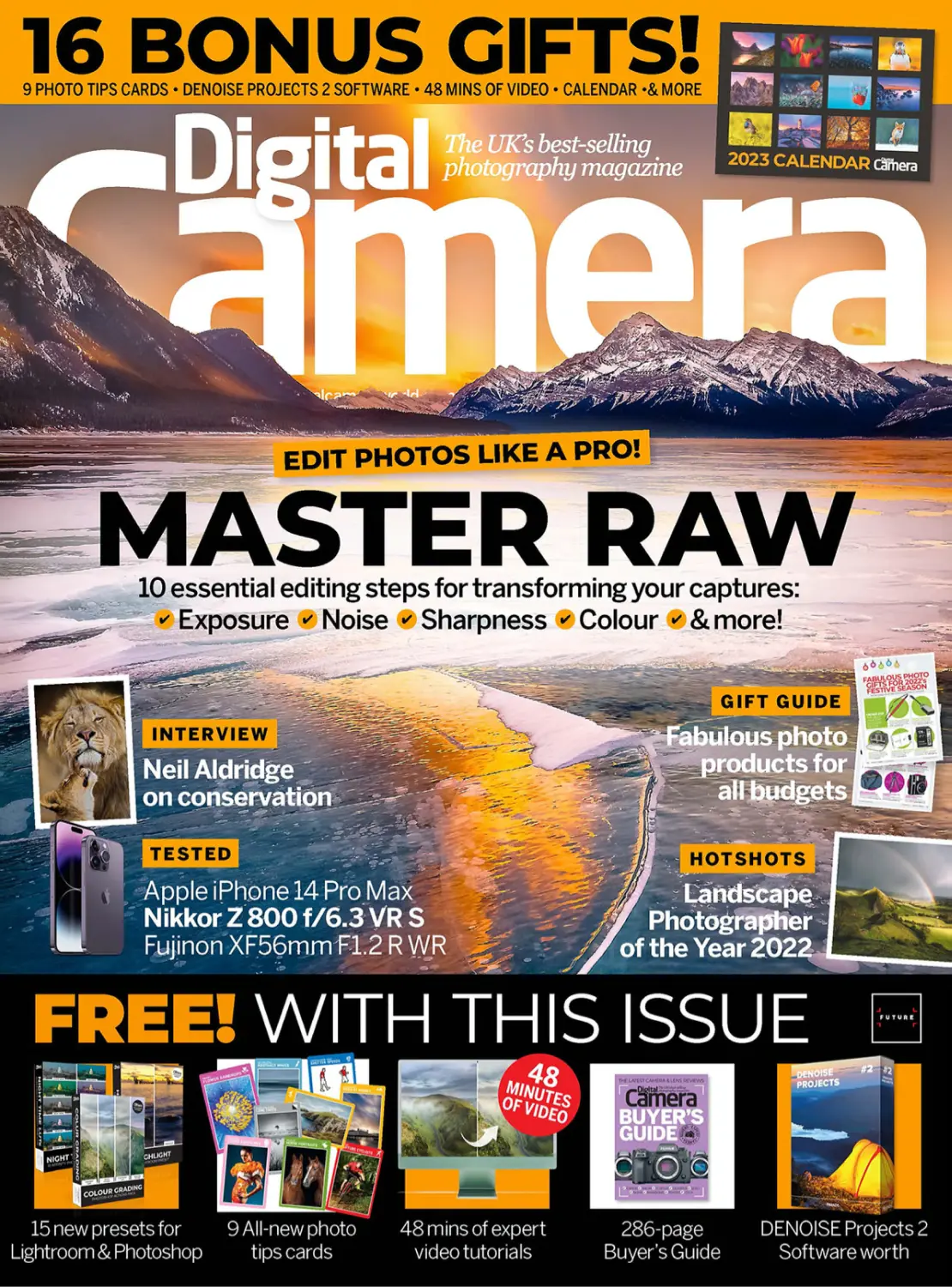
MASTER RAW
IN 10 ESSENTIAL EDITING STEPS
Photo skills
8
One to One
16
Photo Active
50
Master Raw
68
A street fashion shoot in Bath with
Rotolight ambassador Sam Nash
Fresh inspiration on every page –
choose from 10 all-new projects
Make the most of your raw captures
with this masterclass from Dan Mold
Camera College
Discover low-light photography and
enter our monthly reader challenge!
85
One to One _ We join leading pro
Sam Nash for a fashion shoot on
the beautiful streets of Bath
Practical Photoshop _ Get the most
out of Lightroom and Photoshop
with our latest in-depth tutorials
Regulars
39 The Art of Seeing
Ben Brain suggests how you can
stimulate creativity in your shots
42
Hotshots
78
Reader Gallery
84
Shot of the Month
Winners from 2022’s Landscape
Photographer of the Year competition
Presenting the month’s best images
Edd Allen’s seasonal photography
Gear & tests
102 Seasonal Gift Guide
Treat yourself or the photographer in your
life to one of these irresistible photo gifts
108 Apple iPhone 14 Pro Max
Latest model boasts a 48MP main camera
sensor and packs plenty of smart features
100 In Focus
The latest camera kit and accessories
76
4
Affinity Photo
Learn all about creating light trail
blends in this leading software
106
Jon Devo column
85
Practical Photoshop
118
Interview
96
Photo Answers
Hands-on tuition for Photoshop and
Lightroom, plus our latest digital gifts
Our expert answers your questions,
plus Tech Check and Image Rescue
D I G I TA L C A M E R A
Fujinon XF56 F1.2 R WR
113
Nikkor Z 800 f/6.3 VR S
114
Radiant Photo
The continuing rise of PTZ cameras
Wildlife photographer Neil Aldridge
on his conservation photojournalism
132 What the f-stop!
DECEMBER 2022
112
Test your photography knowledge
with our monthly trivia test
Designed to capture the potential of
the latest Fujifilm X-mount bodies
Telephoto super-powers for birders and
pros in a relatively lightweight package
Does this new AI-powered image editor
live up to the promises in its marketing?
www.digitalcameraworld.com
Contents
Subscribe and get
a Lowepro Tahoe
backpack! Page 40
HURRY!
WHILE
STOCKS
LAST
This
month’s
contributors
Sam Nash
Fashion photographer
Sam has been awarded the title of
‘Master of Light’ by lighting brand
Rotolight – we join him for a street
shoot in Bath using two of the
brand’s new lights, on page 8
Neil Aldridge
Conservation photographer
118
Neil’s work has seen him travel
across the world and shoot a
wide variety of projects. Having
recently released a new book,
we speak to Neil. Page 118
Interview _ Having spent a decade away from wildlife photography, Neil
Aldridge returned to find that his conservation photojournalism is more in
demand than ever before – we find out how his photography has evolved
Melinda McIntyre
PLUS
Photographer
Win a copy
ȒǔǔˡȇǣɎɵ¨ǝȒɎȒ
ǣȇȒɖȸȅȒȇɎǝǼɵ
ƬǝƏǼǼƺȇǕƺٍ
After being a photographer for a
number of years, Melinda found
her niche in self-portraits, adapting
her style to her local environment.
Find out more on page 20
Dan Mold
Photographer
68
Dan is Technique Editor on our
sister title PhotoPlus. This month,
he draws on years of experience
for a masterclass in making the
most of raw captures, on page 50
Camera College _ Don’t discount the time between dusk and dawn – it is
ripe with opportunities for producing distinctive photos. Discover how to
shoot in low light, then follow our advice and enter our reader challenge!
Jon Devo
16
Photographer & writer
Photo Active _ 10 all-new projects to shoot, edit or create this month. Learn
how to use graduated filters in coastal shots, use texture to enhance your
self-portraits and get prepared for capturing epic shots of deer this winter
Our resident tech columnist
enjoys considering the latest
developments in digital imaging
and photography. PTZ cameras
come into his focus, on page 106
Siân Monument
Photographer
Siân specialises in low-light
photography, using the unique
glow of Earth to illuminate her
landscapes. She talks us through
her creative process on page 30
DECEMBER 2022
D I G I TA L C A M E R A
5
Your gifts
WORTH
Download your gifts via digitalcameraworld.com/dc262
ig
Camera r ital
eaders
9 PHOTO
TIPS CARDS
TO TAKE ON
LOCATION!
Page 86
DENOISE
Projects 2
software
Our latest selection of tips
cards gives wallet-sized advice
on areas including landscapes,
action, coastal scenes, pet
portraits and shutter speeds.
Clean up image
noise, hot pixels
and other artifacts
with this simpleto-use software.
Transform your images
in a few clicks with LUTs,
actions and a preset for
a variety of image editors
We’ve curated a great selection of
software extras to complement this
issue’s tutorials and give your shots a
professional look. You can find them
with this issue’s other bonus digital
gifts – see the instructions below.
BuɵƺȸټɀJɖǣƳƺƺƫȒȒǸ
S
15 BONU E
R
SOFTWA !
S
A
R
E XT
Turn to
page 94
HOW TO GET YOUR DIGITAL GIFTS
³Á0¨
www.digitalcamera
world.com/dc262
Enter the URL www.digitalcameraworld.
com/dc262 into the destination bar of
your internet browser – we’re using
Google Chrome, but other browsers work
in a similar way. Please do not enter it
in any search field or search bar. This
will take you to a page on our website.
D I G I TA L C A M E R A
Over 280
pages of
camera and
lens reviews,
plus buying
advice for
accessories!
See the Gifts
folder in your
download.
³Á0¨ב
³Á0¨א
ENTER THIS URL
6
£53/$69
!
Free for D
ACCESS YOUR FILES
JUST CLICK THE
HIGHLIGHTED LINK
Click on the link labelled ‘Download the
disc for Digital Camera 262’ and your
download will start, delivered from our
own server. Please override any browser
warnings about downloading from a
non-secure source – our server is safe!
DECEMBER 2022
Open the .zip
In your Downloads folder, or wherever you
chose to download your files to, double-click
the dc262-disc.zip file icon. Then when it
expands, double-click Digital Camera 262
Files. The download content will display like
this (above), clearly arranged in sub-folders.
Keep Digital Camera 262 Files and delete
dc262-disc.zip. Enjoy your digital gifts!
www.digitalcameraworld.com
Alistair Campbell
one
to
one
Fashion with Sam Nash
It’s lighting-up
time in Bath
Alistair Campbell shadows Sam Nash on a fashion
shoot that uses some glorious Georgian backdrops
lthough the days
are becoming a little
cooler, this hasn’t put
off London-based
fashion photographer
Sam Nash. Sam is an
award-winning published freelance
photographer with over 15 years of
experience in portrait and fashion
photography. Recently, the title of
Master of Light was conferred on Sam
by British lighting company Rotolight
– an accolade bestowed on a select
few who have excelled in the world
of portrait photography.
Today, we’re keeping things local by
making a short trip from Digital Camera
Towers to Bath Spa railway station,
where Sam has arrived from London
with model Mallu Camerini. Fellow
model Rhos Lapworth is making a
slightly shorter trip, across the bridge
from Cardiff in Wales, to join us for the
afternoon. Although Sam is well known
for his contemporary and slick style
that’s often captured in the nation’s
capital, he was keen to switch things up
and visit the picturesque city of Bath.
As I arrive, I spot Rhos already
waiting outside the station. A few
minutes later, I see the big, beaming
smile of Sam as he expertly steers
A
his large bag of photography kit
through the barriers in the ticket hall.
“I absolutely love Bath,” he says,
“but I only ever got to wander through
it when I brought my wife here for a spa
weekend.” I laugh and tell him that he’ll
be able to see far more of the beautiful
city today. Mallu has brought along a
homemade chocolate cake that’s richer
than a tech zillionaire – we sit down
and have a slice each while discussing
where to shoot and which dresses to
wear. After landing on red for Mallu
and blue for Rhos, we aim to make our
way from the station along Manvers
Street towards Parade Gardens.
Shortly after our plan is hatched,
Charlie from Rotolight’s marketing
team arrives with some more lighting
equipment and to assist Sam on the
shoot with an extra pair of hands. Sam
is often sought after for his work ethic
and technical skills, as well as for his
adventurous and outgoing personality
that complements his creative energy;
it would be no disrespect to say that
he is a larger-than-life character.
This energetic approach is obvious as
we head to our first destination, Parade
Gardens. Sam stops as he notices a
small pillared side street. “Alistair!
Sorry, but we have to stop and
Sam Nash
Fashion
photographer
Appointed a Master of
Light by leading lighting
company Rotolight, Sam
has worked for some of
the most prominent
names in the industry,
including Vogue and
Audi, and has covered
high-profile events such
as London Fashion Week.
www.samnashshots.com
one
to
one
Balancing ambient
light with flash
“The reason why I balance ambient light
with flash is simple. First, I am in constant
search of quality, as I like to be in full
control of every piece of light that is
hitting my subject. This means I get
to control the light direction, soft
versus hard light and colour.
“Secondly, I like controlling the
quantity of light when I am shooting
outdoors – how much light is on my
subject versus how much light is in the
background, and tweaking the ratio
between the two. You can achieve a
great portrait by shooting in manual and
changing how much light is coming out of
the flash by changing the power setting
and controlling the foreground and
background independently.”
The Rotolight system fits neatly into a carry bag for easy transportation to and from location.
The Neo 3 Pro is far smaller in size, with its Aeos 2 Pro sibling packing more punch when needed.
shoot here: this street is amazing.” Sam
puts his bags down and with the help
of Charlie begins to get set up.
“You are not going to believe what’s in
here,” he enthuses. “The brand new Aeos 2
Pro and Neo 3 Pro! Look, it’s even got my
very own set of gels, it’s brighter and has
metal red handles and knobs!”
I joke that he should be a salesman rather
than a photographer. Sam laughs and begins
to explain the finer details of the Rotolight Pro,
which he is using ahead of their release date.
“One of the cool things about these Pro
lights is that you can trigger them with any
triggers you already own, so if you’re using
Godox, Neewer or Elinchrom, for example,
they will work right away. The other thing is
that if you have any of the previous Rotolights
– the Aeos 2, say – then the Pro lights will
also trigger those in slave mode.”
With the two lights set up, and with a Sony
FE 50mm F1.2 GM on his Sony A1, Sam
is ready to start shooting – it’s a perfect
combination for full-length environmental
portraits, he says. Incorporating the beautiful
architecture of Bath was just as important
as our willing subjects, after all.
After capturing some images of Mallu with
a conventional key and fill light setup, Sam
positions Rhos a little further into the street
and uses the Neo 3 Pro to backlight the shot,
with the backlight set to around 40% and the
Aeos 2 Pro to light the face at around 50%.
To add some movement, Sam asks Rhos to
I like to be in full
control of every piece
of light that is hitting
my subject
10
D I G I TA L C A M E R A
DECEMBER 2022
throw her dress to the side. Small touches like
this elevate the images to another level. Sam
shoots a few more frames, but he knows he
has something nailed in the camera already.
Instead of packing everything up, we just
grab a light stand, as Sam tells me he’ll spot
somewhere else to shoot within a couple of
minutes. Sam’s creative eye is a lot like
watching a magpie chase shiny objects – lo
and behold, about 30 metres down the road,
he spies some steps with a stone-pillared
banister that will form the next setup. “I told
you it wasn’t worth putting anything away!”
Sam asks Rhos to sit on the top of the
banister for a clean shot with some of Bath’s
greenery in the background, before asking
Mallu to take a seat down in the stairwell.
Meanwhile, Rhos lends a helping
For a more striking look, Sam removes
the magnetic diffuser from the Neo 3 Pro.
1.52pm
Sony A1
Lens
Sony FE 50mm F1.2 GM
Exposure
1/640 sec at f/1.4, ISO 100
Camera
Sony A1
Lens
Exposure
1.57pm
Camera
Sony A1
Lens
Sony FE 50mm F1.2 GM
Exposure
1/640 sec at f/1.4, ISO 100
Camera
Sony A1
Sony FE 50mm F1.2 GM
Lens
Sony FE 50mm F1.2 GM
1/640 sec at f/1.4, ISO 100
Exposure
1/800 sec at f/1.4, ISO 100
1.10pm
Sam Nash
1.01pm
Camera
www.digitalcameraworld.com
DECEMBER 2022
D I G I TA L C A M E R A
11
one
to
one
3
4
2
1
5
Sam’s streetwise setup for
shooting fabulous fashion
Strong lighting and fast lenses are the key to great shots
1
Sony A1
2
Sony FE 50mm F1.2 GM
“Sony’s flagship camera. It is incredibly durable
and powerful, and an absolute beast with a 50MP sensor.”
“My favourite focal length. It is an absolute
dream for its razor-sharp picture rendition.”
3
Sony FE 35mm F1.4 GM
“I use this lens for my wider shots, especially
if I have more than one subject or I want more of
the background to be in my photo.”
4 Rotolight Neo 3 Pro
“The world’s most powerful and portable light!
I take it everywhere with me.”
5
Rotolight Aeos 2 Pro
“This light has double the brightness, size and power.
I bring it with me when I need more power on location.”
Try low-angle shooting
“The height you choose to shoot from will have a lasting effect
on your images. Shooting from a higher point can make your
subjects appear more vulnerable, while adopting a lower
shooting stance can give your subjects a sense of strength
and power. I use a mixture of angles depending on the brief,
but if you haven’t tried shooting low then I strongly suggest
that it could be a powerful tool in your fashion arsenal.”
12
Being able to identify multiple shooting spots
within one location will optimise your time
and lead to more consistent images.
hand to light Mallu from above with a single
Neo 3 Pro set to around 40%. This allows
Sam to shoot at a wide-open aperture of
f/1.4, a signature look for his style.
Across the street, Sam clocks the Empire
Hotel, a Grade II-listed Edwardian hotel built
in 1901, which has a beautiful entrance: the
perfect backdrop for Sam’s next shot. Mallu
remains in the frame while Sam swaps his
50mm F1.2 GM for a 35mm F1.4 GM.
“We’re moving into grander locations now,
and pretty soon I want to get both the models
together in the shot. Switching to the 35mm
will allow me to incorporate far more of the
scene and place them together.”
We’re about 10 metres away from our
original destination of Parade Gardens, our
final shooting location. As we head into the
gardens, Sam sets up a red gel to complement
Mallu’s dress, and later a blue one for some
shots to finish up the day with Rhos.
With millions of colours available on the Aeos 2 Pro, you’ll always be able
to match one to your model’s outfit or the environment surrounding them.
Camera
Sony A1
Lens
Sony FE 35mm F1.4 GM
Exposure
1/640 sec at f/1.4, ISO 100
Sam Nash
1.46pm
www.digitalcameraworld.com
DECEMBER 2022
D I G I TA L C A M E R A
13
one
to
one
2.31pm
Camera
Sony A1
Lens
Sony FE 35mm F1.4 GM
Exposure
1/640 sec at f/1.4, ISO 100
Using eye detection
for sharp portraits
“Eye detection AF helps you nail the focus
easily. This gives you the room to focus on
other aspects, such the lighting or your
subject’s facial expressions. It’s amazing
just how you can capture something
compelling about a person by simply
nailing focus in the right places.
“The best-in-class eye detection has
got to be Sony. They are leaps and bounds
ahead of any of their competitors. It
makes the world of difference when I am
shooting and the subject is pin-sharp
and in focus, because for me, the most
engaging portraits have direct eye contact
between the subject and the viewer, as
if the eyes are a window to the soul.”
Never miss a beat with the Sony
A1’s top-class face and eye detection
system, says Sam – when shooting
portraits, he trusts it more than
the standard autofocus offering.
“Incorporating coloured gels in my shots is
great because it allows me to add unlimited
possibilities,” says Sam. “I can make a scene
colder or more vibrant. If I’m doing branded
work then I can colour match to that specific
brand. Having over 16 million colours available
within just a few clicks of a button is a dream
The most engaging
portraits have direct
eye contact between
the subject and viewer
14
D I G I TA L C A M E R A
DECEMBER 2022
for any photographer. I couldn’t imagine trying
to work without them now and don’t miss the
days of carrying around physical gels that
either got lost or damaged after a few shoots.”
It has been a real pleasure to see a master
of light at work. All that remains now is to pop
back to Café au Lait next to Bath Spa station
to polish off the ultra-rich chocolate cake they
kindly stored behind their counter for us.
Sam Nash used the Rotolight Neo 3 Pro and
Aeos 2 Pro Edition lights on this shoot. Order
before 18 November to get up to 25% off:
rotolight.com/timetogopro
Aeos 2 Pro (left)
Neo 3 Pro (below)
Camera
Sony A1
Lens
Sony FE 35mm F1.4 GM
Exposure
1/640 sec at f/1.8, ISO 100
Sam Nash
2.18pm
Using a classical two-light setup
“I always use one light as a key light, and one as a fill light. The key light is the
more powerful one. I would normally set that at 45 degrees away from the subject
and at a high angle, dropping down on my subject as though the light is naturally
coming from the sun. The second light would be used as a fill light – this is a
less powerful light, softening the hard shadows on my subject’s face.”
www.digitalcameraworld.com
DECEMBER 2022
D I G I TA L C A M E R A
15
10 things you can shoot,
edit or create this month,
from woodland portraits
to weddings and wildlife
1 | LANDSCAPES
Pier pressure
Alistair Campbell shows how
to use a graduated ND filter to
smooth out a crashing sea
lthough it is by no means my speciality,
I have always enjoyed shooting landscapes,
as it’s a type of photography that gives me
a chance to slow everything down and really
take in my surroundings. When I used to shoot
on a Canon EOS 5D Mk II DSLR, I had a reasonably affordable
Samyang MF 14mm F2.8 and a Samyang SFH-14 filter holder.
As they tend to be quite expensive, I only had a single filter
(a Lee Filters 1.2 ND). Not long after that I switched over to
mirrorless, and promised myself that I wouldn’t become
overrun with lenses and accessories again. This promise was
broken within a year, when I bought a Fujifilm X-T3 and X-T2.
I tend to take my older X-T2 with me to places where I feel
it might get bashed about a bit, so here I am today in Clevedon,
Somerset, along with my Kase K9 filter holder and Kase
Wolverine 100x150mm Double Grad 0.9 Soft/Hard filter.
This is just enough to help me tame the brighter sky
and allow some fast-incoming waves to form over
the rocks in the dominant part of the frame.
Alistair Campbell
A
3
secs
f/14
ISO
100
The Kase Wolverine K9 Entry Level 100mm
kit consists of a 90mm Slimline Magnetic
X-CPL (polariser), 100mm filter holder, 3-stop
soft grad, 6-stop ND, two geared adapter
rings and two step rings: £401/$499
www.kasefilters.com
1
When to use a filter
The use of ND filters can extend
exposure times to anything from
a few seconds to 10 minutes
(or more). With the lack of light
entering the camera, this means
you can narrow the aperture for
a sharper image and use longer
shutter speeds for smooth
seascapes or other creative
projects, such as light trails
or light painting.
2
Keep it clean
Before you head out with your ND
filter, check that it – and any other
filter you are planning on using – is
free of dirt, grit, fingerprints, sea
spray or dust. Depending on where
you’re going, the last thing you want
to be doing is cleaning your filters on
location. Each manufacturer will have
their own recommendations, but a
micro-fibre cloth and some anti-static
cleaning fluid normally does the trick.
3
Set the composition
Place everything in the frame
the way you want it and then
drop your filter in place. My filter
today wasn’t strong, but if you
are using a 10-stop then it will be
almost impossible to see what
you’re shooting. You also might
find yourself shooting two-minute
exposures, so you don’t want to
have to wait until that’s finished
to adjust your composition.
Shoot your image
Prepare for long exposures
Time to go to manual mode, including manual
focus. I find that when shooting landscapes, it’s
easier to switch to live view, making use of the LCD
screen. This is a personal choice, but you can
chose to turn on ‘Long exposure noise reduction’.
Over time, most cameras will develop bright or
dead pixels that won’t mix well with your others.
Bear in mind that your camera will then take two
exposures each time (one with a dark frame), so if
you’re shooting a 20-second exposure it will take
40 seconds to complete your image. Try to be
accurate with your filter if it’s graduated and get it
to sit well along the horizon line. Just before you
shoot, make one last physical check to make sure
that no dust, dirt or water has made its way onto
your filter. SmalIer drops of water can be hard to
spot – I once spent four weeks wiping rainwater
from a videographer’s lens in Scotland. It wasn’t
fun when a scene came back with a small drop
of water right in the middle of the shot.
When shooting longer exposures, a
tripod is essential, and as I’m not using
a shutter release cable I have instead
set my timer to start shooting after
two seconds. This gives me a small
window in which to get my hands off
the camera, reducing camera shake,
although it is more difficult to time your
shot for the incoming tide. Luckily, by
using a long exposure of three seconds,
I was able to have a couple of goes and
produce a final shot I was happy with.
2 | PORTRAITS
Take a textured
self portrait
Melinda McIntyre explains
how this simple technique
can add a fine-art aesthetic
ver the last few years, my photographic
journey has seen me evolve from a
photographer into a passionate
self-portrait photographer. I still
document my husband and our two children, our
travels and memories, but have found self-portraits
to be less stressful in the long run. I have far more
control over how, where and why I shoot them.
I am inspired by light, colour, flowing dresses and
detailed textures. I am an expat from the USA who
moves around every couple of years (I’m currently
living in Kosovo), so I’m constantly adapting to and
finding new environments. Whenever I find myself
in a new house, I first look for the light. Light is
everything in photography; you cannot create a
photograph without it. In our current house, not all
the light is very usable due to its location, cramped
stairways and small rooms, so I make the most of it.
I have found that I can take pictures wherever
the light is pleasing, as long as I can add texture (and
occasionally more light layers) to the image. This is
what caused a change in my style of photography.
It has also allowed me to experiment more because
even a bathroom with a basic cream wall can
become a new place to shoot, and I can overlay
textures later. So many people can feel limited by
the space around them, but think outside the box,
try not to worry about the space you’re in and
just get on with shooting some images for fun.
Instagram: @melindamaephotography
Melinda McIntyre
O
Terrific textures
Melinda’s essential kit
I shoot with a Nikon D850 and Nikkor 24-70mm
f/2.8 lens. I use this lens due to the tight space
I find myself shooting in. I like the versatility that
this lens gives me and tend to stick with it as much
as possible when I’m creating self-portraits.
20
D I G I TA L C A M E R A
DECEMBER 2022
Adding textures can make even
the plainest spot look amazing.
You can find your own textures
almost anywhere – look for multidimensional, monochromatic or
anything that catches your eye. You
can snap them on your phone and put
them in a file for later. After taking a
base image, add a texture or two on
top of your image and play with the
blending modes. With the right texture
you can create beautiful images that
have the feel of a fine-art painting.
Coffee table texture
www.digitalcameraworld.com
only got into
photography about
six years ago, so it’s
still a relatively new
pastime for me, but
it has quickly become a passion.
Over time, I fell in love with
shooting seascapes on the Norfolk
and Suffolk coastlines, with their
varied landscape features.
During the autumn months, I like
to shoot more locally; I am just a
I
3 | LANDSCAPES
Autumn mornings
Richard Potter finds early autumnal
mornings the best time to shoot
1/10
sec
f/11
stone’s throw from Thetford
Forest. I have a few favourite spots
to shoot along the River Little
Ouse, which can yield some lovely
misty conditions in the morning.
Autumn and winter are by far
my favourite times of the year for
shooting. The days are getting
shorter, so the early starts
become easier to get up for.
www.flickr.com/photos/
richardpotterphotography
ISO
100
Use an ND Grad filter
Find the light
Here, I used a Lee Filters 0.6 hard grad. This
allows me to create more detail in the sky
while keeping the water exposed nicely for the
reflections. Make sure you find a good horizontal
line when using a hard grad, as it’s less forgiving.
Ahead of shooting, use
smartphone apps like Sun Surveyor or
The Photographer’s Ephemeris to see how
the light will fall on the landscape in front
of you. This is a useful strategy for planning
where the light is going to hit on a specific
subject before you get set up.
Using filters will allow you to shoot for longer
periods of time. Graduated filters can also be
flipped upside down to get more detail in the
sky or water. Here at Caister-on-Sea, I used
a Lee Filters Little Stopper combined with
a 0.6 hard grad for a one-second exposure.
22
Richard Potter
Slow it down
4 | LIGHTROOM
Great try, marvellous mono conversion
Alistair Campbell
Alistair Campbell shows how you can use cropping, clarity and contrast
adjustments to get a flat, basic-looking image over the line
Original
ports photography
can be tricky on the
best of days. Going
into the winter
months, the increased
frequency of overcast skies makes
decent exposures easier to achieve,
but also means flatter, less dynamic
and ultimately less dramatic images.
Fear not, though – you can still score
big during the editing stage.
When I’m shooting sport, I tend
to shoot wider: firstly because it’s
easier and secondly because I tend
to be at the long end of the reach on
my telephoto lens a lot of the time.
Recently, I went to Chew Valley
RFC as they hosted local rivals
Weston-super-Mare. Armed with
my Fujifilm X-T2 and XF 50-140mm
F/2.8 R, I spent the afternoon near
the try line to pick off a few shots.
A good image needs to draw the
viewer’s attention and keep it there.
In the original wider crop, the
floodlights, brighter sky and
teammates in the background draw
attention away from the action. So
the image needs a far tighter crop,
while being careful not to cut in too
much to the main three players. Let’s
look at the finer details which will
bring your images to the next level
and make them competition-worthy
for your next camera club event.
www.facebook.com/chewvalleyrfc
S
Edited image
Alistair’s top tips for making a stronger image
Once you’ve opened your image and created a stronger
composition via cropping, head across to the dropdown
menu. From here, in the top right, change your
treatment from colour to black and white. Now, moving
down the sliders in order, increase Exposure and
Contrast to +20, Highlights to +80 and Shadows to
+20. Further down under the Presence section is where
your image will really begin to change. Increase the
Texture to +31 and Clarity all the way to +100. Now,
under the B&W panel, increase Red to +38, Orange to
+6 (usually effects skin tone) Green to +8, Aqua to +16
and finally Purple to +10. Under the detail panel, find
Sharpening and select Amount +75, Detail +53 and
Masking +10. Leave the noise reduction at 0, otherwise
it will undo the texture that has just been created.
To make the the finishing touches, go to Post-Crop
Vignetting in the Effects panel and change the amount
to -25 (not +25) for a dark, subtle border finish.
5 | PORTRAITS
A shroom with a view
Autumn is the perfect time to practise off-camera flash, says Alistair Campbell
earning how to use your flash
off camera will allow you to
manipulate light in any situation.
You can overpower or shoot
directly into the midday sun in July or create
dark, atmospheric scenes in January. I
personally find that off-camera flash works
best in an overcast situation or woodland
where you have a natural canopy overhead.
Alistair Campbell
L
26
D I G I TA L C A M E R A
Autumn is a great time, as the weather
begins to change and we see less sun. This
is a fabulous opportunity to learn how to
create your own light just how you want it.
Many of you will already own a detachable
flashgun – all you need is a way to trigger it
off-camera, plus a cheap shoot-through
white umbrella, and you’ll be shooting
more professional images in a flash!
FEBRUARY 2018
DECEMBER
2022
In these photos, I was joined by Hannah
(left) and Scarlett (right) as they modelled
some sustainable clothing with an autumnal
mushroom theme made by Georgia Bufton
for her final major project, ‘Fungi Will Save
Us From Dystopia’ at the University of
Portsmouth. With my Fujifilm X-T2 and
a pair of Godox AD200 flashes in hand,
we set off into the woodlands of Bristol.
www.digitalcameraworld.com
www.digitalcameraworld.com
1/200
sec
f/5.6
ISO
200
www.digitalcameraworld.com
DECEMBER
FEBRUARY 2022
2018
D I G I TA L C A M E R A
27
1
Set the lights up first
Set up your lights at a height of around six
feet. I actually went a little higher, to seven
feet, so I could move back a little and have
more spread in order to light both models in
the scene. You’ll want to be in Manual flash
mode, and when shooting outside set the
output power to 1/16. Autumn is such a good
time for off-camera flash because of the
overcast sky – you’ll really be able to see
the lighting’s effect on your subjects.
3
2
Place your models in the scene
Now put your models roughly where they will be when you start shooting.
Place your light off to one side at about 45º. This should add some depth
and contrast to your models’ faces, and is the main benefit of moving
your flash from your camera’s hotshoe mount and off to one side.
Introduce a fill light
Using a single (key) light will create some
shadows, which is not a bad thing at all.
However, when photographing two people
this might cause more shadows than you
want. Setting up a second (fill) light will
allow you to combat those darker areas,
particularly on the model furthest away
from the original light – hence ‘filling’
in the shadows with light.
Photo Active
4
Start with these
camera settings
I find that on an overcast
day in a wooded area,
you want to shoot at
an aperture of around
f/5.6-f/8, a shutter speed
of around 1/160-1/250
sec and keep the ISO
low, at 100-320. I’d avoid
shooting two people
wide open at f/1.4-f/2.8,
as one of them may be
far more out of focus
and become too blurry.
Try using a mid-range
aperture of f/8 or f/11
for a good balance.
5
Review your shots
It might take a few test shots, but
with any luck if all goes well you
should end up with sharp, well-lit
models against a darker backdrop,
making them really stand out in the
scene. You will also have the added
benefit of light and dark tones in
their facial features, bringing out
cheekbones and adding some real
contrast and three-dimensional
depth to your shots for a more
high-end and professional feel.
6 | ASTRO
Bask in the
Earth’s glow
Siân Monument visits
Llyn Padarn for low-light
landscape photography
s a low-light landscape
photographer, light plays
a vital role. I have a special
interest in low light and
the night sky, using the
natural glow that the Earth produces to
create images that offer an aesthetic
quality. My interest in light has derived
from my camera’s capability to capture
light in the darkest of locations. This
developed into a body of work spanning
over eight years, which mainly includes
the night sky and the natural phenomena
that occur within the stratosphere.
This genre of photography is open
to any level of photographer. Night
photography does not require an
expensive camera or lens – even
smartphones have the ability to capture
the night sky. All you need is a camera,
whether it’s a DSLR or mirrorless model,
a tripod, and time to practise.
My first camera was from the
Samsung NX series; it cost around £200
and I utilised it to its full capabilities.
The equipment I use now is probably
considered quite old. I use a Nikon D750
with a Nikon 14-24mm f/2.8 lens, I also
have a Nikon 24-120mm f/4 lens and
a Nikon 28-300mm f/3.5-5.6 lens.
Specific apps are an asset if shooting
the night sky. I use Planit Pro, The
Photographer’s Ephemeris, Weather and
Radar and a tide timetable app. I always
carry a torch, a lightweight rain cover,
batteries and gloves. Having knowledge
of the location you are visiting is a must
– being caught out by tides is no fun.
Instagram: @sian_monument
A
Apps such as Planit Pro and
The Photographer’s Ephemeris
are essential for night
photography shoots.
Siân Monument
Siân’s top tips
It’s a good idea to change your lenses with your
camera pointing down to avoid any debris hitting
the mirror or sensor. Make sure you always have
a microfibre cloth to hand, especially on a cold
evening if you are on the beach, as your lens will
fog up or could be splattered with sea spray. If
your lens doesn’t have an infinity spot, trying to
focus at night can be extremely difficult. Point
your camera to the sky, switch to Live View and
press the + button until you find a star, switch
your lens to manual focus and turn the focus ring
until the star is pin-sharp. Once you’ve found the
‘sweet spot’ on the lens, use a Tipp-Ex pen to
mark it on the focus ring and keep it locked.
1
Separate your subject
from the background
A shallow depth of field is the preferred aesthetic
for many photographers. Longer focal lengths
(300mm and above) will often only let you open
up to f/4-5.6, which might not sound particularly
fast. However, at this focal length it is more than
enough to make your subject sharp while keeping
your foreground and background blurred.
32
D I G I TA L C A M E R A
DECEMBER 2022
2
Wait for the right
moment to shoot
The split second you choose to
press the shutter button can be
the difference between a good
or bad image. Try to wait for the
best moment to fire off your shot.
Eye contact is very powerful in an
image and is worth waiting for.
www.digitalcameraworld.com
3
Meter for the subject
No matter which genre I’m
shooting, I always meter for the
subject. Some surrounding parts
of the scene may appear brighter,
but in general people will be
far more interested in seeing a
well-exposed subject than skies
that appear to bright. Always use
Spot Metering to achieve better
exposure on your subject.
4
Set the appropriate
focus mode
I will use Single Point focus for
the majority of the time, as it is
accurate and effective. However,
you may want to consider using
Wide tracking or Zone tracking
mode when photographing a
moving target. Make sure you’re
in Continuous shooting mode,
too, instead of Single Shot.
5
Focus on the eyes
Many cameras offer facial
recognition now (especially for
humans), and many have an
option for animals, too. Use this
and concentrate your focus on
the animal’s eye. Within your AF/
MF Release/Focus Priority menu,
you should prioritise ‘Focus’ over
‘Release’ when shooting.
7 | WILDLIFE
Go on
a stag
weekend
If you’re looking to
try a different type of
photography, then head
out to capture a deer,
says Alistair Campbell
eople tend to be my
preferred photographic
subjects. During the colder
seasons in the UK,
photographing people is relatively easy,
as they don’t tend to move too fast, and
usually you’ve got their permission to
take a photo of them first. We all have
our strengths, but if you’re finding
yourself a bit bored, or your favourite
genre is becoming a little too easy, why
not get out and try something new?
Chances are that you might not have
all the equipment you need, but you can
beg, borrow or hire a good telephoto lens
for a day. Lately, I’ve been trying to shoot
more sport and wildlife as a way to
challenge myself and pick up some
new skills and techniques. Deer can be
found in the wild, but if possible I would
suggest going to a deer park where
you’re guaranteed to see them.
Even then, there are lots of challenges
and shooting on a long lens is never easy.
Physical practices, such as how you hold
the camera, become just as important
as which focus or metering methods
you use. Be mindful of the deer and
never get too close – safety for both
you and them is paramount.
P
1/500
sec
www.digitalcameraworld.com
DECEMBER 2022
f/5.6
ISO
500
D I G I TA L C A M E R A
33
am Asia’s most awarded
wedding photographer,
having won more than
420 international
awards to date within a
span of seven years. Born in Malaysia,
I am also an ambassador for Canon,
as well as Profoto lighting.
I travel to different corners of the
world to photograph weddings in
the most picturesque locations for
adventurous couples. Hailing from
a family with a strong photography
background (my great uncle had an
Honorary Fellowship from the RPS),
I never had any interest or formal
training in photography until I failed
my exams, after which I was
I
8 | WEDDINGS
Love the light
Johnson Wee explains
how to go the extra mile for
couples shots at weddings
34
D I G I TA L C A M E R A
DECEMBER 2022
introduced to the medium by my
mother – everything else was history!
My vision for simplistic yet
sophisticated compositions and
cinematic lighting is often inspired
by the movies of Wes Anderson and
Baz Luhrmann. I love playing with,
shaping and controlling light and
shadow, striving to transform a dull
location into something majestic
that matches my artistic vision.
All my images are created with very
simple equipment, using one or two
lights, but the best results come from
having a helping hand from assistants
so I can achieve everything quickly
and efficiently for couples on the day.
www.johnsonwee.com
www.digitalcameraworld.com
Photo Active
Johnson’s expert advice for lighting couples
1
Johnson Wee
2
Shoot an epic sunset
The Greek island of Santorini is a go-to destination for the most beautiful sunsets
in the world. However, on the day of this shoot, noon time was marred by heavy
clouds and moody weather, making the sun impenetrable. We thought there
would be no sunset, but as we arrived at Skaros Rock the clouds cleared and
the sunset appeared in a small gap. I knew that it was going to be over quickly,
so I shot with the lens and gear I had to hand: a Canon EOS R, Canon EF 24-70mm
f/2.8L II lens, a Profoto B10 off-camera flash and 1/4 CTO orange gel.
Work the scene
Shot in Kyoto, Japan, just before
a typhoon hit the Kansai region.
I fondly recall that we had to
wrap up everything by early noon
(as our phones were buzzing
non-stop with typhoon warning
notifications). My Japanese
assistant hooked us up with
a rickshaw, and also got the
friendly rickshaw chauffeur
into the frame for a cameo
appearance. My assistant was
handling a Profoto B10 with a 2in
Octa modifier, while our driver
was kind enough to help me hold
a Profoto A1 with a MagMod
MagGrid to concentrate the light
only on the rickshaw chauffeur’s
face and give a slight glow.
Find a unique angle
3 One of the most challenging prewedding shoots I had ever done,
this wedding dress had a sophisticated
train with many layers, so it needed three
assistants fixing it, for 15-20 minutes at
each spot, simultaneously. Given the time
constraints we were working with in the
Singapore National Gallery, I used a
Profoto A10 and a Profoto Creative Gel
Kit to neutralise the ambient light with
a 1/4 CTO gel to get a natural skin tone.
DECEMBER 2022
D I G I TA L C A M E R A
35
9 | ACTION
Autumn
knights
Ken Medwyn uses a telephoto
lens to freeze the action
1
2
3
4
5
1/640
sec
Be over-prepared
Check your camera bag to ensure that you
have everything you need for the event. I
always take a spare camera with a ‘go to’
lens (an 18-55mm) just in case I have any
issues with my core kit. Taking several
memory cards and spare batteries will is
always advised: you may end up shooting
far more than you first anticipated and
you don’t get a second chance.
Get a good spot
Arrive early, before the crowd, and have in
mind the kind of photos you want to take.
Walk the site to get an overview of the
setting. Check to see where the sun will
be at the time the event starts and how it
travels as the day progresses. Plus, decide
on the best vantage points to get the kind
of shots that you are looking to take.
Take your shot
This image was captured with a Nikon
D750 and a 120-400mm lens to allow for
greater zoom flexibility – horses can be
unpredictable. I took it lying face-down with
the knight riding towards me. It’s easier to
capture a fast-moving subject if it’s moving
towards you rather than across the frame.
Move around
Variety is the spice of life so even if you
feel like you’ve bagged yourself the perfect
spot, make sure that you explore other
options, too. Not only will it stop your
photos looking repetitive, it’ll also
produce opportunities to try other
skills, like shooting through subjects.
Utilise Burst Mode
Set your camera to Continuous autofocus,
and then high-speed burst (my Nikon D750
will shoot at 6.5fps). That might sound a
little slower than more recent mirrorless
cameras, but it’s more than enough to
freeze the action while dust kicks up in the
background to make a dynamic action shot.
f/6.3
ISO
200
n
Photo Active
Alistair Campbell
10 | CREATIVE
Making scents
3 steps to perfect product photography
1
Alistair Campbell creates perfect product
posters from home with digital backdrops
roduct photography
looks simple, but
there are often many
people involved in
nailing that one epic image you’re
relying on to sell hundreds of
thousands, if not millions, of
items across the world. Whether
it’s the latest craft ale, a luxury
watch or a celebrity-endorsed
cologne – you can bet there’s big
money behind it. If a picture is
worth a thousand words, a
stunning product picture is worth
a thousand website visits and
hopefully the sales to match!
Here, we’re going to look at a
makeshift way you can have a go
at shooting your own images at
home. Who knows – maybe you’ll
shift a few bottles afterwards,
too! Ideally you want to achieve
an image that’s fun and vibrant,
but also eye-catching and clean.
The choice of background is
up to you; just make sure it
complements your product well.
You can usually find something
via Google, or take one yourself.
We’re using our laptop not only
as a base for our product to sit
on, but also as a digital backdrop.
P
I’ve set up my Canon EOS 5D Mk
II on a tripod with a Canon
100mm f2.8 macro lens (you
don’t need a macro lens for this
to work). I’ve also grabbed a
bottle of Invictus Victory by Paco
Rabanne for my main product.
As the laptop screen will be
lighting the subject from behind, I
also set up a Weeylite K21 LED to
even out the light on the front of
the bottle and give it more shape
and depth. These particular
lights also allow you to select any
colour you like, which is perfect
for complementing the colour
of the products in your shot.
So grab your camera and
tripod, and let’s have a look
at shooting products…
Instagram: @weeyliteofficial
Weeylite K21 full color
handheld 2500K-8500K
RGB LED light stick.
2
3
4
Find a backdrop
You need something
that will complement your
main product. Here, I’ve
gone with a warm gold.
Play around with your
screen’s brightness
setting until it looks
good to the naked eye.
Set up your shot
You might need a small
stand to place your
product on – I used a
candle. Now set your
camera at a good distance
where your product fills
the screen and finally
bring your light into place.
Dial in your settings
Try not to shoot with your
aperture wide open – it
will make your background
too blurred. Shooting from
a tripod, you can use a
shutter speed of 1/80 sec
and increase your ISO until
the exposure is correct.
Shot your image
With everything in place,
you can start shooting; I
find it’s best to get level with
your subject. Use Manual
Focus and Live View to
check everything is sharp.
Set your aperture to f/5.6-8
to give a good depth of field.
Benedict Brain
www.benedictbrain.com
Camera: Sigma fp L
Lens: Sigma 24mm F1.4
DG DN | Art 022
Settings: 1/60 sec
at f/5, ISO 250
A simple idea or
premise can act as
a great springboard
to get your creative
juices flowing.
The art of seeing
Benedict Brain creates boundaries and simple strategies
to show you how to stimulate creativity in your shots
reativity can manifest
itself in many different
ways – sometimes it flows
easily and images present
themselves to you, while
at other times it can
seem a struggle to ‘see’ anything at all.
In my workshops and talks, I often speak
about ways to find your creative mojo.
Surprisingly, I find myself often using words
such as exercise, discipline, accountability
and boundaries, which seem at odds with
creativity and more at home in a corporate
boardroom. However, they do play into
the creative process and can help fuel
creativity, especially if you’re in a slump.
Sometimes just getting out there, taking
your camera out of your bag and pressing
the shutter can be a good springboard for
C
unleashing your creativity, but even then,
knowing where to start can be a challenge.
One device I’ve started using, especially
as I often find myself in new locations for
only a short period of time, is to start
photographing the front facades of
homes. It’s a way of creating boundaries
and provides me with a starting point, a
reason to start looking with the camera
in hand. More often than not, one line
of visual enquiry leads to another and
then another, and before long creativity
is flowing – if not then I still have a
pleasing set of door images.
Here is a bunch of door and facade
images that I’ve made into a grid of 20
shots. I like the way the individual images
help build an overall picture and sense
of place. On this particular trip, I visited
a half dozen cities and ports between Lisbon
and New York in a relatively short period
of time. I made similar grids to this using
the same format in a half a dozen other
locations en route, and it was fascinating
to see the characteristics of each location
manifest themselves through the doors,
window frames, building materials,
colour palettes and facades.
This particular set is from Cobh in Ireland,
as you may have guessed. Some of the
images work well by themselves as individual
shots, and some work better as part of the
bigger whole. However, it’s the creative
process that interests me, and the relatively
straightforward mission of looking at the
facades of buildings in each of the locations
I visited was a good creative springboard
that led to making other images, too.
for just £49.99*
FREE LOWEPRO
TAHOE 150
BACKPACK
BAG
WORTH
£83.95
The UltraFlex
panel in the main
compartment folds
for added space
Weather-resistant
materials will
safeguard your gear
from the elements
Combines space
and comfort in a
lightweight and eyecatching design
*Terms and conditions: Offer closes 10 January 2023. Offer open to new subscribers only. Direct Debit offer is available to UK subscribers only. We will notify you in advance of any price changes. Your gift will be delivered separately
ɯǣɎǝǣȇהƳƏɵɀƏǔɎƺȸɵȒɖȸˡȸɀɎȵƏɵȅƺȇɎǝƏɀƬǼƺƏȸƺƳِJǣǔɎɀȒȇǼɵƏɮƏǣǼƏƫǼƺɎȒɀɖƫɀƬȸǣƫƺȸɀȒȇɎǝƺÈkȅƏǣȇǼƏȇƳِXȇɎǝƺɖȇǼǣǸƺǼɵƺɮƺȇɎɎǝƏɎɯƺȸɖȇȒɖɎȒǔɎǝǣɀǕǣǔɎًɯƺȵȸȒȅǣɀƺɎȒȒǔǔƺȸɵȒɖƏȇƏǼɎƺȸȇƏɎǣɮƺǕǣǔɎȒǔɎǝƺɀƏȅƺȒȸǕȸƺƏɎƺȸɮƏǼɖƺِ
ǼǼǕǣǔɎɀɖƫɀƬȸǣȵɎǣȒȇɀɯǣǼǼɀɎƏȸɎɯǣɎǝɎǝƺˡȸɀɎƏɮƏǣǼƏƫǼƺǣɀɀɖƺȒȇٮɀƏǼƺƏǔɎƺȸ(ƺƬƺȅƫƺȸِאאאXǔɵȒɖɯȒɖǼƳǼǣǸƺɵȒɖȸǕǣǔɎɀɖƫɀƬȸǣȵɎǣȒȇɎȒɀɎƏȸɎɯǣɎǝƏȇƺƏȸǼǣƺȸǣɀɀɖƺًɵȒɖƬƏȇƬǝȒȒɀƺƏȇƺƏȸǼǣƺȸǣɀɀɖƺɯǝƺȇȒȸƳƺȸǣȇǕȒȸɵȒɖƬƏȇƬȒȇɎƏƬɎ
Your special
Christmas offer
IȸƺƺnȒɯƺȵȸȒÁƏǝȒƺדƫƏƬǸȵƏƬǸ
0ȇǴȒɵאȅȒȇɎǝɀȒǔ(ǣǕǣɎƏǼ
!ƏȅƺȸƏȅƏǕƏɿǣȇƺǔȒȸǴɖɀɎחחِחגگ
٫ɎǝƏɎټɀǴɖɀɎדזِבگƏȇǣɀɀɖƺ
Receive every issue delivered
direct to your door
ɎǝȒɖǕǝɎǔɖǼǕǣǔɎɎǝƏɎǸƺƺȵɀȒȇǕǣɮǣȇǕ
Never miss an issue!
áǝƺɎǝƺȸɵȒɖټȸƺƏƫƺǕǣȇȇƺȸȒȸ
ƏȵȸȒًɎƏǸƺɵȒɖȸȵǝȒɎȒǕȸƏȵǝɵ
ɎȒɎǝƺȇƺɴɎǼƺɮƺǼɯǣɎǝɎǝƺɯȒȸǼƳټɀ
ǼƺƏƳǣȇǕȵǝȒɎȒǕȸƏȵǝɵȅƏǕƏɿǣȇƺ
JƺɎɎǝƺȅȒɀɎǣȇٮƳƺȵɎǝƬƏȅƺȸƏً
lens and accessory reviews
EɮƺȸɵǣɀɀɖƺȒǔ(ǣǕǣɎƏǼ!ƏȅƺȸƏƫȸǣȇǕɀ
you the best in photography
Upgrade to
include digital
for only £15
XȇɀɎƏȇɎƏƬƬƺɀɀƏȇɵɎǣȅƺًƏȇɵɯǝƺȸƺ
zƺɮƺȸȅǣɀɀƏȇǣɀɀɖƺȒǔ
(ǣǕǣɎƏǼ!ƏȅƺȸƏȅƏǕƏɿǣȇƺ
ɮƏǣǼƏƫǼƺǔȸȒȅɎǝƺȵȵ³ɎȒȸƺًñǣȇǣȒً
ȅƏɿȒȇً«ƺƏƳǼɵً¨ȒƬǸƺɎȅƏǕɀً
kȒƫȒً¨ȸƺɀɀ«ƺƏƳƺȸƏȇƳȅȒȸƺ
www.magazinesdirect.com/tahoe150
or call 0330 333 1113 and quote X617
ƬɖɀɎȒȅƺȸɀƺȸɮǣƬƺɀِ ȸƳƺȸɀȵɖȸƬǝƏɀƺƳǔȒȸɵȒɖȸɀƺǼǔɯǣǼǼɀɎƏȸɎɯǣɎǝɎǝƺȇƺɴɎƏɮƏǣǼƏƫǼƺǣɀɀɖƺ٫ȵǼƺƏɀƺƏǼǼȒɯɖȵɎȒɀǣɴɯƺƺǸɀǔȒȸƳƺǼǣɮƺȸɵ٢ɖȵɎȒƺǣǕǝɎɯƺƺǸɀȒɮƺȸɀƺƏɀ٣ِ¨ƏɵȅƺȇɎǣɀȇȒȇٮȸƺǔɖȇƳƏƫǼƺƏǔɎƺȸɎǝƺٮגƳƏɵƬƏȇƬƺǼǼƏɎǣȒȇȵƺȸǣȒƳ
ɖȇǼƺɀɀƺɴƬƺȵɎǣȒȇƏǼƬǣȸƬɖȅɀɎƏȇƬƺɀƏȵȵǼɵِIȒȸǔɖǼǼɎƺȸȅɀƏȇƳƬȒȇƳǣɎǣȒȇɀًɮǣɀǣɎwww.magazinesdirect.com/termsِIȒȸƺȇȷɖǣȸǣƺɀȵǼƺƏɀƺƬƏǼǼي+44 (0) 330 333 1113ِnǣȇƺɀƏȸƺȒȵƺȇxȒȇƳƏɵٮIȸǣƳƏɵًבيזƏȅוٮȵȅًƏȇƳ³ƏɎɖȸƳƏɵً
ƏȅבٮȵȅJxÁ٢ƺɴƬǼɖƳǣȇǕ ƏȇǸRȒǼǣƳƏɵɀ٣ًȒȸƺٮȅƏǣǼيhelp@magazinesdirect.comِ!ƏǼǼɀɎȒבבȇɖȅƫƺȸɀɯǣǼǼƫƺƬǝƏȸǕƺƳƏɎȇȒȅȒȸƺɎǝƏȇƏȇƏɎǣȒȇƏǼǼƏȇƳǼǣȇƺƬƏǼǼًƏȇƳȅƏɵƫƺǣȇƬǼɖƳƺƳǣȇɵȒɖȸȵǝȒȇƺȵȸȒɮǣƳƺȸټɀƬƏǼǼƫɖȇƳǼƺِ
Hotshots
Outstanding images from the 15th edition of the
Landscape Photographer of the Year contest
“Winter dawn breaking
at Loch Creran,
Argyll, Scotland.”
Natasha Burns
OVERALL YOUTH
WINNER
‘Dawn Reflection’
Natasha Burns
William Davies
OVERALL WINNER
‘Brecon in Winter’ William Davies
“Dawn sunlight warms up a winter morning in
the Brecon Beacons, Wales. This image was
taken from the Pen-y-Crug hillfort, which
provides a spectacular panorama of Brecon
and the surrounding mountains. On this
December morning, sunlight broke through
a clearing snowstorm, adding a wonderful
burst of warmth and colour to the scene.
I used a telephoto lens to help compress
the sunlit fields and distant snowy hills.”
Paul Killeen
Hotshots
WINNER, Black & White: ‘Souls Tied’ Paul Killeen
“This is a very poignant and personal image. A good friend of my wife sadly passed away in 2021. Lynsey was
diagnosed with a brain tumour in October 2015, and was informed that she would be lucky to see Christmas in that
same year. However, Lynsey bravely battled the cancer for five and a half years before she passed on 11 April 2021.
This image was made on 14 April 2021 – the morning of Lynsey’s funeral. As soon as I saw the two birds fly into my
frame, I was immediately reminded of Lynsey and her husband, Simon.”
Jian Hui Mo
WINNER
Youth Classic View
‘Highlands’ Jian Hui Mo
“While climbing in Glencoe,
Scotland, I noticed this blue
haze in the distance, shrouding
the landscape in mystery. I
switched to my long lens and
took this image over the loch.”
www.digitalcameraworld.com
DECEMBER 2022
D I G I TA L C A M E R A
45
Andrea Buchanan
Hotshots
WINNER: Coast
‘The Sacred Garden’, Gray Eaton
“The tiny chapel of St Cwyfan,
Anglesey, Wales, inaccessible at
high tide, has been photographed
many times, so I wanted to capture
an image that was different. I
wanted to capture in a single frame
the chapel and the aquatic world
surrounding it, with its tranquil,
submerged garden of algae.”
WINNER: Historic Britain
‘Windmill in the Mist’, Itay Kaplan
“I had to travel for work, so I
decided to start very early to
capture sunrise. Due to a fog
forecast, I decided to visit a
well-known woodland nearby,
but on my way, I realised I had
forgotten my hiking boots, so
woodland wouldn’t work. Luckily,
I always have a plan B, so I added
another 10 minutes to my drive
to visit this beautiful windmill
and capture this photo.”
46
D I G I TA L C A M E R A
DECEMBER 2022
www.digitalcameraworld.com
Hotshots
WINNER Classic View: ‘Ascension’, Demi Oral
“I knew that thunderstorms were forecast, so when I saw their path alongside the windows of sunshine and where this would break through on the
relevant weather apps, I decided I’d go and wait for a rainbow to appear at one of my favourite locations. While I wasn’t surprised when it did, I still
could not believe what unfolded in front of me. The apparition of the rainbow was wonderful, but the light sweeping across the Dragon’s Back was
just sensational. I tried to time things as best I could before the shadows became too harsh. It was a thrilling afternoon that I’ll never forget.”
WINNER, Landscapes at Night:
‘Lightning Storm Over Jodrell
Bank’, Melvin Nicholson
“I arrived at Jodrell Bank at 1am as
a fierce lightning storm was fast
approaching. Once I was in position
inside the back of the van for
protection, I set up my camera and
sat there documenting the storm.
The power and intensity of
full-blown lightning is exhilarating
and humbling – everything around
you illuminates incredibly brightly.
This particular shot was captured
at 1.53am, perhaps the height of
the storm. Lightning was flashing in
every direction in quick succession.
It felt amazing to be experiencing it
first-hand – it certainly makes you
feel alive yet small in the presence
of something so powerful.”
www.digitalcameraworld.com
DECEMBER 2022
D I G I TA L C A M E R A
47
Kevin Williams
WINNER, Lines In The Landscape
‘Loch Awe’, Damian Waters
“I’d conceived this image in my head before arriving on location and had checked the train departure time from Loch Awe. The
train was delayed, and I thought the evening would close in too quickly, but the train emerged from the gloom just in time.”
48
WINNER,
Urban Life:
‘Fully Loaded’,
Kevin Williams
“The Port of
Felixstowe, Suffolk.”
D I G I TA L C A M E R A
DECEMBER 2022
www.digitalcameraworld.com
Simon Turnbull
WINNER, Your View:
‘Oh! Limpet Games’, Simon Turnbull
“I love finding little details in nature. I discovered this scene
while wandering along the beautiful Devon coast. The rock
formation with its intriguing lines and colours provided a
wonderful composition, the limpets adding story and interest,
playfully sliding down the gully like an Olympic bobsleigh team.”
www.digitalcameraworld.com
About the competition
Now in its 15th year, Landscape
Photographer of the Year is
one of the UK’s most prestigious
photography competitions. The best
entries appear in a book published by
Ilex Press and in an exhibition at major
railway stations in the UK, which will
tour the country until 21 April 2023.
Find out more at: www.lpoty.co.uk
DECEMBER 2022
D I G I TA L C A M E R A
49
MASTER RAW!
Transform your captures with just 10
essential edits in Adobe Photoshop CC’s
Camera Raw. Dan Mold shows you how
nless you’re a professional
news or sports photographer
who needs to send JPG files
to a picture desk in real time,
there’s no reason for not
capturing raw files at the point of shooting.
Thanks to their compressed file size, JPEGs
are brilliant for sharing and storing, but if
you want to take your photography to the
next level, you’ll need to be able to exploit
the full information contained in a raw file.
Unlike JPEG, which actually stands for
‘Joint Photographic Experts Group’, ‘raw’
isn’t an acronym; it literally means the raw
data straight from the camera. This extra
data does come at the cost of larger files,
and at up to four times the size it’s true that
U
raw files will fill a memory card or hard drive
faster. But this is a price worth paying for
the additional editing possibilities they allow.
Many of us already use raw files in our
workflows, but for those who don’t there’s
a great way of getting started: set your
camera to capture both JPEG+RAW
formats, choosing the highest-quality
raw format available, until you become
comfortable with shooting solely in raw.
But it’s what you do with your raw files
that matters most. So we’ve designed a
workflow for Adobe Photoshop (other raw
image editing software is available) that’s
based around the 10 essential editing
steps you’ll need to get the most from
your valuable post-production time…
CONTENTS
01 Cropping and fixing lens defects
02 Make basic exposure adjustments
03 Sharpen shots for better detail
04 Reduce digital noise
05 How to make local adjustments
06 Fix geometric distortion
07 Take control of colour
08 Make a black and white conversion
09 Enhance the look of portraits
10 Save and export your files
50
D I G I TA L C A M E R A
DECEMBER 2022
Page 52
Page 54
Page 56
Page 57
Page 58
Page 59
Page 60
Page 60
Page 62
Page 63
Getty
Shooting in RAW will give you
more to work with afterwards,
helping to transform your
images from the ordinary
to the extraordinary.
MASTER RAW!
1ژ
HOW TO CROP AND
FIX LENS DEFECTS
Some simple tweaks to get you familiarised and started in ACR
pen a Raw file in
Photoshop CC and it
will automatically launch
Adobe Camera Raw in
its own plug-in window
(see below). The first thing to do is
correct any lens distortions such as
barrel distortion from wide-angle lenses
or pincushion distortion from using a
telephoto optic. You’ll also want to fix any
vignetting in the corners and chromatic
aberration where bright purple or green
colours appear in areas of strong
contrast. It’s near impossible for a lens
to not have any chromatic aberration,
though premium lenses do a better job
at mitigating this. The last of the initial
tweaks is to apply a crop, as there’s
little point working on areas that will
be cropped out of the final image.
Getty
O
THE ACR INTERFACE
TOOLBOX
10 FILM STRIP
HISTOGRAM
EXIF DATA
4
PANELS
1
2
FLY-OUT MENU
9
7
FIT ON SCREEN
T
52
D I G I TA L C A M E R A
PREFERENCES
the raw data as possible. Starting above,
and continuing over the next 10 pages,
we’re going to walk you through the 10
essential editing techniques in ACR –
to make the most of your shots in postprocessing, we believe that these are the
DECEMBER 2022
5
STAR RATING
8
his is what you’ll see when you
open a raw file in Photoshop CC,
as it automatically launches the
integrated Adobe Camera Raw
(ACR) plug-in. Here you’ll find the features
and tools to help squeeze out as much from
3
6
BEFORE/AFTER
only editing steps you’re ever going to need.
So read on to learn everything from basic
raw conversions to more advanced editing
– and while written for ACR, much of this
is also relevant for Lightroom Classic CC,
which uses a similar interface and tools.
www.digitalcameraworld.com
PRO TIP
SHOOT RAW
AND JPEG
Set up your camera to capture
both RAW and JPG files. This will
enable you to have the maximum
latitude when editing the files
later. Saving both formats takes
up a lot of space so make sure
you have a large memory card.
Dan Mold
Before
After
1
Enable lens corrections
Head to the Optics panel and tick
Use profile corrections. If your
lens isn’t automatically recognised then
you can choose your lens from the list. You
can also take full control by clicking the
Manual tab and dragging the Distortion
and Vignette sliders to fix these issues.
www.digitalcameraworld.com
2
Fix any fringing
Zoom in and look for colour
banding on lines of contrast. If
you spot fringing, tick Remove chromatic
aberration in the Optics panel. For more
control you can expand the Defringe panel
and either drag the Purple Amount & Hue
or Green Amount & Green Hue sliders.
3
Crop and straighten
Click on the Crop tool, then drag
in the corners of the box to crop
(hold Shift to keep the aspect ratio the
same). Rotate the crop from portrait to
landscape with the X key. It’s also worth
running the Straighten Tool (A) over the
horizon in landscape images to level up.
DECEMBER 2022
D I G I TA L C A M E R A
53
Before
2ژ
BASIC RAW
EXPOSURE
ADJUSTMENTS
Lift the shadows, retain highlight detail,
adjust your exposure and boost colours
in this important editing stage
n the next set of adjustments, you’ll really start
to see the full potential of shooting raw files. It’s
easy to change the exposure by a few stops if it’s
too bright or dark, and pull back highlight detail
to stop bright areas like clouds from clipping to
pure white, while simultaneously lifting the shadows to reveal
detail in darker spots. This process simply wouldn’t be possible
with smaller JPEG files, which are compressed and would have
lost this information captured at the point of shooting.
As JPEG files are processed in-camera, they have contrast
and colour adjustments baked in. Raw files, on the other hand,
are untouched and leave you to apply contrast and colour
adjustments at the editing stage – this is why raw files often
look flat when compared to a JPEG straight out of the camera.
Now, we’re going to start ramping up the contrast and colours
with the Highlights, Shadows, Whites and Blacks sliders, as well
as Saturation and Vibrance. Here’s how to do it…
Dan Mold
I
TAKE CONTROL OF EXPOSURE
PRO ADVICE
MERGE RAWS TOGETHER
If you’ve shot a series
of images for an HDR
or panorama, you can
merge them into one
raw file in ACR. Open up
your shots, then select
all of the thumbnails
in your filmstrip and
right-click on them.
After this, choose
either Merge to HDR
or Merge to Panorama
to create a mega raw
file in the universal
DNG raw format.
54
D I G I TA L C A M E R A
1
Use Exposure to set the brightness
Head to the Edit (E) interface and open the Basic panel,
where you can start to utilise the extra raw data. First,
adjust the overall brightness of the image with the Exposure
slider. While you can drag this slider to -5 or +5, it’s best to only
push your image to -2 or +2, as any harder than this will likely
result in unsightly noise. It’s worth holding the Alt [Windows]
or Option [Mac] key as you adjust the slider, as this will reveal
any parts of the image that are clipping to pure black or white.
For a full range of tones, it’s best to avoid this from happening.
DECEMBER 2022
www.digitalcameraworld.com
MASTER RAW!
PRO TIP
EDIT JPEGS WITH
THE ACR FILTER
Did you know that you can edit JPEGs
in the Adobe Camera Raw interface?
Open your JPEG in Photoshop CC,
then go to Filter > Camera Raw Filter.
This opens up a filter with many of the
controls and tools you’d find in ACR.
As you don’t have access to the
original raw data, you can’t push the
file as hard as you could a true raw
file, but if you like its interface and
tools and would like to make quick
adjustments then the Camera Raw
Filter is a great option to try.
After
2
Expand the dynamic range
Now it’s time to expand the dynamic range of your
image and pull back any parts of it that have clipped to
pure black or white. Highlights and Shadows control the light and
dark midtones in your image, while Whites and Blacks control
the brightest and darkest areas. Generally, it’s a good idea to pull
Highlights to the left to bring back detail in bright skies but push
the Shadows to the right to reveal shadow detail and expand the
dynamic range. Once again, you can see clipped areas by holding
the Alt or Option key while adjusting any of these four sliders.
www.digitalcameraworld.com
3
Give the image some punch
As raw images come out of the camera unprocessed,
they often look flat in comparison to an edited JPEG file.
To give your raws some punch, boost the Contrast slider a little
and increase the Clarity slider – this will help add contrast and
make details stand out (don’t push Clarity too far, though, as the
effect can become very gritty). Next, pep up the colours with the
Vibrance and Saturation sliders: Saturation boosts your colours
equally, while Vibrance increases the more subdued colours first,
so you can usually push the Vibrance slider a little harder.
DECEMBER 2022
D I G I TA L C A M E R A
55
MASTER RAW!
3ژ
SHARPEN YOUR SHOTS
FOR BETTER DETAIL
Use the Detail panel to create razor-sharp images with sharpening and masking
ne downside of raw
files is that they often
look soft and grainy
compared to JPEGs,
which are processed
in-camera and have sharpening
and noise reduction applied at
the point of capture.
Raw files are essentially a blank
canvas and it’s up to you to decide
how much, if any, sharpening
or noise reduction you want to
apply to your image. This is more
effective in the long run, as you’re
not relying on the camera to set
this for you, and with JPEGs it’s
difficult to change after the fact.
Here, we’re going to look at how
to sharpen your images without
making background noise more
prominent, as well as how to reduce
digital noise from your shots
without losing detail. We will also
show you how to remove the two
types of digital noise, ‘graininess’
and also chromatic noise, which
looks like colourful specks.
O
PRO TIP
DEHAZE
If you’ve shot on a hazy day and
details in your image look flat and
uninspiring, you may want to try the
Dehaze slider in ACR’s Basic panel.
It does a great job of cutting through
the haze in images and restoring
contrast. You can drag it to the right
to reduce haziness or to the left to
give your shots a softer, washed-out
aesthetic. You can also apply Dehaze
to a specific part of your shot using
the Adjustment Brush tool – just
brush over the area where you’d like
to reduce haze and then drag the
Dehaze slider from the panel on
the right to your preferred amount.
Before
After
USING THE DETAIL PANEL
1
Sharpen your shots
As mentioned, raw files have no
in-camera sharpening applied so
they may look a little soft when compared
to JPEGs, which apply sharpening and
noise reduction adjustments at the point
of capture. To fix, this, head over to the
Detail panel and increase the Sharpening
slider to make the details in your image
pop. By default, this slider is set to 40,
though boosting it to a value of around 50
usually works well. For a black and white
preview, where you can clearly see the
sharpening effect, hold the Alt key as you
drag the slider, and zoom in to the image.
56
D I G I TA L C A M E R A
2
Refine the effect with
Radius and Detail
Click the dropdown arrow next
to the Sharpening slider to reveal the
Radius and Details sliders, which you can
use to refine your sharpening further. The
Radius slider increases or decreases the
area on any areas of contrast that will be
affected. A low setting is ideal for very
fine details like hair, while a larger value is
good for larger subjects. It’s worth holding
the Alt key as you drag the Detail slider to
the right to see how much detail is being
sharpened. Stop just before you begin
sharpening any background noise.
DECEMBER 2022
3
Use the Masking slider
Sharpening is currently applied
to the whole image, including
any out-of-focus areas or where there’s
digital noise, so the effect can make
noise more noticeable. Don’t worry,
though; that’s where the Masking slider
comes in. Hold the Alt key [Windows]
or Option [Mac] as you drag the Masking
slider to the right. This will clearly display
the parts of the image that you’re
currently sharpening as white, and
any areas that are masked off in black.
Drag the Masking slider to the right
until only your subject is white.
www.digitalcameraworld.com
Digital noise looks like grain or
unsightly colourful specks, so be
sure to apply some noise reduction
to images captured at a high ISO.
Before
After
4ژ
REDUCE DIGITAL NOISE TO
SMOOTHEN YOUR SHOTS
GET YOUR BONUS
DENOISE PROJECTS 2
SOFTWARE WORTH
£53/$69!
TURN TO PAGE 86
How to smooth out graininess and unsightly noise
1
Noise reduction
Head to the Detail panel and
click on the dropdown arrow
next to Noise Reduction, then zoom in
on your photo to see any noise clearly.
Dragging the Noise Reduction slider to
the right will soften details – the more
aggressive your noise reduction, the
softer the details will become.
www.digitalcameraworld.com
2
Dial down graininess
The standard Noise Reduction
slider reduces the ‘graininess’
you see from using a high ISO. As the
name suggests, dragging the Detail
slider to the right will bring back some
detail to reduce the softening effect
of the noise reduction, and Contrast
will boost the contrast.
3
Banish chroma noise
Chroma noise looks like colourful
specks, and can be effectively
targeted with the Color Noise Reduction
slider, as well as Detail and Smoothness
in the expanded panel. Move the Color
Noise Reduction slider to the right
until you see all the purple and green
chromatic noise disappear.
DECEMBER 2022
D I G I TA L C A M E R A
57
MASTER RAW!
5
USE TARGETED
ADJUSTMENTS
TO ENHANCE
YOUR IMAGE
1
GRADUATED FILTER
Work on specific areas of your image
with these three adjustment tools
o far we’ve covered global edits, socalled because they affect the whole
image across the board, such as the
Exposure slider in the Basic panel
that increases or decreases
brightness for the image equally. But what if
you only want to edit a smaller portion of the
frame or a small, localised area? That’s where
these three adjustment tools come in handy.
The Graduated Filter tool acts a bit like a digital
ND filter, affecting a large portion of your image: you
can have a hard or soft edge depending on how you
use it. There’s the Radial Filter tool, which can be
used to draw a circular or elliptical adjustment area,
and finally there’s the Adjustment Brush tool, which
allows you to brush over an area you wish to edit.
Once your selection is made you can then use
the usual sliders such as Exposure and Saturation to
fine-tune the image. Right-click on your adjustment
pins for options to delete or duplicate them.
S
3
1
2
2
RADIAL FILTER
3
ADJUSTMENT BRUSH
LOCAL ADJUSTMENT TOOLS
1
Graduated Filter
The Graduated Filter tool is
a bit like a ‘souped up’ digital
ND filter in that it can affect a section of
the image with a soft or hard edge and
use the additional raw data to tweak the
exposure. Unlike an ND filter, it can also
change other raw adjustments like colour,
white balance and sharpness. It’s ideal for
editing skies – just drag it down to apply,
move to adjust its position and drag the
green and red dotted lines to change the
‘hardness’ of your gradient. Then tweak
the settings on the panel on the right.
58
D I G I TA L C A M E R A
2
Radial Filter
For circular or elliptical areas,
the Radial Filter excels. Grab it
from the toolbox, drag it where you’d like
the adjustment to be and hold Shift for a
perfect circle. You can push and pull the
edges of the adjustment to reshape and
reposition it. As with the Graduated Filter,
you can input your settings on the right
to make your adjustment. Change the
Feather to give the radial adjustment
a hard or soft edge and tick the Invert
box if you’d rather adjust what’s on the
outside of your selection than inside of it.
DECEMBER 2022
3
Adjustment Brush
The Adjustment Brush tool
allows you to paint over a part
of your image to make adjustments. Grab
the Adjustment Brush tool (K) from the
Toolbox and use the square bracket keys
to resize your brush (you can also change
the Feather for a softer or hard-edged
brush and also the Flow to make your
brushing more or less gradual). You can
also tick the Mask Options box so you
can clearly see the areas you’ve brushed
over. Now tweak the Adjustment sliders
to edit the area that you’ve painted over.
www.digitalcameraworld.com
6
Dan Mold
The options in the Geometry panel
allow you to correct straight vertical
and horizontal lines in your images
– ideal for shots of architecture.
FIX GEOMETRIC DISTORTION
WITH THIS GREAT TECHNIQUE
Go to the Geometry panel to stop buildings from ‘leaning’
1
Use the upright modes
To fix geometric distortion in
your images quickly and easily,
use the automatic upright modes in
the Geometry panel, such as Auto for
balanced perspective corrections; Level,
which applies only one level correction;
Vertical, which applies level and
perspective corrections, or Full.
www.digitalcameraworld.com
2
Vertical and Horizontal
If you find yourself needing
to take more control, click on
the Manual Transformations panel and
individually adjust the Vertical slider to
make vertical lines bend in or out more
towards the centre. You can also drag
the Horizontal slider in order to shift
the horizontal plane across.
3
Guided mode
For architectural shots that
have defined straight lines, an
easy way to make sure that your lines
are straight is to click on the Guided
mode. After this, draw at least two
guides over lines in your shot that
you want to straighten up, such as
the two vertical sides of a building.
DECEMBER 2022
D I G I TA L C A M E R A
59
MASTER RAW!
7ژ
TAKE CONTROL
OF COLOUR
Finesse your colours and tones with ease
here are several ways you can change the colours
in your raw images, from boosting the overall
saturation to making your colours appear cooler
or warmer with white balance adjustments. We’ll
show you how to use the individual colour channels
to take full control of your colours. Additionally, you can colourgrade your images, also called a split tone, where you assign
a colour to the shadows and highlights for a cinematic look.
Alternatively, you can work in mono. You’ll still have all of
the raw colour channel data to play with, which will help you
with the black and white conversion. Here’s how to do it…
Dan Mold
T
Before
After
1
White Balance and Tint
In the Basic panel, you can tweak
the White Balance slider to make
the shot warmer or cooler. You can also
change the built-in presets by clicking
the dropdown box and choosing a preset.
Alternatively, use the White Balance tool
(I) to sample a midtone in your image.
2
Adjust colour channels
Take full control of your colours
in the Color Mixer panel, where
you can adjust the individual colour
channels: Reds, Oranges, Yellows, Greens,
Blues and so on. Here, you can adjust the
Hue (colour), Saturation (intensity) and
Luminance (brightness) of each channel.
3
Apply colour toning
3
Add some contrast
with a curve
In the Colour Grading panel you
can tone your shots, assigning
a colour to Shadows, Midtones and
Highlights. For an orange and teal look,
assign a cool blue to the Shadows and a
warm orange to the Highlights by dragging
the reticules in the relevant colour wheels.
8ژ
CONVERT TO CLASSIC
BLACK & WHITE
Simple steps for creating a striking moody mono masterpiece
1
Convert to mono
Black and white conversions can
look striking and are a great way
to get the most from a capture that was
taken with poor exposure settings, or in
this case, very flat lighting. Just above
the Basic panel, you’ll need to change
the Profile to Adobe Monochrome to get
started on working up your mono shot.
60
D I G I TA L C A M E R A
2
Edit mono ‘colours’
Having access to the colour
channels with a black and white
conversion may sound a little odd, but
it’s very handy. Here you can fine-tune
the contrast of certain tones, making the
green grass lighter or a blue sky darker
by adjusting the colour channel sliders
in the B&W Mixer panel (under Detail).
DECEMBER 2022
You may be familiar with
Photoshop CC’s Curves adjustment, and
there’s a similar functionality in ACR under
the Curve panel. Use the sliders or drag
directly on the curve to adjust tones, or
click on the Curve Targeted Adjustment
tool to drag on your image to adjust tones.
www.digitalcameraworld.com
After
Before
1
Raw to the rescue
2
Sync settings
While it’s always best to aim for
the best exposure in-camera,
this isn’t always possible. The extra data
in raw files makes it possible to save
a photo from the bin by adjusting the
exposure. For images with lots of digital
noise, a black and white conversion is
ideal, as it will look like film grain.
If you’re working on a batch of
photos taken in similar lighting
conditions then you can save time by
syncing your settings with your other
images. Hold Ctrl [Windows] or Cmd
[Mac] and click on all of the images
you’d like to sync, then right-click on the
image thumbnail and click Sync Settings.
3
Push B&W harder
In a full-colour edit, the colours
and tones will quickly start to
break up and look unsightly, but you
can push the sliders and settings much
further with a black and white edit so
you can really ramp up the contrast
for super-punchy mono photos.
Dan Mold
Before
After
9ژ
ENHANCE YOUR PORTRAITS
WITH THE SPOT REMOVAL TOOL
Discover how to tidy up blemishes and remove distractions easily
hile heavy cloning or sky replacement edits are
best saved for Photoshop CC, you can tidy up small
blemishes in portraits, or distractions such as a
piece of litter or a fence post in a landscape, using
the Spot Removal tool while editing your Raw file
in ACR. As with all of the adjustments you make to your raw file,
they are completely non-destructive, so if you go wrong then
you can always revert back to the original raw and start again by
clicking the fly-out menu at the bottom of the toolbox (its icon
W
1
Spot Removal tool
Grab the Spot Removal tool (B)
from the toolbar and zoom in to
clearly see any blemishes. Resize your
brush with the square bracket keys so it’s
only just big enough to cover the blemish.
To help it blend in better, you can also
adjust Feather to soften the edge.
62
D I G I TA L C A M E R A
2
looks like three dots) and then clicking Revert to Original. It’s
worth zooming in with Ctrl+Plus [PC] or Cmd+Plus [Mac] so you
can see the area you’re editing clearly, then hold the Spacebar
to drag your way around the image as you touch up any areas.
When using the Spot Removal tool, you can paint over
distractions. The red point is your target area, while the green
point is the ‘source’ and you can drag the source around your
shot to get a better match for a seamless edit. If you go wrong,
you can click Reset Heal in the Heal panel to start again.
Clone and Heal modes
You can change the Type to Heal
or Clone. Clone replaces the
offending area with a different part of the
photo with similar textures; Heal will try
to blend in a different part of the image.
You can also drag the source crosshair
if it doesn’t look like a good match.
DECEMBER 2022
3
Repeat to finish off
Now it’s time to go around the
rest of the image to touch up
the other blemishes. If any adjustments
don’t look right then you can click on the
adjustment you’d like to change and either
readjust the sliders or source area, or hit
Delete to remove it and start again.
www.digitalcameraworld.com
Dan Mold
MASTER RAW!
10
SAVE AND EXPORT
YOUR FILES
Finish off your work by saving your edited photos
he final step is to save your
shots to lock in your edits
and create a smaller, more
manageable JPEG file. Click
on your image thumbnail in
the filmstrip, or hit Ctrl+A [PC] or Cmd+A
[Mac] to select all of your images, then
right-click on any image thumbnail and
choose Save Image. In the Save options,
set the destination to where you’d like
the photos to be stored.
To batch rename a group of shots
you can set a custom filename and add
sequential numbers, too – just be sure to
add a two- or three-digit serial number
in the File Naming dropdown box. For
example, you can create a batch of images
called Landscape_01.jpg right through
to Landscape_100.jpg. You can also
add the date that the image was taken.
T
PRO ADVICE
IMAGE SIZING
Go to the Save options and set the image
format and sizing. Set the Format to JPEG to
compress the file, which will make it ready to
take into Photoshop CC for further editing,
then choose which of the metadata you’d
like to be embedded into the JPEG, such as
copyright or Camera Raw info. You can also
set the Quality – 12 is the maximum, although
10 still provides a decent level of quality and
saves a bit of hard drive space at the same
time. For even smaller file sizes, you can tick
the Limit File Size To option and enter the
number of kilobytes you want the image
to be. Alternatively, under Image Sizing you
can tick the Resize to Fit box and choose
Long Side, and enter 2000 pixels with
a resolution of 300 ppi. This will save
space and be large enough for most
website or social media use.
Before saving in the Save Options
dialog box, you can rename a batch
of images, change the file type and
set how large you want your images
to be, as well as the JPEG quality
to save on hard drive space.
DECEMBER 2022
D I G I TA L C A M E R A
63
TOP PHOTOGRAPHER
Fabiano Dos Santos, United States
We’ve joined up with online photo game GuruShots to
present the winning images from its Fragrant Flowers contest.
More than 58.7 million votes were cast to find our winners!
uruShots is billed as the world’s leading
photo game. It’s an online platform conceived
to give global exposure to people who love
taking photographs. GuruShots members
start out as Newbies and compete with
other photographers to win challenges,
increase their ranking on the site and eventually progress
to coveted ‘Guru’ status. Challenges are voted on by Gurus
and the wider GuruShots community, and there’s a fresh
challenge – for example, ‘Fragrant Flowers’ – every day.
Winners receive prizes from GuruShots’ partners,
including Adobe Stock, Lowepro and Kodak.
Find out more at www.gurushots.com
G
64
D I G I TA L C A M E R A
DECEMBER 2022
Enter GuruShots yourself!
Sign up to GuruShots for free, upload your
best photos and start entering competitions
today! Vote for your favourite entries from
other photographers and receive helpful
feedback from the GuruShots community.
You’ll improve your photos and have fun!
www.gurushots.com
www.digitalcameraworld.com
Advertising feature
Honourable mentions
Boos-Ted Streuli,
United States
TOP PHOTO
Micha Mettier, Jamaica
Anke Morreel,
Belgium
Gretchen Huber,
United States
S-P Archi,
Canada
GURU’S TOP PICK
Fredrik Berg , Sweden
Linda
Solheim,
United States
Agne Jotautiene,
Lithuania
Nina Gorbenko,
Israel
Guenter the
Fanatic,
Austria
Advertising feature
CLOCKWISE FROM TOP LEFT: Unnamed, Austria;
Menachem Ganon, United States; Georgina Ellmann,
Israel: Pallab Halder, Nigeria: Liviu Ivanescu, Canada
More honourable mentions
Jennifer Marines, United States
Greg CvnT, France
Carina Wrangskog, Sweden
David Feldt, Sweden
66
D I G I TA L C A M E R A
Debbie Squier-Bernst, Canada
DECEMBER 2022
V-Art Photo, United States
Rémi, France
www.digitalcameraworld.com
SPONSORED BY
Marcus
Hawkins
Photographer and
writer Marcus is a
former editor of
Digital Camera
The complete guide to modern photography
Try different white balance
settings to enhance the
mood. Auto (top) and
Tungsten (bottom) don’t
suit this scene as well as
a custom setting (right).
Make the most of your
camera from dusk to dawn
Turn your low-light pictures into a highlight of your photography portfolio
with the help of our in-depth guide to the nuts and bolts of shooting at night
In photography, too much
light can be a frustrating
thing to deal with. There’s
generally more than enough
light around at lunchtime on a
clear summer day, for example,
but it’s hard and concentrated,
and generally requires a bit of
intervention in order to make
it work for a picture. But what
68
D I G I TA L C A M E R A
about when there’s not very
much light at all? How can you
make the most of your camera
in fading light or even in the
middle of the night?
The good thing is that
darkness rolls in quickly at this
time of the year, so you don’t
have to be up and out in the
small hours. In fact, night
DECEMBER 2022
photos don’t tend to look their
best if they’re taken in the
middle of the night. By shooting
earlier, when there’s still some
colour and brightness in the sky,
you’ll be able to create more
evocative shots, where the
indigo-blue twilight hues provide
a fitting contrast to the warm
glow of streetlights, illuminated
buildings and traffic trails.
Pictures taken in the dead of
night can look, well, pretty
dead. For some types of night
photography, shooting when
the sky appears black may be
unavoidable or necessary – if
astrophotography is your aim
then you’ll have to shoot when
there’s a clear view of the stars.
But it can be hard to capture
everything in a single exposure
when you’re faced with dense
black areas and bright lights.
Shooting when there’s less of a
contrast between the subject of
a picture and the surroundings
makes it easier to record
www.digitalcameraworld.com
CAMERA COLLEGE
How to shoot at night
Be ready for longer exposures in low light
You can choose any
of your camera’s
exposure modes when
you’re shooting at night, but
the lack of light means that
you may have to make
some manual adjustments.
If you’re shooting with
Aperture Priority, for
example, then you’ll
probably have to shoot
with the aperture at its
maximum setting in order
to let as much light into the
camera as possible. Even
then, you may be dealing
with exposure times that
run into several seconds,
so you’ll need to make
sure that the camera is
supported well if you want
sharp results. To unlock
faster shutter speeds, you
can increase the ISO.
Your camera will be able
to automatically work out
the exposure when the
shutter speed is up to 30
seconds long. If the
combination of aperture
and ISO require a shutter
speed longer than 30
seconds to record an image
then you’ll need to use
Bulb mode and time
the exposure yourself.
Bulb If your camera doesn’t have a ‘B’ option, choose ‘M’ and scroll
Second helping Here, a 15-second exposure was made using
beyond the ‘30 seconds’ shutter speed to access Bulb mode.
the semi-automatic Aperture Priority mode, turning night into day.
Avoid shots
in the dark…
If you’re shooting subjects that will be
illuminated at night then you’ll get much
better results if you start taking pictures at
twilight, when there’s still some brightness and
colour in the sky and less contrast between the
dark and bright areas. If you shoot when the sky
is black rather than blue then it will be difficult
to record detail across the scene in a single
exposure. The two shots shown here were
taken an hour apart, and the twilight image
is much more balanced than the later shot.
www.digitalcameraworld.com
69
SPONSORED BY
Sharper photos in low light
What techniques can you use to avoid taking blurred pictures as night draws in?
The biggest challenge
of taking pictures in
low light is how to get a
sharp result. Exposure
times will be longer, which
means it’s more challenging
to keep the camera still
while the picture is taken.
A tripod isn’t always a
practical option, particularly
if you’re shooting in a city.
Image stabilisation can help,
particularly if you’re using
a camera that’s equipped
with IBIS (In-body Image
Stabilisation) that works
cooperatively with a
stabilised lens for even
more powerful shake
reduction. Even then,
ISO 6400
you need to have a good
handheld technique to get
the best performance.
Another option is to
sacrifice some depth of field
and open up the aperture
to its maximum size, such
as f/1.8 or f/2.8. If you’re
already at the largest
aperture then you may need
to increase the ISO. Where
possible, avoid the very
highest ‘expanded’ settings,
as these will create
excessive noise and odd
colours. If you shoot RAW,
you’ll have more control
over the level of noise
reduction you apply to your
high ISO images in software.
ISO 25600
Grain cloud ISO 6400 gave a shutter speed of 0.5 seconds – and
Bigger picture Noise isn’t so noticeable when the image isn’t magnified.
blurred results. At 25600 and 1/8 sec, details are visible, but so is noise.
Avoid brightening dark areas in software, though, as this will make noise worse.
more detail. Another option is to shoot
a sequence of pictures from the same
position, varying the exposure each
time. You can then blend the best
bits of each shot in software later.
One problem that there’s no escaping
from is that low light levels lead to longer
exposures. If you’re using a tripod to
support the camera then camera shake
won’t be a problem. Moving objects may
still be blurred, though. If this is going to be
a problem then you’ll need to use a faster
shutter speed. You can do this by either
opening up the aperture to let more light
into the camera, or increasing the ISO
70
D I G I TA L C A M E R A
setting to essentially make the camera
more sensitive to the light that is available.
If you’re shooting handheld then an
image-stabilised camera or lens can
give you more freedom when it comes to
camera settings. Take the Canon EOS R7,
for example, which is equipped with an
image stabiliser that can work cooperatively
with an image-stabilised lens to deliver up
to 7 stops of shake reduction. That can
make a huge difference when you’re
shooting at dusk or twilight, offering the
potential of taking handheld photos free
of shake at very slow shutter speeds
– perhaps even a second or slower.
DECEMBER 2022
It’s hard to capture
everything in a single
exposure when you’re
faced with dense black
areas and bright lights
www.digitalcameraworld.com
CAMERA COLLEGE
Shoot vivid sunrises and sunsets
Red sky at night, photographer’s delight. How to ensure that you do those fiery colours justice
Evening and early morning skies
can look spectacular at this time
of year, but there several tricks to
make the most of them. First is to set a
white balance that will give the colours
a boost; leave it set to Auto ISO and
you’re likely to end up with insipid
results. Choose the Daylight, Cloudy
or Shade preset to add additional
warmth. If you shoot RAW then you
can adjust the white balance when
you process your images in software.
To ensure that you capture the
colours of dawn and dusk, avoid
overexposing the image. If you frame
a subject that’s backlit against the sky,
there’s a chance that the camera will
overexpose the colours in the sky in
order to show detail in the subject.
One solution is to use a burst of flash
to illuminate the subject. Alternatively,
turn the subject into a silhouette. To
do this, point the camera at a bright
area of sky and fix the exposure using
your camera’s ‘Auto Exposure Lock’
function, before recomposing the
scene. You can also transfer the
aperture, shutter speed and ISO
settings to Manual mode, allowing
you to fully focus on the composition.
Avoid pushing the vibrance/saturation to extremes when you process sunsets, unless you’re
a fan of the ‘nuclear dawn’ look. Use the ‘HSL’ controls in software to adjust individual colours.
Camera skills Get to grips with ISO
Optimise your ISO settings when you’re shooting in the near dark
Expanded ISO
ISO increments
Auto ISO
Minimum speed
As well as your camera’s
standard or native ISO range,
there will be one or more
expanded settings that can
be unlocked in the camera
menu. They’re only there for
emergencies, really, as they’re
essentially ‘digitally enhanced’.
You maybe able to change the
ISO speed increments from 1/3
or 1/2 stops to full stops. This can
be handy If you want to quickly
get a faster shutter speed in low
light; you’re able to get a shutter
speed twice as fast using a single
‘click’-change of ISO.
If you use Aperture Priority mode
then it’s easy to forget about the
shutter speed, which the camera
controls. In low light, it can
become too slow for sharp shots.
Set Auto ISO to automatically
raise the ISO for faster shutter
speeds in the dark.
You can prevent the camera
setting ISOs that are too high by
choosing the maximum ISO
available for Auto ISO. Some
cameras also enable you to set
the minimum shutter speed that
you want the camera to attempt
to achieve using Auto ISO.
www.digitalcameraworld.com
DECEMBER 2022
D I G I TA L C A M E R A
71
SPONSORED BY
Creative long exposures
Capture the light signatures of passing traffic, or create your own trails with a torch
Low light and long
exposures go hand in
hand, so why not embrace
this aspect and get creative
with motion blur? You can
keep the camera stationary
and let moving objects be
rendered as blurs and
glowing streaks, or move
the camera so the whole
scene is blurred.
Locking the camera off
on a tripod will allow you
to create your own light
streaks through a scene
using torches and LED
lights. Alternatively, head
for a bridge over a busy road
and turn the headlights and
tail lights of passing traffic
into a river of light. Set a low
ISO and a smallish aperture
(such as f/16) in order to
extend your shutter speed.
Alternatively, take
pictures from inside a
moving car while someone
else drives. Using a tripod to
steady the camera will allow
you to keep the interior of
the vehicle sharp and the
light trails from passing
traffic, street lights and
floodlit buildings running
in reasonably straight lines.
Shoot handheld for a more
abstract, freeform result.
Things to watch out for
with this technique include
the light streaks being so
bright that they lose colour
– a smaller aperture or
faster shutter speed can
remedy this – and lens
flare and glare, which a lens
hood can help to reduce.
Of course, this only helps to cut the motion
blur caused by camera movement and
won’t make a difference to any blur caused
by subject movement. Using a short,
lightweight lens with a fast maximum
aperture such as f/1.8 or f/1.4 will help
when it comes to both kinds of blur, though.
A tripod will certainly come in handy for
many types of night photography, although
you’ll need to be careful where you position
the legs so that they don’t turn into a trip
hazard once it gets dark. In busy locations,
it’s preferable to ditch the tripod altogether
and take advantage of image stabilisation
and higher ISO settings. Regardless of
whether you’re shooting with a tripod
or not, it’s better to get to a location in
daylight so that you can compose and
focus a shot in time for dusk and twilight.
72
D I G I TA L C A M E R A
Drive mode Both
shots were taken from
a moving car using an
aperture of f/8 and ISO
400. A tripod was used
to steady the camera
during a five-second
exposure (right), but the
camera was handheld
for the 0.6-second
exposure above.
Shoot RAW when you’re taking pictures at
night, as this will give you the most flexibility
when it comes to processing your images.
Noise can be an issue when you’re shooting
in low light and using high ISOs, and the
controls available in RAW processing
software allow you to fine-tune the
strength of the noise reduction. The
in-camera options for dealing with noise
can be rather blunt tools, smudging
fine details and flattening textures at
the same time as hiding the noise.
As well as dealing with noise and
adjusting the exposure, RAW files enable
you to adjust the white balance of an image.
This is a particularly important aspect of
low-light photography, where there may
be a strong colour cast, such as the warm
tones of sunset or the cool blue of
DECEMBER 2022
In-camera options for
dealing with noise can
be rather blunt tools,
ɀȅɖƳǕǣȇǕˡȇƺƳƺɎƏǣǼɀ
ƏȇƳˢƏɎɎƺȇǣȇǕɎƺɴɎɖȸƺɀ
www.digitalcameraworld.com
CAMERA COLLEGE
No NR
Camera skills Screen brightness
Get a more accurate view of a night scene
The backlit image displayed
on the rear screen and in the
EVF of a mirrorless camera
can give a false impression
of the exposure of a picture.
If you have the histogram
shown alongside the image
then you’ll be able to judge
the exposure more
accurately, of course. But
reducing the brightness of
the screen is a good idea
when you’re taking pictures
at night, as it will give a
better reflection of the
detail recorded in the image.
Full NR
How to keep
the noise down
Screen burn Not all cameras allow you to adjust the
brightness. For those which do, try a mid-range setting.
Camera skills Bright spots
Quickly see which areas might be too ‘hot’
Another useful feature for
helping to gauge exposure
at night is Highlight Alert.
Once activated, any areas
that are at risk of being
overexposed will blink in the
display or EVF. It allows you
to quickly work out whether
the areas that might lose
detail are worth rescuing. If
it’s just bright lights that are
blinking then you wouldn’t
expect lots of detail in
those areas anyway.
Missing blink Black overlays indicate areas that may be
too bright. Shooting RAW allows you to recover details.
www.digitalcameraworld.com
Remove digital ‘grain’ and colour noise
from your night-time exposures
Shooting at a high ISO or using a long exposure to
capture details in the dark increases noise in a digital
image. There are essentially two flavours of noise: luminance
and colour. Luminance noise looks a little like film grain,
although not quite as pleasing, while colour noise covers
the image in distracting coloured speckles. You may
also see bands of colour in an image.
Cameras have built-in noise reduction options, which can
be applied to the image as it’s processed and saved to the
memory card. These don’t apply to RAW files though, which
have to be processed later. RAW processing software such
as Affinity Photo provides more refined controls for noise
reduction, with individual sliders for luminance and colour
noise reduction. Be wary of going too high with the
luminance slider, as it will soften details in the image as
well as the noise (which you can see in the example above).
Full moon View the image at a magnification of at least 100%
in order to see the effects of noise and noise reduction.
DECEMBER 2022
D I G I TA L C A M E R A
73
SPONSORED BY
Low light photography tips
You won’t go wrong if you…
Use a large aperture: You might
have to sacrifice some depth of field
and use a large aperture such as
f/2.8 or f/4 to let more light into the camera.
This will allow you to use a faster shutter
speed for sharper images and freeze the
movement of stars across the night sky.
1
Use a white balance
preset that’s designed
for artificial light – such
as Tungsten – to boost
the blues at twilight.
Increase the ISO: If you’re shooting
handheld then you may not have
any option but to increase the ISO
in order to get a sharp shot. A higher ISO will
allow you to record an image with less light,
so you can use a faster shutter speed than
you would be able to with a lower ISO. You
may have to apply noise reduction to combat
the increase noise at a higher ISO, though.
2
Avoid lightening shadows: If you
brighten a dark high ISO image
in software, you will make noise
obvious, notably in the shadows. For
important shots, use a range of exposures.
3
Experiment with white balance:
Use one of the natural light
presets such as Cloudy or Shade
to boost warmth at dawn and dusk. Try
the Tungsten/Incandescent setting to give
twilight scenes a cool blue hue. Shoot RAW
and you can fine-tune the effect later.
4
Look for colour in the sky: It’s
much easier to create balanced
and interesting exposures when
there’s some colour in the sky rather than
a cavernous black space. Set up in daylight
so that you are able to frame your scene
before the light fades.
5
night – that you want to correct, or even
enhance. If you’re shooting a city scene
then you’ll probably have many different
light sources to deal with, but RAW gives
you the option of trying different white
balance settings later.
If you’re using flash at night, consider
blending a longer exposure with a burst
of flash. The longer exposure will allow
background details to be recorded in the
picture, while the subject is illuminated by
the flash. It’s a good option for shooting
someone’s portrait at night; if you don’t
use a slower exposure then you’ll probably
74
D I G I TA L C A M E R A
end up with a pleasingly exposed person
in front of a completely black backdrop. For
shots taken without a tripod, you’ll need to
use a reasonably fast exposure to ensure
the background isn’t blurred. To do this,
switch off the flash and set the exposure
for the background in Manual mode. First,
set the shutter speed is set to the ‘flash
sync’ speed – this is often 1/200 sec, but
check your camera manual – followed by
your preferred aperture, then adjust the
ISO to make the background exposure
brighter or darker. Finally, switch on
the flash and take the shot.
DECEMBER 2022
If you’re shooting a
city scene then you’ll
probably have many
different light sources
to deal with
www.digitalcameraworld.com
CAMERA COLLEGE
PHOTO
CHALLE
NGE
Closing
d
7 Decem ate:
ber
2022
Reader challenge Dusk to dawn
Enter your best shot to win a copy of Serif Affinity Photo for Windows or macOS worth £49/$50
This month, we want to see your
finest low-light shots. The theme
is dusk to dawn, so we’re looking for
pictures that have been taken between
the moment the sun starts to set to the
moment that it rises. The images can be
taken indoors or outdoors – as long as
they have a dusk, twilight, night-time or
dawn look and feel, that’s all that counts.
Whether you prefer to get everything
right in camera or bring out the best
in your images in a photo editing app,
there’s no restriction in the way you
approach this challenge.
To enter your best image (one per
reader, please), either email your entry to
digitalcamera@futurenet.com, with ‘Dusk
to dawn challenge’ in the subject line; or
go to our Facebook page (www.facebook.
com/digitalcameraworld), look for the
‘Dusk to dawn challenge’ post, and upload
your entry into the feed. By entering your
image into this competition, you confirm
that you own the copyright to the image,
and agree that Digital Camera can publish
your image in relation to this competition.
You retain full copyright of your image,
and will be credited if published.
Find out more about Affinity Photo at:
affinity.serif.com/photo
And the winner of the
Mono challenge is…
Winner:
Emanuel Ribeiro
In issue 260, we challenged our readers to shoot their
best mono shot. Well done to Emanuel, who wins a
copy of Affinity Photo worth £49/$50!
“Taken in Pin Mill, Suffolk. The sky was really cloudy
so I decided to go mono – it is the perfect medium
for creating something mysterious.”
Digital Camera says: Shooting with an aperture of f/16
has rendered the boats in sharp detail, which contrasts
beautifully with the blurred effect of the sky and the
water produced by the 16-second exposure.
Join us on
Facebook!
2nd place: John Colmer
3rd place: Frank Smith
A really strong portrait; the eye contact and
pose bestow an almost-human quality on the
shot, which really endears it to the viewer.
Frank’s son-in-law holds his daughter for the first time. This is a well
composed, thought-provoking image, with a strong visual balance: the
child on the left and the bunny slippers on the right. Good work, Frank.
www.digitalcameraworld.com
DECEMBER 2022
We’ll reveal the winner
of issue 261’s Hidden
Autumn challenge in
a live stream on 10
November at 5.35pm
GMT: facebook.com/
digitalcameraworld
D I G I TA L C A M E R A
75
SPONSORED BY
WATCH THE
VIDEO!
10 BONUS
NIGHT TIME
LUTs
Convert your shots
in Affinity Photo
with these custom
presets
Before
After
FILE & VIDEO
Create traffic trail blends
www.digital
cameraworld
.com/dc262
Learn how to combine a sequence of night-time long exposures
in Affinity Photo and use simple layer tricks to perfect the results
Fast, powerful
and precise editing
software for PC,
macOS and iPad
affinity.serif
.com/photo
James
Paterson
With over a decade’s
experience as a writer
and photographer, James
is also an accomplished
image editor – and an
expert in Affinity Photo.
76
D I G I TA L C A M E R A
ne of the great things about nighttime photography is how we can
create bold, vibrant highlights
against the darkness. Shooting for
traffic trails is a classic example.
Here, we set up a tripod on an island in the middle
of the street heading towards London’s Piccadilly
Circus, then captured a series of 15-second
exposures as the traffic passed by on both sides
of the road (shooting in Manual mode with an f/29
aperture, ISO 100). This transforms the headlights
and tail lights into vibrant streaks of blur, and
flashing lights become attractive dashed patterns.
However, the traffic trail effect can be difficult to
control. Thankfully, from an editing perspective,
one of the other great things about night-time
photography is how easy it is to blend several
frames together. As long as they’re in alignment,
all we have to do is copy several images on top of
one another, then use the Lighten Blend mode in
Affinity Photo to combine them. Then we can paint
masks to fine-tune which parts of each layer are
visible. With the simple tools and layer controls
in Affinity Photo, this is easier than it looks.
Find out more at affinity.serif.com/photo
O
DECEMBER 2022
Use your free
night-time LUTs
With one-click colour effects and tonal
shifts, LUTs are a great way to style your
image in Affinity Photo. We’ve supplied
10 free LUTs with the project files that
will give you a range of different colour
effects for your night-time photos (or
any other images you wish to
experiment on). To load the free LUTs,
go to View > Studio > Adjustment to
summon the Adjustment panel. Scroll
down to the LUT section, click the cog
icon and choose Import LUT Category,
load in the ‘afluts’ file supplied, then
click on each in the list to try them out.
Here, we’ve used ‘Vibrant Slide’ LUT.
Sequence shown is for clarity – follow the numbered steps rather than reading from left to right
SPONSORED BY
6
Clone to tidy
5
Add a vignette
When blending several
frames, there will be
areas that need tidying.
The best way to do this is to make
a new empty layer at the top of
the stack. Grab the Clone tool and
go to the Tool options at the top.
Click the Sample dropdown and
choose Current and Below. You
can clone on the empty layer
while sampling from the layers
below. Use the Inpainting tool
to remove unwanted details.
A centrally focused
composition will benefit
from a vignette to
darken the edges. Go to Layer >
New Live Filter Layer > Colours >
Vignette. Drag down on exposure
to darken the edges of the frame,
use a low Hardness value to keep
the transition gentle, and finetune the size of the vignette with
the Shape and Scale sliders. Like
all Live Filter layers, settings can
be changed by double-clicking
the layer in the Layers panel.
www.digitalcameraworld.com
4
Combine
and tone
3
Mask the edges
A great way to change
tones is with the Tone
Mapping Persona. First, highlight
the top layer and press Cmd/
Ctrl+Shift+Alt+E to merge a copy
of all layers, then click the ToneMapping Persona icon at top
left. Once done, hit Apply on the
top left to go back to the Photo
Persona. If the effect is too strong,
lower the layer opacity or paint
a layer mask to tone it down.
Layer masks allow us
to control which parts
of a layer are visible or
hidden. With our blend of three
light trail images, masks allow us
to fine-tune the results by hiding
some of the messier light trails.
Highlight the top layer and toggle
the visibility to assess which parts
contribute to the blend, then click
the layer mask icon in the Layers
panel and paint black to remove
trails you don’t want to include.
Repeat for the other layers.
2
Blend with
Lighten
1
Copy, paste
and align layers
The Lighten Blend
mode is fantastic for
night-time photography, or when
you want to blend the lighter parts
of a sequence of photos into one
frame. Here, it lets us combine
vibrant traffic trails into one bold
scene. Cmd/Ctrl+click on the
top two layers in the Layers panel
to highlight them both, click the
Blend Mode dropdown in the
Layers panel and choose Lighten.
Open the three start
images (or your own
sequence) in Affinity Photo. Copy
and paste to bring the second
and third image on top of the first.
Next, check that the layers align.
Click the Blend Mode dropdown
in the Layers panel, choose
Difference, grab the Move tool,
zoom in on the buildings and use
the arrow keys to nudge the layer.
Misalignment will show in white –
nudge until the details are black.
DECEMBER 2022
D I G I TA L C A M E R A
77
Reader gallery
READER SHOT
OF THE MONTH
Digital Camera readers show how they’ve been getting
creative, submitting images across a range of genres
Neil Porteus wins a year’s
subscription to Digital
Camera for this image.
Well done, Neil!
1
‘War Rations’
by Neil Porteus
“Taken during lockdown after being
inspired by stories about how tough life
was during rationing. But after living
through difficult times, people came
out smiling at the other end – perhaps
a lesson for us all. I used a single light
source for this, with final edits done
in Adobe Lightroom and Photoshop.”
Digital Camera says: A beautiful
shot with a strong narrative to match.
Expert control of your lighting and
exposure. A worthy winner this month.
78
D I G I TA L C A M E R A
DECEMBER 2022
www.digitalcameraworld.com
www.digitalcameraworld.com
DECEMBER 2022
D I G I TA L C A M E R A
79
2
‘Lighting the Way’
by Ian Brierley
“Taken at Beachy Head in Sussex,
this image required a lot of planning.
I used readily available apps to plan
the alignment of the Milky Way and
the best time to shoot. On the night,
there wasn’t a breath of wind, and
with my son for company (and
a willing subject for scale) we
had a truly memorable night.”
Digital Camera says: A
wonderful image, Ian. We’re sure
that your son must have been very
impressed when he ran back to see
the image pop up on the back of the
camera. There is something very
special about astrophotography.
80
D I G I TA L C A M E R A
DECEMBER 2022
www.digitalcameraworld.com
3
‘New Horizons’ by Lauren Parker
“Having recently discovered filters, this
daytime shot was taken at Overstrand using
a Lee Big Stopper. It took a little practice to
get the right exposure, but I’m pleased
with the milky quality of the water.”
Digital Camera says: Filters truly open
up a new world of photography for landscape
photographers. A lovely composition, Lauren.
4
‘Cotton Candy Sky’
by Lisa Fotios
“Taken on a beautiful summer’s day on the
North Wales coast. The water was like glass
and the reflections of the clouds just made for
a stunning shot. It was taken on an Olympus
O-MD E-M5 Mark III with a 25mm prime lens.”
Digital Camera says: Strong minimalist
work, Lisa. With a square crop, this could
look like an album cover for a local musician.
SEND US
YOUR IMAGES!
Want to feature in our gallery? Please email
a high-res image (at least 2.5MB) marked
‘Reader Images’, and including a title
and brief description, to:
digitalcamera@futurenet.com
DECEMBER 2022
D I G I TA L C A M E R A
81
Reader gallery
‘Sunset In
The Morning’
by Gary Peal
5
“Taken on the Isle of Wight,
where I spotted a cloud
formation that looked like a
volcano. I stopped down a little
to darken the shot and lifted
the foreground shadows later.”
Digital Camera says: Well
done for seeing the opportunity
to retain strong highlights and
pull up the shadows later, Gary.
6
‘Ready for the Start’
by Peter Jackson
“This was taken at the start of the
RideLondon Classique women’s
cycling event in Promenade Park
in Maldon, Essex, in May this year.”
Digital Camera says: This is an
eye-grabbing and unique shot, Peter.
We wonder if the organisers will use
it on the poster for upcoming events
next year? We reckon they should!
82
PICS WIN
PRIZES!
The standout image in our
reader gallery wins a one-year
(13 issues) subscription worth
£75.40/$207.87. For details of
our subscription offers, go to:
www.bit.ly/dcsub22
7
‘Hopefulness’ by
Chris Laakvand
“My daughter photographed on my Sony
A7 III with a Sigma 85mm F1.4 lens – it
was the first shot I took on the camera.
There was no post-production work on
this photo, and I’m super-proud of it.
Instagram: @intelligentlightforms.”
Digital Camera says: What a
fabulous capture, Chris. It could be
even more powerful in black and white.
Edd Allen
Photographer
Title: ‘Cycle’
Location: East Sussex
Date: 2021
www.eddallenphotography.com
“As we move towards winter,
there is no better time to be
out with the camera. Walking
along leave-covered paths
during misty mornings, the sun
breaking through the branches
and burning away the fog. For
me this is a photographers
favourite time of year.”
love visiting the lone
tree sitting on top of
Went Hill, just above
Birling Gap, which
overlooks the south
coast in East Sussex.
The surrounding landscape is constantly
changing and for a few weeks in May a
sea of buttercups takes over the grass,
creating a beautiful carpet of yellow. I
have taken many photographs from this
location, but never tire of trying to find
something new. I shot this on a Nikon
D810 with a Nikkor 70-200mm lens.
To keep everything stable, I used a
Benro Mach 3 tripod, along with a Lee
Filters polariser and a graduated filter
for a more dramatic sky.
“On this particular evening the
weather was looking promising with
some low-lying cloud coming in from the
sea. I was hoping for some last-minute
light to break though and illuminate
the landscape, and after waiting for a
while I had almost given up hope. But
fortunately, right at the last minute it all
came together. The tree momentarily
lit up and the hills came alive.
“For me, revisiting local areas is
one of the most rewarding parts of
photography, seeing how each location
evolves throughout the year and the
new opportunities that come with the
seasons. This particular tree looks great
all year round – whether it has shed its
leaves for winter or is fully clothed
during the hot summer months, there
is always a variety of compositions
to explore. Being able to act quickly
by moving between various angles can
often help when the light puts on a show.
Finding a shot I had never seen before is
always the most rewarding part, and will
keep me visiting throughout the year.”
Edd Allen
I
Shot of
the month
Edd Allen visits the same location all
year round to achieve seasonal results
FILE & VIDEO
www.digital
cameraworld
.com/dc262
Fundamentals:
Bring your RAW
visions to life
Use Lightroom and
Camera Raw to liven
up your captures
88
BONUS
DENOISE PROJECTS
2 SOFTWARE
This month…
Get the Look:
Colour grade
your photos
Learn four ways to
colour grade shots
in Photoshop CC
90
PRESETS
& ACTIO
NS!
Pa
92
ge 94
Worth £53/$69!
Tool School: Automatic portrait masking
Find out about the clever new face masking
tools in Camera Raw and Lightroom
Page 86
VIDEO TRAINING
The issue 262 download includes
video lessons that build on our tutorials,
plus bonus videos with extra tips!
www.digitalcameraworld.com/dc262
LUTs and Actions:
Software extras for
Photoshop, Lightroom
and Affinity Photo
48
MINU
OF VI TES
DEO
LIGHTROOM
Discover automatic portrait masking
LIGHTROOM
PHOTOSHOP
AFFINITY PHOTO
PHOTOSHOP
Liven up your images
Colour grade your captures
Combine sequences and use layer tricks
Get to grips with neural filters
HOW TO DOWNLOAD
YOUR VIDEO
TUTORIALS
Download
48 minutes of
video training
FILE & VIDEO
for Photoshop,
www.digital
cameraworld
.com/dc262
Lightroom and
Affinity Photo.
www.digitalcameraworld.com
Watch 7 videos that cover
Photoshop, Lightroom
and Affinity Photo
PHOTOSHOP
PHOTOSHOP
Create mandala patterns
Add cool portrait effects
See page 6
DECEMBER 2022
D I G I TA L C A M E R A
85
After
Your FREE DENOISE
projects 2 download
Clean up image noise, hot pixels and other
artifacts with this simple-to-use software
he latest cameras boast
astounding high-ISO image
performance, but that doesn’t
mean image noise can’t be a
problem. When you shoot at
high ISOs, noise is inevitable, but DENOISE
projects 2 can clean up images in an instant.
The higher the ISO or longer the exposure,
the more of an issue noise becomes. There
T
Denoise your image
1
Simply drag your image into
the DeNoise window, and the
program does the rest. It instantly
processes the image, using a number
of different presets to target the different
types and levels of noise in the image.
The program suggests the best
compromise between noise reduction
and losing too much image detail,
displaying its choice in the main window.
FREE DOWNLOAD
DENOISE projects 2
Download and install your free
copy of DENOISE projects 2 by
following these simple steps…
1
D I G I TA L C A M E R A
2
Select and refine
Click on any of the presets in
the panel on the left and it will
be instantly rendered in the main window.
Examine the Denoise panel over on the right
in order to see the effect in close-up for a
more detailed overview of the amount of
noise that has been reduced. Be careful
not to go too far, as image detail can
be softened. Try the options below
to further refine the look.
the zip file, then open the folder
and double-click the program icon.
Click on the Internet button.
You will be forwarded to a
website, where you need to enter
your email address to receive
your unlock code.
2
Go to www.bit.ly/dnmac to
download the Mac version of the
installer software, or www.bit.ly/
dn2pc if you’re using a PC. Extract
86
are many types of noise: DENOISE projects 2
is adept at handling chroma, luminance,
hot pixels, ‘salt and pepper’ artifacts,
gaps, banding and colour clouds.
While identifying and reducing noise is
complex, DENOISE projects 2 couldn’t be
simpler. Drag an image into the program and
it is analysed, and noise reduction applied
following a number of preset algorithms. The
3
WORTH
£53/$69
!
Free for D
ig
Camera r ital
eaders
Mac & PC
program highlights the best preset, but you
can choose a different level of processing.
We’re giving away the fantastic DENOISE
projects 2, which originally sold for $69 (about
£53). You can upgrade to the latest version,
DENOISE projects 4 Professional, with a 68%
discount off the $99 asking price. For more
about Franzis’ great range of photo software,
see: www.projects-software.com.
3
If you’re happy with
the look of the image,
you can simply save it and be
done. However, for those who like to get
their hands dirty, clicking the Expert tab
enables you to apply a variety of postprocessing effects, or to selectively edit
specific parts of the scene. The included
PDF manual explains all the options at your
disposal in full detail.
the ‘Click here to activate your
product’ link. You will be emailed
your Personal User ID and
Registration Code.
Copy and paste your
Personal User ID and
Registration Code into the
installer’s registration form. Click
Check your inbox and activate Register, then drag the program
into your Applications folder.
your account by clicking on
DECEMBER 2022
4
Expert mode
Open the DENOISE program
and you will be asked for
your Registration Code once
again. Enter it and click the
Activate Now button.
5
6
You can now start using
DENOISE projects 2 to reduce
unwanted noise and other
anomalies, and see how you
can transform your images!
www.digitalcameraworld.com
Any questions? Email digitalcamera@futurenet.com
with the subject line ‘DeNoise Projects 2 reader offer’
Before
BONUS SOFTWARE
DENOISE PROJECTS 2 EXPLORE THE INTERFACE
1
Tool list
(left to right)
Start project; save
project; post-process
image; save image; transfer image
to another Projects program;
export image; bracket exposures;
create restore point; open the
Timeline panel; view a histogram.
4
Presets
There are 89
presets divided into
six categories. The
program processes the image
using the selected presets,
and highlights the one it thinks
suits the image best, but you’re
free to choose your own.
2
Main image
window
5
Timeline
Drag an image into
the program and it is
automatically analysed. The main
window displays a processed
version of the image determined
by the selected preset. Right-click
for an instant before/after view.
Set restore points
containing all the
current settings using
the Create Restore Point button in
the tool list or by pressing Shift+Z.
These are shown in the timeline,
which you can choose to revert
to at any time.
3
Expert mode
6
Denoise panel
After automatic noise
removal, you can finetune the results in
Expert mode with a number of
post-processing effects. You
can also select parts of the
image so that effects are
only applied to that area.
Below a magnified view,
the program displays
the percentage of
image noise before and after
processing. You also have the
option of activating various
processes and displaying
individual colour channels.
68% off DENOISE 4 Pro!
DENOISE projects 4 Professional offers a whole host of new and
improved features that make it an essential upgrade! This latest
version includes: a full-featured Raw module with colour and effect
filters; 222 presets (compared to 89 in DENOISE projects 2); new
and revised Web and Astro presets; Smart Denoise Automatics
(SDA) with colour-sensitive denoising; an extended correction
range stretching from ISO10 to ISO10,000,000; batch processing;
17 image effects from denoising chrominance to fractal grain;
improved selective denoising; and much more!
Go to https://www.projects-software.com/denoise
and save 68% with the code DCAM-DENOISE
www.digitalcameraworld.com
DECEMBER 2022
D I G I TA L C A M E R A
87
TOOL SCHOOL
Before
After
WATCH THE
VIDEO!
FILE & VIDEO
www.digital
cameraworld
.com/dc262
Discover automatic
portrait masking
Find out about the clever new face masking
tools in Camera Raw and Lightroom
ntroduced in 2021, the Masking panel
has been one of the best improvements
to Lightroom and Camera Raw in recent
years. Now, in the latest major release of
Photoshop and Lightroom, the masking
panel is even better. Intelligent AI-powered tools allow us
to isolate intricate objects or backgrounds with a couple
of clicks, without any need to spend time painstakingly
masking out areas by hand. In particular, portrait lovers
have been treated to an array of masking features that
let us target parts of a face or body with ease.
Enhancing portraits is often about making delicate
changes to different parts of a face, perhaps to lift the
whites of the eyes, boost the iris or soften the skin.
Previously, these kind of local adjustments would require
manual masking with a brush, but now we’re offered a list
of attributes that can be targeted automatically, like hair,
skin or eyes. Once targeted, we can make changes to
the area using an array of tonal tools that now include
Curves. As such, we can make a series of powerful local
adjustments to our raw portraits, and like all raw edits
made in Camera Raw or Lightroom, these changes
remain non-destructive and endlessly editable.
I
James
Paterson
With over a decade as a
writer and photographer
behind him, James knows
exactly which Photoshop
and Lightroom tools and
techniques matter most.
88
D I G I TA L C A M E R A
DECEMBER 2022
New
Adaptive
Portrait
Presets
Adaptive Presets work like normal
presets in that they let you apply a
saved set of adjustments, but rather
than working over the whole image,
they instead leverage the power of
AI masking to automatically target
and adjust specific parts of an image.
To coincide with the new People
Masking tools, you’ll find a new set of
Adaptive Presets that automatically
apply common portrait adjustments
like teeth whitening and hair
smoothing. Click the Preset icon in
the toolbar, then scroll down to the
Adaptive Portrait set to experiment.
Of course, you can also use the new
masking tools to create your own
custom Adaptive Presets.
www.digitalcameraworld.com
Sequence shown is for clarity – follow the numbered steps rather than reading from left to right
TOOL SCHOOL
4
Combine your
masks
6
Alter the
background
With the Masking panel,
we can combine our
local adjustments with other
tools, so after making a people
mask we can alter it. Here, the
skin softening mask has affected
a mole on the face, so we can click
the Subtract button next to the
mask, choose Brush, then paint
over it. Alternatively, use Alt+K
to paint a subtract mask, and
Shift+K to paint an Add mask.
A Background button in
the Masking panel lets
us target the background. Here,
it’s too bland so we’ve reduced
saturation. Like all masks, we can
combine it with other tools. We’ve
also made a vignette – to do so,
click the Create Mask button,
choose Select Background, click
the Subtract button and choose
Radial Filter. Drag a circle over
the image then drag down on
Exposure to darken the edges.
www.digitalcameraworld.com
3
Make your
changes
5
Use local Curves
adjustments
Once you’ve defined an
area for your mask, you
can alter it using the tonal sliders.
We can apply a softening effect by
reducing the Texture slider, and
target and alter other areas in the
same way. Click the Create mask
icon to go back to the People
mask options. We’ve chosen Lips,
then reduced the saturation of the
lips slightly. Next, we lifted the
sclera (the whites of the eyes).
New in the latest
update to Camera Raw
is the option to tone your masks
with Curves, so you can utilise
them in specific areas. Simply
make a mask, then scroll down
to the Curve section. Dragging
up on the curve line lightens, and
dragging down darkens. You can
also make an S-shaped curve to
boost contrast, or target the red,
green and blue channels for
creative colour shifts.
1
Target people
2
Select an
attribute
Right-click a portrait
in Adobe Bridge and
choose Edit in Camera
Raw, or import the image into
Lightroom and head to the
Develop module. Click the circular
masking icon in the toolbar on the
right to open the Masking panel,
then go to the People panel. You’ll
find a list of all the people in the
image. If your image has several
people in it, you can target and
adjust each one individually.
Click on the thumbnail
of the person to target.
This opens masking options that
target different parts of the face
or body. Hover over each to see a
preview overlay. You can choose a
single attribute, or check several
boxes to combine them into a
single mask. Alternatively, to
create several individual masks at
once, check the ‘Create separate
masks’ box. Once done, click
Create to generate your masks.
DECEMBER 2022
D I G I TA L C A M E R A
89
FUNDAMENTALS
WATCH THE
VIDEO!
FILE & VIDEO
www.digital
cameraworld
.com/dc262
Before
After
Liven up your
scenic shots
Use Lightroom and Camera
Raw to bring your vision to life
Sean McCormack is
a photographer and
writer, based in Galway.
He’s the author of The
Indispensable Guide
to Lightroom CC.
90
D I G I TA L C A M E R A
Turn to page 94
to find out more!
ou’re out with the camera. You’ve remembered
the tripod, so fading light isn’t bothering you.
In fact, you’re loving that the longer exposures
are smoothing out flowing water. The sun has
gone, leaving a gorgeous afterglow on the sky
and distant water. But all is not perfect. The shutter speeds
are too long for HDR, and there’s a big difference between the
brightest and darkest parts of the sky. You’ve run with Auto
White Balance. You know it’s not giving the right colour, but
you’re shooting raw files so you know you have leeway in
the colour and exposure still. But where do you take the
image now, from that seen in camera?
That’s why you’re shooting RAW, of course. It may take
up more space, but drives are affordable and so are cards.
Better to use that space than regret having to rescue an 8-bit
JPEG further down the line. You can fit over 4,000 26MB
compressed raw files on a 128GB card – that’s plenty out
in the field. If you’re not using Raw, hopefully this will show
you some of the benefits and encourage you to go down
that path, and see where you can go when editing a photo.
Y
Sean
McCormack
BONUS
HIGHLIGHT
PRESET
DECEMBER 2022
Highlighting
with a mask
You could also highlight the
foreground rock more. Press
the Masking icon, and choose
Radial Gradient (above). Then
drag it out over the rock and
set Shadows to +100 (below).
FUNDAMENTALS
1
3
Choose a profile
The Adobe Color profile that
is set by default often gives
a good colour rendition.
Sometimes, the camera
will have a Landscape mode
or style. Click on the four
rectangle icons to bring up
the Profile browser. Hover on
a thumbnail to see the effect.
Click to select the profile,
then press Close.
Enhance the tone
You can work on tone next. Set Highlights to -100 to enhance the
sky, and increase Shadows to +70 to reveal the foreground more.
It’s too light, but adding Dehaze of 25 increases the contrast and
saturation. Finally for this step, boost Exposure subtly to 0.25.
www.digitalcameraworld.com
2
Adjust
the sun
4
Add a colour boost
While the profile
has helped the
contrast and
saturation, it has
also exacerbated
the white balance
from the Auto setting that was set on the camera. Taking
Temperature to 5,700 brings back the yellow of the set sun,
while still leaving hints of blue as a complementary colour.
Taking Tint to -2 removes the purple shading.
For your final step, add a subtle colour boost. Vibrance protects
the reddish-yellow tones in an image, so it tends to enhance
blues in a landscape, which are initially less saturated – set
it to 11. Saturation, on the other hand, increases all colours,
so for a subtle increase try it at 11.
DECEMBER 2022
D I G I TA L C A M E R A
91
GET THE LOOK
FILE & VIDEO
www.digital
cameraworld
.com/dc262
WATCH THE
VIDEO!
Before
Colour grade
your shots
BONUS
COLOUR
GRADING KIT
Turn to page 94
to find out more!
There are many ways to colour grade images
in Photoshop CC, each producing different
results. Here are four approaches…
olour grading has been an integral
part of filmmaking for many years,
helping to establish the tone and
mood. While colour grading has
been around in digital stills
photography for quite a while, its popularity as
a creative tool continues to grow and shows
no sign of falling out of fashion anytime soon.
The easiest way to colour grade in Photoshop
is to import LUTs, otherwise known as lookup
tables. There are some already built into the
software, but it’s also possible to import .cube
format LUTs that have been created in other
software or purchased from third parties.
We’ll take a look at Photoshop CC’s Color
Lookup Adjustment Layer in one of the
techniques, but the other three will take a much
more manual approach to reveal several ways
that you can apply colour grading with much
more unique and personalised results.
C
James Abbott
James is a professional
photographer who
specialises in landscape
and portraits. He’s an
advanced Photoshop
user and has created
hundreds of tutorials.
92
D I G I TA L C A M E R A
DECEMBER 2022
1
Use a Gradient Map
Left-click on the foreground
colour, select a dark teal or
type in #05312d, then close
the dialog. Double click on the background
colour and select a light orange or type in
#fdd08f and close the dialog. Create a
Gradient Map Adjustment Layer and close
the dialog before changing the Blending
mode from Normal to Multiply. Reduce
Opacity to 25% and create a Levels
Adjustment Layer to lighten it. Drag the
midpoint slider to 1.10 and close the dialog.
www.digitalcameraworld.com
GET THE LOOK
2
Apply a solid colour
Left-click on the foreground
colour, select a dark chocolate
brown from the orange range
and close the dialog. Next, click on the
Create new fill or Adjustment Layer icon at
the bottom of the Layers panel and select
Solid Color. Brown will load automatically,
so change the layer’s Blending mode from
Normal to Soft Light to add transparency
and to apply a contrast boost, then reduce
Opacity to the desired amount. Here, it
was set to 35% so it’s not too strong.
www.digitalcameraworld.com
3
Load a lookup table
Click on the Create new fill or
Adjustment Layer icon at the
bottom of the Layers panel
and select Color Lookup. When the
dialog opens, click on the dropdown
menu that says Load 3D LUT and select
FuturisticBleak. You can choose any of
the options in the list, adjust Layer Opacity
and change the Blending mode, but for this
image and LUT, the Blending mode was left
at Normal while Opacity was reduced to
50% for a slightly more subdued effect.
4
Selective colour
Click on the Create new fill or
Adjustment Layer icon at the
bottom of the Layers panel and
choose Selective Color. Click on the Colors
dropdown and select Whites before setting
Cyan to -10, Magenta to +10 and Blacks to
+10. Click on the Colors dropdown menu
again and select Blacks. Set Cyan to +15,
Magenta to -5 and Blacks to +10. This will
apply red and pink to the highlights and
cyan with a hint of green to the shadows to
take advantage of complementary colours.
DECEMBER 2022
D I G I TA L C A M E R A
93
ACTIONS & PRESETS
THIS MONTH’S BONUS SOFTWARE EXTRAS
Improve your shots with
our Actions and Presets
FILES & PDFs
www.digital
cameraworld
.com/dc262
As seen in this month’s tutorials, you’ll be able
to transform your photos in just a few clicks
his month, we have
curated a collection
of LUTs, actions
and presets to help
transform your images. Actions,
LUTs and presets can make a
big impact on your photos in a
matter of seconds. Once they
have been installed in Lightroom
or Photoshop, they are on hand
for whenever you need them.
You can soon build up your own
T
library of actions and presets
by collecting the ones we are
releasing with our tutorials.
One of the main advantages
of using these digital shortcuts
is that they save time – rather
than having to manually adjust
a photo to give it a certain look,
actions, presets and LUTs will
get you there in a few clicks. So
give your photos a little extra
with this issue’s collection…
How to use your
software extras
Once you have downloaded the
‘dcm262-files.zip’ file to your
computer, extract it and put
the Actions, Presets and LUTs
folders where you can easily
access them. These folders
contain the files, PDFs
and installation instructions.
Instruction PDFs can be
found in the Gifts folder of
the issue’s download file
10 NIGHT-TIME
LOOKUP TABLES
1 HIGHLIGHT
PRESET
4 COLOUR
GRADING ACTIONS
Software: Affinity Photo
Software: Lightroom
Software: Photoshop
These lookup tables offer a range of
colour effects for your night-time photos,
or any other images that you want to
experiment on. Included in the pack are:
Almost Blue, Cool Punch, Cyan Shadows,
Deep Purple, Desat Warm, Dim Retro,
Neon Mix, Turbo Matte, Vibrant
Slide and Warm Fade.
Containing far more information than
an out-of-camera jpeg, raw files give you
the maximum amount of flexibility for
creative editing. Included in this pack is
a Highlight preset for Lightroom, which
will enhance the blue tones captured
by the camera and make your final
image less saturated.
Colour grading helps set the tone and
mood of an image and its popularity
as a creative tool continues to grow.
The four colour grading actions included
in this pack allow you to take a more
hands-on approach to colour grading;
it consists of Gradient Map, Solid Colour,
Photoshop LUTs and Colour Grading.
Download all three packs from: www.digitalcameraworld.com/dc262
86
D I G I TA L C A M E R A
DECEMBER 2022
www.digitalcameraworld.com
Photo Answers
Andrew is a highly
experienced writer
and photographer –
if you have a problem,
he is here to help.
Andrew James
All at sea over aperture? Losing it over Live View?
Send your technique and camera questions to
digitalcamera@futurenet.com
Andrew
James
What’s my line?
I’ve been reading
Q about lead-in lines
for landscape
composition, but it seems
much harder to find them
when you’re actually out
with a camera. Do you
always need them for
a successful scenic?
Shirley Windsor
96
D I G I TA L C A M E R A
Lead-in lines, also referred to
as leading lines, are a dynamic
component of composition
that can be used to help draw
an eye into the image. You can shoot an
eye-catching image without having a single
lead-in line within the frame, but if you come
across natural or fabricated elements that
have the capacity to point the viewer into
the frame, then they are worth including.
A lead-in line can be subtle, doing no more
than suggesting that you look one way, or
they can be fairly bold and dramatic, like the
shadow of the tree in our example image
here. But it’s important that a lead-in line
DECEMBER 2022
A
If you’re fortunate, your scenic shots will
contain elements that will serve as natural
lead-in lines for your viewer’s eye.
takes you in the right direction, in other
words towards your point of interest within
the scene. If they draw you in and then away
from the point of interest, they’re doing
more compositional harm than good.
I think there’s a sense with landscape
composition that we have to find all the
natural tools of the trade within every scene.
It’s not true, so if you don’t come across
them that’s fine, but when you do, see how
you can use them to improve your photo.
www.digitalcameraworld.com
Tech Check Flash sync
Not sure what difference the flash-firing point
makes to an exposure? Let’s shine a light on it
Which option is best?
It’s standard for the flash to fire
at the start of the exposure to
illuminate the subject. However, if
you want to do something creative
with a subject like a moving cyclist,
if you use first curtain flash, the
flash will ‘freeze’ the subject at
the beginning, then capture its
movement during the rest of the
exposure. This might seem a bit
odd, since we have the sense that
movement trails behind a subject.
So to change it I’d set the flash
sync to rear curtain sync?
Yes, that’s correct. With rear curtain
sync, the flash will only fire at the
end of the exposure, so the
movement captured by the
Fast lens options for Nikon?
I am starting
Q to enjoy street
photography and
some portraiture with my
Nikon D7500, but don’t
have the budget for an
expensive lens. What
might you suggest?
Connor Paul
I am guessing you bought your
DSLR with a zoom, possibly an
18-140mm, so I’d look at buying
a faster prime that gives you a
better chance of creating some interesting
images when using a shallow depth of field.
Really fast primes can be very expensive,
but there is actually a pair of really good
options for you to consider.
The more expensive of the two lenses
that I think would be good for you is the
Sigma 30mm F1.4 DC HSM | A. The ‘A’
in its name stands for Art, and the fast
1.4 maximum aperture does offer some
A
www.digitalcameraworld.com
ambient light will be seen behind
the flash-illuminated subject.
Does it matter how fast the
exposure is?
To capture that sense of movement
before the flash fires, you need a
excellent creative options. Its effective focal
length, when you take the 1.5x crop factor
of a DX camera into account, is 45mm.
At close to £500 it might be out of your
budget range, so the other optic to also
consider is the Nikon 35mm f/1.8 G AF-S
DX. It’s less than half the price of the
Sigma, but at f/1.8 it isn’t as fast. Does
that matter? Having the extra aperture
is great, but for me it’s not a deal breaker.
Of course, the 35mm focal length is
effectively 52.5mm when you take
that 1.5x crop factor into account.
Both lenses probably lend themselves
more to the street photography side of
things, but you will certainly also be able to
get some good half- or full-length portraits
with either option. If you’re happy to buy
pre-owned then you might be able to
find a real bargain out there.
Tonally flat images
I have just returned
Q from a holiday, and
was disappointed
to find that many of my
images were tonally flat.
What is the likely reason:
my settings or equipment?
longer exposure. The longer the
exposure, the more movement you’ll
see. Create additional movement
by panning the camera with the
subject. It’s fun to experiment
using your flash with both shutter
speed and camera movement.
process in Affinity, and raw files are always
going to be less instantly impactful than a
processed file. For example, if you shoot
JPEG and set a ‘picture style’ such as
Landscape, the in-camera processing will
give that JPEG extra colour saturation and
contrast. An untouched raw file doesn’t
have this boost because it’s a set of
ingredients waiting for you to ‘cook’ them
how you want. Add an unprocessed raw
file to dull lighting conditions at the time
of shooting, and the raw will need some
assistance to bring out the best in it.
If you’re shooting in good, directional
lighting, the raw may need less processing.
As you’ve found out, processing images
one by one can be a bit laborious, and it’s
one of the main reasons that I use Adobe
Lightroom – because it’s very easy to batch
process raw files in it. However, Affinity also
has a batch processing function that you
can have a play with. You’ll find it under
File > New Batch job. Using this, you
could first set up a Macro (action) with
a curves adjustment and then apply
that across a series of images.
Brian Spencer
There could be several reasons
for tonally flat images – most
likely it’s a combination of
things, but it won’t be down to
your equipment as such. Although you don’t
say, I assume you are shooting raw files to
A
Sometimes, raw photos will need a bit of
post-processing assistance to tease out
the best from them – see page 50.
DECEMBER 2022
D I G I TA L C A M E R A
Andrew James
What is rear curtain sync?
Your camera has two modes relating
to the point at which the flash fires
during the exposure. These are front
or first curtain, and rear or second
curtain. With rear curtain, the flash
fires at the end of the exposure,
while with front curtain flash, it
fires at the start of the exposure.
97
Starburst filter?
To create a
Q starburst effect
when shooting into
the light, do I need a special
filter on the camera?
Courtney Davidson
You can buy star-effect filters
that will turn a light source into
that familiar ‘twinkle’, but you
can create the effect in-camera
without one. You need a clear point of light
– with the most obvious being the sun, but
it works with artificial lighting, too. To get the
effect, you need to stop your lens down to
a small aperture, such as f/11, f/16 or f/22
so the small aperture diffracts the light and
spreads it to cause the starburst. Partially
blocking the light source behind a tree or the
horizon can accentuate it too. The number
and style of light rays correlates directly
with the number and shape of aperture
blades your lens has, so it works better
with some lenses than others.
A
Filters such as
the Hoya 77mm
Sparkle 6x can
help create
creative starbursts.
I’m seeing spots
I did some intentional
Q camera movement
(ICM) images
recently, and the amount
of sensor dirt on the image
was terrible. I can’t see it
normally – why is this?
Grant Makin
A
When you stop down to small
apertures such as f/16 or f/22
to reduce the shutter to allow
you to create the blurring effect
My processing needs pizzazz
I’ve been shooting
Q some UrbanX-style
images recently,
but sometimes I think my
finished photos could do
with a little extra pizzazz
when it comes to the
processing. I can call on
Lightroom or Photoshop,
so are there any processing
techniques I could try?
The lower the aperture that you step down
to, then the more likely it is that you will
start to spot things like sensor dirt.
as you move the camera, it means that
any dirt spots lurking are going to be more
obvious to the eye than if you are shooting
using apertures such as f/4 or even f/5.6.
That, plus the fact that everything else is
hopefully an interesting impression of the
scene, means those sensor spots will stand
out like the proverbial sore thumb. Try to
keep your sensor as clean as possible,
and if you are a Lightroom user, employ
the Visualise Spots function to make
identifying them easier.
open the raw file, often untouched (other
than any re-cropping) in Photoshop, where
I will copy the original layer and convert this
copy to black and white. The mono version
will be quite flat tonally, but by changing
the layer’s blending mode to Soft Light or
Overlay – as a rule I prefer soft light – it will
instantly give the photo much more bite.
This blend change may be all that you need,
but of course you can add extra processing,
or even reduce the effect as required to
your tastes. Once happy, flatten the
layers and save the image as a JPEG.
Max Foreman
I’ve always felt that in many
cases, photos of Urban-X
photos (dereliction) can benefit
from an edgy, gritty type of
processing. There are so many ways to
create this that we could probably fill most
of the magazine with different opinions.
One of my favourites is the Bleached
Bypass effect in Photoshop. Even this one
effect has different options to achieve the
edgy, gritty appearance to the final image
that is the characteristic of this style.
I’ll tell you how I do mine, because I like to
keep it as simple as possible. Firstly, I’ll just
98
D I G I TA L C A M E R A
DECEMBER 2022
Before
After
Don’t underestimate the difference that
processing can make to your images.
Andrew James
A
Image Rescue
Photo Answers
Bring out the majesty of this underexposed stag
This red stag shot has been
dramatically underexposed,
and it needs some creative
thinking to make it into an
eye-catching shot. As the
subject is so dark, trying
to pull out the detail is going
to result in too much image
deterioration, so instead
let’s look to improve the
contrast between shadows
and highlights and create
a silhouette.
As always, we’ll start with
improving the composition.
Let’s tweak it so that the
stag is more dominant
in the frame 1 . In the
Geometry panel, we can
scale it up and reposition
it slightly with the Offset Y
slider. Now let’s increase the
contrast between subject
and sky 2 . In the Basic
panel we’ll use the Whites
slider to lighten the sky,
and the Black slider to
darken the subject and
the ground it’s standing
on even more. Now it’s time
to give the image a totally
different feel, adding a cool
tone by altering the white
balance. 3 We’ll switch the
white balance from Daylight
to Fluorescent to give the
sky a blue tone that’s
reminiscent of dusk.
2
1
When is the
Q best time to shoot
traffic trails and
how do I set up for them?
Matthew Proctor
The important thing is to
make sure your camera is on
a tripod and fixed absolutely
firmly as the exposures to
permit enough movement of light will
need to run into several seconds or even
minutes! I also prefer to fire the shutter
with a cable release so I don’t jog the
camera and I don’t have to wait for
A
a self-timer
3
to start the
exposure.
I’ve found the
perfect time for
it is the half hour or so after sunset, when
there is still light in the sky. It means you
can mix the warmth of the traffic trails
with the coolness of the sky.
Andrew James
Traffic advisory
Focal point
Rounding up
what’s new
ƏȇƳژƺɴƬǣɎǣȇǕ
The latest photography news from around the globe
Leica redesigns the
Summilux M-35mm
Refinements to the
Summilux-M 35 f/1.4
ASPH include the
number of aperture
blades increasing from
nine to 11 for better
bokeh, and a reduction
in the closest focusing
distance to 40cm.
leica-camera.com;
£4,950/$5,395
2
3
1
1
UPDATED
LCD SCREEN
New 4-axis unit combines the
usefulness of a conventional
tilting monitor with sideopening vari-angle flexibility.
2
SENSOR STAYS AT 61MP
RESOLUTION
The 35mm full-frame Exmor R
CMOS image sensor is paired
with the latest Bionz XR image
processing engine.
3
DUAL MEMORY CARD SLOTS
Stills and video are written to
SD UHS-II/CFexpress Type A
cards; high-speed 5GHz Wi-Fi
connectivity also features.
Sony unleashes the A7R V
Sensor resolution stays the same as the preceding model, but Sony has expanded
the capability stakes with AI autofocus, a faster burst mode and a new LCD screen
ony is never shy of releasing cameras that
are staggering technical achievements,
and the A7R V is no exception. While it
retains the 61MP full-frame sensor resolution of
its predecessor, the new body makes a big leap
forward in terms of AI autofocus and a vastly
improved burst capacity – and the ability to capture
8K video. Of these, it’s the AI autofocus that made
the initial headlines following last month’s launch.
Driven by the brand’s own bespoke AI processing
unit, the range of subjects that the A7R V can
recognise and track has expanded to include
S
100
D I G I TA L C A M E R A
DECEMBER 2022
insects, cars, trains and aeroplanes. Animal/bird
head and body recognition, and not just eye
detection, is now available, and human subjects
can now be recognised by their shapes, limbs
and poses – not just from faces and eyes.
Other technical highlights include a new fouraxis multi-angle LCD monitor, 15 stops of dynamic
range, 10fps continuous shooting, five-axis image
stabilisation and a maximum image size of 9,504 ×
6336 pixels. The A7R V’s dual memory slots cater
for two SD UHS-II/CFexpress Type A cards.
www.sony.co.uk; £3,999/$3,898 (body only)
Content creators in
sights of Sony ZV-1F
Weighing only 229g,
which should make
it very pocketable for
on-the-go creation, the
ZV-1F has a 20MP 1in
sensor and can shoot
4K/30p video, as well
as 5x in slow-motion.
www.sony.co.uk;
£549/$499
Lomography launches
LomoApparat 35mm
Go retro with two new
editions of this classic
21mm film camera:
classic black leather
and a real Italian leather
Neubau edition with
a bold turquoise trim.
Both models have a flash
with coloured gel filters.
shop.lomography.com;
from £89/$89
In Focus
Go to www.digitalcameraworld.comǔȒȸɎǝƺǼƏɎƺɀɎȇƺɯɀًȸƺɮǣƺɯɀۭɎƺƬǝȇǣȷɖƺɀ
OM System OM-5
New Tamron zoom
Olympus is dead – long live OM System. Its new MFT
mirrorless boasts 20.4MP and computational power
20-40mm F/2.8 Di III VXD for Sony E
mount has compact, lightweight design
t might lack the iconic
brand name, but the OM
System OM-5 lives up to
the Olympus legacy and actually
expands on it. The successor to the
Olympus OM-D E-M5 Mark III, the
OM-5 features the same 20.4MP
sensor as the E-M5 Mk III, but it’s
paired with an updated TruePic IX
processor to squeeze out even
more computational cleverness.
In-body image stabilisation offers
I
6.5 stops (7.5 stops with a Sync-IS
lens), in-camera focus stacking
and Handheld High-Res Shot,
which enables you to shoot 50MP
images – or 80MP RAW files when
used with a tripod. The OM-5’s
maximum burst is 10fps with the
mechanical shutter and 30fps
(electronic); images are captured
to a single SD UHS-II card.
shop.olympus.eu;
£1,199.99/$1,199.99
his brand new, wide-angle zoom for
full-frame Sony E mount cameras is
said to be the smallest and lightest
fast-aperture lens of its kind. Ideal for landscape
photography and videography, the optic’s
minimum object distance of just 6.7in and a
maximum magnification ratio of 1:3.8 will also
endear it to those who like to shoot at close range.
The optical path comprises 12 elements in 11
groups, including four low-dispersion elements,
two glass-moulded aspherical elements and
one hybrid lens element.
www.tamron.eu; £829/$699
T
Nanlite FS-60B
DxO PhotoLab 6
Ultra-portable mains-powered bi-colour
studio light for beginners and professionals
Latest version of image editor offers DeepPRIME
XD, de-noising technology and various tweaks
esigned for users who livestream and create
photo and video content in small spaces for
social media, the Nanlite FS-60B brings the
highly colour-accurate performance of more advanced
Nanlite products at an eye-catching price. Easy to use,
this AC-powered LED light features a bi-colour CCT
range of 2700K-6500K, which means that you can easily
achieve different looks, from daylight to warmer indoor
tones. Compact, at 247 x 134 x 87mm, the FS-60B weighs
less than 1kg and is easy to use virtually anywhere, as long
as you can connect the included 3m-long power cable.
www.nanlite.co.uk; £155/$179
longside a new ReTouch tool, improvements to the
Library panel and the integration of perspective
correction tools, perhaps the biggest news with this
update is DeepPRIME XD, a development of DxO’s DeepPRIME
technology, and which will only be available in the more
expensive Elite edition (DxO is continuing a two-tier pricing
system). Although PhotoLab 6 now has its own in-built
perspective correction tools, users can go further with this kind
of editing by purchasing ViewPoint 4 (available separately).
www.dxo.com. £129/$139 (PhotoLab 6 Essential); £65/$75
(PhotoLab 6 Essential upgrade). £199/$219 (PhotoLab 6
Elite); £89/$99 (PhotoLab 6 Elite upgrade). £89/$99
(ViewPoint 4); £55/$59 (ViewPoint 4 upgrade)
D
A
DECEMBER 2022
D I G I TA L C A M E R A
101
FABULOUS PHOTO
GIFTS FOR 2022’s
FESTIVE SEASON
Perfect presents to treat the one you love (or yourself)
UNDER £50
THE BEST
YULETIDE
STOCKING
FILLERS
102
OPTECH ENVY CAMERA STRAP
A stylish and comfy padded camera
strap with quick-release neck loop,
available in a variety of colour options.
£18/$17 optechusa.com
TENBA TOOLS TOOL BOX 4
HÄHNEL UNIPAL EXTRA CHARGER
The smallest of three different size
options, this will keep all your little
bits and bobs neat and tidy.
£24/$29 tenba.com
A smart universal charger for pretty
much any and every make and
model of camera battery.
£29/$49 www.hahnel.ie
D I G I TA L C A M E R A
DECEMBER 2022
SANDISK EXTREME PRO SD
ÈR³ٳXXȳ «(«!!ٳ0(0«
Unleash the speed of your UHS-II
memory cards with this USB-C reader.
£18/$21 www.westerndigital.com
LEXAR PROFESSIONAL 1667X
זאJ ³(æ!ÈR³ٳXX
Spectacular speed at a very reasonable
price. 64GB and 256GB capacities are
also available. £39/$49 www.lexar.com
www.digitalcameraworld.com
SEASONAL GIFT GUIDE
UNDER £100
xX(«ٳzJ0
GIFTS FOR
THE PHOTO
AFICIONADO
DIGITAL CAMERA SUBSCRIPTION
Buy a 12-month subscription (13 issues)
and get a free Lowepro Tahoe BP150
backpack worth £54/$95.
£54/$117 www.magazinesdirect.com
RØDE VIDEOMIC GO
LIGHTWEIGHT SHOTGUN
High in quality and ultra-convenient,
this shotgun mic slots into your
camera’s hotshoe. £69/$89 rode.com
WD ELEMENTS PORTABLE HARD
(«Xà0ًȳ ِב٨גÁ ٩
INTEGRAL 128GB CFEXPRESS
MEMORY CARD TYPE B 2.0
Cost-effective USB-powered storage
ǔȒȸƏǼǼɵȒɖȸ«áًh¨0JƏȇƳȅȒɮǣƺˡǼƺɀِ
£88/$95 www.westerndigital.com
A lightning-fast card with up to
1700/1600MB/s read and write speeds.
£89/$99 www.integralmemory.com
A 19in LED ring light plus stand, with
3200-6500K colour temperature
and dual NP-F battery mounts.
£89/$80 www.fovitec.co.uk
TOXIC WRAITH CAMERA
x0³³0zJ0« J٨x0(XÈx٩
MANFROTTO ELEMENT MII
ALUMINIUM
FUJIFILM INSTAX MINI 40
INSTANT CAMERA
Lightweight, complete with ball
head. Available in black, red and blue.
£97/$160 www.manfrotto.com
Chic and retro-stylish, this has a
ƫɖǣǼɎٮǣȇɀƺǼˡƺǼƺȇɀƏȇƳƬȸƺƏɎƺɀǣȇɀɎƏȇɎ
prints. £99/$100 ǕǼȒƫƏǼِǔɖǴǣˡǼȅِƬȒȅ
Beautiful yet tough, and available in
emerald, onyx or sapphire. Larger size
also available. £97/$144 toxicbags.com
www.digitalcameraworld.com
I àXÁ0! X !ٳn È«n0(«XzJ
DECEMBER 2022
D I G I TA L C A M E R A
103
SEASONAL GIFT GUIDE
UNDER £150
IDEAL IF YOU
HAVE A BIT
MORE TO
SPEND
ɴȅȅٮɀɎȒȵˡǼɎƺȸȅƏƳƺǔȸȒȅ
shock-proof glass with nano metallic
coatings. £105/$120 cokin.com
ÁǝǣɀƬȸƺƏɎǣɮƺˡǼɎƺȸɀƺɎǣɀƏɮƏǣǼƏƫǼƺǔȒȸ
49-58mm and 62-82mm attachment
threads. £115/$100 lensbaby.com
SANDISK EXTREME 1TB
PORTABLE SSD V2
3 LEGGED THING LEVELLING
BASE
LOWEPRO TREKKER LITE
BP 150 AW
This super-tough USB-C SSD has read/
write speeds of up to 1050/1000MB/s.
£121/$130 www.westerndigital.com
Be gone, wonky photos! Here’s ultraprecise levelling for architectural shots.
£129/£159 www.3leggedthing.com
This split photo/daypack is ideal for a
camera kit or drone and a 13in laptop.
£130/$147 www.lowepro.com
3 LEGGED THING PUNKS
TRAVIS 2.0
WHITEWALL ACRYLIC GALLERY
³Áz(«(¨«XzÁ٨גאæהXz!R٩
CANON SELPHY SQUARE QX10
A magnesium alloy tripod with a full
height of 166cm, folding to 46cm.
£135/$216 www.3leggedthing.com
104
! kXzñ «¨ٳzÈz!0³0æÁ«0x0 LENSBABY OMNI CREATIVE
z(ٳגא³Á ¨
FILTER SYSTEM
D I G I TA L C A M E R A
Turn your favourite photos into stunning
acrylic prints, ready for hanging.
£142/$214 www.whitewall.com
DECEMBER 2022
Create square photos anywhere and
everywhere with this battery-powered
Bluetooth printer.
£149/$129 www.canon.co.uk
www.digitalcameraworld.com
SEASONAL GIFT GUIDE
UNDER £400
IF YOU CAN
AFFORD TO
SPLASH THE
CASH…
LEE ELEMENTS BIG STOPPER
³!«0áٳXz
JOBY GORILLAPOD MOBILE
VLOGGING KIT
³ƬȸƺɯٮǣȇٮɀɎȒȵˡǼɎƺȸɀɯȒȸǸƏɎȸƺƏɎ
with mirrorless, none more than the
Big Stopper. £175/$175 ǼƺƺˡǼɎƺȸɀِƬȒȅ
Includes a GorillaPod Mobile Rig,
Beamo Mini LED and Wavo Mobile
Mic. £175/$220 www.joby.com
GODOX VING V860III
TOKINA SZX 400MM F8 REFLEX
BILLINGHAM HADLEY PRO 2020
ǝǣǕǝٮȵƺȸǔȒȸȅƏȇƬƺˢƏɀǝǕɖȇɯǣɎǝƏ
Li-ion power pack and constant LED
light, in various dedicated editions.
£200/$209 godox.com
This super-tele mirror lens is supersmall and lightweight and gives
that unique ‘doughnut’ bokeh.
£250/$269 tokinalens.com
The iconic, top-quality Billingham
camera messenger bag got even
better in the 2020 edition.
£259/$320 billingham.co.uk
àXnÁ« æIבבIגِ٨באٜהדxx
Xz!xًIæًzñۭ³0IXÁ³٩
CANON RF 16MM F2.8 STM
DJI MINI 2
Ultra-wide-angle yet compact and
with a fairly fast aperture, this is a
little gem for EOS R system cameras.
£309/$299 www.canon.co.uk
Take to the skies with this compact,
lightweight camera drone and
capture 4K 30 video and 12MP stills.
£399/$449 www.dji.com
A superb standard prime for APS-C
format Canon M, Fuji X, Nikon Z and
Sony E. £253/$279 viltroxstore.com
www.digitalcameraworld.com
DECEMBER 2022
D I G I TA L C A M E R A
105
More and more companies
are pivoting towards producing
PTZ cameras, thanks to their
increased capabilities.
Jon Devo
instagram.com/gadgetsjon
Jon is a professional photographer,
videographer and technology journalist.
Scanning
ahead…
PTZs are starting to nail down a presence in
the market. Jon Devo gives us the lowdown
ou may have noticed
an increase in the
number of remote
cameras from major
manufacturers. But
what is a PTZ and
why should you be taking note?
Pan-tilt-zoom cameras have been
around for a number of years, but
they were primitive in terms of their
capabilities. PTZs were conceived for
the purposes of security, so there was
never a need to give them particularly
sophisticated or high-resolution
camera systems. For many years,
they were armed with VGA resolution
Y
sensors and IR illumination to help
them detect subjects at night.
But thanks to changing trends in
content creation and consumption, the
demand for automated and remote
camera solutions has picked up pace.
Improvements in computer vision,
networking capabilities and processing
power have made that evolution
possible. Audiences expect a mixture
of streamed, multicam and social
media content from shows and
events they follow. Because they can
be operated centrally, automated/
remote systems are likely to form a
critical part of the production picture.
“Canon, as one of the world’s largest
sensor manufacturers, is pivoting
heavily in the direction of PTZs now”
106
D I G I TA L C A M E R A
DECEMBER 2022
Naturally, the pandemic accelerated
the need for camera systems that
can be controlled remotely. When
education establishments, places of
worship, studios and performance
venues were forced to work with
limited crews and contemplated a
world where they would struggle to fill
their spaces, remote camera solutions
were invested in. It’s no accident that
a new generation of PTZ cameras was
introduced at recent major production
shows: 2022’s PTZ cameras boast
improved features such as subject
recognition, tracking hybrid autofocus
and up to 4K 4:2:2 10-bit video quality.
Canon, as one of the world’s largest
sensor manufacturers, is pivoting
heavily in this direction. Alongside
Sony, Panasonic and a company
called ‘BirdDog’, there is a number of
companies moving the category firmly
into position to supplement or replace
human operators. While previous
generations of PTZ cameras were
designed to be networked together for
a single output, they’re now designed
to produce content that smoothly
integrates with footage from system
cameras and fits into evolving
workflows. Best of all, they can be
put in myriad positions, placed on rails
and masked. This opens up a range
of creative camera angles.
Sony recently introduced the
Cinema Line FR7. Its feature set
includes 4K/120p video, a full-frame
backside-illuminated sensor, a built-in
variable ND filter, phase-detection AF
and a stated 15-stops of dynamic
range. Crucially, it’s the world’s
first remote PTZ camera with an
interchangeable lens mount. Other
brands have similar products on the
horizon, which will effectively bring
PTZs into the system camera category.
It may not be time to trade in your
dedicated camera bodies just yet, but
it may be worth familiarising yourself
with PTZ camera and controller
technology. There will be some new
terminology and perhaps some
exciting ways to work, too, especially
in the realms of independent show
production and creating content
for mixed reality environments.
www.digitalcameraworld.com
iPhone 14 Pro Max _ The latest
top-end Apple camera phone
112
Fujinon XF56mm F1.2 R WR_
Classic portrait lens gets updated
113
Nikkor Z 800mm f/6.3 VR S_
New prime for birding and sports
114
Radiant Photo _ New image editor
that improves your images with AI
he annual arrival of the latest
Apple flagship camera phone
has become something of
an event for people who get
excited about this kind of
thing. Even for those who don’t, it’s hard
not to be impressed at the ever-improving
camera specs and computational power
lurking inside the latest smartphones.
We’re reviewing the Pro Max variant of
the iPhone 14 this month, as with a 48MP
main camera sensor it’s likely to be the
model that anyone keen on camera phone
photography will find themselves leaning
T
towards. This is a crowded field, with plenty
of choice for consumers, so has Apple
done enough to fend off the likes of rivals
that include the Google Pixel 7 Pro?
Talking of processing power, I put Radiant
Photo through its paces. This new imageediting software uses AI technology to
improve photos, but does it make them
more radiant, as its name suggests?
Also this month, two new optics pass
through our lab: an updated version of an
essential Fujifilm portrait lens, and the latest
Nikon super-telephoto prime designed for
wildlife and sports use. Rod Lawton
The awards bestowed by the Digital Camera lab…
Given to the top
product in a
group test
www.digitalcameraworld.com
For products
that receive five
stars overall
New gear, buying tips and the world’s toughest tests
108
Given to products
that offer superb
value for money
Ratings explained
Best in class
Excellent
Good
So-so
Poor
DECEMBER 2022
All products reviewed
in KitZone are tested
independently by
photographers with years
of experience, using lab
and real-world testing
D I G I TA L C A M E R A
107
KitZone
5
1
The screen is protected
by a scratch-resistant
Ceramic Shield front
panel of glass.
Adaptive True Tone
flash can adjust the
LEDs’ intensity and
pattern, varying
depending on the
focal length.
1
2
Colour choices include
deep purple, gold, silver
and space black, all with
a frosted glass back.
7
6
The ultra-wide
camera has received
a welcome upgrade,
with the sensor
increasing in size
to 1/2.55 inches.
2
The inclusion of
the LiDAR sccaner
greatly helps when
it comes to taking
portrait photos
in night mode.
5
3
3
The telephoto is the same
model as the one which
was included on the
iPhone 13 Pro Max.
6
4
7
GOLD
AWARD
Apple iPhone 14 Pro Max
£1,199/$1,199
The Cupertino crew’s latest powerhouse handset
w w w. apple.com /uk
Specifications
Rear cameras: 12 MP f/2.2 ultra-wide camera;
48 MP f/1.8 wide camera;
12 MP f/2.8 telephoto camera
Zoom range: 6x optical
Front camera: 12 MP f/1.9
Display: 6.7-inch
Chip: Apple A16 bionic
Image stabilisation: Second-generation sensor-shift optical
Video resolution: 4K@24/25/30/60fps,
1080p@25/30/60/120/240fps, 10-bit HDR,
Dolby Vision HDR (up to 60fps), ProRes,
Cinematic mode (4K@24/30fps), stereo sound rec
Waterproof: Splash/water resistant for
30 mins at max 5.79m (19ft)
5G: Yes
Capacity: 128GB / 256GB / 512GB / 1TB
Dimensions: 160.7 x 77.6 x 7.9mm
Weight: 240g
108
D I G I TA L C A M E R A
DECEMBER 2022
pple is finally bumping
up camera resolution for
the new iPhone 14 Pro
Max after years of 12MP
deja vu. Now, there’s a
48MP primary camera sensor, as well
as a new action mode, for advanced
video stabilisation. Pixels aren’t
everything, though, and last year’s
iPhone 13 Pro and Pro Max are two
of the very best iPhones we’ve tested,
and excellent in comparison to
their Android peers.
Can the iPhone 14 Pro Max and
its camera beat out its predecessor,
taking those bigger pixels, and marry
them with stellar image processing
to turn Apple’s latest flagship into the
best camera phone of 2022? And how
does Apple’s latest iPhone stack up
against the best of the Android world,
like the zoom champion Galaxy S22
Ultra, and the Xiaomi 12s Ultra with
its one-inch sensor?
A
Without ruining the punchline of
this review, we love what the 14 Pro
brings to Apple’s smartphone camera
mix, but there’s more to the latest
Apple upgrade than just imaging.
The new phones feature A16 Bionic
internals, satellite communication for
SOS messaging, car crash detection,
and there’s that always-on display.
Plus, you can’t mention the iPhone
14 Pro or Pro Max without talking
about the new Dynamic Island –
an ingenious combination of
marketing and interface design.
Starting at £1,199/$1,199 for the
128GB version, is the new 14 Pro Max
an overpriced upgrade, or is it the
iPhone every photographer wants in
their pockets or palms at all times?
Camera specs
The iPhone 14 Pro Max’s camera is a
serious spec bump for Apple, and on
paper the most impressive camera
www.digitalcameraworld.com
Apple
4
Bucking the trend for
most wide-angle cameras,
this works well with
textured backgrounds.
Apple iPhone 14 Pro Max Camera phone
8
4
The 14 Pro Max’s camera
isn’t able to focus at as
close a focal distance
as the 13 Pro Max.
Apple
3
9
When it comes to
close-up photos,
there’s a less shallow
depth of field.
Portrait photography is the main area in which
the iPhone 14 Pro Max’s camera shines.
10
www.digitalcameraworld.com
the 13 Pro Max, with a 77mm focal
length and an f/2.8 aperture, as well
as OIS, and a six-element lens.
The cameras benefit from sapphire
crystal lens cover protection and a
LiDAR scanner, which helps with night
mode portraits. In another noteworthy
addition, the iPhone 14 Pro introduces
a new action mode, which adds
GoPro-style stabilisation to 2.7K video
content for high-motion shooting.
The selfie camera on the iPhone 14
Pro Max has been updated with
autofocus, however, doesn’t appear
to pack a new, larger sensor or benefit
from a megapixel bump. Instead, it
features the same 12MP camera with
an f/1.9 aperture introduced on the
iPhone 11 Pro in 2019, only now it
can focus in on near or far objects.
Camera review
Looking at photos shot on the iPhone
13 Pro Max and 14 Pro Max’s primary
cameras, you’ll instantly notice the 14
Pro Max’s wider angle lens. Dropping
from 26mm to 24mm fxmight not
sound like much, but below 30mm
it’s a marked difference.
“The camera is
a serious spec
bump for Apple”
Once again, a dedicated black-and-white
photography mode has been included.
Apple
we’ve seen in an iPhone. While last
year’s iPhone 13 Pro and Pro Max
feature humble 1/1.7-inch sensors,
for 2022, Apple introduced a large
1/1.28-inch sensor in the Pro Max.
The new, larger sensor is matched
with a 48MP high resolution, an f/1.78
aperture lens with a 24mm focal
length, second-generation sensorshift optical image stabilisation,
a seven-element lens and 100%
focus pixels. This means the iPhone’s
camera competes on specs, not just
software and tuning. It shoots 12MP
photos by default, but can capture
48MP images if you fire up RAW mode.
The iPhone 14 Pro Max also
introduces an updated ultra-wide
camera, increasing its 12MP sensor to
1/2.55 inches and matching it with a
13mm focal length. It also benefits
from its pixels being focus pixels, and
has a six-element lens and autofocus.
Apple takes advantage of the main
camera’s high-resolution sensor when
it comes to its telephoto offering.
Adding a digital lens, the iPhone 14 Pro
Max crops into the inner 12MP of the
main camera sensor to create a native
two-times telephoto reach while
retaining the same 12MP resolution
the iPhone shoots. This punches into
48mm – perfect for portraits.
For objects that are further away,
the 14 Pro Max gets the same 12MP
three-times telephoto camera as
Apple
While the lighting isn’t
perfect, video quality
on this model is pretty
good overall.
The 14 Pro Max’s excellent portrait mode
is accompanied by a variety of features.
Wider angles usually produce a less shallow
depth of field with close-up photos, but the
14 Pro Max stacks up well when it comes
to capturing soft, dappled backgrounds
thanks to its larger sensor.
Where the iPhone 13 Pro Max wins
out, however, is when it comes to macro
photography using the main camera.
It’s able to focus at a much closer focal
distance, so the 14 Pro line isn’t a clean
sweep upgrade across the board.
Whichever phone you use, when you
get very close to an object, the camera
automatically switches to the ultra-wide
camera for macro capture as near as 8cm.
Here, the 14 Pro’s ultra-wide outperforms
that of the 13 Pro, with superior detail
and shallower depth.
DECEMBER 2022
D I G I TA L C A M E R A
109
KitZone
Camera phone Apple iPhone 14 Pro Max
Basil Kronfli
Shooting wide open is where this camera hits its stride, capturing a remarkable level of detail.
Apple
The 14 Pro Max is good for low-light shooting, but auto white balance isn’t always consistent across the three different cameras.
Basil Kronfli
The photo quality of the 14 Pro Max is that bit more
crisp than what has been seen on previous models.
While the detail rendered in other photos is strong,
its limitations are shown in darker scenes.
Apple hasn’t shied away from
sharpening and boosting its camera
phones’ photos in the past. However,
the 14 Pro Max packs among the
most natural-looking processing
we’ve seen from an iPhone to date.
Compared to the 13 Pro Max and
non-Pro iPhones, the 14 Pro Max dials
back contrast, but still creates a
dynamic and pleasing image. This is
specifically the case when it comes
to the main camera. All three cameras,
which shoot at four preset focal
lengths, do a good job when it comes
to white balance and exposure.
Colours across the three cameras
are consistent in all but the most
challenging conditions, and
dynamic range is strong, too.
There’s no getting around that while
the ultra-wide and primary cameras
have seen huge upgrades, the
telephoto camera falls behind much of
the competition, including the Honor
Magic 4 Pro and Xiaomi Mi 11 Ultra.
Night-time and mixed-light
photography is another area in which
the iPhone 14 Pro Max does a great
job. It’s able to intelligently assess
how long to keep the shutter open with
its automatic night mode, recognise
if the phone is steadied on a surface,
“One of the most impressive aspects
of the camera is the resolved detail
when grabbing RAW photos”
110
D I G I TA L C A M E R A
DECEMBER 2022
and create an evenly exposed
photo with detail-rich shadows
and free from clipping.
As you can see above, when
the lights drop, the phone can get
confused when it comes to white
balance across the telephoto range.
Nevertheless, each individual photo
is a standalone strong image.
One of the most impressive aspects
of the new 14 Pro Max camera is the
resolved detail when grabbing RAW
photos. Captured at 48MP, the new
iPhone produces photos that are much
better suited to cropping into than the
12MP RAW photos from the iPhone 13
Pro Max. If you can get the phone on
a surface or tripod, everything from
landscapes to family group shots are
a great opportunity to flex the 14 Pro’s
RAW capture. Matched with an Apple
Watch, which can act as a remote
shutter complete with a wrist-based
viewfinder, the 14 Pro Max is an
excellent photography tool.
On top of an excellent portrait mode,
complete with impressive layer
detection and versatile effects, the
phone brings back Cinematic Mode,
which is a video portrait mode of sorts,
as well as Panorama, Slo-mo and
Time-lapse. There’s no Pro Mode out
of the box, though you can download
third-party apps that enable manual
photography and video capture, and
we’d suggest that photography
enthusiasts do this.
Videos shot on the iPhone 14 Pro
Max using the primary camera look
www.digitalcameraworld.com
Apple
Apple iPhone 14 Pro Max Camera phone
great, even when the lighting isn’t
perfect. The ultra-wide and telephoto
cameras aren’t quite so capable in
darker scenes, and neither is the
Action Mode, which fires up nearGoPro-grade levels of stabilisation.
Still, when the light is bright, it’s a
welcome addition that does a good
job of holding everything together.
The 14 Pro Max’s selfie camera has
been upgraded with autofocus, but
it doesn’t feature a larger sensor or
a wider aperture, and in turn, its core
photo quality is only incrementally
better than that of past iPhones
when it comes to detail and low-light
performance. Steady it and get
your subjects to keep still, and it
will perform admirably. Dimly lit
scenes with moving subjects, however,
won’t produce a winning shot.
Additional specs
Powering the iPhone 14 Pro Max is
the new A16 Bionic chip, which Apple
claims is the most powerful of any
smartphone, and our benchmarks
would back this up, as would our
real-world use of the phone. We
experienced no slowdown, it made
short work of editing 4K video and
exporting RAW photos, and the UI
flowed, helped by the 120Hz screen.
iOS 16, currently rolling out to
older-gen iPhones with features like
smart, customisable lock screens, is
www.digitalcameraworld.com
the latest software from Apple. To get
the full benefit of the OS – namely that
always-on display and Dynamic Island
– you’ll need a 14 Pro or Pro Max.
With a starting capacity of 128GB
storage, and going up to 1TB, in its
highest capacity, the iPhone 14 Pro
can cost as much as £1,749/$1,749.
Apple claims the 14 Pro Max charges
up to 50 per cent in as little as 30
minutes, and the phone also supports
Qi wireless charging and MagSafe
charging. A full charge took us almost
two hours, though you can charge up
by around 50% in 30 minutes. You can
expect a full day of power from about
60-80%, even with the always-on
display active. Just like the 13 Pro Max,
the 14 Pro Max is a battery champ.
US customers lose out on the
SIM card tray, but the phone is 5G
compatible globally. Wherever you buy
your iPhone, though, you’ll gain access
to a new satellite communication
system and crash detection.
Why would you want to
communicate with satellites? To
contact emergency services when you
have no signal – and the feature only
works when you have a clear view of
the sky. The second feature, crash
detection, recognises when you’ve
been in a high-impact crash, and
automatically calls for help, unless
you stop your phone in time.
Basil Kronfli
As you can see, the level to which you can
zoom into a 14 Pro Max image is incredibly
impressive for a smartphone camera.
Verdict
4.5
Outstanding
4.5
5.0
5.0
3.5
Features
Build &
handling
Performance
Value
If you shoot RAW photos and on occasion need to
grab magnificently detailed shots, the iPhone 14 Pro
Max is a worthwhile upgrade, even if you’ve got the 13
Pro Max, purely owing to the larger camera sensors
on the main and ultra-wide cameras. This improves
the scope for high-detail RAW photos that can be
greatly cropped into – and the natural-looking
depth of field we’ve been able to capture despite
the phone’s wider angle is also welcome.
It isn’t a clean sweep on the camera front, though.
The main camera is an inferior macro camera to that
of the iPhone 13 Pro Max. The telephoto reach also
pales in comparison to many Android phones.
So if you’re not swayed by that new camera
system, aren’t an action adventurer in need of
satellite comms saving the day and don’t live on the
sun and need 2000 nits of high screen brightness
maximising your screen visibility, then you would
be well off holding onto your iPhone 13 Pro Max,
or indeed opting for one over the 14 Pro Max. It’s
aged incredibly well, and costs significantly less.
If, however, you want the very best iPhone
money can buy, the 14 Pro Max is it.
DECEMBER 2022
D I G I TA L C A M E R A
111
Prime lens Fujinon XF56mm F1.2 R WR
Specifications
Mount: Fujifilm X
Full-frame: No
Lens construction: 13 elements in 8 groups
Angle of view: 28.5°
Autofocus: Yes
Image stabilisation: No
Diaphragm blades: 11
Max aperture: f/1.2
Min aperture: f/16
Min focus distance: 50cm
Filter size: 67mm
Dimensions (L x D): 80 x 76mm
Weight: 445g
1
2
3
Fujinon
XF56mm F1.2 R WR
£999/$999
Meet Fujifilm’s new 56mm f/1.2 portrait lens
w w w. fuji f ilm -x .com
he new Fujifilm XF56mm F1.2 R WR brings a
significant number of improvements to the eightyear-old XF56mm F1.2 R, which has been a musthave lens for portrait photographers. The ultra-fast
prime offers an equivalent focal length to the
best 85mm lenses on full-frame cameras, thanks to the 1.5x
crop-factor of the X-Series of cameras.
The Fujifilm XF56mm F1.2 R WR is now weatherproofed, and
the resolution has been improved to take advantage of the newest
X-Trans sensors on Fujifilm cameras. It is one of 20 lenses approved
by Fujifilm for use with the new 40MP X-H2, which was announced
alongside this lens at the New York X-Summit. It is the fourth
pro-grade f/1.4 prime lens that has been updated with the X-H2 in
mind, the others being the XF18mm f/1.4, the XF23mm f/1.4, and
XF33mm f/1.4. Another notable improvement is that the minimum
focusing distance has been improved from 0.7m to just 0.5m,
which proves useful for close-crop images of people’s faces.
The new lens will not only replace the XF56mmF1.2 R, but also
the Fujinon XF56mm F1.2 R APD, with its unusual addition of an
anodisation filter to further try to enhance bokeh. The new lens
offers an 11-blade iris that aims to give truly circular bokeh.
T
1
The minumum distance
from the front to the
sensor is 41cm.
2
The aperture ring also
bears a resemblance
to its predecessor.
3
While it looks similar
to the R, in reality the
R WR is a bit wider.
Sharpness
Centre sharpness is superb. Mid-frame and corner
sharpness aren’t quite so amazing, but the results
are still above average for an APS-C lens.
Fringing
-1
Fringing is consistently low across the entire image
frame, regardless of aperture. Aberrations are visible
once you stop down to f/8 and narrower apertures.
Distortion
-0.21
The lens produces very minor pincushion distortion,
but it’s hardly noticeable in real-world shooting.
Verdict
4.5
Excellent
Performance
It acquitted itself very well in our laboratory tests, with centre
sharpness being particularly impressive at the f/1.2 aperture,
ensuring you can use the selling point of this prime without fear.
But as ever, the proof of a lens’s quality is in the pictures, and
we were bowled over by the images we shot. We used the lens at
f/1.2 throughout to not make things easy for the lens/camera
combination, but also to get a sense of the quality of the
background bokeh you can get from this lens. Used with a Fujifilm
X-H2 in various lighting situations, indoors in subdued lighting and
outdoors in harsh sunlight, we were impressed by the results, so are
sure this is a lens that portrait and wedding photographers will love.
Chris George
112
D I G I TA L C A M E R A
DECEMBER 2022
The quality of the
photos taken here
speaks for itself.
4.0
5.0
4.5
3.5
Features
Build &
handling
Performance
Value
With the X-Mount camera system now 10 years
old, Fujifilm has been steadily updating some
of its older lenses, and now it is the turn for a
redesign of the 2014-vintage XF56mm F1.2 R.
The new Fujinon XF56mm F1.2 R WR updates
the prime in almost every department, improving
resolution and bokeh, and adding weatherproofing.
We think the amazing results it delivers when
shooting wide open speak for themselves.
www.digitalcameraworld.com
Nikon Z 800mm f/6.3 VR S Super-tele prime lens
Specifications
Mount: Nikon Z
Full-frame: Yes
Lens construction: 22 elements in 14 groups
Angle of view: 3.17º
Autofocus: Yes
Image stabilisation: Yes
Diaphragm blades: 9
Max aperture: f/6.3
Min aperture: f/32
Min focus distance: 5m
Max magnification ratio: 0.16x
Filter size: 46mm (rear, drop-in)
Dimensions (L x D): 385 x 140mm
Weight: 2,385g
1
3
2
GOLD
AWARD
Nikon Z 800mm
f/6.3 VR S
£6,299/$6,497
Keeps the weight off with lighthouse technology
w w w. nikon .co.uk
he Nikon Z 800mm f/6.3 VR S is a pro-grade
super-telephoto prime with powerful reach and
an impressive set of high-end features. There’s
no getting away from the fact that super-tele
lenses are typically big and heavy. However,
thanks partly to the inclusion of a Phase Fresnel element
the Z 800mm certainly isn’t massive and, at 2,385g, you
don’t need to be a bodybuilder to tackle handheld shooting.
By comparison, the Nikon Z 400mm f/2.8 TC VR S and
Sigma 150-600mm F5-6.3 DG OS HSM are both noticeably
heavier, weighing in at 2,950g and 2,860g respectively.
T
Performance
A major performance boost in practical terms is that this lens
gives you freedom of movement without needing to rely on a
tripod or monopod. It’s only half the weight of the Nikon AF-S
800mm f/5.6E FL ED VR F-mount lens, making handheld
shooting comparatively easy. Even so, camera-shake is
an ever-present danger at such a long focal length, so the
VR system with its dual normal and ‘Sport’ modes really
earns its keep, enabling consistently shake-free shots.
Super-fast autofocus is well able to track even rapidly moving
subjects and, combined with VR, you can be assured of an
excellent hit rate even for tricky action subjects. The lens isn’t
quite as scary-sharp as the Nikon Z 400mm f/2.8 TC VR S but
sharpness is still thoroughly excellent even when shooting
wide-open, right across the entire image frame. The 800mm
is certainly more than sharp enough to satisfy the super-highresolution demands of Z 7, Z 7II and Z 9 camera bodies.
Both axial and lateral chromatic aberrations are absolutely
negligible, there’s very minimal and easily corrected pincushion
distortion, and resistance to ghosting and flare is excellent. All
in all, performance is pretty epic and, when there are no second
chances in action and sports photography, this is a lens you
can really count on to deliver the goods. Matthew Richards
www.digitalcameraworld.com
1
Five customisable L-Fn
buttons like this one
are fitted on the lens.
2
The control ring can
be assigned to the likes
of ISO and aperture.
3
This optic is built to
last and it’s extensively
weather-sealed.
Sharpness
Fabulous at the centre of the image frame and remains
excellent on the edges and corners. Drops off a bit at
f/11 and narrower apertures, but is still very impressive.
Fringing
-0.47
Axial and lateral chromatic aberration are negligible
across the image frame and aperture range, even
without Nikon’s automatic in-camera corrections.
Distortion
-1.2
There’s a very slight touch of pincushion distortion, but
it’s of a very low order and will generally go unnoticed.
Automatic correction is available if you feel the need.
Verdict
5.0
This lens is effective at
capturing both still and
moving subjects.
A best-in-class product
5.0
5.0
5.0
5.0
Features
Build &
handling
Performance
Value
This lens gives you telephoto super-powers in a
relatively manageable package. The addition of
optical VR that works in tandem with IBIS in Z
system full-frame cameras ensures top-quality
results, with excellent consistency even in handheld
shooting. When you need to nail the definitive
moment in action, sports and wildlife photography,
this is a lens you can rely on, and for less than half
the price of the Nikon Z 400mm f/2.8 TC VR S.
DECEMBER 2022
D I G I TA L C A M E R A
113
KitZone
Software Radiant Photo
1
1
At the top of the
Radiant Photo
screen, you can switch
between the Quick Edit
or Detailed Edit modes.
2
2
The extent of the
editing controls
available in this
side panel is related
to that choice.
3
In common with many
of its peers, Radiant
Photo offers a split
screen view to assess
adjustment effects.
3
Radiant Photo
£129/$129
This new software promises to transform photos
with a single click – and it actually does
h t t p s : //r a d i a n t i m a g i n g l a b s . c o m
Windows
Requires: Intel Core i5 or better,
Windows 10 or Windows 11 (64-bit
editions), 8 GB RAM or more
(minimum), 16+ GB RAM
(recommended), 1 GB free space;
SSD for best performance,
1280 x 800 display (minimum)
1920 x 1080 (recommended)
et’s not mention
any names, but
there are already
programs out there
that promise to
leverage the power of AI to transform
your images into masterpieces –
but with the emphasis firmly on
‘reality enhancement’ rather
than image quality.
Radiant Photo is rather different.
It doesn’t attempt to change what
you’re looking at, but instead
optimises the colours and tones
on a pixel-by-pixel basis to recreate
scenes as our eyes see them.
Human vision isn’t like a camera.
Our eyes and brains use their own
L
macOS
Requires: Apple ARM processor (M1/
M2), Intel Core i5 or better, macOS 10.9
or later (64-bit), 8 GB RAM or more
(min), 16+ GB RAM (rec), 1 GB free
space; SSD for best performance,
1280 x 800 display (minimum),
1920 x 1080 (recommended)
114
D I G I TA L C A M E R A
DECEMBER 2022
HDR, sharpening and colour
corrections, which cameras don’t
have. It might be going too far to say
Radiant Photo tries to recreate what
our eyes ‘see’, but it’s not far off.
It doesn’t seek to replace your
existing photo editing software,
but work alongside it. It comes in a
standalone version, as a Lightroom
Classic and Photoshop plug-in
version, and as a bundle which
includes both. You could use it as
a finishing adjustment once you’ve
carried out other work or, as Radiant
Photo would suggest, as a starting
point before you do anything else.
For example, you might use it with
Lightroom as a plug-in or Capture
www.digitalcameraworld.com
Radiant Photo Software
3
1
2
Pre-edit
Post-edit
Radiant Photo can dig out an extraordinary amount of shadow
detail (right) from pretty dark and dingy originals (left).
1
Recognising a ‘People’ shot,
Radiant Photo applies some
automatic and effective eye
and skin enhancements.
2
3
Sometimes Radiant Photo
makes a small difference,
and sometimes it can be
genuinely transformative…
One (say) as an external editor for
optimising images after you’ve
carried out basic raw processing
and before any further edits.
If you shoot JPEGs, you might
use the standalone version to batch
process and optimise your images
before you decide if any need
further work (they may not).
Either way, you might find out that
Radiant Photo can do with a single
click a whole series of adjustments
that would have been timeconsuming done manually, even if
you knew where to start. Could it
make it onto our list of the best photo
editing software you can buy right
now? It’s definitely a candidate.
Key features
Radiant Photo uses AI firstly to
analyse your image and work out
what kind of scene or subject matter
it contains. It then uses AI to optimise
that image according to its subject
matter, with tonal adjustments,
colour adjustments, sharpening and
more (Radiant Photo has so far been
pretty vague about how it works).
If you don’t like the default
treatment, or you think you can
do better, the software comes with
a selection of Smart Presets for
different subject types and also a
collection of regular presets arranged
into categories such as Radiant
Essentials, Radiant Landscape,
Radiant Lifestyle and more.
It goes further. You can also make
manual changes via a Quick Edit
tab or a more advanced Detailed
www.digitalcameraworld.com
… but even where the
software’s improvements
are slight, they are still
worth having and saving.
Edit tab, both of which display
adjustments in the right sidebar.
These adjustments are quite
sophisticated, including not just tone
and colour controls (and graduated
filters for basic local adjustments),
but also portrait enhancement tools
(courtesy of FotoNation) and Colour
Grading tools that can replicate film
stocks and processing techniques.
You can buy more Presets and
more Looks from the Radiant Photo
website by locating and clicking
on the links in the software.
Interface and design
Radiant Photo is pretty
straightforward to use. In fact,
you might not need to do make
any manual changes at all. In this
respect, it’s reminiscent of DxO
PhotoLab in that you can get
much of the benefit without having
to dig deep into the tools at all.
If you do decide to dig deeper,
Radiant Photo is pretty
straightforward, though it can take
a while to appreciate the differences
between Smart Presets, regular
Presets and the Looks in the Color
Grading panel. (The way to think
of Looks is as visual effects you
might want to apply after the photo
has already been optimised.)
Radiant Photo handles photo
editing in reverse. It optimises an
image before offering you the tools to
enhance it further. It does make a lot
of sense. Optimising an image first
will give you a better idea of what
you need to do next – if anything.
Pre-edit
Post-edit
Radiant Photo’s subject recognition proved pretty foolproof
in our tests, recognising that this is an ‘Animal’ picture.
This does mean that it might be
quite hard to position Radiant
Photo within your existing workflow
until you’ve thought it through.
Our first reaction was to place
it near the end, but Radiant Photo
suggests – with reason, we realise
– that it might be better used at
the start. After all, why waste time
fixing something that this tool
might fix right at the start? Not
only that, if you’re applying local
adjustments or effects, wouldn’t it
be better to apply them to an image
that’s been optimised already?
Quality of results
Radiant Photo is extremely
effective at producing bright,
balanced, crisp and colourful
images. It really is. Sometimes it
makes a small difference that
“Radiant Photo is extremely
effective at producing
bright, balanced, crisp
and colourful images”
DECEMBER 2022
D I G I TA L C A M E R A
115
Radiant Photo doesn’t just offer Smart Presets and Presets; its detailed adjustments include a selection of ‘Looks’, like this Tritone look (more are available to buy).
Radiant Photo works best with 16-bit raw files, and we would recommend fixing any exposure or white balance issues beforehand in your raw processing software.
you could probably have achieved
with your regular photo editor,
sometimes it can tip an image over
from being a probable reject into
a probable keeper (that’s worth
something in itself), and sometimes
it can genuinely transform a flat,
dull or just plain ‘difficult’ image
that’s defeated all your attempts
at manual adjustment.
After using it on a wide variety
of subjects, we would say that its
subject and scene detection proved
pretty foolproof, that its results were
either slightly better, much better or
genuinely transformative, and that its
portrait enhancement tools – easily
overlooked – are very good indeed.
The only thing we would say is that its
results are perfect for a commercial
market or crowd-pleasing social media
use. Wedding and commercial clients
will be thrilled. But if you have your
own definite creative ‘look’, then this
probably isn’t the software for you. In
this instance it might ‘fix’ things you’ve
done on purpose, or edit out nuances
that you’ve worked hard to create.
Rod Lawton
4.0
Radiant Photo editions
The software works on Windows and macOS and
can be used as a standalone application or as a
native plug-in for Adobe Photoshop and Adobe
Lightroom Classic. Nine functions are shared
between the two plug-in use cases: scene
detection with Smart Presets; support for
Photoshop Actions; catchlights and dark circle
removal for eyes; Deep Skin Presets; advanced
colour grading and LUT support; addition of
depth and light diffusion; sky and foliage
toning; face-aware exposure calculations; and
optimisation for print output. Photoshop plug-in
functionality also adds non-destructive smart
filter with smart objects and Photoshop image
processor support; the Lightroom plug-in
116
D I G I TA L C A M E R A
This original dusk capture was pretty good, but
Radiant Photo gave it a crisper and more vibrant
foreground, and added a blue gradient for the sky.
functionality also offers batch processing of
multiple photos and Lightroom custom Export
modules. Radiant Photo can also be used as
a plug-in for Corel PaintShop Pro.
Pricing
Radiant Photo is available subscription-free,
for an introductory price of £129/$129. The
optional Radiant Toolkit (£50/$50 a year)
adds free software updates for one year, plus
a choice of a new tool (one Preset or Looks
pack per month), plus access to Radiant
Photo webinars and educational events.
DECEMBER 2022
Excellent
3.0
4.0
5.0
3.0
Features
Design &
interface
Performance
Value
Radiant Photo is extremely effective at turning
regular photos with all their flaws into bright, vibrant
and crisp images that everyone will love; images that
might even surprise you as the photographer. It’s
easy to see how this could become an invaluable tool
for professional photographers who need to produce
sparkling and engaging images quickly and in bulk.
If this is your line of work then Radiant Photo
is definitely worth a long, hard look. If you are a
‘creative’ photographer with a very particular ‘look’
and set of preferences, however, it might take a little
more work. Radiant Photo is a great ‘leveller’, making
ordinary images look great to most eyes, but if you
have a particular signature look to recreate, you
will need to dig deeper into Radiant Photo’s Smart
Presets, Presets and Looks and slip Radiant Photo
into your workflow before you apply them – or after.
www.digitalcameraworld.com
DISCOVER THE UNIVERSE
w w w.spaceanswers .com
Available
from all good
newsagents and
supermarkets
New issue on sale now!
EXPLORATION
SOLAR SYSTEM
DEEP SPACE
FUTURE TECH
Print and digital subscriptions available at
ASTRONOMY
www.magazinesdirect.com/know3for3
/AllAboutSpaceMagazine
@spaceanswers
space@spaceanswers.com
INTERVIEW
Right: With the orange glow of Bristol’s lights
colouring the sky beyond, a young fox
searches for food on a winter’s night.
Lens: Canon EF 16-35mm f/2.8L USM + flash
Exposure: 30 secs, f/9, ISO400
Neil Aldridge
© Neil Aldridge
For over a decade, Neil Aldridge worked away
from the wildlife photography pigeonhole.
Now, as he tells Keith Wilson, his conservation
photojournalism is more in demand than ever…
Neil Aldridge
Conservation and
wildlife photographer
Neil Aldridge is a
conservationist,
photographer and filmmaker,
as well as a wildlife guide,
speaker and author. His
work has been published by
National Geographic, BBC
Wildlife, Geo and more. Major
projects include documenting
efforts to save Africa’s wild
dogs, as well as stories from
the British countryside.
In 2019, Neil was
commissioned by Wildscreen
to create 21 films for the Back
from the Brink project. He
has contributed to several
collaborative projects,
including the Photographers
Against Wildlife Crime books.
In 2021, his image was used
on the cover of Remembering
African Wild Dogs.
A former international
rower, Neil holds a masters
degree in photojournalism
from the University of the
Arts London. His photography
has seen him winning Nature
Photographer of the Year,
Pictures of the Year
International, European
Wildlife Photographer of the
Year 2014, and at the 2018
World Press Photo awards.
ildlife photography
is changing. Today,
a greater number
of photographers
are devoting time
to covering
environmental
issues rather than joining the throng
of morning commuters on safari
game drives. Although wildlife remains
their focus, some no longer call
themselves wildlife photographers
– now, they prefer to be known as
conservation photographers.
For Neil Aldridge, this shift in direction
is a long-awaited validation of the lonely
path he first trod in 2009. That was
the year he established his brand by
registering the name ‘conservation
photojournalism’ with Her Majesty’s
Revenue and Customs. “In fact, it
probably had its roots back in 2005
when I did my wildlife guide training in
Africa, taking a lot of photos, doing a lot
of wildlife photography,” he recalls.
Back then, the young South African
was photographing conservationists
working with endangered African wild
dogs. A contract with the Wildlife Trust in
the UK followed, and when that finished
W
in 2008 he decided to do a master’s
degree in photojournalism.
“I went into photojournalism
because I wanted to tell stories about
conservation,” he says. “Yes, wildlife was
at the heart of that, but I didn’t want to
do just the wildlife stuff. I didn’t want
to be in that bubble in Africa. I went
to London because I wanted to learn
how to photograph people. I wanted
to learn how to tell stories.”
Have you always been
a storyteller at heart?
I don’t know if I have. Ironically, I
was doing a talk last week online at
a conference, and the past editor of
Getaway magazine, Don Pinnock, was
hosting the panel. He was the editor
when I was growing up as a teenager, and
I wanted to be a photojournalist because
I saw the work that the photographers
in Getaway were doing, so I had this idea
already. I didn’t want to go and just take
one picture; I wanted to create magazine
features and stories, but in my heart
I still love the challenge of wildlife
photography, and I would love to do more
of it. I just have this idea that I want to
make a difference. It sounds so
www.conservation
photojournalism.com
118
D I G I TA L C A M E R A
DECEMBER 2022
www.digitalcameraworld.com
Neil Aldridge
© Neil Aldridge
www.digitalcameraworld.com
DECEMBER 2022
D I G I TA L C A M E R A
119
© xxxxx
Neil Aldridge
Above: A ground pangolin
sticks close to the
security of an antipoaching guard at a
rehabilitation facility in
Limpopo Province, South
Africa. Pangolins are the
world’s most poached
wild mammal.
clichéd, but everything that I do is focused on
making a difference. If I want someone to understand
something then there needs to be a narrative,
even if it’s within one picture.
Can you give me an example of such a picture?
It might be one story within one shot, like the rhino
image in World Press Photo (see page 124). There’s
a lot in that one image that gets people talking and
thinking. These are the sorts of things that engage
people in a single image, but there are some, like the
fox, where there are too many elements to wrap
up and you need to approach this subject with a
storytelling mindset. You need to have a shot list,
you need to plan, and I enjoy that approach; I plan
the shot and I think, “What elements need to be
in the image to communicate the factors within
this story that people need to know?”
It sounds like constructing a storyboard…
Yes, very much so, like with the picture of the sab
[a hunt saboteur who had his skull fractured during
“I feel there’s a huge injustice
here with regards to creatures
like badgers and foxes”
120
D I G I TA L C A M E R A
DECEMBER 2022
a fox hunt] sitting on the bed (see page 122). I had
to plan that – I brought all the lights that I thought
I would need. Okay, I didn’t know the layout of his
house, but I knew what I wanted. I needed to
isolate the scar on his head, but show him
in his surroundings, and I needed to make
that work photographically. It’s a craft.
It’s beautifully framed and lit – it’s a picture
that asks you to look closer.
That’s what I wanted to do. I did take a side-on shot
with that framing, but in that case it’s just a head with
a scar – it doesn’t tell that story. Of course, people
will ask, “Where does that come from?” and you
could easily have that in the caption, but to step back
and place the person in their surroundings – this is
someone who doesn’t go out, sadly; someone who
is very conscious of their head and their appearance.
Speaking of the rhino photo, what was your
thinking behind that?
It’s one of those things where there’s so much going
on and you’re having to watch your back the whole
time. On the day there were more than 20 rhinos
being moved, and you had to watch out that you
weren’t about to be run over by a rhino! I don’t like to
stand back; I like to get in front. I like to get the action
coming towards me, because then you see the people
involved; the faces. It was a crazy day. It was
incredibly hot – a long day on your feet, dusty,
www.digitalcameraworld.com
© Neil Aldridge
Neil Aldridge
thirsty and just having your wits about you all the
time. To be honest, [there was] not much time
to think, and not much time to plan.
No time to plan, but it won a World Press Photo
award, so how did you photograph it?
It was one of those occasions where you take just
one camera, one lens and a flash, and that’s it for
the day. There’s no changing of kit, no time to do
any of that. I needed to get out of the boma (an
animal enclosure) to get ready to photograph
the next rhino coming, but I looked back and
[saw that] there was no one else in that boma.
This translocation was supported by maybe 100
people – vets, rangers, support crew, drivers and
helicopter pilots – so to have that moment where
no one was in that boma was rare. I’m glad that I
looked back and saw that because everyone likes
the excitement of a translocation – that’s what all
photographers and filmmakers want to capture. It’s
exciting, it’s the big release, while this [picture] is
contemplative. It’s that quiet moment before the
excitement of this new start in life for this rhino, but
at the same time it speaks to what it’s gone through
in terms of having come from South Africa, where
it was in a poaching hotspot, all the way up [to
Botswana]. To move it takes a huge amount of effort.
It’s been heavily sedated the whole way. It’s a huge
logistical mission to get these animals up there.
To anyone unfamiliar with the context, there
might be a mixed message because of the
blindfold. Did that cross your mind at all?
I think the way people responded to it was probably
a result of being used to hearing negative stories
about rhinos the whole time, and here is this rhino
lying against a wall that has smears – is that a blood
smear, or is it paint? You’re not quite sure, it looks
gritty and it doesn’t look clean and nice. There’s
none of that excitement with everyone stood
behind, drinking beers and going, “Yay! What
a success.” It still asks questions.
That’s what I like about it; it’s not that obvious, so
it makes people read the caption. Afterwards, people
would copy me in on Instagram and other platforms
and tag me in the comments. Most people were
www.digitalcameraworld.com
Fly by night
Neil’s award-winning photo of
a lesser horseshoe bat flying
overhead required meticulous
planning to execute.
“They were sharing the same
roost as some grey long-eared bats
in a barn on a farm in Devon, but
you don’t know when they’re
coming out and it’s all shot with red
light filters. You hear the camera
go, but you don’t know if the bat’s
in frame because it’s flying so fast.
This is the ‘prey-eye view’ – what
a moth sitting on some grass
would see as this bat hunts.
“The shot was taken with an EF
16-35mm at f/2.8L. It needed to
be wide enough to get that rim of
grass. I bought some camera traps
specifically because they were fast
enough to trigger when the bats fly
through. You put the camera on 30
seconds rolling exposure, lock it
with a cable release and let it run.
When a bat flies through, the
flashes go off. I had nine flashes.
“It took months to get right. The
cherry on the top is keeping the
shutter open for 30 seconds to
get some stars in the sky above.”
reading the story and fascinated by the story, but
there were some who just looked at the picture
and said, “Oh, this is very sad.”
Above left: The view from a
flat as a fox searches for food
in a courtyard in West London.
You were limited to one camera, one lens
and your wits, so what lens did you use?
It was an EF 16-35mm f/2.8L. It’s my go-to lens, on
a full-frame EOS 5D Mark II, wide enough to get close
to the action and pick up some of the expressions
on people’s faces. It’s only a little bit of zoom, but
it gives you the ability to compose, step back or
just crop in. You’re working at close quarters
with people and the animals, and for me it
was the ideal lens to work with.
You are focusing on British wildlife now after
cutting your teeth on African wildlife, so
why the switch?
There is a number of factors. One of the big drivers
is that there are a lot of people who love Africa and
go to Africa, but there are so many people doing
that these days. Although it’s a hard decision,
Africa doesn’t need me to go to Africa to
DECEMBER 2022
D I G I TA L C A M E R A
121
© Neil Aldridge
Above: A former hunt
saboteur lives with
the visible scars of
reconstructive surgery
after his skull and eye
socket were fractured
during an attack by
a huntsman.
photograph rhinos or elephants – there are other
people who can do that. But if someone commissions
me to go and I felt I could make a difference, like
with the pangolins, then of course I would.
The UK is in the bottom 10 per cent globally
in terms of biodiversity intactness, and that’s
depressing. It’s not just from historical decisions,
it’s because we’re seeing decisions being made day
to day that are impacting on the few remnants of
habitat and wild spaces, and the species here are all
struggling in many ways. I want to make a difference,
and I feel I can do that here. It doesn’t mean I’m never
going to photograph overseas again, but I feel there’s
a huge injustice here with regards creatures like
badgers and foxes. They’re close to my heart.
“If I want someone to understand
something then there needs
to be a narrative”
122
D I G I TA L C A M E R A
DECEMBER 2022
Speaking of foxes, you have been working with
two other photographers on a new book about
foxes. How did that materialise?
Matt Maran asked me to be on his podcast, and I
knew he had been working on foxes. Over lunch we
chatted about our fox work and then he asked me
if I had thought about doing more with it, because
I had photographed quite deeply and broadly on the
subject for years. I was thinking that the work does
lend itself quite well to a book, and the ideal situation
would be working with someone like Matt, who is
doing the kind of work that will interest audiences
more with shots of foxes and how they interact with
us, as opposed to the more controversial issues I was
shooting. I had already decided not to do a fox book
myself, but hadn’t ruled out collaborating, so it
happened pretty quickly over that pre-interview
lunch. We said, “Let’s see if Andy [Parkinson] is up
for it.” Most people in the UK have done urban foxes,
but there weren’t many people who had done as
much work on foxes as Andy. It seemed like Matt,
Andy and myself had that mix. Matt approached
Andy, and in a few days it was a thing!
www.digitalcameraworld.com
© Neil Aldridge
© Neil Aldridge
I haven’t seen a more complete body of work and
photographic evaluation about foxes in Britain.
Hopefully, other photographers will look at the book
and think, “Maybe we should be collaborating more,”
because it worked well with three of us. I think there
should be more collaboration, pooling resources,
strengths [and] portfolios. Fortunately, we didn’t
have any real difficulties with how our work was used.
I was happy for my work to sit around the other two.
What is the core Canon camera kit that
you always use?
It’s still the Canon EF 16-35mm f/2.8L lens. It’s the
main one that gets stuck on an EOS 5DS, which is
50-odd megapixels. It’s a joy to work with. I’m never
going to buy a brand new, top-of-the-range camera;
I don’t feel like I need to. I don’t need the frame rates.
There aren’t many jobs where I need to lock
onto the eye of a hummingbird 400 metres away
and shoot at 25 frames per second! The photography
I do is largely single-frame – you’re just trying
to get it right in one. You don’t need frame
rates. The 5DS is ideal for me.
www.digitalcameraworld.com
And what about flash?
I like to use lighting wherever I can. I like to use a bit of
fill flash, so I have these little wireless transmitters on
top of the camera and free-hold the flash, and that’s
my go-to setup. Battery grip always as well, just for
that extra battery life. Fortunately, I’ve got big enough
hands – you need that extra stability to be able to
shoot one-handed while you’re holding the flash
out as well. I’m never shooting two-handed, ever.
I’ve also got a Canon EF 400mm f/2.8L IS USM,
which I’ve had for years. It’s a beautiful lens –
it’s heavy, big and the image quality is fantastic,
but I never use it that much. You might use it for
one image, and then everything else you shoot
might be your wider or mid-range shots.
Top: A fox hunt makes its
way through farmland
in West Sussex.
Above: A fox bearing
the scars of a recent dog
attack looks out from the
safety of her rehabilitation
kennel at a secure location
in Kent. She eventually
made a full recovery and
was returned to the wild.
A lot of your images include people, so we’re
talking more about wide-angles?
Exactly. In the past I was guilty of going too wide,
and now I’m trying to get in a little bit tighter, and
that’s with the EF 50mm f/1.8, particularly if you’re
shooting indoors with horrible lighting conditions.
That’s why the most important bit of kit I
DECEMBER 2022
D I G I TA L C A M E R A
123
© Neil Aldridge
Neil Aldridge
Clockwise from top: Neil has
opted for a long telephoto for
this frame filling profile of a
South African plains zebra.
A moment of intimacy at
the Northern Tuli Game
Reserve, Botswana.
© Neil Aldridge
© Neil Aldridge
Neil’s World Press Photowinning image of a white
rhino, blindfolded and
sedated as it waits to be
released into the wild.
have is a polarising filter – they’re glued to the front
of every lens. A lot of people rely on Photoshop
afterwards, but you just can’t replicate the effects
that they have to control glare – whether it’s a metal
sink where vets might be washing an animal, also the
way natural light reflects off wet leaves and things
like that. I’m a fan of a polariser. I know you lose
a couple of stops, but nowadays the ISO performance
is so much better that you can counter that.
They’re a key bit of kit.
You’ve won a lot of major awards. How important
are awards? Are there too many?
There probably are too many, and I think that
devalues awards a bit now. It’s good for
photographers to say, “Hey, I’ve got recognition for
this,” but I don’t pay a huge amount of attention to
a lot of different awards and contests that are out
124
D I G I TA L C A M E R A
DECEMBER 2022
there. I’m not sure enough photographers do this, but
it’s really a case of looking at the audience, where the
image is going to be used and who’s the audience.
Something like World Press Photo has a huge
audience. The number of people who saw that rhino
story and the response to it… when I won there wasn’t
a financial award, but that didn’t bother me. A lot of
people believe you only enter for the prize. Well, to
me the prize is getting your work seen, getting your
work out there – that’s the real value, because I want
people to see and respond to the images that I take.
In those photographs, there are people working on
the front line with very little funding, with hardly any
time off. They’re saving species and doing fantastic
things, and they need to be appreciated, respected
and seen. Their stories need to be told just as much
as the wildlife subjects that they’re working with, and
competitions are a great platform for them.
Neil is the co-author (with Matt
Maran and Andy Parkinson)
of the new photo book, FOX:
Neighbour Villain Icon. Priced
at £35, you can buy it at:
www.foxbook.shop
www.digitalcameraworld.com
Next month
!
LEARN NEW PHOTO SKILLS
DON’T MISS OUT!
SUBSCRIBE TODAY
& GET A FREE BAG
Have Digital Camera
delivered and get a
Lowepro Tahoe 150!*
See page 40
*UK only
FOR 2023
Start planning your best-ever photo year!
O N TE S T
Sony A7R V
Mini Test: SD UHS-II
memory cards
Tamron 17-70mm
F/2.8 Di III-A VC RXD
PLUS!
Getty
10 all-new
photo projects
One to One pro
masterclass
Camera College:
Making photobooks
Expert editing tutorials
ON SALE Friday 9 December
Contents subject to change
www.digitalcameraworld.com
DECEMBER 2022
D I G I TA L C A M E R A
125
Back issues
Download our digital editions, or buy in print while stocks last
Available on
The digital advantage
Digital magazines can travel with you – even if you delete them,
they’re free to download again later. Subscribe today by visiting:
www.magazinesdirect.com/categories/photography-and-design
Available on the following:
Apple iOS devices
Android, PC or Mac
Other options
Get the free Digital Camera app for
your iPad, iPhone or iPod Touch at:
www.bit.ly/app_DCM (UK) or
www.bit.ly/app_DCW (outside UK)
Then browse through our back
issues or buy a subscription (see
page 40 for offers) using the app.
Zinio
www.bit.ly/DCW_Zinio
Pocket Mags
www.pocketmags.com
Digital Camera is available for Kobo,
Kindle, Nook and more (see above).
It can also be found on the all-youcan read Readly magazine app:
https://gb.readly.com/
Printed back issues
Print issue binders
Prefer print? We also
sell a limited selection
of recent back issues
– issues 260-255 are
currently available. Each
issue costs £5.80, plus postage.
Overseas dispatch costs $13.80 plus postage.
To browse the contents of each issue, please
see the listings on the opposite page.
Keep your magazines together with our binder,
which neatly holds a year’s worth of issues.
www.bit.ly/dcmback
or visit magazinesdirect.com and click
Single Issues in the top toolbar
130
D I G I TA L C A M E R A
DECEMBER 2022
www.magazines direct.com/merchandise/
categories/binders
Back issues
Print & Digital
Print & Digital
Print & Digital
Print & Digital
Print & Digital
Issue 261
Issue 260
Issue 259
Issue 258
Issue 257
Nov 2022
Capture the great outdoors:
43 pages of expert
techniques and kit advice /
Two decades of digital
imaging / Fujifilm X-H2
hands-on / Autumn
photography guide / Jo
Bradford interview
Oct 2022
12 ways to shoot autumn:
Creative ways to capture
golden season glory /
Winning images from HIPA
2021-2022 / Nikon Z 30
hands-on / Mono
photography guide / Anne
Morin on Vivian Maier
Sept 2022
Make cash with your camera:
How to earn money from
your images / The world’s
best portrait photos / Canon
EOS R10 hands-on / Product
photography guide / The
month’s best kit / Cristina
Mittermeier interview
Aug 2022
Macro on a budget: Create
amazing photos with basic
camera kit and household
items / World’s best
underwater photos / Canon
EOS R7 hands-on / Scenics
photography guide / Yelena
Yemchuk interview
July 2022
Shoot your sharpest-ever
shots: Capture amazing
detail in every frame / SWPP
Photographer of the Year /
DJI Mini 3 Pro hands-on /
Summer photography guide
/ Sturdy carbon tripods on
test / Chris Fraikin interview
Print & Digital
Print & Digital
Print & Digital
Print & Digital
Print & Digital
Issue 256
Issue 255
Issue 254
Issue 253
Issue 252
June 2022
Wildlife special: Shoot your
best creature captures / The
year’s best food photos /
Ricoh Theta X hands-on /
Flowers photography
guide / Super-telephoto
zooms on test / Vincent
Munier interview
May 2022
Get it right in camera: How to
shoot faster and save editing
time / Savour the world’s
best landscape photos /
Leica Q2 Reporter hands-on
/ Urban photography guide /
CFexpress Type B cards on
test / Craig Easton interview
Spring 2022
How to shoot spring:
Capture the wonders of
the new season / Shooting
black-and-white street
candids / Olympus OM-1
and Panasonic Lumix
GH6 hands-on / Gerd
Ludwig interview
Apr 2022
How to shoot creative
photos: Level up your
camera skills / World’s best
panoramas / Get to grips
with Flash / Leica M11 and
Canon RF hands-on / Lenses
for DSLRs on test / Daryl
Balfour interview
Mar 2022
40 landscape tips & tricks:
Outdoor photo masterclass
/ Long-exposure secrets /
Google Pixel 6 Pro review /
Nikkor Z DX 18-140mm
hands-on / Budget lenses
for mirrorless cameras on
test / Matt Black interview
Digital only
Digital only
Digital only
Digital only
Digital only
Issue 251
Issue 250
Issue 249
Issue 248
Issue 247
Feb 2022
Fresh photo ideas: Creative
tutorials for mastering
still-life, landscapes, and
more / Fujifilm X-T30 II
review / Close-up photo
masterclass / Image-editing
software on test / Julia
Fullerton-Batten interview
Jan 2022
Our 250 best-ever photo
tips, including landscapes,
nature and action / Low-light
and after-dark photography
masterclass / Nikon Z 9
hands-on / Lighting kits on
test / Art Wolfe interview /
Winter landscape guide
Dec 2021
LANDSCAPE SPECIAL •
Shoot classic landscapes /
Best wide-angle lenses for
landscapes / Gallery from
Landscape Photographer of
the Year / Chris Burkard and
Suzi Estzerhas interviews /
Autumn photo masterclass
Nov 2021
Shoot stunning black-andwhite photos / Spooky photo
masterclass / Best 50mm
lenses / Andy Gotts
interview / Canon EOS R3
and Fujifilm GFX 50S II
hands-on previews / 76
minutes of video training
Oct 2021
10 ways to shoot autumn,
including landscapes, wildlife
and portraits / Black-andwhite masterclass / Harry
Benson and David Doubilet
interviews / Best macro
lenses to buy / Nikon Z fc
/ Pentax K-3 Mk III
www.digitalcameraworld.com
DECEMBER 2022
D I G I TA L C A M E R A
131
Trivia quiz
What the f-stop?
with Chris George
How much do you really know about
photography? Test yourself to the max
every issue with our tricky trivia quiz!
100
THE
EXPOSURE
TRIANGLE
160
0
Danny Brannigan / Getty
9
The world’s biggest camera with
10 a 3.2 gigapixel resolution is being
3
The James Webb Space Telescope
has brought us some spectacular
photos of distant galaxies this year.
But who was James Webb?
A NASA astronaut
B NASA administrator
C Governor of California
D Senator for California
What is another name for
a catadioptric lens?
A Macro lens
B Tilt-shift lens
C Mirror lens
D Diopter lens
D I G I TA L C A M E R A
6
Which of these manufacturers
does NOT make a full-frame
compact camera?
A Sony
B Leica
C Zeiss
D Fujifilm
7
Under which weight do drones
have to be to benefit from less rigid
legislation in the UK and the US?
A 200g
B 250g
C 400g
D 500g
8
DECEMBER 2022
Who posted the most popular
tweet of all time: “If only Bradley’s
arm was longer. Best photo ever.”
A Lupita Nyong’o
B Jennifer Lawrence
C Ellen DeGeneres
D Julia Roberts
built to be used at the Vera Rubin
Observatory. Where is this?
A China
B Chile
C Chad
D Hawaii
Rubin Observatory/NSF/AURA
2
When was the first-ever ‘selfie’
self-portrait taken?
A 1839
B 1859
C 1879
D 1899
5
Which iconic 35mm camera has
just gone back into production?
A Nikon F6
B Hasselblad 500CM
C Fuji GW690III
D Leica M6
How did you do?
10 points You’re a photo mastermind!
8-9 points Fantastic, you’re a brainiac
6-7 points Really good score
4-5 points Respectable, but no cigar
2-3 points We’ll keep your score secret
0-1 points Epic fail
ANSWERS 1 B, 2 A, 3 B, 4 C, 5 D, 6 D, 7 B, 8 C ,9 D, 10 B
1
Which England soccer star is
holding the twin-lens reflex
camera in this photo?
A Peter Beardsley
B Paul Gascoigne
C Gary Lineker
D Stuart Pearce
4
130
Which of these is not involved in
the Exposure Triangle?
A ISO
B Aperture
C Shutter speed
D Light intensity
www.digitalcameraworld.com