/
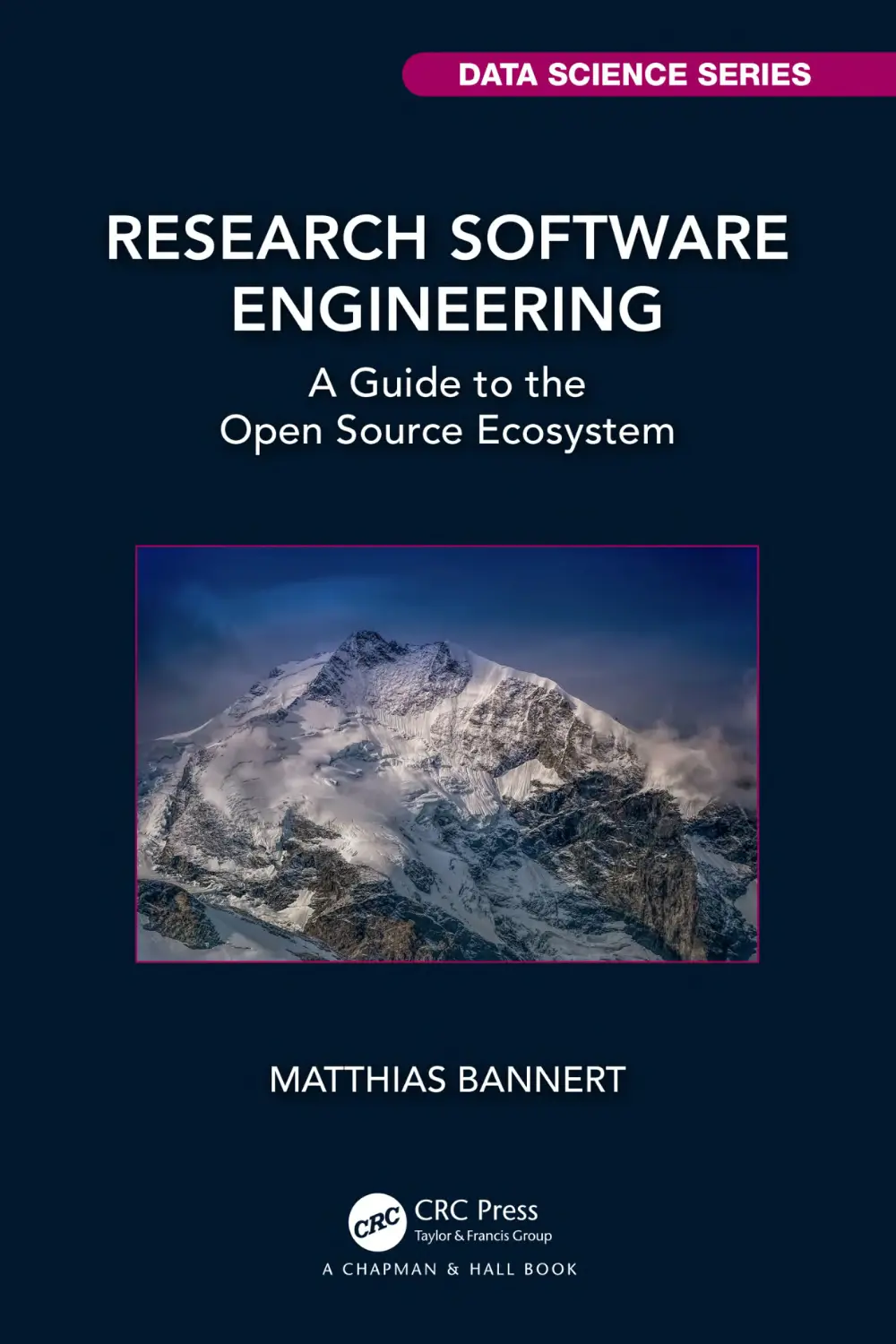


Автор: Bannert M.
Теги: programming software computer technology coding
ISBN: 978-1-032-26164-5
Год: 2024


Текст
                    Research Software
Engineering
Research Software Engineering: A Guide to the Open Source Ecosystem strives to
give a big-picture overview and an understanding of the opportunities of programming as an approach to analytics and statistics. The book argues that a solid
“programming” skill level is not only well within reach for many but also worth
pursuing for researchers and business analysts. The ability to write a program
leverages field-specific expertise and fosters interdisciplinary collaboration as
source code continues to become an important communication channel. Given
the pace of the development in data science, many senior researchers and mentors, alongside non-computer science curricula lack a basic software engineering
component. This book fills the gap by providing a dedicated programming-withdata resource to both academic scholars and practitioners.
Key Features
• overview: breakdown of complex data science software stacks into core components
• applied: source code of figures, tables and examples available and reproducible
solely with license cost-free, open source software
• reader guidance: different entry points and rich references to deepen the understanding of selected aspects
Matthias Bannert, Ph.D. gained his hands-on data science and data engineering
at ETH Zürich in more than a decade of working for the KOF Swiss Economic
Institute. Today, he works as a data engineering expert advisor at cynkra and
supports ETH as a section lead in the innovation-minded KOF Lab. In 2021, he
was a co-chair of useR!, the annual user conference of the R Project for Statistical Computing. He remains an active contributor to extension packages of the R
language and the open source community in general.

CHAPMAN & HALL/CRC DATA SCIENCE SERIES
Reflecting the interdisciplinary nature of the field, this book series brings together researchers, practitioners, and instructors from statistics, computer science,
machine learning, and analytics. The series will publish cutting-edge research,
industry applications, and textbooks in data science.
The inclusion of concrete examples, applications, and methods is highly encouraged. The scope of the series includes titles in the areas of machine learning, pattern recognition, predictive analytics, business analytics, Big Data, visualization,
programming, software, learning analytics, data wrangling, interactive graphics,
and reproducible research.
Recently Published Titles
Practitioner’s Guide to Data Science
Hui Lin and Ming Li
Natural Language Processing in the Real World
Text Processing, Analytics, and Classification
Jyotika Singh
Telling Stories with Data
With Applications in R
Rohan Alexander
Big Data Analytics
A Guide to Data Science Practitioners Making the Transition to Big Data
Ulrich Matter
Data Science for Sensory and Consumer Scientists
Thierry Worch, Julien Delarue, Vanessa Rios De Souza and John Ennis
Data Science in Practice
Tom Alby
Introduction to NFL Analytics with R
Bradley J. Congelio
Soccer Analytics: An Introduction Using R
Clive Beggs
Spatial Statistics for Data Science: Theory and Practice with R
Paula Moraga
Research Software Engineering: Research Software Engineering
Matthias Bannert
For more information about this series, please visit: https://www.routledge.com/
Chapman--HallCRC-Data-Science-Series/book-series/CHDSS

Research Software
Engineering

A Guide to the Open Source
Ecosystem

Matthias Bannert

Designed cover image: © Matthias Bannert
First edition published 2024
by CRC Press
2385 NW Executive Center Drive, Suite 320, Boca Raton FL 33431
and by CRC Press
4 Park Square, Milton Park, Abingdon, Oxon, OX14 4RN
CRC Press is an imprint of Taylor & Francis Group, LLC
© 2024 Matthias Bannert
Reasonable efforts have been made to publish reliable data and information, but the author and publisher cannot assume responsibility for the validity of all materials or the consequences of their use.
The authors and publishers have attempted to trace the copyright holders of all material reproduced
in this publication and apologize to copyright holders if permission to publish in this form has not
been obtained. If any copyright material has not been acknowledged please write and let us know so
we may rectify in any future reprint.
Except as permitted under U.S. Copyright Law, no part of this book may be reprinted, reproduced,
transmitted, or utilized in any form by any electronic, mechanical, or other means, now known or
hereafter invented, including photocopying, microfilming, and recording, or in any information storage or retrieval system, without written permission from the publishers.
For permission to photocopy or use material electronically from this work, access www.copyright.com
or contact the Copyright Clearance Center, Inc. (CCC), 222 Rosewood Drive, Danvers, MA 01923,
978-750-8400. For works that are not available on CCC please contact mpkbookspermissions@tandf.co.uk
Trademark notice: Product or corporate names may be trademarks or registered trademarks and are
used only for identification and explanation without intent to infringe.
ISBN: 978-1-032-26164-5 (hbk)
ISBN: 978-1-032-26127-0 (pbk)
ISBN: 978-1-003-28689-9 (ebk)
DOI: 10.1201/978-1-003-28689-9
Typeset in Latin Modern font
by KnowledgeWorks Global Ltd.
Publisher’s note: This book has been prepared from camera-ready copy provided by the authors.

Contents

List of Figures

xi

List of Tables

xiii

Preface

xv

Acknowledgments

xvii

1 Introduction
1.1 Why Work Like a Software Engineer? . .
1.2 Why Work Like an Operations Engineer?
1.3 How To Read This Book? . . . . . . . .
1.4 Backlog . . . . . . . . . . . . . . . . . .
1.5 Requirements . . . . . . . . . . . . . . .
2 Stack: A Developer’s Toolkit
2.1 Programming Language .
2.2 Interaction Environment .
2.3 Version Control . . . . . .
2.4 Data Management . . . .
2.5 Infrastructure . . . . . . .
2.6 Automation . . . . . . . .
2.7 Communication Tools . .
2.8 Publishing and Reporting

.
.
.
.
.
.
.
.

.
.
.
.
.
.
.
.

.
.
.
.
.
.
.
.

3 Programming 101
3.1 The Choice That Doesn’t Matter
3.2 Plan Your Program . . . . . . .
3.2.1 Think Library! . . . . . .
3.2.2 Documentation . . . . .
3.2.3 Design Your Interface . .

.
.
.
.
.
.
.
.

.
.
.
.

.
.
.
.
.
.
.
.
.
.
.
.
.

.
.
.
.
.
.
.
.
.
.
.
.
.

.
.
.
.
.
.
.
.
.
.
.
.
.

.
.
.
.
.
.
.
.
.
.
.
.
.

.
.
.
.
.
.
.
.
.
.
.
.
.
.
.
.
.
.

.
.
.
.
.
.
.
.
.
.
.
.
.
.
.
.
.
.

.
.
.
.
.
.
.
.
.
.
.
.
.
.
.
.
.
.

.
.
.
.
.
.
.
.
.
.
.
.
.
.
.
.
.
.

.
.
.
.
.
.
.
.
.
.
.
.
.
.
.
.
.
.

1

1
4
5
6
7

9

10
12
13
15
16
18
19
20

22

23
25
25
29
30
v

vi

Contents

3.3
3.4
3.5
3.6

3.2.4 Dependencies . . . . . . . . . . . . .
3.2.5 Folder Structure . . . . . . . . . . . .
Naming Conventions: Snake, Camel or Kebab
Testing . . . . . . . . . . . . . . . . . . . . .
Debugging . . . . . . . . . . . . . . . . . . .
3.5.1 Read Code from the Inside Out . . .
3.5.2 Debugger, Breakpoints, Traceback . .
A Word on Peer Programming . . . . . . . .

. . .
. . .
Case
. . .
. . .
. . .
. . .
. . .

4 Interaction Environment
4.1 Integrated Development Environments
4.1.1 RStudio . . . . . . . . . . . . .
4.1.2 Visual Studio Code . . . . . . .
4.1.3 Editors on Steroids . . . . . . .
4.2 Notebooks . . . . . . . . . . . . . . . .
4.3 Console/Terminal . . . . . . . . . . . .
4.3.1 Remote Connections SSH, SCP .
4.3.2 Git Through the Console . . . .

.
.
.
.
.
.
.
.

.
.
.
.
.
.
.
.

.
.
.
.
.
.
.
.

.
.
.
.
.
.
.
.

.
.
.
.
.
.
.
.

.
.
.
.
.
.
.
.

5 Git Version Control
5.1 What Is Git Version Control? . . . . .
5.2 Why Use Version Control in Research?
5.3 How Does Git Work? . . . . . . . . . .
5.4 Moving Around . . . . . . . . . . . . .
5.5 Collaboration Workfow . . . . . . . .
5.5.1 Feature Branches . . . . . . . .
5.5.2 Pull Requests from Forks . . . .
5.5.3 Rebase vs. Merge . . . . . . . .

.
.
.
.
.
.
.
.

.
.
.
.
.
.
.
.

.
.
.
.
.
.
.
.

.
.
.
.
.
.
.
.

.
.
.
.
.
.
.
.

.
.
.
.
.
.
.
.

6 Data Management
6.1 Forms of Data . . . . . . . . . . . . . . . .
6.2 Representing Data in Files . . . . . . . . .
6.2.1 Spreadsheets . . . . . . . . . . . . .
6.2.2 File Formats for Nested Information
6.2.3 A Word on Binaries . . . . . . . . .
6.2.4 Interoperable File Formats . . . . .
6.3 Databases . . . . . . . . . . . . . . . . . .

.
.
.
.
.
.
.

.
.
.
.
.
.
.

.
.
.
.
.
.
.

.
.
.
.
.
.
.

31
32
37
38
39
39
41
43

45

46
47
49
50
51
52
54
55

56

56
58
59
60
63
63
66
67

69

69
73
74
75
78
79
82

vii

Contents

6.3.1
6.4

Relational database Management Systems
(RDBMS) . . . . . . . . . . . . . . . . . .
6.3.2 A Word on Non-Relational databases . . .
Non-Technical Aspects of Managing Data . . . .
6.4.1 Etiquette . . . . . . . . . . . . . . . . . . .
6.4.2 Security . . . . . . . . . . . . . . . . . . .
6.4.3 Privacy . . . . . . . . . . . . . . . . . . . .
6.4.4 Data Publications . . . . . . . . . . . . . .

7 Infrastructure
7.1 Why Go Beyond a Local Notebook? . . .
7.2 Hosting Options . . . . . . . . . . . . . . .
7.2.1 Software-as-a-Service . . . . . . . .
7.2.2 Self-Hosted . . . . . . . . . . . . . .
7.3 Building Blocks . . . . . . . . . . . . . . .
7.3.1 Virtual Machines . . . . . . . . . .
7.3.2 Containers and Images . . . . . . .
7.3.3 Kubernetes . . . . . . . . . . . . . .
7.4 Applied Containerization Basics . . . . . .
7.4.1 DOCKERFILEs . . . . . . . . . . .
7.4.2 Building and Running Containers .
7.4.3 Docker Compose – Manage Multiple
Containers . . . . . . . . . . . . . .
7.4.4 A Little Docker Debugging Tip . . .

.
.
.
.
.
.
.
.
.
.
.

.
.
.
.
.
.
.
.
.
.
.

.
.
.
.
.
.
.
.
.
.
.

.
.
.
.
.
.
.
.
.
.
.

84
87
88
88
89
89
90

93

94
96
96
97
98
98
98
100
100
101
101

. . . . 102
. . . . 104

8 Automation
8.1 Continuous Integration/Continuous Deployment
8.2 Cron Jobs . . . . . . . . . . . . . . . . . . . . .
8.3 Workfow Scheduling: Apache Airfow DAGs . .
8.4 Make-Like Workfows . . . . . . . . . . . . . . .
8.5 Infrastructure as Code . . . . . . . . . . . . . .

.
.
.
.
.

9 Community
9.1 Stay Up-to-Date in a Vastly Evolving Field – Social
Media . . . . . . . . . . . . . . . . . . . . . . . .
9.2 Knowledge-Sharing Platforms . . . . . . . . . . .
9.3 Look Out for Local Community Group . . . . . .

106

106
109
110
112
113

115
116
117
118

viii

Contents

9.4
9.5

Attend Conferences - Online Can Be a Viable
Option! . . . . . . . . . . . . . . . . . . . . . . . 118
Join a Chat Space . . . . . . . . . . . . . . . . . 119

10 Publishing and Reporting
10.1 Getting Started with a Simple Report .
10.1.1 This is a level three header . . . .
10.1.2 This is another level three header
10.2 Static Website Generators . . . . . . . .
10.3 Hosting Static Websites . . . . . . . . .
10.3.1 GitHub Pages . . . . . . . . . . .
10.3.2 GitHub Actions . . . . . . . . . .
10.3.3 Netlify . . . . . . . . . . . . . . .
10.4 Visualization . . . . . . . . . . . . . . .
10.4.1 Rendered Graphs . . . . . . . . .
10.4.2 JavaScript Visualization Libraries
10.5 Data Publications . . . . . . . . . . . . .

.
.
.
.
.
.
.
.
.
.
.
.

.
.
.
.
.
.
.
.
.
.
.
.

.
.
.
.
.
.
.
.
.
.
.
.

.
.
.
.
.
.
.
.
.
.
.
.

.
.
.
.
.
.
.
.
.
.
.
.

11 Case Studies
11.1 SSH Key Pair Authentication . . . . . . . . . . .
11.2 Application Programming Interfaces . . . . . . .
11.2.1 Example 1: The {kofdata} R Package . . .
11.2.2 Build Your Own API Wrapper . . . . . . .
11.3 Create Your Own API . . . . . . . . . . . . . . .
11.3.1 GitHub to Serve Static Files . . . . . . . .
11.3.2 Simple Dynamic APIs . . . . . . . . . . . .
11.4 A Minimal Webscraper: Extracting Publication
Dates . . . . . . . . . . . . . . . . . . . . . . . .
11.5 Automate Script Execution: An Example with
GitHub Actions . . . . . . . . . . . . . . . . . . .
11.6 Choropleth Map: Link Data to a GeoJSON Map
File . . . . . . . . . . . . . . . . . . . . . . . . . .
11.7 Web Applications with R Shiny . . . . . . . . . .
11.7.1 The Web Frontend . . . . . . . . . . . . . .
11.7.2 Backend . . . . . . . . . . . . . . . . . . .
11.7.3 Put Things Together and Run Your App .
11.7.4 Serve Your App . . . . . . . . . . . . . . .
11.7.5 Shiny Resources . . . . . . . . . . . . . . .

120

121
122
122
122
123
123
124
124
125
125
126
129

130

130
131
133
133
137
137
139
143
148
152
155
156
159
161
161
162

Contents

ix

11.8 Project Management Basics . . . . . . . . . . . . 163
11.9 Parallel Computation . . . . . . . . . . . . . . . . 165
11.10 ood Practice . . . . . . . . . . . . . . . . . . . . 170
Glossary

173

References

177

Index

181

List of Figures
1

Dr. Egghead discovers programming for analysis. . xvi

1.1
1.2

Monthly R Package Downloads. . . . . . . . . . .
source code as communication channel. . . . . . .

1
3

2.1
2.2

Dr. Egghead panics. . . . . . . . . . . . . . . . . .
Output of git di“. . . . . . . . . . . . . . . . . . .

9
14

3.1

R vs. Python . . . . . . . . . . . . . . . . . . . . .

24

4.1
4.2

Wizard or carpenter? . . . . . . . . . . . . . . . .
Posit is more than just R. . . . . . . . . . . . . . .

46
49

5.1
5.2
5.3
5.4
5.5
5.6

Make commit messages meaningful. . .
Illustration of an example git workfow.
A merge confict. . . . . . . . . . . . . .
Sublime text editor git integration. . . .
VS Code git integration. . . . . . . . .
GitHub Pull Request dialog. . . . . . .

.
.
.
.
.
.

57
59
63
63
64
66

6.1

The iconic Postgres elephant logo. . . . . . . . . .

84

7.1
7.2
7.3

Web-based IDE and web application server . . . .
How to think of servers? . . . . . . . . . . . . . .
Think of a server as a ‘program that listens’. . . .

93
94
95

9.1

Community Explorer . . . . . . . . . . . . . . . . 115

10.1

Apache echarts. . . . . . . . . . . . . . . . . . . . 128

11.1
11.2
11.3

Create a key pair with RStudio. . . . . . . . . . . 132
Hacking for Science Course Series. . . . . . . . . . 142
KOF media agenda in 2021. . . . . . . . . . . . . 144

.
.
.
.
.
.

.
.
.
.
.
.

.
.
.
.
.
.

.
.
.
.
.
.

.
.
.
.
.
.

xi

xii

List of Figures

11.4
11.5
11.6
11.7
11.8
11.9
11.10
11.11

Google Chrome developer tools. . . . . . . .
xpath of a website. . . . . . . . . . . . . . . .
Choropleth example. . . . . . . . . . . . . . .
Frontends are made to look spiy. . . . . . .
Backends typically do the computation work.
The shinydashboards R package. . . . . . . .
Swim Lanes. . . . . . . . . . . . . . . . . . .
Comparison of computation time . . . . . . .

.
.
.
.
.
.
.
.

.
.
.
.
.
.
.
.

.
.
.
.
.
.
.
.

145
146
152
156
160
162
165
170

List of Tables

2.1

Components of Data Science Stack

. . . . . . . .

10

4.1

Basic Unix Terminal Commands . . . . . . . . . .

53

5.1
5.2
5.3

Basic Commands for Working with Git . . . . . .
Commands for Working with a Remote Repository
Commands for for Handling Multiple Branches . .

61
61
62

7.1

Basic Docker Commands . . . . . . . . . . . . . . 102

11.1

Runtimes with and without Parallelization. . . . . 168

xiii

Preface

Note: This book is published by Chapman & Hall/CRC. The online
version of this book is free to read here (thanks to Chapman &
Hall/CRC), and licensed under the Creative Commons AttributionNonCommercial-ShareAlike 4.0 International License. If you have
any feedback, please feel free to fle an issue on GitHub. Thank
you!
One of the things that Baidu did well early on was to create
an internal platform for deep learning. What that did was
enable engineers all across the company, including people
who were not AI researchers, to leverage deep learning in all
sorts of creative ways - applications that an AI researcher
like me never would have thought of. – Andrew Ng
The vast majority of data has been created within the last decade.
In turn, many felds of research are confronted with an unprecedented wealth of data. The sheer amount of information and the
complexity of modern datasets continue to point a kind of researcher
to programming approaches that had not considered programming
to process data so far. Research Software Engineering aims at two
things: First, to give a big picture overview and starting point
to reach what the open source software community calls a “software carpentry” level. Second, to give an understanding of the
opportunities of automation and reproducibility, as well as the
e™ort to maintain the required environment. This book argues a
solid programming skill level and self-operation is totally in reach
for most researchers. And most importantly, investing is worth
the e™ort: being able to code leverages feld-specifc expertise and
fosters interdisciplinary collaboration as source code continues to
become an important communication channel.
xv

xvi

Preface

Figure 1: “Hackers wear hoodies, you know,” mumbles Dr. Egghead
as he pulls up his coat’s hood and starts to fgure out how his
assistant got a week’s work done in hours. (Source: own illustration.)

Acknowledgments

I am thankful for the inspiration, help and perspectives of everyone
who contributed to this book at its dierent stages. There are
several people and organizations that I would like to thank in
particular.
First, thank you to David Grubbs at CRC Press for getting me
started. From our frst meeting at useR! in Toulouse, France, David
helped streamline writing a book, and he kept adding value throughout the process with his remarks and contacts. I would like to thank
Achim Zeileis who also played an important role at the early stage
of my book project. Achim inspired me to become a co-host for
useR! which led to many experiences that became important to
this book. Our discussions about teaching amplifed my motivation to have good material to accompany my own course – which
eventually turned out to be one of the most important drivers.
In that regard, I would like to thank all participants of my Hacking
for . . . courses. Your insights, questions, feedback and semester
projects have been invaluable to this project. Your feld-specifc
expertise is inspirational not only to me, but also to readers of
the book as it shows the broad relevance of the approach. I would
like to thank ETH Zurich, in particularly the Department of Management, Technology and Economics (D-MTEC) and the KOF
Swiss Economic Institute for hosting my ideas over the last 13
years. Thank you to educational developers Karin Brown and
Erik Jentges; having teaching professionals with open ears and
minds around helped to channel motivation and ideas into a course
concept that continues to be popular among participants across
departments and disciplines. Torbjørn Netland deserves credit for
enabling this widespread interest. His early advice turned what
xvii

xviii

Acknowledgments

was initially thought of as Hacking for Economists into Hacking
for Social Sciences, which eventually became Hacking for Science.
Though this book is not exactly about the R programming language,
I would like to thank the R community in particular because of its
instrumental role in growing my own engagement and horizon of
the open source ecosystem. My thanks go to statisticians Siegfried
Heiler and Toni Stocker who pointed me to the R language almost
20 years ago. One of my most important learnings about how to
leverage open source work may have come only 20 years later: In
2021, the community overcame the hurdles of the global COVID-19
pandemic that was unprecedented, at least in my lifetime, and held
a virtual useR! conference that enabled a much larger and much
more diverse group of participants to join (Joo et al. 2022).
Working with Rocío Joo, Dorothea Hug Peter, Heather Turner and
Yanina Bellini Saibene has shown me the inclusion extra mile is not
only worth the e‚ort, but an inevitable mindset to bring our work
as developers and scientists to the next level. Thank you, ladies!
Thanks also to the local R user group in Zurich, Switzerland, who
continues to show the practical relevance of open source through
events. I want to mention the great people at my new employer,
cynkra, too. Your infuence on the community and therefore this
book cannot be forgotten. Thank you for your support and open
ears!
Last but not least, I would like to thank Emily Riederer for her
time and patience discussing my thoughts and reviewing my drafts.
Particulary, her ideas to streamline and balance my ideas at a
stage where they were rather messy added great value. Admittedly,
your constructive feedback has caused some extra work, but was
instrumental to making this book useful and accessible to a wider
audience – Thank you.

1
Introduction

Simply put, Research Software Engineering is the art of making our work deployable and functional on other machines.

1.1

Why Work Like a Software Engineer?

Why should a researcher or business analyst work Like a Software
Engineer? First, because everybody and their grandmothers seem
to work like software engineers. Statistical computing continues to
be on the rise in many branches of research. Figure 1.1 shows the
obvious trend in the sum of total R package downloads per month
since 2015.
2e+08

1.5e+08

1e+08

5e+07

2016

2018

2020

2022

Figure 1.1: Monthly R Package Downloads. (Source: RStudio
CRAN mirror.)
1

2

Research Software Engineering

library(cranlogs)
library(dplyr)
library(lubridate)
library(tsbox)
top <- cranlogs::cran_top_downloads()
packs <- cranlogs::cran_downloads(
from = "2015-01-01",
to = "2022-09-30")
packs |>
group_by(floor_date(date, "month")) |>
summarize(m = sum(count)) |>
ts_plot()
Bandwagonism aside, source code can be a tremendously sharp,
unambiguous and international communication channel. Your web
scraper does not work? Instead of reaching out in a clumsy but
wordy cry for help, posting what you tried so far described by source
code will often get you good answers within hours. Platforms like
stackoverfow1 or Crossvalidated2 do not only store millions of questions and answers, they also gather a huge and active community to
discuss issues. Plus, recent developments show that source code is
not only useful to communicate with human experts. Have you tried
to turn an idea into code or improve a piece of code by playing ping
pong with chatGPT or Bing? Or think of feature requests: After a
little code ping pong with the package author, your wish eventually
becomes clearer. Let alone chats with colleagues and co-authors.
Sharing code just works. Academic journals have found that out,
too. Many outlets require you to make the data and source code
behind your work available. Social Science Data Editors (Vilhuber
et al. 2022) is a bleeding-edge project at the time of writing this,
but it is already referred to by top-notch journals like American
Economic Review (AER).
1
2

https://stackoverfow.com
https://crossvalidated.com

Introduction

3

Figure 1.2: Source code is an unambiguous, interactive and global
communication channel. (Source: own illustration.)
In addition to the above reproducibility and ability to share, code
scales and automates. automation is very convenient; like when you
want to download data, process and create the same visualization
and put it on your website any given Sunday. automation is inevitable; like when you have to gather daily updates from di’erent
outlets or work through thousands of .pdfs.
Last but not least, programming enables you to do many things
you couldn’t do without being an absolute guru (if at all) if it
wasn’t for programming. Take visualization, for example. Go check
the D3 Examples at https://d3js.org/. Now, try to do that in
Excel. If you did these things in Excel, it would make you an
absolute spreadsheet visualization Jedi, probably missing out on
other time-consuming skills to master. Yet, with decent, carpentrylevel programming skills you can already do so many spectacular
things while not really specializing and staying very fexible.

4

1.2

Research Software Engineering

Why Work Like an Operations Engineer?

While software development has become closer to many researchers,
operations, the second part of the term DevOps, is much further
away from the average researcher or business analyst. Why even
think about operations? Because we can aord to do so. Operations have become so much more accessible in recent years, that
many applications can be dealt with single-handedly. Though one’s
production applications may still be administered by operations
professionals, the ability to create and run a proof of concept from
scratch is an invaluable skill. A running example says more than
a 15-page specifcation that fails to translate business talk into
tech talk. The other way around, something to look at an early
stage helps to acquire funds and convince managers and other
collaborators.
But people without a computer engineering background are by no
means limited to proof of concepts these days. Trends like cloud
computing and software-as-a-service products help developers focus
on their expertise and limit the amount of knowledge needed to
host a service in secure and highly available fashion.
Also, automation is key to the DevOps approach and an important
reason why DevOps thinking is also very well suited for academic
researchers and business analysts. So-called continuous integration
can help to enforce a battery of quality checks such as unit tests
or installation checks. Let’s say a push to a certain branch of a git
repository leads to the checks and tests. In a typical workfow, successful completion of quality checks triggers continuous deployment
to a blog, rendering into a paper or interactive data visualization.
By embracing both parts of the DevOps approach, researchers do
not only gain extra eÿciency, but more importantly they improve
reproducibility and therefore accountability and quality of their
work. The eect of a DevOps approach on quality control is not
limited to reproducible research in a publication sense only, but also
enforces rules during collaboration: no matter who contributes, the

Introduction

5

contribution gets gut-checked and only deployed if checks passed.
Similar to the well established term software carpentry that advocates a solid, application minded understanding of programming
with data, I suggest a carpentry-level understanding of development
and operations is desirable for the programming data analyst.

1.3

How To Read This Book?

The focal goal of this book is to map out the open source ecosystem, identify neuralgic components and give you an idea of how
to improve not only in programming but also in navigating the
wonderful but vast open source world. Chapter 2 is the road map
for this book: it describes and classifes the di†erent parts of the
open source stack and explains how these pieces relate to each
other. Subsequent chapters highlight core elements of the open
source toolbox one at a time and walk through applied examples,
mostly written in the R language.
This book is the companion I wish I had when I started an empirical,
data intensive PhD in economics. Yet, the book is written years
after my PhD was completed and with the hindsight of more than 10
years in academia. Research Software Engineering is written based
on the experience of helping students and seasoned researchers
of di†erent felds with their data management, processing and
communication of results.
If you are confdent in your ambition to amp up your programming
to at least solid software carpentry level3 within the next few
months, I suggest getting an idea of your starting point relative
to this book. The upcoming backlog section is essentially a list of
suggested to-dos on your way to solid software carpentry. Obviously,
you may have cleared a few tasks of this backlog before reading
this book which is fne. On the other hand, you might not know
about some of the things that are listed in the requirement section,
3

https://software-carpentry.org/

6

Research Software Engineering

which is fne, too. The backlog and requirements section just mean
to give you some orientation.
If you do not feel committed, revisit the previous section, discuss
the need for programming with peers from your domain and possibly talk to a seasoned R or Python programmer. Motivation
and commitment are key to the endurance needed to develop programming into a skill that truly leverages your domain-specifc
expertise.

1.4

Backlog

If you can confdently say you can check all or most of the below,
you have reached carpentry level in developing and running your
applications. Even if this level is your starting point, you might fnd
a few useful tips or simply may come to cherry-pick. In case you
are rather unfamiliar with most of the below, the contextualization,
the classifcation and overview of tools is likely the most valuable
help this book provides.
A solid, applied understanding of git version control and the
collaboration workfow associated with git does not only help
you stay ahead of your own code; git profciency makes you a team
player. If you are not familiar with commits, pulls, pushes, branches,
forks and pull requests, Research Software Engineering will open
up a new world for you. An introduction to industry standard
collaboration makes you ft into a plethora of (software) teams
around the globe – in academia and beyond.
Your backlog en route to a researcher who is comfortable in Research
Software Engineering obviously contains a strategy to im rove
your rogramming itself. To work with data in the long run,
an idea of the challenges of data management from persistent
storage to access restrictions should complement your programming.
Plus, modern data-driven science often has to handle datasets so
large, which is when infrastructure other than local desktops
come into play. Yet, high performance computing (HPC) is by far

Introduction

7

not the only reason it is handy for a researcher to have a basic
understanding of infrastructure. Communication of results,
including data dissemination or interactive online reports require
the content to be served from a server with permanent online
access. Basic workfow automation of regular procedures, e.g., for
a repeated extract-transform-load (ETL) process to update data, is
a low-hanging (and very useful) fruit for a programming researcher.
The case studies at the end of the book are not exactly a backlog
item like the above but still a recommended read. The case studies
in this book are hands-on programming examples – mostly written
in R – to showcase tasks from application programming interface
(API) usage to geospatial visualization in reproducible fashion.
Reading and actually running other developers’ code not only
improve one’s own code, but helps to see what makes code inclusive
and what hampers comprehensibility.

1.5

Requirements

Even though Research Software Engineering aims to be inclusive
and open to a broad audience with di…erent starting points, several
prerequisites exist to get the most out of this book. I recommend
you have made your frst experience with an interpreted programming language like R or Python. Be aware though that experience
from a stats or math course does not automatically make you a
programmer, as these courses are rightfully focused on their own
domain. Books like R for Data Science (Hadley Wickham and
Grolemund 2017) or websites like the The Carpentries 4 help to
solidify your data science minded, applied programming. Advanced
R (Hadley Wickham 2019), despite its daunting title, is an excellent
read to get past the superfcial kind of understanding of R that we
might acquire from a frst encounter in a stats course.
4

https://carpentries.org/

8

Research Software Engineering

A certain familiarity with console/terminal basics will help the
reader sail smoothly. At the end of the day, there are no real
must-have requirements to beneft from this book. The ability to
self-refect on one’s starting point remains the most important
requirement to leverage the book.
Research Software Engineering willingly accepts to be overwhelming
at times. Given the variety of topics touched on in an e†ort to
show the big picture, I encourage the reader to remain relaxed
about a few blanks even when it comes to fundamentals. The open
source community o†ers plenty of great resources to selectively
upgrade skills. This book intends to show how to evaluate the need
for help and how to fnd the right sources. If none of the above
means something to you, though, I recommend making yourself
comfortable with the basics of some of the above felds before you
start to read this book.

2
Stack: A Developer’s Toolkit

The goal of this chapter (and probably the most important goal of
this entire book) is to help you see the big picture of which tool does
what. The following sections will group common programming-withdata components by purpose. All of the resulting groups represent
aspects of programming with data, and I will move on to discuss
these groups in a dedicated chapter each.

Figure 2.1: Aaaaaaah! Don’t panic, Dr. Egghead! All these components are here to help you and you won’t need all of them from
the start. (Source: own illustration.)
Just like natural craftsmen, digital carpenters depend on their
toolbox and their mastery of it. A project’s stack is what developers
9

10

Research Software Engineering

Table 2.1: Components of Data Science Stack
Component

Choice

Interpreter/Language
IDE/Editor
Version Control
Project Management
database

R, Python, JavaScript
R Studio, VS Code, Sublime
Git
GitHub, GitLab
PostgreSQL

“Virtual" Environments
Communication
(Visualization, Web)
Website Hosting
Workfow automation
Continous Integration

Docker
Node, Quasar (vue.js)
Netlify, GitHub Pages
Apache Airfow
Woodpecker, GitLab CI,
GitHub Actions

call the choice of tools used in a project. Even though di™erent
favors come down to personal preferences, there is a lot of common
ground in programming with data stacks. Table 2.1 shows some
of the components I use most often grouped by their role. Of
course, this is a personal choice. Obviously, I do not use all of these
components in every single small project. Git, R and R Studio
would be a good minimal version.
Throughout this book, often a choice for one piece of software needs
to be made to illustrate things. To get the most out of the book,
keep in mind that these choices are examples and try to focus on
the role of an item in the big picture.

2.1

Programming Language

In Statistical Computing, the interface between the researcher and
the computation node is almost always an interpreted programming
language as opposed to a compiled one. Compiled languages like

Stack: A Developer’s Toolkit

11

C++ require the developer to write source code and compile, i.e.,
translate source code into what a machine can work with before
runtime. The result of the compilation process is a binary which is
specifc to an operating system. Hence, you will need one version
for Windows, one for OSX and one for Linux if you intend to reach
a truly broad audience with your program. The main advantage of
a compiled language is speed in terms of computing performance,
because the translation into machine language does not happen
during runtime. A reduction of development speed and increase
in required developer skills are the downside of using compiled
languages.
Big data is like teenage sex: everyone talks about it, nobody
really knows how to do it, everyone thinks everyone else is
doing it, so everyone claims they are doing it. – Dan Ariely,
Professor of Psychology and Behavioral Economics on X 1
The above quote became famous in the hacking data community,
not only because of the provocative, fun part of it, but also because
of the implicit advice behind it. Given the enormous gain in computing power in recent decades, and also methodological advances,
interpreted languages are often fast enough for many social science
problems. And even if it turns out, your data grow out of your
setup, a well-written proof of concept written in an interpreted
language can be a formidable blueprint. Source code is turning
into an important scientifc communication channel. Put
your money on it, your interdisciplinary collaborator from the High
Performance Computing (HPC) group will prefer some Python
code as a briefng for their C++ or Fortran program over a wordy
description out of your feld’s ivory tower.
Interpreted languages are a bit like pocket calculators, you can look
at intermediate results, line-by-line. R and Python are the most popular open source software (OSS) choices for hacking with data, Julia
(Bezanson et al. 2017) is an up-and-coming, performance-focused
language with a much slimmer ecosystem. A bit of JavaScript can’t
1

https://x.com/danariely/status/287 52257 26 713 2

12

Research Software Engineering

hurt for advanced customization of graphics and online communication of your results.

2.2

Interaction Environment

While the fact that a software developer needs to choose a programming language to work with is rather obvious, the need to compose
and customize an environment to interact with the computer is
much less obvious to many. Understandably so because, outside
of programming, software such as word processors, video or image
editors presents itself to the user as a single program. That single
program takes the user’s input, processes the input (in memory)
and stores a result on disk for persistence – often in a proprietary,
program specifc format.
Yet, despite all the understanding for nonchalantly saying we keep
documents in Word or data in R Studio, it’s beyond nerdy nitpicking when I insist that data are kept in fles (or databases) –
not in a program. And that R is not R Studio: This sloppy terminology contributes to making us implicitly accept that our oÿce
documents live in one single program. (And that there is only one
way to fnd and edit these fles: through said program).
It is important to understand that source code of essentially any
programming languages is a just a plain text fle and therefore can
be edited in any editor. Editors come in all shades of gray: from
lean, minimal code highlighting support to full-fedged integrated
development environments (IDEs) with everything from version
control integration to sophisticated debugging.
Which way of interaction the developer likes better is partly a
matter of personal taste, but it also depends on the programming
language, the team’s form of collaboration and size of the project. In
addition to a customized editor, most developers use some form of
a console to communicate with their operating system. The ability
to send commands instead of clicking is not only reproducible and

13

Stack: A Developer’s Toolkit

shareable, but it also outpaces mouse movement by a lot when
commands come in batches. Admittedly, confguration, practice
and getting up to speed takes time, but once you have properly
customized the way you interact with your computer when writing
code, you will never look back.
In any case, make sure to customize your development environment:
choose the themes you like, make sure the cockpit you spent your
day in is confgured properly and feels comfy.

2.3

Version Control

To buy into the importance of managing one’s code professionally
may be the single most important take-away from this book. Being
able to work with will help you ft into numerous di“erent teams
that have contact points with data science and programming, let
alone if you become part of a programming or data science team.
While has a long history dating back to CVS2 and SVN3 , the good
news for the learner is, that there is a single dominant approach
when it comes to in the data analysis world. Despite the fact that
its predecessors and alternatives such as Mercurial are still around,
git4 is the one you have to learn. To learn more about the history
of and approaches other than git, Eric Sink’s Version Control by
Example (Sink 2011) is for you.
So what does git do for us as researchers? How is it di“erent from
Dropbox?
git
git
git
git
2

does
does
does
does

not
not
not
not

work
work
work
work

like
like
like
like

dropbox.
dropbox.
dropbox.
dropbox.

git
git
git
git

is
is
is
is

not
not
not
not

like
like
like
like

dropbox.
dropbox.
dropbox.
dropbox.

Concurrent Versions System: https://cvs.nongnu.org/
Apache Subversion
4
https://git-scm.com/book/en/v2/Getting-Started-About-VersionControl
3

14

Research Software Engineering

git does not work like dropbox. git is not like dropbox.
git does not work like dropbox. git is not like dropbox.

The idea of thinking of a sync is what interferes with comprehension of the beneft of (which is why I hate that git GUIs call it
“sync” anyway to avoid irritation of user’s initial beliefs.). Git is
a decentralized system that keeps track of a history of semantic
commits. Those commits may consist of changes to multiple fles.
A commit message summarizes the gist of a contribution. Di˛s
allow comparing dišerent versions.

Figure 2.2: The di˛ output shows an edit during the writing of this
book. The line preceded by ‘-’ was replaced with the line preceded
by ‘+’.
Git is well suited for any kind of text fle, whether it is source
code from Python or C++, or some text written in Markdown or
LaTeX. Binaries like .pdfs or Word documents are possible, too, but
certainly not the type of fle for which git is really useful. This book
contains a detailed, applied introduction tailored to researchers in

Stack: A Developer’s Toolkit

15

a dedicated chapter, so let’s dwell with the above contextualization
for a bit.

2.4

Data Management

One implication of bigger datasets and/or bigger teams is the need
to manage data. Particularly when projects establish themselves
or update their data regularly, well-defned processes, consistent
storage and possibly access management become relevant. But even
if you worked alone, it can be very helpful to have an idea about
data storage in fles systems, memory consumption and archiving
data for good.
Data come in various forms and dimensions, potentially deeply
nested. Yet, researchers and analysts are mostly trained to work
with one-row-one-observation formats, in which columns typically
represent dišerent variables. In other words, two-dimensional representation of data remains the most common and intuitive form of
data to many. Hence, oÿce software ošers dišerent, text-based and
proprietary spreadsheet fle formats. On disk, comma separated fles
(.csv)5 are probably the purest representation of two-dimensional
data that can be processed comfortably by any programming language and that can be read by many programs. Other formats such
as .xml or .json allow storing even deeply nested data.
In-memory, that is when working interactively with programming
languages such as R or Python, data.frames are the most common representation of two-dimensional data. Data.frames, their
progressive relatives like tibbles or data.tables and the ability to
manipulate them in reproducible, shareable and discussible fashion
is the frst superpower upgrade over pushing spreadsheets. Plus,
other representation such as arrays, dictionaries or lists represent
nested data in memory. Though in-memory data manipulation
is very appealing, memory is limited and needs to be managed.
5

Some dialects use dierent separators like ‘;’ or tabs, partl because of
regional dierences like the use of commas as decimal delimiters.

16

Research Software Engineering

Making the most of the memory available is one of the driving
forces behind extensions of the original data.frame concept.
The other obvious limitation of data in memory is the lack of
persistent storage. Therefore, in-memory data processing needs to
be combined with fle based storage are a database. The good news
is that languages like R and Python are well-equipped to interface
with a plethora of fle-based approaches as well as databases. So
well, that I often recommend these languages to researchers who
work with other less-equipped tools, solely as an intermediate layer.
To evaluate which relational (essentially SQL) or non-relational
database to pick up just seems like the next daunting task of stack
choice. Luckily, in research, frst encounters with a database are
usually passive, in the sense that you want to query data from a
source. In other words, the choice has been made for you. So unless
you want to start your own data collection from scratch, simply sit
back, relax and let the internet battle out another conceptual war.
For now, let’s just be aware of the fact that a data management
game plan should be part of any analysis project.

2.5

Infrastructure

For researchers and business analysts who want to program with
data, the starting infrastructure is very likely their own desktop
or notebook computer. Nowadays, this already means access to
remarkable computing power suited for many tasks.
Yet, it is good to be aware of the many reasons that can turn the
infrastructure choice from a no-brainer into a question with many
options and consequences. Computing power, repeated or scheduled
tasks, hard-to-confgure or non-compatible runtime environment,
online publication or high availability may be some of the needs that
make you think about infrastructure beyond your own notebook.
Today, thanks to software-as-a-service (SaaS) oƒers and cloud
computing, none of the above needs imply running a server, let

Stack: A Developer’s Toolkit

17

alone a computing center on your own. Computing has not only
become more powerful over the last decade, but also more accessible.
Entry hurdles are lower than ever. Many needs are covered by
services that do not require serious upfront investment. It has
become convenient to try and let the infrastructure grow with the
project.
From a researcher’s and analyst’s perspective, one of the most
noteworthy infrastructure developments of recentness may be the
arrival of containers in data analysis. Containers are isolated, singlepurpose environments that run either on a single container host or
with an orchestrator in a cluster. Although technically di“erent from
virtual machines, we can regard containers as virtual computers
running on a computer for now. With containers, data analysts
can create isolated, single purpose environments that allow to
reproduce analysis even after one’s system was upgraded and with
it all the libraries used to run the analysis. Or think of some exotic
LaTeX confguration, Python environment or database drivers that
you just can’t manage to run on your local machine. Bet there is
a container blueprint (aka image) around online for exactly this
purpose.
Premature optimization is the root of all evil. – Donald
Knuth.
On the fip side, product o“erings and therefore our options have
become a fast-growing, evolving digital jungle. So, rather than
trying to keep track (and eventually loosing it) of the very latest gadgets, this book intends to show a big picture{big picture}
overview and pass on a strategy to evaluate the need to add to your
infrastructure. Computing power, availability, specifc services and
collaboration are the main drivers for researchers to look beyond
their own hardware. Plus, public exposure, i.e., running a website
as discussed in the publishing section, asks for a web host beyond
our local notebooks.

18

Research Software Engineering

2.6

Automation

“Make repetitive work fun again!” could be the claim of this section.
Yet, it’s not just the typical intern’s or student assistant’s job
that we would love to automate. Regular ingestion of data from
an application programming interface (API) or a web scraping
process are one form of reoccurring tasks, often called cron jobs
after the Linux cron command, which is used to schedule execution
of Linux commands. Regular computation of an index, triggered
by incoming data would be a less time-focused, but more eventtriggered example of an automated task.
The one trending form of automation, though, is continuous integration/continuous development (CI/CD). CI/CD processes are
typically closely linked to a git repository and are triggered by
a particular action done to the repository. For example, in case
some pre-defned part (branch) of a git repository gets updated,
an event is triggered and some process starts to run on some machine (usually some container). Builds of software packages are
very common use cases of such a CI/CD process. Imagine you
are developing an R package and want to run all the tests you’ve
written, create the documentation and test whether the package
can be installed. Once you’ve made your changes and push to your
remote git repository, your push triggers the tests, the check, the
documentation rendering and the installation. Potentially a push
to the main branch of your repository could even deploy a package
that cleared all of the above to your production server.
Rendering documentation, e.g., from Markdown to HTML into a
website or presentation or a book like this one is a very similar example of a CI/CD process. Major git providers like Gitlab (GitLab
CI/CD) or GiTHub (GitHub Actions) o„er CI/CD tool integration.
In addition, standalone services like CircleCI can be used as well
as open source, self-hosted software like Woodpecker CI6 .
6

https://woodpecker-ci.org/

Stack: A Developer’s Toolkit

2.7

19

Communication Tools

Its community is one of the reasons for the rise of open source
software over the last decades. Particularly, newcomers would miss
a great chance for a kick-start into programming if they did not
connect with the community. Admittedly, not all the community’s
communication habits are for everyone, yet it is important to make
your choices and pick up a few channels.
Chat clients like Slack, Discord or the Internet Relay Chat (IRC)
(for the pre-millenials among readers) are the most direct form of
asynchronous communication. Though many of the modern alternatives are not open source themselves, they ošer free options and
remain popular in the community despite self-hosted approaches
such as matrix7 along with Element8 . Many international groups
around data science and statistical computing such as RLadies or
the Society of Research Software Engineering have Slack spaces
that are busy 24/7 around the world.
Social media is less directed and more easily consumed in a passive
fashion than a chat space. Over the last decade, X, formerly known
as twitter, has been a very active and reliable resource for good reads
but has seen parts of the community switch to more independent
platforms such as Mastodon9 . Linkedin is another suitable option
to connect and fnd input, particularly in parts of the world where
other platforms are less popular. Due to its activity, social media is
also a great way to stay up-to-date with the latest developments.
Mailing lists are another, more old-fashioned form to discuss things.
They do not require a special client and just an e-mail address to
subscribe to their regular updates. If you intend to avoid social
media, as well as signing up at knowledge sharing platforms such
7

https://matrix.org/
https://element.io/
9
https://mastodon.social/
8

20

Research Software Engineering

as stackoverfow.com10 or reddit11 , mailing lists are a good way to
get help from experienced developers.
Issue trackers are one form of communication that is often underestimated by newcomers. Remotely hosted git repositories, e.g.,
repositories hosted at GitHub or GitLab, typically come with an
integrated issue trackers to report bugs. The community discusses
a lot more than problems on issue trackers: feature requests are a
common use case, and even the future direction of an open source
project may be ašected substantially by discussions in its issue
tracker.

2.8

Publishing and Reporting

Data analysis hopefully yields results that the analyst intends to
report internally within their organization or share with the broader
public. This has led to a plethora of options on the reporting end.
Actually, data visualization and reproducible, automated reporting are two of the main drivers researchers and analysts turn to
programming for their data analysis.
In general, we can distinguish between two forms of output: pdf-like,
print-oriented output and HTML-centered web content. Recent
tool chains have enabled analysts without strong backgrounds in
web frontend development (HTML/CSS/JavaScript) to create nifty
reports and impressive, interactive visualizations. Frameworks like
R Shiny or Python Dash even allow creating complex interactive
websites.
Notebooks that came out of the Python world established themselves in many other languages implementing the idea of combining
text with code chunks that get executed when the text is rendered
to HTML or PDF. This allows researchers to describe, annotate
and discuss results while sharing the code that produced the results
10
11

https://stackoverfow.com
https://reddit.com

Stack: A Developer’s Toolkit

21

described. In academia, progressive scholars and journals embrace
this form of creating manuscripts as reproducible research that
improves trust in the presented fndings.
Besides academic journals that started to require researchers to
hand in their results in reproducible fashion, reporting based on
so-called static website generators12 has taken data blogs and
reporting outlets including presentations by storm. Platforms like
GitHub render Markdown fles to HTML automatically, displaying
formatted plain text as a decent website. Services such as Netlify
allow using a broad variety of build tools to render input that
contains text and code.
Centered around web browsers to display the output, HTML reporting allows creating simple reports, blogs, entire books (like
this one) or presentation slides for talks. But thanks to document
converters like Pandoc and a typesetting juggernaut called LaTeX,
rendering sophisticated .pdf is possible, too. Some environments
even allow rendering to proprietary word processor formats.

12

As opposed to content management systems (CMS) that keep content in
a database and put content and layout template together when users visit a
website, static website generators render a website once triggered by an event.
If users want to update a static website, they simply rerun the render process
and push the HTML output of said process online.

3
Programming 101

Obviously, the craft of programming is essential to handling data
with a programming language. Though programming languages
can dier quite a bit from each other, there is common ground
and an approach to programming that is crucial to understand and
important to learn by – particularly for programmers without a formal computer science background. This chapter points researchers,
analysts and data scientists to the low-hanging, high-impact fruits
of software engineering.
Programming is a form of communication, a form of communication
with others and also with your future self. It actually may be
the best way to defne complex contexts in reproducible fashion.
Therefore, source code needs to be written in inclusive fashion.
Programming needs to be seen as a chance to make complexity
accessible to those who are not experts in a particular domain. The
fact that programs actually run makes them more accessible to
many than formal mathematical defnitions.
The programming examples in this book mostly stick to the R
language, which is easy to install and run on one’s own local
computer. All the concepts shown easily transfer to other languages.
Though potentially a bit more tricky to install and run across
operating systems, Python would have been an equally good choice.
There had to be a decision for one language for this book.

22

Programming 101

3.1

23

The Choice That Doesn’t Matter

The very frst (and intimidating) choice a novice hacker faces is
which is the programming language to learn. Unfortunately, the
medium popularly summed up as the internet oers a lot of really,
fantastic advice on the matter. The problem is, however, that this
advice does not necessarily agree which language is the best for
research. In the realm of data science – get accustomed to that label
if you are a scientist who works with data – the debate basically
comes down to two languages: The R Language for Statistical
Computing and Python.
At least to me, there is only one valid advice: It simply does not
matter. If you stick around in data science long enough, you will
eventually get in touch with both languages and, in turn, learn
both. There is a huge overlap of what you can do with either
of those languages. R came out of the rather specifc domain of
statistics more than 25 years ago and made its way to a more general
programming language thanks to over 20K extension packages (and
counting). Built by a mathematician, Python continues to be as
general purpose as it has ever been. But it got more scientifc,
thanks to extension packages of its own such as pandas1 , SciPy2 or
NumPy3 . As a result, there is a huge overlap of what both languages
can do, and both will extend your horizon in unprecedented fashion
if you did not use a full-fedged programming language for your
analysis beforehand.
But why is there such a heartfelt debate online if it doesn’t matter?
Let’s pick up a random argument from this debate: R is easier to
set up and Python is better for machine learning. If you worked
with Java or another environment that’s rather tricky to get going,
you are hardened and might not cherish easy onboarding. If you
got frustrated before you really started, you might feel otherwise.
1

https://pandas.pydata.org/
https://www.scipy.org/
3
https://numpy.org/
2

24

Research Software Engineering

Figure 3.1: R: “Dplyr smokes pandas.” Python: “But Keras is better
for ML!” Language wars can be entertaining, sometimes spectacular,
but are essentially just useless. (Source: own illustration).
You may just have been unlucky making guesses about a not so
well-documented paragraph, trying to reproduce a nifty machine
learning blog post. Or imagine the frustration in case just had
installed the wrong version of Python or did not manage to make
sense of virtualenv right from the beginning.
The point is, rest assured, if you just start doing analytics using
a programming language, both languages are guaranteed to carry
you a long way. There is no way to tell for sure which one will be
the more dominant language 10 years from now, or whether both
will be around holding their ground the way they do now. But once
you reached a decent software carpentry level in either language,
it will help you a lot learning the other. If your peers work with
R, start with R; if your close community works with Python, start
with Python. If you are in for the longer run, either language will
help you understand the concepts and ideas of programming with

Programming 101

25

data. Trust me, there will be a natural opportunity to get to know
the other.
If you associate programming more often than not with hours
of fddling, tweaking and fghting to galvanize approaches found
online, this chapter is for you. Don’t expect lots of syntax. If you
came for examples of useful little programs from data visualization
to parallel computing, check out the Case Studies.
The following sections share a blueprint to go from explorative script
to production-ready package. Organize your code and accompany
the evolution of your project: start out with experiments, defne
your interface, narrow down to a proof of concept and scale up.
Hopefully, the tips, tricks and the guidance in this chapter will
help you to experience the rewarding feeling of a software project
coming together like a plan originated by Hannibal Smith4 .

3.2

Plan Your Program

How much planning ahead is optimal for your project ultimately
depends on your experience, number of collaborators and the size
of your project. But still, a rough standard checklist helps any
project.
3.2.1

Think Library!

The approach that I fnd practical for applied, empirical research
projects involving code is: think library. Think package. Think
reusable code. Don’t think you can’t do it. Let me demystify packages for you: Packages are nothing but source code organized in folders following some convention. Thanks to modern IDEs, it has never been easier to stay inline with conventions.
Editors like RStudio ship with built-in support to create package
skeletons with a few clicks. Thousands of open source extension
packages allow you to learn from their structure. Tutorials like
4

Google me!

26

Research Software Engineering

Packaging Python Projects5 or Hadley Wickham’s book *R Packages (H. Wickham 2015) explain how to create packages good
enough to make the oÿcial PyPi or CRAN package repositories.
In other words, it is unlikely that someone with moderate experience
comes with the best folder structure ever invented. Sure, every
project is di⁄erent and not every aspect (folder) is needed in every
project. Nevertheless, there are well-established blueprints, guides
and conventions that suit almost any project. Unlike Oÿce type
of projects which center around one single fle, understand that a
research project will live in a folder with many subfolders and fles.
Not in one single fle.
Trust me on this one: The package approach will pay o⁄ early. Long
before you ever thought about publishing your package. Write your
own function defnition, rather than just calling functions line-byline. Write code as if you need to make sure it runs on another
computer. Write code as if you need to maintain it.
Go from scripts like this
# This is just data for the sake of
# reproducible example
set.seed(123)
d1 <- rnorm(1000)
d2 <- rnorm(1000)
# let˜s create some custom descriptive
# stats summary for the data generated above
d1_mean <- mean(d1)
d1_sd <- sd(d1)
d1_q <- quantile(d1)
desc_stats_d1 <- list(d1_mean = d1_mean,
d1_sd = d1_sd,
d1_q = d1_q)
d2_mean <- mean(d2)
5

https://packaging.python.org/tutorials/packaging-projects/

27

Programming 101

d2_sd <- sd(d2)
d2_q <- quantile(d2)
desc_stats_d2 <- list(d2_mean = d2_mean,
d2_sd = d2_sd,
d2_q = d2_q)
To function defnitions and calls like that
# Imagine you had thousand of datasets.
# Imagine you wanted to add some other stats
# Imagine all the error prone c&p with
# the above solution.
# Think of how much easier this is to document.
# This is automation. Not cooking.
create_basic_desc <- function(distr){
out <- list(
mean = mean(distr),
sd = sd(distr),
quantiles = quantile(distr)
)
out
}
create_basic_desc(d1)
$mean
[1] 0.01612787
$sd
[1] 0.991695
$quantiles
0%
2.809774679

25%
0.628324243

50%
0.009209639

create_basic_desc(d2)

75%
0.664601867

100%
3.241039935

28

Research Software Engineering

$mean
[1] 0.04246525
$sd
[1] 1.009674
$quantiles
0%
3.04786089

25%
0.65322296

50%
0.05485238

75%
0.75345037

100%
3.39037082

Start to document functions and their parameters using Roxygen
(Hadley Wickham et al. 2022) syntax, and you’re already very close
to creating your frst package.
˜ Tip
Hit Cmd+Alt+Shift+Ra while inside a function defnition
with your cursor. When working with R Studio, it will create
a nifty Roxygen skeleton with all your function’s parameters.
a

On Windows/Linux use Ctrl instead of Cmd.

#˜ Create Basic Descriptive Statistics
#˜
#˜ Creates means, standard deviations and default
#˜ quantiles from an numeric input vector.
#˜
#˜ @param distr numeric vector drawn from an
#˜ arbitraty distribution.
#˜ @export
create_basic_desc <- function(distr){
out <- list(
mean = mean(distr),
sd = sd(distr),
quantiles = quantile(distr)
)
out
}

Programming 101

29

Writing reusable code will improve your ability to remember syntax
and apply concepts to other problems. The more you do it, the
easier and more natural it becomes. Just like a toddler fguring out
how to speak in a natural language. At frst, progress seems small,
but once kids understand the bits and pieces of a language, they
start building at a remarkable speed, learn and never forget again.
3.2.2

Documentation

First things frst. Write the frst bit of documentation before your
frst line of code. Documentation written with hindsight will
always be written with an all-knowing, smartest-person-in-theroom mindset and the motivation of someone who already gave
their best programming. Understand, I am not talking about the
fne-tuning here, but about a written outline. Describe how parts
of the code are going to do stu’. Also, examples can’t hurt to
illustrate what you meant. Research projects often take breaks, and
getting back to work after months should be as easy as possible.
Pseudocode is a good way of writing up such an outline documentation. Take a simple application programming interface (API)
wrapper, for example. Assume there is an API that returns numeric
IDs of hit entries when queried for keywords. These IDs can be
passed on to yet another endpoint, to obtain a profle. A rough
game plan for an API Wrapper could look like this:
# function:
# keyword_search(
# keyword,
# url = "https://some.default.url.com"
#)
# returns numeric ids according to some
# api documentation
# function: query_profile(vec_in_ids)
# a json object that should be immediately

30

Research Software Engineering

# turned into list by the function,
# returns list of properties
Documentation should use your ecosystem’s favorite documentation
framework. Yet, your comments within the code are the raw, initial
form of documentation. Comments help to understand key parts of
a program as well as caveats. Comments help tremendously during
development time, when debugging or coming back to a project.
Let alone when joining a project started by others.
While pseudocode where comments mimmick code itself is the
exception to that rule, good comments should always follow the
not-what-but-why principle. Usually, most high-level programming languages are fairly easy to read and remind of rudimentary
English. Therefore, a what comment like this is considered rather
useless:
# compute the cumulative sum of a vector
cumsum(c(T,F,F,F,F,T,F,F,T,F,F,F,T))
Whereas this why comment may actually be helpful:
# use the fact that TRUE is actually stored as 1
# to create a sequence until the next true
# this is useful for splitting the data later on.
cumsum(c(T,F,F,F,F,T,F,F,T,F,F,F,T))
Comment on why you do things, especially with which plan for
future use in mind. Doing so will certainly foster exchange with
others who enter or re-visit the code at a later stage (including
yourself).
3.2.3

Design Your Interface

In many languages, it is fairly common to defne the data type of
both: the input and the output6 . Though doing so is not necessary
6

See statically typed language vs. dynamically typed language.

Programming 101

31

in R, it is good practice to defne the types of all parameters and
results in your comments/documentation.
Once you know a bit more about your direction of travel, it’s time
to think about how to modularize your program. How do di�erent
parts of the program play together? How do users interact with
your program? Will your code just act as a storage pit of tools, a
loose collection of commands for ad hoc use? Are others using the
program, too? Will there be machine-to-machine interaction? Do
you need a graphical user interface (GUI) like a Shiny app?
These questions will determine whether you use a strictly functional
approach7 , a rudimentary form of object orientation like S38 (Hadley
Wickham 2019), a stricter implementation like [R6 (Chang 2021)
or something completely exotic. There are plenty of great resources
out there, so I will not elaborate on this for the moment. The main
message of this section is: Think about the main use case. Is it
interactive? Is it a program that runs in batch, typically? Do your
users code? Would they prefer a GUI?
3.2.4

Dependencies

One important word of advice for novice package developers is to
think about your dependencies. Do not take dependencies lightly.
Of course, it is intriguing to stand on the shoulders of giants. Isn’t
R great because of its over 20K extension packages? Isn’t exactly
this was made R such as popular language?
Yes, extension packages are cool. Yes, the ease with which CRAN
packages are distributed is cool. But, just because packages are easy
to install and free of license costs, it does not mean leaning on plenty
of packages comes at no costs: One needs to stay informed about
updates, issues, breaking changes or undesired interdependencies
between packages.
The problem is mitigated a bit when (a) package is required in
an interactive script and (b) one is working with a very popular
7
8

http://adv-r.had.co.nz/Functional-programming.html
http://adv-r.had.co.nz/OO- ss ntials.html

32

Research Software Engineering

package. Well-managed packages with a lot of reverse dependencies
tend to deprecate old functionality more smoothly, as authors are
aware of the issues breaking changes cause to a package’s ecosystem.
In R, the tidyverse bundle of packages seems ubiquitous and easy
to use, but it leads to quite a few dependencies. The data.table
ecosystem might be less popular but provides its functionality with
a single R package dependency (the {methods} package).
Often it does not take much to get rid of dependency:
library(stringr)
cow <- "A cow sounds off: mooooo"
str_extract(cow,"moo+")
[1] "mooooo"
Sure, the above code is more intuitive, but shrewd use of good ol’
gsub and back-referencing allows you to do the very same thing in
base R.
gsub("(.+)(mooo+)","\\2",cow)
[1] "mooooo"
Again, {stringr} (Hadley Wickham 2022b) is certainly a well-crafted
package, and it is defnitely not the worst of all packages. But when
you just loaded a package because it adds convenience to one
single line or worse just because you found your solution online,
think again before adding more dependencies to a production
environment.
3.2.5

Folder Structure

In R, packages may have the following folders. Note that this does
not mean a package has to contain all of these folders. FWIW, an
R package, needs to have NAMESPACE and DESCRIPTION fles,
but that is not the point here. Also, there are more comprehensive,
better books on the matter than this little section. The point of

Programming 101

33

this section though is to discuss the role of folders and how they
help you structure your work, even if you don’t want to create an
R package in the frst place.
This chapter describes the role of dierent folders in a package
and what these folders are good for. More likely than not, this will
cover a lot of the aspects of your project, too.
•
•
•
•
•
•
•

R
data
docs
vignettes
src
inst
man

The below description explains the role of all of these folders.
R
The R folder stores function defnitions as opposed to function
calls. Typically every function goes into a separate fle. Sometimes,
it makes sense to group multiple functions into a single fle when
functions are closely related. Another reason for putting more than
one function into a single fle is when you have a collection of
relatively simple, short helper functions. The R folder must not
contain calls9 .
my_func_def <- function(param1, param2){
# here goes the function body, i.e.,
# what the function does
a <- (param1 + param2) * param3
# Note that in R, return statements are
# not necessary and even
# relatively uncommon, R will return
# the last unassigned statement
9

Essentially, examples are calls, too. Note, I do recommend adding examples. Hadley Wickham’s guide to documenting functions within packages (H.
Wickham 2015) shows how to add examples correctly.

34

Research Software Engineering

}

return(a)

man
This folder contains the context manual of your package. What
you’ll fnd here is the so-called function reference, basically a function and dataset-specifc documentation. It’s what you see when
you run ?function_name. The content of the man/ folder is usually
created automatically from the Roxygen style documentation (note
the #’ styled comments) during a ‘devtools::document() run.
Back in the days when people wore pijamas and lived life slow, the
man folder was flled up manually with some LaTeX reminiscent
.rd fles, but ever since R Studio took over in 2012, most developers use Roxygen and render the function reference part of the
documentation from their comments.
#˜ Sum of Parameters Multiplied by First Input
#˜
#˜ This functions only exists as a show case.
#˜ It˜s useless but nevertheless exported
#˜ to the NAMESPACE of this
#˜ package so users can see it and
#˜ call the function by it˜s name.
#˜
#˜ @param param1 numeric input
#˜ @param param2 numeric input
#˜ @export
my_func_def <- function(param1, param2){
# here goes the function body, i.e.,
# what the function does
a <- (param1 + param2) * param1
# Note that in R, return statements are
# not necessary and even
# relatively uncommon, R will return
# the last unassigned statement

Programming 101

}

35

return(a)

docs
This folder is typically not flled with content manually. When
pushed to GitHub a docs folder can easily be published as website
using Github Pages10 . With GitHub Pages you can host a decently
styled modern website for free. Software projects often use GitHub
Pages to market a product or project or simply for documentation
purposes. All you need to do is check a couple of options inside
the Github Web GUI and make sure the docs/ folder contains
.md or .html fles as well as stylesheets (.css). The latter may
sound a bit like Latin to people without a basic web development
background, but there is plenty of help. The R ecosystem o‡ers
di‡erent favors of the same idea: use a bit of markdown + R to
generate website code. There is the {blogdown} R package (Xie,
Hill, and Thomas 2017) for your personal website or blog. There
is {pkgdown} (Hadley Wickham, Hesselberth, and Salmon 2022)
for your packages documentation. And there is even bookdown to
write an online book like this. Write the Markdown fle, render it
as HTML into the docs folder and push the docs folder to GitHub.
Done. Your website will be online at username.github.io/reponame.
Here is a an example of a {pkgdown} website:
https://mbannert.github.io/timeseriesdb/
data
If you have fle-based data like .csv, .RData, .json or even .xlsx,
put them in here. Keeping data in a separate folder inside the
project directory helps to keep reference to the data relative.
There is nothing more novice than read.csv("C:\mbannert\My
Documents\some data.csv"). Even if you like this book, I doubt
you have a folder named ‘mbannert’ on your computer. Ah, and
in case you wondered, extensive use of setwd() is even worse.
Keep your reference to data (and functions alike) relative. If you
10

https://pages.github.com/

36

Research Software Engineering

are sourcing data from a remote NAS drive as it is common at
many universities, you can simply mount this drive to your folder
(LTMGTFY: How to mount a network drive Windows/OSX).
˜ Note
To actually bundle data into packages, I recommend to use a
data-raw folder for data formats other than native R formats.
From the raw folder, go on to process these raw fles into R
representations that are then stored in data. The {usethis} R
package (Hadley Wickham et al. 2023) is a modern boilerplate
approach and suggest a smooth packaging workfow.
vignettes
Admittedly not the most intuitive names for a folder that is supposed to contain articles. Vignettes are part of the documentation
of a good package. It’s kind of a description as if you were to write
a paper about your package, including some examples of how to use
it. For modern packages, vignettes are often part of their package
down based online documentation. Feel free, to name this folder
diferently, though sticking to the convention will make it easier
to turn your project into a project at a later stage. This folder
typically contains Markdown or RMarkdown fles.
src
The source folder is just here for the sake of completeness and is
not needed in projects that only involve R source code. It’s reserved
for those parts of a package that need compilation, e.g., C++ or
Fortran source code.
inst
When you install an R package using install.packages() it will
be installed in some deep dungeon on your computer where R lives
within your OS. The inst/ folder allows you to ship non-R fles
with your installation. The fles of the inst folder will just be copied
into the package root folder inside your installation of that package.

Programming 101

37

inst is also a great place to store experimental function calls or
playground fles once the package ambitions become more concrete,
and those type of fles do not live conveniently in the project root
anymore. Also, I sometimes put Shiny apps for local use into the
inst/ folder if I want to make them part of a package.

3.3

Naming Conventions: Snake, Camel or Kebab Case

Let me drop a quick and general note on naming. As in how to
name fles, folders and functions. It may look like a mere detail,
but concise formatting and styling of your code will be appreciated
by your peers and by those you ask for help. Plus, following an
established convention will not make you look like a complete
novice.
• Do not use spaces in folder or fle names! Never. If you need
lengthy descriptions, use underscores ’_‘, dashes’-’ or camelCase.
• Avoid umlauts and special characters. Encoding and internationalization is worth a book of its own. It’s not like modern
programming environments can’t handle it, but encoding will
introduce further complications. These are exactly the type of
complications that may lead to an unplanned, frustrating waste
of hours. You may be lucky enough to fnd a quick fx, but
you may as well not. Avoid encoding issues if you do not plan
to build a deeper understanding of encoding on the fy. This
is especially true for cross-platform collaborations (Windows
vs. Unix/OSX).
• either go for camelCase, snake_case or kebab-case. Otherwise,
prefer lower-case characters. Also make sure to not switch styles
within a project. There a plenty of style guides around, go with
whatever your lab or community goes.

38

Research Software Engineering

3.4

Testing

One of the things that help scientists and business analysts reach
the next level in programming is to develop an understanding of
testing the way software engineers use the term. The colloquial
understanding of testing basically comes down to doing a couple
of dry runs before using code in production. Looking at tests
as a systematic and standardized procedure manifested in code
substantially improves the quality and reliability of one’s code.
When writing software for statistical analysis, testing mostly refers
to unit tests. Unit tests are expectations expressed in code often
using a testing framework to help defne expectations. In R the
{testthat} (Hadley Wickham 2011) or {tinytest} R packages (van
der Loo 2020) are examples of such frameworks.
# the function
cow <- function(){
sound_of_a_cow <- "moo"
sound_of_a_cow
}
# A test that uses the
# testthat package to formulate
# and check expectations
library(testthat)
test_that("The cow still mooos...", {
expect_gte(nchar(cow()),3)
expect_true(grepl("ˆm",cow()))
})
Test passed
The above dummy function simply returns a character. The accompanying test checks whether the “moo” of the cow is loud enough

Programming 101

39

(=has at least 3 characters) and whether it starts with “m” (so
it’s not a “woof”). Note how tests typically come in bunches to
thoroughly test functionality.
So why don’t we write code correctly in the frst place instead of
writing code to check everything that could eventually go wrong?
When developing new features, we might be confdent that newly
introduced features do not break existing functionality. At least
until we test it :) . Experience proves that seemingly unrelated edits
do cause side e‡ects. That is why well-maintained packages have
so-called unit tests that are run when the package is rebuilt. If one
of the checks fails, the developer can take a look before the a change
that broke the code is actually deployed. To foster the development
of these type of tests, there are unit testing frameworks for many
languages and frameworks.
Hadley’s book R packages (H. Wickham 2015) has a more thorough
introduction to testing in R with the {testthat} (Hadley Wickham
2011) package. Though the book is focused on R, its introduction
to formal testing is very illustrative for anyone interested to add
testing to their development routine.

3.5

Debugging

In programming, there is no way around debugging. From
copy&paste artists to the grandmasters of hacking: writing code
implies the need to debug. One of the main di‡erences between
amateur and professional is the degree to which the hunt for errors,
a.k.a. bugs, is done systematically. This section gives a few tips to
help organize a debugging strategy and assess how much honing of
one’s debugging approach is reasonable for your individual needs.
3.5.1

Read Code from the Inside Out

Many scripting languages allow some form of nesting code. In
order to understand what’s going on, reading and running code

40

Research Software Engineering

from innermost element frst helps. Even if you are not an R user,
applying the inside-out idea helps to understand what’s going on.
Consider the following piece of R code:
identical(sum(cumsum(1:10)),sum(cumsum(rev(1:10))))
[1] FALSE
The re-formatted version below helps to identify the innermost
part of the code immediately:
identical(
sum(
cumsum(1:10)
),
sum(
cumsum(
rev(1:10)
)
)
)
To understand the above demo code, let’s take a closer look at the
innermost element(s). Also consider looking at the single function’s
documentation, e.g., ?rev:
1:10
[1]

1

2

3

4

5

6

7

8

9 10

8

7

6

5

4

3

2

rev(1:10)
[1] 10

9

1

The calls to cumsum() and sum() are the next layers. Finally,
identical() is the outermost function.

Programming 101

3.5.2

41

Debugger, Breakpoints, Traceback

Typically modern interpreters and/or source code editors (see chapter 4 on IDEs) provide support to make debugging more systematic.
In R, you can use debug(function_name) to activate debug mode
for one particular function. On the next call of function_name(),
the interpreter will go through the function, executing its source
line-by-line. One of the insightful things about it is that standard
exploration functions like ls() list all objects within the private
environment of that function (by default ls() would just list all
objects within the global environment). Inspection of objects as
they are seen by the functions helps to fnd out whether parameters
are passed on correctly (or at all). Often, an error message from
execution of a function motivates a debugging session. In that case,
try to identify the line that causes the error and just do all the
object inspection right before the line that causes the crash.
Another, similar approach is to use breakpoints which are a feature
of your editor. You can activate a break point to set execution
of a function to debug mode by clicking next to a line in the
source of the function that should trigger the switch to debug
mode. Breakpoints may be the more convenient version of using
the debug tool ‘per pedes’ as described above because of its ability
to follow function dispatch across multiple (wrapper) functions.
Consider the following demo function:
debug_me <- function(a,b){
out <- list()
out$add <- a + b
out$prod <- a * b
out$dev <- a / b
out$sub <- a - b
out
}
debug_me(1,2)

42

Research Software Engineering

$add
[1] 3
$prod
[1] 2
$dev
[1] 0.5
$sub
[1] -1
Now let’s give this function a bad argument. (Unlike Python, R’s
addition operation will not simply concatenate strings when facing
string input.)
debug_me("1","2")
# if evaluated this would return
Error in a + b : non-numeric argument
to binary operator
Motivated by this error message, let’s switch into debug mode
debug(debug_me)
The below screenshot shows line-by-line execution of our demo
function. The highlighted line marks the line which will be executed
on the next press of the return key. R’s debug mode can be stopped
by either executing the erroneous line or by executing a capital Q
command in the R console window.

Programming 101

3.6

43

A Word on Peer Programming

Peer programming, also called pair programming, just means that
two developers sit in front of the same screen to collaborate on a
piece of code. So why is there such a buzz about it? Why is there
even a term for it? And why is there a section in an applied book
on it?
That is because novice programmers (and their scientifc supervisors) often doubt the eÿciency of two paid persons working at the
same workstation. But programming is not about digging a hole
with two shovels. Particularly not when it comes to building the
software basis or frame of a project.
Working together using one single keyboard and screen or the
virtual equivalent thereof can be highly eÿcient. The virtual equivalent, i.e., in fact, using two computers but sharing the screen
while in call, helps tremendously with (a) your concept, (b) your
documentation. Plus, it is a code review at the same time. But
most importantly, both developers learn from each other. Having to
explain and being challenged, deepens the understanding of experienced developers and ruthlessly identifes holes in one’s knowledge.
One important advice when peer programming is to switch the
driver’s seat from time to time. Make sure the lesser programmer
holds the keys occasionally and maneuvers through articles, repositories, code and data. Doing so prevents the co-pilot from taking

44

Research Software Engineering

a back seat and letting the veteran do the entertainment. Visual
Studio Code Live Share11 is a great feature for next-level virtual
peer programming, as it allows for two drivers using two cursors.
Of course, there are downsides of the pair programming approach,
too. Also, timing within the lifecycle of a project is an important
factor and not every project is the same ft for this agile method.
But given there are so many approaches, I will leave the back
and forth to others. The goal of this section is to point the reader
to a practical approach that tends to work well in programming
with data setups in social sciences. Googlers Je• Dean and Sanjay
Ghemawat had their fair share of success, too, according to The
New Yorker’s The Friendship That Made Google Huge12 .

11

https://visualstudio.microsoft.com/services/live-share/
https://www.newyor er.com/magazine/2018/12/10/the-friendship-thatmade-google-huge
12

4
Interaction Environment

As a kid of the 90s, reading about a new editor or fancy shell
coming out triggers playing Inspector Gadget’s tune in my head.
To invest a few fun hours into exploring a new tool that might
save me a split second or two in processes that I run a hundred
times daily may not always pay o† by the hour even in a lifetime
of programming, but it is totally worth it in most cases – at least
to me. Repetitive work is tiring and error-prone, adds to cognitive
workload, and shifts focus away from hard-to-tackle puzzles.
That being said, I am nowhere near the vim afcionados whose
jaw-dropping editing speed probably takes thousands of hours
to master and confgure, and I would not advise overengineering
setting up your environment. Like often, fnding a personal middle
ground between feeling totally uncomfortable outside graphical
user interfaces and editing code at a 100 words per minute is key.
Most likely, investing in an initial setup of a solid editor plus some
basic terminal workfows are a good starting point that can be
revisited every once in a while, e.g., when we start a larger new
project. What editor you will center your environment around
will depend a lot on the programming language you choose. Yet,
it also depends on your personal preference of how much investment, support and supportive features you want. The following
features/criteria are likely the most infuential when composing a
programming environment for statistical computing:
• code highlighting, i.e., use of colors to highlight the structure of
your code
• linting scans the code for potential errors and displays hints in
the editor
45

46

Research Software Engineering

Figure 4.1: Wizard or carpenter? What degree of toolset profciency
is suÿcient to become happy with a programming approach to
analytics? (Source: own illustration.)
• integrated debuggers allow running parts of the code line-by-line
and to inspect the inner workings of functions
• multi-language support is important when working in multiple
programming or markup languages.
• terminal integration helps to run stu’ using system commands
• git integration helps interact with git and do basic add, commit,
push operations through the editor’s GUI
• build tools for programs that need rendering and compilation
• customizable through add-ins/macros

4.1

Integrated Development Environments

While some prefer lightning-fast editors such as Sublime Text that
are easy to customize but rather basic out-of-the-box, Integrated
Development Environments (IDEs) are the right choice for most
people. In other words, it’s certainly possible to move a fve-person
family into a new home by public transport, but it is not convenient.

Interaction Environment

47

The same holds for (plain) text editors in programming. You can
use them, but most people would prefer an IDE just like they
prefer to use a truck over public transport when they move. IDEs
are tailored to the needs and idiosyncrasies of a language, some
working with plugins and covering multiple languages. Others have
a specifc focus on a single language or a group of languages.
The below sections will focus on data science’ most popular editors,
namely Visual Studio Code and RStudio. Hence, I would like to
mention at least some IDE juggernauts here, for the reader looking
for alternatives: Eclipse (mostly Java but tons of plugins for other
languages), or JetBrains’ IntelliJ (Java) and PyCharm (Python).
4.1.1

RStudio

Posit’s RStudio has become the default environment for most
R people and those who mostly use R but C or Python and
Markdown, in addition. The open source version ships for free as
RStudio Desktop and RStudio Server Open Source. In addition,
the creators of RStudio o‹er commercially supported versions of
both the desktop and server version (Posit Workbench). If you want
your environment to essentially look like the environment of your
peers, RStudio is a good choice. To have the same visual image in
mind can be very helpful in workshops, coaching or teaching.
RStudio has four control panes which the user can fll with a
di‹erent functionality like script editor, R console, terminal, fle
explorer, environment explorer, test suite, build suite and many
others. I advise newcomers to change the default to have the script
editor and the console next to each other (instead of below each
other). That is because (at least in the Western world) we read from
left to right and send source code from left to right to execute it in
the console. Combine this practice with the run selection shortcut
(cmd+enter or ctrl+enter on a PC) and you have gained substantial
eÿciency compared to leaving your keyboard, reaching for your
mouse and fnding the right button. In addition, this workfow

48

Research Software Engineering

should allow you to see larger chunks1 of your code as well as your
output.
Explore Extensions

• explore add-ins
• explore the API
Favorite Shortcuts

• use cmd+enter (ctrl+enter on PCs) to send selected code from
the script window (on the left) to the console (on the right)
• cmd+shift+option+R, while the cursor is within a function’s
body (create a Roxygen documentation skeleton)
• use ctrl 1,2 to switch between console and script pane
Pitfalls

• you may stumble over RStudio’s defaults, such as storing your
global environment on exit and thus resurrecting long forgotten
objects impacting your next experiment through, e.g., lexical
scoping.
• RStudio’s git integration abstracts git essentials away, so it
hampers understanding of what’s going on.
For R, the Open Source Edition of RStudio Desktop is the right
choice for most people. (If you are working in a team, R Studio’s
server version is great. It allows having a centrally managed server
which clients can use through their web browser without even
installing R and RStudio locally.) R Studio has solid support
for a few other languages often used together with R, plus it’s
customizable. The French premier thinkR Colin_Fay gave a nice
tutorial on Hacking RStudio at the useR! 2019 conference.
Back in fall 2020, long before RStudio turned into Posit, the
company already indicated that data science was not about R
1

Many coding conventions recommend having no more than 80 characters
in one line of code. Sticking to this convention sho ld prevent c tting o yo r
code horizontally.

Interaction Environment

49

vs. Python to them (Remember the frst section of Chapter 3 of
this book: The Choice That Doesn’t Matter of this book?)

Figure 4.2: Called RStudio back then, the company called Posit today already indicated years ago, it was not solely about R. (Source:
rstudio.com website in 2021)
4.1.2

Visual Studio Code

Outside the R universe (and to some degree even inside it), Visual
Studio Code became the go-to editor in data science. Microsoft’s
Visual Studio Code started out as a modular, general purpose IDE
not focused on a single language. Meanwhile, there is not only great
Python support, but also auto-completion, code highlighting for R
or Julia and many other languages. VS Code Live Share is just one
rather random example of its remarkably well-implemented features.
Live share allows developers to edit a document simultaneously
using multiple cursors similarly to Google Docs, but with all the
IDE magic in a Desktop client.

50

Research Software Engineering

4.1.3

Editors on Steroids

Another approach is to go for a highly customizable editor such
as Sublime2 or Atom3 . The idea is to send source code from the
editor to interchangeable read-eval-print-loop (REPL)s) which can
be adapted according to the language that needs to be interpreted.
That way a good linter/code highlighter for your favorite language
is all you need to have a lightweight environment to run things.
An example of such a customization approach is Christoph Sax’s
small project Sublime Studio4 .
For readers with Unix experience, vim5 may just be the most
ubiquitous editor of them all, to everyone else it may just live in
deep nerd territory. The fact that a quick online search for “How to
quit vim” came back with more than 56.4 million (!) results shows
that both perspectives have a point. With vim, users can switch
between a move around and insert mode. The former allows the
users to use single letters as shortcuts to navigate a text fle instead
of typing the actual letter. This enables users to do things like
move-three-words-forward or delete the next three lines and many
other more complex things. Given some practice and regular use,
it is easy to imagine that vim wizards can navigate their source
code incredibly quickly.
Back when IDEs were less comfortable and often clunky due to
their heavy lifting, a broader group of people had their incentives to
invest into vim. Now that IDEs became so much better and many
of them even oŒering vim modes or plugins, the point of contact
with vim for a data scientist is mostly Unix server administration or
work inside containers. GNU Emacs6 is another noteworthy editor
because, even though much more exotic, it is popular among longtenured R folks thanks to the Emacs Speaks Statistics extension.
2

https://www.sublimetext.com/
https://atom.io/
4
https://github.com/christophsax/SublimeStudio
5
https://www. im.org/
6
https://www.gnu.org/software/emacs/
3

Interaction Environment

4.2

51

Notebooks

Notebooks are yet another popular choice for a home court among
data scientists and analysts. Though most often associated with the
Python world, notebooks are language-agnostic and also common
for the R and Julia languages. The basic idea of notebooks is
to run web server in the background to present a browser-based
frontend to the developer. The dierence between the Markdown
rendering approach described in Chapter 10 about publishing is
that the browser is not just used to display the result, but it is
also the environment to interactively add commands. The resulting
workfow, e.g., a data analysis in the making feels like a social
media timeline: execute a command, receive a result posted on a
web page printed below the command, again posting a prompt to
expect the next command. This way we get an endless scroll of
commands, analysis and descriptive text in between.
Consider the following example, drawing a basketball court using
the matplotlib Python package. This example uses screenshots of
a notebook to illustrate the dierence between a notebook and
concepts like RMarkdown. Note the prompts in between the results!

52

Research Software Engineering

The above fgure depicts a Markdown element in editing mode,
showing the Markdown syntax (double ## for a section header of
type 2). The second element is a chunk of Python code to import
two well-known Python libraries.

After the function defnition, we see another Markdown section
header element that says Call the Function – this time already
rendered to HTML. Finally, we call the Python function defned
above in another code chunk element7 .

4.3

Console/Terminal

In addition to the editor with which you will spend most of your
time, it is also worthwhile to put some e‡ort into confguring
7

Though notebooks were originally designed to run on a (local) Python
based webserver and to be used in a web browser, there is a neat, Electron-based
standalone app called JupyterLab. I have used this app for the illustration in
this book because of its slim, no-nonsense interface that unlike browsers comes
without distractions from plugins.

53

Interaction Environment

keyboard-driven interaction with your operating systems. And
again, you do not need to be a terminal virtuoso to easily outperform mouse pushers, a terminal carpentry level is enough. Terminals
come in all shades of gray, integrated into IDEs, built into our
operating system or as pimped third-party applications. A program called a shell runs inside the terminal application to run
commands and display output. bash is probably the most known
shell program, but there are tons of dierent favors. FWIW, I love
fsh 8 shell (combined with iterm2 ) for its smooth auto-completion,
highlighting and its extras.
In the Windows world, the use of terminal applications has
been much less common than for OSX/Linux – at least for nonsystemadmins. Git Bash, which ships with git installations on
Windows, mitigates this shortcoming, as it provides a basic Unix
style console for Windows. For a full-fedged Unix terminal experience, I suggest using a full terminal emulator like CYGWIN.
More recent, native approaches like powershell brought the power
of keyboard interaction at the OS level to a broader Windows
audience – albeit with dierent Windows specifc syntax. The ideas
and examples in this book as shown in the below table are limited
to Unix favored shells.
Table 4.1: Basic Unix Terminal Commands
Command

What it does

ls

list fles (and directories
in a directory)
change directory
move fle (also works to
rename fles)
copy fles
make directory
remove directory

cd
mv
cp
mkdir
rmdir

8

https://fshshell.com/

54

Research Software Engineering

Command

What it does

rm -rf

(!) delete everything
recursively. DANGER:
shell does not ask for
confrmation and just
wipes out everything.

4.3.1

Remote Connections SSH, SCP

One of the most important use cases of the console for data analysts
is the ability to log into other machines, namely servers that most
often run on Linux. Typically, we use the SSH protocol to connect
to a (remote) machine that allows to connect through port 22.
˜ Note
Note that sometimes frewalls limit access to ports other
than those needed for surfng the web (8080 for http:// and
443 for https://) so you can only access port 22 inside an
organization’s VPN network.
To connect to a server using a username and password, simply use
your console’s SSH client like this:
ssh mbannert@someserver.org
You will often encounter another login procedure, though. SSH key
pair authentication is more secure and therefore preferred by many
organizations. You need to make sure the public part of your key
pair is located on the remote server and hand the ssh command
the private fle:
ssh -i ~/.ssh/id_rsa mbannert@someserver.org
For more details on SSH key pair authentication, check this example
from the case studies in Chapter 10 Section 11.1.

Interaction Environment

55

While SSH is designed to log in to a remote server and from then
on, issue commands like the server was a local Linux machine, scp
copies fles from one machine to another.
scp -i ~/.ssh/id_rsa ~/Desktop/a_file_on_my_desktop
mbannert someserver.org:/some/remote/location/
The above command copies a fle dwelling on the user’s desktop
into a /some/remote/location on the server. Just like SSH, secure
copy (scp) can use SSH key pair authentication, too.
4.3.2

Git Through the Console

Another common use case of the terminal is managing git . Admittedly, there is git integration for many IDEs that allows you to
point and click your way to commits, pushes and pulls as well as
dedicated git clients like GitHub Desktop or Source Tree. But there
is nothing like the console in terms of speed and understanding
what you really do. Chapter 5 sketches an idea of how to operate git
through the console from the very basics to a feature branch-based
workfow.

5
Git Version Control

As stated before, may be the single most important thing to take
away from Research Software Engineering if you have not used
it before. In this chapter about the way developers work and
collaborate, I will stick to with git. The stack discussion of the
previous chapter features a few more systems, but given git’s
dominant position, we will stick solely to git in this introduction
to version control.

5.1

What Is Git Version Control?

Git is a decentralized version control system. It manages dierent
versions of your source code (and other text fles) in a simple but
eÿcient manner that has become the industry standard: The git
program itself is a small console program that creates and manages
a hidden folder inside the folder you put under (you know those
folders with a leading dot in their folder name, like .myfolder). This
folder keeps track of all dierences between the current version and
other versions before the current one.
The key to appreciating the value of git is to appreciate the value of
semantic versions. Git is not Dropbox nor Google Drive. It does not
sync automagically (even if some Git GUI Tools suggest so). GUI
tools GitHub Desktop1 , Atlassian’s Source Tree2 and Tortoise3
are some of the most popular choices if you are not a console
1

https://desktop.github.com/
https://www.sourcetreeapp.com/
3
https://tortoisegit.org/
2

56

Git Version Control

57

Figure 5.1: Meaningful commit messages help to make sense of
a project’s history. Screenshot of a commit history on GitHub.
(Source: own GitHub repository.)

58

Research Software Engineering

person. Though GUI tools may be convenient, we will use the git
console throughout this book to improve our understanding. As
opposed to the sync approaches mentioned above, a system allows
summarizing a contribution across fles and folders based on what
this contribution is about. Assume you got a cool pointer from an
econometrics professor at a conference, and you incorporated her
advice in your work. That advice is likely to a�ect di�erent parts of
your work: your text and your code. As opposed to syncing each of
these fles based on the time you saved them, creates a version when
you decide to bundle things together and to commit the change.
That version could be identifed easily by its commit message
“incorporated advice from Anna (discussion at XYZ Conference
2020)”.

5.2

Why Use Version Control in Research?

A based workfow is a path to your goals that rather consists of
semantically relevant steps instead of semantically meaningless
chunks based on the time you saved them.
In other, more blatant, applied words: naming fles like
final_version_your_name.R or final_final_correction_
collaboratorX_20200114.R is like naming your WiFi ont_park_
the_car_in_the_frontyar or be_quiet_at_night to communicate with your neighbors. Information is supposed to be sent in a
message, not a fle name. With , it is immediately clear what the
most current version is, no matter the fle name. There is no room
for interpretation. There is no need to start guessing about the
delta between the current version and another version.
Also, you can easily try out di�erent scenarios on di�erent branches
and merge them back together if you need to. is a well-established
industry standard in software development. And it is relatively easy
to adopt. With datasets growing in complexity, it is only natural
to improve management of the code that processes these data.

Git Version Control

59

Academia has probably been the only place that would allow you
to dive into hacking at somewhat complex problems for several
years without ever taking notice of . As a social scientist who rather
collaborates in small groups and writes moderate amount of code,
have you ever thought about how to collaborate with more 100
than persons in a big software project? Or to manage 10,000 lines
of code and beyond? is an important reason these things work. And
it’s been around for decades. But enough about the rant.

5.3

How Does Git Work?

This introduction tries to narrow things down to the commands that
you’ll need if you want to use git in similar fashion to what you learn
from this book. If you are looking for more comprehensive, general
guides, three major git platforms, namely, Atlassian’s Bitbucket,
GitHub and GitLab o�er comprehensive introductions as well as
advanced articles or videos to learn git online.
The frst important implication of decentralized is that all versions
are stored on the local machines of every collaborator, not just on
a remote server (this is also a nice, natural backup of your work).
So let’s consider a single local machine frst.

Figure 5.2: Schematic illustration of an example git workfow including remote repositories. (Source: own illustation.)

60

Research Software Engineering

Locally, a git repository consists of a checkout which is also called
current working copy. This is the status of the fle that your fle
explorer or your editor will see when you use them to open a fle.
To check out a dierent version, one needs to call a commit by its
unique commit hash and check out that particular version.
If you want to add new fles to or bundle changes to some existing
fles into a new commit, add these fles to the staging area, so they
get committed next time a commit process is triggered. Finally,
committing all these staged changes under another commit ID, a
new version is created.

5.4

Moving Around

So let’s actually do it. Here’s a three-stage walk-through of git commands that should have you covered in most use cases a researcher
will face. Note that git has some pretty good error messages that
guess what could have gone wrong. Make sure to read them carefully. Even if you can’t make sense of them, your online search will
be a lot more eÿcient when you include these messages.
Stage 1: Working Locally
Table 5.1 summarizes essential git commands to move around your
local repository.
Stage 2: Working with a Remote Repository
Though git can be tremendously useful even without collaborators,
the real fun starts when working together. The frst step en route
to getting others involved is to add a remote repository. Table 5.2
shows essential commands for working with a remote repository.
Stage 3: Branches
Branches are derivatives from the main branch that allow to work
on dierent features at the same time without stepping on someone
else’s feet. Through branches, repositories can actively maintain
dierent states. Table 5.3 shows commands to navigate these states.

61

Git Version Control

Table 5.1: Basic Commands for Working with Git
Command

Eect

git init
git
git
git
git

puts current directory and all
its subdirs under version
control.
status
shows status
add flename.py
adds fle to tracked fles
commit -m “meaningful msg” creates a new version/commit
out of all staged fles
log
shows log of all commit
messages on a branch

git checkout some-commit-id
git checkout main-branch-name

goes to commit, but in
detached HEAD state
leaves temporary state, goes
back to last commit

Table 5.2: Commands for Working with a Remote Repository
Command

Eect

git clone

creates a new repo based on a
remote one
gets all changes from a linked
remote repo
deploys all commit changes to
the remote repo
fetches branches that were
created on remote
shows remote repo URL

git pull
git push
git fetch
git remote -v
git remote set-url origin
https://some-url.com

sets URL to remote repo

62

Research Software Engineering

Table 5.3: Commands for for Handling Multiple Branches
Command

Eect

git checkout -b branchname

creates new branch named
branchname
shows locally available branches
switches to branch named
branchname
switches to branch named
branchname
merges branch named
branchname into current branch

git branch
git checkout branchname
git switch branchname
git merge branchname

Fixing Merge Conficts
In most cases, git is quite clever and can fgure out which is the
desired state of a fle when putting two versions of it together.
When git’s recursive strategy is possible, git will merge versions
automatically. When the same lines were aected in dierent versions, git cannot tell which line should be kept. Sometimes, you
would even want to keep both changes.
But even in such scenario, fxing the confict is easy. Git will tell
you that your last command caused a merge confict and which
fles are conficted. Open these fles and take a look at all parts of
the fles in question. Figure 5.3 shows a situation in which trying
merge a fle that had changes across dierent branches caused a
confict.
Luckily, git marks the exact spot where the confict happens. Good
text editors/IDEs ship with cool colors to highlight all our options.
Some of the fancier editors even have git confict resolve plugins
that let you walk through all confict points.
At the end of the day, all do the same, i.e., remove the unwanted
part, including all the marker gibberish. After you have done so,
save, commit and push (if you are working with a remote repo).
Don’t forget to make sure you kinked out all conficts.

Git Version Control

63

Figure 5.3: Ouch! We created a confict by editing the same line
in the same fle on dierent branches. (Source: screenshot of own
GitHub repository.)

Figure 5.4: Go for the current status or take what’s coming in from
the a2 branch? (Source: screenshot of Sublime text editor.)

5.5

Collaboration Workfow

The broad acceptance of git as a framework for collaboration has
certainly played an important role in git’s establishment as an
industry standard.
5.5.1

Feature Branches

This section discusses real-world collaboration workfows of modern open source software developers. Hence, the prerequisites to
beneftting the most from this section are bit dierent. Make sure

64

Research Software Engineering

Figure 5.5: In VS Code, you can even select the option by clicking.
(Source: screenshot VS Code IDE.)
you are past the mere ability to describe and explain git basics,
make sure you can create and handle your own repositories.
If you had only a handful of close collaborators so far, you may
be fne with staying on the main branch and trying not to step on
each other’s feet. This is reasonable because, git aside, it is rarely
eÿcient to work asynchronously on exact the same lines of code
anyway. Nevertheless, there is a reason why feature-branch-based
workfows became very popular among developers: Imagine yourself
collaborating in asynchronous fashion, maybe with someone in
another time zone. Or with a colleague, who works on your project,
but in a totally di⁄erent month during the year. Or, most obviously,
with someone you have never met. Forks and feature-branch-based
workfows are the way a lot of modern open source projects tackle
the above situations.

Git Version Control

65

Forks are just a way to contribute via feature branches, even in
case you do not have write access to a repository. But let’s just
have a look at the basic feature branch case, in which you are part
of the team frst with full access to the repository. Assume there is
already some work done, some version of the project is already up
on a some remote GitHub account. You join as a collaborator and
are allowed to push changes now. It’s certainly not a good idea to
simply add things without review to a project’s production. Like
if you got access to modify the institute’s website, and you made
your frst changes and all your changes go straight to production.
Like this:
It used to be subtle and light gray. I swear!
Bet everybody on the team took notice of the new team member by
then. In a feature branch workfow, you would start from the latest
production version. Remember, git is decentralized, and you have
all versions of your team’s project on your local machine. Create
a new branch named indicative of the feature you are looking to
work on.
git checkout -b colorways
You are automatically being switched to the freshly created branch.
Do your thing now. It could be just a single commit, or several
commits by di—erent persons. Once you are done, i.e., committed
all changes, add your branch to the remote repository by pushing.
git push -u origin colorways
This will add your branch called colorways to the remote repository.
If you are on any major git platform with your project, it will come
with a decent web GUI. Such a GUI is the most straightforward
way to do the next step: get your Pull Request (PR) out.
As you can see, git will check whether it is possible to merge
automatically without interaction. Even if that is not possible, you
can still issue the pull request. When you create the request, you
can also assign reviewers, but you could also do so at a later stage.

66

Research Software Engineering

Figure 5.6: GitHub Pull Request dialog: Select the Pull Request;
choose which branch you merge into which target branch. (Source:
own GitHub repository.)
Even after a PR was issued, you can continue to add commits to
the branch about to be merged. As long as you do not merge the
branch through the PR, commits are added to the branch. In other
words, your existing PR gets updated. This is a very natural way
to account for reviewer comments.
 Note
Use commit messages like ‘added join to SQLquery, closes #3’.
The keyword ‘closes’ or ‘fixes’, will automatically close issues
referred to when merged into the main branch.
Once the merge is done, all your changes are in the main branch,
and you and everyone else can pull the main branch that now
contains your new feature. Yay!
5.5.2

Pull Requests from Forks

Now, let’s assume you are using an open source software created
by someone else. At some point, you miss a feature that you feel is
not too hard to implement. After googling and reading up a bit,
you realize others would like to have these features, too, but the
original authors did not find the time to implement it yet. Hence,
you get to work. Luckily, the project is open source and up on
GitHub, so you can simply get your version of it, i.e., fork the

Git Version Control

67

project to your own GitHub account (just click the fork button
and follow the instructions) .
Now that you have your own version of the software with all the
access rights to modify it, you can implement your feature and
push it to your own remote git repository. Because you forked the
repository, your remote git platform will still remember where you
got it from and allows you to issue a pull request to the original
author. The original authors can now review the pull request, see
the changes, and decide whether they are fne with the feature and
its implementation.
There may very well be some back and forth in the message board
before the pull requests gets merged. But usually these discussions are very context-aware and sooner or later, you will get your
frst pull request approved and merged. In that case, congratulations – you have turned yourself into a team-oriented open source
collaborator!
5.5.3

Rebase vs. Merge

Powerful systems often provide more than one way to achieve your
goals. In the case of git, putting together two branches of work –
a very vital task, is exactly such a case: We can either merge or
rebase branches.
While merge keeps the history intact, rebase is a history-altering
command. Though most people are happy with the more straightforward merge approach, a bit of context is certainly helpful.
Imagine the merge approach as a branch that goes away from the
trunk at some point and then grows alongside the trunk in parallel.
In case both histories become out of sync because someone else
adds to the main branch while you keep adding to the feature
branch, you can either merge or rebase to put the two together.
Sitting on a checkout of the feature branch, a merge of the main
branch would simply create an additional merge commit sequentially after the last commit of the feature branch. This merge
commit contains the changes of both branches, no matter if they

68

Research Software Engineering

were automatically merged using the standard recursive strategy
or through resolving a merge confict.
As opposed to that, rebase would move all changes to main to before
the feature branch started, then sequentially add all commits of
the feature branch. That way your history remains linear, looks
cleaner and does not contain artifcial merge commits.
So, when should we merge, and when should we rebase? There is no
clear rule to that other than to not use rebase on exposed branches
such as main because you would have a di†erent main branch than
other developers. Rebase can ruin your collaborative workfow, yet
it helps to clean up. In my opinion, merging feature branches is
just fne for most people and teams. So unless you have too many
people working on too many di†erent features at once and are in
danger of not being able to move through your history, simply go
with the merge approach. The following Atlassian tutorial4 o†ers
more insights and illustrations to deepen your understanding of
the matter.

4

https://www.atlassian.com/git/tutorials/merging-vs-rebasing

6
Data Management

Admittedly, I have said the same thing about Chapter 5 on version
control, yet data management may be the single most impactful
chapter of this book. This may be the case in particular if you come
from an environment that mostly organized data in spreadsheets
shared via e-mail or network drives. To contextualize data and
think about (long-term) data management is a step into a bigger
world.
After decades of information engineering and computer science,
some can’t help wondering why we have not found one perfect,
one-size-fts-all form of data. In fact, a substantial part of programming with data deals with transforming data from one form into
another. This chapter intends to give an idea of the aspects of
data management most relevant for data analytics. Hopefully, this
chapter helps the reader to assess how far they wanted to dig into
data management.

6.1

Forms of Data

In research and analytics, data appear in a plethora of di€erent
forms. Yet, most researchers and business analysts are mainly
trained to handle di€erent favors of two-dimensional data, as in
one-observation-one-row. Ad hoc studies conducted once result
in cross-sectional data: one line per observation; columns represent
variables. Sensor data, server logs or forecasts of oÿcial statistics
are examples of single variable data observed over time. These
single variable, longitudinal data are also known as time series.
Multivariate time series, i.e., multivariable, longitudinal data are
69

70

Research Software Engineering

often referred to as panel data. In our heads, all of these forms
of data are typically represented as rectangular, two-dimensional
one-line-per-observation, spreadsheet-like tables. Here are a few
easy-to-reproduce examples using popular R demo datasets.
h <- head(mtcars)
h

Mazda RX4
Mazda RX4 Wag
Datsun 710
Hornet 4 Drive
Hornet Sportabout
Valiant

mpg cyl disp hp drat
wt qsec vs am gear carb
21.0
6 160 110 3.90 2.620 16.46 0 1
4
4
21.0
6 160 110 3.90 2.875 17.02 0 1
4
4
22.8
4 108 93 3.85 2.320 18.61 1 1
4
1
21.4
6 258 110 3.08 3.215 19.44 1 0
3
1
18.7
8 360 175 3.15 3.440 17.02 0 0
3
2
18.1
6 225 105 2.76 3.460 20.22 1 0
3
1

dim(h)

[1]

6 11

The above output shows an excerpt of the mtcars cross-sectional
dataset with 6 lines and 11 variables. Airpassenger is a time series
dataset represented in an R ts object which is essentially a vector
with time-based index attribute.
AirPassengers

1949
1950
1951
1952
1953
1954
1955
1956
1957
1958
1959
1960

Jan
112
115
145
171
196
204
242
284
315
340
360
417

Feb
118
126
150
180
196
188
233
277
301
318
342
391

Mar
132
141
178
193
236
235
267
317
356
362
406
419

Apr
129
135
163
181
235
227
269
313
348
348
396
461

May
121
125
172
183
229
234
270
318
355
363
420
472

Jun
135
149
178
218
243
264
315
374
422
435
472
535

Jul
148
170
199
230
264
302
364
413
465
491
548
622

Aug
148
170
199
242
272
293
347
405
467
505
559
606

Sep
136
158
184
209
237
259
312
355
404
404
463
508

Oct
119
133
162
191
211
229
274
306
347
359
407
461

Nov
104
114
146
172
180
203
237
271
305
310
362
390

Dec
118
140
166
194
201
229
278
306
336
337
405
432

Let’s create a multivariate time series (panel) dataset, i.e.,
multiple variables observed over time:

71

Data Management

d <- data.frame(Var1 = rnorm(10, 0),
Var2 = rnorm(10, 10),
Var3 = rnorm(10, 30))
multi_ts <- ts(d, start = c(2000,1), frequency = 4)
multi_ts

2000
2000
2000
2000
2001
2001
2001
2001
2002
2002

Q1
Q2
Q3
Q4
Q1
Q2
Q3
Q4
Q1
Q2

Var1
0.12007903
-1.47470510
0.34821894
0.08374196
-0.13013678
0.67590396
0.48234332
-0.87175815
0.63129797
-0.40774503

Var2
10.174062
9.942915
8.199177
8.388996
11.605116
8.649748
7.171355
11.859055
9.486677
11.149892

Var3
29.90658
31.27412
29.40425
30.59842
29.90253
28.71689
31.88178
28.35145
30.61444
29.56971

˜ A Note on Long Format vs. Wide Format The above
multivariable time series is shown in what the data science
community calls wide format. In this most intuitive format,
every column represents one variable, time is on the axis. The counterpart is the so-called long format shown
below. The long format is a machine-friendly, fexible way to
represent multi-variable data without altering the number
of columns with more variables.
library(tsbox)
ts_dt(multi_ts)[1:15,]

1:
2:
3:
4:
5:

id
Var1
Var1
Var1
Var1
Var1

time
value
2000-01-01 0.12007903
2000-04-01 -1.47470510
2000-07-01 0.34821894
2000-10-01 0.08374196
2001-01-01 -0.13013678

72

Research Software Engineering

6:
7:
8:
9:
10:
11:
12:
13:
14:
15:

Var1
Var1
Var1
Var1
Var1
Var2
Var2
Var2
Var2
Var2

2001-04-01
2001-07-01
2001-10-01
2002-01-01
2002-04-01
2000-01-01
2000-04-01
2000-07-01
2000-10-01
2001-01-01

0.67590396
0.48234332
-0.87175815
0.63129797
-0.40774503
10.17406248
9.94291482
8.19917666
8.38899562
11.60511599

The ability to transform data from one format into the other and to
manipulate both formats is an essential skill for any data scientist
or data engineer. It is important to point out that the ability to do
the above transformations eortlessly is an absolute go-to skill for
people who want to use programming to run analysis. (Dierent
analyses or visualizations may require one form or the other and
ask for quick transformation).
Hence, popular data science programming languages oer great
toolsets to get the job done. Mastering these toolboxes is not the
focus of this book. R for Data Science and the Carpentries are
good starting points if you feel the need to catch up or solidify
your know-how.
Yet, not all information suits a two-dimensional form. Handling
nested or unstructured information is one of the felds where the
strength of a programming approach to data analysis and visualization comes into play. Maps are a common form of information that
is often represented in nested fashion. For an example of nested
data1 , let’s take a look at the map fle and code example case
study in Section 11.6. In memory, i.e., in our R session, the data is
represented in a list that contains multiple list elements and may
contain more lists nested inside.
1

The original GeoJSON fle from the example can be found at https://raw.
githubusercontent.com/mbannert/maps/master/ch_bfs_regions.geojson.

Data Management

73

library(jsonlite)
json_ch <- jsonlite::read_json(
"https://raw.githubusercontent.com/...."
)
ls.str(json_ch)
crs : List of 2
$ type
: chr "name"
$ properties:List of 1
features : List of 7
$ :List of 3
$ :List of 3
$ :List of 3
$ :List of 3
$ :List of 3
$ :List of 3
$ :List of 3
type : chr "FeatureCollection"
Another example of nested but structured data is HTML or XML
trees obtained from scraping websites. Typically, web scraping
approaches like rvest (Hadley Wickham 2022a) or BeautifulSoup
(Zheng, He, and Peng 2015) parse the hierarchical Document Object
Model (DOM) and turn it into an in-memory representation of
a website’s DOM. For a DOM parsing example, see case study
Section 11.4.

6.2

Representing Data in Files

To create the above examples of di‰erent forms of data, it was
mostly suÿcient to represent data in memory, in this case within
an R session. As an interpreted language, an R interpreter has to
run at all times when using R. The very same is true for Python.
Users of these languages can work interactively, very much like with

74

Research Software Engineering

a pocket calculator on heavy steroids. All functions, all data, are in
loaded into a machine’s RAM (memory) represented as objects of
various classes. This is convenient, but has an obvious limitation:
once the sessions ends, the information is gone. Hence, we need
to have a way to store at least the results of our computation in
persistent fashion.
Just like in oÿce or image editing software, the intuitive way to store
data persistently from a programming language is to store data
into fles. The choice of the fle format is much less straightforward
in our case, though. The di€erent forms of data discussed above,
potential collaborators and interfaces are factors among others that
weigh into our choice of a fle format.
6.2.1

Spreadsheets

Based on our two-dimensional focused intuition and training,
spreadsheets are the on-disk analog of data.frames, data.tables
and tibbles. Formats like .csv or .xlsx are the most common way
to represent two-dimensional data on disk.
On the programming side, the ubiquity of spreadsheets leads to a
wide variety of libraries to parse and write di€erent spreadsheet
formats.
import csv
import pandas as pd
d = {˜column1˜: [1,2], ˜column2˜: [3,4]}
df = pd.DataFrame(data=d)
df.to_csv("an_example.csv", sep=";",encoding=˜utf-8˜)
Comma-separated values (.csv)2 are a good and simple option.
Their text-based nature makes .csv fles language agnostic and
human-readable through a text editor.
2

Note that commas are not always necessarily the separator in .csv fles.
Because of the use of commas as ecimal elimiters in some regions, columns
are also often separate by semicolons to avoi conficts.

Data Management

75

;column1;column2
0;1;3
1;2;4
Though Excel spreadsheets are a convenient interface to oÿce
environments that o er extras such organization into workbooks,
the simpler .csv format has advantages in machine-to-machine
communication and as an interface between di erent programming
languages and tools. For example, web visualization libraries such
as highcharts or echarts are most commonly written in JavaScript
and can conveniently consume data from .csv fles. The above
example .csv fle was written in Python and is now easily read by
R.
library(readr)
csv <- readr::read_csv2("an_example.csv")
csv
# A tibble: 2 x 3
...1 column1 column2
<dbl>
<dbl>
<dbl>
1
0
1
3
2
1
2
4
6.2.2

File Formats for Nested Information

For many data engineers and developers. JavaScript Object Notation (JSON)3 has become the go-to fle format for nested data.
Just like with .csv basically every programming language used in
data science and analytics has libraries to serialize and deserialize
JSON (read and write). Though harder to read for humans than
.csv, prettifed JSON with a decent highlighting color scheme is
easy to read and gives the human reader a good understanding of
the hierarchy at hand. The added complexity comes mostly from
the nested nature of the data, not so much from the fle format.
3

https://json.org

76

Research Software Engineering

library(jsonlite)
li <- list(
element_1 = head(mtcars, 2),
element_2 = head(iris, 2)
)
toJSON(li, pretty = TRUE)
{

"element_1": [
{
"mpg": 21,
"cyl": 6,
"disp": 160,
"hp": 110,
"drat": 3.9,
"wt": 2.62,
"qsec": 16.46,
"vs": 0,
"am": 1,
"gear": 4,
"carb": 4,
"_row": "Mazda RX4"
},
{
"mpg": 21,
"cyl": 6,
"disp": 160,
"hp": 110,
"drat": 3.9,
"wt": 2.875,
"qsec": 17.02,
"vs": 0,
"am": 1,
"gear": 4,
"carb": 4,

Data Management

}

77

"_row": "Mazda RX4 Wag"
}
],
"element_2": [
{
"Sepal.Length": 5.1,
"Sepal.Width": 3.5,
"Petal.Length": 1.4,
"Petal.Width": 0.2,
"Species": "setosa"
},
{
"Sepal.Length": 4.9,
"Sepal.Width": 3,
"Petal.Length": 1.4,
"Petal.Width": 0.2,
"Species": "setosa"
}
]

The above example shows the frst two lines of two di erent, unrelated rectangular datasets. Thanks to the hierarchical nature of
JSON, both datasets can be stored in the same fle albeit totally
di erent columns. Again, just like .csv, JSON works well as an
interface, but it is more fexible than the former.
Besides JSON, XML is the most common format to represent
nested data in fles. Though there are a lot of overlapping use
cases, there is a bit of a di erent groove around both of these fle
formats. JSON is perceived as more lightweight and close to “the
web” while XML is the traditional, very explicit no-nonsense format.
XML has a Document Type Defnition (DTD) that defnes
the structure of the document and which elements and attributes
are legal. Higher level formats use this more formal approach as
XML-based defnition. SDMX4 , a world-wide e ort to provide a
4

SDMX (https://sdmx.org) stands for Statisti al Data and Metadata eXhange is an international initiative that aims at standardizing and modernizing

78

Research Software Engineering

format for exchange statistical data and metadata, is an example
of such a higher level format build on XML.
The above example shows an excerpt of the main economic forwardlooking indicator (FLI) for Switzerland, the KOF Economic Barometer, represented in an SDMX XML fle. Besides the value and the
date index, several attributes provide the consumer with an elaborate data description. In addition, other nodes and their children
provide information like Contact or ID in the very same fle. Note
that modern browsers often provide code folding for nodes and
highlighting to improve readability.
6.2.3

A Word on Binaries

Unlike all fle formats discussed above, binaries cannot be read by
humans using a simple text editor. In other words, you will need the
software that wrote the binary to read it again. If that software was
expensive and/or exotic, your work is much less accessible, more
diÿcult to share and harder to reproduce. Though this disadvantage
of binaries is mitigated when you use freely available open source
software, storing data in binaries can still be a hurdle.
But, of course, binaries do have advantages, too: binaries can
compress their content and save space. Binaries can take on all
sorts of in-memory objects including functions, not just datasets.
In other words, binaries can bundle stu−. Consider the following
load/save operation in R:
bogus <- function(a,b){
a + b
}
(“industrializing”) the mechanisms and processes for the exchange of statistical data and metadata among international organizations and their member
countries. SDMX is sponsored by seven international organizations including
the Bank for International Settlements (BIS), the European Central Bank
(ECB), Eurostat (Statistical Oÿce of the European Union), the International
Monetary Fund (IMF), the Organisation for Economic Co-operation and Development (OECD), the United Nations Statistical Division (UNSD), and the
World Bank.

Data Management

79

data(Airpassengers)
data(mtcars)
s <- summary(mtcars)
save("bogus", "Airpassengers","s",
ile="bundle.RData")
In memory, bogus is a function, Airpassengers is an R time series
object and s is a list based summary object. All of these objects
can be stored in a single binary RData fle using save(). A fresh R
session can now load() everything stored in that fle.
load("bundle.RData")
˜ Note
Notice that unlike reading a .csv or .json fle, the call does not
make any assignments into a target object. This is because
all objects are loaded into an R environment (.globalEnv by
default) with their original names.
6.2.4

Interoperable File Formats

Interoperable fle formats cover some middle ground between the
options described above. The cross-language in-memory development platform Apache Arrow5 is a well-established project that also
implements fle formats that work across many popular (data science) environments. Though the major contribution of the Apache
Arrow project is to allow sharing in-memory data store across
environments, I will just show it as an example for interoperable
fle formats here. Nevertheless, if you’re interested in a modern, yet
established cross-environment data science project, digging deeper
into Apache Arrow is certainly a fun experience.
5

https://arrow.apache.org/

80

Research Software Engineering

From the Apache Arrow documentation:
library(dplyr)
library(arrow)
data("starwars")
file_path_sw <- "starwars.parquet"
write_parquet(starwars, file_path_sw)
The above R code writes the starwars demo dataset from the dplyr
R package to a temporary .parquet fle. The {arrow} R package
(Richardson et al. 2022) comes with the necessary toolset to write
the open source columnar6 .parquet format. Though they are not
text fles, .parquet fles can be read and written from di�erent
environments and consume the fle written with R. The below code
uses the arrow library for Python to read the fle we have just
written with R.
import pyarrow.parquet as pa
sw = pa.read_table("starwars.parquet")
print(*sw.column_names, sep="\n")
name
height
mass
hair_color
skin_color
eye_color
birth_year
sex
gender
homeworld
species
films
vehicles
starships
6

see also

Data Management

81

Here’s Julia reading our Parquet fle:
using Parquet
sw = Parquet.File("starwars.parquet")
Parquet file: starwars.parquet
version: 2
nrows: 87
created by: parquet-cpp-arrow version 9.0.0
cached: 0 column chunks
When I composed this example, reading and writing Parquet fles
in dierent environments, I ran into several compatibility issues.
This shows that the level of interoperability is not the same as the
interoperability of text fles.
6.2.4.1

A Note on Overhead

The parquet format is designed to read and write fles swiftly and to
consume less disk space than text fles. Both features can become
particularly relevant in the cloud. Note though that Parquet comes
with some overhead, which may eat up gains if datasets are small.
Consider our starwars dataset. At 87 rows and 14 columns, the
dataset is rather small.
library(readr)
write_csv(starwars, file = "starwars.csv")
dim(starwars)
[1] 87 14
round(file.size("starwars.parquet") /
file.size("starwars.csv"),
digits = 2)
[1] 1.47
Hence, the overhead of a schema implementation and other meta
information outweighs Parquet’s compression for such a small

82

Research Software Engineering

dataset, leading to a Parquet fle that is almost 1.5 times larger
than the corresponding csv fle. Yet, Parquet already turns the
tables for the diamonds demo dataset from the ggplot2 R package,
which is by no means a large dataset.
library(ggplot2)
data(diamonds)
write_csv(diamonds, file = "diamonds.csv")
write_parquet(diamonds, "diamonds.parquet" )
round(file.size("diamonds.parquet") /
file.size("diamonds.csv"),
digits = 2)
[1] 0.21
The Parquet fle for the diamonds dataset has roughly one ffth of
the size of the corresponding text fle. This is a great example of
why there is not one single, perfect, one-size-fts all form of data
that emerged from decades of information engineering. So when
you choose how you are going to represent data in our project,
think about your goals, your most common use or query and a
smooth data transformation strategy for when the use cases or
goals change.

6.3

Databases

Given the options that fle-based approaches provide, what is (a)
the di•erence and (b) the added value of going for a database to
manage data? The front-and-center di•erence is the client interface,
but there are many more di•erences and benefts.
database users use a client program and a query language to send
queries written to a database. The client sends these queries to the
database host and either performs an operation on the database
quietly or returns a result. The most common example of such a
query language is the Structured Query Language (SQL). Using

Data Management

83

such a query language leads to a standard way of interaction
with the data, no matter how the dataset looks like in terms of
dimensions, size etc.SQLdatabases have been around much longer
than data science itself, and continue to be inevitable as application
backends and data archives for many use cases.
SELECT * FROM myschema.demotable
The above query would return all rows and all columns from
a table called demotable in a schema called myschema. Such a
query can easier be sent from a standalone database client, a
database specifc IDE with a built in client such as DataGrip7 or
a programming language. Given the ubiquity of databases most
basically any programming language has native interfaces to the
most common database. And if that is not the case, there is the
database management system agnostic ODBC standard that is
supported by all majorSQLdatabases. The below code shows how
to connect from R to PostgreSQL, send queries from within R and
receive results as R objects.
library(RPostgres)
con <- dbConnect(
host = "localhost",
user = "bugsbunny",
# only works within RStudio
passwd = .rs.AskForPassword("Enter Pw"),
dbname = "some_db_name"
)
# the result is an R data.frame
res <- dbSendQuery(con,
"SELECT * FROM myschema.demotable")
# and we can do R things with it
# such as show the first 6 lines.
7

https://www.jetbrains.com/datagrip/

84

Research Software Engineering

head(res)
dbDisconnect(con)
Obviously, the above example barely shows the tip of the iceberg,
as it is just meant to illustrate the way we interact with databases
as opposed to a fle system. To dig a little deeper into databases, I
recommend getting a solid understanding of the basic CREATE,
SELECT, INSERT, UPDATE, DELETE, TRUNCATE, DROP
processes as well as basic JOINs and WHERE clauses. Also, it is
helpful to understand the concept of normalization up to the third
normal form.

Figure 6.1: The iconic Postgres elephant logo.
6.3.1

Relational database Management Systems (RDBMS)

When you need to pick a concrete database technology for your
project, the frst major choice is whether to go for a relational
system or not. Unless you have a very compelling reason not
to, you are almost always better o− with a relational database:
Relational databases are well established and accessible from any
programming language used in programming with data that one
could think of. In addition, modern RDBMS implementations
o−er many non-relational features such as JSON feld types and
operations.
I would classify the most popular relational database implementations as follows. First, there is SQLite. As the name suggestions,

85

Data Management

SQLite is a light-weight, stripped down, easy-to-use and install
implementation.
SQLite is a C-language library that implements a small, fast,
self-contained, high-reliability, full-featured,SQLdatabase engine. SQLite is the most used database engine in the world.
SQLite is built into all mobile phones and most computers
and comes bundled inside countless other applications that
people use every day. – SQLite.org
SQLite data lives in a single fle that the user queries through the
SQLite engine. Here is an example using that engine from R.
library(RSQLite)
db_path <- "rse.sqlite3"
con <- dbConnect(RSQLite::SQLite(), db_path)
dbWriteTable(con, dbQuoteIdentifier(con,"mtcars"),
mtcars, overwrite = T)
dbWriteTable(con, dbQuoteIdentifier(con,"flowers"),
iris, overwrite = T)
The above code initiates a SQLite database and continues to write
the built-in R demo datasets into separate tables in that newly
created database. Now we can useSQLto query the data. Return
the frst three rows of fowers:
dbGetQuery(con, "SELECT * FROM flowers LIMIT 3")

1
2
3

Sepal.Length Sepal.Width Petal.Length Petal.Width Species
5.1
3.5
1.4
0.2 setosa
4.9
3.0
1.4
0.2 setosa
4.7
3.2
1.3
0.2 setosa

Return cars that are more fuel eÿcient than 30 miles per gallon:
dbGetQuery(con, "SELECT * FROM mtcars WHERE mpg > 30")

1
2
3
4

mpg cyl disp hp
32.4
4 78.7 66
30.4
4 75.7 52
33.9
4 71.1 65
30.4
4 95.1 113

drat
4.08
4.93
4.22
3.77

wt
2.200
1.615
1.835
1.513

qsec vs am gear carb
19.47 1 1
4
1
18.52 1 1
4
2
19.90 1 1
4
1
16.90 1 1
5
2

86

Research Software Engineering

MySQL8 can do a little more and is also immensely popular, particularly as a database backend for web content management systems and other web-based applications. The so-called LAMP stack
(Linux, Apache, MySQL and PHP) contributed to its rise decades
ago when it fueled many smaller and medium-level web projects
around the world. In its early days, MySQL used to be an independent open source project, but it was later on acquired by database
Juggernaut Oracle as a light version to go with its fagship product.
While certainly doing its job in millions of installations, MySQL is
not in at the same level as [Microsoft SQL Server9 (MSSQL), PostgreSQL10 and Oracle database11 , and I suggest one of these three
enterprise-level databases as a data store for research projects that
go beyond hosting a blog. Especially when it comes to long-term conservation of data and enforcing consistency, MSSQL, PostgreSQL
and Oracle are hard to beat. Among the three, personally I would
always lean toward the license cost free open source PostgreSQL,
but ftting into existing ecosystems is a good reason to go with
either MSSQL or Oracle if you can a‹ord the licenses. For many use
cases, there is hardly any di‹erence for the analyst or scientifc end
user. PostgreSQL may have the coolest spatial support, MSSQL
T-SQL dialect, may have some extra convenient queries if your
developers mastered the dialect and Oracle may have the edge in
performance and Java interaction here and there, but none of these
systems is a bad choice.
Another database management that gets a lot of attention recently
(and rightfully so) is DuckDB12 . Because it is mentioned so positively and often, it is important to understand what it is and when
to use it. DuckDB is not yet another competitor that tries to gain
some ground from the big three of MSSQL, PostgreSQL and Oracle.
DuckDB does o‹er an SQL interface, but it is very di‹erent in its
aims from the traditionalSQLdatabases. DuckDB is serverless and
8

https://www.mysql.com/
https://www.microsoft.com/en-us/sql-server/sql-server-2019
10
https://www.postgresql.org/
11
https://www.oracle.com/database/technologies/
12
https://duckdb.org/
9

Data Management

87

allows accessing Parquet fles via a very fast SQL interface. This
makes DuckDB a great tool for interactive analysis and transfer
of large result sets, but it is not so suitable for enterprise data
warehousing.
6.3.2

A Word on Non-Relational databases

Among other things, relational databases are ACID (Atomicity,
Consistency, Isolation, and Durability) compliant and ask for very
little in return to provide us with a framework to keep our data
quality high for decades. So unless, you have a very specifc use
case that translates to a compelling reason to use a non-relational
database stick to SQL. Document-oriented storage or very unstructured information could be such a reason to use non-relational
databases, yet their JSON support allows to also handle JSON
in database cells. About a decade ago, mongoDB13 gained traction, partly piggybacking the success of JavaScript and server-side
JavaScript in particular. In web development, the MEAN (mongoDB, expressjs, angular and node) stack become popular, and,
with the bundle, the idea of non-relational databases as fast track
to a backend spread.
Columnar stores, which are also considered non-relational, are
conceptionally similar to relational databases, though denormalized and designed to structure sparse data. database systems like
Apache Cassandra14 are designed to scale horizontally and be highly
available, managing massive amounts of data. Cloud applications
that distribute data across multiple nodes for high availability
beneft from such an approach. Other options include Redis15 or
Couchbase16 . If you are not happy with the “beyond-the-scope-ofthis-book” argument, blogging experts like Lukas Eder17 maybe
biased but much better educated (and fun) to educate you here.
13

https://www.mongodb.com/
https://cassandra.apache.org/
15
https://redis.io/
16
https://www.couchbase.com/
17
https://blog.joo .org/tag/nos l/
14

88

Research Software Engineering

6.4

Non-Technical Aspects of Managing Data

The fact that we can do more data work single-handedly than ever
before does not only equate to more options. It also means we need
to be aware of new issues and responsibilities. Those responsibilities
range from leading by example when it comes to etiquette and
ethical aspects, to sticking to privacy rules and complying with
security standards. In addition, to normative restrictions that come
with handling data, the options and choices of data dissemination
are a realm of their own. Just like software publications, you
should not just “drop” data without a license and instructions on
acceptable use of the data.
6.4.1

Eti uette

Just because content is publicly available on a website does not
automatically mean that bulk downloads, aggregation and republishing are ok. For example, the ability to scrape a website daily
and doing so with good intent for science does not mean a website’s
Acceptable Use Policy (AUP) allows to systematically archive its
content.
˜ Be responsible when scraping data from websites by following polite principles: introduce yourself, ask for permission,
take slowly and never ask twice. – CRAN description of
the {polite} R package (Perepolkin 2023).
In other words, the new type of researcher discussed in this book
needs to be aware of potential legal and social consequences. The
{polite} R package quoted above is an example of an alternative
approach that favors etiquette over hiding IP addresses to avoid
access denial.

Data Management

6.4.2

89

Security

I ain’t got nothing to hide. I don’t care about people reading
my stu . – an argument I have heard about a zillion times.
People who argue like that do not only endanger their environment,
they also contribute to a less secure internet at large, as they leave
their device open to contribute to malicious activity. It does not
have to be you who has been trusted to work with data that qualify
as sensitive. Someone on your team or within your network might
have been, and that person may trust you more than a stranger
and may be less vigilant when harmful actions are executed in
your name. This is why you are obliged to care about security. As
in, do not store your credentials in your scripts. As in, passwords
are not part of your analysis. You may accidentally push your
password to GitHub, where it is not only publicly available but
also hard to truly delete for beginners. Make sure to choose secure
passwords. Use a password manager, so the passwords do not
need to be your cat’s name for you to remember. Also, with a
password manager you can a ord not to have the same passwords
for multiple applications. Use a password manager so you can a ord
to change your passwords. Use key fles where you can. The case
study chapter gives you a hands-on recipe to use RSA key pairs
to connect to remote servers, e.g., your GitHub account instead
of a username/password combination. This is also a good way to
connect to a remote server via SSH.
In addition to the above Brainy Smurf advice, let me mention
security as a reason to consider using a database to manage and
archive your data for the long haul. Enterprise-level databases allow
for granular access management and help to stay ahead of users
and their rights regarding your database’s entries.
6.4.3

Privacy

Privacy in data science is a complex issue and could legitimately fll
a book on its own. Though I cannot comprehensively cover privacy
in a section, it is important to me to raise awareness and hopefully
create an entry point to the matter. When working with data,

90

Research Software Engineering

in its essence, respecting privacy is about avoiding exposure of
individual units without their explicit prior consent. It is important
to understand that exposure does not stop at names. A single
extraordinary feature or an exotic combination of features can
identify an individual within a dataset, or at least expose a group.
This is why merging multiple datasets may also cause privacy
concerns when datasets were not created to be merged in the frst
place, and/or individuals were not aware that merging was possible.
So, what can we as researchers learn from here, except from concerns
and further complication of our work? First, licenses and usage
policies are a service to users of the data. Second, awareness of what
is sensitive data is a valuable skill to have on a team. That being
said, management of in-depth knowledge is rather easy to organize
in a centralized fashion. Most universities and larger corporations
will have an oÿcer to run these things by.
6.4.4

Data Publications

Yet, there is more to managing your data’s exposure than just
making sure everything is encrypted and locked up. Publication of
data makes your results reproducible and improves trust in said
results. As a consequence, there is a notable crescendo in the claim
for reproducible research. While reproducible research is great, I
would like to raise awareness that essentially all solutions created
and advertised to improve reproducibility implicitly assume the
researcher deals with datasets obtained through a study. In other
words, it is implied that your work is not about monitoring an
ongoing process.
Data Archives

Research repositories like Zenodo18 that allow to archive data follow
a snapshot thinking: A catalog entry refers to a particular version
of an research paper, report, software or dataset. Whenever there
is an update, a new version is added to a catalog entry. Adding
datasets or software publications to catalogs like Zenodo does not
only improve reproducibility, it also helps data workers get credit
18

https://zenodo.org

Data Management

91

for their contribution. Fortunately, feeding research repositories is
a task that is easy to automate thanks to great integration, APIs
and community work.
Open Data

Open Data archives are a special form of repositories. The term
“open data” refers to publicly available data that are available free
of license costs and in machine-readable fashion.
Open data and content can be freely used, modifed, and
shared by anyone for any purpose – opendefnition.org
Because of approaches such as the Swiss government’s “open by
default,” open government data (OGD) has become a common
form of open data. The basic idea that data generated from publicly
funded processes should be publicly available whenever no privacy
rights are violated has been the motor for many OGD projects
out of public administration. From small local governments to
international organizations like the World Bank or OECD, open
data have become a valuable and growing source for researchers.
Open data initiatives of your country, as well as major international
organizations, will help you to create interoperable datasets. In
addition, open data organizations provide you with a publication
channel for your data or with a data catalog that stores the data
description. Initiatives like SDMX (Statistical Data and Meta
eXchange)19 aim to improve exchange of data and data descriptions.
Their XML-based format has become an international standard
which led to the implementation of SDMX read and write routines
in statistical software. Whether you think about the conditions of
your own data publications or about a source for your own research
project, make sure to consider open data.
openwashdata is an active global community that applies
FAIR principles to data generated in the greater water, sanitation, and hygiene (WASH) sector – openwashdata.org
The openwashdata project I have been contributing to might be an
hands-on inspiration to get a more concrete understanding of what
19

https://sdmx.org/

92

Research Software Engineering

open data is actually about. Among other things, the openwashdata
project collects datasets from publications and republishes them
in machine readable format alongside their meta information. The
data manipulation to reach this end is documented in reproducible
fashion. The fnal results, R data packages, are published in freely
available git repositories in the project’s GitHub organization.

7
Infrastructure

Yes, there is a third area besides your research and carpentry-level
programming that I suppose you should get an idea about. Again,
you do not have to master hosting servers or even clusters, but a
decent overview and an idea of when to use what will help you
tremendously to plan ahead. The Figure 7.1 shows a simple web
application setup that would work well with virtual machines as
well as with docker containers.

Figure 7.1: Schematic illustration of a simple server setup for webbased IDE and web application server. (Source: own illustration.)

93

94

7.1

Research Software Engineering

Why Go Beyond a Local Notebook?

Admittedly, unless you just always had a knack for Arduinos,
Raspberry Pis or the latest beta version of the software you use,
infrastructure may be the one area you perceive as distracting, noneof-your-business overhead. So, why leave the peaceful, well-known
shire of our local environment for the uncharted, rocky territory of
unwelcoming technical documentations and time-consuming rabbit
holes?

Figure 7.2: Though servers can provide access to massive computing
resources, do not think of them as a data vault that looks like a
fridge. (Source: own illustration.)
Performance, particularly in terms of throughput, is one good reason to look beyond desktop computers. Data protection regulations

Infrastructure

95

that prohibit data downloads may simply force us to not work
locally. Or we just do not want a crashing oÿce application to
bring down a computation that ran for hours or even days. Or we
need a computer that is online 24/7 to publish a report, website or
data visualization.

Figure 7.3: Think of a server as a “program that listens”. (Source:
own illustration.)

96

Research Software Engineering

7.2

Hosting Options

So, where should we go with our project when it outgrows the
local environment of our notebooks? This has actually become
a tough question because of all the reasonable options out there.
Technical advances, almost unparalleled scalability and large profts
for the biggest players made modern infrastructure providers oer
an incredible variety of products to choose from. Obviously, a
description of product oerings in a vastly evolving feld is not
well suited for discussions in a book. Hence, Research Software
Engineering intends to give an overview to classify the general
options and common business models.
7.2.1

Software-as-a-Service

The simplest solution and fastest time-to-market is almost always
to go for a Software-as-a-Service (SaaS) product – particularly if
you are not experienced in hosting and just want to get started
without thinking about which Linux to use and how to maintain
your server. SaaS products abstract all of that away from the user
and focus on doing one single thing well. The shinyapps.io1 platform
is a great example of such a service: users can sign up and deploy
their web applications within minutes. The shinyapps.io platform
is a particularly interesting example of a SaaS product because R
developers who come from feld-specifc backgrounds other than
programming are often not familiar with web development and
hosting websites. Some of these developers, for whom R might
be their frst programming language, are suddenly empowered
to develop and run online content thanks to the R Shiny web
application framework that uses R to generate HTML, CSS and
JavaScript based applications. Still, those applications need to be
hosted somewhere. This is precisely what shinyapps.io does. The
service solely hosts web applications that were created with the
Shiny web application framework. This ease of use is also the biggest
limitation of SaaS products. A website generated with another tool
1

https://shinyapps.io

Infrastructure

97

cannot be deployed easily. In addition, the mere bang-for-buck price
is rather high compared to self-hosting as users pay for a highly,
standardized, managed hosting product. Nevertheless, because of
the low volume of most projects, SaaS is feasible for many projects,
especially at a proof of concept stage.
˜ In case you are interested in getting started with Shiny,
take a look at the Shiny case study in this book. The study
explains basic concepts of Shiny to the user and walks
readers through the creation and deployment of a simple
app.
SaaS, of course, is neither an R nor a data science idea. Modern
providers o‘er databases, storage calendars, face recognition and
location services, among other things.
7.2.2

Self-Hosted

The alternative approach to buying multiple managed services, is
to host your applications by yourself. Since – this applies to most
users at least – you do not take your own hardware, connect to your
home Wi-Fi and aim to start your own hosting provider, we need to
look at di‘erent degrees of self-hosting. Larger organizations, e.g.,
universities, often like to host applications on their own hardware,
within their own network to have full control of their data. Yet,
self-hosting exposes you to issues, such as attacks, that you would
not need to worry about as much in a software as a service setting
(as long as you trust the service).
Self-hosting allows you to host all the applications you want on a
dedicated machine. Self-hosters can confgure their server depending on their access rights. O‘erings range from root access that
allows users to do anything to di‘erent shades of managed hosting with more moderated access. Backed by virtual infrastructure,
modern cloud providers o‘er a very dynamic form of self-hosting:
their clients can use a web GUIs and/or APIs to add, remove,
reboot and shut down nodes. Users can spin up anything from preconfgured nodes optimized for di‘erent use cases to containerized

98

Research Software Engineering

environments and entire Kubernetes (K8s) clusters in the cloud.
Flexible pricing models allow paying based on usage in a very
dynamic fashion.

7.3

Building Blocks

Exactly because of this dynamic described above and the ubiquity
of the cloud, it is good to know about the building blocks of modern
IT infrastructure.
7.3.1

Virtual Machines

Virtual machines (VMs) remain the go-to building blocks for many
set-ups. Hence, university IT, private sector IT, independent hosting
providers and online giants all o�er VMs. Virtual machines allow
running a virtual computer that has its own operating system
on some host machine. Running applications on such a virtual
computer feels like running an application on a standalone computer
dedicated to run this application.
˜ Oracle’s Virtual Box is a great tool to use and try virtual machines locally. Virtual Box allows to run a Virtual
Windows or Linux inside macOS and vice versa. Running
a virtual box locally may not be the most performant
solution, but it allows to have several test environments
without altering one’s main environment.
7.3.2

Containers and mages

At the frst glance, containers look very much like Virtual Machines
to the practitioner. The di�erence is that every Virtual Machine
has its own operating system, while containers use the host OS to
run a container engine on top of the OS. By doing so, containers
can be very lightweight and may take only a few seconds to spin
up, while spinning up Virtual Machines can take up to a few

Infrastructure

99

minutes – just like booting physical computers. Hence, Docker
containers are often used as single-purpose environments: Fire up a
container, run a task in that environment, store the results outside
the container and shut down the container again.
Docker (Why Docker?2 ) is the most popular containerized solution
and quickly became synonymous to container environments confgured in a fle. So-called Docker images are built layer-by-layer
based on other less specifc Docker images. A DOCKERFILE is
the recipe for a new image. Images are blueprints for containers,
an image’s running instance. A Docker runtime environment can
build images from DOCKERFILEs and distribute these images to
an image registry. The platform Docker Hub3 hosts a plethora of
pre-built Docker images from ready-to-go databases to Python ML
environments or minimal Linux containers to run a simple shell
script in a lab-type environment.
Containers run in a Docker runtime environment and can either
be used interactively or in batches which execute a single task
in an environment specifcally built for this task. One of the reasons why Docker is attractive to researchers is its open character:
DOCKERFILEs are a good way to share a confguration in a simple, reproducible fle, making it easy to reproduce setups. Less
experienced researchers can beneft from Docker Hub which shares
images for a plethora of purposes, from mixed data science setups
to database confguration. Side e‚ect free working environments
for all sorts of tasks can especially be appealing in exotic and/or
dependency heavy cases.
Besides simplifcation of system administration, Docker is known for
its ability to work in the cloud. All major cloud hosters o‚er Docker
environments and the ability to deploy Docker containers that were
previously developed and tested locally. You can also use Docker
to tackle throughput problems using container orchestration tools
2
3

https://www.docker.com/why-docker
https://dockerhub.com

100

Research Software Engineering

like Docker Swarm4 or K8s (say: Kubernetes)5 to run hundreds of
containers (depending on your virtual resources).
7.3.3

Kubernetes

Though hosting Kubernetes (K8s) is clearly beyond the scope of
basic level DevOps, the ubiquity of the term and technology as
well as the touching points and similarities with the previously
introduced concept of containers justify a brief positioning of Kubernetes. We cannot really see Kubernetes as a building block like
the technologies introduced above. K8s is a complete cluster with
plenty of features to manage the system and its applications. Kubernetes is designed to run on multiple virtual nodes and distribute
processes running in so-called pods across its nodes.
Because a plain vanilla Kubernetes cluster is not easy to set up
and manage, the tech sector’s big three and some of their smaller
alternatives o•er their own favors of cloud-based Kubernetes. The
basic idea of these o•erings is to standardize and to take some of the
administrative burden from their clients through pre-confguration
and automation support. Red Hat’s Openshift is a di•erent approach that targets enterprises who want to set up a cluster on
their own infrastructure (on premise).

7.4

Applied Containerization Basics

While the above Building Blocks section contextualizes the container approaches, this section gives a simple 101 into the basics of
containerization, enabling the readers to take their frst steps in
the container world. One of the beautiful things about containers is
that, due to their isolated nature, one can go a long way trying out
things as containers get destroyed and recreated all the time. Also,
because containers run in a standardized runtime environment,
4
5

https://docs.docker.com/engine/swarm/swarm-tutorial/
https://ku ernetes.io/

101

Infrastructure

locally developed images easily transfer to large remote machines
and clusters.
7.4.1

DOCKERFILEs

DOCKERFILEs are text fle recipes to create images, i.e., blueprints
for containers. One great thing about container images is that
they are layered. That is, one can stack images and beneft from
previously created images. The below example DOCKERFILE uses
a standard, publicly available image from dockerhub.com and adds
some custom packages.
FROM rocker/shiny:latest
RUN apt-get update
RUN apt-get install -qq -y libpq-dev
RUN install2.r ggplot2 shiny shinydashboard
shinydashboardPlus \
dplyr RPostgres

\

In this case, we make use of a pre-built image from the rocker
project. The rocker project designs useful images around the R
language ecosystem, builds them on a regular basis and makes
them available via Docker Hub. Here, our image allows running the
open source version of shiny server in a Docker container. We add
a Postgres driver at the operating system level before we install
several R packages from CRAN.
7.4.2

Building and Running Con ainers

There are plenty of ways to run and build containers. Online tools
either o–ered as a service or self-hosted can build images server-side.
Yet, the easiest way to get started with containers is to run and
build them locally with Docker Desktop.
Even though Docker may not even be the best way to build containers to some, Docker is by far the most known way and therefore
comes with the largest ecosystem and most community material.
Docker Desktop is an easy-to-use application available on Windows and OSX. With Docker Desktop, one can execute Docker

102

Research Software Engineering

Table 7.1: Basic Docker Commands
Command

Description

docker
docker
docker
docker

docker run

starts application
lists containers
lists docker images
pulls images from registry, e.g.,
dockerhub.com
runs container based on image

docker kill
docker build
<dir-with-docker-fle>
docker exec <command>
<container>

kills container
builds image based on
DOCKERFILE
executes command inside
container

run
ps
images
pull

commands and build images, either in a GUI or using its CLI.
Table 7.1 shows a few of the most basic Docker commands.
To learn what a container looks like, e.g., to fnd out how the
container was aƒected by changes to the DOCKERFILE, it can be
very illustrative to walk around inside. To do so with a container
created from the above DOCKERFILE, start the container and
execute a bash with the interactive fag -it.
docker run -d rocker/shiny
docker exec -it rocker/shiny /bin/bash
# alternative you could start R right away
# note that you need to know the location
# o the executable
docker exec -it rocker/shiny /usr/local/bin/R
7.4.3

Docker Compose – Manage Multiple Containers

Docker is a great way to give a new tool a spin without aƒecting
one’s proven environment. So, even if you are a container beginner,

Infrastructure

103

the time when you would like to spin up multiple containers at
once will come quickly. While you can start as many containers
as your local resources allow for, running containers at once does
not necessarily mean those containers are aware of each other, let
alone they could talk to each other.
Modern applications often follow modular architecture patterns,
i.e., they have a front end, some middle layer such as a REST API
and a database backend. A web application may have a statically
generated HTML front and simply expose HTML/CSS/JavaScript
fles and query a REST API. The REST API may use the express.io
framework and is served using a node server which talks to a Postgres database backend. Each of these three parts could live in its
own container. This is where docker could help to create a development environment locally that essentially mimics the production
setup and therefore facilitates deployment to production.
Docker Compose allows defning how multiple containers play
together. Consider the following example fle that creates two
containers: a Shiny web server and a database which can be queried
by the Shiny server.
services:
postgres:
# a name, e.g., db_container is
# instrumental to be
# called as host from the shiny app
container_name: db_container
build: ./postgres
restart: always
environment:
- POSTGRES_USER=postgres
- POSTGRES_PASSWORD=postgres
# This port mapping is only necessary
# to connect from the host,
# not to let containers talk to each other.
ports:
- "5432:5432"

104

Research Software Engineering

volumes:
- "./pgdata:/var/lib/postgresql/data"
shiny:
container_name: shiny
depends_on:
- postgres
build: ./shiny
volumes:
- "./shiny-logs:/var/log/shiny-server"
- "./shiny-home:/srv/shiny-server"
ports:
- "3838:3838"
Note how images are built from local directories postgres and
shiny that contain DOCKERFILEs. It is also possible to pull
images directly from a registry. To run such a system of multiple
containers, simply use
docker compose up --force-recreate
˜ Note that docker-compose does not replace an orchestrator
and cannot provide cluster functionality like Docker Swarm
or even Kubernetes.
7.4.4

A Little Docker Debugging Tip

Sometimes containers keep crashing right after they start. This
makes debugging a bit harder because we cannot simply use the
-it fag to get inside and stroll around to fnd the issue. In such a
case, even if you briefy log in, your container will shut down before
you can even reach the location in question inside your container.
Of course, there are log fles
docker logs <container-name>

Infrastructure

105

Maybe though these logs are not verbose enough, or some permission issue may not be fully covered. Hence, adding ‘command:
“sleep infnity” to your compose fle prevents the service/container in
question from running into the problem and crashing immediately.

8
Automation

Make repetitive work fun again!
One aspect that makes a programming approach to data science and
analytics appealing is automation. Data ingestion, dissemination,
reporting or even analysis itself can be repetitive. Particularly
shorter update cycles of one’s data ask for a way to make yet
another iteration pain-free. The following sections look at di†erent
forms of automation such as continuous integration and deployment,
di†erent forms of workfow automation as well as infrastructure as
code.

8.1

Continuous Integration/Continuous Deployment

Because of its origin in build, test and check automation, Continuous Integration/Continuous Deployment (CI/CD)1 may not be the
frst thing that comes into mind when one approaches programming
through the analytics route. Yet, thorough testing and automated
builds have not only become well-established parts of the data
science workfow, CI/CD tools can also help to automate tasks
beyond testing and packaging your next release.
Modern software providers are an easy way to add the tool chain
that is often fuzzily called CI/CD. While CI stands for continuous
integration and simply refers to a workfow in which the team tries
to release new features to production as continuously as possible,
CD stands for either continuous delivery or continuous deployment.
1

See also: https://www.atlassian.com/continuous-delivery/principles/
continuous-integration-vs-delivery-vs-deployment
06

Automation

107

Thanks to infrastructure as code and containerization, automation
of development and deployment workfows become much easier
also because local development can run in an environment very
close to the production setup. Git hosting powerhouses GitHub
and GitLab run their favors of CI/CD tools, making the approach
well documented and readily available by default to a wide array
of users: GitHub Actions2 and GitLab CI3 . In addition, services
like CircleCI4 ošer this toolchain independently of hosting git
repositories.
Users of the above platforms can upload a simple text fle that
follows a name convention and structure to trigger a step-based
tool-chain based on an event. An example of an event may be a
push to a repository’s main branch. A common example would be
to run tests and/or build a package and upon success deploy the
newly created package to some server – all triggered by a simple
push to master. One particularly cool thing is, that there are
multiple services which allow running the testing on their servers
using container technologies. This leads to a great variety of setups
for testing. That way, software can easily be tested on dišerent
operating systems/environments.
Here is a simple sketch of a .gitlab-ci.yml confguration that builds
and tests on pushes to all branches and deploys a package after a
push to the main branch and successful build and test steps:
stages:
- buildncheck
- deploy_pack
test:
image:
name: some.docker.registry.com/some-image: .2.
entrypoint:
- ""
2

https://docs.github.com/en/actions
https://docs.gitlab.com/ee/ci/
4
https://circleci.com/
3

108

Research Software Engineering

stage: buildncheck
artifacts:
untracked: true
script:
# we don˜t need it and it causes a hidden file NOTE
- rm .gitlab-ci.yml
- install2.r --repos custom.mini.cran.ch .
- R CMD build . --no-build-vignettes --no-manual
- R CMD check --no-manual *.tar.gz
deploy_pack:
only:
- main
stage: deploy_pack
image:
name: byrnedo/alpine-curl
entrypoint: [""]
dependencies:
- ˜test˜
script:
- do some more steps to login and deploy to server ...
For more in depth examples of the above, Jim Hester’s talk on
GitHub Actions for R5 is an excellent starting point. CI/CD tool
chains are useful for a plethora of actions beyond mere building,
testing and deployment of software. The publication chapter covers another common use case: rendering and deployment of static
websites. That is, websites that are updated by re-rendering their
content at build time, creating static fles (artifacts) that are uploaded to web host. Outlets like the GitHub Actions Marketplace,
the r-lib collections for R specifc actions and the plethora of readily
available actions are a great showcase of the broad use of CI/CD
applications.
5

https://www.jimhester.com/talk/2020-rsc-gith b-actions/

Automation

8.2

109

Cron Jobs

Cron syntax is very common in the Unix world and is also useful
in the context of the CI/CD tools explained above. Instead of
on dispatch or event based triggers, CI/CD processes can also be
triggered based on time.
Named after the Unix job scheduler cron, a cron job is a task that
runs periodically at fxed times. Pre-installed in most Linux server
setups, data analysts often use cronjobs to regularly run batch jobs
on remote servers. Cron jobs use a funny syntax to determine when
jobs run.
#min hour day month weekday
15 5,11 * * 1 Rscript run_me R
The frst position denotes the minute mark at which the job runs
– in our case 15 minutes after the new hour started. The second
mark denotes hours during the day – in our case the 5th and 11th
hour. The asterisk * is a wildcard expression for running the job on
every day of the month and in every month throughout the year.
The last position denotes the weekday, in this example we run our
job solely on Mondays.
More advanced expressions can also handle running a job at much
shorter intervals, e.g., every 5 minutes.
*/5 * * * * Rscript check_status R
To learn and play with more expressions, check crontab guru6 .
If you have more sophisticated use cases, like overseeing a larger
number of jobs or execution on di—erent nodes, consider using
Apache Airfow7 as a workfow scheduler.
6
7

https://crontab.guru/
https://airfow.apache.org/

110

8.3

Research Software Engineering

Workfow Scheduling: Apache Airfow DA s

Though much less common than the above tools, Apache Airfow
has earned a mention because of its ability to help researchers
keep an overview of regularly running processes. Examples of such
processes could be daily or monthly data sourcing or timely publication of a regularly published indicator. I often referred to Airfow
as “cronjobs8 on steroids.” Airfow ships with a dashboard to keep
track of many timed processes, plus a ton of other logs and reporting features, which are worth a lot when maintaining reoccurring
processes. Airfow has its own Airfow Summit conference, a solid
community and Docker compose setup to get you started quickly.
The setup consists of a container image for the web frontend and
another image for the PostgreSQL backend. The fact that there
is also a Managed Workfow for Apache Airfow o‡ering in the
Amazon cloud at the time of writing shows the broad acceptance of
the tool. Airfow also runs on Kubernetes in case you are interested
in hosting Airfow in a more robust production setup.
So, what does Airfow look like in practice? Airfow uses the Python
language to defne directed acyclic graphs (DAGs). Essentially, a
DAG pictures a process that has – unlike a cycle – a clear start
and ending. DAGs can be one-dimensional and fully sequential,
but they can also run tasks in parallel.
from datetime import datetime, timedelta
from airflow import DAG
# Operators; we need this to operate!
import BashOperator
with DAG(
default_args={
"depends_on_past": False,
"email": ["airflow-admin@your-site.com"],
"email_on_failure": False,
8

https://en.wikipedia.org/wiki/Cron

111

Automation

"email_on_retry": False,
"retries": 1,
"retry_delay": timedelta(minutes=5)

},
description="Bash Operator"
schedule=˜5 11 * * *˜,
start_date=datetime(2023, 1, 1),
catchup=False,
tags=["example"],
) as dag:
# t1, t2 and t3 are examples of tasks
# created by instantiating operators
t1 = BashOperator(
task_id="print_date",
bash_command="date > date.txt",
)
t2 = BashOperator(
task_id="sleep",
depends_on_past=False,
bash_command="sleep 5",
retries=3,
)

t3 = BashOperator(
task_id="2 dates",
depends_on_past=False,
bash_command="cat date.txt & date",
)
t1 >> t2 >> t3
The above code shows an example of a simple DAG that combines
three strictly sequential tasks. Task t1 depends on tasks t2 and t3.
In this simple example, all tasks use the Airfow BashOperator to
execute Bash commands, but Airfow provides plenty of other operators from its PythonOperator, to Docker or Kubernetes operators.

112

Research Software Engineering

Such operators also allow executing tasks on remote machine or
clusters, not solely the machine or container that serves Airfow
itself.

8.4

Make-Like Workfows

Makefles and the make software that made them popular are
the classic of build automation. Best known for its support in
the compilation of C programs, Makefles became popular across
programming languages thanks to their straightforward concept
and readable approach. A Makefle contains a target, an optional
prerequisite, and a recipe to get there.
target: prerequisite
recipe
Like this:
say_yo: store_yo
cat echo.txt
store_yo:
echo "yo!" > echo.txt
This will simply print
echo "yo!" > echo.txt
cat echo.txt
yo!
in your terminal. Very much like Apache Airfow and its DAGs
which were introduced above, Makefles allow declaring and managing dependencies. The ability of make and make-like approaches
such as the {targets} R package (Landau 2021) goes well beyond the
simple sequential defnitions like the basic example above. Parallel

Automation

113

execution of independent tasks, cherry-picking execution of single
tasks from a larger workfow, variables and caching are highly useful
when runtime increases. Consider, a multistep workfow, parts of
which are running for quite a while but hardly change while other
swift parts change all the time, and it becomes obvious how a
simple CLI-based workfow helps.
Modern implementation like the target R package ship with network
visualizations of the execution path and its dependencies. The
walkthrough provided in R OpenSci’s book9 on target is a great
summary available as text, code example and video.

8.5

Infrastructure as Code

In recent years, declarative approaches helped to make task automation more inclusive and appealing to a wider audience. Not only
a workfow itself, but also the environment a workfow should live
and run in is often defned in declarative fashion. This development
does not only make maintenance easier, it also helps to make a
setting reproducible and shareable.
Do not think infrastructure as code is only relevant for system
admins or other infrastructure professionals who make use of it
every day. The ability to reproduce and tweak infrastructure at
essentially no costs enables other forms of automation such as
CI/CD. Just like a fat rate with your mobile carrier will lead to
more calls.
infrastructure as code approaches do not only describe infrastructure in declarative and reproducible fashion as stated above; infrastructure-as-code can also be seen as a way to automate setting up
the environment you work with. The infrastructure section explains
in greater detail how such defnitions look like and containers are
building blocks of modern infrastructure defned in code.
9

https://books.ropensci.org/targets/walkthrough.html

114

Research Software Engineering

automation is more complex for cluster setups because among
other things, applications need to be robust against pods getting
shut down on one node and spawned on another node allowing
to host applications in high availability mode. On Kubernetes
clusters, Helm10 , Kubernetes’ package manager, is part of the
solution to tackle this added complexity. Helm is, as the Helm
website defnes “the best way to fnd share and use software built
for Kubernetes”. Terraform11 can manage Kubernetes clusters on
clouds like Amazon’s AWS, Google’s GPC, Microsoft’s Azure and
many other cloud systems using declarative confguration fles.
Again, a console-based client interface is used to apply a declarative
confguration plan to a particular cloud.

10
11

https://helm.sh/
https://www.terraform.io/

9
Community

Besides the free-of-license-costs argument, the open source community may be the most popular argument in favor of open source
software. And the added value of the community is almost certainly
much more valuable than a few green bucks saved on licenses. The
support of some of the best communities is so good it may very well
outperform an internal IT department specialized elsewhere. Still,
developer communities do have their idiosyncrasies. This section
intends to help overcome entry barriers and encourage the reader
to connect to the developer communities – even if one is not a
regular active contributor.

Figure 9.1: R Community Explorer by Ben Ubah. (Source:
benubah.github.io/r-community-explorer/rugs.html)
115

116

Research Software Engineering

The above fgure shows a screenshot of an interactive community
explorer tool for the R community. Users can explore user groups
and such as R user groups or RLadies chapters around the world. At
the time of writing, the tool counted more than 775,000 members
of R user groups worldwide and more than 100,000 members of
RLadies. The explorer tool and its numbers should not only show
you the size of the community, but also help to connect to what
has become a very global community.
Apart from user groups of programming languages, the Society
of Research Software Engineering1 is a good way to connect. In
addition to the UK-based origin, the society has expanded to
other countries and has derivatives in, e.g., the United States2 or
Germany3 . The main idea of research software engineering societies
is to work on a role of software engineering in academia that
accounts for the importance and impact of software on modern
research. This goes from education in programming to lobbying for
acknowledgement of software engineering in academic resumés.
The below sections introduce di–erent channels to connect and
interact with the community. Of course, we do not have to use all
of these tools and be active in all of these communities, but rather
pick some that suit our way of communication.

9.1

Stay Up-to-Date in a Vastly Evolving Field – So ial
Media

I hate to admit it because I am not a big fan of social media, but
it has defnitely become an important channel for professional use
also to me. Social media is a great way to get my regular dose of
what’s new in tech. The popularity of platforms varies locally but
also evolves pretty dynamically over time. X, back when it was
called Twitter, had been the platform of choice for many engineers
1

https://society-rse.org/
https://us-rse.org/
3
https://de-rse.org/de/index.html
2

Community

117

around data science for almost a decade, before large chunks turned
their back on the chirping platform. I am still there4 , but I may
have to fnd a new tool to get feedback and bookmark good reads.
No matter the platform, make sure not to get caught in politics,
memes or cat pictures if you use it professionally. Because once
you strictly limit your time and avoid going down too many rabbit
holes, you will get a programming tip here, a nice shortcut there
and, more importantly, get a sense of trends and dynamics.
Start with a few accounts to follow, adapt them regularly and use
lists in case you need to organize your input a bit more. For X,
Tweet Deck is a good standard option for a more advanced use
of the platform. If you plan to build some following of your own,
learn how to schedule posts and put some thought into the timing
of your outlet, regarding time zone and audience.

9.2

Knowledge-Sharing Platforms

The most popular knowledge-sharing platform for programmers,
stackoverfow.com, has made itself a name for being the frst hit
in your favorite search engine to any questions or error messages
remotely related to source code. The platform has accumulated
millions of questions and answers to programming questions across
languages. Through a mix of quality content, a community rating
system and a healthy mix of gamifcation, the platform managed to
become a mainstay of the programming community. The platform’s
crowd-based rating system does not only assess the quality of
questions and answers, a solid stack Overfow score and reach have
also become a notch on programmers’ resumés.
4

https://x.com/whatsgoodio

118

9.3

Research Software Engineering

Look Out for Local Community Group

Speaking of job market opportunities, look out for a local R,
Python} or data science user group. Local user groups around
programming languages do not only host interesting talks or other
formats, they often provide an opportunity to network or even have
dedicated time to advertise open positions. Besides the community
explorer mentioned in the introduction of this chapter, the meetup5
platform that has become synonymous with special interest groups
coming together locally, is a good place to start your research.

9.4

Atten Conferences - Online Can Be a Viable
Option!

In similar fashion, conferences are a good channel to stay connected
and up-to-date. A conference like PiConf6 , Posit Conf or useR!7 is
basically a bulk meetup: potentially hundreds of talks, thousands
of potential contacts, and quite a bit of time to digest a large
conference. In recent years, conferences often provide an option to
attend online. While, to some, most of the fun and networking will
be missing online, the ability to attend online can also be a great
chance for a conference and its attendance. Online conferences
have the chance to be a lot more inclusive than their in-person
counterparts. Even costs aside, i.e., covered by scholarships, many
cannot a—ord the time to leave their jobs and families to travel
internationally for an entire week. Online conferences also give
people a chance to attend who may not be involved enough to
attend a software development conference for an entire week, but
who want to catch a glimpse and evaluate. In any case, the entry
hurdle is lower than ever. These paragraphs are meant to convince
5

https://www.meetup.com/
https://piconf.net/
7
https://x.com/_useRconf
6

Community

119

you to take your time, to prepare, attend and debrief a major open
source software conference – online or in-person.

9.5

Join a Chat Space

Community chat spaces run by conference organizers, local user
groups or societies are another way to stay connected to the community. More dynamic than message boards and forums, chats allow
for both asynchronous and live communication. Usually chat spaces
are more domain- or even topic-specifc than local meetups or social media. Popular software to participate or even run one’s own
community is Slack8 , Discord9 , Mattermost10 or Matrix11 . Slack is
available as a service run by a company of the same name. Slack
users can start new workspaces for free for hundreds of members,
but will have to pay when they want to keep their communities
messages beyond the last 10,000 messages. Just like Slack, Discord
works in our web browsers or as a standalone Desktop or mobile
client. Popular among gamers, Discord does not quite have the
business attire of Slack, but it certainly has its fans. Mattermost is
an open source alternative to the former two. It is also available as a
service, but is rather known as a package to self-host one’s independent chat space. Matrix has a di—erent approach, labelling itself an
open network for secure, decentralized communication. Reminiscent
of the Internet Relay Chat (IRC)12 of the old days, Matrix is server
software and network of the same name. Just like IRC, Matrix
is not bound to a single client and therefore appears modular to
the end users allowing to choose between di—erent clients such as
Element13 to connect to established and self-hosted networks alike.

8

https://slack.com
https://discord.com/
10
https://mattermost.com/
11
https://matrix.org/
12
https://en.wikipedia.org/wiki/Internet Relay Chat
13
https://element.io/
9

10
Publishing and Reporting

Business analysts are used to reporting to management and/or
clients regularly. Modern academic research has a similar need
for regular updates: Data might get revised or otherwise updated,
journals, reviewers and readers will ask for reproducible research.
Dissemination of datasets and results in visually appealing as well
as machine-readable fashion are important academic, private and
public data workers alike.
Because of frequent updates and reproducibility, manually composed outlets become less sustainable. Luckily, Markdown-based
reporting o“ers great solutions for presentations, websites, reports,
blogs, oÿce documents or even printed output. Document converters can turn Markdown into HTML/CSS/JavaScript output
for fexible use in a standard web browser. Likewise, Markdown
renders to PDF or even Microsoft Word.
Approaches such as Quarto1 (J. J. Allaire et al. 2022), RMarkdown
(J. Allaire et al. 2022) or Jupyter Notebooks (Beg et al. 2021)
mix plain text with dynamically rendered code chunks that create
tables or fgures and embed these into the document in the right
size and spot. Such a setup is the basis to fully automate the way
from analysis to report no matter whether the outlet is printed, a
Word document, a presentation, blog or website.
1

https://quarto.org

120

Publishing and Reporting

10.1

121

Getting Started with a Simple Report

The simplest form of such a Markdown-based output, is a simple
HTML report.
To those of us without a web development past or present, HTML
may rather sound daunting than simple. But hear me out: HTML
is (a) a lot more useful and fexible than newcomers might think
and (b) simple indeed: HTML is text, does not need LaTeX to
be rendered from Markdown like PDF, and can be displayed by
web browsers on a plethora of devices. Plus, based on HTML, you
can create (fancy) presentations, websites or simple reports. With
the self-contained option, you can even embed included fles such
as images into one single HTML document using byte encoding.
That way, you can easily share a report that can be viewed on any
device with a web browser across di…erent operating systems and
setups.
To see a Markdown process in action, consider the following basic
example of Markdown syntax:
#| output: asis
### This is a level three header
This is plain text *this is italic*
and **this is bold**
### This is another level three header
more text
When rendered, the above Markdown turns into the below output,
stored in HTML and CSS fles.

122

Research Software Engineering

10.1.1

This is a level three header

This is plain text this is italic and this is bold
10.1.2

This is another level three header

more text

10.2

Static Website Generators

Once we understood how the output fles are created, let’s take a
more in-depth look at how a report goes online in fully automated
fashion from computation to a website. In a nutshell, static website
generators turn Markdown code into a combination of HTML,
CSS and JavaScript, so a web browser can display the result. The
Go based Hugo2 or the classic Jekyll3 are popular static website
generator approaches to run a website or blog.
Approaches such as the {distill} R package (Dervieux et al. 2022)
or Quarto, the new kid on the block, add a data science and
analytics favor to the static website generator approach: Those implementations allow running analytics’ code at render time. Quarto
documents, for example, are text fles that contain Markdown text
and possibly code chunks in the same documents. When rendered,
the analytics code runs frst, potentially creating output such as
tables or fgures. If necessary, this output is stored in separate fles
and smoothly integrated into the main document that is about to
be rendered afterward.
Rendered output often consists of multiple fles such as HTML documents, CSS style information, JavaScript code or images. Because
this may be fne for websites but inconvenient for presentations or
the exchange of reports, analytics-minded renderers such as Quarto
o‚er a self-contained option. When enabled, Quarto renders a
2
3

https://gohugo.io/
https://jekyllrb.com/

Publishing and Reporting

123

single self-contained, encoded HTML fle that contains everything
from JavaScript to images.

10.3

Hosting Static Websites

Because the requirements of a static website are minimal, we can
essentially use the simplest website host possible to host our static
site. Unlike with content management system approaches such as
WordPress, static websites do not need server side scripting languages or databases. This simplicity allows hosting static websites
on a plethora of cheap hosters, including many free plans.
10.3.1

GitHub Pages

One excellent and simple solution to host blogs, personal websites,
online documentation or presentations is to use the o•erings of
major git providers such as GitHub’s GitHub Pages4 . Though
originally meant to be used with themes provided by GitHub and
Markdown rendered by Jekyll on GitHub’s servers, GitHub Pages
became the home of an abundance of static sites rendered by a
wide array of static website generators.
All you need is a repository on GitHub to host the static fles. You
can activate GitHub Pages for your repository and choose whether
you rather want the rendered fles to be on a separate branch
named gh-pages or in a subfolder of your root directory (mostly
docs). Personally, I favor using a separate gh-pages branch because
git would track every single change made to the automatically
rendered content, leading to a messy git history.
By convention, the corresponding static website of a git repository is exposed at <username>.github.io/<repository-name>.
For GitHub organizations which are popular to group repositories, the exposed URL would be <orgname>.github.io/
<repository-name>.
4

https://pages.github.com/

124

Research Software Engineering

˜ Note
Note that the online version of the book you are currently
reading is hosted in very similar fashion: rse-book.github.io
10.3.2

GitHub Actions

Hosting a website on a modern git platform comes with an intriguing option: the use of continuous integration tools, as discussed in
Chapter 8 on automation. CI/CD is capable of not only rendering
Markdown, but can even run computations and virtually any prerequisite step thanks to the underlying docker technology. CI/CD
certainly introduces a setup hurdle, but it allows integrating users
who do not have the necessary stack installed to execute the render
process locally.
10.3.3

Netlify

The Netlify5 platform does not host git repositories like GitHub or
Bitbucket, but it rather focuses on the build part. Netlify supports
the user in setting up the build process and o•ers a few add-ons
such as Netlify forms to allow for website features that can process
user interaction such as online forms. Also, unlike git platforms,
Netlify integrates domain purchase into its own platform. Note
that Netlify and git are complementary, not mutually exclusive
approaches. Platforms like Netlify and GitHub use application
programming interfaces (APIs) to communicate with each other,
allowing to trigger Netlify builds based on changes to a GitHub
repositories.
Basic GitHub Pages setups are good enough for online documentation of most software or other sites that simply display static content. Netlify cannot only improve convenience when using advanced
features, but it can also extend possibilities for static websites when
needed.
5

https://netlify.app/

Publishing and Reporting

10.4

125

Visualization

Visualization is a powerful tool to communicate insights derived
from data analysis. Good visual communication can not only summarize large datasets, but it also can make your report – and
therefore your insights – accessible to a wider audience. No matter
if you are working on an online outlet or a printed publication of
your analysis, it is safe to say that either channel benefts from
aesthetically pleasant and concise visualization. Profciency in data
visualization is an indispensable part of a researcher’s or analyst’s
toolbox.
Although plots may look similar across channels, opportunities and
challenges plots optimized for online use and traditional printed
fgures are substantially di’erent. Obviously, the beholder cannot
interactively adjust parameters in printed images, while online
visualization can be interactive and needs to adapt to varying
screens and devices. Hence, the visualization toolbox o’ers libraries
with very di’erent approaches.
10.4.1

Rendered Graphs

The idea of visualization libraries that create rendered graphs
is straightforward to understand. Libraries such as R’s ggplot2
(Hadley Wickham 2016) or Python’s matplotlib (Hunter 2007)
fx the dots per inch (dpi) at render time. When writing to disk,
such a graph is typically saved as a .png or .jpg fle6 . To the end
user, handling such graphs is rather intuitive, as it feels similar to
handling photos or screenshots: We have to handle single image
fles that we can easily preview with onboard tools of all major
operating systems. But just like with a photo, if the resolution of an
existing image is too small for our next use case, scaling the image
up will lead to interpolation, i.e., loss in quality. To see the e’ect,
take a closer look at the two .png fles below: The second image
6
When fle size is not relevant, .png is usually preferre because it allows
for transparent backgroun s.

126

Research Software Engineering

doubles the width of the frst image. Because of interpolation, the
text looks blurred, particularly in its curves.

A streamlined publication workfow, such as the Quarto-based
approach described above, mitigates the problem because this type
of workfow automation reduces the e�ort of resizing, re-rendering
and ftting graphs into the current document. Further mitigation
comes from extensions packages such as R’s gganimate (Pedersen
and Robinson 2022) that allows to animate graphs created with
ggplot2. Though you might miss out on bleeding-edge interaction
and the maximum fexibility of libraries with an online focus,
rendered graphs created with a powerful library such as ggplot or
matplotlib are a solid way to go for most people’s use cases. The
likes of ggplot2 have home court advantage in all things printed
and still look decent in most online outlets.
10.4.2

JavaScript Visualization Libraries

To those old enough to remember, JavaScript visualization may be
reminiscent of a Japanese game convention at night: colorful and
blinking. But the visualization knowledge embedded in modern
JavaScript libraries and the maximum out-of-the-box opportunities of libraries like Apache echarts (Li et al. 2018), Data Driven
Documents (d3js.org) (Bostock, Ogievetsky, and Heer 2011) or
Highcharts7 have very little in common with the JavaScript of the
7

https://www.highcharts.com/

Publishing and Reporting

127

web of the late-90s. In 2022, online communication can take your
data visualization to another level.
Today, there are basically two popular JavaScript-based approaches
to data visualization: SVG manipulation and HTML5 drawing. No
matter whether which one you choose, the opportunities are just
o— the charts (pun intended): From basic bar charts, scatter plots,
candle stick and radar charts to heatmaps, treemaps, 3D and spatial
charts, there is hardly anything web based visualization cannot
do. And if you really needed special treatment, there is an API
to extend your possibilities even. Let us quickly dive into both
options.
With the advent of widespread Scalable Vector Graphics (SVG)
support in mainstream web browsers about a decade ago, the online
ecosystem enabled numerous options to add channel-specifc value
to visualization. Unlike formats with fxed resolutions like .gif, .jpg
or .png formats, vector graphics are not only scalable without loss,
but they are also defned inside your HTML document. This opens
up the possibility to manipulate them easily using JavaScript as if
they were objects of the DOM8 . Mapping data to SVG aesthetics
is the exact idea of the [Data Driven Documents (D3), one of the
most popular and powerful visualization libraries. For example,
your data may drive the size of dots or any other object, e.g., a
car pictogram for when you want to visualize the number of car
registrations. The above example shows a strength of the SVG
approach: one can use existing SVGs without having to draw them
from scratch using JavaScript.
HTML5, on the other hand, is the latest approach and o—ers more
options to support varying screen sizes and device types. While a
look into mobile friendliness is beyond the scope of this book, I
would like to show an example of how a screen medium (compared
to print) can add value. Consider an interactive time series chart
of a long-term economic indicator. Depending on the question at
hand, you may be interested in the indicator’s development over
8

The Document Object Model (DOM) is the hierarchical defnition of an
HTML website, which in today’s web is modifed by JavaScript.

128

Research Software Engineering

decades or rather look at the last couple of years or months. Add
a zoom window to not only switch between views, but to also
continuously zoom in or out on some crisis or boom or draw an
intertemporal comparison between dierent peaks and lows.
library(echarts4r)
library(kofdata)
library(tsbox)
tsl <- get_time_series(˜ch.kof.barometer˜)
t_df <- ts_df(tsl$ch.kof.barometer)
t_df |>
e_charts(time) |>
e_line(value, symbol = "none") |>
e_datazoom(type = "slider") |>
e_title("Demo: Interactivity Adds Value")

Figure 10.1: Screenshot of an interactive chart created with echarts.
Check the online book for the interactive version: https://rsebook.github.io/publishing.html#visualization

Publishing and Reporting

129

Besides more universal libraries like D3 or echarts with all their
options and opportunities, there are a few smaller libraries that
are much less powerful but a lot simpler to master. Libraries like
dygraphs are limited to, e.g., time series but are focused on making
that one thing as convenient and inclusive as possible. Depending
on your needs, such a smaller library may be an excellent option.
Also, when creating a wrapper package, it is obviously easier to
implement and maintain only a couple of graphics types as opposed
to several hundreds.

10.5

Data Publications

As mentioned in Chapter 6, publishing data on research repositories
and catalogs is important not only to make research reproducible,
but to help data workers to get credit for their contribution to
research. Archives like Zenodo9 provide GitHub integration to
automate data releases and versioning of data. In addition, archives
can parse the citation fle format (.c�)10 and generate unique
object identifcation (DOI) numbers for your dataset as well a meta
information for the archive entry. Thanks to rOpenSci, there is
also curated R package called {c�r} (Hernangómez 2021) to help
generate citation fles.

9
10

https://zenodo.org
https://citation-fle-for at.github.io/

11
Case Studies

While the rest of the book provided more of a big picture type of
insight, this section is all about application-minded examples that
most of the time feature code to reproduce.

11.1

SSH Key Pair Authentication

This section could be headed “log in like a developer”. SSH Key
Pairs (often referred to as “RSA key pairs” because of the popular
RSA encryption process) are a convenient, relatively secure way
to log into an account. SSH-based connections, including secure
copy (SCP), often make use of SSH Key Pairs instead of using a
combination of username and password. Also, most git platforms
use this form of authentication. The basic idea of key pairs is to
have a public key and a private key. While the private key is never
shared with anyone, the public key is shared with any server you
want to log in to. It’s like getting a custom door for any house
that you are allowed to enter: share your public key with the server
admin/web portal, and you’ll be allowed in when you show your
private key. In case you lose your private key or suspect it has
been stolen, simply inform the admin, so they can remove the door
(public key). This is where a little detail comes into play: you can
password protect the authentication process. Doing so buys you
time to remove the key from the server before your password gets
brute-forced. The downside of this additional password is its need
for interaction. So, when you are setting up a batch that talks to
a remote server, that is when you do not want a key without a
password.
130

Case Studies

131

Step one en route to logging in like a grown up, is to create an
RSA key pair. GitHub has a [1-2-3 type of manual1 to get it done.
Nevertheless, I would like to show the TL;DR R Studio (Server)
specifc way here.
1. Login to your Posit Workbench, RStudio Server or start
your Desktop RStudio IDE.
2. Go to Tools ˜ Global Options ˜ Git/SVN.
3. Hit Create RSA KEY (When you have some crazy ASCII
art reminiscent of a rabbit, it’s just ok.)
4. Click ‘View Public Key’.
5. Copy this key to your clipboard.
6. You can paste the key you obtained to your GitHub settings or put it into your server’s authorized keys fle.
7. Doing so allows your SSH agent to clone and interact with
remote git repositories via SSH or log in to a server if your
user is allowed to use a login shell by the server.

11.2

Application Programming Interfaces

An Application Programming Interface (API) is an interface to
facilitate machine-to-machine communication. An interface can
be anything, any protocol or pre-defned process. But, of course,
there are standard and not-so-standard ways to communicate. Plus
some matter-of-taste types of decisions. But security and standard
compliance are none of the latter. There are standards such as the
popular, URL-based REST that make developers’ lives a lot easier
– regardless of the language they prefer.
Many services such as Google Cloud, Amazon Webservices (AWS),
your university library, your favorite social media platform or your
local metro operator provide an API. Often, either the platform
itself or the community provides what’s called an API wrapper: A
1

https://docs.github.com/en/free-pro-team@ atest/github/authenticatingto-github/generating-a-new-ssh-key-and-adding-it-to-the-ssh-agent

132

Research Software Engineering

Figure 11.1: The R Studio GUI is an easy way to create a key pair.
(Source: screenshot RStudio IDE taken in 2021.)
simple program wraps the process of using the interface through
dynamic URLs into a parameterized function. Because the hard
work is done server-side by the API backend, building API wrappers is fairly easy, and, if you’re lucky, wrappers for your favorite
languages exit already. If that is the case, end users can simply
use functions like get_dataset(dataset_id) to download data
programmatically.

133

Case Studies

11.2.1

Example 1: The {kofdata} R Package

The KOF Swiss Economic Institute at ETH Zurich provides such
a wrapper in the {kofdata} R package (Bannert and Thoeni 2022).
The underlying API allows access to the KOF time series archive
database and to obtain data and meta information alike. The below
code snippet gets data from the API and uses another KOF built
library (the {tstools} R package (Bannert, Thoeni, and Bisinger
2023)) to visualize the returned time series.
library(kofdata)
# just for viz
library(tstools)
tsl <- get_ti e_series("ch.kof.baro eter")
tsplot(tsl)
140
120
100
80
60
40
20
1991

1995

1999

2003

2007

2011

2015

2019

2023

ch.kof.barometer

11.2.2

Build Your Own API Wrapper

Here’s an example of an elementary API wrapper that makes use of
the Metropolitan Museum of Modern Art’s API to obtain identifers
of pictures based on a simple search2 .
2

Full URL used in the below code example: https://collectionapi.
metmuseum.org/public/collection/v1/search?q=%s

134

Research Software Engineering

library(jsonlite)
# Visit this example query
# https://collectionapi.metmuseum.org/
# public/collection/v1/search?q=umbrella
# returns a json containing quite a few
# ids of pictures that were tagged ˜umbrella˜
#˜ Search MET
#˜
#˜ This function searches the MET˜s archive
#˜ for keywords and returns object ids of
#˜ search hits. It is a simple wrapper
#˜ around the MET˜s Application Programming
#˜ interface (API). The function is designed
#˜ to work with other API wrappers
#˜ and use object ids as an input.
#˜ @param character search term
#˜ @return list containing the total
#˜ number of objects found and a
#˜ vector of object ids.
#˜
# Note these declarations are not relevant
# when code is not part of a package,
# hence you need to call library(jsonlite)
# in order to make this function work if
# you are not building a package.
#˜ @examples
#˜ search_met("umbrella")
#˜ @importFrom jsonlite formJSON
#˜ @export
search_met <- function(keyword){
# note how URLencode improves this function
# because spaces are common in searches
# but are not allowed in URLs
uri <- "https://collect..."
url <- sprintf(uri,

Case Studies

}

135

URLencode(keyword))
fromJSON(url)

You can use these IDs with another endpoint to receive the pictures
themselves3 .
download_met_images_by_id <function(ids,
download = "primaryImage",
path = "met") {
# Obtain meta description objects from MET API
obj_list <- lapply(ids, function(x) {
uri <- "https://collect..."
req <- download.file(sprintf(uri,
x),destfile = "temp.json")
fromJSON("temp.json")
})
public <- sapply(obj_list, "[[", "isPublicDomain")
# Extract the list elements that contains
# img URLs in order to pass it to the download function
img_urls <- lapply(obj_list, "[[", download)
# Note the implicit return, no return statement needed
# last un-assigned statement is returned
# from the function
for (x in unlist(img_urls[public])){
download.file(x, destfile = sprintf("%s/%s",
path, basename(x)))
}

3

Full URL used in the below code example: https://collectionapi.
metmuseum.org/public/collection/v1/objects/%d

136

Research Software Engineering

message(
sprintf("
The following images ids were not public
domain and could not be downloaded:\n %s",
paste(ids[!public], collapse = ",")
))
message(
sprintf("
The following images ids were public
domain and could be downloaded to\n %s: %s",
path, paste(ids[public], collapse = ",")
))
}

Finally, execute the functions: frst, search for images with umbrellas, second, download these images by ID. Note that even if I do
not display the image itself in the book to err on the side of caution
w.r.t. to image property rights, the below code shows availability
is checked, and an image is actually downloaded to a previously
created folder called met.
# Step 4: Use the Wrapper
umbrella_ids <- search_met("umbrella")
umbrella_ids$total
[1] 722
head(umbrella_ids$objectIDs)
[1] 491511

19840

19958

9167 122311 121842

download_met_images_by_id(umbrella_ids$objectIDs[30:33])

The following images ids were not public
domain and could not be downloaded:

137

Case Studies

121919,121922,121809
The following images ids were public
domain and could be downloaded to
met: 157159
dir("met")
character(0)
Wonder what’s really in the image? Umbrella or not :)? Try to
reproduce this example or come up with your own wrapper from
scratch.

11.3

Create Your Own API

The ability to expose data is a go-to skill to make research reproducible and credible. Especially when data get complex and require
thorough description in order to remain reproducible for others, a
programmatic, machine-readable approach is the way to go.
11.3.1

GitHub to Serve Static

iles

Exposing your data through an API is not something for which you
would necessarily need a software engineer, let alone your own server
infrastructure for. Simply hosting a bunch of .csv spreadsheets
alongside a good description (in separate fles!!) on, e.g., GitHub
for free is an easy and highly available solution.
The swissdata project4 proposes an implementation of such an
approach. The project transforms all sorts of datasets into .csv
spreadsheets to contain a cleaned version of the data alongside
.json fles that contain the data descriptions. The demo5 describes
the implementation in a greater detail and hands on fashion.
4
5

https://github.com/swissdata
https://github.com/swissdata/demo

138

Research Software Engineering

If you add a naming convention for your fles to such an implementation, you already have a solid interface to a data science
environment. Consider the following simple R wrapper that downloads both data and metadata frst and then reads both into R6 .
(Alternatively, direct streaming would be possible, too.)
library(jsonlite)
download_swissdata <- function(dataset){
d_ext <- ".csv"
m_ext <- ".json"
d <- sprintf("%s%s", dataset, d_ext)
m <- sprintf("%s%s", dataset, m_ext)
gh_url <- "https://raw.git...")
download.file(file.path(gh_url, d), d)
download.file(file.path(gh_url, m), m)
}
download_swissdata("ch_adecco_sjmi")
Now, read the data from disk into your R session
d <- read.csv("ch_adecco_sjmi.csv")
head(d)
1
2
3
4
5
6

idx_type
sch
pzua
ins
unw
sch
pzua

date value
2003-03-01 31.9
2003-03-01 12.9
2003-03-01
4.9
2003-03-01 14.2
2004-03-01 36.4
2004-03-01 12.2

As well as the nested meta information{nested data}. JSON maps
1:1 to R lists. Hence, both the on-disk representation and the
6

Full URL of the below code example: https:
com swissdata demo master data

raw.githubusercontent.

Case Studies

139

in-memory representation are equally well suited for nested data.
The below example shows a sub-label element containing description
in multiple languages.
m <- fromJSON("ch_adecco_sjmi.json")
m$labels$idx_type$unw
$en
[1] "Company websites"
$de
[1] "Unternehmens-Webseiten"
$fr
named list()
$it
named list()
˜ Note
Note, standard GitHub repositories are not well suited to host
larger fles or binaries. Check out their fle hosting o†ering or
consider other services focused on fles.
11.3.2

Simple Dynamic APIs

Even, going past serving static fles, does not require much software
development expertise. Thanks to frameworks such as express.js
or the {plumbr} package in the R ecosystem, it is easy to create
an API that turns an URL into a parameterized server-side action.
Before we look at one of those frameworks in greater detail, let’s
take a look at the two most common HTTP request methods7 GET
and POST.
7

https://developer.mozilla.org/en-US/docs/Web/HTTP/Methods

140

Research Software Engineering

According to Mozilla’s defnition, the GET method “requests a
representation of the specifed resource. Requests using GET should
only retrieve data,” while POST “submits an entity to the specifed
resource, often causing a change in state or side e�ects on the
server”. Obviously, there are many other methods for the HTTP
protocol, but the above two should help to understand the idea
behind standard compliant REST web application programming
interfaces.
Let’s assume you have a working nodejs8 JavaScript runtime environment installed on your local development machine, so you can
run JavaScript fles outside a web browser. Such a setup mimics
the situation on a web server with Node.js installed. Also, let’s
assume you have npm9 installed as a package manager to facilitate installing node packages from the npm open source package
registry.
First, create a folder api, go to the freshly created directory and
initiate a node package.
# run initialization in a dedicated folder
mkdir api
cd api
mkdir public
npm init
Just sleepwalk through the interactive dialog accepting all defaults.
This created a package.json fle to keep track of dependencies and
their package versions used in your project. Once done, add express
using the npm package manager.
npm install express
Now, that we installed the JavaScript framework Express.js, we can
use the framework to create a minimal web application that serves
an API endpoint using the node runtime environment. Consider
a minimal hello-world example that does about the same as the
static fle example of the previous action:
8
9

https://nodejs.org/en/
https://npmjs.com

Case Studies

141

const express = require(˜express˜)
const app = express()
const port = 3000
app.get(˜/˜, (req, res) => {
res.send(˜Hello World!˜)
})
app.use(˜/static˜, express.static(˜public˜))
app.listen(port, () => {
console.log(°RSE demo app listening on port ${port}°)
})

The frst app.get route simply maps the root, a plain, un-nested
starting point so to say, in our case localhost:3000/ to the output
of the res.send call. The second app command serves the content
of the public folder to visitor’s of localhost:3000/static. So
if a public/ folder inside the app folder contained a cover image of my Hacking for Science courses, this would be served at
localhost:3000/static/h4sci.jpeg.
Now let us make use of server-side features beyond simply serving
static fles and add the need for an API key to get the picture.
const express = require(˜express˜)
const app = express()
const port = 3000
app.get(˜/˜, (req, res) => {
res.send(˜Hello World!˜)
})
app.use(˜/static˜, (req, res, next) => {
var key = req.query[˜api_key˜];
if (!key) res.send(˜api key required˜);
if (apiKeys.indexOf(key) === -1) res.send(˜eh-eh,

142

Research Software Engineering

Figure 11.2: Cover illustration of the Hacking for Science Courses.
Source: own illustration.)
wrong key.˜);
req.key = key;
next();
})
// NOTE THAT this is only a
// demo example (!)
// DO NOT use insecure passwords
// in production.
// Make sure to find better ways
// to secure your keys!
// also transferring keys in URLs
// via GET is not optimal,
// consider using an upfront
// authentication method
var apiKeys = [˜abc˜,˜123˜];

Case Studies

143

app.use(˜/static˜, express.static(˜public˜))
app.listen(port, () => {
console.log(°RSE demo api listening on port ${port}°)
})

We simply added a mount point using app.use (instead of app.get)
which makes sure that everything past /static is aected by the
logic added to this mount. So, our Hello World! greeting is out
there for anybody to see, while displaying the picture whose URL
starts with /static needs an API key. Though this is only one,
admittedly made up example of mapping URLs and parameters
to functions via HTTP(S), it hints at the possibilities of dynamic
APIs from database queries to web forms and many other applications. The above example shows also how frameworks like Express
JavaScript10 or plumber (Schloerke and Allen 2022) facilitate the
defnition of machine-to-machine interfaces even for less experienced
developers. The impact of frameworks is not limited to the technical
implementation, though. Developers beneft from comprehensive
approaches like Swagger and the OpenAPI specifcation during the
conceptual part of creating machine to machine interfaces.

11.4

A Minimal Webscraper: Extracting Publicati n
Dates

Even though KOF Swiss Economic Institute oers a REST API to
consume publicly available data, publication dates are unfortunately
not available through in API just yet. Hence, to automate data
consumption based on varying publication dates, we need to extract
upcoming publication dates of the Barometer from KOF’s media
release calendar. Fortunately, all future releases are presented online
in an easy-to-scrape table. So, here’s the plan:
10

https://expressjs.com/

144

Research Software Engineering

1. Use Google Chrome’s inspect element developer feature to
fnd the X-Path (location in the Document Object Model)
of the table.
2. Read the web page into R using rvest.
3. Copy the X-Path string to R to turn the table into a
data.frame
4. Use a regular expression to flter the description for what
we need.
First, let’s take a look at our starting point, the media releases
sub-page, frst.

Figure 11.3: The KOF Swiss Economic Institute’s media agenda in
2021. (Source: screenshot Google Chrome browser.)
The website looks fairly simple, and the jackpot is not hard, presented in a table right in front of us. Can’t you smell the data.frame
already?

Case Studies

145

Right-click the table to see a Chrome context window pop up.
Select inspect.

Figure 11.4: Modern browsers come with developer tools built in
to help you expect a website’s source code. (Source: screenshot
Google Chrome browser.)
Hover over the highlighted line in the source code at the bottom.
Make sure the selected line marks the table. Right click again,
select copy ˜ copy X-Path11 .
11

Full URL used in the below code example: https://kof.ethz.ch/news-undveranstaltungen/medien/medienagenda.html

146

Research Software Engineering

Figure 11.5: Browser tools help you explore the hierarchical structure of a website in interactive fashion. (Source: screenshot Google
Chrome browser.)

Case Studies

147

On to R!
library(rvest)
# URL of the media release subsite
url <- "https://kof.ethz.ch..."
# Extract the DOM object from the path we˜ve
# previously detected using
# Chrome˜s inspect feature
table_list <- url %>%
read_html() %>%
html_nodes(xpath = ˜
//html/body/div[6]/section/div/section
/div[2]/div/div[3]/div/div/div/
div/div/div/div/table˜) %>%
# turn the HTML table into an R data.frame
html_table()
# because the above result may potentially contain
# multiple tables, we just use
# the first table. We know from visual
# inspection of the site that this is the
# right table.
agenda_table <- table_list[[1]]
# *[@id="t-6b2da0b4-cec0-47a4-bf9d#
bbfa5338fec8-tbody-row-2-cell-2"]
# extract KOF barometer lines
pub_date <- agenda_table[grep("barometer",
agenda_table$X3),]
pub_date
Yay! We got everything we wanted. Ready to process.

148

11.5

Research Software Engineering

Automate Script Execution: An Example with
GitHu Actions

containerization as described in the infrastructure section has standardized virtual hardware into building blocks that are available
across di erent platforms and providers. This development has
led to a wide array of o erings that allow us to run our code in
a language-agnostic environment. In addition to the major cloud
platforms, git providers that o er a CI/CD tool chain are a good
option to run our code on a remote container. Though originally
designed mostly for build automation, CI/CD such as GitHub
actions can be used to automate a variety of tasks by running them
on a container. Consider the following minimal R script that we
will run on GitHub actions.
#!/usr/bin/env Rscript
library(knitr)
knit("REA ME.Rmd")
The script uses {knitr} to render an RMarkdown document to a
Markdown document that is automatically rendered to a pretty
HTML fle when pushed to a repository hosted on GitHub.
˜ Note
Notice the common shebang comment that defnes the executable for batch execution of a script fle – in this case Rscript
to run R outside of an interactive R session.
Embedded in a bit of descriptive text before and after the code,
the main code chunk of the .Rmd template fle is equally straightforward:

Case Studies

149

library(kofdata)
library(tsbox)
tsl <- get_time_series("ch.kof.barometer")
ts_plot(tsl$ch.kof.barometer)
cat(sprintf("last update on %s.",
as.character(Sys.Date())))
We make use of the {kofdata} API wrapper to obtain data from
the KOF Data API and use the {tsbox} to visualize the time
series data we received. Finally, we print the system date of the
runtime environment – in our case the GitHub Actions Docker
container. Running the README.Rmd fle yields two artifacts:
(1) a README.md fle and a (2) .png graph located in a figure/
folder. Because the above runs inside a temporary single purpose
container, our workfow needs to make sure those artifacts are
stored persistently.
The below .yaml fle defnes the environment and workfow for
GitHub Actions. When located properly according to GitHub’s
convention, i.e., in a hidden github/worflows folder, GitHub identifes the .yaml fle as input and allows executing the workfow.
(Standalone build tools like Woodpecker or other integrated CI/CD
tools like GitLab CI/CD use very similar workfow defnitions).
# Simple data transformation workflow
name: KOF Economic Barometer
# Controls when the action will run.
# Triggers the workflow on push or pull request
# events but only for the main branch
on:
workflow_dispatch
jobs:
kof:
runs-on: ubuntu-latest

150

Research Software Engineering

container: rocker/verse
steps:
- uses: actions/checkout@v3
- run: git version
- run: rm -rf README.md
- run: |
Rscript -e \
&& ˜install.packages(c("kofdata","tsbox"))˜
chmod +x demo_gha.R
./demo_gha.R
- run: ls -lah
- run: |
git config --global --add safe.directory \
&& /__w/h4sci-gha-demo/h4sci-gha-demo
git config --global user.name \
&& "Matt Bannert"
git config --global user.email \
&& "mbannert@users.noreply.github.com"
git add figure README.md
git commit -m \
&& "Update README.md via GH Actions"
git push
First, the below fle gives our workfow a name to identify the
workfow among other workfows defned within the same repository. The on block defnes what triggers the workfow. The
workflow_dispatch option is a rather uncommon trigger, as it
simply means the workfow can be triggered by pressing a button
in GitHub’s Web GUI. Cronjob-based triggers or triggers based on
git actions such as pushes to a certain branch are more common
as we are looking to avoid interaction at runtime. Inside the job
defnitions itself, we frst defne the operating system of the host
and the Docker image in which our process should run.
Then, walk through the single steps of our workfow. Notice that
actions/checkout@v3 is di•erent from the other steps because it
is taken from GitHub’s marketplace for actions. Instead of writing

Case Studies

151

standard operations, namely checking out the git repository we’re
working with to the container that runs the action, from scratch,
we use the marketplace action for that. Be aware though that
there is a trade-o between convenience and transparency. When
I was teaching this year and wanted to recycle an example from
the previous year, it was not all that convenient. Only one year
later, my example that leaned heavily on marketplace actions was
not working anymore. What’s worse is that it was also relatively
hard to debug because I had to deal with the inner workings
of a dependency heavy implementation that I would not have
implemented this way. If we look at the above steps after the
checkout action, we see a list of simple steps that are easy to read:
frst, simply print the git version to make sure git is working inside
the container, and we know its version in case we need to debug.
Second, we remove the README.md fle we have just checked out.
This fle will be replaced anyway, and we want to avoid any rights
conficts overwriting the fle. Then we run R in batch to install
two more specifc packages to the R environment running inside
the container. Because we use a pre-built tidyverse images from
the rocker project, we do not have to install R itself and many
common packages. We continue to use the chmod Linux command
to change the access rights of our minimal R script. With the
shebang comment inside the fle, we can directly execute the .R
fle with the ./ prefx because it knows which executable to use to
run it. Finally, we take a look at the content of the current folder
before we commit and push all the fles we generated back to our
GitHub repository. After the process is done, the container will
stop and removed.
˜ Note
Note that we can see all the output of the process from the
GitHub actions menu on our repository’s website. This is why
it’s useful to print outputs of intermediate steps.

152

11.6

Research Software Engineering

Choropleth Map: Link Data to a GeoJSON Map
ile

Figure 11.6: Screenshot of an interactive choropleth; for the actual, interactive visualization visit https://rse-book.github.io/casestudies.html#sec-map
Data visualization is a big reason for researchers and data analysts
to look into programming languages. Programming languages do
not only provide unparalleled fexibility, but they also make data
visualization reproducible and allow placing charts in di�erent
contexts, e.g., websites, printed outlets or social media.
One of the more popular types of plots that can be created smoothly
using a programming language is the so-called choropleth. A choropleth maps values of a variable that is available by region to a

Case Studies

153

given continuous color palette on a map. Let’s break down the
ingredients of the below map of Switzerland12 .
First, we need a defnition of a country’s shape. Those defnitions
come in various formats, from traditional shape fles to web-friendly
GeoJSON. Edzer Pebesma’s useR! 2021 keynote13 has a more thorough insight.
Second, we need some data.frame that simply connects values to
regions. In this case, we use regions defned by the Swiss Federal
Statistical Oÿce (FSO). Because our charting library makes use
of the GeoJSON convention to call the region label “name” we
need to call the column that holds the region names “name” as
well. That way, we can safely use defaults when plotting. Ah, and
note that the values are absolutely bogus that came to my mind
while writing this (so please do not mull over how these values were
picked).
d <- data.frame(
name = c("Zürich",
"Ticino",
"Zentralschweiz",
"Nordwestschweiz",
"Espace Mittelland",
"Région lémanique",
"Ostschweiz"),
values = c(50,10,100,50,23,100,120)
)
Finally, we are calling our charting function from the echarts4r
package. {echarts4r} (Li et al. 2018) is an R wrapper for the featurerich Apache Echarts JavaScript plotting library. The example uses
the base R pipes (available from 4+ on, former versions needed
to use pipes via extension packages.). Pipes take the result of
one previous line and feed it as input into the next line. So, the
12

Full URL used in the below example https://raw.githubusercontent.com/
mbannert/maps/master/ch_bfs_regions.geojson
13
https://www.youtube.com/watch?v=cK08bxUJn5A

154

Research Software Engineering

data.frame d is linked to a charts instance and the name column
is used as the link. Then a map is registered as CH and previously
read JSON content is used to describe the shape.
d |>
e_charts(name) |>
e_map_register("CH", json_ch) |>
e_map(serie = values, map = "CH") |>
e_visual_map(values,
inRange = list(color = viridis(3)))
Also note the use of the viridis functions which returns three values
from the famous, colorblind friendly viridis color palette.
viridis(3)
[1] "#440154FF" "#21908CFF" "#FDE725FF"
Here’s the full example:
library(echarts4r)
library(viridisLite)
library(jsonlite)
json_ch <- jsonlite::read_json(
"https://raw.github..."
)

d <- data.frame(
name = c("Zürich",
"Ticino",
"Zentralschweiz",
"Nordwestschweiz",
"Espace Mittelland",
"Région lémanique",

Case Studies

)

155

"Ostschweiz"),
values = c(50,10,100,50,23,100,120)

d |>
e_charts(name) |>
e_map_register("CH", json_ch) |>
e_map(serie = values, map = "CH") |>
e_visual_map(values,
inRange = list(color = viridis(3)))

11.7

Web Applications with R Shiny

To start, let me demystify the {shiny} R package (Chang et al.
2022). There are basically two reasons why so many inside data
science and analytics have Shiny on their bucket list of things to
learn. First, it gives researchers and analysts home court advantage
on a web server. Second, it gives our online appearances a kick
start in the dressing room.
Don’t be surprised though if your web development professional
friend outside data science and analytics never heard of it. Compared to web frontend framework juggernauts such as react, angular
or vue.js the Shiny web application framework for R is rather a
niche ecosystem.
Inside the data science and analytics communities, fancy dashboards
and the promise of an easy, low hurdle way to create nifty interactive
visualizations have made {shiny} app development a sought-after
skill. Thanks to pioneers, developers and teachers like Dean Attali,
John Coene, David Granjon, Colin Fay and Hadley Wickham, the
sky seems the limit for R Shiny applications nowadays.
This case study does not intend to rewrite {shiny}’s great documentation or blogs and books around it. I’d rather intend to help

156

Research Software Engineering

you get your frst app running asap and explain a few basics along
the way.
11.7.1

The Web Frontend

Figure 11.7: Maybe I am late, but I look goood. Johnny representing
the frontend. (Source: own illustration.)
Stats and fgures put together by academic researchers or business
analysts are not used to spending a lot of time in front of the
mirror. (Often, for the same reason as their creators: perceived
opportunity costs.)

Case Studies

157

Shiny bundles years worth of limelight experience and online catwalk professionalism into an R package. Doing so allows us to use
all this design expertise through an R interface, abstracting away
the need to dig deep into web programming and frontend design
(you know the HTML/CSS/JavaScript).
Let’s consider the following web frontend put together with a few
lines of R code. Consider the following, simple web fronted that
lives in a dedicated user interface R fle, called ui.R:
library(shiny)
library(shinydashboard)
dashboardPage(
dashboardHeader(title = "Empty App"),
dashboardSidebar(),
dashboardBody(
fluidPage(
fluidRow(
box(title = "Configuration",
sliderInput("nobs",
"Number of Observations",
min = 100,
max = 10000,
value = 500),
sliderInput("mean_in","Mean",
min = 0,
max = 10,
value = 0),
sliderInput("sd_in","SD",
min = 1,
max = 5,
value = 1),
width = 4),
box(title = "Distribution",
plotOutput("dist"),
width = 8)

158

)

Research Software Engineering

)

)

),
fluidRow(
box("Tabelle",
dataTableOutput("tab"),
width=12
)
)

Besides the {shiny} package itself, the ecosystem around Shiny
brings popular frontend frameworks from the world outside data
science to R. In the above case, a boilerplate library for dashboards
is made available through the add-on package {shinydashboard}
(Chang and Borges Ribeiro 2021).
Take a moment to consider what we get readily available at our
fngertips: Pleasant user experience (UX) comes from many things.
Fonts, readability, the ability to adapt to di⁄erent screens and
devices (responsiveness), a clean, intuitive design and many other
aspects. The {shinydashboard} package adds components like fuidPages or fuidRow to implement a responsive (Google me!), gridbased design using R. Note also how similar the hierarchical, nested
structure of the above code is to HTML tagging. (Here’s some unrelated minimal HTML)
<!-- < > denotes an opening,
</ > denotes an end tag. -->
<html>
<body>
<!-- anything in between tags is affected by
the tags formatting.
In this case bold -->
<b> some bold title </b>
<p>some text</p>

Case Studies

159

</body>
</html>
{shiny} ships with many widgets14 such as input sliders or table
outputs that can simply be placed somewhere on your site. Again,
add-on packages provide more widgets and components beyond
those that ship with Shiny.
11.7.2

Backend

While the frontend is mostly busy looking good, the backend has
to do all the hard work, the computing, the querying – whatever is
processed in the background based on user input.
Under-the-hood-work that is traditionally implemented in languages like Java, Python or PHP15 can now be done in R. This
is not only convenient for the R developer who does not need to
learn Java, it’s also incredibly comfy if you got data work to do.
Or put di‡erently: who would like to implement logistic regression,
random forests or principal component analysis in PHP?
Consider the following minimal backend server.R fle which corresponds to the above ui.R frontend fle. The anonymous (nameless)
function which is passed on to the ShinyServer function takes two
named lists, input and output, as arguments. The named elements
of the input list correspond to the widgetId parameter of the UI
element. In the below example, our well-known base R function
rnorm takes nobs from the input as its n sample size argument.
Mean and standard deviation are set in the same fashion using the
user interface (UI) inputs.
14

online widget galleries like R Studio’s shiny widget gallery:
https://shiny.rstudio.com/gallery/widget-gallery.html that help to “shop” for
the right widgets.
15
Yes, one could lists JavaScript here, too, but let’s keep things simple and
think of JavaScript as traditionally client-side here.

160

Research Software Engineering

Figure 11.8: While the frontend is busy looking spiy, the backend
does the computation work. (Source: own illustration.)
library(shiny)
shinyServer(function(input,output){
output$dist <- renderPlot({
hist(
rnorm(input$nobs,
mean = input$mean_in,
sd = input$sd_in),
main = "",
xlab = ""
)
})

Case Studies

161

output$tab <- renderDataTable({
mtcars
})
})
The vector that is returned from rnorm is passed on to the base
R hist which returns a histogram plot. This plot is then rendered
and stored into an element of the output list. The dist name is
arbitrary, but again it matched to the UI. The plotOutput function
of ui.R puts the rendered plot onto the canvas, so it’s on display
in people’s browsers. renderDataTable does so in analog fashion to
render and display the data table.
11.7.3

Put Things Together and Run Your App

The basic app shown above consists of an ui.R and a server.R fle
living in the same folder. The most straightforward way to run such
an app is to call the runApp() function and provide the location of
the folder that contains both of the aforementioned fles.
library(shiny)
runApp("folder/that/holds/ui_n_server")
This will use your machine’s built-in web server and run Shiny
locally on your notebook or desktop computer. Even if you never
put your app on a web server and run a website with it, it is
already a legitimate way to distribute your app. If it was part of
an R package, everyone who downloads your package could use it
locally, maybe as a visual inspection tool or a way to derive inputs
interactively and feed them into your R calculation.
11.7.4

Ser e Your App

Truth be told, the full hype and excitement of a Shiny app only
comes into play when you publish your app and make it available
to anyone with a browser, not just the R people. Though hosting
is a challenge in itself, let me provide you a quick Shiny specifc
discussion here. The most popular options to host a Shiny app are

162

Research Software Engineering

• Software-as-a-service (SaaS). No maintenance, hassle-free,
but least bang for the buck. The fastest way to hit the ground
running is R Studio’s service shinyapps.io.
• On premise, aka in-house. Either download the open source
version of Shiny server, the alternative Shiny proxy or the Posit
Connect premium solution and install them on your own Virtual
Machine.
• Use a Shiny server ocker image and run a container in your
preferred environment.
11.7.5

Shiny Resources

One of the cool things of learning shiny is how Shiny, and its
ecosystem, allow you to learn quickly. Here are some of my favorite
resources to hone your Shiny skills.

Figure 11.9: The {shinydashboard} R package provides customizable skeletons for dashboards. (Source: screenshot of a blank dashboard created with shinydashboard.)
• R Studio Shiny’s Widget Gallery: https://shiny.rstudio.com/
gallery/widget-gallery.html

Case Studies

163

• shinydashboard (Chang and Borges Ribeiro 2021): https://
rstudio.github.io/shinydashboard
• Mastering Shiny (Hadley Wickham 2021): (https://masteringshiny.org/)
• Engineering Production Grade Shiny Apps (Fay et al. 2021):
https://engineering-shiny.org/
• RInterface by David Granjon, John Coene, Victor Perrier and
Isabelle Rudolf: https://rinterface.com/

11.8

Project Management Basics

The art of stress-free productivity, as I once called it in 2010 blog
post, has put a number of gurus on the map and a whole strand
of literature on our bookshelves. So, rather than adding to that,
I would like to extract a healthy, best-of-breed type of dose here.
The following few paragraphs do not intend to be comprehensive,
not even for the scope of software projects, but inspirational.
In the software development startup community, the waterfall
approach became synonymous to conservative, traditional and
ancient: Over specifcation in advance of the project, premature
optimization and a lawsuit over expectations that weren’t met.
Though, waterfall projects may be better than their reputation,
specifcations should not be too detailed and rigid.
Many software projects are rather organized in agile fashion, with
SCRUM and KANBAN being the most popular derivatives. Because empirical academic projects have a lot in common with
software projects inasmuch that there is a certain expectation and
quality control, but the outcome is not known in advance. Essentially, in agile project management you roughly defne an outcome
similar to a minimum viable product (MVP). That way, you do
not end up with nothing after a year of back and forth. During
the implementation you’d meet regularly, let’s say every 10 days,
to discuss development since the last meet and the short-term

164

Research Software Engineering

plans for the steps ahead. The team splits work into tasks on the
issue tracker and assigns them. Solutions to problems will only
be sketched out and discussed bilaterally or in small groups. By
defning the work package for only a short timespan, the team stays
fexible. In professional setups, agile development is often strictly
implemented and makes use of sophisticated systems of roles that
developers and project managers can get certifed for.
Major git platforms ship with a decent, carpentry-level project
management GUI. The issue tracker is at the core of this. If you
use it the minimal way, it’s simply a colorful to-do list. Yet, with a
bit of inspiration and the use of tags, comments and projects, an
issue tracker can be a lot more.

The GitHub issue tracker (example from one of the course’s repositories) can be a lot more than a to-do list.
Swim lanes (reminiscent of a bird’s-eye view of an Olympic pool)
can be thought of columns that you have to walk through from
left to right: To Do, Doing, Under Review, done. (you can also
customize the number and label of lanes and event associate actions
with them, but let’s stick to those basic lanes in this section.) The

Case Studies

165

idea is to use to keep track of the process and make the process
transparent.

Figure 11.10: GitHub’s web platform offers swim lanes to keep a
better overview of issues being worked on. (Source: own GitHub
repository.)
 Tip
No lane except “Done” should contain more than 5–6 issues.
Doing so prevents clogging the lanes at a particular stage
which could potentially lead to negligent behavior, e.g., careless
reviews.

11.9

Parallel Computation

The idea of having multiple workers at your disposal to fix your
math problem even quicker than one smart worker seems equally
appealing to third graders and researchers. Very much like in school,
the ability to assess whether getting help in the first place is worth
the overhead and what type of help to get, is the most important
skill. The classical challenge where parallel computation using
multiple cores really helps is throughput problems, i.e., problems
where your tasks are independent of each other. Yet, it may not
be clear up-front if the number and computation time of your
single tasks justifies the overhead of letting your program know
it should split computations across cores and manage memory
accordingly. Also, consider that processes can be turned parallel at
different levels: you could simply use your local machine’s cores and

166

Research Software Engineering

a parallelization implementation such as R’s {future} (Bengtsson
2021) or {parallel} packages to parrallelize locally. Or you could go
parallel at a machine or container level. While the former is easier
as it requires less infrastructure knowledge, it is limited by the
resources of your local machine. Of course, if you have access to a
HPC cluster, this may not be a disadvantage at all (depending on
how your cluster balances load and manages access to resources).
In any case, you should make a clear decision at which level you
go parallel and avoid nested parallelization.
Let’s consider the following example of a simple local parallelization,
including a performance benchmark. The following R example uses
the {microbenchmark} R package (Mersmann 2021) to check the
e‹ect of parallel computing on running seasonal adjustment of
multiple time series. Before we start with the actual example,
let’s create some demo data: We simply create a list with 1000
elements, each of which is the same monthly time series about
airline passengers from 1949 to 1960.
data("AirPassengers")
tsl <- list()
for(i in 1:1000){
tsl[[i]] <- AirPassengers
}
Now, let’s load the {seasonal} R package (Sax and Eddelbuettel
2018) and perform a basic seasonal adjustment of each of these
time series. The frst statement performs 100 adjustments sequentially; the second statement uses parallel computing to spread
computations across the processors of the machine that ran this
example.
library(seasonal)
library(parallel)
library(microbenchmark)

Case Studies

167

no_parallel <- function(li, s){
lapply(li[s],seas)
}
with_parallel <- function(li, s){
out <- list()
cl <- makeCluster(detectCores())
# load ˜seasonal˜ for each node
clusterEvalQ(cl, library(seasonal))
parLapply(cl, li[s], function(e) try(seas(e)))
stopCluster(cl)
}
out <- microbenchmark(
noparallel10 = no_parallel(tsl, 1:10),
withparallel10 = with_parallel(tsl, 1:10),
noparallel100 = no_parallel(tsl, 1:100),
withparallel100 = with_parallel(tsl, 1:100),
times = 5,
unit = "seconds"
)
d <- summary(out)
Obviously, the absolute computation time depends on the hardware
used as well as the operating system, depending on the task at
hand.
As expected, given the perfect independence of the tasks from each
other, performance gains are quite substantial (~5.5 times faster)
for the above example, though not perfect (on my 8-core machine).
Advanced parallel implementations and deeper dives into the way
di‘erent processors work may further optimize eÿciency here.

168

Research Software Engineering

Table 11.1: Runtimes with and without Parallelization.
(a)

expr
noparallel10
withparallel10
noparallel100
withparallel100

min

lq

mean

2.0390981 2.0445802 2.0549512
0.7002317 0.7223823 0.7511417
20.2986816 20.3512413 20.6002367
3.7620145 3.9777512 4.1239902
(b)

expr
noparallel10
withparallel10
noparallel100
withparallel100

median

uq

max

2.0465370 2.0508339 2.093707
0.7295064 0.7667813 0.836807
20.3891324 20.8755458 21.086582
4.1303562 4.3523015 4.397527

library(kableExtra)
kable(d[,c(1:4)],"latex",
booktabs = TRUE,
escape= FALSE) |>
kable_styling(
latex_options = c("repeat_header")
) |>
column_spec(1:2, width = "2.5cm")
kable(d[,c(1,5,6,7)],"latex",
booktabs = TRUE,
escape= FALSE) |>
kable_styling(
latex_options = c("repeat_header")
) |>
column_spec(1:2, width = "2.5cm")
Yet, the key takeaway from the above exercise is not the parallel
computation itself, but the ability to evaluate the need to go parallel and how. Benchmarking does not only help to get a ballpark

Case Studies

169

estimate of the costs should you go outside for more computational
power, it gives you an idea whether the gains from a parallel approach are worth the hassle. In other words, of course a computation
running four to fve times faster than before sounds spectacular,
but what if the total runtime is less than a few minutes either way?
Development time, particularly for newcomers, is very likely longer
than a few minutes. Plus, going parallel jeopardizes your crossplatform compatibility depending on the parallel implementation
you use.
Another good use of benchmarking is to run a few smaller case
experiments to get an idea of how performance gains evolves when
we throw more work at our system. Unlike the below example,
performance gains do not necessarily have to be linear. Visualization
can give us a better idea.
library(ggplot2)
library(viridis)
vizframe <- d[,c(1,5)]
vizframe$iterations <- as.character(c(10,10,100,100))
vizframe$parallel <- c("no","yes","no","yes")
names(vizframe)[2] <- "seconds"
gg <- ggplot(
vizframe[,-1],
aes(fill = parallel,
y = seconds,
x = iterations))
gg +
geom_bar(position = "dodge",
stat = "identity") +
coord_flip() +
scale_fill_viridis(discrete = T) +
theme_minimal()

170

Research Software Engineering

100

iterations

parallel
no
yes
10

0

5

10

seconds

15

20

Figure 11.11: Comparison of computation time (shorter bar is
faster).

11.10

Good Practice

Even though I cannot really aim for a comprehensive section on
the Do’s and Dont’s, I would like to share a few common-sense
practices here. If you are interested in a more thorough but rather
R specifc collection, take a look at the wonderful online book What
They Forgot to Tell Us About R: https://rstats.wtf/.
Do NOT Set Static Working Directories in Yo r Code
Like C:\Users\MatthiasBannert\My Documents\R Course\. Locations that only exist in your own environment have you set up
for trouble before you even started.
Please,
• resist that visceral urge to defne the project root folder somewhere
at the beginning of your code because your collaborators usually

171

Case Studies

do not have a directory on their machine that bears your name.
That might not even use the same operating system. And before
you ask, simply putting the neutrally named folder on a shared
NAS storage or service such as Dropbox is not really better.
• avoid spaces in folder and fle names. Though modern operating
systems and most languages can handle spaces, you might need to
escape certain characters and make a beginner’s life much harder.
The same holds for umlauts and other hieroglyphic characters.
Simply use lower-case and either kebab-case or snake_case.
• work with projects of your favorite IDE. The idea of projects is
to make a folder the document root of your project. That way,
your code can reference to other fles inside this project root in
relative fashion, no matter where the project itself is located.
Take Time To Learn How To Play the “Piano”
There is no need to become a vim virtuoso (that’s essentially Lang
Lang status on a computer keyboard), but make sure to learn some
basic shortcuts of your environment that help you avoid touching
the mouse or trackpad. Like ctrl+L to clear the screen, cmd+tab to
switch between applications, cmd+w to close windows, ctrl+number
to switch between tabs and, most importantly, some shortcut to
execute the selected line of code (often cmd+enter, ctrl+enter or
shift+enter depending on your operating system). Note that this
is really not so much about a specifc programming language, but
more about the environment you work in.
Manage Dependen ies at the Proje t Level
JavaScript projects manage dependencies in their lock fles, Python
projects have their requirements.txt fles, and R has the {renv}
package (Ushey and Wickham 2023). All these scripting languages
can keep track of the exact library versions used in a project.
pip freeze |
grep -v pkg-resources

> requirements.txt

172

Research Software Engineering

The above pip command extracts dependencies from a Python
project’s folder and writes it to a requirements fle. Nevertheless,
because there is no build process, scripting languages do not enforce
keeping track of library versions necessarily. And even though it is
common sense in engineering, it took data science, R in particular,
quite a while to really establish going the extra mile and keep track
of a project’s dependencies. For many, an R project A simply loads
a few libraries, does its job, while another R project B loads its
libraries and does another job – all on the same local machine.
After a few more projects, we decided to upgrade R to the next
minor release, e.g., go from 4.1. to 4.2. which cause reinstalling all
the extensions packages. It is a very safe bet that at least one of the
packages we use gets its own update (or two) between two R minor
releases. When all projects share the same library, your project
that has just started after the latest package release may beneft
from the latest feature of a package, while another project might
break because its code is a–ected by a breaking change. Given that
most packages are not large in size, I encourage everyone starting
a programming with data project to embrace project-based library
version management early on.

Glossary

Term

Description

API
CamelCase

Application Programming Interface
Convention to spell fle, variable or
function names reminiscent of a
camel, e.g., doSomething().
Content Management System.
Also known as terminal, the console is
an interface which takes written user
commands. Bash is one of the most
popular terminals on OS level, but
scripting languages like Python and R
have consoles to communicate with
their interpreter,too.
The art of delivering a piece of
software to production.

CMS
Console

Deployment
Endpoint

Fork
GUI
IDE
Kebab Case

Part of an API, a generic URL that
follows a logic that can be exploited
to automate machine-to-machine data
exchange.
A clone of a repository that you
(usually) do not own.
Graphical User Interface.
Integrated Development Environment.
Spelling convention less known than
snake case and camel case, kebap case
looks like this: my-super-folder.

173

174

Glossary

(continued)
Term

Description

Lexical Scoping

Look-up of variables in parent
environments when they can’t be
found in the current environment. Be
aware that this is the default behavior
of R.
See Pull Request.
Operating System.
Open Source Software.
Request to join a feature branch into
another branch, e.g., main branch.
Sometimes it’s also called merge
request.

Merge Request
OS
OSS
Pull Request (PR)

Regular Expression
REPL
Reproducible Example
Reverse Dependency
Snake_case

Stack
SQL
Swimlanes
Throughput Problem

Pattern to extract specifc parts from
a text, fnd stu— in a text.
read-eval-print-loop.
A self-contained code example,
including the data it needs to run.
Inverted dependency, another library
or piece of code that depends on the
code at hand.
Convention to spell fle, variable or
function names reminiscant of a snake,
e.g., do_something().
selection of software used in a project.
Structured Query Language.
(Online) Board of columns (lanes).
Lanes progress from from left to right
and carry issues.
A bottleneck which can be mitigated
by parallelization, e.g., multiple
containers running in parallel.

175

Glossary

(continued)
Term

Description

Transactional database database optimized for production
systems. Such a database is good at
reading and writing individual rows
without aecting the other and while
taking care of data integrity.
Virtual Machine (VM)

A virtual computer hosted on your
computer. Often used to run another
OS inside your main OS for testing
purposes.

References
Allaire, J. J., Charles Teague, Carlos Scheidegger, Yihui Xie, and
Christophe Dervieux. 2022. Quarto (version 1.2). https://doi.
org/10.5281/zenodo.5960048.
Allaire, JJ, Yihui Xie, Jonathan McPherson, Javier Luraschi, Kevin
Ushey, Aron Atkins, Hadley Wickham, Joe Cheng, Winston
Chang, and Richard Iannone. 2022. Rmarkdown: Dynamic Documents for r. https://github.com/rstudio/rmarkdown.
Bannert, Matthias, and Severin Thoeni. 2022. Kofdata: Get Data
from the ’KOF Datenservice’ API. https://CRAN.R-project.or
g/package=kofdata.
Bannert, Matthias, Severin Thoeni, and Stéphane Bisinger. 2023.
Tstools: A Time Series Toolbox for Oÿcial Statistics. https:
//CRAN.R-project.org/package=tstools.
Beg, Marijan, Juliette Taka, Thomas Kluyver, Olexandr Konovalov,
Min Ragan-Kelly, Nicolas M. Thiéry, and Hans Fangohr. 2021.
“Using Jupyter for Reproducible Scientifc Workfows.” CoRR
abs/2102.09562. https://arxiv.org/abs/2102.09562.
Bengtsson, Henrik. 2021. “A Unifying Framework for Parallel and
Distributed Processing in r Using Futures.” The R Journal 13
(2): 208–27. https://doi.org/10.32614/RJ-2021-048.
Bezanson, Je¥, Alan Edelman, Stefan Karpinski, and Viral B
Shah. 2017. “Julia: A Fresh Approach to Numerical Computing.”
SIAM Review 59 (1): 65–98. https://doi.org/10.1137/14100067
1.
Bostock, Michael, Vadim Ogievetsky, and Je¥rey Heer. 2011. “D˜
Data-Driven Documents.” IEEE Transactions on Visualization
and Computer Graphics 17 (12): 2301–9. https://doi.org/10.1
109/TVCG.2011.185.
Chang, Winston. 2021. R6: Encapsulated Classes with Reference
Semantics. https://CRAN.R-project.org/package=R6.
177

178

References

Chang, Winston, and Barbara Borges Ribeiro. 2021. Shinydashboard: Create Dashboards with ’Shiny’. https://CRAN.Rproject.org/package=shinydashboard.
Chang, Winston, Joe Cheng, JJ Allaire, Carson Sievert, Barret
Schloerke, Yihui Xie, Je• Allen, Jonathan McPherson, Alan
Dipert, and Barbara Borges. 2022. Shiny: Web Application
Framework for r. https://CRAN.R-project.org/package=shiny.
Dervieux, Christophe, JJ Allaire, Rich Iannone, Alison Presmanes
Hill, and Yihui Xie. 2022. Distill: ’R Markdown’ Format for
Scientifc and Technical Writing. https://CRAN.R-project.org/
package=distill.
Fay, C., S. Rochette, V. Guyader, and C. Girard. 2021. Engineering
Production-Grade Shiny Apps. Chapman & Hall/CRC the r
Series. CRC Press. https://books.google.ch/books?id=qExD
EAAAQBAJ.
Hernangómez, Diego. 2021. “C•r: Generate Citation File Format
Metadata for r Packages.” Journal of Open Source Software 6
(67): 3900. https://doi.org/10.21105/joss.03900.
Hunter, J. D. 2007. “Matplotlib: A 2D Graphics Environment.”
Computing In Science & Engineering 9 (3): 90–95.
Joo, Rocío et al. 2022. “Ten Simple Rules to Host an Inclusive
Conference.” PLOS Computational Biology 18 (7): 1–13. https:
//doi.org/10.1371/journal.pcbi.1010164.
Landau, William Michael. 2021. “The Targets r Package: A Dynamic Make-Like Function-Oriented Pipeline Toolkit for Reproducibility and High-Performance Computing.” Journal of Open
Source Software 6 (57): 2959. https://doi.org/10.21105/joss.02
959.
Li, Deqing, Honghui Mei, Yi Shen, Shuang Su, Wenli Zhang, Junting
Wang, Ming Zu, and Wei Chen. 2018. “ECharts: A Declarative
Framework for Rapid Construction of Web-Based Visualization.”
Visual Informatics 2 (2): 136–46. https://doi.org/https://doi.or
g/10.1016/j.visinf.2018.04.011.
Mersmann, Olaf. 2021. Microbenchmark: Accurate Timing Functions. https://CRAN.R-project.org/package=microbenchmark.

References

179

Pedersen, Thomas Lin, and David Robinson. 2022. Gganimate: A
Grammar of Animated Graphics. https://CRAN.R-project.org/
package=gganimate.
Perepolkin, Dmytro. 2023. Polite: Be Nice on the Web. https:
//CRAN.R-project.org/package=polite.
Richardson, Neal, Ian Cook, Nic Crane, Dewey Dunnington, Romain François, Jonathan Keane, Dragos, Moldovan-Grünfeld,
Jeroen Ooms, and Apache Arrow. 2022. Arrow: Integration to
’Apache’ ’Arrow’. https://CRAN.R-project.org/package=arro
w.
Sax, Christoph, and Dirk Eddelbuettel. 2018. “Seasonal Adjustment
by X-13ARIMA-SEATS in R.” Journal of Statistical Software
87 (11): 1–17. https://doi.org/10.18637/jss.v087.i11.
Schloerke, Barret, and Jeœ Allen. 2022. Plumber: An API Generator
for r. https://CRAN.R-project.org/package=plumber.
Sink, Eric. 2011. Version Control by Example. 1st ed. PYOW Sports
Marketing.
Ushey, Kevin, and Hadley Wickham. 2023. Renv: Project Environments. https://CRAN.R-project.org/package=renv.
van der Loo, MPJ. 2020. “A Method for Deriving Information from
Running r Code.” The R Journal, Accepted for publication.
https://arxiv.org/abs/2002.07472.
Vilhuber, Lars, Marie Connolly, Miklós Koren, Joan Llull, and
Peter Morrow. 2022. A template README for social science
replication packages. https://doi.org/10.5281/zenodo.7293838.
Wickham, H. 2015. R Packages: Organize, Test, Document, and
Share Your Code. O’Reilly Media. https://r-pkgs.org/.
Wickham, Hadley. 2011. “Testthat: Get Started with Testing.” The
R Journal 3: 5–10. https://journal.r-project.org/archive/20111/RJournal_2011-1_Wickham.pdf.
———. 2016. Ggplot2: Elegant Graphics for Data Analysis. SpringerVerlag New York. https://ggplot2.tidyverse.org.
———. 2019. Advanced r. 2nd ed. Chapman & Hall/CRC the r
Series. Taylor & Francis.
———. 2021. Mastering Shiny. O’Reilly Media, Incorporated. https:
//books.google.ch/books?id=ha1CzgEACAAJ.

180

References

———. 2022a. Rvest: Easily Harvest (Scrape) Web Pages. https:
//CRAN.R-project.org/package=rvest.
———. 2022b. Stringr: Simple, Consistent Wrappers for Common
String Operations. https://CRAN.R-project.org/package=stri
ngr.
Wickham, Hadley, Jennifer Bryan, Malcolm Barrett, and Andy
Teucher. 2023. Usethis: Automate Package and Project Setup.
https://CRAN.R-project.org/package=usethis.
Wickham, Hadley, Peter Danenberg, Gábor Csárdi, and Manuel
Eugster. 2022. Roxygen2: In-Line Documentation for r. https:
//CRAN.R-project.org/package=roxygen2.
Wickham, Hadley, and Garrett Grolemund. 2017. R for Data Science: Import, Tidy, Transform, Visualize, and Model Data. 1st
ed. O’Reilly Media, Inc.
Wickham, Hadley, Jay Hesselberth, and Maëlle Salmon. 2022.
Pkgdown: Make Static HTML Documentation for a Package.
https://CRAN.R-project.org/package=pkgdown.
Xie, Yihui, Alison Presmanes Hill, and Amber Thomas. 2017. Blogdown: Creating Websites with R Markdown. Boca Raton, Florida:
Chapman; Hall/CRC. https://bookdown.org/yihui/blogdown/.
Zheng, Chunmei, Guomei He, and Zuojie Peng. 2015. “A Study
of Web Information Extraction Technology Based on Beautiful
Soup.” J. Comput. 10: 381–87.

Index
Apache Airfow, 109, 110, 112
Apache Arrow, 79
API, 131, 133, 137, 139
automation, xv, 3, 4, 7, 18, 100,
106, 107, 112–114, 124,
126, 148
big picture, xv, 8–10, 130
Bitbucket, 59
choropleth, 152
CI/CD, 18, 106–109, 113, 124,
148, 149
container, 50, 98–101, 148
containerization, 100, 107, 148
cron job, 109
cross-sectional, 69
csv, 74, 75, 77, 79
D3, 3, 126, 127, 129
database, 12, 16, 17, 21, 82–87,
89, 97, 99, 103, 123, 133,
143
DevOps, 4, 100
Docker, 93, 99, 101, 102, 104,
124, 149, 150, 162
DOCKERFILE, 99, 101, 102,
104
DTD, 77
DuckDB, 86
FAIR principles, 91

feature branch, 63–65, 67
fork, 6
GeoJSON, 152, 153
git, 6, 56, 59, 62
git commands, 60, 65
git commit, 58
git rebase, 67
GitHub, 20, 35, 55, 59, 66, 92,
107, 108, 123, 124, 131,
137, 139, 148, 149, 151,
164
GitLab, 59, 149
Good Practice, 170
hosting, 86
HTML, 18, 20, 21, 35, 73, 96,
103, 121, 122, 157, 158
Hugo, 122
IDE, 46
in-memory, 139
infrastructure, 6, 7, 16, 17, 94,
96–98, 100, 106, 107,
113, 137, 148, 166
infrastructure-as-code, 113
interoperability, 81
interoperable fle formats, 79
JavaScript, 75, 96, 120, 123, 126,
140, 159, 171
Jekyll, 122
181

182

Index

nested data, 72, 158

Shiny, 155, 157, 158, 161, 162
Society of Research Software
Engineering, 116
software carpentry, 5
SQL, 66, 82, 83, 85–87
SQL Server, 86
SQLite, 85
SSH, 54, 55, 89, 130
stack, 2, 5, 9, 10, 16, 20, 56, 86,
87, 101, 117, 124
Static Website Generator, 122
static websites, 137
SVG, 127

Open Data, 91
Oracle, 86

time series, 69–71, 79, 127, 129,
133, 149, 166

Parquet, 80, 87
PHP, 159
PostgreSQL, 83, 86, 101, 110
privacy, 89
Project Management, 163, 164
pull request, 65–67
Python, 6, 22, 23, 47, 52, 75, 99,
110, 111, 118, 125, 159

version control, 13–15, 18, 46,
53, 55, 56, 58–60, 106
Virtual Machines, 98

JSON, 75, 77, 79, 154
Jupyter, 51, 52, 120
K8s, 100
Kubernetes, 100
lexical scoping, 48
long format, 71
Makefle, 112
merge confict, 62
MySQL, 86

Quarto, 120, 122, 126
reporting, 20, 21
reproducible example, 26
REST, 131, 140
RMarkdown, 120
RSA, 130
SaaS, 96, 162
SCRUM, 163
SDMX, 77, 78, 91
Security, 89
security, 89

webscraping, 143
wide format, 71
Woodpecker, 10, 18, 149
XML, 77, 78
Zenodo, 90