/


Теги: magazine magazine macworld
Год: 2023




Текст
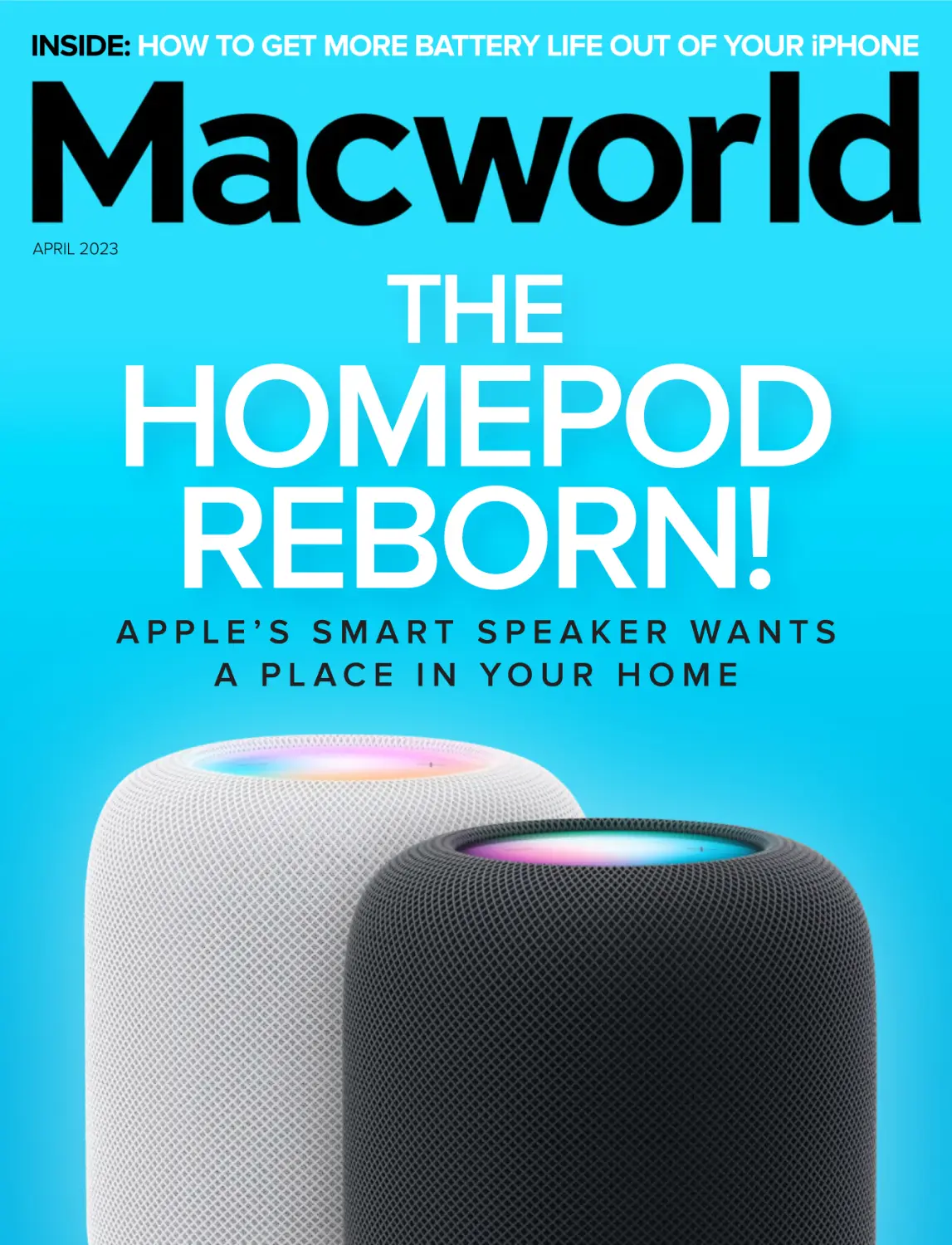
                    INSIDE: HOW TO GET MORE BATTERY LIFE OUT OF YOUR iPHONE

APRIL 2023

THE

HOMEPOD
REBORN!
APPLE’S SMART SPEAKER WANTS
A PL AC E I N YO U R H O M E

MADDY TURNED
HATE
Maddy Park
Founder,
@CafeMaddyCab

INTO
HOPE

AND
STARTED
A MOVEMENT

In 2021, the rise of violence against the Asian
community made even the simple act of taking
public transportation unsafe. So, Maddy started
a fund to pay for cab rides for those in the Asian
community that needed it most, including women,
the elderly, and the LGBTQ+ community. With over
$100,000 raised in just two days, she started a
movement based on love that lives on today.

Join Maddy’s cause and get the tools
to support the Asian community now at
LoveHasNoLabels.com

I N C O R P O R AT I N G M A C U S E R

APRIL 2023 CONTENTS
MACUSER
The best way to save the Mac Pro? 7
5 reasons to upgrade your 2021
MacBook Pro to an M2 Pro or Max 11
Why not a smaller MacBook Air? 13
Apple’s Mac security is sending used
M1 MacBooks to the scrap heap 17
Apple Lisa 40th birthday party 20
MacUser Reviews 23
Hot Stuff 31

iOSCENTRAL
7 iPad features we want for the iPhone 35
5 reasons why the flagship iPhone 15 will
be more ‘Ultra’ than ‘Pro Max’ 38
Ways your iPhone could save your life 40
You can now use Google’s awesome
Magic Eraser on your iPhone 45

HomePod (2nd-gen) review 50

Save voicemail from an iPhone 47

WORKINGMAC
RIP Boot Camp 69
How to use an external webcam with a
closed MacBook 72
Which keychain is which? 74
Find all the files on your Mac of a
particular type or extension 76

PLAYLIST
Sennheiser HD 660S2 review 79
Philips TAA6606: for runners only 85
iTunes Match may be able to help you
find lost music 91
Download (and remove) movies and TV
shows on your iPhone and iPad 93
Time to re-create your library? 96

HELPDESK

Help your iPhone last longer 62
COVER IMAGE COURTESY OF APPLE

Make Time Machine back up two
volumes hourly; What does Apple Mail’s
‘Load Content Directly’ button do?; Show
missing email in your iPhone and iPad
inbox; Bypass CAPTCHAs with Apple’s
automatic verification; 99

APRIL 2023 MACWORLD 3

MASTHEAD

EDITORIAL DIRECTOR Matt Egan
EDITOR IN CHIEF, CONSUMER BRANDS Jon Phillips
DESIGN DIRECTOR Robert Schultz
EXECUTIVE EDITOR Michael Simon

Editorial
SENIOR EDITOR Roman Loyola
STAFF WRITER Jason Cross
SENIOR CONTRIBUTORS Glenn Fleishman, Rob Griffiths,
Joe Kissell, Kirk McElhearn, John Moltz, Dan Moren, Jason Snell

COPY EDITOR Gail Nelson-Bonebrake

Design
ART DIRECTOR Steve Traynor
DESIGNER Rob Woodcock

Advertising
SALES INQUIRIES www.foundryco.com/contact-us/

INTERNATIONAL DATA GROUP CHAIRMAN OF THE BOARD

Walter Boyd
FOUNDRY CEO

Kumaran Ramanathan

4 MACWORLD APRIL 2023

HOW TO CONTACT MACWORLD SUBSCRIPTION SERVICES
Access your subscription account online—24 hours a day, 7 days a week—at http://go.macworld.com/mwcs. You can use
online subscription services to view your account status, change your address, pay your bill, and renew your subscription.
To get answers to frequently asked questions, visit macworld.com/faq. To report a missing issue or other problem, please
email support@macworld.zendesk.com.
To start subscribing, visit macworld.com/subscribe.
U.S. MAIL

EMAIL

Macworld Subscriptions Department
501 2nd Street, Suite 650, San Francisco, CA 94107
(If you are writing about an existing account, please include your name and the email address at which you subscribe.)
support@macworld.zendesk.com (Send your full name and the email address at which you subscribe.)

The one-year (12-issue) subscription rate is $34.97; the two-year rate, $59.97; and the three-year rate, $79.97. Checks must
be made payable in U.S. currency to Macworld. Please allow 3 to 6 weeks for changes to be made to an existing subscription.
MACWORLD EDITORIAL
The editors of Macworld welcome your tips, compliments, and complaints. Some stories and reviews from past issues can
be located at www.macworld.com. We are unfortunately unable to look up stories from past issues; recommend products,
or diagnose your Mac problems by phone or email. You can contact Apple toll-free, at 800/538-9696, or visit the company’s
website, at www.apple.com.
HOW TO CONTACT MACWORLD STAFF
Our offices are located at 501 Second Street, Suite 650, San Francisco, CA 94107; phone, 415/243-0505; fax, 415/512-7130.
Macworld staff can be reached by email at firstname_lastname@idg.com.
BACK ISSUES OF MACWORLD
Starting with the June 2003 Macworld, back issues can be downloaded in digital format, from www.zinio.com ($6.99; Mac OS
X 10.1 or later required).
REPRINTS AND PERMISSIONS
You must have permission before reproducing any material from Macworld. Send email to permissions@macworld.com;
please include a phone number.
MAILING LISTS
We periodically make lists of our customers available to mailers of goods and services that may interest you. If you do not wish
to receive such mailings, write to us at Macworld, 501 2nd Street, Suite 600, San Francisco, CA 94107, or email us at support@
macworld.zendesk.com.
PUBLICATION INFORMATION
April 2023, Volume 40, Issue 4
Macworld is a publication of Foundry and International Data Group, Inc. Macworld is an independent journal not affiliated
with Apple, Inc. © 2023 by Foundry (formerly IDG Communications, Inc.). All rights reserved. Create, Playlist, Mac User,
Macworld, and the Macworld logo are registered trademarks of International Data Group, Inc., and used under license by
Foundry. Apple, the Apple logo, Mac, and Macintosh are registered trademarks of Apple, Inc.

APRIL 2023 MACWORLD 5

WHEN IT COMES TO
MAKING PLANS
YOU’RE THE BEST
MAKE A PLAN
TO PROTECT YOU AND
YOUR LOVED ONES FROM
A NATURAL DISASTER

Sign up
for local weather and
emergency alerts

Prepare
an emergency kit

Make
a family
communications plan

Get started at ready.gov/plan

MACUSER

News and analysis about
Macs, macOS, and Apple

The best way to save the Mac Pro?
Keep Intel inside
Help us, Xeon, you’re our only hope.
BY MICHAEL SIMON

B

ack when Apple announced its
transition from Intel processors in
June 2020, it made a couple of
promises (fave.co/3y9fpEQ) that
haven’t been fulfilled. Most notably, it said
the transition would be completed “in
IMAGE: APPLE

about two years,” which is either four
months or eight months behind schedule,
depending on when you start counting.
And in addition to vowing to “continue
to support and release new versions of
macOS for Intel-based Macs for years to
APRIL 2023 MACWORLD 7

MACUSER

BEST WAY TO SAVE THE MAC PRO

existence of such a machine, saying there
was “just one more product to go” in the
transition, “but that’s for another day.” But
as more and more time slips by, maybe
everyone would be happier if that day
didn’t arrive just yet.

THE CORE ISSUE

The
Mac Pro
was last
updated
in 2019.

The latest rumors about the Mac Pro are
less than intriguing, as the unique
architecture of the M2 chip is reportedly
forcing Apple to rethink several of the Mac
Pro’s unique characteristics (fave.co/
3ZE7Ykq), including user-upgradable RAM
and graphics. And the rumored M2
Extreme chip with 48 CPU cores and 152
graphics cores is unlikely to make an
appearance, with Apple instead going with
a slightly overclocked M2 Ultra with a
24-core CPU and 76-core GPU.
That’s plenty fast, of course, but
compared to the current M1 Ultra Mac

come,” which it’s done, Apple also said it
“has exciting new Intel-based Macs in
development.” While we did get a new
27-inch iMac with 10th-generation Intel
chips (fave.co/3uqIcky) later that summer,
suffice it to say, we haven’t
seen any new Intel Macs,
exciting or otherwise, since
the first M1 Macs rolled out.
And with just one Intel-based
Mac remaining in Apple’s
lineup, it would seem it’s just a
matter of time until the Mac
Pro gets its Apple silicon
makeover (fave.co/3KSZPVf).
In fact, about a year ago,
The Mac Studio costs thousands less than the Mac Pro but
is just as fast.
John Ternus teased the
8 MACWORLD APRIL 2023

Studio, it’s not worth anywhere near
the $17,000 starting price for the
top-of-the-line Intel Mac Pro with a
28-core Intel Xeon W processor.
When the Mac Pro launched in 2019,
its closest competitor was the
18-Core Intel Xeon W in the iMac
Pro, which paled in benchmark
comparisons (13,453 versus 26,604
in Geekbench multi-core tests).
Granted, the Mac Pro cost about
$10,000 more than the iMac Pro, but
that sizable price gap only
underscored how much more speed If Apple puts Intel inside the next Mac Pro, that will
make a lot of people happy.
you were getting.
Based on the latest reports, that
won’t be the case with the new Mac Pro.
drastically by using Apple silicon, but that’s
While it will obviously be faster than both
not as important as performance to its
the current top-of-the-line Mac Pro and the
target audience. Buyers expect the Mac
top-end Mac Studio—especially if Apple
Pro to be “a system created to let a wide
doesn’t update the Mac Studio to an M2
range of professionals push the limits of
chip—the gap won’t be nearly as large as
what is possible,” but with meager
with the previous Mac Pro. Geekbench
performance improvements and limited
benchmarks for the M1 Ultra (fave.
expansion, buyers won’t be getting the
co/3KSqmlt) top out at around 24,000, so
same boundary-pushing machine.
we can assume the M2 Ultra would come
INTEL INSIDE (AGAIN)
in around 30,000 or so with the same 20
Even if it were to bring a huge speed
to 25 percent boost. That’s higher than the
boost, Mac Pro buyers might be reluctant
current 28-core Intel Xeon W processor
to switch to Apple silicon anyway. The Mac
(26,604) but not by a wide margin.
Pro is the kind of machine people buy to
With such tremendous power at even
fill a very specific need, and those needs
the lowest end of its Mac chips, Apple has
might be tied to existing peripheral
painted itself into a tight corner with the
devices and applications that don’t work
Mac Pro. Maybe Apple can cut the price
APRIL 2023 MACWORLD 9

MACUSER

BEST WAY TO SAVE THE MAC PRO

as well (or at all) on Apple silicon Macs.
And as a reader pointed out this week,
some Mac Pro users need to run
Windows natively too, which isn’t possible
(fave.co/3y8qs0Q) under Apple silicon
without virtualization.
For those people—and my guess is
there are a lot of them—an upgraded Intel
model is probably preferable to an M2
Ultra-based model, especially if Apple
were to use one of Intel’s newest Xeon
W-3400 or Xeon W-2400 chips. Last week,
Intel unveiled its newest workstation-class
chips (fave.co/3ZG5Glb) with up to 56
cores and 112 threads. Those are excellent
specs that are certain to match or beat the
rumored M2 Ultra.
As my colleague Jason Cross points
out, Apple would be more likely to use the
W-2400 chips that top out at 24 cores due
to thermals. (The highest-end Intel CPU in
the Mac Pro has a thermal design power of

205 watts. The W-2400 series ranges from
120W to 225W while the W-3400 goes
from 270W to 350W.) Apple prioritizes
power efficiency with its M-series chips, so
it would be unlikely to use a chip with such
a high power draw.
But even the lower-end chip would still
be an excellent upgrade over the current
Mac Pro, while still offering users the
expandability and after-market upgrades
they need. I don’t think any potential
buyers would be mad at a new Intel
machine that preserves the Mac Pro’s
mission yet still delivers a massive speed
boost over the 2019 model Apple still sells.
Intel would let users easily upgrade their
current setup, retain the upgradability they
crave, and buy Apple some more time to
make a proper Apple silicon model.
And if any of those buyers really want
an Apple silicon machine, they can always
buy a MacBook Pro to go along with it. ■

Intel recently unveiled its latest workstation-class chips with up to 56 cores and 112 threads.
10 MACWORLD APRIL 2023

5 reasons to upgrade your 2021
MacBook Pro to an M2 Pro or Max
Most people will probably stick with what they have, but there are a few reasons to trade
in your 2021 model.
BY MICHAEL SIMON

A

pple’s new 14-inch and 16-inch
MacBook Pros (fave.co/3IhyElz)
with M2 Pro and M2 Max
processors aren’t nearly as
exciting as their predecessors. They have
the same display, design, and ports, and
the processor is a relatively small speed
bump compared to the massive leap with
the 2021 redesign. But even if you spent
thousands of dollars on an M1 Pro or M2
Max model, there are still a few reasons
IMAGE: APPLE

why power users might want to trade in
their M1 model and upgrade.

1. YOU DO A LOT OF
GRAPHICS WORK
The new models Apple just released have
M2 Pro and M2 Max processors that are
obviously faster than their predecessors.
But the real gains are on the graphics side,
where the 19-core GPU in the M2 Pro
boats about a 30 percent boost over the
APRIL 2023 MACWORLD 11

MACUSER

5 R EASO N S TO U P G RA D E YOUR 20 21 M ACBO OK P RO

M1 Pro and a full 100-plus frames per
second in the games we tested (fave.
co/3ETaZ8Q). But even if you’re not
playing Resident Evil Village, the M2
MacBook Pro will give your graphic work a
nice boost.

2. YOU WANT THE FASTEST
WI-FI NOW
The 14-inch and 16-inch MacBook Pro are
Apple’s first laptops with the next-gen
Wi-Fi 6E, which brings the advantage of
the spacious 6GHz spectrum with more
antennas and less interference. With a
Wi-Fi 6E router, the new MacBook Pros
should feel speedier all around. And since
it’ll probably be a few years before Wi-Fi 7
appears on a MacBook, you’ll get a bit of
futureproofing too.

3. YOU’RE RUNNING
OUT OF MEMORY
When Apple launched the M1 Pro and Max
MacBook Pros in 2021, they had the same
64GB RAM ceiling as the 2019 Intel model.
Of course, that’s a lot of memory and way
more than most people would ever need,
but the MacBook Pro isn’t made for casual
users. So if 64GB wasn’t enough for you,
the new MacBook Pro with an M2 Max that
has a 38-core GPU offers up to 96GB of
memory. It’ll cost you at least $4,000, but
you’ll never see the dreaded application
memory dialogue box again.
12 MACWORLD APRIL 2023

4. YOU WANT THE MOST
BATTERY LIFE
The biggest advantage Apple silicon has
over Intel isn’t speed, it’s battery life. With
extremely high performance per watt,
Apple has managed to deliver the best of
both worlds—incredible power with
tremendous battery life, with the M1
models getting up to 21 hours of battery
life on a single charge. And the new
models somehow improve on that,
squeezing an extra hour of juice out of the
M2 chips (and even more in our testing).

5. YOU WANT A BETTER
MULTI-DISPLAY SETUP
When the M1 Pro and Max MacBook Pros
arrived, they offered more than just a
speed boost over the vanilla M1 laptops.
Where you could only attach a single
external display with up to 6K resolution at
60Hz with the M1, the M1 Pro upped the
support to two and the M1 Max models
let you connect four using HDMI and
Thunderbolt. But HDMI itself was limited
to just one display with up to 4K
resolution at 60Hz. With the M2 Pro’s
HDMI 2.1 port, you can hook up an 8K
display at 60Hz or a high-refresh 4K
display at 240Hz, or a 4K display at 144Hz
with another 6K display at 60Hz over
Thunderbolt. That’s enough of an
improvement to make a serious multidisplay setup that will delight your eyes. ■

If Apple is making a bigger
MacBook Air, why not a smaller
one too?
A 15-inch MacBook Air is fine, but these Apple devices need new screen sizes too.
BY DAN MOREN

A

wise green puppet (fave.
co/3YjylLN) once contended
that “size matters not.”
Obviously, he never had to
contend with navigating Apple’s
product lineups.
Recent reports suggest that the
Cupertino, Calif.–based company might soon
be releasing a MacBook Air with a larger
15-inch screen (fave.co/3KUTtoq).
Strategically, that makes a lot of sense: The
IMAGE: APPLE

MacBook Air is Apple’s best-selling Mac, and
for it to only be available in a single size is a
missed opportunity. Yes, there are upsell
opportunities for those who want a larger
display above all else, but given that it
currently entails a jump all the way from
$1,200 to $2,000, many customers won’t
take the leap—especially if they don’t need
the power or performance of a MacBook Pro.
Screen size has proven to be a key
differentiator in many of Apple’s other
APRIL 2023 MACWORLD 13

MACUSER

W HY N OT A S MA LL E R MAC BO O K A IR ?

product lines, and
even the
MacBook Air was
available in
multiple sizes in
its past
incarnations. But I
say, why stop
there? There are
plenty of other
Apple products
where another
screen size might
make a big (or
small) difference.

The 11-inch MacBook Air was a really good laptop for use on an airplane.

it sells today and a smaller 11-inch model.
Alas, only the good die young, and the
LIGHTER THAN AIR
11-inch Air was discontinued in 2019, the
Let’s start with that same MacBook Air line.
same year that Apple discontinued its
Once upon a time, Apple offered its
other small laptop (and putative Air
lightest notebook in two sizes: the 13-inch
replacement), the 12-inch MacBook.
Nowadays, the
smallest Mac laptop
you can get is that
13-inch Air, and while it’s
shrunk down to be a bit
closer to the 11-inch in
many dimensions, it’s
still larger and heavier
than both of those
discontinued models.
That’s a shame
because a small, light
laptop has a lot going
Nowadays, the smallest Mac laptop you can get is a 13-inch Air.
for it.
14 MACWORLD APRIL 2023

As the owner of a
13-inch M1 Air who
previously toted
around two
consecutive 11-inch Air
models, I miss the
compact size of the
smaller laptop. It was
easy to slip into a small
bag, worked amazingly
well in the confines of
an airplane tray table (a
place even the 13-inch
Let’s hope the 27-inch iMac is reborn sooner than later.
Air struggles with), and
weighed in at almost
the way, notably in the recent Apple silicon
half a pound less than the present M2 Air,
transition. Rather than offering both 21.5for which my back thanked me. (The
inch and 27-inch versions, as it once did,
12-inch MacBook, meanwhile, was just
the iMac has been consolidated into a
over 2 pounds!) With the advantages that
single 24-inch model.
Apple silicon has brought to the
Unfortunately, this is another place
company’s current Macs, it would be truly
where Apple’s somewhat dictatorial
impressive to see what it could do for a
insistence on a one-size-fits-all approach
smaller, lighter notebook.
doesn’t fit all. There’s a reason Apple is
GO BIG OR GO HOME
considering a 15-inch MacBook Air, after
Apple’s iMac has been the company’s
all: sometimes people just want a larger
standard bearer for 25 years as of this
screen. They want to have more windows
August, and the latest M1 revision is
open, or work with large images, or be
nothing to sneeze at: With its Apple silicon
able to put two documents next to each
internals, a sleek new form factor, and a
other. Currently, the only recourse on the
wide range of throwback colors, it remains
desktop is to buy a standalone Mac
a solid entry in the desktop market.
desktop like a mini or a Mac Studio and
But as with the MacBook, the iMac line
pair it with an external display—and if you
has suffered from some casualties along
choose Apple’s Studio Display to get the
APRIL 2023 MACWORLD 15

MACUSER

W HY N OT A S MA LL E R MAC BO O K A IR ?

same great 5K panel as on the old
27-inch iMac, not only is it not cheap, but
it lacks the elegance of the iMac’s all-inone package.
Rumor has it the 27-inch iMac (fave.
co/35QzQLR) might return at some
indefinite point in the future, but it’s far
from certain. Hey, if the HomePod can
make a comeback, anything can.

Apple wouldn’t have discontinued the
model, right?
Well, maybe. But I’d argue the minis
never got a fair shake. For one thing, the
mini models were part of the “vanilla”
iPhone 12 and 13 lines, which meant some
potential customers found themselves in
the unenviable position of having to
choose between a phone that was
compact and lightweight and one that had
SMALL CHANGE
the best camera and most features.
Of all my screen size arguments, this last
My argument is that Apple should
one will probably be the most contentious:
bring a smaller screen to the iPhone Pro
Apple should make a smaller iPhone.
line. I know it’s counterintuitive since the
Wait, wait—I know what you’re going to
Pro line is the most expensive and it
say: Up until last year’s iPhone 14 line,
seems like a smaller phone should be
Apple did make a smaller iPhone, for at
cheaper, but every time I heft the bulk of
least a couple of years. And clearly, if the
my iPhone 14 Pro and try to stretch my
iPhone 12 and 13 mini models had been
fingers across the screen to hit the icons
what the customers wanted, then they
on the opposite side, I wonder why I’m
would have bought more phones and
doing this to myself. I would definitely
pay for a smaller,
lighter device
with all the
features of the
Pro-level phone.
Simply put,
bigger isn’t always
better, especially
when it comes to a
device you want to
put in your pocket.
Small and light can
The iPhone 13 mini looks to be the last mini model. Let’s hope it isn’t.
be a feature, too. ■
16 MACWORLD APRIL 2023

Apple’s Mac security is so good,
it’s sending used M1 MacBooks
to the scrap heap
Apple’s Activation Lock is causing headaches for third-party resellers
who can’t get into used MacBooks.
BY ROMAN LOYOLA

A

pple’s efforts to protect a user’s
data are a major selling point
for customers. If your MacBook
is stolen, it’s extremely difficult
for the thief to bypass the laptop’s security
measures and access the data as long as
IMAGE: MORTEN B/SHUTTERSTOCK

you’ve taken advantage of the tools at
your disposal (fave.co/3joSNMT) to lock
down your machine. However, those same
security measures can render a Mac
useless in a legitimate sale on the secondhand market.
APRIL 2023 MACWORLD 17

MACUSER

M AC SEC U R I TY SEN D I N G M1 MAC BOO KS TO SC RA P HE A P

A report by Vice
(fave.co/3RwUeVO)
highlights the
frustrations of an
independent computer
repair specialist and
refurbisher, John
Bumstead, who
tweeted about the
“millions” of MacBooks
that have been
To disable Activation Lock on your Mac, you need to turn off Find
My Mac.
“condemned…to
death” because of
Apple’s Activation Lock (fave.co/3ynFxu7).
practically impossible to jailbreak or
This feature associates a device with an
bypass on Apple’s M-series Macs. The T2
Apple ID and is automatically turned on
security chip that Apple introduced on Intel
when you activate Find My Mac within the
Macs in 2018 is now integrated into the M1
Apple ID settings on your Mac. With
and M2 system on a chip and if it’s not
Activation Lock active, the Apple ID
properly deactivated, that can result in
username and password have to be
Macs less than two years old having to be
entered to gain access to the Mac, even
scrapped and stripped for parts.
if it has been erased.
Activation Lock has long been a
problem for third-party resellers, as well as
Hey @tim_cook @apple, why have you
individuals involved in a legitimate
condemned this beautiful M1 MacBook
transaction—Macworld’s Mac 911 help
and millions like it to death? Its battery
columnist often receives emails (fave.
has only 4 load cycles, and it wants to
co/3DzK5C8) asking about Activation Lock.
LIVE! #righttorepair #activationlock pic.
As Bumstead points out, if Find My Mac
twitter.com/R2Mr2PeTCH
hasn’t been disabled, devices can’t be used
—John Bumstead (@RDKLInc)
even if they are in good working condition.
January 22, 2023
Users can turn off Find My Mac in the Apple
ID settings of the Mac, but that also shuts off
Bumstead told Vice that Apple’s
the ability to locate it. Activation Lock can’t
security is “formidable” and has become
be toggled on or off separately.
18 MACWORLD APRIL 2023

Bumstead wants Apple to more actively
and Activation Lock. If you’re buying a
help people who are legitimately trying to
secondhand device, confirm with the seller
access a device. He suggests that a user
that Activation Lock has been disabled
could make a request to access a machine
and the product has been disassociated
and then Apple could “explore its records”
with the owner’s Apple ID. Also, confirm
and “query the original owner,” and if
that you can contact the seller for their
everything checks out “and the original
Apple ID information if Activation Lock
owner does not protest within 30 days,”
kicks in and that you can return a device
Apple can lift the restrictions so the
you can’t get access to.
device can be put to use again.
Apple encourages owners of older
Apple has a way to request online that
devices to participate in the company’s
Activation Lock be turned off (fave.co/
trade-in program (fave.co/3Rwq1q6).
3RvXPU7), but it involves performing a
Eligible devices earn credit toward a
check of the device’s serial number
purchase, while ineligible devices are
against the registered owner, which means
recycled for free. Apple can presumably
the second owner needs to be able to
unlock Macs that are inaccessible due to
work with the original owner to get the
Activation Lock. ■
request fulfilled. In
some instances,
that’s difficult
or impossible to do.
It’s important that
if a device is being
sold secondhand, the
Apple ID must be
disassociated (fave.
co/3RrtRkp) from it. If
you’re selling a
device, you can’t just
wipe out the drive
and reinstall the
operating system—
you also need to
Apple encourages owners of older devices to participate in the
company’s trade-in program.
disable Find My Mac
APRIL 2023 MACWORLD 19

MACUSER

Apple Lisa 40th birthday party
has its ‘one more thing’ moment
The Computer History Museum held an event to commemorate the
40th anniversary of the Lisa computer.
BY ROMAN LOYOLA

T

he Computer History Museum
(fave.co/3SKAfUe) held an event
on January 31 to commemorate
the 40th anniversary of the Lisa
computer (fave.co/3JblI0L). The event
featured interviews with members of the
Lisa development team, a demo of
the Lisa, and even a “one more thing”
moment. The museum announced it has
posted a video of the event, which can
20 MACWORLD APRIL 2023

be watched on YouTube (fave.
co/3SLsYDH).
Moderated by Katie Hafner (fave.
co/3IOTdVc), the 100-minute event
includes interviews with Lisa software
manager Bruce Daniels (fave.co/3DE8I0J),
engineering director Wayne Rosing (fave.
co/3KQLDvV), graphic artist Annette
Wagner (fave.co/3JcAd4H), and market
development manager Dan’l Lewin (fave.
IMAGE: COMPUTER HISTORY MUSEUM

The event was hosted at the Computer History Museum.

co/41D9tS5). The members of the team
download for free (fave.co/3mpuOhB). The
recount their experience with the Lisa
event was sponsored by The Verge, which
development, its release, and its short stint
did an article about the Lisa’s legacy (fave.
in the market. Also, journalist Steve Levy
co/3mrO3a7) and posted a collection of
(fave.co/41FsTFH) examines why the Lisa
photos (fave.co/3ZB9kwn) by Bill Atkinson
was a commercial failure.
(fave.co/3jx3Qn5), who designed and
[Spoiler alert for this paragraph!] At the
developed the Lisa graphical interface. ■
end of the video is what Dan’l
Lewin called a “one more thing”
moment, and it features Steve
Jobs’ daughter, Lisa BrennanJobs, wishing the Lisa a happy
birthday. You can skip to that part
of the video (fave.co/3SJic0R).
The event was part of the
museum’s Lisa 40th Anniversary
celebration. Earlier in January, the
museum made the source code
The museum has made the source code for the Lisa
software available to download for free.
for the Lisa software available to
APRIL 2023 MACWORLD 21

Help a lost
pet get home
Posting a lost pet notice
can reunite a family for
a lifetime.

PetsAndPeopleTogether.org

MACUSER

The Latest Mac Products
Reviewed & Rated

WIRELESS MOUSE

KEYCHRON M3
WIRELESS MOUSE:
FASTER THAN
MAGIC
BY ROMAN LOYOLA

IMAGE: KEYCHRON

REVIEWS

Keychron has made a name for itself by
producing high-quality mechanical
keyboards, but more recently it has
branched out into other accessories,
including the wired M1 mouse (fave.co/
3ZhEKs4). Now Keychron has a new
wireless mouse, the M3 (fave.co/3kIg3WB),
a nice addition to the company’s lineup
and a high-performing alternative to
Apple’s Magic Mouse (fave.co/3J8oO5P).
The M3 was made with PC gaming in
mind, but it can be used on a Mac
APRIL 2023 MACWORLD 23

MACUSER

REVIEW: K EYCH R O N M3 W IR EL E SS M O USE

between different lighting
modes via a button
underneath the scroll
wheel. It’s an aesthetic that
lends itself to that of the
PC gaming community, but
if you have an M1 iMac in
red, green, or blue, the
M3’s lighting effect makes
for a nice compliment.
But don’t judge a
mouse by its looks alone.
An optional RGB light adds some flair by shining through
cutouts along the M3’s edges and the scroll wheel.
The key feature of the M3
is its PAW3395DM optical
without any major operational issues.
sensor (fave.co/3mfeAr7), which supports a
Compared to the Magic Mouse, the M3
massive 26,000 dpi resolution—a huge
has a utilitarian design in white or black
boost over that of the Magic Mouse, which
that looks a lot like many other thirdhas a reported 1,300 dpi resolution.
party computer mice. I do find the M3’s
For a mouse, the optic resolution is
higher profile more comfortable in my
about the number of pixels that move
hand than the Magic Mouse, but if you
across the screen, and the higher the
favor the latter’s design
aesthetic, you probably
won’t like the M3.
Since it’s a gaming
mouse, an optional RGB
light adds some flair by
shining through cutouts
along the M3’s edges and
the scroll wheel. Like
other gaming mice from
Razer and Logitech, it can
change colors while in
The M3 Wireless Mouse.
use, and it toggles
24 MACWORLD APRIL 2023

resolution, the more
sensitive the mouse is
to hand movement.
Granted, not everyone
prefers a mouse that’s
supersensitive. But
there are instances
where a highly
sensitive mouse
comes in handy,
namely with facepaced games. On a
more practical level, it
can help users who
have physical issues
handling a mouse, and
comes in handy for
Unlike the Magic Mouse, you can still use the M3 when it’s charging.
superfine image,
video, or audio editing.
The M3 also has superfast tracking,
be as fast as—or even slower than—the
rated at 650 inches per second. To
Magic Mouse.
illustrate what the fast tracking is like, I
The M3 also has an adjustable polling
need about 4 inches (2.5 centimeters) to
rate, another feature that appeals to
move the macOS pointer from one edge
gamers and is something nongamers will
of a 15-inch MacBook Pro screen to the
not care about. The polling rate describes
opposite edge with the Magic Mouse and
the frequency at which the mouse tells the
its tracking set to the fastest level in the
computer its location, and gamers demand
Mouse system setting. With the same
high polling rates. The M3 can be set to
system setting and the M3 mouse set to its
125Hz, 500Hz, and 1,000Hz by simply
fastest tracking, the same motion needs
pressing a button underneath the mouse.
only 0.25 inches (0.64 centimeters).
(For reference, the Magic Mouse has a
If that sounds too fast for you, the M3’s
reported fixed 90Hz polling rate.)
tracking speed is adjustable via a button
However, if the mouse is connected via
underneath the mouse. You can set it to
Bluetooth, it can only use the 125Hz rate.
APRIL 2023 MACWORLD 25

MACUSER

REVIEW: K EYCH R O N M3 W IR EL E SS M O USE

wheel or button has a
notched rotation wheel, but
there’s no option to switch to
an unnotched one. The
mouse also has forward and
backward buttons on the
left side that work when
using a browser.
Keychron currently has a
Windows utility available for
configuring the M3’s
buttons, adjusting the
lighting effects,
The M3 Wireless Mouse is a lot more affordable than Apple’s
Magic Mouse.
implementing macros, and
tweaking the M3’s tracking
If you really want a faster polling rate,
and polling. The company says a Mac
the M3 also supports the 2.4GHz wireless
version will be available in June.
frequency that allows for faster polling.
VERDICT
Keychron includes USB-C and USB-A
The M3 Wireless Mouse is a lot
2.4GHz receivers that you can
more affordable than Apple’s
plug into the Mac.
mmmm
Magic Mouse and it has more
The M3 has a built-in battery
Keychron M3
to offer: a wider range of
rated at 70 hours. It charges
Wireless Mouse
tracking speeds, Bluetooth or
through a USB-C slot on the top
PROS
• Adjustable tracking speed
2.4GHz wireless connectivity,
end of the mouse, and
beyond what macOS offers.
wired connectivity where you
Keychron includes a USB-C
• Good price.
• Comfortable.
can still use the mouse, and a
cable, a USB-C to USB-A
• Option to use a 2.4GHz
comfortable fit. It’s not as
Adapter, and a USB-C to USB-A
wireless connection.
stylish as the Magic Mouse, but
female adapter. You can use the
CONS
• Software utility is not
it’s more useful. You can find
M3 as a wired mouse as it
available until June.
other mice that offer more
charges, and you can even use
PRICE
$49
features for a bit more money,
the higher polling rates.
COMPANY
but the M3 is overall a pretty
The mouse has left and
Keychron
good deal. ■
right buttons and the scroll
26 MACWORLD APRIL 2023

SECURITY SOFTWARE

AVIRA FREE
SECURITY
FOR MAC
BY LANCE WHITNEY

IMAGE: FOUNDRY

Some free security programs appear to
offer an array of features beyond just basic
antivirus protection. But when you dig
deep, you find that most of those extra,
advanced options actually require a paid
subscription. Such is the case with Avira
Free Security for Mac. Free for home use,
Avira Free Security starts off with antivirus
protection but then lists a VPN, password
manager, browser cookie cleaner, junk file
cleaner, application uninstaller, startup
manager, and PC performance booster. All
of these features pop up in the program’s
dashboard, but only a few are actually
accessible in the free product.
APRIL 2023 MACWORLD 27

MACUSER

REVIEW: AV I R A F RE E SEC URIT Y FOR M AC

INSTALLATION
The Avira Free Security for Mac (fave.
co/41EvAaH) installation is quick and
painless. The process directs you to the
specific preferences on your Mac that
must receive permission for Avira to install.
After the initial setup, the program invites
you to run a smart scan on your Mac to
check for any security or privacy issues
and any performance concerns.
The first time I ran the smart scan on
my Mac, Avira caught 44 tracking cookies
and informed me my email was not being
monitored for phishing attempts. It also
promised that it could free up 2.6GB of
disk space. Further details identified one
of the privacy issues as tracking cookies in
Chrome and the disk space clutter as
cache files, logs, and general trash. I could
check or uncheck any of these options

Avira’s Smart Scan checks for security,
privacy, and performance issues. But
resolving most of them requires an upgrade
to one of the paid editions.
28 MACWORLD APRIL 2023

and then tell Avira to fix the issues.
However, here’s where the first sales
pitch kicked in. The free version of Avira
identified the issues found in the smart
scan. But to actually clean up anything
beyond the junk files would have required
one of the paid editions—Avira Internet
Security (fave.co/3Zsj4sW) at $34.99 for
the first year or Avira Prime (fave.co/
3SJGvM2) at $59.99 for the first year.

FEATURES
Though the smart scan’s usefulness is
limited unless you plan to upgrade to one
of the paid editions, the program’s
dashboard seems to offer access to a
variety of impressive tools, all organized
into three main categories: Security,
Privacy, and Performance.
You’ll find virus scanning under Security.
Here, you can run a quick scan to check
out system files and other vulnerable areas
or a full scan to analyze your entire Mac for
malware. With both types of scans, you’re
able to schedule a scan to run daily, weekly,
or monthly. Plus, you can create a custom
scan to look only at certain folders.
By default, the real-time virus
protection scans any new file saved to
your computer as well as files
downloaded from the internet. Scanning
USB drives is listed as another option,
but that requires one of the paid Avira
products. Any malware discovered is

With Avira’s antivirus tool, you can run or
schedule a quick scan and a full scan and
create a custom scan to check specific
folders.

Avira PWM for Safari works just as a
Safari extension. Avira PWM meets the
basic functions of a password manager,
creating and storing secure passwords,
applying them when you visit the
associated websites, and requiring you
to devise a master password to protect
the information. Next on the list is a
Cookie Cleaner, but this is yet another
feature that requires the paid Prime
edition of Avira.
Finally, the Performance category lists
three tools—a junk cleaner, an uninstaller,
and a startup app manager. Among these,
the junk cleaner is available in the free
version of Avira and will scan and remove
junk files and other unnecessary files
clogging up your system. The uninstaller
and startup app manager both require the
Prime edition of Avira.

automatically quarantined for you to
inspect it. Clicking the name of a piece
of malware takes you to the Avira
website with a helpful analysis of the file.
Under Privacy are the VPN, password
manager, and cookie cleaner. To use the
VPN, you must download a
separate, free tool called Avira
Phantom VPN and WiFi Proxy
from the Mac App Store.
Manually turning on the VPN
uses your nearest location for the
network. With the free version of
Avira, you’re limited to just one
network location chosen
automatically. Plus, your monthly
quota of encrypted traffic tops
out at 500MB, which won’t last
very long.
With the free flavor of Avira, the VPN limits you to one
location and up to 500MB of traffic each month.
The password manager

APRIL 2023 MACWORLD 29

MACUSER

REVIEW: AV I R A F RE E SEC URIT Y FOR M AC

co/3ESiKf9) for protection,
performance, and usability. A 2016
review of Avira Free Antivirus
(fave.co/3SMmbtv) by
AV-Comparatives gave the
program good grades overall,
while a May/June 2022 review of
macOS security products awarded
high marks to Avira Antivirus Pro
(fave.co/3jrEFCi).

To improve your Mac’s performance, Avira Free
Security lists a junk cleaner, application uninstaller, and
startup manager, but only the junk cleaner is accessible
in the free edition.

VERDICT

The most frustrating part of Avira
Free Security is the sheer number
of tools that require one of the
paid editions. I don’t necessarily
PERFORMANCE
fault Avira for this type of trickery; it’s a
Avira was effective at detecting and
game a lot of free products play. But listing
stopping malware. The
each tool in the program as if it
program easily caught and
were available felt deceptive to
mmm
quarantined the different
me. Ultimately, the old adage of
Avira Free Security
for Mac
EICAR test files that I tried to
“you get what you pay for” is
PROS
download, including the eicar.
true with Avira Free Security.
• Effective antivirus
protection.
com file and the eicar text file.
Take away the tools that
• Includes a VPN, password
It didn’t scan the eicar.zip file
require a subscription, and
manager, and junk file
cleaner.
when I downloaded it. But
you’re left with the antivirus
CONS
when I tried to open the
feature, a limited VPN, a
• Offers several different
tools via its dashboard, but
file, Avira caught and
password manager that works
only a few are available in
the free version.
quarantined it.
only in Safari, and a junk file
• The VPN severely limits the
The paid version of the
cleaner. On the surface, that’s
amount of encrypted traffic.
product—Avira Internet
not a terrible mix for a free
PRICE
Free
Security—received top marks
product. But you can do better
COMPANY
in a September/October
with other free standalone
Avira
evaluation from AV-Test (fave.
products. ■
30 MACWORLD APRIL 2023

What we’re
raving about
this month

GLYPH BLACKBOX
PRO RAID DESKTOP
DRIVE
store.glyphtech.com

The Blackbox houses a pair of enterprise-class
7,200-rpm hard drives configured as RAID 0, 1,
JBOD, or SPAN. Available in
capacities ranging
from 8TB to 40TB,
the Blackbox has
two removable drive
chassis for replacing
a drive in the case of
a failure. An option for
a hub featuring
front-loading CFast
2.0 and an SD
(UHS-II) card reader
and a 10Gb USB-A is
also available. The drive
comes preformatted for the Mac, so it’s
ready to go out of the box. —ROMAN LOYOLA
APRIL 2023 MACWORLD 31

MACUSER

Hot Stuff
TRONSMART
HALO 100
tronsmart.com

This portable speaker produces
huge sound and great-sounding
playback for random playlists on
Spotify, streaming radio, or listening
to audiobooks. It connects to an
iPhone via Bluetooth, and you can
connect two Halos to create a
stereo pair. In addition to playing
music, the speaker has built-in LEDs
that display a light show for those
weekends when you have a
houseful of guests. And the Halo
has a rechargeable battery that can
last up to 18 hours.—JAMES BARBER

32 MACWORLD APRIL 2023

PLUGABLE
UD-3900PDH
plugable.com

With the UD-3900PDH dock, users of M1 and
M2 MacBook Pros and MacBook Airs can
connect up to three external displays. It has two
HDMI ports that each support 1920×1080
resolution at 60Hz, and a third HDMI port with
support for 4K resolution at 60Hz. The dock
also has five USB-A ports, a gigabit ethernet
port, a headphone jack, and SD and microSD
Card slots. There’s also a 100W USB-C
charging connector to charge the
laptop.—ROMAN LOYOLA

APRIL 2023 MACWORLD 33

STERS
RE
FO

NATIONAL A
SS

ION OF STA
IAT
TE
OC

FO

U N D E D 192

0

iOSCENTRAL

The latest on iOS, iPhone, iPad,
Apple Watch, and App Store

7 iPad features we want Apple
to bring to the iPhone
The iPhone is as much of a productivity tool as the iPad.
BY TAMARA PALMER

I

f you own an iPad and an iPhone, this has
happened to you at some point, maybe
even all the time: You find yourself using
functions and features specific to your
tablet, and then you switch to the iPhone
IMAGE: KITE_RIN/SHUTTERSTOCK

and find that you can’t do those things
anymore. If you could, everyday tasks
would be easier and more efficient.
Apple brought even more new
productivity tools to its tablet in iPadOS
APRIL 2023 MACWORLD 35

iOSCENTRAL

7 iPAD F EATU R E S W E WA NT O N A N i PH ONE

16 that would be great to have
in our pockets. Here’s our wish
list of iPad features we’d like
to see on the iPhone one day
(soon, we hope).

1. APPLE PENCIL
It’s been seven years since iPad
users got the gift of the nifty
invention known as the Apple
Pencil, and you still can’t use it
on an iPhone. Though Steve
Imagine if that was an iPhone instead of an iPad under
Jobs famously loathed the idea, the Apple Pencil.
we think it’s past time to make
during travel alone would make it worth
the Apple Pencil work with iPhones (fave.
the likely $149 price tag.
co/41RNcQC). After all, our iPhones are
always within reach for things like notes
3. FAST DATA TRANSFERS
and doodling, and features such as
The iPhone 15 is rumored to be making
handwriting-to-text conversion would be
the switch to USB-C, which will mean the
fantastic. And now that the screen is
iPhone and iPad will finally have the
bigger than 3.5 inches, we think Steve
same connection. But we don’t know
would like it too.
what that means for speeds. On the iPad,
2. MAGIC KEYBOARD
Apple limits the iPad Air’s port to 10
Maybe it’s just us, but ever since Apple
Gbps, which is still way faster than the
finally came out with the floating Magic
480 Mbps we get now. But we’re really
Keyboard (fave.co/41KWRbn) for the iPad
hoping the Pro models get the
Pro, we’ve wanted a miniature model for
Thunderbolt treatment like the M2 iPad
the iPhone. It might seem like a silly idea,
Pro and support 40Gbps transfers.
but think about it—popping your iPhone 14
4. EXTERNAL DISPLAYS
Pro Max into a MagSafe stand that has a
With iPadOS 16, Apple finally offers
MagSafe Duo-style fold-out keyboard for
proper external display support for M1
typing out long emails and projects. The
and M2 iPad Pros via Stage Manager, but
potential for improving work possibilities
36 MACWORLD APRIL 2023

we’re thinking it could be practical for
iPhones to have it, too. iPhone users can
already use AirPlay to mirror content, but
that’s mainly for video playback. The
iPhone is a powerful computer that’s
somewhat limited by its small display. Still,
lots of people use iMovie, GarageBand
(fave.co/3ZK9rpu), and other apps to
make content that would be much easier
to view with a larger screen.

5. SPLIT VIEW
For years, iPad users have been able to
employ Split View (fave.co/3KYRgrW) as
an excellent way to work between two
different apps at the same time. Even
though iPhones have smaller screens,
they’re still big enough (especially in
landscape view) to benefit from being
able to see apps side-by-side. Android

phones have had split-screen multitasking
for years, and we think Apple could do it
even better.

6. UNIVERSAL CONTROL
A helpful tool for iPad and Mac users,
Universal Control (fave.co/3R6M8CW)
allows you to use an iPad as a wireless
screen controlled by your Mac’s keyboard
and mouse and work seamlessly between
them. Surely it wouldn’t be that large a
leap to extend that feature to iPhones so
we wouldn’t have to reach for our iPads all
the time.

7. STAGE MANAGER

OK, we know, Stage Manager isn’t exactly
one of the iPad’s best features. It’s still a
work in progress, but while using it over
the past few months, we can see how it
can become a real
asset on the iPad for
working in several apps
at once.
We’re not sure if
the feature would work
on the iPhone—the
Stage Manager
interface would
definitely need to be
retooled for the smaller
screen—but we would
certainly like to see
Universal Control with an iPhone could open up new possibilities.
Apple give it a try. ■
APRIL 2023 MACWORLD 37

iOSCENTRAL

5 reasons why the flagship iPhone
15 will be more ‘Ultra’ than ‘Pro Max’
Here’s why Apple’s newest flagship iPhone will earn its new name.
BY MICHAEL SIMON

W

ith a little more than half a
year to go until the iPhone
15 (fave.co/3Je9HYC)
makes its debut, there isn’t
much that we don’t know. Over the past
week, we’ve gotten CAD renders for all
four models, which show a new curvededge design, slimmer bezels, and the
long-awaited arrival of USB-C.
But there’s still one unanswered
question: Will the flagship 6.7-inch model
be called the iPhone 15 Pro Max or the
iPhone 15 Ultra? Several reports have

38 MACWORLD APRIL 2023

suggested that the phone will still be a
larger version of the 6.1-inch Pro phone,
while other rumors suggest it will get the
Apple Watch Ultra (fave.wco/3kPW1ts)
treatment, with exclusive features that set
it apart from the other models. After
looking at the latest rumors and renders,
however, it’s looking like Apple will be
going the Ultra route.

IT’LL BE ULTRA THICK
This one’s a little surprising, but if the latest
leaks are correct, Apple will be increasing
IMAGE: ICE UNIVERSE

the thickness of its largest Pro phone from
7.85mm to 8.25mm, a not-insignificant
bump that will be noticeable when using it.
That would make it Apple’s thickest phone
since the iPhone 4s—but based on the
renders, there’s a reason. The camera
bump will be much smaller and svelter,
giving the phone a different feel.

IT’LL BE ULTRA LIGHT
With a 6.7-inch screen and three cameras,
the iPhone 15 Pro Max/Ultra won’t be a
light phone. In fact, the past three iPhone
Pro Max models have been Apple’s
heaviest phones ever, with the iPhone 14
Pro Max tipping the scales at 8.47 ounces
(240 grams). But Apple is reportedly using
titanium instead of stainless steel this year,
which will significantly cut the weight
down. With the Apple Watch Series 7, for
example, the 45mm stainless steel model
weighed 51.5g while the titanium one
weighed 45.1g. Even if Apple shaves just
15 grams off the iPhone 14 Pro Max, it’ll be
Apple’s lightest 6.7-inch Pro phone ever.

The iPhone 15 Pro Max/Ultra will reportedly
be thicker than the iPhone 14 Pro Max but
have a smaller camera bump.

much as the current 3× zoom on the
iPhone 14 Pro phones. That sounds pretty
“Ultra” to us.

IT’LL BE ULTRA LONG-LASTING
The iPhone 14 Pro Max is already one of
Apple’s longest-lasting phones, but the
improvements to the 2023 model could
make it last even longer. We don’t think it’ll
be as dramatic as the Apple Watch Ultra’s
36-hour battery life, but we’re confident
that it’ll be the longest-lasting iPhone ever.

IT’LL HAVE ULTRA ZOOM
While the iPhone 14 Pro phones are bigger
and smaller versions of the same phone,
rumor has it that the iPhone 15 Pro Max/
Ultra will have an exclusive periscope
zoom lens. We don’t know exactly how far
it’ll let you zoom, but rumors say the
telephoto lens will bring 6× zoom, twice as

IT’LL BE ULTRA EXPENSIVE
You shouldn’t judge a phone by its price
tag, but rumor has it that the iPhone 15 Pro
Max/Ultra will be the most expensive
iPhone ever, starting at $1,199 and nearing
$2,000 with storage options. That firmly
puts the new iPhone in Ultra territory. ■
APRIL 2023 MACWORLD 39

iOSCENTRAL

7 ways your iPhone could literally
save your life
You may not know about all the features and functions of your iPhone that
can help protect your physical health and safety.
BY JASON CROSS

A

pple makes a big deal about
how the iPhone can protect
your privacy and security. But
the company takes your
physical safety just as seriously. Over the
years, Apple has introduced a host of
features meant to help you out in a dire
emergency. Some you probably know or
have heard about, others feel like lesserknown secrets. Here are some of your
40 MACWORLD APRIL 2023

iPhone’s most important physical safety
features and how to use them. They may
seem optional or even annoying, but
someday one of them could save your life.

1. CONTACT EMERGENCY
SERVICES WITHOUT
DIALING 911
Perhaps one of the simplest things your
iPhone can do to keep you safe is to call
IMAGE: FOUNDRY

emergency
services. But
it’s not always
easy to just call
911. For those
instances when
you can’t take
your phone out
of your pocket
or bag, or you
need to call
quietly, Apple
has made it
possible to do
1.
just that.
First open
Settings, then scroll down to Emergency
SOS. You’ll see several options there.
By default, your iPhone will call
emergency services when you press and
hold the side button and either volume
button down. A loud alarm
will sound and the screen
will flash, and a countdown
will start to give you time to
swipe on your screen to
cancel. When the
countdown is over, release
the buttons, and emergency
services will automatically
be called.
Some people with certain
disabilities may find that
2.
gesture difficult, so the Call

with 5 Button Presses option lets you
rapidly press just the side button alone
five times to start the countdown. Your
iPhone will automatically call when the
countdown ends.
The loud siren might be desirable, but
in some situations, you might put yourself
in more danger by alerting people nearby
that you are calling for help. You can
enable a Call Quietly feature. The
countdown will still take place on your
iPhone’s screen, but it won’t flash and the
siren will be silenced.

2. LET FIRST RESPONDERS
KNOW YOUR MEDICAL STATS
In the Health app, you can set some
emergency medical information called
Medical ID (fave.co/3thWJ2x) that can
contain important medical information
such as chronic conditions you may

APRIL 2023 MACWORLD 41

iOSCENTRAL

7 WAYS i P H O NE C O U L D SAV E YO UR L IF E

have, drugs or interactions, and an
emergency contact.
This information can be displayed
during an emergency call or made
accessible even on a locked iPhone. So if
you get in an accident, a first responder
can see if you have any special conditions
or are on any medications that could affect
your treatment.
To set it up, open the Health app, then
tap your profile picture in the upper right.
Tap Medical ID, and then Edit.

3. GET CRITICAL
GOVERNMENT ALERTS
Depending on where you live, your iPhone
may be able to send out special alerts
from your national or local government in
the case of a
pending
emergency or
disaster. This
could be an
AMBER alert
(which helps
find abducted
children) or a
public safety
alert for
something
such
as an
evacuation
3.
order.
42 MACWORLD APRIL 2023

Open Settings, then Notifications.
Scroll all the way down past all your
applications to find the Government Alerts
section. This will be a little different in
every region, so peruse your options here,
and look in the menus to adjust visual
notifications and sounds.

4. ELIMINATE DISTRACTIONS
WHILE DRIVING
Distracted driving kills over 3,000
people a year and injures hundreds of
thousands more in the U.S. alone. Apple
used to have a dedicated “Do Not
Disturb while driving” feature, but in iOS
15, Apple introduced a new Driving focus
that turns on automatically when your
phone detects that you’re driving—using
input from your accelerometers and
things like looking for a Bluetooth
connection to a car infotainment system
or CarPlay connection.
When your phone is in this mode, your
notifications will be silenced. If someone
messages you, they’ll get an automatic
reply that tells them that you’re driving, but
they can “break through” and notify you in
an emergency. To turn it on, open Settings,
then select Focus. If you don’t see the
Driving focus there, tap the Add button
(a plus sign, +) in the upper right.
Of course, all of this is optional and
configurable. You can choose to let
certain notifications through or messages

from certain
contacts.
You can
choose to
silence all
your phone
calls and
send them
straight to
voice mail
or allow
4.
your
favorite
contacts through.

There’s nothing to set up, really. If
you place an emergency services call
(911, 999, or 112 for example) and it fails
to connect, you’ll see a prompt to try a
satellite connection. You’ll get a few
broad questions about the nature of the
emergency and instructions to keep the
text as short as possible. You’ll have to
point your phone at a satellite and keep
it there (on-screen prompts will guide
you). If your local emergency services
can’t receive texts, an intermediary
service will call them for you and relay
your information.

5. CONTACT EMERGENCY
SERVICES WITHOUT CELL
RECEPTION

6. AUTOMATICALLY CONTACT
EMERGENCY SERVICES AFTER
A CRASH

You’ll need at least an iPhone 14 running
iOS 16.1 or later to use this feature, but it
can turn your iPhone
into a real lifeline if
you’re in an area
with no cell
reception. Open
Settings, then
Emergency SOS,
and scroll to the
bottom to see an
Emergency SOS via
Satellite section
(fave.co/3Zmc55h).
You can try a demo
5.
of the feature there.

Also a feature of the Apple Watch Series 8,
Ultra, and SE, the improved accelerometer

APRIL 2023 MACWORLD 43

iOSCENTRAL

7 WAYS i P H O NE C O U L D SAV E YO UR L IF E

and gyroscope sensors Apple
added to those devices and the
iPhone 14 line allows them to
detect if you’ve been in a car crash
(fave.co/3DqEPzQ). You’ll find the
toggle for this setting in Settings →
Emergency SOS.
There have been some
reports of false positives, with
the iPhone calling emergency
services when users are skiing
or riding roller coasters, so there
are times when you might want
to turn it off. However, it’s also
already proven to be a life-saving
feature.
6.

7. MAKE AN EMERGENCY
CALL IF YOU CAN’T UNLOCK
YOUR iPHONE
Perhaps you’ve been in an accident and
are having trouble unlocking your iPhone.
Or your iPhone has been destroyed and
can’t be reached. Whatever the reason,
you can make an emergency phone call
from a locked iPhone.
Swipe up on a locked iPhone—when
Face ID fails (or if the iPhone has Touch ID)
you’ll see the number pad to enter the
owner’s passcode. Simply tap Emergency
in the lower left to get the phone keypad.
In some areas, you can even call
emergency numbers including 911, 999, or
112 without a SIM activated at all.
44 MACWORLD APRIL 2023

This dialer will also show Medical ID in
the lower left if the
phone’s owner
has set it up. If
you’re using the
phone of
someone else
who has an
emergency, you
might want to tap
that to see if they
have medical
conditions or a
listed emergency
contact that you
7.
can call. ■

You can now use Google’s
awesome Magic Eraser on
your iPhone—for a price
The Pixel exclusive is now a benefit for Google One subscribers.
BY MICHAEL SIMON

W

e’ve all seen the Google
Pixel ad (fave.co/3yyeT3v)
where Giannis
Antetokounmpo removes
a “glizzy” from his selfie with Simu Liu just
by circling the unwanted photobomber
IMAGE: KOSHIRO K

with his finger. Now even iPhone users
will be able to use the feature to clean up
their photos—as long as they pay for
Google One.
As part of the latest benefits to its
storage plan (fave.co/3KZvnJl), Google has
APRIL 2023 MACWORLD 45

iOSCENTRAL

U SE G O O G L E’ S MAG I C E RASER O N YOU R iPHO NE

added “Extra Google Photos editing
features,” including Portrait Light, Portrait
Blur, and Magic Eraser. The features are
rolling out to all subscribers beginning this
week and may not be available on your
phone yet.
To try out the new features, open
Google Photos, then select a photo. Tap
the edit button that looks like a series of
sliders. If Magic Eraser is available, it will
appear under the Suggestions tab with a
small “1” icon to let you know it’s a
Google One exclusive feature. Tap it,
and then select the portion of the photo
that you want to remove (1), and it’ll be
gone (2). The changes will save as a new
photo in the Google Photos app and will
need to be manually added to your
Apple Photos app if you want to keep a
copy there.

1.
46 MACWORLD APRIL 2023

iPhone owners will have to subscribe to
Google One to be able to use Magic Eraser.

Google One plans (fave.co/3IVWMsX)
start at $1.99 a month or $19.99 a year for
100GB of storage. Google says a free trial
will begin in March so people will be able to
test out the service before subscribing. ■

2.

Save voicemail from an iPhone
Apple lets you directly export voicemail messages with Visual Voicemail.
You can also use Screen Recording.
BY GLENN FLEISHMAN

A

pple’s Visual Voicemail was
heralded as a remarkable
change when it appeared with
the iPhone in 2007. Prior to
that, carrier-managed voicemail required
calling a number and navigating a menu
IMAGE: INDYPENDENZ/SHUTTERSTOCK

with cellphone buttons. The interface is
largely unchanged over 16 years, with the
exception of Apple adding rough
transcription in 2016.
What if you want to free up your
voicemail and not lose precious or
APRIL 2023 MACWORLD 47

iOSCENTRAL

SAVE VO I CEMA I L F RO M A N iP HO NE

Apple shares
a Visual
Voicemail
message as
an audio file
export that
you can save.

important (or legally valuable) messages
forever? You can export or record the
messages you want to save.
To export the voicemail, open the
Phone app, select the voicemail message,
and tap the Share button. Because the

audio is a file, not an image or video, the
options you see are file related. You can
text it to yourself, use AirDrop to save it to
a Mac, save it to Files (the iOS local
interface that lets you save to iCloud Drive
or other locations), or save to a third-party
service like Dropbox.
If that doesn’t work, or you’d prefer to
access it directly, or you’re not using
Visual Voicemail, you can take advantage
of Apple’s on-device recording feature.
Instructions follow below.

HOW TO USE SCREEN
RECORDING TO COPY A
VOICEMAIL MESSAGE
1. Control Center
Go to Settings → Control Center. Scroll
down and make sure Screen Recording
is in the list of Included
Controls (1). If not, tap
the plus sign (+) to its
left under More
Controls.

2. Voicemail
Open the Phone app
and tap the Voicemail
button.

3. Start Screen
Recording
1.
48 MACWORLD APRIL 2023

Swipe to reveal the
Control Center and tap

button while you’re
playing the message
(3). Screen Recording
should be recording
the message as it is
playing.

6. Stop recording
and save

2.

With Visual Voicemail, once the Screen
Recording starts, tap the Play button on
the voicemail. It will turn into a Pause

When the voicemail
ends, swipe to reveal the Control Center
and tap the Screen Recording button
(now a square for Stop) to end. You can
also press and hold the Dynamic Island
on newer iPhones to reveal a Stop button
you can tap (4).
This recording is saved to Photos. You
can play the message back within the
Photos app. On a Mac, you can drag the
recording to the desktop or use File →
Export, open it in the QuickTime Player,
and then choose File → Export As → Audio
Only to save just the audio track. ■

3.

4.

the Screen Recording button (2)—it has a
record icon. A 3-second countdown starts.

4. Set to play through the speaker
In Phone, tap the voicemail to select it,
then tap the Speaker icon to have it play
aloud. Or use the Phone app to call a
voicemail service.

5. Play message and record

APRIL 2023 MACWORLD 49

FEATURE

THE SONG REM

50 MACWORLD APRIL 2023

REVIEW

AINS THE SAME

SIRI REMAINS A BITTERLY
SORE POINT FOR AN
OTHERWISE ATTRACTIVE
SMART SPEAKER THAT’S
NOW LESS DOMINATED
BY BASS. BY DAVID PRICE
APRIL 2023 MACWORLD 51

FEATURE

REVIEW: H O ME P O D (2 N D GEN)

Spot the difference: Apple’s original HomePod (left) and the new model.

W

ell, this was a surprise.
Apple ditched the
HomePod (fave.co/
3Zr8YJo) back in 2021,
indicating breezily that it intended to focus
instead on the smaller and cheaper
HomePod mini. But now it’s come crawling
back, professing undying affection for the
full-size form factor. Or, in less dramatic
terms, Apple has launched a 2nd-gen
HomePod, and everyone is wondering
what’s changed, and why the company
thinks this time will be more successful. In

PODCAST: SOUNDING
OFF ABOUT THE
NEW HOMEPOD
Watch now at fave.co/3IWLl4h

52 MACWORLD APRIL 2023

our in-depth review of the 2023 HomePod,
we intend to find out.

DESIGN AND BUILD
QUALITY: MUCH THE
SAME, IN A GOOD WAY
The HomePod 2 is a handsome speaker. It’s
a neat, chunky, but relatively compact
cylinder with the edges smoothed off at the
top and bottom. As with the very first iPad,
the inward curve at its base invites the hand
to pick it up. This feels like a very organic
design somehow, a shape that’s unobtrusive,
human, and vaguely marshmallowy. It still
feels modern, too, despite being barely any
different from the 2018 original.
Indeed, at a first glance it’s difficult to
spot the external differences between the

changes. The space is a little smaller
first and second full-size HomePods.
(roughly 8.2cm across, compared to 8.9cm
There are some—it’s a little shorter (by
on the previous model), but the screen
4mm, which I didn’t notice) and lighter (by
itself is larger to fill up more of it. When
200g, which I did)—but the overall look is
you’re talking to the device, the entire
nearly identical.
circle fills with the swirling colors of the Siri
The diamond mesh pattern is
animation rather than just glowing in the
fractionally finer now (by my reckoning
center. It still feels like the screen is
each diamond on the main surface is now
underused—I’d love to see track details
2.5mm wide, compared to 3.5mm on the
and artwork, for example—but it’s at least
1st-gen model, and I trust this vital data
easier to tell when Siri has been activated
helps you make an informed buying
from across the room. The volume
decision) while the color of the black
indicators, meanwhile, are now
model, branded as Midnight, now has
permanently marked on the screen rather
more noticeable hints of blue.
than just appearing through a software
I’ll mention in passing that it strikes me
interface, which is nice: I would often try to
as a great shame that the wonderful colors
activate the screen of the original model to
currently available on the HomePod mini
summon the volume keys and
(fave.co/3SXS0j3), including a fine
inadvertently pause the song that was
autumnal orange that I bought the moment
playing instead.
I saw it, are not offered here. The mini had
The screen is also now slightly more
to wait around a year to get options
inset. It was the very highest point of the
beyond the classic black and white, and
original HomePod, but on the more
that may well be the case with this model
too; but if so, it’s
harsh on the early
adopters. Perhaps
it’s worth waiting
until next Christmas
to see if the orange
finish appears.
More
significantly, the
screen on the top
Just look at that orange beauty.
has seen some
APRIL 2023 MACWORLD 53

FEATURE

REVIEW: H O ME P O D (2 N D GEN)

There are two more
external changes I can
see, and these may both
be intended to placate
complaints from the
original launch. The power
cable is now removable,
praise be, which may save
some speakers from
premature obsolescence
and makes life easier for
those who want to set up
their HomePod in a piece
The screen area is now better utilized and sits slightly below
the speaker mesh.
of furniture with small
cable gaps.
volcano-like HomePod 2, it lies 3mm or
Finally, the base is now a flat and quite
so below the rim of the speaker mesh,
hard circle with only the Apple logo slightly
which may offer some protection from
indented in the center, whereas previously
dropped objects. Drop a set of keys on
there was a decent-size circle cut out of
your HomePod (not recommended) and
the base, leaving the device’s weight
the screen will still
likely scratch, but
with a larger and
flatter object, the
softer and obviously
less scratch-prone
speaker mesh will
take the impact. On
the other hand, this
inset screen is
harder to clean and
more prone to
collect dust in the
The base has been changed from a ring (on the original HomePod,
left) to a circle.
recesses.
54 MACWORLD APRIL 2023

pressing down on a ring of
softer material. I have no
inside information on this
change, but it may be related
to the rings reported when
putting white models of the
original HomePod on dark or
wood-finish furniture (fave.
co/3J77I7g). (The HomePod
mini also goes for a disc
rather than a ring base, by the
way, so Apple’s designers
presumably came up with this
solution a few years back.)
Look, ma, no rings!
I set up new HomePods
in both white and black on
iPhone vaguely in its direction and an
scrap pieces of chipboard for the duration
onscreen popup (on the phone) will invite
of my testing, fearing for the surface of
you to set it up. Tap to confirm, select a
my TV cabinet, but in the event neither
room, and wait a few minutes, and it’s all
left a mark that I could spot. Still, I’d
sorted for you. If there’s another HomePod
recommend the precaution of using a
of the same model in the selected room,
coaster or plumping for the black model
you’ll be given the option to join them as a
(which is less prone to becoming grimy
stereo pair. This, too, is a fast and
over time anyway), since at least one
straightforward process.
other reviewer claims to have still noticed
In general, Apple users will find the
rings with the white one. He said the
HomePod an easy speaker to use. From
problem was far less severe but hadn’t
the Music app, it’s simple to select one or
been fixed completely.
more desired HomePods as an output (my
SETUP: HARD TO FAULT,
only complaint is the app’s habit of
EASY TO USE
lumping multiple HomePods together in
As you’d expect from an Apple product,
the interface once they’re playing the
ease of setup is one of the HomePod’s
same thing, which makes it slightly more
strongest features. Plug it in and wave an
awkward to separate them afterward) and
APRIL 2023 MACWORLD 55

FEATURE

REVIEW: H O ME P O D (2 N D GEN)

I’ve found it similarly intuitive to stream to
HomePods from the AirPlay interface of
third-party audio apps such as BBC
Sounds or TalkSport.
Controlling the HomePod via an iPhone,
then, is broadly a positive and user-friendly
experience. But Apple clearly intends for
you to mainly control it with your voice
using Siri—one clue is the iPhone’s
occasional tendency to “lose” the
connection and leave a track playing
independently of its control—and that’s less
pleasant, as we’ll discuss in a later section.

AUDIO EXPERIENCE: GREAT
SOUND BUT LIGHTER ON BASS
I’ll begin this key part of the review by
stating for the record that I’ve had good
listening experiences with all the
HomePods I’ve tried: Both the original
model and the HomePod mini produced
rich and powerful sound for their
respective sizes and prices, and based
on past experiences, I felt confident
about Apple delivering on the audio
quality front even before I played the first
song on the new HomePod.
Sure enough, songs sounded great
through the 2nd-gen HomePod. Even
without any major upgrades to the specs,
Apple appears to have tinkered with the
balance—again, likely in response to
criticism that the original model was too
bass-heavy—and on the majority of tracks
56 MACWORLD APRIL 2023

that I tested, it was clearly preferable to
the original model.
For classical, pop, most rock, and some
jazz I preferred the HomePod 2’s delivery,
which was richer, better balanced, more
immersive, and more detailed at the top
end. However, it’s worth pointing out that
this rebalancing of the sound spectrum
may not be to everyone’s taste, and on
certain tracks, I continued to prefer the
heavy bass sound of the original model:
The first HomePod was better for dance
and electronic music, and even some jazz
songs with a major bass component. It
would be nice to have some equalizer
control and be able to adjust the balance
to suit individual tastes, but as ever Apple
feels that it knows best.
You can read more detail about the
blind tests I conducted to compare the two
full-size HomePod models in a separate
article (fave.co/3L16PzA), but I can
summarize by saying they definitely sound
different, and I suspect that for the majority
of tracks and the majority of users’ tastes,
the new model will be preferable. But fans
of the original model’s punchy, muscular
bass may be disappointed that this
element has been dialed back.
These findings were a little surprising
because Apple has actually reduced the
number of tweeters covering the high end:
There are now five of them, compared to
seven in the previous model. My guess is

model—the audio
characteristics are
evidently too different to
work correctly in
stereo—and certainly not
with a HomePod mini.
You can have two
HomePods from different
generations set up in the
same room and have
them both outputting the
same track, but they will
The HomePod works best as a stereo pair (with another model of
the same generation only).
each play the full audio
rather than knowing to
that optimizations in the internal layout and
separate into left and right channels. It isn’t
other changes, such as the switch from an
as good, in short. And for those who’ve got
A8 processor to an S7 and the inclusion of
a 1st-gen HomePod, the lack of crossan “all-new system sensor” for real-time
generational stereo support makes the
audio adjustments to suit a room’s layout,
additional purchase less appealing. (You
have led to a rebalanced and in some
could always have the two devices in
respects improved sound.
separate rooms since AirPlay supports
For an audio experience that’s better still
multiroom audio…or trade in the old model
(assuming you’ve got a large budget),
if someone makes you a good offer.)
consider buying two HomePods and setting
SMART FEATURES: SIRI LETS
them up as a stereo pair. The effect of this in
THE SIDE DOWN
my tests was stunning, producing a rich,
As I’ve ranted elsewhere (fave.co/
detailed, and overwhelmingly immersive
3J2Rgoa), Siri is the HomePod’s weak
sound. This works particularly well if you use
suit. It really lets down the whole
them as TV speakers via an Apple TV, a
experience of using the speaker.
move that transformed my enjoyment of the
Okay, let’s start with a positive note:
TV+ service, particularly when watching
The HomePod, despite having lost a
prestige programming such as Foundation.
couple of microphones (four versus six),
Note that the new HomePod cannot be
is nevertheless excellent at noticing its
set up as a stereo pair with the 1st-gen
APRIL 2023 MACWORLD 57

FEATURE

REVIEW: H O ME P O D (2 N D GEN)

trigger phrase. If someone says “Hey
can’t understand the command “Hey Siri,
Siri,” no matter which member of my
stop playing.” (One can only dream of the
family speaks it and wherever they are in
day when Apple enables its smart
the room, and whichever direction
speakers to understand simple but vital
they’re facing, and even if loud music is
commands like “Stop playing” on the
playing over the top, the HomePod lights
device rather than having to access an
up and prepares to tackle a command.
internet connection, but today is not that
Unfortunately, that’s where the problems
day.) It is reasonably accurate, but the
just begin.
errors can be very annoying.
In my anecdotal experience, but
In terms of smart features, too, Siri on
backed by the testimony of many other
the HomePod is behind the bleeding edge
users, it seems to mishear more often
of technological innovation. It’s not great at
than Alexa, for example, and is more
answering trivia questions, for example. I
prone to guessing what’s wanted when it
asked, “How long is a whale?” and was told,
isn’t sure. This can result in extremely
counterintuitively, the runtime of the
frustrating situations where it plays
similarly named recent movie, and when I
entirely the wrong song. On being told
specified blue whale, it quoted the National
“Hey Siri, play Miles Davis,” for example,
Geographic (wildly mispronouncing both
my HomePod chose instead to play
words, something I’ve noticed it does with
“Monster” (feat. Jay-Z, Rick Ross, Nicki
the titles of songs on a regular basis), and
Minaj & Bon Iver),
defying me to
trace the bananas
logic that led it to
that track.
This would be
frustrating
enough, but fairly
often the
HomePod then
carries on playing
the wrong song
against my wishes
Siri lets you know it’s listening with a swirl of color.
because it also
58 MACWORLD APRIL 2023

then gave a
reasonably informative
but rather meandering
answer. Other
HomePod users have
reported similarly
janky performance in
this area.
It was able to tell
me the temperature
easily enough, but
The power cable is now removable.
when I asked the
HomePod if I had
anything in my calendar for the day, and
has a sensor for that job. The HomePod
requested that it read out my most recent
mini also has a humidity sensor that was
iMessage, it pled an inability to connect to
activated quite recently. The original
the internet. The connection in my home is
HomePod doesn’t have that sensor, but it
a little spotty, but the HomePod had just
will scrape the relevant information from
been streaming from Apple Music quite
newer HomePods or other accessories on
happily. In my experience, Apple’s
the same network if available.
speakers can be annoyingly and
Talking of component upgrades, the
selectively fastidious about Wi-Fi signal
HomePod has also gained a U1 ultra
strength; this may be related to the S7 chip
wideband chip, something that was
reportedly supporting the Wi-Fi 4 standard
already included in the HomePod mini.
only, although I’ve had exactly the same
This is designed to help you switch
issues with the previous model, whose A8
music smoothly from iPhone to
chip supported Wi-Fi 5. Perhaps matters
HomePod and vice versa by simply
would be improved by the addition of a
bringing them close together (sadly it
newer iPhone chip and Wi-Fi 6, which
wasn’t terribly smooth in my testing, and
Sonos is set to support (fave.co/3JojStA) in
tended to get confused and refuse to
its next speakers but appears unlikely to
connect; perhaps there were network
appear in a HomePod any time soon.
issues again). The chip also introduces a
On the plus side, the HomePod can
feature where an icon for a nearby
also tell you the humidity, since this model
HomePod appears in the iPhone 14 Pro’s
APRIL 2023 MACWORLD 59

FEATURE

REVIEW: H O ME P O D (2 N D GEN)

Dynamic Island and
lets users see the
song that’s playing
and adjust the volume.
It’s not a new or
unique feature, but I did
as ever enjoy Intercom
(fave.co/3F8pK7E), which
is brilliantly useful for
families lucky enough to
live in large houses. Ask
one HomePod to “tell
the living room that
dinner is ready,” and it
The new HomePod looks lovely, delivers a pleasing sound, and is a
breeze to set up and use.
will broadcast that exact
command—in your
INCOMPATIBILITY: NOT
voice, in that room. You can then say, “Tell
BRILLIANT AT PLAYING
the kitchen I’m on my way” and
NICELY WITH OTHERS
acknowledge the message in efficient
Some perennial complaints come now.
fashion. Sure, Amazon smart speakers can
Apple is plainly still keen on making the
do this perfectly well too, but it’s a useful and
HomePod part of its walled garden
nicely executed feature and it’s worth
ecosystem and makes life harder for those
celebrating the wins when they come.
who don’t pay for its other products and
One smart feature I’m intrigued by,
services. Things run much more smoothly,
and one that may well end up saving the
for instance, if you subscribe to Apple
property or even lives of HomePod
Music, the service for which the HomePod
owners some way down the line, is Sound
was designed. Apple is beginning to open
Recognition. This enables the device to
up to the idea of working with other
listen out for and detect sounds such as
streaming services, and you can now set
smoke and carbon monoxide alarms, and
some, including Deezer and Tidal, as the
then inform the owner remotely via an
default when Siri hears a command to
iPhone alert. This isn’t enabled yet, but
play a song. But there are big gaps in the
will reportedly be added in a software
list since Spotify, YouTube Music, and
update this spring.
60 MACWORLD APRIL 2023

Amazon Music aren’t options. There’s
things were true back in 2018, and the
also no support for straight Bluetooth
most serious flaws of the original model
playback; you can use AirPlay to connect
haven’t been addressed at all.
from these apps to the HomePod, but it
Sure enough, the dominant bass has
removes the voice assistant aspect that
been rebalanced (as if that was a bad
the designers clearly intended to be the
thing!), white rings are less of a worry, the
primary control method. And as always,
power cable is detachable, the screen is
you can’t use Android devices to set up
used better, and there are some handy
or pair with a HomePod.
new features such as temperature and
There is one bright spot on the interhumidity sensing, and the upcoming
compatibility front, however: The 2023
Sound Recognition. With the exception of
HomePod gains support for the Matter
the bass, which is subjective, these are all
standard (fave.co/3L5hrxi), which means
clear improvements. But for me at least,
that in the future it will be able to control a
the greatest flaws of the original HomePod
far wider range of smart-home
were Siri’s glaring incompetence, and the
accessories. In the past HomePod owners
device’s frequent (but inconsistent) inability
have been limited to Apple’s vetted
to connect to a Wi-Fi signal that most other
ecosystem of HomeKit products, but the
devices can handle without too much
range hasn’t really taken off as hoped.
difficulty. Based on my testing, neither of
Having access to this new cross-party
these has been fixed, and if anything Siri
standard, supported by
seems worse than ever.
Amazon, Google, and
So it’s a qualified
mmmh
Samsung, among others, is a
recommendation. If you’re
HomePod (2nd gen)
promising move.
deep in the Apple ecosystem
PROS
and your Wi-Fi signal and
• Great audio quality.
VERDICT
frustration threshold are both
• Beautiful design.
• Detachable power cable.
I like the new HomePod: I just
strong, this is the smart
CONS
can’t help it. It looks lovely,
speaker for you: It will play your
• Siri is unreliable and
frustrating to use.
delivers a pleasing sound (and
music beautifully and make TV
• Can be picky about
a superb sound when set up as
watching a delight if you spring
suboptimal Wi-Fi.
a stereo pair), and is a breeze
for a second. Just be prepared
PRICE
$299
to set up and use with my
to repeat yourself and to listen
COMPANY
network of Apple products.
to a bunch of songs you never
Apple
The problem is that all of those
asked for. ■
APRIL 2023 MACWORLD 61

FEATURE

62 MACWORLD APRIL 2023

SIMPLE
TIPS &
TRICKS
TO HELP
YOUR
iPHONE
LAST
LONGER
IF YOU WANT TO
IMPROVE YOUR
iPHONE BATTERY
LIFE, START HERE.
BY JASON CROSS
IMAGE: ZOOMIK/SHUTTERSTOCK

APRIL 2023 MACWORLD 63

FEATURE

4 TIPS TO HELP YOUR iPHONE LAST LONGER

E

veryone wants their iPhone
to make a single charge last longer, this is
battery to last longer. The good
where you should start.
news is, Apple has been steadily
HOW TO CHECK YOUR
improving battery life, and an
BATTERY USAGE
iPhone made within the last couple of
Before you start changing anything, you
years has some of the best battery life of
should check on your battery’s health
any mobile phone.
and usage.
The bad news is, it seems like that’s
Open the Settings app, then tap
never enough, and your battery life gets
Battery. After a moment, your personal
shorter as your iPhone ages. There are a
usage stats will populate the screen and
million ways to save battery life (fave.
you’ll be able to see your app use and
co/3ZSciwy) on your iPhone. Nearly every
charging history. This screen will give you
feature uses some energy, and you could
an overview of how often you run down
spend all day in Settings turning things off
your battery, your average screen active
to squeeze out a few more minutes.
But a lot of the iPhone
battery-saving tips from
yesteryear just don’t apply
anymore. The efficiency of
many different features and
functions have gotten good
enough that turning them off
has an almost negligible
impact on how long your
iPhone will run on a single
charge. It’s not worth turning
off Bluetooth, for example,
just to make your battery last
a few minutes longer.
With that in mind, here
are four tips that actually will
have a noticeable impact on
your iPhone’s battery life. If
You can check on your iPhone battery’s health and usage in
Settings under Battery Health & Charging.
you really feel like you need
64 MACWORLD APRIL 2023

and idle time, and a list of the apps that
are draining your battery the most. You’ll
see the last 24 hours by default, but it’s a
good idea to look at battery drain over the
last 10 days too, since it helps show the
systemic drainers rather than an app you
just happened to use a lot.
Next, open the Battery Health &
Charging tab. This screen will let you
know if your battery can still hold its
maximum capacity and deliver full
performance. If you have an iPhone 14, it’ll
probably still be at 100 percent, but older
phones could be closer to 90 percent. As
your battery ages and goes through more
charge and discharge cycles, it can’t hold
as much power and also can’t deliver as
much voltage, so your iPhone might limit
its performance a bit to prevent
unexpected crashes.
The other options won’t help your
iPhone last longer during the day, but they
may help your battery last longer over
time. For example, Optimized Battery
Charging will help reduce battery
degradation over time. Similarly, Clean
Energy Charging doesn’t really have an
impact on battery life, but it’s just a nice
thing for the environment.

TIP 1: CHANGE HOW YOU USE
HIGH-DRAIN APPS
While you’re on your Battery screen, scroll
down and take a peek at the “Battery

usage by App”
list beneath
your battery
stats. Check
out the past 24
hours, but also
switch the
toggle to Last
10 Days to see
what’s on the
list. You can tap
on the list to
swap between
sorting by
1.
battery drain
and app usage—
it’s reasonable to expect an app you use
all the time to drain more of the battery.
The idea here is to use this information
to help you adjust your habits or app
settings. If you spend a ton of time in an
app and it’s at the top of your battery drain
list, then cutting down your usage of it will
help your battery last longer. Even if you
stop here, you can probably gain a
significant amount of battery life just by
changing your habits. If, say, Twitter is
taking up 20 percent or more of your day’s
battery life, try cutting back a bit.
You can also look for outliers here.
Maybe an app you don’t use very often is
high on the battery usage list. It could be
doing a lot in the background, which you can
turn off in the app’s settings. You can also
APRIL 2023 MACWORLD 65

FEATURE

4 TIPS TO HELP YOUR iPHONE LAST LONGER

open Settings → General → Background App
Refresh (1) to see an entire list of apps with
the feature enabled, and turn off whichever
ones may be draining your battery.
Try opening the settings within the app
to look for ways to limit battery-draining
features as well. Games tend to really
drain the battery fast, but many have
options to limit frame rate and/or resolution
to reduce power draw.

TIP 2: LOWER YOUR PHONE’S
BRIGHTNESS
The display is one of the most powerdraining parts of your iPhone, and there’s a
nonlinear relationship between power use
and brightness. Sometimes just a little
reduction in brightness can make your
battery last a lot longer. It’s one of the
quickest ways to reduce battery life—and
your display may be much brighter than it
needs to be.
Open Control Center (swipe down from
the upper right corner of your iPhone’s
screen) and check your brightness level
(it’s the slider below Now Playing with a
sun icon). If it’s half-full or more, your
phone’s screen is probably way too bright,
so try sliding it down as far down as you
can while still reading the screen easily
and seeing what looks like accurate colors
to you. You’ll be amazed by how low you
can move it and still see your screen well
in most situations.
66 MACWORLD APRIL 2023

You can also tap and hold the slider to
get options for Dark Mode, Night Shift, and
True Tone. These won’t have a major
effect on your battery life—though some
people swear dark mode extends battery
life—but they will make things easier on
your eyes.
Your iPhone’s auto-brightness feature
will lower the screen’s brightness in
dimmer conditions and brighten it when
the sun is shining. This will use battery life
as well, so if you want to force a low level
all the time, you can turn off autobrightness in the Accessibility settings. Go
to Settings → Accessibility → Display & Text
Size and turn off the Auto-Brightness
toggle at the bottom of the list.

TIP 3: KNOW YOUR NETWORKS
Generally speaking, the wireless radios in
iPhones have gotten a lot more powerefficient in recent years. It’s a pain to turn
them on and off all the time, so we don’t
suggest babysitting Bluetooth and other
common settings. But there are a few
things in particular that you should be
aware of.
First, a strong signal uses less energy
than a weak signal. If the signal for any
network is weak, your iPhone will use
more power to make it stronger or to
frequently scan for other channels or cell
towers to join. A stable, strong signal
saves considerable battery.

Second, all
things being
equal, Wi-Fi
uses less
power than
cellular. Try to
stay connected
to strong Wi-Fi
when you can,
and use Wi-Fi
calling if your
carrier offers it
(Settings →
Cellular → Wi-Fi
2.
Calling).
Finally, LTE is
more power-efficient than 5G. By default,
5G-capable iPhones will use 5G
judiciously, only when it won’t impact the
battery too badly. But you can go to
Settings → Cellular → Cellular Data Options
→ Voice & Data and force LTE on all the
time (2). Depending on how you use
mobile data and the 5G networks around
you, you may not notice much of a
difference in performance, but you will
notice how much longer your battery lasts.

TIP 4: TURN ON LOWPOWER MODE (AKA
THE NUCLEAR OPTION)
If you really want to save battery, you can
always enable Low Power Mode. To turn it
on, go to Settings → Battery to flip it on. If

you plan on using it often, you can add it
to Control Center by going to Settings →
Control Center → Customize Controls, then
selecting Low Power Mode (3).
When you turn on Low Power Mode,
the battery icon in your status bar will turn
yellow and a number of features on your
iPhone will change. Background app
refresh will be drastically reduced, your
iPhone won’t fetch mail until you launch
the app, photos won’t sync, display
brightness will be limited, ProMotion
displays will be limited to 60Hz, the autolock timer will be set to 30 seconds, and
some slick visual effects or animations will
be turned off.
It’s a dramatic change that will pretty
severely change the iPhone experience.
That might not
be a bad
thing—some
people might
be fine with
running in
Low Power
Mode all the
time—but the
restrictions
are pretty
drastic.
However, your
battery anxiety
will be a thing
3.
of the past. ■
APRIL 2023 MACWORLD 67

PROTECT YOUR LEGACY
PLAN FOR EMERGENCIES TODAY
VISIT READY.GOV/PLAN

MAKE

SIGN UP

PREPARE

A family
communications plan

For local weather
& emergency alerts

An emergency kit

WORKINGMAC

Tips, tricks, and tools to make you and
your Mac or iOS device more productive

RIP Boot Camp: Microsoft
endorses Parallels for Windows
on M1 and M2 Macs
If you want to run Windows 11 on an M1 or M2 Mac, you need to use virtualization.
BY ROMAN LOYOLA

A

pple’s switch to its own silicon
has a lot of advantages on the
Mac, but one major feature was
lost in the transition from Intel
processors: Boot Camp (fave.co/3Jhht3R),
IMAGE: FOUNDRY

Apple’s utility that allows Macs to natively
run Windows alongside macOS (fave.
co/3SUfpSL). While Boot Camp is still
supported in Ventura, you won’t find it on
an M1 or M2 Mac.
APRIL 2023 MACWORLD 69

WORKINGMAC

RIP BOOT CAMP

If a user wants to run Windows on one
of those newer Macs, the solution is to use
the Arm version of Windows through
virtualization software. However,
Microsoft’s licensing restrictions didn’t
officially allow users to run Windows for
Arm on an M-series Mac—even though
technically it could be done (fave.
co/3ZocBQd).
However, on Thursday Microsoft
announced through a support document
(fave.co/3ZnvX84) that Parallels Desktop 18
(fave.co/3kM0gGu) is now “authorized” to
run Arm versions of Windows 11 Pro and
Windows 11 Enterprise on M1 and M2 Macs.
The authorization is a big deal because it

means that in business environments,
Parallels and Windows on Arm can be
deployed, and users can get support if
they run into problems.
Microsoft’s announcement specifically
names Parallels as an authorized solution.
Microsoft does not sell Windows for Arm as
a standalone product, but you can
download and install Windows 11 directly
through Parallels. VMware Fusion (fave.
co/3IV0WkC), QEMU (fave.co/3ml66yK),
and other virtual machines (fave.
co/3mvFWtl) don’t offer a way to get
Windows for Arm (though they can run it),
and these VMs appear to be still
unauthorized. (When I asked Microsoft PR
about unauthorized VMs, they
referred me to the aforementioned
support document and said that they
have nothing further to share at this
time.) The only other authorized
option for running Windows on a Mac
is to use Microsoft’s Windows 365
online service and run a Cloud PC.

THE FINAL NAIL IN BOOT
CAMP’S COFFIN

Microsoft has authorized Parallels as a
solution for running Windows for Arm on
an M-Series Mac.
70 MACWORLD APRIL 2023

Boot Camp became an official part
of the Mac operating system in
2006 as part of Mac OS X Leopard.
2006 also was the year that Apple
switched from Motorola processors to
Intel, and since Windows runs on Intel
silicon, Apple was able to provide the

benefit of running Windows (as
well as Linux) natively on Mac
hardware—though Apple
always reminded users that it
did not provide support for
Mac hardware running nonMac operating systems.
Apple’s M-series chips use
the Arm architecture, which is
different from the x86
architecture in Intel processors,
so the version of Windows that
Parallels Desktop 18 is now “authorized” to run Arm
runs on Intel PCs will not work
versions of Windows 11 Pro and Windows 11 Enterprise on
M1 and M2 Macs.
on M-series Macs. With Apple’s
transition to the M1 processor in
official solution to point to. Apple can now
2020, the company decided to not
simply refer users to the Parallels setup
develop Boot Camp for the M-series Macs.
whenever the Boot Camp conversation
While Apple says (fave.co/3L8x9aO) the
arises. End of discussion. Apple has
M-series Macs can run Windows for Arm,
continued work on the Intel version of
it’s not going out of its way to do it and
Boot Camp—it was last updated in
there are no indications that development
August with an update to the Precision
is happening. Since Microsoft’s Windows
Touchpad driver—but those updates are
for Arm license has explicit details on the
likely to end soon as Apple stops putting
hardware it supports, presumably
resources into Boot Camp, since the
Windows for Arm running natively via Boot
percentage of Intel Macs in the installed
Camp would be unauthorized.
base is continuing to shrink.
For the small number of users who
Using virtualization software works for
need to run a different operating system
most users, but there is a performance
natively on a Mac, Boot Camp was a
compromise, though the compromise gets
convenience, and users’ pleas to Apple to
smaller and smaller as time goes by. If you
bring back the feature fell upon deaf ears.
absolutely need to run Windows or Linux
Microsoft’s announcement dashes any
natively, you now have a reason to hold on
hope that users had for a Boot Camp
to that Intel Mac—or buy a PC. ■
revival because it now gives Apple an
APRIL 2023 MACWORLD 71

WORKINGMAC

How to use an external webcam
with a closed MacBook
The laptop requires an external display attached to keep running with its clamshell shut.
BY GLENN FLEISHMAN

A

pple has long offered a laptop
option when you want to use just
an external display in mirrored
mode and not view the internal
monitor. You can close the clamshell lid, and
your separate screen continues to work. But

72 MACWORLD APRIL 2023

what if you want to have external devices
active and don’t need a display? One reader,
for instance, wants to keep a webcam active
but close their laptop’s lid.
Apple doesn’t provide a “headless’
option, and I can’t find third-party software
IMAGE: MARCELO.MG.PHOTOS/SHUTTERSTOCK

1.
designed for consumer models. It might
be undoable.
You can keep the lid opened a little
bit and set it so that its
display dims after a short
period:
> In Monterey or earlier,
go to System Preferences →
Battery, and in the Power
Adapter view, check “Prevent
your Mac from automatically
sleeping when the display is
off.”
> In Ventura, go to
System Settings → Displays,
click Advanced, and then enable
“Prevent automatic sleeping on power

adapter when the display is off” (1).
Another option is to attach a tiny,
inexpensive external display and set
the same details as above. For
instance, this $60 7-inch display
(fave.co/3ZqsjdD) designed for
gaming and Raspberry systems
would work.
It can seem a little ridiculous to
attach a $100, 10-inch monitor to
your multi-hundred or thousanddollar-plus laptop to have it keep
running, but if it does the trick for
what you need, your problem is
solved. Note that you can’t just turn
the power off on the external
display: It will appear as unavailable
to macOS and switch display control
back to the internal screen. ■

Attaching a small
display is one option.
APRIL 2023 MACWORLD 73

WORKINGMAC

Which keychain is which on your
Mac, iPhone, and iPad
The keychain is Apple’s catch-all term for different kinds of things on each platform.
BY GLENN FLEISHMAN

A

pple stores passwords and
other secrets in a keychain on
your device—but is it the
Keychain? The difference
confuses some readers. Generally, it
works like this:
macOS: The operating system
maintains multiple keychains, which you
can view via Applications → Utilities →
74 MACWORLD APRIL 2023

Keychain Access. This tool can manage
some low-level encryption details, like
certificates, and will show at least a
System and login (lowercase) keychain.
Your login keychain contains the items
used for your account, which include Wi-Fi
network passwords, network volume
passwords, website passwords, and
many other things.
IMAGE: SKORZEWIAK/SHUTTERSTOCK

iOS and iPadOS releases, your iPhone or
iOS and iPadOS: Keychain
iPad will still store passwords at your
management is hidden. iOS and iPadOS
request for apps and other purposes, just
reveal passwords for websites and certain
as a Mac will. These passwords just aren’t
apps in Settings → Passwords. The fact that
synced across devices.
the password is for an app is opaque as
iCloud Keychain data use doesn’t
Apple lists passwords by website address.
count toward iCloud or iCloud+ storage.
Apps use an address for validation, and
And the end-to-end encryption used by
that’s what you’ll see. For instance, for
Apple means the encryption keys
Netflix, I see an entry for signup.netflix.com
that protect your secrets are stored
and www.netflix.com. But when I log in to
only on your devices—someone has to
Netflix using iOS, iPadOS, or tvOS, the
physically access a device and unlock it to
matching password entry appears. Apple
gain access to passwords. Even if they
also stores entries for Wi-Fi networks that
unlock it, they have to authenticate
appear in Settings → Wi-Fi.
again to view or see passwords on any
iCloud Keychain: You can enable
iPhone or iPad as well as in default
end-to-end encrypted key syncing across
macOS setups. (You’d have to make
all your devices logged into the same
several changes to disable authentication
iCloud account to share all kinds of keys.
on a Mac for using passwords after the
Because this happens without any
Mac was unlocked.) ■
involvement on your part after enabling it,
it means Wi-Fi
passwords, website
passwords, and Macspecific secure entries
are synced among the
appropriate devices.
If you have iCloud
Keychain disabled at
Settings → Account
Name → iCloud →
Passwords and
Keychain (iOS 16 and
iPadOS 16) or iCloud
macOS has multiple keychains.
Keychain in previous
APRIL 2023 MACWORLD 75

WORKINGMAC

Find all the files on your Mac of
a particular type or extension
Sometimes the easy things seem hard until you know the knack.
BY GLENN FLEISHMAN

I

find myself regularly needing to limit a
search to a particular kind of file, like
images or mail messages. Or I know that
I have a limited number of files on my
Mac of a certain kind, like those created by
OmniGraffle, and I can’t remember the file

76 MACWORLD APRIL 2023

name—just that I created it in OmniGraffle!
You can use Spotlight in the Finder or
create a smart folder for repeated uses
that will fit this need. In the Finder, press
Command-F to bring up a new window
with the focus in the Search field.
IMAGE: 13_PHUNKOD/SHUTTERSTOCK

In the Finder, press Command-F to bring up a new window with the focus in the Search field.

From here, you can type freeform,
What if you’re looking for something
entering a search term such as
more particular, like every video in the
kind:omnigraffle or kind:image
MOV file format on your Mac? I’d say
statue if you’re looking for all image
start with Kind set to Movie. Otherwise
files in any format with statue in the title
you’ll get matches in other files that end
or metadata.
with .mov but that aren’t movie files,
You can refine this further: Instead of
as I did!
using the Search field, use the criteria fields
Then click the plus sign (+) at the right
just below. By default, macOS prefills the
of the Kind line and choose Name, Ends
search window with “Kind” and “Any.” From
with, and enter .mov. ■
the first popup menu,
you can choose
different criteria, but
Kind is a good place to
start. From the second
menu, which reads Any,
you can choose
different general
categories, like Image,
Document, or Text. The
Finder groups all the
known file types for
those categories into
Use a targeted search to narrow down file results in the Finder.
that search.
APRIL 2023 MACWORLD 77

I am
more
than
who
I am
on
paper.
Samantha, Practice Coordinator Medical Administrative Assistant,
STAR

It’s time to let your skills shine.
Find resources for breaking through barriers like
degree screens and stereotypes. It’s time to tear the
paper ceiling limiting STARs: workers Skilled Through
Alternative Routes rather than a bachelor’s degree.

TEAR THE PAPER CEILING.ORG

#HireSTARs

PLAYLIST

Everything you need to know about Apple Music,
Apple TV, and Mac or iOS-based entertainment

Sennheiser HD 660S2: New
approach yields stellar results
The German audio manufacturer abandons “neutral” tuning to design
an open-back headphone that’s great for immersive listening.
BY JAMES BARBER

T

he Sennheiser HD 660S2 is a
polarizing headphone. It’s less of
an upgrade to the HD 660S than
a completely different approach
to the listening experience compared to
any other product in the company’s
vaunted 6XX line. And I dig it.

IMAGE: SENNHEISER

An open-back headphone has a
specific use case, because sound will
inevitably leak into your listening
environment during playback. That’s by
design, as that openness creates a wider
soundstage for the listener. That also
means they’re not good for use in an
APRIL 2023 MACWORLD 79

PLAYLIST

REVIEW: SEN N H E I SER H D 6 60 S2

office, on public transport, or next to your
partner in bed. These are for solo
listening only.
The HD 660S2 has divided the
audiophile headphone community, mostly
because reviewers and message board
commenters seem shocked by
Sennheiser’s introduction of a completely
new sound profile to its line. When this
model is put on the lab bench, measured,
and compared to the standard sound
curves, it shows some surprising
deviations that are generating controversy
in the hobbyist community.
One of the things I enjoy about the
Sennheiser brand is that its gear seems to
be tuned more by humans than by
machines. From its Ambeo soundbars to

its in-ear monitors, I’ve always had the
sense that there was a person with
specific tastes fine-tuning the speakers to
create an experience that reflects
individual choices.
I’ve even found that to be true with the
company’s reference headphones in the
6XX line. They might be relatively neutral,
but they’re never mechanical. The HD
660S2 is decidedly not neutral, and that
will be a very good thing for a particular
type of listener.

WHAT’S INCLUDED WITH THE
SENNHEISER HD 660S2

It’s worth noting that Sennheiser has gone
for minimalist packaging this time, which
will be either a decided improvement over
or a downgrade from the HD
660S, depending on your
perspective. I’ll come down on
the side of improvement,
since I doubt anyone really
uses the bespoke wooden
box that comes with the other
model. The unboxing
experience might be less
impressive, but recyclable
cardboard is a better choice
for the planet.
The HD 660S2 looks
The only visual difference between the Sennheiser HD
identical to the previous
660S2 headphone and the HD 660S (right) that preceded
model, except the Sennheiser
it is the brass coloring on the nameplates. Inside, however,
there are many improvements.
branding is now bronze
80 MACWORLD APRIL 2023

instead of silver. The
construction is mostly
plastic, aside from the metal
headband and grilles. Part
of how Sennheiser conveys
that they’re more serious
about audio quality than
luxury is that at first glance,
their 6XX-series
headphones don’t look
much different from any
good pair of $200 cans.
They’re solidly built, but
The Sennheiser HD 660S2 headphone comes with balanced
they don’t announce
and unbalanced headphone cables and a 1⁄4-inch adapter for
themselves as luxury goods. 3.5mm unbalanced connections.
You get a 5.8-foot,
4.4mm balanced headphone cable; a
between cable and headphone, so you
5.8-foot, 1⁄4-inch unbalanced headphone
can’t swap either of these out for a thirdcable, and a 1⁄4-inch-to-3.5mm adapter.
party cable. Connecting the cables doesn’t
Sennheiser uses proprietary connections
yield a satisfying click when they’re in
place, so it’s best to take
care when pushing them into
the headphone’s earcups.
There’s also a carrying
bag that won’t provide any
significant protection aside
from preventing scratches. I
took the HD 6602 on a road
trip and spent a significant
amount of time making sure
they weren’t getting
crushed. Think of it as a
storage bag as opposed to a
The only thing the included carry sack will protect the HD
660S2 from is dust.
carrying case.
APRIL 2023 MACWORLD 81

PLAYLIST

REVIEW: SEN N H E I SER H D 6 60 S2

HOW THE SENNHEISER
HD 660S2 IS BUILT
The HD 660S2 has 300 ohms of
impedance, so you’ll need to make sure
you have an amp that’s capable of driving
them. Each earcup has a metal grille that
allows for maximum airflow to (and sound
leakage from) the 38mm transducers
(manufactured in Ireland). The frequency
response is 8Hz–41,500Hz and the total
harmonic distortion (THD) is rated at
<0.04% (1 kHz, 100dB).
You can see the structure of the
internal framing when you look through
the HD 660S2’s aluminum grille. Hold
them up to a lamp and you’ll realize that
you can see light coming through the foam
on the inside of the earcups. Open-back
truly means open here. The velour ear
pads are comfortable, but they’re not

The earpads are plush and comfortable.
82 MACWORLD APRIL 2023

destined to last forever. As will be the case
with almost any audiophile headphone,
you’ll need to replace them after a few
years of regular use. The headphone itself
is otherwise built to last for decades.

LISTENING TO THE
SENNHEISER HD 660S2
While I used this pair with a variety of
devices over the past few weeks, I did my
critical listening with Qobuz via an iFi
Gryphon xDSD DAC plugged into an
iPhone 13 Pro Max. If you’re investing in a
$600 pair of headphones, you’ll want to
aim a bit higher than listening to Spotify
or YouTube.
Listening to a 24-bit/44.1kHz stream of
Oasis’ 1994 album Definitely Maybe
highlighted the strengths of Sennheiser’s
approach with these cans. When
compared to the
original HD 660S,
listening to “Live
Forever” with the S2
model featured a muchimproved soundstage
for the drums, more
muscle in the rhythm
guitars, and great
definition for the song’s
myriad lead guitar parts.
There’s a burr in Liam
Gallagher’s lead vocals
that’s not noticeable

definition and detail on the
original 660S, but the
overall soundstage is
superior on the 660S2.
The dip in the upper
mids that makes guitardriven music slam so hard
and helps fill out the low
end comes with a tradeoff:
If you’re listening to a lot of
music that’s mostly acoustic
or that emphasizes alto or
soprano vocals, you might
Hold one of the Sennheiser HD 660S2’s earcups up to a
want to look to a different
light source and you’ll see just how open this open-backed
headphone really is.
style of headphone.
When I first started
with the original HD 660S. That burr
listening to the HD 660S2, I felt as though
might be slight distortion introduced by a
that lack of detail would be a big issue for
slight dip in the audio levels in Liam’s
me. As I’ve spent more time with this
vocal register, but the effect
is pleasant. Listening to
guitar-driven rock was
impressive across the board.
If you’re a classical music
fan, the discussion gets a bit
more complicated. Listening
to a 24-bit/192kHz stream of
the 1968 recording of Gustav
Mahler’s Symphony No. 5 by
the New Philharmonia
Orchestra conducted by Sir
John Barbirolli, the iconic
trumpet solo that opens the
The HD 660S2 uses proprietary cable connectors, just like
other Sennheiser headphones.
first movement has better
APRIL 2023 MACWORLD 83

PLAYLIST

REVIEW: SEN N H E I SER H D 6 60 S2

headphone, I’ve come to appreciate the
overall approach. As someone who listens
to music in a wide variety of genres, I’d
pick the HD 660S2 over any other
headphone in the Sennheiser 6XX line.
I got consistently better performance
when I used the balanced headphone
cable with the 4.4mm connector than I did
with the 1⁄4-inch cable with the 3.5mm
adapter. It wasn’t an overwhelming
improvement, but it was good enough that
users should make sure they use the
balanced cable if their headphone amp
supports that connection.

than the company’s other models. It’s
easier to relax and enjoy the experience of
listening to an album with the Sennheiser
HD 660S2, as opposed to listening and
constantly analyzing how the headphone
itself sounds.
That puts the 660S2 in an interesting
place. They’re the most expensive in the
6XX line, but they aren’t built with the
kind of materials that signal a luxury
purchase for casual listeners. And you
can’t lug them with you everywhere and
enjoy them without annoying other
people in a public space, as you can do
with closed-back headphones.
VERDICT
I’ll go so far as to compare the current
At this price, a significant portion of the
debate over the HD 6602 to the mostly
market for the Sennheiser HD 660S2 will
negative reception that Weezer’s
be headphone users who own
Pinkerton got upon its release
mmmm
multiple pairs and enjoy
in 1996. Though it’s now
Sennheiser HD
debating the minutiae of one
considered one of the most
660S2
tuning versus another. That’s
influential LPs of the 1990s—
PROS
not how the overwhelming
and one of the band’s best, if
• Fantastic low end.
• If they fit you, you’ll find
majority of listeners approach
you ask fans—critics and the
they are extremely
comfortable.
choosing a pair of
general public heartily
• Exceptional overall sound
headphones, so there’s a
rejected the record at the
presentation.
lot of noise to cut through
time. Once the audiophiles
CONS
• Folks with large heads
when considering a model
get over their initial shock at
might find the fit is
too tight.
like this one.
the approach that Sennheiser
• Soft-sided carry bag offers
I’d suggest that the HD
took in designing the HD
too little protection.
660S2 is the most musical of
660S2, I predict that it will
PRICE
$600
all the headphones in this
become one of the most
COMPANY
Sennheiser line; it’s designed
celebrated open-back
Sennheiser
to reach a broader audience
headphones of this era. ■
84 MACWORLD APRIL 2023

Philips TAA6606 sports
headphone: For runners only
The science behind bone conduction headphones is fascinating,
but this one doesn’t deliver great audio quality.
BY JAMES BARBER

T

he Philips TAA6606 bone
conduction Bluetooth sports
headphone make it easy to listen
to music while you’re running or
engaging in other types of exercise, but
audio performance takes a backseat to

IMAGE: PHILIPS

two other goals: Ensuring a secure but
comfortable fit even while you’re moving
around, and maintaining situational
awareness while you’re outdoors.
Unlike conventional on-ear, over-ear, or
in-ear headphones, you wear the Philips
APRIL 2023 MACWORLD 85

PLAYLIST

REVIEW: P H I L I P S TA A 6 6 0 6

TAA6606 like a laurel
around the back of your
head, wrapping hooks over
the tops of your ears. Rather
than positioning speakers
outside or inside your ear
canal, a bone conduction
headphone such as this
rests its speakers in front of
each ear and transmits
sound through the bones in
your skull.
This design leaves your
The TAA6606 wireless headphone has a pad that vibrates
ears completely unimpeded against your skull instead of a traditional loudspeaker.
from hearing sounds in your
INDUSTRIAL DESIGN
environment, which is great for hearing
The TAA6606 feature a lightweight
what’s going on around you, but doesn’t
titanium frame wrapped in rubber. A
deliver great audio reproduction.
weatherization rating of IP67
means that the headphone is
entirely protected from dust
and that it can be immersed
in up to 1 meter of water for as
long as 30 minutes. You
probably wouldn’t want to go
swimming with it, but sweat,
rain, and a cleanup session
under the faucet shouldn’t
cause problems.
The right-hand arm of the
TAA6606 has a USB-C
The power button to the right of the Philips TAA6606
charging port, a power button
wireless headphone’s USB-C charging port is exceptionally
tiny and offers zero haptic feedback to let you know if you’re on the bottom, and volume
successfully pressing it.
controls (plus sign [+] and
86 MACWORLD APRIL 2023

minus sign [–]) on the top. Long
presses of the volume controls
moves you up and down your
playlist. LED safety lights adorn
the backs of both the left- and
right-hand arms to make you
visible from behind. These can
be set to a glow steadily or they
can blink, fast or slowly. The
lights aren’t bright enough to
replace reflective gear, but they
can help alert a driver or
bicyclist approaching you from
behind and they might keep
you from getting run over.
It can be difficult to figure out whether you’re pressing
The headphone’s speakers
the volume up or volume down button on the Philips
rest on your skull, just in front of TAA6606 wireless headphone.
your ears and above your
jawbone. A multifunction button on the
charging cable, foam earplugs, and an
left-hand speaker controls play and pause
instruction manual with pictures but no
with a short press. This same button
words (a more complete user manual is
answers phone calls with a short press,
available online, fave.co/3kThjX3).
rejects them with a long press, and
BONE CONDUCTION
switches between calls with a double
HEADPHONES ENHANCE
press. This button has a satisfying click
SITUATIONAL AWARENESS
and is very easy to use.
The biggest advantage of a bone
The power and volume controls, on the
conduction headphone is the way in which
other hand, are tiny and difficult to use.
they enhance the wearer’s situational
Even though plus and minus signs are
awareness. They don’t block your ears, so
embossed on these buttons, the indicators
you should be able to hear traffic and
are so small that it’s almost impossible to
react quickly to any danger. They can be
feel the difference between the two.
disconcerting at first, especially if you’re
The Philips TAA6606 comes with a
accustomed to wearing earbuds. The
cloth carry pouch, a USB-A–to–USB-C
APRIL 2023 MACWORLD 87

PLAYLIST

REVIEW: P H I L I P S TA A 6 6 0 6

music is playing in
your head, but you can
also hear everything
around you, as if the
source of the music
was a speaker across
the room.
Bone conduction
headphones offer
another safety feature:
They won’t damage
your hearing. There’s
nothing aimed directly
at your eardrums, and
Bone conduction headphones such as the Philips TAA6606 leave
your ears completely open, which is great for situational awareness.
you won’t suffer ear
fatigue during long
listening sessions.
more sound leaks out. There’s no way you
The Philips A6606 headphone rests on
could hope to wear them in an office
your face, and the more they vibrate, the
environment, and you might even annoy
someone sitting next to you on an
airplane, subway, or bus. These are
for solo use only.

AUDIO PERFORMANCE

The Philips TAA6606 wireless headphone has built-in
rear-facing LED lights for safety.
88 MACWORLD APRIL 2023

This is where we have to throw out
most of the criteria we use when
evaluating earbuds and
headphones. The Philips TAA6606
only support the basic SBC
Bluetooth codec, but because of
the way their speakers work, it
wouldn’t matter if they supported a
higher-resolution codec such as
LDAC or aptX HD.

Let’s just say you can hear the music
defeats much of the safety advantage that
when using this headphone. It’s tinny and
a bone conduction headphone provides. If
not much better than what you’d get from
you’re trail-running and don’t need to
a pair of $19.99 wireless earbuds you’d
worry about traffic, use the earplugs and
pick up at a convenience store. Those go
enjoy the upgraded audio.
in your ears, of course, and they don’t use
PHONE CALL QUALITY ON
the bone conduction technology that
THE PHILIPS TAA6606
differentiates these headphones.
The Philips TAA6606 is outfitted with two
That all changes if you’re listening to
microphones, which makes it possible to
audiobooks, podcasts, or streaming news
take or make phone calls. Everyone needs
radio. And since that’s my preferred
to occasionally take a quick call while
entertainment when I’m running, I came to
outdoors, and the TAA6606 is fine in a
appreciate the strengths of the Philips
pinch. Just don’t plan on extended
TAA6606 and was no longer distracted by
conversations, as it’s been reported that I
the less-than-stellar music experience.
sounded like I was speaking from the
Philips included a pair of foam earplugs
bottom of a well while using them.
in the box, which vastly improve the
experience is vastly
improved when
you’re using them.
The soundstage fills
out and the
instruments sound
like themselves. The
science behind
bone conduction
audio starts to really
impress. How can
music sound this
good if you’re not
using your
eardrums?
Plugging your
It’s easier to control the Philips TAA6606 wireless headphone if you
use the Philips Headphone app for iOS or Android.
ears, however,
APRIL 2023 MACWORLD 89

PLAYLIST

REVIEW: P H I L I P S TA A 6 6 0 6

this, a bone conduction
headphone like the
Philips A6606 headphone
is a way to listen to audio
without any direct risk to
your ears.
This type of
headphone also allow you
to be fully aware of your
surroundings, because
they block zero noise. If a
truck rumbles by during
your walk or run, your
music will probably be
Runners love bone conduction headphones.
drowned out and there’s
no way you’ll hear the
Philips has a mobile app (Android and
narrator of your audiobook. On the upside,
iOS) for its headphones. It’s
it’s extremely unlikely that you
very basic for this model,
won’t hear that truck before you
mmm
showing the battery level on
can get out of its way.
Philips TAA6606
the home screen. You can pick
Runners love bone
PROS
from enhanced bass or voice in
conduction headphones, and
• Won’t damage your
eardrums.
the Sound Effect panel, control
there are long threads devoted
• Allows for excellent
the running lights, play or
to the topic on their message
situational awareness.
• Waterproof (IP67).
pause, and adjust the volume.
boards. What they’re not is a
CONS
good way to enjoy music if
• Not designed for critical
VERDICT
you’re a person who cares
listening.
• Not very good for phone
Earbuds may prove to have
about audio. Personally, I’ll stick
calls.
been a terrible invention if
with a good pair of earbuds in
• Too difficult to tactilely
discern between the plus
entire generations end up
transparency mode at an
and minus buttons.
suffering long-term hearing loss
appropriate volume, but I can
PRICE
$149
from blasting music straight into
see the appeal of bone
COMPANY
their eardrums. If you’re
conduction headphones if you
Philips
someone who worries about
take your exercise outdoors. ■
90 MACWORLD APRIL 2023

iTunes Match still exists and may be
able to help you find lost music
Apple’s service lets you download unlocked versions of songs in its vast licensed library.
BY GLENN FLEISHMAN

i

Tunes Match (fave.co/3L51Xtc) launched
in 2011 (fave.co/3L3vDqB) to bridge the
gap between physical and digital media.
If you had ripped CDs at any point in the
past, you might have lower-quality
versions, like 128Kbps MP3s, as you
lacked storage or computational power. By
2009, Apple had begun upgrading its
digital-downloads music store to 256Kbps
AAC. For many of us, there was a gap.
IMAGE: APPLE

For $24.99 a year, a price unchanged
for over a decade, iTunes Match let you find
tracks that you had ripped or purchased in
digital form via other sources, automatically
match them to Apple’s high-quality library,
and access them from any device. All these
Apple-supplied tracks were DRM-free—not
locked to Apple’s encryption system for
playback. With a little effort, you could even
download all your matched songs (fave.
APRIL 2023 MACWORLD 91

PLAYLIST

i TU N E S M ATCH

account in the Music app
in macOS via Account →
Sign Out. There’s no
precise equivalent in iOS
and iPadOS, so it’s better
to try on your Mac first.
If that fails,
subscribing might solve
the problem. Subscribe
and then follow the steps
iTunes Match lets you access your music library in iCloud.
in the article listed above
to force-download
missing tracks. There’s no way to predict
co/41VIxwL) in the higher-quality version.
whether that will work, unfortunately. If it
If you once had iTunes Match and
doesn’t, you can ask Apple for a refund,
canceled it and you don’t subscribe to
and its customer service people might
Apple Music, you could be left without a
agree to reverse the charge. ■
way to play back songs you own on CD
and haven’t inserted
into a CD/DVD drive for
decades. You might
see “This song is not
currently available in
your country or region”
or “Item Not Available.
This item can’t be
played.”
While these errors
aren’t inaccurate, as
they reflect rights Apple
currently possesses,
they can be providing
incomplete information.
First, try logging out
With iTunes Match, you can find tracks you’ve ripped or purchased
in digital form and access them on any device.
and back in to your
92 MACWORLD APRIL 2023

How to download (and remove)
movies and TV shows on your
iPhone and iPad
When traveling or somewhere that has limited internet access, go offline.
BY GLENN FLEISHMAN

S

treaming video gives you the
world of television and video at
your fingerprints on an iPhone or
iPad in an age of unlimited internet
download bandwidth (although many ISPs
and wireless providers have their own
definition of unlimited.) Often overlooked,
IMAGE: APPLE

however, is how many streaming services
have added offline options for lowbandwidth and no-bandwidth periods—
including Apple TV+.
As someone who recently spent about
40 hours on airplanes and 30 hours on
trains across one business trip and one
APRIL 2023 MACWORLD 93

PLAYLIST

D OW N LOA D MOV I ES & T V SHOWS O NTO iP HO NE & iPAD

“Download more videos” to see a
vacation, let me extol the virtue of not
filtered list of available media.)
having to rely on in-flight or in-transit data
TV app: On a video that can be
options, even when they prove
downloaded—including all Apple TV+
surprisingly good.
media—a downward-pointing arrow
Big tip to those with Wi-Fi available on
appears on the main page for movies
flights and not paying for data, just using a
and on the series page and each
free or cheap option for text messages:
episode for TV shows. Tap Library →
When you’re connected to Wi-Fi, even if
Downloaded to see what’s on your
you don’t have an internet connection,
device and start playback.
some streaming apps attempt to
Disney+: Tap the Download button,
authenticate before playing offline content.
which seems to be available for
Swipe to reveal the Control Center, tap the
everything, as Disney owns all the
Wi-Fi icon to disable that connection, and
content. Downloads are managed by
then try the app again. You can reenable
tapping the downward-pointing button at
Wi-Fi after the video starts to play.
the bottom of the app. The size of each
Here’s a quick rundown on how to
entry is displayed.
download videos and where to find your
downloads in a few of
the most popular apps,
including Hoopla, a
partner to many
public libraries:
Amazon Prime
Video: A Download
button appears on the
description page for
items that can be
stored offline. Tap the
Downloads button at
the bottom of the
screen to view locally
Streaming apps that offer downloads let you click on a description
stored items and to
page to store the file (left) and play back and manage downloads
find out the size of
from a separate view (center). Some apps let you delete
downloaded videos in iPhone or iPad Storage in Settings → General.
each one. (Tap
94 MACWORLD APRIL 2023

HBO Max: HBO only allows downloads
if you subscribe at the Ad-Free
Subscription plan tier. A downwardpointing icon appears next to what the
company describes as “most shows and
movies.” Tap the download-pointing arrow
icon at the bottom of the screen to view
locally stored media. HBO Max limits
downloads to 30 across all devices using
the same account, and you must view
items within two days of starting to watch
them. However, you can renew them by
tapping after that.
Hoopla: Tap the Borrow item on
movies or TV episodes that can be
streamed or downloaded. Tap
“Download to your device” after the
borrowing action completes. Items may
be available for just a few days. Tap “My
hoopla” and the Borrowed link at the top
to find downloaded items.
Hulu: A Download button appears on
the entry for any film that’s available for
download. Tap the Downloads button at
the bottom of the app to see what’s
already stored. This also shows the size
of each downloaded item. (You can tap
See What’s Downloadable to browse
through only available items.) Hulu only
lets downloaded videos play back within
30 days total or within two days of
starting to watch. It requires a live Internet
connection to renew the video but not a
new download.

Netflix: Videos that can be
downloaded have a Download button on
their main stream. Episodes of shows
show both the next episode you haven’t
watched at the top as a download button
and a downward-pointing arrow with a line
underneath it to the right of other episodes
in a season list. Tap the Downloads button
at the bottom of the app to find
downloads, revealing each available item
with their size, including the total size of all
episodes for TV series.
(Netflix has introduced a truly terrifying
option, too: In the Downloads view, tap Set
Up under Introducing Downloads for You,
and the app will try to anticipate what you
need. I can’t think of anything worse, but it
means there’s always something to watch
on your device.)
When you’ve watched a show or movie
or returned from a trip, remember to free
up the space occupied. That’s particularly
helpful if your iPhone or iPad has 64GB or
128GB of storage:
> In Settings → General → iPhone or iPad
Storage, you can tap on some apps,
including Netflix, to manage download
removal directly. Some apps may be
highlighted, like TV, where a “Review app
Downloads” option may appear.
> All allow you to use their interface to
remove downloads, and some require it,
using the downloads or downloaded
sections described above. ■
APRIL 2023 MACWORLD 95

PLAYLIST

Music files appearing as PDFs
in the Music app? Time to
re-create your library
It’s a rare problem that a reader and some other people online have experienced.
BY GLENN FLEISHMAN

W

hen is an MP3 not an
MP3? When it’s a PDF.
This isn’t the Mad Hatter
in Alice in Wonderland,
but a sort of question posed by Apple’s
Music app in macOS. One reader and
some other people in forums have
encountered a seemingly rare issue in
which the file types used for music and
music video files become corrupted in
the Music app’s library database. Instead
of appearing as MP3, AAC, or other

96 MACWORLD APRIL 2023

formats, they appear as PDF or even
stranger file types.
Despite that oddity, Music will continue
to play the files just fine. But when you try
to export the file and use it elsewhere, it
shows up as an invalid format. Is there a
way to fix this? Yes, but it’s a slight pain.
Apple doesn’t offer an option to rebuild
your Music Library as the company does
for the Photos Library.
There’s a series of steps you can follow
to solve this issue.
IMAGE: APPLE

Our reader found the formats of his music files were far from correct.

Warning: You may lose playlists, counts,
custom data, skipped tracks, and other data
depending on how you’ve set things up.
This isn’t quite a last resort, but it does
solve the specific problem and introduce
seemingly lesser but significant other ones.
Our reader who had this issue
confirmed the following worked for him:
First: Create a full backup of your
Music Library. This may be as easy as
quitting the Music app, navigating to Users
→ Account Name → Music, and copying the
Music folder to another folder (Optiondrag) or another volume with enough
space. (If you have an iTunes migrated
library or store your files elsewhere, go to
Music → Preferences/Settings → Files to
find your library folder.)
However, if you are using what Apple
formerly called iCloud Music Library (and
still does under Windows) and now calls
Sync Library, you may want to be sure you
have a full local download before
proceeding. These instructions will help
(fave.co/41VIxwL).
Second: Move the original music files’
folder out of your Music Library folder.
Depending on whether you have a legacy

iTunes Music folder or just a new Music
one, it could be named in different ways in
Users → Account Name → Music (or
wherever you store your library, as
explained above):
> Music → Media
> iTunes → iTunes Music
Third: Launch Music. It will create a
new music folder. It should retain your
playlists and other information and may
display errors about missing files. Now:
1. In Music → Preferences/Settings →
Files, ensure that “Copy files to Music
Media folder when adding to library” is
checked. You want all your music files to
be back in the music file with Music
handling the process.
2. Choose File → Import and select the
music folder you moved out of the Music
Library. Import may take a while.
3. When complete, check that your
library as it appears within Music looks
correct and the file types are correct when
copied or exported.
4. Now you can delete the music folder
you previously moved out of the Music
Library or other folder. Retain your backup
in case you discover missing files later. ■
APRIL 2023 MACWORLD 97

Vaping can
cause irreversible
lung damage.

TalkAbout
Vaping.org

Get the facts
about youth vaping.

#DoThe
VapeTalk

HELPDESK

Answering Your Questions and Sharing Your
Tips About Getting the Most From Your Mac

Mac 911
Solutions to your most vexing Mac problems.
BY GLENN FLEISHMAN

HOW TO MAKE TIME
MACHINE BACK UP TWO
VOLUMES HOURLY
Some people want a belt and suspenders
on their backup: two Time Machine (fave.
co/3ZHi8Rt) volumes that are both kept up
to date in the worst case of failure. Apple
lets you attach multiple volumes to your
Mac directly or over a network to act as
Time Machine destinations. But macOS
alternates each hour among attached
volumes. Is there a way to have macOS
back up hourly to both without manually
IMAGE: APPLE

clicking the Time Machine system menu
and choosing Back Up Now?
Not precisely. You can try one of two
alternatives:
> Use TimeMachineEditor (fave.
co/41S0gFl), a free utility (donation
requested) that lets you control certain
aspects of Time Machine backups. You
could change the frequency to every 30
minutes, so neither backup would be more
than about 30 minutes old at any given time.
> Install Keyboard Maestro (fave.
co/3BVb2hi) and set up a time-of-day or
APRIL 2023 MACWORLD 99

HELPDESK

M AC 91 1

keystroke-triggered
shortcut that chooses the
Back Up Now option
twice—it chooses the
menu item, waits for it to
complete, then chooses
it again. That will make
backups on both of your
volumes.
There’s another
alternative, too: diversity of TimeMachineEditor lets you set an interval other than hourly.
backups. If you have your
part of how Apple continues to tighten the
main volume and a Time Machine backup,
screws on those who attempt to track what
you don’t need a second Time Machine
you do without asking for your permission.
backup. Instead, consider using an online
You will see this error starting in iOS
backup service that automatically polls
15, iPadOS 15, and macOS 12 Monterey
and pushes file changes as soon as
when you have Apple’s Mail Privacy
they’re made. This can give you one
Protection feature enabled and Apple
backup that’s seconds to minutes old at
can’t load remote content in an email
any time and accessible from anywhere,
message in a way that meets the bar of
coupled with a second backup that’s no
what it promises. (You can read more
more than an hour old. The only way to
about Mail Privacy Protection in “How to
make that better is to have a secure offsite
stop email read receipts in Apple Mail” at
location where you regularly swap one
fave.co/3yfGAhm.)
Time Machine volume with another.
This privacy feature allows Apple to
WHAT DOES APPLE MAIL’S
load images on your behalf. Using a proxy,
‘LOAD CONTENT DIRECTLY’
Apple retrieves images on its servers and
BUTTON DO?
then securely delivers them to your
The message “Unable to load remote
device. This prevents another party from
content privately” may not offer enough
obtaining your IP address, a unique
advice on how to proceed even though a
internet address that can help identify your
Load Content Directly button appears. But
location. Apple also loads the images
the explanation isn’t insidious. Rather, it’s
when you receive an email, so a sender
100 MACWORLD APRIL 2023

can’t use that to determine whether you
actually read a message, and they don’t
know when and how often you may have
read it. Effectively, all a marketer or other
party can tell is that an Apple server
received the message.
However, Apple can’t always pull off
its proxy interception. The company says
a virtual private network (VPN) connection
can interfere, preventing it from forming
the end-to-end connection required to
deliver the image to your Mail app. Your
ISP (or even the country in which you’re
reading email) may have a network
configuration that accidentally or
intentionally prevents this from working,
too. A too-savvy email marketing firm
might also know to block Apple’s
retrieval, trying to force you to load
images directly.
In those cases, Apple wants you to
know something is wrong, even if the
software can’t diagnose the problem. The
Load Content Directly button lets you view
images, but Apple’s warning is that those
images may provide location and
behavioral signals to the sender.

1.

If you don’t feel you need the privacy
protection Apple affords or already use a
VPN for some measure of privacy that
interferes with Apple’s assistance, you can
disable Mail Privacy Protection entirely:
In iOS and iPadOS, go to Settings →
Mail → Privacy Protection.
In macOS, launch Mail and go to Mail →
Preferences → Privacy (1).

HOW TO SHOW MISSING
EMAIL IN YOUR iPHONE AND
iPAD INBOX
You look at your inbox on your iPhone and
iPad and find it empty. You know you had
messages! They’re not in your Trash or
Junk folders. Where did they go? Focus on
the lower-left corner of the Mail app’s view,
and you’ll see a blue circle with three lines,
from largest to smallest, top to bottom.
That’s the Filter button, and you tapped it
without realizing it.
Tap it again. The blue inverts to white,
and your email is back.
Apple added the filter feature years
ago, but I keep hearing from readers and
family members who encounter it
unwittingly. If you
don’t set out to
use it, you don’t
know it’s there; if
you tap it
accidentally, you
don’t have a
APRIL 2023 MACWORLD 101

HELPDESK

M AC 91 1

reference point to know that’s what
happened. It’s a modestly flexible tool
used intentionally if you have a crowded
inbox. It can be more valuable to use with
archived folders, though.
When you tap the icon, it changes from
an open circle with blue lines to a blue
circle with white lines. Then you can tap a
menu to its right that reveals criteria. You
can’t modify these criteria to add your own
filters—you have to use smart folders on a
Mac for that purpose. But the filter options
can be useful: You can display only
messages in which you’re in the main To:
address field, only ones from people you
added to your VIP list, or messages you’ve
flagged. Some options can be combined,
while others are exclusive.
Starting in iOS 16, you can pair
filtering with a Focus mode. In Settings →
The blue
button at the
top shows
filtering is
active; you
can tap the
link below
“Filtered
by” for the
options
shown at
bottom.

102 MACWORLD APRIL 2023

Focus, select a Focus mode, then tap
Add Filter at the bottom under Focus
Filters. Tap Mail, then select which
accounts you want to have messages
from appear in Mail while the Focus
mode is on. Tap Add when you’re done.
You can delete this filter by tapping it and
tapping Delete Filter.

HOW TO BYPASS CAPTCHAS
WITH APPLE’S AUTOMATIC
VERIFICATION
CAPTCHAs are, ironically, one of the most
irritating pieces of technology ever
invented to help humans. These tests try
to stump software agents that won’t be
able either to accurately identify items
shown or to correctly recognize numbers
and text. CAPTCHAs increasingly lack
value, as machine-learning algorithms
have leapfrogged them. Yet they persist
and have become an annoyance for us
humans to solve in order to fight bots.
Apple introduced a bypass in iOS 16
and iPadOS 16 and macOS 13 Ventura that
you might not have yet seen the benefit of.
But make sure the feature is enabled to
ensure you do. Called Automatic
Verification, it’s an Apple-developed
system that lets the company send a token
to a website that the site can accept in lieu
of a CAPTCHA.
When you visit a site or use an app that
requires you to solve a CAPTCHA, and it

2.
supports Automatic Verification, the
developer can query your device
through the browser to produce a token
as a response. Apple uses one of its
servers to validate that you’re logged into
an Apple ID account and returns a token
to the requesting web server or app.
Apple says that it doesn’t learn from this
process what app you’re using or site
you’re visiting. Further, the party that
receives the token doesn’t get your
Apple ID or other identifying information—
it only knows that Apple vouches for you in
a verifiable way.
You can enable this feature, which
appears turned on by default in updated

operating systems.
Here’s how:
> In iOS and
iPadOS 16, open the
Settings app and tap
on your Apple ID
profile at the top.
Then tap on
Password &
Security. At the
bottom is a setting
for Automatic Verification that you can
switch on or off (2).
> In macOS Ventura, go to System
Settings and click on your Apple ID at the
top left column. Select Password &
Security in the main section, then scroll
down to Automatic Verification and flip
the switch.
There’s no way to know which
websites or apps have enabled this
feature. No developer or company
appears to have announced support
publicly, either. But with it turned on, you
might notice over time that you’re
pestered less about the validity of your
humanity than in the past. ■
Automatic
Verification
is on by
default;
shown here
in macOS.

APRIL 2023 MACWORLD 103

STERS
RE
FO

NATIONAL A
SS

ION OF STA
IAT
TE
OC

FO

U N D E D 192

0