/


Текст
1985 — 2023
THE WORLD’S BEST RECORDING TECHNOLOGY MAGAZINE
TM
MUSIC PRODUCTION TECHNIQUES / INDEPENDENT IN-DEPTH PRODUCT TESTS / ENGINEER & PRODUCER INTERVIEWS / LIVE SOUND
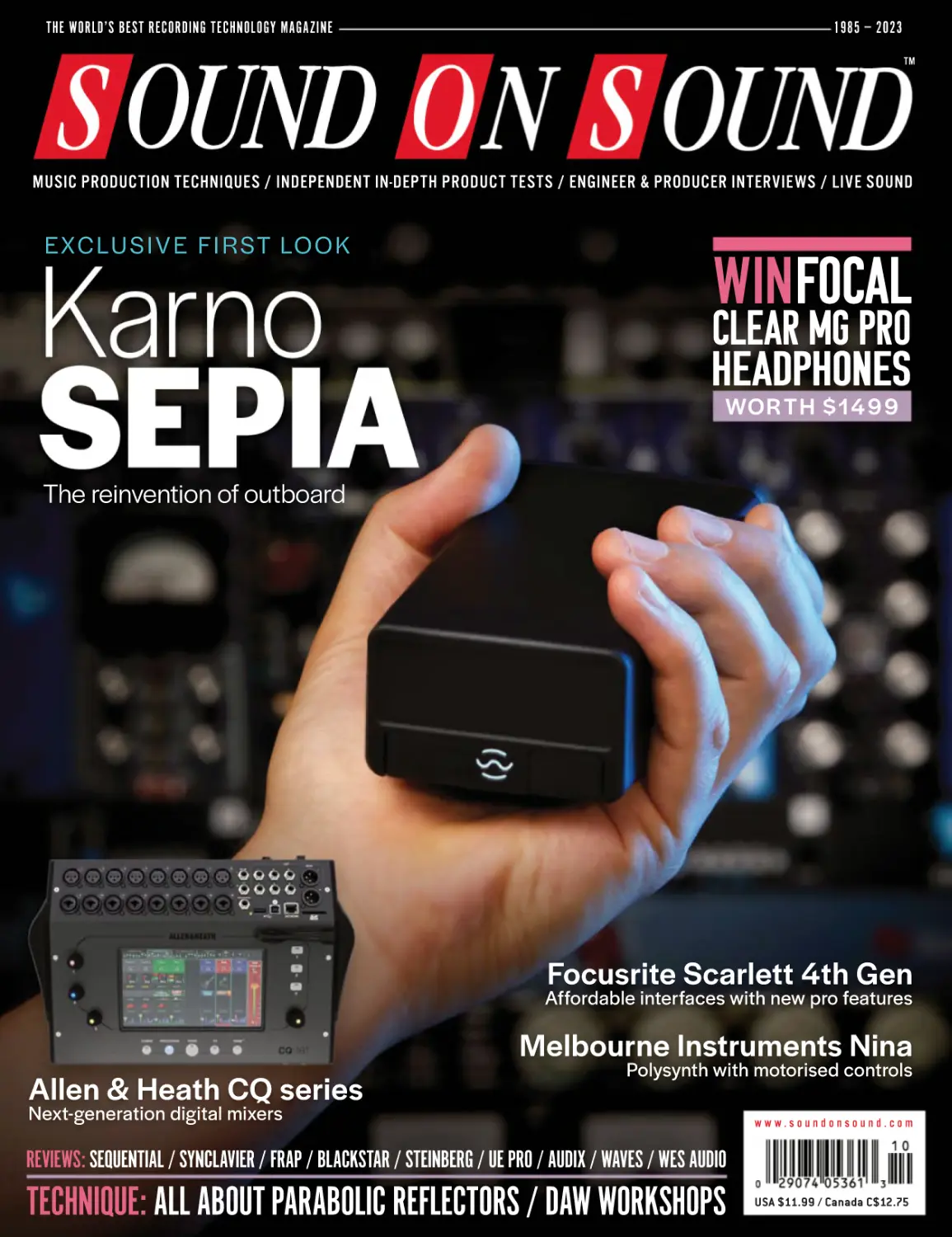
EXCLUSIVE FIRST LOOK
WINFOCAL
CLEAR MG PRO
HEADPHONES
WOR TH $1499
The reinvention of outboard
Focusrite Scarlett 4th Gen
Affordable interfaces with new pro features
Melbourne Instruments Nina
Allen & Heath CQ series
Polysynth with motorised controls
Next-generation digital mixers
www.soundonsound.com
REVIEWS: SEQUENTIAL / SYNCLAVIER / FRAP / BLACKSTAR / STEINBERG / UE PRO / AUDIX / WAVES / WES AUDIO
TECHNIQUE: ALL ABOUT PARABOLIC REFLECTORS / DAW WORKSHOPS
USA $11.99 / Canada C$12.75
LE ADER
FLYING THE FLAG
Patriotism doesn’t always come naturally to Britons,
but if anything can provoke a swell of national
pride, it’s our track record in mixing console design.
Germany and Austria may have led the way in
microphone development, while the USA and Japan
dominated the synth world, but this island has always
punched above its weight when it comes to anything
with faders.
Neve and SSL remain two of the biggest names
in the field. The golden age of the ’70s and ’80s also
gave us Helios, Pye, Sound Techniques, Soundcraft,
Calrec, Cadac, Tweed, Soundtracs, DDA, Chilton,
Raindirk, Midas, Amek, Focusrite and Trident, among
many others. Today, British manufacturers lead the way
in modern digital live sound — as this issue’s exclusive
review of the new Allen & Heath CQ-series highlights
— while the likes of Audient offer cutting-edge
analogue designs at extremely competitive prices.
What all of these companies have in common
is ambition. Whether the goal was to offer the
best possible sound and technical specs, to
push the envelope in terms of features, to exploit
new technological developments or simply to
offer unprecedented value for money, the list of
breakthroughs and innovations is endless. What’s
more, quite a few of these breakthroughs were
achieved on a scarily hand-to-mouth basis, without
millions in venture capital or much business expertise
SOUND ON SOUND LTD (HEAD OFFICE)
ALLIA BUSINESS CENTRE
KING’S HEDGES ROAD
CAMBRIDGE, CB4 2HY, UK
T +44 (0)1223 851658
sos@soundonsound.com
www.soundonsound.com
to call on. What might be possible if the ambition and
inventiveness that are the hallmarks of British audio
design could be backed by proper investment and
sound management?
We may be about to find out, courtesy of this
month’s cover product. Karno’s SEPIA project is hugely
ambitious. It’s technologically ground-breaking and
beautifully engineered. It meets real-world needs.
And, unlike some of those historic products, it’s the
outcome of a lengthy, well-funded R&D process, which
has seen its designers forge partnerships across the
industry. None of this is a guarantee of success, but
in a world where innovation has often foundered
on the harsh realities of business, you’d hope it has
a decent chance.
SEPIA itself is not a mixing console, but it draws
on practically every aspect of this grand tradition
of British design. Indeed, although Karno haven’t
officially announced the names of the manufacturers
who are working on SEPIA Modules, it’s safe to say
that well-known console makers from both sides of
the Atlantic will be involved. And I don’t think it will be
long before SEPIA systems start to pop up wherever
high-end audio processing is needed.
Our cooking’s still pretty ropey, our weather is
rubbish and our heavy industry has gone the way of
the dodo, but at least there’s still one great British
tradition worth celebrating.
“Our cooking’s still
pretty ropey, our
weather is rubbish
and our heavy
industry has gone
the way of the dodo,
but at least there’s
still one great
British tradition
worth celebrating.”
ADMIN IS T R AT IO N
ADV ER T ISING
sos.feedback@soundonsound.com
admin@soundonsound.com
david.carson@soundonsound.com
Editorial Director Dave Lockwood
Executive Editor Paul White
Editor In Chief Sam Inglis
Technical Editor Hugh Robjohns
Managing Director/Chairman Ian Gilby
Editorial Director Dave Lockwood
Sales Director Robert Cottee
Marketing Director Paul Gilby
Finance Manager Keith Werthmann
Sales Director Robert Cottee
Regional Sales Manager David Carson
Reviews Editor David Glasper
Reviews Editor Matt Houghton
Reviews Editor Chris Korff
Production Editor Chris Korff
News Editor Luke Wood
S U B S CR I P T I O N S
WORLDW IDE EDI T IONS
Circulation Manager Luci Harper
Administrator Nathalie Balzano
UK/WORLD
Editor In Chief
EDITORIAL
WWW.SOUNDONSOUND.COM/SUBSCRIBE
NORTH AMERICA
Sam Inglis
subscribe@soundonsound.com
www.soundonsound.com/subscribe
MARKETING
marketing@soundonsound.com
Business Development Manager
Nick Humbert
O N LIN E
support@soundonsound.com
Digital Media Director Paul Gilby
Design Andy Baldwin
Web Content Editor Callum Hall
Web Editor Adam Bull
Podcast Production Manager Atheen Spencer
www.soundonsound.com
twitter.com/soundonsoundmag
facebook.com/soundonsoundmag
instagram.com/soundonsoundmag
P R ODUC T I ON
DIS T R IB U T IO N
graphics@soundonsound.com
distribution@soundonsound.com
Production Manager Michael Groves
Designer Alan Edwards
Designer Andy Baldwin
International Distribution
Magazine Heaven Direct
www.magazineheavendirect.com
Printed in the USA
Not for re-sale outside North America
ISSN 1473-5326
A Member of the
SOS Publications Group
The contents of this publication are subject to worldwide
copyright protection and reproduction in whole or part,
whether mechanical or electronic, is expressly forbidden
without the prior written consent of the Publisher. Great
care is taken to ensure accuracy in the preparation of this
publication but neither Sound On Sound Limited nor the
Editor can be held responsible for its contents. The views
expressed are those of the contributors and not
necessarily those of the Publisher or Editor. The Publisher
accepts no responsibility for the return of unsolicited
manuscripts, photographs, or artwork.
© Copyright 2023 Sound On Sound Limited. Incorporating
Music Software magazine, Recording Musician magazine,
Sound On Stage magazine, SPL magazine, Sound Pro
magazine and Performing Musician magazine. All rights
reserved.
All prices include VAT unless otherwise stated. SOS
recognises all trademarks.
www.soundonsound.com / October 2023
3
MASSIVE SOUND.
!
NEW
E
P
M RT
PO
SUP
24 voices · 3 osc per voice · 4 mu
both PPG-lineage and modern wavetables · built-in wavemaker ·
g r o o v e s y n t h e s i s . c o m
NOW IN TWO SIZES.
- Rory Dow, Sound On Sound
ulti-parts · >>}E`}Ì>wÌiÀÃ
virtual analog oscs · sequencer · 2 FX per part · 4 LFOs · 6 envelopes
130 PJ HARVEY
IN THIS ISSUE
www.soundonsound.com
WIN
October 2023 / issue 12 / volume 38
FEATURES
11
Paul DaCruz 1964 - 2023
It is with deep sadness that we announce the passing of our
longtime colleague and good friend, Paul DaCruz.
36 Modular
Modbap founder and owner Corry Banks on how he finds
boombap and Eurorack not just compatible but inspiring.
98 An Introduction To Parabolic Reflectors
The parabolic reflector is the ultimate directional microphone
setup for outdoor recording. Here’s how to get the best from it.
118 Inside Track: Koen Heldens
Working on Trippie Redd’s mixtape A Love Letter To You 5 at
Miami’s Criteria Studios gave mixer Koen Heldens the rare
chance to mix a rap album to half-inch tape.
124 Spotlight: All-in-one Podcasting
Devices
Many manufacturers now offer dedicated products tailored for the
distinctive workflows involved in podcasting and live streaming.
130 Flood & John Parish: Producing
I Inside The Old Year Dying
FOCAL
CLEAR MG PRO
HEADPHONES
WORTH $1499
PAGE 26
144 Talkback
Becca Mancari on learning to believe in herself and why
limitations in the studio are a good thing.
146 How I Got That Sound
Michael Brauer tells us how he got the vocal sound on Elle
King’s ‘Ex’s & Oh’s’.
PJ Harvey and her fearless collaborators have navigated three
decades and six albums without repeating themselves, and her
new album is another masterclass in innovative production.
150 Q&A
138 Afrojack
154 Why I Love... My Nagra VI
If you want to see the state of the art in studio design, there’s no
better place to look than EDM star Afrojack’s Wall Recordings.
SOS Technical Editor Hugh Robjohns on why his veteran Nagra
VI hard-disk recorder has never been bettered.
Your studio and recording questions answered.
42 FOCUSRITE SCARLETT 4TH GEN
ON TEST
10
Apogee Jam X
48
12
Audix PDX720 Signature Edition
52
54
S-CAT Double Trouble
UE Pro UE PREMIER
60
In-ear Monitors
24
Origin Effects Halcyon Gold
62
Embody Immerse Virtual Studio
Signature Edition
Knobula Pianophonic
COVER
Virtual Control Room Plug-in
32
66
38
42
72
78
Eurorack Module
84
Horrothia Berkeley
Digitally Controlled Modulation
Pedal
97
Soundevice Digital Plamen
Multiband Saturation Plug-in
148
Sample Libraries
Blackstar St James Plugin
Guitar Amp Modelling Plug-in
Sonuscore Trinity Drums 2
Synclavier Regen
FrozenPlain Lost Reveries
The Very Loud Indeed Co Shift
Karno SEPIA
Preview: Modular Audio
Processing System
AJH Synth/Tone Science
Triple Cross
Melbourne Instruments Nina
WORKSHOPS
Polyphonic Synthesizer
Sequential Trigon-6
Polyphonic Synthesizer
Frap Audio Dynamics 2806
500-series Compressor
& Expander
88
Focusrite Scarlett 4th Gen
92
USB Audio Interfaces
96
Spitfire Audio Abbey Road
Orchestra: Metal Percussion
Synthesizer
Eurorack Module
34
Waves Clarity vX DeReverb Pro
AIR Music Sprite
Multi-effects Plug-in
Wes Audio ng76
Reverb Removal Plug-in
Adaptive Overdrive Pedal
30
Erica Synths Zen Delay Virtual
Digitally Controlled FET
Compressor
Distortion Pedal
20
96
Delay Plug-in
Dynamic Microphone
16
Polyend Tracker Mini
Sequencer & Sampler
USB Audio Interface
Steinberg SpectraLayers Pro 10
Spectral Editing Software
Allen & Heath CQ-18T
Digital Mixer
102
104
106
110
114
116
Studio One
Reason
Reaper
Pro Tools
Logic
Cubase
P R O F E S S I O N A L
M O N I TO R
I
T R I O 6
S T 6
As a leading three-way loudspeaker, Trio6 ST6 benefits from Focal’s know-how to bring even
more detail, precision and transparency than the previous model. Innovative speaker drivers,
dual Focus mode, on/off automatic stand-by, laminar port and strengthened cabinet are the
key features of this versatile work tool with an uncompromising performance. Demand the best.
Choose Trio6 ST6.
Only sound, nothing else
focal.com | focalnaimamerica.com | Distributed by Focal Naim America
Contact us for more information : 1 800.663.9352 / info@focal-naim.com
ON TE ST
ROBIN VINCENT
O
n first touch the Jam X is very cool
and feels weighty and well-sized.
The buttons are easily thumbable,
almost like a small torch or a large laser
pointer. It looks every bit like the Jam+
and is, in essence, identical except for the
change in hue and the specifics around the
input stage. The Jam+ had an analogue
overdrive circuit built into the instrument
preamp; the Jam X has an analogue
compressor with three different settings.
This deeper access brings a bit more
nuance and versatility to an already decent
idea. The only physical letdown is that
Apogee have kept the micro-USB socket
rather than upgrading to USB-C, but I can
live with that.
Set Up & Go
As a Windows user your heart tends to sink
a little when you read “No configuration
required, just plug in and record,” and as
expected it doesn’t apply to non-Apple
users. You will have to comb through the
manual to find a link to a driver download
page which doesn’t list the Jam X so you
have to request the installer via a form. An
email redirects to another download and
then it all works. It’s all a bit of a faff for “No
configuration required”.
That done, I opened IK Multimedia’s
Amplitude, set up the Jam X as the input
and I was off. Gosh, it is very, very loud!
The sound is enormous, especially to
start with when you don’t really know
what you’re doing and so you just turn
everything up. If you wind down the
input level you can get some nice clean
guitar running through, but why would
you want to do that? Starting with my
twin humbucker semi the sound was torn
apart as I leaned into the overdrive. And
then applying compression I found myself
having a really good time.
Even when I swapped to my Telecaster
the sound was huge. The Tele doesn’t elicit
quite the same response as the humbucker
and is instead nicely crunchy and full of
promise, but my head is still ringing from
the experience . There’s nowhere on the
Jam X to change the headphone level. On
Windows there’s a little Apogee control
panel which includes a volume control. It’s
set by default to -4dB and bringing that
down a little is a source of some relief.
Starting with a clean sheet I moved to
Studio One where I can be sure of exactly
how I’m monitoring and what, if any ,
plug-ins are running. The functionality is
10
October 2023 / www.soundonsound.com
Apogee Jam X
USB Guitar Interface
With a built-in analogue compressor, Apogee’s Jam X is
designed to get your guitar sound right from the start.
really basic. Guitar in, headphones out.
There’s a three-LED input monitor, a dial
to adjust the level and a ‘Blend’ button
that turns direct monitoring on or off. The
dial also acts as a button to select the
compression presets. A quick tip is that
both buttons need to pressed twice in
order to change the selection. It’s like press
it once to wake up the control and then
again to change it.
The compression presets, by the way,
are the Jam X’s unique selling point.
There are three; the entertainingly named
Smooth Leveller for gentle compression,
Purple Squeeze for regular compression
and Vintage Blue Stomp for hard and fast
compression. The idea is that you set
your input level using the dial with the
compression off. Once you engage the
compressor then the dial becomes the
compression level. I found my personal
sweet spots on the Purple Squeeze. The
Vintage Blue Stomp squashes it all too
much for my tastes but it explodes when
you route it through some software amps.
I found the latency through my DAW
to be largely unnoticeable with the
ASIO drivers going down to a perfectly
respectable 64 samples. Swapping
between the two Blend modes didn’t
feel particularly dramatic. Apogee are
expecting you to run through software
amps and effects as the Jam X is only
offering compression and overdrive rather
than a whole amp and cabinet rig, and
you can totally do that without feeling the
latency drag.
Conclusion
Despite the lumpy start the Jam X does
exactly what it needs to do. It offers
a simple way to improve your guitar’s input
to your DAW. The compression can be
clean and subtle, just enough to glue it
together, or dialled into the overdrive for
some seriously fun chunkiness. It’s loud,
a bit rude and the only disappointment is
that it can’t run standalone.
summary
The Jam X is an epic upgrade to your guitar
recording signal path, with multiple levels of
compression. It’s almost too simple.
$ $199
W www.apogeedigital.com
In Memory of
Paul DaCruz
SOS North America Sales Manager R.I.P.
25 August 1964 - 18 August 2023
It is with deep sadness that we announce the passing of our longtime colleague,
good friend and Sound On Sound North America Sales Manager, Paul DaCruz.
Paul (Paulo Cesar) DaCruz died suddenly at his home in Santa Rosa, California on
August 18, just shy of his 59th birthday.
THE SOS TEAM
P
aul was well known to many
throughout the industry, having
worked in broadcast and pro audio/
music tech publishing for over 25 years.
In 1998 he joined IMAS Publishing
(latterly NewBay Media) as Sales Manager
across TV Technology, Pro Audio Review
and the NAB Daily amongst other titles,
moving from New York to Santa Rosa
in Sonoma County, where he came to
embrace his great love of life as a Northern
Californian. In 2010 he was enticed to
join Sound On Sound as the perfect fit to
drive our North America sales operation,
becoming instrumental in the US edition’s
unparalleled growth over the next decade.
As well as being a highly valued
member of the SOS family, Paul was
universally liked by all his clients and
those he met, known for his great humour,
generosity and for going above and
beyond to meet his clients’ needs, giving
them equal attention be they big or small
businesses. He was particularly supportive
of new companies, helping them get on
the map.
Paul steadily helped grow Sound On
Sound magazine Stateside to become
the #1 book in the market, just as its UK/
World edition already was internationally,
working unceasingly with clients to
achieve innovative, out-of-the-box,
successful campaigns across all its print
and many new digital channels.
Over the years he came to count many
clients amongst his personal friends and
they saw him as so much more than “just
a rep”. He truly enjoyed working with
them and seeing them at trade shows,
such as NAMM and AES, or on personal
client visits — always at his happiest when
talking about his passion for collecting
wine and cars. Paul was a popular
member of many of the local Sonoma
vineyards and loved nothing more than
hosting guests and giving them ‘Paul’s
Tipsy Taxi’ tours in one of his treasured
Jeeps or his De Tomaso Pantera.
Longtime personal friend and SOS
colleague Nick Humbert, International
Business Development Manager, said:
“The loss of our dear friend and colleague
Paul is truly devastating news. He leaves
behind him not just the immeasurable
contribution to the success of the Sound
On Sound North America edition, but
many happy and warm memories of his
endearing congeniality and generous
kindness that touched all those he met. He
will be deeply missed every day, and while
we will ensure the ongoing success of SOS
in America as a legacy to Paul’s hard work
and professionalism, it will never be the
same without the laughs Paul brought to
the tough world of media.”
Sound On Sound owner and CEO/
Managing Director Ian Gilby paid this
tribute to Paul: “I know the whole SOS
Team are heartbroken at the sudden
and unexpected death of our esteemed
colleague, who became so much more
than a fellow staff member to those
who counted him as a friend. I include
myself in that count. Paul was a superbly
gregarious human being with a generous
spirit, always willing to help those less
fortunate than himself. I wept upon being
told the tragic news of Paul’s departure
from this world and know for certain that
he is in Heaven cracking jokes, wearing
his trademark sunglasses, surrounded
by a crowd of angels whilst he holds
court and entertains them with his jovial
repartee. I personally thank you, Paul, for
taking Sound On Sound North America
edition to the summit during your 13-year
tenure. We will all miss you Paul; your work
lives on and the whole SOS Team will work
our hardest every day to maintain your
legacy. Happy 59th birthday, buddy, and
rest assured we’ll raise a glass or two of
red wine to toast your good name. God
bless you Paul and rest in peace.”
Memorial Site & Condolences
We have created a Memorial website
on everloved.com/life-of/paul-dacruz/ in
Paul’s honour. It allows anyone to add
their condolences to Paul’s long-term
partner, Dana Kern, and upload anecdotal
stories of Paul they may wish to share
to his friends and family, along with
photos and videos. SOS compadres have
already shared a few fond photographic
memories. With the help of industry
friends, let’s turn this memorial site into
the best celebration of Paul’s life that
we possibly can and provide Dana with
a heart-warming memento of what her
partner meant to all his many, many
industry friends. RIP Paul.
Donations
Anyone wishing to honour Paul’s memory
with a donation to a charity that reflected
his passion for cars and compassion
for disadvantaged children, please give
directly to the Speedway Children’s
Charities and select the Sonoma chapter.
www.speedwaycharities.org/donate/
Paul leaves behind his parents, his
two sisters, two brothers and beloved
long-term partner Dana. Our deepest
condolences to them all.
ON TE ST
Audix
PDX720
Signature
Edition
Dynamic Microphone
Intended for both speech and music, Audix’s latest
microphone demands to be seen as well as heard!
SAM INGLIS
T
he rise of the ‘content creator’
has opened up a new market for
quality microphones. Models such
as the Shure SM7B and Electro-Voice
RE20, which once sold mainly into
broadcast and studio environments, are
now ubiquitous in podcasting, streaming
and online video. And whereas the
chunky form factor of these mics might
previously have limited their use in
on-screen roles, it’s a selling point in
Internet media. Expensive and highly
visible mics have become status symbols,
and in turn, manufacturers are making
them even more visible.
That’s certainly the case with Audix
and the PDX720 Signature Edition. It
doesn’t bear the signature of anyone
in particular, and there are currently
no other versions, so the Signature
Edition tag seems designed to introduce
an air of exclusivity. So, too, does the
mic’s distinctive appearance. With
its asymmetric black body and shiny
gold-coloured grilles, the PDX720 is
a pretty eye-catching affair. Something
about the styling also makes it look even
larger than it actually is: my initial reaction
was “Blimey, this is huge!”, though in fact
it’s very similar in size to the SM7B.
Big Sig
Thanks to its size, its chunky metal
shell and its integral standmount, the
PDX720 is a hefty beast, weighing in at
12
October 2023 / www.soundonsound.com
nearly 870g. Even if the standmount
was removable, this is not a mic you’d
want to use handheld! The standmount
is functionally similar to the SM7B’s
integrated yoke, except that it has
a single pivot point located inside the
microphone rather than one on either
side. It allows the mic to be rotated
through slightly more than 90 degrees
along its front-back axis, and provides
enough friction to hold it in place without
the need to tighten any thumbwheels.
As on the SM7B, the XLR output
connector is integrated into the
standmount. This is one aspect of the
design that I wasn’t crazy about. Because
the mount extends an inch or so beyond
the socket, it gets in the way when you
try to grip the connector on an attached
cable, and Audix have used a high-end
Switchcraft XLR, which was a very tight fit
with all the cables I tried.
The design influence of the SM7B
is also apparent in the provision of two
switches, located on the butt of the
microphone. A key concern with this sort
of feature on vocal mics is ensuring that
switches can’t be moved by accident.
Shure achieve this by using recessed
slide switches that need a pointed tool to
adjust, but Audix have taken a different
approach. The switches themselves are
simple toggles, but they’re hidden behind
a removable end cap, which attaches
magnetically. This is quite an elegant
solution and certainly hinders unwanted
changes, but it means there’s no way
to tell at a glance whether the switches
are engaged.
The functions of the switches are also
comparable to those on the SM7B, albeit
that there are more choices here. One
engages a high-pass filter turning over
at either 120Hz or 155Hz, while the other
introduces either a 1.5 or a 3 dB presence
lift in the upper midrange. The published
frequency response diagrams suggest
that this is more or less a shelving boost
from about 2kHz upwards.
It’s perhaps misleading to describe
this as a boost, in fact, since the PDX720
is a passive moving-coil dynamic mic just
like the SM7B, with no active circuitry. It
nevertheless produces a warmish output,
with a specified sensitivity of 1.9mV/Pa.
On paper, that should make it about 5dB
hotter than the SM7B on the same source;
in my tests, the difference was actually
a little greater than this, and should mean
there’s no need for a Cloudlifter or similar
device with most mic preamps.
ashers,
umpers, m
th
,
rs
e
ll
e
y
,
ers
rs and
ers, stomp
om-chicke
ers, shredd
o
b
m
,
m
rs
e
ru
v
st
ri
,
n
e-d
plinkers
race Desig
oodlers, pil
, pluckers,
come in. G
rs, riffers, n
e
e
w
p
p
re
you pickers
o
e
h
h
c
,
You’ll
ers
t’s w
e. And tha
ners, croon
f all stripes.
n
o
m
ri
s
ti
g
n
e
,
ia
rs
m
c
e
o
si
s
ss
u
in
gra
acoustic m
otta plug
ding on.
reamps for
ers, y’all g
p
le
b
a
li
you’re stan
re
e
,
n
song-sling
g
o
in
e
d
n
th
u
n
e
t so
, maybe ev
ously grea
builds fam
everywhere
t
u
o
b
a
st
onstage ju
find them
www.gracedesign.com
ON TE ST
A U D I X P D X 72 0 S I G N AT U R E E D I T I O N
Audix describe the PDX720 as
a hypercardioid mic, but the polar
pattern plot on the spec sheet actually
looks more like you’d expect to see
from a subcardioid. I asked Audix about
this, and they told me that although the
capsule they use is hypercardioid, they
make various modifications to it to adapt
it for its intended close-up use, and these
relax the directionality somewhat. They
also point out that their pattern graph
has a 30dB scale rather than the 20dB
used by some other manufacturers, which
can make the same measurements look
very different.
Smooth Operator
Although the point of these capsule
adjustments is partly to reduce plosives
and proximity effect, Audix definitely don’t
intend the PDX720 as ‘merely’ a podcast
or speech mic. They see it as a premium
general-purpose dynamic model that is
equally at home in music recording — just
as the SM7B and RE20 are. With that in
mind, one thing that’s striking about the
published frequency plot is the low-end
response. With the filters switched out,
the graph is flat or even slightly above
flat, all the way down to 20Hz (albeit at
a measurement distance of 12 inches
rather than the more standard 1 metre).
Its performance at the other end of the
spectrum is also very respectable, though
its high-end extension doesn’t rival
The base of the PDX720 houses the mic’s
high-pass filter and presence boost switches.
14
October 2023 / www.soundonsound.com
Although the capsule is a hypercardioid model, Audix’s implementation of it has made it less directional,
which makes the PDX720 less sensitive to changes of mic position.
capacitor mics in the way that the RE20
and the Sennheiser MD441 do. It’s broadly
flat to about 8kHz, before a gentle roll-off
begins, with usable signal still present at
15kHz or so.
In the course of this review, I recorded
all my test sources with both the PDX720
and an SM7B, although the size of both
mics means that it’s not always easy to do
A/B comparisons in similar positions on
the same take. It was a good illustration
of why published frequency response
charts shouldn’t be taken as gospel. On
paper, the response of the two mics with
all the filters switched out should be very
similar, with the PDX offering slightly
greater low-end extension and the SM7
a bit more in the 10kHz region. In practice,
there was a clear difference between
the two, especially on vocals, with the
SM7B making everything sound quite
a bit more present in the upper midrange.
Experimenting with the PDX720’s
switches actually suggested that the full
+3dB presence boost came closest to
matching the sound of the SM7B in its
flat mode.
Not every moving-coil dynamic merits
the adjective ‘smooth’, but the PDX720
certainly does. On vocals, it delivers
a balanced sound that’s articulate and
clear, yet comfortable to listen to for long
periods, and never sibilant or harsh. It
doesn’t impose its own character, and the
high-pass filter settings are well chosen to
correct for the proximity effect at typical
distances in use. Used right up close,
for example. I found the 155Hz setting
compensated nicely for the additional
bass boost, whereas if I went more than
about six inches from the mic, I didn’t
need the filter. Resistance to popping
seemed pretty good, even without the
filter engaged, and you can move off-axis
with relatively little change in tonality or
sensitivity: it certainly doesn’t have the
‘beaminess’ you’d expect from a true
hypercardioid.
Considered as a general-purpose
studio mic, the PDX720’s potential
applications are a little limited by its size
and weight, though no more so than the
SM7B or RE20. I much preferred it to
the SM7 as a kick drum mic: its low-end
response delivered more weight, and
its smoother midrange made the overall
sound less hard and boxy. It also put up
an excellent performance on guitar amps,
trading some of the SM7’s rock & roll thrill
factor for a slightly more ‘hi-fi’ yet very
solid tone. And of course if you want to
bring back some of that upper-midrange
excitement, the tone switch is only
a thumb movement away.
The PDX720 Signature Edition is
not a cheap microphone. You could get
two SM7Bs or Beyer M88s for the same
price, and it’s also more expensive than
the RE20, competing head on with the
Neumann BCM104, Sennheiser MD441
and Electro-Voice RE27N/D at the top of
the dynamic mic tree. From a functional
point of view, it also faces off against
rivals like the excellent Earthworks Ethos.
Personally, I found its slightly blingy
styling less attractive than that of the
Ethos, and it doesn’t have the utilitarian,
engineering-led charm of the SM7 and
RE20. But that’s very much a matter of
taste, and I’m sure there are many who
will feel differently. What’s important is
how it sounds, and if it’s Audix’s aim to
create a no-expense-spared dynamic mic
that can hold its own against those rivals
in almost any application, I’d say they’ve
hit the nail on the head.
summary
A high-end dynamic mic that’s useful on
much more than vocals, with a smooth sound,
impressive bass extension and a confident
visual presence.
$
T
E
W
$799
Audix +1 800 966 8261
info@audixusa.com
www.audixusa.com
The Brands You Want.
Advice You Can Trust.
Neumann
M 49 V
Tom Danley
TDH-3
Universal Audio
Apollo x16 Heritage Edition
Austrian Audio
OC818
Universal Audio
Bock 187
D.W. Fearn
VT-7
Cranborne Audio
Carnaby 500
Sennheiser
HD 650
511
Neumann
MT 48
FREE 2-YEAR WARRANTY*
WE’VE GOT YOUR BACK
Our Total Confidence Coverage Warranty gives you
24 months of coverage backed by our team of
Sales Engineers, Support Specialists, and our
factory-certified Service team at no extra cost.
DEDICATED
SALES ENGINEERS
FAST,
FREE SHIPPING
FREE
TECH SUPPORT
The advice you need to
buy with confidence
No minimum order
Got a question?
We’re here to help
*Please note: Restrictions may apply.
Please visit Sweetwater.com/warranty for complete details.
Call (800) 222-4700 or visit Sweetwater.com today!
ON TE ST
S-CAT Double Trouble
Distortion
Pedal
This dual-distortion
box is equally at
home with guitars,
synths and drum
machines, on
a dusted-daily
desktop or a filthy
stage pedalboard...
WILLIAM STOKES
S
pace Cat Audio
Technologies (S-CAT
to their friends) started
life in the UK almost 15 years
ago, with Arron Courts and
Abegael Saward modifying
vintage electronic instruments
and selling them on eBay.
More recently, the two began
to work on their own, original
designs and enlisted the
help of circuit designers John
W Oram and Dave Cherry. The
aim was to create a range of
hands-on devices that would
be well suited to live settings,
while being influenced by
Courts’ and Saward’s love of
experimental circuit bending.
The Double Trouble analogue
filtered distortion, reviewed
here, comes in the form of
a desktop-friendly stompbox,
and promises versatility and
power in equal measure.
It Takes Two
The Double Trouble can be
thought of as two distortion
pedals in one box. Powered
by an external 24V DC supply,
each distortion stage has
its own input and output
courtesy of quarter-inch
jacks on the rear. They can
be used independently or in
series, and the latter can be
achieved internally so you
only need to hook up a single
16
input and output cable. With a sturdy metal chassis
and firm knobs, the box has a solid, weighty feel, and
its satisfyingly inclined panel seems more typical of
a desktop synth or audio interface than an effects
pedal. Since it’s intended as much for use as a pedal
as on the desktop, footswitches engage/bypass
each distortion. That’s not unusual by any means, but
as someone who tends to use these things mostly
on a desktop I’d like to see manufacturers offer an
option for quieter and more hand-friendly switches!
S-CAT cite a dearth of good distortion pedals that
work well with line-level signals as a key motivation
behind the Doube Trouble, but say experimentation
with instruments including guitar (because, well,
duh...) presented various applications and this
sparked a shift in the design direction. The preamp
stage was rejigged to better handle high-impedance
input signals and a buffered bypass was added so
that the pedal could sit nicely between a guitar/bass
and the line inputs of a console or audio interface.
The first processor is Distortion I. This employs
a germanium diode circuit and, S-CAT say, is intended
to offer “edgy break-up tones”. To compensate for
the tendency of distortion to squeeze the dynamism
out of some sounds, there’s also a switched Transient
Boost knob with three settings (Low, Mid, High). The
manual says this blends back in “the initial transients
that have been squashed... giving more punch” and
it works — more subtly than I’d like, at points, but
you can use it to dial in dynamic front-end detail and
attack, particularly for percussion sounds. It sounds to
me as though there’s more to the circuitry here than
simple parallel distortion.
The ‘high-gain’ Distortion II, on the other hand, is
conceived as being more like a console’s preamp
October 2023 / www.soundonsound.com
stage, and offers a slightly less ‘angular’
sounding overdrive to my ear. Turn it up
and you’ll reach clipping, and a separate
output level control can either be used
to tame the output of this distortion or
to turn up the output from Distortion
I without running it through Distortion
II. To shape the sound, Distortion II has
a switched-frequency peak filter, and this
can be placed pre or post the distortion
stage for more flexibility.
Drive Time
Initially, when using one channel or the
other individually, the Double Trouble
sounded somewhat tamer than I’d
anticipated. Not bad you understand. In
fact, you might even call it ‘classy’, but it
was a little more classy-sounding than
I’d usually look for in a distortion box.
Though there were certainly differences
in the two channels; both had the feel of
a warm boost that could be moved into
grittier harmonic distortion at high levels.
It was certainly no wild beast — at least,
not yet.
The Double Trouble’s manual suggests
that Distortion I is the best choice for drum
machines and bass guitar, while Distortion
II is better suited for synths and lead guitar.
But I have to say that while both offered
slightly different responses, they both
sounded great on more or less everything.
So I’d encourage you to experiment. It is
distortion we’re talking about, after all!
ON TE ST
S - C AT DOU BLE T ROU BLE
I have a Korg MS-20 Mini — surely
a synth that’s primed for this kind of
treatment — so I hooked it up to the
Double Trouble and set the oscillators
to maximum volume (which, I should
say, reduces the headroom on its filter
and VCA considerably), playing with
various combinations of saw and triangle
wave drones, experimenting with their
phasing relative to each other, as well
as sweeping the filter and playing with
resonance to try and excite different
responses from the distortion.
Again, it didn’t initially seem to
threaten too much aggression at
specific frequencies. But it did respond
very nicely, right across the frequency
spectrum, so I can’t complain. Those used
to distorting synthesizers, will know that
things can jump from subtle to savage
very quickly: two oscillators at the same
pitch are often very harmonically simple,
yet the moment one of those oscillators
is modulated or detuned and more
harmonics are introduced, things can get
gnarly — sometimes in a great way, other
times not. Often, the first thing to go when
playing with distortion is a sense of detail
and that just wasn’t a problem here. In
fact, at times I felt that the Double Trouble
seemed like it could have been a circuit
inside the MS-20 itself, so nicely did the
two work together. Another thing often
thrown out with the distortion bathwater is
low end, and again I wasn’t disappointed.
I was looking to use the Double Trouble
to add some ‘beef’ — a low-end tightness
and more punch — and found it. And I’m
glad to say it wasn’t a ‘there’ or ‘not there’
effect; I could access various flavours,
which was great.
The Transient Boost circuit of Distortion
I was quite an asset too. Overall, the
circuit added and took away various
characteristics as I cycled through the
settings and I found that just as useful in
helping me identify what I didn’t want as
well as what I did! The Low setting didn’t
feel like it did a huge amount for the
sources I was running through it, though
I’m sure it has its uses; it’s good to know
a more subtle effect is available.
Arguably, the thing that most obviously
distinguishes Distortion II from the first
is its filter section. As I said above, this
can be switched in or out of the signal
path, and when on it can be placed
before or after the distortion circuit,
and the two positions give you very
different responses. I enjoy building
‘sonic pressure’ behind a filter by, for
18
October 2023 / www.soundonsound.com
Each distortion stage has its own dedicated I/O,
but the two can also be cascaded internally.
instance, placing a distortion pedal before
a wah-wah, and this sort of feel is very
much achievable here. Sweeping the filter
section while feeding it the bass sounds
of a Roland T-8, for instance, a modest
and diminutive 808-emulating machine
that I hope you’ll deem acceptable
in place of the original (I do), it had
a very good go at delivering the kind
of throaty filtering associated with the
TB-303. That’s no mean feat, and it was
something I was excited to try on a range
of other sounds. Drums generally can
be difficult to distort while maintaining
all the complexity and character that
attracted us to the original sound, and
when used with Distortion I’s Transient
Boost I was pleased that they seemed to
gain in punch and percussive definition,
rather than just grit and harmonic content.
— the initiated will know that distorted
percussion can often end up dully
latching onto one fundamental frequency,
and that felt well mitigated here. They
also responded beautifully to Distortion
II’s filter circuit.
I’ve not even discussed the Double
Trouble’s secret weapon yet! That you
can have both circuits connected in
series, to process a single input signal,
is wonderful. It’s where things get really
dirty and, as you can probably imagine,
where instruments like electric guitar and
their amplifiers come into the discussion.
When configured in this way, the Double
Trouble essentially became much more
than the sum of its parts, and although
guitar distortion is a deeply subjective
thing I dare say that in a blind shootout
between the Double Trouble and your
favourite pedalboard stalwarts (the Big
Muff Pi, say, or the ProCo Rat) the Double
Trouble would more than hold its own.
It’s not just about the tone, either — the
noise floor still wasn’t a problem; even with
both halves in series and set to maximum
distortion it remained palatable (if not
negligible). It’s also worth noting that you
can get quite a level boost when using the
two stages in series like this, so if placing
it between a guitar and an amp, it can
change how the amp responds. In short,
there’s a whole world of tonal interaction
to play with!
Dishing The Dirt?
The Double Trouble is a very well made,
good-sounding distortion pedal that
is more than worthy of what’s a very
reasonable asking price. I can almost
imagine it as a mainstay in a small setup’s
go-to chain, so smooth can it sound and
so easy is it to dial in subtle distortions.
But despite at first feeling that the Double
Trouble might be somewhat limited in its
scope, the more I explored it the more
I realised just how incredibly versatile
it is. It’s as good for treating synths as
drum machines, but has plenty to offer
bassists and guitarists too. It could be
a double-sided tone hub for a synth
setup, or a single-channel beast ripping
through a guitar amp or into your DAW.
It’s rugged enough for the road, but
would feel just as at home on the desktop
or above a keyboard. In short, S-CAT
have come up with a unique contribution
to what, let’s face it, is a pretty crowded
distortion market, and of this they should
be proud.
summary
A classy sounding and wonderfully versatile
studio-grade boutique distortion pedal that
doesn’t cost the Earth. Recommended.
$ £189.95 (about $240).
E spacecataudio@yahoo.co.uk
W https://spacecataudiotechnologies.com
F O R T H E WO R L D’S M O ST
DEMANDING AUDIO
Pro Tools | MTRX Studio™ is a powerful studio centerpiece with the exceptional sound quality
Avid is known for. Designed for Pro Tools | HDX™ and compatible with other DAWs, MTRX Studio can
take the place of multiple devices while providing greater I/O, routing, and monitoring possibilities.
Connect anything to everything—route audio over IP with Dante, to the Dolby Atmos® Production
Suite. And now, add 256 channels of native DAW connectivity to Pro Tools | MTRX II™ or 64 channels
to MTRX Studio with the new Thunderbolt 3 option. MTRX—more than an “audio interface.”
Ready to add more channels to your MTRX Studio or MTRX II?
Contact these retailers about the Thunderbolt 3 option:
© 2023 Avid Technology, Inc. All rights reserved. Avid, the Avid logo, Pro Tools | MTRX Studio, Pro Tools | HDX,
and Pro Tools | MTRX II are trademarks or registered trademarks of Avid Technology, Inc. or its subsidiaries in the
United States and/or other countries. All other trademarks are the property of their respective owners.
ON TE ST
UE Pro UE PREMIER
In-ear Monitors
If more is better, then an
IEM with no fewer than 21
drivers must be the best
ever, right?
SAM INGLIS
U
ltimate Ears Pro are one of
the biggest names in in-ear
monitoring, offering a wide range
of custom-moulded in-ears based around
balanced-armature driver technology.
The base model in their professional
range is the UE 5 Pro, so called because
each earpiece features five drivers.
These work across high and low audio
bands, with a single crossover. As you
move up the range, the number of
drivers increases, and the frequency
spectrum is further divided by additional
crossovers, until you reach the pinnacle
of the UE Pro line: the new UE PREMIER,
which packs in no fewer than 21
20
October 2023 / www.soundonsound.com
balanced-armature drivers, working into
five separate frequency bands.
Fixtures & Fittings
The manufacturing process takes up to
14 working days from the point at which
UE Pro receive your order and your ear
impressions (see box). Various options
are available, including two cable lengths
and a number of faceplate colours.
A $199 cost option is the Switch feature,
which allows different faceplates to be
swapped in and out, or for an extra $50
you can order the UE PREMIER with an
Ambient feature instead. The Ambient
feature (which is not compatible with
the Switch feature) adds a small port in
the faceplate with a plug that can be
removed to reduce the level of isolation.
The review IEMs came with neither
feature, and I chose the clear faceplates
so that I could better admire the intricate
interior. With the 21 drivers arranged in
blocks at different angles and connected
by a tracery of fine, coloured wires,
there’s a lot to see as well as hear.
As you’d expect with so many drivers
to fit in, the UE PREMIERs are on the
large side. The shape is of course highly
irregular, but the most extended parts of
each earpiece measure roughly 3cm on all
three axes. The shell is made entirely from
rigid plastic, with no ‘give’ to it anywhere.
The user’s initials are printed on the
inward-facing part of the shell, with red
and blue ink used to differentiate right and
left. A robust and lightweight hardcase
is supplied, and includes a cleaning tool
with a stiff brush at one end and a wire
loop at the other. The sound is delivered
through two small holes in the tip of each
earpiece, and I found I needed to use the
wire loop to clear wax from these holes
quite frequently.
The IEMs are inserted in the usual
way by pushing the tips loosely into the
ear and then rotating them backwards
by about 90 degrees. The braided
‘SuperBax’ cable then emerges from the
front, at the top, and can be looped back
over the ear. UE Pro use something called
an IPX connector to attach the cable to
the earpiece, which allows completely
free rotation whilst maintaining a very
tight connection. At the other end,
the cable terminates in a right-angle
mini-jack.
I often have trouble achieving
a comfortable, secure fit with generic
in-ears, even when a wide range of tips
is supplied. Not so with the UE PREMIER,
which went into place easily, formed
a tight seal and never threatened to move
or fall out. For general music listening
I didn’t even feel the need to loop the
cable over my ears. Ultimate Ears Pro
claim that the UE PREMIER provide up
to 26dB isolation, which is reduced
by 12dB if you open the port on the
Ambient version. As ever, this is a bit of
a simplification, since isolation is always
greater at high frequencies than further
down the spectrum, but my subjective
impression was that the isolation is well
up to the mark. In fact, I would probably
be tempted to opt for the Ambient version
if I were to order them again, as there may
be times on stage when you want to trade
separation for a feeling of involvement.
A comfortable, secure fit and a decent
level of isolation are basic requirements
The Original.
Remastered.
Scarlett. The new generation.
All-new preamps to get the best out of
any mic. Massive 120dB dynamic range
to hear every detail. Re-engineered Air
mode lifts vocals and instruments to
the front of the mix.
Auto Gain automatically sets your
levels and Clip Safe keeps them in
the sweet spot. Plus a huge bundle
of software and plugins.
www.focusrite.com
ON TE ST
UE PRO UE PREMIER
for any custom-moulded in-ears, though,
and UE Pro themselves offer much
more affordable options that should
do the same job in these respects. The
considerable price premium for the UE
PREMIER could only be justified by their
audio performance. Is it?
Top 21
On paper, increasing the number of
drivers in a balanced-armature system
should improve performance in several
ways. Each driver only has to work into
a narrower part of the frequency spectrum,
so they can be more precisely tuned and
optimised for their individual roles; and
with two, three or even four drivers per
band, the dynamic range of the system
is increased. The potential down side is
that the presence of so many crossovers,
and the need to align so many separate
drivers, risks introducing artefacts.
Like practically all headphone and
in-ear manufacturers, Ultimate Ears Pro
quote a very broad frequency range
for their products — in this case, 5Hz to
40kHz — without giving any tolerances.
A more concrete specification for the UE
PREMIER model is sensitivity, which is
given as 126dB for a 1mW input at 1kHz. In
tandem with a specified impedance of 15Ω
at 1kHz, that translates to the real world
as “really, really loud”, to the point where
carelessness with the volume control can
have painful results. An optional buffer
cable is available for those who find that
things are just too hot with their chosen
headphone amp.
Lasting Impressions
Buying custom-mould IEMs from any
manufacturer necessitates having impressions
of your ears taken. The standard technique for
doing this is to have your ears plugged with
cotton and then filled with goop, which sets to
form a soft cast of your shell-like. This cast can
then be removed and used to prepare a mould,
or scanned to generate a 3D model of your
lughole. Ultimate Ears Professional are happy
to work with 3D impression scans, and many
of their official resellers offer this service, but
at this year’s NAMM Show, they were showing
UE Pro provide a comparison chart on
their website which offers tasting notes for
each of their different models, with ratings
out of six for low, mid and high. Curiously,
this chart appears in two different places
on the site, and the UE PREMIER model
gets different ratings for the mids in each
case — but it’s clear that UE Pro see these
as a versatile tool for music listening and
studio applications as well as live use.
(Some resellers even claim that they’re
appropriate for mastering, which seems
a bit of a reach.) And, I have to say, I was
impressed. I’m not sure they sound quite
as natural or smooth through the midrange
as a top-notch single-driver system, such
as a pair of high-end headphones, but
the sound is remarkably well integrated
given how many different elements go
into making it, with no obvious crossover
artefacts or other weirdnesses. I can’t
imagine needing more dynamic range
than is on offer here: as I turned them
off an alternative, goop-free measurement
technology, currently available only near their LA
HQ. A trained operator inserts a scanning probe
directly into your ear and moves it around to build
up a 3D map. After a couple of false starts, this
proved relatively fast, and although having things
wiggled around in your ear isn’t exactly fun, it’s
smooth, painless and doesn’t leave you feeling
uncomfortably shut off from the world.
(Mind you, the NAMM Show floor is one
place where I’d welcome being shut off from
the world for a bit.)
up, my sense of self-protection kicked in
well before any distortion was audible,
and I couldn’t detect any unwanted
compression beyond what my own ears
were doing in response to the high SPL.
And whether or not they really
reproduce audio all the way up to 40kHz,
there’s no doubt that the UE PREMIER
are a genuinely full-range monitoring
option. The highs are crisp and clear, and
there’s certainly no shortage of low end.
In fact, their most obvious deviation from
the completely flat is a fairly prominent
hump around 150Hz or thereabouts. You’d
need to ‘learn’ your way around this if you
wanted to use the UE PREMIER to mix,
but I think that would be possible, and in
most of their intended applications I think
this is preferable to their being bass-light
or anaemic. There is plenty of true bass
below this hump, too, and though I had
the sense that some overtones were also
being generated when I fed low-frequency
sine waves into them, they will put across
your 808s with plenty of weight.
If what you need is the most neutral
monitoring system for mixing recorded
audio on the go, then personally I’d still
choose a pair of high-end conventional
headphones over any in-ears. For this
money, you can pretty much take your
pick from the very best over-ear phones
around and still have some change. But if
you want to invest in a really high-quality
IEM for live use that’s good enough to rely
on in other contexts where you need to
make sonic decisions with confidence, the
UE PREMIER absolutely fit the bill.
summary
For an extra $199, you
can order the UE PREMIER
with the Switch option,
which allows faceplates to
be swapped.
22
October 2023 / www.soundonsound.com
These highly advanced IEMs deliver a rich,
full-range sound, with enough level and
dynamic range on tap to satisfy anyone.
$ $2999
W custom.ultimateears.com
THE REFERENCE – SINCE 1928
The end of compromises.
POWERED BY MERGING TECHNOLOGIES
Finally, you can have Neumann quality throughout,
X
from the sound source to your ears. Developed with
our friends at Merging Technologies, the MT 48 is
the new state of the art in audio interfaces, offering
four times the resolution of competing devices.
ADAT/SPDIF I/O, AES67
X
Premium preamps with up to 78 dB gain
X
Record with or without DSP FX
– or both at the same time!
For all its sophistication, the MT 48 is a joy to
use. Adjust levels, EQ, dynamics and reverb via an
intuitive touchscreen interface – for monitor mixes
that inspire your creativity.
https://MT48.neumann.com
4 analog inputs, 8 analog outputs,
X
Best in class headphone amps:
powerful, ultra low impedance
ON TE ST
Origin Effects Halcyon Gold
Adaptive Overdrive Pedal
Still searching for an ‘always
on’ overdrive that works with
your guitar’s volume control
turned up or backed off?
DAV E LO C K WO O D
O
rigin Effects’ Adaptive dynamic
EQ circuitry debuted in their
Halcyon Green ‘Tube Screamer
variant’ and gets another outing in this Klon
Centaur-influenced pedal. Overdrive pedals are
usually designed to emphasise midrange, often
trimming off significant bass and sometimes
some top end too, to create a tone that will
work well with distortion and create a fluid,
articulate lead guitar sound. That’s fine if you’re
only going to switch the pedal on for lead lines,
as many do, but an overdrive can also be used
as an ‘always-on’ pedal providing a fundamental
voicing to complement, or indeed overcome,
the basic tonality of an amplifier.
A classic and much used example is the
combining of a mid-heavy Tube Screamer with
the mid-scooped voicing of many Fender tube
amps. The issue then is that the ideal amount of
mid boost for your ‘singing lead tone’ becomes
a weak and incomplete-sounding clean sound
when you back off the guitar’s volume control,
as there’s too little bass and treble. The world
of overdrive pedals is full of attempts to find
a ‘better compromise’, either with small tweaks
to the Tube Screamer-type symmetrical
clipping circuit, the asymmetrical clipping of the
classic Boss overdrives, or indeed something
completely different like the Klon Centaur.
Adaptive EQ
Origin’s Adaptive circuitry addresses this issue
head-on by providing a level-dependent,
analogue EQ stage that provides the necessary
mid-forward voicing when the input level is
high, with the guitar’s volume control turned up,
but progressively restores the shaved-off bass
and treble when the input signal is lower. When
combined with a distortion circuit that offers
good volume-related clean-up, this allows you
to have both a warm and sparkling clean tone
and a mid-pushed solo tone without touching
a single control on the pedal itself, just by riding
your guitar’s volume control. Of course, being
level-related, the Adaptive circuitry responds to
picking dynamics, too, which may not always
be what you want, so you have a choice of two
24
October 2023 / www.soundonsound.com
degrees of Adaptive implementation,
as well as an Off setting.
Four rotary controls offer Drive,
Level, Tone and Dry — the latter
a departure from the Klon Centaur
circuit to give you independent
control of the amount of dry through
signal, rather than have it
automatically faded out as the gain
is increased. The final control is the
Voice switch, offering the relatively
narrow midrange peak of the original
Klon circuit, or a broader, gentler
mid lift combined with a slightly
different clipping characteristic.
The Magic Diode Myth
The Klon Centaur design is actually
a conventional hard-clipping
circuit, albeit combined with a very
unconventional ‘voiced’ clean feed
and a dry through path, all mixed
together at the output. The diodes
used in the clipping stage were
‘specially selected’ germanium
components that are no longer
available. Many Klon users, however,
will never have heard their ‘special’
clipping diodes in action, as they
don’t start working until you are
quite high up on the Drive control,
and the Centaur gained much of
its reputation being used as an almost clean
boost pedal. A lot of ‘klone’ makers successfully
used different germanium diodes to achieve
much the same effect, but Origin have taken
a completely different approach.
The Halcyon Gold actually uses silicon
diodes, configured to offer a progressive,
soft-threshold clipping characteristic
reminiscent of the best germanium-based
circuits. It certainly works, and it sounds like
the clipping circuit is in play to some extent
throughout a large sweep of the Drive
control. Wherever you set it, there’s a ton of
touch-sensitive tonal nuance available just from
picking dynamics and volume-control riding.
Combine that with the Adaptive circuitry and
you have a truly expressive playing experience
more reminiscent of a great tube amp than an
overdrive pedal. Blend in some dry signal for
a bit of additional articulation if you’re playing
into an amp that’s nicely cooking on its own, or
turn it right down if your amp is running clean.
Does it sound like a Klon? Not at all with
those settings. It’s much better as an overdrive
than any Klon or ‘klone’ I’ve ever used. But
you can easily get it into Centaur territory with
the Dry contribution up above 50 percent,
while the Drive is low and, of course, with the
Adaptive circuitry switched out and Voice set
to Klon. There’s a ton of level above unity on
tap, so you can easily get your Halcyon Gold
to do an authentic Klon-like semi-crunch,
pushed-front-end tone, but the Halcyon Gold is
still a better, more contemporary overdrive, to
my ears: with a Klon at low gain settings you are
basically just hearing some fairly stiff op-amp
clipping. The tone control is ‘typically Origin’ in
that it doesn’t get unusably bright or dark, and
it also gets slightly overridden by the Adaptive
circuitry, so you can use it to tame a bit of top
end in the driven tone, but still have enough
sparkle in your cleans.
Housed in Origin’s bullet-proof, four-knob,
steel enclosure, with top-mounted jacks,
buffered bypass and silent switching, the
Halcyon Gold is an absolute gem, whether you
are looking for something Klon-like or the much
wider palette of tones that it has to offer.
summary
The Halcyon Gold is impressive: while it may have
its roots in the Klon Centaur design, it is far more
than a ‘klone’.
$ $299.
W www.origineffects.com
LOVE YOUR SOUND
The new gold standard of studio microphones.
visit audixusa.com
COMPE TITION
Win!
Clear Mg Professional
Headphones Worth $1499
F
ounded in Saint-Étienne in 1979,
French speaker manufacturers
Focal have earned a reputation
for high-quality sound reproduction
through a combination of solid
engineering and innovative use
of materials. Their products span
the worlds of hi-fi, studio and
automotive loudspeakers and,
more recently, headphones.
The company’s debut pair, the Spirit
Professional, were an instant hit on their
launch in 2014, combining excellent
isolation and comfort with a revealing,
open sound that made them ideal for
both tracking and mixing. They soon
followed up with an open-backed design,
the Clear Professional, a premium set of
26
October 2023 / www.soundonsound.com
headphones suitable for even the most
critical mixing and mastering roles.
Up for grabs in this exclusive SOS
competition is the Clear Mg Professional,
To enter, please visit:
https://sosm.ag/focal-comp-1023
the latest evolution in Focal’s studio
headphone design. The innovation here
is in the use of pure magnesium for
the all-important driver — in this case,
a 40mm inverted-dome type with an
‘M’-shaped profile. This combination
of material and construction yields
a super-fast response and faithful
reproduction of transients, while
minimising distortion. And as with Focal’s
previous headphones, comfort hasn’t
been neglected: the headband has been
specially designed to maintain
even weight distribution, and
incorporates memory foam for a
consistent fit, making the Clear
Mg Professional ideal for longer
mixing and mastering sessions.
To be in with a chance of winning
these fantastic headphones, simply follow
the URL shown, and answer the questions
there, by Friday 3rd November 2023.
Good luck!
Prizes kindly donated by Focal
W www.focal.com
_MiniFreak
Explore the
unconventional.
Digital meets analog, hardware
meets software, expression
meets chaos, and reality meets
boundless imagination. Discover
an addictive dual-engine
polysynth that invites you to
play without consequences.
Discover MiniFreak.
ON TE ST
Embody Immerse Virtual
Studio Signature Edition
Virtual Control Room Plug-in
Embody’s mission to make immersive mixing on
headphones a practical proposition moves forward with the
addition of a second virtual studio.
SAM INGLIS
T
here is probably more variety
in studio design today than
ever before. All over the world,
talented engineers and producers are
demonstrating that unorthodox spaces
and leftfield concepts can produce superb
results. It’s more important that your control
room works for you than that it adheres to
some arbitrary set of design rules.
Embody’s Immerse Virtual Studio is the
30
October 2023 / www.soundonsound.com
perfect illustration of this trend. The full
version features plug-in emulations of five
control rooms belonging to well-known
producers, and even though they’re all
measured and simulated at the ‘sweet
spot’, they sound surprisingly different
from each other.
Embody built on the concept of
emulating specific individuals’ working
environments with Immerse Virtual Studio
Alan Meyerson Signature Edition. This
went beyond the original plug-in by
emulating not only a stereo monitoring
setup but a full 7.1.6 surround array,
allowing users to mix in Dolby Atmos
and other spatial formats. And it’s now
evolved even further with the addition
of a second immersive space belonging
to celebrated mastering engineer Gavin
Lursson. These two Signature Editions
are available separately or as a combined
plug-in, sold in association with Steinberg;
this reflects a joint education initiative
and some new integration features with
Cubase and Nuendo, though all major
surround-capable DAWs are supported.
Head Start
The combined plug-in retains all of the
features of the first version, meaning that
it supports Embody’s system for deriving
personalised head-related transfer
functions from a photo of the user’s ear. It
also incorporates optimisation for a number
of different sets of headphones, and as
before, this is not measurement-based but
‘tuned’ by the studio owners themselves.
This optimisation can be applied in varying
degrees, and it’s likewise possible to vary
the amount of ambience applied in the
room simulation.
Modern immersive formats have
a strong emphasis on calibration.
In order to be certified by Dolby, an
Atmos mix room designed for movie
soundtrack mixing has to meet stringent
standards relating to frequency response,
reverberation time, sound pressure level
and so on. So, in theory, there’s much less
scope for immersive monitoring setups to
vary with the taste and preference of the
user than is the case with stereo rigs.
It’s a theory that is borne out here.
Granted, the sample size is smaller, but
to my ears, Alan Meyerson and Gavin
Lursson’s rooms sound much more similar
to each other than do any two of the
stereo setups emulated in the original
Immerse Virtual Studio.
Such differences as there are are
most pronounced when you crank up
the Ambience setting. The Lursson room
remains tightly controlled and even
across pretty much the entire frequency
range, whilst the emulation of Meyerson’s
space begins to reveal a slightly ragged
liveliness around 5kHz or so. I don’t think
the variation is great enough that you’d
make vastly different mix decisions in
each case, but toggling between them
can provide useful information about
vocal EQ and reverb settings especially.
Signature Sound
The variation in sound between the five
control rooms in the original Immerse
Virtual Studio had both positive and
negative aspects. In a sense, it was useful
for checking that your mixes ‘translated’:
if they sounded good in all five, you could
be pretty confident that they’d sound
good everywhere. But the variation was
so great that this could sometimes seem
an unreachable goal, with plausible mix
decisions sounding fine in one virtual
environment and all wrong in another.
Having used both, I prefer the
reassurance of the Signature Edition,
which simply lets you switch between
emulations of two subtly different top-flight
surround monitoring environments of the
sort that few of us have access to in real
life. There are so many variables at play
in immersive mixing anyway that it’s not
really practical to take into account the
possible variation in listening systems
of lesser quality, especially when these
are filtered through the lens of binaural
encoding for headphones. I’m still not
convinced I’d want to mix immersive music
on headphones alone, but the Immerse
Signature Edition is proving an increasingly
valuable tool for anyone who does.
summary
Embody’s immersive control room
emulation plug-in adds a welcome second
string to its bow.
$ Individual plug-ins $99 each or $9.99 per
month; bundle $179.99.
W www.embody.co
W www.steinberg.net/immerse-virtual-studio/
ON TE ST
MODULAR
Knobula Pianophonic
Eurorack Module
S
ometimes Knobula’s Pianophonic module
sounds a whole lot like a piano, sometimes it
just sounds piano-ish, and sometimes it sounds
nothing like a piano. Aside from anything else, it doesn’t
exist only for acoustic piano sounds, which is one of the
best things about it. Its basic architecture consists of
three wavetabling oscillators and one sample playback
engine. The three wavetables purport to emulate
a piano’s three-string hammer action — I suppose
they do, without getting too forensic about phase
coherence, but more pertinent about the oscillators
is their positioning in the stereo field: one is placed
on each side and one is in the middle. Atop these is
a sampler engine, also panned centrally, which provides
percussive transients; for conventional piano voices
these are plinky ‘hammer’ sounds. For other sounds
they’re, well, other sounds.
Concerning acoustic piano voices, the Pianophonic
does a good job of sounding as realistic as possible
with minimal elements. Obviously you won’t find the
4GB sample library of Toontrack’s EZkeys here, just
a clever application of hybrid synthesis to essentially
get the job done. Consequently its sonic character
recalls those slightly hollow digital piano sounds of the
1980s and ’90s — something I happen to love. I should
say that with this comes the occasional spate of audible
artefacts, particularly when adjusting settings, but again
I’ll chalk that up to the adorable digital character that
the Pianophonic delivers so well.
The Pianophonic’s 16 factory presets range from
acoustic pianos to a Yamaha DX-series-style piano
sound and beyond: guitar, synth and even vocal sounds
are here, each with their own ‘hammer’ sounds — that
is, their own type of attack. The pluck of a guitar, for
instance, or breath on the front of a vocal sound.
This is where things get a little more interesting:
presets need not be loaded wholesale: it’s possible to
load the ‘hammer’ sound and central wavetable from
one preset and the panned wavetables from another.
It’s also possible to load one’s own wavetables and
samples into the Pianophonic via Knobula’s online
Wave Slicer; a tool not yet available at the time of
writing but one I’m very much looking forward to trying.
32
October 2023 / www.soundonsound.com
An ADR envelope furnishes the top
of the Pianophonic’s panel. Turning
the release time to full essentially
switches in an endless drone, which
is a nice touch. The attack stage is
even less conventional: it’s more like
a bipolar mixer between the hammer
and wavetable sounds, so its default
position is actually something like 10
o’clock. Any lower than this and you’ll
just hear the hammer sound. Any
higher and it’s wavetables only, which
made for some truly beautiful string
and reed organ-type sounds straight
out of the box.
The general envelope section
is further endowed with a bipolar
Start Point knob and a Morph
Speed knob for tracking through
the wavetable. The wavetable can
be played forwards or backwards
at a range of speeds, once again
with the extreme end of the Morph
Speed knob essentially freezing
the waveform in place for simpler
oscillator shapes. Lastly, at least in the
first instance, a detune knob changes
the pitch relationship between the
three oscillators. This can move from
subtle chorus to honky-tonk detuned
sounds, all the way to a fifth interval
and then down to create a sub-octave.
The Pianophonic could reasonably
be left there, but Knobula aren’t
finished: ambitiously included is
a bipolar DJ-style low-pass/high-pass
filter, a bipolar compressor-distortion
and even a 24-bit stereo reverb.
I’m happy to say that contrary to
my expectation the reverb sounds
gorgeous, feeding back beautifully at
high settings. It’s placed after the filter
circuit too, so it’s possible to sweep
sounds up and down and hear them
decay into space.
Truth be told, I would love to
have seen a CV input for the filter, if
nothing else for this very purpose.
I actually would like to have seen
a couple more CV inputs in general
— at times I even wondered why this
self-sufficient MIDI-controlled synth
is in Eurorack format at all; it doesn’t
exactly beg to integrate with the rest
of a system and is certainly more at
home with MIDI than it is CV, not least
because it supports CC messages for
many parameters I would like to have
seen CV inputs for.
I also can’t help but think an extra
few HP could have made space for
more patch points and more control.
In some ways, the Pianophonic is so
detailed and capable that it almost
feels like an undersell to jam it all onto
a 12HP panel, but I’d be lying if I said
I wasn’t feeling smug at the prospect
of nestling a fully-fledged synthesizer
into my system like some kind of
secret weapon. I’m genuinely not
sure Knobula could have squeezed
anything more in here, and for that
they should be commended.
We seek in Eurorack, do we not,
to push and pull at the boundaries
of sounds, to deconstruct and
reconstruct recognisable things,
and this line the Pianophonic treads
brilliantly, elegantly blending sampling
and stereo wavetabling to contribute
something rather unique. Given all
that, it also does exceptionally well
to maintain an ostensibly WYSIWYG
panel. Too complex and it would
deter experimentation. Too simple
and it would have no raison d’être.
I think Knobula have got that balance
about right. The Pianophonic is
a challenging little thing, but it has
a big personality and a very distinctive
character, and might just fill a gap
in my arsenal I never knew I had.
William Stokes
$
W
$449
www.knobula.com
Register Now
namm.org/attend
January 25-28, 2024
Anaheim Convention Center • Southern California
ON TE ST
MODULAR
AJH Synth/Tone Science
Triple Cross
Eurorack Module
I
t’s always a good day when I hear
of a module created by an artist and
a developer working together. This
is usually because instead of an idea
stemming from a designer scratching
their head about which gap in the market
they can fill with a new product, it’s arisen
from an actual need expressed by those
using the tools. Such is the case with
the Triple Cross, a three-channel stereo
crossfader and panner with some rather
powerful tricks up its sleeve. It began life
as a joint venture between two stalwarts
of the electronic music landscape: Allan
J Hall of the eponymous AJH Synth and
electronic composer Ian Boddy, owner
of the venerable DiN Records and the
modular-focused sub-label Tone Science.
“Ian comes up with the ideas and we
herd the electrons to make them real!”
Enthuses Hall on the AJH Synth website.
The Triple Cross is what I like to
think of as a ‘blank canvas module’:
a design so open-ended it has almost
no ‘correct’ application in a patch. It
can swing signals from one speaker to
the other, it can have stereo channels
swap places, it can act like a VCA or
almost-a-mixer, it can blend modulation
signals and exchange them between
channels, and then some. Like many
classic synth circuits — sample & hold, for
example, or a slew limiter — it presents
a relatively simple yet elegant concept
and challenges you to be as creative
as you can with your patching, to think
The module’s panel consists of three
Fade knobs with accompanying CV inputs
and attenuverters. Beneath these are
three sets of stereo inputs and outputs
with respective input pairs labelled A and
B and outputs labelled L and R. On the
surface it’s fairly simple, but there’s a lot
to explore here. AJH Synth encourage
us to think of the Triple Cross as having
different ‘modes’, which helps to
rationalise things a little.
At its most simple, in Mode 1, the Triple
Cross can act as a good old-fashioned
three-channel VCA. With one signal
“Good thing the Triple Cross harks
back to the old-school — this has the
makings of a classic.”
laterally and tease out new behaviours
from your system’s circuitry. The idea
purportedly arose from Boddy’s work on
his vintage Serge system, specifically
a patch involving three separate
crossfaders and “a sea of patch cables”
to create undulating movement within
a pool of source signals. The Triple
Cross condenses that general idea
down into a neat 14HP, and generously
is DC-coupled to work just as well with
audio as it does with CV.
34
October 2023 / www.soundonsound.com
patched to any channel’s A input and its
L output, and a voltage source patched
to that channel’s CV input, the Fade knob
acts as an offset. Being attenuverters, of
course, the CV inputs can also open the
VCA with negative voltages if desired,
which is handy. Patch two inputs — audio
or CV — to one output to crossfade
between the two down a mono patch
cable with the Fade knob, or automate it
with CV. Taking two different waveforms
from the same oscillator, for example,
it’s a cinch to create a sound much more
interesting than the sum of its parts — in
fact with this simplest of patches it does
something of a brilliant job of having that
oscillator pretend to be a wavetable.
Patch one input to two outputs to pan it
between the two channels — or fade a CV
signal between two different destinations.
Lastly (you may have seen this coming)
is the ability to patch both inputs to both
outputs on a channel. This is where the
elegance of the Triple Cross really comes
through, essentially allowing two channels
to swap sides with each other according
to either CV or manual control — or both.
Of course, the CV input opens up some
very interesting possibilities, not least
the dizzyingly fun exercise of making
two sounds swap speakers at audio rate
for some bizarre, ghostly ring-mod-type
sounds that seemed almost to project
into the room beyond the stereo image.
Experimenting with variable LFO
frequency and waveform made for further
excitement, and that’s just scraping the
surface of what’s possible.
The Triple Cross’s channel 3 adds
a few tricks to the equation. It has
additional level attenuators, which is
useful, and the left sides of channel 1 and
channel 2’s outputs are also normalled to
the A and B inputs of channel 3. In light of
all of the above, in practice this means it’s
possible to bus four different crossfading
signals down a single stereo output with
three different modulation sources at
work, and still balance the levels of those
constituent sounds internally. Clever.
I wondered at points if those
aforementioned modes might even
have been illustrated on the panel in
some way, or at least the signal flow
made a little clearer; just to speed up
the inevitable mental maths that comes
with a module like this, particularly one
whose layout isn’t always the most
intuitive. I had to keep reminding myself
that the normalling does not mean the
whole equation can mix down to channel
3. But this is a minor bugbear. It took no
time at all to start teasing out some very
interesting results, particularly since each
channel can simultaneously be used in
any one of the above modes. Apparently
we can expect more modules from this
collaboration, and for those I’ll be waiting
eagerly. Good thing the Triple Cross harks
back to the old-school — this has the
makings of a classic. William Stokes
$
W
$359
www.ajhsynth.com
BiG SiX
SUPERANALOGUE MIXER + USB INTERFACE
Your Next Audio Interface
BiG SiX combines tools from iconic SSL studio consoles with the latest in hybrid production. Whether you want
to take your ITB sound to the next level with SSL analogue processing, require advanced hybrid workflows for
multi-track recording and stem mixing, or need that final glue and punch adding to your mix from the legendary
G-Series Bus Compressor, BiG SiX offers absolute flexibility and creative agility for any production scenario.
4x SuperAnalogue™ mic / line preamps | 4x SuperAnalogue™ stereo inputs with dual mono switching
16 channel 96 kHz / 24-bit USB interface | G-Comp Bus Compressor with ‘Auto’ release
3 Band SSL EQ on every channel | Classic SSL channel dynamics processing | Listen Mic Compressor
#WhatWillYouCreate
www.solidstatelogic.com
ON TE ST
MODULAR
Modular Profile:
Corry Banks
A
On his entry into modular
I began exploring the world of modular
music equipment around 2015 or 2016.
My interest was sparked by some friends
and online communities where the
latest and greatest nerdcore gear was
being discussed — particularly Eurorack.
I had been primarily exploring those
things so I could write about them on
my blog and keep up with the latest
trends in music production. I realised
that modular synthesis appeals to my
love for technology and my passion for
making beats. This sparked my interest
in exploring modular systems and
expanding my own sound and production
skills. I found that the act of physically
patching can turn experimentation into
a valuable learning experience.
On his go-to modules
Currently, my top picks are Qu-Bit Chord
v2 and Data Bender. The Make Noise
Morphagene is another standout module
that I love using. It makes performances
fun where you can manipulate time,
so to speak, and bring back moments
of experimentation to mangle sounds
performatively. Also, I find a good
low-pass gate fundamental for my music,
as it breathes new life into those plucky
arpeggios I love so much. I’ve been using
the Tenderfoot Pinhl triple LPG for so long
now that it’s essential to my setup.
On boombap and Eurorack
At first, boombap and Eurorack may
not appear to be an obvious or typical
combination. But I have always preferred
incorporating synth lines into my beats,
even when sampling vinyl. I enjoy
36
October 2023 / www.soundonsound.com
Photo: Laith Majali
merican musician and technologist
Corry Banks, aka Bboytech, is the
driving force behind Modbap, the
company responsible for tremendously
well-received modules like the Trinity
drum array and new Meridian dual filter.
“Made for Eurorack. Dope enough
for boombap!” goes the LA-based
developer’s slogan, which itself grew out
of BeatPPL; a self-described “boutique
sound design and beat-maker’s lifestyle
brand”. Modbap, you may have twigged, is
a portmanteau of ‘modular’ and ‘boombap’,
geared towards performance-oriented
instruments that prioritise the needs of DJs
and beat-makers.
enhancing sample-based beats with
synths. While others may rely solely
on modular synthesis, I prefer to keep
my MPC at the centre of my musical
universe for sequencing, sampling and
performance purposes. Old habits die
hard, I guess! I integrated Eurorack into
my boombap beat-making process,
allowing me to experiment and produce
results outside of my typical realm of
composition. I find myself naturally
drawn to the foundational boombap
beat-making concepts that are at the
core of my process. On the other hand,
I also appreciate the sonic exploration
and experimentation that comes with
using Eurorack, which sometimes leads
to unintended but exciting results. That
juxtaposition of the two in the creative
process is what inspires me.
On the Modbap Meridian
The inspiration for the Meridian design
came from the analogue rackmount
filters of the ’90s and early ’00s that were
popular among hip-hop, jungle, drum
& bass and house music producers and
DJs. The idea behind the Meridian is to
have a filter that can be quickly configured
with unique effects such as drive and
crush, as well as a phase-shifter and
stereo panning for added movement. In
the digital domain, there’s more flexibility
regarding filtering. It’s easily configurable,
meaning it has two sides that let you
choose from four filter types and four
filter modes, dual mono or stereo mixing
and parallel or serial routing. All this with
just a few button clicks. Given its flexible
interface, I wanted the Meridian to have
the ability to save and retrieve at least four
presets. The Meridian is also ping-able,
which allows for activation and control of
its unique resonance dynamics. Overall,
the Meridian is my ideal performance filter
with a lot packed into just 14HP.
On the culture of modular
What’s great about the modular
community are its supportive and
collaborative aspects. This community is
made up of musicians, experimentalists,
live performers and hobbyists who are
both artistic and tech-savvy. It resonates
with me because the community sort of
perfectly embodies my own journey, in
both the tech and music spheres. Being
of hip-hop culture and living a tech life of
sorts, I felt the need to keep my passion
for technology separate from my passion
for beat-making and MC’ing. I eventually
realised that there was no need to
silo these aspects of my life. When
I discovered modular synthesis I felt right
at home in this world of experimental
music, art and technology. There also
seems to be a positive trend towards
inclusivity; I mean, I am the proprietor
of the first Black-owned modular synth
brand, so it’s heartening to see a growing
emphasis on representation and inclusion
in the modular community. William Stokes
ON TE ST
Frap Audio Dynamics 2806
500-series Compressor & Expander
With some neat features to control how the compressor and expander interact, there’s
more to this module than meets the eye.
38
October 2023 / www.soundonsound.com
NEIL ROGERS
I
t’s always nice to try a product from
a company you haven’t crossed paths
with before, and it’s especially nice
when it’s something that offers rather
more than you first imagined. The product
that brought this thought to mind is
Frap Audio’s Dynamics 2806, a mono
compressor and expander that comes in
the form of a ‘double-wide’ 500-series
module. Frap, who may be new to the
world of studio processors but have
been active in the Eurorack modular
synth scene for a while, describe their
2806 as belonging to the same family
of ‘advanced dynamics processors’ as
the ADR Compex. That famous device
was released in the late 1960s (see our
February 2014 article for more about
it: www.soundonsound.com/reviews/
adr-compex-f760x-rs) and, legend says,
was used for the iconic drum sound on
Led Zeppelin’s ‘When The Levee Breaks’.
Although I was pretty sure the 2806
wouldn’t help me play like John Bonham,
I was intrigued and keen to hear what it
had to offer.
Overview
There’s a lot going on in this compact
design and there are many controls, so
I was impressed that the interface didn’t
feel overly busy or cluttered. At its heart
are two dynamics processors, each with
Frap Audio
Dynamics 2806
€1329
PROS
• Characterful compression that can be
easily controlled.
• Onboard parallel and Contour
controls are excellent.
• Huge flexibility throughout the design.
• Full-featured expander with internal
and external side-chain options.
• Encourages an enjoyable and
extended learning curve.
CONS
• Could be a bit fiddly for some
perhaps.
• Shared metering can often be
unhelpful.
SUMMARY
The Dynamics 2806 from Frap Audio
is a versatile dynamics processor
that packs a great-sounding
analogue compressor and highly
flexible expander into a double-wide
500-series module.
its own control signal but sharing the
same THAT 2181 VCA chip for signal
processing. The inputs are electronically
balanced, while the output runs through
a Lundahl transformer.
One processor is a feedback
compressor and the other a feed-forward
downward expander; the top half of
the front panel hosts the compressor
controls and the lower half those for the
expander, with a few ‘global’ controls in
the middle. The two processors can be
used individually (either can be bypassed)
or in tandem to sculpt your signal, and
the LED bar meter on the left displays
both the amount of gain reduction
(down from the top) and the amount of
expansion (up from the bottom). Clever
and efficient though that is, it can make
the meter pretty busy at times, and I did
sometimes find it a little distracting. Both
are surprisingly feature-rich processors,
and there are some clever ways to
control their behaviour individually and
the way in which they interact. There are
extensive side-chain capabilities too, both
for refining the processors’ responses
and for more creative triggering.
As you’d expect of a VCA compressor
this one can be very fast and aggressive.
This could be thought of as being its
‘default behaviour’, but the designers
have included an impressive selection
of controls that make it very malleable.
For example, alongside the usual
complement of controls (threshold,
separate attack and release times, ratio
and make-up gain), there’s provision
for parallel compression: Frap have
opted for a Parallel knob that adds in
dry signal without changing the level
of the processed sound. The make-up
gain control can also attenuate the
compressed signal, so there’s the option
of starting with the dry and blending in as
much processed sound as you need.
More novel features include the option
to relax the compressor’s behaviour
by switching to what Frap call Classic
mode: the time constants become
much slower and it’s easier to make
the compressor ‘pump’ — think more
‘vintage’. The Priority control, just above
this, is another thoughtful touch. This
prevents the expander operating at the
same time as the compressor (ie. the
compressor always takes priority), so that
it doesn’t counteract any gain reduction
being applied. Yet more flexibility comes
courtesy of a three-position Ref toggle
switch, which selects from where in
the signal path the compressor gets
its internal control signal. The centre
position turns the compressor off (no
control signal, so no gain reduction),
while the Pre and Post positions take the
signal from before or after the make-up
gain control, respectively (so always
post the VCA). Set to Pre, the make-up
gain control does what it says on the tin:
turn it clockwise to restore the level lost
through compression. Switch to Post,
though, and the make-up gain serves as
an input gain control into the side-chain
circuit, making it feel more like an 1176
in use. There’s also a variable Contour
control, which is a side-chain EQ that
makes the compressor less sensitive to
low frequencies. Full details of the filter
aren’t given in the manual, but while the
legend suggests it might be a shelving
EQ I found in practice that it had much
the same effect as using a variable
high-pass filter. Either way, it’s a really
useful feature!
Moving on to the expander, as well
as the typical controls you’d expect to
find — attack, release, threshold and
ratio (called ‘Expand’ here) — there’s
a side-chain filter section with variable
high- and low-pass filters (18Hz to 1.7kHz
and 200Hz to 19kHz, respectively). Since
the expander and compressor use the
same VCA, the make-up gain and parallel
controls I mentioned above apply to
both processes.
It Takes Two
Although this is a mono device, it
occupies two 500-series slots. Partly
that’s to allow enough space on the front
for all the controls, of course, but it also
allows the 2806 to exploit two channels
of the host rack’s inputs and outputs. The
first channel is, naturally, for the main
audio input and output, and the second
input is used for the external side-chain.
But the second output is also used...
Between the main compressor and
expander controls, a three-position Ext
SC toggle switch dictates where any
external side-chain signal is routed, and
what’s sent to the second output (Aux).
With Ext SC set to Expander (down
position), the external side-chain keys
the expander and can be shaped by the
low-/high-pass side-chain filters; a copy
of the unprocessed sound is sent to the
Aux output and the compressor continues
to react to its internal control signal. With
Ext SC set to Compressor, the external
input triggers the compressor and can
www.soundonsound.com / October 2023
39
ON TE ST
FRAP AUDIO DYNAMICS 2806
be shaped by the Contour control, with
a copy of the processed sound going to
the Aux output; the expander reacts to its
internal control signal. In the third position
(sigma symbol), the compressor reacts
to a sum of the internal and external
side-chains, the expander reacts to the
internal one, and a copy of the processed
sound appears at the Aux output. So
there’s plenty of versatility here, including
the ability to use the second output
and input as a send and return to allow
external processing of the side-chain
signal. A two-position Listen switch allows
you to monitor the post-filter side-chain
signal, which is great for fine-tuning
a trigger. But it’s worth noting that to
switch both processors to their internal
side-chain, you must physically remove
the cable from input 2 — in a rackmounted
chassis you may need to think your way
around that using your patchbay!
In Use
Inevitably for a unit with so many controls
and options, there’s a learning curve if
you’re to get the best out of the 2806.
But after a little orientation I found myself
very impressed with the range of jobs
I could get it to perform well. For instance,
my first impression of the compressor
was that it seemed pretty aggressive
and heavy-handed, but once I got a feel
for using the Contour control and the
approach to parallel compression, making
the compression less obvious was
a breeze. Used just as a conventional
compressor, the 2806 works very well for
controlling transient-heavy sources and
for adding heavy pumping effects to drum
character mics. The ‘extra’ compression
controls, though, make it excellent for
sculpting strummed electric guitar parts
to sit better in a mix, and for transparent
dynamic control of vocals and bass parts.
I quickly settled into a nice workflow
of compressing a source in a slightly
exaggerated way to hear the ‘groove’
of the compression, and then dialling
things back so that the effect wasn’t
overly audible.
In use on its own, the expander
section was a pleasant surprise. It’s not
the kind of tool I usually look to when
working ‘outside of the box’ since we
have so many software options now, but
even when used for basic gating-style
functions I was pleasantly surprised at
how effortless it felt to dial in settings
with my hands rather than with a mouse.
It seemed really easy to isolate snare
40
October 2023 / www.soundonsound.com
The Dynamics 2806 occupies two
slots, and although a mono device, it
makes good use of both channels’ I/O.
drums and toms, and while
I’m not sure quite how often
I would use such a tool in
my everyday work here at
Half-ton Studios (I’d be a little
nervous of committing to this
kind of thing whilst tracking),
I have to say that, sonically,
it seemed to produce more
natural and (in a good way!)
‘softer’ sounding results
than when doing the same
job digitally, and it generally
encouraged me to approach
some tasks in a different way,
which I think is a good thing.
Being able to use the
expander whilst also adding
a few dB of compression was
a real joy. It often produced
excellent results. For example, it was
great that I could use the expander to
clean up a noisy vocal take that had
lots of mouth and paper noise between
lines, and compress the vocal at the
same time. It took me a little while to
get comfortable with the interaction
between the two ‘sides’ of the 2806,
but I often found that just using a little
of the expander (often dialling back the
range control after setting it up) had the
pleasing effect of rounding out the sound
of the compressor as a part came in and
out of a track. The Priority setting is really
helpful there too.
The extensive side-chain options are
welcome too. I found the filtering options
really useful and enjoyed my experiments
with side-chaining, and I reckon electronic
music producers and those who like to
get creative with hardware routing could
find an awful lot to play with here.
Final Thoughts
Appearances can be deceptive.
When I first saw at the 2806, with its
clean look and plentiful controls, my
perception was that this was going to
be a clean-sounding and very technical
sort of tool. It can be used that way if
you want, but its ‘default’ sound and
vibe is more what you might expect from
a stylised, vintage-looking device. The
compressor section’s natural setting is
not subtle, and if you want saturated,
pumping ‘character’ compression (think
‘When The Levee Breaks’) or, more
generally, compression that you want
to be heard, then this unit will happily
oblige. Given the designer’s nod towards
the ADR Compex, perhaps this shouldn’t
have been such a surprise!
But I’m not sure that I can recall an
analogue compressor that allowed me
to dial back its natural tendencies to
such an extent, whilst still offering me
firm dynamics control — that’s thanks
largely to the Contour control and the
way parallel compression is achieved.
I suspect that many prospective
customers will view the expander section
more as ‘bonus content’. Indeed, I did
so initially, but I have to say that I found
a ‘hands-on’ approach to using this style
of tool enjoyable and productive, and it
was great to have the control over the
way the two processors interact. In this
price range, you have a lot of choices
when it comes to hardware compression,
but if you want a compressor that will suit
every task in your studio the Dynamics
2806 is well worth consideration — and if
you’re looking for an all-round analogue
dynamic processing tool with lots of
flexibility, and hidden depths that you
can explore over time, then you should
definitely check it out: the 2806 is going
to be right up your street!
$
T
E
W
W
€1329 (about $1400).
Alex4 +49 (0)30 61 65 100 40
info@alex4.de
www.alex4.de
https://frap.audio
T
N
pa
Cl
LQ
Vo
br
ch
\PXFKDQ\VRXQGVRXUFH
astonmics.com
ON TE ST
Focusrite Scarlett 4th Gen
USB Audio Interfaces
With the fourth generation of their Scarlett range, Focusrite continue to bring features that
were once exclusively ‘professional’ to everyone.
Focusrite
Scarlett 4th Gen
From $140
PROS
• New, high-spec preamp design with
impressive gain range and excellent
performance.
• Effective Auto Gain and Clip Safe
options.
• Elegant control software and good
use of front-panel LEDs for visual
feedback.
• Good low-latency performance.
• As always, excellent value for money.
CONS
• Solo model misses out on the new
preamp design, Auto Gain and
Clip Safe.
• Installing the kernel extension
that improves macOS low-latency
performance isn’t straightforward on
Apple Silicon machines.
SUMMARY
Focusrite’s designers have once again
managed to improve their best-selling
interfaces in ways that will bring real
benefits to almost all users.
42
October 2023 / www.soundonsound.com
SAM INGLIS
S
ince their launch at the back end of
2011, Focusrite’s Scarlett interfaces
have changed relatively little on
the outside. The familiar form factor, I/O
complement and colour scheme that made
them the world’s best-selling USB audio
interfaces have remained reassuringly
intact. When it comes to functionality
and sound quality, however, every new
generation of Scarletts has represented
a significant step forward.
All of these leaps has been taken in
response to customer feedback. The
original Scarletts offered superb value for
money and very decent audio specs for
the price, but not every user was able to
achieve good low-latency performance,
and the Mix Control utility needed to
work with the larger models was a bit
clunky. In 2016, therefore, the focus of
the second-generation Scarletts was on
software, with excellent new drivers and an
elegant Focusrite Control app borrowed
from the Clarett models.
The next reinvention, by contrast, was
all about features and sound quality. Specs
such as dynamic range and preamp gain
were improved pretty much across the
board in 2019’s third-generation Scarletts,
and individual models within the range
gained a multitude of additional powers
including speaker switching, input pads,
loopback inputs, talkback and the Air
option to add transformer-style coloration
to input signals. There was also a renewed
The 2i2 and 4i4 have a second USB-C port on
the back in case an additional PSU is required.
emphasis on ease of use and, in particular,
in making the learning curve as easy as
possible for new users to navigate.
Four years on, you might be forgiven
for thinking there can’t be much left to
improve in a fourth generation. Not so:
while the new Scarletts will be instantly
familiar to anyone acquainted with the third
or previous generations, they better them
in nearly every respect.
Studio Packs
All the Scarlett interfaces are available to buy separately, and come with a healthy selection of free
software including Ableton Live Lite, a three-month Pro Tools Artist subscription and the Hitmaker
expansion, which collects together a number of very tasty plug-ins. The Solo and 2i2 are also available
in Studio bundles which include everything you need to start making music, apart from a computer and
some talent: Scarlett-branded headphones, capacitor microphone and an XLR cable.
Starting Small
The third-generation Scarlett range
encompassed six models, from the basic
Solo up to the 1U 18i20, which has sufficient
I/O for complex multitrack recording. At
launch, though, the fourth generation
includes only three products. These are
the Solo, 2i2 and 4i4, and replace the three
smallest models in the third-gen range.
For several years now, Focusrite
have been at the forefront of sustainable
manufacturing, and the fourth-generation
Scarletts represent further progress in this
respect. The trademark red metal shells are
now made from recycled aluminium, and
all packaging is biodegradeable. There’s
no discernible drop in the excellent build
quality, and the use of premium parts such
as Neutrik connectors suggests these
interfaces are intended to last.
All three of these smaller models can
be bus-powered through their Type-C
USB sockets; the 2i2 and 4i4 also have
a second socket for connection of an
optional power supply, though only
the 4i4 actually comes with a PSU. The
reason for this is that the 2i2 can be
powered by any source that meets the
USB2 specification. Most likely that
includes your computer, but if not, any
phone charger or similar source can
be pressed into service. The 4i4, on
the other hand, draws more current
and needs a supply that meets the
USB-C specification. (I had no problem
bus powering both of them from my
various Macs.)
All three review models retain the basic
|/O count of their predecessors. Thus, the
Solo features one line/instrument and one
mic input, a pair of balanced line outs on
quarter-inch TRS sockets, and a single
headphone out. The 2i2 has the same
output arrangements, but its dual inputs
can each accept either a line/instrument
signal through a quarter-inch socket on
the front, or a mic-level signal through
a rear-panel XLR. Finally, the 4i4 has two
combi inputs on the front which can accept
mic, line or instrument signals, plus an
additional pair of line inputs on quarter-inch
jacks; and to the Solo and 2i2’s single
headphone socket and pair of output jacks
it adds a second pair of line outs, as well as
MIDI in and out on DIN sockets.
Hot Buttons
Differences in cosmetics and panel layout
compared with the third-generation models
seem minor at first, until you realise that
the 2i2 and 4i4 no longer have individual
buttons for phantom power, input type
and Air on each input. Instead, there’s just
one of each to serve both mic/line inputs,
and they’re joined by three new buttons
labelled Select, Auto and Safe.
This is a harbinger of what is
certainly the biggest improvement in
the fourth-generation Scarletts (other
than the Solo). Whereas all previous
models had conventional mic preamps
that were controlled using standard gain
potentiometers, the 2i2 and 4i4 now
have digitally controlled preamps. The
gain control above each input socket is
a rotary encoder rather than a pot, and
rather than being tied to fixed inputs, the
Air and other control buttons operate on
whichever input is placed in focus by the
Select button. Holding Select for a couple
of seconds links the two mic/line inputs so
that they can be adjusted together, with
obvious benefits when you’re recording
a stereo source.
What you don’t see is that the
specifications of the preamp circuit itself
are also noticeably improved. Whereas the
third-generation Scarletts had a gain range
of 56dB (augmented by the switchable
pads on the 18i20), their successors
boast a humongous 69dB, alongside an
A-weighted equivalent input noise figure
of -127dBu, THD+Noise of -100dB and
a frequency response that’s flat to ±0.05dB
across the audible range. The inputs can
accept a maximum level of +16dBu from
a microphone or +22dBu from a line-level
source, so should be comfortably capable
of recording drums at one end of the scale
and quiet speech through dynamic mics at
the other.
The only model to miss out on
these improvements is the Solo, which
retains the third-generation model’s
analogue-controlled input stage.
Nevertheless, all the fourth-gen Scarletts
including the Solo benefit from improved
www.soundonsound.com / October 2023
43
ON TE ST
FOCUSRITE SCARLET T 4TH GEN
The headline feature in the fourth-generation Scarletts is a new preamp design offering digital control and a very wide gain range.
A-D and D-A converters. Dynamic range
on the 2i2 and 4i4 is now 116dB for mic
inputs and 115dB for line inputs, whilst the
line outs deliver a mighty 120dB. For an
‘affordable’ interface, those are seriously
impressive figures, and so far beyond
what’s needed to make clean recordings
in a home or project-studio environment
as to make interface noise, headroom and
distortion irrelevant.
Auto Gain
The move to digital control has also
allowed Focusrite’s engineers to introduce
some additional features. The Air button
now cycles through three modes: off, Air
Presence and Air Presence & Drive. Air
Presence is the same as Air was on the
previous generation, essentially adding
a very broad high-shelving boost in the
analogue domain. Air Presence & Drive
pairs this with some additional harmonic
saturation added using DSP. (As before, the
Air implementation on the Scarletts doesn’t
change the preamp input impedance in the
way that the Clarett version does.)
The Auto and Safe buttons, meanwhile,
introduce a feature that Roland introduced
years ago on their Studio Capture, but
which only now seems to have become
flavour of the month: automated gain
adjustment. This is a major selling point
of Audient’s EVO interfaces, several of
which are pitched directly against Scarlett
equivalents, so it’s perhaps unsurprising
that Focusrite have chosen to develop their
own version.
In operation, Focusrite’s Auto Gain
is very similar to Audient’s Smartgain:
44
October 2023 / www.soundonsound.com
you select the input(s) you want to set,
press the Auto button, and play or sing
for a few seconds. The algorithm aims to
optimise the preamp gain so that wanted
audio peaks 12dB below full scale at the
A-D converter, which seems sensible.
And, as with Smartgain, linked channels
get matched preamp settings, which
is as it should be for stereo recording,
while pressing and holding the Auto
button activates the process for all
inputs simultaneously.
In their product literature, Focusrite
make the intriguing claim that “Scarlett’s
Auto Gain makes sure your levels are set
right not only using the input signal but
also factors in the preamp’s noise floor,
digital silence, inter-channel crosstalk
and unwanted knocks or bumps on your
microphones.” I was told this means,
among other things, that it can detect when
noise is present but no wanted audio, and
fail Auto Gain as
a consequence;
it’s also
apparently able
to ignore the
contribution
The new
preamp design
allows gain,
phantom power and
other options to be
set within the
Focusrite Control
software. It’s also
possible to trigger
the new Auto Gain
function here.
of noise to the input level so as not to
needlessly turn down the gain too much.
If and when Focusrite replace the larger
Scarletts with fourth-generation versions,
these may provide more of a challenge
for Auto Gain than the two-input models
I had available for review, but it worked
flawlessly in my tests.
Nail Clipping
Both Audient’s Smartgain and Focusrite’s
Auto Gain work very well, and there’s
very little to choose between them from
the user’s point of view, but Focusrite are
hoping to tip the balance in the Scarletts’
favour through an additional feature called
Clip Safe. Auto Gain alone is ‘set and
forget’, in that the gain setting established
by the initial process remains the same
thereafter. Engage Clip Safe, however,
and this situation can change. It’s available
on a per-channel basis and “continually
ON TE ST
FOCUSRITE SCARLET T 4TH GEN
monitors your input signals”. If clipping is
detected, it automatically adjusts the input
gain level to reintroduce some headroom.
Clip Safe is a simple idea, and as a means
of avoiding unwanted clipping distortion
due to accidental input overloads, it’s much
more effective than soft limiters and other
such processes.
Although neither the 2i2 nor the 4i4
has a screen or any bargraph meters, they
nevertheless provide visual feedback on
all of these processes. The labels next to
each button light up green when a feature
is engaged (or amber for Air Presence
& Drive), as do the input numbers when
those inputs are selected. The gain
controls and the master volume control
(which is not an endless encoder) have
LED ‘halos’ around them. These can show
signal levels in green, shading to orange as
clipping is approached, but they also light
up white to indicate gain settings when
they’re being adjusted, blue to provide
an ‘egg-timer’ display of how much of
the Auto Gain process is left to complete,
and red when Auto Gain fails or clipping
is encountered. You couldn’t call them
precise, but they’re certainly useful.
The move to digital control also means
that Focusrite Control is better able to
mirror what’s going on within the Scarletts.
With a 2i2 or 4i4, all the front-panel settings
apart from the main and headphone output
levels are now visible and adjustable
within the Inputs page, and it’s possible to
activate Auto Gain from here, too. What you
don’t get at present, though, is a numeric
readout of preamp gain, or the ability
to type in a value. This would be useful
for recall purposes and is presumably
straightforward to implement, so I hope it’ll
be added at some point.
The other page is the mixer, which lets
you set up low-latency monitoring on the
4i4 — the Solo and 2i2 still have direct
monitoring implemented in hardware. The
mixer also allows you to create a balance
of signals to be sent to the loopback
input. At the time of writing, this too only
works with the 4i4, but the Solo and 2i2
should be supported by the time you
read this. Focusrite Control is a pretty
well-oiled machine by now, and is largely
self-explanatory when used with the
smaller Scarletts.
Kext Messaging
As far as I’m aware, the Scarlett driver
implementation hasn’t changed a great
deal since the second generation back
in 2016. On macOS, that means they use
46
October 2023 / www.soundonsound.com
Whilst the Solo and
2i2 have simple hardware
direct monitoring, the 4i4
has a digital mixer
adjusted from Focusrite
Control.
Apple’s built-in Core
Audio USB driver,
but it’s possible to
install an additional
‘codeless kernel
extension’ that
reduces latency
slightly for a given
audio buffer size.
Whereas the process of installing Focusrite
Control and updating the Scarletts’
firmware is as smooth as butter, though,
getting this kernel extension to work on
Apple Silicon Macs is more of a challenge
thanks to Apple’s tougher security
measures. Once you’ve run the installer,
you will need to boot your Mac in Safe
Mode and hunt around for the menu that
will allow you to enable kernel extensions,
which isn’t straightforward to find.
Without the kernel extension in place,
the smallest round-trip latency figure
achievable at 44.1kHz, with a 32-sample
buffer, was north of 7ms. Installing the
extension dropped that to under 5ms,
which is significantly better than any
other USB interface I’ve tested recently,
and probably bettered only by RME’s
custom drivers. Focusrite say that similar
performance should be achievable on
Windows machines, which certainly
bears out my experience back in the day
with older Scarlett models — I no longer
have a Windows test machine to repeat
the measurements.
Fourward Motion
In designing the fourth-generation Scarletts,
Focusrite have been careful to avoid fixing
anything that wasn’t broken. They haven’t
been tempted, for example, to move away
from the rectangular form factor to a more
radical desktop design with controls on the
top panel, or build in features like Bluetooth
audio and phone connectors. But they’ve
obviously been listening to their users,
and the result is a series of interfaces that
improve in many small and not-so-small
ways over their predecessors.
By far the biggest of these
improvements is the new preamp design
with its much wider gain range. The fact
that there’s no longer any need for inline
gain boosters will make a big difference
to many users. You can connect an SM7B
or RE20 straight to the Scarlett and be
confident of getting a healthy, clean
signal whatever the source. It’s a shame
that the Scarlett Solo misses out, as the
new preamps significantly elevate the
performance of the other models.
Focusrite’s designers have also taken
full advantage of the other opportunities
enabled by the move to digital control.
Auto Gain does exactly what it’s meant to,
while Clip Safe is one of those simple but
effective ideas that makes you wonder why
no-one else has done it before. The new
Air Presence & Drive mode is interesting;
on most sources, it manifests itself more
as a tonal change than as distortion or
saturation, and seems to cut low mids
whilst emphasising the upper midrange.
Like the original Air setting, it’s not
something I’d want to use on every source,
and it would be nice if it could be applied
by degrees rather than simply turned off
and on, but it’s certainly a valid and useful
sound-shaping tool.
Value for money has always been
the factor that has driven Scarlett sales,
making it the best-selling USB interface
range of all time. Every new generation
has upped the ante in terms of what you
get for your hard-earned, and the fourth
rewrites the value equation yet again. Until
very recently, digitally controlled preamps
with these sort of specs were found only
on interfaces costing four or five times
as much, so Focusrite have done more
than enough to keep the Scarletts in their
current market-leading position.
$ Scarlett Solo $139.99; 2i2 $199.99; 4i4
$279.99; Solo Studio $249.99; 2i2 Studio
$299.99.
T Focusrite Group US Inc +1 310 322 5500
E sales@focusrite.com
W www.focusrite.com
1073OPX
ADAT | ANALOGUE | DANTE | USB
WHETHER YOU CHOOSE ANALOGUE, USB OR ADAT, OR UPGRADE TO THE
PIONEERING DANTE TECHNOLOGY AS YOUR STUDIO GROWS, IT'S ALL
POSSIBLE WITH THE 1073OPX AND THE OPTIONAL DIGITAL CARDS.
DESIGNED AND CRAFTED IN THE UK BY NEVE® ENGINEERS
NEVE.COM
ON TE ST
Polyend
Tracker Mini
Sequencer & Sampler
Polyend’s hardware tracker
has got smaller — and at
the same time bigger...
RORY DOW
T
he Polyend Tracker, released
in 2020, took the concept of
old-school software trackers and
put it in a hardware box. The result was
a fun, hands-on desktop experience
that gave you all the power of tracker
sequencing and sampling in one
affordable package.
The Tracker Mini is Polyend’s first
revision of the Tracker concept. The
new version has shrunk to an almost
48
October 2023 / www.soundonsound.com
handheld size and gained a battery, an
onboard microphone, stereo sampling,
extra RAM and a 12-track stereo USB-C
audio interface.
The original Polyend Tracker did
a great job of packaging the tracker
concept into a desktop device. I reviewed
it in the November 2021 issue of SOS and
found it a fantastic machine for retro-style
music making. My only real complaint
was the lack of stereo sample support,
which Polyend have fixed in the Tracker
Mini. Bravo!
What’s New?
The features of the Tracker Mini are mostly
the same as the original Tracker, so rather
than repeat myself, I refer you to my
original Tracker review for the gritty details,
and we’ll concentrate on what’s new
or different.
The most significant difference is
the size. The Tracker Mini is a portable,
battery-powered device aimed at
music-making on the go. Its 170 x 130 x
21mm case is too large for single-handed
use but fits comfortably in two hands,
with most button-pushing done with your
thumbs. It feels similar to many handheld
gaming devices.
The case is textured plastic that has
a practical, non-slip finish. However,
it quickly picks up fingerprints. In fact,
beyond some very cheap phone cases,
it’s the worst fingerprint magnet I’ve
seen. The buttons are a curved plastic
design. They feel somewhat spongy and
require more force to press than you
might imagine. I found that sessions over
45 minutes caused thumb fatigue, and
buttons sometimes didn’t register a push.
The Shift button, which is used to access
many secondary functions, was particularly
bad. I am hopeful this was just a fault of the
pre-production model Polyend sent us.
The desktop Tracker had a large data
wheel and a grid of buttons to input data,
select options and play samples and
melodies. Due to size constraints, these
are missing from the Tracker Mini, which
uses a D-pad with an Enter button and four
+/- buttons for navigation. I was initially
wary of this change, but I didn’t miss the
data wheel or the button matrix at all.
Polyend have done a great job of keeping
the fast workflow of the original despite
having less space. I particularly like the
four programmable buttons, which can
be customised as shortcuts to whichever
pages you use the most. Once you find
a setup you like, navigating the tracker’s
various pages is fast and intuitive.
The Tracker Mini’s screen is a 5-inch
LCD. Despite being slightly smaller than
the original Tracker’s 7-inch screen, I found
it big enough to convey all the necessary
info without eye strain. I did notice that the
screen seemed somewhat unprotected,
though. A gentle press on the screen
(which isn’t a touchscreen) causes the
liquid crystal to pool around the finger.
Polyend could have put a tougher piece
of transparent plastic over the screen to
prevent damage. I certainly wouldn’t want
to toss the Mini into a backpack without
its smart, zip-up case, which is thankfully
included in the package for free.
I think Polyend have missed a trick by
not including a touchscreen. Several times
in the first few days of using it, I found
myself absent-mindedly touching the
screen in an attempt to edit something.
This wasn’t something I found with the
desktop version, but perhaps the similarity
to a smartphone, or its lack of a data
wheel and keyboard, makes the lack of
a touchscreen more obvious.
The Mini’s battery and portability will
undoubtedly be the biggest reason for
buying. Polyend claim that the battery
will last up to eight hours. I left a song
playing from fully charged and got slightly
over eight hours before the battery went
flat. It took around three hours to charge
it back up to full again. One thing that
would help is to have a screensaver
or auto-sleep mode. It’s unusual to
have a battery-powered device with no
battery-saving options.
The USB socket used for charging and
the audio interface is found on the top
of the unit, which seems like a sensible
place for it, along with the micro-SD card
slot used to store samples, projects, and
update the firmware. But Polyend have
placed all the audio and MIDI input and
output jacks on the bottom of the unit.
I cannot understand this decision. The
Mini’s handheld operation invariably means
you will be leaning on something — your
lap, a table, the bed covers, etc. You will
always need something plugged into the
mini-jacks, like headphones, a line input
for sampling, or MIDI cables to control
an external synth. That means you can
no longer lean the unit against your lap
or the table without applying pressure
to the mini-jack sockets — and we all
know how delicate they can be. The jacks
would have made much more sense on
the top or sides, with the SD card slot
on the bottom. This would have allowed
you to rest the unit on top of something
without compromising those fragile
mini-jack sockets.
The other use for the USB-C socket
is the all-new audio interface. Plug into
your computer, and you have 12 stereo
channels available. One for master output,
one for each of the eight tracks, and the
reverb and delay effects. My computer
also showed a single stereo output, which
I assumed was for sampling. However, the
firmware that shipped with the review unit
did not utilise it. Hopefully, it’s something
Polyend will add in the future.
On The Tracks
The Tracker Mini’s capabilities are mostly
the same as the original Tracker, but there
are some important improvements. The
sequencer is still based on eight tracks
of monophonic sample playback with up
to 128 samples loaded into RAM. But the
Mini had four times the amount of RAM,
upgrading the original 8MB to 32MB. It
is a welcome improvement, especially
Polyend Tracker Mini
$699
PROS
• Battery-powered portable tracking.
• Stereo sample support — yay!
• Four times the RAM of the original
Tracker.
• USB-C power and audio interface.
CONS
• Putting mini-jacks on the bottom was
a questionable decision.
SUMMARY
The Tracker Mini is a portable,
battery-powered tracker device that
retains all the functions of its bigger
brother and improves on it with stereo
sample support, more RAM, and
a USB-C audio interface.
with the Mini’s new ability to load stereo
samples. These two improvements alone
would justify getting a Mini over the
OG Tracker.
Another significant change is in the
Sampling section. The Tracker’s onboard
FM radio is gone. In its place, however,
is a built-in microphone. It won’t win any
awards for sound quality, but it is capable
of fun field recording applications. Head
into the Sampler screen, select the
microphone as your source, and start
making music from the world around you.
I like this feature; it makes good sense for
a handheld device.
In all other ways, the Mini functions
precisely like the OG Tracker. The
sequencer has all the same fun tricks
that allow you to manipulate your sample
collection easily. Each sequencer step will
enable you to insert a note, instrument
number, and two ‘effects’. The effects
range from simple volume automation to
probability functions, ratchets, repeats, LFO
manipulation, sample slicing, pitch glides,
effect sends and more.
Patterns are the basic building block
of a Tracker project. A Pattern holds eight
tracks with up to 128 steps. A Song is made
from a playlist of Patterns. An Instrument
consists of a sample, or wavetable, that can
Er, What’s A Tracker?
A quick recap: Tracker is both the name of
Polyend’s product and the sequencer paradigm on
which it is based. A tracker combines a software
sequencer and sampler. They were popular in
the early 1990s when computers like the Atari
ST and Commodore Amiga were found in every
young person’s bedroom. The sequencing takes
on an unusual top-down scrolling spreadsheet
approach filled with hexadecimal values, which
can bewilder newcomers but quickly becomes
efficient to program once you become familiar. If
dealing with hexadecimal sounds like your idea of
a nightmare, Polyend have included a setting to
work in good old decimal.
www.soundonsound.com / October 2023
49
ON TE ST
P O LY E N D T R A C K E R M I N I
This is the Tracker Mini at life size.
To save you getting your ruler out, the
front panel measures 170 x 130mm.
be played back in varying ways,
including slicing, looping, and
even a basic form of granular
synthesis. Then you can filter
it, apply LFO or envelope to
pitch and cutoff, and send it
to the global reverb, chorus
and delay effects. There is
even a sample editor that
includes essential functions
like normalisation, trimming
and fades, and more complex
effects like reverse, overdrive,
time-stretch, chorus, flange,
EQ, bit crush, compression
and limiting. The master page
holds a global EQ, side-chain
limiter, and two single-parameter
effects named Bass Boost and
Space. Your compositions can
be deconstructed and remixed
on the fly using the Performance
mode, and there’s even decent
MIDI functionality, including MIDI
sequencing and external sync.
Performance mode allows
you to remix your song on the fly
and is an excellent example of
how Polyend have dealt with the
lack of the button grid originally
found on the desktop Tracker.
You choose 12 performance
effects from a list of 21, including
things like effect sends, volume,
panning, sample start and end,
step repeats, pattern playback
direction, LFO speeds, etc.
For each performance effect,
you can choose four values to
switch between. In the desktop
tracker, this was handled by
the grid of 12x4 buttons, with 12 effects
and four values to switch between. In the
Tracker Mini, you select a column (effect)
with your left hand and then use the four
master volume buttons on the right to
select a value. It isn’t quite as immediate
as the Tracker desktop, but it doesn’t feel
crippled either. It remains a valuable and
creative feature.
Conclusion
The Tracker Mini hasn’t lost any of the core
enjoyment and immediacy that made the
original Tracker a hit. Making it portable
and battery-powered makes a lot of sense.
During my time with the review unit, I wrote
50
October 2023 / www.soundonsound.com
several songs on the sofa and spent
a highly productive five-hour train journey
making beats. The tracker format is ideal
for this kind of handheld, portable device.
The lack of stereo sample playback was
probably my biggest gripe with the Tracker,
so its inclusion here is very welcome.
The extra RAM will come in handy, too.
The finger-grease magnet case, flimsy
screen protection, and baffling placement
of the input and output mini-jacks are far
less welcome.
The Mini will cost around the same
price as the Tracker desktop, or a little
more, depending on where you are in the
world. So how do you chose between the
two? Perhaps a MkII desktop version with
stereo sampling, microphone, and USB-C
audio interface would level the playing
field somewhat, but in the meantime, the
Tracker Mini is the more powerful of the
two, and would be my choice until an
improved desktop version comes along.
If you are a fan of trackers, and the
battery-powered aspect appeals to you,
then you will love the Tracker Mini. It is
a great way to make music on the go, and
you’ll barely notice the space or weight it
takes up in your backpack.
$ $699
W www.polyend.com
“Genelec have set the bar for
immersive monitoring.”
Emma Townsend, RAK Studios
When London’s legendary RAK Studios responded to demand
and went immersive, they wanted the most truthful monitors
available. So they chose The Ones Smart Active Monitors, finding
them unbeatable for neutrality, imaging, fatigue-free listening and
consistent mix translation.
RAK now enjoys a flawlessly cohesive and scalable immersive system that’s
also pinpoint accurate in level, distance and frequency response alignment,
thanks to our GLM calibration software.
So, if you’re serious about going immersive – whatever your room size – explore
our industry-leading solutions online. Visit www.genelec.com/immersive-hub
ON TE ST
Erica Synths
Zen Delay Virtual
€99
PROS
• Delivers the sound of the hardware.
• Intuitive interface.
• Some useful extended facilities.
CONS
• None.
SUMMARY
Zen Delay Virtual is a deceptively
powerful plug-in with an endless list
of potential applications — highly
recommended.
Erica Synths
Zen Delay Virtual
Delay Plug-in
This software adaptation of Erica’s desktop delay unit
boasts plenty of substance, flexibility and attitude.
WILLIAM STOKES
R
eleased back in 2019, Erica Synths’
Zen Delay hardware was a great
example of the Latvian Eurorack
veterans’ ability to seemingly diversify
at will. A collaboration with venerable
electronic-leaning record label Ninja Tune
(home to the likes of Bonobo, Thundercat
and Young Fathers), the desktop ‘black
box’ was touted as “the first-ever hardware
effects unit produced in collaboration
with an electronic music label,” and
that’s not as strange a boast as it might
at first sound. Many hardware-favouring
electronic artists mount guitar pedals on
the table to cater for effects like delay,
of course, but, with their heavy-duty
footswitches and interfaces designed for
viewing at leg’s length, stompboxes can
prove incommodious. The Zen Delay, on
the other hand, was purpose-designed
for tabletop operation. MIDI and CV
compatible, with neat little bypass and
tap-tempo buttons, and a detailed panel
replete with versatile and tweakable
parameters, it features a multi-mode filter
52
October 2023 / www.soundonsound.com
and an array of delay models and, to cap
it all off, flush in the middle of its panel
there’s a real vacuum tube, for that extra
dose of ‘analogue kick’ in what’s otherwise
a digital domain.
Finding Your Zen
In many ways the Zen Delay’s move into
software was unsurprising — a natural
progression, in fact, since most of the
signal path on the hardware Zen Delay
is digital anyway. The Zen Delay Virtual’s
panel presents an exact replica of the
hardware unit, with a simple, intuitive
layout that doesn’t leave you wanting. On
the left side are the delay controls: time,
feedback, dry/wet balance and delay
mode. And on the right are the tonal
controls: filter cutoff, filter resonance, filter
mode and drive. Along the bottom are
a tap-tempo button, an input level control
and a bypass button.
The delay ‘circuit’ can also be turned off
altogether (using the delay mode control)
to render the Zen Delay a simple, drivable
multi-mode filter. That’s a role in which
it excels, too: it measures up well even
against the Moog MF-101S low-pass filter,
which I generally consider to represent the
gold standard in standalone filter plug-ins.
Having said that, sonically it’s more akin
to something like the (markedly wilder!)
two-mode filter of the Korg MS-20. The
filter can also be bypassed, so Zen Delay
Virtual can also be used as a simple drive
plug-in. Comparing it in this role with
Softube’s single-knob Saturation plug-in
(a freebie, but a nice one!), Zen Delay
Virtual once again performed well, creating
anything from subtle break-up to its own
brand of ‘angular’ harmonic distortion.
Its versatility means the Zen Delay
concept suits the software format very
well, since its potential uses are legion:
splash it across a bus, dial it in on a send,
engage it as an insert effect on an
individual channel or stack any number of
them for fluttering polyrhythmic echoes or
feedback-based chaos.
In light of all I’ve written above, you
won’t be surprised to learn that Zen Delay
Virtual replicates its hardware counterpart
with good accuracy. The valve in the centre
of the plug-in’s virtual panel illuminates
nicely the more you drive it. I must admit,
I find myself instinctively sceptical of
plug-ins with carefully mimicked wear
and tear on the panel or animations
of ‘analogue’ moving parts — I always
imagine that the time spent creating these
would have been better spent focusing on
the sound. So I’m glad to note that Erica
have paid proper attention to recreating
the sound of the thing!
Of course, being a plug-in, Zen
Delay Virtual builds on the original’s
functionality, and this goes beyond the
expected facilities such as preset storage.
Notably, there are improvements in the
modulation and signal routing department,
and these are accessed by a handy
LFO page. First, there’s wave-variable
computer-based production system!).
Lastly, there’s a matrix to modulate the
filter cutoff frequency, complete with the
ability to switch the position of the filter
stage before or after the delay. This page
also allows the feedback signal path to be
adjusted in relation to the filter, which is
very handy for anything from sophisticated
feedback-based tone shaping to creative
noise generation.
Zen At Work?
The LFO page delivers some useful additional functionality compared with the hardware.
time modulation, with both frequency
and amplitude cross-modulation, and
this is capable of imparting some wild,
morphing textures. Next, the Digital Mode
section offers variable bit depth (word
length), noise and sample rate, and is
a great way to introduce some very gritty,
bit-crusher-esque, lo-fi textures and digital
artefacts into the sound — this is something
I’ve grown more and more fond of over
the years (possibly in rebellion against
my increasingly sleek and high-fidelity
I can easily imagine Zen Delay Virtual
becoming my go-to delay plug-in — or
almost anyone else’s, so versatile is
its sound. It’s also doubtless going to
appeal to many existing owners of the
hardware unit, particularly those of the
aforementioned electronic persuasion who
might want to perform using the hardware
but often make the bulk of their recordings
using laptops with minimal I/O. Reliable at
the very least, maverick at the most, Zen
Delay Virtual is a job well done.
$ €99 (about $99).
W www.ericasynths.lv
ON TE ST
Wes Audio ng76
Digitally Controlled FET
Compressor
The Polish
pioneers pair
their plug-in
remote control
system with
a classic analogue
compressor.
Wes Audio ng76
$1399
PROS
• Plug-in based DAW workflow
integration, DCA total recall and
parameter automation.
• Delivers great-sounding vintage
1176-style FET compression with
functional enhancements.
• Competitively priced and great value
for money.
CONS
• You’ll probably want two!
SUMMARY
Vintage-style analogue hardware
compression partners with plug-in
DCA control to deliver enhanced
functionality, DAW workflow
integration, total recall, automation and
a great sound.
54
October 2023 / www.soundonsound.com
The classic 1176 setup is augmented with a number of useful features, not least the interesting
side-chain EQ options.
F
ounded in 2010, Wes Audio’s first
product was the Beta76 compressor,
an enhanced homage to the UREI
1176 FET compressor. There are plenty
of such devices around now, but Wes
have come a long way since then. These
days, they are best known for their Next
Generation (ng) range of digitally controlled
analogue outboard, with various offerings
for the 19-inch rackmount and 500-series
formats. Recently, they released the ng76
and, as the name implies, this 19-inch
rackmount device is a FET compressor.
SUMMER
SPECTACULAR
E
SAL
UP TO 50% OFF
of ADA-8XR
Like other products in the range it not
only features DAW integration, recall and
remote parameter control via a plug-in, but
it’s also worth noting that while it obviously
has much in common with the company’s
all-analogue Beta76, it delivers significant
increases in functionality.
Overview
Like the UREI 1176 and the Beta76, the
ng76 is a program-dependent feedback
compressor that utilises a FET as its
variable gain-control element, giving it
an extremely fast attack time (80-200 µs)
and a short release time (50-1100 ms).
Although the lack of a threshold control
implies a fixed threshold, the original 1176
manual shows that the threshold rises when
higher compression ratios are selected.
The compressor’s soft-knee response
hardens as ratios increase, making the 4:1
and 8:1 ratios best suited to compression,
with the 12:1 and 20:1 ratios aimed more at
limiting duties. As a program-dependent
compressor, the amount of gain reduction
and the ratio vary according to the level of
THE WORLD’S BEST SOUNDING
CONVERTERS
wj0ÀR0(ª0w
YOUR REALITY
ONCE THEY’RE GONE
THEY’RE GONE!
Dolby Atmos | Post Production | Recording | Film | Live | Theatre
(ª0w(ׁׂّ
8 TO 128 CHANNELS OF
ANALOGUE I/O
FLEXIBLE MODULAR
CONSTRUCTION
FOUR INDEPENDANT
CLOCK DOMAINS
INTUITIVE ROUTING
ARCHITECTURE
Contact us now for a demo
Hear why the world’s best ²m0²ۜ§ªX²w²Çy(!خw
choose the world’s best ààà§خªX²w²Çy(!خw
www.soundonsound.com / October 2023
55
BACKGROUND PIC: WISSELOORD STUDIOS, NETHERLANDS | WISSELOORD ACOUSTIC DESIGN
æبhßّ!DzÀX!²ةÇ(X!ۋDzÀX!!y²ÇmÀXyJةh!R0yß0XÀR
BOB THOMAS
ON TE ST
WES AUDIO NG76
the signal entering the compression circuit.
The ng76’s build quality is of the highest
order. A substantial brushed-finish fascia
fronts its 2U steel chassis and carries the
unit’s encoders, switches and meters.
The encoders feel good too, offering
a reassuring resistance, and the switches
have a pleasantly positive action. The
encoders are touch-sensitive, their LED
indicator rings becoming instantly brighter
when touched, and fading back to their
lower default level once you’ve completed
your adjustment. This welcome feature
is complemented by modest levels of
illumination in the switch LEDs and in the
10-LED input and output level VU meters
that bookend the backlit moving-coil VU
gain reduction meter — neither too dim nor
too bright, but just right.
The back panel carries the balanced
audio I/O’s male and female XLR
connectors, along with two TRS jack
sockets to cater for cross-linked send and
receive side-chain signals when two ng76s
are configured for stereo operation. There
are also USB and RJ45 Ethernet sockets
for connection to a computer (you can use
either), and a fused mains connector and
voltage selector switch.
Internally, two beautifully laid-out
PCBs are populated by a mix of SMD and
through-hole components. The larger PCB
carries all the analogue audio circuitry,
including two Carnhill transformers (one of
which always balances the ng76’s output,
while the other is a switchable alternative
to electronic balancing on the input) and
the associated digital control circuitry. The
second, much smaller board handles data
communication, which is carried out using
Wes’ proprietary high-speed GCon protocol,
between the ng76’s DCA circuitry and
the host computer over USB or Ethernet.
Power to the ng76’s circuitry is supplied via
a screened-off toroidal transformer.
We’re Not In Kansas Anymore
The classic 1176-style compressor control
layout is augmented to account for the
56
October 2023 / www.soundonsound.com
The plug-in communicates bidirectionally with the hardware. While the hardware can work standalone
and its controls are reflected on the plug-in, the latter offers some additional control features and allows
settings to be stored, recalled and automated using your DAW.
ng76’s increased functionality. Two of
these, namely side-chain filter frequency
selection and Normal/Vintage input mode
switching, were already implemented on
the Beta76 and to these the ng76 adds
a wet/dry mix encoder that makes parallel
compression simple and intuitive. Next to
that is a side-chain filter that’s similar to that
in the company’s ngBusComp. Featuring
both a low-frequency high-pass filter and
a high-frequency shelving equaliser, each
operates at 6dB/octave across three fixed
corner frequencies: 60Hz, 90Hz or 150Hz
for the high-pass filter, and 2kHz, 5kHz or
10kHz for the shelf. A detented encoder
allows you to cycle sequentially backwards
and forwards through the six frequency
settings, each of which has its own LED,
but keep on turning and you’ll discover that
there are actually a further nine possible
combinations of HPF plus shelf. The
encoder itself also acts as a momentary
push switch that activates the side-chain
detector link when two ng76s are operating
in stereo.
The use of a high-pass filter in
a compressor side-chain to reduce
sensitivity to energetic low frequencies
is not at all unusual these days but the
shelving EQ (and particularly the two in
combination) is much less common. The
idea of the shelf is to increase compression
at high frequencies, either to increase
control or to reduce their level in order
to emphasise the high-midrange and
darken the sound. With various options
to simultaneously reduce compression
at low frequencies and increase it at high
frequencies, the ng76’s side-chain filter
both offers increased control and potentially
opens up new areas of creative sound
design for artists, engineers and producers.
Broadly similar in concept to the API
2500’s Thrust control, the implementation
here is slightly different though it’s not
entirely new: Wes first introduced the idea
in their ngBusComp, which offered two
filter-plus-shelf settings.
Below the side-chain filter sits a two-row
bank of six square momentary switches,
each with an indicator LED. Those on the
top row activate Saturation, Modern/Vintage
input mode and Low/High THD functions.
On the bottom row, the outer pair switch
between the A and B memory slots — this
neat plug-in style feature allows total recall
of settings when using the ng76 as a regular
standalone device — while the central
button switches the ng76 in and out of hard
bypass. The four ratio selector switches sit
horizontally underneath the mechanical gain
reduction meter, rather than in the traditional
vertical alignment, and although these are
non-interlocked momentary switches they
look like the originals and have a somewhat
mechanical feel.
Switching It Up
Further sonic enhancements, based on
harmonic distortion rather than equalisation,
can be found in the top row of square
momentary switches. In the middle is
a switch to select the input stage. Over its
lifetime, the UREI 1176 was revised several
times, each revision being given a letter
of the alphabet. Revision F, introduced in
1973, was the last version to be fitted with
a transformer-balanced input. Revision G,
whose introduction date is unknown, was
fitted with an electronically-balanced input,
which resulted in a cleaner overall sound
due to the absence of transformer-based
harmonic distortion at the input. The ng76’s
ALTERNATIVES
While the world isn’t short of
1176-inspired FET compressors, the
only other one I know of that offers
this degree of digital control and DAW
integration is Wes Audio’s own Mimas
500-series module.
An equalizer is probably the tool you use most while mixing and
mastering, so you need the best of the best! With FabFilter Pro-Q 3,
you get the highest possible sound quality and a gorgeous,
innovative interface with unrivalled ease of use.
Distributed by Music Marketing Inc.
To find a dealer visit www.musicmarketing.ca
ON TE ST
WES AUDIO NG76
Modern/Vintage switch allows you to
choose between G and F revisions, a choice
that will depend on the source material and
the overall compression effect that you want
to achieve.
To the right of this is a THD button.
Wes Audio’s proprietary Total Harmonic
Distortion (THD) circuit is used on some of
their other products, but in the ng76 the
THD mode utilises the FET compression
circuitry to produce odd-numbered
harmonics that can be added to the source
signal to create, for example, an increased
perception of weight, depth and dimension.
In conjunction with the Modern and Vintage
input balancing options, this means you
have four possible THD ‘sounds’ to choose
from, and you’ll find that the wet/dry mix
control will be extremely useful in tuning the
saturation effect to taste.
The button on the left engages the
SAT (saturation) mode, which turns the
ng76 into a powerful distortion tool whose
effect ranges from a subtle distortion to
hard clipping. It’s extremely useful for
adding character and presence — adding
excitement and presence to drum sounds
is a classic application of saturation, of
course, but literally any source can benefit
(where artistically appropriate) from some
saturation-derived edge — and again the
wet/dry mix control is extremely useful to
tailor the effect to the source. This mode
operates in a unique fashion, in which the
compressor side-chain is triggered not by
the incoming audio signal, but by a 25kHz
sine wave being fed to it via an internal
DAC. This establishes static compression
at approximately 10dB of gain reduction
which, as Wes Audio describe it, creates
the harmonic distortion typical of FET
compression, and also enables the Sat
mode to take advantage of the THD circuit.
The attack, release, side-chain filter, ratio
selection and gain reduction metering are
disabled, with the input and output level
controls changing function to Drive and
Trim, respectively. In this mode, the UI’s
58
October 2023 / www.soundonsound.com
drive control LED ring turns red, and a red
representation of a valve gets brighter
as the drive level rises, and the ng76’s
side-chain filter’s LEDs glow a constant
red. The input and output level controls are
inversely linked, so that when Drive is at
its maximum, input is at its maximum and
output is at its minimum, and vice versa.
This interaction is designed to maintain
unity gain until clipping occurs. Any resulting
level changes can be compensated for
using the Trim control, which can deliver up
to 8dB of boost or cut.
The bottom row of momentary switches
controls the hard bypass function and
toggling between the ng76’s A and B
internal configuration memories. The latter
are very simple to use: whenever the ng76
is powered up, one of those two memories
will be active and automatically store any
front-panel changes you make; switching to
the other memory instantly loads its stored
configuration, giving you the option of
having two different configurations available
at the press of a button.
There’s An App For That
The backbone of Wes Audio’s digital control
environment is the company’s proprietary,
open-specification GCon protocol, and
a key benefit is, of course, that the device
can be remote controlled from a computer.
Setting up remote control of the ng76 via
a Windows or macOS machine is simply
a matter of downloading and installing
the appropriate GCon Manager software.
From there you can select the plug-in
type(s) appropriate for your setup (VST2,
VST3, AU, AAX and AAX DSP are available)
and these are installed in both mono and
stereo versions.
The GCon Manager also handles
other ng76 housekeeping duties, such as
connection status, firmware updates and
setting the intensity level (low, medium
or high) of the front-panel encoder LEDs.
With the ng76 connected, instantiating the
Wes Audio plug-in in a DAW track brings
The ng76 can connect to your computer using
either USB or Ethernet.
up a resizable, high-resolution graphic
representation of the ng76 front panel
that contains replicas of all the front-panel
controls, along with tabs that are necessary
to access additional functionality.
Once the plug-in has loaded into a track,
the ng76 to be controlled can be selected
from the drop-down menu at the bottom
left of the UI. Once selected, the connection
type (USB or Ethernet) and unit ID number
appear, and a two-pin plug/socket icon
illuminates. When the ng76 is connected to
the plug-in, an H-Link indicator LED, to the
right of its front-panel attack and release
controls, glows green, and when data is
passing between the ng76 and the DAW the
green Data LED on the other side of these
controls illuminates.
The plug-in GUI controls, for the most
part, look exactly like their hardware
counterparts. A notable exception is the
side-chain filter encoder, which is replaced
here by a bank of six buttons that bring up
a little graph of the side-chain frequency
curve when activated. The bottom row of
buttons have vanished too, their bypass
switching and expanded memory functions
moving to the bottom of the UI alongside the
ID and connection tabs. The link detector
switch moves down next to the bypass tab,
and a new, plug-in-only Toggle switch that
illuminates when active ‘interlocks’ the four
on-screen ratio buttons, so that only one
ratio can be selected at a time — this can
be defeated by pressing shift — and there’s
a new, plug-in only All ratio button, for the
famous 1176 ‘all buttons in’ setting.
In the plug-in, the A and B configuration
memories are replaced by a 20-bank preset
management system, with three locations
per bank. The locations are identified in
alphabetical order, so Bank 1’s locations are
A, B, and C, Bank 2’s are D, E and F, and so
on, with the letter allocation starting over
again at Banks 9 and 17. Also helpful when
it comes to populating and managing the
memory locations is that you can copy and
paste front-panel settings. It’s worth noting
that, when active, the first two locations in
any bank will automatically store changes
in front-panel settings made on the ng76
itself. A multi-step undo/redo function is
also provided, making A/B comparisons
between various versions of edited
front-panel configurations really simple. In
addition to the 60 configuration memories,
the plug-in allows you to save, annotate
and manage front-panel configurations
as non-volatile presets within five
factory-defined categories: drums, guitars,
bass, vocals and other. One point to bear
in mind is that if you remove an instance of
the plug-in from a track, its configuration
memories for that track will be lost unless
you have saved them as presets.
Finally, the plug-in’s Menu tab allows you
to reset all front-panel parameters to their
defaults and, if you’re running two ng76s
within the stereo version of the plug-in, to
copy settings from one unit to the other.
Automatic For The People?
In use purely as a standalone hardware
device, the ng76’s performance lived
up to its impressive specifications. As
a compressor, it produced results on vocal,
bass and drum sources that, given its
heritage, were just as I’d expected, and it
nailed the All Buttons ‘drum smash’ effect
(other button combinations are available!).
Its low-pass/high-shelf side-chain filter,
saturation and THD modes and switchable
electronic/transformer-balanced input
also combined to give me extensive
sound-shaping options, and the wet/dry
mix control always made it easy to dial
in the precise compression or distortion
effect that I required.
Of course, it’s the combination of
digitally controlled hardware and the
DAW plug-in that really sets this FET
compressor apart from the crowd. Indeed,
if you want to integrate an automated,
remote-controlled 1176-type analogue
compressor into your DAW workflow, the
ng76 is, other than its slightly less featurepacked 500-series sibling the Mimas, the
only game in town. But what a game it is!
The plug-in was a pleasure to use, and
worked flawlessly throughout to deliver
the full potential of the unit’s expanded
functionality, total recall, DAW integration
and automated parameter control. What’s
more, every parameter can be automated
in your DAW, and you have the bonus of
being able to write automation directly
from the ng76’s front-panel level, attack,
release and mix encoders.
Even used on its own, without the
DAW plug-in, Wes Audio’s ng76 would be
very competitive in its market segment,
in terms of both price and performance.
But the additional functionality, DAW
integration and automation that the
GCon protocol and DAW plug-in bring
make the ng76 FET compressor highly
attractive, great value for money... and
extremely tempting! In fact, I’d go as far
as to say that it should be considered by
anyone looking to integrate vintage-style
analogue compression into their
DAW workflow.
$
T
E
W
$1399. Matched stereo pair $2799.
MusicMax Distribution +1 614 897 0007.
sales@musicmaxdistribution.com
https://wesaudio.com
Three dedicated channels each with their own series of
episodes to keep you entertained throughout the month.
ELECTRONIC
RECORDING
PEOPLE &
MUSIC
& MIXING
The Recording & Mixing
g channel
takes the practical approach
proach and
will keep you inspired
red with expert
hints and tips.
The Electronic Music channel
hannel
is for everyone interested
erested in
synths, samplers and
nd the world of
electronic
ic music.
MUSIC INDUSTRY
The People & Music Industry
channel features the great and
good in engineering, production
and manufacturing.
Follow our cha
channels
hannels by
y subscribing to the shows on
Apple
Podcasts,
Spotify,
Apple Podcasts, Google Podcasts
sts, Spo
fy, Amazon Music or wherever you get your podcasts.
Check out our website page for further details
www.soundonsound.com/podcasts
ON TE ST
M AT T H O U G H TO N
T
he latest developers to join the
AI reverb-removal revolution are
Waves, with a pair of plug-ins in
their Clarity vX noise-reduction range
called DeReverb and DeReverb Pro. Both
are available in the usual Mac/Windows
plug-in formats, bought through a Waves
subscription or a perpetual licence, and
authorised using iLok (no dongle required).
They employ the same ‘engine’ but the
standard version keeps the GUI and
control side of things simpler and more
beginner friendly, while Pro offers more
visual feedback and many more tweakable
parameters. Unlike other such tools I’ve
Waves
Clarity vX DeReverb Pro
used, they offer a choice of three neural
networks, two trained to identify dialogue
and the other to recognise sung vocal
parts. That opens up some interesting
applications, and hints at possible avenues
for development (I’m waiting for such
a plug-in that successfully reduces reverb
on other home-recorded sources such as
acoustic guitar...)
DeReverb
Operation of the ‘standard’ DeReverb
couldn’t be simpler. It defaults to the first
dialogue algorithm, and operation can then
be as simple as turning the main knob until
the reverb is turned down to a workable
level. If you just want to make a part more
Waves Clarity vX
DeReverb Pro
$249
PROS
• Effective on dialogue and vocals.
• Easy to use.
• Pro version has a range of useful tools.
• Standard version is great value.
CONS
• Like other AI reverb removers, it still
only works on the human voice!
SUMMARY
An impressively effective
reverb-removal tool for dialogue
and vocals.
60
October 2023 / www.soundonsound.com
Reverb Removal Plug-in
Ever wished you could control the level of room sound that’s
baked into a dialogue or vocal recording?
intelligible without losing the feel of the
space, just a touch can be enough, but
with more assertive removal you can often
transform dialogue so it sounds much drier
— think radio or ADR — before artefacts
become annoying. When they do, dial things
back a touch and you’re usually good to
go. A small frequency analyser on the right
shows you where in the spectrum reverb
is being detected/removed. Used like this
on the same material, the results weren’t
identical to those I could obtain with one
knob in DeRoom Pro’s single-band mode
but, on the whole, equally impressive. The
only dialogue to pose significant problems
was either a poor-quality recording or
something with a very prominent first
reflection (just as much a stumbling block
for Waves’ competitors).
Digging deeper, there are the usual tools
such as undo/redo, GUI scaling, presets,
and A/B setting comparison. Also, there
are mono and stereo versions of DeReverb
(and DeReverb Pro). The stereo version
has an Analysis/Width drop-down menu
offering a choice of how to analyse the
input signal channels and how wide you
want the output. A horizontal Presence
slider adds some high mids and highs to the
result — helpful if there’s a lot of high end
in the reverb you remove, but also to dial
in a slightly ‘closer’ sound. It’s nothing
I couldn’t do with other plug-ins but it works
well and is useful to have at hand. An ‘undo
arrow’ button resets the neural network, and
there’s also the option to choose a different
neural network. Typically, I didn’t find the
two dialogue options vastly different. Both
worked well on plenty of sources, but one
or other always seemed marginally better
on a given source.
Choosing the singing setting doesn’t
change how you use the plug-in but on
what material it’s most effective. And it is
effective! Used to dial down the natural
reverb in a domestic space it worked really
well on both male and female vocals, and
it became possible to obtain better results
when adding artificial reverb — the drier,
more present vocal cut through against
the reverb tail that bit more. It was similarly
effective with long reverb washes on
vocal samples, and I can image plenty of
producers wanting to use it to breathe new
life into sample libraries. When it comes
to heavily treated samples it can’t work
miracles, of course: it only removes reverb,
not discrete delays, and it definitely works
The ‘lite’ version offers the
same performance, but with
fewer controls to refine the
results — for a much lower price.
better on ‘clean’ vocals
without much compression,
distortion and so on.
Pro Tour
DeReverb Pro offers much
more control. A hideable
six-band EQ-style section features a much
larger analyser. The outer bands are akin
to shelf filters and the others bell filters,
but it’s not an EQ as such. Bandwidth and
frequency controls function as on an EQ, but
the ‘gain’ determines the de-reverberation
strength, from zero to 200 percent. You
can solo each band, which is useful for
fine-tuning, and decide if the analyser
displays a representation of the neural
network or what, to my mind, is a crisper,
more helpful view without it — or neither.
It’s intuitive, works well, and offers more
control than DeRoom Pro 2’s three-band
mode or Acon Digital Deverberate 3’s
four-band emphasis control.
Beneath this is an enhanced main control
section. You have the same neural network
and mono/stereo options as the standard
version, though there’s now an extra control
to automatically reset the neural network
after a period of inactivity. Adjacent to
the main de-reverb knob is a Strength
Multiplier control, which as you might
expect increases the amount of reverb
reduction across the whole spectrum,
without changing the balance that you
create using the ‘EQ’. Above the Presence
knob is another for Tail Smoothing, which,
effectively, is a release control for the
de-reverb process, with higher values
retaining more of the original tail. You also
get some output controls: a knob to set
the overall stereo width, an output fader
(with separate faders for the left and right
channels in the stereo version), and an
output limiter. I suspect the last one is there
to protect against any increases that result
from using the Presence control. Finally,
and crucially, there’s a Difference button
above the analyser: hit this and you hear
the delta signal — in other words, what’s
being removed. That can make it much
easier when listening out for side-effects as
you adjust the sensitivity bands or the main
de-reverb and Strength Multiplier controls,
and is a big advantage of the Pro version.
DeVerdict
As you can probably tell, I have been
impressed by both DeReverb and DeReverb
Pro, and I found the GUIs of both really
intuitive. To my mind, the key questions
when evaluating a reverb-removal tool are
how quickly and effectively they detect and
reduce the natural reverb that’s present in
a signal, at what point and to what degree
unwanted artefacts become audible, and
how much control the tool affords the user
in terms of refining the result. DeReverb Pro
scores highly when assessed against all of
those criteria, and the standard DeReverb
does so against all but the last. In terms of
the quality of results on dialogue, I worked
on a number of podcasts over the review
period and while DeReverb Pro didn’t
convince me to ditch DeRoom Pro, it’s up
there with it, and my preference changed
marginally depending on the source.
The only real issue is its ability to deal
with strong first reflections, and as I said
above, it’s not alone in that struggle — and
I understand that Waves’ developers are
working hard to jump this hurdle. DeReverb
Pro is certainly my preference when
working with sung vocal parts, though, and
that opens up a range of applications in
music, not least because while dialogue is
often exposed, some of the artefacts of very
aggressive processing can often be masked
in a music production. DeReverb Pro is
competitively priced, but many will find that
the standard DeReverb does all they need,
making it even better value.
$ Perpetual licenses: Clarity vX DeReverb
$99 (discounted to $29.99 when going
to press) and DeReverb Pro $249
(discounted to $149). Also available
through Waves Creative Access
subscription services.
W www.waves.com
www.soundonsound.com / October 2023
61
ON TE ST
Blackstar St James Plugin
PAUL WHITE
R
egular readers may recall that in
SOS September 2022 I reviewed
Blackstar’s St James guitar
amplifier (www.soundonsound.com/
reviews/blackstar-st-james), the design
aim for which was to create a true valve
amplifier that was lightweight enough to
make it as suitable for use live as it would
be in the studio. Blackstar decided to
offer up two variants of that amp, one with
an EL34 output stage and one with a 6L6
output stage, each with a distinct tonal
character. Of course Blackstar’s software
engineers also have a lot of experience in
coaxing the sound and feel of valve amps
out of digital systems, and they’ve put
that to good use to create the St James
Plugin. This plug-in (Windows and macOS
AU, VST3, AAX and standalone, Apple
Silicon supported) includes emulations
of both versions of the St James amp,
but Blackstar were keen to stress that
they didn’t simply set out to model the St
James hardware, but also to add further
refinements to optimise the plug-in in
62
October 2023 / www.soundonsound.com
Guitar Amp Modelling Plug-in
Blackstar have an enviable track record in building genuine
valve amps. Can their first modelling plug-in maintain those
lofty standards?
order to produce the best results in the
DAW environment. They’ve also included
some useful onboard stomp-style effects.
Overview
I do appreciate a good-looking interface
that provides useful information — it
makes operation very intuitive — and
that’s the case here, even down to seeing
the actually speaker cabinets that are
being modelled. The GUI, which has
tabbed pages for Pre-FX, Amp, CabRig,
Post-FX and EQ, is photorealistic and
every page still shows the amplifier
control panel along the top. It can also
be resized, which is a welcome feature,
since at the default size I found the
grey-on-black amp control legends
difficult to read on my high-DPI laptop
screen using my pound-shop reading
glasses! On mentioning this to Blackstar,
they mentioned that they’ve already
put panel readability on the list for
improvements in a forthcoming update.
More important to a plug-in amp than
the graphics, though, is the sound and
feel. The EL34 mode of the plug-in is
described as offering “vintage clean to
chimey mid-gain tones” while the 6L6
model runs from “dynamic clean, via
classic crunch, to aggressive modern
sounds”. An input control adjusts the
amount of signal feeding into the virtual
amplifier and this is followed by an
adjustable gate that’s very effective in
keeping noise at bay without making
its presence too obtrusive when using
high-gain sounds. The quality of cabinet
and miking emulation is also hugely
important, and Blackstar already have an
established performer in the form
of CabRig. The version included
in the plug-in offers a choice of
nine Blackstar cabinets and six
recording microphones, in addition
to a configurable room environment.
It’s also possible to set up two
miked cabs and to balance and pan
these as required. So when you’ve
put on your recording engineer’s
hat, you have plenty of options to
experiment with.
The plug-in also includes both
pre and post stompbox-style effects.
For use before the amp there’s
a compressor with a choice of
fast or slow response types, drive
with switchable TS emulation or
overdrive, a stereo chorus with
variable width control, and a phaser
with two resonance voicings. For
use after the amp there’s a flanger,
a tremolo, a stereo reverb with
plate and hall settings plus a stereo
delay, all with options to fine-tune the
sound. For example, the tremolo can
emulate both valve bias and harmonic
tremolo units, and all but the reverb
have tempo-sync options. There’s also
a separate studio-style analogue EQ
emulation that can be applied to the
overall output, with four semi-parametric
EQ bands plus low-cut and high-cut
sections, all with individual band bypass
switching.
Two Amps, Six Voices
The amp model has two channels,
nominally clean and driven, and the
second channel has two switchable
voicings so, given the two output-stage
Blackstar
St James Plugin
$99
PROS
• Convincing tone and feel.
• Both power-amp versions of the St
James amps included.
• CabRig and a selection of effects
makes it versatile.
CONS
• None.
SUMMARY
By concentrating all their firepower
on just two amplifiers and a small
selection of effects, Blackstar have
managed to come up with an amplifier
plug-in that feels and sounds authentic
— yet it still has the range to cover
most guitar styles.
options, it’s almost like having six
different amplifiers to hand. In addition
to the usual three-band EQ and separate
drive control for the ‘dirty’ channel,
there’s also reverb (independent of the
post-amp reverb pedal), and a Sag switch
that adds a hint of ‘power supply sag’
compression.
With the 6L6 version of the amp, the
clean channel stays pretty much clean all
the way up to maximum volume, unless
you also max out the master volume, in
which case you get a very natural pushed
amp sound with just a bit of dirt. The
drive channel is also reasonably clean
when used at minimum drive settings, so
there are none of the unreachable tones
that fall into a dead spot between the
channels, as there are with some amp
modelling plug-ins I’ve tried. Turn up the
drive with the Voice switch up and you
get a classic rock kind of crunch that
sounds reassuringly solid and punchy
without ever becoming flabby. Dial back
the drive and you get into blues territory
— good for when you just want to add
a bit of hair to the sound. Flip the Voice
switch down and you get a brighter and
more aggressive hard rock sound.
For the EL34 version, the clean sound
takes on more of a British character, with
a touch of midrange hollowness and
just a hint of break-up if you max out
the volume control. This goes further as
you turn up the master volume, adding
a slightly nasal whine that will please
many blues players. Go to the ‘dirt’
A version of Blackstar’s tried and tested CabRig
mic plus speaker emulation is included, and adds
greatly to the plug-in’s versatility.
channel with the Voice switch up and
you get more crunch, but not nearly as
much as with the 6L6 model. Used on its
own, I’d describe this as more blues than
rock, with a really sweet jangle at lower
drive settings. However, bring in the drive
pedal and there are some wonderfully
organic rock tones to be had. The second
Voice switch position adds more drive but
it’s still nothing like as much as with the
6L6 version of the amp. Again, this plays
very nicely with the drive pedal if you
need more of a rock sound but with a less
‘thick’ voice than you might get from the
6L6 amp.
There are a few factory presets that
show off the scope of the St James
plug-in, with the usual choice of clean,
mildly grubby and seriously unwashed
sounds, but also some nicely responsive
ambient clean settings that show off the
effects proving that it’s not just ‘dad rock’
guitar sounds on offer. Of course, you can
save your own settings as presets too.
Saints Above
I’ve tried many amp modelling plug-ins
and often find myself trawling through
endless models of amplifiers that I’ve
never met in real life, teamed with an
equally bewildering range of speaker
cabinets, effects and settings. (What
frequency would you like your mains
hum and should the amp be miked up
www.soundonsound.com / October 2023
63
ON TE ST
BL ACK S TA R S T JA M E S PLU GIN
on a Monday or a Wednesday?!) To be
fair, some of these work pretty well — but
others sound disappointingly thin, or
I often find they work well ultra-clean or
ultra-dirty but don’t have much to give in
the middle ground, where you actually
need them to work. Blackstar have opted
to provide a much more limited choice
here, with essentially two amplifiers and
just a handful of pedals with a choice of
speakers. But here’s the thing — I found
myself spending a lot of time just playing
and enjoying the sounds, just as I would
if plugged into a real amp. The cleans are
responsive with just the right feel; they’re
not at all sterile or bland. Dial in a bit of
hair and again it’s like playing through
a real amp, with just the right amount of
springiness, a genuine sense of low-end
weight and plenty of detail, but without
any nasty, raspy highs.
Having a choice of mics and speaker
cabinets adds greatly to the tonal
flexibility, whether you’re looking for the
sound of a single-speaker combo, a 2x12
combo or a 4x12 cabinet. CabRig works
exceptionally well, yet it’s so simple
to use. Pick a cab, pick a mic, decide
whether to use it on- or off-axis, then
choose your room size and the distance
between the two cabs and you’re good
to go.
When it comes to driven sounds,
I used both a Strat with single-coil
pickups and a guitar with humbuckers
and found that the character of the guitar
itself still came through, even with a lot
of gain piled on in the plug-in. Having
the two power amp types and the dual
voicing options opens up a whole range
of blues and rock sounds, especially if
you use one of the two drive pedal voices
to push the amp a little bit harder, but the
organic quality of the clean sounds is also
an important factor. There’s a palpable
sense of cabinet resonance adding the
type of low-end punch and lower-mid heft
that you normally hear only from physical
speaker cabinets. Driven sounds really
sing without adding all that unwelcome
fizzy grit that so often afflicts the sound of
amp plug-ins. Also, and very importantly,
the playing feel and dynamics of the
physical amplifier are captured, making
the St James plug-in a pleasure to
play through.
One practical operational point
worth noting is that if you are working
on a laptop-based system and you sit
close to the computer while playing your
guitar, you might start thinking that the
plug-in is overly noisy. In fact what you
are hearing is not down to the plug-in
— it can happen with any of them — but
rather interference from the computer
that’s picked up by your guitar pickups
and then amplified by whatever drive and
gain stages you have in the signal path.
The solution is simply to move a couple
of metres from the computer after you
hit record. The actual noise generated
by the plug-in is comparable with what
you’d hear from a well-sorted valve amp,
and the included gate deals very neatly
with the normal noise that accompanies
high-gain sounds.
Foot In The DAW
There’s a small but high-quality range of pre- and post-amp effects.
64
October 2023 / www.soundonsound.com
So far I’ve only touched on the included
stompboxes, but they are well worth
exploring as their quality is excellent.
Putting the compressor before the
amplifier helps produce a more even
‘studio’ tone and this compressor has
a blend knob for parallel compression as
well as a fast/slow response switch. For
me, the drive pedal works best at lower
drive settings, just helping to push an
amp setting that’s already breaking up,
but if you prefer the sound of dirty pedals
into a clean amp, that works as expected
too. Chorus may be an old-school effect
but this one produces just the right
amount of shimmery goodness, while the
phaser’s two resonance settings allow it
to get close to most of the classic phaser
sounds. You can’t change the order of
the effects, but while some might like
to see that feature implemented I found
that they generally work fine exactly as
they are.
When it comes to the effects
positioned after the amplifier, again these
A four-band EQ can be inserted at the end of the signal chain.
do what good stompboxes should do,
and the only thing I’d really like to see
added is a wow/flutter dial for the delay,
to add a bit of vintage tape flavour. As it
is, you get saturation and tone controls
in addition to the usual time, feedback
and mix controls, as well as switching for
normal, wide or ping-pong modes.
I found that in most cases I could
dial in a perfectly usable sound using
relatively little amp EQ and none of the
studio EQ, though if you do need EQ to
create a specific sound, the separate
EQ offers plenty of scope without the
complexity of a fully parametric EQ. Each
of the four bands has a choice of four
switchable frequencies with separate
bypass buttons for each band and for the
adjustable low-cut and high-cut filters.
I’ve tried and acquired plenty of guitar
amp emulations over the years, but
when recording my own material I’ve still
generally fallen back on putting a mic
in front of my favourite small combo.
Having tried the St James plug-in, though,
I suspect that this will be my first port
of call in future. It may offer only two
amplifiers, but between them they cover
pretty much every clean, hairy and driven
character from both sides of the Atlantic
— and they do it with great style.
$ $99
E info@blackstaramps.com
W www.blackstaramps.com
50% OFF
LIFETIME LICENSE
USE PROMO CODE: SOS
(SAVE $149)
2άHUHQGVRQ-DQXDU\VW
Create unique music in any genre
ZLWKWKHWRXFKRIDQJHU
• Streamline your songwriting process, connects to your DAW!
• Take a hands-on approach to learning music theory
• Works with iOS, Android, Mac and Windows
Download the FREE version today
www.soundonsound.com / October 2023
65
ON TE ST
Synclavier Regen
Synthesizer
Can the
Synclavier
Regen live
up to the near
legendary status of
its ancestors?
GORDON REID
B
ack in the early 1980s there were
two names that were almost
guaranteed to make a keyboard
player’s heart go all a-flutter. The first was
Fairlight. The second, less well known
but with even greater mystique, was
Synclavier. Part of the reason for this was
that they were so far out of the reach
of most musicians that legends were
created around them — legends that
sometimes far exceeded reality. So when
the chance arose to buy an abandoned
Synclavier II for next to nothing, I didn’t
hesitate. Having handed over the cash,
I then loaded my car with three large
cases, a video monitor and keyboard from
the dawn of computing, plus all manner
of pedals, floppy disk drives and manuals,
and drove them to a gentleman named
Steve Hills who ran Synclavier European
Services. He spent the next few hours
swapping hardware and loading various
software revisions until... voila! It leapt
into life and functioned perfectly.
66
October 2023 / www.soundonsound.com
The following day, I proceeded to
learn how to use it. Or rather, I didn’t.
Sure, it looked gorgeous, but it was
a bloody hassle to get anything beyond
relatively simple tweaks of the factory
sounds out of it. I eventually mastered
it, but it hadn’t been my finest purchase.
Huge, heavy, and always scaring me that
it would take a trip to synthesizer heaven,
it fell into disuse even though I still love
the ridiculous old beast. But wouldn’t it be
nice (I mused for many years) if Moore’s
Law eventually made it possible to
recreate 100 percent of the Synclavier for
one percent of the size, weight and cost.
I waited for three decades, but here it is.
Or at least, here it might be. I wonder if
it’s the real deal.
Understanding The Regen
The Regen isn’t a conventional
synthesizer, so I’ll start by attempting
to boil its extended
Synclavier sound engine down
to the essentials.
The bottom layer of a sound is
called a Partial, and this is built from
two waveforms configured as a 2-op
FM voice. Following in the footsteps
of later Synclaviers, each carrier can
be generated by either additive or
subtractive synthesis, or it can be up to
128 samples placed side-by-side across
the keyboard, or it can be the result of
resynthesizing a sample. The modulator
is always an additive waveform generated
by up to 24 harmonics that can have
any amplitudes and phases with respect
to one another. A contour generator
shapes the amount of modulation, thus
controlling the harmonic content of the
sound, while a second shapes the level of
the Partial. There are two LFOs — one for
vibrato and one for tremolo — and (for all
but subtractive synthesis) a chorus effect
created by cloning and detuning the
results. If you don’t want to invoke FM,
any carrier can be used as the underlying
sound of a Partial.
Hang on a moment... what’s this
resynthesis thingummybob? Invented
when RAM was hyper-expensive, it’s
a method of slicing an audio sample into
short snippets and recreating (as closely
as possible) the sound in each using
additive synthesis. In the Regen, you can
choose how many slices you would
like to use and determine
whether you
want them to start at the
beginning of the sample or some
specified time later. If you want to edit
the slices, you can create different
sounds in each and then play them back
as a wave sequence, either crossfading
or stepping from one to the next. And
when the resynthesized sound is used
as a carrier, all manner of unusual results
can be obtained. Resynthesis doesn’t
Synclavier Regen
$2499
PROS
• It’s a genuine Synclavier at a tiny
fraction of the size, weight and price.
• The synth engine has been
expanded, and effects have been
added.
• It’s a cliché but, even today, nothing
sounds quite like a Synclavier.
CONS
• It can be difficult to master.
• It has limited onboard audio I/O and
no internal user memory.
• It uses a USB-C power supply.
SUMMARY
The Regen is a true Synclavier at
a fraction of the size or cost of the
original. It’s a complex, sometimes
annoying, but always fascinating
musical instrument that will take you in
unexpected directions and often sound
unique while it does so. I suspect that
you’ll either love it or wonder what all
the fuss is about.
A Potted History Of The Synclavier
The original development that led to the
Synclavier was carried out in the 1970s as
a university project in Dartmouth College, New
Hampshire — one of the states that comprises
New England in the North East of the USA. When
the developers realised that the project had
commercial potential they set up a company in
nearby Vermont to build and sell systems based
upon it, and they named this New England Digital.
They called their first product the Synclavier but,
when it was released in 1978, it didn’t look like
a conventional synthesizer because it lacked
a keyboard and control panel. Based upon 2-op
FM synthesis, it was programmed using a DEC
VT100 computer terminal and was only of serious
interest to academic institutions.
In 1980, NED unveiled the Synclavier II. This
replaced its predecessor’s single layer of FM
sound generation with four layers, introduced
additive synthesis, and was supplied with the
61-note ORK keyboard that soon started to appear
within the keyboard rigs of the rich and famous
— perhaps most notably when used by Tony
Banks of Genesis on their Invisible Touch tours.
The ORK was limited by its lack of velocity and
pressure sensitivity, so it was replaced a couple
of years later by the 76-note VPK (Velocity
Pressure Keyboard), a huge black slab that used
a Prophet T8 keybed because this was deemed
to be the best available at the time. With its
32-track sequencer and advanced synthesis, the
Synclavier II was one of the earliest incarnations
of the keyboard workstation, notwithstanding the
fact that its sound generation and sequencing
took place in external racks and you still needed
a QWERTY keyboard and monitor to get the best
from it.
In 1982, sampling was added, to be followed
by multisampling and resynthesis. There then
always work, and the results can be
unpredictable if you present it with
enharmonic sounds. Even when it works
well the results can be a bit lo-fi, although
this can be interesting in itself, and there
are so many things that you can do with
the slices — transposing, cloning, looping,
and modulating them — that you’re going
to love it anyway.
Up to 12 Partials of any type can be
combined in a single Timbre. You can
determine the levels of each, and there
are additional controls over the FM depth
and tuning, as well as parameters that
allow you to spread the Partials across
the soundstage, add Timbre Detune
— which is what we would now call
Analogue Feel — and to stretch the pitch
across the keyboard. (Strictly speaking,
some of these act at the Partial level,
but we won’t go into that.) A Timbre also
includes a multi-mode ‘per-note’ filter
shaped by a contour that offers control
followed direct-to-disk audio recording, MIDI,
notation, and even a guitar interface, all of
which made the instrument more flexible but
increasingly expensive. By the end of the ’80s,
much cheaper digital polysynths, samplers and
workstations had appeared and, while they
may not have offered the quality and flexibility
of a Synclavier, you could purchase scores of
them for the same outlay. With base prices of
$57,000 for a sample-based Synclavier 3200 and
an incredible $148,000 for a Synclavier 9600,
and with options such as RAM cards and optical
drives costing tens of thousands of dollars more,
NED was unable to compete. It had a reputation
second-to-none and its systems were beloved in
post-production, but the company went into rapid
decline. I remember trying to get them to pay
a mere £20 invoice in 1990 with no success!
NED went bankrupt and was liquidated
in the early 1990s, but founder and software
developer Cameron Jones was later able to
repurchase the intellectual property rights so that
he could continue to support existing systems
and develop new ones. Recent products include
Synclavier X, InterChange X, and the more recent
Synclavier3 (all of which are applications that
integrate original Synclavier hardware into a Mac
environment) plus the Synclavier Go! soft synth
for the iPad. But the Synclavier that you’re most
likely to have encountered is Arturia’s Synclavier
V, which was launched as part of V Collection 5
in 2016. This is based upon original Synclavier
code and, while not embodying everything that
the Synclavier II had to offer, it adds more Partials,
variable word lengths and integrated effects,
and includes the entire NED sample library. Not
surprisingly, it can recreate the original’s sound
with considerable accuracy... and brings us to the
present day and the Regen.
over the start, peak, sustain and end
levels as well as the times of each of the
stages and the curves of the decay and
release. You can use this to create many
contours that don’t conform to traditional
ADSR shapes. In addition, there are
controls for the keyboard mode and
portamento, an arpeggiator, and a small
range of additional effects: decimation,
a ‘per-Partial’ multi-mode resonant filter,
and a ‘per-Partial’ reverb.
You can have up to 12 Timbres, each of
which exists within a Track, so there are
12 of these within the top level, which is
called a Session. Track parameters allow
you to do things such as determine the
volume, transposition, key mapping and
MIDI channels of the Timbres so that you
can create splits, layers, and multitimbral
performances. There’s also a master
reverb that affects all of the Tracks and is
stored as part of the Session.
The original Synclavier included
www.soundonsound.com / October 2023
67
ON TE ST
S Y NCL AV IE R R EGE N
a sequencer, but the Regen doesn’t
recreate this. That seems sensible;
there are much better ways to generate
sequences in the 21st Century. What it
offers instead is the ability to embed
a .MID file in a Session. If you load
a Session containing one, you’re
presented with play, stop and continue
buttons, but now’t else. Since the Regen
has 12 Tracks, only the first 12 channels of
the .MID file are recognised so, if you’re
going to import your own compositions,
you’ll have to ensure that nothing
important is lost. It’s also worth noting
that tempo changes are not recognised.
If the replacement of an obsolete
sequencer by a MIDI player is no great
loss, the omission of the original’s ability
to record and manipulate a sample
is a thornier issue. I understand the
argument that it’s easier to record and
edit samples on a computer and then
transfer them, but I still think that it
would be nice to be able to sample on
the Regen itself. The other addition that
I would welcome would be a simpler
method for importing Synclavier II sounds.
You can do so now using a combination
of the company’s Synclavier3 and
Synclavier Go! products as intermediaries,
but the method is long-winded and
requires two additional products.
A direct import option would be much
more sensible.
Programming The Regen
To create or modify a sound, you use
the column of silicone buttons to the
right of the panel to select the Partials or
Timbres that you want to edit, then select
high-level functions using large rubbery
buttons, then select specific parameters
using other large rubbery buttons, and
finally use the Swiper and its associated
touch-sensitive buttons to edit the values.
Unfortunately, the method of selecting
Partials, Timbres, Tracks and Sessions
caught me out time and again. When
the left/right arrow button above these
buttons is blue, they represent Tracks,
whereupon a blue surround means that
a Timbre has been inserted into a given
Track, a cyan surround means that that
Track is active except that, when the
Solo button is lit, chartreuse means that
that Track is soloed. But when the left/
right button is red, you’re dealing with
Partials, and the equivalent colours are
red, magenta and green. It takes time
to get to grips with this, especially since
some programming choices will jump
you from one level to another. Further
confusion reigns if you forget where
you are in the hierarchy when loading
sounds. Don’t mix up your Sessions and
your Timbres or, like me, you’ll find your
ladies infected with xylophones (or some
other mishap). The other concern I have
about these buttons is a more prosaic
one. All components can fail and, while
you can be confident of being able to
find a potentiometer, a fader or even
an encoder that can be made to work
in the event of a failure, the Regen’s
touch-sensitive buttons and Swiper could
become unobtainium in a few years.
Let’s hope that the company has bought
a huge stock!
There are two further design decisions
here that seem odd to me. Firstly, it takes
three swipes to move parameters from
their minimum to maximum values. Since
there’s a ‘fine’ mode, I have no idea why
the Swiper isn’t programmed to go from
bottom to top (or vice versa) in a single
motion. Secondly, its two screens are so
recessed that, when the Regen is placed
in front of you on a horizontal surface,
you can lose sight of the bottom line of
data on each. The obvious workaround
is to angle the Regen toward you, but
a better solution would be to use the
mounts on the underside to bolt it to
Talking To The Outside World
The Regen’s rear panel is unusual in its choice of
sockets. The main stereo analogue I/O is found
in the centre, with balanced XLR and unbalanced
quarter-inch outputs plus an associated
quarter-inch socket for headphones. To the right of
these you’ll find the power input and on/off button.
Power is supplied by USB-C, which, while modern
and convenient for your smartphone, seems
inappropriate because (for me) it would probably
preclude using it live on stage.
When the Regen is in its DAW communications
mode, a standard USB-B carries MIDI (but
not audio) to and from a computer. Alongside
this, four USB-A sockets allow you to connect
MIDI controllers, MPE keyboards and so on.
Unfortunately, the Regen can’t talk to a Mac or
68
October 2023 / www.soundonsound.com
PC via USB and recognise directly connected USB
peripherals at the same time. Traditional MIDI
is carried via 3.5mm sockets rather than 5-pin
DIN sockets, and converter cables are supplied
with the synth. The Regen is not unique in this,
but it feels a bit cheap. MIDI over Bluetooth has
also been implemented, although the manual
makes it clear that performance may not be
reliable and that it’s currently included as an
unsupported feature.
The paucity of outputs can be ameliorated
by the use of a USB audio interface and, with
a suitable device connected, you can output each
Timbre on a separate channel. However, you can
only use one interface at a time, so any others —
including the internal converters — are disabled
and the analogue outputs fall silent. All-in-all, USB
audio would have been preferable, as would more
analogue outputs.
The final socket is found on the right-hand
panel. This accepts the SD cards that you have to
use to store your own sounds and sample libraries.
The Regen relies heavily on these cards; you can’t
even update the synth without one. Apparently,
SD was chosen to tie into the nostalgia factor of
inserting floppy disks into a Synclavier II. Craig
suggested to me that, “Having a catalogue or
stack of mini disks per project, each with a little
label, is kinda nice.” I’m not sure that that justifies
the lack of onboard memory. Hmm... let me correct
that statement. I am sure that that fails to justify
the lack of onboard memory.
ON TE ST
S Y NCL AV IE R R EGE N
a 100mm VESA-compliant monitor stand,
swinging it into position when wanted,
and swinging it away again when not.
That’s rather neat.
I have always found the underlying
Synclavier engine to be quite intuitive
but, like its inspiration, the Regen rewards
study. Unfortunately, the manual at the
time of review lacked some things that
I thought would make it quicker and
easier to master. In particular I would
have liked to have seen a block diagram
to illustrate the synth engine, plus
a parameter-by-parameter reference
section. I discussed this with Craig at
Synclavier and, within a few days of our
conversation, I received the first draft
of a signal flow diagram designed for
inclusion in the manual. Although there’s
much more detail than can be covered in
a single graphic, I think that this will make
a huge difference to the speed at which
new users learn the system. That was an
excellent response.
Once I was ready to start
programming, I started with a single
Partial and confined myself to basic
waveforms for both the carrier and
modulator. In no time at all, I had created
sounds that were instantly recognisable
70
October 2023 / www.soundonsound.com
as emanating from a Synclavier. Replacing
simple waves with increasingly complex
ones then led to sounds ranging from
gorgeous cymbals that morphed into
female voices, to strings, brass, pads,
percussion, and the inevitable screams
of aliased cacophony. Interestingly, it
was also easy to create virtual analogue
sounds that I could never have obtained
from my Synclavier II. When I reminded
myself that I could have up to 12 of these
Partials in a single Timbre and up to 12
Timbres under every note, the power of
the system became really apparent.
So let’s now ask the question that I’m
sure you’re waiting for: does the Regen
sound the same as my Synclavier II? You
might think that, since we’re comparing
digits with digits, it should be obvious
that it does. But it’s not that simple. In
the original, the pitch of each voice
was determined by a variable clock,
and mixing 16 voices at different clock
rates was beyond the technology of the
time. Consequently, each voice board
in the Synclavier II has a dedicated D-A
converter (which has a very different
Obviously the Regen is considerably smaller
than its predecessors, but at 310 x 260 x 42mm it’s
compact by modern standards too.
architecture from today’s equivalents)
and the outputs from these are sent to
an analogue mixer before passing to
the synth’s outputs. So let’s ask a more
sensible question: can the Regen sound
almost the same as my Synclavier II? Yes,
it can and, unless you’re going to carry
out a side-by-side comparison (and who
but a sad old SOS reviewer would be
idiotic enough to attempt that?) or are
trying to recreate the tiniest nuances
of an existing Synclavier composition,
I doubt that any differences are going
to matter.
Playing The Regen
The Synclavier II was a performance
instrument, and so is the Regen. You
might wonder how I can say that given
its lack of knobs and faders, so let me
kick a particularly annoying elephant out
of the room. For someone like me, the
way to create music on a synthesizer is
by programming a sound beforehand,
including the connection of any physical
controllers to the parameters that I might
want to affect in real time. In other words,
I don’t use the programming controls
as performance controls. The Regen
conforms to this model so, if you want
to grab a couple of knobs to make a sound go ‘wheeee’,
you’ll have to look elsewhere. But if you want to affect
dozens of parameters simultaneously to create complex
and musically interesting timbral changes, the Regen
allows you to do so in ways that would require a whole
football team abusing dozens of knobs simultaneously.
The elephant, therefore, is not the lack of knobs but the
perceived need for them.
In addition to standard MIDI CCs and performance
messages, the Regen recognises polyphonic aftertouch
and MPE. For much of this review, I played it using a Roli
Seaboard Rise 2 and this made it possible to do things
such as adding brightness, vibrato and reverb to one note
and not others, or bending just one note while leaving
others unaffected, or even bending two notes in a chord
in opposite directions. Nevertheless, there’s an oversight
here: MIDI sync hasn’t been implemented. I raised this
with Craig and he told me, “While it would be useful for
some things like the arpeggiator, it’s not really essential
given Regen doesn’t do anything in the sequencing
domain.” I’m really surprised by this — many players will
want to synchronise their arpeggios and LFOs to the track
tempo. Fortunately Craig then added, “so this nice-to-have
feature may be added at a later date if we get lots of
requests”. OK chaps, I’m requesting.
Despite the power and flexibility of the system, some
will inevitably ask whether the Regen would have been
a better product if it had been a keyboard that echoes the
look and feel of the Synclavier II. It would certainly have
been more lust-after-able, but it would also have been
much larger, much heavier, and much more expensive,
and there are many small studios into which a Synclavier
clone simply won’t fit. Others will ask whether a large,
touch-sensitive screen might have been a better choice
than a complex panel, but I can see that this would feel
too similar to a soft synth and wouldn’t offer the same
experience as the Regen. All in all, I think that Synclavier
have got it about right, although I wouldn’t object to a MkII
version with a monitor output!
THE MIDI SPECIALISTS
MERGE
SPLIT
CONVERT
Buying The Regen?
The Regen isn’t designed for novices and, if you dive into
it without thought and attack it with a blunt stick, you’ll
probably end up with nothing useful. Nor is it designed
for people who want to twiddle a bunch of knobs and call
themselves music producers. Sure, there are some happy
accidents to be had, but it’s only when you study the system
and start to plan sounds in advance that the depth and
power of the Synclavier engine reveals itself. As Craig told
me, “The learning curve is undeniable, even for someone
with prior experience of a Synclavier II. It’s a system that you
don’t just buy and use every now and again, it’s something
you have to commit to.” So perhaps this whole review
boils down to a simple question: do you want a hardware
synthesizer from a company called Synclavier that emulates
and extends a vintage synth called a Synclavier, is as deep
and as arcane as a Synclavier, sounds like a Synclavier and
will take as long to master as a Synclavier... or don’t you? If
you do, the size, weight and
price just dropped by a couple
$ $2499
of orders of magnitude.
W www.synclavier.com
CONTROL
FIND THE BOX
YOU NEED AT
kentonuk.com
www.soundonsound.com / October 2023
71
PRE VIE W
Karno SEPIA
Preview: Modular Audio Processing System
In our exclusive preview, we lift the lid on SEPIA by Karno:
a radical new outboard format for the digital age.
SAM INGLIS
F
rom German consoles of the 1950s
to classic API and Neve desks,
modular systems have a long
pedigree. In a professional environment the
advantages are obvious. Modular systems
are expandable. They’re adaptable to
different use cases. They allow servicing
and repair without any down time.
Modular systems can also become
industry standards, allowing multiple
manufacturers to offer compatible
products. The classic example is API’s
500 series. Originally developed as
a flexible way of specifying a mixing
console, this took on a life of its own with
the Lunchbox, a portable chassis that could
host a small number of individual modules.
Today, nearly all major console makers, and
countless ‘boutique’ manufacturers, offer
mic preamps, compressors, EQs and other
processors in the 500-series format.
However, the market for high-end audio
gear has changed since the 500 series was
introduced. Recording studios are not the
big spenders they once were, while live
sound, broadcast and theatre have fully
adopted digital audio. A 500-series chassis
might be perfect for the aspirational home
studio or the recording engineer on the go,
but it’s harder to integrate into a touring rig
where audio-over-IP rules the roost, and was
never designed to withstand life on the road.
Out Of The Box
In his previous role as Vice President
of DPA Microphones, Adam Pierce had
72
October 2023 / www.soundonsound.com
observed the frustrations of live and
theatre engineers who felt boxed in by
the move to digital consoles. Like their
counterparts in recording studios, they
were passionate about sound quality, and
wanted access to high-end outboard gear
— but conventional outboard is hard to
integrate into a digital environment. Several
companies have adapted DSP plug-ins
to run on dedicated servers for live use,
but many engineers considered software
emulations a poor second best to the real
thing. There was also a concern that these
systems introduced potential instability, an
obvious no-no in any live show.
Rather than creating more digital
emulations, Adam began to wonder if
there might be a way to package the
original analogue circuits people really
wanted to use, in a way that would meet
the needs of engineers in all sectors.
There have been huge advances in
digitally controlled analogue technology
since the 500 series became popular.
Could these be exploited to create a new
modular format that would integrate
equally well into studio, live sound and
theatre workflows, with no compromise
on audio quality?
Extensive market research convinced
Adam and his team at Karno that they
could, and the result is a new modular
system known as SEPIA. The first units
will be on sale early in 2024, so a full SOS
review will have to wait until then. But
in the meantime, the system has been
developed in consultation with some of
the world’s most high-profile engineers,
and the previews we’ve seen have been
impressive. Is SEPIA really, as Karno claim,
“the final evolution of audio hardware”?
To answer that question, it would be
helpful to know what SEPIA is...
Slot Machines
At the most basic level, a SEPIA system
comprises two hardware elements: Hosts
and Modules. Initially, Karno themselves
will exclusively manufacture SEPIA Host
units, which can occupy any form factor
including 19-inch racks, stageboxes and
desktop cases. Each Host unit will have
slots into which SEPIA Modules can
be fitted. Small enough to fit into the
palm of the hand, these Modules will
be manufactured by licensed partners.
Modules from 12 manufacturers are
already in active development, with
another nine in advanced discussions, and
the launch line-up will feature preamps,
compressors, EQs and other devices.
SEPIA Modules are designed to be
remote-controlled digitally, and most will
have no physical controls. A SEPIA Host
is thus much more than just a chassis
supplying power and audio I/O. At
the core of the Host is the Mainframe:
a sophisticated array of digitally controlled
analogue electronics that implements
complex routing and switching, level
translation and filtering. (The all-important
bridging signal flow between Host and
Modules is the subject of a pending
patent application.) The Host also contains
an embedded computer, which handles
configuration and communication with
The range of Modules available
at launch will include preamps, EQs
and compressors — some of which
will be very familiar to experienced
audio engineers!
the outside world, and a newly developed
power management system that can
provide bespoke power rail voltages to
individual Modules.
Deep Routes
A key feature of the Mainframe is the
digitally controlled routing matrix,
which allows the signal path within the
Host to be configured. This may be
PRE VIE W
K ARNO SEPIA
The electrical connection between Module and Host is made using 21 metal pins on the rear of the Module, which carry power, data and audio. On the right here is
a double-width Module shell such as may be needed for particularly complex circuits, or valve Modules.
simplified in smaller Hosts, but in the full
implementation, each Module slot has
a primary and a secondary audio input,
and two audio outputs. The primary
input can be at mic or line level, while
the secondary input is a line-level signal,
so stereo-in/stereo-out is an option for
individual Modules that operate at line
level. Individual Modules within a Host
can be given their own I/O paths or they
can be chained, so that a mic input feeds
a preamp followed by a compressor
Module and an EQ Module.
The flexibility of the routing architecture
goes much further than this, though. For
example, if you have a Module that is
a complete input channel with preamp,
EQ and compressor, the manufacturer
could make it possible to divide this
functionality so that the mic preamp
operates on the primary input, whilst
the compressor is used to process
a different signal on the secondary input.
Alternatively, the secondary input could
be used to feed in a separate side-chain
signal for a compressor Module. The split
functionality can also be used to provide
an insert point, so that other Modules can
be patched into the signal path within
a Module. It will even be possible to ‘mix
and match’ elements of different Modules,
such as input and output transformers.
All of this configuration preserves a fully
analogue signal path throughout the Host,
so there’s no latency or A-D/D-A conversion
involved in different routing setups, nor any
interruption to signal flow if the computer
side of things happens to glitch.
As well as handling switching and
routing, the Mainframe circuitry also
includes ‘level translation’ elements
such as clean gain stages and pads,
allowing Module designs to be simplified
or augmented. If a compressor Module
74
October 2023 / www.soundonsound.com
needs a clean make-up gain stage,
there’s no need to build this circuitry
into the Module itself, because it can
be handled by the Mainframe. If a mic
preamp has a transformer output stage
that delivers a balanced output, this
can be routed directly to the Host
outputs, with the additional gain stages
switched out of circuit using relays. By
contrast, preamp Modules based on
classic console circuits that produce an
unbalanced output can be electronically
balanced and, if necessary, boosted
or attenuated using this Mainframe
circuitry. If two Modules have a different
understanding of what ‘line level’ means,
this can be compensated for by precise
gain adjustments when they’re patched
together in series.
Each Module also has a measurement
point where the signal can be tapped and
metered. How this is used is up to the
manufacturer. For example, a compressor
Module might default to reporting input
level with the option to switch to gain
reduction or output level instead.
Screen Time
In addition to its analogue or digital audio
processing circuitry, each Module also
has its own data bus and built-in storage.
The latter holds the graphical resources
that are used to generate user interfaces
on whatever device is handling the
control, along with preset data and much
more. For example, if you happen to have
used a particular Module on a well-known
artist’s signal, you can record that
information to its built-in storage for
posterity. If you choose to participate, the
SEPIA system can also store diagnostics
and usage data. Karno anticipate that live
sound rental companies will be among
the early adopters, and these features will
be helpful in allowing them to optimise
their inventory over time.
The Creator pane within Karno’s control software provides intuitive control over the internal routing.
The Dashboard lets you view and edit Module
parameters in a variety of configurations.
The Karno software will run both
standalone and as a DAW plug-in, meaning
that SEPIA setups can be saved and
recalled with DAW projects. Parameters will
also be automatable within your projects.
At launch, the actual audio I/O will still be
handled via your primary audio interface,
so if you want to use SEPIA processing as
inserts at mixdown, Hosts will need to be
treated as external hardware devices using
whatever mechanism your DAW offers for
this. However, USB audio interfacing for
Hosts is part of the product road map and is
already in development.
Ins & Outs
The data bus is used for communication
with the Host’s embedded computer,
which runs custom software called the
AEQUOREA Engine. Its primary function
is to translate control input from a variety
of sources into instructions that Modules
can accept, and one of the core principles
behind SEPIA is to enable parameter
adjustment from as many types of device
as possible. You’ll be able to hook up
a computer using an Ethernet or USB
cable, but WiFi and Bluetooth are also
supported, enabling wireless control
from a phone or tablet. Users of digital
mixing consoles will be able to edit
Module parameters directly from their
touchscreens.
Modules will store two levels of
user interface data. There will be
a basic, generic list of parameters with
information such as parameter names
and ranges, such as you might see when
editing plug-ins from a typical HUI or
MCU controller. However, most control
devices will be able to exploit the higher
level, which will present a full graphical
user interface. For Modules that are
based on existing designs, skeuomorphic
graphics will broadly replicate the look
and feel of the original rack or console
version.
On Mac, PC, phones and tablets, these
lifelike interfaces will appear within Karno’s
custom control software. The computer
version will feature two main pages. Creator
is where routing configurations are set up,
using a friendly drag-and-drop interface that
does away with the need for virtual patch
cables or pin matrices. The Dashboard,
which will be replicated on the phone and
tablet app, gives you a real-time overview
over all the Modules in the system, presents
parameters for editing and provides visual
feedback such as meters. A variety of
screen layouts will be available and it will
be possible to enter numeric parameter
values as well as clicking and dragging or
assigning a MIDI controller.
Talking of I/O, the SEPIA architecture is
designed to be both endlessly scaleable
and entirely agnostic about how audio
comes in and out. The first Host to market
will be the L6, which will have six Module
slots and eight primary audio I/O paths,
with various different physical I/O options
including Dante, MADI and analogue
connectivity. Analogue purists could
opt for an L6 with only analogue inputs
Get the skills
to produce
serious results.
Explore Berklee Online’s vast offerings in music production
and learn from Grammy-winning producers and engineers.
Online Degree Programs
12-Week Online Courses
Master of Music
0XOWL&RXUVH&HUWLƓFDWHV
Bachelor of Professional Studies
A la Carte Graduate Courses
Learn more at online.berklee.edu
1-866-BERKLEE
www.soundonsound.com / October 2023
75
PRE VIE W
K ARNO SEPIA
Inside the L6. The main circuit board is double-sided, with the Mainframe circuitry largely underneath, but
the power management features are visible here. The heatsink and fans have been removed in this shot.
and outputs, for a signal path with no
conversion at all. By contrast, someone
whose primary use case is analogue
compression within a live sound context
might choose to go in and out on Dante.
The duration of the Compact Disc
format was supposedly dictated by the
need to accommodate Beethoven’s Ninth
Symphony on a single disc, and SEPIA
Module dimensions have been specified
with the goal of allowing a certain classic
British mic preamp design with particularly
meaty transformers to be encapsulated in
a single Module. This nevertheless makes
it an extremely compact system, with the
L6 able to accommodate six Modules in
a single 1U rack unit.
The SEPIA specifications also permit
double-width Modules, which will be of
particular interest to one partner. When
Karno surveyed live sound engineers
to find out their ‘desert island’ Modules,
many said that they would love to
have a version of Thermionic Culture’s
Culture Vulture that was adapted for
touring use. Karno duly approached the
Essex-based valve specialists, who were
quick to see the potential, and have
been beavering away to adapt the circuit
for the new format. The main challenge
relates to heat dissipation; Karno and
76
October 2023 / www.soundonsound.com
Thermionic Culture have come up
with several working solutions and are
currently figuring out which of these is the
most effective.
On The Rails
Outwardly, the L6 is a very boring-looking
black box, slightly resembling a rack of
RF receivers for radio mics. Internally,
though, there is some very clever
per module. There’s nothing to stop
manufacturers of individual chassis from
beefing this up, and many do, but circuits
that were originally designed for other
consoles or standalone use may still need
adaptation for use in 500-series modules;
and some classic audio processors,
especially ones that use valves, have
power and voltage requirements that
can’t easily be met within the format.
SEPIA Hosts, by contrast, have
a sophisticated three-stage power
“There have been huge advances in digitally
controlled analogue technology since the 500-series
became popular. Could these be exploited to create
a new modular format that would integrate equally
well into studio, live sound and theatre workflows,
with no compromise on audio quality?”
mechanical and electrical engineering at
work. Existing modular analogue formats
typically have fixed power rail voltages,
and sometimes impose awkward limits
on the amount of current each module
can draw. 500-series chassis, for
example, have ±16V power rails, and the
maximum current draw is officially 130mA
supply that can deliver exactly what each
Module needs to run. A switch-mode
power supply first generates 36V DC
from the mains supply, then each rail
has a tracking pre-regulator feeding
a linear power supply to Modules of
maximum ±30V. The digitally controlled
pre-regulators allow these rail voltages
As well as the
rackmount L6
(foreground) the SEPIA
family will soon include
Hosts in other formats.
to be dropped precisely to meet the
demands of each circuit.
Innovation is also apparent in the
physical design of the system. The
mechanism by which Modules are
inserted and removed feels reassuringly
solid, and makes it almost impossible to
insert them incorrectly or incompletely;
but it’s also an integral part of the SEPIA
Host’s advanced thermal management
system. Under each Module slot is
something Karno are calling a ‘thermal
bias spring’; as the Module is pushed
into the slot, this forces its upper
surface against a large aluminium
plate with heatsinks attached. An array
of small and near-silent fans drives
the dissipated heat away from these
heatsinks through the rear of the unit.
This gives the SEPIA platform a thermal
design rating of 8W per Module slot.
Hosts that have been prototyped for
desktop use will be able to do away
with the fans altogether and rely on
passive cooling.
The Long Game
Each SEPIA Module will be the subject
of a licensing agreement between
Karno and the Module manufacturer.
This allows Karno to enforce stringent
quality control standards, which are
absent in ‘open’ modular formats
like the 500-series or Eurorack, and
ensures that manufacturers who
devote time and money to developing
SEPIA Modules aren’t undercut by
cloners and copyists. Karno will
also offer extensive assistance to
guide Module designers through the
development process, with the goal
of ensuring that barriers to entry are
minimal even for small manufacturers
with no experience of digital control.
Karno also anticipate a lot of
interest from small-scale builders and
enthusiasts, and plan to cater to this
market with a Homebrew Module. This
will effectively be a shell containing all
the proprietary elements of the system,
which users can populate with their own
PCBs and components. Development
kits and GUI design toolkits will be
available, and once Homebrew designs
have been tested and approved, their
creators will be licensed to build them in
limited numbers.
Karno will be working with
manufacturers to announce and
market Modules, and you can expect
SEPIA launches over the next few
months to include both some obvious
and some more surprising designs.
Pricing for Hosts and Modules has yet
to be finalised, but Karno expect that
a SEPIA system will work out roughly
the same as a 500-series chassis
containing equivalent modules. The
12 manufacturers already on board
include several big names, and Karno
are in talks with many others. Their own
road map begins with the L6, which
is targeted mainly at live sound rental
companies, theatres and high-end
studios, but there are already plans for
other Hosts aimed at project studios and
even guitarists.
By the time you read this,
large-scale testing will have begun,
with SEPIA units poised to join tours
by Florence + the Machine, the 1975,
Maroon 5, Avenged Sevenfold, Bloc
Party and Daniel Caesar. I’m looking
forward very much to getting my
hands on one myself — and to hearing
what all those live-sound engineers
can do when they finally have access
to top-quality analogue gear in
a format they can use!
W www.karno.com
www.soundonsound.com / October 2023
77
ON TE ST
Melbourne Instruments
Nina
Polyphonic Synthesizer
Are the
motorised knobs
of Melbourne
Instruments’
debut synth
a gimmick, or
should all synths
have them?
WILLIAM STOKES
M
y first thought upon
switching on the
debut synthesizer from
antipodean developers Melbourne
Instruments was, ‘I’ve never before
been told off by a synthesizer before.’
‘DO NOT TOUCH’, warns the Nina as it
commences its start-up sequence, which
is on the lengthier side, it must be said,
but is also so acrobatic that every time
I switched it on thenceforth I invariably
found myself beckoning the closest
person over to show them. The sequence
in question is a calibration procedure of
the Nina’s knobs, behind each of which is
Melbourne Instruments
Nina
$3599
PROS
• The knobs!
• A great combination of subtractive
and wavetable synthesis styles.
• A truly excellent Morph function.
• Massively versatile I/O and
modulation potential.
• MPE compatible and multitimbral.
CONS
• Expensive.
• Very power hungry, very heavy.
SUMMARY
Melbourne Instruments have created
something special with the Nina,
which not only opens up a world of
potential with its motorised knobs but
also brings some excellent ideas to the
table with its sound and architecture.
78
October 2023 / www.soundonsound.com
a lightning-fast motor whose design stems
from those used in drones, allowing them
to move by themselves. Upon power-up,
waves of rotations move across the panel’s
knobs from left to right, before each snaps
into position simultaneously according to
the currently selected preset.
There’s much to discuss about said
knobs. They are, after all, the Nina’s
headline act, and an impressive one at
that. After seeing it at Superbooth one of
my SOS colleagues said to me, “I went
from thinking, ‘Why does a synth need
motorised knobs?’ to ‘All synths should
have motorised knobs!’” That remains to
be seen, for reasons I’ll come to in due
course, but it’s worth mentioning straight
out of the gate that it’s by no means the
Nina’s only selling point — far from it.
Patience Is A Virtue
“We’ve started at the top, with a big
development effort and a flagship synth for
us,” Ian of Melbourne Instruments told SOS
editor Sam Inglis, in front of a large banner
proclaiming, ‘The Synthesizer Revolution
Begins Here’. The Nina’s ambition matches
that adage: a hybrid analogue-digital
12-voice polysynth with multitimbrality,
onboard effects and a wealth of
modulation options, it draws on both
wavetable and conventional subtractive
synthesis and boasts some seriously nifty
design features besides. On top of this,
its fully discrete circuitry was designed
in-house by Melbourne Instruments. This
is no mean feat, least of all for a debut
instrument, and thus promises something
a little bit unique and characterful on top of
the rest. It is a highly impressive synth, but
no less than I’d hope for from a $3500+
instrument with no keyboard and no
lineage to fall back on à la Oberheim,
Sequential or Moog.
The time required for that ‘big
development effort’ was afforded to
Melbourne Instruments by — you guessed
it — the Covid-19 pandemic. I must say,
while we’re still reading countless album
reviews that open with ‘Written and
I reviewed back in July. This is no doubt
largely thanks to the grid of brushless
drone motors that sit behind the Nina’s
knobs, and with chunky metal side
cheeks to boot it’s built like a tank.
A single screen, cutely labelled
‘Computer’, sits to the top left
of the panel, with a data
encoder for navigating
various menus.
recorded during lockdown...’, it’s almost
refreshing to be reminded of how that
period was also put to good use by
instrument designers, not least since
the main story for developers since the
pandemic has ostensibly concerned
parts shortages. The Nina’s design
certainly feels well-considered and
patient, even if its motorised knobs are
possibly the closest a synth can come to
the showmanship of a Tesla with ‘falcon
wing’ doors.
Feature Rich
Considering everything going on under
the Nina’s faceplate, it’s still a relatively
compact desktop instrument with a front
panel measuring about 45 x 23cm.
As mentioned, it has no keyboard,
a respectable decision since it supports
a wide range of controller types and styles
(including MIDI Polyphonic Expression,
impressively) and would in many ways
only limit itself by presenting a ‘usual’
means of control. It comes with a pair of
19-inch rack ears; just make sure that rack
is strong enough, though, because this
thing is very heavy — 5.5 kilograms to be
exact. That’s almost two kilos heavier than
the physically larger e7 from GS Music,
a comparable desktop polysynth, which
The Nina can get a little menu-heavy,
something that sits in stark contrast to
the fact that in almost every other way
it presents a WYSIWYG panel endowed
with satisfyingly chunky, backlit ‘soft key’
buttons. The motorised knobs take this
aspect of the Nina’s interface to another
level, of course, but before getting to those
it’s worth seeing what it is they actually
control, after which it’ll become clearer as
to why they’re about much more than just
a bit (or a lot) of fun.
On first glance, the Nina has the
architecture of a fairly classic synth. Two
analogue oscillators, a 4-pole ladder
filter straight out of the Moog playbook,
and a pair of ADSR envelopes. There’s
a sequencer, whose buttons double
up as a quick-access preset bank, and
modulation matrix menu. Already the
Nina’s uniqueness comes to the fore,
thanks to its discrete circuitry. Its custom
VCOs can move between square and
triangle wave shapes, both of which have
adjustable widths; for the square wave
this concerns pulse width, something not
shown on the panel for some reason, but
the triangle wave can also use this knob to
transition to a saw wave. This means that
on each oscillator it’s possible to combine
both pulse-width and wave-shape
modulation between three distinct wave
shapes with just two parameters. Oscillator
3 throws further fun into the mix: it’s
a digital wavetable oscillator with an array
of factory wavetables included, though it
can also happily import and export custom
wavetables, with Melbourne Instruments
promising that most soft-synth formats are
supported. This immediately throws open
the doors to a vast world of possibility
as to what kind of synth you want the
Nina to be — VCO 1’s sub-oscillator could
simply be used to thicken the sound of
a complex wavetable, or with the simplest
of modulation a wavetable could inject
a dose of extra movement and harmonic
content into a weighty, classic analogue
voice. Pair this with the Nina’s capacity
for four-layer multitimbral mode and the
recently-added MPE control, and suffice
to say I could fill this entire issue with
sonic options.
There’s also a noise generator, which
has a few nifty tricks of its own: alongside
white or pink noise, it can be set to
output a ring modulation of the pulse
widths of VCOs 1 and 2 and blend this
into the main signal. It can also become
an attenuator for the aux input to funnel
external audio into the front end of the
signal flow, and here the Nina’s I/O shows
itself to be very impressive. It doesn’t
just have four DC-coupled inputs for
either line-level audio or CV, mixable in
a range of configurations via the screen
and data encoder: one of these takes
the form of a hybrid XLR-jack input that
can happily accept mic-level signals. This
opens up huge amounts of exciting signal
processing possibilities, not least on
account of the Nina’s onboard effects and
panning potential.
Effects & Morphing
It’s always nice to see a drive knob on
a synth like this, and the Nina’s sounds
predictably good. It also helps with mixing,
particularly when in multitimbral land,
since it’s actually bipolar and can therefore
attenuate residual distortion resulting from
the build-up of layers. The Output section
on the far left of the panel presents three
intriguing knobs: Effect, Spin and Morph.
Effect entails options for chorus, reverb
or delay, all of which are multi-mode
in their own way and sound fantastic.
Chorus comes in one of two types whose
characteristics work well when played
off against the Nina’s stereo spread.
The reverb offers a room algorithm,
two plates and two halls and can be
adjusted time- and tone-wise, as well as
endowed with a shimmer. The sync’able
delay offers 60ms-1.8s of delay time, and
a low-pass filter.
www.soundonsound.com / October 2023
79
ON TE ST
MELBOURNE INSTRUMENTS NINA
The secondary function of the Effect
knob, Pan, relates to what Melbourne
Instruments dub Stereo Infinite Panning;
a kind of super-pan achievable thanks
to each voice moving through a set of
custom four-quadrant VCAs at the output.
This means a sound can pan to one stereo
channel while playing with the phase or
polarity of the other, to psychoacoustically
create a ‘beyond stereo’ level of width,
something found in numerous plug-ins
but rarely built into a synthesizer.
Different voices can be dotted around the
stereo image and have this movement
modulated, too, for anything from big,
lush pads to three-dimensional dancing
percussion. The Spin parameter works off
the Stereo Infinite Panning, maintaining
the distance between voices while literally
‘spinning’ them around the stereo image.
“Play with this effect to hear how it sounds.
Imagine what it would sound like in
a stadium,” says the manual. [Sighs] Yes,
we all do.
My maxim with effects and stereo tricks
on synths has always been to ‘keep it
brief’: it should be streamlined, focused
and always done well. Huge banks of
averagely-executed effects only add to
cost and are immediately superseded
by outboard gear. The Nina treads this
line very well, despite its swirling stereo
options striking me as, let’s say, a ‘choice’
effect that can become a little cheesy and
tiring if overused, even if on a technical
level it is quite brilliant.
If there’s one aspect of the Nina’s
workflow that deserves special mention,
it’s the last parameter in the Output section
array, Morph. This I found truly a pleasure
to use, partially because in principle it’s just
so elegantly simple. Beyond all the other
capacity for dynamism and movement I’ve
already mentioned, each preset on the
Nina has in essence two ‘poles’, A and B.
Hit the A/B key and adjust the A side of
a present, then hit it again and adjust the
B side. The Morph knob then allows for
‘morphing’ between the two, showcasing
the Nina’s motorised knobs with aplomb as
they simultaneously move this way or that
80
October 2023 / www.soundonsound.com
The back panel features four audio outputs, four audio inputs (including one combi jack), MIDI in, out and
thru ports, a USB-C port and two USB-A ports.
into their respective positions for each side
and back again — at the same rate as you
turn the Morph knob and with little latency.
It’s like having a multitude of elastic bands
stretching from the Morph knob around
every other control — or, I should say,
almost every other control: the Effect
and Tempo knobs are not affected. While
this came as a minor disappointment,
particularly concerning the effects, Morph
is still an outstanding performance feature
allowing anything from two subtly different
versions of the same voice to a full-blown
Jekyll-and-Hyde interplay within
a single preset.
Motorsport
While the term ‘brushless motor’ may
strike you as a forgettable epithet, it’s
actually very important to understanding
the Nina’s motorised knobs and their
role in the synth’s architecture. The clue
is in the start-up procedure: each knob
rotates the entire way around as if it were
an endless encoder, yet upon assuming
its position in a preset suddenly presents
a more conventional-feeling knob with
a start point and an end point. Some knobs
have detents while others don’t, others are
stepped. This is because the technology at
play in the Nina’s motor design is actually
based around the use of a magnetic field,
which not only means that their travel is
incredibly smooth, but also allows them
to physically take on the characteristics
of a variety of knob designs by way of
a clever use of magnetic resistance. The
start and end points at either extreme of
each knob’s travel distance are not, so to
speak, ‘real’. They are the resistance of
a magnetic field stopping the knob from
going any further.
Elsewhere, the tuning knobs for the
Nina’s three oscillators can be set to either
coarse or fine tuning. Set to fine, they are
smooth. Set to coarse, jumping between
octaves, the knobs magically become
stepped. So too with the Nina’s data
encoder, which switches between smooth
and subtly stepped, depending on its
role. Some parameters are given a subtle
detent at zero, but only when dialling in
modulation. It’s a totally ingenious use of
haptic feedback, and in the oscillators’
case also economises on panel real estate
by giving the knobs some very clever,
genuine multi-functionality. The use of
magnets also means that these knobs’
speed and torque is astonishing; they can
change direction on a sixpence, in much
the same way as a drone’s propellors
must constantly change direction at speed
and make tiny adjustments to steady
themselves the air. Switching between
presets, the knobs snap into position
almost instantaneously. I daresay even
if motorised knobs were ubiquitous on
synthesizers, the Nina would do it better
than most.
Of course, the drone motors aren’t
only there to contribute to the Nina’s
knobs’ feel. The central tenet of their
design is concerned with preset recall
— I certainly heard about that one first,
back when the Nina began making
the rumour rounds. This was a hugely
impressive concept and it’s just as
impressive in practice. Upon switching
the Nina on for the first time, I spent more
time than I care to admit cycling through
presets just to watch the knobs dance
before my eyes. In multitimbral mode,
the knobs snap to correspond to each
timbral layer for lightning-quick editing.
The aforementioned modulation matrix
also makes clever use of the motors;
cycle through each modulation source
and the panel will snap to display which
parameters are being modulated, and
by how much. I was a tad disappointed
to see the knobs don’t move in real time
in correspondence to their modulation,
at least when viewed on the Mod page.
It would be marvellous to assign an LFO
to the filter, for example, and watch the
invisible hand turn the filter knob back
and forth. This, I’d imagine, is where
some decisions had to be made, though.
ON TE ST
MELBOURNE INSTRUMENTS NINA
Modulating at audio rate, for example,
would require a knob to move at an
untenable rate, and it would also present
difficulties adjusting fundamental values
relative to this. It would also presumably
be difficult to have manual control override
automation without putting a huge amount
of strain on the motors.
A Revolution In Motion
All this considered, whether the idea of
automated knobs appeals to you or not,
the key takeaway, happily, is that the Nina
doesn’t just implement them, it implements
them incredibly well. There’s nothing
worse than a statement product executed
badly, and Melbourne Instruments’
endeavour to avoid that pitfall has paid off.
Who knows, perhaps the pandemic-less
Nina of an alternate universe would have
lacked the patience that clearly went
into this one. That said, it is also likely
accountable for a significant chunk of the
Nina’s price tag, and it’s in light of this that,
lying awake at night, I began to consider
the actual benefits of a design like this
beyond its sheer coolness. I couldn’t
escape the question of how much the
Nina genuinely benefits from being
furnished with motorised knobs over any
alternative type of panel preset recall —
they are impressive, tactile and executed
beautifully, but I couldn’t but think back to
the LED-haloed encoders on my trusted
Moog Little Phatty, which, although their
limited physical travel distance was
a little awkward relative to their digital
82
October 2023 / www.soundonsound.com
The Nina weighs in at a healthy 5.5kg and is rackmountable, just in case your desk isn’t up to the job.
parameter values (I always wished they
could be endless encoders for guaranteed
true-to-value positions), achieve essentially
the same result at a fraction of the
cost, weight and current draw (the Nina
demands a whopping 8A, compared to, for
example, the aforementioned GS e7’s 3A).
“The reason not all synths have
gone to LED rings is that there’s always
a compromise there,” Ian posited to
Sam Inglis at Superbooth. “They’re just
not as nice to use.” That, for all intents
and purposes, is true. Sure, a couple
of extra degrees of movement given
through a zero value can be a good LED
substitution for detents, but there’s no
real replacement for the physical feeling
of that subtle resistance under the hand,
not to mention its ability to reduce the
need to constantly study the panel when
making adjustments.
What’s in question isn’t the ability to
maintain knob-per-function alongside
preset recall — instruments like the
ASM Hydrasynth demonstrate that we
crossed that hurdle years ago. It’s about
how this is done. My unwavering maxim
with electronic instruments (make that
any instrument) is that it’s not about how
it looks, nor is it about its fun bells and
whistles; it’s about its usability, and how
that usability contributes to the most
important thing of all, which is the sound.
In fairness, all this refers us back to
one key benefit of the Nina’s physical
motorised knobs. For someone like me
who does not respond particularly well
to reading small screens and greatly
values physical, haptic indicators of what
is going on, the Nina carries some major
appeal. It manages to maintain a timeless
sense of physicality, no matter how
clever it is behind the scenes. It comes
at a hefty price, no doubt about it, but
it’s also worth acknowledging that an
instrument designed from scratch like this
is always going to be more expensive,
partly because most of the off-the-shelf
components that help tame the prices
of other synths simply don’t exist for it
yet. If you want some perspective, just
Google the starting price of the Fairlight
CMI when it came out in 1979. The Nina
is heavy, it’s sturdy, it’s spacious and it’s
kinetic; this is a synth for those who miss
using their hands and their ears in a world
of visualised software instruments and
menu-diving. All in all, the Nina’s primary
success is not, in fact, its complexity; it is
its simplicity.
So, to return to the introduction.
Should all synths have motorised
knobs? Maybe. Will more synths adopt
them? Hopefully. Am I glad this one has
them? Absolutely. If there’s one thing
Nina is not, it’s gimmicky. It’s reliable,
it’s deep, it sounds excellent and it’s
thrown down one very large gauntlet to
developers everywhere.
$ $3599
W www.melbourneinstruments.com
Mix Atmos With Ease
Introducing the 16x16 Special Edition
Our Highest Performing System...Ever.
A new standard has been set.
Learn more at apogeedigital.com
ON TE ST
Sequential
Trigon-6
Polyphonic Synthesizer
Dave Smith’s last synthesizer
is a worthy farewell from
a man who gave the synth
world so much.
GORDON REID
S
ometimes living people feel
constrained to write nice things
about dead people for no reason
other than that they’re dead. I’m not one
of them. As far as I’m concerned, an old
bugger who has died is just a dead old
bugger. I’m telling you this so that you’ll
have context when I say that Dave Smith
— the founder of Sequential — was one of
the nicest blokes you could ever meet. That
he was also a brilliant engineer who gave
the world some of its finest synthesizers
and was instrumental in the creation of
MIDI was just another facet of the man. So
it was with huge regret that, having planned
to meet him at NAMM last year, the first
newsflash that I received when I landed at
Santa Ana airport was to learn of his death.
Never again would I have the opportunity
to ask him when he was going to fix my
Rev 1 Prophet 5, only for him to repeat our
long-time ritual of telling me, most politely,
to get lost. I will miss him, as we all should.
At the time of his death, Dave was working
84
October 2023 / www.soundonsound.com
on the Trigon-6, which was announced later
in the year. Now described by Sequential
as the company’s “polyphonic take on the
classic, thick and creamy analogue sound
that defined the dawn of the synth era”,
I wonder whether it’s a fitting tribute to the
man and his achievements. Let’s find out.
The Technology
Whether packaged as the original Trigon-6
keyboard or the recently announced
desktop module, the Trigon-6 is a 6-voice,
monotimbral analogue polysynth based
upon three oscillators and a ladder filter per
voice. The former makes it unusual, because
the majority of polysynths rely upon two
oscillators per voice. Nonetheless, it’s clearly
a member of a family that includes the
Prophet 6 and the OB-6 and, like its siblings,
is based upon six voice cards inserted
into a motherboard that provides common
facilities and housekeeping functions.
Each of the three oscillators in a voice
offers sawtooth, pulse and triangle waves,
with an additional ramp wave on osc 3.
With exception of osc 3’s mutually exclusive
saw and ramp waves, you can select any
combination of these that you wish. Each
oscillator also offers five octave settings,
with detune of up to ±7 semitones on osc
2 and osc 3, hard sync of osc 2 to osc 1,
an LFO mode on osc 3, and the ability to
disconnect osc 3 from the keyboard CV
and MIDI notes. White noise is provided by
a separate noise generator.
The output from each voice’s
oscillator section passes via a mixer to its
Moog-inspired low-pass, resonant ladder
filter. This offers 12dB/oct and 24dB/
oct modes and responds like many such
filters from the 1970s; as you increase its
resonance, it passes less and less of the
low frequencies presented to its input,
creating a quasi-band-pass response at
high values. I have always favoured synths
that retain their welly when the resonance is
cranked up, but I know players who prefer
this response, so I’ll leave it to you to judge
whether it’s a good thing or not.
The filter will oscillate at maximum
resonance in either mode, and will track the
keyboard at 50 or 100 percent when asked
to do so. With tracking of 100 percent it will
— unless confused by enharmonic pitches
— lock to the oscillators, so you can use it
as a fourth chromatic oscillator. If there’s
a shortcoming (and it’s a common one) it’s
that the resolution of the cutoff frequency
knob is quite coarse. This may not bother
you, but it’s worth noting nonetheless.
Lying in the oscillator section, there’s
a knob that I haven’t yet mentioned,
which is labelled FDBK <> DRIVE. Turned
clockwise from 12 o’clock, this increases
the oscillators’ output to overdrive the filter
input. When turned the other way, it routes
each voice card’s output back into its filter
input, thus replicating the trick that we all
used to fatten up the Minimoog — but here
done polyphonically on a voice-by-voice
basis. The results can range from warmth to
chaos — you choose.
The output from the filter passes through
an amplifier before being presented to two
24-bit/48kHz digital effects units. Effect
A offers two sync’able delays, a chorus,
three phasers including an emulation of
the original Oberheim phaser, an emulation
of the Oberheim ring modulator, and
two flangers, while Effect B adds four
reverb emulations to these. Each effect
algorithm offers just two parameters, so it’s
unlikely that any of them will replace your
expensive studio devices when recording,
but the programmed effects are stored
on a patch-by-patch basis so, for sound
design and live performance, they work
well. Nevertheless, if you’re a fanatic,
switching both effects off takes them and
their associated A-D and D-A converters
out of the signal path, so your sounds can
stay in the analogue domain until they reach
your digital mixer, or MP3 converter, or CD
recorder, or are uploaded to YouTube...
or whatever.
Shaping and modulation are grounded
in the 1970s. The two contour generators —
one dedicated to the filter cutoff frequency
and the other to the audio signal amplifier
— are conventional ADSRs. The global LFO
generates six waveforms (yes, I know that
only five are shown on the panel), offers
eight destinations, can be sync’ed to master
clock or MIDI, and can be key-sync’ed
if desired. Polyphonic modulation is
generated by a Polymod section similar to
the one that helped define the Prophet 5,
but now with seven destinations rather than
three. It was a powerful system 45 years
ago, and it still is. Unfortunately, you can’t
tune osc 3 perfectly to either osc 1 or osc
2, so it’s impossible to obtain consistent
2-op FM sounds. In addition, the maximum
depth may be too shallow if you want to
Sequential Trigon-6
$3499
PROS
• It sounds great.
• It looks great.
• It’s simple to use.
• It’s solidly built.
CONS
• The keyboard will be unsuitable for
some players.
• There are a couple of unexpected
voicing limitations.
• It would benefit from a modern
screen.
SUMMARY
Dave Smith’s last synthesizer may
not turn heads like a dual-manual
Prophet 10 or even the recent Prophet
5/10 Rev 4, but it’s an attractive and
fine-sounding polysynth. And, when
it comes down to it, that’s what Dave
did throughout his career — he gave
us great instruments that we enjoyed
using and our audiences loved hearing.
stray into the realms of sonic mayhem. You
can do a lot with Polymod, but perhaps not
everything that you might imagine.
For such a simple-looking synth, the
Trigon-6 offers a wealth of additional voicing
capabilities including a powerful unison
mode and chord memory. When played with
your choice of key assignment (low, high
or last note with single- or multi-triggering)
and glide mode (polyphonic or legato,
either fixed rate or fixed time), this makes
it a powerful and very flexible monosynth.
There’s also a clock section that can
generate master clock or sync to MIDI, and
this drives the Trigon-6’s arpeggiator and
step sequencer, the outputs from which can
be transmitted via MIDI to other devices
such as synths and DAWs.
The sequencer offers 64 steps (including
rests and ties if desired), each of which can
be up to six-note polyphonic, and the results
are stored as part of the current patch.
The Rear Panel
As befits a monotimbral polysynth, the rear
panel is nice’n’simple. It starts with quarter-inch
unbalanced stereo outputs and an associated
headphone output. (It would be nice if the latter
were on the front somewhere, but it isn’t, so let’s
move on.) Next come pedal controller inputs for
sustain, volume, the filter cutoff frequency and
a multi-function input that allows you to start or
gate the sequencer and arpeggiator, as well as
allowing you to use an audio signal to trigger
the contour generators or step the sequencer or
arpeggiator. MIDI is handled by a full complement
of 5-pin DIN sockets — in, out and thru — as
well as USB, which carries MIDI but not audio.
The Trigon-6 is class compliant so no drivers are
needed on either the Mac or PC. Happily, the front
panel transmits parameter changes as MIDI CCs
and NRPNs, which means that you can control
other equipment and automate the synth itself.
The final hole is an IEC mains input for its internal,
universal power supply.
www.soundonsound.com / October 2023
85
ON TE ST
SEQUENTIAL TRIGON-6
Programming it couldn’t be simpler and, if
you have enough voices, you can play over
the top of it. If you replay any sequence
(whether recorded as monophonic or
polyphonic) in unison mode, it’s reduced
to a monophonic line and playing keys
transposes it rather than adding additional
notes, which is always welcome. But
remember that there’s no multitimbrality
here; every note, however generated,
produces the same sound.
Finally, there’s an analogue distortion
unit, a Vintage knob that applies offsets
to the oscillators, filters and contour
generators to make everything sound
ghastly (or interesting, depending upon
your perspective), 63 memories for
alternative tunings, mono and stereo
modes, pan spreading to create a stereo
soundstage when multiple notes are
played, and a patch volume control so
that you can balance each sound against
the rest.
Having Fun
I unboxed the Trigon-6 keyboard as would
any new owner, and was dismayed to
hear a metallic sliding noise as I removed
it from its packaging. This was repeated
when I rocked the synth from side to
side. Clearly, something had come loose,
and there was no way that I was sticking
a mains cable into the back until I had fixed
it. I don’t like to attack other people’s gear
with screwdrivers, but removing a couple
of screws at each end released the cheeks,
and removing another four allowed me to
flip open the control panel to locate the
offending object. This turned out to be one
of the four retaining screws for the internal
power supply. The PSU itself was still held
firmly in place, but the loose one could have
86
October 2023 / www.soundonsound.com
created a short, so I returned it to its hole,
and all was well.
I ran the auto-tuning routine before
starting my tests because it was obvious
that, out of the box, the six voices were
quite different from one another. I then
ran it again, and again, and again. Each
application brought the synth closer to
correct calibration — not to the point of
being boring, but to the point where every
note in a chord sounded like it belonged
there. I then made sure that the synth was
in Live Panel mode and was finally ready to
program and play.
One of the key tests of an analogue
synth is whether a single oscillator can
sound interesting; if you need two detuned
oscillators to achieve anything desirable,
you’re probably playing the wrong synth.
The Trigon-6 passed this test with flying
colours; a single overdriven sawtooth wave
or a pulse wave with just a tad of PWM can
sound lovely. Outputting multiple waveforms
from a single oscillator adds depth and,
with just a tiny amount of Vintage dialled in,
invoking two or three oscillators per note
can sound monster.
The combination of three oscillators
and a ladder filter per voice seems to have
caused a section of the synthisphere (did
I just invent a word?) to become obsessed
with discovering whether the Trigon-6 can
emulate the Memorymoog. So I conducted
some further tests with various oscillator,
drive and filter settings, and the results were
as meaningless as I had expected them to
be. Program a simple patch ‘just so’ on both,
and the sound will of course be similar. But
push things further and they are distinctly
different instruments. At one end of the
scale, the Moog will create that “I don’t
care what else is going on, listen to me!”
The Trigon-6 measures 807 x 323 x 117mm and
weighs 9.5kg, which in polysynth terms is more or
less bantamweight.
for which it’s famous. At the other end, the
Trigon-6 sits more comfortably in sweeter,
more mixable Prophet-y territories. But if
I’m honest, I think the question is pointless.
I love my Memorymoog, but I sometimes
feel that I have spent more time bending
over it with a mirror to get it to ‘TUNE 6’ than
I have playing it. Having done so, I then find
myself moaning about its noisy cooling fan
and worrying about the day when it takes
up smoking. So let’s be practical. If you
want a three-osc/voice analogue sound
in 2023, you could carry a large, heavy,
fragile and stupidly valuable Memorymoog
around and produce a glorious Moog-y
sound. Alternatively, you could take an
even larger and heavier Moog One and
produce a much wider and more complex
range of even gloriouser Moog-y sounds.
Or you could take a Trigon-6. Would any of
these produce the precise sounds that you
want? How can I know? But, other than for
a permanent installation, I would probably
choose the Trigon-6 every time. Mind you,
I would add a six-octave MIDI controller to
the setup...
Let’s talk about the Trigon-6’s keyboard.
This generates velocity, although
you can only direct it to two internal
destinations — the amounts of the filter
and amplifier contours. It also generates
channel aftertouch that you can direct
simultaneously to your choice of eight
destinations. With eight velocity curves
and four aftertouch curves, I quickly found
a combination that suited me, and I spent
many happy hours recreating expressive
sounds from vintage synths such as ARP
ProSoloists, and doing more modern things
The Trigon-6 Desktop Module
While I was writing this review, there was much
speculation about whether Sequential would
release a Trigon-6 module. Some of this was fuelled
by the description of poly-chaining in the manual,
which, even before the recent announcement,
stated that, “If you have two Trigon-6 synthesizers
you can link them together with MIDI to increase the
total available polyphony to 12 voices... If you have
a Trigon-6 keyboard and a Trigon-6 module, you
such as introducing and increasing the
depth of effects by pressing a bit harder.
So far, so good. But let’s now talk about
the keyboard’s width and feel. My dislike
of four-octave keyboards on polysynths
has been stated in these pages before,
not least when I reviewed the Prophet 6
(SOS November 2015). And, while I realise
that Sequential’s ‘6’ series synths are all
based upon the same hardware design,
what they have done here is install a Rolls
Royce Merlin engine into a Ford Focus
chassis. Yes, I understand all the arguments
regarding small studios, lightness, portability
and so on but, if you want to get the best
from the Trigon-6, you’re going to need
a wider keyboard with a more expensive
feel. Four octaves with a light, springy touch
are fine for a monosynth but, unless you’re
going to spend your life playing pads in
triads, it’s not enough for a polysynth.
Happily, I found the build quality of
the Trigon-6 to be excellent, and I love
the maple chosen for the case. If I have
to find fault, it’s with the continuing use of
a three-character LED display rather than
a modern OLED that could fit the same
space. I have no problem with this when
programming, but it’s a pain in the backside
when recalling sounds. If you like to get your
hands dirty by programming and saving
your own patches, you’ll soon end up with
will most likely use the keyboard as the master and
the module as the slave.” Given the existence of the
Prophet 6 and OB-6 desktop modules, I was pretty
certain that a Trigon-6 module was in development.
Shortly after I submitted this review (the first
time) all was revealed. So I asked myself, why
might you be interested in the desktop module?
Other than the obvious considerations of space
and convenience, I can think of two significant
scraps of paper scattered all around the
synth to tell you which sound is which and
what it does in which composition. In this
regard, it’s time for Sequential to move on.
That reminds me... There are 500 factory
patches duplicated in memories 000 to
499 (all of which can be overwritten) and
in memories 500 to 999 (none of which
can). Some of the factory sounds are very
good, and I imagine that many players will
use these as supplied or with just minimal
tweaking. But where’s the fun in that?
Despite these shortcomings, I like
the Trigon-6 very much. There’s nothing
here that you haven’t heard before but,
depending upon how you program things
such as the initial oscillator levels and
the drive/feedback, it can be gentle, it
can be warm, it can be crunchy, it can be
aggressive, and it can even be downright
violent. I programmed some pads that took
me straight back to 1978, some sequences
that reeked of the 1980s, and a whole range
of polyphonic patches that brought me right
up to the present day. The Trigon-6 also
excels as a monosynth, producing sounds
that would grace any recording. From
gentle orchestral-style accompaniments
to the most powerful leads and basses,
it’s all there to be discovered. And, when
experimenting with the Polymod section
and applying high levels of feedback,
reasons. Firstly, the 49-note keybed of the Trigon-6
may make the combination of the desktop module
and a wider MIDI controller your preferred version.
Secondly, the module recognises MPE. As I write,
there’s no information regarding the messages
recognised and the destinations to which you can
direct them, but I think that we can be confident that
independent, per-note modulation of pitch, filter
cutoff frequency and loudness will be possible.
I created sounds and effects that would
have enhanced any sci-fi movie from the
1950s. To be fair, the lack of consistent
2-op analogue FM (or ‘cross-mod’) is
a disappointment, and harsh clipping can
occur if you push things too far but, for
me, the Trigon-6 never sounded lifeless or
boring, and that’s no small compliment.
Conclusions
Many years ago, a series of television
adverts used the tag line, “One Instinctively
Knows When Something Is Right,” and
so it is with the Trigon-6. I was playing
factory sounds that I liked very much within
moments of switching it on, and soon I was
programming new ones that I liked even
more. Inevitably, it won’t be for everyone,
but there are many players for whom it
could be an ideal synth. Despite a couple
of limitations, it’s capable of sounds
ranging from beautiful, ethereal pads to
screaming excesses, covering a huge range
of ground between, and doing so with an
ease and quality that belies its diminutive
stature. I hope that Dave would have been
pleased by it. Indeed, if you’ll forgive my
presumption, I think that he would.
$ $3499, desktop version $2499.
W www.sequential.com
www.soundonsound.com / October 2023
87
ON TE ST
Steinberg SpectraLayers Pro 10
JOHN WALDEN
S
teinberg have kept up a very
rapid rate of progress since
adding SpectraLayers to their
product line-up in 2019. However, with
this representing the 10th major update
in 10 years (the last five of those under
Steinberg’s ownership), even some regular
SpectraLayers users might be struggling to
keep up. That said, given that so much of
what SLP does under the hood is built on
AI-based algorithms, perhaps the current
speed of development is not so surprising.
It’s certainly true that the v10 headlines
are dominated by AI-based developments
and I’ll therefore focus primarily on those
features, both improved and new, for
this review.
The Magic Of Unmixing
When spectral editing first appeared,
its appeal was primarily because of its
unique capabilities for tasks such as audio
restoration (noise reduction, click removal,
etc) or forensic audio analysis. SLP10
still does those tasks, but if anything has
pushed spectral editing into the wider music
production consciousness, it is the addition
of ‘unmixing’. Whatever your take on the
88
October 2023 / www.soundonsound.com
Spectral Editing Software
Underpinned by rapid developments in AI technology,
SpectraLayers Pro 10 promises some remarkable advances
in performance.
world of remixing (extracting the vocal from
one song and embedding it into a different
backing track) or karaoke (where the vocal
is removed to leave the backing track for
others to sing over), both have a huge and
active user base.
Underpinned by AI algorithms, software
like SpectraLayers has taken the required
unmixing processes to entirely new levels.
I was impressed with the progress offered
by SLP9 but, just 12 months later, SLP10
represents another significant step forward.
In SLP10, the expanded selection
of umixing processes now has its own
dedicated menu. The advances shown
within the main Song unmixing process
easily demonstrate the sort of progress
made. The dialogue now includes a new
layer option — Guitar — that has been
added to the existing Vocal, Drum, Bass,
Piano and Other layers. You now also get
a Non-Unmixed layer as a final catch-all
although, in the various example tracks
I unmixed during testing, very little material
found its way here. The dialogue now
offers a choice of Fast, Balanced and
Best unmixing and, while each takes
progressively longer, the results are
generally worth the additional wait.
Steinberg
SpectraLayers Pro 10
$299
PROS
• Rapid AI advances bring very
noticeable improvements in the
quality of many processes.
• Well worth upgrading for those using
SLP in a commercial context.
CONS
• Only the regularity of paying for the
upgrades.
SUMMARY
With major AI advances under the
hood, SpectraLayers Pro 10 delivers
significant improvements in the audio
quality available from its various
processing options.
While it’s still true that a busier mix
remains a more challenging unmixing
target, comparing the results obtained
with SLP9 and SLP10 side-by-side, the
new release is clearly superior whatever
you throw at it. For example, with a grungy
rock mix featuring a female lead vocal,
the resulting individual instrument layers
were all much better with v10. There were
fewer traces of one instrument lurking in
the layer of another and the resulting layers
contained significantly fewer artefacts.
In v9, impressive though the separation
undoubtedly was, when soloed, individual
layers did have a certain ‘phasey’ quality to
them. This was almost entirely absent from
the layers generated by v10. Indeed, blend
even a couple of these layers together —
drums and bass, or guitar and drums, for
example — and you could easily believe
you were simply listening to the instrument
busses coming straight off the original mix
console session. It’s impressive stuff.
Soloed vocals taken from such a busy
mix were also much improved, particularly
in sections with just the lead vocal present
(that is, no backing or harmony parts). OK,
As well as the improved Song
unmixing, the new Unmix menu has
other additional unmixing options.
so vocals taken from a busy
original might not pass the bar
for an a capella, but dropped
within a different instrumental
mix, it’s pretty easy to mask
any remaining artefacts.
With a somewhat sparser
mix as a starting point, SLP10’s Song
unmixing gets even better. Tested with an
Adele ballad, for example, the separation of
the vocal and piano was truly remarkable.
With this kind of source, the extracted
vocals can really get quite close to being
a capella standard (including the reverb/
ambience from the original) and, when you
mute the vocal layer, the piano is equally
impressive. This really is very close to
un-baking a cake.
Remixing or karaoke aside, these
improvements also make it more feasible for
a mastering engineer to perform stem-like
adjustments (for example, ±1 or 2 dB to
a specific layer) to a mix when they only
have access to the stereo version. Whether
it’s simply the expediency of not having to
go back to the original mixing session, or
that that isn’t an option, SPL10 takes the
achievable quality for this type of task to
another level.
Make A Drum Multitrack?
A new Drum Unmix option allows you to
further subdivide your drum layer audio
into three sub-layers; Kick, Snare and
Cymbals. Again, results depend very much
on how cleanly the full drum extraction was
achieved but, on a typical busy rock mix, the
result was a bit like having a multitrack drum
recording based upon three mics. Each mic
ON TE ST
S T E IN BE R G S P EC T R A L AY E R S P R O 10
The Multiple Voices
unmixing process can
separate voices even when
they overlap.
(layer) is dominated
by the target kit
element but there is
an element of bleed
between them.
That said, the
quality is generally
good enough to allow you to rebalance
these key elements of the kit and blend
them back into the full track. Equally, they
would make for a perfectly good trigger
source if you wanted to get into drum
replacement. It’s a very worthwhile addition
to the unmixing feature set.
Speech Therapy
Voice unmixing/sound separation processes
such as Reverb Reduction and Noise
Reduction have also been improved.
Taking the aforementioned Adele vocal as
an example, applying a modest (around
50 percent) reverb reduction produced
a noticeably drier vocal. Yes, some
artefacts were audible, but the quality of
the processing was undoubtedly a step up
from SLP9. The same is true of the Noise
Reduction process and, whether for musical
sources, or dialogue recorded on set, SPL10
improves the chances of transforming great
performances within compromised audio
into a ‘good enough to use’ condition.
Another new entry in the Unmix menu
is the Multiple Voices option. You can
specify the number of voices (and therefore
layers) SLP10 is looking for, but in my own
testing, results were undoubtedly better
when trying to isolate two voices rather
than larger groups. Equally, if the audio also
includes background noise, it can be worth
experimenting with a pre-cleaning stage.
However, when applied to reasonably
well-recorded audio containing two
contrasting voices, the results can be very
impressive, even in sections where the
voices themselves overlap. This process
would obviously appeal for dialogue
post-production work, enabling you to
rebalance levels between multiple speakers
recorded on set, or to isolate individual
voices for dialogue replacement while
leaving others intact, for example.
Sound Archaeology
One further new unmixing process is
Multichannel Content although, apparently,
this is not underpinned by AI. It allows
you to make a sound selection based
90
October 2023 / www.soundonsound.com
worked pretty well, making it possible to
select an almost buried solo instrument
within an otherwise noise-filled ambience.
Get The Word Out
upon spectral data contained within one
channel of an audio file, and then let SLP10
automatically expand that selection to find
(and then isolate within a layer) the same
sound within all the other channels of the
audio file.
As you only need to use the Frequency
Selection tool to select a very small portion
of the target audio (for example, a short
part of one harmonic for a voice or musical
instrument), this is easy to experiment with.
The result is two new layers, one containing
the target sound and a second containing
everything else. Whether you want to mute
the target sound, or to raise its volume so
it can be heard more clearly, this is clever
stuff. In my own testing, providing I was able
to make a solid initial selection, the process
A range of non-AI improvements includes the
ability to build VST3 plug-in chains for additional
processing flexibility.
SLP10 includes a new Transcription process
(in the Unmix menu) that can generate
a text-based transcription for a spoken
voice or sung vocal. With well-isolated
dialogue, this produced impressive
results and, while I only tested the English
language support, nine different languages
(including Spanish, French, German and
Italian) are supported. It also worked well
with my isolated Adele vocal.
If you do find a word or phrase that has
been misidentified, the text is fully editable.
Equally, if you wish to refine the visual match
between the timing of specific words in the
transcript and the spectral display, you can
zoom in and edit the start/end points of
each word on the timeline. Via the Project
menu, the Transcript option can be exported
in a number of file formats, including plain
TXT files. For transcribers, this could be
a considerable time saver.
Match That
A new Reverb Match process joins
Ambience Match and EQ Match, allowing
you to take the style of reverb from one
sound and apply it to another. This could
obviously be used in a musical context
but I suspect it will be most useful if you
are trying to match a section of dialogue
replacement with other audio recorded
within a specific environment.
The process itself is very straightforward;
you simply have to select a portion of the
source signal that includes the required
reverb. SLP10 will identify the ‘signal’ and
‘reverb’ elements automatically and register
the reverb component. You can then switch
to another layer within your project and
apply that reverb — with control over the
match percentage — to your target signal.
It’s simple and can be very effective.
Best Of The Rest
While the AI-based advances provide
the obvious release highlights, there are
plenty of other changes worth noting.
For example, you now get better options
for colour-coding layers to aid visual
organisation. A Normalise process is now
available and can be applied at a project or
layer level. Via the Edit menu, time-based
operations, such as insert or delete time,
can now be applied to individual layers.
The Unmix Levels option (allowing you to
separate sounds into two layers based
upon their relative amplitudes) can now
automatically identify the ideal amplitude
for separation based upon a small
time selection, making it much easier to use.
This release also adds the ability to
build VST3 plug-in chains. The process for
background noise removal from human
speech has been improved, while the
Unmix Components option — separating
audio into Tonal, Transient and Noise layers
— also gets a quality bump. You can now
import multiple audio files into SLP10 as
a single operation. And, amongst a number
of other refinements, you can now display
the dialogue boxes for multiple processes
on screen at the same time, making
alternate task-specific workflows easier
to explore.
Count To 10
Occasional users could be forgiven for
struggling to keep up with Steinberg’s
rapid SpectraLayers Pro update cycle.
However, for those using SLP in
a commercial context, where the software
is an integral part of their daily workflow,
the leap in quality possible from many of
the core processes is a compelling reason
to upgrade.
Steinberg do, of course, have
competition, whether that’s the likes
of iZotope’s RX (as a fully featured
spectral editor) or Hit’n’Mix’s RipX (which
provides excellent unmixing features).
All of these platforms are also in active
AI development, so it is almost inevitable
that there will be some leapfrogging in
terms of their capabilities. However, if my
own experiences during the review period
are anything to go by, Steinberg have just
jumped to the head of the field; SLP10 is not
just a big step up from v9, it’s a step ahead
of the obvious competition.
Well, for now at least. Watch this space...
But, in the meantime, download the free
30-day trial version of SpectraLayers
Pro 10; this is a very impressive piece
of software.
$ SpectraLayers Pro 10 $299.99. Upgrades
from $79.99.
W www.steinberg.net
Built
To Last
Made in Germany for 70 Years
Put your equipment on a sound footing with a König & Meyer stand. Robust and durable,
P[^PSSIL`V\YJVTWHUPVUMVYHSVUN[PTL[VJVTL4HKLPU.LYTHU`MYVTÄULZ[X\HSP[`
materials and according to our high-quality assurance standards. Rely on innovative
KLZPNUZHUK\ZLYMYPLUKS`M\UJ[PVUHSP[`WS\ZHÄ]L`LHY^HYYHU[`
km-america.com
ON TE ST
Allen & Heath CQ-18T
Digital Mixer
A&H’s newest
live sound
consoles combine
powerful processing with
user-friendly features.
PAUL WHITE
C
ompact digital live sound mixers are
increasingly popular with amateur
and semi-pro performers, as they
offer the prospect of remote control, built-in
effects and ease of setting up. The latest
model to join the Allen & Heath stable is
the CQ-18T, an 18:8 digital mixer that can
be controlled either remotely, via its built-in
Allen & Heath CQ-18T
$1199
PROS
• Comprehensive feature set.
• Option of using ‘helpers’ to simplify
operation.
• Clearly set-out screen and app.
• Good sound quality.
• Sensibly priced.
• Integral wireless router.
CONS
• External PSU — though it is a rugged
brick type.
SUMMARY
The CQ-18T has all the features you’d
expect in a modern remote-controlled
live sound mixer, with added niceties
such as multitrack recording, helpers
to simplify key operations, feedback
suppression available on all outputs
and the Automatic Microphone Mixer.
92
October 2023 / www.soundonsound.com
Wi-Fi or an Ethernet
connection, or locally
from its colour touchscreen
interface. A free iOS app is
available that closely replicates what is
seen on the touchscreen, with some small
layout changes to exploit the larger screen
size. An Android app will also be available
soon, as well as macOS and Windows
control software.
Housed in a sturdy metal case, the mixer
is surprisingly compact and has a couple of
raised side wings that protect the controls.
Power comes from an external brick, which
I’m not normally keen on for live use, but
as long as the mixer is housed in a suitable
case, that shouldn’t be a problem, and
there is a clip to hold the power cable firmly
in place.
Other than the power inlet and switch,
all the controls and (almost) all the I/O
connections are on the top panel in clear
view, and the large colour touchscreen
occupies the centre of the panel. Only the
two headphone outs are located on the
front edge of the case. Buttons below the
screen navigate directly to the main pages:
Config, Processing, Fader, FX and Home.
To the left of the screen are three encoders
with integral status
LEDs, while to the right
there’s a larger value
encoder and three ‘soft’
buttons. These soft controls can
be configured as required from the
Config page. A fold-up Wi-Fi antenna
is built in, and a small fan in the base of
the unit keeps the circuitry cool, though this
is inaudible in normal use.
Ins & Outs
The mixer has XLR inputs for the first
eight channels and combi jack/XLRs for
the second eight channels, plus a further
pair of inputs on quarter-inch jacks. In
addition to the Ethernet port there’s a USB
socket allowing the CQ-18T to connect to
a computer for playback and recording
of either multitrack audio or a stereo
mix. Multitrack recording is also directly
supported on the mixer itself, either to
SDHC cards up to 32GB or to USB drives
inserted in a Type A socket. All the ports
have rubber caps to keep dust out. The two
main outputs are on balanced XLRs, with
six further line outputs on TRS balanced
jacks for use as monitor sends and so on.
A TRS footswitch jack can accommodate
an optional single or dual footswitch, with
user-assignable functions.
Four effects send slots can be filled with
a choice of delay, reverb or modulation,
and the delay has an on-screen tap-tempo
facility as well as conventional delay time
adjustment. One or more of the effects
may be used as channel inserts instead of
send effects. Each channel also has access
to a parametric EQ, compressor and gate,
and all the outputs can be routed through
graphic equalisers. Alternatively, the CQ-18T
allows the graphic EQ on each output to be
switched for a parametric EQ teamed with
an auto anti-feedback system, so you can
have independent anti-feedback systems
on each of your monitor feeds if necessary.
Screen Time
All the main screens are accessed from the
row of round buttons below the display, with
further tabs within the screens for deeper
navigation. Config is where you set up
input sources for the channels, which can
be drawn from the analogue inputs, USB,
memory card or Bluetooth (playback only).
Channels can also be paired here for stereo
operation. A gain assistant is available to
optimise the input gain settings based
on auditioning a short period of ‘loudest
performance’, with a secondary Auto Gain
option to pull back the gain if excessive
peaks are detected, and there are buttons
for phantom power and polarity inversion
pertaining to the selected channel. There’s
also a manual Gain Trim control.
Touch one of the on-screen input
sockets and a green ring around it confirms
that it is selected. You have the option to
select multiple inputs and then use the
gain assistant on all that are selected, and
you can perform ‘batch’ quick switching
between analogue and digital source
types. Inputs can be named and also
colour-coded. Touch the Outputs tab and
you can name the main and secondary
outputs. You can also select the sources for
the two headphone outputs from here, the
options being Listen, main outs or any of the
secondary outs.
A further tab takes you to a page for
configuring the digital inputs, with the
next tab along bringing up an Automatic
Microphone Mixer or AMM. This shows
eight channels at a time and has an on/off
button for each channel as well as a Follow
Fader button. This is included mainly for
conference work and gives priority to the
person currently speaking, but can also
be useful in other speech applications, for
example live streaming or podcasting.
The last tab on the Config page sets
the functions of the footswitch, the rotary
controls (which can either be assigned as
required or left set to Auto), the soft-key
assignments and the network settings.
Here, control can be set to Ethernet or Wi-Fi,
with a choice of 2.4GHz or 5GHz operation,
and there’s a selection of security settings
and provision to enter a Wi-Fi password.
The Wi-Fi channel can be left set to auto or
a specific channel can be set by the user.
Processing is where you’ll find the
compressor and gate settings for the
individual channels, as well as a four-band
parametric EQ, plus sends for the four
effects and six aux outputs, though you
can also navigate directly to the EQ and
compressor settings directly from the Fader
page, unless you are in the ‘faders only’
view. The upper and lower bands of the
parametric EQ can be set to band-pass,
high/low-pass or shelving filters.
Tabs take you to the first eight inputs,
the second eight inputs, the stereo inputs,
and effects or outputs. Here you’ll also find
the 20-band graphic equalisers that are
available for both the main and secondary
outputs. Graphic EQ settings can be be
saved in a library, as indeed can individual
effect settings. A separate low-cut filter
for the inputs, with adjustable frequency,
is available in the Preamp section of the
Processing screen.
Almost all of the I/O is on the top panel.
www.soundonsound.com / October 2023
93
ON TE ST
A L L E N & H E AT H C Q - 18 T
The Config page.
For those in a hurry,
the channels can be set to
Quick mode so that instead
of having to adjust things
like EQ and compression
in detail, a single control
linked to multiple
parameters is used to dial in
the sound, sometimes with
a couple of other simple
controls such as basic EQ
or compressor on/off. Quick
presets are available for
all types of instrument and
voice, each with its own customised controls
and suitable graphic icon.
As stated earlier, the output graphic
equalisers can be exchanged individually for
a parametric equaliser plus a sophisticated
anti-feedback system. That means you could
choose to have anti-feedback/parametric
EQ on the main outputs and graphic EQs on
the secondary outputs, or you could decide
to have anti-feedback/parametric EQ on
all the outputs. Anti-feedback works in the
expected way: by automatically identifying
feedback frequencies and then deploying
very narrow notch filters. If several
frequencies are detected close together, it
uses a single wider notch to deal with them
rather than wasting lots of individual filters.
An EQ display shows the notches as they
are deployed. A Live mode allows the filters
to gradually reduce in depth at a rate set by
the user, or they can be locked in place, as
would be normal practice when ‘ringing out’
a system.
Faders Up
The Fader page is where you’ll do most of
the mixing, and it shows faders for eight
channels at a time, again with additional
tabs to jump to the other inputs, the
dedicated stereo channels/effect returns,
and outputs. The layer being controlled can
be selected to the right of the screen so you
don’t need to leave this page to adjust the
effects sends or your monitor mix output
levels, and you can also jump directly to
the EQ and compressor for the selected
channel. There’s a headphone Listen button
and a mute switch for each input and output,
as well as pans for the inputs and effects
returns, though you can switch to a Faders
Only view, which gives you longer faders
for more precise level control but removes
all other features other than pan, the Listen
button and the mute button. In all cases the
fader slots double as level meters.
One very nice operational touch is that,
when using the app, you don’t have to
navigate to the fader cap in order to move
it. Put your finger anywhere in the channel
strip and the fader will follow your up and
down movements — you can slide your
finger sideways out of the channel strip
region, and remain in control of the fader
but now with fine adjustment. This fine
control mode is currently not implemented
on the mixer’s own touchscreen.
The FX screen provides an alternative
view of the aux send controls pertaining
to the selected effect, this time as knobs,
where the value knob is used to adjust the
level of the selected control. An amber
LED in the middle of the value knob lets
you know that it is currently assigned
to a parameter. The effects themselves
are also to be found in this page, along
with their own controls and sends to the
secondary outputs. A handy button lets
you mute all effects for when a performer is
chatting to the audience and doesn’t want
to do it through a flanged reverb.
Changing the effect currently inhabiting
a slot is a matter of opening a library from an
on-screen folder icon, selecting the desired
effect and then confirming your choice. The
effects have been specifically designed
for this mixer series, and in general have
fairly simple controls yet produce very
high-quality results. Another helper to make
life easier comes in the form of FX Assist for
reverbs and delays. Buttons select preset
character options such as ‘Soften’, ‘Clarity’
and ‘Whisper’.
Pressing Home shows the level controls
for the two headphone outputs, with tabs
to take you to a Recording/Playback page,
which can either be stereo or multitrack;
a Scenes page, for storing mixer snapshots
that can be called up during a performance;
a Data page to show the status of
connected digital media as well as allowing
data transfer; and a page showing the
system settings and firmware version. Note
that supported recording sample rates are
48kHz and 96kHz.
In Use
During the course of this review I received
several software and iOS app updates,
and I suspect there will be more to come
after the mixer is launched officially.
The Processing page offers deep editing of the channel EQs, compressors and gates, or can be used to select Quick presets.
94
October 2023 / www.soundonsound.com
In Assist mode, the FX page lets you make quick and intuitive
adjustments to the global effects, with parameters such as Space and Focus.
Allen & Heath value feedback from their
users and are able to incorporate changes
into the control interface through updates
if that helps the workflow. I chatted quite
extensively to one of the product specialists
for the mixer and he wrote down every
comment and suggestion that I made, which
I hope will be discussed and acted upon if
the development team thinks any of them
are worthwhile.
Even when I was running a beta version
of the firmware and app at the start of the
review process, I found the CQ-18T to be
very stable in operation, and also impressive
in terms of sound quality. Its ability to record
The Fader page shows eight channels at a time, with two banks for the input
channels and separate banks for the stereo ins/effects returns, and the
assignable outputs.
and play back multitrack audio is a big
bonus, and you can easily transfer recorded
WAV files from the card to your DAW and
work on them there.
Allen & Heath have also tried to make
the mixer easy to use by incorporating
various ‘helpers’ for automatic gain setting,
auto anti-feedback, Effects Assist, and the
option of Quick channel controls tailored
to specific instrument types or voices. Even
experienced engineers might appreciate
these when faced with time pressures.
Once the mixer is set up, most mixing
work takes place on the Fader page, and
as is usual with this type of mixer, multiple
The CQ-20B offers the
same I/O and processing as the
CQ-18T, but without the
touchscreen and
local controls.
Range
re actually
ixers in this
series. If you
ed the remotee
and can live
the integral
reen, there’s the
($999), which
ery much like
box but offers
ey functionality
Q-18T, and has
e I/O count. Or,
re happy with
a lower channel count
and don’t need remote
control, the 12-input
CQ-12T ($899) might
appeal.
Scenes can be saved and recalled, either to
call up settings for specific songs or perhaps
different scenes for different performers at
an open mic night or festival.
Having previously used
a remote-controlled mixer that required
a separate wireless router, I appreciated
having one built-in. At the time of review,
remote control is only possible via the app,
but with macOS and Windows apps in
development, hooking up a laptop either
using Wi-Fi or an Ethernet cable should be
possible soon. A personal monitoring app
has also been developed, and will allow
performers to adjust their own monitor
levels from their own mobile devices, with
access only to the selected monitor mix
level controls.
While basic operation is fairly
straightforward, once you have got your
bearings as to what resides on which page,
there are some deeper functions to be
explored, such as configurable additional
metering based on multi-colour virtual
LEDs, where you can set your own level
thresholds for the different colours. You
can also save your own effects settings to
the library, configure the soft controls and
footswitch for specific functions, and so on.
However, once you get set up for a gig, it is
rarely necessary to leave the Fader page.
In short, then, if you’re looking for
something powerful yet approachable,
compact and rugged yet affordable, the
CQ-series mixers have a great deal to
commend them.
d
input count and no remote
control facility, but uses the
same control scheme as
the CQ-18T.
$
T
W
W
$1199
American Music & Sound +1 800 431 2609
americanmusicandsound.com
www.allen-heath.com
www.soundonsound.com / October 2023
95
ON TE ST
AIR Music Sprite
Multi-effects Plug-in
AIR Music’s Sprite is a multi-effects
plug-in with a few extra tricks up its
sleeves, such as the ability to control
certain effect parameters using
an envelope follower. The plug-in
includes the expected large range
of ready-to-use presets, thoughtfully
organised into categories, which ably
demonstrate its potential. Mac and
Windows machines are supported,
along with AAX Native, AU, VST2,
and VST3 plug-in formats.
Open the plug-in and you see
something resembling a dessert
trolley! But click on Edit and a far
more familiar-looking set of user
controls is revealed. The graphics
represent the five main processing
stages, with curved sliders
each side of the graphical icons
controlling the main two functions
of the currently selected effects
(for example, rate and depth).
The delay and reverb share a box
and although they have separate
volume and time controls, they
share common EQ, compression,
depth and mix controls, located on
the far right of the GUI. At the top of
the screen are meters for the input
and output as well as slider controls
for EQ, stereo width and gain.
So, what of the effects
themselves? We have a choice of
nine different types of distortion,
complete with high- and low-pass
filtering, a wet/dry mix control
plus two modulation slots that can
each be populated by one of four
modulation types. There’s flutter,
wow, tremolo and auto-pan for one
slot, with chorus, multi-chorus, phaser
and flanger for the other.
In the delay section there’s
a tempo-sync option, with a choice
of single, dual, and cross modes,
96
October 2023 / www.soundonsound.com
with the option to dial in different
left and right delay times. To make
things more interesting, there are
24 feedback options that make use
of different types of filtering plus an
envelope follower that can be set to
modulate the delay feedback and
delay/reverb mix. The reverb offers
eight types with simple controls, but
then we find a separate compressor
with the usual attack, release and
depth controls, and a choice of
where it can be placed in the signal
path (Mix, Delay/Rev or Side-chain).
An output EQ offers 31 character
presets, such as transistor radios
or megaphones, but it can also
be adjusted manually, in which
case there are three bands with
variable cut/boost and frequency.
A pitch-shifter can be routed to the
reverb or reverb/delay, with a choice
of octaves and intervals — useful for
creating shimmer reverbs and the
like. Different modes optimise its
performance to the sound source
type. I thought it odd that there was
no master wet/dry mix control — this
means that if you want to do the EDM
or chillout thing of having effects drift
in and out rather than switch abruptly,
then (unless your DAW happens to
offer a wet/dry control for each insert
slot) you’ll need to automate multiple
depth and mix parameters rather
than a single control.
The effect types might seem
very familiar, but the combination of
options here can produce some very
complex and appealing results that
sound more sophisticated than you
might expect — very much a case of
the end result sounding greater than
the sum of the parts. Other than the
lack of a master mix control, Sprite
gets a definite thumbs-up both for
sound and ease of use. Paul White
$ $79.99.
W www.airmusictech.com
Horrothia Berkeley
Digitally Controlled Modulation Pedal
The original Shin-ei Uni-Vibe was a curious pedal.
Originally conceived as a rotary speaker emulation, it
might have faded into oblivion if it weren’t for artists
such as Jimi Hendrix using it on a number of classic
records, including the song ‘Little Wing’. But it ended
up being very much its own thing, and we’re now in
the situation where an original costs a fortune and
a large number of pedal
manufacturers are building
their own vibe-alikes.
With both chorus and
vibrato modes, the
Uni-Vibe was based on
four photocells arranged
around a pulsating light.
Because the four stages
didn’t perform in an
identical way, the resulting
modulation had a slightly
‘lumpy’ quality, which became a key component of
the Uni-Vibe sound. While one of its modes is called
‘chorus’, the circuitry and sound of the Uni-Vibe is
actually far more closely related to that of a phaser.
The Berkeley pedal, from UK-based manufacturers
Horrothia, aims to recreate the vintage Uni-Vibe sound
but it’s not an outright clone. For starters, although the
signal path is entirely analogue — it’s largely faithful
to the original design, with some tweaks in line with
popular mods — the LFO is digital, and Horrothia say
that this models the behaviour of the original. Also,
there are three internal trim pots allowing the user
to revoice the sound to their own liking, by adjusting
the wet/dry balance (when in chorus mode), the input
impedance, and the voicing, which goes from following
the LFO width and depth contours of the original to
a wider, deeper effect.
Built into a cast case, the Berkeley is designed to
stand up to the rigours of touring. Power comes from
a centre-negative, external 9V supply, which is not
included. The pedal sports a large footswitch, a very
large indicator lamp and a 3.5mm TRS expression
pedal input for remote control over the modulation
speed. A rocker switch selects chorus or vibrato
modes (vibrato simply kills the dry part of the sound),
with three main knobs governing rate, intensity and
volume. In both Vintage and True Bypass modes,
when the effect is engaged the large
indicator lights green. In Vintage mode,
when bypassed this indicator turns red,
but it doesn’t light at all when bypassed in
True Bypass mode, which is selected by
holding down the footswitch as you plug in
the power supply. Note that in True Bypass
mode the volume knob affects only the
effected sound, whereas in Vintage mode,
which leaves a buffer in circuit (as did the
original Uni-Vibe), the volume control works
on both the effected and bypassed sounds.
Soundevice Digital Plamen
Multiband Saturation Plug-in
Created by Soundevice Digital and
marketed under the United Plugins
umbrella, Plamen is a five-band saturator, in
which each band can be processed using
one of five different saturation algorithms.
In my own studio, I tend to use subtle
multiband saturation mainly when mastering
— something I’ve done since before
plug-ins took over the world! — but with
Plamen there’s enough scope for adding
considerable character to individual tracks
too. All the common Mac and Windows
plug-in formats are supported, including
AAX, and authorisation is via a personal
licence key file that allows you to run the
plug-in on more than one machine.
The resizable GUI is very
straightforward, with a dynamic spectral
display showing what is being processed
within each frequency band. It looks nice
enough, though it’s worth noting that
‘selectable’ text is dark purple on a darker
purple background, changing to a light
blue when selected — I found the purple
on purple a bit hard to read on a smaller
screen, and would have appreciated the
option to make this a little more visible.
Because adding saturation affects the
level of the signals being processed, the
plug-in has a set of master controls that
include input gain, with a range of -24 to
+24 dB. There’s also a wet/dry mix control
for setting up parallel distortion, and those
after a vintage tape vibe can also add
a subtle amount of simulated tape wow.
An output gain control is available to
compensate for any overall level changes
caused by the processing. By increasing
the input and decreasing the output (or vice
versa), the overall amount of saturation can
be adjusted, so it might have been a good
idea to offer an input/output link to allow the
overall input to be changed while keeping
the output volume nominally constant.
A smaller white LED pulsates at the current
modulation rate.
As set up at the factory, the Berkeley
produces a very convincing Uni-Vibe effect
that matches very closely what you hear on
tunes such as Jimi Hendrix’s ‘Little Wing’
and Pink Floyd’s ‘Breathe’. There’s a small
amount of circuit noise that modulates along
with the sweep rate, but nothing excessive.
Having the option to control the speed via
an expression pedal makes rotary speaker
emulations more realistic, but for me it’s the
slow, languorous sweeps that deliver the
most attractive sounds. All in all, then, the
Berkeley is a very capable modern take on
the Uni-Vibe that still delivers the vintage
sound character and is built to survive life
on the road. Being able to tweak the sound
to your liking via the internal trimmers is
a thoughtful inclusion that makes this pedal
a touch more versatile than many other
vibe-alikes. Paul White
Tucked away in the top bar is
a switchable limiter, a 2x, 4x or 8x
oversampling button (better performance
at the expense of higher CPU overhead
and latency) and a choice of ‘analogue’
or linear-phase filters for the crossovers.
Linear phase is recommended but adds
more latency, so it’s best used when mixing
rather than when tracking. You’ll also find
the buttons for preset management here
If those modes are too subtle, there’s also
a clip distortion option. The Mojo parameter
adjusts the level of saturation in each band.
Moderate levels of saturation add
depth and dimension to the sound in
a very positive way but without making
the processing obvious. Should you want
a touch more ‘nasty’, you can drive the
overall input harder. In a mastering context,
subtle use of Plamen makes for bigger,
fuller mixes: details stands out more and
separation between instruments seems
better defined. It really is a kind of ‘more of
everything’ treatment but without adding to
the peak signal level. I found the console
EQs to get progressively grainier going
from UK to US to German, while Tape can
also get quite lively if pushed hard. (But
they all work well when used appropriately.)
Clip is useful on percussive sounds
and maybe on some synth sounds, but
for mastering the composition I happened
to be working on, I gravitated towards
using the UK console model on the first
three bands and Tape on the top two,
with around 50 to 60 percent Mojo on all
bands other than the lower mid, which
I’d set to cover 180 to 800 Hz and dialled
down to avoid enhancing that part of the
spectrum, as that often starts to sound boxy
or congested if too prominent. Adding the
AGC on the higher bands also helps lift out
detail. This type of setting gives everything
a positive lift that can be further fine-tuned
using the wet/dry control. However, there’s
a generous set of presets to explore that
covers both mix processing and individual
track treatments for drums, vocals, strings,
bass and so on, and these are easily
tweaked to taste. Plamen has much to
commend it and I suspect it will become
a key part of my mastering chain as well as
seeing frequent use as a track sweetener.
Paul White
along with an A/B button for comparing
settings. Large horizontal bar meters at
the bottom of the GUI track the input and
output levels.
Each of the bands is set out with
identical controls, starting with mute, solo
and AGC Boost buttons. AGC, which stands
for ‘automatic gain compensation’, affects
the signal feeding the saturator by adding
up to 10dB of gain, but then an inverse gain
is applied at the output of the saturator to
keep the levels consistent. Gain adjusts
the input to the band (-12 to +12 dB) and
the crossover frequencies between the
bands can each be adjusted over a very
wide range. Within the frequency display
are draggable marker flags for setting the
crossover points.
Mode is where the magic happens,
as you can choose between UK, US or
German console characteristics, or use
emulated magnetic tape saturation; any
band can be set to any saturation type so
there are plenty of permutations to explore.
$ $370 (about $470).
W www.horrothia.com
$ €89 (about $96; discounted to €19/$21
when going to press)
W www.unitedplugins.com
www.soundonsound.com / October 2023
97
TECHNIQUE
An Introduction To
Parabolic Reflectors
The parabolic reflector is the ultimate
directional microphone setup for outdoor
recording. Here’s how to get the best from it.
MARK FERGUSON
L
et’s say you’re a sound designer. A new client has just
flung a rapid-turnaround promo film your way, which
happens to contain three close-up shots of singing
UK/European bird species: blackbird, song thrush and blue
tit. You ask a few friends for recorded materials and scour
online sample libraries, but these sounds sit uncomfortably
in the mix and don’t sync well. So you make some shotgun
mic recordings in the local park, but they sound terrible when
you up the volume and EQ them as needed. You haven’t
the time (or trust in the public!) to leave your microphones
hidden in the bushes while you wait for the birds to come
close enough, so to deliver the sound quality needed you
need a way to isolate each species as quickly as possible,
at a distance, and with a high signal-to-noise ratio. Well, one
possible way to do this is with a parabolic reflector...
Historical Reflections
Current research suggests that the principles behind
parabolic curves were proven by the Greek mathematician
and geometer Diocles (circa 240-180 BCE). In his text On
Burning Mirrors, he described the properties of a parabola,
noting that it always reflects incoming light running parallel to
its axis of symmetry to a focal point and, today, the Olympic
torch is traditionally ignited using this principle — sunlight
is focused on to the head of the torch — before it begins its
journey in the hands of enthusiastic runners.
We’re working with sound rather than light, of course, but
sound waves can be focused in much the same way onto the
capsule of a microphone. It’s not entirely clear when people
started experimenting with reflectors to gather sound, but
Photos: Mark Ferguson, except where otherwise stated.
98
October 2023 / www.soundonsound.com
interest seems to have taken off in the early
20th Century, most notably when the British
developed a series of concrete ‘sound
mirrors’ to track enemy aircraft before they
reached land. Some of these formidable
structures exist to this day, by the way:
some of the best examples can be found at
Denge, near Dungeness in Kent. Portable
listening horns, quasi-parabolic reflectors
and similar devices, some of which sat
rather comically over the user’s ears,
were also developed for aircraft tracking
purposes by Germany, the USA and other
nations throughout the First World War and
into the 1930s, until the invention of RADAR
rendered them obsolete.
Interest in wildlife sound documentation
seems to have kickstarted the development
of smaller reflectors for field recording
purposes during the 1930s, especially for
recording avian sounds. As far as historical
records suggest, in May 1932 Professor
Peter Paul Kellogg of Cornell University (in
collaboration with student Peter Keane)
became the first person to successfully
record a bird using a parabolic reflector:
the song of a yellow-breasted chat, Icteria
virens. As the decades advanced and
reflectors became somewhat lighter and
more portable, they were utilised (and
sometimes even built from scratch) by
formative wildlife sound practitioners around
the world. Today, parabolic recordings
are frequently used by natural history
post-production studios, and are also
employed by broadcasters to capture
competitive sporting action from the
sidelines, notably in American football.
By Hand & Tripod
So, you want to experiment with using
a parabolic reflector for the first time —
where do you start? Who sells them and
how do they work? A reflector used for field
recording is essentially a large, lightweight
plastic dish which looks like an oversized
contact lens. Typically around 22 inches
(56cm) in diameter — more on that later —
they can be held or mounted on a tripod,
and the latter method of course ensures that
the creaking and popping of tired wrist and
elbow joints stays out of your recordings.
Twenty-two-inch models available from two
of the most popular manufacturers, Telinga
and Wildtronics, generally retail for £350
to £1000 but sometimes more, depending
on the model/kit you go for. Some
models are sold with the manufacturer’s
own microphone, with mono and stereo
options, while others allow you to place
your own pencil condenser mic, such as
a Sennheiser MKH 8020, Schoeps CCM 4
or Rycote CA-08, inside the dish. On most
kits, the microphone mounting apparatus
and handle/cable are detachable, and can
be stored separately in a backpack, and
some dishes are, like my own, made from
a flexible polycarbonate blend. This allows
them to be rolled up and placed in a bag for
easy transport during field recording trips
(this is purely a functional benefit: as long
as the reflector is well manufactured, in my
own experience rigidity/flexibility doesn’t
affect sound quality).
As with any field recording methods,
there are various technical considerations.
First, note that wavelengths approaching
the diameter of the dish can’t be reflected
very well, and this means that unwieldy
sizes are required if you want to record
anything with significant low-frequency
content accurately. For example, with
a standard-size 22-inch reflector, a source
frequency of around 600Hz is a reasonable,
mathematical ‘lower limit’ to bear in mind.
Trying to record anything approaching,
or below, this threshold generally won’t
produce satisfying results (most birdsong
and sporting activity contains frequencies
well above this).
Second, it’s also worth noting that
whilst in theory the acoustical amplification
a dish provides increases with frequency
(at roughly 6dB per octave), in practice
it actually tails off — this will become
apparent from about 5kHz onwards,
when using a 22-inch reflector with
a pencil-type omnidirectional microphone.
This attenuation is due to the size of the
‘globular focus’, which shrinks with higher
frequencies: the acoustical energy at the
focal point of higher frequencies can’t move
Photo: Wikimedia Commons
The concrete ‘acoustic mirrors’ at Denge, Kent, constructed between 1928 and 1935.
Microphones were moved around the mirrors to pinpoint incoming enemy aircraft..
www.soundonsound.com / October 2023
99
TECHNIQUE
AN INTRODUCTION TO PARABOLIC REFLECTORS
a microphone membrane as effectively.
Phase cancellation (if the mic isn’t
precisely centred within this smaller focus)
and atmospheric attenuation of higher
frequencies are also contributing factors.
Microphone choice has an influence
on the result too, of course. The two most
sensible polar patterns to go with are
cardioid and omnidirectional. Both types’
capsules are placed at the focus, with
cardioids always pointing ‘into’ the dish.
An omni tends to sound more natural,
since direct (non-reflected) sounds are
also captured. A cardioid, on the other
hand, isolates the reflected subject
very well, rejecting direct sources, but
it has less overall sensitivity due to its
decreased pickup at the sides. Having
said that, do bear in mind that omnis
become increasingly directional at higher
frequencies so differences in overall
sensitivity aren’t as significant as you
might imagine.
The key point to take away from all of
this is that as long as a sound source has
a reasonable amount of high-frequency
content, a reflector will amplify it
acoustically, meaning less electronic
amplification is required. This obviously
means less inherent signal noise, and this
can give the recordist a realistic prospect
of capturing subjects at a distance of 100m
or more.
About The Author
Dr Mark Ferguson is a wildlife sound recordist
and sound artist, with over 15 years of combined
field and studio experience. His work explores
on, which makes for interesting listening!
It’s worth noting that the rear, curved
structure of a reflector can make a good
windshield; if a moderate wind is blowing,
try standing with your back to it. Also, stay
the unique and intricate sonic detail of the natural
world, with an emphasis on wildlife conservation.
W www.markfergusonaudio.com
away from woodland when it’s windy, since
moving vegetation sounds terrible when
recorded parabolically.
2. Rain: For obvious reasons, reflectors
are virtually useless in rain, which impacts
Getting Crafty
Field recording requires just as much
mastery of technique as of technology.
There’s very little point in knowing how
a parabolic reflector works if you don’t know
how to utilise it in real-world situations,
and I can’t emphasise this enough when it
comes to wildlife sound recording, which
is arguably the most challenging variant
of field recording out there. Fieldcraft
can really only be learnt properly through
direct experience, and one of the best
resources for this is the Wildlife Sound
Recording Society, of which I am a member:
www.wildlife-sound.org. But having said
that, here are some helpful points to bear in
mind as you venture out with your big dish
for the first time:
1. Wind: Most models of reflector will require
some kind of wind cover, which can be
stretched over the front. This helps with
wind shielding and camouflage (dark greens
and browns are good choices). Just be
sure not to take it off in a midge-dominated
environment, since the little sods will get
trapped inside the dish when you put it back
100
October 2023 / www.soundonsound.com
As long as incoming sound waves run parallel to the axis of symmetry, they will be reflected directly onto
the focal point of the dish. One significant drawback of a parabolic reflector is the amount of coloration that
occurs with off-axis sources; for this reason, it doesn’t work particularly well in densely populated spaces
where lots of sources blend and move around (eg. overgrown woodland). A reflector is usually at its best in
calm, open or semi-open spaces, pointed towards a single source.
the plastic structure and sounds utterly
apocalyptic through headphones.
3. Handling Noise: Handling noise can
be an issue, especially with cardioid
arrangements. Thick gloves help, but in
most cases, a tripod is the answer. Look
for something lightweight and durable like
the Slik Pro series, and make sure it can be
attached to your kit before purchasing.
4. Suitability of Location: Reflectors tend to
sound very ‘muddy’ in enclosed spaces (eg.
thickly vegetated, deciduous woodland).
Using them near running water can also be
problematic. In my own experience, they
sound best in calm, open environments,
focused towards a single point like the
top of a tree, branch edge or fence post.
To illustrate what’s possible in an ideal
situation, here’s my own recording of
a song thrush vocalising from the very top
of an English oak, in a Cotswold meadow:
https://tinyurl.com/5n76yz5f.
5. Narrow Focus: Related to the previous
point, reflectors excel at individual species
capture but are less useful for groups (eg.
flocks of birds), since sources within these
groups tend to move off-axis. If you are
recording large groups of animals, consider
doing so at a fair distance, since the whole
scene will narrow to a more manageable
point for parabolic capture.
6. Working With Animals: Remember that if
you’re recording living things they can react
to your very presence! Think about how you
are going to approach your target species.
With birds, approach respectfully, slowly and
quietly at a diagonal (never head-on), and
don’t wear any white or bright clothing. One
of the advantages of a reflector is that you
can record species at great distances with
relatively little disturbance; this is something
to be exploited, rather than worked against.
7. Routes & Distractions: Reflectors are
difficult to carry through overgrown habitats,
so think about your walking route before
you go out. In urban/suburban spots, they
tend to attract lots of public curiosity; people
regularly mistake mine for some sort of
experimental radio antenna or drone. Just
answer all questions honestly, and folks
tend to move on. Also bear in mind your
own safety if you head out to public parks
early in the morning to capture birdsong:
always tell someone where you are going.
8. Take A Minute: Finally, because of their
incredibly high directivity and inherent
requirement for headphone monitoring,
parabolic reflectors tend to skew your
awareness of the wider environment. It’s
all too easy to spend long periods with
headphones on, focused on a particular
The author, recording a Eurasian
skylark (Alauda arvensis) in an open field.
This species is very challenging to record
well, since it starts singing from first light
and typically flies upwards in a quasi-spiral
as it does so. This necessitates an early
start with reflector in hand, which rarely
ends well in terms of handling noise. As the
photo illustrates, however, it is possible to
wait for skylarks to sing from the ground
(or a rock, fence post, etc.), and opt for
a tripod-mounted approach. This kind of
knowledge highlights just how important it
is to complement technical know-how with
fieldcraft when recording wildlife.
area and waiting for the relevant species to
appear. Whilst this is inherent to the craft of
parabolic recording, it’s good to take your
headphones off for a while to recalibrate
your ears to the wider soundscape, and
locate new recording opportunities.
9. Mono Or Stereo: I generally prefer
working in mono, but stereo capture is
also possible. One method involves the
placement of a dividing baffle vertically
along the axis of symmetry, bisecting
the focus. Small microphones can then
be placed either side of the baffle in
a kind of quasi-Jecklin disk arrangement:
reflected sound is recorded in mono,
while environmental sounds are captured
in stereo. Since the mics are mounted
close to the baffle, this technique can
also take advantage of a pressure-zone
amplitude boost. Other stereo methods
involve mounting a Mid-Sides configuration
internally (with omni or cardioid at the
focus, and figure-eight resting just above or
below), and mounting two miniature omnis
(eg. DPA 4060s) externally on the edges
of the dish, to complement an internally
mounted mono mic.
Above The Mic Locker
Hopefully, it’s clear that the studio sound
design dilemma I set out at the top of this
article (or other similar ones) could be solved
effectively and efficiently with a parabolic
reflector. As mentioned previously, it’s also
an incredibly useful piece of kit for recording
action at outdoor sporting events, such as
football kicks, running, tackling and more.
Just make sure to get permission before you
turn up at the sidelines! In short, if you can
think of any sound source with a reasonable
amount of high-frequency content that
you need to capture at a distance for
your projects, a reflector can help. It has
certainly been an invaluable addition to
my own field recording arsenal. I regularly
used one throughout my PhD research to
record birdsong, fox and deer barks, bush
crickets, grasshoppers and bumblebees.
These sources were successfully
worked into large-scale stereo and
multi-channel electroacoustic compositions
(see: https://tinyurl.com/mtax246y),
and lent themselves to all sorts of
experimental processing.
Much has changed since the early
days of wildlife sound recording, when
heavy, unwieldy reflectors had to be
hefted through all kinds of habitats by the
recordist. Now, you can simply fold one up
and assemble it when you get there. And
if you do need to carry it fully assembled
on a tripod, you no longer require the
physique of a special forces operator to
manage a hike with one! That said, a good
level of physical fitness still helps. Aside
from benefitting your own audio work,
a high-quality library of parabolic wildlife
recordings (with accompanying weather,
GPS and observational data) makes
a wonderful contribution to bioacoustics
research, and many organisations — notably
the British Library — are only too happy to
receive donations of wildlife recordings
made with reflectors. So consider popping
one above your mic locker. You won’t
regret it!
www.soundonsound.com / October 2023
101
Studio One
TECHNIQUE
Bend Markers let you manipulate your audio timing with ease.
ROBIN VINCENT
I
n our last couple of workshops, we’ve
looked at time-based tools that work in
and around the grid. We explored the
time-conforming functions of snap and
quantise. But, although we have casually
touched upon audio, the expectation was
that we were primarily working with MIDI
notes. So, in this workshop, we will shift
the focus to audio and its relationship to
the grid. And for that, we’re going to have
to get into bending time.
Time Shift
The most common goal with audio
time-bending is to tighten up an audio
recording to fit with existing material
that’s set to the grid. Let’s say the
scenario is that your vocalist sings
along to the music track, and you now
and a whole load of mess. So, let’s not do
that. Instead, let’s use the audio bending
tools in Studio One, which are all about
Bend Markers.
Bend Markers
You can add Bend Markers to an audio
event either through manual placement
or via transient detection. Either way, they
The Bend Tool offers a number of options over
how transients are detected, and how your audio
is stretched.
become points with which you can stretch
audio, and also the boundaries around
what you are stretching. What I mean is
that if you place a single marker you can
pull the entire audio event by moving that
marker. If you place additional markers,
then only the audio up to the next marker
in either direction gets bent.
But first, you need to be able to see
them. If you take the Bend Tool from the
“As you move a Bend Marker, the audio in front of it
squashes up and the audio behind stretches...”
want to quantise that performance so
that every word or syllable lands bang
on the beat. As with MIDI, you can go
in hard, or use partial quantisation to
improve timing without removing all the
human expression.
The first level of help Studio One gives
you is the visualisation of the waveform.
If you zoom into your audio track, you can
see whether the transients or the front
edges of consonants are on the grid.
You may need to enable ‘Draw events
translucent’ to allow the grid to shine
through your audio events. You’ll find it
hidden away under Options / Advanced /
Event Appearance.
At a basic level, you can slice up your
vocal track into words or syllables and
move them onto the beat. That’s rarely
completely satisfying, because you end
up messing with the timing at the end
of the words, resulting in smaller and
smaller cuts, which leaves you with gaps
102
October 2023 / www.soundonsound.com
toolbar, you can get right into stretching
and squashing that audio but without
any sense of what you’re doing. To do
this properly, you need to right-click your
audio event and tick the Bend Markers
box. Your audio event will get darker,
and now you’ll be able to place Bend
Markers in and around the bits you want
to fiddle with.
As you move a Bend Marker, the audio
in front of it squashes up and the audio
behind stretches, and the waveform turns
green and red in response, respectively.
The deeper the colour, the more likely it
is that you’ll hear artefacts, so subtlety is
the key here.
Tabbing To Transients
Before we get into automating the
quantisation of audio, you may find that
Studio One gives you just enough help
to keep the controls on manual. One
such tool is the ability to jump to the next
detected transient using the Tab key. So,
rather than trying to drop the marker on
the right point by eye, you can let Studio
One find it for you.
All you do is select the audio event,
whereupon using Tab will move the
song pointer/cursor to the next relatively
obvious transient. You can then use
the Audio Bend tool to drop in a Bend
Marker, or simply bend time at that spot.
However, you also need to be able to
check whether the detected transient is
actually the one you want to fiddle with.
You can keep hitting play to repeat the
piece of audio and try to spot it visually
as the timeline passes, but a better way is
to use the Listen Tool — it’s the speaker
icon with sound coming out. The audio
event then starts playing from wherever
you click, making it super easy and super
fast to find the right section. You can then
use Tab to place the Bend Marker on the
detected transient precisely. You could
combine Tab to Transient and Insert Bend
Marker into a single macro shortcut to
save you from swapping between tools or
using multiple shortcuts.
One further tip is that you can alter
the position of a Bend Marker without
affecting the audio by holding Option
on a Mac or Alt on a PC while using the
Audio Bend tool.
Audio Bend
Doing this by hand is all very well, but
Studio One can do a lot of work for you
through the Audio Bend menu. You’ll find
the icon in the toolbar; you might have
to turn on Advanced Tools in the toolbar
customiser to see it.
The idea is that Studio One will
analyse your audio, detect all the
transients (which, in a vocal track, will
largely correspond to the beginnings of
words), and add Bend Markers to them.
It will then automatically quantise them to
the grid if that’s what you’re after.
First, you have to choose the level
of detection. You have Standard or
Sensitive, which changes the sensitivity
Here, the yellow Bend Marker has been moved
to the right, stretching the audio before it and
squeezing the audio after. The waveform turns red
or green to show that it’s been stretched/squeezed.
of the analysis. Just go with the default,
which is Standard; it’ll be fine. Hit Analyse,
and a load of blue lines will turn up. In the
Bend Marker section, you can adjust the
Threshold, which is a more precise way
of setting the sensitivity to get more or
fewer detected transients. To maintain the
integrity of the performance, it’s usually
best to detect the smallest number that
wil get the job done. There’s an argument
to be made about whether shifting tiny
amounts of audio a lot is better than
shifting all of it a little, but ultimately you
need to experiment to see what works
best for what you are trying to fix.
The next section dictates the
time-stretching algorithm that will be in
play. Your choices are Drums (Elastique
Pro), Sounds (Elastique Pro Formant),
Solo (Elastique Pro Monophonic Formant)
and Tape (Resampler). Elastique Pro is
a time-stretching technology developed
by zplane. You should choose the
algorithm that best matches your source
material to get the best results. Drums is
pretty self-explanatory. Sounds would be
best for polyphonic instruments such as
guitar, piano and so on, whereas Solo is
probably the best choice for a vocal. Tape
is a little different in that it resamples the
audio and alters the pitch as you adjust
the timing, as if you were speeding up
or slowing down a tape machine. It also
doesn’t introduce any artefacts, which is
a definite bonus and so is an excellent
alternative algorithm for drums.
One neat feature is that you can
reference other tracks, or groups of
tracks, for the time-stretching. So you
could, for example, reference a lead
vocal track to keep the backing vocals
in line. It’s important to note that if you
use multiple microphones on a single
source, such as a drum kit or piano, you’ll
need to edit all these tracks together as
a group. This ensures that they all remain
phase-coherent when being quantised.
Simply group those tracks, and Studio
One takes care of the rest.
Once you’re ready, select a quantise
strength and hit Apply to move all
the Bend Markers to the nearest
quantise-defined grid line. As with MIDI
notes, the Strength dictates how precise
the move is, so if you don’t want to lose
all of your humanisation, ease off a little.
On the Action panel you may notice
another option to Quantise: Slice. This
lets you split the audio event up into
individual slices at the detected transients
— useful for creating drum samples, or
if you wanted to reorder your audio. It
uses precisely the same process, but
for this workshop, it’s the timing we’re
interested in.
Reaping The benefits
Once your markers are placed, you can
take advantage of all the aspects of
quantisation that we covered in the last
workshop. So you can define your grids,
use Groove and Swing templates to put
some feel back into flat performances,
and pull everything into line with the
timing of your choice, on both MIDI and
audio material.
A quantised audio clip. The Bend Markers were placed automatically using Threshold detection, the Solo algorithm was chosen for the stretch algorithm, and the
Strength parameter has been turned down to 87 percent, to maintain some of the timing of the original performance.
www.soundonsound.com / October 2023
103
Reason
TECHNIQUE
SIMON SHERBOURNE
I
t’s been a few months since Reason Studios released
their latest instrument, Objekt, but I’m still finding
new and occasionally mind-blowing things to do with
it. Objekt is a physical-modelling synth with a suite of
tools for generating real-world, acoustic-like sounds.
Interestingly its panel doesn’t present things in terms of
emulating acoustic instruments: there’s no mention of
plucks, hammers, strings or pipes. Rather it presents the
tools of sound generation in pure synthesis terms. While
this might sound like an academic approach, I think it’s
a stroke of genius: why get hung up on emulating real
instruments when you can make sounds that are lifelike
but unique, and morph and bend the rules of physics.
It’s great timing: there are many modern electronic
genres incorporating more acoustic and fewer traditional
synth lines, from Afrobeats to drill, liquid drum & bass to
hyperpop. And if you’re making ambient or soundtrack
music you should be all over this.
Reason’s new Objekt synth takes physical
modelling in a new direction.
Let’s Get Physical
Objekt has lots of presets to explore, helping you get
a feel for many of the things it can do. Learning to create
your own sounds from scratch takes time and patience,
so Reason Studios suggest using existing patches as
starting points. The important resonator sections of
the synth also provide starting point template settings.
Certain types of sound come very naturally to Objekt,
in particular bells, mallets, metallic sounds and tuned
percussion. But it will also do plucked strings, electric
pianos and organs. Less obvious but certainly reachable
are wind and brass type sounds. Then you can move
away from traditional classifications and explore more
‘sound design-y’ tones as showcased in the Pads and
Texture/FX factory patches.
To create sounds Objekt uses an Exciter (which in
the real world would be something getting hit, plucked,
blown, bowed, etc) and two different types of resonators
(Modal and Object) which emulate how the excited
object or system responds. In a real instrument this can
be incredibly complex: a plucked string vibrates, which
transfers vibration to the body and sound hole and other
strings, resulting in an interacting blend of harmonic and
inharmonic frequencies.
Looking at the device, the Exciter module is the
yellow section to the left. It can generate various types of
impulses and noise and can also take an external input.
Handy arrows on the panel and a schematic on the rear
show how these feed into the three resonators. Each of
the resonators can take a direct input from the Exciter,
but you can also chain them serially. A mixer section
blends the outputs of each section, so you have a lot of
routing flexibility. Typically you’ll only use one or two of
the resonators in a patch as things can get dense and
chaotic quickly.
The remaining panel sections will be familiar from
other Reason Rack instruments: a five-stage multi-effects
module and a modulation assignment section. The
mod grid shares space with the global voice section,
which has some noteworthy features. As well as regular
104
October 2023 / www.soundonsound.com
A panel for sound designers: Objekt rewards experimentation.
Mono, Legato and Poly voicing
modes, there’s Auto Legato,
which is polyphonic but detects
legato-articulated single notes
(either on their own or while
a chord is being held) and plays
those without retriggering the
exciter and envelope. Voice
mode also determines what
happens with external inputs.
With any of the Poly modes
(including Auto Legato) you
need to play or trigger notes to
open the input. In Mono modes
the signal passes the input
straight to the resonators.
Exciting Sounds
The Exciter has two
independent sound generator
sections. Impact produces
tweakable flavours of clicks
or impulses. Engaging the
Diffuse button smears this
out somewhat into more of
a scratch, which you could
use for example to emulate
a plectrum on a wound metal
string. The Noise section has
a lot more range than the name
suggests. As well as White,
Colored and Filtered noise
there’s Static, Noise Pulse
and Random Pulse, all with
variable Rates. The Noise Pulse gives you
a regular repeating trigger which you could
use to simulate fast plucking or modulate
for the accelerating bounce of a hammer
on a dulcimer string. The Pulse option is
something like a sawtooth wave, which
you can modulate with the keyboard as
a straight-up synth source.
The Noise Exciter has its own Envelope,
in fact the only envelope on Objekt if you
don’t count the Curve generator. The sustain
stage means you can create continuous
excitement, which you’ll want for making
bowed or blown style instruments, or other
synth or pad type sounds. The Envelope
is available in the modulator so can be
borrowed for other parallel uses. The two
Exciter types can (and often are) used at the
same time, and a Delay control on the Noise
side allows you to offset the two in time.
Material Science
The three resonators have some similar
user interface elements featuring a series
of columns that represent resonance
frequencies. However the Modal and
Object sections work quite differently
and have a completely different set of
peripheral controls arrayed around these
main frequency slots. The Modal section
uses from one to eight tuned, resonant
band-pass filters. The combination of these
filters provides a kind of additive synthesis
route to creating a sound, except that
instead of synthesized partials you’re utilising resonators
pinged by the Exciter.
You choose how many bands are active and set their
frequencies as ratios. You also set how many of the
bands track the keyboard. The two bar sliders in each
band control the Decay Scale and Gain of each band,
in other words how long the resonant overtones stick
around and how loud they are relative to each other. The
overall decay is set by a separate knob below, along
with the Release Mute, which sets a release time after
key release if the sound hasn’t already decayed.
With the default ratios in an Init patch you get
a simple harmonic series which gives you a basic
plinky sound. Things get interesting with non-integer
frequencies, quickly moving to sounds like struck
wood or metal items. The best bet is to explore the
Template configs accessed from the pop-up above
the main display area. Here you get examples that
sound like, for example, Bells, Chimes, Harps, Metal
Bars or Tines. The Modal system is pretty good at
synthesizing electric piano tines, and Objekt enhances
this with a Pickup mode that emulates the sound of
electromagnetic pickups.
The Object resonators are more versatile and
interesting than Modal, but it’s not an either/or situation
as you can, for example, use Modal to form the basic
tone then feed it into an Object. The Objects use
tuned delay lines: a sound generation method called
waveguide synthesis. Each of the eight available stages
is essentially a pitch tracking comb filter, so unlike Modal
each filter produces a set of harmonics. What’s more, the
Coupling mode on the right allows each line to feed into
each other.
This scheme can get wild quickly (and programming
Objekt requires constant gain correction) but sounds
can be tamed and pruned using the Damping controls.
You have independent control over the decay time of
Low, Mid and High frequencies, plus a master decay
control. Left of these you’ll find the Collision and Pitch
Mod parameters, which simulate the timbral and tonal
disruption of something being hit or plucked hard.
Then there’s Dispersion which has a dramatic effect
on the sound. This sets the linearity (or non-linearity)
of harmonics, simulating how different frequencies
of vibration can travel at different speeds throughout
a material. Fully clockwise gives a linear response. As
you turn the knob down the partials will drift apart and
become inharmonic and metallic sounding. There are
actually several sweet spots throughout the range of this
parameter where you arrive at harmonic relationships
and it’s a great tool for sound design.
Outside Influences
Objekt has plenty to keep you surprised and interested,
but it has one trick that I think is its killer feature:
external input. You can take advantage of this to
use Objekt as an effect device, or you can play it
dynamically using the external source as exciter, either
combining Objekt with another synth or animating
a recorded or sequenced source. When you’ve
connected a source to the back panel you need to
The Object resonators come with some very helpful starting points.
Exciting Objekt’s resonators with external sources can produce amazing results.
choose an appropriate voice
mode. Mono or Legato will let
you use Objekt like a passive
effects unit, routing the input
into the resonators (and
also to the External channel
of the mixer if you want to
blend dry/wet). Poly modes
assume you want to play
and trigger sounds, kind of
akin to a vocoder. Either way,
notes played into Objekt will
pitch the resonators. (In most cases used
like this I turned off the internal Exciter).
Just about anything you try with this trick
sounds instantly engaging. With drums or
loops coming through, you can shape the
sound in an interesting way or add a new
harmonic part that’s magically generated
by the drums. Other live inputs can be
dramatically changed and morphed into
new things. I highly recommend checking
out Beardyman triggering Objekt with his
voice and generating complete tracks.
www.soundonsound.com / October 2023
105
Reaper
TECHNIQUE
M AT T H O U G H TO N
B
ack in June (https://sosm.ag/
reaper-0623), I explained how
to embed plug-in controls in
Reaper’s Track Control Panel (TCP) and,
for a select few plug-ins, how you can
embed a GUI, using ReaEQ and JS: VU
Meter (ZenoMod) to illustrate that. As
I was writing that article, I was reminded
of another handy Reaper trick I’ve used
a few times, which can make use of
both of those plug-ins and refine the
embedded meter’s response.
Any Reaper track can have up to 64 channels, and
even in stereo mix projects that opens up a vast
world of routing possibilities.
Channel Hopping
Reaper has many features that make it
unique among software DAWs. Arguably
its greatest is its huge versatility when it
comes to audio routing. When working
with audio (a track is a track in Reaper,
whether it’s used for audio, instruments,
MIDI or even video), each track can be
configured to have up to 64 separate
internal audio channels, and any
plug-ins inserted on the track can be
made to accept inputs from any of those
channels, and to deliver its output to
any (or none) of them. Importantly, this
allows you to use plug-ins not only in
esoteric multi-channel setups, but also
to create complex audio routing within
a single track. For example, with any
plug-in you can duplicate the incoming
stereo signal on channels 1+2 on
channels 3+4, and the next plug-in in
the chain can be set to receive a signal
from either or both. This enables you
to create parallel processing chains,
or tap the signal at any point in the
chain to use for control or side-chain
shaping purposes.
Increasing a track’s channel count in the Routing window.
in the bottom end, so I decided I’d see
if I could take advantage of Reaper’s
internal track routing and ReaEQ to apply
a ‘K-weighting’ to this meter, to make it
react more akin to an LUFS meter.
First, you need a track with a signal
playing: a loop, an instrument, an audio
recording... anything will do. Then we
need to create the parallel signal path on
which we’ll place our meter and EQ, to
weight the former’s response. There are
a few ways to create the parallel signal,
but for now let’s just click on the track’s
Route button to bring up the track routing
Weighted VU Meter
So far, this all sounds very theoretical,
so let’s dive straight in with a simple
but useful example. The JS: VU Meter
(ZenoMod) plug-in that we used last
month is one of the few plug-ins that
already support embedded UIs, and
it works well as a VU meter. A key
benefit of VU meters is that they’re
more sensitive around the zero point
than other types, but unlike some
third-party meters (whose GUIs can’t
be embedded, at least not yet) this
particular one lacks any option to
display other readings, such as LUFS-M
or LUFS-S. VUs tend to be less accurate
as an indicator of loudness if you’re
working on anything with a lot of energy
106
October 2023 / www.soundonsound.com
Using ReaEQ to route a K-weighted signal to a track’s second channel pair...
...so that our VU meter can respond more meaningfully to bass-heavy signals.
dialogue. Top-middle of this window,
you’ll find fields for ‘Parent channels’
and, beneath, ‘Track channels’. Leave
the first one as is, and change Track
channels to 4.
Next, insert an instance of ReaEQ
on the track, followed by one of the VU
meter. If you now open either plug-in and
click the button at the top labelled ‘2 in
2 out’, the plug-in’s pin matrix window
will appear, and on this you’ll see that
the plug-in can ‘see’ four input and
output channels, but is still in the default
state of receiving from and passing
audio to channels 1+2. We’ll change this
in a moment, but first let’s set up our
weighting filter.
You can approximate a K-filter with
only two bands, so in your ReaEQ
instance, you can delete the other bands
to keep the GUI tidy. Then set band 1
to be a high-pass filter with a turnover
frequency of 800Hz, and make the
second a +4dB high shelf at 2kHz.
Now for the routing trickery. For each
plug-in in turn you must open the pin
matrix and tell it which signals to receive/
HP-1
Personal In-Ear Amplifier
Get the in-ear monitor experience
at a great price.
When you increase the channel count of a track, the meters will adjust to show each track separately —
but if that bothers you, any LUFS type can always be set to display the first two channels.
send on which track channels, and we’ll
start at the top of the chain with ReaEQ.
This still needs to receive on tracks 1+2,
since that’s where the incoming source
signal is, but we don’t want it output
signal on 1+2; we want only to see the
effect of this filter, not hear it! So change
Output L and Output R to channels 3
and 4, respectively. In the VU meter’s
pin matrix, you need to change the left
and right inputs to channels 3 and 4,
so the meter receives the signal from
ReaEQ but not the un-EQ’ed source. So
make sure that inputs 1+2 are unticked.
You can also untick the output channels
DJ PREII
Phono Pre-Amp
“Best budget phono pre-amp of 2022.”
-Popular Science
— since we don’t need to hear the result,
the signal doesn’t need to go anywhere.
And that’s it: your VU meter should
now look just the same, but it will be
that bit more accurate as an indicator
of loudness. And while there are other
meters that can do that, this is the only
one I know that can be embedded in the
Track or Mixer Control Panel.
However, there’s one final quirk you
might wish to correct. Now that the
track has four channels, these will (by
default) all be displayed individually on
Reaper’s built-in track meters. If you
want those meters to give you a peak
BT-DI
Bluetooth Direct Box
Make your professional audio devices
Bluetooth compatible.
MX622BT
Six Channel Stereo Mixer With Bluetooth and Effects Loop
Control the audio in your establishment seamlessly and wirelessly.
AUDIO CREATIVITY MADE EASY
ar t pro au d i o .co m
Reaper
TECHNIQUE
T R ACK C H A N N E LS & T H E PIN M AT RIX
or RMS reading, I’m afraid there’s no
getting around that fact; while you can
set Reaper to display a summed stereo
value, that will show the sum of both
signal paths. But what you can do is
to set the track metering to an LUFS
type: for these there’s an option to
display stereo metering for the first two
channels only.
Processed Aux Sends
We can use a very similar approach to
give us much more precise control over
our aux send effects. It’s a common
mixing practice to use our tracks’ aux
controls to send different amounts of
multiple sources to a single effects
chain that sits on a separate track. Not
only is this more CPU-efficient than
using reverbs and delays on every
channel, but it can make it easier to
sit sounds together in the mix, and to
refine those effects settings. It’s also
very common to EQ the signal going
into or coming out of a reverb or delay
on such effects tracks, as this tends
to stop the effects suffocating the dry
sounds that we want to appear ‘up
front’. Our parallel routing setup can go
one better: it allows us to process each
signal as it leaves the source track, and
that gives us the option of, for example,
You can use any plug-in for multiband processing in Reaper, thanks to the splitter and mixer plug-ins, and
Reaper’s ability to support multiple channels on each track.
making some sources, brighter, darker
or more mid-heavy than others in the
reverb. Here’s how to do it.
I’ll assume you already have
a Reaper project and some audio
sources on some tracks. On any track
you wish to send from, go through the
steps in our metering example above
to give the track four channels, and
set up an instance of ReaEQ to output
on channels 3+4. Then create a new
track and insert your reverb or other
effect on it. Now, you can set up
a send from the ReaEQ channel
to your effects.
There are many ways to do
this, but easiest is to drag from
the source track’s Routing button
or send slot to the destination
track. In the routing dialogue
that pop ups, change the source
channels to ‘3/4’. Now you can
EQ the send signal to your
heart’s content. Repeat the
setup for other tracks and you
can EQ them differently.
Of course, you don’t need to
limit yourself to EQ for shaping
the send signal: you could just
as well use compression or
limiting, for example, to iron
out any annoying peakiness in
the effects tail. Or you might
want to de-ess some sources,
while allowing others to ‘sizzle’
a bit more in the reverb tail. You
could also try using a transient
designer to pull down the attack,
Setting an effects track to receive
a signal from another track’s second
channel pair.
108
October 2023 / www.soundonsound.com
to make the sound smoother in the send
effect without robbing the source itself
of attitude, and modulation effects can
be fun too. A final point worth making is
that with this approach you’re no longer
limited only to pre/post-fader sends: you
can tap a send signal from any insert
plug-in in the signal chain.
Multiband Processing
Having looked at the pin matrix as
a means of routing audio around a track
or project, it would be remiss of me not
to mention that Reaper comes bundled
with various crossover splitters and
mixer plug-ins that allow you to create
pretty much any multiband processor
that takes your fancy. Go to a track’s FX
window, hit Add, and then type ‘splitter’
in the filter. You’ll see options for a three-,
four- or five-band splitter. You need to
increase the track’s audio channel count
manually, but you can route each band
to any channels on the track using the
pin matrix. Then you can insert whatever
plug-ins you wish on each channel pair
and tweak the crossover frequencies
using the splitter plug-in. At the end
of your parallel chain, you just need to
insert a mixer plug-in to sum everything
back to stereo. (Again, go to add an
effect, type ‘mixer’ in the search field,
and you’ll find what you need). There are
two mixer plug-ins, one a mono-to-stereo
type with level faders and L-R pan
controls for every channel, and the other
a stereo mixer, a simpler affair with one
level fader for each channel pair. You
can split and recombine channels as
many times as you like in your tracks’
signal paths.
PBR TRS-BT: 46-Point Gold-Plated TRS Patchbay plus Bluetooth
PBR TRS: 48-Point Gold-Plated TRS Patchbay
Studio
Essentials.
You’ve spent a lot of money on fantastic gear… protect and and enhance
the performance of your investments with power conditioners, power
regulators, and patchbays from Black Lion Audio.
The PBR series of patchbays deliver proper quality through-and-through,
PBR XLR: 16-Point Gold-Plated XLR Patchbay
and are available in four connectivity options including TRS, XLR, TT/
DB25, and even TRS with Bluetooth. Every contact point is gold-plated for
audiophile-grade conductivity, and securely mounted to a black-anodized
aluminum chassis. They’re sturdy and sophisticated in equal measure.
Suddenly, the humble patchbay isn’t so humble after all.
NEW! PBR TT: 96-Point Gold-Plated TT/DB25 Patchbay
All of your expensive hardware won’t perform at its best without quality
power, for which we offer the PG-series of power conditioners and
regulators. Featuring boutique component selections for highåīÐĪķÐĊÆř ĊďðĮÐ ũăĴÐīðĊæȥ ďĨĴðĉðšÐÌ ÆďĊĊÐÆĴðďĊĮ åďī Ċăďæȣ ÌðæðĴăȣ
ĊÌìðæìȷÆķīīÐĊĴÌÐŒðÆÐĮȥĊÌĉďĮĴðĉĨďīĴĊĴăřȺĮķīæÐĨīďĴÐÆĴðďĊĴď
protect your expensive hardware from destructive power spikes. The
PG-series is available in a wide range of variants to perfectly suit your
region, power requirements, and budget.
NEW! PG-2R: Studio-Grade 14-Outlet Regulator and Power Conditioner with PG-99 Filtering Technology
Count on Black Lion to help you build quality in your studio from the
ground up. Learn more: www.blacklionaudio.com
PG-2: Studio-Grade 14-Outlet Regulator and Power Conditioner with PG-99 Filtering Technology
PG-1 mkII: Studio-Grade 10-Outlet Regulator and Power Conditioner with PG-99 Filtering Technology
Pro Tools
TECHNIQUE
Pro Tools’ metering options can help you stay on top of your levels.
JULIAN RODGERS
T
he meters in your
DAW are probably
something you take
for granted, but the way they
behave can make a significant
difference to your experience,
particularly when things go
wrong. In this month’s article
we take a closer look at the
meters in Pro Tools.
In the floating-point
environment that almost all
DAWs now offer, the dynamic
range available is vast, but
even if your levels are out
of the red when they reach
a D-A converter, you still
need to make sure you’re
not running too hot if you
are using plug-ins that model
hardware. While other DAWs
might offer basic options such
as control over the return
time or how long peaks are
displayed for, Pro Tools Studio
and Ultimate provide a rich
variety of metering types,
and all versions have useful
options that are very worth
getting to know.
Track Meters
The first thing to establish
is exactly what it is that the
track meters are showing
you. Pro Tools has the option
to display either pre- or
post-fader levels, switchable
globally. When in pre-fader
mode, the level displayed is
post clip gain and post insert,
but pre-fader, meaning that
gain changes introduced as
a result of compression or EQ
are shown but the influence
of the fader position is not.
Pre-fader metering is useful
for monitoring headroom
but doesn’t reflect what the
listener hears. As a result,
some people favour pre-fader
metering during tracking but
switch to post-fader metering
during mixing.
The orange gain-reduction
meters, which are displayed
next to the track meters, merit
110
In the Options menu, you can globally switch your metering to pre- or post-fader.
a mention here. They have five modes in which they
can operate: compressor/limiter or expander/gate
only, summed, or prioritising comp/limit or expander/
gate. Unlike pre/post metering which is switchable
from the Options menu, the gain-reduction meters
are set up in the Metering tab of Preferences, a tab
which is well worth checking out as it contains so
much useful customisation.
Meter Types
Pro Tools Intro and Artist booth offer four metering
types: Sample Peak, Pro Tools Classic, Legacy (the
type used in old versions of Pro Tools), and VENUE
Peak and RMS. VENUE refers to the extremely
successful live sound consoles first marketed by
Digidesign. Pro Tools Studio and Ultimate offer much
more comprehensive facilities, with two types of
linear meter, two styles of VU meter, another RMS
option, five variations on the PPM from the world
of broadcast and three versions of the ‘K’ metering
system created by mastering engineer Bob Katz.
A breakdown of the differences between these
metering types is available in the Pro Tools Reference
Guide, but if you try some different styles you’ll
soon get a feel for the practical difference they
make to your mixing experience. To access them,
right-click on any of the meters and select from the
pop-up menu. The change is global, so you can’t
select different meter types for different tracks; the
exception is Master Faders, which can have their own
metering type assigned. As monitoring headroom is
more important on outputs, where converter clipping
October 2023 / www.soundonsound.com
might occur, the Sample Peak meter
might be a good choice on your Master
Fader, whereas a VU-style meter might
suit you better on individual tracks if you
prefer your meter to represent perceived
levels rather than focusing on the peaks.
MIDI tracks have MIDI activity meters
which show the velocity of incoming
MIDI data and look very peaky compared
to audio meters. If you want to find
the corresponding MIDI meter in an
instrument track you have to click Show
Instrument in the show/hide section of
the Mix or Edit page. The meter by the
fader on an instrument track is a standard
audio meter.
VCA Metering
The meters on VCA tracks (which are
only available in Studio and Ultimate) are
a special case because, while the meter
types changes with the global selection
along with the other tracks, the varying
track ‘widths’ (ie. channel formats) can
be confusing. The track width works
as follows. If all the tracks in the group
to which the VCA track is assigned are
the same width, then the VCA track will
display that width. So if all member tracks
are 5.1, for example, you’ll see a 5.1 meter
on the VCA. If the tracks are of mixed
widths the VCA meter will be mono,
NEW!
Introducing SuperPlate
A N E X PA N S I V E R E V E R B E X P E R I E N C E
SuperPlate brings the unique tonal character of five classic
electromechanical plate reverbs into your studio – without the
massive investment and back-breaking weight of the originals.
Its advanced algorithms capture a level of unmatched realism
and versatility and create luscious, immersive effects.
Get ready to expand your tracks into spaces and places the
original hardware only dreamed of.
The new Soundtoys
5.4 bundle combines
SuperPlate with a
full suite of effects
from analog-modeled
saturation and
distortion, tape echo,
filtering, EQ, and
modulation.
$149 MSRP
Trade up from Little Plate to SuperPlate for $59
Free 30-day trial at soundtoys.com
Pro Tools
TECHNIQUE
METERING
The Metering tab in Pro Tools’ Preferences lets
you select the type of metering for both tracks and
Master Faders.
regardless of the widths of the member
tracks. So if you have lots of stereo tracks
with a single 5.1 track, the VCA meter will
be mono.
The level that VCA tracks display
differs from that found on Routing Folders
or Master Faders, which display the sum
of all the tracks feeding them. A VCA
meter shows the level of the loudest
individual member track, reflecting the
fact that while a VCA controls its member
tracks, it doesn’t sum their audio together.
The track meters show level, and they
are of course crucial for monitoring levels,
but much of the time they are just as
useful as indicators of activity, particularly
when troubleshooting or when the output
is intentionally muted.
Folder tracks exist in two flavours:
Routing and Basic. While the Routing
Folder is a welcome update to the
time-honoured system of bussing
submixes through aux inputs but without
the illogical solo behaviour, Basic Folders
are purely organisational, and their ability
to easily hide groups of tracks is the
reason they and their Routing variant
have a pair of very minimal meters just
under the Mute button. The top one is
green and shows the presence of audio
from any of the member tracks, and the
other flashes orange indicating MIDI
activity. If you choose to, you can also
show gain-reduction activity on inserts
courtesy of a tiny GR meter on the insert
slot itself — useful for differentiating
between expansion and compression
when both are displayed on the main GR
meter, but even more useful when, for
example, compression only is displayed
112
October 2023 / www.soundonsound.com
on the main GR meter, because it means
you can still monitor gating activity
without opening the plug-in UI.
Colouring In
The Preferences menu gives you control
over the levels at which meter colour
changes occur (between dark green,
bright green and orange). The break
points change between the different
meter types and the defaults are well
chosen, but if you want to alter them,
you can. The same goes for Integration
Time, ie. the time it takes meters to return
to -∞dBFS.
The numbers that appear under the
fader in the Mix window are relevant
here. The left number
displays the current
fader position, while
the right number
displays the highest
peak value on that
track. This display
persists until it is
cleared by clicking
on it. Use Option/
Alt-click to clear all.
You can set up peak
hold and clipping
indicators in the
Metering Preferences,
with a choice of
none, infinite or
three seconds. The
three-second option
is the default for
The gain-reduction meter
can show either compressor
or gate activity, or both.
peak hold and, in combination with the
peak number at the bottom, makes
monitoring short-term peaks and total
headroom easy. Clip indications are
infinite by default and can be cleared by
clicking, but if, like me, you find clip lights
distracting, the Option/Alt+C keystroke to
clear them all is worth knowing.
The metering options are extensive in
Ultimate and Studio, but these advanced
metering types were introduced before
loudness workflows were as well
established as they now are, and the
absence of any loudness metering option
working in LUFS is notable. Access
to tools that can measure integrated
short-term and momentary loudness is
essential in these days of streaming, and
if you have access to Avid’s Pro series of
plug-ins you have these facilities already
available in the Pro Limiter. An excellent
addition to this plug-in is the AudioSuite
Loudness Analyser, which can do offline
loudness measurement. An alternative is
the excellent free loudness meter from
YouLean, which adds a histogram and
loudness history. Highly recommended.
Lastly I’ll share a trick which, while in
the manual, isn’t directly referred to in
the GUI. If you feel your meters could
do with a bit more visual presence, hold
Command+Option+Control (macOS) or
Control+Alt+Start (PC) and click on any
of the track meters. They will grow to
approximately twice their width!
We are proud to unveil the next milestone title in our collection of SDX
expansions for Superior Drummer 3 the Stories SDX
X by multi award
winning producer/mixer/engineer Frank Filipetti (James Taylor, Foreigner,
Korn). Have a look and a listen on our site today.
MORE FROM OUR SDX ARCHIVES.
WWW.TOONTRACK.COM
Logic
TECHNIQUE
PAUL WHITE
L
ogic Pro’s Smart
Controls seem to be
somewhat neglected
by seasoned Logic users,
and I suspect that’s because
they offer a simplified,
GarageBand-style view of
plug-ins that is at odds with
the way most experienced
users tend to interact with
Logic. I have to admit to
neglecting them myself as
I couldn’t see what benefits
they would bring to my
workflow — until I explored
one of their under-appreciated
superpowers.
I was reviewing Slate
Audio’s Storch Filter plug-in,
a simple one-knob affair that
simultaneously closes down
a filter while increasing the
amount of added effects as
the cutoff frequency is turned
down, and wondered if I could
set up something similar in
Logic. It is certainly a useful
effect for use in EDM to create
a sense of distance: adding
reverb and possibly some
kind of modulation as the filter
closes gives the impression
of the sound melting away. It
turns out that the solution to
controlling multiple plug-in
parameters from a single
knob is tucked away in Logic’s
Smart Controls section.
By default, Smart Controls
will typically show the most
relevant controls of the first
one or two inserted plug-ins,
depending on whether you
start from a preset or not. The
actual controls you see are
different on an instrument
track, but these general
instructions work on those
too. Any of the knobs that
appear can be reassigned to
control any of the parameters
on any plug-in inserted on that
track (or bus or master) and
the parameter name shown
above the knobs can also
be changed as required. If
you’re using Smart Controls
on a bus or main output, these
first need to be made visible
114
Logic’s Smart Controls allow you to create hands-on
effects macros.
in the Main arrange screen,
which you can do by selecting
the required bus or output
in the mixer view, then using
Ctrl-click to open a menu, from
which you select Add Track.
You can also use the key
command Ctrl+T.
Smart Controls are, at
their most basic, a very useful
tool for cutting through the
clutter of very busy plug-ins
when you just need to access
a small number of parameters.
The Smart Control knobs can
be automated in the same way
as most other plug-in controls,
but to create our ‘several
things happening at once’
control, we need to assign
multiple plug-in parameters
to a single Smart Control
knob to create a macro. Each
parameter can be given its
own control range and can go
in either a normal or reversed
direction plus, if you need it,
there’s graphical adjustment
of the control range for
each parameter to allow its
default linear operation to be
changed.
For my take on an effected
filter, which I am using as
my example here, I set up
a high-cut filter followed
by a SilverVerb reverb and
a Flanger plug-in, the idea
being that as a Smart Control
is turned anti-clockwise to
close down the filter, more
reverb is mixed in and
the flanger Mix control is
advanced. Once you have
something useful, you can
save it as a user Channel
Strip Setting. As with other
Channel Strip Settings, you
should create separate ones
for audio tracks, instrument
tracks, busses and the main
output. For example, you
won’t see a user Channel Strip
Setting showing up in a bus’s
User Settings submenu.
Here’s a step-by step
approach to setting up your
October 2023 / www.soundonsound.com
Smart Controls allow you to control multiple parameters across multiple
plug-ins on a single track, using just one set of controls — or even just one knob!
own macro knob to give you control over several functions at the
same time. There may well be other ways to achieve the same
result in Logic Pro X, but this method works for me.
Smart Moves
Let’s assume that we want to create our filter effect to be used on
a single audio track, though the process is essentially the same if
you want to process an instrument track, a bus or main output as
long as they are visible in the main Arrange page. If I’m creating
an instrument track macro, I’ll choose a low-horsepower plug-in as
part of my Channel Strip setting then change it to the instrument
I want after the user Channel Strip Setting has loaded.
First, insert the plug-ins that you want to use in the Channel
Strip — in my example I’m using a single-band EQ, a SilverVerb
and a Flanger — then leave the track selected and use the knob
icon that is fifth from the left at the top of Logic’s Main screen
to open Smart Controls. Alternatively, if you haven’t changed
the default key commands, pressing the B key should get you
there. Make sure the selection buttons at the top left of the Smart
Controls pane are set to Track and not Master.
A Smart Controls panel will appear with some parameters
already mapped out, and at this point it doesn’t matter if they are
the parameters you need or not. By default, each knob controls
a single parameter. For our example, we only need to reconfigure
a single knob, as we’re going to be assigning all our variable
parameters to it. I’ve used the control knob at the top left of the
Automatic Smart Controls panel. Should you want to clear all the
current control mappings, click the cog icon, then click Delete
All Patch Mappings. You can then assign any of the other knobs
for another task. Click on a knob to select it and you’ll see a faint
blueish glow around the knob’s edge.
On The Map
Click the ‘i’ button at the left of the Automatic Smart Controls
window and a panel will drop down. This is where the parameter
mapping takes place. Click the down arrow to the left of the
words Parameter Mapping. If you’ve cleared all the mappings,
the control will show up as Unmapped; otherwise, you’ll see
the parameter currently mapped to the selected Smart Control
knob. The tiny up/down arrows immediately to the right of the
parameter name access a menu tree that
allow you to reassign the knob to any
of the available plug-in parameters for
any of your inserted plug-ins — and this
also works with most third-party plug-in
parameters. Note that you can also
incorporate your track’s volume and pan
controls into a macro. What you can’t do
is tie together plug-in parameters from
different tracks: Smart Controls apply only
to the track to which they are attached.
Select the top left knob in Smart
Controls and then use the Parameter
Mapping line to navigate your way to the
Single Band EQ filter cutoff, ensuring that
the plug-in is set as a high-cut filter. You
can set the slope and resonance using
the plug-in’s usual controls. You probably
don’t want the filter ever to close fully, so
set its lower limit to around 200Hz. You
can also assign parameters by clicking
Learn and then selecting the relevant
knob or slider in your plug-in window.
Next we need to assign the reverb’s
Wet control to the same knob. To do this,
click the down arrow next to the cog
icon and then click Add Mapping. This
creates another row entitled Unmapped,
whereupon we can again use the
small up/down arrows to open up the
assignment options and this time navigate
to the SilverVerb’s Wet parameter. We
want this parameter to increase in value
Behind the scenes of the Splurge Filter: turning
the Smart Control macro knob simultaneously
lowers the cutoff of the low-pass filter in the Single
Band EQ, increases the Flanger’s Mix parameter, and
turns up the Wet control on the SilverVerb.
as the filter is closed down, so click Invert
in the box below. Add another mapping
assignment in the same way and this time
select the Flanger’s Mix control, again
clicking Invert, as we want the flanging to
get deeper as the filter closes down. In
the range boxes below, set the minimum
flanger mix value to 0 and the maximum
to 50. If this gets you where you need to
be, then you can save the Channel Strip
Setting. I’ve called mine Splurge Filter.
Ultimate Control
Should you want to refine your macro
a little more before saving it, then
(providing Invert is not clicked) clicking
Open next to the word Scaling brings
up a graphical editor with a selection of
ready-made curves and its own option
to invert the direction of the curve. You
can also click to add or drag points to
create a control law of your own — for
example, one that changes direction
halfway through, or an effect that only
comes in at all below the halfway setting
of your macro knob. You might also
want to change the name of the Smart
Control knob to match your plug-in
combination, in which case you can just
edit whatever name is showing at the top
of the Automatic Smart Controls panel.
Should you want to create variations
on the Smart Control macro that you’ve
created, you can select multiple lines in
the assignment section and then use copy
and paste to assign those lines to a new
Smart Control knob.
The more you think about macros,
the more uses you can find for them. For
example, if you are in the habit of using
two or more compressors to achieve
a specific result, you can assign their
threshold knobs to a single Smart Control
and also add in a make-up gain control
so that the level stays nominally even as
you add more compression. Similarly, you
may want to set up a multiband EQ with
each band assigned to a Smart Control
knob, possibly each with a different
range, so that you can turn all the band
gains up or down together, adding
output level compensation by assigning
the output level control to your macro
such that you can hear the EQ changes
without being distracted by changes in
loudness. This approach is useful for
creating a vocal processing strip with two
or more macro knobs (one for EQ and
one for compression, for example). You
can also set up all manner of effects using
the same technique — imagine a single
control adjusting both high- and low-pass
filters at the same time while adding
distortion from an overdrive plug-in to
morph into a telephone or transistor radiostyle vocal effect.
As they say on the packet, what
you can do is limited only by your own
imagination. It may take a little juggling
to get these combinations working just
as you want them, but once you have
refined them they will always be available
to call up when you need them again in
the future.
www.soundonsound.com / October 2023
115
Cubase
TECHNIQUE
Embrace the power of
Cubase’s Project Logical
Editor, and you can
become a workflow ninja!
JOHN WALDEN
I
n last month’s workshop I demonstrated
just how powerful the MIDI Logical Editor,
found in both the Pro and Artist versions
of Cubase, can be for manipulating MIDI
data, but as I mentioned in that column
Pro users also have something called
the Project Logical Editor. This is a similar
logic-driven tool that allows you to simplify
complex tasks, but in this case rather than
work with MIDI data, it’s used to streamline
project-level tasks. As with the MIDI Logical
Editor, if you’re not used to working with
Boolean logic, the Project Logical Editor can
feel intimidating at first, but exploring just
a few example presets will soon get over
that initial speed bump.
Better In Or Out?
We’ll start our introductory tour with a preset
that’s conceptually easy to understand yet
does a super-useful job. ‘Toggle Inserts
Bypass of Selected Tracks’ is found in the
Mixing category of the Factory presets
and does as the name suggests: action
this preset and all the insert plug-ins on
the currently selected tracks will have their
bypass status switched, with active plug-ins
put into bypass and bypassed plug-ins
made active. The first screen shows how
this is achieved.
As with the MIDI Logical Editor last
month, the options in the Event Target
Filters panel dictate what objects are to
be selected. The Event Transform Actions
panel then specifies what changes are
to be made to those selected objects. In
the upper panel, the ‘Container Type’ is
selected if it is ‘Equal’ to ‘Track’ and if its
‘Property Is Set’ to ‘Selected’. This means
that only tracks that you’ve selected
within the Project or MixConsole windows
are going to be changed by any of the
commands specified in the lower panel.
In that lower panel, a single entry applies
a ‘Track Operation’ to the ‘Inserts Bypass’
parameter: it ‘Toggles’ the status of the
bypass setting. This preset can be a really
useful function for A/B comparisons. For
example, you can select all your subgroup
bus tracks and quickly bypass their insert
plug-ins to check whether all those mix
processing moves are helping as intended,
116
October 2023 / www.soundonsound.com
Toggling the bypass status for insert plug-ins on multiple tracks: a great shortcut for A/B comparison.
or hindering. Another scenario is use it on
one or more tracks to toggle between two
instances of an EQ or compressor (or both)
that are configured with different settings, to
see which you prefer.
And since you can configure a key
command to execute any Project Logical
Editor preset, once you’ve selected the
tracks you wish to work with, a single click
lets you toggle the bypass status of all the
insert plug-ins. There are other (equally
useful) presets within this Mixing category
that provide similar ‘bypass’ options for the
sends and EQ panels within the MixConsole
— I’ll leave you to explore their potential!
Automation Reclamation
Have you ever got deep into a mix and
decided that within one section of the
song, the mix just isn’t quite right? Stripping
out the automation data (for example,
volume, pan, EQ, and any send and insert
effects) in a single project section can be
a time-consuming process. Thankfully,
there’s a Project Logical Editor preset
for that: ‘Delete All Automation Data for
Selected Audio, Instrument and MIDI Tracks
inside Cycle’.
The name may be a bit of a mouthful,
but this preset does what it says on the
tin. Once you’ve placed the left and right
locators around the appropriate section of
the project timeline, simply select which
tracks you wish to remove the automation
data from, then execute the preset. As
shown in the screenshot, four entries
in the Event Target Filters panel do the
heavy lifting. The first two selection criteria
identify that ‘Media Type’ that is ‘Equal’ to
‘Automation’ data and that it is ‘Contained’
It’s easy to clear out unwanted automation data for only the selected tracks in a specific song section.
within an ‘Event’ (ie. an audio or MIDI
clip). However, the selection process also
considers the third and fourth criteria: the
automation data must have a ‘Position’
‘Inside Cycle’ (between the left and right
locators) and the ‘Parent Object Is Selected’
(the ‘Parent’ property is the Track upon
which the event sits), so only tracks you
have already selected will be acted upon by
the preset.
For the automation data that fulfils
these combined selection criteria, no
transformations are specified in the
lower panel. But at the base of the UI, the
‘Delete’ action is specified. When we hit
the Apply button, any selected automation
data is therefore deleted and replaced by
a straight automation line joining the nearest
automation points before and after the left
and right locators. As a means of cleaning
up an unwanted mess of automation
data within selected tracks in a portion of
a project, it’s a pretty speedy solution.
This preset is a great candidate for DIY
modifications. For example, if you select the
last of the current criteria, you can use the
Insert button to refine the selection further.
And if you enter ‘Name’ as the Filter Target,
‘Contains’ as the condition, and ‘Volume’ as
Parameter 1, then only volume automation
data will be selected. When this revised
version of the preset is applied, volume
automation is reset but other automation
data is left intact — very useful if you just
want to rethink the track levels within a song
section. Of course, you could also apply the
preset across your entire project by simply
placing the left/right locators appropriately...
Refuted When Muted
As I work through a busy project, I’ll often
end up with lots of audio and MIDI clips that
I muted as I ‘trimmed the fat’ while mixing.
Once I’m happy that these elements are
surplus to requirements, the ‘Delete All
Muted Parts And Events’ preset (in the Parts
And Events category) provides a speedy
way to declutter. The screenshot shows
the selection criteria used to find all the
Ready to tidy up your unwanted muted parts?
It’s easy to add the date (or other details) to
selected track names with the Project Logical Editor.
muted elements in your project (as with the
previous example, no transformations are
applied in the lower panel; the selected
items are just deleted when you hit Apply).
The key thing to note is how the selection
criteria find only ‘Container Types’ that
are ‘Equal’ to MIDI ‘Parts’ or (in the Bool
column) audio ‘Events’ or ‘Audio ‘Parts’.
The final entry then ensures only those
Events/Parts that are currently muted
actually get selected. Usefully, there’s also
a Delete Muted Tracks preset (in the Tracks
category) if your project requires a different
‘tidy up’ strategy.
Make A Date
The final screenshot shows the ‘Add a Date
to selected MIDI + Audio Track Names’
preset (from the Naming category). Given
our earlier examples, the approach used in
the four Event Target Filters panel should
feel familiar. The four entries combine
to identify all ‘Container Types’ that are
‘Tracks’, and that have the ‘Property’ of
being ‘Selected’ and the ‘Media Type’ is
‘MIDI’ or ‘Audio’.
All tracks that meet these criteria
(essentially all MIDI or Audio tracks that
you have selected within the Project or
MixConsole window) are then subjected
to the entry in the Event Transform
Actions panel. The Action Target is the
track’s ‘Name’, and the Operation is set
to ‘Append’ (that is, add something to the
existing name). In this case, Parameter 2
is set to ‘Std. Names’ (if you click on this,
a drop-down menu of options appears)
and Parameter 1 is ‘Date’. When you hit the
Apply button, every selected audio and
MIDI track has the current date added to its
existing name.
For projects you’ll be working on over an
extended period of time, adding the date
to specific tracks can be a really helpful
reminder of how the project has evolved.
Which vocal take was the original? What’s
the most recent version of the saxophone
solo? And, if you work with collaborators
and want to keep track of who added what
to a project, you can simply adapt this
preset by clicking on the ‘Date’ entry in the
Parameter 1 column and type your own text
such as your name or initials. Run both this
modified version and the original ‘Date’
version, and every track you select can get
your name/date added to its name, making
it easy to see who has done what (and
when) as the project moves between the
various collaborators.
Surface Scratching
The above examples are very much the
tip of the Project Logical Editor iceberg,
but they should show you the potential for
automating some pretty complex tasks.
I hope they’ll encourage you to explore the
various preset categories to find titles that
might be useful to improve your own Cubase
workflow. And remember, many of these
presets can be candidates for the kinds of
simple DIY customisation demonstrated
above — even if you don’t feel ready to roll
your own presets from scratch.
Combining the MIDI Logical Editor and
Project Logical Editor with the use of key
commands and the Cubase Macro features
(both topics we have covered here in the
past but are probably worth revisiting soon)
can be absolutely transformative to your
Cubase workflow — and bring Cubase ninja
status within reach!
www.soundonsound.com / October 2023
117
INSIDE TRACK
Koen Heldens
Working on Trippie Redd’s
mixtape A Love Letter To
You 5 at Miami’s Criteria
Studios gave mixer
Koen Heldens the rare
chance to mix a rap album
to half-inch tape.
PAUL TINGEN
T
rippie Redd’s fifth album Mansion
Musik, released in January, didn’t
quite live up to expectations,
because it had been rush-released after
hackers had got hold of the sessions in
progress. For this reason, mix engineer
Koen Heldens was called in to make sure
the final mixes for Redd’s subsequent
118
October 2023 / www.soundonsound.com
mixtape, A Love Letter To You 5, were in
the best possible shape. He conducted the
mixes at Criteria Studios in Miami together
with Redd’s regular collaborator Igor
Mamet, who had recorded, co-written and/
or co-produced almost the entire album.
The end result features guest performances
by top artists like Lil Wayne, the Kid Laroi,
Roddy Ricch, and others, and is more
a collection of ballad-like love songs than
a rap album.
“We did two songs for A Love Letter To
You 5, ‘Take Me Away’ and ‘Thinking Bout
You’, at Criteria Studio A in June 2022,
using the SSL 9000 J-series in that room,”
says Heldens. “We also did the Trippie
Redd/Don Toliver standalone single, ‘Ain’t
Safe’, in August in Criteria Studio E, which
was released in October. Then I heard
nothing for a while, until I was asked to mix
the rest of A Love Letter To You 5 with Igor.”
According to Heldens, Criteria is Redd’s
“studio of choice, particularly Studio E,
where Lil Wayne recorded his Carter
‘Wind’
Written by Michael Lamar White IV,
Charlton Kenneth, Jeffrey Howard,
Ace G, AuzTheKid, Anthoine Walters,
Antonio ‘Dopamine’ Zito, Michael
Mulé, Isaac De Boni, Jocelyn Donald
& Zzz.
Produced by Igor Mamet, Antonio
‘Dopamine’ Zito, Anthoine Walters
& FNZ.
mobile, and have a custom-made
laser-cut PeliAir case for my Genelecs
and GLM Kit, and custom laser-cut
hardcases for the Softube Console 1
system, which includes two fader packs,
Mac Studio and Mac Studio Display.”
Heldens’ portable monitoring proved
its value during the mixing process
for Trippie Redd’s mixtape. “Igor and
I worked for about two months in Studio
D. On the first day we were working
with the Genelec 1031s, Yamaha 10s and
Augspurgers in the room, but although
the room is very well balanced, for
some reason I felt I could not judge
the low end. The next day I brought in
my Genelecs 8831s and used the GLM
system to shut out the room. When we
pressed Play, even the assistants were
like ‘How’s it possible to hear sub out
of those small speakers? It’s like having
giant headphones on!’ So we could
judge the low end better from there. The
GLM system also showed the bump in
the low-mid area coming from the desk,
and corrected that as well.”
Tracking Out
Koen Heldens at Criteria Studio D.
albums”. Heldens chose to work in
Studio D for most of the mixing process,
because its small size ruled out dozens
of people showing up for studio sessions.
Bring The Bass
When not working in his home studio in
Miami, Koen Heldens likes to take his
gear with him. “I have acoustic panels
in my room, and my gear consists of
a maxed-out Apple Mac Studio M2 Ultra,
Apple Mac Studio Display, Apogee Duet
3 audio interface, Softube Console 1
system, Genelec The Ones 8831s with
GLM Kit, Focal Listen Pro headphones
and Apple AirPods Max. I am super
Mamet and Helden’s process at Criteria
D was to take the former’s rough mixes
as a starting point, and then to continue
working in his Pro Tools sessions. “Mixing
was in the box, with the exception of the
two tracks we mixed a year earlier, which
we laid out over the SSL 9000, and the
fact that we ran all sessions through
a Studer A820 half-inch, using Quantegy
499 Grand Master Gold half-inch tape.
I was absolutely mind-blown by the
enhanced sonics of using tape.
“Igor’s rough mixes were usually done
with the two-tracks of the beats, so when
we started mixing, the first thing I asked
for were the individual track-outs of the
beats. In general, whenever somebody
sends me a two-track with vocals, the
first thing I request is the full tracked-out
instrumental. If they don’t have it,
I respectfully decline the job. I don’t
feel like that’s mixing, and I don’t feel
I can do the song as much justice. And
nowadays with Atmos mixes this issue is
even more pressing. If you don’t have the
tracked-out beat, you’re going to have
a problem with Atmos.
“I have strict preparation guidelines
for people to stem out their multitrack
for a final mix. I call it ‘stem out’, because
I don’t need every element separate.
There’s usually a lot of layering in the
drums, with two or three or more kick
INSIDE TRACK
KOEN HELDENS • TRIPPIE REDD
drums, which I tell them to bounce out as
one kick drum stem. If backing vocals are
harmonies, just one stereo harmony group
is OK. When sounds are layered, print them
out as one sound. Keep the instrumental
stems fully wet, keep the background
vocals fully wet, and for the lead vocal, give
me a tuned version that’s completely dry,
and send me the effects returns separately.
“When people send me a full Pro Tools
session to mix, I don’t want to work out why
this track is going to that auxiliary, and then
into another aux with maybe some strange
EQ settings. I know my mind will wonder,
‘Why did they do it?’ Instead I prefer to
receive everything committed, so when
I load it in and press Play, it’s the same as
the rough mix, and I can work from there.
If there’s something technically wrong,
I’m using my ears rather than my eyes to
judge it.”
Back & Forth
A Love Letter To You 5 was therefore
unusual in that Heldens was working not
with stems but with Mamet’s Pro Tools
120
October 2023 / www.soundonsound.com
Koen Heldens’ entire mixing rig is designed to
be portable.
sessions, which meant that he could see
the treatments and signal chains in the
session, particularly those that been used
to treat the vocals. While he did load his
template aux tracks into the sessions —
“usually a Harmonizer, a standard hall
reverb, plate reverb, half-note delay,
quarter-note and eighth-note delay” — he
rarely used them.
“I moved tracks around in Igor’s sessions
and colour-coded things, so I knew visually
where things were, and my eyes can easily
lock on to what I’m hearing. We mixed
nearly 30 tracks in total, and we would
work on two or three songs a day, going
back and forth so we wouldn’t get ear
fatigue. Once we felt like we had a song
at a certain level, where it’s not quite there
yet but it’s solid enough, we’d switch our
attention onto a next song, and we’d later
return to these earlier songs. In some cases
we restarted mixes from the ground up,
because we didn’t feel they were on par
with the rest of the songs.
“The rough mixes with the two-tracks
that Trippie had recorded to were our
reference points, and sometimes it took
time to recreate the beats exactly the
way they were, because some of the
processing had gotten lost in the stems that
we received. After we loaded in the beat
stems, I’d mute all the vocals, and I’d listen
to whether there was a difference with
the two-track. Also, often producers only
provided an eight-bar loop originally, so
we’d have to rearrange the beat according
to whatever Igor had done. Once we
had the session back to the rough mixes,
the question was: ‘How can we make
that better?’
“I kept whatever Igor had on Trippie’s
vocals, process-wise, but made small
adjustments, usually just EQ, to make them
sit better with the track. Many artists today
have their own tracking engineer, who
adds their own sound, and in this case,
I preferred to just keep that. The only thing
I might have done is add some EQ at the
end if I feel there is some fine-tuning to
be done, just to make it fit better sonically.
But in other mix situations I always add my
own touch.”
Wind Up
As an example of his mix work on A Love
Letter to You 5, Heldens selects the song
‘Wind’, featuring the Kid Laroi. The beats, he
says, required relatively little intervention.
“The producers had picked really good kick
and 808 samples that already had the right
weight. Usually when an 808 misses some
of the low end, I add either the Brainworx
bx_subsynth or the Waves LoAir, just to
synthesize sub. In this case the 808 was OK,
and the kicks sat well with the 808. Usually
I will do a side-chain to duck whatever
fundamental frequency the kick has on the
808 when they occur at the same time.
“Because the kick was fine as it was, I did
not need to apply the parallel compression
chain I learned from Dave Pensado, but
I did use it on the snare and clap tracks, with
a ‘Snare Lift’ aux. Parallel compression is
a great technique to accentuate frequencies
on a source, and reinforce them, without
changing the source sound sonically. When
used on the kick, as I did on many other
tracks on the album, I start with the Waves
dbx 160 compressor, because it is very
fast. I’m always knocking off 10dB of gain
for a very snappy sound. I follow the dbx
160 with a Waves PuigTec EQP-1A since it
has very low phase shift. I add about 8-9
dB at either 100Hz or 60Hz depending on
what feels better. On the high band I roll
everything off above 5kHz.
“I only used the Waves Trans-X
Multiband on the kick in the ‘Wind’ session.
The snare/clap parallel in this session also
Waves’ Trans-X Multiband was used to add some low-end punch to the kick drum.
starts with the dbx 160, but is followed by
a Waves API 550A EQ, boosting 4dB at
200Hz (set to bell) and 1.5kHz, to get that
in-your-face sound, and removing 2dB at
10kHz (set to shelf).
“All instruments are sent to the ‘INST’
aux, on which I have the iZotope Ozone
10 with the following modules: EQ adding
some low end and taming a little of the
high mids, Exciter to add some saturation,
and Multiband compression to recreate the
distinct pumping the demo reference had.
I also added the Imager for some width
and the Maximizer with a lot of soft-clipping
to recreate the demo’s lo-fi sound. This is
followed by FabFilter Pro-L 2 to offload the
heavy limiting between two limiters instead
of one.
“Many of the beat tracks also have
a send to the H3000 aux. It’s imitating the
classic Eventide hardware Harmonizer from
back in the day, where you slightly detune
the left side, maybe flat, and the right
side slightly sharp. I do it with the Waves
Doubler and the Waves S1 Imager here. It
makes the record a bit wider and creates
more space for the lead vocal to sit solidly
in the centre. I also usually send any of the
ad libs and the background vocals to this.”
Vocals
“When I apply parallel compression on
lead vocals, as I did in some other tracks
on the album, I use the Waves CLA-76 Blue
Face, because it distorts easily, which adds
some nice texture to lead vocals. I set it to
www
w .so
ww
.sound
undons
und
ons
nsoun
o und.c
d com / Oct
Octobe
oberr 2 0233
1 1
12
INSIDE TRACK
KOEN HELDENS • TRIPPIE REDD
medium/slow attack and fastest release
knocking off about 10dB gain. I follow this
compressor up with the PuigTec EQP-1A and
add 4-5dB at 100Hz and remove everything
on the high band above about 5kHz. This
chain lifts the lead vocal nicely out of the
mix and to the forefront.
“The Kid Laroi’s vocals were recorded in
Melbourne. We originally received the dry
vocal stems but felt when recreating the
effects that we didn’t capture the same vibe
and feel, so we requested the session from
his recording engineer in Australia. We then
flew Laroi’s vocals into our mix session with
all his processing, automation and effects,
as they were, apart from that we adjusted
the EQ with the FabFilter Pro-Q 3. The main
plug-ins used were the FabFilter Pro-DS,
Waves RComp, Waves SSL G-channel,
iZotope Neutron 4 Exciter, Waves DeEsser
and Valhalla Vintage Verb.
“Igor created all of Trippie’s vocal
effects, and I mostly left them the way they
were. However, I removed some low end
so it wouldn’t trigger the Waves CLA-76
compressor, which is hitting between 3-6
dB in gain reduction for some control.
We also used the FabFilter Pro-MB to
dynamically control some of Trippie’s
vocal’s boxy-muddiness and some high-end
sizzle that was happening in the recording,
and followed it up with some static EQ from
the FabFilter Pro-Q 3, removing some low
thud and notching out some of his nasally
tone. Igor added another compressor
after that, the RVox. When coming back to
mix I still felt Trippie sounded a bit harsh,
and instead of going back in the previous
processing I added the Waves C1 Side
Chain to dynamically suppress some of
that harshness.
“The hi-hats and percussion in ‘Wind’
have the FabFilter Pro-DS to tame some
A Studer half-inch tape machine at Criteria
was used to print the master mixes for all tracks
on the mixtape.
sharpness. With trap beats, they always
put the closed hi-hat dead centre and this
occupies the same frequency space as the
vocal. But if you pan it just to the left or the
Koen Heldens
The first ever Inside Track article in this magazine
featured Dave Pensado, who insisted on printing
his email address. One of the people reading was
a young dance music producer and engineer from
the Netherlands called Koen Heldens. “I began
emailing him,” remembers Heldens, “and after
20 emails or so, he responded. We developed
a relationship and he showed me his parallel chains,
which he had learned from Bob Powers. Somehow,
they always work, and they are still at the heart of
my mix approach. I also used them on the Trippie
Redd album.
“The other big influence on my career was
producer Dem Jointz, who worked in the same
small studio facility in Los Angeles where I had
set up. He was and still is signed to Aftermath
Entertainment, the label of Dr Dre. I started
mixing with Dem, and also with Focus... and
the main thing that I learned from them was the
importance of feel. I had become very technical in
my approach, and they helped me to bring the feel
back to my mixes, which is crucial, as music is all
about emotion.”
122
October 2023 / www.soundonsound.com
Today, says Heldens, “I mix for the forest, not
for the individual trees. So I barely solo anything.
I listen to everything as a whole, because it’s
a painting. I want to see the painting in full, and
then if my ear catches something that is sticking
out too much, I start homing in. I might solo that
channel for a brief second to make sure that’s the
sound and what the sound really represents. But in
general there’s barely any soloing going on, and I’m
almost always listening to the full track.
“I like to work in Logic, because of Softube
Console 1. It is perfectly integrated with Logic,
but not with Pro Tools. Whenever people see me
working on that system, first they’re like ‘Why are
you in Logic?’, and then they’re like ‘Oh I get it,
because your sends are on faders, and your high
cut and low cuts, and so on.’ It’s so intuitive. I feel
like I have an instrument right in front of me, where
I no longer depend on my visuals to see what’s
happening, and can just use my ears. There’s also
a way I do my gain staging with the Console 1
system. I know exactly the numbers of headroom
I want to have.”
Working with reggae artist Sizzla on 2017 album
I’m Yours led to Heldens meeting XXXTentacion and
mixing his breakthrough singles, ‘Jocelyn Flores’
and ‘Fuck Love’ (featuring Trippie Redd) as well
as the mega-hit ‘Sad!’. The switch from EDM to
hip-hop/R&B involved an adjustment in his mixing
techniques. “Both dance music and hip-hop/R&B
have many programmed elements, which are similar
to work with. The main difference is in dealing with
big low end, which Dave Pensado’s parallel chains
were a real help with. XXX also liked to use heavy
metal guitars, and to be honest, at the time I had
no clue what I was doing. I would experiment and
was purely going by what sounded cool to me, and
I would send it to X to figure out whether he also
thought it sounded cool.”
Koen Heldens spent part of the pandemic in
Germany, where he mixed 30 top-100 singles,
including three number ones and three hit albums.
Like many studio professionals, he moved to Miami
in 2022, because there were no Covid restrictions in
Florida. He’s since also mixed a lot of Latin music, and
continued to work with Igor Mamut and Trippie Redd.
right, you will be surprised how much
the vocal suddenly becomes more clear
and more to the forefront. To achieve this
I use a trick I learned from Dre, which is
to mix for a moment in mono. I switch the
monitoring to mono, while the session
remains in stereo of course, and I can
immediately hear whether something is
clouding the vocal. If it is, I will literally
pan it either just one step to the left or to
the right, and you can immediately hear
that the vocal becomes more clear.
“It’s one of these tricks that works,
just like when you want to judge the
level of the vocal versus that of the
backing track. The traditional trick is
to turn the monitoring level all the way
down, until you can barely hear anything,
and then you listen whether you can
hear the entire song, or whether you
hear only the instrumental or only the
vocal. If it is only vocal, your vocals are
too loud, if you hear only instrumental,
your instrumental is too loud. You want
to hear both.”
To Tape
“My template master bus chain consists
of the Softube Bus Processor followed
by the Chandler Limited Curve Bender, to
add vibe and occasionally some high end.
This is done within my Softube Console
1 system. It is followed by iZotope Ozone
10 using only two modules: EQ to roll
off some low end, because the Curve
Bender’s HPF is too broad; and I follow it
with the Maximizer, knocking of about 2-3
dB with True Peak enabled and a ceiling
of -0.5dB.
“However, we took a different route
for Trippie’s album. The only plug-in
Trippie Redd’s vocals were often treated
using a parallel path comprising a Waves CLA-76
compressor and PuigTec EQ.
we used was the Waves SSL G-Master
Buss Compressor, and we then ran the
final mixes to tape. With some other
mix sessions we also sent stems to
the tape and then printed them back
in the sessions, but for ‘Wind’ we only
printed the final mix on tape, as hot as
we could without distortion. We then
recorded the mix from the tape to the
studio’s computer in the room. Printing
the mix to tape gave it a nice sheen. It
wrapped the entire mix in some kind
of nice soft blanket. It boosted the low
mids, between 100 and 300 Hz, giving
it a nice warm bump, and it added some
harmonics. You can’t recreate this with
a plug-in or EQ.
“We mastered the entire album,
loading everything into [Sonoris] DDP
Creator, so that we could make sure that
all the levels were cohesive between the
songs, and that the transitions were the
way that they envisioned them, and to be
able to deliver vinyl A and B sides to the
pressing plant.
“Interestingly enough, because you
can’t run tape as hot as we nowadays
do final masters, the whole album is
mastered to -10 LUFS, because otherwise
it would distort. It’s hip-hop/R&B, so we
can’t go as hot with the low end on tape.
We considered adding another 3dB after
we recorded back into the computer
from tape, but it was really strange, it lost
the magic of tape. So I was like, ‘Because
of the more gentle nature of the music on
the album, let’s not go with the loudness
wars.’”
www.soundonsound.com / October 2023
123
SPOTLIGHT
LUKE WOOD
I
t’s possible to record a podcast with
just about any audio interface and
DAW software, but podcasters and
streamers often have specific needs that
mean such setups can get in the way. The
need to incorporate audio from multiple
other apps, facilitate phone calls, and
trigger sound effects or jingles for live
shows, for example, can quickly lead to
convoluted combinations of gear and
software that take the attention away
from the task at hand. So there’s a lot to
be said for having a single device that
can handle all of the routing, mixing and
monitoring duties, whilst providing quick,
hands-on control over a show. And if it
can also record standalone, with no need
for a computer, that can make the session
even easier. This month, we shine our
Spotlight on a selection of devices that
aim to provide podcasters with all they
need in a single box.
Boss Gigcaster 8
Boss’s Gigcaster 8 has been designed
specifically for content creators and live
streamers, combining all of the essential
features into a single device that can
act as an audio interface or standalone
recorder. Four XLR/TRS combi inputs
All-in-one Podcasting Devices
Many manufacturers now offer dedicated products
tailored for the distinctive workflows involved in
podcasting and live streaming.
offer connectivity for mic- and line-level
sources, and are joined by dedicated
stereo line-level, Bluetooth and USB
audio channels, whilst the front panel
also hosts a high-impedance instrument
input. There are eight sound pads with
eight banks, providing quick access
to up to 64 sound effects, jingles and
so on. Four headphone outputs are
provided, but although they have their
own volume controls, they all share the
124
October 2023 / www.soundonsound.com
same main mix signal. Dedicated faders
for every input source offer plenty of
hands-on control, with metering and more
in-depth parameter control provided by
a touchscreen.
The device boasts a range of
onboard processing options, including
compression, pitch-correction, delay
and reverb, as well as several amp
simulation and guitar effects ported from
the company’s flagship GT-1000 effects
processor. There is also a library loaded
with pre-configured processing chains
optimised for dialogue, vocals, guitars
and bass. As for recording, the Gigcaster
8 can function as a 20-in/14-out USB
interface, or record 32-bit/48kHz stereo
or multitrack files to a micro-SD card.
$ $699.99
W http://boss.info
Donner Music PC-02
Donner Music’s PC-02 comes equipped
with four inputs that will accept mic
or line-level sources via XLR/TRS
combi sockets, and four independent
headphone outputs, as well as 3.5mm
TRS stereo I/O. Nine sound pads with
three banks can be used to trigger
but still features sound pads and a range
of built-in effects.
$ PC-02 $599.99, Podcast Equipment
Bundle $233.99
W www.donnermusic.com
Focusrite Vocaster
Focusrite’s Vocaster offerings differ
slightly in that they more closely resemble
a traditional audio interface. However,
they’ve still been designed specifically
for podcast production, and manage to
(and loop) sound effects, but can also
be programmed to act as shortcuts
to a range of parameters. In addition
to the wired connectivity, there is
also built-in Bluetooth for streaming
audio from mobile devices. A range of
onboard effects and processors are
provided, including compression, noise
gates, de-essers, EQ, reverb, delay
and pitch-based effects. There are five
motorised faders, offering hands-on and
recallable level control for the inputs and
sound pads, and all headphone output
volumes can be controlled directly from
the top panel, too. The PC-02 can record
directly to a micro-SD card, or function
as a USB audio interface. For those
looking for a more compact alternative,
the company also offer the Podcast
Equipment Bundle, which couples their
smaller Podcard device — which offers
two main inputs instead of four — with
a microphone. The Podcard is equipped
with shorter, non-motorised faders,
and provides its I/O on a mixture of
quarter-inch and 3.5mm TRS sockets.
It omits the standalone recording and
phantom power facilities of the PC-02,
pack a lot of useful features into their
compact design. The Vocaster One, as
its name suggests, is a single-channel
device aimed at solo recording, whilst
the Vocaster Two offers a pair of mic
inputs and headphone outputs. Both offer
front-panel access to mic and headphone
level controls, as well as mute functions,
a voice enhancement feature, and an
Auto Gain feature that ensures the mic
signals are set to an optimum level. The
included Vocaster Hub software provides
key features such as loopback, allowing
audio from other applications to be mixed
into the device’s output, and deeper
control over the processing applied by
the enhancement feature. TRRS and
Bluetooth connectivity also provide wired
and wireless phone call integration.
$ Vocaster One $149.99, Vocaster Two
line-level sources, whilst an additional
stereo line-level input is provided on
a 3.5mm TRS socket. The gain for
both main inputs, along with the main
and headphone output levels, can be
controlled directly from a rotary encoder
on the top panel. Phone connectivity is
catered for via USB-C, allowing a mobile
device to act as an additional stereo input
and output. The included Control Centre
software takes care of all of the device’s
routing and includes a loopback function
for capturing audio from another computer
application. Onboard DSP then offers
four-band EQ, compressor, expander and
maximiser processors, which can be used
in the recording or monitor path with no
load on the host computer’s CPU.
$ $299
W https://sosm.ag/lewitt-connect6
W www.lewitt-audio.com
Mackie DLZ Creator
Combining a large touchscreen with a set
of physical encoders, faders and buttons,
Mackie’s DLZ Creator aims to provide
users with an intuitive mixer and recorder
that offers all the features essential
to creating a podcast. Four channels
are equipped with XLR/TRS combi
$249.99
W https://sosm.ag/focusrite-vocaster-two
W https://focusrite.com
Lewitt Connect 6
Lewitt Audio’s Connect 6 is another
compact desktop interface with several
features aimed squarely at podcasters.
It’s equipped with a pair of mic preamps
and two independent headphone outputs,
and both input channels will also accept
sockets that will accept mic, line-level
or instrument sources, and utilise the
company’s Onyx80 preamps to provide
up to 80dB of gain — so you won’t need
a Cloudlifter! Two stereo channels follow,
offering dual quarter-inch TRS and 3.5mm
TRS line-level connections, and there
is also a stereo bi-directional Bluetooth
channel. Six sound pads are present for
triggering loaded audio files, and users
can also record their own using the
DLZ’s inputs. Four individual headphone
outputs are provided, each benefiting
from its own independent mix.
Onboard processing options
include three-band parametric EQ and
www.soundonsound.com / October 2023
125
SPOTLIGHT
A L L- I N - O N E P O D C A S T I N G D E V I C E S
a high-pass filter, along with compression,
de-essing, noise gating, reverb and
delay, all of which can be adjusted using
the touchscreen and encoders. To cater
to users of all experience levels, the
device can be used in three modes:
Easy, Enhanced or Pro. The first two
modes offer simplified interfaces which
provide just the essential recording tools,
whilst Pro mode affords users more
detailed control over the device’s setup
and routing.
Dedicated faders along with mute
and cue functions are available for every
input source, including the built-in sound
pads. There is also an Auto Mix feature
which will lower channels when no input
signal is present, as well as automatically
adjusting levels to maintain a consistent
output. The DLZ Creator can function
as a 14-in/4-out USB audio interface, as
well as recording multitrack files to either
a micro-SD card or USB storage device.
$ $799
W https://mackie.com
Rode RodeCaster
Rode’s flagship podcasting station, the
RodeCaster Pro II, can record a stereo
mix or multitrack files to a micro-SD card
or USB storage device. It also features
two USB-C connectors, which allow it to
several other tasks, including applying
effects to the input signals, sending
MIDI commands to external software
applications, and activating automated
mixer actions such as fade-ins/outs. Up
to eight banks of pad functions can be
configured, allowing users to store up
to 64 actions.
A touchscreen paired with
a multi-function rotary encoder
offers control over all of the device’s
functionality, and plenty of onboard
sound-shaping is available, with Aphex
processing powering emulations
of hardware devices and offering
a high-pass filter, de-esser, noise gate,
compressor and three-band EQ for
every channel.
The smaller RodeCaster Duo offers
much of the same functionality but with
fewer channels and in a smaller footprint.
There are two analogue inputs and two
headphone outputs, four physical faders
and six SMART pads, as well as the same
touchscreen and rotary encoder-based
interface. The virtual fader count
remains the same, as does the wireless
connectivity, onboard processing and
recording destination options, and the
device also gains a TRRS connection for
wired headset connectivity.
$ Rode RodeCaster Pro II $699,
use during call-ins. Eight sound pads with
eight banks allow users to trigger sound
effects and apply effects to input sources;
it’s also possible to record sounds for
the pads on the unit itself. Eight faders
provide hands-on level control over all of
the inputs and the sound pads.
There are generous onboard
processing options, too. The mic
channels all benefit from two-band
semi-parametric EQ, compressor,
de-esser, noise suppressor and reverb
processors, many of which offer
simplified automatic settings for less
experienced users as well as more
in-depth manual parameters. And the
USB, TRRS and Bluetooth channels
are equipped with a de-esser, noise
suppressor and simple Talk or Music
enhancer settings.
Interestingly, the Mixcast 4 comes with
its own Tascam Podcast Editor software
package, which is essentially a simplified
DAW designed specifically for the
device, allowing users to make and edit
multitrack recordings without the need for
any other software.
$ $399
W https://sosm.ag/tascam-mixcast4
W https://tascam.com
RodeCaster Duo $499
W https://sosm.ag/rodecaster-pro-ii
W https://rode.com
Although designed primarily for live
streaming, Yamaha’s AG-08 is kitted
out with plenty of features that suit
podcasters, too. There’s no SD card or
Tascam Mixcast 4
stream audio to two separate computers
or mobile devices simultaneously.
It features four analogue inputs
capable of accepting mic, instrument or
line-level sources via XLR/TRS combi
sockets, along with four independent
headphone outputs on quarter-inch TRS
sockets. Each of the inputs can supply
up to 76dB of gain, and along with its
analogue connectivity, the device also
boasts onboard Bluetooth for phone
call integration and built-in wireless
connectivity for the company’s Series IV
transmitters such as the Wireless Go II
and Wireless ME.
There are eight RGB-backlit SMART
pads, which, in addition to triggering
audio files, can also be used for
126
October 2023 / www.soundonsound.com
Yamaha AG-08
Tascam are no strangers to all-in-one
recording devices, having brought
multitrack recording to the masses with
their Portastudio range in 1979. Aimed
squarely at podcasters, the Mixcast 4 can
record multitrack files directly to an SD
card, or act as a 14-in/2-out USB audio
interface. It features four microphone
inputs and four headphone outputs,
along with dedicated USB, line-level
(dual quarter-inch TRS or 3.5mm TRRS)
and Bluetooth inputs. The all-important
mix-minus functionality is available for
storage device support, so the actual
recording does need to be carried out
on a computer or mobile device via USB,
but the AG-08 comes with licences for
Steinberg’s Cubase AI and WaveLab Cast
to cater for that side of things, and can
also be used with the free Cubasis LE
iOS app.
Most things can be controlled
using the hardware. Faders and mute
controls are provided for every channel,
and the first channel also features
hands-on control over some key effects
parameters. Two mic preamps with gain
SPOTLIGHT
A L L- I N - O N E P O D C A S T I N G D E V I C E S
knobs are joined by a pair of independent
headphone outputs with hardware
mix-minus switches. Three stereo
channels follow, which can be switched
between line-level inputs (the last is
equipped with a TRRS input/output for
wired phone call connectivity) and USB
audio. Both mic channels will also happily
accept line-level sources, and the second
offers a high-impedance instrument
input, which benefits from an onboard
amp simulator.
There’s a range of onboard DSP
effects, including compression, EQ,
reverb and delay, and a ducker function
can be used to automatically attenuate
the stereo playback channels when mic
signals are present. A dedicated control
app provides deeper access to the
various effect and routing parameters.
A set of six sound pads can be used to
trigger user-loaded samples, and it’s
possible to capture samples directly from
the device’s inputs.
$ $535.99
W https://sosm.ag/yamaha-ag08
W https://yamaha.com
Zoom PodTrak & LiveTrak
Designed to handle even the most
ambitious podcast projects, Zoom’s
PodTrak P8 can
record a stereo mix
or multitracks to an
SD card, or act as
a 2-in/2-out USB
audio interface for
recording the stereo
mix to a computer.
For use outside of
the studio, the P8
can operate using four AA batteries for
up to 1.5 hours. It boasts six mic preamps
with XLR inputs that offer up to 70dB
Zoom LiveTrak L-8
Zoom PodTrak P4
of gain and switchable phantom power,
as well as six independent headphone
outputs. Nine sound pads with four banks
make it possible to quickly trigger up to
36 sound effects, jingles, pre-recorded
elements and so on. A 3.5mm TRRS input
is provided for recording phone calls, and
channel six can be switched to a USB
mode to allow guests to be recorded
connections share a channel with mic
inputs 3+4. There are still four dedicated
hardware buttons for triggering sound
effects, the level of which can be set via
another rotary control.
The PodTraks aren’t Zoom’s only
podcast-oriented devices, though. Their
LiveTrak digital mixers offer plenty for
the prospective podcaster, but also open
the door to a broad range of live sound
and recording tasks. The LiveTrak L-8,
in particular, should be an attractive
all-in-one solution for many creators. The
eight input channels all accept line-level
inputs, but the first six are also equipped
with mic preamps and channels 1 and 2
also feature a high-impedance instrument
input, whilst 7 and
8 can also receive
a stereo input via
USB, control the
level of a set of
built-in sound pads
or be combined
to facilitate phone
calls using a 3.5mm
TRRS socket. Four
headphone outputs are provided, three
of which can monitor either the main mix
or their own dedicated secondary mix.
EQ is available for every channel and
can be controlled from a set of hardware
encoders, along with each channel’s
panning and external effect send levels.
As well as acting as a multi-channel
USB interface, the L-8 can serve as
a standalone multitrack recorder,
capturing 24-bit files at 44.1, 48 or 96 kHz
to an SD card. For completely ‘off-grid’
recordings, the mixer can also operate for
up to 1.5 hours on four AA batteries, or be
powered by a USB power bank.
$ PodTrak P8 $549.99, PodTrak P4 $149.99,
“There’s a lot to be said for having a single
device that can handle all of the routing, mixing
and monitoring duties, whilst providing quick,
hands-on control over a show.”
Zoom PodTrak P8
128
October 2023 / www.soundonsound.com
via a connected computer. Importantly,
both options offer a mix-minus feature to
prevent feedback and echoes.
Eight hardware faders are joined
by a touchscreen interface, which, in
addition to providing channel gain and
processing options, can be used to
configure the device’s routing and
carry out some onboard editing. Each
microphone channel benefits from
a high-pass filter, a simple tone
adjustment, a compressor/de-esser
and a noise reduction feature.
The P8’s smaller sibling, the
PodTrak P4, is an even more
portable package, with four of
the same mic preamps and headphone
outputs in a device the size of your
average field recorder. Rotary controls
replace the faders, and the TRRS/USB
LiveTrak L-8 $449.99
W https://sosm.ag/zoom-podtrak-p8
W https://sosm.ag/zoom-livetrak-l8
W https://zoomcorp.com
INTER VIE W
Flood & John Parish: Producing I Inside The Old Year Dying
PJ Harvey and her fearless collaborators have navigated three decades and six albums without
repeating themselves, and her new album is another masterclass in innovative production.
TOM DOYLE
F
lood, John Parish and PJ Harvey
have been a production team for
almost 30 years. They first worked
together on Harvey’s third album, To
Bring You My Love, in 1995 and have now
130
October 2023 / www.soundonsound.com
produced her 10th and latest, I Inside The
Old Year Dying.
John Parish met Polly Jean Harvey
when, as a 19-year-old, she joined his Bristol
band Automatic Dlamini in the summer of
1988, contributing guitar, saxophone and
vocals. Flood, meanwhile, was first brought
in by Harvey’s then-label Island Records
to co-produce To Bring You My Love at
a time when his credits already included
Nick Cave, Nine Inch Nails, Depeche Mode
and U2.
Sitting in Parish’s home studio in Bristol,
he and Flood admit that there are up sides
Both agree that their main challenge,
however, is pushing themselves to help
create a fresh sound for each new Harvey
record and avoid venturing back down
well-worn routes. “She’s an artist in the
truest sense,” Flood says of the singer, “so
she’s pushing all the time. But, working with
people that you know, there’s a lot goes
unsaid. So you don’t go, ‘Oh, that sounds
amazing.’ Even though we’ve done it 300
times. Somebody will chirp up and go,
‘Nah. Heard that one before. Should we try
doing something different?’ So that is very,
very draining.”
“Yeah, it’s tiring,” Parish says, “even
though the sessions that we did on this
record were incredibly creative, and
really, really thoroughly enjoyable. But it’s
still tiring, because everybody’s trying to
make something that we all haven’t heard
before, to make something that’s really
emotionally engaging, and that hopefully
has an engagement beyond the room. That
takes a lot, you know. There are very few
artists that come to a new record each time
with a totally new body of work, and a really
new sound.”
Coming Together
and down sides to such a lasting and close
working relationship. For Parish, the main
benefit, as he sees it, is “that level of trust
that develops and builds over time that is
just absolutely foundational to what we do”.
“Yeah, absolutely,” Flood says. “There’s
never any question about one’s intent.
There’s this sort of level of [relieved sigh],
‘Ah, I don’t need to worry.’ If things are
going terribly...”
“...You know that there’s always
somebody there to pick up the baton,”
Parish adds. “So when we’re kind of hitting
a wall, and you’re like ‘Aarrrgh!’, one of us
will go, ‘Well what about...?’ and you think,
‘Thank God for that.’ You can move on. It
could be a totally mad idea. And it might be
rubbish, but nobody’s going to think badly
of you. They’re going to think well of you
for putting that out there... because it might
have worked. And sometimes it does work.
It makes it a very freeing sort of situation
because you do feel that everyone’s going
to support you.”
When Parish, Flood and Harvey first
pooled their talents on To Bring You My
Love, it was at a transitional point for the
singer, who’d broken up the power trio
that bore her name on 1992’s Dry and the
Steve Albini-recorded Rid Of Me in 1993.
The result was a more experimental and
sonically varied set spanning dusty blues,
lovelorn country and the bossa nova murder
ballad ‘Down By The Water’ that freed PJ
Harvey up for the future.
“It was such a bold move of Polly’s to
effectively [say], ‘I’m going out on my own,’”
Flood stresses. “And it doesn’t happen very
often, but I have been very privileged to
work with a handful of people who you just
know, from day one, it’s going to be OK.”
“Yeah, from day one, it was a good fit,”
says Parish. “We were kind of, ‘OK, we
immediately know we’re all on the same
page about things.’ We might have different
ways of going about doing things or
different opinions, but the goal is the same.”
Out & About
There have been many adventures for
the three down the years, not least when
Harvey chose to record much of 2011’s
Let England Shake on location in Eype
Church in Dorset. “But that’s my day job,”
Flood points out. “‘I can build a studio for
you.’ If you go to a studio, the band has
www.soundonsound.com / October 2023
131
INTER VIE W
F L O O D & J O H N P A R I S H : P R O D U C I N G PJ H A R V E Y
John Parish (left), PJ Harvey and Flood
let the tension out during the recording of
I Inside The Old Year Dying.
to impose their vibe, energy, whatever it
is, on that space. Whereas if you, as the
studio, go to a space... you can work with
the environment. There’s a reason why
it’s been chosen. Then all I do is just bring
a load of microphones and off we go.”
“The only challenge,” Parish points
out, “was when somebody died and we
had to take the studio out while they had
a funeral, and then put it back in.”
More unusual still was the making
of 2016’s The Hope Six Demolition
Project, which involved the team working
in a bespoke, white-walled studio at
Somerset House in London, in an art
installation titled Recording In Progress.
Ticket holders were given the opportunity
to watch the sessions from behind
one-way glass for blocks of 45 minutes.
Obviously, some were luckier than others
in terms of what was actually going on in
the studio when they randomly observed
the proceedings.
“It seemed like a mad idea at first, I have
to say,” Parish admits. “But we quickly
embraced it. The funny thing is that you got
used to it very, very fast. It was only really
the first couple of days that we were even
aware that there were people watching. It
would have been distracting if you could
see them. I think that would have made it
not work.
“The only time I think that you became
aware of it was if you did something
particularly good or particularly bad and
you thought, either, ‘Well, I hope somebody
saw that,’ or ‘I hope nobody was in for that
really terrible take of that song!’”
132
October 2023 / www.soundonsound.com
Flood adds with a grin, “I do remember
one session of about 30 minutes of me
trying to tune a foot pedal to the tuning of
a tom-tom, and me and Polly lying on the
floor just weeping with laughter.”
Off The Page
I Inside The Old Year Dying arrives after
a seven-year gap between albums for PJ
Harvey. Exhausted in the wake of the long
tour for The Hope Six Demolition Project,
she had grown so distanced from music
that she wasn’t even sure whether or not
she wanted to carry on as a recording artist
and live performer. But, as John Parish
points out, “Polly’s not the only artist who
I’ve heard say, ‘That’s it, I’m never going to
tour again!’ or ‘I’m never making another
record.’ I think that’s a pretty common thing
for an artist. But after a while, y’know, you’ve
got some new songs, you’ve got some
new ideas, and the whole thing becomes
suddenly a bit more appealing again.”
Up until this new record, the making of
almost every one of Harvey’s albums had
involved her creating very minimal, but very
precise demos for the team to reference
when they got into the studio. This time
around, the process was different. In
2022, Harvey published her second book
of poetry, Orlam, centred on the tale of
a nine-year-old girl growing up in a magical
version of rural Dorset. For the album,
she adapted many of the poems for the
songs’ lyrics.
“In a way, the book was the demo,” says
Parish. “Because musically, there weren’t
arranged demos. They were either piano
and voice or guitar and voice. A simple
rendition of the idea. Really, a rendition of
the lyric with the tune.”
Work began on the album in January
2022 at Battery Studios in Willesden, North
West London, co-owned by Flood and Alan
Moulder. In its Studio 2 tracking room, the
team worked on the facility’s Cadac G-series
desk, previously owned by Radiohead and
housed prior to that in Wessex Studios,
where it was used on classic recordings by
the likes of Queen and the Clash. Installed
in 2018, the Cadac replaced an earlier Neve
VR console.
“The Neve was past its sell-by date,”
Flood says. “Brilliant board, but it ran so hot,
you could fry an egg on it. And all the pots
were starting to go. They’re really difficult
to replace, and it just reached that point
where it’d gone over the edge. I persuaded
Alan that we should still keep with an old
board. Because I think it’s good to know
what the old disciplines are, so that people
can learn from them. [The Cadac] is not the
most instinctual board. But the sound of it
is fantastic. As soon as we got it up, and
you started EQ’ing it, you were going, ‘I’m
putting all this low mid in... I hate low middle,’
and suddenly it sounded like the ’70s.”
Chaos Unfolded
At the start of the sessions, Harvey, Flood
and Parish had no fixed ideas about how
they wanted I Inside The Old Year Dying
to sound. Very quickly, though, within
the first few days, and mainly through
improvisations, a pattern began to develop.
The result is a beautifully hypnotic and
SUBSCRIBE & SAVE
TABLET | WEB | REPLICA | PRINT
PLUS BONUS PDF
SMARTPHONE
COMPATIBLE
1 ICONIC MAGAZINE
6 GREAT WAYS TO READ IT
SCAN ME
TO SUBSCRIBE
TABLET - PHONE - WEB - PDF - REPLICA - PRINT
All this for less than the price of a Coffee+Muffin each month!
www.soundonsound.com/subscribe
• Go DIGITAL - get 12 monthly Tablet issues
+ all locked Web articles + monthly Full Issue
PDF download the day the issue goes live.
• Go PRINT+DIGITAL - get the best of both
worlds and save over 50%.*
iOS / ANDROID
Every Digital sub includes a 5-device licence to
our App: mix and match across iOS/Android
Tablet and Smartphone.
ONLY READING SOS IN PRINT?
Choose our full Print+Digital bundle
for unlimited 24/7 access.
* The 50% discount offer is based on the US retail price of the Print magazine,
Tablet and Web subscription when sold separately.
Subscriptions can be cancelled at any time and you will receive a pro-rata refund for all outstanding issues.
INTER VIE W
F L O O D & J O H N P A R I S H : P R O D U C I N G PJ H A R V E Y
The Battery Studio 2 live room was a riot of
equipment and cables during the tracking sessions.
Here, John Parish (centre) is on drums whilst Flood
(right) handles electronic processing.
haunting album, its sounds often treated
with tape echo and amp distortion to
create an inviting but sometimes unsettling
sonic landscape.
“We knew the basic tunes and chords,
but she was very, very open to how that
would develop,” says Parish of Harvey. “So
when we started in Battery, it was pretty
much a blank slate. We really just set up
and played until we started to enjoy what
we were hearing. At the beginning of the
week, nobody knew what it was going to
sound like.”
Flood, working with engineer/mixer
Rob Kirwan and engineer/musician Cecil
(Adam Bartlett), wanted to create a fluid and
open workflow, to the extent of not even
closing the doors between the control and
live rooms.
“You see the pictures of the studio, and
it looks like a Francis Bacon workshop,” he
laughs. “Y’know, wires everywhere. The
control room and the studio were as one.
You’d just wander around, and everywhere
you went, there was an activity centre. So
you just migrated out and someone would
be playing. Usually John.”
“Yeah, there was always something
going on,” says Parish. “Everything was set
up and miked up all the time. So there was
no kind of like, ‘Oh, I’ve got an idea,’ then
half an hour later you’re ready to record.
It was immediately, ‘Oh, all right. Let’s go.’
It looked like chaos. I don’t know how it
Ridiculous Voices
Additional vocalists on the album included two
actors not normally known for their singing:
James Bond and Paddington star Ben Whishaw
on ‘A Child’s Question, August’ and ‘August’, and
Colin Morgan, best known for Kenneth Branagh’s
2021 film Belfast, on ‘I Inside The Old I Dying’ and
‘A Child’s Question, July’. “Both great guys,” says
John Parish. “Friends of Polly’s and she wanted
them to be involved and it sounded great.”
For the most part, though, it’s Parish’s voice
that supports Harvey’s. In the track ‘Autumn Term’,
Flood and Harvey pushed Parish to sing falsetto,
in what is not his most comfortable register, to
achieve an eerie effect. “There was a couple of
things I was tricked into,” he laughs. “Or certainly
moved out of my comfort zone. Going way, way
higher than I would normally do. I thought we
134
October 2023 / www.soundonsound.com
were doing it as a joke at first. ‘Autumn Term’,
I think I sang it in my normal voice at first because
Polly wanted me to sing it with her. And it was like,
‘OK, sounds cool. What would it be like if you did
it an octave higher?’ I said, ‘It would be ridiculous.’
I sang a verse of what to me sounded ridiculous,
and Flood and Polly said, ‘That’s fantastic.’”
“Exactly,” Flood nods, “and all we’re reacting
to is the emotion.”
“Then when I heard it,” Parish continues, “it
was like, ‘OK, it sounds really cool.’ It seemed
to me it was a mad idea. I would normally never
have done it. In front of anybody else, I wouldn’t
have done it. But in that situation, you feel like,
‘OK, what the fuck, let’s try it. Maybe it’s going
to work.’ Lo and behold, for that particular song,
it did.”
was working. But obviously Rob and Cecil
seemed to know.”
For the beats-driven tracks on the album,
Parish tended to start off behind his vintage
Slingerland drum kit, augmenting it with
a Roland HPD-20 trigger pad. “There was
often a weird electronic sound as well that
we would incorporate as part of the kit,” he
says. “Sometimes it was a trigger off one of
the drums that was going through an amp,
which would have been miked in the room.”
“Or I’d be wandering around in front of
him,” Flood says, “with an SM58 attached
to a [
] Space Echo, getting loads of
feedback. If the artist or the musician hears
what it’s going to be, they can react and
work accordingly. Rather than, ‘Uh, yeah,
we’ll just do that in the mix.’”
Milking Machines
Still, within this creative freedom, Harvey did
have specific — sometimes highly unusual
— elements that she wanted to introduce
to the production. Mainly these came in
the form of field recordings she wanted
to manipulate. “Sometimes Polly has the
manifesto, which is, y’know, ideas to try,”
says Flood. “Like a book of ingredients.
‘OK, I’d like to try these sorts of things now.’
And it’s always really inspiring because I try
never to second-guess her. So, one [part]
of Polly’s manifesto was, ‘I’ve got all these
natural sounds. Can we try and use them in
an interesting way?’ And you go, ‘OK, well,
I’d never have thought of using the sound of
cows mooing as a bass.’”
Flood isn’t joking when he talks
about a sample of a mooing cow being
performances. We tried it once and it was
just like, ‘Genius.’ There’s even a musical
bumblebee. If you don’t know it, you would
never know about it. But that adds depth to
the record. And it doesn’t really matter what
it is that’s made it.”
“A lot of the sounds on the record are
things that you just don’t know what they
are,” Parish says. “And that makes it to us
immediately interesting. That you can’t
define it. You want something bassy that
you can put into some kind of tune and into
some kind of rhythm, but it’s nice if you don’t
know what it is.
“It’s not like you’re sitting there the whole
time, thinking, ‘What’s that?’ It’s only if you
start to pick something apart, you think,
‘What is making that sound? I thought I was
just listening to an ordinary song, but I don’t
know what any of the instruments are. I can’t
quite tell.’”
Uncertain Electronics
repurposed as a bass sound. “I mean, I don’t
remember what the original cow sounded
like,” Parish smiles. “But it translated very
well into a sort of a bass thing. Sampled and
then filtered, cut up. It went in as a cow and
ended up as a bass.”
“Cecil just worked his magic,” says Flood.
“And [there were] many requests for repeat
Another unorthodox sonic feature is Parish’s
Variophon, a ’70s German-built electronic
wind synth that he bought from Talk Talk
producer Tim Friese-Greene. “It’s a really
INTER VIE W
F L O O D & J O H N P A R I S H : P R O D U C I N G PJ H A R V E Y
we knew we wanted it to work. So, I sort
of tweaked the melody. I started messing
around with the actual tune. And I thought,
‘If I just change a couple of notes in the
melody...’ and it suddenly worked.”
More traditionally, for his acoustic guitar
parts that feature throughout, John Parish
tended to use his antique parlour guitar.
“It’s a really beautiful old, old guitar that
actually belongs to my wife’s auntie,” he
says. “She had it in an attic somewhere and
once said to me, ‘Oh, you play guitar.’ I was
expecting to see some piece of crap. But
she presented me with this thing. I thought,
‘Oh, my God. That’s amazing.’ And so
we’ve purloined it, and it’s been put to a lot
of good use. It sounds amazing. It’s got
a fantastic tone.”
Mic Psychology
Polly Harvey’s voice was tracked mostly
through a Shure SM58, often running into an amp or
other processing. An old Neumann CMV 563 is also
visible in this photo.
early attempt to synthesize brass and
woodwind,” Parish explains. “So, it’s pretty
crap, 8-bit samples, and each one’s on
a chip twice as big as a phone. And it’s very
temperamental, it doesn’t always work. But
you have to blow into a thing and press
a key at the same time. So you get this
natural kind of ebb and flow. But sort of an
unnatural sound to go with it.
“It responds to how heavily you’re
blowing and it’s just a pretty mad sound.
I’ve got two of them. One hardly ever works.
But it’s a fantastic instrument, which is
terrifying to use live. I tried twice and both
times it was an utter disaster. It’s not that it
will sound different... it’s just that it might not
do anything.”
Elsewhere, Flood’s modular Roland
System 700 was used fairly extensively
136
October 2023 / www.soundonsound.com
throughout. “‘Seem An I’ has got a really
strong modular synth part that’s kind of
running underneath,” says Parish. “Which
fascinates me, because it sounds like one
thing in the track and then when the track
stops it carries on for a little bit and you
think, ‘Oh, it’s doing that. I didn’t know it was
doing that because it sounds very different.’
I love that.”
One other track, ‘The Nether-edge’,
features Harvey’s lead vocal fed through
what sounds like an electronic pulse. “It’s
a gate that’s being triggered,” says Flood.
“Part of the experimentation is, ‘Let’s take
the thing that everybody knows and loves
and try a few ideas.’”
“There was nothing easy about that
track,” Parish says. “That started with kind
of an abstract Flood loop that made perfect
sense to him, that me and Polly both really
liked, but couldn’t quite see how it married
to the song. We loved it, but it was just
wrong. It didn’t quite work with the tune, but
For vocal recording, Flood tended to have
Harvey use a handheld Shure SM58 in
the control room. “A trusty 58,” he says.
“Ninety percent of all lead vocalists that I’ve
recorded in my career have been on an
SM58. Again, it’s the psychology. People get
used to the way that their voice responds on
certain mics. So with a lot of singers, I say,
‘OK, have you got a favourite mic? Bring it
in.’ Nine times out of 10 they’ll end up with
a 58 because where they’re doing most of
their singing is live. So, to get them to leave
their heads and start performing, give them
a very cheap and cheerful microphone.
“Over the years, we’ve always done
it so that Polly’s in the control room and
everybody’s around. So again, from
another psychological point, if the artist has
an audience, then they’re performing in
a different way. For me, the most important
thing is communication. So, you don’t have
that thing of somebody’s sung their heart
out and they’re just looking at generally two
blokes talking behind the glass.”
“[The SM58] was often going through
an amp as well,” Parish points out. “It was
plugged into a Fender Twin or something
like that, which was dry, or giving a reverb or
something, and Polly was responding to that
in the room. So, you had that real sound,
which was really great to play along with
when you were cutting the basic tracks.”
For one song, ‘I Inside The Old I Dying’,
Flood asked Harvey to close her eyes,
so that she wasn’t aware of where the
microphone was, while he — as she recently
put it — “gave me prompts like a director
might an actor”.
“Again, to move the voice from the head
to the heart,” Flood says. “It’s so difficult
when, as the singer, the writer, the lyricist,
you know how [the song] goes. And then
to be able to give something that’s really
emotional, which is what Polly is about. It’s
that idea that you’re capturing something at
its very essence. That’s basically what I was
trying to do.”
Dying Memory
Both agree that ‘I Inside The Old I Dying’,
the second single released from the
album, was the trickiest track to nail. “It was
just about, ‘Let’s put it in a different time
signature,’ and then it all clicked,” Parish
says. “There’s always going to be difficult
ones. And it’s about finding the key to
unlock it. It was almost the last couple of
days and suddenly it really coalesced. We
never got to the stage where we thought,
‘Oh, this isn’t going to work. We’re going to
lose this song.’ Because we all believed we
would find the way to make it work.”
“I remember you came in on that one
with the parlour guitar,” Flood adds. “You
said, ‘I’ve just been playing around with
a couple of things.’ And I kicked myself,
because normally, there’s microphones
everywhere.” But on this rare occasion,
Flood wasn’t recording. “You played it
through once,” he reminds Parish, “and
Polly started singing, and I went, ‘Oh my
God this is amazing,’ and then, ‘Nooooooo!’
But I’ve got the memory. So, bad luck
everybody else.”
“But then,” Parish adds, “we very quickly
went, ‘Let’s just do that again... exactly
like that.’”
were listening to it, and thought, ‘It doesn’t
sound as good as the other version, does
it?’ So we went back. Thank God for that
printed-out version with all the wrong
chords because it is much better. There’s
a tension there that just went when it had all
the right chords. It sounded nice, but it just
lost the magic.”
Sometimes, as with ‘Autumn Term’ and
album opener ‘A Prayer At The Gate’, the
mixes kept nagging at Flood, due to his
chief Pro Tools bugbear. “My pathological
hatred is of delay compensation,” he
grimaces. “Which basically means nothing
ever plays back the same. So I police this
all the time. Like, ‘Autumn Term’, there were
a couple of occasions we played that, and
I was going, ‘That does not sound the way
I remembered it.’ Or with the drums on
‘Prayer’, I kept on going, ‘It doesn’t sound
like John’s sitting next to me. No, that’s not
the right version. No, that’s not the right
version. Yes, that one’ll do.’”
“That’s really the magic of Flood’s ears
because none of the rest of us could hear
it at the time,” Parish stresses. “At first, we’d
go, ‘Oh, he’s imagining it.’ But then you listen
to it, and you think, ‘Oh, no, actually, he’s
right. I can hear it.’ But that’s great, because
I think that to be able to hold that memory of
sound is quite unusual.”
“It’s a blessing and a curse,” Flood laughs.
“It’s a blessing for us!” Parish
concludes.
Two of a kind
For your one-of-a-kind sound
All Hands
Mixing happened mainly during the
tracking sessions, with additional tweaks
done afterwards at Rob Kirwan’s Open Plan
Studios in Manchester. Often, the mixes
tended to employ more than one pair of
hands on the desk for multiple live fader
movements printed back into Pro Tools.
“This was one of the major criteria, like,
‘Don’t overthink, just have a laugh,’” says
Flood. “I’m looking after the vocals, John’s
looking after Variophon and Rob’s giving
the hairy eyeball to everybody! But there’s
a different feel to everyone mixing on the
desk. Very, very different.”
In one instance, on ‘Autumn Term’, the
team reverted back to an earlier mix, even
though it was one that featured wrong
chords. “Flood had already basically printed
a version like that,” Parish says. “I’d just
played this thing, and then we did some
other things. Then later on, we thought,
‘Oh the chords are wrong there.’ And
so I put the right chords in and then we
When a complex live stage needs to sound its best, you need
mics that seamlessly combine to capture the true sound.
2012 Cardioid Mic
excellent close-miking results on any instrument
2015 Wide Cardioid Mic
amazing overhead ambient pick up of instruments
dpamicrophones.com/live
www.soundonsound.com / October 2023
137
INTER VIE W
DJ & Producer
If you want to see the state of the art in studio design,
there’s no better place to look than EDM star Afrojack’s
Wall Recordings.
PAUL TINGEN
W
hen Peter Gabriel opened his
Real World Studios in 1989, it
revolutionised studio design.
With no separate control room, and huge
windows that allowed natural light to
flood in, Real World became a reference
point for studio design the world over.
Nearly 35 years later, studio design
has changed completely. There’s no
longer a need for a desk, or tons of
outboard, so studios can be much
smaller, and the focus is on comfort
and a creative vibe over technical
138
October 2023 / www.soundonsound.com
requirements. Unusual, highly
personalised studios, often in unusual
locations, have become the norm rather
than the exception.
But clearly, there’s still space for
head-turning studio design, as is
illustrated by Afrojack’s new studio
at his Wall Recordings headquarters
in Belgium, a stone’s throw from the
border with his native Netherlands. The
mind-bend in Afrojack’s case is that his
studio is inspired by yacht design, and in
part built by companies that are among
the world’s foremost constructors of
super yachts.
Afrojack’s new studio needs to be
seen to be believed, and has many
unusual features. They include a long,
tapered shape that resembles, well,
a ship, huge windows, a high ceiling,
hardwood glass cabinets, dazzling
ceiling lights, a spartan-looking studio
workspace, a lounge-like sofa area, an
office meeting area with table and chairs,
and much more.
Yacht Rock
Afrojack, aka Nick van de Wall, is one
of the world’s foremost DJs and EDM
producers, has won many awards
(including one Grammy Award and three
Grammy nominations), and can routinely
be found in the top 10 of DJ Mag’s Top
100. “I came to this place for the first
time four years ago,” he says, “and after
buying it, I started drawing, figuring
out the best layouts. Architecture is my
hobby, so I designed all my own houses,
and all the offices at Wall, both layout
and interior design. But I don’t do the
technical stuff; that’s not the fun part
of architecture.
“When it came to the studio,
I started thinking about how I could
do it. I have a few friends who have
yachts, and everything fits perfectly
on them. There are no empty shelves
or loose-standing closets and so on.
I’ve always been inspired by that from
a design perspective, so I approached
Winch Design in London and Feadship
in Holland, who both design and build
super yachts.
“Jelle van der Voet of Pinna Acoustics
designed all my other studios. He also
designed studios for Martin Garrix, David
Guetta, and others. His idea is to put
acoustic panels everywhere, but then
you get an old-fashioned, boring studio.
So I got him together with the people
from Winch and Feadship to figure out
how to make the studio look like a chill
gentleman’s lounge. I didn’t want it to
look like a studio, but like a comfortable
room. I didn’t want a place that was
uninspiring to be in.
“It was fun to try to build a next-level
example of what you can do with a studio.
For example, the windows have glass
plates that are 600kg each. They are the
biggest ever put in a studio. My former
studios did not have any daylight, and
I did not want to make that mistake again.
Peter Gabriel’s studio was one of my
inspirations, and I was surprised they got
the glass everywhere to work, acoustically.
Generally, studio designers prefer studios
without glass because it’s expensive and
acoustically difficult. You need a great
designer to get it to work. But when you
get the right one, it’s worth it.
“Blue and turquoise are my favourite
colours, so I wanted them in here, and
I love glossy hardwood, and we used
a lot of that. I wouldn’t recommend it,
though, because it can scratch very
easily and is expensive as fuck! I also
have a world map in a large circle
underneath the desk where I work, and
above it a starry ceiling, again in a circle.
The world map is because I’m a DJ who
travels all over the world. It’s perhaps
a bit cheesy, but when you walk in at
night and the stars are on, it looks cool.
Initially, the two circles created a flutter
echo between them, so they repanelled
the floor circle to treat it acoustically, and
it now also works as a bass trap.”
Maximum Minimalism
From a pure studio perspective,
Afrojack’s place is as 21st Century as it
gets. During our visit the desk is cleared,
and only the huge top-of-the-range
PMC QB1 XBD-A monitors — around
£200k per pair — and a Yamaha Motif
XF keyboard to the side indicate that the
room is anything other than someone’s
very fancy lounge.
“For me, the new flagship large PMCs
are like gigantic headphones,” explains
Afrojack. “I don’t need nearfields any
more. But I never pump the PMCs. I’ve
been producing as a professional for 20
years, and I now produce at 70dB, and
I can hear everything. Even though this
room looks very comfy, I can hear a pin
drop because of the acoustic treatment.
“Most of the other gear for my studio
is tucked away in another, technical
room. We also have outboard, but it’s in
Studio 2 next door, which is more like
a traditional recording studio. We thought
about putting in an SSL, but I learned
from American studios that you also need
to hire an SSL guy to be there all the time
to fix things. So we got a smaller mixer,
and some 19-inch rack outboard and
Focal monitors.
“This is very anti-gearheads, but when
you’re DJ’ing in front of tons of people,
they won’t be able to tell whether the
music was made with analogue or digital
gear. If I want an analogue sound, I can
sample it. But to be honest, I’m too lazy
to use the other studio. I’m not going
to go through the process of recording
every note by myself. I prefer to be in my
own studio. I just want to sit down, make
music, and then later I can do interesting
stuff to treat it sonically by using outboard
gear or hardware synths. For inspiration
I just want a big clean sound, and ease of
use. Plug and play, as fast as possible.”
Juicy Fruit
Van de Wall took his first musical steps
when he learned to play piano at the age
of five. When he was 11 he started editing
music on a PC, using FastTracker software,
followed by Magix Music Maker. “The
Music Maker software was terrible. I knew
some people who made remixes with it,
but I was like, ‘What is this nonsense?’ It
made no sense at all. I also used to edit
on Sony Sound Forge, and I tried Cubase
briefly, but then when I discovered Fruity
Mixing & Mastering
Afrojack is unusually hands-on within the
EDM world, because he also likes to mix his
own music. “I always mix everything myself.
I’m autistic when it comes to mixing. It
actually often holds me back from continuing
to make music, because I cannot move on
until I get the mix right. If I make a drop, and
there’s no impact, I have to fix it. But I don’t
master. I do everything apart from mastering.
Instead I use Cass Irvine at Wired Masters in
London for tracks that are aimed at clubs and
concerts, and David Kutch at The Mastering
Place in New York when I’m doing radio.
“It’s almost impossible to produce and
mix and master a record, because you’re
hearing things your ears are so used to,
that you don’t notice them any more. It’s
like when you’ve seen a photo 10 times,
your brain kind of already visualises what’s
there without you really looking. It’s the
same with listening. You know every aspect
of a song you’ve produced, because you
know it’s there, you know why you created
it, and you hear all parts separately. You’re
listening in a different way than a mastering
engineering, who will immediately go,
‘There’s too much 120Hz,’ or whatever it is.”
Loops in 2000 or thereabouts, it was like
‘Wow’. To me it immediately made sense.
It’s so easy to use, and very plug and play.
When you opened it, there was already
a kick and a clap and a hi-hat for you to
make a beat.”
Afrojack released his first track, In
Your Face’, in 2006, at the age of 17, to
moderate success in the Netherlands,
and enjoyed his international
breakthrough with ‘Take Over Control’
(featuring Eva Simons) in 2010. He
earned his first Grammy Award that same
year, with a remix, together with David
Guetta, of Madonna’s ‘Revolver’.
In 2011, Afrojack co-wrote and
co-produced Guetta’s smash hit ‘Titanium’
and was a featured artist on Pitbull’s
megahit ‘Give Me Everything’. Other big
hits followed, including ‘The Spark’ (2013),
‘Ten Feet Tall’ (2014), ‘Hey Mama’ (2015,
as featured guest on the Guetta track)
and ‘Dirty Sexy Money’ (2017, with David
Guetta). He also releases under the names
AJXJS, Never Sleeps and NLW (his initials),
and has been very active as a remixer and
producer, with credits including Michael
Jackson, Tiësto, Rihanna, Justin Bieber,
Pitbull and Chris Brown.
Start Small
Twenty-three years after discovering FL
Studio, van de Wall continues to make
www.soundonsound.com / October 2023
139
INTER VIE W
AFROJACK
With no nearfield monitors, Afrojack relies
exclusively on his huge PMC QB1 XBD-A main
speakers.
music in the DAW. “I also use Ableton, for
DJ’ing. Ableton has killer time-stretching
and very good processing. But for
production, the problem for me is that
you cannot see everything at the same
time. I want to be able to see everything:
the playlist, several synths, EQs and so
on, all at once.”
Even though van de Wall’s
circumstances have dramatically changed
since his early days, he’s not forgotten
the lessons he’s learned. “I sometimes
think about the days when I made music
in a small bedroom at my parents’ home,
not for nostalgic but for professional
reasons. It’s my job. We do a lot of artist
development at Wall Recordings, so
I go back in time, and think about what
motivated and inspired me.”
One surprising conclusion van de
Wall came to when evaluating his
past is that having the best gear does
not necessarily lead to better results.
“When I started I was not working on
great speakers, I think I had Alesis M1s,
and also Beyerdynamic DT-880 Pro
headphones, which I still use by the way,
as they are actually very good. After that
140
October 2023 / www.soundonsound.com
I got Dynaudio BM15As. But people like
David [Guetta], Martin [Garrix] and I did
not produce our first songs on the best
sound systems.
“The thing is that if you’re not yet
a great producer, and you go in front of
great speakers, everything you make
will sound like shit, because these
speakers don’t compress, they don’t
take out frequencies, they just give you
everything that you just did. Whereas
when you’re listening to KRKs, which are
great starting speakers, there is no low
frequency under 40Hz and the high end
is very unclear. Shit is going to sound
fatter sooner, and you’re going to be
happier faster, and a happier producer is
a more motivated producer.
“That’s why we have different grades
of production rooms here at Wall.
I definitely think that if you’re starting out
and your mix sounds like shit, work in
a less acoustically treated room, where
there’s some room noise, where there’s
a little bit of reverb, where the speakers
are not the greatest, so you get inspired
more easily. In fact, if I want to hear
a demo, or just mess around, I prefer to
work in my living room, where I have my
old PMC monitors. I still prefer to start
working on stuff in a room that’s not
acoustically treated. My main studio is
more where I finalise things.”
Teach Yourself
Asked which people, rather than which
gear, have inspired him the most during
his career, Afrojack responds: “I learned
a lot from Laidback Luke, 15 years ago.
I also learned a little bit from the Swedes,
like Swedish House Mafia, who gave me
some pointers here and there, and Eric
Prydz. He is a big inspiration for me in
terms of fatness, because his stuff is just
so fat.
“But I learned 99 percent from
analysing things. You put a file in
a project and you listen, and you look
with a parametric EQ at the peaks. You
filter to find out where the sub is: at
30Hz, or 100Hz? Many of the young kids
I work with think that the sub needs to
be lower so they add more 50Hz. This is
the only advice I’ll give for free: low end
is actually at 100Hz. It’s not at 50Hz. For
some reason, what we experience as
a lot of fat low end is around 100Hz with
brief punches at 50Hz.
“If you put your bass line at 50Hz it
won’t sound fat, it will sound muddy and
heavy. And if you play it at a festival,
because of the wavelength of that sound,
it will push people and they will feel very uncomfortable
on the dancefloor. I notice it with my records. Sometimes
I play a record in my studio and I’m like ‘Wow, that sounds
fat,’ and then I play it on the dancefloor, and within two
seconds their hands go down and they’re like ‘Ouch!’
Because the low end pushes too much.”
The Little Things
Unsurprisingly, Afrojack’s work environment in his DAW
is populated with tons of soft synths and plug-ins. He
elaborates on some of his favourites. “I love the FabFilter
stuff, in particular the FabFilter Pro-Q and Pro-L. I used to
have the iZotope Ozone on my master but now it’s just
the Pro-L. But I like to believe that bundled plug-ins can
achieve the sound that you want, so I use a lot of Fruity
EQs, compressors and reverbs. At the end of the day, if
you tweak them in the right way, it will achieve, at least for
the non-gearhead consumer, the same effect.
“With regards to soft synths, I like ReFX Nexus, which
is very quick and easy. The presets are very simple to get
inspired by and then later if I want to make it complicated
for myself I use the Reveal Sound Spire or the Sonic
Charge Synplant. I have many obscure VSTs, another one
being the Z3TA by Cakewalk. I also love using the Korg
Collection pack, which is obscure for EDM producers, but
for house music it is standard.
“Like I said, that’s if I want to make it complicated for
myself. If I want a piano, I can go to Nexus and there are
fucking 300 pianos. But that makes no sense. Why waste
time going through presets that have a million knobs to
change? I can use just two pianos if I want to be gimmicky.
Going through tons of presets and messing with settings
is fun, don’t get me wrong, but when I want to make
music, I don’t want to sit and turn knobs for hours. I used
to do that, but I no longer have the time.
“In any case, getting a record to sound right for the
most part doesn’t have to do with the plug-ins or presets
you use. I mean, Spire has almost the same things as
Sylenth. It’s not like, ‘Oh, the oscillator is better.’ No, it’s
simply a fucking oscillator. When it comes to mixing, what
takes the most time is the volume of your synths versus
the volume of your sub-bass. Is there a sub-bass, or are
you using just one bass line? Are you using three or four
synth layers, and is there low end in your synths? Should
you take out the low end to make space for the bass or
should you keep it to make it feel a bit more organic?
“These are the things that make a difference. Or, if you
don’t put side-chain on the sub-bass linked to the kick, it
will not translate, unless you have a very, very short kick,
and your sub-bass accidentally starts late. If you look at
how an 808 develops, it starts with a top kick and then
the sub comes in. The sub doesn’t start from the first
moment. All these tiny things make a difference in the
effectiveness of the record. And then, when you play it
to people, does it work? Do they go, ‘Wow what a lot of
punch!’ Or do they say, ‘I get the concept, but I don’t feel
it’?”
Teamwork
Afrojack prides himself in his hands-on approach in
making beats. At the same time, he regularly collaborates
NOW !
in Pro Tools
TANGERINE
AUTOMATION
Also available for
SSL 4,6,8 k
Flying Faders
GML – Focusrite
thd-labs.com
Montréal, Canada
SSL, Pro Tools, Flying Faders, GML, Focusrite, are registered trademarks of their respective owners.
www.soundonsound.com / October 2023
141
INTER VIE W
AFROJACK
Not your average studio: Wall Recordings was
designed by two companies specialising in yacht
building.
with other famous producers, and has
worked with Guetta, Garrix, Dimitri
Vegas & Like Mike, Steve Aoki, Hardwell,
Fedde le Grand, R3hab and many more.
Collaborations are at the heart of the
EDM world, with the DJ vs producer issue
a bit of a hot potato.
“It’s not for me to comment on other
producers who have full teams working
for them, not just as engineers and
mixers, but also younger producers as
ghost producers. But I have to say, what
I learned throughout my professional
career is that a big part of making music
is about the concepts. You have to
appreciate people who work with ghost
producers, because they will usually
come up with the concepts. It’s only
a very small percentage of guys who
don’t do shit and then say, ‘Look at the
record I made.’
“I’ve seen people say, ‘David [Guetta]
doesn’t produce his own shit,’ but he’s
142
October 2023 / www.soundonsound.com
always made records through a very
collaborative process. He has a vision
and an ear for what works. For me, he’s
the best A&R that I know. He knows
everything about making hits. Like when
I did ‘Titanium’ with him, he was telling
me, ‘Do this, do that, less of this, more of
that, this could be shorter, use a different
synth, that’s nice, that won’t work,’ and so
on. If I had done it alone, it would have
been a club banger.
“Today David does almost everything
by himself, just like Martin [Garrix].
I also do most stuff by myself, but like
David, I always ask other people’s
opinions. When I finish a record, I ask
the young producers who we have
under development here to come in,
and I play it to them, and ask them what
they think. If someone doesn’t like it, or
thinks it’s kind of cheesy, it’s a reason to
revisit my artistic choices. Yes, you’re an
artist, but you also build something for
your fans, who consume your music and
have expectations. Is the product you’re
creating special enough to provoke new
thoughts, but also familiar enough so it
sounds like you?”
Set The Compass
“Before I even go into the studio now,
I think: ‘Where am I going? What do
I want to do? What works? What doesn’t
work?’ I like to set a direction before I go
in. If you just sit down and don’t have
a direction, there’s like a 10 percent
chance of doing something great and
a 90 percent chance of just fucking
around. I don’t have a lot of time to
spend in the studio, so to avoid that,
I make notes — ‘I love this idea, I don’t
like this idea, I love this new genre, I hate
this new genre’ — and then I sit down
and like: OK, I’m going to do X, Y and Z.
Or at least I try.
“Fifteen years ago I would sit down
and do whatever the fuck I wanted, but as
I said, you have responsibility for all the
people involved with your project, which
is like a tribe. You want to make sure the
tribe can eat, that the tribe can prosper,
that everyone is taken care of. Today for
M U LT I D YNA M I CS 7
THE POWER OF PRECISION
an Afrojack record, good is not good enough, it needs to
be ‘wow’. If we are to maintain the momentum we have,
and everything we’re trying to build with the company for
all these young producers, we need to ‘wow’.
“I will put out records that I love completely, but I will
also put out records about which I don’t care so much,
but that other people are excited about. If I do something
that’s not ‘wow’ but that’s interesting to me artistically,
there are many aliases I can use. It’s me that made the
music, so do you care under what moniker it is? Looking
at the Afrojack moniker, 95 percent of the people
listening to the music don’t even know what I look like.
And the five percent really love my music, and I will try to
give them everything that they want, and I can do it under
different names.
“My main goal with NLW is to create a hub for everyone
who loved Afrojack 10 years ago, saying things like ‘The
new Afrojack is not like the old Afrojack.’ But when it
comes to Afrojack singles and stuff, because there are so
many people involved with Wall, it’s whatever works for
everyone involved, as in the label, the label partners, the
distributing partner, all the artists signed to the company,
anyone affiliated with us. The question is, is it a good
move for the brand? But at the end of the day, I think the
fans can hear whether it was Nick fucking around in the
studio, or if it was Nick taking care of his people.”
Versatile multi-band processor with sidechain
See what it can do at wavearts.com
Introductory Price : $99
www.soundonsound.com / October 2023
143
TALKBACK
Becca Mancari
WILLIAM STOKES
“I
have an impulsive streak,”
confesses Puerto Rican-Italian
artist Becca Mancari, wryly
adding, “It’s something I’m working on in
therapy.” That impulsive streak brought
Mancari to Music City around a decade
ago. “I had met this producer, and they
were like, ‘You know, you should consider
coming to Nashville, you would do really
well here,’” Mancari explains. “I’d never
even visited, but I just got in my car and
came here alone. I literally didn’t have
any friends here.” It was in Nashville that
they met a host of future collaborators,
not least Alabama Shakes’ formidable
frontwoman Brittany Howard, co-writer
and guest on the single ‘Don’t Even
Worry’, taken from Mancari’s recently
released third LP and self-producing
debut Left Hand.
At the moment I can’t stop listening to
I listen to a lot of pop music because it
relieves my stress. Great pop music is
incredibly difficult to make, and I’m in awe
of it. A friend of mine works with Harry
Styles, and I really love that new record
[Harry’s House]. Initially I just didn’t listen
to it, but I listened to it again and was
like, ‘Wait, there is some weightiness to
this!’ I’m also late to this party, and I’ve
read people mentioning it in so many of
your interviews for this column, but the
ROSALÍA record is crazy, man!
The project I’m most proud of
It’s very, very hard for me to pick one.
Good Woman I made when I was such
a baby — and I made it with my live band,
which was a terrible choice, but also
the best! I think I broke the brain of Kyle
Ryan, who produced that record with me.
The Greatest Part is so special because
Zach [Farro, of Paramore] and I, we did
that mostly in his bedroom, just us. The
common thread between The Greatest
144
October 2023 / www.soundonsound.com
Part and Left Hand is this incredible
engineer, producer, mixer, his name is
Carlos de la Garza. He produced the
latest Paramore record and has mixed
a bunch of their stuff, Hayley [Williams
of Paramore]’s records as well. Carlos is
a beast, like, if you talk about the drums
sounding good on my records, that has
a lot to do with Carlos because he’s
a drummer originally. I feel like drummers
might make the best producers. So I’m
working on my drumming!
I think Left Hand came out of a place
of having no option but to make this
record myself. I left the producer I was
working on it with initially, and Juan was
still scheduled to come and play on the
record. So I called him in the middle of
the night when I left the session and said,
‘I’m gonna cancel your flight. I’m coming
home.’ And he told me, I’ll never forget it:
‘Becca, you’ve already done the work. The
songs are ready. If you want me to help
you, I will help you. But you can do this.’
And I think that allowed me the freedom
and space to realise that I actually did
know what was required. I thought, ‘I have
put in this work.’ And this isn’t so scary,
actually, if you have the right team. We
hired an engineer called Dylan Aldridge
for Left Hand. I’m so proud of myself for
taking that chance. And now there’s no
going back! And that’s the thing: a lot of
us, especially women, we’re not taught
that we can. It is changing. But that
change is so gradual. And it’s something
that I’m so passionate about now that I’ve
experienced it. And there is space for all of
us. It’s not like I’m anti-working-with-men.
I just think there’s a space for all of us.
And what a better world it is when all of us
can participate.
The first thing I look for in a studio
I really appreciate a studio that has
limitations, but also fun things to play
around with. I think you make a great
record when you have to work within what
you have. For me, for indie artists, I’m
looking for a studio that has something
that I don’t have, or something that sparks
an interesting sound that might play a part
during a whole record process. For Left
Hand, there was a Hammond B3 Leslie
speaker, so we reamped a lot of the
tracks through that speaker. And it sounds
so sick! It’s on so many bass tracks across
the whole record. And it’s just one of
those things that was unique to what
Dylan had. I was like, ‘Keep throwing
everything through it! Put my vocals
through it!’
The person I would consider my mentor
There’s a man named Daniel Tashian. He
is an incredible producer from Nashville.
He did all the Kacey Musgraves records.
I met him through his daughter, who was
playing ‘little me’ in the ‘First Time’ video
from The Greatest Part. He just took me
under his wing, as somebody he saw
had the potential to do more than just
even being a lead singer or a songwriter.
We had coffee and he just said, ‘You
should produce it. I’ll help you, whatever
you need.’ There’s so much gear in my
room right now, that he just gave me! He
was just like, ‘Learn.’ He’s just a legend.
I don’t like the word ‘genius’. But he is
just next-level. He understands music in
a way that I can’t even begin to describe.
He provided the tools but didn’t do any
gatekeeping. He showed me everything.
My go-to reference track or album
Sound And Color, Brittany [
]’s
record with Alabama Shakes. For
sure. I think that Shawn Everett is such
a baddie. The guy who engineered my
record is a huge Shawn Everett fan and
the console that we recorded on was
an API 1608, which is what Shawn uses.
Shawn works all over the place of course,
but that is his home studio board. And
I know he works a lot on Brittany’s stuff
with that board.
Photo: Sophia Matinazad
My top tip for a successful session
You really can’t think about being on
the clock. Especially if you’re paying
for everything. That’s a big one for me:
when I go into a session, I can’t think
about those things, I have to leave all
the budgets and the money and all the
business outside the door, otherwise that
just creates a stressful and unexciting
time for everyone involved. I would say,
as a real tip, that that requires preparation
before you go into that room. Prepare for
that time. For a lot of us, that is financial;
you have to think, “I only get this amount
of time.” So I do not want to go into it
worrying about things that you could have
taken care of before the session.
The studio session I wish I’d witnessed
My answer is so lame, but I wish I could
have been there when they made ‘Like
A Rolling Stone’, the Bob Dylan session.
There’s so much lore around that session.
And I’m sure a lot of lies around it that
have just built up over the years. You
know, like the story of the guy who was
playing the organ part in the song [Al
Kooper — Ed.]; apparently he slipped into
the session. He wasn’t actually part of the
band! So the story was that the engineer
was like, ‘Get this kid outta here! He’s not
even part of the session!’ But Bob heard
the part and was like, ‘No, turn it up!’ And
that’s the most iconic part of that song.
Apparently Bob Dylan would do sessions
where he would come in and just play it
all differently, and the players would never
know what was going on. They just be like,
‘Oh, God, like what is he going to do?’ I still
get really charmed by that kind of thing,
like, ‘Was that real?’. I like mythology. I like
to believe that we have these moments
that change a song’s life. Without that
organ piece, maybe that song wouldn’t
have hit the same way. As producers we
all know that a single sound can be the
reason why a song succeeds.
The producer I’d most like to work with
I’ve already worked with her: Brittany
Howard. No question. Working with her on
‘Don’t Even Worry’ was just transformative.
She’s just so special. I have a lot of friends
who are in the industry, and I would not tell
her this because she’s my one of my best
friends, [laughs] but sometimes when I’m
around Brittany I’m just like, that’s Brittany
Howard! That person is like, beyond what
I can imagine when it comes to artistry.
It’s just so pure. We’ve been friends going
on nine years now, we’ve been in a band
together — Bermuda Triangle — we’ve
toured together, we’ve slept in the same
bed, we’ve been in the same van, we have
a very close friendship. But seeing the way
that she can look at a song and decipher
sounds, and do it in a certain way... and
she works in Logic, by the way. It’s not
what people think. I think it’s pure and
inventive. And it’s interesting! It’s unique
and it’s not trained. You can’t train that.
I think, as a producer, I look for that.
The part of music creation I enjoy
the most
I think that this answer has changed for
me with this record. Before I would have
said the communal aspect. But for me
this time around, it was just that feeling
of being in your room, that feeling of
true surrender to the sound. There’s no
expectation, there’s no label, there’s no
PR, there’s no interview, there’s just you.
And there’s a sense. I hope in my life
that I’m not only known as a writer, but
as somebody who can make you feel an
emotion through a sound. I think sound
is the most special thing to me, like,
I shouldn’t say this, but I would just love to
make instrumental music someday! I just
want to feel something through sound
and not so many words. Words to me are
really difficult! I work really hard on words
and that’s a goal in my life, to get better
at expressing things through words. But,
man... sounds will always be the feeling of
my heart. So, that space when I’m just by
myself with that pouring in of love, that’s
real for me. That feels really good.
The advice I’d give myself of 10 years ago
I would say to myself: please don’t listen
to those voices outside of your own, which
are going to tell you you can’t. You have
everything inside of you already. Choose
to believe that now. Make mistakes, fail.
You’re gonna fail but it’s OK. Because
you will get to you. Everything else
doesn’t matter.
www.soundonsound.com / October 2023
145
FE ATURE
Hear The Sound
W www.youtube.com/
watch?v=X9OvgrxaPKU
W https://open.spotify.com/
track/70eDxAyAraNTiD6lx2ZEnH
Michael Brauer:
Elle King
‘Ex’s & Oh’s’
J O E M AT E R A
A
merican mix master Michael
Brauer began his career at
Mediasound Studios in New
York City in 1976. From there, he went
on to mix chart-topping albums for artists
ranging from Coldplay, Aretha Franklin,
Tony Bennett and KT Tunstall to Bob
Dylan, Angélique Kidjo, John Mayer and
the Rolling Stones to name but a few. He
has developed his own sonic approach,
which he calls ‘Brauerising’. Since 2018,
he has operated from his own, New York
City-based BrauerSound Studios. Asked
to pick a favourite sound to dissect,
Brauer chooses the vocal sound on Elle
King’s ‘Ex’s & Oh’s’.
Gnarly & Snarly
“The direction I really wanted to get was
for the vocal to sound and feel kind of
146
October 2023 / www.soundonsound.com
gnarly. I wanted the listener to imagine
her snarling when she sang that song.
Obviously, I used compression, because
I’ve been doing that for quite a long time,
but rarely to the extent where everything
is pumping and pushing through the
speakers. That was not something that
seemed appropriate with the kind of
records I was mixing.
“Originally the song was a demo that
everybody loved so much, they decided
to keep it as the master. It was a bit
of challenge because it was recorded
in demo fashion. I mixed this song at
Electric Lady Studios on an SSL 9000
J. So, with Elle’s vocal, in Pro Tools
I used a BF-76 [compressor plug-in],
a Pultec EQ3 and a FabFilter de-esser.
On the desk, I put that track and inserted
a Presto 41-A tube compressor. The
Presto was a radio compressor that was
used in the 1950s. It has a nice warm,
rich sound to it.
“I then copied the vocal out to
a second channel and inserted an EAR
660 [Fairchild-inspired valve limiter]
across it. That channel was sent out
to a UAD ATR plug-in half-inch tape
machine with a short left/right delay,
and then it went through a [Waves]
Manny Marroquin Distortion plug-in. So,
if the main vocal was on, say, channel
23, the effected vocal returned on
channel 24.
“That was my blend and what I would
do was either add 24 to the main vocal
channel or switch to it entirely depending
on the performance of the vocal.
Sometimes it could be just a line, or it
might just be a word or even a verse.
Elle’s vocal tended to get brassy-sounding
when she belted it out, so switching to
the EAR warmed up those high notes.
The EAR kept that higher register of hers
nice and fat, but also somewhat distorted.
I was doing a fair amount of attenuation or
dropping back the distortion any time that
it got too nasty.”
Make It Jump
“I think on that song I was influenced
by Tchad Blake and his whole approach
to distortion and compression, where
a lot of stuff he’d done had a fair amount
of grittiness and nastiness like a snarl,
which was what I wanted to achieve with
the vocal sound.
“Over-compression on tracks
can make things sound small — but,
properly ridden, it can be the opposite. It
absolutely jumped out of the speakers.
I did a lot of riding of the vocal and
most of the instruments to get a lot of
dynamics into the song. It worked well
within the Brauerise method, where
I had the song pumping, very vibing
and emotional. And in this case, it fit the
song perfectly.”
AWARDS
The Best New Products Of The Year,
chosen by the readers of Sound On Sound
Voting is now open for the 14th annual SOS Awards and
continues throughout the rest of October to the end of
November 2023 at www.sosawards.com. The results will then be
compiled, ready for announcement during January 2024.
Each category consists of a shortlist of nominations, chosen by
the SOS editorial team, and we’d like you to tell us what you
think are the outstanding products in each of the groups. As
always, you are not required to vote in every category — if you
don’t have any strong opinions on some of the product groups,
there’s no need to vote for anything in those categories.
The categories are:
Audio Interface
DAW
Effects & Processing Hardware
Guitar & Bass Technology
Software Plug-in
Music Software
Performance Controller
Keyboard & Synth
Drum Machine, Sampler & Sequencer
Microphone
Mixer & Mixing Controller
Monitor
Hardware Recorder
Mic Preamp
Software Instrument
Studio Headphones & IEMs
Live Sound Product
To be nominated for an SOS Award a product has to have been
on sale, or tested and reviewed by us, in the 12 months prior to
the voting period. This year’s nominations can be viewed at the
URL below until the end of November 2023, and we very much
look forward to seeing your choices for all the best new products
of the last year in music technology and recording.
www.sos awar ds .com
(voting closes 30th November 2023)
ON TE ST
Spitfire Audio
Abbey Road Orchestra: Metal
Percussion
Plug-in Instrument
++++
Spitfire’s flagship
ARO series now
features a third
percussion collection performed by the
inexhaustible Joby Burgess. This time
the theme is metals, with essentials such
as piatti cymbals and tam-tams making
a welcome appearance. Performed with
up to 10 dynamic layers and 10 round
robins, the samples are presented as 16
discrete mic signals, generating a tidy
136GB of data — in terms of data size,
a considerably larger collection than its
ARO Low Percussion and High Percussion
predecessors. The samples run exclusively
on Spitfire’s dedicated VST plug-in (supplied
free with the library).
The handheld piatti clash cymbals come
in 21-, 19- and 17-inch sizes, the smaller pair
producing the brightest, most ear-grabbing
splashes. Three suspended cymbals are
played with sticks, brushes and felt mallets,
the latter offering nicely played crescendo
rolls along with looped rolls with mod wheel
dynamic control. For more intense crashes,
there are 8- and 10-inch splash cymbals,
a 24-inch China cymbal and an alarmingly
bright, trashy-sounding spiral cymbal. Most
of the above include bowed samples,
a spooky horror film staple.
Two large tam-tam gongs contribute
dramatic booming hits and rolls, while
a powerful bash on the 26-inch wind gong
creates instant drama. More iconoclastic
noises include the Giant Crasher, a pair of
large thundersheets layered together and
struck with a hammer to produce a fearful
racket — not the kind of thing you’d want to
hear when waking up with a hangover. In
a similar vein, a 40-gallon oil drum provides
industrial-strength mallet hits and superball
rubs sounding like a cross between
a foghorn and a gigantic Arctic marine
mammal calling for a mate.
Many of the library’s 58 instruments are
capable of adding light, mysterious colours
to quiet music. Examples include a superb
set of temple bowls, beautiful mark tree
glissandi, finger cymbals, wind chimes,
Indian bells and a bell tree. A menu of more
traditional items includes tambourines,
triangles, sleigh bells, a Latin-flavoured
menu of cowbells, agogos, cabassa, guira
148
October 2023 / www.soundonsound.com
and the Brazilian Reco Reco, augmented by
exotica such as waterphone and a spring
coil. Surprisingly, the library’s anvils, brake
drums and scaffold pole hits are light
and somewhat tuneful, making me wish
Spitfire had supplied chromatically mapped
versions of their samples.
The mic positions include close, mid and
ambient, two Decca Trees, vintage ribbon
and valve mics and two mixes created
by engineer Simon Rhodes. As ever, the
close mics work well for pop, while the
more distant positions capture the mighty,
enveloping ambience for which Abbey
Road Studio One is famous. All in all, it’s
an admirably varied and highly dynamic
percussion collection created by a top team
in a top studio. My one concern is the price,
which I fear will be beyond the reach of the
vast majority of SOS readers. Dave Stewart
$449
www.spitfireaudio.com
Sonuscore
Trinity Drums 2
Kontakt Instrument
+++++
Sonuscore’s original
Trinity Drums library
(reviewed in the
November 2016
issue of
) delivered a combination of
orchestral and electronic/industrial drums
in a Kontakt-based format that made it
very easy to build the big, hard-hitting,
drum cues that are so prevalent within
action-based film or TV. With its 100
‘themes’, each with three sonic layers —
high, mid and low — that offered pattern
variations, the option to play the same
sounds freehand, and the ability to mix and
match layers between different themes, it
made creating a custom cinematic drum
cue very easy.
Sonuscore are now back with Trinity
Drums 2. It does all of the above (because
it includes all the themes from the original)
but with considerably more content and
a refreshed, slicker UI offering an improved
preset browser. The new version requires
Kontakt 6.7.1 or higher (the free Player
version is supported) and ships with over
500 core drum sounds (with around
4GB of content) designed by Sonuscore
collaborators Boom Library. The number
of themes has been doubled with a further
100+ new preset themes sitting alongside
those from the original. As before, each
theme offers three sound layers, each
occupying a different frequency range and,
for each layer within a theme, five pattern
variations and a couple of single-shot
sounds are available for triggering. The key
mapping makes the triggering very flexible,
so you can trigger all three layers from
a single key, or mix and match different
layer combinations, or different patterns
from each layer, as well as adding the
single-shot sounds for additional variety.
By default, you can add further volume
dynamics via the mod wheel.
Clicking on the preset name (top centre
of the Main page) opens the improved
browser. This now includes tempo-based
filtering as well as options for filtering for v1/
v2 themes, cinematic/modern styles and
time-base. As before, a Mixer page lets you
adjust the balance between the three layers
and apply a degree of Boost (adding extra
punch and aggressiveness; this is a good
target for automation) and this is also where
you can mix and match individual layers
between themes. The FX page provides
EQ, distortion, compression, transient
shaping, a filter and lo-fi options for each
layer as well as a global delay and reverb.
Trinity Drums 2 certainly packs a punch,
and the expanded theme content just
means it’s even easier to find something to
inspire a new cue or fit into an existing one.
What’s more, this doubling of the content
is delivered at a reduced price compared
to the original, and Sonuscore do offer
a modest discount for owners of v1 wanting
to upgrade to the new release. OK, so there
are other modern cinematic drum libraries
that offer more options for those wanting to
play in every hit of their own performances
but, for busy media composers needing
results fast, the easy interface and impactful
and film/TV-ready sonics provide Trinity
Drums 2 with a winning combination.
John Walden
$99
www.sonuscore.com
FrozenPlain
Lost Reveries
Plug-in Instrument
++++
The Lost Reveries sound library from
FrozenPlain runs on the free Mirage
plug-in instrument and supports both
VST2 and AU formats, but not AAX (VST3
is expected soon), on macOS/Windows.
Mirage allows up to three samples to
be layered, each with its own filter, EQ,
LFO and MIDI control options as well as
independent ADSR envelope shapers for
both the level and the filters within each
of the three sections. The three sample
waveforms are also displayed and their
start points may be adjusted. A master
effects section comprises various types of
distortion, filtering, modulation, delay and
reverb as well as control over stereo width.
The sounds offered here are
specifically of the ambient drone variety
and were created by Hilyard, an artist
well known in the genre and with some
25 album releases to his name. The 32
synthesized sounds at the core of the
instrument are described as ambient
‘oscillators’, which may then be combined
and processed within Mirage’s three-layer
engine. The sounds for these ‘oscillators’
were created using both processed
real sounds and synthesized voicings.
There are 80 presets included, though
swapping out sounds or tweaking
parameters to create your own variations
is straightforward.
Hilyard’s ambient-tone ‘oscillators’
are presented as four distinct groupings
categorised as Low, Mid, Air and Vocal,
which provides an idea of where each
sound sits in the audio spectrum. The
Lows are all deep and rumbly but
with a useful sense of movement and
complexity. The Vocal section doesn’t
offer photorealistic vocal sounds but
rather ambient vowels and hums. In the Air
section you’ll find noise-like sounds that
still incorporate a tonal element, while in
the Mid section there’s a choice of mellow
synthetic sounds with varying characters.
There are no really bright sounds — the
resulting drones are clearly designed to
play a supporting role.
Most of the presets have slowish
attacks and a gently varying character
created as the three layers loop
independently, which makes them ideal
as backdrops to other sounds and
melodies. Emotionally, the sounds span
uplifting to mildly ominous and in addition
to their obvious applications in ambient
music, they also lend themselves well to
cinematic soundtrack compositions. The
majority of the sounds are pitched so
that the end result is musically playable,
with single notes or very sparse chords
seeming to work best. If you are looking
for a sound to accompany a spaceship
crossing the void or a drone flight over the
Grand Canyon, you’ll find something here
that provides the necessary soundscape
with just a single note. Lost Reveries is also
well suited to relaxation music or for use
as a background to spoken word therapy
sessions. Best of all is that the Mirage
engine makes it very easy to customise
your own sounds, and also allows you
to browse other Mirage libraries you
might own directly from the same Mirage
interface. Paul White
$59
www.frozenplain.com
The Very Loud Indeed Co
Shift
Kontakt Instrument
+++++
When it comes to virtual
instruments and sample
libraries, designing
a UI that balances ease
of use with a suitable
depth of control is quite a skill. If Shift
(subtitled ‘Hybrid Scoring Transitions’) is
anything to go by, then I think someone
at The Very Loud Indeed Co is pretty
good at it. As the subtitle suggests, Shift
is a ‘transitions’ library and intended to
provide modern sound design elements
that film composers can blend into their
projects to emphasise specific events
and/or musical transitions.
In essence, the underlying concept
is simple; you get 320 24-bit/48kHz
individual samples (the library runs
to about 2GB in total). Each provides
a gradually building sound that reaches
its peak at two bars (with tempo-sync’ing
to your project) plus a tail/fade. These
can all be accessed from a single Kontakt
.NKI and are arranged within eight banks
(each with 40 transitions) across the MIDI
keyboard for easy triggering (the blue
keys within the UI). You also get real-time
pitch-shifting (on the purple keys) over
a 1.5 octave range (or via the pitch wheel;
that also works well), allowing for some
interesting additional creative options.
The sounds themselves are excellent
and, while there are plenty of ‘transition
sound design’ sample libraries that cover
similar sorts of sonic ground, media
composers working in drama, action, sci-fi
or horror will find plenty here to put to very
good use even in the most demanding
of commercial contexts. The sounds are
‘hybrid’ in nature so, while some might
have traditional and/or orchestral sound
sources within them, there is generally
a modern feel. The engine enables the
sounds to respond to MIDI note velocity
so you can control both volume and tonal
response depending upon how you play.
This is really effective, although you can
disable this in the UI if preferred.
The super-cool icing on the cake,
however, are the simple — but very
useful — sound-shaping elements of the
UI. These are contained within a single
window and provide global-level control
over the key elements of the sound. So,
for example, you can adjust the attack and
decay of the envelope, add
reverb and distortion, or apply
EQ via low- and high-pass
filters and a single sweepable
cut/boost band. MIDI Learn
lets you easily link any of these
controls to a suitable MIDI
controller. The combination of
having access to all the core
sounds (with pitch-shifting) and
this well-thought-out, simple
but very effective sound design control
set makes Shift an absolute doddle to
use. With the sounds themselves having
plenty to offer, for busy composers, the
straightforward workflow will be a big
plus point. Simple, sounds great, sensibly
priced; Shift can put in a good shift!
John Walden
$99
www.veryloudindeed.com
Audio examples of this month’s libraries are
available at www.soundonsound.com.
www.soundonsound.com / October 2023
149
Q
Why can’t I get my summing
mixer to saturate?
I’m trying to drive my Rupert Neve
Designs 5057 Orbit summing mixer for
some transformer saturation warmth, as
I saw demonstrated in a YouTube video.
cheap, but replacing the Antelope for
something that can send the SMPTE
standard output level of +24dBu for
a 0dBFS source would probably get you
the saturation you’re looking for. (There
are many interfaces that can do that, but
very few can deliver more.)
The Rupert Neve Designs
5057 Orbit summing mixer boasts very high
headroom. This reduces the risk of unwanted distortion, but means an
interface capable of high output levels is better if you want to drive it into obvious saturation.
The signal goes from my Antelope Audio
Orion Studio Synergy Core interface,
to the Orbit, and then to a stereo bus
chain of RND 542 tape emulators, a Wes
Audio Rhea and an SSL Fusion. The
YouTube presenter achieved saturation
with zero digital distortion (he’s nowhere
near the digital ceiling and can even
get his Orbit to clip) but I run into digital
distortion before the levels are anywhere
near to clipping the Orbit. What am I
getting wrong?
SOS Forum post
Hugh Robjohns, Technical Editor
I’m afraid this is a basic gain structure
issue imposed by your interface, though
there are other factors. The Antelope’s
maximum output level per channel is
+20dBu whereas the Orbit’s maximum
input level is +26dBu, so with one signal
even when your interface output is hitting
the 0dBFS end-stops, you’re still 6dB
below the Orbit’s maximum. That said, as
the Orbit is a summing mixer, all the input
channels are added together and the sum
of multiple channels will be greater than
any single channel: typically, each time you
double the number of channels the mixed
level rises by about 3dB. I say ‘about’
because it’s dependent on the nature
of the signals on each input channel: if
identical, the level would rise by 6dB; if
very different it may not rise at all (and in
some cases it could even reduce!).
Clearly, if you want to push the Orbit
harder, you need an interface that
provides more output level or to introduce
some amplification between the interface
and the Orbit. 16 channels of high-quality
standalone amplification wouldn’t come
150
October 2023 / www.soundonsound.com
Having said that, my feeling is that
the Orbit was designed with such a high
headroom specifically to avoid the risk
of unwanted overload saturation, even
though it happens to distort in a musically
pleasing way. For coloration, there’s the
onboard Silk facility, of course, which
will have some effect even on low-level
signals but this is pretty subtle in the grand
scheme of your signal chain — if you want
to introduce controllable analogue warmth
in your current setup, you already have
your RND 542s, the Wes Audio Rhea, and
the SSL Fusion, and any or all of them
could be easily persuaded to add a variety
of saturation effects. In your situation, I’d
suggest you focus on exploiting those!
Q
Is a mic with a low-end roll-off
OK for recording male vocals?
I want to buy my main vocal microphone.
I want a balanced microphone, with
a smooth top end. I’ve heard the
Telefunken ELA M 251E and I love how
it sounds and plan to use it to record
a capella, without music, but it’s commonly
used on female vocals and I have
a deep baritone voice. The specs show
a low-end roll off from about 100Hz and
I’m concerned that this could be too high
for a male vocal. Should I go with an
alternative like the Telefunken TF51 that
has a fuller low end, or could the Neumann
U87 be a safe choice? Or perhaps there is
a better solution?
Ibrahim Alsayad via email
Sam Inglis, Editor In Chief
I haven’t used the current Telefunken ELA
M 251E but, in my experience, modern
251 copies vary in sound. Some are quite
well balanced and others are a little
brighter. Either way, there is no reason
why they shouldn’t work on male vocals,
and many classic records have been
made using these mics on both male
and female singers. I wouldn’t worry too
much about the low-end roll-off — this will
be compensated by the proximity effect,
assuming you are using the mic fairly
close up.
You don’t mention a budget, but
since you are considering the ELA M
251 I assume you are willing to consider
quite costly mics! If so, it would definitely
be worth trying the new Neumann M49
reissue. In fact, since you are planning on
using the mic mainly for your own voice,
I think it’s really important to try out a few
different options yourself rather than buying
‘blind’. Can you make a trip to a retailer who
has these models in stock, or hire a local
studio that owns some of them?
Set to cardioid, the frequency response for the Telefunken ELA M251E does roll off at the low end, but for
typical close-miked vocals this will be compensated for by the proximity effect bass boost.
V IDEO DOCUMEN TARY ORIGINAL S
IN ASSOCIATION WITH
MIXING THE
MOVIES
Pop producer and engineer Alan Meyerson was down and out when a chance meeting with Hans
Zimmer took his career in a new direction. Thirty years and hundreds of film soundtracks later,
Meyerson is Hollywood’s first-call score mixer.
We visited Alan in his state-of-the-art Atmos mix room at Zimmer’s Remote Control facility to hear
his extraordinary life story and find out what’s involved in mixing a blockbuster movie score. Then,
in our special bonus feature, Alan takes us on a deep dive into his mix of Mark Mothersbaugh’s
soundtrack to the Marvel classic Thor: Ragnarok.
www.youtube.com/soundonsoundvideo
SHOWCASE
David Carson (Regional Sales Associate): david.carson@soundonsound.com
Piano
Organ
Synth
Sheet Music - MIDI Files
Money Back Guarantee
WE’VE GOT THE PROS COVERED.
PRO Look.
PRO Build.
PRO Results.
152
October 2023 / w w w. s o u n d o n s o u n d . c o m
FREE ACOUSTIC CONSULTATION
BUY DIRECT
GIKACOUSTICS.COM
Kludge Audio
506 Equalizer
THE ANALOGUE EQUALIZER FOR THE 96 KHZ AGE
http://www.kludgeaudio.com/500
Pristine Peaks IE Ultra-Low Distortion
12 Channel Peak Limiter plugin with channel
trim and selectmute controls
w w w. s o u n d o n s o u n d . c o m / October 2023
153
MY NAGRA VI
HUGH ROBJOHNS
S
wiss manufacturers
Nagra-Kudelski
are famed for their
beautifully engineered audio
recorders. When I joined
the TV industry in the early
1980s, the mono Nagra III tape
machine was still the industry
standard for TV location
recording. The stereo model
IV-S has had been around for
a decade or more by then too,
while the Nagra V (introduced
in 2002) was the stereo
digital hard-disk descendent.
However, while I’ve used many
different Nagra recorders over
the years, the only one I’ve
ever owned is the glorious
Nagra VI. This is an 8-track
digital hard-disk recorder, built
and sold for an entire decade
between 2008 and 2018.
AD INDEX
By modern standards it’s big
and bulky (although not heavy),
with lots of physical controls, all
nicely spaced out, and the large
display screen is easy to read
even without glasses! There’s
a comprehensive configuration
menu, of course, but there’s
no menu-diving or fiddly
touchscreens to worry about
during normal operation. Just
chunky switches and knobs.
How can you not love that?
The Nagra VI is a visually
stunning, operationally
simple, and a technologically
versatile 8-track digital audio
recorder, derived from a long
genealogy of superb-sounding
and beautifully engineered
machines. But what I really love
about the Nagra VI is its unique
and utterly brilliant ‘fuel gauge’.
Now you’re probably
thinking that’s some kind of
battery life indicator... but you’d
be wrong! The ‘fuel gauge’ is
a horizontal bar graph which
appears when the gain of any
mic input is adjusted, and it
indicates the audio sensitivity in
dB SPL — the acoustic Sound
Pressure Level needed to hit
0dBFS. This clever magic is
calculated from the current
preamp gain and the sensitivity
of the specific mic(s) in use —
information obtained from the
mic manufacturers’ spec sheets
and selected in the Nagra’s
menu (in mV/Pa).
Why is this “utterly brilliant”?
Because if you’re setting up
to record something without
a rehearsal, all you need is
a rough idea of the peak SPL
the source is likely to reach
and you can adjust the mic
gain accordingly. So, moderate
orchestra: 120dB SPL at the
mics is a good guess. Gentle
interview: 90dB SPL should
be plenty. Birdsong in a forest:
70dB SPL is a safe bet.
I have really come to rely on
this magnificent feature when
setting up for recordings, as it
provides enormous confidence
when using different mic types.
Perhaps 32-bit floating-point
recording makes gain setting
redundant these days, but
I really like knowing the
relationship between the
real-world sound level and my
recordings — not least because
it makes it easy to adjust my
playback system to the exact
same level if I want to.
Oddly, no other
manufacturer seems to have
adopted this ingenious and
practical feature, and so the
Nagra VI remains my most
loved audio recorder!
To Advertise in Sound On Sound please contact Paul DaCruz t: (707) 569 6021 e: paul.dacruz@soundonsound.com
American Music & Sound ....................... 69
AMS Neve ............................................... 47
Antelope Audio ......................................IBC
API Audio ................................................ 37
Apogee ................................................... 83
Arturia Software & Hardware .................. 27
Aston Microphones ................................. 41
Audioscape Engineering.......................... 65
Audix ...................................................... 25
Austrian Audio ...................................... 129
AVID Technology ..................................... 19
Barefoot.............................................28-29
Berklee College of Music ........................ 75
Black Lion Audio (RAD Distribution) ....... 109
Cloud Microphones ............................... 135
Cranborne Audio ..................................... 17
Cymasphere ........................................... 65
DPA Microphones ................................. 137
Expressive E ......................................... 121
FabFilter ................................................. 57
Focal Naim ............................................8-9
Focusrite ................................................ 21
Genelec .................................................. 51
Goodhertz .............................................. 31
Grace Design .......................................... 13
Groove Synthesis 3rd Wave ...................4-5
Hear Technologies................................... 53
Scuffham Amps ...................................... 61
Heritage Audio ........................................ 81
sE Electronics ......................................... 45
ILIO ........................................................ IFC
Solid State Logic ..................................... 35
K&M Stands............................................ 91
Soundtoys............................................. 111
Kenton Electronics .................................. 71
Lauten Audio .................................119, 127
MOTU ...................................................OBC
NAMM Show 2024 .................................. 33
Neumann ................................................ 23
Sweetwater ............................................ 15
Telefunken .............................................. 73
THD-Labs ............................................. 141
Toontrack Music ................................... 113
Peluso Mics .......................................... 123
Undertone Audio ..................................... 89
Placid Audio .......................................... 141
Voyage Audio ........................................ 143
Prism Sound ........................................... 55
Wave Arts ............................................. 143
Royer Labs ............................................. 77
Yorkville................................................ 107
3-WAY ISOBARIC
ACTIVE MONITOR
DIGITAL PRECISION.
Enjoy pristine audio with
64-bit Acoustically Focused
Clocking integration.
COAXIAL FOR
THE MIDS AND
HIGHS.
Experience
precise mid and
high frequencies
with a coaxial
arrangement.
LESS SPACE, MORE BASS.
Dual 8-inch isobaric woofers
deliver unparalleled depth
and detail.
+
TOP-NOTCH AMPLIFICATION.
Custom-designed Class-D amplifiers offer
superior clarity and minimal distortion.
A new approach to monitoring
> Two 8” woofers in an isobaric configuration for unrivaled
low-frequency response
> Proprietary clocking, conversion, and software control
technologies
> Three Class-D amplifiers guarantee clean and high SPL
> Parametric EQ, Dim, Mute, Volume, Delay Offset, and Preset
recall options
> Color display for fast access to Volume, routing, EQ, etc.
> Designed for both horizontal and vertical positioning
> Extended connectivity including XLR, TRS, and AES/EBU I/O
Learn more
Atlas i8 is the first studio monitor by high-end audio
equipment manufacturer Antelope Audio. Thanks to
an isobaric bass design, typically used in hi-fi systems,
this cutting-edge speaker delivers extended low-end
and soaring sound pressure levels in a compact form
factor. The Atlas i8 delivers sonic accuracy, pinpoint
imaging and fatigue-free listening experience thanks
to its custom digital processing system carefully
calibrated for neutral frequency response and timealigned phase. The DSP also unlocks a handful of
workflow features that improve everyday studio life.