/




Текст
INE
1985 — 2024
TM
MUSIC PRODUCTION TECHNIQUES / INDEPENDENT IN-DEPTH PRODUCT TESTS / ENGINEER & PRODUCER INTERVIEWS / LIVE SOUND
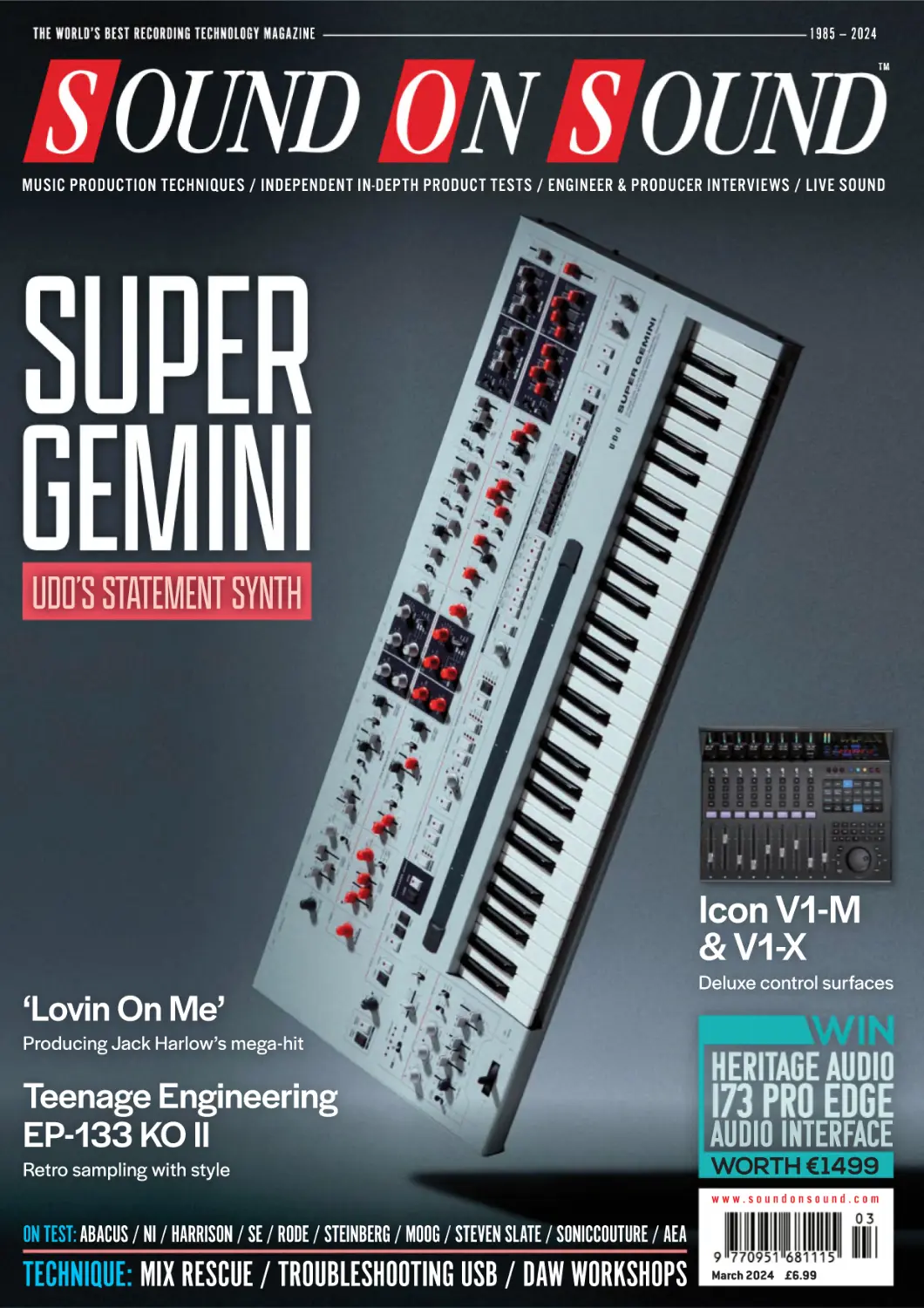
UDO’S STATEMENT SYNTH
Icon V1-M
& V1-X
Deluxe control surfaces
‘Lovin On Me’
Producing Jack Harlow’s mega-hit
Teenage Engineering
EP-133 KO II
Retro sampling with style
AUDIO INTERFACE
WORTH €1499
www.soundonsound.com
ON TEST: ABACUS / NI / HARRISON / SE / RODE / STEINBERG / MOOG / STEVEN SLATE / SONICCOUTURE / AEA
TECHNIQUE: MIX RESCUE / TROUBLESHOOTING USB / DAW WORKSHOPS
March 2024 £6.99
The expensive mic everyone can afford
The Aston Spirit’s open, natural sound and sparkling high-end detail have made it a firm
favourite with countless A-list artists and professional studios, often in preference to
far costlier ‘classic’ studio mics. As it happens, this particular world-class LDC doesn’t
actually cost the earth, so it’s a no-brainer for the home studio too.
It excels on vocals and acoustic instruments, while the versatility of switchable polar
patterns and a 10dB/20dB pad makes it equally suited to a wide range of other
applications. And it looks a million dollars too. More at astonmics.com
LE ADER
CLOUD BUSTING
Having teenage children is a great way to stay in
touch with the next generation. Whether you like
it or not, you’re going to be exposed to current
tastes in music, TV, clothes, reading material,
social media, food, comedy, you name it. And
Christmas and birthday lists will make it pretty
clear what cutting-edge technology is currently
desirable. So imagine my surprise when my
eldest’s number one request for Christmas 2023
was... a CD player.
This isn’t some sort of kitsch ’80s retro
fetish. Like most people his age, he’s perfectly
comfortable with modern technology, and mostly
plays music from his phone over Bluetooth.
But he really wanted a CD player — not to
mention a selection of discs spanning about
six decades of recorded music. (I wish I could
claim credit for his eclectic tastes, but I’d
never heard of most of them, either.)
With vinyl sales also at a 30-year high,
I wonder if this means that the streaming
revolution has reached a natural limit. Perhaps
the idea of listening to an entire album all the way
through, with no adverts, isn’t just some dated
boomer idyll, but an inherently satisfying way
of appreciating music. Perhaps it’s human nature
to want to have the art that means the most to
us embodied in physical artifacts, not merely as
digits in the cloud. And perhaps this is a trend
ALLIA BUSINESS CENTRE
KING’S HEDGES ROAD
CAMBRIDGE
CB4 2HY
T +44 (0)1223 851658
sos@soundonsound.com
www.soundonsound.com
that applies not only to music consumption,
but also to its production.
The fact that music can be made using
software alone has led some people to predict
that hardware will eventually wither away
altogether. Older musicians, the argument runs,
are attached to classic synths and studio gear
because of its associations, not because of its
intrinsic usefulness or creative potential. As the
generations that grew up with the Beatles and
Led Zeppelin die off, so too will the idea that
you need expensive hardware to make music.
I’m not convinced. Artists from the ’60s and
’70s haven’t become irrelevant to younger
audiences; in fact, streaming has proved to
be a fantastic discovery medium for older
music. The convenience of streaming hasn’t
yet managed to kill off the physical album as
an art form. And laptop production isn’t making
traditional recording redundant, any more than
sampling has wiped out instrumental skills,
or video has replaced live performance.
No doubt some producers will be glad to
ditch all of their hardware and do everything
on a laptop. Others will stand out by doing
everything the old-school way. But the best
producers will be those who recognise that
different approaches have unique strengths,
and who can integrate the best of all worlds.
E D I T OR I A L
ADV ER T ISING
sos.feedback@soundonsound.com
adsales@soundonsound.com
Managing Director/Chairman Ian Gilby
Editorial Director Dave Lockwood
Sales Director Robert Cottee
Editorial Director Dave Lockwood
Executive Editor Paul White
Sales Director Robert Cottee
Editor In Chief Sam Inglis
Marketing Director Paul Gilby
Finance Manager Keith Werthmann
Technical Editor Hugh Robjohns
Reviews Editor David Glasper
Reviews Editor Matt Houghton
P R ODUC T I ON
Production Editor Chris Korff
graphics@soundonsound.com
News Editor Luke Wood
Nick Humbert
Printing Warners Midlands plc
Newstrade Distribution Warners Group
Distribution Ltd, The Maltings, Manor
Lane, Bourne, Lincolnshire
PE10 9PH, UK.
support@soundonsound.com
ISSN 0951-6816
Designer Mick Reilly
Digital Media Director Paul Gilby
A Member of the
SOS Publications Group
www.soundonsound.com/subscribe
Circulation Manager Luci Harper
March 2024 / www.soundonsound.com
Business Development Manager
O N LIN E
subscribe@soundonsound.com
4
marketing@soundonsound.com
Designer Andy Baldwin
S U B S CR I P T I O N S
NORTH AMERICA
MARKETING
Designer Alan Edwards
Design Andy Baldwin
UK/WORLD
“Perhaps it’s human
nature to want to
have the art that
means the most
to us embodied in
physical artifacts,
not merely as digits
in the cloud.”
admin@soundonsound.com
Production Manager Michael Groves
WORLDW IDE EDI T IONS
Editor In Chief
A DM I N I S T R AT I ON
Reviews Editor Chris Korff
WWW.SOUNDONSOUND.COM/SUBSCRIBE
Sam Inglis
Administrator Nathalie Balzano
Web Content Editor Callum Hall
Web Editor Adam Bull
Podcast Production Manager Atheen Spencer
www.soundonsound.com
twitter.com/soundonsoundmag
facebook.com/soundonsoundmag
instagram.com/soundonsoundmag
The contents of this publication are subject to worldwide
copyright protection and reproduction in whole or part,
whether mechanical or electronic, is expressly forbidden
without the prior written consent of the Publisher. Great care
is taken to ensure accuracy in the preparation of this
publication but neither Sound On Sound Limited nor the
Editor can be held responsible for its contents. The views
expressed are those of the contributors and not necessarily
those of the Publisher or Editor. The Publisher accepts no
responsibility for the return of unsolicited manuscripts,
photographs, or artwork.
© Copyright 2024 Sound On Sound Limited. Incorporating
Music Software magazine, Recording Musician magazine,
Sound On Stage magazine, SPL magazine, Sound Pro
magazine and Performing Musician magazine. All rights
reserved.
All prices include VAT unless otherwise stated. SOS
recognises all trademarks.
Duet 3
Legendary Sound Quality, Total Portability & Hardware DSP
All Come Together in a Beautiful New Design
Sounding Amazing Never Looked So Good
Featuring Built-in DSP with the ECS Channel Strip
'XHWGHOLYHUVKDUGZDUH'63UHFRUGLLQJPDGHHDV\ZLWKWKH
(&6&KDQQHO6WULSWXQHGE\%RE&OHDUPRXQWDLQ
In 2007, the original Apogee Duet shattered the expectations of
what a home studio interface could be. The all-new Duet 3 brings
next-generation Apogee performance and features to a beautiful,
XOWUDORZSUR¿OHGHVLJQ'XHWLQFOXGHVRQERDUGKDUGZDUH'63
WKDWSRZHUVWKH6\PSKRQ\(&6&KDQQHO6WULSIRU]HURODWHQF\
UHFRUGLQJZLWK);7XQHGE\%RE&OHDUPRXQWDLQWKH(&6
&KDQQHO6WULSLQFOXGHVSUHVHWVFXVWRPFUDIWHGE\WKHOHJHQGDU\
PL[HUVR\RXFDQGLDOLQDSURUHFRUGLQJVRXQGLQVWDQWO\,GHDOIRU
PXVLFFUHDWLRQYRLFHUHFRUGLQJVWUHDPLQJDQGHYHQJDPLQJ\RX
FDQXVH'XHWZLWK\RXU0DFRU:LQGRZVZRUNVWDWLRQLQ\RXU
studio or on the go.
www.apogeedigital.com
TECHNOLOGY
'LVWULEXWHGLQWKH8. ,UHODQGE\6RXQG7HFKQRORJ\/WG_VRXQGWHFKFRXN_
44 INSIDE TRACK
IN THIS ISSUE
March 2024 / issue 5 / volume 39
FEATURES
38 How I Got That Sound
www.soundonsound.com
WIN
HERITAGE AUDIO
I73 PRO EDGE
WORTH €1499
Producer Doug Showalter tells us how he created the guitar
sound on Harry Styles’ ‘As It Was’.
44 Inside Track: ‘Lovin On Me’
Jack Harlow’s smash hit is the perfect marriage of old-school
sample manipulation and 21st Century laptop production.
56 Mix Rescue: Robin Phillips
We help transport listeners from a small studio to the Big Easy!
PAGE 115
66 Talkback
Producer and songwriter Noema Te Hau III on why it all
comes down to the room and reading the people in it.
80 Mark Lippett & XMOS
Most audio interface designs are based around technology
from British innovators XMOS. What makes the xcore platform
so ubiquitous, and what does it mean for musicians?
104 Solving USB Problems
How to identify and troubleshoot USB problems on Windows PCs.
114 Modular
We catch up with the latest news in Eurorack and talk to Neuzeit
Instruments founder Thomas Hutmann.
88 Understanding Specifications,
126 Spotlight: High-end
Low distortion is often a marker of quality in audio equipment.
We explain how to make sense of distortion specifications.
We round up some of the best high-end headphones for mixing.
Part 3: Distortion
94 Norwegian Black Metal,
Part 2: Kark & Necromorbus
Eirik ‘Pytten’ Hundvin’s work with Mayhem continues to inspire
producers, 30 years on. Two of the genre’s leading lights explain
how they are taking black metal forwards.
Mixing Headphones
144 Q&A
Your studio and recording questions answered.
146 Why I Love... Modern Pop Production
Ringo Jedlic on why he loves the creative freedom of modern
DAW-led pop production.
34 TEENAGE ENGINEERING EP-133 KO II
8
Steinberg Cubasis 3.6
DAW Software For iOS & Android
10
sE Electronics BL8
Boundary Microphone
ON TEST
62
Abacus C-Box Series
116
DAW Control Surfaces
120
Accentize dxRevive Pro
Dialogue Restoration Plug-in
16
68
Harrison MPC Channel Strip
Soniccouture AC-DR
72
Moog Mariana
76
30
Native Instruments
Kontrol S88
84
Controller Keyboard
90
AEA TRP3 & RPQ3
Dual-channel Microphone
Preamplifiers
34
Teenage Engineering
EP-133 KO II
100
Steven Slate Audio VSX
108
C O V E R
UDO Audio Super Gemini
Polyphonic Synthesizer
CEntrance The English Channel
112
Saturation Plug-in
125
Waves Online Mastering
AI-assisted Mastering Service
130
Sample Libraries
Auddict Broken
Heartstrings Piano
Anatal Electronics XBay 256
Naroth Audio Guitar Odyssey
Digitally Controlled Analogue
Routing Matrix
Soniccouture Waterphone
Gig Performer 4
Synchro Arts Revoice Pro 5
Neuzeit Instruments Warp
Eurorack Module
113
Mixwave Coil Audio CA-70S
Modular Recording Channel
Pitch & Time Processing Software
Virtual Monitoring System
50
Rode Rodecaster Duo
Live Performance Software
Sampler & Sequencer
40
124
Audio Production Workstation
Software Synthesizer
28
Heavyocity Gravity 2
Electro-Harmonix
Pico Deep Freeze
Sound-sustaining Effect Pedal
Sample Library
Software Instrument
24
124
Amp, Cab & Effects
Modelling Plug-in
Channel Strip Plug-in
20
Native Instruments
Guitar Rig Pro 7
Donner Essential B1
Analogue Synthesizer
& Sequencer
Active Monitors
14
Icon Pro Audio V1-M & V1-X
Error Instruments Brinta
Eurorack Module
Sound Dust DRIFT003
WORKSHOPS
132
136
138
140
142
Digital Performer
Studio One
Pro Tools
Cubase
Logic
ON TE ST
Cubasis 3.6
DAW Software
For iOS & Android
Steinberg’s mobile DAW just keeps
getting better.
JOHN WALDEN
teinberg have shown an admirable commitment
to mobile music production technology since
they launched Cubasis for iPad, and the arrival
of v.3.6 brings plenty of new features for users on both
iOS and Android. Since SOS reviewed v3.2 in the May
2021 issue, a number of significant additions have
appeared, including support for Chrome OS, Ableton
Link and improved access to devices such as AirPods
and other Bluetooth hardware. Alongside a whole host
of efficiency and stability tweaks, plus the addition
of a ‘dark’ keyboard display mode and a system for
‘favouriting’ preset sounds, the obvious highlights
within this 3.6 release are four new instrument sound
sets. Let’s take a look.
S
LoFi Piano
One of these will be instantly familiar to users of
Cubase on the desktop: LoFi Piano. As the title
suggests, LoFi Piano features a series of piano-based
sounds. These include some very respectable
conventional pianos, but also plenty of processed
variants with various degrees of lo-fi sonics. The UI
is both simple and effective, with six key controls —
Flutter, Compress, Saturate, Reduce, Filter and Reverb
— that allow you to tweak the sound to taste. Having
been a fan of this library on the desktop since it was
first released, to my ears at least, the sounds here are
pretty much identical, which is to say they are great:
full of character and very usable. Oh, and it’s a free
download from within Cubasis 3.6, so what’s not
to like?
New IAPs On The Block
The other three instrument collection are all available
as optional in-app-purchases. They are the HALion
Sonic Collection IAP (£14.99), FM Classics IAP (£9.99)
and Neo FM IAP (£9.99). The first of these provides
a massive (over 1100 individual instruments) collection
of sounds drawn from the desktop HALion Sonic
instrument. These span a huge range of categories
covering orchestral sounds, guitars, basses, drums,
percussion, sound effects, pianos, organs, a range
of synth-based instruments, voices and ethnic/world
instruments. There are some fantastic sounds here
that make something of a mockery of the compact
form-factor of your average tablet. For example,
try loading a patch such as Backing Section (a lush
8
March 2024 / www.soundonsound.com
The free Lo-Fi Piano expansion is included
within the Cubasis 3.6 update.
sustained strings patch from the Strings
category) and using the touchscreen
Chord Pads to trigger a few chords; it’s
as beautiful as it is epic. Whatever style
of music you create, there is something
for everyone here. Again, the UI
works brilliantly for sound editing from
a touchscreen.
I suspect the two FM IAPs are primarily
derived from the desktop FM Lab
expansion available for HALion. The FM
Classics provides you with all the sounds
from the classic DX7 and TX81Z synths.
These are the sounds of the 1980s but
also today, given how popular a synthwave
flavour is in modern pop music. For a more
modern take on FM synthesis, the Neo
FM IAP is a great choice. If your home
ground is modern pop or electronica, this
will give you a top-notch palette of sounds
to get creative with. Oh, and incidentally,
Cubasis projects imported into a suitably
equipped desktop version of Cubase will
automatically get an suitable instrument
match. Very neat.
Conclusion
The arrival of Apple’s Logic Pro for iPad
has undoubtedly provided some healthy
competition for Cubasis and, if you use
one of these on the desktop, it makes
sense to stay ‘on brand’. Seeing both
Steinberg and Apple take the mobile
platform quite so seriously is undoubtedly
a measure of just how capable
it is. Feel free to reminisce
about the good-old days of
cassette four-track recorders
as a first step into the wonders
of multitrack recording if you
wish, but if you think of that
old four-track as the original
(undoubtedly revolutionary for
its time) Ford Model T, then
Cubasis 3.6 on a modern iPad
is more akin to the Starship
Enterprise. Yup, 2024 is a heck
of a point in time to be starting
your recording journey.
Cubasis 3.6 is a mature,
slick and feature-rich virtual
studio that you can carry with
you anywhere, and the new
IAPs all provide impressive
sound expansions available
directly within the app. This is
genuinely powerful stuff.
summary
Cubasis is an impressive
illustration of just how powerful
music production can be on
a mobile platform. The IAPs
added in v.3.6 expand the
possibilities even further, with
some excellent new virtual
instrument options.
£ Android £24.99, iOS £49.99.
Prices include VAT.
W www.steinberg.net
Next Generation
Channel Strips
Channel One Mk
SPL‘s Channel One Mk3 seeks to serve as the ultimate front-end to modern DAWs.
Featuring a discrete preamp section armed with 3-band EQ, a fully dynamic
compressor/limiter, a tube saturation stage and even de-esser processing, SPL‘s
Channel One Mk3 brings radio-ready shine to any microphone, instrument
or line level input.
Building on the legacy of its predecessors, the Channel One Mk3 also incorporates an
integrated Transient Designer circuit directly from SPL‘s revered transient shaping
processor.
For an all-in-one studio channel tracking experience that delivers professional,
polished results, Channel One Mk3 truly in a class of its own.
Now Also Available –
Track One Mk 3
SCV Distribution - 03301 222 500 - www.scvdistribution.co.uk
ON TE ST
We follow sE Electronics
on the highway to the
pressure zone.
NEIL ROGERS
oundary microphones, or pressure
zone mics (PZMs), are often
overlooked in the studio. Typically
associated with live sound, where their
high SPL tolerance can be valuable,
boundary mics can be placed inside,
or fixed to the side of instruments, and
so reach places that other mics can’t.
Although they’re not things I use on
every session, I’ve found some great
applications for boundary mics in my
studio — on piano in particular — and
I was keen to see what this new release
from well-known mic company sE
Electronics could bring to my recordings.
B
Overview
A boundary microphone is designed to
be positioned flush, or very close, to a flat
surface — usually a floor, wall or ceiling.
The close proximity of the capsule to
a hard surface delivers two important
benefits: reduced comb filtering (because
the microphone only picks up what hits
the surface, rather than any reflections
coming off it), and increased sensitivity
(because boundaries are where sound
waves reach their maximum pressure).
The BL8 is phantom-powered and
uses the same small-diaphragm capacitor
capsules as the company’s sE8 and
sE8 Omni models, which means it can
accept either cardioid or omnidirectional
capsules. I was given both options with
the review mic; swapping them out was
reasonably quick and painless using the
included miniature screwdriver.
The BL8 is a weighty, reassuringly
solid and sleek-looking microphone,
and it ships with a nice red leather case
to keep it dust- and scratch-free when
not in use. As boundary mics are
typically placed or mounted on a flat
surface, the BL8 caters for either
scenario with both a non-slip rubber
base and well-thought-out holes for
attaching the mic to a wall or ceiling
within a room, or for screwing to the lid
of a piano, the side of a cajon, and so
on. Another very popular placement for
boundary mics is inside bass drums, and
sE are keen to point out that the BL8 is
compatible with the popular Kelly Shu
Flatz microphone mount system, which
10
March 2024 / www.soundonsound.com
sE Electronics
BL8
Boundary Microphone
Auto Align® 2.1
Learn more
www.soundradix.com
ON TE ST
SE ELECTRONICS BL8
a mono option. Tonally, I didn’t perceive
a huge difference compared to my
cheaper in-house options, but I liked the
fact that the mic always felt comfortable
and not prone to any distortion if the
player started hammering the keys.
Another use I found for the BL8 was
recording an acoustic guitar, with the mic
placed on a small table next to the player.
It did a nice job of capturing a bright, clear
guitar sound that provided a different
perspective to my typical mic setup. The
BL8 also sounded superb placed on the
floor just in front of a loud bass cabinet,
where it produced everything you would
want for a loud rumbly bass sound with
a clear and full low end. More than once
I preferred the boundary mic option over
my usual Neumann U47 FET positioned
close to the speaker.
The base of the
BL8 hosts the mic’s
pad, filter and EQ
switches.
allows a boundary mic to be suspended
and vibration-isolated within a kick drum.
In another nod to this popular application,
sE have included Classic and Modern
EQ options. Activated by a small switch
on the base of the mic, these are aimed
at sculpting the sound of kick drums,
respectively offering a mildly or more
aggressively ‘scooped’ tonality compared
with the default sound. Lastly, there are
switches for engaging a high-pass filter at
either 80Hz or 160Hz, and the option to
pad the signal by 10 or 20 dB.
In Use
My very first experiments with home
recording involved a cheap boundary mic
mounted on the ceiling above my drum
kit in our terraced shared house (I feel
bad for my neighbours in hindsight!). So
it seemed fitting to start my review with
drums, and before I looked at putting the
BL8 inside the kick drum I experimented
Omni Or Cardioid?
I made a point of trying both of the
available capsules for the review, and not
surprisingly, the main difference was that
the cardioid capsule was more directional!
Either capsule would work great for most
of the applications I tried it on, although
you would probably be better off with the
more focused cardioid pattern if eyeing it
up as a dedicated kick-drum mic. If you’re
looking for a more flexible option, or
want to be able to capture conversations
with multiple voices, or ensemble
performances, the omnidirectional capsule
would be the better bet.
12
March 2024 / www.soundonsound.com
with a few different positions around my
drum kit to see how the mic would fare in
my studio’s live room. I found myself liking
it placed on the floor about three feet
back from the kick drum, where it worked
great as a kind of hybrid kick/room mic
that proved very usable in a mix.
Many potential users will be looking
at a mic like this with bass drums in mind,
and I’m happy to report that the BL8 does
not disappoint. I left the mic in its ‘neutral’
EQ position and positioned it inside the
shell about six inches away from the
beater head of the drum, on top of the
soft cushion that lives inside my 22-inch
Rogers kick. This gave me a plain but very
focused capture of the kick drum that
responded very well indeed to EQ. I then
experimented with the mic’s onboard EQ,
discovering that the Classic mode adds
a nice boost at around 60Hz, combined
with a cut around 300-400 Hz. To my
ears, the Modern setting is just a more
pronounced version of the same curve,
but both settings worked very well and
were nicely tuned in to my idea of a good
kick drum sound!
Boundary mics can be very effective
for recording pianos. My piano technician
friend once showed me his technique
for using a pair of the cheap Realistic
PZM mics commonly found on eBay —
taped to the inside of the removable
lower panel on an upright piano — and
I’ve had a pair permanently in situ since.
I was keen then to hear how a more ‘hi-fi’
boundary mic option would sound in this
setting, and whilst it would have been
nice to try a pair to cover the full range
of the piano, the BL8 did a great job as
Summing Up
The BL8 is a rugged, stylish boundary
mic that seems very competitively priced
compared to the other high-quality
options available. Capable of handling
very high sound pressure levels with
ease, the BL8 proved a very handy
addition to my studio’s mic options during
the review period. The ability to just
quickly put a mic like this on the floor in
front of a bass cab or drum kit — and get
good results — was great, and I often
found myself preferring the BL8 over mics
costing 10 times the price.
I was also reminded of just how
good this type of mic is for getting
usable room and ambient sounds out
of less-than-stellar spaces. If you’re
recording drums in a small room, for
example, you can open up some very
creative options by placing a boundary
mic on the floor, wall or ceiling.
Summing up, then, If you’re on the
lookout for a dedicated boundary mic,
this seems a very good choice. Whether
you’re after a solid performer inside
a bass drum, or you’re interested in
experimenting with what this type of mic
can offer elsewhere in the studio, the BL8
comes highly recommended.
summary
A classy, well-made and versatile mic that
sounds great on a wide range of sources. Well
worth considering as an alternative to the
usual suspects!
£ €299 including VAT.
E sales@seelectronics.com
W www.seelectronics.com
STEP #1: THE MICROPHONE
A great recording starts with a great
microphone.
At KMR Audio we supply over 500 quality
mics, so you can be sure you’ll find the
perfect tool for any application.
And if you need advice, our friendly,
knowledgeable staff will help you make
the best choice. Contact us today...
KMR
w e k n o w p r o a u d io
020 8445 2446 • sales@kmraudio.com • www.kmraudio.com • 1375 high road, whetstone, london N20 9LN
ON TE ST
Accentize dxRevive Pro
M AT T H O U G H TO N
Dialogue Restoration Plug-in
loved Accentize’s DeRoom Pro 2 — a slick,
intuitive, machine-learning based reverb removal
tool for dialogue that’s capable of great results
(https://sosm.ag/accentize-deroom-pro) — and their
dxRevive Pro is every bit as impressive. It has a more
a more ambitious aim, though: to extract “studio-like
recordings from any source material”. We’re still
talking specifically about dialogue, but as well as
suppressing ‘room tone’ it tries to remove noises
and artefacts from compression codecs, while also
improving the spectral balance, by applying EQ in
real time and synthesising new content to counter
the effects of filtering, such as the band-limiting used
for phone calls.
I
Overview
As with DeRoom Pro, dxRevive Pro is authorised
by iLok and available in the usual formats for Mac
and Windows. There are two different algorithms to
choose from, one main ‘amount’ control (to apply
as much or as little of the processing as you wish),
and input and output level controls, each with
a meter. An on/bypass switch is joined at the top
by a preset menu and A/B compare buttons. In the
middle, the source and processing are visualised,
and it’s possible create up to four frequency
bands for which the amount of processing can be
adjusted individually.
First, you’ll need decide which algorithm to use.
The default is Studio, in which the plug-in does
it all: de-reverb, noise suppression and source
enhancement. The other, Retain, focuses on tackling
noise and artefacts, and drops the de-reverb side
of things. Unlike something like Descript’s Studio
Sound process, this is a regular insert plug-in (it
operates in real time, with a little latency) so you can
run several instances in your DAW or NLE project,
and can refine the settings after applying further
processing — important, since compression and
limiting often make artefacts more noticeable.
On Test
Inserting dxRevive Pro for the first time and turning
the amount knob brought a smile to my face!
A reasonable amount of care had been taken to
set up mics for the recording, but the extraction of
a nice, radio-style dry vocal was instant and nothing
short of superb. But later, it allowed me to meld
some very disparate voices, captured remotely
over some pretty crappy mics in some very different
spaces, into a coherent, intelligible discussion show:
by comparison with the source files, the voices
all sounded full, dry and intelligible. Where the
speed of result is as important as the quality, then,
14
March 2024 / www.soundonsound.com
Can cleaning and enhancing
dialogue really be this easy?
it could prove a great option. There’s perhaps
a little too much latency to be able to use it
live when feeding a PA or monitor mix, but it
could come in very handy for, say, journalists
and news broadcasters for example, or on
a streaming feed. Used ‘off the bat’ in this way,
dxRevive Pro will also deliver results that will
please the average self-producing podcaster
wanting to clean up guests’ phone contributions,
or those looking to make the best of the audio
from on-camera or phone mics used when
shooting videos for YouTube, Tik Tok and the
like. If that sounds like you, you may wish to
check out the more affordable dxRevive (without
the ‘Pro’), which offers only the Studio algorithm
and lacks the multiband facility and a few more
minor features.
While dxRevive Pro is shockingly good and
can make pretty much any dialogue recording
cleaner and clearer, it can’t turn everything
into gold in an instant. You’ll sometimes need
to work harder on the multiband settings, or
use dxRevive alongside other processing
to get the best results. In particular, on poor
recordings from VOIP systems, I could often
hear artefacts in the high frequencies, where
dxRevive seemed to be reacting to the effects
of filtering. Reducing the amount of processing
in just the high band often helped address such
gremlins. Also, a little spectral de-noising at the
outset in iZotope RX10 usually enabled me to
coax better results from dxRevive generally.
Importantly, though, these were better results
than I could attain using RX10
alone. It’s also worth noting
that dxRevive can’t undo
the sort of overcompression
borne of some VOIP services’
auto-gain settings.
Retain mode should not be
overlooked, particularly if you
own DeRoom Pro, since the
latter is a touch better at the
specific job of reverb removal
(at the cost of greater latency).
To be clear, dxRevive is very
good at this, but DeRoom Pro
is better and having separate
control over the noises and
reverb can often be helpful.
While I might sometimes
choose to combine dxRevive
with other tools in search of
the very best results, it really
is a revelation: no other single
processor I’ve used to date
has enabled me to ‘clean up’
dialogue recordings anything
like as well as this one.
summary
A stunningly effective
noise-plus-reverb removal and
enhancement tool for dialogue.
£ dxRevive €99. dxRevive Pro
€299. Prices include VAT.
W www.accentize.com
ON TE ST
SAM INGLIS
he channel strip as we know
it was arguably invented by
Solid State Logic, who added
dynamics processing to the EQ that was
already ubiquitous on mixing console
input channels. The digital revolution
took things to a new level, and even
modestly priced live-sound mixers these
days have per-channel compression,
expansion/gating, de-essing and so on
in addition to comprehensive EQ. Many
software recording packages likewise
have extensive processing built into
every channel in their virtual mixer, and
if they don’t, it’s probably included as
an optional plug-in. So is it worth adding
a third-party channel strip plug-in to
your DAW’s built-in resources? And if so,
should that plug-in be Harrison’s new
MPC Channel Strip?
It’s certainly a plug-in with pedigree.
Harrison’s MPC consoles are super
high-end digital powerhouses targeted at
the world of film dubbing, expandable to
gazillions of channels and with enough
DSP to compute the answer to life, the
universe and everything. Every aspect
of the feature set, including the channel
processing, has been finely tuned through
years of feedback from professional
users. They are tools designed to do their
job as quickly and efficiently as possible,
whilst remaining sonically neutral — and
now their core processing has been spun
out as a plug-in.
T
Strip Mining
Authorised using the iLok system and
available for all major native formats,
the Harrison MPC Channel Strip plug-in
has five basic processing elements. The
bulk of the screen real estate is taken
up by the equaliser, each of whose eight
bands can have shelving, filter, bell,
notch or ‘search’ responses. There’s
also a separate, dedicated filter section,
which features two additional bands that
can have either shelving, filter or notch
shapes. In the lower half of the window,
you’ll find three separate dynamics
processors: a compressor, a de-esser,
and a “de-noiser”, which is actually
a frequency-conscious expander.
Eight EQ bands will usually be more
than enough for both filtering and shelf/
parametric tasks, but the additional pair
of filter/shelf bands is nevertheless useful,
not only because they have a wider
choice of filter slopes but because the
16
March 2024 / www.soundonsound.com
Harrison MPC
Channel Strip
Channel Strip Plug-in
Harrison’s console-derived channel strip plug-in majors
on speed and immediacy.
order of MPC Channel Strip’s processing
elements can be freely varied. You
could, for instance, have the main EQ
set post-compressor, but use the filter
section before the dynamics. However,
I was a bit surprised to find that there’s no
option to switch the filter section into the
compressor side-chain, or use an external
key input to trigger the dynamics.
Other than that, the compressor is
certainly well specified. The ratio is
continuously variable from 1.1:1 up to
100:1, and the knee and time-constant
controls are equally flexible, with
a programme-dependent auto setting
available for the latter. A Depth
control serves to limit the maximum
gain reduction that can be applied:
a very useful feature that should be
implemented on more compressors!
Threshold and make-up gain are set
using sliders rather than dials, and
between them is a gain-reduction meter.
Unfortunately this has a fixed scale of
60dB, which means there’s not a whole
lot of meter action going on in normal
use. (Side-chain filtering, an external
key input and scalable gain-reduction
metering are already available in
Harrison’s MPC Compressor plug-in,
and the developers are working to
add them here too.)
Sibil Engineering
Harrison’s de-esser is one of the
highlights of this plug-in, being distinctive,
highly effective and a breeze to set
up. It’s essentially a highly optimised
two-band dynamic EQ, the idea being
that you can target the middle band
towards the most problematic sibilant
frequencies and use the high band to
apply more gentle treatment at the very
top end. But you don’t have to use it
like that, and in fact it has applications
that go well beyond de-essing. The mid
band can operate right down to 200Hz,
and the high band down to 2kHz, so
there’s plenty of scope for midrange
tone-shaping on sources other than
Fireface UFX III
THE NEW STANDARD IN AUDIO PERFORMANCE
188-Channel, 24-Bit/192kHz high-end
USB 3 Audio Interface
The Fireface UFX III is the center of any multitrack studio, handling up to 94 channels I/O
with ease. Its unprecedented flexibility, compatibility, the inclusion of DURec
(Direct USB Recording) and RME’s famous low latency hardware and driver designs
guarantee flawless operation in any mode and application.
Packed with professional features, including SteadyClock FS, MADI I/O (64 channels),
a powerful DSP, USB 3.0 (full 94 channel I/O Class Compliant ready), TotalMix FX, Direct USB
Recording, and support for the Advanced Remote Control USB (available separately),
the Fireface UFX III is the professional’s preferred tool
for multitrack recording, mixing and mastering.
MADI
Advanced DURec
MADI I/O
SteadyClock FS
Backup your recording with up
to 80 channels simultaneously
on your Flash Drive.
Unrivalled flexibility in
connectivity and expansion.
Excellent performance in
all clock modes and High
Quality Analog Conversion.
Low Latency
Hammerfall X-Core
Maximum performance and
ultra-low latency operation.
Worldwide Distribution: Audio AG, +49 8133 9181-0, www.audioag.com • UK Distribution: Synthax UK, +44 1727 821870, www.synthax.co.uk
www.rme-audio.com
ON TE ST
HARRISON MPC CHANNEL STRIP
vocals. Again, there’s a useful choice
of real-time analyser modes, and you
also have control over the attack time,
but what stands out most of all is its ease
of use. The control set just does exactly
what you need, in a supremely intuitive
way, with no superfluous parameters
or information.
Like several other aspects of the
plug-in, the “de-noiser” is said to be
optimised for vocal use. The principle
is easily understood: as the signal level
falls below the threshold, attenuation is
applied at either end of the frequency
spectrum, hopefully minimising any
background hum or hiss in a relatively
natural way. There’s no user adjustment
of the time constants, the ratio, or
the turnover frequency or shape of
these bands: just sliders that set the
threshold and the degree of low and
high attenuation. But once again, what
looks almost too simple on paper is
highly effective in practice. Given enough
time, I think most of us would turn first to
advanced offline noise-reduction tools
such as CEDAR and RX, but this produces
instant results, and provided you’re
conservative with the settings, does
minimal damage to the wanted audio.
Once again, though, I found
the metering problematic;
especially on non-vocal
sources, you can sometimes
hear that the de-noiser is acting
even when the meter suggests
it isn’t.
While I’m complaining about metering,
it’s also worth pointing out that there are
no input and output level meters, nor any
indication of overloads within the plug-in.
Get too happy with the output Trim or
the compressor make-up gain and you
can certainly hear distortion, but nothing
appears on screen to tell you that
anything is amiss.
enough, but
it’s the user
interface that
stands out for
its wealth of
neat ideas and
time-saving
details. For
example, you
can use the
mouse to pick
up nodes in
the graphical
EQ display
and move
them around,
with the
scroll wheel
adjusting
Auto Solo is a clever and effective tool for helping to pinpoint the frequencies to
bandwidth, as which the de-esser should be targeted.
you’d expect.
disabling the plug-in only while you hold
But each node also has a numeric display
down the mouse button. The de-esser
below, and moving the mouse pointer
has a clever Auto Solo function, which
over one of the numeric fields and twirling
as the name suggests, solos whichever
the scroll wheel provides a very efficient
de-esser band you’re dragging around at
way of fine-tuning your settings. The
a given moment, then switches itself off
pop-up that sets the shape of each band
when you let go. This makes it supremely
can also be short-circuited by scrolling,
easy to find and target the problematic
which is handy, because it allows you to
sibilant frequencies in a vocal. And
drop in and out of ‘search’ mode pretty
although it isn’t possible to
save presets separately for
each individual section, circular
arrows allow the settings
to be switched back to the
default at a single click.
So, although many of us
already have very capable channel strip
much instantly. Setting a band to search
plug-ins bundled with our DAWs, it would
mode essentially turns it into a band-pass
be a mistake to dismiss MPC Channel
filter, which you can sweep up and down
Strip for that reason alone. I certainly
in order to pinpoint that troublesome
found it more intuitive and faster to use
snare ring or vocal resonance. Once
than the free Avid Channel Strip plug-in
you’ve located the problem area, another
you get with Pro Tools, for example,
brief twirl of the scroll wheel will set that
and I suspect the same would go for
band to notch or bell mode in order to
the equivalents in other DAWs. It’s a big
dispense the right treatment. Equally
investment, but they say time is money —
thoughtful is the real-time analyser
and, especially if you do a lot of work with
display that can optionally be set to
vocal recordings, the ergonomic design
appear behind the EQ curve. This offers
of this plug-in could well save you enough
four different modes, including the very
time to recoup that investment.
intuitive ‘lightning’ option, essentially
a spectrogram where peaks are outlined
in a brighter white.
summary
Similar ergonomic design features
Although it’s costly and would benefit from
are apparent throughout the plug-in.
better level metering and side-chain access,
The ear icon next to each processing
Harrison’s channel strip plug-in offers many
section temporarily disables all the other
ergonomic benefits, with its slick graphical
interface making it a pleasure to use.
sections, so you can hear what it’s doing
in isolation, whilst the eye-like symbol
that appears at the top right of the
£ £799 including VAT.
plug-in interface is a momentary bypass,
W www.harrisonaudio.com
“The sound is very clean and the
feature set decent enough, but it’s the
user interface that stands out.”
Smooth Moves
If this description has left you thinking
“That’s all very well, but look at the price!
How can Harrison justify charging more
than my DAW cost for a channel-strip
plug-in?” it’s a fair question, although it
should be noted that it will be available
at a much lower cost during sale periods.
The appeal to those who already work on
MPC consoles and want to be able to use
the same tools and techniques natively is
obvious. For the rest of us, the answer is
mainly to do with ease of use. The sound
is very clean and the feature set decent
18
March 2024 / www.soundonsound.com
World class mics to
capture your best.
Classic UA craftsmanship, designed to inspire singers,
podcasters, engineers, and creatives of all types.
Learn more about UA microphones
uaudio.com/microphones
ON TE ST
MARK GORDON
virtual Instrument designed to
emulate classic drum machines
of the past’ — definitely
a remit that has been explored far too
many times for anyone to be remotely
interested. Unless, of course, there
was a significant new twist on the
idea — and I might just have one for
you. Soniccouture have taken samples
of acoustic drums and percussion
instruments, recorded in new and
innovative ways, and designed a hybrid
instrument that recreates the sounds and
styles of the drum machines of the past.
Acoustic drums that sound electronic —
now that IS an interesting new twist...
‘A
Turn The AC On
The AC-DR is a Kontakt Player instrument.
This means that you do not need to own
the full version of NI Kontakt to use it, and
it will run as a plug-in instrument inside
any compatible host program.
The instrument itself is split into two
main screens: a ‘Drum Machine’ overview
of the individual elements, along with
their edit parameters; and a ‘Beat Tools’
page that features three unique rhythm
generators. It comes with a number of
preset kits and rhythms that help you get
an idea of what this virtual instrument is
capable of, but the real fun is creating
your own sounds and experimenting
with the beat-creation tools.
Focusing on the Drum Machine
screen, a familiar layout features 11 large,
coloured blocks that represent Bass
Drum, Snare Drum, Rim Shot, Tom Toms,
Hi-hat, Ride and Crash Cymbals, Cowbell,
Tambourine and Shaker. Each block
includes its own level fader, pan control,
and mute and solo facility, plus several
knobs that represent the differently
recorded ‘channels’ of that instrument.
For example, for the Bass Drum the knobs
Soniccouture AC-DR
£139
PROS
• Innovatively recorded samples.
• Almost limitless editing options.
• Excellent Beat Creation tools.
CONS
• None.
SUMMARY
A hugely innovative, unique twist on the
virtual drum machine that is creative and
addictive in equal measure.
20
March 2024 / www.soundonsound.com
Soniccouture
AC-DR
Software
Instrument
Soniccouture have combined acoustic and electronic
percussion to create something truly original.
are Beater, Sub, Knock, Trans and Space.
By turning up the Beater knob, you
introduce a sample recorded with a mic
pointing directly at the batter head of
the kick drum, while the Sub sample was
recorded using a FET47 mic in front of the
drum. The Knock sample was captured
using a UKKO contact mic attached to the
shell of the drum, which produces a thin
and clicky quality, and the Trans sample
is the result of the whole sample being
passed through an Overstayer Saturator,
introducing a level of dirt and distortion.
Finally, there’s the Space knob, which
is particularly interesting, as its samples
were created using the reverb chambers
at Rockfield Studios.
Each sample has its own character,
and when used in combination with each
other they can create the most amazing
and varied drum sounds. Of course, this
method isn’t limited to the kick drum.
All of the drum instruments have unique
combinations of samples, recorded using
a wide variation of beaters, microphones
and analogue processing. The way the
different channels can be blended and
manipulated reminds me of the Nord
Drum, which uses click, tone and noise
elements that are ultimately combined
to produce the final drum sound.
Clicking on the drum name fills the
space in the centre of the screen with
a very extensive editing window. An
almost infinite level of sound manipulation
possibility is offered. Various drums,
cymbals and percussion instruments
were used in the recording process, and
here you can pick any of them — from
18-inch to 26-inch bass drums, wood
and metal snare drums, 12-, 14- and
16-inch hi-hats, crash and splash cymbals
Portable Vocal Booth
Record Every Detail with the Freedom to Perform
“I recorded a number of singers in the
booth and achieved excellent results
on every occasion”
Neil Rogers, Sound On Sound
Vocals, Voiceovers,
Broadcast & Podcast
Roof channel for
overhead mics
Studio
Isolation
Portability
& Storage
Find out more at imperativeaudio.com
Available at www.studiospares.com | Contact the sales team at sales@studiospares.com or 020 8208 9930
ON TE ST
SONICCOUTURE AC-DR
a convolution reverb and
digital delay, plus a Master
channel that offers three
Bus compressors, Limiter,
EQ and Tape Saturation.
Fascinating Rhythm
The ‘Beat Tools’ screen
will be familiar to
users of Soniccouture
products, as it appears
on most, if not all, their
percussion-based virtual
instruments. Featuring three
different editing options
— Beat Shifter, Euclidean
Beats and Poly Beats —
this screen provides some
Beat Shifter looks like a regular grid editor but adds the ability to
very innovative methods
shift the location of individual beats in a random but musical fashion.
of creating rhythms.
recorded with contact mics, and tom-toms
Beat Shifter looks like a regular
struck with sticks and mallets. It’s worth
pattern grid, with eight lanes that can
mentioning at this point that there are
be assigned to any of the 16 available
10 round robins per hit, so as you play
instruments. Clicking on one of the
repeated drums a different and unique
steps adds a beat, as you would expect.
sample plays with each hit, creating
However, for each drum lane you also
an organic quality reminiscent of drum
get Shift, Step, Direction, Velocity and
machines like the Roland TR808, where
‘Chance Of’ sliders, which, in very simple
each beat is uniquely created by the
terms, move the beats around the grid
analogue circuitry. You can also turn off
in a random fashion. It sounds odd, but
the round robin feature to achieve the
it can create amazing rhythms that you’d
effect of the same sample retriggering,
never come up with by programming
giving the ‘machine-gun’ effect of a Linn
manually. The beats continue to change
Drum or DMX.
and evolve through each cycle, but if
Parameters available in the edit
you hit on something you like, you can
window include Filter, Envelope,
Freeze the beat and export it as a MIDI
Compressor, Transient, EQ, FX and Pitch,
file. Press Freeze again and the beat
and these can be manipulated per sample
continues to evolve.
channel. What do I mean by this? Well,
Poly Beat offers a similar grid-based
you can apply any of the edit parameters
layout, but in this case each of the eight
to any of the samples. For
example, the Snare includes
Body, Rim, Wire and Space
samples. By clicking on the
numbered buttons that relate
to each sample, you can give
the snare Wire more decay
while reducing the attack on
the Body sample, changing
EQ on the Rim and extending
the decay on the Space
sample. It really is quite
mind-blowing. The pitch,
filters and envelope settings
also enable you to create
some very interesting bass
sounds using the tuned toms.
In addition to the
individual edit parameters
Eucildean Beats offerers a unique way to create grooves and
there are two global effects
rhythms ‘on the fly’ by manipulating the number steps, hits and
processors, featuring
accents of each drum via a set of virtual knobs.
22
March 2024 / www.soundonsound.com
lanes can have a different number
of beats, ranging from one to 32, plus
everything in between. Again, you can
create some amazing polyrhythms by
combining different numbers of beats
within the same pattern. A nice way to
work is to ‘lock’ two or three elements,
such as kick and snare, to a grid and
then use the Randomise button to
manipulate the other drums over
the top of that solid beat.
Finally, Euclidean Beats is a drum
editor format I was unfamiliar with.
The eight drum lanes are laid out in
a circular pattern and virtual knobs to
the left let you specify the number of
steps, hits and accents for each drum.
If you assign MIDI controllers to the
various knobs and use an external
control surface, this editor does lend
itself well to the real-time manipulation
of beats. Like many musicians, I often
end up playing beats into my DAW
and creating parts manually, but the
Beat Tools provided by AC-DR takes
this to a different level that simply isn’t
possible using a regular drum editor.
All in all, this is an exceptional and
unusual set of editing tools that’ll keep
you creating new beats for years to come.
Can’t Beat It
I absolutely love AC-DR! All the sounds
have been created organically, whether
recorded via microphone, passed
through an analogue processor or given
character in a physical space. The raw
sound-sources are beautifully recorded,
and the various methods and ingenuity
used to create them results in a huge
palette of unique source material to
work with. The way in which each
element can be manipulated beyond
imagination is endlessly creative and
incredibly addictive, and this is where
the lines blur between acoustic and
electronic. The fact that the instrument
is based entirely on samples of natural
acoustic drums appeals to the drummer
in me, but you can also create the
most remarkable ‘electronic’ sounds.
In combination with the comprehensive
beat creation tools that lend themselves
to the more mechanical side of drumming,
the AC-DR can indeed ‘emulate classic
drum machines of the past’ but it is much,
much more than that — and very much
worth adding to your VI arsenal.
£ £139 including VAT.
W www.soniccouture.com
Atmos just got
Immersive Audio Interface & Monitor Controller
Meet ORIA, the world’s first audio interface and monitor controller designed
specifically with immersive audio in mind. Built for creating immersive audio
mixes for formats such as Dolby Atmos, ORIA lets you calibrate, control and
monitor multi-channel speaker arrays from stereo up to 9.1.6 and everything
in between. Perfect for music, film, TV, game and VR production.
ON TE ST
Moog Mariana
Software
Synthesizer
Moog’s new bass
soft synth goes
deep. Really deep...
WILLIAM STOKES
vailable for macOS
and Windows in VST3,
AAX and Audio Units
formats, the new Mariana soft
synth has been described as
“the Moog that never was”. It
is dubbed a ‘bass synthesizer’,
hence its being named after
the deepest place on Earth.
A
Back To Bass-ics
Mariana has more than a few
tricks up its sleeve, but it
is at its core a fairly simple
subtractive monophonic
synthesizer. The SYNTH
1 page presents two
oscillators offering sine,
triangle, triangle-saw (or
‘sharktooth’), sawtooth and
square waves — with the
chosen shape only applicable
to both oscillators together.
The oscillators’ mutual
waveshape can have its
shape edited by a Duty Cycle
knob, which is essentially
a pulse-width control, but for
all the wave shapes, not just
the square wave.
Familiar territory so far, but
there are a few particularly
well-suited controls for bass
here as well. One such is
a Key Reset button, which
helps maintain a consistent
phase relationship between
the two oscillators by having
them reset with each new
key, hopefully ensuring that
different notes and pitches
sound as similar as possible.
There’s also a knob to
adjust oscillator 2’s phase
relationship with oscillator
1. There’s a sub-oscillator
with variable octaves and
three simple waveforms to
24
choose from (sine, sawtooth and square), as well
as a control to adjust its own phase relationship
with the primary oscillators. There’s also a variable
noise generator, with an accompanying knob to
cycle through red, pink, white, blue and purple noise
variations. The sub has its own multimode filter,
while the other oscillators have the useful pairing
of both a high-pass and low-pass filter, which can
be routed in series or parallel. The noise can also
be high-passed by itself to float above the rest of the
synth voice: a nice touch for adding a percussive edge
to otherwise murky low-frequency information.
Next along is the CNTRL 1 page, for all things
movement and modulation. It contains three fairly
simple LFOs and three envelopes, including an
assignable MOD envelope that has additional Delay
and Hold stages compared with the other two’s ADSR
stages. Finally, there are two random generators for
rate-variable or sync’able stepped or smooth random
values; the latter uses a Perlin noise generator, so
named for its inventor Ken Perlin, and is comparatively
natural in feel. The random sections also have optional
slew, which is a handy addition. The modulation
routing itself takes the form of a drop-down menu: click
a knob, click the modulation source and adjust the
movement range with useful, colour-coded visual cues.
Doubling Up
Here’s a question: what’s better than a synth with all
the features above? That’s right: two synths with all
of the features above! Yes, Mariana has two identical
layers of architecture — SYNTH 1 and CNTRL 1, and
SYNTH 2 and CNTRL 2 — and this really does expand
its functionality by more than just a factor of two.
March 2024 / www.soundonsound.com
One one level, it being a soft synth, you
might argue that you could just instantiate
multiple instances of Mariana, but beyond
the CPU question (Mariana does take its
toll), there’s another benefit to this: you
can modulate parameters on either layer
from either CNTRL panel, mix and match
sub-oscillator responses, blend waveforms
together, and legions more. It’s also
possible to arrange the two layers into
a duophonic synth.
“Hold on,” I hear you say. “It can only
go up to duophonic?” That’s right. “But
it’s a digital synth. What’s to stop it from
being fully polyphonic?” You may have
been thinking similar thoughts about
several of the functions I’ve mentioned.
The fact that there are only three wave
shapes for the sub oscillator, for example,
or that both oscillators on each layer
can only have their shapes adjusted
together. “We’re in software now, where
the boundaries of hardware that infuriated
musicians in years gone by need not
apply! Why all the limitations?”
Endless features in software might
sound good on paper, but they do tend
to create option paralysis. In my humble
opinion, the more developers can
work against this, the better. I do not,
for example, think it’s helpful that Arturia’s
software emulation of the Minimoog
Model D (to name but one) makes it fully
polyphonic, because its monophony is
www.dv247.com
BEST PRICES GUARANTEED • FREE 3 YEAR WARRANTY
For latest prices check www.dv247.com
NEW!
NEW!
Fostex TH-616
Open and dynamic design, imitation
leather ear pads, incl. Hi-FC copper
cable, wide frequency range, Japanese aesthetics. REC0016621-000
£ 860
The wavestate mk II from Korg transfers the famous wave
sequencing synthesis from the Wavestation into a new age!
REC0016563-000
NEW!
Sennheiser
HD 490 Pro Plus
LIMITED!
The HD 490 PRO Plus from Sennheiser is a
reference studio headphone designed for
modern music production.
REC0016605-000
£ 392
£ 329
£ 1,027
SSL Solid State Logic
Pure Drive Quad
Sennheiser
HD 490 Pro
REC0016605-000
Eventide
Omnipressor 2830Au
£ 2,022
Dynamics processor incl. compressor, gate, expander, dynamic
reversal, bypass, side chain, function control and link function.
REC0016569-000
NEW!
NEW!
SPL Electronics Vitalizer Mk3-T
£ 946
Stereo Vitalizer with SPL‘s patented vitalization circuit, mid-high EQ
with unmasking function and stereo expander. REC0016555-000
NEW!
SET!
Austrian Audio
MiCreator System Set
only £ 257
MiCreator Studio and MiCreator Satellite in one package
Microphone set including cable, minibar and case for full creative development.
REC0016580-000
Yamaha HS 4
Pair of active 4.5“ speakers for all applications
from music production
to video editing. Compact & portable.
REC0016587-000 black
REC0016588-000 white
each £ 247
ON TE ST
MOOG MARIANA
precisely one of the things that means
players have used it in a particular way,
with more emphasis on sound design
and the significance of singular musical
gestures. In this respect, Mariana does
a brilliant job, and it’s one of the reasons
I think the observation of it being the
“Moog that never was” is a good one.
Its workflow really does make it feel
like an emulation of a hard synth — just
one that doesn’t exist. It’s a software
synth for those, like me, who approach
software with a degree of trepidation.
It incorporates actual design decisions
to guide the user, which is much more
interesting than simply throwing everything
at the wall and making every single value
adjustable down to the last, undetectably
insignificant increment.
Sum Of Its Parts
It’s on the final page, OUTPUT, that
Mariana’s two synth layers deviate, but
only in their effects. SYNTH 1 is given
a delay line, while SYNTH 2 is endowed
with decent enough chorus. One area in
which Mariana performs very well is its
imaging: here there’s a lot of room to play
with the stereo field, with effects tangibly
widening their respective voices and both
voices independently pan-able, on top of
their per-voice oscillator Spread settings.
Beyond this, the OUTPUT page
has a host of functions that perform
surprisingly well. With software
instruments, developers are invariably
faced with the question of what to include
natively and what to leave up to other
plug-ins. Mariana has gone for goal with
on-board delay, chorus, saturation for
both layers and even a compressor. With
The OUTPUT page brings the two synths together, but with different effects.
the delay and chorus working across
their two voices independently, and the
option for the saturation to also work as
such, these ultimately come to feel more
like contributions to the synth voice itself
than effects — particularly since they’re
modulatable from within Mariana’s matrix
and can therefore participate in the
movement of other aspects of a patch.
Thankfully, these effects genuinely sound
good, so I wasn’t left wanting much in this
department. The compressor, meanwhile,
won’t wipe the floor with your Fabfilter
Pro-C, but it’s not trying to. In practice
it’s just a quick and useful stereo bus
compressor, for melding what can amount
to a lot of movement and disparate
information into a more coherent
singularity. This certainly makes Mariana
easier to work into a mix, and it means
that any other dynamics processing you
choose to put on its channel strip can
both focus on more creative gestures and
keep your plug-in list that little bit more
manageable.
If you are after additional effects,
Moog have made it very easy to
integrate Mariana with none other than
their own range of Moogerfooger plug-ins,
courtesy of a virtual CV system that plumbs
right into Mariana’s modulation matrix.
While the workflow here isn’t the most
intuitive, it is capable of some great results
— and the more outré the Moogerfooger
the better. Rack up enough of them and
you can create something of a virtual
modular setup right there in your DAW.
One wonders if Moog are turning their
attention to the development of a more
fleshed-out digital ecosystem; it’s no secret
that changes have been made since the
company joined the InMusic conglomerate,
so I would hazard a guess that we can
expect more software goods from the
company in the near future. In fairness,
if they’re anything like this then there’ll
be very little to complain about. Mariana
manages to retain as much Moogness
as you could ever hope for from an
original soft synth, and with such a nicely
balanced set of options and limitations,
not to mention a formidable sound, will
be welcomed with open arms by any
lover of Moog hardware.
summary
A solid, well designed synth bringing all the
classic Moog bass your DAW could ask for.
Each synth has a CNTRL page featuring LFOs and envelopes.
26
March 2024 / www.soundonsound.com
£ £99
W www.moogmusic.com
Mic Pre’s With Prestige
The PURE DRIVE QUAD & OCTO harness Solid State Logic’s renowned SuperAnalogue PureDrive™
microphone preamp technology taken from the the ORIGIN console. Available in 4-channel (QUAD) or
8-channel (OCTO) configurations, the new PURE DRIVE pre’s represent some of the most feature-rich outboard
microphone preamplifiers on the market, introducing a host of new sonic possibilities and workflows for the
discerning producer and recording engineer.
3 Distinct Modes
Clean, Classic Drive and
Asymmetric Drive
#WhatWillYouCreate
www.solidstatelogic.com
4 Input Impedance Options
Explore various tonal possibilities
for your microphones
Advanced Connectivity
Digital & Analog I/O plus
integrated USB audio interface
ON TE ST
AT H E E N S P E N C E R
here are a fair few weighted
controllers available these days,
but until now, there hasn’t been
one that features polyphonic aftertouch.
Indeed, this is still far from universal
even on synth-action controllers. So
it was refreshing to hear that Native
Instruments and Fatar have worked
in collaboration to create a brand
new keybed that provides polyphonic
aftertouch for the weighted-action S88,
which is otherwise known as the
Kontrol MkIII keyboard.
T
First Impressions
Unboxing is sometimes challenging
with 88-note keyboards, but the S88
was a lot easier than expected, as it
weighs a very manageable 13.5kg.
Not bad for a hammer-action controller,
and something that makes it feasible
to cart around to gigs.
At first glance it’s very appealing.
It feels sturdy, has a single-shell body
with no seams, and a logical layout with
buttons grouped by function. This model
sports a single large glass display screen,
rather than the two smaller screens
offered by previous versions. There are
eight soft buttons located above the
screen, eight soft knobs below, and to the
right is the 4-D Encoder, a multi-function
control that can operate as a joystick,
button and continuous encoder.
It’s a relief to see a chunky pair of
pitch-bend and mod wheels to the left
of the keyboard, which I find much more
practical than joysticks placed above the
keys. Of course this is down to personal
Native Instruments
Kontrol S88
£1129
PROS
• Polyphonic aftertouch
in a piano-action controller.
• Speedier workflow with
Kontakt integration.
• Light guide for instrument
ranges and keyswitches.
CONS
• Some troubleshooting required
during setup.
• Lack of faders and pads.
SUMMARY
The combined playability and
functionality of this controller
make it a very worthy contender for a
place as the hub of your studio.
28
March 2024 / www.soundonsound.com
Native
Instruments
Kontrol S88
Controller Keyboard
NI’s latest 88-note controller introduces a keyboard with
hammer-action polyphonic aftertouch and a lot more besides.
preference, but for this keyboardist it’s
a welcome change. The wheels each have
an LED light, which is handy for locating
them easily during performances on
a darkened stage or in a mood-lit studio.
The knobs and wheels are aluminium, and
feel more sturdy and superior to those on
the previous model.
Above the wheels is the assignable
touch strip, set to CC11 by default but
with the option to switch to Pitch-bend,
Control Change or Program Change.
Moving this to be positioned above the
wheels on the MkIII makes logical sense,
as it can be more easily accessed during
a performance and is less likely to be
triggered accidentally.
For those of you who like to balance
additional kit on the edges of your
keyboards, you’ll be glad to know that
there’s plenty of space for this, with flat
areas of approximately 17 x 40cm on the
left and 17 x 45cm on the right.
On the back of the keyboard are
the power switch and two USB-C sockets,
one to host and one for mains power if
needed. There are also MIDI In and Out
sockets, which can be used normally or
assigned to work as a MIDI interface with
your computer. Four assignable pedal
sockets are available, of which the first
two are set to sustain and expression
by default. Having such a generous
complement is handy if you need to use
soft, sostenuto, damper or any other
performance controls.
Changes can be made to hardware
and controllers from the settings button,
with multiple pages accessible using
the soft keys above and arrow buttons
to the left of the screen.
Faders and pads are surprisingly
absent. This was apparently done to
keep down costs, and because Native
Instruments have other products that
handle things like Maschine integration,
but it’s strange nonetheless: composers,
producers and performers all benefit
from these controls, and it’s often easier
to have them all within one unit due to
limited desk and stand space. Using
the touchstrip to add expression can
partially compensate for this omission,
but otherwise you’re left with the pedals
or the soft controls surrounding the
screen for all other functions.
The Fatar Keybed
While all three models in the new range
(the S49, S61 and S88) are identical in
terms of function, the S49 and S61 have
a synth-action keybed (TP90), while the
S88 benefits from hammer action (TP100).
Since Italian company Fatar have
been designing keybeds for keyboard
manufacturers since the late ’80s, they
know a thing or two about creating
very playable instruments. This
particular keybed for the S88 has been
in development as a collaboration with
Native Instruments since 2017, and has had
a complete redesign to include polyphonic
aftertouch in a weighted keyboard for the
first time. This very welcome addition uses
an FSR (Force Sensitive Reistor) matrix to
sense independent key pressure without
affecting the feel of the instrument.
Although the keys feel like sightly
harder work to play than those of
a higher-end digital piano, the weight and
expression of the keybed are extremely
impressive and should please those
keyboard players who have had some
classical training. The velocity curve can
be adjusted in edit mode, or alternatively
you can hit the fixed velocity button to
instantly play everything at 127.
All three versions come bundled with
a selection of software that includes
Ableton Live Lite, iZotope Nectar
Elements, Komplete 14 Select and
Komplete Kontrol. Some of these included
instruments come with presets that use
polyphonic aftertouch, so you can explore
this feature straight away.
Getting Set Up
Although the S88 MkIII is advertised as
plug-and-play, it took me a little while to
get things fully up and running. First you
need to download the Native Access app
and register your serial number. Once
that’s done, you’ll need to download and
install the Hardware Connection Service
software. This is a good time to check that
Komplete Kontrol and Kontakt are up to
date. Plus, if prompted by the hardware,
you may also need to download the
KSMK3Update app to make sure that
you have the latest available version
of firmware for your S88.
Next you’ll need to map your DAW —
make sure your S88 is switched on and
boot your software. For Logic, an option
to auto-assign controllers pops up, and for
the sake of speed, I accepted, with a view
to adjusting later. For other DAWs you’ll
likely need to complete setup manually,
something that may possibly change with
future updates. If at this stage you find that
your pre-installed library products are not
available, you’ll need to relocate them by
opening Kontakt as a standalone app.
Integration
While the S88 is a very appealing
keyboard in it’s own right, it’s really
designed for integration with the Native
Instruments ecosystem. As someone
who has always preferred working on
a computer screen, I experience a slight
reluctance when it comes to using smaller
screens on hardware, but it soon became
apparent why working in this way could be
hugely beneficial.
While previous versions of the Kontrol
keyboards have worked with Komplete
Kontrol software, you can now also load
Kontakt and access your entire Kontakt
library. When activated, the library artwork
is displayed on the screen. The knobs
below the screen, meanwhile, are touchsensitive and can be used to filter sounds
by Brand, Product Name, Bank, Sub-bank,
Instrument Type, Subtype and Instrument
Character. Use knob 8 or the encoder to
scroll through the displayed list of sounds
and hear a preview without loading, then
press on the encoder button to select.
Once sounds are loaded, the soft knobs
can be used to either edit the sound or
apply filters during a performance.
Sounds can be layered quickly and
easily by using the soft button at the
top to select the next available sound
slot. You can store favourite sounds
for fast recall later using the relevant
soft button, and save an edited or layered
sound by naming it on your computer
screen so that it will then appear within
the user presets on your controller.
Komplete Kontrol users can also load
loops, one-shots and effects.
The DAW transport controls are the
handiest item for speeding up your
workflow. Hit the DAW button to the
right to view your mixer on the screen
and select your track using the joystick
function on the encoder. Arm with the
Record button, start recording with Play.
Pressing the Stop button a second time
returns you to the start of the track. You
The Purpose Of The Lights
Most musicians and studio personnel
that I know can never have enough lights
in their studios, and the S-Series doesn’t
disappoint here. However, they’re not
just there to keep us entertained. Switch
on Play Assist, set the key of your track
and the lights offer a guide for playing
various scales; while that may seem like
a bit of a cheat, it could actually be used
as a valuable training tool. Chords and
arpeggios can be played from a single note
based on your selected key, which is handy
if you’re not a keyboardist and need some
quick inspiration.
The light display also shows the playable
range of loaded instruments, groups drum
sounds by colour, and indicates where
keyswitches are, saving a lot of time.
can even quantise and record automation
directly from the Kontrol. While the whole
process takes a little getting used to, a
small amount of perseverance will see
you through the learning curve, and it
could ultimately save a lot of time to work
in this way.
Conclusion
So who is the S88 for? While it appears
to be primarily designed for studio use
by producers and composers, performers
will also benefit from the sturdy design,
weighted action and fast recall of user
sounds. Faders and pads will be missed
by some, but it’s undoubtedly the
introduction of polyphonic aftertouch
into a hammer-action keyboard that’s
the highlight of this release, and the
feature that will set it apart from other
weighted keyboard controllers.
£ Kontrol S49 £649, S61 £749, S88 £1129.
Prices include VAT.
W www.native-instruments.com
www.soundonsound.com / March 2024
29
ON TE ST
AEA TRP3 & RPQ3
HUGH ROBJOHNS
Dual-channel Microphone Preamplifiers
A
Designed to get the very best out of passive ribbon mics,
AEA’s preamps offer way more gain than most. But they’re
not just for ribbons...
EA’s original TRP, which I reviewed
it in April 2007 (https://sosm.ag/
aea-r92-and-trp), was a compact
(half-rack width), no-frills, two-channel
preamp with an external power supply.
Designed by Fred Forsell, it was entirely
dedicated to getting the best possible
signal from vintage ribbon mics, which
are notorious for their low sensitivity.
Consequently, it didn’t provide phantom
power and featured a DC-coupled input
with an exceptionally high input impedance
(18kΩ) to minimise the electrical load on
ribbon mic motors. Despite the absence of
(free-gain) input and output transformers,
the active circuitry provided a whopping
83dB of gain using a Grayhill rotary switch
(6-63 dB in 12 steps) plus a continuous
output level control offering up to 20dB
of extra gain (as well as fading down
to silence).
Other features included on each
channel were a second-order (12dB/oct)
100Hz high-pass filter, polarity inversion and
simple traffic-light metering. Internally, the
circuitry was based around a combination
of discrete JFET gain stages at the front
end and op-amps for the filtering and
output sections, fabricated using mostly
SMD (surface mount) technology, with
sealed relays for switching functions.
Despite the enormous gain on offer, the
design maintained a huge bandwidth (-3dB
30
March 2024 / www.soundonsound.com
at 6Hz and 300kHz) for a phenomenal
transient response, with a generous
headroom margin (+28dBu), and incredibly
low noise (EIN figure of -130dBu A-wtd).
So impressed was I with the TRP’s
sublimely neutral, yet musical sound
character, unusually high-gain, and
astonishingly quiet noise-floor that I bought
the review model without hesitation. I’ve
used it regularly ever since, both with my
best low-output moving-coil mics (Beyer
M201 and AKG D224E) as well as all
manner of vintage and modern mono and
stereo passive ribbons. It never disappoints,
and always extracts the very best that any
of these dynamic mics can deliver.
Of course, being the annoyingly picky
soul I am, I identified a few ‘cons’ of the
original TRP. The lack a front-panel power
switch was a mild frustration, as was the
seven-pin DIN power socket, and the
high-pass filter design turned over from too
high a frequency to be useful at removing
rumble, yet was too steep to properly
correct for proximity effects. Not that any of
these minor grumbles really bothered me
in practice, but I’ve taken a keen interest in
the development of this excellent design
since then. We’re now on version three of
the TRP, which is reviewed here, and there
have been a few related products too, not
least the RPQ and its own revisions.
Take Two
The first successor to the TRP, unsurprisingly
named the TRP2, was introduced in 2018
and although this provided essentially the
same functionality and specifications as
the original, it benefited significantly from
various small improvements to both the
hardware and circuitry. The most obvious
of these were on the back panel, where
the DIN power socket was replaced with
a robust five-pin XLR, and the duplicate
unbalanced preamp outputs were omitted
(the TRP2’s balanced outputs could still
be used with unbalanced destinations
through appropriate cable wiring). On
the front panel, the original black stubby
plastic knobs were replaced with more
elegant long-necked, shiny aluminium ones,
and a power button was added as well.
So, although the high-pass filter design
remained unchanged, two of my petty
gripes were vanquished!
On the technical side, the input
impedance was raised to 63kΩ and the
maximum gain increased slightly to 85dB,
with 7-63dB available on the gain switch
while the output level control’s range was
altered to span -55 to +22 dB. Metering
LED levels were also altered slightly, with
green coming on at a more helpful -20dBu
(instead of -5dBu) and the red illuminating
(less sensibly) at +24dBu instead of +20dBu.
Interestingly, the TRP2’s specifications
claimed that the preamp’s bandwidth
was altered to -3dB at 1Hz and over
100kHz, instead of the 6Hz and 300kHz of
the original.
Undeniably, though, far and away the
most significant difference between the
original TRP and TRP2 was the addition of
phantom power, with individual front-panel
buttons (and status LEDs). This rather
surprising inclusion was to allow the full
gamut of capacitor mics to benefit from
the TRP’s high gain and low-noise, too.
However, adding phantom power inevitably
also forced the introduction of DC-blocking
capacitors at the inputs, which dismayed
some potential customers — so it’s worth
pointing out that the greater LF extension
(-3dB at 1Hz) suggests these capacitors
were carefully chosen to minimise the
inherent LF phase shift. For vintage ribbon
mic owners of a nervous disposition,
quivering at the thought of knocking
a phantom power button and accidentally
destroying their pride and joy, an internal
‘no-blow’ kill switch was also included
to allow phantom power to be disabled
AEA TRP3 & RPQ3
pros
• Stunning performance with
astonishing maximum gain yet
incredibly low noise.
• Revised high-pass filtering options
much more useful than earlier
models.
• Improved metering and output level
control range.
cons
• It has phantom power and thus
inputs are not DC-coupled (unlike the
original TRP).
• Removal of No-Blow phantom
protection option might concern
some.
summary
The latest iteration of AEA’s
remarkable TRP dual-channel preamp
design, with an even more polished
and honed feature set, utterly sublime
performance, and more gain available
than you’d ever want or need!
completely, if preferred — a thoughtful and
reassuring feature.
Another side-effect of adding phantom
power was that, when engaged, the input
Bitwig Studio
Design sounds. Build instruments.
Make music.
Bitwig.com
ON TE ST
AEA TRP3 & RPQ3
While the TRP3 has an external switching PSU, the rackmount RPQ3 has a
linear one built into the chassis, and connects to mains AC via an IEC inlet. The
more fully featured RPQ3 also includes a balanced direct out and line in, the pair of
which double up as a pre-EQ insert point.
impedance inherently falls dramatically — in
this case to 10kΩ, purely because of the
parallel loading effect of the necessary feed
resistors passing +48V into the mic lines.
Of course, 10kΩ is still much higher than
‘standard’ mic preamps (which typically
present 1.5-2.5 kΩ), but it’s a difference
worth noting all the same.
TRP3 Overview
Moving forward five years, AEA have
recently revised the design once again to
create the TRP3 and the RPQ3, which is
based on the same circuit — I’ll focus on the
TRP3 in the main text and you can find out
what more the RPQ3 model brings to the
table in the separate box. The TRP3 shares
the same format and front-panel layout
as the previous models, with some minor
aesthetic tweaks and some updates to the
core circuitry, which features a discrete
JFET front end, a handful of Burr Brown
OP1656 dual op-amps for the main gain
stages, and THAT 1606 ‘transformer-like’
output drivers.
The maximum gain remains 85dB,
with 7-65 dB available on the 12-position
Mic Gain rotary switch, and a further
20dB available via the continuous Output
Level control. The latter’s anti-clockwise
position, though, now provides unity gain
(0dB) rather than the -55dB of the TRP2 or
minus-infinity of the TRP. It’s a worthwhile,
practical improvement, greatly improving
the control’s resolution when fine-tuning and
matching channel gains. The previous ability
to attenuate the output always seemed
pointless to me, since such a feature is
only really useful in preamps where the
front-end is designed to be overloaded
intentionally, for musical effect — not part of
the TRP’s ethos!
Various circuitry tweaks have improved
the THD figure by an order of magnitude
(from 0.02% to 0.0015%, at 30dB gain and
a +4dBu output level). The input impedance
has been increased slightly to 68kΩ (falling
to 11.3kΩ when phantom is switched on),
while other specifications show both the LF
and HF bandwidth limits have been raised
slightly, reaching -3dB at 10Hz and 200kHz
(at the full 85dB gain). Surprisingly, the
TRP2’s phantom ‘No-Blow’ switch is absent
here — nervous ribbon mic owners beware
— but, to be fair, the phantom buttons are
stiff enough to resist accidental contact, and
RPQ3: A TRP3 On Steroids?
For those who prefer conventional
rackmount preamps, AEA offer the 1U 19-inch
rack-mountable RPQ3. Another two-channel
design, this is based on the TRP3’s circuitry
but enhanced with versatile two-band
semi-parametric equalisation (though omitting
the TRP3’s more basic high-pass filter facilities).
A distinct feature of the RPQ3 is its inclusion
of impedance-balanced preamp direct outputs
and selectable balanced line inputs (feeding
the EQ section), both of which are presented
on quarter-inch TRS sockets. The combination
also serves as a practical balanced pre-EQ insert
point to each channel. Buttons on the front
panel select the line input/insert return mode
independently for each channel. The EQ sections
are much more traditional compared with
those in the very first RPQ (which had a tunable
high-pass filter and boosting HF bell section).
32
March 2024 / www.soundonsound.com
In the RPQ3, the EQ offers more conventional
fully tunable LF and HF bell EQs with a ±20dB
gain ranges (this can be reduced to ±10dB using
front-panel buttons). The LF band spans 40-675
Hz, while the HF band covers 2-28 kHz, and
both bands feature AEA’s bespoke CurveShaper
technology, which means the bandwidth (or Q
factor) of each bell response varies according to
the frequency and gain settings in a musically
appropriate way. Further buttons select or
bypass each EQ band independently, as well
as the entire EQ section. Phantom power and
polarity inversion buttons are also present, of
course, as is a global power on-off button. The
larger 1U rack case of the RPQ3 allows the power
supply to be fully integrated rather than external,
and this is accessed through a standard IEC
mains inlet, switchable from the rear panel for
115 or 230 Volt mains supplies.
the gain knobs long enough to keep fingers
well away from the buttons.
A far more significant, pleasing change
concerns the high-pass filter: the buttons
engaging the 100Hz second-order option
in the previous two models have been
replaced with three-way toggle switches.
These offer two first-order (6dB) slope
options instead, with -3dB points at 115Hz
or 230Hz (plus off) — a very valuable
improvement that addresses the proximity
effect issues associated with close miking.
The simple trio of level indicating LEDs
remains, but the trigger level for the red
LED has been reduced to the original TRP’s
+20dBu level, which more usefully warns of
impending converter overload.
Impressions
AEA’s third iterations of the TRP and RPQ
deliver very nicely optimised feature sets,
retaining almost all of the earlier designs’
features and qualities, while addressing
their very few minor practical foibles.
In terms of sound quality, they remain
completely beyond reproach in every
respect and I rate them as two of the
very best neutral microphone preamps
currently available. They’re blissfully quiet,
even at frightening gain levels, and offer
a distinctly colourless, neutral yet beautifully
transparent, effortlessly dynamic character
that’s also far from sterile: well balanced,
with deep, powerful lows and pristinely
detailed transients, yet naturally musical and
involving. These preamps extract everything
that any moving-coil or ribbon mic can
deliver, with impressive clarity and precision.
They’re the perfect means of accessing the
real quality of Coles 4038s, Shure SM7Bs,
AEA R44s, AKG D224Es, Royer SF12s… and
so on! Highly recommended.
£ TRP3 £1299. RPQ3 £1798.99
T
E
W
W
Prices include VAT.
Studiocare +44 (0) 151 707 4545.
sales@studiocare.com
https://studiocare.com
www.ribbonmics.com
Your name, in lights
High-performance multimedia workstation,
with your choice of personalisation
Customised case design with ARGB lighting and your choice of artwork,
vinyl cut and etched
• Intel i9 14900K CPU
• 64GB Corsair DDR5 5600MHz Memory
• 12GB Gigabyte 4070 Windforce OC GPU
• 3TB Samsung 980 PRO NVMe Storage
• Thunderbolt with support for up to 12 devices
• be quiet! low noise cooling
• Microsof t Windows 11 Home 64bit
• 3 Year Premium Warranty
Complete your ideal studio with a 3XS system solution
scan.co.uk/proaudio • 01204 47 47 47
ON TE ST
Teenage
Engineering
EP-133 KO II
Sampler & Sequencer
Teenage Engineering’s portable workstation offers retro
styling and an equally old-school approach to sampling.
SIMON SHERBOURNE
’ve often thought that Teenage
Engineering’s Pocket Operators are
deceptively capable little beasts,
held back by the size and spec of their
hardware. They have a fast workflow and
really effective momentary performance
effects. The EP-133, or KO II is, in concept,
a scaled-up version of the PO-33/KO!
micro sampler. It says ‘EP Series’ on the
bottom, so I hope we can expect more
grown-up POs in the future.
The EP-133 keeps the basic idea of the
KO, providing both drum-machine style
I
34
March 2024 / www.soundonsound.com
one-shot sample playback and chromatic
sample pitching. You still have onboard
sampling and ‘punch in’ effects, and both
step and real-time sequencing. The KO
II remains very portable (potentially still
pocketable, in some generous cargo
pants) but has massively enhanced
capabilities such as full-resolution
audio and sampling, four bank layers,
unquantised sequencing, velocitysensitive keys and USB connectivity.
In its new form, the KO II will likely
be weighed against other compact
workstations like Roland’s SP-404 and
Novation’s Circuit Rhythm. However, my
impression is that the key
design reference for TE was
early Akai MPCs.
Form
Much of the buzz around the
announcement of the EP-133 focused
on the reasonableness of the price
compared to some other TE offerings.
Perhaps more significant, though, is
what a desirable-looking thing it is. It has
a retro style reminiscent of old Casio
calculators, hardware MIDI sequencers
Teenage Engineering
EP-133 KO II
£299
PROS
• Immediacy.
• Performance effects.
• The Commit workflow.
• Not limited to four-bar patterns.
CONS
• Only one master effect at a time, and
per-Group sends.
• No USB audio.
SUMMARY
Though it’s limited in some respects,
unlike many sampling workstations
the EP-133 gets you quickly to fun and
creative places.
or a miniaturised MPC-60. I should say that Retrokits beat
TE to it visually with their RK-008 MIDI multitracker, but
the KO II has a unique vibe thanks to its display. This pairs
a basic three-character read-out with a bank of backlit
indicators, maintaining the PO’s relationship to handheld
games of the ’80s: an almost unfair card to play on those of
us of a certain age.
As well as the pressure-sensitive mechanical keys (a
favourite among gamers and hipster typists) there are
three knobs and small slider/fader which are used for all
continuous controls and settings across various modes.
Some users have reported faulty faders, though it’s not clear
whether this stems from a component issue or packaging
failure. The review unit thankfully showed no issues.
The device really is a lovely thing to pick up and play with,
being about the size of a vanilla iPad and surprisingly thin.
It’s solid, though, with stable rubber feet for tabletop use.
Although there’s no rechargeable battery, power is handled
excellently. Four AAAs keep you working for a good 20
hours, but because power automatically switches to USB
when plugged into a computer or charger, I’m still on the first
set after a month.
As well as power, the USB port provides MIDI I/O and
sample management via a computer, but it can’t do audio
over USB or direct MIDI hosting. The top edge also sports
stereo audio input and output connections, multi-format
analogue sync in and out, and TRS-A MIDI ports (adaptors are
not included). The audio output doubles for both line out and
headphones, and there’s also a built-in speaker for casual
pickup-and-play sessions.
Function
Each of the 12 dark grey pads hosts a sample, and there
are four Groups to play with. The first few projects come
pre-loaded with sounds, but you can easily swap any pad’s
sample by engaging Sound mode and using the +/- buttons
to step through the 999 sample slots. You can also type in
a number to go directly to a sound. The pre-installed sounds
are categorised by hundreds: kicks from 001, snares from 100,
and so on. You can also sample directly to any pad, but more
on that in a bit.
Each Group can be finger-drummed as a kit, or you can
flip a single pad into Keys mode and play it chromatically (or
within a scale) from the pads or a MIDI keyboard. Melodic
and one-shot mode lanes can coexist happily within each
Group, giving you plenty of scope to build up layers,
although voice stealing will kick in when you max out the
12-note polyphony. Sequence recording can be punched
in momentarily by holding Record, or latched with Record
and Play. Sequence length defaults to one bar, but can be
adjusted up to 99 bars! While stopped and in Main mode
(note the MPC nomenclature) you can step through the
sequence in the current Bank with the +/- keys, auditioning
as you go. Holding Rec allows you to place hits into steps at
your leisure.
Recording is not limited to the grid unless you want it
to be. You can Quantise tracks after recording, and even
quantise selectively in real time by holding specific pads
during playback in Timing Correct (MPC again) mode. Holding
the Timing button engages Note Repeat, which can be used
in conjunction with varied pressure on the keys to quickly
LCT 240 PRO
Record-ready sound
from the start.
To make recording as easy as possible,
the LCT 240 PRO gets you close to a
finished sound from the start with its
tailored frequency response “record-ready” if you will.
Hear the LCT 240 PRO for yourself.
lewitt.link/sos-lct240pro
ON TE ST
T E E N A G E E N G I N E E R I N G E P - 13 3 K O I I
capture dynamic patterns — we are ticking
off my list of must-have features pretty
quickly here.
Commit
Everything going on sequence-wise within
a Group is lumped together as a Pattern,
and you can flip between 99 different
Patterns in each Group. A snapshot of which
Pattern is currently active in each of the
four Groups is called a Scene. Foundational
to the EP-133 workflow is the Commit
operation, which instantly duplicates the
current Scene and moves you into it.
This is exactly how I like to work on Push
or Maschine, but on a modern MPC it’s
a fiddly, multi-step process, so I’m glad to
see Teenage Engineering going their own
way here. You can quickly build an idea,
then create variations and song sections
without stopping.
Structure-wise, then, you have Patterns
in Groups, Pattern combos in Scenes, and
Scenes (again up to 99) in Projects (up to
10). By default, flipping between Patterns
and Scenes is instantaneous, picking up
at the same step in the bar. Again, this is
absolutely my preferred workflow, making
it easy to perform a fluid arrangement. The
only slight hitch is that having to type in
a two-digit number to select a Scene slows
you down a bit. However, you can use the
+/- buttons to advance quickly through
adjacent Scenes.
A gaping hole in the functionality at
launch is any way to back up or load your
Projects and Scenes. When you’ve filled
the slots, you’ll need to delete something
to start any new ideas. There may be
something healthy in the idea of finishing
something and moving on, but if you’re
a live performer, you’ll want to be able
to load up tunes. Thankfully TE say that
a solution for backing up and restoring
projects is just round the corner, as well as a
way to reload the factory sample content.
Sampling
The EP-133 can sample from the line input
or a built-in mic. Tap the Sample button,
adjust input gain, then hold down a pad to
sample; it’s a fast and immediate process,
but if you need both hands to produce
your sound, you’ll struggle. The Sound Edit
mode provides top and tail trimming, pitch
mapping, an attack and decay envelope,
The KO II’s connections are all found at the top
and feature a USB C port and 3.5mm sockets for
sync and MIDI I/O, audio input and audio output.
and a choice between one-shot (triggered),
key (gated) or legato play modes.
You can also time-stretch samples, either
relative to a tempo or to fit to a bar length.
The time-stretching quality is a bit ropey
depending on what you use it for, but it’s
a really welcome option for working with
loops. One thing you can’t do is sample
during playback. It would have been great
to be able to grab phrases and loops in
time with the Scene. You can’t resample
within the device, either. Resampling has
never been part of my own approach, but
I know it’s important to many on devices like
the SP-404.
Sample chopping is available, using
either the MPC ‘lazy chop’ method of
dropping slice points on the fly, or automatic
division. Either way, chop points can be
tweaked afterwards. A chopped sample
takes over a whole Group, with a slice on
each pad ready for resequencing. If you
do a tempo match before chopping, all
the slices will be in time, which is great
for jungle breaks. Another fun jungle trick
is to use the Bar match option on a drum
loop, then put it into Keys mode. This lets
you play the loop at different pitches while
maintaining the tempo, with a distinctly Akai
S-series grainy stretch. Marvellous.
Sample management and OS updates
are handled directly from your computer via
web tools, negating the need to fiddle with
SD cards or special modes. The EP Sample
Tools auto-connects to your device and lists
all the sample slots. You can drop samples
from your computer into the slots, and can
assign samples to pads by dragging to
a representation of your KO II. A graphical
editor syncs with the hardware, which, as
well as facilitating mouse-based editing,
provides an enhanced display that responds
to the device in real time. This made me
think of the OP-Z, which takes advantage of
iOS devices as an extended display, but the
EP editor doesn’t work on mobile devices.
Effects & Fader Modes
Sample management is handled slickly via a web tool without interrupting other work on your KO II.
36
March 2024 / www.soundonsound.com
A single master effect slot is available,
with multiple modes to choose from
including reverb, chorus, distortion and
delay, each with two parameters tweaked from the two
knobs. The delay is particularly fun. Each Group can
be sent to the master FX by degrees using the fader.
This scheme works well for performing, allowing you to
easily divide a song into basic food groups (drums, synth
and so on) and apply effects to them with broad brush
strokes. However, the lack of a way to individually treat
sounds with effects is one of the KO II’s major limitations.
This extends to all the other fader-controlled
parameters that you can see labelled above the trigger
keys, such as level, pitch and filters. Each of these can be
assigned to the fader, with one assignment per Group.
This is not as restrictive as it sounds, as every sound also
gets its own individual controls for level, pan, pitch and
envelope in Sound mode. Groups having to share one
filter and send is the main restriction, although for me,
the lack of any filter envelope is also a shame (the Circuit
Rhythm also lacks this, incidentally). On the plus side,
fader movements can be automated and layered.
True to its Pocket Operator roots, the KO II has a suite
of 12 performance or ‘punch-in’ effects. These are
momentary effects that mangle the whole performance in
various ways. By holding the FX button and pressing the
main keys you can apply filters and bit crushing, stutters
and loops, slow-downs and pitch warps, and so on. It’s
not all audio effects: some of the punch-ins scramble
sequence pitches, or which samples are played.
The coolest thing is that the effects are controlled by
pressure, so filters can be swept, stutter times adjusted
and so on by varying how firmly you push the buttons
— and you can hold multiple effect buttons at the same
time. While the FX button is held, the Group buttons
operate as momentary (and stackable) solos and the
fader continues to do whatever it’s doing, so you can
perform endless interesting breaks, fills and builds.
A bonus is the Loop mode, which grabs and loops the
output while the two knobs adjust start point and length
in real time.
It’s A Knockout
The EP-133 is super-cute, and affordable by Teenage
Engineering standards, but does it have the functionality
to compete with other portable sample workstations like
the SP-404 or Circuit Rhythm? Yes and no. It has more
voices than the Circuit, but lacks that unit’s depth of
sequencing and arranging abilities. It is outperformed in
pretty much all raw specs by the SP, and has a fraction of
the others’ memory.
And yet... having spent a lot of time with all these
devices, I have a hunch this is the one I’d most often
come back to. Once you’ve learned the basics, it’s just
so quick to create on, and it lends itself to jamming out
ideas through organic play rather than fine programming.
The sampling workflow is fun and old-school,
a throwback to the wonderful Casio SK1 that brought
sampling to the masses. You have a core early MPC/SP
toolset ideal for Madlib/Dilla sample-chopped hip-hop, or
a performance groovebox for improvising a whole house
set. I’m looking forward to
seeing what’s next to the
£ £299 including VAT.
EP party.
W teenage.engineering
37
FE ATURE
Hear The Sound
W www.youtube.com/
watch?v=H5v3kku4y6Q
W https://open.spotify.com/
track/4LRPiXqCikLlN15c3yImP7
Doug Showalter •
Harry Styles ‘As It Was’
J O E M AT E R A
A
merican music producer,
songwriter and
multi-instrumentalist Doug
Showalter has worked with a wide range
of artists across multiple genres, from
Harry Styles to 30 Seconds to Mars,
Smokey Robinson and Gabriel Black.
Here Showalter breaks down how he
crafted the guitar sound on Harry Styles’
mega-hit ‘As It Was’ in his Nashville
studio, Mt. Molehill.
“My approach to recording guitars
has evolved a lot over the years. When
producer/songwriter Tyler Johnson asked
me to contribute some guitars to Harry’s
House I applied my current approach,
which is to simply hit Record, jam along
with the song a few times and improvise
whatever ideas come to me with a few
different guitars and effects.
“This style of capturing guitar parts,
I believe, comes from my obsession with
38
March 2024 / www.soundonsound.com
sampling. My love of sound runs tandem
with my dedication as an instrumentalist,
and over the last 10 years I’ve gotten
heavily into sampling vinyl records,
drum machines and cassettes as well
as capturing sounds with my phone. Up
until getting into sampling, my style of
recording guitars was very traditional in
making sure I always had my parts very
well-rehearsed before hitting record. All
that time spent sampling really informed
an approach to recording guitars that
ended up working well for ‘As It Was’.”
Sample & Hold
“The guitar that ended up making the
record was a G&L Legacy Strat through
’78 Fender Vibrochamp with a Strymon El
Capistan delay pedal. On the engineering
side, I used an AEA N22 ribbon mic
running into a Shadow Hills Mono Gama
microphone preamp. I feel the tone of the
Strat mixed with the vintage tape sound
of the delay pedal really complemented
Harry’s vocals during the second verse of
the song.
“For the second verse of the song,
I captured two guitar parts including
a sliding octave melody and a scratchy,
more rhythmic part. Both ideas I only
played once while improvising. Those
phrases were then used to create
samples that I looped throughout the
second verse. I pitched up one of the
octaves samples using Pro Tools to match
the chords of the song. This helped
create a melodic phrase that sat nicely in
the arrangement.
“I always track direct and miked
signals when recording electric guitar
parts; this was especially helpful working
on this particular song. Once I had the
parts I liked, I ran the direct signal of both
guitar parts through a Strymon Big Sky
reverb pedal back into Pro Tools. This
helped achieve a whole new texture for
all the guitar parts when I combined them
together. The end result was four total
tracks creating one overall sound.
“All the sampling, re-amping and
use of effects helped achieve what
I believe is a very unique sound. From
the moment Tyler heard the guitar parts,
he was super excited to get them into
the track. I couldn’t be any prouder of my
contribution to this song.”
The biggest ever release for audio mastering
With completely new workflows, invaluable time-saving features, and many improvements,
WaveLab 12 is the biggest ever release for audio mastering and editing. Whether it is in worldclass mastering facilities, music studios, or the home spaces of ambitious hobbyists, support for
the ARA standard means WaveLab can now be used seamlessly within all of the most popular
DAWs, making it the ideal choice for everyone wanting to push their audio to even greater levels
of perfection. And with close to 80 new features and improvements, WaveLab 12’s array of stateof-the-art tools has something for everyone working with music and sound.
steinberg.net/wavelab
All specifications are subject to change without notice. Copyright © 2024 Steinberg Media Technologies GmbH. All rights reserved.
ON TE ST
Steven Slate Audio VSX
Virtual Monitoring System
PHIL WARD
he Steven Slate Audio VSX system
caused something of a stir when
it was first launched. The idea that
they would bring an end to the issue of
monitoring translation by promising “Perfect
Sounding Speakers. Now In Headphones”
seemed for many, me included, to be
somewhat over-ambitious. However, the
initial brouhaha has died down a little now,
and a new version of the VSX software
has recently been released, so it seemed
time for SOS to take a look. Along with
introducing some extra room models, the
new release also previews an HRTF feature
in two of the room models that is slated to
be included globally in a future release.
T
Bundle Up
VSX comprises a pair of headphones
and a software suite including AAX, AU
and VST plug-ins, along with a newly
introduced ‘Systemwide’ application that
enables VSX to do its magic outside of
a DAW, processing any audio that the
40
March 2024 / www.soundonsound.com
Can headphones and modelling software really replace
a professional mix room?
host computer is playing. But what exactly
is the VSX magic? VSX is a monitoring
modelling system that aims to render,
through its headphones, the sound that
would be experienced in a variety of
different locations or from alternative
hardware: Steven Slate’s mix studio, a car
interior, some alternative headphones and
a smartphone, for example. In the case of
modelled studios (and club or car spaces),
the principle is that VSX creates a binaural
analogue of the environment and its audio
hardware, allowing one to hear how a mix
will sound in those locations when played
through the monitors or speakers present
there. As an extension of the technology,
VSX also offers non-binaural models of
some other generic headphones. VSX
comes in two editions, Essential and
Platinum, the latter providing access to an
expanded list of modelled environments
and headphones — 20 in total (with more
apparently on the way), compared with
seven for the Essential edition. Modelled
environments can also be purchased
individually, so if, for example, you can’t
possibly mix without knowing how your
work will sound inside a Tesla, that model
can be added to an Essential VSX edition.
Can Do
Before getting into how well the VSX
binaural modelling works, I’ll look at the
VSX headphones themselves. They are
somewhat generic in appearance and style
but nonetheless of high manufacturing
and finish quality, with a nicely padded
headband and generously dimensioned
oval ear pads. The connection cable
attaches via a 3.5mm jack to the left
earcup, and the headband and ear pads
are covered with faux leather. They are
unremittingly black
other than the grey
VSX logo. As well as
lacking colour, they
also lack any of the
luxury aesthetic
touches that seem
in recent years
to have become
de rigueur for
‘audio wearables’,
but to my mind
that’s a positive;
headphones
intended for
professional use
are tools for
a job, not fashion
items.
The VSX
headphones
are of
closed-back,
circumaural
design
and feature
a high-tech
beryllium-coated
diaphragm and
a low-frequency
porting arrangement called
APS (Acoustically Ported Subsonics)
that is described as a “sophisticated internal
tuning vent system and patent-pending
bass coupling for optimal low-end
performance”. I’m not entirely sure what
that actually means in real-world audio
engineering terms, but it appears to
describe a headphone driver loading
technique that at low frequencies allows
the headphones to operate as a kind of
hybrid between closed and semi-open.
In any case, and owing to the circumaural
design, low-frequency performance will
depend to some extent on the quality of
the air seal around the ears. The more
generous the ear pads, the more consistent
that seal is likely to be, and the VSX ear
pads are generous.
In use, the VSX headphones are
comfortable, with about average weight
and ear-pad pressure. Comfort in use is
important, because if the VSX proposition
really does result in “Perfect Sounding
Speakers. Now In Headphones”, chances
are you’re going to be wearing them for
extended periods.
Plugging In
Used conventionally, without the VSX
app running, the VSX headphones
perform reasonably well, with a wide
bandwidth, accurately rendered and
extended bass, and a relatively neutral
tonal balance (although not quite as neutral
as my mid-price circumaural headphone
reference, the AKG K371). At the same
time, they sound to me a little lacking in
the upper midrange, and display what
I’d describe as a slightly nasal character.
That said, all headphones, and especially
closed-back types, display an aural
signature to some degree, and the VSX are
generally typical of the breed.
Such use is probably the exception
rather than the rule, because with the
VSX Systemwide app running it’s likely
that most of the time the headphones will
benefit from the EQ that the app applies.
And with VSX Systemwide running (but in
bypass mode so that no room modelling
is applied), the subjective tonal balance
of the headphones does indeed change:
the upper midrange balance is restored
and the slight nasal quality is effectively
suppressed. They sound much closer to my
K371 reference, and actually pretty good.
To illustrate the comparison between
the VSX headphones (both before and after
the VSX EQ) and the AKG K371s, I pressed
my sound designer wife’s Neumann KU100
binaural head into measuring duties and
fired up FuzzMeasure. While the KU100
isn’t a calibrated headphone measuring rig,
it’s perfectly able to illustrate headphone
comparisons. So, Diagram 1 illustrates
a frequency response comparison between
the un-EQ’d VSX (red) and my AKG K371
(blue). The most significant differences
are that the K371 has more low bass (the
K371 is said to comply with the ‘Harman
Curve’ headphone response target, which
includes a significant bass lift), a flatter
midrange and more energy in the 2-4
kHz region. These characteristics confirm
what I heard. I wouldn’t read much into
the deeper dips of the curves above
4kHz, because the high-frequency region
is very much affected by how different
headphone ear pads interact with the
pinnae, and the generic pinna shape of
the KU100 will appear to work better with
some headphones than others. Our ears
average things very effectively at high
frequencies, too.
Diagram 2 shows a comparison
between the VSX headphones without EQ,
and their response when driven via the
Systemwide app. Again, the comparison
reflects things much as I heard them. With
EQ applied, the VSX headphone response
flattens nicely, and it sounds that way too.
So, considered in passive mode I’d put
the VSX headphones in the ‘competitive
if unremarkable’ category, and when the
Systemwide EQ is added, I’d bump that
up to ‘really pretty good’. However, the
VSX system as a whole isn’t just about the
headphones, but whether the complete
VSX package means an end to mix
translation worries.
Software
Rather than use the VSX as a master bus
plug-in, I began by firing up the Systemwide
app and listening to some familiar material
while experimenting with different room/
speaker/headphone models. My VSX
review sample included the full Platinum set
of rooms so I had a lot to play with.
The VSX plug-in and the Systemwide
app look the same. In the bottom-left corner
are a bypass button and level control.
Having a bypass function separate from
that likely to be found in a DAW plug-in
instance is important, because it enables
the VSX binaural room modelling to be
switched off without loss of the headphone
EQ. Remember, though, that if you’re
swapping between VSX headphone and
loudspeaker monitoring you will need
to bypass the VSX plug-in completely,
otherwise your monitor will potentially
have VSX headphone EQ applied. In this
scenario it probably makes sense to have
two monitor mix busses set up in the
DAW — one for VSX and one for speaker
monitoring and mix bouncing.
To the right of the bypass switch is
a Depth knob. Depth adjusts the intensity
of the binaural modelling, and in doing so,
effectively changes the apparent listening
position, with more depth making it seem
as though the listener is further from the
monitors. The Depth control is deleted
for VXS non-binaural models such as
Steven Slate Audio VSX
From £325
PROS
• Convincing room and monitor
modelling.
• Potentially genuinely useful.
• VSX headphones are fundamentally
competitive.
CONS
• None.
SUMMARY
Steven Slate Audio VSX is a fascinating
and ingenious audio product that
successfully achieves exactly what it
sets out to do. I went from sceptical
to convinced.
www.soundonsound.com / March 2024
41
ON TE ST
S T E V E N S L AT E AU DIO V S X
headphones. To the right of the Depth knob
are ‘push-button’ switches that provide
options depending on the room model
selected. A mix room model, for example,
might have two or three pairs of monitors
(typically nearfield, mid-field, and far-field),
and these switches enable their selection.
Finally, on the right is an output level control.
Next up on the VSX are five switches
that enable room model favourites to be
quickly recalled, an option switch that
inserts a two-second ‘palette cleanser’
silence when switching between room
models, and an option to insert a five-band
EQ in the output. Before I get on to the room
models themselves, right at the top of the
display are options for Ear Profile and, in two
room models, HRTF. The Ear Profile options
are designed to accommodate the natural
variation in human ear-canal diameter. This
is significant because ear-canal diameter
influences subjective tonal balance. Smaller
ear canals potentially result in slightly
emphasised upper midrange. Finally, on
the two new room models, VSX offers
two HRTF options, previewing a feature
scheduled to be released more widely
in the next version of VSX. HRTF stands
for Head Related Transfer Function, and
describes the effect of different head
sizes, shapes and ear positions on binaural
hearing. We all have a different HRTF, so
any binaural recording or reproduction
process relies on the use of an average (this
is partly why binaural audio works better for
some people than others). Providing HRTF
options means that VSX binaural encoding
can be adjusted to suit different listeners.
The main part of the VSX screen is
taken up by the room model browser, with
its pictorial representation of the available
rooms and their monitoring. Selecting
a room is simply a matter of clicking on its
icon. Once a room is selected, the VSX
headphone feed straight away reflects
the modelled audio of the room and
monitoring. And that all brings me on to
how well it works...
In The Room
I have to admit to being a little sceptical
before I began using VSX, but now, with
ALTERNATIVES
VSX isn’t alone in modelling monitoring
environments on headphones. The
Sonarworks SoundID Reference Virtual
Monitoring Add On, Acustica Audio’s
Sienna, Dsoniq’s Realphones, Waves’
Abbey Road Studio 3 and Sknote
MixingRoom all aim to do similar things.
42
March 2024 / www.soundonsound.com
Diagram 1: The frequency response of the Slate VSX headphones without any EQ (red trace), and that of
an AKG K371 (blue), as measured on a Neumann KU100 dummy head.
some experience of how it behaves I’ve
come to believe it works rather well.
The binaural room models genuinely do
a pretty convincing job of moving the
listening perspective to another place
with an alternative set of monitors. Close
your eyes and it’s really not difficult to
imagine being in a studio hot seat. I’ve
always had a slight problem with the kind
of modelled alternative monitor technology
of, for example, Sonarworks or ARC room
optimisation, because it really isn’t possible
accurately or fully to turn one monitor into
another simply by manipulation in the
frequency domain (without any control of
monitor directivity and a whole host of other
factors). The VSX approach is much more
successful because the full signature of the
alternative monitors and room are encoded
in the binaural analogue.
Listening to a range of familiar material
and mixes with VSX engaged I found it
completely fascinating to hear how things
sounded in different rooms. For the most
part I was reasonably relieved that music I’d
mixed in my own room mostly survived the
experience of being played in, say, Steven
Slate’s room, although there were a couple
of “What was I thinking?” moments. The
car, boombox and smartphone models too
seemed both intuitively convincing and
useful also.
I said earlier that I was initially sceptical
of VSX, and the reasons for that are twofold.
Firstly, how do we know that the VSX room
models are accurately representative?
Diagram 2: Comparing the VSX response with
and without the Systemwide EQ correction (red and
green traces, respectively).
They sound convincing, but without access
to those specific rooms it’s impossible to
be certain. And secondly, as with speaker
modelling in room-optimisation apps, I can’t
help but wonder if somehow it’s cheating.
Traditionally, mix skills are acquired
the hard way; by making mistakes and
learning from them. And through those
experiences, an understanding develops
of how to assemble the components of
a good mix — one that both does the music
creative justice and will translate to other
playback systems, with one’s own room and
monitoring. By offering an easy mouse-click
visit to multiple different playback
environments, I wonder if VSX is to some
extent undermining that learning process.
Use VSX and your work will probably
translate well, but perhaps you won’t have
done all the heavy lifting of understanding
how and why...
VSX is really convincing, though,
so perhaps I’m just old and grumpy.
Maybe I should stop worrying about
the philosophy, and just get on
with enjoying Steven Slate & Co’s
impressive achievement.
£ Essentials Edition £325,
Platinum Edition £499. Prices include VAT.
T SX Pro +44 (0)800 6522 320
W sxpro.co.uk
W stevenslateaudio.com
Thank you!
We’re extremely grateful that you, the SOS readership, chose
our 8381A Adaptive Point Source Main Monitor as the Best
Studio Monitor in the 2024 SOS Awards.
Since 1978, we’ve been passionate about setting the highest
possible standard for truthful audio monitoring in any space. So,
having you stand behind this pioneering milestone in
floor-standing, adaptive main monitoring makes us very proud
indeed.
To learn more, visit www.genelec.com/8381A
INSIDE TRACK
PAUL TINGEN
J
ack Harlow’s ‘Lovin On Me’ topped
charts in the US, the UK and many
other countries. It was written and
produced by Sean Momberger, with drums
and 808 added by Ozan Yildirim (aka Oz)
and Nik Frascona (aka Nik D). Nickie Jon
Pabón recorded Harlow’s vocals, added
some writing touches, and mixed.
“I’ve been in the music industry for
nearly nine years, and it’s beyond my
wildest dreams,” enthuses Momberger.
“This kept charging up the charts. It’s been
pretty surreal. Over the last nine years I’ve
worked with big acts like Justin Bieber
and Nicki Minaj, and people love it when
you make a track, but when a track goes
big like this, it’s amazing how many new
people you get to collaborate with.”
Originally from Gainesville, Florida,
Momberger moved to Los Angeles in
2014. When he first got into beatmaking,
in 2003, he predominantly used hardware,
but today he works with Ableton and
mostly Pro Tools in home studio in
a bedroom in his house in LA. He says
that he makes 60 percent of his music all
by himself, while the other 40 percent is
made with others in the room.
“When I was in high school I Googled
‘What gear do music industry people
use?’ and obviously Pro Tools came up,
so I got an MBox, and worked with all the
hardware. Then I got a bunch of VSTs,
and made beats almost entirely in Pro
Tools. A few years ago I also started using
Ableton, mainly for programming drums,
because Pro Tools does not have a good
step sequencer. I prefer to start melodies
in Pro Tools, because it’s so open, it’s like
a blank canvas. I use Native Instruments
Kontakt, and tons of Spectrasonics
instruments, particularly Omnisphere.
“I run Pro Tools and Ableton on my
MacBook. My MIDI controller is an Akai
MPK Mini. It’s cheap, but gets the job
done. My soundcard is the [UA] Apollo
Twin, which is amazing, and my monitors
are the Yamaha HS8s. I have a Neumann
TLM102 mic for when singers come in,
and use a Sennheiser headphone for
the vocalist, at which point I put on a set
of Beats Pro, But I prefer to work on
speakers. The MacBook speakers are so
good, I sometimes make music just using
them when I’m in a hotel room.”
Sean Momberger
& Nickie Jon Pabón:
Jack Harlow
‘Lovin On Me’
Photo: Cian Moore
Jack Harlow’s
smash hit ‘Lovin
On Me’ is the
perfect marriage
of old-school
sample
manipulation
and 21st
Century
laptop
production.
44
March 2024 / www.soundonsound.com
The Art Of Sampling
It was on this basic equipment that
Momberger laid the foundations for what
Sean Momberger
was to become ‘Lovin On Me’, working
entirely in Pro Tools. It began with
a sample, which he says is a common
way of working for him. “I’d say I’m 50/50
between starting with a sample, or with
something I’ve written myself. In the latter
case I just riff on my Akai MPK Mini, using
different sounds and effects, and try to
develop a melody that’s pop. ‘Hit My Line’
[a track from Chris Brown’s 2022 album
Breezy] is an example of a song that
I wrote like that. I just pluck around on
the keyboard till I hear something I like.
I simply go with the flow and with what
inspires me.
“I also like starting with samples,
because I am more into rap and hip-hop,
and love bringing back old sounds. That’s
kind of how I made my mark. A lot of
my music sounds not quite mainstream.
Instead it has a little grit and nostalgia
to it. This goes back to the late ’70, ’80s
and even early ’90s when everything in
rap was sampled. I don’t even think they
cleared samples back then.
“When you take a well-known sample,
it might catch people’s ears faster. An
example is when I sampled the Blondie
track ‘Heart Of Glass’ for Nicki Minaj’s
song ‘My Life’ [from Minaj’s 2023 album
Pink Friday 2]. I made that with Don
Cannon, and we sped it up, and Nicki
killed that one. But I think people value
it more when a sample is more obscure,
because if it’s not new to them, they just
The germ of ‘Loving On Me’ was a sample that
Sean Momberger discovered and fitted to a beat and
bass line.
think you remade something. It’s cool
when you use an unknown sample, and
people have to go back to listen to a song
they never heard before.”
Speed Merchant
In June 2023, Momberger says, “I found
this old R&B song from Detroit from 1995,
‘Whatever (Bass Soliloquy)’ by Cadillac
Dale. I loved the vocal phrase, ‘I don’t like
no whips and chains.’ It reminded me of
a house/R&B type vocal. So I imported it
into Pro Tools, chopped it up manually,
looped it, and sped it up from 94 to 98
bpm, using Serato Pitch ’n Time. The
sample became more of an earworm
when I sped it up. It was super catchy.
“Speeding up a sample definitely
makes it more fun and commercial. In
general I prefer fast music over slow
music so I tend to push the tempo. Also,
in West Coast rap, bass lines are really
important. Producers like Mike Mosley,
back in the day, and DJ Mustard, have
strong bass lines, and catchy vocal chops,
and things are up-tempo.
“Then I put a bunch of Avid stock
plug-ins on the sample. The sample
has a bass line, but it’s a little wonky, so
I EQed all the low end out with the Avid
AIR Kill plug-in, and then I pulled up an
ARP Odyssey sound in Spectrasonics’
“I’m from Gainesville, which is a small town
in Florida, not much going on. I took drum
lessons and piano lessons while in middle
school, but I ended up quitting because
I liked sports better. I remained interested
in music, and was watching Kanye West,
Just Blaze, Mannie Fresh, all these different
producers online. It intrigued me, so I started
making beats at home. I started out with an
Alesis SR-16 [drum machine], and because
I wanted to be like Kanye and saw he had
the MPC, I got the smallest one that my mom
would get me for Christmas, and started
on that.
“Next I got a Fostex MR8 multitrack
recorder that I would track my beats into.
I also had a little cheap keyboard. After that
I upgraded to my first sampler, a Korg ESX
and got into sampling. I also got the Akai
MPC1000, and that’s when I really got into
a whole new sound. Next I got the Roland,
Fantom X6, which I still have. I was kind of
using that when I got Pro Tools. So I was
making beats on the Fantom and tracking
them into Pro Tools.
“I went into music full-time, but for the
first 10 years, I did not make any money,
and one of my brothers believed in me,
and helped me financially. My first break
came in 2014. I had been making music with
a producer who ended up working with Iggy
Azalea. I was flown out to London, and they
were mixing the song ‘Fancy’. They were like
‘Hey, you wanna add something?’ I added
five or six things, but only a small synth
FX sound ended up on the record. I got
some publishing, but was credited only as
a keyboardist. The song became huge, and
just having my name in the credits by adding
a little synth sound really made a difference.
A couple years later I got a big cheque from
the royalties of the track and I was like ‘Oh,
wow.’ Things went from there.
“I don’t think managers and publishers
will get you into any rooms that you can’t
already get into. They’re going to help
connect dots, but it’s your track record that
helps to get you into the right rooms. I was
more of a slow burner. When I moved out to
LA in 2014, I popped into sessions, you meet
new people, this guy that knows this guy.
After that it was a snowball effect.”
Trillian plug-in and played in a similar but
bouncier bass line. I also added some AIR
Chorus, for more width and to brighten it
up, the AIR Filter Gate and AIR Delay for
some more bounce, and the AIR Reverb.
“The idea kind of wrote itself. In
rap and hip-hop I think of a sample as
a snake charmer. It’s super hypnotising.
In other genres you want different
sections to come in, you want it growing,
you want a beautiful composition. Rap
is more loop-based. So if you have
www.soundonsound.com / March 2024
45
INSIDE TRACK
SE AN MOMBERGER & NICKIE JON PABÓN • JACK HARLOW
a super-powerful sample loop and tagline
like the ‘whips and chains’, it’s super
compelling.
“I then exported what I had done, and
sent it to Oz. A month later he and Nik
added drums and an 808, and upped the
tempo even more, I think to 105bpm. I had
added some drums, but they were a little
more open, closer to R&B. It wasn’t until
Oz and Nic put this up-tempo bounce on
it that the track really popped. They get all
the credit for making it fun and upbeat. Oz
then sent the track to Jack Harlow. Jack
went crazy over it, and told us not to send
it to anyone else, and added his lyrics,
which relate to the original sample. When
I sent it to Oz, I wasn’t thinking that Jack
was going to get on this. It was just, ‘This
is a really cool idea, let me put it in our
Dropbox folder, and let’s see what he can
do with it.’”
Nickie Jon Pabón
“I was born in the US to two Puerto Rican parents.
I’ve explored many different avenues with music
and creativity throughout my life. My earliest idols
were superstars like Justin Timberlake, Usher and
Michael Jackson. As a teenager I picked up the
guitar and I spent three or four years dedicated
to everything that had to do with the guitar.
As I went further, I dabbled with singing and
performing, and acting.
“I got into the technical side seven years ago.
In 2016, I decided that I wanted to go to SAE,
the audio engineering school in Atlanta. After
graduating, in 2017, I started working at Means
Street Studios in Atlanta, Georgia, owned by
Generation Now and Atlantic Records. I started
as an intern, worked my way to engineering.
I had been recording a little bit of everything
there for a year, and then Jack got signed to
Generation Now. By then, I was one of the main
engineers, and when Jack got to the studio,
we started working together, and we haven’t
stopped since.”
Infection Control
Jack Harlow’s engineer and mixer Nickie
Jon Pabón takes up the story. “The
moment the beat came in, Jack fell in
love with it. He immediately responded,
saying, ‘I’m hopping on this, don’t send
it to anyone else.’ It was one of those
beats that had the infectiousness that we
were looking for at the time. We wanted
something up-tempo and very catchy,
and this beat met all the criteria in such
a cool way.
“The sample sounds iconic, but it’s
actually not well-known. Even though
it gives the feeling of being nostalgic,
it’s the first time most people will have
heard it, and this made it a cool creative
moment. Jack initially listened to it on
his phone, and I think he instantly knew
where he wanted to the vocal to sit, and
this became the foundation of how we
approached the track, both in terms of
writing and mixing. You continually make
an effort to enhance things, but we were
always making sure that it remained
connected to the original feel of when
Jack first heard it.”
According to Pabón, they had
approached Harlow’s previous worldwide
number one, ‘First Class’, which is based
on a sample of Fergie’s well-known 2006
song ‘Glamorous’, with the same attitude.
“Even in that case, we were pretty firm on
being innovative sonically and not being
too attached to the original. When you
strip a piece of audio from something that
people will instantly recognise, it’s also
about how you manipulate that sample.
Once the beat comes to us and vocals
46
March 2024 / www.soundonsound.com
Nickie Jon Pabón is Jack Harlow’s full-time engineer.
are laid, it’s up to us to create a sound
world for it, and it might actually benefit
us if it sounds completely different to
the original. With both ‘First Class’ and
‘Lovin On Me’, the mission was to create
something that hadn’t been done before.”
Go Anywhere
Nickie Jon Pabón has been Jack Harlow’s
engineer and mixer since the two met in
2018 at Means Street Studios in Atlanta.
The two have been almost inseparable
since, with Pabón travelling with the
rapper while he is on tour, helping him
with his stage performances and
recording new tracks. Their collaboration
yielded a Grammy nomination for Lil
Nas X’s song ‘Industry Baby’ (with Jack
Harlow), and Pabón has also worked with
the likes of Cardi B, Playboi Carti, Lil Durk,
and The-Dream.
Pabón travels with the most minimal
of setups. “I have a mobile studio that we
take pretty much everywhere. It provides
me with the continuity to work anywhere.
We may open up a session in his hotel
suite on the road to start a song, and then
go back to Louisville, Kentucky, where
Jack is from, and finish the song there.
When we’re working and editing songs in
different places, we don’t have to worry
about it sounding different. We can work in
big studios or we can work in hotel rooms.
“My mobile setup is always the same:
my M1 laptop, Apollo Twin soundcard, and
Audeze MM-500 headphones, which I mix
on. Don Cannon lent us his Neumann
TLM103 microphone, which sounds
really good. I think Lil Uzi Vert was using
it before us. We wanted a microphone
that could withstand international travel,
and while the Telefunken ELA M251 and
Neumann U47 sound great, they are
too cumbersome to carry around with
you. I can just throw the TLM103 into my
carry-on luggage.
“I also have an [ ] Lunchbox, with
a Shadow Hills pre, a Neve compressor
and the Pultec EQP-1A, which is my
recording chain. Plus I travel with two
Audio Technica ATH-M50x headphones,
one for each of us, for when I’m recording
Jack. The Audeze are open-backed,
so I don’t use them for recording. I also
have a Little Labs headphone amp, which
powers the headphones. The sound from
the Little Labs is slightly different to when
I plug my headphones straight into the
Apollo, and I toggle back and forth, to
refresh my palate, and as a reference, to
see how the mix is translating. But I prefer
using the Little Labs.
“I also carry the IK Multimedia iLoud
Micro Monitors, because they allow Jack
to listen to the beat in the room, and
they’re not too loud, so we can record and
not disturb the surroundings. We do a fair
share of sessions in hotel rooms, and
Jack’s management and I are on the same
page in the sense that when they’re going
to a book a hotel, we ask for pictures
of their suites, and if I see carpets and
drapes and not a lot of marble flooring,
I know it’s somewhere we can work.
Sometimes I have to put up some towels
or blankets, but in general recording in
hotel rooms is not much of a problem if
you know what it looks like ahead of time.
“The difference between various
hotels rooms is easier to deal with than
the difference between using one studio’s
gear, and then going to another studio,
with completely different gear, and trying
to replicate the sound. That can be
a headache at times. So also when we are
in a studio, we run everything through my
mobile gear. If there’s an SSL board, I’ll
have them route my system to a channel,
and I’ll listen to the studio monitors for
an additional reference. We tend to
use studios when we’re working with
producers and need more room.”
Hooks Up
When Harlow and Pabón received the
beat for ‘Lovin On Me’ in July 2023, they
were in a private recording studio in the
countryside near Nashville. “We started
the hook there and then finished the
verses in Louisville. That hook came super
quickly, we recorded it the day he got
the beat, but the verses took more work.
I think he wanted to really be precise with
them, and it took a little bit more time for
him and I to nail it.
“Every song Jack does is different, but
in general he likes to write to the beat
as it’s playing. He’ll rehearse it as he’s
writing, so by the time he goes into the
booth, many of his songs end up being
first takes. We do edits on a case-by-case
basis, but for the most part the main
skeleton of the song is laid down in the
first five minutes of him being in the booth.
Then he comes out and listens to it, and
will adjust things if necessary.
“There are times where he punches
lines individually, and there are times
where he might lay stuff down 10 to 15
times, and between him and I we pick
the best takes between different words
and phrases in different takes. I’ve
always preferred the artist to do a bunch
“The Nord Stage 4 is a huge step up from previous incarnations”
Exclusive representation & distribution in the UK & ROI by headlineaudio.com
INSIDE TRACK
SE AN MOMBERGER & NICKIE JON PABÓN • JACK HARLOW
By modern standards, the final Pro Tools session for ‘Lovin On Me’ is unusually compact.
of takes that are just feel-based, and
then go into editing mode once there is
enough material to work with, instead of
trying to do a take so precise that you
lose the performance and feel. When he
sings, and he has a great singing voice,
it’s a different process and we like to
experiment with stacks on his vocals,
effects, etc. But for the most part, his
songs are all first takes.”
Mixing
Rap music seems gradually to be moving
away from specialist mix engineers, and
‘Lovin On Me’ is the first big hit by Harlow
for which Pabón did the entire final mix.
“Tracking and mixing run into each other
in my process. When I’m in the studio
with Jack, I want to give him the liberty
to shape the song sonically exactly like
he envisions it. That process happens
throughout us working on the song.
48
March 2024 / www.soundonsound.com
While writing the song on the first day I’m
tweaking plug-ins as I go. Even when I’m
using the same chain for a while, I still go
in and play with the settings. The next day
we’ll have fresh ears, and then we may
make some more changes. By the time it’s
ready to mix, he might still have feedback,
and I’ll incorporate that into what by then
is a recording-mix hybrid session.
“I’ve always been involved with
Jack’s mixes, from early on. When Leslie
Brathwaite or Jaycen Joshua were doing
the final mixes, I bounced out vocal
mixes. And Teezio [Patrizio Pigliapoco]
and I mixed ‘First Class’ together, sitting
next to each other. It’s a good thing to
be collaborative, and it has enhanced
my skills. Come Home The Kids Miss You
[Harlow’s second album, 2022], was the
first album on which I worked on mixes
by myself.
“I prefer to start to start my mixes
on the Audeze headphones, with the
headphone amp, because that’s where
I get the bulk of my balance and creative
ideas done. After that I can use any set of
speakers, though I tend to take them with
a grain of salt because I am constantly
on the move and never get to used to
a room enough to know what is real in the
mix and what isn’t. I do try to get other
reference points, like the Audio-Technica
headphones, the iPhone, AirPods, any
studio monitors, car stereos and so on,
but the Audeze is the most important to
me for shaping detail.”
Stealth Reverb
Pabón’s mix session of ‘Lovin On Me’
consists of 15 tracks for the beat, 11 vocal
tracks, several group aux tracks, seven
aux effects tracks, an ‘EFX’ sub, a mix bus
and a main mix track. There are just a handful
of plug-ins on the beat tracks, but the hook
and verse aux tracks are heavily loaded.
“We made a couple of arrangement moves
with the instruments. Jack gives his feedback
on what he wants out of the beat as he’s
creating, and in this case there’s an edit in
the last four bars of each verse, in which we
muted parts in Pro Tools. The plug-ins on the
beat are me putting some last touches on the
sample, just light polishing. I enhanced the
808 and the bass with the Little Labs Voice
Of God for more definition. I also beefed
up the kick with Mike Dean’s Gain Station
plug-in, and Transient Designer, to get more
separation. The 808 is constantly there and
the kick comes in at the top of every ‘one’.
So I gave the kick some more character
and definition.
“I wanted to get a little bit more out of the
sample from what Sean had given us, using
the SSL Channel Strip 2 plug-in. I boosted
some high end to give it a bit more clarity and
definition, and then I ran it through an UAD
Studer 800 [tape emulator]. The last plug-in
is the Oeksound Soothe 2, lightly taking care
of any harsh frequencies that may have come
up with the saturation from the 800.
“The first five or six plug-ins on the hook
and verses aux tracks are from my recording
template. Those are plug-ins that I use while
I’m recording him, so it’s the sound that he
gets used to while writing and recording.
In this case, the first one was the Waves
De-esser, then the FabFilter Pro-Q3 is doing
surgical EQ, followed by the SSL Channel
Strip 2, the Waves PuigChild 660, and the
Waves RVox. One plug-in I added during
the session was the McDSP MC404, for
multiband dynamics.
“The next plug-ins are final tone shapers:
the Soothe 2, the Eiosis AirEQ for some more
air, and the last one is a limiter called Limitless
by DMG Audio, which is for a final push to get
the vocals to cut through. These final three
plug-in are my mix plug-ins, that I would not
normally use for recording.
“The aux effect tracks are also part of my
template, and the settings get changed for
each. They serve different purposes. The
small reverb comes from the Softube TSAR-1,
and is a very tight reverb that gives barely
the perception of a room. I like using it in
rap, because when recording vocals that
are so punchy, it helps me fill in the space in
between words without taking up too much
actual space in the mix.
“The medium reverb is from the Valhalla
Vintage Verb, and is a little bit more audible,
and the long reverb is the Avid D-Verb.
I also love using the [Liquidsonics] Seventh
Heaven plug-in for long reverb. You can’t
really hear a lot of reverb on this song, so it’s
really just how the reverbs are accentuating
certain tones within his voice. It’s almost like
I’m doing EQ with the reverbs. Jack’s vocals
don’t have an atmospheric sound, so most
people don’t believe that I have three reverbs
on him!”
‘Lovin On Me’ was released on November
10. A week later it debuted at number one in
the UK, and another week later it reached the
top in the US. Harlow called the song “a new
era” in an Instagram post. Its enormous
success is also likely to herald a new era in
the careers of Momberger and Pabón.
ON TE ST
UDO
Audio
Super
Gemini
Polyphonic Synthesizer
If you thought the age of
hugely ambitious polysynths
was over, think again...
RORY DOW
-Voice
Dual
Layer
Polyphonic Binaural
Analog-Hybrid
with Super Wave
Technology” is
quite a description.
But the Super Gemini
has big ambitions. It aims
— and mostly succeeds — in
standing shoulder to shoulder with
synth giants like the Roland Jupiter-8
and the Yamaha CS-80.
UDO are still relatively new to the
synthesizer world. In late 2021, they
released their first product, the Super
6. Inspired by the Roland Jupiter-6, the
“20
50
March 2024 / www.soundonsound.com
Super 6 takes the six-voice
polysynth concept to new
heights with a true-stereo signal
path and FPGA digital oscillators
capable of alias-free audio-rate
modulation. Like its principal
influence, the Super 6 offers
a hugely tactile user experience,
with physical controls for nearly
every parameter.
The Super Gemini takes the Super
6 and doubles it. You get two layers
of the Super 6 engine, known as the
Upper and Lower layers. True to UDO’s
desire to keep things tactile, each layer
has a complete set of duplicate controls
on the front panel. The Upper layer
has white fader caps, whilst the Lower
layer uses a fetching orange. Of course,
that’s not the end of it. UDO have added
plenty of additional features to harness
the extra power.
It’s A Beast
The instant reaction to the Super
Gemini is, “Whoa, it’s big.” At 1040 ×
440 × 110mm, it will be one of the larger
keyboard synthesizers in any rack. While
there are plenty of five-octave keyboards
in the synth world, it’s the depth that adds
extra size, and that’s because of the dual
set of Super 6 controls for each layer and
the new ribbon controller. The keyboard
supports poly aftertouch, too, which is
a lovely addition.
The overall build quality is superb. It’s
a beautiful design, whatever angle you
look at it from. The white, grey and orange
colour scheme is right up my street. I’m
also glad to see that the overhanging
keys from the Super 6 have gone. They
could prove a roadie’s nightmare.
Round the back is a nicely recessed
panel for the various connections,
including stereo mix outputs,
stereo upper and lower layer
outputs, MIDI In, Out and Thru,
a USB Type-B connector for
MIDI and file management, and
four pedal/CV inputs for sustain,
expression, volume and delay
freeze (more on that later).
Super Twins
sounds. The Super Gemini can generate
20 mono voices or 10 Binaural voices. So,
when using it in Dual or Split mode, you’ll
get five voices per layer, one less than
the Super 6.
UDO Audio Super Gemini
£3595
PROS
• It’s a beautiful flagship instrument.
• Two full and independent layers of
Super 6 synthesis.
• There are lots of thoughtful additions
for sound designers and performers.
Oscillators
The first oscillator — DDS1 — can operate
in Super mode, which offers seven unison
copies of either standard analogue-type
wave shapes or one of 16 single-cycle
waveforms. The second oscillator —
DDS2 — cannot do unison or single-cycle
waveforms, but offers pulse-width
modulation on its square waveform and
a selection of more normal analogue
shapes. It can also double up as an LFO,
or as a sub-oscillator phase-locked an
octave below oscillator one.
DDS1 is where we find the first of the
Super Gemini’s audio engine upgrades:
wave morphing. You can assign any of
the 16 waveforms to Wave A and B, and
CONS
• In Binaural/Dual mode, you only get
five voices, not six like the Super 6.
SUMMARY
The Super Gemini is a powerful combo
of dual Super 6 synth engines with many
improvements like poly aftertouch, ribbon
controller, ring modulation, variable
high-pass filter, wave morphing, delay
freeze input, and more. It’s an impressive
flagship that can sit proudly amongst the
classic synthesizers that inspired it.
to detune the entire layer relative to
the Upper Layer, and a Performance
preset also has a Detune
option. So, if you’re doing static
cross-modulation, you can retune
quite easily.
Other ways to cross-modulate
the oscillators are hard sync
and ring modulation. The latter
is also new to the Super Gemini
and is an excellent addition,
especially if you want to recreate
classic synth sounds. The vast
potential when combining
cross-mod, sync, unison and ring
mod is not to be underestimated.
“The Super Gemini is a big,
beautiful instrument. Everyone
who has entered my studio since
it’s been here has commented on
its good looks, quickly followed by
equal admiration for its sound.”
As briefly as we can, let’s recap
the Super 6, because each
layer of the Super Gemini is essentially
a Super 6 with tweaks. I reviewed the
Super 6 in the December 2020 issue
(www.soundonsound.com/reviews/
udo-audio-super-6) and won’t go into the
finer points here, so I refer you to that
original review if you want the full details.
The Super 6 synth architecture
comprises two ‘DDS’ (Direct Digital
Synthesis) oscillators, two filters, two
envelopes, two LFOs, a delay, a chorus,
an arpeggiator and a sequencer, all
doubled on the Super Gemini. Probably
the most significant Super 6 feature
is Binaural mode. When engaged, the
entire synth works in true stereo, with
the signal path — oscillator, filter, amp
and effects — having duplicate voices
for each stereo channel. In the Super
Gemini, each layer can be switched to
Binaural mode independently, which is
true of most features, as the two layers
are independent.
Binaural mode halves the number of
voices available, but creates some superb
then morph between them. The Super 6,
by contrast, can only play back a single
static waveform. Morphing can be
automated using LFOs or envelopes, and
is available as a modulation destination
in the matrix. This is a significant update
to the oscillator. It’s a shame it’s not a full
wavetable, but it’s welcome nonetheless.
A ‘DSS Modulator’ section offers
a wealth of oscillator modulation options,
including controls for DSS1’s Super
mode, dedicated controls for LFO and
envelope pitch modulation, and the
fantastic Cross Mod, which uses DDS2
to frequency-modulate DDS1. In my
original Super 6 review, I did remark
that the pitch of DDS1 will move as more
cross-modulation is applied, which means
that patches could be out of tune with
no way to correct them. This is because
Cross Mod uses exponential FM, which
changes the pitch of the carrier wave.
I’m pleased to see two new ways to
retune on the Super Gemini. The Lower
Layer has a dedicated Detune control
Filters
The filters are an analogue, low-pass,
24dB-per-octave SSI design based on the
classic SSM2044 chip used in the PPG
Wave 2.3. They have a lovely resonant
character, although some bottom end is
lost when adding resonance. This can
be mitigated somewhat with the filter
drive setting. It’s also possible to apply
frequency modulation to the filter from
DDS2, and it sounds fantastic.
No flagship synth would be complete
without a high-pass filter, and it’s nice to
see that, unlike the simple three-position
switch that controls the high-pass filter
on the Super 6, the Super Gemini has
a slider for full, variable control. It’s
a shame they didn’t make it resonant,
but it’s definitely an improvement.
Amp & Effects
The amplifier section is reasonably
straightforward, with dedicated controls
www.soundonsound.com / March 2024
51
ON TE ST
UDO AUDIO SUPER GEMINI
for level, envelope routing, and velocity
(just three positions: off, half and full),
plus LFO1 and DDS2 modulation. The
DDS2 modulation control is new to the
Super Gemini and opens up the amplifier
to audio-rate modulation, which is an
exciting addition. Envelope 2 is the
standard amp envelope, but it can be
switched to a simple gated mode or
a gated mode with a more prolonged
release, which frees up the second
envelope for other duties.
Each layer has a Juno-style chorus
effect, stackable I and II buttons for three
different chorus strengths, and a BBD-like
delay. I had lots of fun with the two layers
of delay. I’m glad UDO didn’t skimp by
making the effects global.
Modulation
UDO’s approach to modulation is to
offer plenty of controls on the panel
for the everyday stuff. For example,
there are sliders for LFO and Envelope
control of oscillator pitch, filter frequency
and amplitude. There is also a mildly
intimidating modulation section above
the combined pitch wheel and modulation
stick. Here, you can assign LFO2 for
vibrato and tremolo. LFO2 and the
various aftertouch, portamento and
modulation-stick settings are common
to both layers, although you can choose
to have them affect either or both layers
as you wish.
A quick note on the pitch-bend
stick, while I mention it. In my review
of the Super 6, I expressed some
concern about the feel of the pitch stick,
particularly when pushing it upwards
to apply modulation. It felt very stiff,
and was hard to use without the pitch
stick flying to the left and applying
unintentional pitch-bend. This could
have been an anomaly on the unit I was
sent, but it was enough of an issue that
I mentioned it in the review. The good
news is that the Super Gemini pitch stick
feels much more responsive, and I haven’t
experienced the same problems.
52
March 2024 / www.soundonsound.com
Arpeggiator & Sequencer
As far as I can tell, the arpeggiator and
sequencer are broadly unchanged from
the Super 6. Because there are two
layers, there is a master tempo clock, and
each sequencer or arpeggiator can have
a different clock division setting. You can
get some nice polyrhythms when layering
up two sequenced sounds.
The arpeggiator offers the usual options,
playback patterns, octave ranges and
swing. The sequencer can store 64 steps,
with up to 12 notes per step, and you can
program or record ties, rests and accents.
The sequencer can also double up as
a handy chord memory.
For more unusual modulation
requirements, each layer has
a modulation matrix. Because of the
Super Gemini’s lack of a screen, this
uses the 16 buttons usually used for
patch selection. Eight buttons on the left
are sources — DDS2, LFO2, envelope
1, velocity, aftertouch, expression pedal,
ribbon and key tracking — and the eight
on the right are destinations: LFO 1
speed, cross-modulation, wave morph,
oscillator mix, high-pass filter, low-pass
resonance, envelope decay and delay
time. If you don’t see your favourite
destination listed, don’t worry; you can
assign to other destinations by wiggling
a control. Using the modulation matrix is
easy: choose a source and a destination
and then adjust the amount knob located
next to the 16 buttons.
The modulation matrix is a little
different to that of the Super 6. UDO have
tweaked the list of available sources and
destinations. The obvious example is the
addition of the ribbon as a source, and
rightfully so. The ribbon is a fantastic
source of expression, and its inclusion
means you can make the most of it
in your sound design. It comes at the
expense of the Bend+ and Bend- sources
on the Super 6, which is a clever switch.
You use the ribbon controller instead of
the pitch-bender, which will still work for
basic pitch-bending. And because they
removed two sources and replaced them
with one, it made room for the key-tracking
modulation source, which doesn’t exist on
the Super 6.
The list of destinations has changed,
too. Gone are the Envelope 2 release,
LFO 1 phase, and delay feedback
options, to be replaced by waveform
morph, oscillator mix and high-pass filter.
These replacements matter far less,
because you can always assign one of
the eight sources to destinations that are
not available on the buttons by wiggling
the knob or slider you wish to modulate.
So, the envelope release, LFO 1 phase,
and delay feedback are still options,
even though they’re not on the buttons
any more.
The ribbon controller and the
keyboard’s poly aftertouch capability
are solid additions. By default, the ribbon
controller is assigned to pitch, but when
you apply something else, the pitch
modulation is removed, allowing you
to assign it to as many destinations as
you wish. I only wish there was a mode
where the amount of modulation would
‘stick’ when you remove your finger from
the ribbon. I found the default behaviour of
snapping back to zero when disengaging
from the ribbon wasn’t always what
I wanted. Still, it’s a great performance tool.
Double Dip
Dealing with Super Gemini’s dual layers
is easier than you might imagine. The
keyboard can work in three modes: Single,
Dual and Split. Single mode plays just
one layer, giving you 10 voices in Binaural
mode or 20 in mono mode. You can
use either layer for this mode, switching
between them with the layer select
buttons. I thought this would be useful for
live performances where, for example, you
switch between two sounds for the verse
and chorus of a song. Sadly, any release
stage or delay echo still audible is abruptly
cut off when switching, making it less
useful in this scenario.
Dual mode stacks the two layers
on top of each other. This is your mode
for epic layered, detuned, complex
patches. It is, in almost all aspects, like
having two Super 6s playing at the same
time. The Lower layer has a dedicated
Detune knob to retune it (±7 semitones)
relative to the Upper layer. The 20 voices
are split evenly between the two layers,
and with Binaural mode enabled, that
means five voices per layer.
Lastly, there is Split mode, where you
play the Lower layer with your left hand
and the Upper layer with your right. You
can move the split point anywhere on the
keyboard. Like dual mode, the voices are
split evenly between the two layers — 10
in mono and five in Binaural mode.
The Super Gemini has two preset
types: Patches and Performances.
A Patch is a single-layer sound, whereas
a Performance saves both layers plus
any relevant configuration settings. It’s
easy to switch between loading either
type, and if you’re loading Patches, you
load into whichever layer is currently
selected. I appreciate the simplicity of
this. Once a Patch has been loaded into
a Performance, it is independent of the
original. So you can alter or save over
a Patch without the danger of affecting
any Performances that the Patch was
loaded into.
There are 128 Performance slots and
128 Patch slots to save your sounds.
By today’s standards, it’s a slim number.
You won’t be buying multiple preset
packs from the Internet and storing
them all on the machine. You can use
the USB connection to mount the
internal drive on your computer and
transfer sounds as needed, but I feel
that would get annoying. Also, because
there is no screen on the Super Gemini,
there is no patch naming. You have to
remember that your favourite sound is in
Performance Bank B, slot 4C. This is the
one area where I feel UDO could have
compromised on their old-school vision.
A tiny OLED screen for patch naming
would not detract from the hands-on
methodology. At the same time, I admire
their steadfastness in avoiding that
slippery slope.
Pedals
The Super Gemini is generous with
its pedal inputs. There are four inputs
on the rear: sustain (with auto polarity
detection), expression (TRS), sustain (TRS)
and delay freeze. The expression pedal
is freely assignable in the modulation
matrix, and the volume and sustain pedals
work as you’d expect and are assignable
to either layer. You can even use a dual
sustain pedal to control the two layers
independently.
The delay freeze input is fun. Connect
a single or dual footswitch, and when
engaged, the delay feedback will
increase to 100 percent while the delay
send is reduced to zero. This causes
the delay buffer to loop endlessly and
allows you to play over the loop. This is
commonly known as a ‘sound-on-sound’
loop: a fine name if ever I heard one!
Conclusion
Let’s talk about the most crucial aspect
of any synth: its sound. In my review of
the Super 6, I summarised its character
as “classy”. The Super Gemini is no
different. The sound matches the build
quality. It’s refined, spacious, detailed,
rarely harsh (unless deliberately so) and
highly likeable. The Super Gemini can
easily conjure Vangelis-style space leads,
faux electric pianos, ambient pads, ’50s
sci-fi soundtracks, Juno basses, ’90s rave
stabs, classic brass pads, or ’80s pop
synths. I could go on. What’s impressive is
just how well it does any of these. Close
your eyes, and you could be listening to
a Juno-60, a CS-80, a Jupiter-8 or any
classic analogue polysynth.
Whereas the Super 6 was inspired
by the Roland Jupiter 6, the Super
Gemini feels like a descendant of
the Jupiter 8, with a bit of Yamaha
CS-80 thrown in. Regarding the sound,
I won’t compare it directly to old synths
because the Super Gemini has its own
thing going on. Still, it shares the refined,
sometimes grandiose power those
machines are famous for.
Round the back we find everything you’d
hope to find on a large polysynth like this: an
IEC mains cable input for the built-in power
supply, full-size MIDI In, Out and Thru ports,
a USB B port, quarter-inch jack sockets for
the four(!) pedal inputs, a stereo mix output
and separate stereo outputs for each layer.
www.soundonsound.com / March 2024
53
ON TE ST
UDO AUDIO SUPER GEMINI
So, the Super Gemini is an evolution
of the Super 6. The base character
is very similar. There’s just more of it.
I suspect many people reading this
review will wonder which is right for
them. I don’t think the little extras like
ring modulation, variable high-pass
filtering, wave morphing or dedicated
delay freeze input would sway anyone
to pay extra for the Super Gemini.
But the dual layers, poly aftertouch
and ribbon controller might.
Having two Super 6 layers at your
disposal feels luxurious. There are
many ways to use the extra power that
the Super Gemini bestows. You might
craft a beautiful pad sound on the
upper layer, then use the lower layer to
sprinkle over a subtle arpeggio or noise
that pans around the stereo spectrum.
MIDI & MPE
The Super Gemini is a bi-timbral instrument,
meaning that you can play both layers via
separate MIDI channels. UDO’s implementation
is slightly unusual, because you cannot freely set
MIDI channels for each layer. Instead, you set one
global MIDI channel, from 1-15, which controls the
Upper layer, and the Lower layer is automatically
assigned to the MIDI channel above that. That’s
fine, but it does mean that you cannot simulate
Dual or Split modes on a single MIDI channel.
The Super Gemini’s keyboard outputs MIDI
in the same way. For example, if you are playing
a Performance preset set to Dual mode (both
layers stacked), the keyboard will output on both
MIDI channels 1 and 2 at the same time. If you
use pitch-bend during your performance, it will
be sent on both channels. Depending on your
54
March 2024 / www.soundonsound.com
DAW, this could cause problems because some
DAWs don’t deal with multi-channel MIDI very
well (Ableton, I’m looking at you). Of course,
that isn’t UDO’s fault, but it’s something to
be aware of if you want to record your Super
Gemini’s MIDI output.
Speaking of multi-channel MIDI, the
UDO website says that the Super Gemini is
MPE-compatible. However, that functionality
is absent in the v1.12 firmware I reviewed.
The manual says the MPE button is
“reserved for future use”. The Super 6 also
had to wait some time after release for MPE
compatibility and eventually received it, so
I don’t doubt UDO’s commitment. But, if this
is an important feature for you, you might
want to wait and see how it’s implemented.
Or, you might use one layer in Single
mode to get extra polyphony (10 voices
in Binaural mode or 20 with it disabled).
Or sequence the Super Gemini from
a DAW, for two independent synth sounds
with separate outboard processing.
Indeed, for anyone who wishes they had
a second Super 6, the Super Gemini is an
ideal solution.
One of UDO’s top priorities is clearly
the playability of their instruments. In this
endeavour, the Super Gemini does not
disappoint. Poly aftertouch, the ribbon,
the delay freeze pedal input and the
ability to split layers on the keyboard
add a wealth of performance options the
Super 6 cannot do. If you are a keyboard
player, first and foremost, the Super
Gemini should be high on your list.
My only real disappointment with the
Super Gemini is the decision to reduce
the number of voices from the Super 6.
“But 20 voices is more than 12!” I hear
you protest. And you’re right, of course.
But two Super 6s would give you 24
voices in total, or 12 in Binaural mode.
The Super Gemini has 20 voices, or 10
in Binaural mode. So, if you use Dual
mode and Binaural mode together,
IT’S WHAT WE DO
35 years of expertise in splitting, merging, converting,
controlling and extending the original communication
protocol for electronic music production.
ALSO
AVAILABLE
SPLIT
THRU-25 and
THRU-5
THRU-12
Split a single MIDI source
into 12 identical copies
ALSO
AVAILABLE
MERGE
Merge-4
MERGE-8
The Super Gemini is big, but what do you expect with two of
everything plus a ribbon controller, arpeggiator, sequencer, and so on?
It measures 1040 x 440 x 110mm and weighs in at a healthy 14.5kg.
you are limited to five-note chords, which feels a bit
limited. If we’re being picky, the Super Gemini is two
‘Super 5s’. But, in reality, it rarely matters. Almost every
analogue polysynth has voice trade-offs, and the Super
Gemini is more flexible than most. Binaural mode isn’t
always needed; without it, you double that five-voice
polyphony, which is enough for almost any combination
of sound and playing style.
The Super Gemini is a big, beautiful instrument.
Everyone who has entered my studio since it’s been
here has commented on its good looks and admired
its sound. It’s a treat to look at and a treat to play. The
keybed, the new ribbon, and the consistent tactile feel
of every knob and slider all add up to a very classy
‘under the fingers’ experience.
The Super Gemini is an impressive addition to
UDO’s line-up and is far more than just two Super 6s
sandwiched together. It’s always a pleasure when
manufacturers release a big flagship instrument. From
a business perspective, it’s a brave and financially risky
thing to do. I wish UDO every success with the Super
Gemini. It deserves to do well.
£ £3595 including VAT.
W www.handinhand.uk.net
W www.udo-audio.com
Combine the data from 8 MIDI
sources to a single output
C
M
M DI IN and OUT for USB-only
trollers
ke
CONTROL
PRO SOLO MK3
Play CV synths from your
MIDI keyboard or sequencer
EXTEND
LINE DRIVERS
500m of ultra-reliable, bidirectional MIDI transmission
Contact the MIDI Specialists
kenton.co.uk
MI X RE S C UE
When you’re tracking live
in the same room, drum spill
onto the vocal mic is inevitable!
Robin Phillips
We help transport listeners
from a small studio to the
Big Easy!
SAM INGLIS
R
obin Phillips is a very fine pianist
and singer, who is well known
on the London jazz scene.
His home-recorded piano skills are
currently earning millions of streams
for jazz-house artist Berlioz, while his
vocal chops lent some class to our
video feature comparing versions of
the AKG C414 (www.youtube.com/
watch?v=B7NssHrswIU). And late last
year, Robin was wrapping up a project
that was particularly special to him: his
first album of original songs for over 20
years. This latest endeavour features not
only regular bandmates from a number
56
March 2024 / www.soundonsound.com
of his current line-ups, but also London’s
Soul Sanctuary gospel choir, big-name
jazz players from both sides of the
Atlantic, and a string quartet. The first
single from the album is ‘Ode To NOLA’,
his homage to New Orleans.
Robin normally mixes and masters
everything himself, but this particular
track wasn’t cooperating. Given its
importance as the lead-off single
from the album, he called me to ask
for some advice. One thing led to
another, and soon I had a very neat and
well-organised multitrack to download!
Close Calls
Visits to historic studios such as Sun
Studios and Muscle Shoals Sound Studios
had convinced Robin that recording
musicians in a room together was key to
getting the vibe he wanted. To this end,
he has made use of recording spaces
including London’s MasterChord Studio
and New Orleans’ Marigny Studio. ‘Ode
To NOLA’, however, along with many
other songs on the album, was tracked
in his own home studio. This is a very
well-equipped affair, with lots of tasty
mics and outboard feeding a Focusrite
Red 8Pre interface, but the live room and
control room are both pretty compact. Not
a problem for recording solo instruments,
but enough to introduce some challenges
when you want to capture a band live
including a full drum kit.
For the initial live session, Robin had
sensibly banished bassist Louis Thorne to
the control room in search of a spill-free
upright bass recording, while he himself
sang and played Rhodes piano in the live
room, with drummer Claire Brock on a full
drum kit very close by. Electric guitarist
Neil Cowlan and Pinstripe Suit brass
players Stacey Dawson (sax) and Sam
Sankey (trombone) added their parts later
in the same studio, and the whole thing
was topped off with a Hammond overdub
by Robin courtesy of his Nord Electro 5D,
amped through a Vox AC30 and captured
by Coles 4038 and Shure SM57 mics.
When we spoke, Robin identified
a couple of things that were proving
troublesome at the mix, and perhaps
contributing to a sense that the track as
a whole was lacking in presence. Both
the Rhodes and the electric guitar had
been recorded through wah pedals,
and whilst both sounds were very cool
in isolation, they were treading on each
other’s toes. The upright bass sound was
impressive on its own, but its powerful
low end was proving hard to handle in
context. Finally, Robin’s live vocal mic had
inevitably picked up a lot of drum spill.
The Electro-Voice RE20 suited his voice
very well, and has cleaner off-axis sound
than most dynamic mics, but because the
spill was being bounced around in a small
space before arriving off-axis on the mic,
it didn’t sound great. Pushing up the vocal
fader thus compromised the otherwise
well-recorded drum sound, and adding
compression or high-frequency boost to
the vocal exacerbated the problem.
Translation Isn’t Everything
Auditioning mixes on consumer devices such
as phones, TVs, car stereos and earbuds is
often recommended as a way of highlighting
balance issues we might not have noticed
on our main speakers. Robin had done this
extensively with his own mix, and it had
helped him pick up many potential issues.
However, it’s important to point out that
listening on consumer devices is most useful
as part of a broader checking regime. What’s
more important is to carry out level-matched
A/B comparisons against suitable reference
material on your primary monitoring
system. Listen to your mixes on phones and
boomboxes only once you’re happy that the
overall timbre and balance is in the ballpark,
and don’t get fixated on translation to the
point where you start second-guessing
yourself. A mix that contains nothing
below 200Hz or above 3kHz would no
doubt translate perfectly to any system,
but it probably wouldn’t be a good mix.
Conversely, if your track has too much going
on at 50Hz, referencing on devices that roll
off at 150Hz is unlikely to reveal it.
Small Is Booty-ful
A “lack of presence” in a mix usually
means a recessed upper midrange, often
paired with over-abundant low mids.
This is an ever-present risk with material
tracked in a small studio. To minimise
the pickup of room sound and spill, you
inevitably mic things quite close, with
directional mics, and this brings the
proximity effect into play. In this case, for
example, the bass had been captured
by an AEA R84A ribbon mic, and the
figure-8 pattern had introduced a lot of
bass tip-up. The brass overdubs were
close-miked with dynamic and ribbon
mics, so the musicians could play in the
room together and minimise spill, but
likewise the sound was a bit too warm to
cut through in a busy track.
There was, therefore, a sense in which
the multitrack ‘wanted’ to sound soft. The
close-miked bass, brass and wah guitar
were naturally rich in lows and low mids,
while any attempt to push forward the
midrange brought out the worst in the
drum spill on the vocal track.
video footage from the original session,
which formed an important part of his
promotional plans.
Fortunately, help was at hand. I used to
think of source separation as a technology
in search of an application, but having
discovered that it can separate wanted
audio from spill, I’m a convert. I dropped
Robin’s vocal track into Hit ’n Mix’s RipX,
and a few minutes later, was rewarded
with impressively clean vocal and ‘drum’
tracks. If you don’t change anything, these
separated tracks recombine perfectly
to recreate the original; the further you
depart from this, for example by reducing
the level of the spill track, or processing
the vocal track, the more you risk artifacts
being audible. In this case, the separation
was good enough that I could lower the
spill fader by 7 or 8 dB, and also EQ it to
remove the peaky upper-mid and muddy
lower-mid frequencies that were clouding
the mix. I was also able to send to reverbs
and delays just from the clean vocal track,
meaning there was no risk of spill feeding
into those effects.
With the unwanted parts of the drum
sound reduced to a manageable level,
I started work on the actual drum tracks.
These comprised a spaced pair of
Calrec 1050 pencil mics as overheads,
a beyerdynamic M88 on snare, inside
and outside kick drum mics (Shure SM52a
and Neumann U47 FET respectively) and
a Shure SM81 on the hi-hat. There being
plenty of hi-hat in the other mics, this
essentially gave me four useful tracks
to work with.
Claire’s playing was first-rate, the kit
properly tuned and the mic placements
well chosen, so relatively little mix
housekeeping was required to arrive
at a solid basic sound. In this case, that
meant time-aligning everything, bussing
the two kick mics together and using
Sound Radix’s Drum Leveler to control
Louis Thorne’s
upright bass was tracked
in the control room, using
an AEA R84A ribbon mic.
Divide & Conquer
The obvious fix for the drum spill would
have been to re-record the vocal, and
Robin has plenty of top-end mics with
which to do it. However, the live take had
that all-important vibe, which would have
been hard to recapture later. Ditching
the live vocal would also have meant
discarding Robin’s meticulously recorded
www.soundonsound.com / March 2024
57
MI X RE S C UE
ROBIN PHILLIPS
Thanks to Hit ‘n Mix’s RipX, I was able to separate the drum spill from the wanted vocal. The spill track (top) couldn’t be muted altogether without introducing
noticeable artifacts, but it could be reduced to a manageable level.
their dynamics, notching out a ring on the
snare mic with FabFilter’s Pro-Q 3 and
employing some basic EQ to tighten up
the low end.
For this particular song, however,
I felt the need to aim higher. ‘Ode To
NOLA’ was supposed to be a rollicking,
swaggering, tribute to one of the world’s
great musical cities, and it demanded
more than a solid basic sound to drive
it along.
Making Room
There are many ways you can add
excitement to a drum recording, most of
which involve compression or saturation.
However, the effect of compression on
drums has a lot to do with the space in
which they’re recorded. Compression can
make the room sound suck and breathe
in a way that we perceive as exciting,
because it somewhat mimics the natural
response of our ears to hearing very
loud drumming. In this case, though, the
drums had been close-miked in a small
space; there was no room mic, and if
there had been, it probably wouldn’t
have been useful.
Consequently, I decided to fake it.
I’m a big fan of the ‘LA Studio Drum
Rooms’ presets in EastWest’s QL Spaces
II convolution reverb: a selection of short
reverb patches that enhance and blend
with dry drums better than anything else
I’ve heard. I set one of these up on a bus,
fed it both from the snare track and the
Sending to a suitable reverb, returning it to the drum bus and then applying compression helped to add
energy and life to the drum sound.
58
March 2024 / www.soundonsound.com
overheads, and routed it along with the
drum tracks themselves to a single global
drum bus, where I applied compression.
And not just any compression: McDSP’s
APB system includes a plug-in called
Chickenhead that brings instant attitude to
almost anything. Sometimes it can be too
much, but here, the combination of studio
ambience and aggressive compression
gave the drums the X factor they had
been missing, and completely obscured
any lingering trace of small room-itis.
Bubbling Under
Heard in isolation, the upright bass
sounded really good, thanks to Louis’
excellent playing. However, this proved
to be one of those occasions where
achieving a sound that worked in the mix
meant making it sound worse in solo! The
problem was that if I set the bass fader at
about the right level to fill out the low end
of the mix, it was only the low frequencies
that were audible, and the energy of the
playing didn’t come through.
I set out to rebalance the tone,
using FabFilter’s Pro-Q3 equaliser and
Pro-MB multiband to apply some fairly
drastic attenuation below 250Hz and
a boost further up the midrange. This
helped to rediscover the vitality and
bring through the woody quality that is
so characteristic of the instrument. I was
then able to make the double bass much
louder in the mix without overloading
the low end, which is what I’d wanted
to achieve. But this brought to light
another issue. The transient snap of string
against fingerboard had been audible
even at the lower level, and now it was
actually louder than the snare. It was
thoroughly distracting, and undermined
the nice drum sound I’d just crafted, so
MI X RE S C UE
ROBIN PHILLIPS
Two instances of FabFilter’s Pro-MB dynamic EQ at work on the upright bass. The instance on the left is dealing with the string snaps, briefly attenuating the
midrange and high end in response to a high-frequency trigger. The other is controlling the relative levels of the midrange and bass.
I decided it had to go. I used a second
instance of Pro-MB, set up to duck the
mid and high frequencies in response
to a high-frequency transient, along with
Oeksound’s excellent Spiff transient
shaper. The result was a double bass
sound that is unnatural in isolation, but
works much better in the mix.
Fortunes Of Wah
An unsual aspect of the musical
arrangement on ‘Ode To NOLA’ was that
both the Rhodes piano and the electric
guitar were played through wah pedals
for most of the track.
A wah pedal creates big
resonant peaks which
move up and down the
frequency spectrum,
and can be challenging
to mix. One minute the
instrument is pumping out
a wave of mud at 300Hz;
the next, it’s drilling holes
in your speaker cones at
2kHz. Two wahs going
simultaneously means double the fun.
Thankfully, both Robin and Neil
had operated their respective squelch
machines with restraint, but even so,
some work was required to keep both
at a consistent level in the mix and
avoid cluttering up the low mids. I used
SoundToys’ Filter Freak plug-in to trim
away unnecessary high and low end
on the guitar, and Sound Radix’s Drum
Leveler (which, despite the name,
works well on all sorts of percussive
and dynamic sources) to even out its
dynamics. On the Rhodes piano, I did
something similar with FabFilter’s
Pro-MB. By emphasising slightly different
frequency ranges in each case I was
able to make the two instruments work
together rather than fight each other.
Since both were played all the way
through the song, it also seemed natural
to hard-pan them to opposite sides, and
this instantly made for a nice wide mix.
The guitar solo in the closing section of
the song was particularly difficult to sit in
the track. With the fader at any fixed level,
some notes jumped out whilst others
were inaudible. Aggressive dynamic EQ
the source separation become too
obvious, so instead I trimmed the peaks
using the analogue El Moo limiter in the
McDSP APB system — most limiters are
deliberately designed to be transparent,
but this one adds a little more character.
I then used automation to do the bulk of
the vocal levelling.
Choosing vocal effects is always an
interesting process, and I’m constantly
surprised by how treatments that work
perfectly on one voice in one track sound
totally out of place in another. I had been
wondering whether the vocal reverb in
the original mixes was
somehow contributing
to the sense of things
lacking presence; at any
rate, I was determined
that mine needed
to support Robin’s
performance without
making it sound distant.
As is often the case, it
seemed easiest to reach
this goal by using several
effects in parallel. When it comes to vocal
reverb, pre-delay is often the crucial
factor, and in this case I used a heavily
filtered 77ms delay in SoundToys’ Primal
Tap to feed a short plate sound from
Arturia’s Plate 140. Augmenting this was
a more conventional stereo slapback
delay from Wavesfactory’s Echo Cat,
and a slightly longer treated delay which
I snuck in during the breakdown.
The brass, as previously mentioned,
needed some EQ to tame the low mids
and, in the case of the trombone, to
push the upper mids forward a bit.
“I used to think of source separation
as a technology in search of an
application, but having discovered
that it can separate wanted audio
from spill, I’m a convert.”
60
March 2024 / www.soundonsound.com
made the tone more consistent, but even
then, it was necessary to do extensive
level automation to achieve a relatively
even sound, a process which took several
mix revisions to get right. In this situation,
it’s often a good idea to cut out the solo
section and place it on its own track, so it
can be treated independently.
Unexpected Delays
Once disentangled from drum spill,
Robin’s lead vocal required very little
work. I didn’t want to slam it too hard
with compression lest the artifacts of
I also routed both parts to a stereo bus
and compressed them as one using IK
Multimedia’s White 2A, which helped
to reinforce the sense that the section
was operating as a single unit — not
that they needed a lot of help in that
department, as the playing was extremely
tight. The brass also got its own plate
reverb, with slightly different settings
from the vocal ’verb.
Rescued This Month
Bus Strikes
Like many mixers, I’ll often introduce
master bus processing at a fairly early
stage of proceedings, but it’s always liable
to change. I often find that a master EQ
setting works well on everything apart
from the drums, and that was definitely
the case here. Between them, I had
Arturia’s EQ Sitral and Audify’s RZ062A
set to add a fair bit of upper midrange
and high end, and driving the latter a little
introduced some nice colour, but it was
all getting too much on the cymbals.
What I do in this situation is create two or
more sub-master auxiliaries so that I can
separate out the things that benefit from
EQ and those that don’t. These are then
recombined at the actual master bus for —
in this case — saturation from Goodhertz’s
Tupe plug-in, some low-mid trimming from
FabFilter’s Pro-Q 3, and compression.
On rhythm-led music like this, where
kick and snare are typically the loudest
sources, I find it helpful to think of
master bus compression as doing one
of two things. With a slow attack and fast
release, the front end of each drum hit
jumps out before the compressor acts,
recovering again in time to repeat it for
the next hit. This sort of compression
thus pulls the drums out of the mix a little.
Alternatively, you can dial the attack time
right down so that the compressor pushes
the drums back into the mix. It’s not
always easy to predict which approach
Robin Phillips is first and foremost a jazz singer
and pianist. He is pianist and keyboard player
for jazz-house artist Berlioz, leads the Pinstripe
Suit speakeasy swing band and has a successful
side hustle as a piano-bar entertainer, as well
as teaching piano, vocal technique and jazz
theory. He has a recording studio at home
where he records his own projects and those of
will be most effective, but in this case,
the second was clearly better. I loved
the ‘glue’ that Overloud’s GEM Comp
G — an emulation of the notorious SSL
G-series compressor — added with the
attack at its fastest setting.
Down The Line
Choices we make at the recording stage
can have consequences that are only felt
later on in the production process. There
were many good reasons behind Robin’s
decision to track at home; it was a space
where his musicians felt comfortable,
he was set up to video everything, and
he has great kit. But working around the
varied clients, often incorporating multi-camera
video shoots. His award-winning documentary
film Back To The Source (https://youtu.be/
sDSadbKwVgU) chronicles a road trip from
Chicago to New Orleans in search of the origins
of jazz and the blues. Robin lives near Cambridge
with his wife, children, and dog Willow.
W www.robinphillips.co.uk
space constraints shaped the sound of
the resulting recordings in a way that
perhaps wouldn’t have happened in
a larger live room. The decision to be
his own tracking and mixing engineer
likewise had obvious benefits, but
it also meant I was the first person
to hear it who didn’t have a personal
investment in the project.
Referencing and mix checking
(see box) are invaluable, and there are
now many tools that should help identify
issues with a mix. But whether it’s
a trusted friend, a mastering engineer or
the collective wisdom of the SOS Forum,
there’s still no substitute for a fresh pair
of ears. We all need the reassurance of
a safety net, and until AI algorithms and
plug-in presets can provide that, they’ll
never replace human beings.
Audio Examples
Bus compression from Overloud’s GEM Comp G helped to ‘glue’ everything together, with the fastest
possible attack setting serving to push the drums back into the mix slightly.
To hear audio examples illustrating
some of the points made in this month’s
Mix Rescue article, point your browser
at https://sosm.ag/mix-rescue-0324.
Meanwhile, ‘Ode To NOLA’ has now been
released as a single with accompanying
video, which you can watch on Robin’s
channel at www.youtube.com/repmusic.
www.soundonsound.com / March 2024
61
ON TE ST
Abacus C-Box Series
Active
Monitors
Can these small two-way monitors really deliver accurate sub-bass information at the mix?
MIKE SENIOR
here’s a widespread belief
among project-studio owners that
genuinely insightful sub-50Hz
monitoring is simply beyond the
capabilities of any affordable two-way
nearfield design. Yet, in principle, even
a small woofer can generate those kinds
of sub-bass frequencies — it’s just that
you won’t get much listening level before
the driver reaches its excursion limits
and distortion creeps in. In response to
this inherent volume cap, pretty much all
manufacturers in this space now design
their speaker cabinets to resonate at
low frequencies, thereby significantly
boosting the low-frequency acoustic
output before the woofer-cone excursions
start maxing out.
The resonance is usually created
using a frequency-tuned reflex port or
passive radiator, both of which involve
some unwelcome sonic trade-offs.
Typically the bass level of resonant
two-way nearfields falls off rapidly
below 50Hz, such that the lowest
octave all but disappears and you’ll
struggle to judge the relative balance
of low-frequency components
either side of the fall-off point.
Low-frequency time-smearing is
another a common problem, making
T
Abacus C-Box Series
From €990
PROS
• Excellent mix-balancing and
mix-tonality comparisons.
• Clean, detailed, and fast.
• C-Box 3 and C-Box 4 deliver
incredible low-frequency
performance for small two-way
nearfield designs...
CONS
• ...but at the expense of considerably
lower playback volume.
• Unbalanced audio I/O on RCA
phonos.
SUMMARY
Overall, these are terrific specialist
mixing monitors at a very competive
price, and the C-Box 4 in particular
presents outstanding value for money.
62
March 2024 / www.soundonsound.com
kick transients sluggish and generally
smudging low-frequency instrument
layers together so that it’s tough to
distinguish between them.
But what if a manufacturer decided not
to accept these trade-offs, and pursued
superior low-frequency accuracy instead,
at the expense of sheer output welly?
Well, that’s exactly what the German
company Abacus Electronics have been
doing for years, and it’s their current
C-Box active nearfield range that’s the
subject of this review.
Home On The Range
There are three speakers in the range.
The C-Box 3 and C-Box 4 are two-way
closed-box designs, which have similar
phase-plug tweeters but woofers of
different diameters (10cm and 14cm
respectively). Despite their diminutive
dimensions, the loudspeakers boast
low-frequency extension down to 35Hz
and 32Hz respectively at the -6dB point,
and useful audibility of energy well
below that because of the comparatively
gentle low-end roll-off characteristics
of closed-box cabinets. Where you
need higher listening levels, these
speakers can be joined by the C-Bass
10, a closed-box subwoofer based
around a long-throw 10-inch driver.
Simple 2.1 bass management is built
into the sub’s cabinet, with controls for
level and phase, for the crossover’s
high-pass and low-pass filter frequencies,
and for a sub-bass cut EQ that helps
compensate for low-frequency ‘room
gain’ in small studios.
There’s plenty more technical
information on the Abacus website, so
I won’t bother parroting that here, but
there is one aspect of the hardware that
studio users definitely need to be aware
of: all the C-Series audio connections are
on unbalanced RCA phonos.
I didn’t encounter any problems
at all in my own studio tests
(and the speakers have very
low self-noise too), but I do
use a filtered mains supply and
I kept all my cables as
short as possible, so I can’t say how much
unwanted electromagnetic interference
these speakers might pick up under less
favourable conditions.
Talking Loud
Let’s get one crucial question out of the
way first: how loud are these speakers?
Well, this depends on the bass content
of the mix you’re listening to. The
worst-case scenario is anything with the
kind of powerful sub-50Hz kick/bass
fundamentals that most quickly max out
the woofer’s clean driver excursion —
tracks like Arizona Zervas’s ‘Roxanne’,
Justin Bieber’s ‘Boyfriend’, or Stormzy’s
‘Big For Your Boots’, say. For the C-Box
4, in practical terms that means keeping
the listening volume low enough that you
can easily have a conversation over the
top without raising your voice. While this
feels loud enough for mixing purposes,
it won’t give you much of a physical bass
sensation, so you have to get used to
judging low-end balances by what you
hear rather than what you feel. Nor will
this kind of playback volume impress
visiting clients, hype up a band fresh
from their first live-room take, or inspire
a room full of musical collaborators —
all scenarios where monitoring wallop
usually pays dividends.
For the smaller C-Box 3, mixing
LF-heavy productions is unquestionably
a quiet listening experience. This is
a speaker that should be within a metre of
your head to maximise what you can hear,
and you’ll want to minimise background
noise in your workspace too. Under those
conditions it’s still just loud enough for
professional-level work, in my opinion —
but it’s right on the cusp!
Whichever C-Boxes you use, though,
you need to take care with your
monitoring volume to avoid unwanted
distortion. Unfortunately, the speakers
provide no visual overload indication to
guide you in this respect, so there’s an
element of trial and error involved here.
I found that experimenting with sine-wave
tones helped me develop a sense of
how much clean headroom was on offer
at different frequencies, but despite this
I regularly found myself pulling down
my monitoring volume to check whether
some bass harmonic I was hearing was
in the mix itself or whether I was just
driving the woofer too hard. One useful
little dodge, though, is that if you’re
willing to sacrifice some bass extension
(perhaps while mixing your guitar and
vocal parts), then you
can use the C-Box’s
onboard high-pass filter
to cut away the most
headroom-hungry low
frequencies, so you can
listen to the rest of the
spectrum louder.
Naturally, if you
supplement either
C-Box with the C-Bass
10, that reduces the
strain on the C-Box
woofer, opening up
much louder playback
levels. With the C-Box 3,
I was still a bit reluctant
to push things beyond
a fairly moderate level
(and with the crossover
frequency set quite
high, around 100Hz or
so), but with the C-Box 4
I felt comfortable turning
things up as loud as with
my own Blue Sky Pro Desk
system — in other words, as
loud as I’ve needed for any mix
I’ve done in the past 20 years!
4 Reference
But what about the actual sound? Well,
let’s start with the C-Box 4s on their own,
because it’s easier to discuss the rest
of the range in relation to those. The
headline here is that the low-frequency
extension is extraordinary for such
a small speaker. Subby bass lines that
simply drop off the bottom of typical
resonant nearfields (things like Justin
Bieber’s ‘Boyfriend’, Stormzy’s ‘Big For
Your Boots’, and the Pussycat Dolls’
‘Takin’ Over The World’) came through
with commendable clarity, as did the
challenging bottom-octave kick layers
in Michael Jackon’s ‘Invincible’ and the
subterranean rumbling underneath tracks
like Skunk Anansie’s ‘Infidelity (Only You)’
and Post Malone’s ‘Circles’.
The evenness of the low-end
balance is also a real highlight, with the
inconsistent weight of the upright bass
parts in Sarah Jarosz’s ‘Take Me Back’
and the Steeldrivers’ ‘Hanging Around’
both mercilessly exposed, for example.
Sub-30Hz frequencies are certainly
quieter than they should be (so the
power differential between the lower
and higher fundamentals of that Stormzy
track isn’t as lopsided as I’d expect, for
instance), but they’re nonetheless still
The C-Box monitors feature built-in high-pass
filtering (which can come in handy when you need
a little more level at the expense of bass extension),
and are fed from unbalanced phono inputs.
audible enough to provide a great deal of
useful mixing information in terms of the
timing, envelope parameters, and relative
balance in that zone.
The cleanliness of the bass
transmission is another strong point
— as long as you keep the monitoring
volume within tolerance, of course!
Sine-wave synth basses remain as stark
and featureless as they should be, and
you’re informed straightaway about
the kick-drum LF distortion on One
Direction’s ‘Drag Me Down’, Anderson
Paak’s ‘Lockdown’, and even Coldplay’s
otherwise incredible-sounding ‘Magic’.
As with many closed-box speakers,
the LF time-domain response is very
well-controlled too, delivering not just
the focused kick-drum impact of David
Guetta’s ‘Don’t Leave Me Alone’, Zedd
& Alessia Cara’s ‘Stay’ or Dua Lipa’s
‘Don’t Start Now’ with ease, but also
damping the ends of low-frequency
events assertively enough to beautifully
diffentiate between the complex layered
bass confections of Ariana Grande’s ‘Side
www.soundonsound.com / March 2024
63
ON TE ST
ABACUS C-BOX SERIES
To Side’ and Christine & the Queens’
‘Christine’. That last track in particular was
hard to stop listening to, in fact, as I’ve
never heard such stunningly clear low end
from a speaker at anything like this price!
Overall Sonics
Tearing myself away from the bass
hyperbole for a moment, the rest of
spectrum has much to recommend it as
well. The tonal character feels slightly
forward in the 3-4 kHz zone, but once
you’ve acclimatised to this there’s an
unhyped naturalness and precision to the
sound that I found eminently well suited
to mixing work. With most small speakers,
there’ll be a few of my reference tracks
where I’ll find myself scratching my head
and wondering why they’re suddenly
sounding unfamiliar. Here, however,
everything I threw at the C-Box 4
felt natural and believable — not just
(literally!) hundreds of reference tracks,
but also a number of active mix projects.
The high end manages to be both open
and smooth, yet doesn’t underplay the
excessive sibilance of Madonna’s ‘Sorry’
or the spiky vocal transients of Olivia
Rodrigo’s ‘Vampire’ and Alison Krauss’s
‘Paper Airplane’.
Time-domain fidelity across the
board feels no less forensic than it
does at the low end, and the listening
experience is full of detail. The loose
clustering of the percussion in Michael
Kiwanuka’s ‘Home’ was exquisitely
rendered, for instance, as were the
Pricing & Competition
Abacus Electronics sell direct from their Hamburg
headquarters. Within Germany, the prices
(including VAT and free shipping) are: €1290/pair
for the C-Box 4s; €990/pair for the C-Box 3s; and
€1490 for the C-Bass 10. Sales to the UK and US
don’t incur German VAT, but Abacus do surcharge
for shipping costs and import duty, which means
in practice that the rough cost of getting hold of
these speakers in the UK is currently £1180/pair
for the C-Box 4s, £900/pair for the C-Box 3s, and
£1370 for the C-Bass 10. In the US it’s currently
around $1560/pair for the C-Box 4s, $1160/
pair for the C-Box 3s, and $1960 for the C-Bass
10. For exact and up-to-date UK/US pricing,
customers should contact Abacus directly.
As full-range mixing tools, I honestly
know of no serious competitors to the C-Box
speakers at these prices. Every alternative
nearfield I’ve encountered loses out to them in
terms of either low-frequency performance or
analytical balancing/referencing power — or
both! Mind you, mixing isn’t the only use for
studio monitors, so if you absolutely need more
playback volume then almost any project-studio
nearfield at this price point will easily outgun the
C-Boxes in this respect.
Add in the C-Bass subwoofer and things
get more nuanced, because a C-Series 2.1
surreptitiously automated effects levels
in Sierra Hull’s ‘25 Trips’. But I was
especially struck by how well this speaker
can resolve and interrogate complex
distorted textures full of electric guitars
and cymbals (such as the Darkness’
‘Growing On Me’, say), how quickly
it identifies unwanted distortion artefacts,
and how brutally
it communicates
the audio
consequences of
heavily crushed
productions
such as Devlin’s
‘Watchtower’,
Imagine Dragons’
‘Radioactive’, or Panic At The Disco’s
‘High Hopes’. The stereo imaging felt
very dependable, and there was decent
front-back depth too, although on both
cases nothing beyond what I’d typically
expect of this speaker’s market peers.
With such a potent combination
of bandwidth, detail, speed and tonal
discrimination, this speaker really shines
when working with acoustic music
styles or any kind of high-stakes vocal
production — both applications where
I think the slight midrange forwardness
plays into your hands as a mix engineer.
The nuances of audiophile productions
system no longer outperforms similarly
priced 2.1 competitors at the low end, but
it also no longer loses out appreciably in
terms of playback volume. However, Abacus’
overall time-domain precision, sonic detail
and bravura balancing should still earn them
a place near the top of any mid-price 2.1
monitoring shortlist. Indeed, I reckon the
strongest competition for the C-Series in
this market sector is Neumann’s KH-series
— speakers I’ve also spent plenty of quality
time with in my own studio, and which
are currently priced pretty much identically
within Europe. For my money, a Neumann
KH80/KH750 system has a decisive edge over
the C-Box 3/C-Bass 10 combination: balanced
connections, robust metal driver covers, flexible
DSP phase/EQ/delay options, better depth,
a touch more detail, and a generally more
appealing listening experience. But when you
switch to the larger satellites, that flips the
sonic advantage marginally back to the C-series
2.1 system for me, on account of its stellar
vocal transmission and incisive balance/tone
comparisons. So you may face a knife-edge
purchasing decision there unless pricing
differentials in your specific territory happen
to put a thumb on the scales.
such as The Goat Rodeo Sessions or
Sheffield Labs’ direct-to-stereo orchestral
recordings came through wonderfully,
for instance, as did the gorgeous vocal
textures of Solomon Burke’s ‘Don’t Give
Up On Me’, Crowded House’s ‘Four
Seasons In One Day’, and Norah Jones’s
‘Sunrise’. It was easy to scrutinise the
more intense
processing of
mainstream chart
vocals too, with
stand-out vocal
productions
such as Hailee
Steinfeld’s
‘Starving’, Little
Big Town’s ‘Girl Crush’, and Alan Walker’s
‘Faded’ leaving me in no doubt about
their superiority.
But there’s one more vital trump card
the C-Box 4 possesses: its enormous
balancing power. The level of every
instrument, voice and effect. The relative
levels of consonants, transients and
mechanical noises. The level balances
between different frequency ranges.
It’s this kind of balance discrimination
that the C-Box 4 provides in spades.
Furthermore, the insightfulness of its
tone and balance comparisons between
different mixes is invaluable when
“I’ve never heard such
stunningly clear low
end from a speaker at
anything like this price!”
The C-Bass 10 is based around a 10-inch woofer.
64
March 2024 / www.soundonsound.com
referencing your own mix work against
commercial productions.
Overall, then, the C-Box is a mightily
capable mixing tool and (deep breath)
the best all-round mixing speaker I’ve yet
come across at this price. Now, I realise
that’s quite a bold claim, but I think the
low-end capabilities on their own already
leave the vast majority of the competition
standing, and once you factor in the
top-notch balancing/referencing acuity
and the tremendous presentation of
vocals and acoustic sounds, I just don’t
see any serious contenders from a mixing
perspective. No product is perfect, of
course, and there are certainly louder and
more aesthetically ‘pleasant’ speakers
available for similar outlay, but this is
currently the most affordable speaker
system I’d personally be happy using for
my own professional mix work.
C-Box 3 & C-Bass 10
Much of what I’ve said about the C-Box
4 also applies to its smaller sibling.
Certainly the C-Box 3’s core balancing
capabilities and time-domain definition
lose very little ground by comparison.
The low-end reach of such a tiny woofer
is, if anything, even more remarkable,
but nevertheless can’t quite match up to
the C-Box 4 in this respect, and left me
less confident in my mix decisions below
30Hz. Partly this was just the challenge
of picking out such frequencies at the
speaker’s necessarily very low monitoring
level, where the equal loudness curves
can’t work in your favour. In fact, in
general the C-Box 3’s low playback
volume required me to give the mix
a good deal more mental focus in order
to winkle out details. To be fair, I think the
degree of detail’s almost as good as with
the C-Box 4, but you definitely have to
work harder to pick everything out!
In addition, the smaller model’s just
a slightly less appealing listen: a touch
harder-sounding in the midrange, and
a little light around 200Hz, giving the
tone a hint of ‘shoutiness’ that takes some
getting used to. Again, though, once
you’ve acclimatised, tonal relationships
between different instruments in the mix
feel very natural, and it delivers similarly
solid and dependable tonal comparisons
for mix-referencing purposes. So while it
loses out somewhat to the C-Box 4, the
C-Box 3 is still a phenomenal little mixing
speaker on its own merits.
Adding in the C-Bass 10 subwoofer
was a treat, loosening the playback
The subwoofer provides independent control over the high- and low-pass filters, as well as an additional
sub-bass filter, and fully variable phase control between 0 and 180 degrees at 80Hz.
volume restrictions and extending the
C-Box’s clean, nimble low end pretty
much straight to the centre of the earth!
Any residual doubts I had about balances
in the lowest octave when working
without the subwoofer were swiftly
banished and, with a pair of C-Box 4s and
the C-Bass 10, I was soon mixing with the
same speed and confidence as on my
own Blue Sky system.
Lord Of The Lows
The C-Box 3 and C-Box 4 trailblaze
an exciting alternative approach to
small-studio mix monitoring, and
I think you’d be daft to overlook
them if they’re within your budget.
In combination with the C-Bass
10, both C-Boxes also create very
cost-effective 2.1 systems — although
I’d definitely recommend saving
the extra money for the C-Box 4s if
you can. And, just stepping back for
a moment, I think it’s brilliant that
a smaller speaker manufacturer like
Abacus can still challenge the dominance
of more established global brands,
because it’s all of us customers who
end up reaping the rewards of that
kind of healthy competition.
£ See ‘Pricing & Competition’ box.
E info@abacus-electronics.de
W www.abacus-electronics.de
www.soundonsound.com / March 2024
65
TALKBACK
Noema Te Hau III
WILLIAM STOKES
K
iwi producer and songwriter Noema
Te Hau III is based at Big Fan
Studios in Morningside, Auckland.
The groundbreaking not-for-profit,
multi-purpose facility was founded by Joel
Little, who has worked with some of the
biggest pop artists on the planet, including
Taylor Swift, Niall Horan, and fellow Kiwi
Lorde. Noema was educated at MAINZ,
the Christchurch music and audio institute
where Little also trained. Not long after
graduating, he was soon back at the
Institute, this time lecturing in production,
music theory and performance. It was then
that Noema got the call to help Little set up
Big Fan.
At the moment I can’t stop listening to
At the moment I can’t stop listening to
a song by Unknown Mortal Orchestra, who
is a Kiwi artist but based in LA. I’m weirdly
such a big fan of Kiwi music at the moment
— it never used to be that way. Maybe it’s
because I’m a bit more involved in the New
Zealand music industry now. But yeah,
Unknown Mortal Orchestra, the V album.
I love ‘Layla’. It just feels good. It kind of
gives me Fleetwood Mac vibes. It’s pop, it’s
digestible, but he somehow bends things
like harmony a lot. The way he plays guitar.
We do a lot of writing camps here in New
Zealand, and I know Ruban [Nielson, UMO]
has done a couple but I haven’t run into him
yet. I’m sure it’s coming!
The project I’m most proud of
In terms of music, I just finished an album
with an artist called Alayna. She’s another
Kiwi artist. We studied together at MAINZ
and our careers have kind of kind of grown
parallel to each other, her as an artist and
me as a producer. It was a debut album, and
we had a decent budget to get it done. It’s
very much a concept album, which I’m a big
fan of. So it was a grind! I think it was about
three years, or something like that. One of
66
March 2024 / www.soundonsound.com
those things where we just left no stone
unturned. So yeah, I’m very proud of that.
Apart from music itself, it would be Big
Fan. Managing the studio here. I got to help,
you know, start this place. I got to set up
all the studios, I got to go through all the
little things that you forget are at the start
of a new venture. So I’m very proud of what
we’ve done here. It’s a charity. We have
a two-storey building here in Auckland, in
Morningside, so it’s pretty central to the
city. The bottom floor is a live venue, which
has a capacity of 170, but it’s a very good
music venue. It has an in-ear monitoring
system, a really high-end PA… Essentially,
Joel’s vision was that big artists could come
and do a really small show here, and then
high-school bands could also come and
play, using the same stuff that those other
bands have been using, more or less.
And then the studios: we have three
upstairs, and there’s a fourth one which
is Joel’s studio. He works out of here
a lot as well. They’re basically production
suites, so they’re not huge, but they’re
very well-treated rooms and they have
everything that you would need nowadays:
some preamps, maybe a compressor.
For example, this studio I’m in has some
Chandler TG2s and some API pres, all just
running through a [UA] Apollo. We have
some Focal speakers. This room has a drum
booth. It’s based around creating music,
essentially. For writing, for production. All
the rooms have their own characteristics.
But they’re all based on what Joel uses, just
a simple setup.
The first thing I look for in a studio
When I’m going into a studio it’s usually
to create, rather than just engineer. So I’m
looking for a setup that’s comfortable and
creative: ideally, one that’s already set up to
be as creative as possible. So, I’d like a drum
kit to be there, already miked and ready to
go, a piano there, ready to go, a vocal mic to
be set up… I quite like having things around
me. So sometimes, I won’t even set up in the
control room. I’ll set up in the live room, kind
of in the middle of it. I’m very much there to
create, first and foremost. I quite like that.
Maybe we’ll set up a couple of couches in
the live room — I’ve done that a few times
for sessions. That’s quite fun.
If we’re talking about the fundamentals,
building a studio, the first thing I’m thinking
about is treatment. When I was building
this studio I had never done that before,
I’d never done the testing with a proper
company before. Seeing these rooms
empty, and literally just bringing treatment in
and throwing it on the ground — it was night
and day. Before even placing it! It was like,
holy shit! If there’s anywhere you should
spend money first, it’s there.
The person I would consider my mentor
To be honest, I never really had a mentor
at the start of my production career. I was
always kind of annoyed at that! I was like,
“God, damn. I just wish I had a bit of an in, to
be able to learn off people!” It was always
very self-driven. But now, it would definitely
be Joel. He shows us some of the Taylor
Swift stuff, some of the big stuff he’s working
on. He’ll show us the sessions, break them
down with us. He’ll show us how he’ll
go into sessions as a producer, how he
prepares. He’s by far my biggest mentor
now. And he’s also just a bro! So it’s easy
to chat to him. He’s also brought in other
engineers and producers, his friends, for us.
So, for example, Mark Rankin is one of his
really good friends. A crazy good engineer.
He did a lot of the Queens Of The Stone
Age stuff, some of the Adele stuff. I think
he did a lot of the 21 album. He came and
stayed in New Zealand with Joel. One day
Joel was like, “Man, we all suck at recording
drums! We should get Mark in!” So Mark
spent a day with us, just showing how he
would do drums in our spaces, with the gear
we had. He worked his overheads first, with
the kick and snare lined up so they were
dead in the middle of the image, then used
everything else to supplement — a few tom
mics if the song needed more toms… It was
really cool. I loved it.
My go-to reference track or album
I can’t say that I necessarily have one go-to
reference track. When producing, I mostly
let the artists I’m working with lead with their
own reference tracks! What they’re currently
listening to, or music that they love. Then I’ll
do a bit of listening analysis to break down
the arrangement, tones and production
techniques being used. But if I really
had to pick, it would either be ‘Teenage
Dream’ by Katy Perry or ‘Human Nature’ by
Michael Jackson.
My top tip for a successful session
It’s reading the room, essentially. Especially
if you haven’t worked with someone before.
You have to learn, really fast, what kind of
person they are. Some people like to talk
first. Some people just like to get in and
smash stuff out! So yeah, you really have to
be able to read the room and be flexible in
any situation. If you can research the person
you’re working with beforehand, do that. If
you know other producers they’ve worked
with, maybe just ask them a question, or
something. Being prepared for anything that
comes your way. Sometimes that looks like
a template: for me, if it’s a writing session,
I’ve got a writing template that I like to
use, just to make things quicker. Just be
prepared for anything!
The studio session I wish I’d witnessed
I’m such a big fan of ‘Toxic’ by Britney
Spears. The arrangement in that is just
so weirdly eclectic, like, it has these like
spaghetti western guitars, these crazy string
lines, and I just want to know how on earth
they thought that would all work together!
I’m just obsessed with that arrangement
and how strange it is. But also how fucking
perfect it is at the same time. And of course
you don’t notice it because your attention is
on the vocals, the whole way through. But
I’d like to have been there when they were
putting all those ideas together.
together. You just link up on an idea. And
the idea just happens to be amazing. It’s
the feeling I’m constantly chasing, I think,
in every writing session. When you’re like,
“Oh, my God, we just came up with the
most perfect idea for what we were trying
to achieve.” It could be a lyric, it could be
a melody. It could be a riff, it can be lots of
things. But sometimes everyone just lights
up, like, “Shit, that’s that thing that brings
the song together!” Then you just feel like
you don’t want to get in the way.
The producer I’d most like to work with
That’s a tough one. Max Martin has been
someone I’ve studied so much. But then
again, I’d also be so scared to work with
him! I guess I idolise Max the most. But it
would probably be someone like Dr. Dre,
or Pharrell. I just think they have such an
interesting approach to their arrangements.
I like the grooves they create. Especially
Pharrell. It’s weird: I don’t make a lot of
hip-hop stuff. But I think that’d be like
a really fun experience. I think I’d learn a lot
working with someone like that.
The advice I’d give myself of 10 years ago
Firstly, trust your taste. In general, what
I like about most artists, or most producers,
is their own specific tastes. And that was
something I never really got, early on.
I was always trying to be quite technical,
and things like that. But I now realise
taste is everything. And everything kind
of supplements your taste, supports your
tastes. Like, you get better at working
synths to showcase your taste. You get
better at picking out samples to showcase
your taste. So, yeah, I feel like taste is
everything. And after that, it’s just to keep
working. Keep working hard. You have no
control over what comes in your career. You
really don’t. So just do music because you
love making music. I wish I had realised that
earlier on. Whatever happens, happens.
You have no control over that. Especially
when you’re a producer: so much is out of
your hands if you’re an artist, but if you’re
a producer, it’s up to the artists you’re
working with as well.
The part of music creation I enjoy
the most
I was actually talking to Joel about this
recently, and we both kind of agreed
that it’s in that initial songwriting, early
production phase, where something just
kind of hits. The song just finds its home. It’s
that weird little bit of magic where you don’t
quite know what just happened. Suddenly,
you guys are all in sync, in the room
www.soundonsound.com / March 2024
67
ON TE ST
Native Instruments
Guitar Rig Pro 7
Amp, Cab & Effects
Modelling Plug-in
With new models, new effects, an IR loader and the return of the looper, this latest version
of Guitar Rig has plenty to offer guitarists and producers alike.
Native Instruments
Guitar Rig Pro 7
£179
PROS
• A vast array of guitar and bass tones.
• ...but great for more than guitar and bass!
• Some excellent new sound-design
options.
• Improved workflow thanks
to new Sidebar.
• Decent looper and external
control options.
CONS
• May not appeal to some with tone
modelling OCD.
SUMMARY
For those looking for a single software
solution to provide quality guitar and bass
tones in almost any style, Guitar Rig Pro 7
has a lot to recommend it. Oh, and it’s an
impressive creative sound-design tool for
other sound sources to boot.
68
March 2024 / www.soundonsound.com
JOHN WALDEN
hether you prefer your virtual
guitar rigs in software or
hardware form, we’re now
spoiled for choice. But I think that’s a good
thing! All the leading products have
different strengths, but for me, one of
Guitar Rig’s main selling points has always
been its breadth: there might be more
focused options if you’re chasing tones
for particular songs or genres, but if you’re
looking for a ‘do it all’ option, capable of
creating virtually any style of guitar or bass
tone, Guitar Rig is a very well stocked
one-stop shop. Guitar Rig Pro 7 takes
this even further and, I think it fair to say,
extends its applications well beyond the
bounds of guitar tones.
Now, unless you’ve been living
under a rock, it won’t have escaped
your attention that iZotope, Brainworx
W
and Plugin Alliance are all now part of
the Native Instruments stable. Thus, as
well as being available as a product in
its own right and as part of NI Komplete,
Guitar Rig 7 also forms part of iZotope’s
impressive Music Production Suite 6, along
with Ozone 11 Advanced and Nectar 4. The
software can run either standalone or as
a plug-in hosted by your DAW. VST3, AU
and AAX plug-in formats are supported
on both Windows and macOS. An Intel
i5 (or Apple Silicon) processor and
Windows 10 or macOS 11 (or later) are
required. Of course, for playing through
the amps in real time you’ll need a system
that’s capable of running at low latency,
but Guitar Rig Pro itself is very efficient
in that regard.
Plug In, Rock Out
Guitar Rig was already one of the most
comprehensive offerings on the market,
Things Without Strings?
For guitar and bass tones, Guitar Rig Pro 7
continues to tick all the boxes in terms of
sonic versatility, and the list of components
is now very impressive indeed. But Guitar
Rig has long been useful for other things,
and what’s made more obvious with this
release — not least because of the excellent
new lo-fi effects I mention in the main
text — is just what a fantastic sound-design
tool it can be for any sound source. With
flexible mono/stereo routing, parameter
automation and modulation options to be
found under the hood when you dig in, and
a suite of really creative effects options,
this is a powerful multi-effects processor
for any sound source including synths,
pianos, bass, vocals and drums; it just
happens to be in a guitar rack format.
but this release brings us more. In terms of
new amps, cabs and effects, there are four
new amps (with matching cabs) and five
new stompbox-style effects options. These
have NI’s machine-learning technology
(ICM) under the hood, and NI claim this
adds greater depth and realism. The amp
models themselves include both Fender
and Vox inspired options, the Super Fast
100 (I assume based upon the SLO100)
and Bass Rage (I think inspired by the
Ampeg Venture), and these new models
are a real step up in quality — I’ll be
interested to see if NI eventually apply the
same process across the breadth of Guitar
Rig’s amp collection. Compared with the
earlier Fender and Vox models, the newer
versions are a significant improvement,
particularly in terms of their feel and
response to your playing dynamics. The
new bass amp is also impressive — it
can do a lot more than just the ‘rage’
I’d expected.
The same can be said of the new
stompbox-style effects, which include
a new take on the Skreamer (a Tube
Screamer model) called Skreamer
Deluxe. The sonic differences are for
the better if a little more subtle, but this
new pedal also
boasts three
modes and is
more versatile as
a result: Chainsaw
is a distortion
for metal
tones; Seattle
Fuzz is a great
grunge-style fuzz;
and the IVP Stomp
is a preamp with
simple EQ that’s
excellent for
dialling overdrive
into a clean amp in
a very controlled fashion.
IR loaders are now a regular feature
of guitar modelling environments,
and in a sensible move NI have added
one in v7. It works very well too,
allowing you to blend up to four IRs
with independent control over level
and pan, amongst other things. Guitar
Rig already ships with a good selection
of IRs from the likes of Bogren Digital,
Eminence, Lancaster Audio, cabIR and
3 Sigma Audio, but you can also load
your own, whether home-brewed or
bought from another company.
Get Creative
The looper feature, which had been
present in Guitar Rig 5, went missing in
v6. This time around we’re treated to the
new Loop Machine Pro, which is found in
the Tools section
of the components.
What’s more, you
can configure
hardware control
for the looper,
so if you have
a suitable external
MIDI controller it
would be possible
to use that in the
same way you
might a hardware
pedal. However,
with options to set
the bar count, sync
to your host tempo, and use a count-in,
it’s also fully functional without the need
for external triggering.
In addition to the usual record and
overdub options, you get the ability
to export both the mixed loop and the
individual loop layers, making Loop
Machine Pro a neat scratch-pad for
developing new musical ideas. Another
useful feature is that if you add the
component to your Guitar Rig signal
chain, and then clear the signal chain,
the looper and the existing recordings
automatically remain in place. You can
then build a further guitar amp, cab and
pedal chain to play back the same loop
content, which is great for creativity.
There is yet more on the creative front,
though: Guitar Rig Pro 7 includes four
new lo-fi-themed rack-style components,
called Tape Wobble, Noise Machine,
Vintage Vibrato and Kolor. These are
really cool, and there’s a very good crop
of presets that demonstrate the additional
sound-design options they open up.
The first three of these effects do pretty
much what you’d expect (and do so
very effectively), while Kolor provides
a great selection of saturation, overdrive
and distortion options, and with a very
analogue-esque sound it can be an
inspiring sound-design tool.
“You can configure
hardware control for the
looper, so if you have
a suitable external MIDI
controller it would be
possible to use that in
the same way you might
a hardware pedal.”
GRP7 adds four new amp models, including the Reverb Delight and Super Fast 100 shown here, and all
were built using NI’s ICM technology.
www.soundonsound.com / March 2024
69
ON TE ST
N ATI V E INS T RU M E N T S GUITA R RIG PRO 7
Finally, we see some fruit of the
link between NI and iZotope: the list of
components in the Dynamics section now
features a compact version of Ozone’s
Maximizer. I’m not sure I’d want to track
through it, but if you need to ensure your
guitar doesn’t get lost in a busy mix it can
be very effective when mixing.
While Guitar Rig’s UI provides
a perfectly logical workflow, there are so
many features on offer that things can
get pretty busy in both the Browser and
Rack displays. The new Sidebar view is
therefore a very welcome addition — this
provides a useful visual overview of your
signal chain (including for dual signal
paths). It allows for easy navigation within
the Rack: just click on a component in the
Sidebar and it is automatically selected
within the Rack, and you can drag and
drop Sidebar components to reorder your
signal chain, activate/bypass components
or delete components should you wish.
With the new cabinet IR loader, you can blend between up to four cab/speaker IRs.
Ride In The Rig?
What are the key features a user generally
looks for in a software-based guitar rig?
Well, first, it has to sound great. Second,
I reckon most users appreciate a logical,
easy-to-grasp workflow. Third, for some,
and perhaps many users, versatility might
be important. And finally, for some users,
though perhaps not all, it’s important that
models emulate all the subtleties of the
sound and behaviour of the specific make/
model of hardware being emulated.
In the context of this wish list, Guitar
Rig Pro 7 makes for an interesting
comparison with other products made
for broadly the same market. For me at
least, it comfortably sails over the bar for
the first three criteria: it sounds great; the
UI offers a good workflow (and, thanks
to the new Sidebar, better than what was
offered previously); and it is undoubtedly
versatile. When it comes to the question
of the accuracy of specific models, NI
definitely take that side of things seriously,
hence the new ICM technology built into
many of the new components in this
release. All the amp models capture the
essence of their hardware inspirations
very well, and the newer models are
a clear improvement in this regard. That
said, I’m not sure it will entice the ‘absolute
guitar gearhead’, for whom a big part of
the attraction is the efforts to match the
exact behaviour (both good and bad)
found in the original amps and cabs being
modelled. Tone junkie guitarists and those
working in guitar-led music styles such as
70
March 2024 / www.soundonsound.com
With its routing options, some impressive new lo-fi effects and a version of iZotope’s Maximizer included,
Guitar Rig Pro 7 is capable of multi-effects jobs that stray well beyond the realms of guitar and bass!
rock and metal may be better catered for
by more niche, specialised options.
However, if you just want great guitar
tones, ease of use, and sonic versatility
from a single software solution, and
absolutely faithful models of specific
amps are less important to you, Guitar
Rig Pro 7 could well prove an excellent
choice. Indeed, any songwriter or music
producer who includes guitar elements
in their work could find a whole world of
excellent tone-creation options here: grab
your guitar and bass parts via DI, and then
shape the sounds you want afterwards
to best fit the final mix. And the fact
that it can also serve as a very creative
sound-design platform for non-guitar/
bass sound sources should definitely
not be overlooked. Considered in that
context, Guitar Rig Pro 7 is an excellent
one-stop solution.
£ £179 (discounted to £134.25 when going
to press). Also included in some NI and
iZotope bundles.
W www.native-instruments.com
ON TE ST
DAV E ST E WA RT
even years after the original
Gravity collection achieved lift
off, Heavyocity have launched
a sequel. Gravity 2 builds on the format
of its predecessor, serving up a fresh
collection of textures, risers, swells,
impacts and stings along with an
intriguing new ingredient: 144 rhythmic
pedal loops which can be creatively
combined to add impetus and groove
to your tracks.
Constructed from over 1000 unique
sources, the library features Heavyocity’s
signature junkyard and mechanical noises,
electrical buzz and radio static, digitally
mangled acoustic instruments (cello,
violin, koto, zither, waterphone, piano)
and eccentric performance styles such as
bowed oil cans. Also included are a large
collection of processed analogue synth
signals, and guitar effects created by the
company’s Neil Goldberg.
This gloriously diverse pandemonium
has been crafted into playable
instruments comprising both tuned
and sound design elements, thus
satisfying the needs of composers
who juggle traditional note-based
composition with an exploratory sonic
approach. Gravity 2 (9.55GB installed)
requires Kontakt 7.6.0 or later and will
run on the free Kontakt 7 player.
S
Overview
Gravity 2’s three newly designed
Kontakt instruments house hundreds
of ‘snapshot’ presets in themed folders.
You can preview sounds in the source
browser by clicking on their name, a huge
timesaver. The Menu instrument allows
you to quickly load sets of 36 sounds
assigned to individual keys, while Menu
XL’s snapshots squeeze 72 sound
sources into six-octave presets. The
more elaborate Gravity 2 Designer is
a three-channel instrument with layered
sound combinations designed to spark
the imagination and get your creative
juices flowing.
As in previous Heavyocity collections,
presets can be loaded singly or in banks
of 12 mapped across one keyboard
octave. Tuned material is presented in
‘low’ and ‘high’ versions with samples
mapped according to pitch — pitched
samples initially play in the key of C, but
you can alter their tuning on the fly with
the built-in keyswitches. A handy ‘expand
source to keys’ function maps a selected
72
March 2024 / www.soundonsound.com
Heavyocity
Gravity 2
Sample
Library
Heavyocity’s supercharged sequel rockets into orbit.
sound over a full keyboard range for
melodic and chordal work.
Rhythmic Pedals
The tempo-synced pedal loops add an
exciting new dimension to the Gravity
experience, covering the spectrum from
light percolating pulses to huge-sounding
riffs powered by a kickass low end.
Multisampled over a wide pitch range,
they feature processed analogue and
modular synths such as the Moog
Minitaur and Sub 37, Lyra 8, Make
Noise Strega and DPO augmented
by mutated acoustic sources.
The loops contain much excellent
material. I liked ‘Cine Sneak’, a motoring
plucked synth pattern which works
equally well for bass parts and ostinato
rhythm patterns. In a more aggressive
vein, the see-sawing, syncopated ‘Zero
Day’ heavy synth bass riff sounds like
a dramatic film cue in search of a movie.
Rock fans will also enjoy the funky
‘Mechanicals’ overdriven palm-muted
guitar loop, while the wild octave slides
of ‘Throwdown’ are great for building
rhythmic momentum.
Delving into the ‘straight high’ folder,
‘OK Computer’ is a rampaging, distorted
repeated-note synth pattern that screams
to be harnessed to a pounding rhythm
track. Other highlights include ‘Squealers’
(which layers backwards swells over
a joyfully percussive 16th-note rhythm),
the syncopated ‘Cuatro Pulsations’
acoustic guitar groove and ‘Hammer And
String’, a lilting, gently insistent processed
piano loop which sounds delightful in the
upper register.
Three’s Company
Bearing in mind that epic film and trailer
cues often utilise three-based metres
such as 12/8 (or 4/4 with each quarter
note divided into three), Heavyocity
created half of their 144 pedal loops with
a triplet feel. These samples display the
same rhythmic drive and diversity as
their straight-time bedfellows: ‘Chaser’
and ‘Off The Bottom’ are no-nonsense,
hustling 12/8 synth bass pulses, and
the danceable ‘Atomic Punching Bag’
exhibits BT levels of programming
virtuosity. Higher-pitched presets such
as ‘Intelligent Kalimba’, ‘Dream Bells’
and ‘Synaptic Error’ represent the pedal
loops’ delicate, ethereal side.
The library’s ‘Rhythmic Moods’
section exploits the Gravity 2 Designer’s
three-channel format. The cheerful
tick-tock of ‘Clockwork Gravity’ would
make a good rhythmic backdrop for an
upbeat instrumental piece, while ‘Exotic
Escape Plan’ sets a terrific synth bass
rhythm against an unhinged stringed
instrument upper part. On safer ground,
the propulsive ‘Stealth Forces’ sounds
like a complete action cue, combining
a massive, growling bass with a spiky,
twangy processed synth you can use
for automated chordal rhythms.
Incidentally, I found many of the
triplet-based loops will work in a 4/4
context if you simply count their beat
as three groups of four notes rather
than four groups of three. This mind
game creates the perception of a slower
tempo — for example, though it sounds
exactly the same, a triplet loop playing
at 120bpm would now feel like straight
4/4 time at 90bpm. This mind trick (which
drummer Gavin Harrison describes as
a ‘metric modulation’) worked particularly
well with this library’s ‘Synaptic Error’
synth pulse. I’ll leave you to work out
the maths!
Textures
Gravity 2’s sustained looped textures
are divided into tonal, atonal and modal
categories. The tonal type’s clear single
pitch makes them suitable for lead lines,
pads and tuned drones, while the atonal
You can use the large Macro knob to modulate samples’ ADSR envelope filter EQ distortion rhythm
gating, pitch, delay and reverb settings.
sort function more as dissonant sound
effects. ‘Modal’ indicates the sample
contains major or minor chord elements,
thus making them more musically
complete-sounding.
The textures’ moods range from
big, menacing cinematic rumbles like
‘Stare At The Sun’ to beautiful pads
such as ‘Safe In Your Arms’ (a majestic,
gently undulating major seventh chord)
and ‘Six String Serenity’, a mystic
soundscape with subtle harmonic
overtones. Lying in between these two
extremes are all manner of mysterious,
atmospheric, eerie and dystopian textures
perfectly suited to sci-fi, horror, fantasy
and psychological drama scores.
Stings
The library’s 252 single-shot stings
contain some truly alarming noises: ‘Bass
Bender’ sounds like a cross between
a detuned fuzz bass and a giant chainsaw,
and the industrial-strength ‘Filth Factor’
and ‘Gut Cruncher’ are as terrifying as
their names suggest. Neil Goldberg joins
the fray with some great guitar slides,
scrapes and feedback effects created
with an arsenal of pedals (including
the aptly-named NRG Mauler).
Heavyocity Gravity 2
£413
PROS
• An excellent collection of textures,
stings, transitions and impacts
ranging from the beautiful to
the devastatingly powerful.
• 144 rhythmic pedal loops provide
motor power.
• Constructed from over 1000
diverse sound sources enlivened by
Heavyocity’s trademark processing.
• The powerful new Designer instrument
offers endless creative possibilities.
CONS
• A library of this depth deserves a proper
manual — Heavyocity are working on it
at the time of writing.
• Re-arranging the step sequencer slices
involves a great deal of trial and error.
SUMMARY
The library includes a comprehensive set of master effects.
If you liked the original Gravity library
you’ll love Gravity 2. Comprising over
1,000 imaginatively processed sources
including found sounds, acoustic
instruments, electrical signals, processed
analogue synths and guitar effects, it
spans the timbral spectrum from subtle to
massively aggressive. Its secret weapon is
a large set of inspirational rhythmic pedal
loops, while the new Designer instrument
offers enormous creative opportunities
to those who like to dig deep.
www.soundonsound.com / March 2024
73
ON TE ST
H E AV YO CITY GR AV ITY 2
It’s not all death and destruction:
‘Tracking Signal’ and ‘Ago In The Future’
are charmingly perky synth sounds, while
‘Trailer Open Warp’ can be transformed
into an agreeable marimba multisample
by adjusting its sample start time. But this
being Heavyocity, the stings are rife with
mad, heavily processed, calamitous and
iconoclastic noises suggestive of total
cosmic annihilation, and sound all the
better for it.
Transitions & Risers
Designed to create an exciting rush
into a new musical section, Gravity 2’s
‘transitions’ are two-bar, tempo-synced
events which build to an intense climax.
The reverses culminate in a reversed-tape
backwards whoosh, while the swells reach
a peak then subside in a decrescendo.
Also included are a set of tension-building
risers timed to reach their peak after
four bars.
The 144 reverses span an enormously
diverse timbral range. Personal favourites
include the blasting ‘Seven Flare’ and
the savagely electronic ‘Megathon’.
I also admired the eerie sci-fi tones of
‘Power Surge’ and the alien gibbering
of ‘Venutians’, for which Google Translate
has so far yielded no results. In the swells
department, ‘SloMo Fission’ and ‘Deep
Space Messages’ are perfect fodder
Gravity 2’s
tempo-sync’ed
material can be
played back at half
(0.5), normal or
double speed.
A dedicated control
allows you to adjust
the start time of
individual samples.
for big-budget sci-fi productions, while
‘Ghastly Reveal’ and ‘Something Wicked’
suggest something nasty hiding in the
wardrobe. ‘Sublimation’ also works as
a futuristic electronic organ for swelling
chord pads.
Gravity 2’s risers are considerably more
sophisticated than the ascending synth
glides of yesteryear. ‘Orchestral Cyclone’
sounds like a jet fighter taking off as heard
from the inside of a tumble dryer (an
unusual listening perspective, I grant you).
‘The Spins’ induces similar feelings of
giddiness, while the furious accelerating
rotations of ‘Cyclone Monster’ would
make a great intro to a raucous rock tune.
Impacts
Following the format of the original
Gravity, Gravity 2 contains an all-new set
of 36 impacts containing a sub, mid and
Effects & Sequencer
The Waveform
page includes a step
sequencer which lets
you create your own
rhythmic patterns
and arpeggios.
tail element which you can load separately
or as full mixes. One could describe these
pulverising hits simply by replicating the
multi-coloured captions that flashed up
on screen during fight scenes in the 1966
Batman TV series — BIFF! BAM! CRASH!
KAPOW! SPLATT! WHAMM! (etc.), but to
put it in less comical language, they’re
brutally explosive.
If pressed, I’d nominate ‘Devil’s
Ringtone’ as the ringleader of these
crushing impacts — its ‘sub’ is a huge,
epic cinematic drum hit, the ‘mid’ adds
a cataclysmic metallic clang which expires
in a horrendous, splintering anguished
roar, and the ‘tail’ section sounds like
a malfunctioning circular saw recorded
in an aircraft hangar. Nice!
If you want something a little less
over the top, some of the sub samples
can double as kick drums, to which end
you might want to turn off their reverb
in the master effects page. The tails
can also be used as standalone sound
effects. But the main thrust of these hits
is Heavyocity’s hallmark super-aggressive,
overpowering and destructive sonic
carnage. To paraphrase TS Eliot, this
is the way Gravity 2 ends — not with
a whimper, but with a bang.
Conclusion
Gravity 2 is jam-packed with cool programming
facilities. Space constraints preclude
a detailed examination, but I can reveal that
the comprehensive master effects page now
includes Heavyocity’s legendary ‘Punish’ knob,
a great source of brain-crushing distortion effects.
You can use the similarly large Macro knob to
modulate samples’ ADSR envelope, filter, EQ,
distortion, rhythm gating, pitch, delay and reverb
settings — this knob can be controlled by the
mod wheel, or via the built-in Macro LFO page.
74
March 2024 / www.soundonsound.com
In addition to controlling the start time
and playback rate of the samples, the
Designer’s Waveform page has a step
sequencer which lets you create your own
rhythmic patterns and arpeggios. It can be
used to recompose the rhythm loops’ slice
points, but in practice doing so is largely
a matter of trial and error. That said, I got
some great results by carefully adjusting
the velocity values and taking pot luck with
the sample slices!
Well organised, intelligently presented,
musically diverse and creatively inspiring,
Gravity 2 upholds its predecessor’s high
standards and ups the ante with some
excellent new features. New users will find
its easy-to-understand Menu instruments
instantly usable, while long-time
Heavyocity enthusiasts will enjoy exploring
the Gravity 2 Designer. Most importantly,
it’s a great sample collection with timbres
ranging from the beautifully delicate to the
crushingly brutal, backed up by an eclectic
and exciting set of rhythmic pedal loops
to kick-start your compositions.
£ £412.96 including VAT.
W www.heavyocity.com
Pro • G
Intelligent and
transparent
A good gate/expander is an indispensable
tool in any mixing or live situation.
FabFilter Pro-G offers everything you
could wish for: perfectly tuned algorithms,
complete control over the side chain and
channel linking, excellent metering and
great interface design.
Try it now:
fabfilter.com
ON TE ST
Rode
Rodecaster
Duo
Audio
Production
Workstation
Does this new compact
Rodecaster achieve the
same balance of flexibility,
power and ease of use as
the larger Pro II?
M AT T H O U G H TO N
found the Rodecaster Pro II alluring.
Not only does it offer everything you
need to create podcasts in a portable
package, but it improves considerably on
its predecessor in terms of the quality and
scope of its facilities. If you’ve not read
my August 2022 review of that device,
it may be worth casting an eye over it
before reading this one (it’s free to read
on the SOS website: https://sosm.ag/
rodecaster-pro-ii). Still, as the Pro II will
be overkill for some — not every podcast
will have lots of participants, making its
channel count, desktop footprint and/or
price difficult to justify — it was almost
inevitable that Rode would offer a more
compact, affordable version...
I
Cut Down To Size
Launched last Summer, the Rodecaster
Duo is very similar to the Rodecaster
Pro II: a combination of mixer, multitrack
standalone recorder and USB audio
interface, and USB streaming device. But
it has fewer channels and there are some
other subtle differences too. There are
four main fader-equipped channels to the
Pro II’s six, and those faders are shorter
76
March 2024 / www.soundonsound.com
than on
the Pro II.
They’re not
unduly short,
though — ample
for the intended
application, in fact.
What’s more, their
use has enabled Rode
to make the Duo shorter
from front to back than its
sibling, and it’s narrower too,
thanks to there being fewer
channels: its overall footprint is
about 225 x 235mm, while the top
of the slanted screen stands about
85mm above the surface on which
you sit the device. The smaller confines
do mean you’re limited to six Smart Pads
compared with the Pro II’s eight, though.
For many users, that will be plenty, but
it’s something to bear in mind if you’re
weighing up the pros and cons of both
devices. For heavy users of samples,
effects and switching things like ducking,
it could mean more frequent bank
switching. The physical Record button
has been replaced by an on-screen
button, top-left
of the main mixer
page, and I can’t say
I missed it. Importantly, the
lovely, crisp colour touchscreen,
which is used to access most settings,
remains the same generous size as on the
‘full fat’ version.
As with the Pro II, three rear-panel
USB-C ports cater for power (9V 3A;
a mains adaptor is included) and
simultaneous connection to two devices.
These could be, say, a computer for
recording and a phone for streaming, but
as we were going to press, a firmware
update was announced that, amongst
other things, allows these ports on both
the Duo and Pro II to host USB mics.
Two conventional mics can be
connected, too: you get two of the
same excellent mic preamps, accessed
through Neutrik Combo XLR sockets
on the rear. Next to those are four
quarter-inch jacks, providing left and right
monitor speaker outputs, and headphone
outs for channels 1 and 2. These are
the same, capable headphone amps
as found on the Pro II, and each has
a separate level control top-right of the
top panel. A helpful addition is the
he TRRS
mini-jack socket for headphones or
a mic/headphones headset on the
front (handy, as the cable won’t trail
across the top). Finally, as with
the Rodecaster Pro II, there’s an
SD card slot for standalone
rrecording, and both WiFi and
an RJ45 Ethernet port built
in, to allow configuration
and firmware updates
without having to
connect to the
Rode Central
app running
a computer over
USB (though
I imagine most will
opt to do exactly that;
see the box for more on
the app).
The first two faders are, by
default, assigned to the two main
mic/line input channels. Using the
touchscreen display, you can set these
for use with line or mic sources, and
adjust the input gain. The second channel
can also cater for instrument sources,
such as an el
electric guitar or bass, and
again this can be configured at the push
of a button and a tap of the screen.
As on the Pro II, you can select presets
for line, dynamic and capacitor mics, as
well as for a number of specific models
such as the Shure SM7b, the Electrovoice
RE-20 (both popular podcasting/
broadcasting mics) and a number of
Rode’s own mics, including the wireless
ones, with which the Rodecaster Duo can
pair — a neat touch.
As well as setting a broadly appropriate
gain, these presets can include
processors and effects, and you can then
add/remove effects as you see fit, either
using simplified controls intended for
non-engineers (such as Depth, Sparkle
and Punch) or in an Advanced mode,
which gives you access to the more
conventional studio processor parameters
that lie beneath: a high-pass filter, a noise
gate, a de-esser, an EQ, a compressor, an
Aural Exciter, and panning. There are also
Echo and Reverb effects available here,
and yet more effects are available through
the Smart Pads.
After the two main input channels,
there are faders for two stereo channels:
one for the input from a connected
Bluetooth device, and the other for
the output signal from the Smart Pads.
Three further stereo channels that lack
physical controls, and whose settings are
adjustable only using the touchscreen,
cater for inputs from attached USB
devices. You can tap on the Bluetooth
channel on-screen to set it up, both in
terms of pairing the Rodecaster with
another device and applying processes
and effects to the incoming signal.
Tapping on the Smart Pads channel
presents different options: it allows you to
configure the pads, each of which can be
used to trigger a sample, apply an effect
or perform a function. Some functions
Rode Rodecaster Duo
£474
PROS
• Same great preamps as on the
Rodecaster Pro II.
• Best ‘smart pad’ facility out there.
• Supports multiple USB devices.
• Some great DSP effects.
CONS
• None to write home about.
SUMMARY
Every bit as good as the Rodecaster Pro
II, this clever device caters for those with
more modest channel-count needs and
has a much smaller footprint.
can mute/attenuate other sounds too (eg.
during a censor bleep, ‘trash talk’, a fade
in/out, for back-channel communication
such as for a producer to prompt a host,
or ducking).
The Smart Pads can alternatively be
used to send a MIDI note or CC message,
and that opens up all sorts of possibilities,
whether for triggering drum machines in
your DAW or, with some free intermediary
software, switching cameras in OBS.
The faders, incidentally, also output MIDI
and can be configured as DAW fader
controllers. This is handy if you record a
podcast’s multitracks (whcih can be preor post-effects/faders) and want to have
hands-on control in post.
For triggering sounds, the pads are
nicely configurable, offering latching,
momentary and one-shot modes. The
effects cover obvious things such as
echoes and reverb, as well as more
out-there voice changers (robot effects,
pitch shifters and the like). These seem to
be the same as on the Pro II, so while they
sound decent, I won’t dwell on them here.
The screen also provides access to
various configuration utilities, and these
have been made really easy to use. For
example, hit the settings ‘gearwheel’
from the home screen and you can
The screen rises up from the more gently sloping top panel.
www.soundonsound.com / March 2024
77
ON TE ST
RODE RODECASTER DUO
apply master bus processing (an Aphex
Compellor model), map virtual channels
to physical controls, toggle channels’ solo
modes between PFL and AFL, tweak the
display settings, assign different colours
to the headphone output controls’ lights,
set up auto mutes for the monitor and
Bluetooth output... and more. I covered
this in my Pro II review so, again, won’t
trawl through the detail here. (Likewise,
the approach to stereo and multitrack
recording, whether as a standalone
device with miniature SD card inserted
or as a USB audio interface, also remains
the same.) Suffice it to say, it’s a flexible,
accessible and well thought-out system.
Rode Central App
As with the Rodecaster Pro II and some other
Rode devices, you can do pretty much everything
you need using the hardware alone, but you
can also use the Rode Central App for Mac and
Windows machines to make life easier (Rode
Central Mobile, which runs on smartphones,
isn’t compatible with the Duo). This caters for
firmware updates and configuration of the
hardware settings, as well as making it easier
to manage the Smart Pads and to transfer
recordings to your computer, amongst other
things. If a firmware update is available, you’ll
be prompted to install it. I did experience a small
quirk with the system: the update from 1.2.1 to
1.2.2 wouldn’t install for some reason, so I had
instead to perform a factory reset — this took
only a couple of minutes, didn’t seem to affect
user settings I’d changed such as the headphone
level knob’s LED ring colour, and resulted in the
latest firmware being installed anyway.
Verdict
All in all, I have to say that although the
Duo is indeed smaller than the Rodecaster
Pro II, it’s every bit as good. The mic
preamps still sound great (very clean,
very low noise) and the same can be
said of the headphone amps, which are
clean and beefy enough to drive pretty
much any headphones. The Smart Pads
offer the ability to inject some fun into
proceedings through the application of
effects and sample triggering, as well as
catering for more ambitious setups with
ducking, back-channel communication
and sending MIDI notes and controller
data. There’s the usual mix-minus facility
where appropriate, too. And if the default
configuration isn’t to your taste, assigning
different sources to the physical faders is
drag-and-drop simple.
In fact, for some, this more compact
device will be a better choice than the ‘full
fat’ Rodecaster: if you need no more than
two mic preamps and headphone amps,
and no more than six pads at a time (there
are four banks of these available), then it’s
pretty much a no-brainer. And the addition
of USB mic support makes it even more
versatile. There’s capable competition,
of course, from companies like Zoom,
Tascam and Yamaha, and it’s possible
to cobble together a similar system
Like the Rodecaster
Pro II — but unlike most
devices — the Rodecaster
Duo has three USB ports:
one for power, and two for
simultaneous connection
to different USB devices
such as a computer and a
smartphone.
78
March 2024 / www.soundonsound.com
The Smart Pads are not only for triggering samples: they can be configured on-screen or, as shown
here, in the app, to engage effects and routing setups, or send MIDI notes and CC data.
using an audio interface, a DAW and
some headphone amps. But I reckon the
Rodecasters strike a superb balance
between, on the one hand, the
accessibility and ease of use required by
lay users with little or no traditional audio
engineering experience, and, on the other,
the degree of control and tweakability that
more seasoned producers will crave. With
mics and headphones suitably hooked
up, someone under 10 could operate
this thing: you can just insert a card, hit
a mic preset and hit Record, and you
should get a decent enough result for
an amateur podcast or stream. But you
can also dive in deeper, configuring
processors on the channels and master
bus for streaming, while capturing an
‘unvarnished’ multitrack recording that
allows you to create a more professionally
polished show in post production —
where the Rodecaster Duo can function
as a handy controller.
What’s more, if you want to do more
than podcast, the Rodecaster Duo is
sufficiently versatile that it could serve
well for camera switching while streaming,
or as an audio/MIDI interface for music
recording. While it might seem a pricey
option if you planned to use it for
music production alone, it’s not hard to
imagine the Rodecaster Duo being used
by the same person or studio both for
podcasting duties and as the centre of
a small home music studio. In short, if you
want a hands-on device for podcasting,
streaming, and even music-making, it’s
well worth checking out!
£
T
E
W
W
£474 including VAT.
Source Distribution +44 (0)20 8962 5080
sales@sourcedistribution.co.uk
www.sourcedistribution.co.uk
https://rode.com
de
ȥ
…
ķĮ
gra
Ċæ
the
ĴìÐ
wn
up
ìĴ
ĉ
of
Æāð
æ
ď
ď
ă
ī
gro
e
ķ
å
Æ
u
art
s
Ĵ
t
Į
q
ī
i
a
s
Ð
h
ut
e
īÐ
Æ
Ðăă
bo
x2
œ
t th
Ðīå
ĮĴ
n2
īÌ ĴřðĊĴ
jus
ÐĮȥ
ing
o
ì
i
Æ
e
t
ð
m
r
ð
r
ď
a
lu
Ìðď ȷĪķă
Æì
rfo
evo
me
ķ
pe
ĊĴ
P.
ga
ðæì
eR
Ĵď
ĊÐ
e
ì
of
h
EX
ď
t
h
Į
Ċ
rs
ĉĨ s in t
ion
of
ðďĊ
ďœ
t
ď
ī
u
y
Æ
l
Yea ũÆĴ
p
ac
vo
ďķ
ķÐ
am
Ìð
leg
Re
ķðăÌ ďķĴðĪ
ne
ĉď
the
the
ďÅ
ho
Ĵ
d
,
p
Ȣ
n
œ
w
Ĩ
a
ad
ìď
No
Ì ķ st he
6x6
g.
ķĊ
ion
rin
t
e
æīď he be
u
f
of
vol
dt
Re
ion
an
lut
the
o
g
v
in
Re
uc
rod
int
n
o
i
e
t
h
T voluds.
e
n
R pa
x
E
Ȣ
īðæ
Ċæ
Ð
ďīð
Ĵ
ð
ď
ă Ċ
Ċ
ĉď ĴĊÌ ðæȥ
Į
Į
ī
ĉď
ķī
ðīÐ
Ĵ
ĉď ī ÐĊĴ
ăÅř
ď
ī
ď
å
ķ
Æì
#
řď
ķðăÌ ðĊæĴÐ ā åďī
ďÅ
ā
Æ
Ĵ
Æ
ď
ř
Æă
Æăď
īī
īř
T
ī
ðĉ
ī
āÐ ÆīďȷT
Ĩ
Ð
Ĩ
ìÐ
ðȷĮ
ÐT
Į Ĵ
.
ķăĴ
ĉ
Ĵ etter
ĉ
ð
Į
Ð
ÆĴ
Ĵì
ķĮÐ
db
Į
ĊÐ
n
ȥ
Ĵ
Ċ
u
Į
ď
o
Į
ďÌ
īÆ
ill s
Åď
ĉ
Įȥď 'q
it w
ÆÐ
ĉ
o
å
Ċ
t
ķ
ī
ď
t
Ìī
ĊĴÐ nnec
ķĴð
Ì ð
Œďă
co
Ċ
tÐ
ing
u
d
Į
o
ad
Æā
gy
he
Æăď
by
hin
.T
e
ryt
O
c
,
e
/
a
I
v
s
e
rb
T
erf
DA
int
eve
ă
f A reo r
ĊÐ
o
ble
Ċ
i
t
ls
ste ĴðȷÆì
pa
ne
rs,
om
an
ķă
ch
sso īÌĉ
T-c
e
A
r
6
1
p
ď
Æ
AD
m
nd
g
ȥīÐ
co
tin
sa
re
ďœ
xis
ion
wa
āŪ
t
e
ī
d
c
r
ď
r
e
œ
ha
nn
you
dd
co
d
S
s! A ďķī#
an
R
s
p
T
e
ř
dl
Ex
g
Ĵď
en
alo
īÐ
re
an
œ
sa
Ì
ī
e
16
i
t
ăì
s
bili
ce
īĊ
ssi
an
ŘĴÐ
po
m
h
Ð
r
o
Ðī
wit
erf
ďĴì
sic
rp
u
u
ďī
ync
m
yo
ur
.S
eam g yo
ble erior
r
a
t
n
s
in
ati
ag
nd
sup
tre
im
ea
for
ile
ty
vic
F
i
I
l
h
e
a
D
d
w
qu
All
S/P
bile
io
e.
ver
mo
ud
o
a
nlin
r
o
st
ele
an
he
live
od
e.
hig
rm
e
on
rom
a
s
i
f
t
h
i
t
dt
u
6
t
n
g
x
c
6
r
na
pe
on
you ersio
ex
ary
uti
rim
ou
nv
p
vol
y
o
o
e
t
c
R
nd
m.
at
on
.co
Ca
wh
the
cti
or
ne
d
e,
dio
/AD
n
n
c
u
…
C
o
a
o
a
c
y
n
ce
r
DA
erf
Be
TG
evi
klio
int
you
ne
B O bile d
lac
to
alo
S
b
dio
.
d
p
U
u
o
n
a
to
ww
he
rm
sta
lap
tw
et
you your
oa
Us
na
.
m
o
i
k
o
als
t
r
c
m
u
clo
io f
fro
vol
ud
io
rd
Re
wo
le a d aud
he
t
p
in
sam
sen
Jo
6
x
6
n
o
i
t
u
l
o
v
Re
©2023 All Rights Reserved, Black Lion Audio. All other trademarks are property of their respective owners.
n
o
i
t
u
l
o
v
e
R P
EX
INTER VIE W
Mark Lippett
& XMOS
Most audio interface
designs are based
around technology from
British innovators XMOS.
What makes the xcore
platform so ubiquitous,
and what does it mean for
musicians?
SAM INGLIS
W
hich manufacturer’s products
are found in more studios
than any other? Whatever
the popularity of Shure microphones,
Apple computers or Behringer synths,
the crown almost certainly belongs
to XMOS.
Whether it’s a portable laptop rig or
a sophisticated multi-channel setup,
nearly all musicians and engineers rely
on USB audio interfaces. Yet although
there’s fierce competition between
many well-established manufacturers,
most designs are based around the
same family of platforms. Lift the lid on
a USB interface, and its beating heart
will most likely be an xcore chipset
from XMOS.
How did one company come to be so
central to all of our music-making? CEO
Mark Lippett fills in the back story. “We
spun out of the University of Bristol in
2005 with a novel processor technology
that was designed to deliver the sort
of flexibility to software engineers
that hardware engineers had become
accustomed to in FPGA platforms. Our
processor arrays can emulate all of the
types of compute that you encounter in
80
March 2024 / www.soundonsound.com
Mark Lippett is CEO of XMOS.
embedded systems, including AI, DSP, I/O
and control.”
Hardware In Software
“The thing that really sets us apart is that
the underlying processor architecture
is fast enough and reliable enough
to implement hardware in software,”
explains Mark. “For example, we can
implement SPDIF, ADAT, I squared S: all
of those protocols are actually software
libraries to us, not distinct pieces of
hardware on the chip. So, by deploying
different software builds, you can
effectively create different system-on-chip
designs on an existing semiconductor
platform, using software alone. Our
objective was to give the embedded
software community an efficient way of
deploying software onto platforms in
order to create fully integrated bespoke
solutions with a rapid time to market.
“When you have a somewhat, dare
I say disruptive technology, you’re looking
for market discontinuity — points of entry
for the technology in the market. The one
that we discovered very early on was
USB audio. Apple were going to stop
putting Firewire into MacBooks, and they
said ‘You’re going to use USB audio from
now on.’ And the peripherals industry
said, ‘That’s all very well, but there isn’t
a chipset for that.’ Seeing the opportunity,
we built a solution internally using our
applications engineering resources. And
the rest is history.”
Bridge Building
The XMOS chipset performs the
task that’s most fundamental to any
audio interface: it serves as a bridge
between the various audio input and
output streams, and the USB data bus.
“Essentially, there’s a collection of I/O
protocols that need to talk to each other
in a certain sort of segment — we’re very
good at joining them together. They might
be at different sample rates and require
some interim processing for one reason or
another, but we can connect those things
together. You are then able to select
which combinations you want just using
software. So, insofar as your PCB will
allow you to do so, you could effectively
do runtime changes to the I/O protocols
that you’re supporting.”
This is the key advantage XMOS have
over over rival technologies: the xcore
chipset can easily be configured to cope
with whatever I/O streams the interface
designer wants to include, simply by
Drivers & Latency
From the user’s point of view, software drivers
are one of the most opaque elements of audio
interface design. The confusion is partly one of
terminology — strictly speaking, an ASIO ‘driver’
is more than just a driver — but in essence, most
of us understand the need for low-level code
that allows our audio software to talk to our
audio interface. Generic driver code is built into
the macOS and Windows operating systems,
but it has its limitations. Core Audio on macOS
offers acceptable low-latency performance, but
only supports class-compliant USB interfaces
and the AVB protocol. On Windows, meanwhile,
it became standard practice in the late ’90s and
early 2000s to install third-party ASIO drivers to
bypass the built-in audio protocols, as the latter
did not offer adequate performance. Although
that has changed and Windows now has
integrated support for the UAC2 multi-channel
USB2 class-compliant audio format, ASIO
remains the de facto standard.
So, if you buy an interface designed to work
with music recording software, you’ll usually
need to install an ASIO driver on Windows, and
possibly an additional driver on macOS too. But
further confusion arises because the driver is
often installed alongside other software, most
typically a control panel application that allows
internal settings in the audio interface to be
loading the appropriate software onto it.
If no such product was available, interface
manufacturers would have to cobble
together multiple hardware chips each
dedicated to one individual function, such
as sample-rate converters and ADAT
transceivers, or employ field-programmable
gate array (FPGA) chips. FPGAs are
similarly versatile and are used by some
high-profile manufacturers, but the barrier
to entry is high as they are expensive
and require specialist programming skills.
By contrast, any software programmer
with a knowledge of C or C++ can take
advantage of XMOS’s library code.
“It’s a sort of chicken and egg
situation,” says Mark. “When the company
was founded back in 2005, FPGA
hardware platforms were becoming
higher and higher performance and more
and more expensive. They were chasing
communications applications, and
consequently, people in the embedded
space and the consumer space couldn’t
afford them. And then there was no point
in having an FPGA engineer on the staff,
so FPGA engineers disappeared and
now they can no longer program FPGAs.
It was almost a self-fulfilling prophecy
that FPGAs were not that accessible in
that part of the industry. The other way
of looking at it is there’s probably 100
changed. These control panel applications are
developed by individual manufacturers and
often have a very different look and feel from
each other. However, if your interface uses an
XMOS chipset, as most do, the chances are
that the driver code will actually be the same.
You’ll either be using the class-compliant drivers
built into the operating system, or the ASIO
driver developed by Thesycon to work with
XMOS’s chipsets.
“We don’t actually develop drivers at XMOS,”
says Mark. “We partnered with Thesycon and
they did the UAC2 drivers for us and they had
an established reputation for building drivers
for that space. Nowadays, UAC2 is supported by
Windows, so the challenge isn’t quite so great,
but Thesycon did a great job of of bridging the
gap for many years between people wanting
multi-channel UAC2 and the arrival of support
in Windows.”
The widespread use of XMOS chipsets and
generic drivers means that driver performance is
perhaps no longer the yardstick it once was for
choosing an audio interface. CPU overhead, and
latency caused by input and output buffering,
will be similar for all interfaces that use the same
driver. However, there are other factors that can
add latency, such as the implementation of any
onboard digital mixer or routing matrix.
times more software programmers than
hardware programmers. So if you want
to make a very empowering creative
platform available, make it available to the
biggest community of creative engineers.”
One Chip
“There are various different ways of
interacting with XMOS technology,”
continues Mark. “You can take it as
a processor and do programming ‘on
the metal’. Or we provide a library — an
SDK, if you like — that’s a whole stack
of USB audio capabilities built around
USB audio, and you can take the SDK
and the tools and put things together in
a Lego box style. You can deconstruct it
and reconstruct it if you want, so you can
switch on interfaces, you can change the
number of interfaces and so on. It’s quite
a high level of abstraction. The majority of
our customers use that, and that’s where
they get a lot of flexibility across their
product portfolio by effectively rebuilding
different configurations from the SDK.
“One of our internal mantras is to be
the only chip in the box, and in many
cases we achieve that. In some cases,
for other reasons, there might be an
application processor in there. If you’ve
got a very sophisticated windowing
display, or something that’s clearly
www.soundonsound.com / March 2024
81
INTER VIE W
MARK LIPPET T & XMOS
going to lean on a lot of open
source software, then generally
speaking, you’re going to want
to be running Linux and running
an application processor. But if
it’s a more basic user interface or
a deeply embedded application,
our ambition would be to be the
only processor in there.
“There’s a wide variety of
things that people do with the
processing that they can get
their hands on, which is actually
all of it. If you choose to, you
can just peel everything away.
I mean, Ableton’s Push 2 has
a fantastic display driver on
it, which my understanding is
driven by XMOS. And they did
that. They’re a great bunch of
very talented engineers and
that, I think, was a ‘bare metal’
implementation.“
There have now been several
generations of XMOS chipsets, and
the company have recently announced
a migration of their technology to the
open-source RISC-V platform. “The
reason for that is not because we’ve
changed horses and decided to just
build RISC-Vs. We’ve actually taken our
existing architecture and made it RISC-V
compatible. So we’ve still got this array
of processors, but each processor is
now essentially an extended RISC-V
instruction set machine. It’s still very
unique in terms of the way it behaves and
delivers very unique benefits.”
Beyond USB
Although USB audio was the first
commercial opportunity that XMOS
exploited, their technology is equally
applicable in other contexts. “We’ve also
got customers building audio solutions
in different markets. AI has come along
in the last couple of years with tiny ML
[machine learning] models that do things
like keyword spotting, audio event
detection, glass break detection, even
gunshot detection. Those are audio or
acoustic applications that are nothing to
do with what we would traditionally have
regarded as being an audio [market]
segment. We’ve got all sorts of different
applications for audio as a sensing
technology, but actually interpreting it
into metadata and using that metadata to
enable other classes of applications.
“While there are a lot of legs in
audio, you’ll also see XMOS devices in
82
March 2024 / www.soundonsound.com
You can’t buy an xcore product off the shelf, but
if you’re an interface developer, you can work with
an evaluation kit such as this.
applications that span the consumer,
industrial and automotive markets,
because fundamentally, if you buy
a piece of silicon from us, it’s completely
uncommitted. There’s nothing really on
there that determines which application
you move into. It just so happens that for
commercial strategy, we selected a form
factor and a cost point that fits neatly into
the embedded audio sector. And actually
the performance is appropriate for
processing audio. While we undoubtedly
have a great audio solution, it’s not a
dedicated audio processor.
“We tend to say ‘USB audio’ when
we probably should just say ‘audio’,
because in many cases our customers
aren’t using USB. Many of our voice
technologies don’t have USB. They’re
I squared S and I squared C on the
back haul. Back in the day, we had the
first standards-compliant Ethernet AVB
interface. And that was an interesting
one because we were in a head-to-head
race with an FPGA company. We
started three months later, and we
beat them to getting the first compliant
endpoint. And that just demonstrates the
time-to-market advantage.
Stemming The Flow
One advantage of USB from the point of
view of XMOS’s technology is that the
USB2 protocol has an inherently
limited data bandwidth. Because
this bandwidth is kown and can
be accounted for, the xcore
chipsets can be designed to
cope with any possible USB2
data stream. That’s not the case
with more modern interface
protocols such as USB3/4, PCIe
and Thunderbolt, which are
intended to permit massively fast,
high-bandwidth data transfer. In
these cases, an additional device
is needed to filter out unwanted
or unusable data and reduce
the bandwidth to a level that
the chipset can accept. “With
Thunderbolt, we would need
an external physical layer and,
depending on what you’re doing,
the data rates might exceed our
capabilities. We have had higher
bandwidth interfaces, but we’ve
always needed that external
device to essentially ‘drink from the fire
hose’ and just send the extracted data
back to the xcore device. When you’re
into very high bandwidth serial interfaces,
there’s no way you can do it in a software
pipeline in a processor. You need some
dedicated hardware.”
AI & DSP
On most interfaces, XMOS’s xcore
hardware doesn’t just handle bridging.
It also performs real-time audio
processing, which is what the control
panel applications supplied with your
interface are controlling. The interface
manufacturer is free to code their own
signal-processing algorithms, but many
make use of XMOS’s own libraries.
These include code that can handle
audio mixing and routing as well as
common processes such as compression,
EQ and reverb. Most recently, the
company have been focusing on
integrating machine-learning tools,
which has knock-on benefits for more
conventional applications.
“With the third-generation xcore.
ai, we put a vector processing unit into
the architecture, primarily because we
wanted to run edge AI models. But AI
decomposes down to multiply-accumulate
operations, with a couple of fancy things
added on. So what we ended up adding
was a very large SIMD pipeline for AI that
also works really well with DSP. So now
we’ve got a strong AI proposition, but
also the opportunity to use those same
resources to do DSP. We’ve developed
reverbs, compressors, you know, the sort
of basic building blocks of some of these
external sound cards. But now we’ve
got much more horsepower and much
more capability, more memory as well,
which is important to start to really pull
some of the more heavyweight DSP into
the system.
“We’re seeing a lot of customers
are experimenting with converting DSP
algorithms or DSP functions into AI. We’re
a very good platform for mixing and
matching DSP and AI, because everything
happens in the same place, so you don’t
have to export a load of data to an AI
accelerator and then bring it all back
again, reducing complexity, latency and
power consumption.
“Our first sort of foray into that into
that area was around voice processing:
keyword detection, for example, on
far-field voice processors. And we are
also now seeing growth in opportunities
in automotive, because if you look
beyond the current generations to
driverless vehicles, you’re starting to
see the cabin becoming an extension of
a living room or office space, so again,
there’s more interest in high-quality,
high-definition audio as well in those
contexts. There’s almost a new wave
of audio applications happening now,
a resurgence of something that we’re all
quite familiar with, but also some new
use cases like automotive platforms and
industrial defect detection. But people
are also interested in AI in what I might
regard as being a more traditional audio
space, for signal conditioning and noise
reduction and things like that, and we’re
a great platform for integrating that.”
Moving Forward
XMOS’s market dominance means that
stable, versatile and affordable solutions
are available to anyone who wants to build
an audio interface, with no need to figure
out the arcane lore of FPGA programming,
code their own DSP algorithms, or integrate
multiple chips to achieve the necessary
functionality. But is there also a down side?
Is there a risk that innovation is stifled when
so many manufacturers are using the same
Your Music,
Perfectly Engineered
MDR-MV1 Open-Back Studio Headphones
With High-Resolution and 360 Reality Audio technology
and an ultrawide frequency range of 5Hz to 80kHz, the
Sony MV1 delivers precision in every note.
pro.sony/mv1
platform? Mark doesn’t see it that way. For
him, XMOS solves one set of problems and
in doing so allows manufacturers to focus
on innovating elsewhere.
“The technology industry is so
interdependent, and I think it’s a question
of picking where you want to innovate.
XMOS may be doing all the USB audio
bridging, and we’re starting to bring
the DSP in. But we’re standing on the
shoulders of giants as well. We’ve got
tools companies that we use, we’ve
got lots of open source technology
that we use, we’re using TSMC’s silicon
technology.
“There is a lot of innovation around
bespoke DSP algorithms and bespoke
AI algorithms, and we don’t do those
things in-house, but we’re a great target
platform. There’s also the user interface
that we’re one or two levels of abstraction
away from. There’s significant creativity
there. So I think it’s just a question of
picking your battles as far as technology
is concerned and figuring out where you
really want to differentiate yourself and
partnering for the rest of it.”
ON TE ST
CEntrance
The English Channel
Modular Recording Channel
PAUL WHITE
hicago-based CEntrance
have been building compact,
high-quality audio gear for many
years now, but their latest offering is
a little different from what’s come before.
Called the English Channel, it’s described
as a portable, analogue channel strip for
recording on location. While that might
lead you to guess from that we’re talking
about ‘just another channel strip’, the
modular nature of the English Channel
really does set it apart from the crowd.
There are three main elements in this
strip. There’s the SoapBox, a combination
of mic preamp and dynamics processor,
the BlackCab parametric equaliser and,
C
84
March 2024 / www.soundonsound.com
This compact, versatile channel strip boasts SD card
recording, USB audio interfacing and mix-minus phone
integration.
finally, the PortCaster, which is a USB
audio interface and SD card recorder
that also offers some online streaming
capabilities. CEntrance also make
MixerFace and Bouncer output modules,
and these can be swapped into the
channel strip.
Overview
Housed in rugged aluminium cases, the
three modules are all of a similar size
and can be housed together inside the
included book-sized desktop cradle, each
module being secured to it by a single
thumb screw. A lightweight yet robust
plastic transit case is included, which
makes this a very convenient system
for location audio work. While this is
intended as a channel strip, each module
is also available as a standalone product
(worth knowing if one of them in particular
catches your attention while reading
this review!) so it’s possible to use them
separately in the studio if you wish to —
for example, you could still make good
use of the pre-amp and EQ facilities even
if not using the interface or recorder.
Each module is powered via a USB-C
connector, and another USB-C socket
allows power to be passed along the
channel strip. A suitable compact power
supply and USB cables are provided,
along with USB-C to USB-A adapters
should you need them. A small toggle
switch is used for power on-off.
The first two modules have balanced
XLR Combi input and XLR output
connectors on their rear panel that
allow them to be connected serially. The
third module, the Portcaster, has two
XLR inputs. All other audio and switch
connectors on these modules are 3.5mm
mini-jacks, with connection points are
located on the front edge of each case.
The SoapBox, for example, has Smart
Link in and out mini-jacks here, along
with a line out jack and local/remote
switches for the dynamics processing (a
gate, a compressor and a de-esser). All
the circuitry, other than the interface’s
A-D conversion, is analogue and
conventional rotary controls are used
— this means there’s no menu diving or
squinting at tiny LCD screens in bright
sunlight, and a further benefit is that,
unlike some digital systems, analogue
circuitry won’t suffer from crashes and
time-consuming reboots.
Tiny Trio
The SoapBox preamp module includes
a compressor, a noise gate, and
a de-esser that can be set from 5 to 8kHz.
There are high-impedance input options
for recording instruments such as guitars,
48V phantom power, and switchable pad
and 80Hz high-pass filter controls. Large
LED meters occupy the centre of the
panel, while further LEDs show activity
by any of the dynamic processors, for
which there’s also a wet/dry mix control.
All the top-panel switches, as on all three
modules, are recessed and require the
included phone-style tool (a toothpick or
similar would also suffice) to change their
settings, so as to guard against accidental
changes when out ‘in the field’.
Next up is the Black Cab, a ‘British’
voiced three-band parametric EQ,
augmented by switches for high-pass
filter, Air (a spectral enhancer), Pad and
Bypass. The EQ bands are LF (72-480
Hz), MF (437Hz to 2.9kHz) and HF (2.4-16
kHz), each with a boost/cut range of ±9dB
and a Q range of 0.4 to eight for each
band, so there’s plenty of scope here to
shape a sound. There’s input and output
LED metering too, .
Last in line is the PortCaster interface,
and CEntrance tell us that the design
incorporates their VelvetSound A-D
converters and low-noise Jasmine mic
The mic preamp and EQ modules have Combi inputs, and the
Soapbox can accept instrument signals, as well as mic and line ones.
preamps, which offer up to 65dB of gain
(there’s up to 70dB in total on offer in
the Soapbox module). This can obviously
be used to record into laptops, phones
or tablets in the usual way, but even
without that it’s possible record audio
at 24-bit 48kHz directly to an SD card.
What’s more, you can record to the SD
card and send audio to a connected
device simultaneously.
The PortCaster has a two-channel
Gain control arrangement for its dual XLR
inputs plus an Aux 3/4 input. Dual optical
limiters help avoid overloads. There’s
also a TRRS input jack that, with a TRRS
cable, allows you to connect a phone
as an alternative source for Channel 2.
The connected phone can be set to Mix
Minus mode using one of the recessed
switches, so that the phone ‘hears’ the
monitor out but with the caller’s own
voice removed from the mix, which is
a welcome faciltiy for podcasts and
streaming. The monitoring level can be
adjusted from the front panel and there’s
a control to balance the analogue inputs
with a USB feed. A headphone Mix jack is
located next to the two XLRs.
The tiny transport/record buttons
are located on the front edge of the
case, along with the SD card slot, USB
C sockets, aux-in and live-out jacks,
headphone jack and slide switches
for 48V phantom power, Mono/Stereo
monitoring and a Lo/Hi (mic/line level)
output switch. That obviously makes this
part of the system pretty crowded, but the
transport buttons are at the top so they’re
easy to reach. SD cards need to be
formatted in the device before use, and
should be Micro SD Class 10 or better,
with a capacity up to 256GB. The unit
is compatible with Android, iOS, MacOS
and Windows.
All Together Now
To set up the system to handle three
microphone inputs, the output jack of
the BlackCab EQ needs to be connected
to the PortCaster’s Aux input. That frees
up both PortCaster XLR inputs for use
with microphones so that you get one
Mic input with access to the Black Cab
EQ and all the Soapbox facilities, plus
two going directly into the PortCaster.
Alternatively the Aux input, which is
stereo, can be used to add music to
podcasts and so on. The line output is
compatible with DSLR cameras and, for
mobile use away from a power source,
a suitable USB 5V battery power pack
can be used. LED indicators monitor the
input levels and limiter activity.
If the system is to be kept tidy,
then depending on the configuration
you choose you may need to source
some short 3.5mm jack cables, but
sensibly short XLR and USB C cables
are already included. Once set up,
connecting the English Channel to
my Mac was straightforward, with the
Portcaster being recognised straight
away as a class-compliant interface. Its
headphone output was adequately loud
and very clean, and formatting the SD
card was a simple matter of powering up
while holding down the record button,
CEntrance
English Channel
$1499
PROS
• Versatile.
• Portable.
• Great sound quality.
• Standalone recording facilities.
CONS
• Compact form mean some controls
are necessarily fiddly.
SUMMARY
A neat and high-quality and very
portable single-channel recording strip
with both audio interfacing and SD
card recording on board. Potentially
a great option where mobility
is required.
www.soundonsound.com / March 2024
85
ON TE ST
CENTRANCE THE ENGLISH CHANNEL
then pressing the stop button to confirm
that I really meant it. The record LED
changes colour during to process, ending
up green when formatting is complete.
One press of the record button then
starts recording and each time you make
a new recording the result is saved as
a separate audio file. Given how much is
going on in such a small space, getting
the card back out of the unit is inevitably
a bit fiddly when you have cables
plugged in, so keeping a pair of tweeters
handy may be advisable.
I have no negative observations
regarding the performance of any of the
three modules that make up the English
Channel. The mic preamp is clean, and its
compressor is well-behaved and works
particularly well in conjunction with the
wet/dry mix control. Having a variable
frequency de-esser and gate on-board
is a big plus in situations where some
remedial work on the source sound is
All units are powered using USB, and the power can be daisy chained from one device to the next courtesy
of dedicated USB ports on the front edge panel.
required — if you’re streaming a show
live, for example, or want to polish the
sound for an online meeting, you can’t
‘fix it in the mix’. Likewise, the EQ section
behaves much like any well-designed
three-band parametric console EQ: in
other words, it’s unremarkable but in
a good way; a very useful facility for
shaping things on the way in.
Really, though, it’s in the Portcaster
module that the really clever
stuff happens. This works well as
a two-channel audio interface but having
two good quality mic amps on board
means it’s a big bonus for anyone who
needs the system to mix three mic
sources. The phone-friendly Mix Minus
feature is a very practical addition, as
The three modules can be mounted in the
supplied lightweight-yet-robust cradle, so that they
slope up from the desktop. The cradle is available in
a range of brighter colours too...
is the ability to record the proceedings
to the SD card at the same time as
streaming or recording over USB.
Verdict
So, what we have here is a well
thought-out, compact, high-quality
portable channel strip and interface/
recorder. An inevitable trade-off of this
being a compact and portable solution is
that recessed slide switches are used for
many of the functions, and 3.5mm jacks
are used rather than quarter-inch jacks.
I also found some of the text quite difficult
to read in subdued light conditions, and
had to resort to my LED torch on more
than one occasion during the review.
Some might not like that the desktop
can become festooned with cables, but
CEntrance’s inclusion of sensibly short
XLR link cables and USB C cables does
help mitigate this.
But those minor observations aside,
CEntrance have clearly put a lot of
thought and engineering expertise
into the design of this little system, and
they’ve managed to make it both portable
and versatile — more so than might
initially be imagined. Importantly, they’ve
also achieved a high standard of audio
performance. The included packing case,
which also has space for some cables,
keeps it safe during transportation, while
its compact format makes it convenient
for a number of portable audio recording
or streaming applications. And while
the modules are all available separately,
there’s a worthwhile cost saving in buying
them as a system.
£ $1499 plus duty and VAT.
E info@centrance.com
W https://centrance.com
86
March 2024 / www.soundonsound.com
JOE ELLIOT T
DEF LEPPARD | LEAD SINGER | 8424 CONSOLE
4ZW*SLNSJJW7TSFSFSI.\FSYJIF3J[JFSI\JNIJSYNܪJIYMJ
\MNHMNXFRFLNHIJXP.MF[JTSJNSR^XYZINTMJWJFSI
7TSFSMFXTSJNSMNXXYZINTNY\TWPXWJFQQ^\JQQ
FE ATURE
Part 3: Distortion
Low distortion is often a marker of quality in audio equipment.
We explain how to make sense of standard distortion specifications.
JOSHUA ISRAELSOHN
T
and other signal-processing blocks,
and monitor amplifiers.
and naturally occurring sounds. At even
greater distortion amplitudes, musicians
put this latter trait to creative effect
with many instrument pedals, such as
overdrive and fuzz stompboxes, creating
sounds almost unrecognisable as deriving
from the raw instrument output, but here
the deviation from the pure instrument
tone is purposeful. In production and
reproduction gear, the goal nearly
always is to preserve the original signal
as accurately as possible irrespective
of its origin.
For the purpose of reading spec
sheets, we’re interested in very low
levels of distortion, which are given in
(fractional) percent or (negative) dB.
Equipment manufacturers most often
he previous instalment of this
Harmonic Distortion
series defined distortion, for the
purpose of this treatment, as “any
As the name suggests, sources of
signal component added by elements
harmonic distortion add harmonics
of the signal path in response to the
— frequency multiples — of the input
intended audio. In the absence of an
signal to their outputs. The presence
audio input, distortion is zero.” Though
of added harmonics can have several
there are others, two forms of distortion
harmful effects, which degrade audio
dominate in audio systems, and appear
quality in audio capture, post-production,
most often on equipment data sheets.
and reproduction signal chains when
These are harmonic distortion and
present in more than minute amounts.
intermodulation distortion.
Harmonic distortion, for example,
Both forms of distortion derive
degrades sonic transparency due to
from nonlinear electronic components
exaggerated spectral density and,
— devices with outputs that are not strict
at sufficient amplitudes, reduces the
multiples of their input — that necessarily
perceived realism of acoustic instruments
form the core active
(amplifying) circuits
in audio-signal
processing blocks.
These exist
throughout the
analogue signal path,
from a microphone
transducer’s
or instrument’s
output to the
analogue-to-digital
converter. On the
reproduction and
monitoring side,
similar causes
of distortion
exist within the
digital-to-analogue
Harmonic distortion is evaluated by injecting a sine-wave signal — typically, as here, at 1kHz — and measuring the amplitude of
converter, mixers
the harmonics generated at multiples of that frequency.
88
March 2024 / www.soundonsound.com
state harmonic distortion as
an aggregate measure of
harmonics within a frequency
band, which they refer to
as THD (total harmonic
distortion) or as THD+N
(total harmonic distortion
plus noise), depending on
measurement method.
The measurement begins
with an ultra-pure (very
low distortion) sine-wave
generator that provides
a stimulus to the device
under test. The analyser
monitors the DUT’s output,
and filters out the stimulus
frequency — the fundamental,
in this exercise — through
a narrow notch filter.
What remains within the
measurement band are the
Intermodulation distortion is tested by injecting multiple sine waves at harmonically unrelated frequencies. These sine
harmonic residues plus noise,
waves, visible here, would later be filtered out so that the amplitude of the distortion artifacts can be measured.
which the analyser measures
and presents as a fraction of the
three harmonics barely fit in a 20kHz
residual sum and difference frequencies.
fundamental’s amplitude. Analysers can
measurement bandwidth, and at 7kHz
Test standards for IMD call out the test
apply narrow-band filters centred on the
you’re down to one.
frequencies and their relative amplitudes
harmonics as well, eliminating the noise
so, when comparing two competing
Intermodulation Distortion
component of the measurement.
product’s spec sheets, it’s important to
As we’ve seen with other parameters
check that IMD measurements comply
While judicious amounts of harmonic
reported on spec sheets, THD and
with the same standard.
distortion can serve musical interests,
THD+N figures are only meaningful if
Like most THD and THD+N
the same is not true of intermodulation
the test conditions are stated, and these
measurements, IMD specs reflect a spot
distortion (IMD), which is virtually always
need to agree between spec sheets if
test of complex behaviour. They do not
discordant. Like harmonic distortion,
device-to-device assessments are to be
test the DUT’s distortion performance
intermodulation distortion results from
accurate. These include, at minimum, the
across the entire audio range, which
nonlinearities in signal-processing
test frequency and the
can vary particularly
measurement bandwidth.
at the upper end of
Most commonly, 1kHz is
the audio spectrum.
used for the former, which
So, while comparisons
allows space for a good
of competing products’
number of harmonics to
spec sheets do
show up within a typical
provide valid and
measurement bandwidth
valuable performance
of 20Hz to either
comparisons as long as
20kHz or 22kHz. But,
their test methods and
as the BBC would put it,
operating conditions
“other test frequencies
match, they cannot tell
are available”, so be sure to check
the entire story of products’ distortion
blocks. In the case of IMD, however,
when making comparisons between
performance, and they cannot predict
the distortion signal components are
competing products.
exactly what your ears will experience
the sums and differences of frequencies
Note that the modest upper
under real-world audio production or
in the source audio.
frequency limit of the measurement
reproduction applications. In other
Measuring a device’s IMD requires
bandwidth means that you don’t have
words, spec sheet comparisons serve
two test frequencies that are not
to increase the test frequency much
as a crucial first-step evaluation of
harmonically related. A test system
before you limit the in-band harmonics
competing products, but they cannot
generates two or more ultra-pure sine
to just a few. For example, at a 1kHz
entirely replace critical listening or critical
waves as the input signal to the DUT.
test frequency, 20 harmonics fit within
thinking about what level of performance
The tester’s signal analysis section uses
a 20kHz measurement bandwidth (with
is necessary to satisfy your goals.
narrow notch filters to remove the test
some attenuation possible in the last
frequencies from the DUT’s output signal,
This series is produced in association
one). But at a 5kHz test frequency,
and measures the amplitude of the
with Audio Precision, Inc.
“While judicious amounts of harmonic
distortion can serve musical
interests, the same is not true of
intermodulation distortion (IMD),
which is virtually always discordant.”
www.soundonsound.com / March 2024
89
ON TE ST
Anatal Electronics
XBay 256
Digitally Controlled
Analogue Routing Matrix
Software-controlled ‘patchbays’ are invaluable for recall
and routing in hybrid studios. Is this the right one for you?
M AT T H O U G H TO N
natal, a Netherlands-based
company formed by designer
Dennis Bekkering, are the third
manufacturer in recent years to launch
a digitally controlled analogue routing
matrix with sufficient I/O to make it viable
as a replacement for a traditional studio
patchbay. Currently, the only direct
competition I know of comes from Flock
Audio (whose Patch range I reviewed
in SOS April 2021) and CB Electronics
(I reviewed their X-Patch 32 in SOS August
2021 and XP-Relay in SOS August 2023).
Each has a slightly different offering, but
at heart the proposition is the same: you
hook up your audio interface, analogue
outboard gear and perhaps a mixing
console to these rackmount devices, and
you can then use control software to route
analogue signals from any input to any
output. Manual patching becomes a thing
of the past, and recall quicker and more
reliable. As the signal path is all analogue,
A
90
March 2024 / www.soundonsound.com
there’s zero latency too. But Anatal take
a slightly different, ‘less is more’ approach,
based around what Dennis calls Advanced
Matrix Architecture (AMA). You can find
more information about this on the Anatal
website but, in essence, AMA is a setup in
which (as with the competition) the routing
is performed by analogue 16x16 crosspoint
switching chips. Passive types (with no
amplification) are used here, so the only
‘amp stages’ in the signal path are those
used to electronically balance the input
and output. Critically, the signal passes
through many fewer of these chips than
in a conventional X-Y grid-like matrix. The
key benefits, Dennis suggests, are: a very
clean signal, no unwanted gain changes,
low heat (so fanless cooling, making the
device quiet), fewer components (so fewer
potential points of failure), and a relatively
lower cost per channel.
Overview
Anatal sent me their XBay 256 for review,
and this boasts a whopping 128 inputs and
128 outputs — equivalent to 2.67 typical
TT bantam patchbays, and enough for
a reasonably well-equipped studio. Dennis
also stressed that the modular approach
to construction means XBays can have
different channel configurations: the inputs
and outputs are based on eight-channel
boards so, starting at a minimum of eight
inputs and outputs, you can add inputs
and/or outputs in blocks of eight. You
can have more inputs than outputs (or
vice versa) too. I’ve given the price for
the standard models elsewhere in this
review, but as the price is based on the
number of input and output cards, if your
I/O needs are more modest the figure
will fall accordingly. Those with obscene
collections of gear and the funds to match
might also be interested in the larger
XBay 512: this offers a dizzying 256 inputs
and outputs, which is at least twice that
of competitors’ nearest models (though
I gather the supply of this model is limited.)
A pair of sturdy handles fixes the 4U
front panel to the case and makes the
unit easy to manoeuvre when (un)racking.
There’s a power on-off switch but no
other front-panel controls; everything’s
configured by the AOS (Analog Operating
System) app, of which more later. On the
back is a vast array of DB25 connectors
(32 on the review model), wired to the
AES59 (Tascam) standard. The channel
numbers are indicated clearly enough
for normal lighting conditions, but as
they’re arranged in two pairs of columns
(inputs on the left pair, outputs on the
right, viewed from the rear), these aren’t
ever really in doubt. Also on the rear is
a chunky twist-lock connector for the
standalone linear power supply; a suitable
2m cable is supplied.
The PSU connects
to AC mains using
a similarly chunky
cable, again with
a robust twist-lock
connector. It’s very
high-quality stuff, and
built to last.
Completing the list of external
features are a grounding terminal and,
for connection to a computer running the
AOS software, a USB B socket. Ethernet
is an option on some competitors but not
here — yet. USB has a limited range so the
main control computer must be nearby,
but the story doesn’t end there. First, the
XBay supports more operating systems
than most, including Linux and Raspberry
Pi. Second, you can work remotely from,
say, your DAW machine or an iPad in the
live room, thanks to a browser-based
version of the app that communicates
bidirectionally with AOS running on the
main machine. Dennis tells me he’s also
considering ways to fit a Raspberry Pi
inside the XBay, opening the door to
various wireless and other connectivity
options in the future.
main routing pages. You can assign the
I/O individually or map all of a device’s
inputs or outputs in one go, in which case
they appear sequentially (for example,
with outputs 1 through to 8, in that order).
In the third tab, Settings, you can tweak
global settings, including some handy view
options for the Matrix routing page.
Most users of multi-channel audio
interfaces will find the Matrix page
reassuringly familiar, but there are some
interesting touches too. By default, the
is hidden from view (but available from
a menu), making it easier to see what
changes you’ve made from the default
(see the The New Normal section below).
To create a new chain, hit the Add
button, move your cursor to the desired
source and navigate to a destination and,
optionally, to further connections in the
expanding drop-down menu. When you’ve
opened the desired signal chain, just click.
It’s perhaps not as slick as the equivalent
screens in Flock’s or CB Electronics’ apps
but it gets the job
done without fuss.
Some other, more
experimental and
(currently) read-only
views can help you
visualise the current
routing: a Patch view
has virtual cables
dangling between I/O, while the clearest
overview is provided by the Network page.
There are various other useful facilities,
including a handy snapshot-based undo
history, a means of determining which
devices are displayed or hidden from view
(very helpful when dealing with this many
channels in the Matrix), and the ability to
zoom in/out when in the Matrix view.
“As you move the cursor around the matrix, the
rows and columns are highlighted in the device
colours you specified when setting up — a more
helpful navigation aid than it might sound.”
Appy People
On opening the AOS app, you see several
menus and tabs. To get started you must
first open the Settings dialogue, then
select the middle of three tabs, called
Device Library. On this page, you define
the gear in your studio: you must enter the
name and number of I/O for each device,
and can optionally record connector
types, specify whether phantom power
is supplied, set the text and background
colours to be displayed elsewhere, and
enter general notes. Depending on the
version of AOS, you may see a normalling
option too; more on that later.
Next, in the Devices In Use tab, you tell
AOS which devices are physically hooked
up to which XBay I/O. Only once this page
is populated will you see anything in the
XBay’s inputs (attached devices’ outputs)
are listed in a column on the left, and the
outputs in a row across the top, though
you can reverse this. To route from one
device to another, you just click in a cell.
As you move the cursor around the matrix,
the rows and columns are highlighted in
the device colours you specified when
setting up — a more helpful navigation
aid than it might sound when dealing with
so many connections, particularly if you
zoom out to accommodate lots on screen,
making the text small. Other nice touches
include a tool-tip that, as you hover over
a square, displays the units that would
be connected if you were to click, and
a warning where clicking would create
a feedback loop.
In the default Matrix view, the
selected routing is indicated by lines
running along the relevant row and
column, like a wiring diagram. This can
be particularly helpful when you’re using
the XBay to mult or sum signals: two
parallel lines merging into one make this
immediately apparent. If doing a lot of
routing, though, it can start to look busy
very quickly (as with cables trailing across
a traditional patchbay!) so, thankfully, in the
settings page you can select a different
view for the Matrix where connections are
represented instead by coloured dots or
squares in the relevant cells. What there
isn’t, but I’d love, is the ability to change
this setting when in the Matrix view.
An alternative approach is to use the
Chains page. Here, you can again see
existing signal chains and create new
routings, but this view displays individual
signal chains. Unused/unchanged gear
The New Normal?
Anatal’s website isn’t, currently, the best
place to obtain the AOS software. At the
time of writing, the latest version available
for download there for Mac (my main
tests were on an M1 MacBook Pro running
macOS 12.4, but I also used an Intel
i9 9900k-based Windows 10 PC) is still v8.
Anatal Electronics
XBay 256
€6400
PROS
• Huge number of I/O!
• Clean and quiet, with no unwanted gain.
• Can mult and sum.
• App compatible with multiple OSs.
• Browser-based remote control option.
• More to come!
CONS
• The AOS app will benefit from further
evolution.
SUMMARY
A capable and high-quality
software-controlled analogue routing
matrix, the XBay has the potential to
replace the traditional patchbay in almost
any studio or modular synth setup, and
should improve with further development
of the software.
www.soundonsound.com / March 2024
91
ON TE ST
A N ATA L E L EC T R ONI C S X B AY 256
Having assumed this was the latest stable
version, I installed it for my tests, but after
identifying some ‘quirks’ in the routing
(more on that later) I discussed them
with Dennis and he informed me they’d
already been addressed — and, in fact, it
turned out that v11 was ready for release.
If you want to keep up to speed with
such developments, your best bet is to
join the company’s Discord server, where
Dennis is active and responsive, acting on
user suggestions for new AOS features,
while ensuring everything’s backwardly
compatible. Ideally, such details would be
published on the company website or at
least a forum/site that’s searchable using
standard browsers (am I the only person
who doesn’t enjoy Discord?) but it’s great
that this community exists, and that the
manufacturer engages so directly with the
user base.
Once I had the right file, it was easy to
update to v11, and that was a much more
rewarding experience because, alongside
new views and other refinements, this
gave me a normalling function that was
absent in v8. Most people reading this will
know what normalling is but, for those still
learning, it’s simply the ‘normal’ or default
routing configuration: in a traditional
patchbay you could set things up so that,
with no patch cables inserted, the signal
would flow from a preamp to an EQ, then
a compressor and thence to your audio
interface. Patch in a cord and, depending
on the normalling setup, you could re-route
the audio, breaking the normal signal flow,
or ‘sniff’ the signal to mult it elsewhere
without breaking the normal path.
Having defined all your studio gear in the Device Library tab, you must then map your Devices to the
XBay’s physical I/O in the separate Devices In Use tab.
This was a particularly important
feature for me, as it overcame the
‘quirks’ I mentioned in passing a couple
of paragraphs above. Allow me to
explain... When using v8, I’d hooked
my Ferrofish converters up to the XBay
and could see on its meters and those
All analogue connections are made using AES59 (Tascam DB25 D-Sub connectors).
92
March 2024 / www.soundonsound.com
in my RME MADIFace’s Totalmix app
that when I routed a signal to... let’s call
it destination A, the signal appeared at
the desired destination, but a little of it
also appeared at destination B. If I routed
a different signal to destination B, that
‘unwanted’ signal disappeared. It didn’t
really make a difference in practice,
as you’re unlikely to be monitoring or
recording to an unconnected channel —
I noticed it only because the meters were
‘dancing’ unexpectedly and I happened
to be monitoring all my interface’s input
channels. Still, it felt rather like a game of
whack-a-mole!
A call with Dennis soon resolved the
issue: where no active connection is
made in AOS, the XBay’s outputs are left
unconnected, effectively leaving long,
unterminated cables trailing from my
interface. All I had to do was make active
connections in AOS. When I did that in
v8, the Matrix view became cluttered
and it was impossible to see the wood
for the trees. It also meant that setting a
path back to its ‘normal’ routing required
more than a single click. So the addition
of normalling in v11 was for me a big deal.
With the normal paths hidden in the Matrix
and Chains pages, things were easier
to manage and less confusing. It isn’t
yet perfect, as I’ll explain, but note that
Dennis plans further changes, based on
my suggestions. At present, normalling is
set up in the Device Library (where you
define your gear; you can revisit this page
at any time to make changes). Frustratingly,
you define the normalling at the device
rather than the channel level, so you
must think creatively about defining your
multi-channel devices. You may find, for
instance, that it’s better to specify an audio
interface’s individual channels or channel
pairs as separate devices, to match the I/O
of specific outboard. Also, it seems you can
only create direct connections. I couldn’t
set up a mult/parallel path (you can create
recallable chains with mults elsewhere, just
not for the normalled setup).
My suggestion was that Dennis create
a duplicate Matrix page, with the sole
purpose of defining the normal signal paths.
These would remain hidden on the main
Matrix and Chains pages, as now, to leave
those views uncluttered. An alternative
might be to add a facility to the existing
Matrix or Chains pages to allow the user to
‘write current settings as normalled signal
paths’, or some such. Hopefully something
like this will be implemented soon, but it’s
worth pointing out that, in the meantime,
it’s not an insurmountable problem. For
example, you can work around all of this to
some extent by simply saving and loading
different AOS profiles for different projects.
Verdict
At the outset, I discussed replacing
a studio’s patchbay with an XBay. Can it
do that? Undoubtedly. Had I the funds, I’d
have the XBay over a traditional patchbay
in a heartbeat, but it has potential in other
scenarios with lots of I/O too; a massive
modular synth setup springs to mind. The
XBay is built to a high standard, and while
I didn’t have the opportunity to measure
its technical performance, there were no
audible issues, and Anatal offer specs and
plots if that interests you. Importantly, the
XBay didn’t introduce any unwanted level
changes, even over some fairly long signal
chains. There’s strong competition from
Flock and CB Electronics, both of whom offer
more features, such as front-panel inputs or
controls, and, in the case of CB, the ability
to adjust the signal gain at every stage in a
chain. But that’s a reflection of the design
philosophy, really. There’s much to admire
here, too, and I’m sure plenty of people will
prefer this ‘less is more’ approach.
The AOS app may be best viewed
as a work in progress or permanent beta,
but Dennis has been reassuringly quick to
act on feedback and embrace ideas, so I
expect to see the software mature over time.
Already, though, with the latest software it
really doesn’t take long to get the hang of
things, it already does what needs to be
done, and the proposed normalling facility
will leave me with a very short wishlist! I love
that, as well as running on Mac and Windows,
there are versions for Linux and Raspberry
Pi, and the browser version too. Not only can
you control it from anywhere (in the studio
or somewhere else entirely) but you could
easily dedicate an inexpensive machine to
the XBay, and then update your main DAW
machine whenever you like, without having to
worry about compatibility problems.
It may be a good chunk of money to
spend on something that doesn’t change
the sound, but it’s not at all unreasonable:
there’s a lot of electronics and R&D time
wrapped up in this thing, and it could save
a busy commercial facility a lot of time
spent on recalls for different engineers
or projects — and thus money too!
£ XBay 256, as reviewed, €6400. XBay
The user can make routing changes in the
Matrix view (top), which shows lines running
along the connected rows and columns, or the
Chains (bottom) view.
512 €12,800. Pricing is based on channel
count: XBays with fewer I/O cost less.
Prices exclude taxes and shipping.
E info@anatal.io
W www.anatal.io
www.soundonsound.com / March 2024
93
FE ATURE
Producing
Norwegian Black
Metal, Part 2: Kark
& Necromorbus
Producer and musician Kark leads a new
generation of torchbearers for Norwegian
black metal.
94
March 2024 / www.soundonsound.com
Photo: Nicolai Karlsen
Eirik ‘Pytten’ Hundvin’s
work with Mayhem
continues to inspire
producers, 30 years on.
Two of the genre’s leading
lights explain how they
are taking black metal
forwards.
JILLIAN DRACHMAN
Dødsengel’s Mirium Occultum is a Norwegian
black metal classic.
considered one of the best black metal
albums of all time.
Kark handles all aspects of Dødsengel’s
production, and is also an in-demand
engineer and producer, working mainly
with underground acts. His clients have
included the legendary Manes, Behexen,
Djevelkult, Askeregn, Jared Ambience
Inc (the solo project of Seigmen’s Sverre
Økshoff), record label Terratur Possessions
and countless others. Located in Ikornnes,
Sykkylven, Kark Studios offers mixing,
mastering, re-amping, recording, audio
restoration, proximity to the mountains
and eloquent company. At present, Kark
is constructing a second building with an
even bigger room for live performances.
The addition “will have the same aesthetics
as the existing one with a heavy focus
on atmosphere. I have always felt that
recording studios should be a place for
creativity and recreation, a place that feels
like home.” Kark Studios’ decor conjures
Photo: Nicolai Karlsen
“B
lack metal is art in its highest
mode of expression. To me, it
has always been synonymous
with total musical, spiritual, creative and
emotional freedom.” Kark is best known
as the guitarist, bassist and vocalist of
Dødsengel, the Norwegian band that
represents his shared vision with lyricist,
drummer and scholar Malach Adonai.
Dødsengel have greatly expanded the
genre with their radically individualistic
art, which transports listeners to new
realms through the use of unusual
instrumentation, unexpected ingredients
such as components of classical
music, haunting and often cinematic
atmospheres, and mind-bending, acrobatic
versatility. Dødsengel’s second album,
the otherworldly Mirium Occultum, is
Kark Studios is big on atmosphere!
dark romantic vibes and a dreamlike
visual experience.
Raw Power
The work of Eirik ‘Pytten’ Hundvin, profiled
in last month’s SOS, has been a constant
influence on Kark. “Pytten is essential. In
a way, you could say that my approach to
working with black metal recordings, and
even other types of music, is built upon the
legacy of Pytten’s work. I suppose that in
most art, in a sense, you have to ‘stand on
the shoulders of giants’ to reach a new level
beyond the old masters. You have to keep
one foot in tradition and another foot in
innovation. Thus, I take the old-school way
of recording and work that into a modern
setting.” Kark has learned from pioneers
like Pytten that “the production is as much
a part of the music as the music itself. In
most other types of music, I feel that people
mostly speak of sound in terms of only
good or bad, and that everything is usually
oriented around being as hi-fi as possible.”
Kark believes “the idea that you have to
choose between having a full-range punchy
sound and a more lo-fi sound” is a total
misunderstanding. Rather, both options “are
completely compatible with each other, and
should be embraced instead of shunned”.
As a musician and engineer, Kark strives
to “combine technique and emotion so
that they work together to bring out the full
potential of each piece. Rawness is one of
the key elements of black metal. Yet the
kind of rawness is not limited to just one
type of expression — going full-on mono
and cultivating a sound that almost could
have come from a faulty tape recorder. All of
Dødsengel’s recordings, for instance, have
varying styles and degrees of this element.
This can be summed up by having the
sonic aspect match the emotional rawness.
An example of this could be that very
passionate vocals can drive a tube preamp
to the breaking point, and this element
becomes a part of the performance, rather
than seen as something ‘wrong’. Another
example is not to polish the guitar sound
in a manner that removes the ferocity of
a high-gain amplifier. Rawness should not
only be found in the actual performance, but
also in how the performance is captured.”
Going Bad
As one might expect, Kark’s decisions
regarding equipment depend on “taste,
atmosphere, and the chosen colour. It’s not
about ‘technical quality’; it’s about what fits
and what you want.” He notes that although
Pytten has always operated out of excellent
studio spaces, he also made strategic
use of “very bad gear, which gave a very
unique sound. That concept can be turned
in any way desired to achieve some very
interesting results. So, when I record guitar,
I use my Peavey Envoy 110 amp, which
I have had since I was a kid. Then, I combine
it with something like a Mesa Boogie MkIV
and blend the tones to get something
unique. So, you have the very dirty side of
it and the very sophisticated side of it, and
together they make something very special.
“This setup is something of a standard
in my productions, regardless of whether
or not they are my own, or if I am working
with someone else. The usual setup is to
have one of the amps miked with two SM57
microphones, using a Fredman mic clip.
This clip gives a combination of on-axis plus
off-axis mic placement, which gives endless
possibilities in the blending of light and dark
in the guitar sound. This is usually for the
amp with the most gain. In combination with
that, I split the guitar signal with a simple
splitter box, and the other signal can go into
another amp with less gain, which will be
blended to complement the more high-gain
amp. This amp will usually not be miked up
but will go into a Palmer PDI 03 speaker
simulator. I am not that much into using
pedals, and prefer the amp’s distortion.
www.soundonsound.com / March 2024
95
FE ATURE
NOR W EGI A N BL ACK M E TA L PA RT 2 : K A R K & N EC ROMOR BUS
Kark’s Mesa Boogie combo is often paired with
a lowly Peavey practice amp and Palmer speaker
simulator to create his distinctive guitar sounds.
However, I can sometimes put something
like a Tubescreamer in front of the amp,
or even use another distortion pedal, and
utilise only its tone colour, not the actual
distortion section.
“For the bass guitar, I split the signal
and use a Mesa Boogie Subway DI and
whatever high-gain dirt amp I see fit. Usually,
an old Peavey Bandit does the trick. It is
key to have the bass come through as both
distinct in its own frequency range, yet
somehow gel completely with the low end
of the guitar. This is achieved by a blend of
this description.
“Vocals are recorded through a Universal
Audio LA-610 MkII with a medium peak
reduction rate, and smoothed even
further during the mixing with a Hairball
Audio 1176 Rev A compressor. The mic is
a [Shure] SM7B.”
Photo: Nicolai Karlsen
“Drums are the foundation, and their
weight determines the weight of the
rest of the instruments that go on top.
If the drums don’t have enough of a full
frequency range, then that will give very
direct limitations to every other instrument
as well. In other words, the drum sound,
to me, dictates every other sound that
goes on top. I like to create depth in the
soundscape by using different preamps
for the different ‘groups’ of the drums, so
that while the general sonic aspect of the
drums has an evenness to it, I also introduce
variation within the evenness. For example,
I can use my custom API console for the
kick and snare drum, while the toms go
through an old Peavey 701R mixer, and the
overheads go to an old Behringer Eurorack
mixer — a blend of sonics that make up
a unique whole, brings forth the nuances,
and blends gold with grit for a dirty golden
flavour. As for mixing drums, I use a lot of
parallel processing in order to maintain the
original signal. Yet, I blend the flavours to
taste, using two dbx 160A compressors.
For drums, a crush bus [aggressive parallel
compression] is something that is close to
being a must.”
Free Your Mind
Photo: Nicolai Karlsen
Kark deploys
some unusual mic
and especially
preamp choices
on drum kits.
96
March 2024 / www.soundonsound.com
When it comes to mixing, Kark says that
liberating himself from preconceptions
has been essential to his development.
“Rules that have been important to break
include how much EQ you are ‘allowed’ to
add to a certain element. If the kick needs
a 20dB boost at 60Hz, then I will do that.
I listen to the mix as a whole, and I will
not solo each and every track to remove
things like ‘boxiness’ and so forth just for
the sake of it. Some of these elements that
are generally considered ‘wrong’ could
actually be a big part of what makes a mix
sound unique. A mix is a combination of
sounds and the sum of how they work
together. A comparison could be like this:
The paintings that are the most alive are the
ones where the lines are slightly blurred,
and they have a slightly rough texture.
This can be found in the paintings of Odd
Nerdrum, for instance. The same goes for
a mix. There should be a clear definition and
separation of elements. Yet, at the same
time, they should melt into each other to
create a cohesive whole.
“The mixing starts at the tracking stage,
and the mastering starts at the mixing stage.
In other words, there is always a certain idea
of how everything will end up, with as little
as possible left to be sorted out later on or
‘in the mix’, as they say.” Kark aims to create
“music that actually opens up when you
turn up the volume, instead of just causing
you ear fatigue. A good sign of a mix and
master done the right way is when you find
yourself turning it up more and more as you
listen to it. Mixing and mastering at more
conservative levels, as the loudness wars
are over, does really make way for all the
details to sit right in the mix when you crank
your stereo.”
Kark’s passion for engineering has
always been bound up with “the magic of
being able to preserve a moment in time”.
The Original.
Remastered.
Scarlett. The new generation.
All-new preamps to get the best out of
any mic. Massive 120dB dynamic range
to hear every detail. Re-engineered Air
mode lifts vocals and instruments to
the front of the mix.
Auto Gain automatically sets your
levels and Clip Safe keeps them in
the sweet spot. Plus a huge bundle
of software and plugins.
www.focusrite.com
FE ATURE
NOR W EGI A N BL ACK M E TA L PA RT 2 : K A R K & N EC ROMOR BUS
Tore ‘Necromorbus’ Stjerna is a leading black metal producer and engineer
who operates out of his own studio in Söderfors, Sweden.
While Kark was playing in his first band, he
considered recording in a nearby studio.
However, he and his friends were warned
that its operator would try to restructure
their songs. “So, I bought my own
equipment and started my own recordings
to have control.”
He acknowledges that producing his
own material can create a challenge due
to a lack of distance. Nevertheless, it has
ultimately helped him as a performer:
“When I’m recording guitars, bass and
vocals, I’m alone in the studio. I don’t have
a second set of ears to rely on. So, it’s an
exercise in decisiveness, and it’s an exercise
in trusting yourself.”
and remastering the equally memorable
The Final War Approaching.
“I’m looking very much in the rear view
mirror when it comes to black metal, at
least,” says Necromorbus. “I’m very much in
the ’90s.” It’s a reference to the “distinctly
different paths that black metal went down,
with the extremely DIY approach and
the more polished alternative. The idea
was to do everything in a very primitive
way, but it was still recorded in a ‘proper
studio’ and mixed by a legend. I think that
marriage between the two approaches is
important. I focus on trying to get the band’s
identity to really shine through, and having
a good variation.”
Necromorbus
Overdoing Perfection
Tore ‘Necromorbus’ Stjerna has earned
a stellar reputation as one of black
metal’s leading studio and front-of-house
engineers, an excellent musician, a highly
sought-after manager, a former record
label owner, and more. Stjerna has worked
with hundreds of clients in the extreme
metal world and beyond, including Shining,
Behexen, Deströyer 666, Triumphator,
Desultory, Jess and the Ancient Ones,
Portrait, Tribulation, Unanimated, Malign,
Valkyrja, Inferno, Voodus and so on. He
has recorded several of the bands with
whom he has played, such as Ofermod
and Funeral Mist, and has performed live
with metal powerhouse Watain, having
acted as their producer since 1999. Stjerna
contributed session drums to Armagedda’s
Ond Spiritism between producing their
classic second album, Only True Believers,
This philosophy stands in sharp contrast
to much modern metal, which often has
a homogeneous and over-produced sound.
“We have somehow got to a point where
everybody seems to be walking down the
same road. It’s not that everything sounds
the same, but there’s very little variation.
Death metal exploded in my formative
years, and there was an insane amount
of creative freedom back then in terms of
both the music and the sound. If you put on
a record from that era, very often you will
hear right away what it is. Carcass sounds
like Carcass, Bolt Thrower sounds like Bolt
Thrower, and so on. Black metal emerged
eventually, and it worked the same way, but
somewhere along the way, things started
going more and more in the same direction.
What we have now is just sad. It sounds
great, I’m not going to say otherwise, but
98
March 2024 / www.soundonsound.com
things are so ‘put in place’. Everything is
‘perfect’ and polished, but the identity is lost.
If you put something on today, you have no
idea what it is until, maybe, the vocals come
in, as long as the vocalist has some distinct
voice. I don’t know what it is. Maybe people
just don’t dare to diverge from the norm
or something.
“I haven’t been immune to this
development. I was trailing along in the
same footsteps for a while, but I had to
step on the brake, eventually. I wish more
producers would do the same.”
Much of the reason why “everything is
fixed and edited to absolute perfection”
these days is that it has become “so easy
to just go in and fix every single little detail”.
Stjerna expands: “We have almost endless
possibilities to alter what is recorded, but
that doesn’t mean we should. Back when
I started out, you just couldn’t. Eventually,
that changed drastically, and I, too, started
editing the crap out of things, but it sucked
the life out of the recordings.
“I still do edits. I still brush up things, but
I paint with broader strokes. I spend more
time during the tracking to get the result
I’m looking for. The ideal is somewhere in
between, or even a bit more toward not
getting everything absolutely perfect — that
can actually be better if you want a really
big, atmospheric sound. It depends a little
bit on the style, as well.”
Stjerna is also wary of overusing sample
replacement on drums: “Most of the time,
I will blend in a triggered kick with the
miked signal. With snare, it’s maybe 50-60
percent of the time. It depends a lot on the
performance. But I try to pay close attention
to maintaining a ‘natural sound’. With
toms, I’ll add in a bit of triggered signal... if
someone holds a gun to my head.”
Stjerna enjoys providing feedback and
pushing groups toward creative growth.
Frontman Paul Delaney of New York band
Black Anvil confirms that Stjerna is the only
man who has managed to preserve the
“magic” of his band’s demos while giving
their records a sense of enormity. “For
black and death metal, in my opinion, he
is number one. On Regenesis, he gave us
a new sound, based on how he heard the
new songs. Way more midrange, clarity, and
ultimately more life. Having been always
used to and comfortable with laying in the
cut bass-wise, my tone was crushing, but it
may not have been helping the big picture.
Adjusting my tone live and finding a happy
medium gives everything a breath of fresh
air and doesn’t compromise any of the
punishing factor that I pride myself on.” Not
only has Stjerna’s brilliance as an engineer
greatly altered Paul’s attack on bass, but
Stjerna’s output with Funeral Mist, the record
Salvation in particular, changed Paul’s
approach to music years before the pair met.
Further Mayhem
All of which brings us back to Mayhem’s
definitive De Mysteriis Dom. Sathanas,
the Pytten-produced masterpiece that
established Norwegian black metal as
a genre. Mayhem are now on the roster of
Stjerna’s artist management company NBS
Production, and Black Anvil accompanied
Stjerna on the road for Mayhem’s 2017 tour
of De Mysteriis. Stjerna recorded, mixed,
mastered and, along with Mayhem’s Teloch,
contributed intros for De Mysteriis Dom.
Sathanas Alive — an album capturing a 2015
performance in Sweden.
When it came to the De Mysteriis shows,
Stjerna affirms: “It was a matter of replicating
what equipment was used and going from
there.” This included Hellhammer’s famed
drum sound. “We did similar tuning of the
Across The Border
Tore ‘Necromorbus’ Stjerna operates from his
own Necromorbus Studio, also referred to as
NBS Studio. Founded in 1995, it’s situated in
Söderfors, Sweden. Stjerna started out using
a simple four-track, and built his first studio in his
childhood home with the assistance of his father.
The fourth and current incarnation of NBS Studio
formerly served as a Pentecostal Baptist church.
Although Stjerna acquired this beautiful building
years ago, Covid-19 complicated his move. The
renowned Swedish acoustician Ingemar Ohlsson
has been helping Stjerna realise his vision.
Stjerna tells us: “I love this new studio space. It’s
really the way I always wanted to have things.
After basically an entire career of working in less
than optimal rooms, I wanted to build something
without compromises. I had heard about Ingemar
before, but, for whatever reason, I thought his
fee would be too high, I guess, considering his
fame as a designer and his previous work. After
a couple of failed attempts with other designers,
I decided to give Ingemar a call. Now, I like to
think that I am usually very straight to the point
in conducting business, but Ingemar definitely
beats me in that regard, so, for me, the choice
was obvious from that point. I described what
I wanted, and when I received the first draft, it
was basically 90 percent there already.
“You never quite know what a room will
sound like until it’s finished, but when we
finished the control room and fired up the
speakers, everything was just perfect. Ingemar
came over to measure and got great readings.
I haven’t had to change one single detail! The
ceiling height in the hall is around seven metres,
and I’ve kept it very open in terms of sound
treatment. There’s still plenty to be done there,
but I’ve done several recordings there already,
and I love the sound. I have room mics placed
and mounted in various places around the hall,
so you can play around and balance those in
a way that I’ve never been able to do previously.
I have a fairly large iso booth if you want a more
controlled ambience. There’s one more smaller
booth in the design drawing, but I haven’t got to
that yet. Lastly, the area where the altar used to
be can be closed off to some degree for extra
separation, and it has a bit more treatment than
the rest of the hall. So, there’s a nice palette
of options.
“I abandoned the idea of large mixing desks
many years ago for various reasons, but I’ve
been through several different controllers over
the years to maintain a hands-on feel to finally
land with the Yamaha Nuage setup that I’m using
today. Cubase is my main DAW, so the choice
was pretty obvious, I guess. I’m using Genelec
1038 speakers as mains, and the control room
was also designed specifically for those. The
main front end is an assortment of CAPI preamps
and a few Neve clones from Sound Skulptor. I’ve
been getting more and more into electronics
over the years, so I’ve built a lot of the equipment
I have here today. One of the latest additions
is a bunch of SSL EQ clones from Link Audio
Design. Various other studio staples, of course:
some 1176 compressors, a couple of [Empirical
Labs] Distressors, a couple of Pultec-style EQs,
and so on. I’ve also built up a bit of a collection
of backline over the years. A bunch of nice drum
kits and snare drums (I’m a drummer, originally,
so I guess it comes naturally), a lot of guitar
amps... I have way too many toys, but, luckily,
I have a bit of space for it at least.”
drums. It’s very low tuning. At that time,
Hellhammer was using a lot of triggers, so
we just kind of took away all that and just
went over to mics, which is what we’re still
doing nowadays.”
Fortunately, the team was able to find
the same kind of amp that Euronymous
used: “It’s not the very same guitar amp that
Øystein used. That one is ‘buried by time
and dust’, I guess. When he died, a lot of his
things were just tossed out. It’s also made
it difficult to figure out what he actually
used, and others that he played with back
then sadly don’t know or can’t remember.
His [
] JCM800 can be seen in
several photos, though, so that was less of
a mystery. He used various pedals over the
years, as well, but we had to experiment
a bit more with that. I think we got pretty
close in the end.”
After De Mysteriis Dom. Sathanas Alive,
Stjerna and Mayhem recorded the EP
Atavistic Black Disorder / Kommando, the
studio album Daemon, and the live record
Daemonic Rites. Stjerna reveals that “after
the DMDS tours, we went back to Peavey
6505 for the guitars, which the band have
been using for a long time now. But apart
from that, I guess we’ve continued on the
same path. With Daemon, what I was aiming
for was to make it sound like what pops up
into your head if someone says ‘Mayhem’,
and I think it’s pretty clear what that is in my
case — and I think most would agree. I use
the same approach live.”
At the 2022 edition of the Beyond The
Gates festival, Mayhem again reprised De
Mysteriis with the help of Necromorbus, with
a deeply moved Pytten watching.
Reflecting on his career, Stjerna states:
“I’m honoured to have worked with a lot
of really great bands, and I’m thrilled that
people like the stuff that I do. I’m very
happy that I have been able to contribute
something to the world, and that I have
a legacy. That’s really the most important
thing for me.”
www.soundonsound.com / March 2024
99
ON TE ST
Gig Performer 4
Live Performance Software
Gig Performer is a live plug-in platform that’s as configurable
as it is crash-proof.
ROBIN BIGWOOD
odern, powerful laptops running
software instruments and effects
hold lots of promise for live use.
You’ll need the right software for the job,
though, if you don’t want the experience to
get messy, and that’s where Gig Performer
comes in. Since its first release in 2016 it
has gained a reputation for both flexibility
and crash-resistant robustness, and it’s one
of the very few applications in this relatively
niche software area that’s available for both
macOS and Windows. What else does it
offer, and could it really let you abandon
your hardware on stage?
M
Basics
At its core, Gig Performer is a plug-in host:
it’ll open 64-bit VST and VST3 plug-ins in
Windows, and also Audio Units on the Mac.
Just as much, it’s an environment in which
to connect those plug-ins with the outside
100
March 2024 / www.soundonsound.com
world, handling all sorts of signal inputs
and outputs. It can use multiple channels of
a connected audio interface, and multiple
MIDI devices such as controller keyboards,
control surfaces, pedalboards and hardware
synths. It’s also compatible with the OSC
(Open Sound Control) protocol, letting
you build custom control surfaces for it
in suitably equipped third-party iOS and
Android apps.
Signal flow in the program is displayed
and configured with a virtual wiring view.
End-to-end connections — from audio
and MIDI inputs, through instruments and
effects, to eventual outputs — are clearly
and intuitively displayed, with colour-coded
blocks and virtual, draggable wires
connecting them together. The blocks have
little dot symbols representing inputs and
output ports, and there’s nice flexibility here,
with the outputs capable of splitting signals
and inputs merging them, when multiple
wires are connected. For more complex and
A typical mid-gig view of Gig Performer.
The main stompbox-like controls are built
from a range of knobs, buttons and other
objects provided in the app, all mapped to
plug-ins running in the background. In this
Setlist view the preconfigured list of songs
and song parts can step through variant or
even wildly different setups,
instantaneously and glitch-free.
ambitious setups, some dedicated utility
plug-ins are provided: MIDI processors,
mixers, gain controls, media players and
more. Double-clicking a block opens
Gig Performer 4
£166
PROS
• Hugely configurable for individual
needs.
• Robust and CPU-efficient.
• Easy to use, without being
dumbed-down.
• Excellent documentation.
CONS
• Some aspects of operation feel
labour-intensive.
SUMMARY
A top-class macOS/Windows
application for gigging musicians that
will host your software instruments,
harmonise your hardware, run effects
plug-ins, and much more.
controls for it in a floating window, ranging
in complexity from one or two simple faders
to full plug-in interfaces.
The Wiring view, however, is
conceptually only the place where you build
your live rigs. For on-stage use it’s intended
you’ll work in the Panels and/or Setlists
view. These typically show a simplified
front end for the underlying setup, using
the familiar visual paradigm of a virtual rack
unit. You get to choose the appearance,
building control surfaces from a range of
virtual knobs, sliders, buttons, switches,
labels, LEDs and meters, which are linked
to plug-in parameters, or send other
commands. If that sounds quite labourintensive, well, yes, it has the potential to be.
In practice it’s not, though, because the trick
is to expose just those few parameters you’ll
really need in the heat of the moment. The
resulting chunky, high-vis ‘large print’ look is
potentially then a real advantage on stage.
Panel controls (known as Widgets) can
be manipulated with mouse clicks and
drags, but for stage use can be driven by
MIDI and OSC messages too, allowing
you to tie them to a MIDI keyboard or
floor unit in remote-control fashion. The
relationship between a knob, say, and
What lies beneath... The same rackspace as
that shown in the fist screen, in its Wiring view, with
windows open for one of the bundled virtual
instruments and the powerful MIDI In block, which
can perform all sorts of processing and filtering,
and set up keyboard splits and velocity switches.
the plug-in parameter it controls can be
complex: it could have its value range
reversed, constrained, or scaled in
a logarithmic, exponential, stair-step or other
user-defined relationship. There are also
facilities for handling hardware controllers
with both standard knobs/pots and
endless encoders using several different
value-increment schemes.
We’re nearly there with Gig Performer’s
core concepts, but the last few are
particularly interesting for performing
musicians. First, any virtual rack design,
and the concoction of plug-ins behind it, is
called a Rackspace. Many of these, dozens
if necessary, can be loaded at one time into
a single Gig Performer ‘.GIG’ file, and while
only one Rackspace is active at a time, its
neighbours stay in a state of readiness.
That means Gig Performer can do what
various stage keyboard manufacturers call
‘seamless’ or smooth sound transitions —
here it’s known as Patch Persist — so that
currently sounding virtual instrument notes
(or indeed delay or reverb effect tails) are
not cut off when you switch to another
Rackspace, which itself will load without
a delay or any audible glitches. This gives
the possibility of associating different (and
perhaps wildly different) Rackspaces with
different songs in a set, and moving instantly
between them.
An associated feature, Variations, lets
you save different settings for a single
Rackspace, like automation snapshots. This
Global Awareness
Gig Performer isn’t a sequencer, but it
has a transport of sorts, with tempo and
time signature settings and a metronome,
and some always-visible (and of course,
MIDI-mappable) Play and Stop buttons.
These control and coordinate any
tempo-driven plug-ins such as drum
machines, arpeggiated synths and
tempo-sync’ed effects you have loaded up.
At the same time, the application can sync to
external MIDI clock (though it currently can’t
generate it, without a suitable utility plug-in),
and is compatible with Ableton Link too.
Then there’s the Global Rackspace. An
optional feature, this separate, master-level
Rackspace has its own wiring and panel
view, and is an ideal place to configure
things you’ll use again and again, like audio
interface channel hookups, core instrument
sounds, and even entire signal chains for
multiple band members. Audio can then
pass to and from the global Rackspace,
wormhole-like, from conventional
Rackspaces, using dedicated routing blocks.
comes into its own when you have a single
Rackspace that does and has all you need
(think guitar pedalboard for example) and
you only need to bypass some plug-ins or
tweak settings for different parts of a song.
Following logically on from these, there’s
Setlists. In another dedicated view mode,
you’re able to formally build a sequential
list of the musical numbers (or ‘songs’ in
Gig Performer parlance) you’re intending to
www.soundonsound.com / March 2024
101
ON TE ST
GIG PERFORMER 4
The editing view for
a Rackspace. Notice the
knob selected at the lower
left of the rack, the
properties and plug-in
mappings beneath, and the
alternative ‘widgets’ in the
list on the left.
perform in a live set, and break them down
into sections (Intro, Verse, Chorus, and so
on) if you like. Each of those can then be
easily associated with its own Rackspace or
variation, with their names unambiguously
displayed in the application window along
with a prompt of what’s coming next. Gig
Performer can also broadcast MIDI bank
and patch changes to external keyboards
and other devices, as songs load.
On The Road
So that’s the core of Gig Performer:
it’s certainly extensively equipped for
its role. What’s it like to actually use?
Broad-brush stuff first: the operational
style is notably open-ended and extremely
configurable. At the same time, there’s
good user-friendliness and first-class
documentation, and I found getting going
really easy, with no arcane concepts or
clunky interface surprises. There’s often
the feel of more ‘traditional’ software
design, with reliance on multiple additional
floating windows, and somewhat varying
styling across the different operational
modes. That’s not the modern, minimal way
for touch-driven interfaces like iOS and
Android, and so it doesn’t surprise me that
Posterity
One real coup for Gig Performer, compared
to the competition, is its ability to record all
the audio and MIDI of your live set as the
same time as actually running it. For audio,
any combination of hardware inputs and
virtual outputs can be captured as WAVs at the
prevailing sample rate, and in resolutions from
8 to 32 bits. As for MIDI, you get a type 1 file
with a track for each physical MIDI port, and
with any tempo changes embedded in the file.
102
March 2024 / www.soundonsound.com
currently Gig Performer isn’t available for
those operating systems.
Still, for the task at hand it’s what the
app can do that’s important, not how cool it
looks, and all the basic stuff — from adding
plug-ins to creating Rackspace widgets
and assigning hardware controls — is
quick, straightforward and clear in practice.
I appreciated the fact that it’s entirely
possible to start with a completely clean
slate. It’s also great that Gig Performer
addresses MIDI and audio hardware directly,
and only using those channels and devices
you actually need, cutting out OS-level
involvement (such as macOS’s Audio MIDI
Setup application).
And at the risk of largely concluding
this review some way before the end, I can
confirm that reputation for reliability. I spent
several weeks with Gig Performer trying all
sorts of setups with as many permutations
of internally hosted software instruments,
hardware synths, audio interfaces and MIDI
controllers as I could muster. I could not
catch it out: it never crashed or hung, did
anything weird, or failed to do something
when it should. I’d have needed a lot longer
to explore even a majority of conceivable
setups and permutations of plug-ins, but
I get the strong impression the outcome
would be exactly the same. As an aside,
It’s notable and reassuring that there are
large and active online communities of
Gig Performer users reporting the same
experience. User support from the company
seems to be quick and helpful too. There
looks to be a lot of happy people in the Gig
Performer user base...
So, the basic functionality is very much fit
for purpose. In addition, though, there’s a lot
of unseen (and somewhat unsexy) features
that will be worth their weight for many
users. I’ll rattle through
a few.
One is called Rig
Manager. This adds
a layer of abstraction
between controls on
physical MIDI gear and
the software knobs
and sliders within Gig
Performer. Practically, it
lets you do easy control
remaps if you plan to (or indeed are forced
to) change your hardware MIDI controller
at some point, or even regularly, as you
move between a home studio and live
touring setup.
Then there’s the way GP handles
missing plug-ins and mismatching audio
interface channels and models, when
that situation arises. In both cases it
substitutes placeholders, so you can
continue to work, and save your work,
without losing original settings. Whilst
we’re on the subject, document saving
itself is unusually sophisticated. You can
choose to save only individual Rackspaces,
while discarding others that were perhaps
unsuccessful experiments.
Even further down at the deep end
of the feature set are two methods of
sophisticated customisation. One is a built-in
scripting language, GPScript, which can
add a huge amount of functionality over
and above built-in features. Some provided
examples show it creating chords from
single notes, building crossfaders, and it
can extend MIDI capabilities too. Yet more is
possible via Extensions — programmer-level
stuff, but open, accessible and documented
— which can rejig the user interface or build
brand new functionality.
Getting back to more hands-on use, one
of the most powerful features introduced
in version 4 is the Streaming Audio File
Player. This Wiring-view block loads up
one or multiple stereo audio files in MP3,
WAV, AIFF, FLAC, OGG and many other
formats: useful in itself for playing backing
tracks, transitional material between
songs, or sound effects. However, sections
can be looped, and markers added that
will automatically trigger what are called
Timeline Actions. They include loading
Rackspaces, variations or songs, sending
various MIDI or OSC messages, and
triggering lyric or chord symbol display
in a dedicated window. It’s essentially
time-based automation, easy to use, and
with the potential to smoothly automate an
entire backing track-based set. Ramp-type
parameter value changes aren’t supported
— it’s about discrete events rather than
DAW-style state changes — but it has
potential to do heavy lifting for quite
sophisticated shows.
Surprising too, perhaps, are some
sampling-related features. Two wiring
blocks, Auto Sampler Generator and Auto
Sampler Recorder, automate the MIDI
triggering, audio recording, and subsequent
file naming and saving required to create
a set of samples from an internally hosted
software instrument (and any associated
effect chain) or indeed an external synth
hooked up to your audio interface. The idea
is to replace CPU-intensive plug-in chains
or hardware synths you don’t want to take
on stage with lean-running sample replay. It
can be quite sophisticated, too, with velocity
switching, though no automatic looping.
The resulting sample file sets are generic
enough to be loaded into most sample
replay software worth its salt, but there’s
an option to automatically create a preset
for the third-party freeware sample player,
Decent Sampler.
Giggity
Designing software that has immense
potential and flexibility but is easy to use
from the get-go is no mean feat. But that’s
exactly what has been achieved with Gig
Performer. It’s blindingly obvious that it has
been conceived by people who do actually
Side Gig
I couldn’t finish this review without
mentioning a really unusual feature. From
a simple File menu command, it’s possible
to run additional instances of Gig Performer
on a single computer. Each can access its
own MIDI devices, its own audio interface (if
necessary, and not necessarily at the sample
rate of other instances), and load its own .GIG
file and Rackspaces. It gives the potential for
every band member in a group, for example,
to have their own personalised Gig Performer
experience, as if on a separate computer,
but sharing just one. Or, you might choose to
run one instance for vocal effects that don’t
often change between songs, and another
for software instruments that do. Clever stuff!
Just make sure you have a computer that’s
up to the job.
Freebies
One thing I noticed after installing Gig Performer
were some new plug-ins on my Mac: a VST of the
guitar amp and effects simulator TH-U (or, a ‘lite’
version of it at least) by Overloud, and a handful
of VST3s by a developer called Lostin70s
Audio. Between them, they provide various
guitar-leaning tone and effects options, plus
some instruments. The latter include a tonewheel
organ and a sample-based all-rounder with
electric pianos, a Yamaha grand, Clavinet, vibes,
a string machine and drums.
play live.
Criticisms? Nothing specific or serious
from me, but perhaps a few thoughts that
potential users and buyers might want to
take on board while they’re waiting for
the 14 day (almost) fully functional trial to
download.
The first is about the fundamental
nature of gigging software like this. When
I began setting up my first soft-synth-based
Rackspaces, I wondered about how
presets and patchlists would be handled.
In short, presets can’t be changed directly
from panel controls. It’s neither a fault nor
a weakness, and the logic behind it is
sound: switching patches within a plug-in
can take time, especially if sample loading
is involved, and cause glitches. The solution
is to use multiple Rackspaces, each with an
instance of your instrument, preconfigured
with the patches you need. The point is,
this might require quite a shift in thinking
compared to most DAW, hardware synth
and effects pedal workflows, and whilst the
Wiring view gives you unfettered access to
plug-in windows with their preset choosers
and other facilities fully intact, you’ll get
best results by converting to this rather
more deterministic way of working, for your
big night.
Similarly, there is nothing in the
application that looks much like an analogue
mixing desk. That’s in stark contrast to
one of Gig Performer’s main competitors,
Apple’s Mainstage. There, Logic lookalike
channel strips are available by default,
equipped with plug-in slots, pans, faders
and sends. Equivalent signal flows can
certainly be constructed in Gig Performer
— more complex ones in fact — and the
mixer-less approach seems to be very much
a conscious (perhaps guitarist-leaning)
design choice, prioritising the clarity of
linear signal flows over typical mixer
aux/bus structures.
The flip side to that clarity, though, is
that Gig Performer’s Wiring view often
They’re not bad at all (apart from an out-oftune Clavinet) and several are better than things
I’ve shelled out for. If there’s a lingering sense
of weirdness it’s for two reasons. First, TH-U
is apparently unlocked only in Gig Performer;
in DAWs I had on hand, it opens with a demo
version nag screen. Second, there’s next to no
mention of these plug-ins on the Gig Performer
website or in its documentation, despite them
being used extensively in the default start-up
menu of demo templates.
leaves you building basic infrastructure from
scratch. For example, setting up processing
for an incoming vocal signal might involve
adding EQ, gate and compressor plug-ins
and wiring them appropriately. Easy
enough, but it’s unfortunate that there
are not even basic versions of those
amongst the bundled internal plug-ins. If
you don’t happen to own one in the form
of a third-party plug-in (which is far from
inconceivable — I discovered I had loads of
dynamics plug-ins but no simple third-party
EQs) then it’ll be off to the Internet for you...
Compare that to a Mainstage channel strip,
which provides all those basic facilities by
default, as well as familiar level and pan
controls, and Gig Performer can definitely
end up feeling harder work.
It’s not a question of better or worse,
and it’s far from an insurmountable problem.
Also it would be remiss of me not to point
out that another major player in this field,
the Windows-only Cantabile Performer, is
in practice more or less text-based, with
neither wiring views nor channel strips. So
it’s a matter of style and implementation
more than anything.
Caveats around signal flow paradigms
aside, though, I’ve got nothing but praise
for Gig Performer. The more I used it, the
more I enjoyed and admired it. Unarguably
it has more advanced features than its
competitors, and having spent a lot of time
with it now, I certainly would trust it in a live
situation. Which, speaking as a largely
hardware-reliant dinosaur who’s had his
fingers burnt by software on stage before, is
quite something.
Gig Performer is unusual, but it’s
exceptionally good at what it does.
With laptops as powerful and relatively
affordable as they are these days, it could
be as good a reason as any to commit to
a software-based live rig.
£ £166 including VAT.
W www.gigperformer.com
www.soundonsound.com / March 2024
103
TECHNIQUE
On Windows PCs
PETE GARDNER
T
he Universal Serial Bus — USB
for short — may have become
the most ubiquitous connection
standard found in everyday use. Since
its creation almost three decades ago,
and over four generations, it has been
implemented within many electronic
devices we take for granted in everyday
life. Each successive generation has
increased bandwidth and, in many
cases, power delivery. At the same time,
they have all been designed to offer
backwards compatibility with previous
generations, making USB devices from
different eras as interchangeable as
possible (at least on paper). However,
things can still go wrong, and, depending
on the situation, there are various steps
you can take to help rectify the problem.
Let us take a look at the different
ways we can approach USB issues on
Windows machines.
Starting with the hardware connection,
the worst-case scenario is that you plug
in a USB device and the PC switches off
or subsequently refuses to switch on. In
this case, you should check for physical
damage. Look inside the USB port itself,
as this symptom may be the result of the
pins inside the socket being bent out of
alignment, causing the system to short
out when the USB cable pushes them
further together.
If you plug the device into a known
working USB port and the system fails
to detect that you have done so (no new
item appears within the Windows Device
Manager), then we would tend to expect
either a connection or physical issue
which may lie outside of the system.
The first step would be to try an
alternative USB port, preferably switching
from the rear to the front (or vice versa)
of the computer where possible. The rear
ports are generally native to the system
chipset, whilst the front ports tend to be
supplied via third-party controllers, often
resulting in differing behaviour between
the two sets. You may also find a couple
of USB 2.0 ports on the rear of the
If an error appears to tell you that your USB device isn’t receiving enough power, be sure you’ve
connected its power supply.
104
March 2024 / www.soundonsound.com
system, as many mainboards still ship with
a dedicated pair, to help maintain support
for particularly picky older hardware.
Power Move
Switching out the USB cable itself, and
testing on a second computer, are both
steps that could help you to narrow
down where the problem lies. Upon
connection, if you receive a Windows
warning stating “unknown USB device
needs more power than the port can
supply” and the device has the option
to add its own power source, then now
is the ideal time to double-check that it
is connected and powering the unit as
required. Power delivery is also a good
reason to avoid USB hubs without
their own dedicated power source, as
USB hubs powered solely by the PC
connection will be limited to dividing
up one port’s worth of power across
however many hub-connected devices
are in use. However, if you only have an
unpowered hub to work with, it’s worth
noting that newer USB generations offer
improved power delivery. For example,
the USB 2.0 specification allows hosts to
deliver a total power output of 2.5 Watts,
whereas USB 3.0 and 3.1 allow for a total
of 4.5W, and the latest USB 4.0 standard
increases this to a potential 240W
delivery when EPR or Extended Power
Range functionality is implemented.
So, simply switching over to a newergeneration port may help resolve issues
with power delivery.
As well as dividing data bandwidth, unpowered USB hubs also share only
a single port’s worth of power between all the devices connected to them.
If power delivery is an issue, try connecting unpowered hubs to newer-gen
USB ports on your computer, as these tend to have increased power capacity.
Cable length should also be
a consideration. To achieve the best
performance, both USB 1 and 2 had
recommended maximum cable lengths
of 5m. This dropped to
3m with USB 3.0, and
USB 4.0 lowered the limit
again, with the older Gen 2
(20Gbps) running at its best
with cables up to 2m and
the latest Gen 3 (40Gbps)
implementation listing just
under a meter at 80cm.
This isn’t to say a longer
cable won’t work, but you
can expect a potential
degradation in the speed
of the transfer and an overall loss of
performance. Cables longer than the
recommended length may not present
a problem for some less demanding
devices, but if you’re experiencing
problems, you should make sure to
check the charging wattage rating
and supported USB data rate when
troubleshooting. A longer-than-advised
USB-C charging cable, for instance, may
still provide enough data capability to
allow for it to function as a USB 2.0-grade
connection, offering a 480Mbps transfer
rate and more restricted feature set. If
installed, includes many of the common
component drivers and these can prove
handy for getting up and running quickly.
After installation, Windows Update
Service may then update these further,
bringing them up to the latest WHQL
Microsoft-approved release, but you
may find even newer drivers from other
sources that include further bug fixes
and updates. The first port of call is often
the support pages of your motherboard
supplier, where the USB drivers tend
to be included within the chipset driver
package; if there is a secondary USB
controller on the mainboard, you will be
able to quickly identify this
by looking through the
drivers on offer.
Although they are a
good starting point, the
drivers found here may still
not be the most recent.
If updating to the most
recently available from the
board manufacturer fails
to resolve the issue, the
very latest builds will be
available from the chipset
supplier, normally available directly
from either Intel or AMD’s own websites
depending on which platform your system
is built around.
You may find that the controller is
showing up within the Device Manager,
but displaying an exclamation mark
and noting that the device cannot start
due to conflict or lack of resources.
Alternatively, you may be seeing devices
randomly disconnecting in use as the
system reassigns internal resources.
Windows treats each USB port as its own
entity, and you will find that unplugging
and reconnecting a USB device into
a different port will cause Windows to
reload the driver to support the new
connection. Whilst Windows should clean
up after itself, it is possible for multiple
“Windows treats each USB port as
its own entity, and you will find that
unplugging and reconnecting a USB
device into a different port will cause
Windows to reload the driver to
support the new connection.”
When you connect a USB device to a new
port, Windows will duplicate the existing driver,
and these duplicates can sometimes interfere
with proper operation. To see the duplicates, go to
Device Manager and select ‘Show hidden devices’.
you have the need to go further beyond
the advised lengths then boosted active
cables, or adaptors to convert the signal
to run over optical or Ethernet cables, are
common solutions to ensure you have
stable data transfer over longer distances.
Drivers
By this point, the USB device you’re
troubleshooting should be showing up
in the Windows
Device Manager.
If this is still not
the case, the next
step would be to
check over your
USB controller
drivers. Windows,
when first
The freeware USBDeview shows in-depth information on all of your connected USB devices.
www.soundonsound.com / March 2024
105
TECHNIQUE
TROUBLESHOOTING USB ON WINDOWS
Optimising Your USB Layout
Take a look at the connection choices on any
modern PC and you’ll likely find an assortment
of differing USB ports on offer. The
classic flat rectangular USB Type-A
port has been around right from
the start, from USB 1.0 through to
the introduction of USB 3.2 almost
two decades later. Whilst not
a requirement of the standard, it’s
fairly common to see these ports
with colour-coded innards to help
denote the level of USB supported
by the socket.
The original white USB 1.0
sockets were only found for
a couple of years in the late ’90s,
being superseded in the year 2000
by the black USB 2.0 port, which
remains the oldest USB standard
still found on new systems today.
With a transfer rate of 480Mbps
and the lowest power delivery
rating, it makes sense to use these
ports for relatively undemanding
hardware. The bandwidth on offer
will be more than adequate for
most simple devices, but a total
power delivery of 2.5W best fits
your least power-hungry devices.
Your computer keyboard and mouse
are obvious candidates as well as
devices like security dongles, basic
driver instances to clash and cause
devices to mis-detect or lose connection.
To resolve this, you can enter Windows
Device Manager, select ‘Show hidden
devices’ and manually remove ghosted
entries or other older devices that
are no longer required. This can take
a little digging around if done manually,
and I find that the superb third-party
tool USBDeview (www.nirsoft.net/utils/
usb_devices_view.html) can quickly
round up all the entries for you to review
in a simple-to-use application. Some
older drivers like the Korg MIDI Driver
observe a legacy restriction whereby
Windows could only handle 10 connected
MIDI devices. This limit has been long
since been lifted within the OS itself, but
when working with certain kit that uses
older drivers, ghosted device entries can
stop this hardware from working. You
may find you can get it working again by
disconnecting all of your USB hardware
(other than the most essential items like
keyboard and mouse) and then running
through the remaining USB entries and
removing them all. Once done, you can
then plug the devices back in one at
a time, allowing Windows to reinstall the
106
March 2024 / www.soundonsound.com
MIDI devices like trigger pads and smaller
keyboards, or smaller audio interfaces. Many larger
and more feature-rich devices may
still prove relatively untaxing for
the data transfer capabilities of USB
2.0, although in those instances an
additional PSU may be required to
power the device.
USB 3.0 ports may be
indicated by blue innards, along
with teal-coloured USB 3.1 Gen 1
ports. Both of these offer 5Gbps
transfer rates and 4.5W of power
delivery. A third variant, USB 3.1
Gen 2, is indicated by red ports and
maintains the 4.5W power delivery
rating but raises the transfer rate
to 10Gbps. With all of the USB 3.x
options, the extra power may help
to provide extra functionality; for
example, an audio interface might
offer a better headphone amp or
phantom powering on more of its
inputs, whilst a well-featured MIDI
controller may have its own display
screen functionality. The available
bandwidth and power delivery
also make this a suitable choice
for connecting up external SSDs or
running a hub that can take advantage of the extra
USB 3.0 resources.
In recent years USB-C adoption has
been spreading. This newer port can support
various flavours of USB itself, depending upon
the hardware revision. Starting initially with
USB 3.1 and supporting a potential 100W, in
later revisions we have seen devices capable of
supporting the USB-C PD update, which raises
this to 240W. USB 3.2 over USB Type-C itself
comes in three revisions, from 5Gbps through
10Gpbs to 20Gpbs, along with the latest USB 4.0
standard running at either 20Gbps or 40Gbps.
These increases in both power and data delivery
further open up the scope to allow you to run
multiple monitors directly off a single USB port,
connect a hub with a selection of power-hungry
or bandwidth-demanding devices, or take
advantage of fast external NVMe drive storage.
Indeed, it’s more general hardware like
storage or display screens where the very latest
USB variants tend to offer the most advantages.
MIDI in itself is a very lightweight protocol, and
in terms of bandwidth handling, even USB 2.0
can deliver the support required for most small
recording setups. Ultimately, most devices will
be rated to a given standard to support their
features, and these requirements should be
observed to ensure full functionality.
Not all USB ports are equal! Different generations of USB port are often colour-coded,
with black showing USB 2.0, blue denoting USB 3.0, and red indicating USB 3.1 Gen2.
drivers once more from its repository
whilst ensuring all of the prior entries
have been cleaned out.
Power Mad
One final USB tweak can be found
within your system power options.
If you open up the Windows Control
Panel and select Power Options, the
best general advice for any audio
system is to run the Windows High
Performance power scheme as a starting
point. However, some further tweaks
can still be applied, and crucially for USB
support, there is a USB Settings section
with the option of ‘USB selective suspend
setting’, which should be set to Disabled.
This stops the OS from attempting to
power down connected devices when
power saving, avoiding any potential
device re-detection issues while your
DAW is running.
USB’s ease of connectivity has long
been a key strength, and the ability
to route it even over other standards
like Thunderbolt is part of the appeal.
Starting with the appearance of USB
4.0 we see the inclusion of Thunderbolt
3 within the standard, along with the
Disabling the ‘USB selective suspend’ option
in Power Settings will prevent Windows from
attempting to power down your devices in the
middle of a DAW session!
ability to further add Thunderbolt 4
support at the manufacturer’s discretion.
Support needs to be added within the
BIOS, meaning full functionality is still
offered on a board-by-board basis, but
this does appear to be an avenue for
Thunderbolt to more widely spread
across the PC platform as the two
standards continue to converge.
The New Way of Mixing.
:MWYEP-RXIVEGXMZI)VKSRSQMG;SVOƽS[
7SRMGZMI[Ŵ|Ŵ7SRMGZMI[Ŵ|Ŵ7&(
Digital Mixing Consoles with Multi-Environment Touchscreens
You asked for a digital mixing console for
studio, touring, fixed installation and broadcast. You asked for the latest technology for
superior sound quality and reliability, flexibility and intuitive, easy-to-use touchscreens
and assignable buttons. You wanted Dante capability with a matching stagebox, as well as
many connection and expansion options up to 32-track recording.
We heard you.
The new Sonicview from Tascam – mixing rethought.
All info: https://tascam.eu/r/fv6P
TEAC UK Limited Luminous House | 300 South Row | Milton Keynes | Buckinghamshire MK9 2FR | UK
Sales Office Tel: +44 (0) 1923 797205 | E-mail: peter@tascam.co.uk | www.tascam.co.uk
© 2023 TEAC Corporation. All rights reserved. All specifications are subject to change without notice.
ON TE ST
Synchro Arts Revoice Pro 5
Vocal Alignment & Pitch Correction Software
M AT T H O U G H TO N
t heart, Revoice Pro (I’ll refer
to it as RVP from here) is an
audio pitch-, formant- and
time-processing app. There are plenty
of those available now, including some
powerful options built into DAWs, but
what makes RVP particularly interesting
is its unique ability to analyse multiple
audio files and then apply one or more
characteristics (pitch, timing and/or
level) of one of them to any or all of
the others. For instance, if you have
two singers singing in unison and you
wish to tighten up the pitch and timing
differences between them, this can be
achieved in just a couple of clicks. It
doesn’t take much more effort to do
the same for a whole stack of backing
vocals, whether they’re singing in
unison or harmonies. And, applying
the same concept ‘in reverse’, RVP can
create some very natural-sounding fake
double-tracks too, by cloning a vocal part
A
108
March 2024 / www.soundonsound.com
As this vocal production powerhouse evolves, it’s not only
growing more powerful — it’s also becoming quicker and
easier to use.
and then applying a specified amount of
randomness to the clone’s timing, pitch
and level. Furthermore, the results of any
process can be tweaked for every new
part created, and the results of all these
processes can be dynamically linked, so
that if you go into the Guide track and
make corrections to the pitch or timing,
these will all be cascaded out to any
Dubs or Doubles you’ve created.
It’s pretty powerful stuff and, compared
with traditional processors and editing
tools, it has the potential to save music
producers a huge amount of time when
working with vocals, in almost any genre.
And despite the name, it can also be used
with other monophonic sources. I’ve used
it to good effect with lead guitars and
bases, for instance. And it’s not just about
speed and convenience: importantly,
the processing also sounds very good.
Almost unbelievably, it’s approaching half
a decade since I first evaluated RVP4, and
if you’ve already read my review (which
is free to access on the SOS website:
Synchro Arts
Revoice Pro 5
£416
PROS
• Still unique.
• Sounds as good as ever.
• Slicker pitch/time manipulation tools.
• Smoother integration with your DAW.
CONS
• None.
SUMMARY
For vocal pitch and time processing,
Revoice Pro remains in a class of its
own — especially when it comes to
creating doubles and working with
backing vocal stacks.
https://sosm.ag/synchro_arts_revoice_
pro4), you’ll know that I ranked it amongst
the most natural-sounding pitch- and
time-manipulation processors available at
that time. It still is now.
Nonetheless, there were some aspects
of v4 that I felt might be improved.
Despite progress since earlier versions,
moving audio between some DAWs and
RVP could feel a little clunky, and inside
RVP I found some of the terminology
a bit alien, while some processes took
more clicks and keystrokes than I felt
should be necessary. Well, step forward
Revoice Pro 5 — this latest version does
a lot to address all those issues, while
also ushering in an abundance of helpful
changes that should make the app
quicker and easier to use for everyone.
Plugged In Thinking
RVP5 is, at heart, a standalone application
(for Mac and Windows OS) that can be
used completely independently of your
DAW and, as with previous versions,
is authorised via iLok. But installed
along with the main app are a few DAW
plug-ins that aim to take the pain out of
transferring audio from your DAW to RVP
and back again. It’s perhaps worth noting
that the old AudioSuite plug-ins for Pro
Tools — the ones that allow you to apply
presets pretty much instantly from within
the Edit window — are still present, and
that RVP still supports the drag-and-drop
transfer of audio clips between
applications. But the big news is that
the Revoice Pro Link plug-in, available in
AudioSuite, ARA2 and AU/VST3 flavours,
has been reworked to make it quicker
and easier both to get audio from your
DAW into RVP, and to monitor the result in
your DAW.
More DAWs support ARA2 now than
when RVP4 came out, and I expect this
version of the plug-in will be what the
majority of users end up using most.
Depending on how your DAW handles
ARA2 and what you’re trying to do, you
might prefer to instantiate this plug-in
at the DAW track level, where it can be
used to capture/process/monitor multiple
different clips, or directly on individual
audio clips. Once instantiated, the GUI will
tell you if RVP isn’t open (you’re prompted
to click a button to open it). You can then
hit a button to capture the selected clip(s)
into RVP and spot it on the RVP timeline,
so it’s in sync with your DAW — you have
the choice to specify to which RVP track
it’s captured, or to automatically create
a track. Now, when you press play in your
DAW and the playhead gets to that clip,
you’ll be monitoring the audio for that
clip in RVP, rather than the original that
still sits on your DAW’s audio track. When
ready to commit, you just use your DAW’s
render function, as you might with any
other effect or virtual instrument.
Something that’s new is that you can
now, from the ARA2 plug-in GUI, do more
than simply capture the audio into RVP.
You also have the option to apply some
presets: instead of Capture Only, which is
the default, you can choose Capture and
Match Timing / Pitch / Level or Capture &
Create Double(s).
There’s a very similar AudioSuite
version of this Revoice Pro Link plug-in
for Pro Tools users, and if using ARA2
is inconvenient for you, or your DAW
doesn’t support it, you still have access
to an AU/VST3 version. This is similar, but
records the audio during DAW playback
and doesn’t offer the ‘instant processing’
options, only the capture and monitoring.
While playing the audio in does mean
a slightly longer wait, performing those
processes inside RVP isn’t daunting.
There will also be times when you
are performing more sophisticated
processes in RVP that create new audio
files, and these will often require their
Instantiating the ARA2 plug-in on specific audio
own DAW tracks. Likewise, the way your
DAW handles mono and stereo tracks
can make it tricker to monitor what you
want in the DAW. In either case, you can
simply select the desired clips in RVP,
hit Shift+Option (for Mac — I believe it’s
Shift+Ctrl for Windows), drag them into
your DAW, release the modifier keys
and unclick. Then just use the relevant
command in your DAW to ‘spot’ these
time-stamped clips on the timeline (in
Cubase, for example, this is called Move
To Origin).
It’s worth pointing out that Synchro
Arts have published an excellent series
of YouTube tutorial videos to help users
of different DAWs get their bearings.
And what this all adds up to is that RVP5
feels much better integrated into your
DAW than previous versions: you’ll spend
less time setting up RVP, and less time
switching between the two applications.
I encountered one or two very small bugs
with the transfer and monitoring that had
squeezed past beta testing, but nothing
that prevented me using RVP comfortably,
and Synchro Arts assure me these are
being dealt with.
Power Tools
RVP4 had a number of useful tools for
editing the pitch and time of a part, and
these all remain present and correct in
v5. There are helpful tools for splitting
note blocks, for adjusting the pitch
automatically or manually, altering pitch
drift, time-stretching and more besides.
Of course, while RVP is great for detailed
edits, it’s also capable of automatic
broad-brush correction. For instance, to
snap a whole part to the nearest note,
all you need to do is hit Cmd+W (Ctrl+W
in Windows). Unlike if you’re using
a real-time automatic tuning plug-in,
The new ARA2 plug-in allows you to do rather more
py
y
www.soundonsound.com / March 2024
109
ON TE ST
SYNCHRO ARTS REVOICE PRO 5
Alongside the existing tools, Revoice Pro 5 has
the more versatile and intuitive tools Synchro Arts
introduced in their RePitch software, with adjustable
nodes on note blocks and the Shaper tool.
you can also then go in and tweak the
details to the nth degree. And when
it comes to doing that, there’s been
a substantial improvement...
The main ‘warp’ view, in which you
can adjust the pitch, timing and level
of a whole part or individual notes, has
been treated to a significant overhaul.
In essence, the old Selector tool has
been turned into a versatile multi-tool
— a feature borrowed
from Synchro Arts’ RePitch
(released about a year
before RVP5, and reviewed
by Sam Inglis in SOS
February 2023: https://sosm.
ag/synchro-arts-repitch).
Detected notes are
represented as ‘blocks’
as before, but each block
now has four nodes that
act as handles for different
processes. The mouse
cursor’s purpose also
changes according to where
on the block you place it
before clicking. By the way,
RePitch’s superior zooming
and scrolling features for
the main page have also
been inherited.
The nodes allow you to
click-drag to flatten, expand
or invert the pitch modulation
within a block’s pitch (top
middle node), or adjust the
pitch drift (bottom left), level
(bottom middle) and amount
of pitch correction being
applied (0-100%). Move the
110
March 2024 / www.soundonsound.com
cursor elsewhere on the block, and you
can click-drag to move or time-stretch
the note, or adjust the pitch. Meanwhile,
double clicking on a block forces the
note to ‘zero’. The Draw tool already
allowed you to adjust a block’s pitch trace
manually, but with the new node-based
Shaper tool it’s super easy to smooth,
exaggerate or completely rewrite a note’s
natural modulations and vibrato. What’s
more, RVP detects non-pitched elements,
such as noise, breaths, esses and certain
consonants, and treats them differently:
the block will have only one node, which
controls the level. This can be really
helpful if you like to de-ess manually
as you go through a part to work on
pitch and timing. The changes are
very welcome, as they mean RVP feels
significantly quicker and easier to use.
Processes & Presets
The raison d’être of RVP extends well
beyond the processing of
individual files, though. The
cleverest part is the way it
can apply the characteristics
of one file onto others and
create fake doubles. There’s
been strong progress here
too. First, the best way to
get what you want from RVP
processes has always been
to choose a preset and tweak
it, and there’s now a greater
array of presets to choose
from. Partly, that’s because
there are new features,
and chief amongst those is
probably SmartPitch. You can,
as before, get RVP to force
the output from aligning a
Dub part to the same note as
the Guide, either in the same
or the nearest octave. And
Revoice Pro is pretty good at
time-alignment, even when there are
gaps in the audio. But if you
experience problems, you can specify
regions of a Dub part that you wish to
be immune to any processes being
applied. These areas appear
highlighted in red.
Terms Of Engagement
Something existing RVP users will notice, and
prospective ones should welcome, is that there
have been a few changes in the terminology
used in Revoice Pro. For example, the process
of applying the characteristics of one track onto
the audio of another used to be called an Audio
Performance Transfer, or APT for short. Now, it’s
described more simply as Match Timing / Pitch /
Level. It’s a welcome change — I recall finding the
APT term confusing when I first started using RVP,
and everyone should be able to understand what it
does now, whether their background is in dialogue
replacement (where Synchro Arts began) or music
production. Similarly, the function formerly known
as Create Warp
Region is now more
prosaically referred
to as Adjust Pitch
/ Timing / Level.
Users of previous
versions needn’t
worry, though: the
default shortcuts,
some with their roots in the old terminology,
remain unchanged: you can still hit W (for ‘warp’) if
you want to start editing the pitch, timing or level
of a part in detail (and you can still customise key
commands, too).
you could tune the Dub individually if preferred. But now,
RVP can work much better with harmony parts. SmartPitch
decides where it should to force a harmonising double to
the same note as the Guide, and where simply to correct
to the nearest semitone or scale note. For me, this worked
flawlessly and is a big reason to upgrade from v4.
RVP can also do a lot to help you when working with
what I think of as ‘intermittent doubles’. That is, vocals
that come in to accentuate some phrases in the lead
vocal but not others. I remember working in RVP4 with
a rap track in which that technique was used a lot, and
I found it more challenging than I’d hoped. When working
with a single file, the long periods of silence apparently
caused RVP some confusion, throwing its time-alignment
out of whack. Already, in RVP4, Synchro Arts had brought
in the SmartAlign feature to deal with this, but while this
has worked very well on most material I tried, on a couple
of specific projects the audio seemed to ‘trick’ RVP into
sync’ing the wrong points in two files. Thankfully, there
were ways around this that I probably hadn’t fully got my
head around when writing that review, and these facilities
remain in v5. You can, for example, ‘protect’ certain areas
of a dub from the applied processes, and you can also
create sync points that instruct RVP where a certain point
in the Dub should match a corresponding point in the
Guide, just to make the algorithm’s life a little easier. These
also remain in RVP5, but I think the new Revoice Pro Link
plug-in, and particularly the ARA2 version, will also make
it quicker and easier to go through your project and treat
such ‘intermittent’ parts as separate clips in RVP. I should
stress that, for the most part, RVP does a cracking job of
aligning multiple signals — a better job than anything else
I’ve used.
Synchro Arts have renamed some
functions, making their purpose more
obvious. For example, the Audio
Performance Transfer is now called Match
Timing / Pitch / Level.
its predecessors. It may not be the most affordable app for home studio
producers, but this is Synchro Arts’ flagship, do-everything product. Also,
the upgrade price from v4 is actually pretty modest, and if you don’t
need all the functionality then the more affordable Synchro Arts apps
that have a narrower focus, such as VocAlign and RePitch, might be
worth checking out too. Highly recommended.
£ £416 or rent to own (four months) for £124 per month. Discounts apply for
owners of v4 and other Synchro Arts software. Prices include VAT.
E sales@synchroarts.com
W www.synchroarts.com
The Bottom Line
Revoice Pro has always been unique and incredibly
powerful but, in version 5, Synchro Arts have delivered
a product that feels mature. There’s potentially much
more I could have written about the finer details when
using it with different material and different DAWs, but
the manual and Synchro Arts’ tutorial videos can fill in
most of those blanks. Meanwhile, I hope I’ve managed to
convey a sense of just what Revoice Pro 5 could do for
your productions, and how much more intuitive it is than
www.soundonsound.com / March 2024
111
ON TE ST
Neuzeit Instruments Warp
Eurorack Module
hate to admit that I am led by my eyes sometimes,
since I’m generally a sceptic when it comes
to units that threaten to look better than they
sound. But when I saw that the rather beautiful
light-up ‘GalaXY’ that occupies the upper third of
the Warp’s panel is central to its actual operation,
I was intrigued.
In one sense it’s understandable to call the
Warp an oscillator, but in reality it’s a self-contained,
fully fledged synthesizer — and a four-voice
MIDI-controllable and fully MPE-compatible
polyphonic one at that, if you add the 4HP WarpEx
expander to the equation.
I
112
March 2024 / www.soundonsound.com
The Warp occupies a relatively
modest 24HP of rack space.
Alongside the aforementioned
GalaXY is a small screen flanked
by five encoders, and beyond that
a set of seven larger knobs for
performative playing. A row of CV
inputs and a set of stereo outputs
occupy the bottom of the panel.
Neuzeit have declared the Warp
their flagship module, and for good
reason: it is astonishingly deep and
incredibly powerful. Based around
a clever hybrid engine combining
additive and wavetable synthesis,
it can generate a potentially
infinite range of sounds. Its design
encourages impulsive changes with
macro controls as much as it does
the tweaking of minutiae, all the way
down to the last harmonic. We only
have a certain amount of column
space in this here section, so where
to begin?
In the case of the Warp, that
would be with the main screen
menu. Although the menu system
can verge on the laborious, it rarely
feels convoluted. In terms of its
signal path, that would be with
the aforementioned ‘GalaXY’ of
512 harmonic spectra, arranged in
a 32 x 16 grid. Like a conventional
wavetable synthesizer, it can move
and modulate through complex
source waveforms, but it works
across two dimensions, with both
an X and Y axis (geddit? GalaXY!).
As well as sourcing overtones from
conventional wavetables, custom
harmonic spectra can be generated
additively by layering sine waves
from scratch. These are then spread
across the GalaXY and, crucially,
interpolated for smooth transitions
between them. Once the GalaXY is
populated, PosX and PosY knobs
can be used to explore it, with
the pickup point represented by
a rather lovely floating light — or
lights, in polyphonic mode. TL,DR:
design waves, drop them on the
Warp’s GalaXY and then move
around it as if doodling with an
incredibly pretty Etch-A-Sketch.
Its four voices can be sent to
different areas of the GalaXY,
meaning that in mono mode it’s
essentially multitimbral. With the
addition of some modulation from
the Warp’s very deep modulation
matrix, it’s possible to achieve
phenomenal movement and texture.
Even deploying the simplest
asynchronous LFOs across the
X and Y dimensions makes for
excellent results.
With the GalaXY charted, it’s
then a case of using the Warp’s
Spec, Warp and Detune sections to
map performance functions across
its parameters — often several at
once. Think of these knobs as being
designed to counterbalance its
incredibly deep and very-nearly-butnot-quite-too-fiddly aspects with
broad, performative gestures. And
I must say that in this department
the Warp’s layout is pretty
impeccable. I for one very much like
the prospect of spending as long
as I need in the studio fine-tuning
a preset, but also being able to save
it with some wild variation potential
nestled behind a manageable
handful of controls. I was able to
flick through distortion, filtering,
bit-crushing and more, quickly
applying one or all of them to the
Warp knob, with a response of my
choosing for each. Twist that knob
(or apply CV to its input) and hear
the entire sound of the module shift
— or disintegrate completely. The Spec knob
is likewise loaded with potential, controlling
a state-variable spectral filter for intense
one-knob tonal sculpting. It can introduce
make-up gain to compensate for filtering, and
can even add additional overtones to give
the source audio a harmonic helping hand
if desired.
Whew. I told you the Warp is deep. But it’s
accessible, too. Keep Calm And Use Presets,
joke Neuzeit in the manual. Indeed, if you don’t
fancy the deep-diving part, its extensive library
of fully programmed presets remain ready and
waiting for gleeful sonic performance. Original
but usable, detailed but performative, I’d call
the Warp a category leader — if only there was
anything else in its category. William Stokes
£
W
£599
www.neuzeit-instruments.com
Error Instruments Brinta
Eurorack Module
elcome to another joyfully peculiar
Error Instruments protrusion into
normal space. It arrives in the
form of a porridge-inspired granular sampler
that’s as brilliant as it is baffling. At times you
feel you are meddling with forces you can’t
possibly understand, until a random turning of
knobs pulls everything into a moment of focus
W
and you realise “Oh, I’ve been playing
with a drum loop.”
Brinta is the latest collaboration
between Error Instruments and This
is Not Rocket Science. It’s an exciting
creative space where TiNRS get to
play with their weirdest algorithms,
and Error Instruments get to break
them. The result is immensely playful
and experimental, inviting exploration
rather than analytical inquiry. Which is
a long-winded way of saying that I don’t
quite understand it, but it’s a heck of
a lot of fun.
The basic idea is that you sample
something into the granular engine
and then mess about with the cascade
of tiny slices or grains of sound that
pour out. The action takes place in
the ‘golden grain circle’ that glows
invitingly at you from the middle of the
module, visualising all sorts of activities.
It shows the position of the playback
and recording heads; it glows blue
with high frequencies, green for mids
and red for lows; and it documents
the life of little golden playheads
that materialise into being for the
duration of the grain before vanishing
from existence.
Turn the big knob in the middle to
set the position of the playhead. It’s
affected by the Speed control, which
moves the playhead through the
sample from that position. However,
the Pitch control also affects the pitch
at the playhead position, by speeding
things up and slowing things down.
Under certain conditions, the way in
which these three functions interact
becomes clear, but more often, it’s lost
in the smush of granular beautifulness.
Using the Size knob, you can drag
some clarity out from the wash of large
grains into the stark abruptness of tiny
ones, but you never quite get there.
Finally, we have the X control, which
means different things depending
on which of the three modes you’ve
selected. In Cloud mode, X deals
in density, where you find the more
traditional granular effect of shimmer
and light. In Chord mode, the grains are
shifted in pitch to generate either major
or minor chords depending on which
way you turn the X knob. Mode three is
a harmonic probability function created
in honour of Kid Baltan. As you turn
the knob to the right, the probability
of the pitch doubling again and again
increases. All the modes mode are lots
of fun to play with, and they are similar
enough to switch between without too
much of a jerk, while taking you in very
different directions.
Brinta comes with five samples
ready for your explorations. On my
first go, these felt loud and slightly
mad. You’ve no idea what it is you’re
listening to, and randomly turning
knobs does very little to provide any
illumination. What you do have is
a soundscape of weird and exciting
granular stuff that starts to get
frustrating because you don’t know
what it’s supposed to sound like. Once
you start recording your own samples,
though, it all starts opening up, and
I found that using my voice was a great
way to understand what Brinta was
doing. You have a choice of two inputs.
The first one feeds the granular engine
without any monitoring, whereas the
second mixes your input with the
output. The output is in stereo, with
half the grains going left and half
going right. Listening to it in stereo is
definitely worthwhile.
Hit record, and a red dot runs
around the circle displaying your
sample’s recording time and length.
Press play to get the granular engine
working on the sample. You can enable
both play and record to use it like
a granular delay effect that’s constantly
overwriting itself. Once you’ve
recorded something recognisable, all
the controls begin to make more sense.
You can shift the pitch of the playback
with the Pitch knob, and adjust the
speed of the playhead going through
the sample with the Speed knob. It’s
possible to find the right pitch and
speed to play the sample back as it
was recorded by watching for a pink
flash in the circle as you turn the knobs.
You can also halt the movement and
use the Position knob to pick out
sample slices and watch the golden
heads sparkle out from your audio. As
you push parameters and turn knobs,
you tend to lose all sense of what
everything is doing, but I don’t think
that really matters. What’s important is
that you are lost in a wonderful place
of weird and beautiful occurrences. If
you then introduce some sources of
modulation, Brinta becomes a mystical
engine of improvised soundscapes and
occasional hilarity. Robin Vincent
£
W
€300
www.errorinstruments.com
www.soundonsound.com / March 2024
113
ON TE ST
MODULAR
What’s New
Modular Profile:
Thomas Hutmann
s Neuzeit Instruments,
German designer
Thomas Hutmann is
creating marvellous, original
designs for Eurorack. From the
Orbit synth voice to the Quasar
binaural audio mixer, Neuzeit
designs sound excellent, all
but throw the rulebook out of
the window and look rather
gorgeous too.
A
On his entry Into modular
I never owned a modular
system until I started developing
my own modules. Before that,
I was producing techno with a non-modular synth
setup and Ableton, but I also did a lot of circuit
tinkering on breadboards and circuit-bending
on some Korg Volcas. When I decided to build
my own hardware synthesizer, I couldn’t find
a decent case and power supply anywhere, which
is when I discovered Eurorack. It meant certain
things were outsourced to the user, and it having
patch points was a real feature, as opposed to
just having solder pads for circuit-bending that
you could only access by voiding your warranty!
Later my first module, Orbit, was born. I decided
to also let the user choose the oscillator of that
synth, so you simply have to add any audio
source and get a full synth voice based on
bit-crushing and distortion.
On his go-to modules (aside from your own!)
In my big ‘fun case’ I have a lot of Doepfer
modules for everything analogue and some Xaoc
effects like the Sarajewo BBD Delay and the
Timiszoara Multi-FX. I love their clean, scientific
silver look! For the harder side of the spectrum,
I am a big fan of Schlappi Engineering modules.
Also the Droid series by Mathias Kettner, aka
Der Mann Mit Der Maschine, is a great toolset
for CV and MIDI tasks. I also do a lot of hardware
design for Mathias, so my Droid controllers are
all a bit Frankenstein-ish as they are mostly
prototypes. I’ve actually gotten most of my
modules by trading, so I only really own modules
by like-minded engineers I know personally and
with whom I feel I have a relationship.
On Neuzeit Instruments
Neuzeit means ‘new age’ in German. The
products I make are both meant for now and
for the future. I do my best to make durable and
sustainable gear by using plastic-free packaging,
to give it a timeless interface, and provide
physical robustness that will last for decades
114
March 2024 / www.soundonsound.com
rather than becoming mediocre disposable
electronics. To me, a true Neuzeit Instrument is
one that offers hands-on expressiveness, but also
has its own character, a beautiful interface, and
enough feature depth to give the musician years
of enjoyment.
On the Warp
Warp is the result of several months of research
in which I tried many, many things with partials
and additive synthesis. This included training
neural networks on audio, building algorithms
for polyphonic fundamental analysis and
time-stretching, and much more that did not
make it into the final module! However, the
goal of this journey was to find an approach for
deep-level access to harmonics and some sort of
semi-automatic generation of a soundpool, which
finally resulted in the GalaXY editors. This would
have been good enough for an additive oscillator,
but I felt it was not yet a real ‘instrument’, so
I gave the Warp the most powerful CPU I could
find and squeezed every last bit out of it,
eventually adding a fully polyphonic wavetable
synthesizer engine!
On the culture of modular
Modular is a great melting pot of sound
designers, the DIY community, engineers and
musicians, most of whom have been in the
game for several years and are dedicated to
their passion. It is also a great way to connect
with people at synth shows, jams or by trading
modules. As a developer, I am also glad that there
is an environment where you can pick a specific
part of the signal chain and focus on it, instead
of having to build everything else as well. It is
also great to see that most of the modules out
there have a decent build quality, which ensures
a vibrant secondhand market and keeps them in
the loop for a long time. William Stokes
If you’re not familiar with
AI Synthesis, get to
know them: Abe Ingle’s
Portland, Oregon-based
operation is a DIY
powerhouse and not
long ago unveiled
their latest offering.
The AI024 X VCF is
a four-pole low-pass
filter promising to bring
the “clean, classic,
creamy” character
of legendary ’80s
synths to Eurorack.
www.aisynthesis.com
ADDAC System,
meanwhile, have
announced the launch
of the ADDAC309 CV to
Expression, a simple but
effective 4HP module
that allows CV to be
routed to the expression
input of any effects
pedal. The best part is
that it draws all its power
from the pedal in use,
so doesn’t need any
power from your case.
www.addacsystem.com
Bastl Instruments have
launched the seemingly
Matrix-themed
Neo Trinity, an
8HP ‘automatable
modulation hub’
boasting six channels
of LFO, Envelope and
CV generator-based
goodness with
incredible amounts
of flexibility. www.
bastl-instruments.com
ALM have also released
a utility ‘smorgasbord’
recently and also in
8HP. The Mega Milton
includes a stereo line
input converter for
boosting line-level
audio, a four-input
fixed mixer, a gated
slew limiter, a sample
& hold with analogue
white noise and even
a buffered mult. Whew!
www.busycircuits.com
William Stokes
COMPE TITION
Win!
i73 PRO Edge
Worth €1499
The right-hand side of the unit is dominated by
ased in Madrid, Spain, Heritage Audio were
a monitor control section, which is based around an
founded in 2011 with the aim of making
endless encoder plus buttons for mono, dim and mute.
high-quality, vintage-sounding gear available to the
There are also two independent headphone outputs,
masses. They’ve released a number of products based on
whose levels and mix sources can also be controlled
such legendary gear as the Fairchild 660 compressor and
using the rotary encoder.
Motown EQ, as well as their own original designs.
But the i73 PRO Edge is more than just a stereo
For this exclusive SOS competition, we’ve teamed
interface: in addition to its preamp inputs and monitor outs,
up with Heritage Audio to offer you the chance to win
it boasts a pair of line-only inputs, plus
their brand-new i73 PRO Edge.
To enter, please visit:
two further line outs — meaning you
This premium USB audio interface
can use external hardware in your
combines a pair of preamps based
DAW, or hook up a secondary pair
on a legendary British circuit, plus
of monitors. It also sports optical ADAT
a host of features that make it ideal
ports, making it easy to expand the
for integrating into modern workflows.
I/O. Internally, the interface hosts a mixer that caters for
The preamps employ Class-A transformer-balanced
latency-free foldback mixes and even analogue-modelled
circuitry to impart analogue mojo to all of your recordings,
processing, courtesy of a growing range of plug-ins. These
and can provide up to 70dB of gain on mic signals. They
include emulations of a classic delay unit, an iconic bass
offer all the features you could wish for, from stepped gain
amp, a vintage tape recorder, a plate reverb, and even
controls to polarity switching, an input pad and phantom
Heritage’s own BritStrip channel.
power. Mic and line signals are catered for through combi
To be in with a chance of winning this fantastic
inputs on the rear panel, while two jacks on the front allow
interface, simply follow the URL shown, and answer the
for convenient DI’ing of guitars and basses via a J-FET
questions there, by Friday 5th April 2024. Good luck!
input stage. A separate output gain trim for each preamp
allows you to drive the input transformers while still
Prizes kindly donated by Heritage Audio
keeping levels manageable.
W heritageaudio.com
B
https://sosm.ag/
heritage-comp-0324
www.soundonsound.com / March 2024
115
ON TE ST
Icon Pro Audio V1-M & V1-X
DAW Conttrol Surffaces
Are Icon’s latest range of control surfaces
the perfect interface between human and DAW?
Icon Pro Audio
V1-M & V1-X
£1186 & £970
PROS
• Well-built, weighty unit that feels like
a quality mixer.
• Includes templates for all common
DAW packages.
• Rugged rubberised buttons, 100mm
faders, full transport control and
jog-wheel functionality.
• App-based assignment of faders,
pots and buttons.
• Expandable up to 32 channel faders.
CONS
• The footprint is relatively deep; it
could be a squeeze on a desktop
alongside a computer and music
keyboard.
• Plug-in control and navigation isn’t as
seamless and easy as you might hope.
SUMMARY
The experience of using the V1-M as
a primary interface for your DAW is
an undoubted pleasure. It undertakes
tracking and level-mixing tasks
beautifully, becoming less desirable
the deeper you go in the mixing
process. It’s not time to lose your
mouse just yet, but it’s getting closer.
116
March 2024 / www.soundonsound.com
DAV E G A L E
still recall the day I gave in to the
DAW powers-that-be and surrendered
my generously proportioned mixing
console in favour of mixing in the box.
While I have never had a moment’s
regret on a sonic level, I’ve always felt
like I lost a piece of my soul that day,
leaving a void to be replaced by a mouse
and a computer keyboard. So began
the search for the perfect DAW control
surface that could capture the spirit of
a console while keeping my mouse at
arm’s length.
I
Total Control
Icon Pro Audio are no newbies to the
control surface arena. Their QCon
series has always looked the part,
and they’ve since added a wide range
of other products at different sizes
and price levels.
Jumping to the top of the tree,
I had the opportunity to explore the
flagship V1-M with a V1-X expander. The
V1-M is the starting point for anyone
wanting a single, high-quality controller
device. What you get for your money is
something that looks and feels just like
a quality audio mixer. It hosts 100mm
motorised faders, chunky buttons for
activities such as soloing and muting
channels, and similarly reassuring
transport controls, including a beautifully
weighted jog wheel. There are eight
channel faders on the main unit plus
a ninth master fader, and there’s the
capacity to add a further three eight
channel expanders to take your channel
fader count up to 32. If that’s a luxury
you cannot afford, either in price or
desk space, you can easily use a single
unit to shuttle around your DAW’s track
list, guided by a bargraph VU meter
and scribble-strip display at the top
of the panel.
The Setup
The V1-M is the largest controller of the
range, especially with regard to depth
measurement. At 380mm deep, it was
just about possible to place the unit in
front of my computer monitor, with the
computer keyboard in front. If you also
have a MIDI keyboard on your desk
the depth will likely prove too much for
a standard desk from a favoured Swedish
furniture shop. Placing the V1-M to one
side is an option, but given the potential
for mouse-less DAW integration, it feels
like you will want to have it right in
front of you, which might prompt you to
consider the smaller models in the range.
Once in place, the V1-M requires both
power and a USB connection. The V1-M
has a Type-C port, and a USB A to C
cable is supplied, but not a C to C cable.
The V1-X expander can be attached
to either side of the V1-M main unit,
meaning that you can create a very
elegant setup with the transport and
master fader located where you want
them. You just have to tell your DAW
how they are arranged on your desk and
the driver does the rest. You will have to
have capacity to connect each device to
a USB port, though, which may require
a substantial powered hub.
Next, you need Icon’s iMap software,
which is the host software application
and runs alongside your DAW. Apart
from driving the unit on the software
side, iMap also allows a huge degree of
personalisation. As the V1 is a universal
control surface, you can select an
appropriate template for your DAW, with
18 templates available for all the usual
suspects and also some less well-known
platforms. You can load templates for
up to three different DAWs, or different
templates for the same DAW, quickly
switching between them with the three
dedicated DAW buttons located at the top
of the control panel.
Like most small hardware controllers,
the V1 uses the Mackie Control and
HUI protocols to communicate with the
DAW. I tested the V1-M with Logic Pro
X, entailing the use of Mackie Control.
Having selected the appropriate DAW
template it was then just a case of
visiting the Control Surface page in
Logic to initiate the connection within
the software. Hey presto: the two
were communicating and all was well!
Test Driving
At first sight, the integration at what
we could call the primary level is really
excellent. Shuttling back and forth,
using buttons or the jog wheel, is
a very seamless affair and incredibly
responsive too. Zooming in and out on
DAW windows requires a press of the
Zoom button and a rotate of the jog
wheel — which, while easy to activate,
can be a little over-keen! The jog wheel
is weighted, and you can find yourself
free-wheeling fairly swiftly.
MIDI Reassignments
A V1-M feature which I was keen to explore
is the ability to reassign faders to MIDI duties
for the control of sample libraries. I’m used
to having three MIDI faders at my disposal
for controlling orchestral sounds, so having
the ability to flip the V1-M to the MIDI side to
use in this way, before flipping back again is
a pretty fundamental ask.
Using the iMap software, it was easy
enough to reassign faders to a MIDI CC
operation, but incorporating this into
a template alongside DAW control proved
more difficult. Even after seeking advice
from Icon, where the consensus was that
creating a second DAW level on iMap
would be the way to go, it still didn’t
work seamlessly or successfully, which
was a great shame.
The iMap software is constantly under
revision, and given the newness of these
devices there’s scope for an easier method
of MIDI interaction to follow in the future.
While it’s never going to be possible
to please all people at all times, I would
question the ultimate layout of the
transport section. The jog wheel occupies
the area to the bottom-right of the main
unit, and while this means that it’s easy to
use in collaboration with the associated
buttons that surround it, it does obscure
access to the main transport controls for
stop and play. I found myself knocking the
jog wheel on a regular basis.
Meanwhile, back in the channel
zone, adjusting levels using the faders
while also selecting, muting and soloing
channels is exactly what you would hope
for. If you’re working in a large project,
navigating from one bank of faders to the
next is executed with comparative ease,
and is aided by the responsive old-style
segment VU metering and virtual scribble
strip, which reflects whatever track
naming you apply within your DAW.
Function Layers
The iMap software allows the selection of multiple DAWs and reassignment of any button, pot or fader
on the unit.
When it comes to controlling and editing
other DAW elements, such as instrument
or plug-in settings, you’re required to
head toward the Function layer section.
Located above the transport controls are
24 virtual touch-buttons. The 6x4 layout
behaves much like a Stream Deck, with
five Function Layers. The first three relate
to DAW-based operation such as track
and plug-in selection, with the remaining
two providing global DAW operations,
such as open/close project. Given that
there are 120 assignable buttons here,
it’s not surprising that only half of them
www.soundonsound.com / March 2024
117
ON TE ST
ICON PRO AUDIO V1-M & V1-X
Lining Up The Products
The V1-M and its associated
expander are not the only new
Icon kids on the block. The P1-M
and P1-X are the next models down
in range, and effectively offer the
same functionality in a footprint
half as deep at nearly half the
price. They look and feel much
the same as the larger siblings,
providing a workflow experience
which is identical. Apart from
a shrinkage in size across the
whole unit, the faders remain
100mm, with fader eight doubling
as a master fader, via a button
press. There’s also a reduction of
Function buttons to only 12 slots,
albeit providing 60 across the five
layers. The display/VU screens
that accompany them are a cost
option; you can use the buttons
without them, but it’s probably
not the most pleasurable
experience, as the screen
is the conduit to presented
information. You can
also build up the
expanders to
a 32-channel setup.
If you’re really
struggling for space, the
P1-Nano goes even smaller. It’s
a one-fader device, allowing
operation on a channel-by-channel
basis. It’s also supposedly bus
powered over USB but in my tests,
the unit was a little fussy about
connectivity without a power supply.
are populated with functions within the
supplied template, but you can add or
move buttons as you desire from within
the iMap software. Even so, I think we’d
all struggle to program 120 DAW-based
operations that we’d need with
such regularity.
As Icon have pre-loaded the most
obvious commands, it’s comparatively
easy to do the basics, at either global
or instrument channel level. How
far you might choose to
take this is debatable;
would you access a level to
then press another button
to create a new project?
Possibly not, if you’re
acquainted with the main
DAW key commands.
One point to clarify is
that while the Function Layers may look
like a Stream Deck, they do not allow
access to your computer’s OS, so you
won’t be able to set up key macros for
essentials such as “Load Pro Tools”.
Aren’t we all doing that by voice
activation now anyway?
As you get more involved with the
V1-M, you do begin to find that there
are some operations that are just too
cumbersome for a generic control
surface to handle satisfactorily. You
can insert a plug-in from the V1-M,
by pressing the associated Function
button, before scrolling through your
plug-in list and selecting your choice.
The information is presented on the
channel strip screen, but it’s very easy
to miss your preference while wading
through the list of your installed plug-ins.
This could be easier if you have fewer
plug-ins available to you, but even
with basic DAW content, that’s a lot
to navigate through. Once the plug-in
is initiated, you can then access its
associated parameters, but in the
case of something like a multiband
parametric, navigating the EQ can also
be quite tricky. The modus operandi
here involves the use of the infinite
encoders at the top of each channel,
it may be that this is simply a step too far
for a humble universal control surface.
The Ying & The Yang
There is no doubt about the quality of
the V1-M/X combo; these are very well
built and thoroughly engaging devices,
which could undoubtedly aid your
workflow. There is a clear yearning from
DAW users to have a greater degree
of hardware-specific control, either
for ergonomic reasons or
because we miss the mixer
concept. The V1 series
goes a very good chunk of
the way to fulfilling those
criteria, offering something
which looks, feels and
acts much like a mixer.
Creating automation in this
environment is a breeze, as is the whole
process of balancing and auditioning
tracks. Building up tracks within a project
is also speedy, allowing fast and simple
recording and shuttling around. It’s
only when you delve into your plug-ins
that the process begins to get a little
frustrating, as navigating the plug-in
hierarchy feels like hard work using such
a small window on the world of a DAW
project. But the things that the V1-M
does well it does very well, and that’s
a sizeable tick for a lost mixer generation
and those who want to quicken their
DAW experience.
“There is no doubt about the quality of the
V1-M/X combo; these are very well built
and thoroughly engaging devices, which
could undoubtedly aid your workflow.”
118
March 2024 / www.soundonsound.com
which are more usefully thought of as
stereo pan pots in their most common
setting. I had hoped that by selecting
an EQ band, it might be possible to
adjust the frequency before pressing
the aforementioned pot to toggle to
the next EQ band setting in line, such
as cut/boost frequency or Q. This is
not the case. You navigate by using
the jog wheel, while also keeping
a beady eye on the information which
pops up on the control surface’s display,
and as previously mentioned, the jog
wheel can be a bit speedy!
Thinking logically about this, it stands
to reason that viewing information, such
as a list of your installed plug-ins, is
going to be far easier on a large screen.
We’ve spent years trying to move away
from the keyhole-surgery mentality, and
£ V1-M £1186.80, V1-X £970.80.
Prices include VAT
W www.sound-service.eu
W www.iconproaudio.com
HD 490 PRO
Professional reference
studio headphones
Engineered to handle the complexities
of today’s music production.
Music production has changed, making your choice
of headphones more important than ever. The perfect
mix of clarity, comfort, and reliability, The HD 490 PRO
headphones feature an open-back design that delivers
an extremely wide, dimensional sound stage and ultraprecise sound reproduction, eliminating audio blind spots
and giving you the clarity you need to make your most
critical mixing decisions.
Learn more at sennheiser.com
ON TE ST
Donner Essential B1
Analogue Synthesizer
& Sequencer
Donner Essential B1
£109
PROS
• Sounds like a clone of a 303.
• Built-in saturation and delay effects.
• Easy-to-use sequencer.
• Fun performance features.
• Song mode.
• Classy styling.
CONS
• All the important knobs are a bit
cramped together.
• Sequencer is not as refined as it
could be.
• Sequencer controls would benefit
from a better layout.
• Not powered by USB.
• Over-exuberant random generator.
SUMMARY
The Donner B1 offers a 303
synth-type experience with none of
the sequencing headaches. It has
nice performance features, effects
and stylish looks, which bring some
functional challenges of their own.
Imperfect, but great fun.
120
March 2024 / www.soundonsound.com
Fatboy Slim’s dream of universal 303 ownership inches
a little closer with this cut-price acid box.
ROBIN VINCENT
he Donner B1 cut a handsomely
futuristic form on my desk. The black
and titanium finish oozed class, and
the blue and white lighting gave it a cold
and serious vibe that felt out of place once
you set the synth in motion. When I pressed
Play, the synth came alive with a repeating
pattern of familiar and pleasing bass lines.
I sought out the filter controls and found
that I could quickly push the sawtooth
and square waves into a wonderfully juicy
squelch. A simple decay envelope pulled
at the filter, giving it a penetrating zap as
I drove into the resonance. There was
definitely a tart, acidic tone going on here.
Wait a minute... was this a 303?
Yes, the Essential B1 Analogue Syn Bass
is Donner’s take on the classic Roland acid
synth, and we can never have enough of
those. And honestly, I don’t think I’m done
with it yet. Something about the bounce, the
T
rip, the squeak and squelch is so beguiling
that I couldn’t help but have fun with it. As
to the question of whether it sounds like
a 303, all I can say is that I’ve had it sat next
to the Behringer TD-3, and other than the B1
being a lot louder, you can’t tell them apart.
So, from one analogue clone to another, it
sounds as good as it should.
The influence of the 303 will no doubt
linger, but I wanted to try to review the B1
on its own merits. Donner have helped with
this by ditching the 303 sequencer entirely,
giving me something new to critique. And
they’ve added some effects and interesting
performance features. A recent firmware
update has also introduced a Song mode,
addressing a lot of the criticisms that have
been levelled at it since its original release
in May 2022.
Specs
The analogue synth engine and signal path
have a single VCO with two waveforms,
a low-pass VCF with cutoff and resonance
controls, and a VCA with a simple Decay
envelope. The envelope runs the filter
and the VCA if you hold down a note. An
Accent control boosts a step if it’s activated
in the sequencer. The Pitch knob bends the
oscillator up or down a fifth. That’s your top
row of nondescript knobs.
Along the second row are an
analogue Saturation effect with Drive
and Tone, and an analogue Delay with
Level, Time and Feedback. Below are
a one-note-more-than-two-octave button
keyboard and a sequencer control panel
with a three-digit display.
To the right is a larger volume knob. To
the left are four patch sockets: Aux in for
mixing in an external source (this doesn’t go
through the filter), Headphone output and
Sync In/Out. On the back, we find a 5-pin
MIDI DIN In and Out, a mono quarter-inch
jack output, a power socket for the included
supply and a USB-C port. The B1 has to be
powered by the adaptor; it won’t power
over USB and has no battery compartment.
Form
Donner have gone for a very clean and
ordered design. It looks smart, although the
metallic illusion falls away when you pick
it up. It’s light and plastic, but it feels solid
enough, and the raked angle looks really
nice on the desk.
All the important synthesizer bits only
take up the top third of the front panel. The
knobs are small but adequate, although
they’re a little cramped for my fingers.
I’ve seen some people swap the Master
and Cutoff knobs to give the one control
you will be using all the time a bit more
ballast. But, in my view, that makes things
more cramped.
Most of the space is given over to the
26-note, strangely oblong keyboard. The
extra note lets it pull off a full 16 steps
on the ‘white’ keys for the purpose of
sequencing. The keys are a bit like
sliced-up drum pads. There is no
velocity at play, and they light
up white when you press them,
which takes more effort than you’d
think. I initially thought that too
much emphasis was placed on the
keyboard, giving it more space than
needed at the expense of the cramped
synth controls. If this was a 303, I felt, you’d
spend all your time on the knobs, not the
keyboard. But the keyboard brings a lot
to the table, pushing the B1 away from its
303 roots. It encourages you to play it as
a synth, to switch on the delay and enjoy
the length of the envelope like you might
on other synths. There’s also an arpeggiator
that handles as many notes as you press. So
the keyboard is definitely taking on a larger
role in the B1, but I still can’t help feeling that
Donner might have given the synth controls
more room.
Sequencer
I’m not too proud to admit that when I sat
the TD-3 next to the B1, I spent 10 minutes
fiddling in futility before I googled “how
to write a pattern on the TD-3”. The B1 is
a dream in comparison. I pressed Rec/Edit,
played the notes, and I was done. If I wanted
to put in a rest, I pressed the ‘Rest’ button.
If I wanted to add a Slide or Accent, I did
that while holding the note. It was 16 steps
of easy step sequencing. While I believe
classic acid bass lines can only be forged
during the pain you experience using an
authentic 303 sequencer, I’ll happily take
this easier, if less heroic, path.
Once you have your sequence, there are
a few things you can add to each step. In
Edit mode, the steps all light up in an inviting
blue colour, but don’t be tempted to touch
them to select a step because all you’ll do is
change the note for the selected step. You
have to use the up/down arrow buttons to
navigate the steps. The steps flash as you
move through them, and the note is shown
by the top half of the key lighting up white.
Displaying the notes is one of the firmware
improvements on the original release, and
it’s very helpful indeed.
In addition to Slide and Accent, each step
has a Gate Length and Ratchet value. Gate
Length goes from zero, which is a rest, up
to eight, which ties it to the following note.
You can have up to four Ratchets. With the
step selected, you can hold the button and
use the arrow buttons to set the value. When
you go back through the steps, there’s no
indication of a Ratchet or changed Gate
Length being applied, which I found slightly
odd because the Slide and Accent buttons
illuminate when they are active on a step.
Once I was over the initial relief that
the sequencer is easy to use, I found it is
far from perfect. It’s not possible to select
a step simply by pressing on it, which is
frustrating as they are right there in front of
you. In Play mode, you can hold Rec, select
a note, and then add Accents and Slides —
so why can’t you do this in Edit mode? You
can also turn steps on and off in Play mode,
but not in Edit mode. However, you have to
be careful, because pressing a note in Play
mode transposes the sequence. To turn
a step off, you have to press and hold it until
the light goes out. Transposition is a great
feature, but it’s too easy to do it accidentally
while you’re trying to turn off a step.
The numeric-style pad that controls the
sequencer is not awesome. I too often did
the wrong thing and hit the wrong button.
It’s impossible to read in low light, and
those arrow keys got right up my nose.
The transport controls would benefit from
being elsewhere and perhaps from being
upgraded to big green and red buttons.
I think the usability has suffered somewhat
because the design department wanted the
B1 to look really ordered and precise.
There is a Donner Control app, which
runs on a computer and gives access to
MIDI settings and other parameters. It also
has a piano-roll editor for the sequencer.
It’s not a real-time thing; you have to suck
the sequence out of the B1 and then blow
it back once you’ve edited it. You can also
use it to store presets and import them from
elsewhere. I had some trouble getting the
B1 and the app to see each other, but once
I’d done the right combination of switching
things off and on, it functioned fine.
Performance & Song Modes
All of the step parameters are available as
performance features that you could drop
www.soundonsound.com / March 2024
121
ON TE ST
DONNER ESSENTIAL B1
The Donner Control app provides a non-real-time
piano-roll sequencer and takes care of MIDI setup and
patch storage duties.
randomise the Accent, Slides, Gates and
Ratchets. In either case, the performance
features get splurged across the sequence
in a wodge of acidic messiness, and that’s
a real shame. If only there was a way of
generating notes without all the bells and
whistles, because it currently feels too epic
for me and ultimately unusable.
In Flight
in on the fly. These are pretty great and
give you a whole extra sense of interaction.
As the pattern plays, you can drop in
Ratchets, Slides, Accents and enforce
Gate Lengths. You can also use Clear to
mute the playback and Hold to retrigger
the current step. Without a doubt, it’s a lot
of fun. That is, until you accidentally hit
the Arp button right there in the middle of
them, and it instantly stops playback. That
control pad definitely needs a rethink.
The significant new feature in the 1.10
firmware update is Song mode. The basic
idea is that you have 16 slots into which
you can place any of the 128 patterns. The
16 slots then play back in order, giving you
your song. It works and means you can
play back something more complex, or
The B1’s layout places aux in, headphone and
sync I/O ports on the front panel, while USB C, MIDI
I/O and a quarter-inch audio output are found at
the rear.
122
March 2024 / www.soundonsound.com
simply treat it as a way of extending the
step count.
You have to stay in Song mode for
it to follow the plan. So you can’t ‘see’
the patterns play as you would in Play
mode. And if you drop out of Song mode
back into Pattern mode, you can’t get
back without stopping playback. You can
disengage Song mode from within Song
mode, so it spins on the current pattern
until you engage it again, which is pretty
useful when performing.
All the performance features still work
in Song mode except for the Clear button,
which no longer mutes the playback for
some reason.
Random Notes
Another new feature is the ability to
generate random notes. It’s quite clever
in that if it’s an empty pattern, it will
generate a random sequence, but if it’s not,
then it will keep the sequence and only
Despite all my niggles about the
sequencer, the enjoyment level when
running a sequence is off the charts. The
playfulness of the 303 sound engine
is legendary, and you absolutely have
that here.
Switch in the saturation, and it screams
at you in the most delicious way. The
delay gives you everything from bathroom
reflections to about half a second of
repeats. The maximum level is only about
50 percent mix, and maximum feedback
gives you about 12 echoes. It’s not
spectacular; it sounds a bit dull as it shaves
off all the top end, but it’s fun and valuable
to have.
However, it’s the performance features
that really give it a life beyond the 303.
They give you a lot more to do and, in
combination with the Song mode, offer
a great deal of variation and versatility.
So, unless you crave the authenticity of
a 303 sequencer, then the Donner B1 is
a great choice for a budget, analogue
acid synth.
£ £109 including VAT.
W www.donnermusic.com
Soundtoys 5
The Expanded Effects Bundle
Soundtoys 5 brings together a newly expanded range of 22
audio effects – including the new SuperPlate reverb – into one
super-powered collection. Now with SuperPlate in Effect Rack,
you have even more power to create complex soundscapes,
unique textures, and dynamic sonic movements.
$499 MSRP
Upgrade from Soundtoys 5.3 to 5.4 for $59
Trade up from any Soundtoys plug-in license (prices vary)
Have Effect Rack but
not the full bundle? You
can add reveb to your
Effect Rack plug-in by
purchasing a SuperPlate
lisence.
Free 30-Day Trial
at www.soundtoys.com
ON TE ST
Electro-Harmonix
Pico Deep Freeze
Sound-sustaining Effect Pedal
Many of EHX's Pico pedals are
stripped-back versions of their
larger counterparts, but the Deep
Freeze, which comes with a PSU,
combines features of their
Freeze and Superego pedals. It’s
designed to freeze a short section
of sound to produce a smooth
sustain, and it works on both single notes
and chords — so instruments such as guitar
or piano can be used to generate drones or
pads that sustain indefinitely, with the option
of playing the dry sound over the top.
To the original Freeze’s feature set, the
Deep Freeze adds layering, adjustable
attack/decay speeds, Gliss, dedicated wet
and dry volume controls, and three distinct
operational modes: Latch, Moment, and
Auto. Latch freezes and sustains sound
when the footswitch is pressed until it’s
pressed again. Moment freezes things only
while the footswitch is held down, while
Auto freezes the sound automatically when
the input signal level exceeds its internal
triggering threshold. Other than the Effect
and Dry volume controls, there are just
two further knobs, a Mode button and the
footswitch. The current mode is indicated by
the LED colour.
Gliss sets the transition time between
freeze sounds, and at extreme settings,
can produce some endearingly weird
results. The Speed/Layer knob functions
differently depending on which mode is
active. In Moment mode, Speed controls
attack and decay times simultaneously,
while in Latch mode it adjusts the amount
of layering, allowing the user to build up
chords. In Auto mode, it sets how long it
takes the frozen sound to fade out (but can
be switched to control the rate of fade-in).
To switch between the Decay and Attack
modes for the Speed knob, press and hold
the Mode button until the LED colours cycle.
Using a power-up sequence, the bypass
mode can be set to be digital, analogue
or hybrid, the last of these automatically
switching from digital to analogue when
there’s a gap in the input signal.
Sonically, the pedal produces
a reasonably smooth sustain that provides
a useful pad-like backdrop over which
you can play, though Auto mode opens
up more creative possibilities by allowing
you to make changes to the frozen sound
just by playing new notes or chords. Auto,
124
March 2024 / www.soundonsound.com
though, is the least natural-sounding
mode: when using the other modes
it’s usual to time your pedal action
to be just after the note attack, but
as in Auto part of the note attack
can sometimes be looped in
the frozen sound, it can create
a weird reverb-like effect; this is
most noticeable at short decay
settings. Weird can sometimes be
be good, though: experimenting
with the Gliss and Speed/Layer knob
is key to fine-tuning the weirdness,
and subjecting the frozen sound to effects
such as modulation or delay can also be
rewarding. As a stepping stone between the
Freeze and the Super Ego, the Pico Deep
Freeze has much to commend it. Paul White
£ £189 including VAT.
W https://www.ehx.com
Mixwave Coil Audio CA-70S
Saturation Plug-in
Coil Audio’s CA-70 valve preamp is based
on classic Western Electric and RCA designs
dating back as far as the 1930s. Unlike later
preamp circuits, these used the valves as
fixed-gain elements and the overall gain was
adjusted using attenuation on the front or
back end. As the CA-70 has two valve gain
stages, it’s designed with two attenuators:
a stepped input pad, and a variable
control that adjusts the level passing from
the first stage to the second. It also has
tone-shaping filters and a dial that sets the
amount of negative feedback. Available
in several physical formats, the CA-70 has
proved very popular since its launch a few
years back, and has now inspired an official
plug-in emulation.
Mixwave’s CA-70S faithfully replicates
the rackmount version’s feature set, with
a choice of input sensitivity settings,
a five-position Low switch that affects the
tone of the bottom end, plus feedback and
‘output’ controls, the latter being in fact the
inter-stage gain control described above.
On top of this, they’ve added controls to
help it fit into a plug-in context, including
fully variable input and output trim, optional
high- and low-pass filters on both input and
output, and a wet/dry mix knob.
Contrary to some people’s expectations,
valve gear isn’t intrinsically colourful or
distorted. When used within its intended
operating range, it can be very clean,
and that’s reflected in this plug-in. If you
operate it in ‘line’ mode, leave the negative
feedback control in its default position
and feed it a signal with a reasonable
amount of headroom, you’re unlikely to
hear significant changes. As you begin to
play with the controls, you discover that it’s
certainly possible to achieve crunchy drums
and overdriven telephone-style vocals, but
what’s perhaps most impressive is the huge
hinterland of ‘subtle warming’ treatments
that lurks between these extremes. This
definitely isn’t one of those saturation
plug-ins that jumps straight from “Is it
on?” to “Too much!”
The effect of the Low control is
rarely dramatic and, as you’d expect, it’s
mainly useful on sources with a lot of
low-frequency content. In conjunction with
the NF dial, it makes the CA-70S plug-in
a brilliant tool for treating synths and electric
basses. If what you’re looking for is rich,
thick, controllable warmth that never gets
harsh or brittle, this is definitely the plug-in
for you. On sources with more midrange
and high-frequency content, things can get
a bit edgy at one end of the NF control’s
travel, whilst turning the feedback all the
way up delivers a muted, darker tone,
but pretty much the entire range has
the potential to be useful somewhere.
Its relative restraint makes it usable on
busses and entire mixes as well as on
individual sources.
Mixwave have also sourced a preset
collection from an impressive roll-call of
engineers and producers. Step through
these and you’ll hear one or two that seem
much more radical than the others. They
typically make use of the input or output
filters, which are the only controls really
capable of extreme results; however, unless
you click to expand their control panels,
there’s no visual indication of whether
they’re active, or what frequencies they’re
set to. This could perhaps be improved
in a future version. Other than that minor
foible, this is a very classy software
implementation of what seems a very classy
piece of hardware — and, naturally, it’s
an order of magnitude cheaper than the
physical CA-70. Sam Inglis
£ £119.32 (discounted to £79.22
when going to press).
W https://mixwave.com
Waves Online Mastering
AI-assisted Mastering Service
Online automated mastering isn’t a new
idea — LANDR have offered such a service
for several years — but Waves have taken
a different approach from most. They’ve
used modelling and machine learning to
draw on the gear, ears and decision making
of award-winning mastering engineer Piper
Payne. The resulting process attempts
to apply the same sort of processing and
judgements to your tracks that she would,
and aims to ensure that the mastered track
translates well on any playback system.
In addition to the usual Mac and Windows
support, Waves Online Mastering will work
with Android and iOS. You can try the
system for free, and only need to pay once
you’re happy with the results.
The process is fairly straightforward:
you can drag and drop your mixed track(s)
into the Waves Online Mastering window,
and they show up in the main body of
the screen. Your audio gets uploaded
to a secure server, and a short time later
you can access a 30-second preview
section of your track, with buttons to switch
back and forth between the original and
processed version. As a mastered track
is usually louder than the original, there’s
a loudness compensation switch that lets
you hear the track pre- and post-processing
at similar levels. The mastering engine
creates a new 30-second snippet for every
mastering revision, and if a reference song
is being used, then these preview snippets
match to the reference.
You don’t need to select a musical genre,
but can opt for different mastering settings.
Precise is the one that delivers optimised
settings for your track based on the
algorithms behind Waves Online Mastering,
but you can select Organic, which dials
back the processing, or Elevated,
which takes the processing a little
further. Additionally there are
buttons for Depth and Presence,
which add a little bass or treble
lift when active, and both can be
used together if desired. Once
you’ve made changes in Preview
mode, they will be added to the
final master once you commit to it.
If there’s a commercial track
that has a similar style, timbre and
dynamics to your own mix, you
can import that as a reference.
In my experience with standard
match EQs (admittedly much blunter tools),
it helps if the reference track is in the same
key and covers the same general musical
range. Doing the same here is advised,
as the mastering engine references both
the EQ spectrum and the overall loudness
of the reference.
Once your settings are complete, clicking
on Create Master starts the process and until
this point there’s no charge. After your first
free mastered track, you have to purchase
credits: one credit is needed for each track
you master, but you still don’t need to pay
until you commit to a master. The user can
view their secure library of songs at any later
date, play full masters stored in the library
and download masters in any supported
format with a choice of sample rate and
word length. It’s also possible to create new
masters of additional revisions.
There are some things you don’t get
here that other mastering tools offer. Firstly,
there’s no EQ curve visualisation — this
isn’t needed when using the service but
can be a helpful in highlighting common EQ
traits in your own mixes. After all, the closer
you can get to a mix with a well-balanced
spectrum, the less EQ the mastering tool
has to apply. There also seems to be no
way to set a target loudness in this version
or to fine-tune the stereo width, and you
can’t adjust how much influence a reference
track has. Talking to Waves, it seems that
these were deliberate decisions to keep the
process as simple as possible for musicians
who are less technically inclined.
With my own mixes, I used Logic’s
Loudness meter to check the final levels
and found that some hovered around
the -7 LUFS mark, which is a little hotter than
I usually like. One of my tests was to master
some very old mixes I’d made of my band in
the late 1970s, all recorded using a Tascam
four-track machine and some very cheap
mics. The originals were somewhat thinsounding with a slightly abrasive edge, but
after mastering they sounded gratifyingly
well balanced and punchy, as well as
smoother at the top end. It’s probably safe
to say that most modern tracks submitted
for mastering will be in better shape than
these, and processing some more recent
mixes revealed that, other than changes
in loudness, the overall treatment was far
more subtle — yet it still applied a welcome
polish to the sound.
I have to conclude that the end
results generally are impressive, both as
regards tonal balance and dynamic range
adjustment. In comparison with Logic
Pro’s inbuilt mastering, it comes across as
perhaps slightly smoother-sounding, with
more assertive dynamic range control.
Detail is lifted out without adding undue
harshness while bass-light mixes are given
additional heft without making them sound
boomy. Yes, I’d personally have liked
a little more control over proceedings but,
for most types of music, Waves Online
Mastering comes up with something that
compares favourably with all but the most
sophisticated professional mastering.
Invariably, any fully automatic process
will work better with some mixes than
others but, as my test with ancient mixes
confirmed, this mastering engine is capable
of making sensible processing decisions
and it should prove an effective tool for
the target market, which I see as mainly
semi-professional music creators who
want to get their mixes into decent shape
to put online, or for studio professionals
who want to give their clients a listening
copy of their mix that will be much closer
to the final mastered version than a straight
render. Given that Waves will do a fine job of
polishing your mix for less than the cost of
a glass of beer, there’s little harm in trying it
and very little to complain about. Paul White
£ From $2.99 per track (60-credit package)
to $5.99 for a single track (1 credit).
W www.waves.com
www.soundonsound.com / March 2024
125
SPOTLIGHT
High-end Mixing Headphones
LUKE WOOD
lthough it’s safe to say the
majority of engineers prefer
to mix using monitors, there
are plenty of situations where
a high-quality pair of cans will come in
handy. Checking a mix on headphones
can reveal some crucial details that
may have been missed when listening
on speakers — even for those working
in a well-treated room — and they’re
certainly a lot easier to carry around
and set up if you need to work on
a project whilst on the move! In this
month’s Spotlight, we take a look at
a selection of headphones that have
been designed to tackle serious
mixing and mastering tasks.
A
AKG K712 PRO
The K712 PRO is
based around
a pair of carefully
selected drivers
that feature the
company’s flatwire voice coil
construction,
which is said
to deliver fast
transients
along with
a detailed
highfrequency
response.
A soft leather
headband
and lightweight
construction help to maximise comfort
over long sessions, whilst the openback design delivers a natural, spacious
sound with precise stereo imaging as
126
March 2024 / www.soundonsound.com
Audeze LCD-X
well as helping to avoid listening fatigue.
It also features a detachable cable which
locks safely into place using a mini
XLR connector.
£ £324.99 including VAT
W www.soundonsound.com/reviews/akgk612-k712
W www.akg.com/Headphones/
Professional%20Headphones/
K712PRO.html
Audeze LCD-X
Audeze’s Reference Series promises
to deliver a listening experience
comparable to high-end speaker
systems, with a neutral response
and low distortion figures helping
to combat listening fatigue. The
best-selling LCD-X employs a number
of patented technologies, including
Ultra-Thin Uniforce diaphragms and
Fazor waveguides, whilst efficient planar
magnetic drivers offer a low impedance
that the company say allow the model to
deliver a great sound from almost any
device with a headphone output. The
physical design has been updated since
its initial release, and the latest version
boasts a reduction in weight along
with a suspension headband design
and cushioned earphones that offer
improved comfort over long sessions.
There’s also a closed-back version
in the form of the LCD-XC, as well as
the LCD-MX4, which further improves
the design’s efficiency thanks to
technology derived from the company’s
Flagship Series. All of the Reference
Series models can be used alongside
Audeze’s Reveal+ plug-in, which
provides personalised HRTF files and
emulations of world-class studio spaces,
and is available at a discounted rate
when purchased with the headphones.
£ £1149 including VAT
W www.soundonsound.com/reviews/
audeze-lcd-x-el8
W www.audeze.com/products/lcd-x
Audeze MM-500
Developed in collaboration with Grammywinning engineer Manny Marroquin, the
MM-500 has been designed to deliver
studio-quality sound anywhere whilst
allowing users to create consistent
mixes that translate well across other
systems. Like the Reference Series
offerings, it features planar magnetic
drivers which offer fast transients and
a neutral frequency response, along
with a low impedance that allow them
to be driven easily from a wide range
of devices. An adjustable spring steel
headband and plush earpads help to
ensure a comfortable fit, and a machined
aluminium construction combines
a lightweight feel with durability. Audeze
have recently introduced another model
to the series, the MM-100, which delivers
many of the same features as the flagship
MM-500 but at a significantly lower
price point.
£ MM-500: $1699
mastering and
critical listening.
It promises
a natural and
spacious sound
thanks to
acoustically
transparent
aluminium
honeycomb
mesh earcup
housings,
as well as
minimal
distortion,
a balanced
tonality with
an extended
high-end frequency
response and detailed
transient reproduction.
The physical design is
very lightweight, and the R70x comes
equipped with a new and improved
version of the company’s 3D wing
support system, which promises to deliver
even greater comfort over long listening
sessions.
£ £295 including VAT
W www.soundonsound.com/reviews/
audio-technica-ath-r70x
Avantone Planar
MM-100:$399 including VAT
audeze-mm-500
W www.soundonsound.com/reviews/
audeze-mm-100
Audio Technica ATH-R70x
The ATH-R70x is Audio-Technica’s first
pair of open-back headphones, and has
been designed specifically for mixing,
Full Score one £1299. Prices include VAT
W austrian.audio/headphones/thecomposer/
W www.audio-technica.com/en-gb/ath-r70x
W www.soundonsound.com/reviews/
W www.audeze.com/products/mm-500
W www.audeze.com/products/mm-100
with low THD levels. A comfortable
fit is ensured by tiltable earcups and
a lightweight design with a mesh
headband, and the cables attach directly
to the headband to avoid any additional
strain. Balanced cable options with
four-pin XLR and Pentaconn connectors
are provided, along with a standard
quarter-inch/mini-jack TRS cable. The
company have also announced their first
headphone amplifier, named the Full
Score one. As you might imagine, this
has been designed to pair perfectly
with The Composer, and the system
as a whole has been developed with
high-end mixing, mastering and listening
applications in mind. Full Score one is due
to ship soon, although no exact date is
confirmed at the time of writing.
£ The Composer £2249;
Austrian Audio The Composer
The latest addition to Austrian Audio’s
headphone range utilises a new Hi-X
driver design featuring a diaphragm
coated in a diamond-like carbon, which
is said to deliver precise reproduction
throughout the frequency range along
As their name suggests, the follow-up
to Avantone’s Mixphones is a planar
magnetic headphone design, offering an
accurate sound that couples a detailed
high-frequency response with natural
low-end reproduction and a fast response
time. Despite having a large earcup to
accommodate the drivers, the Planar
has been designed with comfort in mind;
Avantone say that its weight is perfectly
suited to long sessions, and that hours will
only feel like minutes whilst wearing them!
The removable cable can be plugged into
either side, depending on which is more
convenient, and the Planar is available
in two finishes: black, or a more visually
striking red.
£ £479 including VAT
W www.soundonsound.com/reviews/
avantone-planar
W avantonepro.com/en/products/planar-ii
www.soundonsound.com / March 2024
127
SPOTLIGHT
HIGH-END MIXING HEADPHONES
beyerdynamic DT 1990 PRO
Beyerdynamic headphones will be
a familiar sight to many studio users,
with models like the DT 770 and
DT 150 proving to hugely popular
choices for tracking duties. The DT
1990 PRO shifts the focus to mixing
and mastering, promising to deliver
a detailed and balanced sound with
a natural stereo image thanks to the
pairing of the company’s Tesla driver
technology and an open-back design.
The physical construction has been
designed not only to ensure comfort,
but also to assist the audio quality — two
pairs of interchangeable earpads are
provided, allowing users to tailor the
sound to their liking. Coiled and straight
cables options are provided, and are
attached via a mini XLR connector.
£ €429
W global.beyerdynamic.com/dt-1990-pro.html
Focal Clear Mg Professional
their best after a ‘running-in’ period,
and recommend at least 24 hours of
bass-heavy music at a relatively high
playback level to stabilise the drivers.
£ £1199 including VAT
W www.soundonsound.com/reviews/
focal-clear-mg-professional
Focal Clear Mg Professional
Focal’s Clear Mg Professional model
employs full-range drivers that sport an
‘M’-shaped inverted dome, a design
feature derived from the company’s
range of studio monitors. It is said
to create an an extremely precise
sound that delivers detail across
the full audio spectrum whilst
maintaining a flat and natural
tonal balance. The headband
has been designed to create
a constant curve that
distributes weight evenly,
whilst a rotating mechanism
and memory-foam earcups
assist sealing for optimum
low-end performance
and ensure a comfortable
fit. Focal say that the
headphones will sound
128
March 2024 / www.soundonsound.com
W www.focal.com/uk/monitoring-speakers/
professional-headphones/
clear-mg-professional
HEDD Audio
HEDDphone TWO
HEDD Audio
HEDDphone TWO
Air Motion
Transformers, or
‘ribbon tweeters’, can
be found in a number
of speaker designs,
but HEDD Audio were
the first company to
employ them in a pair
of headphones. Now,
with the release of
the HEDDphone Two,
they’ve managed to
reduce the size and
weight of the original
design whilst maintaining
the impressive technical performance.
The AMT driver delivers fast transients
and an extended high-frequency
response, whilst a technique called
Variable Velocity Transformation allows
the folds in the driver material to vary
in width and depth, resulting in an even
frequency response across the audio
spectrum. The new design also features
a revised headband design (named the
HEDDband), which offers adjustment
over both its height, width, curvature and
tension to ensure a comfortable fit.
£ €1999
W www.soundonsound.com/reviews/
hedd-audio-heddphone-two
W hedd.audio/products/heddphone-two
Neumann NDH 30
Neumann say that their aim when
developing the NDH 30 was to make
the sound of their KH monitors,
calibrated with their MA 1 system,
available in portable form to engineers
on the go. It shares the same highquality spring steel and aluminium
construction as the earlier NDH 20, but
with an open-back design that helps to
deliver a fast transient response and
Neumann
NDH 30
highest possible standard. The chassis
and headband design not only provide
a comfortable fit, but also incorporate
some built-in damping and an absorber
system intended to improve audio
quality by tackling frequency masking
issues. Each unit is manufactured to
tight tolerances, and fitted with matched
transducers that come supplied with their
own unique frequency plots.
£ £1499 including VAT
W sennheiser-hearing.com/en-UK/p/hd800-s/
maintains a natural, transparent sound
throughout the entire frequency range.
The linearity of the overall response is
not achieved solely though the use of
high-quality components: it also relies
on the physical construction, which
employs frequency-selective absorbers
that Neumann say help to combat the
overemphasis of high frequencies that
occurs in many headphone designs. The
attention to detail extends to the cable
design, which has been optimised to
minimise crosstalk between channels,
and as with all Neumann products, the
NDH 30 is manufactured to extremely
tight tolerances to ensure a consistent
performance between different units.
£ £539 including VAT
W www.soundonsound.com/reviews/
neumann-ndh-30
W www.neumann.com/en-en/products/
headphones/ndh-30/
Sennheiser HD 800 S
Sennhseiser’s HD 800
S design employs
a large driver in
order to maximise air
displacement, which
nevertheless has the
rigidity required
to deliver fast
response
times. Both
the inner
Sennheiser
and outer
HD 800 S
edges of the
transducer are
secured to the
drive unit, and the
voice coil is wound
in-house by Sennheiser to
ensure that it is produced to the
Shure SRH1840
are provided, and are securely held
in place using MMCX (micro-miniature
coaxial) connectors.
£ £579 including VAT
W www.soundonsound.com/reviews/
shure-srh1840
W www.shure.com/en-GB/products/
headphones/srh1840
Sony MDR-MV1
The MDR-MV1 has been designed
for mixing and mastering, both in
traditional stereo and Sony’s 360
Reality Audio spatial audio format
— the latter can be achieved via
the company’s 360 Virtual Mixing
Environment (360VME) software,
and requires a visit to an approved
studio to create a personal HRTF
profile. It promises unparalleled
spatial accuracy for all listening
formats thanks to a precision-tuned
open-back design loaded with drivers
that have been optimised to deliver
a natural, balanced sound with minimal
distortion. Lightweight aluminium
construction and soft, breathable
earpads make sure it remains
comfortable over long sessions, and
it comes supplied with a detachable,
replaceable cable.
£ £309 including VAT
W www.soundonsound.com/reviews/
sony-mdr-mv1
W pro.sony/en_GB/products/
headphones/mdr-mv1
Shure SRH1840
Shure’s premium offering comes in the
form of the SRH1840, which feature
a pair of drivers that are individually
matched for each set to ensure
consistency. The 1840 offers
an extended high-frequency
response, accurate bass
reproduction and a wide
stereo image, and is fitted
with a steel driver frame
with a vented centre
pole piece designed
to improve linearity
and eliminate internal
resonances. Comfort is
ensured by lightweight
construction and
a dual-frame padded
headband, along with
replaceable velour
earpads that contain
a high-density, slow-recovery
foam — a spare pair are included
with each unit. Detachable cables
Sony MDR-MV1
www.soundonsound.com / March 2024
129
ON TE ST
Auddict
Broken Heartstrings Piano
Kontakt Instrument
I’ve been keeping my eye on
Auddict since reviewing Drums
Of The Deep in July 2017. Following their
impressive debut, this versatile UK company
built up a sizeable catalogue of orchestral
titles, including Angel Strings (reviewed
in SOS in March 2021) and the excellent
Master Solo Woodwinds, which features
a jaw-droppingly realistic legato mode.
For his latest release, Auddict CEO
Dorian Marko dusts off his concert pianist
chops and invites us to get our hands on
his Steinway Model D concert grand. To
achieve the requisite soft, tender tone, this
magnificent instrument was modified for
the sampling sessions: a layer of felt was
introduced, the hammers were treated and
the soft pedal calibrated by a piano tech.
Happily, the re-engineering was reversed
after the sampling was completed.
The piano was recorded in Mr Marko’s
studio from three mic positions using Royer
R-121, Coles 4038 and Neumann U87Ai
mics. The mid and far positions add a little
room ambience, and you can use the built-in
reverb to create a more distant concert
hall sound. In an interesting departure from
standard piano miking, the close mic position
was adjusted according to the range being
recorded, thus ensuring a super-close,
intimate sound across all 88 keys.
After adjusting my keyboard’s velocity
curve to suit the instrument’s dynamic
response, I found it responded well to
sensitive, improvisatory playing. Though
essentially soft and gentle, its overall tone
remains clear and fairly transparent, with
enough attack to maintain a rhythmic
presence. The 16 velocity layers and full
length sustains also guarantee a naturalistic
response with plenty of dynamic expression.
Front-panel controls include stereo
width, percussive hammer and pedal noise,
the latter the bane of sound engineers the
world over. The Lament setting introduces
a per-key capture of the piano’s natural
resonance which, when used sparingly,
gives it more size and body.
Also available are transformative effects
such as Echoes (a floaty, subtly modulated
long reverb), Haunt (which adds a ghostly
upper octave) and the spacey pad-like
shimmers Whisper and Hush. There’s also
a beautiful, ethereal dedicated pad layer and
a great Plectrum option which gives you the
130
March 2024 / www.soundonsound.com
sound of the piano
strings played with a guitar pick, creating
a cheerful jangle reminiscent of a Persian
santur or pub piano. Having adjusted these
settings, you can save your work in one of
the 12 preset slots.
I’ve played a few sampled pianos which
broke my heart (not in a good way), but
this one brightened my morning. This
review may have missed the deadline for
Valentine’s day, but if your loved one is
in the market for a highly playable felted
sampled grand, this piano would make
the ideal romantic present. Cheaper than
a real Steinway but expensive-sounding
nonetheless, Broken Heartstrings (9.35GB
installed) requires the full version of Kontakt
4 or higher. Dave Stewart
$240
www.auddict.com
Naroth Audio
Guitar Odyssey
Kontakt Instrument
++++
The first thing to say about
t
about creating conventional
guitar sounds, but rather
about creating entirely new
sounds that use guitar recordings as the
initial sound source. Hosted by the latest
version of the free Kontakt Player or Kontakt
v6.6.1 onwards, the instrument comes with
over 7GB of samples and 200 categorised
presets. The Odyssey engine allows for
the layering of four sounds with individual
envelope control or amplitude and filter,
though there’s also a master envelope
control option.
The presets show off an impressive
range of soundscapes, pads and aggressive
leads as well as some inspiring short
melodic sequences, cinematic textures
and drones, so if scoring for picture is your
thing, there’s a lot of potential here. Ambient
music composers will also find a lot to love,
though composers of more conventional
pop music may find some of the offerings
a little too esoteric.
The way Guitar Odyssey is set out allows
for sounds to be sculpted in a number of
different ways, depending on how deeply
you want to get into editing. Loading
a preset and then changing the samples
in the various layers is a good starting
point, and from there it is easy to do basic
editing such as adjusting envelope and
filter settings. The comprehensive range
of effects also provides plenty of scope
for sound design; these are very easy to
manage, with the relevant controls for each
effect visible when you click on the relevant
FX block. Should you wish to venture
deeper, the Movement and Modulation
pages offer a huge amount of scope, as
does the application of granular processing.
This is an instrument that rewards
experimentation.
Exploring the presets reveals dreamy
pads, ominous drones, melodic patterns and
shimmering soundscapes but no twanging
guitars. The core samples are the result of
heavily processed guitar
recordings, the end result
rivalling anything that can
be generated by pure
synthesis and arguably
more organic-sounding for
that. Many of the sounds
incorporate a palpable
sense of movement, which
gives them a very organic
feel, ably demonstrated by
preset four, Abandoned Toyshop. There’s
a huge breadth of cinematic potential here
— when it comes to guitar sounds we’re
definitely not in Kansas anymore. Paul White
£160
www.narothaudio.com
Soniccouture
Waterphone
Kontakt Instrument
+++++
With its bizarre appearance and
endearing-but-creepy sound, the acoustic
instrument known as a waterphone has
become a firm staple of the horror and
soundtrack worlds. Soniccouture have
embraced the role of sample capture, while
introducing some interesting twists to their
reinterpretation in Kontakt form.
Acoustic waterphones are circular
instruments with a resonant cavity at the
base which is usually filled with a small
amount of water. Extending
from this resonator are
a number of metal tines,
surrounding a handle in
the centre. These tines
can be struck, bowed or
brushed, using fingers,
sticks, mallets or a bow.
The resulting acoustic
output is a vibrant
collection of pure harmonics, the pitch and
colour of which are altered as the water
sloshes around inside the resonator.
This Kontakt instrument library divides
into two components, both at around 3GB
in stature. The first section is formed from
phrases: a cornucopia of the waterphone’s
greatest hits, exploring shifting harmonics
and subtle scrapes, with speed variance
from slow and lingering to relatively
fast and exaggerated. This adopts
a phrase-per-note make-up with editable
control over each phrase’s playback. You
can reverse the sample and alter the start
time, while also changing the pitch. Due to
its extraordinary sonic purity, it’s possible to
push the pitch editing to the extreme without
losing integrity, which yields some quite
amazing effects.
The second instrumental section is
labelled Waterphone Unwrapped. As the
instrument is recognised as being rather
inharmonic, Soniccouture have attempted to
provide patching that is playable, at least in
a more conventional way than might usually
be associated with the acoustic instrument.
This really does work to a sizeable degree,
though the nature of the sound does mean
that you can quickly find your compositional
output becoming overwhelmed by the
sustained harmonics. Thankfully, there are
plenty of control elements that allow the
waterphone to be tamed, ranging from an
ADSR envelope to 25 different filter colours,
which include low-, high-, band-pass and
notch filtering, and vowel settings.
The waterphone’s method of initial
attack can also be dictated with a selection
of bows, strikes and the very useful Tuned
Accent option. The Harmonic control allows
adjustment between the fundamental
and the harmonic an octave above, while
the on-board LFO can be steered in the
direction of the Harmonic control with
a separate LFO that controls the rate
of the water sloshing!
The Mic page accesses three
faders representing the waterphone’s
recorded signals. These are, specifically,
a close-miked signal, contact mic and the
resonant cavity containing the water. From
this point alone, you can
considerably vary the timbral
qualities of the instrument.
Professional-grade
acoustic waterphones are
relatively expensive, which
makes the idea of a sample
library, created by experts
in the field, all the more
appealing and cost-effective.
It’s a beautiful-sounding and impressive
Kontakt instrument, in line with the rest of
Soniccouture’s catalogue of more obscure
and inspiring instruments. Dave Gale
£119
www.soniccouture.com
Sound Dust
DRIFT003
Kontakt Instrument
++++
Requiring the full version
of Kontakt, v5.8.1 or
above, DRIFT003 uses
as its source a 9GB
library of voice-like sounds, arranged
as 11 multisampled hybrid articulations.
From these are woven 180 snapshots
and 32 modular stacks.
The majority of the sounds were created
from AI vocal generators, though we’re
told there is a small amount of actual
mouth-generated sound in there too. The
recordings have been processed and
edited to create 11 separate four-octave,
multi-velocity articulations. While the
resulting sounds can be identified as some
type of vocal articulation, reality is most
definitely not the focus here. Rather, the aim
is to create something new that still suggests
human voices, almost as though a vocoder
eloped with a multi-effects processor after
listening to a Tuvan throat singer serenading
a Speak & Spell game.
The results are varied, from chaotic
gibbering to choral overtones, drones that
mumble away to themselves and humanoid
basses. Some make perfectly useful playable
sounds, whereas others may work better as
drones or musical punctuation. The way the
mod wheel is employed in different ways to
modify the sound for each articulation adds
a further performance dimension.
The core sounds comprise long evolving
samples, loops and multiple velocity layers,
so you don’t hear a lot of repetition. Each
of the 11 articulations has its own name
and reveals a distinctive sonic character:
Free Speech, Host, Dysfunction, Folk Devil,
Squeakbox, In Yun, Splutterer, Piano Ghost,
Mouth Trumpet, Door and Imaginary Friend.
The convolution reverb engine is controlled
by the Space knob, which goes from dry to
100 percent wet. The lo-fi antics of the wow
and flutter engine can be tempo-sync’ed, as
can the tremolo functions, making rhythmic
pulsing easy to arrange. There’s also a chaos
page, where randomisation can be applied
individually to Velocity, Tuning, Volume,
Pan and Time using five knobs, which can
add a further organic dimension.
The DRIFT003 user interface resembles
four partly sucked Polo mints stuck to an
army blanket, with three tabs at the bottom
of the window for selecting the main
DRIFT003 view, the Chaos view with its five
controls, or the RTFM page,
which provides a very brief
overview of the controls.
The reverb types, shown
to the right of the Space
knob, are categorised as
Large, Medium, Small,
Reverse or Spring, with
several subcategories for
each type, including some
useful shimmer treatments. The tremolos
and Drift controls can be assigned to MIDI
controllers, and of course all the main
parameters can be automated, which can
result in some wonderfully complex, evolving
sounds, especially if both the EQ Morph and
Grist controls are moved during the course
of a sustained note. Add these to the timbral
changes mapped to the mod wheel and
there’s lots of scope for creating very long,
evolving sound beds
Despite the weirdness, I found a lot to
like in DRIFT003, with many of the sounds
inviting further processing, such as feeding
through a granular delay or layering with
more conventional pad sounds. As indicated,
some of the sounds work well as playable
pads, albeit ones that seem to be chattering
in a slightly unsettling way, while the Mouth
Trumpet articulation in particular makes for
some very warm pads and bass sounds.
There are also lots of ‘ear candy’ sounds
that would work well layered with other
sounds. You won’t find any realistic choirs
or operatic sopranos here, but if the idea of
a talking computer, high on the electronic
equivalent of magic mushrooms appeals
to your musical sensibilities, then I think
you are going to find DRIFT003 a lot of fun.
Paul White
£35
www.sound-dust.com
Audio examples of this month’s libraries
are available at www.soundonsound.com.
www.soundonsound.com / March 2024
131
Digital Performer
TECHNIQUE
DP’s comp and take management features help assemble the perfect performance.
The dot after the take name
(highlighted) tells you that the
track contains more than one take.
MIKE LEVINE
deally, every recording would be
flawlessly executed in a single take.
But the reality is that we often get
the most favourable results by piecing
together the best parts of multiple takes
into one composite track, especially
with vocals. DP users
are fortunate to have
a comprehensive suite
of comping features
that are powerful
and straightforward.
I
What’s Your Take?
Before getting into the
specifics of comping, it’s
crucial to understand how
DP handles takes, because
they are the building blocks
of a comp. To make a comp,
you need a track that
contains at least two takes.
When you add a new
track, whether audio,
instrument or MIDI, you’ll
see in the Takes menu
(which you’ll find in the
Track Settings Panel of
132
any track in the Sequence Editor) that
it’s labeled ‘take 1’ by default. Each time
a new take is recorded, the number gets
automatically incremented. You can tell
if a track contains more than one take
because the name in the Takes menu
has a dot after it.
During the recording process, you
typically create additional
takes with the New Take
command from the Takes
menu before recording
each pass. You can change
a take’s name with the
Rename Take command
from that same menu.
Getting Cyclical
Rename Take is one
of many useful commands
in the Takes menu.
March 2024 / www.soundonsound.com
Another common way to
create multiple takes is to
record them continuously
using Cycle Recording,
so that the singer or
instrumentalist records
a new version each time
the Cycle loops. Recording
this way works well when
focusing on a finite section
of a track. For example,
if you want your vocalist
to record one verse at a time and do
multiple versions of each, you could
Cycle Record with the Cycle range set
for the verse you’re working on.
Turn on Cycle Recording by clicking
on the Memory Cycle button, which is
under the transport controls. Set a time
range by dragging in the Memory
Cycle Strip, which shows a green line
representing the range. You also need
to turn on the Overdub button to make
Cycle Recording work.
If you’re Cycle Recording over
a specific section of a track, such
as one phrase of a vocal, it helps
also to turn on Auto Record and set
your Cycle’s start point a measure or
two before the Auto Record region.
The Memory Cycle and Overdub buttons
are turned on to enable Cycle Recording.
The circled section shows the Memory Cycle set longer than the Auto Record region, which allows the performer time to get set before each take.
That way, you have a little time to get
ready before DP starts recording again.
Absorb Tracks
When using Cycle Recording or creating
new takes using the menu command,
you’ll record multiple takes into a single
track. Occasionally, however, you might
run into a situation where you want to
create a comp using material recorded
on separate tracks. That could happen if
you’re comping a performance recorded
in another DAW and had to import each
take into DP as a separate track. Or,
possibly, you recorded in DP but didn’t
use the Takes feature.
The answer for such a situation is the
Absorb Tracks command in the Takes
menu. It lets you combine separate tracks
into one track as takes. First, select the
tracks you wish to absorb. Then, in the
target track, choose the Absorb Tracks
command, which gives two choices:
Current Takes or All Takes. The former
will bring in any other selected track and
turn it into a take, but won’t include any
takes nested in the absorbed tracks. To
do the opposite, you can use the Turn
Takes into Tracks command, which is also
in the Takes menu. It will convert each
take into a separate track. You could
use this feature to turn a harmony track,
recorded in several passes, into a thicker,
layered part. You could also use it to
produce a double of a lead vocal track.
select the Show Takes command in the
Takes menu. You’ll then see each take
in a separate lane, stacked vertically.
MOTU call this the Take Grid.
Above the takes is another lane
containing a newly created comp track.
Notice that the take is labelled Comp
1, and the headers of the take tracks
are slightly indented. Because the
comp and the recorded takes are the
same colour, you may want to change
the Comp track to a different colour
to make it stand out even more.
Don’t be confused when you
see that Comp 1 already has audio.
When you first create a new comp,
it will contain audio from take 1, which
becomes shaded to indicate that it is
currently being used in the comp.
When Show Takes has been invoked,
DP’s transport will play whatever is
in the comp. That’s a key to how the
comping feature works. Using the
Comp tool (which I’ll explain shortly),
you designate the sections you want from
the takes in the Take Grid, and they will
show up in the comp.
If you want to listen to a specific
take, press the Solo button to the right
of the take name. When you do, you’ll
see that the entire take is shaded, and
DP has moved its content temporarily
to the comp track, which makes it active
for playback. When you deselect the
Solo button, the comp reverts to the
previous content.
Next, let’s focus on the Comp tool,
which resides in the Tool Palette. You
can quickly invoke it by hitting the B
key twice. Alternatively, you could set
it as the Alternate tool and call it up by
holding down the X key.
The Comp tool has a few functions,
but the main one is to designate the
sections in the Take Grid that will appear
in the comp. You do this by clicking and
Ready To Comp
Once your takes are recorded, you
can start the comping process. First,
The shaded sections of the Take Grid appear in the comp at the top.
www.soundonsound.com / March 2024
133
TECHNIQUE
COMPING
Digital Performer
The Comp tool is the one selected in the second row.
Take 2’s Solo button is on, temporarily
moving its audio to the comp track for playback.
Clicking a section in Take 1 with the Comp tool.
dragging the Comp tool over the section
of the take you want to use and then
releasing the mouse. You’ll see that DP
creates vertical red divider lines at the
beginning and end of your designated
region, across all takes. When you click
on any take between the two dividers,
that area gets shaded, and DP sends
it to the comp track.
DP’s grid snapping applies to the Take
Grid and comp track. So if you want to
make your section dividers line up with
bars or beats, turn snapping on. For
unconstrained selection, turn snapping off.
You can select a dividing line by clicking
on it with the Comp tool, which turns it
white. Once selected, you can drag it to
reposition it or press Delete to remove it.
Strategic Thinking
How best to divide the Take Grid will
depend on the material and your work
style, but for vocals, separating every
phrase is an excellent place to start. That
way, you can compare the various takes
one line at a time.
An effective way to compare your takes
involves DP’s Memory Cycle feature. Start
Using Memory Cycle, you can easily listen to each take of a particular section.
134
March 2024 / www.soundonsound.com
by using the Comp tool to define
the section you want to concentrate
on, whether a phrase, a verse or any
other element. Next, turn on Memory
Cycle and set its range to be the same
as that section. Hit play, and as the
section loops, you can listen to the
various takes by clicking on them with
the Comp tool.
When you’ve finished assembling
your comp, choose Hide Takes from
the Takes menu. The Take Grid
will disappear, and the track will
contain your comp. You may need
to crossfade the various Soundbites
within it and clean up any extraneous
audio. (You can also edit your takes
while they’re in the Take Grid. The
editing features are the same as in
a normal DP audio track.)
If, later on, you decide you need
to go back into the comp’s Take Grid
to make adjustments, make sure the
comp is currently selected in the
Take menu and then simply choose
Show Takes again.
DP lets you assemble as many
comps as you want. Here’s how to
create another comp: With Hide
Takes invoked, reopen the Takes
menu and select New Take. Next,
choose Show Takes; your takes will
appear without the dividers from the
previous comp and with a blank comp
track at the top. You can then freely
switch between multiple comps. Like
so much in DP, the comping features
are deep and flexible.
AR RAHMAN &
FIRDAUS STUDIOS
V IDEO DOCUMEN TARY ORIGINAL S
IN ASSOCIATION WITH
A SCORING STAGE
FOR THE 21ST CENTURY
From mono optical recordings to multi-terabtye software
instruments, legendary composer AR Rahman has always
embraced new technology, and his latest venture is a futuristic
recording space in Dubai’s Expo City. In our exclusive
video feature, AR and Head of Studio Aditya Modi tell us
how his compositional process has evolved over the years,
and explain how the unique Firdaus Studio was created.
www.youtube.com/soundonsoundvideo
Studio One
TECHNIQUE
Now we know how to
get immersive, let’s add
some delay and reverb
to our Atmos mixes!
ROBIN VINCENT
aving covered the basics of
immersive and Atmos mixing
last month, I thought it might be
a good idea to have a rummage through
two plug-ins that are uniquely kitted out
for the job: OpenAir2 and Surround Delay.
But first, I would like to go over the
difference between beds and objects
very quickly, because I’m not sure
I fully grasped it until now, and I get the
feeling that I might not be alone. A bed
is a multi-channel track or bus that maps
directly onto the speakers within your
setup. Its outputs feed physical output
channels in the same way that a stereo
track goes out to a pair of outputs. When
you create a surround bed, you generate
a number of individual audio tracks, one
for each speaker, and they are routed back
to those individual and specific speakers
on playback. If you are missing a speaker,
then you won’t hear that part of the bed.
By contrast, an object is not associated
with any specific speaker or collection of
speakers. It exists as a mono or stereo
audio track that is mapped on playback
to whatever speakers are available,
based upon the panning and positional
information that’s created when you render
the Atmos file. So, it doesn’t matter how
many speakers you have; an object will
appear in the available speakers that are
best placed to convey its position.
H
About Latency
Personally, when exploring effects, I like
to load up a virtual instrument or a real-life
instrument and play it through them. It
gives you the chance to interact with things
in a way that a pre-recorded sound source
doesn’t. However, when you’re dealing
with Dolby Atmos, you’re required to work
with rather sloth-like latency settings. At
48kHz you have to use a buffer of 512
samples, and at 96kHz you have to use
1024 samples. On my system, a 512-sample
buffer setting produces a little over 10ms
latency for soft synths: playable at a pinch,
but some people might find it a tad laggy.
For live input monitoring of sources such
as guitars, that latency doubles up as
136
March 2024 / www.soundonsound.com
When used as an insert, Surround Delay’s taps will always follow the panning of the source track.
the signal has to come in and go back
out again, so 512 samples gives a very
noticeable and probably unplayable delay.
The alternative is to drop down to
Surround Sound rather than Atmos. This
gives the advantage of lower and more
playable latencies, but you lose the
binaural headphone monitoring, which
is that marvellous thing that lets those
of us without a 7.1.2 speaker array mix
spatial audio. If you need to do this to
achieve low-latency monitoring, all you
have to do is reduce the buffer size under
Options / Audio Setup / Audio Device.
Studio One will cleverly disable the Atmos
Renderer but leave everything else in
place, so all you have to do is return
the buffer size to 512 to re-engage the
Renderer and continue mixing in Atmos.
However, for the purpose of this workshop,
I’m going to stick with Atmos and assume
you’re either happy with the lag or using
pre-recorded source material.
Surround Delay
Let’s start by setting up an Atmos project.
Go to New and select the ‘Mix in Surround’
template. This should enable the Atmos
Rendering plug-in and set you up with
a default 7.1.2 speaker format. You may
need to enable a second headphone
monitoring output and set it to Binaural.
All of this was explained in full in last
month’s workshop, so please refer
back to that if you need to.
There are two ways to use Surround
Delay: as an insert or as a send. The choice
is actually very important, as it affects
how it responds to the source material, its
interaction with the speaker setup, and the
binaural interpretation of that.
At this point, I should offer a correction
to my review of Studio One 6.5, which
appeared in SOS December 2023. In the
review I stated that, oddly, the Surround
Delay had no presets. Well, PreSonus have
since released an update that fixes a bug
that caused them to be hidden. And there’s
a whole bunch of them.
Create either a virtual instrument track
or a stereo monitoring audio track (we’ll
come onto mono in a minute) and drop the
Surround Delay onto the track as an insert
effect. It’s immediately a beautiful thing
to play with, but let’s see if we can better
understand what’s happening to make sure
we can use it effectively.
By default, the track is set to the
Surround Panner, so let’s start here.
Open the Surround Delay editor and
Here, Surround Delay is configured as a send effect, with spatial panning. The delay taps can now be
panned independently of the source.
choose the ‘+init’ preset. For the purpose
of this experiment, set the Mix to 50
percent, the Level to 100, and the Beats
to 1/2. This will enable us to better see the
response of the delay taps coming through
the bed monitoring in the Atmos Renderer.
Set the first tap (the red active one
called ‘1’) to fully right (the three o’clock
position) and begin to play; ideally, use
a staccato sound so you can clearly hear
the delay. You’ll hear the repeat on the
right in your headphones. You can also see
the placement of that sound by watching
the bed metering. Open the Surround
Panner and pan the track around while
continuing to strike a key. What you should
experience is that the delay tap always
stays to the right of the instrument’s
position (depending on the width of the
stereo spread), which is not necessarily
to the right on your headphones. The
position is always relative, not fixed.
You can change the obviousness of this
effect by expanding or contracting the
width of the track’s stereo field. If you are
using a mono sound source, such as guitar,
you’ll find that the Surround Delay will only
return taps to the same position where
your instrument is panned.
So, as an insert effect the Surround
Delay can only place taps within the
stereo field of the source. This is because
the plug-in is expecting to use a surround
output and we’ve inserted it on a mono
or stereo channel. If you look at the GUI
for the effect you’ll see the single speaker
(mono) or pair of speakers (stereo) in
the main display. So, is it wrong to use
Surround Delay as an insert on a mono
or stereo channel? No, because it’s an
interesting delay with very configurable
taps that are good in any situation.
However, it is designed to be used
in surround...
Sends & Sensibility
For the Surround Delay to access all of
our immersive speaker potential, it has to
be loaded as a send effect. Do that, and
you’ll find that the output of the Surround
Delay can be placed anywhere in the 3D
soundfield. As you play, you’ll notice that
the metering on the FX track is showing
the individual beds. If you switch the
panning of your instrument track to Spatial,
this will become even more obvious as the
source audio is now an object rather than
part of the bed structure.
Let’s be a little bit more daring this time
and add two taps to our Surround Delay.
Load the ‘+init’ preset again, reduce the
delay time and add tap 1 to the four o’clock
position and tap 2 to the eight o’clock
position. As you play, you’ll be able to hear
those two taps in your headphones to the
right and left. If you move the panning in
the Object Panner, you should be able to
hear that the source is changing but the
delay taps are not. You can also see, now
that the source is no longer being metered
in the beds, that the bed metering remains
the same regardless of where the source
is panned.
This means that with the Surround
Delay as a send effect, you can place delay
taps exactly where you want them to be in
the space. You could go further and place
each delay tap as an Object within the
Atmos space, but then you would have to
set the output of the FX channel to mono
or stereo and create a new channel for
each tap you wanted to place. That can get
very complex and unwieldy very quickly,
which is why the Surround Delay is brilliant
as designed. Either way, it’s a lot of fun.
Now we understand where to use
the Surround Delay, let’s check out the
features. Ultimately, you have a chain
of eight delays, which you can configure
independently. For each tap you can set
its position in the chain, its placement
in the surround space (both direction
and elevation), level and feedback.
The controls along the bottom for
Mix, EQ and Time are applied globally.
Along the top are a few useful buttons.
The Snap button turns on a magnetic
pull to the speakers so that your tap
placement snaps to one speaker.
This enables perfect delay placement.
The other buttons, Level, Direction and
Elevation, change the display to show
positional information for each delay.
OpenAir2
Is it the same situation for the
three-dimensional spaces within the
OpenAir2 reverb? Yes, it is. If you drop
Like Surround Panner, OpenAir2 works best
when used as an auxiliary effect.
OpenAir2 onto your track as an insert,
it will follow the stereo placement of the
source around your surround sound
space. With a reverb, that sounds
very strange, almost as though you’re
standing outside the room in which the
instrument is being played. To stand
inside the same room, you need to load
OpenAir2 on an FX channel and send
your track to it.
OpenAir2 comes with a good
selection of immersive presets that
you’ll find under the 3D-IR folder. The
contrast to the standard ones is quite
amazing and utterly convincing. The
reverbs are generated using recorded
impulse responses. You can use your
own IRs for this if you wish, and we’ll
tackle that in a different workshop.
As with Surround Delay, as you
pan your instrument track, the
OpenAir2 reverb will remain stubbornly
all-encompassing and directionally
agnostic. However, it doesn’t have to
be. If you open the Surround Panner
for the reverb channel, you can use
the Spread parameter to bunch up all
the reflection channels. Then you can
position the output of the reverb in the
surround sound space to better match
the position of your track.
In terms of editing, OpenAir2
offers two levels of control, one being
super-simple while the other provides
plenty of complexity if that’s your
thing. On the front panel, you have
a little bit of control over the size,
early/late reflection mix and pre-delay.
That’s plenty for most of us. However,
there’s a whole parametric EQ in
here, along with detailed editing of
the impulse response. You can even
set levels for the individual surround
speakers to find exactly the balance
of reflections you need.
www.soundonsound.com / March 2024
137
Pro Tools
TECHNIQUE
You can now have multiple Marker Rulers in Pro Tools. For example, you
can use one to identify different song sections, and another for comments.
The new Markers and
Memory Locations
system makes
session navigation
easier than ever.
JULIAN RODGERS
ro Tools is a very mature
product, and unlike some
other DAWs it is very careful to
maintain backwards compatibility, but
sometimes that means it can lag behind
its competitors when it comes to new
features. That said, I’ve always been of
the opinion that, while Avid aren’t always
first, when they introduce new features
they usually do a very thorough job.
One of the areas which has seen
the most progress in the last 12 months
is the system of Markers. Pro Tools
2023.6 introduced Track Markers, which
I covered in this column in SOS August
2023. These are very useful, and the
implementation is well thought through,
but the marker-related feature I have
been wanting for years is additional
Marker Rulers. That is exactly what
was delivered in Pro Tools 2023.12,
addressing a longstanding workflow
issue for me: the inability to keep
markers created for different purposes
separate from each other.
Markers and Memory Locations are
central to managing and navigating a Pro
Tools session. From quickly showing and
hiding groups of tracks through to saving
edit selections and recalling Window
Configurations, Memory Locations are
very powerful. But navigating sections
of a song is probably the most popular
use for Memory Locations, and before
the introduction of Track Markers I,
like many people, used to resort to
P
138
March 2024 / www.soundonsound.com
creating a track at the top of my session
specifically to populate with empty Clip
Groups which I could navigate through
using the Tab key, as a way of getting
Marker-like functionality.
Ruler Them All
But the Marker Ruler is the most
appropriate place for marking points
on the timeline, and being restricted
to only one ruler could be frustrating.
For example, in a typical session I’ll
mark out sections of a song and use
the ‘period-number-period’ shortcut on
the number pad to jump from Marker to
Marker. However, I’ll also drop markers
on the fly during playback to make notes
of sections which need attention, for
example minor mistakes that might need
fixing. Already I’ll have two categories of
Markers inhabiting the same ruler. The
most obvious solution is to offer additional
Marker Rulers, and that is what we finally
have in Pro Tools 2023.12.
Up to five independent Marker
Rulers can be displayed, and they can
be renamed from their default Markers
1-5 to something more indicative of
their content, for example ‘Structure’
and ‘Comments’. Markers created using
the Enter button can be directed to the
desired ruler using the target button
on each Marker Ruler. A handy tip here
for users of Apple laptops is to use
the Fn button to temporarily convert
the Return key to an Enter key so that,
instead of returning the playback cursor
to the beginning of the session, hitting
it creates a Marker on the fly. Clicking
in a Ruler automatically targets it, and
all subsequently created Markers will
populate that ruler until a different
one is targeted.
Some of the most immediate workflow
benefits of these new Marker facilities are
exploited by a couple of new shortcuts
that have been introduced. You have
always been able to navigate Markers
either by clicking on them in the Markers
window or by recalling them from the
number pad using the aforementioned
period-number-period shortcut. If you
spend a lot of time in the Markers
window you can navigate the list using
the up and down arrows (very useful
when used in combination with the new
filtering options, which I’ll get to later).
But the really useful new shortcuts that
changed my Markers habits immediately
were Go To Next/Previous, and the
unexpectedly useful Refresh Current
Memory Location. I’ll explain...
Shortcuts
First, the Previous/Next shortcuts. If you
don’t use an extended keyboard with
Pro Tools, all I’ll say is you’re missing out
and slowing yourself down — get one!
Using period+plus on the number pad you
can advance to the next Memory Location,
and using period+minus on the number
pad you can go to the previous one. You
might notice I said Memory Location,
not Marker. The operation of this new
shortcut might be confusing if you don’t
open the Memory Locations window first
(Command+Num 5, or Control+Num 5 on
a PC). What these shortcuts do is step
through the Memory Locations displayed
in the Memory Locations window.
The thing to look at to clarify what is
going on is the new column on the left
of the Memory Locations window. It has
no icon or text in the column header, and
usually displays a single white square next
to one of the Memory Locations. This is
the Current Memory Location. It indicates
the most recently used location, and the
previous and next shortcuts move this
up and down the list. By invoking this
shortcut you enter Navigation Mode.
Repeatedly pressing plus or minus will
advance the current Memory Location
up or down the list. Press any other
key to exit Navigation Mode.
The most immediately useful new
shortcut to me has been double-pressing
period to Refresh Current Memory
Location. When the Current Memory
Location is a Marker, the playback cursor
will return to the most recently used
Marker location. This is particularly useful
for restarting playback from the beginning
of a section, especially when Insertion
Follows Playback is selected, meaning
that playback starts from the point at
which it was stopped, like a tape machine,
rather than the alternative of starting from
the same point every time. Double-tapping
period to restart from the last used Marker
is already indispensable to me.
Filtering
The significance of exactly which Memory
Locations are displayed in the Memory
Locations window and how that affects
the results of using the next/previous
shortcuts in Navigation Mode brings us
neatly to the subject of filtering. In previous
versions of Pro Tools there were filtering
options, but they were essentially ways of
hiding Memory Locations with particular
attributes. For example, it was possible to
filter out any of the properties like Zoom
settings, Selection or Track Visibility by
clicking on the header of the relevant
columns. They worked a little like mutes,
in that they made Memory Locations
with those properties go away, as a mute
button does for audio. The new filtering
system in the updated Memory Locations
window works more like a solo button,
in that it hides everything apart from the
property you have filtered for.
The effect is cumulative, allowing
complex filters to be specified
which show only Memory
Locations which have all of the
selected properties.
There are many options
including filtering by type,
Marker Track, colour and by
text. Filters can be stored as
presets in one of the five newly
added Quick Preset buttons
common to other windows in
Pro Tools, by Command-clicking
(Control-clicking on a PC)
one of the buttons. In what
is a comprehensive overhaul
of this window, additional
functionality has been added
to make managing Memory
Locations easier. For example,
its now possible to select
multiple Memory Locations. This
previously wasn’t possible with
Markers, because it’s impossible for the
playback cursor to be at more than one
location. The addition of an Unlink button
in the Memory Locations window means
that it is possible to select a Memory
Location in the list without invoking it.
Selections of multiple Memory
Locations can be made by click-dragging
on the list, or using Shift for contiguous
and Command (Control on a PC) for
non-contiguous selections. Option/Alt
doesn’t select all because Option invokes
an eraser tool for deleting Memory
Locations as it always has done, and these
new features also allow batch deletion
The Memory Locations window now lets you filter
your markers, which in turn dictates which markers you
jump to when using the Next/Previous Marker shortcuts.
Memory Locations now get their own section
in the Import Session Data window.
of multiple Memory Locations. It’s worth
knowing that Option, when paired with
the up/down arrows, jumps the selection
to the beginning or end of the list in the
Memory Locations window.
Import/Export
There is a huge amount more to say
about these new features but something
that should get a specific mention here
is the attention that has been paid to
handling the import of Memory Locations
in the Import Session Data window. This
is already a busy window, so it’s good
to see the addition of a new tab to cater
for Memory Locations. Pro Tools now
automatically scans the import for identical
Memory Locations and filters out any
redundant and duplicate entries. Where
previous version of Pro Tools had a tick
box to import ‘Ruler Markers / Memory
Locations’, we now have a box for ‘Memory
Location (Non Markers)’ and a whole tab
handling the import of Marker Rulers. This
tab allows you to specify a destination for
each ruler, or the option to import them as
Track Markers to a new Basic Folder track.
Or if you’re happy to let Pro Tools figure it
out for you, there is a Match Rulers button.
This is a really useful addition to
a really important part of Pro Tools.
At the time of writing they are very new
features and if there is an improved way
to renumber Markers I haven’t yet found it,
but because of the new Navigation Mode
I don’t think I need it any more. Ideal!
www.soundonsound.com / March 2024
139
Cubase
TECHNIQUE
Cubase 13 brought with it the welcome return of Steinberg’s Vocoder plug-in...
JOHN WALDEN
or users of Cubase Pro and Artist,
version 13 brought with it the return
of an old favourite: Steinberg’s
Vocoder plug-in has finally made it into the
64-bit world and, while the basic concept
remains the same, it has also undergone
a smart visual makeover. Vocoders are
perhaps most popular in electronic music
styles, in which the classic ‘robot voice’
is often heard, but if you’re prepared to
experiment a little you’ll also find that the
revamped Vocoder can conjure up a much
wider range of effects. In this month’s
column, I’ll run through how you might go
about this, and you’ll also find some audio
examples on the SOS website (https://
sosm.ag/cubase-0324) to accompany each
of the main stages I describe.
F
Vocoder 101
Put simply, a vocoder allows you to take
some of the sonic characteristics from
one sound (called the ‘modulator’) and
apply them to another sound (known as
the ‘carrier’) — by far the most common
example is when a vocal modulator is
applied to a synth-sound carrier. The
pitch of the resulting sound is always
determined by the MIDI note(s) used to
trigger the synth, but the sound of the
voice modulates the synth sound, so its
character changes: the effect is like making
the synth ‘talk’. Depending on the MIDI
140
March 2024 / www.soundonsound.com
note data received by the synth, you can
get the classic monotonic robot voice
effect or something with more melodic
and/or harmonic content.
You can use sound sources other
than a voice as your modulator input to
Vocoder, though, and while, just like most
vocoder plug-ins, Vocoder includes a synth
engine to serve as the carrier, with a little
side-chain tomfoolery its magic can also
be applied to an another synth, such as
Retrologue or Padshop.
Insert This Way Up
Vocoder an audio effect plug-in, so the
most obvious options is to place it in an
Insert slot on an audio track, and I’ll focus
on that route here. But note that you could
use it as a send effect inserted on an FX
track. A scenario where that might be
useful is where you know that you’ll want
to blend an unprocessed (or differently
processed) version of the modulator sound
with the ‘vocoded’ version.
The first screen summarises the basic
configuration for the Insert effect route. An
instance of Vocoder has been inserted in
the top-most audio track (coloured red).
This contains a sung vocal melody that
will act as our modulator. Vocoder’s UI is
shown in the middle of the screen: the
Carrier section provides the controls for the
internal synth engine, while the Modulator
section controls how the incoming audio
signal is used to modulate the carrier
A classic vocoder setup, with the vocal audio
track (red) acting as the modulator and Vocoder’s
internal synth providing the carrier. In the small inset
image (highlighted in the blue box) you can see in
the MIDI track’s Inspector panel that the MIDI out from
this track has to be routed to the specific instance
of Vocoder that’s inserted on the audio track.
sound. The specific settings I’ve used
here are based on the Smooth 16 preset
but with a few of my own tweaks, and are
easy to recreate. Note that MIDI is set to
External (allowing you to control the pitch
from a recorded MIDI track or external
keyboard), the Bands parameter is set to
16, and both the Talk Thru and Gap Thru
settings are at zero percent (I’ll come back
to these last two options).
The bottom-most MIDI track (in green)
provides the MIDI input to Vocoder to
control the pitch of the carrier (synth)
sound. As shown in the small inset image
from the MIDI track’s Inspector panel, the
MIDI out from this track has to be routed
to the specific instance of the Vocoder
plug-in. If you’re playing MIDI note data
in ‘live’ during playback rather than using
pre-recorded MIDI data, you’ll need to
select the MIDI track and record enable it
(or engage the monitor button) for the note
data to be forwarded to the Vocoder.
Do Adjust What’s Set
Page 158 of the PDF Plugin Reference
Manual takes you through all of Vocoder’s
controls in detail, but a few are worth
highlighting here. For example, in the
Carrier section you can use the Noise
Mix (and Noise Mod) and/or Bright
controls to blend in a bit of an ‘edge’ to
the processed sound if you need it to cut
through a mix a little more. In the central
panel, adjusting the number of frequency
bands in the processing will influence
the audio quality of the result, with more
bands tending to allow the nature of the
modulator signal to come through more
clearly in the final output.
In the Modulator section, the Min Freq
and Max Freq act almost as high- and
low-pass filters, while the Bandwidth knob,
which sets the frequency bandwidth used
by each band, can dramatically change
the tonality of the eventual sound (higher
values produce a fuller sound).
The function of the Talk Thru and
Gap Thru controls are worth noting. Both
controls let you blend in the unprocessed
modulator sound into the final output. Talk
Thru sets the level of this unprocessed
sound while Vocoder is receiving notes,
and Gap Thru sets it when no MIDI notes
are being received. You can, of course, set
a balance of the two controls that allows
the unprocessed modulator source to be
heard at all times, but they give you more
flexibility over when, and how much, the
unprocessed modulator sound source is
heard than a simple wet/dry control might.
Let’s imagine that you want to hear the
unprocessed vocal most of the time, but
trigger the Vocoder as a spot effect so that
the processed sound totally replaces the
unprocessed one only on a few words/
phrases. In this case, you’d set the Talk
Thru control to zero and the Gap Thru
control to a suitable non-zero value. On
playback, in the absence of any MIDI note
input, you’d hear just the unprocessed
modulator signal (a vocal in this example).
Then, as soon as the Vocoder received
a MIDI note (or notes), the unprocessed
sound would be replaced by the vocoded
sound. Different combinations of these
controls allow you to achieve different
outcomes to suit your needs.
Take Note
While the sonic character is controlled by
the nature if the carrier and modulator, the
MIDI notes play a significant role in the
musical usefulness of Vocoder’s output.
Single note lines let your synth ‘sing’ the
phrase in a melodic fashion. If you use MIDI
notes whose length spans several syllables
or words of the original sung phrase,
then you can easily achieve the classic
(clichéd?) robot voice effect. But if you
match the timing of your MIDI note onsets
to those of the sung phrase, you can create
all sorts of alternative melodic variations
not present in the original.
You can use MIDI chords as your note
input too, and in this case Vocoder will
generate vocoded harmonies based on
those chords. This can generate some
quirky backing vocals if you just follow
your project’s chord progression and,
depending on how you play the chords
(simple block chords or with more variety
by adding inversions or extensions), you
can create either a static robotic style or
something more akin to a real backing
vocal group, though of course with a more
synthetic quality to the actual sound.
Incidentally, you can feed a live audio
source into your Vocoder track and play
in live MIDI note data at the same time, so
that whatever you sing will be ‘vocoded’
on the fly. Because you’re performing both
the modulator input and MIDI note input at
the same time, it’s very easy to get them in
sync; simple melody or chords, there’s a lot
of fun to be had here.
Don’t Do Normal
The examples described above use
a combination of a voice-based modulator
and Vocoder’s synth engine as the carrier.
That will let you create the classic vocoder
effects, but if your creative streak runs
deeper there are two further options to
explore. First, you can experiment with
different input sounds as your modulator.
For example, vocalised vowels (rather than
sung words) can be interesting, especially
if you change the tonality of the sound
as you sing — in effect, you’re using your
vocal sound as a type of sweepable
band filter — and many solo instruments,
notably guitars, can be used in a similar
fashion. Or, if you want things to get really
weird, try something rhythmic like drum or
percussion loops, as I’ve done for some of
the audio examples.
Second, you can experiment with
using different synths (or other sources)
as your carrier sound simply by routing
them to Vocoder’s side-chain input — the
internal synth engine will be bypassed
and the side-chain source used as the
carrier. Given the basic nature of Vocoder’s
synth engine, you might imagine that
using a more sophisticated synth such as
Retrologue or Padshop would instantly
create a more interesting result. It might,
or it might not: picking the modulator and
carrier that might play nicely together can
be something of an unpredictable process
that requires experimentation and a little
patience — but it can be rewarding too,
and well worth the time investment!
By using Vocoder’s side-chain capability, you can use an external synth (in this case Retrologue) to supply the carrier sound.
www.soundonsound.com / March 2024
141
Logic
TECHNIQUE
1. The +/- octave delayed shimmer setup.
Dual effects chains have
huge creative potential.
PAUL WHITE
’ve already covered DIY shimmer
reverb in this column, and with a little
imagination, it is possible to create
many other variations on the theme
of less natural-sounding reverbs that
can be put to creative use, especially
when working on ambient or cinematic
music. Many of these treatments rely on
parallel chains of processing, and there
are a couple of ways of achieving this in
Logic. Perhaps the simplest is to use some
or all of the plug-ins in dual-mono mode
rather than stereo, as this allows you to
have completely different settings for the
left and right channels. If you are working
on a mono track, insert the Direction Mixer
first to convert its signal path to stereo.
I
Octave Delayed Shimmer
Let’s say you want to place an eighth-note
delay before one side of a reverb, but
leave the other side working normally. All
you need to do to achieve this is to insert
a dual-mono delay before the reverb, set
one channel to 100 percent wet, zero
percent dry with an eighth-note delay time
and then set the other channel to zero
percent wet, 100 percent dry. For a single
delay, set the feedback to zero. Feed this
142
March 2024 / www.soundonsound.com
into a dual-mono reverb and you have
your delay offset. Of course, your dry
sound will also be affected by the delays
and reverbs, so if you want to have full
control over the wet/dry balance, copy
the audio part to a new track and use
that as your dry signal.
With this arrangement, you can set
the two reverb paths identically, but you
can also bring in further processing that
differs between the left and right paths.
For instance, try applying heavy filtering
to a longer reverb on one side so that the
timbre of the reverb appears to change
as it decays. Another simple trick is to
use a dual-mono pitch-shifter before
the reverb to sharpen one side by a few
cents and to flatten the other by a similar
amount. This adds a useful texture to
the reverb. Or you can shift one side up
by an octave and the other down, with
different delay times feeding each side.
This stacking technique can be used to
create novel stereo treatments using any
effect plug-ins that offer a dual-mono
mode. Again, use a copy track as your dry
signal, as this allows you to set the effects
fully wet. If your dry signal sounds too dry,
you can also add a dash of conventional
reverb to that, and if your delay sounds
still come across as too distinct, you can
put two reverbs in series to really diffuse
the sound as shown in Screen 1. Logic’s
pitch-shifter is not the smoothest around,
so I’d suggest you pick Manual mode and
set both Delay and Crossfade times to
maximum. This loosens the timing slightly,
but as we’re processing reverb, that
doesn’t really matter, and it does produce
the smoothest results.
For the Screen 1 patch, I start with the
Direction Mixer followed by a dual-mono
tape delay. This is set to delay one side by
one second and the other by 1.7 seconds,
100 percent wet — though you can
always pick a tempo-sync option too. This
feeds a dual-mono pitch-shifter with one
side set to +12 semitones and the other
to -12 semitones, though you can also
experiment with fourths and fifths. Again,
this is set to 100 percent wet. Next, I’ve
used Logic’s Enveloper to slow the attack
of the effected sounds so that they don’t
come in too abruptly. After that come
two SilverVerbs in series, both set to 100
percent wet to really diffuse the shifted
sound. Mixed in at a modest level, this
produces a very atmospheric effect.
Using a similar strategy, you could
place something like a Scanner Vibrato
emulation before the reverb (Rotary
Speaker doesn’t have a dual-mono option,
and the same is true of some other Logic
plug-ins), again set for dual-mono mode,
with one side running fast and the other
running slow. Should you want to use
a different effect entirely before each
channel of the reverb plug-in, simply
insert both effects before the reverb but
after the pitch-shifter, again in dual-mono
mode, then use the wet/dry control of the
dual-mono plug-ins to essentially bypass
the left channel of one and the right side
of the other. (The plug-in bypass control
button affects both channels in dual-mono
mode, which is why you need to use the
wet/dry mix control.)
Pitch Tremolo
Another novel treatment I set up using
a chain of dual-mono plug-ins was to
place a Tremolo plug-in at the start of
the chain (again using the Direction
Mixer if it’s a mono track), configured as
a tempo-sync’ed square-wave panner. By
placing different pitch-shifts on each side
before the signal finally hit the reverb,
I was able to create rhythmic pitch-shifts
as the two differently processed channels
alternated. This setup is shown in Screen
2. If you want to take the rhythmic
thing to another level, Logic’s Step FX
can be thrown into the mix instead of
a simple panner, and you can also add
delays. To make the panning effect more
obvious, you can put another panner
at the end of the chain rather than at
the start, to hard-pan the reverb sound.
The best thing about this approach to
multi-effect creation is that you can save
the entire setup as a User Channel Strip
so that it is always available, and again,
you can copy the source audio to a dry
track to give you scope for blending the
processed and clean sounds.
Taking The Bus
Another way to create parallel effect
chains is to set up bus sends from your
source track, each bus feeding a different
chain of effects where the reverb is
usually at the end of the chain. Putting
a reverb (or two) after Logic’s pitchshifters is a good way of disguising any
pitch-changing artefacts, as is using
the Enveloper plug-in to soften attacks.
There are also occasions when placing
a modulation effect after the reverb
can be effective, as the strength of the
modulation effect won’t be diffused by
the reverb.
I used the bus approach to try to
emulate a rather lovely effect that
I believe is called ‘Into Dust’, created
using the Meris Mercury X pedal,
where a normal reverb is joined
by an octave-up or octave-down
reverb after a couple of seconds
or so. This is similar to the octave
shimmer described earlier, but much
more controllable when set up using
buses. Use one post-fade send for
your ‘normal reverb’, and a second
feeding a 100 percent wet, single
long delay (no feedback) followed by
a pitch-shifter and another reverb. Unless
you’re treating drums, the low-horsepower
Silververb works very well for this type
of effect, and the bus fader make it easy
to adjust how much of the shifted reverb
comes in.
Add another send feeding a similar
chain of delay, pitch and reverb, but
this time add more delay to the second
chain, and if the first send is producing
octave-down reverb, set the second
one to bring in an octave up or maybe
add a musical fifth. If the onset of the
octave reverb seems too fierce, you can
always insert the Enveloper plug-in after
the pitch-shifter and set it to its longest
attack time (200ms). Now your reverb tail
3. Bussing in an attempt to recreate the
Meris Mercury X ‘Into Dust’ patch.
will morph through three distinct timbral
stages as each pitch-shifted version kicks
in. I got close to the effect I was aiming
for; mine sounded a little different from
the pedal version, but was nonetheless
very usable.
This type of long, treated reverb can
sound very messy on busy parts, but on
sparse piano or guitar lines, it can add
real magic. You can get close to this using
the channel insert technique described
earlier, where dual-mono reverbs are used
in combination with a copied dry track,
but the advantage of the bus approach
is that it is much easier to adjust the bus
effect levels as well as their pan positions
to fine-tune the effect, and
you aren’t limited to just
two effects pathways.
The down side of the bus
approach is that you can’t
save everything as one User
Channel Strip setting — you
need to save the source track
channel plus separate User
bus settings for each of the
bus chains that you set up.
Even so, as long as you name
things sensibly, it doesn’t take
long to call things up when
you need them. If you come
across a combination that
you might use on a regular
basic, you could include
2. Rhythmic pitch shifts with the Tremolo effect.
your favourite setups as
part of a song template.
www.soundonsound.com / March 2024
143
Q
How do I make live-tracked
metal guitars sound
sufficiently wide?
I’ll soon record a sludge-metal band and
I need some advice. They want to record
with them all playing in the same room at
the same time, but there’s only one guitar.
How would you deal with that in relation
to the final mix’s stereo image? I wanted
to pan the same guitar L/R, but of course
I don’t want to make it mono again. Any
good techniques?
Anon. via email
Mike Senior, SOS Contributor
Well, there are a few options I’d suggest.
The first is to just pan the guitar centrally,
then rely on its room ambience to give it
some width. However, given
the well-established metal
trope of wide-panning
double-tracked rhythm
guitars, I wouldn’t expect
that to deliver the kind
of left-right breadth the
band will be looking for.
Likewise, you could create
some stereo width from the
close-miked guitar sound using
panned multi-miking, but again I’m
not sure that’d create the degree of
guitar spread you’d normally expect
in metal.
A more promising option should be
to mic up two guitar amps with somewhat
contrasting/complementary tones, and
then hard-pan those in the mix to generate
a more obvious stereo spread, and there
are a few ways you could implement this.
My favourite option would actually be to
set up both amps in the room either side
of the drum kit, and feed them from the
same guitar via a dedicated splitter box.
Alternatively, you could just take a DI
from the guitar on the way to a single
amp, and then simultaneously reamp that
in a separate room while tracking — or
indeed reamp it after the main tracking
session. Now, while it might seem easier
to leave the reamping until after tracking,
do bear in mind that a more impressive
guitar sound on the tracking session will
impact on how the band feels, so the extra
hassle of implementing the reamping ‘live’
may be worth it in terms of improving
the general vibe on the sessions, and
potentially getting better performances as
144
March 2024 / www.soundonsound.com
a result. And remember, even in that case,
if you take a DI you can always rehash the
live-tracked reamped sound later anyway,
so there’s no need for live reamping to tie
your hands too much at mixdown.
Whether you create stereo spread by
multi-miking or by reamping, though, you
will need to beware of phase-cancellation
between the hard-panned mics/layers
in mono. Certainly, you should make
a point of checking your guitar texture in
mono while tracking, so that you avoid
any nasty mono-compatibility problems.
If you find the sound collapses in mono,
try flipping polarity switches on some
of the guitar mics in the
Radial’s BigShot ABY can be used to route one
guitar signal to two amps simultaneously (or either
one individually) and, importantly, includes an
ground-lift function.
first instance, or changing the miking
distances slightly if polarity inversions
aren’t helping much.
Despite all of the above suggestions,
though, it’s still possible that, by
comparison with a lot of commercial
metal releases, you might not be able
to get a sufficiently impressive stereo
spread in this way. If that’s the case,
my last-ditch solution would be simply
to overdub a double-track of the guitar
part after the fact, and hard-pan that
against the live-recorded guitar. You’ll
likely need to add a bit of artificial
room ambience of some kind to get the
overdub to sit comfortably with the live
track, but otherwise there shouldn’t be
any real difficulties in doing that, as long
as the player can adequately recreate
their part. Honestly, if any metal band
with a single guitarist asked me to do
a record with them all playing together,
this is actually the approach I would
plan for as a backstop, simply because
I could pretty much guarantee to get
an appropriate guitar image that way.
But, at the same time, I’d still try to get
the best out of multimiking/reamping
— if I actually managed to get sufficient
width that way, I could then bask in the
glory of saving the guitarist from all that
manual double-tracking! Always best to
keep expectations in check and then
over-deliver!
Matt Houghton, Reviews Editor, adds:
While I’ve nothing to add to the
approaches outlined in Mike’s reply,
which lays out your strategic
options very clearly, I thought
it might be worth addressing
the question of how, on
a practical level, you might
go about feeding two
amps from a single guitar
simultaneously. You can use
a DI and re-amp together,
as he suggests, but if you
don’t already have those, there
are other options, as well as some
approaches to avoid. It’s important that
there’s an earth lift to break any ground
loops that might cause problems, and
that’s one reason you can’t really ‘bodge’
this using some sort of Y-cable, and why
a stereo effects pedal’s left and right
outputs might not do the job either. To
do it ‘properly’, you’ll want a buffered
splitter pedal or a transformer-based
ABY pedal; an ABY pedal’s footswitches
allow you to feed the guitar signal to one
amp, the other, or both at the same time,
making it a useful utility gadget to have
in your kit bag. Various manufacturers
make them, and a good example is
Radial’s BigShot ABY. For stereo or more
experimental setups (such as if you want
to feed amps, DI boxes and modellers in
parallel) the same company offer a device
called the Shotgun that can feed four
amps simultaneously from one or two
input signals, and invert the polarity on
any of them.
The Advertisers Index
AMS Neve
01282 457011
87
PSPaudioware
API Audio
www.apiaudio.com
59
Scan Computers International
01204 474747
33
Aston Microphones
www.astonmics.com
3
SCV Distribution
03301 222500
9
01256 381944
23
Bitwig
www.bitwig.com
31
Black Lion Audio (RAD Distribution)
www.blacklionaudio.com
79
CMA Audio
www.lake-people.de
49
Audient
01708 771900
25
Fabfilter Software Instruments
www.fabfilter.com
75
Focusrite Audio Engineering
www.focusrite.com
97
Genelec
www.genelec.com
43
GIK Acoustics Europe
www.gikacoustics.com
Headline Audio
www.headlineaudio.com
47
Heritage Audio
www.heritageaudio.com
71
Josephson Engineering
www.josephson.com
DV247
111
53
Sennheiser Germany
www.sennheiser.com
Solid State Logic
www.solidstatelogic.com
27
Sontronics
www.sontronics.com
37
Sony Europe
www.pro.sony.eu
83
Sound Radix
www.soundradix.com
11
Sound Service MSL Distribution
www.sound-service.eu
15
Sound Technology
145
www.pspaudioware.com
Soundtoys
Steinberg Media Technologies
01462 480000
119
5
www.soundtoys.com
123
0049 402 103 50
39
Studiospares Europe
www.studiospares.com
21
Synthax Audio UK
www.synthax.co.uk
17
01923 797205
107
Kenton Electronics
020 8544 9200
55
TEAC UK
KMR Audio
020 8445 2446
13
Toontrack
www.toontrack.com
35
Universal Audio
www.uaudio.com
19
Warm Audio
www.warmaudio.com
IFC
LEWITT
www.lewitt-audio.com
MOTU
www.motu.com
OBC
www.soundonsound.com
IBC
RINGO JEDLIC
hen I first heard Dua
Lipa’s 2020 record
Future Nostalgia I was
blown away. This was a new
smash hit pop record that was
good. Really good. And I don’t
mean this in the backhanded
‘I can really respect her as a
talented artist and performer’
kind of way, or the pretentious
‘I think it’s an objectively good
album’ kind of way either (both
of which are usually followed
by a ‘but...’). Being the wannabe
hipster and music snob that
I am, my immediate reaction
should have been to discount
Lipa’s album as some sort of
commercialised product of
the culture industry, a cheap
postmodern nostalgia trip, or
insert whichever depressing
insight we often have into the
modern pop industry here. The
music speaks for itself, however,
and Future Nostalgia was — at
least to my ear — something
new and different. Sonically,
lyrically, and conceptually this
W
album represented for me
the culmination of several
trends and new approaches in
music-making which make me
cautiously hopeful for the future
of pop music.
In Robert Strachan’s 2017
book Sonic Technologies, the
author observes a shift that
happened in music production
throughout the 2010s, whereby
an increasing number of
top-charting pop songs were
being produced on what
some people had previously
considered non-professional
DAWs. Sure, many top artists
are still recording in Pro Tools
and the software is still used
for a lot of tracking and mixing
(often in conjunction with
other DAWs, as we can see
from
’s 2023
interview with Rob Bisel about
working on SZA’s 2022 hit
‘Kill Bill’) but this speaks to the
larger point of Strachan’s book:
the DAW — which was once
just a tool for recording — has
become the central creative
instrument for music-making.
NEXT MONTH IN
Pedal Power!
With so many circuit schematics available
online and numerous companies offering
DIY effects pedals in kit form, what are the
realities of building your own?
April issue on sale Thursday 21st March.
Available at WH Smith and all good newsagents.
Subscribe at www.soundonsound.com/subscribe.
Gone are the days of expensive
studios, session musicians,
and labels developing artists,
and as Strachan suggests, we
have entered the era of small,
hyper-exclusive teams of hybrid
producer-songwriters recording
on laptops in hotel rooms and
bedroom studios.
This brings me back to
Dua Lipa. Reading the SOS
interview with Ian Kirkpatrick
(pictured) about producing for
Lipa was an eye-opening look
into this new world. Kirkpatrick
uses Cubase, works in a home
(bedroom) studio, and does
everything in the box. He often
relies on using plug-ins in
strange and creative ways to
create the core rhythmic and
melodic components of his
tracks. Although Lipa’s music
has dance elements, Future
Nostalgia isn’t electronic. It is
a full-blown bubblegum pop
hit — a pop hit made/written in
the box in Cubase, with vocals
recorded on a handheld mic.
Kirkpatrick’s session breakdown
videos on YouTube also
demonstrate this in-the-box
approach to writing pop; he’s
constantly fiddling with plug-in
parameters and experimenting
with different ways of using
various effects and software
instruments.
Now to get to my ultimate
point here, I think that the
adoption of the DAW as the
central creative instrument in
pop music represents a new
era of using the studio musically
and expressively, In a way,
it’s reminiscent of the type of
experimentation that blossomed
in pop recording during the
late-’60s multitrack revolution.
An up side to the decline
of the pop industry and rise
of streaming is that at least
producers are given a decent
level of creative and sonic
freedom, as labels can no longer
afford (or are no longer willing to
pay for) expensive studios with
ageing executives and similarly
ageing but worse looking
technicians in them breathing
“but what’s the setup?” down
their necks.
THE ICON
OF ORGANS.
NEW
The latest milestone expansion for the EZkeys 2 format is the very definition
of a classic instrument and an absolute must-have in the toolbox of any
demanding songwriter, player or audio professional. Please welcome the
Session Organ EKX. Have a look and a listen on our site.
WWW.TOONTRACK.COM