/


Автор: Lauwens B. Downey A.B.
Теги: programming computer science julia programming language
ISBN: 978-1-492-04503-8
Год: 2019


Текст
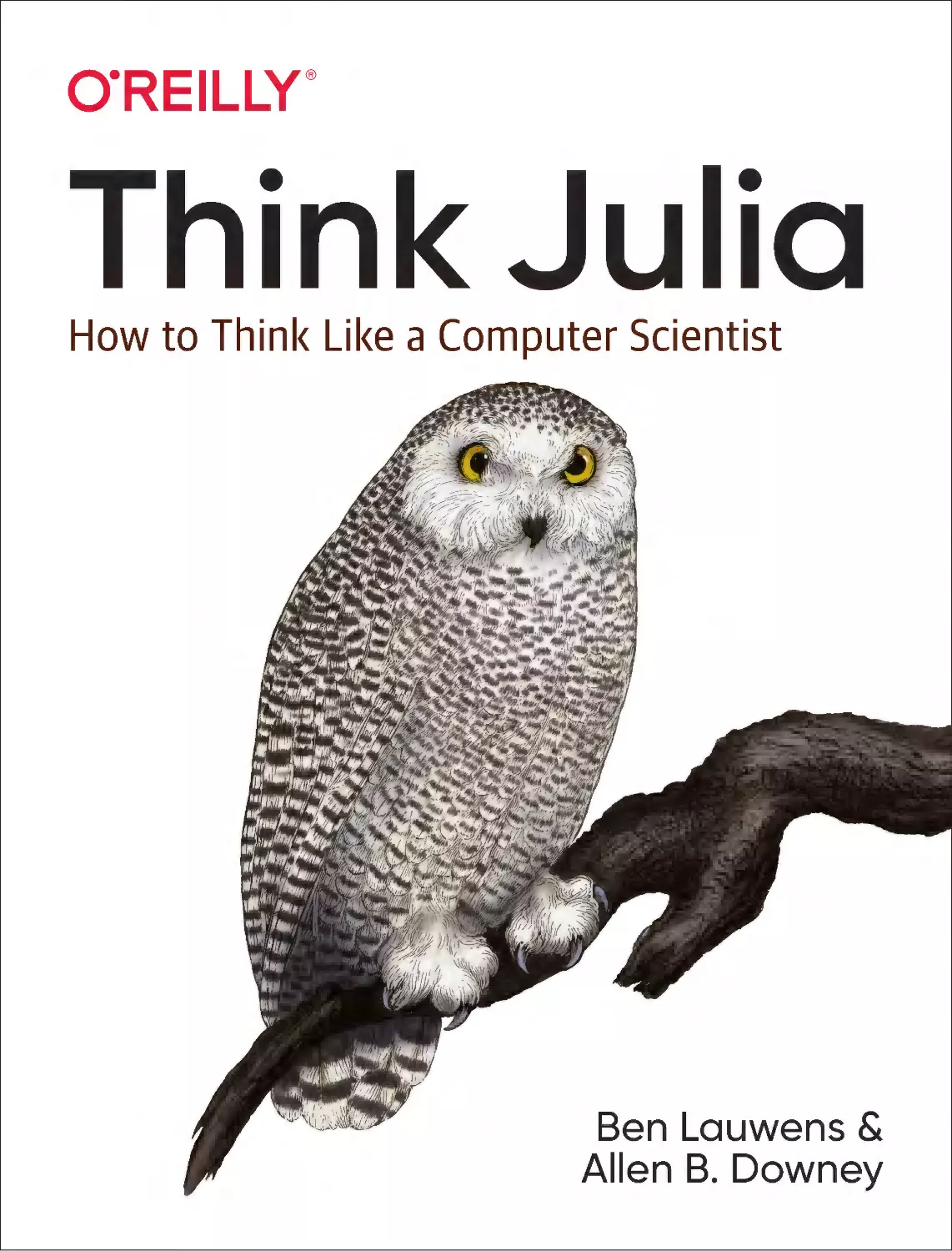
                    Think Julia
How to Think Like a Computer Scientist

Ben Lauwens &
Allen B. Downey

Think Julia

How to Think Like a Computer Scientist

Ben Lauwens and Allen B. Downey

Beijing

Boston Farnham Sebastopol

Tokyo

Think Julia
by Ben Lauwens and Allen B. Downey
Copyright © 2019 Ben Lauwens and Allen Downey. All rights reserved.
Printed in the United States of America.
Published by O’Reilly Media, Inc., 1005 Gravenstein Highway North, Sebastopol, CA 95472.
O’Reilly books may be purchased for educational, business, or sales promotional use. Online editions are
also available for most titles (http://oreilly.com). For more information, contact our corporate/institutional
sales department: 800-998-9938 or corporate@oreilly.com.

Editors: Jonathan Hassell and Melissa Potter
Production Editor: Christopher Faucher
Copyeditor: Rachel Head
Proofreader: Christina Edwards
April 2019:

Indexer: Angela Howard
Interior Designer: David Futato
Cover Designer: Karen Montgomery
Illustrator: Rebecca Demarest

First Edition

Revision History for the First Edition
2019-04-05: First Release
2019-05-03: Second Release
2019-12-06: Third Release
See http://oreilly.com/catalog/errata.csp?isbn=9781492045038 for release details.
The O’Reilly logo is a registered trademark of O’Reilly Media, Inc. Think Julia, the cover image, and
related trade dress are trademarks of O’Reilly Media, Inc.
The views expressed in this work are those of the authors, and do not represent the publisher’s views.
While the publisher and the authors have used good faith efforts to ensure that the information and
instructions contained in this work are accurate, the publisher and the authors disclaim all responsibility
for errors or omissions, including without limitation responsibility for damages resulting from the use of
or reliance on this work. Use of the information and instructions contained in this work is at your own
risk. If any code samples or other technology this work contains or describes is subject to open source
licenses or the intellectual property rights of others, it is your responsibility to ensure that your use
thereof complies with such licenses and/or rights.

978-1-492-04503-8
[LSI]

For Emeline, Arnaud, and Tibo.

Table of Contents

Preface. . . . . . . . . . . . . . . . . . . . . . . . . . . . . . . . . . . . . . . . . . . . . . . . . . . . . . . . . . . . . . . . . . . . . . xiii
1. The Way of the Program. . . . . . . . . . . . . . . . . . . . . . . . . . . . . . . . . . . . . . . . . . . . . . . . . . . . . . 1
What Is a Program?
Running Julia
The First Program
Arithmetic Operators
Values and Types
Formal and Natural Languages
Debugging
Glossary
Exercises

1
2
3
3
4
5
6
7
9

2. Variables, Expressions, and Statements. . . . . . . . . . . . . . . . . . . . . . . . . . . . . . . . . . . . . . . . 11
Assignment Statements
Variable Names
Expressions and Statements
Script Mode
Operator Precedence
String Operations
Comments
Debugging
Glossary
Exercises

11
12
12
13
14
15
16
16
17
19

3. Functions. . . . . . . . . . . . . . . . . . . . . . . . . . . . . . . . . . . . . . . . . . . . . . . . . . . . . . . . . . . . . . . . . 21
Function Calls
Math Functions

21
22
v

Composition
Adding New Functions
Definitions and Uses
Flow of Execution
Parameters and Arguments
Variables and Parameters Are Local
Stack Diagrams
Fruitful Functions and Void Functions
Why Functions?
Debugging
Glossary
Exercises

23
23
24
25
26
27
27
28
29
30
30
32

4. Case Study: Interface Design. . . . . . . . . . . . . . . . . . . . . . . . . . . . . . . . . . . . . . . . . . . . . . . . . 35
Turtles
Simple Repetition
Exercises
Encapsulation
Generalization
Interface Design
Refactoring
A Development Plan
Docstring
Debugging
Glossary
Exercises

35
36
37
39
39
40
41
42
43
44
44
45

5. Conditionals and Recursion. . . . . . . . . . . . . . . . . . . . . . . . . . . . . . . . . . . . . . . . . . . . . . . . . . 49
Floor Division and Modulus
Boolean Expressions
Logical Operators
Conditional Execution
Alternative Execution
Chained Conditionals
Nested Conditionals
Recursion
Stack Diagrams for Recursive Functions
Infinite Recursion
Keyboard Input
Debugging
Glossary
Exercises

vi

|

Table of Contents

49
50
51
51
51
52
52
53
55
55
56
57
58
59

6. Fruitful Functions. . . . . . . . . . . . . . . . . . . . . . . . . . . . . . . . . . . . . . . . . . . . . . . . . . . . . . . . . . 63
Return Values
Incremental Development
Composition
Boolean Functions
More Recursion
Leap of Faith
One More Example
Checking Types
Debugging
Glossary
Exercises

63
65
67
67
68
71
71
72
73
74
74

7. Iteration. . . . . . . . . . . . . . . . . . . . . . . . . . . . . . . . . . . . . . . . . . . . . . . . . . . . . . . . . . . . . . . . . . 77
Reassignment
Updating Variables
The while Statement
break
continue
Square Roots
Algorithms
Debugging
Glossary
Exercises

77
78
79
80
81
81
83
84
84
85

8. Strings. . . . . . . . . . . . . . . . . . . . . . . . . . . . . . . . . . . . . . . . . . . . . . . . . . . . . . . . . . . . . . . . . . . . 87
Characters
A String Is a Sequence
length
Traversal
String Slices
Strings Are Immutable
String Interpolation
Searching
Looping and Counting
String Library
The ∈ Operator
String Comparison
Debugging
Glossary
Exercises

87
88
88
89
90
91
91
92
93
93
94
94
95
96
97

Table of Contents

|

vii

9. Case Study: Word Play. . . . . . . . . . . . . . . . . . . . . . . . . . . . . . . . . . . . . . . . . . . . . . . . . . . . . 101
Reading Word Lists
Exercises
Search
Looping with Indices
Debugging
Glossary
Exercises

101
102
103
104
106
107
107

10. Arrays. . . . . . . . . . . . . . . . . . . . . . . . . . . . . . . . . . . . . . . . . . . . . . . . . . . . . . . . . . . . . . . . . . . 109
An Array Is a Sequence
Arrays Are Mutable
Traversing an Array
Array Slices
Array Library
Map, Filter, and Reduce
Dot Syntax
Deleting (Inserting) Elements
Arrays and Strings
Objects and Values
Aliasing
Array Arguments
Debugging
Glossary
Exercises

109
110
111
112
112
113
115
115
116
117
118
119
121
122
124

11. Dictionaries. . . . . . . . . . . . . . . . . . . . . . . . . . . . . . . . . . . . . . . . . . . . . . . . . . . . . . . . . . . . . . 127
A Dictionary Is a Mapping
Dictionaries as Collections of Counters
Looping and Dictionaries
Reverse Lookup
Dictionaries and Arrays
Memos
Global Variables
Debugging
Glossary
Exercises

127
129
130
131
132
133
135
137
138
139

12. Tuples. . . . . . . . . . . . . . . . . . . . . . . . . . . . . . . . . . . . . . . . . . . . . . . . . . . . . . . . . . . . . . . . . . . 141
Tuples Are Immutable
Tuple Assignment
Tuples as Return Values

viii

|

Table of Contents

141
142
143

Variable-Length Argument Tuples
Arrays and Tuples
Dictionaries and Tuples
Sequences of Sequences
Debugging
Glossary
Exercises

144
145
146
148
149
149
150

13. Case Study: Data Structure Selection. . . . . . . . . . . . . . . . . . . . . . . . . . . . . . . . . . . . . . . . . 153
Word Frequency Analysis
Random Numbers
Word Histogram
Most Common Words
Optional Parameters
Dictionary Subtraction
Random Words
Markov Analysis
Data Structures
Debugging
Glossary
Exercises

153
154
155
156
157
158
159
159
161
163
164
165

14. Files. . . . . . . . . . . . . . . . . . . . . . . . . . . . . . . . . . . . . . . . . . . . . . . . . . . . . . . . . . . . . . . . . . . . . 167
Persistence
Reading and Writing
Formatting
Filenames and Paths
Catching Exceptions
Databases
Serialization
Command Objects
Modules
Debugging
Glossary
Exercises

167
168
168
169
170
171
172
173
174
175
176
177

15. Structs and Objects. . . . . . . . . . . . . . . . . . . . . . . . . . . . . . . . . . . . . . . . . . . . . . . . . . . . . . . . 179
Composite Types
Structs Are Immutable
Mutable Structs
Rectangles
Instances as Arguments

179
180
181
181
182

Table of Contents

|

ix

Instances as Return Values
Copying
Debugging
Glossary
Exercises

184
184
185
186
186

16. Structs and Functions. . . . . . . . . . . . . . . . . . . . . . . . . . . . . . . . . . . . . . . . . . . . . . . . . . . . . . 189
Time
Pure Functions
Modifiers
Prototyping Versus Planning
Debugging
Glossary
Exercises

189
190
191
192
194
195
195

17. Multiple Dispatch. . . . . . . . . . . . . . . . . . . . . . . . . . . . . . . . . . . . . . . . . . . . . . . . . . . . . . . . . 197
Type Declarations
Methods
Additional Examples
Constructors
show
Operator Overloading
Multiple Dispatch
Generic Programming
Interface and Implementation
Debugging
Glossary
Exercises

197
198
199
200
201
202
203
204
205
205
206
207

18. Subtyping. . . . . . . . . . . . . . . . . . . . . . . . . . . . . . . . . . . . . . . . . . . . . . . . . . . . . . . . . . . . . . . . 209
Cards
Global Variables
Comparing Cards
Unit Testing
Decks
Add, Remove, Shuffle, and Sort
Abstract Types and Subtyping
Abstract Types and Functions
Type Diagrams
Debugging
Data Encapsulation
Glossary

x

|

Table of Contents

209
210
211
211
212
213
213
215
216
217
218
219

Exercises

220

19. The Goodies: Syntax. . . . . . . . . . . . . . . . . . . . . . . . . . . . . . . . . . . . . . . . . . . . . . . . . . . . . . . 223
Named Tuples
Functions
Blocks
Control Flow
Types
Methods
Constructors
Conversion and Promotion
Metaprogramming
Missing Values
Calling C and Fortran Code
Glossary

223
224
225
227
228
230
230
231
232
234
234
235

20. The Goodies: Base and Standard Library. . . . . . . . . . . . . . . . . . . . . . . . . . . . . . . . . . . . . . 237
Measuring Performance
Collections and Data Structures
Mathematics
Strings
Arrays
Interfaces
Interactive Utilities
Debugging
Glossary

237
238
240
240
241
243
244
245
246

21. Debugging. . . . . . . . . . . . . . . . . . . . . . . . . . . . . . . . . . . . . . . . . . . . . . . . . . . . . . . . . . . . . . . 247
Syntax Errors
Runtime Errors
Semantic Errors

247
249
253

A. Unicode Input. . . . . . . . . . . . . . . . . . . . . . . . . . . . . . . . . . . . . . . . . . . . . . . . . . . . . . . . . . . . . 257
B. JuliaBox. . . . . . . . . . . . . . . . . . . . . . . . . . . . . . . . . . . . . . . . . . . . . . . . . . . . . . . . . . . . . . . . . . 259
Index. . . . . . . . . . . . . . . . . . . . . . . . . . . . . . . . . . . . . . . . . . . . . . . . . . . . . . . . . . . . . . . . . . . . . . . 263

Table of Contents

|

xi

Preface

In January 2018 I started the preparation of a programming course targeting students
without programming experience. I wanted to use Julia, but I found that there existed
no book with the purpose of learning to program with Julia as the first programming
language. There are wonderful tutorials that explain Julia’s key concepts, but none of
them pay sufficient attention to learning how to think like a programmer.
I knew the book Think Python by Allen Downey, which contains all the key ingredi‐
ents to learn to program properly. However, this book was based on the Python pro‐
gramming language. My first draft of the course notes was a melting pot of all kinds
of reference works, but the longer I worked on it, the more the content started to
resemble the chapters of Think Python. Soon, the idea of developing my course notes
as a port of that book to Julia came to fruition.
All the material was available as Jupyter notebooks in a GitHub repository. After I
posted a message on the Julia Discourse site about the progress of my course, the
feedback was overwhelming. A book about basic programming concepts with Julia as
the first programming language was apparently a missing link in the Julia universe. I
contacted Allen to ask if I could start an official port of Think Python to Julia, and his
answer was immediate: “Go for it!” He put me in touch with his editor at O’Reilly
Media, and a year later I was putting the finishing touches on this book.
It was a bumpy ride. In August 2018 Julia v1.0 was released, and like all my fellow
Julia programmers I had to do a migration of the code. All the examples in the book
were tested during the conversion of the source files to O’Reilly-compatible AsciiDoc
files. Both the toolchain and the example code had to be made Julia v1.0–compliant.
Luckily, there are no lectures to give in August….
I hope you enjoy working with this book, and that it helps you learn to program and
think like a computer scientist, at least a little bit.
— Ben Lauwens

xiii

Why Julia?
Julia was originally released in 2012 by Alan Edelman, Stefan Karpinski, Jeff Bezan‐
son, and Viral Shah. It is a free and open source programming language.
Choosing a programming language is always subjective. For me, the following char‐
acteristics of Julia are decisive:
• Julia is developed as a high-performance programming language.
• Julia uses multiple dispatch, which allows the programmer to choose from differ‐
ent programming patterns adapted to the application.
• Julia is a dynamically typed language that can easily be used interactively.
• Julia has a nice high-level syntax that is easy to learn.
• Julia is an optionally typed programming language whose (user-defined) data
types make the code clearer and more robust.
• Julia has an extended standard library and numerous third-party packages are
available.
Julia is a unique programming language because it solves the so-called “two languages
problem.” No other programming language is needed to write high-performance
code. This does not mean it happens automatically. It is the responsibility of the pro‐
grammer to optimize the code that forms a bottleneck, but this can done in Julia
itself.

Who Is This Book For?
This book is for anyone who wants to learn to program. No formal prior knowledge
is required.
New concepts are introduced gradually and more advanced topics are described in
later chapters.
Think Julia can be used for a one-semester course at the high school or college level.

Conventions Used in This Book
The following typographical conventions are used in this book:
Italic
Indicates new terms, URLs, email addresses, filenames, and file extensions.

xiv

|

Preface

Constant width

Used for program listings, as well as within paragraphs to refer to program ele‐
ments such as variable or function names, databases, data types, environment
variables, statements, and keywords.
Constant width bold

Shows commands or other text that should be typed literally by the user.
Constant width italic

Shows text that should be replaced with user-supplied values or by values deter‐
mined by context.
This element signifies a tip or suggestion.

This element signifies a general note.

This element indicates a warning or caution.

Using Code Examples
All code used in this book is available from a Git repository on GitHub. If you are not
familiar with Git, it is a version control system that allows you to keep track of the
files that make up a project. A collection of files under Git’s control is called a “reposi‐
tory.” GitHub is a hosting service that provides storage for Git repositories and a con‐
venient web interface.
A convenience package is provided that can be directly added to Julia. Just type add
https://github.com/BenLauwens/ThinkJulia.jl in the REPL in Pkg mode, see
“Turtles” on page 35.
The easiest way to run Julia code is by going to https://juliabox.com and starting a free
session. Both the REPL and a notebook interface are available. If you want to have
Julia locally installed on your computer, you can download JuliaPro for free from
Julia Computing. It consists of a recent Julia version, the Juno interactive develop‐

Preface

|

xv

ment environment based on Atom, and a number of preinstalled Julia packages. If
you are more adventurous, you can download Julia from https://julialang.org, install
the editor you like (e.g., Atom or Visual Studio Code), and activate the plug-ins for
Julia integration. To a local install, you can also add the IJulia package and run a
Jupyter notebook on your computer.
This book is here to help you get your job done. In general, you may use example
code in your programs and documentation. You do not need to contact us for per‐
mission unless you’re reproducing a significant portion of the code. For example,
writing a program that uses several chunks of code from this book does not require
permission. Selling or distributing a CD-ROM of examples from O’Reilly books does
require permission. Answering a question by citing this book and quoting example
code does not require permission. Incorporating a significant amount of example
code from this book into your product’s documentation does require permission.
We appreciate, but do not require, attribution. An attribution usually includes the
title, author, publisher, and ISBN. For example: “Think Julia by Ben Lauwens and
Allen B. Downey (O’Reilly). Copyright 2019 Allen B. Downey, Ben Lauwens,
978-1-492-04503-8.”
If you feel your use of code examples falls outside fair use or the permission given
above, feel free to contact us at permissions@oreilly.com.

O’Reilly Online Learning
For almost 40 years, O’Reilly Media has provided technology
and business training, knowledge, and insight to help compa‐
nies succeed.
Our unique network of experts and innovators share their knowledge and expertise
through books, articles, conferences, and our online learning platform. O’Reilly’s
online learning platform gives you on-demand access to live training courses, indepth learning paths, interactive coding environments, and a vast collection of text
and video from O’Reilly and 200+ other publishers. For more information, please
visit http://oreilly.com.

xvi

|

Preface

How to Contact Us
Please address comments and questions concerning this book to the publisher:
O’Reilly Media, Inc.
1005 Gravenstein Highway North
Sebastopol, CA 95472
800-998-9938 (in the United States or Canada)
707-829-0515 (international or local)
707-829-0104 (fax)
We have a web page for this book, where we list errata, examples, and any additional
information. You can access this page at https://oreil.ly/think-julia.
To comment or ask technical questions about this book, please send an email to book‐
questions@oreilly.com.
For more information about our books, courses, conferences, and news, see our web‐
site at http://www.oreilly.com.
Find us on Facebook: http://facebook.com/oreilly
Follow us on Twitter: http://twitter.com/oreillymedia
Watch us on YouTube: http://www.youtube.com/oreillymedia

Acknowledgments
I really want to thank Allen for writing Think Python and allowing me to port his
book to Julia. Your enthusiasm is contagious!
I would also like to thank the technical reviewers for this book, who made many help‐
ful suggestions: Tim Besard, Bart Janssens, and David P. Sanders.
Thanks to Melissa Potter from O’Reilly Media, who made this a better book. You
forced me to do things right and make this book as original as possible.
Thanks to Matt Hacker from O’Reilly Media, who helped me out with the Atlas tool‐
chain and some syntax highlighting issues.
Thanks to all the students who worked with an early version of this book and all the
contributors (listed below) who sent in corrections and suggestions.

Preface

|

xvii

Contributor List
If you have a suggestion or correction, please send email to ben.lauwens@gmail.com
or open an issue on GitHub. If I make a change based on your feedback, I will add
you to the contributor list (unless you ask to be omitted).
Let me know what version of the book you are working with, and what format. If you
include at least part of the sentence the error appears in, that will make it easy for me
to search. Page and section numbers are fine, too, but not quite as easy to work with.
Thanks!
• Scott Jones pointed out the name change of Void to Nothing, and this started the
migration to Julia v1.0.
• Robin Deits found some typos in Chapter 2.
• Mark Schmitz suggested turning on syntax highlighting.
• Zigu Zhao caught some bugs in Chapter 8.
• Oleg Soloviev caught an error in the URL to add the ThinkJulia package.
• Aaron Ang found some rendering and naming issues.
• Sergey Volkov caught a broken link in Chapter 7.
• Sean McAllister suggested mentioning the excellent package BenchmarkTools.
• Carlos Bolech sent a long list of corrections and suggestions.
• Krishna Kumar corrected the Markov example in Chapter 18.

xviii

|

Preface

CHAPTER 1

The Way of the Program

The goal of this book is to teach you to think like a computer scientist. This way of
thinking combines some of the best features of mathematics, engineering, and natural
science. Like mathematicians, computer scientists use formal languages to denote
ideas (specifically computations). Like engineers, they design things, assembling
components into systems and evaluating trade-offs among alternatives. Like scien‐
tists, they observe the behavior of complex systems, form hypotheses, and test predic‐
tions.
The single most important skill for a computer scientist is problem solving. Problem
solving means the ability to formulate problems, think creatively about solutions, and
express a solution clearly and accurately. As it turns out, the process of learning to
program is an excellent opportunity to practice problem-solving skills. That’s why
this chapter is called “The Way of the Program.”
On one level, you will be learning to program, a useful skill by itself. On another level,
you will use programming as a means to an end. As we go along, that end will
become clearer.

What Is a Program?
A program is a sequence of instructions that specifies how to perform a computation.
The computation might be something mathematical, such as solving a system of
equations or finding the roots of a polynomial, but it can also be a symbolic computa‐
tion, such as searching for and replacing text in a document, or something graphical,
like processing an image or playing a video.
The details look different in different languages, but a few basic instructions appear in
just about every language:

1

Input
Get data from the keyboard, a file, the network, or some other device.
Output
Display data on the screen, save it in a file, send it over the network, etc.
Math
Perform basic mathematical operations like addition and multiplication.
Conditional execution
Check for certain conditions and run the appropriate code.
Repetition
Perform some action repeatedly, usually with some variation.
Believe it or not, that’s pretty much all there is to it. Every program you’ve ever used,
no matter how complicated, is made up of instructions that look pretty much like
these. So you can think of programming as the process of breaking a large, complex
task into smaller and smaller subtasks until the subtasks are simple enough to be per‐
formed with one of these basic instructions.

Running Julia
One of the challenges of getting started with Julia is that you might have to install it
and related software on your computer. If you are familiar with your operating sys‐
tem, and especially if you are comfortable with the command-line interface, you will
have no trouble installing Julia. But for beginners, it can be painful to learn about sys‐
tem administration and programming at the same time.
To avoid that problem, I recommend that you start out running Julia in a browser.
Later, when you are comfortable with Julia, I’ll make suggestions for installing Julia
on your computer.
In the browser, you can run Julia on JuliaBox. No installation is required—just point
your browser there, log in, and start computing (see Appendix B).
The Julia REPL (Read–Eval–Print Loop) is a program that reads and executes Julia
code. You can start the REPL by opening a terminal on JuliaBox and typing julia on
the command line. When it starts, you should see output like this:

2

|

Chapter 1: The Way of the Program

_
_
_ _(_)_
(_)
| (_) (_)
_ _
_| |_ __ _
| | | | | | |/ _` |
| | |_| | | | (_| |
_/ |\__'_|_|_|\__'_|
|__/

|
|
|
|
|
|
|

Documentation: https://docs.julialang.org
Type "?" for help, "]?" for Pkg help.
Version 1.1.0 (2019-01-21)
Official https://julialang.org/ release

julia>

The first lines contain information about the REPL, so it might be different for you.
But you should check that the version number is at least 1.0.0.
The last line is a prompt that indicates that the REPL is ready for you to enter code. If
you type a line of code and hit Enter, the REPL displays the result:
julia> 1 + 1
2

Code snippets can be copied and pasted verbatim, including the julia> prompt and
any output.
Now you’re ready to get started. From here on, I assume that you know how to start
the Julia REPL and run code.

The First Program
Traditionally, the first program you write in a new language is called “Hello, World!”
because all it does is display the words “Hello, World!” In Julia, it looks like this:
julia> println("Hello, World!")
Hello, World!

This is an example of a print statement, although it doesn’t actually print anything on
paper. It displays a result on the screen.
The quotation marks in the program mark the beginning and end of the text to be
displayed; they don’t appear in the result.
The parentheses indicate that println is a function. We’ll get to functions in Chap‐
ter 3.

Arithmetic Operators
After “Hello, World!” the next step is arithmetic. Julia provides operators, which are
symbols that represent computations like addition and multiplication.
The operators +, -, and * perform addition, subtraction, and multiplication, as in the
following examples:
The First Program

|

3

julia> 40 + 2
42
julia> 43 - 1
42
julia> 6 * 7
42

The operator / performs division:
julia> 84 / 2
42.0

You might wonder why the result is 42.0 instead of 42. I’ll explain in the next section.
Finally, the operator ^ performs exponentiation; that is, it raises a number to a power:
julia> 6^2 + 6
42

Values and Types
A value is one of the basic things a program works with, like a letter or a number.
Some values we have seen so far are 2, 42.0, and "Hello, World!".
These values belong to different types: 2 is an integer, 42.0 is a floating-point number,
and "Hello, World!" is a string, so called because the letters it contains are strung
together.
If you are not sure what type a value has, the REPL can tell you:
julia> typeof(2)
Int64
julia> typeof(42.0)
Float64
julia> typeof("Hello, World!")
String

Integers belong to the type Int64, strings belong to String, and floating-point num‐
bers belong to Float64.
What about values like "2" and "42.0"? They look like numbers, but they are in quo‐
tation marks like strings. These are strings too:
julia> typeof("2")
String
julia> typeof("42.0")
String

When you type a large integer, you might be tempted to use commas between groups
of digits, as in 1,000,000. This is not a legal integer in Julia, but it is legal:
julia> 1,000,000
(1, 0, 0)

4

|

Chapter 1: The Way of the Program

That’s not what we expected at all! Julia parses 1,000,000 as a comma-separated
sequence of integers. We’ll learn more about this kind of sequence later.
You can get the expected result using 1_000_000, however.

Formal and Natural Languages
Natural languages are the languages people speak, such as English, Spanish, and
French. They were not designed by people (although people try to impose some order
on them); they evolved naturally.
Formal languages are languages that are designed by people for specific applications.
For example, the notation that mathematicians use is a formal language that is partic‐
ularly good at denoting relationships among numbers and symbols. Chemists use a
formal language to represent the chemical structure of molecules. And most impor‐
tantly, programming languages are formal languages that have been designed to
express computations.
Formal languages tend to have strict syntax rules that govern the structure of state‐
ments. For example, in mathematics the statement 3 + 3 = 6 has correct syntax, but
3 + = 3$6 does not. In chemistry, H2O is a syntactically correct formula, but 2Zz is
not.
Syntax rules come in two flavors: tokens and structure. Tokens are the basic elements
of the language, such as words, numbers, and chemical elements. One of the prob‐
lems with 3 + = 3$6 is that $ is not a legal token in mathematics (at least as far as I
know). Similarly, 2Zz is not legal because there is no element with the abbreviation
Zz.
The second type of syntax rule pertains to the way tokens are combined. The equa‐
tion 3 + = 3 is illegal because even though + and = are legal tokens, you can’t have
one right after the other. Similarly, in a chemical formula the subscript comes after
the element name, not before.
This is @ well-structured Engli$h sentence with invalid t*kens in it. This sentence all
valid tokens has, but invalid structure with.
When you read a sentence in English or a statement in a formal language, you have to
figure out the structure (although in a natural language you do this subconsciously).
This process is called parsing.
Although formal and natural languages have many features in common—tokens,
structure, and syntax—there are some differences:
Ambiguity
Natural languages are full of ambiguity, which people deal with by using contex‐
tual clues and other information. Formal languages are designed to be nearly or
Formal and Natural Languages

|

5

completely unambiguous, which means that any statement has exactly one mean‐
ing, regardless of context.
Redundancy
In order to make up for ambiguity and reduce misunderstandings, natural lan‐
guages employ lots of redundancy. As a result, they are often verbose. Formal
languages are less redundant and more concise.
Literalness
Natural languages are full of idiom and metaphor. If I say, “The penny dropped,”
there is probably no penny and nothing dropping (this idiom means that some‐
one understood something after a period of confusion). Formal languages mean
exactly what they say.
Because we all grow up speaking natural languages, it is sometimes hard to adjust to
formal languages. The difference between formal and natural language is like the dif‐
ference between poetry and prose, but more so:
Poetry
Words are used for their sounds as well as for their meaning, and the whole
poem together creates an effect or emotional response. Ambiguity is not only
common but often deliberate.
Prose
The literal meaning of words is more important, and the structure contributes
more meaning. Prose is more amenable to analysis than poetry but still often
ambiguous.
Programs
The meaning of a computer program is unambiguous and literal, and can be
understood entirely by analysis of the tokens and structure.
Formal languages are more dense than natural languages, so it takes longer to read
them. Also, the structure is important, so it is not always best to read from top to bot‐
tom, left to right. Instead, you’ll learn to parse the program in your head, identifying
the tokens and interpreting the structure. Finally, the details matter. Small errors in
spelling and punctuation, which you can get away with in natural languages, can
make a big difference in a formal language.

Debugging
Programmers make mistakes. For whimsical reasons, programming errors are called
bugs and the process of tracking them down is called debugging.

6

|

Chapter 1: The Way of the Program

Programming, and especially debugging, sometimes brings out strong emotions. If
you are struggling with a difficult bug, you might feel angry, despondent, or embar‐
rassed.
There is evidence that people naturally respond to computers as if they were people.
When they work well, we think of them as teammates, and when they are obstinate or
rude, we respond to them the same way we respond to rude, obstinate people.1
Preparing for these reactions might help you deal with them. One approach is to
think of the computer as an employee with certain strengths, like speed and preci‐
sion, and particular weaknesses, like lack of empathy and inability to grasp the big
picture.
Your job is to be a good manager: find ways to take advantage of the strengths and
mitigate the weaknesses. And find ways to use your emotions to engage with the
problem, without letting your reactions interfere with your ability to work effectively.
Learning to debug can be frustrating, but it is a valuable skill that is useful for many
activities beyond programming. At the end of each chapter there is a section, like this
one, with my suggestions for debugging. I hope they help!

Glossary
problem solving
The process of formulating a problem, finding a solution, and expressing it.
program
A sequence of instructions that specifies a computation.
REPL
A program that repeatedly reads input, executes it, and outputs results.
prompt
Characters displayed by the REPL to indicate that it is ready to take input from
the user.
print statement
An instruction that causes the Julia REPL to display a value on the screen.
operator
A symbol that represents a simple computation like addition, multiplication, or
string concatenation.

1 Reeves, Byron, and Clifford Ivar Nass. 1996. “The Media Equation: How People Treat Computers, Television,

and New Media Like Real People and Places.” Chicago, IL: Center for the Study of Language and Information;
New York: Cambridge University Press.

Glossary

|

7

value
A basic unit of data, like a number or string, that a program manipulates.
type

A category of values. The types we have seen so far are integers (Int64), floatingpoint numbers (Float64), and strings (String).

integer
A type that represents whole numbers.
floating-point
A type that represents numbers with a decimal point.
string
A type that represents sequences of characters.
natural language
Any one of the languages that people speak that evolved naturally.
formal language
Any one of the languages that people have designed for specific purposes, such as
representing mathematical ideas or computer programs. All programming lan‐
guages are formal languages.
syntax
The rules that govern the structure of a program.
token
One of the basic elements of the syntactic structure of a program, analogous to a
word in a natural language.
structure
The way tokens are combined.
parse
To examine a program and analyze the syntactic structure.
bug

An error in a program.

debugging
The process of finding and correcting bugs.

8

|

Chapter 1: The Way of the Program

Exercises
It is a good idea to read this book in front of a computer so you can
try out the examples as you go.

Exercise 1-1
Whenever you are experimenting with a new feature, you should try to make mis‐
takes. For example, in the “Hello, World!” program, what happens if you leave out
one of the quotation marks? What if you leave out both? What if you spell println
wrong?
This kind of experiment helps you remember what you read; it also helps when you
are programming, because you get to know what the error messages mean. It is better
to make mistakes now and on purpose rather than later and accidentally.
1. In a print statement, what happens if you leave out one of the parentheses, or
both?
2. If you are trying to print a string, what happens if you leave out one of the quota‐
tion marks, or both?
3. You can use a minus sign to make a negative number like -2. What happens if
you put a plus sign before a number? What about 2++2?
4. In math notation, leading zeros are okay, as in 02. What happens if you try this in
Julia?
5. What happens if you have two values with no operator between them?

Exercise 1-2
Start the Julia REPL and use it as a calculator.
1. How many seconds are there in 42 minutes 42 seconds?
2. How many miles are there in 10 kilometers? Note that there are 1.61 kilometers
in a mile.
3. If you run a 10-kilometer race in 37 minutes 48 seconds, what is your average
pace (time per mile in minutes and seconds)? What is your average speed in
miles per hour?

Exercises

|

9

CHAPTER 2

Variables, Expressions, and Statements

One of the most powerful features of a programming language is the ability to
manipulate variables. A variable is a name that refers to a value.

Assignment Statements
An assignment statement creates a new variable and gives it a value:
julia> message = "And now for something completely different"
"And now for something completely different"
julia> n = 17
17
julia> π_val = 3.141592653589793
3.141592653589793

This example makes three assignments. The first assigns a string to a new variable
named message, the second assigns the integer 17 to n, and the third assigns the
(approximate) value of π to π_val (\pi TAB).
A common way to represent variables on paper is to write the name of each with an
arrow pointing to its value. This kind of figure is called a state diagram because it
shows what state each of the variables is in (think of it as the variable’s state of mind).
Figure 2-1 shows the result of the previous example.

Figure 2-1. State diagram

11

Variable Names
Programmers generally choose names for their variables that are meaningful—they
document what the variable is used for.
Variable names can be as long as you like. They can contain almost all Unicode char‐
acters (see “Characters” on page 87), but they can’t begin with a number. It is legal to
use uppercase letters, but it is conventional to use only lowercase for variable names.
Unicode characters can be entered via tab completion of LaTeX-like abbreviations in
the Julia REPL.
The underscore character, _, can appear in a name. It is often used in names with
multiple words, such as your_name or airspeed_of_unladen_swallow.
If you give a variable an illegal name, you get a syntax error:
julia>
ERROR:
julia>
ERROR:
julia>
ERROR:

76trombones = "big parade"
syntax: "76" is not a valid function argument name
more@ = 1000000
syntax: extra token "@" after end of expression
struct = "Advanced Theoretical Zymurgy"
syntax: unexpected "="

76trombones is illegal because it begins with a number. more@ is illegal because it con‐
tains an illegal character, @. But what’s wrong with struct?

It turns out that struct is one of Julia’s keywords. The REPL uses keywords to recog‐
nize the structure of the program, and they cannot be used as variable names.
Julia has these keywords:
abstract type
const
end
function
let
primitive type
using

baremodule
continue
export
global
local
quote
struct

begin
do
finally
if
macro
return
where

break
else
for
import
module
true
while

catch
elseif
false
in
mutable struct
try

You don’t have to memorize this list. In most development environments, keywords
are displayed in a different color; if you try to use one as a variable name, you’ll know.

Expressions and Statements
An expression is a combination of values, variables, and operators. A value all by itself
is considered an expression, and so is a variable, so the following are all legal expres‐
sions:
julia> 42
42

12

|

Chapter 2: Variables, Expressions, and Statements

julia> n
17
julia> n + 25
42

When you type an expression at the prompt, the REPL evaluates it, which means that
it finds the value of the expression. In this example, n has the value 17 and n + 25 has
the value 42.
A statement is a unit of code that has an effect, like creating a variable or displaying a
value:
julia> n = 17
17
julia> println(n)
17

The first line here is an assignment statement that gives a value to n. The second line
is a print statement that displays the value of n.
When you type a statement, the REPL executes it, which means that it does whatever
the statement says.

Script Mode
So far we have run Julia in interactive mode, which means that you interact directly
with the REPL. Interactive mode is a good way to get started, but if you are working
with more than a few lines of code, it can be clumsy.
The alternative is to save code in a file called a script and then run Julia in script mode
to execute the script. By convention, Julia scripts have names that end with .jl.
If you know how to create and run a script on your computer, you are ready to go.
Otherwise I recommend using JuliaBox again. Open a text file, write the script, and
save the file with a .jl extension. The script can be executed in a terminal with the
command julia name_of_the_script.jl.
Because Julia provides both modes, you can test bits of code in interactive mode
before you put them in a script. But there are differences between interactive mode
and script mode that can be confusing.
For example, if you are using Julia as a calculator, you might type:
julia> miles = 26.2
26.2
julia> miles * 1.61
42.182

Script Mode

|

13

The first line assigns a value to miles and displays the value. The second line is an
expression, so the REPL evaluates it and displays the result. It turns out that a mara‐
thon is about 42 kilometers.
But if you type the same code into a script and run it, you get no output at all. In
script mode an expression, all by itself, has no visible effect. Julia actually evaluates
the expression, but it doesn’t display the value unless you tell it to:
miles = 26.2
println(miles * 1.61)

This behavior can be confusing at first.
A script usually contains a sequence of statements. If there is more than one state‐
ment, the results appear one at a time as the statements execute.
For example, the script:
println(1)
x = 2
println(x)

produces the output:
1
2

The assignment statement produces no output.

Exercise 2-1
To check your understanding, type the following statements in the Julia REPL and see
what they do:
5
x = 5
x + 1

Now put the same statements in a script and run it. What is the output? Modify the
script by transforming each expression into a print statement and then run it again.

Operator Precedence
When an expression contains more than one operator, the order of evaluation
depends on the operator precedence. For mathematical operators, Julia follows mathe‐
matical convention. The acronym PEMDAS is a useful way to remember the rules:
• Parentheses have the highest precedence and can be used to force an expression
to evaluate in the order you want. Since expressions in parentheses are evaluated
first, 2*(3-1) is 4, and (1+1)^(5-2) is 8. You can also use parentheses to make an

14

|

Chapter 2: Variables, Expressions, and Statements

expression easier to read, as in (minute * 100) / 60, even if it doesn’t change
the result.
• Exponentiation has the next highest precedence, so 1+2^3 is 9, not 27, and 2*3^2
is 18, not 36.
• Multiplication and Division have higher precedence than Addition and Subtrac‐
tion. So, 2*3-1 is 5, not 4, and 6+4/2 is 8, not 5.
• Operators with the same precedence are evaluated from left to right (except
exponentiation). So in the expression degrees / 2 * π, the division happens
first and the result is multiplied by π. To divide by 2π, you can use parentheses, or
write degrees / 2 / π or degrees / 2π.
I don’t work very hard to remember the precedence of operators. If
I can’t tell by looking at the expression, I use parentheses to make it
obvious.

String Operations
In general, you can’t perform mathematical operations on strings, even if the strings
look like numbers, so the following are illegal:
"2" - "1"

"eggs" / "easy"

"third" + "a charm"

But there are two exceptions, * and ^.
The * operator performs string concatenation, which means it joins the strings by
linking them end-to-end. For example:
julia> first_str = "throat"
"throat"
julia> second_str = "warbler"
"warbler"
julia> first_str * second_str
"throatwarbler"

The ^ operator also works on strings; it performs repetition. For example, "Spam"^3 is
"SpamSpamSpam". If one of the values is a string, the other has to be an integer.
This use of * and ^ makes sense by analogy with multiplication and exponentiation.
Just as 4^3 is equivalent to 4*4*4, we expect "Spam"^3 to be the same as
"Spam"*"Spam"*"Spam", and it is.

String Operations

|

15

Comments
As programs get bigger and more complicated, they get more difficult to read. Formal
languages are dense, and it is often difficult to look at a piece of code and figure out
what it is doing, or why.
For this reason, it is a good idea to add notes to your programs to explain in natural
language what the program is doing. These notes are called comments, and they start
with the # symbol:
# compute the percentage of the hour that has elapsed
percentage = (minute * 100) / 60

In this case, the comment appears on a line by itself. You can also put comments at
the end of a line:
percentage = (minute * 100) / 60

# percentage of an hour

Everything from the # to the end of the line is ignored—it has no effect on the execu‐
tion of the program.
Comments are most useful when they document nonobvious features of the code. It
is reasonable to assume that the reader can figure out what the code does; it is more
useful to explain why.
This comment is redundant with the code and useless:
v = 5

# assign 5 to v

This comment contains useful information that is not in the code:
v = 5

# velocity in meters/second

Good variable names can reduce the need for comments, but long
names can make complex expressions hard to read, so there is a
trade-off.

Debugging
Three kinds of errors can occur in a program: syntax errors, runtime errors, and
semantic errors. It is useful to distinguish between them in order to track them down
more quickly:
Syntax error
“Syntax” refers to the structure of a program and the rules about that structure.
For example, parentheses have to come in matching pairs, so (1 + 2) is legal, but
8) is a syntax error.

16

|

Chapter 2: Variables, Expressions, and Statements

If there is a syntax error anywhere in your program, Julia displays an error mes‐
sage and quits, and you will not be able to run the program. During the first few
weeks of your programming career, you might spend a lot of time tracking down
syntax errors. As you gain experience, you will make fewer errors and find them
faster.
Runtime error
The second type of error is a runtime error, so called because the error does not
appear until after the program has started running. These errors are also called
exceptions because they usually indicate that something exceptional (and bad) has
happened.
Runtime errors are rare in the simple programs you will see in the first few chap‐
ters, so it might be a while before you encounter one.
Semantic error
The third type of error is “semantic,” which means related to meaning. If there is
a semantic error in your program, it will run without generating error messages,
but it will not do the right thing. It will do something else. Specifically, it will do
what you told it to do.
Identifying semantic errors can be tricky because it requires you to work back‐
ward by looking at the output of the program and trying to figure out what it is
doing.

Glossary
variable
A name that refers to a value.
assignment
A statement that assigns a value to a variable.
state diagram
A graphical representation of a set of variables and the values they refer to.
keyword
A reserved word that is used to parse a program; you cannot use keywords like
if, function, and while as variable names.
expression
A combination of variables, operators, and values that represents a single result.
evaluate
To simplify an expression by performing the operations in order to yield a single
value.

Glossary

|

17

statement
A section of code that represents a command or action. So far, the statements we
have seen are assignments and print statements.
execute
To run a statement and do what it says.
interactive mode
A way of using the Julia REPL by typing code at the prompt.
script mode
A way of using Julia to read code from a script and run it.
script
A program stored in a file.
operator precedence
Rules governing the order in which expressions involving multiple mathematical
operators and operands are evaluated.
concatenate
To join two strings end-to-end.
comment
Information in a program that is meant for other programmers (or anyone read‐
ing the source code) and has no effect on the execution of the program.
syntax error
An error in a program that makes it impossible to parse (and therefore impossi‐
ble to interpret).
runtime error or exception
An error that is detected while the program is running.
semantics
The meaning of a program.
semantic error
An error in a program that makes it do something other than what the program‐
mer intended.

18

| Chapter 2: Variables, Expressions, and Statements

Exercises
Exercise 2-2
Repeating my advice from the previous chapter, whenever you learn a new feature,
you should try it out in interactive mode and make errors on purpose to see what
goes wrong.
1. We’ve seen that n = 42 is legal. What about 42 = n?
2. How about x = y = 1?
3. In some languages every statement ends with a semicolon, ;. What happens if
you put a semicolon at the end of a Julia statement?
4. What if you put a period at the end of a statement?
5. In math notation you can multiply x and y like this: x y. What happens if you try
that in Julia? What about 5x?

Exercise 2-3
Practice using the Julia REPL as a calculator:
4

1. The volume of a sphere with radius r is 3 πr3. What is the volume of a sphere
with radius 5?
2. Suppose the cover price of a book is $24.95, but bookstores get a 40% discount.
Shipping costs $3 for the first copy and 75 cents for each additional copy. What is
the total wholesale cost for 60 copies?
3. If I leave my house at 6:52 a.m. and run 1 mile at an easy pace (8:15 per mile),
then 3 miles at tempo (7:12 per mile) and 1 mile at easy pace again, what time do
I get home for breakfast?

Exercises

|

19

CHAPTER 3

Functions

In the context of programming, a function is a named sequence of statements that
performs a computation. When you define a function, you specify the name and the
sequence of statements. Later, you can “call” the function by name.

Function Calls
We have already seen one example of a function call:
julia> println("Hello, World!")
Hello, World!

The name of the function is println. The expression in parentheses is called the
argument of the function.
It is common to say that a function “takes” an argument and “returns” a result. The
result is also called the return value.
Julia provides functions that convert values from one type to another. The parse
function takes a string and converts it to any number type, if it can, or complains
otherwise:
julia> parse(Int64, "32")
32
julia> parse(Float64, "3.14159")
3.14159
julia> parse(Int64, "Hello")
ERROR: ArgumentError: invalid base 10 digit 'H' in "Hello"

trunc can convert floating-point values to integers, but it doesn’t round off; it chops
off the fraction part:
julia> trunc(Int64, 3.99999)
3

21

julia> trunc(Int64, -2.3)
-2

float converts integers to floating-point numbers:
julia> float(32)
32.0

Finally, string converts its argument to a string:
julia> string(32)
"32"
julia> string(3.14159)
"3.14159"

Math Functions
In Julia, most of the familiar mathematical functions are directly available. The fol‐
lowing example uses log10 to compute a signal-to-noise ratio in decibels (assuming
that signal_power and noise_power are defined). log, which computes natural loga‐
rithms, is also provided:
ratio = signal_power / noise_power
decibels = 10 * log10(ratio)

This next example finds the sine of radians. The name of the variable is a hint that
sin and the other trigonometric functions (cos, tan, etc.) take arguments in radians:
radians = 0.7
height = sin(radians)

To convert from degrees to radians, divide by 180 and multiply by π:
julia> degrees = 45
45
julia> radians = degrees / 180 * π
0.7853981633974483
julia> sin(radians)
0.7071067811865475

The value of the variable π is a floating-point approximation of π, accurate to about
16 digits.
If you know trigonometry, you can check the previous result by comparing it to the
square root of 2 divided by 2:
julia> sqrt(2) / 2
0.7071067811865476

22

|

Chapter 3: Functions

Composition
So far, we have looked at the elements of a program—variables, expressions, and
statements—in isolation, without talking about how to combine them.
One of the most useful features of programming languages is their ability to take
small building blocks and compose them. For example, the argument of a function
can be any kind of expression, including arithmetic operators:
x = sin(degrees / 360 * 2 * π)

and even function calls:
x = exp(log(x+1))

Almost anywhere you can put a value, you can put an arbitrary expression, with one
exception: the left side of an assignment statement has to be a variable name. We’ll see
exceptions to this later, but as a general rule any other expression on the left side is a
syntax error:
julia> minutes = hours * 60 # right
120
julia> hours * 60 = minutes # wrong!
ERROR: syntax: "60" is not a valid function argument name

Adding New Functions
So far, we have only been using the functions that come with Julia, but it is also possi‐
ble to add new functions. A function definition specifies the name of a new function
and the sequence of statements that run when the function is called. Here is an exam‐
ple:
function printlyrics()
println("I'm a lumberjack, and I'm okay.")
println("I sleep all night and I work all day.")
end

function is a keyword that indicates that this is a function definition. The name of
the function is printlyrics. The rules for function names are the same as for vari‐

able names: they can contain almost all Unicode characters (see “Characters” on page
87), but the first character can’t be a number. You can’t use a keyword as the name of a
function, and you should avoid having a variable and a function with the same name.

The empty parentheses after the name indicate that this function doesn’t take any
arguments.
The first line of the function definition is called the header; the rest is called the body.
The body is terminated with the keyword end, and it can contain any number of
statements. For readability the body of the function should be indented.

Composition

|

23

The quotation marks must be "straight quotes," usually located next to Enter on the
keyboard. “Curly quotes,” like the ones in this sentence, are not legal in Julia.
If you type a function definition in interactive mode, the REPL indents to let you
know that the definition isn’t complete:
julia> function printlyrics()
println("I'm a lumberjack, and I'm okay.")

To end the function, you have to enter end.
The syntax for calling the new function is the same as for built-in functions:
julia> printlyrics()
I'm a lumberjack, and I'm okay.
I sleep all night and I work all day.

Once you have defined a function, you can use it inside another function. For exam‐
ple, to repeat the previous refrain, we could write a function called repeatlyrics:
function repeatlyrics()
printlyrics()
printlyrics()
end

And then call repeatlyrics:
julia> repeatlyrics()
I'm a lumberjack, and
I sleep all night and
I'm a lumberjack, and
I sleep all night and

I'm okay.
I work all day.
I'm okay.
I work all day.

But that’s not really how the song goes.

Definitions and Uses
Pulling together the code fragments from the previous section, the whole program
looks like this:
function printlyrics()
println("I'm a lumberjack, and I'm okay.")
println("I sleep all night and I work all day.")
end
function repeatlyrics()
printlyrics()
printlyrics()
end
repeatlyrics()

24

|

Chapter 3: Functions

This program contains two function definitions: printlyrics and repeatlyrics.
Function definitions get executed just like other statements, but the effect is to create
function objects. The statements inside the function do not run until the function is
called, and the function definition generates no output.
As you might expect, you have to create a function before you can run it. In other
words, the function definition has to run before the function gets called.

Exercise 3-1
Restart the REPL and move the last line of this program to the top, so the function
call appears before the definitions. Run the program and see what error message you
get.
Now move the function call back to the bottom and move the definition of
printlyrics after the definition of repeatlyrics. What happens when you run this
program?

Flow of Execution
To ensure that a function is defined before its first use, you have to know the order
statements run in, which is called the flow of execution.
Execution always begins at the first statement of the program. Statements are run one
at a time, in order, from top to bottom.
Function definitions do not alter the flow of execution of the program, but remember
that statements inside a function don’t run until the function is called.
A function call is like a detour in the flow of execution. Instead of going to the next
statement, the flow jumps to the body of the function, runs the statements there, and
then comes back to pick up where it left off.
That sounds simple enough, until you remember that one function can call another.
While in the middle of one function, the program might have to run the statements
in another function. Then, while running that new function, the program might have
to run yet another function!
Fortunately, Julia is good at keeping track of where it is, so each time a function com‐
pletes, the program picks up where it left off in the function that called it. When it
gets to the end of the program, it terminates.
In summary, when you read a program, you don’t always want to read from top to
bottom. Sometimes it makes more sense if you follow the flow of execution.

Flow of Execution

|

25

Parameters and Arguments
Some of the functions we have seen require arguments. For example, when you call
sin you pass a number as an argument. Some functions take more than one argu‐
ment: parse takes two, a number type and a string.
Inside the function, the arguments are assigned to variables called parameters. Here is
a definition for a function that takes an argument:
function printtwice(bruce)
println(bruce)
println(bruce)
end

This function assigns the argument to a parameter named bruce. When the function
is called, it prints the value of the parameter (whatever it is) twice.
This function works with any value that can be printed:
julia> printtwice("Spam")
Spam
Spam
julia> printtwice(42)
42
42
julia> printtwice(π)
π = 3.1415926535897...
π = 3.1415926535897...

The same rules of composition that apply to built-in functions also apply to
programmer-defined functions, so we can use any kind of expression as an argument
for printtwice:
julia> printtwice("Spam "^4)
Spam Spam Spam Spam
Spam Spam Spam Spam
julia> printtwice(cos(π))
-1.0
-1.0

The argument is evaluated before the function is called, so in these examples the
expressions "Spam "^4 and cos(π) are only evaluated once.
You can also use a variable as an argument:
julia> michael = "Eric, the half a bee."
"Eric, the half a bee."
julia> printtwice(michael)
Eric, the half a bee.
Eric, the half a bee.

26

|

Chapter 3: Functions

The name of the variable we pass as an argument (michael) has nothing to do with
the name of the parameter (bruce). It doesn’t matter what the value was called back
home (in the caller); here in printtwice, we call everybody bruce.

Variables and Parameters Are Local
When you create a variable inside a function, it is local, which means that it only
exists inside the function. For example:
function cattwice(part1, part2)
concat = part1 * part2
printtwice(concat)
end

This function takes two arguments, concatenates them, and prints the result twice.
Here is an example that uses it:
julia> line1 = "Bing tiddle "
"Bing tiddle "
julia> line2 = "tiddle bang."
"tiddle bang."
julia> cattwice(line1, line2)
Bing tiddle tiddle bang.
Bing tiddle tiddle bang.

When cattwice terminates, the variable concat is destroyed. If we try to print it, we
get an exception:
julia> println(concat)
ERROR: UndefVarError: concat not defined

Parameters are also local. For example, outside printtwice, there is no such thing as
bruce.

Stack Diagrams
To keep track of which variables can be used where, it is sometimes useful to draw a
stack diagram. Like state diagrams, stack diagrams show the value of each variable,
but they also show the function each variable belongs to.
Each function is represented by a frame. A frame is a box with the name of a function
beside it and the parameters and variables of the function inside it. The stack diagram
for the previous example is shown in Figure 3-1.

Variables and Parameters Are Local

|

27

Figure 3-1. Stack diagram
The frames are arranged in a stack that indicates which function called which. In this
example, printtwice was called by cattwice, and cattwice was called by Main,
which is a special name for the topmost frame. When you create a variable outside of
any function, it belongs to Main.
Each parameter refers to the same value as its corresponding argument. So, part1 has
the same value as line1, part2 has the same value as line2, and bruce has the same
value as concat.
If an error occurs during a function call, Julia prints the name of the function, the
name of the function that called it, and the name of the function that called that, all
the way back to Main.
For example, if you try to access concat from within printtwice, you get an
UndefVarError:
ERROR: UndefVarError: concat not defined
Stacktrace:
[1] printtwice at ./REPL[1]:2 [inlined]
[2] cattwice(::String, ::String) at ./REPL[2]:3

This list of functions is called a stacktrace. It tells you what program file the error
occurred in, and what line, and what functions were executing at the time. It also
shows the line of code that caused the error.
The order of the functions in the stacktrace is the inverse of the order of the frames in
the stack diagram. The function that is currently running is at the top.

Fruitful Functions and Void Functions
Some of the functions we have used, such as the math functions, return results; for
lack of a better name, I call them fruitful functions. Other functions, like printtwice,
perform an action but don’t return a value. They are called void functions.

28

|

Chapter 3: Functions

When you call a fruitful function, you almost always want to do something with the
result. For example, you might assign it to a variable or use it as part of an expression:
x = cos(radians)
golden = (sqrt(5) + 1) / 2

When you call a function in interactive mode, Julia displays the result:
julia> sqrt(5)
2.23606797749979

But in a script, if you call a fruitful function all by itself, the return value is lost for‐
ever!
sqrt(5)

This script computes the square root of 5, but since it doesn’t store or display the
result, it is not very useful.
Void functions might display something on the screen or have some other effect, but
they don’t have a return value. If you assign the result to a variable, you get a special
value called nothing:
julia> result = printtwice("Bing")
Bing
Bing
julia> show(result)
nothing

To print the value nothing, you have to use the function show, which is like print but
can handle this special value.
The value nothing is not the same as the string "nothing". It is a special value that
has its own type:
julia> typeof(nothing)
Nothing

The functions we have written so far are all void. We will start writing fruitful func‐
tions in a few chapters.

Why Functions?
It may not be clear why it is worth the trouble to divide a program into functions.
There are several reasons:
• Creating a new function gives you an opportunity to name a group of statements,
which makes your program easier to read and debug.
• Functions can make a program smaller by eliminating repetitive code. Later, if
you make a change, you only have to make it in one place.

Why Functions?

|

29

• Dividing a long program into functions allows you to debug the parts one at a
time and then assemble them into a working whole.
• Well-designed functions are often useful for many programs. Once you write and
debug one, you can reuse it.
• In Julia, functions can improve performance a lot.

Debugging
One of the most important skills you will acquire is debugging. Although it can be
frustrating, debugging is one of the most intellectually rich, challenging, and interest‐
ing parts of programming.
In some ways debugging is like detective work. You are confronted with clues and
you have to infer the processes and events that led to the results you see.
Debugging is also like an experimental science. Once you have an idea about what is
going wrong, you modify your program and try again. If your hypothesis was correct,
you can predict the result of the modification, and you take a step closer to a working
program. If your hypothesis was wrong, you have to come up with a new one. As
Sherlock Holmes pointed out,
When you have eliminated the impossible, whatever remains, however improbable,
must be the truth.
—A. Conan Doyle, The Sign of Four

For some people, programming and debugging are the same thing. That is, program‐
ming is the process of gradually debugging a program until it does what you want.
The idea is that you should start with a working program and make small modifica‐
tions, debugging them as you go.
For example, Linux is an operating system that contains millions of lines of code, but
it started out as a simple program Linus Torvalds used to explore the Intel 80386 chip.
According to Larry Greenfield in The Linux Users’ Guide (version beta-1), “One of
Linus’s earlier projects was a program that would switch between printing AAAA and
BBBB. This later evolved to Linux.”

Glossary
function
A named sequence of statements that performs some useful operation. Functions
may or may not take arguments and may or may not produce a result.

30

|

Chapter 3: Functions

function call
A statement that runs a function. It consists of the function name followed by an
argument list in parentheses.
argument
A value provided to a function when the function is called. This value is assigned
to the corresponding parameter in the function.
return value
The result of a function. If a function call is used as an expression, the return
value is the value of the expression.
composition
Using an expression as part of a larger expression, or a statement as part of a
larger statement.
function definition
A statement that creates a new function, specifying its name, parameters, and the
statements it contains.
header
The first line of a function definition.
body
The sequence of statements inside a function definition.
function object
A value created by a function definition. The name of the function is a variable
that refers to a function object.
flow of execution
The order statements run in.
parameter
A name used inside a function to refer to the value passed as an argument.
local variable
A variable defined inside a function. A local variable can only be used inside its
function.
stack diagram
A graphical representation of a stack of functions, their variables, and the values
they refer to.
frame
A box in a stack diagram that represents a function call. It contains the local vari‐
ables and parameters of the function.

Glossary

|

31

stacktrace
A list of the functions that are executing, printed when an exception occurs.
fruitful function
A function that returns a value.
void function
A function that always returns nothing.
nothing

A special value returned by void functions.

Exercises
These exercises should be done using only the statements and other
features introduced so far.

Exercise 3-2
Write a function named rightjustify that takes a string named s as a parameter and
prints the string with enough leading spaces so that the last letter of the string is in
column 70 of the display:
julia> rightjustify("monty")
monty

Use string concatenation and repetition. Also, Julia provides a
built-in function called length that returns the length of a string,
so the value of length("monty") is 5.

Exercise 3-3
A function object is a value you can assign to a variable or pass as an argument. For
example, dotwice is a function that takes a function object as an argument and calls it
twice:
function dotwice(f)
f()
f()
end

Here’s an example that uses dotwice to call a function named printspam twice:

32

|

Chapter 3: Functions

function printspam()
println("spam")
end
dotwice(printspam)

1. Type this example into a script and test it.
2. Modify dotwice so that it takes two arguments, a function object and a value,
and calls the function twice, passing the value as an argument.
3. Copy the definition of printtwice from earlier in this chapter to your script.
4. Use the modified version of dotwice to call printtwice twice, passing "spam" as
an argument.
5. Define a new function called dofour that takes a function object and a value and
calls the function four times, passing the value as a parameter. There should be
only two statements in the body of this function, not four.

Exercise 3-4
1. Write a function printgrid that draws a grid like the following:
julia> printgrid()
+ - - - - + - - - |
|
|
|
|
|
|
|
+ - - - - + - - - |
|
|
|
|
|
|
|
+ - - - - + - - - -

+
|
|
|
|
+
|
|
|
|
+

2. Write a function that draws a similar grid with four rows and four columns.
Credit: This exercise is based on an exercise in Practical C Programming, by Steve
Oualline (O’Reilly).

Exercises

|

33

To print more than one value on a line, you can print a commaseparated sequence of values:
println("+", "-")

The function print does not advance to the next line:
print("+ ")
println("-")

The output of these statements is "+ -" on the same line. The out‐
put from the next print statement would begin on the next line.

34

|

Chapter 3: Functions

CHAPTER 4

Case Study: Interface Design

This chapter presents a case study that demonstrates a process for designing func‐
tions that work together.
It introduces turtle graphics, a way to create programmatic drawings. Turtle graphics
are not included in the standard library, so to use them you’ll have to add the ThinkJu
lia module to your Julia setup.
The examples in this chapter can be executed in a graphical notebook on JuliaBox,
which combines code, formatted text, math, and multimedia in a single document
(see Appendix B).

Turtles
A module is a file that contains a collection of related functions. Julia provides some
modules in its standard library. Additional functionality can be added from a grow‐
ing collection of packages.
Packages can be installed in the REPL by entering the Pkg REPL mode using the
key ] and using the add command:
(v1.0) pkg> add https://github.com/BenLauwens/ThinkJulia.jl

This can take some time.
Before we can use the functions in a module, we have to import it with a using state‐
ment:
julia> using ThinkJulia
julia> 🐢 = Turtle()
Luxor.Turtle(0.0, 0.0, true, 0.0, (0.0, 0.0, 0.0))

35

The ThinkJulia module provides a function called Turtle that creates a
Luxor.Turtle object, which we assign to a variable named 🐢(\:turtle: TAB).
Once you create a turtle, you can call a function to move it around. For example, to
move the turtle forward:
@svg begin
forward(🐢, 100)
end

The @svg keyword runs a macro that draws an SVG picture (Figure 4-1). Macros are
an important but advanced feature of Julia.
Figure 4-1. Moving the turtle forward
The arguments of forward are the turtle and a distance in pixels, so the actual size of
the line that’s drawn depends on your display.
Each turtle is holding a pen, which is either down or up; if the pen
is down (the default), the turtle leaves a trail when it moves.
Figure 4-1 shows the trail left behind by the turtle. To move the
turtle without drawing a line, first call the function penup. To start
drawing again, call pendown.

Another function you can call with a turtle as an argument is turn for turning. The
second argument for turn is an angle in degrees.
To draw a right angle, modify the macro call:
🐢 = Turtle()
@svg begin
forward(🐢, 100)
turn(🐢, -90)
forward(🐢, 100)
end

Exercise 4-1
Now modify the macro to draw a square. Don’t go on until you’ve got it working!

Simple Repetition
Chances are you wrote something like this:
🐢 = Turtle()
@svg begin
forward(🐢, 100)

36

|

Chapter 4: Case Study: Interface Design

turn(🐢, -90)
forward(🐢, 100)
turn(🐢, -90)
forward(🐢, 100)
turn(🐢, -90)
forward(🐢, 100)
end

We can do the same thing more concisely with a for statement:
julia> for i in 1:4
println("Hello!")
end
Hello!
Hello!
Hello!
Hello!

This is the simplest use of the for statement; we will see more later. But that should
be enough to let you rewrite your square-drawing program. Don’t go on until you do.
Here is a for statement that draws a square:
🐢 = Turtle()
@svg begin
for i in 1:4
forward(🐢, 100)
turn(🐢, -90)
end
end

The syntax of a for statement is similar to a function definition. It has a header and a
body that ends with the keyword end. The body can contain any number of state‐
ments.
A for statement is also called a loop because the flow of execution runs through the
body and then loops back to the top. In this case, it runs the body four times.
This version is actually a little different from the previous square-drawing code
because it makes another turn after drawing the last side of the square. The extra turn
takes more time, but it simplifies the code if we do the same thing every time through
the loop. This version also has the effect of leaving the turtle back in the starting posi‐
tion, facing in the starting direction.

Exercises
The following is a series of exercises using turtles. They are meant to be fun, but they
have a point, too. While you are working on them, think about what the point is.

Exercises

|

37

The following sections contain solutions to the exercises, so don’t
look until you have finished (or at least tried them).

Exercise 4-2
Write a function called square that takes a parameter named t, which is a turtle. It
should use the turtle to draw a square.

Exercise 4-3
Write a function call that passes 🐢 as an argument to square, and then run the
macro again.

Exercise 4-4
Add another parameter, named len, to square. Modify the body so the length of the
sides is len, and then modify the function call to provide a second argument. Run the
macro again. Test with a range of values for len.

Exercise 4-5
Make a copy of square and change the name to polygon. Add another parameter
named n and modify the body so it draws an n-sided regular polygon.
360

The exterior angles of an n-sided regular polygon are n degrees.

Exercise 4-6
Write a function called circle that takes a turtle, t, and radius, r, as parameters and
that draws an approximate circle by calling polygon with an appropriate length and
number of sides. Test your function with a range of values of r.
Figure out the circumference of the circle and make sure that len
* n == circumference.

38

|

Chapter 4: Case Study: Interface Design

Exercise 4-7
Make a more general version of circle called arc that takes an additional parameter
angle, which determines what fraction of a circle to draw. angle is in units of
degrees, so when angle = 360, arc should draw a complete circle.

Encapsulation
The first exercise asks you to put your square-drawing code into a function definition
and then call the function, passing the turtle as a parameter. Here is a solution:
function square(t)
for i in 1:4
forward(t, 100)
turn(t, -90)
end
end
🐢 = Turtle()
@svg begin
square(🐢)
end

The innermost statements, forward and turn, are indented twice to show that they
are inside the for loop, which is inside the function definition.
Inside the function, t refers to the same turtle 🐢, so turn(t, -90) has the same
effect as turn(🐢, -90). In that case, why not call the parameter 🐢? The idea is that
t can be any turtle, not just 🐢 so you could create a second turtle and pass it as an
argument to square:
🐫 = Turtle()
@svg begin
square(🐫)
end

Wrapping a piece of code up in a function is called encapsulation. One of the benefits
of encapsulation is that it attaches a name to the code, which serves as a kind of docu‐
mentation. Another advantage is that if you reuse the code, it is more concise to call a
function twice than to copy and paste the body!

Generalization
The next step is to add a len parameter to square. Here is a solution:
function square(t, len)
for i in 1:4
forward(t, len)
turn(t, -90)
end

Encapsulation

|

39

end
🐢 = Turtle()
@svg begin
square(🐢, 100)
end

Adding a parameter to a function is called generalization because it makes the func‐
tion more general. In the previous version, the square is always the same size; in this
version it can be any size.
The next step is also a generalization. Instead of drawing squares, polygon draws reg‐
ular polygons with any number of sides. Here is a solution:
function polygon(t, n, len)
angle = 360 / n
for i in 1:n
forward(t, len)
turn(t, -angle)
end
end
🐢 = Turtle()
@svg begin
polygon(🐢, 7, 70)
end

This example draws a 7-sided polygon with side length 70.

Interface Design
The next step is to write circle, which takes a radius, r, as a parameter. Here is a
simple solution that uses polygon to draw a 50-sided polygon:
function circle(t, r)
circumference = 2 * π * r
n = 50
len = circumference / n
polygon(t, n, len)
end

The first line computes the circumference of a circle with radius r using the formula
2πr. n is the number of line segments in our approximation of a circle, so len is the
length of each segment. Thus, polygon draws a 50-sided polygon that approximates a
circle with radius r.
One limitation of this solution is that n is a constant, which means that for very big
circles, the line segments are too long, and for small circles, we waste time drawing
very small segments. One solution would be to generalize the function by taking n as
a parameter. This would give the user (whoever calls circle) more control, but the
interface would be less clean.

40

| Chapter 4: Case Study: Interface Design

The interface of a function is a summary of how it is used: What are the parameters?
What does the function do? And what is the return value? An interface is “clean” if it
allows the caller to do what he wants without dealing with unnecessary details.
In this example, r belongs in the interface because it specifies the circle to be drawn. n
is less appropriate because it pertains to the details of how the circle should be ren‐
dered.
Rather than cluttering up the interface, it is better to choose an appropriate value of n
depending on circumference:
function circle(t, r)
circumference = 2 * π * r
n = trunc(circumference / 3) + 3
len = circumference / n
polygon(t, n, len)
end

Now the number of segments is an integer near circumference/3, so the length of
each segment is approximately 3, which is small enough that the circles look good but
big enough to be efficient, and acceptable for any size circle.
Adding 3 to n guarantees that the polygon has at least three sides.

Refactoring
When I wrote circle, I was able to reuse polygon because a many-sided polygon is a
good approximation of a circle. But arc is not as cooperative; we can’t use polygon or
circle to draw an arc.
One alternative is to start with a copy of polygon and transform it into arc. The
result might look like this:
function arc(t, r, angle)
arc_len = 2 * π * r * angle / 360
n = trunc(arc_len / 3) + 1
step_len = arc_len / n
step_angle = angle / n
for i in 1:n
forward(t, step_len)
turn(t, -step_angle)
end
end

The second half of this function looks like polygon, but we can’t reuse polygon
without changing the interface. We could generalize polygon to take an angle as a
third argument, but then polygon would no longer be an appropriate name! Instead,
let’s call the more general function polyline:

Refactoring

|

41

function polyline(t, n, len, angle)
for i in 1:n
forward(t, len)
turn(t, -angle)
end
end

Now we can rewrite polygon and arc to use polyline:
function polygon(t, n, len)
angle = 360 / n
polyline(t, n, len, angle)
end
function arc(t, r, angle)
arc_len = 2 * π * r * angle / 360
n = trunc(arc_len / 3) + 1
step_len = arc_len / n
step_angle = angle / n
polyline(t, n, step_len, step_angle)
end

Finally, we can rewrite circle to use arc:
function circle(t, r)
arc(t, r, 360)
end

This process—rearranging a program to improve interfaces and facilitate code reuse
—is called refactoring. In this case, we noticed that there was similar code in arc and
polygon, so we “factored it out” into polyline.
If we had planned ahead, we might have written polyline first and avoided refactor‐
ing, but often you don’t know enough at the beginning of a project to design all the
interfaces. Once you start coding, you understand the problem better. Sometimes
refactoring is a sign that you have learned something.

A Development Plan
A development plan is a process for writing programs. The process we used in this
case study is “encapsulation and generalization.” The steps of this process are:
1. Start by writing a small program with no function definitions.
2. Once you get the program working, identify a coherent piece of it, encapsulate
the piece in a function, and give it a name.
3. Generalize the function by adding appropriate parameters.
4. Repeat steps 1–3 until you have a set of working functions. Copy and paste work‐
ing code to avoid retyping (and redebugging).

42

|

Chapter 4: Case Study: Interface Design

5. Look for opportunities to improve the program by refactoring. For example, if
you have similar code in several places, consider factoring it into an appropriately
general function.
This process has some drawbacks—we will see alternatives later—but it can be useful
if you don’t know ahead of time how to divide the program into functions. This
approach lets you design as you go along.

Docstring
A docstring is a string before a function that explains the interface (“doc” is short for
“documentation”). Here is an example:
"""
polyline(t, n, len, angle)
Draws n line segments with the given length and
angle (in degrees) between them. t is a turtle.
"""
function polyline(t, n, len, angle)
for i in 1:n
forward(t, len)
turn(t, -angle)
end
end

Documentation can be accessed in the REPL or in a notebook by typing ? followed by
the name of a function or macro, and pressing Enter:
help?> polyline
search:
polyline(t, n, len, angle)
Draws n line segments with the given length and angle (in degrees) between
them. t is a turtle.

Docstrings are often triple-quoted strings, also known as “multiline” strings because
the triple quotes allow the string to span more than one line.
A docstring contains the essential information someone would need to use the func‐
tion. It explains concisely what the function does (without getting into the details of
how it does it). It explains what effect each parameter has on the behavior of the func‐
tion and what type each parameter should be (if it is not obvious).

Docstring

|

43

Writing this kind of documentation is an important part of inter‐
face design. A well-designed interface should be simple to explain;
if you have a hard time explaining one of your functions, maybe
the interface could be improved.

Debugging
An interface is like a contract between a function and a caller. The caller agrees to
provide certain parameters and the function agrees to do certain work.
For example, polyline requires four arguments: t has to be a turtle; n has to be an
integer; len should be a positive number; and angle has to be a number, which is
understood to be in degrees.
These requirements are called preconditions because they are supposed to be true
before the function starts executing. Conversely, conditions at the end of the function
are postconditions. Postconditions include the intended effect of the function (like
drawing line segments) and any side effects (like moving the turtle or making other
changes).
Preconditions are the responsibility of the caller. If the caller violates a (properly doc‐
umented!) precondition and the function doesn’t work correctly, the bug is in the
caller, not the function.
If the preconditions are satisfied and the postconditions are not, the bug is in the
function. If your pre- and postconditions are clear, they can help with debugging.

Glossary
module
A file that contains a collection of related functions and other definitions.
package
An external library with additional functionality.
using statement

A statement that reads a module file and creates a module object.

loop

A part of a program that can run repeatedly.

encapsulation
The process of transforming a sequence of statements into a function definition.

44

|

Chapter 4: Case Study: Interface Design

generalization
The process of replacing something unnecessarily specific (like a number) with
something appropriately general (like a variable or parameter).
interface
A description of how to use a function, including the name and descriptions of
the arguments and return value.
refactoring
The process of modifying a working program to improve function interfaces and
other qualities of the code.
development plan
A process for writing programs.
docstring
A string that appears at the top of a function definition to document the func‐
tion’s interface.
precondition
A requirement that should be satisfied by the caller before a function starts.
postcondition
A requirement that should be satisfied by the function before it ends.

Exercises
Exercise 4-8
Enter the code in this chapter in a notebook.
1. Draw a stack diagram that shows the state of the program while executing
circle(🐢, radius). You can do the arithmetic by hand or add print statements
to the code.
2. The version of arc in “Refactoring” on page 41 is not very accurate because the
linear approximation of the circle is always outside the true circle. As a result, the
turtle ends up a few pixels away from the correct destination. The solution shown
here illustrates a way to reduce the effect of this error. Read the code and see if it
makes sense to you. If you draw a diagram, you might see how it works.
"""
arc(t, r, angle)
Draws an arc with the given radius and angle:
t: turtle
r: radius

Exercises

|

45

angle: angle subtended by the arc, in degrees
"""
function arc(t, r, angle)
arc_len = 2 * π * r * abs(angle) / 360
n = trunc(arc_len / 4) + 3
step_len = arc_len / n
step_angle = angle / n
# making a slight left turn before starting reduces
# the error caused by the linear approximation of the arc
turn(t, -step_angle/2)
polyline(t, n, step_len, step_angle)
turn(t, step_angle/2)
end

Exercise 4-9
Write an appropriately general set of functions that can draw flowers as in Figure 4-2.

Figure 4-2. Turtle flowers

Exercise 4-10
Write an appropriately general set of functions that can draw shapes as in Figure 4-3.

Figure 4-3. Turtle pies

46

|

Chapter 4: Case Study: Interface Design

Exercise 4-11
The letters of the alphabet can be constructed from a moderate number of basic ele‐
ments, like vertical and horizontal lines and a few curves. Design an alphabet that can
be drawn with a minimal number of basic elements and then write functions that
draw the letters.
You should write one function for each letter, with names draw_a, draw_b, etc., and
put your functions in a file named letters.jl.

Exercise 4-12
Read about spirals at https://en.wikipedia.org/wiki/Spiral; then write a program that
draws an Archimedean spiral as in Figure 4-4.

Figure 4-4. Archimedean spiral

Exercises

|

47

CHAPTER 5

Conditionals and Recursion

The main topic of this chapter is the if statement, which executes different code
depending on the state of the program. But first I want to introduce two new opera‐
tors: floor division and modulus.

Floor Division and Modulus
The floor division operator, ÷ (\div TAB), divides two numbers and rounds down to
an integer. For example, suppose the running time of a movie is 105 minutes. You
might want to know how long that is in hours. Conventional division returns a
floating-point number:
julia> minutes = 105
105
julia> minutes / 60
1.75

But we don’t normally write hours with decimal points. Floor division returns the
integer number of hours, rounding down:
julia> hours = minutes ÷ 60
1

To get the remainder, you could subtract one hour in minutes:
julia> remainder = minutes - hours * 60
45

An alternative is to use the modulus operator, %, which divides two numbers and
returns the remainder:
julia> remainder = minutes % 60
45

49

The modulus operator is more useful than it seems. For example,
you can check whether one number is divisible by another—if x %
y is 0, then x is divisible by y.
Also, you can extract the rightmost digit or digits from a number.
For example, x % 10 yields the rightmost digit of an integer x (in
base 10). Similarly, x % 100 yields the last two digits.

Boolean Expressions
A Boolean expression is an expression that is either true or false. The following exam‐
ples use the operator ==, which compares two operands and produces true if they are
equal and false otherwise:
julia> 5 == 5
true
julia> 5 == 6
false

true and false are special values that belong to the type Bool; they are not strings:
julia> typeof(true)
Bool
julia> typeof(false)
Bool

The == operator is one of the relational operators (operators that compare their
operands). The others are:
x
x
x
x
x
x
x
x

!= y
≠ y
> y
< y
>= y
≥ y
<= y
≤ y

#
#
#
#
#
#
#
#

x is
(\ne
x is
x is
x is
(\ge
x is
(\le

not equal to
TAB)
greater than
less than y
greater than
TAB)
less than or
TAB)

y
y
or equal to y
equal to y

Although these operations are probably familiar to you, the Julia
symbols are different from the mathematical symbols. A common
error is to use a single equals sign (=) instead of a double equals
sign (==). Remember that = is an assignment operator and == is a
relational operator. There is no such thing as =< or =>.

50

|

Chapter 5: Conditionals and Recursion

Logical Operators
There are three logical operators: && (and), || (or), and ! (not). The semantics (mean‐
ing) of these operators is similar to their meaning in English. For example, x > 0 &&
x < 10 is true only if x is greater than 0 and less than 10.
n % 2 == 0 || n % 3 == 0 is true if either or both of the conditions is true; that is, if

the number is divisible by 2 or 3.

Both && and || associate to the right (i.e., grouped from the right), but && has higher
precedence than || does.
Finally, the ! operator negates a Boolean expression, so !(x > y) is true if x > y is
false; that is, if x is less than or equal to y.

Conditional Execution
In order to write useful programs, we almost always need the ability to check condi‐
tions and change the behavior of the program accordingly. Conditional statements
give us this ability. The simplest form is the if statement:
if x > 0
println("x is positive")
end

The Boolean expression after if is called the condition. If it is true, the indented state‐
ment runs. If not, nothing happens.
if statements have the same structure as function definitions: a header followed by a
body terminated with the keyword end. Statements like this are called compound
statements.

There is no limit on the number of statements that can appear in the body. Occasion‐
ally, it is useful to have a body with no statements (usually as a placeholder for code
you haven’t written yet):
if x < 0
# TODO: need to handle negative values!
end

Alternative Execution
A second form of the if statement is “alternative execution,” in which there are two
possibilities and the condition determines which one runs. The syntax looks like this:
if x % 2 == 0
println("x is even")
else

Logical Operators

|

51

println("x is odd")
end

If the remainder when x is divided by 2 is 0, then we know that x is even, and the
program displays an appropriate message. If the condition is false, the second set of
statements runs. Since the condition must be true or false, exactly one of the alterna‐
tives will run. The alternatives are called branches, because they are branches in the
flow of execution.

Chained Conditionals
Sometimes there are more than two possibilities and we need more than two
branches. One way to express a computation like that is using a chained conditional:
if x < y
println("x is less than y")
elseif x > y
println("x is greater than y")
else
println("x and y are equal")
end

Again, exactly one branch will run. There is no limit on the number of elseif state‐
ments. If there is an else clause, it has to be at the end, but there doesn’t have to be
one:
if choice == "a"
draw_a()
elseif choice == "b"
draw_b()
elseif choice == "c"
draw_c()
end

Each condition is checked in order. If the first is false, the next is checked, and so on.
If one of them is true, the corresponding branch runs and the statement ends. Even if
more than one condition is true, only the first true branch runs.

Nested Conditionals
One conditional can also be nested within another. We could have written the exam‐
ple in the previous section like this:
if x == y
println("x and y are equal")
else
if x < y
println("x is less than y")
else
println("x is greater than y")

52

|

Chapter 5: Conditionals and Recursion

end
end

The outer conditional contains two branches. The first branch contains a simple
statement. The second branch contains another if statement, which has two
branches of its own. Those two branches are both simple statements, although they
could have been conditional statements as well.
Although the (noncompulsory) indentation of the statements makes the structure
apparent, nested conditionals become difficult to read very quickly. It is a good idea to
avoid them when you can.
Logical operators often provide a way to simplify nested conditional statements. For
example, we can rewrite the following code using a single conditional:
if 0 < x
if x < 10
println("x is a positive single-digit number.")
end
end

The print statement runs only if we make it past both conditionals, so we can get the
same effect with the && operator:
if 0 < x && x < 10
println("x is a positive single-digit number.")
end

For this kind of condition, Julia provides a more concise syntax:
if 0 < x < 10
println("x is a positive single-digit number.")
end

Recursion
It is legal for one function to call another; it is also legal for a function to call itself. It
may not be obvious why that is a good thing, but it turns out to be one of the most
magical things a program can do. For example, look at the following function:
function countdown(n)
if n ≤ 0
println("Blastoff!")
else
print(n, " ")
countdown(n-1)
end
end

If n is 0 or negative, it outputs the word "Blastoff!". Otherwise, it outputs n and
then calls a function named countdown—itself—passing n-1 as an argument.

Recursion

|

53

What happens if we call this function like this?
julia> countdown(3)
3 2 1 Blastoff!

The execution of countdown begins with n = 3, and since n is greater than 0, it out‐
puts the value 3, and then calls itself…
The execution of countdown begins with n = 2, and since n is greater than 0,
it outputs the value 2, and then calls itself…
The execution of countdown begins with n = 1, and since n is greater than 0,
it outputs the value 1, and then calls itself…
The execution of countdown begins with n = 0, and since n is not greater than
0, it outputs the word "Blastoff!" and then returns.
The countdown that got n = 1 returns.
The countdown that got n = 2 returns.
The countdown that got n = 3 returns.
And then you’re back in Main.
A function that calls itself is recursive; the process of executing it is called recursion.
As another example, we can write a function that prints a string n times:
function printn(s, n)
if n ≤ 0
return
end
println(s)
printn(s, n-1)
end

If n <= 0 the return statement exits the function. The flow of execution immediately
returns to the caller, and the remaining lines of the function don’t run.
The rest of the function is similar to countdown: it displays s and then calls itself to
display s n-1 additional times. So, the number of lines of output is 1 + (n - 1),
which adds up to n.
For simple examples like this, it is probably easier to use a for loop. But we will see
examples later that are hard to write with a for loop and easy to write with recursion,
so it is good to start early.

54

|

Chapter 5: Conditionals and Recursion

Stack Diagrams for Recursive Functions
In “Stack Diagrams” on page 27, we used a stack diagram to represent the state of a
program during a function call. The same kind of diagram can help us interpret a
recursive function.
Every time a function gets called, Julia creates a frame to contain the function’s local
variables and parameters. For a recursive function, there might be more than one
frame on the stack at the same time.
Figure 5-1 shows a stack diagram for countdown called with n = 3.

Figure 5-1. Stack diagram
As usual, at the top of the stack is the frame for Main. It is empty because we did not
create any variables in Main or pass any arguments to it.
The four countdown frames have different values for the parameter n. The bottom of
the stack, where n = 0, is called the base case. It does not make a recursive call, so
there are no more frames.

Exercise 5-1
As an exercise, draw a stack diagram for printn called with s = "Hello" and n = 2.
Then write a function called do_n that takes a function object and a number, n, as
arguments, and that calls the given function n times.

Infinite Recursion
If a recursion never reaches a base case, it goes on making recursive calls forever, and
the program never terminates. This is known as infinite recursion, and it is generally
not a good idea. Here is a minimal program with an infinite recursion:

Stack Diagrams for Recursive Functions

|

55

function recurse()
recurse()
end

In most programming environments, a program with an infinite recursion does not
really run forever. Julia reports an error message when the maximum recursion depth
is reached:
julia> recurse()
ERROR: StackOverflowError:
Stacktrace:
[1] recurse() at ./REPL[1]:2 (repeats 80000 times)

This stacktrace is a little bigger than the one we saw in the previous chapter. When
the error occurs, there are 80,000 recurse frames on the stack!
If you encounter an infinite recursion by accident, review your function to confirm
that there is a base case that does not make a recursive call. And if there is a base case,
check whether you are guaranteed to reach it.

Keyboard Input
The programs we have written so far accept no input from the user. They just do the
same thing every time.
Julia provides a built-in function called readline that stops the program and waits
for the user to type something. When the user presses Return or Enter, the program
resumes and readline returns what the user typed as a string:
julia> text = readline()
What are you waiting for?
"What are you waiting for?"

Before getting input from the user, it is a good idea to print a prompt telling her what
to type:
julia> print("What...is your name? "); readline()
What...is your name? Arthur, King of the Britons!
"Arthur, King of the Britons!"

A semicolon (;) allows you to put multiple statements on the same line. In the REPL,
only the last statement returns its value. semicolon (;) allows you to put multiple
statements on the same line. In the REPL, only the last statement returns its value.
If you expect the user to type an integer, you can try to convert the return value to
Int64:
julia> println("What...is the airspeed velocity of an unladen swallow?"); speed
= readline()
What...is the airspeed velocity of an unladen swallow?
42

56

|

Chapter 5: Conditionals and Recursion

"42"
julia> parse(Int64, speed)
42

But if the user types something other than a string of digits, you get an error:
julia> println("What...is the airspeed velocity of an unladen swallow? ");
speed = readline()
What...is the airspeed velocity of an unladen swallow?
What do you mean, an African or a European swallow?
"What do you mean, an African or a European swallow?"
julia> parse(Int64, speed)
ERROR: ArgumentError: invalid base 10 digit 'W' in "What do you mean, an African
or a European swallow?"
[...]

We will see how to handle this kind of error later.

Debugging
When a syntax or runtime error occurs, the error message contains a lot of informa‐
tion. This can be overwhelming. The most useful parts are usually:
• What kind of error it was
• Where it occurred
Syntax errors are usually easy to find, but there are a few gotchas. In general, error
messages indicate where the problem was discovered, but the actual error might be
earlier in the code, sometimes on a previous line.
The same is true of runtime errors. Suppose you are trying to compute a signal-tonoise ratio in decibels. The formula is:
SNRdb = 10 log10

Psignal
Pnoise

In Julia, you might write something like this:
signal_power = 9
noise_power = 10
ratio = signal_power ÷ noise_power
decibels = 10 * log10(ratio)
print(decibels)

And you’d get:
-Inf

This is not the result you expected.

Debugging

|

57

To find the error, it might be useful to print the value of ratio, which turns out to be
0. The problem is in line 3, which uses floor division instead of floating-point divi‐
sion.
You should take the time to read error messages carefully, but don’t
assume that everything they say is correct.

Glossary
floor division
An operator, denoted ÷, that divides two numbers and rounds down (toward
negative infinity) to an integer.
modulus operator
An operator, denoted with a percent sign (%), that works on integers and returns
the remainder when one number is divided by another.
Boolean expression
An expression whose value is either true or false.
relational operator
One of the operators that compares its operands: ==, ≠ (!=), >, <, ≥ (>=), and ≤
(<=).
logical operator
One of the operators that combines Boolean expressions: && (and), || (or), and !
(not).
conditional statement
A statement that controls the flow of execution depending on some condition.
condition
The Boolean expression in a conditional statement that determines which branch
runs.
compound statement
A statement that consists of a header and a body. The body is terminated with the
keyword end.
branch
One of the alternative sequences of statements in a conditional statement.

58

|

Chapter 5: Conditionals and Recursion

chained conditional
A conditional statement with a series of alternative branches.
nested conditional
A conditional statement that appears in one of the branches of another condi‐
tional statement.
recursive function
A function that calls itself.
recursion
The process of calling the function that is currently executing.
return statement

A statement that causes a function to end immediately and return to the caller.

base case
A conditional branch in a recursive function that does not make a recursive call.
infinite recursion
A recursion that doesn’t have a base case, or never reaches it. Eventually, an infin‐
ite recursion causes a runtime error.

Exercises
Exercise 5-2
The function time returns the current Greenwich Mean Time in seconds since “the
epoch,” which is an arbitrary time used as a reference point. On Unix systems, the
epoch is 1 January 1970:
julia> time()
1.550846226624217e9

Write a script that reads the current time and converts it to a time of day in hours,
minutes, and seconds, plus the number of days since the epoch.

Exercise 5-3
Fermat’s Last Theorem says that there are no positive integers a, b, and c such that:
an + bn = cn

for any value of n greater than 2.
1. Write a function named checkfermat that takes four parameters—a, b, c, and n—
and checks to see if Fermat’s theorem holds. If n is greater than 2 and a^n + b^n
Exercises

|

59

== c^n the program should print, “Holy smokes, Fermat was wrong!” Otherwise,
the program should print, “No, that doesn’t work.”

2. Write a function that prompts the user to input values for a, b, c, and n, converts
them to integers, and uses checkfermat to check whether they violate Fermat’s
theorem.

Exercise 5-4
If you are given three sticks, you may or may not be able to arrange them in a trian‐
gle. For example, if one of the sticks is 12 inches long and the other two are 1 inch
long, you will not be able to get the short sticks to meet in the middle. For any three
lengths, there is a simple test to see if it is possible to form a triangle:
If any of the three lengths is greater than the sum of the other two, then you can‐
not form a triangle. Otherwise, you can. (If the sum of two lengths equals the
third, they form what is called a “degenerate” triangle.)

1. Write a function named istriangle that takes three integers as arguments and
prints either “Yes” or “No,” depending on whether you can or cannot form a tri‐
angle from sticks with the given lengths.
2. Write a function that prompts the user to input three stick lengths, converts them
to integers, and uses istriangle to check whether sticks with the given lengths
can form a triangle.

Exercise 5-5
What is the output of the following program? Draw a stack diagram that shows the
state of the program when it prints the result.
function recurse(n, s)
if n == 0
println(s)
else
recurse(n-1, n+s)
end
end
recurse(3, 0)

1. What would happen if you called this function like this: recurse(-1, 0)?
2. Write a docstring that explains everything someone would need to know in order
to use this function (and nothing else).

60

| Chapter 5: Conditionals and Recursion

The following exercises use the ThinkJulia module, described in
Chapter 4.

Exercise 5-6
Read the following function and see if you can figure out what it does (see the exam‐
ples in Chapter 4). Then run it and see if you got it right.
function draw(t, length, n)
if n == 0
return
end
angle = 50
forward(t, length*n)
turn(t, -angle)
draw(t, length, n-1)
turn(t, 2*angle)
draw(t, length, n-1)
turn(t, -angle)
forward(t, -length*n)
end

Exercise 5-7
The Koch curve is a fractal that looks something like Figure 5-2.

Figure 5-2. A Koch curve
To draw a Koch curve with length x, all you have to do is:
x

1. Draw a Koch curve with length 3 .
2. Turn left 60 degrees.
x

3. Draw a Koch curve with length 3 .
4. Turn right 120 degrees.
x

5. Draw a Koch curve with length 3 .

Exercises

|

61

6. Turn left 60 degrees.
x

7. Draw a Koch curve with length 3 .
The exception is if x is less than 3: in that case, you can just draw a straight line with
length x.
1. Write a function called koch that takes a turtle and a length as parameters, and
that uses the turtle to draw a Koch curve with the given length.
2. Write a function called snowflake that draws three Koch curves to make the out‐
line of a snowflake.
3. The Koch curve can be generalized in several ways. See https://en.wikipedia.org/
wiki/Koch_snowflake for examples and implement your favorite.

62

|

Chapter 5: Conditionals and Recursion

CHAPTER 6

Fruitful Functions

Many of the Julia functions we have used, such as the math functions, produce return
values. But the functions we’ve written are all void: they have an effect, like printing a
value or moving a turtle, but they return nothing. In this chapter you will learn to
write fruitful functions.

Return Values
Calling a function generates a return value, which we usually assign to a variable or
use as part of an expression:
e = exp(1.0)
height = radius * sin(radians)

The functions we have written so far are void. Speaking casually, they have no return
value; more precisely, their return value is nothing. In this chapter, we are (finally)
going to write fruitful functions. The first example is area, which returns the area of a
circle with the given radius:
function area(radius)
a = π * radius^2
return a
end

We have seen the return statement before, but in a fruitful function the return state‐
ment includes an expression. This statement means: “Return immediately from this
function and use the following expression as a return value.” The expression can be
arbitrarily complicated, so we could have written this function more concisely:
function area(radius)
π * radius^2
end

63

However, temporary variables like a and explicit return statements can make debug‐
ging easier.
The value returned by a function is the value of the last expression evaluated, which,
by default, is the last expression in the body of the function definition.
Sometimes it is useful to have multiple return statements, one in each branch of a
conditional:
function absvalue(x)
if x < 0
return -x
else
return x
end
end

Since these return statements are in an alternative conditional, only one runs.
As soon as a return statement runs, the function terminates without executing any
subsequent statements. Code that appears after a return statement, or any other place
the flow of execution can never reach, is called dead code.
In a fruitful function, it is a good idea to ensure that every possible path through the
program hits a return statement. Consider this example:
function absvalue(x)
if x < 0
return -x
end
if x > 0
return x
end
end

This function is incorrect because if x happens to be 0, neither condition is true, and
the function ends without hitting a return statement. If the flow of execution gets to
the end of a function, the return value is nothing, which is not the absolute value of
0.
julia> show(absvalue(0))
nothing

Julia provides a built-in function called abs that computes absolute
values.

64

|

Chapter 6: Fruitful Functions

Exercise 6-1
Write a compare function that takes two values, x and y, and returns 1 if x > y, 0 if x
== y, and -1 if x < y.

Incremental Development
As you write larger functions, you might find yourself spending more time debug‐
ging.
To deal with increasingly complex programs, you might want to try a process called
incremental development. The goal of incremental development is to avoid long
debugging sessions by adding and testing only a small amount of code at a time.
As an example, suppose you want to find the distance between two points, given by
the coordinates x1, y1 and x2, y2 . By the Pythagorean theorem, the distance is:
d=

x2 − x1 2 + y2 − y1

2

The first step is to consider what a distance function should look like in Julia. In other
words, what are the inputs (parameters) and what is the output (return value)?
In this case, the inputs are two points, which you can represent using four numbers.
The return value is the distance represented by a floating-point value.
Immediately you can write an outline of the function:
function distance(x₁, y₁, x₂, y₂)
0.0
end

Obviously, this version doesn’t compute distances; it always returns zero. But it is syn‐
tactically correct, and it runs, which means that you can test it before you make it
more complicated. The subscript numbers are available in the Unicode character
encoding (\_1 TAB, \_2 TAB, etc.).
To test the new function, call it with sample arguments:
distance(1, 2, 4, 6)

I chose these values so that the horizontal distance is 3 and the vertical distance is 4;
that way, the result is 5, the hypotenuse of a 3-4-5 triangle. When testing a function, it
is useful to know the right answer.
At this point we have confirmed that the function is syntactically correct, and we can
start adding code to the body. A reasonable next step is to find the differences x2 − x1
and y2 − y1. The next version stores those values in temporary variables and prints
them with the @show macro:
Incremental Development

|

65

function distance(x₁, y₁, x₂, y₂)
dx = x₂ - x₁
dy = y₂ - y₁
@show dx dy
0.0
end

If the function is working, it should display dx = 3 and dy = 4. If so, we know that
the function is getting the right arguments and performing the first computation cor‐
rectly. If not, there are only a few lines to check.
Next, we compute the sum of squares of dx and dy:
function distance(x₁, y₁, x₂, y₂)
dx = x₂ - x₁
dy = y₂ - y₁
d² = dx^2 + dy^2
@show d²
0.0
end

Again, you would run the program at this stage and check the output (which should
be 25). Superscript numbers are also available (\^2 TAB). Finally, you can use sqrt to
compute and return the result:
function distance(x₁, y₁, x₂, y₂)
dx = x₂ - x₁
dy = y₂ - y₁
d² = dx^2 + dy^2
sqrt(d²)
end

If that works correctly, you are done. Otherwise, you might want to print the value of
sqrt(d²) before the return statement.
The final version of the function doesn’t display anything when it runs; it only returns
a value. The print statements we wrote are useful for debugging, but once you get the
function working, you should remove them. Code like that is called scaffolding
because it is helpful for building the program but is not part of the final product.
When you start out, you should add only a line or two of code at a time. As you gain
more experience, you might find yourself writing and debugging bigger chunks.
Either way, incremental development can save you a lot of debugging time.
The key aspects of the process are:
1. Start with a working program and make small, incremental changes. At any
point, if there is an error, you should have a good idea where it is.
2. Use variables to hold intermediate values so you can display and check them.

66

|

Chapter 6: Fruitful Functions

3. Once the program is working, you might want to remove some of the scaffolding
or consolidate multiple statements into compound expressions, but only if it does
not make the program difficult to read.

Exercise 6-2
Use incremental development to write a function called hypotenuse that returns the
length of the hypotenuse of a right triangle given the lengths of the other two legs as
arguments. Record each stage of the development process as you go.

Composition
As you should expect by now, you can call one function from within another. As an
example, we’ll write a function that takes two points, the center of the circle and a
point on the perimeter, and computes the area of the circle.
Assume that the center point is stored in the variables xc and yc, and the perimeter
point is in xp and yp. The first step is to find the radius of the circle, which is the
distance between the two points. We just wrote a function, distance, that does that:
radius = distance(xc, yc, xp, yp)

The next step is to find the area of a circle with that radius; we just wrote that, too:
result = area(radius)

Encapsulating these steps in a function, we get:
function circlearea(xc, yc, xp, yp)
radius = distance(xc, yc, xp, yp)
result = area(radius)
return result
end

The temporary variables radius and result are useful for development and debug‐
ging, but once the program is working, we can make it more concise by composing
the function calls:
function circlearea(xc, yc, xp, yp)
area(distance(xc, yc, xp, yp))
end

Boolean Functions
Functions can return Booleans, which is often convenient for hiding complicated
tests inside functions. For example:
function isdivisible(x, y)
if x % y == 0

Composition

|

67

return true
else
return false
end
end

It is common to give Boolean functions names that sound like yes/no questions;
isdivisible returns either true or false to indicate whether x is divisible by y.
Here is an example:
julia> isdivisible(6, 4)
false
julia> isdivisible(6, 3)
true

The result of the == operator is a Boolean, so we can write the function more con‐
cisely by returning it directly:
function isdivisible(x, y)
x % y == 0
end

Boolean functions are often used in conditional statements:
if isdivisible(x, y)
println("x is divisible by y")
end

It might be tempting to write something like:
if isdivisible(x, y) == true
println("x is divisible by y")
end

But the extra comparison with true is unnecessary.

Exercise 6-3
Write a function isbetween(x, y, z) that returns true if x ≤ y ≤ z or false other‐
wise.

More Recursion
We have only covered a small subset of Julia, but you might be interested to know
that this subset is a complete programming language, which means that anything that
can be computed can be expressed in this language. Any program ever written could
be rewritten using only the language features you have learned so far (actually, you
would need a few commands to control devices like the mouse, disks, etc., but that’s
all).

68

|

Chapter 6: Fruitful Functions

Proving that claim is a nontrivial exercise first accomplished by Alan Turing, one of
the first computer scientists (some would argue that he was a mathematician, but a
lot of early computer scientists started as mathematicians). Accordingly, it is known
as the Turing thesis. For a more complete (and accurate) discussion of the Turing the‐
sis, I recommend Michael Sipser’s book Introduction to the Theory of Computation
(Cengage).
To give you an idea of what you can do with the tools you have learned so far, we’ll
evaluate a few recursively defined mathematical functions. A recursive definition is
similar to a circular definition, in the sense that the definition contains a reference to
the thing being defined. A truly circular definition is not very useful:
vorpal
An adjective used to describe something that is vorpal.
If you saw that definition in the dictionary, you might be annoyed. On the other
hand, if you looked up the definition of the factorial function, denoted with the sym‐
bol !, you might get something like this:
n! =

1
if n = 0
n n − 1 ! if n > 0

This definition says that the factorial of 0 is 1, and the factorial of any other value, n,
is n multiplied by the factorial of n − 1.
So, 3! is 3 times 2!, which is 2 times 1!, which is 1 times 0!. Putting it all together, 3!
equals 3 times 2 times 1 times 1, which is 6.
If you can write a recursive definition of something, you can write a Julia program to
evaluate it. The first step is to decide what the parameters should be. In this case it
should be clear that factorial takes an integer:
function fact(n) end

If the argument happens to be 0, all we have to do is return 1:
function fact(n)
if n == 0
return 1
end
end

Otherwise, and this is the interesting part, we have to make a recursive call to find the
factorial of n-1 and then multiply it by n:
function fact(n)
if n == 0
return 1
else

More Recursion

|

69

recurse = fact(n-1)
result = n * recurse
return result
end
end

The flow of execution for this program is similar to the flow of countdown in “Recur‐
sion” on page 53. If we call fact with the value 3:
Since 3 is not 0, we take the second branch and calculate the factorial of n-1…
Since 2 is not 0, we take the second branch and calculate the factorial of n-1…
Since 1 is not 0, we take the second branch and calculate the factorial of n-1…
Since 0 equals 0, we take the first branch and return 1 without making any
more recursive calls.
The return value, 1, is multiplied by n, which is 1, and the result is returned.
The return value, 1, is multiplied by n, which is 2, and the result is returned.
The return value 2 is multiplied by n, which is 3, and the result, 6, becomes the return
value of the function call that started the whole process.
Figure 6-1 shows what the stack diagram looks like for this sequence of function calls.

Figure 6-1. Stack diagram
The return values are shown being passed back up the stack. In each frame, the
return value is the value of result, which is the product of n and recurse.
In the last frame, the local variables recurse and result do not exist, because the
branch that creates them does not run.
Julia provides the function factorial to calculate the factorial of
an integer number.

70

|

Chapter 6: Fruitful Functions

Leap of Faith
Following the flow of execution is one way to read programs, but it can quickly
become overwhelming. An alternative is what I call the “leap of faith.” When you
come to a function call, instead of following the flow of execution, you assume that
the function works correctly and returns the right result.
In fact, you are already practicing this leap of faith when you use built-in functions.
When you call cos or exp, you don’t examine the bodies of those functions. You just
assume that they work because the people who wrote the built-in functions were
good programmers.
The same is true when you call one of your own functions. For example, in “Boolean
Functions” on page 67, we wrote a function called isdivisible that determines
whether one number is divisible by another. Once we have convinced ourselves that
this function is correct—by examining the code and testing it—we can use the func‐
tion without looking at the body again.
The same is true of recursive programs. In our example, when you get to the recur‐
sive call, instead of following the flow of execution, you should assume that the recur‐
sive call works (returns the correct result) and then ask yourself, “Assuming that I can
find the factorial of n-1, can I compute the factorial of n?” It is clear that you can, by
multiplying by n.
Of course, it’s a bit strange to assume that the function works correctly when you
haven’t finished writing it, but that’s why it’s called a leap of faith!

One More Example
After factorial, the most common example of a recursively defined mathematical
function is Fibonacci:
0
if n = 0
if n = 1
f ib n = 1
f ib n − 1 + f ib n − 2 if n > 1

Translated into Julia, it looks like this:
function fib(n)
if n == 0
return 0
elseif n == 1
return 1
else
return fib(n-1) + fib(n-2)

Leap of Faith

|

71

end
end

If you try to follow the flow of execution here, even for fairly small values of n, your
head explodes. But if you take the leap of faith and you assume that the two recursive
calls work correctly, then it is clear that you get the right result by adding them
together.

Checking Types
What happens if we call fact and give it 1.5 as an argument?
julia> fact(1.5)
ERROR: StackOverflowError:
Stacktrace:
[1] fact(::Float64) at ./REPL[3]:2

It looks like an infinite recursion. How can that be? The function has a base case—
when n == 0. But if n is not an integer, we can miss the base case and recurse forever.
In the first recursive call, the value of n is 0.5. In the next, it is -0.5. From there, it
gets smaller (more negative), but it will never be 0.
We have two choices. We can try to generalize the factorial function to work with
floating-point numbers, or we can make fact check the type of its argument. The
first option is called the gamma function, and it’s a little beyond the scope of this
book. So we’ll go for the second.
We can use the built-in operator isa to verify the type of the argument. While we’re
at it, we can also make sure the argument is positive:
function fact(n)
if !(n isa Int64)
error("Factorial is only defined for integers.")
elseif n < 0
error("Factorial is not defined for negative integers.")
elseif n == 0
return 1
else
return n * fact(n-1)
end
end

The first base case handles nonintegers; the second handles negative integers. In both
cases, the program prints an error message and returns nothing to indicate that
something went wrong:
julia>
ERROR:
julia>
ERROR:

72

|

fact("fred")
Factorial is only defined for integers.
fact(-2)
Factorial is not defined for negative integers.

Chapter 6: Fruitful Functions

If we get past both checks, we know that n is positive or 0, so we can prove that the
recursion terminates.
This program demonstrates a pattern sometimes called a guardian. The first two con‐
ditionals act as guardians, protecting the code that follows from values that might
cause an error. The guardians make it possible to prove the correctness of the code.
In “Catching Exceptions” on page 170 we will see a more flexible alternative to print‐
ing an error message: raising an exception.

Debugging
Breaking a large program into smaller functions creates natural checkpoints for
debugging. If a function is not working, there are three possibilities to consider:
• There is something wrong with the arguments the function is getting; a precon‐
dition is violated.
• There is something wrong with the function; a postcondition is violated.
• There is something wrong with the return value or the way it is being used.
To rule out the first possibility, you can add a print statement at the beginning of the
function and display the values of the parameters (and maybe their types). Or you
can write code that checks the preconditions explicitly.
If the parameters look good, add a print statement before each return statement and
display the return value. If possible, check the result by hand. Consider calling the
function with values that make it easy to check the result (as in “Incremental Devel‐
opment” on page 65).
If the function seems to be working, look at the function call to make sure the return
value is being used correctly (or used at all!).
Adding print statements at the beginning and end of a function can help make the
flow of execution more visible. For example, here is a version of fact with print state‐
ments:
function fact(n)
space = " " ^ (4 * n)
println(space, "factorial ", n)
if n == 0
println(space, "returning 1")
return 1
else
recurse = fact(n-1)
result = n * recurse
println(space, "returning ", result)
return result

Debugging

|

73

end
end

space is a string of space characters that controls the indentation of the output:
julia> fact(4)
factorial 4
factorial 3
factorial 2
factorial 1
factorial 0
returning 1
returning 1
returning 2
returning 6
returning 24
24

If you are confused about the flow of execution, this kind of output can be helpful. It
takes some time to develop effective scaffolding, but a little bit of scaffolding can save
a lot of debugging.

Glossary
temporary variable
A variable used to store an intermediate value in a complex calculation.
dead code
Part of a program that can never run, often because it appears after a return
statement.
incremental development
A program development plan intended to avoid debugging by adding and testing
only a small amount of code at a time.
scaffolding
Code that is used during program development but is not part of the final ver‐
sion.
guardian
A programming pattern that uses a conditional statement to check for and han‐
dle circumstances that might cause an error.

Exercises
Exercise 6-4
Draw a stack diagram for the following program. What does the program print?

74

|

Chapter 6: Fruitful Functions

function b(z)
prod = a(z, z)
println(z, " ", prod)
prod
end
function a(x, y)
x = x + 1
x * y
end
function c(x, y, z)
total = x + y + z
square = b(total)^2
square
end
x = 1
y = x + 1
println(c(x, y+3, x+y))

Exercise 6-5
The Ackermann function, A m, n , is defined as:
n+1
A m, n = A m − 1, 1
A m − 1, A m, n − 1

if m = 0
if m > 0 and n = 0
if m > 0 and n > 0

Write a function named ack that evaluates the Ackermann function. Use your func‐
tion to evaluate ack(3, 4), which should be 125. What happens for larger values of m
and n?

Exercise 6-6
A palindrome is a word that is spelled the same backward and forward, like “noon” or
“redivider.” Recursively, a word is a palindrome if the first and last letters are the same
and the middle is a palindrome.
The following are functions that take a string argument and return the first, last, and
middle letters:
function first(word)
first = firstindex(word)
word[first]
end
function last(word)
last = lastindex(word)

Exercises

|

75

word[last]
end
function middle(word)
first = firstindex(word)
last = lastindex(word)
word[nextind(word, first) : prevind(word, last)]
end

We’ll see how they work in Chapter 8.
1. Test these functions out. What happens if you call middle with a string with two
letters? One letter? What about the empty string, which is written "" and con‐
tains no letters?
2. Write a function called ispalindrome that takes a string argument and returns
true if it is a palindrome and false otherwise. Remember that you can use the
built-in function length to check the length of a string.

Exercise 6-7
A number, a, is a power of b if it is divisible by b and

a
b

is a power of b. Write a func‐

tion called ispower that takes parameters a and b and returns true if a is a power of
b.
You will have to think about the base case.

Exercise 6-8
The greatest common divisor (GCD) of a and b is the largest number that divides
both of them with no remainder.
One way to find the GCD of two numbers is based on the observation that if r is the
remainder when a is divided by b, then gcd(a, b) = gcd(b, r). As a base case, we
can use gcd(a, 0) = a.
Write a function called gcd that takes parameters a and b and returns their greatest
common divisor.
Credit: This exercise is based on an example from Hal Abelson and Gerald Jay Suss‐
man’s Structure and Interpretation of Computer Programs (MIT Press).

76

| Chapter 6: Fruitful Functions

CHAPTER 7

Iteration

This chapter is about iteration, which is the ability to run a block of statements
repeatedly. We saw a kind of iteration, using recursion, in “Recursion” on page 53. We
saw another kind, using a for loop, in “Simple Repetition” on page 36. In this chapter
we’ll see yet another kind, using a while statement. But first I want to say a little more
about variable assignment.

Reassignment
As you may have discovered, it is legal to make more than one assignment to the
same variable. A new assignment makes an existing variable refer to a new value (and
stop referring to the old value):
julia> x = 5
5
julia> x = 7
7

The first time we display x, its value is 5; the second time, its value is 7.
Figure 7-1 shows what reassignment looks like in a state diagram.

Figure 7-1. State diagram
At this point I want to address a common source of confusion. Because Julia uses the
equals sign (=) for assignment, it is tempting to interpret a statement like a = b as a

77

mathematical proposition of equality; that is, the claim that a and b are equal. But this
interpretation is wrong.
First, equality is a symmetric relationship and assignment is not. For example, in
mathematics, if a = 7 then 7 = a. But in Julia, the statement a = 7 is legal and 7 = a
is not.
Also, in mathematics, a proposition of equality is either true or false for all time. If
a = b now, then a will always equal b. In Julia, an assignment statement can make two
variables equal, but they don’t have to stay that way:
julia>
5
julia>
5
julia>
3
julia>
5

a = 5
b = a

# a and b are now equal

a = 3

# a and b are no longer equal

b

The third line changes the value of a but does not change the value of b, so they are
no longer equal.
Reassigning variables is often useful, but you should use it with
caution. If the values of variables change frequently, it can make the
code difficult to read and debug.
It is illegal to define a function that has the same name as a previ‐
ously defined variable.

Updating Variables
A common kind of reassignment is an update, where the new value of the variable
depends on the old:
julia> x = x + 1
8

This means “get the current value of x, add 1, and then update x with the new value.”
If you try to update a variable that doesn’t exist, you get an error, because Julia evalu‐
ates the right side before it assigns a value to x:
julia> y = y + 1
ERROR: UndefVarError: y not defined

Before you can update a variable, you have to initialize it, usually with a simple
assignment:
julia> y = 0
0

78

|

Chapter 7: Iteration

julia> y = y + 1
1

Updating a variable by adding 1 is called an increment; subtracting 1 is called a decre‐
ment.

The while Statement
Computers are often used to automate repetitive tasks. Repeating identical or similar
tasks without making errors is something that computers do well and people do
poorly. In a computer program, repetition is also called iteration.
We have already seen two functions, countdown and printn, that iterate using recur‐
sion. Because iteration is so common, Julia provides language features to make it eas‐
ier. One is the for statement we saw in “Simple Repetition” on page 36. We’ll get back
to that later.
Another is the while statement. Here is a version of countdown that uses a while
statement:
function countdown(n)
while n > 0
print(n, " ")
n = n - 1
end
println("Blastoff!")
end

You can almost read the while statement as if it were English. It means, “While n is
greater than 0, display the value of n and then decrement n. When you get to 0, dis‐
play the word "Blastoff!"”
More formally, here is the flow of execution for a while statement:
1. Determine whether the condition is true or false.
2. If false, exit the while statement and continue execution at the next statement.
3. If the condition is true, run the body and then go back to step 1.
This type of flow is called a loop because the third step loops back around to the top.
The body of the loop should change the value of one or more variables so that the
condition becomes false eventually and the loop terminates. Otherwise, the loop will
repeat forever, which is called an infinite loop. An endless source of amusement for
computer scientists is the observation that the directions on shampoo bottles, “Lather,
rinse, repeat,” are an infinite loop.

The while Statement

|

79

In the case of countdown, we can prove that the loop terminates: if n is 0 or negative,
the loop never runs. Otherwise, n gets smaller each time through the loop, so eventu‐
ally we have to get to 0.
For some other loops, it is not so easy to tell. For example:
function seq(n)
while n != 1
println(n)
if n % 2 == 0
n = n / 2
else
n = n*3 + 1
end
end
end

# n is even
# n is odd

The condition for this loop is n != 1, so the loop will continue until n is 1, which
makes the condition false.
Each time through the loop, the program outputs the value of n and then checks
whether it is even or odd. If it is even, n is divided by 2. If it is odd, the value of n is
replaced with n*3 + 1. For example, if the argument passed to seq is 3, the resulting
values of n are 3, 10, 5, 16, 8, 4, 2, 1.
Since n sometimes increases and sometimes decreases, there is no obvious proof that
n will ever reach 1, or that the program terminates. For some particular values of n,
we can prove termination. For example, if the starting value is a power of two, n will
be even every time through the loop until it reaches 1. The previous example ends
with such a sequence, starting with 16.
The hard question is whether we can prove that this program terminates for all posi‐
tive values of n. So far, no one has been able to prove it or disprove it!

Exercise 7-1
Rewrite the function printn from “Recursion” on page 53 using iteration instead of
recursion.

break
Sometimes you don’t know it’s time to end a loop until you get halfway through the
body. In that case you can use the break statement to jump out of the loop.
For example, suppose you want to take input from the user until they type done. You
could write:
while true
print("> ")

80

|

Chapter 7: Iteration

line = readline()
if line == "done"
break
end
println(line)
end
println("Done!")

The loop condition is true, which is always true, so the loop runs until it hits the
break statement.
Each time through, it prompts the user with an angle bracket. If the user types done,
the break statement exits the loop. Otherwise, the program echoes whatever the user
types and goes back to the top of the loop. Here’s a sample run:
> not done
not done
> done
Done!

This way of writing while loops is common because you can check the condition
anywhere in the loop (not just at the top) and you can express the stop condition
affirmatively (“stop when this happens”) rather than negatively (“keep going until
that happens”).

continue
The break statement exits the loop. When a continue statement is encountered
inside a loop, control jumps to the beginning of the loop for the next iteration, skip‐
ping the execution of statements inside the body of the loop for the current iteration.
For example, this
for i in 1:10
if i % 3 == 0
continue
end
print(i, " ")
end

outputs
1 2 4 5 7 8 10

If i is divisible by 3, the continue statement stops the current iteration and the next
iteration starts. Only the numbers in the range 1 to 10 not divisible by 3 are printed.

Square Roots
Loops are often used in programs that compute numerical results by starting with an
approximate answer and iteratively improving it.
continue

|

81

For example, one way of computing square roots is Newton’s method. Suppose that
you want to know the square root of a. If you start with almost any estimate, x, you
can compute a better estimate with the following formula:
y=

1
a
x+
2
x

For example, if a is 4 and x is 3:
julia> a = 4
4
julia> x = 3
3
julia> y = (x + a/x) / 2
2.1666666666666665

The result is closer to the correct answer ( 4 = 2). If we repeat the process with the
new estimate, it gets even closer:
julia> x = y
2.1666666666666665
julia> y = (x + a/x) / 2
2.0064102564102564

After a few more updates, the estimate is almost exact:
julia> x = y
2.0064102564102564
julia> y = (x + a/x) / 2
2.0000102400262145
julia> x = y
2.0000102400262145
julia> y = (x + a/x) / 2
2.0000000000262146

In general we don’t know ahead of time how many steps it takes to get to the right
answer, but we know when we get there because the estimate stops changing:
julia> x = y
2.0000000000262146
julia> y = (x + a/x) / 2
2.0
julia> x = y
2.0
julia> y = (x + a/x) / 2
2.0

When y == x, we can stop. Here is a loop that starts with an initial estimate, x, and
improves it until it stops changing:
while true
println(x)

82

|

Chapter 7: Iteration

y = (x + a/x) / 2
if y == x
break
end
x = y
end

For most values of a this works fine, but in general it is dangerous to test float equal‐
1
ity. Floating-point values are only approximately right: most rational numbers, like 3 ,

and irrational numbers, like 2, can’t be represented exactly with a Float64.

Rather than checking whether x and y are exactly equal, it is safer to use the built-in
function abs to compute the absolute value, or magnitude, of the difference between
them:
if abs(y-x) < ε
break
end

where ε (\varepsilon TAB) has a value like 0.0000001 that determines how close is
close enough.

Algorithms
Newton’s method is an example of an algorithm: it is a mechanical process for solving
a category of problems (in this case, computing square roots).
To understand what an algorithm is, it might help to start with something that is not
an algorithm. When you learned to multiply single-digit numbers, you probably
memorized the multiplication table. In effect, you memorized 100 specific solutions.
That kind of knowledge is not algorithmic.
But if you were “lazy,” you might have learned a few tricks. For example, to find the
product of n and 9, you can write n − 1 as the first digit and 10 − n as the second
digit. This trick is a general solution for multiplying any single-digit number by 9.
That’s an algorithm!
Similarly, the techniques you learned for addition with carrying, subtraction with
borrowing, and long division are all algorithms. One of the characteristics of algo‐
rithms is that they do not require any intelligence to carry out. They are mechanical
processes where each step follows from the last according to a simple set of rules.
Executing algorithms is boring, but designing them is interesting, intellectually chal‐
lenging, and a central part of computer science.
Some of the things that people do naturally, without difficulty or conscious thought,
are the hardest to express algorithmically. Understanding natural language is a good

Algorithms

|

83

example. We all do it, but so far no one has been able to explain how we do it, at least
not in the form of an algorithm.

Debugging
As you start writing bigger programs, you might find yourself spending more time
debugging. More code means more chances to make an error and more places for
bugs to hide.
One way to cut your debugging time is “debugging by bisection.” For example, if there
are 100 lines in your program and you check them one at a time, it will take 100 steps.
Instead, try to break the problem in half. Look at the middle of the program, or near
it, for an intermediate value you can check. Add a print statement (or something else
that has a verifiable effect) and run the program.
If the midpoint check is incorrect, there must be a problem in the first half of the pro‐
gram. If it is correct, the problem is in the second half.
Every time you perform a check like this, you halve the number of lines you have to
search. In theory, after six steps (which is significantly fewer than 100), you’ll be
down to one or two lines of code.
In practice, it is not always clear what the “middle of the program” is and not always
possible to check it. It doesn’t make sense to count lines and find the exact midpoint.
Instead, think about places in the program where there might be errors and places
where it is easy to put a check. Then choose a spot where you think the chances are
about the same that the bug is before or after the check.

Glossary
reassignment
Assigning a new value to a variable that already exists.
update
An assignment where the new value of the variable depends on the old.
initialization
An assignment that gives an initial value to a variable that will be updated.
increment
An update that increases the value of a variable (often by 1).
decrement
An update that decreases the value of a variable.

84

| Chapter 7: Iteration

iteration
Repeated execution of a set of statements using either a recursive function call or
a loop.
while statement

A statement that allows iterations controlled by a condition.

infinite loop
A loop in which the terminating condition is never satisfied.
break statement

A statement allowing you to jump out of a loop.

continue statement

A statement inside a loop that jumps to the beginning of the loop for the next
iteration.

algorithm
A general process for solving a category of problems.

Exercises
Exercise 7-2
Copy the loop from “Square Roots” on page 81 and encapsulate it in a function called

mysqrt that takes a as a parameter, chooses a reasonable value of x, and returns an
estimate of the square root of a.

To test it, write a function named testsquareroot that prints a table like this:
a
1.0
2.0
3.0
4.0
5.0
6.0
7.0
8.0
9.0

mysqrt
-----1.0
1.414213562373095
1.7320508075688772
2.0
2.23606797749979
2.449489742783178
2.6457513110645907
2.82842712474619
3.0

sqrt
---1.0
1.4142135623730951
1.7320508075688772
2.0
2.23606797749979
2.449489742783178
2.6457513110645907
2.8284271247461903
3.0

diff
---0.0
2.220446049250313e-16
0.0
0.0
0.0
0.0
0.0
4.440892098500626e-16
0.0

The first column is a number, a; the second column is the square root of a computed
with mysqrt; the third column is the square root computed by sqrt; and the fourth
column is the absolute value of the difference between the two estimates.

Exercises

|

85

Exercise 7-3
The built-in function Meta.parse takes a string and transforms it into an expression.
This expression can be evaluated in Julia with the function Core.eval. For example:
julia> expr = Meta.parse("1+2*3")
:(1 + 2 * 3)
julia> eval(expr)
7
julia> expr = Meta.parse("sqrt(π)")
:(sqrt(π))
julia> eval(expr)
1.7724538509055159

Write a function called evalloop that iteratively prompts the user, takes the resulting
input and evaluates it using eval, and prints the result. It should continue until the
user enters done, and then return the value of the last expression it evaluated.

Exercise 7-4
The mathematician Srinivasa Ramanujan found an infinite series that can be used to
1
generate a numerical approximation of π :
1
2 2 ∞ 4k ! 1103 + 26390k
=
π 9801 k ∑
=0
k! 43964k

Write a function called estimatepi that uses this formula to compute and return an
estimate of π. It should use a while loop to compute terms of the summation until the
last term is smaller than 1e-15 (which is Julia notation for 10−15). You can check the
result by comparing it to π.

86

|

Chapter 7: Iteration

CHAPTER 8

Strings

Strings are not like integers, floats, and Booleans. A string is a sequence, which means
it is an ordered collection of other values. In this chapter you’ll see how to access the
characters that make up a string, and you’ll learn about some of the string helper
functions provided by Julia.

Characters
English language speakers are familiar with characters such as the letters of the alpha‐
bet (A, B, C, …), numerals, and common punctuation. These characters are standar‐
dized and mapped to integer values between 0 and 127 by the ASCII standard
(American Standard Code for Information Interchange).
There are, of course, many other characters used in non-English languages, including
variants of the ASCII characters with accents and other modifications, related scripts
such as Cyrillic and Greek, and scripts completely unrelated to ASCII and English,
including Arabic, Chinese, Hebrew, Hindi, Japanese, and Korean.
The Unicode standard tackles the complexities of what exactly a character is, and is
generally accepted as the definitive standard addressing this problem. It provides a
unique number for every character on a worldwide scale.
A Char value represents a single character and is surrounded by single quotes:
julia> 'x'
'x': ASCII/Unicode U+0078 (category Ll: Letter, lowercase)
julia> '🍌'
'🍌': Unicode U+01f34c (category So: Symbol, other)
julia> typeof('x')
Char

Even emojis are part of the Unicode standard (\:banana: TAB).
87

A String Is a Sequence
A string is a sequence of characters. You can access the characters one at a time with
the bracket operator ([]):
julia> fruit = "banana"
"banana"
julia> letter = fruit[1]
'b': ASCII/Unicode U+0062 (category Ll: Letter, lowercase)

The second statement selects character number 1 from fruit and assigns it to let

ter.

The expression in brackets is called an index. The index indicates which character in
the sequence you want (hence the name).
All indexing in Julia is 1-based—the first element of any integer-indexed object is
found at index 1 and the last element at index end:
julia> fruit[end]
'a': ASCII/Unicode U+0061 (category Ll: Letter, lowercase)

As an index, you can use an expression that contains variables and operators:
julia> i = 1
1
julia> fruit[i+1]
'a': ASCII/Unicode U+0061 (category Ll: Letter, lowercase)
julia> fruit[end-1]
'n': ASCII/Unicode U+006e (category Ll: Letter, lowercase)

But the value of the index has to be an integer. Otherwise, you get:
julia> letter = fruit[1.5]
ERROR: MethodError: no method matching getindex(::String, ::Float64)

length
length is a built-in function that returns the number of characters in a string:
julia> fruits = "🍌 🍎 🍐"
"🍌 🍎 🍐"
julia> len = length(fruits)
5

To get the last letter of a string, you might be tempted to try something like this:
julia> last = fruits[len]
' ': ASCII/Unicode U+0020 (category Zs: Separator, space)

But you might not get what you expect.

88

| Chapter 8: Strings

Strings are encoded using UTF-8 encoding. UTF-8 is a variable-width encoding,
meaning that not all characters are encoded in the same number of bytes.
The function sizeof gives the number of bytes in a string:
julia> sizeof("🍌")
4

Because an emoji is encoded in 4 bytes and string indexing is byte-based, the fifth ele‐
ment of fruits is a SPACE.
This also means that not every byte index into a UTF-8 string is necessarily a valid
index for a character. If you index into a string at an invalid byte index, an error is
thrown:
julia> fruits[2]
ERROR: StringIndexError("🍌 🍎 🍐", 2)

In the case of fruits, the character 🍌 is a 4-byte character, so the indices 2, 3, and 4
are invalid and the next character’s index is 5; this next valid index can be computed
by nextind(fruits, 1), the next index after that by nextind(fruits, 5) and so on.

Traversal
A lot of computations involve processing a string one character at a time. Often they
start at the beginning, select each character in turn, do something to it, and continue
until the end. This pattern of processing is called a traversal. One way to write a tra‐
versal is with a while loop:
index = firstindex(fruits)
while index <= sizeof(fruits)
letter = fruits[index]
println(letter)
global index = nextind(fruits, index)
end

This loop traverses the string and displays each letter on a line by itself. The loop con‐
dition is index <= sizeof(fruit), so when index is larger than the number of bytes
in the string, the condition is false and the body of the loop doesn’t run.
The function firstindex returns the first valid byte index. The keyword global
before index indicates that we want to reassign the variable index defined in Main
(see “Global Variables” on page 135).

Exercise 8-1
Write a function that takes a string as an argument and displays the letters backward,
one per line.
Another way to write a traversal is with a for loop:
Traversal

|

89

for letter in fruits
println(letter)
end

Each time through the loop, the next character in the string is assigned to the variable
letter. The loop continues until no characters are left.
The following example shows how to use concatenation (string multiplication) and a
for loop to generate an abecedarian series (i.e., in alphabetical order). In Robert
McCloskey’s book Make Way for Ducklings (Puffin), the names of the ducklings are
Jack, Kack, Lack, Mack, Nack, Ouack, Pack, and Quack. This loop outputs these
names in order:
prefixes = "JKLMNOPQ"
suffix = "ack"
for letter in prefixes
println(letter * suffix)
end

Although the output isn’t quite right, because “Ouack” and “Quack” are misspelled:
Jack
Kack
Lack
Mack
Nack
Oack
Pack
Qack

Exercise 8-2
Modify the program to fix this error.

String Slices
A segment of a string is called a slice. Selecting a slice is similar to selecting a charac‐
ter:
julia> str = "Julius Caesar";
julia> str[1:6]
"Julius"

A semicolon in REPL mode not only allows you to put multiple
statements on one line but also hides the output.

90

|

Chapter 8: Strings

The operator [n:m] returns the part of the string from the nth byte to the mth byte, so
the same caution is needed as for simple indexing.
The end keyword can be used to indicate the last byte of the string:
julia> str[8:end]
"Caesar"

If the first index is greater than the second the result is an empty string, represented
by two quotation marks:
julia> str[8:7]
""

An empty string contains no characters and has length 0, but other than that, it is the
same as any other string.

Exercise 8-3
Continuing this example, what do you think str[:] means? Try it and see.

Strings Are Immutable
It is tempting to use the [] operator on the left side of an assignment, with the inten‐
tion of changing a character in a string. For example:
julia> greeting = "Hello, world!"
"Hello, world!"
julia> greeting[1] = 'J'
ERROR: MethodError: no method matching setindex!(::String, ::Char, ::Int64)

The reason for the error is that strings are immutable, which means you can’t change
an existing string. The best you can do is create a new string that is a variation on the
original:
julia> greeting = "J" * greeting[2:end]
"Jello, world!"

This example concatenates a new first letter onto a slice of greeting. It has no effect
on the original string.

String Interpolation
Constructing strings using concatenation can become a bit cumbersome. To reduce
the need for these verbose calls to string or repeated multiplications, Julia allows
string interpolation using $:
julia> greet = "Hello"
"Hello"
julia> whom = "World"
"World"

Strings Are Immutable

| 91

julia> "$greet, $(whom)!"
"Hello, World!"

This is more readable and convenient than string concatenation:
greet * ", " * whom * "!"

The shortest complete expression after the $ is taken as the expression whose value is
to be interpolated into the string. Thus, you can interpolate any expression into a
string using parentheses:
julia> "1 + 2 = $(1 + 2)"
"1 + 2 = 3"

Searching
What does the following function do?
function find(word, letter)
index = firstindex(word)
while index <= sizeof(word)
if word[index] == letter
return index
end
index = nextind(word, index)
end
-1
end

In a sense, find is the inverse of the [] operator. Instead of taking an index and
extracting the corresponding character, it takes a character and finds the index where
that character appears. If the character is not found, the function returns -1.
This is the first example we have seen of a return statement inside a loop. If
word[index] == letter, the function breaks out of the loop and returns immedi‐
ately.
If the character doesn’t appear in the string, the program exits the loop normally and
returns -1.
This pattern of computation—traversing a sequence and returning when we find
what we are looking for—is called a search.

Exercise 8-4
Modify find so that it has a third parameter, the index in word where it should start
looking.

92

|

Chapter 8: Strings

Looping and Counting
The following program counts the number of times the letter a appears in a string:
word = "banana"
counter = 0
for letter in word
if letter == 'a'
global counter = counter + 1
end
end
println(counter)

This program demonstrates another pattern of computation called a counter. The
variable counter is initialized to 0 and then incremented each time an a is found.
When the loop exits, counter contains the result—the total number of a’s.

Exercise 8-5
Encapsulate this code in a function named count, and generalize it so that it accepts
the string and the letter as arguments.
Then rewrite the function so that instead of traversing the string, it uses the threeparameter version of find from the previous section.

String Library
Julia provides functions that perform a variety of useful operations on strings. For
example, the function uppercase takes a string and returns a new string with all
uppercase letters:
julia> uppercase("Hello, World!")
"HELLO, WORLD!"

As it turns out, there is a function named findfirst that is remarkably similar to the

find function we wrote:

julia> findfirst("a", "banana")
2:2

Actually, the findfirst function is more general than our function; it can find sub‐
strings, not just characters:
julia> findfirst("na", "banana")
3:4

By default, findfirst starts at the beginning of the string, but the function findnext
takes a third argument, the index where it should start looking:
julia> findnext("na", "banana", 4)
5:6

Looping and Counting

|

93

The ∈ Operator
The operator ∈ (\in TAB) is a Boolean operator that takes a character and a string
and returns true if the first appears in the second:
julia> 'a' ∈ "banana"
true

# 'a' in "banana"

For example, the following function prints all the letters from word1 that also appear
in word2:
function inboth(word1, word2)
for letter in word1
if letter ∈ word2
print(letter, " ")
end
end
end

With well-chosen variable names, Julia sometimes reads like English. You could read
this loop as “for (each) letter in (the first) word, if (the) letter is an element of (the
second) word, print (the) letter.”
Here’s what you get if you compare "apples" and "oranges":
julia> inboth("apples", "oranges")
a e s

String Comparison
The relational operators work on strings. To see if two strings are equal, use ==:
word = "Pineapple"
if word == "banana"
println("All right, bananas.")
end

Other relational operations are useful for putting words in alphabetical order:
if word < "banana"
println("Your word, $word, comes before banana.")
elseif word > "banana"
println("Your word, $word, comes after banana.")
else
println("All right, bananas.")
end

Julia does not handle uppercase and lowercase letters the same way people do. All the
uppercase letters come before all the lowercase letters, so:
Your word, Pineapple, comes before banana.

94

| Chapter 8: Strings

A common way to address this problem is to convert strings to a
standard format, such as all lowercase, before performing the com‐
parison.

Debugging
When you use indices to traverse the values in a sequence, it is tricky to get the begin‐
ning and end of the traversal right. Here is a function that is supposed to compare
two words and return true if one of the words is the reverse of the other, but it con‐
tains two errors:
function isreverse(word1, word2)
if length(word1) != length(word2)
return false
end
i = firstindex(word1)
j = lastindex(word2)
while j >= 0
j = prevind(word2, j)
if word1[i] != word2[j]
return false
end
i = nextind(word1, i)
end
true
end

The first if statement checks whether the words are the same length. If not, we can
return false immediately. Otherwise, for the rest of the function, we can assume that
the words are the same length. This is an example of the guardian pattern; see
“Checking Types” on page 72.
i and j are indices: i traverses word1 forward while j traverses word2 backward. If we
find two letters that don’t match, we can return false immediately. If we get through
the whole loop and all the letters match, we return true.

The function lastindex returns the last valid byte index of a string and prevind
finds the previous valid index of a character.
If we test this function with the words “pots” and “stop,” we expect the return value
true, but we get false:
julia> isreverse("pots", "stop")
false

For debugging this kind of error, my first move is to print the values of the indices:
while j >= 0
j = prevind(word2, j)

Debugging

|

95

@show i j
if word1[i] != word2[j]

Now when I run the program again, I get more information:
julia> isreverse("pots", "stop")
i = 1
j = 3
false

The first time through the loop, the value of j is 3, but it has to be 4. This can be fixed
by moving j = prevind(word2, j) to the end of the while loop.
If I fix that error and run the program again, I get:
julia> isreverse("pots", "stop")
i = 1
j = 4
i = 2
j = 3
i = 3
j = 2
i = 4
j = 1
i = 5
j = 0
ERROR: BoundsError: attempt to access "pots"
at index [5]

This time a BoundsError has been thrown. The value of i is 5, which is out of range
for the string "pots".

Exercise 8-6
Run the program on paper, changing the values of i and j during each iteration. Find
and fix the second error in this function.

Glossary
sequence
An ordered collection of values where each value is identified by an integer
index.
ASCII standard
A character encoding standard for electronic communication specifying 128
characters.
Unicode standard
A computing industry standard for the consistent encoding, representation, and
handling of text expressed in most of the world’s writing systems.

96

|

Chapter 8: Strings

index
An integer value used to select an item in a sequence, such as a character in a
string. In Julia indices start from 1.
UTF-8 encoding
A variable-width character encoding capable of encoding all 1,112,064 valid code
points in Unicode using one to four 8-bit bytes.
traverse
To iterate through the items in a sequence, performing a similar operation on
each.
slice

A part of a string specified by a range of indices.

empty string
A string with no characters and length 0, represented by two quotation marks.
immutable
The property of a sequence whose items cannot be changed.
string interpolation
The process of evaluating a string containing one or more placeholders, yielding
a result in which the placeholders are replaced with their corresponding values.
search
A pattern of traversal that stops when it finds what it is looking for.
counter
A variable used to count something, usually initialized to zero and then incre‐
mented.

Exercises
Exercise 8-7
Read the documentation of the string functions. You might want to experiment with
some of them to make sure you understand how they work. strip and replace are
particularly useful.
The documentation uses a syntax that might be confusing. For example, in
search(string::AbstractString, chars::Chars, [start::Integer]), the brack‐
ets indicate optional arguments. So, string and chars are required, but start is
optional.

Exercises

|

97

Exercise 8-8
There is a built-in function called count that is similar to the function in “Looping
and Counting” on page 93. Read the documentation of this function and use it to
count the number of a’s in "banana".

Exercise 8-9
A string slice can take a third index. The first specifies the start, the third the end, and
the second the “step size”; that is, the number of spaces between successive characters.
A step size of 2 means every other character; 3 means every third, etc. For example:
julia> fruit = "banana"
"banana"
julia> fruit[1:2:6]
"bnn"

A step size of -1 goes through the word backward, so the slice [end:-1:1] generates a
reversed string.
Use this idiom to write a one-line version of ispalindrome from “Exercise 6-6” on
page 75.

Exercise 8-10
The following functions are all intended to check whether a string contains any lower‐
case letters, but at least some of them are wrong. For each function, describe what the
function actually does (assuming that the parameter is a string).
function anylowercase1(s)
for c in s
if islowercase(c)
return true
else
return false
end
end
end
function anylowercase2(s)
for c in s
if islowercase('c')
return "true"
else
return "false"
end
end
end
function anylowercase3(s)
for c in s

98

| Chapter 8: Strings

flag = islowercase(c)
end
flag
end
function anylowercase4(s)
flag = false
for c in s
flag = flag || islowercase(c)
end
flag
end
function anylowercase5(s)
for c in s
if !islowercase(c)
return false
end
end
true
end

Exercise 8-11
A Caesar cypher is a weak form of encryption that involves “rotating” each letter by a
fixed number of places. To rotate a letter means to shift it through the alphabet, wrap‐
ping around to the beginning if necessary, so A rotated by 3 is D and Z rotated by 1 is
A.
To rotate a word, rotate each letter by the same amount. For example, "cheer" rota‐
ted by 7 is "jolly" and "melon" rotated by –10 is "cubed". In the movie 2001: A
Space Odyssey, the ship’s computer is called “HAL,” which is “IBM” rotated by –1.
Write a function called rotateword that takes a string and an integer as parameters,
and returns a new string that contains the letters from the original string rotated by
the given amount.
You might want to use the built-in functions Int, which converts a
character to a numeric code, and Char, which converts numeric
codes to characters. Letters of the alphabet are encoded in alpha‐
betical order, so, for example:
julia> Int('c') - Int('a')
2

because c is the third letter of the alphabet. But beware—the
numeric codes for uppercase letters are different:
julia> Char(Int('A') + 32)
'a': ASCII/Unicode U+0061 (category Ll: Letter, lower
case)

Exercises

|

99

Potentially offensive jokes on the internet are sometimes encoded in ROT13, which is
a Caesar cypher with rotation 13. If you are not easily offended, find and decode
some of them.

100

|

Chapter 8: Strings

CHAPTER 9

Case Study: Word Play

This chapter presents a second case study, which involves solving word puzzles by
searching for words that have certain properties. For example, we’ll find the longest
palindromes in English and search for words whose letters appear in alphabetical
order. And I will present another program development plan: reduction to a previ‐
ously solved problem.

Reading Word Lists
For the exercises in this chapter we need a list of English words. There are lots of
word lists available on the web, but the one most suitable for our purpose is one of
the word lists collected and contributed to the public domain by Grady Ward as part
of the Moby lexicon project. It is a list of 113,809 official crosswords; that is, words
that are considered valid in crossword puzzles and other word games. In the Moby
collection, the filename is 113809of.fic; you can download a copy, with the simpler
name words.txt, from this book’s GitHub repository.
This file is in plain text, so you can open it with a text editor, but you can also read it
from Julia. The built-in function open takes a name of the file as a parameter and
returns a file stream you can use to read the file:
julia> fin = open("words.txt")
IOStream(<file words.txt>)

fin is a file stream used for input. When it is no longer needed, it has to be closed
with close(fin).

Julia provides several function for reading, including readline, which reads charac‐
ters from the file until it gets to a NEWLINE and returns the result as a string:

101

julia> readline(fin)
"aa"

The first word in this particular list is “aa,” which is a kind of lava.
The file stream keeps track of where it is in the file, so if you call readline again, you
get the next word:
julia> readline(fin)
"aah"

The next word is “aah,” which is a perfectly legitimate word, so stop looking at me like
that.
You can also use a file as part of a for loop. This program reads words.txt and prints
each word, one per line:
for line in eachline("words.txt")
println(line)
end

Exercises
Exercise 9-1
Write a program that reads words.txt and prints only the words with more than 20
characters (not counting whitespace).

Exercise 9-2
In 1939 Ernest Vincent Wright published a 50,000-word novel called Gadsby (Wetzel
Publishing) that does not contain the letter e. Since e is the most common letter in
English, that’s not easy to do.
In fact, it is difficult to construct a solitary thought without using that most common
symbol. It is slow going at first, but with caution and hours of training you can gradu‐
ally gain facility.
All right, I’ll stop now.
Write a function called hasno_e that returns true if the given word doesn’t have the
letter e in it.
Modify your program from the previous exercise to print only the words that have no
e and compute the percentage of the words in the list that have no e.

Exercise 9-3
Write a function named avoids that takes a word and a string of forbidden letters,
and that returns true if the word doesn’t use any of the forbidden letters.
102

| Chapter 9: Case Study: Word Play

Modify your program to prompt the user to enter a string of forbidden letters and
then print the number of words that don’t contain any of them. Can you find a com‐
bination of five forbidden letters that excludes the smallest number of words?

Exercise 9-4
Write a function named usesonly that takes a word and a string of letters, and that
returns true if the word contains only letters in the list. Can you make a sentence
using only the letters acefhlo? Other than "Hoe alfalfa"?

Exercise 9-5
Write a function named usesall that takes a word and a string of required letters,
and that returns true if the word uses all the required letters at least once. How many
words are there that use all the vowels aeiou? How about aeiouy?

Exercise 9-6
Write a function called isabecedarian that returns true if the letters in a word
appear in alphabetical order (double letters are okay). How many abecedarian words
are there?

Search
All of the exercises in the previous section have something in common; they can be
solved with the search pattern. The simplest example is:
function hasno_e(word)
for letter in word
if letter == 'e'
return false
end
end
true
end

The for loop traverses the characters in word. If we find the letter e, we can immedi‐
ately return false; otherwise, we have to go to the next letter. If we exit the loop nor‐
mally, that means we didn’t find an e, so we return true.
You could write this function more concisely using the ∉ (\notin TAB) operator, but I
started with this version because it demonstrates the logic of the search pattern.
avoids is a more general version of hasno_e, but it has the same structure:
function avoids(word, forbidden)
for letter in word
if letter ∈ forbidden
return false

Search

|

103

end
end
true
end

We can return false as soon as we find a forbidden letter; if we get to the end of the
loop, we return true.
usesonly is similar except that the sense of the condition is reversed:
function usesonly(word, available)
for letter in word
if letter ∉ available
return false
end
end
true
end

Instead of an array of forbidden letters, we have an array of available letters. If we find
a letter in word that is not in available, we can return false.
usesall is similar except that we reverse the role of the word and the string of letters:
function usesall(word, required)
for letter in required
if letter ∉ word
return false
end
end
true
end

Instead of traversing the letters in word, the loop traverses the required letters. If any
of the required letters do not appear in word, we can return false.
If you were really thinking like a computer scientist, you would have recognized that
usesall was an instance of a previously solved problem, and you would have written:
function usesall(word, required)
usesonly(required, word)
end

This is an example of a program development plan called reduction to a previously
solved problem, which means that you recognize the problem you are working on as
an instance of a solved problem and apply an existing solution.

Looping with Indices
I wrote the functions in the previous section with for loops because I only needed the
characters in the strings; I didn’t have to do anything with the indices.

104

|

Chapter 9: Case Study: Word Play

For isabecedarian we have to compare adjacent letters, which is a little tricky with a
for loop:
function isabecedarian(word)
i = firstindex(word)
previous = word[i]
j = nextind(word, i)
for c in word[j:end]
if c < previous
return false
end
previous = c
end
true
end

An alternative is to use recursion:
function isabecedarian(word)
if length(word) <= 1
return true
end
i = firstindex(word)
j = nextind(word, i)
if word[i] > word[j]
return false
end
isabecedarian(word[j:end])
end

Another option is to use a while loop:
function isabecedarian(word)
i = firstindex(word)
j = nextind(word, 1)
while j <= sizeof(word)
if word[j] < word[i]
return false
end
i = j
j = nextind(word, i)
end
true
end

The loop starts at i=1 and j=nextind(word, 1) and ends when j>sizeof(word).
Each time through the loop, it compares the ith character (which you can think of as
the current character) to the jth character (which you can think of as the next).
If the next character is less than (alphabetically before) the current one, then we have
discovered a break in the abecedarian trend, and we return false.

Looping with Indices

|

105

If we get to the end of the loop without finding a fault, then the word passes the test.
To convince yourself that the loop ends correctly, consider an example like "flossy".
Here is a version of ispalindrome that uses two indices; one starts at the beginning
and goes up, and the other starts at the end and goes down:
function ispalindrome(word)
i = firstindex(word)
j = lastindex(word)
while i<j
if word[i] != word[j]
return false
end
i = nextind(word, i)
j = prevind(word, j)
end
true
end

Or we could reduce to a previously solved problem and write
function ispalindrome(word)
isreverse(word, word)
end

using isreverse from “Debugging” on page 95.

Debugging
Testing programs is hard. The functions in this chapter are relatively easy to test
because you can check the results by hand. Even so, it is somewhere between difficult
and impossible to choose a set of words that tests for all possible errors.
Taking hasno_e as an example, there are two obvious cases to check: words that have
an e should return false, and words that don’t should return true. You should have
no trouble coming up with one of each.
Within each case, there are some less obvious subcases. Among the words that have
an e, you should test words with an e at the beginning, the end, and somewhere in the
middle. You should test long words, short words, and very short words, like the
empty string. The empty string is an example of a special case, which is one of the
nonobvious cases where errors often lurk.
In addition to the test cases you generate, you can also test your program with a word
list like words.txt. By scanning the output, you might be able to catch errors, but be
careful: you might catch one kind of error (words that should not be included, but
are) and not another (words that should be included, but aren’t).

106

|

Chapter 9: Case Study: Word Play

In general, testing can help you find bugs, but it is not easy to generate a good set of
test cases, and even if you do, you can’t be sure your program is correct. According to
a legendary computer scientist:
Program testing can be used to show the presence of bugs, but never to show their
absence!
—Edsger W. Dijkstra

Glossary
file stream
A value that represents an open file.
reduction to a previously solved problem
A way of solving a problem by expressing it as an instance of a previously solved
problem.
special case
A test case that is atypical or nonobvious (and less likely to be handled correctly).

Exercises
Exercise 9-7
This question is based on a Puzzler that was broadcast on the radio program Car
Talk:
Give me a word with three consecutive double letters. I’ll give you a couple of words
that almost qualify, but don’t. For example, the word committee, c-o-m-m-i-t-t-e-e. It
would be great except for the i that sneaks in there. Or Mississippi—M-i-s-s-i-s-s-i-pp-i. If you could take out those i’s it would work. But there is a word that has three
consecutive pairs of letters and to the best of my knowledge this may be the only word.
Of course there are probably 500 more but I can only think of one. What is the word?

Write a program to find it.

Exercise 9-8
Here’s another Car Talk Puzzler:
I was driving on the highway the other day recently and I happened to notice my
odometer. Like most odometers nowadays, it shows six digits, in whole miles only—no
tenths of a mile. So, if my car had 300,000 miles, for example, I’d see 3-0-0-0-0-0. …
Now, what I saw that day was very interesting. I noticed that the last 4 digits were pal‐
indromic, that is they read the same forwards as backwards. For example, “5-4-4-5” is
a palindrome. So my odometer could have read 3-1-5-4-4-5 … .

Glossary

|

107

One mile later, the last 5 numbers were palindromic. For example, it could have read
3-6-5-4-5-6.
One mile after that, the middle 4 out of 6 numbers were palindromic. … And you
ready for this? One mile later, all 6 were palindromic! …
The question is, what did [I] see on the odometer when [I] first looked?

Write a Julia program that tests all the six-digit numbers and prints any numbers that
satisfy these requirements.

Exercise 9-9
Here’s a third Car Talk Puzzler that you can solve with a search:
Recently I had a visit with my mom and we realized that the two digits that make up
my age when reversed result in her age. For example, if she’s 73, I’m 37. We wondered
how often this has happened over the years but we got sidetracked with other topics
and we never came up with an answer.
When I got home I figured out that the digits of our ages have been reversible six times
so far. I also figured out that if we’re lucky it would happen again in a few years, and if
we’re really lucky it would happen one more time after that. In other words, it would
have happened 8 times over all. So the question is, how old am I now?

Write a Julia program that searches for solutions to this Puzzler.
You might find the function lpad useful.

108

|

Chapter 9: Case Study: Word Play

CHAPTER 10

Arrays

This chapter presents one of Julia’s most useful built-in types, the array. You will also
learn about objects and what can happen when you have more than one name for the
same object.

An Array Is a Sequence
Like a string, an array is a sequence of values. In a string, the values are characters; in
an array, they can be any type. The values in an array are called elements or sometimes
items.
There are several ways to create a new array; the simplest is to enclose the elements in
square brackets ([ ]):
[10, 20, 30, 40]
["crunchy frog", "ram bladder", "lark vomit"]

The first example is an array of four integers. The second is an array of three strings.
The elements of an array don’t have to be the same type. The following array contains
a string, a float, an integer, and another array:
["spam", 2.0, 5, [10, 20]]

An array within another array is nested.
An array that contains no elements is called an empty array; you can create one with
empty brackets, [].
As you might expect, you can assign array values to variables:
julia> cheeses = ["Cheddar", "Edam", "Gouda"];
julia> numbers = [42, 123];

109

julia> empty = [];
julia> print(cheeses, " ", numbers, " ", empty)
["Cheddar", "Edam", "Gouda"] [42, 123] Any[]

The function typeof can be used to find out the type of the array:
julia> typeof(cheeses)
Array{String,1}
julia> typeof(numbers)
Array{Int64,1}
julia> typeof(empty)
Array{Any,1}

The number indicates the dimensions (we’ll talk more about this in “Arrays” on page
241). The array empty contains values of type Any; that is, it can hold values of all
types.

Arrays Are Mutable
The syntax for accessing the elements of an array is the same as for accessing the
characters of a string—using the bracket operator. The expression inside the brackets
specifies the index. Remember that the indices start at 1:
julia> cheeses[1]
"Cheddar"

Unlike strings, arrays are mutable; that is, their values can be changed. When the
bracket operator appears on the left side of an assignment, it identifies the element of
the array that will be assigned:
julia> numbers[2] = 5
5
julia> print(numbers)
[42, 5]

The second element of numbers, which used to be 123, is now 5.
Figure 10-1 shows the state diagrams for cheeses, numbers, and empty.

110

| Chapter 10: Arrays

Figure 10-1. State diagram
Arrays are represented by boxes with the elements of the array inside them. cheeses
refers to an array with three elements indexed: 1, 2, and 3. numbers contains two ele‐
ments; the diagram shows that the value of the second element has been reassigned
from 123 to 5. empty refers to an array with no elements.
Array indices work the same way as string indices (but without UTF-8 caveats):
• Any integer expression can be used as an index.
• If you try to read or write an element that does not exist, you get a BoundsError.
• The keyword end points to the last index of the array.
The ∈ operator also works on arrays:
julia> "Edam" ∈ cheeses
true
julia> "Brie" in cheeses
false

Traversing an Array
The most common way to traverse the elements of an array is with a for loop. The
syntax is the same as for strings:
for cheese in cheeses
println(cheese)
end

This works well if you only need to read the elements of the array. But if you want to
write or update the elements, you need the indices. One technique is to use the builtin function eachindex:

Traversing an Array

|

111

for i in eachindex(numbers)
numbers[i] = numbers[i] * 2
end

This loop traverses the array and updates each element. length returns the number of
elements in the array. Each time through the loop i gets the index of the next ele‐
ment. The assignment statement in the body uses i to read the old value of the ele‐
ment and to assign the new value.
A for loop over an empty array never runs the body:
for x in []
println("This can never happen.")
end

Although an array can contain another array, the nested array still counts as a single
element. The length of this array is 4:
["spam", 1, ["Brie", "Roquefort", "Camembert"], [1, 2, 3]]

Array Slices
The slice operator ([n:_m_]) also works on arrays:
julia> t = ['a', 'b', 'c', 'd', 'e', 'f'];
julia> print(t[1:3])
['a', 'b', 'c']
julia> print(t[3:end])
['c', 'd', 'e', 'f']

Using the slice operator without arguments makes a copy of the whole array:
julia> print(t[:])
['a', 'b', 'c', 'd', 'e', 'f']

Since arrays are mutable, it is often useful to make a copy before performing opera‐
tions that modify arrays.
A slice operator on the left side of an assignment can update multiple elements:
julia> t[2:3] = ['x', 'y'];
julia> print(t)
['a', 'x', 'y', 'd', 'e', 'f']

Array Library
Julia provides functions that operate on arrays. For example, push! adds a new ele‐
ment to the end of an array:

112

|

Chapter 10: Arrays

julia> t = ['a', 'b', 'c'];
julia> push!(t, 'd');
julia> print(t)
['a', 'b', 'c', 'd']

append! adds the elements of the second array to the end of the first:
julia> t1 = ['a', 'b', 'c'];
julia> t2 = ['d', 'e'];
julia> append!(t1, t2);
julia> print(t1)
['a', 'b', 'c', 'd', 'e']

This example leaves t2 unmodified.
sort! arranges the elements of the array from low to high:
julia> t = ['d', 'c', 'e', 'b', 'a'];
julia> sort!(t);
julia> print(t)
['a', 'b', 'c', 'd', 'e']

sort returns a copy of the elements of the array in order:
julia> t1 = ['d', 'c', 'e', 'b', 'a'];
julia> t2 = sort(t1);
julia> print(t1)
['d', 'c', 'e', 'b', 'a']
julia> print(t2)
['a', 'b', 'c', 'd', 'e']

As a style convention in Julia, ! is appended to names of functions
that modify their arguments.

Map, Filter, and Reduce
To add up all the numbers in an array, you can use a loop like this:
function addall(t)
total = 0
for x in t

Map, Filter, and Reduce

|

113

total += x
end
total
end

total is initialized to 0. Each time through the loop, += gets one element from the
array. The += operator provides a short way to update a variable. This augmented
assignment statement:
total += x

is equivalent to:
total = total + x

As the loop runs, total accumulates the sum of the elements; a variable used this way
is sometimes called an accumulator.
Adding up the elements of an array is such a common operation that Julia provides it
as a built-in function, sum:
julia> t = [1, 2, 3, 4];
julia> sum(t)
10

An operation like this that combines a sequence of elements into a single value is
sometimes called a reduce operation.
Often you want to traverse one array while building another. For example, the follow‐
ing function takes an array of strings and returns a new array that contains capitalized
strings:
function capitalizeall(t)
res = []
for s in t
push!(res, uppercase(s))
end
res
end

res is initialized with an empty array; each time through the loop, we append the
next element. So, res is another kind of accumulator.

An operation like capitalizeall is sometimes called a map because it “maps” a func‐
tion (in this case uppercase) onto each of the elements in a sequence.
Another common operation is to select some of the elements from an array and
return a subarray. For example, the following function takes an array of strings and
returns an array that contains only the uppercase strings:
function onlyupper(t)
res = []

114

|

Chapter 10: Arrays

for s in t
if s == uppercase(s)
push!(res, s)
end
end
res
end

An operation like onlyupper is called a filter because it selects some of the elements
and filters out the others.
Most common array operations can be expressed as a combination of map, filter, and
reduce.

Dot Syntax
For every binary operator, like ^, there is a corresponding dot operator, like .^, that is
automatically defined to perform the operation element-by-element on arrays. For
example, [1, 2, 3] ^ 3 is not defined, but [1, 2, 3] .^ 3 is defined as computing
the elementwise result [1^3, 2^3, 3^3]:
julia> print([1, 2, 3] .^ 3)
[1, 8, 27]

Any Julia function f can be applied elementwise to any array with the dot syntax. For
example, to capitalize an array of strings, we don’t need an explicit loop:
julia> t = uppercase.(["abc", "def", "ghi"]);
julia> print(t)
["ABC", "DEF", "GHI"]

This is an elegant way to create a map. The function capitalizeall can be imple‐
mented by a one-liner:
function capitalizeall(t)
uppercase.(t)
end

Deleting (Inserting) Elements
There are several ways to delete elements from an array. If you know the index of the
element you want, you can use splice!:
julia> t = ['a', 'b', 'c'];
julia> splice!(t, 2)
'b': ASCII/Unicode U+0062 (category Ll: Letter, lowercase)
julia> print(t)
['a', 'c']

Dot Syntax

|

115

splice! modifies the array and returns the element that was removed.
pop! deletes and returns the last element:
julia> t = ['a', 'b', 'c'];
julia> pop!(t)
'c': ASCII/Unicode U+0063 (category Ll: Letter, lowercase)
julia> print(t)
['a', 'b']

popfirst! deletes and returns the first element:
julia> t = ['a', 'b', 'c'];
julia> popfirst!(t)
'a': ASCII/Unicode U+0061 (category Ll: Letter, lowercase)
julia> print(t)
['b', 'c']

The functions pushfirst! and push! insert an element at the beginning and end,
respectively, of the array.
If you don’t need the removed value, you can use the function deleteat!:
julia> t = ['a', 'b', 'c'];
julia> print(deleteat!(t, 2))
['a', 'c']

The function insert! inserts an element at a given index:
julia> t = ['a', 'b', 'c'];
julia> print(insert!(t, 2, 'x'))
['a', 'x', 'b', 'c']

Arrays and Strings
A string is a sequence of characters and an array is a sequence of values, but an array
of characters is not the same as a string. To convert from a string to an array of char‐
acters, you can use the function collect:
julia> t = collect("spam");
julia> print(t)
['s', 'p', 'a', 'm']

The collect function breaks a string or another sequence into individual elements.
If you want to break a string into words, you can use the split function:
julia> t = split("pining for the fjords");

116

|

Chapter 10: Arrays

julia> print(t)
SubString{String}["pining", "for", "the", "fjords"]

An optional argument called a delimiter specifies which characters to use as word
boundaries (we talked briefly about optional arguments in “Exercise 8-7” on page
97). The following example uses a hyphen as a delimiter:
julia> t = split("spam-spam-spam", '-');
julia> print(t)
SubString{String}["spam", "spam", "spam"]

join is the inverse of split. It takes an array of strings and concatenates the ele‐

ments:

julia> t = ["pining", "for", "the", "fjords"];
julia> s = join(t, ' ')
"pining for the fjords"

In this case the delimiter is a space character. To concatenate strings without spaces,
you don’t specify a delimiter.

Objects and Values
An object is something a variable can refer to. Until now, you might have used
“object” and “value” interchangeably.
If we run these assignment statements:
a = "banana"
b = "banana"

we know that a and b both refer to a string, but we don’t know whether they refer to
the same string. There are two possible states, as shown in Figure 10-2.

Figure 10-2. State diagrams
In one case, a and b refer to two different objects that have the same value. In the
second case, they refer to the same object.
To check whether two variables refer to the same object, you can use the ≡ (\equiv

TAB) or === operator:

julia> a = "banana"
"banana"
julia> b = "banana"

Objects and Values

|

117

"banana"
julia> a ≡ b
true

In this example, Julia only created one string object, and both a and b refer to it. But
when you create two arrays, you get two objects:
julia> a = [1, 2, 3];
julia> b = [1, 2, 3];
julia> a ≡ b
false

So the state diagram looks like Figure 10-3.

Figure 10-3. State diagram
In this case we would say that the two arrays are equivalent, because they have the
same elements, but not identical, because they are not the same object. If two objects
are identical, they are also equivalent, but if they are equivalent, they are not necessar‐
ily identical.
To be precise, an object has a value. If you evaluate [1, 2, 3], you get an array object
whose value is a sequence of integers. If another array has the same elements, we say
it has the same value, but it is not the same object.

Aliasing
If a refers to an object and you assign b = a, then both variables refer to the same
object:
julia> a = [1, 2, 3];
julia> b = a;
julia> b ≡ a
true

The state diagram looks like Figure 10-4.

Figure 10-4. State diagram
118

|

Chapter 10: Arrays

The association of a variable with an object is called a reference. In this example, there
are two references to the same object.
An object with more than one reference has more than one name, so we say that the
object is aliased.
If the aliased object is mutable, changes made with one alias affect the other:
julia> b[1] = 42
42
julia> print(a)
[42, 2, 3]

Although this behavior can be useful, it is error-prone. In general,
it is safer to avoid aliasing when you are working with mutable
objects.

For immutable objects like strings, aliasing is not as much of a problem. In this exam‐
ple:
a = "banana"
b = "banana"

it almost never makes a difference whether a and b refer to the same string or not.

Array Arguments
When you pass an array to a function, the function gets a reference to the array. If the
function modifies the array, the caller sees the change. For example, deletehead!
removes the first element from an array:
function deletehead!(t)
popfirst!(t)
end

Here’s how it is used:
julia> letters = ['a', 'b', 'c'];
julia> deletehead!(letters);
julia> print(letters)
['b', 'c']

The parameter t and the variable letters are aliases for the same object. The stack
diagram looks like Figure 10-5.

Array Arguments

|

119

Figure 10-5. Stack diagram
Since the array is shared by two frames, I drew it between them.
It is important to distinguish between operations that modify arrays and operations
that create new arrays. For example, push! modifies an array, but vcat creates a new
array.
Here’s an example using push!:
julia> t1 = [1, 2];
julia> t2 = push!(t1, 3);
julia> print(t1)
[1, 2, 3]

t2 is an alias of t1.

Here’s an example using vcat:
julia> t3 = vcat(t1, [4]);
julia>
[1, 2,
julia>
[1, 2,

print(t1)
3]
print(t3)
3, 4]

The result of vcat is a new array, and the original array is unchanged.
This difference is important when you write functions that are supposed to modify
arrays.
For example, this function does not delete the head of an array:
function baddeletehead(t)
t = t[2:end]
end

# WRONG!

The slice operator creates a new array and the assignment makes t refer to it, but that
doesn’t affect the caller:
julia> t4 = baddeletehead(t3);
julia> print(t3)
[1, 2, 3, 4]

120

|

Chapter 10: Arrays

julia> print(t4)
[2, 3, 4]

At the beginning of baddeletehead, t and t3 refer to the same array. At the end, t
refers to a new array, but t3 still refers to the original unmodified array.
An alternative is to write a function that creates and returns a new array. For example,
tail returns all but the first element of an array:
function tail(t)
t[2:end]
end

This function leaves the original array unmodified. Here’s how it is used:
julia> letters = ['a', 'b', 'c'];
julia> rest = tail(letters);
julia> print(rest)
['b', 'c']

Debugging
Careless use of arrays (and other mutable objects) can lead to long hours of debug‐
ging. Here are some common pitfalls and ways to avoid them:
• Most array functions modify the argument. This is the opposite of the string
functions, which return a new string and leave the original alone.
If you are used to writing string code like this:
new_word = strip(word)

It is tempting to write array code like this:
t2 = sort!(t1)

Because sort! returns the modified original array t1, t2 is an alias of t1.
Before using array functions and operators, you should read
the documentation carefully and then test them in interactive
mode.

• Pick an idiom and stick with it.
Part of the problem with arrays is that there are too many ways to do things. For
example, to remove an element from an array, you can use pop!, popfirst!,
delete_at, or even a slice assignment. To add an element, you can use push!,

Debugging

|

121

pushfirst!, insert!, or vcat. Assuming that t is an array and x is an array ele‐
ment, these are correct:
insert!(t, 4, x)
push!(t, x)
append!(t, [x])

And these are wrong:
insert!(t, 4, [x])
push!(t, [x])
vcat(t, [x])

# WRONG!
# WRONG!
# WRONG!

• Make copies to avoid aliasing.
If you want to use a function like sort! that modifies the argument, but you need
to keep the original array as well, you can make a copy:
julia> t = [3, 1, 2];
julia> t2 = t[:]; # t2 = copy(t)
julia> sort!(t2);
julia>
[3, 1,
julia>
[1, 2,

print(t)
2]
print(t2)
3]

In this example you could also use the built-in function sort, which returns a
new sorted array and leaves the original alone:
julia> t2 = sort(t);
julia>
[3, 1,
julia>
[1, 2,

println(t)
2]
println(t2)
3]

Glossary
array
A sequence of values.
element
One of the values in an array (or other sequence); also called items.
nested array
An array that is an element of another array.

122

|

Chapter 10: Arrays

mutable
The property of a value that can be modified.
augmented assignment
A statement that updates the value of a variable using an operator like =.
accumulator
A variable used in a loop to add up or accumulate a result.
reduce operation
A processing pattern that traverses a sequence and accumulates the elements into
a single result.
map
A processing pattern that traverses a sequence and performs an operation on
each element.
filter
A processing pattern that traverses a sequence and selects the elements that sat‐
isfy some criterion.
dot operator
A binary operator that is applied element-by-element to arrays.
dot syntax
Syntax used to apply a function elementwise to any array.
optional argument
An argument that is not required.
delimiter
A character or string used to indicate where a string should be split.
object
Something a variable can refer to. An object has a type and a value.
equivalent
Having the same value.
identical
Being the same object (which implies equivalence).
reference
The association between a variable and its value.
aliasing
A circumstance where two or more variables refer to the same object.

Glossary

|

123

Exercises
Exercise 10-1
Write a function called nestedsum that takes an array of arrays of integers and adds
up the elements from all of the nested arrays. For example:
julia> t = [[1, 2], [3], [4, 5, 6]];
julia> nestedsum(t)
21

Exercise 10-2
Write a function called cumulsum that takes an array of numbers and returns the
cumulative sum; that is, a new array where the ith element is the sum of the first i
elements from the original array. For example:
julia> t = [1, 2, 3];
julia> print(cumulsum(t))
Any[1, 3, 6]

Exercise 10-3
Write a function called interior that takes an array and returns a new array that con‐
tains all but the first and last elements. For example:
julia> t = [1, 2, 3, 4];
julia> print(interior(t))
[2, 3]

Exercise 10-4
Write a function called interior! that takes an array, modifies it by removing the
first and last elements, and returns nothing. For example:
julia> t = [1, 2, 3, 4];
julia> interior!(t)
julia> print(t)
[2, 3]

Exercise 10-5
Write a function called issort that takes an array as a parameter and returns true if
the array is sorted in ascending order and false otherwise. For example:

124

|

Chapter 10: Arrays

julia> issort([1, 2, 2])
true
julia> issort(['b', 'a'])
false

Exercise 10-6
Two words are anagrams if you can rearrange the letters from one to spell the other.
Write a function called isanagram that takes two strings and returns true if they are
anagrams.

Exercise 10-7
Write a function called hasduplicates that takes an array and returns true if there is
any element that appears more than once. It should not modify the original array.

Exercise 10-8
This exercise pertains to the so-called Birthday Paradox.
If there are 23 students in your class, what are the chances that 2 of you have the same
birthday? You can estimate this probability by generating random samples of 23
birthdays and checking for matches.
You can generate random birthdays with rand(1:365).

Exercise 10-9
Write two versions of a function that reads the file words.txt and builds an array with
one element per word, one using push! and the other using the idiom t = [t...,
x]. Which one takes longer to run? Why?

Exercise 10-10
To check whether a word is in the word array you just built, you could use the ∈ oper‐
ator, but it would be slow because it searches through the words in order.
Because the words are in alphabetical order, we can speed things up with a bisection
search (also known as a binary search), which is similar to what you do when you
look a word up in the dictionary. You start in the middle and check to see whether the
word you are looking for comes before the word in the middle of the array. If so, you
search the first half of the array the same way. Otherwise, you search the second half.

Exercises

|

125

Either way, you cut the remaining search space in half. If the word array has 113,809
words, it will take about 17 steps to find the word or conclude that it’s not there.
Write a function called inbisect that takes a sorted array and a target value and
returns true if the word is in the array and false if it’s not.

Exercise 10-11
Two words are a “reverse pair” if each is the reverse of the other. Write a function
reversepairs that finds all the reverse pairs in the word array.

Exercise 10-12
Two words “interlock” if taking alternating letters from each forms a new word. For
example, “shoe” and “cold” interlock to form “schooled.”
1. Write a program that finds all pairs of words that interlock.
Don’t enumerate all pairs!

Credit: This exercise is inspired by an example at http://puzzlers.org.
2. Can you find any words that are three-way interlocked (i.e., every third letter
forms a word, starting from the first, second, or third letter)?

126

| Chapter 10: Arrays

CHAPTER 11

Dictionaries

This chapter presents another built-in type called a dictionary.

A Dictionary Is a Mapping
A dictionary is like an array, but more general. In an array, the indices have to be inte‐
gers; in a dictionary they can be (almost) any type.
A dictionary contains a collection of indices, which are called keys, and a collection of
values. Each key is associated with a single value. The association of a key and a value
is called a key-value pair, or sometimes an item.
In mathematical language, a dictionary represents a mapping from keys to values, so
you can also say that each key “maps to” a value. As an example, we’ll build a dictio‐
nary that maps from English to Spanish words, so the keys and the values are all
strings.
The function Dict creates a new dictionary with no items (because Dict is the name
of a built-in function, you should avoid using it as a variable name):
julia> eng2sp = Dict()
Dict{Any,Any} with 0 entries

The types of the keys and values in the dictionary are specified in curly braces: here,
both are of type Any.
The dictionary is empty. To add items to the dictionary, you can use square brackets:
julia> eng2sp["one"] = "uno";

This line creates an item that maps from the key "one" to the value "uno". If we print
the dictionary again, we see a key-value pair with an arrow => between the key and
value:
127

julia> eng2sp
Dict{Any,Any} with 1 entry:
"one" => "uno"

This output format is also an input format. For example, you can create a new dictio‐
nary with three items as follows:
julia> eng2sp = Dict("one" => "uno", "two" => "dos", "three" => "tres")
Dict{String,String} with 3 entries:
"two"
=> "dos"
"one"
=> "uno"
"three" => "tres"

Here all the initial keys and values are strings, so a Dict{String,String} is created.
The order of the items in a dictionary is unpredictable. If you type the same example
on your computer, you might get a different result.
But that’s not a problem because the elements of a dictionary are never indexed with
integer indices. Instead, you use the keys to look up the corresponding values:
julia> eng2sp["two"]
"dos"

The key "two" always maps to the value "dos", so the order of the items doesn’t mat‐
ter.
If the key isn’t in the dictionary, you get an exception:
julia> eng2sp["four"]
ERROR: KeyError: key "four" not found

The length function works on dictionaries; it returns the number of key-value pairs:
julia> length(eng2sp)
3

The function keys returns a collection with the keys of the dictionary:
julia> ks = keys(eng2sp);
julia> print(ks)
["two", "one", "three"]

Now you can use the ∈ operator to see whether something appears as a key in the
dictionary:
julia> "one" ∈ ks
true
julia> "uno" ∈ ks
false

To see whether something appears as a value in a dictionary, you can use the function
values, which returns a collection of values, and then use the ∈ operator:

128

|

Chapter 11: Dictionaries

julia> vs = values(eng2sp);
julia> "uno" ∈ vs
true

The ∈ operator uses different algorithms for arrays and dictionaries. For arrays, it
searches the elements of the array in order, as described in “Searching” on page 92. As
the array gets longer, the search time gets longer in direct proportion.
For dictionaries, Julia uses an algorithm called a hash table that has a remarkable
property: the ∈ operator takes about the same amount of time no matter how many
items are in the dictionary.

Dictionaries as Collections of Counters
Suppose you are given a string and you want to count how many times each letter
appears. There are several ways you could do it:
• You could create 26 variables, one for each letter of the alphabet. Then you could
traverse the string and, for each character, increment the corresponding counter,
probably using a chained conditional.
• You could create an array with 26 elements. Then you could convert each charac‐
ter to a number (using the built-in function Int), use the number as an index
into the array, and increment the appropriate counter.
• You could create a dictionary with characters as keys and counters as the corre‐
sponding values. The first time you see a character, you would add an item to the
dictionary. After that you would increment the value of an existing item.
Each of these options performs the same computation, but each of them implements
that computation in a different way.
An implementation is a way of performing a computation. Some implementations are
better than others. For example, an advantage of the dictionary implementation is
that we don’t have to know ahead of time which letters appear in the string and we
only have to make room for the letters that do appear.
Here is what the code might look like:
function histogram(s)
d = Dict()
for c in s
if c ∉ keys(d)
d[c] = 1
else
d[c] += 1
end
end

Dictionaries as Collections of Counters

|

129

d
end

The name of the function is histogram, which is a statistical term for a collection of
counters (or frequencies).
The first line of the function creates an empty dictionary. The for loop traverses the
string. Each time through the loop, if the character c is not in the dictionary, we cre‐
ate a new item with key c and the initial value 1 (since we have seen this letter once).
If c is already in the dictionary we increment d[c].
Here’s how it works:
julia> h = histogram("brontosaurus")
Dict{Any,Any} with 8 entries:
'n' => 1
's' => 2
'a' => 1
'r' => 2
't' => 1
'o' => 2
'u' => 2
'b' => 1

The histogram indicates that the letters a and b appear once, o appears twice, and so
on.
Dictionaries have a function called get that takes a key and a default value. If the key
appears in the dictionary, get returns the corresponding value; otherwise, it returns
the default value. For example:
julia> h = histogram("a")
Dict{Any,Any} with 1 entry:
'a' => 1
julia> get(h, 'a', 0)
1
julia> get(h, 'b', 0)
0

Exercise 11-1
Use get to write histogram more concisely. You should be able to eliminate the if
statement.

Looping and Dictionaries
You can traverse the keys of a dictionary in a for statement. For example, printhist
prints each key and the corresponding value:
function printhist(h)
for c in keys(h)

130

|

Chapter 11: Dictionaries

println(c, " ", h[c])
end
end

Here’s what the output looks like:
julia> h = histogram("parrot");
julia> printhist(h)
a 1
r 2
p 1
o 1
t 1

Again, the keys are in no particular order. To traverse the keys in sorted order, you
can combine sort and collect:
julia> for c in sort(collect(keys(h)))
println(c, " ", h[c])
end
a 1
o 1
p 1
r 2
t 1

Reverse Lookup
Given a dictionary d and a key k, it is easy to find the corresponding value v = d[k].
This operation is called a lookup.
But what if you have v and you want to find k? You have two problems. First, there
might be more than one key that maps to the value v. Depending on the application,
you might be able to pick one, or you might have to make an array that contains all of
them. Second, there is no simple syntax to do a reverse lookup; you have to search.
A reverse lookup is much slower than a forward lookup; if you
have to do it often, or if the dictionary gets big, the performance of
your program will suffer.

Here is a function that takes a value and returns the first key that maps to that value:
function reverselookup(d, v)
for k in keys(d)
if d[k] == v
return k
end
end

Reverse Lookup

|

131

error("LookupError")
end

This function is yet another example of the search pattern, but it uses a function we
haven’t seen before: error. The error function is used to produce an ErrorException
that interrupts the normal flow of control. In this case it has the message
"LookupError", indicating that a key does not exist.
If we get to the end of the loop, that means v doesn’t appear in the dictionary as a
value, so we throw an exception.
Here is an example of a successful reverse lookup:
julia> h = histogram("parrot");
julia> key = reverselookup(h, 2)
'r': ASCII/Unicode U+0072 (category Ll: Letter, lowercase)

And an unsuccessful one:
julia> key = reverselookup(h, 3)
ERROR: LookupError

The effect when you generate an exception is the same as when Julia throws one: it
prints a stacktrace and an error message.
Julia provides an optimized way to do a reverse lookup:
findall(isequal(3), h).

Dictionaries and Arrays
Arrays can appear as values in a dictionary. For example, if you are given a dictionary
that maps from letters to frequencies, you might want to invert it—that is, create a
dictionary that maps from frequencies to letters. Since there might be several letters
with the same frequency, each value in the inverted dictionary should be an array of
letters.
Here is a function that inverts a dictionary:
function invertdict(d)
inverse = Dict()
for key in keys(d)
val = d[key]
if val ∉ keys(inverse)
inverse[val] = [key]
else
push!(inverse[val], key)
end

132

|

Chapter 11: Dictionaries

end
inverse
end

Each time through the loop, key gets a key from d and val gets the corresponding
value. If val is not in inverse, that means we haven’t seen it before, so we create a
new item and initialize it with a singleton (an array that contains a single element).
Otherwise, we have seen this value before, so we append the corresponding key to the
array.
Here is an example:
julia> hist = histogram("parrot");
julia> inverse = invertdict(hist)
Dict{Any,Any} with 2 entries:
2 => ['r']
1 => ['a', 'p', 'o', 't']

Figure 11-1 is a state diagram showing hist and inverse. A dictionary is represented
as a box with the key-value pairs inside. If the values are integers, floats, or strings, I
draw them inside the box, but I usually draw arrays outside the box, just to keep the
diagram simple.

Figure 11-1. State diagram
I mentioned earlier that a dictionary is implemented using a hash
table. That means that the keys have to be hashable.
A hash is a function that takes a value (of any kind) and returns an
integer. Dictionaries use these integers, called hash values, to store
and look up key-value pairs.

Memos
If you played with the fibonacci function from “One More Example” on page 71,
you might have noticed that the bigger the argument you provide, the longer the
function takes to run. Furthermore, the runtime increases quickly.

Memos

|

133

To understand why, consider Figure 11-2, which shows the call graph for fibonacci
with n = 4.

Figure 11-2. Call graph
A call graph shows a set of function frames, with lines connecting each frame to the
frames of the functions it calls. At the top of the graph, fibonacci with n = 4 calls
fibonacci with n = 3 and n = 2. In turn, fibonacci with n = 3 calls fibonacci
with n = 2 and n = 1, and so on.
Count how many times fibonacci(0) and fibonacci(1) are called. This is an ineffi‐
cient solution to the problem, and it gets worse as the argument gets bigger.
One solution is to keep track of values that have already been computed by storing
them in a dictionary. A previously computed value that is stored for later use is called
a memo. Here is a “memoized” version of fibonacci:
known = Dict(0=>0, 1=>1)
function fibonacci(n)
if n ∈ keys(known)
return known[n]
end
res = fibonacci(n-1) + fibonacci(n-2)
known[n] = res
res
end

known is a dictionary that keeps track of the Fibonacci numbers we already know. It
starts with two items: 0 maps to 0 and 1 maps to 1.

134

|

Chapter 11: Dictionaries

Whenever fibonacci is called, it checks known. If the result is already there, it can
return immediately. Otherwise, it has to compute the new value, add it to the dictio‐
nary, and return it.
If you run this version of fibonacci and compare it with the original, you will find
that it is much faster.

Global Variables
In the previous example, known is created outside the function, so it belongs to the
special frame called Main. Variables in Main are sometimes called global because they
can be accessed from any function. Unlike local variables, which disappear when their
function ends, global variables persist from one function call to the next.
It is common to use global variables for flags; that is, Boolean variables that indicate
(“flag”) whether a condition is true. For example, some programs use a flag named
verbose to control the level of detail in the output:
verbose = true
function example1()
if verbose
println("Running example1")
end
end

If you try to reassign a global variable, you might be surprised. The following exam‐
ple is supposed to keep track of whether the function has been called:
been_called = false
function example2()
been_called = true
end

# WRONG

But if you run it you will see that the value of been_called doesn’t change. The prob‐
lem is that example2 creates a new local variable named been_called. The local vari‐
able goes away when the function ends, and has no effect on the global variable.
To reassign a global variable inside a function you have to declare the variable global
before you use it:
been_called = false
function example2()
global been_called
been_called = true
end

Global Variables

|

135

The global statement tells the interpreter something like, “In this function, when I
say been_called, I mean the global variable; don’t create a local one.”
Here’s an example that tries to update a global variable:
counter = 0
function example3()
counter = counter + 1
end

# WRONG

If you run it you get:
julia> example3()
ERROR: UndefVarError: count not defined

Julia assumes that count is local, and under that assumption you are reading it before
writing it. The solution, again, is to declare count global:
count = 0
function example3()
global counter
counter += 1
end

If a global variable refers to a mutable value, you can modify the value without
declaring the variable global:
known = Dict(0=>0, 1=>1)
function example4()
known[2] = 1
end

So, you can add, remove, and replace elements of a global array or dictionary, but if
you want to reassign the variable, you have to declare it global:
known = Dict(0=>0, 1=>1)
function example5()
global known
known = Dict()
end

For performance reasons, you should declare a global variable constant. You can no
longer reassign the variable, but if it refers to a mutable value, you can modify the
value:
const known = Dict(0=>0, 1=>1)
function example4()
known[2] = 1
end

136

| Chapter 11: Dictionaries

Global variables can be useful, but if you have a lot of them, and
you modify them frequently, they can make programs hard to
debug and perform badly.

Debugging
As you work with bigger datasets, it can become unwieldy to debug by printing and
checking the output by hand. Here are some suggestions for debugging large datasets:
• Scale down the input.
If possible, reduce the size of the dataset. For example, if the program reads a text
file, start with just the first 10 lines, or with the smallest example you can find
that errors. You should not edit the files themselves, but rather modify the pro‐
gram so it reads only the first n lines.
If there is an error, you can reduce n to the smallest value that manifests the
error, and then increase it gradually as you find and correct errors.
• Check summaries and types.
Instead of printing and checking the entire dataset, consider printing summaries
of the data: for example, the number of items in a dictionary or the total of an
array of numbers.
A common cause of runtime errors is a value that is not the right type. For
debugging this kind of error, it is often enough to print the type of a value.
• Write self-checks.
Sometimes you can write code to check for errors automatically. For example, if
you are computing the average of an array of numbers, you could check that the
result is not greater than the largest element in the array or less than the smallest.
This is called a “sanity check.”
Another kind of check compares the results of two different computations to see
if they are consistent. This is called a “consistency check.”
• Format the output.
Formatting debugging output can make it easier to spot an error. We saw an
example in “Debugging” on page 73.
Again, time you spend building scaffolding can reduce the time you spend
debugging.

Debugging

|

137

Glossary
dictionary
A mapping from keys to their corresponding values.
key

An object that appears in a dictionary as the first part of a key-value pair.

value
An object that appears in a dictionary as the second part of a key-value pair. This
is more specific than our previous use of the word “value.”
key-value pair
The representation of the mapping from a key to a value.
item
In a dictionary, another name for a key-value pair.
mapping
A relationship in which each element of one set corresponds to an element of
another set.
hash table
The algorithm used to implement Julia dictionaries.
implementation
A way of performing a computation.
lookup
A dictionary operation that takes a key and finds the corresponding value.
reverse lookup
A dictionary operation that takes a value and finds one or more keys that map to
it.
singleton
An array (or other sequence) with a single element.
hashable
A type that has a hash function.
hash function
A function used by a hash table to compute the location for a key.
call graph
A diagram that shows every frame created during the execution of a program,
with an arrow from each caller to each callee.

138

|

Chapter 11: Dictionaries

memo
A computed value stored to avoid unnecessary future computation.
global variable
A variable defined outside a function. Global variables can be accessed from any
function.
flag

A Boolean variable used to indicate whether a condition is true.

declaration
A statement like global that tells the interpreter something about a variable.
global statement

A statement that declares a variable name global.

constant global variable
A global variable that cannot be reassigned.

Exercises
Exercise 11-2
Write a function that reads the words in words.txt and stores them as keys in a dictio‐
nary. It doesn’t matter what the values are. Then you can use the ∈ operator as a fast
way to check whether a string is in the dictionary.
If you did “Exercise 10-10” on page 125, you can compare the speed of this imple‐
mentation with the array ∈ operator and the bisection search.

Exercise 11-3
Read the documentation of the dictionary function get! and use it to write a more
concise version of invertdict.

Exercise 11-4
Memoize the Ackermann function from “Exercise 6-5” on page 75 and see if memoi‐
zation makes it possible to evaluate the function with bigger arguments.

Exercise 11-5
If you did “Exercise 10-7” on page 125, you already have a function named

hasduplicates that takes an array as a parameter and returns true if there is any

object that appears more than once in the array.

Use a dictionary to write a faster, simpler version of hasduplicates.

Exercises

|

139

Exercise 11-6
Two words are “rotate pairs” if you can rotate one of them and get the other (see
rotateword in “Exercise 8-11” on page 99).
Write a program that reads a word array and finds all the rotate pairs.

Exercise 11-7
Here’s another Puzzler from Car Talk:
[A contributor] came upon a common one-syllable, five-letter word recently that has
the following unique property. When you remove the first letter, the remaining letters
form a homophone of the original word, that is a word that sounds exactly the same.
Replace the first letter, that is, put it back and remove the second letter and the result is
yet another homophone of the original word. And the question is, what’s the word?
Now I’m going to give you an example that doesn’t work. Let’s look at the five-letter
word, ‘wrack.’ W-R-A-C-K, you know like to ‘wrack with pain.’ If I remove the first let‐
ter, I am left with a four-letter word, ‘R-A-C-K.’ As in, ‘Holy cow, did you see the rack
on that buck! It must have been a nine-pointer!’ It’s a perfect homophone. If you put
the ‘w’ back, and remove the ‘r,’ instead, you’re left with the word, ‘wack,’ which is a real
word, it’s just not a homophone of the other two words.
But there is, however, at least one word that [I] know of, which will yield two homo‐
phones if you remove either of the first two letters to make two, new four-letter words.
The question is, what’s the word?

You can use the dictionary from “Exercise 11-2” on page 139 to check whether a
string is in the word array.
To check whether two words are homophones, you can use the
Carnegie Mellon University Pronouncing Dictionary.

Write a program that lists all the words that solve the Puzzler.

140

|

Chapter 11: Dictionaries

CHAPTER 12

Tuples

This chapter presents one more built-in type, the tuple, and then shows how arrays,
dictionaries, and tuples work together. It also introduces a useful feature for variablelength argument arrays, the gather and scatter operators.

Tuples Are Immutable
A tuple is a sequence of values. The values can be of any type, and they are indexed by
integers, so in that respect tuples are a lot like arrays. The important difference is that
tuples are immutable and that each element can have its own type.
Syntactically, a tuple is a comma-separated list of values:
julia> t = 'a', 'b', 'c', 'd', 'e'
('a', 'b', 'c', 'd', 'e')

Although it is not necessary, it is common to enclose tuples in parentheses:
julia> t = ('a', 'b', 'c', 'd', 'e')
('a', 'b', 'c', 'd', 'e')

To create a tuple with a single element, you have to include a final comma:
julia> t1 = ('a',)
('a',)
julia> typeof(t1)
Tuple{Char}

A value in parentheses without comma is not a tuple:
julia> t2 = ('a')
'a': ASCII/Unicode U+0061 (category Ll: Letter,
lowercase)
julia> typeof(t2)
Char

141

Another way to create a tuple is using the built-in function tuple. With no argument,
it creates an empty tuple:
julia> tuple()
()

If multiple arguments are provided, the result is a tuple with the given arguments:
julia> t3 = tuple(1, 'a', pi)
(1, 'a', π = 3.1415926535897...)

Because tuple is the name of a built-in function, you should avoid using it as a vari‐
able name.
Most array operators also work on tuples. The bracket operator indexes an element:
julia> t = ('a', 'b', 'c', 'd', 'e');
julia> t[1]
'a': ASCII/Unicode U+0061 (category Ll: Letter, lowercase)

And the slice operator selects a range of elements:
julia> t[2:4]
('b', 'c', 'd')

But if you try to modify one of the elements of the tuple, you get an error:
julia> t[1] = 'A'
ERROR: MethodError: no method matching setindex!(::NTuple{5,Char},
::Char, ::Int64)

Because tuples are immutable, you can’t modify the elements.
The relational operators work with tuples and other sequences. Julia starts by com‐
paring the first element from each sequence. If they are equal, it goes on to the next
elements, and so on until it finds elements that differ. Subsequent elements are not
considered (even if they are really big):
julia> (0, 1, 2) < (0, 3, 4)
true
julia> (0, 1, 2000000) < (0, 3, 4)
true

Tuple Assignment
It is often useful to swap the values of two variables. With conventional assignments,
you have to use a temporary variable. For example, to swap a and b:
temp = a
a = b
b = temp

This solution is cumbersome; tuple assignment is more elegant:
142

|

Chapter 12: Tuples

a, b = b, a

The left side is a tuple of variables; the right side is a tuple of expressions. Each value
is assigned to its respective variable. All the expressions on the right side are evalu‐
ated before any of the assignments.
The number of variables on the left has to be fewer than the number of values on the
right:
julia> (a, b) = (1, 2, 3)
(1, 2, 3)
julia> a, b, c = 1, 2
ERROR: BoundsError: attempt to access (1, 2)
at index [3]

More generally, the right side can be any kind of sequence (string, array, or tuple). For
example, to split an email address into a username and a domain, you could write:
julia> addr = "julius.caesar@rome"
"julius.caesar@rome"
julia> uname, domain = split(addr, '@');

The return value from split is an array with two elements; the first element is
assigned to uname, the second to domain:
julia> uname
"julius.caesar"
julia> domain
"rome"

Tuples as Return Values
Strictly speaking, a function can only return one value, but if the value is a tuple, the
effect is the same as returning multiple values. For example, if you want to divide two
integers and compute the quotient and remainder, it is inefficient to compute x ÷ y
and then x % y. It is better to compute them both at the same time.
The built-in function divrem takes two arguments and returns a tuple of two values,
the quotient and remainder. You can store the result as a tuple:
julia> t = divrem(7, 3)
(2, 1)

Or use tuple assignment to store the elements separately:
julia> q, r = divrem(7, 3);
julia> @show q r;
q = 2
r = 1

Here is an example of a function that returns a tuple:
Tuples as Return Values

|

143

function minmax(t)
minimum(t), maximum(t)
end

maximum and minimum are built-in functions that find the largest and smallest ele‐
ments of a sequence. minmax computes both and returns a tuple of two values. The
built-in function extrema is more efficient.

Variable-Length Argument Tuples
Functions can take a variable number of arguments. A parameter name that ends
with ... gathers arguments into a tuple. For example, printall takes any number of
arguments and prints them:
function printall(args...)
println(args)
end

The gather parameter can have any name you like, but args is conventional. Here’s
how the function works:
julia> printall(1, 2.0, '3')
(1, 2.0, '3')

The complement of gather is scatter. If you have a sequence of values and you want to
pass it to a function as multiple arguments, you can use the ... operator. For exam‐
ple, divrem takes exactly two arguments; it doesn’t work with a tuple:
julia> t = (7, 3);
julia> divrem(t)
ERROR: MethodError: no method matching divrem(::Tuple{Int64,Int64})

But if you scatter the tuple, it works:
julia> divrem(t...)
(2, 1)

Many of the built-in functions use variable-length argument tuples. For example, max
and min can take any number of arguments:
julia> max(1, 2, 3)
3

But sum does not:
julia> sum(1, 2, 3)
ERROR: MethodError: no method matching sum(::Int64, ::Int64, ::Int64)

144

| Chapter 12: Tuples

Exercise 12-1
Write a function called sumall that takes any number of arguments and returns their
sum.
In the Julia world, gather is often called “slurp” and scatter “splat.”

Arrays and Tuples
zip is a built-in function that takes two or more sequences and returns a collection of

tuples where each tuple contains one element from each sequence. The name of the
function refers to a zipper, which joins and interleaves two rows of teeth.
This example zips a string and an array:
julia> s = "abc";
julia> t = [1, 2, 3];
julia> zip(s, t)
Base.Iterators.Zip{Tuple{String,Array{Int64,1}}}(("abc", [1, 2, 3]))

The result is a zip object that knows how to iterate through the pairs. The most com‐
mon use of zip is in a for loop:
julia> for pair in zip(s, t)
println(pair)
end
('a', 1)
('b', 2)
('c', 3)

A zip object is a kind of iterator, which is any object that iterates through a sequence.
Iterators are similar to arrays in some ways, but unlike arrays, you can’t use an index
to select an element from an iterator.
If you want to use array operators and functions, you can use a zip object to make an
array:
julia> collect(zip(s, t))
3-element Array{Tuple{Char,Int64},1}:
('a', 1)
('b', 2)
('c', 3)

The result is an array of tuples; in this example, each tuple contains a character from
the string and the corresponding element from the array.
If the sequences are not the same length, the result has the length of the shorter one:
julia> collect(zip("Anne", "Elk"))
3-element Array{Tuple{Char,Char},1}:

Arrays and Tuples

|

145

('A', 'E')
('n', 'l')
('n', 'k')

You can use tuple assignment in a for loop to traverse an array of tuples:
julia> t = [('a', 1), ('b', 2), ('c', 3)];
julia> for (letter, number) in t
println(number, " ", letter)
end
1 a
2 b
3 c

Each time through the loop, Julia selects the next tuple in the array and assigns the
elements to letter and number. The parentheses around (letter, number) are com‐
pulsory.
If you combine zip, for, and tuple assignment, you get a useful idiom for traversing
two (or more) sequences at the same time. For example, hasmatch takes two sequen‐
ces, t1 and t2, and returns true if there is an index i such that t1[i] == t2[i]:
function hasmatch(t1, t2)
for (x, y) in zip(t1, t2)
if x == y
return true
end
end
false
end

If you need to traverse the elements of a sequence and their indices, you can use the
built-in function enumerate:
julia> for (index, element) in enumerate("abc")
println(index, " ", element)
end
1 a
2 b
3 c

The result from enumerate is an enumerate object, which iterates a sequence of pairs;
each pair contains an index (starting from 1) and an element from the given
sequence.

Dictionaries and Tuples
Dictionaries can be used as iterators that iterate the key-value pairs. You can use a
dictionary in a for loop like this:

146

|

Chapter 12: Tuples

julia> d = Dict('a'=>1, 'b'=>2, 'c'=>3);
julia> for (key, value) in d
println(key, " ", value)
end
a 1
c 3
b 2

As you should expect from a dictionary, the items are in no particular order.
Going in the other direction, you can use an array of tuples to initialize a new dictio‐
nary:
julia> t = [('a', 1), ('c', 3), ('b', 2)];
julia> d = Dict(t)
Dict{Char,Int64} with 3 entries:
'a' => 1
'c' => 3
'b' => 2

Combining Dict with zip yields a concise way to create a dictionary:
julia> d = Dict(zip("abc", 1:3))
Dict{Char,Int64} with 3 entries:
'a' => 1
'c' => 3
'b' => 2

It is common to use tuples as keys in dictionaries. For example, a telephone directory
might map from last-name, first-name pairs to telephone numbers. Assuming that we
have defined last, first, and number, we could write:
directory[last, first] = number

The expression in brackets is a tuple. We could use tuple assignment to traverse this
dictionary:
for ((last, first), number) in directory
println(first, " ", last, " ", number)
end

This loop traverses the key-value pairs in directory, which are tuples. It assigns the
elements of the key in each tuple to last and first, and the value to number, then
prints the name and corresponding telephone number.
There are two ways to represent tuples in a state diagram. The more detailed version
shows the indices and elements just as they appear in an array. For example, the tuple
("Cleese", "John") would appear as in Figure 12-1.

Dictionaries and Tuples

|

147

Figure 12-1. State diagram
But in a larger diagram you might want to leave out the details. For example, a dia‐
gram of the telephone directory might appear as in Figure 12-2.

Figure 12-2. State diagram
Here the tuples are shown using Julia syntax as a graphical shorthand. The telephone
number in the diagram is the complaints line for the BBC, so please don’t call it.

Sequences of Sequences
I have focused on arrays of tuples, but almost all of the examples in this chapter also
work with arrays of arrays, tuples of tuples, and tuples of arrays. To avoid enumerat‐
ing the possible combinations, it is sometimes easier to talk about sequences of
sequences.
In many contexts, the different kinds of sequences (strings, arrays, and tuples) can be
used interchangeably. So how should you choose one over the others?
To start with the obvious, strings are more limited than other sequences because the
elements have to be characters. They are also immutable. If you need the ability to
change the characters in a string (as opposed to creating a new string), you might
want to use an array of characters instead.
Arrays are more common than tuples, mostly because they are mutable. But there are
a few cases where you might prefer tuples:
• In some contexts, like a return statement, it is syntactically simpler to create a
tuple than an array.
• If you are passing a sequence as an argument to a function, using tuples reduces
the potential for unexpected behavior due to aliasing.
• For performance reasons. The compiler can specialize on the type.

148

|

Chapter 12: Tuples

Because tuples are immutable, they don’t provide functions like sort! and reverse!,
which modify existing arrays. But Julia provides the built-in functions sort, which
takes an array and returns a new array with the same elements in sorted order, and
reverse, which takes any sequence and returns a sequence of the same type in
reverse order.

Debugging
Arrays, dictionaries, and tuples are examples of data structures; in this chapter we are
starting to see compound data structures, like arrays of tuples, or dictionaries that
contain tuples as keys and arrays as values. Compound data structures are useful, but
they are prone to what I call shape errors; that is, errors caused when a data structure
has the wrong type, size, or structure. For example, if you are expecting an array with
one integer and I give you a plain old integer (not in an array), it won’t work.
Julia allows you to attach a type to elements of a sequence. How this is done is
detailed in Chapter 17. Specifying the type eliminates a lot of shape errors.

Glossary
tuple
An immutable sequence of elements where every element can have its own type.
tuple assignment
An assignment with a sequence on the right side and a tuple of variables on the
left. The right side is evaluated and then its elements are assigned to the variables
on the left.
gather
The operation of assembling a variable-length argument tuple.
scatter
The operation of treating a sequence as a list of arguments.
zip object
The result of calling a built-in function zip, an object that iterates through a
sequence of tuples.
iterator
An object that can iterate through a sequence, but that does not provide array
operators and functions.
data structure
A collection of related values, often organized in arrays, dictionaries, tuples, etc.

Debugging

|

149

shape error
An error caused because a value has the wrong shape; that is, the wrong type or
size.

Exercises
Exercise 12-2
Write a function called mostfrequent that takes a string and prints the letters in
decreasing order of frequency. Find text samples from several different languages and
see how letter frequency varies between languages. Compare your results with the
tables at https://en.wikipedia.org/wiki/Letter_frequencies.

Exercise 12-3
More anagrams!
1. Write a program that reads a word list from a file (see “Reading Word Lists” on
page 101) and prints all the sets of words that are anagrams.
Here is an example of what the output might look like:
["deltas", "desalt", "lasted", "salted", "slated", "staled"]
["retainers", "ternaries"]
["generating", "greatening"]
["resmelts", "smelters", "termless"]

You might want to build a dictionary that maps from a collec‐
tion of letters to an array of words that can be spelled with
those letters. The question is, how can you represent the col‐
lection of letters in a way that can be used as a key?

2. Modify the previous program so that it prints the longest array of anagrams first,
followed by the second longest, and so on.
3. In Scrabble a “bingo” is when you play all seven tiles in your rack, along with a
letter on the board, to form an eight-letter word. What collection of eight letters
forms the most possible bingos?

Exercise 12-4
Two words form a “metathesis pair” if you can transform one into the other by swap‐
ping two letters; for example, “converse” and “conserve.” Write a program that finds
all of the metathesis pairs in words.txt.

150

|

Chapter 12: Tuples

Don’t test all pairs of words, and don’t test all possible swaps.

Credit: This exercise is inspired by an example at http://puzzlers.org.

Exercise 12-5
Here’s another Car Talk Puzzler:
What is the longest English word, that remains a valid English word, as you remove its
letters one at a time?
Now, letters can be removed from either end, or the middle, but you can’t rearrange
any of the letters. Every time you drop a letter, you wind up with another English
word. If you do that, you’re eventually going to wind up with one letter and that too is
going to be an English word—one that’s found in the dictionary. I want to know what’s
the longest word. What’s the word, and how many letters does it have?
I’m going to give you a little modest example: Sprite. Ok? You start off with sprite, you
take a letter off, one from the interior of the word, take the r away, and we’re left with
the word spite, then we take the e off the end, we’re left with spit, we take the s off,
we’re left with pit, it, and I.

Write a program to find all words that can be reduced in this way, and then find the
longest one.
This exercise is a little more challenging than most, so here are
some suggestions:
1. You might want to write a function that takes a word and com‐
putes an array of all the words that can be formed by removing
one letter. These are the “children” of the word.
2. Recursively, a word is reducible if any of its children are
reducible. As a base case, you can consider the empty string
reducible.
3. The word list I provided, words.txt, doesn’t contain singleletter words. So, you might want to add “I,” “a,” and the empty
string.
4. To improve the performance of your program, you might want
to memoize the words that are known to be reducible.

Exercises

|

151

CHAPTER 13

Case Study: Data Structure Selection

At this point you have learned about Julia’s core data structures, and you have seen
some of the algorithms that use them.
This chapter presents a case study with exercises that let you think about choosing
data structures and practice using them.

Word Frequency Analysis
As usual, you should at least attempt the exercises before you read my solutions.

Exercise 13-1
Write a program that reads a file, breaks each line into words, strips whitespace and
punctuation from the words, and converts them to lowercase.
The function isletter tests whether a character is alphabetic.

Exercise 13-2
Go to Project Gutenberg and download your favorite out-of-copyright book in plain
text format.
Modify your program from the previous exercise to read the book you downloaded,
skip over the header information at the beginning of the file, and process the rest of
the words as before.

153

Then modify the program to count the total number of words in the book, and the
number of times each word is used.
Print the number of different words used in the book. Compare different books by
different authors, written in different eras. Which author uses the most extensive
vocabulary?

Exercise 13-3
Modify the program from the previous exercise to print the 20 most frequently used
words in the book.

Exercise 13-4
Modify the previous program to read a word list and then print all the words in the
book that are not in the word list. How many of them are typos? How many of them
are common words that should be in the word list, and how many of them are really
obscure?

Random Numbers
Given the same inputs, most computer programs generate the same outputs every
time, so they are said to be deterministic. Determinism is usually a good thing, since
we expect the same calculation to yield the same result. For some applications,
though, we want the computer to be unpredictable. Games are an obvious example,
but there are more.
Making a program truly nondeterministic turns out to be difficult, but there are ways
to make it at least seem nondeterministic. One of them is to use algorithms that gen‐
erate pseudorandom numbers. Pseudorandom numbers are not truly random because
they are generated by a deterministic computation, but just by looking at the numbers
it is all but impossible to distinguish them from random.
The function rand returns a random float between 0.0 and 1.0 (including 0.0 but
not 1.0). Each time you call rand, you get the next number in a long series. To see a
sample, run this loop:
for i in 1:10
x = rand()
println(x)
end

The function rand can take an iterator or array as an argument and return a random
element:
for i in 1:10
x = rand(1:6)

154

| Chapter 13: Case Study: Data Structure Selection

print(x, " ")
end

Exercise 13-5
Write a function named choosefromhist that takes a histogram as defined in “Dic‐
tionaries as Collections of Counters” on page 129 and returns a random value from
the histogram, chosen with probability in proportion to frequency. For example, for
this histogram:
julia> t = ['a', 'a', 'b'];
julia> histogram(t)
Dict{Any,Any} with 2 entries:
'a' => 2
'b' => 1

your function should return 'a' with probability

2
3

1

and 'b' with probability 3 .

Word Histogram
You should attempt the previous exercises before you go on. You will also need the
emma.txt file available from this book’s GitHub repository.
Here is a program that reads a file and builds a histogram of the words in the file:
function processfile(filename)
hist = Dict()
for line in eachline(filename)
processline(line, hist)
end
hist
end;
function processline(line, hist)
line = replace(line, '-' => ' ')
for word in split(line)
word = string(filter(isletter, [word...])...)
word = lowercase(word)
hist[word] = get!(hist, word, 0) + 1
end
end;
hist = processfile("emma.txt");

This program reads emma.txt, which contains the text of Emma by Jane Austen.
processfile loops through the lines of the file, passing them one at a time to
processline. The histogram hist is being used as an accumulator.

Word Histogram

|

155

processline uses the function replace to replace hyphens with spaces before using
split to break the line into an array of strings. It traverses the array of words and
uses filter, isletter, and lowercase to remove punctuation and convert to lower

case. (It is shorthand to say that strings are “converted”; remember that strings are
immutable, so a function like lowercase returns new strings.)

Finally, processline updates the histogram by creating a new item or incrementing
an existing one.
To count the total number of words in the file, we can add up the frequencies in the
histogram:
function totalwords(hist)
sum(values(hist))
end

The number of different words is just the number of items in the dictionary:
function differentwords(hist)
length(hist)
end

Here is some code to print the results:
julia> println("Total number of words: ", totalwords(hist))
Total number of words: 162742
julia> println("Number of different words: ", differentwords(hist))
Number of different words: 7380

Most Common Words
To find the most common words, we can make an array of tuples, where each tuple
contains a word and its frequency, and sort it. The following function takes a histo‐
gram and returns an array of word-frequency tuples:
function mostcommon(hist)
t = []
for (key, value) in hist
push!(t, (value, key))
end
reverse(sort(t))
end

In each tuple, the frequency appears first, so the resulting array is sorted by fre‐
quency. Here is a loop that prints the 10 most common words:
t = mostcommon(hist)
println("The most common words are:")
for (freq, word) in t[1:10]
println(word, "\t", freq)
end

156

|

Chapter 13: Case Study: Data Structure Selection

I use a tab character ('\t') as a “separator,” rather than a space, so the second column
is lined up. Here are the results from Emma:
The
to
the
and
of
i
a
it
her
was
she

most common words are:
5295
5266
4931
4339
3191
3155
2546
2483
2400
2364

This code can be simplified using the rev keyword argument of the
sort function. You can read about it in the documentation.

Optional Parameters
We have seen built-in functions that take optional arguments. It is possible to write
programmer-defined functions with optional arguments, too. For example, here is a
function that prints the most common words in a histogram:
function printmostcommon(hist, num=10)
t = mostcommon(hist)
println("The most common words are: ")
for (freq, word) in t[1:num]
println(word, "\t", freq)
end
end

The first parameter is required; the second is optional. The default value of num is 10.
If you only provide one argument:
printmostcommon(hist)

num gets the default value. If you provide two arguments:
printmostcommon(hist, 20)

num gets the value of the argument instead. In other words, the optional argument

overrides the default value.

If a function has both required and optional parameters, all the required parameters
have to come first, followed by the optional ones.

Optional Parameters

|

157

Dictionary Subtraction
Finding the words from a book that are not in the word list from words.txt is a prob‐
lem you might recognize as set subtraction; that is, we want to find all the words from
one set (the words in the book) that are not in the other (the words in the list).
subtract takes dictionaries d1 and d2 and returns a new dictionary that contains all
the keys from d1 that are not in d2. Since we don’t really care about the values, we set
them all to nothing:
function subtract(d1, d2)
res = Dict()
for key in keys(d1)
if key ∉ keys(d2)
res[key] = nothing
end
end
res
end

To find the words in the book you downloaded that are not in words.txt, you can use

processfile to build a histogram for words.txt, and then subtract:
words = processfile("words.txt")
diff = subtract(hist, words)
println("Words in the book that aren't in the word list:")
for word in keys(diff)
print(word, " ")
end

Here are some of the results from Emma:
Words in the book that aren't in the word list:
outree quicksighted outwardly adelaide rencontre jeffereys unreserved dixons
betweens ...

Some of these words are names and possessives. Others, like “rencontre,” are no
longer in common use. But a few are common words that should really be in the list!

Exercise 13-6
Julia provides a data structure called Set that provides many common set operations.
You can read about them in “Collections and Data Structures” on page 238, or read
the documentation.
Write a program that uses set subtraction to find words in the book that are not in the
word list.

158

|

Chapter 13: Case Study: Data Structure Selection

Random Words
To choose a random word from the histogram, the simplest algorithm is to build an
array with multiple copies of each word, according to the observed frequency, and
then choose from the array:
function randomword(h)
t = []
for (word, freq) in h
for i in 1:freq
push!(t, word)
end
end
rand(t)
end

This algorithm works, but it is not very efficient; each time you choose a random
word it rebuilds the array, which is as big as the original book. An obvious improve‐
ment is to build the array once and then make multiple selections, but the array is still
big.
An alternative is:
1. Use keys to get an array of the words in the book.
2. Build an array that contains the cumulative sum of the word frequencies (see
“Exercise 10-2” on page 124). The last item in this array is the total number of
words in the book, n.
3. Choose a random number from 1 to n. Use a bisection search (see “Exercise
10-10” on page 125) to find the index where the random number would be inser‐
ted in the cumulative sum.
4. Use the index to find the corresponding word in the word array.

Exercise 13-7
Write a program that uses this algorithm to choose a random word from the book.

Markov Analysis
If you choose words from the book at random, you can get a sense of the vocabulary,
but you probably won’t get a sentence:
this the small regard harriet which knightley's it most things

A series of random words seldom makes sense because there is no relationship
between successive words. For example, in a real sentence you would expect an article
like “the” to be followed by an adjective or a noun, and probably not a verb or adverb.
Random Words

|

159

One way to measure these kinds of relationships is Markov analysis, which character‐
izes, for a given sequence of words, the probability of the words that might come
next. For example, the song “Eric, the Half a Bee” (by Monty Python) begins:
Half a bee, philosophically,
Must, ipso facto, half not be.
But half the bee has got to be
Vis a vis, its entity. D’you see?
But can a bee be said to be
Or not to be an entire bee
When half the bee is not a bee
Due to some ancient injury?

In this text, the phrase “half the” is always followed by the word “bee,” but the phrase
“the bee” might be followed by either “has” or “is.”
The result of Markov analysis is a mapping from each prefix (like “half the” and “the
bee”) to all possible suffixes (like “has” and “is”).
Given this mapping, you can generate random text by starting with any prefix and
choosing at random from the possible suffixes. Next, you can combine the end of the
prefix and the new suffix to form the next prefix, and repeat.
For example, if you start with the prefix “Half a,” then the next word has to be “bee,”
because the prefix only appears once in the text. The next prefix is “a bee,” so the next
suffix might be “philosophically,” “be,” or “due.”
In this example the length of the prefix is always 2, but you can do Markov analysis
with any prefix length.

Exercise 13-8
Give Markov analysis a try.
1. Write a program to read text from a file and perform Markov analysis. The result
should be a dictionary that maps from prefixes to a collection of possible suffixes.
The collection might be an array, tuple, or dictionary; it is up to you to make an
appropriate choice. You can test your program with prefix length 2, but you
should write the program in a way that makes it easy to try other lengths.
2. Add a function to the previous program to generate random text based on the
Markov analysis. Here is an example from Emma with prefix length 2:
“He was very clever, be it sweetness or be angry, ashamed or only amused, at such
a stroke. She had never thought of Hannah till you were never meant for me?” “I
cannot make speeches, Emma:” he soon cut it all himself.”

160

| Chapter 13: Case Study: Data Structure Selection

For this example, I left the punctuation attached to the words. The result is
almost syntactically correct, but not quite. Semantically, it almost makes sense,
but not quite.
What happens if you increase the prefix length? Does the random text make
more sense?
3. Once your program is working, you might want to try a mash-up: if you combine
text from two or more books, the random text you generate will blend the
vocabulary and phrases from the sources in interesting ways.
Credit: This case study is based on an example from The Practice of Programming by
Brian Kernighan and Rob Pike (Addison-Wesley).
You should attempt this exercise before you go on.

Data Structures
Using Markov analysis to generate random text is fun, but there is also a point to this
exercise: data structure selection. In completing the previous exercise, you had to
choose:
• How to represent the prefixes
• How to represent the collection of possible suffixes
• How to represent the mapping from each prefix to the collection of possible suf‐
fixes
The last one is easy: a dictionary is the obvious choice for a mapping from keys to
corresponding values.
For the prefixes, the most obvious options are a string, array of strings, or tuple of
strings.
For the suffixes, one option is an array; another is a histogram (dictionary).
How should you choose? The first step is to think about the operations you will need
to implement for each data structure. For the prefixes, you need to be able to remove
words from the beginning and add to the end. For example, if the current prefix is
“Half a,” and the next word is “bee,” you need to be able to form the next prefix, “a
bee.”
Your first choice might be an array, since it is easy to add and remove elements.

Data Structures

|

161

For the collection of suffixes, the operations you need to perform include adding a
new suffix (or increasing the frequency of an existing one) and choosing a random
suffix.
Adding a new suffix is equally easy for the array implementation or the histogram.
Choosing a random element from an array is easy; choosing from a histogram is
harder to do efficiently (see “Exercise 13-7” on page 159).
So far we have been talking mostly about ease of implementation, but there are other
factors to consider in choosing data structures. One is runtime. Sometimes there is a
theoretical reason to expect one data structure to be faster than another; for example,
I mentioned that the in operator is faster for dictionaries than for arrays, at least
when the number of elements is large.
But often you don’t know ahead of time which implementation will be faster. One
option is to implement both of them and see which is better. This approach is called
benchmarking. A practical alternative is to choose the data structure that is easiest to
implement, and then see if it is fast enough for the intended application. If so, there is
no need to go on. If not, there are tools, like the Profile module, that can identify the
places in a program that take the most time.
The other factor to consider is storage space. For example, using a histogram for the
collection of suffixes might take less space because you only have to store each word
once, no matter how many times it appears in the text. In some cases, saving space
can also make your program run faster, and in the extreme, your program might not
run at all if you run out of memory. But for many applications, space is a secondary
consideration after runtime.
One final thought: in this discussion, I have implied that you should use one data
structure for both analysis and generation. But since these are separate phases, it
would also be possible to use one structure for analysis and then convert to another
structure for generation. This would be a net win if the time saved during generation
exceeded the time spent in conversion.
The Julia package DataStructures implements a variety of data
structures that are tailored to specific problems, such as an ordered
dictionary whose entries can be iterated over deterministically.

162

| Chapter 13: Case Study: Data Structure Selection

Debugging
When you are debugging a program, and especially if you are working on a hard bug,
there are five things to try:
Reading
Examine your code, read it back to yourself, and check that it says what you
meant to say.
Running
Experiment by making changes and running different versions. Often if you dis‐
play the right thing at the right place in the program, the problem becomes obvi‐
ous, but sometimes you have to build scaffolding.
Ruminating
Take some time to think! What kind of error is it: syntax, runtime, or semantic?
What information can you get from the error messages, or from the output of the
program? What kind of error could cause the problem you’re seeing? What did
you change last, before the problem appeared?
Rubberducking
If you explain the problem to someone else, you sometimes find the answer
before you finish asking the question. Often you don’t need the other person; you
could just talk to a rubber duck. And that’s the origin of the well-known strategy
called rubber duck debugging. I’m not making this up!
Retreating
At some point, the best thing to do is back off, undoing recent changes, until you
get back to a program that works and that you understand. Then you can start
rebuilding.
Beginning programmers sometimes get stuck on one of these activities and forget the
others. Each activity comes with its own failure mode.
For example, reading your code might help if the problem is a typographical error,
but not if the problem is a conceptual misunderstanding. If you don’t understand
what your program does, you can read it 100 times and never see the error, because
the error is in your head.
Running experiments can help, especially if you run small, simple tests. But if you run
experiments without thinking or reading your code, you might fall into a pattern I
call “random walk programming,” which is the process of making random changes
until the program does the right thing. Needless to say, random walk programming
can take a long time.

Debugging

|

163

You have to take time to think. As I’ve said already, debugging is like an experimental
science. You should have at least one hypothesis about what the problem is. If there
are two or more possibilities, try to think of a test that would eliminate one of them.
But even the best debugging techniques will fail if there are too many errors, or if the
code you are trying to fix is too big and complicated. Sometimes the best option is to
retreat, simplifying the program until you get to something that works and that you
understand.
Beginning programmers are often reluctant to retreat because they can’t stand to
delete a line of code (even if it’s wrong). If it makes you feel better, copy your program
into another file before you start stripping it down. Then you can copy the pieces
back one at a time.
Finding a hard bug requires reading, running, ruminating, and sometimes retreating.
If you get stuck on one of these activities, try the others.

Glossary
deterministic
Pertaining to a program that does the same thing each time it runs, given the
same inputs.
pseudorandom
Pertaining to a sequence of numbers that appears to be random, but is generated
by a deterministic program.
default value
The value given to an optional parameter if no argument is provided.
override
To replace a default value with an argument.
benchmarking
The process of choosing between data structures by implementing alternatives
and testing them on a sample of the possible inputs.
rubberducking
Debugging by explaining your problem to an inanimate object such as a rubber
duck. Articulating the problem can help you solve it, even if the rubber duck
doesn’t know Julia.

164

|

Chapter 13: Case Study: Data Structure Selection

Exercises
Exercise 13-9
The “rank” of a word is its position in an array of words sorted by frequency: the
most common word has rank 1, the second most common has rank 2, etc.
Zipf ’s law describes a relationship between the ranks and frequencies of words in nat‐
ural languages. Specifically, it predicts that the frequency, f , of the word with rank r
is:
f = cr−s

where s and c are parameters that depend on the language and the text. If you take the
logarithm of both sides of this equation, you get:
log f = log c − s log r

So if you plot log f versus log r, you should get a straight line with slope −s and inter‐
cept log c.
Write a program that reads a text from a file, counts word frequencies, and prints one
line for each word, in descending order of frequency, with log f and log r.
Install a plotting library:
(v1.0) pkg> add Plots

Its usage is very easy:
using Plots
x = 1:10
y = x.^2
plot(x, y)

Use the Plots library to plot the results and check whether they form a straight line.

Exercises

|

165

CHAPTER 14

Files

This chapter introduces the idea of persistent programs that keep data in permanent
storage, and shows how to use different kinds of permanent storage, like files and
databases.

Persistence
Most of the programs we have seen so far are transient, in the sense that they run for
a short time and produce some output, but when they end, their data disappears. If
you run the program again, it starts with a clean slate.
Other programs are persistent: they run for a long time (or all the time); they keep at
least some of their data in permanent storage (a hard drive, for example); and if they
shut down and restart, they pick up where they left off.
Examples of persistent programs are operating systems, which run pretty much
whenever a computer is on, and web servers, which run all the time, waiting for
requests to come in on the network.
One of the simplest ways for programs to maintain their data is by reading and writ‐
ing text files. We have already seen programs that read text files; in this chapter we
will see programs that write them.
An alternative is to store the state of the program in a database. In this chapter I will
also present how to use a simple database.

167

Reading and Writing
A text file is a sequence of characters stored on a permanent medium like a hard drive
or flash memory. We saw how to open and read a file in “Reading Word Lists” on
page 101.
To write a file, you have to open it with mode "w" as a second parameter:
julia> fout = open("output.txt", "w")
IOStream(<file output.txt>)

If the file already exists, opening it in write mode clears out the old data and starts
fresh, so be careful! If the file doesn’t exist, a new one is created. open returns a file
object and the write function puts data into the file:
julia> line1 = "This here's the wattle,\n";
julia> write(fout, line1)
24

The return value is the number of characters that were written. The file object keeps
track of where it is, so if you call write again, it adds the new data to the end of the
file:
julia> line2 = "the emblem of our land.\n";
julia> write(fout, line2)
24

When you are done writing, you should close the file:
julia> close(fout)

If you don’t close the file, it gets closed for you when the program ends.

Formatting
The argument of write has to be a string, so if we want to put other values in a file, we
have to convert them to strings. The easiest way to do that is with string or string
interpolation:
julia> fout = open("output.txt", "w")
IOStream(<file output.txt>)
julia> write(fout, string(150))
3

An alternative is to use the print or print(ln) functions:
julia> camels = 42
42
julia> println(fout, "I have spotted $camels camels.")

168

|

Chapter 14: Files

A more powerful alternative is the @printf macro, which prints
using a C-style format specification string.

Filenames and Paths
Files are organized into directories (also called “folders”). Every running program has
a “current directory,” which is the default directory for most operations. For example,
when you open a file for reading, Julia looks for it in the current directory.
The function pwd returns the name of the current directory:
julia> cwd = pwd()
"/home/ben"

cwd stands for “current working directory.” The result in this example is /home/ben,
which is the home directory of a user named ben.

A string like "/home/ben" that identifies a file or directory is called a path.
A simple filename like memo.txt is also considered a path, but it is a relative path
because it relates to the current directory. If the current directory is /home/ben, the
filename memo.txt would refer to /home/ben/memo.txt.
A path that begins with / does not depend on the current directory; it is called an
absolute path. To find the absolute path to a file, you can use abspath:
julia> abspath("memo.txt")
"/home/ben/memo.txt"

Julia provides other functions for working with filenames and paths. For example,
ispath checks whether a file or directory exists:
julia> ispath("memo.txt")
true

If it exists, isdir checks whether it’s a directory:
julia> isdir("memo.txt")
false
julia> isdir("/home/ben")
true

Similarly, isfile checks whether it’s a file.
readdir returns an array of the files (and other directories) in the given directory:
julia> readdir(cwd)
3-element Array{String,1}:
"memo.txt"

Filenames and Paths

|

169

"music"
"photos"

To demonstrate these functions, the following example “walks” through a directory,
prints the names of all the files, and calls itself recursively on all the directories:
function walk(dirname)
for name in readdir(dirname)
path = joinpath(dirname, name)
if isfile(path)
println(path)
else
walk(path)
end
end
end

joinpath takes a directory and a filename and joins them into a complete path.
Julia provides a function called walkdir that is similar to this one
but more versatile. As an exercise, read the documentation and use
it to print the names of the files in a given directory and its subdir‐
ectories.

Catching Exceptions
A lot of things can go wrong when you try to read and write files. If you try to open a
file that doesn’t exist, you get a SystemError:
julia> fin = open("bad_file")
ERROR: SystemError: opening file "bad_file": No such file or directory

The same thing happens if you don’t have permission to access a file:
julia> fout = open("/etc/passwd", "w")
ERROR: SystemError: opening file "/etc/passwd": Permission denied

To avoid these errors you could use functions like ispath and isfile, but it would
take a lot of time and code to check all the possibilities.
It’s easier to go ahead and try, and deal with problems if they happen—which is
exactly what the try statement does. The syntax is similar to an if statement:
try
fin = open("bad_file.txt")
catch exc
println("Something went wrong: $exc")
end

170

|

Chapter 14: Files

Julia starts by executing the try clause. If all goes well, it skips the catch clause and
proceeds. If an exception occurs, it jumps out of the try clause and runs the catch
clause.
Handling an exception with a try statement is called catching an exception. In this
example, the except clause prints an error message that is not very helpful. In gen‐
eral, catching an exception gives you a chance to fix the problem, or try again, or at
least end the program gracefully.
In code that performs state changes or uses resources like files, there is typically
cleanup work (such as closing files) that needs to be done when the code is finished.
Exceptions potentially complicate this task, since they can cause a block of code to
exit before reaching its normal end. The finally keyword provides a way to run
some code when a given block of code exits, regardless of how it exits:
f = open("output.txt")
try
line = readline(f)
println(line)
finally
close(f)
end

The function close will always be executed.

Databases
A database is a file that is organized for storing data. Many databases are organized
like dictionaries, in the sense that they map from keys to values. The biggest differ‐
ence between a database and a dictionary is that the database is on disk (or other per‐
manent storage), so it persists after the program ends.
ThinkJulia provides an interface to the GDBM (GNU dbm) library of functions for cre‐
ating and updating database files. As an example, I’ll create a database that contains
captions for image files.
Opening a database is similar to opening other files:
julia> using ThinkJulia
julia> db = DBM("captions", "c")
DBM(<captions>)

The mode "c" means that the database should be created if it doesn’t already exist.
The result is a database object that can be used (for most operations) like a dictionary.
When you create a new item, GDBM updates the database file:
julia> db["cleese.png"] = "Photo of John Cleese."
"Photo of John Cleese."

Databases

|

171

When you access one of the items, GDBM reads the file:
julia> db["cleese.png"]
"Photo of John Cleese."

If you make another assignment to an existing key, GDBM replaces the old value:
julia>
"Photo
julia>
"Photo

db["cleese.png"] = "Photo of John Cleese doing a silly walk."
of John Cleese doing a silly walk."
db["cleese.png"]
of John Cleese doing a silly walk."

Some functions that take a dictionary as an argument, like keys and values, don’t
work with database objects. But iteration with a for loop works:
for (key, value) in db
println(key, ": ", value)
end

As with other files, you should close the database when you are done:
julia> close(db)

Serialization
A limitation of GDBM is that the keys and the values have to be strings or byte arrays. If
you try to use any other type, you get an error.
The functions serialize and deserialize can help. The serialize function can
translate almost any type of object into a byte array (an IOBuffer) suitable for storage
in a database:
julia> using Serialization
julia> io = IOBuffer();
julia> t = [1, 2, 3];
julia> serialize(io, t)
24
julia> print(take!(io))
UInt8[0x37, 0x4a, 0x4c, 0x07, 0x04, 0x00, 0x00, 0x00, 0x15, 0x00, 0x08, 0xe2,
0x01, 0x00, 0x00, 0x00, 0x00, 0x00, 0x00, 0x00, 0x02, 0x00, 0x00, 0x00, 0x00,
0x00, 0x00, 0x00, 0x03, 0x00, 0x00, 0x00, 0x00, 0x00, 0x00, 0x00]

The format isn’t obvious to human readers; it is meant to be easy for Julia to interpret.
deserialize reconstitutes the object:
julia> io = IOBuffer();
julia> t1 = [1, 2, 3];
julia> serialize(io, t1)

172

| Chapter 14: Files

24
julia> s = take!(io);
julia> t2 = deserialize(IOBuffer(s));
julia> print(t2)
[1, 2, 3]

serialize and deserialize write to and read from an IOBuffer object that repre‐
sents an in-memory I/O stream. The function take! fetches the contents of the
IOBuffer as a byte array and resets the IOBuffer to its initial state.

Although the new object has the same value as the old one, it is not (in general) the
same object:
julia> t1 == t2
true
julia> t1 ≡ t2
false

In other words, serialization and then deserialization has the same effect as copying
the object.
You can use this to store nonstrings in a database.
In fact, the storage of nonstrings in a database is so common that
this functionality has been encapsulated in a package called JLD2.

Command Objects
Most operating systems provide a command-line interface, also known as a shell.
Shells usually provide commands to navigate the filesystem and launch applications.
For example, in Unix you can change directories with cd, display the contents of a
directory with ls, and launch a web browser by typing (for example) firefox.
Any program that you can launch from the shell can also be launched from Julia
using a command object:
julia> cmd = `echo hello`
`echo hello`

Backticks are used to delimit the command.
The function run executes the command:
julia> run(cmd);
hello

Command Objects

|

173

hello is the output of the echo command, sent to STDOUT. The run function itself
returns a process object, and throws an ErrorException if the external command

fails to run successfully.

If you want to read the output of the external command, read can be used instead:
julia> a = read(cmd, String)
"hello\n"

For example, most Unix systems provide a command called md5sum or md5 that reads
the contents of a file and computes an MD5 checksum. This command provides an
efficient way to check whether two files have the same contents. The probability that
different contents will yield the same checksum is very small (i.e., unlikely to happen
before the universe collapses).
You can use a command object to run md5 from Julia and get the result:
julia> filename = "output.txt"
"output.txt"
julia> cmd = `md5 $filename`
`md5 output.txt`
julia> res = read(cmd, String)
"MD5 (output.txt) = d41d8cd98f00b204e9800998ecf8427e\n"

Modules
Suppose you have a file named wc.jl with the following code:
function linecount(filename)
count = 0
for line in eachline(filename)
count += 1
end
count
end
print(linecount("wc.jl"))

If you run this program, it reads itself and prints the number of lines in the file, which
is 9. You can also include it in the REPL like this:
julia> include("wc.jl")
9

What if you don’t want the linecount function to be directly available in Main, but
you’d still like to use the function in different parts of your code? Julia introduces
modules to create separate variable workspaces.
A module starts with the keyword module and ends with end. Using modules allows
you to avoid naming conflicts between your own top-level definitions and those
found in somebody else’s code. import allows you to control which names from other
174

| Chapter 14: Files

modules are visible, and export specifies which of your names are public (i.e., can be
used outside the module without being prefixed with the name of the module):
module LineCount
export linecount
function linecount(filename)
count = 0
for line in eachline(filename)
count += 1
end
count
end
end

The using statement allows you to make use of a module’s public names from else‐
where, so you can use the linecount function that LineCount provides outside that
module as follows:
julia> using LineCount
julia> linecount("wc.jl")
11

Exercise 14-1
Type this example into a file named wc.jl, include it into the REPL, and enter using

LineCount.

If you import a module that has already been imported, Julia does
nothing. It does not reread the file, even if it has changed.
If you want to reload a module, you have to restart the REPL. If
you want to avoid this, you can use the Revise package to keep
your sessions running longer.

Debugging
When you are reading and writing files, you might run into problems with white‐
space. These errors can be hard to debug because spaces, tabs, and newlines are nor‐
mally invisible:
julia> s = "1 2\t 3\n 4";
julia> println(s)
1 2
3
4

The built-in functions repr and dump can help. They take any object as an argument
and return a string representation of the object:
Debugging

|

175

julia> repr(s)
"\"1 2\\t 3\\n 4\""
julia> dump(s)
String "1 2\t 3\n 4"

This can be helpful for debugging.
One other problem you might run into is that different systems use different charac‐
ters to indicate the end of a line. Some systems use a newline, represented by \n. Oth‐
ers use a Return character, represented by \r. Some use both. If you move files
between different systems, these inconsistencies can cause problems.
For most systems, there are applications to convert from one format to another. You
can read more about newline characters and conversion applications or, of course,
you could write one yourself.

Glossary
persistent
Pertaining to a program that runs indefinitely and keeps at least some of its data
in permanent storage.
text file
A sequence of characters stored in permanent storage, like a hard drive.
directory
A named collection of files, also called a folder.
path
A string that identifies a file.
relative path
A path that starts from the current directory.
absolute path
A path that starts from the topmost directory in the filesystem.
catch
To prevent an exception from terminating a program using the try ...
catch ... finally statements.
database
A file whose contents are organized like a dictionary with keys that correspond to
values.
shell

176

A program that allows users to type commands and then executes them by start‐
ing other programs.
|

Chapter 14: Files

command object
An object that represents a shell command, allowing a Julia program to run com‐
mands and read the results.
module
A separate global variable workspace used to avoid naming conflicts.

Exercises
Exercise 14-2
Write a function called sed that takes as arguments a pattern string, a replacement
string, and two filenames; it should read the first file and write the contents into the
second file (creating it if necessary). If the pattern string appears anywhere in the file,
it should be replaced with the replacement string.
If an error occurs while opening, reading, writing, or closing files, your program
should catch the exception, print an error message, and exit.

Exercise 14-3
If you have done “Exercise 12-3” on page 150, you’ll see that a dictionary is created
that maps from a sorted string of letters to the array of words that can be spelled with
those letters. For example, "opst" maps to the array ["opts", "post", "pots",
"spot", "stop", "tops"].
Write a module that imports anagramsets and provides two new functions:
storeanagrams should store the anagram dictionary using JLD2, and readanagrams
should look up a word and return an array of its anagrams.

Exercise 14-4
In a large collection of MP3 files, there may be more than one copy of the same song,
stored in different directories or with different filenames. The goal of this exercise is
to search for duplicates.
1. Write a program that searches a directory and all of its subdirectories, recur‐
sively, and returns an array of complete paths for all files with a given suffix
(like .mp3).
2. To recognize duplicates, you can use md5sum or md5 to compute a “checksum” for
each file. If two files have the same checksum, they probably have the same con‐
tents.
3. To double-check, you can use the Unix command diff.

Exercises

|

177

CHAPTER 15

Structs and Objects

At this point you know how to use functions to organize code and built-in types to
organize data. The next step is to learn how to build your own types to organize both
code and data. This is a big topic; it will take a few chapters to get there.

Composite Types
We have used many of Julia’s built-in types; now we are going to define a new type. As
an example, we will create a type called Point that represents a point in twodimensional space.
In mathematical notation, points are often written in parentheses with a comma sepa‐
rating the coordinates. For example, 0, 0 represents the origin, and x, y represents
the point x units to the right and y units up from the origin.
There are several ways we might represent points in Julia:
• We could store the coordinates separately in two variables, x and y.
• We could store the coordinates as elements in an array or tuple.
• We could create a new type to represent points as objects.
Creating a new type is more complicated than the other options, but it has advantages
that will be apparent soon.
A programmer-defined composite type is also called a struct. The struct definition
for a point looks like this:
struct Point
x
y
end

179

The header indicates that the new struct is called Point. The body defines the
attributes or fields of the struct. The Point struct has two fields: x and y.
A struct is like a factory for creating objects. To create a point, you call Point as if it
were a function having as arguments the values of the fields. When Point is used as a
function, it is called a constructor:
julia> p = Point(3.0, 4.0)
Point(3.0, 4.0)

The return value is a reference to a Point object, which we assign to p.
Creating a new object is called instantiation, and the object is an instance of the type.
When you print an instance, Julia tells you what type it belongs to and what the val‐
ues of the attributes are.
Every object is an instance of some type, so “object” and “instance” are interchangea‐
ble. But in this chapter I use “instance” to indicate that I am talking about a
programmer-defined type.
A state diagram that shows an object and its fields is called an object diagram; see
Figure 15-1.

Figure 15-1. Object diagram

Structs Are Immutable
You can get the values of the fields using . notation:
julia> x = p.x
3.0
julia> p.y
4.0

The expression p.x means, “Go to the object p refers to and get the value of x.” In the
example, we assign that value to a variable named x. There is no conflict between the
variable x and the field x.
You can use dot notation as part of any expression. For example:
julia> distance = sqrt(p.x^2 + p.y^2)
5.0

180

| Chapter 15: Structs and Objects

Structs are, however, by default immutable; after construction the fields cannot
change value:
julia> p.y = 1.0
ERROR: setfield! immutable struct of type Point cannot be changed

This may seem odd at first, but it has several advantages:
• It can be more efficient.
• It is not possible to violate the invariants provided by the type’s constructors (see
“Constructors” on page 200).
• Code using immutable objects can be easier to reason about.

Mutable Structs
Where required, mutable composite types can be declared with the keyword mutable
struct. Here is the definition of a mutable point:
mutable struct MPoint
x
y
end

You can assign values to an instance of a mutable struct using dot notation:
julia> blank = MPoint(0.0, 0.0)
MPoint(0.0, 0.0)
julia> blank.x = 3.0
3.0
julia> blank.y = 4.0
4.0

Rectangles
Sometimes it is obvious what the fields of an object should be, but other times you
have to make decisions. For example, imagine you are designing a type to represent
rectangles. What fields would you use to specify the location and size of a rectangle?
You can ignore angle; to keep things simple, assume that the rectangle is either verti‐
cal or horizontal.
There are at least two possibilities:
• You could specify one corner of the rectangle (or the center), the width, and the
height.
• You could specify two opposing corners.

Mutable Structs

|

181

At this point it is hard to say whether one is better than the other, so we’ll implement
the first one, just as an example:
"""
Represents a rectangle.
fields: width, height, corner
"""
struct Rectangle
width
height
corner
end

The docstring lists the fields: width and height are numbers; corner is a Point object
that specifies the lower-left corner.
To represent a rectangle, you have to instantiate a Rectangle object:
julia> origin = MPoint(0.0, 0.0)
MPoint(0.0, 0.0)
julia> box = Rectangle(100.0, 200.0, origin)
Rectangle(100.0, 200.0, MPoint(0.0, 0.0))

Figure 15-2 shows the state of this object. An object that is a field of another object is
embedded. Because the corner attribute refers to a mutable object, the latter is drawn
outside the Rectangle object.

Figure 15-2. Object diagram

Instances as Arguments
You can pass an instance as an argument in the usual way. For example:
function printpoint(p)
println("($(p.x), $(p.y))")
end

printpoint takes a Point as an argument and displays it in mathematical notation.
To invoke it, you can pass p as an argument:
julia> printpoint(blank)
(3.0, 4.0)

182

| Chapter 15: Structs and Objects

Exercise 15-1
Write a function called distancebetweenpoints that takes two points as arguments
and returns the distance between them.
If a mutable struct object is passed to a function as an argument, the function can
modify the fields of the object. For example, movepoint! takes a mutable Point object
and two numbers, dx and dy, and adds the numbers to, respectively, the x and the y
attribute of the Point:
function movepoint!(p, dx, dy)
p.x += dx
p.y += dy
nothing
end

Here is an example that demonstrates the effect:
julia> origin = MPoint(0.0, 0.0)
MPoint(0.0, 0.0)
julia> movepoint!(origin, 1.0, 2.0)
julia> origin
MPoint(1.0, 2.0)

Inside the function, p is an alias for origin, so when the function modifies p, origin
changes.
Passing an immutable Point object to movepoint! causes an error:
julia> movepoint!(p, 1.0, 2.0)
ERROR: setfield! immutable struct of type Point cannot be changed

You can, however, modify the value of a mutable attribute of an immutable object.
For example, moverectangle! has as arguments a Rectangle object and two num‐
bers, dx and dy, and uses movepoint! to move the corner of the rectangle:
function moverectangle!(rect, dx, dy)
movepoint!(rect.corner, dx, dy)
end

Now p in movepoint! is an alias for rect.corner, so when p is modified,
rect.corner changes also:
julia> box
Rectangle(100.0, 200.0, MPoint(0.0, 0.0))
julia> moverectangle!(box, 1.0, 2.0)
julia> box
Rectangle(100.0, 200.0, MPoint(1.0, 2.0))

Instances as Arguments

|

183

You cannot reassign a mutable attribute of an immutable object:
julia> box.corner = MPoint(1.0, 2.0)
ERROR: setfield! immutable struct of type Rectangle
cannot be changed

Instances as Return Values
Functions can return instances. For example, findcenter takes a Rectangle as an
argument and returns a Point that contains the coordinates of the center of the rec‐
tangle:
function findcenter(rect)
Point(rect.corner.x + rect.width / 2, rect.corner.y + rect.height / 2)
end

The expression rect.corner.x means, “Go to the object rect refers to and select the
field named corner; then go to that object and select the field named x.”
Here is an example that passes box as an argument and assigns the resulting Point to
center:
julia> center = findcenter(box)
Point(51.0, 102.0)

Copying
Aliasing can make a program difficult to read because changes in one place might
have unexpected effects in another place. It is hard to keep track of all the variables
that might refer to a given object.
Copying an object is often an alternative to aliasing. Julia provides a function called
deepcopy that performs a deep copy and can duplicate any object, including the con‐
tents of any embedded objects:
julia> p1 = MPoint(3.0, 4.0)
MPoint(3.0, 4.0)
julia> p2 = deepcopy(p1)
MPoint(3.0, 4.0)
julia> p1 ≡ p2
false
julia> p1 == p2
false

The ≡ operator indicates that p1 and p2 are not the same object, which is what we
expected. But you might have expected == to yield true because these points contain
the same data. In that case, you will be disappointed to learn that for mutable objects,
the default behavior of the == operator is the same as the === operator; it checks
object identity, not object equivalence (see “Objects and Values” on page 117). That’s
184

|

Chapter 15: Structs and Objects

because for mutable composite types, Julia doesn’t know what should be considered
equivalent—at least, not yet.

Exercise 15-2
Create a Point instance, make a copy of it, and check the equivalence and the egality
of the two objects. The result may surprise you, but it explains why aliasing is a non‐
issue for an immutable object.

Debugging
When you start working with objects, you are likely to encounter some new excep‐
tions. If you try to access a field that doesn’t exist, you get:
julia> p = Point(3.0, 4.0)
Point(3.0, 4.0)
julia> p.z = 1.0
ERROR: type Point has no field z
Stacktrace:
[1] setproperty!(::Point, ::Symbol, ::Float64) at ./sysimg.jl:19
[2] top-level scope at none:0

If you are not sure what type an object is, you can ask:
julia> typeof(p)
Point

You can also use isa to check whether an object is an instance of a type:
julia> p isa Point
true

If you are not sure whether an object has a particular attribute, you can use the builtin function fieldnames:
julia> fieldnames(Point)
(:x, :y)

or the function isdefined:
julia> isdefined(p, :x)
true
julia> isdefined(p, :z)
false

The first argument can be any object; the second argument is a symbol, :, followed by
the name of the field.

Debugging

|

185

Glossary
struct
A user-defined type consisting of a collection of named fields. Also called a com‐
posite type.
attribute
One of the named values associated with an object. Also called a field.
constructor
A function with the same name as a type that creates instances of the type.
instantiate
To create a new object.
instance
An object that belongs to a certain type.
object diagram
A diagram that shows objects, their fields, and the values of the fields.
embedded object
An object that is stored as a field of another object.
deep copy
To copy the contents of an object as well as any embedded objects, and any
objects embedded in them, and so on; implemented by the deepcopy function.

Exercises
Exercise 15-3
1. Write a definition for a type named Circle with fields center and radius, where
center is a Point object and radius is a number.
2. Instantiate a Circle object that represents a circle with its center at 150, 100
and radius 75.
3. Write a function named pointincircle that takes a Circle object and a Point
object and returns true if the point lies in or on the boundary of the circle.
4. Write a function named rectincircle that takes a Circle object and a
Rectangle object and returns true if the rectangle lies entirely in or on the
boundary of the circle.
5. Write a function named rectcircleoverlap that takes a Circle object and a
Rectangle object and returns true if any of the corners of the rectangle fall

186

|

Chapter 15: Structs and Objects

inside the circle. Or, as a more challenging version, return true if any part of the
rectangle falls inside the circle.

Exercise 15-4
1. Write a function called drawrect that takes a Turtle object and a Rectangle
object and uses the turtle to draw the rectangle. See Chapter 4 for examples using
Turtle objects.
2. Write a function called drawcircle that takes a Turtle object and a Circle
object and draws the circle.

Exercises

|

187

CHAPTER 16

Structs and Functions

Now that we know how to create new composite types, the next step is to write func‐
tions that take programmer-defined objects as parameters and return them as results.
In this chapter I also present the “functional programming style” and two new pro‐
gram development plans.

Time
As another example of a composite type, we’ll define a struct called MyTime that
records the time of day. The struct definition looks like this:
"""
Represents the time of day.
fields: hour, minute, second
"""
struct MyTime
hour
minute
second
end

The name Time is already used in Julia, so I’ve chosen this name to avoid a name
clash. We can create a new MyTime object as follows:
julia> time = MyTime(11, 59, 30)
MyTime(11, 59, 30)

The object diagram for the MyTime object looks like Figure 16-1.

189

Figure 16-1. Object diagram

Exercise 16-1
Write a function called printtime that takes a MyTime object and prints it in the form
hour:minute:second. The @printf macro of the standard library module Printf
prints an integer with the format sequence "%02d" using at least two digits, including
a leading zero if necessary.

Exercise 16-2
Write a Boolean function called isafter that takes two MyTime objects, t1 and t2,
and returns true if t1 follows t2 chronologically and false otherwise. Challenge:
don’t use an if statement.

Pure Functions
In the next few sections, we’ll write two functions that add time values. They demon‐
strate two kinds of functions: pure functions and modifiers. They also demonstrate a
development plan I’ll call prototype and patch, which is a way of tackling a complex
problem by starting with a simple prototype and incrementally dealing with the com‐
plications.
Here is a simple prototype of addtime:
function addtime(t1, t2)
MyTime(t1.hour + t2.hour, t1.minute + t2.minute, t1.second + t2.second)
end

The function creates a new MyTime object, initializes its fields, and returns a reference
to the new object. This is called a pure function because it does not modify any of the
objects passed to it as arguments and it has no effect, like displaying a value or getting
user input, other than returning a value.
To test this function, I’ll create two MyTime objects: start contains the start time of a
movie, like Monty Python and the Holy Grail, and duration contains the running
time of the movie, which in this case is 1 hour 35 minutes.
addtime figures out when the movie will be done:

190

|

Chapter 16: Structs and Functions

julia> start = MyTime(9, 45, 0);
julia> duration = MyTime(1, 35, 0);
julia> done = addtime(start, duration);
julia> printtime(done)
10:80:00

The result, 10:80:00, might not be what you were hoping for. The problem is that
this function does not deal with cases where the number of seconds or minutes adds
up to more than 60. When that happens, we have to “carry” the extra seconds into the
minute column or the extra minutes into the hour column. Here’s an improved ver‐
sion:
function addtime(t1, t2)
second = t1.second + t2.second
minute = t1.minute + t2.minute
hour = t1.hour + t2.hour
if second >= 60
second -= 60
minute += 1
end
if minute >= 60
minute -= 60
hour += 1
end
MyTime(hour, minute, second)
end

Although this function is correct, it is starting to get big. We will see a shorter alterna‐
tive later.

Modifiers
Sometimes it is useful for a function to modify the objects it gets as parameters. In
that case, the changes are visible to the caller. Functions that work this way are called
modifiers.
increment!, which adds a given number of seconds to a mutable MyTime object, can

be written naturally as a modifier. Here is a rough draft:
function increment!(time, seconds)
time.second += seconds
if time.second >= 60
time.second -= 60
time.minute += 1
end
if time.minute >= 60
time.minute -= 60
time.hour += 1

Modifiers

|

191

end
end

The first line performs the basic operation; the remainder deals with the special cases
we saw before.
Is this function correct? What happens if seconds is much greater than 60?
In that case, it is not enough to carry once; we have to keep doing it until
time.second is less than 60. One solution is to replace the if statements with while
statements. That would make the function correct, but not very efficient.

Exercise 16-3
Write a correct version of increment! that doesn’t contain any loops.
Anything that can be done with modifiers can also be done with pure functions. In
fact, some programming languages only allow pure functions. There is some evidence
that programs that use pure functions are faster to develop and less error-prone than
programs that use modifiers. But modifiers are convenient at times, and functional
programs tend to be less efficient.
In general, I recommend that you write pure functions whenever it is reasonable and
resort to modifiers only if there is a compelling advantage. This approach might be
called a functional programming style.

Exercise 16-4
Write a “pure” version, increment, that creates and returns a new MyTime object
rather than modifying the parameter.

Prototyping Versus Planning
Recall that the development plan I am demonstrating here is called “prototype and
patch.” For each function, I wrote a prototype that performed the basic calculation
and then tested it, patching errors along the way.
This approach can be effective, especially if you don’t yet have a deep understanding
of the problem. But incremental corrections can generate code that is unnecessarily
complicated, since it deals with many special cases, and unreliable, since it is hard to
know if you have found all the errors.
An alternative is designed development, in which high-level insight into the problem
can make the programming much easier. In this case, the insight is that a Time object
is really a 3-digit number in base 60. The second attribute is the “ones column,” the
minute attribute is the “sixties column,” and the hour attribute is the “thirty-six hun‐
dreds column.”

192

|

Chapter 16: Structs and Functions

When we wrote addtime and increment!, we were effectively doing addition in base
60, which is why we had to carry from one column to the next.
This observation suggests another approach to the whole problem—we can convert
MyTime objects to integers and take advantage of the fact that the computer knows
how to do integer arithmetic.
Here is a function that converts MyTimes to integers:
function timetoint(time)
minutes = time.hour * 60 + time.minute
seconds = minutes * 60 + time.second
end

And here is a function that converts an integer to a MyTime (recall that divrem divides
the first argument by the second and returns the quotient and remainder as a tuple):
function inttotime(seconds)
(minutes, second) = divrem(seconds, 60)
hour, minute = divrem(minutes, 60)
MyTime(hour, minute, second)
end

You might have to think a bit, and run some tests, to convince yourself that these
functions are correct. One way to test them is to check, for many values of x, that
timetoint(inttotime(x)) == x. This is an example of a consistency check (see
“Debugging” on page 137).
Once you are convinced they are correct, you can use them to rewrite addtime:
function addtime(t1, t2)
seconds = timetoint(t1) + timetoint(t2)
inttotime(seconds)
end

This version is shorter than the original, and easier to verify.

Exercise 16-5
Rewrite increment! using timetoint and inttotime.
In some ways, converting from base 60 to base 10 and back is harder than just dealing
with times. Base conversion is more abstract; our intuition for dealing with time val‐
ues is better.
But if we have the insight to treat times as base 60 numbers and make the investment
of writing the conversion functions (timetoint and inttotime), we get a program
that is shorter, easier to read and debug, and more reliable.
It is also easier to add features later. For example, imagine subtracting two MyTimes to
find the duration between them. The naive approach would be to implement subtrac‐

Prototyping Versus Planning

|

193

tion with borrowing. Using the conversion functions would be easier and more likely
to be correct.
Ironically, sometimes making a problem harder (or more general) makes it easier
(because there are fewer special cases and fewer opportunities for error).

Debugging
A MyTime object is well-formed if the values of minute and second are between 0 and
60 (including 0 but not 60) and if hour is positive. hour and minute should be integral
values, but we might allow second to have a fraction part.
Requirements like these are called invariants because they should always be true. To
put it a different way, if they are not true, something has gone wrong.
Writing code to check invariants can help detect errors and find their causes. For
example, you might have a function like isvalidtime that takes a MyTime object and
returns false if it violates an invariant:
function isvalidtime(time)
if time.hour < 0 || time.minute < 0 || time.second < 0
return false
end
if time.minute >= 60 || time.second >= 60
return false
end
true
end

At the beginning of each function you could check the arguments to make sure they
are valid:
function addtime(t1, t2)
if !isvalidtime(t1) || !isvalidtime(t2)
error("invalid MyTime object in add_time")
end
seconds = timetoint(t1) + timetoint(t2)
inttotime(seconds)
end

Or you could use an @assert macro, which checks a given invariant and throws an
exception if it fails:
function addtime(t1, t2)
@assert(isvalidtime(t1) && isvalidtime(t2), "invalid MyTime object in
add_time")
seconds = timetoint(t1) + timetoint(t2)
inttotime(seconds)
end

194

|

Chapter 16: Structs and Functions

@assert macros are useful because they distinguish code that deals with normal con‐

ditions from code that checks for errors.

Glossary
prototype and patch
A development plan that involves writing a rough draft of a program, testing, and
correcting errors as they are found.
pure function
A function that does not modify any of the objects it receives as arguments. Most
pure functions are fruitful.
modifier
A function that changes one or more of the objects it receives as arguments. Most
modifiers are void; that is, they return nothing.
functional programming style
A style of program design in which the majority of functions are pure.
designed development
A development plan that involves high-level insight into the problem and more
planning than incremental development or prototype development.
invariant
A condition that should never change during the execution of a program.

Exercises
Exercise 16-6
Write a function called multime that takes a MyTime object and a number and returns
a new MyTime object that contains the product of the original MyTime and the number.
Then use multime to write a function that takes a MyTime object that represents the
finishing time in a race and a number that represents the distance, and returns a
MyTime object that represents the average pace (time per mile).

Exercise 16-7
Julia provides Time objects that are similar to the MyTime objects in this chapter, but
they provide a rich set of functions and operators.
1. Write a program that gets the current date and prints the day of the week.

Glossary

|

195

2. Write a program that takes a birthday as input and prints the user’s age and the
number of days, hours, minutes, and seconds until her next birthday.
3. For two people born on different days, there is a day when one is twice as old as
the other. That’s their Double Day. Write a program that takes two birthdays and
computes their Double Day.
4. For a little more challenge, write the more general version that computes the day
when one person is n times older than the other.

196

|

Chapter 16: Structs and Functions

CHAPTER 17

Multiple Dispatch

In Julia you have the ability to write code that can operate on different types. This is
called “generic programming.”
In this chapter I will discuss the use of type declarations in Julia, and I will introduce
methods that offer ways to implement different behavior for a function depending on
the types of their arguments. This is called “multiple dispatch.”

Type Declarations
The :: operator attaches type annotations to expressions and variables, indicating
what types they should have:
julia> (1 + 2) :: Float64
ERROR: TypeError: in typeassert, expected Float64, got Int64
julia> (1 + 2) :: Int64
3

This helps to confirm that your program works the way you expect.
The :: operator can also be appended to the lefthand side of an assignment, or
included as part of a declaration:
julia> function returnfloat()
x::Float64 = 100
x
end
returnfloat (generic function with 1 method)
julia> x = returnfloat()
100.0
julia> typeof(x)
Float64

197

The variable x is always of type Float64 and the value is converted to a floating point
if needed.
A type annotation can also be attached to the header of a function definition:
function sinc(x)::Float64
if x == 0
return 1
end
sin(x)/(x)
end

The return value of sinc is always converted to type Float64.
The default behavior in Julia when types are omitted is to allow values to be of any
type (Any).

Methods
In “Time” on page 189, we defined a struct named MyTime and you wrote a function
named printtime:
using Printf
struct MyTime
hour :: Int64
minute :: Int64
second :: Int64
end
function printtime(time)
@printf("%02d:%02d:%02d", time.hour, time.minute, time.second)
end

As you can see, type declarations can (and should, for performance reasons) be added
to the fields in a struct definition.
To call this function, we have to pass a MyTime object as an argument:
julia> start = MyTime(9, 45, 0)
MyTime(9, 45, 0)
julia> printtime(start)
09:45:00

To add a method to the function printtime that only accepts a MyTime object as an
argument, all we have to do is append :: followed by MyTime to the argument time in
the function definition:
function printtime(time::MyTime)
@printf("%02d:%02d:%02d", time.hour, time.minute, time.second)
end

198

| Chapter 17: Multiple Dispatch

A method is a function definition with a specific signature: printtime has one argu‐
ment of type MyTime.
Calling the function printtime with a MyTime object yields the same result as before:
julia> printtime(start)
09:45:00

We can now redefine the first method without the :: type annotation, allowing an
argument of any type:
function printtime(time)
println("I don't know how to print the argument time.")
end

If you call the function printtime with an object that isn’t a MyTime object, you now
get:
julia> printtime(150)
I don't know how to print the argument time.

Exercise 17-1
Rewrite timetoint and inttotime (from “Prototyping Versus Planning” on page
192) to specify their arguments.

Additional Examples
Here’s a version of increment (from “Modifiers” on page 191) rewritten to specify its
arguments:
function increment(time::MyTime, seconds::Int64)
seconds += timetoint(time)
inttotime(seconds)
end

Note that now it is a pure function, not a modifier.
Here’s how you would invoke increment:
julia> start = MyTime(9, 45, 0)
MyTime(9, 45, 0)
julia> increment(start, 1337)
MyTime(10, 7, 17)

If you put the arguments in the wrong order, you get an error:
julia> increment(1337, start)
ERROR: MethodError: no method matching increment(::Int64, ::MyTime)

The signature of the method is increment(time::MyTime, seconds::Int64), not
increment(seconds::Int64, time::MyTime).

Additional Examples

|

199

Rewriting isafter to act only on MyTime objects is as easy:
function isafter(t1::MyTime, t2::MyTime)
(t1.hour, t1.minute, t1.second) > (t2.hour, t2.minute, t2.second)
end

By the way, optional arguments are implemented as syntax for multiple method defi‐
nitions. For example, this definition:
function f(a=1, b=2)
a + 2b
end

translates to the following three methods:
f(a, b) = a + 2b
f(a) = f(a, 2)
f() = f(1, 2)

These expressions are valid Julia method definitions. This is shorthand notation for
defining functions/methods.

Constructors
A constructor is a special function that is called to create an object. The default con‐
structor methods of MyTime, which take all fields as parameters, have the following
signatures:
MyTime(hour, minute, second)
MyTime(hour::Int64, minute::Int64, second::Int64)

We can also add our own outer constructor methods:
function MyTime(time::MyTime)
MyTime(time.hour, time.minute, time.second)
end

This method is called a copy constructor because the new MyTime object is a copy of its
argument.
To enforce invariants, we need inner constructor methods:
struct MyTime
hour :: Int64
minute :: Int64
second :: Int64
function MyTime(hour::Int64=0, minute::Int64=0, second::Int64=0)
@assert(0 ≤ minute < 60, "Minute is not between 0 and 60.")
@assert(0 ≤ second < 60, "Second is not between 0 and 60.")
new(hour, minute, second)
end
end

200

|

Chapter 17: Multiple Dispatch

The struct MyTime now has four inner constructor methods:
MyTime()
MyTime(hour::Int64)
MyTime(hour::Int64, minute::Int64)
MyTime(hour::Int64, minute::Int64, second::Int64)

An inner constructor method is always defined inside the block of a type declaration,
and it has access to a special function called new that creates objects of the newly
declared type.
The default constructor is not available if any inner constructor is
defined. You have to write explicitly all the inner constructors you
need.

A second method without arguments of the local function new exists:
struct MyTime
hour :: Int
minute :: Int
second :: Int
function MyTime(hour::Int64=0, minute::Int64=0, second::Int64=0)
@assert(0 ≤ minute < 60, "Minute is between 0 and 60.")
@assert(0 ≤ second < 60, "Second is between 0 and 60.")
time = new()
time.hour = hour
time.minute = minute
time.second = second
time
end
end

This allows us to construct recursive data structures—i.e., structs where one of the
fields is the struct itself. In this case the struct has to be mutable because its fields are
modified after instantiation.

show
show is a special function that returns a string representation of an object. For exam‐
ple, here is a show method for MyTime objects:
using Printf
function Base.show(io::IO, time::MyTime)
@printf(io, "%02d:%02d:%02d", time.hour, time.minute, time.second)
end

show

|

201

The prefix Base is needed because we want to add a new method to the Base.show
function.
When you print an object, Julia invokes the show function:
julia> time = MyTime(9, 45)
09:45:00

When I write a new composite type, I almost always start by writing an outer con‐
structor, which makes it easier to instantiate objects, and a show method, which is
useful for debugging.

Exercise 17-2
Write an outer constructor method for the Point class that takes x and y as optional
parameters and assigns them to the corresponding fields.

Operator Overloading
By defining operator methods, you can specify the behavior of operators on
programmer-defined types. For example, if you define a method named + with two
MyTime arguments, you can use the + operator on MyTime objects.
Here is what the definition might look like:
import Base.+
function +(t1::MyTime, t2::MyTime)
seconds = timetoint(t1) + timetoint(t2)
inttotime(seconds)
end

The import statement adds the + operator to the local scope so that methods can be
added.
And here is how you could use it:
julia> start = MyTime(9, 45)
09:45:00
julia> duration = MyTime(1, 35, 0)
01:35:00
julia> start + duration
11:20:00

When you apply the + operator to MyTime objects, Julia invokes the newly added
method. When the REPL shows the result, Julia invokes show. So, there is a lot hap‐
pening behind the scenes!
Adding to the behavior of an operator so that it works with programmer-defined
types is called operator overloading.

202

|

Chapter 17: Multiple Dispatch

Multiple Dispatch
In the previous section we added two MyTime objects, but you also might want to add
an integer to a MyTime object:
function +(time::MyTime, seconds::Int64)
increment(time, seconds)
end

Here is an example that uses the + operator with a MyTime object and an integer:
julia> start = MyTime(9, 45)
09:45:00
julia> start + 1337
10:07:17

Addition is a commutative operator, so we have to add another method:
function +(seconds::Int64, time::MyTime)
time + seconds
end

And we get the same result:
julia> 1337 + start
10:07:17

The dispatch mechanism determines which method to execute when a function is
called. Julia allows the dispatch process to choose which of a function’s methods to
call based on the number of arguments given, and on the types of all of the function’s
arguments. Using all of a function’s arguments to choose which method should be
invoked is known as multiple dispatch.

Exercise 17-3
Write + methods for Point objects:
• If both operands are Point objects, the method should return a new Point object
whose x coordinate is the sum of the x coordinates of the operands, and likewise
for the y coordinates.
• If the first or the second operand is a tuple, the method should add the first ele‐
ment of the tuple to the x coordinate and the second element to the y coordinate,
and return a new Point object with the result.

Multiple Dispatch

|

203

Generic Programming
Multiple dispatch is useful when it is necessary, but (fortunately) it is not always nec‐
essary. Often you can avoid it by writing functions that work correctly for arguments
with different types. This is known as generic programming.
Many of the functions we wrote for strings also work for other sequence types. For
example, in “Dictionaries as Collections of Counters” on page 129 we used histogram
to count the number of times each letter appears in a word:
function histogram(s)
d = Dict()
for c in s
if c ∉ keys(d)
d[c] = 1
else
d[c] += 1
end
end
d
end

This function also works for lists, tuples, and even dictionaries, as long as the ele‐
ments of s are hashable so they can be used as keys in d:
julia> t = ("spam", "egg", "spam", "spam", "bacon", "spam")
("spam", "egg", "spam", "spam", "bacon", "spam")
julia> histogram(t)
Dict{Any,Any} with 3 entries:
"bacon" => 1
"spam" => 4
"egg"
=> 1

Functions that work with several types are called polymorphic. Polymorphism can
facilitate code reuse.
For example, the built-in function sum, which adds the elements of a sequence, works
as long as the elements of the sequence support addition.
Since a + method is provided for MyTime objects, they work with sum:
julia> t1 = MyTime(1, 7, 2)
01:07:02
julia> t2 = MyTime(1, 5, 8)
01:05:08
julia> t3 = MyTime(1, 5, 0)
01:05:00
julia> sum((t1, t2, t3))
03:17:10

In general, if all of the operations inside a function work with a given type, the func‐
tion works with that type.
204

|

Chapter 17: Multiple Dispatch

The best kind of polymorphism is the unintentional kind, where you discover that a
function you already wrote can be applied to a type you never planned for.

Interface and Implementation
One of the goals of multiple dispatch is to make software more maintainable, which
means that you can keep the program working when other parts of the system
change, and modify the program to meet new requirements.
A design principle that helps achieve that goal is to keep interfaces separate from
implementations. This means that the methods having an argument annotated with a
type should not depend on how the fields of that type are represented.
For example, in this chapter we developed a struct that represents a time of day.
Methods having an argument annotated with this type include timetoint, isafter,
and +.
We could implement those methods in several ways. The details of the implementa‐
tion depend on how we represent MyTime. In this chapter, the fields of a MyTime object
are hour, minute, and second.
As an alternative, we could replace these fields with a single integer representing the
number of seconds since midnight. This implementation would make some func‐
tions, like isafter, easier to write, but other functions harder.
After you deploy a new type, you might discover a better implementation. If other
parts of the program are using your type, it might be time-consuming and errorprone to change the interface.
But if you designed the interface carefully, you can change the implementation
without changing the interface, which means that other parts of the program don’t
have to change.

Debugging
Calling a function with the correct arguments can be difficult when more than one
method for the function is specified. To help with this, Julia allows us to introspect
the signatures of the methods of a function.
To know what methods are available for a given function, you can use the function
methods:
julia> methods(printtime)
# 2 methods for generic function "printtime":
[1] printtime(time::MyTime) in Main at REPL[3]:2
[2] printtime(time) in Main at REPL[4]:2

Interface and Implementation

|

205

In this example, the function printtime has two methods: one with a MyTime argu‐
ment and one with an Any argument.

Glossary
type annotation
The operator :: followed by a type, indicating that an expression or a variable is
of that type.
method
A definition of a possible behavior for a function.
signature
The number and type of the arguments of a method, allowing the dispatch to
select the most specific method of a function during the function call.
constructor
A special function called to create an object.
default constructor
An inner constructor that is available when no programmer-defined inner con‐
structors are provided.
outer constructor
A constructor defined outside the type definition to define convenience methods
for creating an object.
copy constructor
An outer constructor method of a type with as its only argument an object of the
type. It creates a new object that is a copy of the argument.
inner constructor
A constructor defined inside the type definition to enforce invariants or to con‐
struct self-referential objects.
operator overloading
Adding to the behavior of an operator like + so it works with a programmerdefined type.
dispatch
The choice of which method to execute when a function is executed.
multiple dispatch
Dispatch based on all of a function’s arguments.
generic programming
Writing code that can work with more than one type.
206

|

Chapter 17: Multiple Dispatch

polymorphic function
A function whose argument(s) can be of several types.

Exercises
Exercise 17-4
Change the fields of MyTime to be a single integer representing seconds since mid‐
night. Then modify the methods defined in this chapter to work with the new imple‐
mentation.

Exercise 17-5
Write a definition for a type named Kangaroo with a field named pouchcontents of
type Array and the following methods:
• A constructor that initializes pouchcontents to an empty array
• A method named putinpouch that takes a Kangaroo object and an object of any
type and adds it to pouchcontents
• A show method that returns a string representation of the Kangaroo object and
the contents of the pouch
Test your code by creating two Kangaroo objects, assigning them to variables named
kanga and roo, and then adding roo to the contents of kanga’s pouch.

Exercises

|

207

CHAPTER 18

Subtyping

In the previous chapter we introduced the multiple dispatch mechanism and poly‐
morphic methods. Not specifying the types of the arguments results in a method that
can be called with arguments of any type. Specifying a subset of allowed types in the
signature of a method is a logical next step.
In this chapter I demonstrate subtyping using types that represent playing cards,
decks of cards, and poker hands.
If you don’t play poker, you can read about it, but you don’t have to; I’ll tell you what
you need to know for the exercises.

Cards
There are 52 cards in a deck, each of which belongs to one of 4 suits and one of 13
ranks. The suits are Spades (♠), Hearts (♥), Diamonds (♦), and Clubs (♣). The ranks
are Ace (A), 2, 3, 4, 5, 6, 7, 8, 9, 10, Jack (J), Queen (Q), and King (K). Depending on
the game that you are playing, an Ace may be higher than a King or lower than a 2.
If we want to define a new object to represent a playing card, it is obvious what the
attributes should be: rank and suit. It is not as obvious what type the attributes
should be. One possibility is to use strings containing words like "Spade" for suits
and "Queen" for ranks. One problem with this implementation is that it would not be
easy to compare cards to see which had a higher rank or suit.
An alternative is to use integers to encode the ranks and suits. In this context,
“encode” means that we are going to define a mapping between numbers and suits, or
between numbers and ranks. This kind of encoding is not meant to be a secret (that
would be “encryption”).
For example, we might map the suits to integer codes as follows:
209

• ♠

4

• ♥

3

• ♦

2

• ♣

1

This makes it easy to compare cards; because higher suits map to higher numbers, we
can compare suits by comparing their codes.
I am using the symbol to make it clear that these mappings are not part of the Julia
program. They are part of the program design, but they don’t appear explicitly in the
code.
The struct definition for Card looks like this:
struct Card
suit :: Int64
rank :: Int64
function Card(suit::Int64, rank::Int64)
@assert(1 ≤ suit ≤ 4, "suit is not between 1 and 4")
@assert(1 ≤ rank ≤ 13, "rank is not between 1 and 13")
new(suit, rank)
end
end

To create a Card, you call Card with the suit and rank of the card you want:
julia> queen_of_diamonds = Card(2, 12)
Card(2, 12)

Global Variables
In order to print Card objects in a way that people can easily read, we need a mapping
from the integer codes to the corresponding ranks and suits. A natural way to do that
is with arrays of strings:
const suit_names = ["♣", "♦", "♥", "♠"]
const rank_names = ["A", "2", "3", "4", "5", "6", "7", "8", "9", "10", "J",
"Q", "K"]

The variables suit_names and rank_names are global variables. The const declaration
means that the variable can only be assigned once. This solves the performance prob‐
lem of global variables.
Now we can implement an appropriate show method:
function Base.show(io::IO, card::Card)
print(io, rank_names[card.rank], suit_names[card.suit])
end

210

|

Chapter 18: Subtyping

The expression rank_names[card.rank] means “use the field rank from the object
card as an index into the array rank_names, and select the appropriate string.”
With the methods we have so far, we can create and print Card:
julia> Card(3, 11)
J♥

Comparing Cards
For built-in types, there are relational operators (<, >, ==, etc.) that compare values
and determine when one is greater than, less than, or equal to another. For
programmer-defined types, we can override the behavior of the built-in operators by
providing a method named <.
The correct ordering for cards is not obvious. For example, which is better, the 3 of
Clubs or the 2 of Diamonds? One has a higher rank, but the other has a higher suit.
In order to compare cards, you have to decide whether rank or suit is more impor‐
tant.
The answer might depend on what game you are playing, but to keep things simple,
we’ll make the arbitrary choice that suit is more important, so all of the Spades out‐
rank all of the Diamonds and so on.
With that decided, we can write <:
import Base.isless
function isless(c1::Card, c2::Card)
(c1.suit, c1.rank) < (c2.suit, c2.rank)
end

Exercise 18-1
Write a < method for MyTime objects. You can use tuple comparison, but you also
might consider comparing integers.

Unit Testing
Unit testing allows you to verify the correctness of your code by comparing the results
of your code to what you expect. This can be useful to be sure that your code is still
correct after modifications, and it is also a way to predefine the correct behavior of
your code during development.
Simple unit testing can be performed with the @test macro:
julia> using Test
julia> @test Card(1, 4) < Card(2, 4)

Comparing Cards

|

211

Test Passed
julia> @test Card(1, 3) < Card(1, 4)
Test Passed

@test returns a "Test Passed" if the expression following it is true, a "Test
Failed" if it is false, and an "Error Result" if it could not be evaluated.

Decks
Now that we have Cards, the next step is to define Decks. Since a deck is made up of
cards, it is natural for each Deck to contain an array of Cards as an attribute.
The following is a struct definition for Deck. The constructor creates the field cards
and generates the standard set of 52 Cards:
struct Deck
cards :: Array{Card, 1}
end
function Deck()
deck = Deck(Card[])
for suit in 1:4
for rank in 1:13
push!(deck.cards, Card(suit, rank))
end
end
deck
end

The easiest way to populate the deck is with a nested loop. The outer loop enumerates
the suits from 1 to 4. The inner loop enumerates the ranks from 1 to 13. Each itera‐
tion creates a new Card with the current suit and rank, and pushes it to deck.cards.
Here is a show method for Deck:
function Base.show(io::IO, deck::Deck)
for card in deck.cards
print(io, card, " ")
end
println()
end

Here’s what the result looks like:
julia> Deck()
A♣ 2♣ 3♣ 4♣ 5♣ 6♣ 7♣ 8♣ 9♣ 10♣ J♣ Q♣ K♣ A♦ 2♦ 3♦ 4♦ 5♦ 6♦ 7♦ 8♦ 9♦ 10♦ J♦ Q♦
K♦ A♥ 2♥ 3♥ 4♥ 5♥ 6♥ 7♥ 8♥ 9♥ 10♥ J♥ Q♥ K♥ A♠ 2♠ 3♠ 4♠ 5♠ 6♠ 7♠ 8♠ 9♠ 10♠ J♠ Q♠
K♠

212

|

Chapter 18: Subtyping

Add, Remove, Shuffle, and Sort
To deal cards, we would like a function that removes a Card from the Deck and
returns it. The function pop! provides a convenient way to do that:
function Base.pop!(deck::Deck)
pop!(deck.cards)
end

Since pop! removes the last Card in the array, we are dealing from the bottom of the
Deck.
To add a Card, we can use the function push!:
function Base.push!(deck::Deck, card::Card)
push!(deck.cards, card)
deck
end

A method like this that uses another method without doing much work is sometimes
called a veneer. The metaphor comes from woodworking, where a veneer is a thin
layer of good-quality wood glued to the surface of a cheaper piece of wood to
improve the appearance.
In this case push! is a “thin” method that expresses an array operation in terms
appropriate for decks. It improves the appearance, or interface, of the implementa‐
tion.
As another example, we can write a method named shuffle! using the function
Random.shuffle!:
using Random
function Random.shuffle!(deck::Deck)
shuffle!(deck.cards)
deck
end

Exercise 18-2
Write a function named sort! that uses the function sort! to sort the cards in a
Deck. sort! uses the < method we defined to determine the order.

Abstract Types and Subtyping
We want a type to represent a “hand”; that is, the cards held by one player. A hand is
similar to a deck: both are made up of a collection of cards, and both require opera‐
tions like adding and removing cards.

Add, Remove, Shuffle, and Sort

|

213

A hand is also different from a deck; there are operations we want for hands that don’t
make sense for a deck. For example, in poker we might compare two hands to see
which one wins. In bridge, we might compute a score for a hand in order to make a
bid.
So, we need a way to group related concrete types. In Julia this is done by defining an
abstract type that serves as a parent for both Deck and Hand. This is called subtyping.
Let’s call this abstract type CardSet:
abstract type CardSet end

A new abstract type is created with the abstract type keyword. An optional “par‐
ent” type can be specified by putting <: after the name, followed by the name of an
already existing abstract type.
When no supertype is given, the default supertype is Any—a predefined abstract type
that all objects are instances of and all types are subtypes of.
We can now express that Deck is a descendant of CardSet:
struct Deck <: CardSet
cards :: Array{Card, 1}
end
function Deck()
deck = Deck(Card[])
for suit in 1:4
for rank in 1:13
push!(deck.cards, Card(suit, rank))
end
end
deck
end

The operator isa checks whether an object is of a given type:
julia> deck = Deck();
julia> deck isa CardSet
true

A hand is also a kind of CardSet:
struct Hand <: CardSet
cards :: Array{Card, 1}
label :: String
end
function Hand(label::String="")
Hand(Card[], label)
end

214

| Chapter 18: Subtyping

Instead of populating the hand with 52 new Cards, the constructor for Hand initializes
cards with an empty array. An optional argument can be passed to the constructor
giving a label to the Hand:
julia> hand = Hand("new hand")
Hand(Card[], "new hand")

Abstract Types and Functions
We can now express the common operations between Deck and Hand as functions
having a CardSet as an argument:
function Base.show(io::IO, cs::CardSet)
for card in cs.cards
print(io, card, " ")
end
end
function Base.pop!(cs::CardSet)
pop!(cs.cards)
end
function Base.push!(cs::CardSet, card::Card)
push!(cs.cards, card)
nothing
end

We can use pop! and push! to deal a card:
julia> deck = Deck()
A♣ 2♣ 3♣ 4♣ 5♣ 6♣ 7♣ 8♣ 9♣ 10♣ J♣ Q♣ K♣ A♦ 2♦ 3♦ 4♦ 5♦ 6♦ 7♦ 8♦ 9♦ 10♦ J♦ Q♦
K♦ A♥ 2♥ 3♥ 4♥ 5♥ 6♥ 7♥ 8♥ 9♥ 10♥ J♥ Q♥ K♥ A♠ 2♠ 3♠ 4♠ 5♠ 6♠ 7♠ 8♠ 9♠ 10♠ J♠ Q♠
K♠
julia> shuffle!(deck)
4♠ Q♦ A♣ 9♦ Q♠ 6♣ 10♣ Q♥ A♦ 8♥ 9♥ Q♣ 4♦ 5♥ 9♠ 10♥ A♠ 7♣ 2♠ 5♠ 2♦ K♣ J♠ 10♠ 7♦
2♥ 3♦ 7♠ 8♦ A♥ K♥ 7♥ J♥ 6♦ J♦ 6♥ K♦ 8♠ 5♦ 4♥ 8♣ J♣ 9♣ 3♠ 2♣ K♠ 3♥ 5♣ 6♠ 10♦ 4♣
3♣
julia> card = pop!(deck)
3♣
julia> push!(hand, card)

A natural next step is to encapsulate this code in a function called move!:
function move!(cs1::CardSet, cs2::CardSet, n::Int)
@assert 1 ≤ n ≤ length(cs1.cards)
for i in 1:n
card = pop!(cs1)
push!(cs2, card)
end
nothing
end

Abstract Types and Functions

|

215

move! takes three arguments, two CardSet objects and the number of cards to deal. It
modifies both CardSet objects, and returns nothing.

In some games, cards are moved from one hand to another, or from a hand back to
the deck. You can use move! for any of these operations: cs1 and cs2 can be either a
Deck or a Hand.

Type Diagrams
So far we have seen stack diagrams, which show the state of a program, and object
diagrams, which show the attributes of an object and their values. These diagrams
represent a snapshot of the execution of a program, so they change as the program
runs.
They are also highly detailed—for some purposes, too detailed. A type diagram is a
more abstract representation of the structure of a program. Instead of showing indi‐
vidual objects, it shows types and the relationships between them.
There are several kinds of relationships between types:
• Objects of a concrete type might contain references to objects of another type.
For example, each Rectangle contains a reference to a Point, and each Deck con‐
tains references to an array of Cards. This kind of relationship is called has-a, as
in, “a Rectangle has a Point.”
• A concrete type can have an abstract type as a supertype. This relationship is
called is-a, as in, “a Hand is a kind of a CardSet.”
• One type might depend on another, in the sense that objects of one type take
objects of the second type as parameters, or use objects of the second type as part
of a computation. This kind of relationship is called a dependency.

Figure 18-1. Type diagram

216

|

Chapter 18: Subtyping

The arrow with a hollow triangle head represents an is-a relationship; in this case it
indicates that Hand has CardSet as a supertype.
The standard arrowhead represents a has-a relationship; in this case a Deck has refer‐
ences to Card objects.
The star (*) near the arrowhead is a multiplicity; it indicates how many Cards a Deck
has. A multiplicity can be a simple number, like 52; a range, like 5:7; or a star,
which indicates that a Deck can have any number of Cards.
There are no dependencies in this diagram. They would normally be shown with a
dashed arrow. Or if there are a lot of dependencies, they are sometimes omitted.
A more detailed diagram might show that a Deck actually contains an array of Cards,
but built-in types like array and dictionaries are usually not included in type dia‐
grams.

Debugging
Subtyping can make debugging difficult because when you call a function with an
object as an argument, it might be hard to figure out which method will be invoked.
Suppose you are writing a function that works with Hand objects. You would like it to
work with all kinds of Hands, like PokerHands, BridgeHands, etc. If you invoke a
method like sort!, you might get the version defined for an abstract type Hand, but if
a method sort! with any of the subtypes as an argument exists, you’ll get that version
instead. This behavior is usually a good thing, but it can be confusing:
function Base.sort!(hand::Hand)
sort!(hand.cards)
end

Any time you are unsure about the flow of execution through your program, the sim‐
plest solution is to add print statements at the beginning of the relevant methods. If
shuffle! prints a message that says something like Running shuffle! Deck, then as
the program runs it traces the flow of execution.
As a better alternative, you can use the @which macro:
julia> @which sort!(hand)
sort!(hand::Hand) in Main at REPL[5]:1

This tells us that the sort! method for hand is the one having as an argument an
object of type Hand.
Here’s a design suggestion: when you override a method, the interface of the new
method should be the same as the old one. It should take the same parameters, return
the same type, and obey the same preconditions and postconditions. If you follow

Debugging

|

217

this rule, you will find that any function designed to work with an instance of a super‐
type, like a CardSet, will also work with instances of its subtypes (Deck and Hand).
If you violate this rule, which is called the “Liskov substitution principle,” your code
will collapse like (sorry) a house of cards.
The function supertype can be used to find the direct supertype of a type:
julia> supertype(Deck)
CardSet

Data Encapsulation
The previous chapters demonstrated a development plan we might call “type-oriented
design.” We identified objects we needed—like Point, Rectangle, and MyTime—and
defined structs to represent them. In each case there was an obvious correspondence
between the object and some entity in the real world (or at least a mathematical
world).
But sometimes it is less obvious what objects you need and how they should interact.
In that case you need a different development plan. In the same way that we discov‐
ered function interfaces by encapsulation and generalization, we can discover type
interfaces by data encapsulation.
Markov analysis, described in “Markov Analysis” on page 159, provides a good exam‐
ple. If you look at my solution to “Exercise 13-8” on page 160, you’ll see that it uses
two global variables—suffixes and prefix—that are read and written from several
functions:
suffixes = Dict()
prefix = []

Because these variables are global, we can only run one analysis at a time. If we read
two texts, their prefixes and suffixes would be added to the same data structures
(which makes for some interesting generated text).
To run multiple analyses, and keep them separate, we can encapsulate the state of
each analysis in an object. Here’s what that looks like:
struct Markov
order :: Int64
suffixes :: Dict{Tuple{String,Vararg{String}}, Array{String, 1}}
prefix :: Array{String, 1}
end
function Markov(order::Int64=2)
new(order, Dict{Tuple{String,Vararg{String}}, Array{String, 1}}(),
Array{String, 1}())
end

218

|

Chapter 18: Subtyping

Next, we transform the functions into methods. For example, here’s processword:
function processword(markov::Markov, word::String)
if length(markov.prefix) < markov.order
push!(markov.prefix, word)
return
end
get!(markov.suffixes, (markov.prefix...,), Array{String, 1}())
push!(markov.suffixes[(markov.prefix...,)], word)
popfirst!(markov.prefix)
push!(markov.prefix, word)
end

Transforming a program like this—changing the design without changing the behav‐
ior—is another example of refactoring (see “Refactoring” on page 41).
This example suggests a development plan for designing types:
• Start by writing functions that read and write global variables (when necessary).
• Once you get the program working, look for associations between global vari‐
ables and the functions that use them.
• Encapsulate related variables as fields of a struct.
• Transform the associated functions into methods with as argument objects of the
new type.

Exercise 18-3
Download my Markov code from GitHub, and follow the steps described here to
encapsulate the global variables as attributes of a new struct called Markov.

Glossary
encode
To represent one set of values using another set of values by constructing a map‐
ping between them.
unit testing
A standardized way to test the correctness of code.
veneer
A method or function that provides a different interface to another function
without doing much computation.
concrete type
A type that can be constructed.

Glossary

|

219

abstract type
A type that can act as a parent for another type.
subtyping
The ability to define a hierarchy of related types.
supertype
An abstract type that is the parent of another type.
subtype
A type that has as its parent an abstract type.
type diagram
A diagram that shows the types in a program and the relationships between
them.
has-a relationship
A relationship between two types where instances of one type contain references
to instances of the other.
is-a relationship
A relationship between a subtype and its supertype.
dependency
A relationship between two types where instances of one type use instances of the
other type, but do not store them as fields.
multiplicity
A notation in a type diagram that shows, for a has-a relationship, how many ref‐
erences there are to instances of another class.
data encapsulation
A program development plan that involves a prototype using global variables and
a final version that makes the global variables into instance fields.

Exercises
Exercise 18-4
For the following program, draw a type diagram that shows these types and the rela‐
tionships among them.
abstract type PingPongParent end
struct Ping <: PingPongParent
pong :: PingPongParent
end

220

|

Chapter 18: Subtyping

struct Pong <: PingPongParent
pings :: Array{Ping, 1}
function Pong(pings=Array{Ping, 1}())
new(pings)
end
end
function addping(pong::Pong, ping::Ping)
push!(pong.pings, ping)
nothing
end
pong = Pong()
ping = Ping(pong)
addping(pong, ping)

Exercise 18-5
Write a method called deal! that takes three parameters: a Deck, the number of
Hands, and the number of Cards per Hand. It should create the appropriate number of
Hand objects, deal the appropriate number of Cards per Hand, and return an array of
Hands.

Exercise 18-6
The following are the possible hands in poker, in increasing order of value and
decreasing order of probability:
Pair

Two cards with the same rank

Two pair
Two pairs of cards with the same rank
Three of a kind
Three cards with the same rank
Straight
Five cards with ranks in sequence (Aces can be high or low, so Ace-2-3-4-5 is a
straight and so is 10-Jack-Queen-King-Ace, but Queen-King-Ace-2-3 is not)
Flush
Five cards with the same suit
Full house
Three cards with one rank, two cards with another
Four of a kind
Four cards with the same rank

Exercises

|

221

Straight flush
Five cards in sequence (as defined previously) and with the same suit
The goal of this exercise is to estimate the probability of drawing these various hands.
1. Add methods named haspair, hastwopair, etc., that return true or false
according to whether or not the hand meets the relevant criteria. Your code
should work correctly for hands that contain any number of cards (although five
and seven are the most common sizes).
2. Write a method named classify that figures out the highest-value classification
for a hand and sets the label field accordingly. For example, a seven-card hand
might contain a flush and a pair; it should be labeled flush.
3. When you are convinced that your classification methods are working, the next
step is to estimate the probabilities of the various hands. Write a function that
shuffles a deck of cards, divides it into hands, classifies the hands, and counts the
number of times various classifications appear.
4. Print a table of the classifications and their probabilities. Run your program with
larger and larger numbers of hands until the output values converge to a reason‐
able degree of accuracy. Compare your results to these hand ranks.

222

|

Chapter 18: Subtyping

CHAPTER 19

The Goodies: Syntax

One of my goals for this book has been to teach you as little Julia as possible. When
there were two ways to do something, I picked one and avoided mentioning the
other. Or sometimes I put the second one into an exercise.
Now I want to go back for some of the good bits that got left behind. Julia provides a
number of features that are not really necessary—you can write good code without
them—but with them you can sometimes write code that’s more concise, readable, or
efficient (and sometimes all three).
This chapter and the next discuss the things I have left out in the previous chapters:
• Syntax supplements
• Functions, types, and macros directly available in Base
• Functions, types, and macros in the standard library

Named Tuples
You can name the components of a tuple, creating a named tuple:
julia> x = (a=1, b=1+1)
(a = 1, b = 2)
julia> x.a
1

With named tuples, fields can be accessed by name using dot syntax (x.a).

223

Functions
A function in Julia can be defined by a compact syntax:
julia> f(x,y) = x + y
f (generic function with 1 method)

Anonymous Functions
We can define a function without specifying a name:
julia> x -> x^2 + 2x - 1
#1 (generic function with 1 method)
julia> function (x)
x^2 + 2x - 1
end
#3 (generic function with 1 method)

These are examples of anonymous functions. Anonymous functions are often used as
arguments to another function:
julia> using Plots
julia> plot(x -> x^2 + 2x - 1, 0, 10, xlabel="x", ylabel="y")

Figure 19-1 shows the output of the plotting command.

Figure 19-1. Plot

224

|

Chapter 19: The Goodies: Syntax

Keyword Arguments
Function arguments can also be named:
julia> function myplot(x, y; style="solid", width=1, color="black")
###
end
myplot (generic function with 1 method)
julia> myplot(0:10, 0:10, style="dotted", color="blue")

Keyword arguments in a function are specified after a semicolon in the signature but
can also be called with a comma.

Closures
A closure is a technique allowing a function to capture a variable defined outside the
calling scope of the function:
julia> foo(x) = ()->x
foo (generic function with 1 method)
julia> bar = foo(1)
#1 (generic function with 1 method)
julia> bar()
1

In this example, the function foo returns an anonymous function that has access to
the x argument of the function foo. bar points to the anonymous function and
returns the value of the argument of foo.

Blocks
A block is a way to group a number of statements. A block starts with the keyword
begin and ends with end.
In Chapter 4, the @svg macro was introduced:
🐢 Turtle()
@svg begin
forward(🐢, 100)
turn(🐢, -90)
forward(🐢, 100)
end

In this example the macro @svg has a single argument, a block grouping three func‐
tion calls.

let Blocks
A let block is useful to create new bindings—i.e., locations that can refer to values:

Blocks

|

225

julia> x, y, z = -1, -1, -1;
julia> let x = 1, z
@show x y z;
end
x = 1
y = -1
ERROR: UndefVarError: z not defined
julia> @show x y z;
x = -1
y = -1
z = -1

In this example, the first @show macro shows the local variable x, the global variable y,
and the undefined local variable z. As the second @show macro shows, the global vari‐
ables are untouched.

do Blocks
In “Reading and Writing” on page 168 I showed you how to close a file when you’re
done writing. This can be done automatically using a do block:
julia> data = "This here's the wattle,\nthe emblem of our land.\n"
"This here's the wattle,\nthe emblem of our land.\n"
julia> open("output.txt", "w") do fout
write(fout, data)
end
48

In this example fout is the file stream used for output.
This is functionally equivalent to:
julia> f = fout -> begin
write(fout, data)
end
#3 (generic function with 1 method)
julia> open(f, "output.txt", "w")
48

The anonymous function is used as the first argument of the function open:
function open(f::Function, args...)
io = open(args...)
try
f(io)
finally
close(io)
end
end

A do block can “capture” variables from its enclosing scope. For example, the variable
data in the open ... do example is captured from the outer scope.
226

|

Chapter 19: The Goodies: Syntax

Control Flow
In the previous chapters we used if-elseif statements to make choices. Ternary
operators and short-circuit evaluations are more compact ways to do the same. A task
is an advanced control structure that directly modifies the flow of the program.

Ternary Operator
The ternary operator, ?:, is an alternative to an if-elseif statement used when you
need to make a choice between single expression values:
julia> a = 150
150
julia> a % 2 == 0 ? println("even") : println("odd")
even

The expression before the ? is a conditional expression. If the condition is true, the
expression before the : is evaluated; otherwise, the expression after the : is evaluated.

Short-Circuit Evaluation
The operators && and || do a short-circuit evaluation: the next argument is only eval‐
uated when it is needed to determine the final value.
For example, a recursive factorial routine could be defined like this:
function fact(n::Integer)
n >= 0 || error("n must be non-negative")
n == 0 && return 1
n * fact(n-1)
end

Tasks (aka Coroutines)
A task is a control structure that can pass control cooperatively without returning. In
Julia, a task can be implemented as a function having as its first argument a Channel
object. A Channel is used to pass values from the function to the callee.
The Fibonacci sequence can be generated using a task:
function fib(c::Channel)
a = 0
b = 1
put!(c, a)
while true
put!(c, b)
(a, b) = (b, a+b)
end
end

Control Flow

|

227

put! stores values in a Channel object and take! reads values from it:
julia> fib_gen = Channel(fib);
julia>
0
julia>
1
julia>
1
julia>
2
julia>
3

take!(fib_gen)
take!(fib_gen)
take!(fib_gen)
take!(fib_gen)
take!(fib_gen)

The constructor Channel creates the task. The function fib is suspended after each
call to put! and resumed after take!. For performance reasons, several values of the
sequence are buffered in the Channel object during a resume/suspend cycle.
A Channel object can also be used as an iterator:
julia> for val in Channel(fib)
print(val, " ")
val > 20 && break
end
0 1 1 2 3 5 8 13 21

Types
Structs are the only user-defined types we have defined. Julia provides some exten‐
sions (primitive types, parametric types, and type unions), giving more flexibility to
the programmer.

Primitive Types
A concrete type consisting of plain old bits is called a primitive type. Unlike most lan‐
guages, Julia allows you to declare your own primitive types. The standard primitive
types are defined in the same way:
primitive
primitive
primitive
primitive

type
type
type
type

Float64 <: AbstractFloat 64 end
Bool <: Integer 8 end
Char <: AbstractChar 32 end
Int64 <: Signed 64 end

The number in the statement specifies how many bits are required.
The following example creates a primitive type Byte and a constructor:
julia> primitive type Byte 8 end
julia> Byte(val::UInt8) = reinterpret(Byte, val)

228

|

Chapter 19: The Goodies: Syntax

Byte
julia> b = Byte(0x01)
Byte(0x01)

The function reinterpret is used to store the bits of an unsigned integer with 8 bits
(UInt8) into the Byte.

Parametric Types
Julia’s type system is parametric, meaning that types can have parameters.
Type parameters are introduced after the name of the type, surrounded by curly
braces:
struct Point{T<:Real}
x::T
y::T
end

This defines a new parametric type, Point{T<:Real}, holding two “coordinates” of
type T, which can be any type having Real as supertype:
julia> Point(0.0, 0.0)
Point{Float64}(0.0, 0.0)

In addition to composite types, abstract types and primitive types can also have a type
parameter.
Having concrete types for struct fields is absolutely recommended
for performance reasons, so this is a good way to make Point both
fast and flexible.

Type Unions
A type union is an abstract parametric type that can act as any of its argument types:
julia> IntOrString = Union{Int64, String}
Union{Int64, String}
julia> 150 :: IntOrString
150
julia> "Julia" :: IntOrString
"Julia"

A type union in most computer languages is an internal construct for reasoning
about types. Julia, however, exposes this feature to its users because efficient code can
be generated when the type union has a small number of types. This feature gives the
Julia programmer tremendous flexibility for controlling dispatch.

Types

|

229

Methods
Methods can also be parametric, and objects can behave as functions.

Parametric Methods
Method definitions can also have type parameters qualifying their signature:
julia> isintpoint(p::Point{T}) where {T} = (T === Int64)
isintpoint (generic function with 1 method)
julia> p = Point(1, 2)
Point{Int64}(1, 2)
julia> isintpoint(p)
true

Function-like Objects
Any arbitrary Julia object can be made “callable.” Such callable objects are sometimes
called functors. For example:
struct Polynomial{R}
coeff::Vector{R}
end
function (p::Polynomial)(x)
val = p.coeff[end]
for coeff in p.coeff[end-1:-1:1]
val = val * x + coeff
end
val
end

To evaluate the polynomial, we simply have to call it:
julia> p = Polynomial([1,10,100])
Polynomial{Int64}([1, 10, 100])
julia> p(3)
931

Constructors
Parametric types can be explicitly or implicitly constructed:
julia> Point(1,2)
# implicit T
Point{Int64}(1, 2)
julia> Point{Int64}(1, 2) # explicit T
Point{Int64}(1, 2)
julia> Point(1,2.5)
# implicit T
ERROR: MethodError: no method matching Point(::Int64, ::Float64)

Default inner and outer constructors are generated for each T:

230

|

Chapter 19: The Goodies: Syntax

struct Point{T<:Real}
x::T
y::T
Point{T}(x,y) where {T<:Real} = new(x,y)
end
Point(x::T, y::T) where {T<:Real} = Point{T}(x,y);

and both x and y have to be of the same type.
When x and y have a different type, the following outer constructor can be defined:
Point(x::Real, y::Real) = Point(promote(x,y)...);

The promote function is detailed in “Promotion” on page 231.

Conversion and Promotion
Julia has a system for promoting arguments to a common type. This is not done auto‐
matically but can be easily extended.

Conversion
A value can be converted from one type to another:
julia>
12
julia>
Int64
julia>
0x0c
julia>
UInt8

x = 12
typeof(x)
convert(UInt8, x)
typeof(ans)

We can also add our own convert methods:
julia> Base.convert(::Type{Point{T}}, x::Array{T, 1}) where {T<:Real} =
Point(x...)
julia> convert(Point{Int64}, [1, 2])
Point{Int64}(1, 2)

Promotion
Promotion is the conversion of values of mixed types to a single common type:
julia> promote(1, 2.5, 3)
(1.0, 2.5, 3.0)

Methods for the promote function are normally not directly defined, but the auxiliary
function promote_rule is used to specify the rules for promotion:
promote_rule(::Type{Float64}, ::Type{Int32}) = Float64

Conversion and Promotion

|

231

Metaprogramming
Julia code can be represented as a data structure of the language itself. This allows a
program to transform and generate its own code.

Expressions
Every Julia program starts as a string:
julia> prog = "1 + 2"
"1 + 2"

The next step is to parse each string into an object called an expression, represented
by the Julia type Expr:
julia> ex = Meta.parse(prog)
:(1 + 2)
julia> typeof(ex)
Expr
julia> dump(ex)
Expr
head: Symbol call
args: Array{Any}((3,))
1: Symbol +
2: Int64 1
3: Int64 2

The dump function displays expression objects with annotations.
Expressions can be constructed directly by prefixing with : inside parentheses or
using a quote block:
julia> ex = quote
1 + 2
end;

eval
Julia can evaluate an expression object using eval:
julia> eval(ex)
3

Every module has its own eval function that evaluates expressions in its scope.
When you are using a lot of calls to the function eval, often this
means that something is wrong. eval is considered “evil.”

232

|

Chapter 19: The Goodies: Syntax

Macros
Macros can include generated code in a program. A macro maps a tuple of Expr
objects directly to a compiled expression.
Here is a simple macro:
macro containervariable(container, element)
return esc(:($(Symbol(container,element)) = $container[$element]))
end

Macros are called by prefixing their name with the at sign (@). The macro call
@containervariable letters 1 is replaced by:
:(letters1 = letters[1])

@macroexpand @containervariable letters 1 returns this expression, which is

extremely useful for debugging.

This example illustrates how a macro can access the name of its arguments, some‐
thing a function can’t do. The return expression needs to be “escaped” with esc
because it has to be resolved in the macro call environment.
Why use macros?
Macros generate and include fragments of customized code during
parse time, thus before the full program is run.

Generated Functions
The macro @generated creates specialized code for methods depending on the types
of the arguments:
@generated function square(x)
println(x)
:(x * x)
end

The body returns a quoted expression like a macro.
For the caller, the generated function behaves as a regular function:
julia> x = square(2); # note: output is from println() statement in the body
Int64
julia> x
# now we print x
4
julia> y = square("spam");
String
julia> y
"spamspam"

Metaprogramming

|

233

Missing Values
Missing values can be represented via the missing object, which is the singleton
instance of the type Missing.
Arrays can contain missing values:
julia> a = [1, missing]
2-element Array{Union{Missing, Int64},1}:
1
missing

The element type of such an array is Union{Missing, T}, with T being the type of the
non-missing values.
Reduction functions return missing when called on arrays that contain missing val‐
ues:
julia> sum(a)
missing

In this situation, use the skipmissing function to skip missing values:
julia> sum(skipmissing([1, missing]))
1

Calling C and Fortran Code
A lot of code is written in C or Fortran. Reusing tested code is often better than writ‐
ing your own version of an algorithm. Julia can call directly existing C or Fortran
libraries using the ccall syntax.
In “Databases” on page 171 I introduced a Julia interface to the GDBM library of data‐
base functions. The library is written in C. To close the database a function call to
close(db) has to be made:
Base.close(dbm::DBM) = gdbm_close(dbm.handle)
function gdbm_close(handle::Ptr{Cvoid})
ccall((:gdbm_close, "libgdbm"), Cvoid, (Ptr{Cvoid},), handle)
end

A dbm object has a field handle of Ptr{Cvoid} type. This field holds a C pointer that
refers to the database. To close the database the C function gdbm_close has to be
called, having as its only argument the C pointer pointing to the database and no
return value. Julia does this directly with the ccall function having as arguments:
• A tuple consisting of a symbol holding the name of the function we want to
call, :gdbm_close, and the shared library specified as a string, "libgdm"

234

|

Chapter 19: The Goodies: Syntax

• The return type, Cvoid
• A tuple of argument types, (Ptr{Cvoid},)
• The argument values, handle
The complete mapping of the GDBM library can be found as an example in the
ThinkJulia sources.

Glossary
named tuple
A tuple with named components.
anonymous function
A function defined without being given a name.
keyword arguments
Arguments identified by name instead of only by position.
closure
A function that captures variables from its defining scope.
block
A way to group a number of statements.
let block

A block allocating new variable bindings.

do block

A syntax construction used to define and call an anonymous function that looks
like a normal code block.

ternary operator
A control flow operator taking three operands to specify a condition, an expres‐
sion to be executed when the condition yields true, and an expression to be exe‐
cuted when the condition yields false.
short-circuit evaluation
Evaluation of a Boolean operator where the second argument is executed or eval‐
uated only if the first argument does not suffice to determine the value of the
expression.
task (aka coroutine)
A control flow feature that allows computations to be suspended and resumed in
a flexible manner.

Glossary

|

235

primitive type
A concrete type whose data consists of plain old bits.
parametric type
A type that is parameterized.
type union
A type that includes as objects all instances of any of its type parameters.
functor
An object that has an associated method, so that it is callable.
conversion
Changing a value from one type to another.
promotion
Converting values of mixed types to a single common type.
expression
A Julia type that holds a language construct.
macro
A way to include generated code in the final body of a program.
generated functions
Functions capable of generating specialized code depending on the types of the
arguments.
missing values
Instances that represent data points with no value.

236

|

Chapter 19: The Goodies: Syntax

CHAPTER 20

The Goodies: Base and Standard Library

Julia comes with batteries included. The Base module contains the most useful func‐
tions, types, and macros. These are directly available in Julia.
Julia also provides a large number of specialized modules in its standard library for
dates, distributed computing, linear algebra, profiling, random numbers, and more.
Functions, types, and macros defined in the standard library have to be imported
before they can be used:
• import Module imports the module, and Module.fn(x) calls the function fn.
• using Module imports all exported Module functions, types, and macros.
Additional functionality can be added from a growing collection of packages.
This chapter is not intended as a replacement of the official Julia documentation. The
aim is merely to give some examples to illustrate what is possible, without being
exhaustive. Functions already introduced elsewhere are not included.

Measuring Performance
We have seen that some algorithms perform better than others. The fibonnaci
implementation from “Memos” on page 133 is a lot faster than the fib implementa‐
tion from “One More Example” on page 71. The @time macro allows us to quantify
the difference:
julia> fib(1)
1
julia> fibonacci(1)
1
julia> @time fib(40)
0.567546 seconds (5 allocations: 176 bytes)

237

102334155
julia> @time fibonacci(40)
0.000012 seconds (8 allocations: 1.547 KiB)
102334155

@time prints the time the function took to execute, the number of allocations, and the

allocated memory before returning the result. The memoized version is a lot faster
but needs more memory.
There ain’t no such thing as a free lunch!
A function in Julia is compiled the first time it is executed. So, to
compare two algorithms, they have to be implemented as functions
to get compiled and the first time they are called has to be excluded
from the performance measure; otherwise, the compilation time is
measured as well.
The package BenchmarkTools provides the macro @btime that does
benchmarking the right way. Use it!

Collections and Data Structures
In “Dictionary Subtraction” on page 158 we used dictionaries to find the words that
appear in a document but not in a word array. The function we wrote takes d1, which
contains the words from the document as keys, and d2, which contains the array of
words. It returns a dictionary that contains the keys from d1 that are not in d2:
function subtract(d1, d2)
res = Dict()
for key in keys(d1)
if key ∉ keys(d2)
res[key] = nothing
end
end
res
end

In all of these dictionaries, the values are nothing because we never use them. As a
result, we waste some storage space.
Julia provides another built-in type, called a set, that behaves like a collection of dic‐
tionary keys with no values. Adding elements to a set is fast; so is checking member‐
ship. And sets provide functions and operators to compute common set operations.
For example, set subtraction is available as a function called setdiff. So we can
rewrite subtract like this:
function subtract(d1, d2)
setdiff(d1, d2)
end

238

|

Chapter 20: The Goodies: Base and Standard Library

The result is a set instead of a dictionary.
Some of the exercises in this book can be done concisely and efficiently with sets. For
example, here is a solution to “Exercise 10-7” on page 125 that uses a dictionary:
function hasduplicates(t)
d = Dict()
for x in t
if x ∈ d
return true
end
d[x] = nothing
end
false
end

When an element appears for the first time, it is added to the dictionary. If the same
element appears again, the function returns true.
Using sets, we can write the same function like this:
function hasduplicates(t)
length(Set(t)) < length(t)
end

An element can only appear in a set once, so if an element in t appears more than
once, the set will be smaller than t. If there are no duplicates, the set will be the same
size as t.
We can also use sets to do some of the exercises in Chapter 9. For example, here’s a
version of usesonly with a loop:
function usesonly(word, available)
for letter in word
if letter ∉ available
return false
end
end
true
end

usesonly checks whether all the letters in word are in available. We can rewrite it

like this:

function usesonly(word, available)
Set(word) ⊆ Set(available)
end

The ⊆ (\subseteq TAB) operator checks whether one set is a subset of another,
including the possibility that they are equal, which is true if all the letters in word
appear in available.

Collections and Data Structures

|

239

Exercise 20-1
Rewrite avoids using sets.

Mathematics
Complex numbers are also supported in Julia. The global constant im is bound to the
complex number i, representing the principal square root of −1.
We can now verify Euler’s identity:
julia> ℯ^(im*π)+1
0.0 + 1.2246467991473532e-16im

The symbol ℯ (\euler TAB) is the base of natural logarithms.
Let’s illustrate the complex nature of trigonometric functions:
cos x =

eix + e−ix
2

We can test this formula for different values of x:
julia> x = 0:0.1:2π
0.0:0.1:6.2
julia> cos.(x) == 0.5*(ℯ.^(im*x)+ℯ.^(-im*x))
true

Here, another example of the dot operator is shown. Julia also allows numeric literals
to be juxtaposed with identifiers as coefficients, as in 2π.

Strings
In Chapters 8 and 9, we did some elementary searches in string objects. Julia can also
handle Perl-compatible regular expressions (regexes), which eases the task of finding
complex patterns in string objects.
The usesonly function can be implemented as a regex:
function usesonly(word, available)
r = Regex("[^$(available)]")
!occursin(r, word)
end

The regex looks for a character that is not in the available string and occursin
returns true if the pattern is found in word:
julia> usesonly("banana", "abn")
true

240

| Chapter 20: The Goodies: Base and Standard Library

julia> usesonly("bananas", "abn")
false

Regexes can also be constructed as nonstandard string literals prefixed with r:
julia> match(r"[^abn]", "banana")
julia> m = match(r"[^abn]", "bananas")
RegexMatch("s")

String interpolation is not allowed in this case. The match function returns nothing if
the pattern (a command) is not found and a RegexMatch object otherwise.
We can extract the following information from a RegexMatch object:
• The entire substring matched (m.match)
• The captured substrings as an array of strings (m.captures)
• The offset at which the whole match begins (m.offset)
• The offsets of the captured substrings as an array (m.offsets)
For example:
julia> m.match
"s"
julia> m.offset
7

Regexes are extremely powerful and the perlre mainpage provides all the details to
construct the most exotic searches.

Arrays
In Chapter 10 we used an array object as a one-dimensional container with an index
to address its elements. In Julia, however, arrays are multidimensional collections, or
matrices.
Let’s create a 2-by-3 zero matrix:
julia> z = zeros(Float64, 2, 3)
2×3 Array{Float64,2}:
0.0 0.0 0.0
0.0 0.0 0.0
julia> typeof(z)
Array{Float64,2}

The type of this matrix is an array holding floating points and having two dimen‐
sions.
The size function returns a tuple with as elements the number of elements in each
dimension:
Arrays

|

241

julia> size(z)
(2, 3)

The function ones constructs a matrix with unit value elements:
julia> s = ones(String, 1, 3)
1×3 Array{String,2}:
"" "" ""

The string unit element is an empty string.
s is not a one-dimensional array:
julia> s ==
false

["", "", ""]

s is a row matrix and ["", "", ""] is a column matrix.

A matrix can be entered directly using a space to separate elements in a row and a
semicolon (;) to separate rows:
julia> a = [1 2 3; 4 5 6]
2×3 Array{Int64,2}:
1 2 3
4 5 6

You can use square brackets to address individual elements:
julia> z[1,2] = 1
1
julia> z[2,3] = 1
1
julia> z
2×3 Array{Float64,2}:
0.0 1.0 0.0
0.0 0.0 1.0

Slices can be used for each dimension to select a subgroup of elements:
julia> u = z[:,2:end]
2×2 Array{Float64,2}:
1.0 0.0
0.0 1.0

The . operator broadcasts to all dimensions:
julia> ℯ.^(im*u)
2×2 Array{Complex{Float64},2}:
0.540302+0.841471im
1.0+0.0im
1.0+0.0im
0.540302+0.841471im

242

|

Chapter 20: The Goodies: Base and Standard Library

Interfaces
Julia specifies some informal interfaces to define behaviors—i.e., methods with a spe‐
cific goal. When you extend such a method for a type, objects of that type can be used
to build upon these behaviors.
If it looks like a duck, swims like a duck, and quacks like a duck,
then it probably is a duck.

Looping over the values of a collection (iteration) is such an interface. In “One More
Example” on page 71 we implemented the fib function, returning the nth element of
the Fibonacci sequence. Let’s make an iterator that lazily returns the Fibonacci
sequence:
struct Fibonacci{T<:Real} end
Fibonacci(d::DataType) = d<:Real ? Fibonacci{d}() : error("No Real type!")
Base.iterate(::Fibonacci{T}) where {T<:Real} = (zero(T), (one(T), one(T)))
Base.iterate(::Fibonacci{T}, state::Tuple{T, T}) where {T<:Real} = (state[1],
(state[2], state[1] + state[2]))

Here, we implemented a parametric type with no fields (Fibonacci), an outer con‐
structor, and two iterate methods. The first is called to initialize the iterator and
returns a tuple consisting of the first value, 0, and a state. The state in this case is a
tuple containing the second and third values, 1 and 1.
The second method is called to get the next value of the Fibonacci sequence. It
returns a tuple having as its first element the next value and as its second element the
state, which is a tuple with the two following values.
We can use Fibonacci now in a for loop:
julia> for e in Fibonacci(Int64)
e > 100 && break
print(e, " ")
end
0 1 1 2 3 5 8 13 21 34 55 89

It looks like magic has happened, but the explanation is simple. A for loop in Julia:
for i in iter
# body
end

is translated into:

Interfaces

|

243

next = iterate(iter)
while next !== nothing
(i, state) = next
# body
next = iterate(iter, state)
end

This is a great example of how a well-defined interface allows an implementation to
use all the functions that are aware of the interface.

Interactive Utilities
We already met the InteractiveUtils module, in “Debugging” on page 217. But the
@which macro is only the tip of the iceberg.
The LLVM library transforms Julia code into machine code—instructions that the com‐
puter’s CPU can execute directly—in multiple steps. We can directly visualize the out‐
put of each stage.
Let’s take a look at a simple example:
function squaresum(a::Float64, b::Float64)
a^2 + b^2
end

The first step is to look at the “lowered” code:
julia> using InteractiveUtils
julia> @code_lowered squaresum(3.0, 4.0)
CodeInfo(
1 ─ %1 = (Core.apply_type)(Base.Val, 2)
│
%2 = (%1)()
│
%3 = (Base.literal_pow)(:^, a, %2)
│
%4 = (Core.apply_type)(Base.Val, 2)
│
%5 = (%4)()
│
%6 = (Base.literal_pow)(:^, b, %5)
│
%7 = %3 + %6
└──
return %7
)

The @code_lowered macro returns an array of an intermediate representation of the
code that is used by the compiler to generate optimized code.
The next step adds type information:
julia> @code_typed squaresum(3.0, 4.0)
CodeInfo(
1 ─ %1 = (Base.mul_float)(a, a)::Float64
│
%2 = (Base.mul_float)(b, b)::Float64
│
%3 = (Base.add_float)(%1, %2)::Float64

244

|

Chapter 20: The Goodies: Base and Standard Library

└──
return %3
) => Float64

We see that the type of the intermediate results and the return value are correctly
inferred.
This representation of the code is now transformed into LLVM code:
julia> @code_llvm squaresum(3.0, 4.0)
; @ none:2 within `squaresum'
define double @julia_squaresum_14823(double, double) {
top:
; ┌ @ intfuncs.jl:243 within `literal_pow'
; │┌ @ float.jl:399 within `*'
%2 = fmul double %0, %0
%3 = fmul double %1, %1
; └└
; ┌ @ float.jl:395 within `+'
%4 = fadd double %2, %3
; └
ret double %4
}

And finally the machine code is generated:
julia> @code_native squaresum(3.0, 4.0)
.section
__TEXT,__text,regular,pure_instructions
; ┌ @ none:2 within `squaresum'
; │┌ @ intfuncs.jl:243 within `literal_pow'
; ││┌ @ none:2 within `*'
vmulsd %xmm0, %xmm0, %xmm0
vmulsd %xmm1, %xmm1, %xmm1
; │└└
; │┌ @ float.jl:395 within `+'
vaddsd %xmm1, %xmm0, %xmm0
; │└
retl
nopl
(%eax)
; └

Debugging
The Logging macros provide an alternative to scaffolding with print statements:
julia> @warn "Abandon printf debugging, all ye who enter here!"
┌ Warning: Abandon printf debugging, all ye who enter here!
└ @ Main REPL[1]:1

The debug statements don’t have to be removed from the source. For example, in
contrast to the @warn above, this will produce no output by default:
julia> @debug "The sum of some values $(sum(rand(100)))"

Debugging

|

245

In this case, sum(rand(100)) will never be evaluated unless debug logging is enabled
to store the debug messages in a log file.
The level of logging can be selected by an environment variable, JULIA_DEBUG:
$ JULIA_DEBUG=all julia -e '@debug "The sum of some values $(sum(rand(100)))"'
┌ Debug: The sum of some values 47.116520814555024
└ @ Main none:1

Here, we have used all to get all debug information, but you can also choose to gen‐
erate only output for a specific file or module.

Glossary
set

A collection of distinct objects.

regex
A regular expression, or sequence of characters that define a search pattern.
matrix
A two-dimensional array.
machine code
Language instructions that can be executed directly by a computer’s central pro‐
cessing unit.
intermediate representation
A data structure used internally by a compiler to represent source code.
debug logging
Storing debug messages in a log.

246

|

Chapter 20: The Goodies: Base and Standard Library

CHAPTER 21

Debugging

When you are debugging, you should distinguish among different kinds of errors in
order to track them down more quickly:
• Syntax errors are discovered by the interpreter when it is translating the source
code into byte code. They indicate that there is something wrong with the struc‐
ture of the program. Example: Omitting the end keyword at the end of a function
block generates the somewhat redundant message ERROR: LoadError: syntax:
incomplete: function requires end.
• Runtime errors are produced by the interpreter if something goes wrong while the
program is running. Most runtime error messages include information about
where the error occurred and what functions were executing. Example: An infin‐
ite recursion eventually causes the runtime error ERROR: StackOverflowError.
• Semantic errors are problems with a program that runs without producing error
messages but doesn’t do the right thing. Example: An expression may not be eval‐
uated in the order you expect, yielding an incorrect result.
The first step in debugging is to figure out which kind of error you are dealing with.
Although the following sections are organized by error type, some techniques are
applicable in more than one situation.

Syntax Errors
Syntax errors are usually easy to fix once you figure out what they are. Unfortunately,
the error messages are often not helpful. The most common messages are ERROR:
LoadError: syntax: incomplete: premature end of input and ERROR:
LoadError: syntax: unexpected "=", neither of which is very informative.

247

On the other hand, the message does tell you where in the program the problem
occurred. Actually, it tells you where Julia noticed a problem, which is not necessarily
where the error is. Sometimes the error is prior to the location of the error message,
often on the preceding line.
If you are building the program incrementally, you should have a good idea about
where the error is. It will be in the last line you added.
If you are copying code from a book, start by comparing your code to the book’s code
very carefully. Check every character. At the same time, remember that the book
might be wrong, so if you see something that looks like a syntax error, it might be.
Here are some ways to avoid the most common syntax errors:
1. Make sure you are not using a Julia keyword for a variable name.
2. Check that you have the end keyword at the end of every compound statement,
including for, while, if, and function blocks.
3. Make sure that any strings in the code have matching quotation marks. Make
sure that all quotation marks are "straight quotes," not “curly quotes.”
4. If you have multiline strings with triple quotes, make sure you have terminated
the strings properly. An unterminated string may cause an invalid token error at
the end of your program, or the compiler may treat the following part of the pro‐
gram as a string until it comes to the next string. In the second case, it might not
produce an error message at all!
5. An unclosed opening operator—(, {, or [—makes Julia continue with the next
line as part of the current statement. Generally, an error occurs almost immedi‐
ately in the next line.
6. Check for the classic = instead of == inside a conditional.
7. If you have nonASCII characters in the code (including strings and comments),
that might cause a problem, although Julia usually handles nonASCII characters.
Be careful if you paste in text from a web page or other source.
If none of these suggestions work, move on to the next section….

I Keep Making Changes and It Makes No Difference
If the REPL says there is an error and you don’t see it, that might be because you and
the REPL are not looking at the same code. Check your programming environment
to make sure that the program you are editing is the one Julia is trying to run.
If you are not sure, try putting an obvious and deliberate syntax error at the begin‐
ning of the program. Now run it again. If the REPL doesn’t find the new error, you
are not running the new code.
248

|

Chapter 21: Debugging

There are a few likely culprits:
• You edited the file and forgot to save the changes before running it again. Some
programming environments do this for you, but some don’t.
• You changed the name of the file, but you are still running the old name.
• Something in your development environment is configured incorrectly.
• If you are writing a module and using using, make sure you don’t give your mod‐
ule the same name as one of the standard Julia modules.
• If you are using using to import a module, remember that you have to restart the
REPL when you modify the code in the module. If you import the module again,
it doesn’t do anything.
If you get stuck and you can’t figure out what is going on, one approach is to start
again with a new program like “Hello, World!” and make sure you can get the known
program to run. Then gradually add the pieces of the original program to the new
one.

Runtime Errors
Once your program is syntactically correct, Julia can read it and at least start running
it. What could possibly go wrong?

My Program Does Absolutely Nothing
This problem is most common when your file consists of functions and classes but
does not actually invoke a function to start execution. This may be intentional if you
only plan to import this module to supply classes and functions.
If it is not intentional, make sure there is a function call in the program, and make
sure the flow of execution reaches it (see “Flow of execution” on page 251).

My Program Hangs
If a program stops and seems to be doing nothing, it is “hanging.” Often that means
that it is caught in an infinite loop or infinite recursion. Here are a few tips that can
help you identify the problem:
• If there is a particular loop that you suspect is the problem, add a print statement
immediately before the loop that says “entering the loop” and another immedi‐
ately after that says “exiting the loop.”
Run the program. If you get the first message and not the second, you’ve got an
infinite loop. Go to “Infinite loop” on page 250.

Runtime Errors

|

249

• Most of the time, an infinite recursion will cause the program to run for a while
and then produce an ERROR: LoadError: StackOverflowError error. If that
happens, go to “Infinite recursion” on page 250.
If you are not getting this error but you suspect there is a problem with a recur‐
sive method or function, you can still use the techniques described in that sec‐
tion.
• If neither of those steps works, start testing other loops and other recursive func‐
tions and methods.
• If that doesn’t work, then it is possible that you don’t understand the flow of exe‐
cution in your program. Go to “Flow of execution” on page 251.

Infinite loop
When you think you’ve identified an infinite loop, add a print statement at the end of
the loop that prints the values of the variables in the condition and the value of the
condition.
For example:
while x > 0 && y < 0
# do something to x
# do something to y
@debug "variables" x y
@debug "condition" x > 0 && y < 0
end

Now when you run the program in debug mode, you will see the values of the vari‐
ables and the condition for each time through the loop. The last time through the
loop, the condition should be false. If the loop keeps going, you will be able to see
the values of x and y, and you might be able to figure out why they are not being
updated correctly.

Infinite recursion
If you suspect that a function is causing an infinite recursion, make sure that there is
a base case. There should be some condition that causes the function to return
without making a recursive invocation. If not, you need to rethink the algorithm and
identify a base case.
If there is a base case but the program doesn’t seem to be reaching it, add a print
statement at the beginning of the function that prints the parameters. Now when you
run the program, you will see a few lines of output every time the function is invoked,
and you will see the parameter values. If the parameters are not moving toward the
base case, you will get some ideas about why not.

250

|

Chapter 21: Debugging

Flow of execution
If you are not sure how the flow of execution is moving through your program, add
print statements to the beginning of each function with a message like “entering func‐
tion foo”, where foo is the name of the function.
Now when you run the program, it will print a trace of each function as it is invoked.

When I Run the Program I Get an Exception
If something goes wrong during runtime, Julia prints a message that includes the
name of the exception, the line of the program where the problem occurred, and a
stacktrace.
The stacktrace identifies the function that is currently running, and then the function
that called it, and then the function that called that, and so on. In other words, it
traces the sequence of function calls that got you to where you are, including the line
number in your file where each call occurred.
The first step is to examine the place in the program where the error occurred and see
if you can figure out what happened. These are some of the most common runtime
errors:
ArgumentError

One of the arguments to a function call is not in the expected state.
BoundsError

An indexing operation into an array tried to access an out-of-bounds element.
DivideError

Integer division was attempted with a denominator value of 0.
DomainError

The argument to a function or constructor is outside the valid domain.
EOFError

No more data is available to read from a file or stream.
InexactError

The value cannot be converted exactly to a type.
KeyError

An indexing operation into an AbstractDict (Dict)- or Set-like object tried to
access or delete a nonexistent element.
MethodError

A method with the required type signature does not exist in the given generic
function. Alternatively, there is no unique most specific method.
Runtime Errors

|

251

OutOfMemoryError

An operation allocated too much memory for either the system or the garbage
collector to handle properly.
OverflowError

The result of an expression is too large for the specified type and will cause a
wraparound.
StackOverflowError

The function call grew beyond the size of the call stack. This usually happens
when a call recurses infinitely.
StringIndexError

An error occurred when trying to access a string at an index that is not valid.
SystemError

A system call failed with an error code.
TypeError

A type assertion failure has occurred, or you’ve called an intrinsic function with
an incorrect argument type.
UndefVarError

A symbol in the current scope is not defined.

I Added So Many print Statements I Get Inundated with Output
One of the problems with using print statements for debugging is that you can end up
buried in output. There are two ways to proceed: simplify the output or simplify the
program.
To simplify the output, you can remove or comment out print statements that aren’t
helping, or combine them, or format the output so it is easier to understand.
To simplify the program, there are several things you can do. First, scale down the
problem the program is working on. For example, if you are searching a list, search a
small list. If the program takes input from the user, give it the simplest input that
causes the problem.
Second, clean up the program. Remove dead code and reorganize the program to
make it as easy to read as possible. For example, if you suspect that the problem is in a
deeply nested part of the program, try rewriting that part with a simpler structure. If
you suspect a large function, try splitting it into smaller functions and testing them
separately.

252

|

Chapter 21: Debugging

Often the process of finding the minimal test case leads you to the bug. If you find
that a program works in one situation but not in another, that gives you a clue about
what is going on.
Similarly, rewriting a piece of code can help you find subtle bugs. If you make a
change that you think shouldn’t affect the program, and it does, that can tip you off.

Semantic Errors
In some ways, semantic errors are the hardest to debug, because the interpreter pro‐
vides no information about what is wrong. Only you know what the program is sup‐
posed to do.
The first step is to make a connection between the program text and the behavior you
are seeing. You need a hypothesis about what the program is actually doing. One of
the things that makes that hard is that computers run so fast.
You will often wish that you could slow the program down to human speed. Inserting
a few well-placed print statements is often quicker than setting up a debugger, insert‐
ing and removing breakpoints, and “stepping” the program to where the error is
occurring.

My Program Doesn’t Work
Ask yourself these questions:
• Is there something the program was supposed to do but that doesn’t seem to be
happening? Find the section of the code that performs that function and make
sure it is executing when you think it should.
• Is something happening that shouldn’t? Find code in your program that performs
that function and see if it is executing when it shouldn’t.
• Is a section of code producing an effect that is not what you expected? Make sure
that you understand the code in question, especially if it involves functions or
methods in other Julia modules. Read the documentation for the functions you
call. Try them out by writing simple test cases and checking the results.
In order to program, you need a mental model of how programs work. If you write a
program that doesn’t do what you expect, often the problem is not in the program; it’s
in your mental model.
The best way to correct your mental model is to break the program into its compo‐
nents (usually the functions and methods) and test each component independently.
Once you find the discrepancy between your model and reality, you can solve the
problem.

Semantic Errors

|

253

Of course, you should be building and testing components as you develop the pro‐
gram. If you encounter a problem, there should be only a small amount of new code
that is not known to be correct.

I’ve Got a Big Hairy Expression and It Doesn’t Do What I Expect
Writing complex expressions is fine as long as they are readable, but they can be hard
to debug. It is often a good idea to break a complex expression into a series of assign‐
ments to temporary variables.
For example, this:
addcard(game.hands[i], popcard(game.hands[findneighbor(game, i)]))

can be rewritten as:
neighbor = findneighbor(game, i)
pickedcard = popcard(game.hands[neighbor])
addcard(game.hands[i], pickedcard)

The explicit version is easier to read because the variable names provide additional
documentation, and it is easier to debug because you can check the types of the inter‐
mediate variables and display their values.
Another problem that can occur with big expressions is that the order of evaluation
x
may not be what you expect. For example, if you are translating the expression 2π
into Julia, you might write:
y = x / 2 * π

That is not correct because multiplication and division have the same precedence and
xπ
are evaluated from left to right. So this expression computes 2 .
A good way to debug expressions is to add parentheses to make the order of evalua‐
tion explicit:
y = x / (2 * π)

Whenever you are not sure of the order of evaluation, use parentheses. Not only will
the program be correct (in the sense of doing what you intended), it will also be more
readable for other people who haven’t memorized the order of operations.

I’ve Got a Function That Doesn’t Return What I Expect
If you have a return statement with a complex expression, you don’t have a chance to
print the result before returning. Again, you can use a temporary variable. For exam‐
ple, instead of:
return removematches(game.hands[i])

254

|

Chapter 21: Debugging

you could write:
count = removematches(game.hands[i])
return count

Now you have the opportunity to display the value of count before returning.

I’m Really, Really Stuck and I Need Help
First, try getting away from the computer for a few minutes. Working with a com‐
puter can cause these symptoms:
• Frustration and rage
• Superstitious beliefs (“the computer hates me”) and magical thinking (“the pro‐
gram only works when I wear my hat backward”) *
• Random walk programming (the attempt to program by writing every possible
program and choosing the one that does the right thing)
If you find yourself suffering from any of these symptoms, get up and go for a walk.
When you are calm, think about the program. What is it doing? What are some pos‐
sible causes of that behavior? When was the last time you had a working program,
and what did you do next?
Sometimes it just takes time to find a bug. I often find bugs when I am away from the
computer and let my mind wander. Some of the best places to find bugs are on trains,
in the shower, and in bed, just before you fall asleep. ø

No, I Really Need Help
It happens. Even the best programmers occasionally get stuck. Sometimes you work
on a program so long that you can’t see the error. You need a fresh pair of eyes.
Before you bring someone else in, make sure you are prepared. Your program should
be as simple as possible, and you should be working on the smallest input that causes
the error. You should have print statements in the appropriate places (and the output
they produce should be comprehensible). You should understand the problem well
enough to describe it concisely.
When you bring someone in to help, be sure to give them the information they need:
• If there is an error message, what is it and what part of the program does it indi‐
cate?
• What was the last thing you did before this error occurred? What were the last
lines of code that you wrote, or what is the new test case that fails?
• What have you tried so far, and what have you learned?

Semantic Errors

|

255

When you find the bug, take a second to think about what you could have done to
find it faster. Next time you see something similar, you will be able to find the bug
more quickly.
Remember, the goal is not just to make the program work. The goal is to learn how to
make the program work.

256

|

Chapter 21: Debugging

APPENDIX A

Unicode Input

The following table lists a few Unicode characters out of many that can be entered via
tab completion of LaTeX-like abbreviations in the Julia REPL (and in various other
editing environments).
Character Tab completion sequence ASCII representation
²

\^2

₁

\_1

₂

\_2

🍎

\:apple:

🍌

\:banana:

🐫

\:camel:

🍐

\:pear:

🐢

\:turtle:

∩

\cap

≡

\equiv

ℯ

\euler

∈

\in

in

≥

\ge

>=

≤

\le

<=

≠

\ne

!=

∉

\notin

π

\pi

⊆

\subseteq

ε

\varepsilon

===

pi

257

APPENDIX B

JuliaBox

JuliaBox allows you to run Julia in your browser. Enter the URL https://www.julia
box.com, log in, and start using the Jupyter environment.
The initial screen is shown in Figure B-1. The new button allows the creation of a
Julia notebook, a text file, a folder, or a terminal session.
In a terminal session, the command julia starts the REPL as shown in Figure B-2.
The notebook interface allows you to mix text in Markdown markup and highlighted
code with associated output. Figure B-3 shows an example.
Further documentation can be found on the Jupyter website.

259

Figure B-1. Initial screen

Figure B-2. Terminal session

260

| Appendix B: JuliaBox

Figure B-3. Notebook

JuliaBox

|

261

Index

Symbols

+ (addition operator), 3, 15
&& (and operator), 51, 227
-> (arrow), in anonymous function, 224
=> (arrow), in key-value pair, 128
* (asterisk)
concatenation operator, 15
multiplication operator, 3, 15
@ (at sign), preceding macros, 233
`…` (backticks), enclosing commands, 173
[…] (bracket operator)
enclosing array elements, 109
enclosing array indices, 110
enclosing array slices, 112, 120
enclosing dictionary keys, 127, 128
enclosing matrix elements, 242
enclosing string indices, 88
enclosing string slices, 90
enclosing tuple indices, 142
^ (caret)
concatenation repetition operator, 15
exponentiation operator, 4, 15
: (colon)
for array slice, 112, 120
preceding constructed expressions, 232
preceding object field names, 185
for string slice, 90
, (comma)
not using in integers, 4
separating tuple elements, 141
{…} (curly braces)
enclosing dictionary types, 127
enclosing parametric types, 229
/ (division operator), 4, 15

$ (dollar sign), for string interpolation, 91
. (dot syntax)
with functions, 115, 123
with named tuples, 223
with object fields, 180, 181
with operators, 115, 123, 242
… (ellipsis), following parameter name, 144
= (equal sign)
assignment operator, 11, 77
specifying default values, 157, 200
== (equal to operator), 50, 184
=== (equivalent to operator), 117, 184
≡ (equivalent to operator), 117, 184
! (exclamation point), in function names, 113,
191
! (factorial symbol), 69
÷ (floor division operator), 49, 58
> (greater than operator), 50
>= (greater than or equal to operator), 50
≥ (greater than or equal to operator), 50
∈ (in operator), 94, 111, 128
< (less than operator), 50
<= (less than or equal to operator), 50
≤ (less than or equal to operator), 50
% (modulus operator), 49, 58
! (not operator), 51
!= (not equal to operator), 50
≠ (not equal to operator), 50
∉ (not in operator), 103
# (number sign), preceding comments, 16
|| (or operator), 51, 227
(…) (parentheses)
enclosing tuple elements, 141
in expressions, 14, 254

263

in function call, 24
in function definition, 23
"…" (quotation marks)
enclosing function arguments, 24
enclosing strings, 4
; (semicolon)
separating matrix rows, 242
separating statements, 56, 90
'…' (single quotes), enclosing a character, 87
- (subtraction operator), 3, 15
<: (supertype specification), 214
?: (ternary operator), 227, 235
"""…""" (triple quotes), enclosing multiline
strings, 43
:: (type annotation operator), 197, 198, 206
_ (underscore)
in integers, 5
in names, 12

A

abs function, 64, 83
absolute path, 169, 176
abspath function, 169
abstract types, 214, 215, 220
accumulator, 114, 123
add command, in REPL, xv, 35
addition operator (+), 3, 15
algorithms, 83, 85
aliasing, 118, 122, 123, 184
alternative execution, 51
(see also branches)
and operator (&&), 51, 227
anonymous functions, 224, 235
Any type, 110, 127
append function, 113
ArgumentError, 21, 57, 251
arguments, 21, 26, 31, 117
abstract types as, 215
arrays as, 119
gathered into tuple, 144, 149
keyword, 225, 235
optional, 123, 157, 200
overriding default values, 157, 164
scattering tuple values into, 144, 149
struct instances as, 182
arithmetic operators, 3, 49
arrays, 109, 122
accessing elements of, 110
adding all elements in, 113

264

|

Index

adding elements to, 112
assigning to variables, 109
combining, 113
converting to strings, 117
copying, 112, 122
creating, 109
creating from zip object, 145
deleting elements from, 115
determining if element is in, 111
as dictionary values, 132
elements of, 122
empty, 109, 112
filtering, 115
inserting elements in, 116
length of, 112
library of functions for, 112
mapping, 114
matrices, 241, 246
mutable, 110, 112
nested, 109, 122
objects created by, 118
passing as arguments, 119
reducing, 114
singletons, 138
slices of, 112, 120
sorting, 113
traversing, 111
of tuples, 145, 147
type of, determining, 110
when to use, 148, 161
arrow (->), in anonymous function, 224
arrow (=>), in key-value pair, 128
ASCII standard, 87, 96
@assert macro, 194
assignment operator (=), 11, 77
assignment statement, 11, 17, 77-79
augmented, 114, 123
type annotations in, 197
asterisk (*)
concatenation operator, 15
multiplication operator, 3, 15
at sign (@), preceding macros, 233
attributes (see fields)
augmented assignment statement, 114, 123

B

backticks (`…`), enclosing commands, 173
base case, 55, 59
Base module, 237

begin keyword, 225
benchmarking, 162, 164
BenchmarkTools package, 238
bisection, debugging by, 84
blocks, 225-226, 235
body
for statement, 37
function, 23, 31
if statement, 51
no statements in, 51
boolean expression, 50, 58
boolean functions, 67
BoundsError, 96, 143, 251
bracket operator ([…])
enclosing array elements, 109
enclosing array indices, 110
enclosing array slices, 112, 120
enclosing dictionary keys, 127, 128
enclosing matrix elements, 242
enclosing string indices, 88
enclosing string slices, 90
enclosing tuple indices, 142
branches, 51, 58
break statement, 80, 85
@btime macro, 238
bugs (see errors)
byte arrays, 172

C

C code, calling, 234
call graph, 134, 138
cards example, 209-218
caret (^)
concatenation repetition operator, 15
exponentiation operator, 4, 15
catch clause, 171
catching exceptions, 170, 176
ccall syntax, 234
chained conditional statement, 52, 59
Channel object, 227
character type (Char), 87
clean interface, 41
close function, 101, 168
closures, 225, 235
code examples in this book, xv
@code_llvm macro, 245
@code_lowered macro, 244
@code_native macro, 245
@code_typed macro, 244

collect function, 116, 131, 145
collection of counters, 129
colon (:)
for array slice, 112, 120
preceding constructed expressions, 232
preceding object field names, 185
for string slice, 90
comma (,)
not using in integers, 4
separating tuple elements, 141
command objects, 173, 177
command-line interface (see shell)
comments, 16, 18
complex numbers, 240
composite types (see structs)
composition, 23, 31, 67
compound, 148
compound data structures, 148, 149
compound statements, 51, 58
computer scientists, skills of, 1
(see also programming)
concatenation of strings, 15, 18, 90
concrete types, 214, 219
condition, 51, 58
conditional statements, 58
boolean functions in, 68
chained, 52, 59
concise, combined conditions in, 53
if statement, 51-52
nested, 52, 59
ternary operator for, 227, 235
consistency check, 193
const statement, 136, 210
constant global variables, 136, 139, 210
constructors, 180, 186, 200, 206
contact information for this book, xvii
continue statement, 81, 85
contructors, 230
conventions used in this book, xiv
conversions, 236
arrays to strings, 117
between any types, 231
between number types, 21
number types to strings, 22
promotions as, 231
strings to arrays, 116
strings to number types, 21
convert function, 231
copy constructors, 200, 206

Index

|

265

coroutines (see tasks)
cos function, 22
counters, 93, 97, 129
curly braces ({…})
enclosing dictionary types, 127
enclosing parametric types, 229
cwd function, 169

D

data encapsulation, 218, 220
data structures, 149
arrays (see arrays)
compound, 149
dictionaries (see dictionaries)
performance of, 161
recursive, 201
sets, 158, 238-240, 246
storage space used by, 162
tuples (see tuples)
which to use, 161
data types (see types)
data, persistent, 167
database, 167, 171-173, 176
datasets, debugging, 137
DataStructures package, 162
dead code, 64, 74
@debug macro, 245
debug logging, 246
debugging, 8
(see also errors (bugs); testing)
by bisection, 84
emotions from, dealing with, 6, 255
expressions, 254
formatting output for, 73, 137
functions, 44, 73, 254
hanging program, 249-251
help from someone else for, 255
in incremental development, 65-67
infinite loops or recursion, 250
invariants for, 194, 195
large datasets, 137
logging macros for, 245
methods, determining, 205
mutable objects, 121
objects, 185
print statement for, 66, 73, 252
runtime errors, 17, 57, 247, 249-253
self-checks for, 137
semantic errors, 17, 247, 253-256

266

|

Index

sequence traversals, 95
strategies for, 30, 163-164, 247-256
subtyping, 217
syntax errors, 16, 57, 247-249
whitespace problems, 175
declaration, 139
decrementing variables, 79, 84
deepcopy function, 184, 186
default constructors, 200, 201, 206
default value, 157, 164, 200
deleteat! function, 116
delimiter, 123
dependency, of types, 216, 220
deserialize function, 172
designed development, 192, 195
determinism, 154, 164
development plans, 45
designed development, 192, 195
encapsulation and generalization, 42
incremental development, 65-67, 74
prototype and patch, 190, 192, 195
reduction to a previously solved problem,
104, 107
type-oriented design, 218, 219
Dict function, 127
dictionaries, 127, 138, 238
accessing items in, 128, 130
adding items to, 127
arrays as values in, 132
collections of counters using, 129
creating, 127, 147
hash table for, 129, 133, 138
initializing, 147
inverted, 132
items (key-value pairs) in, 138
keys in, collection of, 128
length of, 128
lookups, 131, 138
as mappings, 127, 138
memos stored in, 134
reverse lookups, 131, 138
subtracting, 158
traversing, 130, 146, 147
tuples as keys in, 147
values in, collection of, 128
when to use, 161
directories (folders), 169, 176
dispatch, 203, 206
DivideError, 251

division
division operator (/), 4, 15
divrem function, 143
remainder from, 49, 143
do blocks, 226, 235
docstring, 43, 45
(see also comments)
dollar sign ($), for string interpolation, 91
DomainError, 251
dot operators, 115, 123, 242
dot syntax (.)
with functions, 115, 123
with named tuples, 223
with object fields, 180, 181
with operators, 115, 123, 242
dump function, 175, 232

E

eachindex function, 111
eachline function, 102
echo command, 174
ellipsis (…), following parameter name, 144
else keyword, 51
elseif keyword, 52
embedded objects, 182, 186
empty array, 109, 112
empty string, 91, 97
empty tuple, 142
encapsulation
of code, in functions, 39, 44
of data, 218, 220
encapsulation and generalization process, 42
encode, 209, 219
end keyword, 51, 225, 248
in arrays, 111
in for statement, 37
in functions, 23
in strings, 91
enumerate function, 146
EOFError, 251
equal sign (=)
assignment operator, 11, 77
specifying default values, 157, 200
equal to operator (==), 50, 184
equality
compared to assignment, 50, 77
for floating-point values, 83
operators for (see relational operators)
equivalent objects, 118, 123

equivalent to operator (===), 117, 184
equivalent to operator (≡), 117, 184
error function, 132
errors (bugs), 6, 8
(see also debugging)
ArgumentError, 21, 57, 251
BoundsError, 96, 143, 251
DivideError, 251
DomainError, 251
EOFError, 251
InexactError, 251
KeyError, 128, 251
list of, 251
LoadError, 247
MethodError, 88, 91, 142, 144, 199, 230, 251
OutOfMemoryError, 252
OverflowError, 252
runtime errors, 17, 57, 247, 249-253
semantic errors, 17, 247, 253-256
shape error, 149, 150
StackOverflowError, 56, 72, 247, 250, 252
stacktrace for, 28, 32, 56, 251
StringIndexError, 252
syntax errors, 16, 57, 247-249
SystemError, 170, 252
TypeError, 197, 252
types of, 16, 247
UndefVarError, 27, 78, 136, 226, 252
eval function, 232
evaluation of expressions, 13, 17, 232
(see also operators, precedence of)
exceptions, 17, 18
(see also runtime errors)
catching, 170, 176
generating, 132
exclamation point (!), in function names, 113,
191
execution
flow of, 25, 31, 71, 249, 251
in REPL, 13, 18
exponentiation operator (^), 4, 15
export statement, 174
Expr type, 232
expression objects, 232
expressions, 12, 17, 236
boolean, 50, 58
composition of, 23, 31, 67
debugging, 254
evaluation of, 13, 17, 232

Index

|

267

index as, 88
operator precedence for, 14, 51
type annotations with, 197
where used, 23, 26
external libraries (see packages)
extrema function, 144

F

factorial function, 69-70
factorial symbol (!), 69
false value, 50
(see also boolean expression)
Fibonacci sequence, 71, 133
fieldnames function, 185
fields, 180, 186
file stream, 101, 107
filenames, 169
files (see text files)
filter function, 156
filter operation, 115, 123
finally keyword, 171
findall function, 132
findfirst function, 93
findnext function, 93
firstindex function, 89
flags, 135, 139
float function, 22
floating-point type (Float64), 4, 8
converting to integer, 21
converting to string, 22
testing equality of, 83
floor division operator (÷), 49, 58
flow of execution, 25, 31, 71, 249, 251
folders (see directories)
for statement, 37, 111
reading files using, 102
string traversal using, 89, 103, 105
formal language, 5-6, 8
Fortran code, calling, 234
forward function, 36
frame in stack diagram, 27, 31
fruitful functions, 28, 32, 63-64
function call, 21, 24, 31
function definition, 23, 31
function keyword, 23
function object, 25, 31
functional programming style, 192, 195
functions, 21, 30
anonymous, 224, 235

268

|

Index

arguments of (see arguments)
assuming correctness of, 71
body of, 23, 31
boolean, 67
closures, 225, 235
compact syntax for, 224
conversion, 21
creating, 23, 31
debugging, 44, 73, 254
docstring for, 43
dot syntax for, 115
encapsulation using, 39
fruitful, 28, 32, 63-64
generated, 233, 236
global variables in, 135
header of, 23, 31
interface for, 40, 45
math, 22, 66, 69-70, 71, 81
modifiers, 191, 195
in modules, 174
multiple signatures for (see methods)
naming, 23, 78, 113
optional arguments in, 117
parameters of (see parameters)
placement of, 25
polymorphic, 204, 207
postconditions for, 44, 45
preconditions for, 44, 45
pure, 190, 195
reasons for using, 29
recursive, 54, 59
results of, 28
return value of, 21, 63-64, 143
tasks, 227
testing, 65-67
type annotations in, 197, 198-200
variable number of arguments with, 144
variables in, 27
veneer, 213, 219
void, 28, 32
when executed, 25
functors, 230, 236

G

gathering multiple arguments into tuple, 144,
149
GDBM library, 171
generalization, 39, 45
generated functions, 233, 236

@generated macro, 233
generic programming, 204, 206
get function, 130
Git, xv
GitHub, xv
global keyword, 89
global statement, 135, 139
global variables, 89, 135, 136, 139, 210
greater than operator (>), 50
greater than or equal to operator (>=), 50
greater than or equal to operator (≥), 50
guardian pattern, 73, 74, 95

H

hanging program, 249-250
has-a relationship, 216, 220
hash function, 133, 138
hash table, 129, 133, 138
hash values, 133
hashable, 133, 138
header
for statement, 37
function, 23, 31
if statement, 51
histogram, 130, 155, 159

I

icons used in this book, xv
identical objects, 117, 118, 123
if statement, 51-52
IJulia package, xvi
im global constant, 240
immutability, 97
aliasing not affecting, 119
strings, 91
structs, 181
tuples, 141, 142
implementation, 129, 138
import statement, 174, 202, 237
in keyword, 89, 102, 103, 111
in operator (∈), 94, 111, 128
incremental development, 65-67, 74
incrementing variables, 79, 84
indices, 97
arrays, 111
expressions as, 88
starting value of, 110
strings, 88, 89, 95, 97
InexactError, 251

infinite loop or recursion, 55, 59, 79, 85,
249-250
initializing variables, 78, 84
inner constructors, 200, 206, 230
input
keyboard input, 56
reading text files, 101
insert! function, 116
instances, 186
creating (instantiation), 180, 186
labeling, 215
instructions, 1
(see also statements)
integer type (Int64), 4, 8
converting to floating-point, 22
converting to string, 22
interactive mode, 13, 18
InteractiveUtils module, 244
interface design
docstring as part of, 44
functions, 40, 45
methods, 243
separating from implementation, 205
intermediate representation, 244, 246
interpolation of strings, 91, 97
invariants, 194, 195, 200
IOBuffer, 172
IOStream, 101
is-a relationship, 216, 220
isa operator, 72, 185, 214
isdefined function, 185
isdir function, 169
isequal function, 132
isfile function, 169
isletter function, 153, 156
ispath function, 169
iteration, 85
for statement (see for statement)
recursion as (see recursion)
while statement (see while statement)
iterators, 149
dictionary as, 146
zip object as, 145

J

.jl extension, 13
join function, 117
joinpath function, 170
Julia

Index

|

269

about, xiv
documentation for, 237
installing, xv
modules for (see modules)
packages for (see packages)
running, xv, 2
version of, xiii
JuliaBox, 2, 13, 259
JULIA_DEBUG environment variable, 246
Jupyter, 259

K

key-value pairs, in dictionary, 138
keyboard input, 56
KeyError, 128, 251
keys function, 128, 159
keys, in dictionary, 138
keyword arguments, 225, 235
keywords, 12, 17, 248

L

lastindex function, 95
leap of faith, for functions, 71
length function, 88, 112, 128
less than operator (<), 50
less than or equal to operator (<=), 50
less than or equal to operator (≤), 50
let blocks, 225, 235
Liskov substitution principle, 218
LLVM library, 244
LoadError, 247
local variables, 27, 31
log function, 22
log10 function, 22
logical operators, 51, 53, 58, 227
lookups, 131, 138
loops, 44
(see also search pattern)
for statement (see for statement)
infinite, 79, 85, 249-250
while statement (see while statement)
lowercase function, 156

M

machine code, 244, 246
macros, 236
(see also specific macros)
calling, 36, 233

270

|

Index

creating, 233
map operation, 114, 123
mappings, dictionaries as, 127, 138
Markov analysis, 159-161, 218
mathematics
arithmetic operators, 3, 49
complex numbers, 240
math functions, 22, 66, 69-70, 71, 81
numbers with coefficients, representing, 240
matrices, 241, 246
max function, 144
maximum function, 144
md5 command, 174
md5sum command, 174
memos, 134, 139
mental model, 253
metaprogramming, 232-233
MethodError, 88, 91, 142, 144, 199, 230, 251
methods, 198-200, 206
determining, 205
parametric, 230
veneer, 213, 219
which should be invoked, 203
which was executed, 217
methods function, 205
min function, 144
minimum function, 144
missing object, 234
missing values, 234, 236
modifiers, 191, 195
modules, 44, 177
Base module, 237
creating, 174
importing, 237, 249
InteractiveUtils module, 244
loading, 175
Profile module, 162
ThinkJulia module, 36, 171
modulus operator (%), 49, 58
multiline strings, 43
multiple dispatch, 203, 206
multiplication operator (*), 3, 15
multiplicity notation, 217, 220
mutability, 123
aliasing affecting, 119
arrays, 110, 112
debugging considerations, 121
structs, 181
mutable struct keyword, 181

named tuples, 223, 235
naming
boolean functions, 68
functions, 23, 78, 113
variables, 12, 16
natural language, 5-6, 8
nested array, 109, 122
nested conditional statement, 52, 59
new function, 201
newline character, 176
nextind function, 89
not equal to operator (!=), 50
not equal to operator (≠), 50
not in operator (∉), 103
not operator (!), 51
nothing value, 29, 32
number sign (#), preceding comments, 16

N

logical, 51, 53, 58, 227
overloading, 202, 206, 211
precedence of, 14, 18, 51, 254
relational, 50, 58, 94, 103, 111
optional arguments, 123, 157, 200
or operator (||), 51, 227
order of evaluation (see operators, precedence
of)
order of execution (see flow of execution)
outer constructors, 200, 206, 230
OutOfMemoryError, 252
output
print statement, 3, 7, 21, 168, 252
@printf macro, 169
@show macro, 65, 226
writing text files, 168
OverflowError, 252
override, 164

O

P

object diagram, 180, 182, 186, 189
objects, 123
aliasing, 118
callable, 230, 236
constructors for, 200
created by arrays, 118
created by strings, 117
creating new types of (see structs)
embedded, 182, 186
fields in, determining, 185
identical, determining whether, 117
instantiating, 180, 186
labeling instances of, 215
programmer-defined (see structs)
string representation of, 201
type of, determining, 185
ones function, 242
online resources
BenchmarkTools package, 238
for this book, xvii
Julia, xv
Julia documentation, 237
JuliaBox, 2, 259
Jupyter, 259
packages, 237
open function, 101, 168
operators, 3, 7
arithmetic, 3, 49
dot operators, 115, 123, 242

packages, 35, 44, 237
BenchmarkTools package, 238
importing, 35
installing, xv, 35
parameters, 26, 31
default value for, 157, 164, 200
gathered into tuple, 144
generalization with, 39
as local, 27
parametric methods, 230
parametric types, 229, 236
parentheses (…)
enclosing tuple elements, 141
in expressions, 14, 254
in function call, 24
in function definition, 23
parse function, 21
parsing, 5, 8
path, 169, 176
patterns, in regular expressions, 240, 246
patterns, programming
counter, 93
filter operation, 115, 123
guardian pattern, 73, 74, 95
map operation, 114, 123
random walk programming, 163
reduce operation, 114, 123
search pattern, 92, 93, 97, 103-104, 132
traversal, 89

Index

|

271

PEMDAS acronym, for operator precedence, 14
pendown function, 36
penup function, 36
performance
benchmarking, 162
of data structures, 161
measuring, 237
persistence, 167, 176
polymorphic functions, 204, 207
pop! function, 116, 213
popfirst! function, 116
postconditions, 44, 45
precedence of operators, 14, 18, 51, 254
preconditions, 44, 45
prevind function, 95
primitive types, 228, 236
print statement, 7
for debugging, 66, 73, 252
print function, 168
println function, 3, 21, 168
@printf macro, 169
problem solving, 1, 7
Profile module, 162
programming
design
algorithms, 83
functional programming style, 192, 195
interface, separating from implementa‐
tion, 205
methods, overriding, 217
refactoring, 41, 219
development plans, 45
designed development, 192, 195
encapsulation and generalization, 42
incremental development, 65-67, 74
prototype and patch, 190, 192, 195
reduction to a previously solved prob‐
lem, 104, 107
type-oriented design, 218, 219
patterns
counter, 93
filter operation, 115, 123
guardian pattern, 73, 74, 95
map operation, 114, 123
random walk programming, 163
reduce operation, 114, 123
search pattern, 92, 93, 97, 103-104, 132
traversal, 89
programming language, 5-6, 8

272

| Index

programs, 1, 7
deterministic, 154, 164
mental model of, 253
promotion, 231, 236
prompt
in REPL, 3, 7
for user input, 56
prototype and patch development plan, 190,
192, 195
pseudorandom numbers, 154, 164
pure functions, 190, 195
push function, 112
push! function, 116, 120, 213
pushfirst! function, 116
pwd function, 169

Q

quotation marks ("…")
enclosing function arguments, 24
enclosing strings, 4
quote block, 232

R

r, preceding string literals, 241
radians, 22
rand function, 154, 159
random numbers, 154, 159
random walk programming, 163
read function, 174
readdir function, 169
readline function, 56, 101
reassignment, 77-79, 84
rectangles, implementing with structs, 181
recursion, 53-54, 59
infinite, 55, 249-250
string traversal, 105
recursive data structures, 201
recursive functions, 54, 59
mathematical, 69-70, 71
stack diagram for, 55, 70
reduce operation, 114, 123
reduction to a previously solved problem, 104,
107
refactoring, 41, 45, 219
references to objects, 119, 123
Regex function, 240
RegexMatch object, 241
regular expressions, 240, 246
relational operators, 58

in operator (∈), 94, 111
list of, 50
not in operator (∉), 103
overloading, 211
with strings, 94
relative path, 169, 176
remainder from division, 49, 143
repetition (see iteration)
REPL (Read-Eval-Print Loop), 2, 7, 13, 259
replace function, 156
repository, xv
repr function, 175
reserved words (see keywords)
return character, 176
return statement, 54, 59, 63-64
return value of function, 21, 31, 63-64
struct instances as, 184
tuple as, 143
reverse function, 149, 156
reverse lookups, 131, 138
rubberducking, 163, 164
run function, 173
runtime errors, 17, 18, 57, 247, 249-253
(see also exceptions)

S

sanity checks, 137
scaffolding, 66, 73, 74, 252
scattering tuple into multiple arguments, 144,
149
script mode, 13-14, 18
scripts, 13-14, 16, 18
search pattern, 97
dictionary reverse lookup using, 132
strings, 92, 93, 103-104
self-checks, 137
semantic errors, 17, 18, 247, 253-256
semantics, 18
semicolon (;)
separating matrix rows, 242
separating statements, 56, 90
sequences, 96
arrays as, 109
compound, 148
first valid index of, 89
singletons, 138
strings as, 87, 88
traversing, 146
tuple assignment with, 143

tuples as, 141
which kind to use, 148
zipping into tuples, 145
serialize function, 172
set subtraction, 158
setdiff function, 238
sets, 158, 238-240, 246
shape error, 149, 150
shell, 173, 176
shell commands, executing in Julia, 173
short-circuit evaluation, 227, 235
show function, 201, 210
@show macro, 65, 226
shuffle! function, 213
signatures, 199, 206
sin function, 22
single quotes ('…'), enclosing a character, 87
singleton, 138
size function, 241
sizeof function, 89
slices
of arrays, 112, 120
of matrices, 242
of strings, 90, 97
of tuples, 142
slurp, 145
sort function, 113, 122, 131, 149, 156, 157
sort! function, 113, 122
special case, 106, 107
splat, 145
splice! function, 115
split function, 116, 143
sqrt function, 22, 66
square roots, 81
stack diagram, 31
for arrays passed as parameters, 119
for functions, 27
for recursive functions, 55, 70
StackOverflowError, 56, 72, 247, 250, 252
stacktrace, 28, 32, 56, 251
state diagram, 17
for aliased objects, 118
for arrays, 110
for objects, 180
for reassignment, 77
for tuples, 147
for variables, 11
statements, 13, 18
(see also specific statements)

Index

|

273

assignment (see assignment statement)
blocks of, 225-226
composition of, 23, 31, 67
compound, 51, 58
conditional (see conditional statements)
executing in REPL, 13
flow of execution for, 25, 31, 71, 249, 251
iteration (see iteration)
multiple, on one line, 56
never executed, 64, 74
storage space, 162
string function, 22
StringIndexError, 252
strings, 4, 8, 87
accessing elements in, 88, 97
alphabetizing, 94
case of, affecting alphabetization, 94
case of, changing, 93
comparing, 94
concatenating, 15, 18, 90
converting to arrays, 116
converting to number types, 21
counting specific elements of, 93
determining if element is in, 94
determining if element is not in, 103
empty, 91, 97
immutable, 91
index for, 88, 97
interpolation of, 91, 97
last valid index of, 95
length of, 88
library of functions for, 93
multiline, 43
next valid index of, 89
number of bytes in, 89
objects created by, 117
previous valid index of, 95
reading from a file, 101
regular expressions, 240
searching, 92, 93, 103-104
slices of, 90
traversing, 89-90, 95, 103-106
when to use, 148
writing to a file, 168
struct keyword, 179
structs, 179, 186
accessing fields of, 180
assigning values to, 181
constructor for, 180

274

| Index

deep copying instances of, 184, 186
defining, 179, 189
fields of, 180, 186
immutable, 181
instances of, as arguments, 182
instances of, as return values, 184
instantiating, 180, 186
modifiers, 191
mutable, 181
parametric types for, 229
pure functions for, 190
rectangles example using, 181
recursive, 201
time as example of, 189
structure, 5-6, 8
subtracting dictionaries, 158
subtraction operator (-), 3, 15
subtypes, 220
subtyping, 214, 217, 220
sum function, 114, 144
supertype function, 218
supertype specification (<:), 214
supertypes, 214, 218, 220
@svg macro, 36
syntax, 5-6, 8
syntax errors, 16, 18, 57, 247-249
SystemError, 170, 252

T

take function, 173
tan function, 22
tasks, 227, 235
temporary variables, 64, 74
ternary operator (?:), 227, 235
@test macro, 211
testing, 106
(see also debugging)
consistency check, 193
in incremental development, 65-67
special case, 106, 107
unit testing, 211, 219
text files, 168, 176
closing, 101, 168
comparing, 174
opening, 101, 168
reading, 101
writing, 168
ThinkJulia module, 36, 171
@time macro, 237

tokens, 5-6, 8
transience, 167
traversal, 97
(see also loops)
array of tuples, 146
arrays, 111
database, 172
dictionaries, 130, 146, 147
sequences, 146
strings, 89-90, 95, 103-106
trigonometric functions, 22
triple quotes ("""…"""), enclosing multiline
strings, 43
true value, 50
(see also boolean expression)
trunc function, 21
try statement, 170
tuple assignment, 142, 146, 149
tuple function, 142
tuples, 141, 149
accessing elements of, 142
array of, 145, 147
assigning multiple variables using, 142
comparing, 142
creating, 141
as dictionary keys, 147
empty, 142
gathering multiple arguments into, 144, 149
immutable, 141, 142
named, 223, 235
as return values, 143
scattering into multiple arguments, 144, 149
slices of, 142
when to use, 148
Turing thesis, 69
turn function, 36
Turtle function, 36
turtles, 36
type annotation, 197, 198, 206
type annotation operator (::), 197, 198, 206
type diagram, 216, 220
type union, 229, 236
type-oriented design, 218, 219
TypeError, 197, 252
typeof function, 4, 110, 185
types, 4, 8
abstract, 214, 215, 220
Any, 110, 127
Char (character), 87

checking, 72
concrete, 214, 219
conversions, 236
(see also conversions)
creating (see structs)
dependency of, 216, 220
determining for arrays, 110
Float64 (see floating-point type)
Int64 (see integer type)
parametric, 229, 236
primitive, 228, 236
promotion of, 231
relationships between, 216
String (see strings)
subtype, 220
supertype, 214, 218, 220
typographical conventions in this book, xiv

U

UndefVarError, 27, 78, 136, 226, 252
underscore (_)
in integers, 5
in names, 12
Unicode characters, entering, 257
Unicode standard, 87, 96
unit testing, 211, 219
updating variables, 78, 84
uppercase function, 93
user input (see keyboard input)
using statement, 35, 44, 175, 237, 249
UTF-8 encoding, 89, 97

V

values, 4, 8
values function, 128
values, for keys in dictionary, 128, 138
variables, 17
as arguments, 26
assigning, 11
constant global, 136, 139, 210
creating, 11
decrementing, 79, 84
in functions, 27
global, 89, 135, 139, 210
incrementing, 79, 84
initializing, 78, 84
local variables, 27, 31
naming, 12, 16
printing, 65, 226
Index

|

275

reassigning, 77-79, 84
as references, 119, 123
in state diagram, 11
temporary, 64, 74
type annotations with, 197
updating, 78, 84
vcat function, 120
veneer, 213, 219
void functions, 28, 32

W

walkdir function, 170
@warn macro, 245
website resources (see online resources)
@which macro, 217
while statement, 79, 85, 105

276

|

Index

break statement in, 80
continue statement in, 81
string traversal using, 89
whitespace, 175
word frequency analysis
histogram, 155
Markov analysis, 159-161
most common words, 156
random words from histogram, 159
set subtraction, 158
word lists, reading, 101
write function, 168

Z

zip function, 145
zip object, 145, 149

About the Authors
Ben Lauwens is a professor of mathematics at the Royal Military Academy (RMA
Belgium). He has a PhD in engineering and master’s degrees from KU Leuven and
RMA and a bachelor’s degree from RMA.
Allen B. Downey is a professor of computer science at Olin College of Engineering.
He has taught at Wellesley College, Colby College, and UC Berkeley. He has a PhD in
computer science from UC Berkeley and master’s and bachelor’s degrees from MIT.

Colophon
The animal on the cover of Think Julia is the snowy owl (Bubo scandiacus), a bird of
prey native to the Arctic tundra in North America and Eurasia. It winters in lower
latitudes, and regularly can be seen in windswept fields or coastal dunes in the north‐
ern United States. Weighing in at about four pounds, it is North America’s largest owl.
The snowy owl’s distinctive yellow eyes and black beak make it easily recognizable.
Female owls maintain barred dark brown feathers throughout their lives, while males
lose this coloring as they mature, becoming pale white.
Unlike most owls, the snowy owl hunts during the day, by either swooping from a
perch or flying low to the ground. It can eat more than 1,600 lemmings in a single
year, and bases its nesting cycle on the current lemming population. While they seem
to prefer lemmings, snowy owls also feed on a variety of rodents, as well as the occa‐
sional fish or fellow bird.
Many readers will be familiar with Hedwig, probably the most famous (albeit fic‐
tional) snowy owl in the 21st century, who serves as Harry’s dignified pet and courier
in the Harry Potter series.
The snowy owl’s current conservation status was escalated to Vulnerable in 2017, with
an estimated wild population of 28,000 individuals at the time. Many of the animals
on O’Reilly covers are endangered; all of them are important to the world.
The cover illustration is by Karen Montgomery, based on a black and white engraving
from British Birds. The cover fonts are Gilroy Semibold and Guardian Sans. The text
font is Adobe Minion Pro; the heading font is Adobe Myriad Condensed; and the
code font is Dalton Maag’s Ubuntu Mono.

There’s much more
where this came from.
Experience books, videos, live online
training courses, and more from O’Reilly
and our 200+ partners—all in one place.

©2019 O’Reilly Media, Inc. O’Reilly is a registered trademark of O’Reilly Media, Inc. | 175

Learn more at oreilly.com/online-learning