/


Теги: magazine electronics manual photography user manual digital magazine
ISBN: 978-1-914404-42-9
Год: 2024



Текст
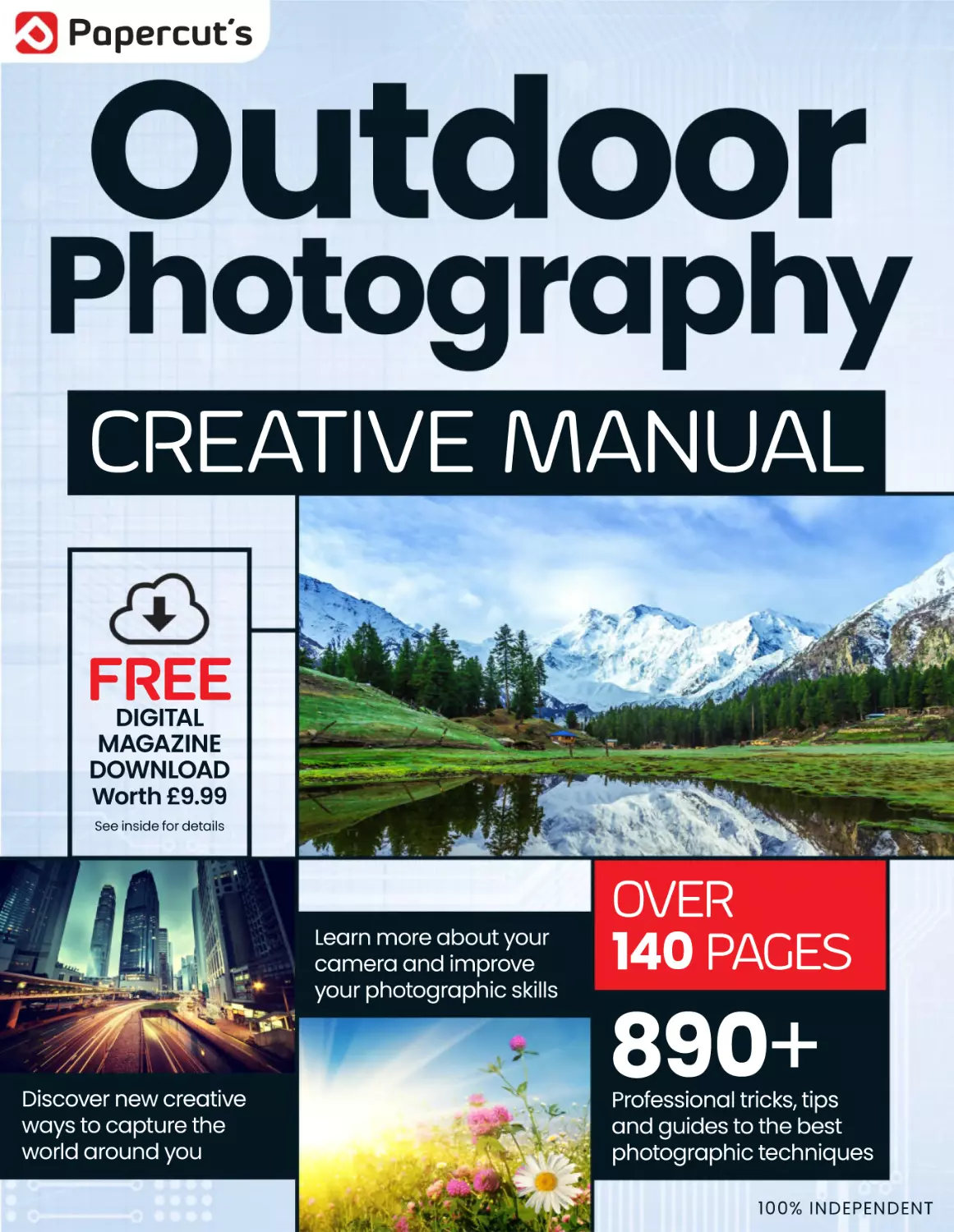
Papercut’s
CREATIVE MANUAL
FREE
DIGITAL
MAGAZINE
DOWNLOAD
Worth £9.99
See inside for details
Learn more about your
camera and improve
your photographic skills
Discover new creative
ways to capture the
world around you
OVER
140 PAGES
890+
Professional tricks, tips
and guides to the best
photographic techniques
100% INDEPENDENT
Get Your Exclusive
FREE Gift Worth
£9.99 Here!
Download Your
FREE Copy
of Digital
Photography The
Complete Guide
Head over to your web
browser and follow these
simple instructions...
Digital
Photography
The Co
mplete Guide
500 TIPS
EX PE RT
Learn professional techniq
ues
and shoot amazing photos!
1/ Enter the following URL: www.pclpublications.com/exclusives
2/ Sign up/in and from the listings of our exclusive customer downloads,
highlight the Digital Photography - The Complete Guide option.
3/ Enter your unique download code (Listed below) in the “Enter
password to download” bar.
4/ Click the Download Now! Button and your digital magazine will
automatically download.
5/ Your file is a high resolution PDF file, which is compatible with the
majority of customer devices/platforms.
Exclusive Download Code: PCL42601PG
NOTE: This is a limited reader offer running from 1st June 2024 to 1st September 2024.
Terms and conditions apply and can be found at www.pclpublications.com
Papercut’s
Photography
CREATIVE MANUAL
This manual is your essential guide to some of the kinds
of photography that is possible outside the four walls of
your own home. Potentially, there is so much to do and
capture when you venture outside with the desire to
create some fun and interesting images. Before you let
yourself loose on the world armed with your camera, we
have compiled an essential list of outdoor photography
hints and tips, as well as a general guide to choosing
cameras and lenses and other useful gear.
We also walk you through some aspects of photography
that can help you understand what photography is all
about and improve your skills. Then, when you are ready,
we have a series of ideas and projects that involve
outdoor photography, that vary from abstract
landscapes to infrared photography. Unleash your
creativity and get the most out of your camera and
photographic equipment.
M a s te r yo u r te c h @ w w w. p c l p u b l i c a ti o n s .c o m
THE OUTDOOR PHOTOGRAPHY !0# 2'4#MANUAL
Outdoor photography hints & tips
8 - 19
Outdoor photography hints & tips
Getting started
22 - 23
Choosing the right camera
24 - 25
Your next camera?
26 - 27
Choosing the right lens
28 - 29
Tripod tips
30 - 31
Digital storage
Using your camera
4
34 - 35
How image compression works
36 - 37
The right mode for the right conditions
38 - 39
Staying focused
40 - 43
How shutter speed affects your image
44 - 47
Changing your view with focal length
48 - 51
Understanding how aperture works
52 - 55
Controlling the light
56 - 57
Keep an eye on white balance
58 - 59
Landscapes and hyperfocal distance
60 - 61
The rules of composition
CONTENTS
Outdoor projects
64 - 73
Action cameras and the great outdoors
74 - 79
Outdoor macro photography
80 - 85
Capturing star trails
86 - 89
In-car long exposure
90 - 93
Pets and animal photography
94 - 97
The ‘magic cloth’ technique
98 - 103
Daytime long exposure
104 - 105 Selective focus
106- 109 Off-camera flash
110 - 115 Changing your point of view
116 - 123 A matter of focus
124 - 127 Deconstructed landscapes
128 - 133 Crystal ball photography
134 - 137 Super-wide panoramas
138 - 139 Stock photography
140 - 145 Abstract and surreal landscapes
5
OUTDOOR
PHOTOGRAPHY
HINTS & TIPS
Some handy quick reference tips to start you off
6
8
Choose the right camera - Choose the right lens - Buy a tripod
9
Photo editing software - Avoid camera shake - Natural light portrait
10
Fill-in flash - Group portraits - Portrait backgrounds
11
Time of day - Position - Harmony and balance
12
Whatever the weather - Night photography - Low light
13
Flash - Raw mode - Get on their level
14
Exposure compensation - Animals - Concerts
15
Cars - Close-up - Sports and action
16
Adventure photography - Focal length - Depth of field
17
Focusing - Hot weather - Black and white
18
Cleaning - Batteries - Cold weather
19
Snow scenes - Leading lines - Rule of thirds
OUTDOOR PHOTOGRAPHY HINTS & TIPS
For many people, new to the world of photography, one of the easiest
and most accessible areas first explored with a new camera is the
great outdoors, and why not? You don’t need a studio or masses of
expensive equipment. There is plenty of available light, unless you’re
feeling adventurous and want to try night photography, and beautiful
seaside or countryside scenes are usually not too far away by car or a
brisk walk.
Photographing outdoors is an amazing and rewarding experience
for the novice and seasoned professional. Whether it’s just a record
of a day trip you’ve made to a new location with the family or a more
serious professional endeavour in an exotic landscape, your shots,
when taken well, are able to instil all sorts of emotions in the viewer of
the final shot. Even if it is that most mundane of emotions summed
up in the simplest way: ‘wish you were here’.
So you have a new camera or you are itching to get one and get out
there and start snapping away, filling memory card after memory
card, right? Before you do, why not take a quick look at our essential
hints and tips. Then, over the following pages we have assembled a
useful quick reference guide to outdoor photography that can take
your photographs to the next level. Go from ‘snap’ to ‘masterpiece’.
The rest of this publication will also cover some of the tips in greater
detail, so turn to the next page and start reading. Q
“So you have a new camera, or
you are itching to get one and
get out there and start snapping
RhRj
]]Z_X^V^`cjTRcURWeVc
memory card, right?”
7
1
Choose the right camera
When you’re looking to buy a new camera
for outdoor photography, make a list of your
requirements and set yourself a budget.
Don’t forget to allow for accessories such as
lenses, a tripod and cleaning kit if you need
them. Don’t fall in to the trap of thinking
that a more expensive camera will make
you a better photographer. You’re much
more likely to improve your technique by
overcoming the limitations of cheaper kit
than by spending more money than you
need to.
2
Choose the right lens
If you’re buying a compact system camera or
DSLR, it will probably come with a standard
telephoto lens that is ideal for general
photography and snapshots but there is a
wide variety of special lenses available for
other types of photography. If you like to shoot
landscapes, get a good wide-zoom lens but
avoid super-wide lenses as these will distort
the image. If you want to shoot wildlife, you’ll
need a high quality fast telephoto but this will
be expensive.
3
Buy a tripod
The quickest way to improve your photography
is to invest in a decent tripod. For the best
combination of strength, rigidity and portability,
the ideal choice is carbon fibre. Carbon fibre
tripods start at around £120 ($175, €165)
and can cost ten times more, so if that’s too
expensive get a good quality aluminium one.
Features to look for include a ratcheted centre
column, portrait-format tilt and all-metal
construction. Avoid ones with plastic heads, as
they are seldom rigid enough to prevent camera
shake on long exposures.
8
OUTDOOR PHOTOGRAPHY HINTS & TIPS
4
Photo editing software
To get the best out of your photos you’ll need
photo editing software. You can make simple
edits with the Photos app that comes with
Windows or with Photos on a Mac but for
more accurate and detailed work you’ll need
something more capable. The best is Adobe
Photoshop but with a monthly subscription
fee, it may be too expensive for most hobby
users. Fortunately there are plenty of cheaper
options, including Corel PaintShop Pro X9,
Corel AfterShot Pro 3 and Adobe Photoshop
Elements 15.
5
Avoid camera shake
Camera shake ruins more photos than any
other cause. You can avoid it by setting a
faster shutter speed or higher ISO setting,
or by using your camera’s sport or action
mode. Try bracing your camera against
a solid object such as a wall or tree for
additional support. You can eliminate
camera shake altogether by using a tripod
or by resting your camera on a solid surface
and using the two-second self-timer setting
or a remote shutter release.
6
Natural light portrait
Shoot portraits outdoors to take advantage
of natural light. Position your subject so
that their face is well-lit but don’t believe
the old tip about having the “sun over your
shoulder”. You should avoid having them
face directly into the sun, because this will
cause them to squint. The best option is to
have them stand in bright shade, or near a
white wall or other object that will reflect a
flattering diffused light.
9
7
Fill-in flash
If you’re shooting a portrait into the sun
with your subject’s face in shadow, use
your camera’s flash to help balance the
sunlight and fill in those dark shadows. Most
cameras these days have an automatic fillflash setting that will work with the exposure
meter to produce the correct result but if
not use the flash on full power and reduce
the aperture by one or two stops to avoid
over-exposure.
8
Group portraits
If you’re shooting a group portrait outdoors,
try to find a location that lets you position
your subjects at different heights. A set of
broad steps, a low wall, a park bench or
even the trunk of a fallen tree make ideal
impromptu stages, and add interest to what
would otherwise be a fairly dull photo. Position
shorter people at the front of the group or get
those at the front to kneel, so that everyone
can be seen clearly in the shot.
9
Portrait backgrounds
When shooting a portrait outdoors, always be
aware of objects in the background and how
they will appear in your shot. You can avoid
the classic mistake of having a tree appearing
to grow out of the top of someone’s head by
using a wide aperture (narrow depth of field) to
blur the background while keeping the subject
sharp. If you want a sharp background in your
shot, take care to position your subject so as to
avoid obtrusive distractions.
10
OUTDOOR PHOTOGRAPHY HINTS & TIPS
10
Time of day
When shooting landscape shots, the time of day
is all-important. You can’t control the position
of the sun in the sky, so you’ll have to wait for
it to be in the right position to provide the best
lighting for your scene. Make a note of sunset
and sunrise times and try to visit the same
location several times at different times of day.
The favourite times for perfect lighting are an
hour after sunrise and an hour before sunset,
known as the ‘golden hour’.
11
Position
Since you can’t move the landscape
around to suit your composition, choosing
the right position to take your shot is
all-important. Study the scene you want
to capture and try to picture how it would
look from higher up, lower down or from a
different angle. Be aware of obstructions
such as power lines and pylons, and try
to choose a location that minimises their
impact. The perfect location may involve a
bit of hiking but it will be worth it.
12
Harmony and balance
There’s more to a good landscape
composition than just a snapshot of some
nice hills. Try to include foreground detail
such as old walls, rock formations or
plants. They will add depth and a sense
of perspective and scale to your picture,
and make for a much more interesting
composition. Try to balance foreground
detail with background detail to create a
harmonious balance to your composition.
11
13
14
Whatever the weather
Night photography
Remember that the weather is part of the landscape
too. While a nice sunny day is perfect for outdoor
photography, natural weather effects such as mist, clouds
and even rain can be used to create an attractive photo
under the right circumstances. Make the weather part
of your composition. Try capturing mist in early morning
light, or raindrops hitting puddles or the surface of a lake.
Cloud formations can add interest to the composition of a
panoramic landscape shot.
You can capture amazing photos of the stars on a clear
night by setting your camera on a tripod, setting the
aperture to its widest position and using the ‘B’ exposure
setting and a cable release to hold the shutter open for
five or six minutes. Make sure you’re well away from any
light sources such as street lights or passing cars. If you
point your camera towards the Pole Star (or the Southern
Cross) you’ll capture the apparent circular motion of the
stars as the Earth rotates.
15
Low-light
When shooting in low light the most important
thing to remember is that your camera’s
exposure meter will try to brighten everything
up; this can cause problems with image noise
at higher ISO settings. To capture dimly lit
subjects against a dark night-time background,
try reducing your exposure by a couple of stops.
This will also help to reduce the blurring caused
by camera shake and moving subjects during
long exposures.
12
OUTDOOR PHOTOGRAPHY HINTS & TIPS
16
17
Flash
Raw mode
Many people will try to use their camera’s flash when
shooting outdoors in low light but using flash outdoors
has its own special difficulties. The effective range of
your flash will be greatly reduced, since it has no walls or
ceiling to bounce off, so make sure your subjects are no
more than three or four metres away. If they’re outside
this range turn the flash off and use the night-portrait
mode instead.
Most high-end cameras, and even some of the better
mobile phone cameras, have a feature called Raw mode.
This is the equivalent of the negative in a film camera;
you can take the Raw image data and process it yourself
using image editing software such as Photoshop.
The advantage is that the Raw mode file contains
uncompressed data with more colour information and
tonal depth than the processed JPEG image that your
camera usually produces, so you can do more with it.
18
Get on their level
Children, as you may have noticed, are
usually considerably shorter than adults,
so all too often when photographing them
they’re either looking awkwardly upwards
into the camera or you can only see the tops
of their heads. When photographing young
children, try kneeling or sitting down, so
that you’re more or less on their level. You’ll
appear less intimidating and your picture
will capture the world from the child’s point
of view.
13
19
Exposure compensation
Your camera’s exposure meter will usually
try to make everything in the frame appear
to be of average brightness, which can cause
problems if there are areas of very deep
shadow or bright light sources in the scene
you’re trying to photograph. Use exposure
compensation to overcome this. To make sure
that shadows remain black, reduce exposure
by a couple of stops. Stop bright highlights
under-exposing the scene by increasing
exposure accordingly.
20
Animals
The old actors’ adage “never work with
children or animals” can also apply to
photographers. Even domesticated animals
and pets will seldom co-operate and pose
for a photo; and wild animals will usually run
or fly away as soon as they see you, so you
have to employ some special tactics. For pet
portraits try giving the pet a chew toy or a
catnip treat to get them to sit still and with
wild animals follow the professionals and use
camouflage and a long telephoto lens to help
you get closer.
21
Concerts
Outdoor music festivals and concerts are a
popular summer activity in many countries
and often make excellent photo opportunities.
If you have the equipment, shooting from a
tripod at the back of the audience using a fast
telephoto lens gives excellent results but for
more modest cameras you’ll need to get closer.
When shooting concerts at night, try setting
your exposure manually to 1/20th of a second
at maximum aperture and use an ISO setting of
1600. If possible, focus manually too.
14
OUTDOOR PHOTOGRAPHY HINTS & TIPS
22
Cars
A quick browse through any popular car
magazine will show you that there are a couple
of standard ways to photograph cars. The most
commonly used technique is to park the car
somewhere interesting, like an abandoned
warehouse or deserted beach, preferably just
after dawn or just before sunset, use a wideangle lens and shoot at a low angle from the front
quarter of the car with the front wheel turned
away from you to show off the alloy rims. It may
be a cliché but it works.
23
Close-up
Good close-up photography requires either a
camera with a very close minimum focusing
distance or a special macro lens. The main
problem with extreme macro photography is
that the object you’re focusing on will be in
the shadow of your camera, so try to arrange
lighting from the side. One handy gadget to try
if you plan to do a lot of close-up work is a ring
flash, which provides even illumination from
all sides.
24
Sports and action
The summer is a good time to photograph
sports and other outdoor activities. For
spectator sports you’ll need a fast telephoto
lens, such as Canon’s excellent (but very
expensive) EF 800mm f5.6 L IS USM. If
that’s too steep for you, try getting as
close to the action as possible and then
using your zoom lens at maximum length
and maximum aperture. Time your shots
carefully so as to minimise motion blurring.
If your camera has a sports mode, use that.
15
25
Adventure photography
If you’re keen on outdoor pursuits such as
hiking, camping, skiing, kayaking and so on,
you’ll no doubt want to take photos to record
your adventures. Most normal cameras don’t
take too kindly to being soaked in rain or
submerged in a river, so buy yourself one of
the many waterproof, shockproof cameras
that are available, such as one of the GoPro
range of action cameras. If you do want
to take your DSLR along, invest in a fully
waterproof case such as the Aquapac.
26
Focal length
Focal length, or the zoom setting of your lens,
is one of your most important creative tools.
Longer focal lengths let you get closer to
distant subjects, whilst wide angle settings
let you capture more of your surroundings.
However, most people only ever seem to use
the minimum and maximum settings. If you
do this you’re missing out on a lot of creative
potential. Use focal length creatively to
improve composition or to focus attention on
details in a scene.
27
Depth of field
Depth of field is the distance between the
nearest and most distant objects in a scene that
are in focus. It is controlled by a combination of
aperture and focal length and is an important
creative tool for improving your photographs.
Use a narrow depth of field (wide aperture) to
isolate subjects against a blurred background
or use a large depth of field (narrow aperture)
to capture an entire scene in sharp detail.
16
OUTDOOR PHOTOGRAPHY HINTS & TIPS
28
Focusing
Your photo needs to be properly focused but it’s
important to make sure that you focus on the
right point. For narrow-depth-of-field portraits,
try focusing on the subject’s eye that is closest
to the camera. For big panoramic landscapes
using narrow apertures, manually focus on a
point roughly one-third of the distance between
the foreground and the most distant point. This
should ensure that the whole scene looks sharp.
If you use autofocus, try using spot focusing, it’s
usually more accurate.
29
Hot weather
Hot weather can also cause some problems,
with condensation and high humidity being
at the top of the list. Keep a couple of bags of
silica gel in your camera bag to absorb any stray
moisture and wipe off any surface condensation
as soon as it forms, to avoid it seeping inside
your camera and messing up the electronics.
Keep your lens clean too and avoid the problem
of fungal blooms growing inside the lens barrel.
30
Black and white
There are many subjects that can look great
in black and white, particularly portraits,
rough textures like old stone, and even
landscape shots. However the black and
white mode on your camera may not do
the scene justice. You can get much more
creative control over the final appearance
of the image by converting the photo to
monochrome using photo editing software.
This is especially true if you shoot in Raw
mode, with its much greater tonal range.
17
31
32
Cleaning
Batteries
Like any piece of complex equipment, your camera needs
regular care and maintenance if it’s going to continue to
work properly. Dust and dirt can cause serious problems,
so clean your camera regularly. Clean the outside with
a soft cloth and use a small soft brush to get into the
nooks and crannies. Clean your lens carefully, using only
a proper lint-free lens cloth and lens cleaning fluid, which
should be applied to the cloth and not to the lens directly.
Your digital camera can’t operate without power, so make
sure you fully charge the battery before taking it out for
the day. If you’re going away for a holiday remember
to take your battery charger and an adaptor for foreign
mains sockets; and maybe consider investing in a spare
battery or external battery pack in case you can’t charge
it for a while. There are also several devices available that
can charge your battery using solar energy or from a
hand cranked mini-generator.
33
Cold conditions
Cold conditions can cause a few problems for
your digital camera, the main one being its
effect on batteries. You’ll find that even on a
cold morning after a clear summer night, your
battery will only last around half as long, so
keep a spare in a warm inside pocket and swap
them over when the first runs out. When you
take your camera back indoors, keep it in a
sealed plastic bag until it’s warmed up, to avoid
condensation problems.
18
OUTDOOR PHOTOGRAPHY HINTS & TIPS
34
35
Bright beach scenes
Leading lines
Shooting bright beach scenes can be tricky with an
automatic camera. The exposure meter will try to make that
expanse of pristine white sand look like a mid-tone grey,
which will cause anything else in the scene to be underexposed. Use your camera’s exposure compensation, or
manual exposure if your camera has it, to increase exposure
by two or three stops to counteract the metered underexposure. Alternatively, use spot metering on your subject’s
face to produce a more accurate result.
There are many rules and guidelines for photographic
composition but one that applies most often to landscape
photography is the concept of leading lines. When
composing your shot, try to find lines in the scene, such
as roads, rivers, railway lines or hedges. Frame your shot
so that these lines will lead the viewer’s eye into and
through the scene. They will also help to give the scene a
sense of scale and perspective and this will also help with
your composition.
36
Rule of thirds
One of the most commonly quoted rules of
photographic composition is the famous Rule
of Thirds. When composing the scene in the
viewfinder, try to position the main elements
of the scene in such a way that they fall on
imaginary lines a third of the way across the
frame, either vertically or horizontally, or even
both. This technique works for all kinds of
photography, not just landscapes.
19
GETTING
STARTED
Some essentials to start shooting outdoors
22 - 23
Choosing the right camera
24 - 25
Your next camera?
26 - 27
Choosing the right lens
28 - 29
Tripod tips
30 - 31
Digital storage
I
n this first section, we want to outline
some of the essentials you’ll need to
consider if you are looking to purchase
your first camera, or upgrade what you
currently have. Shooting outdoors,
particularly if you are wanting to shoot
landscapes, can be done with the cheapest
of compact cameras, all shot hand held.
That is absolutely fine up to a point. Beyond
that, to take your outdoors photography
20
up a notch, getting informed about lens
types and investing in a good tripod, are key
things to bear in mind.
Over the next few pages we’ll look at a
few of the many different types of camera
that are available. We show you a few good
tripod choices, lens types, and also look at
some of the accessories that are available
to help you take better photos when you
venture out into the world. Q
GETTING STARTED
21
Choosing the
right camera
Which one is right for you to take
outdoors on your next adventure?
C
ameras come in so many shapes and sizes, packed with gadgets
and technology that can be confusing to the average enthusiast.
Add to that the fact that there are many types of camera system
too, and you would be forgiven for wondering if it’s easier to take up fishing
instead. Don’t worry, if you just want to snap pictures of your friends on
holiday or shoot with the latest medium format camera in the wilds of
Borneo, we’ve got a list of camera types that help sort it out for you.
22
1
2
3
4
5
6
7
8
9
CHOOSING THE RIGHT CAMERA
1. Standard compact
Most compact cameras fall into this
category. They tend to be fairly small and
light, measuring about 100 x 50 x 25mm and
weighing around 120-130g. Modern standard
compacts are normally fully automatic,
although some may offer basic manual
exposure options. They usually have a zoom
lens of up to 10x which folds flush with the
camera body and an LCD monitor of about
7cm diagonal size. Prices start at about £60 for
budget models, up to around £300 for luxury
models. Extra features may include such things
as HD video recording, image stabilisation or
Wi-Fi connectivity, and they often come in a
range of colours.
2. Zoom compact
Zoom compacts, also sometimes known as
Travel Cameras, are broadly similar to standard
compacts, but are equipped with more powerful
lenses, some as large as 30x zoom. Most have
robust metal bodies, high-capacity batteries
and large monitor screens; many also feature HD
video recording and optical image stabilisation.
They are usually larger than standard compacts,
with bodies that incorporate a small handgrip for
more comfortable handling, and the lenses do
not usually fold completely flush with the body.
Many models now also have optional manual
exposure features, and some include built-in GPS
for automatic geotagging of your travel pictures.
Prices start at around £150, going up to around
£700 for luxury models.
3. Adventure cameras
A category that has been growing in
popularity, Adventure Cameras are designed to
be used outdoors in extreme conditions. They
are waterproof, many are also shockproof, and
a growing number are also advertised as being
“freezeproof”, although that seems to be taking
things to the absolute extreme. In terms of
capabilities most adventure cameras are similar
to standard compacts, with up to 5x zoom lenses
that are usually non-protruding and protected
behind toughened glass ports. From rock
climbing to surfing, this is the kind of camera that
can keep up with an active outdoor lifestyle.
4. Advanced compact
Advanced compacts are designed for more
experienced photographers, and offer superior
photographic versatility and quality, as well as
advanced creative features such as manual
exposure controls, manual focusing, optical
viewfinders and external flash connections. They
are considerably more expensive than other types
of compact, with prices ranging from around
£300 to over £500. There is an even more rarefied
category that has appeared more recently of
advanced compacts with larger sensors. The
use of a larger sensor offers better image quality
and great low light performance , as well as an
expanded set of features. Prices vary quite a bit
within this range of cameras, starting from around
£500 to well over £3000.
5. Super-zoom
Super-zoom cameras used to be called “bridge
cameras”, since they were seen as half-way between
compact cameras and DSLRs, but they have been
falling out of favour over the past few years as zoom
compacts and CSCs encroach ever further into
their traditional territory. Nonetheless there are still
a number of super-zooms on the market, and most
of them are very capable cameras. They are usually
quite large, with SLR-style bodies including big hand
grips and electronic viewfinders. All offer powerful
zoom lenses, some as much as 50x zoom, and usually
include optical image stabilisation. Most also feature
advanced HD video recording, often with stereo
audio, and some also include advanced photographic
features such as manual exposure and flash hotshoes. Prices start at around £170, going up to nearly
£400 for the more advanced models.
digital SLRs, but in a smaller, lighter and in most cases
less expensive package. They are a good choice for the
hobby photographer who wants to extend their range,
but who doesn’t want to be dragging a heavy bag of
full-sized lenses around. There is a wide variation in
quality and capability and prices range from less than
£300 to over £1,200. As sensor technology improves,
the compact system camera offers a viable alternative
to outdoor photographers who need to travel light but
need quality images.
7. Smartphone cameras
There is no getting away from it, the smartphone
has turned the idea of a point-and-shoot camera
on its head. Smartphone imaging technology has
come a long way and your average smartphone
is now capable of shooting 16 megapixels with
impressive low-light capability for such a compact
device. Moreover, m any smartphones now have the
main camera backed up with a front-facing, lower
resolution, ‘selfie’ cam as well. Most new smartphone
cameras have the ability to be able to take very wide
panoramas by merging images taken as you pan the
camera to create some detailed landscape images.
8. Digital SLR
Digital SLRs (DSLR) have interchangeable lenses,
and most digital SLRs can use the same lenses as
their older film-based predecessors. With specialist
lenses available for particular tasks. SLR systems are
the choice of most serious amateur and professional
photographers, offering superb image quality. Most
DSLRs use a sensor size called “APS-C” but a few
top-end cameras use larger “full-frame” sensors the
size of a 35mm film frame. A good full frame DSLR
with a couple of great lenses is still the main choice
for capturing great outdoor images in a range of
conditions and lighting challenges. From a misty
morning to a starry night, the DSLR can shoot it all.
6. Compact system cameras
9. Medium Format
Compact system cameras (CSC), also known as
mirrorless interchangeable lens cameras (MILC), have
interchangeable lenses, allowing photographers to
choose a particular lens for a particular task, and also
have a range of other accessories such as flashguns.
They offer most of the versatility and image quality of
If even a full-frame DSLR isn’t quite good enough
for you, you could always try a digital Medium Format
camera, which has an even larger sensor. The new
Hasselblad X1D-50c has a 50 megapixel sensor and
amazing picture quality, but it doesn’t come cheap.
With a standard lens it will cost you around £15,000!
23
Your next camera?
Some interesting cameras to consider
I
f you are just a holiday shooter or an enthusiast
landscape photographer, then your choice of
camera can be fairly specific. Obviously, when
looking at a new camera, budget will have a major
part to play. It is always recommended that you
try to get the best camera you can afford without
breaking the bank. Just be aware that it is a good
idea to get something that you can grow into
as you develop as a photographer. You may find
that if you get a basic model with limited manual
controls, you will quickly outgrow it and go looking
for a new camera anyway, so it is something to
keep in mind.
You may not need all the fancy technology and
gadgets that are on offer with certain cameras
when you start out, but that may soon change as
you crave more exciting ways of taking photos. So
with all that in mind, here is a selection of some
varied and interesting cameras from both ends of
the scale; hopefully, it may pique your interest and
point you in the right direction. Q
Canon EOS 5D Mark IV
Full-frame DSLR - £3320/$3499/€3827
Q
Q
Q
30.4 megapixel Full-Frame CMOS Sensor
New Auto Focus system
DCI 4K Video at 30 fps
Nikon D500
Panasonic Lumix LX100
APS-C DSLR - £1700/$1999/€2003
Micro Four Thirds camera - £500/$580/€590
Q
Q
Q
24
173-point autofocus system
20.9 megapixel APS-C sensor
10 fps max shooting speed
Q
Q
Q
12.8 megapixel MOS sensor
4K movies
Classic manual control
YOUR NEXT CAMERA?
Fuji X-T2
Mirrorless APS-C camera
£1399/$1599/€1649
24.3 megapixel CMOS sensor
3.0 inch tilt-angle display
Q 8 fps shooting speed
Q
Q
Panasonic Lumix TZ70
Travel camera - £280/$400/€322
Q
Q
Q
12 megapixel sensor
24-720mm f/3.3-6.4 lens
30x zoom range
Pentax K-1
Full-frame DSLR - £1799/$1946/€2073
Q
Q
Q
36 megapixel CMOS sensor
33 Autofocus Points
ISO 100-204,800
25
Choosing the right lens
Make sure your next lens is right for the job
A
camera can stand
or fall depending on
how a good a lens
you have attached to it, and
also if it is right for the job in
hand. Imagine setting up by a
beautiful lake that stretches
off as far as the eye can see
in each direction. You would
need a wide angle lens with a
very short focal length that is
capable of capturing all that
grandeur and spectacle, but
all you have is a telephoto
lens. That is going to limit
the kind of shot you could
take there. You could also
find yourself in a field of
bluebells, wanting to get an
extreme close-up of the dew on
those gorgeous flowers. All you have in your bag is a
standard lens with a minimum focusing distance that
puts that dew-covered bluebell so small in the frame,
it just doesn’t work as a photo. After choosing the
right camera, lens choices are your next port of call.
26
Lenses can be divided into two main categories:
zoom lenses, which have a variable focal length;
and prime lenses, which have a fixed focal length.
Zoom lenses have the advantage that they are more
versatile, so just a couple of lenses can cover a wide
range of focal lengths, but they also have several
disadvantages. They are heavier than prime lenses,
the optical quality is usually not quite as good, and
they usually have a smaller (slower) maximum
aperture. Prime lenses, conversely, are lighter and
usually of better optical quality, but you have to carry
more of them to cover a range of focal lengths. Both
types of lenses are available in a huge range of sizes
and prices, from cheap standard 50mm lenses to
ultra-fast telephoto zooms costing over £10,000.
There is actually relatively little difference in priceper-focal length between zooms and primes; both
vary widely depending on quality, focal length and
maximum aperture, with both popular and premium
varieties of both types.
Some photographers prefer the convenience
of zoom lenses, others prefer the superior
performance of prime lenses, while others prefer to
use a mixture of prime and zoom lenses depending
on the circumstances.
CHOOSING THE RIGHT LENS
For creative photography and amazing landscape
and outdoor images, you’ll need to get lenses that
are suited to the task.
TYPES OF LENSES
Pancake lens
Standard zoom
Ultra-wide zoom
Typical focal length:
Wide, Normal, Telephoto
Typical focal length:
28-80mm (full-frame equivalent)
Typical focal length:
16-35mm (full-frame equivalent)
Simply put, a pancake lens is a very flat prime lens. It
is shorter than it is wide and it is very small and light.
They are used primarily by photographers who are
after a small and compact camera/lens system.
They are used with DSLR and Micro Four Thirds
cameras. Relative to their diminutive size, they can
produce very good images.
This is the most common focal length, suitable for
general photography and useful for everything from
landscapes to portraits. Most systems will include
a couple of lenses in this focal length range, usually
a cheaper, slower version often included as a kit
lens with a new camera, and a premium quality lens
often costing a lot more.
Ultra-wide-zoom lenses are primarily used
for landscape photography. They are more
specialised than standard zooms, and
consequently are usually more expensive,
although some systems include both standard
and premium types.
Macro lens
Medium telephoto zoom
Specialist lenses
Typical focal length:
50-100mm (full-frame equivalent)
Typical focal length:
80-300mm (full-frame equivalent)
Typical focal length:
400-1200mm (full-frame equivalent)
A true macro lens by definition should be able
to record an image at 1:1 scale on the sensor or
medium it was shot on at its closest focusing
distance. This magnification factor means that
a macro lens is able to fill the frame and reveal
amazing detail on very small objects.
The medium telephoto zoom is useful for amateur
wildlife or sports photography, or portraits at the
shorter end of its focal length range. Telephoto
zooms have a smaller effective aperture than
standard zooms.
Specialist lenses are used mainly by professionals
and advanced enthusiasts. These include both
zoom and prime ultra-fast telephoto lenses used
by sports and wildlife photographers.
CONVERSION FACTORS
Since most digital SLR and CSC cameras use
sensors that are considerably smaller than a
frame of 35mm film, when using lenses designed for
older film cameras the field of view is reduced by a
certain amount. This has the effect of increasing the
apparent focal length, so what had previously been a
wide-angle lens now becomes closer to a standard
view lens.
This “crop factor” or “conversion factor” is an
important consideration when buying a lens. To
convert the focal length of a digital SLR lens to the
equivalent focal length of a lens for a 35mm camera, it
must be multiplied by the conversion factor.
For APS-C cameras this is approximately 1.5:1, so a
standard 18-55mm zoom lens, as supplied with many
DSLRs, is roughly equivalent to 27-82mm, close
to the 28-80mm that is a standard zoom on 35mm
cameras. If one were to use that 28-80mm lens on a
DSLR it would be the equivalent of a 42-120mm zoom.
Olympus and Panasonic Four-Thirds systems
have a conversion factor of approximately 2:1, so a
standard zoom for these systems is usually 14-42mm,
which again is roughly equivalent to the 28-80mm fullframe standard.
27
Tripod tips
The best way to avoid camera
shake spoiling your shots
POCKET TRIPODS
The Xshot mini travel tripod, when
folded away, is small enough to fit in
your pocket. It could not really support
a large DSLR, but your cameraphone
or compact camera would be fine.
T
here can be no worse feeling, for a
photographer of any skill level, than
finding yourself in a location where
the combination of setting sun, clouds, land
and water conspires to create the perfect
landscape image and what you actually capture
is blurry due to too slow a shutter speed and
the fact you shot it hand held. In situations like
this, the tripod becomes your saviour. All the best
cameras and lenses in the world cannot save you
from the need to shoot long exposures in low light
conditions. Even the most modern DSLRs with
very high ISO capability will still produce a noisy
image if you bump the sensitivity too high. If you
want the sharpest, highest quality images for
TYPES OF TRIPOD
shooting in low light situations outdoors, then
you will need a tripod.
Rigidity and carrying weight are going to be the key
factors when picking the best tripod for your needs.
The tripod you choose has to be able to support
the weight of your camera and hold it perfectly still.
Any movement or flexing of the tripod, will ruin that
perfect landscape shot you spent hours hiking up
hill and down dale to find. Some cheaper tripods
with plastic heads and thin aluminium legs are too
‘bouncy’ to be used with anything heavier than a
compact or light superzoom. Set the tripod up and
press down on the top of it. If it flexes by more than
a few millimetres it’s not going to be stiff enough to
support the weight of a heavy camera. Q
“Rigidity and carrying weight are going to be
eYV\VjWRTe`cdhYV_aZT\Z_XeYVSVdeecZa`U
W`cj`fc_VVUd ~
These are miniature tripods designed for small
compact cameras, and are ideal for table-top use,
or for positioning your camera for a self-timer
group shot. They’re
small enough to slip
into a jacket pocket
or into your camera
pouch. There are
several different types,
including ones with
telescopic legs, ball
or pan-tilt heads, and
even flexible legs. One
unique and extremely
versatile design is the Joby Gorillapod, which can
grip onto almost any object or work as a tripod.
BUDGET
TRIPODS
There are many
cheap tripods on the
market, many costing
less than £20. There
are some very good
ones, such as this Hama
Star 75, but many lack
the rigidity to support
heavier cameras and
lenses.
TRAVEL TRIPODS
Travel tripods are
designed for general use
where low weight and
portability is an important
factor. They are made of
lightweight materials,
usually aluminium or
carbon fibre, and are
suitable for most types of
camera from compacts
up to mid-range DSLRs,
although not with large
telephoto lenses.
PROFESSIONAL-GRADE TRIPODS
MONOPODS
If carrying a tripod around is inconvenient, a
good alternative is a monopod, essentially a single
telescopic support leg with a camera mounting on
the top. Obviously they don’t provide the stand-
28
alone support of a tripod, but they can be a big help in
reducing camera shake. They are also handy for
shooting in confined positions where a tripod won’t fit,
such as in a crowd.
Top quality tripods are made from hightech materials like carbon or basalt fibre, with
magnesium alloy
fittings and superior
workmanship. They
offer the best rigidity
and support for even
the heaviest cameras
and lenses, but they
are very expensive.
The Gitzo Mountaineer
Series 1 seen here
costs over £800.
TRIPOD TIPS
29
Digital storage
Your precious holiday photos in safe hands
A
s camera technology develops and the
megapixel count increases with every
new camera that is released, the file sizes
that these cameras create when shooting in Raw
format can be substantial. As an example, if you
were to shoot a highly detailed landscape image
with lots of tree, grass, clouds and mountains, an
uncompressed 12-bit Raw file from something
like a Nikon D810 could be as much as 55MB.
Now imagine shooting an action scene of ponies
running across the moorlands in burst mode and
capturing twenty shots in just one sequence,
you can imagine how quickly you would start
filling up any digital storage. There’s more to
it than just the amount of storage you have. A
memory card of 64GB will let you store a lot of
images, but if that card cannot write the data
from the camera fast enough, that burst mode
sequence of ponies that your camera should be
able to shoot at 8 frames per second is going
to hit a digital log jam after a couple of shots
because the buffer can’t get the image data
written to the card and it all grinds to a halt while
it finishes the task. Clearly, there is more to
memory cards than meets the eye.
30
Premium or Budget?
The popularity of SD cards has led to a large
number of budget brands springing up, and many
supermarkets and chain stores sell their ownbrand cards at often very low prices. However the
best advice is to stick to the premium brands such
as SanDisk, Lexar, Pretec, PNY or Kingston, or to
A
camera brands such as Fujifilm or Panasonic.
Although they may be more expensive their
higher standards of quality control mean that
premium cards are usually much more reliable.
If you’ve got a high-performance camera it’s also
worth spending a bit extra for faster data transfer
rates to get the best out of it. Q
B
IMAGE A: The inside of an
SD card.
IMAGE B: A Compact
Flash card.
Memory cards are used
in all types of portable
devices, including
cameras. They contain
a chip of Flash memory,
which can store data for
years without degrading.
DIGITAL STORAGE
SPEED RATINGS
MEMORY CARD USAGE
Premium cards have higher data transfer speeds,
which means they can store and retrieve data more
quickly, an important factor when shooting video or a
rapid sequence of still images. The speed of the memory
card can have an effect on the overall performance of the
camera, especially on high-end models. Unfortunately
many manufacturers have their own ways of describing
the speed of their cards, which can be very confusing for
the consumer.
Some use the ‘x’ rating, comparing the read/write
speed to that of a CD-ROM, approximately 150 kilobytes
per second (150 KB/s), so a memory card rated at ‘40x’
speed has a transfer rate of 6 megabytes per second
(6MB/s).
The more widely accepted speed rating is the Class
system, usually denoted by a number inside a letter C.
Most budget cards are Class 2, with a minimum read/
write speed of 2MB/s. Most mid-range high-capacity
cards are Class 6, with a read/write speed of 6MB/s.
The fastest class currently available are Class
10 cards, which have a read/write speed of at least
10MB/s. The newer ultra high speed UHS-I cards are
rated at speeds of up to 45MB/s 90MB/s and the UDMA
7 Compact Flash cards can reach 160MB/s. Some cards
offer storage capacity up to 256GB in size. All this from a
card that is not much bigger than a postage stamp.
Kingston SDHC 8 GB
Class 4
£5/$4/€6
Best for: compact camera
users and holiday shooters.
SanDisk Extreme Pro
UHS-3 SDXC
64GB, 95MB/s
Class 10
£37/$35/€44
Best for: pros shooting
Raw files and 4K movies.
Lexar Multi-use 16GB
Class 4
£5/$9/€6
Best for: compact users and
amateur DSLR users.
SanDisk Extreme Pro
Compact Flash
64GB, 160MB/s
£75/$85/€90
Best for: high bit rate DSLR
and HD video users.
Lexar Premium SDHC
32GB 200X
Class 10
£15/$12/€18
Best for: varied storage
intensive DSLRs
and devices.
SanDisk Extreme Pro
256GB, 160MB/s.
£275/$300/€330
Best for: extreme image
and video performance.
Transcend SDXC Flash
128 GB
Class 10
£35/$44/€42
Best for: serious DSLR and
video enthusiasts.
Lexar Professional
512GB, 525MB/s.
£1043/$1200/€1228
Best for: the highest
possible performance.
“EYVdaVVU`WeYV^V^`cj
TRcUTR_YRgVR_VWWVTe`_
eYV`gVcR]]aVcW`c^R_TV
`WeYVTR^VcR ~
SO HOW MANY PICTURES CAN I TAKE?
The total number of pictures that can be
stored on a memory card is a difficult thing
to quantify for a couple of reasons. Digital
cameras usually store images using the
JPEG file format, which compresses image
data to save storage space. Most cameras
have a menu setting for image quality which
varies the rate of compression, with high
quality images taking up more space. The
compressed size of the image can also vary
depending on the subject being shot, since
more detailed images contain more data.
For a typical modern 16-megapixel digital
camera the file size can vary between about
4.5MB for a good quality jpeg and 30MB for
an uncompressed Raw file, which means
an average 8GB card will be enough for
approximately 1400 jpegs or 260 Raw files.
31
USING YOUR
CAMERA
Learn how to get the most out of your camera
34 - 35
How image compression works
36 - 37
The right mode for the right conditions
38 - 39 Staying focused
40 - 43 How shutter speed affects your image
44 - 47
Changing your view with focal length
48 - 51
Understanding how aperture works
52 - 55
Controlling the light
56 - 57
Keep an eye on white balance
58 - 59
Landscapes and hyperfocal distance
60 - 61
The rules of composition
M
odern digital cameras are marvels
of miniaturised technology, with
many automatic functions to help
you take good photos in a wide range of
different situations. However by learning
more about how your camera works and
how to use its many features you can
expand the scope of your photography and
get good results every time, even in difficult
conditions. For owners of more advanced
cameras there are options such as aperture
and shutter speed control, sensitivity and
white balance, as well as creative light
32
metering modes and manual focusing, all
of which can be used creatively to make
your photos really stand out. It’s just a
case of getting to grips with the basics of
photography and your camera gear.
Photography is a rewarding and
potentially profitable hobby, and the
more you learn about it the more you’ll
get out of it. In the next section we’ll look
at common camera features and how
to use them. So read on and find out
how that expensive gadget you bought
actually works! Q
USING YOUR CAMERA
“Photography is a
cVhRcUZ_XR_Ua`eV_eZR]]j
ac` eRS]VY`SSj
R_UeYV
^`cVj`f]VRc_RS`feZeeYV
^`cVj`f|]]XVe`fe`WZe ~
33
How image
compression works
9`hj`fTR_dbfVVkVeYReSZXaR_`cR^RZ_e`dfTYRd^R]] ]V
I
f you’ve ever edited a photograph on your
computer using Photoshop, Gimp, or any of the
main image editing programs, you may have
noticed a disparity between the size of the image
as displayed in your computer’s file manager, and
the size of the image once opened for editing.
That image of the Lake District you took was
about 4MB according to your file manager, but
Photoshop is telling you it’s actually 35MB. Well,
thanks to some clever maths and algorithms,
image compression is at work here. We’ll start
with the one you’ve all probably heard of which is
the JPEG.
34
The JPEG standard also happens to be an ideal
format for storing pictures on a digital camera,
because it uses something called file compression.
This is a technique that allows a large number of
images to be stored in a relatively small amount
of memory by squashing the files so they take up
less room. For this reason JPEG has become the
standard image file format for all digital cameras.
A full technical explanation of file compression
would fill a decent-sized textbook. It uses complex
mathematical techniques that you simply don’t
need to know unless you’re a software engineer
working on a new digital camera. As consumers, all
File compression uses complex
mathematical algorithms to
squeeze big image files into small
spaces, but quality can suffer.
we need to know is that it reduces the size of the
picture file by reducing the amount of information
stored in it. JPEG compression reduces file size
by reducing picture quality, and for this reason
it is called ‘lossy’ storage. For most purposes
this quality reduction is imperceptible and fine
for day-to-day use, but for maximum image
quality there are other types of image file which
are uncompressed and lose no quality, the most
common one being TIFF, which stands for ‘Tagged
Image File Format’.
Basically, the way JPEG compression works is
like this. An average digital photograph contains
HOW IMAGE COMPRESSION WORKS
COMPRESSION
SETTINGS
Even shooting at your camera’s lowest quality
setting will still produce acceptable results under
most circumstances. These three photos were
taken using a Canon DSLR using the Maximum,
Medium and Minimum quality settings. As you
can see the differences are very hard to spot.
}7`c^RiZ^f^Z^RXVbfR]ZejeYVcVRcV`eYVc
ejaVd`WZ^RXV ]VhYZTYRcVf_T`^acVddVUR_U
]`dV_`bfR]Zej
eYV^`deT`^^`_SVZ_XE:77 ~
MAXIMUM
MEDIUM
Large areas of low detail, such as the sky, can be
easily compressed, while detailed areas such as the
trees and grass contain more information.
MINIMUM
The next picture is the same Minimum
quality shot as above, but resaved as a JPEG
using Adobe Photoshop using the Medium
compression setting. While the quality is a little
lower, the image is far from useless.
JPEG MEDIUM QUALITY
varying levels of detail. For example, take an
average image shot in your local park on a sunny
day. While the main subject, the leaves, trees and
grass in the foreground, contains a lot of detail,
there will also be large areas such as the blue sky
that will contain relatively little detail. In order
to reduce the size of the file, some data from
the lower detail areas can safely be lost without
affecting the quality of the picture too much. The
way this is done is usually by reducing the number
of tonal variations between areas of similar
colour, so you may notice artefacts that look like
squares or stripes in highly compressed images.
Whatever make or model of digital camera you
have, it will almost certainly have an option in the
menu that allows you to select image quality. If you
select the lowest quality, you will probably find that
you can fit about four times as many images onto
your memory card as you can at the highest setting.
The higher JPEG compression setting makes the
files one quarter as big, but reduces the quality of
the picture to compensate. Most people will use
the highest setting most of the time, but unless you
intend to print all your pictures at the largest size
possible, you can get away with using a lower quality
setting and still have pictures to be proud of. Q
For comparison, this next image takes the
Minimum quality original and is then resaved
in Photoshop using the Minimum quality
compression settings. Now more compression
artefacts are visible in the image.
JPEG MINIMUM QUALITY
35
The right mode for
the right conditions
:Wj`f|cVecjZ_Xe`TRaefcVWRdeRTeZ`_`_eYVW``eSR]] V]U`cR
sweeping panorama, there’s a mode for that
S
ometimes it’s great to set your
camera on a particular shot
mode setting knowing it will
take care of business for you in your
particular shooting environment.
This means that you can get on with
just enjoying taking the shots you
want. Most new compact cameras,
mid range compact system cameras
and DSLRs offer a range of modes
or creative options that you can
choose. There is a mode for action
and sports that means your images
of the important football match are
shake free and the action is frozen.
There is also a landscape mode that
boosts saturation and contrast for
vibrant green and blues, as well as
using narrower apertures to give
you as much depth of field image
sharpness as possible.
Here are some of the most often
used modes selected from the mode
dial on the top of the camera and in
some cases, from the menu screen on
the back of the camera. Q
Auto DOF Mode: As you focus on your subject,
the camera will use the other focus points to
measure the distance of the other objects in the
viewfinder. It will determine what the appropriate
aperture setting should be to render everything
in focus.
A-DEP
36
Bulb Mode: Lets you control both shutter speed
and lens aperture independently. Many cameras
offer a Bulb shutter, allowing long exposures for
as long as you hold the shutter button down. In
some cameras, Bulb mode can be set from the
command dial or through the menu screen.
Manual Exposure: This mode provides the same
range of exposure control as the other shooting
modes, but lets you control both shutter speed
and lens aperture independently for more
creative control.
SHOOTING MODES
Aperture-Priority AE: This allows you to set the
lens aperture, while the camera is left to select
the most appropriate shutter speed. You have
control over all the other exposure variables,
including the control of exposure compensation.
Full Automatic Mode: Full Automatic is
indicated on the Mode dial by a green rectangular
outline. In this mode, the camera makes all
exposure decisions with the exception of image
quality. Autofocus mode is set to AI Focus.
Close-up Mode (Macro Mode): Turning the
Mode dial to the macro flower symbol sets the
camera for capturing smaller subjects such as
flowers, morning dew on grass, and other small
details. The autofocus mode is automatically
adjusted to One Shot.
Shutter-Priority AE: You can manually set
the shutter speed you want to work with, while
the camera chooses the best corresponding
aperture setting. You have control over all
other exposure variables, including exposure
compensation.
Flash Off Mode: Flash Off mode disables both
the internal flash head and any external flash unit
connected. Focus is set to AI Focus mode, the AF
assist lamp disabled. ISO and white balance are
set automatically as well.
Sports Mode: This mode uses a faster shutter
speed to capture fast-moving subjects like
football players or racing cars . The autofocus
mode is automatically set to AI Servo to
predictively track your subject and keep it in
focus as it moves.
Creative Auto Mode: When set to CA mode, the
camera allows the user to adjust picture style,
motor drive, and exposure compensation, as well
as to use the program shift function.
Portrait Mode: This mode uses a large aperture
setting to decrease the depth of field, which blurs
the background to emphasize the subject. ISO
and white balance are set to Auto.
Night Portrait Mode: This mode is for taking
pictures of subjects at sunset or at night,
letting the flash illuminate the subject, while the
longer exposure provides a brighter view of the
landscape around the subject.
Program AE: Similar to the Full Automatic
mode, but allows more control over the exposure
variables. Aperture and shutter speed are
automatically selected by the camera, but you
can alter exposure to different apertures by
turning the Main dial.
Landscape Mode: Landscape mode combines
slower shutter speeds with smaller aperture
settings to increase the depth of field when
shooting broad panoramas, sweeping
landscapes or any outdoor subject where you
want as much sharpness as possible.
Movie Mode: When Movie mode is selected, the
camera’s mirror and shutter open, as in Live View
mode, but the Live View / Movie button on the
camera’s back functions as the start/stop button
for movie recording.
37
Staying focused
Don’t miss out on a good photo due to incorrect focusing
I
t’s your child’s sports day. They are taking
part in the 100 yard dash and they are going
to win. Standing by the finish line, you steady
your camera and take a shot as they race over
the line in triumph with another child in close
second. When you finally review the image,
you child is blurred, but the child behind them
is in sharp focus. The image is useless. What
happened? Well, you’ve just fallen victim to
autofocus. Your camera decided that because
of the various objects in the scene, and what it
could actually lock on to, the second child was
what it thought should be in focus. Autofocus is
a great tool, but it does need your input now and
again to keep it in line.
To get this flower in focus, the camera
was put on a tripod and manually
set to get the exact part of the flower
required in sharp focus, rather than
relying on the autofocus system.
38
Although we now rely on autofocus for the
vast majority of photographs, anyone who has
tried taking a photo in low light, with fast-moving
subjects or using very long telephoto lenses will
have noticed that sometimes even the best AF
system can run into problems. We’ve all stood
there with the lens whirring in and out of focus,
trying to get a lock on our subject, and eventually
missed the shot. It’s very frustrating when this
happens, but with a few simple tips you can help
your camera to focus quickly and accurately even
in difficult situations.
There are two main types of autofocus system in
common use today. All compact cameras and most
CSCs use something called contrast-detection AF,
STAYING FOCUSED
Different lenses have different minimum
focusing distances, but many modern
zoom telephoto lenses also have macrofocusing capabilities for close-ups.
}2fe`W`TfdeVTY_`]`XjYRdZ^ac`gVUZ^^V_dV]j
and these days even the most basic modern AF
djdeV^dRcVXV_VcR]]jWRde
RTTfcReVR_UcV]ZRS]V ~
press the shutter button. In continuous focus
mode it will continue to update the focus if you
then move the camera, but in single AF mode it will
hold the same focus setting as long as you hold
down the button, until you actually take the shot.
You can use this to focus the camera on low detail
targets by finding an object in the scene that’s
the same distance away as your chosen subject,
focusing on that, and then holding the focus
and reframing the shot. Similarly you can use it
in reverse to focus on objects that aren’t in the
centre of the frame.
Moving targets
Compact camera AF systems are usually
somewhat slower than those in DSLRs, which
means they can have a real problem focusing on
moving subjects. The way around this is either
to use continuous AF or, if your camera has this
option, to use manual focus. If you can tell where
your subject is going to be, such as a car going
round a tight corner on a race track or a child on a
swing, you can pre-focus the camera on this point
and wait to take the picture at the right moment.
This method takes some practice and good
reflexes, but it can produce excellent results.
By carefully focusing on just one part of the scene, and
using limited depth of field, you can draw attention to it.
Close-ups
which samples the image from the main picture
taking sensor and detects sharp high contrast
edges in the details of the scene. Meanwhile
all digital SLRs use something called phasedetection AF, which uses an array of separate
dedicated sensors usually mounted below and in
front of the main imaging sensor. Phase detection
is a more complex system, but it is usually much
faster, more accurate and works better in low
light. However both systems require some detail
in the scene to ’lock on’ to. Try it for yourself: point
your camera at a plain wall or a sheet of white
paper and see if it will focus on it. Even if you own a
top-of-the-range DSLR it won’t be able to focus on a
featureless surface.
There are a couple of ways to help your
camera to focus quickly on a scene. Most digital
cameras have the option to select either single or
continuous autofocus. Your camera will normally
start to focus on the scene as soon as you half-
All cameras and lenses have a minimum
focusing distance, a closest point beyond which
they cannot focus. For many compact cameras
this distance can be very small, in some cases as
little as 2cm (1in), but for standard DSLR lenses
the distances tend to be longer. Most compact
cameras have a ’macro’ setting, usually denoted
by the symbol of a flower. To get closer focusing
with a DSLR or CSC, special close-focus macro
lenses have to be used.
Depth of field is greatly reduced at very close
focusing distances, and you may find that your
AF system doesn’t focus on the right part of
the subject, for example if you are trying to
photograph the centre of a flower, but the AF
focuses on the petals, because they’re closer. The
best option is to use a tripod, and manually set the
focus to the closest distance. Move the tripod until
the front of the subject comes into focus, then
carefully manually adjust the focus point to get the
right part of the flower to look sharp. Q
39
How shutter speed
affects your photos
Some simple tips that keep your photos sharp
40
HOW SHUTTER SPEED AFFECTS YOUR PHOTOS
}EYVhZUVceYVcR_XV`W
RgRZ]RS]VdYfeeVcdaVVUd
eYV
XcVReVceYVTcVReZgVgVcdReZ]Zej
`WeYVTR^VcR ~
F
rom birds frozen in flight, to water looking
more like fog. Those shots are created
by using your camera’s shutter speeds in
different ways to create a range of visual effects in
your photos. The shutter of your camera is simply
a mechanical barrier that prevents light from
entering the camera until it is needed, controlling
when and for how long light is allowed in to expose
the sensor. The latest digital cameras have highspeed electro-mechanical shutters capable of
timing exposures with an accuracy measured in
fractions of a millisecond.
Along with the aperture setting and the sensitivity
control, shutter speed is one of the three ways that
photographic exposure is adjusted. When a picture is
taken, the shutter is opened for a precisely measured
amount of time allowing light to pass through. The
duration of the exposure is set either automatically
by the camera’s light meter or manually by the
photographer. The wider the range of available
shutter speeds, the greater the creative versatility of
the camera.
Modern digital SLR cameras have a very wide
range of shutter speeds available, usually ranging
from 30 seconds to as high as 1/8,000th of a
second, and most also have a ‘B’ setting, in which
the shutter stays open for as long as the shutter
release is held down. The ‘B’ is from bulb. Very old
cameras commonly used an air-bulb attachment as
a remote shutter release.
Shutter speed can be manually adjusted in either
full manual exposure mode or in shutter priority
mode, the latter usually denoted by an ‘S’ or ‘Tv’ on
the exposure mode dial. Shutter priority is a semiautomatic exposure mode in which the photographer
sets the desired shutter speed, and the camera’s
exposure system adjusts the aperture accordingly to
produce the correct exposure.
In automatic and program exposure modes the
camera will set both the shutter speed and aperture
automatically. Under normal daylight conditions, the
shutter speed will usually be set to between 1/125th
and 1/1000th of a second, since this is fast enough
to freeze most movement and to reduce the effects
of camera shake. However in low light conditions the
camera may set a slower shutter speed, and with this
comes an increased risk of movement blur caused by
camera shake. Most cameras will display some sort
of warning if this occurs. Q
AVOIDING CAMERA SHAKE
When shooting hand-held and wishing to avoid camera shake, as a rule of thumb you can safely use a
shutter speed roughly equivalent to the reciprocal of the focal length you are using. For example if you’re
using a 100mm focal length then you can take a sharp hand-held shot at a
shutter speed of 1/100th of a second or faster. If you’re using a 35mm
focal length then 1/35th of a
second is safe, and so on.
Here’s an example shot taken handheld at a focal length of 100mm
and a shutter speed of 1/100th of
a second. As you can see it’s sharp
and shake free.
Here’s the same hand-held shot but
this time with a shutter speed of
1/10th of a second. At this speed and
focal length it’s much more difficult
to hold the camera steady. As you
can see, the result is quite blurred.
Many modern cameras include technology which can reduce the effects of camera shake at low shutter
speeds. Many compact cameras use electronic processing to counteract movement, which does work but
produces relatively poor image quality. Among digital SLR and CSC manufacturers there are two types
of image stabilisation in common use. Canon, Nikon and Panasonic favour optical stabilisation, where
elements within the camera lens are moved to counteract camera shake. Other brands including Pentax
and Sony employ a system which moves the camera’s sensor to achieve the same effect.
There is no clear advantage between moving-lens and moving-sensor systems. Modern image
stabilisation systems of both types can provide around three or four stops of additional stability, however
the sensor-shift method has an advantage for SLR users because the non-stabilised lenses are usually
considerably lighter and are often also cheaper to buy, since the complex anti-shake system is built into the
camera body. It also means that photographers using older predigital lenses can still have the advantage of
image stabilisation.
This example shot was
taken with a focal length of
100mm at 1/10th of a second
as before, but this time
the image stabilisation is
switched on. It has detected
the vibration and corrected
it by moving the sensor to
compensate, resulting in a
much sharper shot.
41
MOTION BLUR
Any movement in the frame during the exposure
will be captured in the picture, resulting in motion
blur. Anti-shake systems can do nothing to correct
this; the only solution is to use a shutter speed fast
enough to effectively freeze the action and eliminate
any sense of motion. With a fast enough shutter speed
you can freeze even very fast-moving objects, as this
next sequence of photos will show. They were taken at
shutter speeds ranging from a fairly slow 1/25th of a
second up to 1/4000th of a second.
As you can see, at 1/4000th of a second the blades
of a desk fan can almost be frozen in place.
}EYVd`]feZ`_W`c^`eZ`_S]fcZde`fdVRdYfeeVc
daVVUWRdeV_`fXYe`WcVVkVeYVRTeZ`_ ~
THE MISTY WATER EFFECT
1/25th
1/400th
One of the most effective uses of long shutter speed
is photographing flowing water. It’s a beautiful if slightly
over-used effect, but it is very easy to achieve. Any moving
body of water, flowing stream or waterfall will do, as long
as it has white splashing water. This scene is Meadfoot
beach on the Devon coast.
If you just point the camera and shoot on automatic,
you’ll end up with something like this (below). It looks
nice enough, but it’s a bit dull. This example was shot
on at a shutter speed of 1/640th of a second and an
aperture of f8.
1/50th
1/1000th
1/100th
1/2000th
1/200th
42
1/4000th
Fixing the camera on a tripod eliminates camera shake.
You now need to get the slowest shutter speed you can.
The image at the top of the page was taken from a similar
position as the previous shot, but with the addition of a
10stop ND filter to give a shutter speed of 30 secs and an
aperture of f9.
HOW SHUTTER SPEED AFFECTS YOUR PHOTOS
CAPTURING MOVEMENT
CAR LIGHTS AT NIGHT
Freezing the action with a fast shutter speed produces a nice sharp image, but sometimes you might want to
allow a controlled amount of movement blur to show that the subject was in motion. There are a number of ways to
accomplish this.
In this first example, the
camera was fixed on a tripod,
with a shutter speed of 1/250th
of a second, while the subjects
cycled past in front of the lens.
The tripod ensures that the
background is sharp and the
fast shutter speed has frozen
the movement. The result
is sharp but looks slightly
unnatural, as though they were
somehow balancing there
without moving.
Another interesting effect achieved using
long shutter speeds is streaking car lights at
night. The camera was set up on a tripod, using
manual focus and full manual exposure, with a
cable shutter release. Starting with an aperture
of about f/4, you will need to dial in your settings
to get a balanced exposure. If your exposure
duration is still too short, stop your aperture
down to f/5.6 or smaller until you get a longer
exposure duration that renders car lights as long
streaks. Generally, a shutter speed of around 4
seconds is a good starting point.
When shooting near heavy traffic at night
it’s obviously important to stay safe. Wear
something bright and reflective, and don’t get
too close to the road. Also, never use a flash when
taking photos of traffic. You could dazzle a driver
and cause an accident.
With the camera still
mounted on the tripod, the
shutter speed was set to 1/10th
of a second, and another
subject came past. This time
the background is still sharp,
but the slow shutter speed has
resulted in lots of movement
blur, making the subject almost
unrecognisable.
FIREWORKS
In order to capture the feeling of movement (top image), the best technique is to use a slow shutter speed, but to pan the
camera (move it side-to-side) to follow the moving subject as you press the shutter. It is a technique that requires practice,
since you need to be able to keep the camera moving smoothly as the exposure is taken, and avoid up-and-down movement
as you press the shutter. It may take several tries to get it right, but when it works the results are very effective, with the
subject stationary against a movement-blurred background. This shot was taken hand-held at a shutter speed of 1/10th
of a second. Some recent cameras have a setting on the image stabilisation system to correct vertical movement but not
horizontal, which helps with this kind of shot.
One way to take good fireworks photos is to set
your camera on a tripod some distance from the
display, with the zoom set to a very wide angle. Set a
shutter speed of 2 seconds and as wide an aperture
as you can manage. Getting the framing exactly
right is simply a matter of luck, timing, and then
cropping the photo later.
43
Changing your view
with focal length
Focal length is another great compositional and creative tool
to use in your outdoor photography
W
hether it’s the smallest flower
filling the frame of your
viewfinder, or the sweeping
vistas of the high moors and dales, these
images would not be possible to capture
without the aid of different focal lengths,
giving you very narrow or very wide angles
of view. A zoom lens allows you to choose
a wide angle of view, or zoom in and use
a narrower angle of view, magnifying the
image. Focal length is one of your primary
tools for adjusting composition. Selecting
the right focal length for the scene allows
the photographer to control perspective,
angle of view and magnification, and
can radically alter the mood and style of
the photo. Some focal lengths are more
suited to particular types of photo, and
the properties of wide-angle and telephoto
lenses can be used to produce particular
effects. Understanding how focal length
works and how it affects your photos is a
vital photographic skill.
44
CHANGING YOUR VIEW WITH FOCAL LENGTH
LENSES AND FOCAL LENGTH
}DV]VTeZ_XeYVcZXYeW`TR]]V_XeYW`c
eYVdTV_VR]]`hdeYVaY`e`XcRaYVce`
T`_ec`]aVcdaVTeZgV
R_X]V`WgZVh
R_U^RX_Z TReZ`_ ~
There are basically two types of lens:
those with fixed focal lengths, also
known as prime lenses; and those with
variable focal length, or zoom lenses.
They both have their own advantages and
disadvantages. Prime lenses are usually
smaller and lighter than zooms, and also
generally have much faster maximum
apertures than a zoom lens at equivalent
focal length. The optical quality of prime
lenses is also usually a little higher than
the equivalent zoom lens. Zoom lenses
however are much more convenient,
allowing the photographer to cover a wide
range of focal lengths with just one or
two lenses, rather than carrying around a
bulky collection of prime lenses. There are
some fast zoom lenses, but they tend to
be extremely expensive.
The focal length of a lens is an
expression of its magnifying power, and is
usually stated in millimetres. If you look on
the front of your camera, usually inscribed
around the front of the lens you’ll find the
focal length, or a range of values for zoom
lenses. For a typical DSLR kit lens this will
usually be around 18-55mm.
For digital cameras it is fairly usual to
see two figures quoted, both the actual
focal length and the ‘equivalent’ length.
The reason for quoting both is simply that
most people are more familiar with the
sizes of 35mm lenses, so they know that
28mm is wide angle and suitable
for panoramic shots, or that 200mm
is a telephoto lens, suitable for
long-range subjects.
Real and equivalent focal lengths are
different because most digital camera
sensors are a lot smaller than a frame
of 35mm film, and are fitted much
closer to the lens than the film would be.
Most consumer DSLRs use the APS-C
sensor format. Exact sizes vary from
one manufacturer to the next, but are
typically around 22.5 x 15 mm. A frame
of 35mm film measures 36 x 24mm,
which means that the edges are 1.6x
longer, so the focal length of the lens
would need to be 1.6x greater to produce
the same image size and magnification.
This is usually referred to as the
‘conversion factor’ or ‘crop factor’. It
means that a typical 18-55mm DSLR
zoom lens is roughly equivalent to the
popular 28-80mm zoom lens often used
on 35mm systems.
Compact camera sensors are even
smaller still. Because there are several
different sizes of sensor in common use
it is more usual for compact camera
zoom lenses to be rated in terms of their
magnification power, such as 3x, 4x,
10x etc. This relates to the difference
between the minimum and maximum
focal lengths. A lens with a range of focal
length from 5.8mm to 17.4mm is called a
3x zoom, because 17.4 = 3 x 5.8.
While in older prime lenses a 200mm
lens would literally be 20cm long,
modern optical systems use multiple
lens elements working in combination,
which means that the light path can be
shortened while still maintaining the same
effective magnification. As a result quite
powerful telephoto and zoom lenses can
be relatively compact.
Wide-angle and telephoto are relative
terms. On a 35mm film SLR a 50mm
lens produces approximately the same
perspective and magnification as the
human eye, and has traditionally been the
standard lens for this type of camera.
Anything longer than 50mm is
considered a telephoto, while anything
shorter is considered wide angle. Digital
SLRs tend to follow this rule too, although
considering the crop factor the mid-point
is approximately 35mm.
300MM TELEPHOTO
50-200MM ZOOM
18-55MM KIT LENS
14MM WIDE-ANGLE
45
MAGNIFICATION
The most obvious effect of altering focal length
is the change in magnification. Anyone who has
ever used a zoom lens will be familiar with this
effect. If you want to take a photo of something
a long way away, you zoom in and the subject
appears closer.
This series of photos shows the effect of a wideangle zoom equivalent to 25mm, medium zoom of
80mm and a telephoto of 400mm, all taken from
the same position.
What is happening here is not the subject being
brought closer, but the angle of view being reduced
so that a smaller proportion of the scene fills the
frame of the sensor. If we look at a cropped-down
section of the centre of the wide-angle 25mm
view we can see that it looks very similar to the
400mm view, although rather less sharp, because
this cropped-down section of the frame obviously
has far fewer pixels than the full-frame zoomed-in
image. This is the way that digital zoom works on a
compact camera, and is why digital zoom should
never be used as a substitute for optical zoom.
25mm
50mm
ANGLE OF VIEW
}2Tc`aaVU
U`h_dVTeZ`_`WeYVWcR^VYRdWRcWVhVc
aZiV]deYR_eYVWf]]
WcR^Vk``^VU
Z_Z^RXV ~
#&^^k``^
Changing the angle of view can be used to
produce some interesting effects. If we move
closer to the subject while shortening the focal
length we can see that although the subject fills
roughly the same area of the final image, in a wide
angle shot a lot more of the background is able to
be seen.
Take a look at this series of five pictures, each
one taken at approximately half the focal length
of the previous one. As the focal length is reduced
more of the background comes into view behind
the subject, while objects in the foreground
appear much closer to the camera, increasing the
appearance of extreme perspective.
)!^^k``^
%!!^^k``^
100mm
200mm
As you can see, cropping the wide-angle image produces a
similar effect as zooming in, but greatly reduces quality.
25mm cropped
400mm
46
CHANGING YOUR VIEW WITH FOCAL LENGTH
DISTORTION
EV]VaY`e`]V_d
HZUVR_X]VdY`e
DEPTH OF FIELD
The perspective-flattening of long lenses can also be used in other circumstances, such as drastically reducing depth
of field. You can use this to isolate a subject by blurring out the background, as in the shot above (left).
Compare this with the same shot on the right, but taken with a wide angle lens from a much closer range. The relative size
of Bailey the dog is the same in both shots, but due to the increased depth of field in the wide angle shot, the background,
although apparently more distant, looks sharper.
HZUVR_X]VdY`e
Changing the angle of view is important to remember
when shooting subjects. If you use a short focal length to
take a photo at close range the parts that are closest to the
camera will appear disproportionately larger, distorting
the shape of the subject. In our example, the result is a
very distorted front of the car with the rest of it very tiny in
relation to the grille and headlights.
Most photographers would choose to step back a little
and zoom in. The most popular choice is a focal length of
about 35-100mm, since this results in less distortion.
EV]VaY`e`]V_d
HZUV]V_d
TELEPHOTO LENS
Careful focusing with a long telephoto lens can pick out individual subjects despite busy surroundings, such as focusing
on Bailey the dog at the park with lots of visual distractions behind him. The same scene shot from the same position using a
wide angle lens presents the subject, and how they relate to their environment, in a completely different way.
EV]VaY`e`]V_d
The examples we’ve used here are extremes intended to emphasise the effects we’re demonstrating,
but in fact a lot of people only ever use their zoom lenses at either maximum or minimum settings. Don’t do
this out of habit; instead use the full range of the lens to explore all the different possibilities it offers. Focal
length is one of your primary creative tools, so make good use of it.
47
Using a very wide aperture and
precise focusing, emphasis can be
given to one subject to effectively
isolate it from its surroundings.
Understanding how
aperture works
Aperture can control how much of your picture is sharp
and how much is out of focus
WIDE APERTURE
A
part from the role that aperture plays in
controlling the exposure in your image, it
is also the key ingredient in defining how
much of your image is sharp and how much is out
of focus. If you want your landscape shots to be
as sharp as possible from front to back, or you
want a close-up of a butterfly to be the only thing
that is sharp in the scene, then it’s aperture that
will do that for you.
The aperture is literally a hole through which light
passes after it enters the lens. The diameter of this
hole can be altered, allowing a greater or smaller
amount of light to pass through on its way to the
sensor. In the early days of photography, aperture
was adjusted by slotting cards with different sized
holes cut in them into the body of the camera behind
48
the lens. These cards were known as ‘stops’, and
this is still part of photographic terminology today.
On modern cameras the aperture is controlled by
an arrangement of curved shutters inside the body
of the lens, which move to produce a continuously
variable aperture, however the aperture settings are
usually still referred to as ‘F-stops’.
Aperture adjustment is used in combination with
the shutter speed and ISO sensitivity to control
photographic exposure. However it is also the
primary means of controlling something called
depth of field, a concept that may need a bit of
explanation if you haven’t encountered it before.
If you take a photo of a subject at a distance of
about 3 metres with standard zoom lens, in good
light with the focal length set to about 30mm, as
NARROW APERTURE
UNDERSTANDING HOW APERTURE WORKS
How aperture works
“Understanding
eYVVWWVTed`W
RaVcefcVdZkV
ZdRgZeR]d\Z]]
W`cR_j\VV_
aY`e`XcRaYVc ~
long as the lens is focused correctly the subject
should appear nice and sharp in the image.
However you’ll usually find that objects about
1.5m in front of the subject, and for about 4
or 5 metres behind the subject, also appear
sharp. This distance, from the closest point of
acceptable sharpness to the most distant, is
known as the depth of field.
By altering the size of the aperture it is
possible to control the extent of this depth of
field, either reducing it so that only the main
subject is in sharp focus, or expanding it so that
an entire landscape can appear to be
just as sharp.
If you have an older camera to hand, take a look
at the lens. It will have a ring for controlling the
aperture setting, labelled with numbers usually
from about F2 to about F22. The focus control
ring will have distances usually calibrated in feet
and metres, and alongside it you’ll usually find
lines marked with the same numbers as the
aperture ring, arranged in pairs either side of the
focal distance mark with the larger numbers
toward the outside. The purpose of this aperture
scale is to help estimate the depth of field at a
particular distance for any given aperture setting;
with the focus set to a particular distance, anything
between the two lines for the selected aperture
setting should be acceptably sharp. Some older
zoom lenses have a series of curved lines etched
into the lens barrel for the same purpose. For some
reason this scale is missing from most modern
auto-focus, auto-aperture lenses, which is a shame
because it makes the whole concept of depth of
field much easier to understand.
Explaining exactly why altering the size of the lens
aperture alters the depth of field is a little complicated,
but a few simple diagrams should help to shed some light
on the matter. For a start, let’s clear up some popular
misconceptions about the difference between focus and
sharpness.
This is a highly simplified diagram of the arrangement
of lens, aperture and sensor inside a modern digital
camera. In this first diagram, three subjects at different
distances from the camera lens are represented by
the red, green and blue dots. The lens is focused on the
green spot, so light from it passes through the aperture
and the lens and appears sharply focused on the sensor.
Light from the red and blue spots also passes through
the aperture and lens, but light from the red spot focuses
a short distance in front of the charged coupled device
(CCD), while light from the blue spot focuses a short
distance behind it. The light from these other spots still
hits the CCD, but due to light scattering it is unfocused
and spread over a wide area.
What this means is that the red and blue spots will appear
as large blurred spots on the final image, while the green
spot will be sharp and in focus. The size of the blurred area of
the red and blue spots is called the ‘circle of confusion.’
Film or CCD
Apparent
diameter of
blue ‘circle of
confusion’
Aperture (wide)
Apparent
diameter of
red ‘circle of
confusion’
Lens
The diagram below shows the same arrangement of
camera and subjects, and the coloured spots are the
same distance from the lens, but this time the aperture
has been reduced to just a small hole. Again the lens is
focused on the green spot, and the red and blue spots
are out of focus. However the narrow aperture restricts
the light scattering and the relative angles of the light
paths, and as a result the ‘circles of confusion’ are much
smaller. This makes the red and blue spots in the final
image appear much sharper. They are still out of focus,
but the effect is not so noticeable. To make circles of
confusion as large as in the first image, the red and blue
spots would have to be much further away from the
green one.
Film or CCD
Aperture (narrow)
Apparent
diameter of
blue ‘circle of
confusion’
Apparent
diameter of
red ‘circle of
confusion’
APERTURE RING
Lens
49
FOCAL LENGTH AND DEPTH OF FIELD
The focal length of your lens, in other
words how much you zoom in on your
subject, also has a large effect on depth of
field. Short focal lengths have much greater
depth of field than longer focal lengths. This
is one reason why, when taking a portrait
shot, it’s a good idea to step back a bit and
zoom in rather than using a wide angle lens
up close.
In optics, particularly as it relates to film
and photography, depth of field (DOF) is the
distance between the nearest and farthest
objects in a scene that appear acceptably
sharp in an image. Although a lens can
precisely focus at only one distance at a time,
the decrease in sharpness is gradual on each
side of the focused distance, so that within the
DOF, the unsharpness is imperceptible under
normal viewing conditions.
In some cases, it may be desirable to have
the entire image sharp, and a large DOF is
appropriate. In other cases, a small DOF may
be more effective, emphasizing the subject
while de-emphasizing the foreground and
background. In cinematography, a large DOF
is often called deep focus, and a small DOF is
often called shallow focus.
In the examples shown here, at f4, the front
flower nearest the camera on the left is the only
object in sharpest focus and the rest are still
blurred.
At f8 the area of acceptable focus has
increased so that the flowers behind are
coming into sharper focus.
Shooting at f16 brings them, and the ones
further away from the camera, into even
sharper focus.
Stopping the camera down to its narrowest
aperture of f22 has the nearest group of
flowers looking sharp. If you were able to stop
this lens down to f/32, the flowers furthest
away to the right of shot will become sharply
focused too.
}:_`aeZTd
aRceZTf]Rc]j
RdZecV]ReVde` ]^R_U
photography, depth
`W V]U5@7ZdeYV
distance between the
_VRcVdeR_UWRceYVde
objects in a scene that
RaaVRcRTTVaeRS]j
dYRcaZ_R_Z^RXV ~
F4
F8
F16
F22
50
APERTURE AND DEPTH OF FIELD
LANDSCAPE PHOTOGRAPHY
Practical uses
for depth of field
There are several situations where controlling
depth of field is important. The most common
is portrait photography. Portraits shot on an
automatic camera using a medium aperture
usually have a lot of sharp foreground and
background detail, which can distract attention
away from the main subject.
Another situation in which depth of field is an
important issue is landscape photography. Here it is
often important to maximise depth of field, so it is usual
to use the smallest possible aperture. This shot was
taken using an aperture of f/16, to ensure that both
the foreground and distant background are in focus. It
also uses something called Hyperfocal Distance, which
involves a bit of maths to calculate.
As you can see in this shot, which was taken
using an aperture of f/16, the model is in focus,
but so is the background, which draws the
viewer’s attention away from the subject.
By increasing the aperture to f/4, and
moving the subject further from the
background, only the subject is now in sharp
focus. A blurred background is much less
distracting, and concentrates your attention on
the subject, making them really stand out from
the background.
51
Controlling the light
Accurate exposure in challenging outdoor lighting conditions is the key to good photos
L
ight, and how it affects your scene is the
basis of photography. Controlling how your
camera handles exposure is a key technical
skill that is one of the major methods you can
employ to improve your photography. Leaving
your camera in auto exposure mode when
shooting selfies at a party is one thing, but trying
to capture the best sunrise possible is going
to require finesse. Relying on your camera to
correctly, and automatically, meter a scene with
difficult lighting conditions, is going to give you
results you may not have been expecting.
Most modern cameras, even relatively cheap
compacts, have sophisticated built-in TTL multizone evaluative exposure meters that measure
light levels at dozens, in some cases hundreds, of
points within the frame, instantly comparing the
results with a built-in library of exposure situations
and automatically adjusting the shutter speed and
52
aperture to deal with problems such as back-lighting,
close-ups or moving subjects.
In most cases these automatic exposure
systems are very good, and can reliably cope with
most common circumstances. However even the
best automatic meter can be fooled, resulting in
poorly exposed photos. By overriding the camera’s
automatic settings and adjusting exposure
manually we can avoid these problems and take
much better photos.
Let’s take a look at a couple of examples. In this
first scene we have a portrait of a brightly lit fair
skinned male shot against a dark stone background.
This was taken using a typical camera set on
automatic exposure. As you can see the camera has
over-exposed the man’s face.
In this second example the same camera has
been used to photograph another male, but this
time standing in front of a blue sky. The camera’s
OVER-EXPOSED
UNDER-EXPOSED
automatic exposure system has under-exposed
the shot, leaving the man’s face in deep shadow
with little detail visible.
So what went wrong? In order to understand
what happened and accurately correct it, it is
necessary to know how light meters operate, and
the rules by which exposure is calculated.
CONTROLLING THE LIGHT
7:8" @C:8:?2=D46?6
7:8# E96=:89E>6E6CH:==2G6C286E96D46?6
SMALL APERTURE
7:8$ E962G6C286C6DF=EH:==36>:5
E@?68C6J
LARGE APERTURE
}2aRceWc`^TR^VcRdYR\V
SRUVia`dfcVac`SRS]jcfZ_d
^`cVaY`e`deYR_R_j`eYVcdZ_X]VTRfdV EYV^RZ_
ac`S]V^Zd`gVccV]ZR_TV`_Rfe`^ReZT^VeVcZ_X ~
Fade to grey
Take a look at the main picture above. What you
see there is a bright desert sunrise, with a good
tonal range, plenty of colour and some nice crisp
sunlight. What your camera’s light meter sees is
very different as our example above shows. Try it
out for yourself. Find any nice, average snapshot
scene, properly lit and with good contrast like
our example FIG 1. Start up your image editing
software and open your picture. Light meters only
see in black and white, so reduce the saturation of
the shot to zero. Your light meter doesn’t see detail,
so set your Gaussian blur filter FIG 2 to maximum
diameter and apply it a couple of times. Use the
eyedropper tool to measure the RGB colour
value of the resulting tone. You should find that it
averages out to a mid-tone grey FIG 3 with an RGB
value of around 127,127,127.
It’s an interesting and curious fact that any
average scene reflects 18% of the light falling on
it. Look out of your window, and unless you live in
Antarctica the scene you see is reflecting exactly
the same amount of light as the scene out of my
window. That 18% reflection is exactly the same as
a mid-tone grey, midway between black and white.
Light meters are calibrated with this fact in
mind. When your camera takes a light reading,
the meter averages the scene and adjusts the
exposure to produce that mid-tone grey (or
12% luminance, but that’s another discussion
altogether). If you point the camera at a black
stage curtain, it will try to make the black into a
mid-tone grey, so it will over-expose. If you point it
at snow it will try to make the white into grey, so it
will under-expose.
Adjusting exposure
Let’s take a moment to explain how exposure
is controlled, and what is meant by some of the
terminology. If you already know the basics, feel
free to skip to the next page.
On all cameras, exposure is adjusted by
altering two settings; aperture and shutter
speed. They control the amount of light that hits
the sensor when the shot is taken.
Shutter speed is self-explanatory, it is
simply the amount of time that the sensor is
exposed to light. This is usually controlled by
an electrically operated mechanical shutter in
front of the sensor that opens and closes very
quickly for a precisely measured period of time,
usually in the order of a few hundredths of a
second. Obviously a shutter speed twice as long
lets in twice as much light, one half as long lets
in half as much.
The aperture is literally just a hole through
which light passes on its way to the sensor. The
diameter of that hole can be adjusted to precisely
calibrated sizes. A smaller hole lets in less light,
and a larger hole lets in more.
53
These calibrated aperture sizes, for largely
historical reasons, are called stops, or f-stops. An
aperture setting one stop larger lets in twice as
much light. For reasons that are both historical
and mathematical, the standard full-stop
aperture settings that you are most likely to
encounter go f/1, f/1.4, f/2, f/2.8, f/4, f/5.6, f/8,
f/11, f/16 and f/22. The smaller numbers refer
to larger apertures, and the larger numbers to
smaller ones. Many cameras can set apertures in
increments of 1/3rd of a stop, but the whole-stop
numbers are the ones to remember.
Let’s consider an example. With your camera set
to automatic exposure point it at a scene and take
a light reading. For the sake of argument, say the
light meter sets an aperture of f/8 and 1/200th of
a second. You can produce the same exposure by
increasing the aperture by one stop to f/5.6 and
halving the shutter speed to 1/400th of a second,
because this lets the same amount of light through
to the sensor. Similarly, reducing the aperture to
f/11 and setting the shutter speed to 1/100th of a
second will also produce the same exposure.
However by altering one setting without altering
the other you will change the exposure. In our
example, changing the aperture to f/5.6 but leaving
54
the shutter speed at 1/200th of a second will
increase the exposure by one stop, or one exposure
value (EV), making the picture brighter. Decreasing
the aperture to f/11 will reduce the exposure by one
EV, making the picture darker.
Similarly, changing the shutter speed while
leaving the aperture alone will also change the
exposure. Double the shutter speed to 1/400th at
f/8 and you reduce the exposure by one stop, halve
the speed to 1/100th and you increase the exposure
by one stop.
The Zone System
In 1939-40 the pioneering photographers Ansel
Adams and Fred Archer developed an exposure
system based on this fact, a system that is still used
today. It is called the Zone System, and is quite
possibly the most useful piece of photographic
knowledge you’ll ever learn. There are several
variations on the original system, but I’ll go with the
one that is easiest to understand.
Starting with 18% grey as the mid-point, the
system divides all the tones between black and
white into 11 zones, numbered 0-10. Zone 0 is
featureless black with no details visible, which
in your image editor would have an RGB value of
0,0,0. Zone 10 is pure white with no details visible,
and an RGB value of 255,255,255. The mid-tone
18% grey is zone 5, and should have an RGB value
of about 127,127,127.
The zones represent exposure values, or EV.
The difference between one zone and the next is
equivalent to the difference between one exposure
setting and another that is one stop higher or lower.
}EYVUZWWVcV_TVSVehVV_`_Vk`_VR_UeYV_VieZdVbfZgR]V_e
e`eYVUZWWVcV_TVSVehVV_`_VVia`dfcVdVeeZ_XR_UR_`eYVc
eYReZd`_Vde`aYZXYVc`c]`hVc ~
CONTROLLING THE LIGHT
PUTTING IT ALL TOGETHER
If we relate the tone scale of the Zone System
scale to real world objects we can use it to help
produce accurately exposed photos. The zones are
roughly equivalent to the following scene elements
(adapted from Adams’ descriptions):
Let’s go back to the two troublesome portraits
from the first page. If we use the spot meter to take
a reading from the subject’s face, we know that the
light meter will give a reading that would make the
face mid-tone grey, which is zone 5. However from
the zone chart we know that average Caucasian skin
should be zone 6, so we need to increase the spot
metered exposure by one stop, in this case from
1/100th at f/5.6 to 1/100th at f/4. In the resulting
shot the background details start to burn out, but the
subject is correctly exposed.
Zone 0
Pure black, no details or texture visible.
Zone 1
Black tone but no texture. This is normally as black as you want to get in a picture.
Zone 2
First hint of texture and detail, very deep shadow.
Zone 3
Dark materials, details visible.
Zone 4
Dark foliage. Dark stone. Landscape shadow. Shadow on portraits in sunlight.
Zone 5
Clear north sky. Dark skin. Grey stone. Weathered wood. 18% mid grey.
Zone 6
Average Caucasian skin value. Light stone. Shadows in sunlit snow.
Zone 7
Very light skin. Light grey objects. Snow with side lighting.
Zone 8
White with texture. Snow in shade. Highlights on Caucasian skin.
Zone 9
Glaring white surfaces. Snow in flat sunlight. White without texture.
Zone 10
Light sources, reflections of sunlight on metal. Pure white.
For the over-exposed portrait against the dark
background, we can use a similar approach. Spot
metering the background gives an exposure setting
of 1/3rd sec at f/5.6 to render it as zone 5 mid-grey.
By reducing that exposure by four stops to 1/3rd
at f/22 we can make the background come out as
what it should be, zone 2 texture and detail, leaving
the man’s face also correctly exposed.
The zone exposure system can help with difficult
exposures, but it is helpful in another way. Learning
to think of images in terms of tone and dynamic
range will encourage you to approach these
concepts in a creative way, and to use them to
produce better pictures. Controlling exposure
is the primary creative tool of the photographer,
and learning how to use it will make the
difference between mere snapshots and artistic
photographs.
This system has been used by professional
photographers for over 70 years. Used properly, it
can help to improve your photography immensely,
probably more than any other single technique.
}EYVk`_VdjdeV^TR_
YV]ahZeYUZW Tf]e
Via`dfcVd =VRc_Z_X
e`eYZ_\`WZ^RXVd
Z_eVc^d`We`_V
and dynamic range
hZ]]V_T`fcRXVj`f
to approach these
T`_TVaedTcVReZgV]j ~
55
Keep an
eye on
white
balance
Outdoor colour balance can
sometimes be a challenge
DAYLIGHT, WITH DAYLIGHT WHITE BALANCE
DAYLIGHT, WITH CLOUDY WHITE BALANCE
DAYLIGHT, WITH DAYLIGHT WHITE BALANCE
I
f you look at a white snow-covered scene,
your brain takes over and manipulates what
you see, so that it matches your expectation
of what white should look like. So, what you see,
even under differing lighting conditions, is white.
If you put a camera in the same scene, it does not
make any such adjustments and adapt to a certain
expectation. The camera will simply record the
colours that are present in the scene.
‘White’ light visible to humans can actually
vary in colour from reddish orange to greenishblue. This variation is usually described as a
temperature range, with warm being the red end
and cold at the blue end, and is usually measured in
degrees Kelvin using a colour meter. Confusingly,
the higher the colour temperature, the cooler the
tone and vice versa.
We perceive various shades of white light
illuminating a scene as neutral, a clever trick
performed by our brains to maintain a sense
of normality. Digital cameras can perform the
same trick using a feature called automatic white
balance. The camera evaluates the scene through
the lens, analysing areas it guesses should be white
(highlights) and black (shadows). More expensive
cameras have a more reliable ambient white
balance sensor that measures the temperature of
general, focused light. However these automatic
systems can be fooled, so most cameras give you
the option of setting the white balance manually,
either from presets that cover most normal lighting
conditions or by making an accurate measurement
of the prevailing lighting conditions.
In the example pictures on this page you can see
an image taken outdoors on a bright cloudy day. As
you can see, when the camera is set to the daylight
setting that suits this lighting, the light areas of
the scene are neutral. The same scene looks very
different when the camera’s white balance is set to
cloudy colour temperature. Now there is a distinct
reddish-orange cast.
Another example is a typical noon day outdoor
scene where the ambient white light temperature
is cool. When the camera’s white balance setting
matches the cool tone of the brightness of the sun,
everything looks quite normal. On the other hand,
56
DAYLIGHT, INCANDESCENT WHITE BALANCE
KEEP AN EYE ON WHITE BALANCE
if the camera has been set for incandescent
light, the scene appears to have a very blue cast.
Sunlight can vary quite considerably in colour
temperature. Early morning and late afternoon
daylight is warmer as cooler components of
the light are filtered out because it has to shine
through more atmosphere and its pollutants as
the sun is nearer the horizon. Meanwhile, cloudy
and overcast conditions deliver a cooler light
because warmer components are filtered out by
the cloud.
Our third example is lit with flash lighting on an
overcast evening around dusk. With the camera
set for flash white balance, the skin tones of the
subjects are quite natural looking. However, if
you set the camera to fluorescent white balance,
then the image is overpowered with a blue cast.
Know your camera
Nearly all digital cameras offer white balance
adjustments accessible either from a settings
menu or, typically on higher spec cameras, via
an external button in conjunction with an LCD
display.
TYPICAL WHITE
BALANCE VALUES
Manual white balance
Some cameras can let you calibrate the white
balance setting manually. You simply hold a white
card in front of the camera lens and press a white
balance calibration button. The camera adjusts its
white balance setting until the card is reproduced
neutrally. Beware of this setting remaining on as
when you return to normal shooting conditions it
may spoil your pictures!
Preset white balance
All digital cameras offer choice of white balance
presets, and some cameras let you choose the
setting via colour temperature values. Some really
advanced cameras let you bracket white balance
settings, or take a series of shots with settings
above and below your standard setting. Q
BLUE SKY - 10,000
SHADE, BLUE SKY - 7,500
SHADE, PARTLY CLOUDY - 7000
SHADE, DAYLIGHT
OVERCAST SKY - 6000
AVERAGE NOON DAYLIGHT - 5,500
EARLY AFTERNOON SUNLIGHT - 5,000
}HVaVcTVZgVgRcZ`fddYRUVd`WhYZeV]ZXYe
Z]]f^Z_ReZ_XRdTV_VRd_VfecR]
RecZT\aVcW`c^VU
Sj`fcScRZ_de`^RZ_eRZ_RdV_dV`W_`c^R]Zej ~
MID AFTERNOON SUNLIGHT - 4,500
FLASH, FLASH WHITE BALANCE
EARLY MORNING/
EVENING SUNLIGHT - 3,500
FLASH, FLUORESCENT WHITE BALANCE
LIGHTBULB - 3,000
SUNRISE/SUNSET - 2,500
CANDLE FLAME - 1,800
57
Landscapes and
hyperfocal distance
How to make your outdoor shots as sharp as they can be
L
andscape photography is one of those
genres where sharpness is everything.
Wide angle shots of amazing vistas
usually require front to back sharpness in
your scene to maintain all the detail that was
present. The viewer of the final photograph
will appreciate the image more if their eye
is able to take in all that detail. It will make
the photograph ‘live’ for them. Nothing
ruins a shot more than the image being
fuzzy and blurry when you need it to be tack
sharp. The problem however, is that in many
cases in landscape photography you have
a foreground element as well as a distant
object that you want to be in as sharp focus
as possible at the same time. Shooting with
a wide angle lens and setting a very narrow
aperture of f/22 or even f/32 will yield greater
depth of field but you will also run into the
optical phenomenon known as diffraction,
which is a softening of the image due to the
bending of light rays as is passes through the
narrow aperture of your lens. This means you
will normally be operating around the f8 - f/16
mark when setting aperture. You may find that
the depth of field provided at these apertures
is not enough to render everything you need in
sharp focus.
This is where the hyperfocal distance comes
into play. When you focus on an object, technically
speaking, only that point of focus is sharp. Beyond
that focus point, extending both in front of and
behind, is a plane of focus running parallel to the
58
camera sensor. This area is known as the depth
of field and it is this region that is deemed to
contain an area of acceptable sharpness. They
key to hyperfocal distance is knowing the closest
distance at which a lens can be focused while
keeping objects at infinity as acceptably sharp
as possible. Everything from half the hyperfocal
distance out to infinity will be in focus.
A very basic rule of thumb is to compose your
scene and then focus roughly one third of the
distance into the scene. This can be quick and
reasonably helpful, particularly where your scene
has excluded the horizon or near foreground,
but rarely is it optimal to get the best out of the
depth of field. You could use your camera’s live
view function to visually set focus on the most
distant object in your scene and then slowly adjust
the focus closer whilst keeping an acceptably
sharp background. Finally of course, there is the
mathematical way to calculate the exact point.
There is a bit of assumed knowledge when using
the mathematical formula. You will need to provide
the focal length of the lens you are using, the Circle
of Confusion value for a given sensor size, which
is the largest blurred spot that the human eye can
detect (usually a value of around 0.03 - 0.02) and
the f-stop you are using. If you have a calculator
you can do the following:
H = Hyperfocal distance
f2 = focal length x focal length
N = Aperture number (f-stop)
c = Circle of confusion
The result, in millimetres, will be the distance at
which you need to focus to attain greatest depth
of field. Thankfully there are plenty of on-line
calculators and apps for your phone that can do
all the heavy lifting for you. Just so we can say we
understand the theory, let’s try out a couple of
examples as shown here. We’re using a full frame
camera with a Circle of Confusion value of .029 as
an average on a 16mm lens and a 50mm lens. Both
are set at an aperture of f/16. Q
LANDSCAPES AND HYPERFOCAL DISTANCE
Example 1 - 16mm lens @ f/16
Not sharp
The near limit of acceptable
sharpness is half of the
hyperfocal value, stretching
out to infinity.
Depth of field where image is acceptably sharp
Near limit
0.275m
Far limit
0.551m
Full frame
16mm lens
f/16
Hyperfocal point
Note: images are not to scale
Example 2 - 50mm lens @ f/16
The near limit of acceptable
sharpness is half of the
hyperfocal value, stretching
out to infinity.
Not sharp
Near limit
2.693m
Depth of field where image is acceptably sharp
Far limit
5.387m
Hyperfocal point
Full frame
50mm lens
f/16
Note: images are not to scale
59
The rules of composition
Make a good picture great with some simple tips
The addition of elements in
a scene can make or break a
photograph. If you cover up
the boat in the lower left of the
shot with your thumb, does
the shot seem unbalanced and
incomplete without it?
T
he difference between a good shot
of your favourite view becoming a
truly awesome landscape is simply
down to how you compose the shot and
the elements within it. A tree here, a lake
there, it all adds up to elevate a photo to a
piece of photographic art. There is a certain
balance to a photo that is achieved by following
some basic rules that will help you take better
pictures. As in all things, it comes down to
practice, but here is a quick introduction to the
most useful rule of them all.
The first and most important thing to
remember is to take your time. Look at the scene
in the viewfinder or on your monitor and try to see
it not as simply a view but instead to imagine it as a
finished print. Ask yourself if there’s any way that
it can be improved by maybe zooming in a little,
or by moving the camera. A tripod is a very useful
60
tool for this, since it lets you view a completely static
image without the need to hold the camera steady.
The Rule of Thirds
The most commonly used compositional
technique is called the Rule of Thirds, and it’s
really very simple. Let’s take a look at an example
landscape picture [1]. It’s a nice enough shot,
correctly exposed, in focus and nicely lit, but now
look at the next example [2]. Doesn’t that look
better? It’s obviously the same scene, and taken
from roughly the same position, but this composition
is much more appealing. The reason it works is
because the rock is now positioned off-centre in the
frame, in fact it is one third of the distance from the
right to the left. This type of composition is known as
the Rule of Thirds.
The best way to apply the Rule of Thirds is to
imagine the frame divided up into thirds both
vertically and horizontally, rather like a Noughts
and Crosses (Tic Tac Toe for those in the USA)
grid [3]. If you position the main elements of the
image on these imaginary lines, or better yet on the
intersections where the lines meet, you’ll find that
your image will look a lot more pleasing to the eye.
The Rule of Thirds works just as well in
vertical-format shots, and is useful in landscape
photography, since features on the horizon makes
a natural dividing line [4].
Portraits can also benefit from Rule of Thirds
composition. By positioning a subject’s eye at a
point where the imaginary lines intersect [5], will
give your portrait balance and really help to draw the
viewer’s attention into the picture.
Most digital cameras feature an option to
superimpose the Rule of Thirds grid on the
monitor screen to make this type of composition
easier. Now you know why it is there. Q
THE RULES OF COMPOSITION
1
2
3
4
5
“Look at the scene in
eYVgZVh _UVc`c`_j`fc
monitor and try to see it
_`eRddZ^a]jRgZVhSfe
instead to imagine it as a
_ZdYVUacZ_e ~
61
OUTDOOR
PROJECTS
Learn creative techniques and enjoy being outside
66 - 73
Action cameras and the great outdoors
74 - 79
Outdoor macro photography
80 - 85
Capturing star trails
86 - 89
In-car long exposure
90 - 93
Pets and animal photography
94 - 97
The ‘magic cloth’ technique
98 - 103
Daytime long exposure
104 - 105 Selective focus
106- 109 Off-camera flash
110 - 115
Changing your point of view
116 - 121
A matter of focus
124 - 127 Deconstructed landscapes
128 - 133 Crystal ball photography
134 - 137 Super-wide panoramas
138 - 139 How it’s done
140 - 145 Abstract and surreal landscapes
62
OUTDOOR PROJECTS
N
ow you’re familiar with how your camera works and
how to use its many features, you’re ready to start
learning the creative techniques that professional
photographers use to achieve great results time after time. By
learning and using a few simple techniques you can turn your
photographs from well-taken snapshots into works of art of
which you can be proud.
Professional photographers use some very simple tricks
and rules-of-thumb that have been developed over many
years, including rules of composition that are inspired by
classical art. Combined with technical skill and a thorough
understanding of the principles of photography that we laid
out in the previous section, these artistic methods produce
well-balanced, attractive photographs that will really stand
out. However the true artistic inspiration that differentiates
a talented photographer from merely a skilled technician
must come from within, and can’t be taught by any guide
book, but we hope you will step out and make your mark.
There are of course many more secrets and tricks in the
field of creative photography than we have room to cover
in this general guide to photography, but hopefully we can
show you some basic principles that will form the foundation
of your hobby and inspire you to learn more. If we succeed in
that aim, then our job here is done! Q
}3j]VRc_Z_XR_UfdZ_XRWVh
dZ^a]VeVTY_ZbfVdj`fTR_efc_
j`fcaY`e`XcRaYdWc`^hV]]
eR\V_d_RadY`edZ_e`h`c\d`W
Rce`WhYZTYj`fTR_SVac`fU ~
63
Action cameras and
the great outdoors
Going places where DSLRs fear to tread
A
ction cameras, as their name suggests, are cameras that are
designed and built to get into the thick of the action. They
are also small, light and robust enough to take the knocks
associated with any activity such as mountain biking, climbing or
surfing. Since we’ve mentioned surfing, action cameras also have
to be waterproof, not just water resistant. It’s one thing to drop it
in the sink but you need something that can withstand the might of
the Hawaiian surf and constant immersion in salt water.
Inspiration
All the major manufactures produce action
cameras of one sort or another. Canon has
the PowerShot D30, Nikon the Coolpix W100
and Olympus the Tough. They can all take
stills that range from around 8MP up to 16MP
and can shoot HD and Ultra HD video. Even
SatNav company TomTom have an action
camera called the Bandit, capable of 4K video
and 16MP stills. There is however, one brand
that has become synonymous with recording
outdoor action and sports. The GoPro action
camera range. It would seem that it has
become the daddy of them all, beloved by
anyone who likes to climb on a bike, scale a
mountain and hit the powder on a snowboard.
It was the brainchild of Nick Woodman,
who, on a surfing trip to Australia in 2002,
was frustrated that he couldn’t get quality
close-up photos of the surf-based action, or
afford the prices of professional photographic
equipment that would allow him do so. His
desire to have more professional equipment
Nick Woodman’s vision of getting a sensibly
priced camera into the heart of the action
has resulted in the GoPro Hero range of
action cameras.
64
and get those top-level pro shots is what
inspired him to create the name ‘GoPro’.
The vision
At first, Nick Woodman developed a wrist
strap that was capable of securing an existing
camera to the wrist of a surfer. This concept
was tested with a number of 35mm film
cameras on trips to Australia and Indonesia.
It was apparent that the strap, camera and a
waterproof housing should be sold as complete
unit. Late in 2002 he created Woodman Labs
that is the parent company to GoPro. After a
period of development, the GoPro HERO was
born. It was a 35mm reusable film camera with
a fixed lens and although it was developed for
the surfing community, it soon branched out
into other areas such as snowboarding and
other popular action sports.
Going digital
In 2006 the GoPro HERO went digital. It
had a camera capable of 640x480 pixel stills
ACTION CAMERAS AND THE GREAT OUTDOORS
and a ten second burst of 320x240 pixel
video. Since then the range has developed
and become an extremely popular action
camera. The HERO2 was released in 2011. It
had an 11MP sensor and could hoot 1080p
video at 30 frame per second. 2012 saw the
launch of the HERO3 which came in three
different specifications called the Black,
Silver and White. The White has a 5MP sensor,
the Silver has the same 11MP sensor as the
HERO2 and the Black uses a 12MP sensor
that can capture 4K video at 15FPS and 2.7K
video at 30FPS. The HERO generation was
updated in 2013 with the HERO3+ range with
improved image quality and better low light
performance. Then, in 2014 the HERO4 range
was launched. The bar was raised even higher
with this iteration of the product line, with the
HERO4 Black being able to record 4K video at
a much more usable 30FPS. Although it still
shoots stills at a 12MP resolution of 4000x3000
pixels, it can capture a burst of images at
30FPS. The latest version of the range is the
HERO5 Black and its smaller, more compact
cousin, the HERO5 Session. The HERO5 Black
now boasts waterproofing without the need
for a housing and has an LCD touchscreen
mounted on the back so you can now view and
review shots and video without either linking it
to your phone or having to download it to your
computer. It also has GPS location capture and
voice activated controls. Stills capture remains
12MP and 4K video at 30FPS but 1080p video
can be captured at a frame rate of 120FPS, which
is great for slow motion action sequences.
The big question
If you have already invested in a digital camera
and you have a smartphone capable of taking
some good quality photos, the question is: do you
need an action cam? Well, we will explore some
of the attributes that have made the GoPro Hero
range so popular. There are going to be pros and
cons but let’s see what it can do for you. Read on
for more. Q
65
The GoPro
action camera
Taking it outside with action cameras
T
he GoPro range has come quite a way since
those first prototypes back in 2002 and the
first commercial model in 2004. The range
really hit its stride with the release of the HERO3
and HERO3+. Full HD video and 12MP stills were
now possible in a package that measured only 41 x
59 x 30mm. The release of the HERO4 and now the
HERO5 has given us some great advances in image
quality and features. Let’s take a look through
the range over the next few pages. Although the
HERO5 alone is available on the GoPro website, the
HERO3 and HERO4 can still be purchased through
other vendors. See which one is best for you.
66
THE GOPRO ACTION CAMERA
GoPro HERO5 Black
This is 32)ì3*ì8,) most po490%6ì13()07 -2 the
GoPro range. It boasts 4K video, 12MP photos,
voice control and is finally able to shoot in Raw
format, producing quality stills and amazing video.
Q 12MP /
30 FPS Burst Time Lapse
/ 1440P 80FPS / 1080P 120FPS
Q Waterproof 33FT (10M)
Q Simple one button control
Q WiFi + Bluetooth
Q Advanced wind noise reduction
Q Voice control
Q Video stabilisation
Q Touch display
Q Auto-upload to cloud
Q GPS Location capture
Q Raw + WDR photos
Q 4K 30FPS
GoPro HERO5 Session
The HERO5 Session is the )77)28-%0
lightweight and compact GoPros. It is simple
to use with a one button menu system. You
can capture 4K video just like its big brother
as well as pro-quality stills capture.
Q 10MP /
30 FPS Burst Time Lapse
/ 1440P 60FPS / 1080P 90FPSì
Q Waterproof 33FT (10M)
Q Simple one button control
Q WiFi + Bluetooth
Q Advanced wind noise reduction
Q Voice control
Q Video stabilisation
Q Auto-upload to cloud
Q 4K 30FPS
GoPro HERO Session
All the performance you need in one of the
smallest and lightest GoPros available. It’s
durable design is waterproof to 10m.
Q 8MP /
10 FPS burst time lapse
/ 1080P 60FPS
Q Waterproof 33FT (10M)
Q Simple one button control
Q WiFi + Bluetooth
Q Advanced wind noise reduction
Q 1440P 30FPS
67
Having fun
shooting on land
This is where the action cam is right at home
68
W
hat can you do with a GoPro? Perhaps the
question should be: what can’t you do?
The action camera for anyone who enjoys
outdoor activities is tough enough to go anywhere
with you and record those moments as stills or
video. As we’ve pointed out before, it can go where
DSLRs fear to tread. Because it is so versatile, we
thought we should compile a little list of some of
the many ways you can use your GoPro outdoors.
We’ll show you some neat ideas about how to use
it on land, in water, and in the air. One thing the
GoPro has going for it is that it can take the visually
ordinary things we take for granted in our everyday
life, and elevate them into something more special.
This is done by just by being able to alter the
perspective from which it’s shot.
HAVING FUN SHOOTING ON LAND
A Hero5 Black, mounted on a tripod, takes a
burst sequence of 30 shots over 6 seconds.
The results can be combined in Photoshop
to create a burst mode photo.
On your bike
Probably one of the staples of GoPro photo
and video are shots captured while the camera
is attached to your bike. Whether it is your
mountain bike and you are plunging down some
muddy slope or dashing in between trees; or
it is your motorcycle and you are powering
along your favourite stretch of road, it’s not
a problem. The various mounting options
available give you so many choices as to where
to place your camera. One of the most common
is to mount it on the handlebars, either looking
forward over the front tyre or back up at the
rider. You can also mount it on your cycling
helmet for a full-on rider’s point of view. Beyond
that, you can mount the camera low on the
front forks so the camera has a very low down
perspective, with just the front wheel perhaps
appearing in one side of the shot to give it some
scale and sense of speed with the wheel spinning.
You could mount one on the back of the frame
looking forward for another cool perspective.
You could mount one on your motorcycle and go
for a ride at dusk. The low light setting will mean
you’re using longer shutter speeds and if the
camera is solidly mounted, the bike will remain
sharp but the world around you will transform
into light trails and motion blur for an extra sense
of speed. Of course, you can also do something
similar either inside, or outside your car. There is
a suction cup mount that can hold your camera
in place while you drive around. If you’re worried
it will fall off, they are apparently rated to remain
stuck on your car up to speeds of 150mph.
Dog’s eye view
If you have a canine friend who is medium build
or larger, you can use the GoPro Fetch mount
and get a particularly ‘doggy’ view of the world.
The harness will fit quite comfortably over your
A GoPro on your riding helmet or mounted inside your
car, set to take a shot every couple of seconds not only
creates a record of your journey, it could be turned into a
time lapse movie.
dog and not cause them any discomfort. It’s
a bit like the chest mount harness version for
humans. The camera can be mounted on the
top of the dog harness for an ‘over the shoulder’
look at the world of your dog, or you can mount
it across their chest, for a lower forward looking
view. This one is particularly interesting if your
dog is in a group of other canines and they
are all having a social moment or your dog is
gnawing on his favourite bone, or just doing
what dogs do, digging their way to some secret
dog treat or just heading for the earth’s core.
The top-mounted option is great for capturing
running, jumping and fetching his favourite ball,
stick, or frisbee. As the harness is waterproof,
and your camera is too, jumping into rivers
and the sea is not a problem. For another
perspective, why not try mounting the camera
to a stick and see your dog from the stick’s
point of view. This is the great thing with a
camera this small and light. It can go anywhere.
Horsing around
Mounting a GoPro to your riding helmet and
taking stills and video whilst cantering over
some beautiful moorland terrain can result in
some amazing riders point of view shots. You
could also set up your camera on a tripod, put
it in Burst Mode to take 30 shots
over 1, 2 or 3 seconds and
capture a sequence of shots
as the horse gallops by. You can
later edit these in Photoshop
to create a single combined
Burst Mode shot. Setting up a
camera low down and looking
up at a horse jump fence can
give an amazing perspective as
the horse clears the fence. Burst
Mode is such a great choice to
use in action photography and it
ensures you never miss the shot.
You can pick out the best image
from the sequence and because
of the rapid-fire ability of the Burst
Mode setting, you’ll have plenty to
choose from. Q
69
Explore the deep
with your GoPro
We dip our toe into water-based action
W
hether you are having fun at the
water’s edge, at a swimming pool,
mucking around in a stream or
doing some serious sport on or below the
water’s surface, then you know you have a
camera that can follow you every step of
the way. Older HERO3 and HERO4 models
are not waterproof but they did come with
a protective housing that meant they could
be taken to depths of 196ft (60m). The
new HERO5 doesn’t need a housing. It is
waterproof right out of the box to a depth of
33ft (10m). If you are feeling adventurous
and want to go deeper with it, then there is
the HERO5 Super Suit dive Housing to get
your camera safely down to 196ft (60m).
If you trace the origins of the GoPro range,
water-based sports is where it all started.
Nick Woodman, the creator of GoPro, was
a keen surfer and it was his desire to get
an affordable camera, that was small and
lightweight into the thick of the action. That
brings us to where we are now.
70
In their waterproof housings,
the cameras are capable
of reaching depths of 196ft
(60m). This makes them
not only perfect for surface
water sports but at scuba
diving depths too.
EXPLORE THE DEEP WITH YOUR GOPRO
Taken with a Hero4 Black mounted to a
6” dome port, this hemispherical Acrylic
dome lets you shoot above and below the
waterline to get the ‘split shot’ effect.
The dome port
comes in Hero3+
and Hero4
configurations as
well as versions
for the new
Hero5 Black.
Surf’s up
Any casual glance through Pinterest or
Flickr on the subject of surfing, will let you
see a huge variety of shots taken of surfers
doing their thing. A large percentage of them
will no doubt have been taken with a GoPro
camera. Once again, their size, weight and
waterproofing allow them to ride along with
the surfer, either self mounted or on their
board for intense close-up action shots. There
are also third person views taken by a another
cameraperson who was in the water with
them and taking shots as they sped through
the waves. Because of the water capabilities,
there are also some amazing shots taken
beneath the waves, looking up as the board
goes by, leaving a sparkling wake.
Over and under
There is one form of water photography
that is very popular and also one of the most
visually pleasing kinds of image you can
capture: the over and under shot. Over and
under shots show half the frame as seen above
the waterline and the other half shows the
scene underwater. There’s no camera trickery
involved, it’s just a case of getting the camera
into position to get the waterline through the
middle of the shot. Be aware though, that a
standard GoPro in its dive housing cannot
produce the shot you are looking for. You will
need what is called a Dome Port. It is essentially
an acrylic hemispherical dome, usually around
6” across that your GoPro slots onto. There is
an aperture on the flat side of the dome for the
lens of the camera to look through. Think of it
as a domed diving helmet for your camera. The
dome gives you more surface area for the water
line to interact with and makes the split shot
easier to manage. Set your camera to Wide.
Bright conditions, with the sun either high in
the sky or at your back is preferable, just so the
darker water is as well-lit as it can be. Clarity of
water will also be a factor. Once you get used to
shooting with a dome, the images you capture
will have definite wow factor.
Deeper still
The ability to take the camera down to
196ft means that it is a perfect companion
for anyone who scuba dives. To take a DSLR
down to those depths would mean purchasing
a pressure housing with costs that can run
into the thousands. The deeper you go, the
darker it will get, so unless you are filming in
the crystal clear seas of the Caribbean you
may want to make sure Protune is turned
on and that your ISO limit is set to its max
limit, in case you need it to maintain a decent
shutter speed. On the latest HERO5, keeping
your Manual Exposure setting above 1/120,
will ensure that the images do not contain
motion blur. This is further helped by turning
on the Electronic Image Stabilizer.
Moving on
Now that we’ve covered land and sea, there
is one more place to go. Let’s move on and
consider GoPro photography that is a little
more vertical, as we take to the skies. Q
71
Aerial action
Get your GoPro airborne for a unique view of the world
A quadcopter with a 3-axis
stabilised gimbal is the
perfect aerial platform for
your GoPro camera. Smooth
video and shake-free images
are possible with the current
crop of these very technically
advanced vehicles.
F
or many years, if you wanted to
indulge in aerial photography,
you had no choice but hire an
aircraft of some description to get
you, and your expensive camera
gear, aloft. Helicopters or fixed-wing
aircraft are hideously expensive to
hire. There are also all the complex
and time-consuming issues of
permissions, flight plans, regulations,
safety, weather and certification. Only
the most highly-trained, well-paid
professionals with a big budget client
were able to explore this unique area
of photography. Basically, aerial
72
photography was strictly off limits to
your average casual photographer.
This was a shame, as aerial work
provides such a rare view of the
landscape. With the advent of very
small, lightweight cameras like the
GoPro range, getting you own camera
airborne has become a much easier
prospect. There are a number of ways
to get your camera aloft, and we can
show you how. With altitudes ranging
from just a few feet above your head
to 400ft, you can get some unique
perspectives on the world. Here are
some options you can explore.
AERIAL ACTION
With a Hero4 Black mounted on a Phantom
quadcopter, aerial landscapes are no
problem. The wide field of view offered by
the camera allows for impressive images.
The AER GoPro dart is
a unique way of getting
your camera airborne
for very little outlay. It
just requires a strong
throwing arm.
Just throw it!
Okay, that may sound like a daft thing
to do. Why would you risk your shiny new
GoPro camera by just throwing it in the air
and hoping to catch a couple of good shots
as it tumbles through the sky. Well, there is
actually a product available that requires you
to do exactly that in order to get your aerial
shots. AER is essentially a large foam dart
with your GoPro mounted inside its protective
casing that still leaves the camera’s wide
angle view unobstructed. It is very stable and
yet lightweight enough to be thrown over a
good distance. It is very easy to put together
and has the benefit of being crash proof, and
it also floats. For the ultimate aerial selfie, set
your GoPro to Burst Mode and just throw it
vertically in the air, and as it pitches over at
its zenith and returns to you, you’ve got some
great shots being captured.
Flying high
Next up, and probably one of the most
popular choices for getting your GoPro
airborne, are the quadcopters. The market for
radio controlled quadcopters has exploded
over the past few years and ready-to-fly
models are in abundance. The DJI Phantom
2 is one such model and was designed with
The Karma is GoPro’s own
quadcopter design, compatible
with the HERO5 Black. The
gimbal can detach and be used
hand held as well.
the use of a GoPro HERO 3 or HERO4 in mind.
You can purchase a version that has a 3-axis
stabilised cradle slung beneath, into which the
GoPro neatly slots. With a flight time of around
25min, you are assured of plenty of time to shoot
your airborne outdoor sessions. The Phantom
is ultra stable and very easy to fly. It even has a
‘return home’ function that, with the touch of
a button, makes it fly back to base and land for
you. The GoPro isn’t directly controllable when
it is in flight, you absolutely must keep its Wi-Fi
function disabled because it can interfere with
the signal from the controller. You can use a
5.8Ghz transmitter to relay pictures of what the
camera is seeing to a monitor attached to your
controller. That way you can jockey the drone into
the perfect position for the shot you want.
Karma
Seeing the potential in the aerial image capture
market, GoPro developed a drone of their own
called the Karma. It was aimed squarely at those
people who already owned GoPro equipment
and wanted to extend their shooting and capture
capabilities by adding airborne footage to the
roster. The Karma is a quadcopter with a couple
of great selling points. It is not as feature rich as
the Phantom range but it is a very capable quad
for getting your GoPro aloft and shooting great
new perspectives. The whole ethos of GoPro has
been its simplicity and portability and that has
been carried over into the Karma. For one thing,
the Karma can actually fold away so it easily fits
in a small backpack. The interesting aspect of
the Karma is its stabilisation system. Rather than
using a 3-axis gimbal slung beneath the craft, it
uses a standalone device that just slots into the
Karma while in use. When you are finished, you
can actually take the stabiliser out and use it as
a handheld camera stabiliser instead. The range
of the quad is limited by the fact it uses a Wi-Fi
signal to control it and stream video but you
can still reach altitudes of 200ft. The Karma’s
controller is a game-style control system with
a flip up screen so you can monitor the action.
You can even tell the craft to perform preset
movements such as orbiting a point of interest.
Go outside and GoPro
So there you have it. If you are on land, sea or
in the air, the GoPro action camera is a serious
option for capturing those moments that might
defy a DSLR. You’re never going to use a GoPro
for a serious portrait shoot or detailed HDR
landscape shots but the action camera deserves
a place in your kit bag. Its go anywhere, do
anything, mount to everything capability, makes
it worthy of being called indispensable. Q
73
Outdoor macro
photography
Some top tips for shooting macro outdoors
The Canon EF100mm f/2.8 L IS lens is not
cheap but if you are serious about your
macro photography, then you need to be
thinking about lenses like this.
F
irst things first. What is macro
photography? If you’ve never
encountered it before, macro
photography is the capture of tiny objects and
organisms on your camera sensor at life-size
or greater using a specialist lens or other
equipment. In the case of shooting with a fullframe DSLR, a macro image of 1:1 means that
if you had an old 35mm negative measuring 36
x 24mm, at its closest focusing distance, you
would be able to fill your camera’s viewfinder
with that negative and photograph it. For a
DSLR owner, the most obvious route into
macro photography is to buy a macro lens. If
budget is no consideration, then full-frame
macro lenses with image stabilisation are a
great choice. There are more pocket friendly
lenses for 100mm full-frame and 60mm cropsensor models. Macro lenses offer the best
optical quality, but if you are on a budget, then
there are alternatives that give you the chance
to explore the macro world for little outlay.
74
Close-up filters
As the name suggests, close-up filters are
macro filters that you can screw onto the front
of your existing lenses. They come in a variety
of lens thread sizes and also offer a selection
of magnifications. A basic four piece filter set
can let you magnify an image by a factor of +1,
+2, +4 and +10. Optically, they are not perfect
and you will experience a bit of distortion and
chromatic aberration where the lens is unable
to correctly focus all the colours at the same
convergence point. That said, for around £15, it’s
an inexpensive method of trying it out.
Totally tubular
Another option before taking the plunge and
spending out on a macro lens, is to get a set of
macro extension tubes. A macro extension tube
contains no glass elements and you attach it
between your lens and your camera body. This
tube mounts the lens further away from the
camera sensor. In practical terms, this results in
the minimum focusing distance getting smaller,
the further the lens moves away from the sensor.
Therefore, you can get much closer to your
subject and still be able to attain good focus.
One thing to note is that these macro extension
tubes are more effective with lenses with shorter
focal lengths around the 24mm - 50mm area
than either very long focal lengths over 200mm
or very short focal lengths of 16mm or so. The
extension tubes also come in various widths from
about 12mm to 36mm.
Macro lenses
All the major DSLR manufacturers produce
various macro lenses to suit your pocket. They
range from 40mm up to 200mm versions with
the closest focusing distance ranging from 5-6
inches out to about 16 inches. The measure
of a ‘true’ macro lens is its ability to resolve an
image on the sensor of your camera that is at
least life-size; or a reproduction ratio of 1:1 as we
mentioned earlier.
OUTDOOR MACRO PHOTOGRAPHY
Close-up filters are a simple and costeffective way to turn your existing lenses into
a kind of macro lens by acting as an additional
magnifying element.
Macro extension tubes offer another
cheaper way of trying out macro
photography. You can get surprisingly
good results with these devices.
Prices will vary of course. Lenses such as the
40mm Nikon AF-S DX f/2.8G retails at about
£180 and the 200mm AF Nikkor f/4D IF-ED at
a less wallet-friendly £1,000. Canon’s 50mm
offering, the EF f/2.5 runs at about £220 while
their 100mm image stabilised f/2.8 macro lens
will set you back £700. Sigma and Tamron also
manufacture lenses that range from 50mm
to 105mm costing from £180 to upwards of
£600. The major difference between a 50mm
macro and a 200mm (apart from the price) is a
greater subject-to-lens distance on the longer
focal length lenses. So, your expensive 200mm
macro lens lets you keep further away from
that pesky butterfly you’re trying to photograph
without spooking it.
Go macro
So, you have got one of the options we’ve
outlined to get your started in this fascinating
area of photography. Now it’s time to get out
there and take some shots. We’ve compiled a
short list to help get you started on your journey
into the ‘near space’ of macro world. Q
75
Macro photography tips
1
Manual focus
If you are trying to capture something that
won’t stay still such as an insect or even just
a flower swaying in a breeze, try to get used
to turning your camera’s autofocus off and
putting it into manual focus instead. If you
use your camera’s AF mode, it may spend
most of its time ‘hunting’ for focus and you
may miss a shot. In manual focus, you can
more quickly adapt to the movement of
your subject. You can even just rock your
body back and forth fractionally, moving the
camera slightly to also attain better focus.
2
Flash
Since you are shooting at very close range
to your subject, you may find that a normal
on-camera flash may not be able to light your
subject, at least not without casting a shadow
from the tip of your own lens. Try getting the
flash off camera with a hot shoe extension, or
get a macro flash kit that attaches to the front
of your lens. They are more expensive but they
are designed to light macro subjects that are
right in front of your camera. Alternatively, you
can get an LED ring light version.
3
See it first
It might sound odd but if you are out and
about with the intent of doing some macro
photography, you may not be quite in the macro
mindset and you could possibly miss things.
Before you start shooting, take the time to
look around, get in close and examine objects
and assess their worth as macro subjects
before taking a single shot. Pick a small area,
say the size of a badminton court, and spend
time looking at all the possible close-up
opportunities just in that area. Train your eye to
‘see’ in macro terms.
76
MACRO PHOTOGRAPHY TIPS
4
Speed is good
Shooting outdoors means you are prone to
breezes moving your subjects around if they
are plants and flowers or they are insects that
are on the move or even flying around in front
of you. Bear in mind that a fast shutter speed
of 1/640 or faster is more important than a
low ISO setting. It’s better to have a sharp,
slightly grainy image, than a noise-free blurry
image of a butterfly taking off from a flower.
Most modern cameras can produce quite clean
images at up to 800 ISO, so you should be able
to get those fast shutter speeds.
5
Aperture
If you are using a macro lens with a maximum
aperture of f/2.8, it doesn’t necessarily follow
that you always have to use f/2.8 all the time.
On a 100mm macro lens shooting at f/2.8,
the area of sharp focus is absolutely wafer
thin and you could actually struggle to get
the pertinent part of your subject in focus.
The slightest movement from your subject,
or yourself, can throw the shot completely
out of focus. Try shooting with an aperture of
f/8 or f/11 to give yourself a better chance of
attaining good focus.
6
Set up
Don’t be afraid to actually set up your macro
images to get the best shot. Even if it means
arranging a few flowers and rocks in your
back garden so you can control the lighting
and keep them out of an annoying breeze.
A lot of macro photographers will set their
shots up. It can be as simple as holding a
twig or leaf in front of your lens to create a
soft blurred foreground for the main subject
that is slightly further away. If you wanted
dew on flowers and there is none, bring a
spray bottle and make your own.
77
Macro photography tips
7
Tripod tip
Generally, if you are trying to keep mobile when
photographing macro subjects outdoors, setting
up and arranging a tripod can be troublesome
and time consuming. There will be times
however that your shutter speeds are going to
be quite slow and that will demand the use of a
tripod rather than trying to shoot handheld. If
your shutter speeds start dipping below 1/100
and 1/60, then a tripod is going to be essential to
keep your shots sharp. For lower level shooting,
you could actually set your camera on a small
beanbag for stability.
8
78
9
The right angle
Reflectors
If you’re doing a lot of macro work and you want to shoot
at very low levels, getting your eye to the viewfinder or
even the LCD screen can be difficult without mashing
your face into the ground. If your DSLR has a vari-angle
LCD screen, then your problem is solved. If you don’t
have a tilt-screen, you can always get a right-angle finder
to attach to your camera to make the viewing of your
compositions that much easier. The main manufacturers
make them for their cameras and there is also a healthy
third-party market for cheaper versions.
As for using a flash to light your subjects, you could also
consider simply using a reflector. These can be a simple
as a sheet of white card, held at such an angle as to
reflect light back onto your subject to provide additional
illumination. Some macro photographers actually bring
small shaving mirrors and use them to bounce sunlight into
the scene they are shooting. For subjects that are brightly
backlit, you can actually get a collapsible silver macro
reflector that you can mount on the end of your lens.
MACRO PHOTOGRAPHY TIPS
10
Crop factor
Something to consider when buying a macro
lens is the crop factor of your camera. With
Canon DSLRs for instance, their range of APS-C
crop sensor cameras, with sensors that are 1.6x
smaller than full-frame sensors, require the
use of EF-S lenses. However, their full-frame
EF lenses work on their crop APS-C bodies too.
What this means is that an EF 100mm f/2.8
macro lens that can shoot at a ratio of 1:1 on
a full-frame camera, can actually be used on
APS-C DSLR and effectively becomes a macro
lens framing the shot at a ratio of 1.6:1.
11
12
Patience
Helping hands
Trying to catch a good shot of an insect or a bee can be
a bit of a task as they are always on the move. Rather
than chasing your quarry from flower to flower, just set
yourself up by one flower and wait there. Bees are hive
creatures and if one bee has visited a flower, another will
be along shortly. Use this to your advantage and play
the waiting game. Give yourself ten minutes on a single
flower and be prepared to start shooting when another
bee lands.
A ‘third hand’ is a very useful little addition to your macro
photography toolkit. If you’ve ever tried soldering two
wires together, you’ll understand the frustration of trying
to manipulate non-cooperative objects to stay where your
want them to. A ‘third hand’ is a small accessory with two
or more clamps that can be moved and positioned to hold
things in one place without you having to touch them. Great
for holding that pesky flower stem just where you need it to
get the best light on it and also hold it still in the breeze.
79
Capturing star trails
Our essential guide to star trail photography
T
here can be nothing quite like the
stillness of a clear night out in the
open, far from the hustle and bustle
of the city. If you have ever been out at night
in some remote and unspoiled location,
have you ever looked up at the stars and
thought ‘I should really take a photo of that’?
Photographing the night sky is not just the
preserve of astronomers you know. With a
little preparation and a clear night, you can
take great shots of the night sky. Here’s the
twist though. It’s all well and good to get a
Which camera?
The gear you need is relatively simple, albeit
quite specific. Your camera can be anything from
a DSLR or bridge camera, down to a compact
camera, as long as it has the option to shoot
fully manual. You need to be able to use manual
settings purely for the sake of image consistency,
as you will be taking a number of shots in a
sequence. It also needs to be able to shoot in Raw
format. We know, we know! We mention Raw with
annoying regularity but it is with good reason.
Raw images, as the name suggests, is the data
captured from the sensor with no compression or
processing of any kind applied to it. It is literally
raw and untouched sensor data. This gives you
80
lovely shot of those bright points of light
twinkling away in the night sky but have you
thought about how the stars actually move
through the sky as the earth rotates? Have
you ever wondered how you can capture
that movement and turn the night sky into
something that looks like the stargate
sequence from the end of 2001: A Space
Odyssey? Well, we have a little project guide
that can help you on your way to capturing
the majesty of the cosmos that looks really
cool as well.
the absolute best original image quality to be
working with as you get into the post-process
stage of editing your photos, whether you are
eking out as much detail as you can from a
landscape photo or, in this case, making the night
sky look its absolute best. If your camera also
supports mirror lockup, then use it. Mirror lockup
moves the mirror out of the path of the sensor
before the exposure starts to reduce the chance
of vibration causing a loss of sharpness. People
do argue that it really has little to no impact on
the resulting sharpness. If you are using a big,
heavy tripod, that is more than likely. If your
tripod is not so sturdy, then it may still be worth
using this function.
A single frame of a star trail
capture sequence. This was
one of 30 frames captured.
After being stacked and
blended in Photoshop you get
the result shown opposite.
CAPTURING STAR TRAILS
When you are capturing images of this kind, a tripod is
essential. The more sturdy it is, the better.
Traditionally, a wide-angle
lens is the way to go to
capture the night sky.
Anything around the 1428mm range should give you
enough scope.
A good cable release
is a bonus for shooting
multiple images for later
stacking in Photoshop.
Cable release
What lens?
Keeping it steady
There’s no easy way to say it: you must have
a tripod if you want great, steady, shots of the
sky. You are going to be dealing with exposure
times in tens of seconds. Hand held is simply
not an option. You could rest your camera
on a rock or other sturdy base but if you
want proper control over your composition,
it’s going to have to be a tripod or nothing.
Let’s face it, if you are serious about your
photography, you will have a tripod. When
shooting long exposures, the sturdier the
tripod, the better. A bigger, heavier tripod
may be a pain to cart around with you but
it will keep your camera steady as a rock
through those all-important exposures.
This is where owning a DSLR might pay
dividends if you own a wide angle lens. The night
sky is a big place. It covers one horizon to the
other and to do it justice, a wide-angle is normally
the lens of choice. Wide-angle lenses in the 14mm
- 28mm range are considered wide angle enough
for the task. If you have a camera that has a lens
with a focal length in this area, you should be
good to go. Don’t discount your choices if you
have a lens that has a longer focal length than
this. You could still get some great shots with a
50mm lens but your field of view would be much
narrower than with its wide-angle brethren. Star
trail shots generally need that wide field of view
so you can capture a large amount of sky as well
as some foreground interest such as mountains
or trees.
Another useful item you will need is a cable
release. Back in the day, a cable release was
a very simple affair. It was a bulb connected
to a tube with a plunger at the other end that
you screwed into the shutter release button
of older cameras. Squeezing the bulb pushed
the plunger into the shutter button, firing the
camera. That is where the term ‘Bulb Mode’
comes from when talking about using long
exposures that range from 30 seconds to
minutes, even hours. These days, cable releases
are much more complex beasts. They are
programmable in numerous ways that allow you
to literally ‘fire and forget’. You program what
length of exposure you want, how many shots
you want to be taken and the amount of time
the camera pauses in between each shot. This
is much better than standing there in the dark
with your finger on the shutter button, holding it
down while a 2 minute exposure counts down.
81
For our examples, we were using a Canon
5DMK3 with a 16-35mm f/2.8 wide-angle lens
and an intervalometer to automate the 30
shots required for the sequence.
Maximum aperture
When you are shooting at night, your exposure
times will obviously be much longer than during
the day. With normal night time subjects like
general landscapes etc. there is no issue with
using a lens with a maximum aperture around
f/4; in fact, you might be using even narrower
apertures for as much sharpness and depth of
field as possible. You just make the appropriate
adjustments to ISO and shutter speed to give
you a balanced exposure that can range from
seconds to minutes. This is absolutely no problem
for static subjects. The problem with the stars is
that they are moving, albeit slowly, as the earth
rotates. This movement becomes most apparent
when shutter durations exceed 15-30 seconds or
so. You might wonder why that is an issue when
you are trying to capture star trails in the first
place but bear with us. A wide angle lens with a
wide maximum aperture of about f/2.8, means
you can use shorter exposures because the wider
aperture allows more light to fall on the sensor.
Shorter exposure times seem to be the reverse of
what you want but it depends on the method and
settings you use to shoot the star trails
One big exposure
There are two methods that can be used to
capture star trails. The first is to shoot one long
exposure. This can range from 10 minutes up
to 30 minutes and in some cases even longer.
Prevailing weather, light pollution and the phase
of the moon will have an impact on the exposure
time. If the moon is bright you’ll need to be
82
careful; it will put a limit on your exposure times
as its ambient glow will start to overpower the
stars. A black, moonless night will let you shoot
very long exposures to capture the movement of
the stars with enough starlight to illuminate your
environment. Obviously you don’t want to do an
hour long test shot only to find you are using the
wrong settings. A great method to get a test shot
taken in a reasonable amount of time, is to bump
the camera ISO up to its maximum and shoot
wide open with your lens’ maximum aperture.
Once you have a balanced exposure, you can
use those settings to calculate what the settings
should be if you take the ISO down to 100. Luckily
there are plenty of apps available for your phone
that can do those calculations for you. One tried
and tested app is Expositor. It has been around
for a while now but it does a great job.
Noise reduction
A lot or current cameras offer what is called
Long Exposure Noise Reduction (LENR).
Exposures that last many minutes can cause the
camera sensor to heat up. This heat can generate
additional noise that can degrade the quality
of the image. When you take a shot with LENR
active, the first normal exposure is recorded, then
it shoots a so-called ‘dark frame’ that is the same
exposure duration as the first. It records the
amount of noise caused by the heat of the sensor
and it uses this frame to cancel out noise in the
first normal exposure. In theory it sounds like a
good idea but it is thought that it offers little to no
benefit in the long run. In practice, people argue
An exposure stack of 15 x 30 second exposures
were blended in Photoshop to produce this
star trail image above an old Napoleonic fort
on Berry Head in Brixham.
that it is not worth the effort of having to wait
10 minutes for your first exposure, for example,
and then wait another ten for the LENR frame
to be recorded. If you are shooting exposures
that last even longer, you could literally be
there all night! You may be better off keeping
LENR disabled and using more effective noise
reduction options at the post process stage.
Some mathematics
Here’s a rough example. To get a good
exposure at high ISO settings of 6400, your
aperture is f/2.8 and your shutter speed is
15 seconds. If you take the ISO back down to
100, you have decreased the sensitivity of the
camera by 6 stops. To get the correct shutter
speed for this low ISO, you need to double
the shutter speed 6 times (15 x 2 x 2 x 2 x 2
x 2 ). This gives you 960 seconds which is 16
minutes. Now you have the right settings for a
low ISO shot and you know it will be properly
exposed. If you want to change your aperture to
f/5.6, which is a 2 stop reduction in the amount
of light entering the camera, you will need to
double your 16 minute exposure two more
times (16 x 2 x 2) which now gives you a shutter
speed of 64 minutes. Just over an hour.
Many short exposures
The alternative to shooting one exposure
over a long enough period of time to register
movement, is to shoot much shorter exposures
with settings that capture the brightness of
the stars without showing movement and
CAPTURING STAR TRAILS
When you find yourself out in
the pitch black of night, a good,
bright, head torch is a sensible
accessory to have with you.
Apart from being able to see, you
can keep your hands free.
Below is a simple diagram
showing how you can locate the
North Star. Just find the familiar
shape of the Big Dipper (Ursa
Major) and draw a line using the
two ‘pointer’ stars.
Draw an imaginary line from the Big Dipper’s bowl 5 times its height
5
4
3
2
1
< Pointer Stars
The North Star
The Big Dipper
stack these images together. You can use
Photoshop to do exposure stacking or you
can use software such as Image Stacker,
DeepSkyStacker and StarStaX to automate
the process for you. So, the short exposure
approach is going to be somewhat different but
for many, it is the preferred way of doing things.
This time you need to get some balanced
settings that give you a much shorter exposure
time but shows the stars clear and bright with
as little visible movement as possible. This
usually means an exposure time of 30 seconds
or less. This is where the large maximum
aperture of f/2.8 mentioned before comes in
handy. It means you can get shorter exposures
at f/2.8, with lower ISO settings than if you had
a lens that had a max aperture of f/4 or f/5.6.
With the camera settings ready, you need to
shoot a sequence of images over a period of
time that replicates a single exposure of, say,
30 minutes.
More mathematics
The short exposure method rarely requires
test shots that are longer than 30-60 seconds,
so you could get your best settings ready
straight away and fine tune the exposure
without all the maths. The only thing now is
you need to figure out, how many shots to
take. If, as an example, your shutter speed
is 15 seconds per shot, then to emulate a 30
minute exposure, you would need to shoot 120
frames. Each shot will have recorded the stars
in a slightly different position to the previous
one. You are now building up what is effectively
a time lapse sequence. The amount of shots
required is just down to personal taste but
anywhere between 30 - 200 is not uncommon.
This is also the time that a programmable cable
release comes in extremely useful. Often referred
to as intervalometers, they take the drudgery
and guesswork out of shooting a long sequence.
Going back to our example, just set it to shoot 30
images sequentially, press the start button and
it will command the camera to shoot 30 images.
Each shot will be 15 seconds long as set by the
camera’s shutter speed. All you have to do is wait
for the sequence to complete.
The sky at night
Now that you have the basic information about
how to shoot star trails. The next questions to
address would be where to shoot and what. To
begin with, you could start in your own back
garden. Pick a dark, clear night and set up your
tripod, mount the camera and lens and do some
test shots. Once you have a few successful trails
under your belt, you can venture out into the
night and find an interesting spot.
Make it interesting
Just photographing a patch of sky is not going
to be the most stimulating image ever recorded,
so there are a few tips to consider. The first is to
make sure it is a clear night, sounds obvious but
you don’t want your stars veiled by a blanket of
clouds where the stars only appear in the gaps
between them. A small amount of cloud can
be a creative choice, streaming across the sky
as you shoot your sequence. It’s up to you. The
next consideration is light pollution. Shooting in
a built up area is not conducive to a good star
trail, particularly if the street lighting uses sodium
vapour lamps for that nasty orange glow that
colours the sky. As mentioned before, the moon
can be your nemesis if it is in too bright a phase.
The best place to go is out into the countryside,
as far from city lights as you can manage.
Composition
This is once again down to personal preference.
Portrait and landscape orientation works equally
well. Obviously portrait orientation means you
can see more of the sky vertically up from the
horizon but the broad sweep of a landscape shot
is just as good. The only time where portrait
orientation is preferred is when trying to capture
the polar star Polaris. Also called the North Star,
this is the star that doesn’t move through the
night sky as the earth turns. Shooting a star trail
with the North Star in the frame means you will
capture an image that looks like a giant pinwheel,
with all the other stars rotating around the one
point. The North Star can be found at the end
of the handle of the ‘Little Dipper’ (Ursa Minor).
You can also use the two stars on the farthest
side of the bowl of the ‘Big Dipper’ (Ursa Major)
as pointer stars. Draw an imaginary line that
connects the bottom of the bowl to the top of the
bowl, and then extend that line outwards about 5
times the height of the bowl until you see a much
brighter star. That is Polaris.
83
Here’s an example of another single frame from a
star trail sequence looking across a small lake. The
reflection of the stars in the water gave us an extra
visual bonus.
Foreground interest
To give a sense of scale and grandeur to your
shots, it’s worth framing them so that there is
some foreground object to create some visual
interest on the ground. An old church, a set of
hills and mountains or even a stand of trees
gives some life to the shots and keeps them
from looking too barren. If you happen to live by
the sea, or know of a body of water, include that
in your shot for extra interest.
The stars are out
One clear evening with no moon in view, we
set out to capture some star trails in a wooded
area on the outskirts of Torquay, Devon. We
were armed with a Canon 5DMK3 and a good
EF 16-35mm f/2.8 wide-angle lens. We had a
robust Manfrotto tripod and an intervalometer
to automate the shooting process for us. In
addition, as we were going to be trudging
around the woods at night, we had stout shoes
and warm clothing including hats and gloves.
Clear nights can get cold in the UK and we knew
we would be sitting around for many minutes at
a time waiting for the exposures to finish. Last,
but not least, was a powerful head torch so we
could navigate the dark woods easily.
Setting up
An exposure stack of 15 x 60 second exposures
taken on Dartmoor by Haytor Rock. They were
blended in Photoshop to produce this star trail
image revolving around the polar star.
84
We found a spot that we knew faced due
North. It had a pathway and a large tree in the
foreground. We found Ursa Major and used it
to pinpoint the North star. Our composition
was set up to include the North star in the shot.
A few test shots revealed the best settings of
aperture f/2.8, a bulb duration of 30 seconds
and ISO 1000. The intervalometer was set to
fire the camera and take 30 shots using those
settings. The lens was manually focussed
at infinity and the button was pressed. 15
minutes later, the sequence was done. We then
moved location by a small lake and set up a
CAPTURING STAR TRAILS
composition that would show the stars reflected
in the lake waters. The settings were almost the
same as before, apart from boosting the ISO to
1600 as it was nearly pitch black. Another 30shot sequence was captured. Then it was a case
of making our way carefully out of the woods.
Post processing
So you have your sequence of images, the next
stage is to process them in your favourite Raw
editing program. Adobe Camera Raw (ACR) and
Lightroom (LR) are perfect for the job but you
may also have software provided by your camera
manufacturer. The main thing to be aware of is
to process your sequence all at the same time
so that you have consistency. Try not to be too
heavy handed but make sure your stars are
bright and clear. You can then save the sequence
as a series of good quality jpegs or tiffs ready to
be stacked. The stacking sequence in Photoshop
is relatively easy. You just need to load all the
images as a series of layers into one document.
Then you make sure they are all selected and
set the blend mode to Lighten. All the brightest
detail will be merged and you will be able to see
the path taken by the stars all in one beautiful
star trail. Q
85
In-car long exposure
2UZWWVcV_eeR\V`_ecRW TecRZ]]`_XVia`dfcVZ^RXVd
W
e have all seen long exposure
images of night skies and the
infamous traffic trails. This just
takes that basic idea and changes the
point of view to favour a driver in his car
with the world going by outside at hyper
speed. It goes without saying of course
that the speed is achieved with a long
shutter duration rather than breaking
either the speed limits or the laws of
physics! In our example we will show you
the basic setup to achieve the end result
you see here. Because it was shot at night,
86
the shutter speeds we are working with
are right in the so-called ‘butter zone’
to get a good ‘hyperspace’ look to the
streetlights and car tail lights zooming
by as you drive at a nice and legal limit. In
our case that was a leisurely 30mph. You
could shoot an equivalent daytime version
but it would mean being able to get a
shutter speed somewhere in the order of
2-4 seconds. This can be done if you have
a neutral density filter capable of cutting
out enough ambient light to give you the
exposure time you’d need.
IN-CAR LONG EXPOSURE
A night time drive becomes a surreal journey
into hyperspace with a little twist on the familiar
traffic trail long exposure shots. Turn the page
and read on to discover more about how this
shot was created.
87
The Gorillapod can
secure smaller
cameras with its
strong but flexible
and multi-jointed
leg arrangement.
This cable release
makes the process
of shooting long
exposures much
easier and also
doubles as an
intervalomter.
The Canon EF 15mm f/2.8
fisheye lens. Great for ultra
wide angle capture if you are in
cramped conditions.
Back to our night time version. The checklist
for this effect is fairly straightforward. You will
need your camera that is either able to shoot
up to 30 second exposures or, in the case of
exposures longer than 30 seconds, is capable of
bulb exposures. A bulb exposure, usually shown
as a B on your camera’s settings, is a setting that
allows the camera to keep the shutter open for
an indefinite amount of time. This period of time
can be controlled either by the photographer
with their finger depressing the shutter release
button for the desired amount of time, via a
shutter release cable attached to the camera or
using a device called an intervalometer which
can automate the process without your input.
You just set an exposure time, how many shots
you want taken and the interval between each
shot. Our example has us working around the 2-4
second area, so in this case the camera can be
set accordingly just using manual settings.
Lens choice comes down to personal
preference. Our examples were shot using a
15mm fisheye lens so you can see a lot of the
car’s cabin and the front windscreen and side
windows. A 10-22mm crop sensor lens (16-35mm
equivalent) will also do well. It may be that you
have to set the camera further back in the car to
get a wider view if that is what you want.
The camera will need to be kept immobile
for the period of the exposure. A tripod will be
88
For those using crop-sensor
cameras a 10-22mm (16-35mm
equivalent) is a great wide angle
zoom lens for wide FOV.
essential. That said, if you are tight
for space in the vehicle and the
tripod doesn’t really fit, you can
always bungee the camera to the
passenger seat headrest or secure
it on the rear parcel shelf. If you are
working with a smaller, light camera,
the Gorillapod by Joby is a good option
for securing a camera. The Gorillapod is
small, light and very flexible.
So, you have your camera, lens and means
of securing it inside your vehicle. You can set
yourself up in the back with the camera and get
your driver of the vehicle to start driving around
the night-time roads. This option is great of
course as it means you can do test shots to get
the look you are after. It is worth noting that
the previously mentioned ‘butter zone’ for this
long exposure effect is based partly on personal
taste. Our experience of this type of shot leads
us to recommend exposures somewhere
between 2-4 seconds. We say this as we think
a longer exposure time has greater streaking
of lights but less detail and a shorter exposure
time just looks too normal. We are after a good
hyperspace effect but with enough detail left to
see that you are driving on a road.
We shot our examples of the Bentley interior
from the back seat of the car, with the tripod
wedged between the front left passenger
backrest and the back seat. This meant we
could change settings on the move without too
much fuss. It also meant we could review shots
straight away to check the exposure and to see
if there were any issues with unwanted blur due
to camera movement from the tripod no being
secured well enough.
If you are shooting on your own, then the
cable release mentioned earlier would have
been a good option as it meant you could
activate the shutter release with one push of
a button and keep your attention on the road.
There is also the option to wirelessly activate
your camera. For a modest £60 you can get a
device such as the Giga T Pro II. It is a 2.4GHz
wireless remote control and intervalometer. It
comes with a transmitter and a receiver which
you attach to your camera’s hot shoe and plug
into the cable release port with the supplied
cable. It doesn’t require line-of-sight and can
actually be used through walls to set off your
camera if required.
So we were good to go and set off with Dave,
the Bentley’s owner as driver and photographer
and camera in the back. All we had to was
press the button and the camera would fire
using the manual settings. The trick was to
shoot on a straight stretch of well-lit road
and keep both driver and steering wheel as
Wirelessly triggering your camera
is a piece of cake with a device such
as the Giga T Pro II. Affordable and
reliable, it is worth the relatively
small outlay.
IN-CAR LONG EXPOSURE
After a bit of trial and error, we were able to secure the
camera just behind the passenger seat with the tripod
wedged between the rear seat and foot well. The 15mm
fisheye could capture a wide field of view inside the car and
being in the back with the camera meant we could quickly
alter settings and check the shots on the move.
The camera settings were
just right and created the light
streaks required, without
destroying too much detail in
the view outside.
This shot was set up just as in
the Bentley but the camera was
wirelessly controlled by the Giga T
Pro II. The driver just had to push one
button on the trigger in his hand.
immobile as possible because any movement
during the exposure would result in too much
motion blur. The only blur we want is the world
outside streaking by. We traversed a stretch
of road a couple of times and then pulled over
to review the result. This is where we found a
4 second exposure was slightly too long and
anything under 1 second was too static. 2
seconds seemed to be the ideal result for the
road conditions we were driving in. If you were
driving on a fast motorway doing 70mph then
the amount of light streaking would be greatly
increased for that exposure. It is just a case of
personal preference.
All we had to do then was get home and
review and process the favourites. The result
is what you see here. There are those that take
this idea one step further and attach the camera
to the outside of their car or motorcycle. If
you have a suitably robust method of securing
your equipment, then this can make for some
supremely dynamic images. Q
If you are feeling brave, you can attach
your camera to the outside of your
vehicle, or at the very least, have it
lashed to the door pillar looking out an
open window. Although it is definitely
worth having someone on hand to
grab it if it comes loose.
89
Pets and animal
photography
Time to get our furry friends ready for their close-up
W
e love our pets. In fact for most people
they are more than mere pets and
become more like family members,
the recipients of love, affection and lavish
attention. It is likely then that their owners, at
some point, are going to want photographs of
their furry friends (or scaly, feathery or
otherwise). I have a dog, and the number of
photos that include him specifically outnumber
those of all my other family members put
together. However, pet photography presents
its own special problems. Animals, as we all
know, can be unpredictable, lazy, aggressive,
hyperactive and downright cute. If you’re
thinking of trying pet photography, here are a
few pointers to get you started.
Pet personality profile
You don’t need to sit the pet in question on a
psychiatrist’s couch and ask it to tell you about
its mother, but before you start snapping away,
find out about your subject’s personality and
habits. Where does it snooze if the sun is out?
What is its favourite toy? Is it lazy, sleepy, or
does it like to perch on a garden fence or hide
90
in the grass? Take time to chat with the owner
and observe your subject to gain some insight.
It’s also worth spending a little time getting to
know the animal yourself. Cats, dogs, horses,
they all have personality, and you need to ensure
they are comfortable being around you, and you
around them. Scaring a pet right at the outset
is not going to make for a particularly happy or
productive photo shoot.
Close quarters
Think about getting in close to your subject.
If the pet is comfortable with you, and if it isn’t
too skittish, fill the frame with the pet’s face. Get
the eyes nice and sharp. Just like humans, this
is a natural point of focus, although focusing on
the snout of a dog or cat can also make for an
interesting image in its own right. A good portrait
focuses on the subject and not the background.
Yes, there are times when shooting wide can
create a great environmental portrait, but make
sure you get a good selection of close-ups. A
macro lens is perfect for capturing details of the
pet, and shooting with a wide aperture keeps any
background distractions out of focus.
PETS AND ANIMAL PHOTOGRAPHY
“Get the eyes nice
R_UdYRca ;fde]Z\V
humans, this is a
_RefcR]a`Z_e`WW`Tfd ~
This image of Alfie, although shot outdoors, uses
flash to light the dog, whilst the camera settings
used underexpose the background by almost two
stops. Darkening the background helps to define
the subject, which remains well-lit.
91
Charlie and Chester were shot with a Canon 5DMK2
and 24-205mm f/4 lens. The two dogs were interacting
constantly, so the camera was set on continuous highspeed shooting so sequences could be captured.
92
PETS AND ANIMAL PHOTOGRAPHY
Capture funny ‘moments’.
Keep the eyes nice and sharp.
Get in close.
Try to keep background distractions to
a minimum.
Obviously if the animal is not content to keep
still for more than a second, this can be a
challenge. Keep snapping away; try using your
camera’s continuous autofocus to track the
animal as it moves. If it’s proving too difficult,
let the animal play a while, and try again. Pets
have very short attention spans, so keep it
fun, break it up a bit if you have to and always
reward and fuss them when they do well.
On the level
Your average dog is a couple of feet tall,
cats even smaller. The average adult human is
about 5’ 7”. If you photograph a pet while you’re
standing up, all you’re going to see is the top of
their head and their backs, not what you want
for a portrait. Get down to their eye level, and
Keep an eye out for interactions or displays of behaviour.
see the world from their perspective. If you
are able, get lower still. Try pre-focusing your
camera and just holding it at ground level so
you can look up at the pet. It’s worth a try just
for a new angle on things.
Lighting
When meeting a new animal, bring a flash
and, with the owner’s permission, while
greeting or playing with the pet, fire a couple
of test flashes away from them to see their
reaction. In daylight particularly, they never
seem to mind the flash at all. If they do mind,
then stick with natural light and use a white or
silver reflector if you need to fill in any shadow
areas. Indoors, a bright continuous light may be
preferable. I have a photoflood light that, rather
than using old tungsten bulbs, uses three
daylight-balanced energy saving bulbs. They
are housed in a 22” reflector that I can cover
with a diffuser to soften the light if need be.
You can also try placing your subject near a
window to use the natural light. If I am using
flash with a willing subject then I invariably
use cross-lighting, avoiding shooting a flash
directly at them.
Be patient and carry on!
As they say, “memory is cheap, but
memories are priceless”. Pets are challenging
subjects so you’re just going to have to stay
sharp and keep shooting. The more you
shoot, the greater your chances of hitting that
perfect shot! Q
93
} your camera, no matter how new and expensive,
TR__`edVVR]]eYVdfSe]Ve`_VdR_UgRcZReZ`_dZ_
]ZXYeR_UURc\eYReeYVYf^R_VjVTR_ ~
The ‘magic
cloth’ technique
HZeYd`^VacRTeZTVj`f^Rj _UeYVcVZd_`_VVU
W`cRTR^VcRSRXWf]]`W?5XcRU ]eVcd
94
I
f you have ever shot landscapes to any great
degree, you have no doubt encountered the
particular exposure challenges that go with
them. Scenes with your beautiful foreground
interest and far off mountains and dramatic
skies are perfect landscape subjects. When
you take your shots, however, you realise that
certain factors come into play. The main one
being that your camera, no matter how new and
expensive, cannot see all the subtle tones and
variations in light and dark that the human eye
can. A typical daytime landscape of foreground
and bright sky has such a large dynamic range
THE ‘MAGIC CLOTH’ TECHNIQUE
AFTER
BEFORE
from the brightest highlights to the deepest
shadows and is far beyond the scope of your
camera. You can expose your shot for the sky
and have your foreground very underexposed or
the reverse where your foreground is correctly
exposed but the sky blows out to white and all
detail is lost. Given that in pretty much every
daytime landscape your sky is always much
brighter than the rest of the scene, this issue is
ever present.
At this point you might be considering reaching
for a graduated neutral density filter. They are
darker at the top and fade to transparent at the
bottom blocking more light at the top of the shot
where your sky is and leaving the remainder of the
scene unaffected, giving you a much better overall
exposure that retains highlight detail.
The choice of filters is pretty vast though. Do you
use a hard grad, soft grad? What density of filter
do you get? A two stop grad filter? A four stop grad
filter? Where do you stop? Let’s also consider the
fact that, as is the way in photography, these items
will not be cheap.
A good range of quality filters and filter holders
could possibly set you back almost as much as
you paid for your DSLR camera in the first place.
This coastal scene is a
great example of how
the magic cloth can
recover a picture. A
standard exposure
results in the sky being
blown out to white with
little detail visible in the
highlights; but just by
adding a screw-on ND
filter and using a piece of
card to cover the sky area,
we can underexpose the
sky and bring detail back
into the clouds. Read on
to find out how this great
technique works.
That could be a serious restriction for the budding
landscape photographer who wants to get as much of
his image right ‘in-camera’ as possible.
It was this issue that prompted landscape
photographer Tony Brackley-Prower to pioneer the
technique that is widely known as ‘the magic cloth
technique’. Whilst there is not necessarily any cloth or
magic involved, the technique only requires that you
use an object that can completely block light entering
the lens of your camera. Anything from a beer mat to
the sleeve of your jumper can be employed. If you’re
staring at these words wondering just what on earth
that means then read on.
95
First and foremost, this technique has to be
employed with longer exposures of 2 seconds or
more. Put simply, you are using an opaque object
(let’s say a piece of card) to cover the camera lens
blocking out the light. Then using your camera’s
timer or a cable release you open the shutter and
whilst the exposure is happening you raise the
card up, uncovering the lens from the bottom
upwards. A fast shutter speed would make it
impossible to use this technique, so be aware of
this particular issue.
As an example: a 10-15 second exposure would
give you plenty of time to slowly raise the covering
up. At the end of the exposure the foreground has
been exposed longer to the light in the scene than
the sky, resulting in an underexposed sky. That is a
bit of an oversimplification as the amount of time
you block the sensor will result in a lighter or darker
image. The covering must be kept moving at all
times. Reduced movement of the card will result
in a hard grad effect and increased movement will
give you a similar effect to a soft grad.
Originally, this technique was developed for low
light situations where the longer exposures were
welcomed, giving you more time to move your
lens covering to get the desired effect. However,
with the addition of one cheap screw-on ND filter,
preferably an 8 stop filter or more, you can take
this technique out into the daylight.
The procedure is pretty simple. Set up your
camera on a tripod and compose your shot [1],
making sure you have your autofocus set to
manual and pick your point of focus in the scene.
You can also take this opportunity to figure out if
you’ll need to cover all or only some of the scene
to balance the exposure. At this point you can
estimate roughly where your card needs to be in
its start position [2]. Using live view gives a good
idea of where to place your card at the start of
the exposure. Once the composition and focus
are set, screw on your ND filter [3]. The camera
will attempt to meter the scene, but we would
recommend switching to manual mode and trying
a few test exposures.
With your test exposures you are looking
to get your foreground as well exposed as
possible. In fact, slight overexposure by 1 stop
is recommended as a starting point [4]. After
a couple of test shots, exposure for the scene
was aperture f/5.6, shutter speed 15 seconds at
ISO400. We could have reduced the aperture still
further to f/16 or more for even longer exposure
times, but felt that 15 seconds was going to be a
good starting point [5].
Next, you have to cover the lens with your
‘cloth’; in this case it is a piece of card [6]. Press
the shutter button and the exposure begins. As it
starts, slowly raise the card [7], revealing more of
the lens, move the card to the top of the lens and
then out of shot [8]. You need to try and time the
raising of the cloth to coincide with the duration
of the exposure. Keep the card covering the
lens for too long or still having it in shot when the
exposure has finished will result in some very bad
underexposure [9].
A key factor is that you always keep the card
96
1
2
3
4
Scene slightly overexposed by 1 stop
THE ‘MAGIC CLOTH’ TECHNIQUE
5
9
Card left too long at the top of the lens
6
}J`f^ZXYeSVdfcacZdVUY`hbfZT\]jZe
SVT`^VdbfZeV_RefcR]R_UZ_efZeZgV ~
7
BEFORE
AFTER
8
moving. Never hold it still and always make sure
it is as close to the lens as possible otherwise
light may leak in around the sides altering the
exposure. Once the shot is taken, you can review
it and see if you need to modify the length of time
the card is blocking the lens. You may find that
the card has to spend more time covering the top
half of the shot to block more light for longer and
therefore reducing the exposure in the sky.
Unlike using a filter system, the magic cloth
technique does require some trial and error. You
might be surprised how quickly it becomes quite
natural and intuitive. Yes, the technique has to alter
for every shooting situation, but generally for most
landscape shooting situations it does beat having
to carry around a plethora of filters and holders.
One screw-on ND filter that you can get for about
£40 on eBay for your favourite landscape lens and
a piece of card and you are set. Not only that, it is a
great way to visualise the effect you are having on
your exposures, and a certain satisfaction can be
gleaned from knowing you did it all in-camera. Q
97
Daytime long
exposure photography
Give your daytime shots a long exposure twist
}EY`dV]`_XVcVia`dfcVeZ^Vd
mean that moving objects, be they
T]`fUd
eYVdVR
TRcd`caV`a]VeR\V
`_R^`cV`eYVc
h`c]U]jWVV] ~
98
I
t may sound counterintuitive. Why would
you want long exposures during the day?
Daytime shooting means you have no
shortage of light, shutter speeds are high and
there is little chance of either motion blur or
camera shake. Why would you deliberately
want to choose slow shutter speeds? It is, for
want of a better phrase, an artistic choice.
We are very used to seeing images taken in
the daytime that are sharp, free from camera
shake or motion blur where everything is static
and frozen in place.
DAYTIME LONG EXPOSURE PHOTOGRAPHY
That’s fine if it’s what you are after but
consider how the world changes when you
shoot at night (apart from it being dark of
course). Things are a little more surreal at night
when shutter speeds drop to seconds or even
minutes. Those longer exposure times mean
that moving objects, be they clouds, the sea,
cars or people take on a more other-worldly
feel. Translating some of that feel to a daytime
shot can be great fun and elevates the shot from
a standard capture into a creative work that can
be very engaging to the viewer. So how do you
take control daylight itself to achieve the shutter
speeds required? You will need a couple of pieces
of the right equipment. It goes without saying
that first up is your camera and your favourite
lens. For this kind of work a good setup would be
a Nikon D800 or Canon 5DMK3 and either a 2470mm f/2.8 zoom or possibly a 14-24mm f/2.8
wide angle lens.
Because you are dealing with deliberately long
exposures there is no question you are going
to need a tripod. The shutter speeds you may
encounter will require that you use a remote
shutter release. Last, and certainly not least, is
a neutral density filter. Without this bit of kit, the
long exposures you require just can’t happen.
A neutral density filter is almost like sunglasses
for your camera lens. It filters out a certain
amount of light so you ‘see’ the world darker
than it really is. It is reducing the amount of light
that is actually passing through the lens to your
camera’s sensor. It has also been likened to the
glass in a welder’s mask. In fact, in some cases,
enterprising photographers have actually used
welder’s mask glass as an ND filter.
99
Manufacturers like Lee
and Cokin produce a range
of rectangular filters and
filter holders.
A 24-70mm lens above is a great all
round piece of glass for most shooting
conditions. If you find you need a greater
field of view, then something in the 1424mm range below is what you’ll need.
Screw in filters can be
cheaper but you are
restricted by having to
buy ones that will fit the
diameter of each lens
you are using.
A sturdy tripod is essential
for long exposure
photography to avoid any
possible camera shake.
There are many types of ND filters. There are the
versions that are flat rectangular pieces of plastic
that slide into place in a holder that screws to the
front of your lens via an adaptor ring. There are
also the circular screw-on types of various sizes for
different lenses, which you can fit directly to the front
of your lens as if it were a standard UV filter.
Crucially, they also come in a range of optical
densities. A filter rated as an ND2 will only let 50
per cent of available light through (equivalent to a
1-stop reduction), whereas an ND4 will only let in 25
per cent (2-stops reduction), an ND8 lets in 12.5 per
cent (3-stops reduction), ND16 blocks 6.25 per cent
100
(4-stops reduction) and so on. For long exposures in
daylight, you need to be working around the ND1024
area, which is a 10-stop reduction allowing only
0.098 per cent of available light to enter the camera
and hit the sensor.
As you would imagine, prices for these filters vary
too. A ten-stop filter by Lee, for example, is in the
range of £90 but you will also need to purchase the
filter holder kit that it needs as well for about £65.
The single screw-in type filter, depending on the
lens size that it has to fit, can be anything up to £100.
These filters can be a bit pricey but they are worth
their weight in gold.
A good cable release or
one of the more exotic
intervalometers is also a
useful item to control your
camera remotely when
shooting longer exposures.
So, you screw on your filter and point your
camera at the scene you want to capture and off
you go. Well, not exactly. For starters, if you look
through your viewfinder, you’re not going to see
much. The ten-stop filter has taken care of that.
You will pretty much be staring at a black image.
Metering a scene with such a dense filter as this
can cause problems too. Your camera is probably
going to struggle to find a usable meter reading. If
you stop your lens aperture down to f/11 or even
f/22, you will have an exposure that is the in Bulb
long exposure range anyway. The best method is
to take off the filter for a moment.
DAYTIME LONG EXPOSURE PHOTOGRAPHY
Using very long exposures when shooting water can result in the popular
effect of turning the water to an amorphous fog. That’s all well and good
but sometimes using slightly shorter exposures around the 2-8 second
area can keep detail in the water, but still convey movement.
101
1
Start by composing the scene how you want
it, with the ISO and aperture settings dialled in as
required for the final shot, and just see what shutter
speed you get. Take some test shots to make sure
you’re happy with the composition. At this point
you need to make a note of the shutter speed you’re
getting without the ten-stop filter on your lens.
OK, there is some maths involved but it’s not too
scary. Before you added the ten-stop filter, your
camera was telling you that for a setting of ISO 50
with an aperture of f/22 your normal meter reading
required a shutter speed of 1/15th of a second. You
now have to slow your shutter speed down by ten
stops. In this case if you double the shutter duration
ten times you will arrive at the final shutter speed
that you need to use with the filter in place. Note, we
are using shutter speed values which get rounded
up and down in places for easier numeric values to
remember [1].
So, for our example, a scene that originally
metered for a shutter speed of 1/15th of a second
has to be altered to 60 seconds (64 seconds in
non-photographer maths!). The shot should now be
correctly exposed allowing for the filter being used.
If you’re not so hot on the mental arithmetic, there
are apps for your iOS or Android phone, that can
calculate the correct exposure settings for you; for
example LongTime Exposure or Expositor [2].
102
2
DAYTIME LONG EXPOSURE PHOTOGRAPHY
}6gV_eYV^`de`aeZTR]]jaVcWVTeR_U
_VfecR] ]eVcTR_dfWWVcWc`^d`^V
W`c^`WT`]`fcdYZWehYV_fdZ_XdZi
de`a ]eVcd`cYZXYVc ~
One thing to be aware of when using such dense
filters is the issue of colour cast. Even the most
optically perfect and neutral filter can suffer from
some form of colour shift when using six-stop filters
or higher. The most common issue is a magenta
cast caused by Infrared light still getting through,
even though the visible light spectrum has been
reduced. For the best result, always shoot in Raw
mode at your camera’s lowest possible ISO setting.
As ever, experimentation is the key. Just keep
your eyes open for some familiar daytime moving
object that could look pretty surreal if captured
with a long shutter speed. The technique has
even been employed to magically empty city
streets of people and cars by using very strong
ND filters. It’s up to you and your imagination now
that you know daylight can be modified to give
you more creative control. Q
103
Selective focus
Where blur is beautiful
S
elective focus is the term used
to describe the method by
which you render one part of
your shot in sharp focus and the area
beyond and/or in front increasingly
out of focus. Any shot that has a small
area of sharp focus whilst everything
else is blurred, draws the eye to that
focused area. Typically it is achieved
using lenses with very large apertures
of f/2.8 to f/1.2 or even wider. NASA
once developed a lens that had a
maximum aperture of f/0.7 that was
used by the famous filmmaker Stanley
Kubrick for one of his early films.
This of a butterfly on a dandelion was taken
with a 100mm f/2.8 macro lens. Although the
butterfly was not caught at the lens’s closest
focusing distance, it still manages to fill a lot of the
frame. The very shallow depth of field blurs the
background and removes any distractions.
104
SELECTIVE FOCUS
Below are some Lensbaby image examples. The Lensbaby optics are set at f/5.6 with a 50mm field of
view. You will need to adjust your shutter speed and ISO accordingly to correctly expose your images. It is
up to you to manually operate the ‘bellows’ to pick your point of focus and move it around the frame.
As is the way in photography, any lens that
incorporates ‘fast glass’ usually comes at a
price. Prices can range from £75 for a basic
50mm f/1.8 prime lens up to £1700 for an
85mm f/1.2 prime and a poverty-inducing
£8000 for a 400mm f/2.8 super-telephoto lens.
Another specialist lens that allows you to tinker
with focus in interesting ways is the tilt-shift
lens. It is made up of a special mechanism that
can let the lens tilt up and down by about 7º
and also shift left and right (or up and down
if the lens is rotated) by about 12mm in each
Although not a true tilt-shift lens and with image
quality that can’t match up to a good prime
lens, the Lensbaby Spark is a fun effects lens
that gives a great hands-on experience when
exploring the world of shallow depth of field and
selective focus photography.
The Canon TS-E 17mm. A
great tilt-shift lens with
an even greater price tag
to match.
direction. A typical tilt-shift lens will set you
back £1800. The so-called tilt-shift effect
creates images that look like miniatures and
has become very popular.
There are a series of lenses made by
the company Lensbaby who manufacture
effects lenses. One such lens is the
Lensbaby Spark that behaves a little bit like
a tilt-shift lens. It is cheap, made of plastic
and is operated manually by hand. The front
element is mounted on a plastic bellows
that you have to squeeze in and out to focus
and then bend up and down, left and right,
to move that focus point around the frame. At £50
it is perhaps sitting at the far opposite end of the
scale from a proper tilt-shift lens and it does take
some getting used to. It’s cheapness does make
it accessible and it can be good fun once you’ve
mastered the slightly odd focus system.
In terms of the image quality, if you set your
expectations low enough, it will yield some decent
results. The effect it produces I would describe
as ‘lo-fi meets tilt-shift’. You could argue that the
effect could be produced in Photoshop, and you
would be right, but it is a very hands-on way of
experiencing how selective focus works. Q
105
Off-camera flash
DVej`fc RdYR_Uj`fcTcVReZgVgZdZ`_WcVV
I
f you have a flash in your camera setup, you
have no doubt been enjoying the benefits
of having an available light source when
conditions demand it. You may discover there
are times when you want a little more creative
control over the end result. At the moment,
your flash sits atop your camera providing
one light source, perhaps with the option
of bouncing it off a nearby wall or ceiling if
you happen to be indoors so you can modify
the light to soften the shadows. Anything
is better than the direct flash rabbit-in-the-
headlights look right? This is great, bounce
flash can create some lovely images. If you
were outdoors though, trying to do a portrait,
where would you bounce the flash? Options
become limited, and you may have to resort
to direct flash which can kill the mood of
the shot. You want to be able to control the
direction of light and create some highlights
and shadows to add modelling and depth to
the scene. This is the point where you would
want to get your flash off your camera. But
how do you do that?
}2]eY`fXYeYVcVRcVRSVhZ]UVcZ_XgRcZVej`W
`aeZ`_d`feeYVcV
eYVecfeY`WeYV^ReeVcZd
j`f
U`YRgVa]V_ej`WTY`ZTV ~
106
OFF-CAMERA FLASH
Detaching the flash from your camera and
still being able to control it from a distance is
not as daunting a prospect as it might seem
to the fledgling strobist. The basic methods
you can use are:
Sync cords
A wired system of cables and adapters.
Basically, this is an extension cable that
connects one end to the hot-shoe of your
camera and the other to your flash. You can use
multiple flashes if needs be, but it will require
additional cabling, adapters and splitters. Also,
with the correct cable, all the flash’s original
functions and things like eTTL metering
and High Speed Sync will be preserved. The
distance you can get between you and your
remote flash is determined by the length of
cables available. A standard off camera cord
is usually about 1m. I have seen videos on
YouTube where people buy several cables and
hack them together. It can be no surprise that
the big manufacturers might possibly limit cable
length because they most likely want you to go
for a more expensive wireless system.
Optical triggers
These are very cheap to buy, simple to operate
and readily available. In fact eBay is overflowing
with cheap non name-brand camera accessories
such as this. Simply put, it is a wireless system
that uses optical triggering i.e. a trigger that
attaches to your flash unit and will activate it
remotely when it senses another flash (usually
the one connected to your camera) firing. This
does, of course require a second unit on your
camera (or maybe attached to a sync cord) to
‘pop’ and fire the optical unit attached to your
remote flash. When outdoors, the optical trigger
may become erratic or, at worst, even useless
depending on the power of your trigger flash and
the prevailing lighting conditions.
107
Remote infra-red
A wireless system that makes use of infrared signals from a sender unit to trigger a flash
with a built-in IR receiver. IR is good for indoor
use, but does need line-of-sight for the sender
and all receiving flash units. IR setups are also
infamous for erratic behaviour in bright, warm,
sunlit conditions outdoors. The big name
brands have their own native IR-based wireless
systems but it does mean you are tied in to a
specific manufacturer to match your camera
system meaning that this type of setup can be
quite expensive, particularly if you have to buy
a sender unit to control the flashes. You may be
lucky, however, as the newer batch of cameras on
the market have wireless control built-in. Multiple
flashes can readily be triggered with this system.
Wireless transceiver
systems
A wireless system that uses 2.4GHz radio
frequency from a transmitter to any number of
receivers attached to flashes to trigger them. The
latest crop of wireless systems are based on what
are called transceiver units. This means each
trigger can be set to either send or receive a flash
fire signal just by setting an appropriate option in
a menu or by a flick of a switch on the unit. Once
again, eBay has you covered for any number
of cheap alternatives like Cactus V2’s. You can
pick up a Yongnuo RF 603 twin pack for about
£30. If you are feeling a little more flush, then
£300 will get you a pair of Pocket Wizard Plus III
transceivers. I have to put my hand up and admit
to getting a native brand wireless system for my
Canon setup. It is an ST-E3 wireless transmitter
and multiple Speedlite 600EX RT’s.
All these systems, cheap or eye-wateringly
expensive all benefit from not needing lineof-sight. You can have a flash in the next room
and it will still get the signal to fire ok. They
also have a good range and work equally well
indoors or out. Bear in mind though that the
cheaper units are cheap for a reason. Any flash
connected to them will have to be controlled
manually and individually. TTL metering is not
available in cheaper units as well as High Speed
Sync. Greater control of your flashes, such as
eTTL metering and even High Speed Sync (even
something called HyperSync in top of the range
models), along with advanced control of multiple
groups of flashes, comes at a price.
Although there are a bewildering variety of
options out there, the truth of the matter is, you
do have plenty of choice and within a wide price
range. You just need to assess how you want
your equipment choices to work in your standard
shooting environment. If you shoot lots of
close-up portrait or macro work, then you don’t
necessarily need a high-cost wireless system that
supports multiple flashes that can be operated
from a large distance.
A wired, sync-cord approach, is a great way
to start out. Besides, it is a useful accessory to
have in your kit bag anyway. As with everything
photographic, you always have the option to
upgrade to other systems later if needs be.
With the cord approach in particular, if you find
yourself running out of hands to hold and operate
flash and camera, consider a cheap light stand to
perch your flash on while you are concentrating
on shooting. Q
Pocket Wizards are a very popular choice for
pro photographers. There are a number of
systems to choose from and can run to very
high prices, but you do get what you pay for.
Yongnuo transceivers
may not be the most
feature-rich wireless
system you’ll ever
come across, but
they are cheap and an
excellent choice for a
first foray into creating
a wireless light setup.
The Canon 600EX-RT,
a powerful flash that
can be controlled
by the ST-E3-RT. A
wireless controller
that can work with
multiple groups of
flashes up to 16 units
at once.
108
OFF-CAMERA FLASH
SARAH-JANE GETS HER CLOSE-UP
Here is a typical use of off-camera flash. We were shooting at sunset,
with the light behind us and off to the right. After getting the basic
ambient light exposure correct, we dialled in a two flash setup to light
our model and balance her against the scene.
No flash
With a two flash setup
With no flash lighting the scene, the camera settings were - aperture
f/5, shutter speed 1/160, ISO 100.
Using a two flash setup, our settings were - aperture f/5, shutter speed
1/160, ISO 100. Flash settings - x2 flashes at 1/2 power each.
In the first shot, we needed to dial in the camera settings without the
flash. It was a case of getting a decent exposure of the background as the
sun was setting behind the hills in the distance off to the right of the shot.
The end result has the sky and the sea correctly exposed but our
model is not. Because Sarah-Jane is effectively backlit at this point, she is
quite underexposed.
Having got the camera settings set up correctly to record the background
at the correct exposure, the next step was to light our subject. We used
two flashes and a shoot-through brolly. The brolly is great for diffusing the
light from the flashes. There wasn’t necessarily any need for the use of two
flashes. We only used two in this case so one flash needn’t be overworked
all the time by being continuously fired at full power. After a little
experimentation we
arrived at our final set
up with the flashes
each at half power,
about 5 feet from
the subject. Now our
shots look much more
balanced and have
more ‘pop’. Our model
stands out from the
background now. Q
The shots of
Sarah-Jane were
taken using two
flashes controlled
by a wireless
trigger. It is a great
way of being able
to keep mobile
with your lighting
rig, so you can
move around
easily if needed.
109
}:eTR_`TTRdZ`_R]]jSVeYVTRdV
eYRej`fdhR^aj`fcdV]WhZeY
eVTY_ZTR]ZeZVdR_U`gVc]``\
d`^V`WeYV^`cVSRdZTTcVReZgV
RdaVTed`WaY`e`XcRaYj ~
Changing your
point of view
It’s time to change your perspective on things
E
xtreme point of view photography (POV)
is the deceptively simple idea of taking
your normal viewing angle when shooting
an image and placing the camera in such as way
as to create a wholly different, dynamic and
exciting shot. As people develop their skills as
photographers, it can sometimes be very easy
to always concentrate on the technical aspects
of photography to make sure that the exposure,
focus and technique are yielding good results.
110
It can occasionally be the case that you swamp
yourself with technicalities and overlook some of
the more basic creative aspects of photography.
Choosing a point of view for your camera that
can make an ordinary shot more exciting is one of
those things. Whether you are shooting with an
expensive DSLR or just using the camera on your
smartphone, we are going to look at some of the
simple and fun ways you can get off eye level and
take your shots to a whole new level.
CHANGING YOUR POINT OF VIEW
Even taking the dogs for a
play on the beach can present
some interesting options, if
you are prepared to look a
little harder at the possible
photographic opportunities.
111
Getting a small action camera
airborne is quite easy to do
these days for a relatively
pocket-friendly price.
Quadcopters are a good entry
point into aerial photography.
}:Wj`fU`_|e^`gV
R_UVia]`cV
j`f
^Rj_`e _UeYRe
aVcWVTeR_X]V ~
112
CHANGING YOUR POINT OF VIEW
Cameras such as this Pentax K-S2 have an
articulating LCD screen that makes low angle
shots much easier to frame up. Some even
allow you to focus by touching the screen, and
the corresponding object will be focused on
by the camera automatically.
Gear choices
Actually in this case, the type of camera you
use is less important than the viewing angles
you choose, but there are a couple of things
worth noting. One attribute of modern cameras
that is very useful is the articulating viewing
screen. If you’ve decided to put your camera
on the ground and have it pointing up, trying to
look through a standard optical viewfinder is
going to present some problems. Most cameras
that don’t have articulating screens do at least
have a live view function, but if the camera is
pointing directly upwards from ground level,
then you’re a bit stuck unless you lift the camera
high enough to get your head in place to see the
screen. A lot of the new articulating screens are
also touch-sensitive and you can actually focus
by touching an area on the screen and whatever
you touch on the screen, the camera will focus
on that object for you. Cameraphones also
offer this function for quicker focusing while
shooting.
POV, meet AOV and FOV
Another gear choice that you could bear in
mind is your choice of lenses. Your lens will
govern the angle of view (AOV, is a term which
is often used interchangeably with field of view,
FOV) and depending on the focal length
used, how much of the scene is visible
in the frame. As an example human
peripheral vision covers almost 180°,
whereas a 14mm full-frame wide-angle
lens covers 114°, and a more accessible
28mm lens covers a 75° angle of view.
cameraphone lenses are approximately
4mm, and because of their sensor size,
usually cover 55°-60°.
Longer lenses such as a 200mm
telephoto would only yield about 12° It’s
these factors, coupled with point of view,
that can determine how dramatic a shot
can be.
Move it
If you are using a zoom lens, you can
of course alter your composition to alter
the framing of the shot but you now need
to consider the change in perspective.
Also, if you’re using a tripod, don’t let it
turn into an anchor that keeps you stuck
in one place. Move around, don’t be afraid
to kneel, lay down or climb something to
get that all-important new view on things.
If you don’t move and explore, you may not
find that perfect angle.
113
Down low
Up high
The first and perhaps most obvious thing you
can do to change the point of view is get yourself,
or your camera at least, either above or below
your subject. Any shot taken by the photographer
at eye-level has a certain normality to it that can
sometimes seem a little bland. The simple act of
getting the camera down low and angled upward
towards your subject creates drama. It works with
human and animal subjects, and it is particularly
effect with architectural images that can convey
scale and height. You also have the added bonus
of vertical lines, appearing to converge towards
a single vanishing point beyond the top of the
image that add to the sense of drama. You can
go even more extreme. Try shooting vertically
upwards. The classic shot of flowers pointing up
at the sky shot directly from below are certainly
eye-catching.
Images taken from above, looking down, can
create a new sense of perspective. Shoot wide
to show the environment, or shoot telephoto to
pick out a solitary object. For even more extreme
feelings of perspective, shooting directly down
from a high place can create a very vertiginous
feeling, even to the point of making the viewer
feel slightly uncomfortable, especially if they
are afraid of heights. If you are lucky enough to
own an aerial vehicle like a quadcopter, capable
of lifting a small action camera like a GoPro or
a built-in camera that can shoot Raw images,
you can literally take that perspective to even
greater heights. Shots taken looking down from
an elevated position means the need to figure out
where to place your horizon or how much sky is
on show, is eliminated. It also means you’re much
less likely to encounter a distracting background.
114
Side to side
Moving laterally is also the key to discovering
new points of view. Objects slide past each other
as you move from side to side and interact in
different ways, even obscuring and revealing
things in the process. Keep your eyes peeled
and watch how the scene changes as you move.
Foreground objects will appear to move larger
distances compared to much
CHANGING YOUR POINT OF VIEW
The surreal architectural landscapes
of Las Vegas are a goldmine for a
slightly different view on things. The
Sphinx outside the Luxor casino is
much more imposing when shot at
such a low angle.
more distant objects, and this relative movement
is another tool you can use in framing and
composing your shots.
Unusual places
The Replay XD Prime shown above, is one of the
current crop of tiny cameras able to shoot 16MP
stills and HD video. It is small enough and light
enough to go anywhere.
With the advent of much smaller cameras
capable of taking good quality images, the places
you can place a camera increases dramatically.
The daddy of all action cameras is the GoPro
Hero 4, capable of shooting 4K video and take
12MP images it is small, light, and comes with a
comprehensive set of mounting options so you
can use it as a head-mounted camera or attach
it to the frame of your mountain bike, shooting
wide-angle images as you scramble down
the side of a hill or rise above the ocean whilst
parascending. There are plenty of other options
from manufacturers such as Garmin and Sony,
including the little Replay XD Prime X which can
shoot HD video and 16MP stills.
Breaking the habit
There you have it. Some thoughts on how to get
out of a rut and break free of tripod-level or eyelevel shots. It’s time to go out and find your own
angle and express your new found point of view. Q
115
A matter of focus
A practical guide to using focusing
methods on your camera
I
f you have spent the majority of your time
using a camera in auto mode, you may well
have encountered situations where the
camera has decided to focus on something
other than your intended subject or even
failed to focus at all. Low light situations can
be very tricky for focusing, especially if you
have a moving target. Even in daylight, certain
situations can fox an autofocus system.
Trying to get an area in focus that has little
contrast like an overcast sky or a wall that is
just one flat colour may cause your autofocus
to ‘hunt’ for a suitable focus point and never
achieve it. There are a few techniques you
can use to help improve your hit rate when it
comes to getting the shot for real. Spending
the day at a bird of prey centre on Dartmoor
called for several types of focusing technique
to be employed. So, if you’ll pardon the pun,
let’s focus on some essential camera craft.
}EYVcVRcVRWVheVTY_ZbfVdj`f
TR_fdVe`YV]aZ^ac`gVj`fcYZe
rate when it comes to getting the
dY`eW`ccVR] ~
116
A MATTER OF FOCUS
All the shots seen in this article
were shot on a Canon 5DMK3 with
a 70-200mm telephoto lens. This
is a great lens with outstanding
image quality and a useful
maximum aperture of f/2.8.
117
One shot AF focusing can be used for
static or slow moving subjects where
focus can be achieved and the photo
taken knowing the subject would not
have moved a great enough distance to
go out of focus. This shot of Martin the
bird handler, was taken after using the
centre AF point to attain focus on him.
A one shot deal
One-shot AF, known as Autofocus Singleservo (AF-S) on Nikons and One-Shot on Canon,
will immediately lock focus when you depress
the shutter button half way. If there is nothing to
lock on, you will see your lens moving back and
forth repeatedly as it tries to hunt for something
to focus on. Once you do lock on to your subject
and get the beep from your camera to tell you
that you’ve done it, the focusing distance will not
alter, even if you or the subject move. One shot is
good for static or slow moving subjects. You can
happily achieve focus knowing the subject will
not have moved very far and the shot will turn out
fine. Focus lock will continue until you take your
118
A MATTER OF FOCUS
A small owl, patiently perched on a
glove was an easy subject to shoot
with one shot AF.
A typical example
of the focus,
recompose
technique. The eyes
of the subject were
focused and with
the shutter pressed
only half way, the
camera was moved
slightly to reframe
the image.
The shot was focused and then
recomposed to adhere to the rule
of thirds.
finger off the shutter button and refocus once
more. This technique was used at the start of the
bird of prey demonstration where some small
owls were happy to be hand held. They weren’t
moving very much, so a one shot focus approach
was fine to get the subjects nice and sharp.
This is a useful tip to bear in mind for the next
technique, where you don’t necessarily want
your subject to be dead centre of the shot.
camera has a number of selectable AF points
which it uses to determine focus and you can
manually select which one to use. In most cases,
choosing the centre AF point is great. Now you can
place that single AF point over your subject and
get a focus confirmation by pressing the shutter
button half way. If you keep the shutter button
Focus, recompose
A situation where you might struggle to focus
correctly is where items in the shot overlap each
other. If you were trying to photograph someone
through the bars of a railing in the foreground
or perhaps behind some bushes, your camera
might not pick the subject and choose the bars
or the bush instead. A good solution to the
problem is to change the camera’s AF Point
Selection on a Canon or the Focus Area Selection
on a Nikon for instance, to a single point. Your
Selectable AF points mean you can choose whether
you want to use the centre AF point or one of the
surrounding AF points, depending on how many
your camera has.
depressed half way, you can then recompose your
shot and when you have you subject framed how
you want it, press the button fully to take the shot.
You can also pick one of your camera’s AF points,
other than the centre one, that is closer to where
you would want the point of focus to be in the
finished shot. This is perfectly acceptable but it is
generally held that AF points other than the centre
can be a little more inaccurate.
A bird in the hand
This ‘focus, recompose’ method is quick and
easy to use and works well in many situations.
Just be aware that if you recompose your shot in
an over extreme way, your subject might go out
of focus. You need to also make sure your camera
is in single shot auto focus mode, not continuous
auto focus, otherwise it will just keep adjusting
the focus as you move the camera. The shot of a
small owl required the camera to be focused on
the bird’s eyes to make sure they were sharp and
then angling the camera down very slightly to
place the bird higher in the frame and get more of
the handler’s glove in shot. It also aligns the eyes of
the bird with the topmost horizontal line that you
would see if you placed a rule of thirds grid over
the shot.
119
120
A MATTER OF FOCUS
121
Nikon release modes range from Single
Frame to Continuous H (High) where the
camera will take shots at its maximum
frames per second (FPS) rate. Canon shooting
modes follow the same basic settings as
Nikon. Single Shooting will only fire one
frame, whereas High Speed Continuous will
shoot at its maximum FPS.
One-shot AF (Canon) and Single-servo AF
(Nikon) allows to find your point of focus in a
scene and keep that point locked until you take
your finger off the shutter button and refocus.
AI Servo (Canon) and Continuous-servo AF
(Nikon) will continuously attempt to focus on
whatever subject falls beneath the active AF
point, whatever distance that subject is at.
Making predictions
Continuous autofocus modes, as the
name suggests, means that once you get a
lock on your intended subject, keeping the
shutter button depressed half way will make
the camera continuously attempt to focus
on whatever the AF point is placed over.
Nikon call this Autofocus Continuous-servo
(AF-C) and Canon refer to it as Artificial
Intelligence (AI Servo). Typically, this is used
to track moving subjects. You place your
AF point over the subject to be tracked and
press the shutter button halfway to initiate
the continuous focus tracking. Focusing is
continuous, so there is no helpful beep from
your camera this time. As long as you keep
the AF point over your intended subject, the
camera will keep attempting to lock focus on
that point.
Fly by shooting
A typical example of using this technique
is shown here at the bird of prey sanctuary
where an eagle called Artemis was flown
1
2
3
4
5
6
7
8
This sequence shows where the centre AF point was as the bird was tracked during its flight using the continuous autofocus method. It is easier to try and keep the focus tracking on the centre
mass of the bird as it presents a larger target. If you tried to place the tracking point on its head, you may find it more difficult to pan your camera to keep that placement dead on. Over and above
the tracking of the bird, make sure you have suitable settings dialled in on your camera to freeze the action. Shorter shutter durations will require you to be panning the camera more precisely
in order to keep the bird as free of motion blur as possible.
1
2
3
4
5
6
7
8
The sequence of Rosie landing on the handler’s glove was a relatively simple process. The camera was set with a fairly high shutter speed and shallow depth of field to keep
background distractions to a minimum. The One-shot AF was coupled with high speed continuous shooting to capture the images of Rosie landing on the glove, which was the point
of focus for the shot.
122
A MATTER OF FOCUS
Another angle using One-shot AF and high
speed continuous shooting captured a
dramatic image of Rosie, with wings spread
wide, as she is about to touch down.
from someone’s hand to a perch some distance
away. The bird was tracked using predictive
autofocus as it went, by placing the centre AF
point on the birds’s body and panning with
the movement of the bird to try and keep the
AF point on the eagle and hopefully in focus.
This can be made more difficult if using a very
shallow depth of field, making accurate focus
more important. You can increase your chances
of getting more shots in focus by taking your
camera out of single shot mode and using
continuous shooting in combination with
continuous focus instead. Continuous shooting,
or burst mode, means that as long as you have
the shutter fully depressed, the camera will
take a continuous sequence of shots until you
take your finger off the shutter button, or you
fill up the memory buffer. On average, cameras
can shoot around 4-6 frames per second. So as
the bird was tracked with the centre AF point,
the camera shot a five second burst at 5FPS to
make a total of 25 shots in the sequence. Back
on the computer, after checking through the
shots, about 15 were actually in focus, although
the flapping of the birds wings from shot to shot
meant that the actual usable number of images
was fewer, but it was still a good hit rate. With a
little cropping, there were some great in-flight
images captured.
The eagle has landed
Another useful technique that involves the
one shot focus recompose method, is capturing
a sequence of images where you focus on one
point and then fire a 2-3 second burst. The last
demonstration at the bird of prey centre involved
the eagle called Rosie flying from her perch a
distance away and landing on the glove of one of
the participants. After one flight, we could see
the best place to set the camera to capture all the
best of the action. When the bird was ready on her
perch, the camera was focused using the centre
AF point on the glove where Rosie was going to
land, the glove was not going to move enough to be
a problem, so it made sense to make this the point
of focus. Keeping the shutter pressed halfway kept
the focus locked. Then the shot was recomposed
to allow space for the bird who was going to enter
the frame on the right of shot. Rosie’s handler
called the bird who started her flight towards the
glove. Just before the bird entered the frame,
the shutter was pressed fully down and started
capturing photos at six frames per second. After a
three second burst, 18 images were captured with
the glove still being the main point of focus but
because the bird and the glove were very close to
being on the same focal plane, the bird was also in
focus at the critical point of her touching down on
the glove of the handler.
Get your eye in
It is good technique to be able to take your
camera out of fully auto mode and explore
some of its hidden creative options. Good
focusing technique is one of the pillars of good
photography. Don’t let your camera decide what
is right for the shot, take control and start getting
more shots to elevate your shooting skills to the
next level. Q
Images reproduced with the kind permission of
Martin Whitely at Dartmoor Hawking. Search
Dartmoor Hawking on Facebook or visit www.
dartmoorhawking.co.uk
123
Deconstructed
landscapes
Distilling a landscape into its component elements
L
andscapes are great, they are often the one
thing new photographers will go and shoot
first. Landscapes are just so accessible, you
usually don’t need to go too far before you find
a local beauty spot, there is plenty of ambient
light so you don’t need additional lighting, and
they are great places to explore camera craft
at your leisure. You will normally arrive at your
destination and try and shoot the widest angle
possible, feeling the need to get everything in
shot. Not a bad idea, wide panoramic landscapes
are beautiful. How about putting that wide-angle
lens away, and for your next journey out, try
something a little different. How about trying a
deconstructed landscape?
The beauty of shooting a
deconstructed landscape is
all about keeping your gear
choice simple. Just you, your
camera and one lens. Don’t
burden yourself.
124
DECONSTRUCTED LANDSCAPES
} eYZ_\RS`fe
hYReRTefR]]j
comprises the
]R_UdTRaVj`f
RcVZ_ ~
A 50mm f/1.8 prime lens can let you
achieve some very shallow depth of field.
This Canon version is extremely cheap at
just £80 and is very good for the price.
125
126
DECONSTRUCTED LANDSCAPES
First things first.
What is a deconstructed
landscape? Rather
than just shooting the
entire scene before you, a
deconstructed landscape
requires you to stop and think
about what actually comprises the
landscape you are in. You don’t shoot the
scene in its entirety; you shoot fragments,
pieces, the things that make up the
landscape around you.
You need to look down at the ground,
all around you, and above you. Record the
scene in a number of detailed parts. Then
when you get back home, you can pick
out your favourite elements and create a
composite or collage of multiple images,
that reflects how you see the landscape
you were in.
Your landscape
If you were on a woodland walk, you
could show the trail you were walking on,
the bushes around you, that dead tree
off to the side, the moss on a stone by a
stream, the canopy of trees above you,
or where the sky pokes through in the
gaps in between the leaves. It’s up to you.
It becomes a personal insight into what
makes a landscape work for you.
The beauty of this kind of project is that
you don’t need masses of equipment.
Keep it simple, just you, your camera,
and one lens.
Don’t worry about
additional lighting,
like a flash. Just use
what you have. Don’t
fret too much about
using higher ISO settings
if you are in a shaded part of
a forest. Concentrate on keeping
your shutter speeds high enough to avoid
camera shake. There is a shutter speed
vs. focal length rule that is worth thinking
about, which is: Minimum Shutter Speed
(sec) = 1/Focal Length (mm).
So for example, if you are shooting with
a 100mm prime lens, then your shutter
speed would need to be 1/100 of a second
to avoid any camera shake. A 50mm lens
would require a shutter speed of 1/50 of
a second and so on. In practice though
consider that a minimum - always use
faster shutter speeds if you can, to ensure
you keep your shots as sharp as possible.
Pick your prime
Lens choices are up to your personal
preference. For a wider range of
compositional choice you could perhaps
go with something like a 24-105mm zoom
or you could even discipline yourself to
use a fixed focal length lens like a 35mm or
50mm prime.
The benefit of a prime is that you can
achieve some very shallow depth of field
effects that aren’t necessarily possible
with the majority of zooms; you can get
an 50mm f/1.8 prime very cheaply these
days. Either way go and have fun, there are
no rules; shoot what interests you but try to
avoid the obvious wide angle ‘show it all in
one go’ approach.
All that remains is to process your
shots in your favourite Raw processing
application and pick out the best
candidates for your composite image.
Then you can load them up into a layered
document in an image manipulation
program such as Photoshop, Elements
or Gimp and combine them in a creative
fashion that gives the viewer a set of
multiple snapshots of your landscape,
without once showing it in its entirety, and
there is your landscape, deconstructed. Q
127
Crystal ball
photography
A unique way to capture the world
F
inding a new way to capture a landscape
or any scene in general is always exciting
and quite invigorating. It can be helpful in
getting you out of a creative rut and sparking
new ideas and thoughts on how to see the world
in a fresh way. One such way is crystal ball
photography. In case you were wondering, it’s
nothing to do with fortune telling, but rather the
use of a crystal ball as an additional lens in your
shots. How you use it in those shots dictates its
effect on the final image. Using it very close to the
camera so it fills the frame means it almost acts
like a fisheye lens, whilst having it further away, it
becomes a small globe containing the landscape
it is in. Let’s go into a bit more detail.
“In case you were wondering,
Ze|d_`eYZ_Xe`U`hZeYW`cef_V
eV]]Z_X
SfecReYVceYVfdV`W
RTcjdeR]SR]]RdR_RUUZeZ`_R]
]V_dZ_j`fcdY`ed ~
128
CRYSTAL BALL PHOTOGRAPHY
129
The big creative choice to ponder is if you show the
image with the crystal ball the correct way up, as it
was shot, or do you present your image upside down
to show the image captured in the sphere the correct
way up.
A good quality glass or lead crystal ball will ensure
you get good results when shooting through it.
Beware of flawed spheres or hollow ones, they
simply won’t work. The sphere used in this project
was 80mm wide.
Gear choice for shooting outdoors is quite simple.
Just make sure your shutter speeds are high
enough to eliminate camera shake. The images on
this page were shot with a Canon 5DMK2 and an old
100mm macro lens so we could fill the frame with
the image.
Of course our first item on the list is the
crystal ball itself. Unless you happen to be a
certain wizard named Harry with access to
Hogwarts School of Witchcraft and Wizardry,
you will need to get on-line and purchase a ball.
One important note straight away is that the
ball must be a solid sphere of glass or quartz, a
hollow ball will not work as intended. It will need
to be as flawless as possible, 100% clear and
have no bubbles in it. Sizes tend to range from
about 30mm up to 100mm. Bear in mind that
this is a solid ball of glass, so the bigger it is,
the heavier it is. Many offer the ball with a
small stand, usually made out of glass
too and they are quite cheap to buy.
Another thing to note at the outset
is to be cautious when shooting
with the globe in bright sunlight.
There are many anecdotes from other
photographers who forgot that they were
holding what is essentially a big magnifying
130
glass, and when the light was concentrated on
the glass for too long and got very hot, they ended
up dropping their crystal ball in surprise. So, if
you are thinking about shooting the ball hand
held, remember it is wise to keep it out of direct
sunlight. In many cases, it is actually preferable
to find a suitable spot and set it down so you have
both hands free to set up a shot.
Also remember that you are shooting through
what is basically a big fisheye lens. It will invert
and distort the scene that is visible behind it.
However, it is those qualities that give it such a
unique look. A lot of people will flip the image
180° in their editing software when they get
back home, so it can be viewed the right way
up. The distance the ball is to the subject will
have a bearing on the kind of image you see in
the sphere, so you’ll need to experiment with a
combination of lens to crystal ball distances, as
well as the distance of the ball in relation to the
subject matter.
CRYSTAL BALL PHOTOGRAPHY
“Remember that you are
shooting through what is
SRdZTR]]jRSZX dYVjV]V_d ~
Some careful balance is required if you’re
brave enough to shoot with one hand, and
perch the crystal ball in the other. Otherwise
it is a case of finding a small nook to place the
ball in so it doesn’t roll away while you shoot.
131
Camera equipment required is not too
specialised. Most compact cameras and DSLRs
will produce great images. If you are shooting
the ball to fill the frame, a good macro lens
that enables you to use a very short minimum
focusing distance would be ideal. Failing that,
there’s no reason though, why you couldn’t
shoot from further away and zoom in on it. If
you are intending to incorporate the ball into a
wider landscape shot, then a medium to wide
angle zoom lens would do the trick. If you are
intending to shoot the crystal ball whilst it is
in your hand, then you need to make sure you
have a fast shutter speed set on your camera
to eliminate any camera shake or movement
of the ball in your hand. If you want your
background as out of focus as possible, then an
aperture of f/4 - f/5.6 will work ok if the ball is
closer to you than it is to its background
The crystal ball images on this spread were
shot with a Canon 5DMK3 and a 24-105mm
f/4 zoom lens. It couldn’t focus as close
as the 100mm macro, but it did give some
compositional scope in awkward situations.
132
CRYSTAL BALL PHOTOGRAPHY
Shooting down by the coast at sunrise.
The low light meant we were right on the
edge of being able to shoot hand held. The
24-105mm lens did have image stabilisation
which helped.
Generally though, an aperture of around f/8 f/11 will work for most scenarios. Remember to
keep the image in the crystal ball as your main
point of focus. The images tend to work better
when the background is more out of focus, so
you have the contrast between your subject and
the background.
As you are shooting, be aware of unwanted
reflections in the glass surface of the ball. If you
are shooting very close to the ball, your own
reflection may appear in it. Some reflections are
inevitable of course, but if you can see certain
unwanted reflections in the glass surface, then
so can your camera. Keep the ball as clean as
possible
Experiment with the angles at which you
photograph the crystal ball. If you shoot it from
above, more of the ground will be visible in the
globe. Shoot it from below and you will see more
of the sky. If you place the camera level with
the ball, then you can place the horizon in the
middle of the ball.
There are numerous situations where it
would be fun to shoot a crystal ball image. Just
exercise care if you are shooting hand held
(camera and crystal ball) and whatever you do,
don’t drop it. Q
133
Super-wide
panoramas
Helping you see the bigger picture
134
“The process is pretty
decRZXYeW`chRcUR_U[fde
cVbfZcVdR]Zee]VSZe`WeY`fXYe
regarding the approach to
eYVdVbfV_TV ~
SUPER-WIDE PANORAMAS
This image was shot with a Canon
1DSMK3 in portrait orientation. A number
of overlapping shots were taken, rotating
the camera from left to right to capture
enough data to create a panorama that
covers almost 180°.
Although taken from an aerial
perspective, the same rules for shooting a
panorama still apply. This is a sequence of
5 landscape orientation images stitched
together in Photoshop for an approximate
angle of view of 120°.
T
here will come a time when your
widest lens just won’t be wide
enough to capture the scale and
grandeur of a particular landscape. This is
where the ability to capture a panoramic
sequence of shots and combine them into
a much wider or higher resolution image
comes in very handy. The process is pretty
straightforward and just requires a little bit
of thought regarding the approach to the
sequence you are about to capture.
Essentially you are going to take a
number of stills. Rotating the camera a few
degrees left to right with each shot taken,
while allowing enough overlap from image to
image so that they can be stitched together. This
can be achieved with programs like Photoshop,
PT GUI or Hugin, that rely on features in
each shot being matched together to create
accurate stitching points.
As a general rule, shoot with a wide angle lens
and always try to overlap your images by 25%
or more. For example, look for features that
are right-most in your current shot like a car or
building (something that isn’t moving). For the
next shot you rotate yourself on the spot so that
those features are now left-most in the frame.
These matching features will help your software
to stitch the shots together more
accurately and avoid odd tearing and
mismatches that can spoil the image.
Another consideration is to try and
avoid a scene where a lot of objects are
very close to the camera. Unless you are
using specialist panoramic photographic
equipment and lenses, you will find
that even slight unwanted movement
and rotation of the camera (which is
unavoidable if you shoot handheld) will
result in big parallax shift errors in very
near objects that even the best software
will not be able to put right.
135
The sequence of images here show the
amount of overlap you need to have when
shooting a multi-image panorama. Shots
with lots of detail and plenty of overlap will
result in more accurate stitching later.
Lenses like this Canon EF 8-15mm fisheye
can shoot a 180° image in one go, but it is a
hugely expensive lens and will produce a
circular image when shot at 8mm.
To capture a basic panorama from left to right
you can set up your camera in the following way.
Firstly set your camera to focus manually. Select
a point of focus roughly a third of the way into
your scene. This is an utterly basic rule of thumb
to quickly set yourself up to record as much
sharp focus in your scene as possible. Working
out the exact point into the scene that gives
the best overall focus based on your aperture,
referred to as the Hyperfocal Distance, is not to
be approached lightly. For our purposes the most
basic approach will do for now.
Your camera settings need to be set such as
to give as little noise as possible but keep a fast
enough shutter speed to avoid camera shake or
136
motion blur. Camera shake is a main concern if
you are going to choose to shoot hand-held. For
shot-to-shot consistency, it is always a good idea
to shoot in manual mode and use a pre-set White
Balance setting rather than Auto White Balance.
With trial and error you can arrive at settings that
yield enough detail on the ground and the sky
without either losing detail in shadows or blown
out highlights.
It goes without saying (but we’ll say it anyway)
a tripod is the first requirement for good results.
Images will be shake-free and the camera will
rotate around a fixed point that won’t move. It
also gives you the option to have your camera
set to shoot in landscape or portrait orientation.
As long as your tripod and camera is as level
as possible the results will be good. Most good
tripods come with a spirit level built in to check.
You can even buy a little spirit level cube that
sits in your cameras hot-shoe to help with
levelling. Some newer cameras now come with
a digital leveller built in.
For even greater stitching accuracy, you can
attempt to rotate the camera around its Nodal
Point. The nodal point is the point around which
the lens must rotate in order to completely
eliminate parallax shift. Without specialist
equipment it can be very difficult to achieve. On
wide angle lenses this nodal point is generally
at or near the front lens group. There is a very
SUPER-WIDE PANORAMAS
Shown left is the low-tech method of
shooting a panorama on, or near, the nodal
point of your lens. The monopod I’m resting
the lens on is the centre of rotation and the
front of the lens sits on this rotation point.
Below is the hi-tech method for shooting
accurate panoramas. This device is called
a Nodal Ninja. It is made from metal and is
very robust with the optional levelling plate
to provide a very quick way of getting things
on an even keel.
OW?
DID YOU KN
describes
Parallax shift e to you
os
cl
s
ct
je
how ob
e a greater
seem to mov e those
tiv
distance rela r away
he
rt
fu
e
ar
at
th
ove your
when you m era.
m
ca
or
head
The spirit level cube. Fits on your
hotshoe mount and will keep you on
the straight and level.
low tech way you can do it yourself, whereby
you rest the camera lens barrel on a pole
or stick (even a sawn-off broom handle) so
the front lens is as near the pole’s centre of
rotation as possible. It will be up to you to keep
the camera as level as possible but it does
help avoid those nasty parallax shifts. Oh,
and people will wonder why you are rotating
around a pole stuck in the ground!
Once you have your sequence, you can
process the shots, taking care to make sure
they are as level as possible. If you have a
strong horizon line, this makes the process
easier. Or if you have any strong verticals like
the side of a building, it all helps.
With a little practice, super-wide panoramas
are yours for the shooting. Q
137
Stock photography
Even casual pictures can make you money
S
elling pictures to photo libraries is a
good way to make some money from
your hobby. If you’ve got some decent
quality camera gear, the technical know-how
to use it properly, and you have a good eye for
a picture, you can make yourself some useful
extra cash by selling your photos to one of the
many online picture libraries, such as Alamy,
iStockphoto or Shutterstock.
If you’re sufficiently dedicated you could
even make a decent living from it. Almost any
type of picture can sell, it just depends what
picture editors are looking for that week.
Even casual shots, like this moorland image,
can find a sale in a book about photography,
which means a sale for the library and a
payment for the photographer. Q
138
STOCK PHOTOGRAPHY
}:Wj`f|gVX`ed`^VUVTV_e
bfR]ZejTR^VcRXVRc
eVTY_ZTR]
know-how, and you have a good
VjVW`cRaZTefcV
j`fTR_^R\V
j`fcdV]Wd`^VViecRTRdY ~
Photography is a rewarding hobby that can last a
lifetime. Whether you just like taking snapshots, or if
you’re a serious shutterbug with a huge collection of
complex equipment, there’s always something new
to try, or some clever technique to learn.
139
Abstract and
surreal landscapes
Turn the concept of a typical landscape on its head
Y
our typical landscape image is
normally recognisable for what it
is. There are an infinite number of
beautiful images to be captured out in
the world, and that is absolutely fine by all
landscape photographers. Now and again
though, it is refreshing to see beyond the
grand vista, to capture something more
than what mother nature has placed in
140
front of us. There is much debate as to
whether a photograph can be classed
as art. Digital photography does at least
enable us to express ourselves and set our
imagination free. With that in mind, let’s put
the landscape photography rulebook away
for a spell and uncover some interesting
techniques to elevate your landscape photos
to a whole new level of artistry.
Why not try the long exposure panning
technique to literally ‘paint’ an abstract
landscape. Firstly you will need a scene that
has a strong, well defined horizon. If the colours
and above and below the horizon are strong and
contrast well with each other, then all the better.
You will need a tripod to set your camera on.
Level it up and place the horizon in the centre
of your viewfinder. The idea is to take the shot
ABSTRACT AND SURREAL LANDSCAPES
Taken with a Canon 550D and a 10-22mm wide angle lens,
the main image you see on this spread was an experiment
in seeing if the impressionist look could be achieved
without an ND filter. At f/22, the shutter speed of 1/5th did
require the camera to be moved quite quickly during the
brief exposure to ensure a painterly result.
whilst panning the camera across the scene until the shutter
closes again. For the best effect, you will need to switch to Manual
Mode and use a shutter speed somewhere in the range of 1/10
second to about 4 seconds, dialling in the other settings to get a
balanced exposure.
The speed at which you pan the camera will also affect the final
look of your abstract. If you are shooting in bright conditions,
stopping the camera down to about f/16 and setting your lowest
ISO will be required.
This is the scene taken with the same camera and lens at
a more reasonable 1/125th of a second. When the longer
exposure was made, it was done hand held with small,
quick circular movements. A completely level panning
action creates a very linear effect, whilst a more random
movement produces a more painterly effect.
141
More experiments with the canon 550D. This time the
camera was rotated as the shot was taken. It took a few
tries, and each result was always quite different, but it
produces a very dramatic result. The key is to introduce
enough movement to ‘smear’ the image and maintain
enough detail to give a clue as to its origins.
If you can’t get down to the slower shutter
speeds mentioned, then you will need an ND filter
to reduce the amount of light being captured.
As an experiment, some shots were taken with
a Canon EOS 550D and a 10-22mm wide angle
with a maximum aperture of f/29 on a cloudy
but bright day without the aid of an ND filter. This
got the shutter speed down to about 1/20th of a
second. Although this might be the upper limit to
create a truly abstract-looking image, taking the
camera off the tripod and swinging the camera
quite fast at arm’s length during the exposure
142
meant we could still capture some interesting and
arty-looking images. The downside is that to any
onlookers you might look like a bit of an oddball,
randomly swinging your camera around!
There is no reason you have to pan the
camera along the horizontal. If you find yourself
in a forest, why not try panning vertically to
compliment the tree trunks? Like all new
techniques, it can take a bit of practise, but when
you get the combination of shutter speed and
camera panning working, your shots will have
a truly abstract and painterly feel. You can also
try the old classic of zooming your lens quickly
during the exposure for a more radial blur effect.
There is a great technique that mimics the
works of the impressionist painters. This too
requires intentional camera movement. Like the
panning technique above, you will need to get
your exposure time down to about 1/4 of a second
and your ISO as low as possible. Again, if you can’t
get down to the shutter speeds mentioned, the
ND filter option is the way to go. If you are lucky
enough to have a modern camera that has an
ND filter actually built-in like the Sony DSCRX10
ABSTRACT AND SURREAL LANDSCAPES
Shooting in portrait orientation and panning the camera
vertically accentuates the shapes of the trees in this
wooded area. On an overcast day, 1/10th of a second
gave good results with a moderate panning action.
Remember, in bright conditions, you may struggle to get
slow shutter speeds and an ND filter may be needed.
The Sony RX10 MK2 has a 3-stop ND filter
actually built into the camera. This is a
handy feature when you need to be able to
slow your shutter speed down to for long
exposure effects such as these abstract
landscape images.
II, then you are set. With a balanced exposure
dialled in and your focus point set to manual,
all you have to do is shake the camera and take
the shot whilst you do so. It may sound absurd,
after all our talk of sharp images, tripods and
image stabilisation, but yes, shake that camera!
There is no real right or wrong how you do it, but
generally, very short up and down or circular
movements can give great results. Part of the joy
of this kind of photography is that you just don’t
know what you’ll get until the shot is taken, and it
is different every time.
The silhouette is a beautiful and classic way
to add abstraction to your landscape image. It is
an image distilled down to pure form and shape;
light and dark. Whether it is a simple countryside
scene, a distant range of mountains or even
a more complex urban landscape, the main
concept here is to set your camera to meter for
the lightest part of the image, be it the first light of
pre-dawn creeping above a hill on the moors, or
a sunny day down by the coast. For once, having
the detail of the darkest parts of your image lost
to underexposure is actually what you want.
If you don’t have the luxury of built-in
ND filters like the Sony on the right, you
will need to use either screw on type
filters or square/rectangular filters in
a filter system holder . This example is
a 2-stop filter made by Cokin.
143
}4`_dZUVceYReeYV_RefcR]
h`c]UZdWcRTeR]R_UhYRej`f
dVV`_eYVXcR_UdTR]VTR_SV
cVaVReVU`_Rd^R]]dTR]Ve`` ~
144
ABSTRACT AND SURREAL LANDSCAPES
The movement of water is a particularly good subject to
capture with slower shutter speeds. Both these images
of the water’s edge down by Meadfoot Beach in Torquay,
Devon, were shot with a shutter speed of 1/2 a second.
Bright highlights create unique light trails that enhance
the quality of the abstract that feel like brushstrokes.
From left to right. The Canon EF 24-105mm f/4 L IS, the Nikon AF-S 24-120mm f/4 ED VR and the Sigma 18-250 mm f/3.5-6.3
DC Macro OS HSM. These are all great ‘walking around’ lenses. They are the kind of lenses that offer reasonable wide angle
capability as well as a good telephoto range too. Their range gives you creative scope when framing and composing shots.
As we’ve discussed before, the convention
when shooting a landscape is to go for the allencompassing wide view. For a new angle on
things, consider that the natural world is fractal
and what you see on the grand scale can be
repeated on a small scale too. A mountain range
can bear a striking resemblance to the jagged
outlines of a rocky outcrop down at the water’s
edge. You are looking for shapes and patterns
directly in front of you that emulate the shapes
and patterns seen in the world around you. A
rock in a pool can be a small scale equivalent to
a mountain by a lake. A good tip to bear in mind
is to try shooting on overcast days so there is no
direct sunlight to create too much deep shadow
and high contrast definition in your shots.
It’s all about detail too, so shoot at narrow
apertures to maintain a good depth of field.
Keep a tripod with you if the shutter speeds
drop below 1/100 or so. If shooting water,
have a circular polariser handy to reduce the
possibility of distracting reflections. Lens
choice is down to your creative preference, but
it would be a good idea to use a zoom lens that
can cover a wide angle field of view to medium
telephoto. Lenses like the Canon EF 24-105 f/4
L IS, the Nikon AF-S 24-120mm f/4G ED VR and
the Sigma 18-250 mm f/3.5-6.3 DC Macro OS
HSM.
Landscape images should try to evoke a
response in the viewer. If it’s just conveying
the power of the sea or the lushness of a forest
canopy. With the surreal and abstract, you can
take that idea and whittle it down to its very
essence. It is a chance to turn a photograph
into art. Yes, you could take any old shot and
Photoshop it to within an inch of its life, but
where’s the fun in that? Grab a camera and turn
it into a paintbrush. Q
145
Don’t miss our essential tech
Magazines
Packed with exclusive
tutorials, tricks & tips!
Available now on˗˜˚˜˧˔˟ˣ˟˔˧˙ˢ˥ˠ˦
www.pclpublications.com
Save a whopping
Photography &
Photoshop Manuals
with
Not only can you learn new skills and master your camera,
but you can now SAVE 25% off all of our photography,
Photoshop and tech digital and print manuals!
Simply use the following exclusive code at checkout:
N Y H F23C N
www.pclpublications.com
Want to master your Camera?
Then don’t miss our NEW Photography
magazine on digital platforms NOW!
Visit us at: www.pclpublications.com
"4@A =258@?@A<:3<8A @;>@9$
AA% &$A((##
#(#
(
!308>94@6A0/$A!<5@;73?A >2>?@6A
>->?<8A6>9?;>03?>=:A0/$A!=7*@?2<-9AA>:>=AAAAA
A
#A!<5@;73?A >2>?@6A)88A;>-4?9A;@9@;+@6,A&=A5<;?A=1A?4>9A
5308>7<?>=:A2</A0@A;@5;=637@6A>:A<:/A1=;2'A9?=;@6A>:A<A;@?;>@+<8
9/9?@2A=;A>:?@-;<?@6A>:?=A<:/A=?4@;A5308>7<?>=:'A6<?<0<9@A=;A
7=22@;7><8A5;=-;<29A.>?4=3?A?4@A@5;@99A.;>??@:A5@;2>99>=:A=1
?4@A5308>94@;,A:6@;A:=A7>;7329?<:7@9A94=386A?4>9A5308>7<?>=:A<:6
>?9A7=:?@:?9A0@A;@9=86'A8=<:@6A=3?A=;A39@6A>:A<:/A1=;2A0/A.</A=1
?;<6@A.>?4=3?A?4@A5308>94@;9A.;>??@:A5@;2>99>=:,A4>8@A.@A5;>6@A
=3;9@8+@9A=:A?4@A3<8>?/A=1A?4@A>:1=;2<?>=:A.@A5;=+>6@'A!<5@;73?
>2>?@6A;@9@;+@9A?4@A;>-4?A:=?A?=A0@A4@86A;@95=:9>08@A1=;A<:/A
2>9?<*@9A=;A>:<773;<7>@9A1=3:6A.>?4>:A?4@A?@?A=1A?4>9A5308>7<?>=:,
3@A?=A?4@A:<?3;@A=1A?4@A?@74A>:639?;/'A?4@A5308>94@;A7<::=?A
-3<;<:?@@A?4<?A<88A<559A<:6A9=1?.<;@A.>88A.=;*A=:A@+@;/A+@;9>=:A=1
6@+>7@,A%?A;@2<>:9A?4@A53;74<9@;9A9=8@A;@95=:9>0>8>?/A?=A6@?@;2>:@
?4@A93>?<0>8>?/A=1A?4>9A0==*A<:6A>?9A7=:?@:?A1=;A.4<?@+@;A53;5=9@,A
@A<6+>9@A<88A5=?@:?><8A03/@;9A?=A74@7*A8>9?>:-A5;>=;A?=A53;74<9@
1=;A7=:1>;2<?>=:A=1A<7?3<8A7=:?@:?,A)88A@6>?=;><8A=5>:>=:A4@;@>:A>9
?4<?A=1A?4@A;@+>@.@;A(A<9A<:A>:6>+>63<8A(A<:6A>9A:=?A;@5;@9@:?<?>+@A=1
?4@A5308>94@;A=;A<:/A=1A>?9A<11>8><?@9,A"4@;@1=;@A?4@A5308>94@;A4=869
AAAAAAAAAAAAAAAAAAAAAAAAAAAAAAAAAAAAAAAAAAAAAAAAAAAAAAAAAAAAAAAAAAAAAAAAAAAAAAAAAAAAAAAAAAAAAAAAAAAAA
:=A;@95=:9>0>8>?/A>:A;@-<;6A?=A@6>?=;><8A=5>:>=:A<:6A7=:?@:?,
"4>9A>9A<:A>:6@5@:6@:?A5308>7<?>=:A<:6A<9A9374A6=@9A:=?A
:@7@99<;>8/A;@18@7?A?4@A+>@.9A=;A=5>:>=:9A=1A?4@A5;=637@;9A=1A<559
=;A5;=637?9A7=:?<>:@6A.>?4>:,A"4>9A5308>7<?>=:A>9A:=?A@:6=;9@6A
=;A<99=7><?@6A>:A<:/A.</A.>?4A<:/A54=?=-;<54>7A@3>52@:?A
2<:31<7?3;@;A=;A<:/A<99=7><?@A=;A<11>8><?@A7=25<:/,A
)88A7=5/;>-4?9'A?;<6@2<;*9A<:6A;@->9?@;@6A?;<6@2<;*9A1=;A?4@
;@95@7?>+@A7=253?@;A9=1?.<;@A<:6A4<;6.<;@A7=25<:>@9A<;@
<7*:=.8@6-@6,A
@8@+<:?A-;<54>7A>2<-@;/A;@5;=637@6A.>?4A
7=3;?@9/A=1A0;<:69A<:6A5;=637?9,A
)66>?>=:<8A>2<-@9A7=:?<>:@6A.>?4>:A?4>9A5308>7<?>=:A<;@A
;@5;=637@6A3:6@;A8>7@:7@A1;=2A 43??@;9?=7*,
):/A>2<-@9A;@5;=637@6A=:A?4@A1;=:?A7=+@;A<;@A9=8@8/A1=;A6@9>-:
53;5=9@9A<:6A<;@A:=?A;@5;@9@:?<?>+@A=1A7=:?@:?,
!;>7@9'A>:?@;:<?>=:<8A<+<>8<0>8>?/'A;<?>:-9'A?>?8@9A<:6A7=:?@:?A<;@A
930 @7?A?=A74<:-@,A)88A>:1=;2<?>=:A.<9A7=;;@7?A<?A?>2@A=1A
5308>7<?>=:,A =2@A7=:?@:?A2</A4<+@A0@@:A5;@+>=398/A5308>94@6A>:
AAAAAAAAAAAAAAAAAAAAAAAAAAAAAAAAAAAA
=?4@;A+=832@9A=;A?>?8@9,
@->9?@;@6A>:A:-8<:6AA<8@9A&=$A
#
)
"% %& AAA=;A=3;A8<?@9?A2@6><A5<7*9A58@<9@A7=:?<7?$A
;<6A;<:7>9A(A0;<65<5@;73?8?6,7=,3*
@0A(A...,5785308>7<?>=:9,7=2
%&"
&)"%&) A % & %& AA!<5@;73?A >2>?@6A4<9A2<:/A-;@<?
5308>7<?>=:9A<:6A<88A<;@A<+<>8<08@A1=;A8>7@:9>:-A.=;86.>6@,A
=;A2=;@A>:1=;2<?>=:A@2<>8$A -<8@5785308>7<?>=:9,7=2