/


Автор: Seacord Robert C. .
Теги: programming languages programming
ISBN: 978-1-7185-0412-7
Год: 2025


Текст
                    UPDATED TO
COVER C23
®
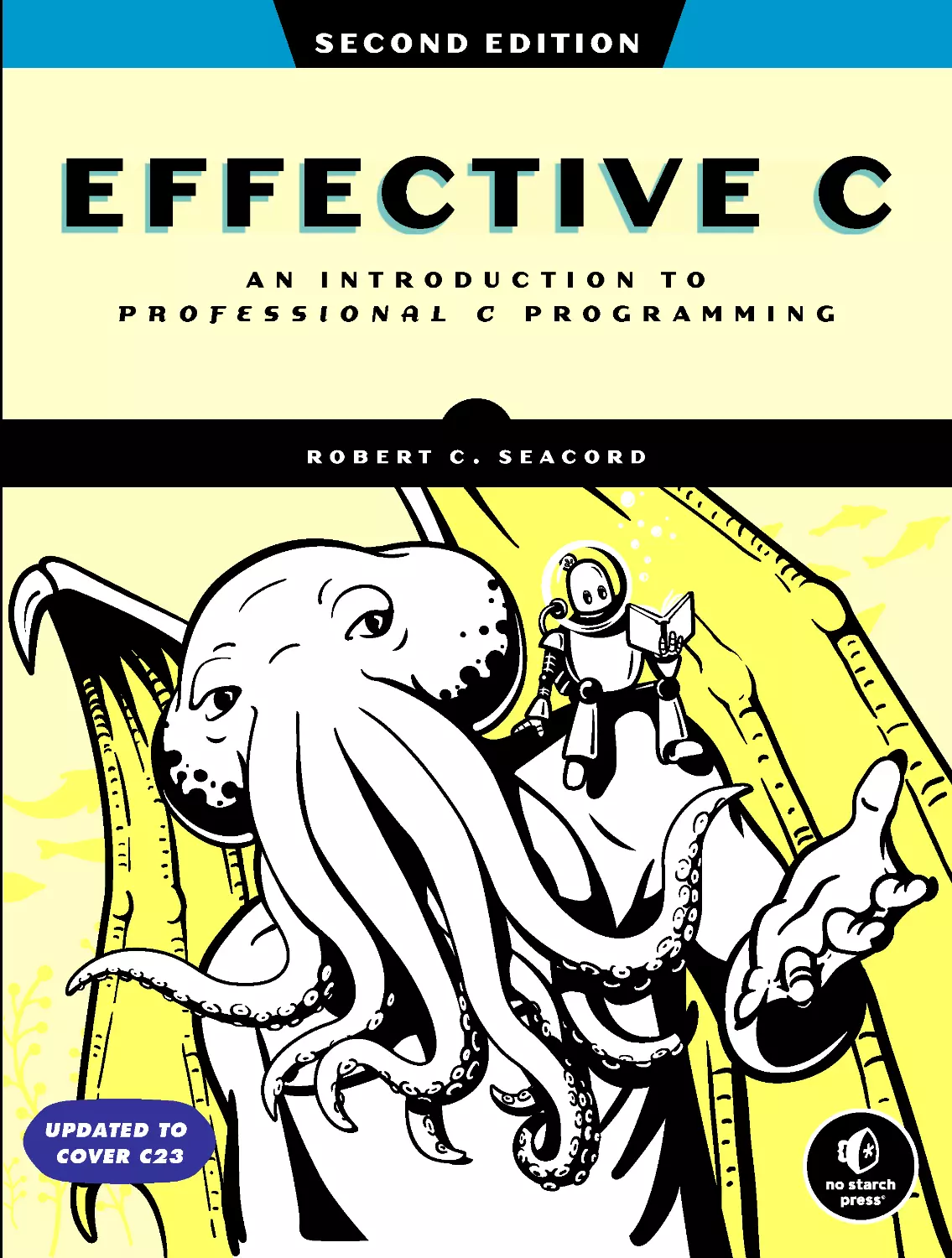
EFFECTIVE C
AN INTRODUCTION TO
PROFESSIONAL C PROGR AMMING
ROBERT C. SEACORD
SECOND EDITION

PRAISE FOR
EFFECTIVE C
“Effective C will teach you C programming for the modern era. . . . This book’s
emphasis on the security aspects of C programming is unmatched. My per-
sonal recommendation is that, after reading it, you use all of the available
tools it presents to avoid undefined behavior in the C programs you write.”
— Pascal Cuoq, Chief Scientist,
Trustinsoft
“An excellent introduction to modern C.”
— f rancis glassborow, accu
“A good int roduction to modern C, including chapters on dynamic memory
allocation, on program structure, and on debugging, testing, and analysis.”
— stack overflow, the definitive c
book list
“A worthwhile addition to a C programmer’s bookshelf.”
— ian bruntlett, accu
“This is why you should program in C. Because other languages don’t open
portals to hell.”
—M ichał Zalewski, former CISO,
Snap Inc.

EFFECTIVE C
2nd Edition
An Introduction to
Professional C Programming
by R obert C. S eacord
San Francisco
®

EFFECTIVE C, 2ND EDITION. Copyright © 2025 by Robert C. Seacord.
All rights reserved. No part of this work may be reproduced or transmitted in any form or by any means,
electronic or mechanical, including photocopying, recording, or by any information storage or retrieval
system, without the prior written permission of the copyright owner and the publisher.
First printing
2928272625 12345
ISBN-13: 978-1-7185-0412-7 (print)
ISBN-13: 978-1-7185-0413-4 (ebook)
Published by No Starch Press®, Inc.
245 8th Street, San Francisco, CA 94103
phone: +1.415 .863 .9900
ww w.nost arch.com; info@nostarch.com
Publisher: William Pollock
Managing Editor: Jill Franklin
Production Manager: Sabrina Plomitallo -González
Production Editor: Jennifer Kepler
Development al Editor: Jill Franklin
Cover Illustrator: Gina Redman
Interior Design: Octopod Studios
Technical Reviewers: Vincent Mailhol and Martin Sebor
Copyeditor: Lisa McCoy
Proofreader: Dan Foster
Indexer: Michael Goldstein
The Library of Congress has catalogued the first edition as follows:
Names: Seacord, Robert C., author.
Title: Effective C : an introduction to professional C programming / Robert C. Seacord.
Description: San Francisco : No Starch Press, Inc., 2020. | Includes bibliographical
references and index.
Identifiers: LCCN 2020017146 (print) | LCCN 2020017147 (ebook) | ISBN 9781718501041 (paperback) |
ISBN 1718501048 (paperback) | ISBN 9781718501058 (ebook)
Subjects: LCSH: C (Computer program language)
Classification: LCC QA76.73.C15 S417 2020 (print) | LCC QA76.73 .C15 (ebook) | DDC 005.13/3--dc23
LC record available at https://lccn.loc.gov/2020017146
LC ebook record available at https://lccn.loc.gov/2020017147
For customer ser vice inquiries, please cont act info@nostarch.com . For information on distribution,
bulk sales, corporate sales, or translations: sales@nostarch.com . For permission to translate this work:
rights@nostarch.com . To report counterfeit copies or piracy: counterfeit@nostarch.com .
No Starch Press and the No Starch Press iron logo are registered trademarks of No Starch Press, Inc. Other
product and company names mentioned herein may be the trademarks of their respective owners. R ather
than use a trademark sy mbol with every occurrence of a trademarked name, we are using the names only
in an editorial fashion and to the benefit of the trademark owner, with no intention of infringement of
the trademark.
The information in this book is distributed on an “As Is” basis, without warranty. While every precaution
has been taken in the preparation of this work, neither the author nor No St arch Press, Inc. shall have any
liability to any person or entity with respect to any loss or damage caused or alleged to be caused directly or
indirectly by the information contained in it.
[E]
®

To my granddaughters, Olivia and Isabella, and to all the young women
who will grow up to be scientists and engineers

About the Author
Robert C. Seacord (rcs@robertseacord.com) is the standardization lead at
Woven by Toyota, where he works on the software craft. Robert was pre-
viously a technical director at NCC Group, the manager of the Secure
Coding Initiative at Carnegie Mellon University’s Software Engineering
Institute, and an adjunct professor in the School of Computer Science
and the Information Networking Institute at Carnegie Mellon. Robert is
the convener of the ISO/IEC JTC1/SC22/WG14, the international stan-
dardization working group for the C programming language. He is the
author of ot her books, including The CERT® C Coding Standard , 2nd edition
(Addison-Wesley, 2014); Secure Coding in C and C++, 2nd edition (Addison-
Wesley, 2013); and Java Coding Guidelines: 75 Recommendations for Reliable and
Secure Programs (Addison-Wesley, 2014). He has also published more than 50
papers on software security, component-based software engineering, web -
based system design, legacy-system modernization, component repositories
and search engines, and user interface design and development.
About the Contributor
Aaron Ballman (aaron@aaronballman.com) is the lead maintainer for Clang,
a popular open source compiler for C, C++, and other lang uages. Aaron is
an expert for the JTC1/SC22/WG14 C programming language and JTC1/
SC22/WG21 C++ programming language standards committees. His
primar y professional focus has been in helping programmers recognize
mistakes in their code through better lang uage design, diagnostics, and
tooling. When not thinking about programming, he enjoys spending quiet
moments in the woods of rural Maine with his family.
About the Technical Reviewer to the First Edition
Martin Sebor is a principal software engineer w ith the GNU Toolchain
Team at Red Hat. His focus is the GCC compiler and the areas of detecting,
diagnosing, and preventing security-related issues in C and C++ programs,
as well as implementing optimizations of string-based algorithms. Prior
to joining Red Hat in 2015, he worked as a compiler toolchain engineer at
Cisco. Martin has been a member of the C++ standardization committee
since 1999 and a member of the C language committee since 2010. He lives
with his wife near the small town of Lyons, Colorado.

About the Technical Reviewer to the Second Edition
Vincent Mailhol is a senior product security engineer at Woven by Toyota,
where he architects and develops C software for the trusted execution
environment of automotive electronic control units. He is a member of the
company’s cr yptographic board and, together with Robert, established
the company’s secure and safety coding g uidelines. Prior to joining Woven
in 2020, he was the lead of the pentesting team at ESCRY PT Japan, a sub -
sidiar y of the Bosch Group, specializing in automotive security. In his free
time, Vincent is an active contributor and maintainer of the Linux kernel’s
CAN subsystem, also known as SocketCAN.

BRIEF CONTENTS
Foreword to the Second Edition ...........................................xvii
Foreword to the First Edition .............................................xix
Acknowledgments ....................................................xxi
Introduction ........................................................ xxiii
Chapter 1: Getting Started with C ..........................................1
Chapter 2: Objects, Functions, and Types ....................................13
Chapter 3: Arithmetic Types .............................................47
Chapter 4: Expressions and Operators ......................................73
Chapter 5: Control Flow ................................................97
Chapter 6: Dynamically Allocated Memory ..................................115
Chapter 7: Characters and Strings ........................................137
Chapter 8: Input/Output ...............................................167
Chapter 9: Preprocessor ...............................................195
Chapter 10: Program Structure ..........................................213
Chapter 11: Debugging, Testing, and Analysis ...............................229
Appendix: The Fifth Edition of the C Standard (C23) ...........................259
References.........................................................267
Index ............................................................271

CONTENTS IN DETAIL
FOREWORD TO THE SECOND EDITION
xvii
FOREWORD TO THE FIRST EDITION
xix
ACKNOWLEDGMENTS
xxi
INTRODUCTION
xxiii
A Brief History of C ................................................xxiv
The C Standard ...................................................xxv
The CERT C Coding Standard .........................................xxvi
Common Weakness Enumeration .......................................xxvi
WhoThisBookIsFor...............................................xxvi
What’s in This Book ............................................... xxvii
1
GETTING STARTED WITH C
1
Developing Your First C Program ........................................ 1
Compiling and Running a Program ...................................... 3
Function Return Values ......................................... 4
Formatted Output ............................................ 5
Editors and Integrated Development Environments ............................ 6
Compilers ........................................................ 7
GNU Compiler Collection ...................................... 8
Clang .................................................... 8
Microsoft Visual Studio ........................................ 8
Portability ........................................................ 9
Implementation-Defined Behavior ................................. 9
Unspecified Behavior ......................................... 10
Undefined Behavior .......................................... 10
Locale-Specific Behavior and Common Extensions ..................... 11
Summary ....................................................... 11
2
OBJECTS, FUNCTIONS, AND TYPES
13
Entities ......................................................... 13
Declaring Variables ................................................ 14
Swapping Values, First Attempt .................................. 15
Swapping Values, Second Attempt ............................... 16
Object Types ..................................................... 18
Boolean .................................................. 18
Character................................................. 19
Arithmetic ................................................ 19
void .................................................... 22

xii Contents in D etail
Derived Types .................................................... 22
Function .................................................. 22
Pointer ................................................... 23
Array.................................................... 25
Structure ................................................. 27
Union ................................................... 28
Tags ........................................................... 29
Type Qualifiers ................................................... 31
const .................................................... 32
volatile................................................... 32
restrict ................................................... 33
Scope .......................................................... 34
Storage Duration .................................................. 35
Storage Class .................................................... 36
static .................................................... 36
extern ................................................... 37
thread_local ............................................... 37
constexpr ................................................. 37
register .................................................. 38
typedef .................................................. 38
auto .................................................... 38
typeof Operators .................................................. 39
Alignment ....................................................... 41
Variably Modified Types ............................................. 42
Attributes ....................................................... 44
Summary ....................................................... 45
3
ARITHMETIC TYPES
47
Integers......................................................... 48
Padding, Width, and Precision .................................. 48
Integer Ranges ............................................. 48
Integer Declarations ......................................... 49
Unsigned Integers ........................................... 49
Signed Integers ............................................. 52
Bit-Precise Integer Types ....................................... 56
Integer Constants ........................................... 57
Floating-Point Representation .......................................... 59
Floating Types and Encodings................................... 59
C Floating-Point Model........................................ 60
Floating-Point Arithmetic ....................................... 62
Floating-Point Values ......................................... 62
Floating Constants ........................................... 64
Arithmetic Conversion ............................................... 64
Integer Conversion Rank ...................................... 65
Integer Promotions........................................... 66
Usual Arithmetic Conversions ................................... 67
An Example of Implicit Conversion ............................... 69
Safe Conversions ........................................... 70
Summary ....................................................... 72

Cont ent s in Detail xiii
4
EXPRESSIONS AND OPERATORS
73
Simple Assignment ................................................. 74
Evaluations ...................................................... 75
Function Invocation ................................................ 76
Increment and Decrement Operators .................................... 77
Operator Precedence and Associativity................................... 78
Order of Evaluation ................................................ 80
Unsequenced and Indeterminately Sequenced Evaluations ............... 81
Sequence Points ............................................ 81
sizeof Operator ................................................... 82
Arithmetic Operators ............................................... 83
Unary + and –
... .......... .......... .......... .......... .. 83
Logical Negation ........................................... 83
Additive .................................................. 83
Multiplicative .............................................. 84
Bitwise Operators ................................................. 85
Complement ............................................... 85
Shift .................................................... 86
Bitwise AND............................................... 87
Bitwise Exclusive OR ......................................... 88
Bitwise Inclusive OR ......................................... 88
Logical Operators ................................................. 89
Cast Operators ................................................... 90
Conditional Operator ............................................... 91
alignof Operator .................................................. 92
Relational Operators ............................................... 93
Compound Assignment Operators ...................................... 93
Comma Operator.................................................. 94
Pointer Arithmetic .................................................. 94
Summary ....................................................... 96
5
CONTROL FLOW
97
Expression Statements............................................... 97
Compound Statements .............................................. 98
Selection Statements ................................................ 99
if.......................................................99
switch .................................................. 102
Iteration Statements ............................................... 105
while ................................................... 105
do...while ............................................... 106
for.....................................................107
Jump Statements.................................................. 109
goto ................................................... 109
continue ................................................. 111
break................................................... 111
return................................................... 112
Summary ...................................................... 113

xiv Cont ent s in Detail
6
DYNAMICALLY ALLOCATED MEMORY
115
Storage Duration ................................................. 116
The Heap and Memory Managers .............................. 116
When to Use Dynamically Allocated Memory ....................... 117
Memory Management ............................................. 117
malloc .................................................. 118
aligned_alloc ............................................. 120
calloc .................................................. 120
realloc .................................................. 121
reallocarray..............................................123
free ................................................... 123
free_sized ............................................... 124
free_aligned_sized ......................................... 124
Memory States................................................... 126
Flexible Array Members ............................................ 127
Other Dynamically Allocated Storage ................................... 128
alloca .................................................. 128
Variable-Length Arrays ....................................... 129
Debugging Allocated Storage Problems ................................. 132
dmalloc ................................................. 132
Safety-Critical Systems ....................................... 134
Summary ...................................................... 135
7
CHARACTERS AND STRINGS
137
Characters ..................................................... 138
ASCII................................................... 138
Unicode ................................................. 138
Source and Execution Character Sets............................. 140
Data Types ............................................... 140
Character Constants ........................................ 142
Escape Sequences.......................................... 143
Linux ................................................... 144
Windows ................................................ 145
Character Conversion ....................................... 146
Strings ........................................................ 149
String Literals .................................................... 150
String-Handling Functions ........................................... 152
<string.h> and <wchar.h> .................................... 152
Annex K Bounds-Checking Interfaces ............................. 161
POSIX .................................................. 164
Microsoft ................................................ 165
Summary ...................................................... 165
8
INPUT/OUTPUT
167
Standard I/O Streams ............................................. 168
Error and End-of-File Indicators ................................. 168
Stream Buffering ........................................... 169

Cont ent s in Detail xv
Predefined Streams ......................................... 170
Stream Orientation ......................................... 171
Text and Binary Streams ...................................... 172
Opening and Creating Files ......................................... 172
fopen................................................... 172
open ................................................... 174
Closing Files .................................................... 176
fclose................................................... 176
close ................................................... 177
Reading and Writing Characters and Lines ............................... 177
Stream Flushing .................................................. 180
Setting the Position in a File .......................................... 180
Removing and Renaming Files ........................................ 183
Using Temporary Files.............................................. 184
Reading Formatted Text Streams....................................... 184
Reading from and Writing to Binary Streams .............................. 188
Endian ........................................................ 191
Summary ...................................................... 192
9
PREPROCESSOR
195
The Compilation Process ............................................ 196
File Inclusion .................................................... 197
Conditional Inclusion .............................................. 198
GeneratingDiagnostics......................................200
Using Header Guards ....................................... 201
Macro Definitions ................................................. 202
Macro Replacement ........................................ 205
Type-Generic Macros........................................ 207
Embedded Binary Resources................................... 209
Predefined Macros ......................................... 210
Summary ...................................................... 211
10
PROGRAM STRUCTURE
213
Principles of Componentization ....................................... 213
Coupling and Cohesion ...................................... 214
Code Reuse .............................................. 215
Data Abstractions .......................................... 215
Opaque Types ............................................ 217
Executables ..................................................... 218
Linkage ........................................................ 219
Structuring a Simple Program ........................................ 221
Building the Code ................................................ 225
Summary ...................................................... 227
11
DEBUGGING, TESTING, AND ANALYSIS
229
Assertions ...................................................... 230
Static Assertions ........................................... 230
Runtime Assertions ......................................... 232

xvi Content s in Detail
Compiler Settings and Flags ......................................... 234
GCC and Clang Flags ....................................... 235
Visual C++ Options......................................... 240
Debugging ..................................................... 241
Unit Testing ..................................................... 245
Static Analysis ................................................... 251
Dynamic Analysis................................................. 252
AddressSanitizer ................................................. 253
Running the Tests ........................................... 254
Instrumenting the Code ...................................... 254
Running the Instrumented Tests ................................. 255
Summary ...................................................... 257
Future Directions ................................................. 257
APPENDIX: THE FIFTH EDITION OF THE C STANDARD (C23)
259
Attributes ...................................................... 259
Keywords ...................................................... 260
Integer Constant Expressions ......................................... 260
Enumeration Types ................................................ 261
Type Inference ................................................... 261
typeof Operators ................................................. 262
K&R C Functions ........................................... 262
Preprocessor.............................................. 262
Integer Types and Representations ............................... 263
unreachable Function-Like Macro ...................................... 264
Bit and Byte Utilities ............................................... 264
IEEE Floating-Point Support .......................................... 265
REFERENCES
267
INDEX
271

FOREWORD TO THE
SECOND EDITION
When I started in cybersecurity over 27 years ago, I learned my trade pri-
marily by finding and exploiting unsafe memor y handling in C programs—
a class of vulnerability that, even at the time, was over 20 years old. In my
career at BlackBerr y, as I waded through torrents of code rev iew, I saw first-
hand how dangerous C could be to the improperly initiated. Now, as a chief
technology officer for the UK’s National Cyber Security Centre, I see the
consequences of poorly w ritten C code on our connected society ever y day
at a national level.
Today we still face numerous challenges in writing secure and profes-
sional C. The many innovations in compiler- and operating system–level
mitigations can be and are reg ularly undermined. And even while we see
advanced innovations in other modern languages and hardware, there is
still a grow ing demand for C, particularly in Internet of Things (IoT) or
other highly resource-constrained environments, while it also sustains what
we have. Professional C coupled with hardware-level architectures such as
CHERI is how we secure the env ironments that will never migrate to other
languages.
Robert is the authority on how to program professionally and securely
in C. For over a decade, I have recommended his material to customers and
internal teams alike. There is no better person to teach how to code C in a
professional and, among other things, secure manner.

xviii Foreword to the Second Edition
Writing professional C today means writing code that is performant,
safe, and secure. By doing so, you will be able to contribute to our con-
nected society without increasing its technical debt.
This book will help those with little or no C experience quickly develop
the knowledge and skills to become professional C programmers and will
provide a strong foundation for developing systems that are performant,
safe, and secure.
Ollie W hitehouse
CTO, National Cyber Security Centre, United Kingdom

FOREWORD TO THE
FIRST EDITION
The first time I came across Robert Seacord’s name was in 2008. Robert
was already well known in the C programming galaxy for his work on The
CERT® C Coding Standard and Annex K of the C standard. But in 2008, it
had been only a few years since—young and foolish—I had embarked on
the Frama-C project to guarantee the absence of undefined behavior in
C programs. At some point, a CERT Vulnerability Note about how C com-
pilers (and GCC in particular) removed certain pointer-arithmetic over-
flow checks piqued my interest. The compilers had reason to eliminate the
checks; naively written, they invoked undefined behavior when the overflow
was present.
The C compilers were also allowed to tell the programmer nothing
about what they had done w rong, even at the maximum warning level.
Undefined behavior in C can be harsh. I had set out to solve this exact prob -
lem. Robert was one of the authors of that note.
Effective C will teach you C programming for the modern era. It will
help you establish good habits to keep you from using undefined behavior,
whether voluntarily or through negligence. Let the reader be warned: in
large C programs, avoiding ordinar y programming errors alone may not
suffice for dodging undefined behavior caused by arbitrar y inputs!

xx Foreword to the First Edition
This book’s emphasis on the security aspects of C programming is
unmatched. My personal recommendation is that, after reading it, you use
all of the available tools it presents to avoid undefined behavior in the
C programs you write.
Pascal Cuoq
Chief scientist, TrustInSoft

ACKNOWLEDGMENTS
I would like to acknowledge the contributions of all the folks who made this
possible. I’ll start with Bill Pollock at No Starch Press, who doggedly pur-
sued me to write a C book.
I would like to thank Ollie Whitehouse and Pascal Cuoq for the excel-
lent forewords.
Aaron Ballman has been a valuable partner for the duration of this
effort. In addition to contributing two chapters, he reviewed ever ything
(often multiple times) and helped me solve problems from the profound to
the mundane.
Douglas Gwyn, emeritus at the US Army Research Laborator y and an
emeritus member of the C standards committee, helped review all the chap -
ters. When my writing was not up to his standards, he guided me in the
right direction.
Martin Sebor ser ved as the official technical reviewer for the first edi-
tion and Vincent Mailhol for the second edition of this book.
In addition to Aaron, Doug, and Martin, several other distinguished
members of the C and C++ standards committee reviewed chapters, includ-
ing Jim Thomas, Thomas Köppe, Niall Douglas, Tom Honermann, and
JeanHeyd Meneide. Technical reviewers among my colleagues at Woven
by Toyota include J.F. Bastien, Carlos R amirez, and Jørgen Kvalsvik.
Technical reviewers among my former colleagues at NCC Group include
Nick Dunn, Jonathan Lindsay, Tomasz K ramkowski, Alex Donisthorpe,

xxii Acknowledgments
Joshua Dow, C at alin Visinescu, Aaron Adams, and Simon Harraghy.
Technical rev iewers outside these organizations include Geoff Clare, David
LeBlanc, David Goldblatt, Nicholas Winter, John McFarlane, and Scott
Aloisio.
I would also like to thank the following professionals at No Starch
who ensured a quality product: Jill Franklin, Jennifer Kepler, Elizabeth
Chadwick, Frances Saux, Zach Lebowski, Annie Choi, Barbara Y ien,
Katrina Taylor, Natalie Gleason, Derek Yee, Laurel Chun, Gina Redman,
Sharon Wilkey, Emelie Battaglia, Dapinder Dosanjh, Lisa McCoy, Morgan
Vega G omez, and Sabrina Plomitallo -González. Finally, I would like to
thank Michael Goldstein for preparing the index.

C was developed as a system programming
language in the 1970s, and even after all
this time, it remains incredibly popular.
System languages are designed for perfor-
mance and ease of access to the underlying hardware
while providing high-level programming features.
While other languages may offer newer language
features, their compilers and libraries are typically
written in C.
Carl Sagan once said, “If you wish to make an apple pie from scratch,
you must first invent the universe.” The inventors of C did not invent the
universe; they designed C to work with a variety of computing hardware and
architectures that, in turn, were constrained by physics and mathematics.
C is layered directly on top of computing hardware, mak ing it more sensi-
tive to evolving hardware features, such as vectorized instr uctions, than
higher-level languages that ty pically rely on C for their efficiency.
INTRODUCTION

xxiv Introduction
According to the TIOBE index (https://www.tiobe.com/tiobe-index/)—whose
rankings are based on the number of skilled engineers, courses, and third-
part y vendors for each language— C has been either the most popular pro-
gramming language or second most popular since 2001. The popularity of
the C programming language can most likely be attributed to several tenets
of the language referred to as the spirit of C:
•
Trust the programmer. The C language assumes you know what you’re
doing and lets you. This isn’t always a good thing (for example, if you
don’t know what you’re doing).
•
Don’t prevent the programmer from doing what needs to be done.
Because C is a system programming language, it needs to handle a vari-
ety of low-level tasks.
•
Keep the language small and simple. The language is designed to be
close to the hardware and to have a small footprint.
•
Provide only one way to do an operation. A lso known as conservation of
mechanism, the C language tries to limit the introduction of duplicate
mechanisms.
•
Make it fast, even if it isn’t guaranteed to be portable. Allowing you to
write optimally efficient code is the top priority. The responsibility of
ensuring that code is portable, safe, and secure is delegated to you, the
programmer.
C is used as a target language for compilers to build operating systems,
to teach f undament als of computing, and for embedded and general-
purpose programming.
There is a large amount of legacy code written in C. The C standards
committee is extremely careful not to break existing code, providing a
smooth pass for modernizing this code to take advantage of modern lan-
guage features.
C is often used in embedded systems because it is a small and efficient
language. Embedded systems are small computers that are embedded in
other devices, such as cars, appliances, and medical devices.
Your favorite programming language and library are written in C (or
were at one time). There are many libraries available for C. This makes it
easy to find libraries that can be used to perform common tasks.
Overall, C is a powerful and versatile language that is still widely used
today. It is a good choice for programmers who need a fast, efficient, and
portable language.
A Brief History of C
The C programming language was developed in the early 1970s at Bell Labs
as a system implementation language for the nascent Unix operating system
and remains incredibly popular today (Ritchie 1993). System languages are
designed for performance and ease of access to the underlying hardware
while providing high-level programming features. While other languages

Introduction
xxv
may offer newer language features, their compilers and libraries are typi-
cally written in C. It serves as a lingua franca for translating between vari-
ous systems and languages.
C was first described in 1978 by Kernighan and Ritchie in the book The
C Programming Language (Kernighan and Ritchie 1988). It is now defined
by rev isions of the ISO/IEC 9899 standard (ISO/IEC 2024) and other
technical specifications. The C standards committee is the steward of the
C programming lang uage, working with the broader community to main-
tain and evolve the C language. In 1983, the A merican National Standards
Institute (ANSI) formed the X3J11 committee to establish a standard C
specification, and in 1989, the C standard was ratified as ANSI X3.159-1989,
“Programming Language C.” This 1989 version of the language is referred
toasANSICorC89.
In 1990, the ANSI C standard was adopted (unchanged) by a joint techni-
cal committee of the Internat ional Organization for Standardization (ISO)
and the International Electrotechnical Commission (IEC) and published as
the first edition of the C standard, C90 (ISO/IEC 9899:1990). The second
edition of the C standard, C99, was published in 1999 (ISO/IEC 9899:1999),
and a third edition, C11, in 2011 (ISO/IEC 9899:2011). The fourt h version,
published in 2018 as C17 (ISO/IEC 9899:2018), repairs defects in C11. The
latest version of the C st andard (as of this writing) is the fifth version, pub -
lished in 2024 as C23 (ISO/IEC 9899:2024). As of September 2023, I am the
convenor of ISO/IEC JTC1/SC22/WG14, the international standardization
working group for the programming language C .
In the 20 years the TIOBE Programming Community index has tracked
programming language popularity, C has remained in first or second place
(TIOBE Index 2022).
The C Standard
The C standard (ISO/IEC 9899:2024) defines the language and is the final
authority on language behavior. While the standard can be obscure to
impenetrable, you need to understand it if you intend to write code that’s
portable, safe, and secure. The C standard provides a substantial degree of
latitude to implementations to allow them to be optimally efficient on vari-
ous hardware platforms. Implementations is the term the C standard uses to
refer to compilers and is defined as follows:
A particu lar set of software, r unn ing in a particu lar translation environ -
ment under particular control options, that performs translation of
prog rams for, and supp orts execution of fu nctions in, a p articu lar exe -
cut ion envi ronment .
This definition indicates that each compiler w ith a particular set of
command line flags, along with the C standard librar y, is considered a sepa-
rate implementation, and different implementations can have significantly
different implementation-defined behavior. This is noticeable in GNU Compiler
Collection (GCC), which uses the -std= flag to determine the language

xxvi Introduction
standard. Possible values for this option include c89, c90, c99, c11, c17, and
c23. The default depends on the version of the compiler. If no C language
dialect options are given, the default for G CC 13 is -std=gnu17, which pro-
vides extensions to the C language. For portability, specify the standard
you’re using. For access to new lang uage features, specify a recent standard.
C23 features have been available since G CC 11. To enable C23 support, add
the compiler option -std=c23 (or possibly -std=c2x). All the examples in this
book are written for C23.
Because implement at ions have such a range of behaviors, and because
some of these behaviors are undefined, you can’t understand the C language
by just writing simple test programs to examine the behavior. (If you want to
try this, the Compiler Explorer is an excellent tool; see https://godbolt.org.) T he
behavior of the code can vary when compiled by a different implement ation
on different plat forms or even the same implementation using a different
set of flags or a different C standard librar y implement ation. Code behavior
can even vary between versions of a compiler. The C standard specifies which
behaviors are guaranteed for all implement ations and where you need to
plan for variability. This is mostly a concern when developing portable code
but can also affect the security and safety of your code.
The CERT C Coding Standard
The CERT® C Coding Standard: 98 Rules for Developing Safe, Reliable, and
Secure Systems, 2nd edition (Addison-Wesley Professional, 2014), is a refer-
ence book I wrote while managing the secure coding team at the Software
Engineering Institute at Carnegie Mellon University. The book contains
examples of common C programming mistakes and how to correct them.
Throughout this book, we reference some of those rules as a source for
detailed information on specific C language programming topics.
Common Weakness Enumeration
MITRE’s Common Weakness Enumeration (CWE) is a list of common
hardware and software weaknesses that can be used to identify weaknesses
in source code and operational systems. The CWE list is maintained by a
community project with the goals of understanding flaws in software and
hardware and creating automated tools that can be used to identify, fix,
and prevent those flaws. Occasionally, we w ill reference specific CWEs in
this book when discussing classes of defects that can lead to security v ulner-
abilities. For more information on CWE, see https://cwe.mitre.org.
Who This Book Is For
This book is an introduction to the C language. It is written to be as acces-
sible as possible to anyone who want s to learn C programming, without
dumbing it down. In other words, we didn’t overly simplify C programming
in t he way many other introductory books and courses might. These overly

Introduction
xxvii
simplified references will teach you how to compile and run code, but the
code might still be wrong. Developers who learn how to program C from such
sources will typically develop substandard, flawed, insecure code that will
eventually need to be rewritten (often sooner than later). Hopefully, these
developers will eventually benefit from senior developers in their organiza-
tions who will help them unlearn these harmful misconceptions about pro -
gramming in C and help them st art developing professional-quality C code.
On the other hand, this book will quickly teach you how to develop correct,
port able, professional-quality code; build a foundation for developing security-
critical and safety-critical systems; and perhaps teach you some things that
even the senior developers at your organization don’t know.
Effective C: An Introduction to Professional C Programming, 2nd edition,
is a concise introduction to essential C language programming that will
soon have you writing programs, solving problems, and building work ing
systems. The code examples are idiomatic and straightforward. You’ll also
learn about good software engineering practices for developing correct,
secure C code.
In this book, you’ll learn about essential programming concepts in C
and practice w riting high-quality code with exercises for each topic. Code
listings from this book and additional materials can be found on GitHub
at https://github.com/rcseacord/effective-c . Go to this book ’s page at https://nostarch
.co m/effective-c-2nd-edition or to http://www.robertseacord.com to check for
updates and additional material, or contact me if you have additional ques-
tions or are interested in training.
What’s in This Book
This book starts with an introductor y chapter that covers just enough mate -
rial to get you programming right from the start. After that, we circle back
and examine the basic building blocks of the language. The book culmi-
nates with two chapters that will show you how to compose real-world sys-
tems from these basic building blocks and how to debug, test, and analyze
the code you’ve written. The chapters are as follows:
Chapter 1: Getting Started with C You’ll write a simple C program to
become familiar with using the main function. You’ll also look at a few
options for editors and compilers.
Chapter 2: Objects, Functions, and Types This chapter explores
basics like declaring variables and functions. You’ll also investigate the
principles of using basic types.
Chapter 3: A rithmetic Types You’ll learn about the integer and
floating-point arithmetic data types.
Chapter 4: Expressions and Operators You’ll learn about operators
and how to write simple expressions to perform operations on various
object types.
Chapter 5: Control Flow You’ll learn how to control the order in
which individual statements are evaluated. We’ll introduce expression

xxviii Introduction
and compound statements that define the work to be performed. We’ll
then cover the control statements that determine which code blocks are
executed and in what order: selection, iteration, and jump statements.
Chapter 6: Dynamically Allocated Memory You’ll learn about
dynamically allocated memor y, which is allocated from the heap at run-
time. Dynamically allocated memory is useful when the exact storage
requirements for a program are unknown before runtime.
Chapter 7: Characters and Strings This chapter covers the various
character sets, including ASCII and Unicode, that can be used to com-
pose strings. You’ll learn how strings are represented and manipulated
using the legacy functions from the C standard library, the bounds-
checking interfaces, and POSIX and Windows application program-
ming inter faces (APIs).
Chapter 8: Input/Output This chapter will teach you how to perform
input/output (I/O) operations to read data from, or write data to, ter-
minals and filesystems. I/O involves all the ways information enters or
exits a program. We’ll cover techniques that make use of C standard
streams and POSIX file descriptors.
Chapter 9: Preprocessor You’ll learn how to use the preprocessor to
include files, define object- and function-like macros, and conditionally
include code based on implementation-specific features.
Chapter 10: Program Structure You’ll learn how to structure your
program into multiple translation units consisting of both source and
include files. You’ll also learn how to link multiple object files together
to create libraries and executable files.
Chapter 11: Debugging, Testing, and Analysis This chapter describes
tools and techniques for producing error-free programs, including
compile -time and runtime assertions, debugging, testing, static analy-
sis, and dynamic analysis. The chapter also discusses which compiler
flags are recommended for use in different phases of the software
development process.
Appendix: The Fifth Edition of the C Standard (C23) This appendix
enumerates some of the additions and changes in C23. It’s a convenient
way to learn what’s new in C and to identify changes from the previous
C standard (C17).This book is updated from the previous edition to
cover the features and behaviors of C23. According to 2022 polling data
from JetBrains (https://www.jetbrains.com/lp/devecosystem-2022/c/), 44 per-
cent of C programmers use C99, 33 percent use C11, 16 percent use
C17, and 15 percent use an embedded version of C.
You’re about to embark on a journey from which you will emerge a
newly minted but professional C developer.

In this chapter, you’ll develop your first C
program: the traditional “Hello, world!”
program. We’ll examine the various aspects
of this simple C program, compile it, and run
it. Then I’ll review some editor and compiler options
and lay out common portability issues you’ll quickly
become familiar with as you code in C.
Developing Your First C Program
The most effective way to learn C programming is to start writing C programs,
and the traditional program to start with is “Hello, world!” Open your
favorite text editor and enter the program in Listing 1-1.
hello.c #include <stdio.h>
#include <stdlib.h>
1
GETTING STARTED WITH C

2 Chapter 1
int main() {
puts("Hello, world!");
return EXIT_SUCCESS;
}
Listing 1-1: The “H ello, world!” program
The first two lines use the #include preprocessor directive, which
behaves as if you replaced it with the contents of the specified file at the
exact same location. In this program, <stdio.h> and <stdlib.h> are both
headers. A header is a source file that, by convention, contains the defini-
tions, function declarations, and constant definitions required by the users
of the corresponding source file. As the filenames suggest, <stdio.h> defines
the interface for C standard input/output (I/O) functions, and <stdlib.h>
declares several general utility types and functions and defines several macros.
You need to include the declarations for any librar y functions that you use
in your program. (You’ll learn more about the appropriate use of headers in
Chapter 9.)
Here, we include <stdio.h> to access the declaration of the puts f unct ion
called by the main function. We include the <stdlib.h> to access the defini-
tion of the EXIT_SUCCESS macro, which is used in the return st atement.
This line defines the main function that’s called at program startup:
int main() {
The main function defines the entry point for the program that’s
executed in a hosted environment when the program is invoked from the
command line or from another program. C defines two possible execution
env ironments: freestanding and hosted. A freestanding env ironment may not
provide an operating system and is typically used in embedded program-
ming. These implementations provide a minimal set of librar y functions,
and the name and type of the function called at program startup are imple-
mentation defined. Most of the examples in this book work on the assump-
tion that the main function is the one and only entry point.
Like other procedural languages, C programs contain functions that
can accept arguments and return values. Each function is a reusable unit
of work that you can invoke as often a s required in your program. The puts
function is invoked from the main function to print out the line Hello, world!:
puts("Hello, world!");
The puts function is a C standard library function that writes a string
argument to the stdout stream and appends a newline character to the out-
put. The stdout stream t ypically represents the console or terminal window.
"Hello, world!" is a string literal that behaves like a read-only string. This
function invocat ion outputs Hello, world! to the terminal.
Once your program has completed, you’ll want it to exit. The return
statement will exit main and return an integer value to the host environment
or invocation script:

Getting Started with C 3
return EXIT_SUCCESS;
EXIT_SUCCESS is an object-like macro that may be defined as follows:
#define EXIT_SUCCESS 0
Each occurrence of EXIT_SUCCESS is replaced by a 0, which is then
returned to the host env ironment from the call to main. The script that
invokes the program can then check its status to determine whether the
invocation was successful. A return from the initial call to the main f unction
is equivalent to calling the C standard librar y exit function w ith the value
returned by the main function as its argument.
The final line of this program consists of a closing brace (}), which
closes the code block we opened with the declaration of the main function:
int main() {
// --snip--
}
You can place the opening brace on the same line as the declaration or
on its own line, as follows:
int main()
{
// --snip--
}
This decision is strictly a stylistic one, because whitespace characters
(including newlines) are generally not syntactically meaningful. In this
book, I usually place the opening brace on the line with the function decla-
ration because it’s stylistically more compact.
For now, save this file as hello.c . The file extension .c indicates that the
file contains C language source code.
NOTE If you’ve purchased an ebook, cut and paste the program into the editor. Using cut
and paste can reduce transcription errors.
Compiling and Running a Program
Next, you need to compile and run the program, which involves two steps.
The command to compile the program depends on which compiler you’re
using. On Linux and other Unix-like operating systems, enter cc on the
command line followed by the name of the file you want to compile:
$ cc hello.c
If you enter the program correctly, the compile command will create a
new file called a.out in the same director y as your source code.

4 Chapter 1
NOTE Compilers are invoked differently on other operating systems such as Windows or
macOS. Refer to the documentation for your specific compiler.
Inspect your director y with the following command:
$ls
a.out hello.c
The a .out file in the output is the executable program, which you can
now run on the command line:
$ ./a.out
Hello, world!
If ever ything goes r ight, the program should print Hello, world! to the
terminal window. If it doesn’t, compare the program text from Listing 1-1
to your program and make sure they are the same.
The cc command accepts numerous compiler options. The -o file
compiler option, for example, lets you give the executable file a memorable
name instead of a .out . The following compiler invocation names the execut-
able hello:
$ cc -o hello hello.c
$ ./hello
Hello, world!
We’ll introduce other compiler and linker options (aka flags) through-
out the book and dedicate a section to them in Chapter 11.
Function Return Values
Functions will often return a value that’s the result of a computation or that
signifies whether the function successfully completed its task. For example,
the puts function we used in our “Hello, world!” program takes a string to
print and returns a value of type int. The puts function returns the value
of the macro EOF (a negative integer) if a write error occurs; otherwise, it
returns a nonnegative integer value.
Although it’s unlikely that the puts function w ill fail and return EOF
for our simple program, it’s possible. Because the call to puts can fail and
return EOF, it means that your first C program has a bug or, at least, can be
improved as follows:
#include <stdio.h>
#include <stdlib.h>
int main() {
if (puts("Hello, world!") == EOF) {
return EXIT_FAILURE;
// code here never executes
}

Getting Started with C 5
return EXIT_SUCCESS;
// code here never executes
}
This revised version of the “Hello, world!” program checks whether
the puts call returns the value EOF, indicating a write error. If the func-
tion returns EOF, the program returns the value of the EXIT_FAILURE macro
(which evaluates to a nonzero value). Other w ise, the function succeeds,
and the program returns EXIT_SUCCESS . The script that invokes the program
can check its status to determine whether it was successful. Code following
a return statement is dead code that never executes. This is indicated by a
single-line comment in the rev ised program. Ever ything following // is
disregarded by the compiler.
Formatted Output
The puts function is a simple way to write a string to stdout, but to print
arguments other than strings, you’ll need the printf function. The printf
function takes a format string that defines how the output is formatted,
followed by a variable number of arguments that are the actual values you
want to print. For example, if you want to use the printf function to print
out Hello, world!, you could write it like this:
printf("%s\n", "Hello, world!");
The first argument is the format string "%s\n". The %s is a conversion
specification that instructs the printf function to read the second arg u-
ment (a string literal) and print it to stdout. The \n is an alphabetic escape
sequence used to represent nongraphic characters and tells the function to
include a new line after the string. Without the newline sequence, the next
characters printed (likely the command prompt) would appear on the same
line. This function call outputs the following:
Hello, world!
Take care not to pass user-supplied data as part of the first argument to
t he printf function, because doing so can result in a formatted output secu-
rity v ulnerability (Seacord 2013).
The simplest way to output a string is to use the puts function, as previ-
ously show n. If you use printf instead of puts in the revised version of the
“Hello, world!” program, however, you’ll find it no longer works because
the printf function returns the status differently than the puts function.
The printf function returns the number of characters printed when success-
ful, or a negative value if an output or encoding error occurred. Try modi-
fying the “Hello, world!” program to use the printf function as an exercise.

6 Chapter 1
Editors and Integrated Development Environments
You can use a variety of editors and integrated development environments
(IDEs) to develop your C programs. Figure 1-1 shows the most used
editors, according to a 2023 JetBrains sur vey (https://www.jetbrains.com/lp/
devecosystem-2023/c/).
Embedded
34% Visual Studio Code
35%
14% Vi/Vim
12%
20% CLion
20%
9% Visual Studio
12%
1% Code::Blocks
3%
3% Emacs
3%
4% Eclipse CDT
2%
1% NetBeans
2%
3% Sublime
2%
—
Xcode
2%
1% AppCode
1%
9% Other
5%
General
—
Atom
2%
Figure 1-1: Popular IDEs and editors
The exact tools available depend on which system you’re using.
For Microsoft Windows, Microsoft’s Visual Studio IDE (https://visual
studio.microsoft.com) is an obvious choice. Visual Studio comes in three
editions: Community, Professional, and Enterprise. The Community edition
has the advantage of being free, while the other editions add features at a
cost. For this book, you’ll need only the Community edition.
For Linux, the choice is less obvious as there are a variety of options. A
popular choice is Visual Studio Code (VS Code). VS Code is a streamlined
code editor with support for development operations such as debugging,
task running, and version control (covered in Chapter 11). It prov ides just
the tools a developer needs for a quick code-build-debug cycle. VS Code
runs on macOS, Linux, and Windows and is free for private or commercial

Getting Started with C 7
use. Installation instructions are available for Linux and other platforms
(https://code.visualstudio.com).
Figure 1-2 shows VS Code being used to develop the “Hello, world!”
program on Ubuntu. The debug console shows that the program exited
with status code 0 as expected.
Figure 1-2: Visual Studio Code running on Ubuntu
Vim is the editor of choice for many developers and power users. It is a
text editor based on the vi editor written by Bill Joy in the 1970s for a ver-
sion of Unix. It inher its the key bindings of vi but also adds functionality
and extensibility that are missing from the original vi. You can optionally
install Vim plug-ins such as YouCompleteMe (https://github.com/ycm- core/
YouCompleteMe) or deoplete (https://github.com/Shougo/deoplete.nvim) that pro-
vide native semantic code completion for C programming.
GNU Emacs is an extensible, customizable, and free text editor. At its
core, it’s an interpreter for Emacs Lisp, a dialect of the Lisp programming
language with extensions to support text editing—although I’ve never
found this to be a problem. Full disclosure: Almost all the production C
code I’ve developed wa s edited in Emacs.
Compilers
Many C compilers are available, so I won’t discuss them all here. Different
compilers implement different versions of the C standard. Many compilers
for embedded systems support only C89/C90. Popular compilers for Linux
and Windows work harder to support modern versions of the C standard,
up to and including support for C23.

8 Chapter 1
GNU Compiler Collection
The GNU Compiler Collection (GCC) includes frontends for C, C++, and
Objective-C , as well as other lang uages (https://gcc.gnu.org). GCC follows a
well-defined development plan under the guidance of the GCC steering
committee.
GCC has been adopted as the standard compiler for Linux systems,
although versions are also available for Microsoft Windows, macOS, and
other platforms. Installing GCC on Linux is easy. The following command,
for example, should install GCC on Ubuntu:
$ sudo apt-get install gcc
You can test the version of GCC you’re using with the following
command:
$ gcc --version
The output will display the version and copyright information for the
installed GCC version.
Clang
Another popular compiler is Clang (https://clang.llvm.o rg). Installing Clang
on Linux is also easy. You can use the following command to install Clang
on Ubuntu:
$ sudo apt-get install clang
You can test the version of Clang you’re using with the following
command:
$ clang --version
This displays the installed Clang version.
Microsoft Visual Studio
As prev iously mentioned, the most popular development env ironment for
Windows is Microsoft Visual Studio, which includes both the IDE and the
compiler. Visual Studio (https://visualstudio.microsoft.com/downloads/) is bun-
dled with Visual C++ 2022, which includes both the C and C++ compilers.
You can set options for Visual Studio on the Project Property pages. On
the Advanced tab under C/C++, make sure you compile as C code by using
the Compile as C Code (/TC) option and not the Compile as C++ Code (/TP)
option. By default, when you name a file with a .c extension, it’s compiled
with /TC. If the file is named with .cpp, .cxx, or a few other extensions, it’s
compiled with /TP.

Getting Started with C 9
Portability
Ever y C compiler implementation is a little different. Compilers continually
evolve— so, for example, a compiler like GCC might provide full support
for C17 but be working toward support for C23, in which case it might have
some C23 features implemented but not others. Consequently, compilers
support a full spectrum of C standard versions (including in-between ver-
sions). The overall evolution of C implementations is slow, with many com-
pilers significantly lagging behind the C standard.
Programs written for C can be considered strictly conforming if they use
only those features of the language and library specified in the standard.
These programs are intended to be maximally portable. However, because
of the range of implementation behaviors, no real-world C program is
strictly conforming, nor w ill it ever be (and probably shouldn’t be). Instead,
the C standard allows you to write conforming programs that may depend on
nonportable language and librar y features.
It’s common practice to write code for a single reference implementa-
tion, or sometimes several implementations, depending on the platforms
to which you plan to deploy your code. The C standard ensures that these
implementations don’t differ too much, and it allows you to target several at
once w ithout having to learn a new language each time.
Five kinds of portability issues are enumerated in Annex J of the C stan-
dard documents:
•
Implementation- defined behavior
•
Unspecified behavior
•
Undefined behavior
•
Locale- specific behavior
•
Common extensions
As you learn about the C language, you’ll encounter examples of all five
kinds of behaviors, so it’s important to understand precisely what these are.
Implementation-Defined Behavior
Implementation-defined behavior is program behavior that’s not specified by
the C standard and that may produce different results between implemen-
tations but has consistent, documented behavior w ithin an implementation.
An example of implementation-defined behavior is the number of bits in
a byte.
Implementation-defined behaviors are mostly harmless but can cause
defects when porting to different implementations. Whenever possible,
avoid writing code that depends on implementation-defined behaviors
that var y among the C implementations you plan to compile your code
with. A complete list of implementation-defined behaviors is enumerated
in Annex J.3 of the C standard. You can document your dependencies on
these implementation-defined behaviors by using a static_assert declara-
tion, as discussed in Chapter 11.

10 Chapter 1
Unspecified Behavior
Unspecified behavior is program behavior for which the standard provides
two or more options but doesn’t mandate which option is chosen in any
instance. Each execution of a given expression may yield different results or
produce a different value than a previous execution of the same expression.
An example of unspecified behavior is function parameter storage layout,
which can var y among function invocations w ithin the same program.
Unspecified behaviors are enumerated in Annex J.1 of the C standard.
Undefined Behavior
Undefined behavior is behavior that isn’t defined by the C standard or, less
circularly, “behavior, upon use of a nonportable or erroneous program
construct or of erroneous data, for which the standard imposes no require-
ments” (ISO/IEC 9899:2024). Examples of undefined behavior include
signed integer overflow and dereferencing an invalid pointer value. Code
that has undefined behavior is often incorrect, but not always. Undefined
behaviors are identified in the standard as follows:
•
When a “shall ” or “shall not” requirement is violated and that require-
ment appears outside a constraint, behavior is undefined.
•
When behavior is explicitly specified by the words “undefined
behavior.”
•
By the omission of any explicit definition of behavior.
The first two kinds of undefined behavior are frequently referred to
as explicit undefined behaviors, while the third kind is referred to as implicit
undefined behavior. There is no difference in emphasis among these three;
they all describe behavior that is undefined. The C standard Annex J.2,
“Undefined behavior,” lists the explicit undefined behaviors in C.
Developers often misconstrue undefined behaviors as errors or omis-
sions in the C standard, but the decision to classify a behavior as undefined
is intentional and considered. Behaviors are classified as undefined by the C
standards committee for one of the following reasons:
•
Give the implementer license not to catch program errors that are dif-
ficult to diagnose
•
Avoid defining obscure corner cases that would favor one implementa-
tion strateg y over another
•
Identify areas of possible conforming lang uage extension in which the
implementer may augment the language by prov iding a definition of
the officially undefined behavior
These three reasons are quite different but are all considered portabil-
ity issues. We’ll examine examples of all three as they come up over the
course of this book. Upon encountering undefined behavior, compilers
have the latitude to do the following:

Getting Started with C 11
•
Ignore undefined behavior completely, giving unpredictable results
•
Behave in a documented manner characteristic of the environment
(with or without issuing a diagnostic)
•
Terminate a translation or execution (and issue a diagnostic)
None of these options are great (particularly the first), so it’s best to
avoid undefined behaviors except when the compiler specifies that these
behaviors are defined to allow you to invoke a language augmentation.
Compilers sometimes have a pedantic mode that can help notify the pro -
grammer of these portability issues.
Locale-Specific Behavior and Common Extensions
Locale-specific behavior depends on local conventions of nationality, culture,
and lang uage that each implementation documents. Common extensions are
widely used in many systems but are not portable to all implementations.
Summary
In this chapter, you learned how to write a simple C language program,
compile it, and run it. We looked at several editors and integrated develop-
ment environments as well as a few compilers that you can use to develop
C programs on Windows, Linux, and macOS systems. You should use newer
versions of the compilers and other tools, as they tend to support newer
features of the C programming lang uage and prov ide better diagnostics
and optimizations. However, you may not want to use newer versions of
compilers if they break your existing code or if you’re getting ready to
deploy your code to avoid introducing unnecessar y changes into your
already tested application. We concluded this chapter with a discussion
of the port ability of C language programs.
Subsequent chapters will examine specific features of the C lang uage
and librar y, starting with objects, functions, and types in the next chapter.

In this chapter, you’ll learn about objects,
functions, and types. We’ll examine how
to declare variables (objects with named
identifiers) and functions, take the addresses
of objects, and dereference those object pointers. Each
object or function instance has a type. You’ve already
seen some types that are available to C programmers.
The first thing you’ll learn in this chapter is one of the
last things that I learned: every type in C is either an
object type or a function type.
Entities
An object is storage in which you can represent values. To be precise, an
object is defined by the C standard (ISO/IEC 9899:2024) as a “region of
2
OBJECTS, FUNCTIONS,
AND T YPES

14 Chapter 2
data storage in the execution environment, the contents of which can repre-
sent values,” w ith the added note, “when referenced, an object can be inter-
preted as having a particular type.” A variable is an example of an object.
Variables have a declared type that tells you the kind of object its value
represents. For example, an object w ith type int contains an integer value.
Type is important because the collection of bits that represent one type
of object can have a different value if interpreted as a different type of
object. For example, the number 1 is represented in the IEEE Standard for
Floating-Point Arithmetic by the bit pattern 0x3f800000 (IEEE 754 -2019).
But if you were to interpret this same bit pattern as an integer, you’d get the
value 1,065,353,216 instead of 1.
Functions are not objects but do have types. A function type is character-
ized by both its return type and the number and types of its parameters.
The C language also has pointers, which can be thought of as an address —
a location in memor y where an object or f unction is stored.
Just like objects and functions, object pointers and function pointers
are different things and must not be interchanged. In the following section,
you’ll write a simple program that attempts to swap the values of two vari-
ables to help you better understand objects, functions, pointers, and types.
Declaring Variables
When you declare a variable, you assign it a type and provide it a name, or
identifier, by which the variable is referenced. Optionally, you can also initial-
ize the variable.
Listing 2-1 declares two integer objects w ith initial values. This simple
program also declares, but doesn’t define, a swap function to swap those
values.
#include <stdio.h>
#include <stdlib.h>
1 void swap(int, int); // defined in Listing 2-2
int main() {
inta=21;
intb=17;
2 swap(a, b);
printf("main: a = %d, b = %d\n", a, b);
return EXIT_SUCCESS;
}
Listing 2-1: A program meant to swap two integers
This example program shows a main function with a single compound
statement that includes the { } characters and all the statements between
them (also referred to as a block). We define two variables, a and b, w ithin
the main function. We declare the variables as having the type int and
initialize them to 21 and 17, respectively. Each variable must have a

Objects, Functions, and Types 15
declaration. The main function then calls the swap function 2 to try to
swap the values of the two integers. The swap function is declared in this
program 1 but not defined. We’ll look at some possible implementations
of this function later in this section.
DECL ARING MULTIPLE VARIABLES
You can declare multiple variables in any single declaration, but doing so can
become confusing if the variables are pointers o r arrays or if the variables are
of different t ypes. For example, the following declarations are all correct:
char *src, c;
int x, y[5];
int m[12], n[15][3], o[21];
The first line declares two variables, src and c, which have different types.
The src variable has a type of char *, and c has a type of char. The second
line again declares t wo variables, x and y, with different types. The variable
x has a t ype int, and y is an array of five elements of type int. The third line
declares three arrays (m, n, and o) with different dimensions and numbers of
elements.
These declarations are easier to understand if each is on its own line:
char *src; // src has a type of char *
char c;
//chasatypeofchar
int x;
//xhasatypeint
int y[5]; // y is an array of 5 elem ents of type int
int m[12]; // m is an array of 12 elements of type int
int n[15][3]; // n is an array of 15 arrays of 3 elem ents of type int
int o[21]; // o is an array of 21 elem ents of type int
Readable and understandable code is less likely to have defects.
Swapping Values, First Attempt
Each object has a storage duration that determines its lifetime , which is the
time during program execution for which the object exists, has storage, has
a constant address, and retains its last-stored value. Objects must not be ref-
erenced outside their lifetime.
Local variables such as a and b from Listing 2-1 have automatic storage
duration , meaning that they exist until execution leaves the block in which
they’re declared. We’re going to try to swap the values stored in these two
variables. Listing 2-2 shows our first attempt to implement the swap function.
void swap(int a, int b) {
intt=a;
a=b;

16 Chapter 2
b=t;
printf("swap: a = %d, b = %d\n", a, b);
}
Listing 2-2: A first attempt at implementing the swap function
The swap function is declared with two parameters, a and b, that we
use to pass arguments to this function. C distinguishes between parameters,
which are objects declared as part of the function declaration that acquire a
value on entr y to the function, and arguments, which are comma-separated
expressions we include in the function call expression. We also declare a
temporar y variable t of type int in the swap function and initialize it to the
value of a. This variable is used to temporarily save the value stored in a so
that it’s not lost during the swap.
We can now run the generated executable to test the program:
% ./a.out
swap:a=17,b=21
main:a=21,b=17
This result may be surprising. The variables a and b were initialized to
21 and 17, respectively. The first call to printf within the swap function shows
that these two values were swapped, but the second call to printf in main
shows the original values unchanged. Let’s examine what happened.
C is a call-by -value (also called a pass-by -value) language, which means
that when you provide an argument to a function, the value of that argu-
ment is copied into a distinct variable for use w ithin the function. The swap
function assigns the values of the objects you pass as arg uments to their
respective parameters. When the parameter values in the function are
changed, the argument values in the caller are unaffected because they are
distinct objects. Consequently, the variables a and b retain their original val-
ues in main during the second call to printf. The goal of the program was to
swap the values of these two objects. By testing the program, we’ve discov-
ered it has a bug, or defect.
Swapping Values, Second Attempt
To repair this bug, we can use pointers to rew rite the swap function. We use
the indirection (*) operator to both declare pointers and dereference them,
as shown in Listing 2-3.
void swap(int *pa, int *pb) {
intt=*pa;
*pa = *pb;
*pb=t;
}
Listing 2-3: The revised swap function using point ers
When used in a function declaration or definition, * acts as part of a
pointer declarator indicating that the parameter is a pointer to an object

Objects, Functions, and Types 17
or function of a specific t ype. In the rew ritten swap function, we declare two
parameters, pa and pb, both having the type pointer to int.
The unar y * operator denotes indirection. If its operand has type
pointer to T, the result of the operation has ty pe T. For example, consider
the following a ssignment:
pa=pb;
This replaces the value of the pointer pa w ith the value of the pointer
pb. Now consider the assignment in the swap funct ion:
*pa = *pb;
The *pb operation reads the value referenced by pb, while the *pa opera-
tion reads the location referenced by pa. The value referenced by pb is then
written to the location referenced by pa.
When you call the swap function in main, you must also place an amper-
sand (&) character before each variable name:
swap(&a, &b);
The unar y & (address- of ) operator generates a pointer to its operand.
This change is necessar y because the swap function now accepts arguments
of type pointer to int instead of type int.
Listing 2-4 shows the entire swap program w ith comments describing
the objects created during execution of this code and their values.
#include <stdio.h>
#include <stdlib.h>
void swap(int *pa, int *pb) { // pa → a: 21
pb→b:17
intt=*pa;
//t:21
*pa = *pb;
//pa→a:17 pb→b:17
*pb=t;
//pa→a:17 pb→b:21
}
int main() {
inta=21;
//a:21
intb=17;
//b:17
swap(&a, &b);
printf("a =%d,b=%d\n",a,b); //a:17 b:21
return EXIT_SUCCESS;
}
Listing 2-4: A simulated call by reference
Upon entering the main function block, the variables a and b are initial-
ized to 21 and 17, respectively. The code then takes the addresses of these
objects and passes them to the swap function a s arg uments.
Within the swap function, the parameters pa and pb are now both
declared as type pointer to int and contain copies of the arguments passed

18 Chapter 2
to swap from the calling function (in this case, main). These address copies
still refer to the exact same objects, so when the values of their referenced
objects are swapped in the swap function, the contents of the original
objects declared in main are also swapped. This approach simulates call by
reference (also known as pass by reference) by generating object addresses,
passing those by value, and then dereferencing the copied addresses to
access the or iginal objects.
Object Types
This section introduces object t ypes in C . Specifically, we’ll cover the Boolean
type, character types, and arithmetic types (including both integer and float-
ing types).
Boolean
A Boolean data type has one of two possible values (true or false) that rep-
resent the two truth values of logic and Boolean algebra. Objects declared
as bool can store only the values true and false.
RESERVED IDENTIFIERS
A Boolean type was introduced in C99 starting with an underscore ( _Bool) to dif-
ferentiate it in existing programs that had already declared their own identifiers
named bool. Identifiers that begin with an underscore and either an upp ercase
letter or another underscore are always reserved. The C standards committee
often creates new keywords such as _Bool under the assumption that you have
avoided the use of reser ved identifiers. If you haven’t, as far as the C standards
committee is conc er ned, it’s your fault for not having read the standard more
carefully. C23 added the bool keyword but retained _Bool as an alternative
spelling, and bool is now the preferred spelling. The key words false and true
are constants of type bool with a value of 0 for false and 1 for true. If you are
using an older version of C, you c an include the header <stdbool.h>, still spell
this type as bool, and assign it the values true and false.
The following example declares a function called arm_detonator that
takes a single int argument and returns a value of type bool:
bool arm_detonator(int);
void arm_missile(void) {
bool armed = arm_detonator(3);
if (armed) puts("missile armed");
else puts("missile disarmed");
}

Objects, Functions, and Types 19
The arm_missile function calls the arm_detonator function and assigns the
return value to the Boolean variable armed. This value can then be tested to
determine whether the missile is armed.
Historically, Boolean values were represented by integers and still
behave as integers. They can be stored in integer variables and used any-
where integers would be valid, including in indexing, arithmetic, parsing,
and formatting. C guarantees that any two true values will compare equally
(which was impossible to achieve before the introduction of the bool type).
You should use the bool type to represent Boolean values.
Character
The C language defines the following character types: char, signed char, and
unsigned char. Each compiler implementation defines char to have the same
alignment, size, range, representation, and behavior as either signed char or
unsigned char. Regardless of the choice made, char is a separate type from
the other two and is incompatible with both.
The char t ype is commonly used to represent character data in
C language programs. Objects of type char can represent the basic execu-
tion character set —the minimum set of characters required in the execution
environment—including upper- and lowercase letters, the 10 decimal digits,
the space character, punctuation, and control characters. The char type is
inappropriate for integer data; use signed char to represent small, signed
integer values, and use unsigned char to represent small, unsigned integer
values.
The size of objects of type char is always 1 byte, and its width is CHAR_BIT
bits. The CHAR_BIT macro from <limits.h> defines the number of bits in a
byte. The value of CHAR_BIT macro cannot be less than 8, and on most mod-
ern platforms, it is 8.
The basic execution character set suits the needs of many conven-
tional dat a processing applications, but its lack of non-English letters is an
obstacle to acceptance by international users. To address this need, the
C standards committee specified a new wide type to allow large character
sets. You can represent the characters of a large character set as wide char-
acters by using the wchar_t type, which generally takes more space than a
basic character. Typically, implementations choose 16 or 32 bits to represent
a wide character. The C standard library provides functions that support
both narrow and wide character types. The wchar_t ty pe was not designed
to support Unicode and has consequently fallen out of favor for most imple-
mentations w ith the notable exception of Microsoft Visual Studio.
Arithmetic
C provides several arithmetic types that can be used to represent integers,
enumerators, and floating-point values. Chapter 3 covers some of these in
more detail, but here’s a brief introduction.

20 Chapter 2
Integer
Signed integer types can be used to represent negative numbers, positive num-
bers, and zero. The standard signed integer types include signed char, short
int, int, long int, and long long int.
For each signed integer type, there is a corresponding unsigned integer
type that uses the same amount of storage: unsigned char, unsigned short int,
unsigned int, unsigned long int, and unsigned long long int. The unsigned
types can represent positive numbers and zero. These unsigned integer
types along with type bool make up the standard unsigned integer types.
Except for int itself, the key word int may be omitted in the declarations
for these types, so you might, for example, declare a type by using long long
instead of long long int.
The signed and unsigned integer types are used to represent integers of
various widths. Each platform determines the width for each of these types,
given some constraints. Each type has a minimum representable range.
The ty pes are ordered by width, guaranteeing that w ider types are at least
as large as narrower types. This means that an object of type long long int
can represent all values that an object of type long int can represent, an
object of type long int can represent all values that can be represented by
an object of type int, and so forth. The implementation-defined minimum
and maximum representable values for integer types are specified in the
<limits.h> header file.
Extended integer types may be prov ided in addition to the standard inte-
ger types. They are implementation defined, meaning that their w idth,
precision, and behavior are up to the compiler. Extended integer types are
typically larger than the standard integer types (for example, __int128).
In addition to the standard and extended integer types, C23 adds bit-
precise integer types. These types accept an operand specifying the width
of the integer, so a _BitInt(32) is a signed 32-bit integer, and an unsigned
_BitInt(32) is an unsigned 32-bit integer. Bit-precise integer types do not
require their width to be a power of two; the maximum width supported is
specified by BITINT_MAXWIDTH (which must be at least the same as the width of
unsigned long long).
The int type is typically assigned the natural width suggested by the
architecture of the execution environment (for example, 16 bits on a
16-bit architecture and 32 bits on a 32-bit or 64-bit architecture). You can
specify actual-width integers by using type definitions from t he <stdint.h>
or <inttypes.h> header, like uint32_t . These headers also provide type defi-
nitions for the greatest-w idth integer types: uintmax_t and intmax_t . The
intmax_t type, for example, can represent any value of any signed integer
type with the possible exceptions of signed bit-precise integer ty pes and of
signed extended integer types.
Chapter 3 covers integer ty pes in excruciating detail.

Objects, Functions, and Types 21
enum
An enumeration, or enum, allows you to define a type that assigns names (enu-
merators) to integer values in cases with an enumerable set of constant val-
ues. The following are examples of enumerations:
enum day { sun, mon, tue, wed, thu, fri, sat };
enum cardinal_points { north = 0, east = 90, south = 180, west = 270 };
enum months { jan = 1, feb, mar, apr, may, jun, jul, aug, sep, oct, nov, dec };
If you don’t specify a value to the first enumerator with the = operator,
the value of its enumeration constant is 0, and each subsequent enumera-
tor w ithout an = adds 1 to the value of the previous enumeration constant.
Consequently, the value of sun in the day enumeration is 0, mon is 1, and
so forth.
You can also assign specific values to each enumerator, as shown by
t he cardinal_points enumeration. Using = with enumerators may produce
enumeration constants with duplicate values, which can be a problem if you
incorrectly assume that all the values are unique. The months enumerat ion
sets the first enumerator at 1, and each subsequent enumerator that isn’t
specifically assigned a value will be incremented by 1.
Starting with C23, you can specify the underlying type of the enumera-
tion. For portability and other reasons (Meneide and Pygott 2022), it is
always better to specify the enumeration type. In the following example,
the enumeration constant a0 can be assigned the value 0xFFFFFFFFFFFFFFFFULL
because the ty pe is specified as unsigned long long:
enum a : unsigned long long {
a0 = 0xFFFFFFFFFFFFFFFFULL
};
An omitted type is implementation defined. Visual C++ uses a signed
int for the type, and GCC uses an unsigned int.
Floating
Floating-point arithmetic is similar to, and often used as a model for, the
arithmetic of real numbers. The C language supports a variety of floating-
point representations including, on most systems, representations in the
IEEE Standard for Floating-Point A rithmetic (IEEE 754-2019). ISO/IEC
60559:2011 has content identical to IEEE 754 -2019 but is referenced by the
C standard because it is published by the same standards organization.
The choice of floating-point representation is implementation defined.
Chapter 3 covers floating types in detail.
The C language supports three standard floating types: float, double,
and long double. The set of values of the type float is a subset of the set of
values of the type double; the set of values of the type double is a subset of the
set of values of the type long double.

22 Chapter 2
C23 adds three decimal floating types (ISO/IEC TS 18661-2:2015), desig-
nated as _Decimal32, _Decimal64, and _Decimal128. Respectively, these have the
decimal32, decimal64, and decimal128 IEC 60559 formats.
The standard floating types and the decimal floating types are collec-
tively called the real floating types.
There are also three complex types, designated as float complex, double
complex, and long double complex.
The real floating and complex types are collectively called the floating
types. Figure 2-1 shows the hierarchy of floating types.
Floating types
Complex types
Real floating types
Decimal floating types
Standard floating types
Figure 2-1: The hierarchy of floating types
Complex types and decimal floating types are not covered in detail in
this book.
void
The void type is a rather strange type. The keyword void (by itself) means
“cannot hold any value.” For example, you can use it to indicate that a func-
tion doesn’t return a value or as the sole parameter of a function to indicate
that the function takes no arguments. On the other hand, the derived type
void * means that the pointer can reference any object.
Derived Types
Derived types are constructed from other types. These include function types,
pointer types, array types, type definitions, structure types, and union
ty pes —all of which are covered here.
Function
A function type is derived from the return type and the number and types of
its parameters. A function can return any complete object ty pe except for
an array type.
When you declare a function, you use the function declarator to specify
the name of the function and the return type. If the declarator includes
a parameter type list and a definition, the declaration of each parameter
must include an identifier, except parameter lists with only a single param-
eter of type void, which needs no identifier.

Objects, Functions, and Types 23
Here are a few function ty pe declarations:
int f(void);
int fprime();
int *fip();
void g(int i, int j);
void h(int, int);
First, we declare two functions, f and fprime, with no parameter that
returns an int. Next, we declare a function fip with no parameters that return
a pointer to an int. Finally, we declare two functions, g and h, each returning
void and taking two parameters of type int.
Specifying parameters with identifiers (as done here with g) can be
problematic if an identifier is a macro. However, providing parameter
names is good practice for self-documenting code, so omitting the identi-
fiers (as done with h) is not typically recommended.
In a function declaration, specifying parameters is optional. However,
failing to do so can be problematic. Prior to C23, fip declares a function
accepting any number of arguments of any type and returning an int *.
The same function declaration for fip in C++ declares a function accepting
no arguments and returning an int *. Starting with C23, a function declar-
ator with an empty parameter list declares a prototype for a function that
takes no arguments (like it does in C++).
A function type is also known as a function prototype. A function proto-
type informs the compiler about the number and types of parameters a
function accepts. Compilers use this information to verify that the correct
number and type of parameters are used in the function definition and any
calls to the function.
The function definition provides the actual implementation of the func-
tion. Consider the following function definition:
int max(int a, int b)
{returna>b?a:b;}
The return type specifier is int; the function declarator is max(int a,
int b); and the function body is { return a > b ? a : b; }. The specifica-
tion of a function type must not include any type qualifiers (see “Type
Qualifiers” on page 31). The function body itself uses the conditional oper-
ator (? :), which is explained in Chapter 4. This expression states that if a is
greater than b, return a; otherwise, return b.
Pointer
A pointer type is derived from a function or object t ype called the referenced
type. A pointer type derived from the referenced type T is called a pointer to T.
A pointer provides a reference to an entity of the referenced type.

24 Chapter 2
The following three declarations declare a pointer to int, a pointer to
char, and a pointer to void:
int *ip = 0; // compliant
char *cp = NULL; // good
void *vp = nullptr; // better
Each pointer is initialized to a null pointer constant. A null pointer
constant can be specified as an integer constant expression w ith the value
0, (void *)0, or the predefined constant nullptr. The NULL macro is defined
in <stddef.h>. If a null pointer constant is converted to a pointer type, the
resulting null pointer is guaranteed to compare unequally to a pointer to
any object or function.
The nullptr constant was introduced in C23 and has advantages to
using NULL (Gustedt 2022). Table 2-1 shows common values for NULL and their
associated types.
Table 2-1: Common Values for NULL and
Their Associated Types
Value
Type
0
int
0L
long
(void *)0
void *
These different types can have surprising results when invoking a type-
generic macro with a NULL argument. The conditional expression (true ?
0 : NULL) is always defined, regardless of the type of NULL. However, the con-
ditional expression (true ? 1 : NULL) is a constraint violation if NULL has type
void *.
A NULL argument passed as a sentinel value to a variadic function, such
as the Portable Operating System Interface (POSIX) execl function, which
expects a pointer, can have unexpected results. On most modern architec-
tures, the int and void * types have different sizes. If NULL is defined as 0 on
such an architecture, an incorrectly sized argument is passed to the variadic
function.
Earlier in the chapter, I introduced the address-of (&) and indirec-
tion (*) operators. You use the & operator to take the address of an object
or function. For example, taking the address of an int object results in an
address w ith the type pointer to int:
inti=17;
int *ip = &i;
The second declaration declares the variable ip as a pointer to int and
initializes it to the address of i. You can also use the & operator on the result
of the * operator:

Object s, Functions, and Types 25
ip = &*ip;
Dereferencing ip using the * operator resolves to the actual object i.
Taking the address of *ip using the & operator retrieves the pointer, so these
two operations cancel each other out.
The unary * operator converts a pointer to a type T into a value of type T.
It denotes indirection and operates only on pointers. If the operand points
to a function, the result of using the * operator is the function designator,
and if it points to an object, the result is a value of the designated object.
For example, if the operand is a pointer to int, the result of the indirection
operator has ty pe int. If the pointer is not pointing to a valid object or func-
tion, the behavior is undefined.
Array
An ar ray is a contiguously allocated sequence of objects that all have the
same element type. Array types are characterized by their element types
and the number of element s in the array. Here we declare an array of
11 elements of type int identified by ia and an array of 17 elements of type
pointer to float identified by afp:
int ia[11];
float *afp[17];
You can use square brackets ([]) to identify an element of an array. For
example, the following contrived code snippet creates the string "0123456789"
to demonstrate how to assign values to the elements of an array:
char str[11];
for(unsignedinti=0;i<10;++i){
str[i] = '0' + i;
}
str[10] = '\0';
The first line declares an array of char w ith a bound of 11. This allocates
sufficient storage to create a string with 10 characters plus a null character.
The for loop iterates 10 times, with the values of i ranging from 0 to 9. Each
iteration assigns the result of the expression '0' + i to str[i]. Following the
end of the loop, the null character is copied to the final element of the
array str[10], and str now contains the string "0123456789".
In the expression str[i], str is automatically converted to a pointer to
the first member of the array (pointer to char), and i has an unsigned inte-
ger type. The subscript ([]) and addition (+) operators are defined so that
str[i] is identical to *(str + i). When str is an array object (as it is here), the
expression str[i] designates the ith element of the array (counting from 0).
Because arrays are indexed starting at 0, the array char str[11] is indexed
from 0 to 10, with 10 being the last element, as referenced on the last line of
t his example.

26 Chapter 2
If the operand of the unary & operator is the result of a [] operator, the
result is as if the & operator were removed and the [] operator were changed
to a + operator. For example, &str[10] is the same as str + 10:
&str[10] → &*(str + 10) → str + 10
You can also declare multidimensional arrays. Listing 2-5 declares
arr in the function main as a two-dimensional 3×5 array of type int, also
referred to as a matrix.
#include <stdlib.h>
void func(int arr[5]);
int main() {
unsigned int i = 0;
unsigned int j = 0;
int arr[3][5];
1 func(arr[i]);
2 int x = arr[i][j];
return EXIT_SUCCESS;
}
Listing 2-5: M atrix operations
More precisely, arr is an array of three elements, each of which is an
array of five elements of type int. When you use the expression arr[i] 1
(which is equivalent to *(arr+i)), the following occurs:
1. arr is converted to a pointer to the initial array of five elements of type
int starting at arr[i].
2. i is scaled to the type of arr by multiplying i by the size of one array of
five int objects.
3. The results from steps 1 and 2 are added.
4. Indirection is applied to the sum to produce an array of five elements
of type int.
When used in the expression arr[i][j] 2, that array is converted to a
pointer to the first element of type int, so arr[i][j] produces an object of
type int.
T YPE DEFINITIONS
You use typedef to declare an alias for an existing type; it never creates a new
type. For example, each of the following declarations creates at least one new
type alias:
typedef unsigned int uint_type;
typedef signed char schar_type, *schar_ p, (*fp)(void);

Objects, Functions, and Types 27
On the first line, we declare uint_type as an alias for the t ype unsigned
int. On the second line, we declare schar_type as an alias for signed char,
schar_p as an alias for signed char *, and fp as an alias f or signed char(*)
(void). Identifiers that end in _t in the standard headers are type definitions
(aliases f or existing types). You should not follow this convention in your own
code because the C standard reserves identifiers that match the patterns
int[0-9a-z _]*_t and uint[0-9a-z _]*_t, and POSIX reserves all identifiers that
end in _t . If you define identifiers that use these names, they may collide with
names used by the implementation, which can c ause problems that are difficult
to debug.
Structure
A structure type (also known as a struct) contains sequentially allocated mem-
bers. Each member has its own name and may have a distinct type—unlike
array elements, which must all be of the same type. Structures are like
record types found in other programming languages.
Str uctures are useful for declaring collections of related objects and
may be used to represent things such as a date, customer, or personnel
record. They are especially useful for grouping objects that are frequently
passed together as arguments to a function, so you don’t need to repeatedly
pass individual objects separately.
Listing 2-6 declares a struct named sigline w ith type struct sigrecord
and a pointer to struct sigrecord named sigline_p.
struct sigrecord {
int signum;
char signame[20];
char sigdesc[100];
} sigline, *sigline_p;
Listing 2-6: A struct sigrecord
The structure has three member objects: signum is an object of type int,
signame is an array of type char consisting of 20 elements, and sigdesc is an
array of type char consisting of 100 elements.
Once you have defined a structure, you’ll likely want to reference its
members. You reference members of an object of the structure ty pe by
using the structure member (.) operator. If you have a pointer to a struc-
ture, you can reference its members with the structure pointer (->) opera-
tor. Listing 2-7 demonstrates the use of each operator.
sigline.signum = 5;
strcpy(sigline.signame, "SIGINT");
strcpy(sigline.sigdesc, "Interrupt from keyboard");

28 Chapter 2
1 sigline_p = &sigline;
sigline_p ->signum = 5;
strcpy(sigline_p ->signame, "SIGINT");
strcpy(sigline_p ->sigdesc, "Interrupt from keyboard");
Listing 2-7: Referencing structure members
The first three lines of Listing 2-7 directly access members of the sigline
object by using the dot (.) operator. We assign the address of the sigline
object to the sigline_p pointer 1. In the final three lines of the program, we
indirectly access the members of the sigline object by using the -> operator
through the sigline_p pointer.
Union
Union types are like structures, except that the memory used by the member
objects overlaps. Unions provide multiple different ways to look at the same
memor y.
Listing 2-8 shows a union that contains a single member f of type float
and a struct t hat cont ains t hree bitfields of type uint32_t: significand, exponent,
and sign.
static_assert(
(__STDC _IEC _60559_BFP _ _ > = 202311L || __STDC _IEC _559__ = = 1)
&& __STDC_ENDIAN_LITTLE_ _
);
union {
float f;
struct {
uint32_t significand : 23;
uint32_t exponent : 8;
uint32_t sign : 1;
};
} float_encoding;
Listing 2-8: Decomposing a float using a union
This allows a (low-level) C programmer to use the entire floating-point
value and examine (and possibly modify) its constituent parts. This union
is not portable because implementations may use a different floating-point
representation or endianness. The static_assert tests to ensure this union
matches the implementation.
Listing 2-9 shows a struct n that contains a member type and a union
u that itself contains four members: inode, fnode, dnode, and ldnode.
enum node_type {
integer_type,
float_type,
double_float_type,

Objects, Function s, and Types 29
long_double_type
};
struct node {
enum node_type type;
union {
int inode;
float fnode;
double dnode;
long double ldnode;
}u;
}n;
n.type = double_type;
n.u .dnode = 3.14;
Listing 2-9: Saving memory with a union
This structure might be used in a tree, a graph, or some other data
str ucture that contains differently typed nodes. The type member might
contain a value between 0 and 3, which indicates the type of the value
stored in the str ucture. It is declared directly in the struct n because it is
common to all nodes.
As with structures, you can access union members via the . operator. Using
a pointer to a union, you can reference its members with the -> operator. In
Listing 2-9, the dnode member is referenced as n.u.dnode. Code that uses this
union w ill typically check the type of the node by examining the value stored
in n.type and then accessing the value using n.u .inode, n.u.fnode, n.u .dnode, or
n.u.ldnode, depending on the value stored in n.type. Without the union, each
node would contain separate storage for all four data types. The use of a union
allows the same storage to be used for all union members. On the x86 -64 GCC
version 13.2 compiler, using a union saved 16 bytes per node.
Unions are commonly used to describe network or device protocols in
cases where you do not know in advance which protocol will be used.
Tags
Ta g s are a special naming mechanism for structures, unions, and enumera-
tions. For example, the identifier s in the following structure is a tag:
struct s {
// --snip--
};
By itself, a tag is not a type name and cannot be used to declare a vari-
able (Saks 2002). Instead, you must declare variables of this type as follows:
struct s v; // instance of struct s
struct s *p; // pointer to struct s

30 Chapt er 2
The names of unions and enumerations are also tags and not types,
meaning that they cannot be used alone to declare a variable. For example:
enum day { sun, mon, tue, wed, thu, fri, sat };
day today; // error
enum day tomorrow; // OK
The tags of structures, unions, and enumerations are defined in a sepa-
rate namespace from ordinar y identifiers. This allows a C program to have
both a tag and another identifier w ith the same spelling in the same scope:
enum status { ok, fail }; // enumeration
enum status status(void); // function
You can even declare an object s of type struct s:
struct s s;
This may not be good practice, but it is valid C. You can think of struct
tags as ty pe names and define an alias for the tag by using a typedef. Here’s
an example:
typedef struct s { int x; } t;
This now allows you to declare variables of type t instead of struct s.
The tag name in struct, union, and enum is optional, so you can just dispense
with it entirely:
typedef struct { int x; } t;
This works fine except in the case of self-referential structures that con-
tain pointers to themselves:
struct tnode {
int count;
struct tnode *left;
struct tnode *right;
};
C requires the use of tag types (struct, union, or enum) to include the tag
name. The compiler will emit a diagnostic if you do not use struct tnode
in the declaration of the left and right pointers. Consequently, you must
declare a tag for the structure.
You can create an alias for the str ucture using a typedef:
typedef struct tnode {
int count;
struct tnode *left;
struct tnode *right;
} tnode;

Objects, Fun ctions, an d Types 31
The declaration of the left and right pointers must still use the tag
name because the typedef name is not introduced until after the struct dec-
laration is complete. You can use the same name for the tag and the typedef,
but a common idiom is to name the tag something ugly such as tnode_ to
encourage programmers to use the ty pe name:
typedef struct tnode_ {
int count;
struct tnode_ *left;
struct tnode_ *right;
} tnode;
You can also define this type before the structure so that you can use
it to declare the left and right members that refer to other objects of type
tnode:
typedef struct tnode tnode;
struct tnode {
int count;
tnode *left;
tnode *right;
};
Type definitions can improve code readability beyond their use with
str uctures. For example, given the following type definition
typedef void fv(int), (*pfv)(int);
these declarations of the signal function all specify the same type:
void (*signal(int, void (*)(int)))(int);
fv *signal(int, fv *);
pfv signal(int, pfv);
The last two declarations are clearly easier to read.
Type Qualifiers
All the types examined so far have been unqualified types. You can qualify
types by using one or more of the following qualifiers: const, volatile, and
restrict. Each of these qualifiers changes behaviors when accessing objects
of the qualified type.
The qualified and unqualified versions of types can be used inter-
changeably as arguments to functions, return values from functions, and
str ucture and union members.
NOTE The _Atomic type qualifier, available since C11, supports concurrent programs.

32 Chapter 2
const
Objects declared with the const qualifier (const-qualified types) are not
assignable but can have constant initializers. This means the compiler
can place objects w ith const-qualified types in read-only memor y, and any
attempt to write to them will result in a runtime error:
const int i = 1; // const-qualified int
i = 2; // error: i is const-qualified
It’s possible to accidentally convince your compiler to change a const-
qualified object for you. In the following example, we take the address of a
const-qualified object i and tell the compiler that it’s actually a pointer to
an int:
const int i = 1; // object of const-qualified type
int *ip = (int *)&i;
*ip = 2; // undefined behavior
C does not allow you to cast away the const if the original was declared
as a const-qualified object. This code might appear to work, but it’s defec-
tive and may fail later. For example, the compiler might place the const-
qualified object in read-only memor y, causing a memor y fault when tr ying
to store a value in the object at runtime.
C allows you to modify an object that is referenced by a const-qualified
pointer by casting the const away, provided that the original object was not
declared const:
inti=12;
const int j = 12;
const int *ip = &i;
const int *jp = &j;
*(int *)ip = 42; // OK
*(int *)jp = 42; // undefined behavior
Be careful not to pass a const-qualified pointer to a function that modi-
fies the object.
volatile
Objects are given a volatile-qualified type to allow for processes that are
extrinsic to the compiler. The values stored in these objects may change
without the knowledge of the compiler, or a write may synchronize exter-
nally. For example, every time the value from a real-time clock is read, it
may change, even if the value has not been written to by the C program.
Using a volatile-qualified type lets the compiler know that the value may
change without its knowledge and ensures that ever y access to the real-time

Objects, Functions, an d Types 33
clock occurs. Other wise, an access to the real-time clock may be optimized
away or replaced by a previously read and cached value.
A volatile-qualified type can be used to access memor y-mapped reg-
isters, which are accessed through an address just like any other memor y.
Input/output (I/O) devices often have memory-mapped registers, where
you can write to, or read from, a specific address to set or retrieve informa-
tion or data. Each read and write operation must occur, even if the com-
piler can see no reason for it. Declaring an object as volatile ensures that
each read or write of that object at runtime occurs the same number of
times and in the same order as indicated by the source code. For example,
if port is defined as a volatile-qualified int, the compiler must generate
instructions to read the value from port and then write this value back to
port in the assignment:
port = port;
Without t he volatile qualification, the compiler would see this as a
no-op (a programming statement that does nothing) and might elimi-
nate both the read and the write. Reads and writes of volatile memory are
touched exactly once. A volatile operation cannot be eliminated or fused
with a subsequent one, even if the compiler believes it’s useless. A volatile
operation cannot be speculated, even if the compiler can undo or other-
wise make that speculation benign.
Objects w ith volatile-qualified types are used when a compiler is not
aware of external interactions. For example, volatile-qualified types can
be used for memor y shared with untrusted code to avoid time-of-check to
time-of-use (ToCToU) vulnerabilities. Such types are used to access objects
from a signal handler and with setjmp/longjmp (refer to the C standard for
information on signal handlers and setjmp/longjmp). Unlike Java and other
programming lang uages, volatile-qualified types should not be used in C
for synchronization between threads.
Memory-mapped I/O ports are modeled by a static volatile–qualified
objects model. Memor y-mapped input ports such as a real-time clock are
modeled by static const volatile– qualified object s. A const volatile–qualified
object models a variable that can be altered by a separate thread. The mean-
ing of the static storage- class specifier is explained later in this chapter.
restrict
A restrict-qualified pointer is used to promote optimization. Objects indi-
rectly accessed through a pointer frequently cannot be fully optimized
because of potential aliasing, which occurs when more than one pointer
refers to the same object. Aliasing can inhibit optimizations because the
compiler can’t tell whether an object can change values when another
apparently unrelated object is modified, for example.

34 Chapter 2
The following function copies n bytes from the storage referenced by q
to the storage referenced by p. The function parameters p and q are both
restrict- qualified pointers:
void f(unsigned int n, int * restrict p, int * restrict q) {
while (n-- > 0) {
*p++ = *q++;
}
}
Because both p and q are restrict-qualified pointers, the compiler can
assume that an object accessed through one of the pointer parameters is
not also accessed through the other. The compiler can make this assess-
ment based solely on the parameter declarations without analyzing the
function body.
Although using restrict-qualified pointers can result in more efficient
code, you must ensure that the pointers do not refer to overlapping memor y
to prevent undefined behavior.
Scope
Objects, functions, macros, and other C language identifiers have scope that
delimits the contiguous region where they can be accessed. C has four types
of scope: file, block, function prototype, and function.
The scope of an object or function identifier is determined by where
it is declared. If the declaration is outside any block or parameter list, the
identifier has file scope, meaning its scope is the entire text file in which it
appears as well as any included files.
If the declaration appears inside a block or within the list of param-
eters, it has block scope, meaning that the identifier is accessible only from
within the block. The identifiers for a and b from Listing 2-4 have block
scope and can be referenced only from within the code block in the main
function in which they’re defined.
If the declaration appears w ithin the list of parameter declarations in
a function prototype (not part of a function definition), the identifier has
function prototype scope, which terminates at the end of the function declara-
tor. Function scope is the area between the opening { of a function defini-
tion and its closing }. A label name is the only kind of identifier that has
function scope. Labels are identifiers followed by a colon, and they identify
a statement in the same function to which control may be transferred.
(Chapter 5 covers labels and control transfer.)
Scopes also can be nested, with inner and outer scopes. For example, you
can define a block scope inside another block scope, and ever y block scope
is defined within a file scope. The inner scope has access to the outer scope,
but not vice versa. As the name implies, any inner scope must be completely
contained within any outer scope that encompasses it.
If you declare the same identifier in both an inner scope and an outer
scope, the identifier declared in the outer scope is hidden (also known as
shadowed) by the identifier declared in the inner scope. Referencing the

Object s, Fun ctions, an d Types 35
identifier from the inner scope will refer to the object in the inner scope;
the object in the outer scope is hidden and cannot be referenced by its
name. The easiest way to prevent this from becoming a problem is to use
different names. Listing 2-10 demonstrates different scopes and how identi-
fiers declared in inner scopes can hide identifiers declared in outer scopes.
int j; // file scope of j begins
void f(int i) {
// block scope of i begins
intj=1;
// block scope of j begins; hides file-scope j
i++;
// i refers to the function parameter
for (int i = 0; i < 2; i++) { // block scope of loop-local i begins
intj=2;
// block scope of the inner j begins; hides outer j
printf("%d\n", j); // inner j is in scope, prints 2
}
// block scope of the inner i and j ends
printf("%d\n", j); // the outer j is in scope, prints 1
}//theblockscopeofiandjends
void g(int j);
// j has function prototype scope; hides file-scope j
Listing 2-10: Identifiers declared in inner scopes hiding identifiers declared in outer scopes
There is nothing wrong with this code, provided the comments accu-
rately describe your intent. However, it’s better to use different names for
different identifiers to avoid confusion, which leads to bugs. Using short
names such as i and j is fine for identifiers with small scopes. Identifiers in
large scopes should have longer, descriptive names that are unlikely to be
hidden in nested scopes. Some compilers will warn about hidden identifiers.
Storage Duration
Objects have a storage duration that determines their lifetime. Four stor-
age durations are available: automatic, static, thread, and allocated. You’ve
already seen that objects declared within a block or as a function param-
eter have automatic storage duration. The lifetime of these objects starts
when the block in which they’re declared begins execution and ends when
execution of this block completes. If the block is entered recursively, a new
object is created each time the block is entered, and each object has its own
storage.
NOTE Scope and lifetime are entirely different concepts. Scope applies to identifiers, whereas
lifetime applies to objects. The scope of an identifier is the code region where the object
denoted by the identifier can be accessed by its name. The lifetime of an object is the
period for which the object exists.
Objects declared in file scope have static storage duration. The lifetime
of those objects is the entire execution of the program, and their stored
value is initialized prior to program startup.
Thread storage duration is used in concurrent programming and is not
covered in this book. Allocated stor age durat ion involves dynamically allocated

36 Chapter 2
memor y and is discussed in Chapter 6. Finally, as described in the next sec-
tion, a storage- class specifier can determine or influence storage duration.
Storage Class
You can specify the storage class of an object or functions using storage-
class specifiers. For C23, these include auto, constexpr, extern, register,
static, thread_local, and typedef. The constexpr storage-class specifier is new
in C23, and the auto storage-class specifier is significantly changed.
Storage-class specifiers specify various properties of identifiers and
declared features:
•
Storage duration: static in block scope, thread_local, auto, and register
•
Linkage: extern, static and constexpr in file scope, and typedef
•
Value: constexpr
•
Type: typedef
With a few exceptions, only one storage-class specifier is allowed for each
declarat ion. For example, auto may appear with all the others except typedef.
static
The static storage-class specifier is used to specify both storage duration
and linkage.
File scope identifiers specified as static or constexpr, or functions speci-
fied as static, have internal linkage.
You can also declare a variable with block scope to have static storage
duration by using the storage-class specifier static, as shown in the count-
ing example in Listing 2-11. These objects persist after the function has
ex ited.
#include <stdio.h>
#include <stdlib.h>
void increment(void) {
static unsigned int counter = 0;
counter++;
printf("%d ", counter);
}
int main() {
for(inti=0;i<5;i++){
increment();
}
return EXIT_SUCCESS;
}
Listing 2-11: A counting example

Objects, Functions, and Types 37
This program outputs 1 2 3 4 5. The static variable counter is initialized
to 0 once at program startup and incremented each time the increment func-
tion is called. The lifetime of counter is the entire execution of the program,
and it will retain its last-stored value throughout its lifetime. You could
achieve the same behavior by declaring counter with file scope. However,
it’s good software engineering practice to limit the scope of an object
whenever possible.
extern
The extern specifier specifies static storage duration and external link-
age. It can be used with function and object declarations in both file and
block scope (but not function parameter lists). If extern is specified for the
redeclaration of an identifier that has already been declared with internal
linkage, the linkage remains internal. Other wise (if the prior declaration
was external, has no linkage, or is not in scope), the linkage is external.
thread_local
An object whose identifier is declared with the thread_local storage-class
specifier has thread storage duration. Its initializer is evaluated prior to
program execution, its lifetime is the entire execution of the thread for
which it is created, and its stored value is initialized with the prev iously
determined value when the thread is started. There is a distinct object per
thread, and use of the declared name in an expression refers to the object
associated with the thread evaluating the expression. (The topic of thread-
ing is beyond the scope of this book.)
constexpr
A scalar object declared with the constexpr storage-class specifier is a
constant and has its value permanently fixed at translation time. The
constexpr storage-class specifier may appear with auto, register, or static. If
not already present, a const qualification is implicitly added to the object’s
type. The resulting object cannot be modified at runtime in any way. The
compiler can then use this value in any other constant expression.
Additionally, the constant expression used for the initializer of such a
constant is checked at compile time. Before the introduction of constexpr in
C23, a ver y large object constant might be declared as follows:
static size_t const BFO = 0x100000000;
The initializer may or may not fit into size_t; a diagnost ic is not required.
In C23, this same object can be declared using constexpr as follow s:
constexpr size_t BFO = 0x100000000;

38 Chapter 2
Now, a diagnostic is required on implementations where size_t has a
width of 32 or less.
Static objects must be initialized with a constant value and not a
variable:
int *func(int i) {
constintj=i;//ok
static int k = j; // error
return &k;
}
Arithmetic constant expressions are allowed in initializers. Constant
values are literal constants (for example, 1, 'a', or 0xFF), enum members, a
scalar object declared with the constexpr storage-class specifier, and the
result of operators such as alignof or sizeof (prov ided the operand does not
have a variable-length array type). Unfortunately, const- qualified objects are
not constant values. Starting with C23, an implementation may accept other
forms of constant expressions; it is implementation defined whether they
are integer constant expressions.
re giste r
The register storage-class specifier suggests that access to an object be as
fast as possible. The extent to which such suggestions are effective is imple-
mentation defined. Frequently, compilers can make better decisions about
register allocation and ignore these programmer suggestions. The register
storage class can be used only for an object that never has its address taken.
A compiler can treat any register declaration simply as an auto declaration.
However, whether addressable storage is used, the address of any part of an
object declared with a storage-class specifier register cannot be computed,
either explicitly by use of the unar y & operator or implicitly by converting
an array name to a pointer.
typedef
The typedef storage-class specifier defines an identifier to be a typedef name
that denotes the type specified for the identifier. The typedef storage-class
specifier was discussed earlier in the “Type Definitions” box.
auto
Prior to C23, the auto specifier was allowed only for objects declared at
block scope (except function parameter lists). It indicates automatic stor-
age duration and no linkage, which are the defaults for these kinds of
declarations.
C23 introduced type inference into the C language by expanding the
definition of the existing auto storage-class specifier. Prior to C23, declaring
a variable in C requires the user to name a type. However, when the decla-
ration includes an initializer, the type can be derived directly from the type

Objects, Functions, and Types 39
of the expression used to initialize the variable. This has been a C++ feature
since 2011.
The auto storage duration class specifier has similar behavior to C++ in
that it allows the type to be inferred from the type of the assignment value.
Take the following file scope definitions, for example:
static auto a = 3;
autop=&a;
Because the integer literal 3 has an implicit type of int, these declara-
tions are interpreted as if they had been wr itten as:
static int a = 3;
int*p=&a;
Effectively, a is an int, and p is an int *. Type inference is extremely
useful when implementing or invoking type-generic macros, as we’ll see in
Chapter 9.
typeof Operators
C23 introduced the typeof operators typeof and typeof_unqual. The typeof
operators can operate on an expression or a type name and yield the type
of their operand. If the type of the operand is a variably modified type, the
operand is evaluated; otherw ise, the operand is not evaluated.
The typeof operators and the auto storage duration class specifier both
perform automatic ty pe inference. They can both be used to determine the
type of expression.
The auto storage duration class specifier is commonly used to declare
initialized variables where the type can be inferred from the initial value.
However, to form a derived type, you must use the typeof operator:
_ Atomic(typeof(x)*) apx = &x;
The auto storage duration class specifier cannot be used with _Generic
(described in Chapter 9) and typedef (described later in this chapter).
The result of the typeof_unqual operator is the nonatomic, unqualified
version of the type that would result from the typeof operator. The typeof
operator preserves all qualifiers.
The typeof operator is like the sizeof operator, which executes the
expression in an unevaluated context to understand the final type. You can
use the typeof operator any where you can use a type name. The following
example illustrates the use of both typeof operators:
#include <stdlib.h>
const _Atomic int asi = 0;
const int si = 1;

40 Chapter 2
const char* const beatles[] = {
"John",
"Paul",
"George",
"Ringo"
};
1 typeof_unqual(si) main() {
2 typeof_unqual(asi) plain_si;
3 typeof(_Atomic 4 typeof(si)) atomic_si;
5 typeof(beatles) beatles_array;
6 typeof_unqual(beatles) beatles2_array;
return EXIT_SUCCESS;
}
At the first use of the typeof_unqual operator 1, the operand is si, which
has the type const int. The typeof_unqual operator strips the const qualifier,
resulting in just plain int. This use of the typeof_unqual operator is illustra-
tive and not meant for production code. The typeof_unqual operator is used
again on operand asi 2, which has the type const _Atomic int. All quali-
fiers are once again stripped, resulting in a plain int. The operand to the
typeof specifier at 3 includes anot her typeof specifier. If the typeof operand
is itself a typeof specifier, the operand is evaluated before evaluating the
current typeof operator. This evaluation happens recursively until a typeof
specifier is no longer the operand. In this case, the typeof specifier at 3
does nothing and can be omitted. The typeof operator at 4 is evaluated
before the typeof operator at 3 and returns const int. The typeof operator
at 3 is now evaluated and returns const _Atomic int. The typeof operator at 5
returns a const array of four const char pointers. The typeof_unqual operator
at 6 strips the qualifier and returns an array of four const char pointers.
The qualifiers, in this case, are stripped only from the array and not the
element types the array contains.
The following main function is equivalent but doesn’t use typeof
operators:
int main() {
int plain_si;
const _Atomic int atomic_si;
const char* const beatles_array[4];
const char* beatles2_array[4];
return EXIT_SUCCESS;
}
You can use the typeof operator to refer to a macro parameter to con-
struct objects with the required types without specifying the type names
explicitly as macro arguments.

Objects, Functions, and Types 41
Alignment
Object types have alignment requirements that place restrictions on the
addresses at which objects of that type may be allocated. An alignment rep -
resents the number of bytes between successive addresses at which a given
object can be allocated. Central processing units (CPUs) may have different
behavior when accessing aligned data (for example, where the data address
is a multiple of the data size) versus unaligned data.
Some machine instructions can perform multibyte accesses on nonword
boundaries, but with a performance penalty. A word is a natural, fixed-sized
unit of data handled by the instruction set or the hardware of the processor.
Some platforms cannot access unaligned memory. Alignment requirements
may depend on the CPU word size (typically, 16, 32, or 64 bits).
Generally, C programmers need not concern themselves with alignment
requirement s, because the compiler chooses suit able alignment s for its
various types. However, on rare occasions, you might need to override the
compiler’s default choices—for example, to align data on the boundaries of
the memory cache lines that must start at power-of-two address boundaries
or to meet other system- specific requirements. Traditionally, these require-
ments were met by linker commands or similar operations involving other
nonstandard facilities.
C11 introduced a simple, forward-compatible mechanism for specifying
alignments. A lignments are represented as values of the ty pe size_t . Every
valid alignment value is a nonnegative integral power of two. An object type
imposes a default alignment requirement on every object of that type: a
stricter alignment (a larger power of two) can be requested using the align-
ment specifier (alignas). You can include an alignment specifier in a decla-
ration. Listing 2-12 uses the alignment specifier to ensure that good_buff is
properly aligned (bad_buff may have incorrect alignment for member-access
expressions).
struct S {
double d; int i; char c;
};
int main() {
unsigned char bad_buff[sizeof(struct S)];
alignas(struct S) unsigned char good_buff[sizeof(struct S)];
struct S *bad_s _ptr = (struct S *)bad_buff;
struct S *good_s _ptr = (struct S *)good_buff; // correct alignment
good_s _ptr->i = 12;
return good_s _ptr->i;
}
Listing 2-12: Use of the alignas keyword
Although good_buff has proper alignment to be accessed through an
lvalue of type struct S, this program still has undefined behavior. This
undefined behavior stems from the underlying object good_buff being

42 Chapter 2
declared as an array of objects of type unsigned char and being accessed
through an lvalue of a different type. The cast to (struct S *), like any
pointer cast, doesn’t change the effective ty pe of the storage allocated to
each array. Because it is an established practice to use areas of character
type for low-level storage management, I co-authored a paper to make such
code conforming in a future revision of the C standard (Seacord et al. 2024).
Alignments are ordered from weaker to stronger (also called stricter)
alignments. Stricter alignments have larger alignment values. A n address
that satisfies an alignment requirement also satisfies any valid, weaker align-
ment requirement.
Alignment of dynamically allocated memor y is covered in Chapter 6.
Variably Modified Types
Variably modified types (VMTs) define a base type and an extent (number
of elements), which is determined at runtime. VMTs are a mandator y fea-
ture of C23.
VMTs can be used as function parameters. Remember from earlier
in this chapter that, when used in an expression, an array is converted to
a pointer to the first element of the array. This means that we must add
an explicit parameter to specify the size of the array—for example, the n
parameter in the signature for memset:
void *memset(void *s, int c, size_t n);
When you call such a function, n should accurately represent the size
of the array referenced by s. Undefined behavior results if this size is larger
than the array.
When declaring a function to take an array as an argument that speci-
fies a size, we must declare the size of the array before referencing the size
in the array declaration. We could, for example, modify the signature for
the memset function as follows to take the number of elements n and an array
of at least n elements:
void *memset_vmt(size_t n, char s[n], int c);
For arrays of character type, the number of elements is equal to the
size. In this function signature, s[n] is a variably modified type because s[n]
depends on the runtime value of n.
We’ve changed the order of the parameters so that the size parameter n
is declared before we use it in the array declaration. The array argument s
is still adjusted to a pointer, and no storage is allocated because of this dec-
laration (except for the pointer itself). When calling this function, you must
declare the actual storage for the array referenced by s and ensure that n is
a valid size for it. Just like a non-VMT parameter, the actual array storage
may be a fixed-size array, variable-length array (covered in Chapter 6), or
dynamically allocated storage.

Objects, Functions, and Types 43
VMTs can generalize your functions, making them more useful. For
example, the matrix_sum function sums all the values in a two-dimensional
array. The following version of this function accepts a matrix with a fixed
column size:
int matrix_sum(size_t rows, int m[][4]);
When passing a multidimensional array to a function, the number of
elements in the initial dimension of the array (the rows) is lost and needs to
be passed in as an argument. The rows parameter provides this information
in this example. You can call this function to sum the values of any matrix
with exactly four columns, as shown in Listing 2-13.
int main(void) {
int m1[5][4];
int m2[100][4];
int m3[2][4];
printf("%d.\n", matrix_sum(5, m1));
printf("%d.\n", matrix_sum(100, m2));
printf("%d.\n", matrix_sum(2, m3));
}
Listing 2-13: Summing matrices with four columns
This is fine until you need to sum the values of a matrix that does not
have four columns. For example, changing m3 to have five columns would
result in a warning such as this:
warning: incompatible pointer types passing 'int [2][5]' to parameter of type 'int (*)[4]'
To accept this argument, you would have to write a new function with
a signature that matches the new dimensions of the multidimensional
array. The problem with this approach, then, is that it fails to generalize
sufficiently.
Instead of doing that, we can rewrite the matrix_sum function to use a
VMT, as shown in Listing 2-14. This change allows us to call matrix_sum with
matrices of any dimension.
int matrix_sum(size_t rows, size_t cols, int m[rows][cols]) {
int total = 0;
for (size_t r = 0; r < rows; r++)
for (size_t c = 0; c < cols; c++)
total += 1 m[r][c];
return total;
}
Listing 2-14: Using a VMT as a function parameter

44 Chapter 2
The compiler performs the matrix indexing 1. Without VMTs, this
would require either manual indexing or double indirection, which are
both error prone.
Again, no storage is allocated by either the function declaration or the
function definition. As with a non-VMT parameter, you need to allocate
the storage for the matrix separately, and its dimensions must match those
passed to the function as the rows and cols arg uments. Failing to do so can
result in undefined behavior.
Attributes
Starting with C23, you can use attributes to associate additional informa-
tion with a declaration, statement, or type. This information can be used
by the implementation to improve diagnostics, improve per formance, or
modify the behavior of the program in other ways. A comma-delimited
list of zero or more attributes is specified within a pair of double square
brackets, for example, [[foo]] or [[foo, bar]].
Declarations attributes are specified in two ways. If the attribute speci-
fier is at the start of a declaration, the attributes are applied to all declara-
tions in the declaration group. Otherwise, the attributes are applied to the
declaration to the immediate left of the attribute specifier. For example, in
the following declaration group, the foo attribute is applied to x, y, and z:
[[foo]] int x, y, *z;
While in the second declaration group, the foo and bar attributes are
applied only to b:
int a, b [[foo, bar]], *c;
C23 defines several attributes that apply to declarations, such as
nodiscard and deprecated. The nodiscard attribute is used with function dec-
larations to denote that the value returned by the function is expected to
be used within an expression or initializer. The deprecated attribute is used
with the declaration of a function or a type to denote that use of the func-
tion or ty pe should be diagnosed as discouraged.
In addition to standard attributes, the implementation may provide
nonportable attributes. Such attributes are also specified within double
square brackets, but they include a vendor prefix to distinguish between
attributes from different vendors. For example, the [[clang::overloadable]]
attribute is used on a function declaration to specify that it can use C++-
style function overloading in C, and the [[gnu::packed]] attribute is used
on a structure declaration to specify that the member declarations of the
str ucture should avoid using padding between member declarations when-
ever possible for a more space-efficient layout. Vendors typically use their
own prefixes, and they may use whatever prefixes they choose. For exam-
ple, Clang implements many attributes w ith the gnu prefix for improved

Objects, Functions, and Types 45
compatibility with GCC. Your compiler should ignore unknown attributes,
although they may still be diagnosed so you know that the attribute has no
effect. Refer to your compiler’s documentation for the full list of supported
attributes.
EXERCISES
1. Add a retrieve function to the counting example from Listing 2-11 to retrieve
the current value of counter.
2. Declare an ar ray of three pointers to functions and invoke the appropriate
function based on an index value passed in as an argument.
3. Repair the following program with the appropriate use of the volatile
type qualifier:
#include <stdlib.h>
#include <stdio.h>
#include <setjmp.h>
static jmp _buf buf;
int main() {
intfoo=5;
if (setjmp(buf) != 2) {
if (foo != 5) { puts("hi"); longjmp(buf, 2); }
foo=6;
longjmp(buf, 1);
}
r e tu rn EXIT_SUCCESS;
}
Hint: The problem may o nly manifest for optimized builds.
Summary
In this chapter, you learned about objects and functions and how they differ.
You learned how to declare objects and functions, take the addresses of
objects, and dereference those object pointers. You also learned about most
of the object types available to C programmers as well as derived types.
We’ll return to these types in later chapters to further explore how they
can be best used to implement your designs. In the next chapter, I provide
detailed information about the two kinds of arithmetic ty pes: integers and
floating-point.

In this chapter, you’ll learn about the two
kinds of arithmetic types: integers and float-
ing types. Most operators in C operate on
arithmetic types. Because C is a system-level
language, performing arithmetic operations correctly
can be difficult, resulting in frequent defects. This is
partially because arithmetic operations in digital sys-
tems with limited range and precision do not always
produce the same result as they would in ordinary
mathematics. Performing basic arithmetic correctly is
an essential foundation to becoming a professional
C programmer.
We’ll dive deep into how arithmetic works in the C language so that you
have a firm grasp of these fundamental concepts. We’ll also look at how to
3ARITHMETIC T YPES

48 Chapter 3
convert one arithmetic ty pe to another, which is necessary for performing
operations on mixed types.
Integers
As mentioned in Chapter 2, each integer ty pe represents a finite range of
integers. Signed integer types represent values that can be negative, zero,
or positive; unsigned integers represent values that can be only zero or posi-
tive. The range of values that each integer type can represent depends on
your implementat ion.
The value of an integer object is the ordinar y mathematical value stored
in the object. The representation of a value for an integer object is the partic-
ular encoding of the value in the bits of the object’s allocated storage. We’ll
look at the representation in more detail later.
Padding, Width, and Precision
All integer t ypes except char, signed char, and unsigned char may cont a in
unused bit s, called padding, that allow implement ations to accommodate
hardware quirks (such as skipping over a sign bit in the middle of a multiple-
word representation) or to optimally align with a target architecture. The
number of bits used to represent a value of a given type, excluding padding
but including the sign, is called the width and is often denoted by N. The
precision is the number of bits used to represent values, excluding sign and
padding bits.
Integer Ranges
A representable value is a value that can be represented in the number of
bits available to an object of a particular ty pe. Values that cannot be repre-
sented will be diagnosed by the compiler or converted to a representable
but different (incorrect) value. The <limits.h> header file defines object-like
macros that expand to various limits and parameters of the standard inte-
ger types. To w rite portable code, you should use these macros rather than
integer literals such as +2147483647 (the maximum value representable as a
32-bit integer) that represent a specific limit and may change when porting
to a different implementation.
The C standard imposes only three constraints on integer sizes. First,
storage for every data ty pe occupies an integral number of adjacent unsigned
char objects (which may include padding). Second, each integer ty pe must
support a minimum range of values, allowing you to depend on a portable
range of values across any implementation. Third, smaller types cannot be
w ider than larger t ypes. So, for example, short cannot be wider than int,
but both types may have the same width.

Arithmetic Typ es 49
Integer Declarations
Unless declared as unsigned, integer types are assumed to be signed (except
for char, which the implementation can define as either a signed or unsigned
integer type). The following are valid declarations of unsigned integers:
unsigned int ui; // unsigned is required
unsigned u; // int can be omitted
unsigned long long ull2; // int can be omitted
unsigned char uc; // unsigned is required
When declaring signed integer types, you can omit the signed key word—
except for signed char, which requires the key word to distinguish signed char
from plain char.
You can also omit int when declaring variables of type short, long, or
long long. For example:
int i; // signed can be omitted
long long int sll; // signed can be omitted
long long sll2; // signed and int can be omitted
signed char sc; // signed is required
These are all valid signed integer declarations.
Unsigned Integers
Unsigned integers have ranges that start at 0, and their upper bound is greater
than t hat of the corresponding signed integer t ype. Unsigned integers
are frequently used for count ing items that may have large, nonnegat ive
quantities.
Representation
Unsigned integer types are easier to understand and to use than signed inte-
ger types. They represent values using a pure binary system with no offset:
the least significant bit has the weight 20, the next least significant has the
weight 21, and so forth. The value of the binary number is the sum of all
the weights of the set bits. Table 3 -1 shows some examples of unsigned val-
ues using an unpadded 8 -bit representation.
Table 3-1: 8-Bit Unsigned Values
Decimal
Binary
Hexadecimal
0
0b00000000
0x00
1
0b00000001
0x01
42
0b00101010
0x2A
255
0b11111111
0xFF

50 Chapter 3
Unsigned integer types do not have a sign bit, allowing for 1-bit greater
precision than the corresponding signed integer types. Unsigned integer
values range from 0 to a maximum value that depends on the width of the
type. This maximum value is 2N – 1, where N is the width. For example,
most x86 architectures use 32-bit integers with no padding bits, so an object
of type unsigned int has a range of 0 to 232 – 1 (4,294,967,295). The constant
expression UINT_MAX from <limits.h> specifies the implementation-defined
upper range for this type. Table 3 -2 shows the constant expressions from
<limits.h> for each unsigned type and the minimum magnitude required by
the standard.
Table 3-2: Unsigned Integer Minimum Magnitudes
Constant
expression
Minimum magnitude
Maximum value for
an object of type
UCHAR_MAX
255//28–1
unsigned char
USHRT_MAX
65,535 // 216 – 1
unsigned short int
UINT_MAX
65,535 // 216 – 1
unsigned int
ULONG_MAX
4,294,967,295 // 232 – 1
unsigned long int
ULLONG_MAX
18,446,744,073,709,551,615 // 264 – 1
unsigned long long int
Your compiler will replace these values with implementation-defined
magnitudes.
Wraparound
C23 defines wraparound as “the process by which a value is reduced mod-
ulo 2N , where N is the width of the resulting type.” Wraparound occurs
when you per form arithmetic operations that result in values too small (less
than 0) or too large (greater than 2N – 1) to be represented as a particular
unsigned integer type. In this case, the value is reduced modulo the num-
ber that is one greater than the largest value that can be represented in
the resulting type. Wraparound is well-defined behavior in the C language.
Whether it is a defect in your code depends on the context. If you are
counting something and the value w raps, it is likely to be an error. However,
the use of wraparound in certain algorithms is intentional.
The code in Listing 3 -1 illustrates wraparound by initializing an unsigned
integer value ui to its maximum value and incrementing it.
unsigned int ui = UINT _MAX; // 4,294,967,295 on x86
ui++;
printf("ui = %u\n", ui); // ui is 0
ui--;
printf("ui = %u\n", ui); // ui is 4,294,967,295
Listing 3-1: Unsigned int eger wrap around

Arithmetic Typ es 51
The resulting value cannot be represented as an unsigned int, so it
wraps around to 0. If the resulting value is decremented, it falls outside the
range again and will w rap around back to UINT_MAX .
Because of wraparound, an unsigned integer expression can never eval-
uate to less than 0. It’s easy to lose track of this and implement comparisons
that are always true or always false. For example, the i in the following for
loop can never take on a negative value, so this loop will never terminate:
for (unsigned int i = n; i >= 0; --i)
This behavior has caused some notable real-world bugs. For example,
all six power-generating systems on a Boeing 787 are managed by a cor-
responding generator control unit. Boeing’s laborator y testing discovered
that an internal software counter in the generator control unit wraps
around after running continuously for 248 days (see the Federal Aviation
Administration Rule at https://www.federalregister.gov/documents/2015/05/01/
2015-10066/airworthiness-directives-the-boeing-company-airplanes). This defect
causes all six generator control units on the engine-mounted generators to
enter fail-safe mode at the same time.
To avoid unplanned behavior (such as having your airplane fall from
the sky), it’s important to check for wraparound by using the limits from
<limits.h>. Be careful when implementing these checks because it’s easy to
make mistakes. For example, the following code contains a defect, as sum + ui
can never be larger than UINT_MAX:
extern unsigned int ui, sum;
// assign values to ui and sum
if (sum + ui > UINT_MAX)
too_big();
else
sum=sum+ui;
If the result of adding sum and ui is larger than UINT_MAX, it is reduced
modulo UINT_MAX + 1. Therefore, the test is useless, and the generated code
will unconditionally perform the summation. Quality compilers might issue a
warning pointing this out, but not all do so. To remedy this, you can subtract
sum from both sides of the inequality to form the following effective test:
extern unsigned int ui, sum;
// assign values to ui and sum
if (ui > UINT_MAX
-
sum)
too_big();
else
sum=sum+ui;
The UINT_MAX macro is the largest representable unsigned int value, and
sum is a value between 0 and UINT_MAX . If sum is equal to UINT_MAX, the result of
the subtraction is 0, and if sum is equal to 0, the result of the subtraction is
UINT_MAX . Because the result of this operation will always fall in the allowable
range of 0 to UINT_MAX, it can never w rap around.

52 Chapter 3
The same problem occurs when checking the result of an arithmetic
operation against 0, the minimum unsigned value:
extern unsigned int i, j;
// assign values to i and j
if(i-j<0) //cannothappen
negative();
else
i=i -j;
Because unsigned integer values can never be negative, the subtraction
will be performed unconditionally. Quality compilers may warn about this
mistake as well. Instead of this useless test, you can check for wraparound
by testing whether j is greater than i:
if (j > i) // correct
negative();
else
i=i -j;
If j > i, the difference would wrap around, so the possibility of wrap-
around is prevented. By eliminating the subtraction from the test, the pos-
sibility of wraparound is also eliminated.
WARNING Keep in mind that the width used during wraparound depends on the implementa-
tion, which means you can obtain different results on different platforms. Your code
won’t be portable if you fail to account for this.
Signed Integers
Each unsigned integer ty pe (excluding bool) has a corresponding signed
integer type that occupies the same amount of storage. Use signed integers
to represent negative, zero, and positive values, the range of which depends
on the number of bits allocated to the type and the representation.
Representation
Representing signed integer types is more complicated than representing
unsigned integer types. Historically, the C language has supported three
different schemes for representing negative numbers: sign and magnitude,
one’s complement, and two’s complement.
Starting with C23, only two’s -complement representation is supported.
In two’s complement representation, the sign bit is given the weight −(2N − 1),
and the other value bits have the same weights as for unsigned. The remain-
der of this book a ssumes the two’s complement representation.
Signed two’s -complement integer types with a width of N can repre-
sentanyintegervalueintherangeof–2N–1to2N–1
– 1. This means, for
example, that an 8 -bit value of type signed char has a range of –128 to 127.
Compared to other signed integer representations, two’s complement can

Arithmetic Types 53
represent an additional most negative value. The most negative value for an
8 -bit signed char is –128, and its absolute value |–128| cannot be represented
as this type. This leads to some interesting edge cases, which we’ll soon
examine in more detail.
Table 3 -3 shows the constant expressions from <limits.h> for each signed
type and the minimum magnitudes required by the standard. Your compiler
will replace these values with implementation- defined magnitudes.
Table 3-3: Signed Integer Minimum Magnitudes
Constant
expression
Minimum magnitude
Type
SCHAR_MIN
–128 // –27
signed char
SCHAR_MAX
+127//27–1
signed char
SHRT_MIN
– 32,768 // –215
short int
SHRT_MAX
+32,767 // 215 – 1
short int
INT_MIN
– 32,768 // –215
int
INT_MAX
+32,767 // 215 – 1
int
LONG_MIN
–2,147,483,648 // –231
long int
LONG_MAX
+2,147,483,647 // 231 – 1
long int
LLONG_MIN
– 9,223,372,036,854,775,808 // –263
long long int
LLONG_MAX
+9,223,372,036,854,775,807 // 263 – 1 long long int
To negate a value in two’s-complement representation, simply toggle
each nonpadding bit and then add 1 (with carries as necessar y), as shown in
Figure 3 -1.
1
0
1
0
0
1
1
0
0
1
1
0
1
0
0
1
+1=1
0
1
0
0
1
1
0
0
1
1
0
1
0
1
1
Figure 3 -1: Negating an 8 -bit value in two’s- co mplement representation
Table 3-4 shows the binary and decimal representations for an 8-bit
two’s -complement signed integer type with no padding (that is, N = 8).
Table 3-4: 8-Bit Two’s-Complement Values
Binar y
Decimal
Weighting
Constant
00000000
0
0
00000001
1
20
01111110
126
26+25+24+23+22+21
01111111
127
28−1
–
1
SCHAR_MAX
(continued)

54 Chapt er 3
Table 3-4: 8-Bit Two’s - Complement Values (continued)
Binary
Decimal
Weighting
Constant
10000000
−12 8
−(28−1)+0
SCHAR_MIN
10000001
−12 7
−(28−1)+1
11111110
−2
−(28−1)+126
11111111
−1
−(28−1)+127
It is not necessary to know the binar y representations of numbers, but
as a C programmer, you will likely find it useful.
Integer Overflow
Integer overflow occurs when a signed integer operation results in a value that
cannot be represented in the resulting type. Signed integer overflow and
unsigned integer wraparound are often confused. The primar y difference is
that signed integer overflow is undefined behavior, while unsigned integer
wraparound is well-defined behavior. Unsigned integers cannot overflow.
Consider the following function-like macro that returns the absolute
value of an arithmetic operand:
// undefined or wrong for the most-negative value
#define ABS(i) ((i) < 0 ? –(i) : (i))
We’ll examine macros in detail in Chapter 9. For now, think of function-
like macros as functions that operate on generic types. On the surface, this
macro appears to correctly implement the absolute value function by return-
ing the nonnegative value of i without regard to its sign. We use the condi-
tional (? :) operator (which I’ll cover in more detail in the next chapter) to
test whether the value of i is negative. If so, i is negated to -(i); otherwise,
it evaluates to the unmodified value (i).
Because we’ve implemented ABS as a function-like macro, it can take an
argument of any type. This macro can overflow when passed a signed inte-
ger argument of type int or a larger signed integer type. Of course, invoking
this macro with an unsigned integer is pointless because unsigned integers
can never be negative, so the macro’s output would just reproduce the argu-
ment. Let’s explore the behavior of the ABS macro when passed a signed
integer argument:
signed int si = - 25;
signed int abs_si = ABS(si);
printf("%d\n", abs_si); // prints 25
In this example, we pass an object of type signed int with the value -25
as an arg ument to the ABS macro. This invocation expands to the following:
signed int si = - 25;
signed int abs_si = ((si) < 0 ? –(si) : (si));
printf("%d\n", abs_si); // prints 25

Arithmetic Types 55
The macro correctly returned the absolute value of 25. So far, so good.
The problem is that the negative of the two’s -complement most negative
value for a given type cannot be represented in that type, so this use of
t he ABS macro results in signed integer overflow. Consequently, this imple-
mentation of ABS is defective and can do anything, including unexpectedly
returning a negative value:
signed int si = INT_MIN;
signed int abs_si = ABS(si); // undefined behavior
printf("%d\n", abs_si);
What should ABS(INT_MIN) return to fix this behavior? Signed integer
overflow is undefined behavior in C, allowing implementations to silently
wrap around (the most common behavior), trap, or both (for example,
some operations wrap around while other operations trap). Tr a p s interrupt
execution of the program so that no further operations are performed.
Common architectures like x86 do a combination of both. Because the
behavior is undefined, no universally correct solution to this problem exists,
but we can at least test for the possibility of undefined behavior before it
occurs and take appropriate action.
To make the absolute-value macro useful for a variety of types, we’ll
add a type-dependent flag argument to it. The flag represents the *_MIN
macro, which matches the t ype of the first argument. This value is returned
in the following problematic case:
#define ABSM(i, flag) ((i) >= 0 ? (i) : ((i)==(flag) ? (flag) : -(i)))
signed int si = - 25; // try INT_MIN to trigger the undefined behavior
signed int abs_si = ABSM(si, INT_MIN);
if (abs_si == INT _MIN)
overflow(); // handle special case
else
printf("%d\n", abs_si); // prints 25
The ABSM macro tests for the most negative value and simply returns it
if found instead of triggering the undefined behavior by negating it.
On some systems, the C standard librar y implements the following int-
only absolute-value function to avoid overflow when the function is passed
INT_MIN as an argument:
int abs(int i) {
return (i >= 0) ? i : -(unsigned)i; // avoids overflow
}
In this case, i is converted to an unsigned int and negated. (I’ll discuss
conversions in more detail later in this chapter.)
Perhaps surprisingly, the unar y minus (-) operator is defined for
unsigned integer ty pes. The resulting unsigned integer value is reduced
modulo the number that is one greater than the largest value that the
resulting type can represent. Finally, i is implicitly converted back to

56 Chapter 3
signed int as required by the return statement. Because -INT _MIN can’t be
represented as a signed int, the result is implementation defined, which is
why this implementation is used only on some systems, and even on these
systems, the abs function returns an incorrect value.
The ABS and ABSM function-like macros evaluate their parameters more
than once, which can cause surprises when their arguments change the
program state. These are called side effects (covered in detail in Chapter 4).
Function calls, on the other hand, evaluate each argument only once.
Unsigned integers have well-defined wraparound behavior. Signed inte -
ger overflow, or the possibility of it, should always be considered a defect.
Bit-Precise Integer Types
As noted in Chapter 2, bit-precise integer types accept an operand specify-
ing the width of the integer, so a _BitInt(32) is a signed 32-bit integer and
unsigned _BitInt(32) is an unsigned 32-bit integer. Bit-precise integer ty pes
can have any width up to BITINT_MAXWIDTH . Bit-precise integer types are use-
ful in application domains, such as using 256 -bit integer values in cr yp -
tographic symmetric ciphers like Advanced Encr yption Standard (AES),
calculating Secure Hash Algorithm (SHA)-256 hashes, representing a 24-bit
color space, or describing the layout of net work or serial protocols.
Bit-precise integer types are also ver y useful when programming field-
programmable gate arrays (FPGAs). FPGAs are integrated circuits often
sold off-the-shelf that provide customers w ith the ability to reconfigure the
hardware to meet specific use-case requirements after the manufactur-
ing process. In the case of FPGA hardware, using normal integer types for
small value ranges where the full bit-w idth isn’t used is extremely wasteful
and creates severe per formance and space concerns. At the other extreme,
FPGAs can support wide integers, essentially providing arbitrar y precision,
and existing FPGA applications make use of large integers—for example,
up to 2,031 bits. Prior to C23, programmers must pick an integer data type
of the next larger size and manually per form mask and shifting operations.
However, this is error prone because integer widths are implementation
defined.
A bit-precise signed integer type is designated as _BitInt(N), where N is
an integer constant expression that specifies the width of the ty pe. Because
bit-precise integer t y pes are specified including the sign bit, a signed
_BitInt(1) is invalid because it has one sign bit and no value bits. Unsigned
bit-precise integer types do not include a sign bit, so the correct way to spec-
ify a 1-bit integer is unsigned _BitInt(1).
The _BitInt types follow the usual C standard integer conversion ranks,
as detailed in the “Integer Conversion Rank ” section on page 65. The usual
arithmetic conversions also work the same, where the smaller ranked inte-
ger is converted to the larger. However, _BitInt types are excepted from
integer promotions.
Overflow occurs when a value exceeds the allowable range of a given
data type. For example, (_BitInt(3))7 + (_BitInt(3))2 overflows, and the
result is undefined as with other signed integer types. To avoid the overflow,

Arithmetic Types 57
the operation type can be widened to 4 bits by casting one of the operands
to _BitInt(4). Unsigned _BitInt w raparound is well-defined, and the value
wraps around with t wo’s complement semantics.
To avoid overflow, you can cast one of the operands to a sufficient width
to represent all possible values. For example, the following function casts
one of the operands to 32 bits:
_ BitInt(32) multiply(_BitInt(8) a8, _BitInt(24) a24) {
_ BitInt(32) a32 = a8 * (_BitInt(32))a24;
return a32;
}
This guarantees that the product can be represented.
Integer Constants
Integer constants (o r integer literals) introduce integer values into a program. For
example, you might use them in a declaration to initialize a counter to 0.
C has four kinds of integer const ants that use different number systems: deci-
mal constants, binary constants, octal constants, and hexadecimal constants.
Decimal constants always begin w ith a nonzero digit. For example, the
following code uses two decimal constants:
unsigned int ui = 71;
int si;
si = -12;
In this example code, we initialize ui to the decimal constant 71 and
assign si the decimal constant value -12. (Formally, -12 is the negation
operator [-] followed by an integer constant [12]. However, the expression
- 12 is usable as an integer constant expression and therefore effectively
indistinguishable from an integer constant whose value is –12.) Use decimal
constants when introducing regular integer values into your code.
If a constant starts with a 0, optionally followed by digits 0 through 7, it
is an octal constant. Here’s an example:
int agent = 007;
int permissions = 0777;
In this example, 007 octal equals 7 decimal, and the octal constant 0777
equals the decimal value 511. Octal constants are convenient when dealing
with 3-bit fields such as POSIX file permissions.
You can also create a hexadecimal constant by prefixing a sequence of
decimal digits and the letters a (or A) through f (or F) with 0x or 0X. For
example:
int burger = 0xDEADBEEF;

58 Chapter 3
Use hexadecimal constants when the constant you are introducing is
meant to represent a bit pattern more than a particular value—for example,
when representing an address. Idiomatically, most hexadecimal constants
are w ritten like 0xDEADBEEF because it resembles a typical hex dump. It’s prob -
ably a good idea for you to write all your hexadecimal constants like this.
Starting with C23, you can also specify a binary constant by appending
a sequence of 1 and 0 decimal digits to 0b. For example:
int mask = 0b110011;
Binar y constants can be more readable than octal or hexadecimal con-
stants, especially when the value is used as a bitmask.
You can also append a suffix to your constant to specify its type. Without
a suffix, a decimal constant is given the int type if it can be represented as a
value in that type. If it can’t be represented as an int, it will be represented
as a long int or long long int. The L suffix specifies the long type, and LL spec-
ifies the long long type. You can combine these suffixes w ith U for unsigned.
For example, the ULL suffix specifies the unsigned long long type. Here are
some examples:
unsigned int ui = 71U;
signed long int sli = 9223372036854775807L;
unsigned long long int ui = 18446744073709551615ULL;
These suffixes can be either uppercase or lowercase. Uppercase is gen-
erally preferred for readability, as a lowercase letter l might be mistaken for
the number 1.
Bit- precise constants were added in C23 to specify _BitInt literals. The
su ffi xes wb and uwb designate a const ant of type _BitInt(N) and unsigned
_BitInt(N), respectively. The width N is the smallest N greater than 1 that can
accommodate the value and the sign bit (when present).
The wb suffix results in a _BitInt that includes space for the sign bit even
if the value of the constant is positive or was specified in binar y, octal, or
hexadecimal not at ion:
-3w b Yields a _BitInt(3) that is then negated; two value bits, one
sign bit
-0x3wb Yields a _BitInt(3) that is then negated; two value bits, one
sign bit
3wb Y ields a _BitInt(3); two value bits, one sign bit
3ub Y ields an unsigned _BitInt(2)
-3uwb Y ields an unsigned _BitInt(2) that is then negated, resulting in
wraparound
If we don’t use a suffix and the integer constant isn’t of the required
type, it may be implicitly converted. (We’ll discuss implicit conversion in the
“A rithmetic Conversion” section on page 64.) This may result in a surpris-
ing conversion or a compiler diagnostic, so it’s best to specify an integer

Arithmetic Typ es 59
constant of an appropriate ty pe. Section 6.4 .4 .1 of the C standard contains
more information on integer constants (ISO/IEC 2024).
Floating-Point Representation
Floating-point representation is the most common digital representation of
real numbers. Floating-point representation is a technique that uses scien-
tific notation to represent numbers w ith a mantissa and an exponent for a
given base. For example, the decimal number 123.456 can be represented
as 1.23456 × 10², while the binar y number 0b10100.11 can be represented as
1.010011 × 24.
The C standard defines a general floating-point model for floating-
point numbers. However, it does not require all implementations to use the
same representation schemes or formats, and it allows implementations
to provide values that are not in the C model. To keep things simple, we’ll
assume conformance to A nnex F. A nnex F includes the most common
floating-point formats specified in IEC 60559. You can test the value of the
_ _S T D C_IEC _559__ macro, or of the __STDC_IEC _60559_BFP_ _ macro in newer com-
pilers, to determine whether the implementation conforms to A nnex F.
This section explains floating types, arithmetic, values, and constants,
so you will know how and when to use them to emulate math on real num-
bers and when to avoid them.
Floating Types and Encodings
C has three standard floating types: float, double, and long double.
The float type can be used for floating-point data and results that can
be adequately represented with the precision and exponent range of the
type. Using float arithmetic to compute float results from float data is par-
ticularly vulnerable to roundoff error. The common IEC 60559 float type
encodes values using 1 sign bit, 8 exponent bits, and 23 significand bits. The
value has a 24-bit significand, which is encoded in 23 bits (with help from
the exponent field to determine the implicit leading bit).
The double type provides greater precision and exponent range but
requires additional storage. Arithmetic with the double type greatly increases
the reliability of computation of float results from float data. The IEC 60559
double type encodes values using 1 sign bit, 11 exponent bits, and 52 signifi-
cand bits. The value has a 53 -bit significand, which is encoded in 52 bits
(with help from the exponent field to determine the implicit leading bit).
These encodings for float and double are illustrated in Figure 3 -2 .

60 Chapter 3
s
exp
significand
s
exp
significand
18
23
32 bits
11
15
2
64 bits
Figure 3 -2: The float and double types
Let’s illustrate with an example encoding in type float:
1
1000 0001
011 0000 0000 0000 0000 0000
The sign bit is 1, the exponent field is 1000 0001, and the significand
field is 011 0000 0000 0000 0000 0000. The sign bit encodes the sign of the
number, where 0 is used for a positive sign and 1 is used for a negative
sign. Consequently, the number represented in this example has a nega-
tive sign.
Because the exponent field is neither all 0s nor all 1s, the bits in the
significand field are interpreted as bits to the right of a binar y point where
an implicit 1 bit is to the left of the binary point. In this example, the
significand of the encoded number is 1.011 0000 0000 0000 0000 0000 = 1 +
2–2 + 2–3
= 1.375.
Putting this all together produces the following real number:
–22(1+2–2+2–3) = –5.
C Floating-Point Model
The following formula represents a number in the float type using the
C model:
xf=s2e f
k
2–k
k=1
∑
24
–125≤e≤+128
The s is the sign, which may be 1 or –1. The e is the exponent, and f1
through f24 are the significand bits. Note that the exponent in the C model
representation is 1 greater than the exponent we determined from the
encoding because the C model places the (explicit) leading bit to the right
of the binary point, while the encoding has the (implicit) leading bit to the
left of the binar y point.

Arithmetic Types 61
The following formula represents a number in the double type:
xd
=s2ef
k
2–k
k=1
∑
53
–1021≤e≤ +1024
In general, the C model defines floating-point numbers in each float-
ing type by the parameters b, p, e
min
, and emax
. T he parameter b is the radix
(the base for the exponent and the significand digits). The radix b for all
the standard floating types is represented by the FLT_RADIX macro defined
in <float.h>. For Annex F, the value of FLT_RADIX is 2. The parameter p is the
number of base- b digits in the floating-point significand. The emin parameter
is the minimum negative integer such that b raised to one less than that
power is a normalized floating-point number. Finally, the emax parameter is
the maximum integer such that b raised to one less than that power is a rep-
resentable finite floating-point number, provided that representable finite
floating-point number is normalized (as it will be for all IEC 60559 types).
Table 3 -5 shows the actual macro names.
Table 3-5: Standard Type Characterization Macros in <float.h>
Parameter
float
double
long double
p
FLT_MANT _DIG
DBL_MANT _DIG
LDBL_MANT _DIG
emin
FLT_MIN_EXP
DBL_MIN_EXP
LDBL_MIN_EXP
emax
FLT_MAX_EXP
DBL_MAX_EXP
LDBL_MAX_EXP
Each implementation assigns the long double ty pe one of the following
format s:
•
IEC 60559 quadruple (or binar y128) format (IEC 60559 added
binar y128 to its basic formats in the 2011 rev ision)
•
IEC 60559 binar y64 -extended format
•
A non-IEC 60559 extended format
•
IEC 60559 double (or binary64) format
Recommended practice for compiler implementers is to match the long
double type with the IEC 60559 binar y128 format or an IEC 60559 binar y64-
extended format. IEC 60559 binar y64-extended formats include the com-
mon 80 -bit IEC 60559 format.
Arithmetic with the long double ty pe should be considered for com-
putations whose reliability might benefit from the maximum range and
precision that the implementation prov ides for a standard floating type.
However, the extra range and precision in the long double type (compared
w ith double) varies considerably among implementations, as does the perfor-
mance (speed) of long double arithmetic. Consequently, the long double type
is unsuitable for data interchange or reproducible results (across implemen-
tations) or for portable high performance.

62 Chapter 3
Larger types have greater precision but require more storage. Any value
that can be represented as a float can also be represented as a double, and
any value that can be represented as a double can be represented as a long
double. The header <float.h> defines several macros that define the charac-
teristics of floating types.
Annex H of C23 specifies additional floating types that have the arith-
metic interchange and extended floating-point formats specified in IEC
60559. These include a sequence of types with unbounded precision and
range and a 16 -bit type. Future versions of C may include other floating
types.
Floating-Point Arithmetic
Floating-point arithmetic is similar to, and used to model, the arithmetic
of real numbers. However, there are differences to consider. Unlike in real
number arithmetic, floating-point numbers are bounded in magnitude and
have finite precision. Addition and multiplication operations are not asso-
ciative; the distributive property doesn’t hold, nor do many other properties
of real numbers.
Floating types cannot represent all real numbers exactly, even when
they can be represented in a small number of decimal digits. For example,
common decimal constants such as 0.1 can’t be represented exactly as
binar y floating-point numbers. Floating types may lack the necessar y preci-
sion for various applications such as loop counters or performing financial
calculations. See CERT C rule FLP30-C (do not use floating-point variables
as loop counters) for more information.
Floating-Point Values
A floating-point representation whose significand is 0 (all fk = 0) represents
a floating-point zero. Zeros are signed according to the sign (s), and there
are two floating-point zero values: +0 and – 0. They are equal but behave
differently in a few operations. A notable example is 1.0/0.0 yields positive
infinity and 1.0/(-0 .0) yields negative infinity.
There are no leading zeros in the significand of a normalized floating-
point number (f1 = 1); leading zeros are removed by adjusting the exponent.
These are normal numbers, and they use the full precision of the significand.
Therefore, float has 24 significant bits of precision, double has 53 significant
bits of precision, and long double has 113 significant bits of precision (assum-
ing the IEC 60559 binary128 format).
Subnormal numbers are positive and negative numbers (but not 0) of
ver y small magnitude whose normalized representation would result in an
exponent that is less than the smallest exponent for the type. Their repre-
sentations have exponent e = e
min and leading significand bit f1 = 0. Figure 3-3
is a number line showing the range of subnormal values around 0. The pre-
cision of subnormal numbers is less than that of normalized numbers.

Arithmetic Types 63
- FL T_MIN
FLT_MIN
0
Figure 3 -3: The do main of subnormal numbers
Floating types can also represent values that are not floating-point
numbers, such as negative and positive infinity and not-a -number (NaN)
values. NaNs are values that do not represent a number.
Having infinity available as a specific value allows operations to con-
tinue past overflow and divide-by -zero situations and produce a useful
result w ithout requiring special treatment. Dividing any nonzero number
by (positive or negative) zero yields an infinity. Operations w ith infinite val-
ues are well-defined in the IEEE floating-point standard.
A quiet NaN propagates through almost ever y arithmetic operation with-
out raising a floating-point exception and is typically tested after a selected
sequence of operations. An arithmetic operation with a signaling NaN oper-
and generally raises a floating-point exception immediately. Floating-point
exceptions are an advanced topic not covered here. For more information,
refer to Annex F of the C standard.
In C23, the NAN and INFINITY macros in <float.h> and the nan functions in
<math.h> provide designations for IEC 60559 quiet NaNs and infinities. The
FLT_SNAN, DBL_SNAN, and LDBL_SNAN macros in <float.h> provide designations
for IEC 60559 signaling NaNs. C Annex F doesn’t require full support for
signaling NaNs.
You can identify the class of a floating-point value using the fpclassify
function-like macro, which classifies its argument value as NaN, infinite,
normal, subnormal, or zero:
#include <math.h>
int fpclassify(real-floating x);
In Listing 3 -2 , we use the fpclassify macro in the show_classification
function to determine whether a floating-point value of type double is a nor-
mal value, subnormal value, zero, infinity, or NaN.
const char *show_classification(double x) {
switch(fpclassify(x)) {
case FP_INFINITE: return "Inf";
case FP_NAN:
return "NaN";
case FP_NORMAL:
return "normal";
case FP_SUBNORMAL: return "subnormal";
case FP_ZERO:
return "zero";
default:
return "unknown";
}
Listing 3-2: The fpclassify ma cro

64 Chapter 3
The function argument x (a double in this example) is passed to the
fpclassify macro, which switches on the return value. The show_classification
function returns a string corresponding to the class of value stored in x.
There are also a variety of other classification macros including isinf,
isnan, isnormal, issubnormal, iszero, and so forth that may be more useful
than the fpclassify macro in many applications.
Floating Constants
A floating constant is a decimal or hexadecimal number that represents a
real number. You should use floating-point constants to represent floating-
point values that cannot be changed. The following are some examples of
floating-point constants:
15.75
1.575E1 /* 15.75 */
1575e-2 /* 15.75 */
25E-4
/* 0.0025 */
The following illustrates constants defined two ways: with a decimal
floating constant and with a hexadecimal floating constant. The hexadeci-
mal constants have values that can be represented exactly in their (binar y)
type. The decimal constants require conversion to binar y and might be
slightly affected by rounding direction modes and evaluation methods.
(Rounding modes and evaluation methods are not covered in this book.)
Hexadecimal constants should be used in such cases if you want a specific
(to the last bit) value.
DBL_EPSILON 2.2204460492503131E-16 // decimal constant
DBL_EPSILON 0X1P-52
// hex constant
DBL_MIN 2.2250738585072014E-308 // decimal constant
DBL_MIN 0X1P-1022
// hex constant
DBL_MAX 1.7976931348623157E+308 // decimal constant
DBL_MAX 0X1.fffffffffffffP1023
// hex constant
All floating-point constants have a type. The type is double if unsuffixed,
float if suffixed by the letter f or F, or long double if suffixed by the letter l
or L, as shown here:
10.0F /* type float */
10.0 /* type double */
10.0L /* type long double */
The decimal point is mandatory in these examples, but the trailing
zero is not.
Arithmetic Conversion
Frequently, a value represented in one ty pe (for example, float) must be
represented in a different ty pe (for example, int). This might occur when

Arithmetic Typ es 65
you have an object of type float and need to pass it as an argument to a
function that accepts an object of type int. When such conversions are nec-
essary, you should always ensure that the value is adequately representable
in the new type. I’ll discuss this further in “Safe Conversions” on page 70.
Values can be implicitly or explicitly converted from one arithmetic
type to another. You can use the cast operator to perform explicit conver-
sions. Listing 3 -3 shows two examples of casts.
intsi=5;
short ss = 8;
long sl = (long)si;
unsigned short us = (unsigned short)(ss + sl);
Listing 3-3: Cast operators
To per form a cast, place a ty pe name in parentheses just before the
expression. The cast converts the expression to the unqualified version of
the type name in parentheses. Here, we cast the value of si to the type long.
Because si is of type int, this cast is guaranteed to be safe because the value
can always be represented in a larger integer type of the same signedness.
The second cast in this example casts the result of the expression (ss + sl)
to type unsigned short. Because the value is converted to an unsigned type
(unsigned short) with less precision, the result of the conversion might not be
equal to the original value. (Some compilers might warn about this; others
won’t.) In this example, the result of the expression (13) can be correctly rep -
resented in the resulting type.
Implicit conversion, also known as coercion, occurs automatically in
expressions as required. Values are coerced, for example, when opera-
tions are performed on mixed types. In Listing 3 -3, implicit conversions
are used to convert ss to the type of sl so that the addition ss + sl can be
performed on a common type. The rules concerning which values are
implicitly converted to which types are somewhat complicated and involve
three concepts: integer conversion rank, integer promotions, and the usual
arithmetic conversions.
Integer Conversion Rank
Integer conversion rank is a standard rank ordering of integer types used to
determine a common type for computations. Every integer type has an inte-
ger conversion rank that determines when and how conversions are implic-
itly per for med.
The C standard, section 6.3 .1.1, paragraph 1 (ISO/IEC 9899:2024),
states that ever y integer type has an integer conversion rank where the fol-
lowing applies:
•
No two signed integer types have the same rank, even if they have the
same representation.
•
The rank of a signed integer type is greater than the rank of any signed
integer type with less precision.

66 Chapter 3
•
The rank of long long int is greater than the rank of long int, which is
greater than the rank of int, which is greater than the rank of short int,
which is greater than the rank of signed char.
•
The rank of a bit-precise signed integer type is greater than the rank of
any standard integer type with less width or any bit-precise integer type
with less width.
•
The rank of any unsigned integer type equals the rank of the corre-
sponding signed integer ty pe, if any.
•
The rank of any standard integer type is greater than the rank of any
extended integer ty pe with the same w idth or bit-precise integer ty pe
with the same width.
•
The rank of any bit-precise integer type relative to an extended integer
type of the same width is implementation defined.
•
The rank of char equals the rank of signed char and unsigned char.
•
The rank of bool is less than the rank of all other standard integer types.
•
The rank of any enumerated type equals the rank of the compatible
integer type. Each enumerated type is compatible with char, a signed
integer type, or an unsigned integer type.
The rank of any extended signed integer type relative to another
extended signed integer type with the same precision is implementation
defined but still subject to the other rules for determining the integer con-
version rank.
Integer Promotions
A small type is an integer with a lower conversion rank than int or unsigned int.
Integer promotion is the process of convert ing values of small types to an int
or unsigned int. Integer promotions allow you to use an expression of a small
type in any expression where an int or unsigned int may be used. For example,
you could use a lower-ranked integer t ype—typically, char or short— on the
right-hand side of an assignment or as an argument to a function.
Integer promotions ser ve two primary purposes. First, they encourage
operations to be performed in a natural size (int) for the architecture, which
improves performance. Second, they help avoid arithmetic errors from the
overflow of intermediate values, for example:
signed char cresult, c1, c2, c3;
c1=100;c2=3;c3=4;
cresult=c1*c2/c3;
Without integer promotion, c1 * c2 would result in an overflow of the
signed char type on platforms where signed char is represented by an 8 -bit
two’s-complement value. This is because 300 is outside the range of values
(–128 to 127) that can be represented by an object of this type. However,
because of integer promotion, c1, c2, and c3 are implicitly converted to
objects of type signed int, and the multiplication and division operations

Arithmetic Types 67
take place in this size. There is no possibility of overflow while performing
these operations because the resulting values can be represented by this
wider type. In this specific example, the result of the entire expression is 75,
which is within range of the signed char type, so the value is preserved when
stored in cresult.
Prior to the first C standard, compilers used one of two approaches
for integer promotions: the unsigned-preser ving approach or the value-
preserv ing approach. In the unsigned-preserving approach, the compiler pro-
motes small, unsigned types to unsigned int. In the value-preserving approach ,
if all values of the original type can be represented as an int, the value
of the original small type is converted to int. Other wise, it’s converted to
unsigned int. When developing the original version of the standard (C89),
the C standards committee decided on value-preser ving rules, because
they produce incorrect results less often than the unsigned-preserv ing
approach. If necessar y, you can overr ide this behavior by using explicit type
casts, as in Listing 3 -3.
The result of promoting small unsigned types depends on the precision
of the integer types, which is implementation defined. For example, the
x86 -32 and x86 -64 architectures have an 8 -bit char type, a 16 -bit short type,
and a 32-bit int type. For implementations that target one of these architec-
tures, values of both unsigned char and unsigned short are promoted to signed
int, because all the values that can be represented in these smaller ty pes
can be represented as a signed int. However, 16 -bit architectures, such as
Intel 8086/8088 and the IBM Series/1, have an 8 -bit char type, a 16 -bit short
type, and a 16 -bit int ty pe. For implementations that target these architec-
tures, values of type unsigned char are promoted to signed int, while values
of type unsigned short are promoted to unsigned int. This is because all the
values that can be represented as an 8 -bit unsigned char ty pe can be repre-
sented as a 16 -bit signed int, but some values that can be represented as a
16 -bit unsigned short cannot be represented as a 16-bit signed int.
The _BitInt types are exempt from integer promotions. Integer pro-
motions might inflate the size of required hardware on some platforms,
so _BitInt ty pes aren’t subject to the integer promotion r ules. For example,
in a binar y expression involving a _BitInt(12) and an unsigned _BitInt(3),
the usual arithmetic conversions would not promote either operand to an
int before determining the common type. Because one type is signed and
one is unsigned and because the signed type has greater rank than the
unsigned type (due to the bit-widths of the types), the unsigned _BitInt(3)
will be converted to _BitInt(12) as the common type.
Usual Arithmetic Conversions
The usual arithmetic conversions are rules for yielding a common real type for the
operands and result of an arithmet ic operat ion. Ignoring complex or imagi-
nar y types, each operand is converted to the common real type. Many opera-
tors that accept integer operands (including *, /, %, +, -, <, >, <=, >=, ==, != , &, ^,
|, and ? :) perform conversions using the usual arithmetic conversions. The
usual arithmetic conversions are applied to the promoted operands.

68 Chapter 3
The usual arithmetic conversions first check whether one of the oper-
ands in the balancing conversion is a floating type. If so, it applies the fol-
lowing rules:
1. If one type of either operand is long double, the other operand is con-
verted to long double.
2. Other w ise, if one type of either operand is double, the other operand is
converted to double.
3. Otherwise, if the type of either operand is float, the other operand is
converted to float.
4. Other w ise, the integer promotions are performed on both operands.
If one operand has the type double and the other operand has the
type int, for example, the operand of type int is converted to an object of
type double. If one operand has the type float and the other operand has
the type double, the operand of type float is converted to an object of type
double. Particularly notable is the case of int and float, which converts the
int operand to float, although int ty pically has greater precision than float.
If neither operand is a floating type, the following usual arithmetic con-
version rules are applied to the promoted integer operands:
1. If both operands have the same type, no further conversion is needed.
2. Other w ise, if both operands have signed integer types or both have
unsigned integer types, the operand with the type that has the lesser
integer conversion rank is converted to the type of the operand with
greater rank. If one operand has the type int and the other operand
has the type long, for example, the operand of type int is converted to
an object of type long.
3. Otherwise, if the operand that has the unsigned integer type has a rank
greater than or equal to the rank of the other operand’s type, then the
operand with the signed integer type is converted to the type of the oper-
and with the unsigned integer type. For example, if one operand has the
type signed int and the other operand has the type unsigned int, the oper-
and of type signed int is converted to an object of type unsigned int.
4. Otherwise, if the type of the operand with the signed integer type can
represent all the values of the type of the operand with unsigned inte-
ger type, then the operand with unsigned integer type is converted to
the type of the operand with signed integer type. For example, if one
operand has the type unsigned int and the other operand has the type
signed long long and the signed long long type can represent all the
values of the unsigned int type, then the operand of type unsigned int
is converted to an object of type signed long long. This is the case for
implementations w ith a 32-bit int type and a 64-bit long long type, such
as x86 -32 and x86-64.
5. Other w ise, both operands are converted to the unsigned integer ty pe
corresponding to the type of the operand with signed integer type.

Arithmetic Types 69
One consequence of _BitInt being exempt from the integer promotion
rules is that a _BitInt operand of a binar y operator is not always promoted
to an int or unsigned int as part of the usual arithmetic conversions. Instead,
a lower-ranked operand is converted to the higher-rank operand type, and
the result of the operation is the higher-ranked type. For example, given
the following declarations
_ BitInt(2) a2 = 1;
_ BitInt(3) a3 = 2;
_ BitInt(33) a33 = 1;
signed char c = 3;
t he a2 operand in the following expression is converted to _BitInt(3) as part
of the multiplication, and the resulting type is _BitInt(3):
a2*a3;
As part of the following multiplication, c is promoted to int, a2 is con-
verted to int, and the resulting type is int:
a2*c;
Finally, as part of the following multiplication, c is promoted to int.
Then, provided the width of int is not greater than 32, it is converted to
_ BitInt(33) and the resulting type is _BitInt(33):
a33*c;
These conversion rules, which evolved as new types were added, take
some getting used to. The irreg ularities in these patterns resulted from
var ying architectural properties (notably, the PDP-11’s automatic promo-
tion of char to int) coupled with a desire to avoid changing the behavior of
existing programs and (subject to those constraints) a desire for uniformity.
When in doubt, use type casts to explicitly force the conversions that you
intend. That said, tr y not to overuse explicit conversions because casts can
disable important diagnostics.
An Example of Implicit Conversion
The following example illustrates the use of integer conversion rank, inte-
ger promotions, and the usual arithmetic conversions. This code compares
the signed char value c for equality with the unsigned int value ui. We’ll
assume this code is being compiled for the x86 architecture:
unsigned int ui = UINT _MAX;
signed char c = -1;
if(c==ui){
printf("%d equals %u\n", c, ui);
}

70 Chapter 3
The variable c is of type signed char. Because signed char has a lower
integer conversion rank than int or unsigned int, the value stored in c is pro-
moted to an object of type signed int when used in the comparison. This is
accomplished by sign-extending the original value of 0xFF to 0xFFFFFFFF. Sign
extension is used to convert a signed value to a larger-w idth object. The sign
bit is copied into each bit position of the expanded object. This operation
preser ves the sign and magnitude when converting a value from a smaller
to a larger signed integer t ype.
Next, the usual arithmetic conversions are applied. Because the oper-
ands to the equal (==) operator have different signedness and equal rank,
the operand with the signed integer type is converted to the type of the
operand with the unsigned integer type. The comparison is then per-
formed as a 32-bit unsigned operation. Because UINT_MAX has the same val-
ues as the promoted and converted value of c, the comparison yields 1, and
the code snippet prints the following:
-1 equals 4294967295
This result should no longer be surprising.
Safe Conversions
Both implicit and explicit conversions (the result of a cast operation) can
produce values that can’t be represented in the resulting type. It’s prefera-
ble to perform operations on objects of the same type to avoid conversions.
However, conversions are unavoidable when a function returns or accepts
an object of a different ty pe. In those cases, we must ensure that the conver-
sion is performed correctly.
Integer Conversions
Integer conversions occur when a value of an integer type is converted to a dif-
ferent integer type. Conversions to larger types of the same signedness are
always safe and don’t need to be checked. Most other conversions can pro -
duce unexpected results if the resulting value cannot be represented in the
resulting type. To perform these conversions correctly, you must test that
the value stored in the original integer type is within the range of values
that can be represented in the resulting integer ty pe. A s an example, the
do_stuff function show n in Listing 3 -4 accepts a signed long argument value
that needs to be used in a context in which only a signed char is appropriate.
#include <errno.h>
#include <limits.h>
errno_t do_stuff(signed long value) {
if ((value < SCHAR_MIN) || (value > SCHAR_MAX)) {
return ERANGE;
}

Arithmetic Typ es 71
signed char sc = (signed char)value; // cast quiets warning
// --snip--
}
Listing 3-4: Safe conversion
To per form this conversion safely, the function checks that value can be
represented as a signed char in the range [SCHAR_MIN, SCHAR_MAX] and returns
an error if it cannot.
The specific range tests vary based on the conversion. See CERT C rule
INT31-C (“Ensure that integer conversions do not result in lost or misinter-
preted data”) for more information.
Integer-Type to Floating-Type Conversions
Floating types that conform to A nnex F support positive and negat ive
infinities, so all integer values are in range. The usual IEC 60559 conversion
rules apply. See CERT C r ule FLP36 -C (“Preser ve precision when convert-
ing integral values to floating type”) for more information.
Floating-Type to Integer-Type Conversions
When a finite value of a floating type is converted to an integer type (other
than bool), the fractional part is discarded. If the value of the integral
part cannot be represented by the integer ty pe, A nnex F specifies that the
“ invalid” floating-point exception is raised, and the result is unspecified.
Floating-Type Demotions
Converting a floating-point value to a larger floating type is always safe.
Demoting a floating-point value (that is, converting to a smaller floating
type) is like converting an integer value to a floating type. Floating types
that conform to Annex F support positive and negative infinities. Demoting
values of floating types for these implementations will always succeed
because any out-of-range values are converted to infinities. See CERT C
rule FLP34-C (“Ensure that floating-point conversions are within range of
the new type”) for more information on floating-point conversions.
EXERCISES
1. Write a main function that calls the show_classification function fro m
Listing 3-2 with different values of type double. Tr y to exercise all the
switch cases.
2. Find an example where a conversion from int to float results in a l os s of
precision.

72 Chapter 3
Summary
In this chapter, you learned about integers and floating types. You also
learned about implicit and explicit conversions, integer conversion rank,
integer promotions, and the usual arithmetic conversions.
The use of these basic types, particularly integers, is unavoidable and
ubiquitous in C programming. Even the “Hello, world!” program returns an
int and prints a string—an array of type char—which, of course, is an inte-
ger type. Because integer types are used so often, you can’t simply reread
this chapter each time you need to use them. You must understand their
behavior so you can program effectively.
In the next chapter, you’ll learn about operators and how to w rite sim-
ple expressions to perform operations on these arithmetic types as well as
other object types.

In this chapter, you’ll learn about operators
and how to write simple expressions to per-
form operations on various object types. An
operator is a key word or one or more punctua-
tion characters used to perform an operation. When an
operator is applied to one or more operands, it becomes
an expression that computes a value and that might
have side effects. Expressions are sequences of opera-
tors and operands that compute a value or accomplish
another purpose. The operands can be identifiers, con-
stants, string literals, and other expressions.
In this chapter, we discuss simple assignment before stepping back
to examine the mechanics of expressions (operators and operands, value
computations, side effects, precedence, and order of evaluation). We then
consider specific operators including sizeof, arithmetic, bitw ise, cast,
4
EXPRESSIONS AND OPER ATORS

74 Chapter 4
conditional, alignment, relational, compound assignment, and the comma
operator. We’ve introduced many of these operators and expressions in
previous chapters; here, we detail their behavior and how best to use them.
Finally, we end the chapter w ith a discussion of pointer arithmetic.
Simple Assignment
A simple assignment replaces the value stored in the object designated by
the left operand with the right operand. The value of the right operand is
converted to the ty pe of the assignment expression. Simple assignment has
three components: the left operand, the assignment (=) operator, and the
right operand, as show n in the following example:
int i = 21; // declaration with initializer
int j = 7; // declaration with initializer
i=j;
// simple assignment
The first two lines are declarations that define and initialize i with the
value 21 and j with the value 7. Initialization is different from simple assign-
ment despite having similar syntax. An initializer is an optional part of a
declaration; when present, it provides the initial value for the object. If
the initializer is not present, objects (with automatic storage duration) are
uninitialized.
The third line contains a simple assignment. You must define or declare
all identifiers that appear in an expression (such as a simple assignment)
for your code to compile.
The left operand in a simple assignment is always an expression (with
an object type other than void), referred to as an lvalue. The l in lvalue orig-
inally comes from it being the left operand, but it may be more correct to
think of it as standing for locator value, because it must designate an object.
The right operand is also an expression, but it can simply be a value and
doesn’t need to identify an object. We refer to this value as an r value (right
operand) or expression value. In this example, the identifiers for both objects
i and j are lvalues. An lvalue can also be an expression, such as *(p + 4),
provided it references an object in memory.
In a simple assignment, the rvalue is converted to the type of the lvalue
and then stored in the object designated by the lvalue. In the assignment
i = j, the value is read from j and written to i. Because both i and j are the
same ty pe (int), no conversion is necessar y. The assignment expression has
the value of the result of the assignment and the type of the lvalue.
The r value does not need to refer to an object, as you can see in the
following statement, which uses the types and values from the preceding
example:
j=i+12;//jnowhasthevalue19
The expression i + 12 is not an lvalue, because there is no underlying
object storing the result. Instead, i by itself is an lvalue that is automatically

Expressions and Operators
75
converted into an r value to be used as an operand to the addition opera-
tion. The resulting value from the addition operation (which has no mem-
or y location associated with it) is also an r value. C constrains where lvalues
and rvalues may appear. The following statements illustrate the correct and
incorrect use of lvalues and r values:
int i;
i=5;
// i is an lvalue, 5 is an rvalue
int j = i; // lvalues can appear on the right side of an assignment
7=i;
// error: rvalues can't appear on the left side of an assignment
The assignment 7 = i doesn’t compile because the r value must always
appear on the right side of the operator.
In the following example, the right operand has a different type from
the assignment expression, so the value of i is first converted to a signed
char type. The value of the expression enclosed in parentheses is then con-
verted to the long int type and assigned to k:
signed char c;
int i = INT _MAX;
long k;
k=(c=i);
Assignment must deal with real-world constraints. Specifically, simple
assignment can result in truncation if a value is converted to a narrower type.
As mentioned in Chapter 3, each object requires a fixed number of bytes of
storage. The value of i can always be represented by k (a larger type of the
same signedness). However, in t his example, the value of i is converted to
signed char (the type of the assignment expression c = i). The value of the
expression enclosed in parentheses is then converted to the type of the outer
assignment expression—that is, long int type. If your implementation’s signed
char type has insufficient width to f ully represent the value stored in i, v alues
greater than SCHAR_MAX are truncated, and the value stored in k (−1) is trun-
cated. To prevent values from being truncated, make sure that you choose
sufficiently wide types that can represent any value that might arise.
Evaluations
Now that we’ve looked at simple assignment, let’s step back for a moment
and look at how expressions are evaluated. Evaluation mostly means simpli-
fying an expression down to a single value. The evaluation of an expression
can include both value computations and the initiation of side effects.
A value computation is the calculation of the value that results from the
evaluation of the expression. Computing the final value may involve deter-
mining the identity of the object or reading the value previously assigned

76 Chapter 4
to an object. For example, the following expression contains several value
computations to determine the identity of i, a, and a[i]:
a[i]+f()+9
Because f is a function and not an object, the expression f() does n’t
involve determining the identity of f. The value computations of operands
must occur before the value computation of the result of the operator. In
this example, separate value computations read the value of a[i] and deter-
mine the value returned by the call to the f function. A third computation
then sums these values to obtain the value returned by the overall expres-
sion. If a[i] is an array of int and f() returns an int, the result of the expres-
sion will have the int type.
Side effects are changes to the state of the execution environment.
Side effects include writing to an object, accessing (reading or writing)
a volatile-qualified object, input/output (I/O), assignment, or calling a
function that does any of these things. We can slightly modify the previ-
ous example to add an assignment. Updating the stored value of j is a side
effect of the assignment:
int j;
j=a[i]+f()+9;
The assignment to j is a side effect that changes the state of the execu-
tion env ironment. Depending on the definition of the f function, the call
to f may also have side effects.
Function Invocation
A function designator is an expression that has a function ty pe and is used
to invoke a function. In the following function invocation, max is the func-
tion designator:
intx=11;
inty=21;
int max_of_x _and_y = max(x, y);
The max function returns the larger of its two arguments. In an expres-
sion, a function designator is converted to a pointer-to-function returning type
at compile time. The value of each argument must be of a type that can be
assigned to an object with (the unqualified version of) the type of its cor-
responding parameter. The number and type of each argument must agree
with the number and type of each parameter accepted by the function.
Here, that means two integer arg uments. C also supports variadic functions,
such as printf, which accept a variable number of arguments.
We can also pass one function to another, as shown by Listing 4-1.
int f() {
// --snip--

Expressions and Operators
77
return 0;
}
void g(int (*func)()) {
// --snip--
if (func() != 0)
printf("g failed\n");
// --snip--
}
// --snip--
g(f); // call g with function-pointer argument
// --snip--
Listing 4-1: Passing one function to another function
This code passes the address of a function designated by f to another
function, g. The function g accepts a pointer to a function that accepts no
arguments and returns int. A function passed as an argument is implicitly
converted to a function pointer. The definition of g makes this explicit; an
equivalent declaration is void g(int func(void)).
Increment and Decrement Operators
The increment (++) and decrement (--) operators increment and decrement a
modifiable lvalue, respectively. Both are unary operators because they take a
single operand.
These operators can be used as either prefix operators, which appear
before the operand, or postfix operators, which come after the operand. The
prefix and postfix operators have different behaviors, which means they are
commonly used as trick questions in quizzes and interviews. A prefix incre-
ment performs the increment before returning the value, whereas a postfix
increment returns the value and then per forms the increment. Listing 4 -2
illustrates these behaviors by per forming a prefix or postfix increment or
decrement operation and then assigning the result to e.
inti=5;
int e; // expression result
e=i++; //postfixincrement:e←5,i←6
e=i--; //postfixdecrement:e←6,i←5
e=++i; //prefixincrement:e←6,i←6
e= --i; //prefixdecrement:e←5,i←5
Listing 4-2: The prefix and postfix increment and decrement operators
The i++ operation in this example returns the unchanged value 5,
which is then assigned to e. The value of i is then incremented as a side
effect of the operation.
The prefix increment operator increments the value of the operand, and
the expression returns the new value of the operand after it has been incre-
mented. Consequently, the expression ++i is equivalent to i = i + 1, except
that i is evaluated only once. The ++i operation in this example returns the
incremented value 6, which is then assigned to e.

78 Chapter 4
Operator Precedence and Associativity
In mathematics and computer programming, the order of operations (o r oper-
ator precedence) is a collection of rules that dictates the order in which opera-
tions are performed during the evaluation of an expression. For example,
multiplication is granted a higher precedence than addition. Therefore,
theexpression 2+3 ×4isinterpretedtohave the value2 +(3×4)=14, not
(2+3)×4=20.
Associativity determines how operators of the same precedence are
grouped when no parentheses are used. C associativity differs from math-
ematics associativity. For example, while floating-point addition and multi-
plicationarebothcommutative(a+b=b+aanda×b=b×a),theyarenot
necessarily associative. If adjacent operators have equal precedence, the
choice of which operation to apply first is determined by the associativity.
Left-associative operators cause the operations to be grouped from the left,
while right-associative operators cause the operations to be grouped from
the right. You can think of grouping as the implicit introduction of paren-
theses. For example, the addition (+) operator has left associativity, so the
expression a + b + c is interpreted as ((a + b) + c). The assignment operator is
right-associative, so the expression a = b = c is inter preted as (a = (b = c)).
Table 4 -1, derived from the C Operator Precedence table at the C++
References website (https://en.cppreference.com/w/c/language/operator_precedence),
lists the precedence and associativity of C operators, a s specified by the lan-
guage syntax. Operators are listed in order of descending precedence (that
is, higher rows have higher precedence).
Table 4-1: Operator Precedence and Associativity
Precedence
Operator
Description
Associativity
0
(...)
Forced grouping
Left
1
++ --
Postfix increment and decrement
Left
()
Function call
[]
Array subscripting
.
Structure and union member acc ess
->
Structure and union member acc ess through
pointer
(type){list}
Compound literal
2
++ --
Prefix increment and decrement
Right
+-
Unar y plus and minus
!~
Logical NOT and bitwise NOT
(type)
Type cast
*
Indirection (dereference)
&
Address- of
sizeof
Size of
_ Alignof
Alignment requirement

Expressions and Operators
79
Precedence
Operator
Description
Associativity
3
*/%
Multiplication, division, and remainder
Left
4
+-
Addition and subtraction
5
<< >>
Bitwise left shift and right shift
6
<<=
Relational operators < and ≤
>>=
Relational operators > and ≥
7
== !=
Equal to and not equal to
8
&
Bitwise AND
9
^
Bitwise XOR (excl usive or)
10
|
Bitwise OR (inclusive or)
11
&&
Logical AND
12
||
Logical OR
13
?:
Conditional operator
Right
14
=
Simple assignment
+= -=
Assignment by sum and difference
*=/=%=
Assignment by product, quotient, and
rem ainder
<<= >>=
Assignment by bitwise left shift and right shift
&=^=|=
Assignment by bitwise AND, XOR, and OR
15
,
Expression sequencing
Left
Sometimes operator precedence can be intuitive, and sometimes it can
be misleading. For example, the postfix ++ and -- operators have higher
precedence than both the prefix ++ and -- operators, which in turn have
the same precedence as the unary * operator. For example, if p is a pointer,
t hen *p++ is equivalent to *(p++) and ++*p is equivalent to ++(*p), because
both the prefix ++ operator and the unar y * operator are right-a ssociative.
If two operators have the same precedence and associativity, they are evalu-
ated from left to right. Listing 4-3 illustrates the precedence rules among
these operators.
char cba[] = "cba";
char *p = cba;
printf("%c", ++*p);
char xyz[] = "xyz";
char *q = xyz;
printf("%c", *q++);
Listing 4-3: The operator precedence rules

80 Chapter 4
The pointer in the expression ++*p is first dereferenced, producing the
c character. This value is then incremented, resulting in the character d. In
this case, the prefix ++ operator operates on the object of type char pointed
to by p and not the pointer. On the other hand, the pointer in the expression
*q++ is incremented first, so it refers to the y character. However, the result
of postfix increment operators is the value of the operand so that the origi-
nal pointer value is dereferenced, producing the x character. C onsequent ly,
this code prints out the characters dx. You can use parentheses to change or
clarify the order of operations.
Order of Evaluation
The order of evaluation of the operands of any C operator, including the
order of evaluation of any subexpressions, is generally unspecified. The
compiler w ill evaluate them in any order and may choose a different order
when the same expression is evaluated again. This latitude allows the com-
piler to produce faster code by choosing the most efficient order. The order
of evaluation is constrained by operator precedence and associativity.
Listing 4-4 demonstrates the order of evaluation for function arguments.
int glob; // static storage initialized to 0
int f(void) {
return glob + 10;
}
int g(void) {
glob = 42;
return glob;
}
int main(void) {
int max_value = max(f(), g());
// --snip--
}
Listing 4-4: The order of evaluation for function arguments
Both funct ions f and g access the global variable glob, meaning they rely
on a shared state. Because the order of evaluation of functions f and g is
unspecified, the arguments passed to max may differ between compilations. If
f is called first, it will return 10, but if it’s called last, it will return 52. Function
g always returns 42 regardless of the order of evaluat ion. Consequently, t he
max function (which returns the greater of the two values) may return either
42 or 52, depending on the order of evaluation of its arguments. The only
sequencing guarantees provided by this code are that both f and g are called
before max and that the executions of f and g do not interleave.
We can rewrite this code as follows to ensure it always behaves in a pre-
dictable, portable manner:

Expressions and Operators
81
int f_val = f();
int g_val = g();
int max_value = max(f_val, g_val);
In this revised program, f is called to initialize the f_val variable. This
is guaranteed to be sequenced before the execution of g, which is called
in the subsequent declaration to initialize the variable g_val. If one evalu-
ation is sequenced before another evaluation, the first evaluation must com-
plete before the second evaluation can begin. You can use sequence points
(discussed in the following subsections) to guarantee that an object w ill be
written before it is read. The execution of f is guaranteed to be sequenced
before the execution of g because a sequence point exists between the eval-
uation of one full expression and the next full expression.
Unsequenced and Indeterminately Sequenced Evaluations
The executions of unsequenced evaluations can interleave, meaning that the
instructions can be executed in any order, prov ided that reads and w rites
are performed in the order specified by the program. A program that per-
forms reads and w rites in the order specified by the program is sequentially
consistent (Lamport 1979).
Some evaluations are indeterminately sequenced, which means they cannot
interleave but can still be executed in any order. For example, the following
statement contains several value computations and side effects:
printf("%d\n", ++i + ++j * --k);
The values of i, j, and k must be read before their values can be incre-
mented or decremented. This means that the reading of i must be sequenced
before the increment side effect, for example. Similarly, all side effects for
the operands of the multiplication operat ion need to complete before the
multiplicat ion can occur. The multiplication must complete before the addi-
tion because of operator precedence rules. Finally, all side effects on the
operands of the addition operation must complete before the addition can
occur. These const raints produce a partial ordering among these operat ions
because they don’t require that j be incremented before k is decremented, for
example. Unsequenced evaluations in this expression can be performed in
any order, which allows the compiler to both reorder operations and to cache
values in registers, allowing for faster overall execution. Function executions,
on the other hand, are indeterminately sequenced and do not interleave with
each other.
Sequence Points
A sequence point is the juncture at which all side effects w ill have completed.
These are implicitly defined by the language, but you can control when they
occur by how you code.
The sequence points are enumerated in Annex C of the C Standard.
A sequence point occurs between the evaluation of one full expression (a n

82 Chapter 4
expression that is not part of another expression or declarator) and the
next full expression to be evaluated. A sequence point also occurs upon
entering or exiting a called function.
If a side effect is unsequenced relative to either a different side effect
on the same scalar or a value computation that uses the value of the same
scalar object, the code has undefined behavior. A scalar type is either an
arithmetic type or pointer type. The expression i++ * i++ performs two
unsequenced operations on i as the following code snippet shows:
inti=5;
printf("Result = %d\n", i++ * i++);
You might think this code will produce the value 30, but because it has
undefined behavior, that outcome isn’t guaranteed.
Conser vatively, we can ensure that side effects have completed before
the value is read by placing every side-effecting operation in its own full
expression. We can rewrite that code as follows to eliminate the undefined
behavior:
inti=5;
intj=i++;
intk=i++;
printf("Result = %d\n", j * k);
This example now cont ains a sequence point bet ween every side-effecting
operation. However, it’s impossible to tell whether this rewritten code rep-
resent s the programmer’s original intent because the original code had no
defined meaning. If you choose to omit sequence points, you must be sure
you completely underst and the sequencing of side effects. We also can write
this same code as follows without changing the behavior:
inti=5;
intj=i++;
printf("Result = %d\n", j * i++);
Now that we have described the mechanics of expressions, we’ll return
to discussing specific operators.
sizeof Operator
We can use the sizeof operator to find the size in bytes of its operand; spe-
cifically, it returns an unsigned integer of size_t type that represents the
size. K now ing the correct size of an operand is necessar y for most memor y
operations, including allocating and copying storage. The size_t type is
defined in <stddef.h> as well as in other header files. We need to include one
of these header files to compile any code that references the size_t type.
We can pass the sizeof operator an unevaluated expression of a com-
plete object type or a parenthesized name of such a type:

Expressions and Operators
83
int i;
size_t i_size = sizeof i;
// the size of the object i
size_t int_size = sizeof(int); // the size of the type int
It’s always safe to parenthesize the operand to sizeof, because parenthe-
sizing an expression doesn’t change the way the size of the operand is cal-
culated. The result of invoking the sizeof operator is a constant expression
unless the operand is a variable-length array. The operand to sizeof is
not evaluated.
If you need to determine the number of bits of storage available, you
can multiply the size of an object by CHAR_BIT, which gives the number of bits
contained in a byte. For example, the expression CHAR_BIT * sizeof(int) will
produce the number of bits in an object of type int.
Arithmetic Operators
Operators that perform arithmetic operations on arithmetic types are
detailed in the following sections. We can also use some of these operators
with nonarithmetic operands.
Unary + and –
The unary + and – operators operate on a single operand of arithmetic type.
The – operator returns the negative of its operand (that is, it behaves as
though the operand were multiplied by –1). The unar y + operator just
returns the value. These operators exist primarily to express positive and
negative numbers.
If the operand has a small integer t ype, it’s promoted (see Chapter 3),
and the result of the operation has the result of the promoted type. As a
point of trivia, C has no negative integer literals. A value such as –25 is actu-
ally an rvalue of type int with the value 25 preceded by the unary – operator.
However, t he expression -25 is guaranteed to be a constant integer expression.
Logical Negation
The result of the unar y logical negation operator (!) is as follows:
•
0 if the evaluated value of its operand is not 0
•
1 if the evaluated value of its operand is 0
The operand is a scalar type. The result has type int for historical
reasons. The expression !E is equivalent to (0 == E). The logical negation
operator is frequently used to check for null pointers; for example, !p is
equivalent to (nullptr == p). Null pointers may not hold the value zero but
are guaranteed to evaluate to false.
Additive
The binary additive operators include addition (+) and subtraction (−). We
can apply addition and subtraction to two operands of arithmetic ty pes,

84 Chapter 4
but we can also use them to perform scaled pointer arithmetic. I’ll discuss
pointer arithmetic near the end of this chapter.
The binary + operator sums its two operands. The binary - operator sub-
tracts the right operand from the left operand. The usual arithmetic conver-
sions are performed on operands of arithmetic type for both operations.
Multiplicative
The binar y multiplicative operators include multiplication (*), division (/),
and remainder (%). The usual arithmetic conversions are implicitly per-
formed on multiplicative operands to find a common type. You can mul-
tiply and divide both floating-point and integer operands, but remainder
operates only on integer operands.
Various programming languages implement different kinds of integer
division operat ions, including Euclidean, flooring, and truncating. In
Euclidean division, the remainder is always nonnegat ive (Boute 1992).
In flooring division, the quotient is rounded toward negative infinity (Knuth
1997). In truncating division, the fractional part of the quotient is discarded,
which is often referred to as truncation toward zero.
The C programming language implements tr uncating division, mean-
ing that the remainder always has the same sign as the dividend, as shown
in Table 4-2.
Table 4-2: Truncating Division
/
Quotient
%
Remainder
10/3
3
10%3
1
10/–3
–3
10%–3
1
–10/3
–3
–10
%3
–1
–10/–3
3
–10
%–3
1
To generalize, if the quotient a / b is representable, then the expression
(a/b)*b+a %bequalsa.Otherwise,ifthevalueofthedivisorisequalto
0 or a / b overflows, both a / b and a % b will result in undefined behavior.
It’s worth taking the time to understand the behavior of the % operator
to avoid surprises. For example, the following code defines a faulty function
called is_odd that attempts to test whether an integer is odd:
bool is_odd(int n) {
returnn%2==1;
}
Because the result of the remainder operation always has the sign of
the dividend n, when n is negative and odd, n % 2 returns −1, and the func-
tion returns false.
A correct, alternative solution is to test that the remainder is not 0
(because a remainder of 0 is the same regardless of the sign of the dividend):

Expressions and Operators
85
bool is_odd(int n) {
returnn%2!=0;
}
Many central processing units (CPUs) implement remainder as part
of the division operator, which can overflow if the dividend is equal to the
minimum negative value for the signed integer type and the divisor is equal
to −1 . This occurs even though the mathematical result of such a remainder
operation is 0.
The C standard librar y provides floating-point remainder, truncation,
and rounding functions, including fmod, among others.
Bitwise Operators
We use bitwise operators to manipulate the bits of an object or any integer
expression. Bitwise operators (|, &, ^, ~) treat the bits as a pure binary model
without concern for the values represented by these bits. Typically, they’re
used on objects that represent masks or bitmaps where each bit indicates that
something is “on” or “off,” “enabled” or “disabled,” or some other binary
pairing. Using a mask, multiple bits can be set, unset, or inverted in a single
bitw ise operation. Masks and bitmaps are best represented as unsigned inte-
ger types, as the sign bit can be better used as a value and unsigned opera-
tions are less prone to undefined behavior.
Complement
The unary complement operator (~) works on a single operand of integer type
and returns the bitwise complement of its operand—that is, a value in which
each bit of the original value is flipped. The complement operator is used
in applying the POSIX umask, for example. The umask masks or subtracts
permissions. For example, a umask of 077 turns off read, w rite, and execute
permissions for the group and others. A file’s permission mode is the result
of a logical AND operation between the complement of the mask and the
process’s requested permission mode setting.
Integer promotions are performed on the operand of the complement
operator, and the result has the promoted type. For example, the following
code snippet applies the ~ operator to a value of unsigned char type:
unsigned char uc = UCHAR _MAX; // 0xFF
inti= ~uc;
On an architecture w ith an 8 -bit char type and 32-bit int type, uc is
assigned the value 0xFF. When uc is used as the operand to the ~ operator,
uc is promoted to signed int by zero-extending it to 32 bits, 0x000000FF. The
complement of this value is 0xFFFFFF00. Therefore, on this platform, comple-
menting an unsigned char type always results in a negative value of type
signed int. As a general policy and to avoid surprises such as this, bitwise

86 Chapter 4
operations should operate only on values of sufficiently wide unsigned inte-
ger types.
Shift
Shift operations shift the value of each bit of an operand of integer type by a
specified number of positions. Shifting is commonly performed in system
programming, where bitmasks are common. Shift operations may also be
used in code that manages network protocols or file formats to pack or
unpack data. They include left-shift operations of the form
shift expression << additive expression
and right- shift operations of the form:
shift expression >> additive expression
The shift expression is the value to be shifted, and the additive expression is
the number of bits by which to shift the value. Figure 4 -1 illustrates a logical
left shift of 1 bit.
0
0
0
0
1
0
0
1
1
1
1
1
00
1
0
1
Figure 4 -1: A logical left shift of 1 bit
The additive expression determines the number of bits by which to shift
the value. For example, the result of E1 << E2 is the value of E1 left-shifted
E2 bit positions; vacated bits are filled with zeros. If E1 has an unsigned
type, the resulting value is E1 × 2E2. Values that cannot be represented in
the resulting type will wrap around. If E1 has a signed type and nonnega-
tive value and if E1 × 2E2 is representable in the result type, then that is the
resulting value; other wise, it is undefined behavior. Similarly, the result of
E1 >> E2 is the value of E1 right-shifted E2 bit positions. If E1 has an unsigned
type or if E1 has a signed type and a nonnegative value, the value of the
result is the integral part of the quotient of E1/2E2. If E1 has a signed type
and a negative value, the resulting value is implementation defined and
may be either an arithmetic (sign-extended) shift or a logical (unsigned)
shift, as shown in Figure 4-2 .
1
1
1
0
0
0
0
1
0
1
1
1
10
1
0
10
1
1
0
0
0
0
1
0
1
1
1
1
1
0
1
Figure 4 -2: An arithmetic (signed) right shift and a logical (unsigned)
right shift of 1 bit

Expressions and Operators
87
In both shift operations, the integer promotions are performed on
the operands, each of which has an integer type. The type of the result is
that of the promoted left operand. The usual arithmetic conversions are
not performed.
Listing 4 -5 shows how to perform right-shift operations on signed and
unsigned integers that are free from undefined behavior.
extern int si1, si2, sresult;
extern unsigned int ui1, ui2, uresult;
// --snip--
1 if ((si2 < 0) || (si2 >= sizeof(si1)*CHAR_BIT)) {
/* error */
}
else {
sresult = si1 >> si2;
}
2 if (ui2 >= sizeof(unsigned int)*CHAR_BIT) {
/* error */
}
else {
uresult = ui1 >> ui2;
}
Listing 4-5: Correct right-shift operations
For signed integers 1, you must ensure that the number of bits shifted
is not negative, greater than, or equal to the width of the promoted left
operand. For unsigned integers 2, you omit the test for negative values,
as unsigned integers can never be negative. You can perform safe left-shift
operations in a similar manner.
Bitwise AND
The binary bitwise AND operator (&) returns the bitwise AND of two oper-
ands of integer ty pe. The usual arithmetic conversions are per formed on
both operands. Each bit in the result is set if and only if each of the corre-
sponding bits in the converted operands is set, as show n in Table 4 -3 .
Table 4-3: Bitwise AND Truth Table
x
y
x&y
0
0
0
0
1
0
1
0
0
1
1
1

88 Chapter 4
Bitwise Exclusive OR
The bitwise exclusive OR operator (^) returns the bitwise exclusive OR of the
operands of integer type. The operands must be integers, and the usual
arithmetic conversions are performed on both. Each bit in the result is set if
and only if exactly one of the corresponding bits in the converted operands
is set, as shown in Table 4-4. You can also think of this operation as “one or
the other, but not both.”
Table 4-4: Bitwise Exclusive OR Truth Table
x
y
x^y
0
0
0
0
1
1
1
0
1
1
1
0
Exclusive OR is equivalent to the addition operation on the integers
modulo 2—that is, because of wraparound 1 + 1 mod 2 = 0 (Lewin 2012).
Beginners commonly mistake the exclusive OR operator for an expo-
nent operator, erroneously believing that the expression 2 ^ 7 w ill compute
2 raised to the power of 7. The correct way to raise a number to a certain
power in C is to use the pow functions defined in <math.h>, as shown in
Listing 4-6 . The pow functions operate on floating-point arguments and
return a floating-point result, so be aware that these functions might fail to
produce the expected results because of truncation or other errors.
#include <math.h>
#include <stdio.h>
int main(void) {
inti=128;
if (i == pow(2, 7)) {
puts("equal");
}
}
Listing 4-6: Using the pow functions
This code calls the pow function to compute 2 raised to the power of 7.
Because 27 equals 128, this program will print equal.
Bitwise Inclusive OR
The bitwise inclusive OR (|) operator returns the bit wise inclusive OR of two
operands. Each bit in the result is set if and only if at least one of the corre-
sponding bits in the converted operands is set, as shown in Table 4 -5.

Expressions and Operators
89
Table 4-5: Bitwise Inclusive OR Truth Table
x
y
x|y
0
0
0
0
1
1
1
0
1
1
1
1
The operands must be integers, and the usual arithmetic conversions
are per formed on both.
Logical Operators
The logical AND (&&) and OR (||) operators are used primarily for logically
joining two or more expressions of scalar type. They’re commonly used in
condition tests to combine multiple comparisons together, such as in the
first operand of the conditional operator, the controlling expression of an
if statement, or the controlling expression of a for loop. You shouldn’t use
logical operators w ith bitmap operands, as they are intended primarily for
Boolean logic.
The && operator returns 1 if neither of its operands is equal to 0 and
returns 0 otherwise. Logically, this means that a && b is true only if both a is
true and b is true.
The || operator returns 1 if either of its operands is not equal to 0 and
returns 0 otherwise. Logically, this means that a || b is true if a is true, b is
true, or both a and b are true.
The C standard defines both operations in terms of “not equal to zero”
because the operands can have values other than 0 and 1. Both operators
accept operands of scalar ty pe (integers, floats, and pointers), and the
result of the operation has type int.
Unlike the corresponding bitwise binar y operators, the logical AND
operator and logical OR operator guarantee left-to -right evaluation. Both
operators short-circuit : The second operand is not evaluated if the result can
be deduced solely by evaluating the first operand. If the second operand
is evaluated, there is a sequence point between the evaluations of the first
and second operands. For example, the expression 0 && unevaluated returns
0 regardless of the value of unevaluated because there is no possible value
for unevaluated that produces a different result. Because of this, unevaluated
is not evaluated to determine its value. The same is true for 1 || unevaluated
because this expression always returns 1.
Short-circuiting is commonly used in operations w ith pointers:
bool isN(int* ptr, int n) {
return ptr && *ptr == n; // avoid a null pointer dereference
}

90 Chapter 4
This code tests the value of ptr. If ptr is null, the second && operand is
not evaluated, preventing a null pointer dereference.
Short-circuiting can also be used to avoid unnecessar y computing. In
the following expression, the is_file_ready predicate function returns true if
the file is ready:
is_file_ready() || prepare_file()
When the is_file_ready function returns true, the second || operand is
not evaluated, as there is no need to prepare the file. This avoids potential
errors or, when prepare_file is idempotent, unnecessary computing, assum-
ing the cost of determining whether the file is ready is less than the cost of
preparing the file.
Programmers should exercise caution if the second operand contains
side effects, because it may not be apparent whether these side effects
occur. For example, in the following code, the value of i is incremented
only when i >= 0:
enum{max=15};
inti=17;
if((i>=0)&&((i++)<=max)){
// --snip--
}
This code may be correct, but it’s likely a programmer error.
Cast Operators
Casts (also known as type casts) explicitly convert a value of one type to a
value of another type. To perform a cast, we precede an expression with a
parenthesized type name, which converts the value of the expression to the
unqualified version of the named type. The following code illustrates an
explicit conversion, or cast, of x from type double to type int:
double x = 1.2;
int sum = (int)x + 1; // explicit conversion from double to int
Unless the type name specifies a void type, the type name must be a
qualified or unqualified scalar type. The operand must also have scalar
type; a pointer type cannot be converted to any floating-point type, and
vice versa.
Casts are extremely powerful and must be used carefully. For one thing,
casts may reinterpret the existing bits as a value of the specified type with-
out changing the bits:
intptr_t i = (intptr_t)a_pointer; // reinterpret bits as an integer

Expressions and Operators
91
Casts may also change these bits into whatever bits are needed to repre-
sent the original value in the resulting type:
int i = (int)a_float; // change bits to an integer representation
Casts can also disable diagnostics. For example:
char c;
// --snip--
while ((c = fgetc(in)) != EOF) {
// --snip--
}
This generates the following diagnostic when compiled with Visual C++
2022 with warning level /W4:
Severity Code Description
Warning C4244 '=': conversion from 'int' to 'char', possible loss of data
Adding a cast to char disables the diagnostic without fixing the problem:
char c;
while ((c = (char)fgetc(in)) != EOF) {
// --snip--
}
To mitigate these risks, C++ defines its own casts, which are less
power ful.
Conditional Operator
The conditional operator (? :) is the only C operator that takes three oper-
ands. It returns a result based on the condition. You can use the conditional
operator like this:
result = condition ? valueReturnedIfTrue : valueReturnedIfFalse;
The conditional operator evaluates the first operand, called the condi-
tion. The second operand (valueReturnedIfTrue) is evaluated if the condition
is true, or the third operand (valueReturnedIfFalse) is evaluated if the condi-
tion is false. The result is the value of either the second or third operand
(depending on which operand was evaluated).
This result is converted to a common type based on the second and
third operands. There is a sequence point between the evaluation of the
first operand and the evaluation of the second or third operand (whichever
is evaluated) so that the compiler will ensure that all side effects resulting
from evaluating the condition have completed before the second or third
operand is evaluated.

92 Chapter 4
The conditional operator is similar to an if...else control flow block but
returns a value as a function does. Unlike with an if...else control flow block,
you can use the conditional operator to initialize a const-qualified object:
constintx=(a<b)?b:a;
The first operand to the conditional operator must have scalar type.
The second and third operands must have compatible types (roughly speak-
ing). For more details on the constraints for this operator and the specifics
of determining the return type, refer to Section 6.5.15 of the C standard
(ISO/IEC 9899:2024).
alignof Operator
The alignof operator yields an integer constant representing the alignment
requirement of its operand’s declared complete object type. It does not
evaluate the operand. When applied to an array type, it returns the align-
ment requirement of the element type. An alternative spelling of _Alignof
is available for this operator. Prior to C23, the alignof spelling was available
through a convenience macro provided in the header <stdalign.h>. The
alignof operator is useful in static assertions that are used to verify assump-
tions about your program (discussed further in Chapter 11). The purpose
of these assertions is to diagnose situations in which your assumptions are
invalid. Listing 4-7 demonstrates the use of the alignof oper ator.
#include <stdio.h>
#include <stddef.h>
#include <stdalign.h>
#include <assert.h>
int main(void) {
int arr[4];
static_assert(alignof(arr) == 4, "unexpected alignment");
static_assert(alignof(max_align_t) == 16, "unexpected alignment");
printf("Alignment of arr = %zu\n", alignof(arr));
printf("Alignment of max_align_t = %zu\n", alignof(max_align_t));
}
Listing 4-7: The alignof op erat o r
This simple program doesn’t accomplish anything particularly useful.
It declares an array arr of four integers followed by a static assertion con-
cerning the alignment of the array and a runtime assertion concerning the
alignment of max_align_t (an object type whose alignment is the greatest
fundamental alignment). It then prints out these values. This program w ill
not compile if either static assertion is false, or it will output the following:
Alignment of arr = 4
Alignment of max_align_t = 16
These alignments are characteristic of the x86 -64 architecture.

Expressions and Operators
93
Relational Operators
The relational operators include equal to (==), not equal to (!=), less than (<),
greater than (>), less than or equal to (<=), and greater than or equal to (>=) .
Each returns 1 if the specified relationship is true and 0 if it is false. The
result has type int, again, for historical reasons.
Note that C does not interpret the expression a < b < c to mean that b
is greater than a but less than c, as ordinar y mathematics does. Instead, the
expression is interpreted to mean (a < b) < c. In English, if a is less than b,
the compiler should compare 1 to c; other w ise, it compares 0 to c. If this is
your intent, include the parentheses to make that clear to any potential code
reviewer. Some compilers such as GCC and Clang prov ide the -Wparentheses
flag to diagnose those problems. To determine whether b is greater than a
but less than c, you can write this test: (a < b) && (b < c).
The equality and inequality operators have lower precedence than the
relational operators—and assuming otherwise is a common mistake. This
meansthattheexpressiona < b==c < disevaluatedthesameas(a < b)==
(c < d). In both cases, the comparisons a < b and c < d are evaluated first,
and the resulting values (either 0 or 1) are compared for equality.
We can use these operators to compare arithmetic types or pointers.
When we compare two pointers, the result depends on the relative locations
in the address space of the objects pointed to. If both pointers point to the
same object, they are equal.
Equality and inequality operators differ from the other relational
operators. For example, you cannot use the other relational operators on
two pointers to unrelated objects, because doing so makes no sense and is
consequent ly undefined behavior:
int i, j;
bool b1 = &i < &j; // undefined behavior
bool b2 = &i = = &j; // OK, but tautologically false
You might compare pointers, for example, to determine whether you
have reached the too-far element of an array.
Compound Assignment Operators
Compound assignment operators, show n in Table 4 -6 , modify the current value
of an object by performing an operation on it.
Table 4-6: Compound Assignment Operators
Operator
Assignment by
+= -=
Sum and difference
*=/=%=
Product, quotient, and remainder
<<= >>=
Bit wise left shift and right shift
&=^=|=
Bitwise AND, XOR, and OR

94 Chapter 4
A compound assignment of the form E1 op = E2 is equivalent to the
simple assignment expression E1 = E1 op (E2), except that E1 is evaluated only
once. Compound assignments are primarily used as shorthand notation.
There are no compound assignment operators for logical operators.
Comma Operator
In C, we use commas in two distinct ways: as operators and to separate
items in a list (such as arguments to functions or lists of declarations).
The comma (,) operator is a way to evaluate one expression before another.
First, the left operand of a comma operator is evaluated as a void expres -
sion. There is a sequence point between the evaluation of the left operand
and the evaluation of the right operand. Then, the r ight operand is evalu-
ated after the left. The comma operation has the type and value of the right
operand—mostly because it is the last expression evaluated.
You can’t use the comma operator in contexts in which a comma might
separate items in a list. Instead, you would include a comma w ithin a paren-
thesized expression or within the second expression of a conditional opera-
tor. For example, assume that a, t, and c each have type int in the following
call to f:
f(a, (t=3, t+2), c)
The first comma separates the first and second arguments to the func-
tion. The second comma is a comma operator. The assignment is evaluated
first, followed by the addition. Because of the sequence point, the assign-
ment is guaranteed to complete before the addition takes place. The result
of the comma operation has the type int and value 5. The third comma
separates the second and third arguments to the function.
Pointer Arithmetic
Earlier in this chapter, we mentioned that the additive operators (addition
and subtraction) can be used with either arithmetic operands or object
pointers. In this section, we discuss adding a pointer and an integer, sub-
tracting two pointers, and subtracting an integer from a pointer.
Adding or subtracting an expression that has an integer ty pe to or
from a pointer returns a value with the type of the pointer operand. If the
pointer operand points to an element of an array, then the result points
to an element offset from the original element. If the resulting pointer is
beyond the bounds of the array, undefined behavior occurs. The difference
of the array subscripts of the resulting and original array elements equals
the integer expression:
int arr[100];
int *arrp1 = &arr[40];
int *arrp2 = arrp1 + 20; // arrp2 points to arr[60]
printf("%td\n", arrp2 - arrp1); // prints 20

Expressions and Operators
95
Pointer arithmetic is automatically scaled to the size of the array ele-
ment, rather than individual bytes. C allows a pointer to be formed to each
element of an array, including one past the last element of the array object
(also referred to as the too -far pointer). While this might seem unusual or
unnecessar y, many early C programs incremented a pointer until it was
equal to the too -far pointer, and the C standards committee didn’t want to
break all this code, which is also idiomatic in C++ iterators. Figure 4 -3 illus-
trates forming the too -far pointer.
too-far
Figure 4 -3: One past the last element
of an array object
If both the pointer operand and the result point to elements of the
same array object or the too-far pointer, the evaluation did not overflow;
otherw ise, the behavior is undefined. To satisfy the too -far requirement,
an implementation need only provide one extra byte (which can overlap
another object in the program) just after the end of the object.
C also allows objects to be treated as an array containing only a single
element, allowing you to obtain a too-far pointer from a scalar.
The too-far special case allows us to advance a pointer until it is equal
to the too-far pointer, as in the following function:
int m[2] = {1, 2};
int sum_m_elems(void) {
int*pi;intj=0;
for (pi = &m[0]; pi < &m[2]; ++pi) j += *pi;
return j;
}
Here, the for statement (explained in detail in the next chapter) in the
sum_m _elems function loops while pi is less than the address of the too-far
pointer for the array m. The pointer pi is incremented at the end of each
iteration of the loop until the too-far pointer is formed, causing the loop
condition to evaluate to 0 when tested.
When we subtract one pointer from another, both must point to element s
of the same array object or the too-far element. This operation returns the
difference of the subscripts of the t wo array elements. The type of the result
is ptrdiff_t (a signed integer type). You should t ake care when subtract ing
pointers, because the range of ptrdiff_t may not be sufficient to represent the
difference of pointers to elements of ver y large character arrays.

96 Chapter 4
Summary
In this chapter, you learned how to use operators to write simple expres-
sions that perform operations on various object types. Along the way, you
learned about some core C concepts, such as lvalues, rvalues, value compu-
tations, and side effects, which determine how expressions are evaluated.
You also learned how operator precedence, associativity, order of evalu-
ation, sequencing, and interleaving can affect the total order in which a
program is executed. In the next chapter, you’ll learn more about how to
control the execution of your program by using selection, iteration, and
jump statements.

In this chapter, you’ll learn how to control
the order in which individual statements
are evaluated. We’ll start by going over
expression statements and compound state-
ments that define the work to be performed. We’ll then
cover three kinds of statements that determine which
code blocks are executed and in what order: selection,
iteration, and jump statements.
Expression Statements
An expression statement is an optional expression terminated by a semicolon.
It’s one of the most common statements and a basic unit of work. The fol-
lowing examples show different expression statements.
5CONTROL FLOW

98 Chapter 5
Assigns a value to a:
a=6;
Assignsthesumofaandbtoc:
c=a+b;
A null statement:
; // null statement, does nothing
You can use a null statement when the syntax of the lang uage requires
a statement but no expression needs to be evaluated. Null statements
are commonly used as placeholders in iteration statements.
The following expression statement increments the value of count:
++count;
After each full expression has been evaluated, its value (if any) is dis-
carded (including assignment expressions in which the assignment itself is
a side effect of the operation) so that any useful results occur as the conse-
quence of side effects (as discussed in Chapter 4). Three of the four expres-
sion statements in this example have side effects (the null statement does
nothing). Once all side effects have completed, execution proceeds to the
statement following the semicolon.
Compound Statements
A compound statement, or block , is a list of zero or more statements, surrounded
by braces. The statements in the block may be any kind of st atement described
throughout this chapter. Some of these st atements may be declarations. (In
early versions of C, declarations within the block had to precede all nondecla-
rations, but that restriction no longer applies.) Each st atement in the block is
executed in sequence unless modified by a control statement. After the final
statement has been evaluated, execution proceeds to after the closing brace:
{
static int count = 0;
c+=a;
++count;
}
This example declares a static variable of type int called count. The
second line increases a variable c declared in an outer scope by the value
stored in a. Finally, count is incremented to track how many times this block
has been executed.

Control Flow
99
Compound statements can be nested so that one compound statement
fully encloses another. You may also have blocks with no statements at all
(just the empty braces).
CODE STYLE
Competing coding styles disagree on when and where to place braces. If you’re
mo difying existing code, it would be wise to follow the style already in use for
the project. Other wise, lo ok at styles you see in code w ritten by experienced
C programmers and choose one that seems clear. For example, some program-
mers line up the opening and closing braces to make it easy to find the mate for
a given brace. Others foll ow the style used in The C Programming Language,
2nd edition, by Brian Kernighan and Dennis Ritchie (Pearson, 1988), wherein
the opening brace is placed at the end of the preceding line and the closing
brace gets a line to itself. Once yo u have chosen a style, use it consistently.
Selection Statements
Selection statements allow you to conditionally execute a substatement
depending on the value of a controlling expression. The controlling expres-
sion determines which statements are executed based on a condition.
Selection statements include the if statement and the switch st atement .
if
The if statement allows a programmer to execute a substatement based on
the value of a controlling expression of scalar type.
There are two kinds of if statements. The first conditionally determines
whether the substatement is executed:
if (expression)
substatement
In this case, the substatement is executed if the expression is not equal to 0.
Only the single substatement of the if statement is conditionally executed,
although it can be a compound statement.
Listing 5-1 shows a division function that uses if statements. It divides a
specified dividend by a specified divisor and returns the result in the object
referenced by quotient. The function tests for both division by zero and
signed integer overflow and returns false in either case.
bool safediv(int dividend, int divisor, int *quotient) {
1 if (!quotient) return false;
2 if ((divisor == 0) || ((dividend == INT _MIN) && (divisor == - 1)))
3 return false;

100 Chapter 5
4 *quotient = dividend / divisor;
return true;
}
Listing 5-1: A safe division function
The first line of this function 1 tests quotient to ensure that it’s not
null. If it is null, the function returns false to indicate that it is unable to
return a value. (We cover return statements later in this chapter.)
The second line of the function 2 contains a more complex if state-
ment. Its controlling expression tests whether the divisor is 0 or whether the
division would result in signed integer overflow if unchecked. If the result
of this expression is not equal to 0, the function returns false 3 to indicate
that it is unable to produce a quotient. If the controlling expression of the
if statement evaluates to 0, the function does not return, and the remain-
ing statements 4 are executed to calculate the quotient and return true.
The second kind of if statement includes an else clause, which selects
an alternative substatement to execute when the initial substatement is not
selected:
if (expression)
substatement1
else
substatement2
In this form, substatement1 is executed if expression is not equal to 0, and
substatement2 is executed if expression is equal to 0. One of these substate-
ments is executed, but never both.
For either form of the if statement, the conditionally executed substate-
ment may also be an if statement. A common use of this is the if...else lad-
der, shown in Listing 5-2.
if (expr1)
substatement1
else if (expr2)
substatement2
else if (expr3)
substatement3
else
substatement4
Listing 5-2: The if...else ladder syntax
One (and only one) of the four statements in an if...else ladder w ill
execute:
•
substatement1 executes if expr1 does not equal 0.
•
substatement2 executes if expr1 equals 0 and if expr2 does not equal 0.
•
substatement3 executes if both expr1 and expr2 equal 0 and expr3 does not
equal 0.
•
substatement4 executes only if the preceding conditions are all equal to 0.

Control Flow
101
The example shown in Listing 5-3 uses an if...else ladder to print gr ades.
void printgrade(unsigned int marks) {
if (marks >= 90) {
puts("YOUR GRADE : A");
} else if (marks >= 80) {
puts("YOUR GRADE : B");
} else if (marks >= 70) {
puts("YOUR GRADE : C");
}else{
puts("YOUR GRADE : Failed");
}
}
Listing 5-3: Using an if...else ladder to print grades
In this if...else ladder, the printgrade function tests the value of the
unsigned int parameter marks to determine whether it is greater than or
equal to 90. If so, the function prints YOUR GRADE : A. Otherwise, it tests
whether marks is greater than or equal to 80, and so forth down the if...else
ladder. If marks is not greater than or equal to 70, the function prints YOUR
GRADE : Failed. This example uses a coding style in which the closing brace
is followed by the else clause on the same line.
Only a single statement following the if st atement is executed. For exam-
ple, in the following code snippet, conditionally_executed is executed only if
condition is not equal to 0, but unconditionally_executed is always executed:
if (condition)
conditionally_executed();
unconditionally_executed(); // always executed
Attempting to add another conditionally executed function is a com-
mon source of errors:
if (condition)
conditionally_executed();
also_conditionally_executed(); // ????
unconditionally_executed(); // always executed
In this code snippet, also_conditionally_executed is unconditionally
executed. The name and indented formatting are deceptive because
whitespace (in general) and indentation (in particular) are meaningless to
the syntax. This code can be fixed by adding braces to delimit a single com-
pound statement or block. This block is then executed as the single condi-
tionally executed statement:
if (condition) {
conditionally_executed();
also_conditionally_executed(); // fixed it
}
unconditionally_executed(); // always executed

102 Chapter 5
While the original code snippet was not incorrect, many coding guide-
lines recommend always including braces to avoid this kind of error:
if (condition) {
conditionally_executed();
}
unconditionally_executed(); // always executed
My personal style is to omit the braces only when I can include the con-
ditionally executed statement on the same line as the if st atement:
if (!quotient) return false;
This issue is less problematic when you let your integrated development
environment (IDE) format your code for you, as it won’t be fooled by code
indentation when formatting your code. The GCC and Clang compilers
provide a -Wmisleading-indentation compiler flag that checks code indenta-
tion and warns when it doesn’t correspond to the control flow.
switch
The switch statement works just like the if...else ladder, except that the
controlling expression must have an integer ty pe. For example, the switch
statement in Listing 5-4 performs the same function as the if...else ladder
from Listing 5-3, provided that marks is an integer in the range of 0 to 109.
If marks is greater than 109, it will result in a failed grade because the result-
ing quotient will be greater than 10 and will consequently be caught by the
default case.
switch (marks/10) {
case 10:
case 9:
puts("YOUR GRADE : A");
break;
case 8:
puts("YOUR GRADE : B");
break;
case 7:
puts("YOUR GRADE : C");
break;
default:
puts("YOUR GRADE : Failed");
}
Listing 5-4: Using a switch statement to print out grades
The switch statement causes control to jump to one of the three sub -
statements, depending on the value of the controlling expression and
the constant expressions in each case label. Following the jump, code is
executed sequentially until the next control flow statement is reached. In
our example, a jump to case 10 (which is empty) flows through and executes

Cont rol Flow
103
the subsequent statements in case 9. This is necessar y to the logic so that a
perfect grade of 100 results in an A and not an F.
You can terminate the execution of the switch by inserting a break state-
ment, causing control to jump to the execution of the statement directly
following the overall switch statement. (We discuss break statements in
more detail later in this chapter.) Make sure you remember to include a
break statement before the next case label. If omitted, the control flow falls
through to the next case in the switch statement—a common source of
errors. Because the break statement isn’t required, omitting it doesn’t typi-
cally produce compiler diagnostics. GCC issues a warning for fall-through
if you use the -Wimplicit-fallthrough flag. The C23 standard introduces
the [[fallthrough]] attribute as a way for a programmer to specify that fall-
through behavior is desirable, under the assumption that silent fall-through
is an accidental omission of a break st atement.
Integer promotions are performed on the controlling expression. The
constant expression in each case label is converted to the promoted type
of the controlling expression. If a converted value matches that of the pro-
moted controlling expression, control jumps to the statement following the
matched case label. Other wise, if there is no match but there is a default
label, control jumps to the labeled statement. If no converted case const ant
expression matches and there is no default label, no part of the switch body
is executed. When switch statements are nested, a case or default label is
accessible only within the closest enclosing switch st atement.
There are best practices regarding the use of switch statements.
Listing 5-5 shows a less-than-ideal implementation of a switch statement
that assigns interest rates to an account based on the account type. The
AccountType enumeration represents the fixed number of account types
offered by the bank.
typedef enum { Savings, Checking, MoneyMarket } AccountType;
void assignInterestRate(AccountType account) {
double interest_rate;
switch (account) {
case Savings:
interest_rate = 3.0;
break;
case Checking:
interest_rate = 1.0;
break;
case MoneyMarket:
interest_rate = 4.5;
break;
}
printf("Interest rate = %g .\n", interest_rate);
}
Listing 5-5: A switch statement without a default label
The assignInterestRate function defines a single parameter of the enu-
meration type AccountType and switches on it to assign the appropriate inter-
est rate associated with each account type.

104 Chapter 5
Nothing is wrong with the code as written, but it requires programmers
to update the code in at least two separate places if they want to make any
changes. Let’s say the bank introduces a new type of account: a certificate of
deposit. A programmer updates the AccountType enumeration a s follows:
typedef enum { Savings, Checking, MoneyMarket, CD } AccountType;
However, if the programmer neglects to modify the switch statement in
the assignInterestRate f unct ion, the interest_rate isn’t a ssigned, resulting
in an uninitialized read when the function attempts to print that value. This
problem is common because the enumeration may be declared far from the
switch statement, and the program may contain many similar switch state-
ments that all reference an object of type AccountType in their controlling
expression.
Both Clang and GCC help diagnose these problems at compilation
time when you use the -Wswitch-enum flag. Alternatively, you can protect
against such errors and improve the testability of this code by adding this
default case to the switch statement, as shown in Listing 5-6 .
typedef enum { Savings, Checking, MoneyMarket, CD } AccountType;
void assignInterestRate(AccountType account) {
double interest_rate;
switch (account) {
case Savings:
interest_rate = 3 .0;
break;
case Checking:
interest_rate = 1 .0;
break;
case MoneyMarket:
interest_rate = 4 .5;
break;
case CD:
interest_rate = 7 .5;
break;
default: abort();
}
printf("Interest rate = %g.\n", interest_rate);
return;
}
Listing 5-6: A switch statement with a default label
The switch statement now includes a case for CD, and the default clause
is unused. However, retaining the default clause is good practice, in case
another account type is added in the future.
Including a default clause does have the drawback of suppressing com-
piler warnings and not diagnosing the problem until runtime. Compiler
warnings (if supported by your compiler) are therefore a better approach.

Control Flow
105
Iteration Statements
Iteration statements cause substatements (or compound statements) to be exe-
cuted zero or more times, subject to termination criteria. The English word
iteration means “the repetition of a process.” Iteration statements are more
informally and commonly referred to as loops. A loop is “a process, the end
of which is connected to the beginning.”
while
The while statement causes the loop body to execute repeatedly until the
controlling expression is equal to 0. The evaluation of the controlling
expression occurs before each execution of the loop body. Consider the
following example:
void f(unsigned int x) {
while(x>0){
printf("%d\n," x);
- -x;
}
return;
}
If x is not initially greater than 0, the while loop exits without execut-
ing the loop body. If x is greater than 0, its value is output and then decre-
mented. Once the end of the loop is reached, the controlling expression
is tested again. This pattern repeats until the expression evaluates to 0.
Overall, this loop will count down from x to 1.
A while loop is an entr y-controlled loop that executes until its control-
ling expression evaluates to 0. Listing 5-7 shows an implementation of the
C standard library memset function. This function copies the value of val
(converted to an unsigned char) into each of the first n characters of the
object pointed to by dest.
void *memset(void *dest, int val, size_t n) {
unsigned char *ptr = (unsigned char*)dest;
while (n-- > 0)
*ptr++ = (unsigned char)val;
return dest;
}
Listing 5-7: The C standard library memset function
The first line of the memset function converts dest to a pointer to an
unsigned char and assigns the resulting value to the unsigned char pointer
ptr. This lets us preserve the value of dest to return on the last line of the
function. The remaining two lines of the function form a while loop that
copies the value of val (converted to an unsigned char) into each of the first

106 Chapter 5
n characters of the object dest points to. The controlling expression of the
while loop tests that n-- > 0.
The n argument is a loop counter that’s decremented on each iteration
of the loop as a side effect of the evaluation of the controlling expression.
The loop counter in this case monotonically decreases until it reaches the
minimum value (0). The loop per forms n repetitions, where n is less than or
equal to the bound of the memor y that ptr references.
The ptr pointer designates a sequence of objects of type unsigned char,
from ptr through ptr + n - 1. The value of val is converted to an unsigned
char and written to each object in turn. If n is greater than the bound of
the object that ptr references, the while loop writes to memor y outside the
bounds of this object. This is undefined behavior and a common security
flaw, referred to as a buffer overflow, or overrun. Provided the object refer-
enced by ptr has at least n bytes, the while loop terminates w ithout unde-
fined behavior. In the final iteration of the loop, the controlling expression
n-- > 0 evaluates to 0, causing the loop to terminate.
It’s possible to w rite an infinite loop —a loop that never terminates. To
avoid writing a while loop that inadvertently runs forever, be sure you initial-
ize any objects referenced by the controlling expression before the start of
the while loop. Also make sure that the controlling expression changes dur-
ing the while loop’s execution in a manner that causes the loop to terminate
after iterating an appropriate number of times.
do...while
The do...while statement is similar to the while statement, except that the
evaluation of the controlling expression occurs after each execution of the
loop body rather than before. As a result, the loop body is guaranteed to
execute once before the condition is tested. The do...while iteration state-
ment has the following syntax:
do
statement
while ( expression );
In a do...while iter ation, statement is unconditionally executed once,
after which expression is evaluated. If expression is not equal to 0, control
returns to the top of the loop and statement is executed again. Other wise,
execution passes to the statement following the loop.
The do...while iteration statement is commonly used in input/output
(I/O), where it makes sense to read from a stream before testing the state of
the stream, as shown in Listing 5-8.
#include <stdio.h>
// --snip--
int count;
float quant;

Cont rol Flow
107
char units[21], item[21];
do{
count = fscanf(stdin, "%f%20s of %20s", &quant, units, item);
fscanf(stdin,"%*[^\n]");
} while (!feof(stdin) && !ferror(stdin));
// --snip--
Listing 5-8: An input loop
This code input s a floating-point quantity, a unit of measure (as a
string), and an item name (also as a string) from the standard input
stream stdin until the end-of-file indicator has been set or a read error has
occurred. We’ll discuss I/O in detail in Chapter 8.
for
The for statement might be the most C-like thing about C. The for state-
ment repeatedly executes a statement and is typically used when the
number of iterations is known before entering the loop. It has the
following synta x:
for (clause1; expression2; expression3)
statement
The controlling expression (expression2) is evaluated before each execu-
tion of the loop body, and expression3 is evaluated after each execution
of the loop body. If clause1 is a declaration, the scope of any identifiers it
declares is the remainder of the declaration and the entire loop, including
the other two expressions.
The purpose of clause1, expression2, and expression3 is apparent when
we translate the for statement into an equivalent while loop, as shown
in Figure 5 -1.
for
while
{
clause1 expression2 expression3
statement
clause1
expression2
statement
(void)
;
expression3
(; ;)
()
}
Figure 5 -1: Translating a for loop into a while loop
Listing 5-9 shows a modified version of the memset implementation from
Listing 5-7; we have replaced the while loop with a for loop.
void *memset(void *dest, int val, size_t n) {
unsigned char *ptr = (unsigned char *)dest;
for(1size_ti=0;2i<n;3++i){

108 Chapter 5
*(ptr + i) = (unsigned char)val;
}
return dest;
}
Listing 5-9: Filling a character array by using a for loop
The for loop is popular among C programmers because it provides a
convenient location for declaring and/or initializing the loop counter 1,
specifying the controlling expression for the loop 2, and incrementing the
loop counter 3, all on the same line. The *(ptr + i) lvalue expression could
be written equivalently using the index operator as ptr[i].
The for loop can also be somewhat misleading. Let’s take the example
of a singly linked list in C that declares a node structure consisting of a data
element and a pointer to the next node in the list. We also define a pointer p
to the node structure:
struct node {
int data;
struct node *next;
};
struct node *p;
Using the definition of p, the following example (used to deallocate the
storage for a linked list) erroneously reads the value p after it ha s been freed:
for (p = head; p != nullptr; p = p->next) {
free(p);
}
Reading p after it has been freed is undefined behavior.
If this loop were rewr itten as a while loop, it would become apparent
that the code reads p after it was freed:
p = head;
while (p != nullptr) {
free(p);
p = p->next;
}
The for loop can be confusing because it evaluates expression3 after the
main body of the loop, even though lexically it appears before the loop’s body.
The correct way to perform this operation is to save the required pointer
before freeing it, like this:
for(p=head;p!=nullptr;p=q){
q = p->next;
free(p);
}
You can read more about dynamic memor y management in Chapter 6.

Cont rol Flow
109
Jump Statements
A jump statement unconditionally transfers control to another section of the
same function when encountered. These are the lowest-level control flow
statements and generally correspond closely to the underlying assembly lan-
guage code.
goto
Any statement may be preceded by a label, which is an identifier followed by
a colon. C23 also allows you to place labels in front of declarations and at
the end of a compound statement, which was not allowed in previous ver-
sions of C. A goto statement causes a jump to the statement prefixed by the
named label in the enclosing function. The jump is unconditional, mean-
ing it happens ever y time the goto statement is executed. Here’s an example
of a goto statement:
/* executed statements */
goto location;
/* skipped statements */
location:
/* executed statements */
Execution continues until the goto st atement is reached, at which
point control jumps to the st atement following the location label, where
execution continues. Statements between the goto st atement and the label
are passed over.
The goto statement has had a bad reputation since Edsger Dijkstra
wrote a paper titled “G o To Statement Considered Harmful” (1968). His
cr iticism was that goto statements can result in spaghetti code (code with a
complex and tangled control structure, resulting in a program flow that’s
conceptually twisted and tangled like a bowl of spaghetti) if used haphaz-
ardly. However, goto statements can also make code easier to read if used in
a clear, consistent manner.
One helpful way to use goto statements is to chain them together to
release allocated resources (such as dynamic allocated memor y or an open
file) when an error occurs and you must leave a function. This scenario
happens when a program allocates multiple resources; each allocation
can fail, and resources must be released to prevent leaking. If the first
resource allocation fails, no cleanup is needed, because no resources have
been allocated. However, if the second resource cannot be allocated, the
first resource needs to be released. Similarly, if the third resource cannot
be allocated, the second and first resources allocated need to be released,
and so forth. This pattern results in duplicated cleanup code, and it can be
error-prone because of the duplication and additional complexity.

110 Chapter 5
One solution is to use nested if statements, which can also become dif-
ficult to read if nested too deeply. Instead, we can use a goto chain as shown
in Listing 5-10 to release resources.
int do_something(void) {
FILE *file1, *file2;
object_t *obj;
int ret_val = 0; // initially assume a successful return value
file1 = fopen("a_file", "w");
if (file1 == nullptr) {
return -1;
}
file2 = fopen("another_file", "w");
if (file2 == nullptr) {
ret_val = - 1;
goto FAIL_FILE2;
}
obj = malloc(sizeof(*obj));
if (obj == nullptr) {
ret_val = - 1;
goto FAIL_OBJ;
}
// operate on allocated resources
// clean up everything
free(obj);
FAIL_OBJ: // otherwise, close only the resources we opened
fclose(file2);
FAIL_FILE2:
fclose(file1);
return ret_val;
}
Listing 5-10: Using a goto chain to release resources
The code follows a simple pattern: resources are allocated in a cer-
tain order, operated upon, and then released in reverse (last in, first out)
order. If an error occurs while allocating a resource, the code uses a goto to
jump to the appropriate location in cleanup code and releases only those
resources that have been allocated.
Used like this, goto statements can make code easier to read. A real-
world example is the copy_process function from kernel/fork.c from v6.7
of the Linux kernel (https://elixir.bootlin.com/linux/v6.7/source/kernel/fork
.c#L2245 ), which uses 20 goto labels to perform cleanup code when an inter-
nal function fails.

Control Flow
111
continue
You can use a continue statement inside a loop to jump to the end of the
loop body, skipping the execution of the remaining statement s inside
the loop body for the current iteration. For example, the continue st atement
is equivalent to goto END_LOOP _BODY; in each of the loops shown in Listing 5-11.
while (/* _ */) {
// --snip--
continue;
// --snip--
END_LOOP _BODY: ;
}
Listing 5-11: Using the continue statement
The continue statement is used in conjunction with a conditional state-
ment so that processing may continue with the subsequent loop iteration
after the objective of the current loop iteration has been achieved.
break
A break statement terminates execution of a switch or iteration statement.
We used break within a switch statement in Listing 5-4 . Within a loop, a
break statement causes the loop to terminate and the program execution
to resume at the statement following the loop. For instance, the for loop in
the following example exits only when the uppercase or lowercase Q key is
pressed on the keyboard:
#include <stdio.h>
int main(void) {
char c;
for(;;) {
puts("Press any key, Q to quit: ");
c = toupper(getchar());
if (c == 'Q') break;
// --snip--
}
} // loop exits when either q or Q is pressed
We typically use break statements to discontinue the execution of the
loop when the work it was performing has been completed. For example,
the break statement in Listing 5-12 exits the loop after it finds the specified
key in an array. Assuming that key is unique in arr, the find_element func-
tion would behave the same w ithout the break statement but, depending on
the length of the array and the point at which key is discovered, could run
much slower.
size_t find_element(size_t len, int arr[len], int key) {
size_t pos = (size_t)-1;
// traverse arr and search for key
for(size_ti=0;i<len;++i){
do{
// --snip--
continue;
// --snip--
END_LOOP_BODY: ;
} while (/* _ */);
for(/* _ */){
// --snip--
continue;
// --snip--
END_LOOP _BODY: ;
}

112 Chapter 5
if (arr[i] == key) {
pos=i;
break; // terminate loop
}
}
return pos;
}
Listing 5-12: Breaking out of a loop
Because continue and break by pass part of a loop body, use these state-
ments carefully: the code following these statements is not executed.
return
A return statement terminates execution of the current function and returns
control to its caller. You’ve already seen many examples of return statements
in this book. A function may have zero or more return statements.
A return statement can simply return, or it can return an expression.
Within a void function (a function that doesn’t return a value), the return
statement should simply return. When a function returns a value, the
return statement should return an expression that produces a value of the
return ty pe. If a return statement with an expression is executed, the value
of the expression is returned to the caller as the value of the function
call expression:
int sum(int x, int y, int z) {
returnx+y+z;
}
This simple function sums its parameters and returns the sum. The
return expression x + y + z produces a value of type int, which matches
the return type of the function. If this expression produced a different type,
it would be implicitly converted to an object having the return type of the
function. The return expression can also be as simple as returning 0 or 1.
The function result may then be used in an expression or assigned to
a variable.
Be aware that if control reaches the closing brace of a non-void func-
tion (a function declared to return a value) without evaluating a return
statement with an expression, using the return value of the function call is
undefined behavior. For example, the following function fails to return a
value when a is nonnegative because the condition a < 0 is false:
int absolute_value(int a) {
if(a<0){
return -a;
}
}

Cont rol Flow
113
We can easily repair this defect by prov iding a return value when a is
nonnegative, as shown in Listing 5-13.
int absolute_value(int a) {
if(a<0){
return -a;
}
return a;
}
Listing 5-13: The absolute_value function returns a value along all paths.
However, this code still has a bug (see Chapter 3). Identifying this bug
is left as an exercise for you.
EXERCISES
1. Modif y the function from Listing 5-10 to make it clear to the caller which
file could not be op ened.
2. Fix the remaining bug in the absolute_value function in Listing 5-13.
Summary
In this chapter, you learned about control flow statements. Control flow
statements allow you to create flexible programs that can repeat tasks and
alter their execution based on program inputs:
•
Selection statements, such as if and switch, allow you to select from a set
of statements depending on the value of a controlling expression.
•
Iteration statements repeatedly execute a loop body until a controlling
expression equals 0.
•
Jump statements unconditionally transfer control to a new location.
In the next chapter, you’ll learn about dynamically allocated memor y.
Similar to control flow statements, you can use dynamic memor y to create
flexible programs that allocate memor y based on program inputs.

In Chapter 2, you learned that every object
has a storage duration that determines
its lifetime and that C defines four stor-
age durations: static, thread, automatic, and
allocated. In this chapter, you’ll learn about dynami-
cally allocated memory, which is allocated from the heap
at runtime. Dynamically allocated memor y is useful
when the exact storage requirements for a program are
unknown before r untime.
We’ll first describe the differences between allocated, static, and auto -
matic storage duration. We’ll skip thread storage allocation as this involves
parallel execution, which we don’t cover here. We’ll then explore the func-
tions you can use to allocate and deallocate dynamic memor y, common
memory allocation errors, and strategies for avoiding them. The terms
memory and storage are used interchangeably in this chapter, similar to the
way they’re used in practice.
6DYNAMICALLY
ALLOCATED MEMORY

116 Chapter 6
Storage Duration
Objects occupy storage, which might be read-write memor y, read-only
memor y, or central processing unit (CPU) registers. Storage of allocated
duration has significant ly different properties from storage of either
automatic or st atic storage durat ion. First, we’ll review automatic and
static storage duration.
Objects of automatic storage duration are declared within a block or as a
function parameter. The lifetime of these objects begins when the block in
which they are declared begins execution and ends when execution of the
block ends. If the block is entered recursively, a new object is created each
time, each with its own storage.
Objects declared at file scope have static storage duration. The lifetime
of these objects is the entire execution of the program, and their stored
value is initialized prior to program startup. You can also declare a variable
within a block to have static storage duration by using the static storage-
class specifier.
The Heap and Memory Managers
Dynamically allocated memor y has allocated storage duration. The lifetime
of an allocated object extends from the allocation until the deallocation.
Dynamically allocated memor y is allocated from the heap, which is simply
one or more large, subdividable blocks of memor y managed by the
memor y manager.
Memory managers are libraries that manage the heap for you by pro-
viding implementations of the standard memor y management functions
descr ibed in this chapter. A memor y manager runs as part of the client pro-
cess. The memor y manager requests one or more blocks of memor y from
the operating system (OS) and then allocates this memory to the client
process when it invokes a memor y allocation function. A llocation requests
don’t go directly to the OS because it’s slower and works only in big chunks
of memory, whereas allocators split up those big chunks into little chunks
and are faster.
Memor y managers manage unallocated and deallocated memor y only.
Once memor y has been allocated, the caller manages the memor y until
it’s returned. It’s the caller’s responsibility to ensure that the memor y is
deallocated, although most implementations w ill reclaim dynamically
allocated memor y when the program terminates.
MEMORY MANAGER IMPLEMENTATIONS
Memory managers frequently implement a variant of a dynamic storage alloca-
tion algorithm des cribed by Donald Knuth (1997). This algorithm uses boundary
tags, which are size fields that appear before and after the block of memory

Dynamically Allocat ed Memory 117
returned to the programmer. This size information allows all mem or y blocks to
be traversed from any known block in either direction so that the memory man -
ager can coalesce two bordering unus ed blo cks into a larger blo ck to minimize
fragmentation.
When a program starts, the f ree memor y areas are long and contiguous.
During the program’s lifetime, memor y is allocated and dealloc ated. Eventually,
the long co ntiguous regions fragment into smaller and smaller contiguous areas.
As a result, larger allo cations can fail even though the total amount of free
memor y is sufficient for the allocation. M emory allo cated for the client process
and memo ry allocated for internal use within the memory manager are all
within the addressable memor y spac e of the client process.
When to Use Dynamically Allocated Memory
As previously mentioned, dynamically allocated memor y is used when the
exact storage requirements for a program are unknow n before runtime.
Dynamically allocated memory is less efficient than statically allocated
memory because the memor y manager needs to find appropriately sized
blocks of memor y in the r untime heap, and the caller must explicitly free
those blocks when no longer needed, all of which requires additional pro-
cessing. Dynamically allocated memor y also requires additional processing
for housekeeping operations such as defragmentation (the consolidation of
adjacent free blocks), and the memor y manager often uses extra storage for
control structures to facilitate these processes.
Memory leaks occur when dynamically allocated memor y that’s no longer
needed isn’t returned to the memor y manager. If these memor y leaks are
severe, the memor y manager eventually won’t be able to satisfy new requests
for storage.
By default, you should declare objects w ith either automatic or static
storage duration for objects whose sizes are known at compilation time.
Dynamically allocate memor y when the size of the storage or the number
of objects is unknown before runtime. For example, you might use dynami-
cally allocated memor y to read a table from a file at runtime, especially if
you do not know the number of rows in the table at compile time. Similarly,
you might use dynamically allocated memor y to create linked lists, hash
tables, binary trees, or other data structures for which the number of data
elements held in each container is unknown at compile time.
Memory Management
The C standard librar y defines memor y management functions for allo-
cating (for example, malloc, calloc, and realloc) and deallocating (free)
dynamic memor y. The OpenBSD reallocarray function is not defined by the

118 Chapter 6
C standard librar y but can be useful for memor y allocation. C23 added two
additional deallocation functions: free_sized and free_aligned_sized.
Dynamically allocated memor y is required to be suitably aligned for
objects up to the requested size, including arrays and structures. C11 intro-
duced the aligned_alloc function for hardware with stricter-than-normal
memor y alignment requirements.
malloc
The malloc function allocates space for an object of a specified size. The rep-
resentation of the returned storage is indeterminate. In Listing 6 -1, we call
the malloc function to dynamically allocate storage for an object the size of
struct widget.
#include <stdlib.h>
typedef struct {
double d;
int i;
char c[10];
} widget;
1 widget *p = malloc(sizeof *p);
2 if (p == nullptr) {
// handle allocation error
}
// continue processing
Listing 6 -1: Allocating storage for a widget with the malloc function
All memory allocation functions accept an arg ument of type size_t that
specifies the number of bytes of memor y to be allocated 1. For portabil-
ity, we use the sizeof operator when calculating the size of objects, because
the size of objects of distinct types, such as int and long, may differ among
implementations.
The malloc function returns either a null pointer to indicate an error or
a pointer to the allocated space. Therefore, we check whether malloc returns
a null pointer 2 and appropriately handles the error.
After the function successfully returns the allocated storage, we can
reference members of the widget structure through the p pointer. For exam-
ple, p->i accesses the int member of widget, while p->d accesses the double
member.
Allocating Memory Without Declaring a Type
You can store the return value from malloc as a void pointer to avoid declar-
ing a type for the referenced object:
void *p = malloc(size);

Dynamically Allocat ed Memory 119
Alternatively, you can use a char pointer, which was the convention
before the void type was introduced to C:
char *p = malloc(size);
In either case, the object that p points to has no type until an object is
copied into this storage. Once that occurs, the object has the effective type
of the last object copied into this storage, which imprints the ty pe onto the
allocated object.
In the following example, the storage that p references has an effective
type of widget:
widget w = {3.2, 9, "abc",};
memcpy(p, &w, sizeof(w));
Following the call to memcpy, the change of effective type influences opti-
mizations and nothing else.
Because allocated memor y can store any sufficiently small object ty pe,
pointers returned by allocation functions, including malloc, must be suf-
ficiently aligned. For example, if an implementation has objects with 1-, 2-,
4 -, 8 -, and 16 -byte alignments and 16 or more bytes of storage are allocated,
the alignment of the returned pointer is a multiple of 16.
Reading Uninitialized Memory
The contents of memory returned from malloc are uninitialized , which means
it has an indeterminate representation. Reading uninitialized memor y is
never a good idea; think of it as undefined behavior. If you’d like to know
more, I wrote an in-depth article on uninitialized reads (Seacord 2017).
The malloc function doesn’t initialize the returned memor y because you are
expected to overwrite this memory anyway.
Even so, beginners commonly make the mistake of assuming that the
memory malloc returns contains zeros. The program shown in Listing 6 -2
makes this exact error.
#include <stdio.h>
#include <stdlib.h>
#include <string.h>
int main() {
char *str = (char *)malloc(16);
if (str) {
strncpy(str, "123456789abcdef", 15);
printf("str = %s.\n", str);
free(str);
return EXIT_SUCCESS;
}
return EXIT_FAILURE;
}
Listing 6-2: An initialization error

12 0 Chapter 6
This program calls malloc to allocate 16 bytes of memory and then uses
strncpy to copy the first 15 bytes of a string into the allocated memor y. The
programmer attempts to create a properly null-terminated string by copy-
ing one fewer byte than the size of the allocated memor y. In doing so, the
programmer assumes that the allocated storage already contains a zero
value to ser ve as the null byte. However, the storage could easily contain
nonzero values, in which case the string wouldn’t be properly null termi-
nated, and the call to printf would result in undefined behavior.
A common solution is to write a null character into the last byte of the
allocated storage, as follows:
strncpy(str, "123456789abcdef", 15);
1 str[15] = '\0';
If the source string (the string literal "123456789abcdef" in this example)
has fewer than 15 bytes, the null termination character will be copied, and
the assignment 1 is unnecessar y. If the source string has 15 bytes or longer,
adding this assignment ensures that the string is properly null terminated.
aligned_alloc
The aligned_alloc function is similar to the malloc function, except that
it requires you to provide an alignment as well as a size for the allocated
object. The function has the following signature, where size specifies the
object’s size and alignment specifies its alignment:
void *aligned_alloc(size_t alignment, size_t size);
Although C requires the dynamically allocated memory from malloc to
be sufficiently aligned for all standard types, including arrays and struc-
tures, you might occasionally need to override the compiler’s default
choices. You can use the aligned_alloc function to request stricter align-
ment than the default (in other words, a larger power of two). If the value
of alignment is not a valid alignment supported by the implementation, the
function fails by returning a null pointer. See Chapter 2 for more informa-
tion on alignment.
calloc
The calloc function allocates storage for an array of nmemb objects, each of
whose size is size bytes. It has the following signature:
void *calloc(size_t nmemb, size_t size);
This function initializes the storage to all zero-valued bytes. These zero
values might not be the same one used to represent floating-point zero or
null-pointer constants. You can also use the calloc function to allocate stor-
age for a single object, which can be thought of as an array of one element.

Dynamically Allocat ed Memory 121
Internally, the calloc function works by multiplying nmemb by size to
determine the required number of bytes to allocate. Historically, some
calloc implementations failed to validate that these values wouldn’t wrap
around when multiplied. C23 requires this test, and modern implementa-
tions of calloc return a null pointer if the space cannot be allocated or if
the product nmemb * size would wrap around.
realloc
The realloc function increases or decreases the size of previously allocated
storage. It takes a pointer to memor y allocated by an earlier call to aligned
_ alloc, malloc, calloc, or realloc (or a null pointer) and a size and has the
following signature:
void *realloc(void *ptr, size_t size);
You can use the realloc function to grow or (less commonly) shrink the
size of an array.
Avoiding Memory Leaks
To avoid introducing bugs when you use realloc, you should underst and how
this function is specified. If the newly allocated storage is larger than the old
content s, realloc leaves the additional storage uninitialized. If realloc suc-
ceeds in allocating the new object, it calls free to deallocate the old object.
The pointer to the new object may have the same value as a pointer to the
old object. If the allocation fails, the realloc function retains the old object
data at the same address and returns a null pointer. A call to realloc can fail,
for example, when insufficient memory is available to allocate the requested
number of bytes. The following use of realloc might be erroneous:
size += 50;
if ((p = realloc(p, size)) == nullptr) return nullptr;
In this example, size is incremented by 50 before calling realloc to
increase the size of the storage that p references. If the call to realloc fails,
p is assigned a null pointer value, but realloc doesn’t deallocate the storage
that p references, resulting in this memor y being leaked.
Listing 6 -3 demonstrates the correct use of the realloc f unction.
void *p = malloc(100);
void *p2;
// --snip--
if ((nsize == 0) || (p2 = realloc(p, nsize)) == nullptr) {
free(p);
return nullptr;
}
p=p2;
Listing 6-3: An example of the correct use of the realloc function

12 2 Chapter 6
Listing 6 -3 declares two variables, p and p2. The variable p refers to the
dynamically allocated memor y malloc returns, and p2 starts out uninitial-
ized. Eventually, this memor y is resized, which we accomplish by calling the
realloc function w ith the p pointer and the new nsize size. The return value
from realloc is assigned to p2 to avoid over writing the pointer stored in p.
If realloc returns a null pointer, the memor y p references is freed, and the
function returns a null pointer. If realloc succeeds and returns a pointer to
an allocation of size nsize, p is assigned the pointer to the newly reallocated
storage, and execution continues.
This code also includes a test for a zero-byte allocation. Avoid passing
the realloc function a value of 0 as the size argument, as that is undefined
behavior (as clarified in C23).
If the following call to the realloc function doesn’t return a null pointer,
the address stored in p is invalid and can no longer be read:
newp = realloc(p, ...);
In particular, the following test is not allowed:
if(newp!=p){
// update pointers to reallocated memory
}
Any pointers that reference the memor y p prev iously pointed to must
be updated to reference the memor y newp pointed to after the call to realloc
regardless of whether realloc kept the same address for the storage.
One solution to this problem is to go through an extra indirection,
sometimes called a handle. If all uses of the reallocated pointer are indirect,
they’ll all be updated when that pointer is reassigned.
Calling realloc with a Null Pointer
Calling realloc w ith a null pointer is equivalent to calling malloc. Prov ided
newsize isn’t equal to 0, we can replace the following code
if (p == nullptr)
newp = malloc(newsize);
else
newp = realloc(p, newsize);
with this:
newp = realloc(p, newsize);
The first, longer version of this code calls malloc for the initial alloca-
tion and realloc to adjust the size later as required. Because calling realloc
w ith a null pointer is equivalent to calling malloc, the second version con-
cisely accomplishes the same thing.

Dynamically Allocated Memory 123
reallocarray
As we have seen in previous chapters, both signed integer overflow and
unsigned integer w raparound are serious problems that can result in buffer
overflows and other security v ulnerabilities. In the following code snippet,
for example, the expression num * size might wrap around before being
passed as the size argument in the call to realloc:
if ((newp = realloc(p, num * size)) == nullptr) {
// --snip--
The OpenBSD reallocarray function can reallocate storage for an array,
but like calloc, it checks for wraparound during array size calculations,
which saves you from having to perform these checks. The reallocarray
function has the following signature:
void *reallocarray(void *ptr, size_t nmemb, size_t size);
The reallocarray function allocates storage for nmemb members of size
size and checks for wraparound in the nmemb * size calculation. Other plat-
forms, including the GNU C Library (libc), have adopted this function, and
it has been proposed for inclusion in the next revision of the POSIX stan-
dard. The reallocarray function does not zero out the allocated storage.
The reallocarray function is useful when two values are multiplied to
determine the size of the allocation:
if ((newp = reallocarray(p, num, size)) == nullptr) {
// --snip--
This call to the reallocarray function w ill fail and return a null pointer
if num * size would wrap around.
free
When it’s no longer needed, memory can be deallocated using the free
function. Deallocating memor y allows that memor y to be reused, reducing
the chances that you’ll exhaust the available memory and often providing
more efficient use of the heap.
We can deallocate memor y by passing a pointer to that memory to the
free function, which has the following signature:
void free(void *ptr);
The ptr value must have been returned by a previous call to malloc,
aligned_alloc, calloc, or realloc. CERT C rule MEM34 -C , “Only free mem-
or y allocated dynamically,” discusses what happens when the value is not
returned. Memor y is a limited resource and so must be reclaimed.

124 Chapter 6
If we call free w ith a null-pointer argument, nothing happens, and the
free function simply returns:
char *ptr = nullptr;
free(ptr);
Freeing the same pointer tw ice, on the other hand, is a serious error.
free_sized
C23 introduced two new memor y deallocation functions. The free_sized
function has the following signature:
void free_sized(void *ptr, size_t size);
If ptr is a null pointer or the result obtained from a call to malloc,
realloc, or calloc, where size is equal to the requested allocation size,
this function behaves the same as free(ptr). You cannot pass the result of
aligned_alloc to this function; you must use the free_aligned_sized funct ion
(described in the next section). By reminding the allocator of the size of
that allocation, you can reduce deallocation cost and allow extra security-
hardening functionality. However, if you specify the size incorrectly, the
behavior is undefined.
Using the free_sized function, we could improve the performance and
safety of the following code
void *buf = malloc(size);
use(buf, size);
free(buf);
by rewriting it as:
void *buf = malloc(size);
use(buf, size);
free_sized(buf, size);
This is feasible and practical when the size of the allocation is retained
or can be inexpensively re-created.
free_aligned_sized
The second of the two new memory deallocation functions that C23 intro -
duced is the free_aligned_sized funct ion. The free_aligned_sized function has
the following signature:
void free_aligned_sized(void *ptr, size_t alignment, size_t size);
If ptr is a null pointer or the result obtained from a call to aligned_alloc,
where alignment is equal to the requested allocation alignment and size
is equal to the requested allocation size, this function is equivalent to

Dynamically Allocat ed Memory 125
free(ptr). Other wise, the behavior is undefined. In other words, this func-
tion may be used only for deallocating explicitly aligned memor y.
Using the free_aligned_sized function, we could improve the per for-
mance and safety of the following code
void *aligned_buf = aligned_alloc(alignment, size);
use_aligned(buf, size, alignment);
free(buf);
by rewriting it as:
void *aligned_buf = aligned_alloc(size, alignment);
use_aligned(buf, size, alignment);
free_aligned_sized(buf, alignment, size);
This is feasible and practical when the alignment and size of the alloca-
tion is retained or can be inexpensively re-created.
Dealing with Dangling Pointers
If you call one of the free functions on the same pointer more than once,
undefined behavior occurs. These defects can result in a security flaw
know n as a double-free vulnerability. One consequence is that they might be
exploited to execute arbitrar y code with the permissions of the vulner-
able process. The full effects of double-free vulnerabilities are beyond the
scope of this book, but I discuss them in detail in Secure Coding in C and C++
(Seacord 2013). Double-free vulnerabilities are especially common in error-
handling code, as programmers attempt to free allocated resources.
Another common error is to access memor y that has already been
freed. This ty pe of error frequently goes undetected because the code
might appear to work but then fails in an unexpected manner away from
the actual error. In Listing 6 -4, taken from an actual application, the argu-
ment to close is invalid because the second call to free has reclaimed the
storage dirp formerly pointed to.
#include <dirent.h>
#include <stdlib.h>
#include <unistd.h>
int closedir(DIR *dirp) {
free(dirp->d_buf);
free(dirp);
return close(dirp->d_fd); // dirp has already been freed
}
Listing 6-4: Accessing already freed memory
We refer to pointers to already freed memory as dangling pointers.
Dangling pointers are a potential source of errors (like a banana peel on
the floor). Ever y use of a dangling pointer (not just dereferencing) is unde-
fined behavior. When used to access memor y that has already been freed,

126 Chapter 6
dangling pointers can result in use-after-free v ulnerabilities (CWE 416).
When passed to the free function, dangling pointers can result in double-
free vulnerabilities (CWE 415). See CERT C rule MEM30-C, “Do not access
freed memor y,” for more information on these topics.
Setting the Pointer to Null
To limit the opportunity for defects involving dangling pointers, set the
pointer to nullptr after completing a call to free:
char *ptr = malloc(16);
// --snip--
free(ptr);
ptr = nullptr;
Any future attempt to dereference the pointer will usually result in a
crash, increasing the likelihood that the error is detected during implemen-
tation and testing. If the pointer is set to nullptr, the memory can be freed
multiple times without consequence. Unfortunately, the free funct ion can-
not set the pointer to nullptr itself because it’s passed a copy of the pointer
and not the actual pointer.
Memory States
Dynamically allocated memor y can exist in one of three states show n in
Figure 6 -1: unallocated and uninitialized within the memor y manager, allo -
cated but uninitialized, and allocated and initialized. Calls to the malloc and
free functions, as well as writing the memor y, cause the memor y to transi-
tion between states.
Unallocated and uninitialized:
invalid to read, write, or free
Allocated but uninitialized:
valid to write or free,
but invalid to read
Allocated and initialized:
valid to read and write
or free
malloc
free
write
free
Figure 6 -1: M emory states

Dynamically Allocated Memory 127
Different operations are valid depending on the state of the memor y.
Avoid any operation on memor y that’s not shown as valid or explicitly listed
as invalid. Following execution of the memset function in this code snippet
char *p = malloc(100);
memset(p, 0, 50);
the first 50 bytes are allocated and initialized, while the last 50 bytes are
allocated but uninitialized. Initialized bytes can be read, but uninitialized
bytes must not be read.
Flexible Array Members
Allocating storage for a structure that contains an array has always been a
little tricky in C. There’s no problem if the array has a fixed number of ele-
ments, as the size of the structure can easily be determined. Developers,
however, frequently need to declare an array whose size is unknow n until
runtime, and originally, C offered no straightfor ward way to do so.
Flexible array members let you declare and allocate storage for a struc-
ture with any number of fixed members, where the last member is an array
of unknown size. Starting with C99, the last member of a struct with more
than one member can have an incomplete array type, which means that the
array has an unknown size that you can specify at runtime. A flexible array
member allows you to access a variable -length object.
For example, Listing 6-5 shows the use of a flexible array member
data in widget. We dynamically allocate storage for the object by calling the
malloc f unct ion.
#include <stdlib.h>
constexpr size_t max_elem = 100;
typedef struct {
size_t num;
1 int data[];
} widget;
widget *alloc_widget(size_t num_elem) {
if (num_elem > max_elem) return nullptr;
2 widget *p = (widget *)malloc(sizeof(widget) + sizeof(int) * num_elem);
if (p == nullptr) return nullptr;
p->num = num _elem;
for (size_t i = 0; i < p->num; ++i) {
3 p->data[i] = 17;
}
return p;
}
Listing 6-5: Flexible array members

12 8 Chapter 6
We first declare a struct whose last member, the data array 1, is an
incomplete t ype (with no specified size). We then allocate storage for the
entire struct 2. When computing the size of a struct containing a flex-
ible array member using the sizeof operator, the flexible array member is
ignored. Therefore, we must explicitly include an appropriate size for the
flexible array member when allocating storage. To accomplish that, we
allocate additional bytes for the array by multiplying the number of ele-
ments in the array (num_elem) by the size of each element (sizeof(int)). This
program assumes that the value of num_elem is such that when multiplied by
sizeof(int), wraparound won’t occur.
We can access this storage by using a . or -> operator 3, as if the stor-
age had been allocated as data[num_elem]. See CERT C rule MEM33-C,
“A llocate and copy structures containing a flexible array member dynami-
cally,” for more information on allocating and copying structures contain-
ing flexible array members.
Prior to C99, multiple compilers supported a similar “struct hack ”
using a variety of syntaxes. CERT C rule DCL38-C, “Use the correct syntax
when declaring a flexible array member, ” is a reminder to use the syntax
specified in C99 and later versions of the C standard.
Other Dynamically Allocated Storage
C has language and librar y features beyond the memor y management func-
tions that support dynamically allocated storage. This storage is ty pically
allocated in the stack frame of the caller (the C standard does not define a
stack, but it’s a common implementation feature). A stack is a last-in-first-out
(LIFO) data structure that supports nested invocation of functions at run-
time. Each function invocation creates a stack frame in which local variables
(of automatic storage duration) and other data specific to that invocation of
the function can be stored.
alloca
For performance rea sons, alloca (a nonstandard function supported by
some implementations) allows dynamic allocation at runtime from the stack
rather than the heap. This memor y is automatically released when the func-
tion that called alloca returns. The alloca function is an intrinsic (o r built-in)
function, which is specially handled by the compiler. This allows the com-
piler to substitute a sequence of automatically generated instructions for
the original function call. For example, on the x86 architecture, the com-
piler substitutes a call to alloca with a single instruction to adjust the stack
pointer to accommodate the additional storage.
The alloca function originated in an early version of the Unix operat-
ing system from Bell Laboratories but is not defined by the C standard
librar y or POSIX. Listing 6 -6 shows an example function called printerr
that uses the alloca function to allocate storage for an error string before
printing it out to stderr.

Dynamically Allocated Memory 129
void printerr(errno_t errnum) {
1 rsize_t size = strerrorlen_s(errnum) + 1;
2 char *msg = (char *)alloca(size);
if (3 strerror_s(msg, size, errnum) != 0) {
4 fputs(msg, stderr);
}
else {
5 fputs("unknown error", stderr);
}
}
Listing 6-6: The printerr function
The printerr function takes a single argument, errnum, of errno_t type.
We call the strerrorlen_s f unction 1 to determine the length of the error
string associated with this error number. Once we know the size of the
array that we need to allocate to hold the error string, we can call the alloca
function 2 to efficiently allocate storage for the array. We then retrieve
the error string by calling the strerror_s f unction 3 and store the result in
the newly allocated storage msg references. A ssuming the strerror_s func-
tion succeeds, we output the error message 4; ot her wise, we out put unknown
error 5. This printerr function is w ritten to demonstrate the use of alloca
and is more complicated than it needs to be.
The alloca function can be tricky to use. First, the call to alloca can
make allocations that exceed the bounds of the stack. However, the alloca
function doesn’t return a null pointer value, so there’s no way to check for
the error. For this reason, it’s critically important to avoid using alloca w ith
large or unbounded allocations. The call to strerrorlen_s in this example
should return a reasonable allocation size.
A further problem with the alloca function is that programmers may
become confused by having to free memory allocated by malloc but not
alloca. Calling free on a pointer not obtained by calling aligned_alloc, calloc,
realloc, or malloc is a serious error. Due to those issues, the use of alloca is
discouraged.
Both GCC and Clang provide a -Walloca compiler flag that diagnoses all
calls to the alloca function. GCC also provides a -Walloca-larger-than=size
compiler flag that diagnoses any call to the alloca function when the
requested memor y is more than size.
Variable-Length Arrays
Variable-length arrays (VLAs) were introduced in C99. A VLA is an object
of a variably modified type (covered in Chapter 2). Storage for the VLA is
allocated at runtime and is equal to the size of the base type of the variably
modified type multiplied by the runtime extent.
The size of the array cannot be modified after you create it. All VLA
declarations must be at block scope.

130 Chapter 6
The following example declares the VLA vla of size size as an auto -
matic variable in function func:
void func(size_t size) {
int vla[size];
// --snip--
}
VL As are useful when you don’t know the number of elements in the
array until runtime. Unlike the alloca function, VLAs are freed when the
corresponding block ends, just like any other automatic variable. Listing 6 -7
replaces the call to alloca in the printerr function from Listing 6 -6 with a
VL A. The change modifies just a single line of code (show n in bold).
void print_error(int errnum) {
size_t size = strerrorlen_s(errnum) + 1;
char msg[size];
if (strerror_s(msg, size, errnum) != 0) {
fputs(msg, stderr);
}
else {
fputs("unknown error", stderr);
}
}
Listing 6 -7: The print_error function rewritten to use a VLA
The main advantage of using VLAs instead of the alloca function
is that the syntax matches the programmer’s model of how arrays with
automatic storage duration work. VLAs work just like automatic variables
(because they are). A nother advantage is that memory does not accumulate
while iterating (which can accidentally happen w ith alloca because memor y
is released at the end of the function).
VL As share some of the problems of the alloca function, in that they
can attempt to make allocations that exceed the bounds of the stack.
Unfortunately, there’s no portable way to determine the remaining stack
space to detect such an error. Also, the calculation of the array’s size could
wrap around when the size you provide is multiplied by the size of each
element. For those reasons, it’s important to validate the size of the array
before declaring it to avoid overly large or incorrectly sized allocations.
This can be especially important in functions that are called with untrusted
inputs or are called recursively, because a complete new set of automatic
variables for the functions (including these arrays) will be created for each
recursion. Untrusted inputs must be validated before being used for any
allocations, including from the heap.
You should determine whether you have sufficient stack space in the
worst-case scenario (maximum-sized allocations w ith deep recursions). On
some implementations, it’s also possible to pass a negative size to the VLA,
so make sure your size is represented as a size_t or other unsigned type. See
CERT C rule ARR32-C, “Ensure size arguments for variable-length arrays

Dynamically Allocat ed Memory 131
are in a valid range,” for more information. VLAs reduce stack usage when
compared to using worst-case fixed-sized arrays.
The following file-scope declarations demonstrate another confusing
aspect of VLAs:
static const unsigned int num_elem = 12;
double array[num_elem];
Is this code valid? If array is a VLA, then the code is invalid, because
the declaration is at file scope. If array is a constant-sized array, then the
code is valid. GCC currently rejects this example because array is a VLA.
However, C23 allows implementations to extend the definition of an integer
constant expression, which Clang does by making array a constant-sized
array.
We can rewrite these declarations to be portable using constexpr on all
C23- conforming implementations:
constexpr unsigned int num_elem = 12;
double array[num_elem];
Finally, another interesting and unexpected behavior occurs when call-
ing sizeof on a VLA. The compiler usually performs the sizeof operation
at compile time. However, if the expression changes the size of the array, it
will be evaluated at runtime, including any side effects. The same is true of
typedef, as the program in Listing 6 -8 shows.
#include <stdio.h>
#include <stdlib.h>
int main() {
size_t size = 12;
(void)(sizeof(size++));
printf("%zu\n", size); // prints 12
(void)sizeof(int[size++]);
printf("%zu\n", size); // prints 13
typedef int foo[size++];
printf("%zu\n", size); // prints 14
typeof(int[size++]) f;
printf("%zu\n", size); // prints 15
return EXIT_SUCCESS;
}
Listing 6-8: Unexpected side effects
In this simple test program, we declare a variable size of type size_t and
initialize it to 12. The operand in sizeof(size++) isn’t evaluated because the
type of the operand is not a VLA. Consequently, the value of size doesn’t
change. We then call the sizeof operator w ith int[size++] as the arg ument.
Because this expression changes the size of the array, size is incremented and
is now equal to 13. The typedef similarly increments the value of size to 14.
Finally, we declare f to be of typeof(int[size++]), which further increments

132 Chapter 6
size. Because these behaviors aren’t well understood, avoid using expres-
sions with side effects with the typeof operator, sizeof operators, and
typedefs to improve understandability.
Debugging Allocated Storage Problems
As noted earlier in this chapter, improper memory management can lead to
errors like leaking memor y, reading from or writing to freed memor y, and
freeing memor y more than once. One way to avoid some of these problems
is to set pointers to a null pointer value after calling free, as we’ve already
discussed. A nother strateg y is to keep your dynamic memory management
as simple as possible. For example, you should allocate and free memor y
in the same module, at the same level of abstraction, rather than freeing
memor y in subroutines, which leads to confusion about if, when, and where
memor y is freed.
A third option is to use dynamic analysis tools, such as AddressSanitizer,
Valgrind, or dmalloc to detect and report memor y errors. AddressSanitizer, as
well as general approaches to debugging, testing, and analysis, are discussed
in Chapter 11, while dmalloc is covered in this section. AddressSanitizer or
Valgrind are effective tools and better choices if they are available for your
env ironment.
dmalloc
The debug memory allocation (dmalloc) librar y Gray Watson created replaces
malloc, realloc, calloc, free, and other memory management features with
routines that provide debugging facilities that you can configure at r un-
time. The library has been tested on a variety of platforms.
Follow the installation directions provided at https://dmalloc.com to
configure, build, and install the library. Listing 6 -9 contains a short pro -
gram that prints out usage information and exits (it would typically be
part of a longer program). This program has several intentional errors
and vulnerabilities.
#include <stdio.h>
#include <stdlib.h>
#include <string.h>
#ifdef DMALLOC
#include "dmalloc.h"
#endif
void usage(char *msg) {
fprintf(stderr, "%s", msg);
free(msg);
return;
}
int main(int argc, char *argv[]) {

Dynamically Allocated Memory 133
if(argc!=3&&argc!=4){
// the error message is less than 80 chars
char *errmsg = (char *)malloc(80);
sprintf(
errmsg,
"Sorry %s,\nUsage: caesar secret_file keys_file [output_file]\n",
getenv("USER")
);
usage(errmsg);
free(errmsg);
return EXIT_FAILURE;
}
// --snip--
return EXIT_SUCCESS;
}
Listing 6-9: Catching a memory bug with dmalloc
Recent versions of glibc will detect at least one of the v ulnerabilities
from this program:
Sorry (null),
Usage: caesar secret_file keys_file [output_file]
free(): double free detected in tcache 2
Program terminated with signal: SIGSEGV
After repairing this error, include the lines shown in bold font to allow
dmalloc to report the file and line numbers of calls that cause problems.
I’ll show the output later, but we need to discuss a few things first. The
dmalloc distribution also comes with a command line utility. You can run the
following command to get further information on how to use this utility:
% dmalloc --usage
Before debugging your program with dmalloc, enter the following at the
command line:
% dmalloc -l logfile -i 100 low
This command sets the logfile name to logfile and instructs the library
to perform a check after 100 invocations, as the -i argument specifies. If you
specify a larger number as the -i argument, dmalloc will check the heap less
often, and your code will run faster; lower numbers are more likely to catch
memory problems. The third argument enables a low number of debug fea-
tures. Other options include runtime for minimal checking or medium or high
for more extensive heap verification.
After executing this command, we can compile the program by using
GCC as follows:
% gcc -DDMALLOC caesar.c -ocaesar
- l dmalloc

134 Chapter 6
When you run the program, you should see the following error:
% ./caesar
Sorry student,
Usage: caesar secret_file keys_file [output_file]
debug-malloc library: dumping program, fatal error
Error: tried to free previously freed pointer (err 61)
Aborted (core dumped)
And if you examine the logfile, you’ll find the following information:
% more logfile
1571549757: 3: Dmalloc version '5.5.2' from 'https://dmalloc.com/'
1571549757: 3: flags = 0x4e48503, logfile 'logfile'
1571549757: 3: interval = 100, addr = 0, seen # = 0, limit = 0
1571549757: 3: starting time = 1571549757
1571549757: 3: process pid = 29531
1571549757: 3: error details: finding address in heap
1571549757: 3: pointer '0x7ff010812f88' from 'caesar.c:29' prev access 'unknown'
1571549757: 3: ERROR: free: tried to free previously freed pointer (err 61)
These messages indicate that we’ve attempted to free the storage refer-
enced by errmsg tw ice, first in the usage function and then in main, which con-
stitutes a double-free vulnerability. Of course, this is just a single example
of the types of bugs that dmalloc can detect, and other defects exist in the
simple program we are testing.
Safety-Critical Systems
Systems with high safety requirements frequently ban the use of dynamic
memor y because memor y managers can have unpredictable behavior that
significantly impacts performance. Forcing all applications to live within a
fixed, preallocated area of memor y can eliminate these problems and make
it easier to verify memor y use. In the absence of recursion, alloca, and VLAs
(also prohibited in safety-critical systems), an upper bound on the use of
stack memor y can be derived statically, making it possible to prove that suf-
ficient storage exists to execute the functionality of the application for all
possible inputs.
Both GCC and Clang have a -Wvla flag that warns if a VLA is used.
GCC also has a -Wvla-larger-than=byte-size flag that warns for declarations
of VLAs whose size is either unbounded or bounded by an arg ument that
allows the array size to exceed byte-size bytes.

Dynamically Allocat ed Memory 135
EXERCISES
1. Repair the use - after- free def ect from Listing 6 -4.
2. Use dmalloc to perform additional testing of the program from Listing 6 -9.
Try varying inputs to the program to identify other memory management
defect s.
Summary
In this chapter, you learned about working with memor y that has allocated
storage duration and how this differs from objects of either automatic or
static storage duration. We described the heap and memory managers
and each of the standard memor y management functions. We identified
some common causes of errors when using dynamic memor y, such as
leaks and double-free vulnerabilities, and int roduced some mitigations to
help avoid these problems.
We also covered some more specialized memor y allocation topics such
as flexible array members, the alloca function, and VLAs. We concluded the
chapter w ith a discussion of debugging allocated storage problems by using
the dmalloc librar y.
In the next chapter, you’ll learn about characters and strings.

Strings are such an important and useful
data type that nearly every programming
language implements them in some form.
Often used to represent text, strings constitute
most of the data exchanged between an end user and
a program, including text input fields, command line
arg uments, environment variables, and console input.
In C, the string data type is modeled on the idea of a formal string
(Hopcroft and Ullman 1979):
Let Σ be a non- empty finite set of characters, called the alphabet. A stri ng
over Σ i s any finite sequence of characters from Σ. For example, i f Σ = {0, 1},
then 01011 is a st ring over Σ.
In this chapter, we’ll talk about the various character sets, including
ASCII and Unicode, that can be used to compose strings (the alphabet
from the formal definition). We’ll cover how strings are represented and
manipulated using the legacy functions from the C standard librar y, the
7
CHAR ACTERS AND STRINGS

138 Chapter 7
bounds-checked interfaces, and POSIX and Windows application program-
ming inter faces (APIs).
Characters
The characters that people use to communicate aren’t naturally understood
by digital systems, which operate on bits. To process characters, digital
systems use character encodings that assign unique integer values, referred
to as code points, to designate specific characters. A s you’ll see, there are
multiple ways to encode the same notional character in your program.
Common standards used by C implementations for encoding characters
include Unicode, ASCII, Extended ASCII, ISO 8859-1 (Latin-1), Shift-JIS,
and EBCDIC.
NOTE The C standard explicitly references Unicode and ASCII.
ASCII
The 7-bit American Standard Code for Information Interchange, better known
as 7-bit ASCII, specifies a set of 128 characters and their coded representa-
tion (ANSI X3.4 -1986). Characters from 0x00 to 0x1f and character 0x7f
are control characters, such as null, backspace, horizontal tab, and DEL.
Characters from 0x20 through 0x7e are all printable characters such as let-
ters, digits, and sy mbols.
We often refer to this standard with the updated name US-ASCII to
clarify that this system was developed in the United States and focuses on
the ty pographical symbols predominantly used in this country. Most mod-
ern character encoding schemes are based on US -ASCII, although they sup-
port many additional characters.
Characters in the 0x80 to 0xFF range are not defined by US -ASCII
but are part of the 8 -bit character encoding known as Extended ASCII.
Numerous encodings for these ranges exist, and the actual mapping
depends on the code page. A code page is a character encoding that maps a
set of printable characters and control characters to unique numbers.
Unicode
Unicode has become the universal character encoding st andard for represent-
ing text in computer processing. It supports a much wider range of characters
than ASCII does; the current Unicode Standard (Unicode 2023) encodes
characters in the range U+0000 to U+10FFFF, which amounts to a 21-bit code
space. An individual Unicode value is expressed as U+ followed by four or
more hexadecimal digits in printed text. The Unicode characters U+0000 to
U+007F are identical to those in US -ASCII, and the range U+0000 to U+00FF is
identical to ISO 8859-1, consisting of characters from the Lat in script used
throughout the Americas, Western Europe, Oceania, and much of Africa.
Unicode organizes code points into planes, which are continuous
groups of 65,536 code points. There are 17 planes, identified by the

Characters and Strings 139
numbers 0 to 16. The most used characters, including those found in major,
older encoding standards, have been placed into the first plane (0x0000 to
0xFFFF), which is called the basic multilingual plane (BMP), or Plane 0.
Unicode also specifies several Unicode transformation formats (UTFs),
which are character encoding formats that assign each Unicode sca-
lar value to a unique code unit sequence. A Unicode scalar value is any
Unicode code point except high-surrogate and low-surrogate code points.
(Surrogate pairs are explained later in this section.) A code unit is the min-
imal bit combination that can represent encoded text for processing or
interchange. The Unicode standard defines three UTFs to allow for code
units of various sizes:
UTF-8 Represents each character as a sequence of one to four 8 -bit
code units
UTF-16 Represents each character as a sequence of one or two 16 -bit
code units
UTF-32 Represents each character as a single 32-bit code unit
The UTF-8 encoding is the dominant encoding for POSIX operating
systems. It has the following desirable properties:
•
It encodes US -ASCII characters (U+0000 to U+007F) as single bytes in the
range 0x00 to 0x7F. This means that files and strings that contain only
7-bit ASCII characters have the same encoding under both ASCII and
UTF-8.
•
Using a null byte to terminate a string (a topic we’ll discuss later) works
the same as for an ASCII string.
•
All currently defined Unicode code points can be encoded using
between 1 and 4 bytes.
•
Unicode allows character boundaries to be easily identified by scanning
for well-defined bit patterns in either direction.
On Windows, you can compile and link your programs w ith the Visual
C++ /utf8 flag to set the source and execution character sets as UTF-8 .
You’ll also need to configure Windows to use Unicode UTF-8 for worldwide
language support.
UTF-16 is currently the dominant encoding for Windows operating
systems. Like UTF-8, UTF-16 is a variable-w idth encoding. A s just men-
tioned, the BMP consists of characters from U+0000 to U+FFFF. Characters
whose code points are greater than U+FFFF are called supplementary charac-
ters. Supplementar y characters are defined by a pair of code units called
sur rogates. The first code unit is from the high-surrogates range (U+D800 to
U+DBFF), and the second code unit is from the low-surrogates range (U+DC00
to U+DFFF).
Unlike other variable-length UTFs, UTF-32 is a fixed-length encod-
ing. The main advantage of UTF-32 is that the Unicode code points can
be directly indexed, meaning that you can find the nth code point in a
sequence of code points in constant time. In contrast, a variable-length

140 Chapter 7
encoding requires accessing each code point to find the nth code point in a
sequence.
Source and Execution Character Sets
No universally accepted character encoding existed when C was originally
standardized, so it was designed to work with a wide variety of character
representations. Instead of specifying a character encoding like Java, each
C implementation defines both a source character set in which source files are
written and an execution character set used for character and string literals at
compile time.
Both the source and execution character sets must contain encodings
for the uppercase and lowercase letters of the Latin alphabet; the 10 deci-
mal digits; 29 graphic characters; and the space, horizontal tab, vertical
tab, form feed, and newline characters. The execution character set also
includes alert, backspace, carriage return, and null characters.
Character conversion and classification functions (such as isdigit) are
evaluated at runtime, based on the locale-determined encoding in effect at
the time of the call. A program’s locale defines its code sets, date and time
formatting conventions, monetar y conventions, decimal formatting conven-
tions, and sort order.
Data Types
C defines several data types to represent character data, some of which we
have already seen. C offers the unadorned char type to represent narrow
characters (those that can be represented in as few as 8 bits) and the wchar_t
type to represent wide characters (those that may require more than 8 bits).
char
As I have already mentioned, char is an integer ty pe, but each implemen-
tation defines whether it’s signed or unsigned. In portable code, you can
assume neither.
Use the char type for character data (where signedness has no mean-
ing) and not for integer data (where signedness is important). You can
safely use the char ty pe to represent 7-bit character encodings, such as
US-ASCII. For these encodings, the high-order bits are always 0, so you
don’t have to be concerned about sign extension when a value of type char
is converted to int and implementation defined as a signed type.
You can also use the char ty pe to represent 8 -bit character encodings,
such as Extended ASCII, ISO/IEC 8859, EBCDIC, and UTF-8 . These 8 -bit
character encodings can be problematic on implementations that define
char as an 8 -bit signed type. For example, the following code prints the
string end of file when an EOF is detected:
char c = 'ÿ'; // extended character
if (c == EOF) puts("end of file");

Characters and Strings 141
Assuming the implementation-defined execution character set is ISO/
IEC 8859-1, the Latin small letter y with diaeresis (ÿ) is defined to have the
representation 255 (0xFF). For implementations in which char is defined
as a signed type, c will be sign-extended to the width of signed int, making
the ÿ character indistinguishable from EOF because they have the same
representation.
A similar problem occurs when using the character classification func-
tions defined in <ctype.h>. These librar y functions accept a character argu-
ment as an int or the value of the macro EOF. They return a nonzero value if
the character belongs to the set of characters that the function’s description
defines and zero if the value doesn’t belong to it. For example, the isdigit
function tests whether the character is a decimal-digit character in the cur-
rent locale. Any argument value that isn’t a valid character or EOF results in
undefined behavior.
To avoid undefined behavior when invoking these functions, cast c to
unsigned char before the integer promotions, as shown here:
char c = 'ÿ';
if (isdigit((unsigned char)c)) {
puts("c is a digit");
}
The value stored in c is zero-extended to the width of signed int, elimi-
nating the undefined behavior by ensuring that the resulting value is rep-
resentable as an unsigned char. Note that the initialization of c to 'ÿ' may
result in a warning or error.
int
Use the int type for data that could be either EOF (a negative value) or char-
acter data interpreted as unsigned char and then converted to int. Functions
that read character dat a from a stream, such as fgetc, getc, and getchar,
return the int ty pe. A s we’ve seen, character-handling functions from
<ctype.h> also accept this ty pe because they might be passed the result of
fgetc or related functions.
wchar_t
The wchar_t type is an integer type added to C to process the characters of
a large character set. It can be a signed or unsigned integer ty pe, depend-
ing on the implementation, and it has an implementation-defined inclusive
range of WCHAR_MIN to WCHAR_MAX. Most implementations define wchar_t to be
either a 16 - or 32-bit unsigned integer type, but implementations that don’t
support localization may define wchar_t to have the same width as char.
C does not permit a variable-length encoding for wide strings (despite
UTF-16 being used this way in practice on Windows). Implementations can
conditionally define the macro __STDC _ISO _10646__ as an integer constant of
the form yyyymmL (for example, 199712L) to mean that the wchar_t ty pe is used
to represent Unicode characters corresponding to the specified version of

142 Chapter 7
the standard. Implementations that chose a 16-bit type for wchar_t cannot
meet the requirements for defining __STDC _ISO_10646__ for ISO/IEC 10646
editions more recent than Unicode 3.1. Consequently, the requirement for
defining __STDC _ISO_10646__ is either a wchar_t ty pe larger than 20 bits or a
16 -bit wchar_t and a value for __STDC _ISO _10646__ earlier than 200103L. The
wchar_t ty pe can be used for encodings other than Unicode, such as wide
EBCDIC.
Writing portable code using wchar_t can be difficult because of the
range of implementation-defined behavior. For example, Windows uses a
16 -bit unsigned integer type, while Linux typically uses a 32-bit unsigned
integer type. Code that calculates the lengths and sizes of wide-character
strings is error prone and must be performed with care.
char16_t and char32_t
Other languages (including Ada95, Java, TCL, Perl, Python, and C#) have
data types for Unicode characters. C11 introduced the 16- and 32-bit char-
acter data ty pes char16_t and char32_t, declared in <uchar.h>, to provide data
types for UTF-16 and UTF-32 encodings, respectively. C doesn’t provide
standard library functions for the new data types, except for one set of
character conversion functions. Without librar y functions, these types have
limited usefulness.
C defines two environment macros that indicate how characters repre-
sented in these types are encoded. If the environment macro __STDC_UTF _16__
has the value 1, values of type char16_t are UTF-16 encoded. If the environ-
ment macro __STDC_UTF_32__ has the value 1, values of type char32_t are
UTF-32 encoded. If the macro isn’t defined, anot her implementation-
defined encoding is used. Visual C++ does not define these macros, suggest-
ing that you can’t use char16_t on Windows for UTF-16.
Character Constants
C allows you to specify character constants, also known as character literals,
which are sequences of one or more characters enclosed in single quotes,
such as 'ÿ'. Character constants allow you to specify character values in the
source code of your program. Table 7-1 shows the ty pes of character con-
stants that can be specified in C.
Table 7-1: Types of Character Constants
Prefix
Type
None
unsigned char
u8'a'
char8_t
L'a'
The unsigned type corresponding to wchar_t
u'a'
char16_t
U'a'
char32_t

Characters and Strings 143
The value of a character constant containing more than one character
(for example, 'ab') is implementation defined. So is the value of a source
character that cannot be represented as a single code unit in the execution
character set. The earlier example of 'ÿ' is one such case. If the execu-
tion character set is UTF-8, the value might be 0xC3BF to reflect the UTF-8
encoding of the two code units needed to represent the U+00FF code-point
value. C23 adds the u8 prefix for character literals to represent a UTF-8
encoding. A UTF-8, UTF-16, or UTF-32 character constant cannot contain
more than one character. The value must be representable with a single
UTF-8, UTF-16, or UTF-32 code unit, respectively. Because UTF-8 encodes
US -ASCII characters (U+0000 to U+007F) as single bytes in the range 0x00 to
0x7F, the u8 prefix can be used to create ASCII characters, even on imple-
mentations where the locale-dependent character encoding is some other
encoding, such as EBCDIC.
Escape Sequences
The single quote (') and backslash (\) have special meanings, so they can-
not be directly represented as characters. Instead, to represent the single
quote, we use the escape sequence \', and to represent the back slash, we
use \\. We can represent other characters, such as the question mark (?), a n d
arbitrary integer values by using the escape sequences show n in Table 7-2 .
Table 7-2: Escape Sequences
Character
Escape sequence
Single quote
\'
Double quote
\"
Question mark
\?
Backslash
\\
Alert
\a
Backspace
\b
Form feed
\f
Newline
\n
Carriage return
\r
Horizontal tab
\t
Vertical tab
\v
Octal character
\<up to three octal digits>
Hexadecimal character
\<x hexidecimal digits>
The following nongraphical characters are represented by escape
sequences consist ing of the backslash followed by a lowercase letter:
\a (a l er t), \b (backspace), \f (form feed), \n (newline), \r (carriage return),
\t (horizontal tab), and \v (vertical tab).

144 Chapter 7
Octal digits can be incorporated into an octal escape sequence to con-
struct a single character for a character constant or a single wide character
for a wide -character constant. The numerical value of the octal integer
specifies the value of the desired character or wide character. A backslash
followed by numbers is always interpreted as an octal value. For example, you can
represent the backspace character (8 decimal) as the octal value \10 or,
equivalently, \010.
You can also incorporate the hexadecimal digits that follow the \x to
construct a single character or w ide character for a character constant. The
numerical value of the hexadecimal integer forms the value of the desired
character or w ide character. For example, you can represent the backspace
character as the hexadecimal value \x8 or, equivalently, \x08.
Linux
Character encodings have evolved differently on various operating systems.
Before UTF-8 emerged, Linux typically relied on various language-specific
extensions of ASCII. The most popular of these were ISO 8859-1 and ISO
8859-2 in Europe, ISO 8859-7 in Greece, KOI-8/ISO 8859-5/CP1251 in
Russia, EUC and Shift-JIS in Japan, and BIG5 in Taiwan. Linux distributors
and application developers are phasing out these older legacy encodings in
favor of UTF-8 to represent localized text strings (Kuhn 1999).
GCC has several flags that allow you to configure character sets. Here
are a couple of flags you may find useful:
-fexec-charset=charset
The -fexec-charset flag sets the execution character set that’s used to inter-
pret string and character constants. The default is UTF-8 . The charset can be
any encoding supported by the system’s iconv librar y routine described later
in this chapter. For example, setting -fexec-charset=IBM1047 instr ucts G CC to
interpret string constants hardcoded in source code, such as printf format
strings, according to EBCDIC code page 1,047.
To select the wide-execution character set, used for wide-string and
character constants, use the -fwide-exec-charset flag:
-fwide-exec-charset=charset
The default is UTF-32 or UTF-16, corresponding to the width of
wchar_t.
The input character set defaults to your system locale (or UTF-8 if the
system locale is not configured). To over write the input character set used
for translating the character set of the input file to the source character set
used by GCC, use the -finput-charset flag:
-f input-charset=charset

Characters and Strings 145
Clang has -fexec-charset and -finput-charset but not -fwide-exec -charset.
Clang allows you to set charset to UTF-8 only and rejects any attempt to set
it to something else.
Windows
Support for character encodings in Windows has irregularly evolved.
Programs developed for Windows can handle character encodings using
either Unicode interfaces or interfaces that rely implicitly on locale-
dependent character encodings. For most modern applications, you should
choose the Unicode interfaces by default to ensure that the application
behaves as you expect when processing text. G enerally, this code will have
better performance, as narrow strings passed to Windows library functions
are frequently converted to Unicode strings.
The main and wmain Entry Points
Visual C++ supports two entr y points to your program: main, which allows
you to pass narrow-character arguments, and wmain, which allows you to pass
wide-character arguments. You declare formal parameters to wmain by using
a similar format to main, as shown in Table 7-3.
Table 7-3: Windows Program Entry Point Declarations
Narrow-character arguments
Wide-character arguments
int main();
int wmain();
int main(int argc, char *argv[]);
int wmain(int argc, wchar_t *argv[]);
int main(int argc, char *argv[],
char *envp[]);
int wmain(int argc, wchar_t *argv[],
wchar_t *envp[]);
For either entr y point, the character encoding ultimately depends on
the calling process. However, by convention, the main function receives its
optional arguments and env ironment as pointers to text encoded with the
current Windows (also called ANSI) code page, while the wmain f unct ion
receives UTF-16- encoded text.
When you r un a program from a shell such as the command prompt,
the shell’s command interpreter converts the arguments into the proper
encoding for that entry point. A Windows process starts with a UTF-16-
encoded command line. The startup code emitted by the compiler/linker
calls the CommandLineToArgvW function to convert the command line to the
argv form required to call main or passes the command line arguments
directly to the argv form required to call wmain. In a call to main, the results
are then transcoded to the current Windows code page, which can vary
from system to system. The ASCII character ? is substituted for characters
that lack representation in the current Windows code page.
The Windows console uses an original equipment manufacturer (OEM)
code page when writing data to the console. The actual encoding used
varies from system to system but is often different from the Windows code

146 Chapter 7
page. For example, on a US English version of Windows, the Windows
code page may be Windows Latin 1, while the OEM code page may be DOS
Latin US. In general, writing textual data to stdout or stderr requires the
text to be converted to the OEM code page first, or requires setting the con-
sole’s output code page to match the encoding of the text being written out.
Failure to do so may cause unexpected output to be printed to the console.
However, even if you carefully match the character encodings between your
program and the console, the console might still fail to display the charac-
ters as expected because of other factors, such as the current font selected
for the console not having the appropriate glyphs required to represent the
characters. Additionally, the Windows console has historically been unable
to display characters outside of the Unicode BMP because it stores only a
16 -bit value for character data for each cell.
Narrow vs. Wide Characters
There are two versions of all system A PIs in the Win32 software develop-
ment kit (SDK): a narrow Windows (ANSI) version with an A suffix and a
wide-character version with a W suffix:
int SomeFuncA(LPSTR SomeString);
int SomeFuncW(LPWSTR SomeString);
Determine whether your application is going to use wide (UTF-16) or
narrow characters and then code accordingly. The best practice is to explic-
itly call the narrow- or wide-string version of each function and pass a string
of the appropriate type:
SomeFuncW(L"String");
SomeFuncA("String");
Examples of actual functions from the Win32 SDK include the
MessageBoxA/MessageBoxW and CreateWindowExA/CreateWindowExW f unct ions.
Character Conversion
Although international text is increasingly encoded in Unicode, it’s still
encoded in language- or countr y-dependent character encodings, making
it necessary to convert bet ween these encodings. Windows still operates in
locales with traditional, limited character encodings, such as IBM EBCDIC
and ISO 8859-1. Programs frequently need to convert between the Unicode
and traditional encoding schemes when performing input/output (I/O).
It’s not possible to convert all strings to each language- or country-
dependent character encoding. This is obvious when the encoding is
US-ASCII, which can’t represent characters requiring more than 7 bits
of storage. Latin-1 will never encode the character 愛 properly, and many
kinds of non-Japanese letters and words cannot be converted to Shift-JIS
without losing information.

Characters and Strings 147
C Standard Library
The C standard librar y provides a handful of functions to convert between
narrow-code units (char) and wide-code units (wchar_t). The mbtowc (mu lt i -
byte to wide character), wctomb (wide character to multibyte), mbrtowc
(multibyte restartable to wide character), and wcrtomb (wide- character
restartable to multibyte) functions convert one code unit at a time, w riting
the result to an output object or buffer. The mbstowcs (multibyte string to
wide-character str ing), wcstombs (wide- character string to multibyte string),
mbsrtowcs (multibyte-string restartable to multibyte string), and wcsrtombs
(wide-character-string restartable to w ide-character string) functions con-
vert a sequence of code units, w riting the result to an output buffer.
Conversion functions need to store data to properly process a sequence
of conversions between function calls. The nonrestartable forms store the
state internally and are consequently unsuitable for multithreaded process-
ing. The restartable versions have an additional parameter that’s a pointer to
an object of type mbstate_t that describes the current conversion state of the
associated multibyte character sequence. This object holds the state data
that makes it possible to restart the conversion where it left off after another
call to the function to per form an unrelated conversion. The str ing versions
are for performing bulk conversions of multiple code units at once.
These functions have a few limitations. As discussed earlier, Windows
uses 16-bit code units for wchar_t. This can be a problem, because the
C standard requires an object of type wchar_t to be capable of representing
any character in the current locale, and a 16 -bit code unit can be too small
to do so. C technically doesn’t allow you to use multiple objects of type
wchar_t to represent a single character. Consequently, the standard conver-
sion functions may result in a loss of data. On the other hand, most POSIX
implementations use 32-bit code units for wchar_t, allowing the use of UTF-32.
Because a single UTF-32 code unit can represent a whole code point, con-
versions using standard functions cannot lose or truncate data.
The C standards committee added the following functions to C11 to
address the potential loss of data using standard conversion functions:
mbrtoc16, c16rtomb Converts between a sequence of narrow-code units
and one or more char16_t code unit s
mbrtoc32, c32rtomb Converts a sequence of narrow-code units to one or
more char32_t code units
The first two functions convert between locale-dependent character
encodings, represented as an array of char, and UTF-16 data stored in an
array of char16_t (a s su m i ng __STDC_UTF _16__ has the value 1). The second two
functions convert between the locale-dependent encodings and UTF-32
data stored in an array of char32_t encoded data (assuming __STDC _UTF _32__
has the value 1). The program shown in Listing 7-1 uses the mbrtoc16 func-
tion to convert a UTF-8 input string to a UTF-16-encoded string.
#include <locale.h>
#include <uchar.h>
#include <stdio.h>

148 Chapter 7
#include <wchar.h>
static_assert(__STDC _UTF _16__ == 1, "UTF-16 is not supported"); 1
size_t utf8_to_utf16(size_t utf8_size, const char utf8[utf8_size], char16_t *utf16) {
size_t code, utf8_idx = 0, utf16_idx = 0;
mbstate_t state = {0};
while ((code = 2 mbrtoc16(&utf16[utf16_idx],
&utf8[utf8_idx], utf8_size - utf8_idx, &state))) {
switch(code) {
case (size_t)-1: // invalid code unit sequence detected
case (size_t)-2: // code unit sequence missing elements
return 0;
case (size_t)-3: // high surrogate from a surrogate pair
utf16_idx++;
break;
default:
// one value written
utf16_idx++;
utf8_idx += code;
}
}
return utf16_idx + 1;
}
int main() {
setlocale(LC_ALL, "es_MX .utf8"); 3
char utf8[] = u8"I ♥ 🌮 s!";
char16_t utf16[sizeof(utf8)]; // UTF-16 requires less code units than UTF-8
size_t output_size = utf8_to_utf16(sizeof(utf8), utf8, utf16);
printf("%s\nConverted to %zu UTF-16 code units: [ ", utf8, output_size);
for (size_t x = 0; x < output_size; ++x) {
printf("%#x ", utf16[x]);
}
puts("]");
}
Listing 7-1: Converting a UTF-8 string to a char16_t string with the mbrtoc16 function
We call the setlocale funct ion 3 to set the multibyte character encod-
ing to UTF-8 by passing an implementation-defined string. The static asser-
tion 1 ensures that the macro __STDC _UTF_16__ has the value 1. (Refer to
Chapter 11 for more information on static assertions.) As a result, each call
to the mbrtoc16 function converts a single code point from a UTF-8 repre-
sentation to a UTF-16 representation. If the resulting UTF-16 code unit is a
high surrogate (from a surrogate pair), the state object is updated to indi-
cate that the next call to mbrtoc16 will write out the low surrogate without
considering the input string.
There is no str ing version of the mbrtoc16 function, so we loop through
a UTF-8 input string iteratively, calling the mbrtoc16 function 2 to convert
it to a UTF-16 string. In the case of an encoding error, the mbrtoc16 func-
tion returns (size_t)-1, and if the code unit sequence is missing elements,

Characters and Strings 149
it returns (size_t)-2 . If either situation occurs, the loop terminates and the
conversion ends.
A return value of (size_t)-3 means that the function has output the
high surrogate from a surrogate pair and then stored an indicator in the
state parameter. The indicator is used the next time the mbrtoc16 f unct ion
is called so it can output the low surrogate from a surrogate pair to form a
complete char16_t sequence that represents a single code point. All restart-
able encoding conversion functions in the C standard behave similarly with
the state parameter.
If the function returns anything other than (size_t)-1, (size_t)-2, or
(size_t)-3, the utf16_idx index is incremented and the utf8_idx index is
increased by the number of code units read by the function, and the con-
version of the string continues.
libiconv
GNU libiconv is a commonly used cross-platform, open source library for
performing string-encoding conversions. It includes the iconv_open f unction
that allocates a conversion descriptor you can use to convert byte sequences
from one character encoding to another. The documentation for this func-
tion (https://www.gnu.org/software/libiconv/) defines strings you can use to
identify a particular charset such as ASCII, ISO−8859−1, SHIFT_JIS, or UTF−8 to
denote the locale- dependent character encoding.
Win32 Conversion APIs
The Win32 SDK provides two functions for converting between wide- and
narrow-character strings: MultiByteToWideChar and WideCharToMultiByte.
The MultiByteToWideChar function maps string data that’s encoded in an
arbitrar y character code page to a UTF-16 string. Similarly, the WideCharTo
MultiByte function maps string data encoded in UTF-16 to an arbitrar y char-
acter code page. Because UTF-16 data cannot be represented by all code
pages, this function can specify a default character to use in place of any
UTF-16 character that cannot be converted.
Strings
C doesn’t support a primitive string type and likely never w ill. Instead,
it implements strings as arrays of characters. C has two types of strings:
narrow and wide.
A narrow string has the type array of char. It consists of a contiguous
sequence of characters that includes a terminating null character. A pointer
to a string references its initial character. The size of a string is the number
of bytes allocated to the backing array storage. The length of a string is the
number of code units (bytes) preceding the first null character. In Figure 7-1,
the size of the string is 7, and the length of the string is 5. Elements of the
backing array beyond the last element must not be accessed. Elements of the
array that haven’t been initialized must not be read.

15 0 Chapter 7
hell \0 ??
o
Size
Length
Figure 7-1: A sample narrow string
A wide string has the type array of wchar_t . It’s a contiguous sequence of
wide characters that includes a terminating null wide character. A pointer
to a wide string references its initial wide character. The length of a wide
string is the number of code units preceding the first null wide charac-
te r. Figure 7-2 illustrates both the UTF-16BE (big-endian) and UTF-16LE
(little-endian) representations of hello. The size of the array is implementa-
tion defined. This array is 14 bytes and assumes an implementation that has
an 8-bit byte and 16-bit wchar_t type. The length of this string is 5, as the
number of characters has not changed.
h
\0
\0
h
e
\0
\0
e
\0
l
l
\0
\0
l
\0
l
o
\0
\0
o
\0
\0
??
??
??
??
\0
\0
UTF-16BE
UTF-16LE
Size
Length
Figure 7-2: Sample UTF -16BE and UTF-16LE wide strings
Elements of the backing array beyond the last element must not be
accessed. Elements of the array that haven’t been initialized must not
be read.
String Literals
A character string literal is a string constant represented by a sequence of zero
or more multibyte characters enclosed in double quotes—for example,
"ABC". You can use various prefixes to declare string literals of different
character types:
•
char string literal type, such as "ABC"
•
wchar_t string literal type with L prefix, such as L"ABC"
•
UTF-8 string literal type with u8 prefix, such as u8"ABC"
•
char16_t string literal type with u prefix, such as u"ABC"
•
char32_t string literal type with U prefix, such as U"ABC"
The C standard doesn’t mandate that an implementation use ASCII
for string literals. However, you can use the u8 prefix to force a string lit-
eral to be UTF-8 encoded, and if all the characters in the literal are ASCII

Characters and Strings 151
characters, the compiler w ill produce an ASCII string literal, even if the
implementation would normally encode string literals in another encoding
(for example, EBCDIC).
A string literal has a non-const array type. Modifying a string literal is
undefined behavior and prohibited by the CERT C rule STR30-C , “Do not
attempt to modify string literals.” T his is because these string literals may
be stored in read-only memor y, or multiple string literals may share the
same memory, resulting in multiple strings being altered if one string
is modified.
String literals often initialize array variables, which you can declare
with an explicit bound that matches the number of characters in the string
literal. Consider the following declaration:
#define S_INIT "abc"
// --snip--
const char s[4] = S_INIT;
The size of the array s is four, the exact size required to initialize the
array to the string literal, including the space for a trailing null byte.
If you add another character to the string literal used to initialize the
array, however, the meaning of the code changes substantially:
#define S_INIT "abcd"
// --snip--
const char s[4] = S_INIT;
The size of the array s remains four, although the size of the string lit-
eral is now five. As a result, the array s is initialized to the character array
"abcd" with the trailing null byte omitted. By design, this syntax allows you
to initialize a character array and not a string. Therefore, it’s unlikely that
your compiler will diagnose this declaration as an error.
There is some risk that if the string literal changes during mainte-
nance, a string could unintentionally be changed to a character array with
no terminating null character, particularly when the string literal is defined
apart from the declaration, as in this example. If your intent is to always
initialize s to a string, you should omit the array bound. If you don’t specify
the bound of the array, the compiler will allocate sufficient space for the
entire string literal, including the terminating null character:
const char s[] = S _INIT;
This approach simplifies maintenance because the size of the array can
always be determined even if the size of the string literal changes.
The size of arrays declared using this syntax can be determined at com-
pile time by using the sizeof operator:
size_t size = sizeof(s);

152 Chapter 7
If, instead, we declared this string as follows
const char *foo = S _INIT;
we would need to invoke the strlen function to get the length
size_t length = strlen(foo) + 1U;
which may incur a r untime cost and is different from the size.
String-Handling Functions
Several approaches can be used to manage strings in C, the first of which
are the C standard librar y functions. Narrow-string-handling functions are
defined in the <string.h> header file and wide-string-handling functions in
<wchar.h>. These legacy string-handling functions have been associated in
recent years w ith various security vulnerabilities. This is because they don’t
check the size of the array (frequently lacking the information needed to
perform such checks) and trust you to provide adequately sized character
arrays to hold the output. While it’s possible to write safe, robust, and error-
free code using these functions, they promote programming styles that
can result in buffer overflows if a result is too large for the provided array.
These functions aren’t inherently insecure but are prone to misuse and
need to be used carefully (or not at all).
As a result, C11 introduced the normative (but optional) Annex K
bounds-checking interfaces. This annex prov ides alternative librar y func-
tions intended to promote safer, more secure programming by requiring
you to provide the length of output buffers, for example, and validating
that these buffers are adequately sized to contain the output from these
functions. For instance, Annex K defines the strcpy_s, strcat_s, strncpy_s,
and strncat_s functions as close replacements for the C standard librar y’s
strcpy, strcat, strncpy, and strncat f unctions.
<string.h> and <wchar.h>
The C st andard librar y includes well-known functions such as strcpy,
strncpy, strcat, strncat, strlen, and so forth, as well as the memcpy and memmove
functions that you can use to copy and move strings, respectively. The C
standard also provides a wide-character interface that operates on objects
of type wchar_t instead of char. (These function names are like the narrow-
string function names, except that str is replaced with wcs, and a w is added
in front of the memory function names.) Table 7-4 gives some examples
of narrow- and wide-character string functions. Refer to the C standard
(ISO/IEC 9899:2024) or man pages for more information on how to use
these functions.

Characters and Strings 153
Table 7-4: Narrow- and Wide-String Functions
Narrow (char)
Wide (wchar_t)
Description
strcpy
wcscpy
String copy
strncpy
wcsncpy
Truncated, zero- filled copy
memcpy
wmemcpy
Copies a specified number of
nonoverlapping code units
memmove
wmemmove
Copies a specified number of (possibly
overlapping) code units
strcat
wcscat
Concatenates strings
strncat
wcsncat
Concatenates strings with truncation
strcmp
wcscmp
Compares strings
strncmp
wcsncmp
Compares truncated strings
strchr
wcschr
Locates a character in a st ring
strcspn
wcscspn
Computes the length of a complementary
string segment
strdup
wcsdup
Copies string into allocated storage
strndup
N/A
Truncated copy into allocated storage
strpbrk
wcspbrk
Finds the first o ccurrence of a set of
characters in a string
strrchr
wcsrchr
Finds the first o ccurrence of a character in
a string
strspn
wcsspn
Computes the length of a string segment
strstr
wcsstr
Finds a s ubstring
strtok
wcstok
String tokenizer (modifies the string being
tokenized)
memchr
wmemchr
Finds a c ode unit in memory
strlen
wcslen
Computes string length
memset
wmemset
Fills memory with a specified code unit
memset_explicit
N/A
Like memset but always performed
These string-handling functions are considered efficient because they
leave memory management to the caller and can be used with both stati-
cally and dynamically allocated storage. In the next couple of sections, I’ll
go into more detail on some of the more commonly used functions.
NOTE The wcsdup function listed in Table 7-4 is not a C standard library function but is
defined by POSIX.
Size and Length
As mentioned earlier in this chapter, str ings have both a size (which is the
number of bytes allocated to the backing array storage) and a length. You

15 4 Chapter 7
can determine the size of a statically allocated backing array at compile
time by using the sizeof operator:
char str[100] = "Here comes the sun";
size_t str_size = sizeof(str); // str_size is 100
You can compute the length of a string by using the strlen function:
char str[100] = "Here comes the sun";
size_t str_len = strlen(str); // str_len is 18
The wcslen function computes the length of a wide string measured by
the number of code units preceding the terminating null wide character:
wchar_t str[100] = L"Here comes the sun";
size_t str_len = wcslen(str); // str_len is 18
The length is a count of something, but what exactly is being counted
can be unclear. Here are some of the things that could be counted when tak-
ing the length of a string:
Bytes Useful when allocating storage.
Code units Number of individual code units used to represent the
string. This length depends on encoding and can also be used to allo-
cate memor y.
Code points Code points (characters) can take up multiple code
units. This value is not useful when allocating storage.
Extended grapheme cluster A group of one or more Unicode scalar
values that approximates a single user-perceived character. Many indi-
vidual characters, such as é, 김, and
, may be constructed from mul-
tiple Unicode scalar values. Unicode’s boundar y algorithms combine
these code points into extended grapheme clusters.
The strlen and wcslen functions count code units. For the strlen func-
tion, this corresponds to the number of bytes. Determining the amount of
storage required by using the wcslen function is more complicated because
the size of the wchar_t type is implementation defined. Listing 7-2 contains
examples of dynamically allocating storage for both narrow and wide strings.
// narrow strings
char *str1 = "Here comes the sun";
char *str2 = malloc(strlen(str1) + 1);
// wide strings
wchar_t *wstr1 = L"Here comes the sun";
wchar_t *wstr2 = malloc((wcslen(wstr1) + 1) * sizeof(*wstr1));
Listing 7-2: Dynamically allocating storage for narrow- and wide -string functions
For narrow strings, we can determine the size of the string by adding
1 to the return value of the strlen function to account for the terminating

Characters and Strings 155
null character. For wide strings, we can determine the size of the string
by adding 1 to the return value of the wcslen function to account for the
terminating null wide character and then multiply the sum by the size of
t he wchar_t type. Because str1 and wstr1 are declared as pointers (and not
arrays), it’s not possible to use the sizeof operator to obtain their sizes.
Code point or extended grapheme cluster counts cannot be used for
storage allocation because they consist of an unpredictable number of
code units. (For an interesting exposition on string length, see “It’s Not
Wrong that " ".length == 7” at https://hsivonen.fi/str ing-length/.) Extended
grapheme clusters are used to determine where to truncate a string, for
example, because of a lack of storage. Truncation at extended grapheme
cluster boundaries avoids slicing user-perceived characters.
Calling the strlen function can be an expensive operation because it
needs to traverse the length of the array looking for a null character. The
following is a straightfor ward implementation of the strlen f unction:
size_t strlen(const char * str) {
const char *s;
for (s = str; *s; ++s) {}
return s - str;
}
The strlen function has no way of knowing the size of the object refer-
enced by str. If you call strlen with an invalid string that lacks a null char-
acter before the bound, the function will access the array beyond its end,
resulting in undefined behavior. Passing a null pointer to strlen will also
result in undefined behavior (a null-pointer dereference). This implementa-
tion of the strlen function also has undefined behavior for strings larger
than PTRDIFF_MAX. You should refrain from creating such objects (in which
case this implementation is fine).
strcpy
Calculating the size of dynamically allocated memor y is not always easy.
One approach is to store the size when allocating and reuse this value later.
The code snippet in Listing 7-3 uses the strcpy function to make a copy of
str by determining the length and then adding 1 to accommodate the ter-
minating null character.
char str[100] = "Here comes the sun";
size_t str_size = strlen(str) + 1;
char *dest = (char *)malloc(str_size);
if (dest) {
strcpy(dest, str);
}
else {
/* handle error */
}
Listing 7-3: Copying a string

15 6 Chapter 7
We can then use the value stored in str_size to dynamically allocate
the storage for the copy. The strcpy function copies the string from the
source st ring (str) to the destination string (dest), including the terminating
null character. The strcpy function returns the address of the beginning of
the dest ination string, which is ignored in t his example.
The following is a simple implementation of the strcpy funct ion:
char *strcpy(char *dest, const char *src) {
char *save = dest;
while ((*dest++ = *src++));
return save;
}
This code saves a pointer to the destination string in save (to use as the
return value) before copying all the bytes from the source to the destina-
tion array. The while loop terminates when the first null byte is copied.
Because strcpy doesn’t know the length of the source string or the size of
the destination array, it assumes that all the function’s arguments have
been validated by the caller, allowing the implementation to simply copy
each byte from the source string to the destination array without perform-
ing any checks.
Argument Checking
Argument checking can be performed by either the calling function or the
called function. Redundant argument testing by both the caller and the
callee is a largely discredited style of defensive programming. The usual
discipline is to require validation on only one side of each interface.
The most time-efficient approach is for the caller to perform the check,
because the caller should have a better understanding of the program state.
In Listing 7-3, we can see that the arguments to strcpy are valid without
introducing further redundant tests: the variable str references a statically
allocated array that was properly initialized in the declaration, and the dest
parameter is a valid non–null pointer referencing dynamically allocated
storage of sufficient size to hold a copy of str, including the null character.
Therefore, the call to strcpy is safe, and the copy can be per formed in a
time-efficient manner. This approach to argument checking is commonly
used by C standard librar y functions because it adheres to the “spirit of C,”
in that it’s optimally efficient and trusts the programmer (to pass valid
arguments).
The safer, more secure approach is for the callee to check the arg u-
ments. This approach is less error-prone because the librar y function
implementer validates the arguments, so we no longer need to trust the
programmer to pass valid ones. The function implementer is usually in a
better position to understand which arguments need to be validated. If
the input validation code is defective, the repair needs to be made in only
one place. A ll the code to validate the arguments is in one place, so this
approach can be more space efficient. However, because these tests run
even when unnecessar y, they can also be less time efficient. Frequently, the

Characters and Strings 157
caller of these functions w ill place checks before suspect calls that may or
may not already perform similar checks. This approach would also impose
additional error handling on callees that don’t currently return error indi-
cations but would presumably need to if they validated arguments. For
strings, the called function can’t always determine whether the arg ument is
a valid null-terminated string or points to sufficient space to make a copy.
The lesson here is don’t assume that the C standard librar y functions
validate arguments unless the standard explicitly requires them to.
memcpy
The memcpy function copies size characters from the object referenced by src
into the object referenced by dest:
void *memcpy(void * restrict dest, const void * restrict src, size_t size);
You can use the memcpy function instead of strcpy to copy strings when
the size of the destination array is larger than or equal to the size argument
to memcpy, the source array contains a null character before the bound, and
the string length is less than size - 1 (so that the resulting string will be
properly null terminated). The best advice is to use strcpy when copying a
string and memcpy when copying only raw, untyped memor y. Also remember
that the assignment (=) operator can efficiently copy objects in many cases.
memccpy
Most of the C standard librar y’s string-handling functions return a pointer
to the beginning of the string passed as an argument so that you can nest
calls to string functions. For example, the following sequence of nested
function calls constructs a full name using a Western naming order by
copying, then concatenating, the constituent parts:
strcat(strcat(strcat(strcat(strcpy(name, first), " "), middle), " "), last);
However, piecing together the array name from its constituent substrings
requires name to be scanned many more times than necessar y; it would have
been more useful for the string-handling functions to return pointers to
the end of the modified string to eliminate this need for rescanning. C23
introduced the memccpy function with a better interface design. POSIX envi-
ronments should already provide this, but you may need to enable its decla-
ration as follows:
#define _XOPEN _SOURCE 700
#include <string.h>
The memccpy function has the following signature:
void *memccpy(void * restrict s1, const void * restrict s2, int c, size_t n);

15 8 Chapter 7
Like the memchr f unction, memccpy scans the source sequence for the first
occurrence of a character specified by one of its arguments. The character
can have any value, including zero. It copies (at most) the specified number
of characters from the source to the destination, w ithout writing beyond
the end of the destination buffer. Finally, it returns a pointer just past the
copy of the specified character if it exists.
Listing 7-4 reimplements the preceding sequence of nested string-
handling function calls using the memccpy function. This implementation is
more per formant and secure.
#include <stdarg.h>
#include <string.h>
#include <stdio.h>
#include <stdint.h>
constexpr size_t name_size = 18U;
char *vstrcat(char *buff, size_t buff_length, ...) {
char *ret = buff;
va_list list;
va_start(list, buff_length);
const char *part = nullptr;
size_t offset = 0;
while ((part = va _arg(list, const char *))) {
1 buff = (char *)memccpy(buff, part, '\0', buff_length - offset);
if (buff == nullptr) {
ret[0] = '\0';
break;
}
2 offset = -- buff - ret;
}
va_end(list);
return ret;
}
int main() {
char name[name_size] = "";
char first[] = "Robert";
char middle[] = "C.";
char last[] = "Seacord";
puts(vstrcat(
name, sizeof(name), first, " ",
middle, " ", last, nullptr
));
}
Listing 7-4: String concatenation with memccpy
Listing 7-4 defines the var iadic function vstrcat that accepts a buffer
(buff) and buffer length (buff_length) as fixed arguments and a variable
list of string arguments. A null pointer is used as the sentinel value to indi-
cate the end of the variable-length argument list. The memccpy function is

Characters and Strings 159
invoked 1 to concatenate each string to the buffer. As previously noted,
memccpy returns a pointer just past the copy of the specified character, which
in this case is the null termination character '\0'.
Instead of nesting calls, we call memccpy for each string arg ument passed
to vstrcat and store the return value in buff. This allows you to concatenate
directly to the end of the string instead of having to find the null termina-
tion character each time, making this solution more per formant.
If buff is a null pointer, we couldn’t copy the ent ire string. Instead of
returning a partial name in this case, we return an empty string. This empty
string can be printed or treated as an error condition.
Because the memccpy function returns a pointer to the character after the
copy of the null byte, we decrement buff using the prefix decrement operator
and then subtract the value stored in ret to obtain a new offset 2. The size
argument to the memccpy function (which it uses to prevent buffer overflow)
is calculated by subtracting offset from buff_length. This is a more secure
approach than nested function calls, which are always suspect because
there is no way to check for an error.
memset, memset_s, and memset_explicit
The memset function copies the value of (unsigned char)c into each of the first
n characters of the object pointed to by s:
void *memset(void *s, int c, size_t n);
The memset function is frequently used to clear memor y—for example,
to initialize memory allocated by malloc to zero. However, in the following
example, it’s used incorrectly:
void check_password() {
char pwd[64];
if (get_password(pwd, sizeof(pwd))) {
/* check password */
}
memset(pwd, 0, sizeof(pwd));
}
One problem with the get_password function is that it uses the memset
function to clear an automatic variable after it has been read for the last
time. This is being done for security reasons to make sure that the sensitive
information stored here is inaccessible. However, the compiler doesn’t know
that and may perform a “dead store” optimizat ion. This is when a compiler
notices a write is not followed by a read, and just like this book, there is no
sense in writing it if no one is going to read it. Consequently, the call to memset
in the get_password f unct ion is likely to be removed by the compiler.
This problem was meant to be addressed in C11 by the memset_s function
from A nnex K bounds- checking interfaces (discussed in the next section).
Unfortunately, this function has not been implemented by any compiler
mentioned in this book.

160 Chapter 7
To solve this problem again, C23 introduced the memset_explicit f unc-
tion for making sensitive information inaccessible. In contrast to the memset
function, the intention is that the memor y store is always performed (that
is, never elided), regardless of optimizations.
gets
The gets function is a flawed input function that accepts input without
providing any way to specify the size of the destination array. For that rea-
son, it cannot prevent buffer overflows. As a result, the gets function was
deprecated in C99 and eliminated from C11. However, it has been around
for many years, and most libraries still provide an implementation for back-
ward compatibility, so you may see it in the wild. You should never use this
function, and you should replace any use of the gets function you find in
any code you’re maintaining.
Because the gets function is so bad, we’ll spend some time examining
why it’s so aw ful. The function shown in Listing 7-5 prompts the user to
enter either y or n to indicate whether they’d like to continue.
#include <stdio.h>
#include <stdlib.h>
#include <ctypes.h>
void get_y _or _n(void) {
char response[8];
puts("Continue? [y] n: ");
gets(response);
if (tolower(response[0]) == 'n') exit(EXIT_SUCCESS);
return;
}
Listing 7-5: Misuse of the obsolete gets function
This function has undefined behavior if more than eight characters are
entered at the prompt. This undefined behavior occurs because the gets
function has no way of know ing how large the destination array is and will
write beyond the end of the array object.
Listing 7-6 shows a simplified implementation of the gets function. A s
you can see, the caller of this function has no way to limit the number of
characters read.
char *gets(char *dest) {
int c;
char *p = dest;
while ((c = getchar()) != EOF && c != '\n') {
*p++ = c;
}
*p = '\0';
return dest;
}
Listing 7-6: A gets function implementation

Characters and Strings 161
The gets function iterates reading a character at a time. The loop ter-
minates if either an EOF or newline '\n' character is read. Otherw ise, the
function w ill continue to w rite to the dest array without concern for the
boundaries of the object.
Listing 7-7 shows the get_y_or_n function from Listing 7-5 with the gets
function inlined.
#include <stdio.h>
#include <stdlib.h>
void get_y _or_n(void) {
char response[8];
puts("Continue? [y] n: ");
int c;
char *p = response;
1 while ((c = getchar()) != EOF && c != '\n') {
*p++ = c;
}
*p = '\0';
if (response[0] == 'n')
exit(0);
}
Listing 7-7: A poorly written while loop
The size of the destination array is now available, but the while loop 1
doesn’t use this information. You should ensure that reaching the bound
of the array is a loop termination condition when reading or writing to an
array in a loop such as this one.
Annex K Bounds-Checking Interfaces
C11 introduced the Annex K bounds-checking interfaces with alternative
functions that verify that output buffers are large enough for the intended
result and return a failure indicator if they aren’t. These functions are
designed to prevent writing data past the end of an array and to null-
terminate all string results. These str ing-handling functions leave memor y
management to the caller, and memor y can be statically or dynamically
allocated before the functions are invoked.
Microsoft created the C11 Annex K functions to help retrofit its legacy
code base in response to numerous, well-publicized security incidents in the
1990s. These functions were then proposed to the C standards committee
for standardization, published as ISO/IEC TR 24731-1 (ISO/IEC TR 24731-
1:2007) and then later incorporated into C11 as an optional annex. Despite
the improved usability and security provided by these functions, they aren’t
yet widely implemented at the time of writing.
gets_s
The Annex K bounds-checking interface has a gets_s function we can use to
eliminate the undefined behavior caused by the call to gets in Listing 7-5,
as shown in Listing 7-8 .

162 Chapter 7
#define __STDC_WANT _LIB _EXT1__ 1
#include <stdio.h>
#include <stdlib.h>
#include <ctype.h>
void get_y _or _n(void) {
char response[8];
puts("Continue? [y] n: ");
gets_s(response, sizeof(response));
if (tolower(response[0]) == 'n') {
exit(EXIT_SUCCESS);
}
}
Listing 7-8: Use of the gets_s function
The two functions are similar, except that the gets_s f unction checks the
array bounds. The default behavior when the maximum number of charac-
ters input is exceeded is implementat ion defined, but t ypically the abort func-
tion is called. You can change t his behavior via the set_constraint_handler_s
function, which I’ll explain further in “Runtime Constraints” on page 163.
You need to define __STDC _WANT _LIB _EXT1__ as a macro that expands to
the integer constant 1 before including the header files that define the
bounds-checking inter faces to allow them to be used in your program.
Unlike the gets function, the gets_s function takes a size argument.
Consequently, the revised function calculates the size of the destination
array by using the sizeof operator and passes this value as an arg ument to
t he gets_s function. The implementation-defined behavior is the result of
the runtime-constraint violation.
strcpy_s
The strcpy_s function is a close replacement for the strcpy funct ion defined
in <string.h>. The strcpy_s function copies characters from a source string
to a destination character array up to and including the terminating null
character. Here’s the strcpy_s signature:
errno_t strcpy_s(
char * restrict s1, rsize_t s1max, const char * restrict s2
);
The strcpy_s function has an extra argument of type rsize_t that speci-
fies the maximum length of the destination buffer. The rsize_t type is like
the size_t type except that functions that accept an argument of this type
test to make sure that the value is not greater than RSIZE_MAX . The strcpy_s
function succeeds only when it can fully copy the source string to the des-
tination without overflowing the destination buffer. The strcpy_s funct ion
verifies that the following runtime constraints aren’t violated:
•
Neither s1 nor s2 are null pointers.
•
s1max is not greater than RSIZE_MAX .

Characters and Strings 163
•
s1max does not equal zero.
•
s1max is greater than strnlen_s(s2, s1max).
•
Copying does not take place between overlapping objects.
To perform the string copy in a single pass, a strcpy_s function imple-
mentation retrieves a character (or characters) from the source string and
copies it to the destination array until it has copied the entire string or the
destination array is full. If it can’t copy the entire string and s1max is not
zero, the strcpy_s function sets the first byte of the destination array to the
null character, creating an empty string.
Runtime Constraints
Runtime constraints are violations of a function’s runtime requirements that
the function will detect and diagnose by a call to a handler. If this handler
returns, the functions w ill return a failure indicator to the caller.
The bounds-checking interfaces enforce runtime constraints by invok-
ing a r untime-constraint handler, which may simply return. Alternatively,
the runtime-constraint handler might print a message to stderr a n d/o r
abort the program. You can control which handler function is called via
t he set_constraint_handler_s function and make the handler simply return
as follows:
int main(void) {
constraint_handler_t oconstraint =
set_constraint_handler_s(ignore_handler_s);
get_y _or _n();
}
If the handler returns, the function that identified the runtime-
constraint violation and invoked the handler indicates a failure to its caller
by using its return value.
The bounds-checking interface functions typically check the conditions
either immediately upon entr y or as they per form their tasks and gather
sufficient information to determine whether a runtime constraint has been
violated. The runtime constraints of the bounds-checking interfaces are
conditions that would other w ise be undefined behavior for C standard
library functions.
Implementations have a default constraint handler that they invoke
if no calls to the set_constraint_handler_s function have been made. The
default handler’s behavior may cause the program to exit or abort, but
implementations are encouraged to provide reasonable behavior by default.
This allows, for example, compilers customarily used to implement safet y-
cr itical systems to not abort by default. You must check the return value of
calls to functions that can return and not simply assume their results are
valid. Implementation-defined behavior can be eliminated by invoking the
set_constraint_handler_s function before invoking any bounds-checking
interfaces or using any mechanism that invokes a runtime-constraint
handler.

164 Chapter 7
Annex K provides the abort_handler_s and ignore_handler_s f unctions,
which represent two common strategies for handling errors. The C imple-
mentation’s default handler need not be either of these handlers.
POSIX
POSIX also defines several string-handling functions, such as strdup and
strndup (IEEE Std 1003.1:2018), that provide another set of string-related
APIs for POSIX-compliant platforms such as GNU/Linux and Unix (IEEE
Std 1003.1:2018). Both functions were adopted into the C standard librar y
by C23.
These replacement functions use dynamically allocated memor y to
ensure that buffer overflows don’t occur, and they implement a callee allo-
cates, caller frees model. Each function ensures that enough memor y is avail-
able (except when a call to malloc fails). The strdup function, for example,
returns a pointer to a new string that contains a duplicate of the argument.
The returned pointer should be passed to the C standard free function to
reclaim the storage when it’s no longer needed.
Listing 7-9 contains a code snippet that uses the strdup function to
make a copy of the string returned by the getenv function.
const char *temp = getenv("TMP");
if (temp != nullptr) {
char *tmpvar = strdup(temp);
if (tmpvar != nullptr) {
printf("TMP = %s.\n", tmpvar);
free(tmpvar);
}
}
Listing 7-9: Copying a string using the strdup function
The C standard librar y getenv function searches an environment list,
provided by the host env ironment, for a string that matches the string ref-
erenced by a specified name (TMP in this example). Strings in this env iron-
ment list are referred to as environment variables and provide an additional
mechanism for communicating strings to a process. These strings don’t
have a well-defined encoding but t ypically match the system encoding used
for command line arguments, stdin, and stdout.
The returned string (the value of the variable) may be overwritten by
a subsequent call to the getenv function, so it’s a good idea to retrieve any
environmental variable you need before creating any threads to eliminate
the possibility of a race condition. If later use is anticipated, you should
copy the string so the copy can be safely referenced as needed, as illustrated
by the idiomatic example shown in Listing 7-9.
The strndup function is equivalent to strdup, except that strndup copies,
at most, n + 1 bytes into the newly allocated memor y (while strdup copies the
entire string) and ensures that the newly created string is always properly
terminated.

Characters and Strings 165
These POSIX functions can help prevent buffer overflows by automati-
cally allocating storage for the resulting strings, but this requires introduc-
ing additional calls to free when this storage is no longer needed. This
means matching a call to free to each call to strdup or strndup, for example,
which can be confusing to programmers who are more familiar with the
behavior of the string functions defined by <string.h>.
Microsoft
Visual C++ provides all the string-handling functions defined by the C stan-
dard librar y up to C99 but doesn’t implement the full POSIX specification.
However, sometimes the Microsoft implementation of these APIs differs
from the requirements of a given standard or has a function name that con-
flicts with an identifier reser vation in another standard. In these circum-
stances, Microsoft will often prefix the function name with an underscore.
For instance, the POSIX function strdup isn’t available on Windows, but the
funct ion _strdup is available and behaves the same way.
NOTE For more information on Microsoft’s POSIX support, see https://docs.microsoft.com/
en-us/cpp/c-runtime-library/compatibility.
Visual C++ also supports many of the safe string-handling functions
from Annex K and will diagnose the use of an unsafe variant unless
you define _CRT _SECURE _NO _WARNINGS prior to including the header file that
declares the function. Unfortunately, Visual C++ does not conform to
Annex K of the C standard, because Microsoft chose not to update its
implement ation based on changes to the APIs that occurred during the
standardization process. For example, Visual C++ doesn’t provide the
set_constraint_handler_s function but instead retains an older function w ith
similar behavior but an incompatible signature:
_ invalid_parameter_handler
_ set_invalid_parameter_handler(_invalid_parameter_handler)
Microsoft also doesn’t define the abort_handler_s and ignore_handler_s
funct ions, the memset_s function (which was not defined by ISO/IEC TR
24731-1), or the RSIZE_MAX macro. Visual C++ also doesn’t treat overlap-
ping source and destination sequences as runtime-constraint violations
and instead has undefined behavior in such cases. “Bounds-Checking
Interfaces: Field Experience and Future Directions” (Seacord 2019) pro-
vides additional information on all aspects of the bounds-checked inter-
faces, including Microsoft’s implementation.
Summary
In this chapter, you learned about character encodings, such as ASCII and
Unicode. You also learned about the various data types used to represent
characters in C lang uage programs, such as char, int, wchar_t, and so forth.

166 Chapter 7
We then covered character conversion libraries, including C standard
librar y functions, libiconv, and Windows APIs.
In addition to characters, you also learned about strings and the
legacy functions and bounds-checked interfaces defined in the C standard
librar y for handling strings, as well as some POSIX- and Microsoft-specific
functions.
Manipulating character and string data is a common programming task
in C as well as a frequent source of errors. We outlined various approaches
to handling these data types; you should determine which approach is best
suited to your application and apply that approach consistently.
In the next chapter, you’ll learn about I/O, which, among other things,
can be used to read and write characters and strings.

This chapter will teach you how to perform
input/output (I/O) operations to read data
from, or write data to, terminals and file-
systems. Information can enter a program via
command line arguments or the environment and exit
it via its return status. However, most information typi-
cally enters or exits a program through I/O operations.
We’ll cover techniques that use C standard streams and
POSIX file descriptors. We’ll start by discussing C stan-
dard text and binar y streams. We’ll then cover differ-
ent ways of opening and closing files using C standard
librar y and POSIX functions.
Next, we’ll discuss reading and w riting characters and lines, read-
ing and writing formatted text, and reading from and writing to binar y
8INPUT/OUTPUT

168 Chapter 8
streams. We’ll also cover stream buffering, stream orientation, and file
position ing.
Many other devices and I/O interfaces (such as ioctl) are available but
are beyond the scope of this book.
Standard I/O Streams
C provides streams to communicate with files stored on supported, struc-
tured storage devices and terminals. A stream is a uniform abstraction for
communicating with files and devices that consume or produce sequential
data such as sockets, keyboards, Universal Serial Bus (USB) ports, and
printers.
C uses the opaque FILE data type to represent streams. A FILE object
holds the internal state information for the connection to the associated
file, including the file position indicator, buffering information, an error
indicator, and an end-of-file indicator. You should never allocate a FILE
object yourself. C standard librar y functions operate on objects of type
FILE * (that is, a pointer to the FILE type). As a result, streams are frequently
referred to as file pointers.
C provides an extensive application programming interface (API),
found in <stdio.h>, for operating on streams; we’ll explore this API later
in this chapter. However, because these I/O functions need to work with a
wide variety of devices and filesystems across many platforms, they’re highly
abstracted, which makes them unsuitable for anything beyond the simplest
applications.
For example, t he C st andard has no concept of directories, because it
must be able to work with nonhierarchical filesystems. The C st andard makes
few references to filesystem-specific det ails, like file permissions or locking.
However, funct ion specifications frequently st ate t hat certain behaviors hap -
pen “to the extent that the underlying system supports it,” meaning that they
will occur only if they’re supported by your implementation.
As a result, you’ll generally need to use the less portable APIs provided
by POSIX, Windows, and other platforms to perform I/O in real-world
applications. Frequently, applications will define their own APIs that, in
turn, rely on platform-specific APIs to prov ide safe, secure, and portable
I/O operations.
Error and End-of-File Indicators
As just mentioned, a FILE object holds the internal state information for the
connection to the associated file, including an error indicator that records
whether a read/write error has occurred and an end-of-file indicator that
records whether the end of the file has been reached. When opened, the
error and end-of-file indicators for the stream are cleared. The following
C standard librar y functions all set the error indicator for the stream when
an error occurs: the byte input functions (getc, fgetc, and getchar), byte
output f unct ions (putc, fputc, and putchar), fflush, fseek, and fsetpos. Input

Input/Output
169
functions such as fgetc and getchar will also set the end-of-file indicator for
the stream if the stream is at end-of-file. Certain functions such as rewind
and freopen clear the error indicator for the stream, and functions such as
rewind, freopen, ungetc, fseek, and fsetpos clear the end-of-file indicator for
the stream. The wide character I/O functions behave similarly.
These indicators may be tested and cleared explicitly:
•
The ferror function tests the error indicator for the specified stream
and returns nonzero if and only if the error indicator is set for the
specified stream.
•
The feof function tests the end-of-file indicator for the specified stream
and returns nonzero if and only if the end-of-file indicator is set for the
specified stream.
•
The clearerr function clears the end-of-file and error indicators for the
specified stream.
The following short program illustrates the interaction between these
functions and the two indicators:
#include <stdio.h>
#include <assert.h>
int main() {
FILE* tmp = tmpfile();
fputs("Effective C\n", tmp);
rewind(tmp);
for (int c; (c = fgetc(tmp)) != EOF; putchar(c)) { }
printf("%s", "End-of-file indicator ");
puts(feof(tmp) ? "set" : "clear");
printf("%s", "Error indicator ");
puts(ferror(tmp) ? "set" : "clear");
clearerr(tmp); // clear both indicators
printf("%s", "End-of-file indicator ");
puts(feof(tmp) ? "set" : "clear");
}
This program produces the following output on stdout:
Effective C
End-of-file indicator set
Error indicator clear
End-of-file indicator clear
The loop terminates by end-of-file, after which the end-of-file indicator
is set. Both indicators are cleared by the call to the clearerr funct ion.
Stream Buffering
Buffering is the process of temporarily storing data in memor y that’s passing
between a process and a device or file. Buffering improves the through-
put of I/O operations, which often have high latencies per individual I/O

170 Chapter 8
operation w ith the system. Similarly, when a program requests to write to
block-oriented devices like disks, the driver can cache the data in memor y
until it has accumulated enough data for one or more device blocks, at
which point it writes the data all at once to the disk, improving throughput.
This strategy is called flushing the output buffer.
A stream can be in one of three states:
Unbuffered Characters are intended to appear from the source or at
the destination as soon as possible. Streams where more than one pro-
gram may be accessing the data concurrently are often best unbuffered.
Streams used for error reporting or logging might be unbuffered.
Fully buffered Characters are intended to be transmitted to or from
the host environment as a block when a buffer is filled. Streams used
for file I/O are normally fully buffered to optimize throughput.
Line buffered Characters are intended to be transmitted to or from
the host environment as a block when a newline character is encoun-
tered. Streams connected to interactive devices such as terminals are
line-buffered when you open them.
In the next section, we’ll introduce predefined streams and describe
how they’re buffered.
Pred efined Streams
A C program has three predefined text streams open and available for use on
startup. These predefined streams are declared in <stdio.h>:
extern FILE * stdin; // standard input stream
extern FILE * stdout; // standard output stream
extern FILE * stderr; // standard error stream
The standard output stream (stdout) is the conventional output destina-
tion from the program. This stream is usually associated with the terminal
that initiated the program but can be redirected to a file or other stream.
You can enter the following commands in a Linux or Unix shell:
$ echo fred
fred
$ echo fred > tempfile
$ cat tempfile
fred
Here, the output from the echo command is redirected to tempfile.
The standard input stream (stdin) is the conventional input source for the
program. By default, stdin is associated with the keyboard but may be redi-
rected to input from a file, for example, w ith the following commands:
$ echo "one two three four five six seven" > tempfile
$ wc < tempfile
1734

Inp ut/Output
171
The contents of the file tempfile are redirected to the stdin of the wc
command, which outputs the newline (1), word (7), and byte (34) counts
from tempfile. The stdin and stdout streams are fully buffered if and only if
the stream doesn’t refer to an interactive device.
The standard error stream (stderr) is for writing diagnostic output. The
stderr stream isn’t fully buffered so that error messages can be viewed as
soon as possible.
Figure 8 -1 shows the predefined streams stdin, stdout, and stderr
attached to the keyboard and display of the user’s terminal.
Process stderr
stdin
stdout
Figure 8 -1: Standard streams attached to I/O
communication channels
The output stream of one program can be redirected to be another
application’s input stream by using POSIX pipes:
$ echo "Hello Robert" | sed "s/Hello/Hi/" | sed "s/Robert/robot/"
Hi robot
The stream editor sed is a Unix utility used for filtering and transform-
ing text. The vertical bar character (|) is available on many platforms to
chain commands.
Stream Orientation
Each stream has an orientation that indicates whether the stream contains
narrow or wide characters. After a stream is associated with an external
file, but before any operations are performed on it, the stream doesn’t have
an orientation. Once a wide-character I/O function has been applied to
a stream w ithout orientation, the stream becomes a wide -or iented stream .
Similarly, once a byte I/O function has been applied to a stream w ithout
orientation, the stream becomes a byte- oriented stream. Multibyte character
sequences or narrow characters that can be represented as an object of type
char (which are required by the C standard to be 1 byte) can be written to a
byte-oriented stream.
You can reset the orientation of a stream by using the fwide function or
by closing and then reopening the file. Applying a byte I/O function to a
wide-oriented stream or a wide-character I/O function to a byte-oriented
stream results in undefined behavior. Never mix narrow-character data,
wide-character data, and binary data in the same file.
All three predefined streams (stderr, stdin, and stdout) are unoriented
at program startup.

172 Chapter 8
Text and Binary Streams
The C standard supports both text streams and binar y streams. A text stream
is an ordered sequence of characters composed into lines, each of which
consists of zero or more characters plus a terminating newline character
sequence. You can denote a single line break on a Unix-like system by using
a line feed (\n). Most Microsoft Windows programs use a carriage return
(\r) followed by a line feed (\n).
The different newline conventions can cause text files that have been
transferred bet ween systems with different conventions to display or parse
incorrectly, though this is increasingly uncommon on recent systems that
now understand foreign newline conventions.
A binary stream is an ordered sequence of arbitrar y binar y data. Data
read in from a binary stream will be the same as data written out earlier
to that same stream, under the same implementation. On non-POSIX sys-
tems, streams may have an implementation-defined number of null bytes
appended to the end of the stream.
Binar y streams are always more capable and more predictable than text
streams. However, the easiest way to read or write an ordinar y text file that
can work with other text-oriented programs is through a text stream.
Opening and Creating Files
When you open or create a file, it’s associated with a stream. The fopen and
the POSIX open functions open or create a file.
fopen
The fopen function opens the file whose name is given as a string and
pointed to by filename and then associates a stream w ith it:
FILE *fopen(
const char * restrict filename,
const char * restrict mode
);
The mode argument points to one of the strings shown in Table 8 -1 to
determine how to open the file.
Table 8-1: Valid File Mode Strings
Mode string Description
r
Open existing text file for reading
w
Truncate to zero length or create text file for writing
a
Append, o pen, or create text file for writing at end - of -file
rb
Open existing binar y file fo r reading
wb
Truncate file to zero length or create binary file for writing

Input/Output
173
Mode string Description
ab
Append, open, o r c reate binar y file f or writing at end - of-file
r+
Open existing text file for reading and writing
w+
Truncate to zero length or create text file for reading and writing
a+
Append, open, o r c reate text file f or update, writing at current
end-of-file
r+b or rb+
Open existing binary file for reading and writing
w+b or wb+
Truncate to zero length or create binar y file fo r reading and writing
a+b or ab+
Append, open, o r c reate binar y file f or update, writing at current
end-of-file
Opening a file with read mode (by passing r as the first character in the
mode argument) fails if the file doesn’t exist or cannot be read.
Opening a file with append mode (by passing a as the first character in
t he mode arg ument) causes all subsequent writes to the file to occur at the
current end-of-file at the point of buffer flush or actual wr ite, regardless of
intervening calls to the fseek, fsetpos, or rewind functions. Incrementing the
current end-of-file by the amount of data written is atomic with respect to
other threads writing to the same file provided the file was also opened in
append mode. If the implementation is incapable of incrementing the cur-
rent end-of-file atomically, it will fail instead of performing nonatomic end-
of-file writes. In some implementations, opening a binar y file with append
mode (by passing b as the second or third character in the mode argument)
may initially set the file position indicator for the stream beyond the last
data written because of null character padding.
You can open a file in update mode by passing + as the second or third
character in the mode argument, allowing both read and write operations to
be performed on the associated stream. Opening (or creating) a text file
with update mode may instead open (or create) a binary stream in some
implementations. On POSIX systems, text and binar y streams have the
exact same behavior.
The C11 standard added the exclusive mode for reading and writing
binary and text files, as shown in Table 8-2.
Table 8-2: Valid File Mode Strings Added by C11
Mode string
Description
wx
Create exclusive text file for w riting
wbx
Create exclusive binary file for w riting
w+x
Create exclusive text file for reading and
writing
w+bx or wb+x
Create exclusive binary file for reading and
writing
Opening a file with exclusive mode (by passing x as the last character in
the mode arg ument) fails if the file already exists or cannot be created. The

174 Chapter 8
check for the existence of the file and the creation of the file if it doesn’t
exist are atomic with respect to other threads and concurrent program
executions. If the implementation is incapable of per forming the check for
the existence of the file and the creation of the file atomically, it fails rather
than perform a nonatomic check and creation.
As a final note, make sure that you never copy a FILE object. The follow-
ing program, for example, can fail because a by-value copy of stdout is being
used in the call to fputs:
#include <stdio.h>
#include <stdlib.h>
int main() {
FILE my_stdout = *stdout;
if (fputs("Hello, World!\n", &my_stdout) == EOF) {
return EXIT_FAILURE;
}
return EXIT_SUCCESS;
}
This program has undefined behavior and typically crashes when run.
open
On POSIX systems, the open function (IEEE Std 1003.1:2018) establishes the
connection between a file identified by path and a value called a file descriptor :
int open(const char *path, int oflag, ...);
The file descriptor is a nonnegative integer that refers to the structure
representing the file (called the open file description). The file descr iptor
returned by the open function is the lowest numbered unused file descrip-
tor and is unique to the calling process. The file descriptor is used by other
I/O functions to refer to that file. The open function sets the file offset used
to mark the current position w ithin the file to the beginning of the file. For
a file descriptor underlying a stream, this file offset is separate from the
stream’s file position indicator.
The value of the oflag parameter sets the open file description’s file
access modes, which specify whether the file is being opened for reading,
writing, or both. Values for oflag are constructed by a bitw ise-inclusive OR
of a file access mode and any combination of access flags. Applications must
specify exactly one of the following file access modes in the value of oflag:
O_EXEC
Open for execute only (nondirectory files)
O_RDONLY Open for reading only
O_RDWR Open for reading and w riting
O_SEARCH Open director y for search only
O_WRONLY Open for writing only

Input/Output
175
The value of the oflag parameter also sets the file status flags, which
control the behavior of the open function and affect how file operations are
performed. These flags include the following:
O_APPEND Sets the file offset to the end-of-file prior to each write
O_TRUNC Truncates the length to 0
O_CREAT Creates a file
O_EXCL
Causes the open to fail if O_CREAT is also set and the file exists
The open function takes a variable number of arguments. The value of
the argument following the oflag argument specifies the file-mode bits (the
file permissions when you create a new file) and is of type mode_t .
Listing 8 -1 shows an example of using the open function to open a file
for writing.
#include <err.h>
#include <fcntl.h>
#include <sys/stat.h>
#include <stdio.h>
#include <stdlib.h>
int main() {
int fd;
int flags = O _WRONLY | O_CREAT | O_TRUNC;
1 mode_t mode = S _IRUSR | S_IWUSR | S_IRGRP | S_IROTH;
const char *pathname = "/tmp/file";
if ((fd = open(pathname, flags, mode) 2) == -1) {
err(EXIT_FAILURE, "Can't open %s", pathname);
}
// --snip--
}
Listing 8-1: Opening a file as write -only
The call to open 2 takes multiple arg uments, including the pathname
of the file, the oflag, and the mode. We create a mode flag 1 that is a bitwise-
inclusive OR of the following mode bits for access permission:
S_IRUSR Read permission bit for the owner of the file
S_IWUSR Write permission bit for the owner of the file
S_IRGRP Read permission bit for the group owner of the file
S_IROTH Read permission bit for other users
The open function sets these permissions only if it creates the file. If the
file already exists, its current permissions are kept. The file access mode
is O_WRONLY, which means the file is opened for writing only. The O_CREAT file
status flag informs open to create the file; the O_TRUNC file status flag informs
open that if the file exists and is successfully opened, it should discard the
previous contents of the file.
If the file was successfully opened, the open function returns a nonnega-
tive integer representing the file descriptor. Other wise, open returns −1 and

176 Chapter 8
sets errno to indicate the error. Listing 8-1 checks for a value of −1, writes a
diagnostic message to the predefined stderr stream if an error occurred,
and then exits.
In addition to open, POSIX has other useful functions for working with
file descriptors, such as the fileno function to get the file descriptor associ-
ated with an existing file pointer and the fdopen function to create a new
stream file pointer from an existing file descriptor. POSIX APIs available
through the file descriptor allow access to features of POSIX filesystems
that aren’t normally exposed through the file pointer interfaces such as
directories (posix_getdents, fdopendir, readdir), file permissions (fchmod), and
file locks (fcntl).
Closing Files
Opening a file allocates resources. If you continually open files without clos-
ing them, you’ll eventually run out of file descriptors or handles available
for your process, and attempting to open more files will fail. Consequently,
it’s important to close files after you’ve finished using them.
fclose
The C standard librar y fclose function closes the file:
int fclose(FILE *stream);
Any unwritten buffered data for the stream is delivered to the host envi-
ronment to be w ritten to the file. A ny unread buffered data is discarded.
It’s possible for the fclose function to fail. When fclose writes the
remaining buffered output, for example, it might return an error because
the disk is full. Even if you know the buffer is empty, errors can still occur
when closing a file if you’re using the Network File System (NFS) protocol.
Despite the possibility of failure, recover y is often impossible, so program-
mers commonly ignore errors returned by fclose. When closing the file
fails, a common practice is to abort the process or to truncate the file so its
contents are meaningful when next read.
To ensure your code is robust, make sure you check for errors. File I/O
can fail for any number of reasons. The fclose function returns EOF if any
errors were detected:
if (fclose(fp) == EOF) {
err(EXIT_FAILURE, "Failed to close file\n");
}
You need to explicitly call fflush or fclose on any buffered stream the
program has written to, instead of letting exit (or a return from main) flush
it, to perform the error checking.

Input/Output
177
The value of a pointer to a FILE object is indeterminate after the associ-
ated file is closed. Whether a file of zero length (in which an output stream
hasn’t written any data) exists is implementation defined.
You can reopen a closed file in the same program or another one, and
its contents can be reclaimed or modified. If the initial call to the main f unc-
tion returns or if the exit function is called, all open files close (and all out-
put streams are flushed) before program termination.
Other paths to program termination, such as calling the abort f unction,
may not close all files properly, which means that buffered data not yet w rit-
ten to a disk might be lost.
close
On POSIX systems, you can use the close function to deallocate the file
descriptor specified by fd:
int close(int fd);
If an I/O error occurred while reading from or w riting to the filesystem
during close, it may return −1 with errno set to the cause of failure. If an
error is returned, the state of fd is unspecified, meaning you can no longer
read or w rite data to the descriptor or attempt to close it again— effectively
leaking the file descriptor. The posix_close function is being added to The
Open Group Base Specifications Issue 8 to address this problem.
Once a file is successfully closed, the file descriptor no longer exists,
because the integer corresponding to it no longer refers to a file. Files are
also closed when the process owning that file descriptor terminates.
Except in rare circumstances, an application that uses fopen to open a
file will use fclose to close it; an application that uses open to open a file will
use close to close it (unless it passed the descriptor to fdopen, in which case it
must close by calling fclose).
Reading and Writing Characters and Lines
The C standard defines functions for reading and writing specific charac-
ters or lines.
Most byte stream functions have counterparts that take a wide charac-
ter (wchar_t) or wide-character string instead of a narrow character (char)
or string, respectively (see Table 8 -3). Byte -stream functions are declared
in the header file <stdio.h>, and the wide-stream functions are declared in
<wchar.h>. The wide-character functions operate on the same streams (such
as stdout).

178 Chapter 8
Table 8-3: Narrow- and Wide-String I/O Functions
char
wchar_t
Description
fgetc
fgetwc
Reads a character from a stream.
getc
getwc
Reads a character from a stream.
getchar
getwchar
Reads a character from stdin.
fgets
fgetws
Reads a line from a stream.
fputc
fputwc
Writes a character to a stream.
putc
putwc
Writes a character to a stream.
fputs
fputws
Writes a string to a stream.
putchar
putwchar
Writes a character to stdout.
puts
N/A
Writes a string to stdout.
ungetc
ungetwc
Retur ns a character to a stream.
scanf
wscanf
Reads formatted character input from stdin.
fscanf
fwscanf
Reads formatted character input from a stream.
sscanf
swscanf
Reads formatted character input from a buffer.
printf
wprintf
Prints for matted character output to stdout.
fprintf
fwprintf
Prints for matted character output to a stream.
sprintf
swprintf
Prints formatted character output to a buffer.
snprintf
N/A
This is the same as sprintf with truncation. The swprintf
function also takes a length argument but behaves
differently from snprintf in the way it interprets it.
In this chapter, we’ll discuss the byte-stream functions only. You may
want to avoid wide-character function variants altogether and work exclu-
sively with UTF-8 character encodings, if possible, as these functions are
less prone to programmer error and security v ulnerabilities.
The fputc function converts the character c to the ty pe unsigned char
and writes it to stream:
int fputc(int c, FILE *stream);
It returns EOF if a write error occurs; otherwise, it returns the character
it has written.
The putc function is just like fputc, except that most libraries implement
it as a macro:
int putc(int c, FILE *stream);
If putc is implemented as a macro, it may evaluate its stream argument
more than once. Using fputc is generally safer. See CERT C rule FIO41-C ,
“Do not call getc(), putc(), getwc(), or putwc() with a stream arg ument that
has side effects,” for more information.

Input/Output
179
The putchar function is equivalent to the putc function, except that it
uses stdout as the value of the stream argument.
The fputs function writes the string s to the stream stream:
int fputs(const char * restrict s, FILE * restrict stream);
This function doesn’t write the null character from the string s—nor
does it write a newline character—but outputs only the characters in the
string. If a write error occurs, fputs returns EOF. Otherwise, it returns a non-
negative value. For example, the following statements output the text I am
Groot, followed by a newline:
fputs("I ", stdout);
fputs("am ", stdout);
fputs("Groot\n", stdout);
The puts function writes the string s to the stream stdout followed by a
newline:
int puts(const char *s);
The puts function is the most convenient function for printing simple
messages because it takes only a single argument. Here’s an example:
puts("This is a message.");
The fgetc function reads the next character as an unsigned char from a
stream and returns its value, converted to an int:
int fgetc(FILE *stream);
If an end-of-file condition or read error occurs, the function returns EOF.
The getc function is equivalent to fgetc, except that if it’s implemented as a
macro, it may evaluate its stream argument more than once. Consequently,
this arg ument should never be an expression with side effects. Analogous to
t he fputc function, using fgetc is generally safer and should be preferred
to getc.
The getchar function is equivalent to the getc function, except that it
uses stdout as the value of the stream argument.
You may recall that the gets function reads characters from stdin and
writes them into a character array until a newline or EOF is reached. The gets
function is inherently insecure. It was deprecated in C99 and removed from
C11 and should never be used. If you need to read a string from stdin, con-
sider using the fgets function instead. The fgets function reads at most one
less than n characters from a stream into a character array pointed to by s:
char *fgets(char * restrict s, int n, FILE * restrict stream);

180 Chapter 8
No additional characters are read after a (retained) newline character
or EOF. A null character is written immediately following the last character
read into the array.
Stream Flushing
As described earlier in this chapter, streams can be fully or partially buff-
ered, meaning that data you thought you wrote may not yet be delivered to
the host environment. This can be a problem when the program terminates
abruptly. The fflush function delivers any unw ritten data for a specified
stream to the host environment to be written to the file:
int fflush(FILE *stream);
The behavior is undefined if the last operation on the stream was input.
If the stream is a null pointer, the fflush function performs this flushing
action on all streams. Make sure that your file pointer isn’t null before call-
ing fflush if this isn’t your intent.
Setting the Position in a File
Random-access files (which include a disk file, for example, but not a termi-
nal) maintain a file position indicator associated with the stream. The file
position indicator describes where in the file the stream is currently reading
or writing.
When you open a file, the indicator is positioned at the file’s start
(unless you open it in append mode). You can position the indicator wher-
ever you want to read or write any portion of the file. The ftell function
obtains the current value of the file position indicator, while the fseek func-
tion sets the file position indicator. These functions use the long int type
to represent offsets (positions) in a file and are therefore limited to offsets
that can be represented as a long int. Listing 8 -2 demonstrates the use of
the ftell and fseek functions.
#include <err.h>
#include <stdio.h>
#include <stdlib.h>
long int get_file_size(FILE *fp) {
if (fseek(fp, 0, SEEK_END) != 0) {
err(EXIT_FAILURE, "Seek to end-of-file failed");
}
long int fpi = ftell(fp);
if (fpi == -1L) {
err(EXIT_FAILURE, "ftell failed");
}
return fpi;
}

Input/Output
181
int main() {
FILE *fp = fopen("fred.txt", "rb");
if (fp == nullptr) {
err(EXIT_FAILURE, "Cannot open fred.txt file");
}
printf("file size: %ld\n", get_file_size(fp));
if (fclose(fp) == EOF) {
err(EXIT_FAILURE, "Failed to close file");
}
return EXIT_SUCCESS;
}
Listing 8-2: Using the ftell and fseek functions
This program opens a file called fred .txt and calls the get_file_size func-
tion to find the file size. The get_file_size function calls fseek to set the file
position indicator to the end of the file (indicated by SEEK_END) and the ftell
function to retrieve the current value of the file position indicator for the
stream as a long int. This value is returned by the get_file_size funct ion
and is printed in the main function. Finally, we close the file referenced by
t he fp file pointer.
The fseek function has different constraints for text and binar y files.
The offset must be either zero or a value prev iously returned by ftell for a
text file, whereas you can use calculated offsets for a binar y file.
To ensure your code is robust, make sure you check for errors. File
I/O can fail for any number of reasons. The fopen function returns a null
pointer when it fails. The fseek function returns nonzero only for a request
that cannot be satisfied. On failure, the ftell function returns −1L and
stores an implementation-defined value in errno. If the return value from
ftell is equal to −1L, we use the err function to print the last component of
the program name, a colon character, a space followed by an appropriate
error message corresponding to the value stored in errno, and finally, a new-
line character. The fclose function returns EOF if any errors were detected.
One of the unfortunate aspects of the C standard librar y demonstrated by
this short program is that each function tends to report errors in its own
unique way, so you normally need to refer to your documentation to see
how to test for errors.
The fgetpos and fsetpos functions use the fpos_t ty pe to represent off-
sets. This type can represent arbitrarily large offsets, meaning you can use
fgetpos and fsetpos with arbitrarily large files. A wide-oriented stream has
an associated mbstate_t object that stores the stream’s current parse state.
A successful call to fgetpos stores this multibyte state information as part
of the value of the fpos_t object. A later successful call to fsetpos using the
same stored fpos_t value restores the parse state as well as the position
within the controlled stream. It’s not possible to convert an fpos_t object to
an integer byte or character offset w ithin the stream except indirectly by
calling fsetpos followed by ftell. The short program show n in Listing 8 -3
demonstrates the use of the fgetpos and fsetpos functions.

182 Chapter 8
#include <err.h>
#include <stdio.h>
#include <stdlib.h>
int main() {
FILE *fp = fopen("fred.txt", "w+");
if (fp == nullptr) {
err(EXIT_FAILURE, "Cannot open fred.txt file");
}
fpos_t pos;
if (fgetpos(fp, &pos) != 0) {
err(EXIT_FAILURE, "get position");
}
if (fputs("abcdefghijklmnopqrstuvwxyz", fp) == EOF) {
fputs("Cannot write to fred.txt file\n", stderr);
}
if (fsetpos(fp, &pos) != 0) {
err(EXIT_FAILURE, "set position");
}
long int fpi = ftell(fp);
if (fpi == -1L) {
err(EXIT_FAILURE, "ftell");
}
printf("file position = %ld\n", fpi);
if (fputs("0123456789", fp) == EOF) {
fputs("Cannot write to fred.txt file\n", stderr);
}
if (fclose(fp) == EOF) {
err(EXIT_FAILURE, "Failed to close file\n");
}
return EXIT_SUCCESS;
}
Listing 8-3: Using the fgetpos and fsetpos functions
This program opens the f red .txt file for w riting and then calls fgetpos to
get the current file position w ithin the file, which is stored in pos. We then
write some text to the file before calling fsetpos to restore the file position
indicator to the position stored in pos. At this point, we can use the ftell
function to retrieve and print the file position, which should be 0. After
running this program, fred.txt contains the following text:
0123456789klmnopqrstuvwxyz
You cannot write to a stream and then read from it again without an
intervening call to the fflush function to write any unwritten data or to a
file positioning function (fseek, fsetpos, or rewind). You also cannot read
from a stream and then write to it without an intervening call to a file posi-
tioning function.
The rewind function sets the file position indicator to the beginning of
the file:

Input/Output
183
void rewind(FILE *stream);
The rewind function is equivalent to invoking fseek followed by clearerr
to clear the error indicator for the stream:
fseek(stream, 0L, SEEK_SET);
clearerr(stream);
Because there is no way to determine if rewind failed, you should use
fseek so that you can check for errors.
You shouldn’t attempt to use file positions in files opened in append
mode, because many systems don’t modify the current file position indica-
tor for append or will forcefully reset to the end of the file when writing. If
using APIs that use file positions, the file position indicator is maintained
by subsequent reads, writes, and positioning requests. Both POSIX and
Windows have APIs that never use the file position indicator; for those, you
always need to specify the offset into the file at which to perform the I/O.
POSIX defines the lseek function, which behaves similarly to fseek but
operates on an open file description (IEEE Std 1003.1:2018).
Removing and Renaming Files
The C standard librar y provides a remove function to delete a file and a
rename function to move or rename it:
int remove(const char *filename);
int rename(const char *old, const char *new);
In POSIX, the file deletion function is unlink, and the director y removal
function is rmdir:
int unlink(const char *path);
int rmdir(const char *path);
POSIX also uses rename for renaming. One obvious difference between
the C standard and POSIX is that C does not have a concept of directories,
while POSIX does. Consequently, no specific semantics are defined in the
C standard for dealing with directories.
The unlink function has better-defined semantics than the remove func-
tion because it’s specific to POSIX filesystems. In POSIX and Windows,
we can have any number of links to a file, including hard links and open
file descriptors. The unlink function always removes the director y entry
for the file but deletes the file only when there are no more links or open
file descriptors referencing it. Even after deletion, the contents of the file
may remain in permanent storage. The rmdir function removes a director y
whose name is given by path only if it is an empty directory.
In POSIX, the remove function is required to behave the same as the
unlink function when the argument is not a directory and to behave the

184 Chapter 8
same as the rmdir function when the argument is a director y. The remove
function may behave differently on other operating systems.
The filesystem is shared with other programs running concurrently to
yours. These other programs w ill modify the filesystem while your program
runs. This means that a file entry can disappear or be replaced by a differ-
ent file entr y, which can be a source of security exploits and unexpected
data loss. POSIX provides functions that let you unlink and rename files
referred to by an open file descriptor or handle. These can be used to pre-
vent security exploits and possible unexpected data loss in a shared public
filesystem.
Using Temporary Files
We frequently use temporar y files as an interprocess communication
mechanism or for temporarily storing information out to disk to free up
random-access memory (R AM). For example, one process might write to
a temporar y file that another process reads from. These files are normally
created in a temporar y director y by using functions such as the C standard
libr a r y ’s tmpfile and tmpnam or POSIX’s mkstemp.
Temporar y directories can be either global or user specific. In Unix
and Linux, the TMPDIR environment variable is used to specify the location
of the global temporary directories, which are typically /tmp and /var/tmp.
Systems running Wayland or the X11 window system usually have user-
specific temporar y directories defined by the $XDG_RUNTIME_DIR environment
variable, which is typically set to /run/user/$uid. In Windows, you can find
user-specific temporar y directories in the AppData section of the User
Profile, typically C:\Users\Use r Name\ AppData\Local\Temp (%USERPROFILE%\
AppData\Local\Temp). On Windows, the global temporar y director y is speci-
fied by either the TMP or TEMP environment variable. The C:\Windows\Temp
director y is a system folder used by Windows to store temporar y files.
For security reasons, it’s best for each user to have their ow n temporar y
director y, because the use of global temporar y directories frequently results
in security vulnerabilities. The most secure function for creating tempo -
rar y files is the POSIX mkstemp function. However, because accessing files in
shared directories may be difficult or impossible to implement securely, we
recommended that you not use any of the available functions and instead
perform the interprocess communication by using sockets, shared memor y,
or other mechanisms designed for this purpose.
Reading Formatted Text Streams
In this section, we’ll demonstrate the use of the fscanf function to read for-
matted input. The fscanf function is the corresponding input version of the
fprintf function that we introduced all the way back in Chapter 1 and has
the following signature:
int fscanf(FILE * restrict stream, const char * restrict format, ...);

Input/Output
185
The fscanf function reads input from the stream pointed to by stream,
under control of the format string that tells the function how many argu-
ments to expect, their ty pe, and how to convert them for assignment.
Subsequent arguments are pointers to the objects receiving the converted
input. The result is undefined if there are insufficient arg uments for the
format string. If you provide more arguments than conversion specifiers, the
excess arguments are evaluated but other wise ignored. The fscanf f unct ion
has lots of functionality that we’ll only touch upon here. For more informa-
tion, refer to the C standard.
To demonstrate the use of fscanf, as well as some other I/O functions,
we’ll implement a program that reads in the signals.txt file shown in
Listing 8-4 and prints each line.
1 HUP Hangup
2 INT Interrupt
3 QUIT Quit
4 ILL Illegal instruction
5 TRAP Trace trap
6 ABRT Abort
7 EMT EMT trap
8 FPE Floating-point exception
Listing 8-4: The signals.t xt file
Each line of this file contains the following: a signal number (a small
positive -integer value), the signal ID (a small string of up to six alphanu-
meric characters), and a short string with a description of the signal. Fields
are whitespace delimited except for the description field, which is delimited
by one or more space or tab characters at the beginning and by a newline at
t he end.
Listing 8 -5 shows the signals program, which reads this file and prints
out each line.
#include <err.h>
#include <stdio.h>
#include <string.h>
#include <stdlib.h>
#define TO_STR _HELPER(x) #x
#define TO_STR(x) TO_STR _HELPER(x)
#define DESC_MAX_LEN 99
int main() {
int status = EXIT_SUCCESS;
FILE *in;
struct sigrecord {
int signum;
char signame[10];
char sigdesc[DESC_MAX _LEN + 1];
1}rec;

186 Chapter 8
if ((in = fopen("signals.txt", "r")) == nullptr) {
err(EXIT_FAILURE, "Cannot open signals.txt file");
}
2 while (true) {
3 int n = fscanf(in, "%d%9s%*[ \t]%" TO_STR(DESC_MAX _LEN) "[^\n]",
&rec.signum, rec.signame, rec.sigdesc
);
if(n==3){
printf(
"Signal\n number = %d\n name = %s\n description = %s\n\n",
rec.signum, rec.signame, rec.sigdesc
);
}
else if (ferror(in)) {
perror("Error indicated");
status = EXIT _FAILURE;
break;
}
elseif(n==EOF){
// normal end-of-file
break;
}
else if (feof(in)) {
fputs("Premature end-of-file detected\n", stderr);
status = EXIT _FAILURE;
break;
}
else {
fputs("Failed to match signum, signame, or sigdesc\n\n", stderr);
int c;
while ((c = getc(in)) != '\n' && c != EOF);
status = EXIT _FAILURE;
}
}
4 if (fclose(in) == EOF) {
err(EXIT_FAILURE, "Failed to close file\n");
}
return status;
}
Listing 8-5: The signals program
We define several variables in the main f unction, including the rec struc-
ture 1, which we use to store the signal information found on each line
of the file. The rec structure contains three members: a signum member of
type int that will hold the signal number; a signame member that’s an array
of char and will hold the signal ID; and the sigdesc member, an array of char
that will hold the description of the signal. Both arrays have fixed sizes that
we determined were adequately sized for the strings being read from the
file. If the strings read from the file are too long to fit in these arrays, the
program will treat it as an error.

Input/Outp ut
187
The call to fscanf 3 reads each line of input from the file. It appears
inside of an infinite while (true) loop 2 that we must break out of for the
program to terminate. We assign the return value from the fscanf func-
tion to a local variable n. The fscanf function returns EOF if an input failure
occurs before the first conversion has completed. Other wise, the function
returns the number of input items assigned, which can be fewer than pro-
vided for, or even zero, in the event of an early matching failure. The call
to fscanf assigns three input items, so we print the signal description only
when n is equal to 3. Next, we call ferror(in) to determine if the call to
fscanf set the error indicator. If it did, we print errno w ith a call to the perror
function and then set the status to EXIT_FAILURE . Next, if n equals EOF, we
break out of the loop because we have successfully processed all the input.
The final possibility is that fscanf returned a value that is not the expected
number of input items, nor is it EOF indicating an early matching failure. In
this case, we treat the condition as a nonfatal error:
fputs("Failed to match signum, signame, or sigdesc\n\n", stderr);
int c;
while ((c = getc(in)) != '\n' && c != EOF);
status = EXIT_FAILURE;
We print a message to stderr to let the user know that there is a prob-
lem with one of the signal descriptions in the file, but we continue to pro-
cess the remaining entries. The loop discards the defective line and status
is assigned EXIT_FAILURE to indicate to the calling program that an error
occurred. You’ll notice that proper error handling in this program makes
up the bulk of the code.
The fscanf function uses a format string that determines how the input
text is assigned to each argument. In this case, the "%d%9s%*[ \t]%99[^\n]"
format string contains four conversion specifiers, which specify how the input
read from the stream is converted into values stored in the objects refer-
enced by the format string’s arg uments. We introduce each conversion
specification w ith the percent character (%). After the %, the following may
appear, in sequence:
•
An optional character * that discards the input without assigning it to
an argument
•
An optional integer greater than zero that specifies the maximum field
width (in characters)
•
An optional length modifier that specifies the size of the object
•
A conversion specifier character that specifies the ty pe of conversion to
be applied
The first conversion specifier in the format string is %d. This conversion
specifier matches the first optionally signed decimal integer, which should
correspond to the signal number in the file, and stores the value in the
third argument referenced by rec.signum. Without an optional length modi-
fier, the length of the input depends on the conversion specifier’s default
type. For the d conversion specifier, the arg ument must point to a signed int.

188 Chapter 8
The second conversion specifier in this format string is %9s, which
matches the next sequence of non-whitespace characters from the input
stream— corresponding to the signal name—and stores these characters as
a string in the fourth argument referenced by rec.signame. The length modi-
fier prevents more than nine characters from being input and then writes
a null character in rec.signame after the matched characters. A conversion
specifier of %10s in this example would allow a buffer overflow to occur. A
conversion specifier of %9s can still fail to read the entire string, resulting
in a matching error. When reading data into a fixed-size buffer as we are
doing, you should test inputs that exactly match or slightly exceed the fixed
buffer length to ensure buffer overflow does not occur and that the string is
properly null terminated.
We’re going to sk ip the third conversion specifier for a moment and
talk about the fourth one: %99[^\n]. This fancy conversion specifier w ill
match the signal description field in the file. The brackets ([]) contain a
scanset, which is like a regular expression. This scanset uses the circumflex
(^) to exclude \n characters. Put together, %99[^\n] reads all the characters
until it reaches a \n (o r EOF) and stores them in the fifth argument refer-
enced by rec.sigdesc. C programmers commonly use this sy ntax to read an
entire line. This conversion specifier also includes a maximum string length
of 99 characters to avoid buffer overflows.
We can now rev isit the third conversion specifier: %*[ \t]. As we have
just seen, the fourth conversion specifier reads all the characters, starting
from the end of the signal ID. Unfortunately, this includes any whitespace
characters between the signal ID and the start of the description. The
purpose of the %*[ \t] conversion specifier is to consume any space or hori-
zontal tab characters between these two fields and suppress them by using
the assignment-suppressing specifier *. It’s also possible to include other
whitespace characters in the scanset for this conversion specifier.
Finally, we call the fclose f unction 4 to close the file.
Reading from and Writing to Binary Streams
The C standard librar y fread and fwrite functions can operate on both text
and binar y streams. The fwrite function has the following signature:
size_t fwrite(const void * restrict ptr, size_t size, size_t nmemb,
FILE * restrict stream);
This function writes up to nmemb elements of size bytes from the array
pointed to by ptr to stream. The fwrite function behaves as if it converts each
object to an array of unsigned char (ever y object can be converted to an array
of this type) and then calls the fputc function to write the value of each
character in the array in order. The file position indicator for the stream is
advanced by the number of characters successfully written.
POSIX defines similar read and write functions that operate on file
descr iptors instead of streams (IEEE Std 1003.1:2018).

Input/Output
189
Listing 8 -6 demonstrates the use of the fwrite function to write signal
records to the signals.bin file.
#include <stdio.h>
#include <stdlib.h>
#include <string.h>
typedef struct sigrecord {
int signum;
char signame[10];
char sigdesc[100];
} rec;
int main() {
int status = EXIT_SUCCESS;
FILE *fp;
1 if ((fp = fopen("signals.bin", "wb")) == nullptr) {
fputs("Cannot open signals.bin file\n", stderr);
return EXIT_FAILURE;
}
2 rec sigrec30 = { 30, "USR1", "user-defined signal 1" };
rec sigrec31 = {
.signum = 31, .signame = "USR2", .sigdesc = "user-defined signal 2"
};
size_t size = sizeof(rec);
3 if (fwrite(&sigrec30, size, 1, fp) != 1) {
fputs("Cannot write sigrec30 to signals.bin file\n", stderr);
status = EXIT _FAILURE;
goto close_files;
}
if (fwrite(&sigrec31, size, 1, fp) != 1) {
fputs("Cannot write sigrec31 to signals.bin file\n", stderr);
status = EXIT _FAILURE;
}
close_files:
if (fclose(fp) == EOF) {
fputs("Failed to close file\n", stderr);
status = EXIT _FAILURE;
}
return status;
}
Listing 8-6: Writing to a binary file using direct I/O
We open the signals.bin file in wb mode 1 to create a binar y file for
writing. We declare two rec structures 2 and initialize them w ith the sig-
nal values we want to w rite to the file. For comparison, the sigrec30 struc-
ture is initialized with positional initializers, and sigrec31 is initialized using

190 Chapter 8
designated initializers. Both initialization st yles have the same behavior; des-
ignated initializers make the declaration less terse but clearer. The actual
writing begins at 3. We check the return values from each call to the fwrite
function to ensure that it wrote the correct number of elements.
Listing 8 -7 uses the fread function to read the data we just wrote from
the signals.bin file.
#include <stdio.h>
#include <stdlib.h>
#include <string.h>
typedef struct rec {
int signum;
char signame[10];
char sigdesc[100];
} rec;
int main() {
int status = EXIT _SUCCESS;
FILE *fp;
rec sigrec;
1 if ((fp = fopen("signals.bin", "rb")) == nullptr) {
fputs("Cannot open signals.bin file\n", stderr);
return EXIT_FAILURE;
}
// read the second signal
2 if (fseek(fp, sizeof(rec), SEEK_SET) != 0) {
fputs("fseek in signals.bin file failed\n", stderr);
status = EXIT _FAILURE;
goto close_files;
}
3 if (fread(&sigrec, sizeof(rec), 1, fp) != 1) {
fputs("Cannot read from signals.bin file\n", stderr);
status = EXIT _FAILURE;
goto close_files;
}
printf(
"Signal\n number = %d\n name = %s\n description = %s\n\n",
sigrec.signum, sigrec.signame, sigrec.sigdesc
);
close_files:
if (fclose(fp) == EOF) {
fputs("Failed to close file\n", stderr);
status = EXIT _FAILURE;
}
return status;
}
Listing 8-7: Reading from a binary file using direct I/O

Input/Output
191
We open the binar y file by using the rb mode 1 for reading. Next, to
make this example a bit more interesting, the program reads and prints
the information for a specific signal, rather than reading the entire file. We
could indicate which signal to read by using an argument to the program,
but for this example, we hardcoded it as the second signal. To accomplish
this, the program invokes the fseek function 2 to set the file position indi-
cator for the stream referenced by fp. As mentioned earlier in this chapter,
the file position indicator determines the file position for the subsequent
I/O operation. For a binar y stream, we set the new position by adding the
offset (measured in bytes) to the position specified by the final argument
(the beginning of the file, as indicated by SEEK_SET). The first signal is at
position 0 in the file, and each subsequent signal is at an integer multiple of
the size of the structure from the beginning of the file.
After the file position indicator is positioned at the start of the second
signal, we call the fread function 3 to read the data from the binary file
into the structure referenced by &sigrec. The call to fread reads a single ele-
ment whose size is specified by sizeof(rec) from the stream pointed to by fp.
In most cases, this object has the size and type of the corresponding call to
fwrite. The file position indicator for the stream is advanced by the number
of characters successfully read. We check the return value from the fread
function to ensure the correct number of elements, here one, was read.
Endian
Object types other than character types can include padding as well as
value representation bits. Different target platforms can pack bytes into
multiple-byte words in different ways, called endianness.
NOTE The term endianness is drawn from Jonathan Swift’s 1726 satire, G u l li ve r’s
Travels, in which civil war erupts over whether the big end or the little end of
a boiled egg is the proper end to crack open.
A big-endian ordering places the most significant byte first and the
least significant byte last, while a little-endian ordering does the opposite.
For example, consider the unsigned hexadecimal number 0x1234, which
requires at least two bytes to represent. In a big-endian ordering, these two
bytes are 0x12, 0x34, while in a little-endian order ing, the bytes are arranged
as 0x34, 0x12. Intel and AMD processors use the little-endian format, while
the ARM and POWER series of processors can sw itch between the little-
and big-endian formats. However, big-endian is the dominant ordering in
network protocols such as Internet Protocol (IP), Transmission Control
Protocol (TCP), and User Datagram Protocol (UDP). Endianness can cause
problems when a binar y file is created on one computer and is read on
another computer with different endianness.
C23 has added a mechanism to determine your implementation’s byte
ordering at runtime using three macros that expand to integer constant
expressions. The __STDC _ENDIAN _LITTLE __ macro represents a byte order

192 Chapter 8
storage in which the least significant byte is placed first and the rest are
in ascending order. The __STDC_ENDIAN_BIG _ _ macro represents a byte order
storage in which the most significant byte is placed first and the rest are in
descending order.
The __STDC_ENDIAN _NATIVE _ _ macro describes the endianness of the execu-
tion env ironment w ith respect to bit-precise integer ty pes, standard integer
types, and most extended integer types. The short program in Listing 8-8
determines the byte ordering for the execution env ironment by testing the
value of the __STDC_ENDIAN_NATIVE_ _ macro. If the execution environment is
neither little-endian nor big-endian and has some other implementation-
defined byte order, the macro __STDC_ENDIAN_NATIVE_ _ will have a different
value.
#include <stdbit.h>
#include <stdio.h>
int main (int argc, char* argv[]) {
if (__STDC _ENDIAN _NATIVE _ _ = =
_ _ ST D C_ENDIAN_LITTLE_ _) {
puts("little endian");
}
else if (__STDC _ENDIAN _NATIVE_ _ ==
__STDC_ENDIAN_BIG__){
puts("big endian");
}
else {
puts("other byte ordering");
}
return 0;
}
Listing 8-8: Det ermining the byte ord ering
All this variation between plat forms implies that, for interhost com-
munication, you should adopt a standard for the external format and use
format conversion functions to marshal arrays of external data to and from
multiple-byte native objects (using exact width types). POSIX has some suit-
able functions for this purpose, including htonl, htons, ntohl, and ntohs, that
convert values between host and network byte order.
Endianness independence in binar y data formats can be achieved by
always storing the data in one fixed endianness or including a field in the
binar y file to indicate the endianness of the data.
Summary
In this chapter, you learned about streams, including stream buffering, the
predefined streams, stream orientation, and the difference between text
and binar y streams.
You then learned how to create, open, and close files by using the C
standard library and POSIX APIs. You also learned how to read and write
characters and lines, read and wr ite formatted text, and read and write

Input/Output
193
from binary streams. You looked at how to flush a stream, set the position in
a file, remove files, and rename files. Without I/O, communication with the
user would be limited to the program’s return value. Finally, you learned
about temporar y files and how to avoid using them.
In the next chapter, you’ll learn about the compilation process and the
preprocessor, including file inclusion, conditional inclusion, and macros.

The preprocessor is the part of the C com-
piler that runs at an early phase of compila-
tion and transforms the source code before
it’s translated, such as inserting code from one
file (typically a header) into another (typically a source
file). The preprocessor also allows you to specify that
an identifier should be automatically substituted by a
source code segment during macro expansion. In this
chapter, you’ll learn how to use the preprocessor to
include files, define object- and function-like macros,
conditionally include code based on implementation-
specific features, and embed binar y resources into
your program.
9PREPROCESSOR
with Aaron Ballman

196 Chapter 9
The Compilation Process
Conceptually, the compilation process consists of a pipeline of eight phases,
as shown in Figure 9 -1. We call these translation phases because each phase
translates the code for processing by the next phase.
Character
mapping
Line splicing Tokenization Preprocessing Character-set
mapping
String
concatenation T
ranslation Linkage
Figure 9-1: Translation phases
The preprocessor runs before the translator translates the source code
into object code, which allows the preprocessor to modify the source code
the user wrote before the translator operates on it. Consequently, the prepro -
cessor has a limited amount of semantic information about the program
being compiled. It doesn’t understand functions, variables, or types. Only
basic elements, such as header names, identifiers, literals, and punctuation
characters like +, -, and ! are meaningful to the preprocessor. These basic
elements, called tokens, are the smallest elements of a computer program
that have meaning to a compiler.
The preprocessor operates on preprocessing directives that you include
in the source code to program the behavior of the preprocessor. You spell
preprocessing directives with a leading # token followed by a directive
name, such as #include, #define, #embed, or #if. Each preprocessing directive
is terminated by a newline character. You can indent directives by including
whitespace between the beginning of the line and the #
#define THIS_IS _FINE 1
or between the # and the directive:
# define SO_IS _THIS 1
Preprocessing directives instruct the preprocessor to alter the resulting
translation unit. I f your program contains preprocessing directives, the code
the translator consumes is not the same code you wrote. Compilers usu-
ally provide a way to view the preprocessor output, called a translation unit,
passed to the translator. Viewing the preprocessor output is unnecessar y,
but you may find it informative to see the actual code given to the translator.
Table 9 -1 lists flags that common compilers use to output a translation unit.
Table 9-1: Outputting a Translation Unit
Compiler
Example command line
Clang
clang other-options -E
- o tu.i tu.c
GCC
gcc other-options -E
-o tu.i tu.c
Visual C++
cl other-options /P /Fitu.i tu.c
Preprocessed output files are commonly given a .i file extension.

Preprocessor 197
File Inclusion
A powerful feature of the preprocessor is the ability to insert the contents of
one source file into the contents of another source file by using the #include
preprocessing directive. The included files are called headers to distinguish
them from other source files. Headers typically contain declarations for use
by other programs. This is the most common way to share external declara-
tions of functions, objects, and data types with other parts of the program.
You’ve already seen many examples of including the headers for C stan-
dard librar y functions in the examples in this book. For instance, the pro -
gram in Table 9-2 is separated into a header named bar.h and a source file
named foo.c . The source file foo.c does not directly contain a declaration of
func, yet the function is successfully referenced by name within main. During
preprocessing, the #include directive inserts the contents of ba r.h into foo.c in
the place of the #include directive itself.
Table 9-2: Header Inclusion
Original sources
Resulting translation unit
bar.h
int func(void);
int func(void);
int main(void) {
return func();
}
foo.c
#include "bar.h"
int main(void) {
return func();
}
The preprocessor executes #include directives as it encounters them.
Therefore, inclusion has transitive properties: if a source file includes a
header that itself includes another header, the preprocessed output w ill
contain the contents of both headers. For example, given the baz.h and b a r.h
headers and the foo.c source file, the output after running the preprocessor
on the foo.c source code is shown in Table 9-3.
Table 9-3: Transitive Header Inclusion
Original sources
Resulting translation unit
baz.h
int other_func(void);
int other_func(void);
int func(void);
int main(void) {
return func();
}
bar.h
#include "baz.h"
int func(void);
foo.c
#include "bar.h"
int main(void) {
return func();
}

198 Chapter 9
Compiling the foo.c source file causes the preprocessor to include
the "bar.h" header. The preprocessor then finds the include directive for
the "baz.h" header and includes it as well, bringing the declaration for
other_func into the resulting translation unit.
A best practice is to avoid relying on transitive includes because they
make your code brittle. Consider using tools like include-what-you-use
(https://include-what- you-use .org) to automatically remove reliance on transi-
tive includes.
Starting with C23, you can test for the presence of an include file before
the #include directive is executed with the __has_include preprocessor opera-
tor. It takes a header name as the only operand. The operator returns true
if the specified file can be found and false otherwise. You can use it with
conditional inclusion to provide an alternative implementation if a file can-
not be included. For example, you can use the __has_include preprocessor
operator to test for C standard library threading or POSIX threads support
as follows:
#if __has_include(<threads.h>)
# include <threads.h>
typedef thrd_t thread_handle;
#elif __has_include(<pthread.h>)
typedef pthread_t thread_handle;
#endif
You can use either a quoted include string (for example, #include "foo.h")
or an angle-bracketed include string (for example, #include <foo.h>) to specify
the file to include. The difference bet ween these synt axes is implementation
defined, but they typically influence the search pat h used to find the included
files. For example, both Clang and GCC attempt to find files included with:
•
Angle bracket s on the system include path, specified using the -isystem flag
•
Quoted strings on the quoted include path , specified using the -iquote
and -isystem flags
Refer to your compiler’s documentation for the specific differences
between these two syntaxes. Normally, headers for standard or system
libraries are found on the default system include path, and your own proj-
ect headers are found on the quoted include path.
The header operand passed to the __has_include preprocessor opera-
tor is specified with either quotes or angle brackets. The operator uses the
same search path heuristics as the #include directive. Consequently, you
should use the same form for both the #include directive and corresponding
__ has_include operator to ensure a consistent result.
Conditional Inclusion
Frequent ly, you’ll need to write different code to support different implemen-
tat ions. For example, you may want to provide alternat ive implementations

Preprocessor 199
of a function for different target architectures. One solution to this problem
is to maintain two files with slight variations between them and compile the
appropriate file for a particular implementation. A better solution is to either
translate or refrain from translating the target-specific code based on a pre-
processor definition.
You can conditionally include source code using a preprocessing direc-
tive such as #if, #elif, or #else with a predicate condition. A predicate condi-
tion is the controlling constant expression that’s evaluated to determine
which branch of the program the preprocessor should take. They’re typi-
cally used along with the preprocessor defined operator, which determines
whether a given identifier is the name of a defined macro.
The conditional inclusion directives are similar to the if and else state-
ments. When the predicate condition is evaluated to a nonzero preproces-
sor value, the #if branch is processed, and all other branches are not. When
the predicate condition evaluates to zero, the next #elif branch, if any,
has its predicate tested for inclusion. If none of the predicate conditions
evaluate to nonzero, then the #else branch, if there is one, is processed.
The #endif preprocessing directive indicates the end of the conditionally
included code.
The defined operator evaluates to 1 if the given identifier is defined as
a macro or 0 other w ise. For example, the preprocessing directives shown in
Listing 9 -1 conditionally determine which header contents to include in the
resulting translation unit. The preprocessed output depends on whether
_ WI N32 or __ANDROID _ _ is a defined macro. If neither is a defined macro, the
preprocessor output will be empty.
#if defined(_WIN32)
# include <Windows.h>
#elif defined(__ANDROID_ _)
# include <android/log.h>
#endif
Listing 9-1: An example of conditional inclusion
Unlike with the if and else key words, preprocessor conditional inclu-
sion cannot use braces to denote the block of statements controlled by
the predicate. Instead, preprocessor conditional inclusion will include
all the tokens from the #if, #elif, or #else directive (following the predicate)
to t he next balanced #elif, #else, or #endif token found, while skipping
any tokens in a conditional inclusion branch not taken. Conditional inclu-
sion directives can be nested. You can write
#ifdef identifier
as shorthand for:
#if defined identifier

200 Chapter 9
Similarly, you can wr ite
#ifndef identifier
as shorthand for:
#if !defined identifier
Starting in C23, you can write
#elifdef identifier
as shorthand for
#elif defined identifier
and you can write
#elifndef identifier
as shorthand for
#elif !defined identifier
or, equivalently:
#elif !defined(identifier)
The parentheses around the identifier are optional.
Generating Diagnostics
A conditional inclusion directive may need to generate an error if the pre-
processor can’t take any of the conditional branches because no reasonable
fallback behavior exists. Consider the example in Listing 9 -2, which uses
conditional inclusion to select between including the C standard librar y
header <threads.h> or the POSIX threading librar y header <pthread.h>. If
neither option is available, you should alert the programmer porting the
system that the code must be repaired.
#if __STDC __ &&
__STDC_NO_THREADS__ != 1
# include <threads.h>
#elif POSIX_THREADS == 200809L
# include <pthread.h>
#else
int compile_error[-1]; // induce a compilation error
#endif
Listing 9-2: Inducing a compilation error

Preprocessor 2 01
Here, the code generates a diagnostic but doesn’t describe the actual
problem. For this reason, C has the #error preprocessing directive, which
causes the implementation to produce a compile-time diagnostic message.
You can optionally follow this directive with one or more preprocessor
tokens to include in the resulting diagnostic message. Using these, we can
replace the erroneous array declaration from Listing 9 -2 with an #error
directive such as the one shown in Listing 9-3.
#if __STDC _ _ &&
__STDC_NO_THREADS__ != 1
# include <threads.h>
#elif POSIX_THREADS = = 200809L
# include <pthread.h>
#else
# error "Neither <threads.h> nor <pthread.h> is available"
#endif
Listing 9-3: An #error directive
This code generates the following error message if neither threading
librar y header is available:
Neither <threads.h> nor <pthread.h> is available
In addition to the #error directive, C23 added the #warning directive.
This directive is like the #error directive in that they both cause the imple-
mentation to generate a diagnostic. However, instead of terminating com-
pilation, the diagnostic message is generated, and compilation continues
as normal (unless other command line options disable the warnings or
upgrade them into errors). The #error directive should be used for fatal
problems such as a missing librar y with no fallback implementation, while
t he #warning directive should be used for nonfatal problems such as a missing
librar y with a low-quality fallback implementation.
Using Header Guards
One problem you’ll encounter when w riting headers is preventing program-
mers from including the same file twice in a translation unit. Given that you
can transitively include headers, you could easily include the same header
multiple times by accident (possibly even leading to infinite recursion
bet ween headers).
Header guards ensure that a header is included only once per transla-
tion unit. A header guard is a design pattern that conditionally includes the
contents of a header based on whether a header-specific macro is defined.
If the macro is not already defined, you define it so that a subsequent test
of the header guard won’t conditionally include the code. In the program
shown in Table 9-4, bar.h uses a header guard (shown in bold) to prevent its
(accidental) duplicate inclusion from foo.c .

202 Chapter 9
Table 9-4: A Header Guard
Original sources
Resulting translation unit
bar.h
#ifndef BAR_H
#define BAR_H
inline
int func() { return 1; }
#endif /* BAR_H */
inline
int func() { return 1; }
extern inline int func();
int main() {
return func();
}
foo.c
#include "bar.h"
#include "bar.h" // repeated inclusion is
// usually not this obvious
extern inline int func();
int main() {
return func();
}
The first time that "bar.h" is included, t he #ifndef test to see that BAR_H is
not defined will return true. We then define the macro BAR_H with an empty
replacement list, which is sufficient to define BAR_H, and the function defini-
tion for func is included. The second time that "bar.h" is included, the pre-
processor won’t generate any tokens because the conditional inclusion test
will return false. Consequently, func is defined only once in the resulting
translation unit.
A common practice when picking the identifier to use as a header
guard is to use the salient parts of the file path, filename, and extension,
separated by an underscore and wr itten in all capital letters. For example, if
you had a header that would be included with #include "foo/bar/baz.h", you
might choose FOO_BAR _BAZ_H as the header guard identifier.
Some IDEs will automatically generate the header guard for you. Avoid
using a reser ved identifier as your header guard’s identifier, which could
introduce undefined behavior. Identifiers that begin with an underscore
followed by a capital letter are reser ved. For example, _FOO _H is a reserved
identifier and a bad choice for a user-chosen header guard identifier, even
if you’re including a file named _foo.h . Using a reserved identifier can result
in a collision with a macro defined by the implementation, leading to a
compilation error or incorrect code.
Macro Definitions
The #define preprocessing directive defines a macro. You can use macros to
define constant values or function-like constructs with generic parameters.
The macro definition contains a (possibly empty) replacement list—a code
pattern that’s injected into the translation unit when the preprocessor
expands the macro:

Preprocessor 203
#define identifier replacement-list
The #define preprocessing directive is terminated with a newline. In the
following example, the replacement list for ARRAY_SIZE is 100:
#define ARRAY_SIZE 100
int array[ARRAY_SIZE];
Here the ARRAY_SIZE identifier is replaced by 100. If no replacement list
is specified, the preprocessor simply removes the macro name. You can
typically specify a macro definition on your compiler’s command line—for
example, using the -D flag in Clang and GCC or the /D flag in Visual C++.
For Clang and GCC, the command line option -DARRAY_SIZE =100 specifies
that the macro identifier ARRAY_SIZE is replaced by 100, producing the same
result as the #define preprocessing directive from the previous example. If
you don’t specify the macro replacement list on the command line, compil-
ers will typically prov ide a replacement list. For example, -DFOO is typically
identical to #define FOO 1.
The scope of a macro lasts until the preprocessor encounters either
an #undef preprocessing directive specifying that macro or the end of the
translation unit. Unlike variable or function declarations, a macro’s scope is
independent of any block structure.
You can use the #define directive to define either an object-like macro or
a function-like macro. A function-like macro is parameterized and requires
passing a (possibly empty) set of argument s when you invoke it, similar to how
you would invoke a function. Unlike functions, macros let you perform opera-
tions using the program’s symbols, which means you can create a new vari-
able name or reference the source file and line number at which the macro is
being invoked. A n object-like macro is a simple ident ifier that will be replaced
by a code fragment.
Table 9 -5 illustrates the difference between function-like and object-
like macros. FOO is an object-like macro that is replaced by the tokens (1 + 1)
during macro expansion, and BAR is a function-like macro that is replaced
by the tokens (1 + (x)), where x is whatever parameter is specified when
invoking BAR.
Table 9-5: Macro Definition
Original source
Resulting translation unit
#define FOO (1 + 1)
#define BAR(x) (1 + (x))
inti=FOO;
int j = BAR(10);
intk=BAR(2+2);
inti=(1+1);
intj=(1+(10));
intk=(1+(2+2));

204 Chapter 9
The opening parenthesis of a function-like macro definition must
immediately follow the macro name, with no inter vening whitespace. If a
space appears between the macro name and the opening parenthesis, the
parenthesis simply becomes part of the replacement list, as is the case with
the object-like FOO macro. The macro replacement list terminates with the
first newline character in the macro definition. However, you can join mul-
tiple source lines with the backslash (\) character followed by a newline to
make your macro definitions easier to understand. For example, consider
the following definition of the cbrt type-generic macro that computes the
cube root of its floating-point argument:
#define cbrt(X) _Generic((X), \
long double: cbrtl(X),
\
default: cbrt(X),
\
float: cbrtf(X)
\
)
That definition is equivalent to, but easier to read, than the following:
#define cbrt(X) _Generic((X), long double: cbrtl(X), default: cbrt(X), float: cbrtf(X))
One danger when defining a macro is you can no longer use the macro’s
identifier in the rest of the program without inducing a macro replacement.
For example, because of macro expansion, the following invalid program
won’t compile:
#define foo (1 + 1)
void foo(int i);
This is because the tokens the preprocessor receives from the translator
result in the following invalid code:
void (1 + 1)(int i);
You can solve this problem by consistently adhering to an idiom
throughout your program, such as defining macro names with all upper-
case letters or prefixing all macro names with a mnemonic, as you might
find in some styles of Hungarian notation.
NOTE Hungarian notation is an identifier-naming convention in which the name of a
variable or function indicates its intention or kind and, in some dialects, its type.
After you’ve defined a macro, the only way to redefine it is to invoke
the #undef directive for the macro. Once you’ve undefined it, the named
identifier no longer represents a macro. For example, the program shown
in Table 9-6 defines a function-like macro, includes a header that uses the
macro, and then undefines the macro so that it can be redefined later.

Preprocessor 205
Table 9-6: Undefining Macros
Original sources
Resulting translation unit
header.h
NAME(first)
NAME(second)
NAME(third)
enum Names {
first,
second,
third,
};
void func(enum Names Name) {
switch (Name) {
case first:
case second:
case third:
}
}
file.c
enum Names {
#define NAME(X) X,
#include "header.h"
#undef NAME
};
void func(enum Names Name) {
switch (Name) {
#define NAME(X) case X:
#include "header.h"
#undef NAME
}
}
The first use of the NAME macro declares the names of enumerators
within the Names enu merat ion. The NAME macro is undefined and then rede-
fined to generate the case labels in a switch st atement.
Undefining a macro is safe even when the named identifier isn’t the
name of a macro. This macro definition works regardless of whether NAME
is already defined. To keep examples short, we don’t normally follow this
practice in this book.
Macro Replacement
Function-like macros look like functions but behave differently. When the
preprocessor encounters a macro identifier, it invokes the macro, which
expands the identifier to replace it w ith the tokens from the replacement
list, if any, specified in the macro’s definition.
For function-like macros, the preprocessor replaces all parameters
in the replacement list with the corresponding arguments in the macro
invocation after expanding them. A ny parameter in the replacement list
preceded by a # token is replaced with a string literal preprocessing token
that contains the text of the argument preprocessing tokens (a process
sometimes called str ingizing). The STRINGIZE macro in Table 9 -7 stringizes
the value of x.
Table 9-7: Stringizing
Original source
Resulting translation unit
#define STRINGIZE(x) #x
const char *str = STRINGIZE(12);
const char *str = "12";

206 Chapter 9
The preprocessor also deletes all instances of the ## preprocessing
token in the replacement list, concatenating the preceding preprocess-
ing token w ith the following token, which is called token pasting. The PASTE
macro in Table 9 -8 is used to create a new identifier by concatenating foo,
the underscore character (_), and bar.
Table 9-8: Token Pasting
Original source
Resulting translation unit
#define PASTE(x, y) x ## _ ## y
int PASTE(foo, bar) = 12;
int foo_bar = 12;
After expanding the macro, the preprocessor rescans the replace-
ment list to expand additional macros within it. If the preprocessor finds
the name of the macro being expanded while rescanning—including the
rescanning of nested macro expansions within the replacement list—it
won’t expand the name again. Furthermore, if macro expansion results
in a fragment of program text that’s identical to a preprocessing directive,
that fragment won’t be treated as a preprocessing directive.
During macro expansion, a repeated parameter name in the replace-
ment list will be replaced multiple times by the arg ument given in the
invocation. This can have surprising effects if the argument to the macro
invocation involves side effects, as shown in Table 9 -9. This problem is
explained in detail in CERT C rule PRE31-C, “Avoid side effects in argu-
ments to unsafe macros.”
Table 9-9: Unsafe Macro Expansion
Original source
Resulting translation unit
#define bad_abs(x) (x >= 0 ? x : -x)
int func(int i) { }
return bad_abs(i++);
}
int func(int i) {
return (i++ >= 0 ? i++ : -i++);
}
In the macro definition in Table 9 -9, each instance of the macro
parameter x is replaced by the macro invocation argument i++, causing i
to be incremented tw ice in a way that a programmer or reviewer read-
ing the original source code can easily overlook. Parameters like x in the
replacement list, as well as the replacement list itself, should usually be
fully parenthesized as in ((x) >= 0 ? (x) : -(x)) to prevent portions of the
argument x from associating with other elements of the replacement list in
unexpected ways.
GNU statement expressions allow you to use loops, switches, and local
variables within an expression. Statement expressions are a nonstandard
compiler extension supported by GCC, Clang, and other compilers. Using
statement expressions, you can rewrite the bad_abs(x) as follows:

Preprocessor 207
#define abs(x) ({
\
auto x_tmp = x;
\
x_tmp >= 0 ? x_tmp : x_tmp; \
})
You can safely invoke the abs(x) macro w ith side-effecting operands.
Another potential surprise is that a comma in a function-like macro
invocation is always interpreted as a macro argument delimiter. The C
standard ATOMIC_VAR _INIT macro (removed in C23) demonstrates the danger
(Table 9 -10).
Table 9-10: The ATOMIC_VAR _INIT Macro
Original sources
Resulting translation unit
stdatomic.h
#define ATOMIC_VAR _INIT(value) (value)
<error>
foo.c
#include <stdatomic.h>
struct S {
int x, y;
};
Atomic struct S val = ATOMIC _VAR_INIT({1, 2});
This code fails to translate because the comma in ATOMIC_VAR_INIT({1, 2})
is treated as a function-like macro arg ument delimiter, causing the prepro-
cessor to interpret the macro as having two syntactically invalid arguments
{1 and 2} instead of a single valid arg ument {1, 2}. This usability issue is
one of the reasons the ATOMIC_VAR _INIT macro was deprecated in C17 and
removed in C23.
Type-Generic Macros
The C programming language doesn’t allow you to overload functions
based on the types of the parameters passed to the function, as you can in
other languages such as Java and C++. However, you might sometimes need
to alter the behavior of an algorithm based on the argument types. For
example, <math.h> has three sin funct ions (sin, sinf, and sinl) because each
of the three floating-point t ypes (double, float, and long double, respectively)
has a different precision. Using generic selection expressions, you can
define a single function-like identifier that delegates to the correct underly-
ing implementation based on the argument ty pe when called.
A generic selection expression maps the type of its unevaluated operand
expression to an associated expression. If none of the associated types
match, it can optionally map to a default expression. You can use type-generic
macros (macros that include generic selection expressions) to make your
code more readable. In Table 9 -11, we define a type-generic macro to select
the correct variant of the sin function from <math.h>.

208 Chapter 9
Table 9-11: A Generic Selection Expression as a Macro
Original source
Resulting _Generic resolution
#define singen(X) _Generic((X), \
float: sinf,
\
double: sin
\
long double: sinl
\
)(X)
int main() {
printf("%f, %Lf\n",
singen(3.14159),
singen(1.5708L)
);
}
int main() {
printf("%f, %Lf\n",
sin(3.14159),
sinl(1.5708L)
);
}
The controlling expression (X) of the generic selection expression is
unevaluated; the ty pe of the expression selects a function from the list of
type : expr mappings. The generic selection expression picks one of these
function designators (either sinf, sin, or sinl) and then executes it. In
this example, the argument type in the first call to singen is double, so the
generic selection resolves to sin, and the argument type in the second call
to singen is long double, so this resolves to sinl. Because this generic selec-
tion expression has no default association, an error occurs if the ty pe of (X)
doesn’t match any of the associated types. If you include a default associa-
tion for a generic selection expression, it will match ever y type not already
used as an association, including types you might not expect, such as point-
ers or structure types.
Type-generic macro expansion can be difficult to use when the
resulting value type depends on the type of an argument to the macro,
as with the singen example in Table 9-11. For instance, it can be a mist ake
to call the singen macro and assign the result to an object of a specific
type or pass its result as an argument to printf because the necessary
object t ype or format specifier will depend on whether sin, sinf, or sinl
is called. You can find examples of type-generic macros for math func-
tions in the C standard library <tgmath.h> header.
C23 partially addressed this problem w ith the introduction of auto-
matic type inference using the auto ty pe specifier, described in Chapter 2.
Consider using automatic type inference when initializing an object w ith a
type-generic macro to avoid unintentional conversions on initialization. For
example, the following file scope definitions
static auto a = sin(3.5f);
static auto p = &a;
are interpreted as if they had been w ritten as:
static float a = sinf(3.5f);
static float *p = &a;
Effectively, a is a float and p is a float *.

Preprocessor 209
In Table 9 -12, we replace the types of the two variables declared in
main from Table 9-11 with the auto type specifier. This makes it easier to
invoke a type-generic macro, although it is not strictly necessary as the pro-
grammer can also deduce the types. The auto type specifier is useful when
invoking a type-generic function-like macro where the type of the resulting
value depends on a macro parameter to avoid accidental type conversion
on initialization.
Table 9-12: Type-Generic Macros with Automatic Type Inference
Original source
Resulting _Generic resolution
#define singen(X) _Generic((X), \
float: sinf,
\
double: sin,
\
long double: sinl
\
)(X)
int main(void) {
auto f = singen(1.5708f);
auto d = singen(3.14159);
}
int main(void) {
auto f = sinf(1.5708f);
auto d = sin(3.14159);
}
You can also use the auto type specifier for declaring variables in type-
generic macros where you don’t know the type of the arguments.
Embedded Binary Resources
You may find that you need to dynamically load digital resources, such as
images, sounds, video, text files, or other binar y data, at runtime. It may
instead be beneficial to load those resources at compile time so they can be
stored as part of the executable rather than dynamically loaded.
Prior to C23, there were two common approaches to embedding binary
resources into your program. For limited amounts of binar y data, the data
could be specified as an initializer for a constant-size array. However, for
larger binary resources, this approach could introduce significant compile-
time overhead, so the use of a linker script or other postprocessing was nec-
essary to keep compile times reasonable.
C23 added the #embed preprocessor directive to embed a digital resource
directly into source code as if it were a comma-delimited list of integer con-
stants. The new directive allows an implementation to optimize for better
compile time efficiency when using the embedded constant data as an
array initializer. Using #embed, the implementation does not need to parse
each integer constant and comma token separately; it can inspect the bytes
directly and use a more efficient mapping of the resource.
Table 9-13 shows an example of embedding the binary resource file.txt as
the initializer for the buffer array declaration. For this example, file.txt con-
tains the ASCII text meow to keep the code listing short. Significantly larger
binar y resources are typically embedded.

210 Chapter 9
Table 9-13: Embedding Binary Resources
Original source
Resulting translation unit
unsigned char buffer[] = {
#embed <file.txt>
};
unsigned char buffer[] = {
109, 101, 111, 119
};
Like #include, the filename specified in the #embed directive can be listed
within either angle brackets or double quotes. Unlike #include, there is no
notion of system or user embedded resources, so the only difference between
the two forms is that the double-quoted form will start searching for the
resource from the same director y as the source file before tr ying other
search paths. Compilers have a command line option to specify search
paths for embedded resources; see your compiler documentation for more
details.
The #embed directive supports several parameters to control what data
is embedded into the source file: limit, suffix, prefix, and if_empty. The
most useful of those parameters is the limit parameter, which specifies how
much data to embed (in bytes). This can be helpful if the only data needed
at compile time is in the header of the file or if the file is an infinite resource
like /dev/urandom in some operating systems. The prefix and suffix parame-
ters insert tokens before or after the embedded resource, respectively, if the
resource is found and is not empty. The if_empty parameter insert s tokens
if the embedded resource is found but has no content (including when the
limit parameter is explicitly set to 0).
Like __has_include, you can test whether an embedded resource can be
found using the __has_embed preprocessor operator. This operator returns:
•
__ S TD C _EMBED _FOUND_ _ if the resource can be found and isn’t empty
•
__ S TD C _EMBED _EMPTY_ _ if the resource can be found and is empty
•
__ S TD C _EMBED _NOT _FOUND _ _ if the resource cannot be found
Predefined Macros
The implementation defines some macros without requiring you to include
a header. These macros are called predefined macros because they’re implic-
itly defined by the preprocessor rather than explicitly defined by the pro-
grammer. For example, the C standard defines var ious macros that you can
use to interrogate the compilation env ironment or prov ide basic function-
ality. Some other aspects of the implementation (such as the compiler or
the compilation target operating system) also automatically define macros.
Table 9 -14 lists some of the common macros the C standard defines. You
can obtain a full list of predefined macros from Clang or GCC by passing
the -E
- dM flags to those compilers. Check your compiler documentation for
more information.

Preprocessor 211
Table 9-14: Predefined Macros
Macro name
Replacement and purpose
__DATE__
A string literal of the date of translation of the prepro cessing
translation unit in the fo rm Mmm dd yyyy.
__TIME__
A string literal of the time of translation for the preprocessing
translation unit in the fo rm hh:mm:ss.
__FILE__
A string literal representing the presumed filename of the cur-
rent sourc e file.
__LINE__
An integer constant representing the presumed line number
of the current source line.
__STDC__
The integer constant 1 if the implementation conforms to the
C standard.
__STDC_HOSTED__
The integer constant 1 if the implementation is a hosted imple -
mentation or the integer constant 0 if it is stand- alo ne. This
macro is conditionally defined by the implementation.
__STDC_VERSION__
The integer constant representing the versio n of the C stan -
dard the compiler is targeting, such as 202311L for the C23
standard.
__ S TD C _UTF_16__
The integer constant 1 if values of type char16_t are UTF-16
encod ed. This macro is conditionally defined by the
implementation.
__ S TD C _UTF_32__
The integer constant 1 if values of type char32_t are UTF-32
encod ed. This macro is conditionally defined by the
implementation.
__STDC_NO_ATOMICS__
The integer constant 1 if the implementation doesn’t support
atomic types, including the _Atomic type qualifier, and the
<stdatomic.h> header. This macro is conditionally defined by
the implementation.
__STDC_NO_COMPLEX__
The integer constant 1 if the implementation doesn’t support
complex types or the <complex.h> header. This macro is con -
ditionally defined by the implementation.
__STDC_NO_THREADS__
The integer constant 1 if the implementation doesn’t support
the <threads.h> header. This macro is conditionally defined
by the implementation.
__STDC_NO_VLA__
The integer constant 1 if the implementation doesn’t support
variable - length arrays. This macro is co nditionally defined by
the implementation.
Summary
In this chapter, you learned about some of the features provided by the
preprocessor. You learned how to include fragments of program text in a
translation unit, conditionally compile code, embed binar y resources into
your program, and generate diagnostics on demand. You then learned how

212 Chapter 9
to define and undefine macros, how macros are invoked, and about macros
that are predefined by the implementation. The preprocessor is popular in
C language programming but shunned in C++ programming. Use of the
preprocessor can be error prone, so it is best to follow the recommenda-
tions and r ules from The CERT C Coding Standard .
In the next chapter, you’ll learn how to str ucture your program into
more than one translation unit to create more maintainable programs.

Any real-world system is made up of multi-
ple components, such as source files, head-
ers, and libraries. Many contain resources
including images, sounds, and configuration
files. Composing a program from smaller logical com-
ponents is good software engineering practice, because
these components are easier to manage than a single
large file.
In this chapter, you’ll learn how to structure your program into mul-
tiple units consisting of both source and include files. You’ll also learn how
to link multiple object files together to create libraries and executable files.
Principles of Componentization
Nothing prevents you from writing your entire program w ithin the main
function of a single source file. However, as the function grows, that
10
PROGRAM STRUCTURE
with Aaron Ballman

214 Chapter 10
approach will quickly become unmanageable. For this reason, it makes
sense to decompose your program into a collection of components that
exchange information across a shared boundar y, or interface. Organizing
source code into components makes it easier to understand and allows you
to reuse the code elsewhere in the program, or even with other programs.
Understanding how best to decompose a program typically requires
experience. Many of the decisions programmers make are driven by per-
formance. For example, you may need to minimize communication over
a high-latency interface. Bad hardware can only go so far; you need bad
software to really screw up performance.
Performance is only one software quality attribute (ISO/IEC 25000:2014)
and must be balanced with maintainability, code readability, understand-
ability, safety, and security. For example, you may design a client applica-
tion to handle input field validation from the user interface to avoid a
round trip to the server. This helps performance but can hurt security if
inputs to the ser ver are not validated. A simple solution is to validate inputs
in both locations.
Developers frequently do strange things for illusionary gains. The
strangest of these is invoking the undefined behavior of signed integer over-
flow to improve performance. Frequently, these local code optimizations
have no impact on overall system performance and are considered prema-
ture optimizations. Donald Knuth, author of The Art of Computer Programming
(Addison-Wesley, 1997), described premature optimization as “the root of
all evil.”
In this section, we’ll cover some principles of component-based soft-
ware engineering.
Coupling and Cohesion
In addition to performance, the aim of a well-structured program is to
achieve desirable properties like low coupling and high cohesion. Cohesion
is a measure of the commonality between elements of a programming inter-
face. Assume, for example, that a header exposes functions for calculating
the length of a string, calculating the tangent of a given input value, and
creating a thread. This header has low cohesion because the exposed func-
tions are unrelated to each other. Conversely, a header that exposes func-
tions to calculate the length of a string, concatenate two strings together,
and search for a substring within a string has high cohesion because all the
functionality is related. This way, if you need to work with strings, you need
only to include the string header. Similarly, related functions and type defi-
nitions that form a public interface should be exposed by the same header
to provide a highly cohesive inter face of limited functionality. We’ll discuss
public interfaces further in “Data Abstractions” on page 215.
Coupling is a measure of the interdependency of programming inter-
faces. For example, a tightly coupled header can’t be included in a program
by itself; instead, it must be included with other headers in a specific order.
You may couple interfaces for a variety of reasons, such as a mutual reli-
ance on data structures, interdependence between functions, or the use of

Program Structure
215
a shared global state. But when interfaces are tightly coupled, modifying
program behavior becomes difficult because changes can have a ripple
effect across the system. You should always strive to have loose coupling
between inter face components, regardless of whether they’re members of
a public interface or implementation details of the program.
By separating your program logic into distinct, highly cohesive com-
ponents, you make it easier to reason about the components and test the
program (because you can verify the correctness of each component inde-
pendently). The result is a more maintainable, less buggy system.
Code Reuse
Code reuse is the practice of implementing functionality once and then reus-
ing it in various parts of the program without duplicating the code. Code
duplication can lead to subtly unexpected behavior, oversized and bloated
executables, and increased maintenance costs. A nd any way, why write the
same code more than once?
Functions are the lowest-level reusable units of functionality. Any logic
that you might repeat more than once is a candidate for encapsulating in
a function. If the functionality has only minor differences, you might be
able to create a parameterized function that ser ves multiple purposes. Each
function should perform work that isn’t duplicated by any other function.
You can then compose individual functions to solve increasingly sophisti-
cated problems.
Packaging reusable logic into functions can improve maintainability
and eliminate defects. For example, though you could determine the length
of a null-terminated string by w riting a simple for loop, it’s more maintain-
able to use the strlen function from the C standard librar y. Because other
programmers are already familiar with the strlen function, they’ll have an
easier time understanding what that function is doing than what the for
loop is doing. Furthermore, if you reuse existing functionality, you’re less
likely to introduce behavioral differences in ad hoc implementations,
and you make it easier to globally replace the functionality with a better-
performing algorithm or more secure implementation, for example.
When designing functional interfaces, a balance must be st ruck
bet ween generality and specificity. A n interface that’s specific to the current
requirement may be lean and effective but hard to modify when require-
ments change. A general interface might allow for future requirements but
be cumbersome for foreseeable needs.
Data Abstractions
A data abstraction is any reusable software component that enforces a clear
separation between the abstraction’s public interface and the implementa-
tion details. The public interface for each data abstraction includes the data
type definitions, function declarations, and constant definitions required
by the users of the data abstraction and is placed in headers. The imple-
mentation details of how the data abstraction is coded, as well as any private

216 Chapter 10
utility functions, are hidden within source files or in headers that are in
a separate location from the public inter face headers. This separation of
the public interface from the private implementation allows you to change
the implementation details without breaking code that depends on your
component .
Header files typically contain function declarations and type definitions
for the component. For example, the C standard librar y <string.h> header
provides the public interface for string-related functionality, while <threads.h>
provides utility functions for threading. This logical separation has low
coupling and high cohesion, making it easier to access only the specific
components you need and reduce compile time and the likelihood of name
collisions. You don’t need to know anything about threading application
programming interfaces (APIs), for example, if all you need is the strlen
function.
Another consideration is whether you should explicitly include the
headers required by your header or require the users of the header to
include them first. It’s a good idea for data abstractions to be self-contained
and include the headers they use. Not doing so is a burden on the users of
the abstraction and leaks implementation details about the data abstrac-
tion. Examples in this book don’t always follow this practice to keep these
file listings concise.
Source files implement the functionality declared by a given header or
the application-specific program logic used to per form whatever actions
are needed for a given program. For example, if you have a network.h header
that describes a public interface for network communications, you may have
a network.c source file (or network_win32.c for Windows only and network
_ linux.c for Linux only) that implements the network communication logic.
It’s possible to share implementation details between two source files by
using a header, but the header file should be placed in a distinct location
from the public inter face to prevent accidentally exposing implementation
details.
A collection is a good example of a data abstraction that separates the
basic functionality from the implementation or underlying data structure.
A collection groups data elements and supports operations such as adding
elements to the collection, removing data elements from the collection, and
checking whether the collection contains a specific data element.
There are many ways to implement a collection. For example, a col-
lection of data elements may be represented as a flat array, a binar y tree,
a directed (possibly acyclic) graph, or a different structure. The choice of
data str ucture can impact an algorithm’s performance, depending on what
kind of data you’re representing and how much data there is to represent.
For example, a binary tree may be a better abstraction for a large amount
of data that needs good lookup per formance, whereas a flat array is likely
a better abstraction for a small amount of data of fixed size. Separating the
interface of the collection data abstraction from the implementation of the
underlying data structure allows the implementation to change without
requiring changes to code that relies on the collection interface.

Program Structure
217
Opaque Types
Data abstractions are most effective when used with opaque data types that
hide information. In C, opaque (or private) data types are those expressed
using an incomplete type, such as a for ward-declared structure type.
An incomplete type is a type that describes an identifier but lacks informa-
tion needed to determine the size of objects of that type or their layout.
Hiding internal-only data structures discourages programmers who use
the data abstraction from writing code that depends on implementation
details, which may change. The incomplete ty pe is exposed to users of
the data abstraction, while the fully defined type is accessible only to the
implementation.
Say we want to implement a collection that supports a limited number
of operations, such as adding an element, removing an element, and search-
ing for an element. The following example implements collection_type as
an opaque type, hiding the implementation details of the data type from
the librar y’s user. To accomplish this, we create two headers: an external
collection.h header included by the user of the data type and an internal
header included only in files that implement the functionality of the
data type.
collection.h typedef struct collection * collection_type;
// function declarations
extern errno_t create_collection(collection_type *result);
extern void destroy_collection(collection_type col);
extern errno_t add_to_collection(
collection_type col, const void *data, size_t byteCount
);
extern errno_t remove_from_collection(
collection_type col, const void *data, size_t byteCount
);
extern errno_t find_in_collection(
const collection_type col, const void *data, size_t byteCount
);
// --snip--
The collection_type identifier is aliased to struct collection_type (a n
incomplete type). Consequently, functions in the public interface must
accept a pointer to this type, instead of an actual value ty pe, because of the
constraints placed on the use of incomplete types in C.
In the internal header, struct collection_type is fully defined but not v is-
ible to a user of the data abstraction:
collection_priv.h struct node_type {
void *data;
size_t size;
struct node_type *next;
};
struct collection_type {
size_t num_elements;

218 Chapter 10
struct node_type *head;
};
Users of the data abstraction include only the external collection.h file,
whereas modules that implement the abstract data type also include the
internal definitions collection_priv.h file. This allows the implementation of
the collection_type data ty pe to remain private.
Executables
In Chapter 9, we learned that the compiler is a pipeline of translation
phases and that the compiler’s ultimate output is object code. The last
phase of translation, called the link phase, takes the object code for all the
translation units in the program and links them together to form a final
executable. This can be an executable that a user can run, such as a.out
or foo.exe , a librar y, or a more specialized program such as a device driver
or a firmware image (machine code to be burned onto read-only memor y
[ROM]). Linking allows you to separate your code into distinct source
files that can be compiled independently, which helps to build reusable
component s.
Librar ies are executable components that cannot be executed indepen-
dently. Instead, you incorporate libraries into executable programs. You
can invoke the functionality of the librar y by including the librar y’s head-
ers in your source code and calling the declared functions. The C standard
librar y is an example of a librar y—you include the headers from the librar y,
but you do not directly compile the source code that implements the librar y
functionality. Instead, the implementation ships with a prebuilt version of
the library code.
Libraries allow you to build on the work of others for the generic
components of a program so you can focus on developing the logic that is
unique to your program. For example, when writing a video game, reusing
existing libraries should allow you to focus on developing the game logic,
not worr ying about the details of retrieving user input, network communi-
cations, or graphics rendering. Libraries compiled with one compiler can
often be used by programs built w ith a different compiler.
Libraries are linked into your application and can be either static or
dynamic. A static library, also known as an archive , incorporates its machine
or object code directly into the resulting executable, which means that
a static library is often tied to a specific release of the program. Because a
static library is incorporated at link time, the contents of the static library
can be further optimized for your program’s use of the librar y. Librar y
code used by the program can be made available for link-time optimiza-
tions (for example, using the -flto flag), while unused library code can be
stripped from the final executable.
A dynamic library, also referred to as a shared library or a dynamic shared
object, is an executable without the startup routines. It can be packaged
with the executable or installed separately but must be available when the

Program Structure
219
executable calls a function provided by the dynamic librar y. Many modern
operating systems will load the dynamic library code into memory once and
share it across all the applications that need it. You can replace a dynamic
librar y with different versions as necessar y after your application has been
deployed.
Letting the librar y evolve separately from the program comes w ith its
own set of benefits and risks. A developer can correct bugs in the librar y
after an application has already shipped without requiring the applica-
tion to be recompiled, for instance. However, dynamic libraries provide
the potential opportunity for a malicious attacker to replace a librar y with
a nefarious one or an end user to accidentally use an incorrect version
of the librar y. It’s also possible to make a breaking change in a new librar y
release that results in an incompatibility with existing applications that
use the librar y. Static libraries might execute somewhat faster because the
object code (binar y) is included in the executable file, enabling further
optimizations. The benefits of using dynamic libraries usually outweigh the
disadvantages.
Each librar y has one or more headers that contain the public interface
to the librar y and one or more source files that implement the logic for the
librar y. You can benefit from structuring your code as a collection of librar-
ies even if the components aren’t turned into actual libraries. Using an
actual librar y makes it harder to accidentally design a tightly coupled inter-
face where one component has special knowledge of the internal details of
anot her component.
Linkage
Linkage is a process that controls whether an interface is public or pri-
vate and determines whether any two identifiers refer to the same entity.
Ignoring macros and macro parameters that are replaced early in the
translation phases, an identifier can denote a standard attribute, an attribute
prefix, or an attribute name; an object; a function; a tag or a member of a
str ucture, union, or enumeration; a typedef name; or a label name.
C provides three kinds of linkage: external, internal, or none. Each dec-
laration of an identifier with external linkage refers to the same function or
object ever y where in the program. Identifiers referring to declarations with
internal linkage refer to the same entity only within the translation unit
containing the declaration. If two translation units both refer to the same
internal linkage identifier, they refer to different instances of the entity. If a
declaration has no linkage, it’s a unique entity in each translation unit.
The linkage of a declaration is either explicitly declared or implied.
If you declare an entity at file scope without explicitly specifying extern or
static, the entity is implicitly given external linkage. Identifiers that have no
linkage include function parameters, block scope identifiers declared with-
out an extern storage class specifier, or enumeration constants.
Listing 10 -1 shows examples of declarations of each kind of linkage.

220 Chapter 10
static int i; // i has explicit internal linkage
extern void foo(int j) {
// foo has explicit external linkage
// j has no linkage because it is a parameter
}
Listing 10-1: Examples of internal, external, and no linkage
If you explicitly declare an identifier w ith the static storage class speci-
fier at file scope, it has internal linkage. The static key word gives internal
linkage only to file scope entities. Declaring a variable at block scope as
static creates an identifier with no linkage, but it does give the variable
static storage duration. As a reminder, static storage duration means its
lifetime is the entire execution of the program, and its stored value is ini-
tialized only once, prior to program startup. The different meanings of
static when used in different contexts are obviously confusing and conse-
quently a common inter view question.
You can create an identifier w ith external linkage by declaring it with
the extern storage class specifier. This works only if you haven’t previously
declared the linkage for that identifier. The extern storage class specifier
has no effect if a prior declaration gave the identifier linkage.
Declarations with conflicting linkage can lead to undefined behavior;
see CERT C rule DCL36 -C , “Do not declare an identifier w ith conflicting
linkage classifications,” for more information.
Listing 10-2 shows sample declarations w ith implicit linkage.
foo.c void func(int i) { // implicit external linkage
// i has no linkage
}
static void bar(); // internal linkage, different bar from bar.c
extern void bar() {
// bar still has internal linkage because the initial declaration
// was declared as static; this extern specifier has no effect
}
Listing 10-2: Examples of implicit linkage
Listing 10-3 shows sample declarations w ith explicit linkage.
b a r. c extern void func(int i); // explicit external linkage
static void bar() { // internal linkage; different bar from foo.c
func(12); // calls func from foo.c
}
int i; // external linkage; doesn’t conflict with i from foo.c or bar.c
void baz(int k) { // implicit external linkage
bar(); // calls bar from bar.c, not foo.c
}
Listing 10-3: Examples of explicit linkage
The identifiers in your public interface should have external linkage so
that they can be called from outside their translation unit. Identifiers that

Program Structure
221
are implementation details should be declared with internal or no linkage
(provided they don’t need to be referenced from another translation unit).
A common approach to achieving this is to declare your public interface
functions in a header w ith or without using the extern storage class specifier
(the declarations implicitly have external linkage, but there is no harm in
explicitly declaring them w ith extern) and define the public interface func-
tions in a source file in a similar manner.
However, within the source file, all declarations that are implementa-
tion details should be explicitly declared static to keep them private—
accessible to just that source file. You can include the public interface
declared within the header by using the #include preprocessor directive to
access its inter face from another file. A good rule of thumb is that file -scope
entities that don’t need to be visible outside the file should be declared as
static. This practice limits the global namespace pollution and decreases
the chances of surprising interactions between translation units.
Structuring a Simple Program
To learn how to structure a complex, real-world program, let’s develop a
simple program to determine whether a number is prime. A prime number
(or a prime) is a natural number that cannot be formed by multiplying two
smaller natural numbers. We’ll w rite two separate components: a static
librar y containing the testing functionality and a command line application
that provides a user interface for the library.
The primetest program accepts a whitespace-delimited list of integer
values as input and then outputs whether each value is a prime number.
If any of the inputs are invalid, the program will output a helpful message
explaining how to use the interface.
Before exploring how to structure the program, let’s examine the user
interface. First, we print the help text for the command line program, as
shown in Listing 10-4.
// print command line help text
static void print_help() {
puts("primetest num1 [num2 num3 ... numN]\n");
puts("Tests positive integers for primality.");
printf("Tests numbers in the range [2-%llu].\n", ULLONG_MAX);
}
Listing 10 -4: Printing help text
The print_help function prints usage information about how to use the
command to the standard output.
Next, because the command line arguments are passed to the program
as textual input, we define a utility function to convert them to integer val-
ues, as shown in Listing 10-5.

222 Chapter 10
// converts a string argument arg to an unsigned long long value referenced by val
// returns true if the argument conversion succeeds and false if it fails
static bool convert_arg(const char *arg, unsigned long long *val) {
char *end;
// strtoull returns an in-band error indicator; clear errno before the call
errno = 0;
*val = strtoull(arg, &end, 10);
// check for failures where the call returns a sentinel value and sets errno
if ((*val == ULLONG_MAX) && errno) return false;
if (*val == 0 && errno) return false;
if (end == arg) return false;
// If we got here, the argument conversion was successful.
// However, we want to allow only values greater than one,
// so we reject values <= 1 .
if (*val <= 1) return false;
return true;
}
Listing 10-5: Converting a single command line argument
The convert_arg function accepts a string arg ument as input and uses
an output parameter to report the converted argument. A n output param-
eter returns a function result to the caller v ia a pointer, allowing multiple
values to be returned in addition to the function return value. The func-
tion returns true if the argument conversion succeeds and false if it fails.
The convert_arg function uses the strtoull function to convert the string
to an unsigned long long integer value and takes care to properly handle
conversion errors. Additionally, because the definition of a prime number
excludes 0, 1, and negative values, the convert_arg function treats those as
invalid input s.
We use the convert_arg utility function in the convert_cmd_line_args func-
tion, shown in Listing 10-6, which loops over all the command line argu-
ments provided and attempts to convert each argument from a string to
an integer.
static unsigned long long *convert_cmd_line_args(int argc,
const char *argv[],
size_t *num_args) {
*num_args = 0;
if(argc<=1){
// no command line arguments given (the first argument is the
// name of the program being executed)
print_help();
return nullptr;
}
// We know the maximum number of arguments the user could have passed,
// so allocate an array large enough to hold all the elements. Subtract
// one for the program name itself. If the allocation fails, treat it as
// a failed conversion (it is OK to call free(nullptr)).

Program Structure
223
unsigned long long *args =
(unsigned long long *)malloc(sizeof(unsigned long long) * (argc - 1));
bool failed_conversion = (args == nullptr);
for (int i = 1; i < argc && !failed_conversion; ++i) {
// Attempt to convert the argument to an integer. If we
// couldn't convert it, set failed_conversion to true.
unsigned long long one_arg;
failed_conversion |= !convert_arg(argv[i], &one_arg);
args[i - 1] = one _arg;
}
if (failed_conversion) {
// free the array, print the help, and bail out
free(args);
print_help();
return nullptr;
}
*num_args = argc - 1;
return args;
}
Listing 10 -6: Processing all the command line arguments
If any argument fails to convert, it calls the print_help function to report
the proper command line usage to the user and then returns a null pointer.
This function is responsible for allocating a sufficiently large buffer to hold
the array of integers. It also handles all error conditions, such as running
out of memor y or failing to convert an argument. If the function succeeds,
it returns an array of integers to the caller and writes the converted number
of arguments into the num_args parameter. The returned array is allocated
storage and must be deallocated when no longer needed.
There are several ways to determine whether a number is prime. The
naive approach is to test a value N by determining whether it is evenly divis-
ible by [2..N – 1]. This approach has poor performance characteristics as
the value of N gets larger. Instead, we’ll use one of the many algorithms
designed for testing primality. Listing 10 -7 shows a nondeterministic imple-
mentation of the Miller-R abin primality test that’s suitable for quickly test-
ing whether a value is probably prime (Schoof 2008). Please see the Schoof
paper for an explanation of the mathematics behind the Miller-Rabin pri-
mality test algorithm.
static unsigned long long power(unsigned long long x, unsigned long long y,
unsigned long long p) {
unsigned long long result = 1;
x%=p;
while (y) {
if(y&1)result=(result*x)%p;
y>>=1;
x=(x*x)%p;
}

224 Chapter 10
return result;
}
static bool miller_rabin_test(unsigned long long d, unsigned long long n) {
unsignedlonglonga =2 +rand()%(n -4);
unsigned long long x = power(a, d, n);
if(x==1||x==n -1)returntrue;
while(d!=n -1){
x=(x*x)%n;
d*=2;
if (x == 1) return false;
if(x==n -1)returntrue;
}
return false;
}
Listing 10-7: The Miller- Rabin primality test algorithm
The interface to the Miller-Rabin primality test is the is_prime function
shown in Listing 10-8. This function accepts two arguments: the number
to test (n) and the number of times to perform the test (k). Larger values of
k provide a more accurate result but worsen performance. We’ll place the
algorithm from Listing 10-6 in a static library, along with the is_prime func-
tion, which will provide the library’s public interface.
bool is_prime(unsigned long long n, unsigned int k) {
if(n<=1||n==4)returnfalse;
if (n <= 3) return true;
unsigned long long d = n - 1;
while(d%2==0)d/=2;
for(;k!=0;--k){
if (!miller_rabin_test(d, n)) return false;
}
return true;
}
Listing 10-8: The interface to the Miller- Rabin primality test algorithm
Finally, we need to compose these utility functions into a program.
Listing 10-9 shows the implementation of the main function. It uses a fixed
number of iterations of the Miller-R abin test and reports whether the input
values are probably prime or definitely not prime. It also handles deallocat-
ing the memory allocated by convert_cmd_line_args.
int main(int argc, char *argv[]) {
size_t num_args;
unsigned long long *vals = convert_cmd_line_args(argc, argv, &num_args);

Program Structure
225
if (!vals) return EXIT_FAILURE;
for (size_t i = 0; i < num_args; ++i) {
printf("%llu is %s.\n", vals[i],
is_prime(vals[i], 100) ? "probably prime" : "not prime");
}
free(vals);
return EXIT_SUCCESS;
}
Listing 10 -9: The main function
The main function calls the convert_cmd_line_args function to convert the
command line arguments into an array of unsigned long long integers. For
each argument in this array, the program loops, calling is_prime to deter-
mine whether each value is probably prime or not prime using the Miller-
Rabin primality test implemented by the is_prime f unction.
Now that we’ve implemented the program logic, we’ll produce the
required build artifacts. Our goal is to produce a static librar y containing
the Miller-R abin implementation and a command line application driver.
Building the Code
Create a new file named isprime.c with the code from Listings 10-8 and 10-9
(in that order), adding the #include directives for "isprime.h" and <stdlib.h>
at the top of the file. The quotes and angle brackets surrounding the head-
ers are important for telling the preprocessor where to search for those
files, as discussed in Chapter 9. Next, create a header named isprime.h w ith
the code from Listing 10-10 to provide the public interface for the static
librar y, w ith a header guard.
#ifndef PRIMETEST_IS _PRIME_H
#define PRIMETEST_IS _PRIME_H
bool is_prime(unsigned long long n, unsigned k);
#endif // PRIMETEST_IS _PRIME _H
Listing 10 -10: The public interface for the static library
Create a new file named driver.c with the code from Listings 10-5, 10-6,
10-7, and 10-10 (in that order), adding the #include directives for the follow-
ing: "isprime.h", <assert.h>, <errno.h>, <limits.h>, <stdio.h>, and <stdlib.h> at
the top of the file. All three files are in the same director y in our example,
but in a real-world project, you would likely put the files in different direc-
tories, depending on the conventions of your build system. Create a local
director y named bin, which is where the build artifacts from this example
will be created.

226 Chapter 10
We use Clang to create the static librar y and executable program, but
both GCC and Clang support the command line arguments in the example,
so either compiler will work. First, compile both C source files into object
files placed in the bin director y:
%cc-c
- std=c23 -Wall -Wextra -pedantic isprime.c -o bin/isprime.o
%cc-c
- std=c23 -Wall -Wextra -pedantic driver.c -o bin/driver.o
For older compilers, it may be necessar y to replace -std=c23 w ith -std=c2x.
If you execute the command and get an error such as
unable to open output file 'bin/isprime.o': 'No such file or directory'
then create the local bin director y and tr y the command again. The -c flag
instruct s the compiler to compile the source into an object file without
invoking the linker to produce executable output. We’ll need the object files
to create a library. The -o flag specifies the pathname of the output file.
After executing the commands, the bin directory should contain two
object files: isprime.o and driver.o . These files contain the object code for
each translation unit. You could link them together directly to create the
executable program. However, in this case, we’ll make a static librar y. To
do this, execute the ar command to generate the static librar y named
libPrimalityUtilities.a in the bin director y:
% ar rcs bin/libPrimalityUtilities.a bin/isprime.o
The r option instructs the ar command to replace any existing files
in the archive with the new files, the c option creates the archive, and the
s option writes an object-file index into the archive (which is equivalent
to running the ranlib command). This creates a single archive file that’s
structured to allow retrieval of the original object files used to create the
archive, like a compressed tarball or ZIP file. By convention, static libraries
on Unix systems are prefixed with lib and have a .a file extension.
You can now link the driver object file to the libPrimalityUtilities.a static
librar y to produce an executable named primetest. This can be accom-
plished either by invoking the compiler w ithout the -c flag, which invokes
the default system linker with the appropriate arg uments, or by invoking
the linker directly. Invoke the compiler to use the default system linker as
follows:
% cc bin/driver.o -Lbin -lPrimalityUtilities -o bin/primetest
The -L flag instructs the linker to look in the local bin directory for librar-
ies to link, and the -l flag instruct s the linker to link the libPrimalityUtilities.a
library to the output. Omit the lib prefix and the .a suffix from the command
line argument because the linker adds them implicitly. For example, to link
against the libm math library, specify -lm as the link target. As with compiling
source files, the output of the linked files is specified by the -o flag.

Program Structure
227
You can now test the program to see whether values are probably prime
or definitely not prime. Be sure to tr y out cases like negative numbers,
know n prime and nonprime numbers, and incorrect input, as show n in
Listing 10-11.
% ./bin/primetest 899180
899180 is not prime
% ./bin/primetest 8675309
8675309 is probably prime
% ./bin/primetest 0
primetest num1 [num2 num3 ... numN]
Tests positive integers for primality.
Tests numbers in the range [2-18446744073709551615].
Listing 10 -11: Running the primetest program with sample input
The number 8,675,309 is prime.
Summary
In this chapter, you learned about the benefits of loose coupling, high cohe-
sion, data abstractions, and code reuse. Additionally, you learned about
related language constructs such as opaque data types and linkage. You
were introduced to some best practices on how to structure the code in your
projects and saw an example of building a simple program w ith different
types of executable components. These skills are important as you transi-
tion from writing practice programs to developing and deploying real-world
systems.
In the next chapter, we’ll learn how to use various tools and techniques
to create high-quality systems, including assertions, debugging, testing, and
static and dy namic analysis. These skills are all necessar y to develop safe,
secure, and performant modern systems.

This final chapter describes tools and
techniques for producing correct, effective,
safe, secure, and robust programs, including
static (compile-time) and runtime assertions,
debugging, testing, static analysis, and dy namic analysis.
The chapter also discusses which compiler flags are rec-
ommended for use in different phases of the software
development process.
This chapter marks a transition point from learning to program in
C to professional C programming. Programming in C is relatively easy, but
mastering C programming is a lifetime endeavor. Modern C programming
requires a disciplined approach to develop and deploy safe, secure, and per-
formant systems.
11
DEBUGGING, TESTING,
AND ANALYSIS

230 Chapter 11
Assertions
An assertion is a function with a Boolean value, known as a predicate, which
expresses a logical proposition about a program. You use an assertion to
verify that a specific assumption you made during the implementation
of your program remains valid. C supports static assertions that can be
checked at compile time using static_assert and runtime assertions that
are checked during program execution using assert. The assert macro is
defined in the <assert.h> header. In C23, static_assert is a key word. In C11,
static_assert was provided as a macro in <assert.h>. Prior to that, C did not
have static assertions.
Static Assertions
Static assertions can be expressed using the static_assert key word as follows:
static_assert(integer-constant-expression, string-literal);
Since C23, static_assert also accepts a single-argument form:
static_assert(integer-constant-expression);
If the value of the integer constant expression is not equal to 0, the
static_assert declaration has no effect. If the integer constant expression is
equal to 0, the compiler will produce a diagnostic message with the text of
the string literal, if present.
You can use static assertions to validate assumptions at compile time,
such as specific implementation-defined behaviors. Any change in imple-
mentation-defined behavior w ill then be diagnosed at compilation.
Let’s look at three examples of using st atic assertions. First, in Listing 11-1,
we use static_assert to verify that struct packed has no padding bytes.
struct packed {
int i;
char *p;
};
static_assert(
sizeof(struct packed) == sizeof(int) + sizeof(char *),
"struct packed must not have any padding"
);
Listing 11-1: Asserting the absence of padding bytes
The predicate for the static assertion in this example tests that the size
of the packed structure is the same as the combined size of its int and char *
members. For example, on x86 -32, both int and char * are 4 bytes, and the
structure is not padded, but on x86 -64, int is 4 bytes, char * is 8 bytes, and
the compiler adds 4 padding bytes between the two fields.

Debugging, Testing, and Analysis
231
A good use of static assertions is to document all your assumptions con-
cerning implementation-defined behavior. This will prevent the code from
compiling when porting to another implementation where those assump-
tions are invalid.
Because a static assertion is a declaration, it can appear at file scope,
immediately following the definition of the struct whose property it asserts.
For the second example, the clear_stdin function, shown in Listing 11-2 ,
calls the getchar function to read characters from stdin until the end of the
file is reached.
#include <stdio.h>
#include <limits.h>
void clear_stdin() {
int c;
do{
c = getchar();
static_assert(
sizeof(unsigned char) < sizeof(int),
"FIO34-C violation"
);
} while (c != EOF);
}
Listing 11-2: Using static_assert to verify integer sizes
Each character is obtained as an unsigned char converted to an int. It’s
common practice to compare the character returned by the getchar f unc-
tion with EOF, often in a do...while loop, to determine when all the available
characters have been read. For this function loop to work correctly, the
terminating condition must be able to differentiate between a character
and EOF. However, the C standard allows for unsigned char and int to have the
same range, meaning that on some implementations, this test for EOF could
return false positives, in which case the do...while loop may terminate early.
Because this is an unusual condition, you can use static_assert to validate
that the do...while loop can properly distinguish between valid characters
and EOF.
In this example, the static assertion verifies that sizeof(unsigned char)
< sizeof(int). The static assertion is placed near the code that depends on
this assumption being tr ue so that you can easily locate the code that will
need to be repaired if the assumption is violated. Because static assertions
are evaluated at compile time, placing them w ithin executable code has
no impact on the runtime efficiency of the program. See the CERT C rule
FIO34 -C , “Distinguish between characters read from a file and EOF or WEOF,”
for more information on this topic.
Finally, in Listing 11-3, we use static_assert to perform compile-time
bounds checking.

232 Chapter 11
static const char prefix[] = "Error No: ";
constexpr int size = 14;
char str[size];
// ensure that str has sufficient space to store at
// least one additional character for an error code
static_assert(
sizeof(str) > sizeof(prefix),
"str must be larger than prefix"
);
strcpy(str, prefix);
Listing 11-3: Using static_assert to perform bounds checking
This code snippet uses strcpy to copy a constant string prefix to a stati-
cally allocated array str. The static assertion ensures that str has sufficient
space to store at least one additional character for an error code following
the call to strcpy.
This assumption may become invalid if a developer, for example,
reduced size or changed the prefix string to "Error Number: " during main-
tenance. Having added the static assertion, the maintainer would now be
warned about the problem.
Remember that the string literal is a message for the developer or main-
tainer and not an end user of the system. It’s intended to provide informa-
tion useful for debugging.
Runtime Assertions
The assert macro injects runtime diagnostic tests into programs. It’s defined
in the <assert.h> header file and takes a scalar expression as a single argument:
#define assert(scalar-expression) /* implementation-defined */
The assert macro is implementation defined. If the scalar expression is
equal to 0, the macro expansion typically writes information about the fail-
ing call (including the argument text, the name of the source file __FILE __,
the source line number __LINE_ _, and the name of the enclosing function
__ func__) to the standard error stream stderr. A fter w riting this information
to stderr, the assert macro calls the abort f unction.
The dup_string function shown in Listing 11-4 uses runtime assertions
to check that the size argument is less than or equal to LIMIT and that str is
not a null pointer.
void *dup_string(size_t size, char *str ) {
assert(size <= LIMIT);
assert(str != nullptr);
// --snip--
}
Listing 11-4: Using assert to verify program conditions

Debugging, Testing, and Analysis
233
The messages from these assertions might take the following form:
Assertion failed: size <= LIMIT, function dup_string, file foo.c, line 122.
Assertion failed: str != nullptr, function dup_string, file foo.c, line 123.
The implicit assumption is that the caller validates arguments before
calling dup_string so that the function is never called with invalid arg u-
ments. The runtime assertions are then used to validate this assumption
during the development and test phases.
The assertion’s predicate expression is often reported in a failed asser-
tion message, which allows you to use && on a string literal with the assertion
predicate to generate additional debugging information when an assertion
fails. Doing so is always safe because string literals in C can never have a
null pointer value. For example, we can rewrite the assertions in List ing 11-4
to have the same functionality but prov ide additional context when the
assertion fails, as shown in Listing 11-5.
void *dup_string(size_t size, char *str ) {
assert(size <= LIMIT && "size is larger than the expected limit");
assert(str != nullptr && "the caller must ensure str is not null");
// --snip--
}
Listing 11-5: Using assert with additional contextual information
You should disable assertions before code is deployed by defining the
NDEBUG macro (typically as a flag passed to the compiler). If NDEBUG is defined
as a macro name at the point in the source file where <assert.h> is included,
t he assert macro is defined as follows:
#define assert(ignore) ((void)0)
The reason the macro does not expand empty is because if it did, then
code such as
assert(thing1) // missing semicolon
assert(thing2);
would compile in release mode but not in debug mode. The reason it
expands to ((void) 0) rather than just 0 is to prevent warnings about state-
ments with no effect. The assert macro is redefined according to the cur-
rent state of NDEBUG each time that <assert.h> is included.
Use static assertions to check assumptions that can be checked at com-
pile time, and use runtime assertions to detect invalid assumptions during
testing. Because runtime assertions are t ypically disabled before deploy-
ment, avoid using them to check for conditions that can come up during
normal operations, such as the following:
•
Invalid input
•
Errors opening, reading, or w riting streams

234 Chapter 11
•
Out-of-memory conditions from dynamic allocation functions
•
System call errors
•
Invalid permissions
You should instead implement these checks as normal error-checking
code that’s always included in the executable. Assertions should be used
only to validate preconditions, postconditions, and invariants designed into
the code (programming errors).
Compiler Settings and Flags
Compilers typically don’t enable optimization or security hardening by
default. Instead, you can enable optimization, error detection, and security
hardening using build flags (Weimer 2018). I recommend specific flags for
GCC, Clang, and Visual C++ in the next section, after first describing how
and why you might want to use them.
Select your build flags based on what you’re tr ying to accomplish.
Distinct phases of software development call for different compiler and
linker configurations. Some flags, such as the warnings, will be common
to all phases. Other flags, such as the debug or the optimization level, are
specific to each phase.
Build The goal of the build phase is to take full advantage of com-
piler analysis to eliminate defects before debugging. Dealing with
numerous diagnostics at this stage can seem bothersome but is much
better than having to find these problems through debugging and test-
ing, or not finding them until after the code has shipped. During the
build phase, you should use compiler options that maximize diagnos-
tics to help you eliminate as many defects as possible.
Debug During debugging, you’re typically trying to determine why
your code isn’t working. To best accomplish this, use a set of compiler
flags that includes debug information, allows assertions to be useful,
and enables a quick turnaround time for the inev itable edit-compile-
debug cycle.
Te s t You may want to retain debug information and leave assertions
enabled during testing to assist in identifying the root cause of any
problems that are discovered. Runtime instrumentation can be injected
to help detect errors.
Profile-Guided Optimization This configuration defines compiler
and linker flags that control how the compiler adds runtime instrumen-
tation to the code it normally generates. One purpose of instrumenta-
tion is to collect profiling statistics, which can be used to find program
hot spots for profile-g uided optimizations.
Release The final phase is to build the code for deploy ment to its
operational environment. Before deploying the system, make sure you
thoroughly test your release configuration, because using a different set

Debugging, Testing, and Analysis
235
of compilation flags can trigger new defects, for example, from latent
undefined behaviors or timing effects caused by optimization.
I’ll now cover some specific compiler and linker flags you might want to
use for your compiler and software development phase.
GCC and Clang Flags
Table 11-1 lists recommended compiler and linker options (aka flags) for
both GCC and Clang. You can find documentation for compiler and linker
options in the GCC manual (https://gcc.gnu.org/onlinedocs/gcc/Invoking-GCC
. html) and the Clang Compiler User’s Manual (https://clang.llvm.org/docs/
UsersManual.html#command-line-options).
Table 11-1: Recommended Compiler and Linker Flags for GCC and Clang
Flag
Purpose
-D _FORTIFY_SOURCE =2
Detect buffer overflows
-f pie -Wl,-pie
Required for address spac e layout randomization
-f pic -shared
Disable text relo cations fo r shared libraries
-g3
Generate abundant debugging information
-O2
Optimize yo ur code for speed/space efficiency
-Wall
Turn on recommended compiler warnings
-Wextra
Turn on even more recommended compiler warnings
-Werror
Turn warnings into errors
-std=c23
Specify the language standard
-pedantic
Issue warnings demanded by strict confo rmance to
the standard
-Wconversion
Warn fo r implicit conversions that may alter a value
-Wl,-z,noexecstack
Mark the stack segments as nonexecutable
-fstack-protector-strong Add stack protection to functions
-O
The uppercase letter -O flag controls compiler optimization. Most optimi-
zations are completely disabled at optimization level 0 (-O0). This is the
default when no optimization level has been set by a command line option.
Similarly, the -Og flag suppresses optimization passes that may hinder the
debugging experience.
Many diagnostics are issued by GCC only at higher optimization levels,
such as -02 or -Os. To ensure that issues are identified during development,
use the same (higher) optimization level you plan to adopt in production
during the compilation and analysis phase. Clang, on the other hand, does
not require the optimizer to issue diagnostics. A s a result, Clang can be run

236 Chapter 11
with optimizations disabled during the compilation/analysis and debug
phases.
The -Os compiler option optimizes for size, enabling all -O2 optimiza-
tions except those that often increase code size. The -Oz compiler option
optimizes aggressively for size rather than speed, which may increase the
number of instructions executed if those instructions require fewer bytes to
encode. The -Oz option behaves similarly to -Os, and it may be used in Clang
but only in conjunction w ith -mno -outline. The -Oz compiler option may be
used in GCC versions 12.1 or greater.
- glevel
The -glevel flag produces debugging information in the operating system’s
native format. You can specify how much information to produce by setting
the debug level. The default level is -g2. Level 3 (-g3) includes extra infor-
mation, such as all the macro definitions present in the program. Level 3
also allows you to expand macros in debuggers that support the capability.
Different settings are appropriate for debugging. Optimization levels
should be low or disabled so that the machine instructions correspond
closely to the source code. Symbols should also be included to assist in
debugging. The -O0 -g3 compiler flags are a good default, although other
options are acceptable.
Consider the following program:
#include <stdio.h>
#include <stdlib.h>
#define HELLO "hello world!"
int main()
{
puts(HELLO);
return EXIT_SUCCESS;
}
The -Og compiler option affects only the optimization level without
enabling debug symbols:
$ gcc -Og hello.c -o hello
$ gdb hello
(...)
(No debugging symbols found in hello)
(gdb)
Compiling with -Og -g provides some symbols:
$ gcc -Og -g hello.c -o hello
$ gdb hello
(...)
Reading symbols from hello...

Debugging, Testing, and Analysis
237
(gdb) break main
Breakpoint 1 at 0x1149: file hello.c, line 6.
(gdb) start
Temporary breakpoint 2 at 0x1149: file hello.c, line 6.
Starting program: /home/test/Documents/test/hello
Breakpoint 1, main () at hello.c:6
6
int main()
(gdb) print HELLO
No symbol "HELLO" in current context.
(gdb)
Compiling with -Og -g3 adds more symbols:
$ gcc -Og -g3 hello.c -o hello
$ gdb hello
(...)
Reading symbols from hello...
(gdb) break main
Breakpoint 1 at 0x1149: file hello.c, line 6.
(gdb) start
Temporary breakpoint 2 at 0x1149: file hello.c, line 6.
Starting program: /home/test/Documents/test/hello
Breakpoint 1, main () at hello.c:6
6
int main()
(gdb) print HELLO
$1 = "hello world!"
(gdb)
The -g3 option causes debugging information to be generated in the
operating system’s native format, but the -ggdb3 option tells GCC to use
the most expressive format available for use by the GNU Project debugger
(GDB). As a result, if you are only debugging with GDB, -Og -ggdb3 is also a
good choice of options.
The -O0 -g3 options are recommended for the standard edit-compile-
debug cycle.
-Wall and -Wextra
Compilers t ypically enable by default only the most conser vatively correct
diagnostic messages. Additional diagnostics can be enabled to check source
code more aggressively for issues. Use the following flags to enable addi-
tional diagnostic messages when compiling code with GCC and Clang: -Wall
and -Wextra.
The -Wall and -Wextra compiler flags enable predefined sets of compile-
time warnings. The warnings in the -Wall set are generally easy to avoid or
eliminate by modifying the diagnosed code. The warnings in the -Wextra set
either are situational or indicate problematic constructs that are harder to
avoid and, in some cases, may be necessar y.

238 Chapter 11
Despite their names, the -Wall and -Wextra options do not enable all
possible warning diagnostics; they enable only a predefined subset. For a
complete list of specific warnings enabled by the -Wall and -Wextra compiler
flags, on GCC run:
$ gcc -Wall -Wextra -Q
- -help=warning
Alternatively, you can consult the documentation for GCC warning
options and Clang diagnostic flags.
-Wconversion
Data ty pe conversions can alter data values in unexpected ways. Memory
safety violations may result from adding or subtracting these values from a
pointer. The -Wconversion compiler option warns about:
•
Implicit conversions that may alter a value, including conversions
between floating-point and integer values
•
Conversions between signed and unsigned integers, for example:
unsigned ui = - 1;
•
Conversions to smaller ty pes
Warnings about conversions between signed and unsigned integers can
be disabled by using -Wno-sign-conversion, but they’re often useful in finding
certain classes of defects and security v ulnerabilities. The -Wconversion com-
mand line option should remain enabled.
-Werror
The -Werror flag turns all warnings into errors, requiring you to address
them before you can begin debugging. This flag simply encourages good
programming discipline.
-std=
The -std= flag can be used to specify the lang uage standard as c89, c90,
c99, c11, c17, or c23 (you may need to specify -std=c2x when using an older
compiler). If no C language dialect options are given, the default for GCC
13 is -std=gnu17, which provides extensions to the C language that, on rare
occasions, conflict w ith the C standard. For portability, specify the standard
you’re using. For access to new lang uage features, specify a recent standard.
A good choice if you are reading this second edition of Effective C is -std=c23.
-pedantic
The -pedantic flag issues warnings when code deviates from strict confor-
mance to the standard. This flag is typically used in conjunction w ith the
-std= flag to improve the code’s portability.

Deb ugging, Testin g, and Analysis
239
- D_FORTIFY_SOURCE=2
The _FORTIFY _SOURCE macro provides lightweight support for detecting buffer
overflows in functions that perform operations on memory and strings.
This macro can’t detect all types of buffer overflows, but compiling your
source w ith -D _FORTIFY_SOURCE=2 provides an extra level of validation for func-
tions that copy memor y and are a potential source of buffer overflows such
as memcpy, memset, strcpy, strcat, and sprintf. Some of the checks can be per-
formed at compile time and result in diagnostics; others occur at runtime
and can result in a runtime error.
The _FORTIFY_SOURCE macro requires optimizations to be enabled.
Consequently, it must be disabled for unoptimized debug builds.
To overwrite a predefined _FORTIFY_SOURCE value, turn it off with -U _FORTIFY
_SO URCE and on again with -D_FORTIFY_SOURCE=2 . This will eliminate the warning
that macros are being redefined.
The _FORTIFY_SOURCE=3 macro has improved compiler checks for buffer
overflows since version 12 of GCC and version 2.34 of the GNU C Librar y
(glibc). The -D _FORTIFY_SOURCE={1,2,3} macro for glibc relies heavily on GCC -
specific implementation details. Clang implements its own style of fortified
function calls.
Specify either -D _FORTIFY_SOURCE=2 (recommended) or -D _FORTIFY _SOURCE =1
for analysis, testing, and production builds using Clang and GCC versions
prior to 12.0 and _FORTIFY _SOURCE =3 for GCC version 12.0 and later.
- fpie -Wl, -pie, and -fpic -shared
Address space layout randomization (ASLR) is a security mechanism that ran-
domizes the process’s memory space to prevent attackers from predicting
the location of the code they’re tr ying to execute. You can learn more
about ASLR and other security mitigations in Secure Coding in C and C++
(Seacord 2013).
You must specify the -fpie -Wl, and -pie flags to create position-
independent executable programs and make it possible to enable ASLR
for your main program (executable). However, while code emitted for your
main program with these options is position independent, it does use some
relocations that cannot be used in shared libraries (dynamic shared objects).
For those, use -fpic and link with -shared to avoid text relocations on archi-
tectures that support position-dependent shared libraries. Dynamic shared
objects are always position independent and therefore support ASLR.
-Wl,-z,noexecstack
Several operating systems, including OpenBSD, Windows, Linux, and
macOS, enforce reduced privileges in the kernel to prevent any part of the
process address space from being both writable and executable. This policy
is called W^X .
The -Wl,-z,noexecstack linker option tells the linker to mark the stack
segments as nonexecutable, which enables the operating system (OS) to

240 Chapter 11
configure memor y access rights when the program executable is loaded
into memor y.
-fstack-protector-strong
The -fstack-protector-strong option protects applications from the most
common forms of stack buffer overflow exploits by adding a st ack canary.
The -fstack-protector option is often viewed as insufficient and the
-fstack-protector-all option as excessive. The -fstack-protector-strong
option was introduced as a compromise between these two extremes.
Visual C++ Options
Visual C++ provides a wide assortment of compiler options, many of which
are similar to the options available for GCC and Clang. One obvious dif-
ference is that Visual C++ generally uses the for ward slash (/) character
instead of a hyphen (-) to indicate a flag. Table 11-2 lists recommended
compiler and linker flags for Visual C++. (For more information on Visual
C++ options, see https://docs.microsoft.com/en- us/cpp/build/reference/compiler
- options-listed-by -category.)
Table 11-2: Recommended Compiler Flags for Visual C++
Flag
Purpose
/guard:cf
Add control flow guard securit y checks
/analyze
Enable static analysis
/sdl
Enable security features
/permissive-
Specif y standards conformanc e mode to the compiler
/O2
Set optimization to level 2
/W4
Set compiler warnings to level 4
/WX
Turn warnings into errors
/std:clatest
Select the latest/greatest language version
Several of these options are similar to options prov ided by the GCC
and Clang compilers. The /O2 optimization level is appropriate for deployed
code, while /Od disables optimization to speed compilation and simplify
debugging. The /W4 warning level is appropriate for new code, as it’s roughly
equivalent to -Wall in GCC and Clang. The /Wall option in Visual C++ isn’t
recommended because it produces a high number of false positives. The
/WX option turns warnings into errors and is equivalent to the -Werror flag in
GCC and Clang. I cover the remaining flags in further detail in the follow-
ing sections.
/guard:cf
When you specify the control flow guard (CFG) option, the compiler and linker
insert extra runtime security checks to detect attempts to compromise your

Debugging, Testing, and Analysis
241
code. The /guard:cf option must be passed to both the compiler and
the linker.
/analyze
The /analyze flag enables static analysis, which provides information about
possible defects in your code. I discuss static analysis in more detail in
“Static Analysis” on page 251.
/sdl
The /sdl flag enables additional security features, including treating extra
security-relevant warnings as errors and additional secure code-generation
features. It also enables other security features from the Microsoft Security
Development Lifecycle (SDL). The /sdl flag should be used in all production
builds where security is a concern.
/permissive-
You can use /permissive- to help identify and fix conformance issues in
your code, thereby improving your code’s correctness and portability. This
option disables permissive behaviors and sets the /Zc compiler options for
strict conformance. In the integrated development environment (IDE), this
option also underlines nonconforming code.
/std:clatest
The /std:clatest option enables all currently implemented compiler and
standard librar y features proposed for C23. There is no /std:c23 at the time
of writing, but once one becomes available, you can use it to build C23 code.
Debugging
I’ve been programming professionally for 42 years. Once or maybe t wice
during that time, I’ve written a program that compiled and ran correctly on
the first try. For all the other times, there is debugging.
Let’s debug a faulty program. The program shown in Listing 11-6 is an
early version of the vstrcat function. We reviewed a finished version of this
program in Chapter 7, but this version is not yet ready to deploy.
#include <stdarg.h>
#include <string.h>
#include <stdio.h>
#include <stddef.h>
#define name_size 20U
char *vstrcat(char *buff, size_t buff_length, ...) {
char *ret = buff;

242 Chapter 11
va_list list;
va_start(list, buff_length);
const char *part = nullptr;
size_t offset = 0;
while ((part = va _arg(list, const char *))) {
buff = (char *)memccpy(buff, part, '\0', buff_length - offset) - 1;
if (buff == nullptr) {
ret[0] = '\0';
break;
}
offset = buff - ret;
}
va_end(list);
return ret;
}
int main() {
char name[name_size] = "";
char first[] = "Robert";
char middle[] = "C.";
char last[] = "Seacord";
puts(
vstrcat(
name, sizeof(name), first, " ",
middle, " ", last, nullptr
)
);
}
Listing 11-6: Printing an error
When we run this program as shown, it outputs my name as expected:
Robert C. Seacord
However, we also want to ensure that this program, which uses a fixed-
size array for name, properly handles the case where the full name is larger
than the name array. To test this, we can change the size of the array to a too-
small value:
#define name_size 10U
Now, when we run the program, we learn we have a problem but not much
more than that:
$ ./bug
Segmentation fault
Instead of adding print statements, we’ll take the plunge and debug
this program using Visual Studio Code on Linux. Just running this

Debugging, Testing, and Analysis
243
program in the debugger, as show n in Figure 11-1, provides us with some
information that we didn’t previously have.
Figure 11-1: Debugging a program in Visual Studio Code
We can see from the CALL STACK pane that we are crashing in the
_ _m e m mo v e_avx_unaligned_erms function in libc.
libc.so .6!__memmove_avx_unaligned_erms()
(\x86_64\multiarch\memmove-vec-unaligned-erms .S:314)
vstrcat(char * buff, size_t buff_length) (\home\rcs\bug.c:17)
main() (\home\rcs\bug.c:32)
We can also see that the segmentation fault is occurring on the line
with the call to memccpy. There isn’t much else going on in this line, so it’s
reasonable to surmise that this function is a memccpy helper function. It’s sel-
dom the case that the bug is in the implementation of the librar y function,
so we’ll assume for now that we’re passing an invalid set of arguments.
Before looking at the arguments, let’s review the description of the
memccpy function from the C23 standard:
#include <string.h>
void *memccpy(void * restrict s1, const void * restrict s2, int c,
size_t n);
The memccpy fu nction copies characters from the object pointed to by s2
into the object pointed to by s1, stopping after the first occu rrence of char-
acter c (converted to an unsigned char) is copied or after n characters are
copied, whichever comes first. If copy ing takes place bet ween objects that
overlap, the behav ior is u ndefined.

244 Chapter 11
From the Variables pane in the debugger, we can see that the part we
are adding looks correct:
part: 0x7fffffffdcd6 "Seacord"
The ret alias to the start of ret also has an expected value:
ret: 0x7fffffffdcde "Robert C. "
The value stored in buff, however, seems odd, as it has the same value as
an EOF (–1):
buff: 0xffffffffffffffff <error: Cannot access memory at address 0xffffffffffffffff>
The buff parameter is a character pointer that is assigned the return
value from memccpy. So once again, let’s check the standard to see what this
function returns:
The memccpy fu nction retu rns a poi nter to the character after the copy of c
in s1, or a null pointer if c was not found in the first n characters of s2.
According to the C standard, this function can return only a null
pointer or a pointer to a character in s1 (buff, in this program). The storage
for buff begins at 0x7fffffffdcde and extends for only 10 bytes, so neither of
these explain the 0xffffffffffffffff value, so the myster y deepens.
It’s time to examine the behavior of the vstrcat function more closely.
We’ll set a breakpoint on line 12 near the beginning of the function
and start debugging. The buttons along the left of the title bar allow you
to continue, step over, step into, step out, rest art, and stop debugging.
Starting from line 12, we can single- step through the program by clicking
the Step Over button. The vstrcat function loops several times, so you’ll
have to step through a few iterations of the loop, watching the values in the
VARIABLES pane. If you do this carefully, you’ll eventually see that buff is
set to 0xffffffffffffffff on line 18 following the call to the memccpy function,
as shown in Figure 11-2 . This isn’t detected by the null pointer test, and the
segmentation fault occurs on the next iteration.
It was here that I had my eureka moment. The memccpy function returns
a null pointer to indicate that '\0' was not found in the first buff_length -
offset characters of part. However, we are subtracting 1 from the value
returned by memccpy so that buff points to the first occurrence of '\0' rather
than just after it. This works when the character is found, but when it
isn’t found, we subtract 1 from a null pointer, which is technically unde-
fined behavior in C. On this implementation, the null pointer is repre-
sented by a 0 value. Subtracting 1 from 0 wraps around and produces the
0xffffffffffffffff value for buff before we can test it. Consequently, the
error condition is not detected, and the subsequent call to memccpy results
in the segmentation fault.

Debugging, Testing, and Analysis
245
Figure 11-2: An interesting program state
Now that we have discovered the root cause, the bug can be repaired
by moving the minus-one subtraction after the null pointer check, which
results in the final version of the program shown in Chapter 7.
Unit Testing
Testing increases your confidence that your code is defect free. Unit tests
are small programs that exercise your code. Unit testing is a process that
validates that each unit of the software performs as designed. A unit is the
smallest testable part of any software; in C, this is typically an individual
function or data abstraction.
You can write simple tests that resemble normal application code
(see Listing 11-7, for example), but it can be beneficial to use a unit-testing
frame wo rk . Several unit-testing frameworks are available, including Google
Test, CUnit, CppUnit, Unity, and others. We’ll examine the most popu-
lar of these, based on a recent sur vey of the C development ecosystem by
JetBrains (https://www.jetbrains.com/lp/devecosystem-2023/c/): Google Test.
Google Test works for Linux, Windows, and macOS. Tests are written in
C++, so you get to learn another (related) programming lang uage for test-
ing purposes. CUnit and Unity are good alternatives if you want to restrict
your testing to pure C.
In Google Test, you write assertions to verify the tested code’s behavior.
Google Test assertions, which are function-like macros, are the real lan-
guage of the tests. If a test crashes or has a failed assertion, it fails; other-
wise, it succeeds. A n assertion’s result can be success, nonfatal failure, or
fatal failure. If a fatal failure occurs, the current function is aborted; other-
wise, the program continues normally.

246 Chapter 11
We’ll use G oogle Test on Ubuntu Linux. To install it, follow the direc-
tions from the G oogle Test GitHub page at https://github.com/google/googletest/
tree/main/googletest.
Once Google Test is installed, we’ll set up a unit test for the get_error
function shown in Listing 11-7. This function returns an error message
string corresponding to the error number passed in as an arg ument.
You’ll need to include the headers that declare the errno_t type and the
strerrorlen_s and strerror_s functions. Save it in a file named e r ro r.c so that
the build instructions described later in this section w ill work properly.
e r ro r. c char *get_error(errno_t errnum) {
rsize_t size = strerrorlen_s(errnum) + 1;
char* msg = malloc(size);
if (msg != nullptr) {
errno_t status = strerror_s(msg, size, errnum);
if (status != 0) {
strncpy_s(msg, size, "unknown error", size - 1);
}
}
return msg;
}
Listing 11-7: The get_error function
This function calls both the strerrorlen_s and strerror_s funct ions
defined in the normative but optional A nnex K, “Bounds-checking inter-
faces” (described in Chapter 7).
Unfortunately, neither GCC nor Clang implements A nnex K, so instead
we’ll use the Safeclib implementation developed by Reini Urban and avail-
able from GitHub (https://github.com/rurban/safeclib).
You can install libsafec-dev on Ubuntu with the following command:
% sudo apt install libsafec-dev
Listing 11-8 contains a unit test suite for the get_error function named
GetErrorTest. A test suite is a set of test cases to be executed in a specific
test cycle. The GetErrorTest suite consists of two test cases: KnownError and
UnknownError. A test case is a set of preconditions, inputs, actions (where appli-
cable), expected results, and postconditions, developed based on test condi-
tions (https://glossary.istqb.org). Save this code in a file named tests.cc .
tests.cc #include <gtest/gtest.h>
#include <errno.h>
#define errno_t int
// implemented in a C source file
1 extern "C" char* get_error(errno_t errnum);
namespace {
2 TEST(GetErrorTest, KnownError) {
EXPECT_STREQ(get_error(ENOMEM), "Cannot allocate memory");

Debugging, Testing, and Analysis
247
EXPECT_STREQ(get_error(ENOTSOCK), "Socket operation on non-socket");
EXPECT_STREQ(get_error(EPIPE), "Broken pipe");
}
TEST(GetErrorTest, UnknownError) {
EXPECT_STREQ(get_error(-1), "Unknown error -1");
}
} // namespace
int main(int argc, char** argv) {
::testing::InitGoogleTest(&argc, argv);
return RUN_ALL_TESTS();
}
Listing 11-8: Unit tests for the get_error function
Most of the C++ code is boilerplate and can be copied without modi-
fication, including, for example, the main funct ion, which invokes the
function-like macro RUN_ALL_TESTS to execute your tests. The two parts that
aren’t boilerplate are the extern "C" declaration 1 and the tests 2. The
extern "C" declaration changes the linkage requirements so that the C++
compiler linker doesn’t mangle the function name, as it is wont to do. You
need to add a similar declaration for each function being tested, or you can
simply include the C header file within an extern "C" block as follows:
extern "C" {
#include "api_to_test.h"
}
An extern "C" declaration is necessar y only when compiling with C but
linking with C++.
Both test cases are specified using the TEST macro, which takes two
arguments. The first argument is the name of the test suite, and the second
argument is the name of the test case.
Insert Google Test assertions, along with any additional C++ statements
you wish to include, in the function body. In Listing 11-8 , we used the EXPECT
_STREQ assertion, which verifies that two strings have the same content.
The strerror_s function returns a locale-specific message string, which can
var y between implementations.
We used the assertion on several error numbers to verify that the func-
tion is returning the correct string for each error number. The EXPECT_STREQ
assertion is a nonfatal assertion because testing can continue even when
this specific assertion fails. This is typically preferable to fatal assertions, as
it lets you detect and fix multiple bugs in a single run-edit-compile cycle. If
it’s not possible to continue testing after an initial failure (because a subse-
quent operation relies on a previous result, for example), you can use the
fatal ASSERT_STREQ assert ion.
Listing 11-9 shows a simple CMakeLists.txt file that can be used to build
the tests. This file assumes that the C functions we’re testing can be found
in the er ror.c file and that the implementations of the Annex K functions are
provided by the safec librar y.

248 Chapter 11
cmake_minimum_required(VERSION 3.21)
cmake_policy(SET CMP0135 NEW)
project(chapter-11)
# GoogleTest requires at least C++14
set(CMAKE_CXX _STANDARD 14)
set(CMAKE_CXX _STANDARD _REQUIRED ON)
set(CMAKE_C_STANDARD 23)
include(FetchContent)
FetchContent_Declare(
googletest
URL https://github.com/google/googletest/archive/03597a01ee50ed33e9dfd640b249b4be3799d395.zip
)
FetchContent_MakeAvailable(googletest)
include(ExternalProject)
ExternalProject_Add(
libsafec
BUILD_IN _SOURCE 1
URL https://github.com/rurban/safeclib/releases/download/v3.7 .1/safeclib-3.7 .1 .tar.gz
CONFIGURE_COMMAND autoreconf --install
COMMAND ./configure --prefix=${CMAKE_BINARY_DIR}/libsafec
)
ExternalProject_Get_Property(libsafec install_dir)
include_directories(${install_dir}/src/libsafec/include)
link_directories(${install_dir}/src/libsafec/src/.libs/)
enable_testing()
add_library(error error.c)
add_dependencies(error libsafec)
add_executable(tests tests.cc)
target_link_libraries(
tests
error
safec
GTest::gtest_main
)
include(GoogleTest)
gtest_discover_tests(tests)
Listing 11-9: The CMakeList s.t xt file
If you prefer to install libsafec-dev using the apt install command,
remove the lines specific to installing libsafec.
Build and run the tests using the following sequence of commands:
$ cmake -S . -B build
$ cmake --build build
$ ./build/tests

Debugging, Testin g, and Analysis
249
The test case tests for several error numbers from <errno.h>. How many
of these should be tested depends on what you’re trying to accomplish.
Ideally, the tests should be comprehensive, which would mean adding an
assertion for every error number in <errno.h>. This can become tiresome,
however; once you have established that your code is working, you’re mostly
just testing that the underlying C standard librar y functions you’re using
are implemented correctly. Instead, we could test the error numbers we’re
likely going to retrieve, but doing so can again become tiresome because
we’d have to identify all the functions called in the program and which
error codes they may return. We opted to implement a few spot checks for
several randomly selected error numbers from different locations in the list.
Listing 11-10 shows the result of running this test.
$ ./build/tests
[==========] Running 2 tests from 1 test suite.
[----------] Global test environment set-up.
[----------] 2 tests from GetErrorTest
[ RUN
] GetErrorTest.KnownError
[
OK ] GetErrorTest.KnownError (0 ms)
[ RUN
] GetErrorTest.UnknownError
/home/rcs/tests.cc:19: Failure
Expected equality of these values:
get_error(-1)
Which is: "Unknown error -1"
"unknown error"
[ FAILED ] GetErrorTest.UnknownError (0 ms)
[----------] 2 tests from GetErrorTest (0 ms total)
[----------] Global test environment tear-down
[==========] 2 tests from 1 test suite ran. (0 ms total)
[ PASSED ] 1 test.
[ FAILED ] 1 test, listed below:
[ FAILED ] GetErrorTest.UnknownError
1 FAILED TEST
Listing 11-10: An unsuccessful test run
From the test output, you can see that two tests were executed from
one test suite. The KnownError test case passed, and the UnknownError test case
failed. The UnknownError test failed because the following assertion returned
false:
EXPECT_STREQ(get_error(-1), "unknown error");
The test assumed that the error path in the get_error function would
execute and return the string "unknown error"). Instead, the strerror_s f unc-
tion returned the string "Unknown error -1". Examining the source code for
t he strerror_s function (at https://github.com/rurban/safeclib/blob/master/
src/str/strerror_ s .c), we can see that the function does return error codes.
Consequently, it’s clear that the function doesn’t treat an unknow n error
number as an error. Checking the C standard, we see that “strerror_s shall

250 Chapter 11
map any value of type int to a message,” so the strerror_s function is imple-
mented correctly, but our assumptions about how it behaved were incorrect.
There is a defect in the implementation of the get_error function in that
it indicates “unknown error” when the strerror_s function fails, but accord-
ing to the standard:
The strer ror_s function return s zero if the length of the desired st ring
was le ss than maxsize and there was no ru ntime -con strai nt v iolation.
Otherwise, the strerror_s function returns a nonzero value.
Consequently, if the strerror_s function returns a nonzero value, a seri-
ous error has occurred that’s bad enough to reconsider the design of this
function. Instead of returning a string on an error condition, it should prob -
ably return a null pointer or otherw ise handle the error in a manner con-
sistent with the overall error handling strategy for your system. Listing 11-11
updates the function to return a null pointer value.
char *get_error(errno_t errnum) {
rsize_t size = strerrorlen_s(errnum) + 1;
char* msg = malloc(size);
if (msg != nullptr) {
errno_t status = strerror_s(msg, size, errnum);
if (status != 0) return nullptr;
}
return msg;
}
Listing 11-11: The get_error function
We need to repair the test to check for the correct string returned by
get_error(-1):
EXPECT_STREQ(get_error(-1), “Unknown error -1”);
After making this change, rebuilding, and rer unning the tests, we can
see that both test cases succeeded as shown in Listing 11-12.
$ ./build/tests
[==========] Running 2 tests from 1 test suite.
[----------] Global test environment set-up.
[----------] 2 tests from GetErrorTest
[ RUN
] GetErrorTest.KnownError
[
OK ] GetErrorTest.KnownError (0 ms)
[ RUN
] GetErrorTest.UnknownError
[
OK ] GetErrorTest.UnknownError (0 ms)
[----------] 2 tests from GetErrorTest (0 ms total)
[----------] Global test environment tear-down
[==========] 2 tests from 1 test suite ran. (0 ms total)
[ PASSED ] 2 tests.
Listing 11-12: A successful test run

Debugging, Testing, an d Analysis
251
In addition to discovering a design error, we also discovered that our
tests are incomplete, as we failed to test the error case. We should add fur-
ther tests to ensure that error cases are handled correctly. Adding these
tests is left as an exercise for the reader.
Static Analysis
Static analysis includes any process for assessing code without executing it
(ISO/IEC TS 17961:2013) to provide information about possible soft ware
defect s.
Static analysis has practical limitations, as the correctness of software is
computationally undecidable. For example, the halting theorem of computer
science states that there are programs whose exact control flow cannot be
determined statically. As a result, any property dependent on control flow—
such as halting—may not be decidable for some programs. Consequently,
st atic analysis may fail to report flaws or may report flaws where they
don’t exist.
A failure to report a real flaw in the code is known as a false negative.
False negatives are serious analysis errors, as they may leave you with a false
sense of security. Most tools err on the side of caution and, as a result, gen-
erate false positives. A false positive is a test result that incorrectly indicates
that a flaw is present. Tools might report some high-risk flaws and miss
other flaws as an unintended consequence of tr ying not to over whelm the
user w ith false positives. False positives can also occur when the code is too
complex to completely analyze. The use of function pointers and libraries
can make false positives more likely.
Ideally, tools are both complete and sound in their analysis. An ana-
lyzer is considered sound if it cannot give a false-negative result. A n analyzer
is considered complete if it cannot issue false positives. The possibilities for a
given rule are outlined in Figure 11-3 .
False Positive
False Negative
Yes
Yes
No
No
Incomplete and unsound Complete and unsound
Incomplete and sound Complete and sound
Figure 11-3: Completeness and soundness
Compilers perform limited analysis, providing diagnostics about highly
localized issues in code that don’t require much reasoning. For example,
when comparing a signed value to an unsigned value, the compiler may
issue a diagnostic about a ty pe mismatch because it doesn’t require addi-
tional information to identify the error. As mentioned earlier in this chap-
ter, there are numerous compiler flags, such as /W4 for Visual C++ and -Wall
for G CC and Clang, that control compiler diagnostics.

252 Chapter 11
Compilers generally provide high-quality diagnostics, and you shouldn’t
ignore them. Always try to understand the reason for the warning and
rewrite the code to eliminate the error, rather than simply quieting warn-
ings by adding type casts or making arbitrar y changes until the warning
goes away. See the CERT C rule MSC00-C , “Compile cleanly at high warn-
ing levels,” for more information on this topic.
Once you’ve addressed compiler warnings in your code, you can use
a separate static analyzer to identify additional flaws. Static analyzers will
diagnose more complex defects by evaluating the expressions in your pro-
gram, performing in-depth control and data flow analysis, and reasoning
about the possible ranges of values and control flow paths taken.
Having a tool locate and identify specific errors in your program is
much, much easier than hours of testing and debugging, and it’s much less
costly than deploying defective code. A wide variety of free and commer-
cial static analysis tools are available. For example, Visual C++ has incor-
porated a static analyzer that you can invoke with the /analyze flag. Visual
C++ analysis allows you to specify which rule sets (such as recommended,
security, or internationalization) you would like to run or whether to run
them all. For more information on Visual C++’s static code analysis, see
Microsoft’s website at https://learn.microsoft.com/en-us/visualstudio/code-quality.
Similarly, Clang has incorporated a static analyzer that can be run as a
stand-alone tool or w ithin Xcode (https://clang-analyzer.llvm.org). Beginning
w ith version 10, GCC has introduced static analysis that’s enabled through
the -fanalyzer option. Commercial tools also exist, such as CodeQL from
GitHub, TrustInSoft Analyzer, SonarQube from SonarSource, Coverity
from Synopsys, L DR A Testbed, Helix QAC from Perforce, and others.
Many static analysis tools have nonoverlapping capabilities, so it may
make sense to use more than one.
Dynamic Analysis
Dynamic analysis is the process of evaluating a system or component during
execution. It’s also referred to as runtime analysis, among other similar names.
A common approach to dy namic analysis is to instrument the code—
for example, by enabling compile-time flags that inject extra instructions
into the executable—and then run the instrumented executable. The
debug memor y allocation library dmalloc described in Chapter 6 takes
a similar approach. The dmalloc librar y prov ides replacement memor y
management routines with runtime-configurable debugging facilities.
You can control the behavior of these routines by using a command line
utility (also called dmalloc) to detect memory leaks and to discover and
report defects such as writing out side the bounds of an object and using
a pointer after it’s been freed.
The advantage of dynamic analysis is that it has a low false-positive rate,
so if one of these tools flags a problem, fix it!
A drawback of dynamic analysis is that it requires sufficient code cover-
age. If a defective code path is not exercised during the testing process, the

Debugging, Testin g, and Analysis
253
defect won’t be found. Another drawback is that the instrumentation may
change other aspects of the program in undesirable ways, such as adding
performance overhead or increasing the binar y size. Unlike other dynamic
analysis tools, the FORTIFY_SOURCE macro mentioned earlier in this chapter
provides lightweight support for detecting buffer overflows so that it can be
enabled in a production build with no noticeable impacts on performance.
AddressSanitizer
AddressSanitizer (ASan, https://github.com/google/sanitizers/wiki/Address
Sanitizer) is an example of an effective dynamic analysis tool that is available
(for free) for several compilers. Several related sanitizers exist, including
ThreadSanitizer, Memor ySanitizer, Hardware-A ssisted AddressSanitizer,
and UndefinedBehaviorSanitizer. Many other dy namic analysis tools are
available, both commercial and free. For more information on sanitizers,
see https://github.com/google/sanitizers. I’ll demonstrate the value of these tools
by discussing AddressSanitizer in some detail.
ASan is a dynamic memory error detector for C and C++ programs.
It’s incorporated into LLVM version 3.1 and G CC version 4.8, as well as
later versions of these compilers. ASan is also available starting with Visual
Studio 2019.
This dynamic analysis tool can find a variety of memory errors, includ-
ing the following:
•
Use after free (dangling pointer dereference)
•
Heap, stack, and global buffer overflow
•
Use after return
•
Use after scope
•
Initialization order bugs
•
Memor y leaks
To demonstrate ASan’s usefulness, we’ll start by replacing the get
_ e r r o r function from Listing 11-7 with the print_error function shown in
Listing 11-13.
e rr o r. c errno _t print_error(errno_t errnum) {
rsize_t size = strerrorlen_s(errnum) + 1;
char* msg = malloc(size);
if (msg == nullptr) return ENOMEM;
errno_t status = strerror_s(msg, size, errnum);
if (status != 0) return EINVAL;
fputs(msg, stderr);
return EOK;
}
Listing 11-13: The print_error function

254 Chapter 11
We’ll also replace the unit test suite for the get_error function w ith the
unit test suite for the print_error function shown in Listing 11-14 .
tests.cc TEST(PrintTests, ZeroReturn) {
EXPECT_EQ(print_error(ENOMEM), 0);
EXPECT_EQ(print_error(ENOTSOCK), 0);
EXPECT_EQ(print_error(EPIPE), 0);
}
Listing 11-14: The PrintTests test suite
This Google Test code defines the PrintTests test suite that contains a
single test case, ZeroReturn. This test case uses the nonfatal EXPECT_EQ a sser-
tion to test for a return value of 0 from several calls to the print_error
function to print some randomly selected error numbers. Next, we need to
build and run this code on Ubuntu Linux.
Running the Tests
Running the revised tests from Listing 11-14 produces the positive results
shown in Listing 11-15.
$ ./build/tests
[==========] Running 1 test from 1 test suite.
[----------] Global test environment set-up.
[----------] 1 test from PrintTests
[ RUN
] PrintTests.ZeroReturn
[
OK ] PrintTests.ZeroReturn (0 ms)
[----------] 1 test from PrintTests (0 ms total)
[----------] Global test environment tear-down
[==========] 1 test from 1 test suite ran. (0 ms total)
[ PASSED ] 1 test.
Listing 11-15: A test run of the PrintTests test suite
An inexperienced tester may look at these results and mistakenly think,
“Hey, this code is working!” However, you should take additional steps to
improve your confidence that your code is free from defects. Now that we
have a working test harness in place, it’s time to instrument the code.
Instrumenting the Code
You can instrument your code by using ASan to compile and link your pro-
gram with the -fsanitize=address flag. Table 11-3 shows some compiler flags
that are commonly used with ASan.

Debugging, Testing, an d Analysis
255
Table 11-3: Compiler and Linker Flags Commonly Used with AddressSanitizer
Flag
Purpose
-fsanitize=address
Enable AddressSanitizer (must be passed to both
the compiler and the linker)
-g3
Get symbolic debugging information
-fno-omit-frame-pointer
Leave frame pointers to get more informative
stack traces in error messages
-fsanitize-blacklist=path Pass a blacklist file
-fno-common
Do not treat global variables as common vari-
ables (allows ASan to instr ument them)
Select the compiler and linker flags you want to use from Table 11-3
and add them to your CMakeLists.txt file using the add_compile_options and
add_link_options commands:
add_compile_options(-g3 -fno-omit-frame-pointer -fno-common
-fsanitize=address)
add_link_options(-fsanitize=address)
Do not enable sanitization in the build phase because the inserted r un-
time instr umentation can cause false positives.
As previously mentioned, AddressSanitizer works with Clang, GCC , and
Visual C++. (See https://devblogs.microsoft.com/cppblog/addresssanitizer-asan -for
- windows-with-msvc for more information on ASan support.)
Depending on which version of which compiler you’re using, you may
also need to define the following environment variables:
ASAN_OPTIONS =symbolize=1
ASAN_SYMBOLIZER _PATH =/path/to/llvm_build/bin/llvm-symbolizer
Try rebuilding and rerunning your tests w ith these env ironmental vari-
ables set.
Running the Instrumented Tests
The unit test suite you wrote using Google Test should continue to pass but
will also exercise your code, allowing AddressSanitizer to detect additional
problems. You should now see the additional output in Listing 11-16 from
running ./build/tests.
= =2 2489==ERROR: LeakSanitizer: detected memory leaks
Direct leak of 31 byte(s) in 1 object(s) allocated from:
#0 0x7f2bcf9f58ff in __interceptor_malloc
. . / ../ ../ . ./src/libsanitizer/asan/asan_malloc_linux.cpp:69
#1 0x557d3105f6da in print_error /home/rcs/test/error.c:21
#2 0x557d3105d314 in TestBody /home/rcs/test/tests.cc:28
// --snip--
Listing 11-16: An instrumented test run of PrintTests

256 Chapter 11
Listing 11-16 shows only the first finding of several that are produced.
Most of this stack trace is redacted because it is from the test infrastructure
itself and is uninteresting because it doesn’t help locate the defects.
AddressSanitizer’s LeakSanitizer component has “detected memor y leaks”
and informs us that this is a direct leak of 31 bytes from one object. The stack
trace identifies the filename and line number related to the diagnostic:
#1 0x557d3105f6da in print_error /home/rcs/test/error.c:21
This line of code contains the call to malloc in the print_error function:
errno_t print_error(errno_t errnum) {
rsize_t size = strerrorlen_s(errnum) + 1;
char* msg = malloc(size);
// --snip--
}
This is an obvious error; the return value from malloc is assigned to
an automatic var iable defined within the scope of the print_error function
and never freed. We lose the opportunity to free this allocated memor y
after the function returns, and the lifetime of the object holding the
pointer to the allocated memor y ends. To fix this problem, add a call to
free(msg) after the allocated storage is no longer required but before the
function returns. Rerun the tests and repair any additional defects until
you’re satisfied with the quality of your prog ram.
EXERCISES
1. Use static analysis to evaluate the defective code fro m Listing 11-6. Did the
static analysis provide any additional findings?
2. Add further tests to exercise the error handling paths in both the get_error
(Listing 11-8) and print_error (Listing 11-14) functions.
3. Evaluate the remaining results from the ./tests test instr umented with
AddressS anitizer (Listing 11-15). Eliminate the remaining true - positive errors
detected.
4. Instrument the ./tests program using other sanitizers available at h t t p s : //
github.c om/google/s anitizers and address any issues you find.
5. Use these and similar testing, debugging, and analysis techniques on your
real -world code.
6. Use profile - guided optimization to optimize the prime factorization pro -
gram f rom Chapter 10. Refer to your co mpiler’s do cumentation for details.

Debugging, Testing, and Analysis
257
Summary
In this chapter, you learned about static and runtime assertions and were
introduced to some of the more important and recommended compiler
flags for GCC, Clang, and Visual C++. You also learned how to debug, test,
and analyze your code by using both static and dynamic analysis.
These are the important last lessons in this book, because you’ll find
you spend a considerable amount of time as a professional C programmer
debugging and analyzing your code. I posted the following on social media
a while back, and it summarizes my (and other C programmers) relation-
ship with the C programming language:
•
Language I dislike: C
•
Language I begrudgingly respect: C
•
Language I think is overrated: C
•
Language I think is underrated: C
•
Language I like: C
Future Directions
With C23 complete, the committee can turn its attention to the next rev i-
sion of the C programming language, C2Y. This will likely be published in
2029. While that may seem like a long time, it’s roughly half the time prev i-
ous C standard editions required.
The C committee has already approved a new charter to document our
principles (Seacord et al. 2024). While the committee is dedicated to main-
taining the traditional spirit of C, there will be a renewed focus on security
and safety. For C2Y, we’ll likely improve automatic type inference, expand
constexpr support, and potentially adopt lambdas and other features from
C++. We’re also working on a novel defer feature for error handling and
resource management. The C floating-point group will continue its work to
update to IEEE 754:2019. A technical specification for a provenance-aware
memory object model for C (ISO/IEC CD TS 6010:2024) should be pub -
lished soon and hopefully incorporated into C2Y.

The latest (fifth) edition of the C standard
(ISO/IEC 9899:2024) is nicknamed C23.
C23 maintains the spirit of C, while adding
new features and functions to improve the
safety, security, and capabilities of the language.
Attributes
The [[attributes]] syntax was added to C23 to specify additional informa-
tion for various source constructs such as types, objects, identifiers, or
blocks (Ballman 2019). Prior to C23, similar features were provided in an
implementation- defined (nonportable) manner:
_ _declspec(deprecated)
_ _attribute__((warn_unused_result))
int func(const char *str)__attribute__((nonnull(1)));
THE FIF TH EDITION OF
THE C STANDARD (C23)
with Aaron Ballman
APPENDIX

260 Appendix
Starting with C23, attributes can be specified as follows:
[[deprecated, nodiscard]]
int func(
const char *str [[gnu::nonnull]]
);
Like C++, syntactic location determines apportionment. Attributes
include deprecated, fallthrough, maybe_unused, nodiscard, unsequenced, and
reproducible. The attribute syntax supports both standard attributes and
vendor-specific attributes. The __has_c_attribute conditional inclusion
operator can be used for feature testing.
Key words
The C language is often ridiculed for having ugly key words. C typically
defines new key words using reser ved identifiers that begin with an under-
score character (_) followed by a capital letter.
C23 introduced more natural spellings for these key words (Gustedt
2022). In Table A-1, C11 key words using this convention are shown on the left,
and the more natural spellings introduced in C23 are shown on the right.
Table A-1: Keyword Spellings
Value
Type
_ Bool
bool
_ S tatic_assert
static_assert
_ Thread_local
thread_local
_ Alignof
alignof
_ Alignas
alignas
Another update is the introduction of the nullptr constant. The well-
worn NULL macro has a pointer type or maybe an integer type. It will implic-
itly convert to any scalar ty pe, so it’s not particularly type safe. The nullptr
constant has type nullptr_t and will implicitly convert only to a pointer type,
void, or bool.
Integer Constant Expressions
Integer constant expressions are not a portable construct; vendors can
extend them. For example, the array in func may or may not be a variable-
length array (VLA):
void func() {
static const int size = 12;
int array[size]; // might be a VLA
}

The Fifth Edition of the C Standard (C23) 261
C23 adds constexpr variables (which imply the const qualifier) when you
really want something to be a constant (Gilding and Gustedt 2022a):
void func() {
static constexpr int Size = 12;
int Array[Size]; // never a VLA
}
C23 doesn’t support constexpr functions yet, only objects. Str ucture
members cannot be constexpr.
Enumeration Types
C enumeration ty pes seem normal through C17 but have some strange
behaviors. For example, the underlying integer ty pe is implementation
defined and could be either a signed or unsigned integer type. C23 now
allows the programmer to specify the underlying type for enumerations
(Meneide and Pygott 2022):
enum E : unsigned short {
Valid = 0, // has type unsigned short
NotValid = 0x1FFFF // error, too big
};
// can forward declare with fixed type
enum F : int;
You can also declare enumeration constants larger than int:
// has underlying type unsigned long
enumG{
BiggerThanInt = 0xFFFF'FFFF'0000L,
};
Type Inference
C23 enhanced the auto ty pe specifier for single object definitions using type
inference (Gilding and Gustedt 2022b). It’s basically the same idea as in
C++, but auto cannot appear in function signatures:
const auto l = 0L; // l is const long
auto huh = "test"; // huh is char *, not char[5] or const char *
void func();
auto f = func; // f is void (*)()
auto x = (struct S){ // x is struct S
1, 2, 3.0
};
#define swap(a, b) \
do{autot=(a);(a)=(b);(b)=t;}\
while (0)

262 Appendix
typeof Operators
C23 adds support for typeof and typeof_unqual operators. These are like
decltype in C++ and are used to specify a type based on another type or
the ty pe of an expression. The typeof operator retains qualifiers, while the
typeof_unqual strips qualifiers, including _Atomic.
K&R C Functions
K&R C allowed functions to be declared without prototypes:
int f();
intf(a,b)inta,b;{return0;}
K&R C functions were deprecated 35 years ago and are finally being
removed from the standard. All functions now have prototypes. An empty
parameter list used to mean “takes any number of arguments” and now
means “takes zero arguments,” the same as C++. It is possible to emulate
“accepts zero or more args” v ia a variadic function signature: int f(...);
which is now possible because va_start no longer requires passing the
parameter before the ... to the call.
Preprocessor
New features have been added to C23 to improve preprocessing. The
#elifdef directive complements #ifdef and also has an #elifndef form.
The #warning directive complements #error but does not halt translation.
The __has_include operator tests for the existence of a header file, and the
__ has_c_attribute operator tests for the existence of a standard or vendor
attribute.
The #embed directive embeds external data directly into the source code
via the preprocessor:
unsigned char buffer[] = {
#embed "/dev/urandom" limit(32) // embeds 32 chars from /dev/urandom
};
struct FileObject {
unsigned int MagicNumber;
unsigned _BitInt(8) RGBA[4];
struct Point {
unsigned int x, y;
} UpperLeft, LowerRight;
}Obj={
#if __has_embed(SomeFile.bin) == _ _S T DC _EMBED_FOUND __
// embeds contents of file as struct
// initialization elements
#embed "SomeFile.bin"
#endif
};

Integer Types and Representations
Starting in C23, two’s complement is the only allowed integer representa-
tion (Bastien and Gustedt 2019). Signed integer over flow remains unde-
fined behavior. The int8_t, int16_t, int32_t, and int64_t ty pes are now
portably available ever y where. The [u]intmax_t types are no longer maximal
and are only required to represent long long values, not extended or bit-
precise integer values.
C23 also introduces bit-precise integer types (Blower et al. 2020). These
are signed and unsigned types that allow you to specify the bit-width.
These integers do not undergo integer promotions, so they remain the size
you requested. Bit-width includes the sign bit, so _BitInt(2) is the smallest
signed bit-precise integer. BITINT _MAXWIDTH specifies the maximum width of
a bit-precise integer. It must be at least ULLONG_WIDTH but can be much larger
(Clang supports > 2M bits).
In C17, adding two nibbles required some bit tw iddling:
unsigned int add(
unsigned int L, unsigned int R)
{
unsigned int LC = L & 0xF;
unsigned int RC = R & 0xF;
unsigned int Res = LC + RC;
return Res & 0xF;
}
This is much simpler with _BitInt:
unsigned _BitInt(4) add(
unsigned _BitInt(4) L,
unsigned _BitInt(4) R)
{
return L + R;
}
C23 also added binar y literals. The integer literals 0b00101010101,
0x155, 341, and 0525 all express the same value. You can also now use digit
separators for improved readability, for example: 0b0000'1111'0000'1100,
0xF'0C, 3'852, and 07'414.
C23 finally has checked integer operations that w ill detect overflow
and wraparound in addition, subtraction, and multiplication operations
(Svobod a 2021):
#include <stdckdint.h> // new header
bool ckd_add(Type1 *Result, Type2 L, Type3 R);
bool ckd_sub(Type1 *Result, Type2 L, Type3 R);
bool ckd_mul(Type1 *Result, Type2 L, Type3 R);
The Fif th Edition of the C Standard (C23) 263

264 Appendix
Division is not supported, and it only works with integer types other than
plain char, bool, or bit-precise integers. Type1, Type2, and Type3 can be different
types. These functions return false if the mathematical result of the opera-
tion can be represented by Type1; otherwise, they return true. These functions
make it easier to comply with the CERT C Coding Standard and MISRA C
guidelines, but it is still awkward to compose operations.
unreachable Function-Like Macro
The unreachable function-like macro is provided in <stddef.h>. It expands to
a void expression; reaching the expression during execution is undefined
behavior. This allows you to give hints to the optimizer about flow control
that is impossible to reach (Gustedt 2021).
As with anything you tell the optimizer to assume, use it with caution,
because the optimizer will believe you even if you’re w rong. The following is
a ty pical example of how unreachable might be used in practice:
#include <stdlib.h>
enum Color { Red, Green, Blue };
int func(enum Color C) {
switch (C) {
case Red: return do_red();
case Green: return do_green();
case Blue: return do_blue();
}
unreachable(); // unhandled value
}
Bit and Byte Utilities
C23 introduces a collection of bit and byte utilities in the <stdbit.h> header
(Meneide 2023). These include functions to:
•
Count the number of 1s or 0s in a bit pattern
•
Count the number of leading or trailing 1s or 0s
•
Find the first leading or trailing 1 or 0
•
Test whether a single bit is set
•
Determine the smallest number of bits required to represent a value
•
Determine the next smallest or largest power of two based on a value
For example, the following code can be used to count the number of
consecutive 0 bits in a value, starting from the most significant bit:
#include <stdbit.h>
void func(uint32_t V) {
int N = stdc_leading_zeros(V);
// use the leading zero count N
}

Prior to C23, this operation is considerably more involved:
void func(uint32_t V) {
intN=32;
unsigned R;
R=V>>16;
if(R!=0){N--= 16;V=R;}
R=V>>8;
if(R!=0){N--= 8;V=R;}
R=V>>4;
if(R!=0){N--= 4;V=R;}
R=V>>2;
if(R!=0){N--= 2;V=R;}
R=V>>1;
if(R!=0)N-= 2;
else
N-= V;
// use the leading zero count N
}
IEEE Floating-Point Support
C23 updates IEEE floating-point support by integrating TS 18661-1, 2 ,
and 3 (ISO/IEC TS 18661-1 2014, ISO/IEC TS 18661-2 2015, ISO/IEC TS
18661-3 2015). Annex F now has parity with the IEEE standard for floating-
point arithmetic (IEEE 754-2019). Annex F also applies to decimal floats:
_Decimal32, _Decimal64, and _Decimal128. You cannot mix decimal operations
with binar y, complex, or imaginar y floats, however. Annex H (previously the
language-independent arithmetic annex) supports interchange, extended
floating types, and nonarithmetic interchange formats. It allows for binary16,
graphics processing unit (GPU) data, binar y, or decimal representations.
Math librar y changes support <math.h> operations on _DecimalN, _FloatN,
and _FloatNx types. Special variants of exponents, logarithms, powers, and
π-based trig functions; improved functions for min/max, total ordering,
and testing for numerical properties; and functions allowing fine-grained
control of conversions between floating-point values and integers or strings
have been added.
The memset_explicit function has been added for when you really
need to clear memor y. It’s the same as memset, except the optimizer cannot
remove a call to it. The strdup and strndup functions have been adopted
from POSIX.
The Fifth Edition of the C Standard (C23) 265

REFERENCES
American National Standards Institute (ANSI). 1986. “Information
Systems— Coded Character Sets—7-Bit American National Standard
Code for Information Interchange (7-Bit ASCII).” ANSI X3.4 -1986.
Ballman, Aaron. 2019. “Attributes in C .” ISO/IEC, WG14 N2335 (C Inter-
national Standardization Working Group). http://www.open-std.org/jtc1/
sc22/wg14/www/docs/n2335.pdf.
Bastien, J.F., and Jens Gustedt. 2019. “Two’s Complement Sign Representation
for C2x.” ISO/IEC JTC1/SC22/WG14 (C Internat ional Standardization
Working Group). https://www.open-std.org/jtc1/sc22/wg14/www/docs/
n2 412 .pdf.
Blower, Melanie, Tommy Hoffner, and Erich Keane. 2020. “Adding Funda-
mental Type for N-bit Integers.” Document no. N2534. http://www.open-std
. o rg/jtc1/sc22/wg14/www/docs/n2534.pdf.
Boute, Raymond T. 1992. “T he Euclidean Definition of the Functions div
and mod.” ACM Transactions on Programming Language and Systems 14 ,
no. 2 (April): 127–144 . http://dx.doi.org/10.1145/128861.128862.
Dijkstra, Edsger. 1968. “G o To Statement Considered Harmful.” Commu-
nications of the ACM 11, no. 3. https://homepages.cwi.nl/~storm/teaching/
reader/Dijkstra68.pdf.

268 References
Gilding, Alex, and Jens Gustedt. 2022a. “ The constexpr Specifier for
Object Definitions.” ISO/IEC JTC1/SC22/WG14 (C International
Standardization Working Group). https://www.open-std.org/jtc1/sc22/
wg14/www/docs/n3018.htm .
——— . 2022b. “Type Inference for Object Definitions.” ISO/IEC JTC1/
SC22/WG14 (C International Standardization Working Group). h t t p s ://
www.open-std.org/jtc1/sc22/wg14/www/docs/n3007.htm.
Gustedt, Jens. 2021. “Add Annotations for Unreachable Control Flow.”
ISO/IEC JTC1/SC22/WG14 (C International Standardization Working
Group). https://www.open-std.org/jtc1/sc22/wg14/www/docs/n2826.pdf.
——— . 2022. “Revise Spelling of Key words.” ISO/IEC JTC1/SC22/WG14
(C International Standardization Working Group). https://www.open-std
.o r g/jtc1/sc22/wg14/www/docs/n2934.pdf.
Gustedt, Jens, and JeanHeyd Meneide. 2022. “Introduce the nullptr Constant.”
ISO/IEC JTC1/SC22/WG14 (C International Standardization Working
Group). https://www.open-std.org/jtc1/sc22/wg14/www/docs/n3042.htm.
Hopcroft, John E., and Jeffrey D. Ullman. 1979. Introduction to Automata
Theory, Languages, and Computation. Reading, MA: Addison-Wesley.
IEEE. 2019. “IEE E Standard for Floating-Point Arithmetic.” IE E E Std 754-
2008. https://ieeexplore.ieee.org/document/4610935.
IEEE and The Open Group. 2018. “Standard for Information Technology—
Portable Operating System Interface (POSIX), Base Specifications,”
Issue 7. IEEE Std 1003.1.
International Organization for St andardizat ion and International Elec-
trotechnical Commission. 2014. Systems and software Quality Requirements
and Evaluation (SQuaR E)—System and software quality models. I S O/I EC
25000:2014. Geneva, Switzerland: International Organization for
Standardization.
ISO/IEC. 1990. “Programming Languages— C ,” 1st ed. ISO/IEC
9899:1990.
——— . 1999. “Programming Languages— C ,” 2nd ed. ISO/IEC 9899:1999.
——— . 2007. “Information Technology—Programming Languages,
Their Environments and System Software Inter faces—Extensions to
the C Librar y—Part 1: Bounds-Checking Interfaces.” ISO/IEC TR
24731-1:20 07.
——— . 2011. “Programming Lang uages— C,” 3rd ed. ISO/IEC 9899:2011.
——— . 2013. “Information Technology—Programming Lang uages, Their
Environments and System Software Interfaces— C Secure Coding Rules.”
ISO/IEC TS 17961:2013.
——— . 2014. “ Floating-Point Extensions for C —Part 1: Binar y Floating-
Point Arithmetic.” ISO/IEC TS 18661-1:2014.

References 269
——— . 2015. “F loating-Point Extensions for C —Part 2: Decimal Floating-
Point Arithmetic.” ISO/IEC TS 18661-2:2015.
——— . 2015. “F loating-Point Extensions for C —Part 3: Interchange and
Extended Types.” ISO/IEC TS 18661-3:2015.
——— . 2018. “Programming Languages— C ,” 4th ed. ISO/IEC 9899:2018.
——— . 2024. “Programming Languages— C,” 5th ed. ISO/IEC 9899:2024.
——— . 2024. “Information Technology—Programming Languages— C —A
Provenance-Aware Memor y Object Model for C.” Draft Technical Speci-
fication. ISO/IEC CD TS 6010:2024.
ISO/IEC/IEEE. 2011. “Information Technology—Microprocessor Systems—
Floating-Point Arithmetic.” ISO/IEC/IEEE 60559:2011. https://www.iso.org/
obp/ui/#iso:std:57469:en .
Kernighan, Brian W., and Dennis M. Ritchie. 1988. The C Programming
Language, 2nd ed. Upper Saddle River, NJ: Prentice Hall.
Knuth, Donald. 1997. “Information Structures.” In Fundamental Algorithms,
3rd ed., 438– 442. Vol. 1 of The Art of Computer Programming. Boston:
Addison-Wesley.
Kuhn, Markus. 1999. “UTF-8 and Unicode FAQ for Unix/Linux.” June 4,
1999. https://www.cl.cam .ac .uk/~mgk25/unicode.html.
Lamport, Leslie. 1979. “How to Make a Multiprocessor Computer That
Correctly Executes Multiprocess Programs.” IE E E Transactions on
Computers C-28 9 (September): 690 –691.
Lewin, Michael. 2012. “All About XOR.” Overload Journal 109 (June). https://
accu.org/index.php/journals/1915.
Meneide, JeanHeyd. 2023. “More Modern Bit Utilities.” ISO/IEC JTC1/SC22/
WG14 (C International Standardization Working Group). Last updated
February 7, 2023. https://www.open-std.org/jtc1/sc22/wg14/www/docs/n3104.htm.
Meneide, JeanHeyd, and Clive Pygott. 2022. “Enhancements to Enumera-
tions.” ISO/IEC JTC1/SC22/WG14 (C International Standardization
Work ing Group). Last updated July 19, 2022. https://www.open-std.org/jtc1/
sc22/wg14/www/docs/n3030.htm.
Ritchie, Dennis. 1993. “The Development of the C Language.” In The Second
ACM SIGPLAN Histor y of Programming Languages Conference (HOPL-II),
April 20–23, 1993, Cambridge, Massachusetts, 201–208. New York: Association
for Computing Machinery.
Saks, Dan. 2002. “Tag vs. Type Names.” October 1, 2002. https://www.embedded
.com/tag-vs -type-names .
Schoof, René. 2008. “Four Primality Testing Algorithms.” Submitted
Januar y 24, 2008. arXiv preprint arXiv:0801.3840. https://doi.org/10.48550/
arXiv.0801.3840.

270 References
Seacord, Robert C. 2013. Secure Coding in C and C++, 2nd ed. Boston:
Addison-Wesley Professional.
—— — . 2014. The CERT ® C Coding Standard: 98 Rules for Developing Safe,
Reliable, and Secure Systems, 2nd ed. Boston: Addison-Wesley Professional.
——— . 2017. “Uninitialized Reads.” Communications of the ACM 60, no. 4
(March): 40– 44 . https://doi.org/10.1145/3024920.
——— . 2019. “Bounds - Checking Interfaces: Field Experience and Future
Directions.” February 3, 2019. https://www.open-std.org/jtc1/sc22/wg14/www/
docs/n2336.pdf.
Seacord, Robert C ., et al. 2024. The C Standard Charter. Last updated June 12,
2024. https://www.open-std.org/jtc1/sc22/wg14/www/docs/n3280.htm.
Seacord, Robert C., Martin Uecker, Jens Gustedt, and Philipp Klaus K rause.
2024. “Accessing Byte Arrays, v4.” https://www.open-std.org/jtc1/sc22/wg14/
www/docs/n3254.pdf.
Svoboda, David. 2021. “Checked N-Bit Integers?” WG N2867. Last updated
November 28, 2021. https://open-std.org/JTC1/SC22/WG14/www/docs/
n2867.pdf.
TIOBE. 2024. TIOBE Index. https://www.tiobe.com/tiobe-index/.
The Unicode Consortium. 2023. The Unicode Standard, version 15.1.0.
Mountain View, CA: The Unicode Consortium. https://www.unicode.org/
versions/Unicode15.1.0/.
Weimer, Florian. 2018. “Recommended Compiler and Linker Flags for
G CC .” Red Hat Developer, March 21, 2018. https://developers.redhat.com/blog/
2018/03/21/compiler-and-linker-flags-gcc.

INDEX
A
abort function, 162, 177, 232
abort_handler_s funct ion, 164 –165
ABS macro, 54–56
addition (+) oper ator, 25
additive operators, 83 –84
addres s, 14
AddressSanitizer, 132, 253 –257
compiler flags used with, 255
add res s space layout r andomization
(ASLR), 239
Advanced Encryption Stand ard
(AES), 56
aligned_alloc function, 120
a lignment requirement s, 41– 42
alignof op er at or, 92
alloca function, 128–129
allocated storage du ration,
35, 116
/analyze flag, 241
Annex K bounds-checking
interfaces
gets_s function, 161–162
ru ntime constraints, 163 –164
strcpy_s function, 162–163
application prog ramming interface
(API), 168, 216
argu ment checking, 156 –157
arithmetic types, 19–22, 47
conver sion, 6 4 –72
enu mer ation, 21
floating-p oint, 21–22, 59 – 64
integer, 48 –59
operators, 83 –85
pointer, 94 –96
arm_missile function, 19
ARRAY_SIZE identifier, 203
array ty pes, 25 –27
ASCII, 138
a ssert ions
r untime, 232–234
static, 230 –232
assert macro, 232
assignInterestRate f unction, 103 –104
a ssignment (=) operator, 74
associativity, 78–80
ATOMIC_VAR _INIT macro, 207
attributes, 44 – 45, 259 –260
automatic storage duration, 15
auto storage - cla ss specifier, 38 –39
B
backslash (\), 14 3
basic execution character set, 19
basic mu ltilingua l plane (BMP), 139, 146
big- endian ordering, 191
binary constants, 58
binary re sou rces, embedding, 209 –210
binary streams, 172
reading from and w riting to,
18 8 –191
bin directory, 225 –227
bit and byte utilities, 264–265
_ BitInt type, 56–57
bit-precise const ants, 58
bit-precise integers, 20, 56 – 59
bitwise operators
bitwise AND (&), 87
bitwise exclusive OR (^), 8 8
bitwise inclusive OR (|), 88 – 89
complement , 85 – 86
shift, 86 –87
block, 14. See also comp ou nd st atements
block scope, 34
Boeing 787, 51
Boolean type, 18–19
break statement, 111 –112
bufferi ng, 169 –170

272 Index
buffer overflow s, 106, 123, 152, 159, 160,
164 –165, 188, 239, 240
byte - oriented stream, 171
bytes, 154
C
C, xxv–xxvi
history and development of,
xxiii–xxv
getting started with, 1–11
ca ll-by -v alue lang u age, 16
calloc fu nct ion, 120 –121
cardinal_points enu mer at ion, 21
ca st operators, 90 –91
cc command, 4
central processing un its (CPUs),
41, 85
char16_t type, 142
char32_t type, 142
characters
ASCII, 138
code points, 138
constants, 142–143
conver sion of, 146 –149
data types, 140–142
escape sequences, 143 –144
execution character set, 140
Linux, 144–145
literals, 142–143
narrow, 140–142, 146
reading and w riting, 177–180
sou rce character set, 140
Unicode, 138 –140
wide, 19, 140–142, 146
character string literal, 150 –152
char type, 19, 140–141
Clang, 44 –45, 93, 102, 104, 129, 131,
134, 145, 196, 198, 203,
206, 226, 252, 255
flags, 235–240
inst allation, 8
predefined macros list, 210
clearerr fu nction, 169
clear_stdin fu nction, 231
close fu nction, 177
code
building, 225 –227
page, 138
points, 138, 154
reu se, 215
un its, 139, 154
coercion, 65
cohesion, 214–215
collection, 216
collection_type identifier, 217
comma (,) op er at or, 94
CommandLineToArgvW fu nction, 145
common extensions, 11
compilation pr oce ss, preprocessor, 196
compilers, 7– 8
compiler settings and flag s, 234 –235
GCC and Clang, 235–240
Visual C++, 240–241
compiling and ru nni ng a prog ram, 3 –5
complement oper ator s, 85 –86
complex types, 22
componentiz ation, 213 –218
code reu se, 215
cohesion, 214–215
coupling, 214 –215
data abst raction, 215 –216
opaque ty pes, 217–218
compound a ssignment operators, 93 –94
compound statement s, 14, 98 –99
conditional inclu sion, 198 –202
generating diagnostics, 200 –201
header guards, 201–202
conditional (? :) oper ator, 91–92
considered behavior, 10
constants
character, 142–143
floating, 64
integer, 57–59
binary, 58
decimal, 57
hexadecimal, 57– 58
octal, 57
constexpr storage - cla ss specifier, 37–38
const qu a lifier, 32
continue statement, 111
cont rol flow, 97–113. See also ju mp
st atement s; select ion
st atement s
compound statement, 14, 98 –99
ex pression statement s, 97– 98
iteration st atements, 105–108

Index 273
control flow g uard (CFG), 240 –241
controlling ex pre ssion, 9 9 –105
conver sion
arithmetic, 64 –72
characters, 146–149
floating-type demotions, 71
floating-ty pe to i nteger-ty pe and
vice versa, 71
implicit, 69 –70
integer, 65–67, 70–71
sa fe conver sion, 70 –71
specifier s, 187
usual arithmetic conversions, 67–69
convert_arg fu nction, 222
convert_cmd_line_args function, 222
copy_process fu nction, 110
coupling, 214 –215
C stand ard library, 147–149
D
dangling pointers, dealing with,
125 –126
data abstraction, 215 –216
debugging, 241–245
decimal const ants, 57
decimal floating ty pes, 22
decla r at ions, 74
decla r at ions, integer, 49
decrement (--) oper ator, 77
defined op er at or, 199
#define prepr oce ssing direct ive,
202–203
def r ag ment at ion, 117
derived types
array, 25 –27
fu nction, 22–23
pointer, 23–25
st ructu re, 27–28
u nion, 28 –29
diag nostics, generating, 200 –201
dmalloc (debug memor y allocat ion),
132–134
library, 252
double type, 59–62
do...while loop,231
do...while statement, 106–107
dup_string function, 233
dynamically a llo cated memor y, 115
dynamic analysi s, 252–253
dynamic library, 218–219
debugging, 132–135
flex ible array members, 127–128
memor y ma nagement, 117–126
sa fety- critical systems, 134 –135
storage du ration, 116 –117
u sing, 117
E
editors, 6 –7
8 -bit representation, 51
else st atement , 199
#embed prepro cessor directive, 209
endianness, 28, 191–193
# e n dif preprocessing directive, 199
enumer at ions, 21, 261
env ironment v a riables, 164
equal (==) operator, 70
#error preproce ssing direct ive, 201
escape sequences, 143 –144
Euclidean divi sion, 84
ev alu ation, 75 –76
indetermi nately sequenced, 81
order of, 80 –82
u nsequenced, 81
executables, 218–219
execution character set, 140
EXIT_SUCCESS macro, 2–3
EXPECT_STREQ assert ion, 247
explicit u ndefined behaviors, 10
expres sions, 73
evaluations, 75–76
fu nction invocation, 76 –77
simple assignment , 74 –75
statement, 97–98
Extended ASCII, 138
extended grapheme clu ster, 154 –155
extended integer types, 20
extern "C" declaration, 247
extern specifier, 37
extern storage clas s specifier, 220
F
fclose function, 176 –177, 181, 188
feof fu nction, 169
ferror function, 169
fgetc function, 178

274 Index
fgetpos function, 181
field-programmable g ate array s
(FPGAs), 56
file access modes, 174
file de scr iptor, 174
file inclu sion, preprocessor, 197–198
FILE object, 168, 174, 177
file pointers, 168
file scope, 34
files, I/O
closing, 176–177
creating, 172–176
opening, 172–176
file status flags, 175
flag argument, 55
flags, 235 –240
flex ible array members, 127–128
floating-point
ar ithmetic, 21–22, 62
C model, 60 –62
constant s, 6 4
encoding, 59–60
types, 59–60
values, 62–64
float type, 59–60
flooring division, 84
flushing, 170, 180
fopen fu nction, 172–174, 181
format st ring, 185
formatted output, 5
formatted text strea ms , reading, 184 –188
for statement, 107–108
_FOR TIFY_SOURCE m ac ro, 239
fpclassify macro, 63 –64
FPGAs, 56
-fpic flag, 239
-fpie flag, 239
fread fu nction, 188 –191
free_aligned_sized f unc tion, 124 –126
free function, 123 –224
free_sized function, 124
freest anding environment, 2
fseek fu nction, 173, 180 –181
fsetpos fu nction, 173, 181
-fstack-protector-strong option, 240
functions, 2 , 14
code reu se, 215
decla r ator, 22
defi nition, 23
designator, 76 –77
invocation, 76 –77
object s and, 14
prototype, 23
return values, 4 –5
scope, 34
type, 22–23
variadic, 76
fwrite function, 188–191
G
GCC. See GNU Compiler Collection
generic selection expre ssion, 207
getc fu nction, 178
getchar fu nction, 178
get_error function, 246
get_file_size function, 181
get_password function, 159
gets function, 160–161
gets_s function, 161–162
-glevel flag, 236 –237
GNU Compiler Collection (GCC),
xxv–xxvi, 8, 21, 93,
102–104, 129, 131, 133,
134, 144, 196, 198, 203,
206, 210, 226, 252, 253
compiler and linker flags, 235–240
Google Test, 245 –246
goto statement, 109–110
/guard:cf flag, 240 –241
H
_ _ has_c _attribute op er ator, 262
_ _ has_include oper ator, 262
_ _ has_include prepro ces sor
oper ator, 198
header files, 2, 216
header g uards, 201–202
heap manager, 116–117
hexadecimal constant s, 57–58
hidden scope, 34
I
ident ifier, 14
IDEs, 6 –7
IEEE floating-point support, 265
if...else ladder, 102

Index 275
if statement, 99 –102, 199
ignore_handler_s funct ion, 164–165
implement ation- defi ned behav ior s, 9
implicit conversion, 65, 69 –70
implicit u ndefined behavior, 10
#include prepr oce ssor directive, 2
incomplete array ty pe, 127
increment (++) oper ator, 77
indeterminately sequence d
ev alu ation, 81
indirection (*) op erator, 16 –17, 24 –25
infinite loop, 106
initializer, 74
inner scope, 34
input/output (I/O), 2 , 33, 146, 167–168
integers
bit-precise, 20, 56 – 57
constant ex pre ssions, 260 –261
constants, 57–59
conversion rank, 65–66
conver sion s, 70 –71
decla r at ions, 49
over flow, 54 –56
padding, 48
precision, 48
promotions, 66 – 67
ranges, 48
signed, 52–56
unsigned, 49 –52
w idth, 48
int egr at ed development environment s
(IDEs), 6 –7
int entiona l behavior, 10
Internet Protocol (IP), 191
int type, 141
I/O. See input/output
is_prime fu nction, 224
J
jump st atement s
break, 111 –112
continue, 111
goto, 10 9 –110
return, 112–113
K
K&R C functions, 262
key words, 260
KnownError test case, 249
K nuth, Donald, 116, 214
L
labels, 34
libiconv function, 149
libraries, 218
lifetime, deter mining, 15
lines, reading and writing, 177–180
linkage, 219–221
link phase, 218
Linux, 144–145
literals
character, 142–143
string, 150 –152
little- endian ordering, 191
locale, 140
locale - specific behavior, 11
locator v alue, 74
logical AND (&&) operator, 89 –90
logical negation (!) operator, 83
logical OR (||) oper ator, 89
long double type, 59–62
M
macro
definit ions, 202–211
embedded binary resources,
209–210
gener ic select ion expression
as, 208
predefined, 210 –211
replacement, 205 –207
type-generic, 207–209
w ith automatic type
inference, 209
u ndefining, 204 –205
u nsa fe ex pansion, 206
main entry point, 145–146
main function, 2, 17, 40, 225
malloc function, 118–120
matrix, 26
max fu nction, 76
mbrtoc16 fu nction, 148
mbsrtowcs fu nction, 147
mbstowcs function, 147
mbtowc fu nction, 147
memccpy function, 157–159, 243 –244

276 Index
memcpy function, 157
_ _ m e m m ov e_avx _unaligned_erms
function, 243
memor y
a llocating without declaring type,
118 –119
leaks, 117
avoiding, 121–122
management of, 117–126
manager, 116–117
reading un initializ ed memory,
119 –120
states of, 126–127
memset_explicit function, 159 –160
memset function, 159 –160
memset_s fu nction, 159 –160
Miller-R abin primality test, 224
MultiByteToWideChar fu nction, 149
multiplicative operators, 84
N
NAME macro, 205
namespace, 3 0
nar row characters, 140–142, 146
nar row stri ng, 149
NDEBUG macro, 233
nesting, 34
not-a -nu mber (NaN), 63
NULL macro, 24
nu l l pointer, calling realloc with, 122
nullptr pointer, 126
num_args parameter, 223
O
objects, 13 –14. See also types
stor age
clas s, 36 –39
du ration, 35 –36
octal constant s, 57
-O flag, 235 –236
op aque types, 217–218
op en file de scr iption, 174
openfunction, 174–176
op erating sy stem (OS), 116
operators, 73
alignof, 92
arithmetic, 83 –85
associativity, 78–80
bitwise, 85–89
cast, 90 – 91
comma (,), 94
compound as signment, 93 –94
conditional (? :), 91– 92
decrement (--), 77
increment (++), 77
logical, 89 –90
order of evaluation, 80 –82
postfix, 77
precedence, 78 – 80
prefix, 77
relat ional, 93
sizeof, 82–83
order of oper ations, 78
original equipment manu factu rer
(OEM), 145–146
out er scope, 34
overflow, integer, 54–56
P
padding, 48
parameters, 16
pass-by -value language, 16
-pedantic flag, 238
pedantic mode, 11
/permissive- flag, 241
-pie flag, 239
planes, 138 –139
++1 operation, 77
pointer arithmetic, 94 –96
pointers, 14, 23–25
portability, 9 –11
common extensions, 11
implement ation - defi ned
behaviors, 9
locale- specific behavior, 11
undefi ned behav ior, 10 –11
unspecified behaviors, 10
Port able Operating System
Interf a ce (POSIX), 24,
164–165, 183–184, 189
postfix op erators, 77
precedence, op er at or, 78 –80
preci sion, 48
predefined macros, 210–211
predefined streams, 170 –171
predicate. See a sser tions

Index 277
prefix oper ator s, 77
prepro ces si ng directives, 196
prepro ces sor, 195
compilation process, 196
conditiona l inclu sion,
198 –202
file inclusion, 197–198
macro defi nitions, 202–211
translation phases, 196
prime numb er, 221
printerr fu nction, 129, 130
print_error fu nction, 130,
253 –254
printf function, 5
print_help function, 221
prog ram st ructu re
building code, 225 –227
componentization, 213 –218
executables, 218–219
linkage, 219–221
simple program, 221–225
promotions, integer, 6 6 – 67
pthread.h header, 200
public interface, 215–216
putc function, 178
puts fu nction, 2, 5, 178
Q
qualified types, 31–34
R
random-access memory
(RAM), 184
real floating ty pes, 22
reallocarray fu nction, 117–118, 123
realloc fun ction, 121–122
rec.signame, 186, 188, 190
referenced type, 23
register storage - cla ss specifier, 3 8
relational operators, 93
represent able v alue, 48
restrict- qua lified poi nter,
33–34
return statement, 112–113
return va lues, fu nction, 4 –5
rewind function, 173, 182–183
rmdir function, 184
RUN_ALL _TESTS macro, 247
r untime analysis, 252–253
r untime assertions, 232–234
r untime constraint s, 163 –164
r v alue (right op erand), 74
S
sa fe conver sion, 70 –71
sa fety- critical systems, 134 –135
scope, 34 –35
block, 34
file, 34
fu nction, 3 4
function prototype, 34
/sdl flag, 241
Secure Hash Algorithm (SHA), 56
select ion st at ement s
if, 99 –102
switch, 102–104
sequence p oints, 81– 82
set_constraint_handler_s function, 163
setlocale fu nction, 148
7-bit ASCII, 138
shadowed scope, 34
-shared flag, 239
shift operations, 86 –87
show_classification fu nction, 63
side effect s, 55, 76
signed char type, 19
signed integers, 20
sign extension, 70
int eger overflow, 54 –56
representation, 52–54
simple assignment , 74 –75
simple prog ram, str uctu ring,
221–225
sin fu nction, 207
single quote ('), 14 3
sizeof op erator, 82– 83, 131, 154
sizeof(size++) op e r a nd , 131
small types, 66 –67
software development kit (SDK), 146
sou rce character set, 140
sou rce files, 216
spaghetti code, 109
stand ard er ror stream (stderr), 17 1
stand ard input stream (stdin), 17 0
standard output stream (stdout), 17 0
states, memory, 126–127

278 Index
static
analysis, 251–252
a sser tion, 230 –232
key word, 220
library, 218
static storage - cla ss specifier, 36 –37
_ _ STD C _ENDIAN_BIG _ _ macro, 192
_ _ STD C _ENDIAN_LITTLE_ _ macro, 191
_ _ STD C _ENDIAN_NATIVE_ _ macro, 192
/std:clatest flag, 241
-std= flag, 238
stor age
clas s, 36 –39
du ration, 35 –36
heap manager, 116–117
memor y ma nager, 116 –117
u sing dynamically allocated
memor y, 117
other forms of, 128 –132
strcpy function, 155 –156
strcpy_s function, 162–163
streams, I/O
binary, 172
buffering, 169–170
error and end- of-file indicators,
168 –169
or ient ation, 171
predefined, 170–171
text, 172
strerrorlen_s fu nction, 246
strerror_s function, 246, 249
strictly confor ming progra ms, 9
string-handling functions, 152–165
stringizing, 205
string s, 137–138, 149 –152
strlen function, 154–155
strndup fu nction, 164
str uctu re member (.) op er at or, 27
str uctu re poi nter (->) oper ator, 27
str uctu re type (struct), 27–28
subnormal numbers, 62
sub scr ipt ([]) oper ator, 25
sub st atement , 99 –102
supplementary characters, 139
surrogates, 139
swap function, 16 –17
switch statement, 102–104
T
tags, 29–31
tempfile, 17 0 –17 1
temporary files, 184
test suite, 246
text stream, 172
thread_local storage -clas s
specifier, 37
threads.h header, 200
thread storage du ration, 35, 37
time-of-check to time-of-use
(ToCToU), 33
token pasting, 206
translation phases, 196
translation un it, 196
Transmission Cont rol Proto col
(TCP), 191
tru ncating div ision, 84
type, 14
typedef storage - class sp ecifier, 38
type- generic macros, 207–209
ty pe inference, 261
typeof operators, 39 –40, 262–264
integer types and represent ation,
263 –264
K&R C functions, 262
prepro cessor, 262
typeof_unqual oper ator, 39 – 40
types
object
arithmetic, 19–22
Boolea n, 18 –19
character, 19
void, 22
defi nitions, 26 –27
derived, 22–29
array, 25 –27
fu nction, 22–23
pointer, 23–25
str uctu re, 27–28
un ion, 28 –29
qualifiers, 31–34
const, 32
restrict, 33 –34
volatile, 32–33
v ariably modified, 42– 44

Index 279
U
Ubuntu Linux, 246
UINT_MAX expression, 50 – 52
unary & (address-of) operator, 17
unary + and – operators, 83
u ndefined behavior, port ability
and, 10–11
Unicode scalar v alue, 139
Unicode Stand ard (Unicode), 138 –140
Unicode transformation format s
(UTFs), 139
uninitialized memory, 119–120
union types, 28–29
u nit testing, 245 –251
Universal Serial Bu s (USB) port s, 168
unreachable function-like macro, 264
u nsequenced ev alu ations, 81
unsigned char type, 19
u nsigned integers, 20
represent ation, 49 – 50
wraparound, 50–52
u nsigned -preser v ing approach, 67
u nsp ecified behaviors, 10
Urban, Reini, 246
User D atag ram Protocol (UDP), 191
usual arithmetic conversions, 67–69
V
v alue computation, 75 –76
value-preserving approach, 67
valueReturnedIfTrue oper a nd, 91–92
v alues, swapping, 15 –18
variable-length arrays (VLAs),
129 –132, 260
variables, 14
declaring, 14 –18
variably modified types (VMTs), 42–44
Visual C++, 21, 91, 139, 142, 145,
165, 196, 203, 240–241,
252, 255
Visual Studio Code (VS Code), 6 –7, 242
Visu al Studio IDE, Microsoft, 6, 8
void type, 22
volatile- qualified type, 32–33
vstrcat fu nction, 241
W
- Wall flag, 237–238
wchar_t type, 141–142
-Wconversion flag, 238
wcslen fu nction, 154
wcsrtombs fu nction, 147
wcstombs function, 147
- Werror flag, 238
-Wextra flag, 237–238
while statement, 105–106
w ide characters, 19, 140 –142, 146
w ide - oriented stream, 171
w ide string, 150
w idth, integer, 48
-WIflag,239
Win32 conversion A PIs, 149
Windows, 145–146
-Wl,-z,noexecstack linker option,
239 –240
wmain entry point, 145–146
word, 41
wraparound, 50–52

Effective C , 2nd Edition, is set in New Basker v ille, Futura, Dogma, and
TheSansMono Condensed.

NO STARCH PRESS
PHONE:
800.420.7240 or
415.863 .9900
EMAIL:
sal e s@nosta rch.com
WEB:
www.nosta rch.com
DATA STRUCTURES THE FUN WAY
An Amusing Adventure with
Coffee-Filled Examples
BY jeremy kubica
304 pp., $39.99
isbn 978-1-7185-0260-4
WRITING A C COMPILER
Build a Real Programming Language
from Scratch
BY nora sandler
792 pp. , $69.99
isbn 978-1-7185-0042-6
ALGORITHMIC THINKING,
2ND EDITION
Learn Algorithms to Level Up
Your Coding Skills
BY daniel zingaro
480 pp., $49.99
isbn 978-1-7185-0322-9
THE SECRET LIFE OF
PROGRAMS
Understand Computers—Craft
Better Code
BY jonathan e. steinhart
504 pp. , $44.99
isbn 978-1-59327-970 -7
THE RUST PROGRAMMING
LANGUAGE, 2ND EDITION
BY steve klabnik and carol
nichol s
560 pp., $49.99
isbn 978-1-7185-0310-6
C++ CRASH COURSE
A Fast-Paced Introduction
BY josh lospinoso
792 pp., $59.99
isbn 978-1-59327-888 -5
More no-nonsense books from
RESOURCES
Visit https://nostarch.com/effective-c -2nd- edition for errata and more infor mation.
®

®
VEC
ION TO
OGRAMMING
THE FINEST IN GEEK ENTERTAINMENTTM
nostarch.com
®
Updated to cover C23
“C PROGRAMMING FOR
THE MODERN ERA”
— PASCAL CUOQ
The latest release of the C programming language,
C23, enhances the safety, security, and usability of the
language. This second edition of Effective C has been
thoroughly updated to cover C23, offering a modern
introduction to C that will teach you best practices for
writing professional, effective, and secure programs
that solve real-world problems.
Effective C is a true product of the C communit y.
Robert C. Seacord, a long-standing member of
the C standards committee with over 40 years of
programming experience, developed the book in
collaboration with other C experts, such as Clang’s
lead maintainer Aaron Ballman and C project editor
JeanHeyd Meneide. Thanks to the efforts of this expert
group, you’ll learn how to:
• Develop professional C code that is fast, robust,
and secure
• Use objects, functions, and types effectively
• Safely and correctly use integers and floating-
point types
• Manage dynamic memory allocation
• Use strings and character types efficiently
• Perform I/O operations using C standard streams
and POSIX file descriptors
• Make effective use of C’s preprocessor
• Debug, test, and analyze C programs
The world runs on code written in C. Effective C will
show you how to get the most out of the language
and build robust programs that stand the test of time.
ABOUT THE AUTHOR
Robert C. Seacord, a world-renowned C programmer
and educator, is the convenor of the C standards
committee. Seacord’s industry experience includes
roles at IBM, the X Consortium, and currently Woven
by Toyota. He was a researcher at Carnegie Mellon
University’s Software Engineering Institute and professor
at the Carnegie Mellon School of Computer Science,
the Information Networking Institute, and the University
of Pittsburgh. His previous books include The CERT® C
Coding Standard and Secure Coding in C and C++.
New to this edition: This edition has
been extensively rewritten to align with
modern C23 programming practices and
leverage the latest C23 features.